At Tech4Gamers, I mainly cover new gaming news, leaks, and rumours. Aside from that, I love to write features about my favourite games while inserting my opinion about their different aspects.
Story Highlight
Before announcing the TGA nominations, the rules were changed to allow DLCs to be nominated.
This caused a massive backlash as Shadow of the Erdtree was nominated for GOTY.
However, the DLC failed to secure any award in the four categories in which it was nominated.
However, Keighley pranked everyone with the DLC nomination by not giving Shadow of the Erdtree a single award at TGA 2024.
Why it matters: Bending rules just to nominate a DLC in major categories was extremely suspicious, so it seems like a prank for it not to win a single award.
Rules Were Bent Just To Make DLCs, Expansions, And Remake/Remasters Eligible For Nominations
Geoff Keighley showed his intentions clearly when he bent the rules just so the Elden Ring DLC could be nominated for the most prestigious award. However, this angered a massive fandom, with many claiming why it didn’t happen when Phantom Liberty was released or when the Blood and Wine expansion was released.
Shadow of the Erdtree was nominated for Best RPG, Best Game Direction, Best Art Direction, and Game of the Year. However, it didn’t win in any of the single categories, which seems rather odd.
Metaphor ReFantazio and Astro Bot both snapped the awards from the DLC in two categories. While this would set a precedent for future DLCs, it has hurt the Elden Ring fandom a lot, as it didn’t win a single award.
Now, it just doesn’t make sense why Geoff would nominate it at the very last second if the game wasn’t going to win any award.
He is accused of doing many things, and pranking on such a scale isn’t one of them, so it seems like the DLC wasn’t awarded any of the awards because of the massive backlash, or at least this would be a logical thing to assume.
What do you think of Shadow of the Erdtree not winning a single award at The Game Awards 2024? Do you think it was fair? Let us know your thoughts in the comments section below, or join the official Tech4Gamers forums for discussion.
As Tech4Gamers’ Founder and Editor-in-Chief, I bring over 13 years of PC Hardware Reviewing and 8+ years of IT Project Management experience. Certified in Google IT Support , my focus is on providing honest product reviews and analysis and fostering a strong gaming community with 130k+ members in PPG.
Update: The processor is again out of stock on Amazon. We will update this page as soon as it comes back.
With over a month after its release, the 9800X3D was nowhere to be found across any retailers. In fact, just a couple of days ago, we saw that the processor was only available at Walmart, and that too with a price tag of over $800. On the other hand, scalpers were selling the 9800X3D on eBay for anywhere between $600 and over $1000.
Finally, it looks like the 9800X3D is back in stock, as the processor is listed for $480 on Amazon. Take a look at the listing below:
Newegg is yet to catch up, as the processor is still out of stock there, but we expect it to be available soon.
Why Is The 9800X3D So Hyped?
The Ryzen 7 9800X3D is currently the fastest gaming processor, beating its predecessor, the 7800X3D, which previously held the title. The key behind the 9800X3D’s great success is its high L3 Cache storage of 96MB, which gives it an edge in gaming, as there is more data to be stored for the CPU cores to process.
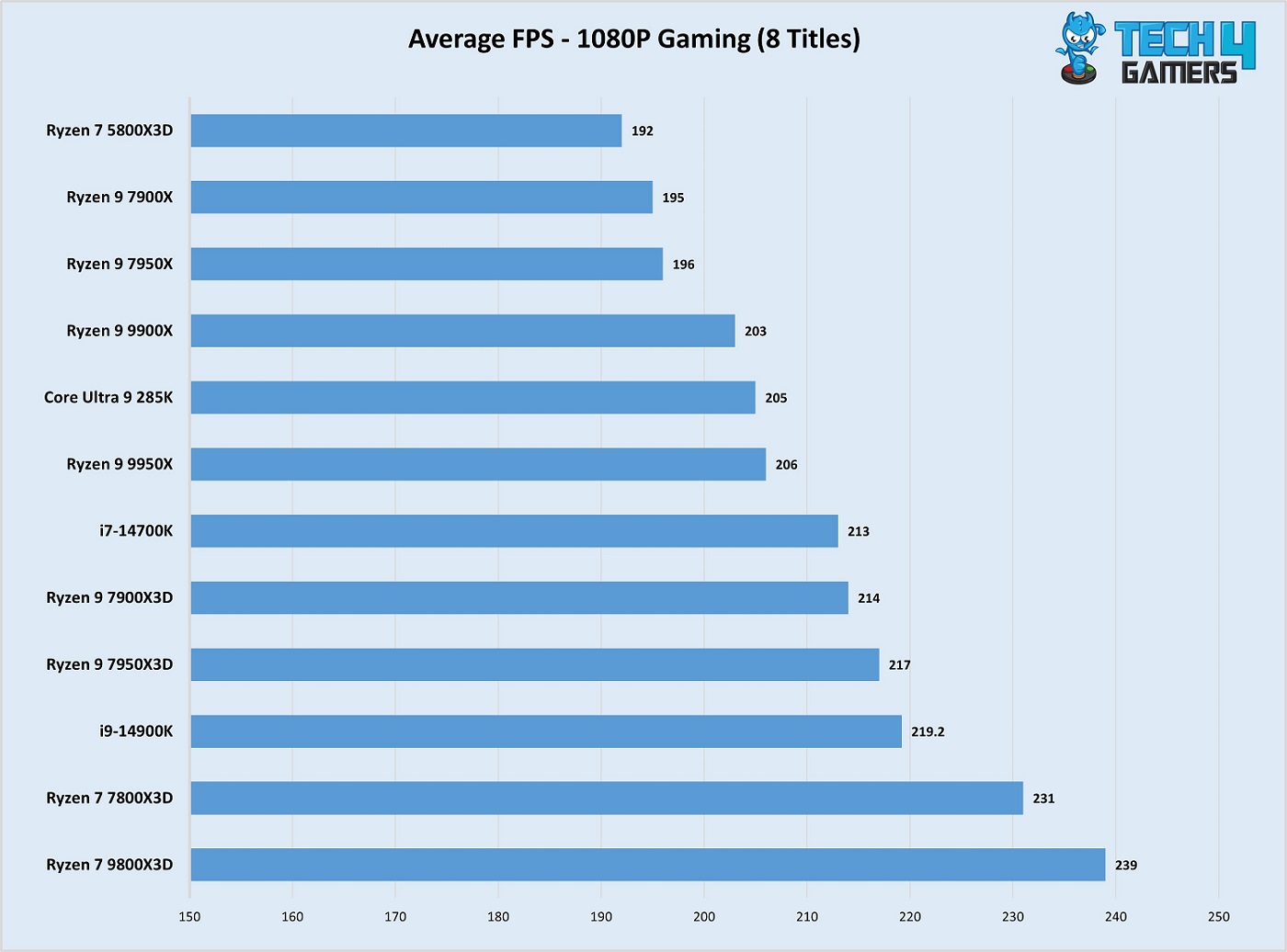
In our review of the 9800X3D, we saw that the CPU completely left behind all competition in gaming performance, so if you want the most framerates, the 9800X3D is the way to go. Take a look at our processor benchmarks below.
Ryzen 7 9800X3D Gaming Performance (Image By Tech4Gamers)
As shown in the graph above, the 9800X3D is undoubtedly the gaming champion. If you’ve chosen this beast for your setup, don’t forget to check out our buying guides to find the best components to pair with it and maximize performance:
I’ve previously worked for eXputer as a Senior News Writer for several years. Now with Tech4Gamers, I love to devoutly keep up with the latest gaming and entertainment industries. I have a Bachelor’s Degree in Computer Science and years of experience reporting on games and breaking exclusive stories. Besides my passion for gaming journalism, I love spending my leisure time farming away in Stardew Valley. VGC, IGN, GameSpot, Game Rant, TheGamer, GamingBolt, The Verge, NME, Metro, Dot Esports, GameByte, Kotaku Australia, PC Gamer, and more have cited my articles.
Story Highlight
Sega is planning to aggressively revive its old and dormant franchises to become a powerhouse again.
The conglomerate has already started seeing the fruits of its new strategy in recent quarterly reports.
Many studios under Sega are currently working on anticipated and fan-favorite IPs.
Sega is one of the biggest forces to be reckoned with from the old era in the gaming industry. However, after seeing mundane results in its gaming portfolio for the last decade, the conglomerate has decided to chase its former renownby working on dormant fan-favorite franchises. These initiatives are just the beginning, however, as many Sega studios are already brewing highly anticipated titles.
Now, a new report suggests that Sega’s higher-ups are seemingly on board with aggressively reviving old and idle gaming series to become a global powerhouse again.
Why it matters: Sega aggressively aims to revive its old franchises, and its multiplatform strategy might make it one of the biggest competitors of modern gaming giants.
In a new interview with Diamond Online, executive Shuji Utsumi clarified that Sega is aiming for the stars by aggressively reviving fan-favorite IPs with new titles. He also argued that only releasing titles locally impacted their expected sales output, so a sharp multiplatform strategy is now on the cards. You can also expect to see Sega’s gaming characters appear in more TV shows and other media.
By aggressively expanding IP (intellectual property) overseas, we aim to become a top company in the global market.
Sega has already started reaping the fruits of this new strategy, with recent financial results suggesting a highly successful 2024 in terms of generated sales and ratings.
Many studios under Sega have announced new entries, with most returning to dormant IPs that fans once held beloved. However, Sega also impressed at The Game Awards 2024 by announcing new franchises, like Yakuza Dev’s Project Century.
Do you think Sega has what it takes in the modern gaming industry to become a global powerhouse again, or will the firm never surpass its legacy? Let us know your thoughts in the comments below, or join the discussion on the official Tech4Gamers forum.
At Tech4Gamers, I proudly hold the role of a Hardware Reviewer. Here, I leverage my expertise to provide readers with in-depth insights into PC hardware, ensuring they have the information needed to make informed decisions.
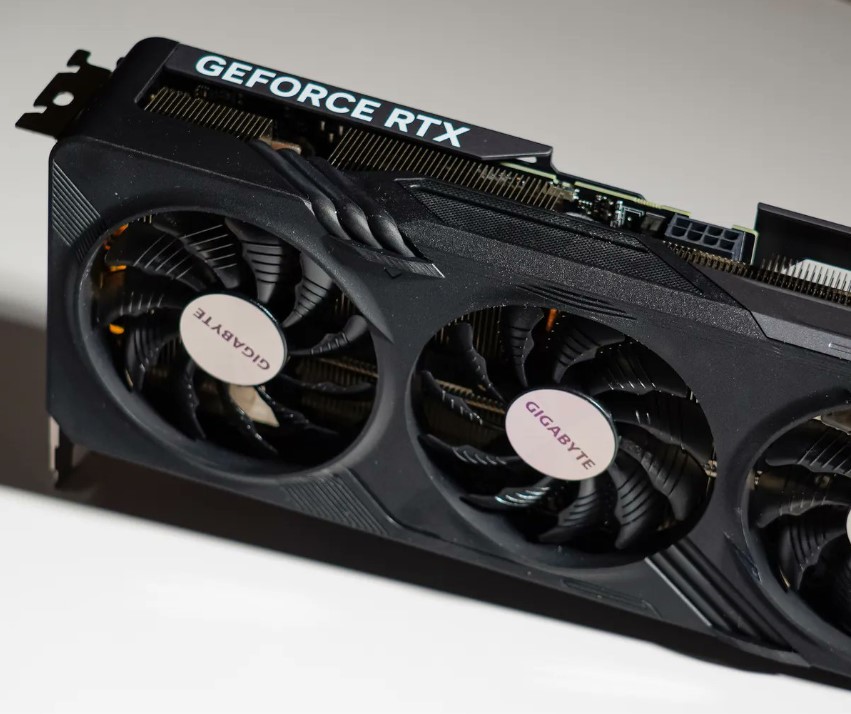
NVIDIA got quite some heat when it released the RTX 4060 with 8GB VRAM, which was even 4GB less than what the RTX 3060 came with, and that’s its predecessor. As you can expect, this led to a very underwhelming performance in any VRAM-demanding game. Just this week, we saw how the RTX 3060 outperformed the RTX 4060 in Indiana Jones because of its lack of VRAM.
As a final nail in the coffin for all these latest 8GB VRAM budget GPUs, the Intel Arc B580 is finally here, and the reviews look very positive, with the card beating both the RTX 4060 and the RX 7600 XT across all resolutions. The card packs 12GB VRAM with a 456 GB/s bandwidth and has a max clock speed of 2670 MHz, all at a very impressive $249.99 MSRP. For reference, the RTX 4060 came at $299.99.
Such dominance is why NVIDIA gets away with pairing a GPU with 8GB VRAM and even misleading its customers with confusing names. However, the Intel Arc B580 changes a lot of things. It is one thing to offer 12GB VRAM in a budget-end card; it is another to undercut NVIDIA’s offering by $50.
This is great news for budget gamers, as competition in the affordable GPU market is finally heating up. Until now, this has been the weakest segment in terms of value for money. While the SUPER series GPUs are solid for 1440p and 4K, and AMD’s RX 7800 XT and 7900 XT deliver great high-end performance, those looking for a wallet-friendly option have been left disappointed. The only choices so far have been the RTX 4060 and RX 7600, and they really don’t offer good value for the money.
Is VRAM Really That Important?
Let me be clear: VRAM is not the only aspect that should be used to compare two different graphics cards, but it is definitely very important. If you want an in-depth explanation of a graphics card’ VRAM, I suggest you check out our guide on VRAM.
In simple terms, visually demanding games come with a lot of textures and assets that need to be stored in the GPU’s VRAM. The VRAM allows the GPU cores to access and process these files quickly. If the VRAM runs out of space and there’s still more to load, you’ll likely experience framerate drops or stuttering.
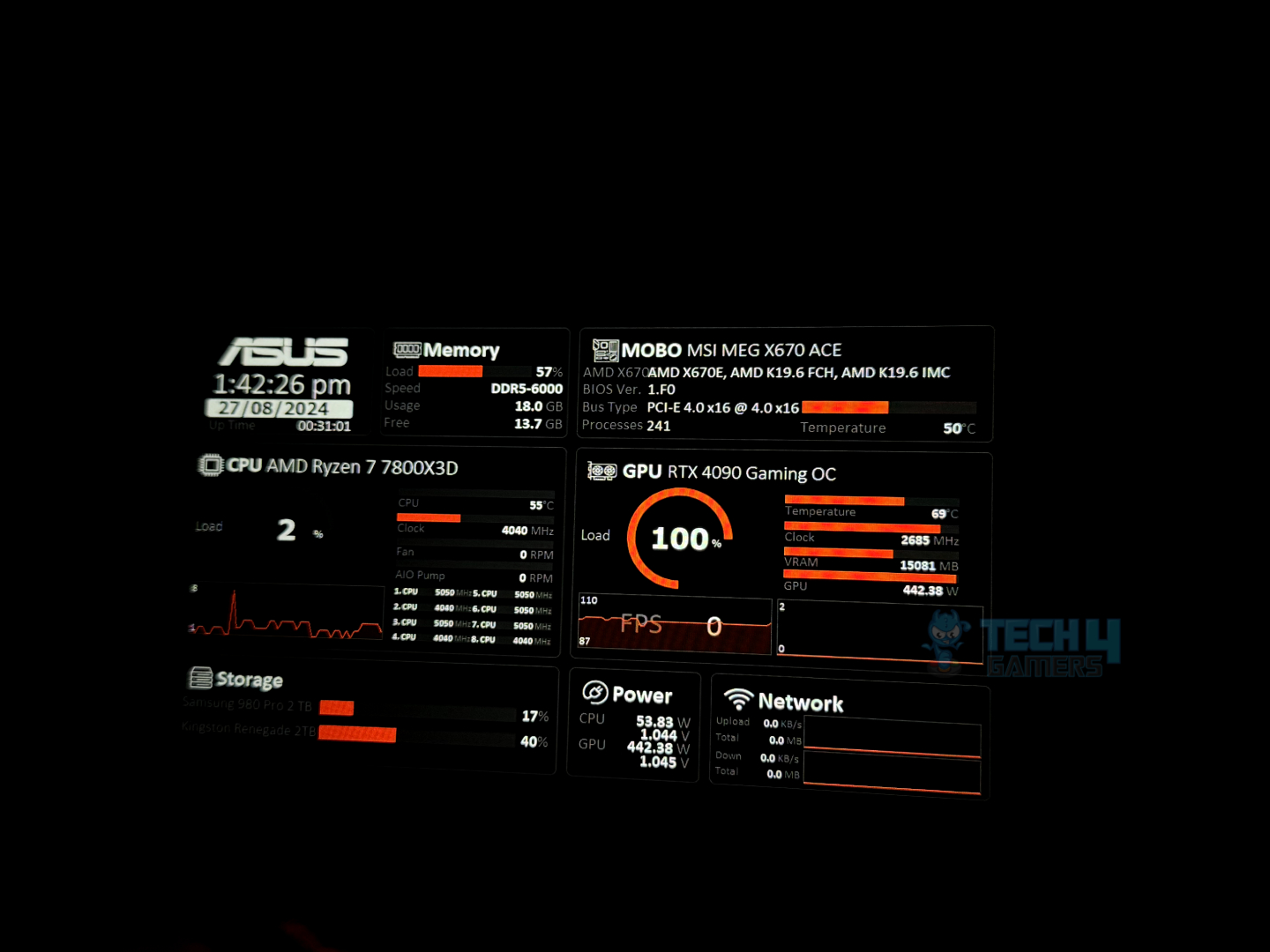
Star Wars Outlaws Consuming Over 15GB VRAM @ 1440p Running On NVIDIA RTX 4090 (Image By Tech4Gamers)
The higher the resolution, the more VRAM you’ll need. At 1080p with low settings, a GPU with less VRAM might be fine, but at 1440p or 4K, it’s a different story. For example, Star Wars Outlaws can use over 20GB of VRAM at 4K. So, if you want smooth gameplay at higher resolutions—even at 1440p—you’ll need a GPU with plenty of VRAM.
What About Frame Gen And DLSS?
Okay, NVIDIA’s DLSS is indeed very good and can deliver a serious uplift in performance if the GPU’s hardware is lacking. However, there is only a limit to how much NVIDIA can rely on DLSS and game developer’s optimizations instead of packing its GPUs with decent specs. I mean, if the card can’t run natively with even 60 FPS, what is the point of frame gen? Even AMD says that for an optimal FSR experience, the game should be running at least 60 FPS, and then frame gen can kick in and give you a boost.
Dear NVIDIA, Don’t Repeat The Same Mistake
In short, NVIDIA has great software, and DLSS works quite well, but it needs to make sure the RTX 5060 at least has 10GB VRAM or, ideally, 12GB with competitive pricing to offer good value. Budget GPUs have been neglected for far too long, but hopefully, both NVIDIA and AMD will follow Intel and take big steps to change that.
I’ve previously worked for eXputer as a Senior News Writer for several years. Now with Tech4Gamers, I love to devoutly keep up with the latest gaming and entertainment industries. I have a Bachelor’s Degree in Computer Science and years of experience reporting on games and breaking exclusive stories. Besides my passion for gaming journalism, I love spending my leisure time farming away in Stardew Valley. VGC, IGN, GameSpot, Game Rant, TheGamer, GamingBolt, The Verge, NME, Metro, Dot Esports, GameByte, Kotaku Australia, PC Gamer, and more have cited my articles.
Story Highlight
Gotham Knights studio WB Games Montreal has suddenly laid off 99 developers, as per a new report.
These developers were working as support to produce additional content for the Suicide Squad title.
Their jobs were likely slashed since the live-service title will end any kind of support after Season 4.
Despite enjoying a lot of success and creating unforgettable experiences, Warner Gaming has been on a steady and steep decline over the last few years. The company’s notorious focus on live service and multiplayer titles has harmed the reputation and performance of many of its subsidiaries. Suicide Squad: Kill The Justice League is one such flop, and the ramifications it caused are still being felt to this day.
Now, 99 developers associated with the controversial title are being fired. WB Games Montreal is sacking most of its team who were working on additional content for the Suicide Squad game.
Why it matters: 99 developers getting sacked from WB Games Montreal paints a grim picture of the current state of the gaming industry.
As reported by Radio-Canada, the studio has allegedly fired more than a third of its Keywords employees and subcontractors. Staff was seemingly called to a meeting this Monday, where the layoffs were announced. Many of the developers claimed they felt ‘depressed’ and ‘stressed’ after receiving the terrible news.
The impacted 99 developers could either choose to be put on a contact list or receive job-hunting support. However, more work from them wouldn’t be requested until 2026, at the very least.
The report should still be taken with a grain of salt, as WB Games Montreal has yet to come forward with an official statement.
Do you think WB Games Montreal laying off 99 developers discreetly after the Suicide Squad game is controversial, or was it to be expected? Let us know your thoughts in the comments below, or join the discussion on the official Tech4Gamers forum.
As Tech4Gamers’ Founder and Editor-in-Chief, I bring over 13 years of PC Hardware Reviewing and 8+ years of IT Project Management experience. Certified in Google IT Support , my focus is on providing honest product reviews and analysis and fostering a strong gaming community with 130k+ members in PPG.
Story Highlight
Swen Vincke, CEO of Larian Studios, criticized the video game industry at The Game Awards 2024.
He argues the industry prioritizes money and fame over creating fun, well-made games.
He believes successful games are made with passion and respect for developers and players.
If you’re reading this, you may still be young, and you may think that the video game industry is at its peak, that nothing existed before what there is now, and that it’s the pinnacle.
But the reality is that this industry is almost entirely prostituted by fame and money, leaving fun, gameplay, stories, and community as something secondary. Luckily, some studios and games aren’t like that, and players tend to reward them.
At The Games Awards 2024, Swen Vincke, CEO of Larian Studios, had to present the most important award given to this video game industry, and his forceful speech may go down in history.
And not just the event but also the industry itself. It’s all about money, fame, recognition, ego-boosting, and personal satisfaction for a group of people who don’t pretend to follow the basic guidelines of any video game: it has to be fun and provoke emotion, it has to be well-made, and it has to be affordable for everyone.
Swen Vincke Rails Against Video Game Industry In Speech At TGA2024
And he fell short because he surely had much more to say. When he went up on stage to present the GOTY 2024, Swen Vincke used his minutes to make a call to sanity with a powerful message:
“The Oracle told me that the game of the year 2025 was going to be made by a studio, a studio who found the formula to make it up here on stage. It’s stupidly simple, but somehow it keeps on getting lost. Studio made their game because they wanted to make a game that they wanted to play themselves. They created it because it hadn’t been created before.
They didn’t make it to increase market share. They didn’t make it to serve as a brand. They didn’t have to meet arbitrary sales targets or fear being laid off if they didn’t meet those targets.
And furthermore, the people in charge forbade them from cramming the game with anything whose only purpose was to increase revenue and didn’t serve the game design. They didn’t treat their developers like numbers on a spreadsheet. They didn’t treat their players as users to exploit. And they didn’t make decisions they knew were shortsighted in function of a bonus or politics.
They knew that if you put the game and the team first, the revenue will follow. They were driven by idealism and wanted players to have fun. And they realized that if the developers didn’t have fun, nobody was going to have any fun. They understood the value of respect, that if they treated their developers and players well, those same developers and players would forgive them when things didn’t go as planned. But above all, they cared about their game because they loved games. It’s really that simple, said the Oracle.”
Corporate Greed, Exploited Developers, Soulless Games
Baldur’s Gate 3 wins GOTY-2023 (Image Via BBC)
This is not, nor will it ever be, the first time that Swen Vincke has attacked the video game industry. On other occasions, the CEO and main promoter of Baldur’s Gate 3 has criticized them, calling them greedy, and that no matter what happens, mistake after mistake, the industry continues to encounter the same problems over and over again, there is no learning, only the next fiscal quarter, accounting, and the economy matter.
No one will deny that this is important. Still, before, in the eighties and late nineties, there was more freedom, more creativity, more passion, and less money, and numbers were equally important. Still, the philosophy of work and respect was much better.
Films like Ready Player One go hand in hand with Vincke’s statements, who vindicates that spirit, which should not be lost in an industry like video games, which is pure fantasy coming from the minds of brilliant people who are increasingly boxed in by the parameters set for them and with ever-increasing pressure.
The speech will change little to nothing, but perhaps it has served to make some people, at least, reflect on how this video game industry is developing, and precisely, if anyone knows, it is Swen Vincke.
What’s your take on Vincke’s speed at TGA2024? Share your thoughts in the comment section below.
At Tech4Gamers, I mainly cover new gaming news, leaks, and rumours. Aside from that, I love to write features about my favourite games while inserting my opinion about their different aspects.
Story Highlight
Baldur’s Gate 3 won the Game of the Year award in 2023.
Due to that, the CEO of Larian, Swen Vincke, was given the honour of announcing GOTY 2024.
However, his speech triggered a massive fandom and resulted in getting Baldu’s Gate 3 review-bombed on Steam.
However, now it is being reviewed and bombed by angry Chinese gamers because Black Myth: Wukong didn’t win the Game of the Year award at TGA 2024. Vincke gave the speech and announced the GOTY 2024, so it makes sense why his game is being targeted with hate.
Why it matters: BG3 was mainly targeted because Larian’s CEO’s speech triggered a massive Chinese fandom.
Gamers Are Review Bombing Last Year’s Game of the Year After Vincke’s Speech At TGA 2024
As you can see in the image above, a player who has nearly 200 hours in the game was enraged by Vincke’s speech at The Game Awards. This is just the tip of the iceberg, as many Chinese gamers have also shown their frustration.
The studio created it because it hadn’t been created before, and they didn’t make it to increase the market share. They didn’t have to meet arbitrary sales targets.
-Swen Vincke
Vincke gave a speech about how a game can win the Game of the Year award, and his points made total sense. While he made some interesting points, many fans didn’t find them interesting after Astro Bot was announced as Game of the Year 2024 when the fandom was expecting Black Myth: Wukong to be the winner.
Vincke also stated that game sales aren’t important, and that seems to have pissed a lot of players off, as they think he was indirectly targeting Black Myth: Wukong due to its massive sales in such a short period of time, whereas Astro Bot didn’t sell that good.
Black Myth: Wukong Failed To Secure Notable Awards At TGA 2024
Sales not important? Then player review must not be important either. Take this negative review. GOTY doesn’t have to meet sales targets? I’ll never buy Larian games again
Many Chinese fans are angered by the speech, and it shows. However, Vincke just announced the GOTY that was already decided, so it might not be fair for his game to be review-bombed like this.
If developers don’t need to care for sales or reviews, please don’t mind my negative review.
All in all, it will take time for players to get over this, but review-bombing a game for such a reason should never be justified.
What do you think of fans review-bombing last year’s GOTY Baldur’s Gate 3? Do you think it is justified after Vincke’s speech? Let us know your thoughts in the comments section below, or join the official Tech4Gamers forums for discussion.
As Tech4Gamers’ Founder and Editor-in-Chief, I bring over 13 years of PC Hardware Reviewing and 8+ years of IT Project Management experience. Certified in Google IT Support , my focus is on providing honest product reviews and analysis and fostering a strong gaming community with 130k+ members in PPG.
Story Highlight
Final Fantasy 7 Rebirth is coming to PC on January 23, 2025.
The game requires a PC with at least 16GB RAM, an AMD Radeon RX 6600 or NVIDIA GeForce RTX 2060 GPU, and 155GB SSD storage.
To play at 4K resolution, a GPU with 12GB VRAM is recommended (16GB for Ultra settings).
During The Game Awards 2024, the release of Final Fantasy 7 Rebirth for PC was announced, and now we know its requirements. Given what we’ve seen, the requirements are extremely demanding.
We’re talking about the fact that, at the very least, you need an NVIDIA GeForce RTX 2060 to play at 1080p at 30 FPS in Low Quality. With this, you should already imagine that 4K at 60 FPS is a bit scary.
Obviously, we are looking at the same Final Fantasy 7 Rebirth for PlayStation 5 that was released in February 2024., except that this one will arrive on January 23, 2025, with some improvements along the way.
Final Fantasy 7 Rebirth Demanding PC Requirements
The minimum requirements for Final Fantasy 7 Rebirth for PC are a modern 4-core CPU, such as the AMD Ryzen 5 1400, along with 16 GB of RAM and an AMD Radeon RX 6600, Intel Arc A580, or NVIDIA GeForce RTX 2060 GPU. A 155 GB SSD capacity must accompany all of this.
Recommended requirements include a CPU with at least 6 cores, such as the AMD Ryzen 5 5600 or Intel Core i7-8700. Graphics requirements increase to an AMD Radeon RX 6700 XT or NVIDIA GeForce RTX 2070.
Recommended requirements:
OS: Windows 11 64-bit
Processor: AMD Ryzen 5 5600 or 3700X / Intel Core i7-8700 or Core i5-10400
Ultra requirements call for a CPU with at least 8 cores. So, an AMD Ryzen 7 5700X or an Intel Core i7-10700. The RAM remains the same, but the graphics requirement increases noticeably to an AMD Radeon RX 7900 XTX or an NVIDIA GeForce RTX 4080.
Final Fantasy 7 Rebirth PC System Requirements
To play Final Fantasy 7 Rebirth on PC at 4K 30 or 60 FPS in low quality, a GPU with at least 12 GB of VRAM is recommended; for Ultra, 16 GB of VRAM is required.
Ultra Requirements:
Processor: AMD Ryzen 7 5700X or Intel Core i7-10700
As Tech4Gamers’ Founder and Editor-in-Chief, I bring over 13 years of PC Hardware Reviewing and 8+ years of IT Project Management experience. Certified in Google IT Support , my focus is on providing honest product reviews and analysis and fostering a strong gaming community with 130k+ members in PPG.
Nauman Siddique
At Tech4Gamers, I take on the role of Hardware Reviewer with pride. My responsibilities involve a thorough examination of essential hardware components like motherboards, graphics cards, processors, PC cases, and CPU coolers, among others, focusing on their complexities and functionalities.
In our Core Ultra 9 285K review, we found that while the processor, just like the rest of the Arrow Lake line-up, suffers from an insignificant boost in gaming performance, it still showcased exceptional multithreaded performance and very impressive power efficiency. With that said, if you’re shopping for a flagship processor that nails productivity, the Ultra 9 285K is a great option, but it comes with a new socket (LGA1851) and the 800-series chipset. As a result, you’ll need a new motherboard if you want to upgrade to the latest gen, as your 600-series and 700-series boards are incompatible.
To help you out, we have tried, tested, and reviewed more than a dozen Z890 motherboards over the past couple of months. This way, we have a clear idea of exactly what a motherboard must have to offer optimal performance for an Ultra 9 285K, especially its VRM design and cooling layout.
Why Trust Tech4Gamers
Usman Saleem is our hardware tester who loves to put all the latest GPUs, CPUs, RAM, and motherboards for a spin.
40+ motherboards tested and reviewed by our team of hardware experts (Tech4Gamers Team).
800+ hours spent testing different motherboards for our reviews.
At Tech4Gamers, ensuring you get reliable information is our priority. That’s why every hardware round-up undergoes a meticulous review process by our team of experts and editors. Each review is carefully examined against our strict editorial guidelines, guaranteeing you trustworthy insights you can depend on.
Here are my top motherboard picks that pair well with the Core Ultra 9 285K:
Motherboard
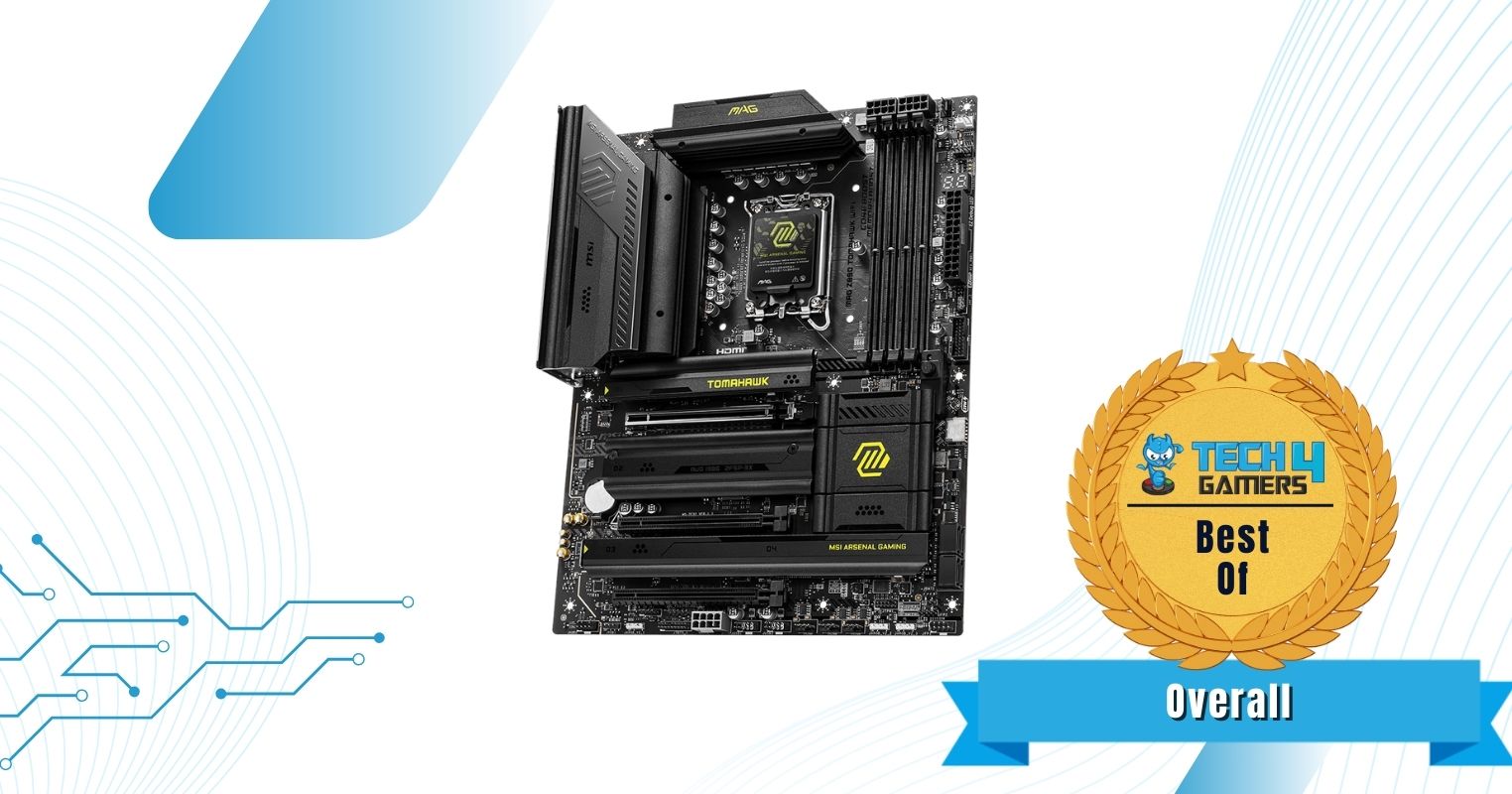
MSI MAG Z890 Tomahawk WiFi
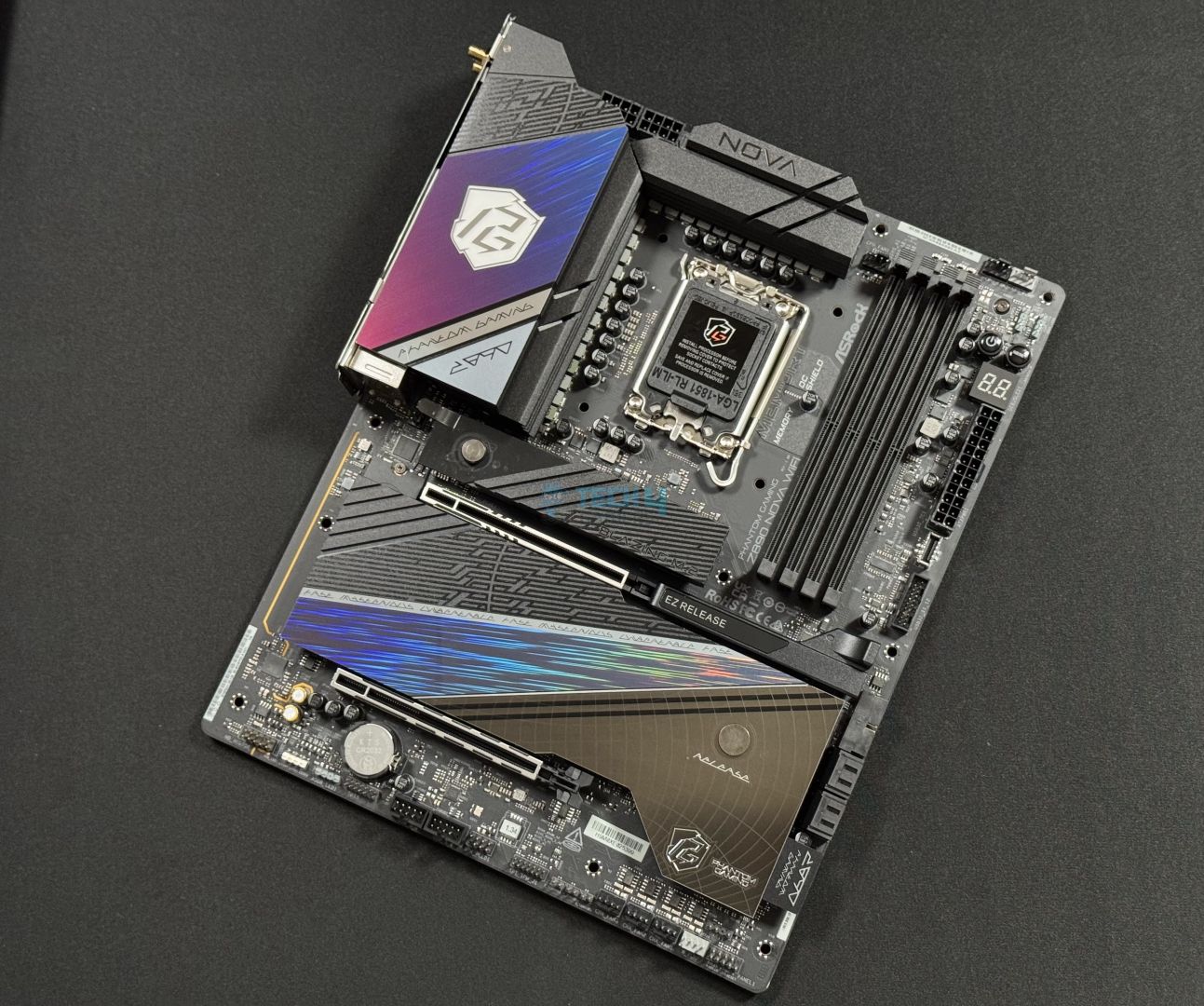
ASRock Z890 Nova WiFi 7
MSI MPG Z890 Edge Ti WiFi
MSI MEG Z890 ACE
ASRock Z890 Pro-A
Looks
Award
Best Overall Motherboard For Ultra 9 285K
Best High-End Z890 Motherboard
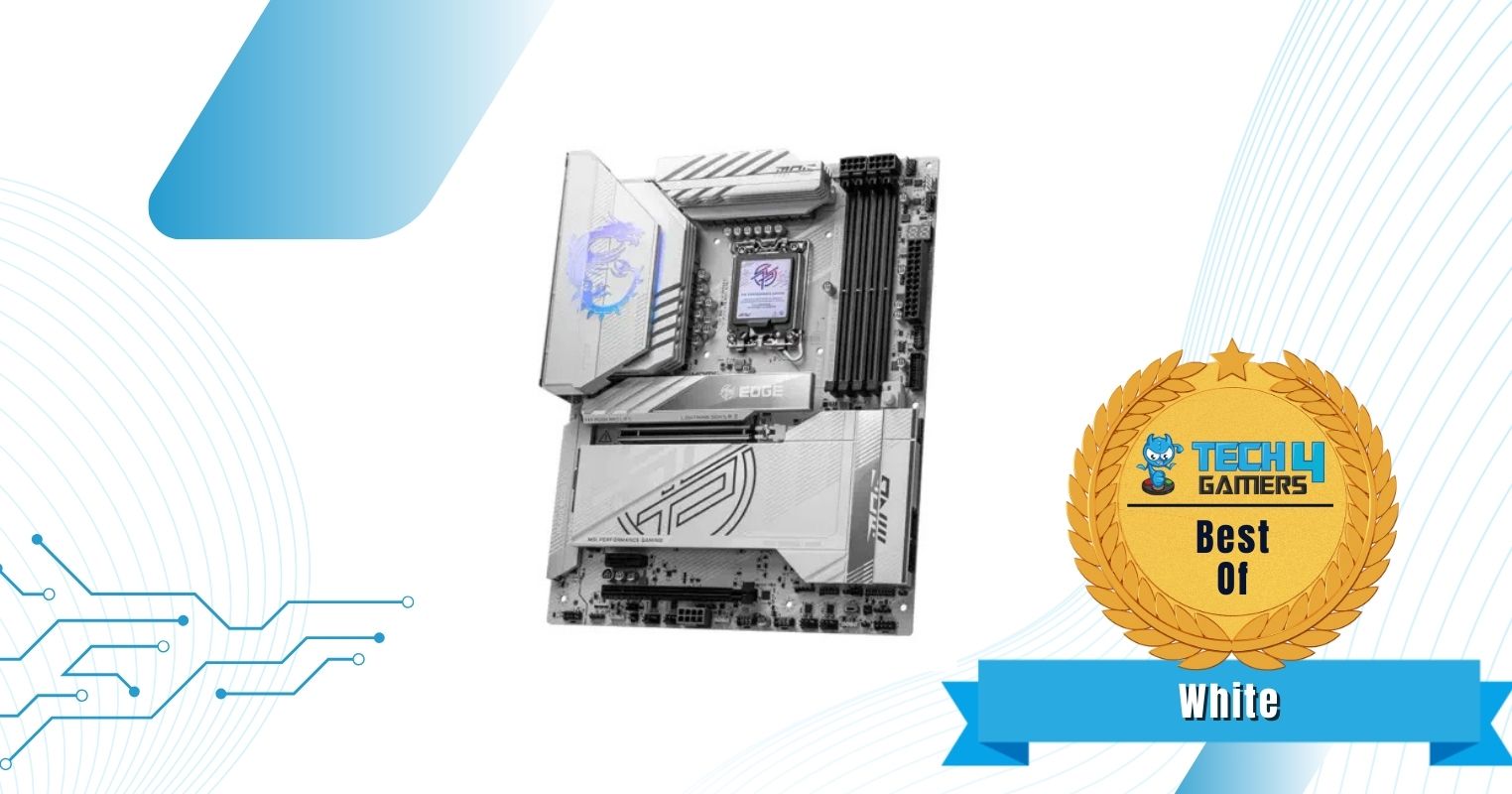
Best White Z890 Motherboard
Best Overclocking Z890 Motherboard For Ultra 9 285K
Best Budget Z890 Motherboard For Ultra 9 285K
What We Liked
Can withstand decent OC settings, Plethora of I/O ports, Stealthy design
Beefy VRM setup (incl. 20x 110A SPS for VCore), Cooling is impressive, DDR5 support up to 9600 MT/s
Beautiful white design, EZ-DIY-packed, 19 USB ports (incl. 2x TB4)
Has a 10G LAN port, 24x USB ports, Best-in-class VRM for OC
Good value, Great performance for the price, Decent VRM thermals
What We Disliked
Relatively high VRM thermals
Costs could've been cut further without the dual LAN ports
Read Our MSI MAG Z890 Tomahawk WiFi Motherboard Review
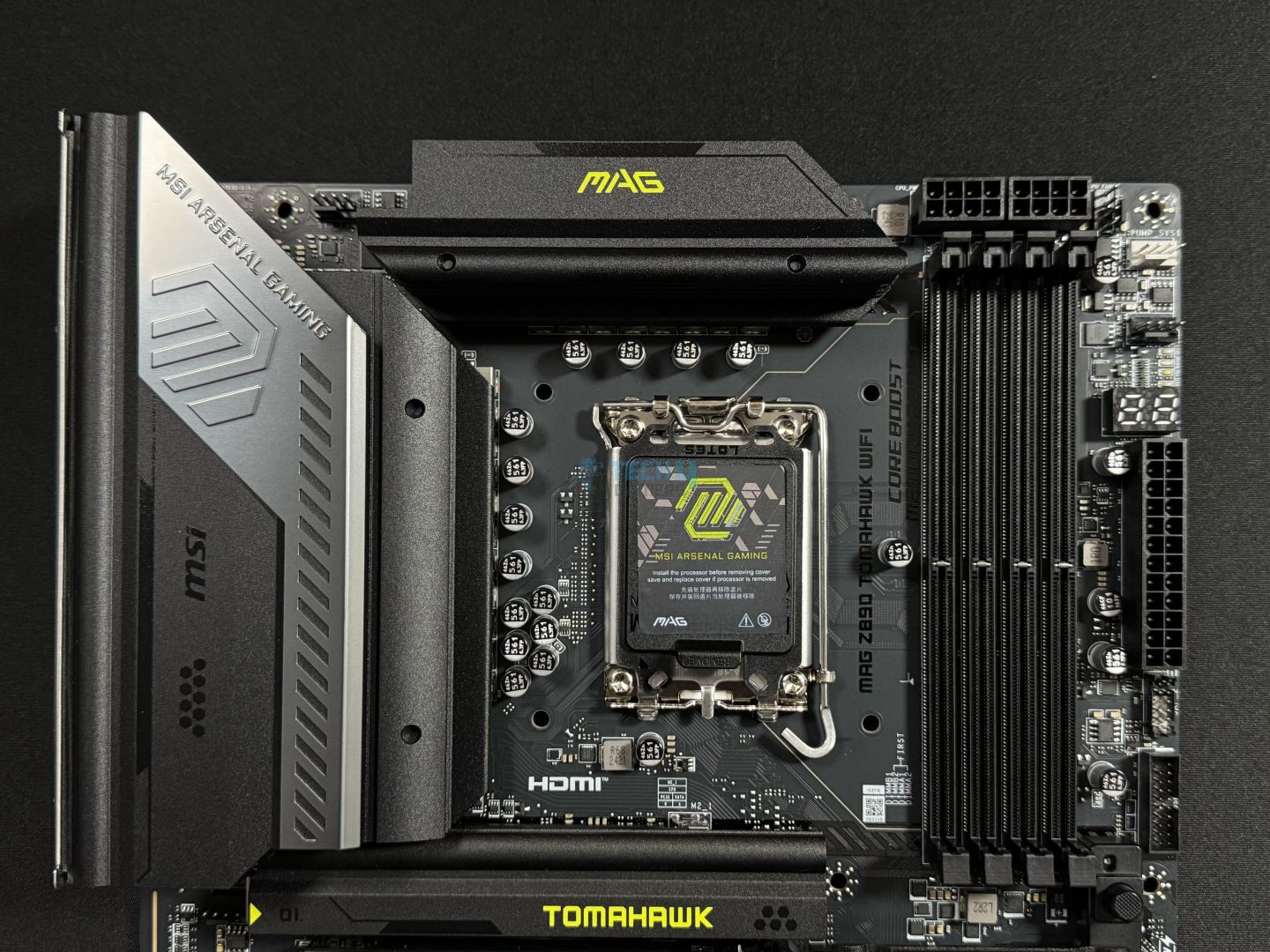
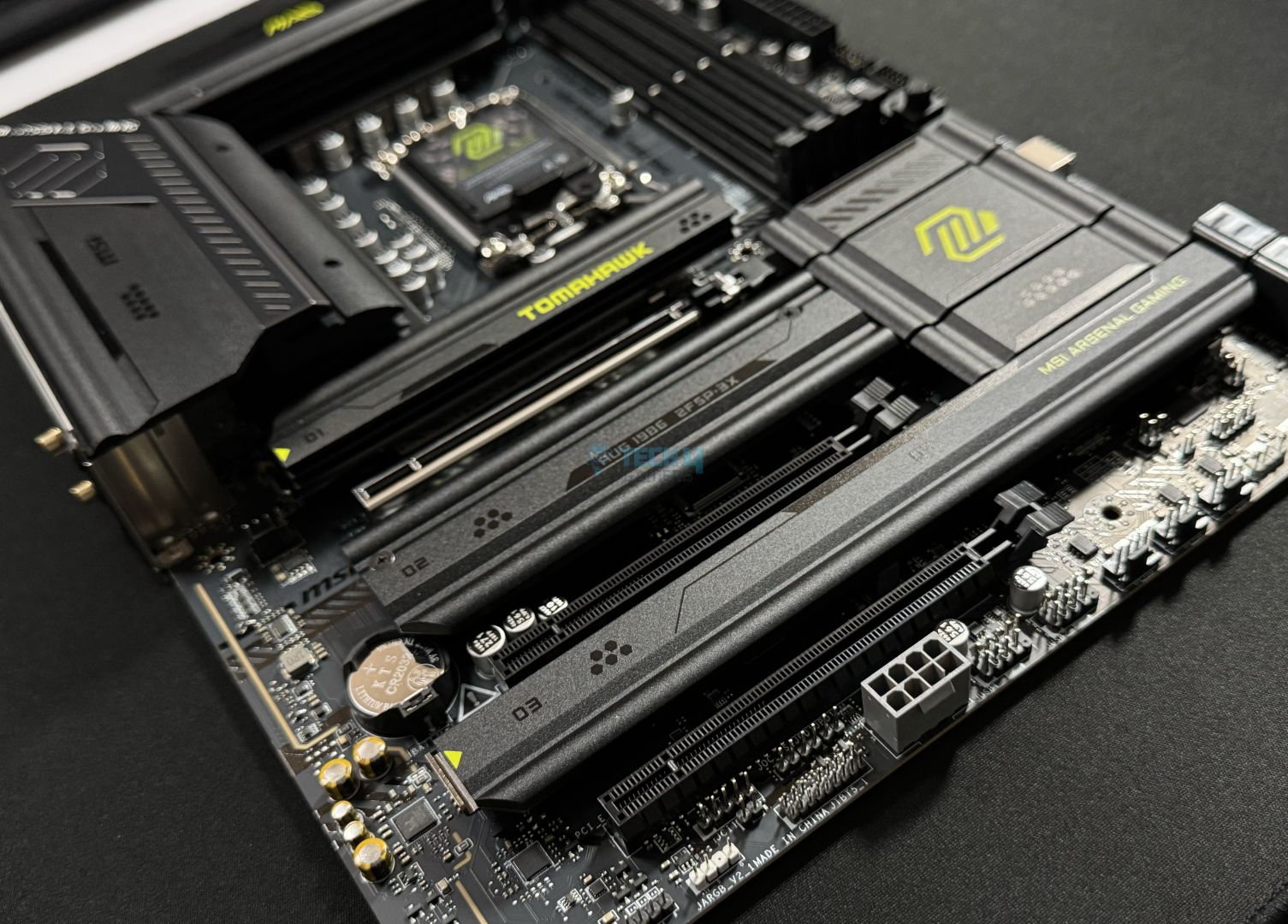
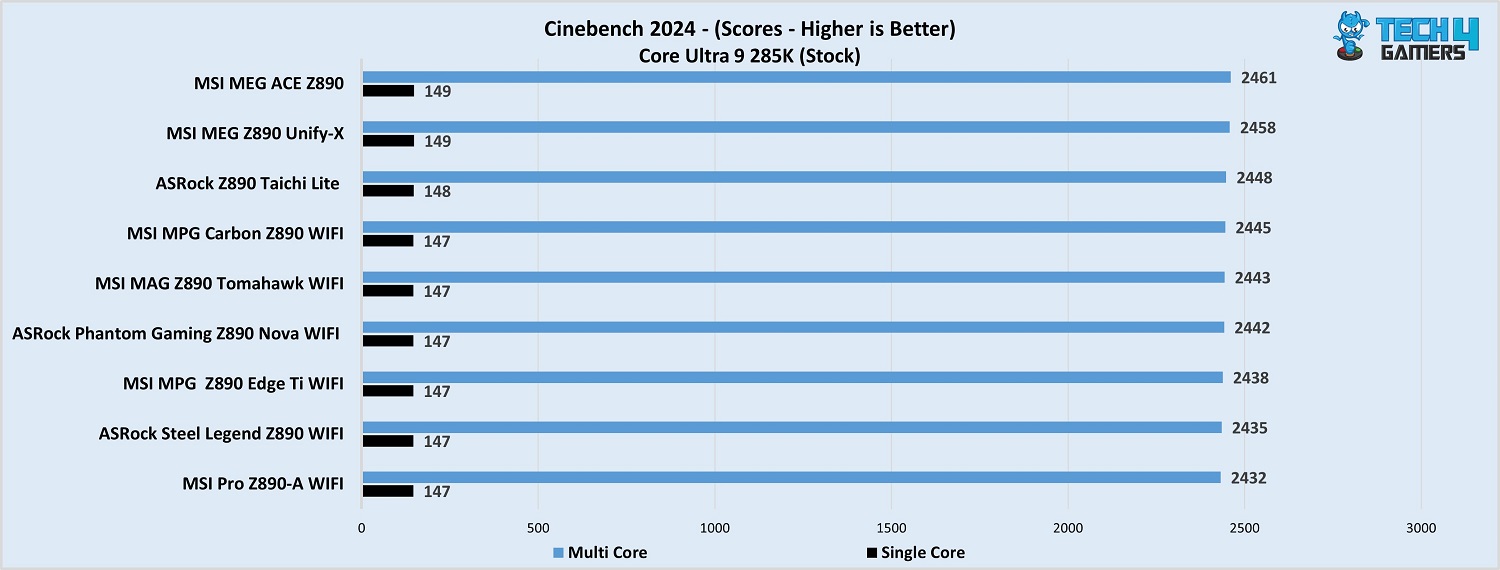
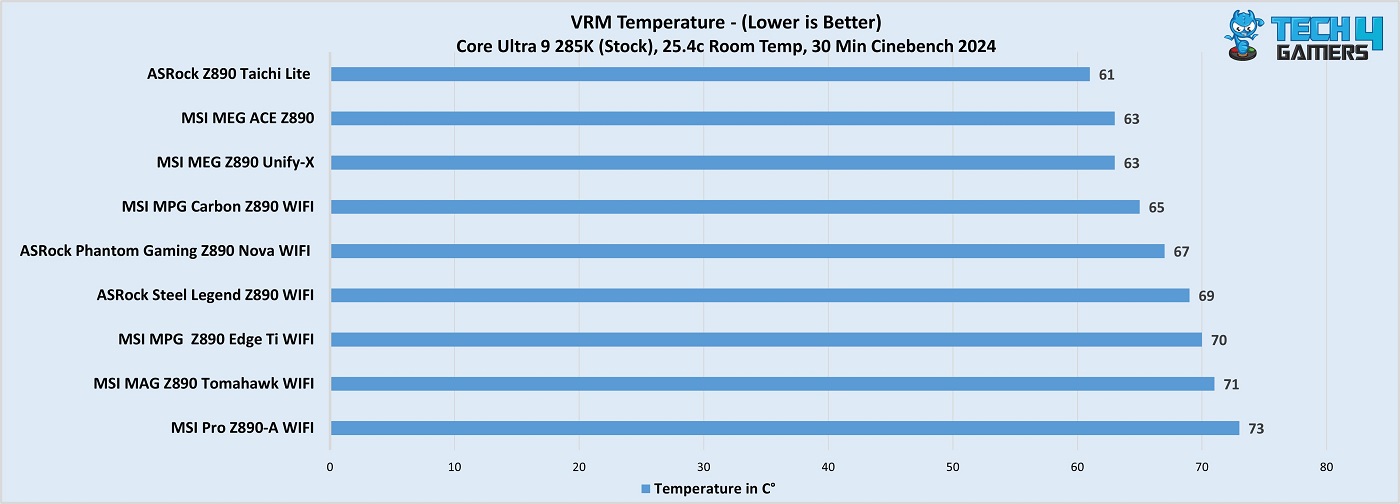
The MAG Z890 Tomahawk WiFi is MSI’s shot at a fairly affordable Z890 motherboard that reserves top I/O connectivity and features. To maintain a fair price, the board cuts down on aesthetics, and so you have a non-RGB, all-black board with yellow-green branding on the various heatsinks. Supporting the CPU are its 16x 90A duet-rail power stages, a modest setup compared to higher-end Z890 offerings but plenty for the Core Ultra 9 285K. The board performed right up to the mark in our tests, and the VRMs maxed out at 71C.
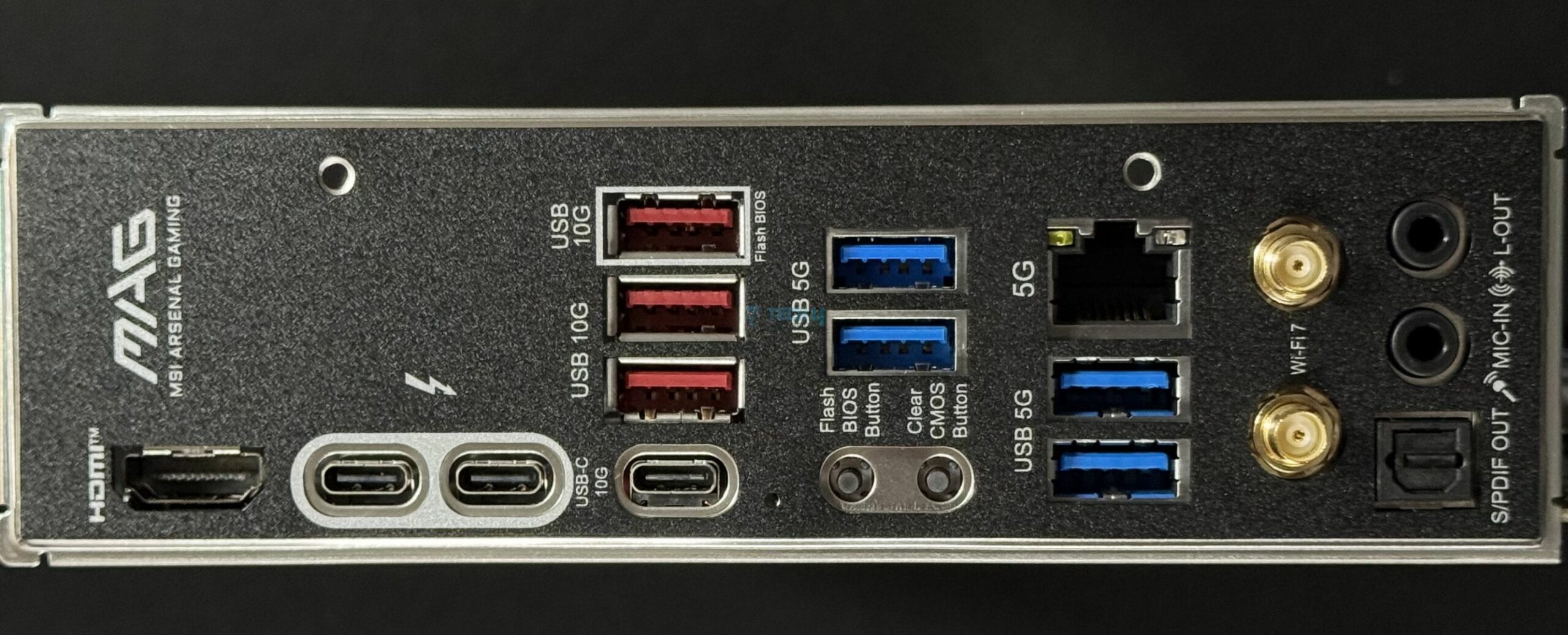
The motherboard also offers nearly all the EZ-DIY features we found in more expensive MSI motherboards. Some highlights are the EZ M.2 PCIe release, EZ M.2 clips II, 1-to-3 EZ-Conn connector, and EZ M.2 release heatsink designs. Memory support on the board is an impressive DDR5-9200+, plus we get 4x M.2 slots and 17 USB ports (including two Thunderbolt 4 ones). Connectivity is powered by WiFi 7, Bluetooth 5.4, and 5G LAN, and the audio solution on the board is fairly decent.
After testing the MAG Z890 Tomahawk WiFi, here’s what Usman Saleem, our motherboards expert, said:
The MSI MAG Z890 Tomahawk WiFi is a $299 motherboard packed with the latest I/O and EZ-DIY features. For VRMs, the board’s 16+1+1+1 (16A 90A duet stages for the board), which is enough for Intel’s 15th gen chips, even if you want to overclock a bit. MSI’s EZ-DIY features steal the show again, though, with a handful of features to make working with the board an easy experience.
✅Buy It If
You’re looking for the latest I/O: The motherboard sports DDR5 support up to 9200 MT/s, 5G LAN, WiFi 7, Bluetooth 5.4, and Thunderbolt 4–most boards around this price tag miss one or more of these features.
You want an easy-to-work-with board: With its EZ-DIY features, the MSI MAG Z890 Tomahawk WiFi is super easy to use.
You want Thunderbolt 5 support: The board supports the addition of a Thunderbolt 5 card, with speeds of up to 160Gbps supported.
❌Don't Buy It If
You want better aesthetics: The board’s minimalistic design and lack of RGB make it unappealing for those who want it to enhance their setup’s aesthetics.
What Makes It The Best Overall Motherboard For Core Ultra 9 285K?
The MSI MAG Z890 Tomahawk WiFi is our choice for a Z890 board that offers plenty in every department except the design (not that we have any specific complaint about that). Its power setup offers 1440A for the Core Ultra 9 285K, which should be plenty for the chip at stock settings or with mild overclocking. Moreover, its excellent I/O set includes DDR5-9200+ and 5G LAN, and MSI’s set of convenient EZ features make this a superb overall package.
Read Our ASRock Z890 Nova WiFi Motherboard Review
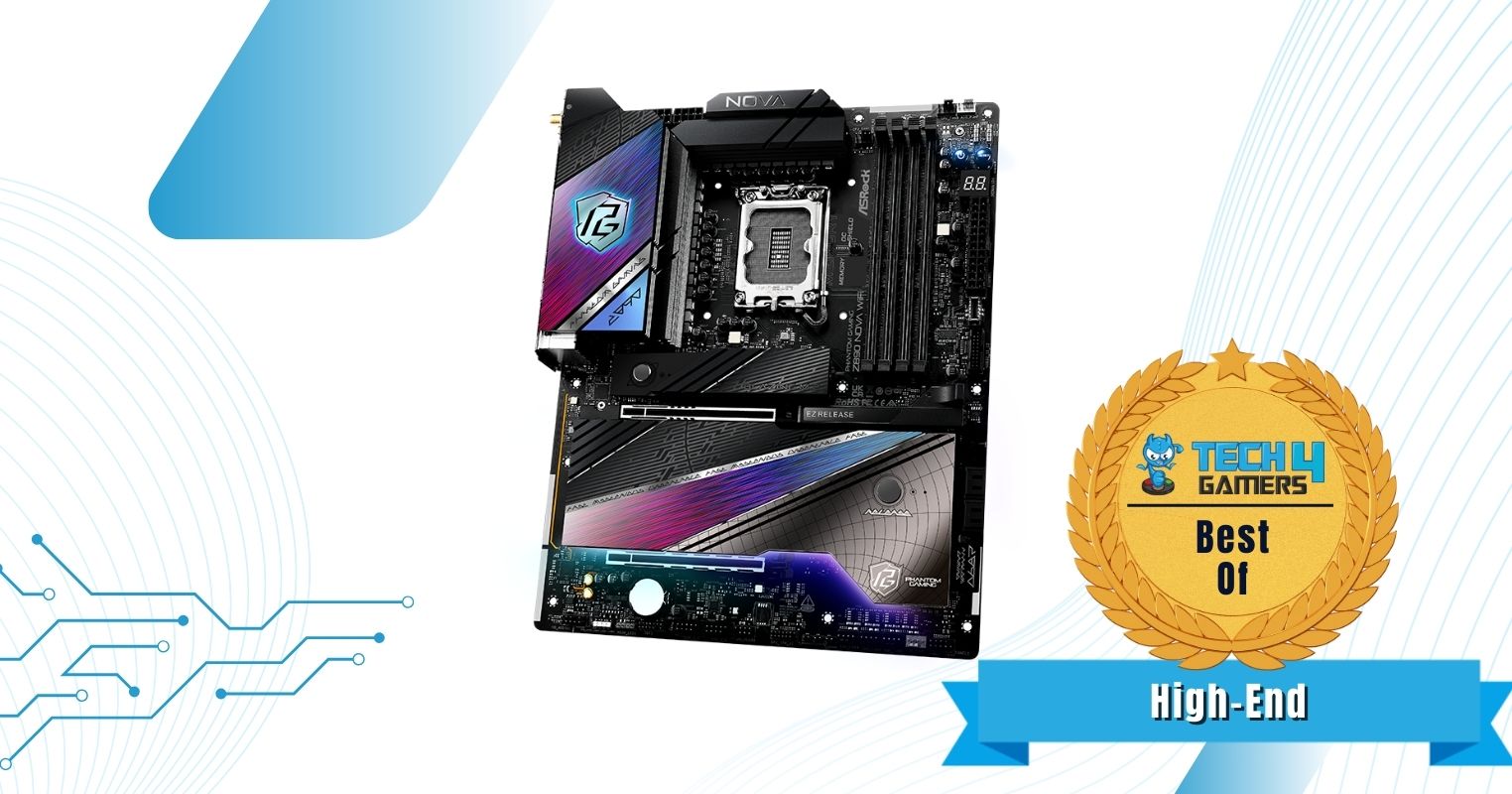
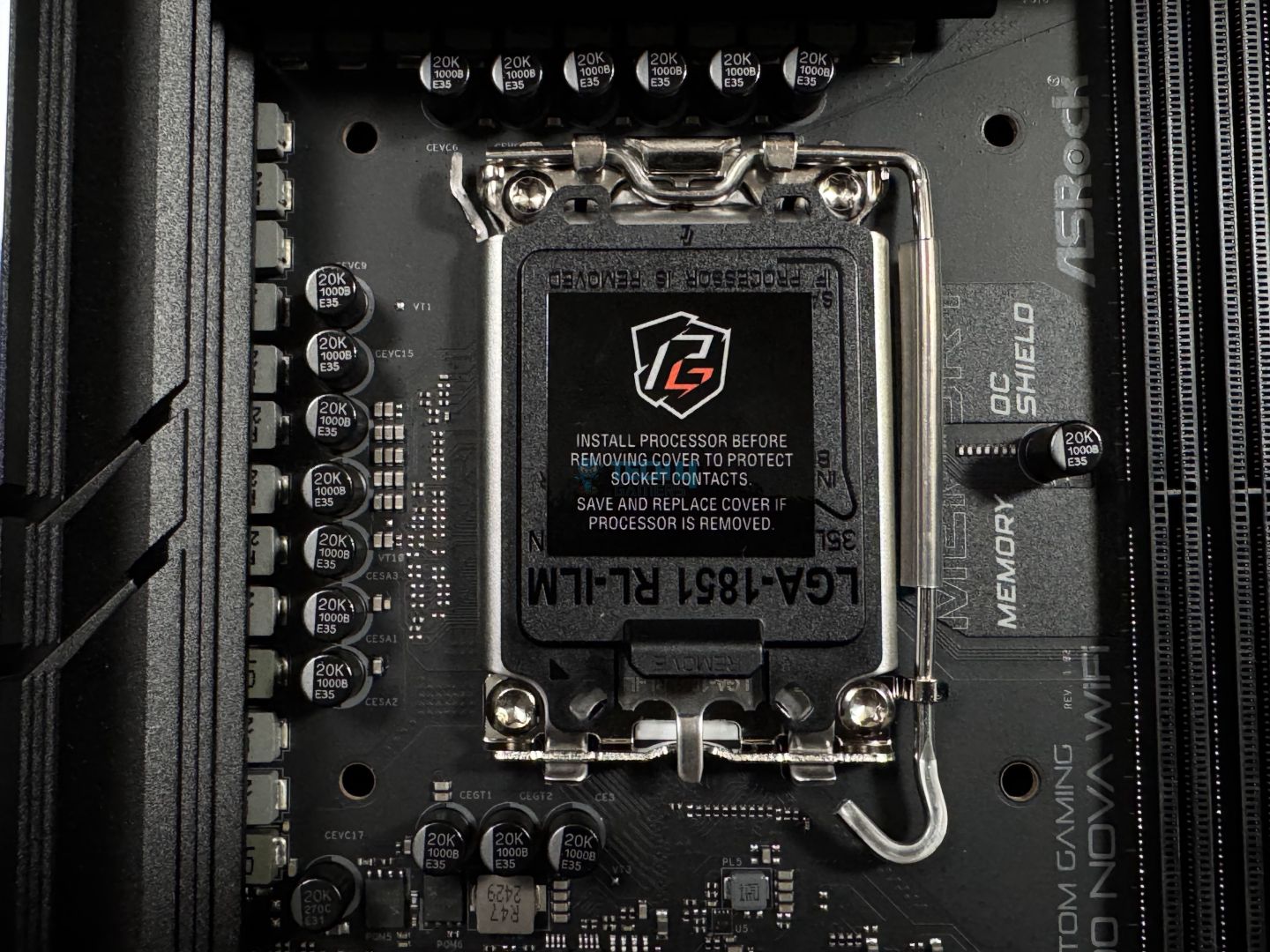
Looking for performance AND looks? The ASRock Z890 Nova WiFi ticks both, adding a mostly black theme with some futuristic designs on the heatsinks. There are also 2x RGB zones providing plenty of lighting for those who prefer it. On the performance front, the board features a hefty 20+1+2+1+1 power design, with 2200A available for the CPU. This is, of course, plenty for the Core Ultra 9 285K–even with overclocking–and our tests confirmed just that. The VRM heatsinks kept the setup under 70C during Cinebench R23 load testing.
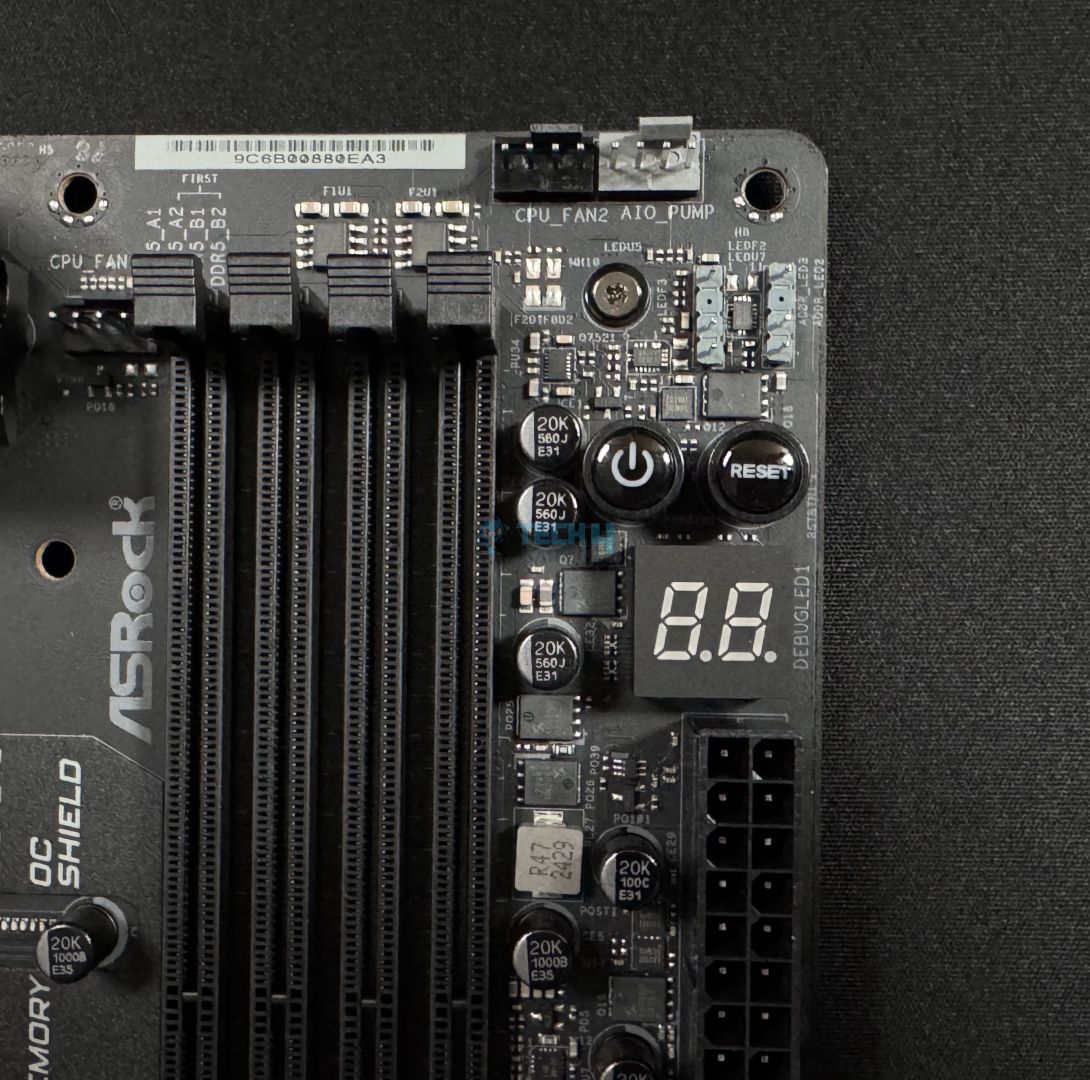
Key features on the board include CUDIMM support, the EZ PCIe release slider, and the dedicated charging and “gaming” ports. Memory support is up to DDR5-9600, the best for its class, and ASRock’s “Memory OC shield” promises better overclocking support. The board has room for up to 9x M.2 slots with the included M.2 card to go with its 4x 6G SATA ports. It also has WiFi 7 and Bluetooth 5.4 support, and dual LAN ports (5G and 2.5G)– plus the Killer Control Center utility offers some handy network management features.
Here’s how we summarized the ASRock Z890 in our review:
The ASRock Z890 Nova WiFi is just another ASRock board that impressed us with its value. At $349, it’s got a power 20+1+2+1+1 power phase design (110A VCore for SPS) with excellent VRM cooling on top.
✅Buy It If
Aesthetics are important: The ASRock Z890 Nova WiFi’s unique futuristic design and built-in RGB make it a treat for those who prioritize eye-catching designs.
You want top performance: The board’s performance is top-notch. It supports DDR5 memory speeds of up to 9600 MT/s and has a 20+1+2+1+1 phase power design (20x 110A SPS for VCore). It also showed great performance across our tests, and the VRM cooling is more than enough.
You have a handful of M.2 drives to install: With up to 9x M.2 slots for your drives with the included M.2 card, you’ll never run out of storage space!
You need dual LAN ports: Though a feature we found unnecessary, the dual LAN ports could definitely benefit some users.
❌Don't Buy It If
You don’t some of its extensive features: Features like the 9x M.2 slots and dual LAN ports won’t be utilised by many users, and those users should opt for cheaper options.
What Makes It The Best High-End Motherboard For Core Ultra 9 285K?
The ASRock Z890 Nova WiFi rocks with its outstanding VRM setup and memory support, making it perfect for performance-focused users. It does much more, with features like 5G LAN, CUDIMM support, and 9x M.2 slots being the highlights. For convenience, the EZ PCIe release, EZ M.2 release, EZ debug code LED panel, and more come in handy. We also appreciate ASRock’s addition of 3x thermistor cable and an ARGB splitter cable with this board.
Performance: 9.5/10
Value: 9/10
Features: 9.5/10
Design: 9/10
MSI MPG Z890 Edge Ti WiFi
Best White Motherboard for Core Ultra 9 285K
MSI MPG Z890 Edge Ti WiFi pictures from our review
1 of 4
MSI MPG Z890 Edge Ti WiFi
Upper area
M.2 heatsink and primary PCIe slot
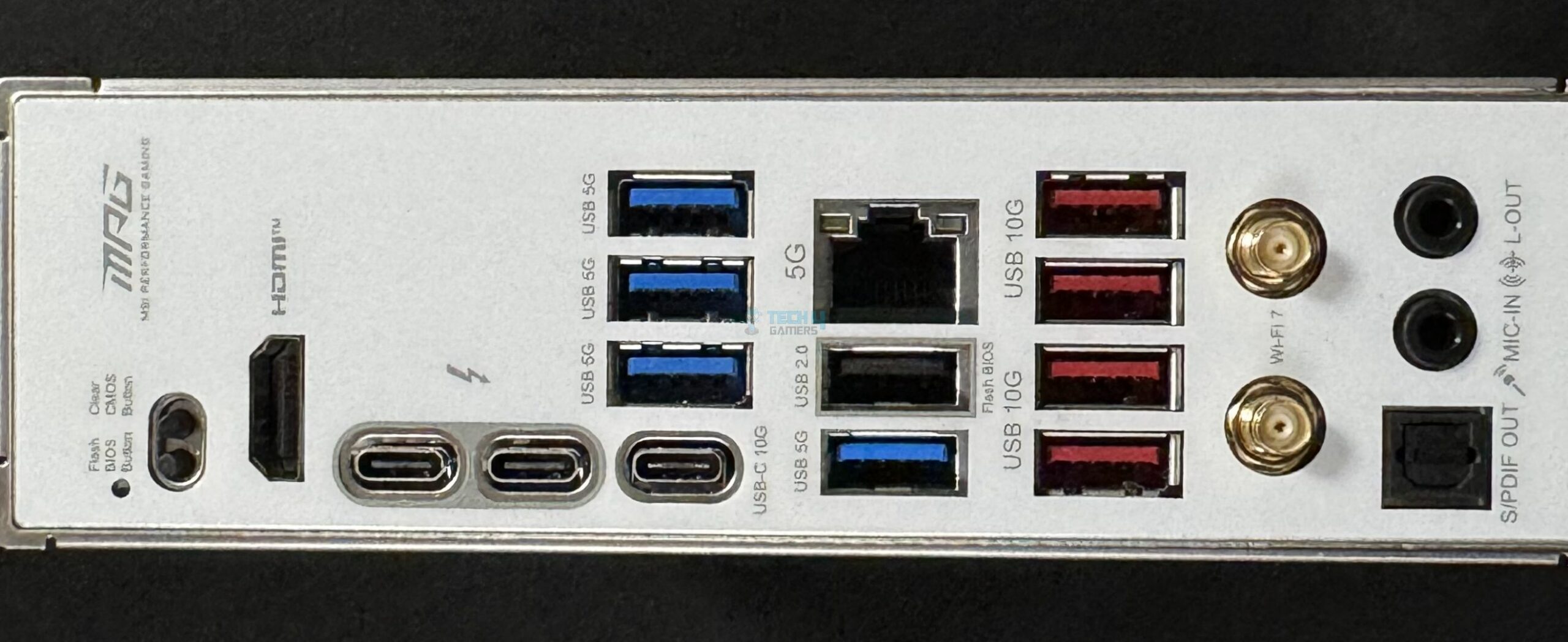
Chipset: Intel Z890 | Memory: DDR5 9200+ (OC) | VRM: 16+1+1+1 | Video Outputs: HDMI 2.1, 2x Type-C DisplayPort (TB4) | RGB Lighting: Yes | Network: WiFi 7, Intel 5G LAN, Bluetooth 5.4 | Storage: 5x M.2, 4x SATA III | USB Ports: 11x Rear (incl. 2x TB4), 7x Front
Read Our MSI MPG Z890 Edge Ti WiFi Motherboard Review
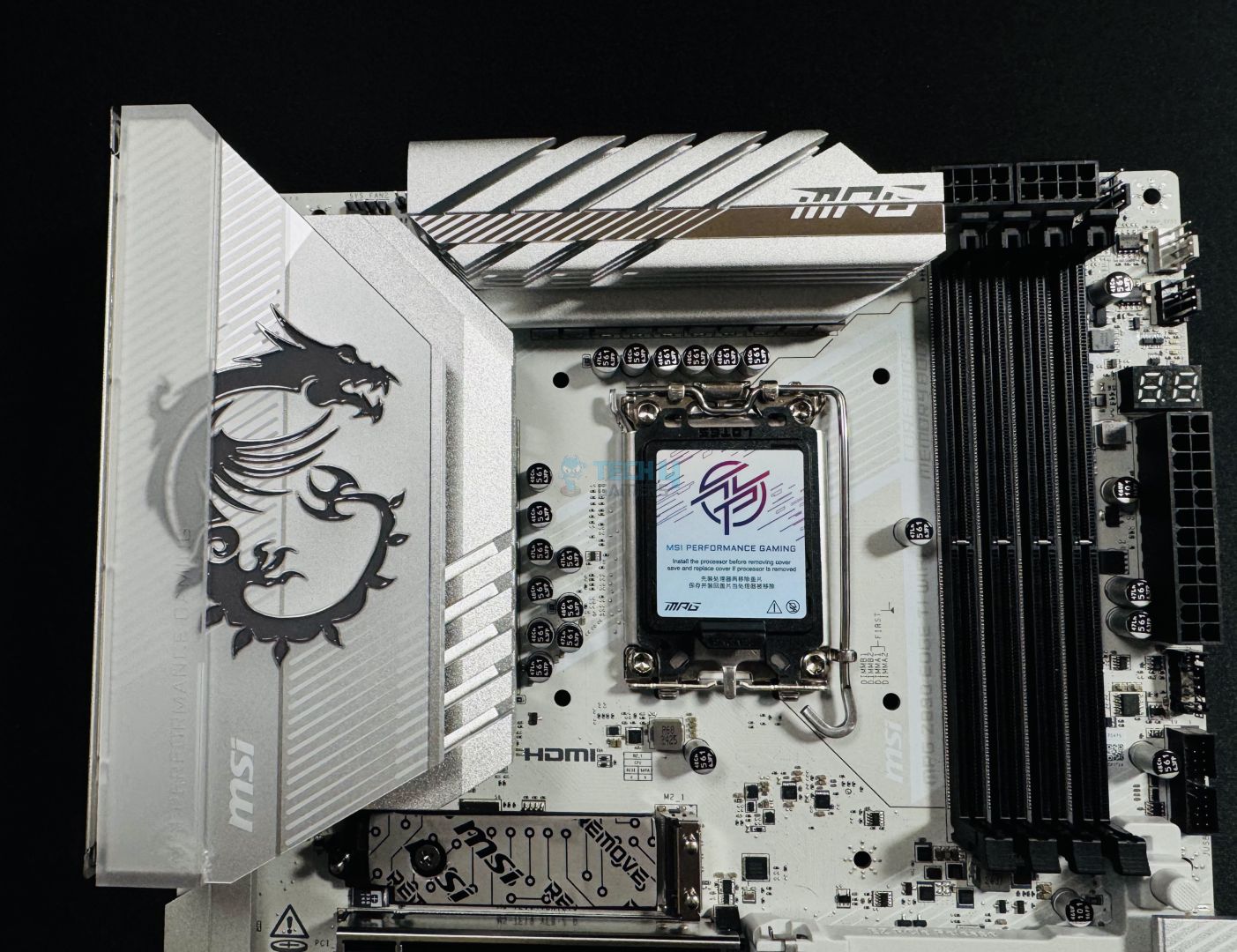
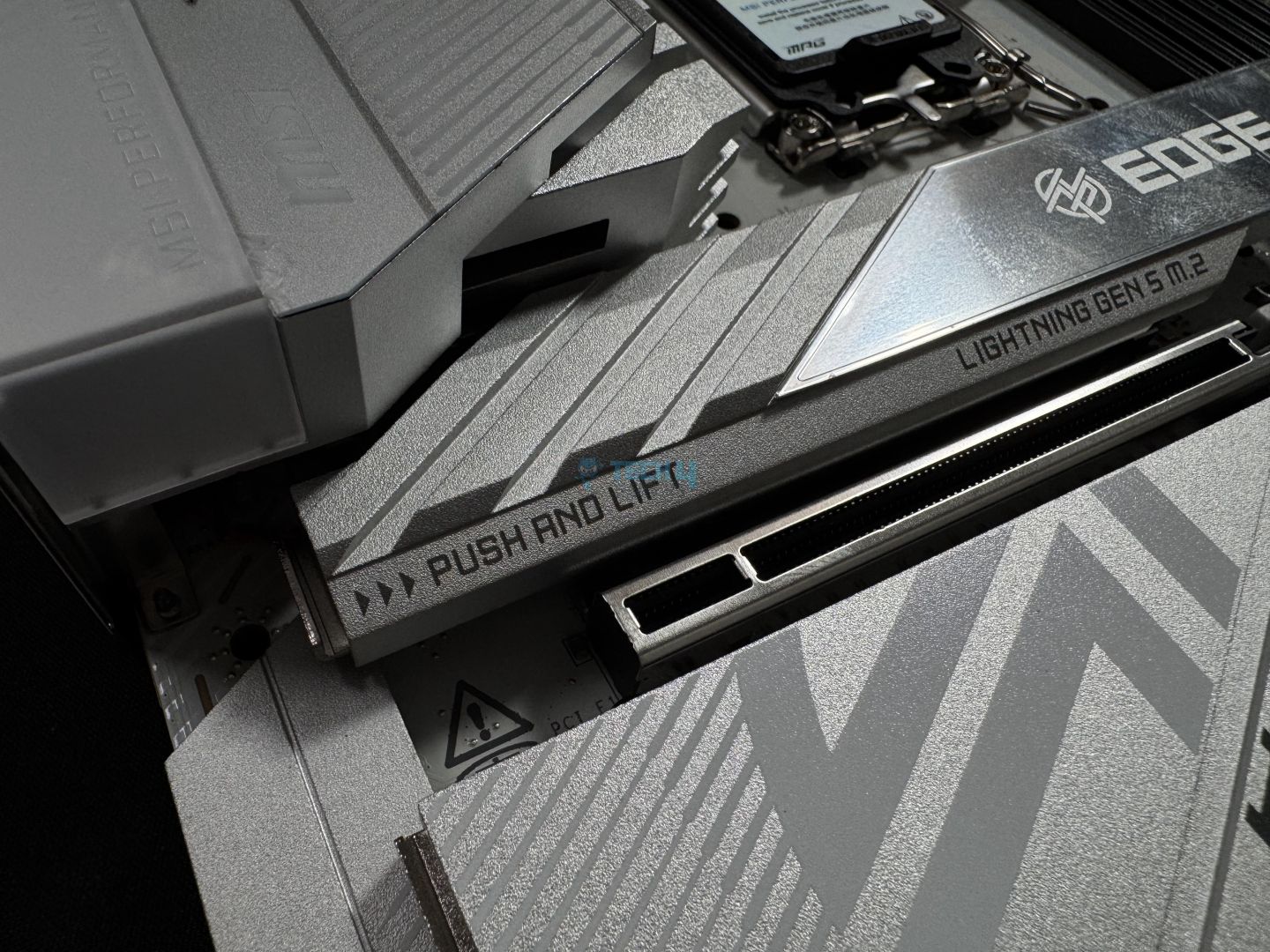
MSI’s Z890 Edge Ti WiFi steals the show with its all-white look and metallic, glossy silver elements across the heatsinks. The large MSI logo is RGB-illuminated and looks brilliant when lit to complete the look. Talking performance, the board uses a 16+1+1+1 design with 16x 90A SPS for the CPU. With 1440A for the CPU and MSI’s solid-pin EPS connectors, you can be assured that your Core Ultra 9 285K will be running at its best. Performance across all our tests, whether CPU rendering or storage speeds, was satisfactory in our tests.
For the features, we have MSI’s EZ-DIY feature set as the highlight again, plus CUDIMM and Thunderbolt 5 support, and the supplemental PCIe power connector stand out. Moving toward storage, the board has 4x 6G SATA connectors and 5x M.2 slots, while memory support is up to DDR5-9200. The package is completed by WiFi 7, 5G LAN, Bluetooth 5.4, 19x USB ports (including 2x TB4), and the Realtek ALC1220P (powered by the Audio Boost 4 setup).
In our review of the MSI MPG Z890 Edge Ti WiFi, we called it a gaming-focused motherboard, saying:
The MSI MPG Z890 Edge Ti WiFi is a $369 gaming-focused board, and it certainly covers everything a gamer might need. That includes a great gaming-focused design with RGB and solid performance with a 16-phase 90A SPS design for CPU power.
✅Buy It If
You want a pleasing design: With its all-white design with silver accents, plus the RGB on the MSI dragon logo, the motherboard looks amazing!
Convenience is important: For users that prioritize convenience, the MPG Z890 Edge Ti WiFi’s EZ PCIe release, M.2 release, 1-to-3 Conn-Connector, front panel cable, and more add plenty of ease.
You need Thunderbolt 5 support: The board has a connector for a Thunderbolt 5 add-on card for users who need the latest high-speed connection.
You plan on installing many devices and fans: With its supplemental 8-pin PCIe connector, the board can provide up to 420W for your fans and peripherals. Of course, you need enough wattage from your PSU for this.
❌Don't Buy It If
Budget is limited: At $369, it definitely falls in the pricier section of Z890 motherboards.
You’re looking for extreme overclocking support: Its modest VRM setup doesn’t allow for much high-end overclocking.
What Makes It The Best White Motherboard For Core Ultra 9 285K?
At a glance, the MPG Z890 Edge Ti WiFi catches the eye with its white-themed design. With it comes a fairly capable VRM setup that is plenty to handle the flagship Arrow Lake CPU. As MSI is focusing on the EZ-DIY design in all its latest motherboards, we also see nearly the full set of features that provide comfort and save time. All the latest I/O is present, along with plenty of room for USB and storage devices. The Thunderbolt 5 connector, CUDIMM support, and extra power connector are topping everything off.
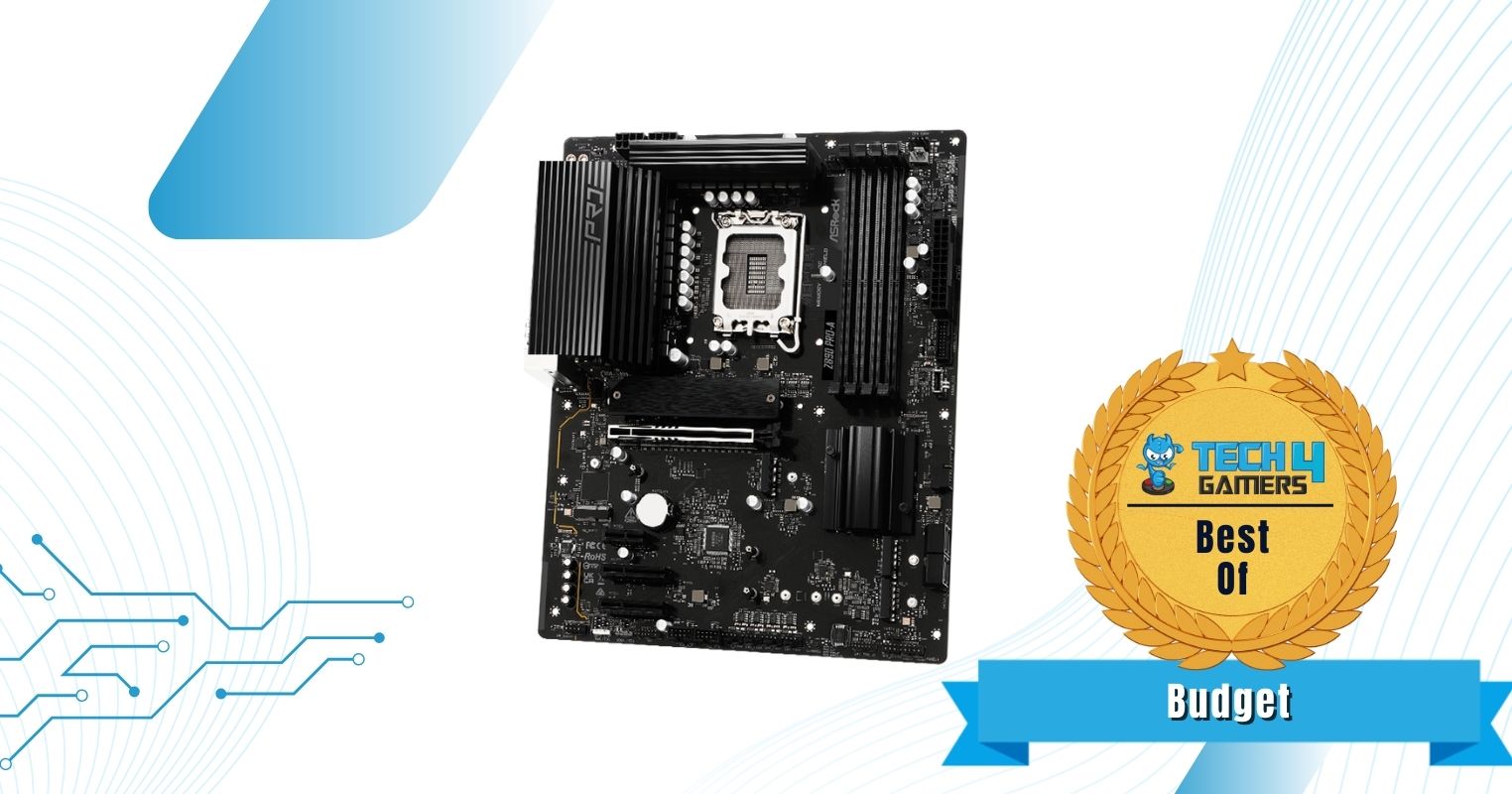
If you’re on a budget but still want capable performance, ASRock has the answer. The Z890 Pro-A has a fairly basic streamlined design that’s not overloaded with heatsinks. You have an all-black PCB and heatsinks (except the M.2 heatsink, which is matte black and has a brushed texture). Powering the board is a 16+1+1+1+1 design, including Dr. MOS stages for VCore and GT, plus 1000µF capacitors. This is plenty to handle the Core Ultra 9 285K, but of course, don’t expect heavy overclocking capabilities.
In the features department, the board doesn’t offer any specialities, but that’s okay, considering it’s one of the cheapest Z890 boards we’ve seen thus far. For I/O, the board offers the basics to get most users a PCIe Gen 5 x16 (steel-reinforced) slot, a Gen 5 M.2 slot, and a Thunderbolt 4 port. Memory support is up to 256 GB (max. speed 9066 MT/s). Connectivity is powered by 2.5G LAN, WiFi 6E, and Bluetooth 5.3. The audio solution (Realtek ALC897) is the letdown for us here, as it’s an outdated chip that can only handle budget headsets at best.
✅Buy It If
You want the latest platform on a budget: For $199, you can upgrade to the latest Arrow Lake platform.
❌Don't Buy It If
You want the latest connectivity: With connectivity limited to WiFi 6E, Bluetooth 5.3, and 2.5G LAN, users who want the best in this department will be let down.
You’re planning on using high-end headphones: Premium audio solutions will struggle on the board’s ALC897 solution.
What Makes It The Best Budget Motherboard For Core Ultra 9 285K?
The ASRock Z890 Pro-A WiFi can handle the Core Ultra 9 285K for as affordable as it gets ($199), thanks to its 16-phase Dr. MOS solution. It covers the basic needs of most gamers, with Gen 5 storage and GPU provisions, plus WiFi 6E and 2.5G LAN. The inclusion of a Thunderbolt 4 port at this price and the overall USB port count (18) are impressive. We can’t say the same for the audio solution, but with three extra expansion slots, you can install a better one.
Performance: 8/10
Value: 8/10
Features: 8/10
Design: 8/10
MSI MEG Z890 ACE Gaming
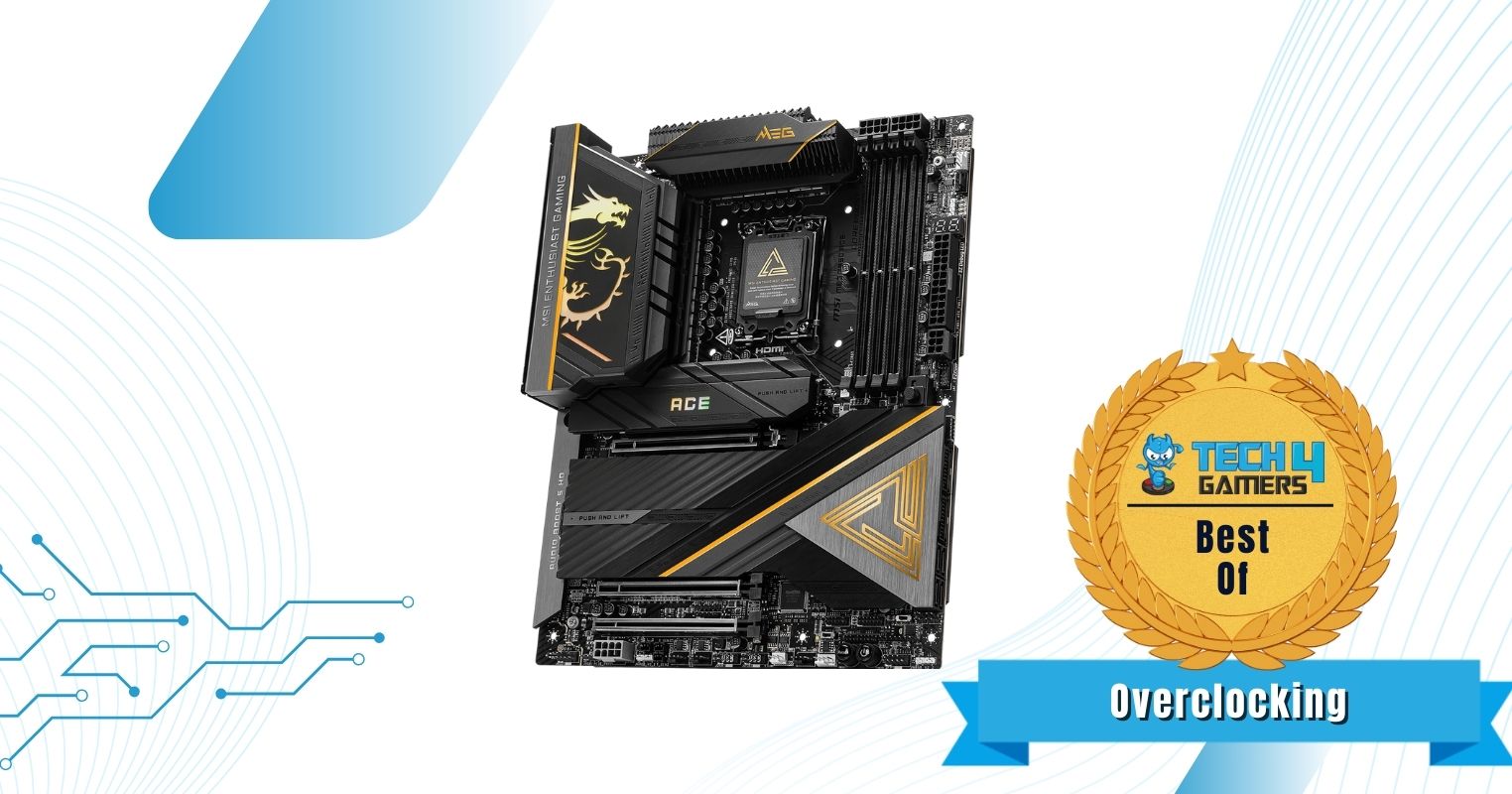
Best Overclocking Motherboard for Core Ultra 9 285K
MSI MEG Z890 ACE Pictures from our review
1 of 4
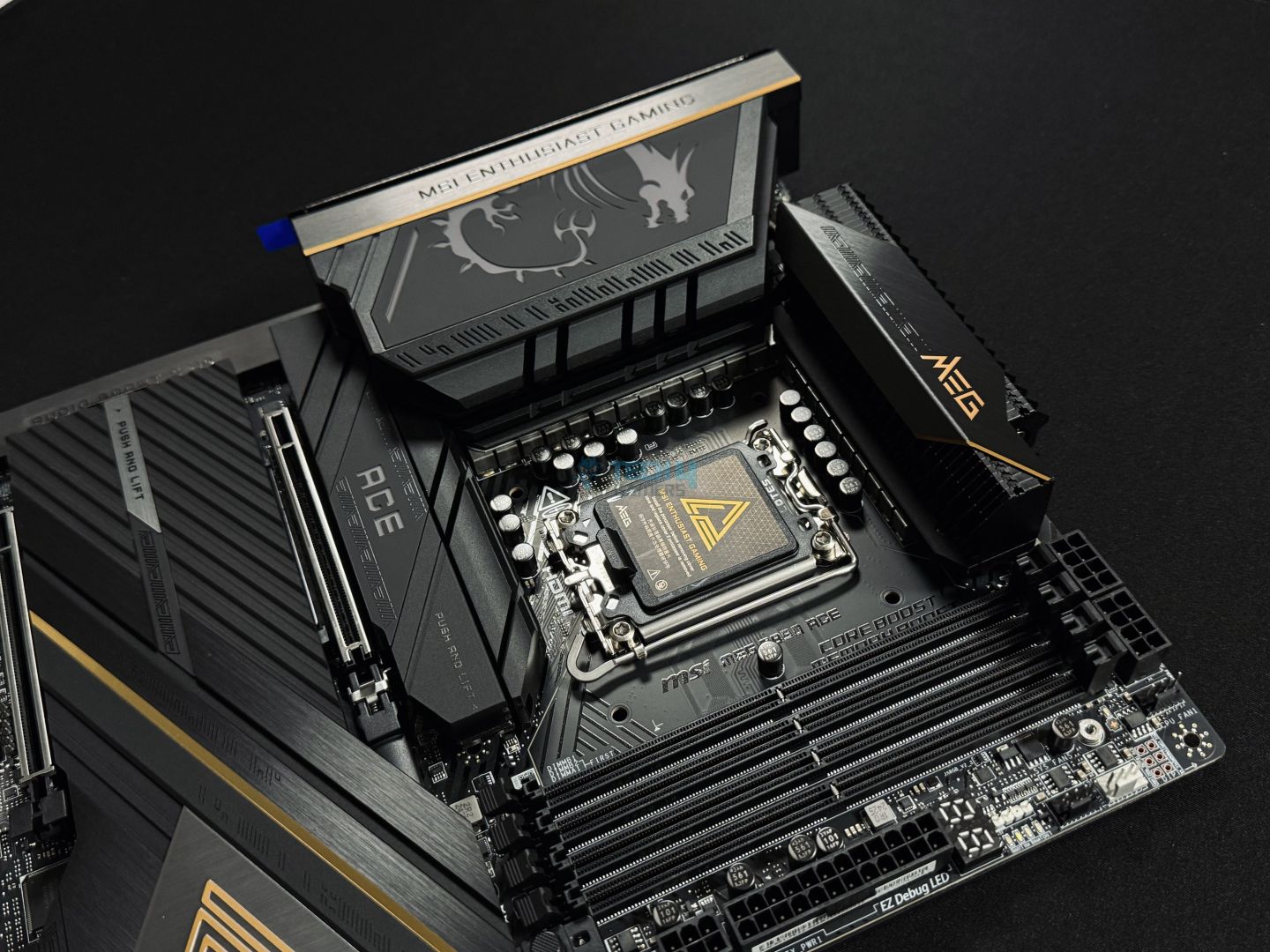
MSI MEG Z890 ACE Gaming
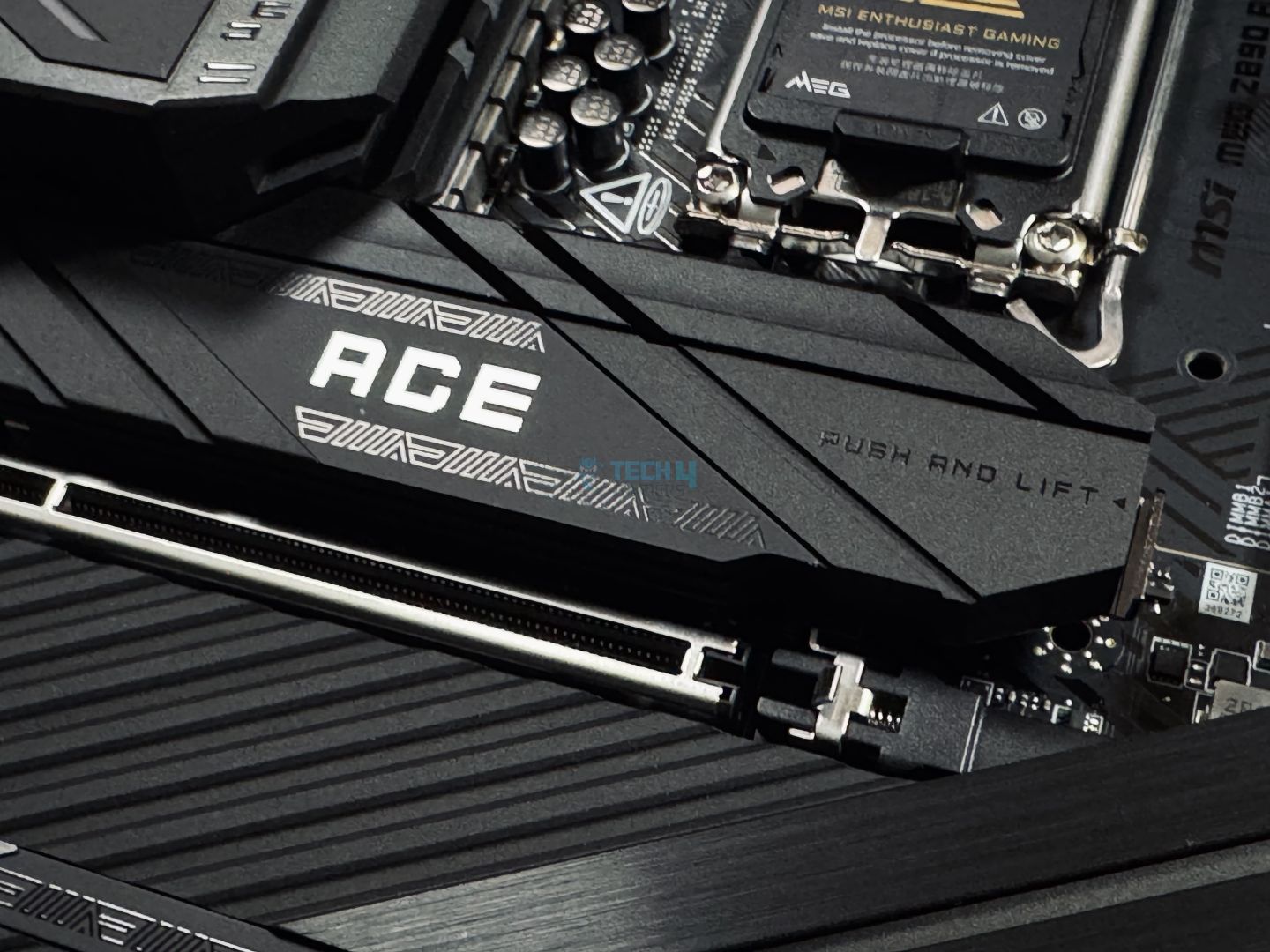
PCIe Slot
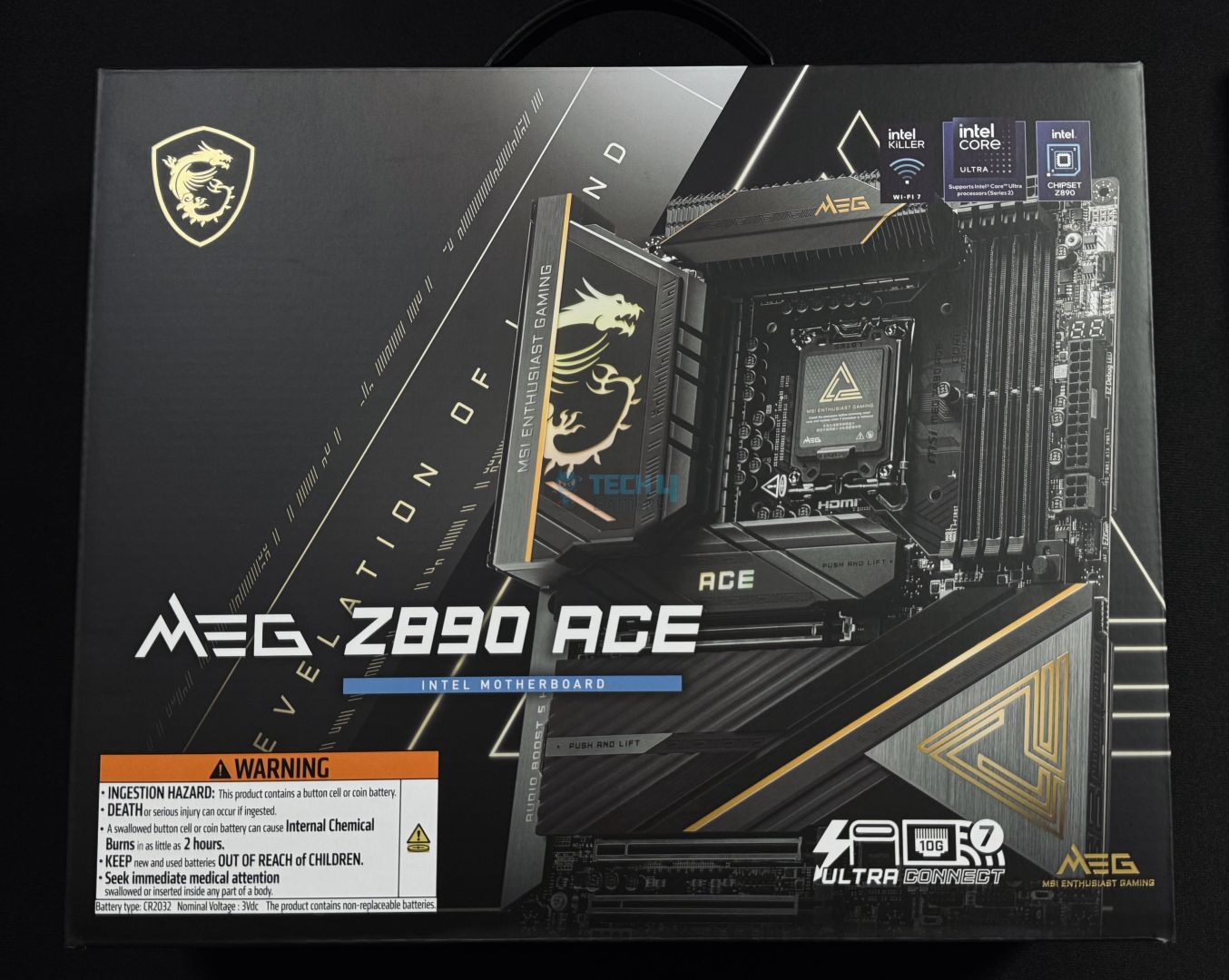
Box Front
Chipset: Intel Z890 | Memory: DDR5 9200+ (OC) | VRM: 24+2+1+1 | Video Outputs: HDMI 2.1, 2x Type-C DisplayPort (TB4) | RGB Lighting: Yes | Network: WiFi 7, Marvell 10G LAN, Bluetooth 5.4 | Storage: 5x M.2, 4x SATA III | USB Ports: 15x Rear (incl. 2x TB4), 9x Front
Pros
Top-class VRM setup and cooling
Impressive memory overclocking support
Up to 2x Gen 5 M.2 slots
24x USB ports (incl. 2x TB4)
Great audio setup (Realtek ALC4080 + ESS DAC)
EZ-DIY goodness
10G LAN
Thunderbolt 5 support
Extra PCIe connectors (for up to 420W total board power + 60W charging)
Read Our MSI MEG Z890 ACE Gaming Motherboard Review
The MSI MEG Z890 ACE is a power package from their “Enthusiast Gaming” lineup, offering top features to fulfil even your most demanding needs. Its design screams premium with a mostly black theme mixed in with silver and gold, and it has two RGB zones to light up your build. On the VRM end, its 24+2+1+1 design includes 24x 110A SPS for CPU, enough to overclock the Core Ultra 9 285K to its limits, as we tested. Its thermal design is top-notch and includes 9W/mK MOSFET pads, dual heat pipes on the front, and additional thermal pads on the backside. This kept the entire setup under 64C during our load testing at stock CPU settings.
It’s got a ton of amazing features, too, including a dedicated “Smart Button” on the back, dual BIOS switch, and all the EZ-DIY hardware and software features. The memory support is up to 9200 MT/s, and MSI promises improved overclocking capabilities, citing collaboration with “leading memory brands” to enable better performance. We have room for 5x M.2 drives (including dual Gen 5 drives), 4x SATA 6G drives, and 24x (!) USB devices (including 13x 10Gbps ports and dual TB4). Connectivity is powered by 10G LAN and WiFi 7, and audio by the Realtek ALC4080 and ESS audio DAC combo.
The MSI MEG Z890 ACE earned an Editor’s Choice award in our review, we summarized it as:
The MSI MEG Z890 ACE motherboard delivers top-tier performance and features, perfect for those who want the best without budget constraints. The motherboard supports high-speed DDR5 memory and PCIe 5.0, with plenty of M.2 and USB ports to meet any demand.
✅Buy It If
You want top-of-the-line performance: Whether it’s CPU or memory overclocking, I/O, connectivity, or audio, the board offers top performance in all departments.
You prioritize convenience: Want a motherboard that’s easy to work with? MSI offers countless hardware and software-based features to make the entire experience a breeze.
Durability is important: The board’s 8-layered PCB, metal backplate, surface-mounted DIMM slots, and steel-reinforced PCIe slots ensure the best durability.
You need Thunderbolt 5 support: The board has a Thunderbolt 5 card connector and is ready to sport the latest protocol.
You want high-speed charging support: Through an extra 6-pin power connector on the board, you can get up to 60W power delivery through the front Type-C connector.
❌Don't Buy It If
You’re limited on budget: The board’s $659 price tag may not suit some (or many) users.
You don’t need the high-end performance/features: If CPU overclocking is not your thing and/or you don’t need all the premium features and I/O, you can save a significant sum on a cheaper motherboard.
What Makes It The Best Overclocking Motherboard For Core Ultra 9 285K?
The MSI MEG Z890 ACE ticks every box, starting with high-end overclocking capabilities. This is enabled by its 24-phase 110A stages for the CPU and top-class VRM cooling setup. It looks and feels premium with a black plus golden design and an 8-layered PCB strengthened by a metal black pate. Furthermore, it offers endless convenience with EZ-DIY features and software. Topping everything off is the high-end I/O and connectivity, impressive memory overclocking capabilities, and much more!
Performance: 10/10
Value: 8.5/10
Features: 10/10
Design: 9/10
Benchmarks Of Our Recommended Motherboards
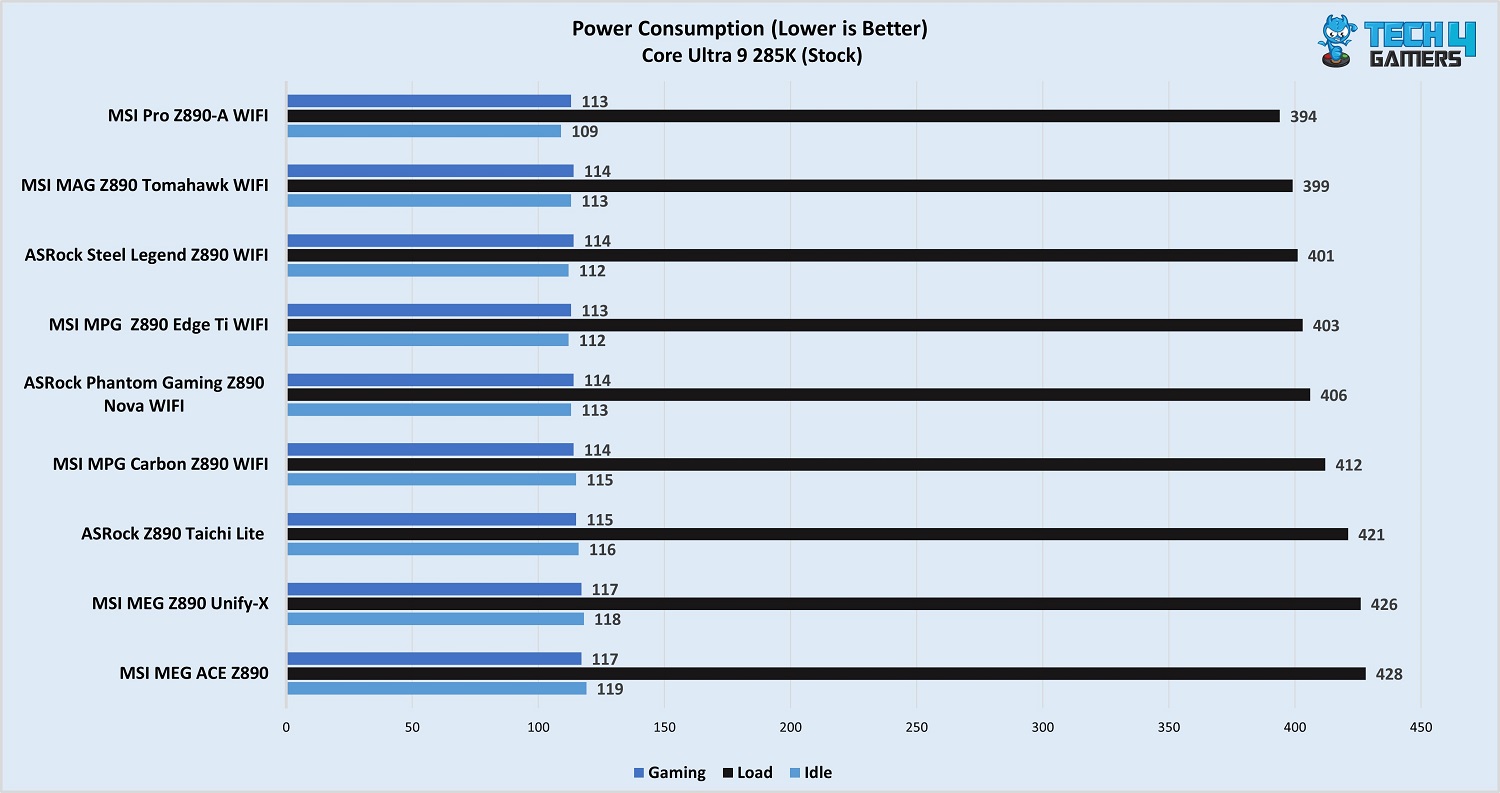
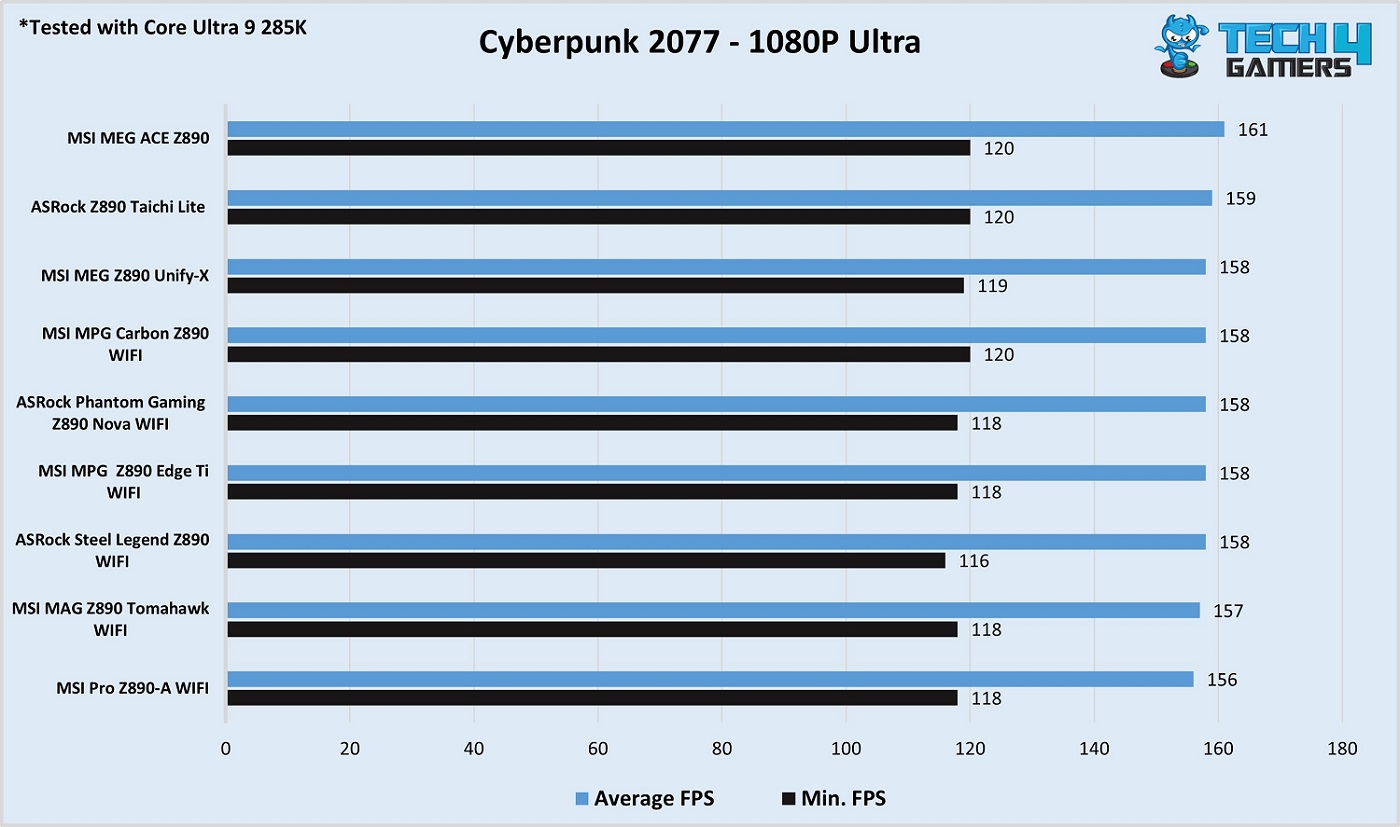
These are the benchmarks of some of the Z890 motherboards that I considered for my recommendation:
Test Results Of Z890 Motherboards
1 of 5
Cinebench Results
Power Consumption Results
VRM Temperatures
Cyberpunk 2077
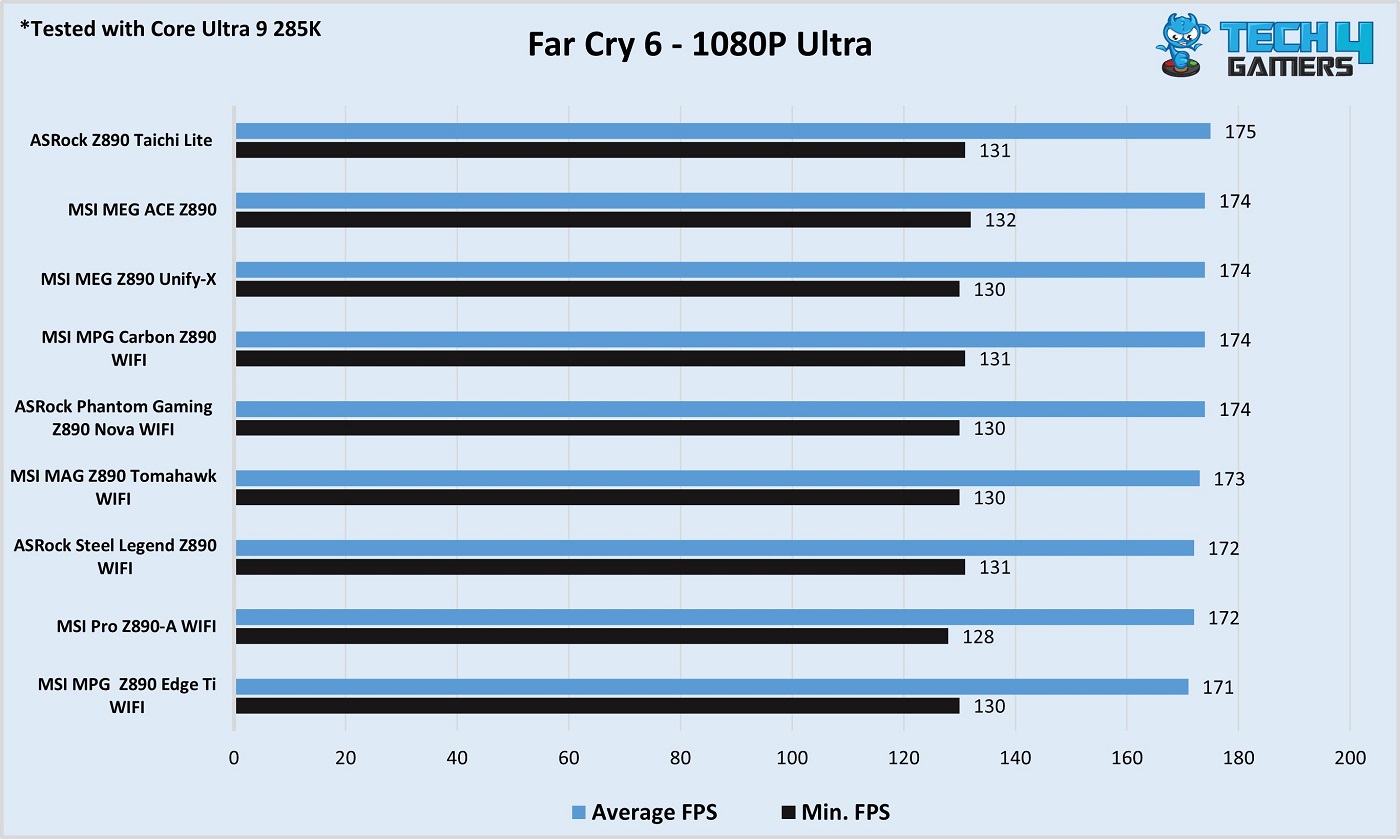
Far Cry 6
Specifications Comparison
Here are the motherboards compared in pure numbers:
Product
Total VRM phases
Maximum memory speed (OC)
M.2 slots
SATA ports
USB ports (Front)
USB ports (Rear)
MSI MAG Z890 Tomahawk WiFi
19
9200
4
4
7
10
ASRock Z890 Nova WiFi
25
9600
9
4
9
8
MSI MPG Z890 Edge Ti WiFi
19
9200
5
4
7
11
ASRock Z890 Pro-A WiFi
20
9066
4
4
9
9
MSI MPG Z890 ACE Gaming
28
9200
5
4
9
15
Motherboards That Just Missed The List
We pick the products very carefully. Some tend to miss by narrow margins, and these two fall into that category:
ASUS Rog Z890-A GAMING WiFi: The board looks great and performed well in our tests; however, we were disappointed with the VRM setup and the presence of only a 2.5G LAN port at the high price tag.
Gigabyte Z890 Eagle WiFi 7: We loved what this motherboard offered at such a modest price; but, the WiFi module provided does not support the 320 MHz channel on WiFi 7, so we had to filter this option out.
Key Motherboard Terms To Know
Here are the terms to be familiar with:
VRMs: Voltage Regulator Modules (VRMs) convert the PSU’s 12-volt supply to a low-voltage, clean supply for your CPU, RAM, and other components. Generally, the higher the number of VRM phases, the better.
Chipset: The chipset manages communication between your PC’s vital components, including the CPU and RAM. It also provides many of your system’s PCIe lanes to power your storage, expansion devices, and peripherals. The Z890 is Intel’s flagship chipset, offering the highest number of PCIe lanes and the best connectivity.
I/O: Input/Output refers to the input and output connectivity a motherboard supports. When we say that a motherboard offers impressive I/O connectivity, it generally means it has an impressive number of storage slots, PCIe lanes, and/or high-speed USB ports.
EZ-DIY: EZ-DIY (Do It Yourself), or just EZ, refers to a design with the most straightforward functionality so that even a newbie finds it simple to work with. Examples of EZ-DIY designs on motherboards include EZ PCIe release and EZ M.2 release (screwless) designs.
DIMM slots: The DIMM slots (or memory slots) are the physical connectors that hold your system memory (RAM) in place on the motherboard, allowing it to contact the CPU.
How We Tested And Picked These Motherboards
As usual, we considered a variety of factors before picking each board:
CPU Overclocking and VRM cooling: The performance consideration for a motherboard is based mostly on its VRM design, including the total number of phases and current available to the CPU VCore. We also consider whether or not doublers/duet-rail designs are being used (this is not preferable but is often more common in budget-oriented boards). Furthermore, we test the VRM temperatures for each board under load to ensure that the cooling design stands up to the task.
Aesthetics: Aesthetics are usually an important consideration for most users, so the same goes for us. We analyze the motherboard’s heatsink designs and themes and consider whether or not RGB is present. Nonetheless, we understand that looks are subjective, and so, of course, the final decision in that regard is up to you!
Features: Boards that offer extra features are always a positive for us, whether they are “EZ PCIe release” mechanisms or software-related overclocking features. MSI’s Z890 motherboards are a great example of how to please reviewers and consumers with convenient features, and that’s one of the reasons three of our picks are from MSI.
Value for money: We make sure to analyze whether or not the above-mentioned features provide enough bang for the buck and compare the value proposition across multiple boards.
FAQs
Can I use a Z790 motherboard for the Core Ultra 9 285K?
No. 600 and 700-series chipset motherboards are not supported, as the Core Ultra 9 285K is based on a new socket design.
Is a cheap Z890 motherboard enough for the Core Ultra 9 285K, or do I need to look for a mid-range/high-end motherboard?
An affordable Z890 board, like our pick in this guide, is plenty for the Core Ultra 9 285K. You should only opt for a more expensive board if you need better overclocking capabilities or high-end features.
Can I use DDR4 memory with the Core Ultra 9 285K?
No. The Core Ultra 9 285K (and all other Intel 15th-gen CPUs) support only DDR5 memory.
Is the Core Ultra 9 285K worth it?
The Core Ultra 9 285K is a great choice for multi-threaded tasks, but the same can’t be said for its gaming performance.
As the CPU Cooler and RAM Expert, I test the latest hardware to provide tips for smart purchases. I cover everything from busting myths about CPU coolers to looking into the newest RAM designs, examining various parts of PC hardware.
Awais Khan
At Tech4Gamers, I proudly hold the role of a Hardware Reviewer. Here, I leverage my expertise to provide readers with in-depth insights into PC hardware, ensuring they have the information needed to make informed decisions.
The Intel Core i9-13900K is no doubt a mighty CPU, boasting 24 cores and a max turbo frequency of 5.80GHz; the processor leaves almost every other competition in the dust. With such an insane performance, its max turbo power is rated at 253W, which means you’re going to need a top-tier CPU cooler to prevent this beast from thermal throttling. That’s why we have tested and rounded up the best CPU coolers for i9-13900K.
Why Trust Tech4Gamers
Awais Khan is our hardware expert who has been testing graphics cards, RAM, coolers, and processors for years.
80+ coolers tested and reviewed by our team of hardware experts (Tech4Gamers Team).
900+ hours spent testing different CPU coolers for our reviews.
At Tech4Gamers, ensuring you get reliable information is our priority. That’s why every hardware round-up undergoes a meticulous review process by our team of experts and editors. Each review is carefully examined against our strict editorial guidelines, guaranteeing you trustworthy insights you can depend on.
Cooler
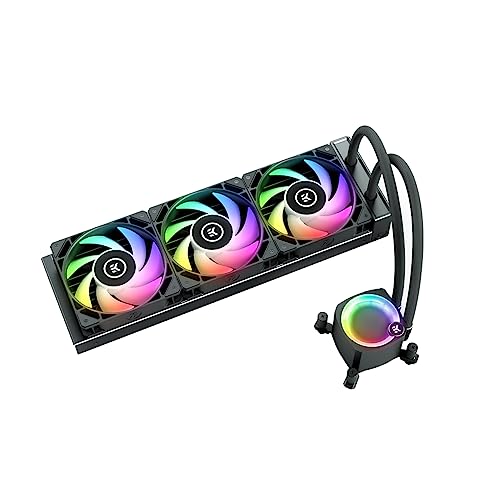
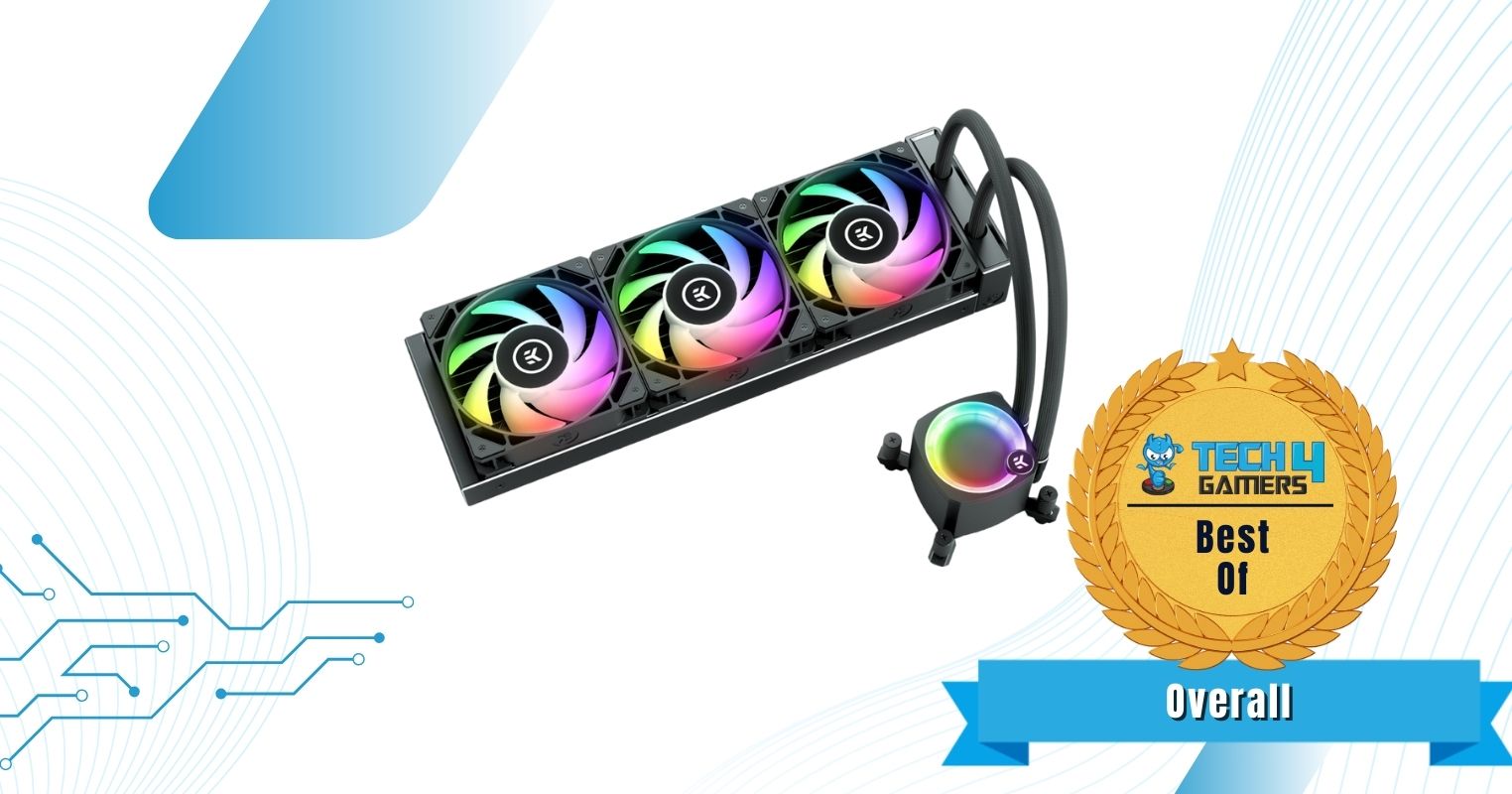
EK Nucleus AIO CR360 Lux D-RGB
Enermax Aquafusion ADV 360 A-RGB
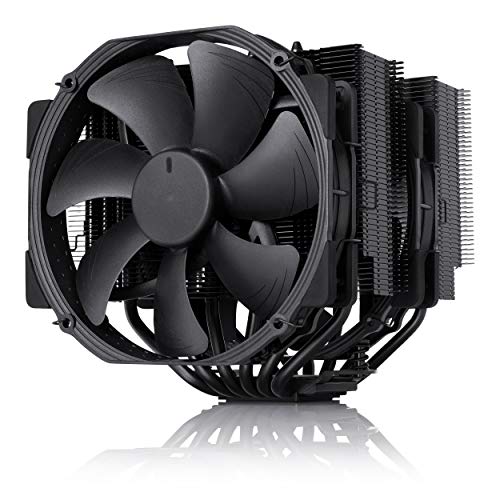
Noctua NH-D15 chromax.Black
CORSAIR iCUE H150i ELITE LCD XT
be quiet! Light Loop
How It Looks
Award
Best Overall CPU Cooler For Core i9-13900K
Best Budget CPU Cooler For Core i9-13900K
Best Air Cooler For i9-13900K
Best 360mm CPU Cooler For i9-13900K
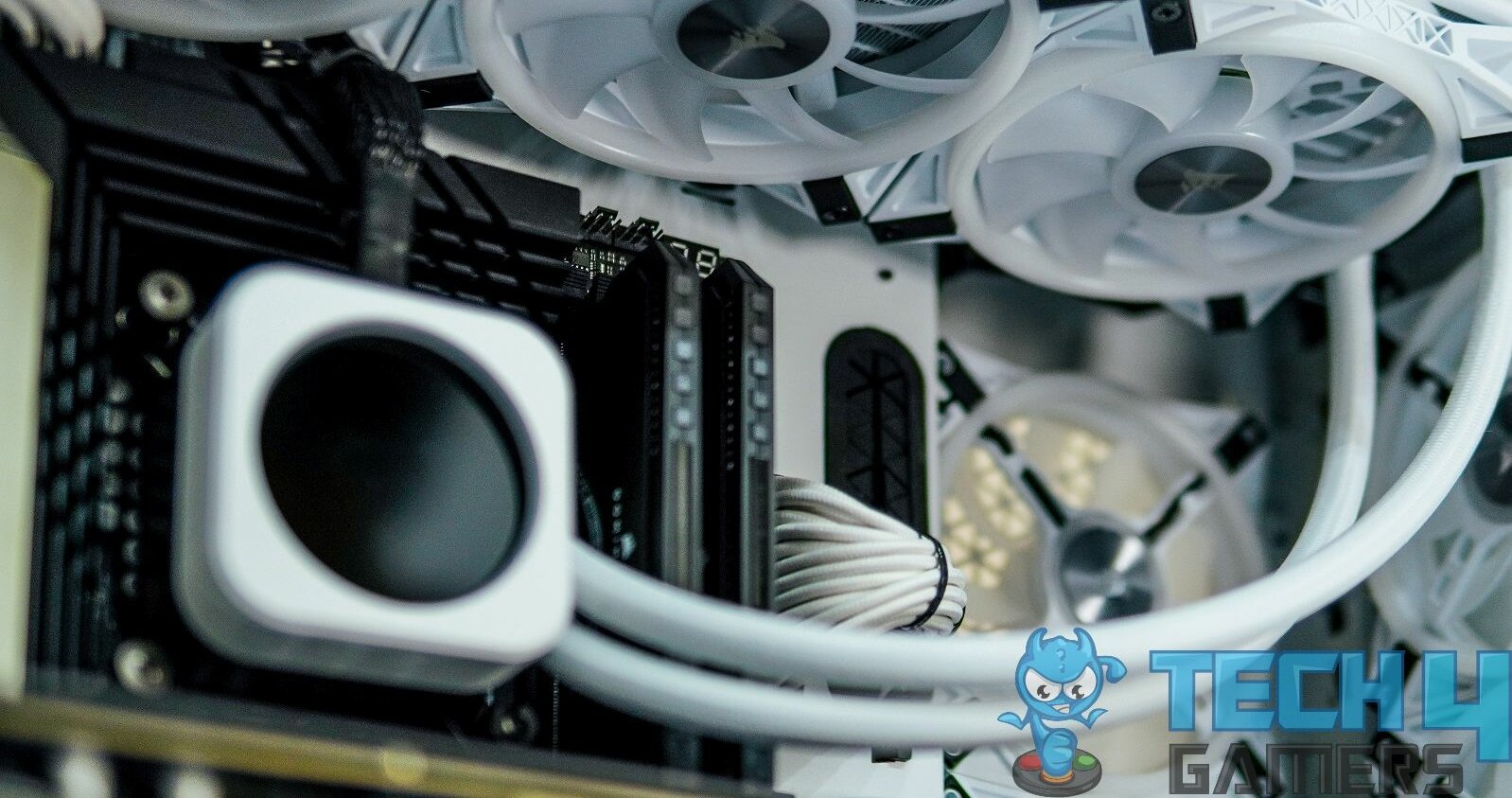
Best White CPU Cooler For i9-13900K
Things We Liked
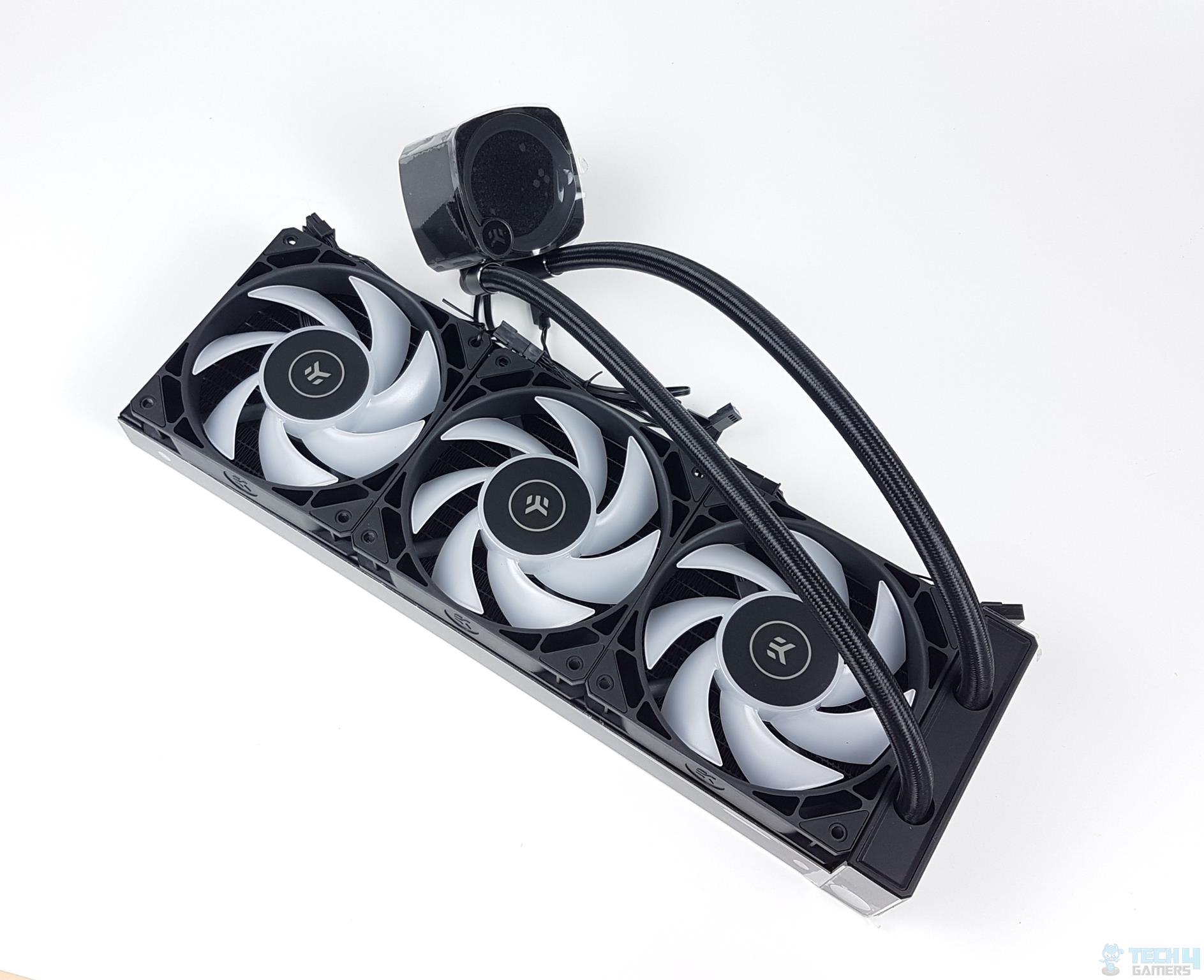
Excellent cooling performance, Pump lid is rotatable, New EK-FPT 120 RGB Fans
December 14, 2024: After testing the EK-Nucleus AIO CR360 LUX D-RGB and the be quiet! Light Loop 360 White, I have updated by listings with these coolers as they offer excellent performance for the i9-13900K.
Read Our EK-Nucleus CR360 AIO Review
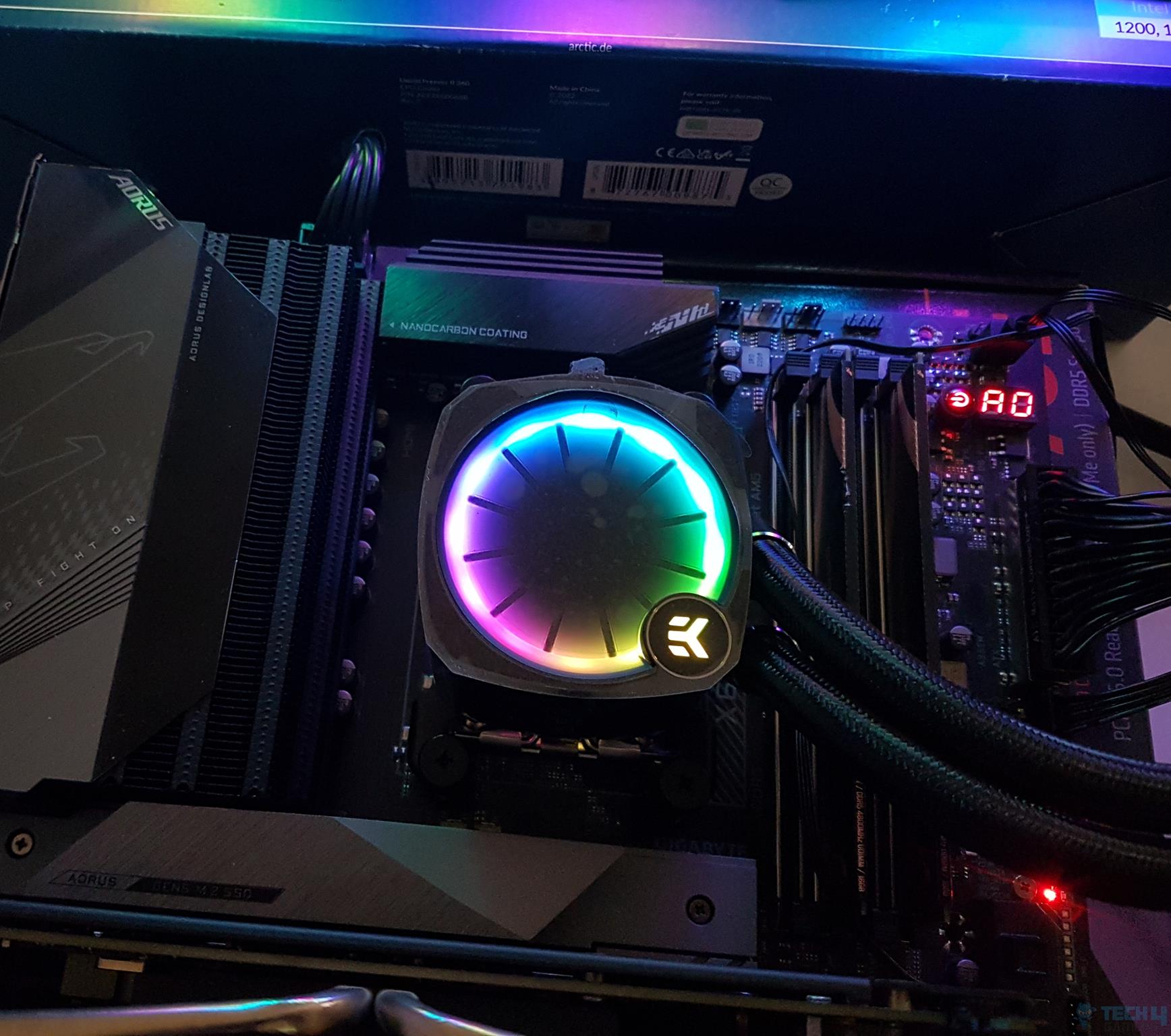
The Nucleus CR360 LUX D-RGB is a brilliant-looking liquid cooling solution from EK that makes great use of RGB aesthetics and top-notch performance to offer a decent competitive advantage. It comes with the EK-FPT 120 RGB fans that spin between 550 and 2300 RPM and stay relatively silent with stock settings. Moreover, with the improved radiator design and new fans, the cooler delivers stellar cooling performance in our testing. While the acoustics are good out of the box, they can be a little noisy, with noise levels reaching up to 55dAB(A) at full speed.
Besides the performance, we also like its EK-OmniLink feature, which allows you to minimize cable clutter by connecting the fans in a daisy-chain configuration. Not only this, but the pump is quite likable as its lid is removable & rotatable for customization purposes. Despite that, one thing that bugs me about it is its pricing, which is quite steep at $200, however, when we consider its 5-year warranty, it becomes somewhat justifiable. Overall, the AIO is a good option if the budget isn’t a problem.
This is what I said about the EK-Nulceus CR360 AIO in my review:
EK Water Blocks is back in business with its new generation of liquid coolers in the AIO category. Meet the EK-Nucleus AIO CR360 LUX D-RGB cooler, which is quite innovative from its design. It packs a solid performance punch that the competition has to manage. The digital RGB lighting is quite brilliant. We have everything to love about this cooler, albeit a bit high price tag.
✅Buy It If
You prioritize cooling performance: The EK-Nucleus AIO CR360 LUX D-RGB without a doubt offers exceptionally great thermal performance even with high-end CPUs.
You want longer warranty coverage: If you want a relatively longer warranty on your products, then this AIO is for you, as it comes with a 5+1-year official warranty.
You want minimum cable clutter: The AIO is compatible with the EK-OmniLink feature, meaning you can connect fans and pump in a daisy-chain config to avoid cable clutter.
❌Don't Buy It If
Your budget isn’t very high: The AIO can prove to be out of range for many at $200 MSRP, so if you’re short on budget, you can consider its non-RGB variant for better affordability.
What Makes It The Best Overall CPU Cooler for i9 13900K?
This EK Nucleus CR360 LUX D-RGB is an excellent liquid cooler that has all the necessary features. Ranging from eye-catching looks to stunning performance and unique features such as an extended warranty, it’s got everything and I can definitely call it the Best Overall CPU Cooler for the i9 13900K.
Performance: 10/10
Value: 8.5/10
Design: 9/10
Quality: 9.5/10
Enermax Aquafusion ADV 360 A-RGB
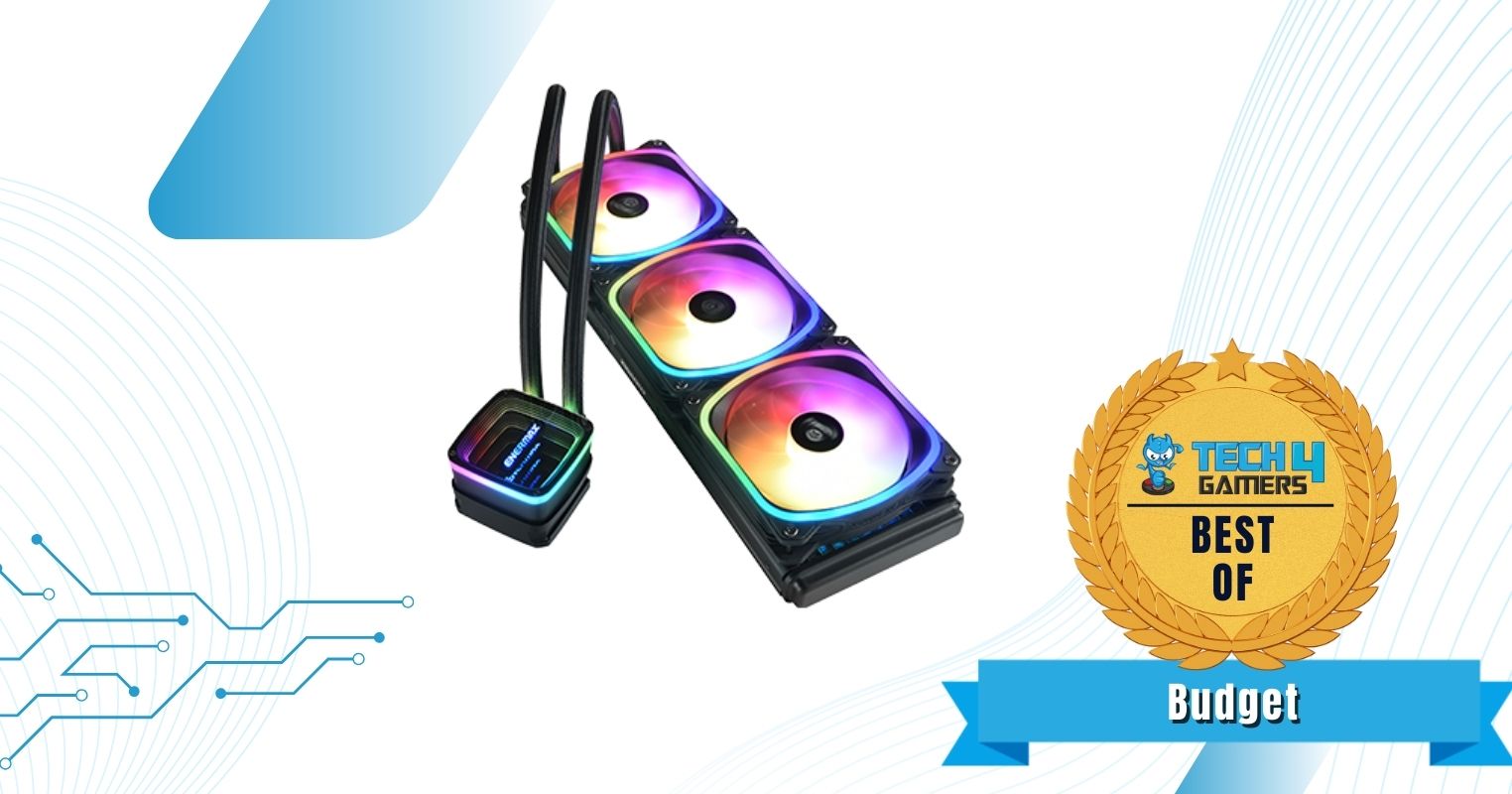
Best Budget CPU Cooler For Core i9-13900K
Enermax Aquafusion ADV 360 A-RGB Pictures From Our Review
1 of 4
Enermax Aquafusion ADV 360 A-RGB
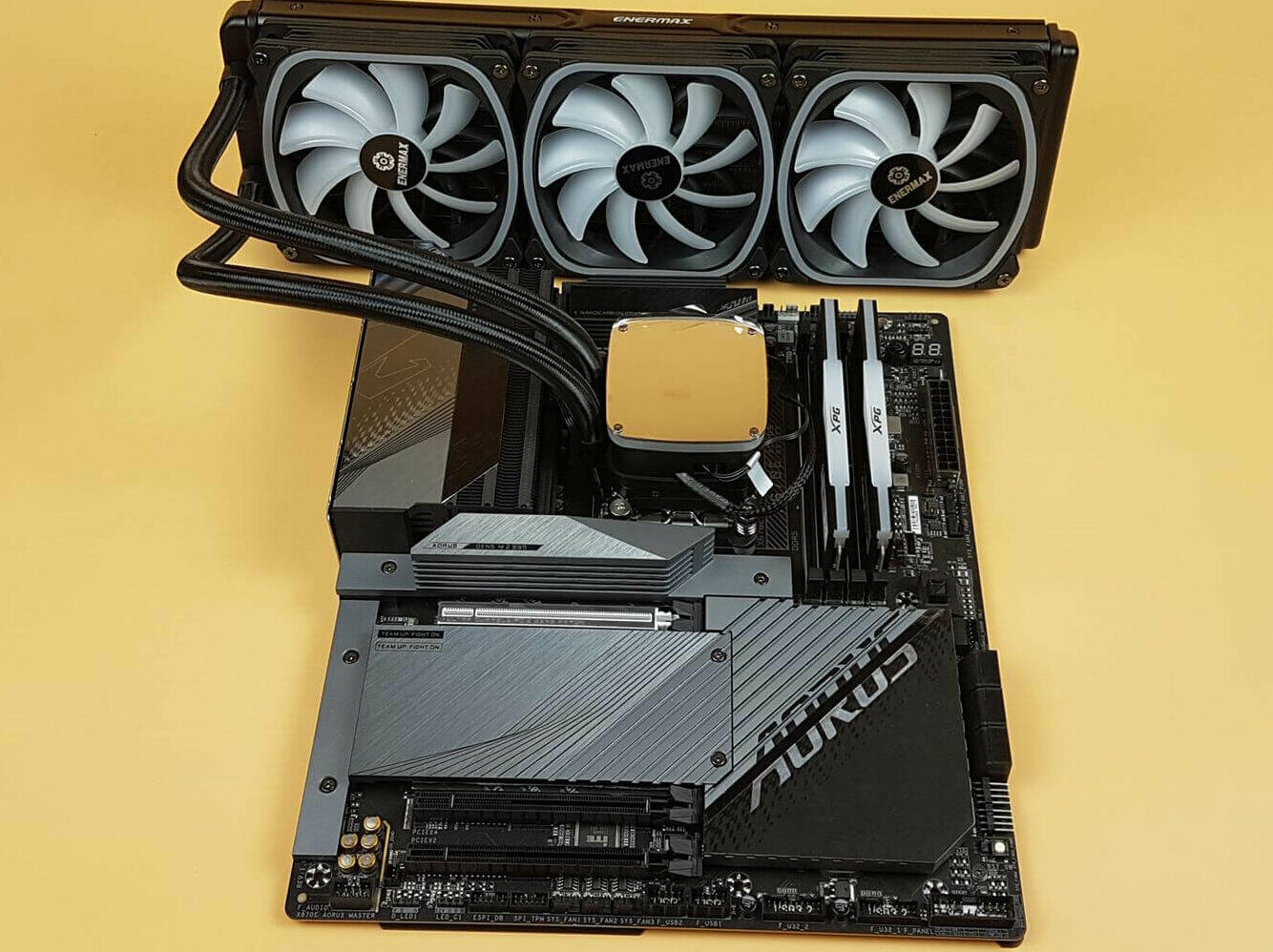
Enermax Aquafusion ADV 360mm AIO Installed (Image By Tech4Gamers)
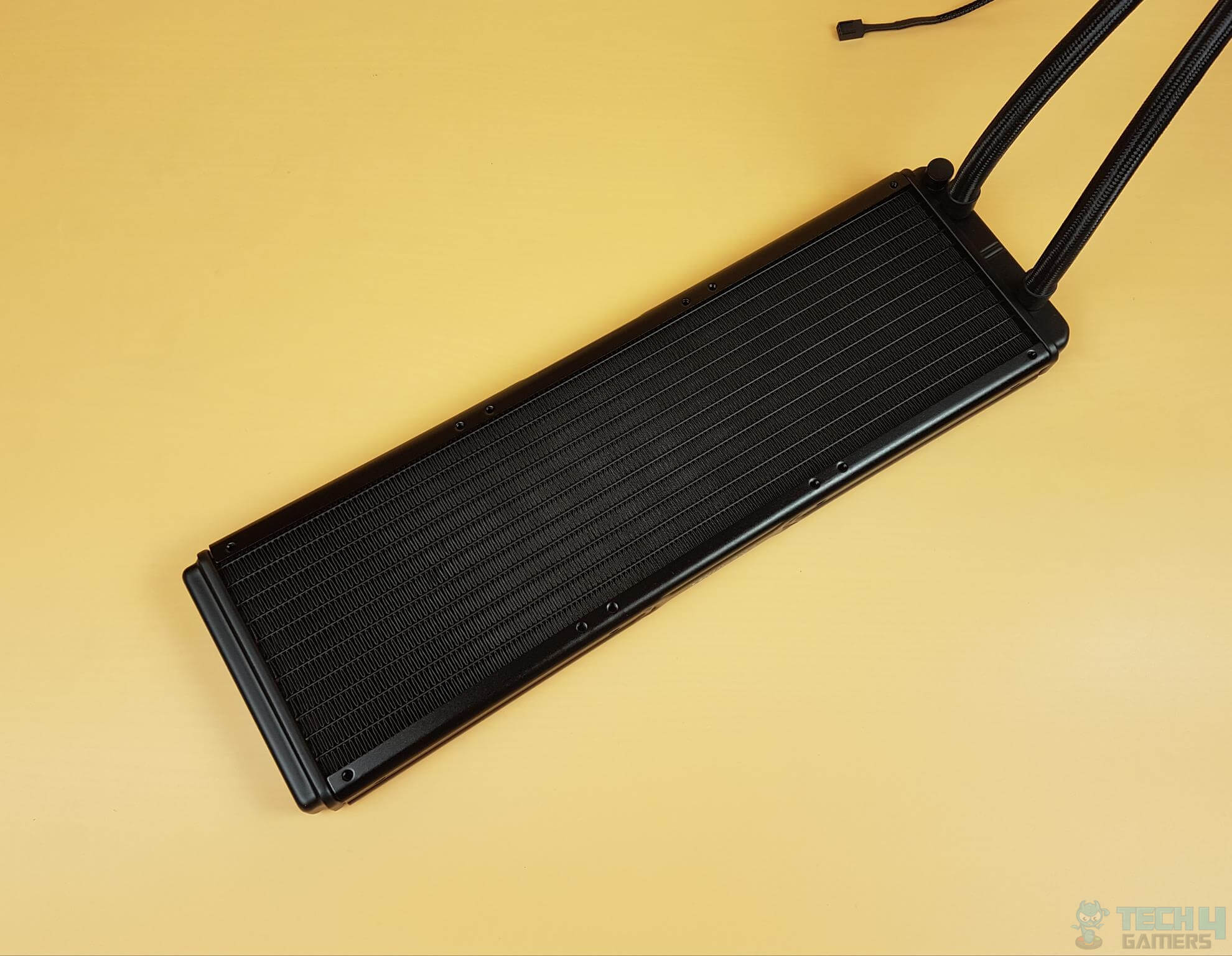
Enermax Aquafusion ADV 360 A-RGB Radiator (Image By Tech4Gamers)
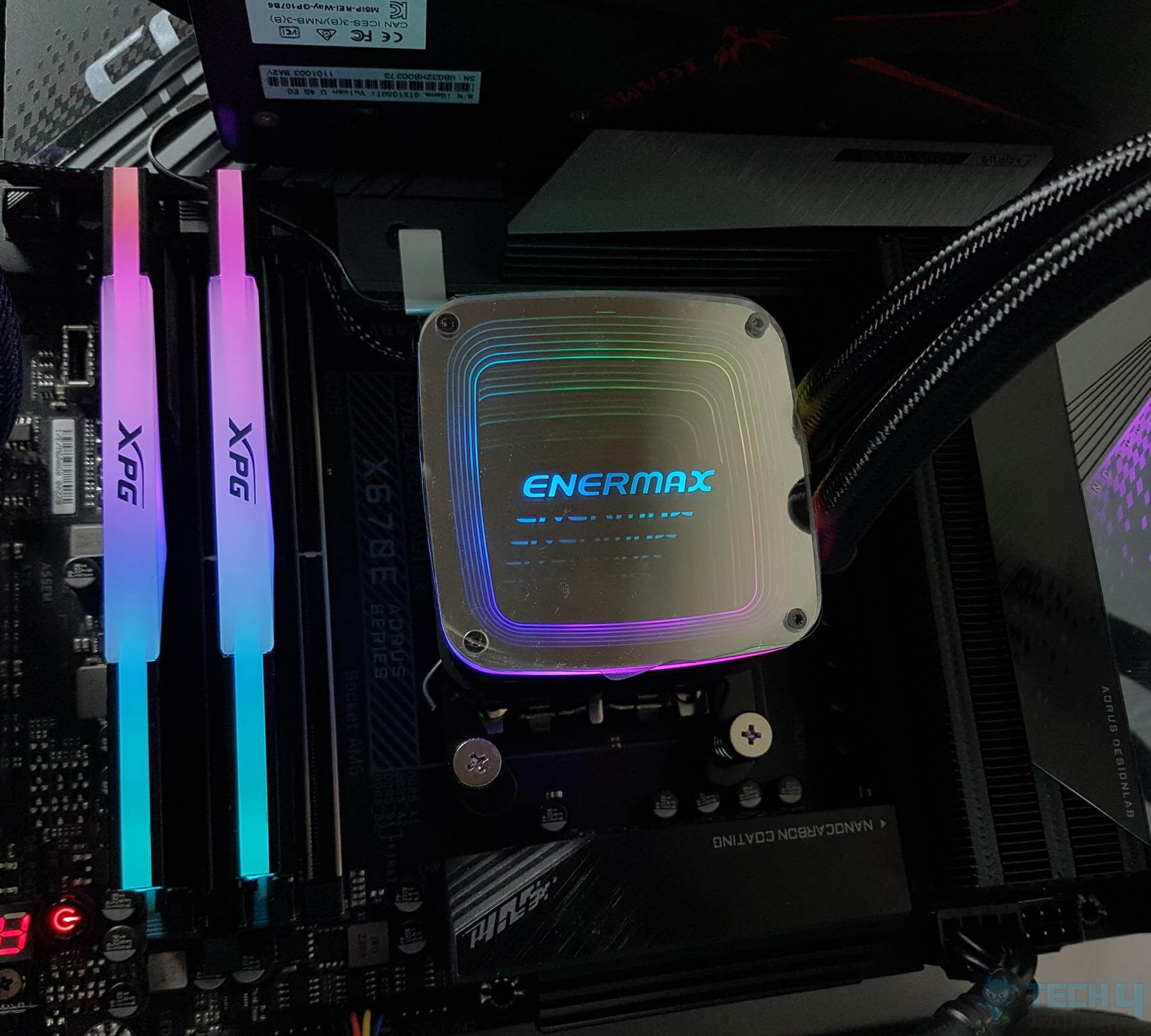
Enermax Aquafusion ADV 360 A-RGB Block (Image By Tech4Gamers)
Specifications = Fans: 3x SquA RGB ADV Fans | Fan Speed: 500-2000 RPM | Noise: 15~32.6 dBA |Dimensions: 394 x 120 x 27 mm | Socket Compatibility: Intel LGA 1700/1200/115x/2066/2011/2011-3/1366, AMD AM5/AM4/AM3+/FM2+/FM1 |RGB Fans: Yes
Read Our Enermax Aquafusion ADV 360 A-RGB Review
You get 3x SquA RGB ADV high-static pressure fans with RPM speeds of 500 — 2,000. Based on our dedicated testing, this AIO cooler provides decent cooling performance while keeping its performance per dollar in check. The radiator is made of high-quality aluminum, possessing a dense core for better heat dissipation. During my testing, I couldn’t find any workmanship or paint defects on the radiator, fans, or pump. With this cooler, you should easily get a few years of reliable cooling without needing another upgrade.
Focusing on aesthetics, the Enermax Aquafusion ADV 360mm A-RGB features an infinity mirror design with RGB lights surrounding it. This way, you get infinite RGB reflections on the pump, which is simply beautiful.
This is how Nauman Siddique, our CPU cooler expert, said about the Enermax Aquafusion ADV in his in-depth review:
ENERMAX is providing a comprehensive performance-packed and feature-rich cooling solution at pocket-friendly pricing with a generous 5-year warranty. Performance and digital lighting are two hallmarks of this cooler, and compatibility with Intel LGA1700 and AMD AM5 sockets. This unit comes recommended by us, though keep an ear out for fan noise!
PRO TIP: Ensure you have enough space in your case to fit a 360mm radiator at the front or top of the chassis.
✅Buy It If
You have a tight budget: The most significant advantage of the Enermax Aquafusion ADV 360mm AIO is its performance per dollar value. Thus, if you’re on a tight budget, the cooler is a perfect fit for the Intel Core i9-13900K processor.
❌Don't Buy It If
You want quiet fans: Unfortunately, during my testing, the cooler fans were pretty loud, and I could hear lots of buzzing. If you want a quiet environment to work, I don’t recommend purchasing the Enermax Aquafusion ADV 360mm AIO cooler.
What Makes It The Best Budget CPU Cooler For i9-13900K?
All things considered, if you’re after a budget-friendly yet high-performance AIO, then the Enermax Aquafusion ADV 360 A-RGB is perfect for you. Its radiator, fans, pump, and everything is aimed for exceptional thermal performance, and considering its pricing, it is definitely the Best Budget CPU Cooler For Core i9-13900K.
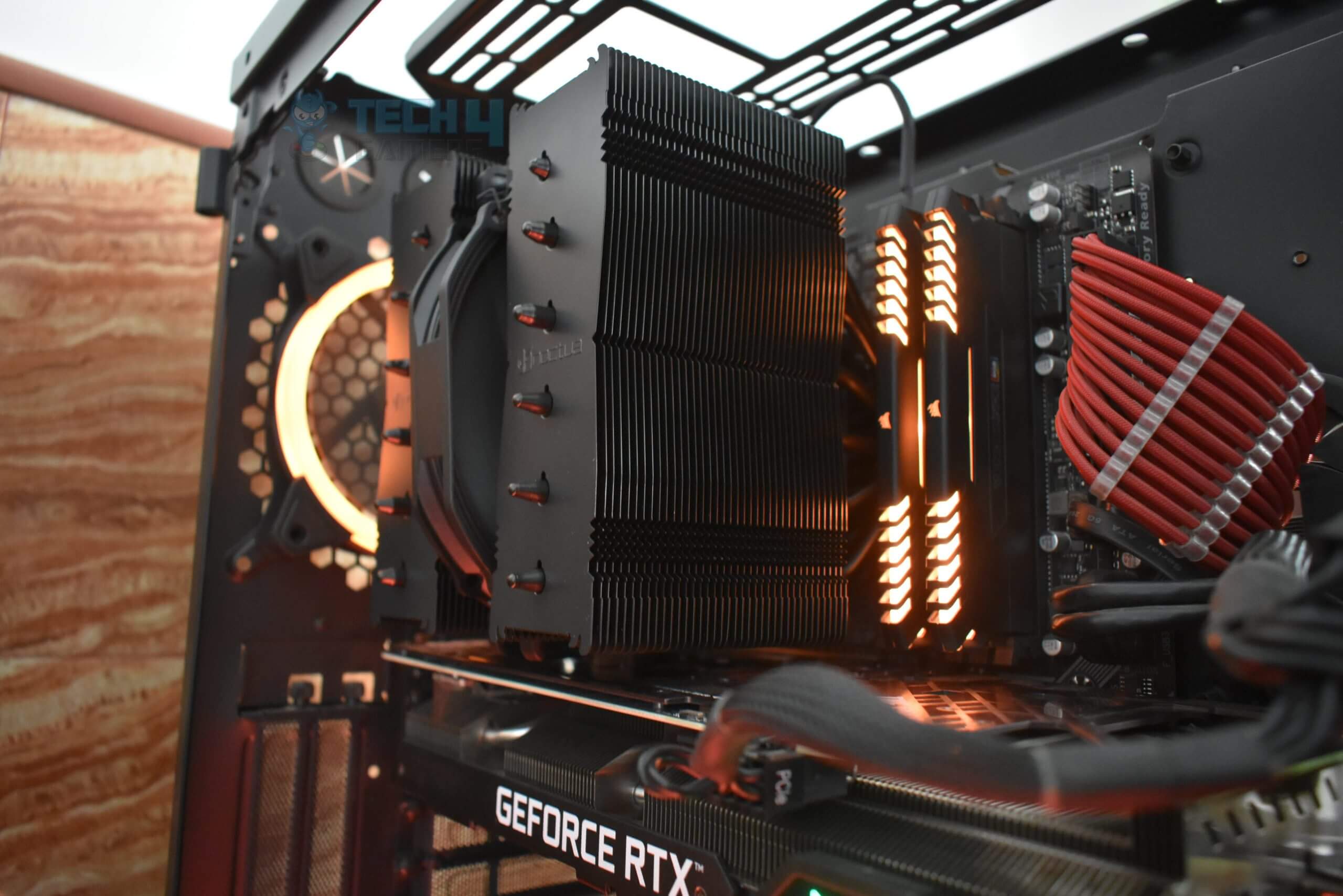
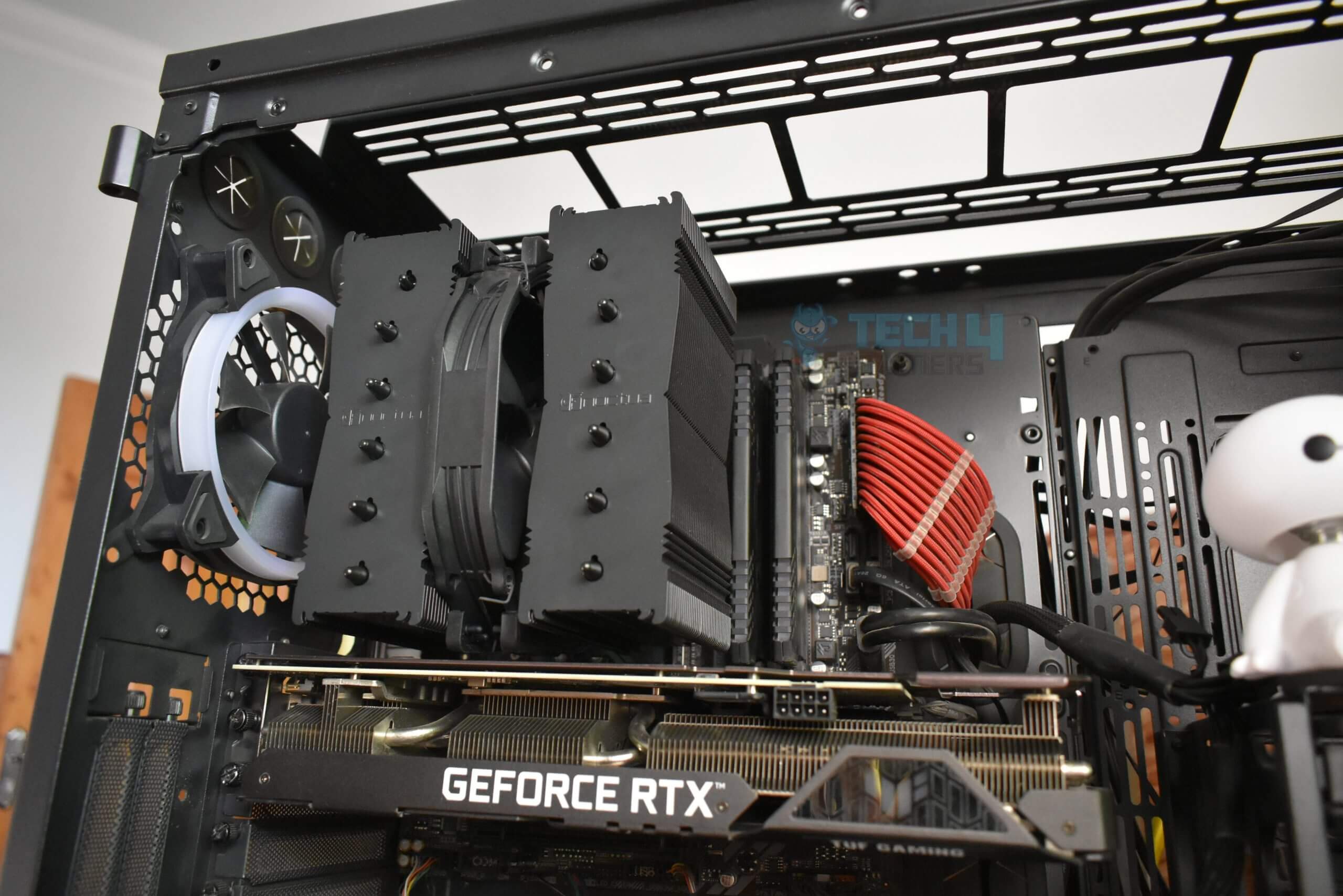
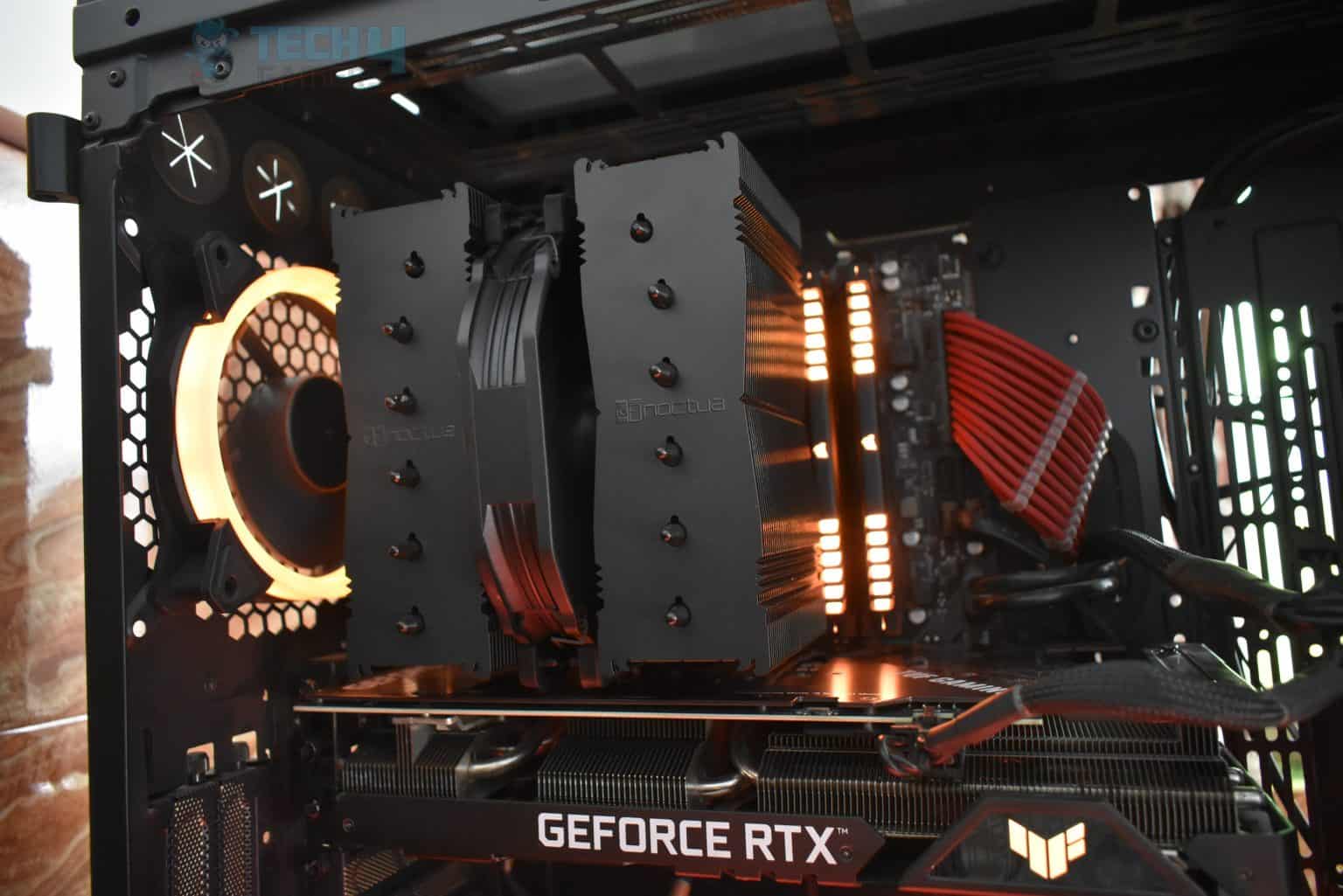
Read Our NOCTUA NH-D15S Chromax Black Review The NH-D15S has six heat pipes that are used in the dual-tower design. Of course, there’s going to be a difference between AIO Vs air cooling performance, but the Noctua cooler fills in by a huge margin. In my opinion, if you’re not ready for AIO coolers, the NH-D15S is the best air-cooling option for you. The cooler uses a copper baseplate and heat pipes, thus improving overall heat conductivity for better cooling efficiency. I noticed the way Noctua has designed the heat pipes; the cooler can operate with more efficiency and better heat dispersion.
Black mounting components, a black heatsink, black fans with black anti-vibration pads, and black fan clips; every nook and cranny of NH-D15 is covered in a black shade. The NH-D15S looks especially wonderful in an all-black theme build.
Nauman Siddique, our hardware review expert, after taking a closer look at the cooler, was surprised with its build quality and lightweight. This is what he commented:
“The cooler is also lightweight; many people may assume it would be heavy with such a large heatsink, but it is not.”
✅Buy It If
You’re looking for top-tier air cooling: Air cooling, while being the easiest method to cool the PC, can be lackluster in front of water cooling. However, if you’re looking for top-tier air cooling for your Intel Core i9-13900K processor, the Noctua NH-D15S Chromax.Black has you covered with its dual-tower design.
❌Don't Buy It If
You don’t have the RAM clearance: One of the biggest issues with air coolers is the RAM clearance they provide. If you want lots of clearance, the Noctua NH-D15S Chromax.Black cooler may not be a cooler you want to purchase because of its dimensions.
What Makes It The Best Air Cooler For i9-13900K?
It is now impossible to refrain from the incredible NH-D15S; it performs far better than many air coolers in terms of performance, has excellent aesthetics for an air cooler, and its all-black shell looks just amazing. In our books, the Noctua NH-D15S deserves the title of the Best Air Cooler For i9-13900K; we can easily recommend it to anyone who has their eyes on the upcoming Intel Core i9-13900K processor.
Performance: 9/10
Value: 7/10
Features: 9/10
Design: 8/10
Corsair iCUE H150i ELITE LCD XT
Best 360mm AIO Cooler For i9-13900K
Corsair iCUE H150i ELITE LCD XT Pictures From Our Review
1 of 4
Corsair iCUE H150i ELITE LCD XT
Corsair iCUE H150i ELITE CAPELLIX LCD (Image By Tech4Gamers)
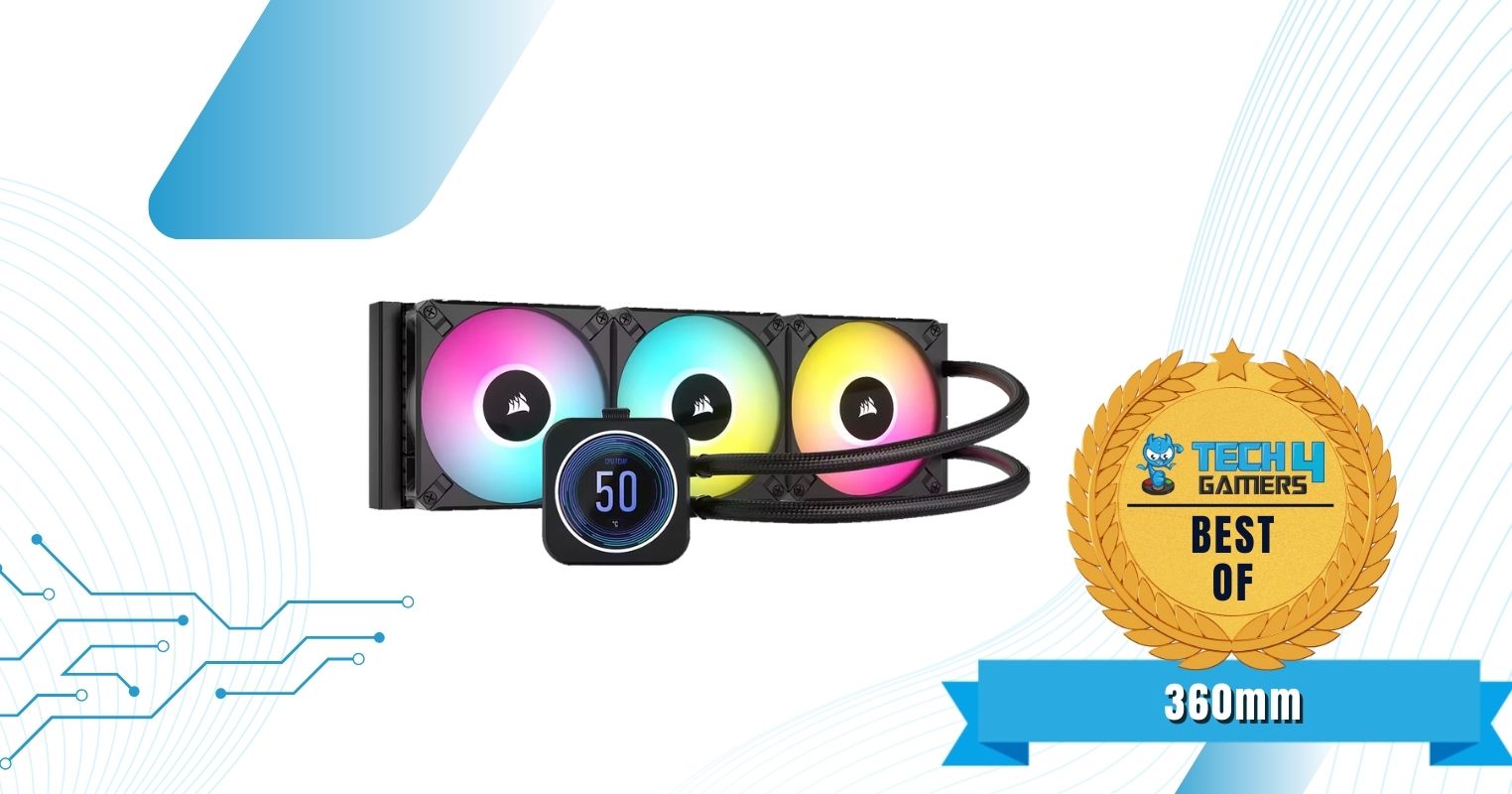
The iCUE H150i Elite’s pump delivers great performance to prevent thermal throttling while keeping low noise levels. When I put the cooler through the wringer, the Intel Core i9-13900K showed notable temperatures within 50°C, ensuring the cooler’s performance. I also found the overclocking capabilities of the CPU increase because of the greater thermal headroom.The Corsair iCUE H150i Elite LCD XT has a fully-coated aluminum radiator. Furthermore, the cooler has a 450mm tube made of black-sleeved long permeation rubber, ensuring longevity. Not many coolers have similar build quality as the Corsair iCUE H150i, so you don’t have to worry about the cooler’s performance deteriorating.
Right out of the box, the Corsair iCUE H150i Elite LCD XT dazzles us with its beauty. You can customize the LCD display to showcase your favorite animated GIFs or choose from various pre-installed screens and lighting profiles. Additionally, the included Commander Core allowed me to customize the fan RGB within a few seconds.
Testing the Corsair iCUE H150i Elite Capellix variant of this cooler, Nauman Siddique said:
CORSAIR has always been on top of its game with innovative products focusing on form and function. Their iCUE H150i Elite Capellix XT White cooler is no exception to that. This cooler packs stunning visuals coming from CAPELLIX LEDs while providing adequate thermal performance at a reasonable noise output. Although this is a feature-rich cooling solution, it has a steep price.
PRO TIP: The cooler comes with pre-applied thermal paste, so you don’t need to apply any separately.
✅Buy It If
Good performance coupled with Monitoring: Apart from offering good performance, one of the most significant advantages of the Corsair iCUE H150i Elite LCD XT 360mm AIO is its LCD display on the pump. You can use the display to monitor your CPU temperatures, along with custom gifs might be interested in.
❌Don't Buy It If
You don’t have a hefty budget: While the Corsair iCUE H150i Elite LCD XT AIO shows remarkable cooling performance and has a stylish design, it has a huge price tag. If you don’t have a hefty budget, I don’t recommend purchasing the cooler.
What Makes It The Best 360mm AIO Cooler For i9-13900K
Aside from its glamorous looks and an LCD, the Corsair iCUE H150i Elite LCD XT 360mm AIO has an amazing cooling potential, more than enough to fulfill the thermal demands of the Intel Core i9-13900K and allow users to overclock the processor, making it the Best 360mm AIO Cooler For i9-13900K.
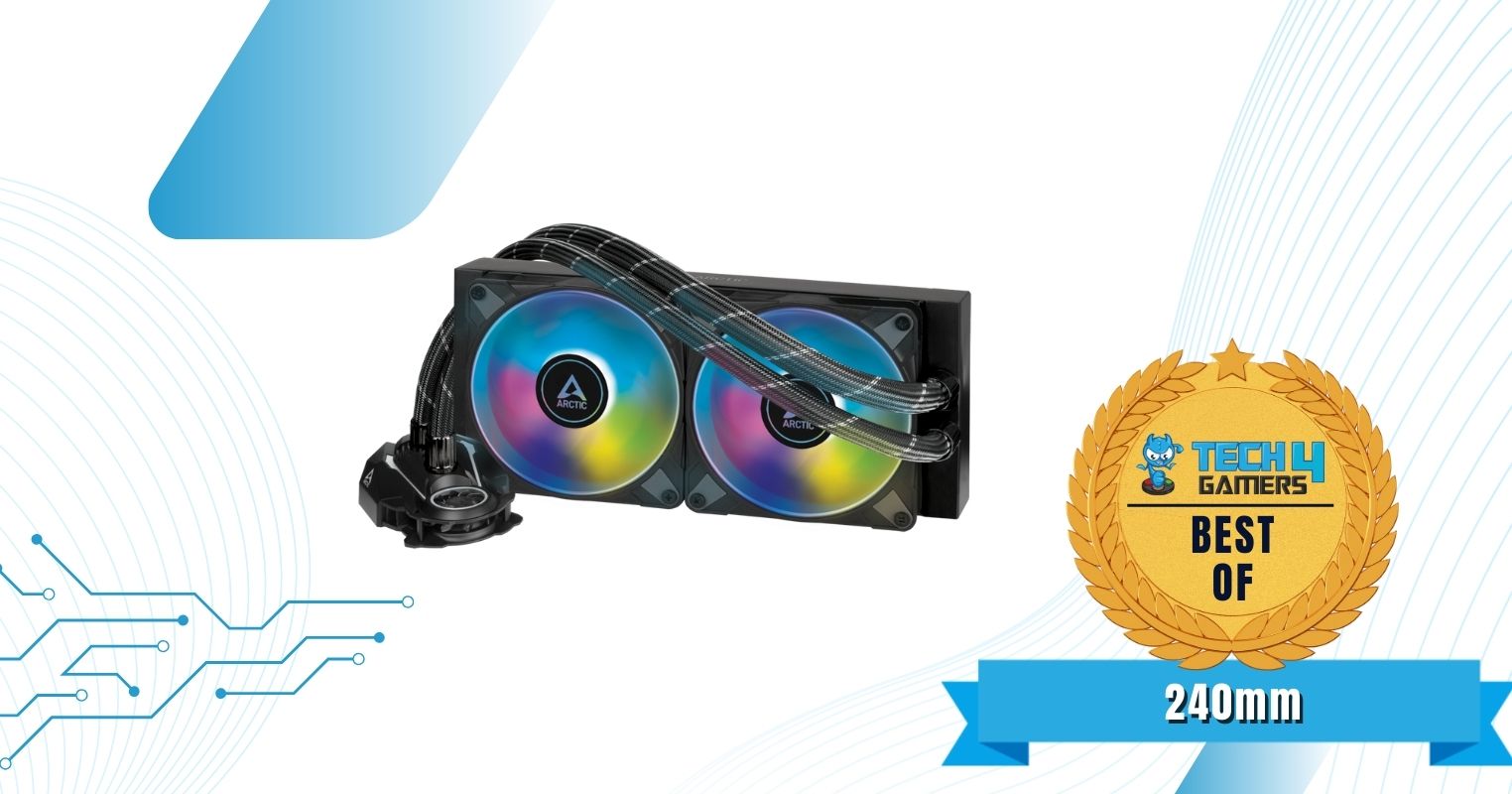
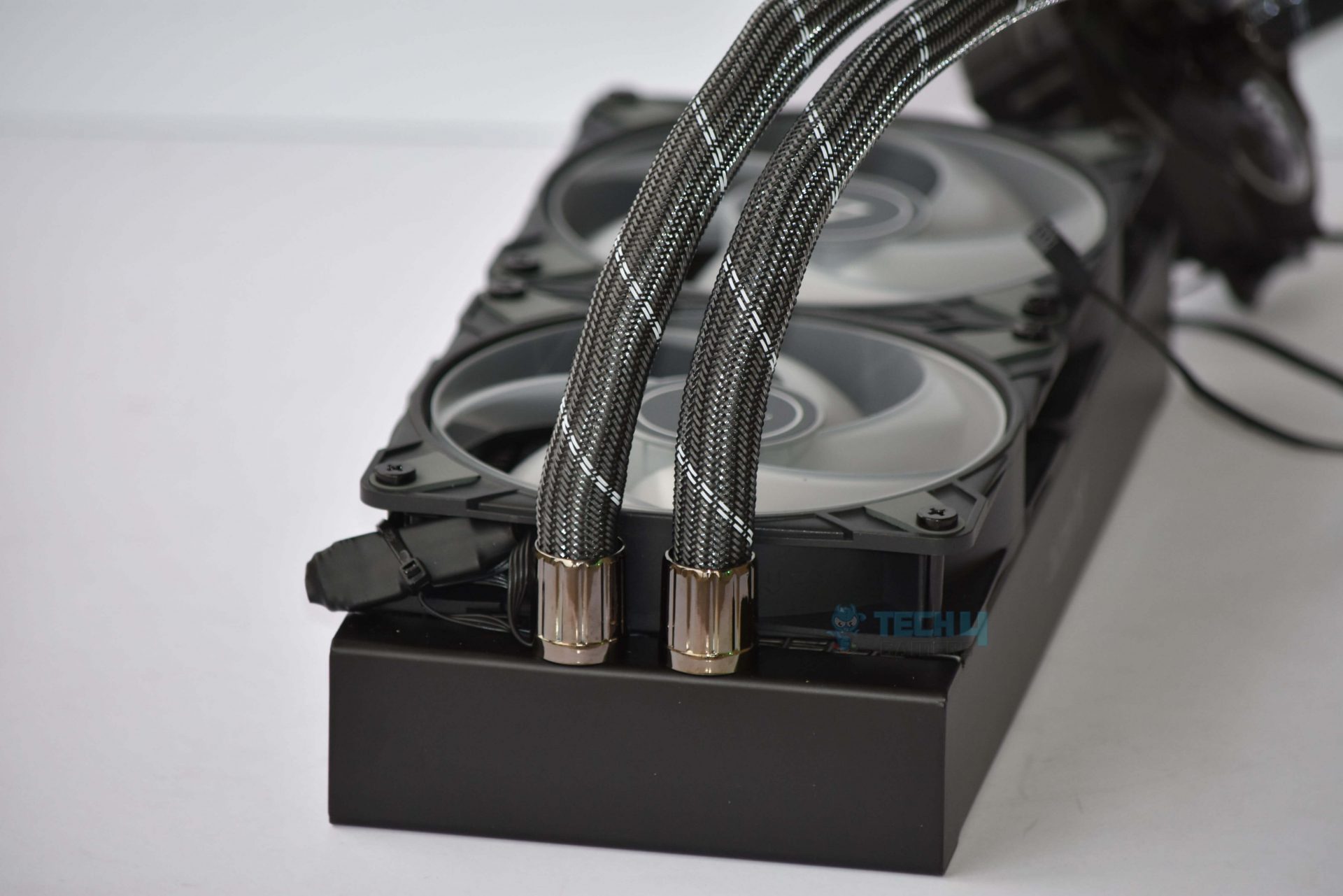
Read Our ARCTIC Liquid Freezer II 240 ARGB Review The ARCTIC Liquid Freezer II 240mm has a 250W TDP, and it should be more than enough to manage the temperature of the Core i9-13900K. The cooler shows enough thermal headroom for good overclocking. The ARCTIC Liquid Freezer II uses a copper baseplate that helps with heat absorption, while the aluminum radiator is perfect for heat dissipation. Moreover, rubber bumpers and fewer vibrations on the fans also help in keeping the fan’s noise at a bare minimum of 10.64dB(A).
The futuristic-looking pump design of the cooler catches our eye straightaway upon opening the packaging. The pump boasts a stylish appearance and an incorporated cooling fan for better performance. In my testing, I installed the cooler with a darker aesthetic for the colors to blend in better.
Our CPU cooler expert, Hayyan Serwer, took a go at the cooler and had to say the following about the ARCTIC Liquid Freezer II 240mm’s cooling performance:
“The AIO’s cooling capabilities are outstanding, especially when compared to comparable AIO coolers in its pricing range.”
✅Buy It If
Good Value, Exotic pump design: If you’re looking for a CPU cooler with an impressive cooling performance and exotic design, the ARCTIC Liquid Freezer II 240mm AIO has a futuristic pump design with a spaceship-like shape.
❌Don't Buy It If
You want RGB on the pump: The ARCTIC Liquid Freezer II 240mm AIO doesn’t have any RGB on the pump, so if you want a fully illuminated CPU cooler, this one won’t make the cut.
What Makes It The Best 240mm AIO Cooler For i9-13900K?
The ARCTIC Liquid Freezer II 240 A-RGB is the ideal cooler for cooling the Intel Core i9-13900K CPU with its remarkable cooling performance for a 240mm AIO. No matter how much work is put on your CPU, this magnificent cooler won’t allow it to overheat. The cooler provides extraordinary performance at a great value while being extremely silent. Thus, we cannot resist crowning the ARCTIC Liquid Freezer II 240-ARGB with the title of the Best 240mm AIO Cooler For i9-13900K.
Read Our ARCTIC Liquid Freezer II 240-A RGB Review
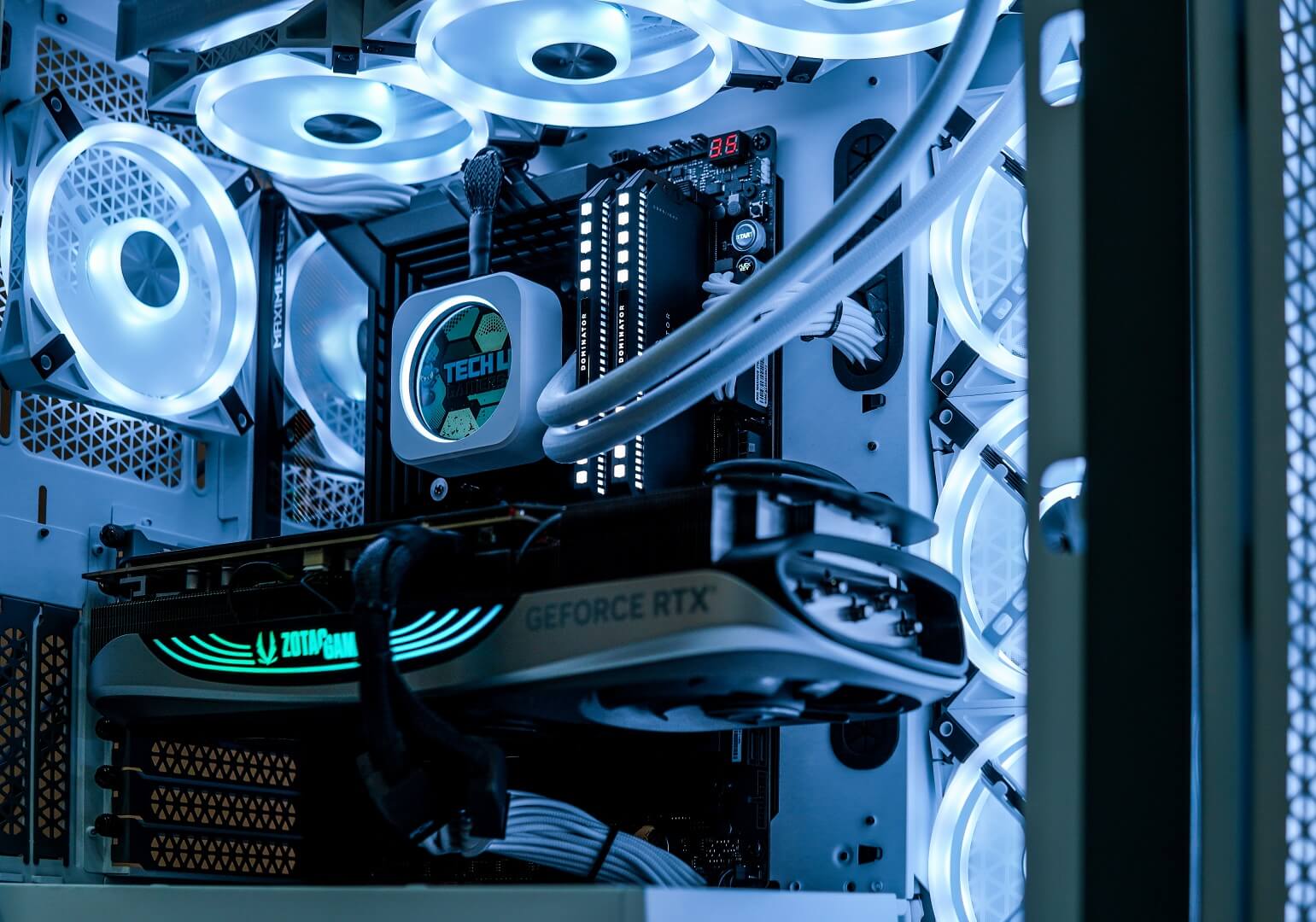
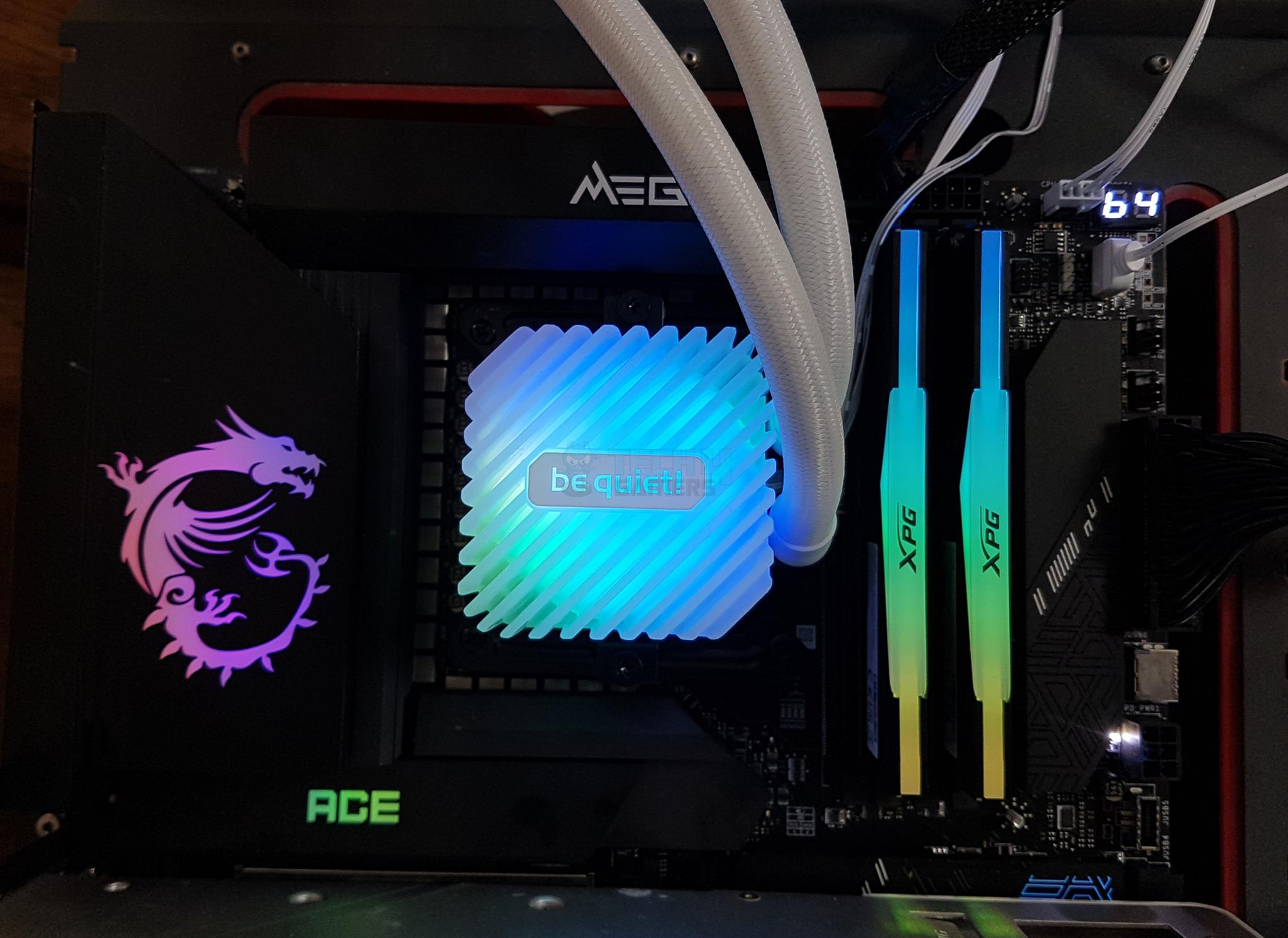
Read Our be quiet! Light Loop 360 White Review
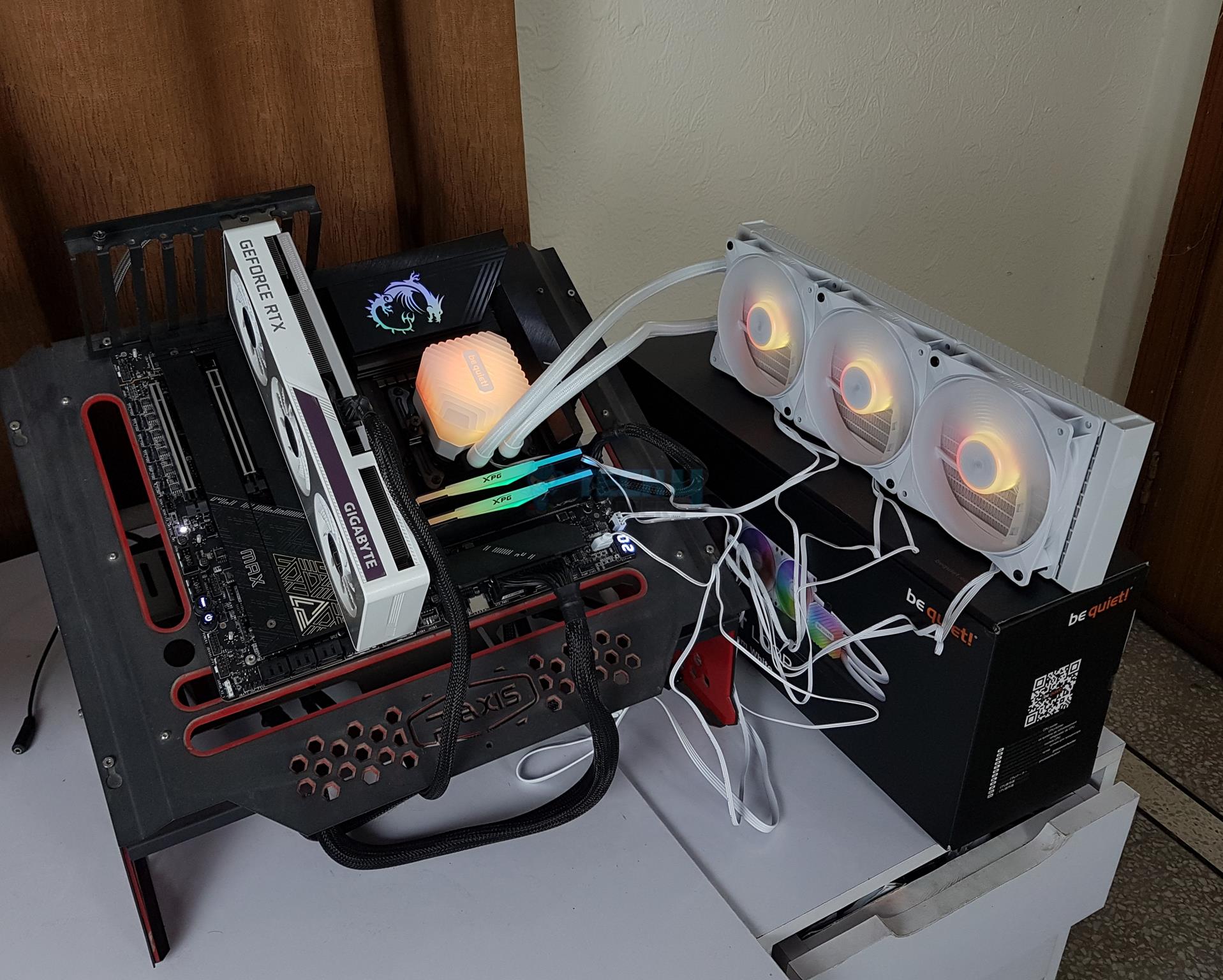
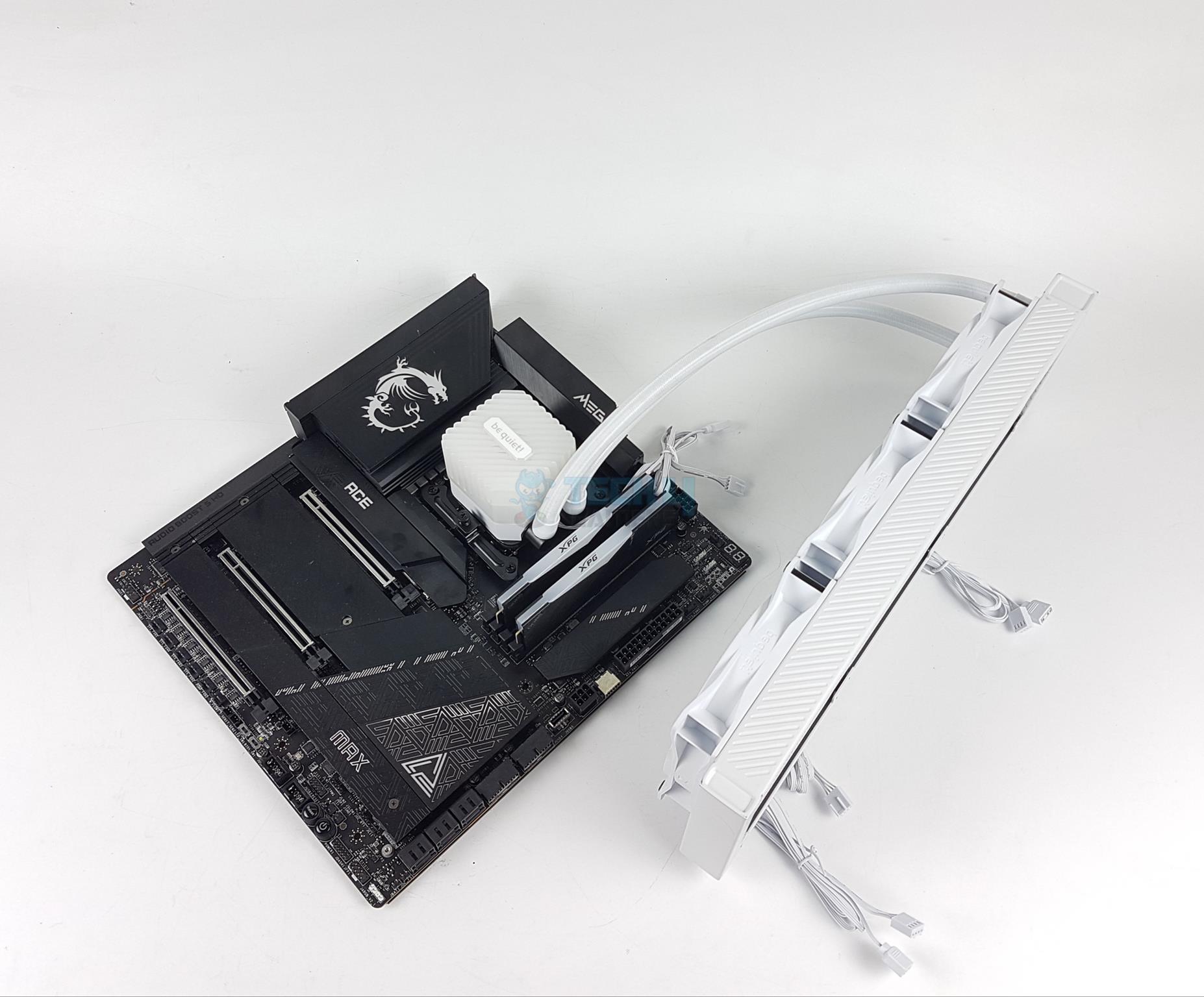
The Light Loop 360 is a game changer for be quiet! as at last, they have fully incorporated RGB lighting with this one. The AIO features 3x White Light Wings LX A-RGB 120 mm fans with an RPM speed ranging from 500 to 2100. During our testing, we found the fans to be not too noisy, and the cooler overall maintained good temperatures during intense load. While it does come with a fan hub, we didn’t like the lack of a daisy-chain mechanism, as it makes cable management quite tricky.
Coming to its aesthetics, the all-white color scheme looks pleasing and will fit nicely with white-themed builds. Additionally, we also liked the addition of a coolant refill solution, which makes maintenance easy. Also, the improved jet and cold plate design is another plus because it ensures even pressure and decent heat transfer across the new CPUs. Besides its 3-year short warranty, it’s a powerful option to tie in with white-themed builds.
This is what one of our hardware reviewers Hayyan Serwer said about the Light Loop 360 White AIO when he tested it:
The be quiet! Light Loop 360 is a high-performance AIO cooler with impressive features, including fully illuminated A-RGB fans and a revamped cooling system designed to handle flagship CPUs. It delivers strong thermal performance and reduced noise levels compared to previous models, but installation is somewhat complex, requiring multiple components. Overall, it’s a solid choice for those looking to manage high temperatures, though a longer warranty would have been appreciated.
✅Buy It If
You need a good performing white AIO: The be quiet! Light Loop 360 White’s impressive looks aren’t the only thing in its defense, as it performs great, too.
You want value: To further improve its value, the AIO also comes with a PWM hub for the included fans and can also accommodate 3x more fans for a more streamlined experience.
❌Don't Buy It If
You hate cable mess: One thing that it doesn’t offer is the daisy-chain mechanism for its fans and radiator cables, which can create a cable mess to deal with.
What Makes It The Best White CPU Cooler for i9 13900K?
The be quiet! Light Loop leaves no box unchecked in terms of aesthetics with its white color. On top of that, the cooler also manages to provide value with longevity solutions and excellent cooling performance, which makes me say that this is the Best White CPU Cooler for i9 13900K.
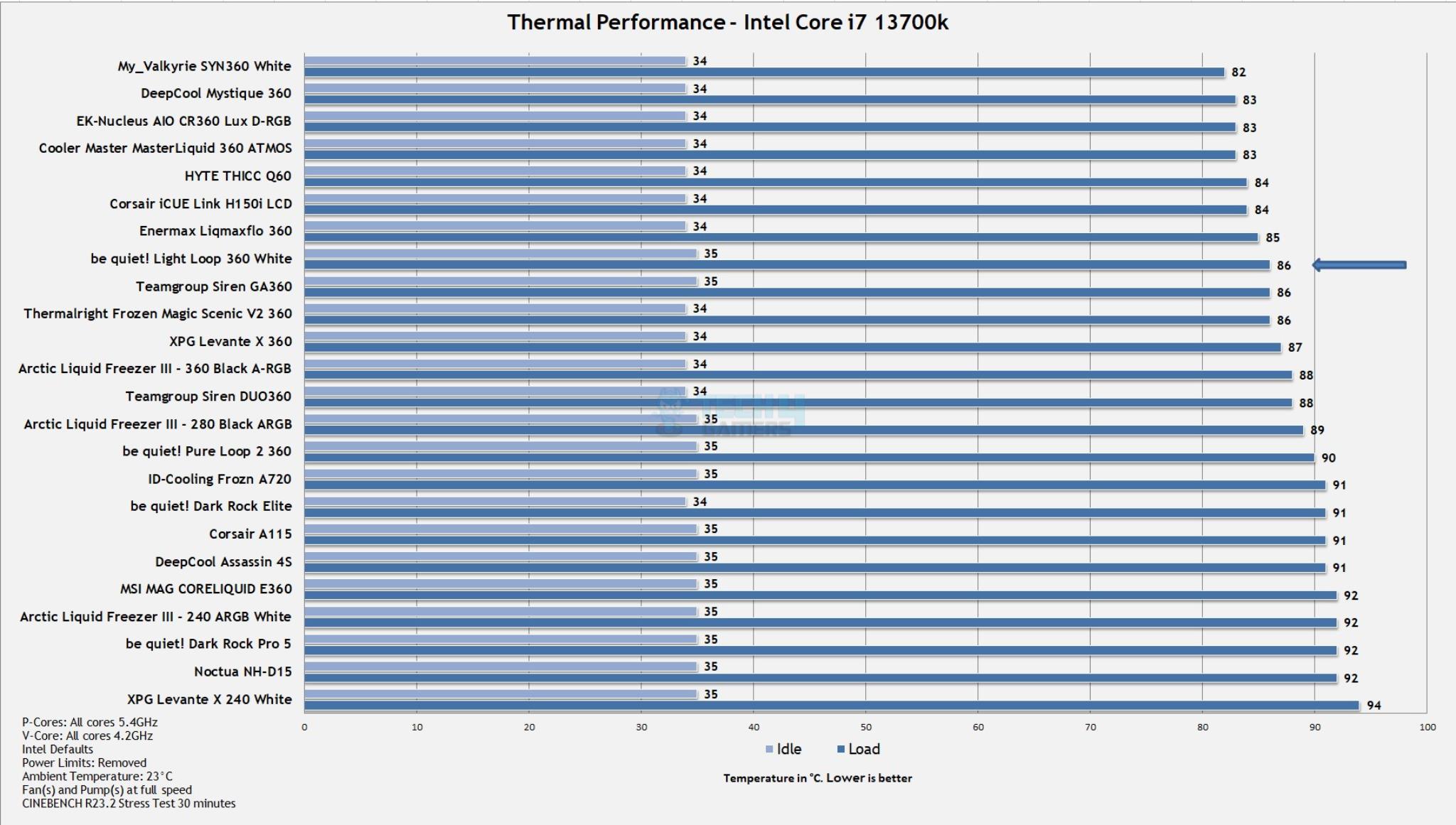
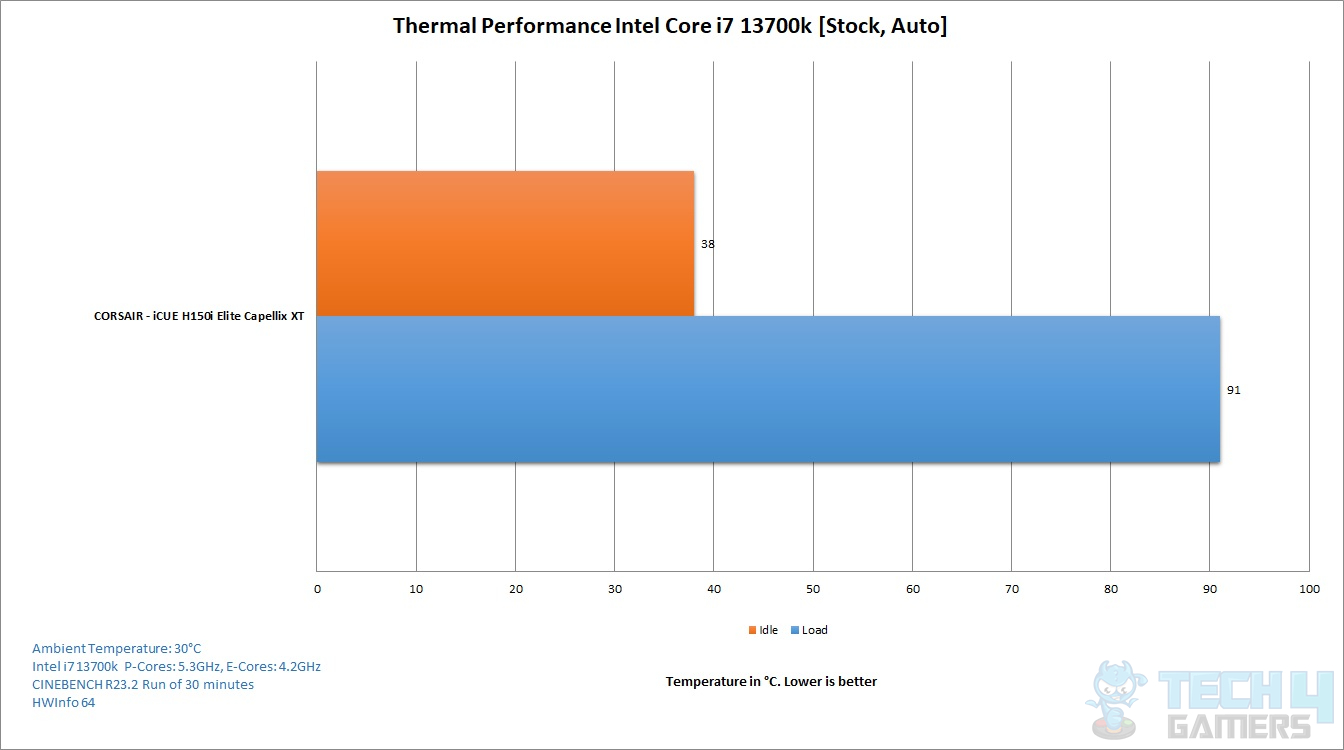
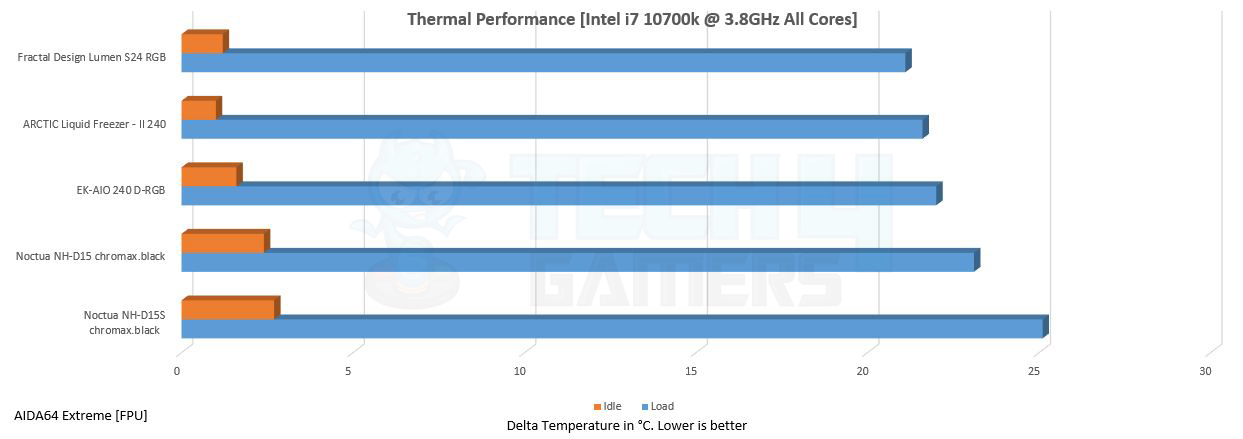
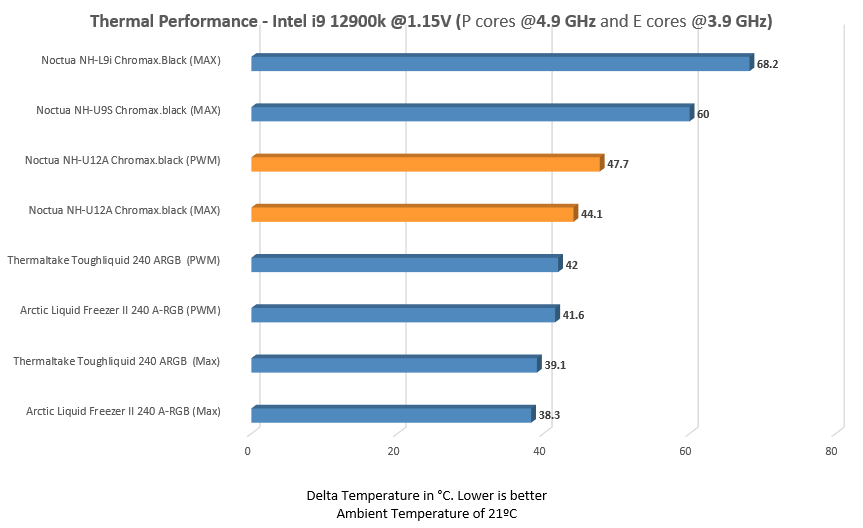
To find the top CPU coolers for i9-13900K, we tested a bunch of different AIOs, comparing their thermal performance to find the best of the best. Want to know our results? Here they are:
Benchmarks (Image By Tech4Gamers)
Benchmarks (Image By Tech4Gamers)
Benchmarks (Image By Tech4Gamers)
How We Tested & Picked The Best CPU Coolers For i9-13900K
Performance: When choosing a CPU cooler for your processor, performance should be a priority. Thermal dissipation is an essential factor, and if the heat doesn’t dissipate, the processor might heat up, promoting thermal throttling or even damaging hardware.
TDP Rating: TDP is a key factor when buying a CPU cooler. TDP works differently for coolers and processors. For CPUs, TDP states the amount of heat produced, while for coolers, it states the amount of heat the cooler can dissipate. Thus, your cooler’s TDP should always be higher than your processor’s.
Budget: Considering the budget is another important factor for selecting coolers. Tech4Gamers always recommends its readers spend money on performance-related components like CPU, RAM, and motherboard and then proceed towards other components. Therefore, I selected products that aren’t too pricey yet offer the best performance possible.
Noise Level: Noise level, while not being a crucial factor, depends on the user’s preference. So, quieter coolers are always preferred over noisy ones. For that reason, I kept a note to choose coolers that are quiet, and if not, their performance should cover the noise.
Aesthetics: Aesthetics is a personal preference, but it isn’t recommended to leave a CPU cooler that fulfills the requirements of your processor over RGB. The best choice is to spend money on performance and then draw attention to aesthetics. However, if you want both, I have selected CPU coolers that offer remarkable performance along with beautiful aesthetics.
Frequently Asked Questions
Do you need a new cooler for Intel 13th Gen?
If you are upgrading from the Alder Lake line-up, then you don’t have to purchase a new cooler for Intel 13th gen because they both use the same CPU socket.
How hot does an i9-13900K run?
With a core-heavy workload, Core i9-13900K temperature can easily reach 92°C. A strong CPU cooler is required for effective heat dissipation, especially if you intend to overclock.
Recent Updates
February 21, 2024: Adding thermal benchmarks from our hands-on testing.
June 12, 2023: Few text changes to improve readability. No products were changed.
September 16, 2023: Few text changes to improve readability. No products were changed.
October 5, 2023: Paragraphing and grammar fixes for better readability. Added image galleries. No products were changed.
As the CPU Cooler and RAM Expert, I test the latest hardware to provide tips for smart purchases. I cover everything from busting myths about CPU coolers to looking into the newest RAM designs, examining various parts of PC hardware.
Awais Khan
At Tech4Gamers, I proudly hold the role of a Hardware Reviewer. Here, I leverage my expertise to provide readers with in-depth insights into PC hardware, ensuring they have the information needed to make informed decisions.
Since the Ryzen 9 9900X is here, which we have reviewed, the Ryzen 9 5900X is now two generations old, and despite that, the CPU packs a solid punch when it comes to both gaming and productivity. It makes the most out of its Zen 4 architecture and uses the 12C/24T configuration to boost at up to 4.8GHz, resulting in exceptional performance to this day.
With that said, if you’re planning to shop for the Ryzen 9 5900X, we highly recommend you also pick the best RAM for it, as that can make a difference of day and night. Since the Ryzen 9 5900X uses an AM4 socket, you can pair it with a good old DDR4 RAM without having to drop big bucks on DDR5. To help you out, we have put together a list of the best DDR4 RAM that works great with the Ryzen 9 5900X.
Why Trust Tech4Gamers
Awais Khan is our hardware expert who has been testing graphics cards, RAM, coolers, and processors for years.
70+ RAM tested and reviewed by our team of hardware experts (Tech4Gamers Team).
200+ hours spent testing different RAM for our reviews.
At Tech4Gamers, ensuring you get reliable information is our priority. That’s why every hardware round-up undergoes a meticulous review process by our team of experts and editors. Each review is carefully examined against our strict editorial guidelines, guaranteeing you trustworthy insights you can depend on.
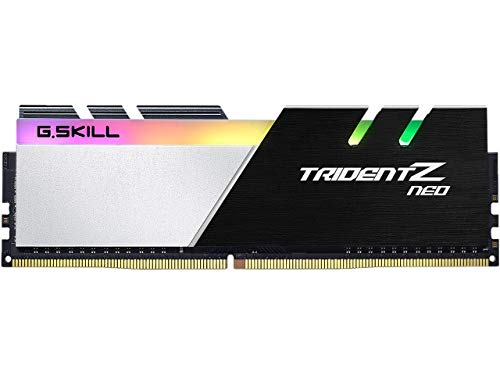
The G.Skill Trident Z Neo DDR4 RAM kit utilizes a refined heat spreader with an aluminum finish and beautiful RGB lighting on the top. Moreover, I loved the contrast between the black and white colors on the heatsink, which adds to the overall aesthetic of the kit. Going towards its performance, the RAM kit features ultra-low CL14 timings with a 7.7ns latency, making it one of the fastest RAM kits on our list. The RAM kit showed zero bottlenecking or stutters during my gaming tests with the Ryzen 9 5900X at 1440p resolution.
While it has outstanding gaming performance, I wasn’t too happy with the kit’s overclocking potential. Although it has lower temperatures and no chances of thermal throttling, I could only increase the frequency by 400MHz with a 0.5V increment during my testing. Anything else made the kit unstable.
PRO TIP: Ensure you follow your motherboard’s instruction manual to install the RAM kits in the correct channels to achieve the most performance.
✅Buy It If
You want the best gaming RAM kit with beautiful aesthetics: If you’re looking for the best gaming RAM kit which doesn’t need any manual overclocking for better performance and also provides beautiful aesthetics, I recommend purchasing the G.Skill Trident Z Neo 3,600MHz 16GB DDR4 RAM kit.
❌Don't Buy It If
You want to overclock your RAM kit: I don’t recommend buying this RAM kit if you’re planning on manual overclocking your PC, because the G.Skill Trident Z Neo DDR4 RAM kit doesn’t offer decent overclocking capabilities.
What Makes It The Best Overall RAM For Ryzen 9 5900X?
The G.Skill Trident Z Neo DDR4 16GB RAM kit provides outstanding gaming performance, beautiful aesthetics, ultra-low latencies, and sturdy build quality to improve its longevity. These points make it the best overall RAM for Ryzen 9 5900X.
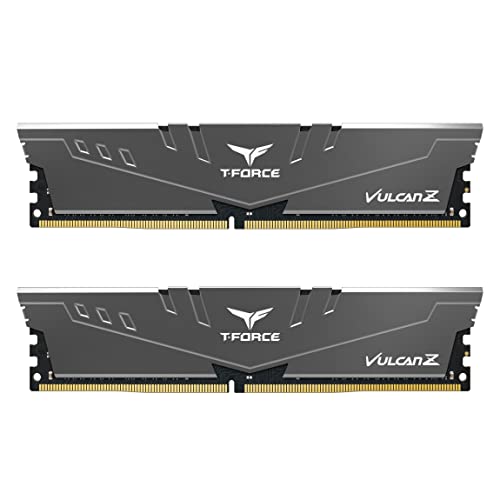
The TEAMGROUP T-Force Vulcan Z 3,200MHz DDR4 RAM kit features a gun-mental gray color without much going on its heatsink. This kit will fit perfectly if you’re building a lighter color-themed PC. However, I dislike that the RAM kit offers no RGB lighting, making it slightly dull. The RAM kit provides incredible gaming performance with lower CL16 timings and an impeccably fast 10ns latency. During my gaming tests at 1440p with the Ryzen 9 5900X, the RAM kit did not cause any input lags in games such as Fortnite, which require greater memory speeds to load the world map.
Outside of gaming performance, the TEAMGROUP T-Force Vulcan Z 3,200MHz RAM kit has a higher input voltage of 1.35V. However, during my testing, I observed a slight overclocking potential that allowed a 400MHz boost without touching the voltage or CAS timings.
✅Buy It If
You want slight overclocking potential from a budget RAM kit: If you’re on a tighter budget and want a RAM kit that allows slight overclocking potential, then I recommend buying the TEAMGROUP T-Forcee Vulcan Z 3,200MHz DDR4 RAM kit because of its impressive value and capabilities.
❌Don't Buy It If
You dislike RAM kits with higher voltage: I don’t recommend purchasing this RAM kit if you want a DDR4 kit with lower voltages without being overclocked.
What Makes It The Best Budget RAM For Ryzen 9 5900X?
The TEAMGROUP T-Force Vulcan Z 3,200MHz DDR4 RAM kit provides incredible gaming and productivity performance at 1440p with sleek aesthetics. Moreover, the RAM kit also showcases slight overclocking potential, increasing its value. These points make it the best budget RAM for Ryzen 9 5900X.
Editor`s Note
Out of all the RAM kits, I loved the TEAMGROUP T-Force Vulcan Z 3,200MHz DDR4 RAM kit the most because of its impressive gaming performance, outstanding price-to-performance ratio, decent aesthetics, and good overclocking capabilities. You won’t regret this RAM kit purchase if you’re on a tighter budget. Moreover, we have also awarded it as the best cheap RAM for the AMD Ryzen 9 5900X CPU for the same reason.
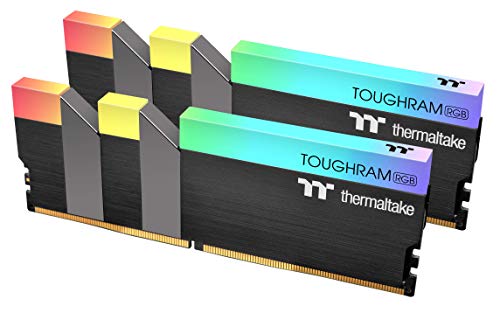
The Thermaltake TOUGHRAM RGB 4,600MHz DDR4 RAM kit features a black-painted aluminum heatsink with an RGB light bar at the top. While the RAM kit doesn’t have much going on its heatsink, I loved the simple yet clean aesthetic, making it perfect for all PC builds. The RAM kit offers outstanding performance with its 4,600MHz frequency and ultra-low 8.2ns latency. During my testing, the RAM kit showcased outstanding gaming performance and improved video editing performance because of the faster frequency.
Aside from its gaming performance, this kit’s main attraction lies in its overclocking capabilities. Thanks to greatly refined VRMs, I increased the frequency to 5,200MHz with a slight 0.05V increment. You can also attempt to tighten the CAS timings further if you play around more.
WARNING: While overclocking your RAM kit can yield higher frequency and lower latencies, it can also cause permanent damage if done incorrectly.
✅Buy It If
You want to overclock a beautiful RAM kit to its utmost limits: If you want to try your luck with overclocking and want the most performance and success out of it, I recommend purchasing the Thermaltake TOUGHRAM RGB 4,600MHz DDR4 RAM kit because of its outstanding overclocking capabilities.
❌Don't Buy It If
You’re on a tighter budget: I don’t recommend purchasing this RAM kit if you’re on a tighter budget.
What Makes It The Best Overclocking RAM For Ryzen 9 5900X?
The Thermaltake TOUGHRAM RGB 4,600MHz DDR4 RAM kit provides outstanding gaming, productivity performance, and sturdy build quality. Moreover, the kit showcases immense overclocking capabilities, helping improve its performance. So, these points make it the best overclocking RAM for Ryzen 9 5900X.
The G.Skill Trident Z Royal Silver DDR4 RAM kit offers a beautiful RGB crystalline aesthetic with silver-plated gloss in an aluminum heatsink. Additionally, the crystalline design improves the RGB lighting and provides a unique aesthetic that other RAM kits can’t compete with. With a 3,600MHz frequency, decent CL18 timings, and a slightly slower 10ns latency, the RAM kit provides impressive gaming performance with almost no stutters. However, I noticed that the kit takes longer for productivity tasks because of its slower latency, especially at higher resolutions.
Outside of its XMP 2.0-enabled performance, I also loved the RAM kit’s overclocking performance. During my testing, I managed to gain a decent 500MHz boost with a 0.075V increment without changing the CAS timings. This helped increase the RAM’s productivity performance significantly.
PRO TIP: Before overclocking your RAM kit, ensure your kit’s temperatures don’t go overboard. Otherwise, you may face repercussions.
✅Buy It If
You’re looking for a beautiful DDR4 RAM kit with decent performance: If you’re looking for a RAM kit that offers impeccably beautiful RGB lighting along with decent gaming and productivity performance, I recommend purchasing the G.Skill Trident Z Royal Silver DDR4 RAM kit.
❌Don't Buy It If
You require faster XMP 2.0-enabled latency: If you’re looking for a RAM kit that has lower latencies without needing manual overclocking, I don’t recommend buying the G.SKill Trident Z Royal Silver DDR4 kit because of its slightly higher latency.
What Makes It The Best RGB RAM For Ryzen 9 5900X?
The G.Skill Trident Z Royal Silver DDR4 RAM kit offers beautiful RGB lighting with a unique crystalline design on top of the heatsink. Additionally, the kit also provides decent gaming performance at a value price. Thus, making it the best RGB RAM for Ryzen 9 5900X.
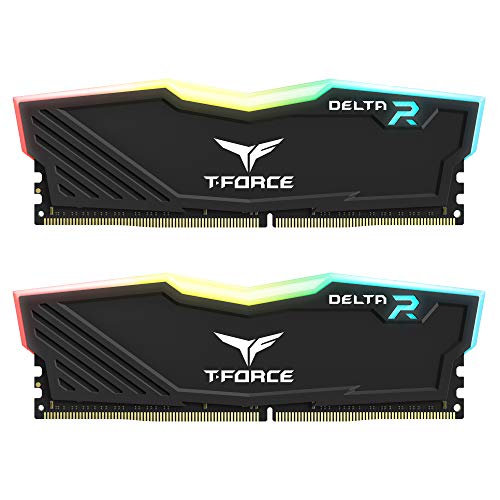
The TEAMGROUP T-Force Delta RGB DDR4 RAM kit features an incredibly beautiful design with good RGB lighting at the top. Because of its sharp angles, I loved how the kit looked after being installed on my test bench. Also, the RGB lighting becomes more prominent because of its elevated height.Having an astounding 32GB capacity RAM, the kit is perfect for video editing tasks. However, I dislike the lower 3,200MHz frequency, which increases the latency to 10ns and slows down the RAM’s performance. Thankfully, it can be manually overclocked for better performance.
The RAM kit also features good VRMs that allow decent overclocking because of its sturdy build quality. I managed to take the frequencies to a much-needed 3,600MHz with a slight 0.025V increment without facing any instability issues.
✅Buy It If
You want greater productivity performance from a good-looking RAM kit: If you’re trying to find a DDR4 RAM kit that offers outstanding productivity performance with the Ryzen 9 5900X CPU while also maintaining beautiful aesthetics, I recommend purchasing the TEAMGROUP T-Force Delta RGB DDR4 RAM kit.
❌Don't Buy It If
You want faster stock frequencies: I don’t recommend buying this RAM kit if you require faster stock frequencies without manual overclocking to improve its performance.
What Makes It The Best Looking RAM For Ryzen 9 5900X?
The TEAMGROUP T-Force Delta RGB 32GB DDR4 RAM kit showcases outstanding 32GB memory at a lower price with decent overclocking performance while maintaining beautiful aesthetics. All these points make it the best looking RAM for Ryzen 9 5900X.
Performance: 8/10
Value: 8/10
Features: 8/10
Design: 10/10
How We Tested & Picked The Best RAM For Ryzen 9 5900X
When buying the best RAM for the AMD Ryzen 9 5900X CPU, you must consider a few things. Let’s go over a few:
Capacity: If you use high-end software that consumes a lot of RAM, you will need a kit with greater capacity. For modern-day gaming at 1080p and 1440p resolutions, 16GB RAM is plenty. However, the capacity can increase to 32GB for productivity tasks.
Frequency: RAM frequency is another crucial factor when choosing a kit, as the frequency decides how much performance you will get. DDR4 RAM is available in many speed rates from 2,100MHz to 4,800MHz with higher frequency and better value proposition.
Cooling: The cooling function is an essential factor for any RAM kit. Heavy-duty tasks like rendering, gaming or video editing heat the RAM considerably. So, the cooling system is as essential as RAM for performance.
Compatibility: The sum of all the factors is the compatibility of RAM with the other components of the system. Owning the best RAM incompatible with your other PC components is worse than owning a slower RAM kit that can at least be installed on the PC and booted up.
Frequently Asked Questions
Does the Ryzen 9 5900X support DDR5?
No, the Ryzen 9 5900X CPU doesn’t support DDR5 RAM.
Recent Updates
January 26, 2024: A few text and grammar changes to improve readability. I replaced the TEAMGROUP T-Force NightHawk RGB DDR4 with the TEAMGROUP T-Force Delta RGB DDR4 because of better value and performance.
I’ve previously worked for eXputer as a Senior News Writer for several years. Now with Tech4Gamers, I love to devoutly keep up with the latest gaming and entertainment industries. I have a Bachelor’s Degree in Computer Science and years of experience reporting on games and breaking exclusive stories. Besides my passion for gaming journalism, I love spending my leisure time farming away in Stardew Valley. VGC, IGN, GameSpot, Game Rant, TheGamer, GamingBolt, The Verge, NME, Metro, Dot Esports, GameByte, Kotaku Australia, PC Gamer, and more have cited my articles.
Story Highlight
The former Bungie chief legal officer, Don McGowan, says the studio hired fans because they would work for less pay.
The legal exec argued that game companies can get away with paying less because fans develop a game they love.
Don also remarks he was asked by many colleagues upon joining Bungie how much of a pay cut he suffered.
Sony’s acquisition of Bungie is one of the more controversial ones in the gaming industry, with reports suggesting that the conglomerate is unhappy with the studio. Rumors regarding the studio’s full takeover by Sony have only grown in recent times, and a potential restructuring is also on the cards.
Now, a report suggests that Bungie has allegedly been using underhanded tactics to hire developers. The former Bungie chief legal officer, Don McGowan, said the studio hired fans because they would agree to work for less pay.
He claims that Bungie can get away with it because dedicated players work on a game they love.
Why it matters: Bungie only hiring fans to work on its titles because they would agree on lower pay is a highly controversial and predatory move, as per many gamers.
Speaking in an interview with the International Alliance of Theatrical Stage Employees (IATSE), Don McGowan clarified that gaming companies can get away with hiring fans for low pay, and Bungie ‘totally took advantage of that’ strategy. It is allegedly a popular hiring approach for Bungie.
you’re working on a game you love. And we totally took advantage of that at Bungie. We hired fans because fans would work for less.
The situation is seemingly so bad that one in three of Don’s coworkers even asked about how much of a pay cut he suffered after joining Bungie.
All in all, the words of the former Bungie exec have garnered a lot of negative opinions. Many users across various forums are unhappy with such a big Sony studio employing underhanded tactics and using the love of fans against them.
Do you think Bungie has taken advantage of fans by paying them less to work on games they love, or is it just a nothing burger? Let us know your thoughts in the comments below, or join the discussion on the official Tech4Gamers forum.