Threads

AMD’s X3D processors are some of the most famous gaming CPUs on the market. The Ryzen 7 7800X3D has been hailed as the best gaming CPU for a long time. However, it’s time a successor comes along. Instead of the competition taking the win, AMD’s brand new Ryzen 7 9800X3D shows an impeccable 25% boost in single-core and multi-core tasks. In our Ryzen 7 9800X3D review, we saw great performance across the table, but if you’re buying such a beast, you’ve to pair it with the right motherboard. That said, I have rounded up the best motherboard for Ryzen 7 9800X3D.
Here’s a comparison table to show you our best motherboard offerings at a glance:
Table could not be displayed.Latest Update:
- May 5, 2026: We’ve swapped the ASRock X870E Taichi Lite with the ASRock Phantom Gaming X870 Nova WiFi, as it’s a better fit for the Ryzen 7 9800X3D after reviewing the motherboard.
- September 12, 2025: After reviewing the MSI MPG X870E Edge Ti WiFi, we found it better suited for the best white category, hence we’ve swapped it with the ASRock X870 Steel Legend WiFi.
If you are considering the 9800X3D, our team has also rounded up the top CPU coolers and RAM options to pair with the CPU.
Best Motherboard For Ryzen 7 9800X3D
Here’s a list of all the motherboards I have chosen for their various unique traits based on my hands-on experience and testing:
- Best Overall: MSI MAG X870 Tomahawk WiFi
- Best High-End: ASRock Phantom Gaming X870 Nova WiFi
- Best White: MSI MPG X870E Edge Ti WiFi
- Best Budget: MSI MAG B850 Tomahawk Max WiFi
- Best Overclocking: ASUS ROG Crosshair X870E Hero
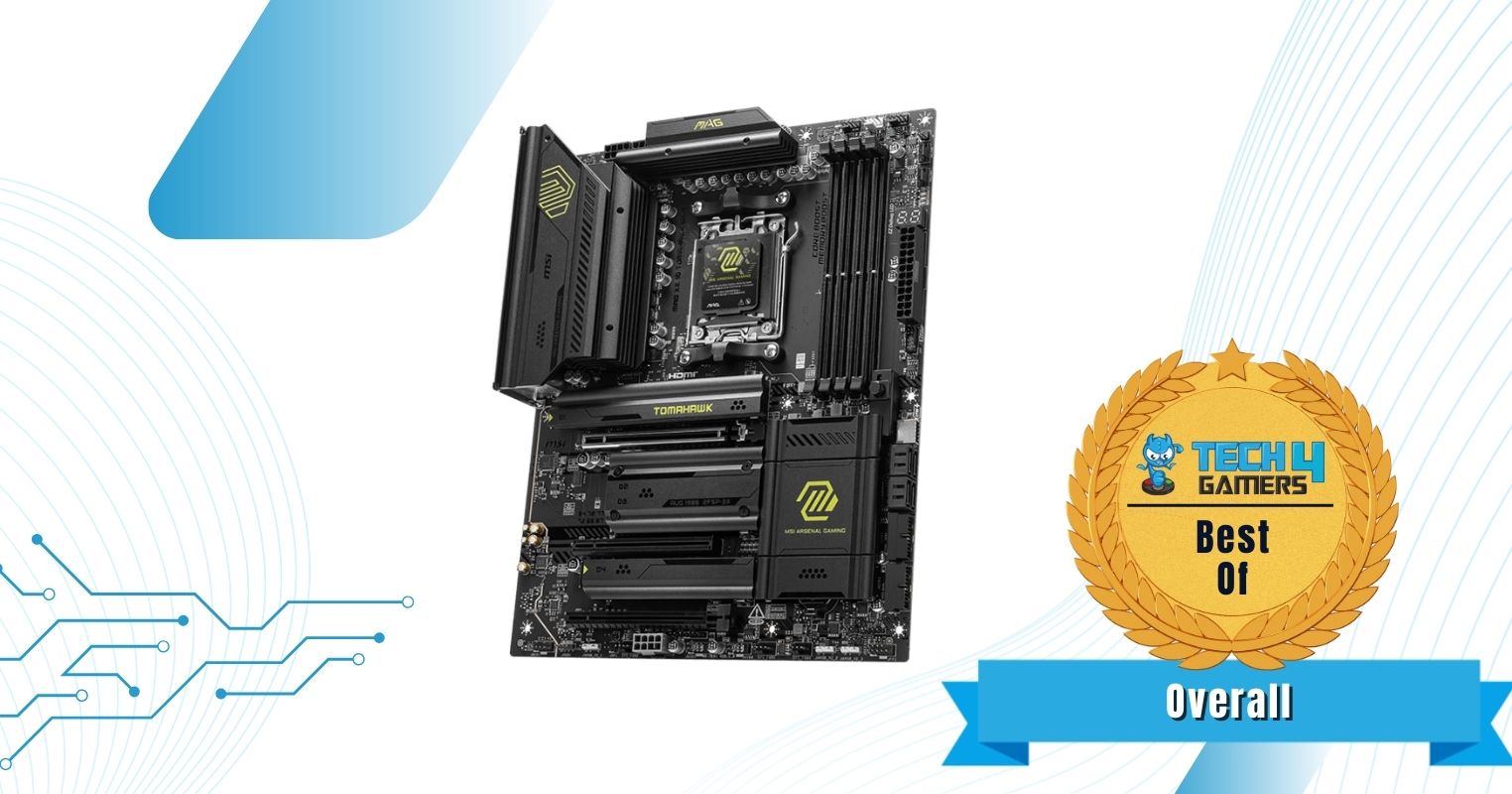
MSI MAG X870 Tomahawk WiFi
Best Overall Motherboard For Ryzen 7 9800X3D
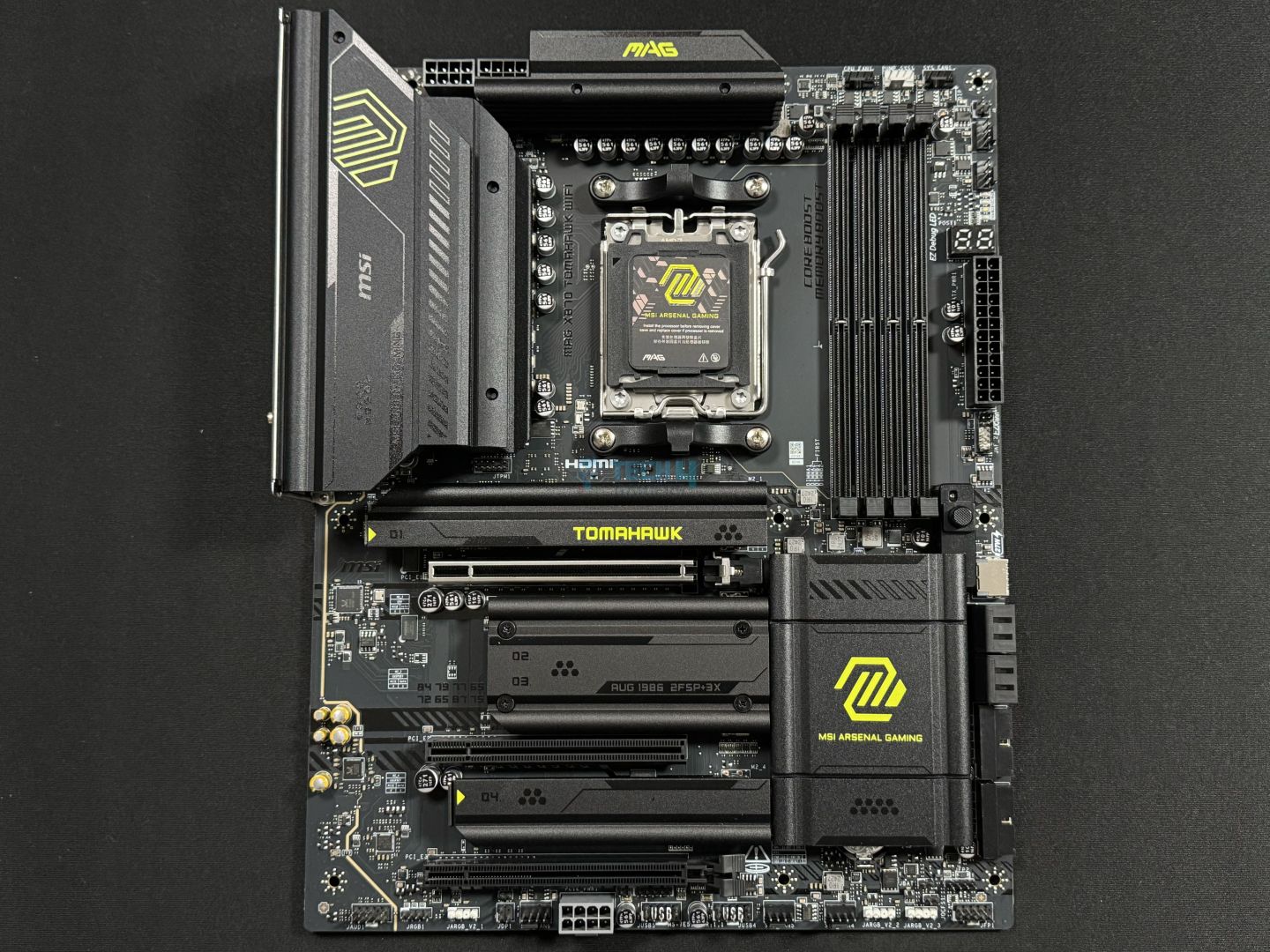
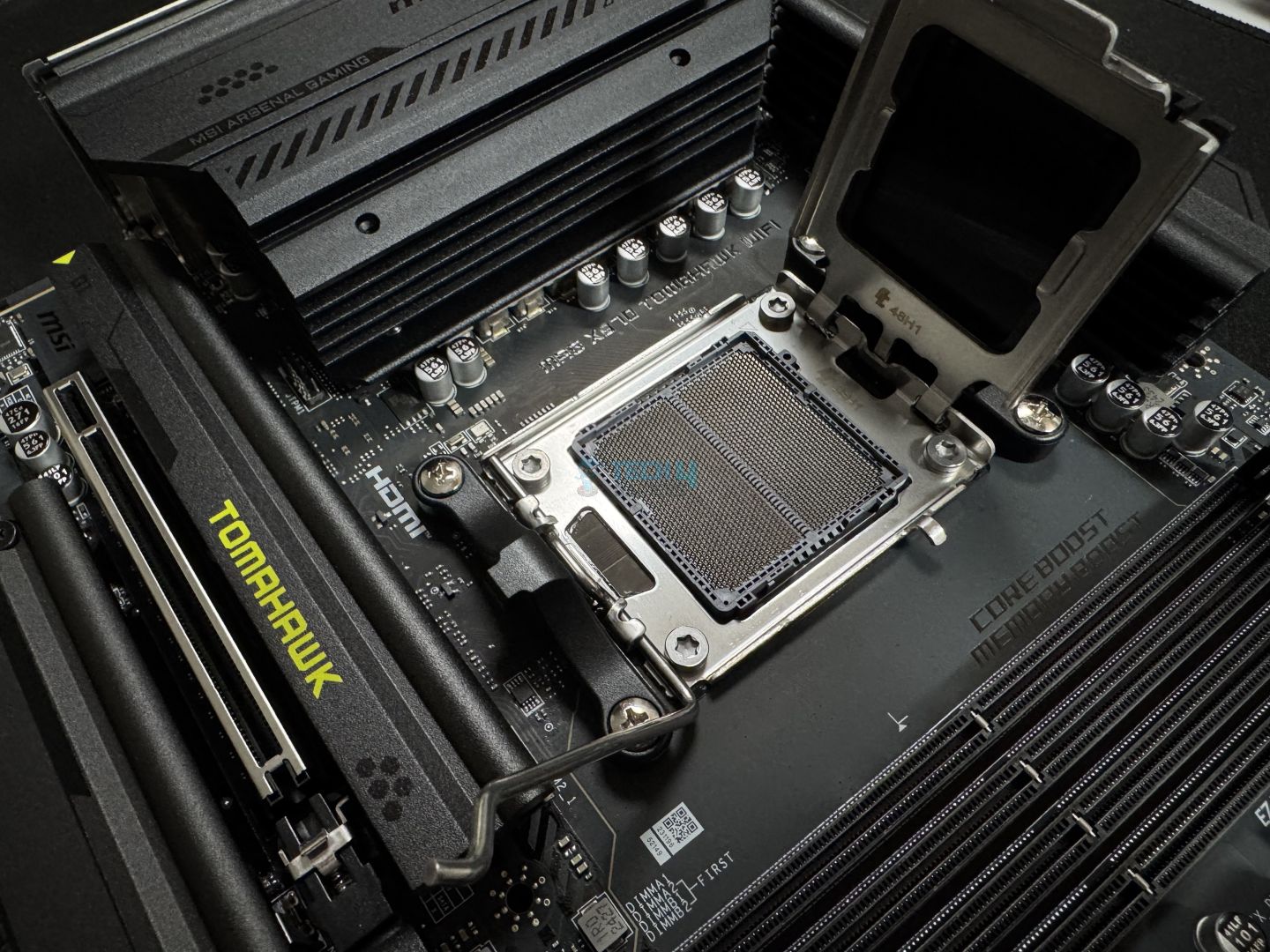
Chipset: AMD X870 | Memory: DDR5 8,400+ (OC) | VRM: 14+2+1 | Video Outputs: HDMI 2.1, 2x Type-C DisplayPort, USB4 Port, DisplayPort 1.4 | RGB Lighting: No | Network: WiFi 7, Realtek 5G LAN, Bluetooth 5.4 | Storage: 4x M.2, 4x SATA III | USB Ports: 11x Rear, 9x Front
Pros
- Decent connectivity options
- Solid performance
- VRMs run quite cool
- Beautiful design
- A wealth of EZ DIY features and mechanisms
- MSI AI LAN manager
Cons
- No RGB
- I would have preferred more SATA connectors
Read Our MSI MAG X870 Tomahawk WiFi Motherboard Review
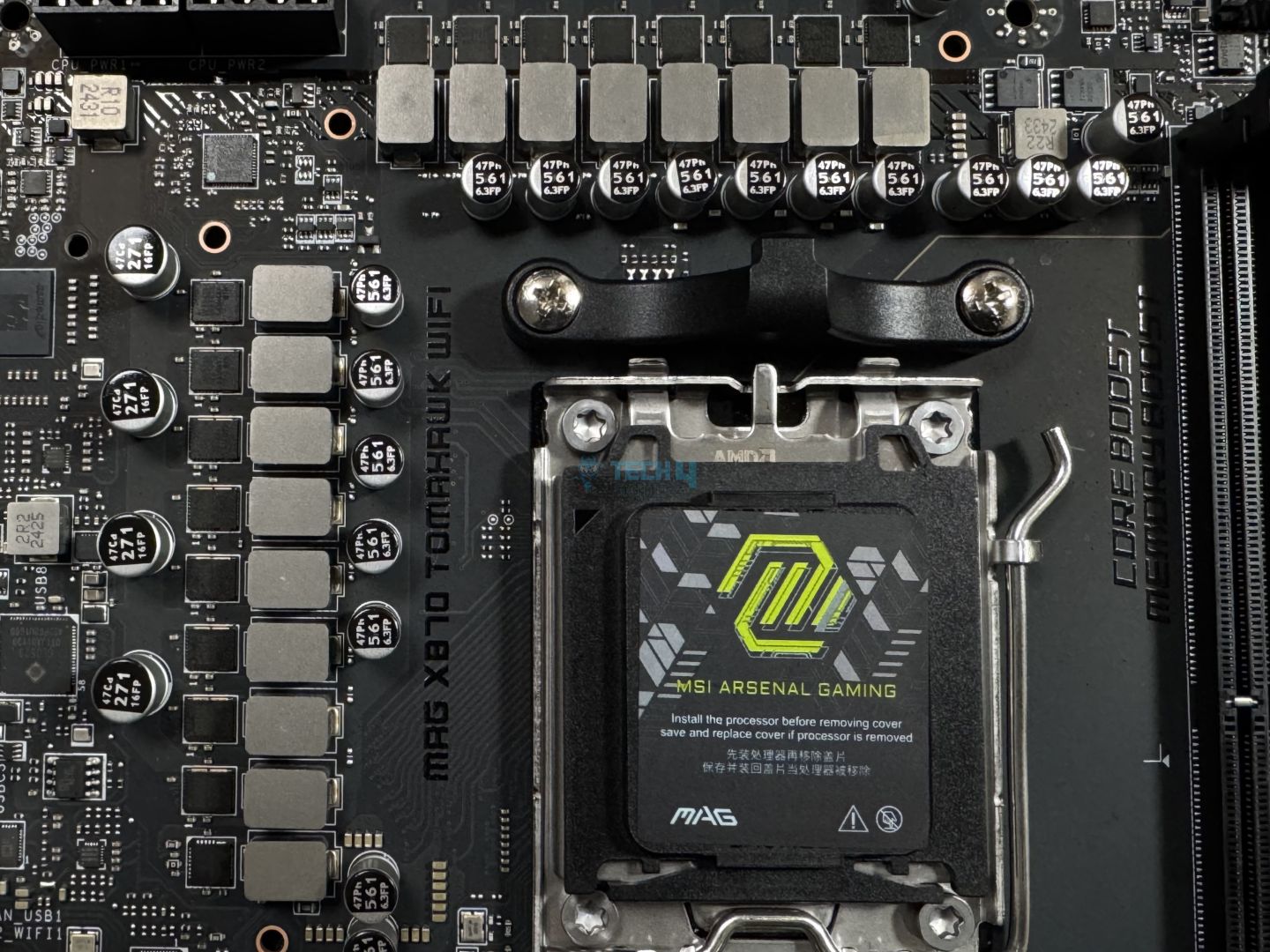
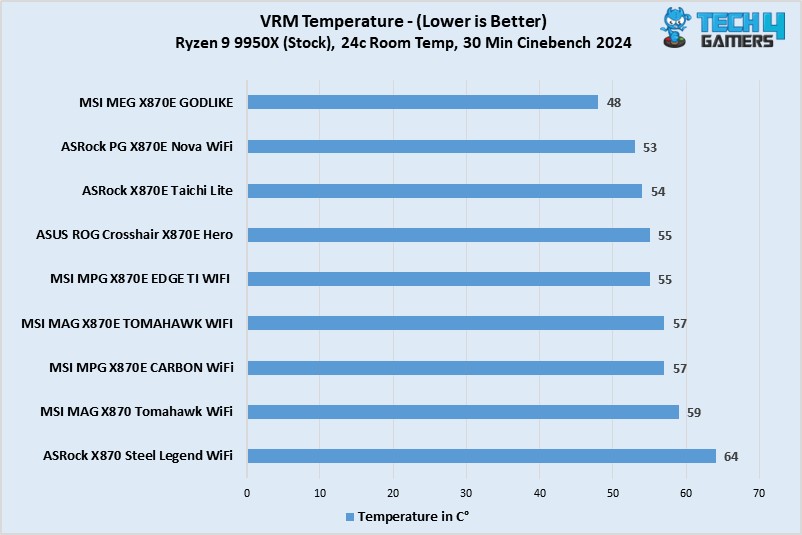
Starting the list with the jack of all trades, the MSI MAG X870 Tomahawk WiFi motherboard caught my eye for many reasons. For example, it has superior performance in productivity and gaming tasks. Moreover, its 14+2+1 VRMs perform decently well, allowing adequate overclocking opportunities. I love the VRMs for their temperatures, though. During our testing, the temperatures on the VRMs never exceeded 54°C, making them one of the coldest in the new X870 motherboards.
Besides its performance, other eye-catchers are the wealth of EZ DIY features and mechanisms loaded onto the motherboard, making it highly user-friendly. I also cherish the MSI AI LAN manager, which ensures you always get the lowest possible ping. Moving to the connectors, I like the 11x rear and 9x front USB ports, including a USB4.0 port and plenty of USB 2.0 and USB 3 ports. However, when it comes to storage, I would have preferred more than 4x SATA III connectors for a slightly pricey motherboard.
I was pretty pleased with the MSI MAG X870 Tomahawk WiFi motherboard, not seeing any negatives. Here’s what I commented in my review:
The MSI MAG X870 Tomahawk WiFi is a motherboard costing $299, making it one of the pricier boards so far. For that, it offers reasonably capable VRMs, a minimalist black theme without RGB, a ton of EZ-DIY features to make life easier, and good overall performance. The EZ-DIY features are the highlight for us, but we feel the price tag is still a bit too high, especially given the board’s shared connectivity complications.
What Makes It The Best Overall Motherboard For Ryzen 7 9800X3D?
I love the MSI MAG X870 Tomahawk WiFi for its lower VRM temperatures, sturdy build quality, and EZ DIY features and functions. Moreover, it has decent connectivity options and a beautiful design, perfect for stealth builds lacking RGB lighting. All these pros make it the best overall motherboard for the Ryzen 7 9800X3D, in my opinion.
| Performance: 9/10 | Value: 9/10 |
| Features: 10/10 | Design: 8/10 |
ASRock Phantom Gaming X870 Nova WiFi
Best High-End Motherboard For Ryzen 7 9800X3D
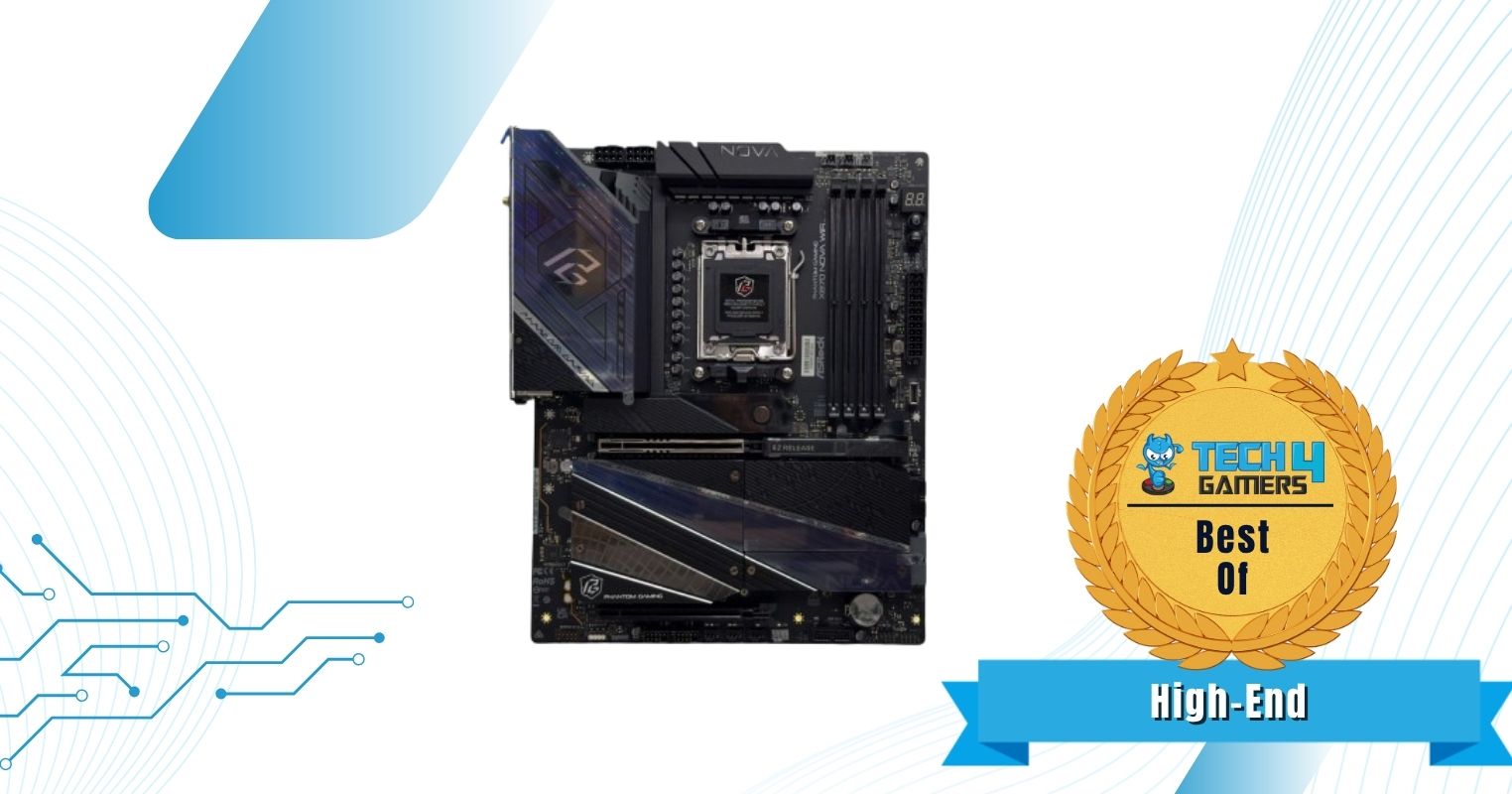
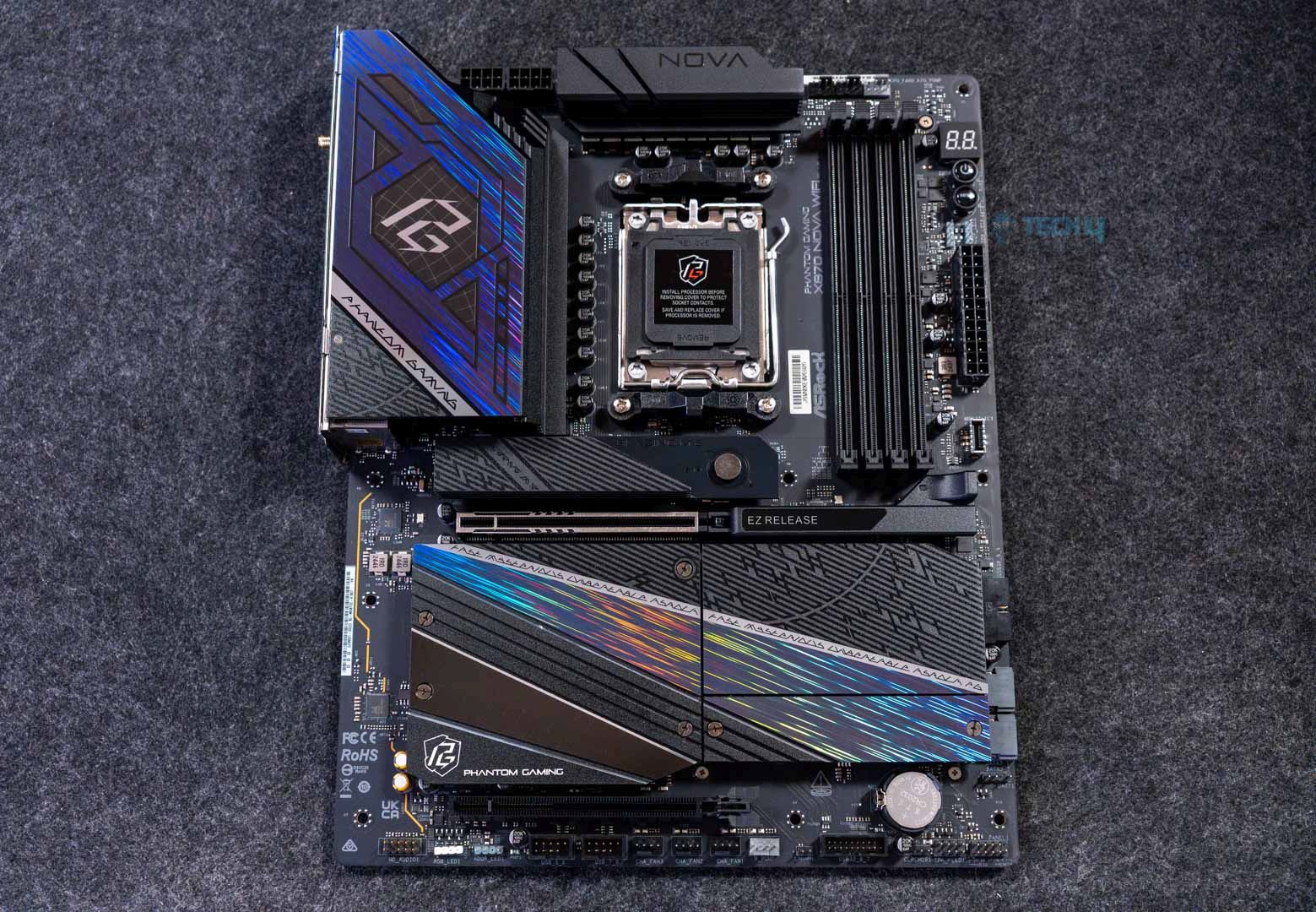
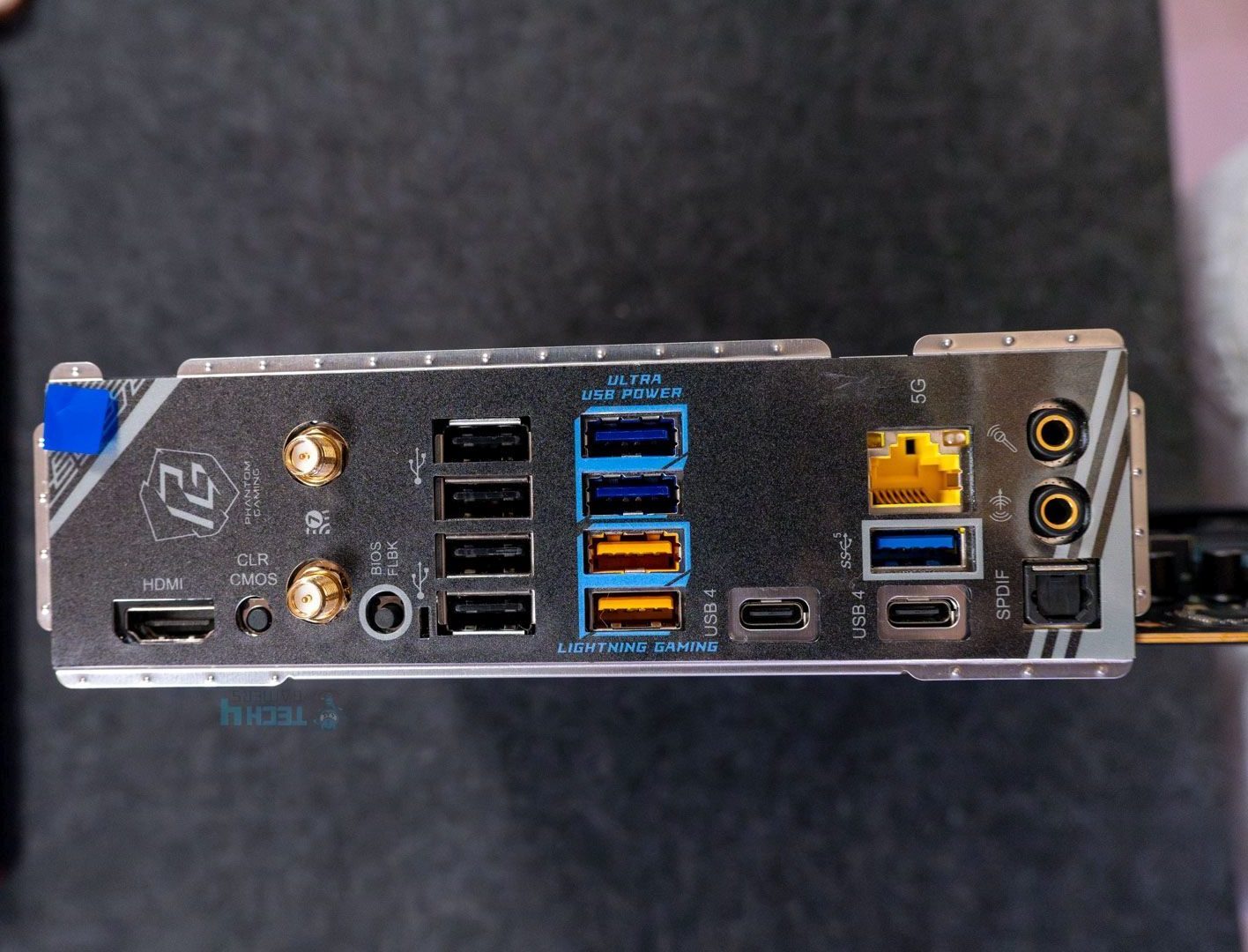
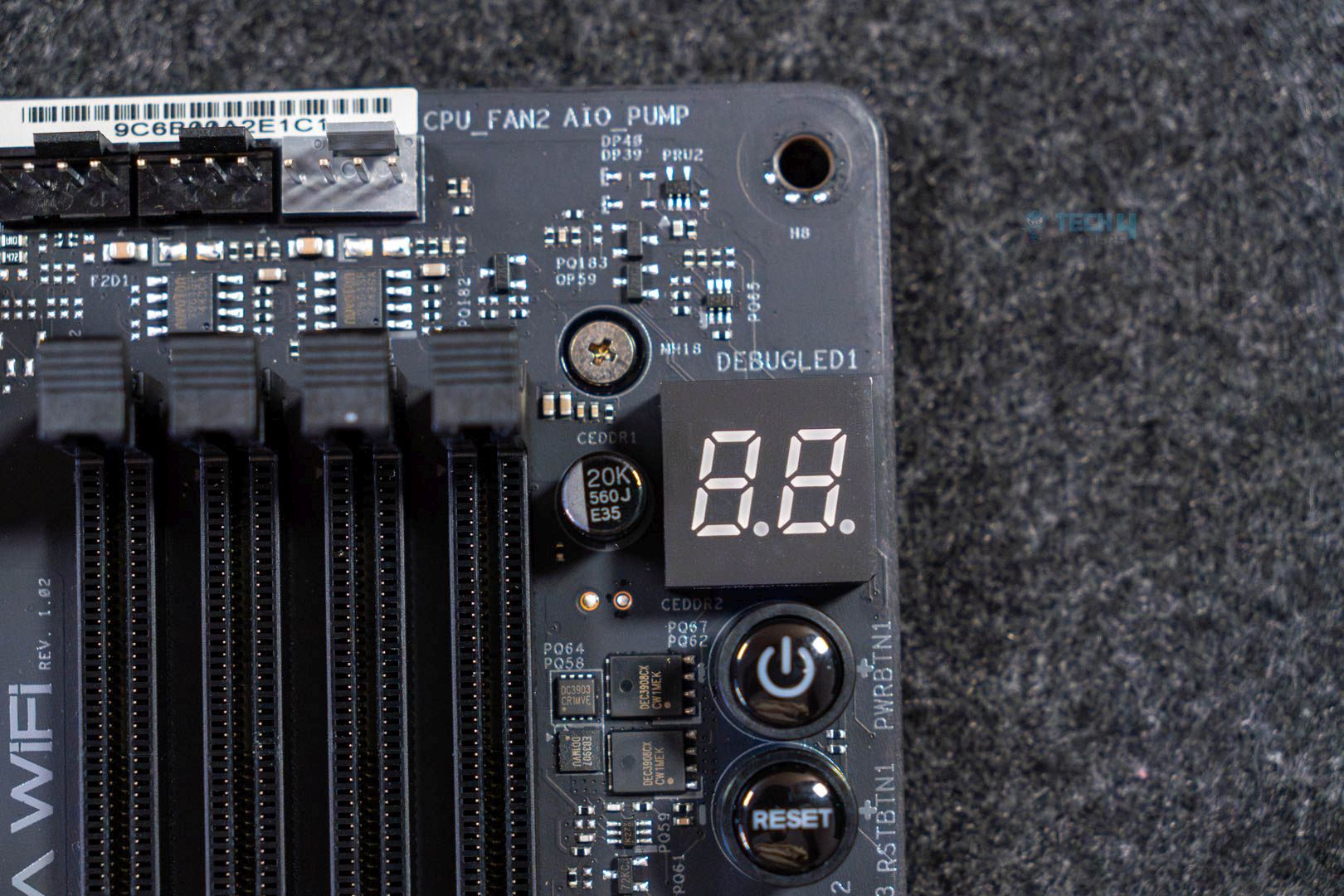
Chipset: AMD X870 | Memory: DDR5 8,400+ (OC) | VRM: 18+2+1 | Video Outputs: HDMI 2.1, 2x USB4 Ports | RGB Lighting: Yes | Network: WiFi 7, Realtek 5G LAN, Bluetooth 5.4 | Storage: 5x M.2, 2x SATA III | USB Ports: 11x Rear, 9x Front
Pros
- Beautiful design
- Solid VRMs
- 5x M.2 slots
- Excellent VRM cooling
- Great price
- Decent USB connectivity
Cons
- Lane-sharing between M.2 and PCIe_2, USB4, and SATA ports
- Only 2x SATA connectors
Read Our ASRock Phantom Gaming X870 Nova WiFi Motherboard Review
Next on the list is the ASRock Phantom Gaming X870 Nova WiFi. There are many things to love about this motherboard, for example, the plethora of 5x M.2 slots, a beautiful design, decent RGB lighting, excellent VRM cooling, and a price that’s easy on the wallet. During my tests, the VRM temperatures on the motherboard peaked at 52°C, making it perfect for overclocking any high-end CPU. Regarding its design, the motherboard has a futuristic look, with holographic streaks running through the M.2 heatsinks and integrated RGB lighting on the larger heatsink.
Looking at the connectivity, I was amazed by 5x M.2 slots but fairly disappointed by only 2x SATA slots. I’m pleased with the USB connectivity options, including 8x USB 2.0, 7x USB 3.2 Gen 1, 2x USB 3.2 Gen 2, 1x USB 3.2 Gen 2×2, and 2x USB 4 ports. Lane sharing between PCIe lanes and SATA ports isn’t new, but it still annoys me. Overall, the motherboard’s performance is spot-on, with few downsides.
Here’s how I described the motherboard’s performance and cooling in my in-depth review:
The VRM setup is quite good for the price, and the heatsink keeps things cool (well, warm) under load. Overclocking is possible, even with the 170W Ryzen counterparts.
What Makes It The Best High-End Motherboard For Ryzen 7 9800X3D?
The ASRock Phantom Gaming X870 Nova WiFi motherboard comes with a powerful 18+2+1 VRM phase at 80A SPS, enough to easily power the Ryzen 7 9800X3D. Add the 5x M.2 slots, beautiful aesthetics, decent connectivity options, and a low price, and it’s the best high-end motherboard for the Ryzen 7 9800X3D CPU.

I truly fell in love with the ASRock Phantom Gaming X870 Nova WiFi’s performance, aesthetics, and overall value because of its low price. It might not be the best motherboard of all time, but it’s easily the best high-end motherboard for the Ryzen 7 9800X3D. You really can’t go wrong with this purchase nine out of ten times. The one time would be if you need more 2.5″ drives instead of more NVMe storage.
– Usman Saleem
| Performance: 10/10 | Value: 9/10 |
| Features: 8/10 | Design: 9/10 |
MSI MPG X870E Edge Ti WiFi
Best White Motherboard For Ryzen 7 9800X3D
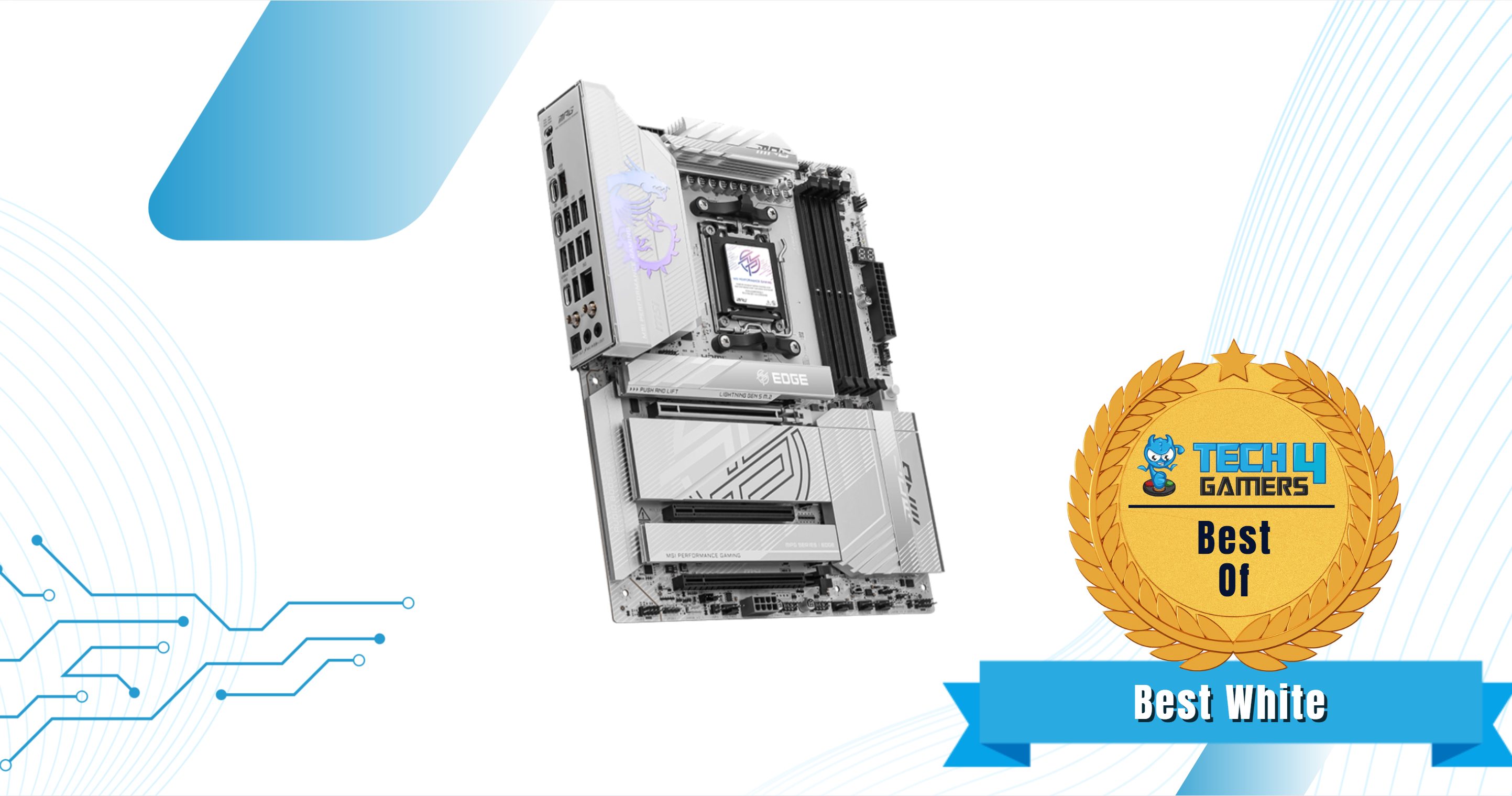
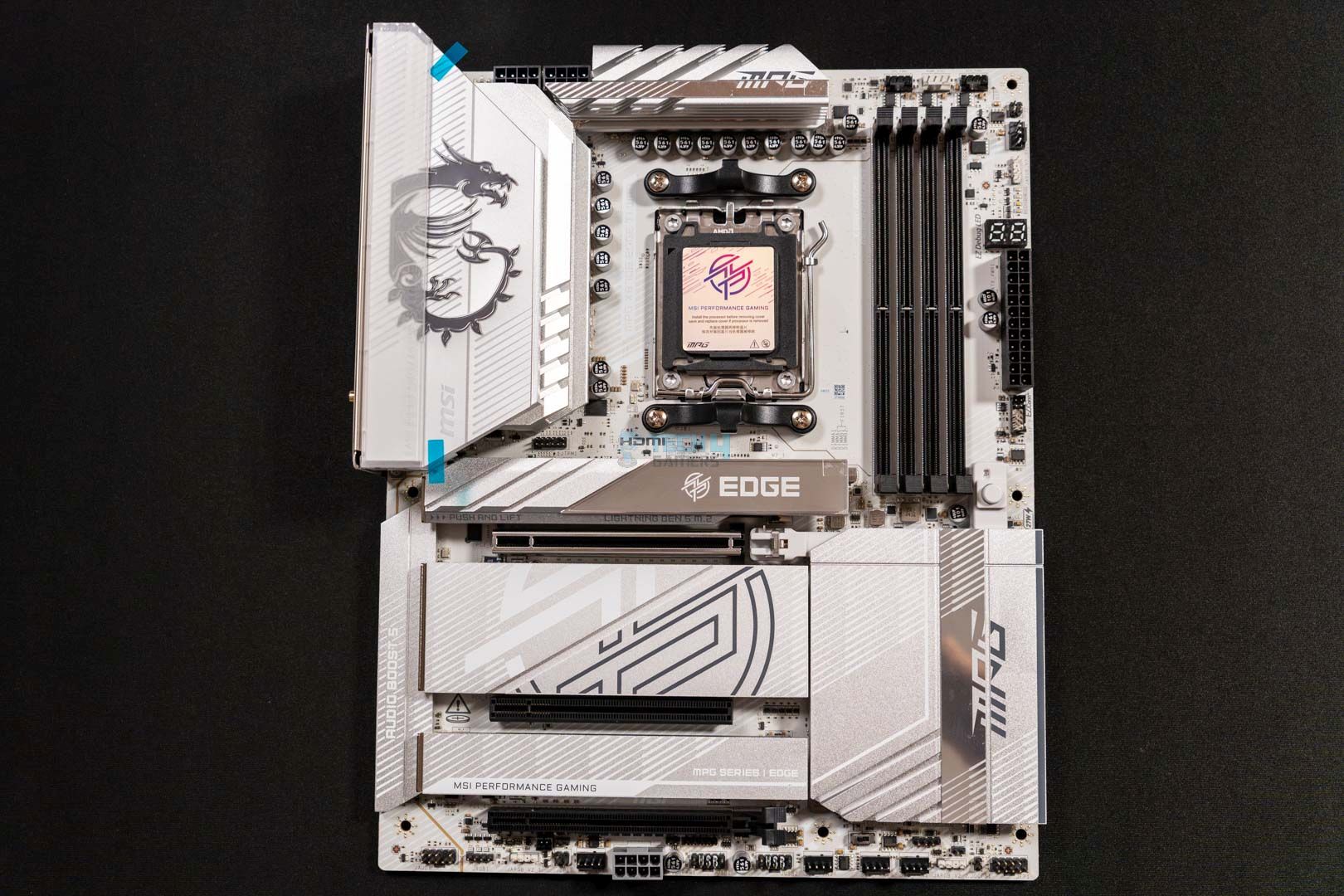
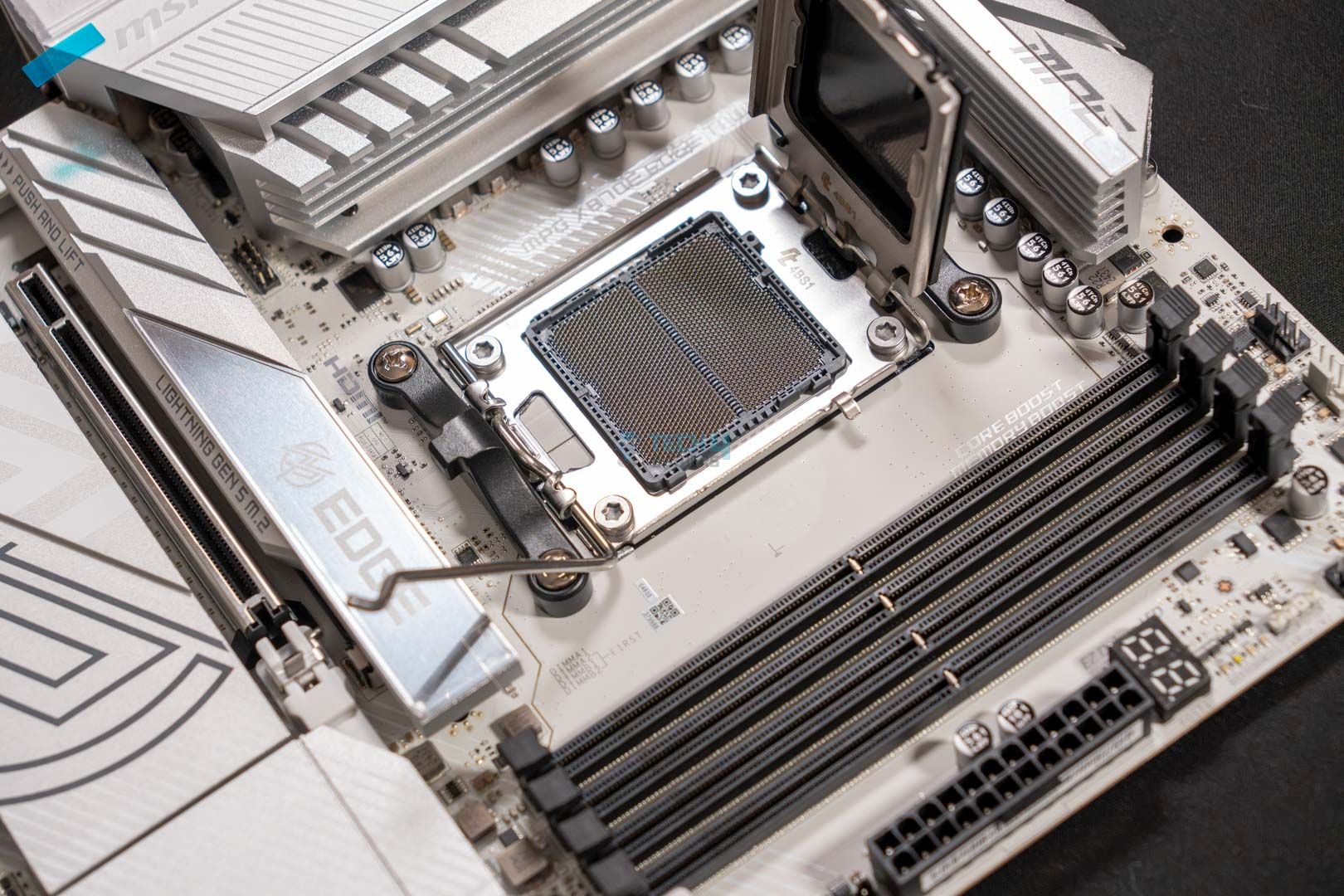
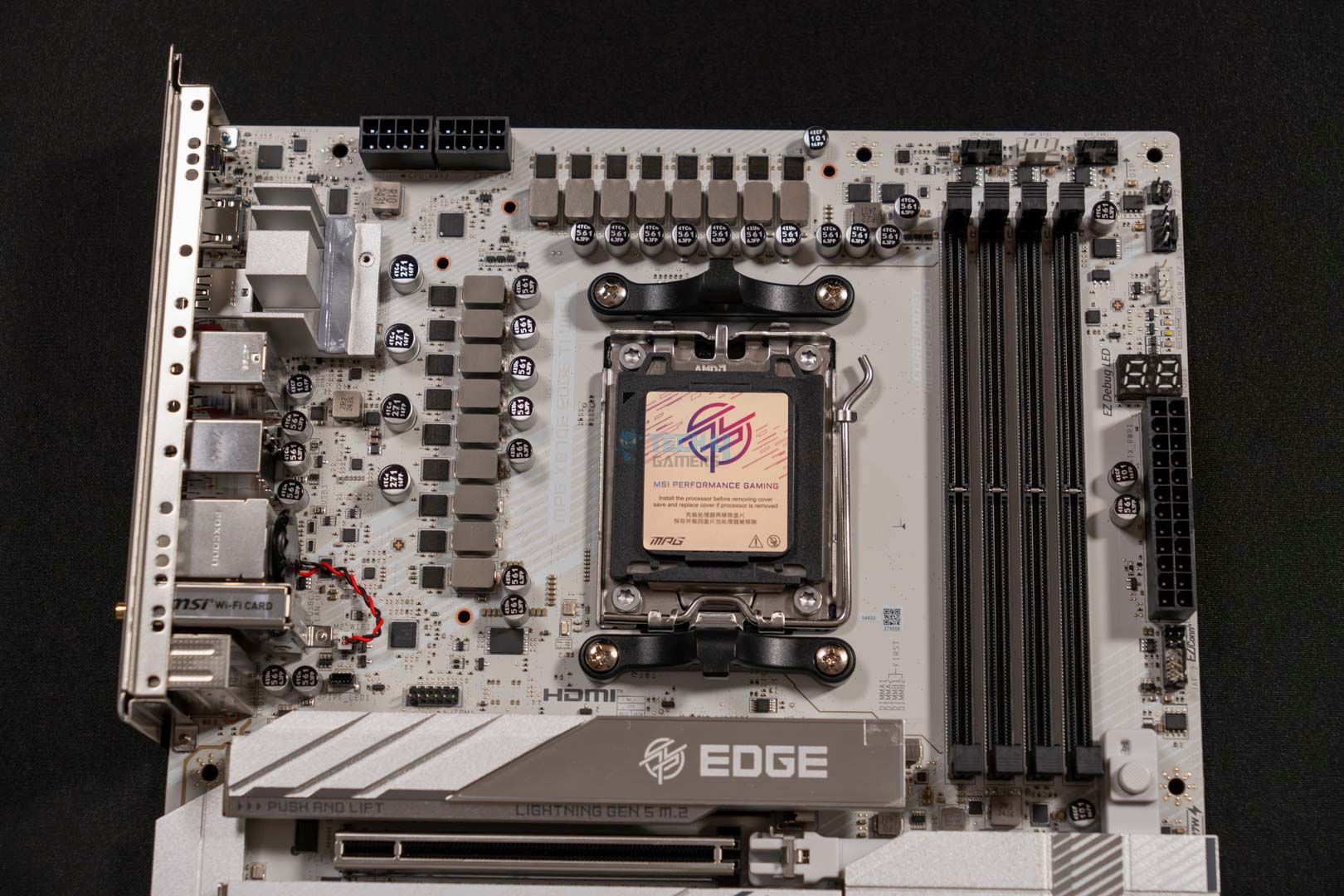
Chipset: AMD X870E | Memory: DDR5 8,400+ (OC) | VRM: 14+2+1 | Video Outputs: HDMI 2.1, 2x Type-C Ports, 1x DisplayPort 1.4 | RGB Lighting: Yes | Network: WiFi 7, Realtek 5G LAN, Bluetooth 5.4 | Storage: 4x M.2, 4x SATA III | USB Ports: 12x Rear, 9x Front
Pros
- Excellent performance with 14+2+1 VRM design
- Equally impressive thermal performance
- PD charging up to 27W
- One of a kind white aesthetics
- 21 USB ports including USB4
- 2x PCIe 5.0, 2x PCIe 4.0 M.2 slots
- EZ DIY mechanism
- WiFi 7, BT 5.4
- Digi-Debug & EZ Debug LEDs
Cons
- M2_2 & USB4 port shares bandwidth
Read Our MSI MPG X870E Edge Ti WiFi Motherboard Review
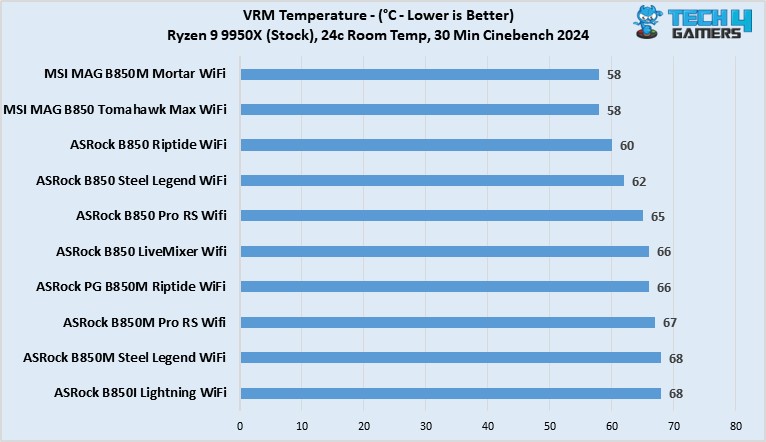
Heading over to our next motherboard, we have the MSI MPG X870E Edge Ti WiFi. The board in discussion is an impressive piece of hardware that offers both performance and aesthetics without being overly priced. Starting with its raw specs, the motherboard features a 14+2+1 VRM phase design that ensures ample performance on the go without any issue. Moreover, the solid cooling solution further complements its looks and worth. Since, according to our testing, the VRM temperatures never went over 55 °C after 30 minutes of Cinebench 24.
Besides the performance figures, the board also incorporates RGB on its I/O shield, and coupled with the white & silver combination, the whole board looks great. Similarly, the board is also equipped with a total of 21 USB ports, including two USB4 ports at its rear. Not only that, but you also get 27W PD charging via the front USB. As for storage, the board comes with two PCIe 5.0 and two PCIe 4.0 M.2 ports that are sufficient in the majority of the cases. Similarly, it also features EZ Debug & Digi-Debug LEDs for easy troubleshooting. Lastly, the current price of $299 makes it an excellent deal.
Here’s what I had to say about it in my review:
The MSI MPG X870E Edge Ti WiFi is a great choice for an X870E chipset that costs you $329.99. This motherboard can also be called the beauty and the beast because of its appealing white aesthetics and powerful VRMs that ensure great performance output. The board also comes packed with an EZ-DIY mechanism all over it. Moreover, the VRMs stay very cool even under intense load, which impressed us quite well.
What Makes It The Best White Motherboard For Ryzen 7 9800X3D?
The MSI MPG X870E Edge Ti WiFi costs not more than $299 and offers solid performance and an ample amount of features, such as 27W PD charging, USB4 ports, and PCIe 5.0 M.2 slots. All this while being equally aesthetically pleasing with its white color scheme and slight bit of RGB. The whole package makes it the one of the best white motherboards for the Ryzen 7 9800X3D.
| Performance: 9/10 | Value: 9.5/10 |
| Features: 8.5/10 | Design: 10/10 |
MSI MAG B850 Tomahawk Max WiFi
Best Budget Motherboard For Ryzen 7 9800X3D
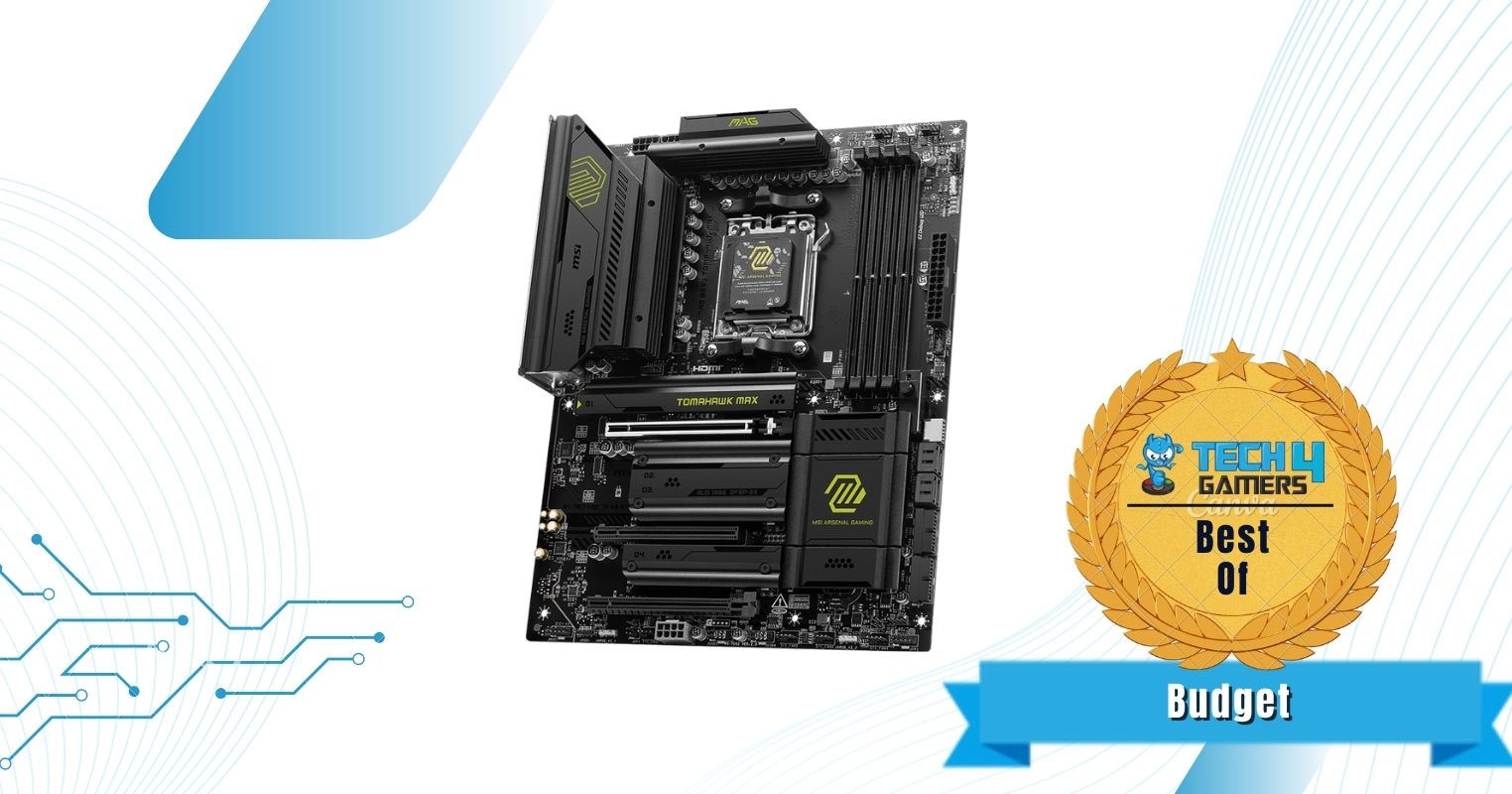
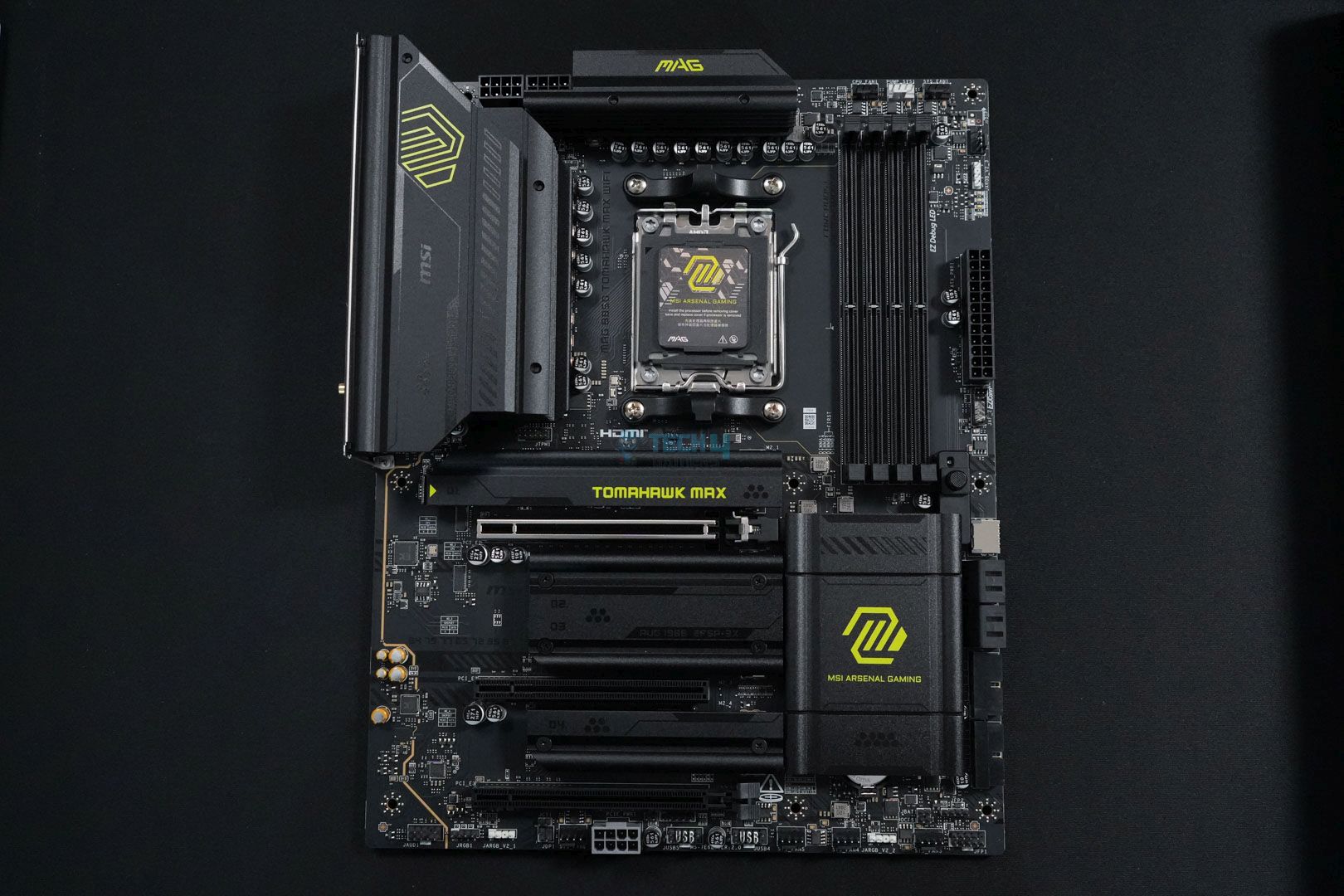
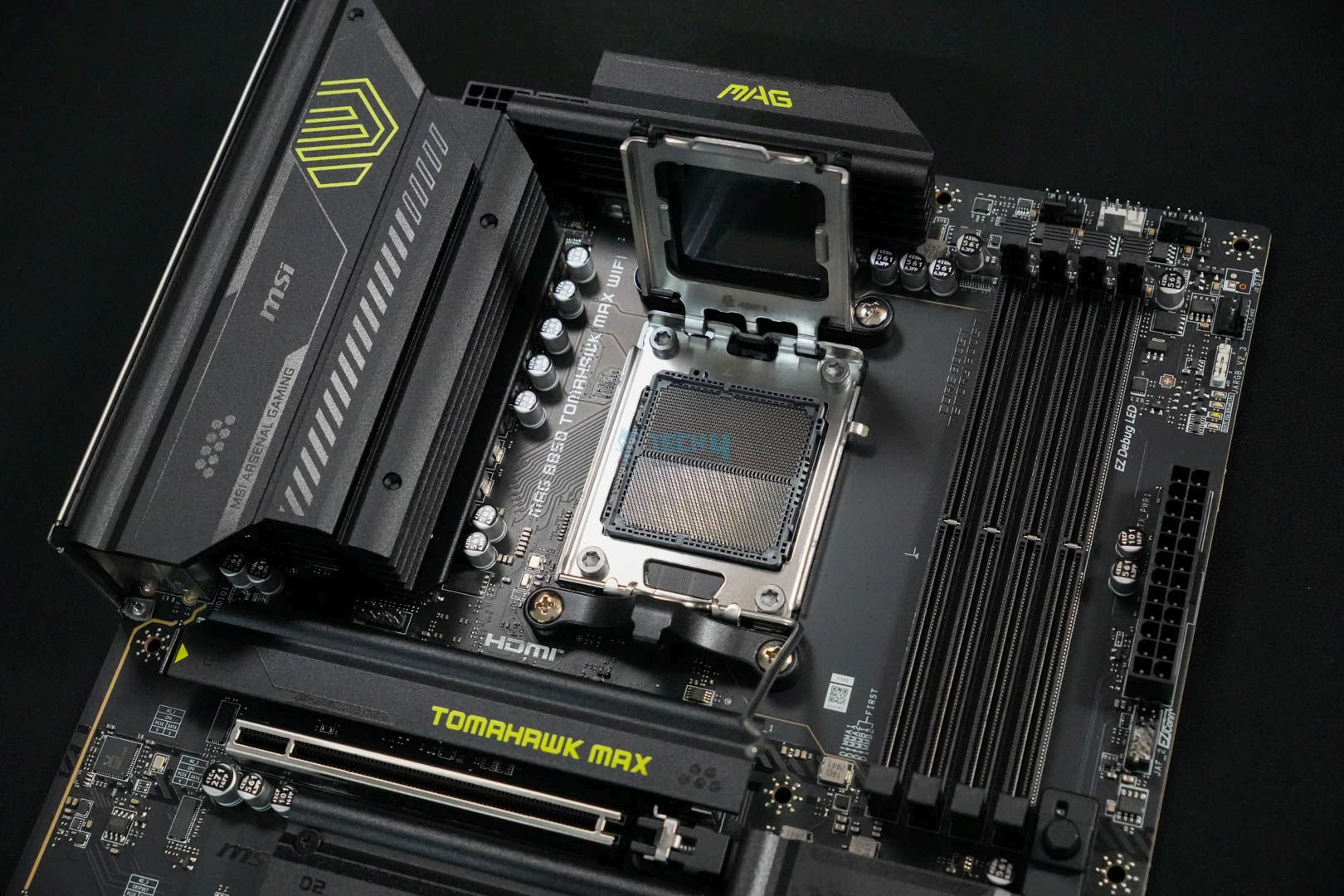

Chipset: AMD B850 | Memory: DDR5-8400 (OC) | VRM: 14+2+1 | Video Outputs: 1x HDMI 2.1 port | RGB Lighting: No | Network: 1x Realtek 8126VB 5G LAN, AMD WiFi 7, Bluetooth 5.4 | Storage: 4x M.2, 4x SATA | USB Ports: 10x Rear, 9x Front
Pros
- Impressive VRMs
- Good VRM cooling at 59°C max temps
- Affordable
- Handy EZ-DIY features
- Up to 8,400MHz frequency support
Cons
- USB 4.0 missing
- Lacks dual-sided thermal pads for primary M.2 heatsink
Read Our MSI MAG B850 Tomawhawk Max WiFi Motherboard Review
Don’t want to spend a fortune on a motherboard to pair with the Ryzen 7 9800X3D? Don’t worry—the MSI MAG B850 Tomahawk Max WiFi has you covered. It’s affordable, has most EZ-DIY features, and supports 8,400MHz RAM frequency. I didn’t have any issues with the VRMs either; with a 14+2+1-phase design, the temperatures maxed out at 59°C, which is pretty decent for an affordable B850 motherboard. However, it has its downsides, too, with a lack of a USB4.0 port and no dual-sided thermal pads for the primary M.2 heatsink.
There’s not much difference between an X870 and a B850 motherboard, so you don’t have to worry about missing too many features. For example, you’re still getting 4x M.2 slots: two PCIe 5.0 x4 slots, one PCIe 4.0 x4 slot, and the last a PCIe 4.0 x2 slot. As I stated above, I do regret the missing USB4.0 and no dual-sided thermal pads on the M.2 heatsink, but if you’re using a decent chassis, you shouldn’t have to worry about both of those issues.
Ali Tauseef, one of our motherboard experts, spent considerable time reviewing this motherboard. Here are his own words about the product:
The MSI MAG B850 Tomahawk Max WiFi is an excellent mid-ranger and a great option for stepping onto the latest platform with your Ryzen 9000 CPU. It has a decent 14+2+1 DRPS design with 14x 80A SPS for the CPU, enough for even the AM5 big dogs. 5G LAN, WiFi 7, dual Gen 5 M.2 slots, PCIe 5.0 x16, and EZ-DIY are the highlights on the board.
What Makes It The Best Budget Motherboard For Ryzen 7 9800X3D?
The MSI MAG B850 Tomahawk Max WiFi motherboard offers incredible pricing without sacrificing most features. It provides a decent 14+2+1 VRM phase, EZ-DIY features for new PC builders, pleasing overall aesthetics without the RGB, and RAM frequency support of up to 8,400MHz. These features make it the best budget motherboard for the Ryzen 7 9800X3D while keeping costs below $300.
| Performance: 9/10 | Value: 10/10 |
| Features: 9/10 | Design: 8/10 |
ASUS ROG Crosshair X870E Hero
Best Overclocking Motherboard for Ryzen 7 9800X3D
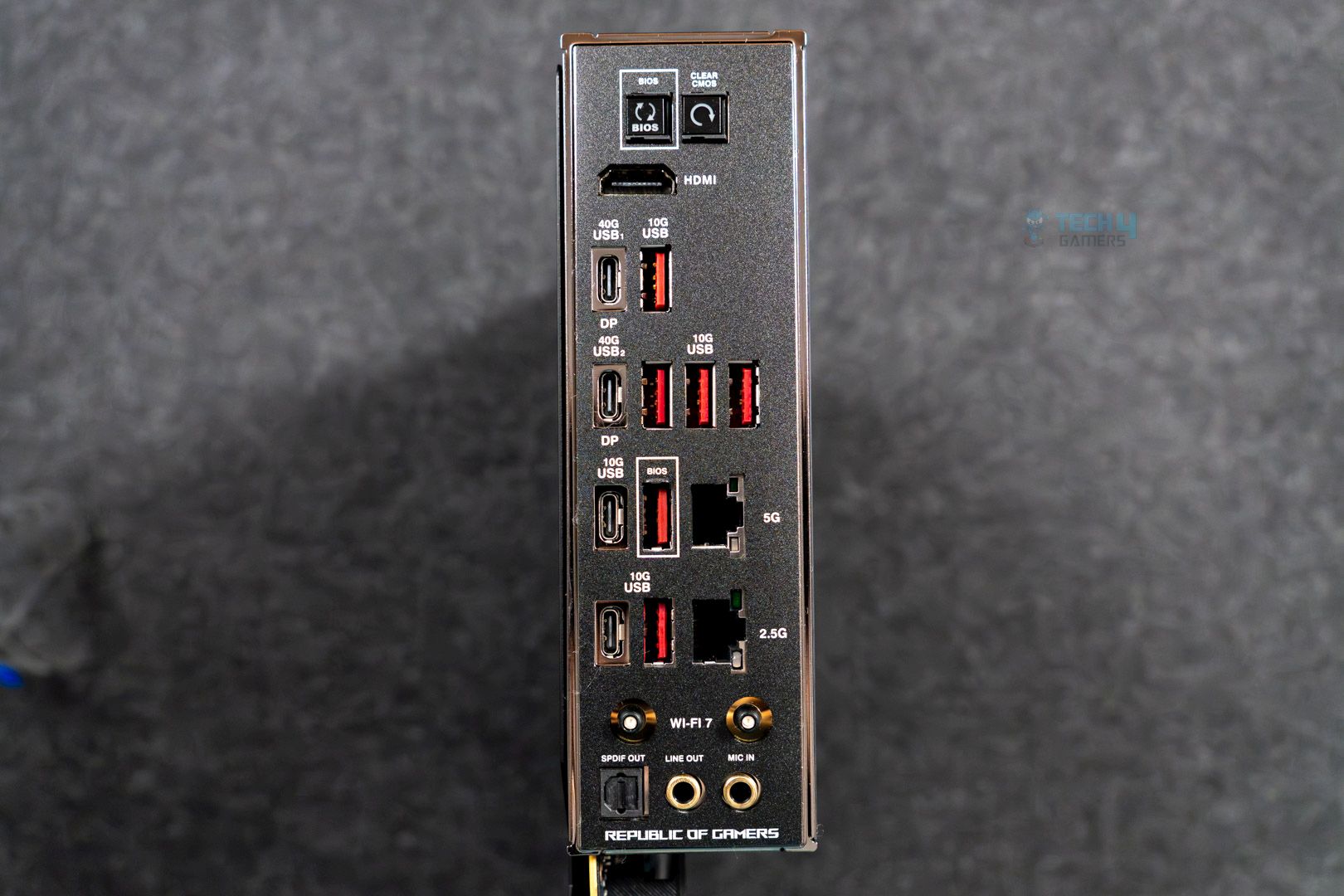
Chipset: AMD X870E | Memory: DDR5 8,200+ (OC) | VRM: 18+2+2 | Video Outputs: HDMI 2.1, 2x Type-C USB 40Gbps, DisplayPort 1.4a | RGB Lighting: Yes | Network: WiFi 7, Realtek 5G LAN, Intel 2.5G LAN, Bluetooth 5.4 | Storage: 5x M.2, 4x SATA III | USB Ports: 10x Rear, 10x Front
Pros
- Great design
- VRM cooling is one of the best
- 5x M.2 slots (incl. 3x Gen 5)
- 60W charging support
- USB4 (and 18x other ports)
- Audio solution includes DAC
- EZ-DIY features
Cons
- Expensive
- No 10G LAN
Read Our ASUS Rog Crosshair X870E Hero Motherboard Review
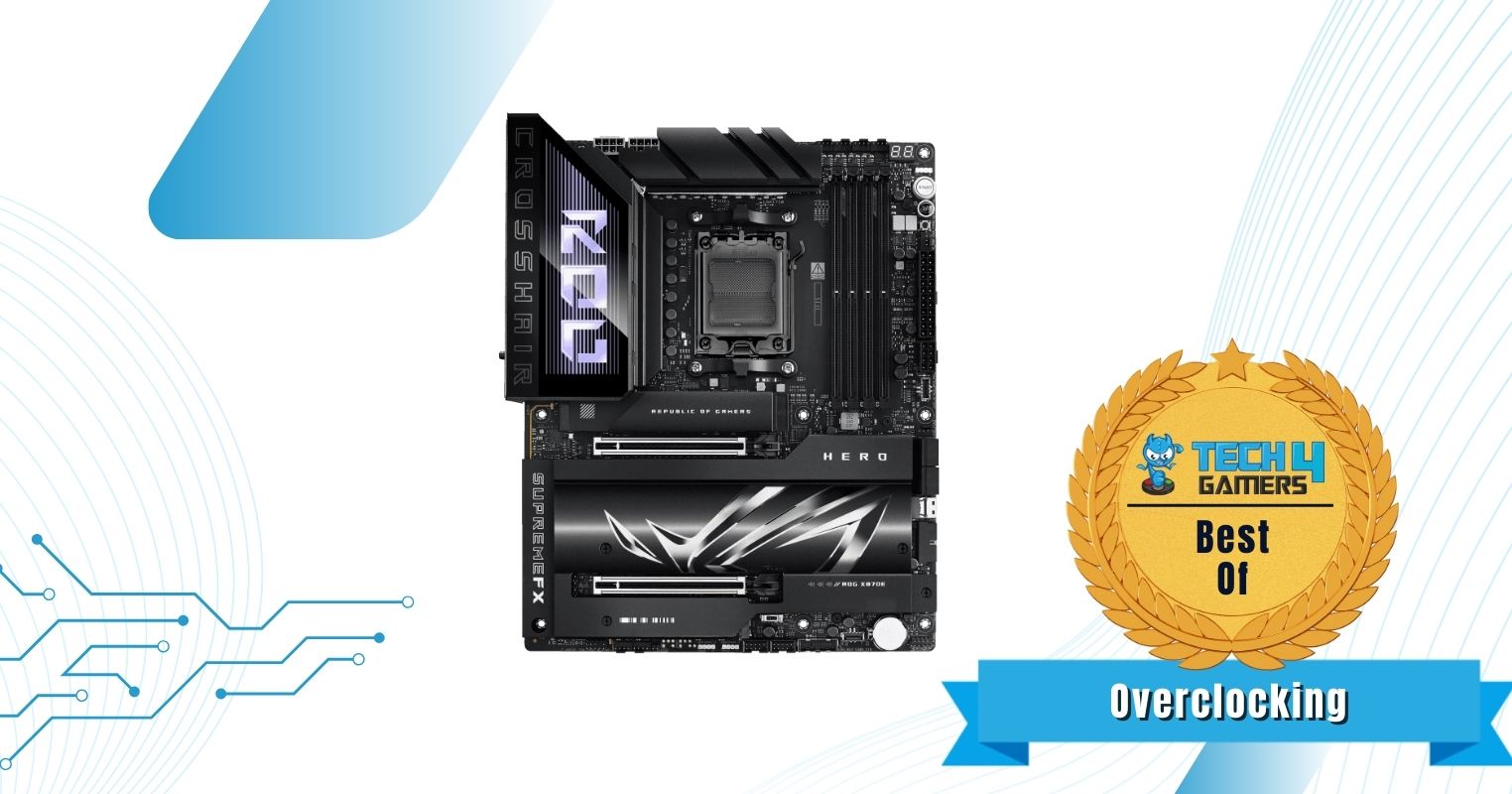
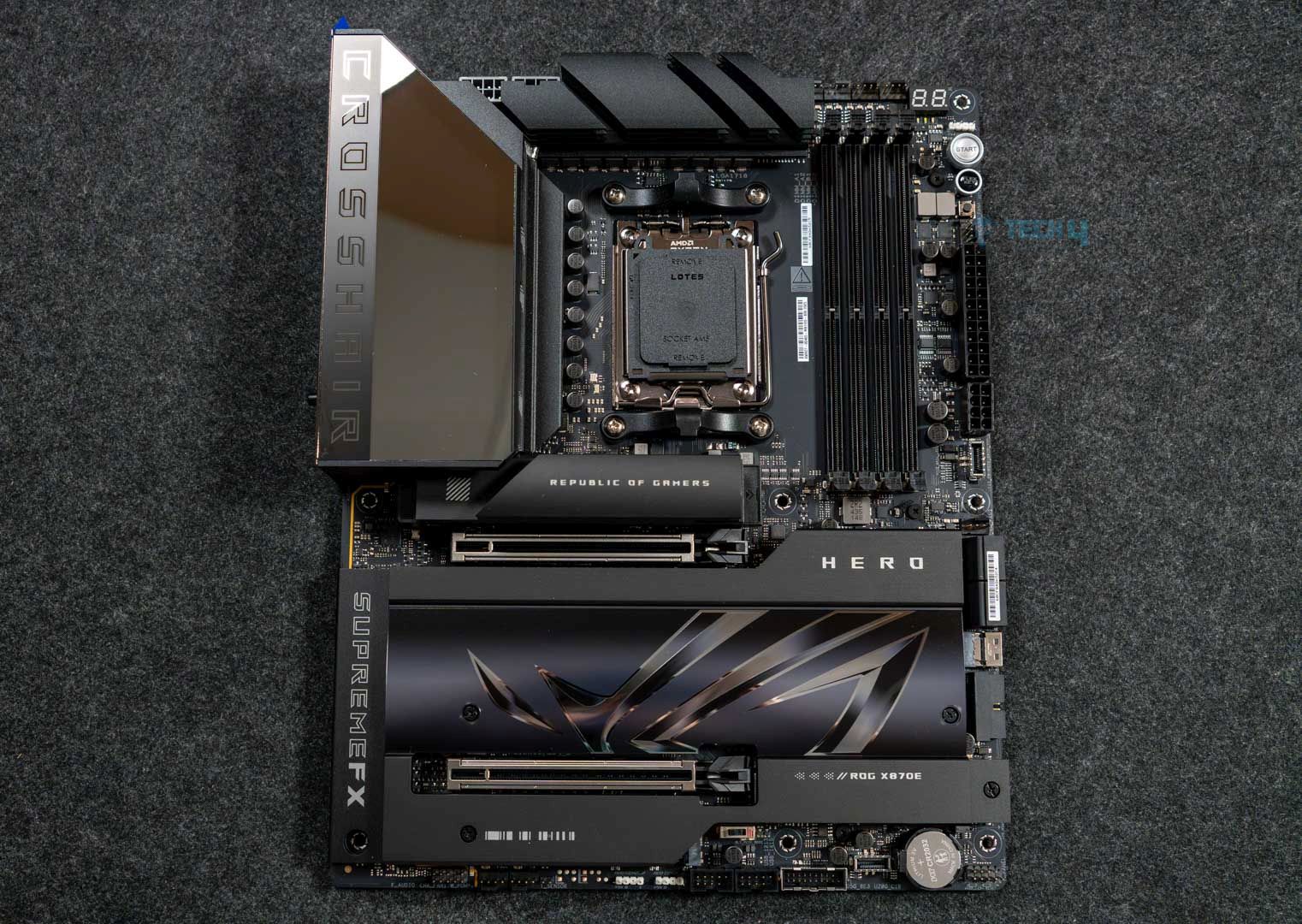
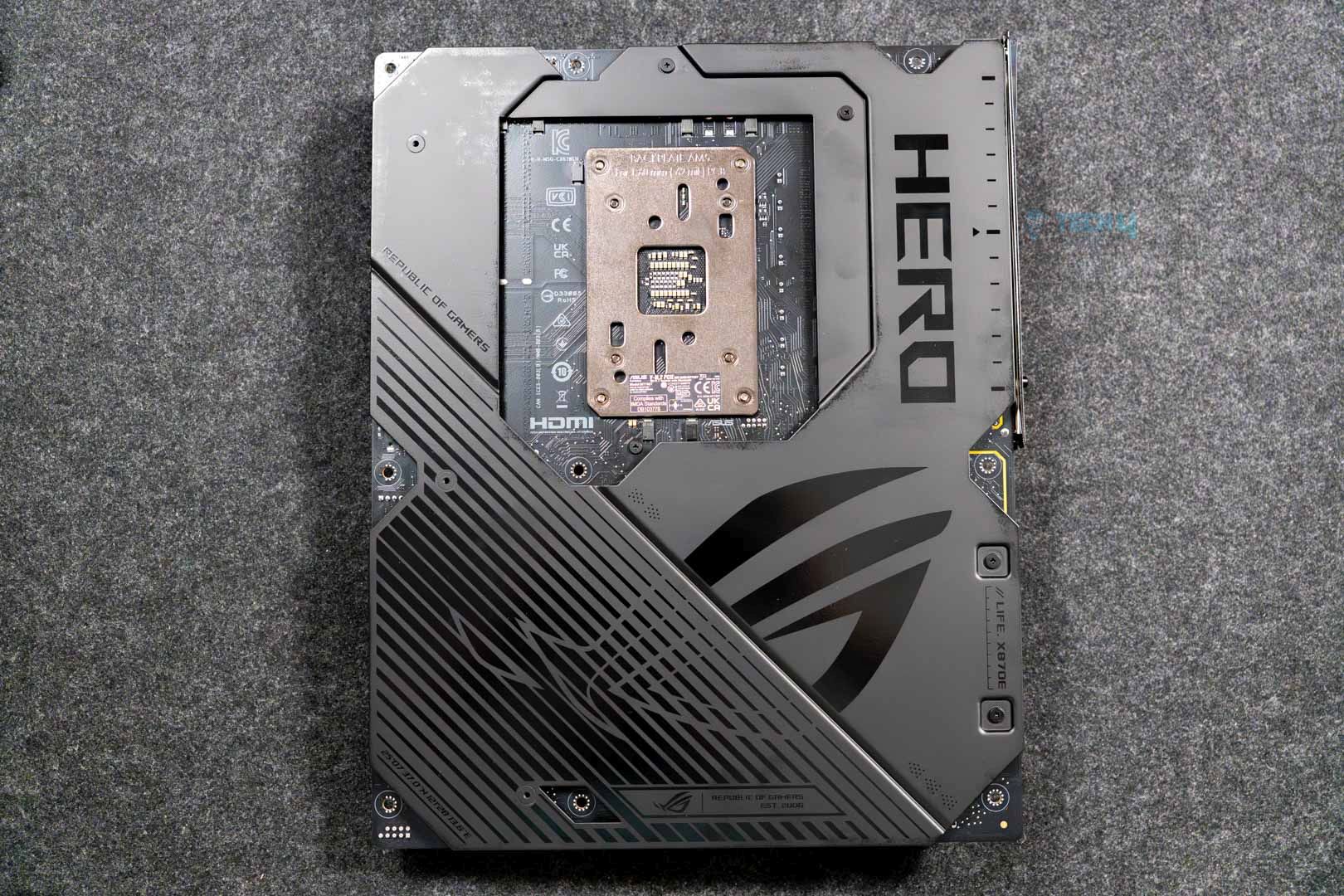
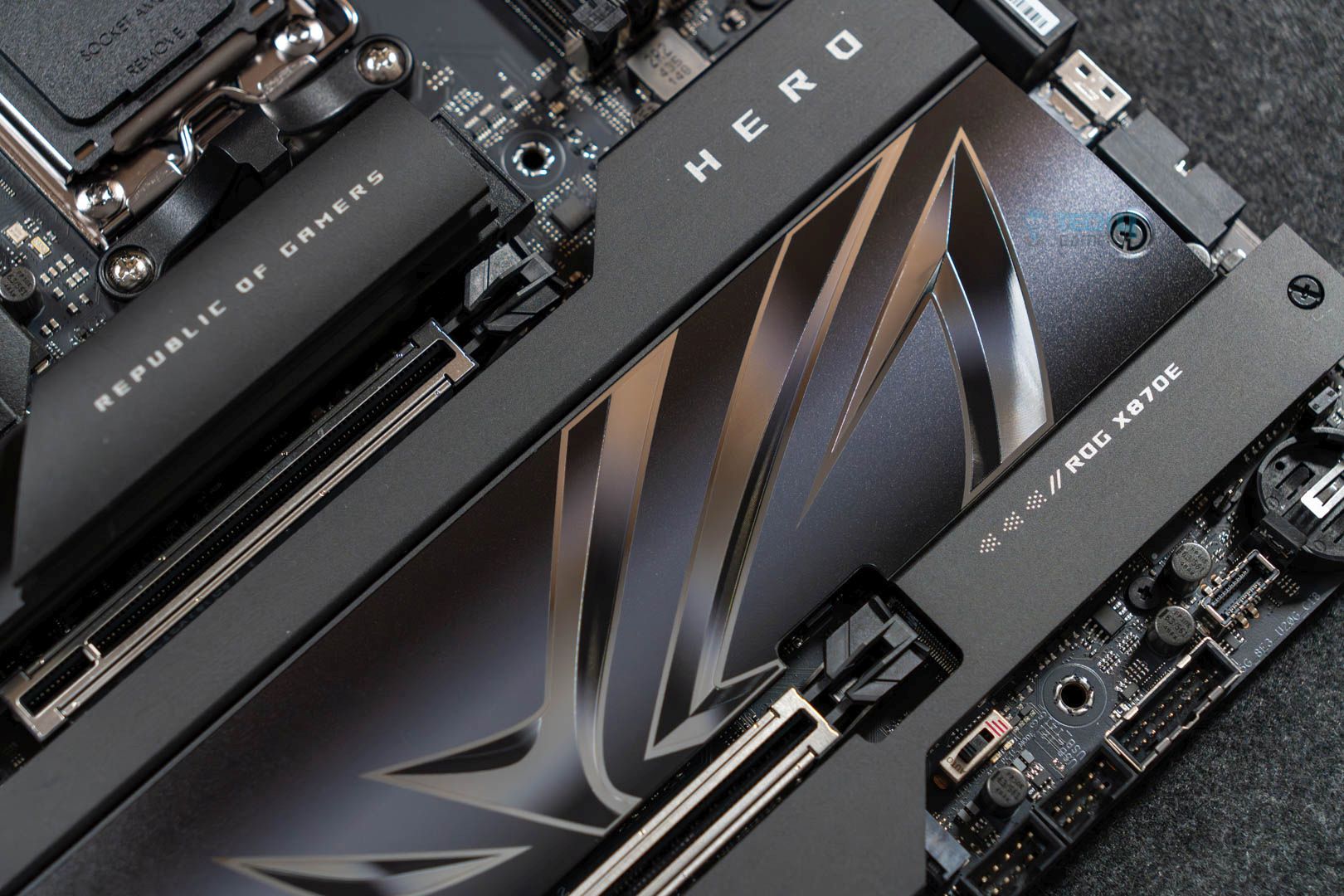
The ROG Crosshair X870E Hero is ASUS’s second-most premium offering for the chipset and offers a wealth of premium features. Starting with its design, the motherboard rocks an all-black aesthetic highlighted by its large heatsinks and the Polymo Lighting II array dashboard on top of the rear I/O. Its performance is just as good as it rocks 18x 110A teamed stages to power the CPU, which offers plenty of power to overclock the 120W 9800X3D. In our testing, the process ran comfortably at its 5.2 GHz boost clock speed out of the box, with the VRMs maxing at a cool 56°C.
For features, the motherboard offers fast memory support (up to 8200+ MT/s with Ryzen 9000), USB 4, 5x M.2 ports, and WiFi 7. It also has dual LAN ports (2.5G and 5G) and 60W charging support. Plenty of features add convenience (such as the M.2 Q-Latch). The last thing we want to mention is the overclocking-specific features like the LN2 Mode Jumper and ReTry button, which can be helpful when you’re trying to push your CPU to the max.
Our hardware reviewer Ali Tauseef had plenty of praise and highlighted only one downside of the board:
It offers a fresh, all-black design highlighted by the large Polymo Lighting II array, excellent VRMs, five M.2 slots, and 20 USB ports. Dual LAN ports are also on offer, but we would’ve preferred a singular 10G port.
What Makes It The Best Overclocking Motherboard For Ryzen 7 9800X3D?
The ASUS ROG Crosshair X870E Hero has all the makings of a motherboard to fulfil your overclocking needs. It also offers a pleasing design, the latest I/O (barring no 10G LAN), and a great audio setup. With ASUS’s focus on EZ-DIY features, it’s also very easy to work with.
| Performance: 9.5/10 | Value: 8/10 |
| Features: 9/10 | Design: 9/10 |
Benchmarks Of All The Motherboards We Tested
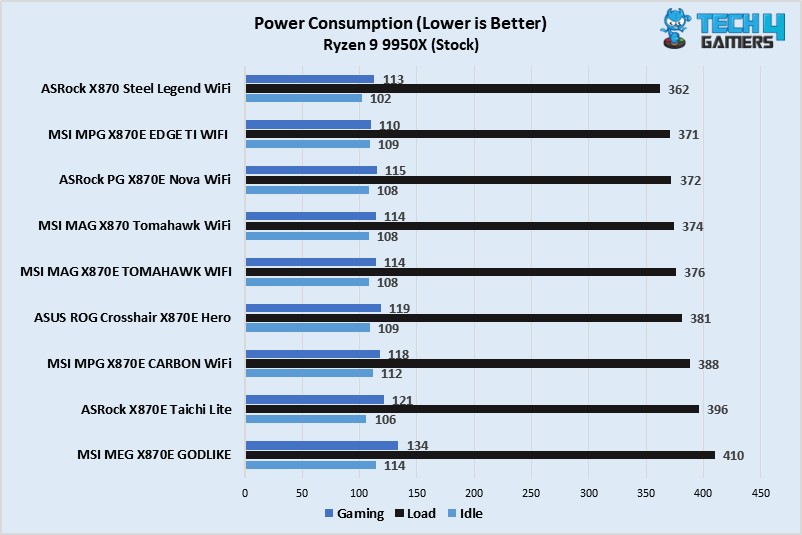
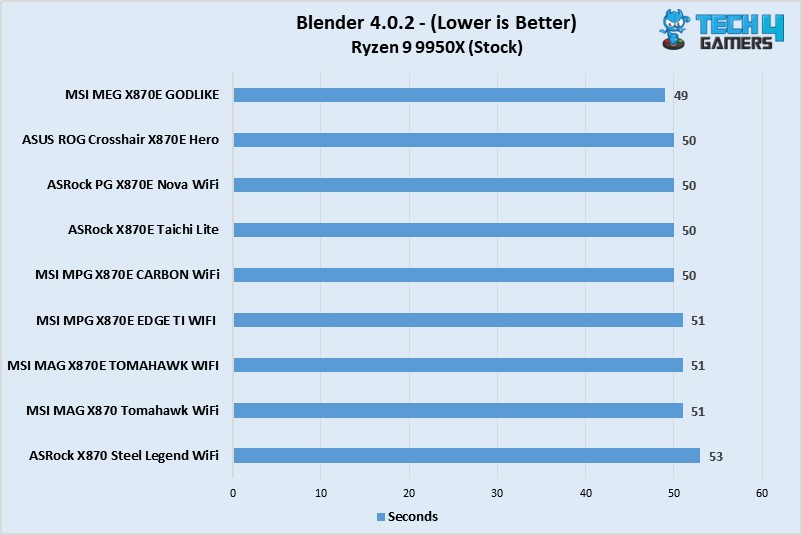
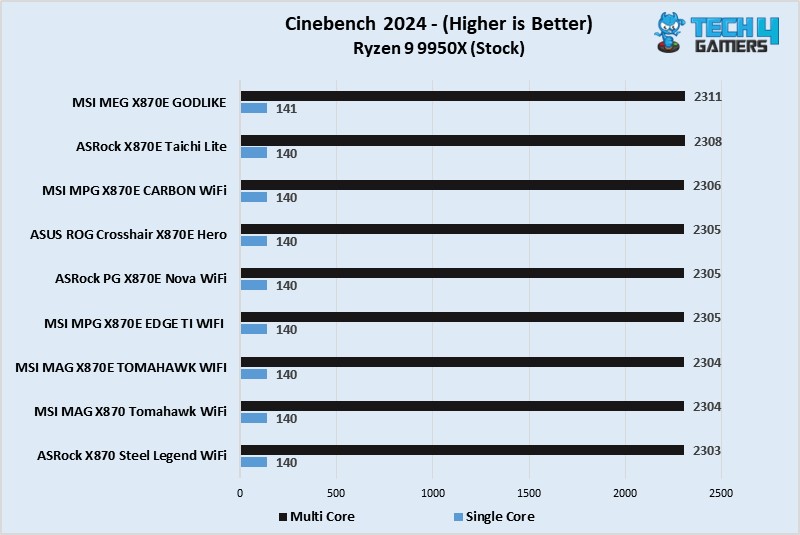
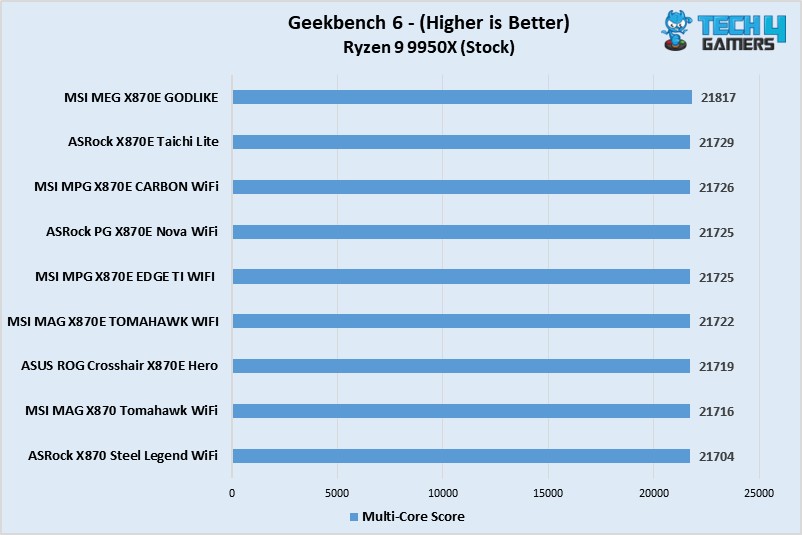
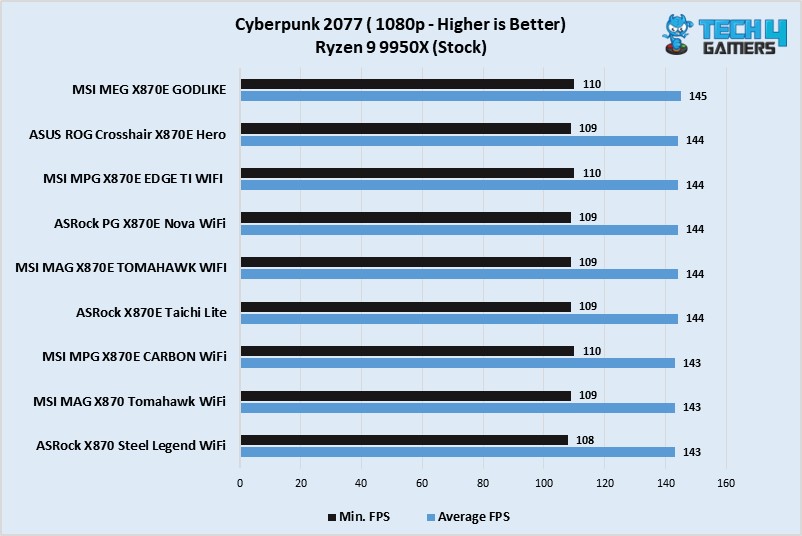
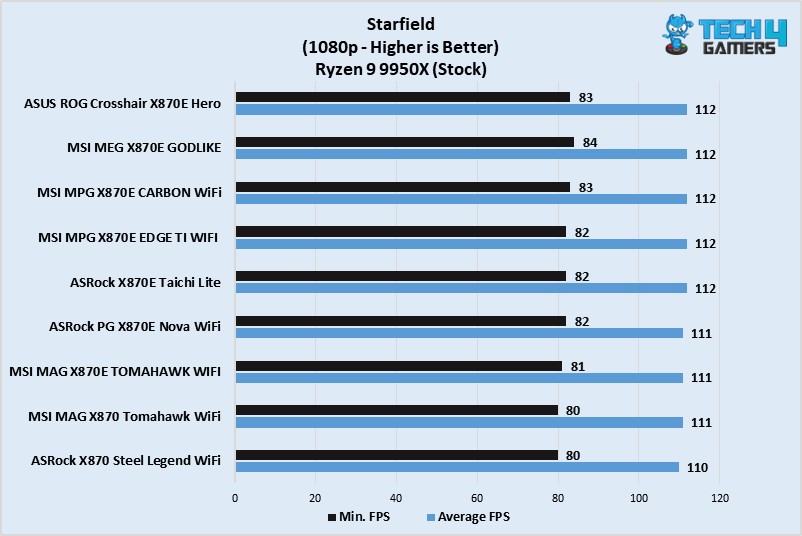
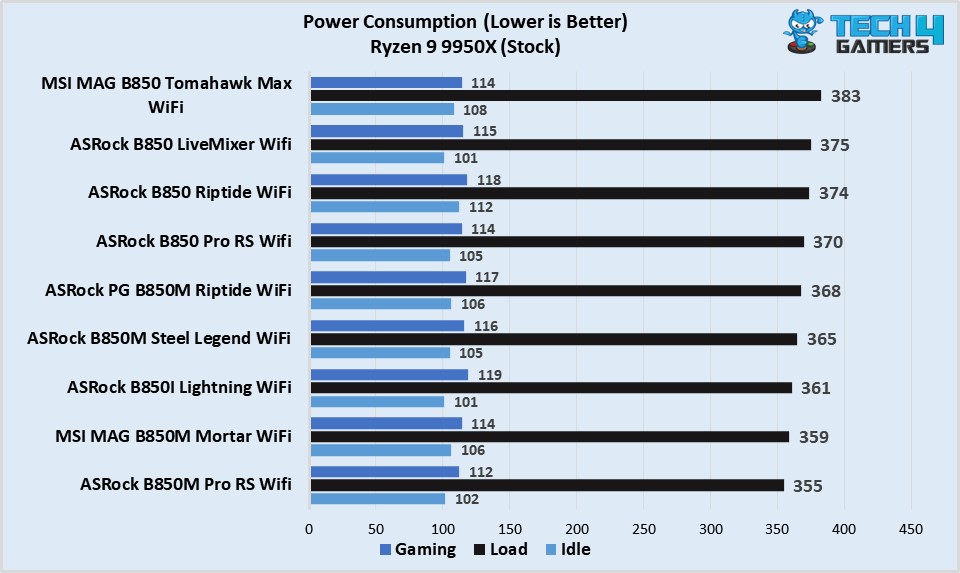
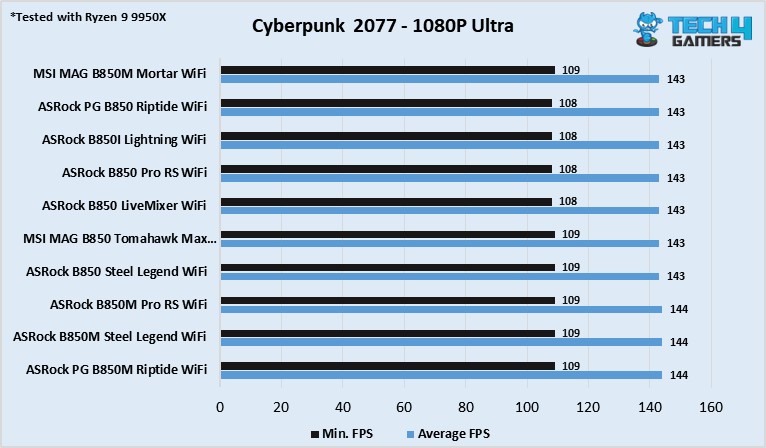
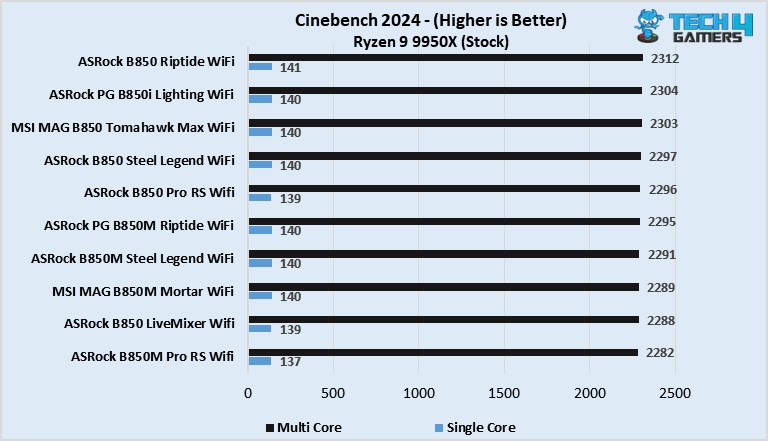
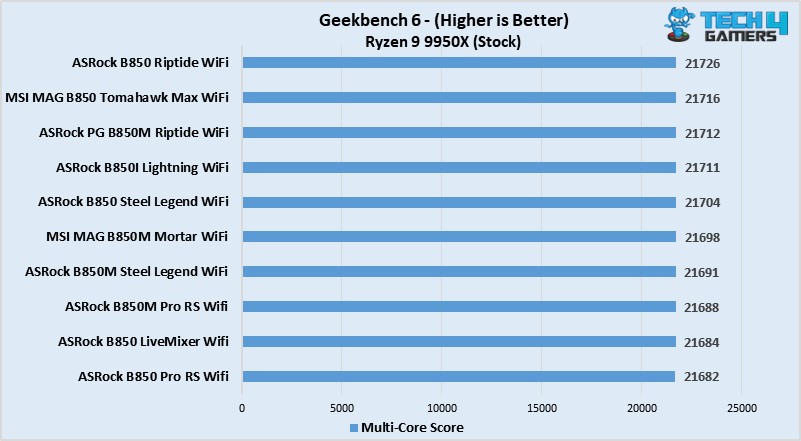
To determine the best motherboards that work well with the Ryzen 7 9800X3D and complement its performance, my team and have I spent the past several months testing and reviewing all the different B850, X870, and X870E motherboards from manufacturers like ASUS, MSI, ASRock, and more. Of course, we also ran several tests and benchmarks on them to gauge their performance, so if you want to see all the motherboards we got our hands on, swipe through the below gallery.
Specification Comparison
We have created a simple comparison chart of all our top motherboard picks so that it’s easier for you to choose the one that appeals most to your use-case scenarios. Here’s the chart:
| Motherboard Model | Total Power Phases | Max Memory Speed (MT/s) | No. of M.2 slots | No. of SATA III ports | No. of USB ports (Front) | No. of USB ports (Rear) |
|---|---|---|---|---|---|---|
| MSI MAG X870 Tomahawk WiFi | 16 | 8400 | 4 | 4 | 9 | 11 |
| ASRock X870E Taichi Lite | 27 | 8200 | 4 | 6 | 9 | 12 |
| ASRock X870 Steel Legend WiFi | 16 | 8000 | 3 | 4 | 9 | 11 |
| MSI MAG B850 Tomahawk Max WiFi | 17 | 8400 | 4 | 4 | 9 | 10 |
| ASUS Rog Crosshair X870E Hero | 22 | 8200 | 5 | 4 | 10 | 10 |
These Motherboards Couldn’t Make Our List
Many motherboards on the market fit well with the Ryzen 7 9800X3D. However, we only selected the best ones in their categories to make your purchase decision easier. Of course, a few didn’t make the list, lacking value or features. Here are the motherboards that couldn’t make our list:
- Gigabyte X870 Aorus Elite: There’s not much to hate regarding the Gigabyte X870 Aorus Elite. Like its predecessor, which we covered, it’s one of the best contenders. However, its lack of 5G LAN makes it slightly inferior to its competitors.
Key Motherboard Terms
- CPU Socket: It’s a small slot on the motherboard where the CPU is inserted. Intel usually changes its CPU socket once every two generations, while AMD’s socket lasts for a few years. The AM4 lasted from the Ryzen 1000 to the Ryzen 5000 series, meaning you could use the same motherboard for all those CPUs.
- DIMM Slots: They are located next to the CPU socket where the RAM kits are installed. Thanks to the physical location being so close, DIMM slots allow the CPU to access temporary data quickly.
- Form Factor: Similar to the form factors of PC cases, the size and shape of the motherboard decide the chassis it’ll fit inside. Motherboard form factors are the same as PC case form factors, ranging from ITX, mITX, ATX, and E-ATX.
- VRM: Abbreviated as Voltage Regulator Module, VRMs are small circuits on the motherboard that ensure stable and proper voltage delivery to all PC parts. Better VRM phases are required to achieve higher CPU overclocks.
- PCIe Slots: PCIe slots are used for expansion cards and are essential for graphics cards, sound cards, and network adapters. In most cases, you want to install the graphics card in the x16 PCIe slot and then move downwards as required.
- Chipset: The chipset communicates between multiple PC components, such as the peripherals, CPU, RAM, GPU, and storage, to run everything smoothly without causing random crashes and errors.
How We Tested These Motherboards
Several factors contributed to selecting the best motherboards for the Ryzen 7 9800X3D CPU. They include features, power delivery, and value for money. Here’s a quick rundown of what I looked for in each motherboard:
- Features: One of the most important factors I considered was each motherboard’s features. Besides the EZ DIY features, software like MSI’s AI LAN manager, troubleshooting debug LEDs, or thicker M.2 heatsinks add more value to the motherboards. While performance is essential, subtle features create more incentive for a purchase.
- Power Delivery: The most important factor you should consider is a motherboard’s power delivery capabilities. A motherboard with mediocre power delivery will only end up either bottlenecking your PC components or completely frying them. Additionally, better power delivery is vital for CPU overclocking. That’s why I only chose motherboards that didn’t compromise on their VRMs.
- Value For Money: Regardless of your budget, spending too much on a PC component won’t yield better results if everything it features is a gimmick. Therefore, I was meticulous with the value for money of each motherboard I selected. Along with performance, they needed to have dozens of features and not cost absurd amounts of money.
Recent Updates
- May 5, 2026: We have added ASRock’s Phantom Gaming X870 Nova WiFi as the best high-end motherboard after testing it against similar motherboards.
- April 11, 2025: We have added our test results and benchmarks of around 20 motherboards that we reviewed to narrow down the top five choices for the Ryzen 7 9800X3D.
- March 26, 2025: After testing the ASUS ROG Crosshair X870E Hero motherboard, we found it to be a better fit than the ASRock PG X870E Nova WiFi in the “Best for Overclocking” category.
- February 4, 2025: Since the 9800X3D supports overclocking, we found the ASRock PG X870E Nova WiFi to offer the best overclocking performance for the Ryzen 7 9800X3D, and that’s why we have now added it to our recommendations.
- February 3, 2025: After testing the newly released B850 motherboards, we found the MSI MAG B850 Tomahawk Max WiFi to be a great choice for the 9800X3D, specifically in the budget category.
FAQs
Regardless of the resolution, the Ryzen 7 9800X3D should be able to run any game at high FPS, considering it is currently the best gaming CPU on the planet.
Like the previous X3D processors, you won’t be able to overclock the Ryzen 7 9800X3D CPU. Doing so won’t yield any performance uplifts anyway.
The Ryzen 7 9800X3D CPU supports up to DDR5 8,800MHz RAM speeds, ensuring whichever kit you purchase will be compatible with the CPU.
Yes. The Ryzen 7 9800X3D is compatible with both chipsets along with the newest X870 chipset. Depending on your budget and use-case scenario, you should look for a motherboard from the B650 and X870 chipsets for the most value.
Thank you! Please share your positive feedback. 🔋
How could we improve this post? Please Help us. 😔

[PC Hardware Specialist]
Usman Saleem brings 8+ years of comprehensive PC hardware expertise to the table. His journey in the tech world has involved in-depth tech analysis and insightful PC hardware reviews, perfecting over 6+ years of dedicated work. Usman’s commitment to staying authentic and relevant in the field is underscored by many professional certifications, including a recent one in Google IT Support Specialization.
8+ years of specialized PC hardware coverage
6+ years of in-depth PC hardware analysis and reviews
Lead PC hardware expert across multiple tech journalism platforms
Certified in Google IT Support Specialization
Get In Touch: usman@tech4gamers.com
 Join Our Community