At Tech4gamers, I cover all sorts of gaming news. Whether it’s a leak of any upcoming game or an update, an announcement, or a rumour, I like to write about it all. Over the weekend, I sit and write features where I talk about games that I miss or want to see return.
Story Highlight
Elden Ring Shadow of the Erdtree was launched in late June and instantly resulted in a huge boost to player counts.
The title is still reaching over 150K players daily on Steam.
This average is twice as high as Elden Ring’s player counts before the DLC was released.
Elden Ring is FromSoftware’s biggest release to date, and it only got better in June. After Shadow of the Erdtree, millions of new and returning players ventured into this world once again, leading to an incredible boost in player counts.
While fans are already demanding another DLC from the studio, many are still busy with the first one. Elden Ring is still boasting about 150K peak concurrent players on Steam each day, showing remarkable longevity.
Why it matters: This success cements the IP yet again as FromSoftware’s most important to date. It also serves as an example for other studios.
Elden Ring currently has over 116K players, while it peaked at just over 151K Steam users in the last 24 hours.
The numbers were much higher during the weekends, but even on weekdays, the game is easily reaching over 150K players. Although player counts have dropped since June, they are still incredible compared to the figures before the DLC.
Before the release of Shadow of the Erdtree, Elden Ring reached about 60-70K players on average. Therefore, the figures have effectively doubled, even though most players have likely completed Shadow of the Erdtree.
Therefore, it’s clear that Shadow of the Erdtree continues to be a major hit that will keep audiences engaged for many more months.
Elden Ring DLC Set A New Bar For Expansions
One of Elden Ring’s major strengths has always been the build variety. This aspect is even better after the DLC, even if bleed and frost remain a bit too strong.
Following Shadow of the Erdtree, players have more reason to experiment with the various new weapons and buffs. This can encourage multiple playthroughs, keeping the gameplay experience fresh and exciting.
Elden Ring’s future remains a mystery for now, but FromSoftware’s success is one that should be studied. These kinds of figures are often hard to maintain for multiplayer titles, let alone single-player releases.
Therefore, there’s no doubt that 2024 has been another big year for the IP after its initial success in 2022.
As Tech4Gamers’ Wiki Editor, I dissect gaming products, offering detailed perspectives on a variety of PCMR hardware ranging from the Best Motherboards and CPUs to the Best GPUs, RAM, and PSUs.
Story Highlight
The vulnerability affects both mobile and desktop versions of Intel’s 13th Generation ‘Raptor Lake’ and 14th Generation ‘Raptor Lake Refresh CPUs with TDPs of 65W and above.
The root cause is a bout of ‘elevated operating voltage’ which pumps excess power to the processors, resulting in permanent silicon damage.
Intel has also promised a software-based patch/fix, but this will only prevent further damage and cannot undo previous impairment.
Update: 7th August 2024 – After severe backlash, Intel has now announced that it will be revising its warranty policies to honour the RMAs for affected OEM & Tray CPUs as well.
Tsk, tsk, tsk.
Welcome to Q3 of 2024.
Intel is already on the backfoot due to AMD’s consistent blockbuster releases of the Ryzen 7000 ‘Raphael’ Processors based on Zen 4, followed by the recent launch of the Ryzen 9000 ‘Granite Ridge’ CPUs based on Zen 5.
AMD hasn’t made it easy for Intel in recent years. (Image by Tech4Gamers)
But what’s that I’m hearing? Another PR disaster for Intel? I wouldn’t be surprised at all. Let’s dive into the details of Intel’s latest headache.
Intel.exe Has Stopped Working
As if being dethroned for the best gaming processor by the Ryzen 7 7800X3D wasn’t enough, Intel’s 13th Generation and 14th Generation Series Processors are now experiencing routine systematic crashes and suffering from widespread stability issues.
Unbelievably, this crucial flaw was first revealed more than a year ago when enthusiasts and gamers alike were trying to overclock their flagship Intel CPUs or even game on relatively moderate SKUs like the Intel Core i7-13700K.
Notably, softwares running the Unreal Engine 5 were the first to witness these crashes on their best-in-class Intel silicon.
Those early sufferers tried RMA’ing the CPU, courtesy of Intel, but to no avail. The replacement processors, for the most part, also suffered from the same fate, if not in a slightly milder way. Understandably, users are outraged to be the victim of such a massive design flaw after paying top dollar for their Intel CPUs.
The next thing these users attempt to do is trying to take the matter into their own hands and resolve the issue themselves. So the question begs, what is causing these brand new, top-notch Intel CPUs to crash so severely?
Intel Crashes: Why?
After a thorough, in-depth investigational analysis, Intel came to the conclusion that the root cause was a faulty microcode embedded in the CPU itself.
Through manufacturing/design oversight, the erroneous microcode of these defective Intel CPUs causes the motherboard to pump excess voltage to the processors.
Interestingly, this culpability is only affecting the 13th and 14th Generation Intel CPUs which boast a TDP (Thermal Design Process) of 65W or higher, which include all variants of the Core i5, Core i7, and Core i9.
The Intel Core i9-13900K (Image by Tech4Gamers)
Trivially, this problem has also been found to be present in Intel’s mobile processors, the Core i9-13900HX and Core i9-14900HX for example, with the exact same parameters.
It’s essential to remember that the K-Series CPUs, i.e., the Intel processors that are unlocked for overclocking, carry the highest risk of being affected by this internal vulnerability.
Intel Crashes: How?
Obviously, these processors aren’t designed to handle such large quantities of voltage, so they overheat, permanently damaging the CPUs’ silicon. This ultimately ends in a preservative measure in the form of a severe power cutoff to safeguard the processors’ integrity, but it is usually too late for that.
Intel Crashes: Acknowledgement And Resolution
Intel Core i9-14900K Installed (Image By Tech4Gamers)
At first, Intel refused to publicly acknowledge the issue, and at most, settled for quietly RMA’ing the affected CPUs for replacement ones, but as I noted above, that didn’t work too well for Team Blue fans.
As the susceptibility to Intel’s processors increased, the silicon enterprise had to take public notice of the issue, and Intel ultimately prevailed. For starters, Intel has promised a software patch for the faulty microcode in mid-August.
Nonetheless, this patch update will only prevent the CPUs from inflicting further self-harm on healthy silicon; this patch fix will not be able to rectify the damage previously carried out. Therefore, if you have been the victim of such system crashes, you’ll be best advised to RMA your CPU to Intel for a replacement unit.
Speaking of which, to my personal relief, Intel has promised an extension of the existing three-year warranty by tacking on two more years for a five-year warranty in total.
What’s The Catch?
I know you’re smart enough to know that Intel won’t tack on a two-year warranty extension so easily.
Here’s the thing. As you might know, tray CPUs are very common in Asian markets, but even in American and European regions for those wanting to save a few bucks.Unfortunately, the terms and conditions of Intel’s RMA policy state that the faulty CPUs must have been sold as boxed processors.
So, for those of you suffering from system crashes on tray CPUs, your only option is to appeal to your seller, who, in turn, will have to appeal to their suppliers, i.e., the grey-market dealers.
I’ll be honest, those grey-market dealers will also be helpless as Intel won’t honour their warranty claims, so for those of you with tray CPUs, unless you find yourself in a stroke of luck, you’re in a bit of a mess.
The best option is for you to undervolt and underclock your processor yourself to prevent further silicon damage and system crashes, and this is also strongly recommended for anyone who’s been lucky enough to not get a taste of these PC crashes yet.
At T4G, my task is to cover the latest news around the gaming globe ASAP and with the utmost precision. I adore all the games and respect all the devs behind the amazing games that we get all year. So, whether it’s a PC or a Console game, I got it all covered.
Story Highlights
Black Myth: Wukong reportedly runs at 1440p/60FPS and 4K/30FPS on PS5.
The results sound quite promising for an Unreal Engine 5 title, hinting at an optimized launch.
If the PS5 version is well-optimized, we can expect the same for the Xbox and PC versions.
Black Myth: Wukong is one of the year’s most anticipated releases. Despite this excitement, fans are worried that it might be poorly optimized, as it uses Unreal Engine 5.
The engine has become notorious for causing a lot of performance issues, and the same was expected of Game Science’s release. However, according to a new report, Black Myth: Wukong on PS5 is quite well-optimized and runs at 60FPS at 1440p resolution.
Why it matters: Games based on Unreal Engine 5 have always had a few issues. The visuals are stunning, but shader compilation and stuttering issues have always been persistent.
Black Myth: Wukong is one of the most heavily anticipated releases.
According to an insider, the action RPG managed to achieve 60FPS at 1440p and 30FPS at 4K resolutions. This means that, especially on consoles, the game will feature both fidelity and performance modes.
However, the source hasn’t revealed if the resolution is native or upscaled. We wouldn’t be surprised if the action RPG does use upscaling, as that has become a staple for most modern releases. Unreal Engine 5 is also said to be designed around upscaling.
If the optimization on PS5 is as good as claimed, we can expect a similar trend for the Xbox and PC versions. Moreover, PC system requirements hint that Black Myth: Wukong will be easily playable across a wide range of configurations.
Black Myth could be a well-optimized game at launch.
Overall, Black Myth: Wukong seems to be ready to be played across consoles and PC. The game has even suffered a delay on the Xbox Series S|X, which should allow the team more time for further optimization.
As a News Reporter at Tech4Gamers, I bring the latest findings from the tech industry to our readers. Specializing in processors, graphics cards, and more, I strive to deliver detailed insights that keep our audience well-informed and engaged. Periodically, I also delve into the vibrant world of gaming to share captivating stories.
Story Highlight
Nvidia is working on a GeForce RTX 4070 with slower 20Gbps GDDR6 memory to address GDDR6X shortages.
The new variant will have slightly reduced bandwidth (480 GB/s compared to 504 GB/s with GDDR6X) and may experience a drop in performance at higher resolutions.
The switch to GDDR6 memory could lead to a price drop, offering a more affordable option despite supply chain issues.
NVIDIA is allegedly developing a new GeForce RTX 4070 variant with 20Gbps GDDR6 RAM. This update is said to be a response to the shortage of GDDR6X memory currently used in the RTX 4070 models.
Why it matters: With this action, Nvidia is trying to deal with the supply chain problems and guarantee that its highly sought-after GPUs will remain available.
The GeForce RTX 4070 Is Nvidia’s Best Value Card This Generation
Similar to the current GeForce RTX 4070, the new variant will be built on the PG141 SKU347 architecture. It will, however, replace the GDDR6X memory with 20Gbps GDDR6 memory, which will cause the bandwidth to drop somewhat from 504GB/s to 480GB/s.
Despite this modification, the GDDR6 version will still maintain 5,888 CUDA cores, guaranteeing strong performance. However, users should expect a drop in performance when playing at higher resolutions like 4K.
Due to a quality control issue in one of Micron’s GDDR6X batches, there is currently a shortage of GDDR6X memory. To meet the strong demand for its GeForce RTX 40 lineup, Nvidia had to find other ways to meet demand.
Despite being marginally slower, GDDR6 memory is more widely available, which enables the company to continue producing the GeForce RTX 4070 without experiencing any major delays.
This guarantees that despite supply chain difficulties, professionals and gamers will still have access to high-performance cards.
Nvidia has yet to disclose the release date for the new GDDR6 variant of the GeForce RTX 4070. But we should expect a price reduction compared to the current version, giving customers a more cost-effective option.
At Tech4Gamers, I mainly cover new gaming news, leaks, and rumours. Aside from that, I love to write features about my favourite games while inserting my opinion about their different aspects.
Story Highlight
The CEO of Pocketpair has revealed that its next game could go beyond AAA scope thanks to profits from Palworld.
However, the studio isn’t structured in a way that it can handle a project of such scale.
Due to that, the CEO prefers stick with indie releases over a big-scale game.
Palworld was the biggest and most surprising release this year. The developer behind this game, Pocketpair, has earned a lot of respect from the fandom following its massive success.
When the game was released, it started breaking records like they were nothing. It earned billions in profit, while the budget was a mere $6.7 million. Due to this hefty profit, Pocketpair’s CEO believes the studio’s next game could go beyond the scope of AAA releases.
Why it matters: Palworld has given Pocketpair all the freedom it could have wanted. The studio can now make any type of game.
Palworld Made Billions Despite Its Small Scale
In an interview with GameSpark, the CEO of Pocketpair, Takuro Mizobe, revealed that Palworld’s revenue is in the tens of billions of Yen. According to the CEO, this money has opened new opportunities.
If we were to develop our next game based on these proceeds, as we have done in the past, the scale would go beyond AAA.
-Takuro Mizobe
Mizobe said that Palworld was developed thanks to the profit from the studio’s previous games, Craftopia and Overdungeon. However, if they were to follow this trend and develop a project with the profit of Palworld, the studio would fail.
He believes the developer can easily go beyond the scale of AAA gaming, but Pocketpair isn’t structured to handle a project this big. Mizobe has made his intent clear, which is that he doesn’t want to create a game of massive scale.
The main problem in this instance seems to be the availability of resources and developers.
Even with a massive budget, this team would need to make fundamental changes to its practices to take on a project that rivals AAA releases. There’s a reason publishers like Ubisoft and EA, known for such titles, are so big.
Takuro Mizobe wants to move forward with a focus on indie games. This seems to be a common theme at the studio since Pocketpair’s community manager previously praised the genre for its creativity.
Perhaps the studio will release something similar to Palworld again. For now, it is completely focused on supporting Palworld with new content.
At Tech4Gamers, I mainly cover new gaming news, leaks, and rumours. Aside from that, I love to write features about my favourite games while inserting my opinion about their different aspects.
Story Highlight
The Black Myth: Wukong hype is unreal.
It became Steam’s most-wish-listed and best-selling title more than two weeks before launch.
The game is almost guaranteed to be a hit, making it a huge deal for the Chinese industry.
Black Myth: Wukong is currently the most wishlisted game on Steam. The game has managed to sustain incredible excitement for multiple years, and everything is now coming together.
According to the developers, the team has taken a different approach than Souls-likes and opted for an action RPG. The experience has been compared to God of War, leading to further hype and excitement.
As Game Science prepares for this release, Black Myth: Wukong is now Steam’s best-selling title.
Why it matters: Black Myth: Wukong is shaping up to be the next massive hit in the industry, which could help Chinese developers strengthen their position in AAA gaming.
Black Myth: Wukong Has Conquered The Steam Charts | Image Credits: Steam
Technically, the Steam Deck is in the number one position, but we are just looking at games in this instance. Going by that logic, the upcoming action RPG from China is at the top.
This is also not the first time Black Myth: Wukong has reached this spot. When the pre-orders went live, it instantly became the best-selling title on Steam. However, shortly after, the position was taken by none other than Elden Ring.
Because of Shadow of the Erdtree, Elden Ring and its DLC remained in the top spots for several weeks. Even today, FromSoftware’s magnum opus is Steam’s second-best-selling release.
However, Black Myth: Wukong was closely following behind until recently. It is also important to note that the action RPG doesn’t arrive until August 20. Therefore, it is quite an accomplishment to see the game at the top of Steam’s best-sellersmore than two weeks ahead of this date.
The game is expected to remain in this position for a long time now since its launch is almost guaranteed to be successful. Overall, everyone is excited to finally get their hands on Sun Wukong’s upcoming adventure.
You can expect 15 hours of gameplay as per the developer. During this time, you’ll find plenty of larger-than-life foes to beat.
Unfortunately, Xbox fans will have to wait a bit longer to get their hands on the game. The studio has been unable to confirm an exact date for this version after it was delayed recently.
At Tech4Gamers, I mainly cover new gaming news, leaks, and rumours. Aside from that, I love to write features about my favourite games while inserting my opinion about their different aspects.
Story Highlight
An anonymous S-Game developer recently shared a controversial statement about Xbox.
The studio has taken note of the statement and responded that it does not represent the team’s thoughts.
It also states that an Xbox port for Phantom Blade Zero is not being ruled out.
This helped S-Game to get a positive reception from the fandom. However, an anonymous developer from the studio recently shared a controversial statement about Xbox, deeming it an unnecessary platform.
Following the controversy, S-Game has responded, and its latest statement attempts to clarify the situation.
Why it matters: Xbox has been criticized for its lack of presence in Asian markets. The previous statement was considered yet another example of this scenario, creating controversy for both the fans and Xbox.
S-Game Nullifies The Controversial Xbox Statement From The Nameless Developer
The studio has tweeted from the official Phantom Blade Zero page saying that these statements do not represent S-Game and that they have not ruled out any platform for the game’s release.
We want to clarify that these claimed statements do not represent S-GAME’s values or culture.
S-Game
The developer reveals that it aims to make games accessible to everyone. While an Xbox release may not have been considered before, this controversy may work in Microsoft’s favor, possibly leading to work on an Xbox version of Phantom Blade Zero.
S-Game said that it is currently working hard on the development and publishing fronts so that the maximum number of players will be able to play the title when it is released in the future.
It’s clear that the developer has been smart with its choice of words here since it could launch the game as a timed exclusive on PS5 and then later release it on Xbox. That said, it’s hard to deny just how controversial the recent statement ended up being.
The source was also a bit fishy from the beginning, but S-Game has now cleared the air. S-Game is looking forward to sharing more development updates soon, and it is excited to release a new world premiere demo at Gamescom.
Perhaps this event will lead to a collaboration between the studio and Xbox since the latter is set to have a major presence.
As the CPU Cooler and RAM Expert, I test the latest hardware to provide tips for smart purchases. I cover everything from busting myths about CPU coolers to looking into the newest RAM designs, examining various parts of PC hardware.
The Ryzen 9 9950X is AMD’s top-of-the-line processor, offering a total of 16 cores, 32 threads, and a boost clock speed of up to 5.7 GHz. It’s rated for a TDP of 170W, which means you’ll have to pair it with an equally capable cooling to get all that the CPU has to offer. I’ve designed my list of the Best CPU Cooler For Ryzen 9 9950X to help you with exactly that.
Why Trust Tech4Gamers
Hayyan Serwer is our CPU Cooler expert who has been testing different AIOs for years.
80+ coolers tested and reviewed by our team of hardware experts (Tech4Gamers Team).
400+ hours spent testing different CPU coolers for our reviews.
At Tech4Gamers, ensuring you get reliable information is our priority. That’s why every hardware round-up undergoes a meticulous review process by our team of experts and editors. Each review is carefully examined against our strict editorial guidelines, guaranteeing you trustworthy insights you can depend on.
Side-by-side Comparison Of My Top Picks
CPU Cooler
Corsair iCUE Link H150i RGB
Cooler Master MasterLiquid 360 Atmos
EK Nucleus AIO CR360 Lux D-RGB
Noctua NH-D15 G2 LBC
Looks
Award
Best Overall CPU Cooler For Ryzen 9 9950X
Best Value CPU Cooler For Ryzen 9 9950X
Best Performance CPU Cooler For Ryzen 9 9950X
Best Air Cooler For Ryzen 9 9950X
What We Liked
Build Quality, Performance, Design
Good Price-to-Performance Ratio, Lots of RGB, Impressive Customization
Unparalleled Performance, Great Build Quality, Daisy-Chained Fans
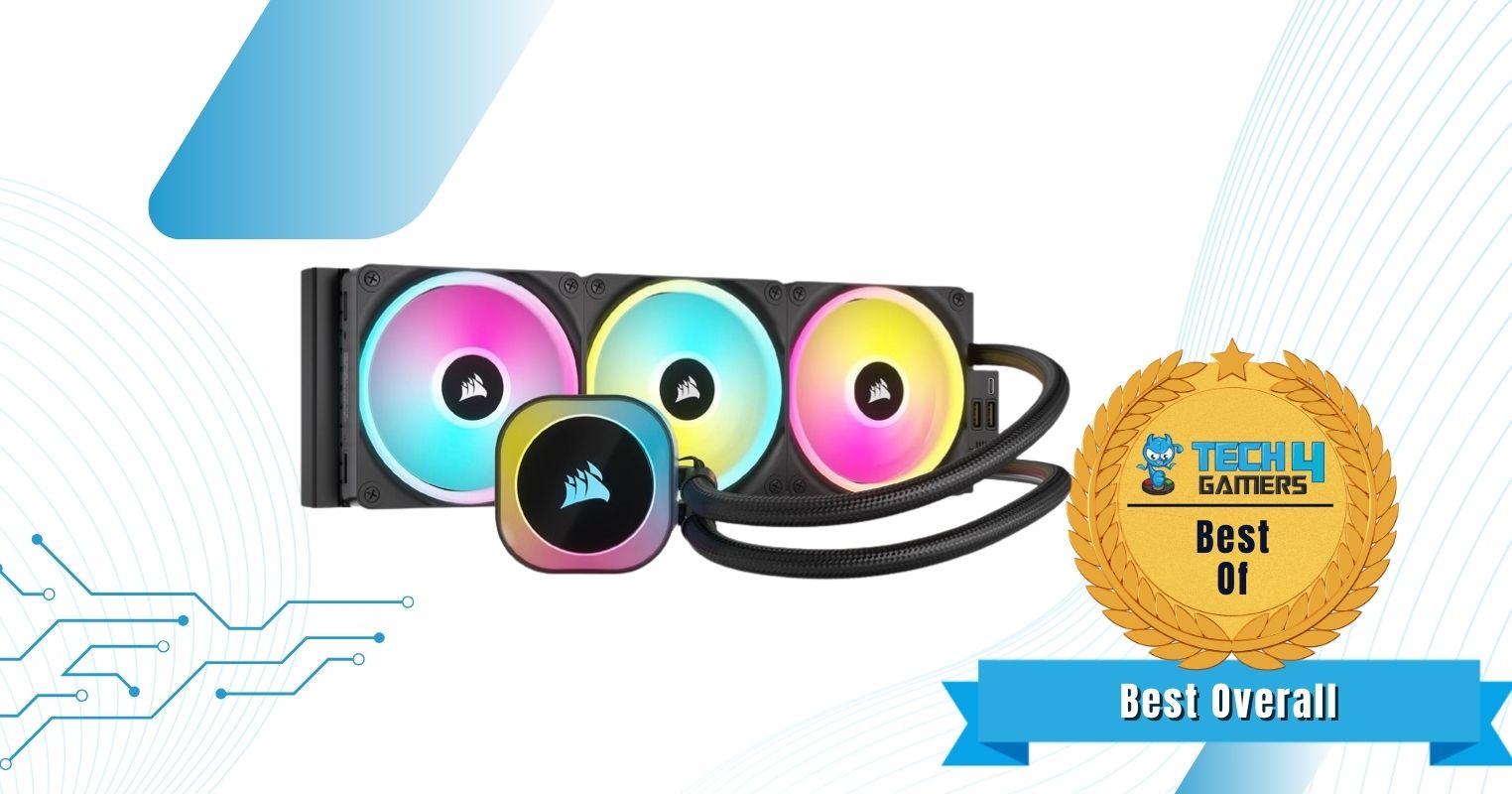
Corsair leaves no stone unturned when it comes to their top-of-the-line coolers, and the iCUE Link H150i RGB is no different. The cooler comes equipped with Corsair’s new QX120 fans, which offer a maximum static pressure of 3.8 mm H2O while also ramping up all the way up to 2400 RPM. These fans come with a total of 34 ARGB LEDs and can be daisy-chained together.
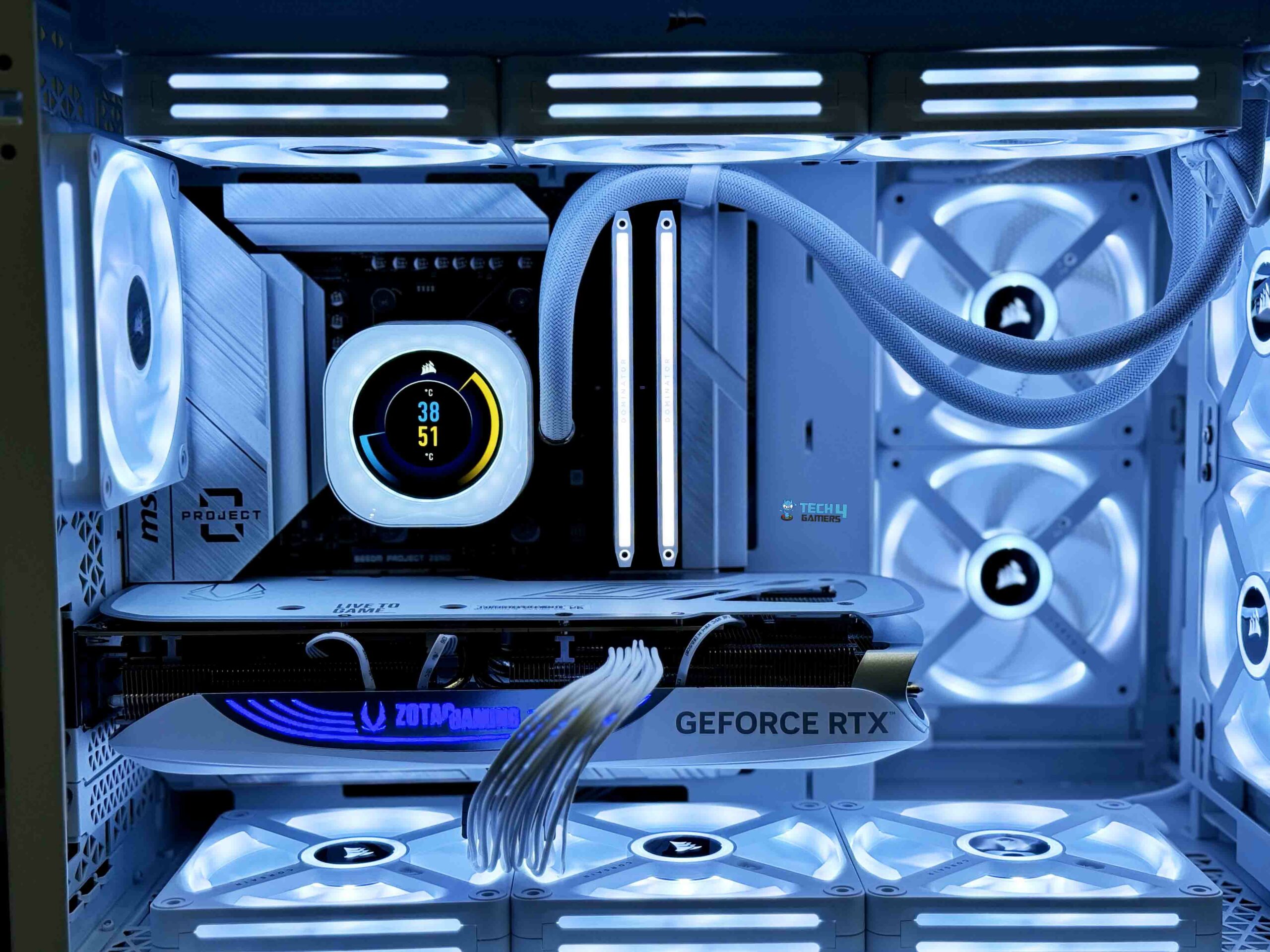
Visually, the cooler looks incredible. RGB lighting is well integrated into the fans and the pump, allowing for a lot of customization through the software. Even aside from the main highlights, I like the improvements Corsair has implemented to ease cable management. This is achieved through Corsair’s newer iCUE link system, which allows users to connect every component through a single cable.
Our Senior Hardware Tester, Nauman Siddique, found the cooler to be exceptional in all aspects, with him stating:
The Corsair iCUE Link H150i LCD is a premium liquid cooler, distinguished by its 2.1” IPS LCD screen and striking ARGB lighting. It excels in thermal performance and is compatible with major Intel and AMD sockets. The design minimizes cable clutter, enhancing aesthetics.
Buy It If
✅You want solid performance with stunning aesthetics: The Corsair iCUE Link H150i offers the best of both worlds by offering chart-topping performance and a visually appealing design.
✅You prefer minimal cable clutter: Corsair’s iCUE system greatly reduces the overall cable clutter, improving the cooler’s overall design.
Don't Buy It If
❌You are working with a limited budget: The Corsair iCUE Link H150i comes in at a higher price.
What Makes It The Best Overall CPU Cooler For Ryzen 9 9950X
The Corsair iCUE H150i is filled to the brim with features you’d only find on a top-of-the-line cooling solution, including a neat cable management system, great software support, as well as plenty of RGB lighting. Plus, it provides that while also offering uncompromised thermal performance, making it the Best Overall CPU Cooler For Ryzen 9950X.
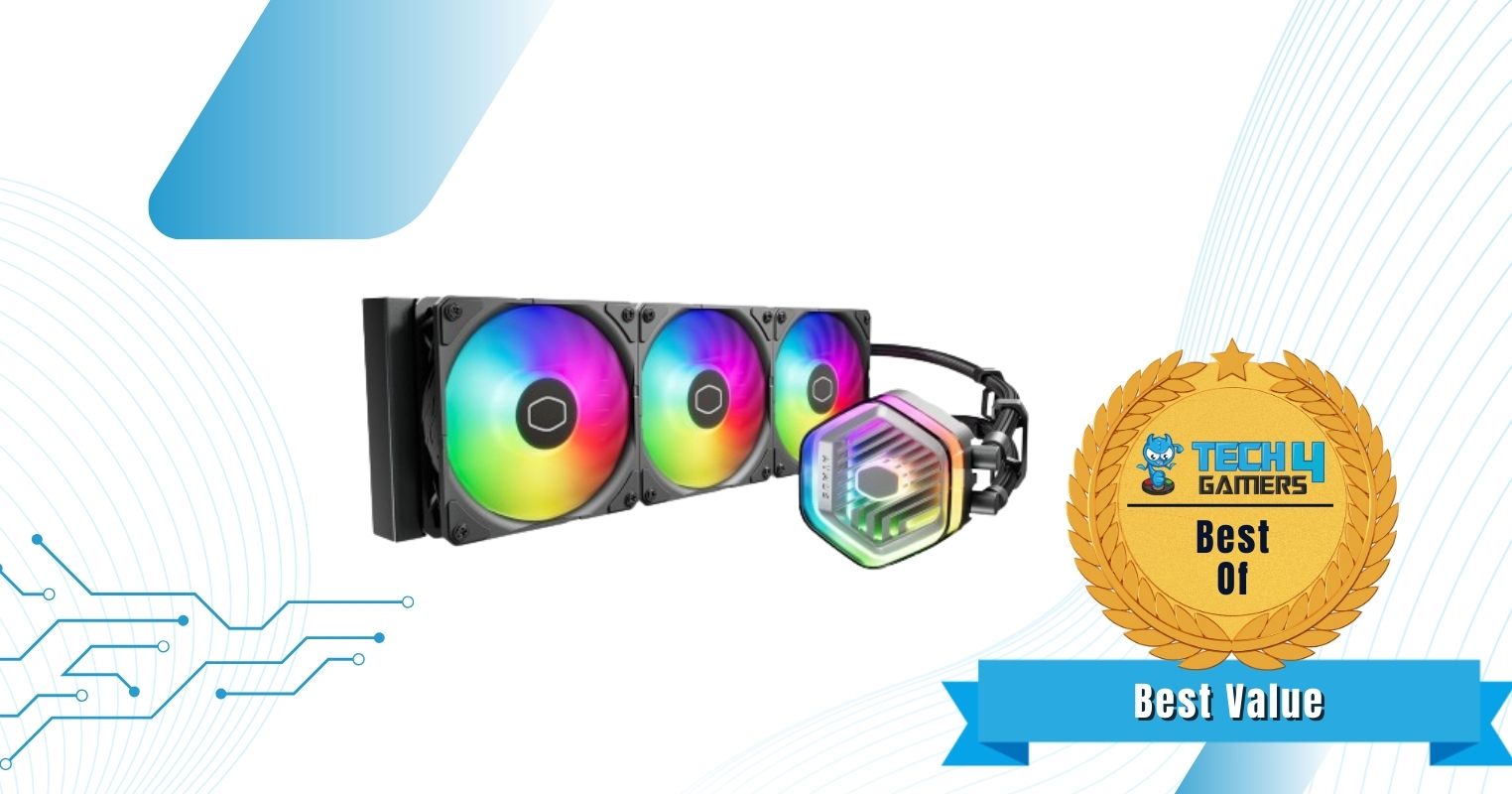
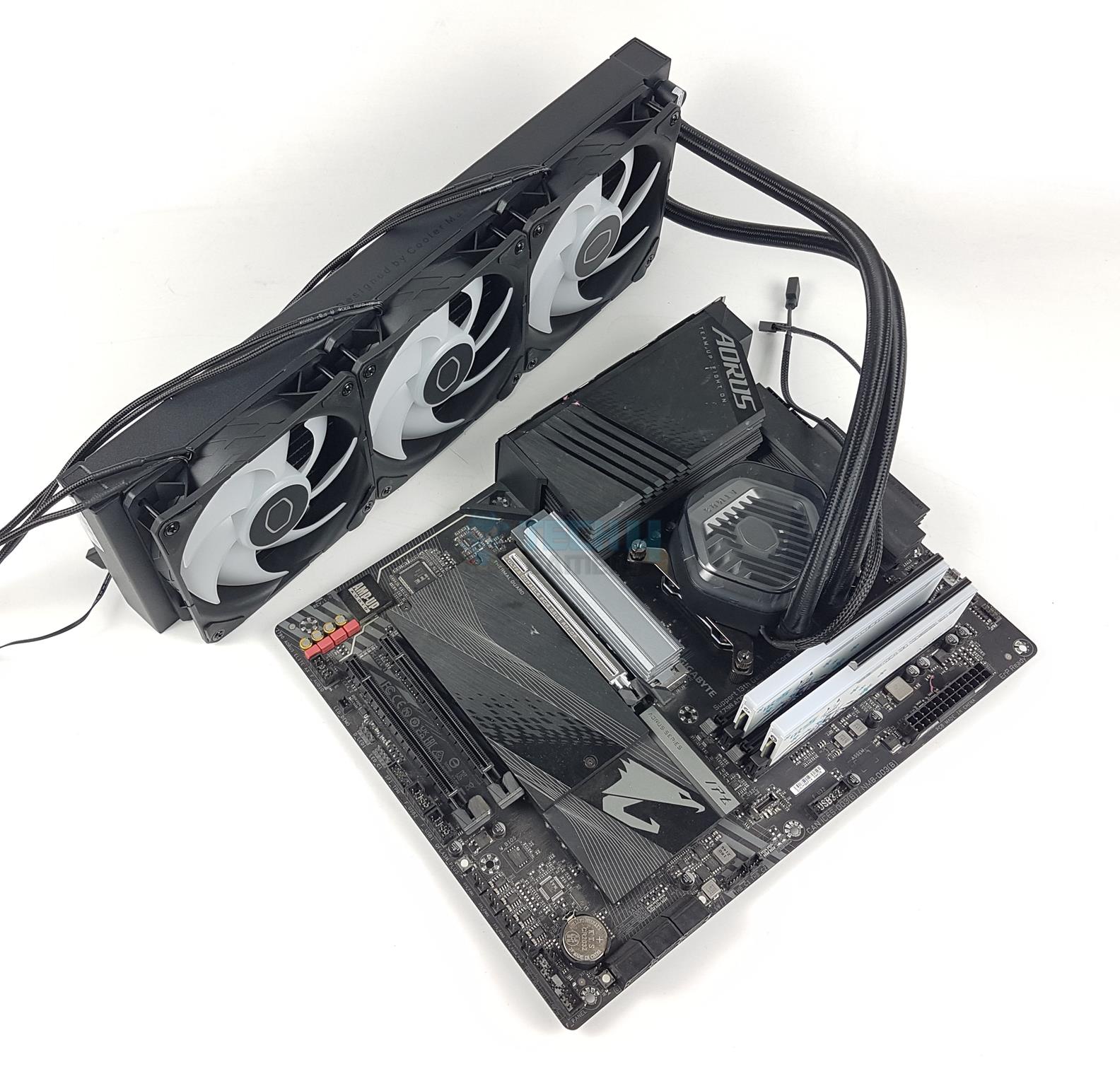
If value-for-money is something you are concerned about, then the Cooler Master MasterLiquid 360 Atmos ARGB is going to be my top recommendation for a few reasons. The cooler not only matches the performance of other high-performing AIOs we have tested thanks to the inclusion of Cooler Master’s Sickleflow fans and the dual-chamber pump, but it also provides easier installation, requiring only 15 components in total.
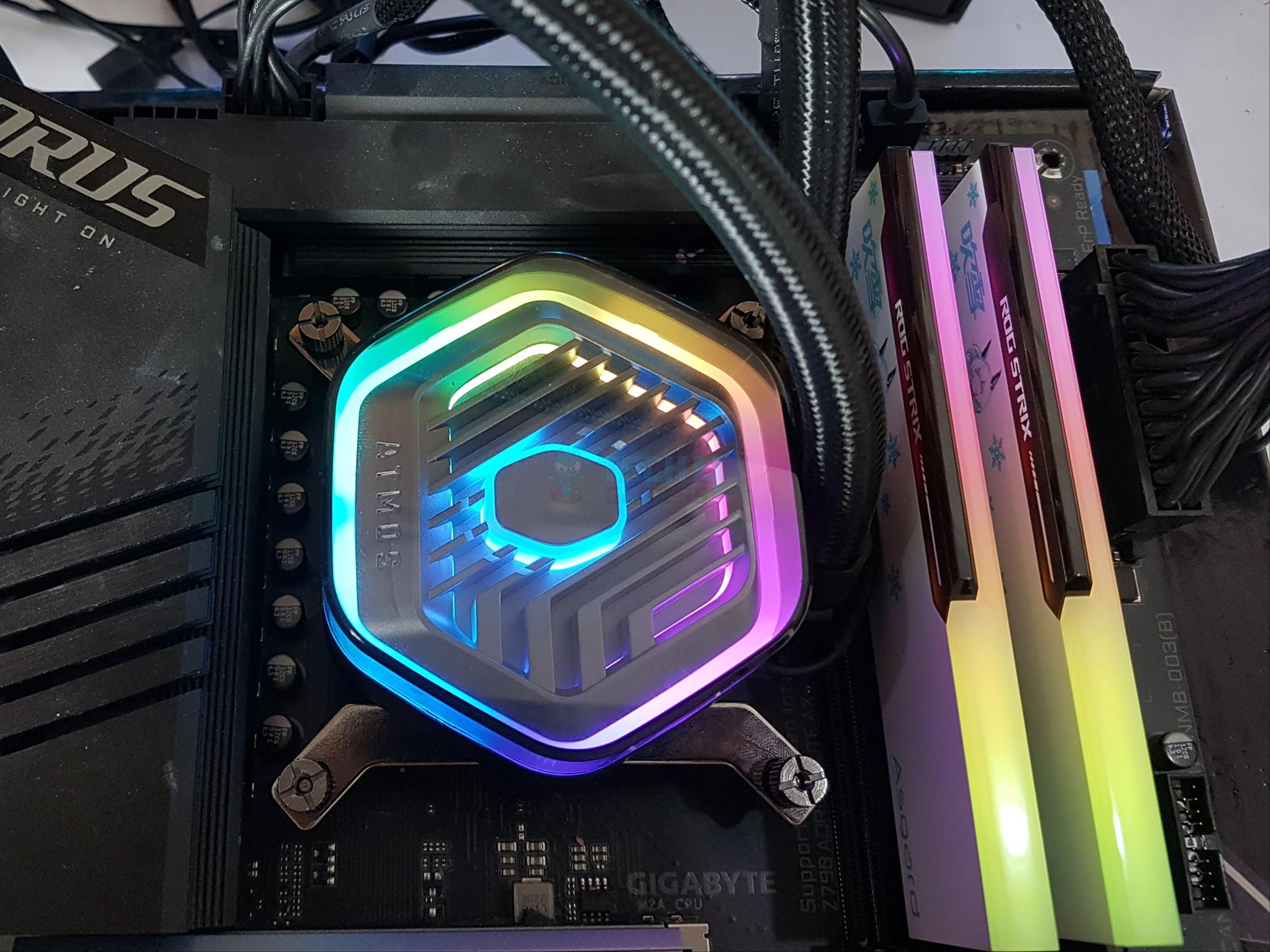
At the same time, the MasterLiquid 360 Atmos doesn’t fall behind on extra features either. For instance, it gives users the ability to swap out the top cover for any other 3D-printed design while also offering plenty of built-in RGB on the pump and the fans. Additionally, noise levels aren’t too bad either, only reaching a maximum output of 40.8 dBA in our tests conducted at an ambient of 35 dBA.
The Cooler Master MasterLiquid 360 Atmos exceeded my expectations during the initial review. Here’s what I had to say about the cooler:
The Cooler Master MasterLiquid 360 ATMOS is a high-performance AIO liquid cooler with excellent thermal performance and low noise levels. The cooler also features a unique pump cover that allows users to design and 3D print their own custom designs. Overall, the Cooler Master MasterLiquid 360 ATMOS is a great option for users who are looking for a top-performing AIO cooler with a unique design.
Buy It If
✅You want the best value-for-money cooler: The Cooler Master MasterLiquid 360 Atmos ARGB provides performance similar to top-of-the-line offerings at a reasonable price.
✅You want better customizability: The swappable pump cover and the RGB lighting make the MasterLiquid 360 Atmos ARGB a highly customizable cooler.
Don't Buy It If
❌You want an uncluttered experience: Unfortunately, Cooler Master hasn’t provided any features that would help reduce the overall cable clutter.
What Makes It The Best Value CPU Cooler For Ryzen 9 9950X
The Cooler Master MasterLiquid 360 Atmos offers remarkable thermal performance at a reasonable price, which is why I have deemed it the Best Value CPU Cooler For Ryzen 9 9950X.
Editor`s Note
I love the Master Liquid 360 Atmos for the amount of performance it provides at such a reasonable price, which is why it is among my top recommendations for the Ryzen 9 9950X.
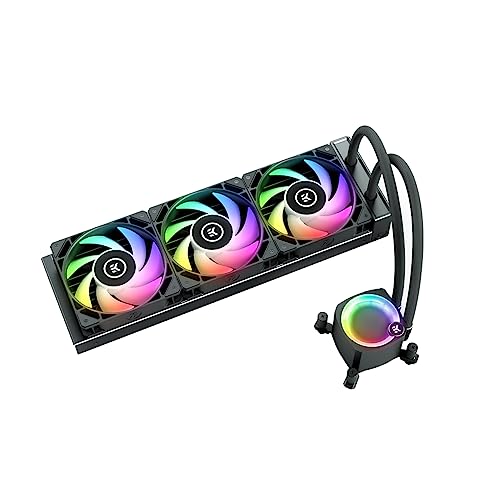
The EK Nucleus AIO CR360 Lux D-RGB is without a doubt a top-performing CPU Cooler, which was also evident in our hands-on tests. In addition to sustaining heavy workloads with the Ryzen 9 9950X, the EK Nucleus AIO CR360 also provides you with enough thermal headroom for a decent bit of overclocking. The cooler utilizes EK’s Loop FPT fans, which are capable of reaching speeds of up to 2300 RPM while generating a maximum airflow of 72 CFM.
EK has kept the build quality in check, which is showcased through the dense micro fin copper cold plate, brushed aluminum side panels on the radiator, and sleeved tubings. I also found other quality-of-life features such as the daisy-chained fans, and the rotatable pump top to be welcome additions.
Our hardware tester, Awais Khan, was also impressed by how well the cooler was able to perform in our tests, stating:
It packs a solid performance punch that the competition has to manage. The digital RGB lighting is quite brilliant. We have everything to love about this cooler, albeit a bit high price tag.
Buy It If
✅You want the best-in-class performance: If you are after a cooler that delivers on the performance side of things, then I have no better recommendation than the EK Nucleus AIO CR360 Lux D-RGB.
✅You prioritize build quality and clean looks: The EK-Nucleus AIO CR360 uses well-built components, daisy-chained fans, and a separate compartment at the end of the radiator to hide the tube connections, giving the cooler a neat look.
Don't Buy It If
❌You want silent fans: We found that noise levels on the EK Nucleus AIO CR360 Lux D-RGB are on the higher side of the spectrum, which might not be ideal for everyone.
What Makes It The Best Performance CPU Cooler For Ryzen 9 9950X
The EK-Nucleus AIO CR360 Lux D-RGB packs enough thermal performance to allow users to push the Ryzen 9 9950X to its very limit, making it the Best Performance CPU Cooler For Ryzen 9 9950X.
PRO TIP: The EK Nucleus AIO CR360 might get slightly noisy, which is why it is recommended to use custom fan curves.
When it comes to air coolers, it’s hard to look past Noctua’s lineup, especially the newly released NH-D15 G2 LBC, which I think makes for a phenomenal pair with the Ryzen 9 9950X. Compared to the original D15, the G2 version comes with an increased fin count, a slightly smaller size, and eight heat pipes. It also benefits from the addition of the newer NF-A14x25r G2 fans, which max out at 1500 RPM.
In addition to that, the “Low Base Convexity” variant of the NH-D15 G2 is specifically designed to favor AMD CPUs, with the flatter cold plate allowing for better contact between the processor and the cooler. Performance aside, it’s clear that the Noctua NH-D15 G2 LBC isn’t the most visually appealing cooler you can buy. Still, it keeps up well in terms of performance, which is what most people are going to care about anyway.
WARNING: Before purchasing the Noctua NH-D15 G2, make sure your RAM is compatible with the cooler to avoid running into any hiccups during installation.
Buy It If
✅You want a powerful yet silent air cooler: Aside from being extremely powerful, the Noctua NH-D15 G2 LBC also maintains lower noise levels than its competition.
✅You want a reliable air cooler that’s built to last: The Noctua NH-D15 G2 LBC comes with high-quality components as well as a 6-year warranty, making it ideal for anyone who intends on using it for a long time.
Don't Buy It If
❌You want a cheaper CPU cooler: The NH-D15 G2 LBC’s incredible performance comes at a hefty price.
❌You have a smaller case: Despite coming with smaller dimensions than the original, the NH-D15 G2 LBC is still a huge cooler, which might not be perfect for those working with smaller cases.
What Makes It The Best Air Cooler For Ryzen 9 9950X
Between the low base convexity of this variant to carefully designed NFxA14x25r fans, Noctua seems to have perfected even the smallest of details with the NH-D15 G2 LBC, making it the Best Air Cooler For Ryzen 9 9950X.
Performance: 9/10
Value: 7/10
Features: 8/10
Design: 9/10
CPU Coolers That We Didn’t Consider
Alphacool Eisbaer Pro Aurora 420: The Alphacool Eisbaer Pro Aurora 420 comes in at a significantly higher price than my recommendations.
ENERMAX AQUAFUSION ADV 360:Despite its solid performance, its price-to-performance falls slightly short of other budget CPU coolers within the same price range.
Benchmarks Of The Best CPU Coolers For Ryzen 9 9950X
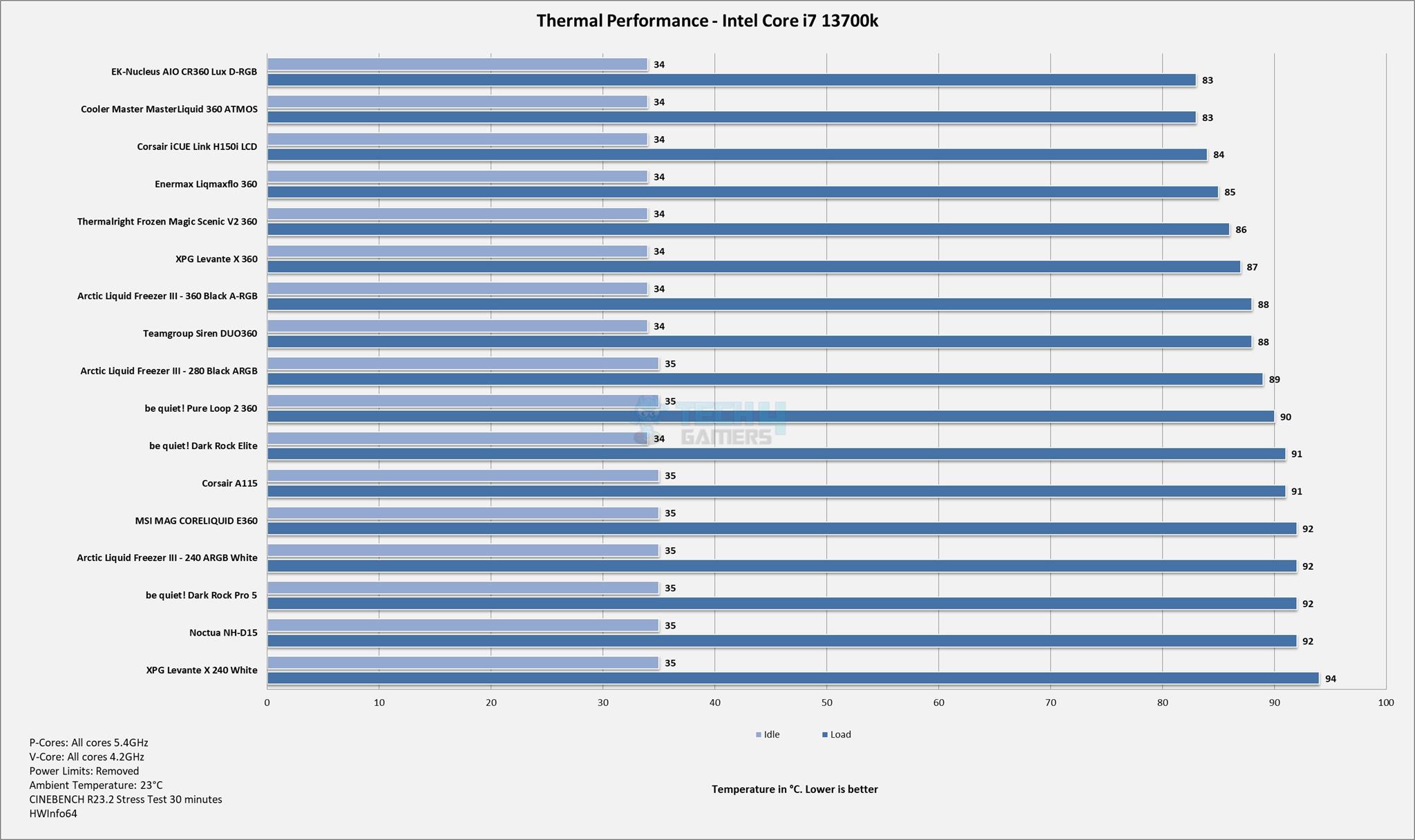
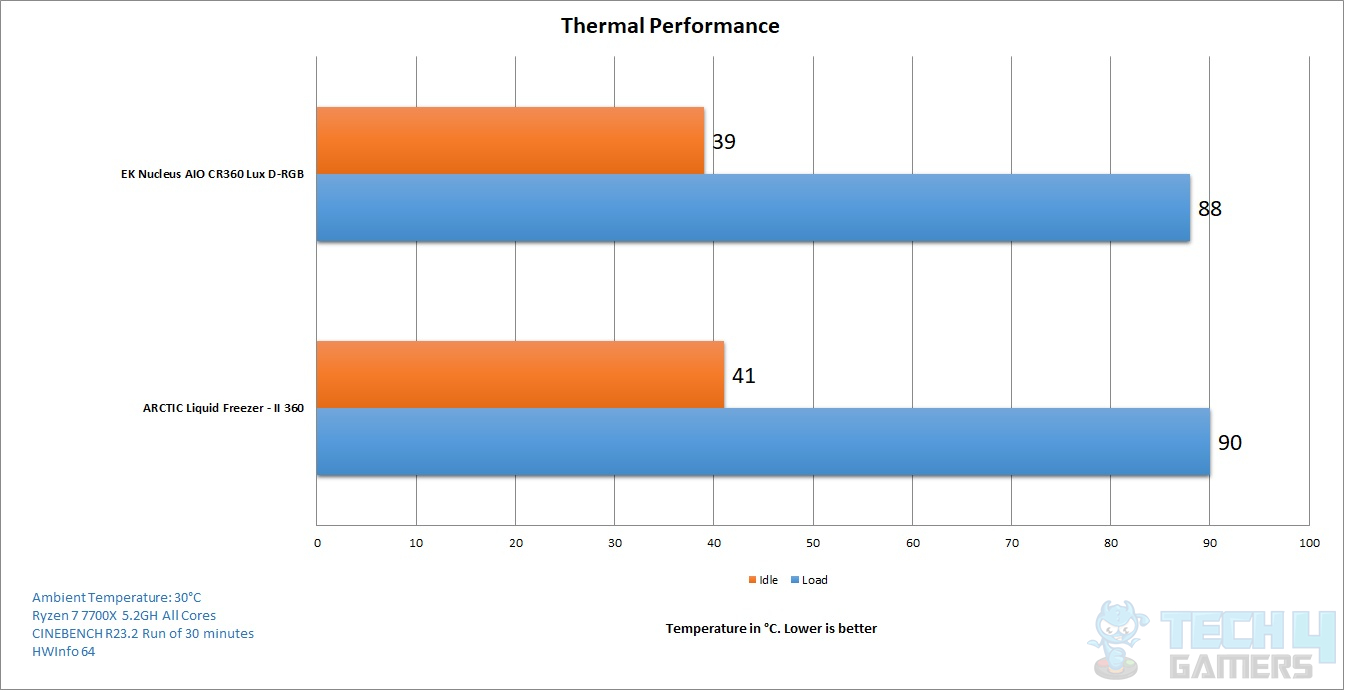
We have also tested every cooler on this list separately, allowing readers to get an idea of their performance.
Benchmarks
1 of 3
Thermal Performance (Image By Tech4Gamers)
Thermal Performance (Image By Tech4Gamers)
Specifications Comparision
I’ve listed the specifications for all the coolers in this table.
CPU Cooler
Fan Speed (RPM)
Static Pressure (mm H2O)
Airflow (CFM)
Corsair iCUE Link H150i RGB
2400
3.8
63.1
Cooler Master MasterLiquid 360 Atmos ARGB
2500
3.6
70.7
EK Nucleus AIO CR360 Lux D-RGB
2300
2.7
72
Noctua NH-D15 G2 LBC
1500
2.5
91.5
Key Cooling Terms To Know Of
TDP: This is the maximum heat a CPU is designed to handle. Knowing the TDP helps in choosing the right cooler to keep the CPU running efficiently.
CFM: This measures the volume of air a fan can move in one minute. In cooling fans, a higher CFM means better cooling performance as more air is circulated to cool down components.
Static Pressure: This is the force exerted by a fan to push air through obstacles like heatsinks, radiators, or tightly packed components.
Heatsink: A metal component with fins that passively cools the CPU by spreading heat into the surrounding air.
RPM: This measures how many times a fan spins in one minute. Higher RPM usually means better cooling as the fan moves more air, but it can also lead to increased noise.
Heat Pipes: These are pipes filled with coolant that transfer heat from the CPU to the heatsink, improving cooling efficiency.
Radiator: Part of a liquid cooler, the radiator dissipates heat from the liquid coolant using fans and is usually mounted outside the CPU area.
How I Picked These Coolers
I have been testing air coolers and AIOs for years now, and I have always put my focus on these aspects before making my suggestions:
Performance: I made sure to verify that each cooler’s thermal dissipation matched the CPU’s needs. I tested and compared benchmark results to see how efficient each cooler was in various scenarios.
Compatibility: I checked the height of air coolers to ensure they fit within the case without blocking other components like RAM kits. For water coolers, I verified the radiator size and case mounting points.
Noise Levels: Finding a balance between efficient cooling and a quiet experience is really important. I preferred coolers with adjustable fan speeds or PWM control for better noise management.
Design: I looked for coolers with addressable RGB lighting options for fans and pump blocks, allowing for seamless lighting patterns that added personality to the build.
FAQs
Can you air cool a Ryzen 9 9950X
Yes, powerful air coolers can provide adequate cooling performance for the Ryzen 9 9950X.
Does the Ryzen 9 9950X need a good cooler?
Yes, a high-end cooler is recommended for the Ryzen 9 9950X.
Does a Ryzen 9 need a water cooler?
No, the Ryzen 9 9950X doesn’t necessarily need a water cooler; however, most high-end water coolers will work well with the CPU.
As a Hardware Expert at Tech4Gamers, I blend my Computer Science expertise with a love for technology. Through comprehensive reviews and comparisons, I guide our audience in making informed tech decisions.
Abdul Hannan
I’ve been the Journalist & Editorial Writer at Tech4Gamers since July 2022. I spearhead our hardware coverage, including overclocking GPUs, benchmarking CPUs, reviewing peripherals, and fine-tuning custom PC builds for every budget. Daily, I report on breaking gaming news, from major launches and studio updates to the latest industry trends, ensuring our community stays informed. Beyond news briefs, I write in-depth feature articles on gaming culture and emerging technologies. And by collaborating closely with the editorial team on content planning, SEO strategy, and our publishing calendar, I help us consistently hit our traffic and engagement targets.
Despite Logitech’s stellar track record of gaming headsets, many of the brand’s earlier, more colorful plastic models have long since needed a revision. The Logitech G733 Lightspeed is the company’s response to these market shifts. Once again, the focus is on RGB lighting and comfortable headsets. Is this lightweight wireless headset an upgrade over Logitech’s previous, less feature-rich products, or is it simply another plastic headset?
Why Trust Tech4Gamers
Abdul Hannan is our peripherals expert who has been testing different mice, keyboards, headphones, microphones, and more for years.
130+ peripherals tested and reviewed by our team of hardware experts (Tech4Gamers Team).
500+ hours spent testing different peripherals for our reviews.
At Tech4Gamers, ensuring you get reliable information is our priority. That’s why every hardware round-up undergoes a meticulous review process by our team of experts and editors. Each review is carefully examined against our strict editorial guidelines, guaranteeing you trustworthy insights you can depend on.
Key Takeaways
The Logitech G733 Lightspeed headset offers a lightweight and colorful design. It is coupled with low-latency wireless performance and customizable features through the G HUB software.
You should buy the Logitech G733 Lightspeed if you prioritize comfort, striking design, solid gaming performance, and appreciate customizability.
You should not buy the Logitech G733 Lightspeed if you require high portability, need wired connectivity, and are sensitive to fit adjustments.
Here are the specifications:
Dimensions
194mm x 190mm x 83mm (L x W x D)
Weight
278 g
Driver
PRO-G 1.57 in (40 mm)
Frequency Response
20 Hz – 20 kHz
Impedance
39 Ohms (passive), 5k Ohms (active)
Sensitivity
87.5 dB SPL/mW
Microphone Pickup Pattern
Cardioid (Unidirectional)
Size
0.24 in (6 mm)
Frequency Response
100 Hz-10 KHz
Wireless Range
Up to 65.62 ft (20 m)
Connection Type
LIGHTSPEED wireless via USB
Battery Life
No lighting: 29 Hrs
Default lighting: 20 Hrs
Warranty
2-Year Limited Hardware Warranty
Compatibility
USB 2.0 port (type A port)
PC with Windows 10 or later
macOS® X 10.12 or later
Gaming Consoles
[toc]
How Is The Logitech G733 Lightspeed Different?
Compared to earlier Logitech models like the G933 and G533, the G733 focuses on delivering a lighter and more comfortable experience. Weighing in at just 278 grams, it’s significantly lighter than the G933, making it more suitable for extended gaming sessions. The G733 also introduces a more colorful and customizable design, part of Logitech’s new “color collection,” which includes vibrant options like Lilac and Blue alongside the more traditional Black and White.
Design
Design (Image By Tech4Gamers)
The purpose of the Logitech G733 headset is to make an impression. You can tell the Logitech G733 Lightspeed is a gaming headset the second you look at it. The inside headband can be turned around, and the ear cups are textured. This is an all-plastic, multi-colored headset with a headband strap, LED light strips, and some unusual angles.
What really makes them stand out are the RGB lighting strips around the ear cups. Although there aren’t many of them, the LEDs are brilliant. They barely cover a small portion of the headphones’ front panel. The headset is available in standard black and white and more striking colors like light blue and pastel purple.
The blue color of my review product has electric/navy contrasts and a flexible headband with an attractive “glitch” style. The lack of portability is typical for headphones explicitly designed for gaming. These over-ear headphones are inconvenient since they aren’t foldable or include rotating ear cups. For them to work, you’ll have to have their wireless USB dongle with you at all times.
Comfort
Headband (Image By Tech4Gamers)
The Logitech G733 is well-fitting and comfortable. It is not very heavy, provides a supporting headband, and does not squish your head excessively. However, with just two adjustment notches on the headband and non-rotating cups, these headphones aren’t very adaptable. For my needs, they provide sufficient stability. The headset’s suspension band provides a snug yet comfortable fit that needs no adjusting.
Combined, these features enable the Logitech G733 Lightspeed to be a very comfortable gaming headset, particularly for extended periods. However, they somewhat fail when it comes to establishing a suitable seal. If you tilt your head slightly when gaming on your gaming chair, they will stay there. On the other hand, if you make a really strong movement, they may fall off.
Their placement and fit, particularly in the treble and bass spectrums, determine their audio output quality. If you wear eyeglasses or have lengthy hair that covers them up, your ears may not get the full bass response from your headphones. To get consistent sound quality with your headphones, you might have to adjust their fit and location on your head.
Build Quality
Build Quality (Image By Tech4Gamers)
Just from their first impression, you can tell they’re well-made. While most of their build is plastic, these headphones include a cloth headband and memory foam ear cups lined with fabric. Despite its flexibility, the material has a solid feel due to the small amount of tension or movement points. However, isolation is still very limited due to the ear pads’ thickness and the material covering them.
Inadequate isolation isn’t a major concern since this gaming headset is obviously not meant for use outside. Having somewhat louder surroundings might still be challenging at times. Another flexible part is the removable microphone. Ultimately, they seem sturdy enough to withstand a few knocks and bruises, except for the plastic headband’s center and the ear cup yokes, which could be their only apparent breakage points.
Connectivity
Wireless Dongle (Image By Tech4Gamers)
The Logitech G733 Lightspeed isn’t hard to use. You can use this wireless headset with your PC, PS4, or Nintendo Switch while docked. There is no wired alternative, but the Logitech G733 Lightspeed is essentially a plug-and-play affair, connecting through a USB RF dongle like other gaming headsets.
These headphones are exclusively wireless. Although the included USB-C to USB-A connector is useful for charging and setting the headset on a PC, it is not capable of receiving audio. Notably, this headset’s wireless connection is fantastic. Thanks to its little latency, your game’s sound and visuals will never be out of sync.
Control Scheme
Control Scheme (Image By Tech4Gamers)
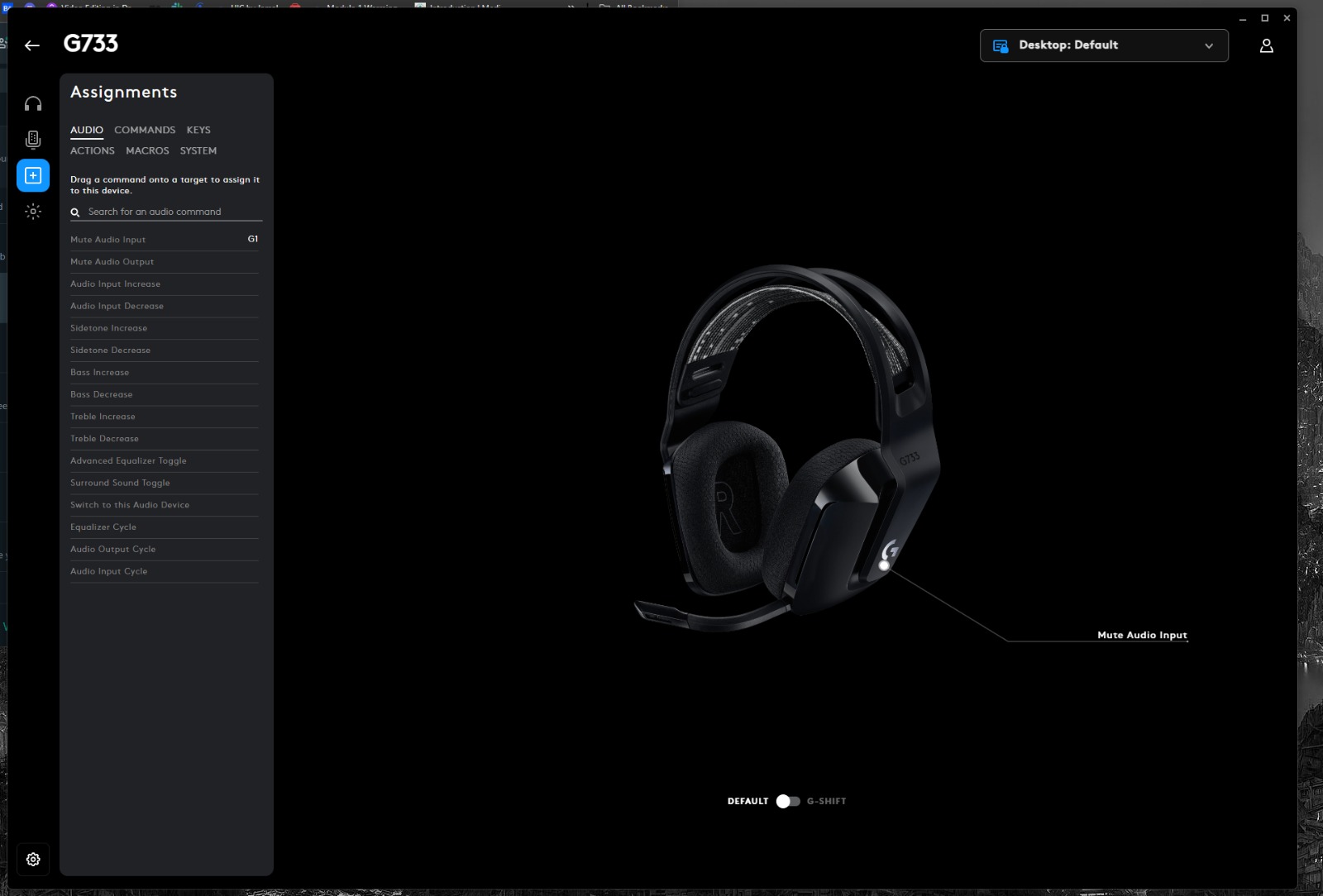
The Logitech G733’s control layout is simple but not very extensive. It includes a separate power button, an endless scroll wheel for volume control, and a mic mute button whose function can be remapped in the headset’s accompanying app. The volume dial doesn’t have a notch. So, it’s easy to increase the level unintentionally, but it beeps to notify you when you’ve reached maximum volume. Since the controls don’t provide much tactile feedback, it’s helpful that there are auditory cues to indicate when the mic has been muted or unmuted.
Software
Logitech G Hub
1 of 6
Overview Interface (Image By Tech4Gamers)
Audio Settings (Image By Tech4Gamers)
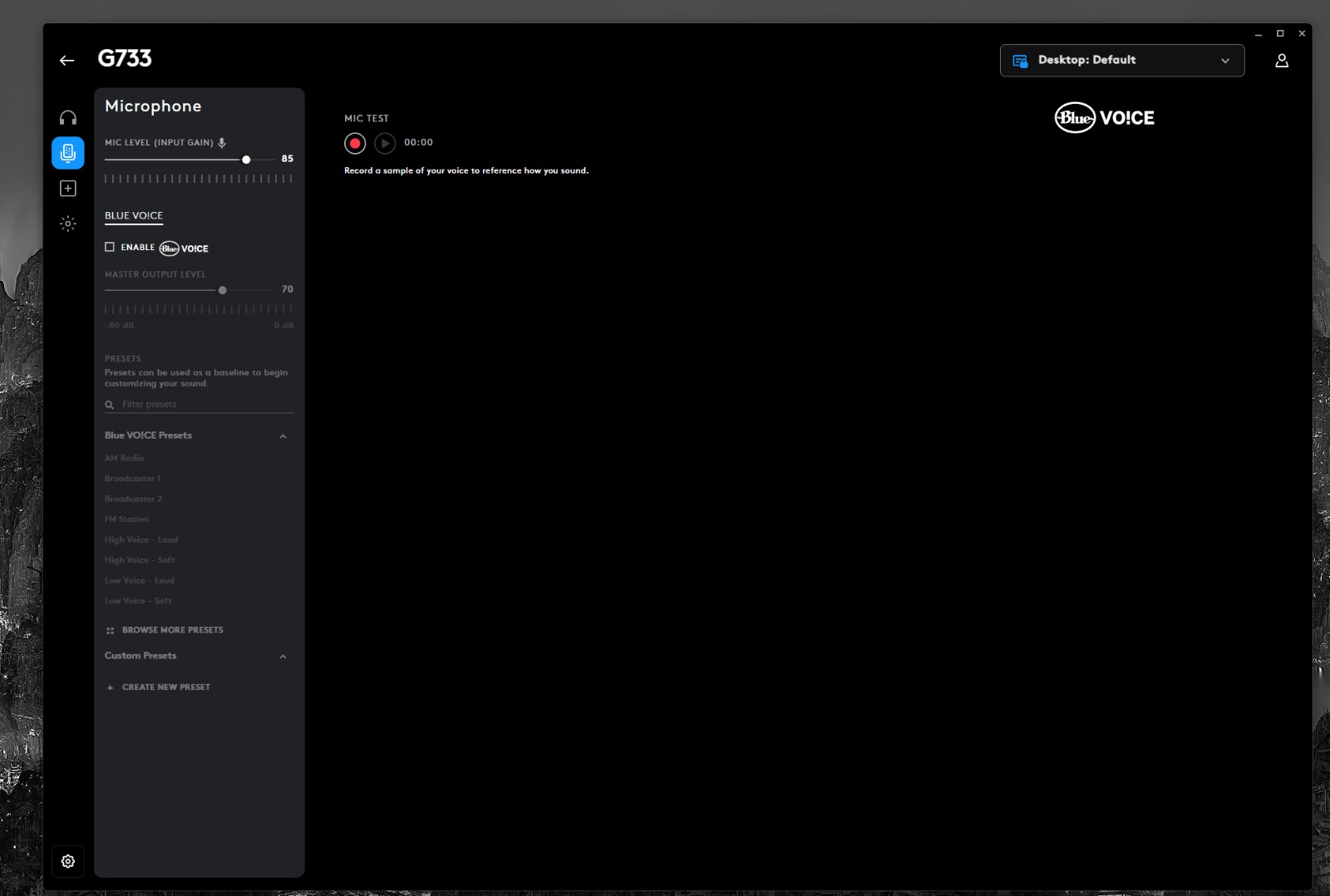
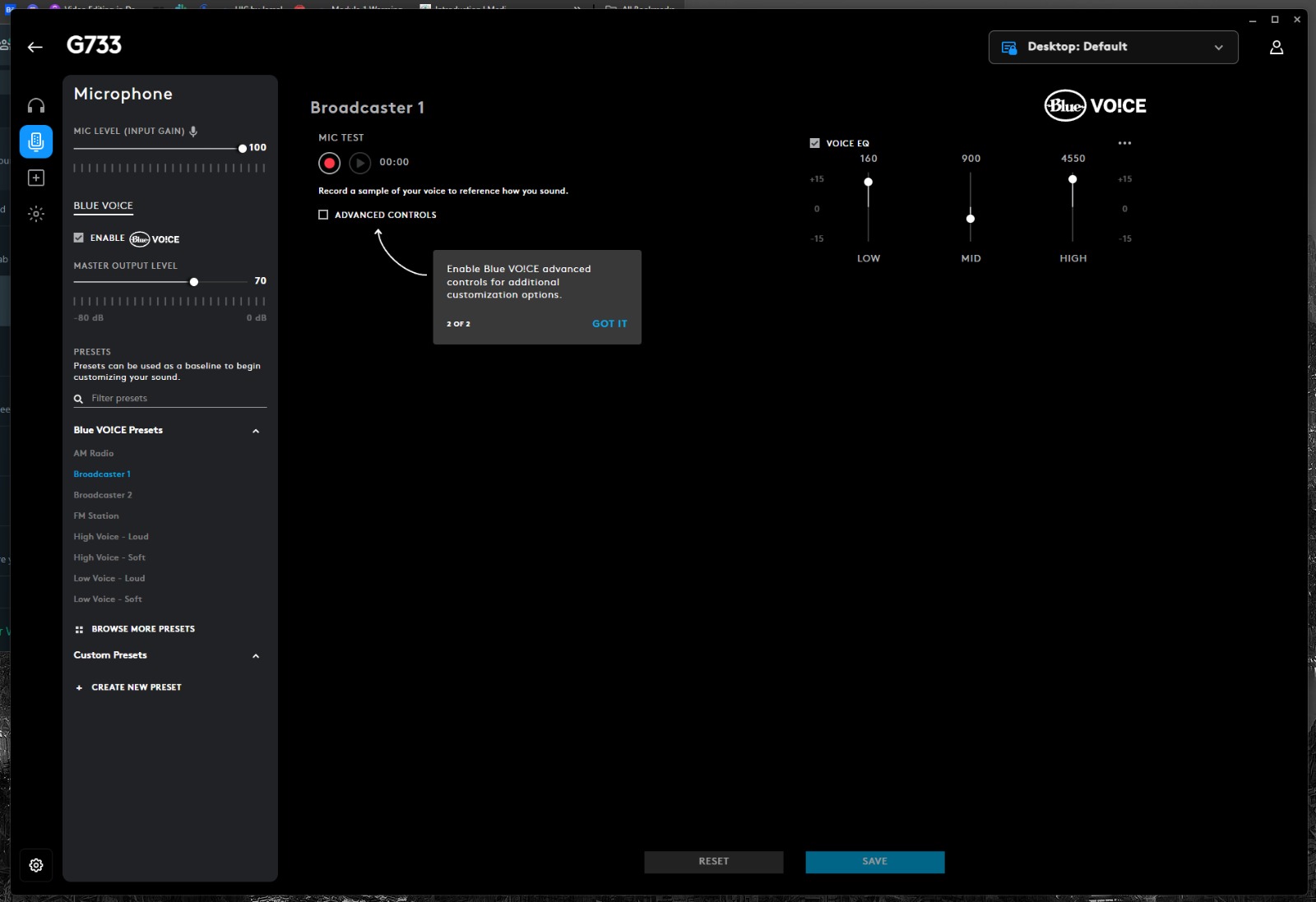
Blue Voice Function (Image By Tech4Gamers)
Microphone Settings (Image By Tech4Gamers)
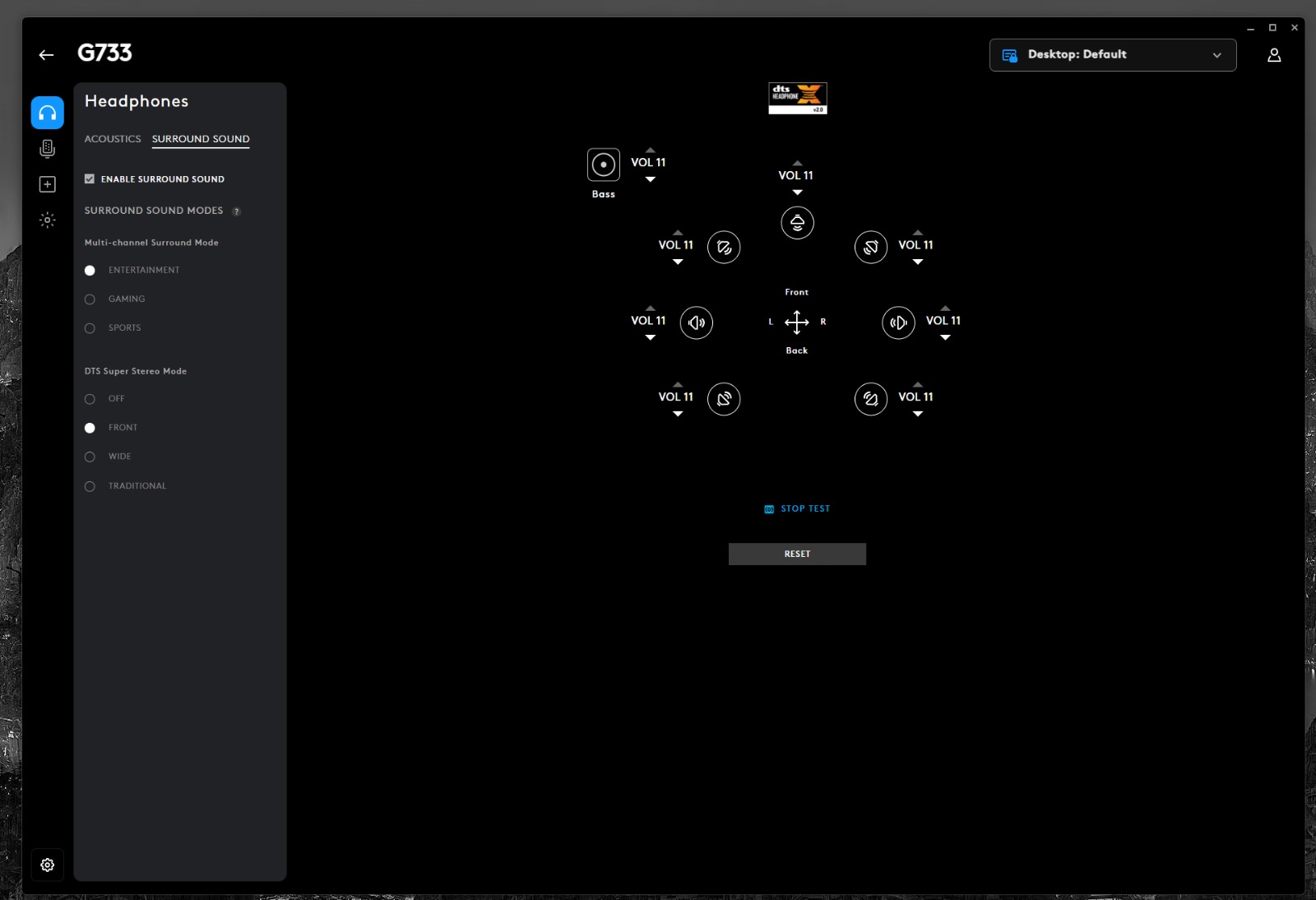
Surround Sound Settings (Image By Tech4Gamers)
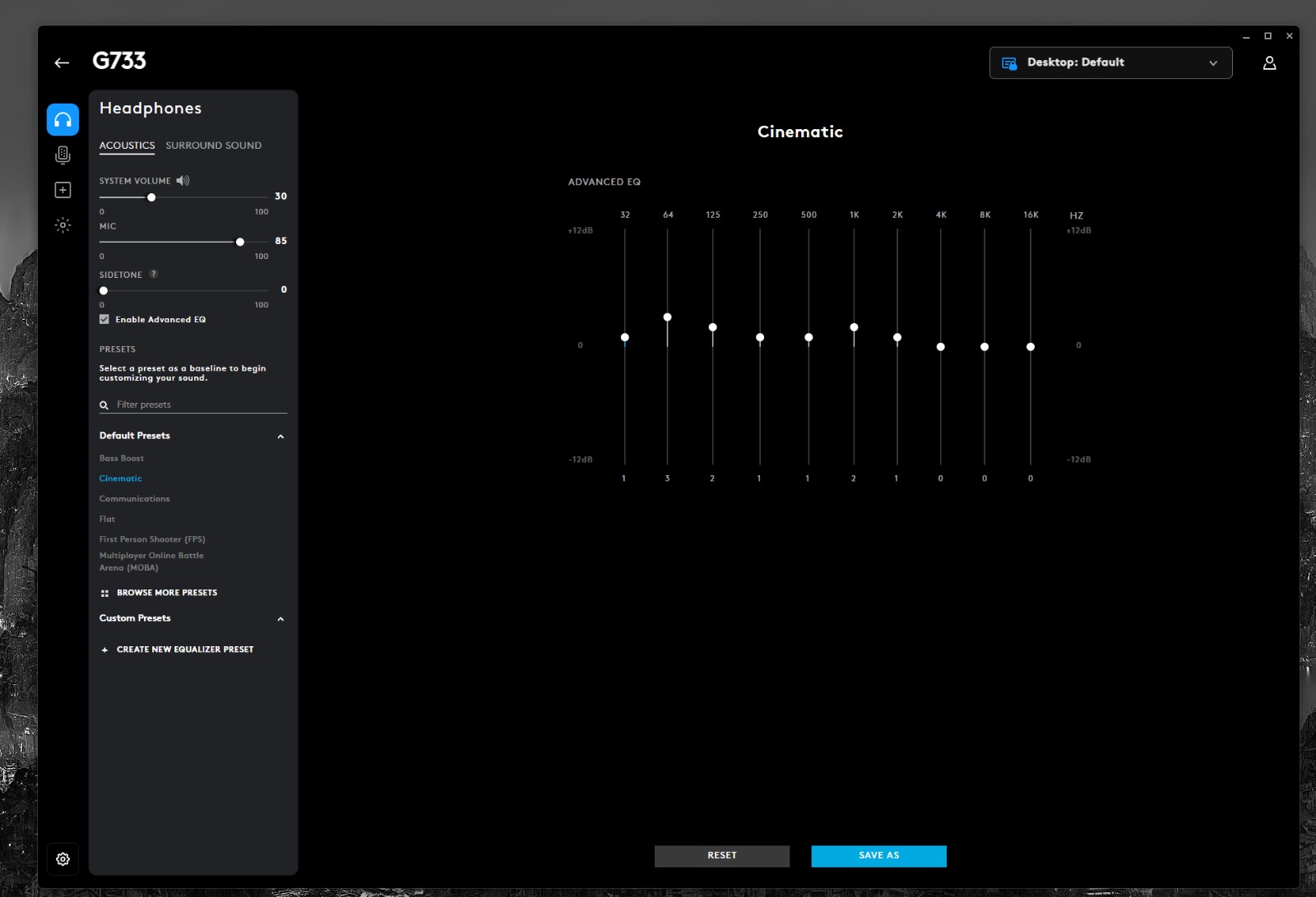
Acoustics Settings (Image By Tech4Gamers)
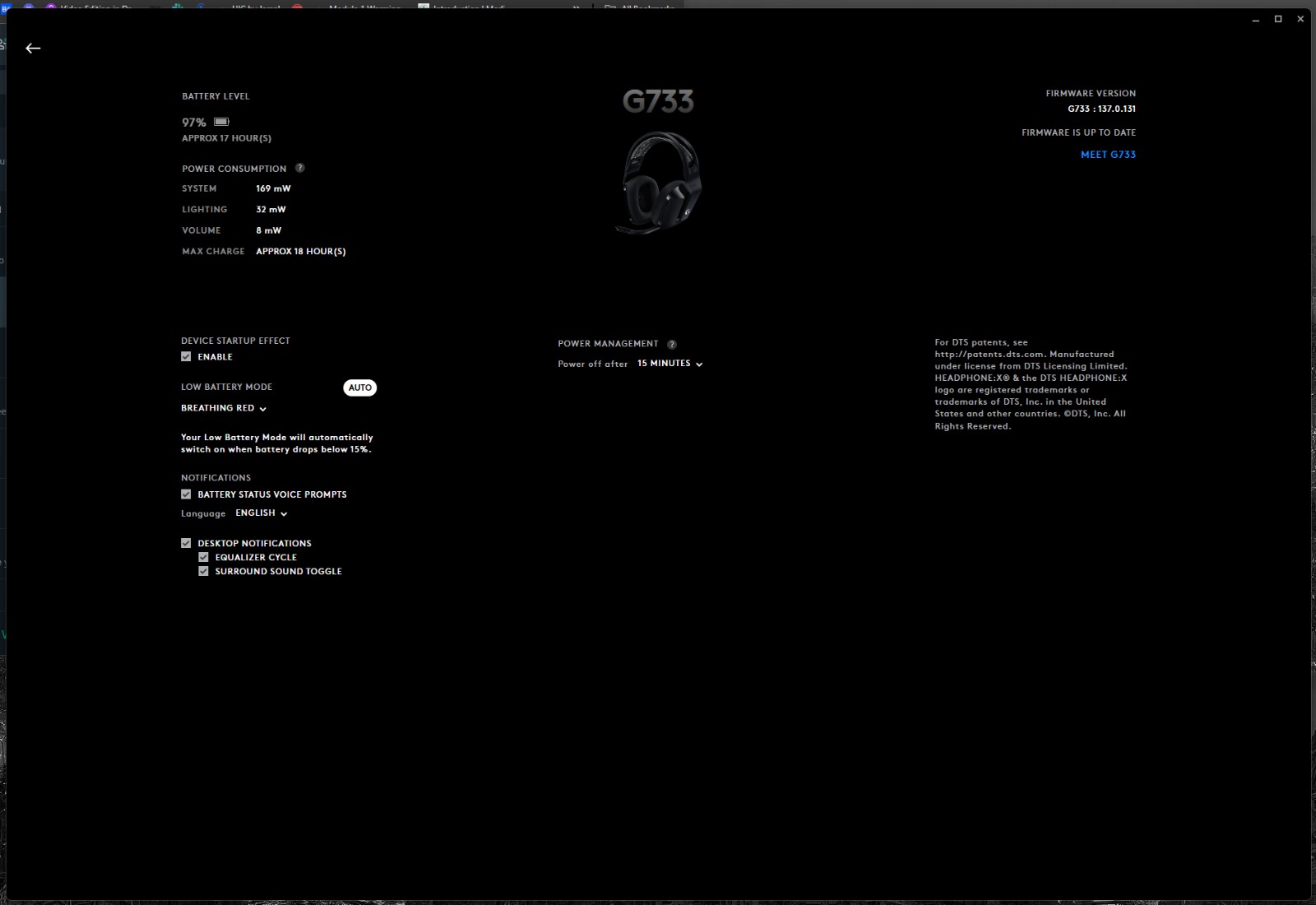
For optimal performance, I recommend installing the Logitech G HUB software, which is compatible with these gaming headphones. However, the software is not required for basic functions. It unlocks many settings, such as a visual equalizer, audio predefined settings, button reconfiguration, auto-off timer adjustments, and an RGB lighting strip customization menu. Moreover, the Blue Voice function offers a wide variety of microphone settings.
PRO TIP: Use the Logitech G HUB software to customize the RGB lighting and audio settings to suit your personal preferences and enhance your overall gaming experience.
Battery Life
Their battery life is remarkable. I observed slightly more than 20 hours on one charge at a constant output, which is the battery life that Logitech claims with the RGB lights on. So, it’s pretty much as stated. Also, they claim that turning off the RGB lighting adds around 29 hours of battery life.
Keeping the lights on can reduce the battery life by a few hours. Nonetheless, it’s not a big deal. You can maintain battery life using the headphones’ built-in auto-off timer, which you can change or disable in the accompanying software. On the downside, the headphones will need around 4 hours to charge completely, which is a little disappointing.
WARNING: If you plan on using the headset for long gaming sessions, be prepared to charge it more frequently or turn off the lighting to extend battery life.
Audio Performance
Across the board, the Logitech G733 Lightspeed delivers exceptionally accurate sound.
These headphones are great for usual audio because of how balanced the sound is. They’ll work well for listening to music, podcasts, and more.
Their default bass response is a little underemphasized, which can be disappointing if you like the thud and rumble of music. The range is otherwise very balanced despite a lack of thud, rumble, and punch due to an underemphasized low to mid-bass.
The amount of bass you hear is mainly affected by how snugly the ear cups fit around your head, so your experience may vary. This particular sound signature works well with almost any genre of music. Notably, EDM and similar genres should sound fantastic without overpowering other sounds. The Logitech G HUB allows you to customize the default sound profile using visual equalization or audio presets.
Gaming Performance
RGB Lighting (Image By Tech4Gamers)
This kind of frequency response works well in games of many genres. Even when the game becomes loud, the symphonic soundtrack should be noticeable, and you shouldn’t be concerned about the sound of gunfire overpowering other, more subtle noises, like footsteps in Valorant. Additionally, the headset is compatible with most virtual surround standards. The headset gives clear directional signals. You shouldn’t have any problem identifying the direction of explosions and shooting in Fortnite.
Microphone
Microphone (Image By Tech4Gamers)
The recording quality is adequate for a boom microphone. It is understandable and very clear. However, it has a weak, tinny sound. Still, the boom microphone’s noise gate helps it reasonably separate speech from harsh background noise. Nobody on the opposite end of the call will have any trouble understanding you, even if there’s a lot of background noise in your gaming area. The Blue Voice features on G Hub can make a huge difference. Turning the option on improves sound quality significantly, even before you choose a preset.
Should You Buy it?
Buy it if
✅ You Prioritize Comfort and Design: The Logitech G733 Lightspeed is incredibly lightweight at 278 grams, making it one of the most comfortable gaming headsets for long sessions. Its colorful design and customizable RGB lighting make it stand out, adding a personal touch to your gaming setup.
✅ You Want Solid Gaming Performance: Equipped with PRO-G 40mm drivers, the G733 delivers a balanced sound profile suitable for various gaming genres. The headset’s compatibility with DTS 2.0 surround sound ensures an immersive audio experience, which is crucial for identifying directional sounds in competitive games.
✅ You Appreciate Customizability: With the Logitech G HUB software, you can customize the headset’s RGB lighting, EQ settings, and microphone preferences. The Blue Voice feature enhances microphone quality, making it ideal for streamers and content creators who require clear audio.
Don’t Buy it if
❌ You Require High Portability: The G733’s design does not include foldable ear cups, making it less portable than other gaming headsets. If you travel frequently and need a headset that is easy to pack, this might not be the best option.
❌ You Need Wired Connectivity: This headset is exclusively wireless and does not offer a wired connection. If you prefer or require a wired option for zero-latency audio or compatibility reasons, you might want to consider other models.
❌ You Are Sensitive to Fit Adjustments: While the G733 is comfortable, its fit can be affected by factors such as wearing glasses or having long hair, which may impact the audio experience. If you need a headset with more precise adjustment options, you may find other models more suitable.
My Thoughts
With the exception of exceptional isolation, the Logitech G733 Lightspeed is price-competitive with other high-end alternatives from Logitech, and it delivers almost the same features, performance, and battery life as those other headsets. This is a no-brainer if you’re certain you won’t have to cancel anything more than background noise.
For quite some time, Logitech’s more vibrant gaming headphones have been waiting for a revision. This line does exactly what it has to cater to the demands of gamers and streamers. It is suitable for PC gamers who are looking for something with a comprehensive software package and lengthy battery life. Moreover, it is a lightweight, comfortable headset with options that improve audio quality.
As Tech4Gamers’ Founder and Editor-in-Chief, I bring over 13 years of PC Hardware Reviewing and 8+ years of IT Project Management experience. Certified in Google IT Support , my focus is on providing honest product reviews and analysis and fostering a strong gaming community with 130k+ members in PPG.
Hayyan Serwer
As the CPU Cooler and RAM Expert, I test the latest hardware to provide tips for smart purchases. I cover everything from busting myths about CPU coolers to looking into the newest RAM designs, examining various parts of PC hardware.
In this review, I am testing a hyped liquid cooler from HYTE named THICC Q60. Why THICC? This cooler has a 52mm thick radiator, whereas standard liquid coolers have 27mm thick radiators. This is not complete without mentioning that adding 120x32mm PF12 fans makes the total thickness of 84mm. Indeed, it is THICC.
This is my first and probably the industry’s first cooler with a digital and graphics processing unit. How is that so? This cooler has a 5” IPS Screen, which is almost a mobile phone, except it does not have a touch function! Another striking feature is the Nexus Link concept, whereby all the cables are integrated and pre-routed. You will only get on Nexus Link cable to address the connectivity.
There is more to this cooler than meets the eye, and we will explore all of it shortly. This cooler is listed at a whopping USD 300.
Why Trust Tech4Gamers
Hayyan Serwer is our CPU Cooler expert who has been testing different AIOs for years.
80+ coolers tested and reviewed by our team of hardware experts (Tech4Gamers Team).
400+ hours spent testing different CPU coolers for our reviews.
At Tech4Gamers, ensuring you get reliable information is our priority. That’s why every hardware round-up undergoes a meticulous review process by our team of experts and editors. Each review is carefully examined against our strict editorial guidelines, guaranteeing you trustworthy insights you can depend on.
Key Takeaways
The HYTE THICC Q60 is a powerful 240mm liquid cooler that offers the performance of some 360mm coolers. Plus, it has a 5” IPS Screen for true display capability.
You should buy the HYTE THICC Q60 if you have a HYTE case and plan to be in their ecosystem, you want best performance from a 240mm AIO, and the 5″ IPS screen suits your style.
You should skip the HYTE THICC Q60 if you are not planning to spend $300 USD on a cooler or if your chassis does not have enough clearance for its thicc (pun intended) radiator.
Optional brackets for Intel LGA2011 and AMD TR4 can be purchased separately
Warranty
6 year
[toc]
How Is The HYTE THICC Q60 Different?
The THICC Q60 is a 240mm AIO cooler, but it differs from the bulk of other 240mm liquid coolers in that it provides the thermal performance of 360mm AIO coolers. However, you would need to pay USD 300 for this cooler to get a custom loop setup and enjoy even better temps. The Nexus Link design makes this cooler almost cable-free; the crispy 5” IPS screen with Nexus software offers many ways for display customization. Overall, this cooler sits perfectly in the HYTE Ecosystem.
Packaging And Unboxing
Box Content (Image By Tech4Gamers)
The packing box is also THICC. Pun intended. I was not expecting this large a shipping box for a 240mm size cooler. The cooler and its accessories are tucked in a compartmentalized container inside the main shipping box. The following are provided:
1x Cooler
1x Intel Backplate
1x Intel Mounting Bracket Set [Pre-Installed]
2x AMD Mounting Bracket Set
2x AMD Standoff Screws
4x Intel LGA1700 Standoff Screws
4x Intel LGA115x/1200 Standoff Screws
4x Intel LGA115x/1200 White Spacers
4x Spring Nuts
1x Nexus Link Cable
1x Installation Manual
8x Radiator Screws
Design
The HYTE THICC Q60 is a 240mm size liquid cooler. It is small in that sense but thicker than any other liquid cooler on the market, with 84mm thickness. HYTE has almost provided a comprehensive cooling solution with form and function, though they did not include a thermal paste tube in case the cooler needs to be re-installed or switched to a new build. It is time to take a look at each component in detail.
Radiator
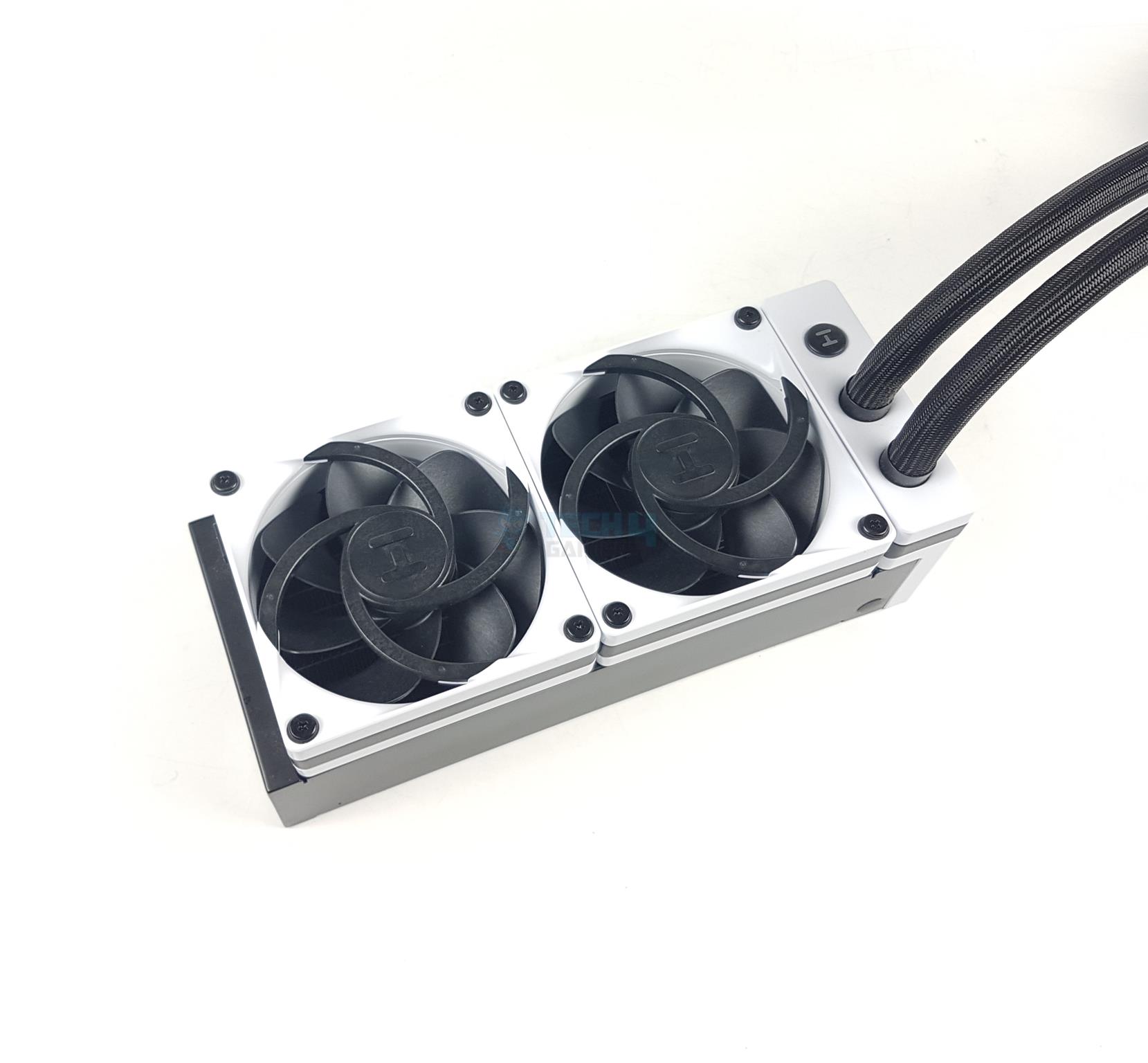
Pull Config Radiator
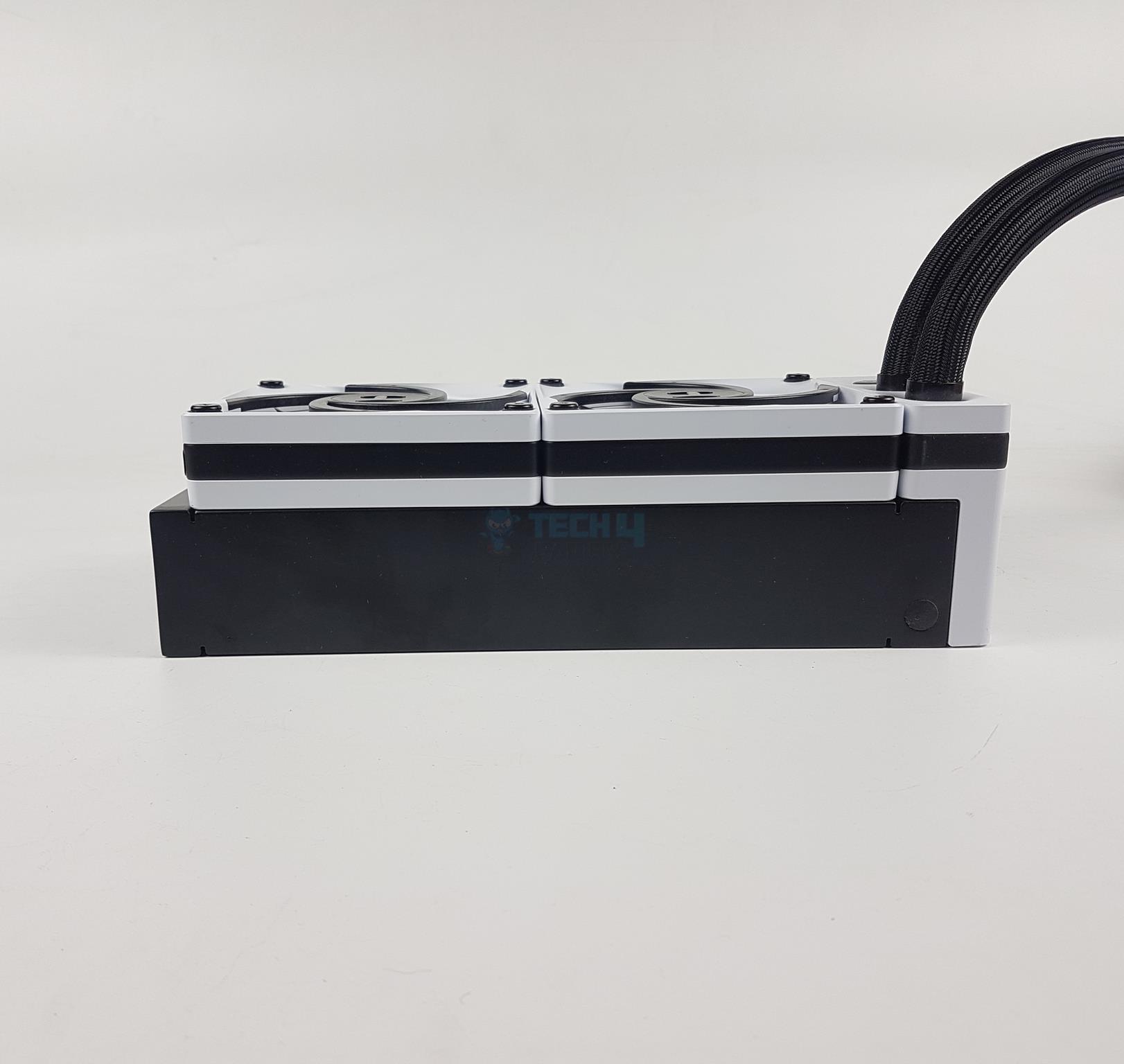
Side View Of Radiator
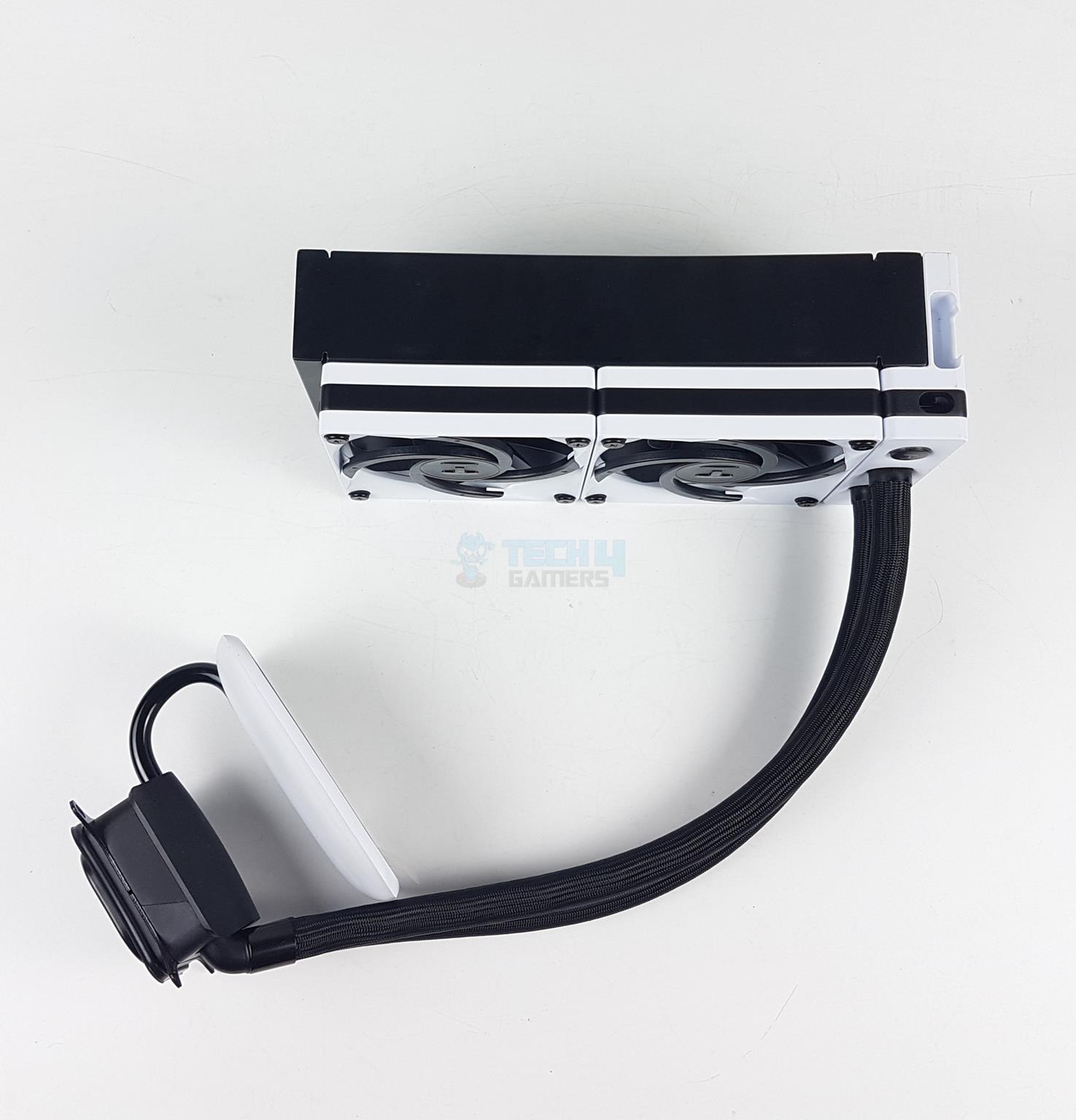
The two PF120 fans come pre-installed in a pull configuration. I am not sure about the specific reason for this orientation, but it may have something to do with the HYTE ecosystem, where users would install this cooler in Y60 or Y70 on the side. Anyhow, you can change the orientation of the fans regardless.
You can see that no cables come out from the fans. This is due to the Nexus Link design. These fans have a Nexus Link interface, whereby the cable connectivity is concealed inside the frame.
The overall thickness of the unit is 84mm (52+32mm), as is evident from the viewing angle in the picture. The white and black combination gives a good visual vibe. The far right side of the radiator has an enlarged housing to cover the internal connections.
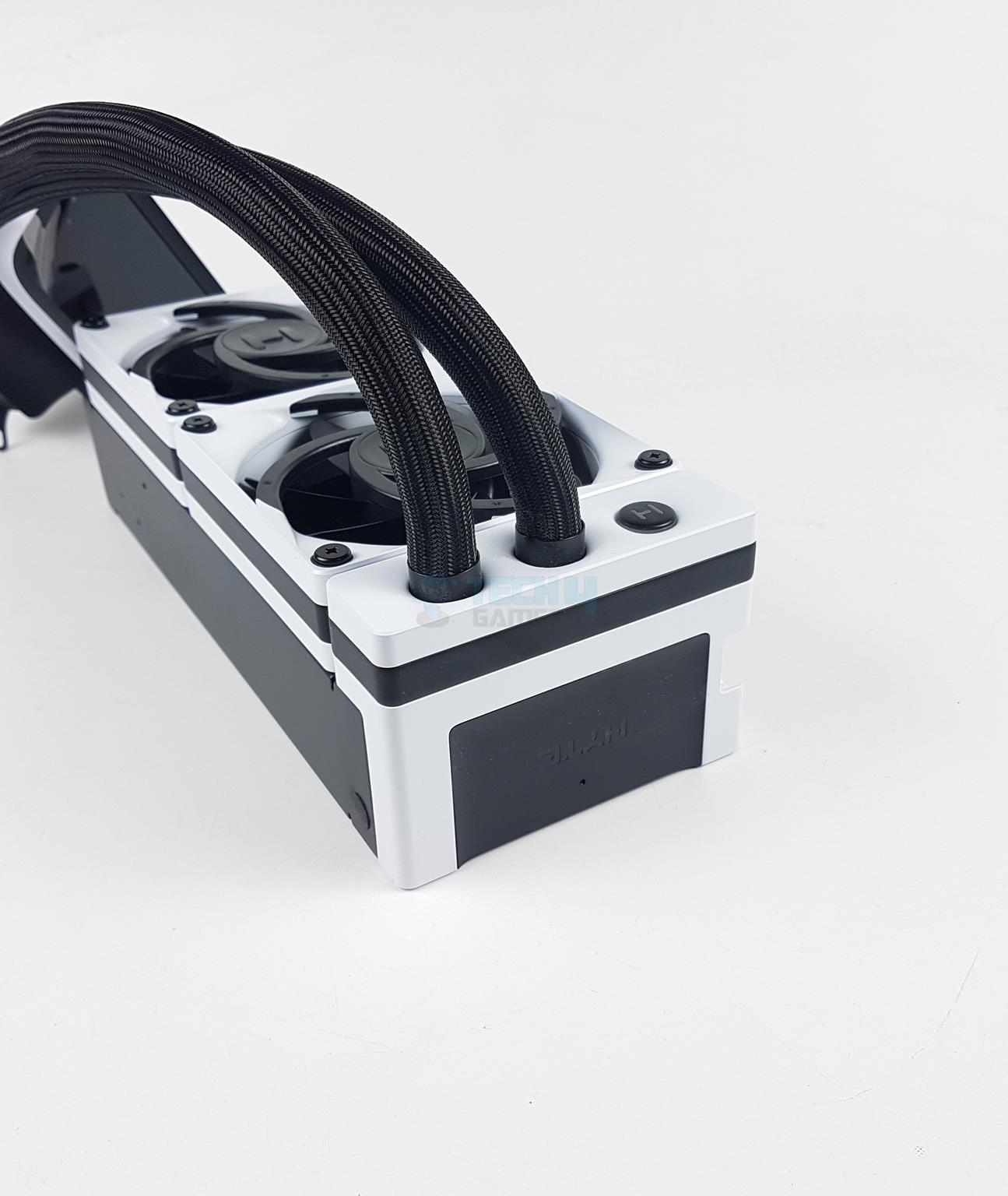
Tubes Connection
RGB Logo
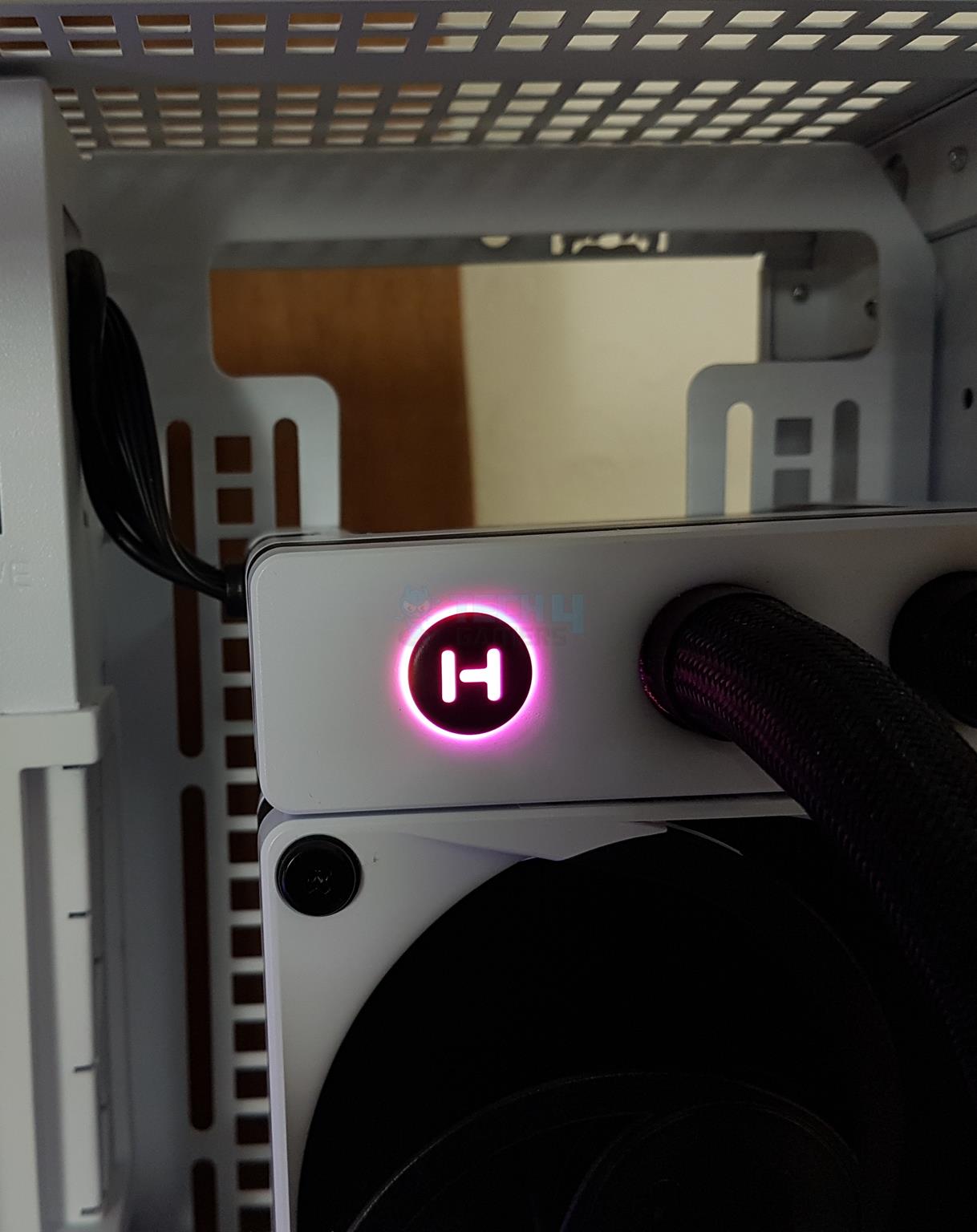
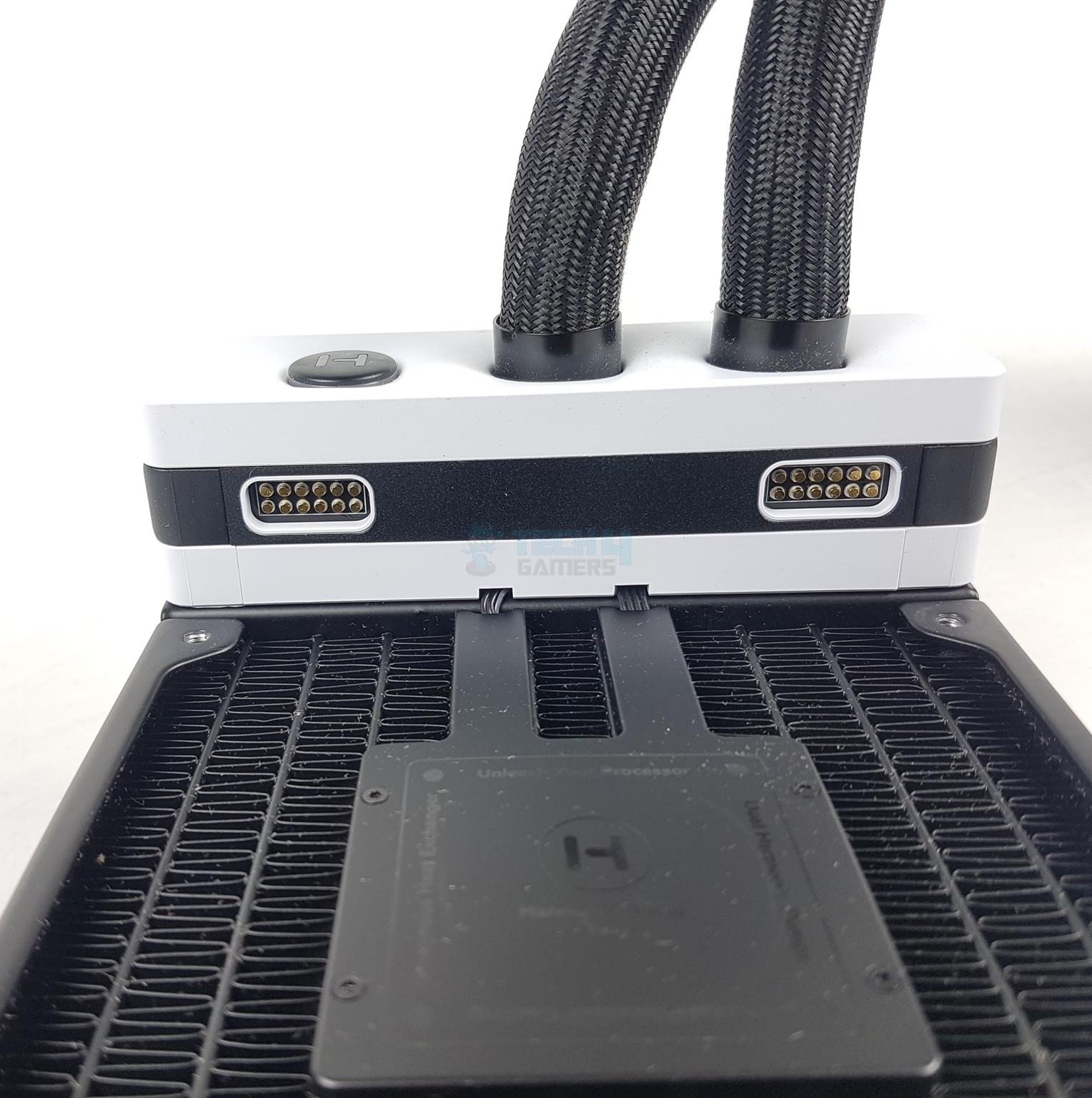
The tube end of the radiator shows two thick tubes making a connection with the fitting. There is an RGB backlit HYTE logo on the far right side. There is a cutout or inset on the right side of the main frame of the radiator, as it has the USB C ports for the Nexus Link cable.
The HYTE logo is backlit using a 4-pixel RGB array.
Radiator Side
Integrated Pump Within The Radiator
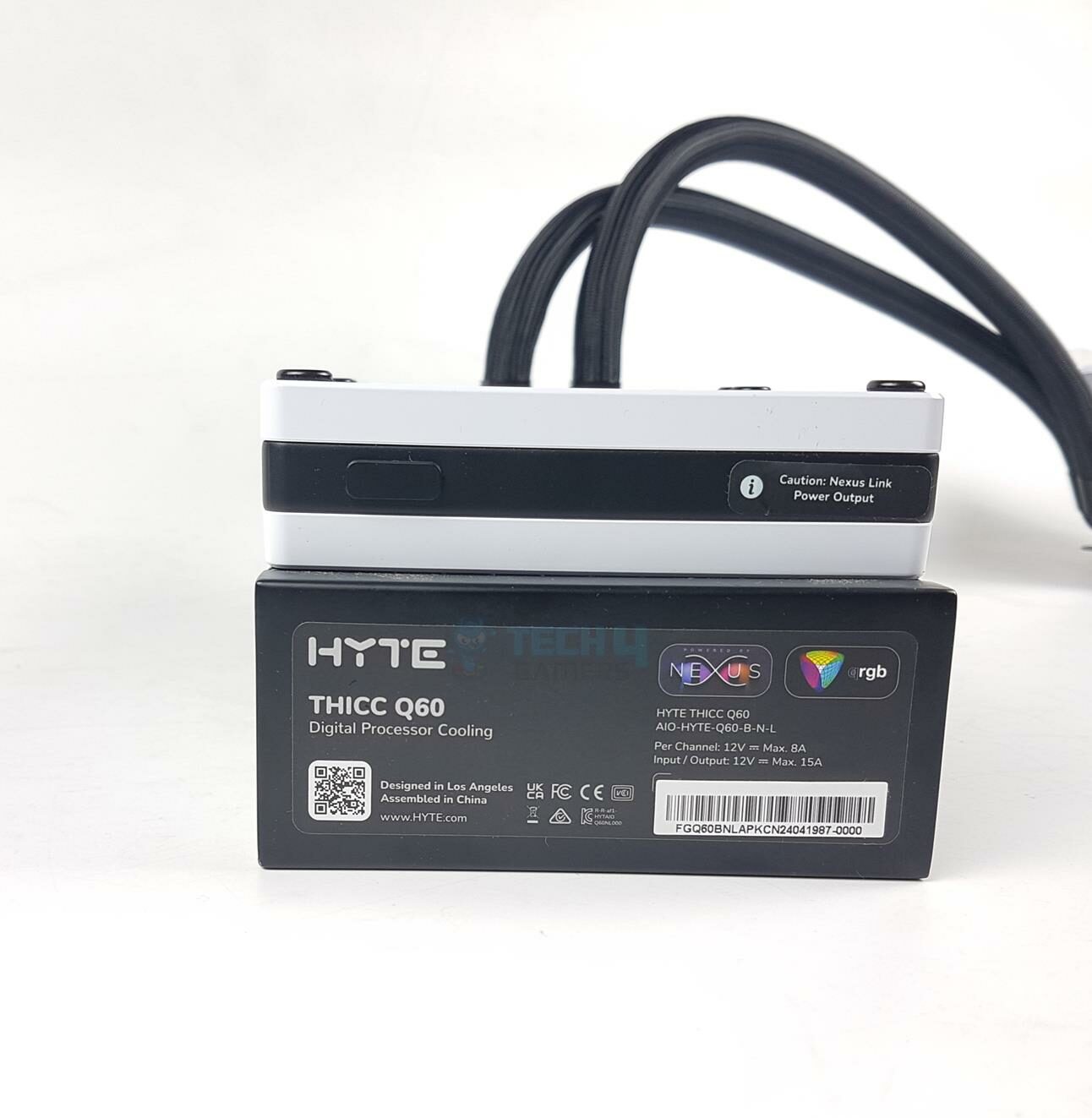
I am showing the left side of the radiator, which has a label showing the power rating per channel combined with two channels. You can note the Nexus Link Power Output mentioned on the port label on the fan. I will cover that shortly.
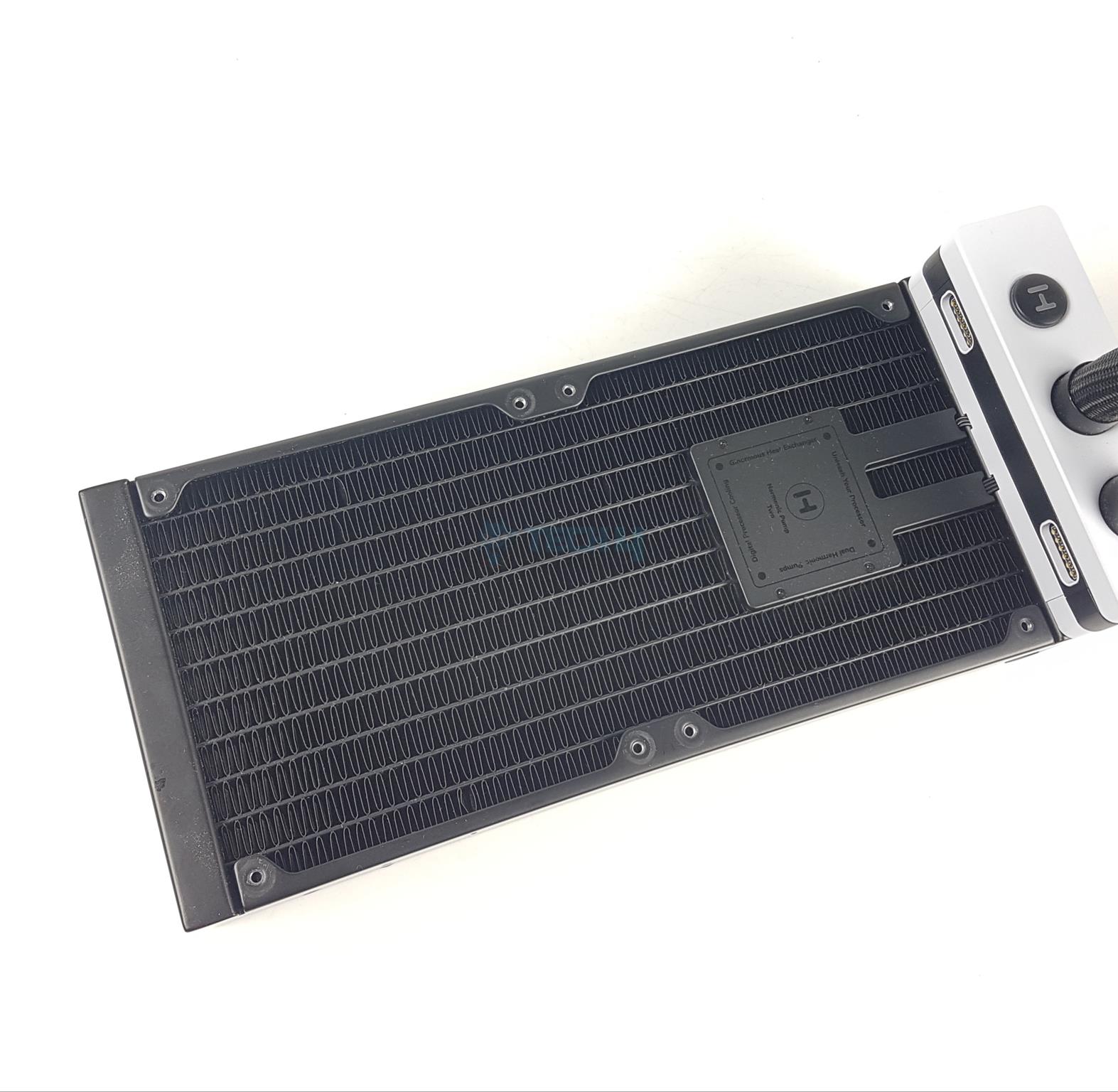
I have removed the PF12 fans. The radiator has a dimension of 120x288x52mm. Adding 120x32mm fans would make the overall height of 84mm. The radiator is made of aluminum material. It has 14 FPI count with 10 channels for coolant flow.
The complete assembly is black, and the pumps are integrated into the fin stack. I did not observe any broken or bent fin. Each mounting hole has a nice threaded area.
Push Config (Image By Tech4Gamers)
I have installed the PF12 fans in a push configuration. You just need to take care of Nexus Link connection port configuration and can easily install the fans in any direction.
3x USB-C Port
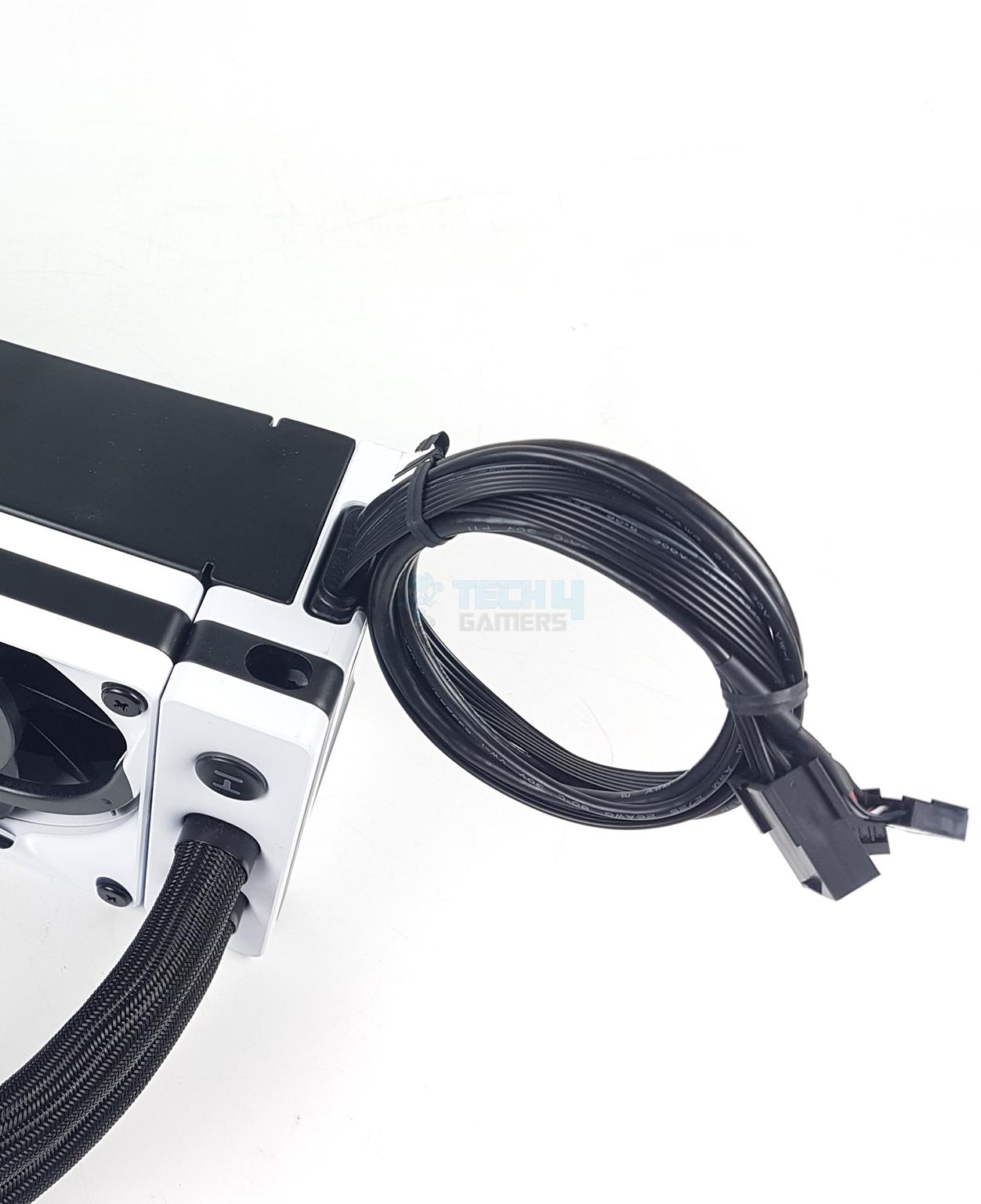
Bundled Nexus Link Cable
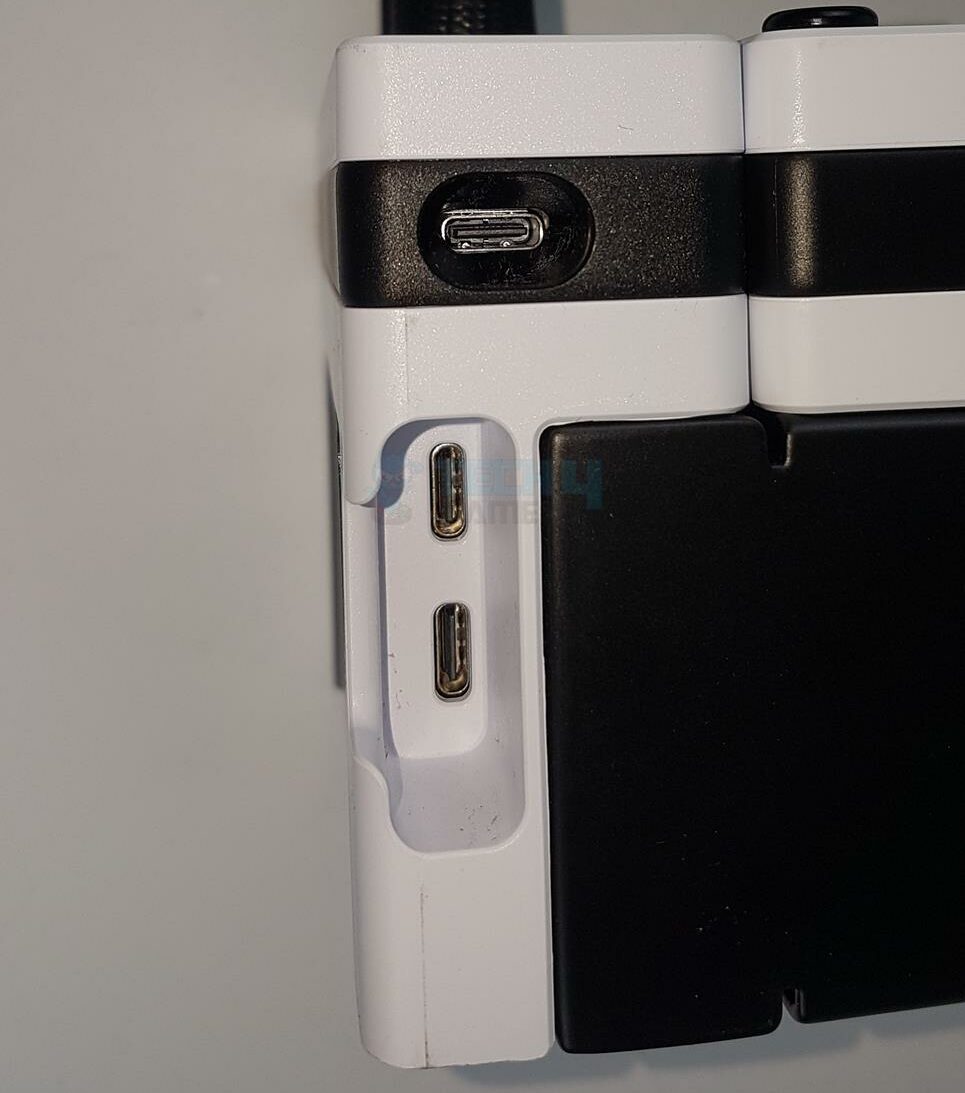
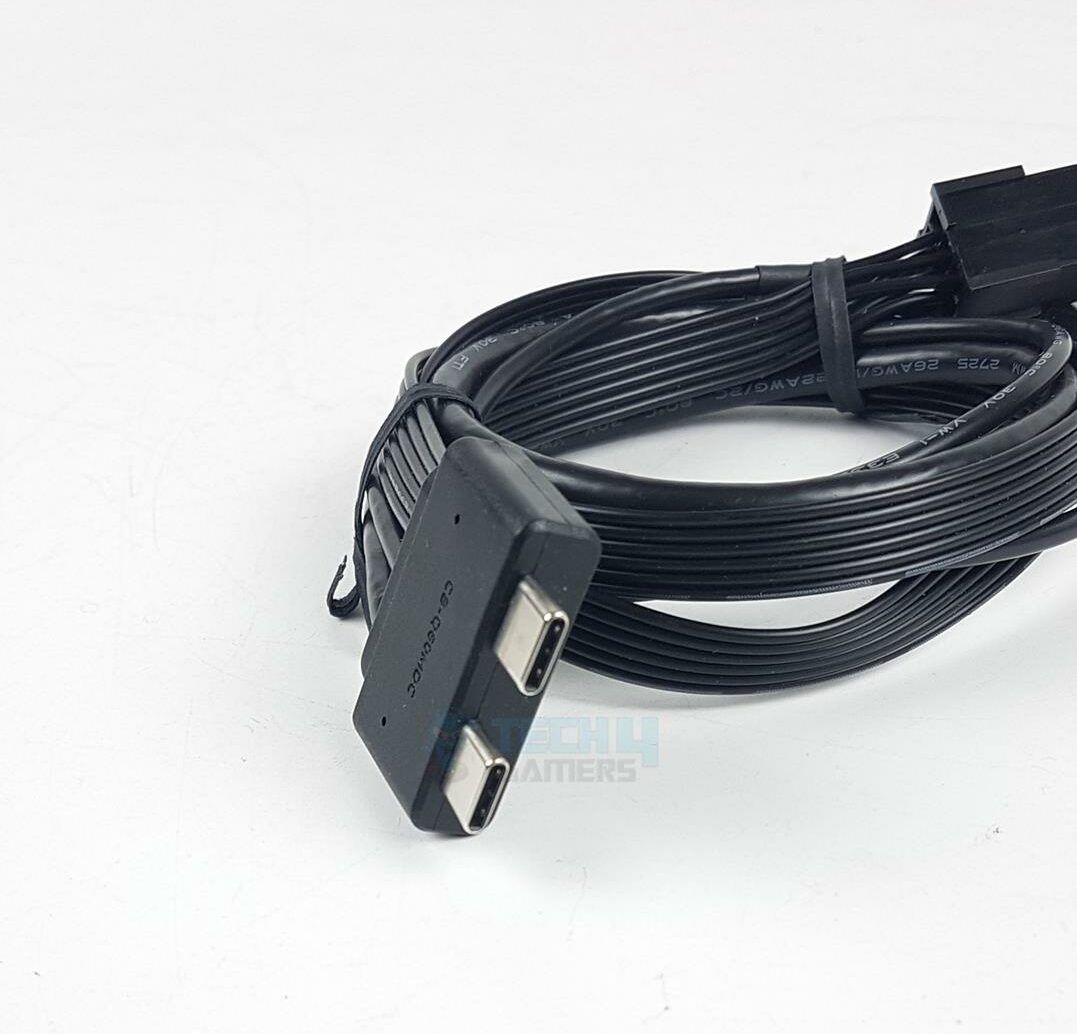
There are a total of 3 USB C ports on the side of the radiator’s main frame. One is located right on the radiator’s block, to which you can connect any Nexus Link device, like more PF12 fans in the PC Case. The other two ports are in the inset area. These are the main ports of action.
The second picture shows how you will connect the bundled Nexus Link cable to the radiator. It is the only cable that you need for the total connectivity. I like it how HYTE has come up with a cable less connectivity without even needing any controller hub. Other brands should note how it is done properly.
Nexus Link Ports
Side View Of The Unit
There are two Nexus Link Ports or channels on the block of the radiator. This is where the fans are connected to. Each channel is rated for 8A at 12VDC whereas the combined power of both channels is listed at 15A at 12VDC.
The unit is powered by a PCIe/PEG connector. Each channel can support up to 17 Nexus devices, for a total of 34 devices, for which the unit can draw up to 180W from the PSU. This could be a power-hungry solution.
Taking a look at the side view of the unit, you can see that it has thicker tubes that are made of CIIR rubber with nylon braided sleeves.
WARNING: The tubes run to 400mm in length, which should have been 450mm, in my opinion, given the block can only be installed in one direction. Plan your layout carefully to avoid installation problems
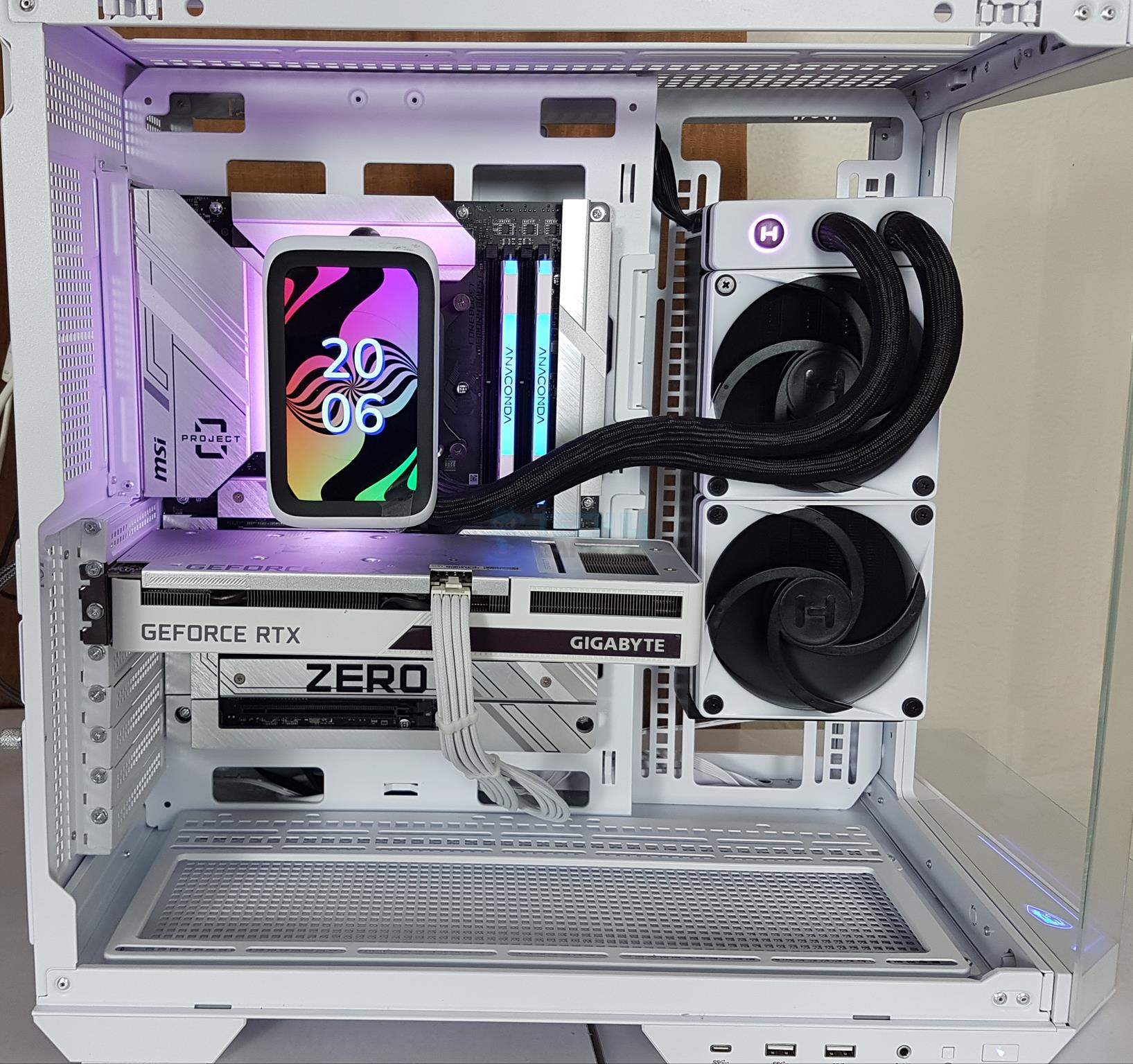
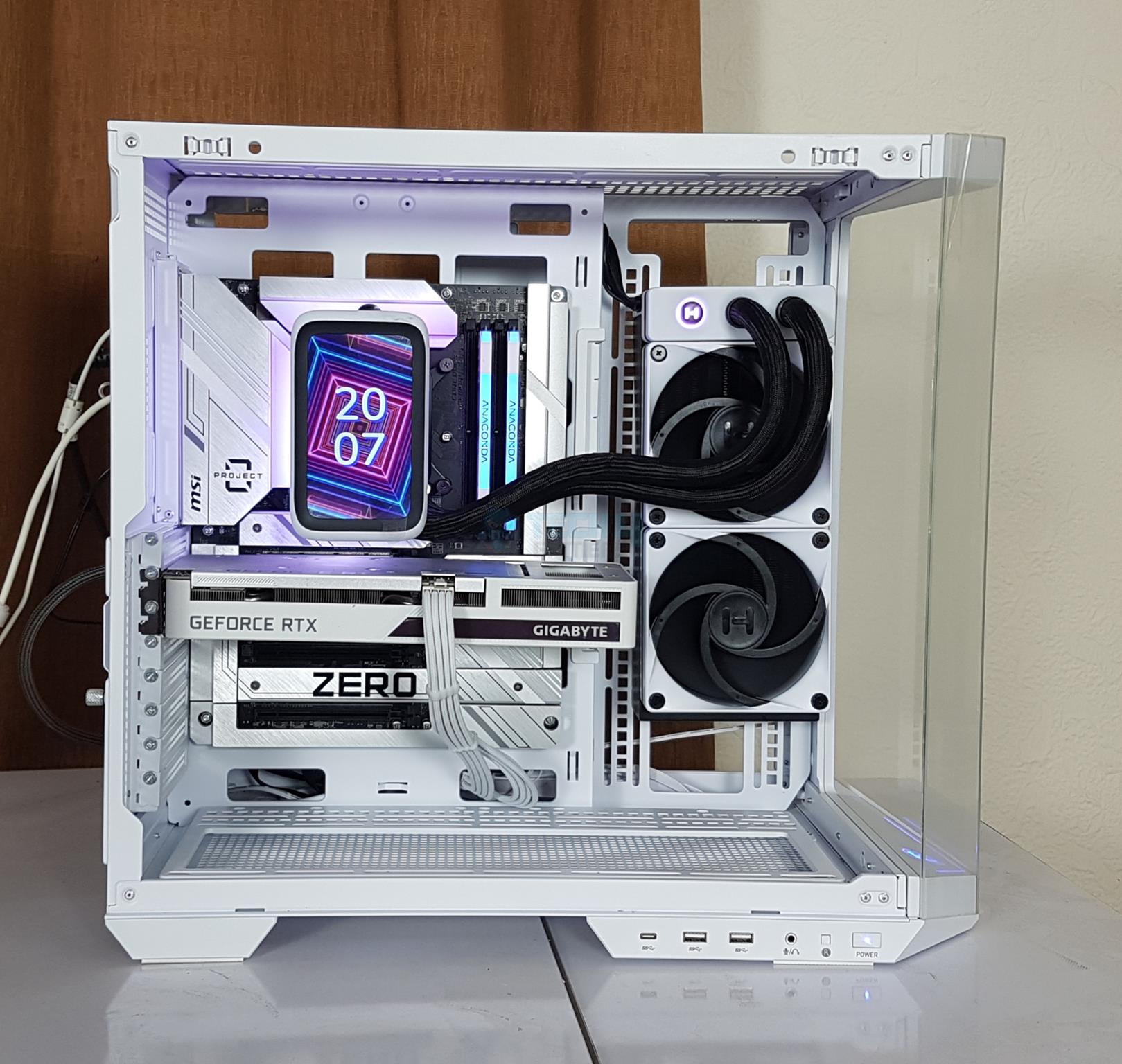
Having a cable-free cooler is a dream, particularly for back-plug motherboard builds (MSI Project Zero and ASUS BTF). The HYTE THICC Q60 lives up to the expectation.
Pump
Integrated Pump (Image By Tech4Gamers)
I observed that the pumps are integrated into the radiator. This design is being used by many manufacturers now. One possible reason is to bypass the ending patent of Asetek in the North America. But in this cooler’s case, it is obvious that the block’s dimension would be even higher if the pumps are to be integrated into the block’s housing.
HYTE has used dual harmonic pumps which are rated between 2000 to 4500 RPM. They use ceramic bearings with impeller having 24mm diameter. Notice how HYTE has routed the pumps’ cables. Even these cables are concealed.
Block And Display Screen
CPU Block
Side View
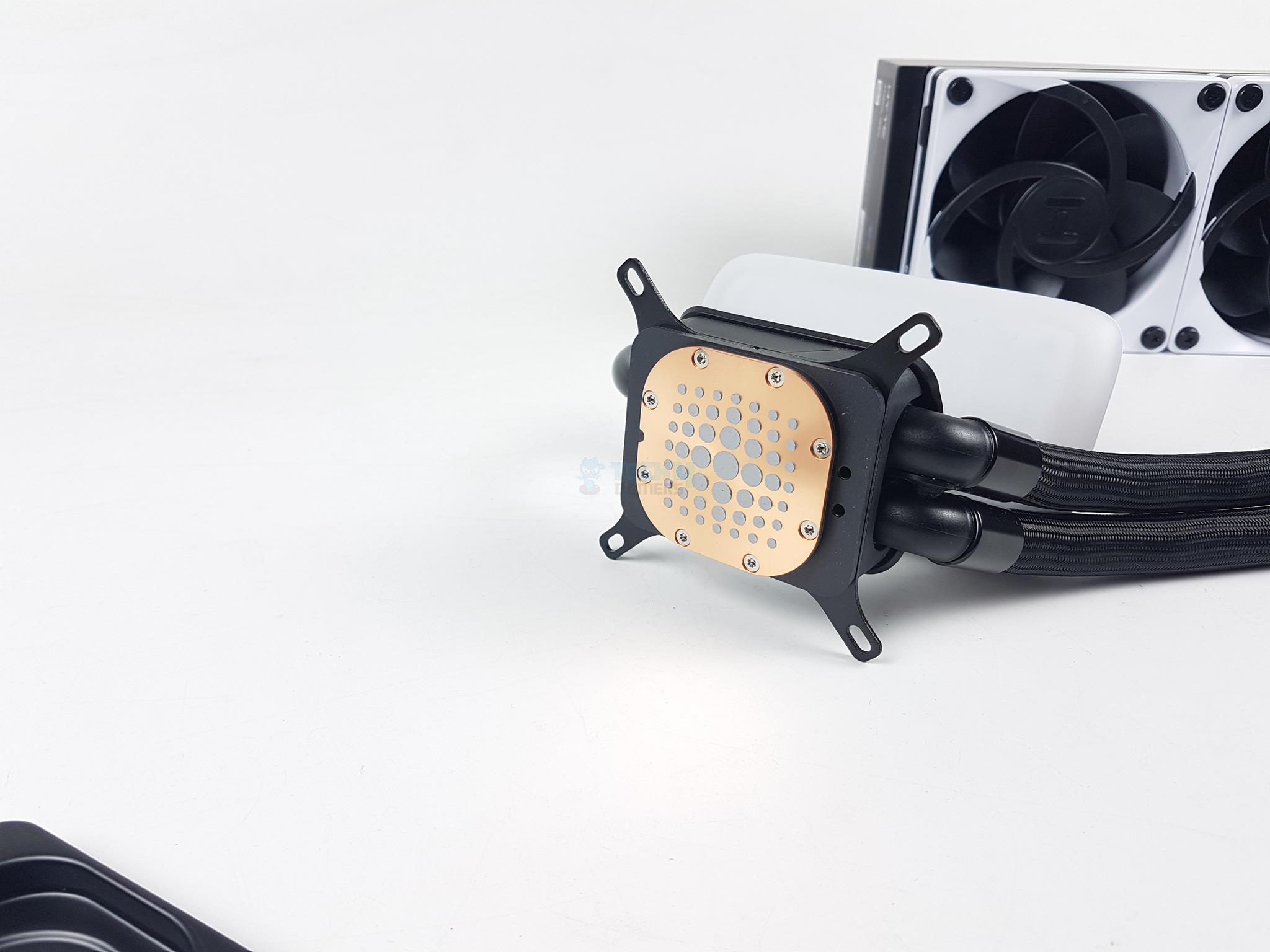
Despite having the pumps integrated into the radiator assembly, I found that the block still has a relatively large size. This could well be due to the internal connections and cables. There is a magnetic interchangeable cover over the base protecting the copper base that has pre-applied thermal paste.
Looking at the side of the block, you can see three things:
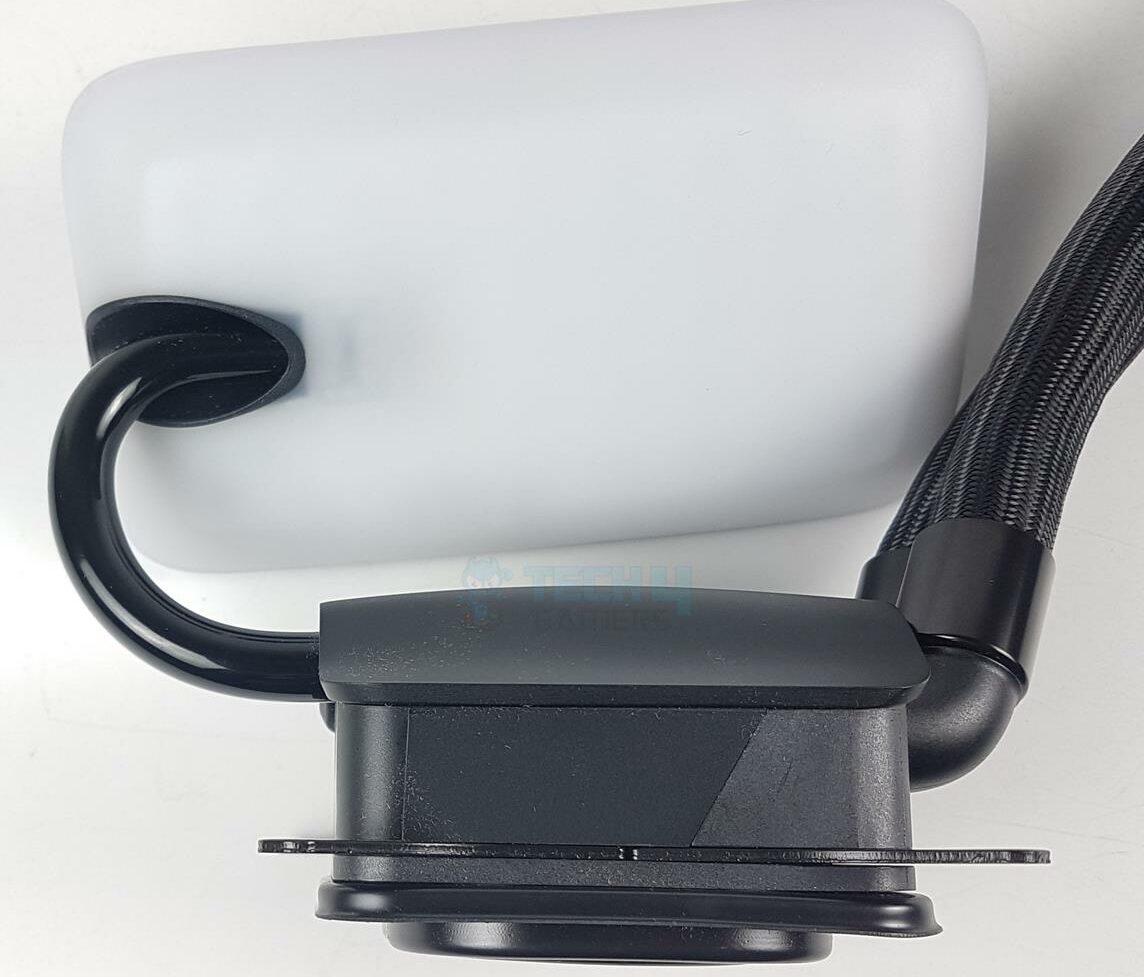
Two-tone matte black housing of the block with a curved top
Double-Hinged Floating Spout connecting the screen with the block
A large-size diffuser (A-RGB Backlit) on the backside of the screen
RGB Design (Image By Tech4Gamers)
This is what the A-RGB lighting effect looks like on the backside of the screen.
Tubes Connection
Copper Base
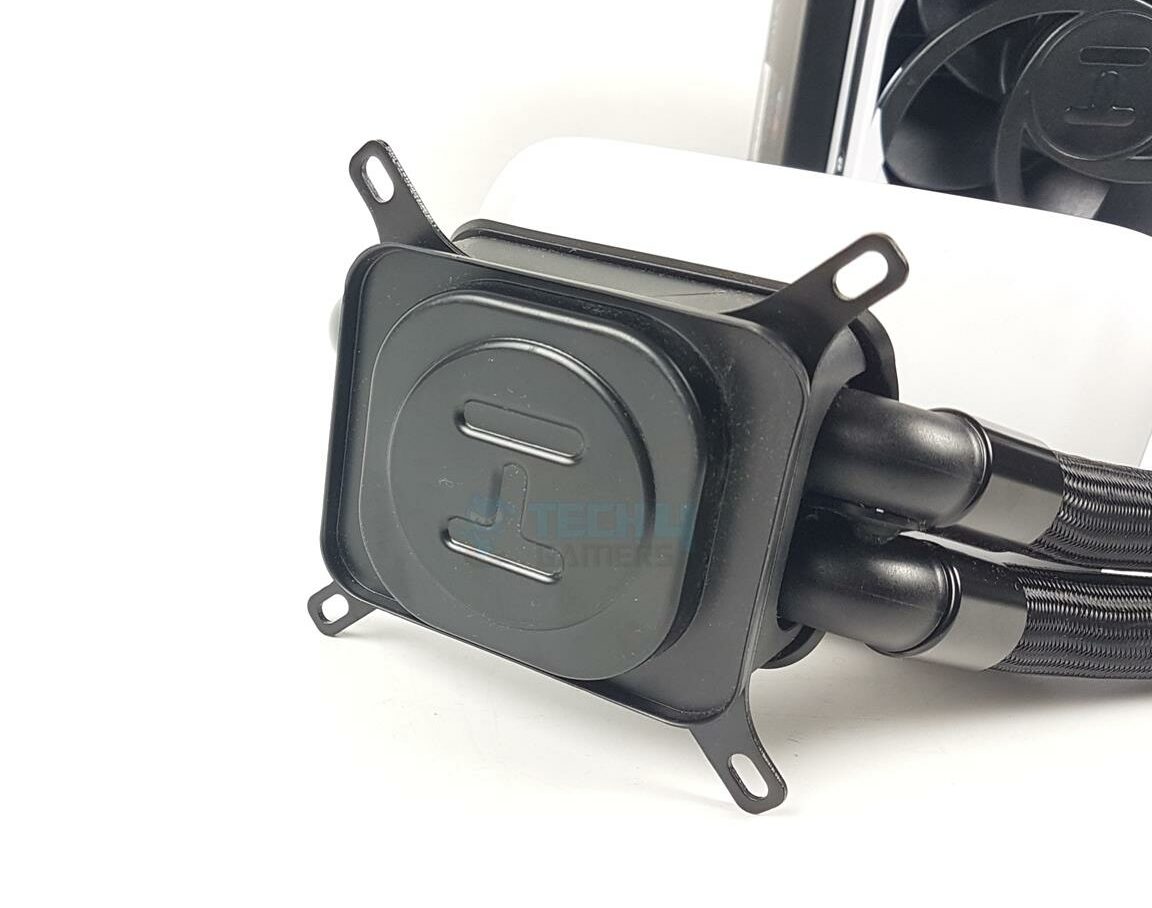
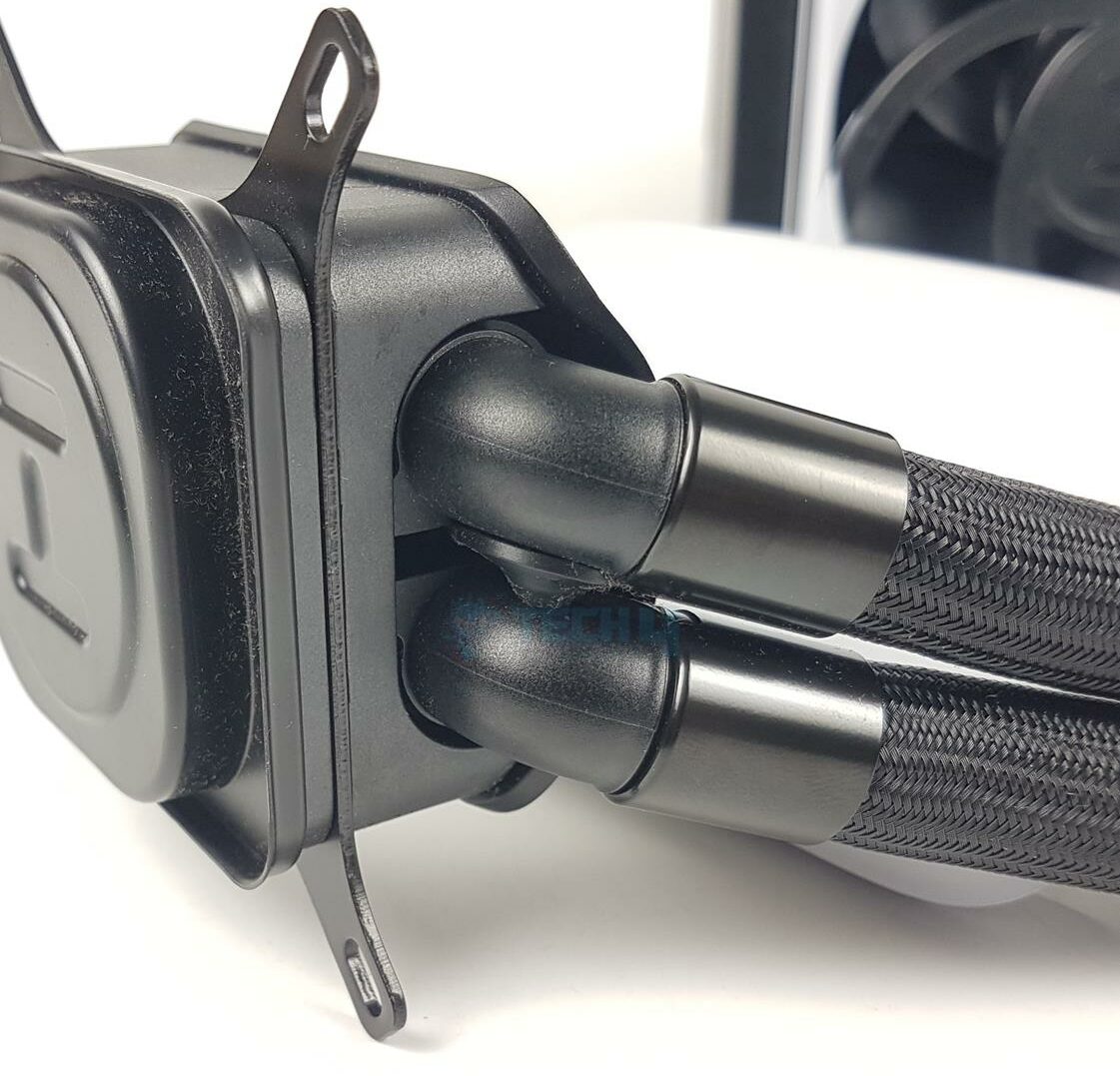
The tubes are installed in 90° mount on the base of the block so that they can be rotated as per requirement to the left or right side position. HYTE has used gray clamps to conceal the connection of tubes with the barbs.
This cooler has relatively a large size copper base. The cold plate measures 56x56x1.5mm. Thermal paste is pre-applied in a particular pattern. The large size dots are in the center and they gradually become small size going out from the center.
The Intel mounting brackets are pre-installed. The mounting brackets’ design reminds me of the CORSAIR iCUE H150i LCD.
5” IPS LCD Screen (Image By Tech4Gamers)
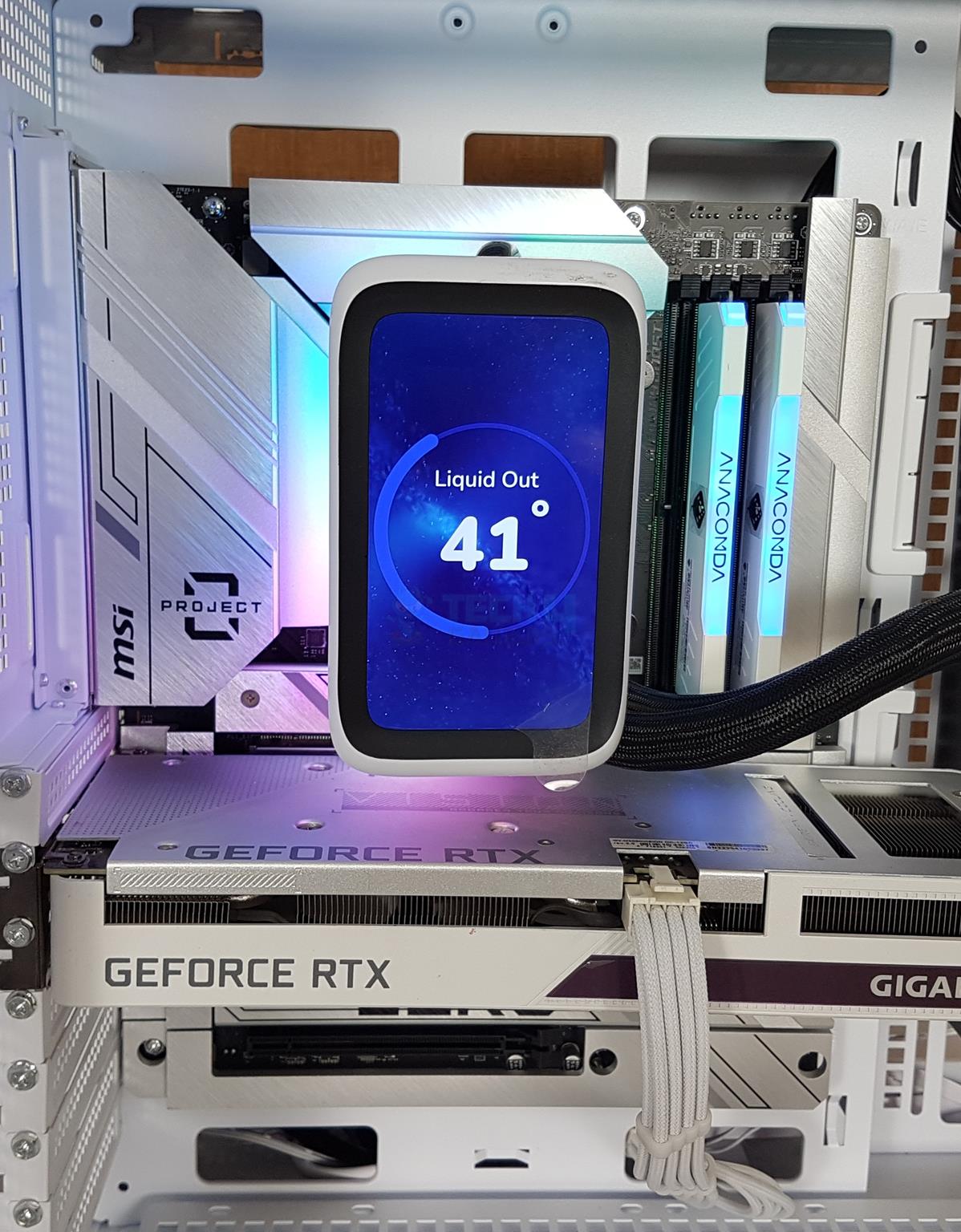
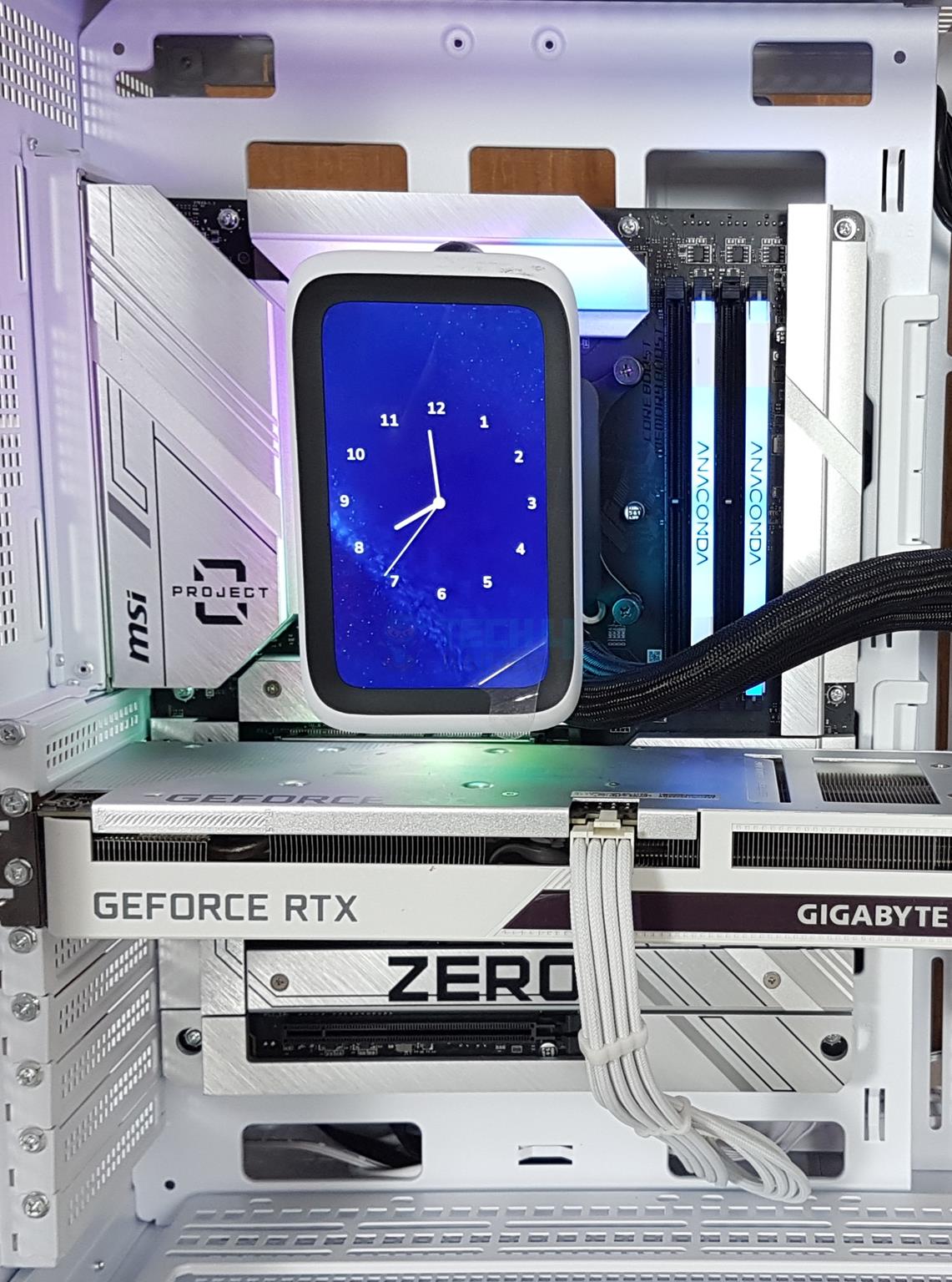
This cooler has a 5” IPS LCD screen, which has a 60Hz refresh rate with a resolution of 720×1280 (293 PPI). It has a brightness level of 300 nits. The bias lighting is done via a 42-pixel qRGB array. HYTE uses a double-hinged floating spout so that the screen can be rotated at 90ᵒ on the sides.
When installing the cooler, this hinge side needs to face up towards the top of the motherboard. The total height of the screen and hinge is 105mm.
Nexus Link Cable
Nexus Link Cable
Dual USB Type-C Ports
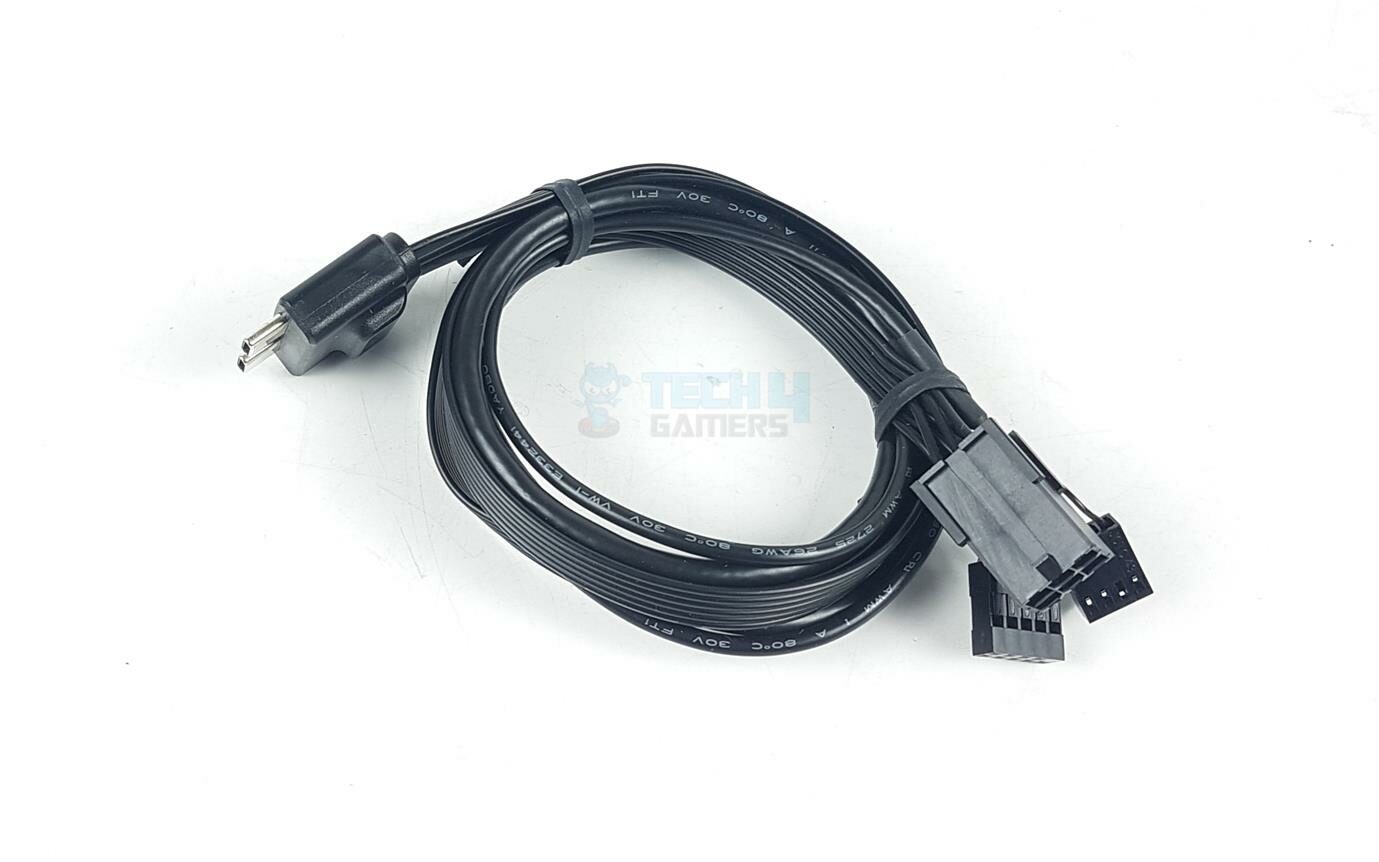
HYTE has also provided a large Nexus Link cable with the cooler. One end of the cable has dual USB Type-C ports, which are connected to the dual ports on the radiator.
Cable Connectors (Image By Tech4Gamers)
The other end of the cable has three connectors. One connector is a 6-pin PEG connector (75W). There is a 4-pin PWM connector that reports the pump speed only. There is a 9-pin USB 2.0 connector which is needed for the Nexus software control.
Fans
Fans (Image By Tech4Gamers)
HYTE has used two PF12 non-RGB fans on this cooler. These fans have a dimension of 120x120x32mm. The frame of these fans is made of polycarbonate material, whereas the blades are made of fiberglass-reinforced liquid polymer crystal, which was first used by Noctua on the NF-A12x25 series of fans.
Each fan has 7x large blades in black. The center has a large diameter compared to the regular fans on the market. Each mounting hole has a circular cur-to-size anti-vibration ring. The frame has a closed design which does not allow air to escape at the point of contact between the radiator and the fan.
The backside of the fan shows a 4-arm assembly. These arms have curved sides for a directed airflow.
Fan Side View
Screws
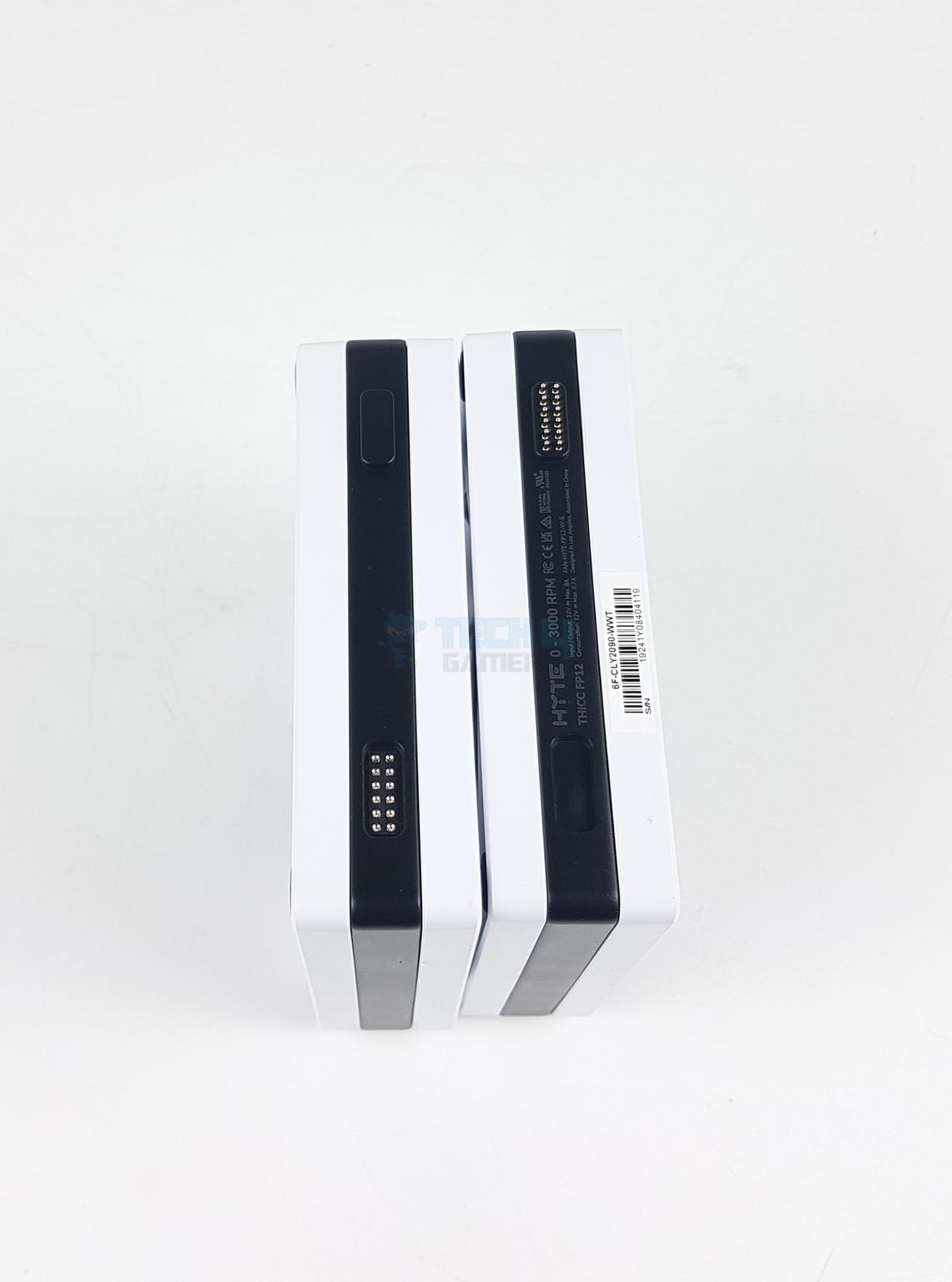
The fans are interconnected using the Nexus Link interface. Each fan has 12-pin ports: one is a Nexus Link Input port and the other is a Nexus Link Output port. One fan makes contact with the radiator’s Nexus Link port.
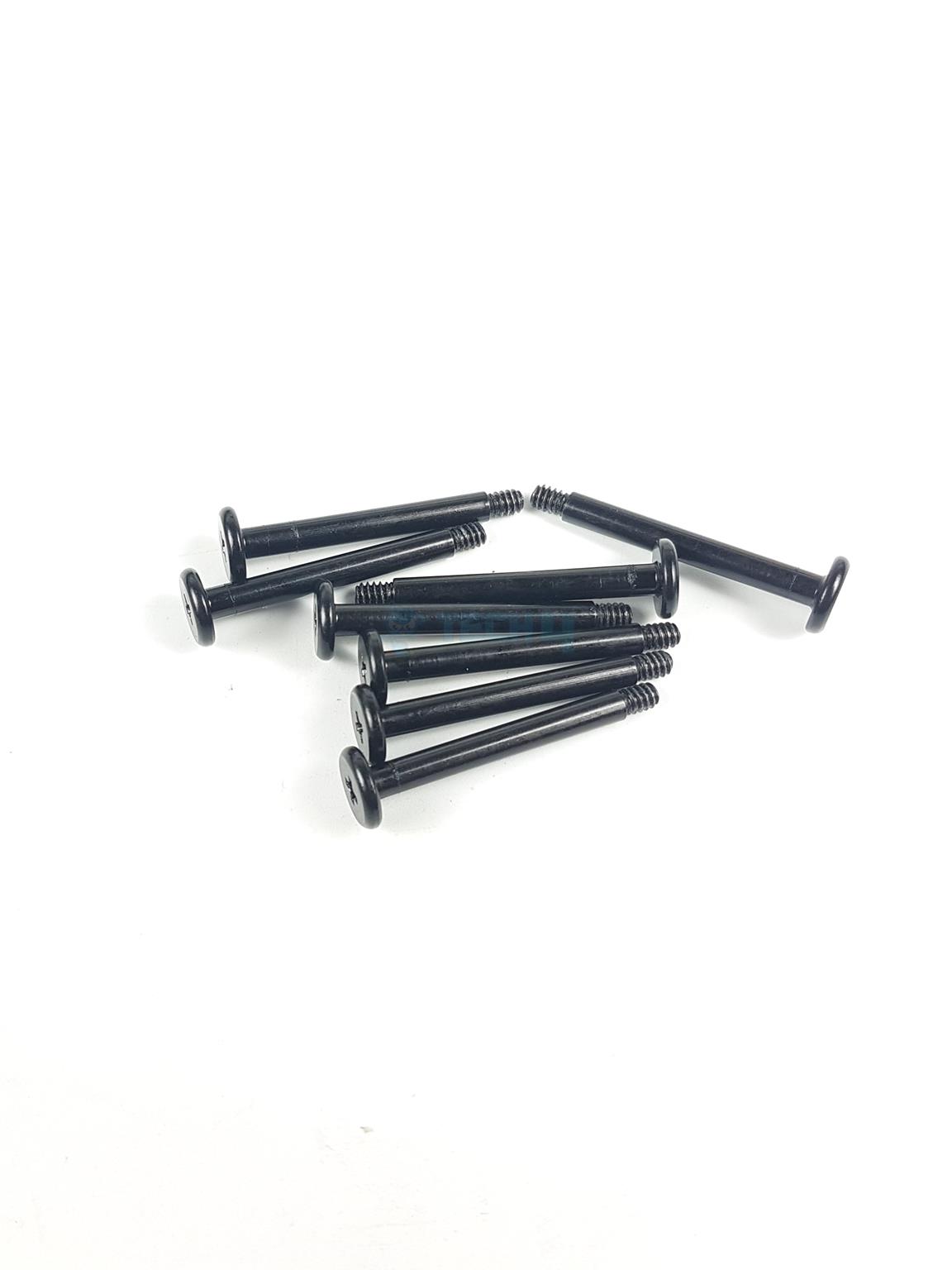
I removed the fans to show the 8x screws. Speaking of the numbers, these fans are rated for a maximum speed of 3000 RPM, generating a maximum airflow of 105.8 CFM at an air pressure of a whopping 8.14 mmH₂O. However, these are loud fans at full speed with a maximum sound rating of 47.3 dBA from HYTE. These fans use fluid dynamic bearings.
Installation
The following steps are required to install this cooler on the MSI Z790 Project Zero motherboard:
Place the Intel LGA1700 backplate on the backside of the motherboard.
Secure it using 4x Intel LGA1700 standoff screws.
Remove the protective magnetic cover from the base.
Place the block on the CPU so that the threaded portion of the standoff screws pass through the cutouts on the mounting holes.
User spring nuts to secure the block.
Connect the Nexus Link Cable to the radiator.
Install the radiator as per the situation.
Connect the PCIe, 4-pin PWM, and USB 2.0 connectors to PSU, fan header and USB 2.0 header on the motherboard respectively.
Download and install the Nexus software.
Installation is completed.
Clearance
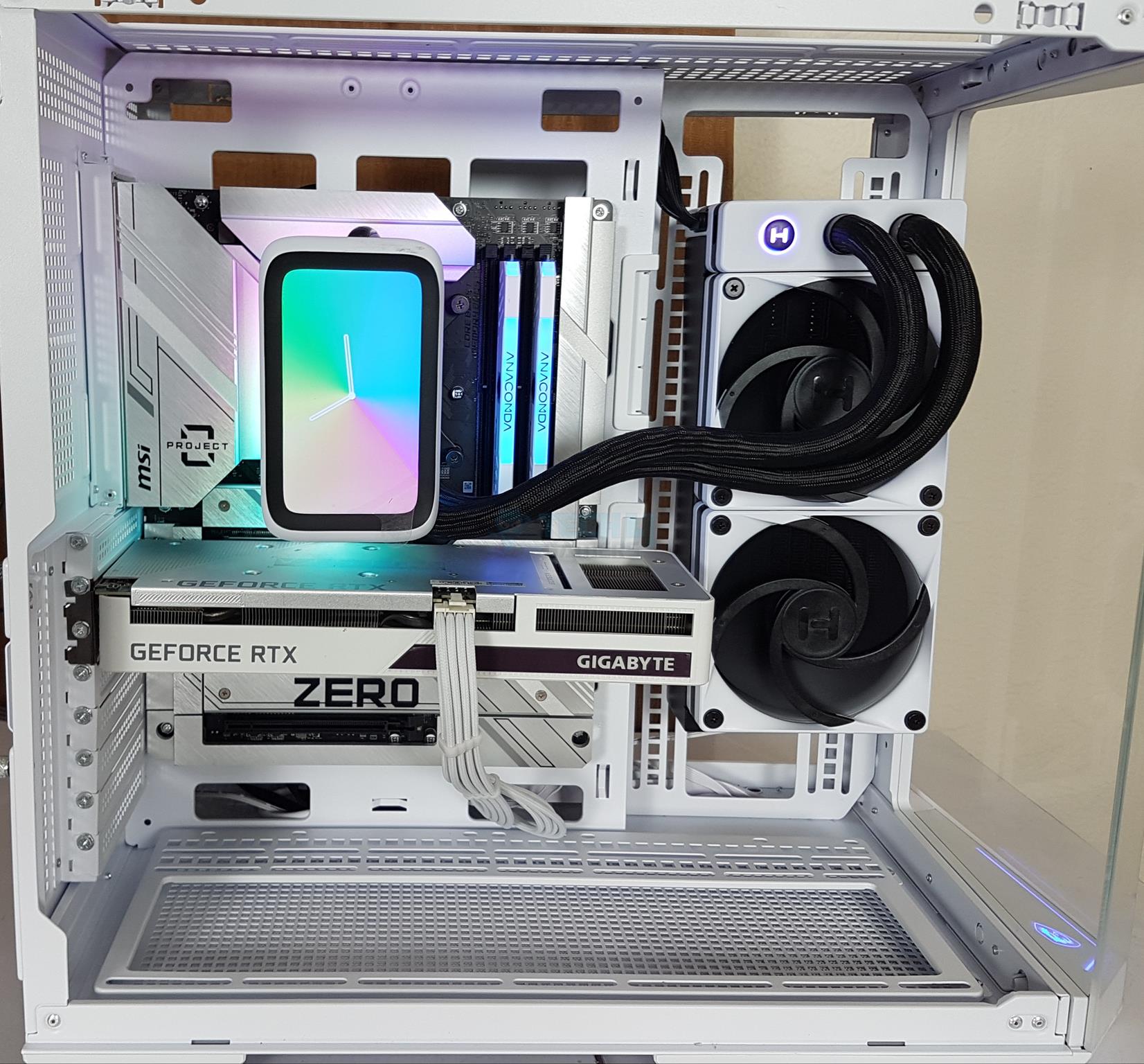
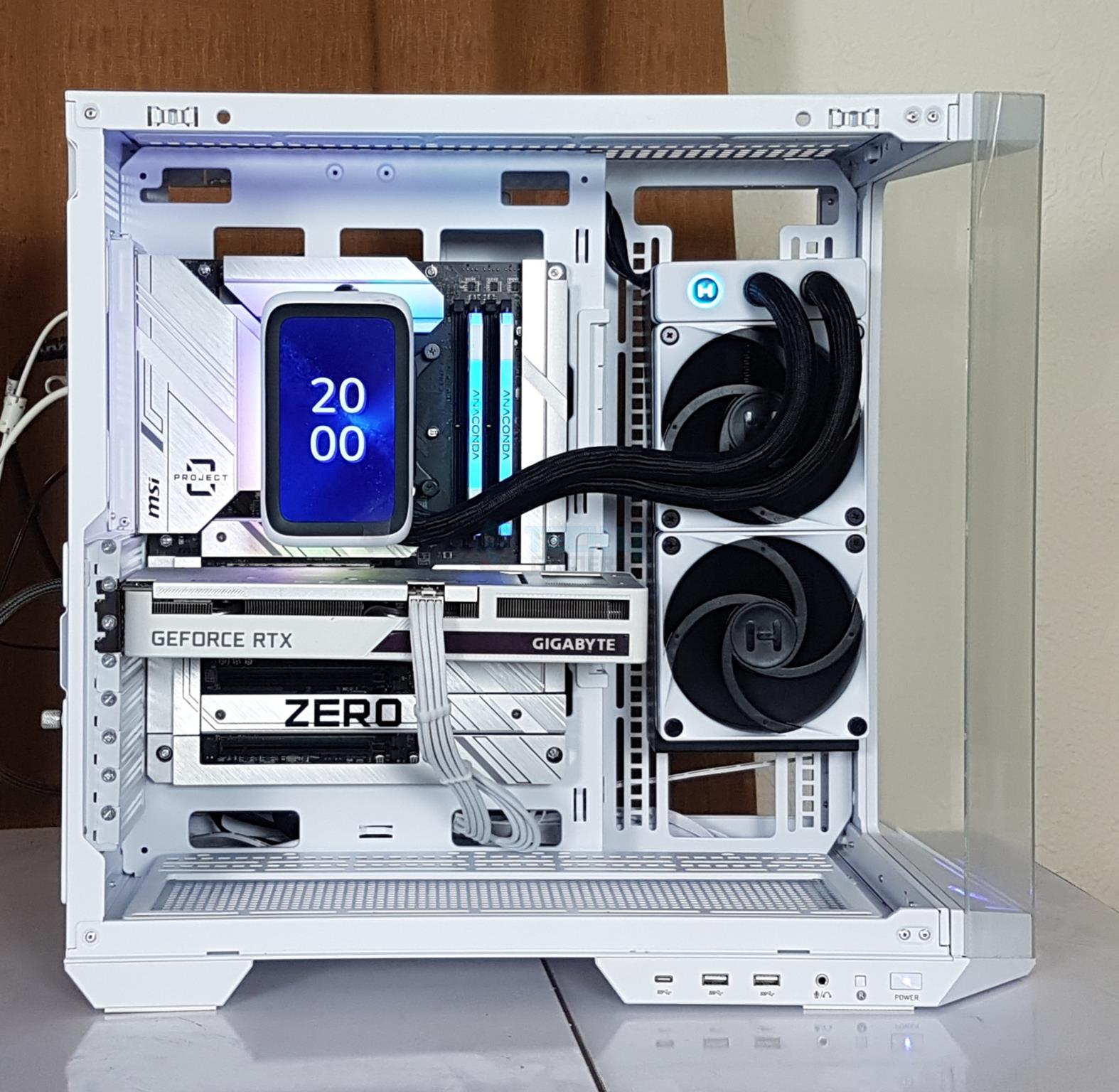
This cooler definitely has a clearance issue. The overall height of the radiator is 84mm, with a total dimension of 288x120x84mm. This much height may not be possible on the top of the case. Your best pick is on the side, front, or base of the PC Case. Remember to measure the graphics card length if installed on the side or front.
Since the double-hinged floating spout needs to be placed up top, there is a tube length issue at hand as well. It was difficult installing this unit on the side of the MSI PANO 100L PZ case. There was pressure on the tube while installing the block with the hinge side facing the top. I could not install the unit on the base since the tube was obstructed by the graphics card, and it did not allow mounting the block with the hinge side up top.
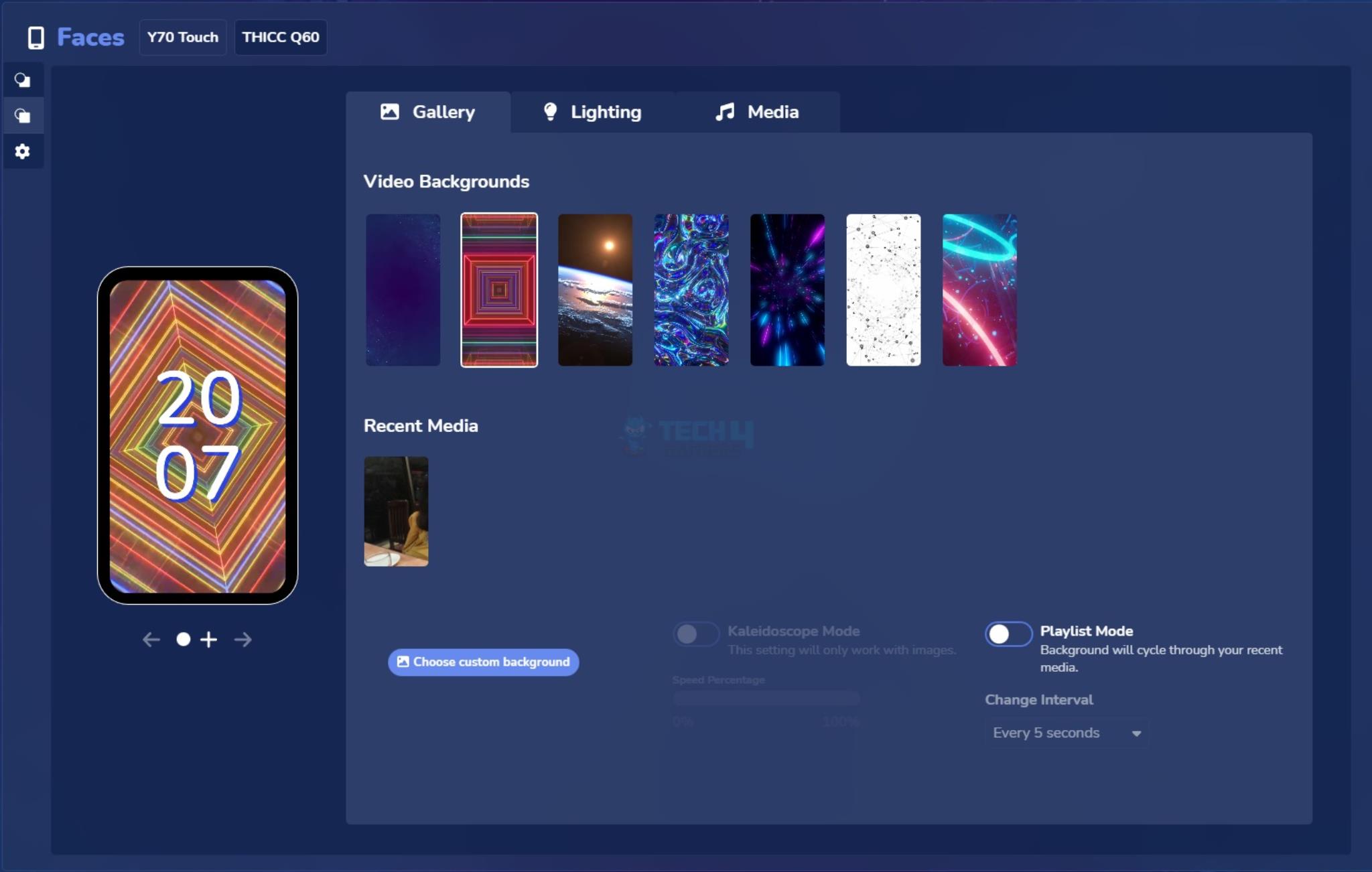
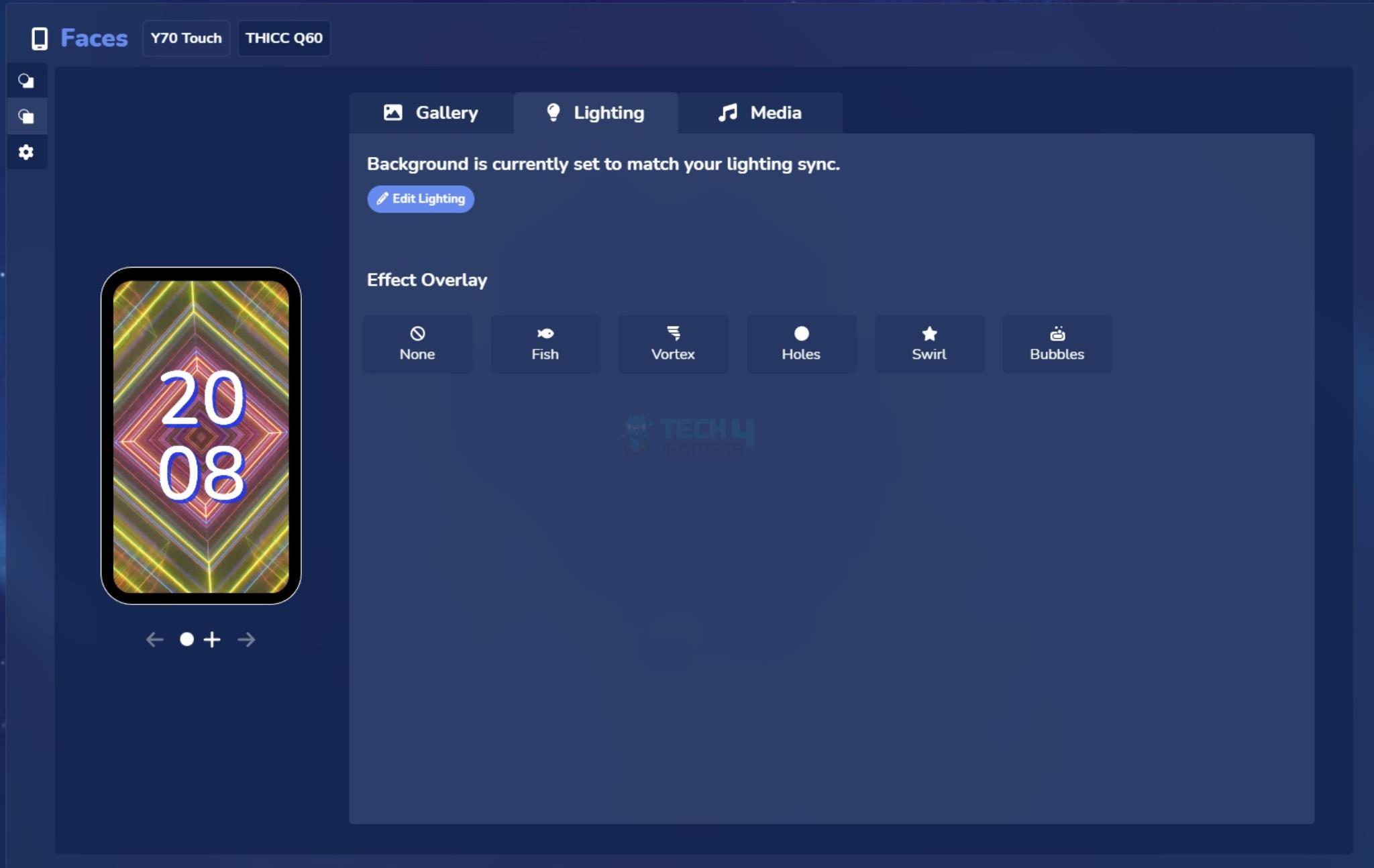
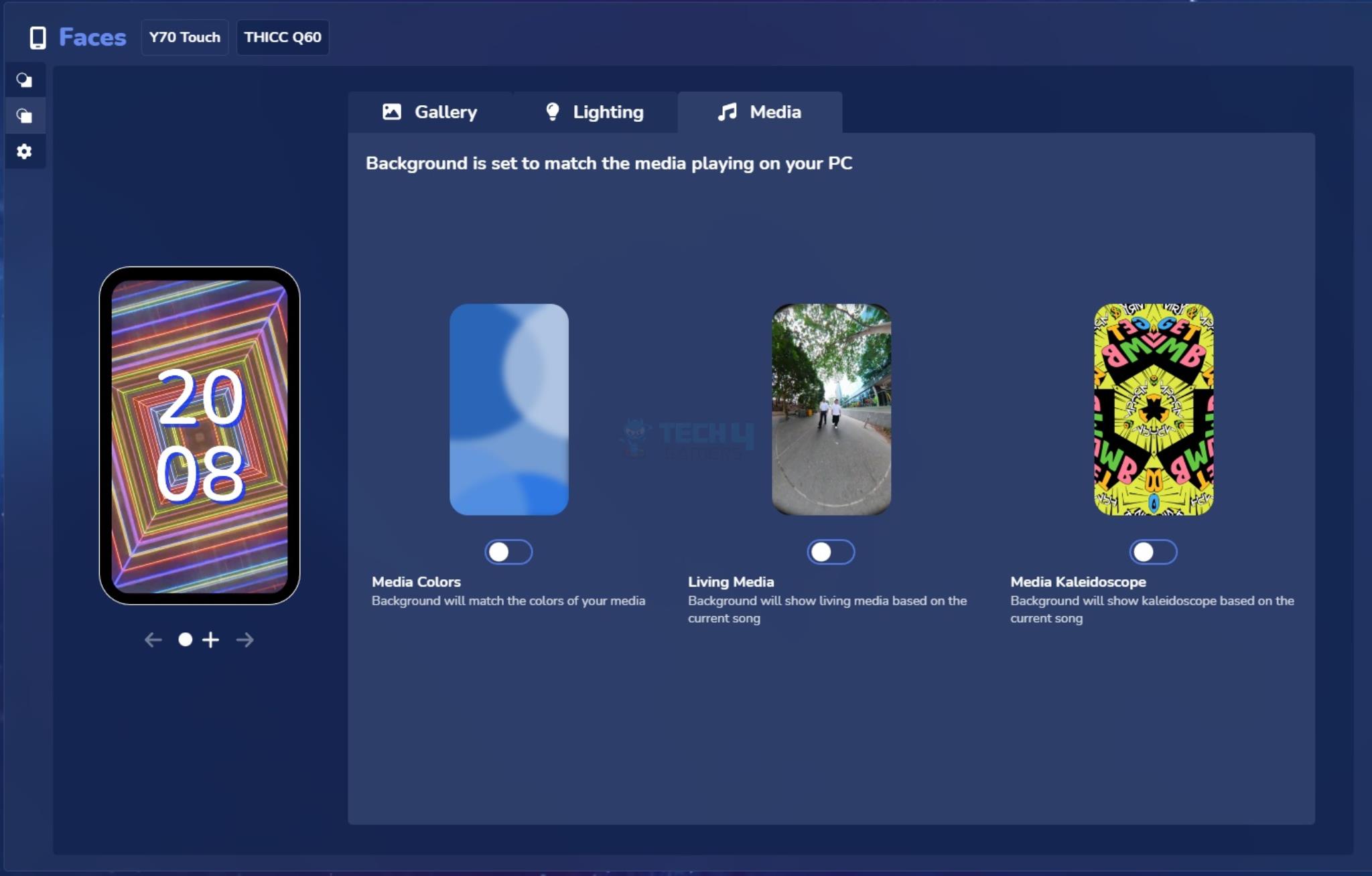
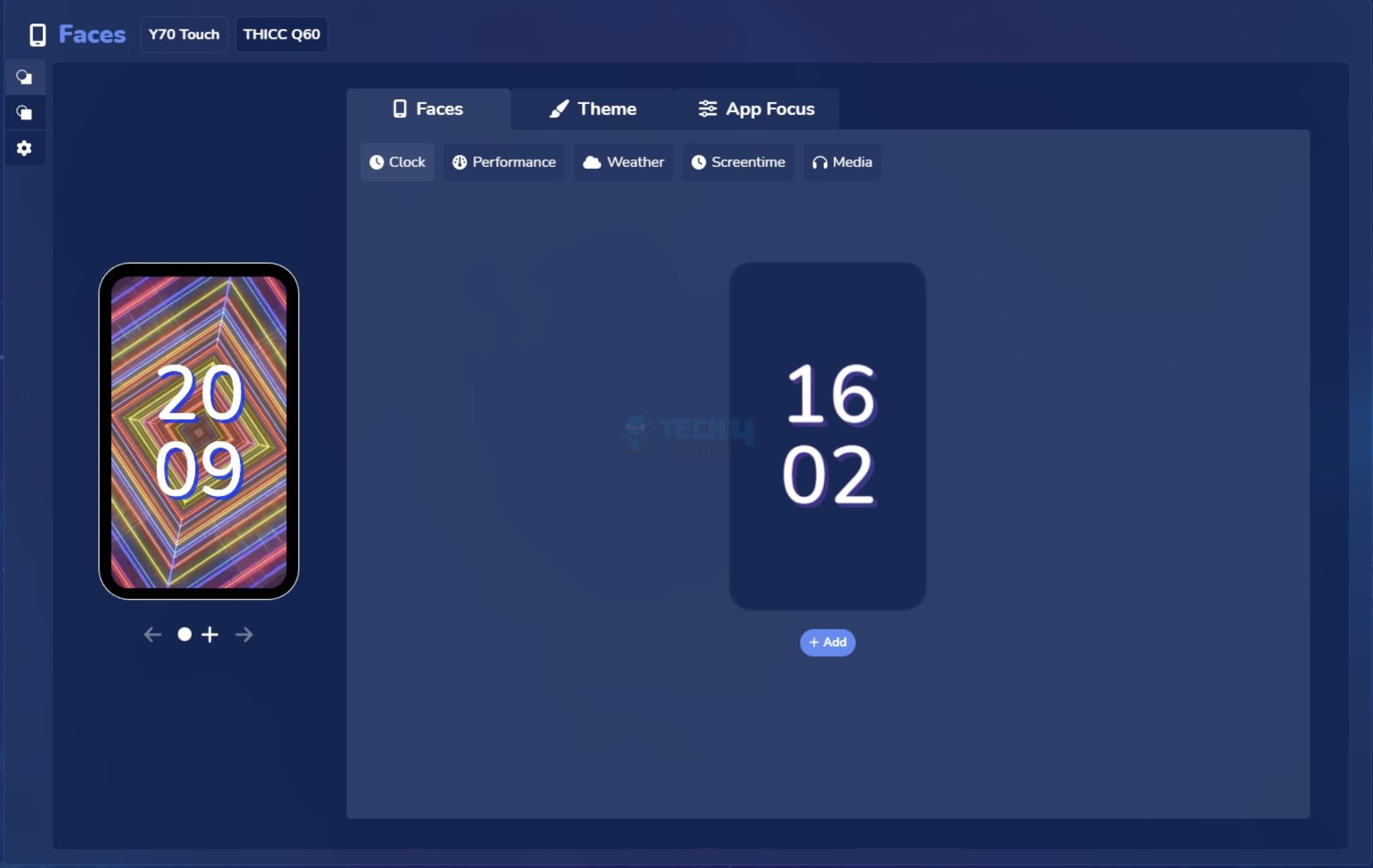
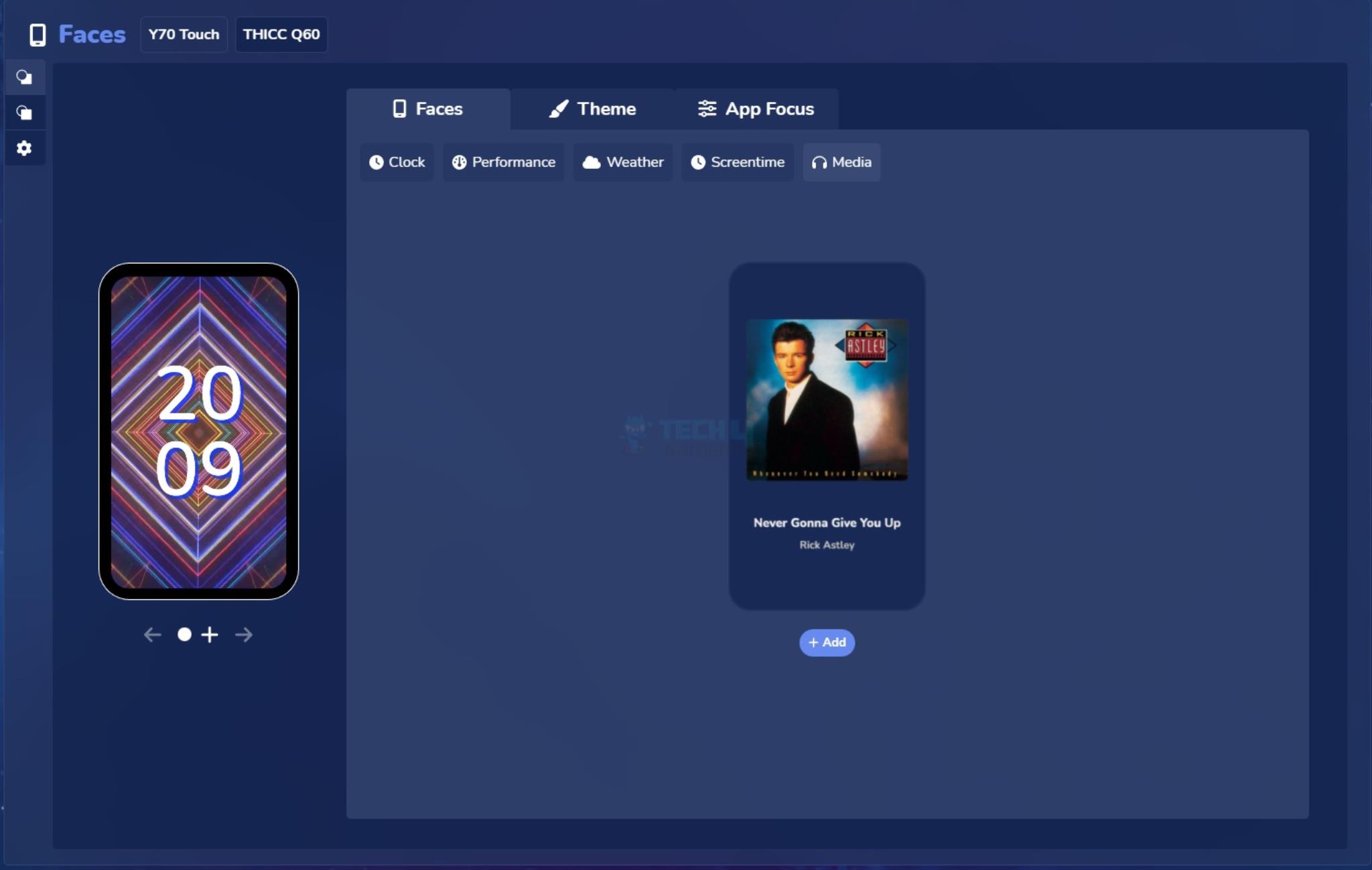
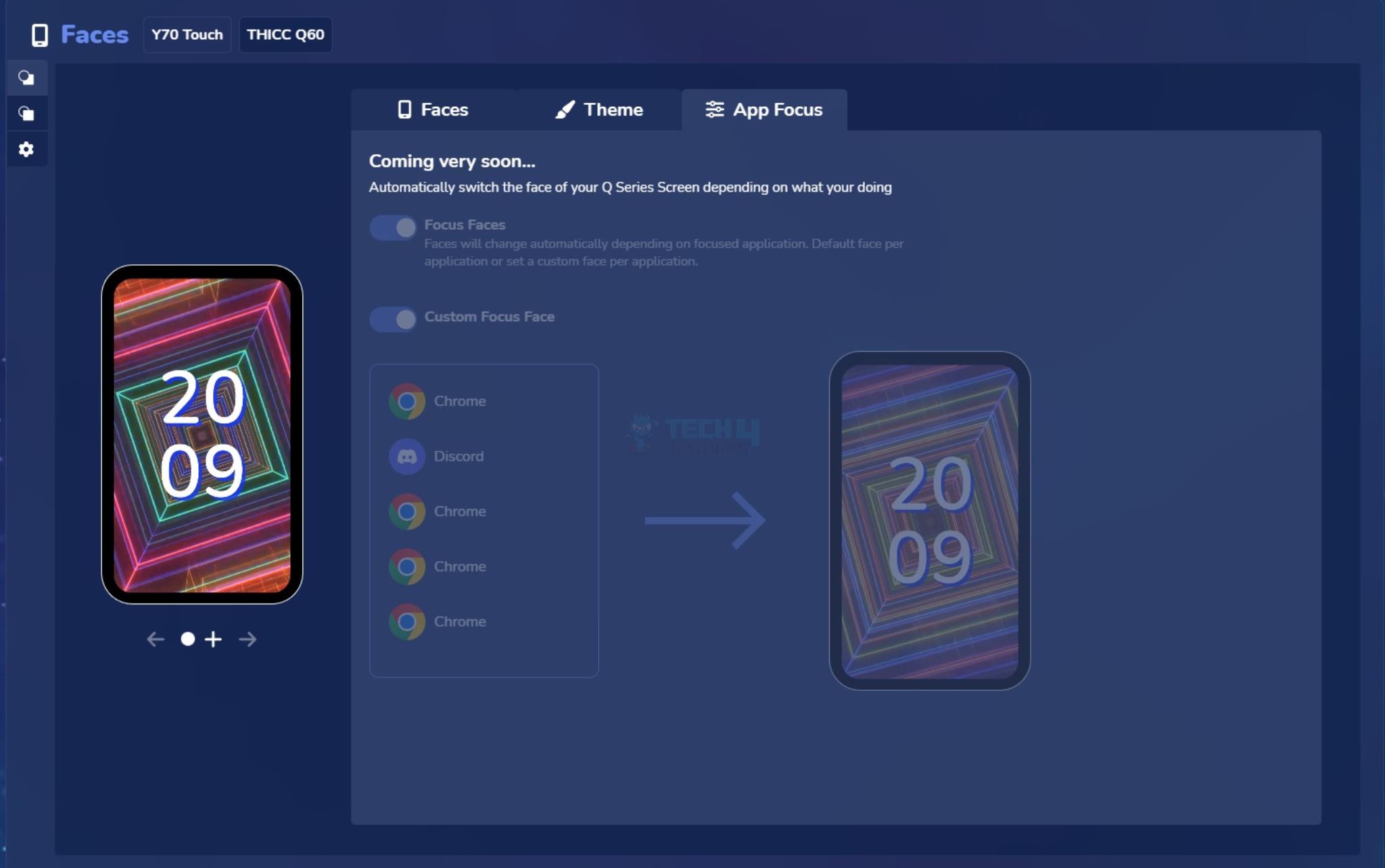
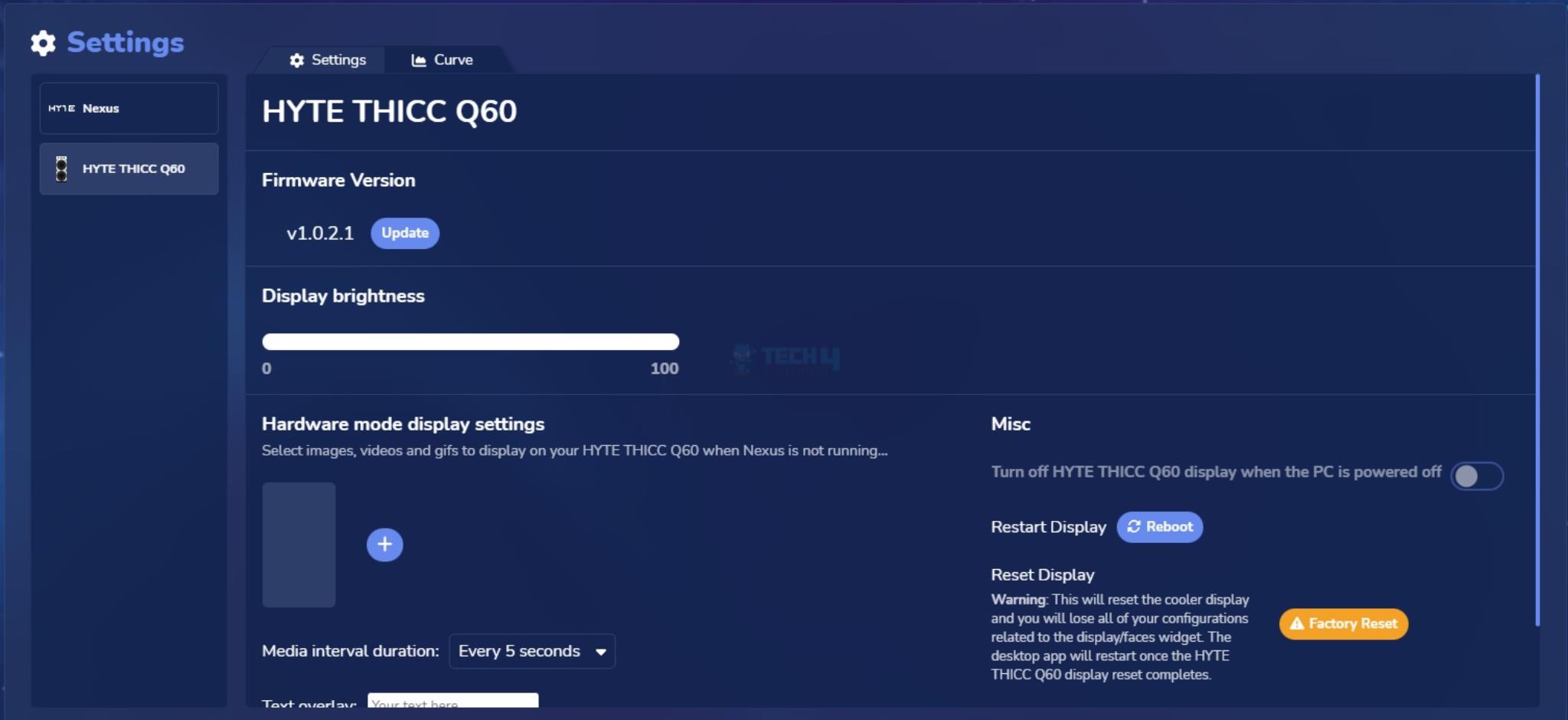
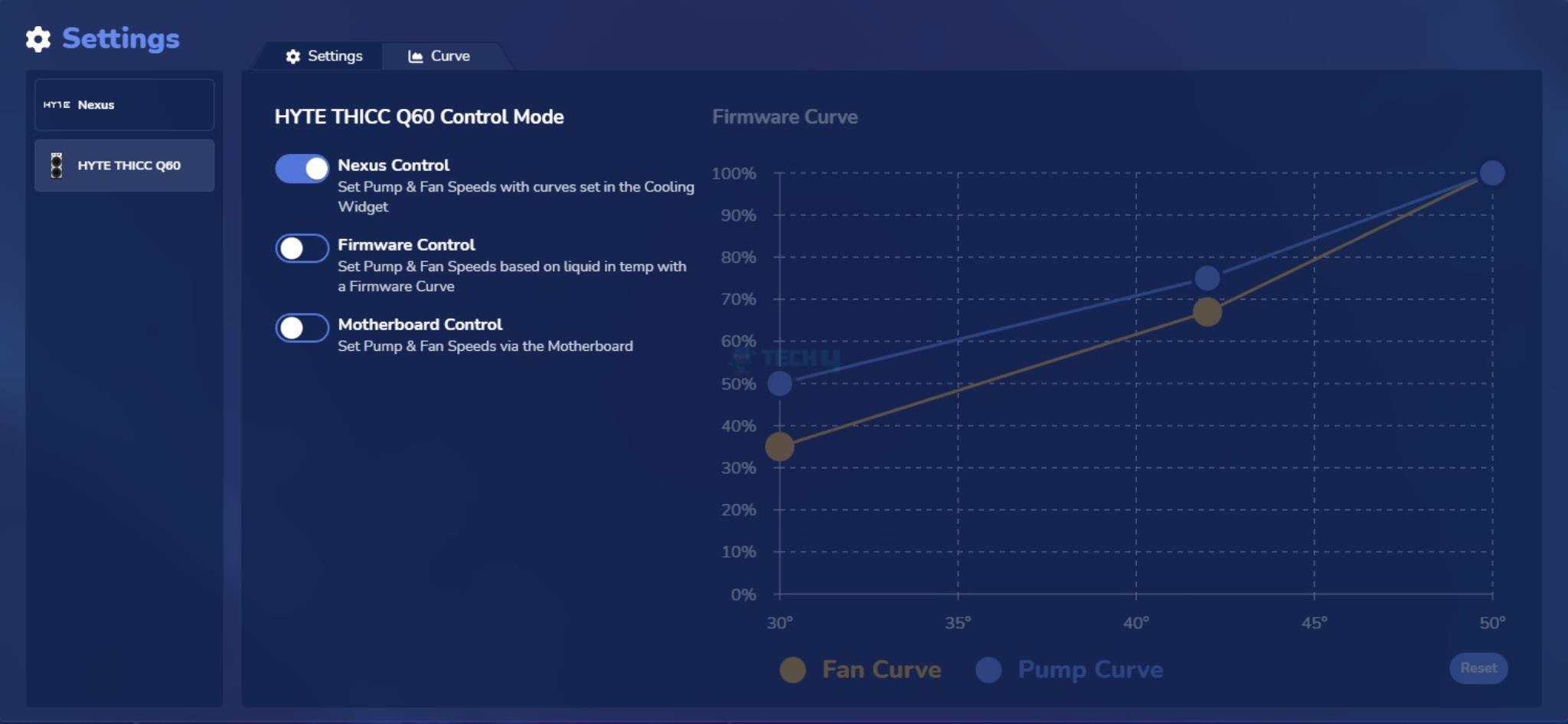
Nexus Software
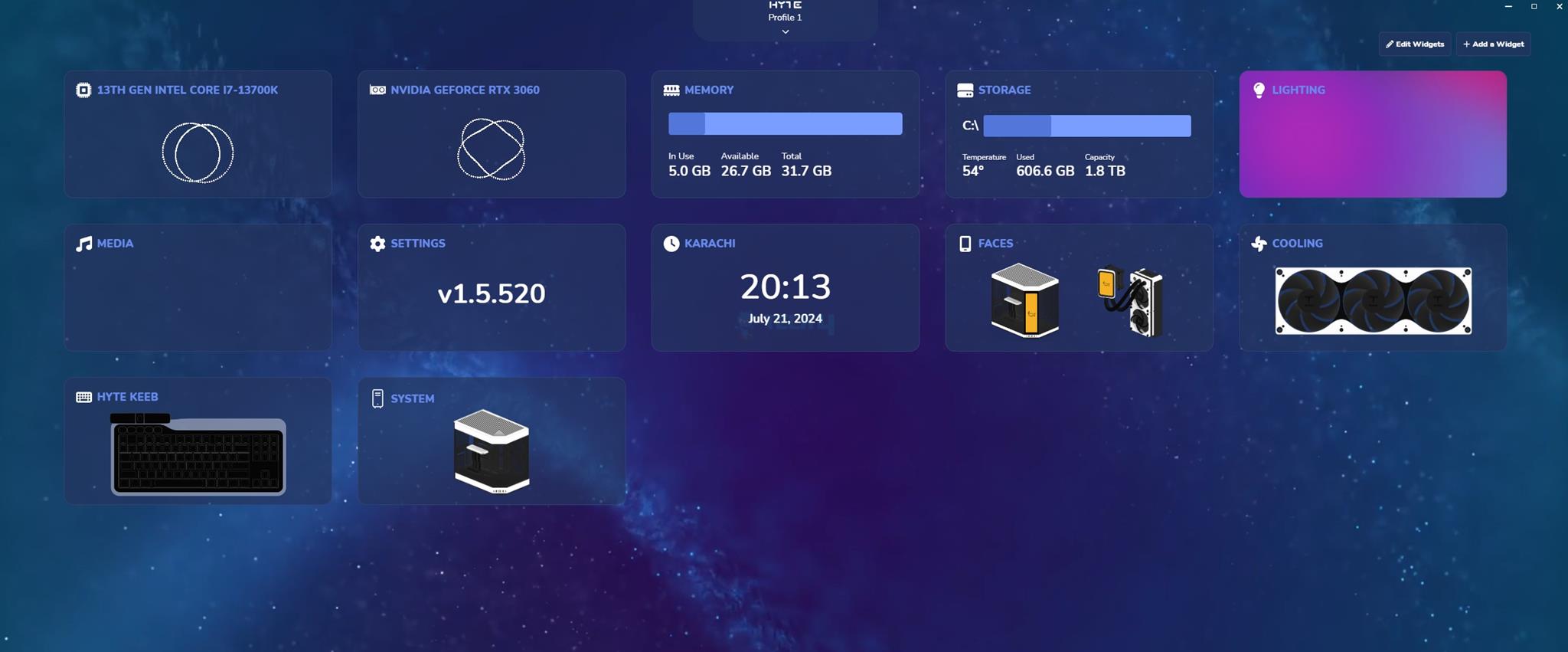
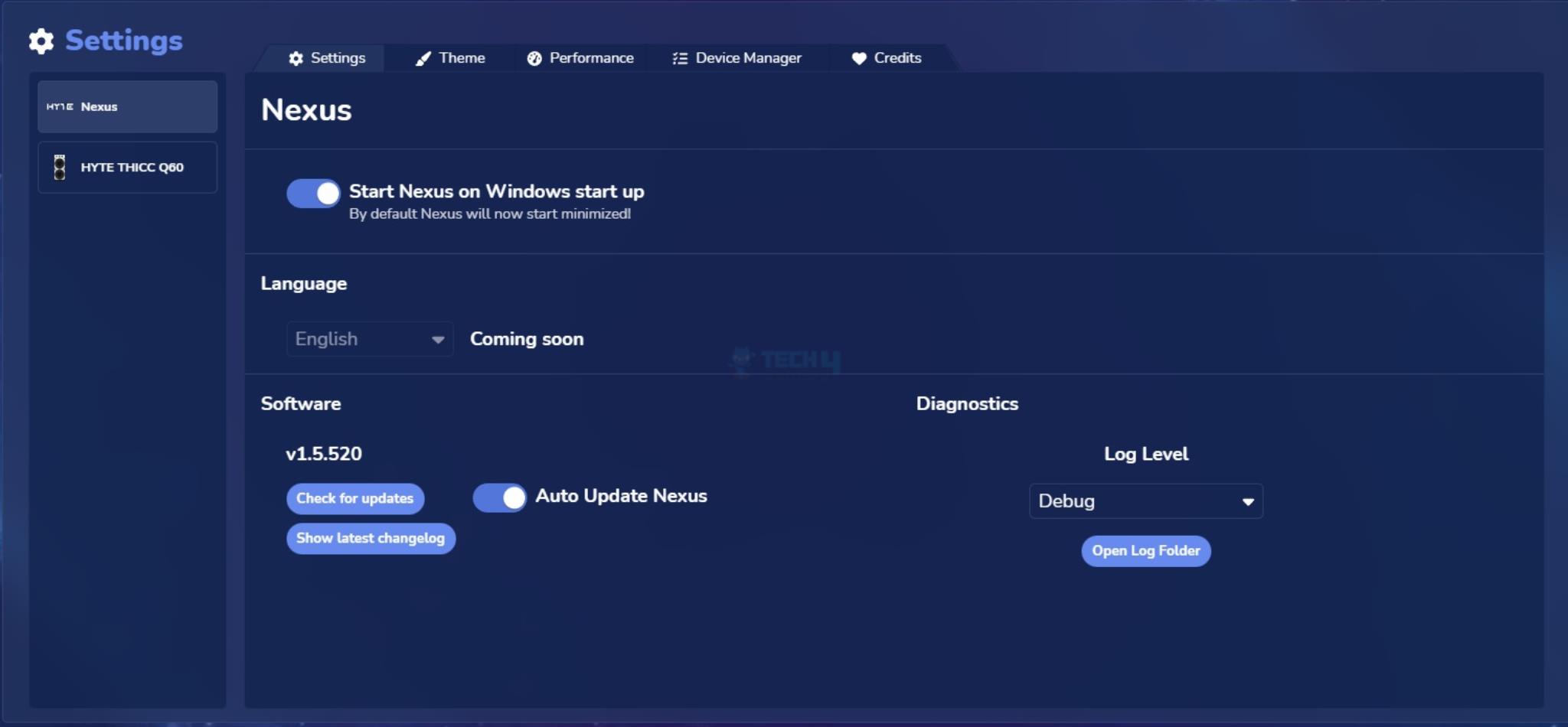
You can download the Nexus software from HYTE website and install it on your PC. This software is a must to control the screen, lighting effects, and Fans/Pumps speeds. In simple words, you are software dependent much like CORSAIR iCUE products.
Software Walkthrough
1 of 11
HYTE THICC Q60 - Software (Image By Tech4Gamers)
HYTE THICC Q60 - Software (Image By Tech4Gamers)
HYTE THICC Q60 - Software (Image By Tech4Gamers)
HYTE THICC Q60 - Software (Image By Tech4Gamers)
HYTE THICC Q60 - Software (Image By Tech4Gamers)
HYTE THICC Q60 - Software (Image By Tech4Gamers)
HYTE THICC Q60 - Software (Image By Tech4Gamers)
HYTE THICC Q60 - Software (Image By Tech4Gamers)
HYTE THICC Q60 - Software (Image By Tech4Gamers)
HYTE THICC Q60 - Software (Image By Tech4Gamers)
HYTE THICC Q60 - Software (Image By Tech4Gamers)
One thing I noticed is that this software is not user-friendly. Good luck finding the control for the A-RGB lighting effects. Customizing the screen display is not simple. You will need to spend some time to get used to it and discover the true potential of this otherwise powerful software. Customization of the foreground and background should be incorporated into the main function.
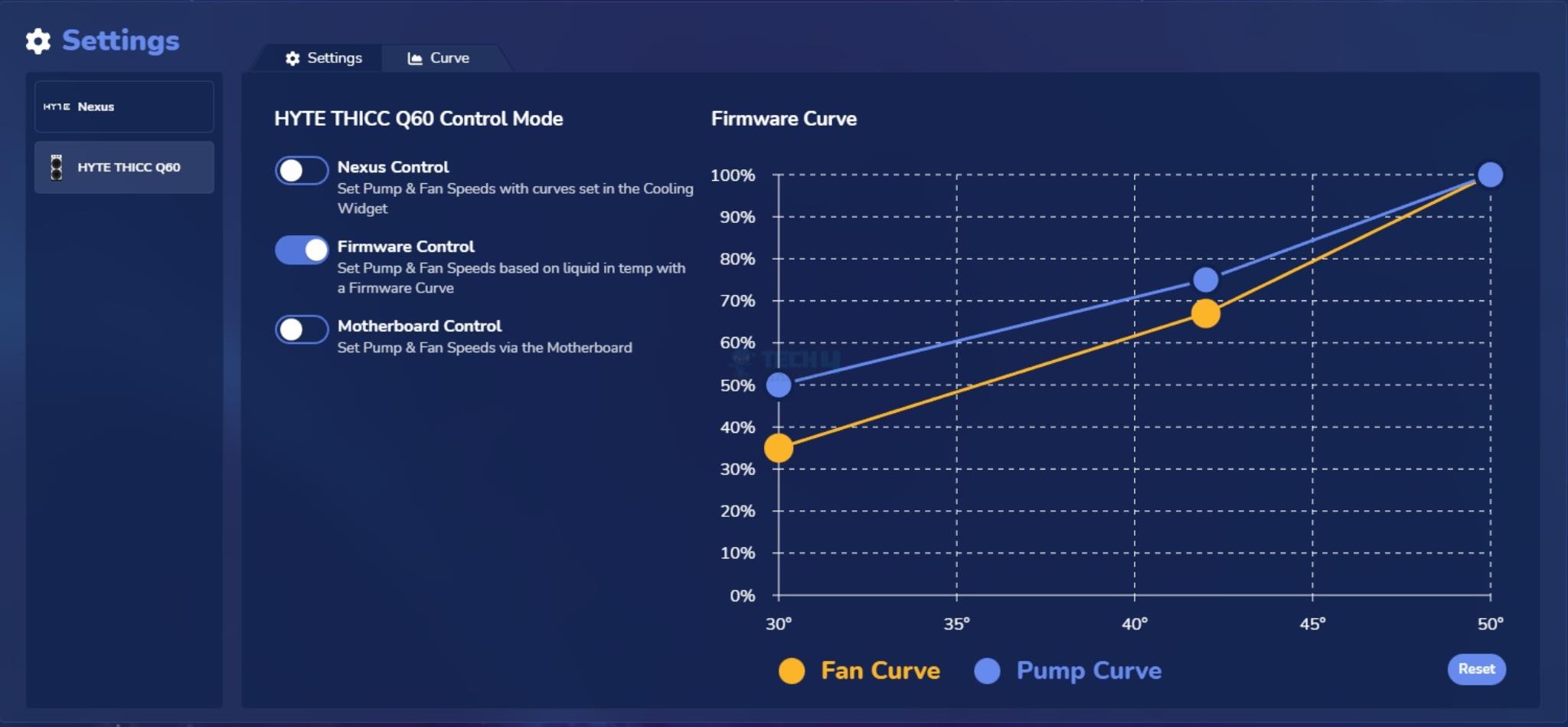
PRO TIP: To mitigate noise levels, especially at full load where the cooler can be loud, there are three modes to control the speed of fans and pumps. You can use Nexus Control, which has Silent, Balanced, and Performance curves. Alternatively, you can use the firmware control, which adjusts the speeds according to the coolant’s temperature. Lastly, you can use the motherboard control.
Motherboard Control (Image By Tech4Gamers)
However, in motherboard control mode, you can’t control the speed of fans independent of the pumps. 4528 RPM shown in the picture refers to the pump speed only.
HYTE needs to redo the software interface and make it simple with a clear flow of interface.
RGB Effects
1 of 10
RGB Lighting And Display Showcase (Image By Tech4Gamers)
RGB Lighting And Display Showcase (Image By Tech4Gamers)
RGB Lighting And Display Showcase (Image By Tech4Gamers)
RGB Lighting And Display Showcase (Image By Tech4Gamers)
RGB Lighting And Display Showcase (Image By Tech4Gamers)
RGB Lighting And Display Showcase (Image By Tech4Gamers)
RGB Lighting And Display Showcase (Image By Tech4Gamers)
RGB Lighting And Display Showcase (Image By Tech4Gamers)
RGB Lighting And Display Showcase (Image By Tech4Gamers)
RGB Lighting And Display Showcase (Image By Tech4Gamers)
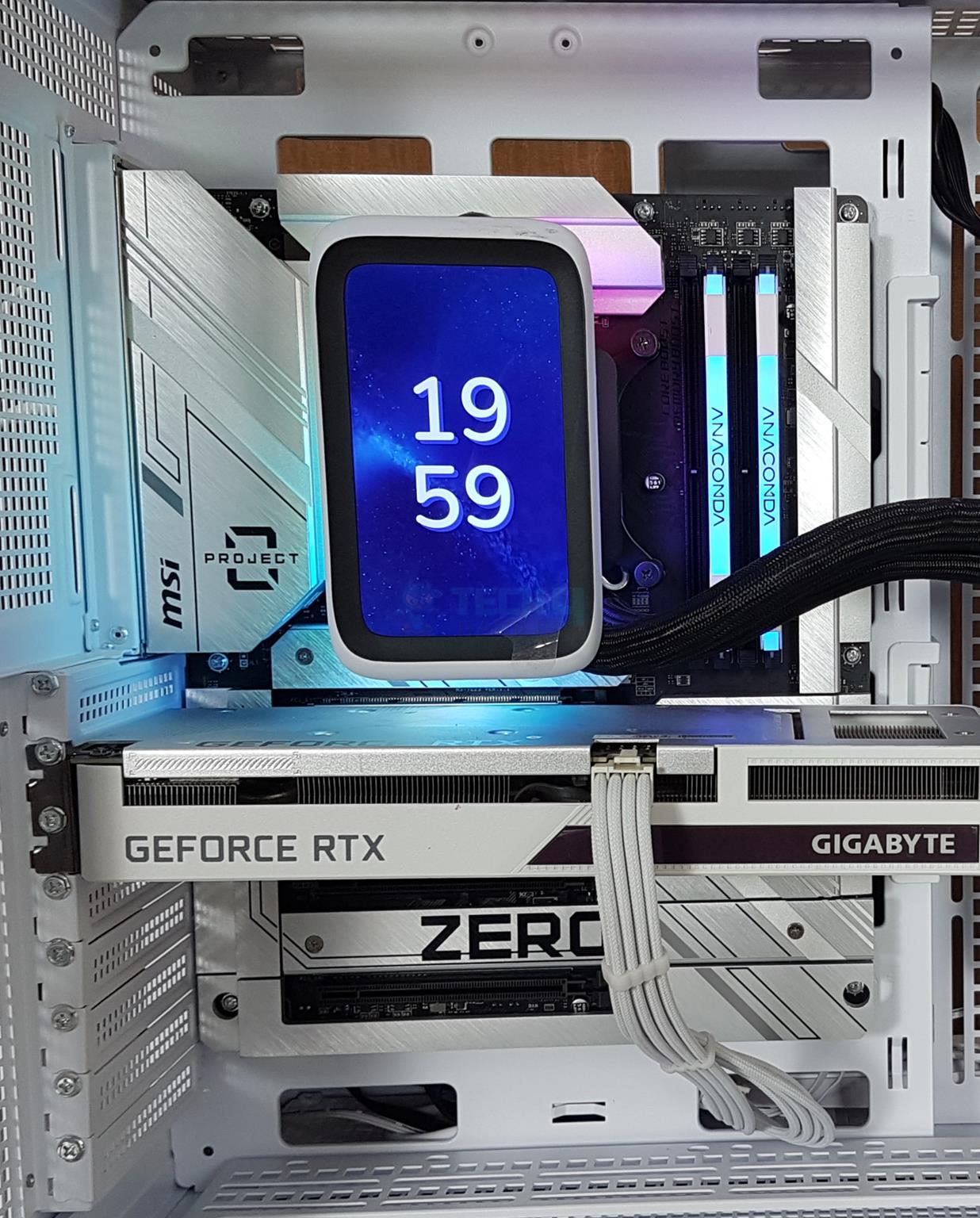
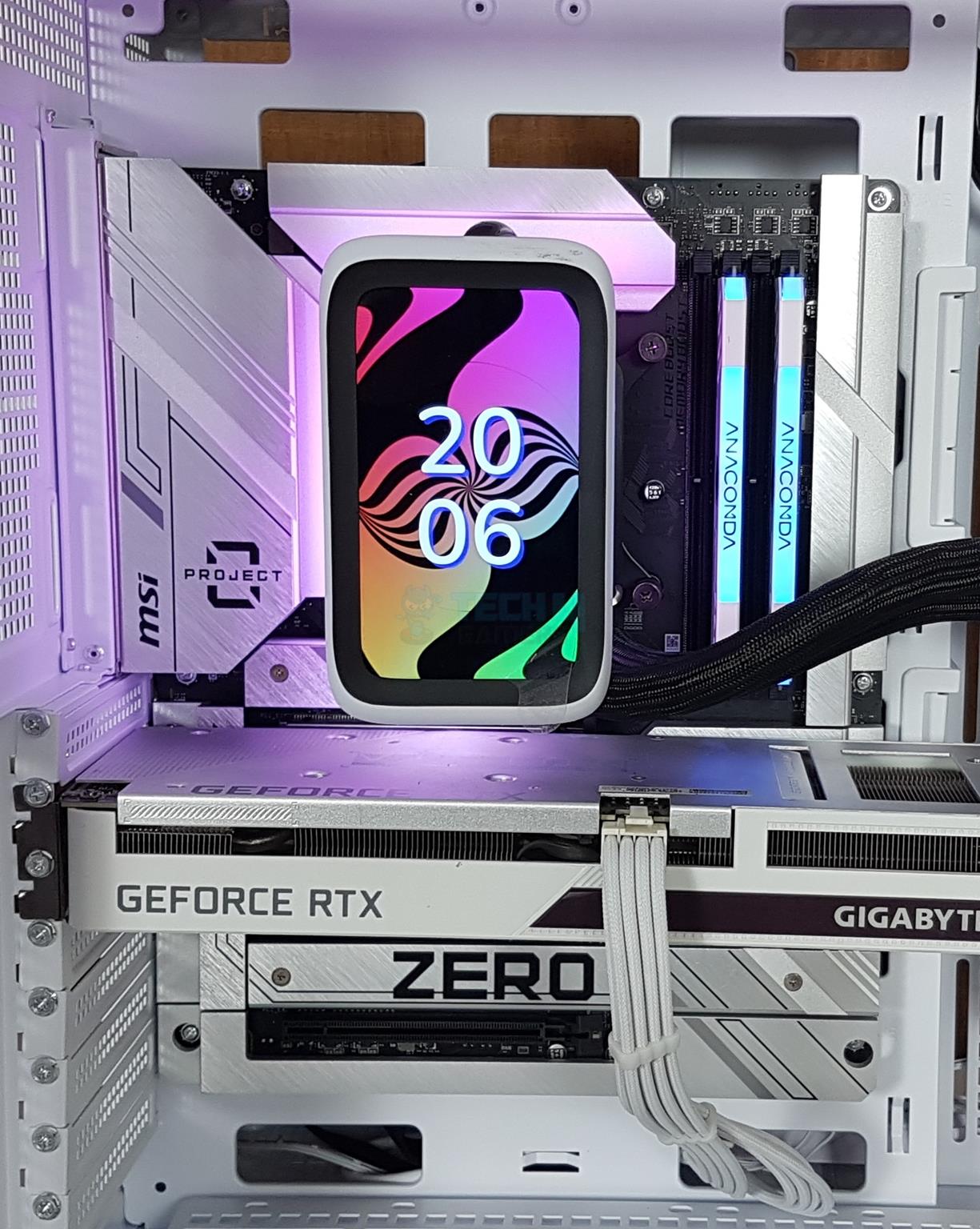
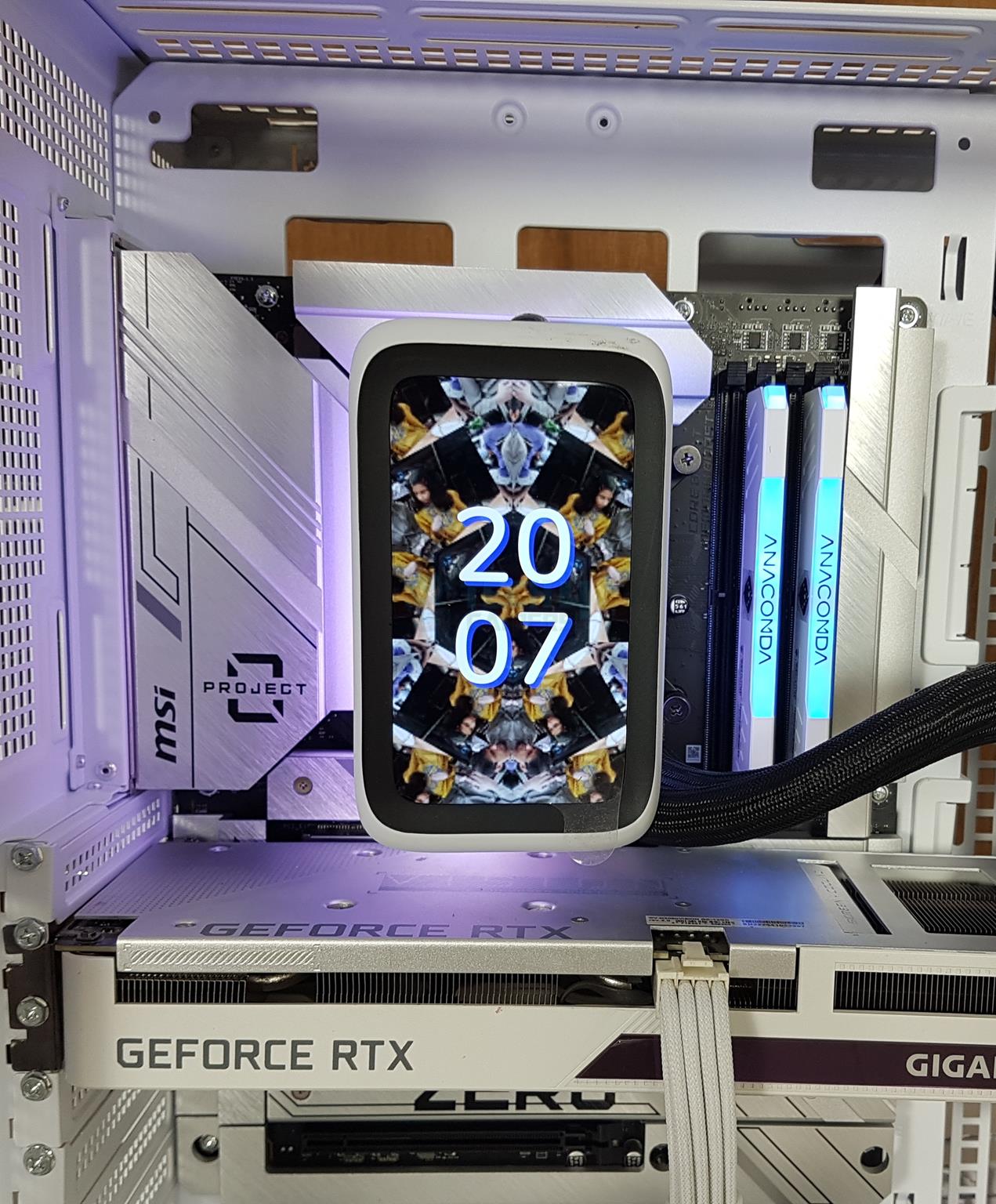
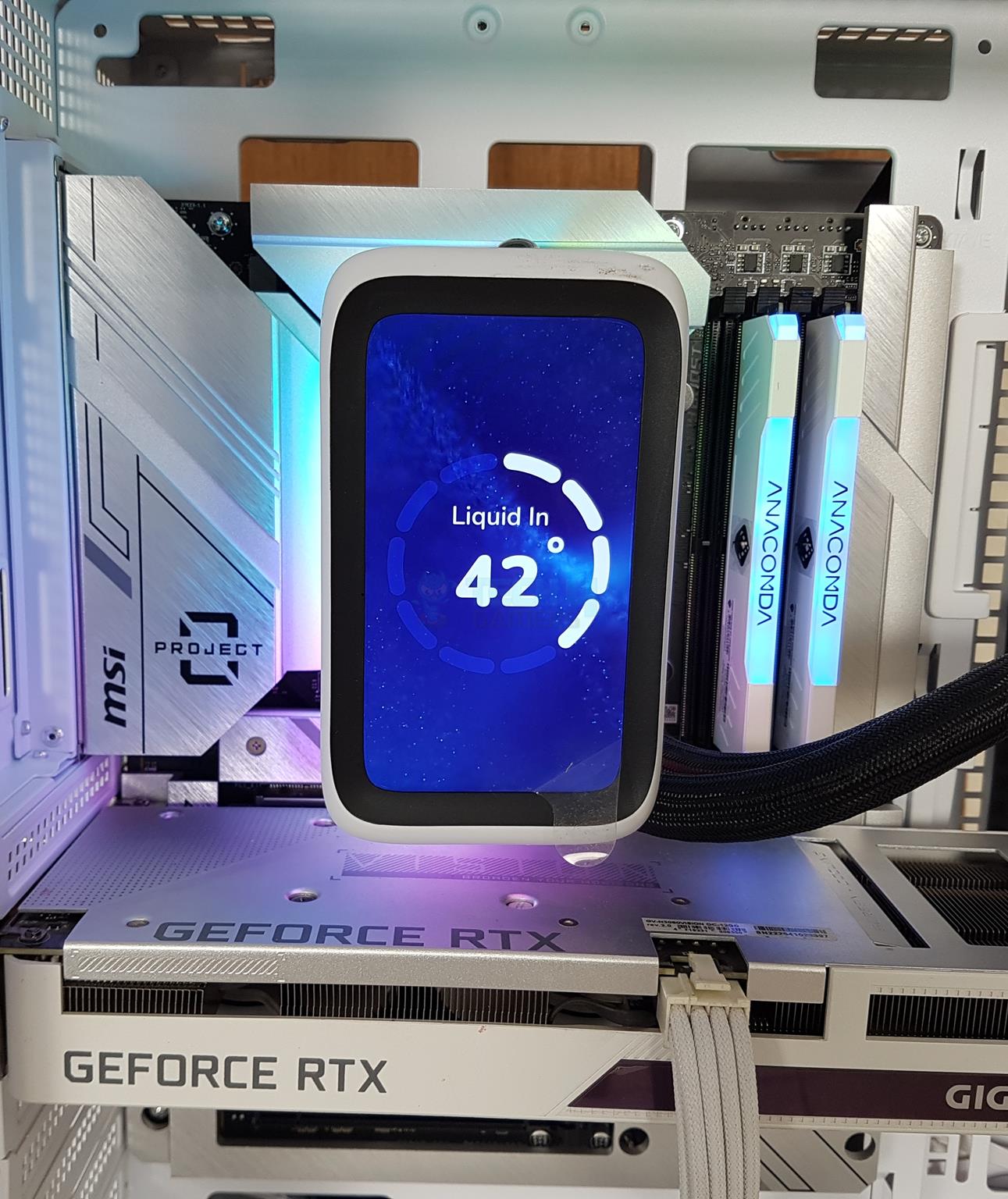
I am sharing some of the display options on the screen of this cooler.
Thermal Testing
I have used the mentioned configuration to test the performance of this cooler: –
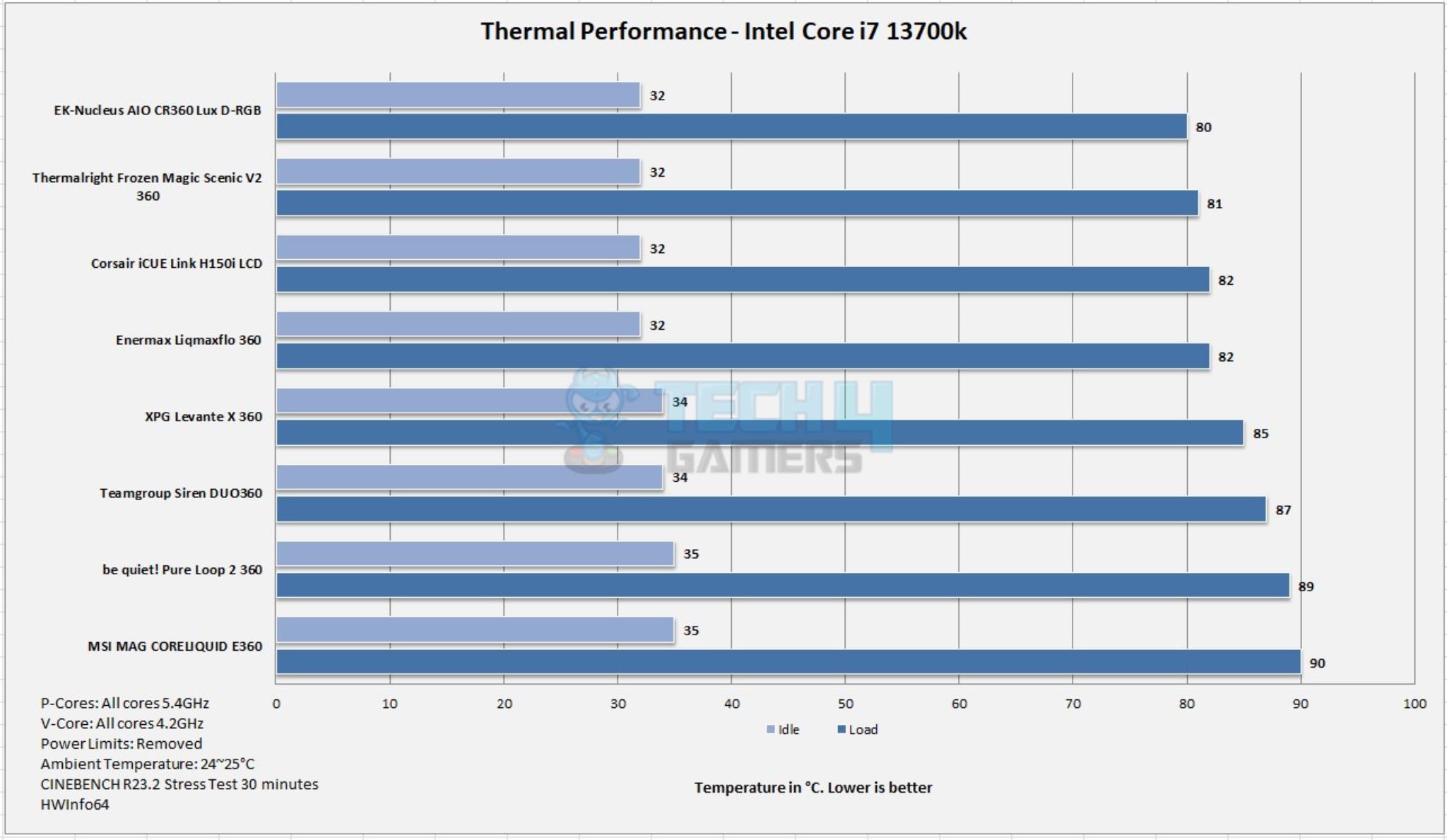
Holy moly! This cooler, with a small size but with a thicker radiator, has fantastic performance as it easily matches some best performing 360mm liquid coolers like EK-Nucleus AIO Lux CR360 D-RGB, My_Valkyrie SYN 360 White, and Cooler Master Atmos 360, for example.
It is good to see a 240mm size cooler offering the 360mm size cooler, but it comes at the cost of a premium price tag and high sound output where it almost touches the 52 dBA at a room sound level of 35 dBA. You are advised to use the balanced curve mode or define a custom fan curve.
Should You Buy It
Buy It If
✅You have a HYTE Case and want to have a HYTE Ecosystem: The HYTE THICC Q60 sits perfectly within the HYTE’s ecosystem of using the Nexus Link concept. This cooler seems to be designed and hand-picked for Y60 and Y70.
✅You need a powerful cooler in a small size: You can get a performance level of 360mm cooler from this 240mm size liquid cooler from HYTE thanks to powerful 120x32mm fans and 52mm thick radiator with dual harmonic pumps.
✅You want the best of the best display cooler: The HYTE THICC Q60’s crispy 5” IPS screen with Nexus software puts all other coolers to shame when it comes to displaying your content on the cooler’s screen.
✅You want a cable-free cooler (almost): The HYTE THICC Q60 is probably the best cooler in the market that has the lowest possible cable connection. Thanks to Nexus Link and internal wiring/connection, you only need one cable for the connectivity, and this without needing any controller hub.
Don’t Buy It If
❌You are a budget user: The HYTE THICC Q60 retails at a steep price of USD 300, which is still less than that of Siren Duo from Teamgroup, which retails at USD 399.99. Spending 300 bucks on a cooling unit is questionable, but if you have a heart and funds, go for it.
❌Your PC case does not have enough clearance: This cooler has an overall dimension of 288x120x84mm (LxWxH). This dimension sparks the clearance and compatibility issues for the PC Cases. Do your homework diligently if buying this cooler.
❌You are not a software-only person: The HYTE THICC Q60 is totally dependent on the Nexus software for all the functions and features. If this is something that does not fit your style, skip it.
My Thoughts
The THICC Q60 is a first-of-its-kind cooler from HYTE that offers superb cooling performance with a stunning display. In our testing on the Intel platform, this is the first 240-mm cooler that offers a performance level of 360-mm size coolers. This cooler is compatible with Intel LGA115x/1200/1700 and AMD AM4/AM5 sockets. The user can buy brackets for Intel LGA2011 and AMD TR4 sockets.
From a performance perspective only, this cooler boasts a 52mm thick radiator in a 240mm size with dimensions of 288x120x52mm. It has 14 FPI counts with parallel dual-pass heat exchange technology. The dual harmonic pumps are integrated into the fin stack. HYTE uses 400mm thicker CIIR rubber tubes. All the wires and connections are done internally from the factory, so you will get a cable-free cooling unit.
The installation of this unit is as simple as possible. I observed no issue installing this cooler on the Intel LGA1700 socket. It requires 9 items to install the block in as many as 4 steps. You need Nexus software to control this cooler and its functions. However, this software is not easy to understand and you would need some time to get a grip.
Now, regarding the thermal performance of this cooler, it offers an impressive cooling performance, giving 360mm coolers a tough match from a 240mm liquid cooler. However, this performance comes with a high sound output. I tested the unit with fans and pumps running at full speed. You can customize it to determine the best possible sound level with adequate performance as per your requirements.
HYTE offers a 6-year warranty. I have no experience with their support system and can only hope that they provide an effective customer service comparable to the likes of CORSAIR, EKWB, Lian Li to name a few.
As a Hardware Expert at Tech4Gamers, I blend my Computer Science expertise with a love for technology. Through comprehensive reviews and comparisons, I guide our audience in making informed tech decisions.
Dr. Usman Saleem
At Tech4Gamers, I’m the PC Hardware Specialist, primarily contributing to the “Best-Ofs” section. I provide thoughtful buying advice based on thorough testing and personal expertise. I also review hardware products and games to keep things fresh.
Today, I am bringing you AMD’s gaming crown jewel, the Ryzen 7 7800X3D review. It is one of the most efficient processors in the current CPU hierarchy, with a low TDP. Based on the newer Zen 4 architecture and coming with the 3D Vertical Cache technology, AMD has truly outdone itself with this gaming behemoth. The processor outperforms Intel’s fastest gaming products. It even outperforms AMD’s flagship, the 7950X, in gaming loads.
Why Trust Tech4Gamers
Usman Saleem is our hardware tester who loves to put all the latest GPUs, CPUs, RAM, and motherboards for a spin.
50+ CPUs tested and reviewed by our team of hardware experts (Tech4Gamers Team).
800+ hours spent testing different processors for our reviews.
At Tech4Gamers, ensuring you get reliable information is our priority. That’s why every hardware round-up undergoes a meticulous review process by our team of experts and editors. Each review is carefully examined against our strict editorial guidelines, guaranteeing you trustworthy insights you can depend on.
Key Takeaways
Packed with 96MB of L3 Cache, the 7800X3D is an 8-core CPU with 16 cores and a boost clock speed of 5.0 GHz.
The Ryzen 7800X3D is the best gaming processor of this generation, and it beats the competition quite comfortably.
Better options are available if you have frequent productivity and rendering loads.
Let’s look into what updates AMD is giving with its 7000X3D processors over its previous 5000 series.
3D V-Cache technology
The 3D V-Cache has a memory of 64 MB and it is an additional piece of silicon that is added on the Zen 4 CCD. The CCD has an on-die 32 MB L3 cache, that combines with the 3D V-cache that the OS and software perceive as a single 96 MB L3 cache. The performance uplifts come from the whole cache operating at the same speed as the on-die L3 Cache.
AM5 Socket
AMD continues to deliver better IPC and overall performance with the newer generation of Zen. This time with the Zen 4 platform, AMD has come up with the AM5 socket, which enables DDR5, and the PCI-Express Gen 5 lane, allowing for more data bandwidth.
AM5 Socket (Image By Tech4Gamers)
Furthermore, power delivery improvements have also been made. The AM5 socket can deliver up to 230W of power, which will allow AMD to increase CPU core counts in the upcoming generations.
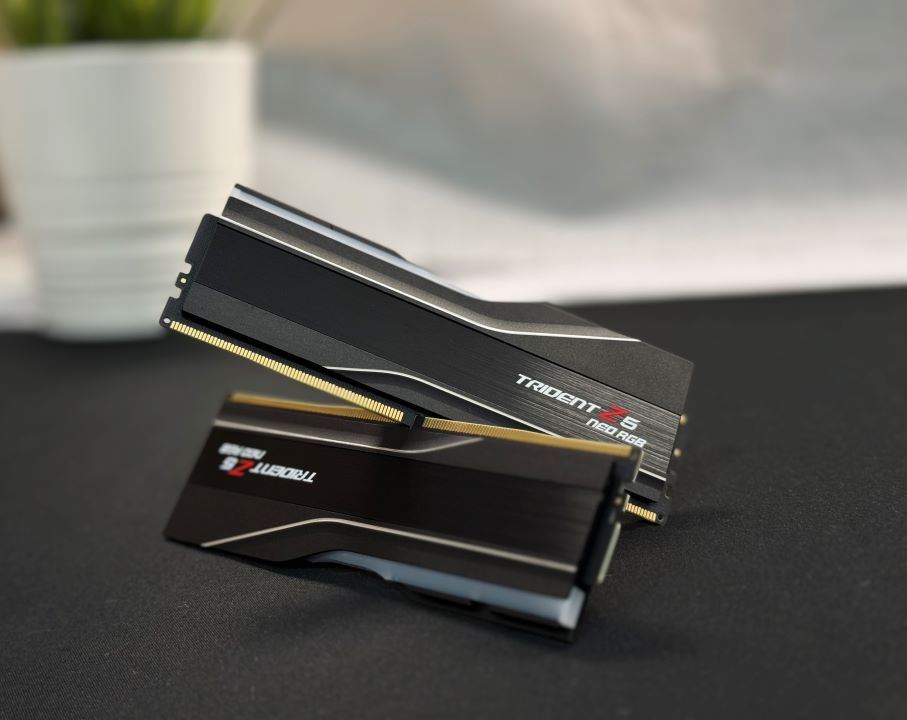
AMD EXPO Memory
As the AM5 socket allows DDR5 RAM. AMD is introducing its version of Memory Overclocking, the AMD EXPO (Extended Profiles for Overclocking), just like Intel’s XMP. To toggle the EXPO setting, you only need to go to your Motherboard’s BIOS setting and turn it on. Unlike Intel’s XMP, the EXPO is an open standard. It is also fine-tuned to run with AMD architecture as it contains settings unique to AMD products.
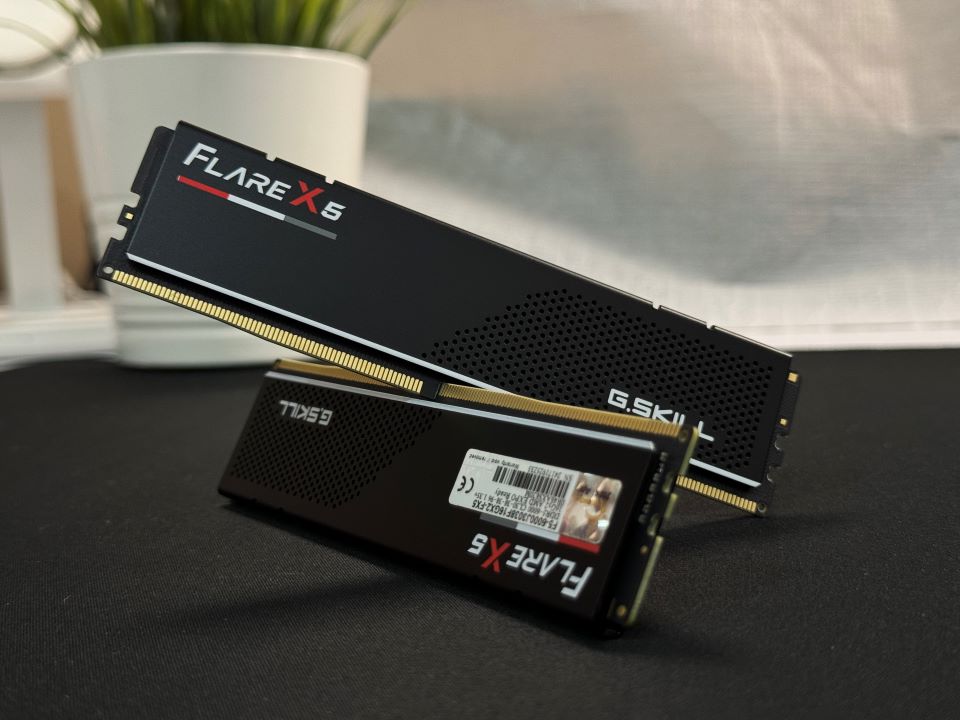
G.SKILL Flare X5 DDR5-6000 CL30 AMD EXPO (Image By Tech4Gamers)
Even if you don’t find EXPO RAMs in the market, although they’re readily available, you can run XMP RAMs with EXPO. But not the other way around, as XMP isn’t an open standard.
Newer Motherboards
Due to the new AM5 socket, the previous-gen mobo sockets have become obsolete. Nonetheless, AMD has rolled out the X670E, B650E, and A620 Chipsets, which allow for faster DDR5 RAM, and the newer PCIe Gen 5.
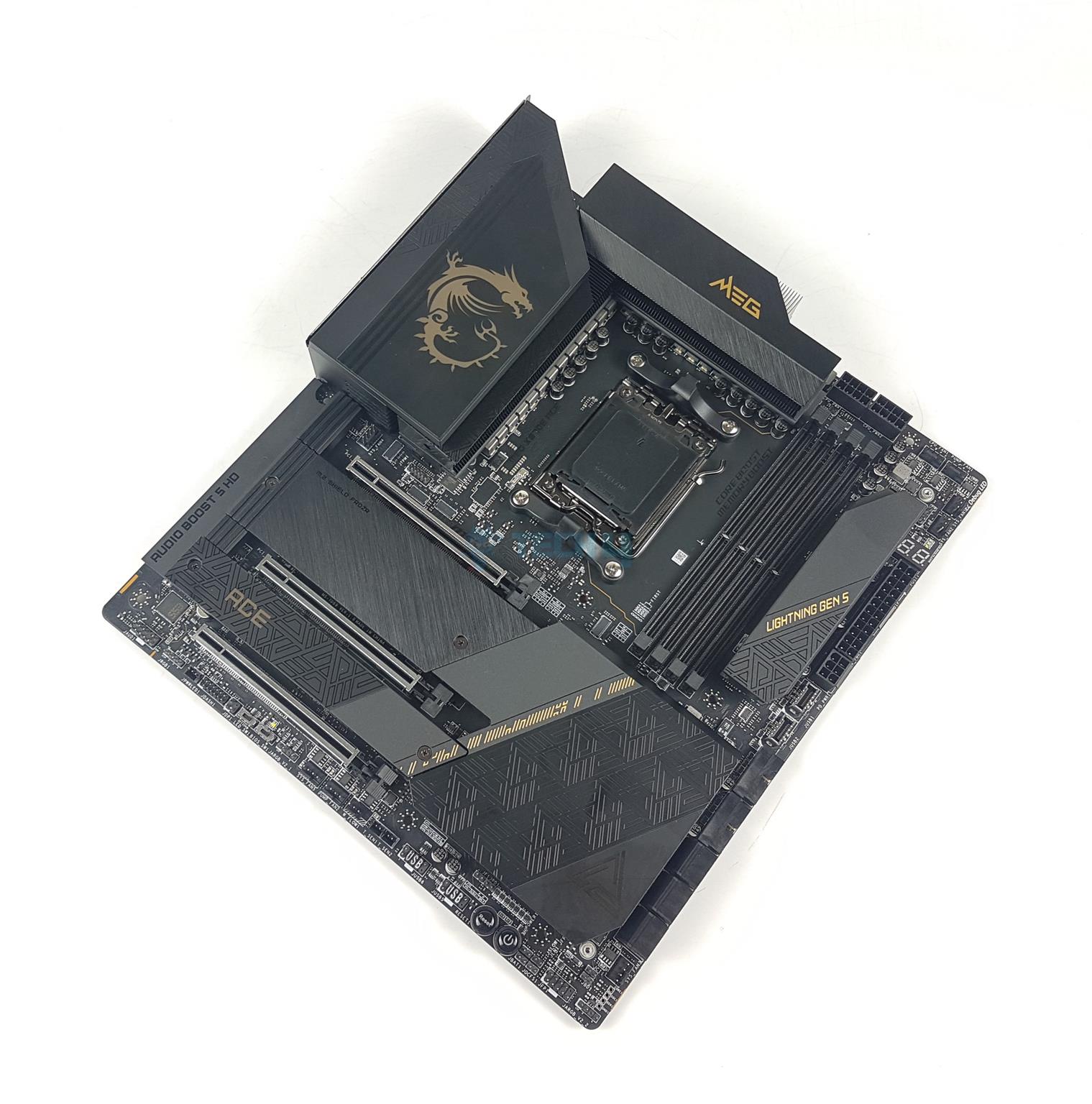
MSI MEG X670E ACE (Image By Tech4Gamers)
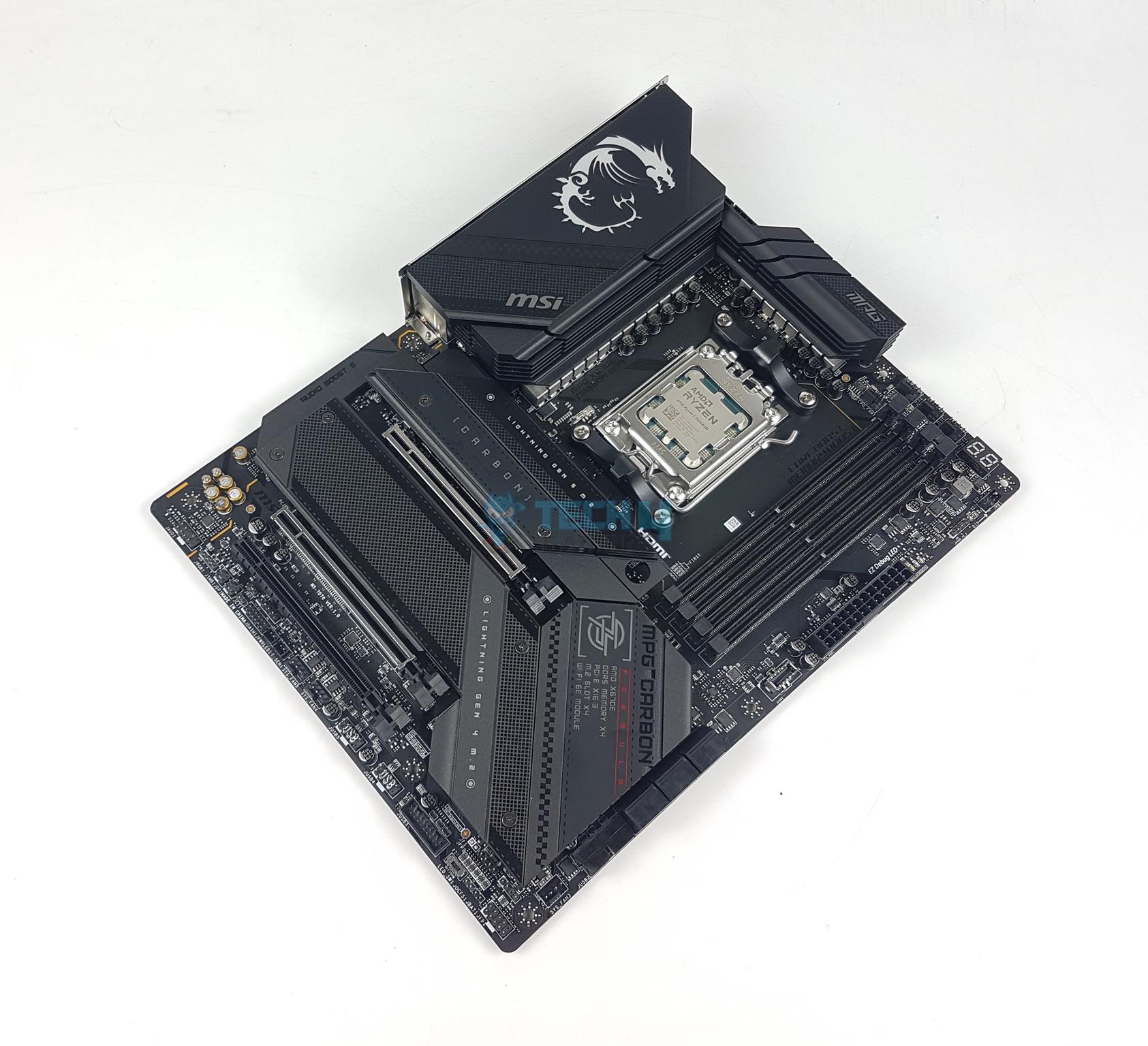
MSI MPG X670E Carbon WiFi (Image By Tech4Gamers)
You can utilize the X670E and X670 with the flagship processors. The B650E and B650 have mid-range processors, and you can use the A620 with entry-level processors.
Design
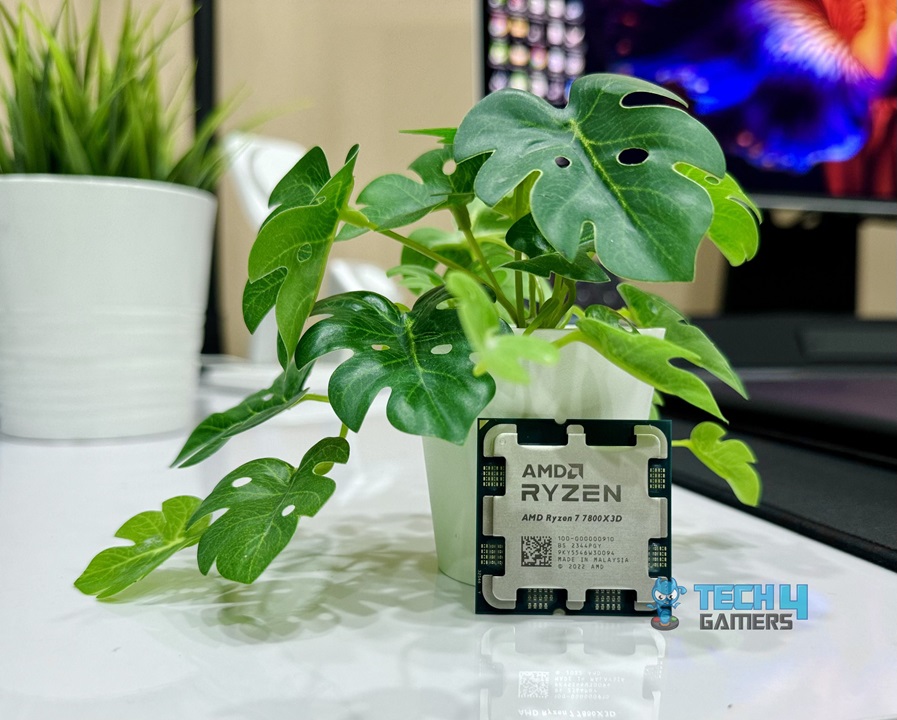
Ryzen 7 7800X3D (Image By Tech4Gamers)
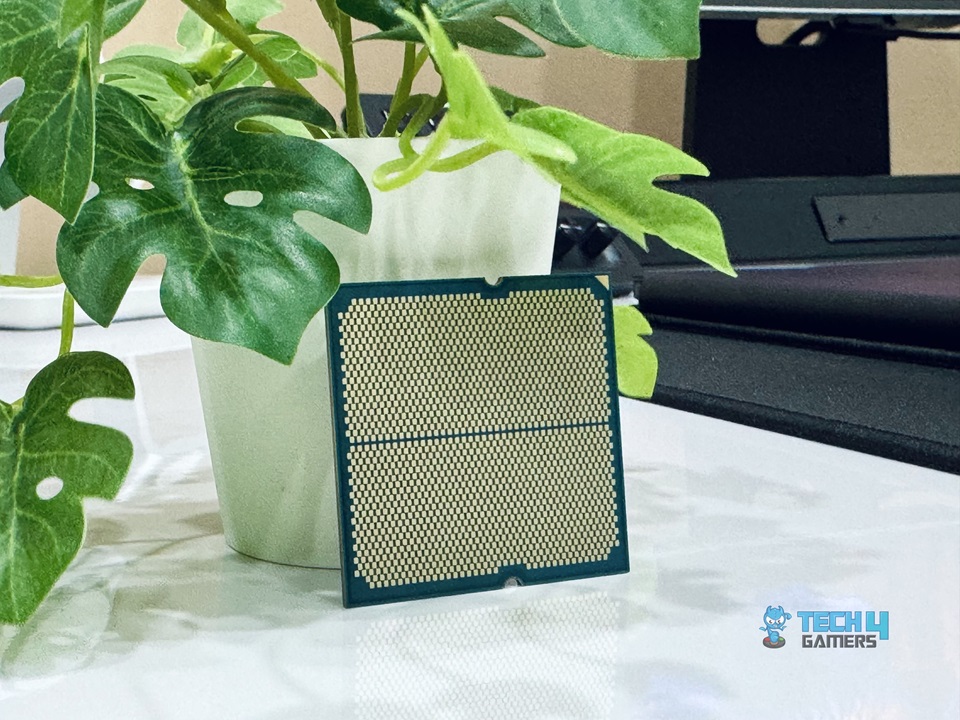
Ryzen 7 7800X3D Back (Image By Tech4Gamers)
As you can see, the IHS has some information about the CPU alongside big AMD Ryzen branding.
Test Bench
Here’s what my test bench for the Ryzen 7 7800X3D looks like:
Storage for Games: Sabrent Rocket 4 Plus 4TB Gen4x4 NVMe SSD
Power Supply: Fractal Design ION+ 2P 860W Platinum
Operating System: Windows 11 Pro Build 22H2, Build 22621
AMD Ryzen 7 7800X3D Installed (Image By Tech4Gamers)
Here is the CPU-Z screenshot of our build:
CPU-Z Screenshot (Image By Tech4Gamers)
Testing Methodology
I ran each test using the default Auto and Stock settings.
Turned off any default performance boost options in the BIOS.
Loaded EXPO for every test and manually set the DRAM timings and voltage.
Left all other voltages on Auto.
Set the cooling solution’s pump and fans to run at full speed (100%) during testing.
Kept the graphics card at its stock settings.
Updated the motherboard’s BIOS to the latest version.
Used Nvidia driver 517.48.
Monitored all sensors with HWinfo64.
Test Results
General Benchmarks
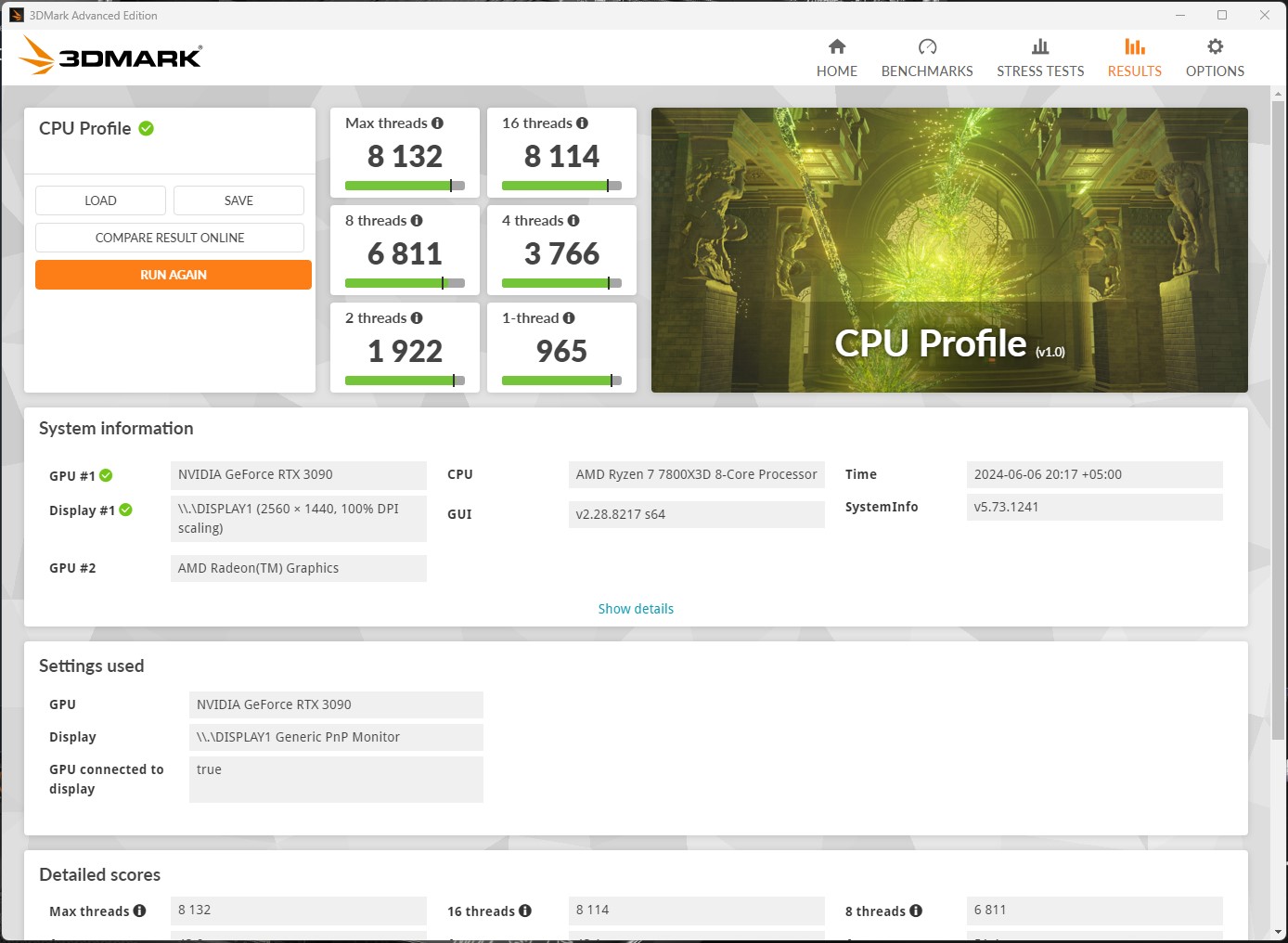
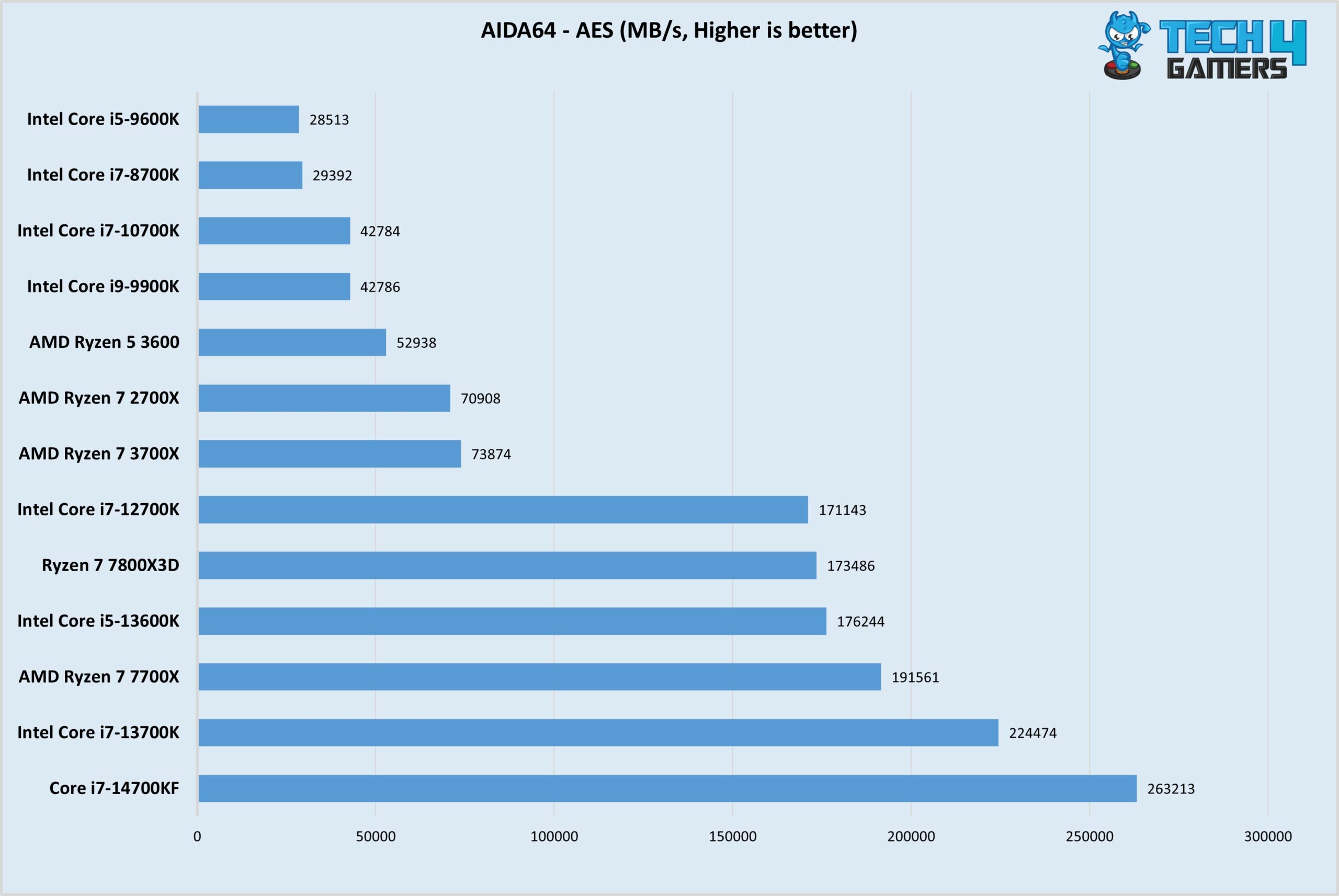
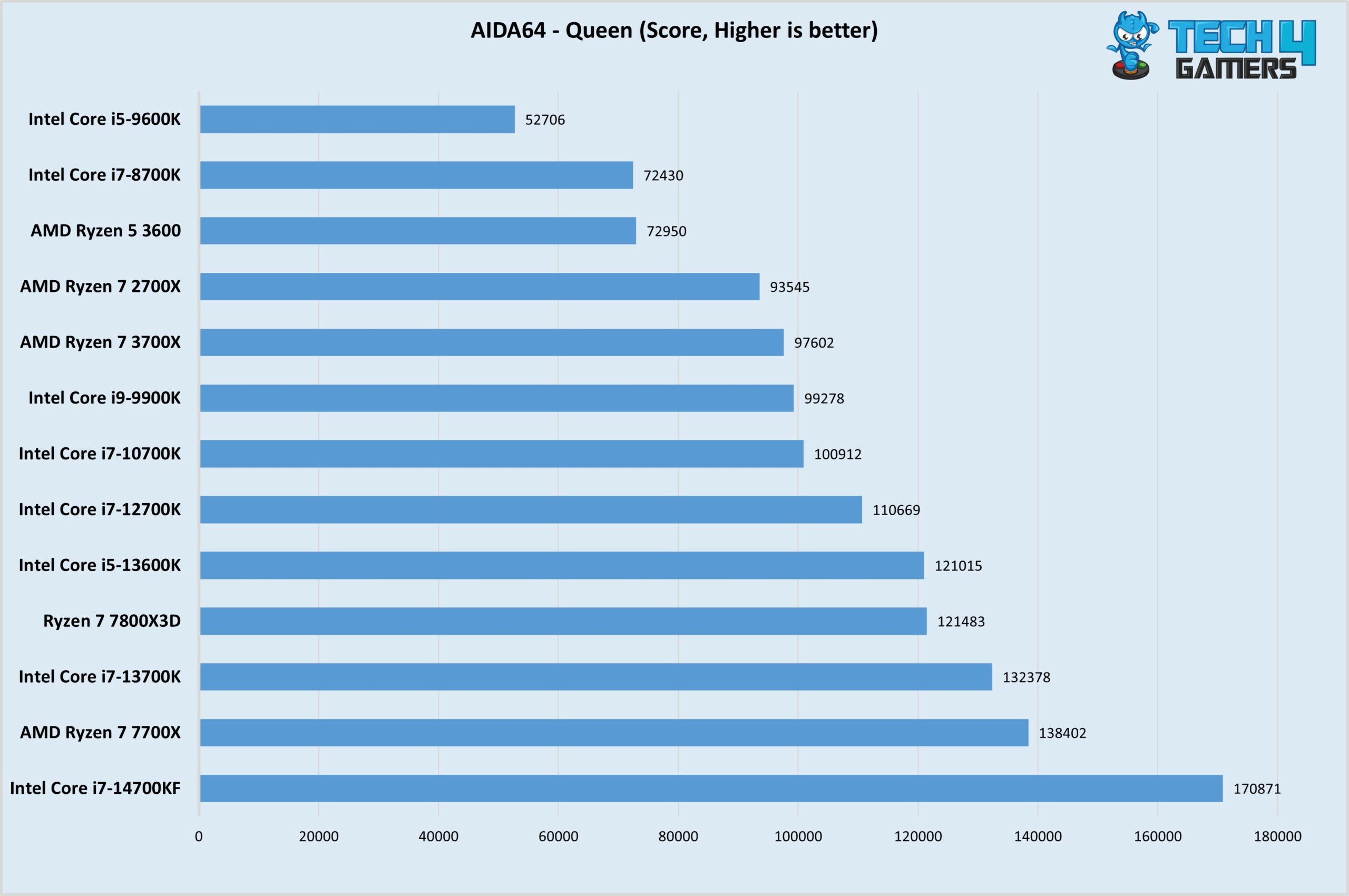
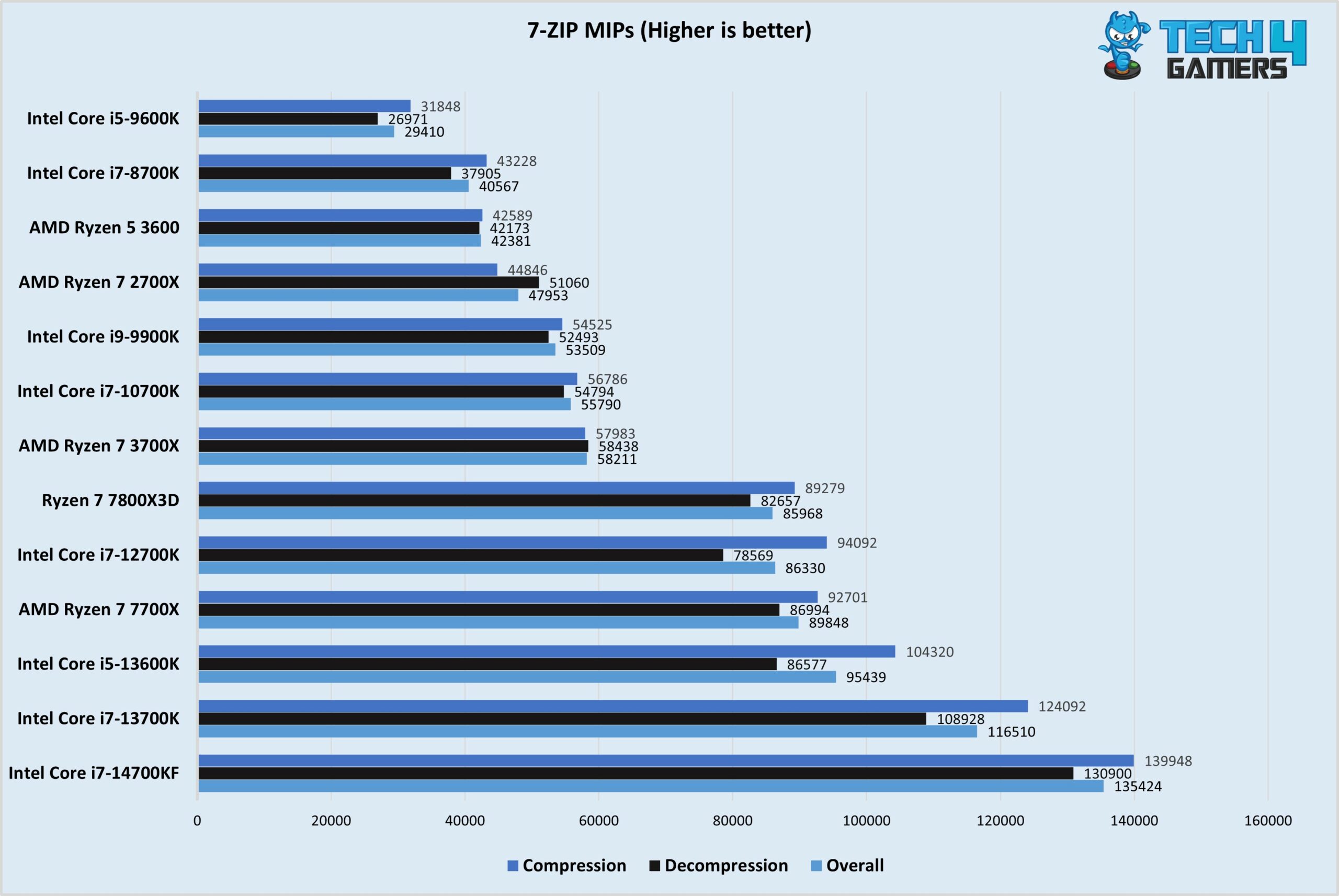
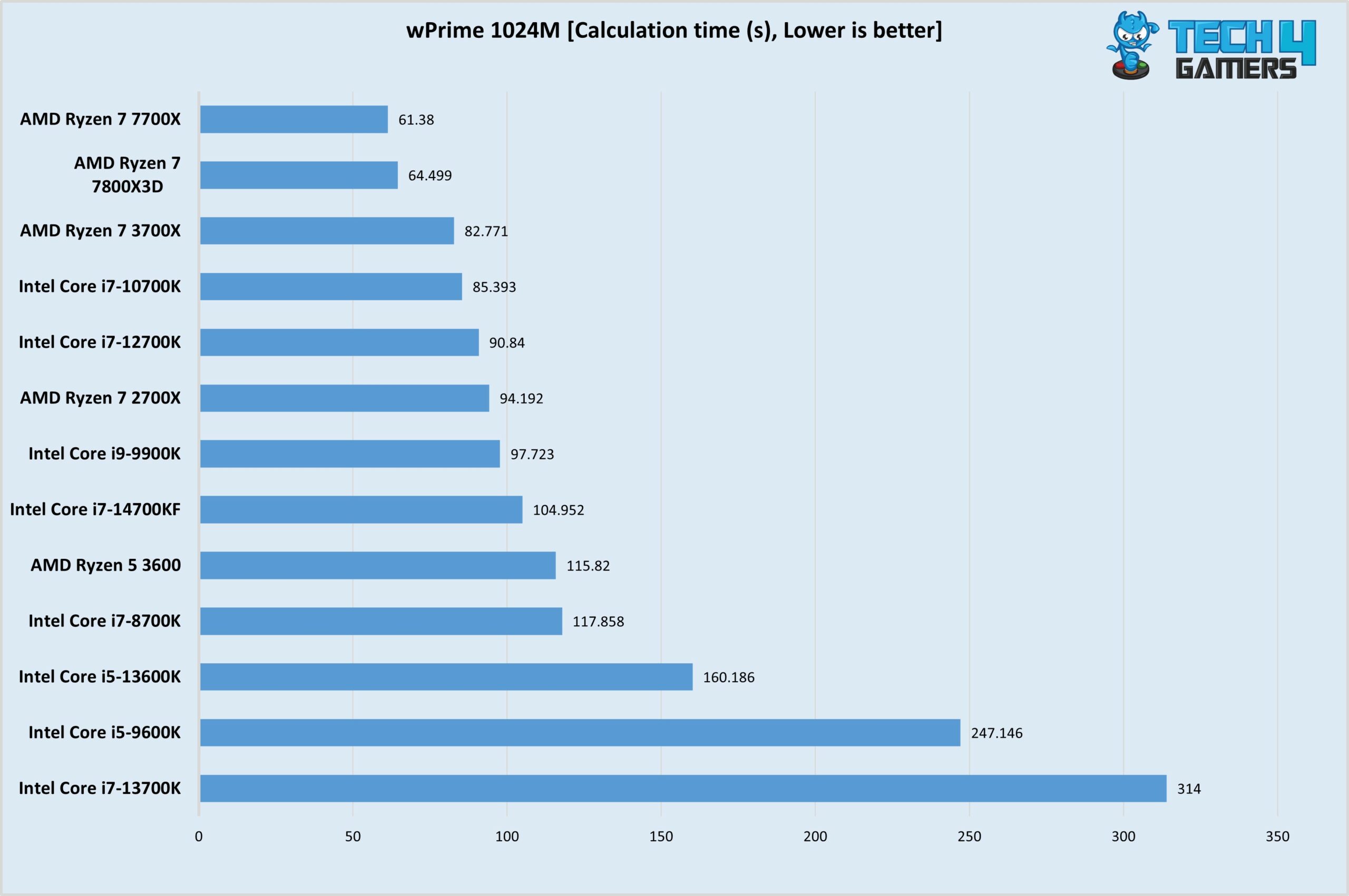
Let’s see what picture the benchmarks show us, starting with 3DMARK CPU Profile, 7-Zip, AIDA64, and wPrime test results.
General Benchmarks
1 of 5
The CPU performs as expected, giving a high score in the 3DMark CPU Profile Benchmark.
The 7800X3D holds itself pretty well among the competition in the AIDA 64 AES Benchmark.
The processor gives a tough time to its competitors and scores on the higher side in the AIDA 64 Benchmark.
Once again the CPU gives out decent performance in the 7-Zip CPU Benchmark, however, don't expect top-notch performance from it though..
The CPU truly shines here outdoing the competition by a mile, the only processor better is its 700X colleague.
Render Tests
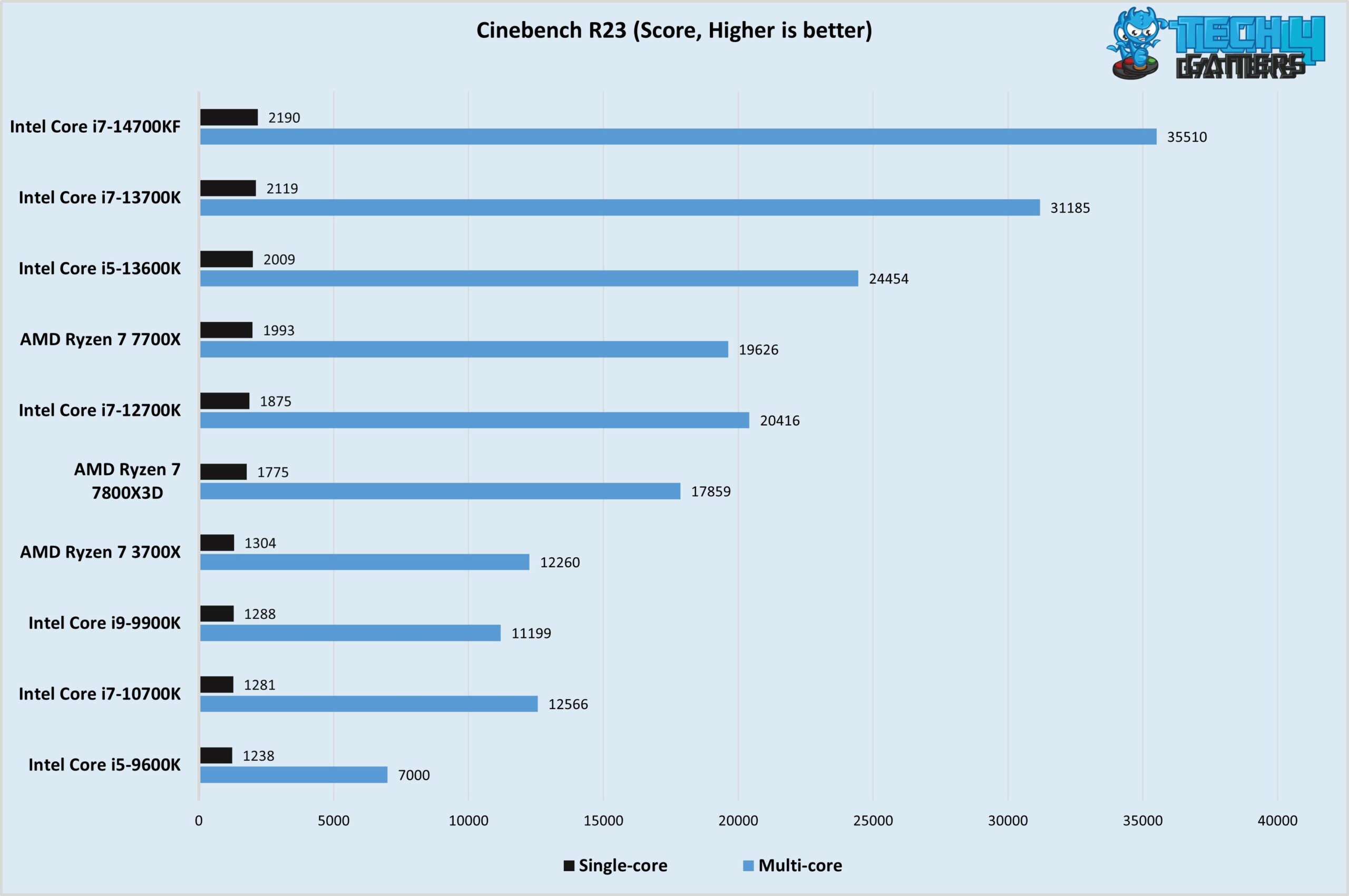
Rendering Tests
1 of 6
The best gaming processor falls a bit short among the competition in our Cinebench R23 Benchmark, although it still gives a decent score
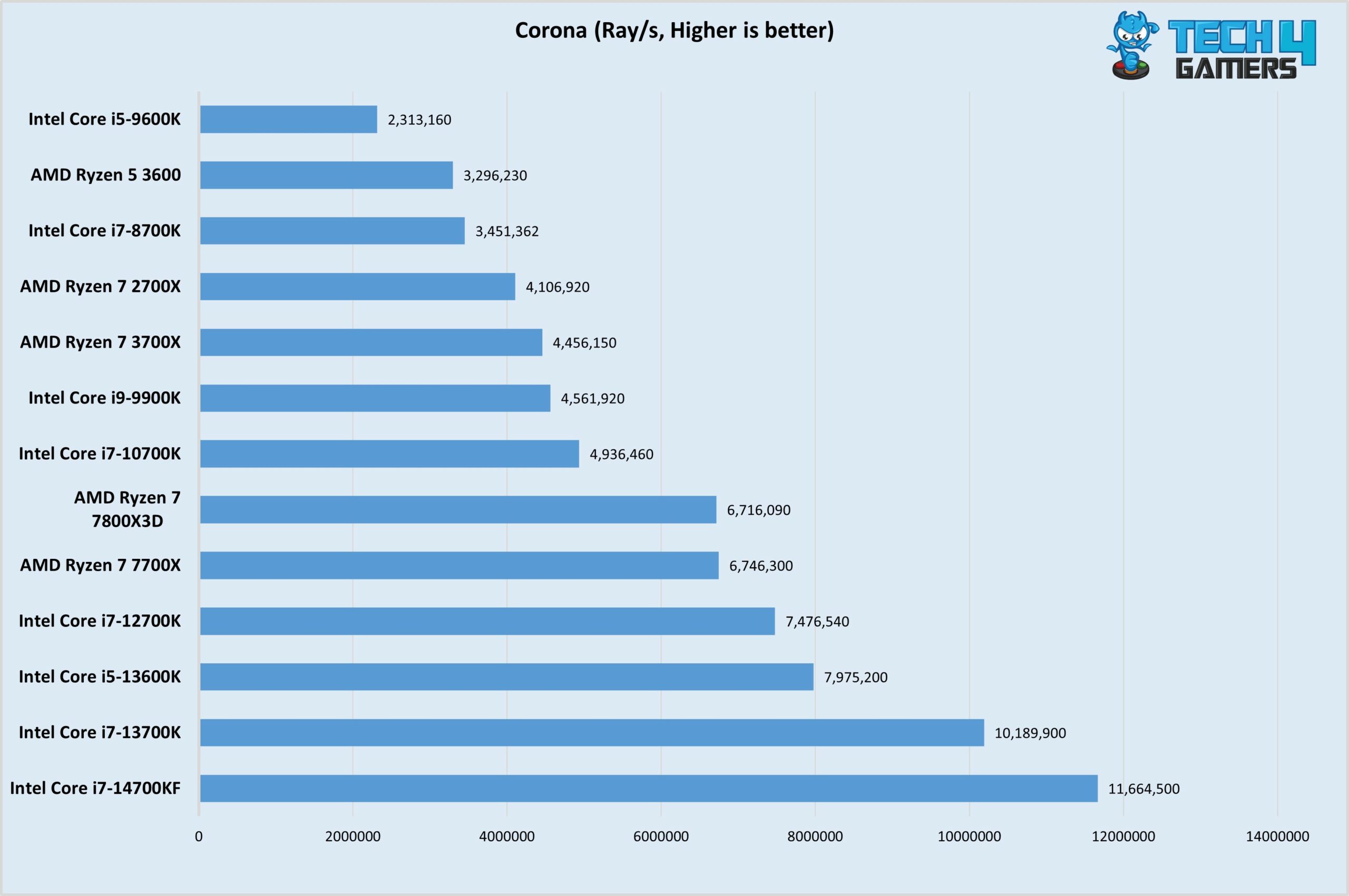
The Intel Processors take the lead in the Corona Benchmarks, however, both the 7700X and the 7800X3D give a similar score
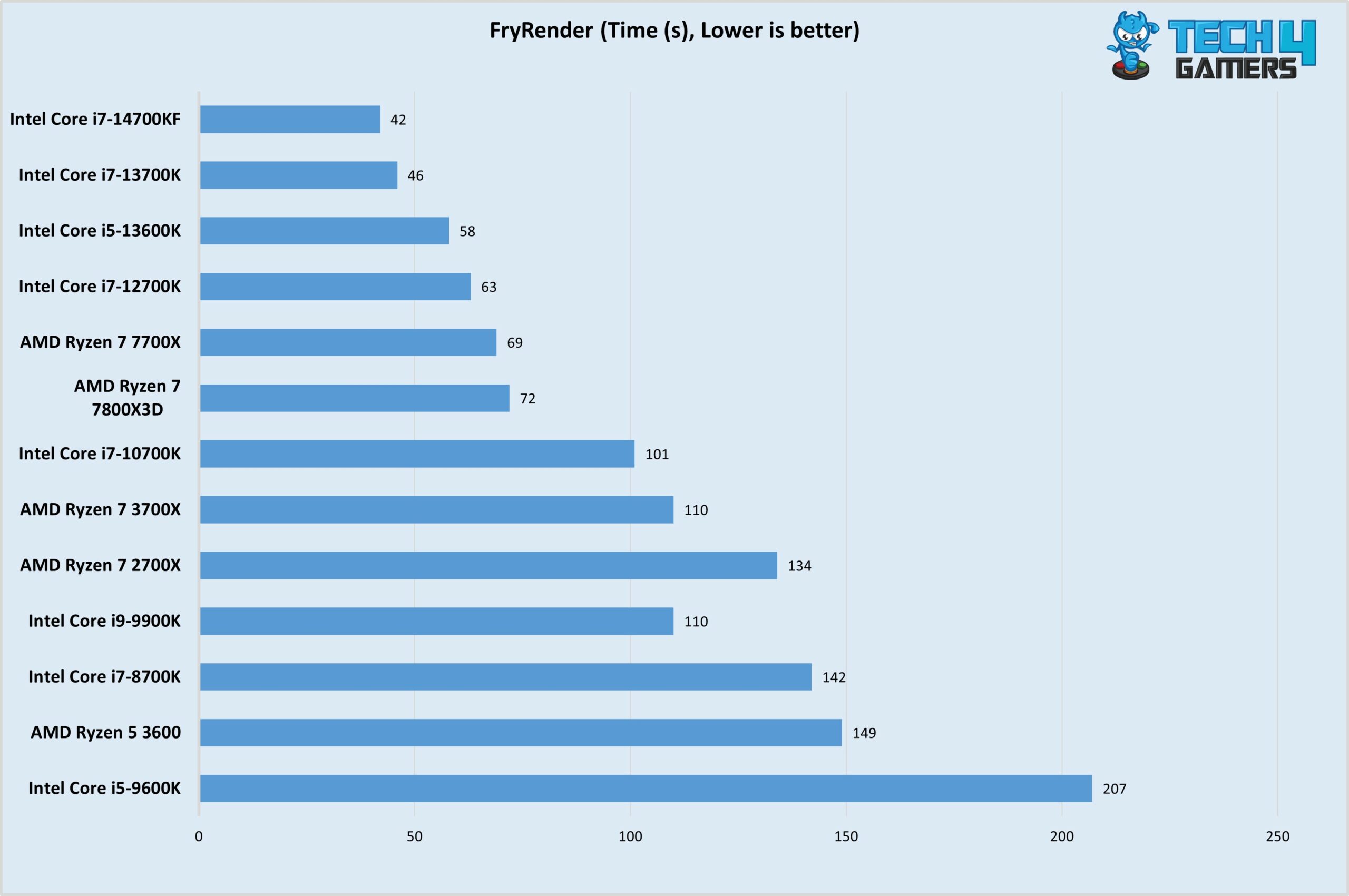
The Intel processors also perform better than their AMD counterparts in this benchmark, but the 7800X3D isn't lagging far behind.
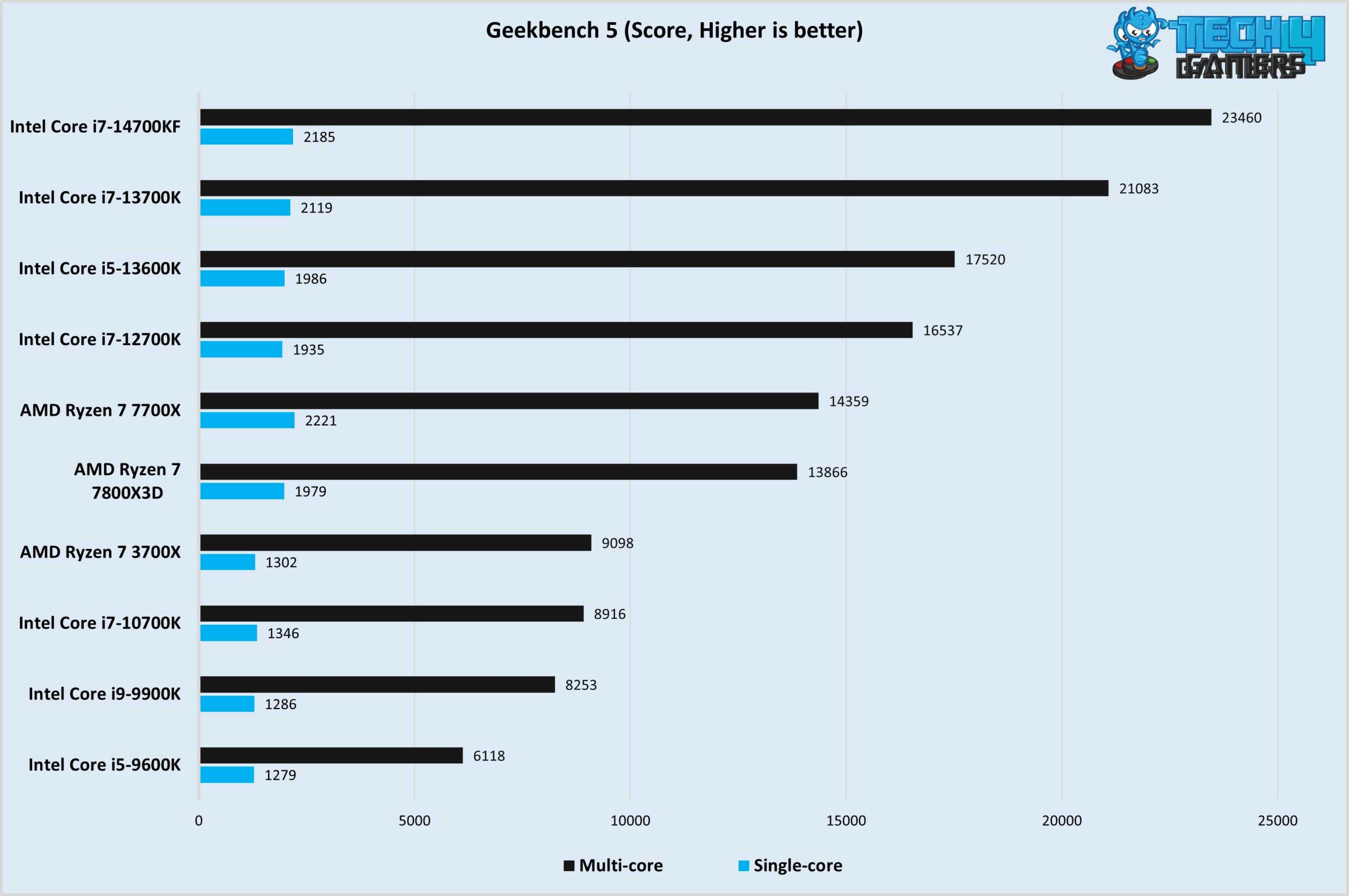
While the multi-core score is on the lower end, the single-core score is enough to give it a high rank among the competition of the 7800X3D.
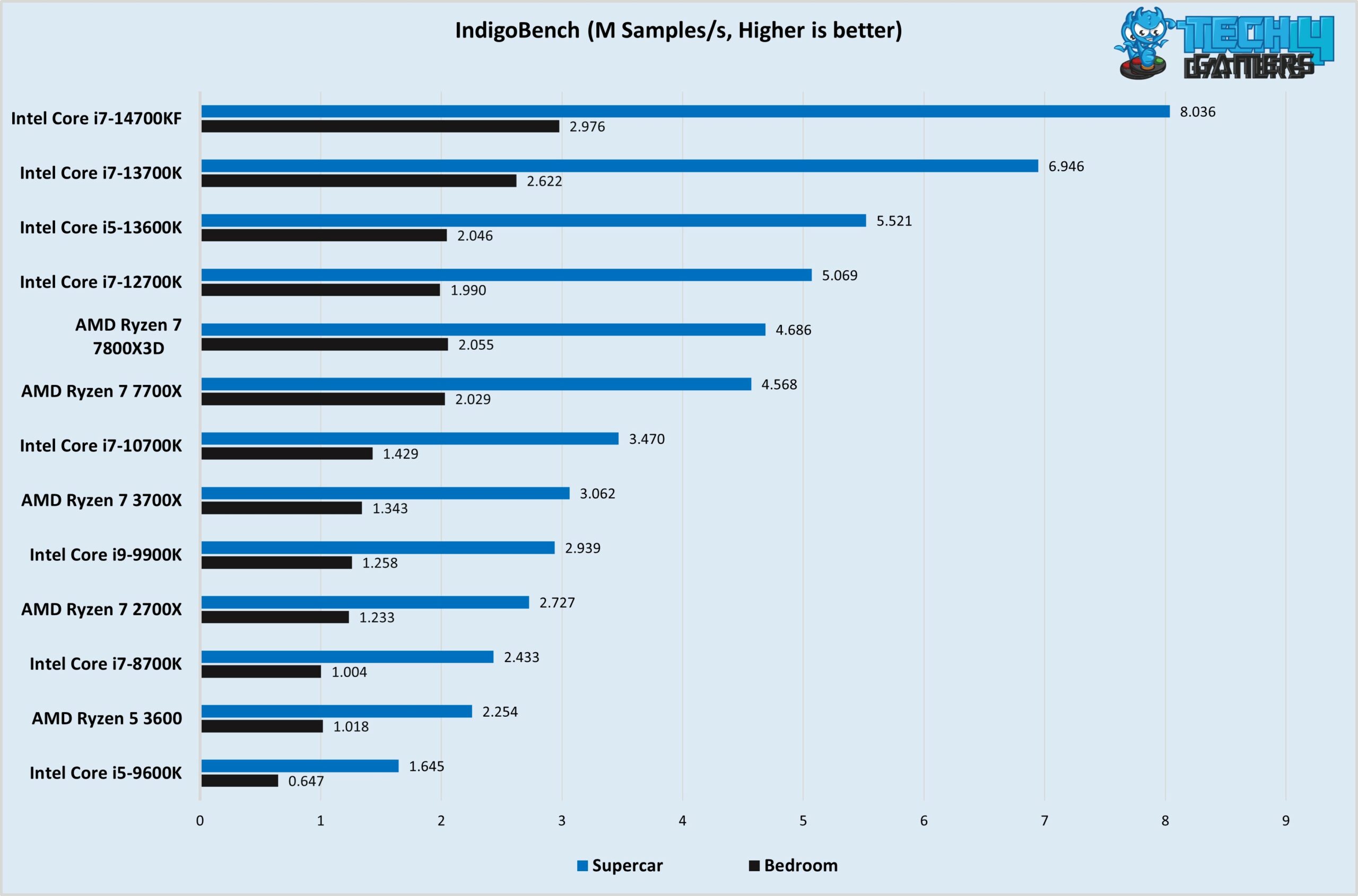
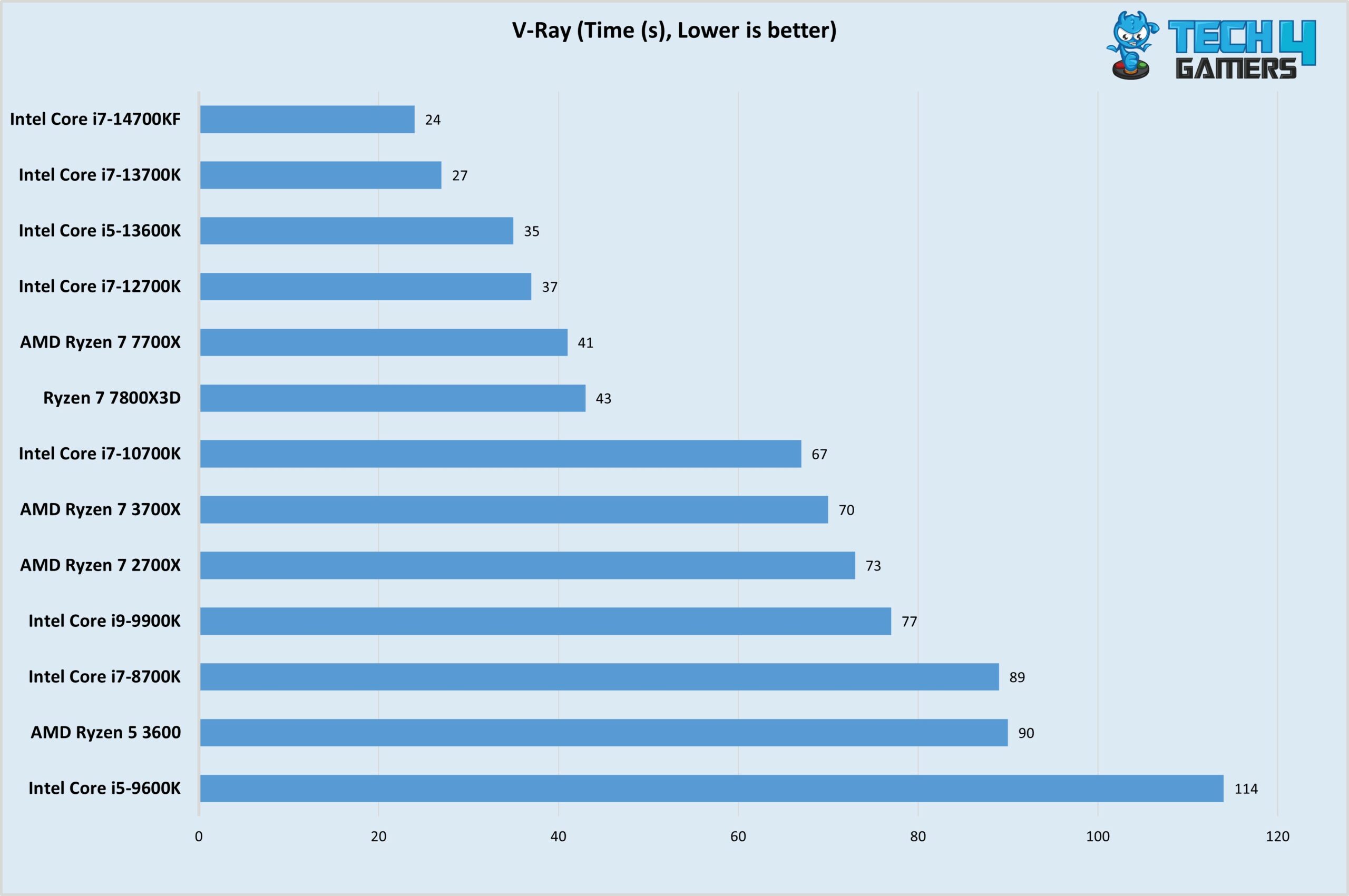
The 7800X3D scores high on this benchmark, surpassing the 13th and 14th-gen i7s.
Decent performance once again from the 7800X3D although the Intel processors perform almost 100% better.
The processor performs decently in all CPU benchmarks that we performed, making it a well-rounded Processor capable of performing well in various use cases.
Transcoding Benchmarks
Let’s look at the Ryzen 7 7800X3D and its capabilities in encoding and decoding scenarios.
X265 Benchmark (Image By Tech4Gamers)
Gaming Benchmark
Let’s see how the Ryzen 7 7800X3D performs in gaming at 1080p.
Ryzen 7 7800X3D Average Gaming Performance (Image By Tech4Gamers)
This is why the 7800X3D takes the title of the best Gaming CPU of this generation!
CPU Frequencies
Let’s see the Ryzen 7 7800X3D Core clock speed. According to AMD claims, the processor can reach 5.0 GHz on all cores.
Clock speeds during Gaming (Image by Tech4Gamers)
While the CPU didn’t hit 5 GHz on all cores, but it did that clock speed on multiple cores. So the claim does hold some value, and the CPU can hit an all-core 5 GHz clock speed at times. Kudos to AMD for authentic publicity!
Power Consumption And Thermals
Moving on, let’s see how the CPU performs in terms of thermals and power.
Idle system stats (Image by Tech4Gamers)
Here are the system’s idle statistics on HWinfo64. The minimum core temperature hit 26.6°C, while the CPU ran slightly on the hotter side reaching 43°C at the least. Meanwhile, the minimum power drawn by the CPU was 20.4 watts.
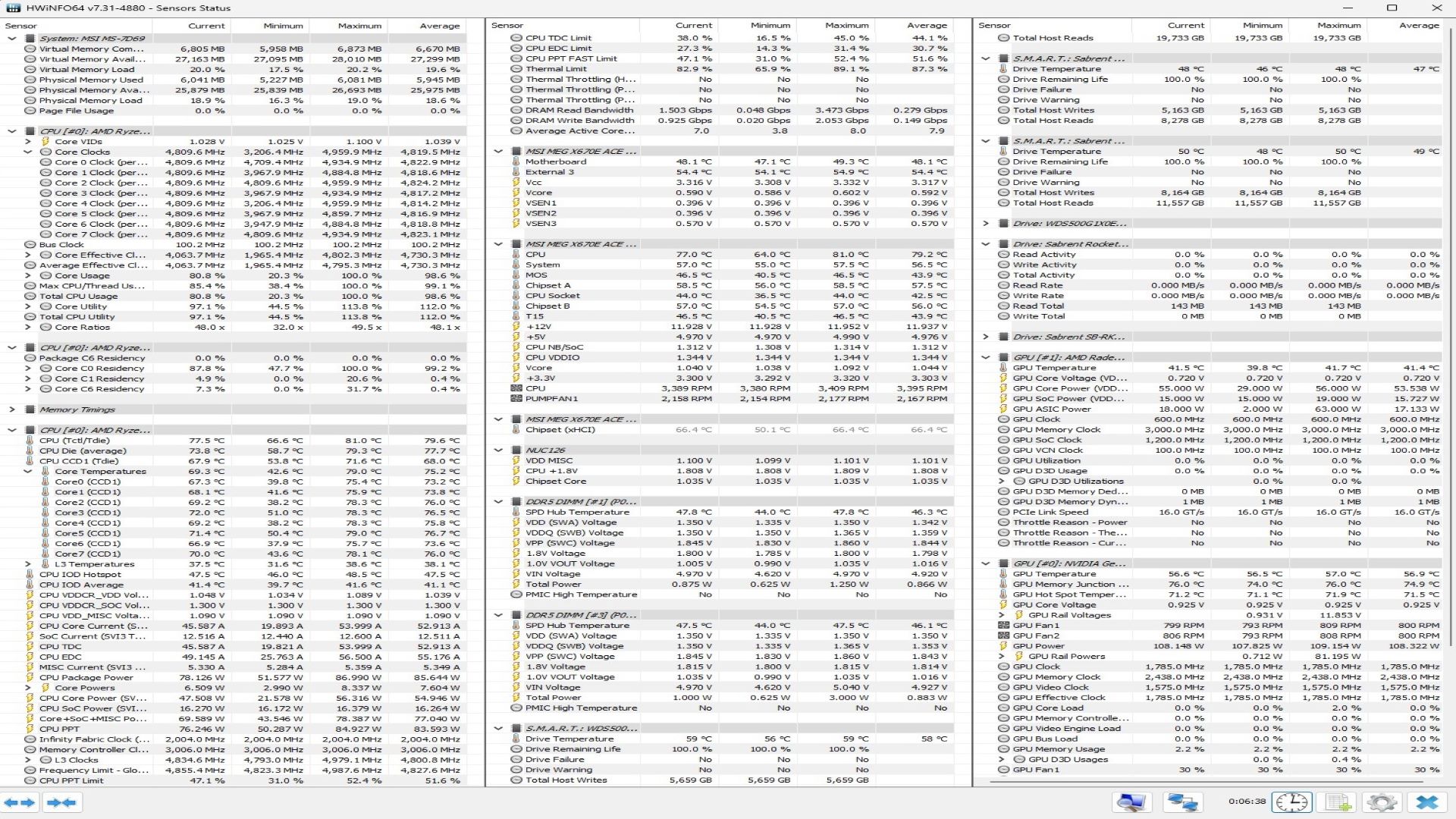
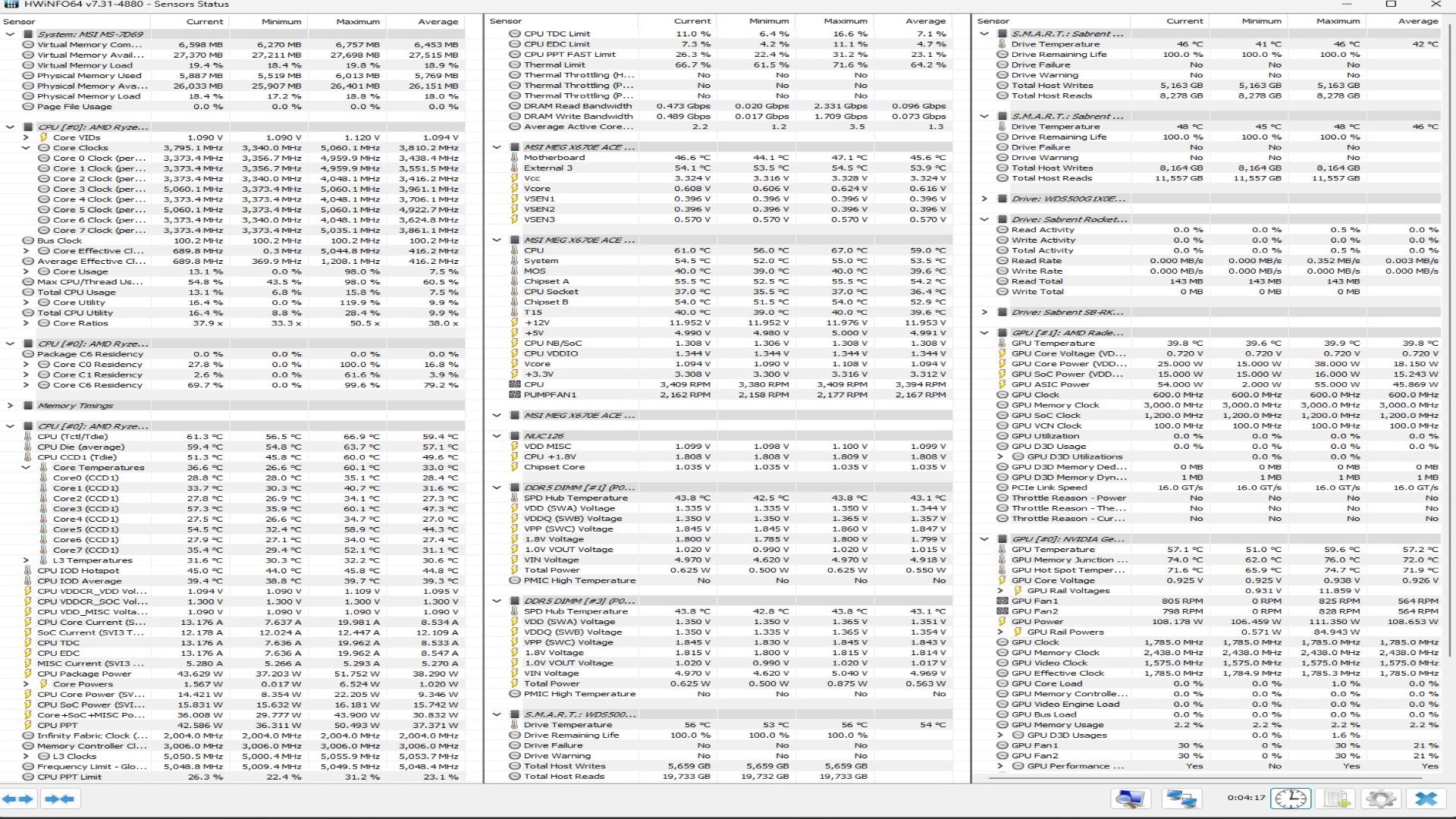
Cinebench R23 single-core and multi-core test power consumption
1 of 2
7800X3D System Stats - Multi Core Load
7800X3D System Stats - 1T Load
At the default configuration, we scored 17589 points on the multi-core benchmark and 1775 points on the single-core benchmark. The CPU package’s maximum temperature was 81°C, and the core’s temperature was 79°C during the test.
The processor is quite efficient, and unlike the Intel Core-i7 14700KF, which has a power consumption of 250W+, it just shows that during the test, the power consumption is less than 87W. This speaks volumes about the capabilities of the newer Zen 4 architecture. Furthermore, it showcases that AMD’s Engineering division is on the right track.
Should You Buy It?
Buy It If
✅ Your workload is gaming-based or a rendering/gaming mix: The Ryzen 7 7800X3D is a gaming Behemoth, and due to its 3D-V Cache technology, it has become the best Gaming GPU of this generation by a long shot.
✅ You want solid all-round performance: It performs decently in rendering loads, too, making it a well-rounded option for many PC builders out there.
✅ The power consumption is great: While being the top gaming processor out there, it is one of the most efficient ones as well.
Don’t Buy It If
❌ You want top-of-the-line multi-core performance: For multi-core scenarios, the Ryzen 7 7800X3D falls a bit short. You can opt for the 7900X3D and the 7950X3D or the non-3D variants. They give great performances for more bucks, though.
My Thoughts
After testing out this Gaming beast, I can safely say that AMD is on the right track. They’re making high-performing CPUs that give you top-of-the-line performance while keeping the temps and power consumption down.
The only downside to this processor is that it doesn’t perform as well in multi-core workloads as it does in gaming. So if you are a content creator or run productive loads frequently, this processor isn’t for you. However, if you are a PC gamer who wants the max FPS out there then there aren’t many better options out there than this guy.
While the processor came out a year ago, it has been destroying the competition. Even the top of the line from AMD the 7950X gets beaten soundly in many games. Meanwhile, Intel is just playing catch up and AMD is just stealing their high-end gaming lunch money at this point.
Another one of its standing out points is its power consumption. While rated at 120W, the processor hardly crosses the 90W mark in benchmarking loads as seen above. Nonetheless, you should opt for a 240mm AIO at least of a capable air cooler like our favorite (the Noctua NH-U12A).
With the release of the Ryzen 9000 series processor around the corner, there has been a big drop in the price of the 7800X3D. You can find the processor for $394 on Amazon, and until the newer gen of processors’ release date comes, it sits firmly atop the gaming hill. If you want the best gaming CPU right now, then this is the product for you!
Awards Received By The Ryzen 7 7800X3D
Given its unmatched gaming performance, the 7800X3D has been given several Tech4Gamers’ Awards over time:
As Tech4Gamers’ Founder and Editor-in-Chief, I bring over 13 years of PC Hardware Reviewing and 8+ years of IT Project Management experience. Certified in Google IT Support , my focus is on providing honest product reviews and analysis and fostering a strong gaming community with 130k+ members in PPG.
Story Highlight
The current demand for AI expansion has had a notable impact on all types of hardware.
This will directly impact DRAM and NAND demand, leading to revenues rising up to $90.7 billion this year for the former and $67.4 billion for the latter.
UFS and QLC flash adoption will also contribute to the rising demand in 2025.
According to the analyst TendForce, both DRAM and NAND Flash memory demand is predicted to be at an all-time high by the end of 2024, with DRAM revenue reaching an astounding $90.7 billion.
Why it matters: The reason for this high demand is the AI boom. Companies investing in AI want to have maximum capabilities at hand.
DRAM Revenue Projection via TrendForce
Additionally, it is projected that NAND Flash memory will generate $67.4 billion, a 77% increase in income from the previous year. DRAM revenue isn’t expected to decline anytime soon, with a potential y-o-y increase of up to 75% over 2023.
We have seen surges in prices for processors and graphics cards, but now DRAM and NAND Flash memories are in highest demand compared to past years. When they reach that level, revenue is anticipated to climb by 51% to $136.48 billion.
HBM memory, one of the most expensive in the industry, accounts for 20% of revenue, even though it is only involved in 5% of shipments. This is one reason for this surge in revenue.
Furthermore, DDR4 RAM will account for 40% of revenue growth in 2024 and should account for 60-65% in 2025. TrendForce also provides graphs showing the development of NAND Flash memory revenue.
Here, we can observe that NAND memory will have a similar fate and that sales will rise. We anticipate a 29% growth over 2024 to 86.974 billion dollars in 2025. The use of QLC in SSDs and UFS storage in mobile devices will drive demand for NAND Flash memory.
It is anticipated that AI companies will begin acquiring QLC SSDs at cheaper prices and with greater capacity, making them account for 20% of all exports by 2024.