Home Blog Page 89

PS5 Pro Will Soon Receive FSR 4 Level Upscaling Through PSSR 2 With Frame Generation

Story Highlight
  • Sony is reportedly preparing to launch the next generation of PSSR for PS5 Pro.
  • PSSR 2 will be released in 2026 and aims to provide image quality close to FSR 4.
  • It will also feature frame generation, which isn’t a tech most people appreciate.

Sony introduced its own iteration of upscaling tech, like DLSS and FSR, with the PlayStation 5 Pro, called PSSR. The tech, when launched, wasn’t on par with other upscalers, leading to noticeable image quality and performance issues

While the primary tech is based on FSR, it doesn’t come close to that level of performance, but Sony wants to fix that with its next version, PSSR 2, which is reportedly releasing on the PS5 Pro in 2026.

Why it matters: The biggest issue with PSSR is the weird artefacts and poor image quality it causes in many games, which Sony aims to fix with the upcoming update.

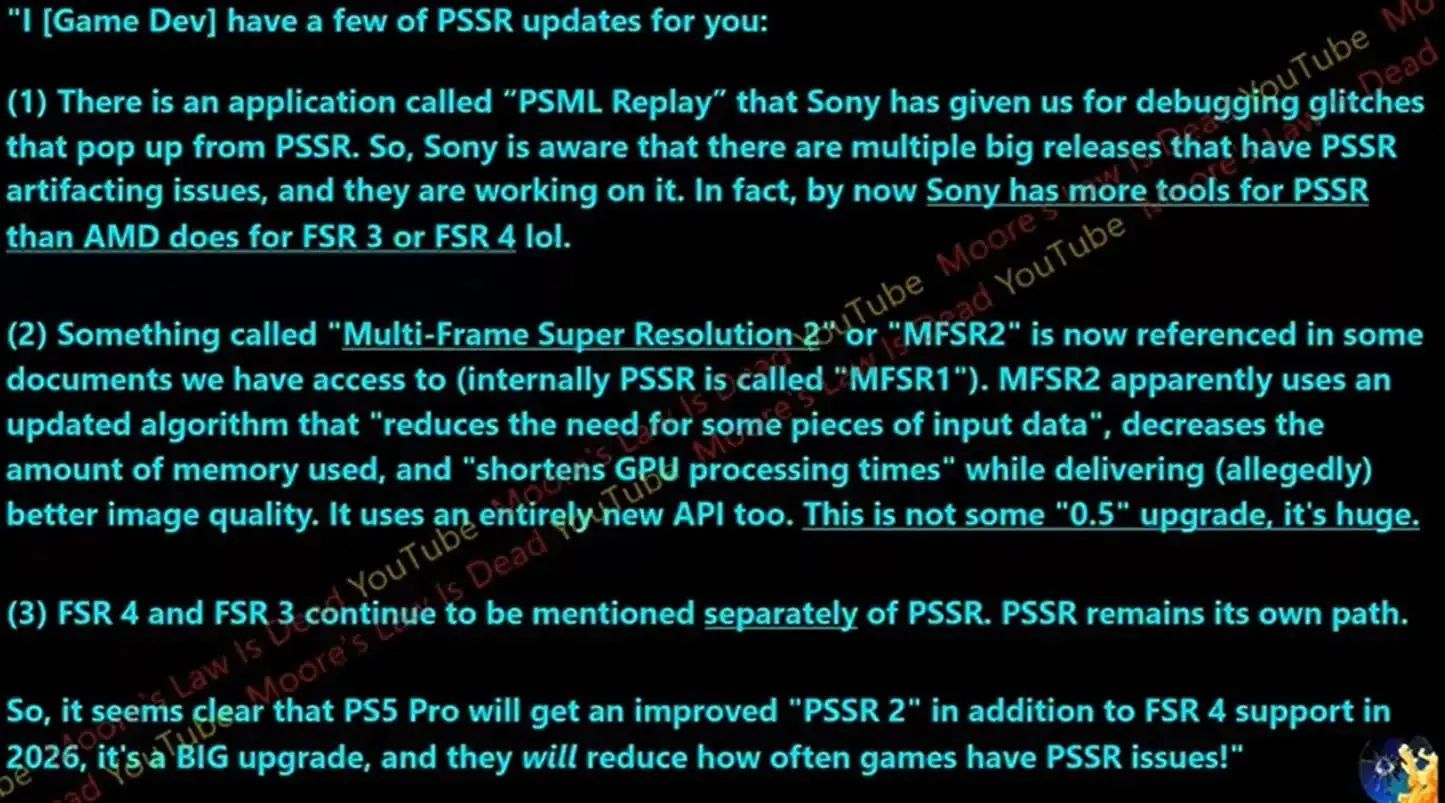
Moore’s Law is Dead spoke with a developer who shared a few details about PSSR 2. In fact, Sony has more tools for PSSR than AMD has for FSR 3 or 4. It’ll be a massive upgrade, almost like going from FSR 2 to FSR 4. 

The updated tech will use a new algorithm that reduces memory usage and shortens GPU processing time, leading to much-improved image quality. Despite this, the PS5 Pro is expected to get FSR 4 separately. 

PSSR 2
PSSR 2 will reportedly provide a massive upgrade, fixing all issues with the current version.

The PS5 Pro already supports frame generation to a certain extent based on FSR 3 support in certain games. This could provide a solid ground for PSSR 2 to implement the tech as well, but most developers don’t really prefer it.

Anyhow, PSSR 2 is scheduled for release sometime in 2026 and aims to eliminate all issues with its current version. If implemented well, it could indeed be a game-changer, especially now that GTA 6 is closer than ever. 

What are your thoughts on PS5 Pro getting FSR 4 level upscaling in 2026? Let us know your opinions in the comments or join the discussion at the official Tech4Gamers Forum.

The Division And Avatar Studio Hit With Layoffs By Ubisoft

Story Highlight
  • Ubisoft is laying off a bunch of employees at The Division and Avatar studio, Massive Entertainment.
  • Employees got an email that revealed that the layoffs are a part of restructuring.
  • The studio is currently working on The Division 3, which has very high expectations.

Ubisoft just can’t seem to catch a break. After struggling with falling stocks, a partnership with Tencent, and poor game sales, it has now announced another round of layoffs. For context, it just laid off a bunch of employees in September

The studio behind The Division and Avatar: Frontiers of Pandora, Massive Entertainment, has been hit with layoffs. The employees were informed through an email that the studio is restructuring, which will reportedly affect 55 jobs.

Why it matters: Ubisoft has now laid off employees at least 3 times in just a span of around 1 year. So, while their financial report was relatively positive, layoffs are mostly an indication that the company wants further expense reduction.

Avatar Frontiers of Pandora
Massive Entertainment will see about 55 employees lose their jobs

Massive’s Malmö and Stockholm locations have been affected by this restructuring. The email delivered to employees states that the layoffs aren’t based on individual performance, recent deliveries, or quality. 

The proposed restructuring will begin with a focus on individual agreements and impacted employees are being informed directly and supported with care and respect.

It further reads that the direction of the studio is still the same and clear, as it aims to focus on The Division franchise. Moreover, the team is also working on a project that focuses on tech and innovation, which will be revealed later. 

Massive Entertainment, of course, is currently working on The Division 3. The expectations from the title are immense, as the executive producer commented that the game will have as big an impact as the first game in the series. 

What are your thoughts on Ubisoft laying off employees at the Avatar and The Division studios? Let us know your opinions in the comments or join the discussion at the official Tech4Gamers Forum.

The Best 360mm AIO Liquid Coolers Of 2026 [All Tested]

Over the past few years, AMD has started to rule the gaming market with its X3D processors. But whether you go for team red or blue, all the latest and greatest processors have one thing in common: they can get hot rather quickly, especially if you are into CPU-intensive tasks like gaming, streaming, or content creation. That’s where cooling solutions step in. While air coolers can get the job done, a 360mm AIO (all-in-one liquid cooler) is often the sweet spot for enthusiasts who want lower temps, quieter operation, and headroom for overclocking.

In this guide, we’ll take a look at the best 360mm AIO coolers you can buy right now, breaking down their cooling performance, build quality, features, and value so you can choose the perfect fit for your build. To round up these options, our team has spent the past several months testing and benchmarking 360mm AIOs from different manufacturers. 

Why Trust Tech4Gamers
  • Hayyan Serwer is our CPU Cooler expert who has been testing different AIOs for years.
  • 80+ coolers tested and reviewed by our team of hardware experts (Tech4Gamers Team).
  • 400+ hours spent testing different coolers for our reviews.
  • Objective testing criteria (See how we test CPU coolers).

At Tech4Gamers, ensuring you get reliable information is our priority. That’s why every hardware round-up undergoes a meticulous review process by our team of experts and editors. Each review is carefully examined against our strict editorial guidelines, guaranteeing you trustworthy insights you can depend on.

Here is a comparison of all 360mm AIO liquid coolers in stock and what we have picked.

AIO Cooler
Cooler Master MasterLiquid 360 ATMOS
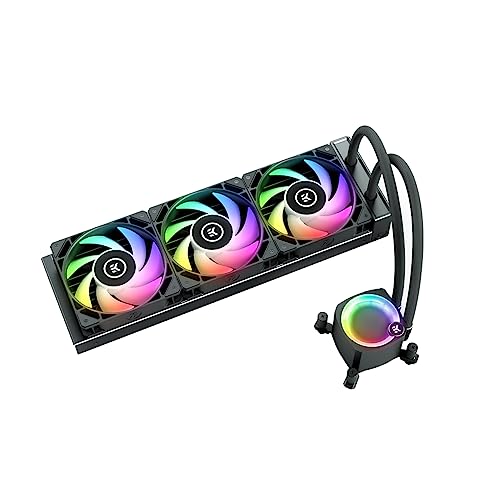
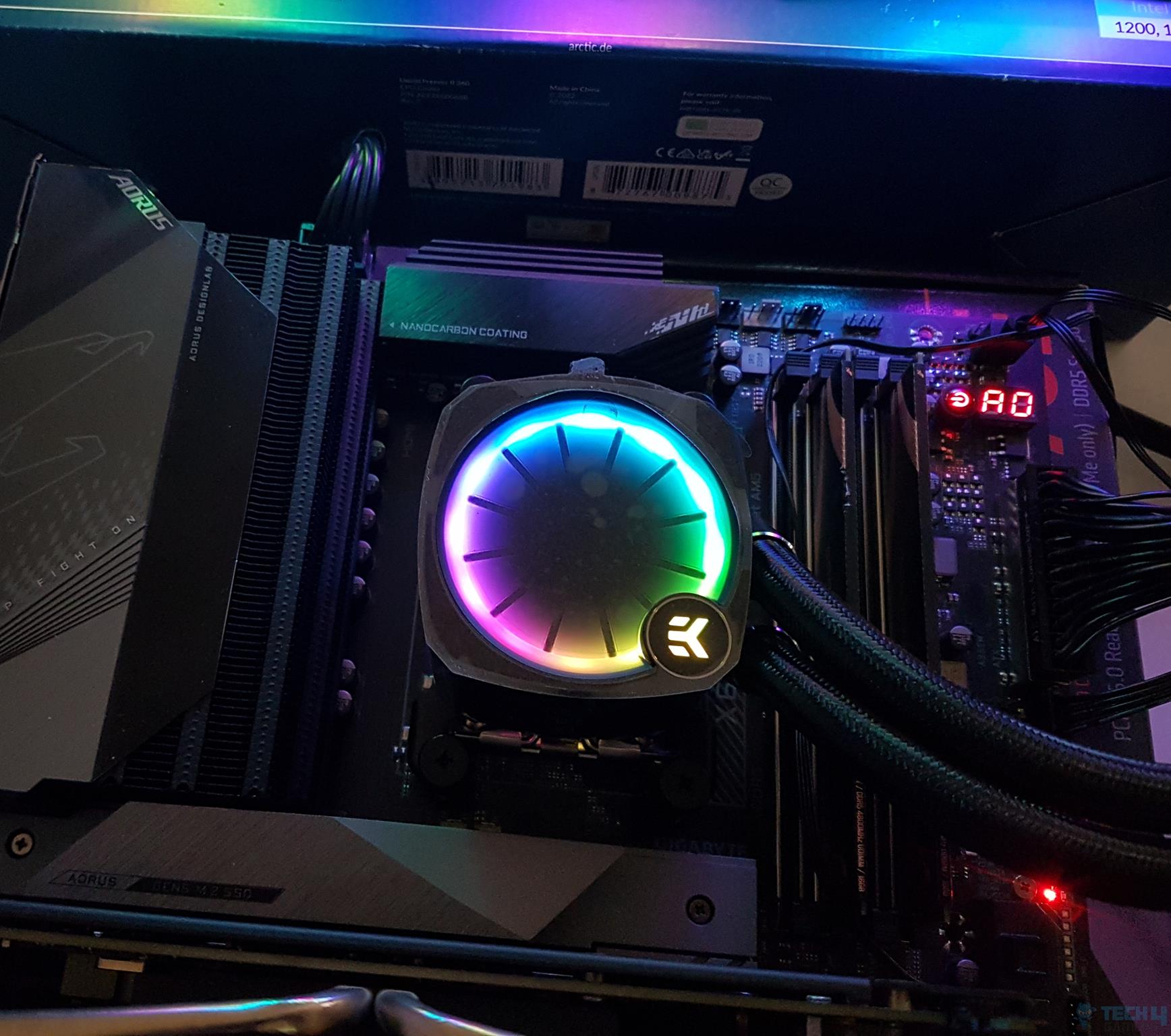
EK Nucleus AIO CR360 Lux D-RGB
Lian Li Hydroshift II LCD-C 360TL
Corsair iCUE Link Titan 360 RX RGB
Enermax LiqMaxFlo 360
ID-Cooling DX360 Max
Preview
Cooler Master 360 Atmos Performance-Driven Close-Loop AIO Liquid Cooler, R9|Ultra 9, Dual Chamber aRGB Pump, 360 Radiator, Sickleflow Edge PWM Fans, AM5|4, Intel LGA 1851|1700 Platform
EKWB EK-Nucleus AIO CPU Cooler CR360 Lux, Digital RGB, Black
Lian Li Hydroshift II-C 360TL RGB Liquid CPU Cooler - 360mm AIO - 3X 120 RGB Fans - 2.1” IPS LCD Screen - 3 Control Mode - Flexible Tubes Clamp - LGA 1851/1700, AMD AM5/AM4 - White (HS2LCD36TW)
CORSAIR iCUE Link Titan 360 RX RGB Liquid CPU Cooler – 360mm AIO – Low-Noise – FlowDrive Cooling Engine – Intel LGA 1851/1700, AMD AM5/AM4 – 3X RX120 RGB Fans – iCUE Link System Hub Included – White
ENERMAX LIQMAXFLO 360mm A-RGB AIO CPU Liquid Cooler - High Performance Pump up to 3000RPM, 38mm Thick Radiator, 60mm VRM Fan, Pressure-Optimized Silent 120mm FDB PWM Fan, Intel LGA1700/AMD AM5 Ready
Thermalright Frozen Magic 360 Scenic V2 Water Cooling CPU Cooler, 360 White Cooling Row Specification, 3×120mm PWM Fan, S-FDB V2.0 Bearing, Suitable for AMD/AM4, Intel LGA1700/1150/1151/1200/2066
Award
Best Overall 360mm AIO Liquid Cooler
Best Performance 360mm AIO Liquid Cooler
Best White 360mm AIO Liquid Cooler
Best RGB 360mm AIO Liquid Cooler
Best Value 360mm AIO Liquid Cooler
Best Budget 360mm AIO Liquid Cooler
What We Liked
Excellent Performance, Customizable Unique Design, Low Noise, Easy Installation
Outstanding cooling performance, Remarkable thermal headroom, Removable pump lid, Six-year warranty, EK OmniLink, Beautiful radiator design
Excellent cooling performance, Gorgeous snow-white design, 2.1" circular IPS LCD, Wireless fans
Excellent thermal performance, Magnetic faceplate, 24 A-RGB LEDs on pump block
Decent pricing, Impressive thermal performance, Easy daisy-chaining fans
Affordable pricing, Great performance, Thick radiator
What We Disliked
Has some cable clutter
Noisy fans, Slightly pricier
High price tag, Loud at 100% RPM
High price
Thick radiator, There is no control over the embedded fan
High noise
Dimensions
394 × 119 × 27.2mm
400 x 124 x 27mm
400 x 122 x 24mm
396 x 120 x 27mm
400 x 120 x 38mm
400 x 120 x 38mm
Fans
3x SickleFlow Edge A-RGB
3x EK-Loop fan FPT D-RGB 120mm
3x Uni-fan TL Wireless fans
3x RX120 RGB 120mm A-RGB fans
3x Digital RGB fans
3x DF-125 120mm Black Fans
Fan RPM
690-2500 RPM ± 10%
550 — 2,300RPM
200—2,600 RPM
300 — 2,100RPM
500 — 1,800RPM
0 — 2,150RPM
RGB
Short On Time?
My favorite cooler because it offers excellent performance without costing a ton.
Goes heavy on the pockets but makes up for it with top-notch cooling.
The perfect cooler for white-themed PC builds without asking you to empty your wallet.
My go-to recommendation for any RGB build.
Offers the most value for money with its beatiful looks and exceptional cooling.
The most impressive cooler in terms of pricing, and yet it kept my i7-13700K shockingly cool.
AIO Cooler
Cooler Master MasterLiquid 360 ATMOS
Preview
Cooler Master 360 Atmos Performance-Driven Close-Loop AIO Liquid Cooler, R9|Ultra 9, Dual Chamber aRGB Pump, 360 Radiator, Sickleflow Edge PWM Fans, AM5|4, Intel LGA 1851|1700 Platform
Award
Best Overall 360mm AIO Liquid Cooler
What We Liked
Excellent Performance, Customizable Unique Design, Low Noise, Easy Installation
What We Disliked
Has some cable clutter
Dimensions
394 × 119 × 27.2mm
Fans
3x SickleFlow Edge A-RGB
Fan RPM
690-2500 RPM ± 10%
RGB
Short On Time?
My favorite cooler because it offers excellent performance without costing a ton.
Amazon
NewEgg
AIO Cooler
EK Nucleus AIO CR360 Lux D-RGB
Preview
EKWB EK-Nucleus AIO CPU Cooler CR360 Lux, Digital RGB, Black
Award
Best Performance 360mm AIO Liquid Cooler
What We Liked
Outstanding cooling performance, Remarkable thermal headroom, Removable pump lid, Six-year warranty, EK OmniLink, Beautiful radiator design
What We Disliked
Noisy fans, Slightly pricier
Dimensions
400 x 124 x 27mm
Fans
3x EK-Loop fan FPT D-RGB 120mm
Fan RPM
550 — 2,300RPM
RGB
Short On Time?
Goes heavy on the pockets but makes up for it with top-notch cooling.
Amazon
NewEgg
AIO Cooler
Lian Li Hydroshift II LCD-C 360TL
Preview
Lian Li Hydroshift II-C 360TL RGB Liquid CPU Cooler - 360mm AIO - 3X 120 RGB Fans - 2.1” IPS LCD Screen - 3 Control Mode - Flexible Tubes Clamp - LGA 1851/1700, AMD AM5/AM4 - White (HS2LCD36TW)
Award
Best White 360mm AIO Liquid Cooler
What We Liked
Excellent cooling performance, Gorgeous snow-white design, 2.1" circular IPS LCD, Wireless fans
What We Disliked
High price tag, Loud at 100% RPM
Dimensions
400 x 122 x 24mm
Fans
3x Uni-fan TL Wireless fans
Fan RPM
200—2,600 RPM
RGB
Short On Time?
The perfect cooler for white-themed PC builds without asking you to empty your wallet.
Amazon
NewEgg
AIO Cooler
Corsair iCUE Link Titan 360 RX RGB
Preview
CORSAIR iCUE Link Titan 360 RX RGB Liquid CPU Cooler – 360mm AIO – Low-Noise – FlowDrive Cooling Engine – Intel LGA 1851/1700, AMD AM5/AM4 – 3X RX120 RGB Fans – iCUE Link System Hub Included – White
Award
Best RGB 360mm AIO Liquid Cooler
What We Liked
Excellent thermal performance, Magnetic faceplate, 24 A-RGB LEDs on pump block
What We Disliked
High price
Dimensions
396 x 120 x 27mm
Fans
3x RX120 RGB 120mm A-RGB fans
Fan RPM
300 — 2,100RPM
RGB
Short On Time?
My go-to recommendation for any RGB build.
Amazon
NewEgg
AIO Cooler
Enermax LiqMaxFlo 360
Preview
ENERMAX LIQMAXFLO 360mm A-RGB AIO CPU Liquid Cooler - High Performance Pump up to 3000RPM, 38mm Thick Radiator, 60mm VRM Fan, Pressure-Optimized Silent 120mm FDB PWM Fan, Intel LGA1700/AMD AM5 Ready
Award
Best Value 360mm AIO Liquid Cooler
What We Liked
Decent pricing, Impressive thermal performance, Easy daisy-chaining fans
What We Disliked
Thick radiator, There is no control over the embedded fan
Dimensions
400 x 120 x 38mm
Fans
3x Digital RGB fans
Fan RPM
500 — 1,800RPM
RGB
Short On Time?
Offers the most value for money with its beatiful looks and exceptional cooling.
Amazon
NewEgg
AIO Cooler
ID-Cooling DX360 Max
Preview
Thermalright Frozen Magic 360 Scenic V2 Water Cooling CPU Cooler, 360 White Cooling Row Specification, 3×120mm PWM Fan, S-FDB V2.0 Bearing, Suitable for AMD/AM4, Intel LGA1700/1150/1151/1200/2066
Award
Best Budget 360mm AIO Liquid Cooler
What We Liked
Affordable pricing, Great performance, Thick radiator
What We Disliked
High noise
Dimensions
400 x 120 x 38mm
Fans
3x DF-125 120mm Black Fans
Fan RPM
0 — 2,150RPM
RGB
Short On Time?
The most impressive cooler in terms of pricing, and yet it kept my i7-13700K shockingly cool.
Amazon
NewEgg

Last Updated:


  • September 13, 2025: Based on our recent testing, we’ve added the Lian Li Hydroshift II LCD-C 360TL and the ID-Cooling DX360 Max as the best white and the best budget 360mm AIOs, respectively.

[toc]

Looking for more options? We have you covered:

[toc]

Best 360mm AIO Liquid Coolers

Following are our picks for the Best 360mm AIO CPU Coolers:

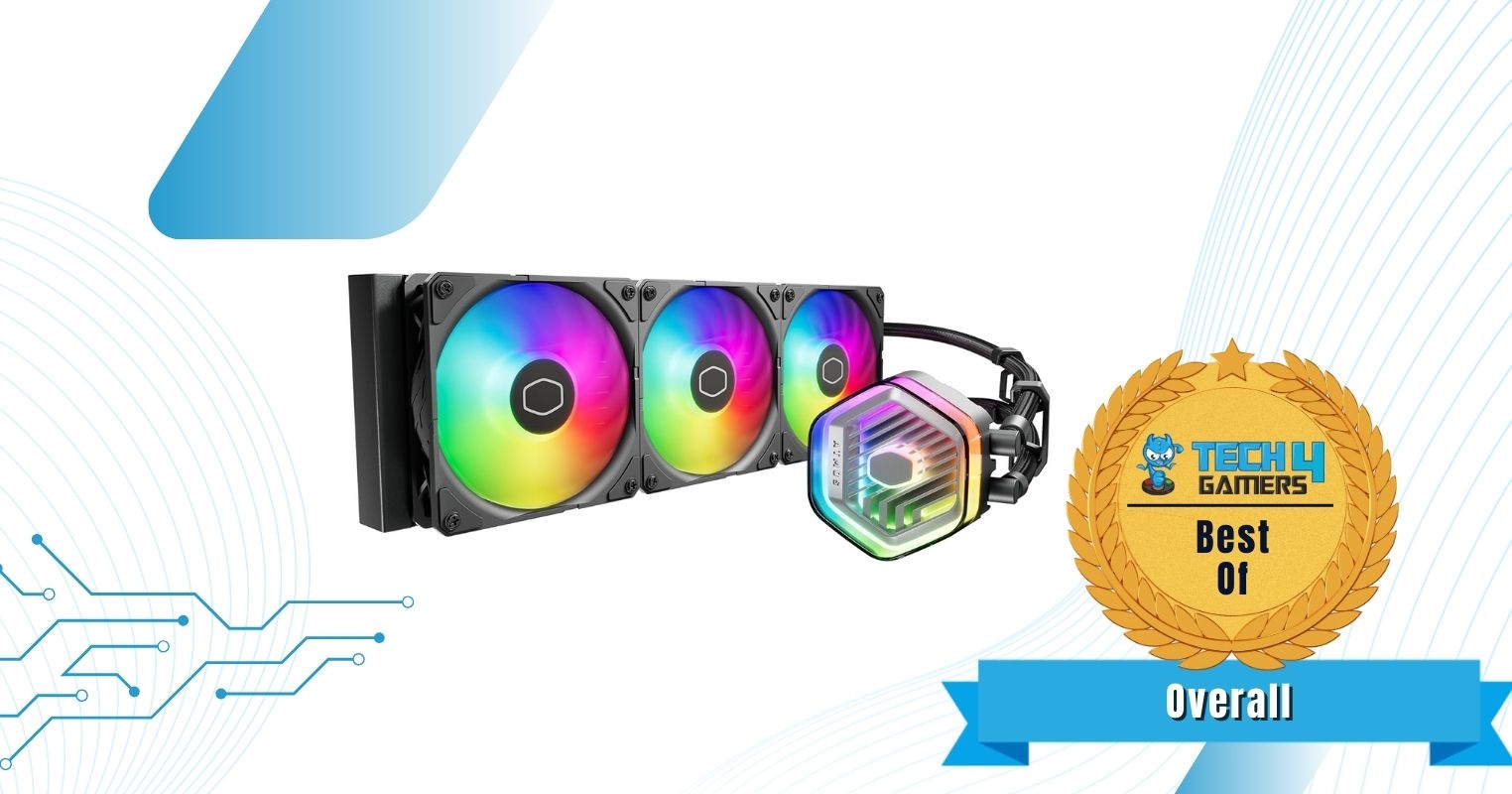
  1. Best Overall: Cooler Master MasterLiquid 360 ATMOS
  2. Best Performance: EK Nucleus AIO CR360 Lux D-RGB
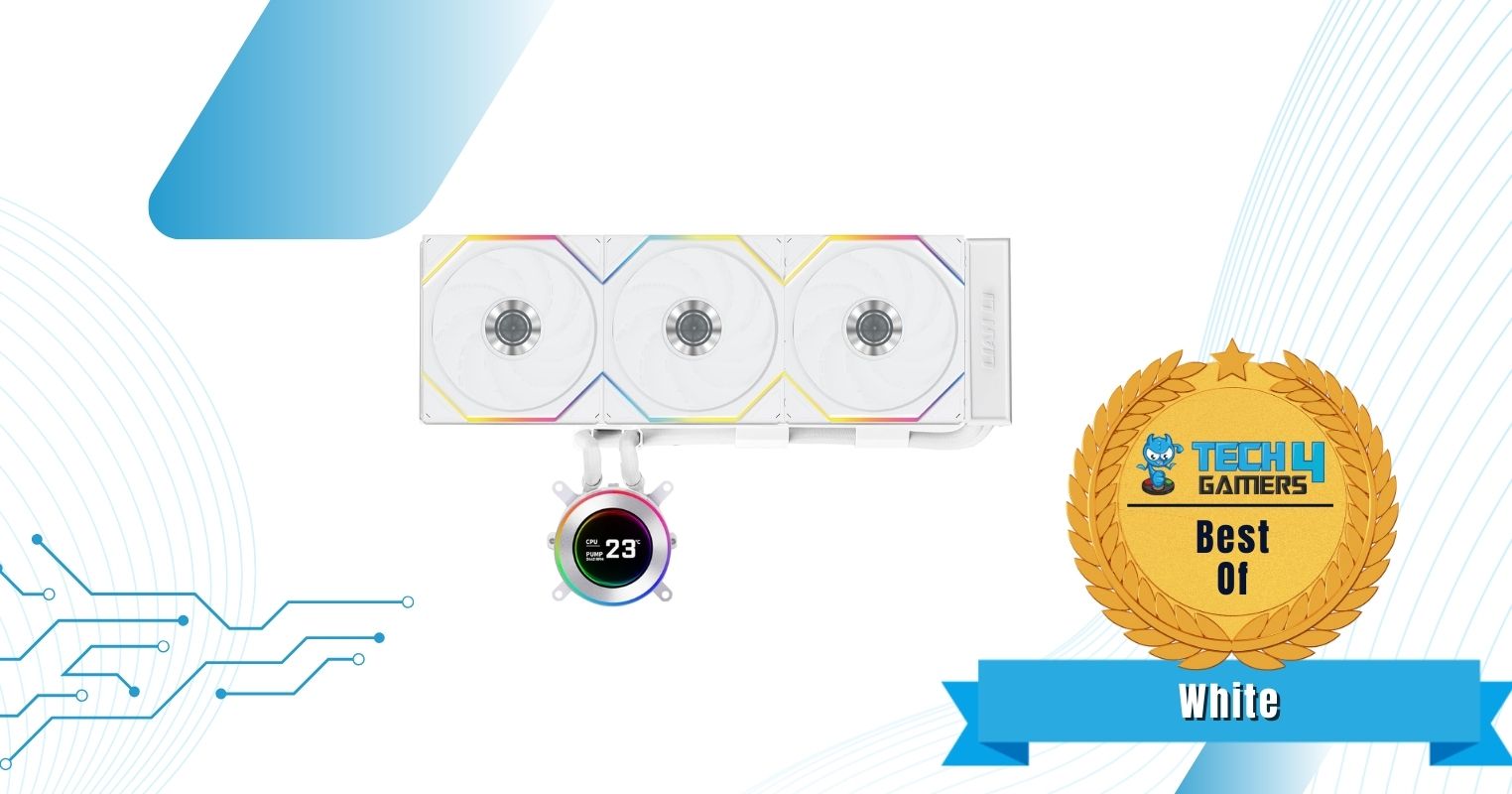
  3. Best White: Lian Li Hydroshift II LCD-C 360TL
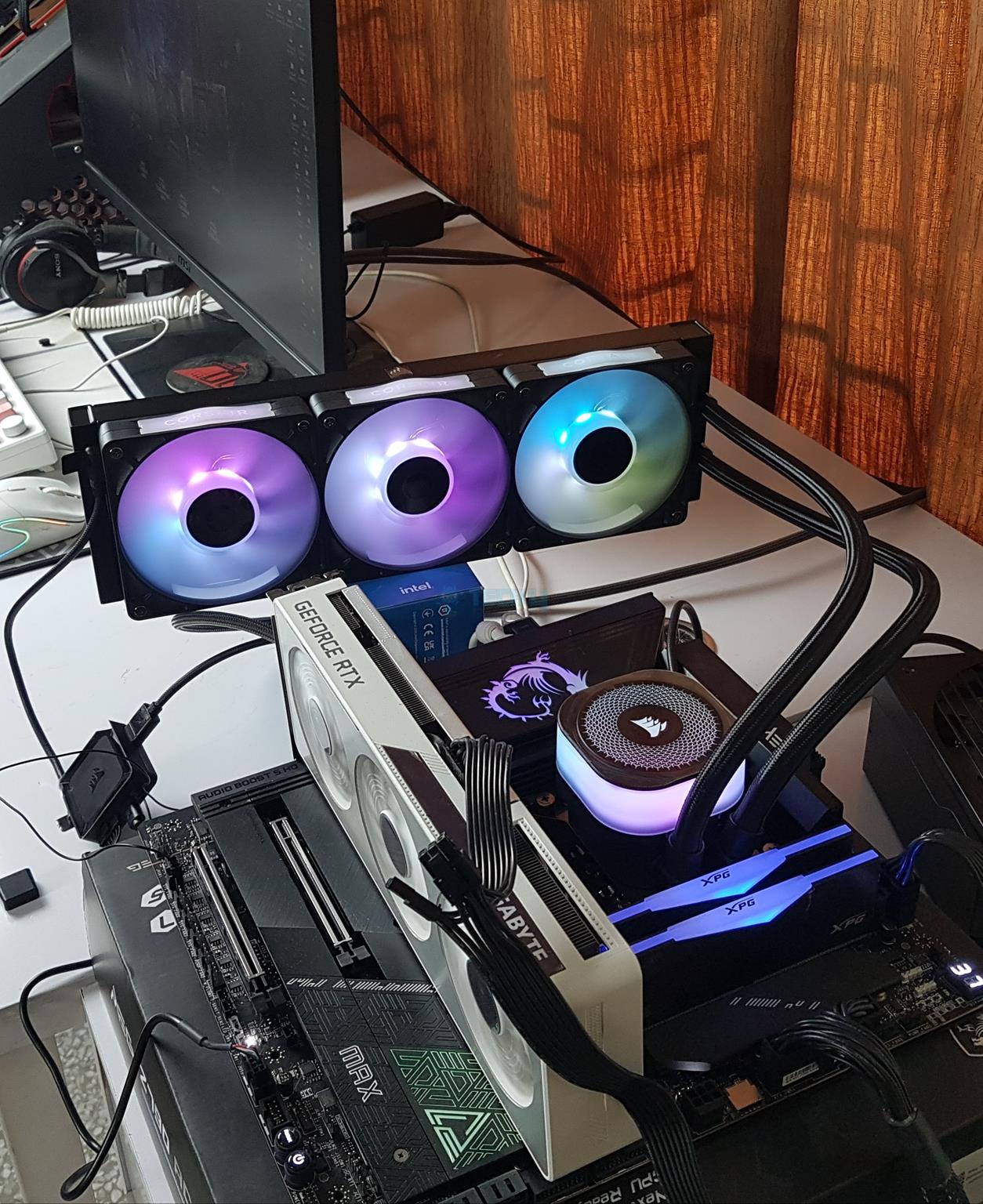
  4. Best RGB: Corsair iCUE Link Titan 360 RX RGB
  5. Best Value: Enermax LiqMaxFlo 360
  6. Best Budget: ID-Cooling DX360 Max

Cooler Master MasterLiquid 360 ATMOS

Best Overall 360mm AIO Liquid Cooler

Dimensions: 394 × 119 × 27.2mm | Fans: 3x SickleFlow Edge A-RGB | Fan Speed: 690-2500 RPM ± 10% | Noise Level: 27.2 dBA | Socket SupportIntel: LGA1700, LGA1200, LGA1151, LGA1150, LGA1155, LGA1156 AMD: AM4, AM5 | RGB: Yes 

Pros

  • Excellent performance 
  • Good pricing
  • Unique design
  • Easy to install
  • Environmentally friendly
  • Low noise output

Cons

  • A little difficult to manage the cables

Read Our Cooler Master MasterLiquid 360 ATMOS Review

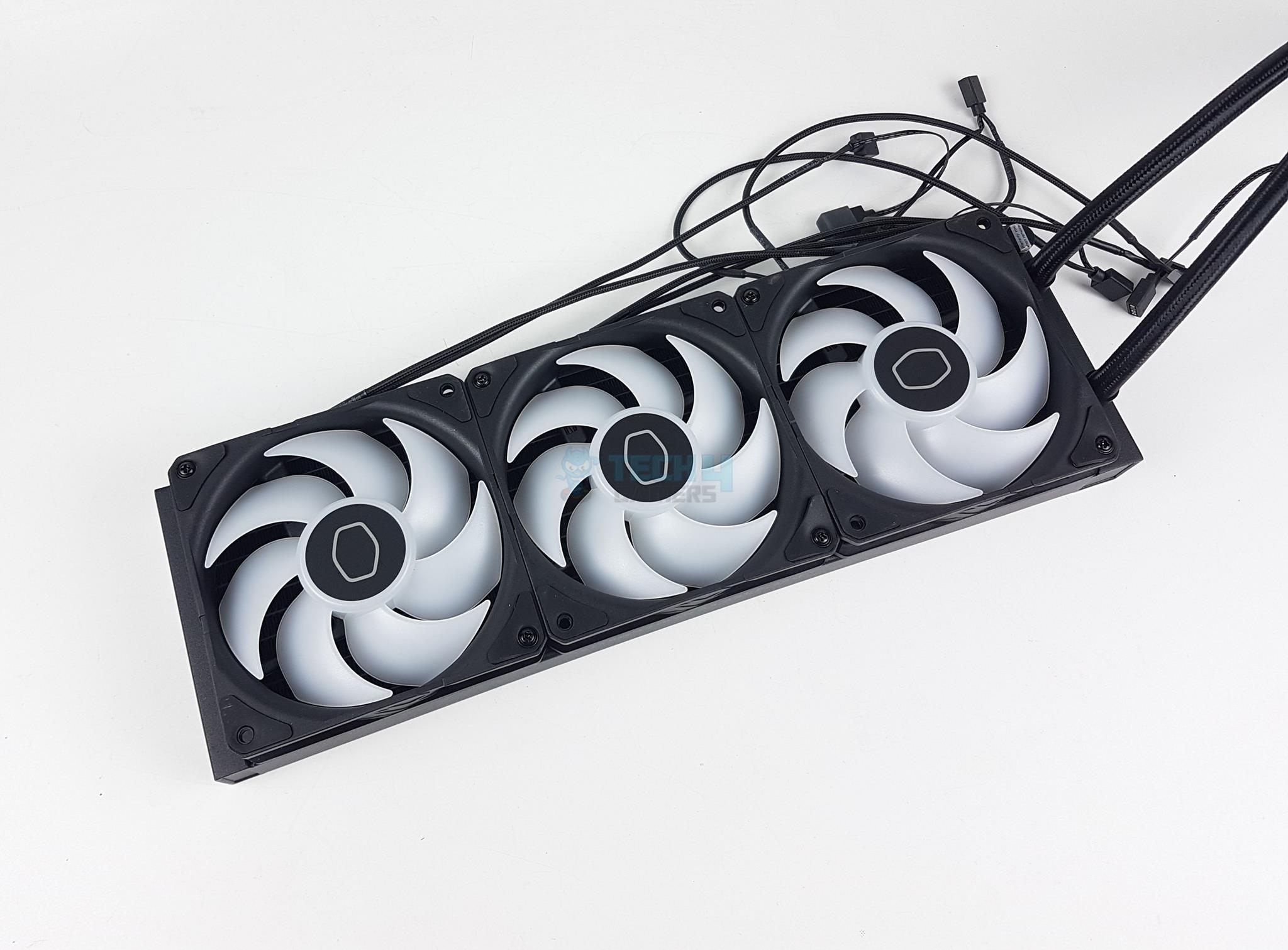
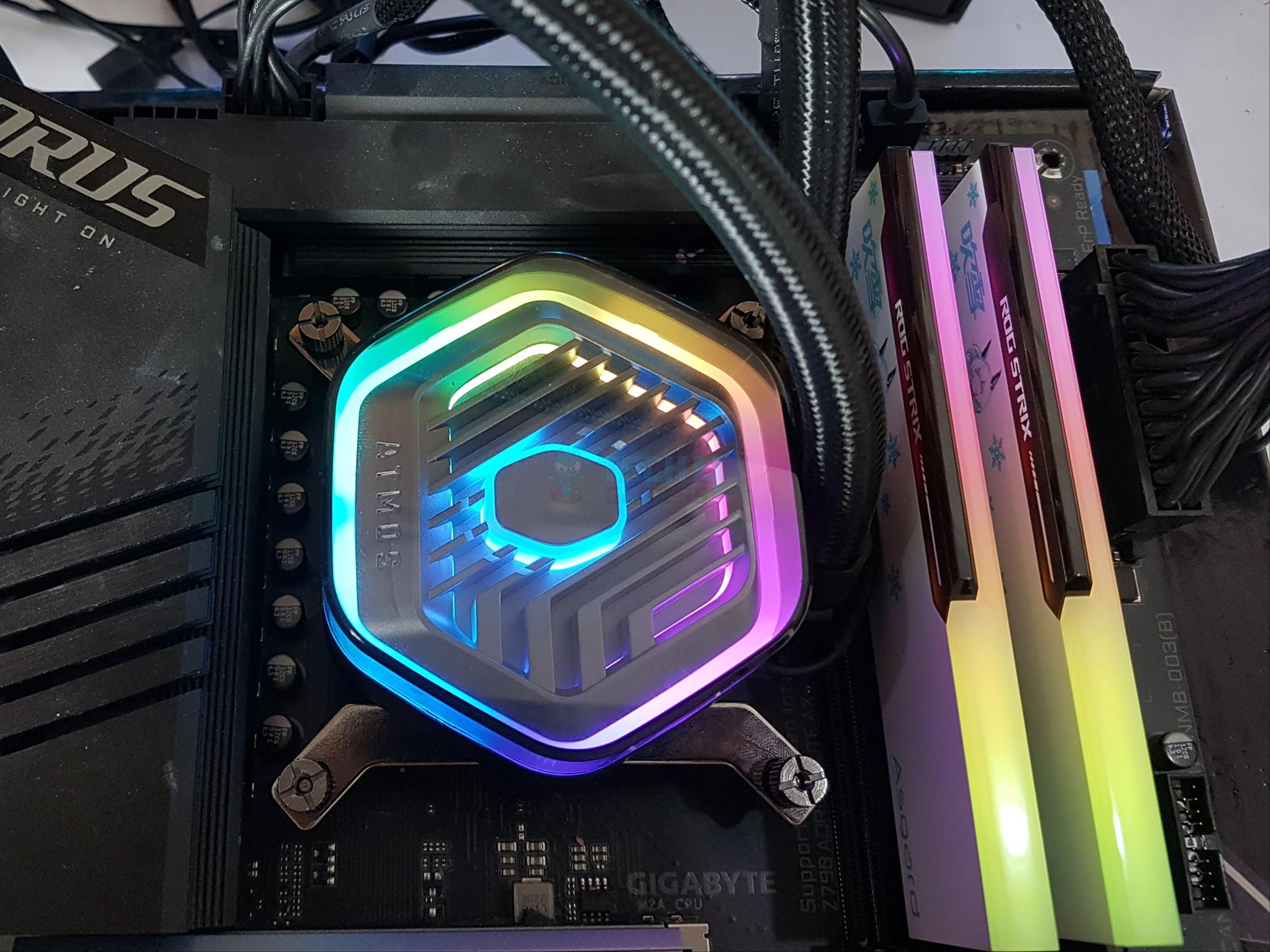
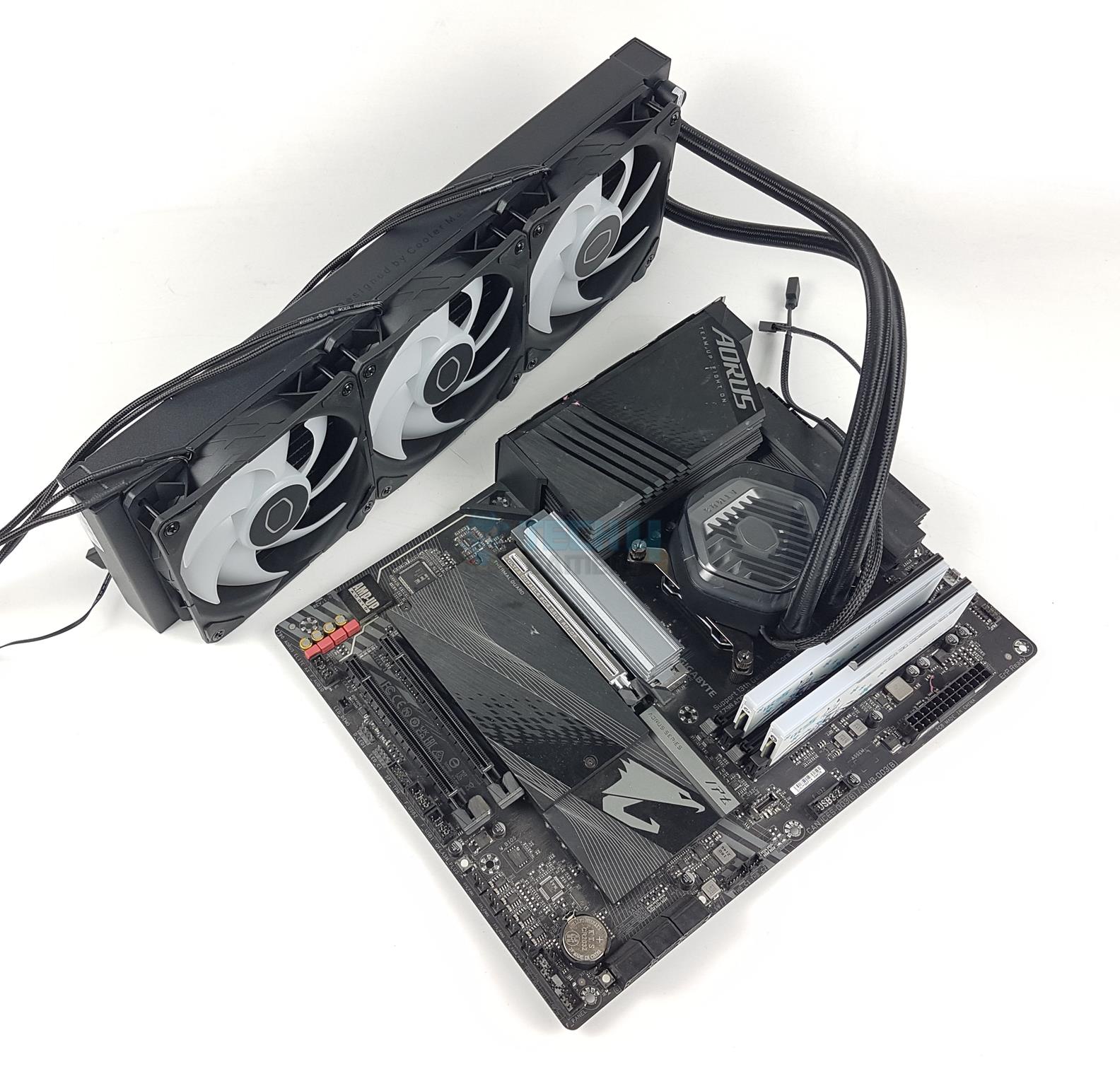
I tested the Cooler Master MasterLiquid 360 ATMOS a couple of weeks ago, and I was completely blown away by how well the AIO performs. The pump uses a revamped dual-chamber design to help with heat transfer and improved coolant flow, plus the SickleFlow Edge fans leave no stone unturned to offer top-notch performance. Along with good cooling capabilities, I also really appreciated the AIO’s build quality in my testing. The aluminum radiator has a 20 FPI fin density, and the coolant can flow through 12 channels – this basically means that the MasterLiquid 360 ATMOS is pretty much up to the current standards. 

Another feature that caught my attention is the pump’s unique design. You can remove the top cover and replace it with your 3D-printed design. Yes, you can customize and make your pump look the way you want it, which is quite impressive. You also get A-RGB lighting at the pump and fans and a SATA-powered control box for easy control. This isn’t the first AIO that offers this, but having pre-installed fans on the radiator and a thermal paste applicator sticker at the base makes installation very easy for beginners.

Here’s how I described the Cooler Master MasterLiquid 360 ATMOS at the end of my review:

The Cooler Master MasterLiquid 360 ATMOS is a high-performance AIO liquid cooler with excellent thermal performance and low noise levels. Overall, it is a great option for users who are looking for a top-performing AIO cooler with a unique design.

✅Buy It If

You want great performance: The Cooler MasterLiquid 360 ATMOS has topped my 360mm AIO charts and did an exceptionally good job at cooling the i7-13700K.

You hate high noise: During my testing, the room’s ambient noise was around 35 dBA, and I recorded a noise output of 40.8 dBA from the MasterLiquid 360 ATMOS – an outstanding number considering I did not tune the fans.

You are a beginner who prefers easy installation: Thanks to the pre-installed fans on the radiator and the thermal paste applicator sticker, the overall installation process is easier.

❌Don't Buy It If

You dislike cable management: Since it uses A-RGB fans and a SATA-powered control box for RGB lighting, the overall cables can get a bit cluttered.

You’re running the Intel LGA20xx platform: The MasterLiquid 360 ATMOS is such a great AIO in every aspect that the only people I would not recommend it to are those who’re running the LGA20xx platform; that’s because the AIO is not compatible with this socket line-up.

What Makes It The Best Overall 360mm AIO Cooler?

If you pay high enough, you may find AIOs that outperform the MasterLiquid 360 ATMOS. However, for the excellent pricing, the ATMOS 360’s cooling capabilities are nothing short of a very impressive feat. Combine that with its unique design, environmentally-friendly materials, easy installation, and good noise output – there’s no AIO that offers a better set of features than the MasterLiquid 360 ATMOS, and that’s why I’ve picked it as the best overall 360mm AIO cooler.

Performance: 9/10 Value: 9/10
Features: 9/10 Design: 9/10

EK Nucleus AIO CR360 Lux D-RGB

Best Performance 360mm AIO Liquid Cooler

Dimensions: 400 x 124 x 27mm | Fans: 3x EK-Loop fan FPT D-RGB 120mm | Fan Speed: 550 — 2,300RPM | Noise Level: 36dB(A) | Socket SupportIntel: LGA 1700, 115X, 1200, 2011, 2011-3, 2066 AMD: AM5, AM4 | RGB: Yes

Pros

  • Outstanding cooling performance
  • Remarkable thermal headroom
  • Removable pump lid
  • Six-year warranty
  • EK OmniLink
  • Beautiful radiator design

Cons

  • Noisy fans
  • Slightly pricier

Read Our EK Nucleus AIO CR360 Lux D-RGB Cooler Review

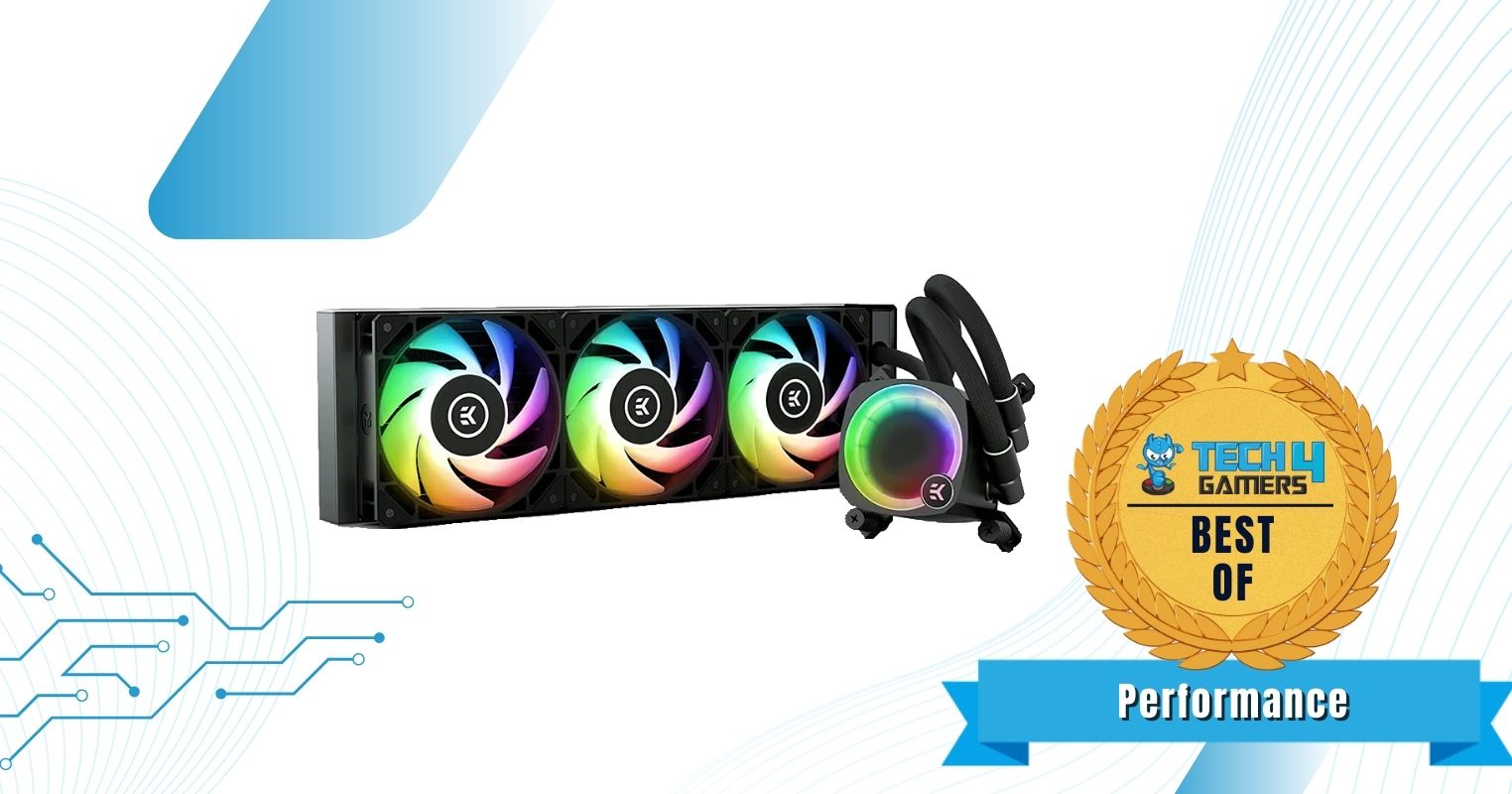
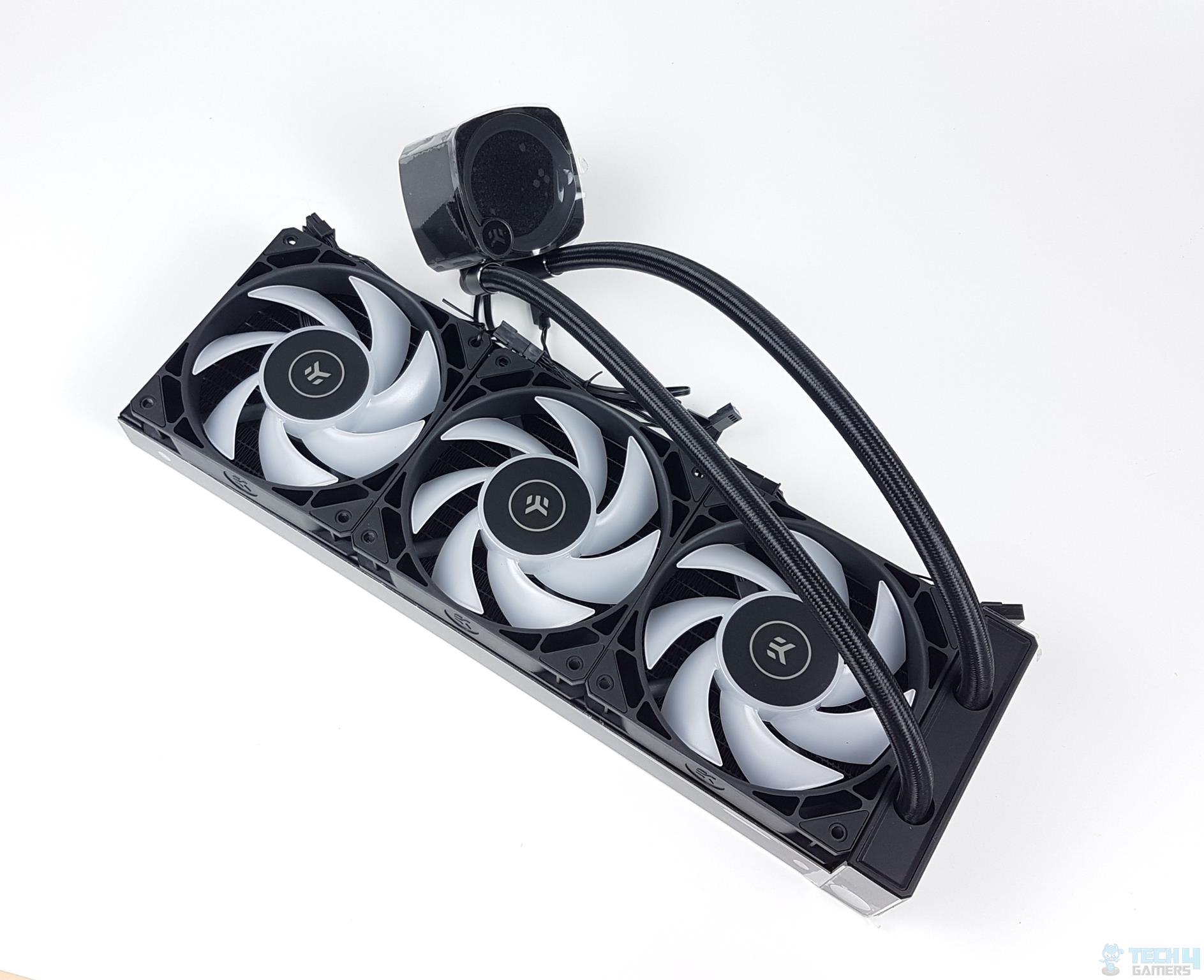
The EK Nucleus AIO CR360 Lux D-RGB provides outstanding cooling performance thanks to its stronger 3x fans running at 2,300RPM speeds, improving the overall airflow in the PC case. Moreover, during our dedicated testing, the AIO showcased impressive thermal headroom for higher overclocks with stronger CPUs. The AIO cooler has sturdy build quality with an aluminum radiator and fans utilizing fluid dynamic bearings for extended longevity. We also loved the AIO’s thicker FPI, improving heat dissipation properties.

Outside of its performance, we loved the beautiful aesthetics of the EK Nucleus AIO CR360 Lux D-RGB cooler. To explain, the pump has a removable and rotatable lid that improves customization. Also, your PC will be fully lit after installation with tons of D-RGB around the fans and pump. Also, the EK OmniLink cables reduce cable clutter.

Loving the AIO cooler’s remarkable performance and aesthetics, Awais Khan says in his review:

“The EK Nucleus AIO CR360 Lux D-RGB packs a solid performance punch that the competition has to manage. The digital RGB lighting is quite brilliant. I have everything to love about this cooler.”

✅Buy It If

You want to overclock your CPU without having any cable clutter: If you’re looking for a 360mm AIO cooler that allows high-end CPU overclocking without requiring lots of cables in your PC, improving aesthetics, and having sturdy build quality, then we recommend purchasing the EK Nucleus AIO CR360 Lux D-RGB cooler.

❌Don't Buy It If

You’re on a tighter budget: We don’t recommend buying this AIO cooler if you’re on a tighter budget because the EK Nucleus AIO CR360 Lux D-RGB comes with a higher price tag than other 360mm AIO coolers because of its features and thermal performance.

What Makes It The Best Performance 360mm AIO Liquid Cooler?

The EK Nucleus AIO CR360 Lux D-RGB cooler provides outstanding thermal performance with 3x 120mm fans running at remarkable 2,300RPM speeds and sturdy build quality without compromising the cooler’s aesthetics. Thus, all these features make it the best performance 360mm AIO liquid cooler.

Editor`s Note
Image

I loved the EK Nucleus AIO CR360 Lux D-RGB AIO cooler the most out of its competitors because of the cooler’s outstanding thermal performance, beautiful RGB lighting, customization capabilities, and sturdy build quality. If you have a higher budget and don’t mind an over-the-top AIO cooler, then you definitely won’t regret making this purchase.

– Hayyan Serwer

Performance: 10/10 Value: 8/10
Features: 9/10 Design: 9/10

Lian Li Hydroshift II LCD-C 360TL

Best White 360mm AIO Liquid Cooler

Dimensions: 400 x 122 x 24mm | Fans: 3x Uni-fan TL Wireless | Fan Speed: 0, 200—2,600 RPM | Noise Level: 33dB(A) | Socket SupportIntel: LGA 1700, 1851 AMD: AM5, AM4 | RGB: Yes

Pros

  • Excellent cooling performance
  • Gorgeous snow-white design with hidden cable routing
  • 2.1″ circular IPS LCD (60Hz, 500 nits, customizable themes)
  • Pre-installed Uni-Fan TL Wireless fans
  • Solid build qualit
  • Six-year warranty

Cons

  • High price tag
  • Still requires L-Connect software for full customization
  • Loud at 100% RPM

Read Our Lian Li Hydroshift II LCD-C 360TL Review

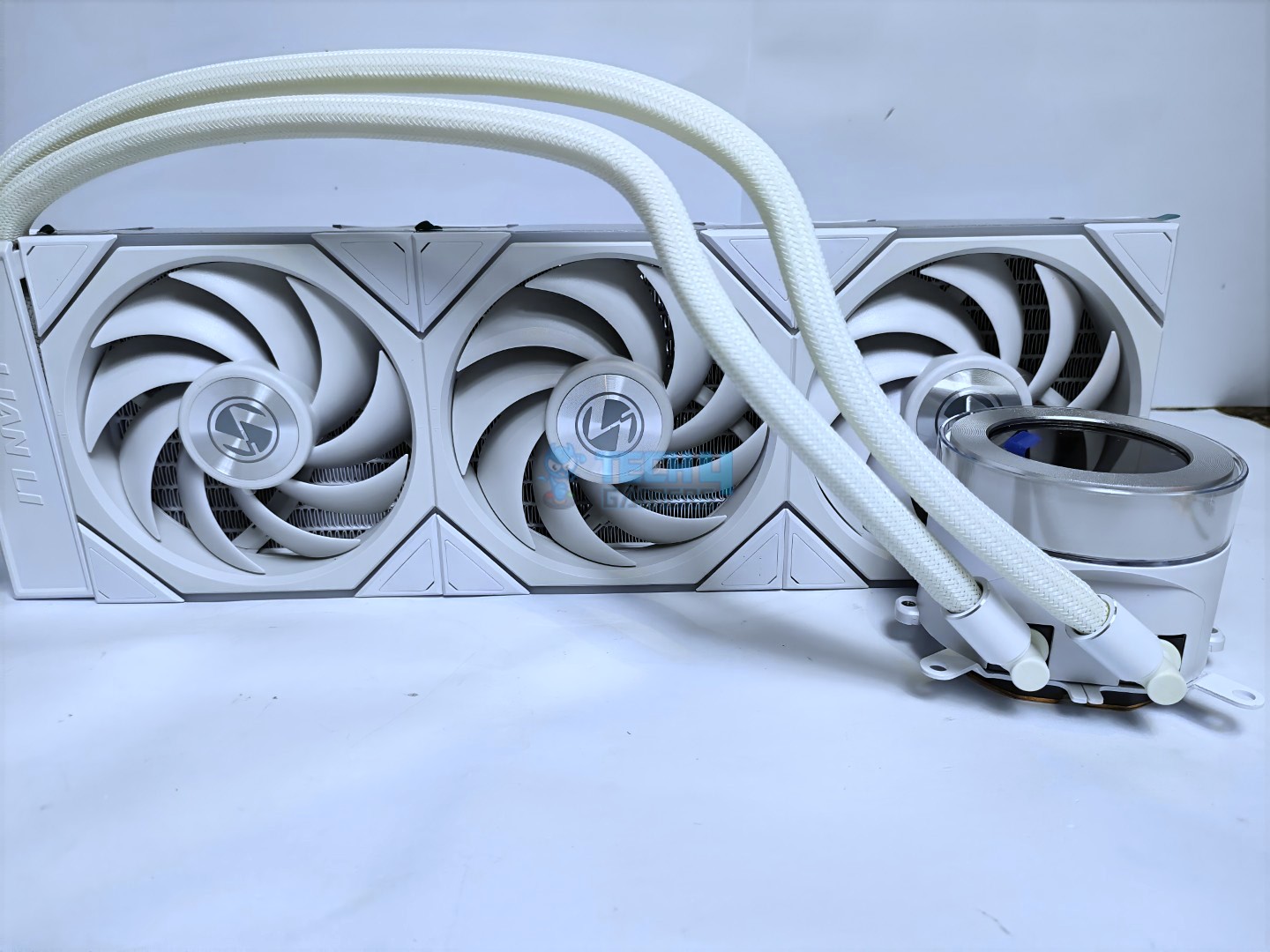
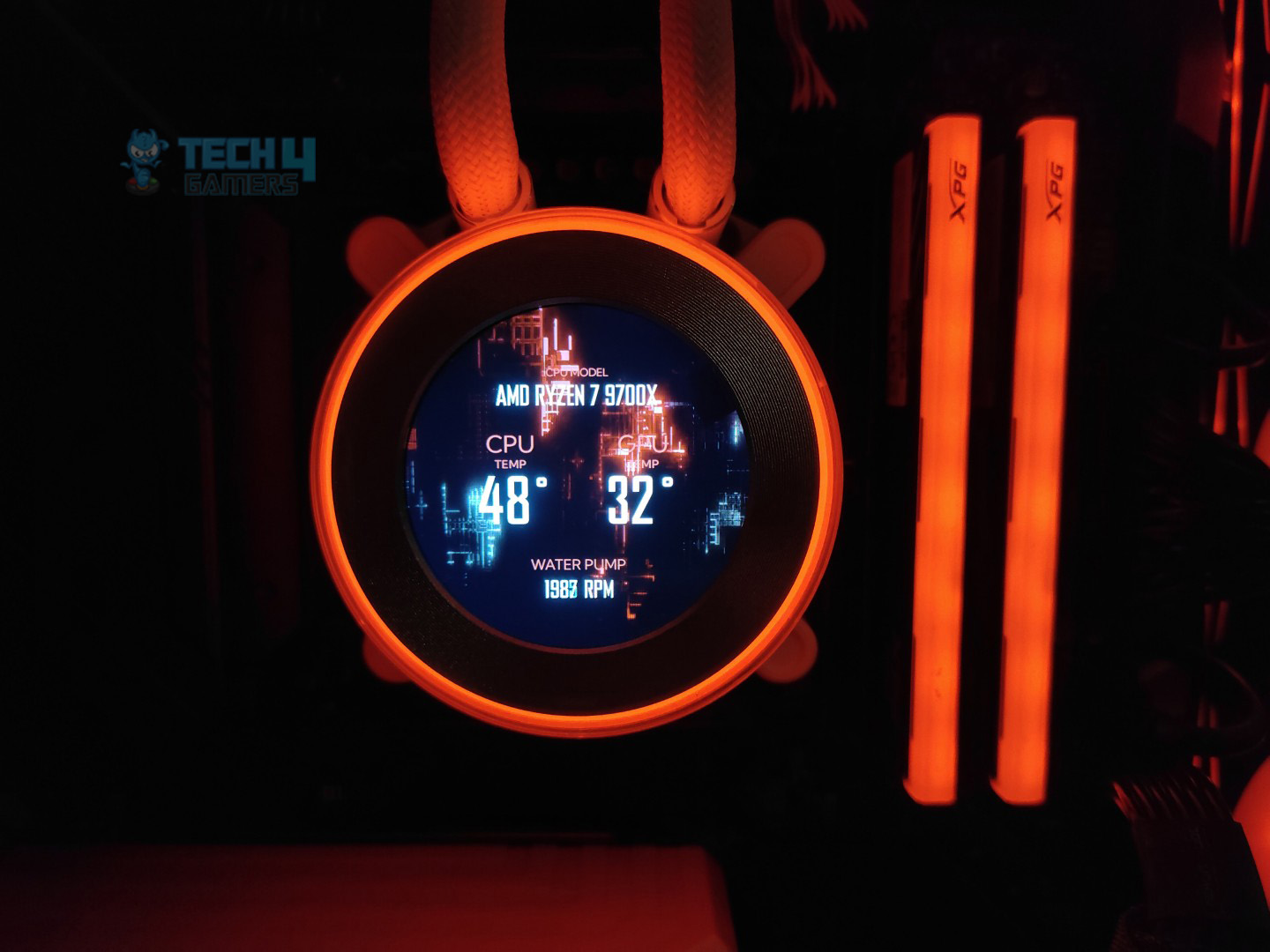
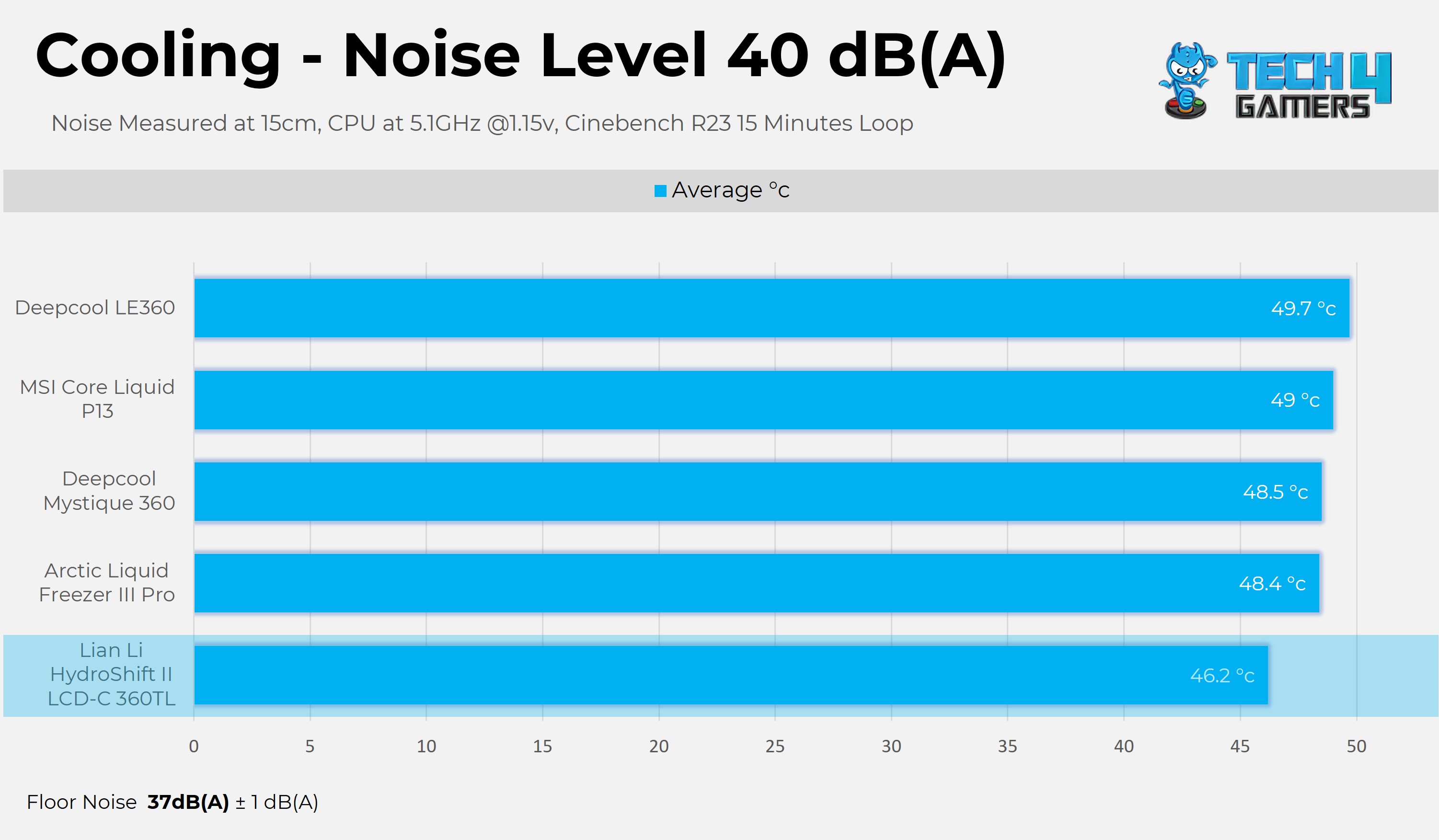
If you’re aiming for a full-white PC and want not just a good-looking AIO but also one that nails performance, the Lian Li Hydroshift II LCD-C 360TL is the way to go. Our team tested it just a few weeks ago, and it is very impressive how much performance and features Lian Li has packed into it. It has a rather slim, 24mm thick radiator with three Uni-fan TL Wireless fans rated to spin at up to 2600 RPM with a 90.1 CFM airflow. We’ll get to what the wireless here means, but combined with the 2000-2500 RPM pump speed, the AIO delivers outstanding performance. We tested it on a Ryzen 9700X, and on max speed Cinebench R23 15-minute run, the CPU was at 44.7°C, which is very impressive.

The Hydroshift II also shines in design and build quality. Despite the slim radiator, it still uses a 20 FPI fin layout with 12 channels for solid heat dissipation. The tubing is routed neatly with side-mounted clips, keeping the setup clean. Coming to the wireless part, the Uni-Fan TLs don’t need separate ARGB and PWM cables since they connect through a small receiver, which cuts cable clutter, though the wireless setup may feel a bit complicated at first. On top of that, you get a 2.1-inch LCD screen on the pump for system stats or custom themes, which adds a nice premium touch.

When Usman Sheikh, our hardware tester and an expert in CPU coolers, got his hands on the Lian Li Hydroshift II LCD-C 360TL, here’s what he said:

Hydroshift II delivers an exceptional performance in our tests, almost beating every other in all the benchmarks. We’ve found the cooler to be very quiet compared to the noise-normalised operations of the competition. However, the cooler gets loud at 100% PWM speed and produces a noise level of 55dB(A). We suggest using the custom profile and keeping the fan below 60-65% for adequate cooling and minimal noise levels.

✅Buy It If

You want a clean white build with less cable mess: The Hydroshift II LCD-C 360TL uses Uni-Fan TL Wireless fans that cut down on individual ARGB and PWM cables, making your build look much tidier.

You like having a customizable LCD screen: The 2.1-inch display on the pump can show system stats or your own themes, which is a nice touch of both utility and style in one package.

You want strong cooling without a bulky radiator: Even with its slim 24mm radiator, the cooler still manages excellent cooling performance, making it a good choice for high-end CPUs.

❌Don't Buy It If

You don’t want setup hassle: The wireless fan system can feel tricky at first.

You are on a budget: This cooler is expensive compared to simpler options. Of course, it more than makes up for it with its incredible performance and plethora of features.

What Makes It The Best White 360mm AIO Liquid Cooler?

All things considered, if you’re not worried about the budget and want the best-performing cooler that is filled to the brim with unique features and good looks, the Lian Li Hydroshift II LCD-C 360TL is the way to go. It not only knocked all other competition out of the park in our testing, but it did so while offering a variety of features, especially the wireless mode and, of course, the 2.1-inch IPS display with a 60Hz refresh rate and 600 nits of brightness. For all of these reasons and more, the Lian Li Hydroshift II LCD-C 360TL stands out as the best white 360mm AIO currently available. 

Performance: 10/10 Value: 7/10
Features: 9/10 Design: 10/10

Corsair iCUE Link Titan 360 RX RGB

Best RGB 360mm AIO Liquid Cooler

Dimensions: 396 x 120 x 27mm | Fans: 3x RX120 RGB 120mm A-RGB fans | Fan Speed: 300 — 2,100RPM | Noise Level: 42dB(A) | Socket SupportIntel: LGA 1700, 1851 AMD: AM5, AM4 | RGB: Yes

Pros

  • Excellent thermal performance
  • Magnetic faceplate
  • 24 A-RGB LEDs on pump block
  • Beautiful lighting
  • 6-year warranty

Cons

  • High price
  • Total dependency on iCUE software

Read Our Corsair iCUE Link Titan 360 RX RGB AIO Cooler Review

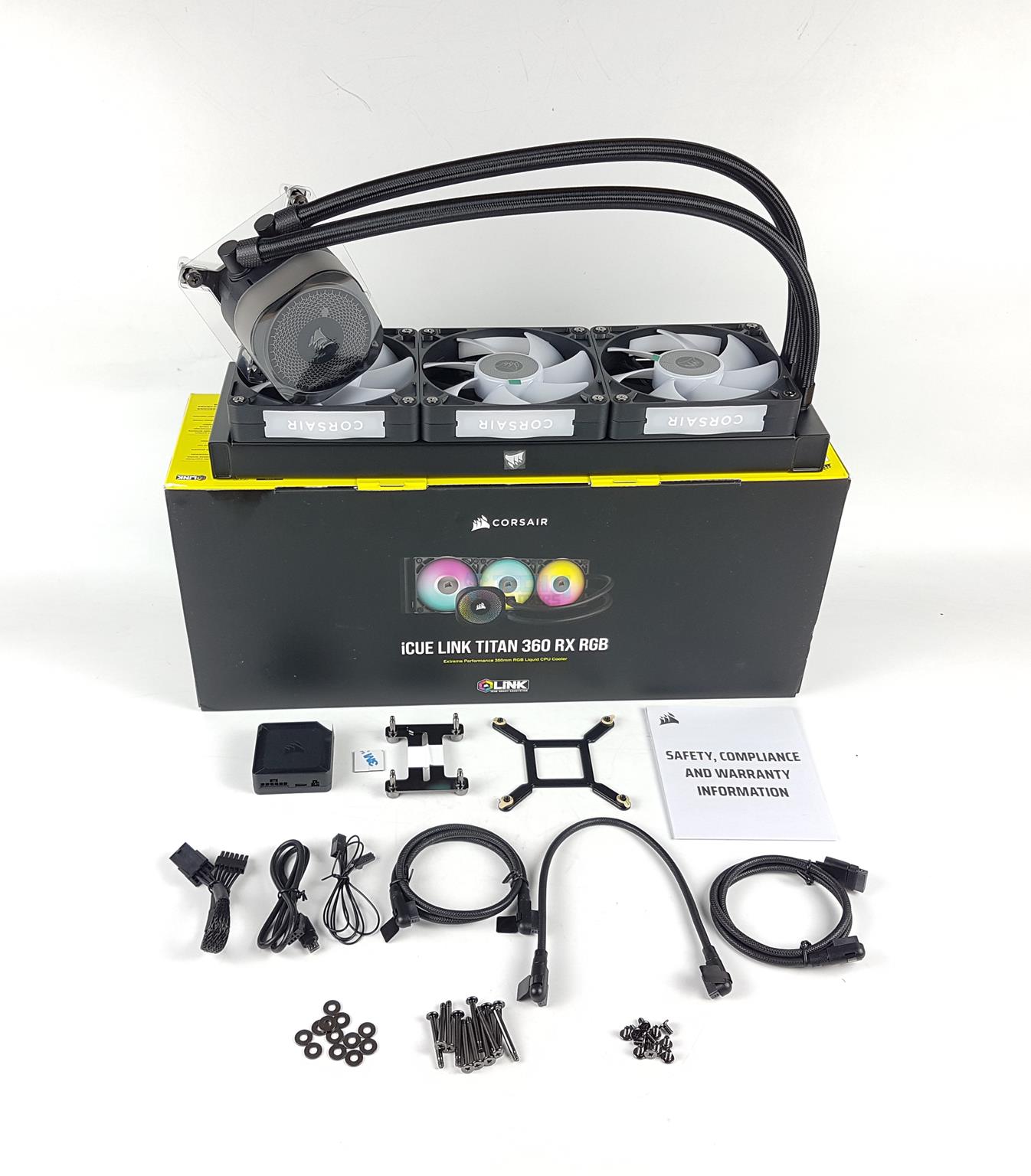
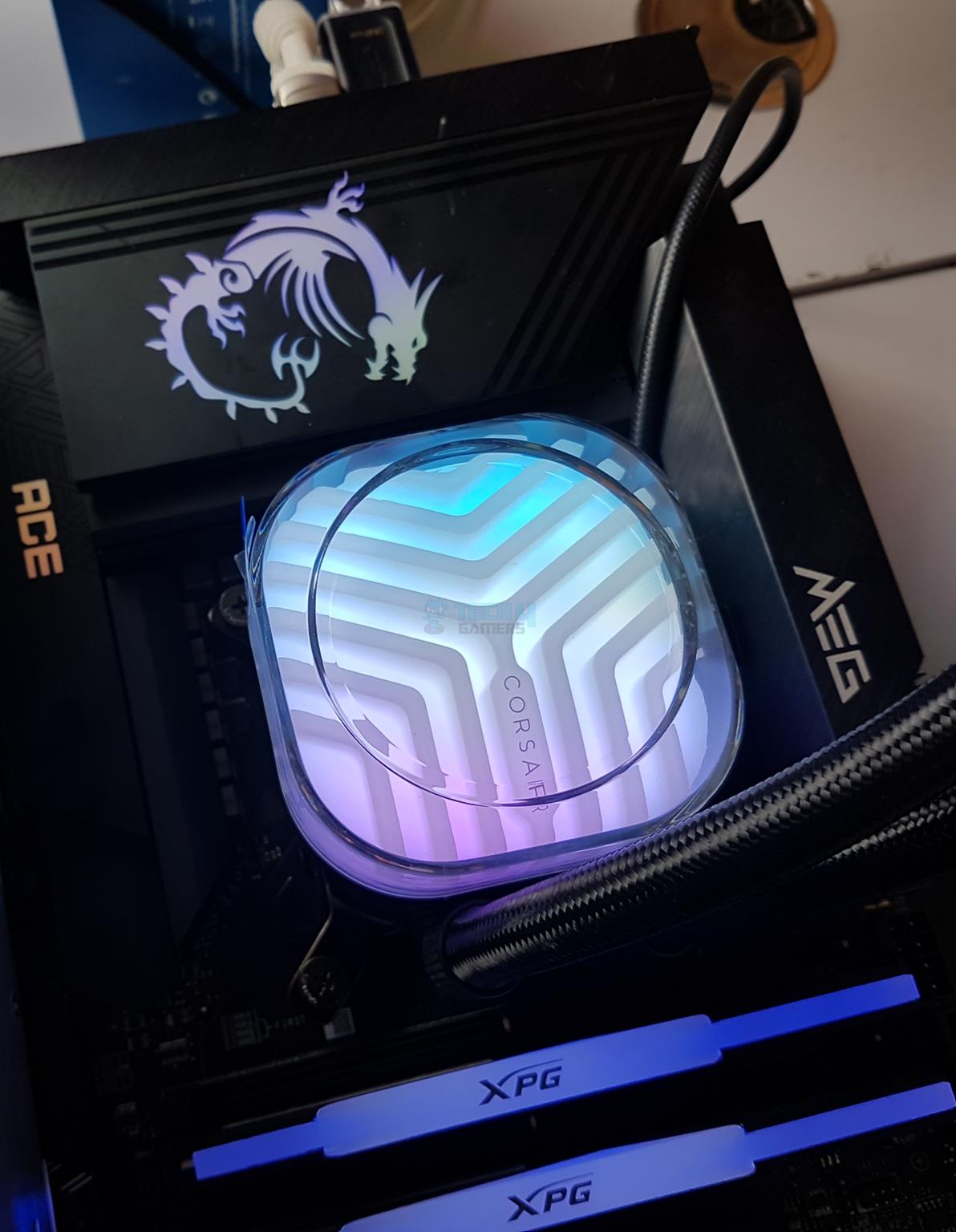
I have covered several 360mm AIO coolers, but none have unique RGB lighting. The Corsair iCUE Link Titan 360 RX RGB AIO cooler breaks apart from the norms. It provides outstanding cooling performance and immersive RGB lighting and customization that put me in awe when I first saw it. For starters, you get 24 A-RGB LEDs on the pump block, meaning you can easily customize the lighting. Moreover, the 3x fans running at 2,100RPM speeds provide decent airflow at 73.5CFM, keeping temperatures at an all-time low while maintaining beautiful aesthetics thanks to their own A-RGB lighting.

I also love the cooler’s sturdy build quality, with a copper baseplate and an aluminum radiator, showcasing its extended 6-year warranty period. The only things I dislike about the AIO cooler are its slightly higher price and total dependency on the iCUE software. What do I mean by the latter? The cooler fans aren’t PWM and can only be controlled by the software. Besides, the AIO cooler performs exceptionally well with high-end CPUs and showcases decent overclocking potential.

WARNING: The fans aren’t PWM and can only be controlled through the iCUE software. That means you can’t manually control the fan’s speeds, but you need to use the software to make any customizations.

Nauman Siddique put the Corsair iCUE Link Titan 360 RX RGB on his test bench and praised its performance and aesthetics. Here’s what he stated in his dedicated review:

The Corsair iCUE Link Titan 360 RX RGB is a flagship liquid cooler, available in 240mm and 360mm sizes. It offers excellent cooling performance with a 3-phase motor, a precision cold plate, and powerful RGB fans, making it a top contender for high-end PC builds

✅Buy It If
You want to experience digital connection: The Corsair iCUE Link Titan 360 RX RGB AIO cooler uses digital connectivity to control the fan speeds, monitor temperatures, and customize RGB lighting, making it entirely dependent on the iCUE software. This AIO cooler should be your best choice if you want to automate everything while having beautiful RGB lighting.
❌Don't Buy It If
You’re on an older CPU socket: I don’t recommend purchasing this AIO cooler if you’re on an older CPU socket like the LGA 1200 or LGA 1151 because the Corsair iCUE Link Titan 360 RX RGB AIO cooler only supports LGA 1851, LGA 1700, and AM4/AM5 sockets. You’ll face compatibility issues if you don’t check your CPU’s socket before purchasing.

What Makes It The Best RGB 360mm AIO Liquid Cooler?

The Corsair iCUE Link Titan 360 RX RGB AIO cooler provides impeccable cooling performance merged with beautiful RGB lighting on its pump and fans. Customization capabilities and fancy features include a magnetic faceplate and fan connections to reduce cable clutter. The pump’s 24 A-RGB LEDs and beautiful lighting effects make it the best RGB 360mm AIO liquid cooler.

Performance: 9/10 Value: 7/10
Features: 9/10 Design: 10/10

Enermax LiqMaxFlo 360

Best Value 360mm AIO Liquid Cooler

Dimensions: 400 x 120 x 38mm | Fans: 3x Digital RGB fans | Fan Speed: 500 — 1,800RPM | Noise Level: 23.46dB(A) | Socket SupportIntel: LGA 1700, 1851, 1200, 115X, 2066, 2011, 2011-3, 1366 AMD: AM5, AM4 | RGB: Yes

Pros

  • Decent pricing
  • Impressive thermal performance
  • Easy daisy-chaining fans
  • Brilliant digital lighting
  • Good VRM cooling
  • 5-year warranty period

Cons

  • Thick radiator
  • There is no control over the embedded fan

Read Our Enermax LiqMaxFlo 360mm AIO Cooler Review

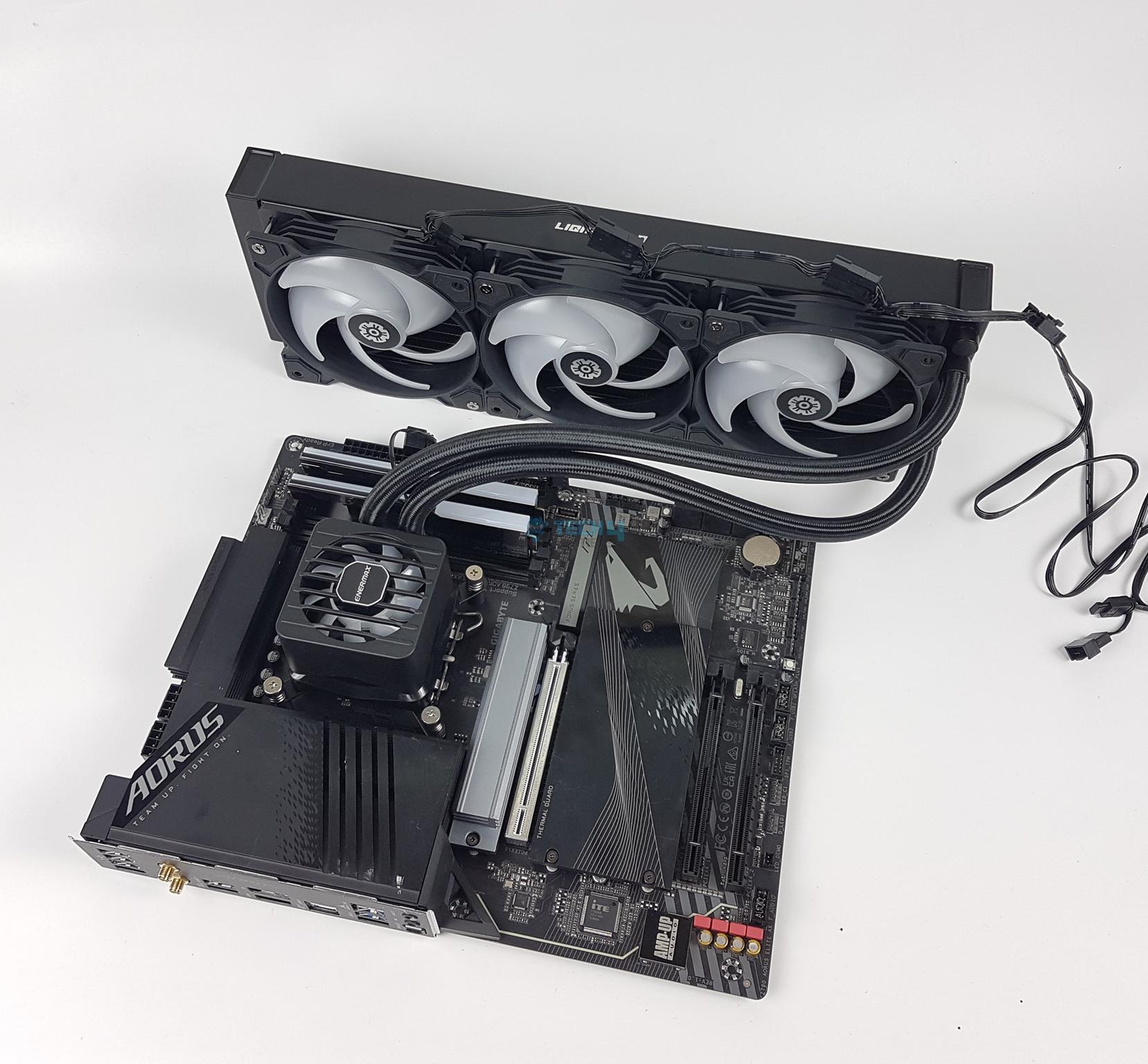
If you’re building a budget PC and don’t want to invest much money in a high-end AIO cooler but want similar performance, I present the Enermax LiqMaxFlo 360mm AIO cooler. You get decent features like easy daisy-chainable fans, a VRM fan, and impressive thermal performance enough to help cool flagship processors. During our testing, the AIO almost matched the EK Nucleus AIO CR360 Lux D-RGB’s performance when tested on the i7-13700K. There’s not much going around with its looks, but you do at least get some RGB lighting to keep things interesting in your chassis.

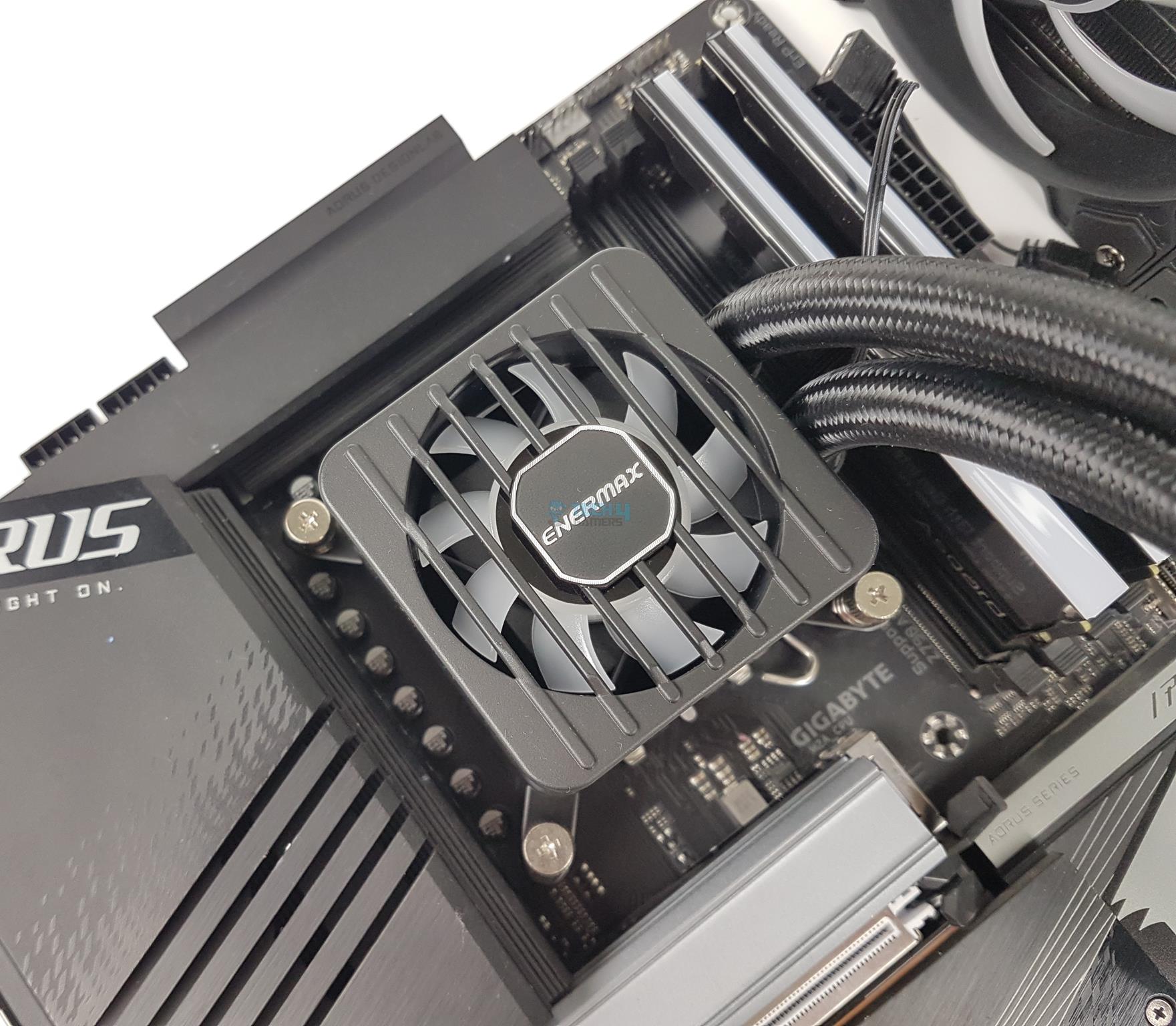
Personally, I dislike the aesthetics of the VRM pump fan, but it does help cool the motherboard’s VRMs, so I can’t complain too much. Perhaps a design like an ARCTIC AIO cooler would have helped the LiqMaxFlo. Thanks to its robust build quality, you get a decent 5-year warranty period. The only thing you’ll need to be wary of is the radiator’s thicker size. So, if you have an SFF chassis, you better do your homework before purchasing the cooler.

Nauman Siddique was visibly surprised by the AIO’s price-to-performance ratio and couldn’t help commenting on the following in his review:

The ENERMAX LIQMAXFLOW 360mm is a powerful AIO CPU cooler perfect for high-end CPUs. It features a thick radiator, dual-chamber pump, and a unique VRM fan to keep your CPU cool and quiet, even under heavy load. It’s also compatible with a wide range of sockets, has a refill port, and is rated for 400W TDP, making it an excellent value for the price.

✅Buy It If
You prefer longevity from a power AIO cooler: If you’re looking for an AIO cooler that will last you a long time, is serviceable, and offers outstanding performance within a lower budget, then the Enermax LiqMaxFlo 360mm should be at the top of your list. Unlike closed-loop AIO coolers, this one comes with a refill port on the radiator, and you also get a 100ml coolant to service the AIO in the future if needed.
❌Don't Buy It If
You have a compact mid-tower chassis: As the AIO cooler’s radiator is thicker than usual, reigning at 38mm (64.8mm with fans), I don’t recommend purchasing if you’re using a smaller chassis. If you intend to buy this cooler, research beforehand to avoid any compatibility issues.

What Makes It The Best Value 360mm AIO Liquid Cooler?

Firstly, the Enermax LiqMaxFlo 360mm AIO cooler has a budget-friendly price tag, making it attractive for many users. Furthermore, its thermal performance features like easy daisy-chainable fans, a serviceable pump, and a longer warranty make it the best value 360mm AIO liquid cooler. Even when pinned against some higher-performing coolers, the LiqMaxFlo did not back down and showed remarkable performance.

Performance: 9/10 Value: 10/10
Features: 9/10 Design: 8/10

ID-Cooling DX360 Max

Best Budget 360mm AIO Liquid Cooler

Dimensions: 400 x 120 x 38mm | Fans: 3x DF-125 120mm Black Fans | Fan Speed: 0 – 2,150RPM | Noise Level: 32.5dB(A) | Socket SupportIntel: LGA 115X, 1200, 1700, 1851 AMD: AM4, AM5 | RGB: Yes

Pros

  • Affordable pricing
  • Great performance
  • Thick radiator
  • Easy installation

Cons

  • High noise

Read Our ID-Cooling DX360 Max Review

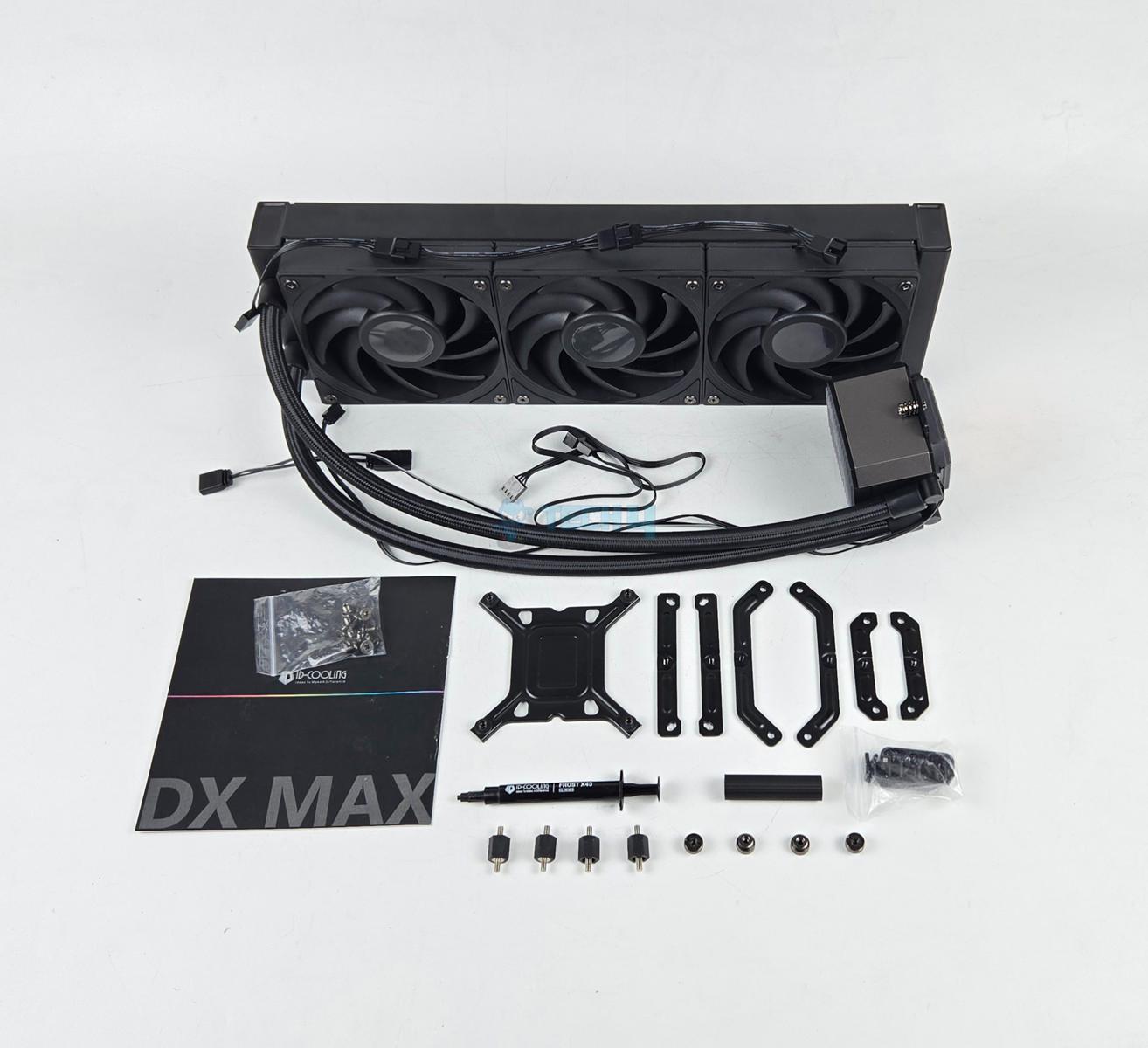
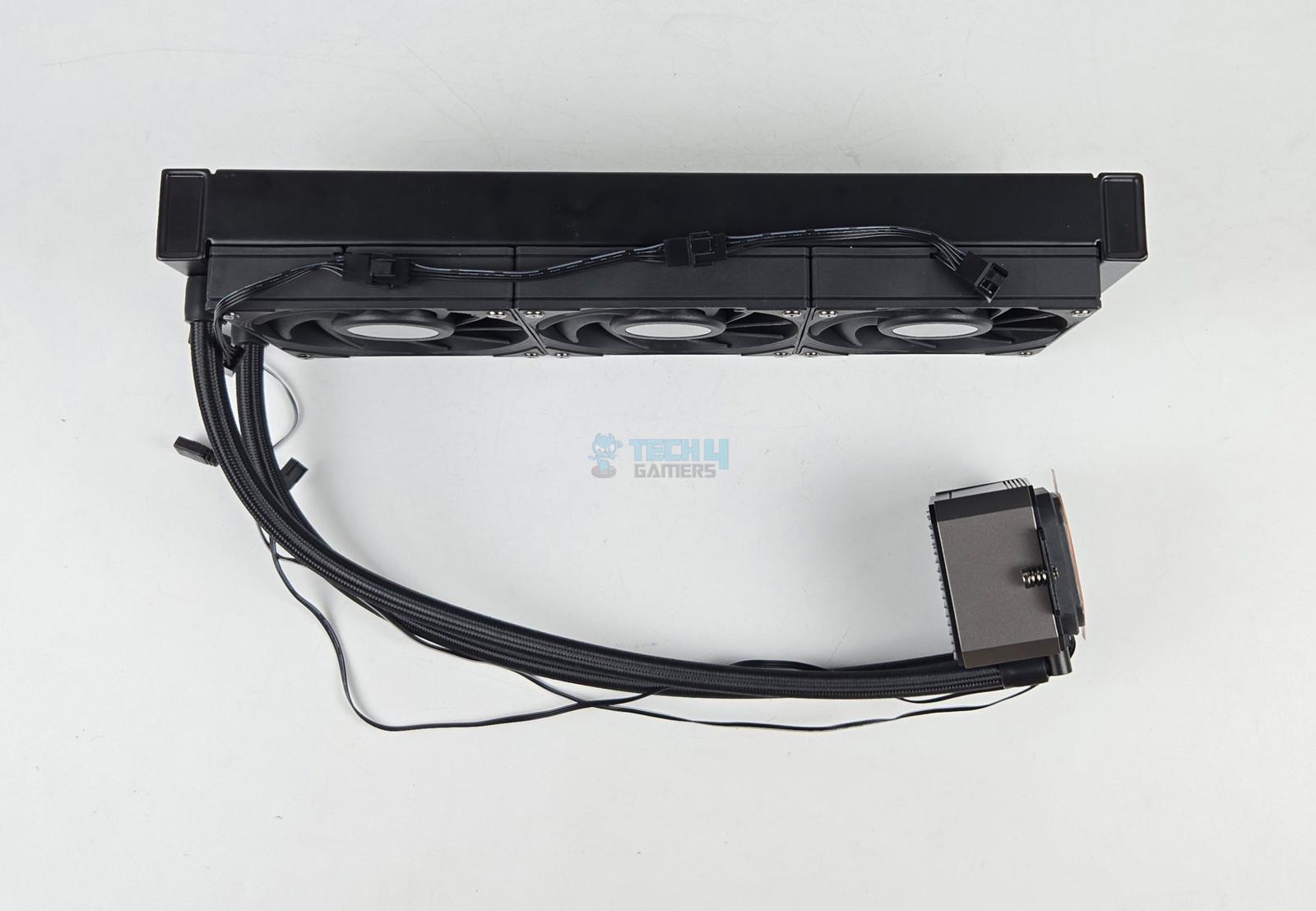
If you’re on a budget but don’t want to compromise on performance, I suggest you go with the ID-Cooling DX360 Max. ID-Cooling has a reputation for delivering some of the best bang for the buck AIO and air coolers that last a long time, and the DX360 Max is no different. The AIO features three DF-125 PWM fans, which have a rated speed of 0 to 2150 RPM with airflow measuring 85 CFM. Similarly, the pump is rated for 2900 RPM and uses a three-phase, six-pole motor with ceramic bearings. As for the radiator, the fin assembly measures 33mm thick, while the near and far chambers measure around 38mm in thickness. This is more than the 27mm thickness we see in most radiators, so there is more surface area for better cooling.

Speaking of which, our test results showed impressive numbers from the DX360 Max. It was not the chart topper, but considering the price, I would call its performance outstanding, seeing how it beats several AIOs that are more expensive. The only trade-off our team noted was in the noise department, as we measured the fans at 44.5 dB(A). This can be fixed with a custom fan curve, but it is still something worth mentioning. Other than that, the installation is relatively simple. There is no RGB on the fans, but the block has A-RGB, which is nice to see. Simply put, if you want every bit of performance from your money, the DX360 Max is a worthy choice.

After detailed testing, this is how Nauman Siddique, our senior hardware tester, summarized the ID-Cooling DX360 Max:

The ID-Cooling DX360 Max offers a top-notch performance while costing way less than some high-end coolers. The 5-year warranty makes it an even better proposition. However, the only caveat is its loud sound output. Of course, you can’t expect more from a 90-dollar cooler with 350W TDP.

✅Buy It If

You want strong performance for cheap: The DX360 Max handles up to 350W TDP and matches more expensive AIOs while staying under $100.

You want the most value for money: At this price, you’re getting a thick radiator, solid fans, and a 5-year warranty, which is rare in this range.

You like simple setups: The fans come pre-installed and daisy-chain together, so cable management and installation are easy.

❌Don't Buy It If
You want a quiet cooler: The fans can get loud under full load, so it may not suit noise-sensitive users.

What Makes It The Best Budget 360mm AIO Liquid Cooler?

The DX360 Max wins here because it delivers performance that most budget AIOs can’t. The thick radiator gives more cooling surface, and the strong DF-125 fans push a lot of air even though they can get loud. You get a good pump, solid build, and a long 5-year warranty, all at a price that doesn’t break the bank. If you want a big cooler size and good cooling without premium costs, this one gives you the most, and that’s primarily why we’ve picked it as the best budget 360mm AIO.

Performance: 9/10 Value: 10/10
Features: 7/10 Design: 7/10

Benchmarks Of My Recommended 360mm AIOs

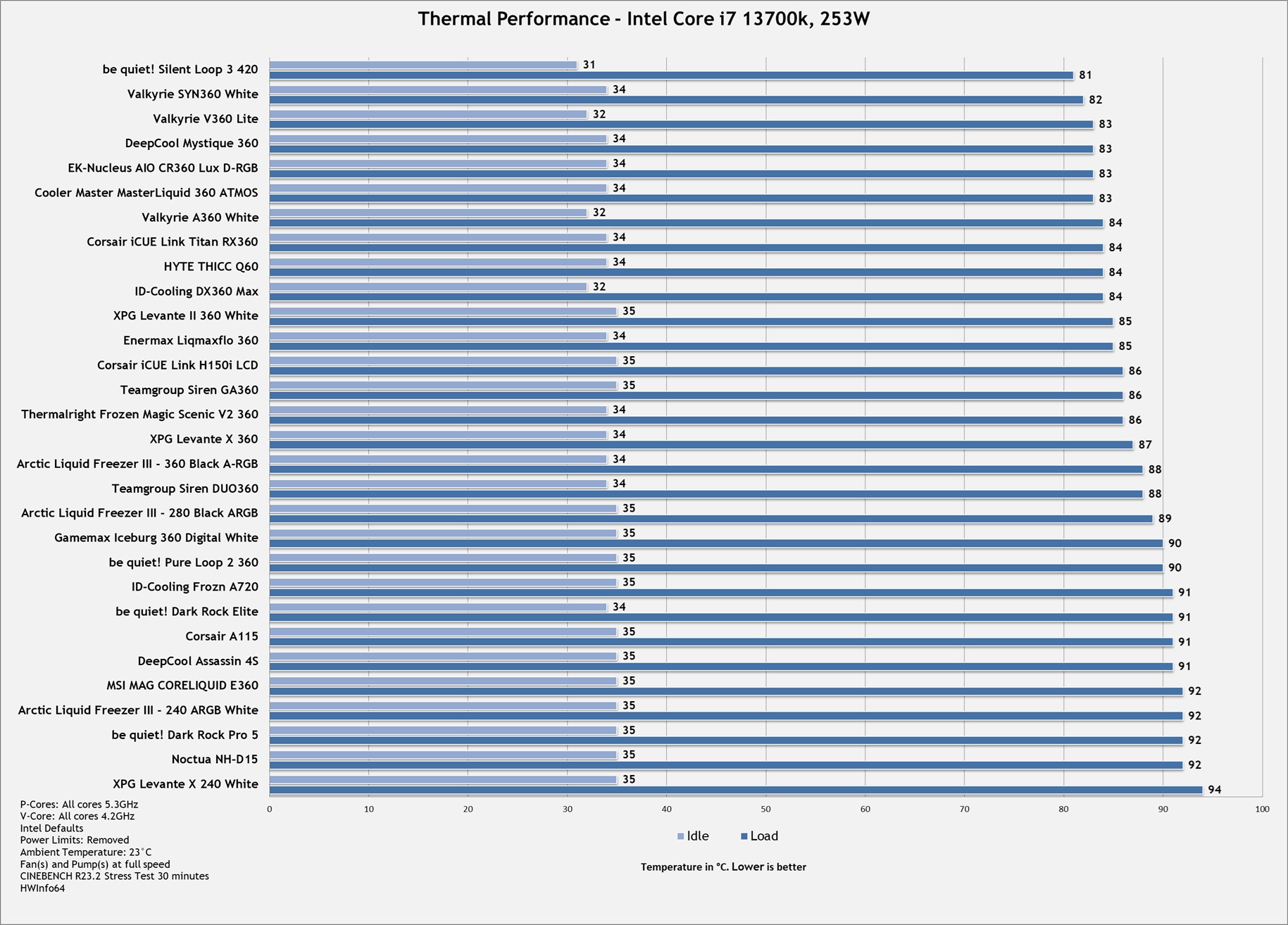
Looking into a CPU cooler’s thermal performance is the most important thing to consider before making a purchase. Therefore, we have shared the results of our dedicated testing of the 360mm AIO coolers we have listed in the article and how they fare against their competition.

Why We Didn’t Go For These 360mm AIOs

Our hardware experts have tested hundreds of 360mm AIOs, but here are some honorable mentions that didn’t make it through our selection:

How I Tested & Picked These 360mm AIOs

When choosing the perfect CPU cooler to fit all your needs, there are many things to consider. Therefore, to make your purchase decision easier, here are a few aspects we looked into when selecting the AIO coolers:

  • TDP: The TDP cooler rating is one of the most essential factors in considering whether it is suitable for your machine. Thermal design power sometimes called a Thermal design point, is the high temperature produced by a computer chip or part.
  • NoiseYou can look for no quiet fans at all. It’s always happening, and it’s better if you take the right step here. Otherwise, you will end up with a completely bad experience, which is not what we want anyone to hear from the beginning.
  • RadiatorAIO cool radiators are available in a variety of sizes. Not all cases, however, can manage each radiator scale. Also, scan the specifics of the device case you are considering to ensure that it fits the AIO cooler radiator size of your choice.
  • Aesthetics: Aspects of beauty are also things that you may want to consider. The AIO selection process is usually much simpler than one might think, so focusing too much on it will not be kind to anyone. When choosing a new cooler, see what you usually want. However, you should not put down performance to look good.

Frequently Asked Questions

What does 360mm cooling mean?

360mm cooling actually refers to the size of the AIO’s radiators that are commonly used in high-performance systems with top-notch CPUs. 

What cases fit a 360mm radiator?

Generally, mid-tower and full-tower cases are the best options for 360mm radiators.

How much more cooling does a 360mm radiator offer than a 280mm?

The 360mm models have a 10% advantage in terms of radiator space and three fans working for them, but the 280mm models have the advantage of two large 140mm fans.

Is 360mm AIO Worth It?

Yes, if you have a system that produces heat too much that your small-size radiator can’t handle, it’s the best choice for your system.

What is the best fan placement on a 360mm radiator?

When cooling your CPU with AIO, the complete setup includes placing the radiator in front of or above your case. Both work well. To prioritize GPU cooling, you can put CPU AIO on top of the case to spare the pipes from coming in the way of the airflow.

Recent Updates


  • October 24, 2024: After testing the iCUE Link Titan 360 RX, the Enermax LiqMaxFlo 360, and the Valkyrie SYN360 ARGB LCD White, we have included them as the best RGB, the best value, and the best white options.
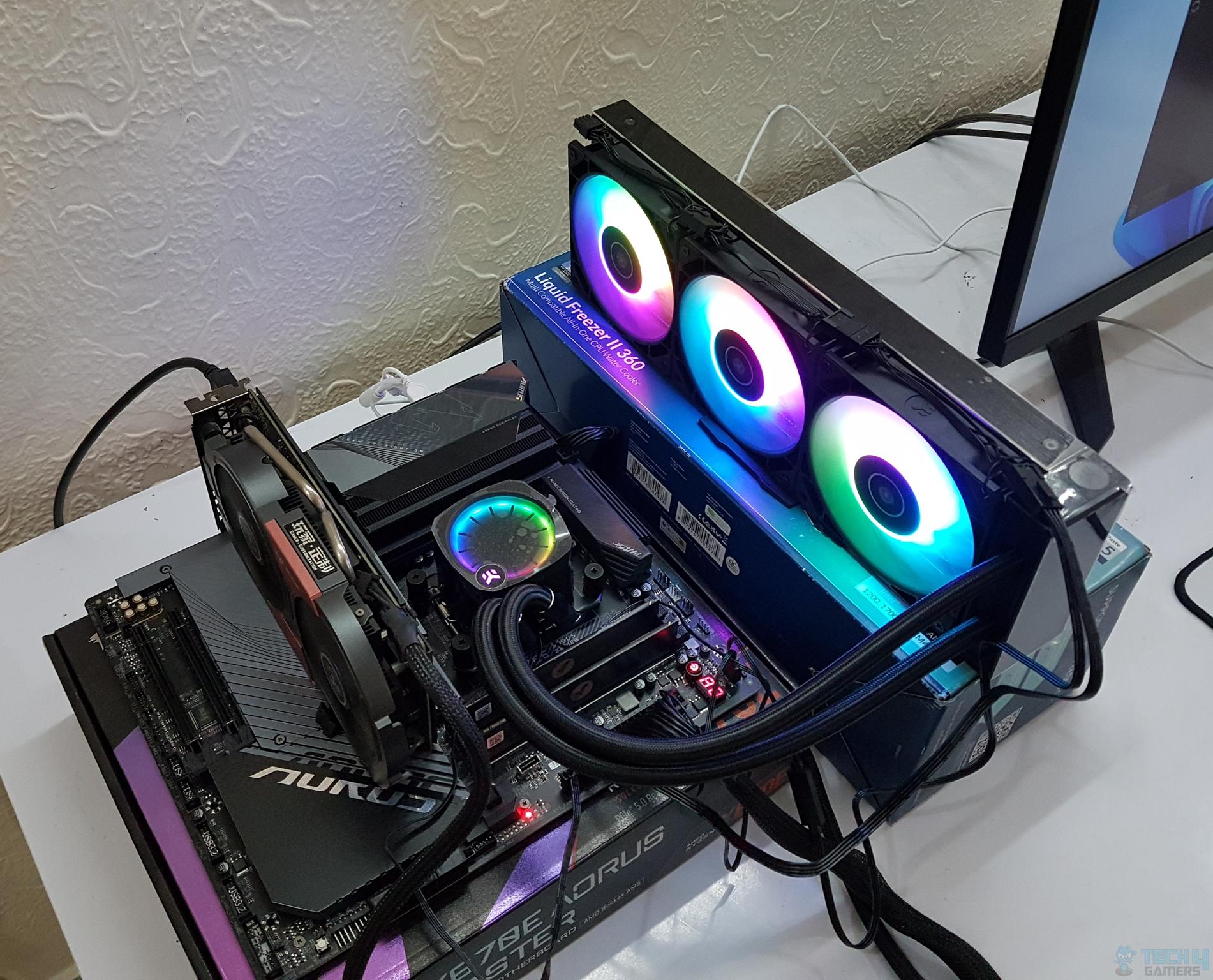
  • May 2, 2024: After recently testing the Cooler Master MasterLiquid 360 ATMOS, I am very impressed by its cooling capabilities and overall value for money, that’s why I have swapped it with the Arctic Liquid Freezer II 360 A-RGB as the best overall 360mm AIO.
  • April 20, 2024: Some formatting changes to improve readability.
  • February 20, 2024: We have added a new category for the best performance 360mm AIO liquid cooler. The Alphacool Eisbaer Pro Aurora 360 has been replaced with the Corsair iCUE Link 360 because the latter costs less and provides more value. Similarly, the DeepCool Castle 360EX has been replaced with the Thermalright Frozen Magic Scenic V2 360 due to greater performance in our testing with a lower price and better aesthetics.
  • August 17, 2023: Few text changes to improve readability. No products were changed.

  • June 6, 2023: Few text changes to improve readability. No products were changed.

 

Nvidia Rubin Servers Could Trigger Massive Storage Demand: 1,152 TB per Server and 115.2 Million TB by 2027

Story Highlight
  • Nvidia Ruben servers require massive storage, which could lead to a global shortage.
  • The new servers can’t store all the data on HBM modules, and require SSDs for that. 
  • After memory, storage could be the next in line to reach insanely high prices.

We are currently in the midst of a global tech crisis. PC components have never been so expensive, and it’s getting worse in every sense of the word. For now, the primary affectee is memory, but in the future, storage demand could surge as well. 

Nvidia introduced its 2nd generation of Vera Ruben AI systems at CES, which are projected to consume 1,152 TB of storage per server and 115.2 million TB by 2027, potentially triggering a situation similar to the memory shortage

Why it matters: Storage prices have already somewhat increased during the AI boom, and according to this projection, the prices could skyrocket within this and the next year, pushing even storage beyond the budgets of regular consumers. 

Storage Demand
Nvidia Ruben servers could trigger a global memory shortage due to high demand

Citi has projected that the Rubin servers could take up a good chunk of global storage by next year, accounting for almost 9.3% of the global demand. With the NAND supply already an issue, this could worsen much more. 

For context, the Vera Ruben server is a bit different from its previous generation. Previously, the data was kept on HBM modules, but now that the data requirements are super high, they need SSDs for storage. 

Sabrent Rocket Enterprise NVMe
SSD prices could be the next in line to see massive price hikes

According to the analysis, there will be 30,000 Vera Rubin shipments in 2026, which will increase to 100,000 by 2027, driven by Nvidia’s ICMS. Just this year, the global storage demand by Ruben systems could account for 2.8% of the entire world. 

So, if anyone is looking to build their first PC, or just looking to upgrade to higher capacity storage, and waiting for the prices to come down, that unfortunately isn’t happening. At least for the next 2 years, the high prices will persist.

What are your thoughts on storage demand rising due to Nvidia Vera Ruben AI servers? Let us know your opinions in the comments or join the discussion at the official Tech4Gamers Forum.

Nvidia CEO Says AI Hate Is Extremely Hurtful And Has Done A Lot of Damage

Story Highlight
  • Nvidia CEO Jensen Huang recently addressed the ongoing negativity surrounding AI.
  • He believes well-respected people have done a lot of damage and spread dystopian views regarding the technology.
  • The CEO hopes governments and policymakers will take a balanced approach when looking at artificial intelligence.

Nvidia CEO Jensen Huang is among the leaders of the AI revolution. Previously, the CEO had high praise to share for AI software like ChatGPT, and he continues to advocate for the idea that artificial intelligence is pivotal to the future of humanity.

At the same time, the CEO has begun addressing negativity regarding AI. During a recent podcast, Jensen Huang expressed dissatisfaction regarding the criticism AI has received over the last few months.

Why it matters: AI is proving to be a game-changer across practically every field today, including entertainment, education, etc.

Appearing on the No Priors podcast, the Nvidia CEO referred to the big takeaway for 2025 as the battle for narratives.

Referring to narratives that point to scenarios like AI taking over all entry-level jobs, Jensen Huang stated that these doomer narratives don’t do any good to society, the government, or industries.

According to the Nvidia CEOs, many of these narratives are very dystopian in nature and can be mistaken for science fiction. Jensen Huang also discussed how extreme examples from well-known figures can misguide government officials who don’t have much knowledge on subjects related to AI.

In turn, this can hamper investments in artificial intelligence and suffocate small startups through regulations.

It’s extremely hurtful, and I think we’ve done a lot of damage with very well-respected people who have painted a doomer narrative.

-Jensen Huang

Nvidia CEO Jensen Huang
Jensen Huang Has Full Faith In AI

Later in the podcast, Jensen Huang admitted that some of the concerns around AI are legitimate and cannot be written off as doom and gloom. However, he remained adamant that 90% of conversations appear to focus only on the negatives of the technology.

He believes policymakers and governments must carefully consider both the positives and negatives as they navigate the new era of artificial intelligence.

As Jensen Huang himself puts it, there is still a lot of work to be done to ensure AI works as intended.
Much of this work is being done right now, with AI investments creating memory shortages worldwide. This has also driven up memory prices and is expected to impact electronics like laptops, graphics cards, gaming consoles, and more.

Steam’s Monopoly Isn’t An Obstacle And Can Be Taken From Them, Says New GOG Boss

Story Highlight
  • GOG’s new boss, Michał Kiciński, doesn’t see Steam as an obstacle and thinks that the platform’s market share can be taken away.
  • The Polish entrepreneur stated it’s hard to defend a monopoly like Steam’s.
  • Kiciński applauded the Valve storefront, saying it’s very hard to beat, but GOG can improve in the market if it sticks to its strengths.

Steam has been on a remarkable run for the past year or so, with the digital platform generating record revenue for Valve in 2025 while also surpassing its all-time concurrent player peak multiple times in the last few months.

Many developers acknowledge the monopoly Steam has on the PC market. If you ask the new boss of GOG, however, the platform isn’t unbeatable, and its hefty market share can be taken away easily.

Why It Matters: Steam has been dominating PC gaming due to its consumer-friendly approach, and GOG can certainly give the giant some competition if it sticks to its strengths.

michał kiciński GOG
CDPR co-founder Michał Kiciński purchased GOG last year from the Polish developer.

In an interview with Games Industry, new GOG head Michał Kiciński stated that he doesn’t see Steam as an obstacle, but rather the opposite. Kiciński admitted that most people would be intimidated by the storefront’s monopoly, but he thinks it’s easy to take away.

Somebody might say that having a competitor like Steam with 80% of the market share is a huge obstacle, but to me it’s the opposite.

The co-founder of CDPR explained that Steam’s 80% share is hard to defend in such a competitive industry, and that makes it easy for someone to infiltrate the market. 

It’ll be difficult for them to defend the market, because they already have 80%, so it should be easier to take the market from them.

The Polish entrepreneur did admit that the reliability Steam provides is the reason it’s winning in the market. Hence, if GOG wants to compete with the Valve giant, it needs to improve in this regard while adding better content for users.

GoG Vs Steam
In contrast to Steam, GOG is catered towards the preservation of classic games.

In addition, Kiciński applauded Steam, saying it’s a goliath and competing with it won’t be an easy task, as historically proven by Epic Games. However, if GOG focuses on its strengths and doubles down on them, the platform will improve in the industry.

Do you think any platform in the future will be able to go head-to-head with Steam? Tell us in the comments below or head to the Tech4Gamers forum for discussion.

Bethesda Veteran Blasts Modern AAA Design; Wants Smaller Scale For Elder Scrolls 6 Than Starfield

Story Highlight
  • Former Bethesda developer and Skyrim veteran Nate Purkeypile states that Bethesda should not aim to outdo Starfield with its next release.
  • He argues that The Elder Scrolls 6 should be more focused and constrained.
  • Todd Howard previously stated that this project would be his ultimate fantasy simulator.

Starfield launched in 2023 as Bethesda’s biggest game ever. Although the title launched to a positive reception, its open-world was less well-received than past titles like Skyrim and Fallout 3.

Veteran Bethesda developer Nate Purkeypile argues that Starfield’s massive scope was actually a weakness.

Why it matters: Each new open-world AAA game aims for bigger and better worlds, but the former Skyrim developer argues this shouldn’t be necessary.

Starfield 2.0 Update
Starfield Failed To Make Its Open-World Compelling

Speaking to esportsinsider, Nate Purkeypile, the former Fallout 3, 4, and Skyrim World Artist, outlined his hopes for The Elder Scrolls 6’s setting. He believes the game should focus on a single region of Tamriel.

Nate Purkeypile argued that the RPG should not attempt to outdo Starfield in terms of scope. He brought up the point that Bethesda games have traditionally never felt too short or limited.
According to the former Bethesda developer, games like Skyrim are still being played to this day, so the amount of content has never been an issue for Bethesda’s RPGs.

I think there is something to be said for going a bit more constrained. Do you really need it to be bigger?
-Nate Purkeypile

Elder Scrolls 6
There Is A Lot of Hype For The Elder Scrolls 6

Ultimately, the former Bethesda artist is in favor of a more densely packed version of The Elder Scrolls 6 as opposed to an RPG that is bigger than Starfield in a superficial manner.
Which direction Bethesda ends up going is anybody’s guess for now, but Todd Howard has described the project as his most ambitious in the past, so it will certainly be interesting to see how things eventually turn out.

What do you make of the developer’s comment? Let’s discuss in the comments and on the Tech4Gamers Forums.

Bethesda Veteran Dev Slams $100 Game Prices: ‘They’re Out of Touch’

Story Highlight
  • A former Bethesda lead dev has called out the potential $100 pricing for games.
  • He says this is out of touch, and people don’t want to spend this much on games.
  • Purkeypile says this is what has pushed him and other players towards indie titles.

Game prices are a big topic of discussion in the current gaming industry. With the development budgets reaching hundreds of millions of Dollars, studios are now pushing to increase the regular $70 AAA price tag to a new high of up to $100. 

A Bethesda veteran, however, disagrees with pricing premium games at $100 and says it’s too much; he’d be surprised if anyone does this. For context, industry analysts have predicted that GTA 6 could be the first $100-priced title

Why it matters: If GTA 6 indeed launches at the higher price tag, this would be a tipping point for other studios to follow suit and similarly price all the newer high-budget games.

GTA 6
GTA 6 is rumored to be the first game with a $100 price tag

Former Bethesda lead artist, Nate Purkeypile, whose credits include games like Fallout and Skyrim, has called out $100 games, saying that they are out of touch. He says even he doesn’t want to spend too much on games.

I think $100 is too much, and I’d be surprised if they did that. I think it’s better to monetise in other ways with more DLC and optional stuff.

– Nate Purkeypile

Purkeypile says that they’re are other ways you can monetize a game to earn good revenue, like launching DLCs and more, but pricing them high isn’t the way. He said that even $70 prices are a stretch for him. 

borderlands 4 protagonists
Borderlands 4 received massive backlash for trying the $80 price tag

Part of the reason he now leans towards indie games is that they provide much better value at a lot lower price, and the case is similar for general consumers as well, which most people will definitely agree with. 

Players have given massive backlash to companies trying to price games at $80, like Borderlands 4 and Outerworld 2, which led them to backtrack their prices, so $100 price is certainly out of the question for most. 

What are your thoughts on the Bethesda veteran calling out $100 games? Let us know your opinions in the comments or join the discussion at the official Tech4Gamers Forum.

AMD Ryzen 9 PRO 9965X3D Listed With 144MB Cache; PRO 9000 Series Goes 16-Cores

Story Highlight
  • A shipping manifest recently leaked the Ryzen 9 PRO 9965X3D, suggesting an official launch is coming soon.
  • This 16-core chip uses Zen 5 architecture and features 144MB of L3 cache, though it runs at a slightly lower clock speed than the standard 9950X3D.
  • As a “PRO” series chip, it includes specialized security tools, such as real-time memory encryption, and long-term software support for IT departments.

AMD’s upcoming desktop processor, Ryzen 9 PRO 9965X3D, has surfaced in a recent leak. Essentially, it appears to be slightly downclocked compared to Ryzen 9 9950X3D, while maintaining all of the benefits of an AMD Ryzen PRO processor. This marks the milestone of being the first AMD Ryzen PRO 9000 CPU to outperform a 12-core CPU configuration, as well as the first in the series to use 3D V-Cache technology to boost CPU memory for improved performance greatly

This processor appeared on a list associated with a shipping declaration, which is essential for customs, logistics, and traceability. This list includes not only the processor’s full name but also key specifications, such as the number of cores and TDP. Given that shipments are already being prepared, the processor could officially be announced shortly.

AMD Ryzen 9 PRO 9965X3D

Regarding the processor’s basic specifications, the AMD Ryzen 9 PRO 9965X3D is a 16-core, 32-thread CPU that uses the AMD Zen 5 architecture. The addition of 3D V-Cache technology to these cores boosts L3 cache to 144MB. This is paired with a TDP of 170 W.

The characteristics are similar to the AMD Ryzen 9 9950X3D. However, all Ryzen 9000 PRO processors launched to date are limited to a maximum frequency of 5.40 GHz. If this is the case with the Ryzen 9 Pro 9965X3D, it is around 300 MHz slower than the 9950X3D model.

This processor is expected to be released in the coming weeks and will undoubtedly use the same AMD AM5 socket. It will join the Ryzen 9 PRO 9945, Ryzen 7 PRO 9745, and Ryzen 5 PRO 9645, all of which have 12, 8, and 6 Zen 5 cores, respectively.

Procesador AMD Ryzen 9 PRO 9965X3D 1

The AMD Ryzen 9 PRO 9965X3D, designed for business security and IT administration, also features an exclusive gamer feature. This CPU leverages the AMD Pro Security platform, which provides data protection and system initialization features.

These features include: real-time RAM encryption (AMD Memory Guard), AMD Secure Processor (ASP) secure boot, and protection against control-flow attacks (AMD Shadow Stack).

Furthermore,  it includes an 18-month planned software stability guarantee, 36 months of planned availability, and a more rigorous platform validation process. In short, this isn’t a processor geared towards gamers or home users, as you’ll be paying for extras you won’t actually use.

This is why it is surprising to see an AMD Ryzen 9 PRO 9965X3D, designed for “professional” use, with physical attributes associated with improved gaming performance. Perhaps X3D technology offers benefits in specific workflows, particularly those that rely heavily on latency or memory. In this situation, a Ryzen PRO with X3D would be more appropriate for engineering, architecture, and development.

The BEST CPU For RTX 4090 In 2026 [Benchmarks Included]

As seen in our RTX 4090 review, the card has genuinely taken the gaming world by storm. It has been a while since we have seen such a massive gap in performance between two flagship graphics cards of subsequent generations. In fact, even the RTX 5090, which succeeds the 4090, fails to offer such an impressive generational gap that the 4090 delivers over the RTX 3090.

Basically, the RTX 4090 is an absolute powerhouse and a great choice for 4K gaming, so if you want to maximize its performance, you’ll also have to pair it with an equally high-end processor. This is where we come in, our team has been hard at work putting all the latest and greatest CPUs from both Intel and AMD through their paces, and we have finally finished our testing to round up the top 6 options for the RTX 4090.

Why Trust Tech4Gamers
  • Usman Saleem is our hardware tester who loves to put all the latest GPUs, CPUs, RAM, and motherboards for a spin.
  • 50+ CPUs tested and reviewed by our team of hardware experts (Tech4Gamers Team).
  • 800+ hours spent testing different CPUs for our reviews.
  • Objective testing criteria (See How We Test Processors).

At Tech4Gamers, ensuring you get reliable information is our priority. That’s why every hardware round-up undergoes a meticulous review process by our team of experts and editors. Each review is carefully examined against our strict editorial guidelines, guaranteeing you trustworthy insights you can depend on.

Here’s a quick look at our selected CPUs for RTX 4090 and a brief comparison of their specs:

CPU
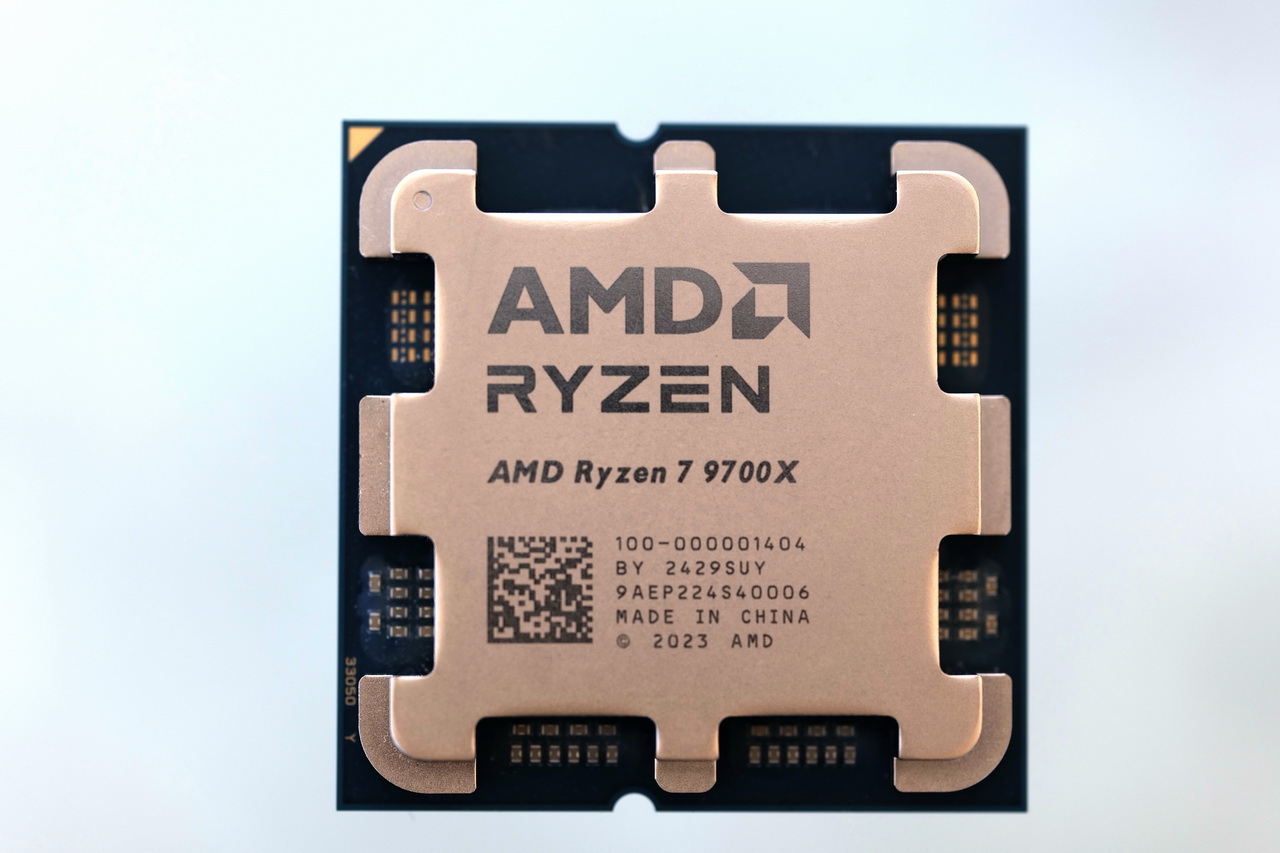
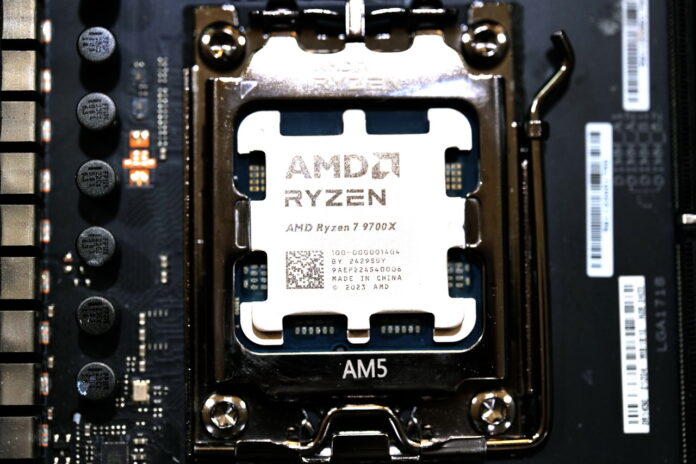
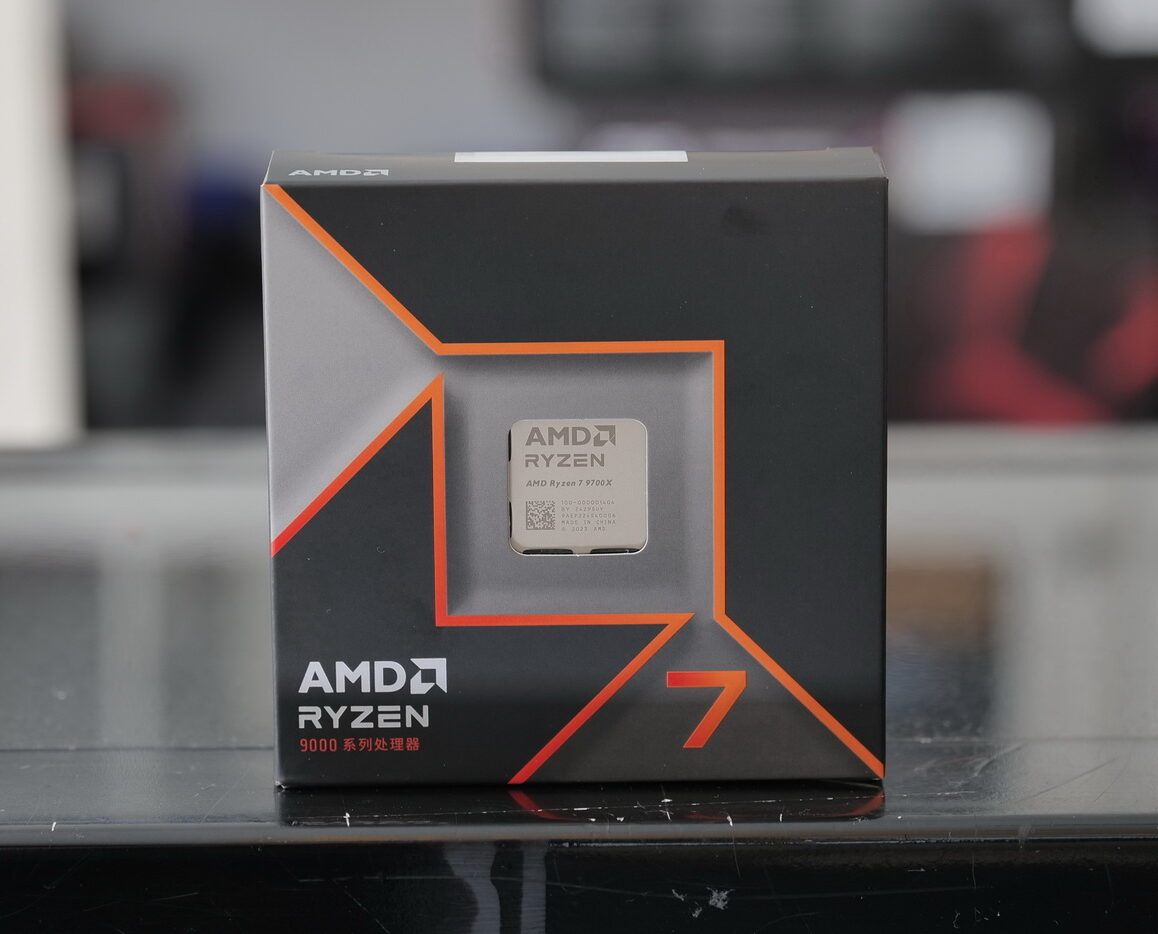
Ryzen 7 9700X
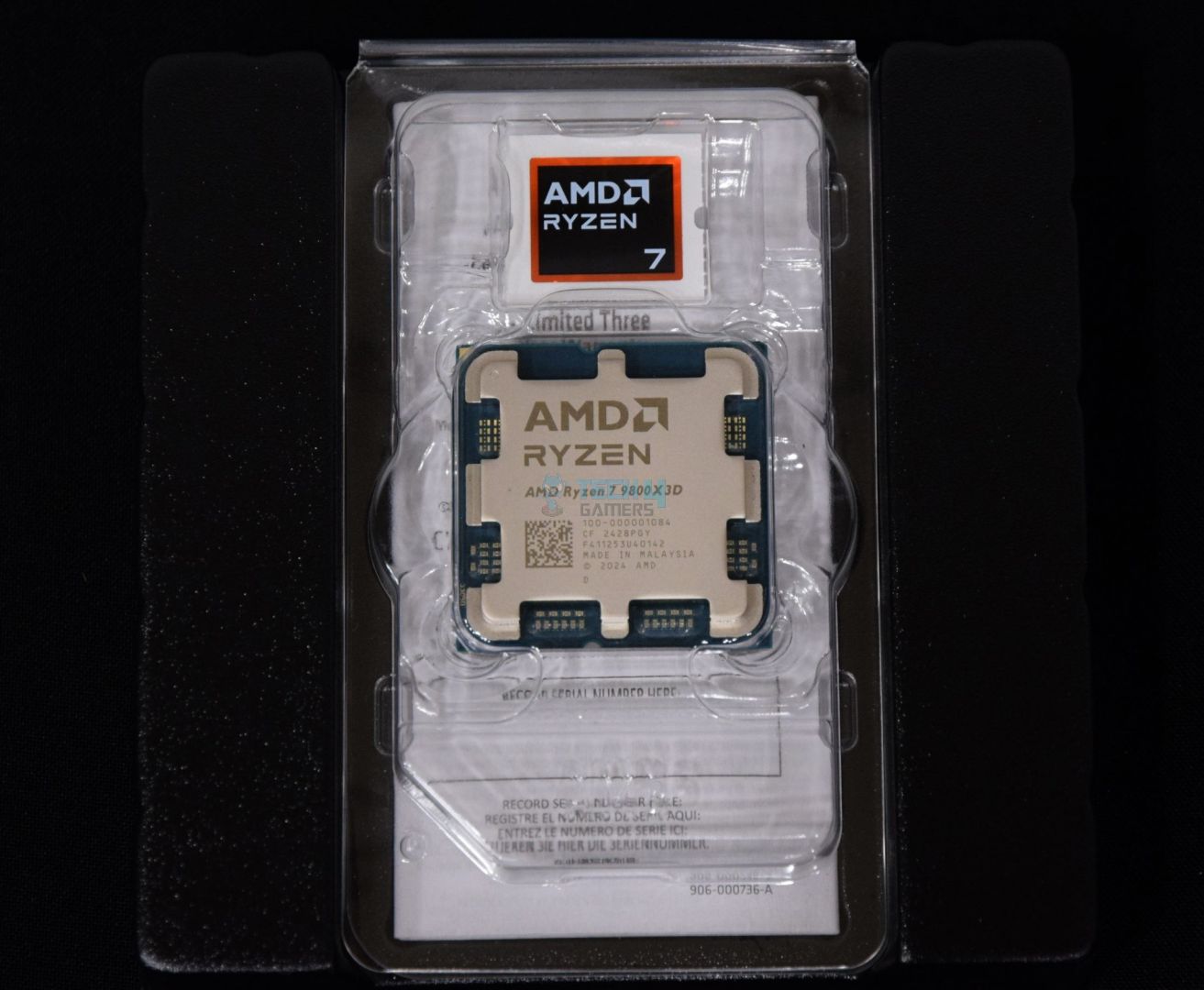
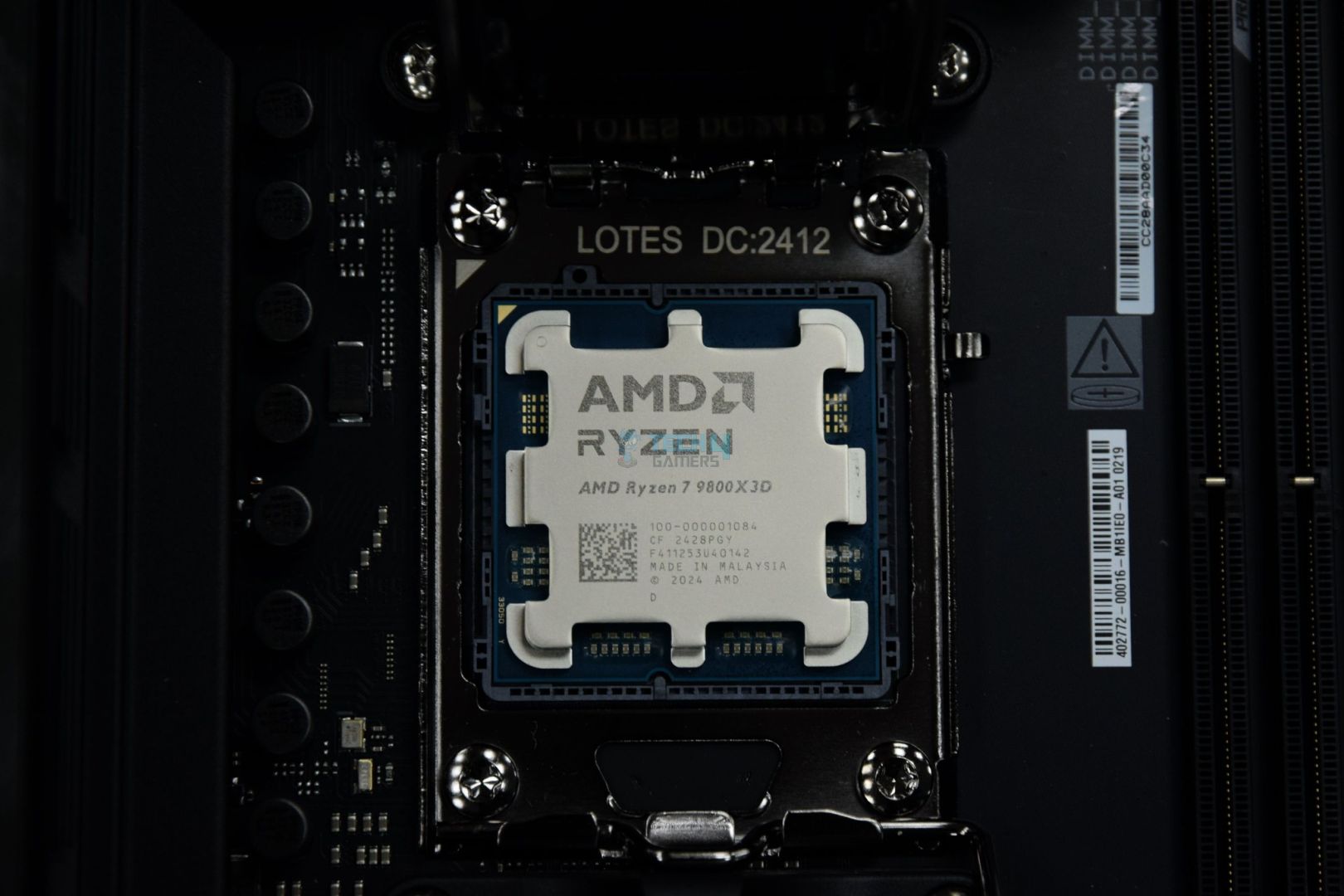
AMD Ryzen 7 9800X3D
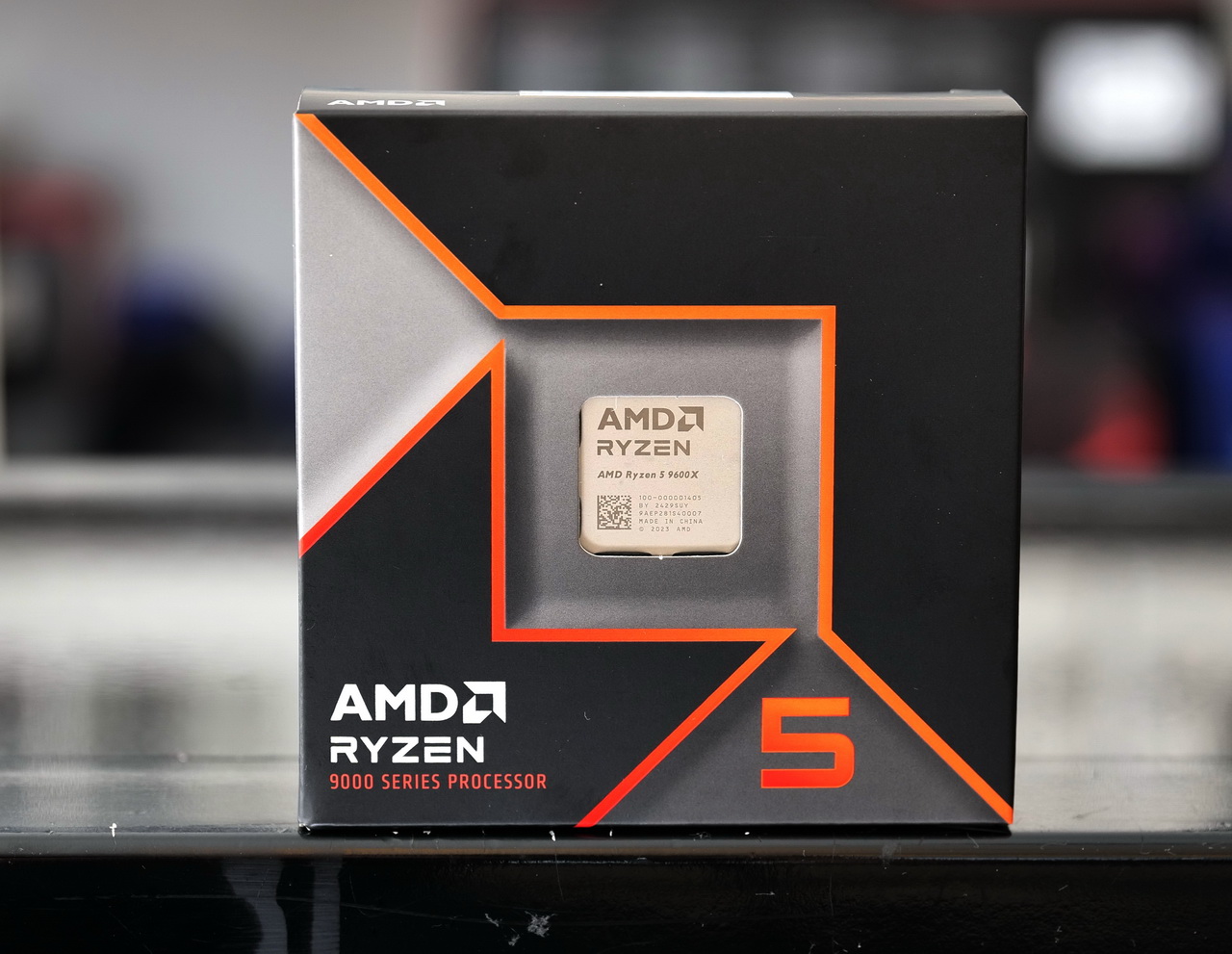
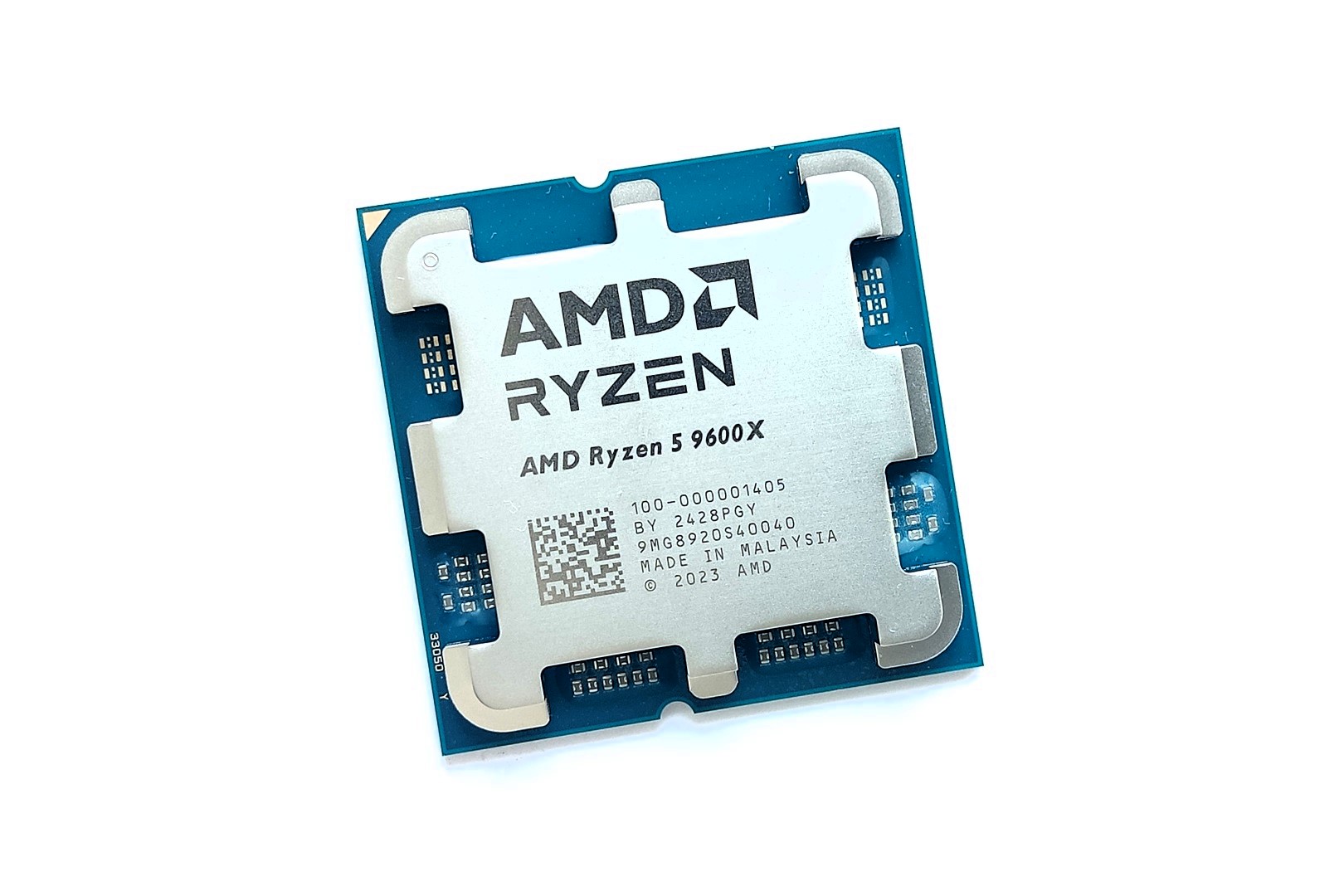
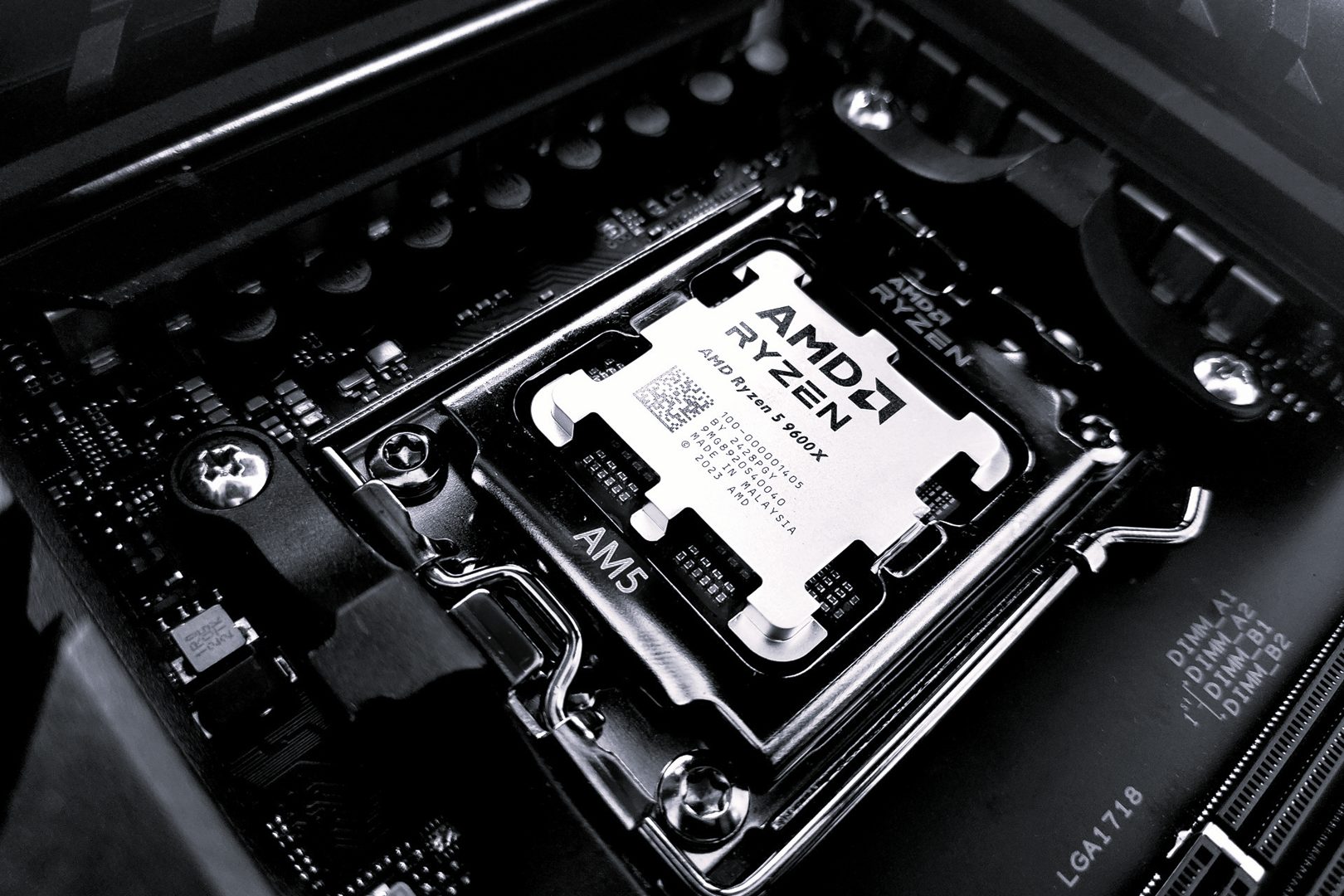
Ryzen 5 9600X
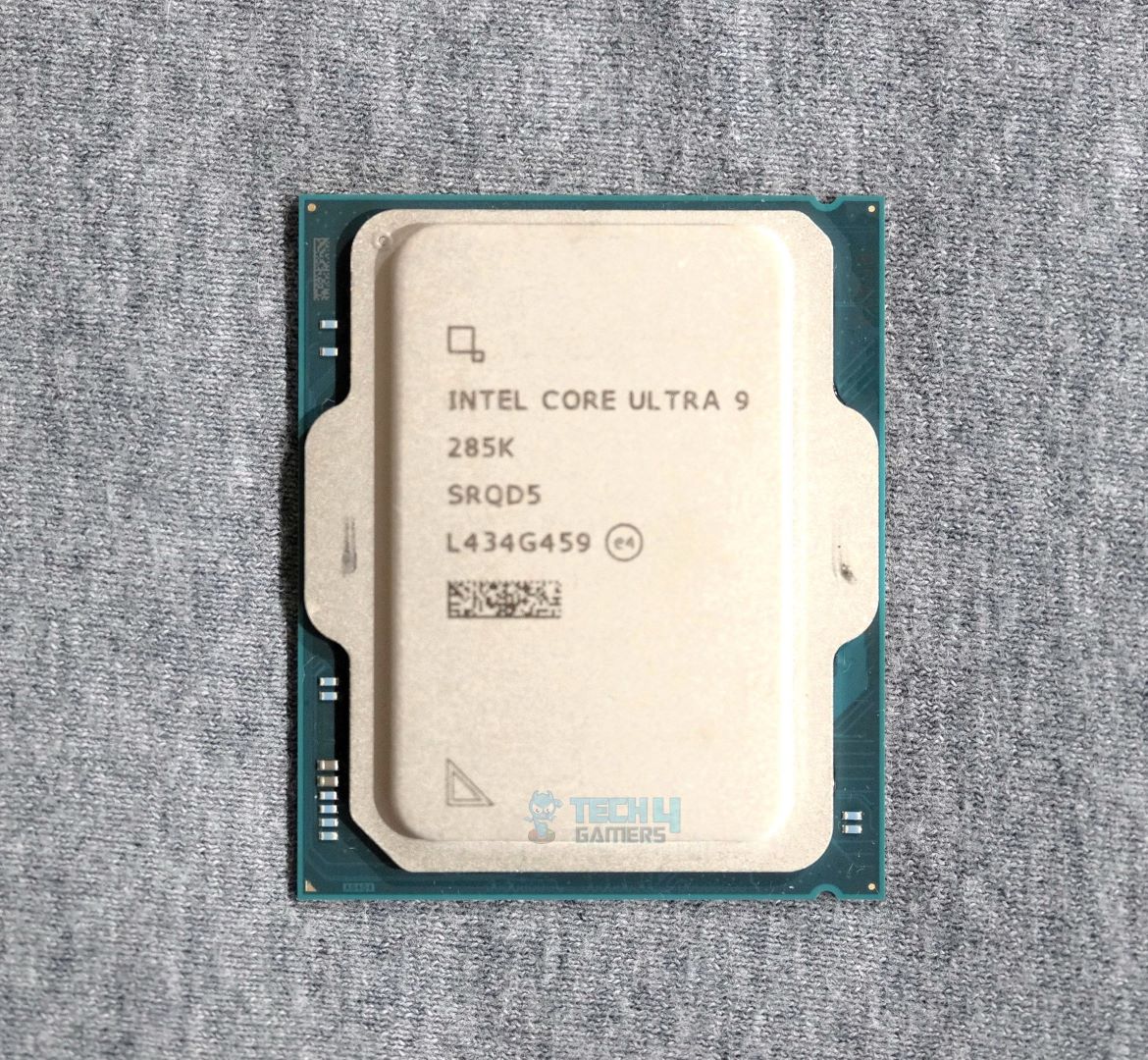
Intel Core Ultra 9 285K
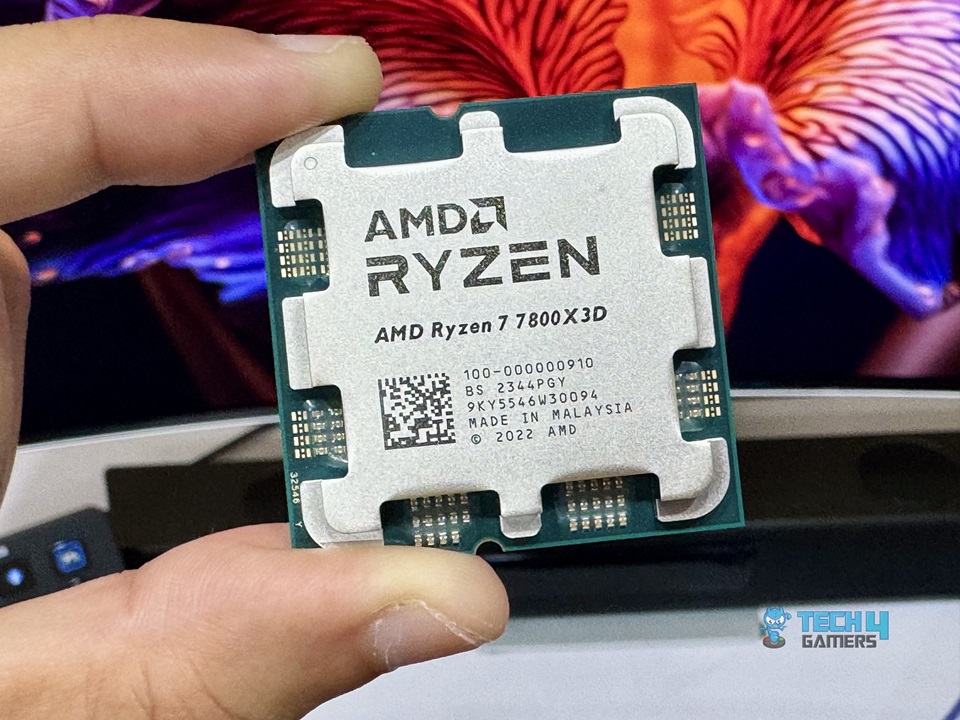
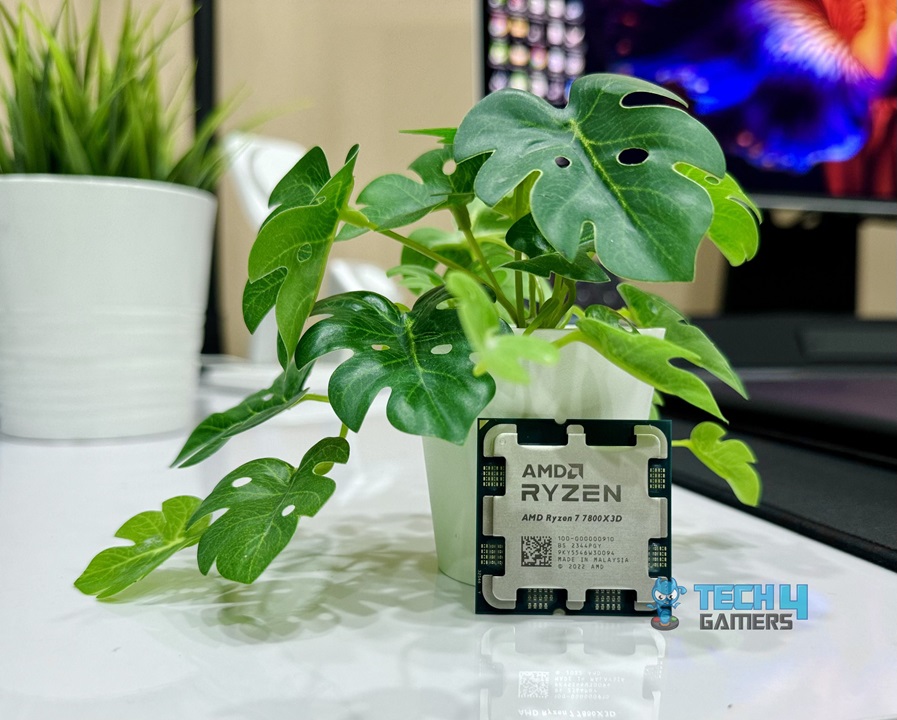
AMD Ryzen 7 7800X3D
Intel Core Ultra 7 265K
Looks
AMD Ryzen™ 7 9700X 8-Core, 16-Thread Unlocked Desktop Processor
AMD RYZEN 7 9800X3D 8-Core, 16-Thread Desktop Processor
AMD Ryzen™ 5 9600X 6-Core, 12-Thread Unlocked Desktop Processor
Intel Core Ultra 9 Desktop Processor 285K - 24 cores (8 P-cores + 16 E-cores) and 24 threads - Up to 5.7 GHz unlocked - 40 MB Cache - Compatible with Intel 800 series chipset-based motherboards - Inte
AMD Ryzen 7 7800X3D 8-Core, 16-Thread Desktop Processor
Intel Core Ultra 7 Desktop Processor 265K - 20 cores (8 P-cores + 12 E-cores) up to 5.5 GHz
Award
Best AMD CPU for RTX 4090
Best Overall Gaming CPU for RTX 4090
Best Budget CPU for RTX 4090
Best High-End CPU for RTX 4090
Best Overall Gaming CPU for RTX 4090
Best Intel CPU for RTX 4090
What We Liked
Single-Core Performance, Price-to-Performance Ratio, Future Proofing, Thermals, Lower TDP
Top-tier Gaming Performance, Supports Overclocking, Full AVX-512 Support
Affordability, Lower Power Consumption, Unlocked for Overclocking, Future Proofing, AVX-512 Support
Amazing Multicore Performance, Better Thermals and Efficiency, Future Proofing
Insane Gaming Performance, High Power Efficiency, L3 Cache, PCIe 5.0 Support
Productivity Performance, Higher Efficiency, More Powerful iGPU
What We Disliked
Mediocre Multicore Performance, No Cooler Included
Performance in Productivity Applications isn't Great
Multicore Performance is Average, No Cooler Included
Weak Single-core Performance
No multiplier-based overclocking, Mediocre productivity performance
Unfavorable Gaming Performance
Socket
AMD AM5
AM5
AM5
LGA 1851
AM5
LGA 1851
Cores
8
8
6
24 (8+16)
8
20 (8+12)
Threads
16
16
12
24
16
20
Base Clock
3.8 GHz
4.7GHz
3.9 GHz
3.2 GHz, 3.7 GHz (Efficient, Performance)
4.2GHz
3.3 GHz, 3.9 GHz (Efficient, Performance)
Boost Clock
5.5 GHz
5.2GHz
5.4 GHz
4.6 GHz, 5.5 GHz (Efficient, Performance)
5.0 GHz
4.6 GHz, 5.4 GHz (Efficient, Performance)
L2 Cache
8MB
8MB
6MB
40MB
8MB
36MB 
TDP
65W
120W
65W
125W, 250W (Base, Maximum Turbo)
120W
125W, 250W (Base, Maximum Turbo)
CPU
Ryzen 7 9700X
Looks
AMD Ryzen™ 7 9700X 8-Core, 16-Thread Unlocked Desktop Processor
Award
Best AMD CPU for RTX 4090
What We Liked
Single-Core Performance, Price-to-Performance Ratio, Future Proofing, Thermals, Lower TDP
What We Disliked
Mediocre Multicore Performance, No Cooler Included
Socket
AMD AM5
Cores
8
Threads
16
Base Clock
3.8 GHz
Boost Clock
5.5 GHz
L2 Cache
8MB
TDP
65W
Amazon
Newegg
Read Review
CPU
AMD Ryzen 7 9800X3D
Looks
AMD RYZEN 7 9800X3D 8-Core, 16-Thread Desktop Processor
Award
Best Overall Gaming CPU for RTX 4090
What We Liked
Top-tier Gaming Performance, Supports Overclocking, Full AVX-512 Support
What We Disliked
Performance in Productivity Applications isn't Great
Socket
AM5
Cores
8
Threads
16
Base Clock
4.7GHz
Boost Clock
5.2GHz
L2 Cache
8MB
TDP
120W
Amazon
Newegg
Read Review
CPU
Ryzen 5 9600X
Looks
AMD Ryzen™ 5 9600X 6-Core, 12-Thread Unlocked Desktop Processor
Award
Best Budget CPU for RTX 4090
What We Liked
Affordability, Lower Power Consumption, Unlocked for Overclocking, Future Proofing, AVX-512 Support
What We Disliked
Multicore Performance is Average, No Cooler Included
Socket
AM5
Cores
6
Threads
12
Base Clock
3.9 GHz
Boost Clock
5.4 GHz
L2 Cache
6MB
TDP
65W
Amazon
Newegg
Read Review
CPU
Intel Core Ultra 9 285K
Looks
Intel Core Ultra 9 Desktop Processor 285K - 24 cores (8 P-cores + 16 E-cores) and 24 threads - Up to 5.7 GHz unlocked - 40 MB Cache - Compatible with Intel 800 series chipset-based motherboards - Inte
Award
Best High-End CPU for RTX 4090
What We Liked
Amazing Multicore Performance, Better Thermals and Efficiency, Future Proofing
What We Disliked
Weak Single-core Performance
Socket
LGA 1851
Cores
24 (8+16)
Threads
24
Base Clock
3.2 GHz, 3.7 GHz (Efficient, Performance)
Boost Clock
4.6 GHz, 5.5 GHz (Efficient, Performance)
L2 Cache
40MB
TDP
125W, 250W (Base, Maximum Turbo)
Amazon
Newegg
Read Review
CPU
AMD Ryzen 7 7800X3D
Looks
AMD Ryzen 7 7800X3D 8-Core, 16-Thread Desktop Processor
Award
Best Overall Gaming CPU for RTX 4090
What We Liked
Insane Gaming Performance, High Power Efficiency, L3 Cache, PCIe 5.0 Support
What We Disliked
No multiplier-based overclocking, Mediocre productivity performance
Socket
AM5
Cores
8
Threads
16
Base Clock
4.2GHz
Boost Clock
5.0 GHz
L2 Cache
8MB
TDP
120W
Amazon
Newegg
Read Review
CPU
Intel Core Ultra 7 265K
Looks
Intel Core Ultra 7 Desktop Processor 265K - 20 cores (8 P-cores + 12 E-cores) up to 5.5 GHz
Award
Best Intel CPU for RTX 4090
What We Liked
Productivity Performance, Higher Efficiency, More Powerful iGPU
What We Disliked
Unfavorable Gaming Performance
Socket
LGA 1851
Cores
20 (8+12)
Threads
20
Base Clock
3.3 GHz, 3.9 GHz (Efficient, Performance)
Boost Clock
4.6 GHz, 5.4 GHz (Efficient, Performance)
L2 Cache
36MB 
TDP
125W, 250W (Base, Maximum Turbo)
Amazon
Newegg
Read Review
-

  • February 12, 2025: We have updated our selection with new releases as we have finished testing all the latest gen processors from both AMD and Intel.

Make sure you opt for the best possible variant of the RTX 4090 before searching for a CPU:

Best CPU for RTX 4090

Here is a selection of the best CPUs for RTX 4090 that you can buy right now:

  1. Best Overall: AMD Ryzen 7 9800X3D
  2. Best AMD: AMD Ryzen 7 9700X
  3. Best Intel: Intel Core Ultra 7 265K
  4. Best BudgetAMD Ryzen 5 9600X
  5. Best High-End: Intel Core Ultra 9 285K
  6. Best Value: AMD Ryzen 7 7800X3D

AMD Ryzen 7 9800X3D

Best Overall Gaming CPU for RTX 4090


Socket: AM5 | Cores: 8 | Threads: 16 | L2 Cache: 8 MB | L3 Cache: 96 MB | Base Clock: 4.7 GHz | Boost Clock: Up to 5.2 GHz | TDP: 120W | Unlocked: Yes | MSRP: $479

Pros

  • Full AVX-512 instruction set support
  • Top-of-the-line gaming performance 
  • Supports overclocking 
  • Great performance per watt 
  • Boasts 3D V-cache tech
  • Better productivity performance than 7800X3D

Cons

  • Lags behind in productivity applications 
  • Performance difference is negligible at 4K

Read Our Hands-On AMD Ryzen 7 9800X3D Review

The Ryzen 7 9800X3D brings so many improvements to the 3D V-cache layout. The CPU comes with the standard 8C/16T design with speeds cranking up to 5.2 GHz. Moreover, what I liked the most was the unlocked multiplier on a processor having 3D V-cache technology. This breakthrough allows the processor to perform better as well as provide better compatibility with higher-speed RAM. Thanks to these new advancements, the Ryzen 7 9800X3D tops the charts in all of our gaming tests during our review session. Although the difference becomes negligible at higher resolutions, such as 2160p.

Furthermore, its performance is still not that impressive in terms of productivity applications due to the lesser number of cores/threads than the competition. Besides the performance figures, the processor also offers better efficiency and thermals, which makes it a solid choice for gaming especially if you’re pairing it with an RTX 4090. 

Here’s what I had to say about this CPU in my dedicated review:

The Ryzen 7 9800X3D is the new gaming champ, outclassing AMD’s own Ryzen 7 7800X3D CPU in our gaming charts. With its improved 3D V-cache design, combined with the Zen 5 architecture, the CPU improves gaming and productivity performance while becoming more efficient than its predecessor. At the same time, overclocking support is enabled so you can push the CPU even further! All that makes it an excellent choice for gaming or a mix of gaming and productivity. 

✅Buy It If
You want the best gaming performance: The Ryzen 7 9800X3D is a no-brainer when it comes to gaming performance as it topped all the charts in our testing, leaving behind even more expensive CPUs. 

You want OC support alongside 3D V-cache technology: The Ryzen 7 9800X3D is one of the first processors to offer overclocking support with the 3D V-cache tech still intact. You can consider this processor if you want to squeeze more out of a 3D V-cache-powered processor.

❌Don't Buy It If
You use lots of productivity applications: The processor doesn’t perform the best in productivity applications, which limits its superiority circle to just gaming and efficiency. If your workload requires better productivity performance, better go with some other CPU with higher cores/threads count.

What Makes It The Best Overall Gaming CPU for RTX 4090?

The Ryzen 7 9800X3D delivers exceptional performance in gaming, thanks to its 3D V-cache technology that improves the single-core performance by a lot. Besides those, it also supports overclocking and RAM with speeds up to 8000 MT/s and runs quite efficiently. With all those considered, I can call this the best overall gaming CPU for RTX 4090.

Performance: 9.5/10 Value: 8.5/10
Features: 10/10 Future Proofing: 9/10

AMD Ryzen 7 9700X

Best AMD CPU for RTX 4090


Socket: AMD AM5 | Cores: 8 | Threads: 16 | L2 Cache: 8 MB | L3 Cache: 32 MB | Base Clock: 3.8 GHz | Boost Clock: Up to 5.5 GHz | TDP: 65W | Unlocked: Yes | MSRP: $329

Pros

  • Impressive single-core performance
  • Supports AVX-512
  • Supports overclocking 
  • Slightly cheaper than predecessor ($40)
  • Excellent power efficiency 

Cons

  • Comes without a stock cooler
  • Multi-core performance isn’t great 

Read Our Hands-On AMD Ryzen 7 9700X Review

The Ryzen 7 9700X is a decent processor that comes with the same 8C/16T configuration as its predecessor. Though, it does make changes to the power efficiency side of things where it lands miles apart from its competition. Meanwhile, the 65W TDP reduces the base clock to 3.8 GHz. However, the superior single-core performance, acceptable multicore performance, and lower price somewhat make up for it, as seen in our review.

The CPU offers full AVX-512 instruction set support for those who specifically need it, and also has the option for overclocking. This makes sense considering the fact that the processor is already very efficient and has room for tweaks via PBO or the new Curve Shaper by AMD. Moreover, the Ryzen 9700X also supports much faster memory of up to 8000 MT/s. All this, coupled with an RTX 4090, makes up for a pretty solid future-proof combo.

Here’s what we have to say about the Ryzen 7 9700X after our review:

The Ryzen 7 9700X is ideal if you want top-class single-core performance and power efficiency and/or heavily use AVX-512 instructions. You should also get it if you’re willing to play with its power limits to unlock its full potential.

✅Buy It If
You want excellent power efficiency: If you’re looking for a processor that offers similar performance to the likes of Ryzen 7 7700X or Core i7 13700K but is highly efficient. Then the Ryzen 7 9700X makes a lot of sense as it consumes way less power than the aforementioned CPUs.

You want great single-core performance for less: The Ryzen 7 9700X offers great gains in single-core performance against the competition, so if your work requires superiority in this segment, then this processor is a no-brainer. 

❌Don't Buy It If
You’re into multithreaded work: The processor doesn’t offer impressive gains in multithreaded workloads, especially compared to its predecessor. So, if you’re after a multicore performer, then better skip this processor.

What Makes It The Best AMD CPU for RTX 4090?

The Ryzen 7 9700X offers stellar single-core performance and power efficiency that helps in delivering satisfactory gaming performance when paired with an RTX 4090. Sure, the gains are pretty much nonexistent when it’s about multithreaded performance. But still, when all the other pros are combined with the discounted price, it’s currently the best AMD CPU for RTX 4090.

Performance: 8.5/10 Value: 8/10
Features: 9/10 Future Proofing: 8/10

Intel Core Ultra 7 265K

Best Intel CPU for RTX 4090

Intel Core Ultra 7 265K

Socket: LGA-1851 | Cores: 20 (8P + 12E) | Threads: 20 | L2 Cache: 36 MB | L3 Cache: 30 MB | Base Clock: 3.3 GHz | Boost Clock: Up to 5.5 GHz | TDP: 125W | Unlocked: Yes | MSRP: $404

Pros

  • Based on a newer 3 nm manufacturing process
  • More powerful Arc Xe2 graphics 
  • 30 MB L3 and 36 MB L2 cache 
  • More efficient than predecessor
  • Better productivity performance than R7 9700X

Cons

  • Unfavorable gaming performance

The Intel Core Ultra 7 265K is one of the first of the refreshed line-up of CPUs and is certainly packed with loads of stuff. The processor is built on the newest 3 nm manufacturing process, which helps it to be more efficient than its predecessor while delivering similar performance results. That also means the processor runs cooler as well, comparatively. Moreover, it boosts up to 5.5 GHz, and the 20 cores and threads help it achieve higher performance figures, mostly in multithreaded-oriented workloads. 

Outside the productivity performance, I found the processor to be lagging behind, especially in gaming, when we tested it against the Ryzen 7 9700X. However, if you’re more of a professional who needs processing power for work, then this Core Ultra 7 265K makes a lot more sense than the Ryzen 7 9700X when paired with an RTX 4090. This processor also ensures future-proofing, as the LGA1851 socket will be supported for a few more generations.

✅Buy It If
You want good multicore performance: If your workload requires extra cores and threads, then the Intel Core Ultra 7 265K is a perfect fit to handle all the multithreaded tasks.

You specifically want future-proofing on Intel platform: While the AM5 platform is quite future-proof, if you specifically want future-proofing on the Intel platform, then the Core Ultra 7 265K is a decent selection.

❌Don't Buy It If
You want top-notch gaming performance: The processor lags behind when it comes to gaming against competition and its predecessor. So if only want to do gaming, it’s wiser to go with AMD.

What Makes It The Best Intel CPU for RTX 4090?

The Intel Core Ultra 7 265K is currently retailing for $371 online and offers good productivity performance with bearable gaming performance. Not to mention, the LGA1851 socket that it works with is going to be supported for a few more years. So the future-proofing factor is here as well. Combining all that, I can call this the best Intel CPU for RTX 4090.

Performance: 8/10 Value: 8/10
Features: 8.5/10 Future Proofing: 9/10

AMD Ryzen 5 9600X

Best Budget CPU for RTX 4090


Socket: AM5 | Cores: 6 | Threads: 12 | L2 Cache: 6 MB | L3 Cache: 32 MB | Base Clock: 3.9 GHz | Boost Clock: Up to 5.4 GHz | TDP: 65W | Unlocked: Yes | MSRP: $239

Pros

  • Incredible thermal performance 
  • Excellent efficiency & single-core performance 
  • Overclocking is possible 
  • Overall multicore performance is improved 
  • AVX-512 support is present 

Cons

  • Lacks noticeable gains in gaming performance 

Read Our Hands-On AMD Ryzen 5 9600X Review

Let’s focus on something budget-friendly that doesn’t limit the RTX 4090 as well. In such a case, the Ryzen 5 9600X makes the most sense to me as it is based on the latest Zen5 architecture. Moreover, it offers massive gains in thermal performance and power consumption. Thanks to the new manufacturing process and other notable changes like limiting its TDP to 65W. This translates to less spending on a CPU cooler.

Additionally, the processor fares a lot better in almost every benchmark during our review except for gaming. There, it showed barely any improvement over its predecessor. The processor also supports overclocking and the new Curve Shaper feature which allows for more flexible control while tuning it to perfection. Nevertheless, the processor is surely a decent pick with the slashed price tag that it’s being sold for currently.

This is how I described the 9600X in my review:

The Ryzen 5 9600X is ideal for you if you’re seeking AVX-512 support, the best single-core performance, and excellent power and thermal efficiency.

✅Buy It If
You want an efficient budget processor: The Ryzen 5 9600X outshines its competition when it comes to power efficiency and thermal performance, which is why you can pick it up if you’re specifically looking for these attributes.

Your workload depends heavily on single-core performance: The Ryzen 5 9600X has excellent single-core performance, which makes it ideal for single-core dependent workloads.

❌Don't Buy It If
You only game on your PC: The CPU performs pretty identically to the Ryzen 5 7600X, which is a last-gen processor. So if your only concern is gaming, better get the cheaper last-gen processor.

What Makes It The Best Budget CPU for RTX 4090?

While the Ryzen 5 9600X belongs to the budget CPU category, it still carries enough juice to keep up with the RTX 4090 quite well. On top of that, it runs cooler and takes less power than its competition. Meaning, that it deserves the title of the best budget CPU for RTX 4090.

Performance: 9/10 Value: 9/10
Features: 8/10 Future Proofing: 8.5/10

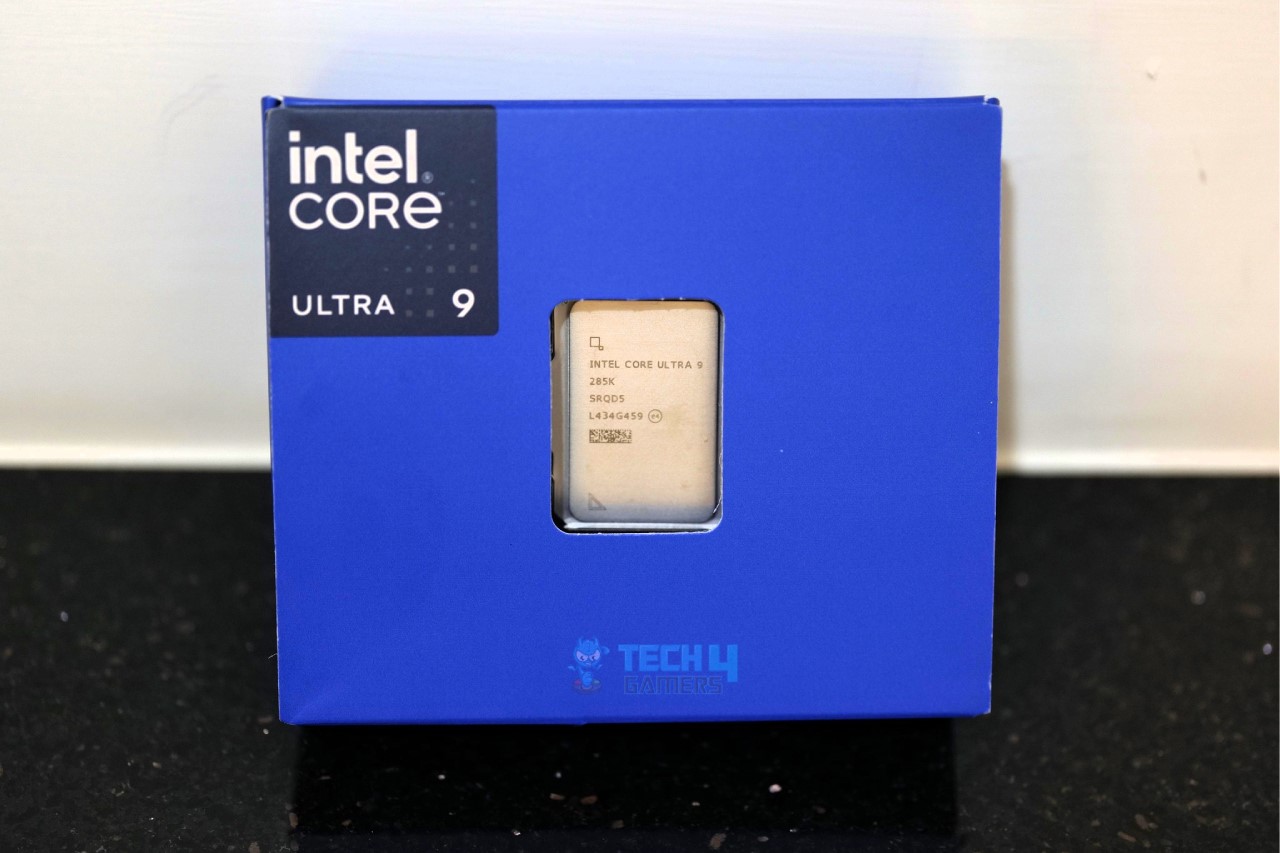
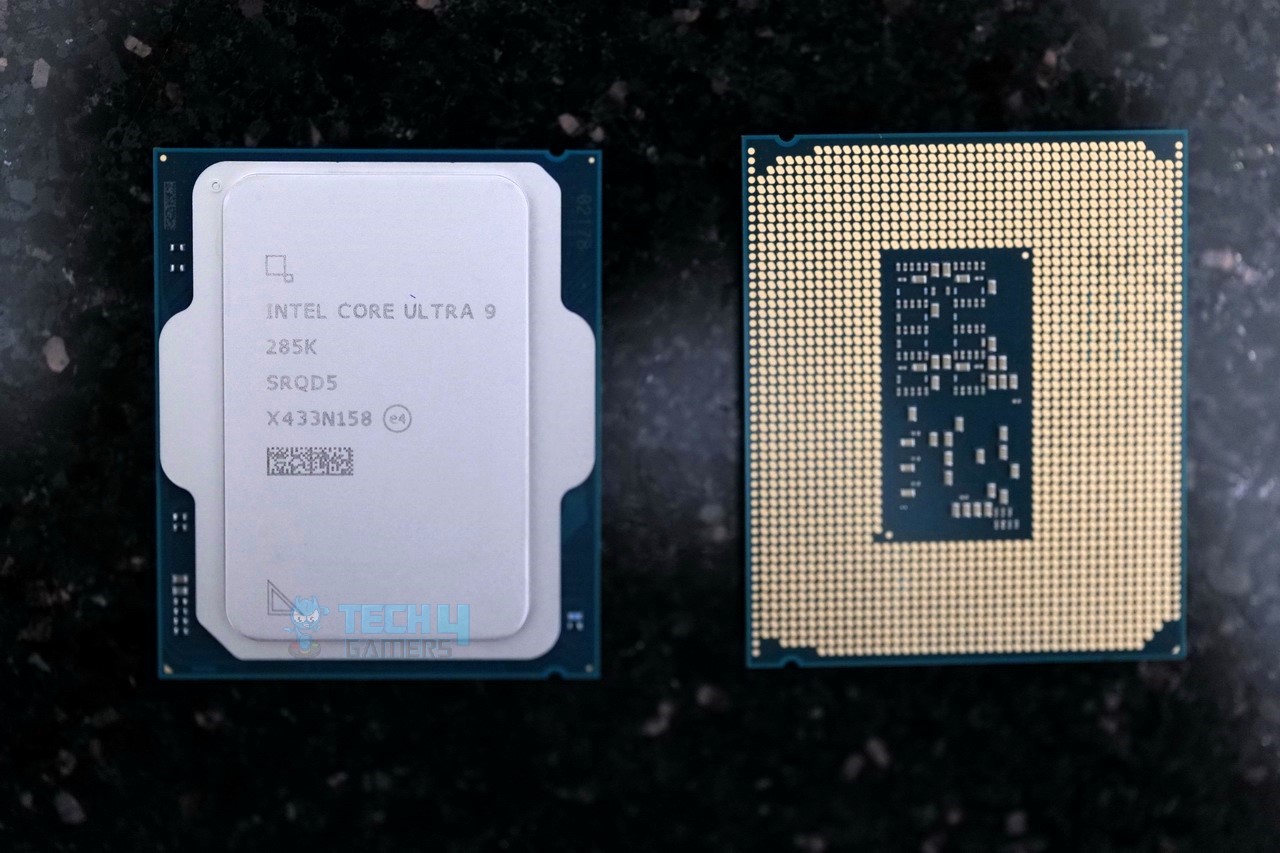
Intel Core Ultra 9 285K

Best High-End CPU for RTX 4090


Socket: LGA-1851 | Cores: 24 (8P + 16E) | Threads: 24 | L2 Cache: 40 MB | L3 Cache: 36 MB | Base Clock: 3.2 GHz | Boost Clock: Up to 5.7 GHz | TDP: 125W | Unlocked: Yes | MSRP: $590

Pros

  • Incredible multicore performance 
  • More efficient than the previous generation 
  • Great for productivity applications
  • Future-proof platform
  • Highly fast RAM & PCIe-supported 

Cons

  • Gaming performance isn’t up to par
  • Single-core performance is also weak

Read Our Hands-On Intel Core Ultra 9 285K Review

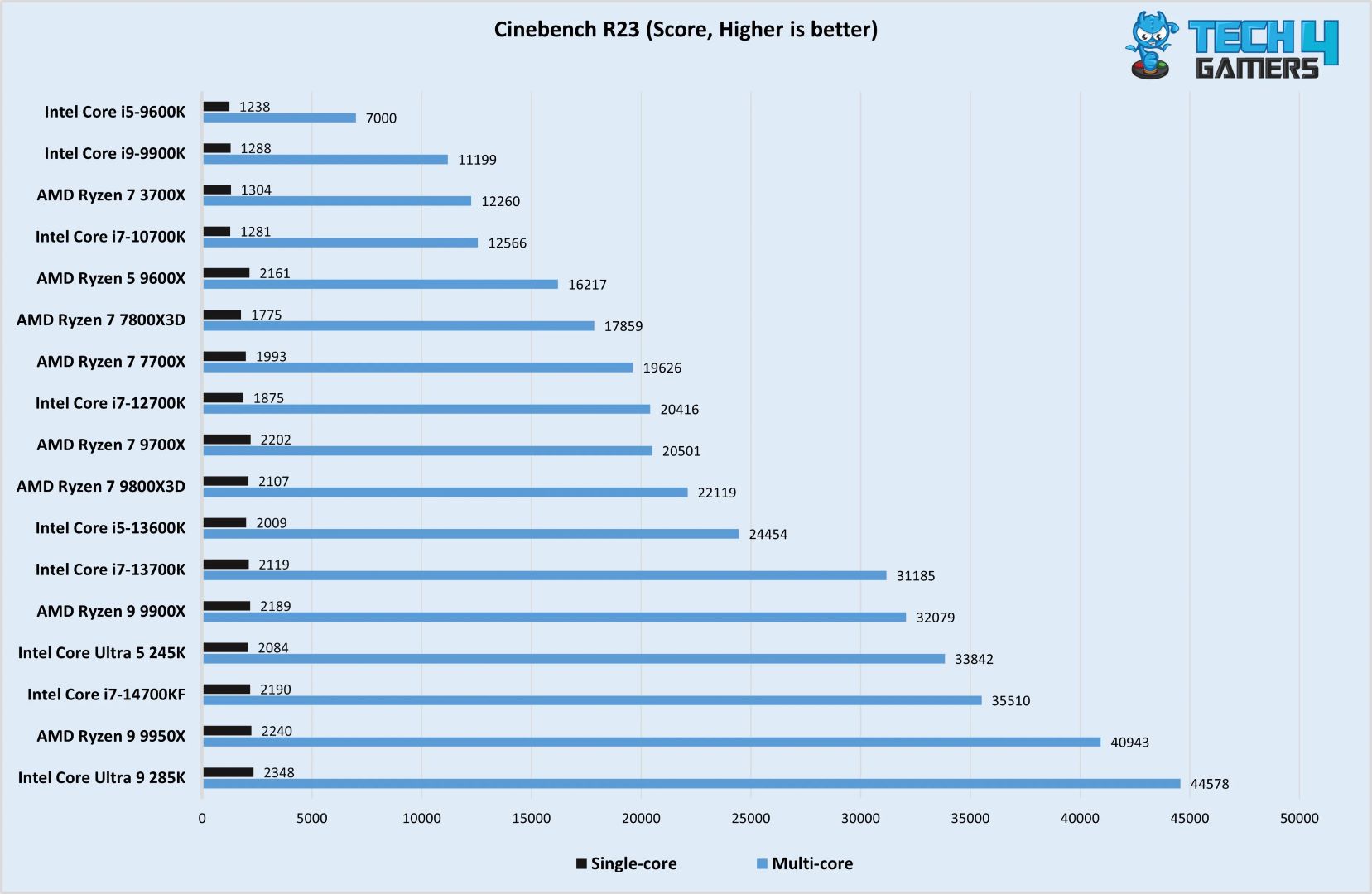
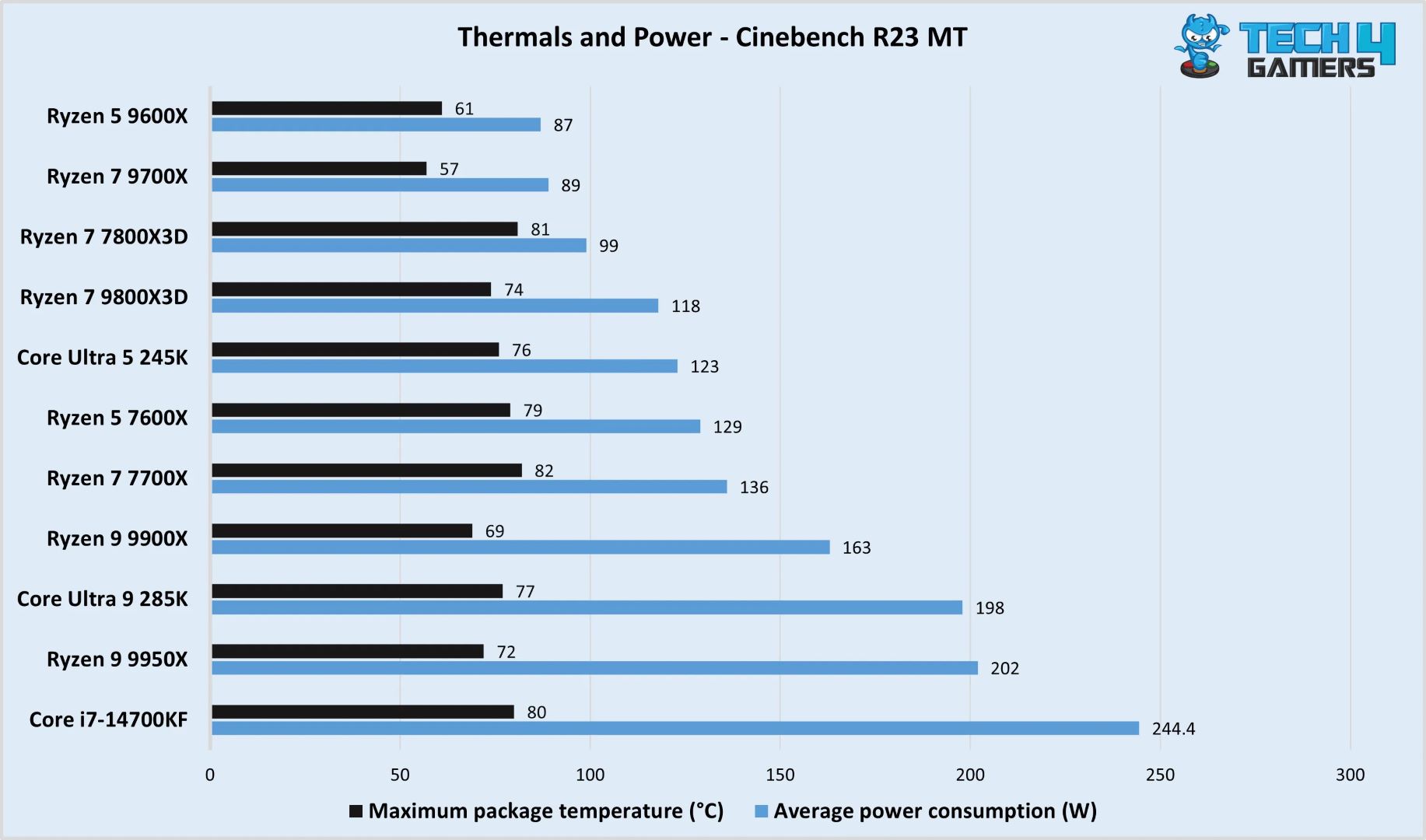
Speaking of high-end processors, the Intel Core Ultra 9 285K is a must-mention. Primarily because of the upgrades it brings; the processor is based on the advanced 3 nm fabrication process. The processor makes great use of the available 24 cores and 24 threads to deliver incredible multicore performance in productivity applications, as we saw during our review. Not only the multicore performance which is commendable, but it also excels in terms of offering lower power consumption and better thermals. The processor consumed four watts less power than the Ryzen 9 9950X in Cinebench R23 MT.

However, the processor does fall flat when it comes to gaming performance. Mostly due to the lower boost speeds (5.7 GHz) that directly affect the single-core performance. Nevertheless, one thing is certain here is that you won’t have to worry about upgrading for at least 2-3 years. Even after that, you can just swap the processor with a newer generation without changing the whole platform. The Intel Core Ultra 9 285K definitely fits in the shoes of a high-end processor to pair with an RTX 4090. Do remember, though, that you still need a high-end to keep up with the thermals of this CPU.

This is what our Editor-In-Chief, Sajjad Hussain, had to say about the Core Ultra 9 285K in his review:

The Core Ultra 9 285K is an excellent choice for users prioritizing rendering and multitasking performance since it shows great results across multiple benchmarks. Moreover, its shift towards TSMC’s 3nm process node helps maintain thermal efficiency.

✅Buy It If
You want high-end multicore performance: If having the best multicore performance in a CPU is your sole requirement, then the Intel Core Ultra 9 285K is the best money that could buy.

You want to save on the power draws as well: The Intel Core Ultra 9 285K also consumes a lot less power than its predecessor as well as four watts less than the competition – making it a highly efficient high-end CPU.

❌Don't Buy It If
You’re on a budget: The processor while offering high-end performance also demands a high-end paycheck for procurement. So, if you’re on a budget better look for something like the Ryzen 7 9800X3D.

What Makes It The Best High-End CPU for RTX 4090?

The Intel Core Ultra 9 285K delivers superb multicore performance while also being highly efficient and cool. This combination of power and efficiency puts it in place to call it the best high-end CPU for RTX 4090.

Performance: 9/10 Value: 7.5/10
Features: 8/10 Future Proofing: 9/10

AMD Ryzen 7 7800X3D

Best Value CPU for RTX 4090

Socket: AMD AM5 | Cores: 8 | Threads: 16 | L2 Cache: 8MB | Base Clock: 4.2 GHz | Boost Clock: Up to 5.0 GHz | TDP: 120W | Unlocked: No

Pros

  • Fastest gaming processor
  • High power efficiency
  • 3D V-cache technology
  • PCIe 5.0 support

Cons

  • No multiplier-based overclocking
  • Mediocre productivity performance

Read Our Hands-On Ryzen 7 7800X3D Review

My thorough testing revealed that the AMD Ryzen 7 7800X3D is the absolute fastest gaming processor on the market at the time of writing in the vast majority of tested titles, even surpassing the 7950X3D thanks to its simpler layout. It comes with 96MB of L3 Cache, 8 cores, 16 threads, as well as a clock speed of 5 GHz. The Ryzen 7 7800X3D comes with a TDP of 120W, which means you will need a fairly capable cooler to maintain optimal temperatures. A 280mm or a 360mm AIO is recommended for the CPU; however, a 240mm cooler also works fine.

The Ryzen 7 7800X3D outclasses the top-of-the-line 7950X3D in terms of gaming performance, making it an option that will last a reasonably long time. AMD also continues to support the AM5 platform, which means upgrading processors won’t warrant a platform change in the near future.

When we tested the Ryzen 7 7800X3D, this is how we described the CPU:

The Ryzen 7 7800X3D is the best gaming processor of this generation, which not only delivers top-notch gaming performance but performs decently in rendering and productive workloads as well. Meanwhile, it’s also one of the most efficient processors out there with a TDP of less than 150W in boost mode.

PRO TIP: You can opt for a B650 motherboard with the Ryzen 7 7800X3D, if you want to maximize value.
✅Buy It If

You want top-notch gaming performance: For one, I loved the gaming performance that this little chip has on offer, especially for the price.

❌Don't Buy It If

You want the best productivity performance: Since the Ryzen 7 7800X3D is a gaming specialist, AMD has hampered the multi-core aspect of this processor a little bit, therefore hurting productivity.

You like overclocking: I did not particularly enjoy overclocking this CPU, as most of the manual options are unavailable. The automatic overclocking features of PBO are acceptable, but they just take the fun out of the process.

What Makes It The Best Value CPU For RTX 4090?

AMD’s ingenious 3D V-Cache design allows the Ryzen 7 7800X3D to challenge for the crown of the best value CPU for RTX 4090, thanks to its supreme single-threaded performance and high efficiency. It challenges CPUs that are almost twice its price and, more often than not, comes away with a victory.

Performance: 9/10 Value: 7/10
Features: 8/10 Future Proofing: 10/10

Gaming Benchmarks of The Best RTX 4090 

At Tech4Gamers, we do not merely make hollow claims. Our highly specialized team of hardware experts puts every single product through a gauntlet of tests designed specifically to help us form an objective opinion based on empirical data. For the purposes of this roundup, we put our target CPUs through a barrage of tests in order to gauge the performance of these processors in a variety of scenarios.

Important CPU Key Terms

Here are some key CPU terms you should know when shopping for a CPU in 2023.

  1. Cores: A CPU core is part of a CPU designed to fetch, decode and execute various functions.
  2. Threads: A thread is a data string in every computer program. Cores make use of threads to improve multitasking.
  3. Cache: The cache is a small amount of fast memory stored directly onto the CPU substrate. It is divided into L1, L2, and L3 cache.
  4. Clock Speed: The clock speed of a processor is the number of data cycles it can complete in a second. It ranges from a minimum (base clock) to a maximum (boost clock) value.
  5. TDP: The TDP value is an estimated amount of heat the processor puts out.
  6. IPC: The IPC (Instructions Per Clock) is a measure of the work being done by the CPU in one clock cycle.
  7. Overclocking: Overclocking is when you allow your processor to run above its stock or pre-configured settings.

How We Picked The Best CPU For RTX 4090

When looking for the best CPU for RTX 4090, we kept the following factors in mind.

  • Gaming Performance: Since the RTX 4090 is arguably the fastest graphics card on the market right now, you need to pair it with an equally powerful CPU in order to avoid potential bottlenecks. Our team tested the gaming performance of various modern CPUs in different scenarios in order to get an objective idea of their performance.
  • Platform: Considering the feasibility and longevity of the platform is really important when finalizing your selection. You don’t want to be stuck in a dead-end platform with no clear upgrade path. This includes CPU sockets, RAM platforms, as well as storage interfaces.
  • Value For Money: Even though the GeForce RTX 4090 is an extremely expensive graphics card, that does not mean that you have to spend a fortune on the CPU as well. Every CPU will create a little bit of a bottleneck with the RTX 4090, but it is the FPS-per-dollar figure that really separates a great-value CPU from an average one.

FAQs

What CPU won’t bottleneck an RTX 4090?

Gaming bottleneck depends on the game you’re playing and the resolution you’re playing at. For instance, with an RTX 4090, if you’re gaming at 4K, you are unlikely to see any bottleneck regardless of the processor. However, at 1080p, you will see a big FPS difference, with the 9800X3D and 7800X3D showcasing the least bottleneck.

Can I use RTX 4090 with an i5 processor?

You can definitely use the RTX 4090 with an i5 processor, namely the Core i5-14600K. It has excellent single-core performance and offers great value for money, which is why we recommend it as the best-budget CPU for RTX 4090.

Also Read:

Recent Updates


  • April 1, 2024: To help you choose, I’ve tested Cinebench R23 scores, 1080p gaming performance, and average power consumption for my top CPU picks.
  • February 4, 2024: Few text changes to improve readability.


These Are The Best PSUs For The RTX 5070 In 2026

The RTX 5070 has finally hit the shelves, and it is currently one of the most affordable RTX 50-series GPUs you can get your hands on, given that you find one in stock. We were lucky enough to get a review unit for our testing, and in our RTX 5070 review, we saw that the GPU performs quite well, and its power consumption can reach as high as 231W under heavy load. 

While it doesn’t demand as much power as the high-end RTX 5080 or the flagship RTX 5090, pairing it with a weak power supply is never a good idea. That’s why my team and I spent the last week testing every detail of the RTX 5070. Now that our review is in, we’re also ready to recommend the five best power supplies that work great with this GPU.

Why Trust Tech4Gamers
  • Arsalan Shakil is our power supplies expert who loves to put the latest PSUs through their paces and even take them apart.
  • 20+ PSUs tested and reviewed by our team of hardware experts (Tech4Gamers Team).
  • 180+ hours spent testing different power supplies for our reviews.
  • Objective testing criteria (See how we test peripherals).

At Tech4Gamers, ensuring you get reliable information is our priority. That’s why every hardware round-up undergoes a meticulous review process by our team of experts and editors. Each review is carefully examined against our strict editorial guidelines, guaranteeing you trustworthy insights you can depend on.

Here is a quick overview of our recommended power supplies, all compared with each other:

CPU
Silverstone Hela 850R Platinum
Enermax PlatiGemini 1200W Platinum
XPG CyberCore II 1000W
CORSAIR SF1000L SFX
XPG Core Reactor II VE 850W Gold
Looks
Silverstone Technology HELA 850R Platinum 80 Plus Platinum 850W ATX 3.1 Power Supply, SST-HA850R-PMA
ENERMAX PlatiGemini 1200W, ATX 3.1 & ATX12VO Standard, PCIe 5 600W 12V-2x6 Connector, 80+ Platinum Full-Modular Power Supply, Compact 150mm ATX PSU, 10 Year Warranty; EGN1200P
XPG Cybercore II 1000W PCIE 5 & ATX 3.0 Power Supply - Full Modular - 80 Plus and Cybenetics Platinum Certified - 100% Japanese 105°C Capacitors -(CYBERCOREII1000P-BKCUS)
Corsair SF1000L Fully Modular Low-Noise SFX Power Supply - ATX 3.1 & PCIe 5.1 Compliant - Quiet 120mm PWM Fan - 80 Plus Gold Efficiency - Zero RPM Mode - 105°C-Rated Capacitors - Black
XPG CORE Reactor II VE, Black, 80 Plus Gold PSU, 850W, FDB 120mm Fan, 140x150x86mm, ATX 3.1 / EPS v2.92 (COREREACTORIIVE850G-BKCUS)
Award
Best Overall PSU For RTX 5070
Best High-End PSU For RTX 5070
Best 1000W PSU for RTX 5070
Best SFX PSU for RTX 5070
Best Value PSU For RTX 5070
What We Liked
Solid all-rounder, Excellent performance, High-quality internals
Perfect for overclocking, Exceptional voltage ripple, Good noise performance
High efficiency, 10-year warranty, Reliable components
Very impressive performance, Overall good value, Corsair's famous customer support
Best bang for the buck, Overall decent performance, Excellent voltage regulation
What We Disliked
Expensive
Pricey
Hard-sleeved cables
Can get noisy
Not the best for extreme OC
Form Factor
ATX
ATX
ATX
SFX
ATX
Wattage
850W
1200W
1000W
1000W
850W
Efficiency Rating
Platinum
80 PLUS Platinum
Platinum
Gold
Gold
PCIe Cable
12V-2x6
12V-2x6
12VHPWR
12V-2x6
12V-2x6
CPU
Silverstone Hela 850R Platinum
Looks
Silverstone Technology HELA 850R Platinum 80 Plus Platinum 850W ATX 3.1 Power Supply, SST-HA850R-PMA
Award
Best Overall PSU For RTX 5070
What We Liked
Solid all-rounder, Excellent performance, High-quality internals
What We Disliked
Expensive
Form Factor
ATX
Wattage
850W
Efficiency Rating
Platinum
PCIe Cable
12V-2x6
Amazon
Newegg
Review
CPU
Enermax PlatiGemini 1200W Platinum
Looks
ENERMAX PlatiGemini 1200W, ATX 3.1 & ATX12VO Standard, PCIe 5 600W 12V-2x6 Connector, 80+ Platinum Full-Modular Power Supply, Compact 150mm ATX PSU, 10 Year Warranty; EGN1200P
Award
Best High-End PSU For RTX 5070
What We Liked
Perfect for overclocking, Exceptional voltage ripple, Good noise performance
What We Disliked
Pricey
Form Factor
ATX
Wattage
1200W
Efficiency Rating
80 PLUS Platinum
PCIe Cable
12V-2x6
Amazon
Newegg
Review
CPU
XPG CyberCore II 1000W
Looks
XPG Cybercore II 1000W PCIE 5 & ATX 3.0 Power Supply - Full Modular - 80 Plus and Cybenetics Platinum Certified - 100% Japanese 105°C Capacitors -(CYBERCOREII1000P-BKCUS)
Award
Best 1000W PSU for RTX 5070
What We Liked
High efficiency, 10-year warranty, Reliable components
What We Disliked
Hard-sleeved cables
Form Factor
ATX
Wattage
1000W
Efficiency Rating
Platinum
PCIe Cable
12VHPWR
Amazon
Newegg
Review
CPU
CORSAIR SF1000L SFX
Looks
Corsair SF1000L Fully Modular Low-Noise SFX Power Supply - ATX 3.1 & PCIe 5.1 Compliant - Quiet 120mm PWM Fan - 80 Plus Gold Efficiency - Zero RPM Mode - 105°C-Rated Capacitors - Black
Award
Best SFX PSU for RTX 5070
What We Liked
Very impressive performance, Overall good value, Corsair's famous customer support
What We Disliked
Can get noisy
Form Factor
SFX
Wattage
1000W
Efficiency Rating
Gold
PCIe Cable
12V-2x6
Amazon
Newegg
Review
CPU
XPG Core Reactor II VE 850W Gold
Looks
XPG CORE Reactor II VE, Black, 80 Plus Gold PSU, 850W, FDB 120mm Fan, 140x150x86mm, ATX 3.1 / EPS v2.92 (COREREACTORIIVE850G-BKCUS)
Award
Best Value PSU For RTX 5070
What We Liked
Best bang for the buck, Overall decent performance, Excellent voltage regulation
What We Disliked
Not the best for extreme OC
Form Factor
ATX
Wattage
850W
Efficiency Rating
Gold
PCIe Cable
12V-2x6
Amazon
Newegg
Review

If you’re considering the RX 9070 from AMD instead, I highly recommend checking:

[toc]

Best PSU For RTX 5070

These are the best power supplies for the RTX 5070 that you can get right now:

  1. Best Overall: SilverStone Hela 850R Platinum
  2. Best High-End: Enermax PlatiGemini 1200W Platinum
  3. Best 1000W: XPG CyberCore II 1000W
  4. Best SFX: CORSAIR SF1000L SFX
  5. Best Value: XPG Core Reactor II VE 850W Gold

SilverStone Hela 850R Platinum

Best Overall PSU For RTX 5070

Specifications: Size: 150 x 150 x 86mm | Efficiency Rating: Cybenetics Platinum | Modular: Yes (Fully) | Wattage: 850W | PCIe Cable: 12V-2×6

Pros

  • Solid all-rounder
  • Excellent performance
  • High-quality internals
  • ATX 3.1 compliant

Cons

  • Expensive

Read Our Silverstone Hela 850R Platinum Power Supply Review

In the world of power supplies, SilverStone is a name that speaks for itself. The company has constantly delivered incredibly robust power supplies with a focus on durability, and the SilverStone Hela 850R Platinum is no different. As you can guess from its name, it is an 850W PSU with a Cybenetics Platinum certificate. Since NVIDIA itself recommends a 650W power supply for the RTX 5070, we think going with at least an 850W PSU is the right choice, as you get plenty of room for any transient spikes, and down the road, if you place to upgrade GPUs, you may get away with the same power supply.

Sure, the SilverStone Hela 850R Platinum is not the cheapest 850W power supply you can buy, but it is for sure one of the most performance-focused ones with exceptional efficiency. When we tore down the PSU and looked inside its individual components, we saw high-end Japanese Electrolytic and Polymer capacitors, as well as individual capacitors for stuff like Half-Bridge MOSFETs, APFC, and Bridge Rectifiers, that basically help improve the PSU’s efficiency and noise performance. Speaking of which, in our test results, the PSU averaged its efficiency at around 93.38%, which is simply amazing. 

Given the performance, features, and overall value of the SilverStone Hela 850R Platinum, here’s how we described it in our review:

In our tests, the PSU delivered impressive results, showcasing excellent voltage regulation, high efficiency (up to 94.23%), and exceptional voltage ripple performance. The PSU’s robust build includes top-quality Japanese capacitors and efficient cooling, meaning quiet operation even under load.

✅Buy It If

You want performance above everything: When we measured the SilverStone Hela 850R Platinum’s ripple performance across different loads, the max it reached was 14.4mV, which is quite impressive, making this power supply a great choice for overclocking.

You prefer good efficiency: If the Platinum certificate wasn’t enough, our tests also validated the PSU’s incredible efficiency, as it not only averaged at around 93.38%, but the maximum temperature we noticed was also just around 40.8°C.

❌Don't Buy It If

You are on a budget: As far as the power requirements for the RTX 5070 go, the SilverStone Hela 850R Platinum is simply perfect, and the only reason you may skip this PSU is if you’re on a tight budget and don’t plan to spend a lot of money on an 850W PSU.

What Makes It The Best Overall PSU For RTX 5070?

No matter how you look at it, the SilverStone Hela 850R Platinum has everything you would expect from the latest and greatest power supply that can comfortably power your gaming PC. Since it is an ATX 3.1 PSU, you also get a 12V-2×6 GPU connector, though it is not that relevant for the RTX 5070, it is still nice to know that in case you switch to a more powerful GPU down the road, your PSU can handle it. Plus, from raw performance and efficiency to durability, the SilverStone Hela 850R Platinum ticks all the right boxes to be the best overall PSU for the RTX 5070.

Performance: 8.5/10 Value: 9/10
Overclocking: 8.5/10 Design: 8/10

Enermax PlatiGemini 1200W Platinum

Best High-End PSU For RTX 5070

Form Factor: ATX | Generation: ATX 3.1 | Wattage: 1200W | Efficiency Rating: 80 PLUS Platinum | Modularity: Fully Modular | PCIe Cable: 12V-2×6

Pros

  • Perfect for overclocking
  • Exceptional voltage ripple
  • Good noise performance

Cons

  • Quite pricey

Read Our Enermax PlatiGemini 1200W Platinum Review

If you’re after an even more performance-oriented, high-end power supply, and have the budget to afford one, you cannot go wrong with the Enermax PlatiGemini 1200W Platinum. It is not just the wattage capacity that makes a power supply high-end, instead, when you’re testing such high-capacity PSUs, you need to pay extra attention to the internal components to validate that the PSU can really handle its fair share of load, and Enermax has done just that by packing the PlatiGemini with a 12VO design, plenty of heatsinks, a well-designed topology, and of course, 100% Japanese Electrolytic and Polymer capacitors.

So, the real question is, how does it translate to real-world performance? Well, at 100% load, the power supply only had 10.4mV of maximum ripple, which is one of the lowest ripple numbers I have ever seen in my years of testing power supplies. This, alone, makes the Enermax PlatiGemini 1200W Platinum a no-brainer choice for anyone who plans to overclock heavily and wants a high-end power supply. Apart from that, the PSU also maintained a 93.92% average efficiency, which is very impressive for a 1200W power supply. 

This is how I summarized the PlatiGemini 1200W in my hands-on review of the PSU:

The Enermax PlatiGemin 1200W Platinum takes the crown with its robust build, top-tier efficiency, and exceptional performance. It has a fully modular design, premium mesh-sleeved cables, superior voltage regulation, and excellent thermal management.

✅Buy It If

You plan to overclock: If you are a hardware enthusiast and love pushing your components to the limit, this Enermax PlatiGemini 1200W Platinum will not disappoint you as far as power requirements go.

You want future-proofing: Since this is an ATX 3.1 PSU with incredible performance and high capacity, you won’t be looking to upgrade from the Enermax PlatiGemini for the next several years to come.

You want good noise performance: Another good feature of the Enermax PlatiGemini 1200W Platinum is that we saw its fan only spin at around 700W of load, which means you will be essentially getting an absolutely quiet experience for most of the time.

❌Don't Buy It If

You don’t plan to spend a lot: For an RTX 5070 rig, the Enermax PlatiGemini 1200W Platinum may come across rather expensive, and while that is true, the PSU makes up for it with its exceptional performance and future-proofing.

What Makes It The Best High-End PSU For RTX 5070?

If by high-end, you are after a power supply that simply leaves all the competition in the dust with its performance, efficiency, and overall capacity to handle overclocking, the Enermax PlatiGemini 1200W Platinum is the way to go. But apart from its raw performance, its thermals, noise performance, and even mesh-sleeved cables which significantly improve cable management, are all the additional reasons that undoubtedly make it the best high-end PSU for RTX 5070. 

Performance: 10/10 Value: 8/10
Overclocking: 10/10 Design: 9/10

XPG CyberCore II 1000W Platinum

Best 1000W PSU for RTX 5070

Form Factor: ATX | Generation: ATX 3.0 | Wattage: 1000W | Efficiency Rating: 80 PLUS Platinum | Modularity: Fully Modular | PCIe Cable: 12VHPWR

Pros

  • High efficiency
  • 10-year warranty
  • Reliable components

Cons

  • Hard-sleeved cables

Read Our XPG CyberCore II 1000W Review

So far, we’ve covered 850W and 1200W power supplies, but if you’re looking for something right in the middle that offers the best of both worlds, the XPG Cybercore II 1000W Platinum is a great choice. XPG has designed this PSU with a hybrid architecture that combines both analog and digital components, striking a balance between excellent performance and a reasonable price. And like the other models we’ve recommended, it comes with all-Japanese capacitors, so reliability won’t be an issue.

As per our in-house test results, the XPG Cybercore II 1000W Platinum has an outstandingly tight voltage regulation, as it differed by just 0.66% across loads. Similarly, it also achieved chart-topping efficiency at 93.40%, which also explains why it carries the Platinum efficiency badge. As for voltage regulation, the PSU maxed out at just 16mV, which, again, is very impressive for a 1000W PSU and means that you can easily go for OC’ing. One thing that I should mention here is that the PSU comes with hard-sleeved cables. This is not a deal breaker, but it can make cable management slightly difficult.

There’s no denying that the XPG CyberCore II 1000W Platinum is an excellent PSU for the RTX 5070, here’s how we described it in our review:

XPG CyberCore II 1000W is a reliable choice for modern PC builders and gamers like myself. Its efficiency and adherence to Intel’s ATX 3.0 design guide ensure compatibility with the latest hardware while delivering stable power output, which is crucial for smooth performance during intense gaming sessions or demanding workloads.

✅Buy It If

You prefer high efficiency: As seen in both our test results and by 80 PLUS Rating, the XPG CyberCore II 1000W Platinum knocks efficiency out of the park.

You want a solid, reliable PSU: Apart from its high-quality internals, XPG is also offering a 10-year warranty to go along with the CyberCore II 1000W. This, backed by its rock-solid performance, make it a very good choice in the 1000W PSU category.

❌Don't Buy It If

You absolutely hate hard-sleeved cables: This is not that big of a deal, but if I were to nitpick, I would say skip this power supply if you’re not a fan of its hard-sleeved cables.

What Makes It The Best 1000W PSU For RTX 5070?

All things considered, the XPG CyberCore II 1000W Platinum checks all the boxes for a solid 1000W PSU. With its impressive voltage ripple control, it can easily handle extreme overclocking without any issues. As such, whether you’re after raw performance, long-term reliability, or high efficiency, this PSU is an easy recommendation—especially if you’re looking for the best 1000W option for the RTX 5070.

Performance: 9/10 Value: 9/10
Overclocking: 9/10 Design: 9/10

CORSAIR SF1000L SFX Gold

Best SFX PSU for RTX 5070

Form Factor: SFX | Generation: ATX 3.1 | Wattage: 1000W | Efficiency Rating: 80 PLUS Gold | Modularity: Fully Modular | PCIe Cable: 12V-2×6

Pros

  • Very impressive performance
  • Overall good value
  • Corsair’s famous customer support

Cons

  • Can get noisy

Read Our CORSAIR SF1000L SFX Review

If you are building a small form factor PC with an RTX 5070 at its heart, the CORSAIR SF1000L SFX Gold is simply perfect for you. Despite its compact size, the PSU is packed with incredible performance and features that allows it to leave even full-sized power supplies to the dust. Inside, you will find the highest quality of Japanese capacitors for unparallelled reliability, and that’s also why Corsair is offering a 7-year warranty with this PSU.

One of the standout features of the SF1000L SFX is that, despite its 80 PLUS Gold rating, it actually delivered Platinum-level efficiency in our tests, reaching 93.2%. It also maintained an impressively low ripple of just 12mV, outperforming many full-sized ATX PSUs in its class—all while being much more compact. Since it’s an SFX unit, noise levels can get a bit higher at around 50% load, but considering everything else it offers, that’s a small trade-off.

This is what I said about the CORSAIR SF1000L SFX Gold after reviewing it:

The Corsair SF1000L PSU is an SFL power supply that exceeds expectations with its performance and efficiency. Slightly larger than SFX PSUs, it offers better results under max load due to improved heat dissipation.

✅Buy It If

You don’t want to compromise on performance: Since this is an SFX PSU, you might think it may lack power, but that’s not the case at all. We tested the CORSAIR SF1000L SFX Gold for hours to gauge its performance, and the PSU is really good for the size. 

You want great value: Apart from its performance and features, the SF1000L SFX Gold also benefits from Corsair’s reliable customer support. Plus, the PSU is very competitively priced for its performance, especially considering that you are essentially getting a Platinum-level PSU for the money.

❌Don't Buy It If

You want a silent PSU: We noticed that the PSU can get relatively noisier at around 50% loads, so if you want an absolutely quiet PSU, you may want to look at other options.

What Makes It The Best SFX PSU For RTX 5070?

You might think that choosing a compact SFX power supply for your RTX 5070 means sacrificing some performance, but the CORSAIR SF1000L SFX Gold proves otherwise. In fact, it outperforms some full-sized ATX PSUs in ripple performance. Simply put, if you want a stable and reliable gaming experience in a small form factor build, the CORSAIR SF1000L SFX Gold is the best SFX PSU you can get.

Performance: 8/10 Value: 9/10
Overclocking: 7.5/10 Design: 8/10

XPG Core Reactor II VE Gold

Best Value PSU For RTX 5070

Specifications: Size: 140 x 150 x 86mm | Efficiency Rating: 80+ Gold | Modular: Yes (Fully) | Wattage: 850W | Protection: OPP, OVP, UVP, OCP, OTP, SCP, NLO, SIP | ATX 24-Pin: 1 | EPS 4+4-Pin: 2 | 12V-2×6 12+4 Pin: 1 | PCI-E 6+2-Pin: 3 | SATA: 6 | MOLEX 4-Pin: 2

Pros

  • Best bang for the buck
  • Overall decent performance
  • Excellent voltage regulation

Cons

  • Not the best for extreme OC

Read Our XPG Core Reactor II VE 850W Power Supply Review

If you aren’t interested in overclocking and want a PSU that can comfortably power the RTX 5070 without any hiccups, the XPG Core Reactor II VE Gold is worth considering. It has an exceptional price-to-performance ratio, as the PSU relies on the CWT platform and has very durable internals despite having a relatively better price tag. There are cutdowns, like the lack of a hybrid fan mode, but we still measured great temperatures across varying loads, so overheating is not a problem at all.

As far as performance is concerned, the Core Reactor II VE averages around 92.11% efficiency in our tests, which is one of the main reasons why we are calling it a great value for money, as you don’t see such good efficiency at this price point. Similarly, we also noticed one of the tightest voltage regulation performances, as the PSU had a difference of just 0.33 on the 12V rail. This is one of the lowest voltage regulation differences we have seen, period. Lastly, I have to point out that its voltage ripple is not as incredible, especially when compared to the other PSUs I am recommending for the RTX 5070, but it is still more than enough to run the graphics card without any stability issues.

After testing the XPG Core Reactor II VE Gold and going over all of its aspects, this is how we summarized the PSU:

The XPG Core Reactor II VE 850W delivers future-proof compatibility with ATX 3.1 compliance, exceeding 80Plus Gold efficiency for top-notch energy savings. The voltage ripple at the 12V rail was also decent, which seems fine given the value-orientated approach of the PSU. In short, XPG has really prioritized affordability and overall performance for casual and serious PC builders alike.

✅Buy It If

You don’t have a very high budget: The XPG Core Reactor II VE Gold is a great choice for the RTX 5070 as far as affordable power supplies go. It has high-quality, durable components, so it will last you a long time, and it has enough performance to handle the card.

You want to future-proof your rig: Another reason why the Core Reactor II VE is such a good value option is that it is compliant with ATX 3.1 specifications, so you will essentially be future-proofing your rig, as all the upcoming cards from AMD and NVIDIA are supposed to feature a 16-pin power connector.

❌Don't Buy It If

You plan on hardcore overclocking: Given its ripple performance, the PSU can handle RTX 5070 under 100% gaming usage, but it may not be the best choice if you want to go down manual overclocking.

What Makes It The Best Value PSU For RTX 5070?

All things considered, the XPG Core Reactor II VE Gold nails down the essentials like high-quality internals, great efficiency, and ATX 3.1 compliance to be an overall great option for the RTX 5070, and when you consider its affordable pricing, there is no denying that the value proposition of this PSU is simply off the roof, and that’s specifically why I have picked it as the best value PSU for RTX 5070.

Performance: 8/10 Value: 10/10
Features: 7/10 Efficiency: 8/10

Our Test Results Of The Best PSUs For RTX 5070

My team and I have designed a test bench to benchmark power supplies to compare and recommend the best ones among them based on average efficiency, maximum voltage ripple, and the difference in voltage regulation across loads, as these three are the most important aspects of a good PSU. As such, below you will find our in-house test results for the recommended PSUs for RTX 5070.

Important PSU Terms To Look For

When buying a power supply, its features may appear complex at first. Here are some important terms to know:

  • Voltage Ripple: This is the small fluctuation in the power supply’s output when converting AC to DC. Although zero ripple isn’t possible, a lower ripple means a more stable system and better overclocking potential.
  • Voltage Regulation: This term describes how well a power supply maintains the correct voltage even when input or load changes. A high-quality PSU keeps variations to about 3% for steady performance and improved overclocking.
  • PSU Efficiency: Efficiency measures how well a PSU converts power from the wall (AC) into power your PC can use (DC). Ratings such as 80+ Bronze, Silver, Gold, Platinum, and Titanium indicate the level of efficiency.
  • Cybenetics Rating: This rating system provides a detailed evaluation of a PSU. It uses two scores—ETA for efficiency and LAMDA for noise levels—which some consider more comprehensive than the standard 80+ certifications.
  • ATX 3.0/3.1: This is a PSU standard that comes with a built-in 12VHPWR power connector for modern graphics cards. It follows ATX 3.1; the main difference is in the connector design. ATX 3.0 uses a 12VHPWR cable for high-end NVIDIA GPUs, while ATX 3.1 offers a redesigned 12V-2×6 connector for improved reliability.

How We Tested And Picked These Power Supplies

We picked the top five best power supplies for RTX 5070 by looking at these four key factors:

  • Performance: The most important part was how well each PSU performed. I looked at how stable the voltage was, the level of voltage ripple, and the average efficiency. I also checked their cooling ability and how they handled maximum stress.
  • Build Quality: The quality of the parts matters a lot for long-term durability and reliability. I took apart each power supply to inspect its internal components, and I even snapped some photos that you can see in the reviews.
  • Features: I also went through extra features like how quiet the PSUs are, the type of cables they use, the quality of the fans, and other similar aspects.
  • Value: Finally, I only recommended PSUs that offered great value. This doesn’t mean they were all cheap—some are on the pricier side—but their overall performance, features, and build quality make them worth the investment.

FAQs

How much power does a 5070 use?

NVIDIA recommends a 650W PSU for the Founder’s Edition RTX 5070. As per our in-house testing, the RTX 5070’s power consumption averages around 225W to 230W under heavy load. As such, we recommend pairing it with at least an 850W PSU, because this will also future-proof your build.

Is 850W or 1000W better for 5070?

While the RTX 5070 can easily run with an 850W power supply, getting a higher wattage option is never a bad idea. That’s because a PSU is supposed to last you for several years, so it is likely that you will use the same PSU for future upgrades as well, and in that case, the 1000W capacity can come in handy.

What is the RTX 5070 equivalent to?

On paper, if compared to its previous gen, the RTX 5070 should be equal to the RTX 4070 Ti Super. As for AMD’s RX 9000 series, the RTX 5070 is a direct competitor of the RX 9070.


Why Smaller Game Devs Succeed Where AAA Teams Don’t

Story Highlight
  • Indie game development is proving to be quite successful in the modern era.
  • This is due to smaller teams, more efficient workflows, and more.
  • Where AAA studios struggle to manage hundreds or thousands of employees, small teams boast unique benefits.

It’s no secret that indie gaming is more successful today than it has ever been. Veteran developers, now more than ever, are choosing to start their own studios after leaving major teams, while the likes of Ubisoft, with thousands of developers, are currently struggling.

The reason for the indie success isn’t all too shocking. Smaller teams are a whole lot more organized and efficient, something that every game studio needs today.

Why it matters: Managing AAA teams is becoming more and more challenging in the gaming industry, partly due to bloated budgets.

Documentation In Indie Development

The truth of the matter is that smaller teams don’t need to rely on documentation as much as the big studios.

Where AAA teams need to keep track of engine upgrades, micro-decisions, and more, smaller studios can focus on functional documentation. This style of documentation prioritizes core components like architectural decisions.

Efficient Communication

Clair Obscur: Expedition 33
Sandfall Interactive bought tickets for most of its devs as Expedition 33 is the most-nominated title in TGA history.

It’s no secret that managing thousands of developers at once can be a nightmare. Between various chat apps, emails, and comments, developers can lose valuable time catching up on important conversations.

When teams are composed of a handful of developers, communication is much easier. Moreover, these types of teams have better synergy and don’t necessarily need to question or discuss every small thing.

Ultimately, teams that go 3-4 hours without interruptions due to checking messages function a lot better.

Project Tracking

Nobody needs to be told how difficult and complex game development is. Most projects don’t reflect the team’s vision until much later into development, so focusing on small elements is crucial.

There’s no point working on animations, writing, gameplay elements, etc all at once. Instead, finishing tasks before moving on to different elements is a whole lot better. Even if it may feel slower, it ultimately saves a lot of time.

The Power of Routine

Hollow Knight Silksong Steam
Hollow Knight Silksong is still at the top of the Steam charts.

Any good game developer follows a solid structure and consistent work practices. Small teams typically thrive when they implement monthly business routines to look at the bigger picture.

This is important since game development is becoming more and more expensive, and tracking goals each day is necessary. Also, knowing your roadmap and progress means that you can always make adjustments depending on the situation.

Doing so means that developers understand what is required of them on a day-to-day basis without having to ask for directions all the time.

Automation and AI

Generative AI is fairly new in the industry, but more and more studios are experimenting with the technology. Automating repetitive testing or manual data entry can be especially beneficial to eliminate mundane tasks that take up valuable time.

This is something most AAA studios will also adopt in the future, but it will benefit smaller and AA teams more due to the nature of game development.

Preventing Feature Creep

In general, games have a lot of cut content because the scope of development can sometimes fail to match the ambitions of a team. This is also true of indie development, where developers must carefully know when to step back and cut content.

Doing so ensures a clean codebase, which ensures development remains as efficient as possible at all times.

Finally, the organizational benefits of a small team cannot be ruled out. Familiarity with developers and a sense of camaraderie ensure development proceeds in the smoothest way possible.