I’ve previously worked for eXputer as a Senior News Writer for several years. Now with Tech4Gamers, I love to devoutly keep up with the latest gaming and entertainment industries. I have a Bachelor’s Degree in Computer Science and years of experience reporting on games and breaking exclusive stories. Besides my passion for gaming journalism, I love spending my leisure time farming away in Stardew Valley. VGC, IGN, GameSpot, Game Rant, TheGamer, GamingBolt, The Verge, NME, Metro, Dot Esports, GameByte, Kotaku Australia, PC Gamer, and more have cited my articles.
Story Highlight
Stellar Blade has announced a new collab with Nier Automata.
Post-release collabs in purely single-player games are a rare occurrence, they’re mostly found in multiplayer titles.
Stellar Blade collaborating with Nier Automata not only creates a possibility for future collabs but might influence other single-player IPs, too.
What would you say to the possibility of two of your favorite characters coming together and interacting in a What-If scenario in a game? Heck yeah, am I right? Admit it, regardless of how you feel about your favorite characters in Fortnite, you’ve laughed at Goku sniping Naruto with a gun.
Plus, both franchises get to benefit from each other’s popularity. These collaborations are pretty frequent in the industry, too. You’d think only Fortnite or Smash Bros. and Street Fighter/Tekken get collabs, but there’s a lot more out there. Even highly surprising ones, like the recent Stellar Blade collab.
Why it matters: Stellar Blade had numerous similarities with Nier Automata and is now collaborating with it. A cross-franchise collab in a single-player title has me intrigued.
Stellar Blade Is Getting A Nier Automata Collab
Back when Stellar Blade was first announced, the thought that immediately flashed into my mind was “Wait, I know this.” It gave me massive Nier Automata vibes. The hack-and-slash combat, post-apocalyptic setting, gloomy and mature themes, and okay, I’ll admit it, the “fascinating” characters.
The art style and animation differences gave it away, but if someone mistook it for Nier for a moment, I wouldn’t blame them. Seeing a fresh developer trying something intriguing like this genuinely pleased me. Nier Automata is one hell of a game, and aiming to inspire from it is alright in my books.
Stellar Blade picked the right candidate (Image by Steam)
Now imagine my surprise when I heard two oddly similar post-apocalyptic sci-fi franchises are about to collaborate in Stellar Blade, with new Nier Automata-style costumes for Eve, and possibly a lot more. The premise has me as excited as I’m shocked.
Collabs in Single Player Games Are Quite Rare
Tell me this, when you hear the word collab, what sorts of games come to your mind? Stuff like Fortnite, PUBG, Smash Bros., Mario Kart, Street Fighter, other fighting games, some gacha games, MMORPGs, etc. Now what do all these have in common? These are all online, multiplayer games with long-running structure.
In fact, crossovers and collaborations majorly happen in such games only. Guest characters are introduced, cosmetic items are added, and some short crossover stories arrive in long-running games to maintain content variety. In purely single-player titles, such types of crossovers are a very rare occurrence.
Fortnite, taking the word collab to the extreme (Image by Fortnite)
Mostly in a single-player game, it’s either as an easter egg or a reference, or elements from past works of the same company built in like Street Fighter appearing in Asura’s Wrath, Atlus adding Joker from Persona 5 in Catherine, and Nintendo adding Mario or Kirby in its single-player titles.
A special case of a game that’s entirely about crossovers like Astro Bot or Kingdom Hearts also exists. However, seeing a collab with a completely distinct franchise of a different company long after release is something you expect in a multiplayer game, not a title like Stellar Blade.
Stellar Blade is one of 2024’s most impactful releases, and seeing it improve certainly brings a smile to my face. Imagine if this collab introduces a story chapter where you see Eve and 2B coming face to face and working together towards a goal. Just the premise is enough to give me goosebumps.
More importantly, this means Stellar Blade might just be open to more collaborations. Imagine a collab with something like Bayonetta, another PlatinumGames title, provided Sega (and possibly Nintendo) agrees.
Here’s hoping for more exciting collabs (Image by PlayStation)
But since Square Enix has already given its seal of approval, a Final Fantasy collab has a much better chance of happening. Stellar Blade’s dystopian worlds housing iconic characters from FF is something that fascinates me to death.
But wait a moment, why limit this conversation to just Stellar Blade? Since the beloved action-adventure title has taken the first step, this means crossovers can certainly work great in single-player titles. Ys and Tales series, Final Fantasy and Trails, Sekiro and Ninja Gaiden, this will all be a dream come true, if it does happen.
At Tech4Gamers, I take on the role of Hardware Reviewer with pride. My responsibilities involve a thorough examination of essential hardware components like motherboards, graphics cards, processors, PC cases, and CPU coolers, among others, focusing on their complexities and functionalities.
Sameed Hussain
As a Hardware Expert at Tech4Gamers, I blend my Computer Science expertise with a love for technology. Through comprehensive reviews and comparisons, I guide our audience in making informed tech decisions.
Today, I am testing the XPG Invader X BTF, a successor to last year’s Invader X, which we tested earlier. The key difference between both cases is that the original Invader X can support mATX motherboards with back plugs, whereas the Invader X BTF now supports full ATX-size back plug motherboards.
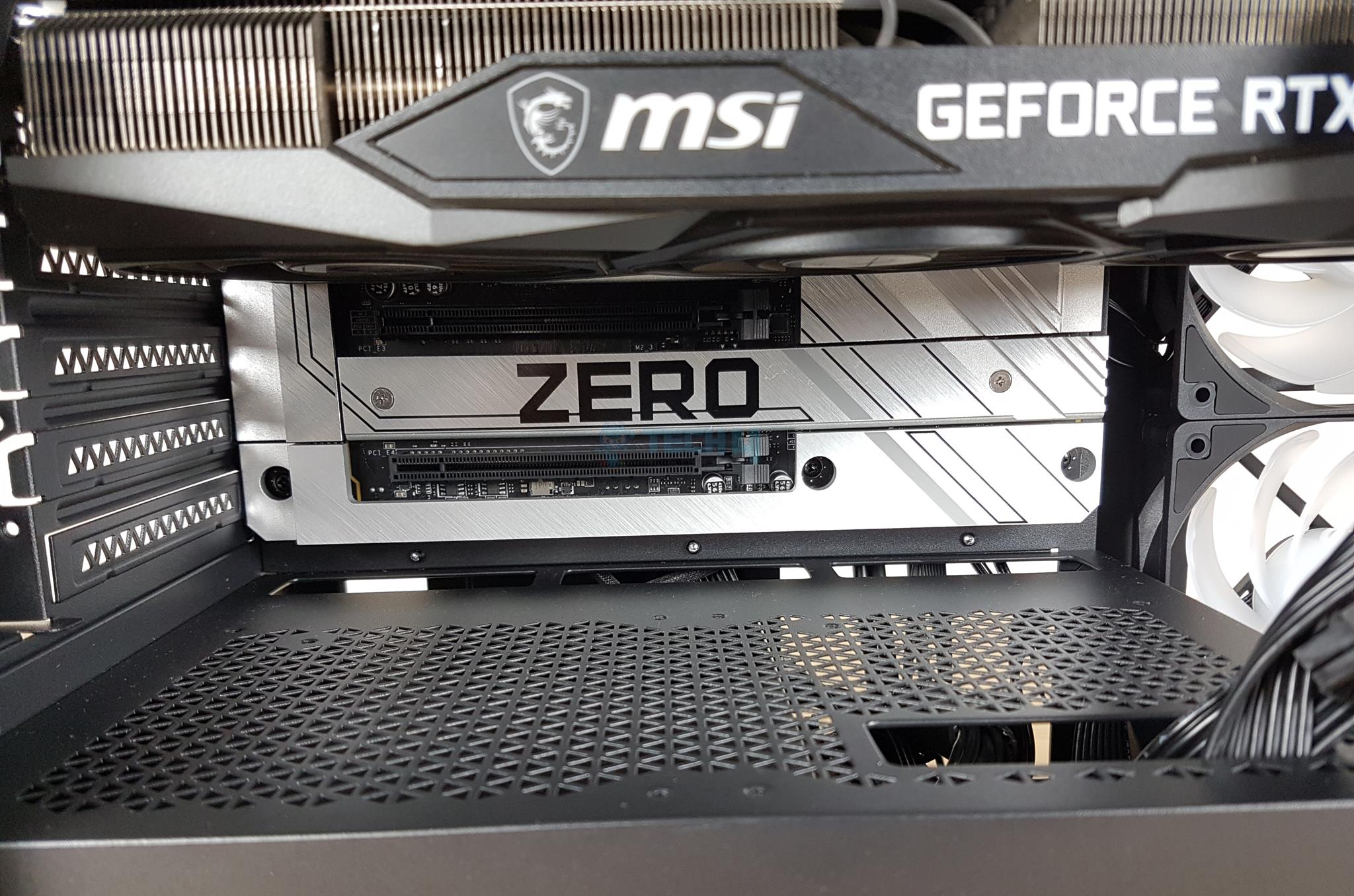
It seems like this is a joint venture with Asus, as BTF is the naming convention of Asus for the back-plug motherboards. However, I will be using an MSI Project Zero back-plug motherboard for the test build. Maybe XPG needs to reconsider the naming convention to say brand-free!
Why Trust Tech4Gamers
Sameed Hussain is our hardware expert who has been building and testing PCs for years.
40+ PC cases tested and reviewed by our team of hardware experts (Tech4Gamers Team).
600+ hours spent testing different PC cases for our reviews.
At Tech4Gamers, ensuring you get reliable information is our priority. That’s why every hardware round-up undergoes a meticulous review process by our team of experts and editors. Each review is carefully examined against our strict editorial guidelines, guaranteeing you trustworthy insights you can depend on.
Key Takeaways
The XPG Invader X BTF supports full ATX backplug motherboards, offers a panoramic view, and comes with excellent cooling solutions.
You should buy the XPG Invader X BTF if you want a high-end PC case that offers good features and supports backplug motherboards.
You should not buy the XPG Invader X BTF if you want the best bang for the buck as there are more backplug-supported motherboards releasing that offer better value.
Here are some features:
The BTF version is 10mm taller than the original Invader X to make room for ATX size backplug motherboards.
XPG has removed the riser cable to reduce the price for the BTF version compared to the original Invader X.
The BTF version has 4x reverse blades A-RGB fans and 1x regular A-RGB fan.
The XPG Invader X BTF is a stylish and versatile mid-tower case that offers full compatibility for ATX-sized backplug motherboards. This is its main selling feature. This case has ample cooling provision with 5x pre-installed fans. Another plus point is the option to install the graphics card vertically or horizontally with good clearance. However, this case has limited storage provision, but the overall feature set is competitive.
My team and I have also tested and reviewed these backplug motherboards:
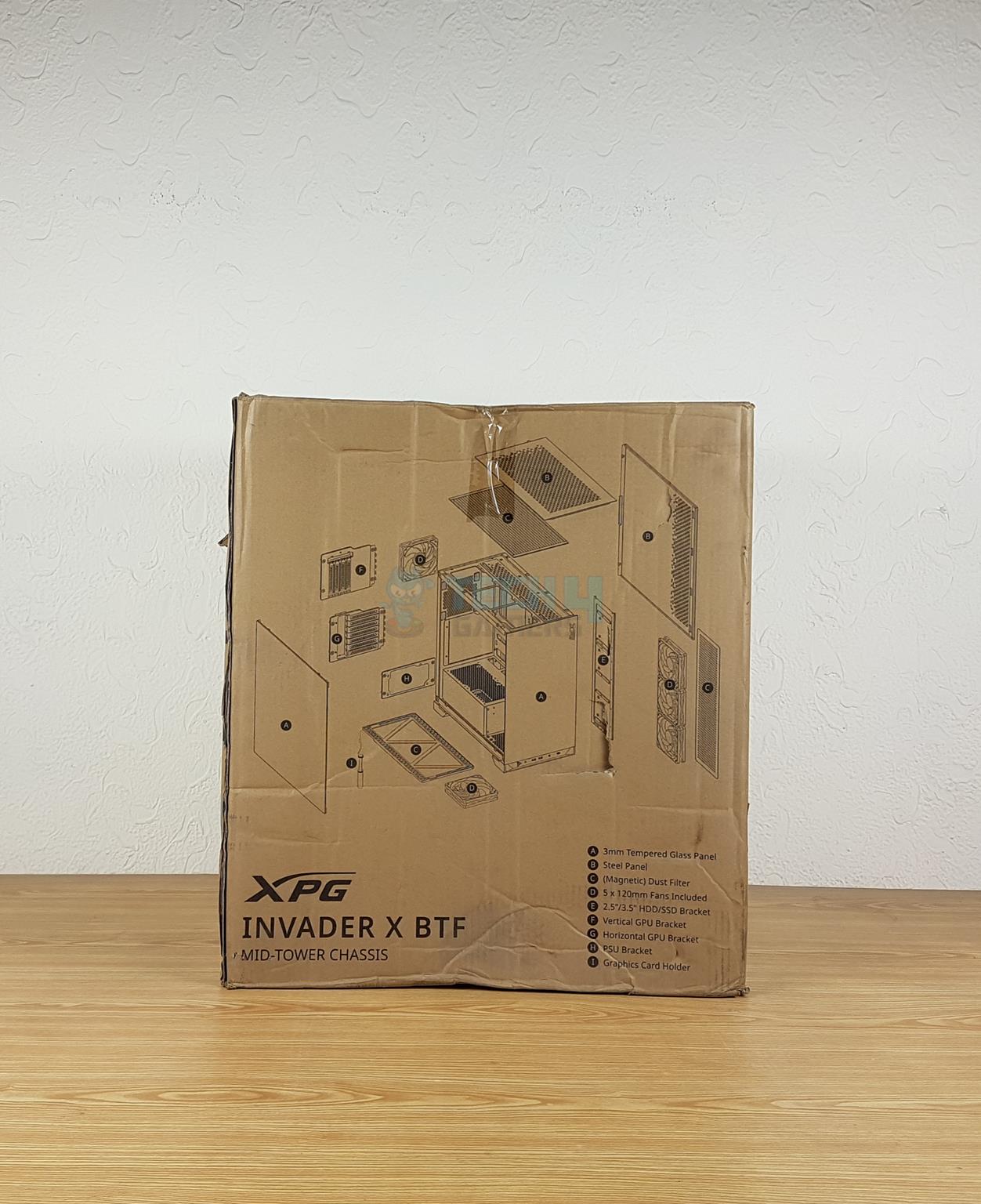
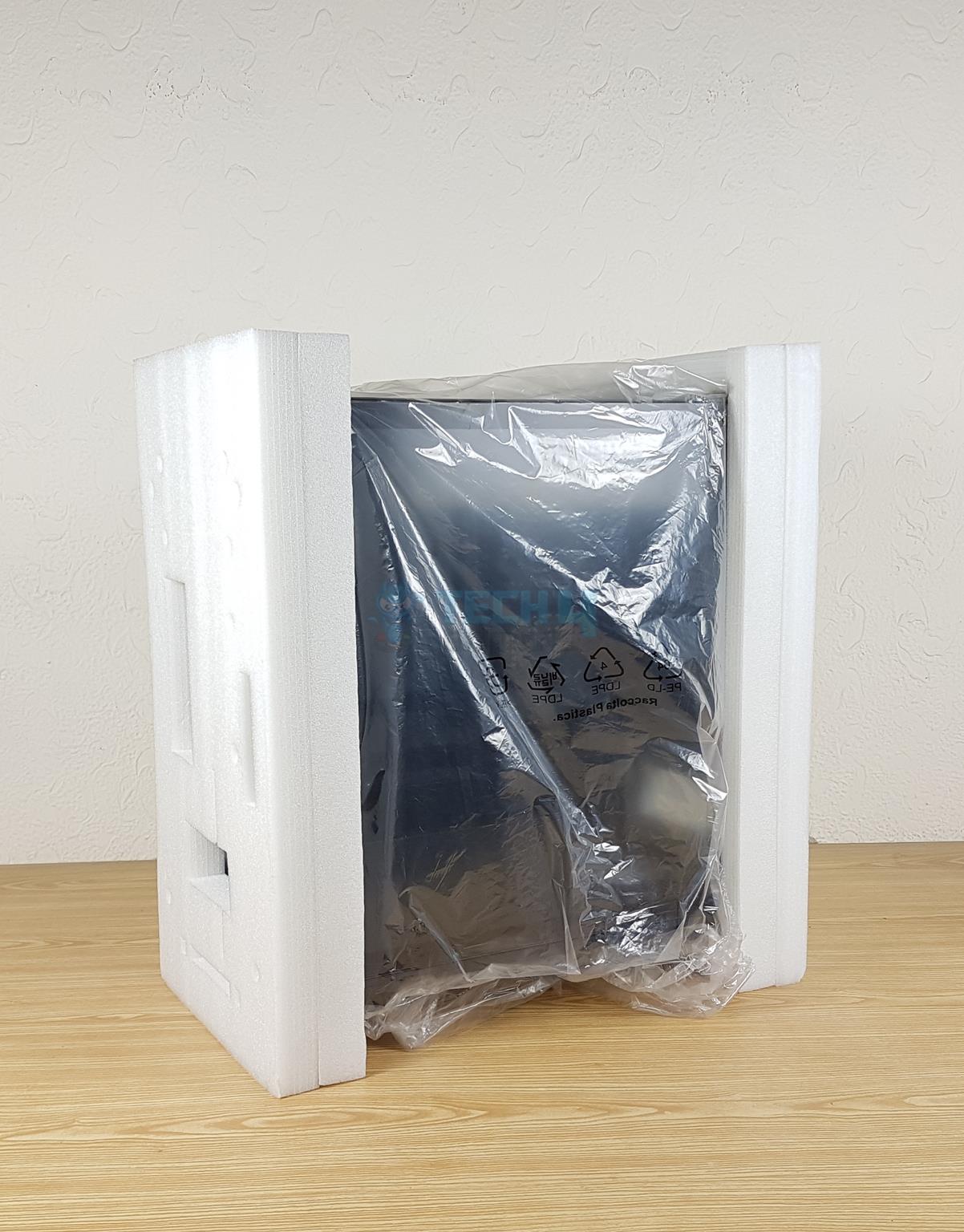
The unit is shipped inside a standard brown color cardboard box. XPG has highlighted key features on the packing box. The case is tucked between two white Styrofoam pads for protection.
Accessories (Image By Tech4Gamers)
XPG has provided the following in the accessory box:
The XPG Invader X BTF is a mid-tower case that has a longer height than the original Invader X to make room for ATX-size motherboards. It has a dimension of 458x245x448mm (HxWxD) compared to the dimension of Invader X’s 448x245x475mm (HxWxD). It is made of SPCC, tempered glass, and plastic. The weight of this case is the same, 8.95 kg. Let’s start taking a closer look at the case.
What Does The Outside View Look Like?
Main Design (Image By Tech4Gamers)
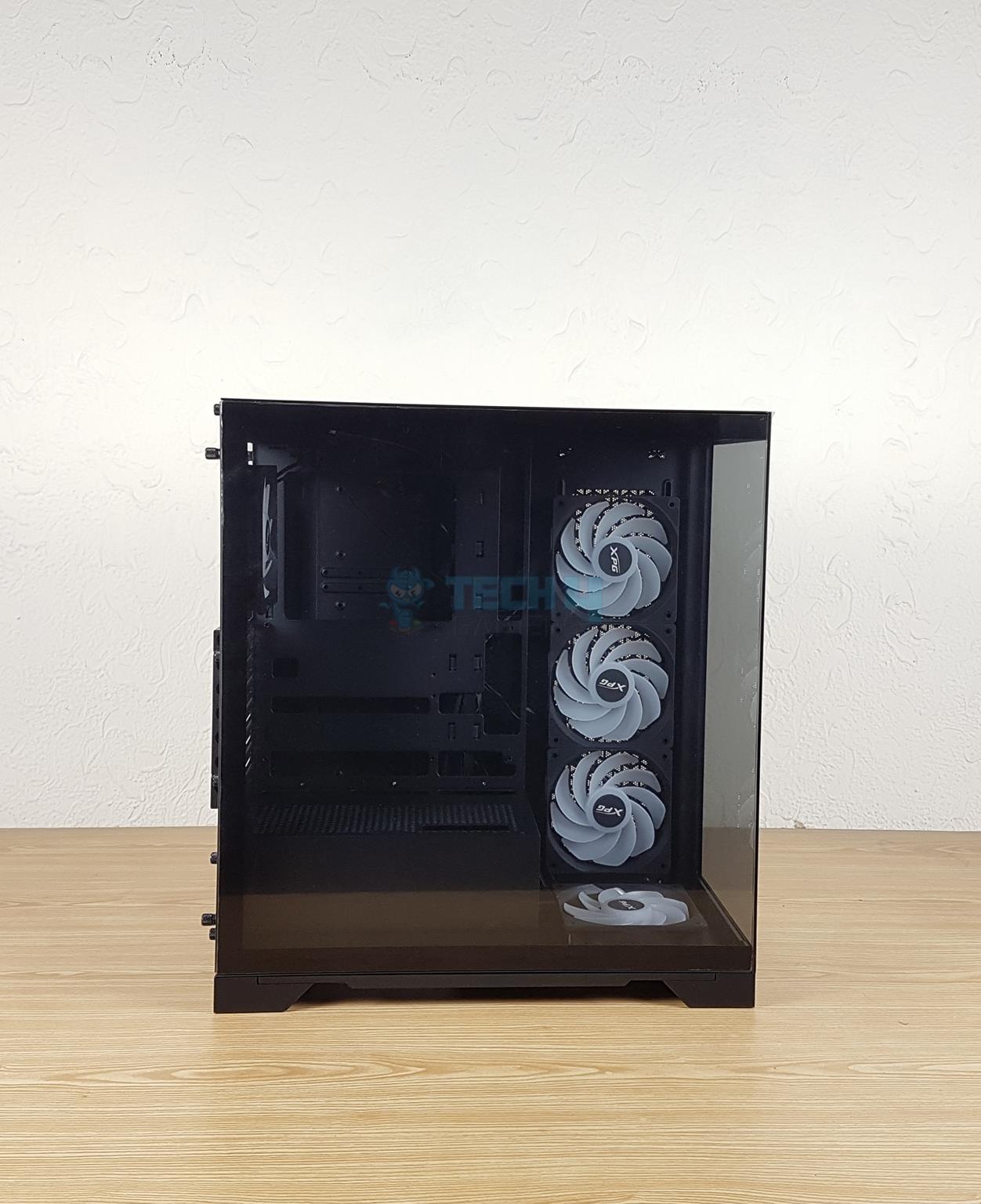
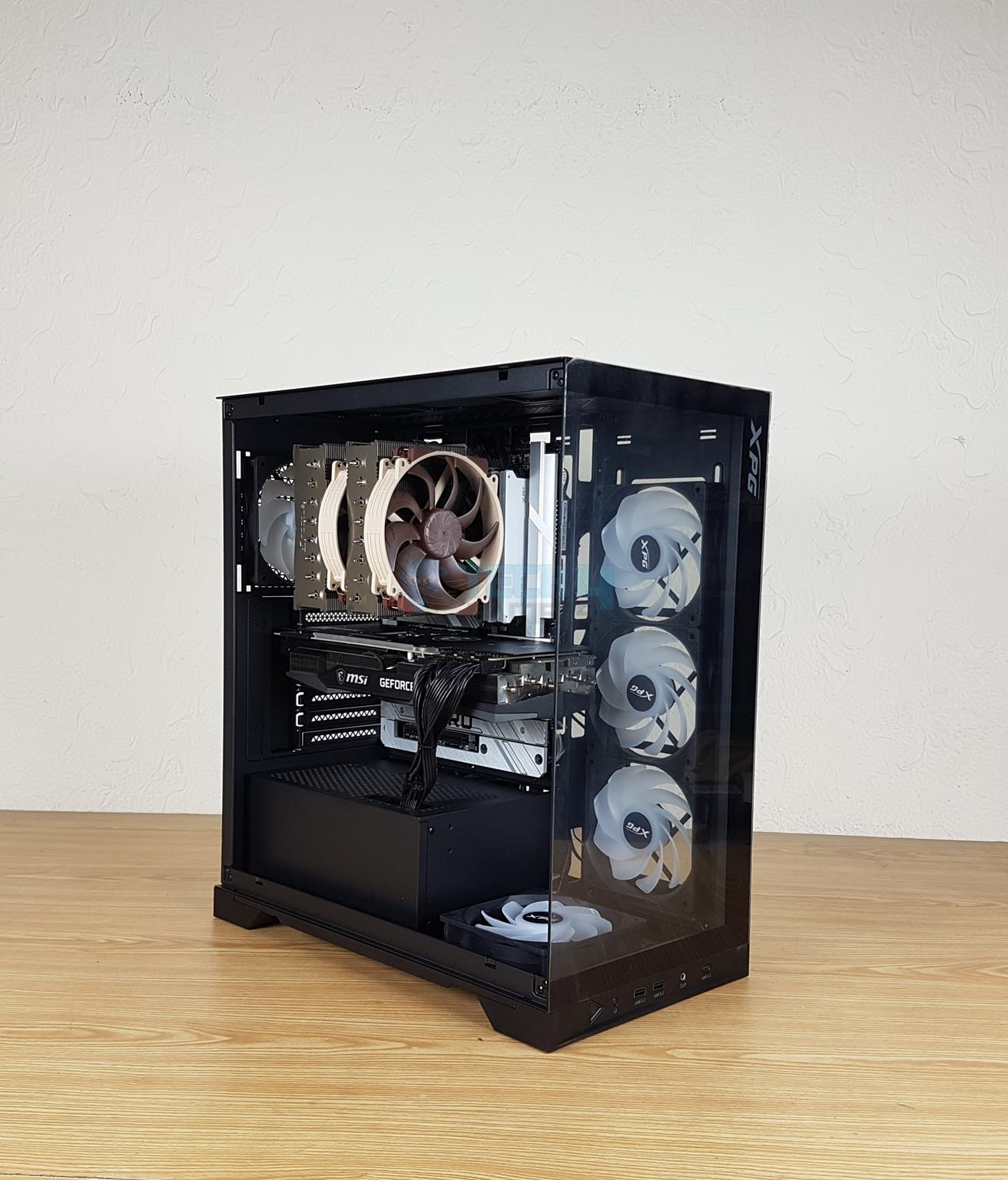
XPG has retained the panoramic view on the Invader X BTF. There is a clear see-through glass on the front, which is fixed, and a 3mm clear tempered glass on the side. The basic footprint of this case resembled XPG Invader X.
The Front Panel
Front Side (Image By Tech4Gamers)
There is a fixed glass panel on the front, which is the same as on the Invader X. XPG has kept the IO panel on the base of the front panel as well. The glass panel is bezel less design.
IO Ports (Image By Tech4Gamers)
1x USB 3.2 Type C port
2x USB 3.2 Type-A ports
1x Hybrid Audio Port
1x Power Button
1x Reset Button
The power button does not wobble and has a nice tack.
The Rear Panel
Rear View (Image By Tech4Gamers)
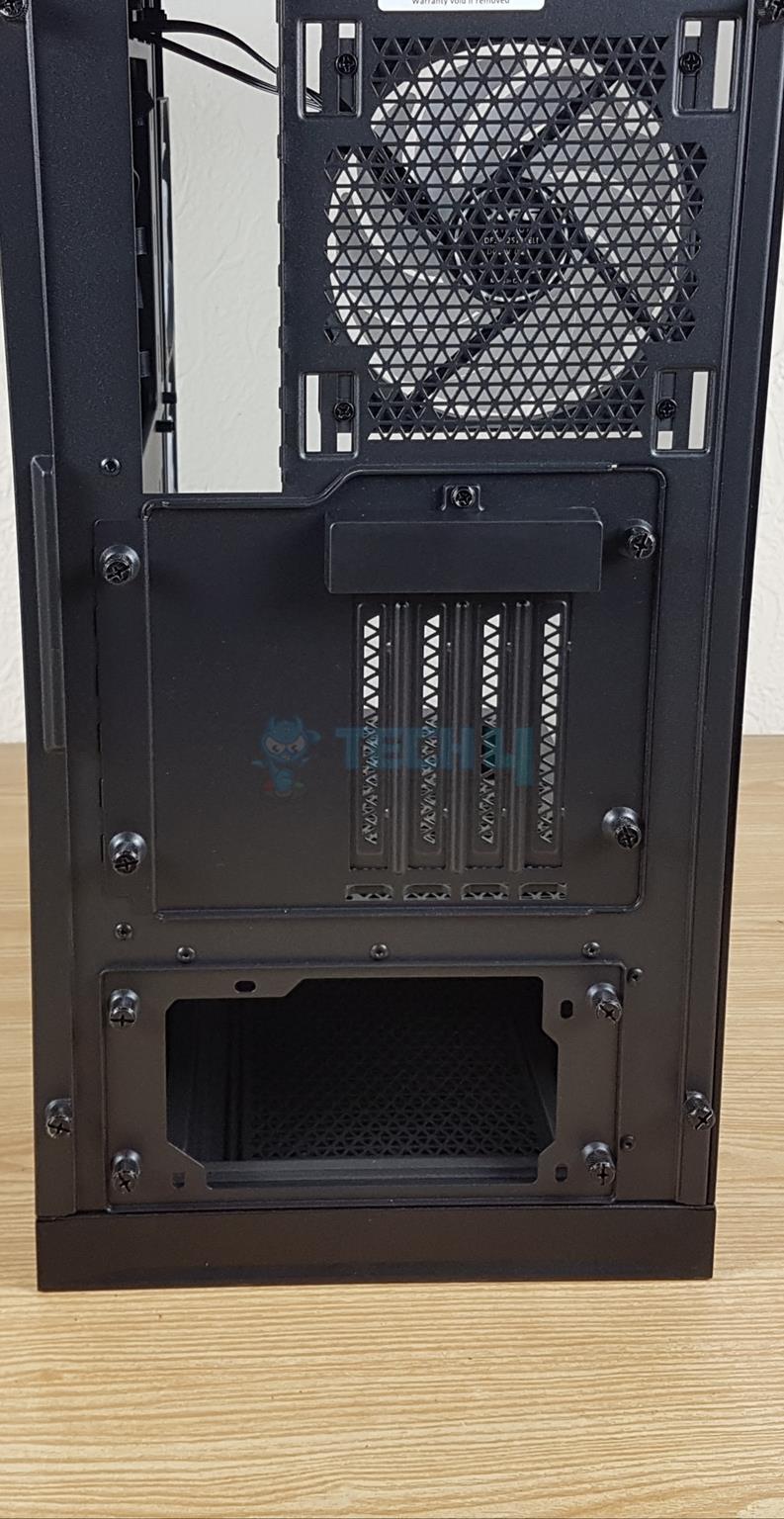
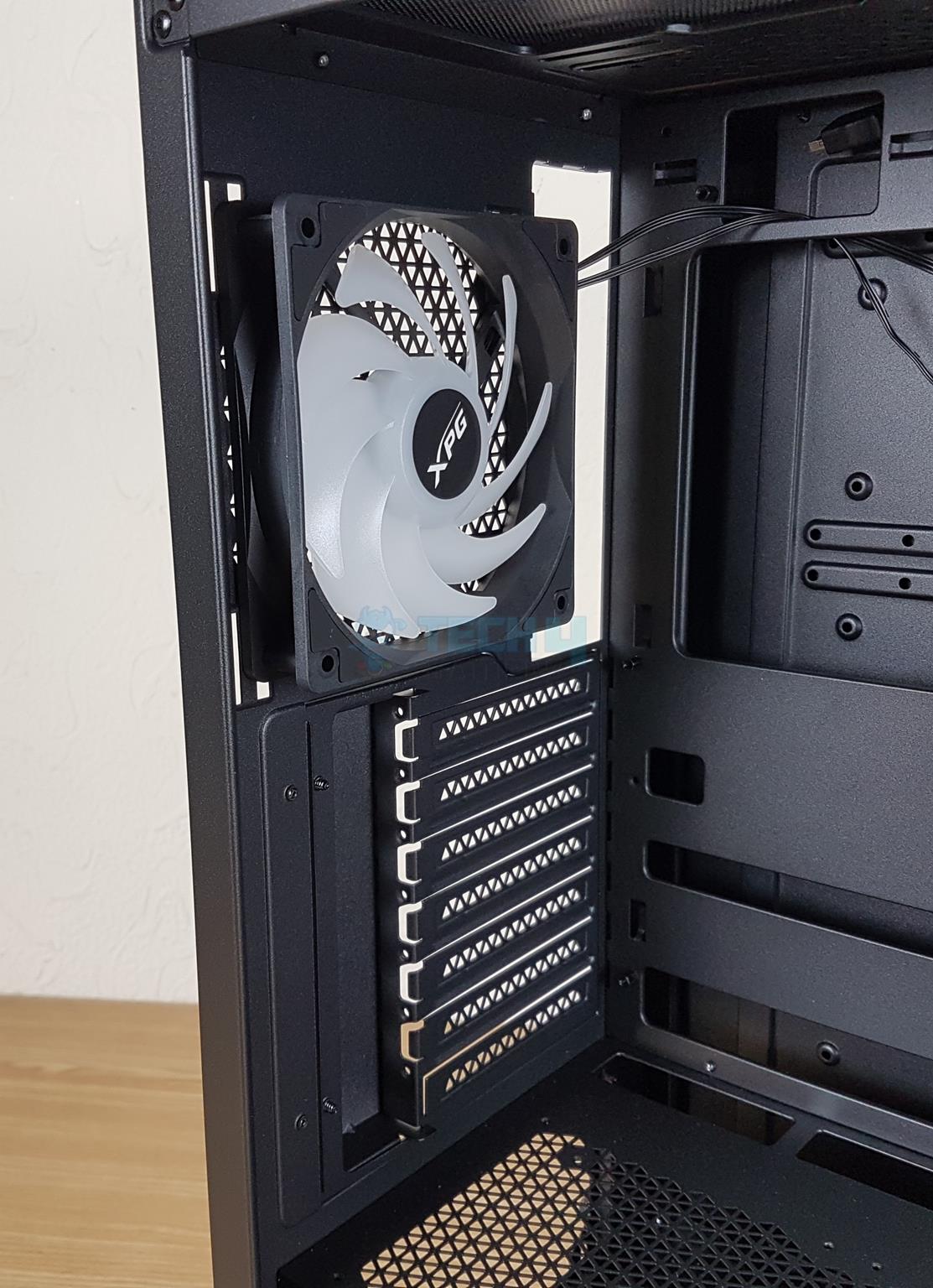
The rear side is almost identical to the original Invader X as well. The top section has a cutout for motherboard’s rear IO panel. On its right is a mounting location for a 120mm and 140mm fan. There is one 120mm fan pre-installed. This is a rail mount enabling you to adjust the height of the fan.
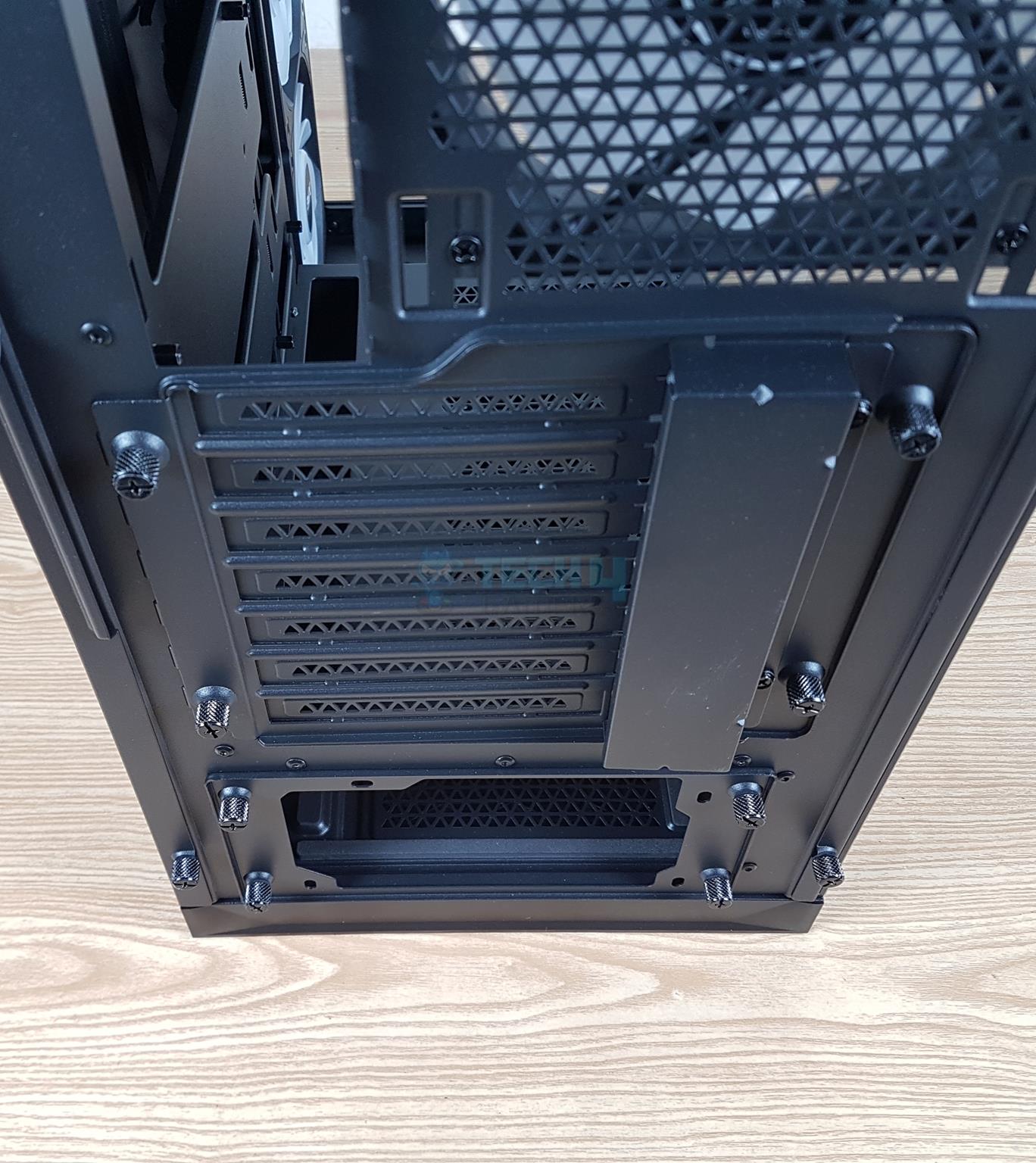
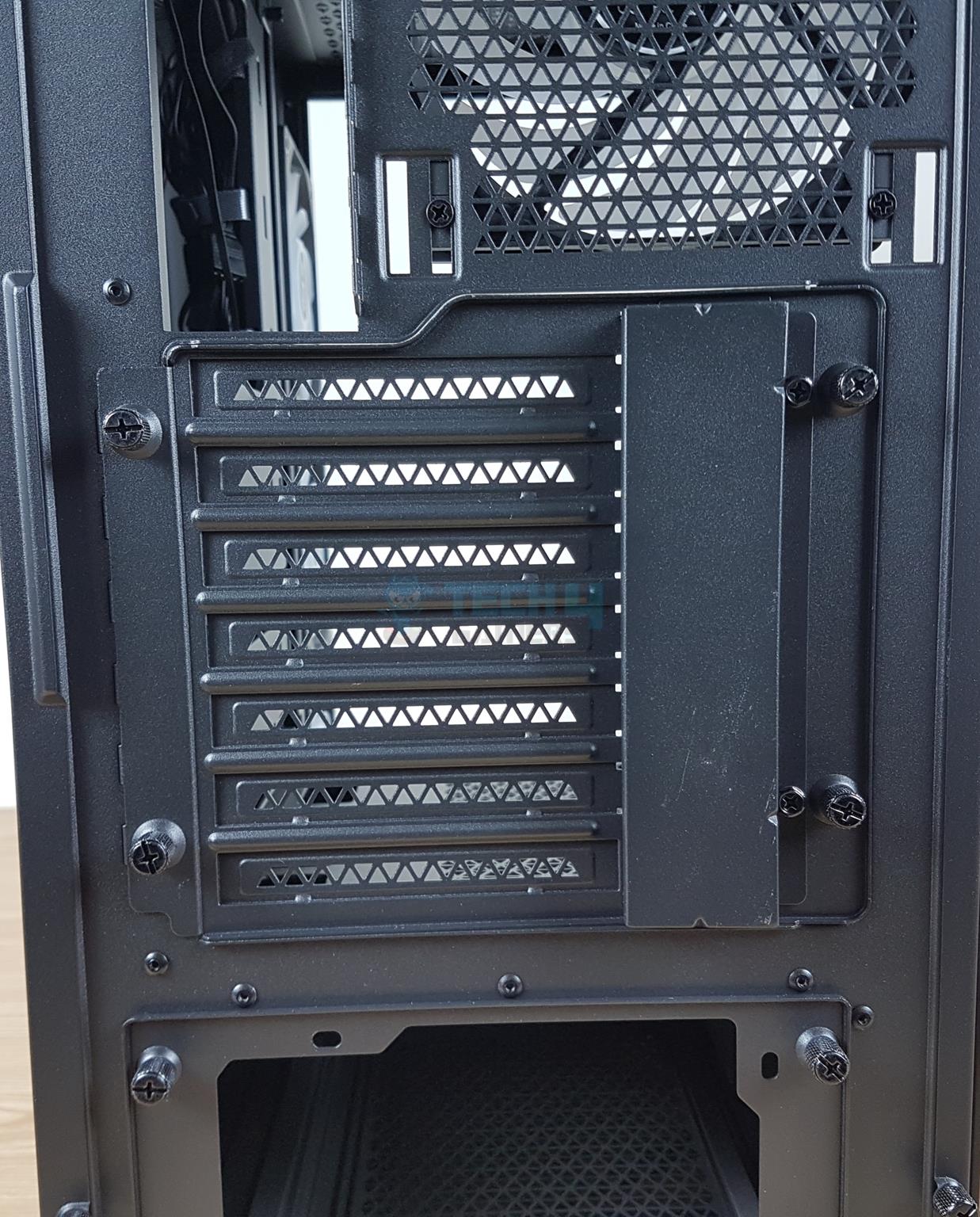
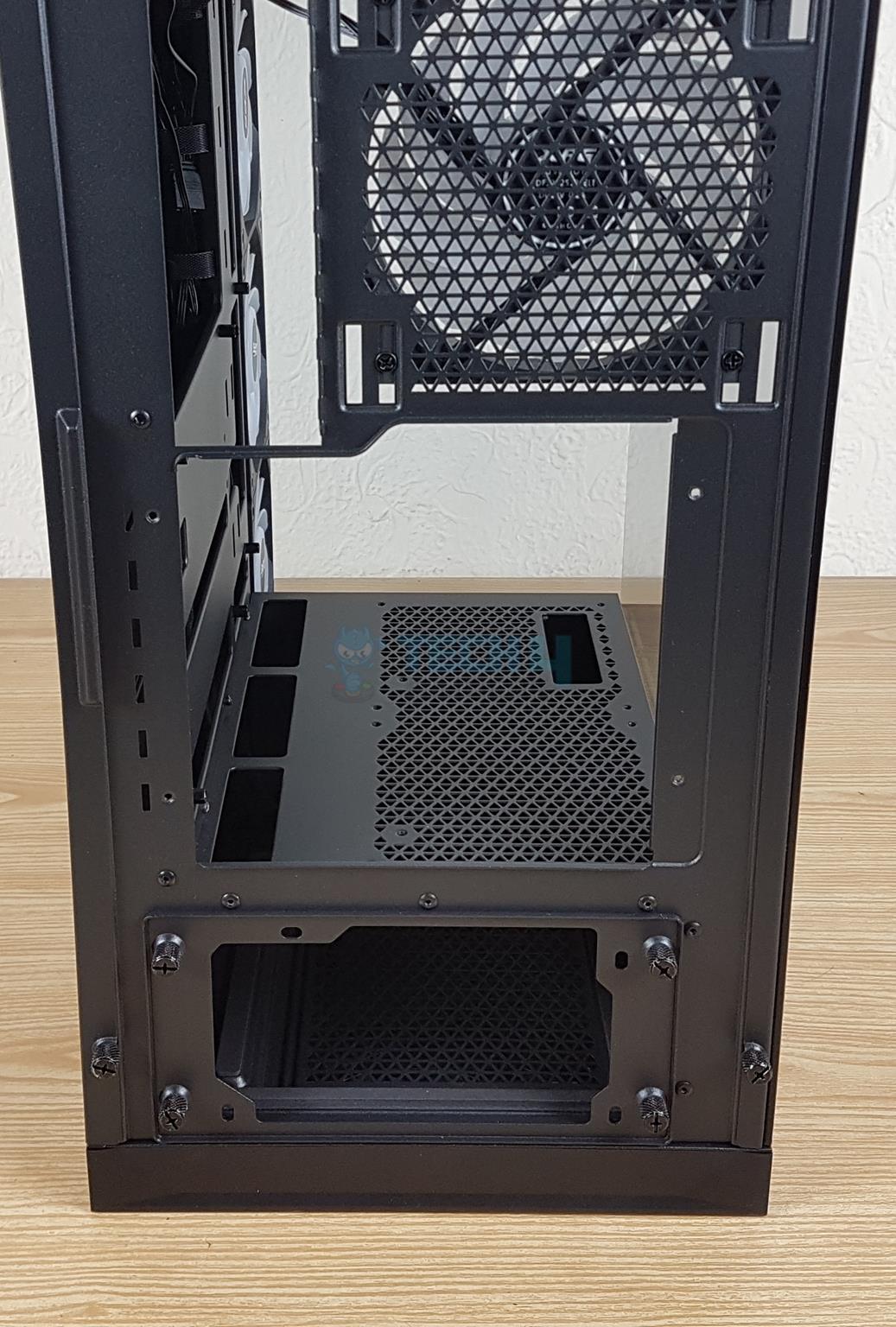
There is a removable graphics card bracket in the mid-section and standard ATX PSU mount at the base. The PSU cover needs to be removed and installed on the PSU. PSU is then inserted into the case.
4x captive thumb screws
XPG has used captive thumb screws, which were also in the Invader X. There are 4x captive thumb screws holding the default GPU horizontal bracket on the main frame. Simply unscrews these captive thumb screws and take out the complete bracket easily.
Bracket Removed
Vertical GPU Bracket Installed
I have removed the bracket and shown the space available for both brackets. In the second picture, you can see that I have installed a vertical GPU bracket that has 4x PCIe slots on the rear. One thing that I noted during the testing of original Invader X is that these brackets are not reusable and it was my gripe. XPG has retained the same design in the Invader X BTF.
Also, the vertical bracket provides 270mm height clearance for your graphics card.
A Look At The Top
Top Panel (Image By Tech4Gamers)
The top cover is perforated in a stylish manner for effective air ventilation. It is same design as on the original Invader X.
This cover has two captive thumb screws toward the rear of the case. Undoing these screws and pulling (sliding) the panel will remove it.
Dust Filter
Rail Mount System
There is a full-length magnetic dust filter on the top panel. Look at the displacement from the solid panel to the actual fan bracket. This fan bracket is fixed. You can install up to 3x 120mm or 2x 140mm fans over here and up to 360mm radiator.
There is a rail mount system. XPG has done a fine job in the design department.
A Look At The Base Of The Case
Bottom Panel (Image By Tech4Gamers)
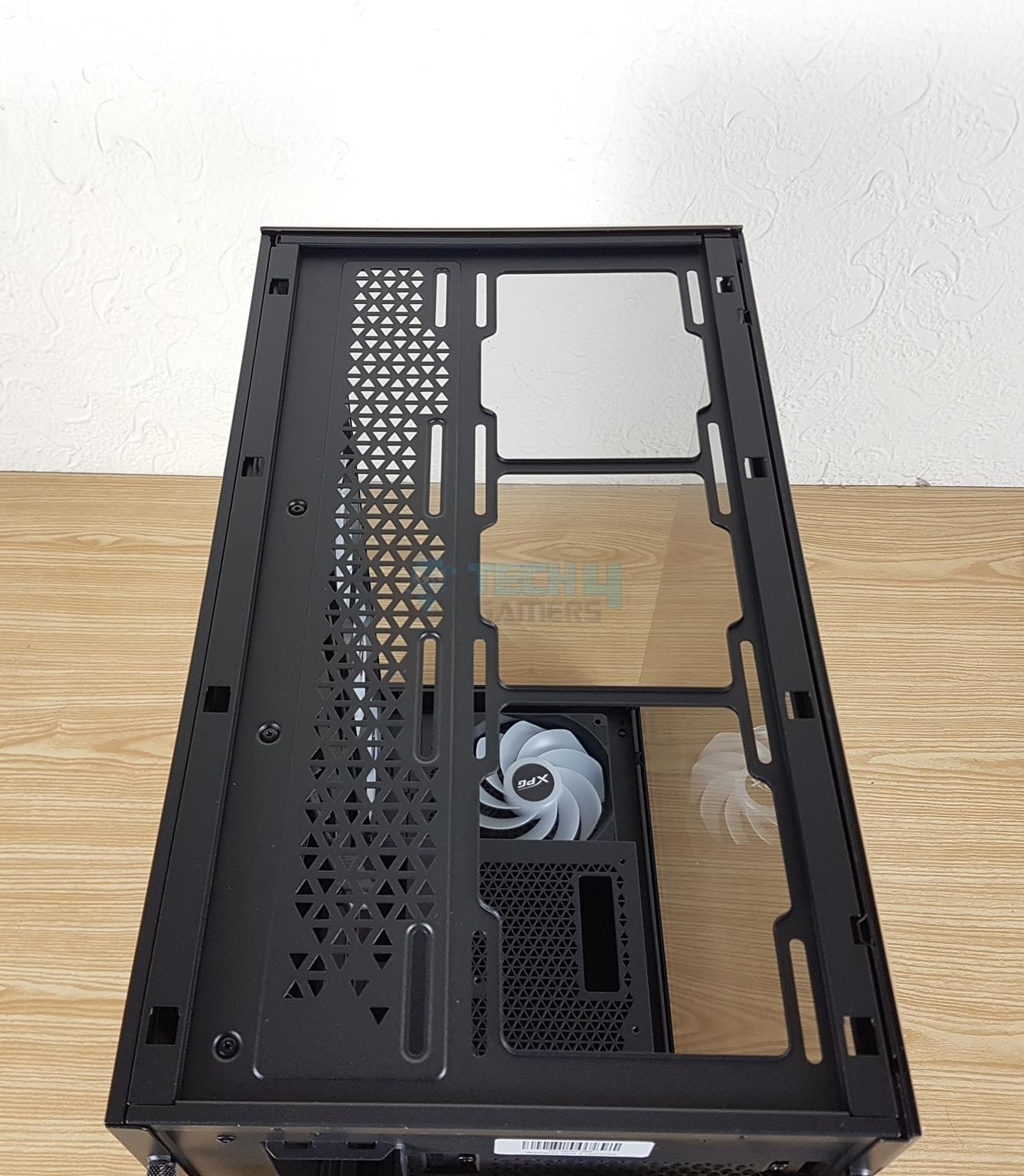
A look underneath the case, there is a non-magnetic dust filter that runs to the full length of the case and it is side-mounted. The anti-scratching rubber feet are identical to the original Invader X.
The PSU bay is perforated for effective ventilation. The access to the base fan is on the underneath which should not be the case. So, take care when planning for the build using some other fan and do so when preparing the case for the installation.
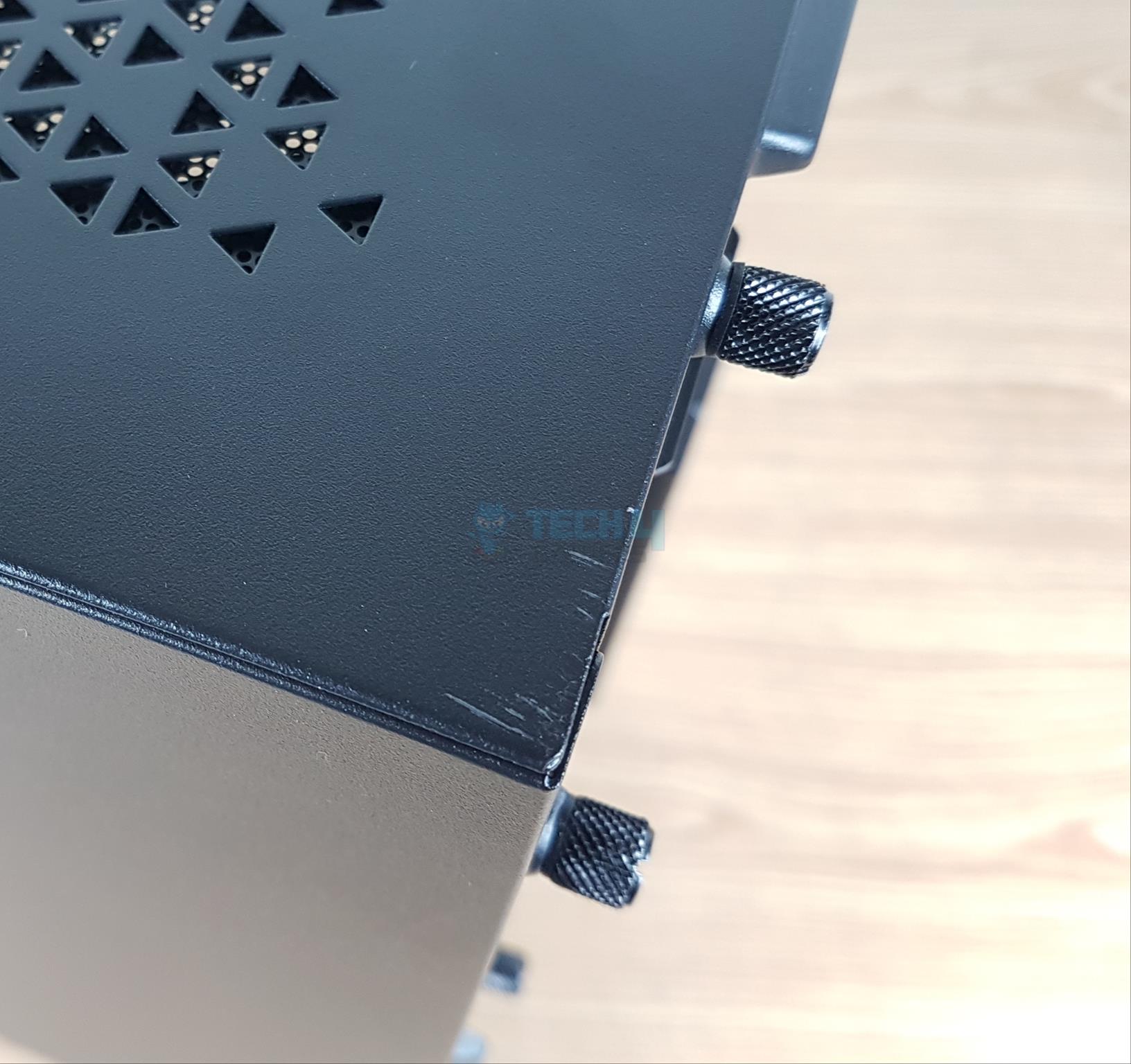
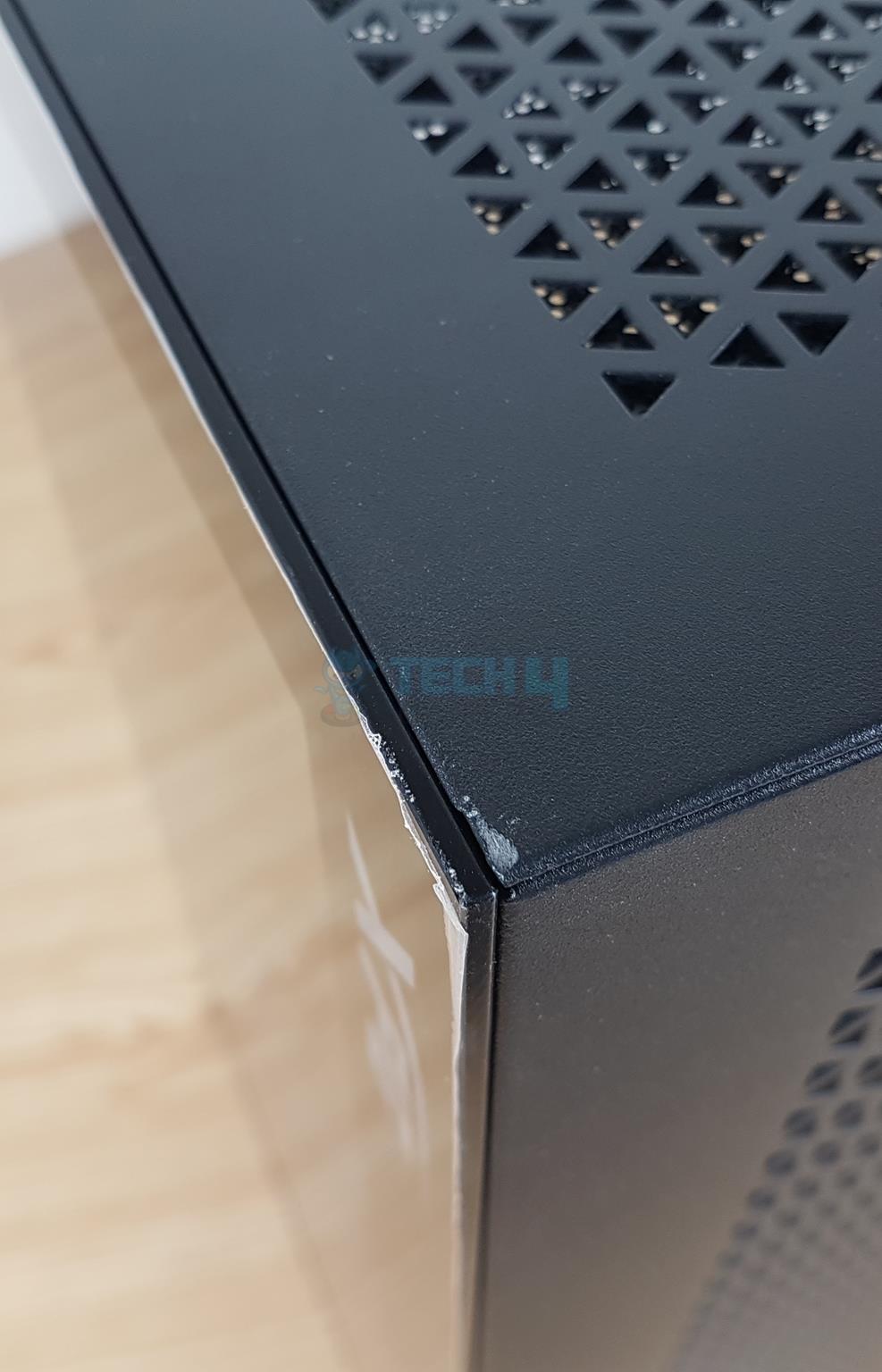
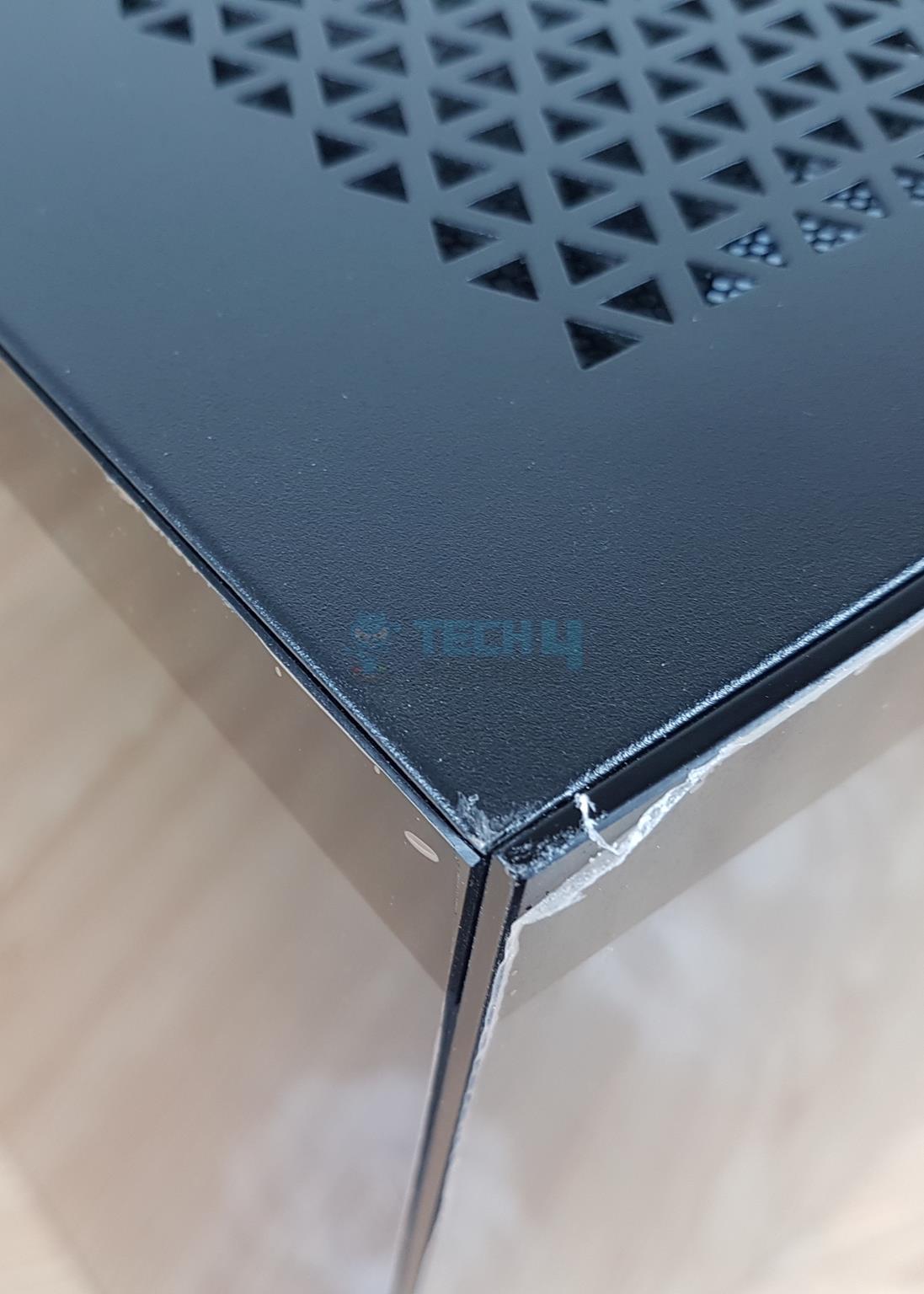
Scratches Everywhere!
Too Many Scratches
1 of 3
Scratches (Image By Tech4Gamers)
Scratches (Image By Tech4Gamers)
Scratches (Image By Tech4Gamers)
Multiple spots have scratches on the main housing or frame of this case. I found these out of the box, meaning they came from the factory as is. Even the stock GPU bracket has a scratch on it. We shared this issue with our XPG PR manager and they confirmed with pictures from the technician & warehouse that there were no stretches at the time of shipping so it could be due to the shipping and Customs inspection as the case was detained by Customs for over 20 days.
A Look At The Side Panel And The Interior
Side Panel
Glass Panel Removed
XPG has retained the same 3mm tempered glass panel on the main side as on the original Invader X. It is still a bezel-less design so that users can glimpse what is inside the case.
I have removed the glass panel. Removing the glass panel requires removing top panel which is cumbersome. I wish XPG had something for it in the Invader X BTF. You can see a spacious layout inside the main compartment. This is going to be our focus now.
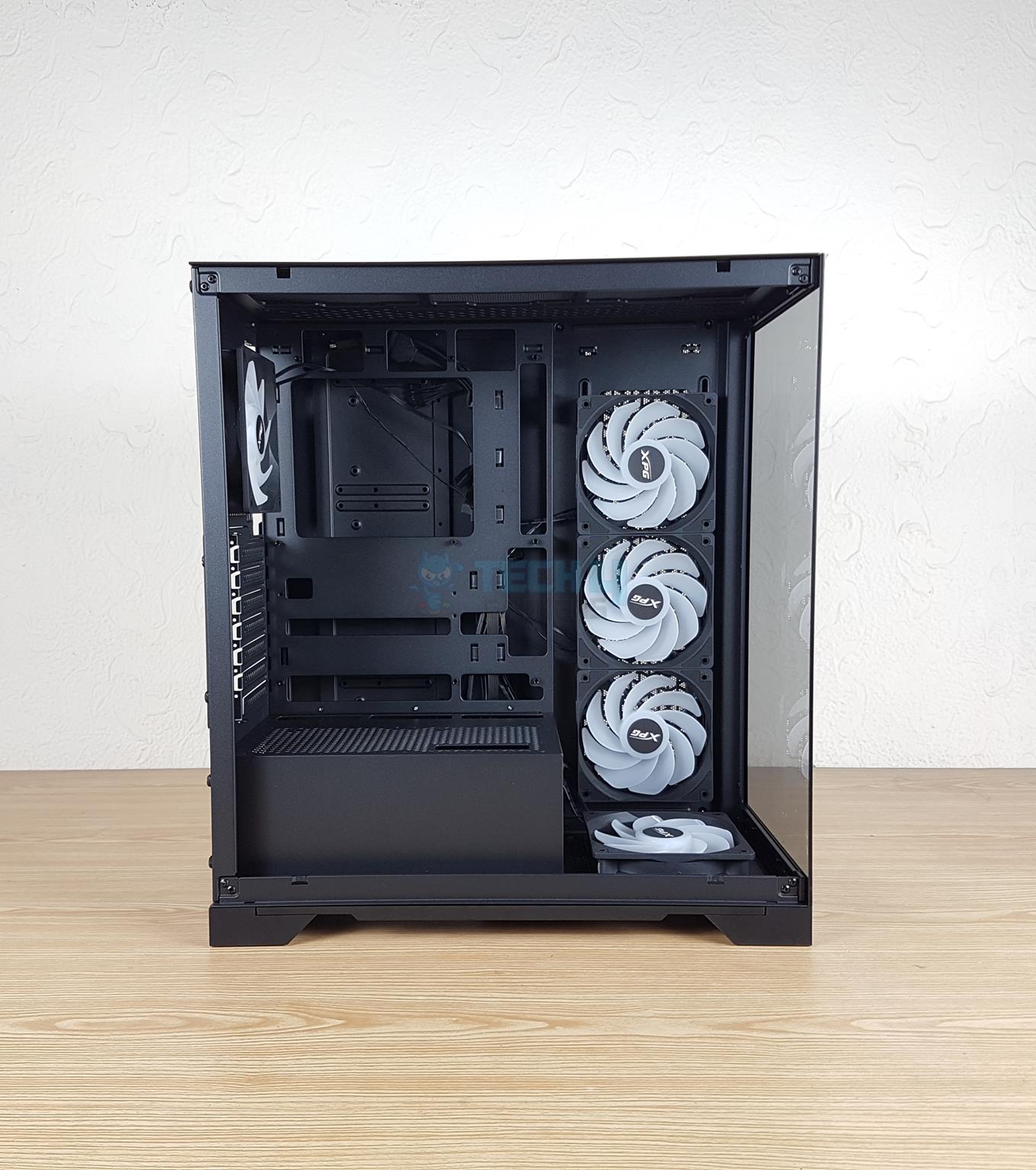
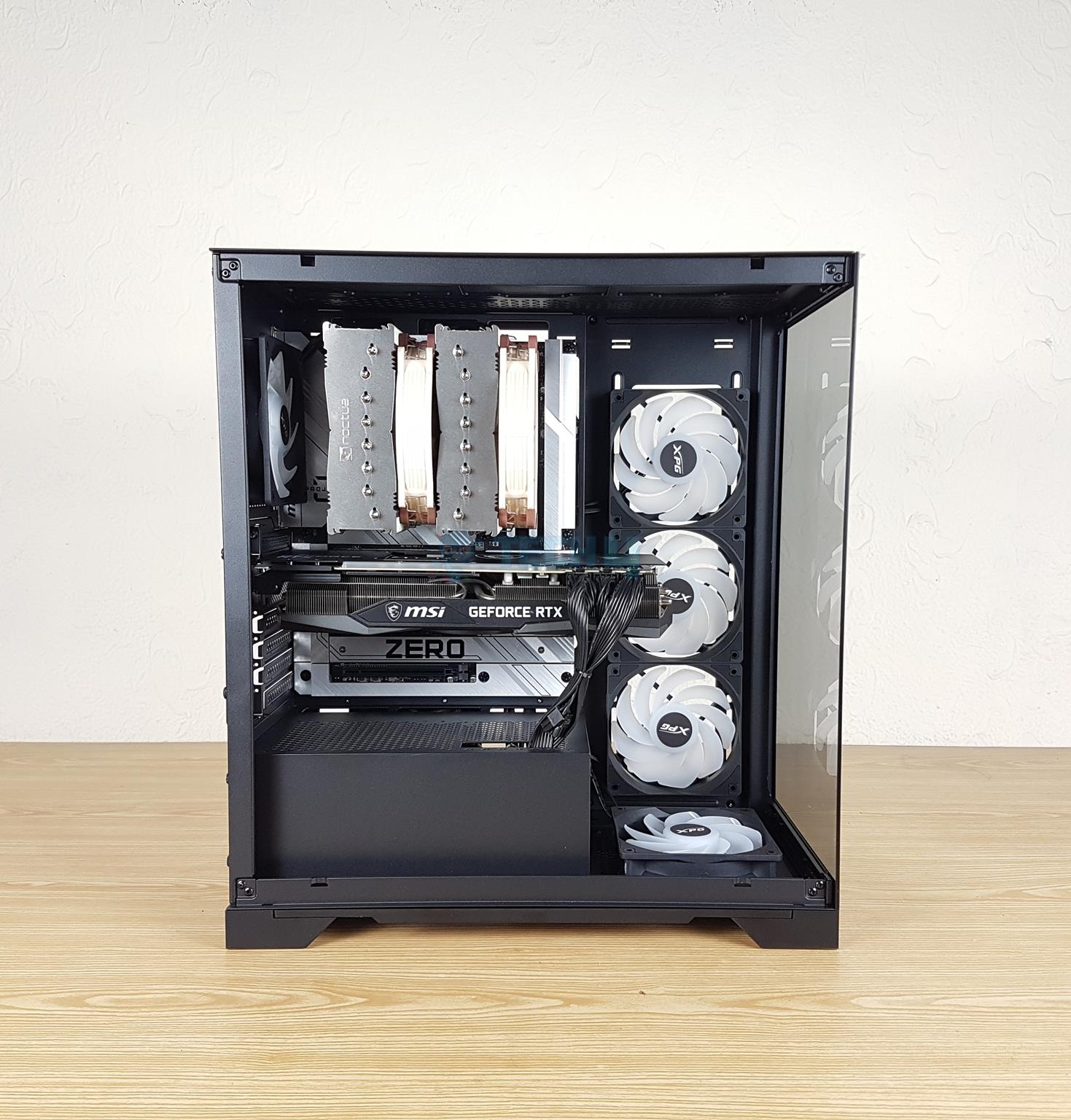
Interior Design (Image By Tech4Gamers)
Checking the motherboard tray one thing that I noticed is a play in the tray itself. This was not the case with original Invader X. I am not sure if it is this particular sample or whatever. The tray has a large size cutout for easy installation of the CPU cooler. There are three cutouts on the top through which the backplug connectors make their way out towards the back.
Same goes for the side holes and the bottom holes. This case can house backplug motherboard as well as the regular motherboard in ATX, mATX, and mini-ITX sizes.
All 9x standoffs are pre-installed. There is no rubber grommet on the cutouts. There is a displacement of 28mm from the top of the case to the top of the motherboard. The side displacement is 70mm for the 120mm fans which is impressive and gives a better clearance for taller RAMs.
PSU Shroud (Image By Tech4Gamers)
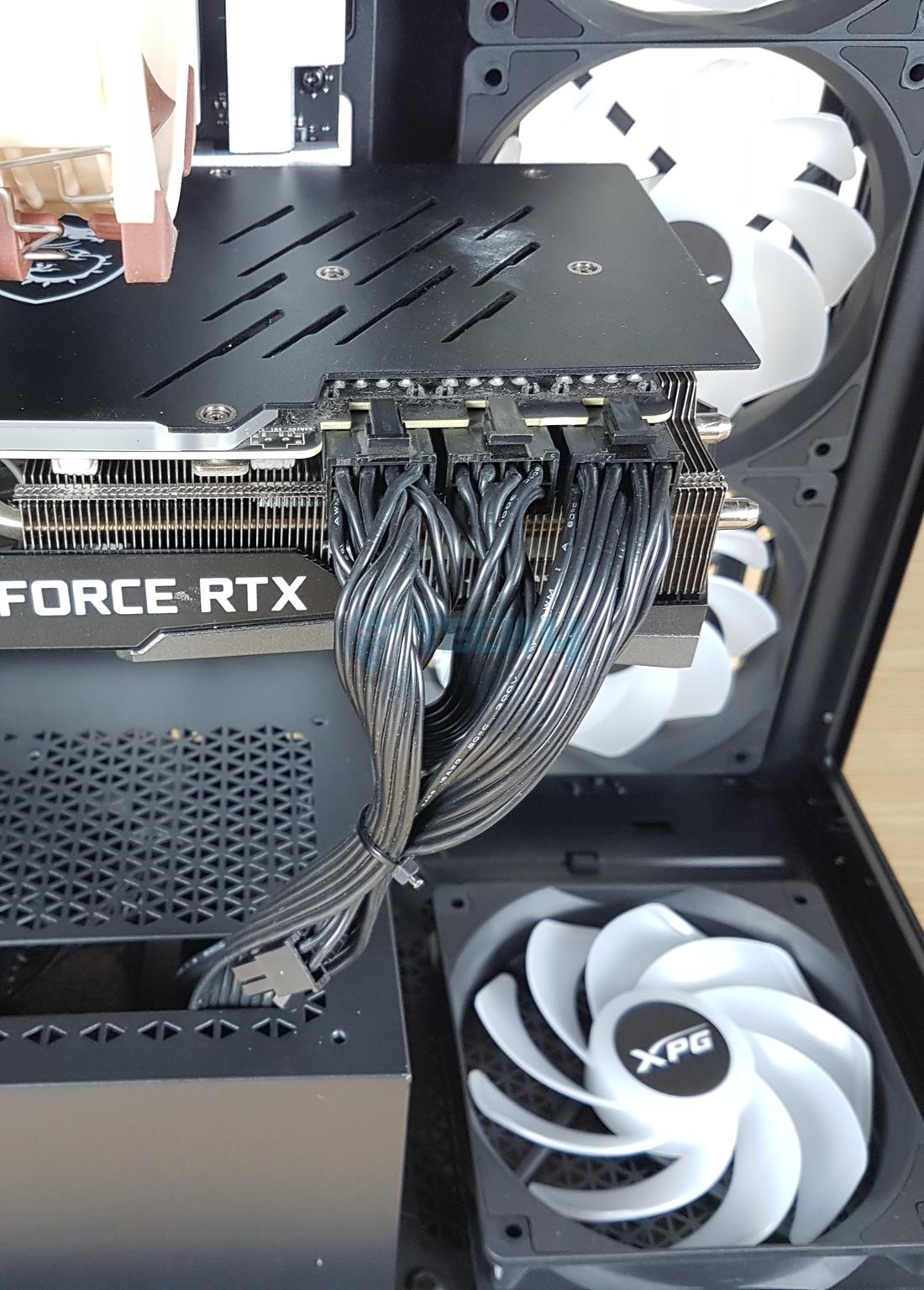
The PSU shroud is perforated for ventilation. There are mounting holes so that you can install two 120mm fans over the shroud to throw direct air on the graphics card. Three cutouts for cable routing towards the motherboard tray and a large cutout towards the front are for the graphics card cable routing. None of these holes have rubber grommets.
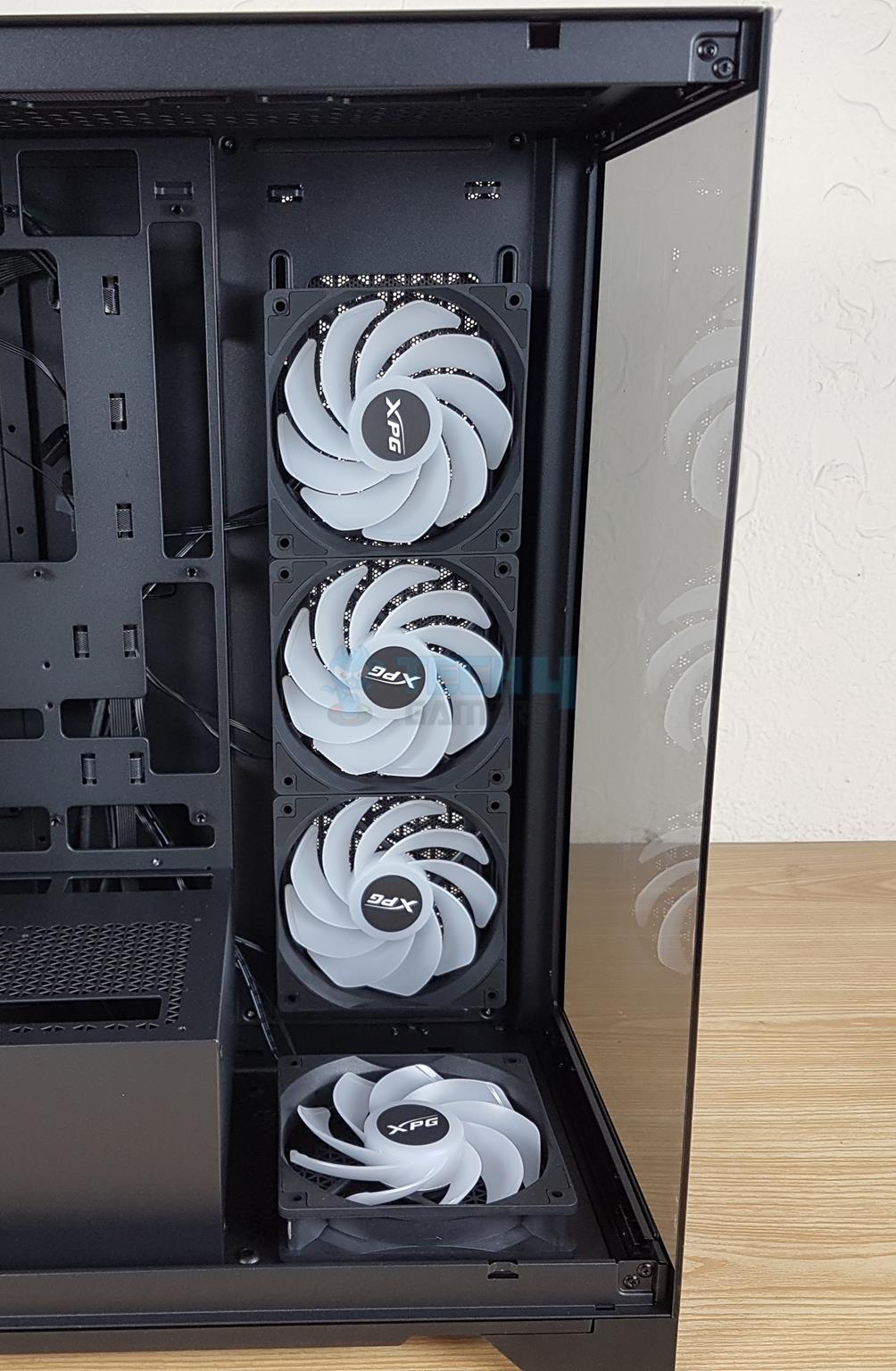
Preinstalled 4x 120mm A-RGB Fans
Preinstalled 1x 120mm Fan
There are 4x 120mm A-RGB reversed blades fans pre-installed. Three fans are on the side, and one is on the base. XPG could have used a removable fan bracket on the base for convenient handling of that fan.
You can install up to a 360mm radiator on the side. There is no radiator support over the base.
There is a 120mm digital RGB fan on the rear pulling the hot air. You can see 7x non-reusable PCIe slot covers. This was my gripe in the review of the original Invader X, despite XPG having kept the same design in the BTF version. They have provided 3x PCIe slot covers so that should cover up this limitation.
Looking At The Backside
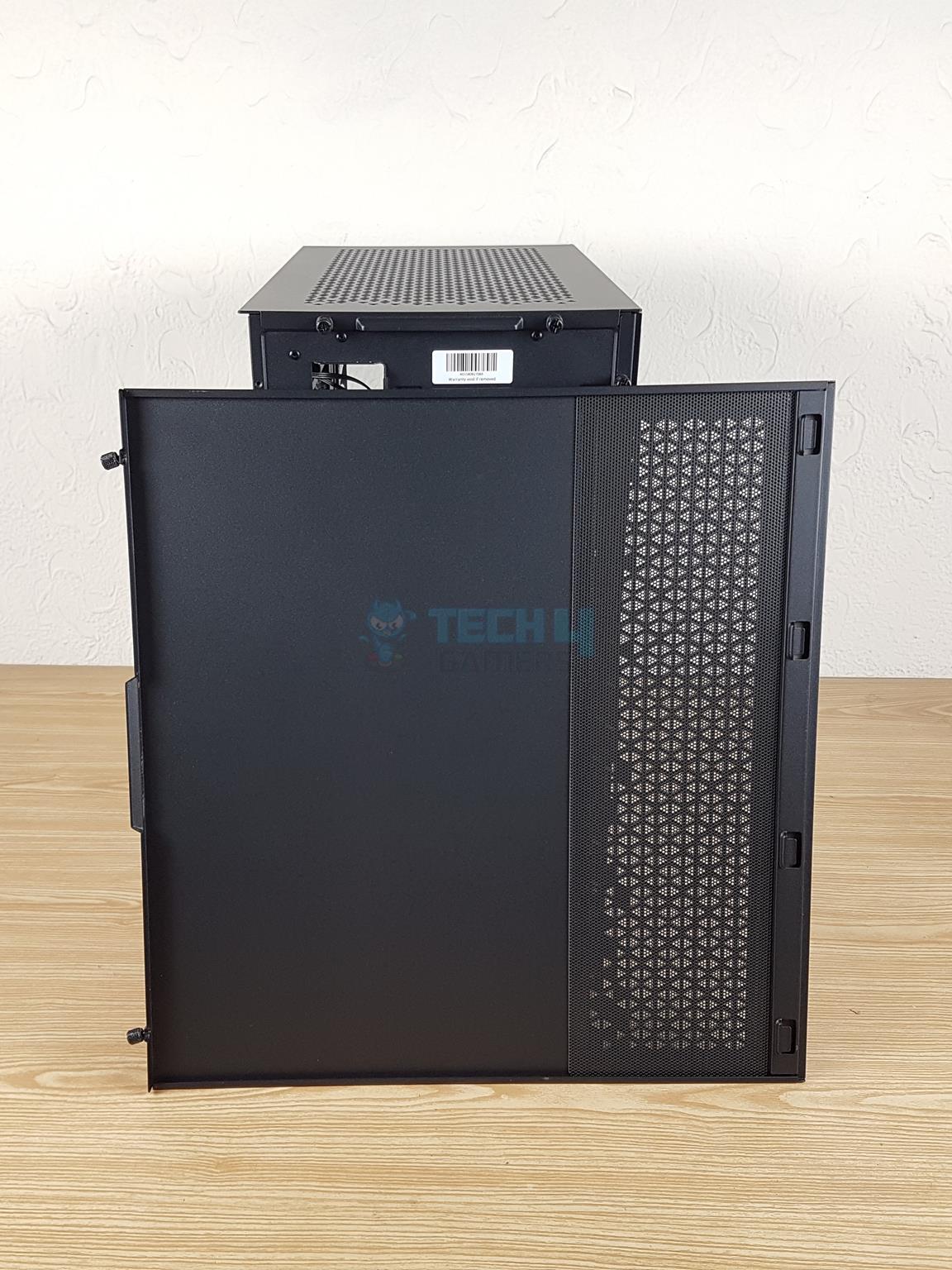
Backside
Magnetic Dust Filter
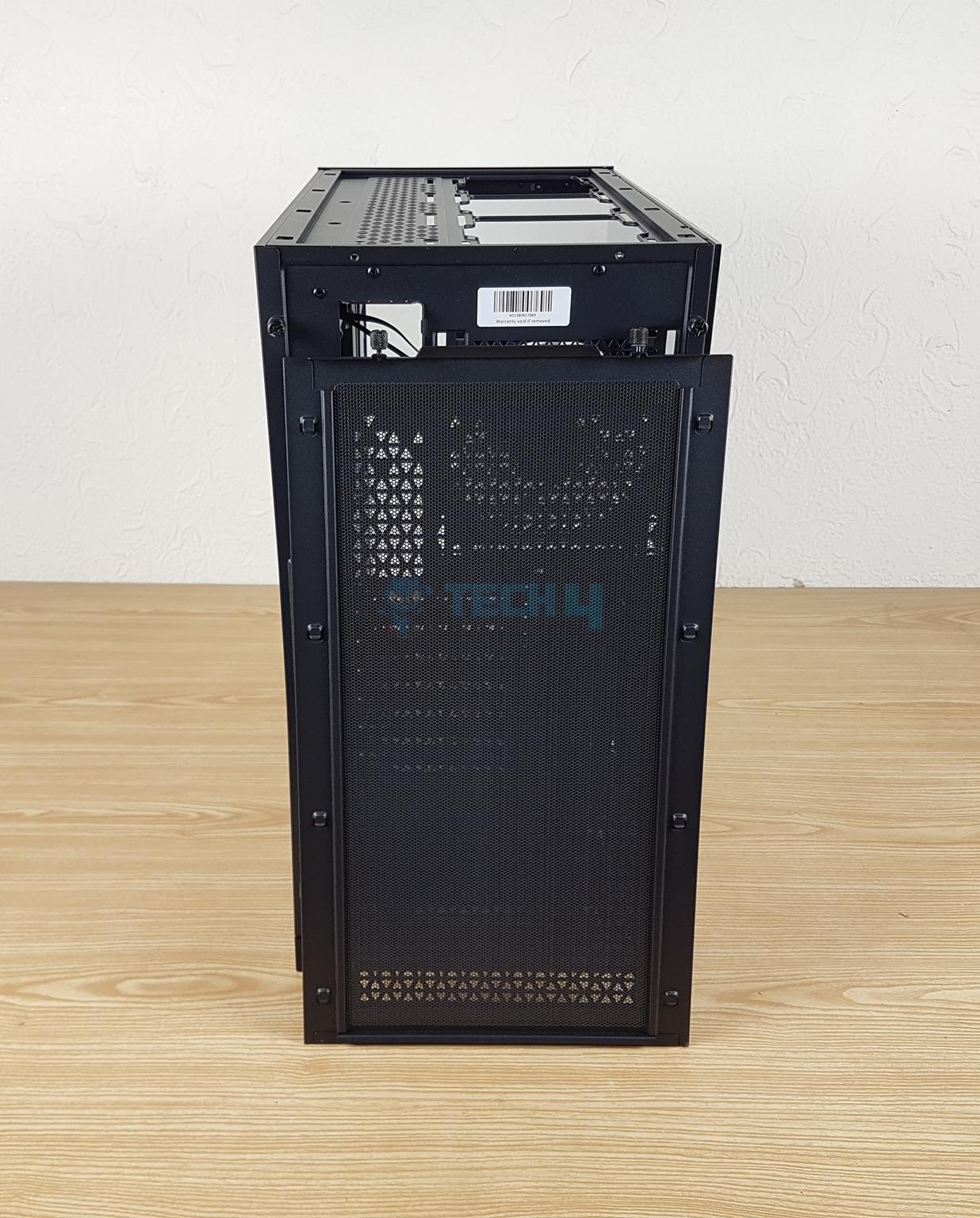
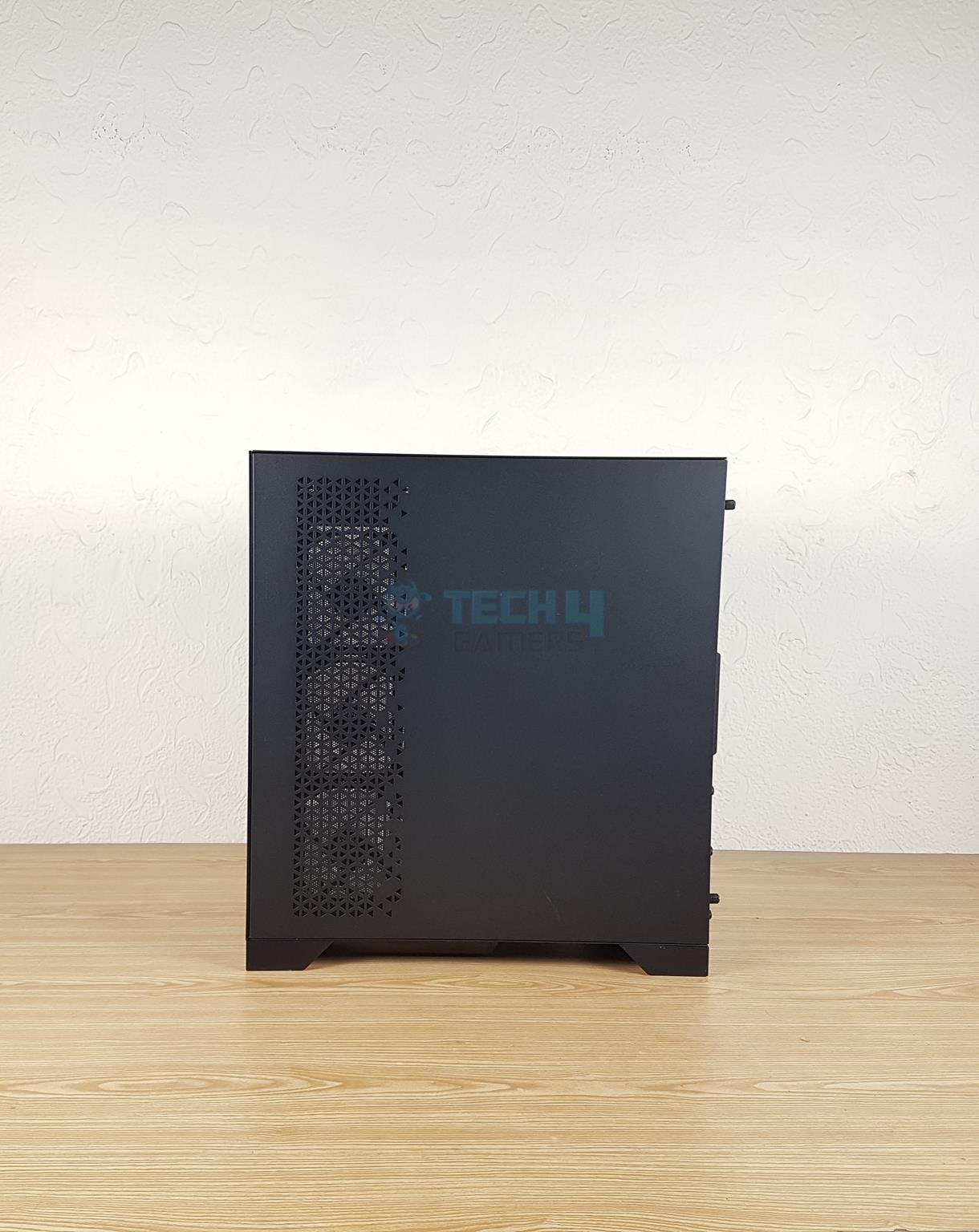
There is a steel backside panel. It has a vented portion towards the front of the case. This is there to provide ventilation for the 3x 120mm fans. A magnetic dust filter covers the perforated area on the side panel.
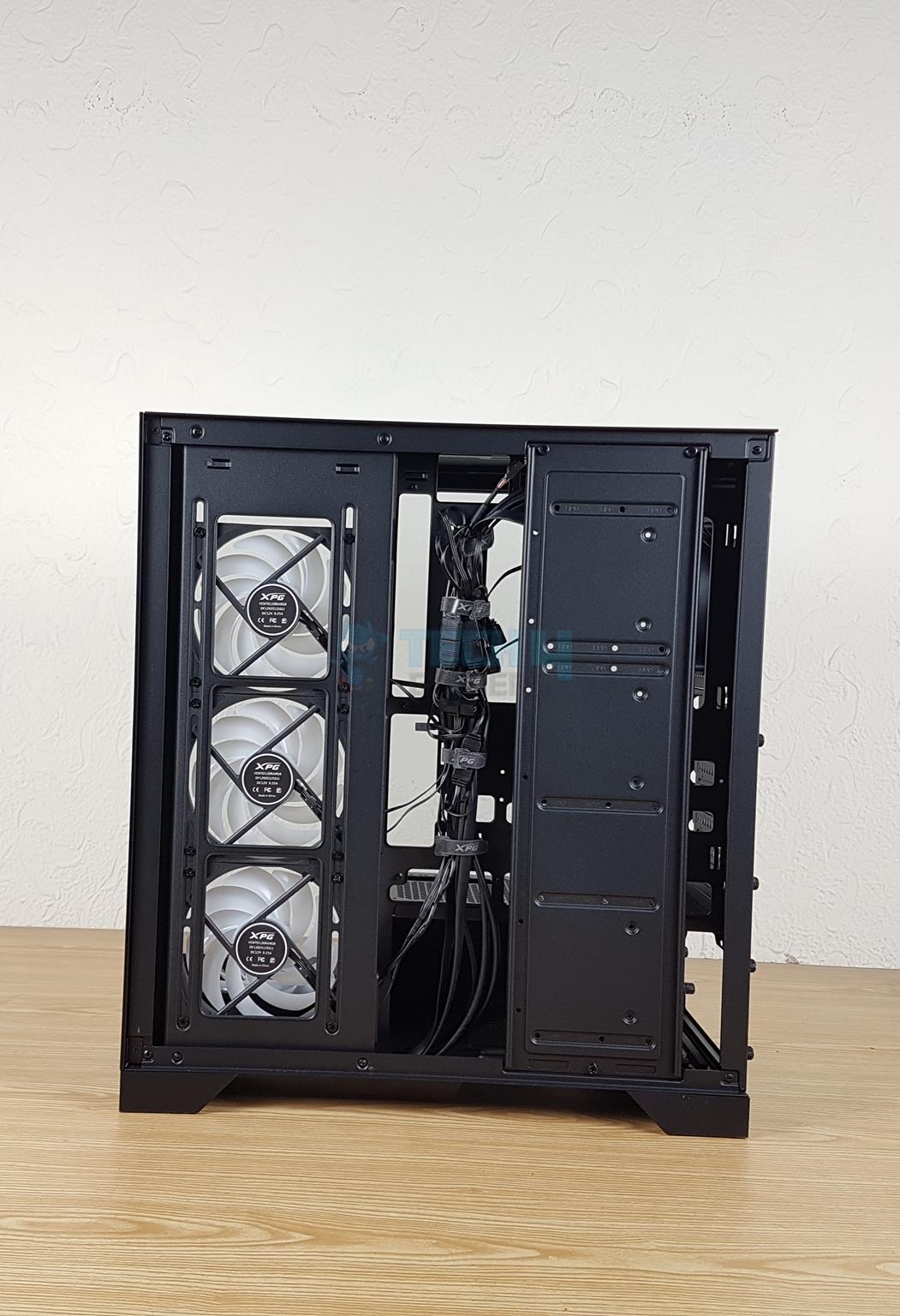
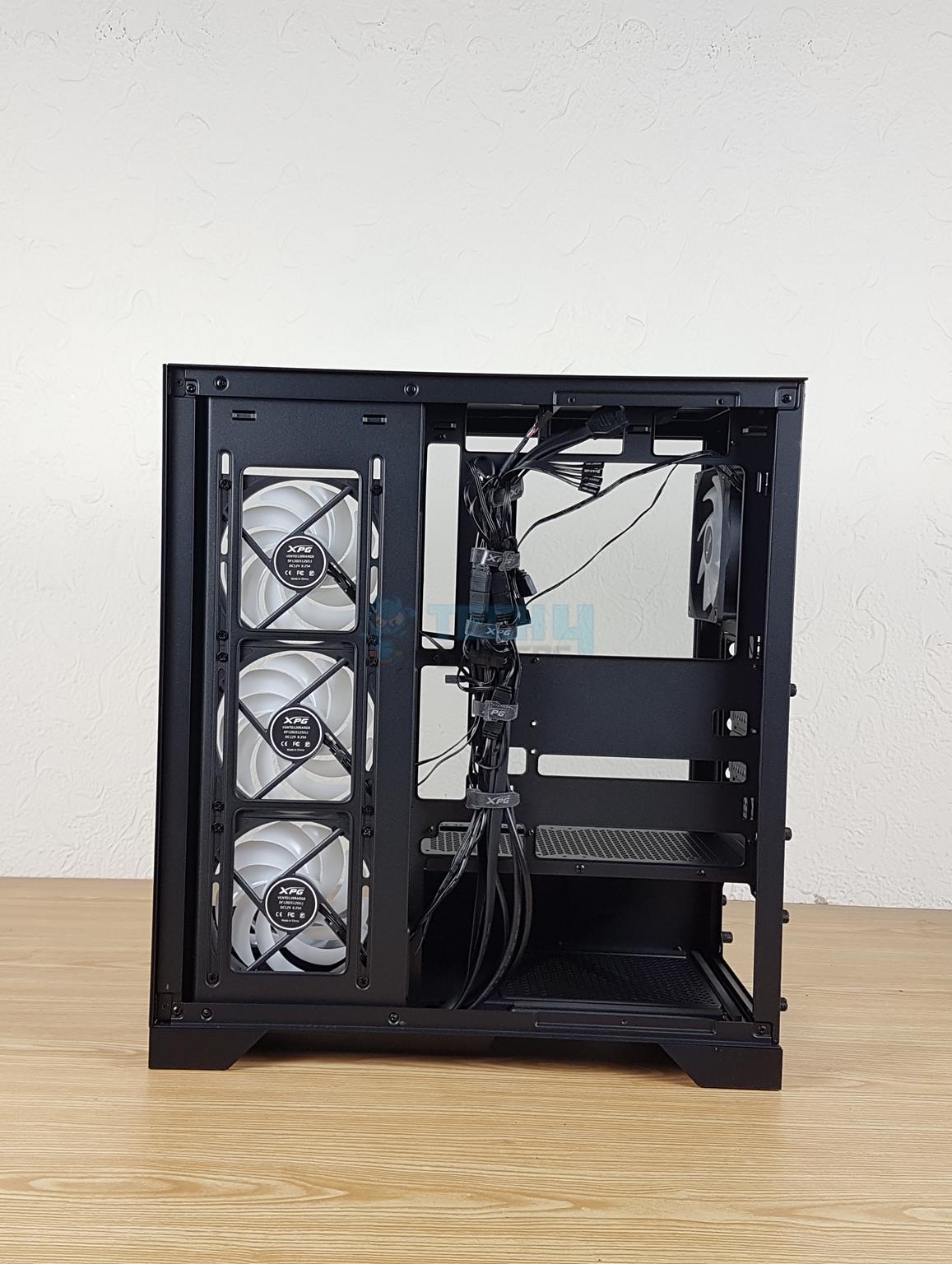
Backside
Storage Bracket Removed
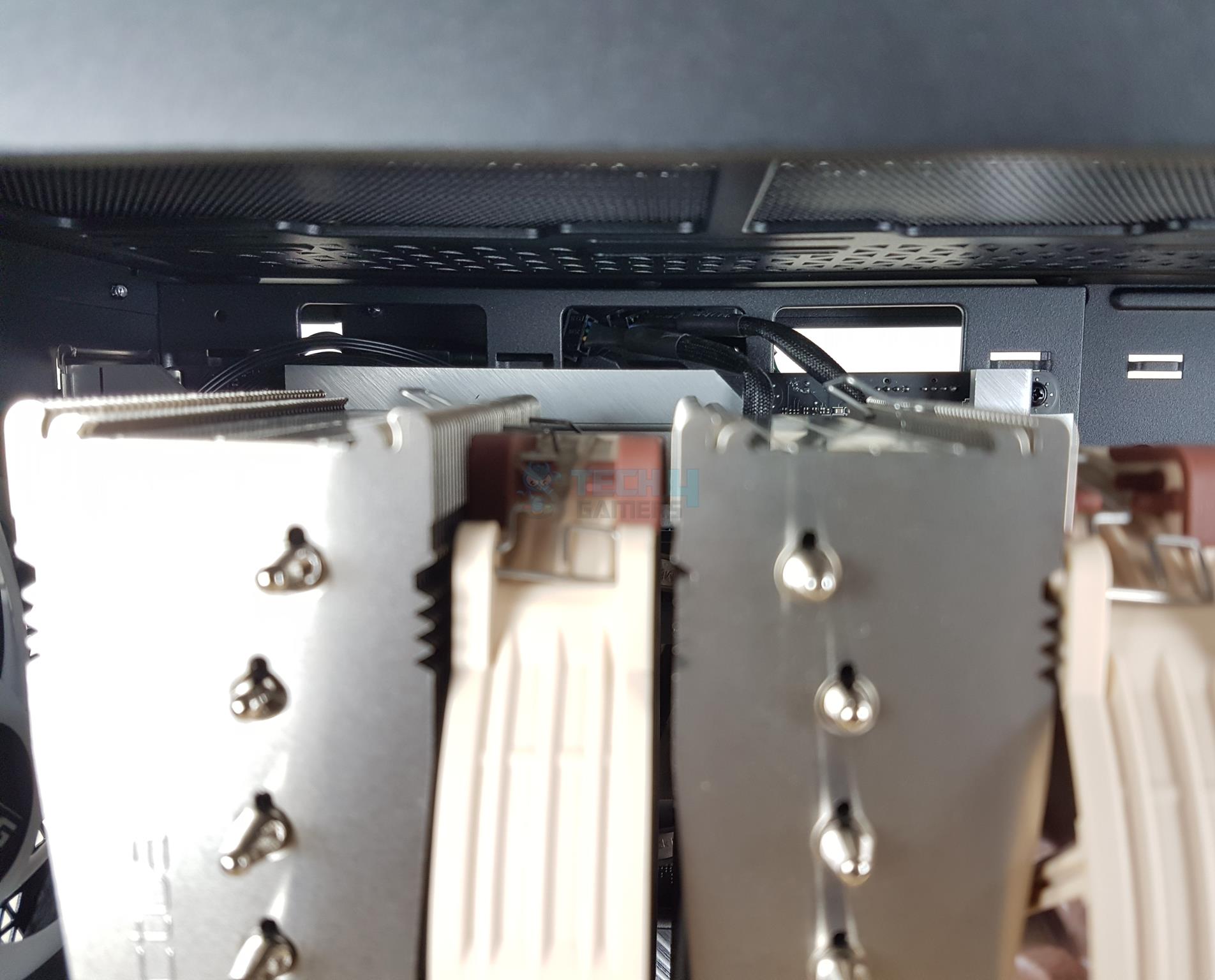
The backside layout is same as on the original Invader X. There is a storage drive bracket that can house up to 3x 2.5” or 3.5” drives. This is a decent storage provision in this mid-tower. You can see the cables are pre-routed and managed using Velcro Straps. This is nice but I made an observation during last time that front IO cables should be placed on the base except the USB cables. XPG still has kept these cables over the top.
I have removed the storage bracket to show a clearer view of the backside. There are 13 cable tie points. The fans on the left side are installed on a rail mount that allows them to be adjusted in height, though we don’t have much space except for moving them up.
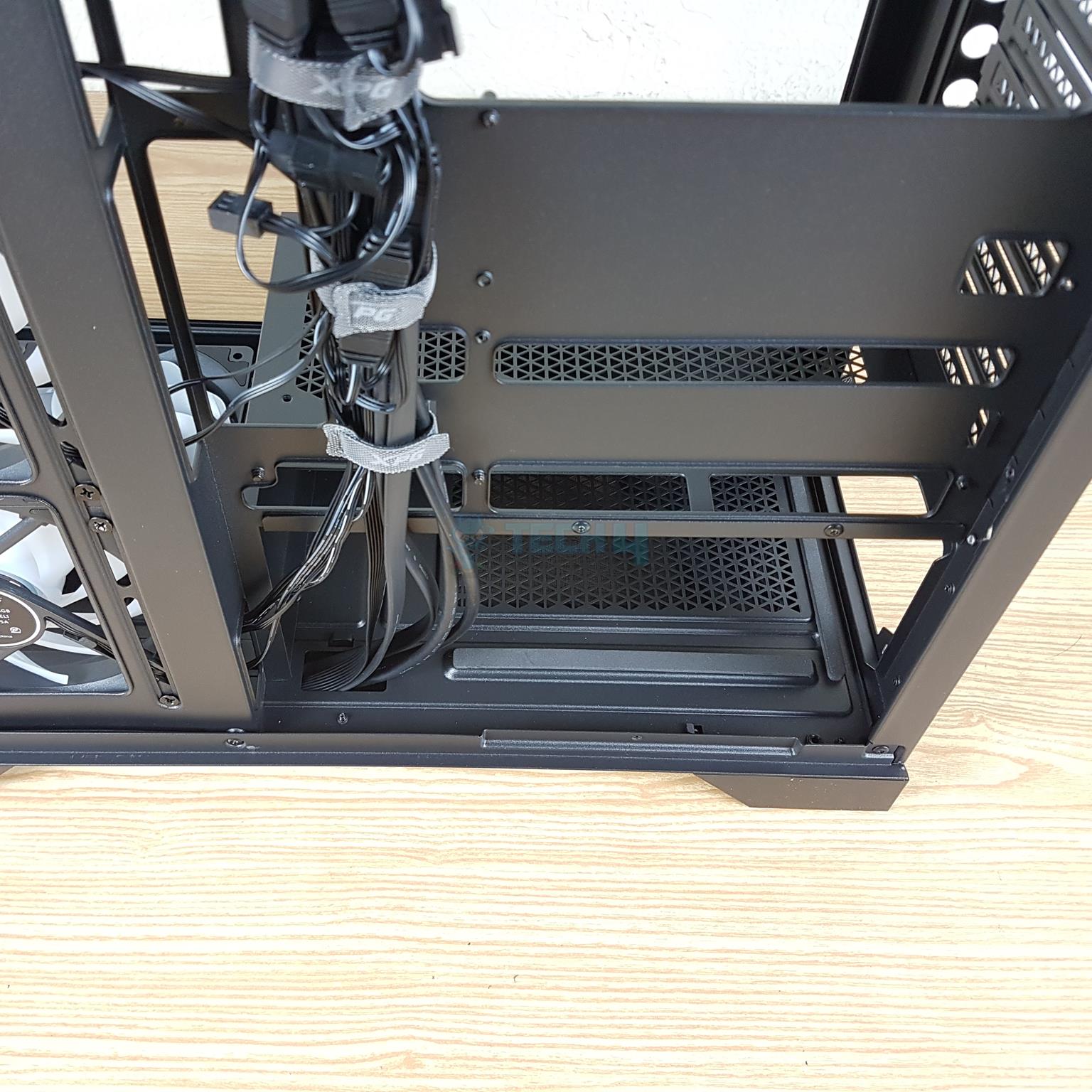
Cable Management
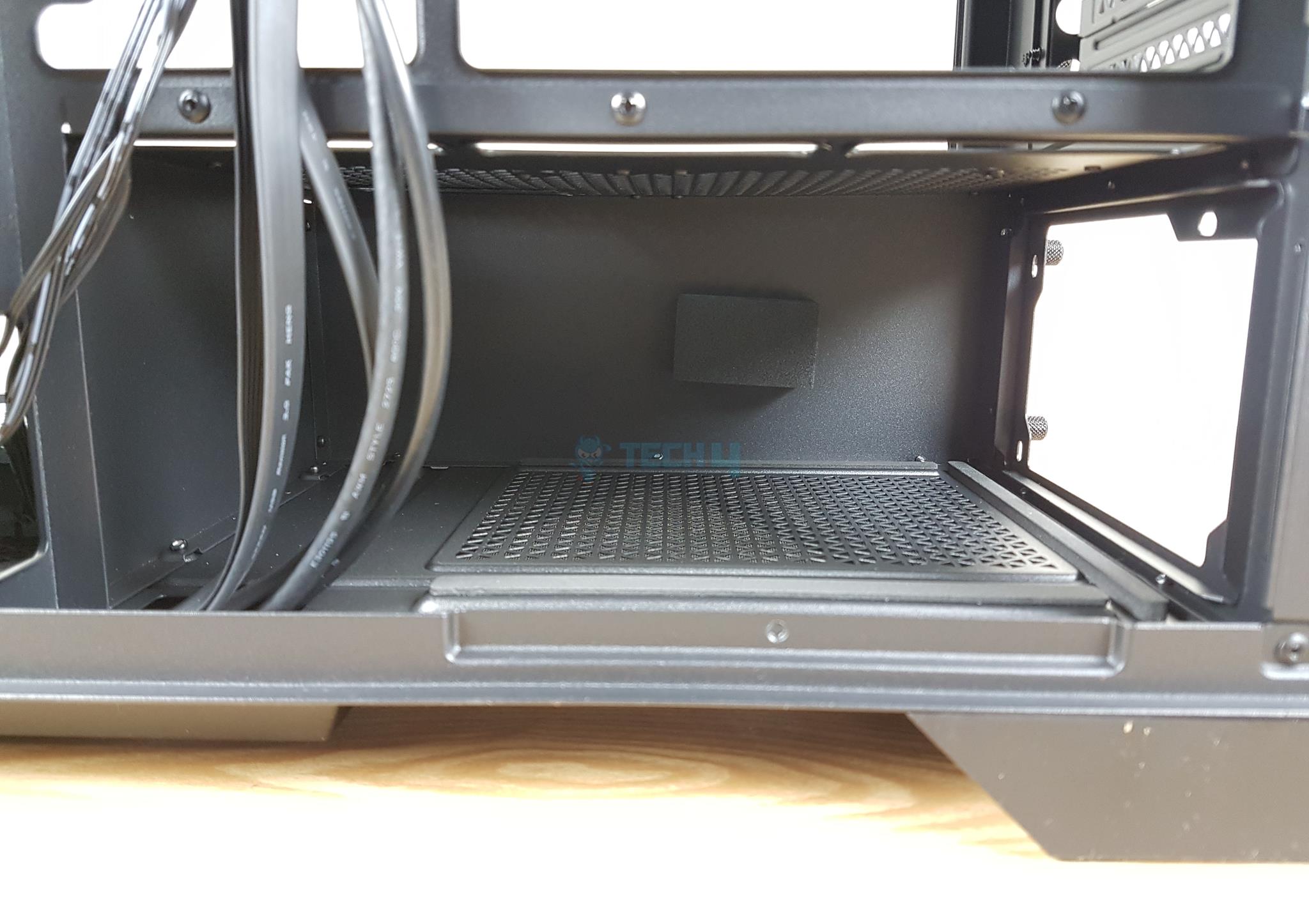
PSU Bay
The cable management space is 36mm which is impressive and should suffice for any build. The PSU bay has a 240mm length available. Using a standard 160mm PSU would give you ample space to hide the cables conveniently inside the PSU bay.
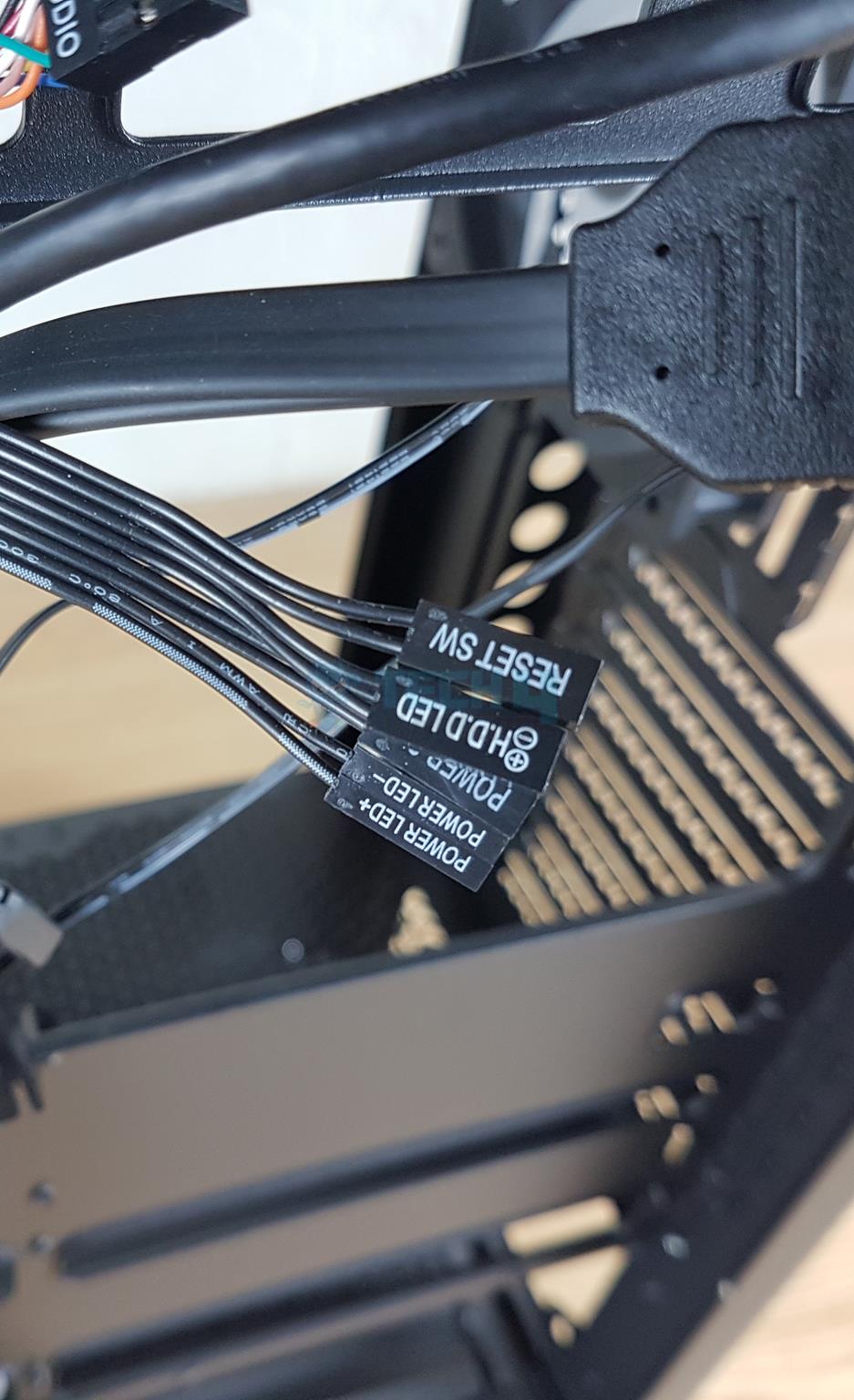
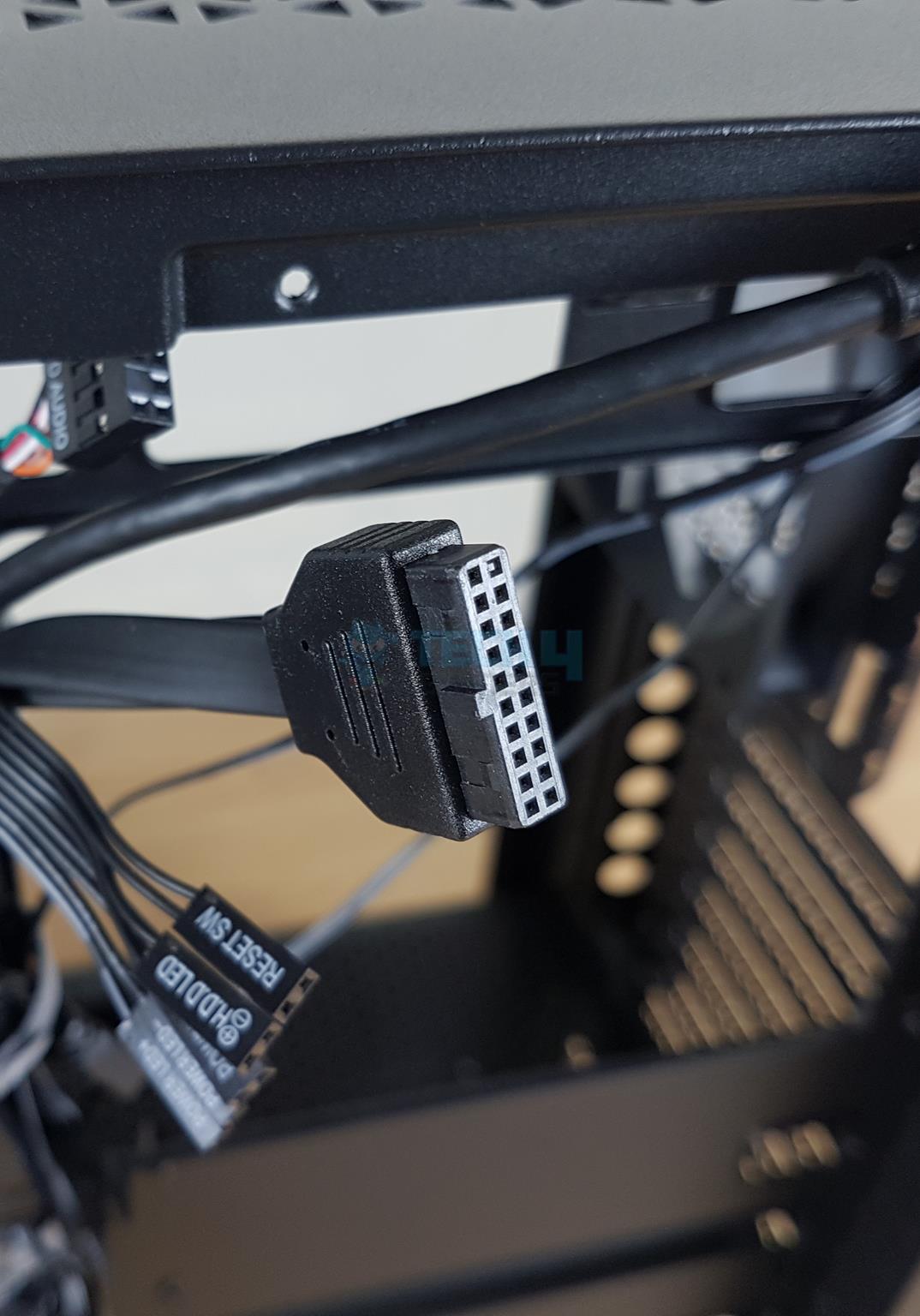
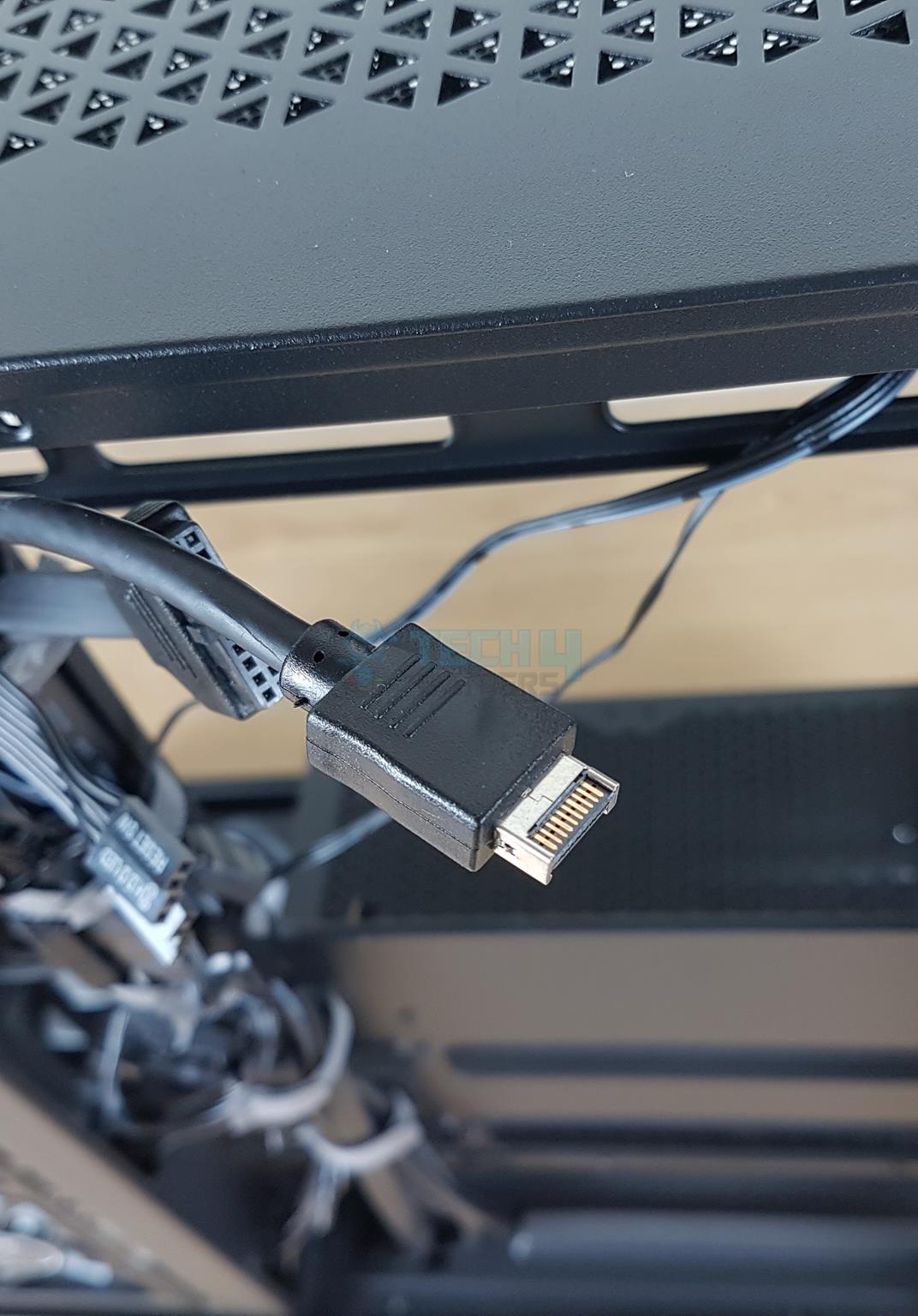
Front IO Hub Cables
Cables
1 of 4
Front Panel Cables (Image By Tech4Gamers)
USB Cable (Image By Tech4Gamers)
USB E Type Cable (Image By Tech4Gamers)
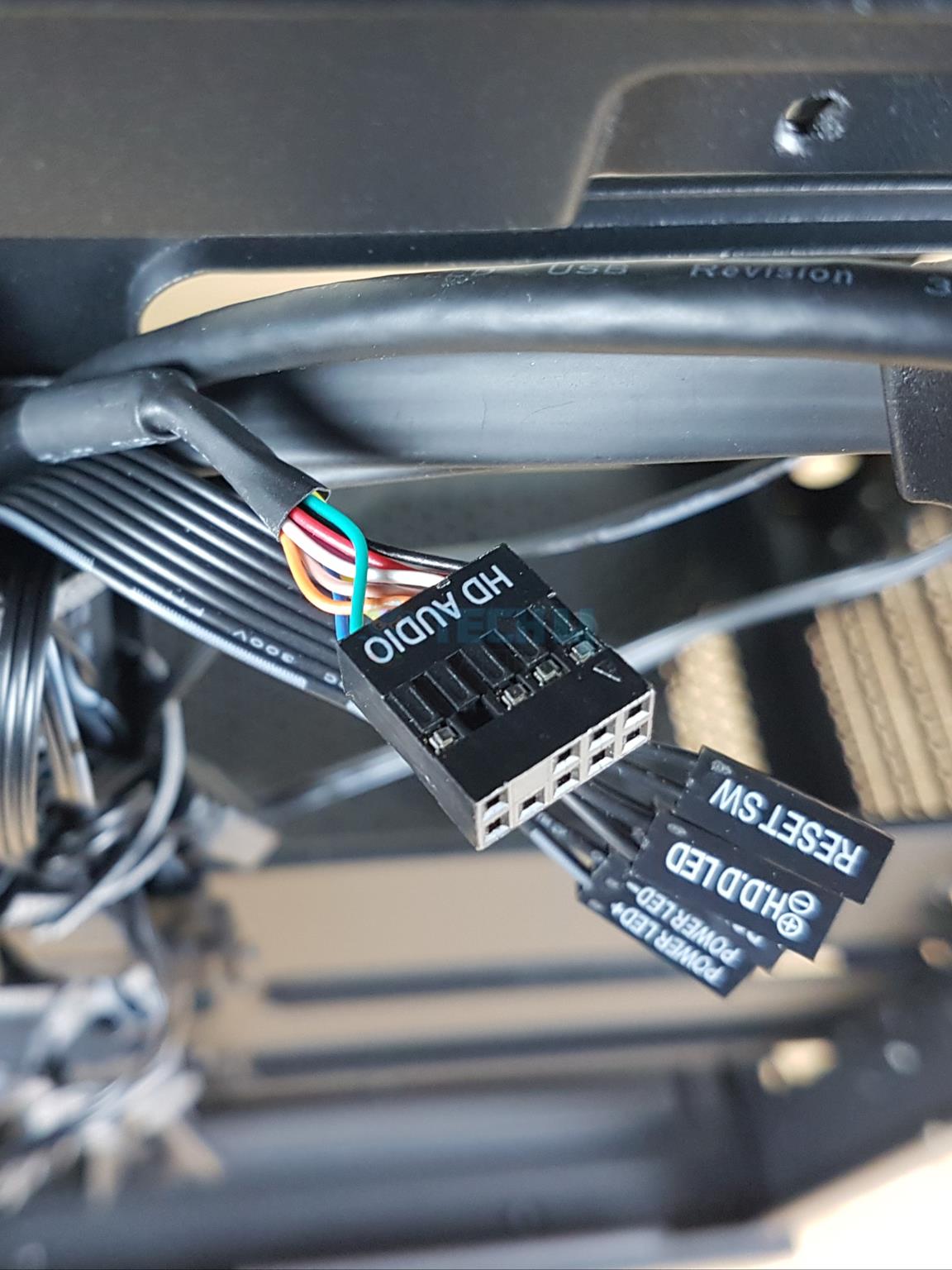
HD Audio Cable (Image By Tech4Gamers)
XPG has provided:
1x USB Type-E 3.2 Connector
1x USB 3.2 main Connector
1x Front Panel Connectors
1x HD Audio Connector
Test Build And Experience
We have used the following configuration for testing this case:
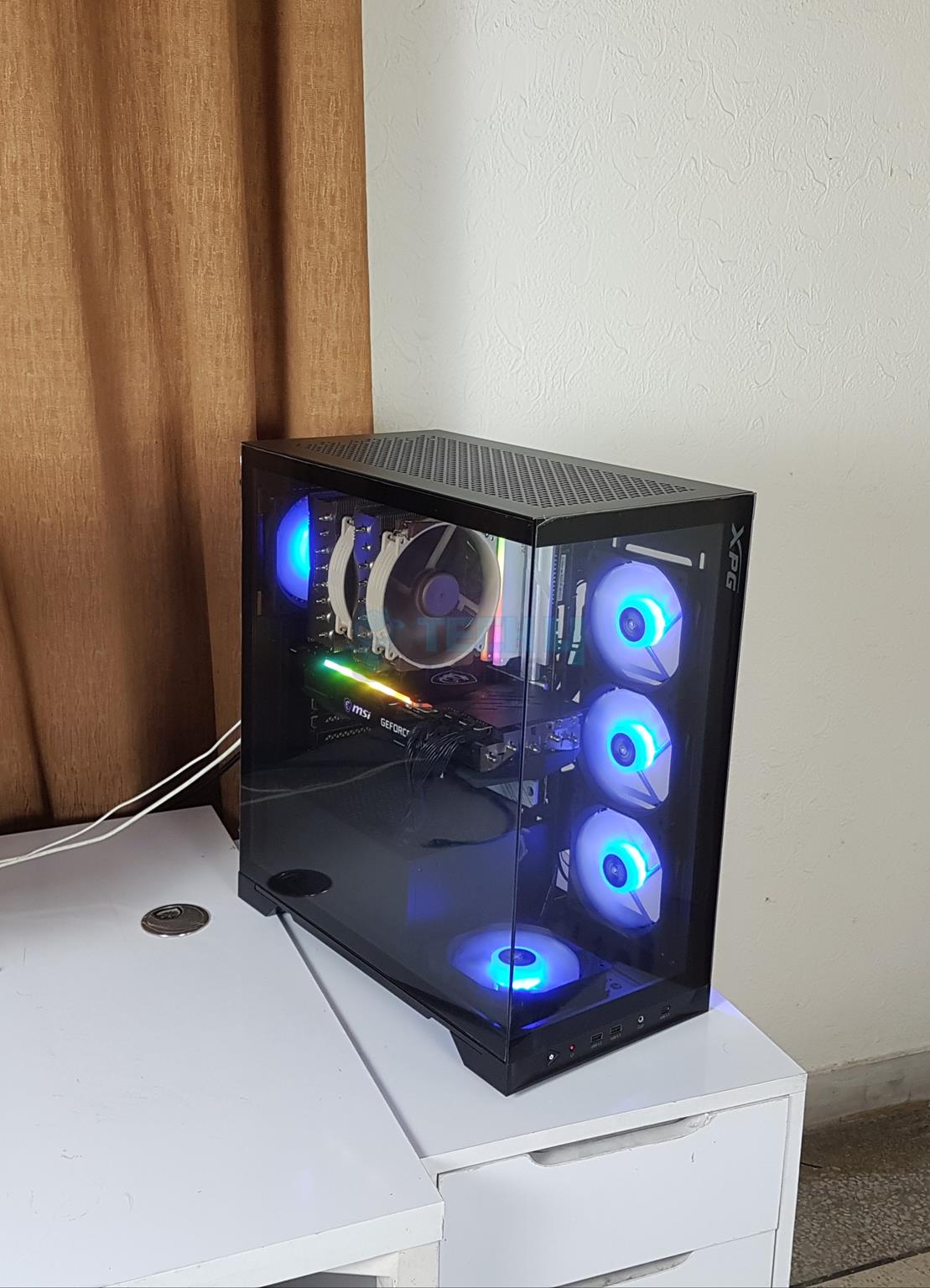
I installed the RAM, SSD, and cooler outside of the case. You need to remove the stock PCIe covers before installing the motherboard. The motherboard was installed, and it was a perfect fit. In the next step, the PSU was installed, and cables were connected.
Then the graphics card was installed and cables attached to it. If you are using AIO cooler then I would suggest installing the radiator alone first and then route the cables of the fans first before installing them.
Cable management is easy, and I did not face any issues. I did not do any cable management as I wanted to see if I could install the side panel without cables interfering, and there was no issue.
Invader X BTF Thermal Testing
I have used Intel defaults with power limits removed on the core i7 13700k. The XMP was enabled. The fans were set to run at full speed except for the graphics card. The thermal paste is Noctua NT-H2.
The RGB lighting was enabled using motherboard and MSI Mystic Sync app. The graphics card was operating at its stock settings. Rest of the settings were Auto, Stock in the UEFI/BIOS. System was put on idle for a minimum of 5 minutes. The ambient temperature was 24°C. Let’s take a look at the results.
Thermal Performance (Image By Tech4Gamers)
The overall performance is good, and there is no airflow restriction in XPG Invader X BTF.
Should You Buy It?
Buy It If
✅You need a panoramic view case with ATX motherboard support: The XPG Invader X BTF features a panoramic view thanks to bezel-less front and side tempered glass panels.
✅You are looking for a backplug-supported case: The XPG Invader X BTF, like its predecessor, supports backplug motherboards, but this time, the case supports ATX-size motherboards.
✅You want good specs: The XPG Invader X BTF comes with a vertical GPU bracket as well as a GPU support bracket (magnetic). This case can house up to 2x 360mm radiators and comes with 5x pre-installed A-RGB fans. Four fans are reversed.
Don’t Buy It If
❌You want more value: The market is filling with more options supporting back-plug motherboards. Some good options cost less while providing good specs.
My Thoughts
XPG is back with another iteration of Invader X. This time, it is Invader X BTF, which comes from the Asus ecosystem and shows support for back-plug motherboards. Both Invaders support back-plug motherboards, but the key difference is that the BTF version supports full ATX back-plug motherboards.
This case supports ATX, mATX, and mini-ITX motherboards. The ATX size backplug motherboard is also supported. This case has dust filtration on the base, backside and top. The case has panoramic view using 3mm glass panels.
The cooling department is the same as on the Invader X. Five 120 mm A-RGB fans with four reversed blades are pre-installed. Up to 360mm radiators can be mounted on the top and side. Ten fans, including two on the PSU shroud, are supported.
The storage options are limited in this case where you can install 3x 2.5” and/or 3.5” drives. The graphics card of length 400mm can be installed without side radiator. With radiator the supported length is 270mm. The case has a CPU cooler height clearance of 175mm and PSU length is 240mm.
The case comes with a vertical bracket for the graphics card and a support bracket for the horizontally mounted cards. The vertically mounted card has a clearance of 250mm in height. The PCI slots have reusable covers.
The front IO panel has a USB 3.2 Type-C port and 2x USB 3.2 Type-A ports. The PSU shroud has a perforated area. I found a flex or play in the motherboard tray, which was not in the original Invader X that I tested. There is a 36mm space for the cable management.
Assembling in this case is simple and straight forward. However, XPG should keep the front IO cables on the base in the pre-routed cables using Velcro Straps. XPG has ditched the PCIe 4.0 riser cable in the Invader X BTF case to reduce the price tag while making room for ATX backplug motherboard.
XPG offers a 2-year warranty on this case. Though I have no complaints about this case, the competition for this price tag of USD 140 is getting tough.
At Tech4Gamers.com, I cover the latest news and rumours in the gaming industry, from new game releases to hidden gems and video game leaks. Furthermore, I occasionally write tech articles about video game consoles, providing insights into the hardware and software that powers our gaming experiences.
Story Highlight
Monster Hunter’s developer believes the PS5 Pro will offer new opportunities for their games, particularly in graphics and lighting effects.
Capcom recently confirmed that Dragon’s Dogma 2 is making its way to PS5 Pro.
Their new game engine, RE neXt, is expected to benefit from the console’s powerful hardware.
Capcom is thrilled about the new PlayStation 5 Pro and its powerful hardware, especially its improved graphics performance. In a recent interview, Monster Hunter’s developer mentioned that the PS5 Pro’s upgrades, particularly in graphics and lighting effects, will create exciting new opportunities for their games.
This matches what many in the industry are expecting, as the PS5 Pro is set to offer a noticeable performance boost compared to the original PS5.
Why it matters: Although consumers are reacting negatively to PS5 Pro, developers appear excited to test the enhanced console’s potential.
Dragon’s Dogma 2 is Capcom’s first title confirmed to be launching on PS5 Pro.
With Sony’s support, Capcom is looking into ways to improve its games for the PS5 Pro. In a recent interview, Ryozo Tsujimoto shared his team’s excitement about the PS5 Pro’s improved power.
It’s [PS5 Pro] an extra thing to think about as part of the development process, but we’re excited about the possibilities.
-Ryozo Tsujimoto, Capcom DeV
The team is eager to discover how this performance boost will help them develop games, particularly with titles like Dragon’s Dogma 2, which will take advantage of the PS5 Pro’s features.
PS5 Pro features a GPU that is 45% faster than the regular PS5, with improved ray tracing that could be 2 to 4 times better in certain games. This is helpful for developers like Capcom, whose games depend on high-quality graphics.
For an average consumer, the PS5 Pro’s pricing is absurd.
Currently, Capcom is developing a new game engine called RE neXt, which should benefit from the PS5 Pro’s powerful hardware. While they haven’t confirmed that all upcoming games will support the PS5 Pro, Dragon’s Dogma 2 is definitely one that will.
Other possible games, like Monster Hunter Wilds, might also run better on the console, but Capcom is still checking compatibility for future titles. In another interview, Tsujimoto mentioned that the team is still checking if Monster Hunter Wilds will work with the PS5 Pro.
However, the studio is fully optimistic and excited about using the new hardware for their upcoming titles.
At Tech4Gamers, I contribute as a Senior News Reporter, combining my skills and gaming enthusiasm to keep our audience updated on the latest developments.
Story Highlight
Silent Hill 2 Remake already has over 1,000 positive Steam reviews.
Fans have praised multiple aspects of Bloober Team’s recreation and seem to be enjoying the experience.
Konami will now look toward finding similar success with its next major remake.
Silent Hill 2 Remake seems to be exactly what Konami was looking for. The publisher’s collaboration with Bloober Team has delivered solid results, and the recent reviews have created a new wave of excitement for the title.
While the critics have enjoyed their time with this iconic horror title, the fans seem to have been just as impressed. The remake has already accumulated more than 1,000 reviews on Steam in just 12 hours, and most of them are extremely positive.
Why it matters: Following initial trailers and footage, Silent Hill 2 Remake seemed to be headed toward a disastrous release. However, Bloober Team has managed to surprise all the doubters.
Konami’s latest rendition of this horror icon currently sits at just over 1,600 reviews, 95% of which are positive. This puts the remake at an ‘Overwhelmingly Positive’ rating, making it one of Steam’s biggest titles in October.
Silent Hill 2 Remake is also among the platform’s top 4 best-sellers currently, highlighting its popularity. It is important to note that this is the early access period, and only Digital Deluxe owners can leave reviews for the time being.
This makes the review count even more impressive, hinting at a massive launch. Players have commended Bloober Team for listening to the community and making what can only described as an authentic recreation of one of gaming’s best releases.
Some have praised the optimization, while others have found the soundtrack mesmerizing. Suffice it to say, Bloober Team has certainly impressed the Steam crowd. The remake may not be perfect, but it does a solid job of rejuvenating the Silent Hill franchise.
This reception also means that Silent Hill 2 Remake isn’t too far behind Capcom’s class-leading re-releases. Just as fans were awed by Resident Evil 4, many have found it hard to put down Konami’s latest release.
The current success should also benefit future Silent Hill entries. With one successful remake out in the wild, Konami will now turn its attention to the Metal Gear Solid 3 Remake. Here’s hoping the team can deliver just as great a recreation for that IP in 2025.
At Tech4Gamers, I take on the role of Hardware Reviewer with pride. My responsibilities involve a thorough examination of essential hardware components like motherboards, graphics cards, processors, PC cases, and CPU coolers, among others, focusing on their complexities and functionalities.
Dr. Usman Saleem
At Tech4Gamers, I’m the PC Hardware Specialist, primarily contributing to the “Best-Ofs” section. I provide thoughtful buying advice based on thorough testing and personal expertise. I also review hardware products and games to keep things fresh.
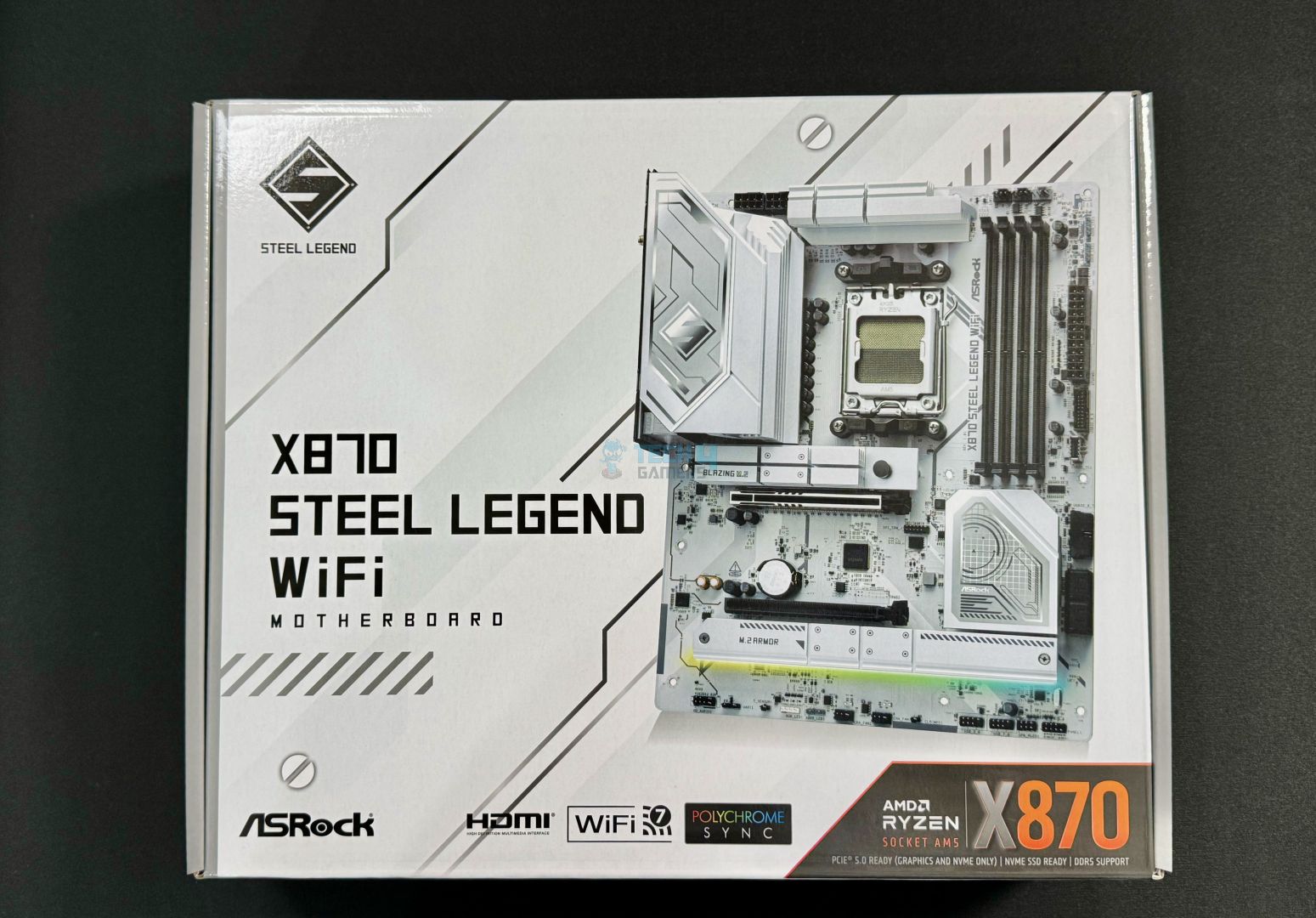
After reviewing the ASRock X870E Taichi Lite and the MSI MPG X870E Carbon WiFi, we’re focusing our attention on one of ASRock’s X870 offerings: the Steel Legend WiFi. This is one of the first white 800-series motherboards to launch, and at first sight, it looks exciting. It’s also ASRock’s continuation of the Steel Legend series for X870, as the last generation only had B650, B650E, and X670E offerings. Without further ado, let’s dive in!
At Tech4Gamers, ensuring you get reliable information is our priority. That’s why every hardware round-up undergoes a meticulous review process by our team of experts and editors. Each review is carefully examined against our strict editorial guidelines, guaranteeing you trustworthy insights you can depend on.
Key Takeaways
The ASRock X870 Steel Legend WiFi is an affordable X870 motherboard with a beautiful white aesthetic, a fairly capable VRM setup, and decent I/O connectivity options.
You should buy this motherboard if you want a white-themed board with RGB or if you want USB4 and WiFi 7 support without spending much.
Don’t get the Steel Legend WiFi if you plan to overclock your CPU heavily.
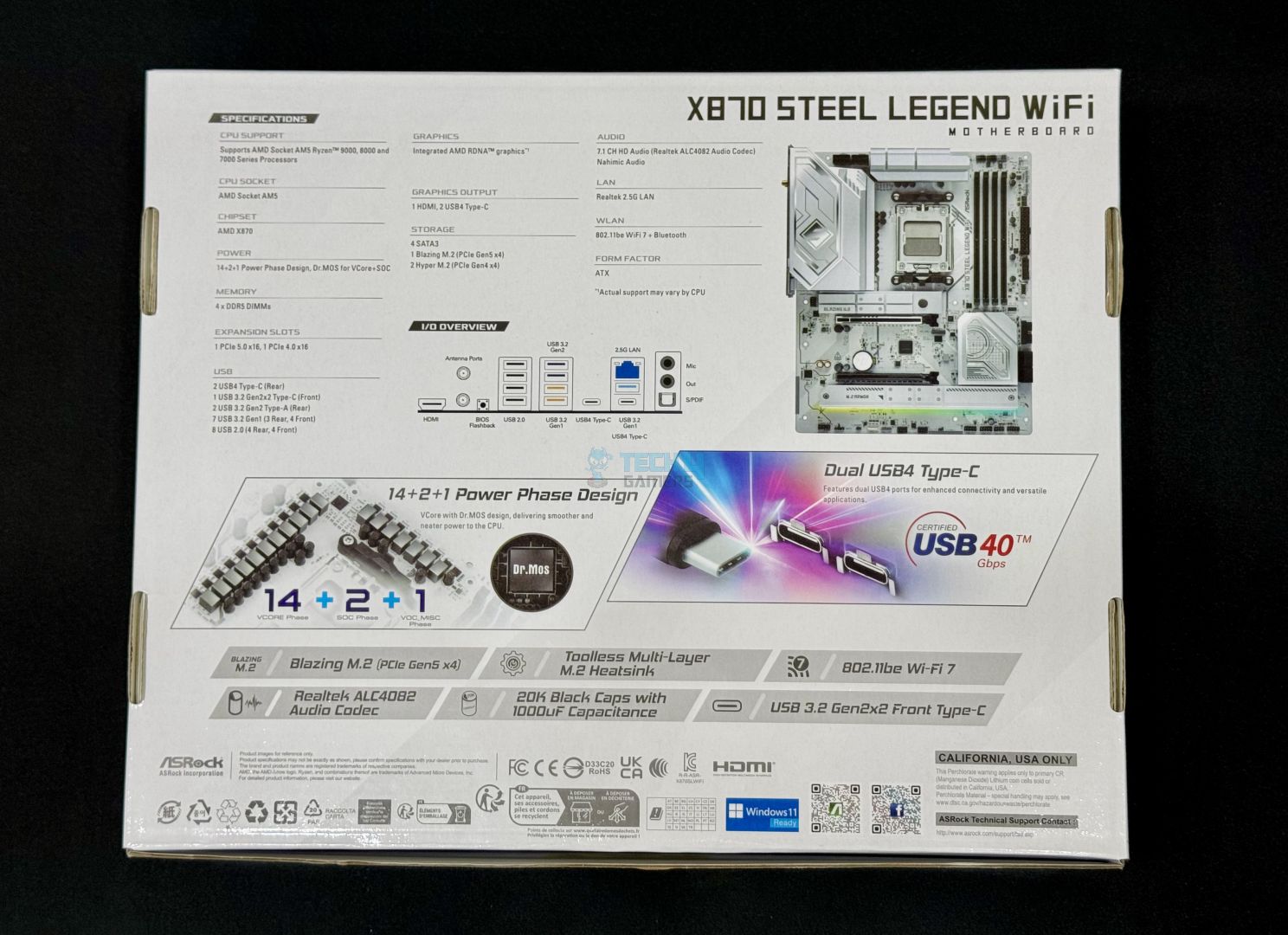
On the front, you get key features like WiFi 7 and PCIe 5.0 support. On the back, you can see the specifications, a picture of the rear I/O, graphics on the VRMs and USB4 support, and various certifications and compliance symbols.
Box contents (Image by Tech4Gamers)
Here’s all that you get inside the box:
2x SATA Data cables
2x ASRock WiFi 2.4/5/6 GHz Antennas
1x Thermistor cable
2x velcro straps
Quick installation guides
“ASRock Powered” sticker
ASRock was kind enough to include a pack of two velcro straps to help with cable management inside your case. The thermistor cable is a nice addition, too, but don’t expect pinpoint accuracy from it.
Design
ASRock X870 Steel Legend WiFi design (Image By Tech4Gamers)
The ASRock X870 Steel Legend WiFi has a mostly white design with a bit of silver mixed in. As with just about any other white motherboard, the connectors retain their black color, although we have seen boards with white DIMM slots, which isn’t the case here. In any case, the design is certainly eye-catching and a treat for white-theme enthusiasts.
We’ve tested plenty of Steel Legend motherboards, and they’ve always featured a black PCB. But I have to say, the switch to a white PCB this time around makes a huge difference—the board looks so much more striking now.
There’s also an RGB strip under one of the heatsinks, providing a modest amount of illumination. It should be enough unless you like excessive amounts of RGB.
The motherboard is built on an 8-layered server-grade PCB with 2oz thickened copper.
Motherboard block diagram
The motherboard’s DIMM slots, PCIe 5.0 x16 slot, Gen 5 M.2 slot, and USB4 connections are the key connectivity powered by the CPU. It also gives juice to two more rear USB ports, the rear HDMI port, and the motherboard’s Super I/O controller. The SIO is, in turn, connected to the Nuvoton NCT3961S chip, which regulates the voltage of all the fan connectors on the motherboard.
X870 gives us a single Promontory 21 chip compared to X870E, which is why we won’t see as many I/O options. In any case, it gives us all the remaining M.2 slots and USB ports, the PCIe 4.0 x16 slot, SATA ports, WiFi 6E, and the audio codec.
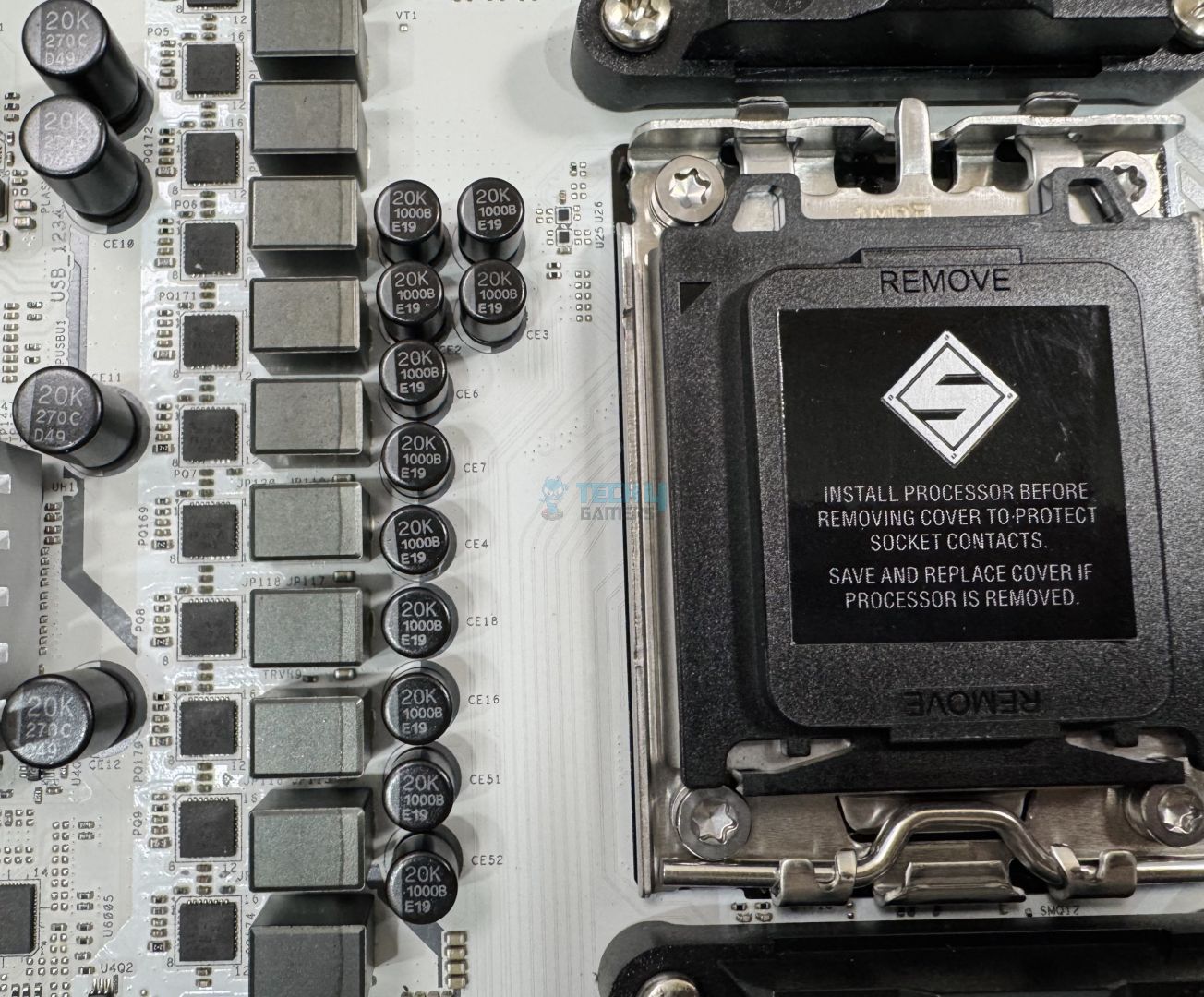
For power delivery, the X870 Steel Legend WiFi boasts a 14+2+1 power phase design (VCore+SoC+Misc) with 80A Dr. MOS stages for VCore and SoC. ASRock is using upgraded 560µF capacitors with a lifespan of up to 20,000 hours. These are the same capacitors we saw in the Taichi Lite, which has one of the best VRMs we’ve seen so far. This is not the most extreme setup, but is more than enough for even the 170W Ryzen 9 9950X.
VRM heatsink removed
VRMs
Vishay’s SiC659 MOSFETs power the 80A supply for the VCore and SoC stages. Richtek’s RT3678BE PWM controller controls this setup, which makes up to 1120A available for the VCore. You can spot the controller just under the EPS connectors, where the VRMs start to move horizontally.
To cool this setup, we have ASRock’s XXL VRM heatsinks using a stacked fin design. 7w/Mk thermal pads under the heatsinks align with the inductors and the MOSFETs. There is no heat pipe being used here.
CPU EPS connectors (Image By Tech4Gamers)
As for EPS connectors, these are, of course, dual connector cables that can provide up to 300A. ASRock is using its “Hi-Density” design for these connectors, which can withstand more current than traditional EPS connectors.
DIMM Slots
DIMM slots (Image by Tech4Gamers)
This motherboard supports up to 256 GB of DDR5-8000+ (OC) memory across the four DIMM slots, which are, of course, powered by the CPU. Intel XMP and AMD EXPO profiles are supported.
Memory (UCLK) and controller (MCLK) ratio possibilities with Ryzen 9000 (Image Credits: TechPowerUp)
Editor`s Note
Remember, memory support of up to DDR5-8000 doesn’t mean that this is the memory you should aim to pair with your CPU. Ideally, AMD’s memory controller should run at the same frequency as memory itself. For the Ryzen 9000, the maximum speed at which the memory can sync with the controller is 3200MHz (6400 MT/s).
Depending on your silicon lottery luck, you may or may not be able to achieve these speeds, so investing in a DDR5-6000 kit is the best idea. You can try pushing to DDR5-6400, and if it doesn’t work, stick with 6000 MT/s. You’ll save money and have a kit that performs identically to a high-speed kit like an 8000 MT/s one.
– Dr. Usman Saleem
Storage
The PCH heatsink (Image by Tech4Gamers)
The Steel Legend WiFi supports 4x SATA 6Gbps ports powered by the chipset. These ports come from dual ASM1061 controllers from ASMedia, providing two ports each. Above, we can see these ports right beside the chipset heatsink below the USB 3.2 connectors.
The chipset heatsink looks neat, with a grid-like pattern in the center overlaid with lines and shapes. Props to the designers here!
The lower section, highlighting the M.2 slots (Image by Tech4Gamers)
Here, you can see the two M.2 heatsinks cooling the three M.2 slots. The heatsink labeled “Blazing M.2” is the one cooling the Gen 5 slot, while the lower one, labeled “M.2 Armor,” cools the two Gen 4 x4 slots placed horizontally beside each other on the board. The Gen 5 heatsink also has a stacked fin design, while the Gen 4 heatsink does not.
The primary M.2 heatsink features ASRock’s toolless heatsink design, so removing it is a breeze. Removing the other two requires the use of screwdrivers, but there’s no rocket science involved here, either. You don’t have to worry about losing the screws either, they remain attached to the heatsink after unscrewing–this is what ASRock calls anti-drop screw design.
As for support, the Gen 5 slot supports type 2280 SSDs, M2_2 (left) supports type 2230/2260/2280 drives, and M2_3 (right) can run either type 2260 or 2280 drives. M2_3 shares bandwidth with the PCIe 4.0 x16 slot, and this PCIe slot will be disabled if M2_3 is occupied. Raid 0, 5, and 10 is supported for the NVMe drives, although you’ll need additional M.2 NVMe expansion cards to support Raid 10.
M.2 heatsinks removed (Image by Tech4Gamers)
When the heatsinks are removed, we can see that the M2_1 (Gen 5) slot has a thermal pad at the base and on the heatsink. This isn’t the case for the Gen 4 slots, as only the heatsinks have a thermal pad.
WARNING: Make sure you remove the plastic sticker from the heatsink thermal pads before installing your drive.
PCIe Slots
ASRock X870 Steel Legend WiFi PCIe slots (Image By Tech4Gamers)
Expansion slots on the Steel Legend WiFi include one PCIe 5.0 x16 slot (CPU) and one PCIe 4.0 x16 (chipset). The Gen 5 slot uses reinforced steel technology, meaning the slot is held together by extra anchor points and has a stronger latch. Installing heavy GPUs is no problem, as we tested the board with an RTX 4090 ourselves.
The Gen 4 slot is not steel-reinforced. Neither slot features ASRock’s EZ PCIe removal mechanism.
USB Connectivity
We have 20 USB ports on the board:
2x USB4 Type-C (Rear)
2x USB 3.2 Gen2 Type-A (Rear)
7 x USB 3.2 Gen1 Type-A (3x Rear, 4x Front)
1 x USB 3.2 Gen2x2 Type-C (Front)
8 x USB 2.0 (4x Rear, 4x Front)
USB connectors (Image by Tech4Gamers)
Above, you can see a USB 3.2 Gen1 header (top) and the smaller USB 3.2 Gen2x2 Type-C header below it. Among the various USB ports, four of the front USB 3.2 Gen 1 ports are provided by ASMedia’s ASM1074 hub, and four of the front USB 2.0 ports come from the GL852 controller. We’ll look at the rear I/O ports in their relevant section.
All the USB ports are protected against electrostatic discharge (ESD).
Network & Connectivity
The Steel Legend WiFi supports WiFi 7 and 2.5G LAN (powered by Realtek’s RTL8125BG controller). WiFi 7 runs at a 160MHz channel bandwidth and allows you to simultaneously transmit and receive data across different frequency bands (Multi-Link Operation). The package includes 2x antennas that enable 2 transmit x 2 receive, which can be done across multiple devices at once (MU-MIMO).
You can use the Dragon 2.5G LAN utility for useful features like Smart Auto Adjust Bandwidth Control and Visual Network Usage Statistics.
The board also supports Bluetooth 5.4. To enable 6GHz WiFi and Bluetooth 5.4, you’ll need to update to Windows 11 24H2.
Audio Solution
The ALC4082 audio codec (Image by Tech4Gamers)
The board’s audio solution runs on Realtek’s ALC4082 audio codec, which supports 7.1 surround sound with content protection. To minimize interference, the left and right audio channels are placed on separate PCB layers. The front headphones port supports direct-drive technology and up to 600-ohm headphones.
ASRock provides dedicated Nahimic audio drivers with the setup, which are supposed to improve overall audio quality for speakers and headsets and provide features like noise suppression and echo cancellation for microphones.
Internal Connectors
Here’s the full list of the internal connectors on the board:
Top-right corner connectors (Image by Tech4Gamers)
2x USB 3.2 Gen1 Headers (Support 4 USB 3.2 Gen1 ports)
1x Front Panel Type C USB 3.2 Gen2x2 Header (20 Gb/s)
The RGB LED header supports up to 12V/3A = 36W for RGB, while the addressable LED headers support 5V/3A = 12W each. CPU_FAN1 also supports 12W, while CPU_FAN2, all the case fans, and the AIO_PUMP connector provide 36W each.
Like the CPU EPS connectors, the 24-pin ATX connector is also High-Density, so it should be able to withstand higher currents. The above picture shows the debug LED lights (for troubleshooting installation) and addressable LED headers. You can use the headers to install RGB devices. At the top right, you can see Nuvoton’s NCT3961S chip, which regulates the voltage to the various fan connectors.
Nuvoton NCT6686D Super I/O controller chip (Image by Tech4Gamers)
Between the two PCIe slots lies the Nuvoton 6686D chip, which acts as a Super I/O controller and connects to the NCT3961S chips mentioned above.
Rear I/O Panel
On the rear panel, we get the following connectors:
ASRock X870 Steel Legend WiFi rear I/O (Image By Tech4Gamers)
1x Antenna Port
1x HDMI Port
1x Optical SPDIF Out Port
2x USB4 Type-C Ports (40 Gb/s)
3x USB 3.2 Gen1 Type-A Ports (USB32_12 are Lightning Gaming Ports.)
2x USB 3.2 Gen2 Type-A Ports (10 Gb/s) (USB32_34 supports Ultra USB Power.)
4x USB 2.0 Ports
1x RJ-45 LAN Port
1x BIOS Flashback Button
1x Line Out Jack (Gold Audio Jack)
1x Microphone Input Jack (Gold Audio Jack)
The Lightning Gaming ports (yellow) are for your keyboard and mouse. ASRock uses two different controllers for each port, so the signal from both devices is noise-free, and the lowest latency is ensured. Meanwhile, the Ultra USB Power ports use a separate IC to convert 12V to 5V, so there’s no interruption from other devices using your PSU’s 5V line, meaning less voltage drop under load.
The I/O panel cover looks great, continuing the motherboard’s white (and silver) theme. It’s a flexible shield, so it should be easy to fit into your case.
Motherboard I/O heatsink (Image by Tech4Gamers)
The I/O heatsink towers above the VRM heatsink, following the white + silver theme. Inside the silver section, you get the Steel Legend logo. It looks pleasing and really adds to the motherboard’s appearance. Let’s take the heatsink off and see what’s underneath.
VRM and I/O heatsinks removed (Image by Tech4Gamers)
We can see another aluminum heatsink, a small one in this instance, cooling the USB4 controller. Those things tend to get hot!
Naked motherboard (minus PCH heatsink) (Image by Tech4Gamers)
Up above, you can see the motherboard (almost) in the flesh. We kept the PCH heatsink on.
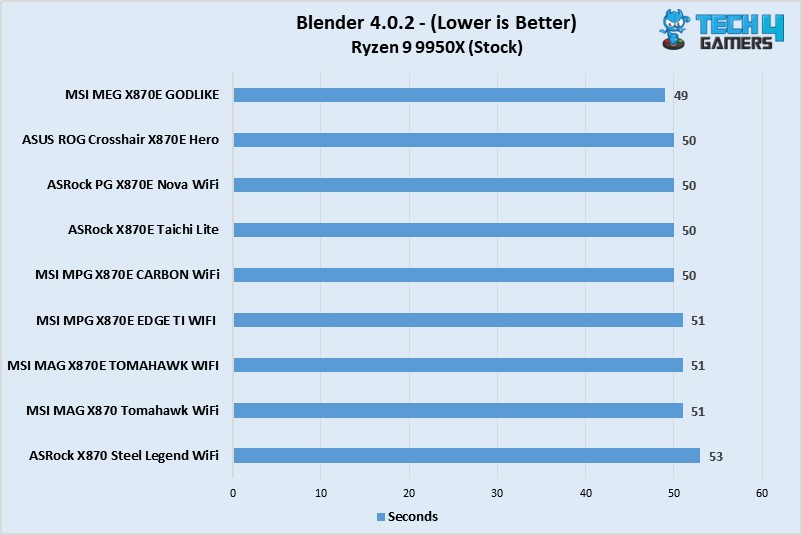
The Steel Legend WiFi took a second more than the competing X870E boards.
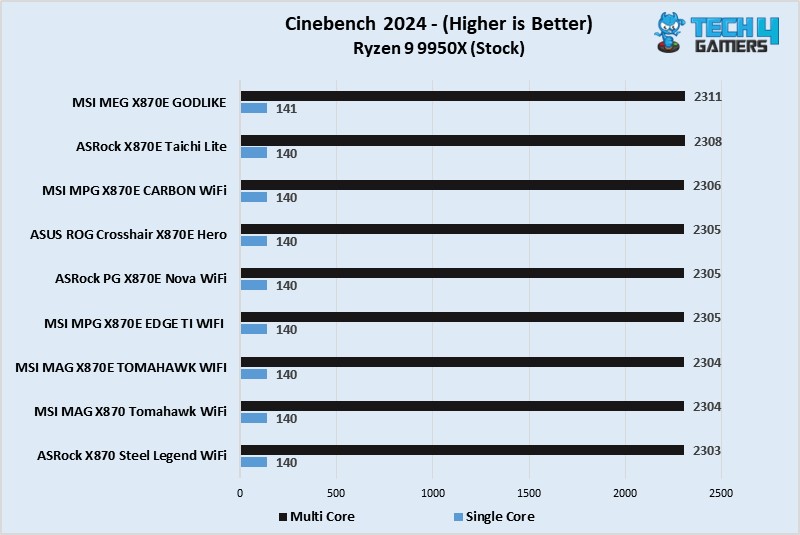
Cinebench 2024 (Image By Tech4Gamers)
All motherboards were within close margin of each other in Cinebench 2024.
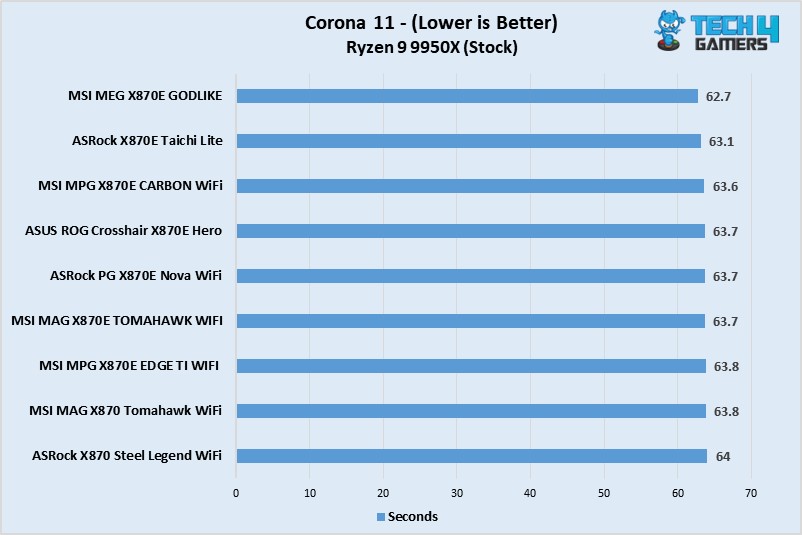
Corona 11 (Image By Tech4Gamers)
Our X870 Steel Legend WiFi was the slowest, but only by a negligible margin.
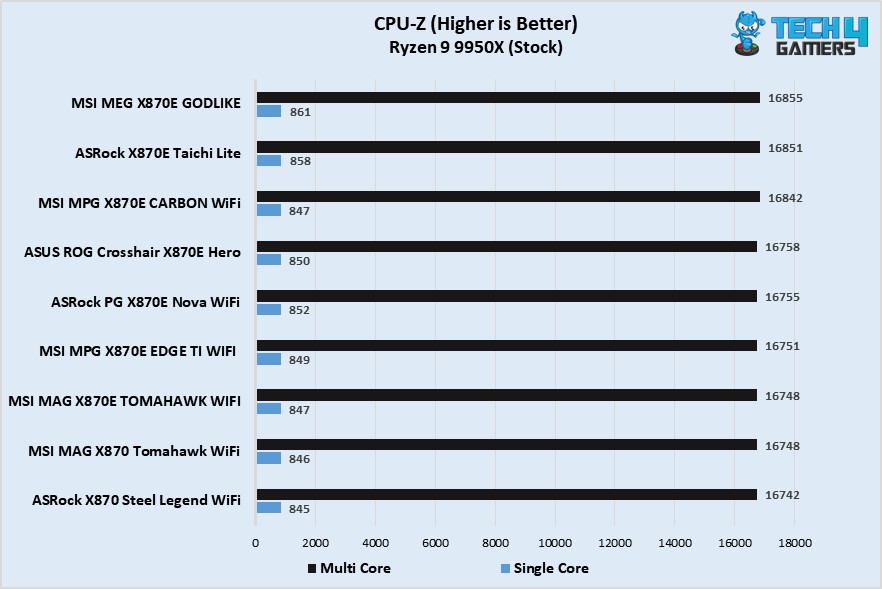
CPU-Z (Image By Tech4Gamers)
The Steel Legend WiFi is again at the bottom, but the overall difference is not huge.
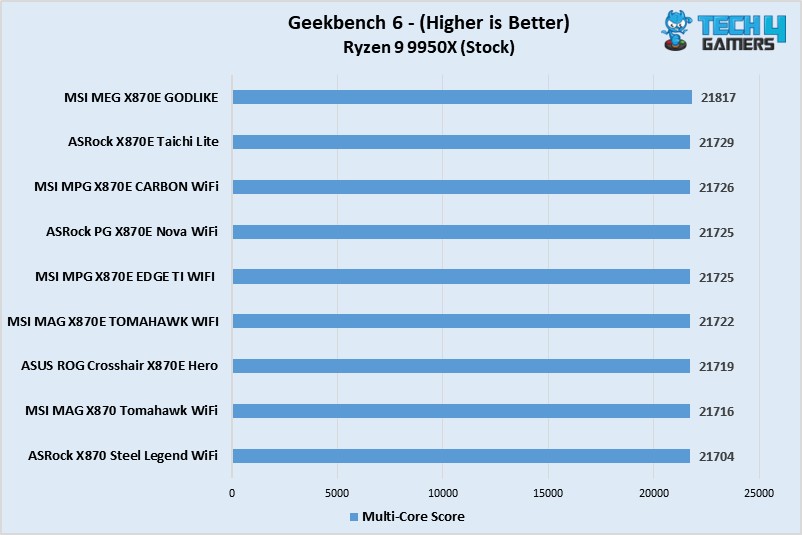
Geekbench 6 (Image By Tech4Gamers)
Again, the difference between the motherboards is completely ignorable.
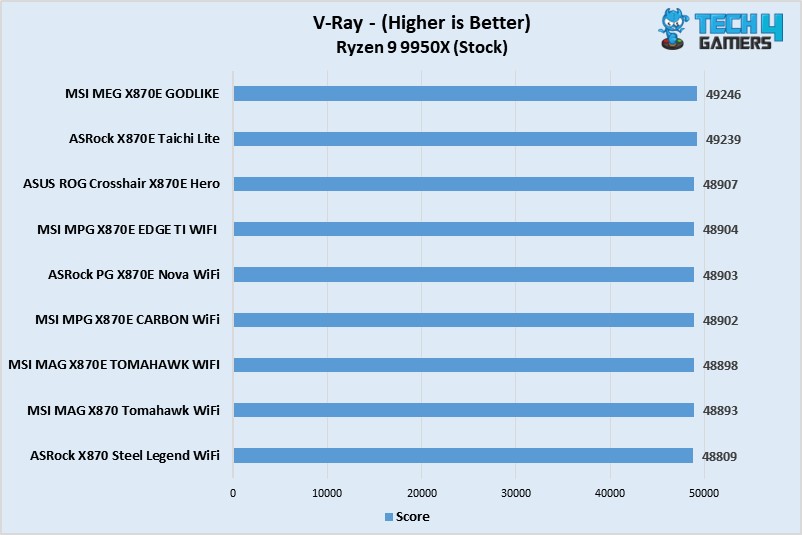
V-Ray (Image By Tech4Gamers)
A similar story is shown here as well.
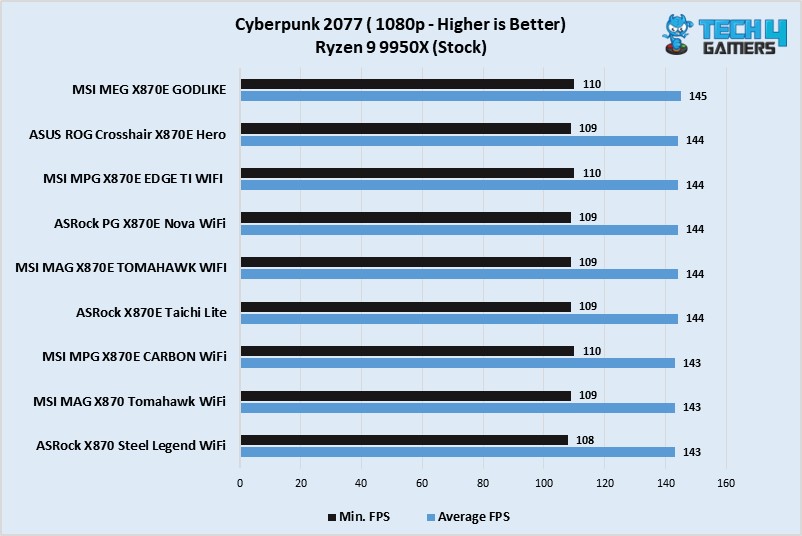
Cyberpunk 2077 (Image By Tech4Gamers)
Identical numbers from all the boards here.
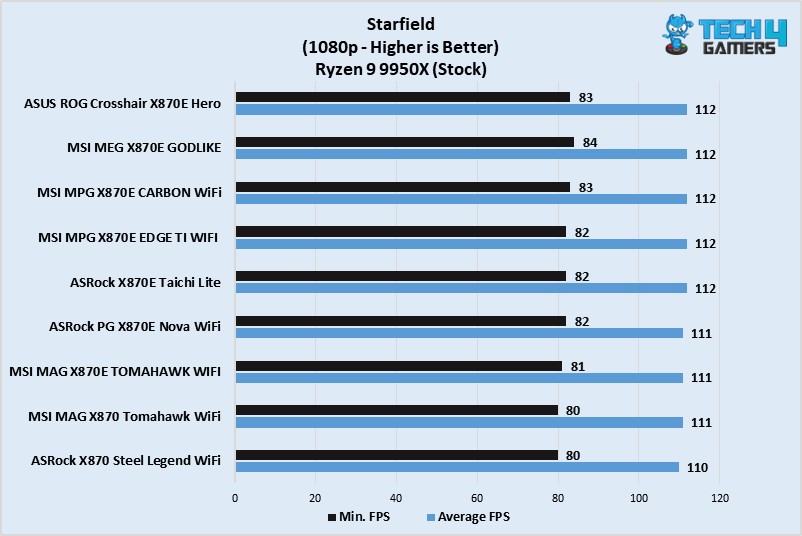
Starfield (Image By Tech4Gamers)
The boards showed identical average FPS numbers, though the Steel Legend WiFi dropped to 80 FPS at the lowest compared to 81 and 82 of the X870E boards.
Boot Time
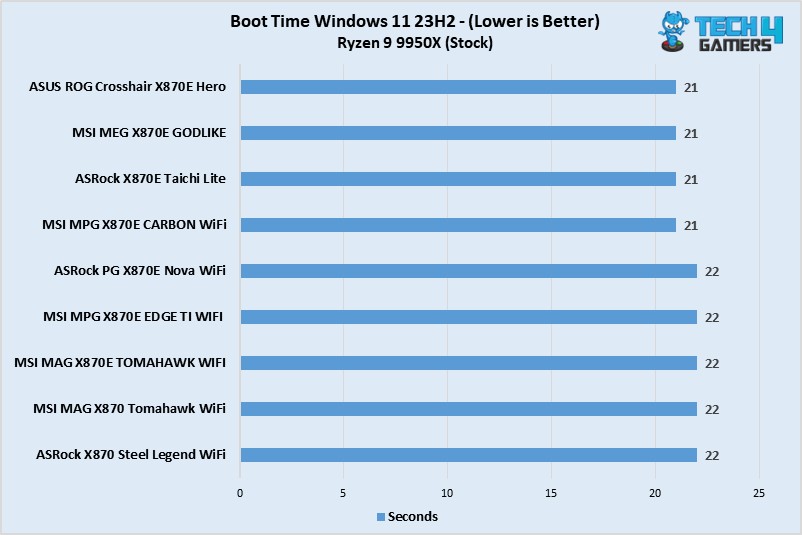
Boot Time (Image By Tech4Gamers)
With the Steel Legend WiFi, we booted into Windows in 22 seconds, the same as the Nova WiFi.
Power Consumption and VRM Temperatures
Power Consumption (Image By Tech4Gamers)
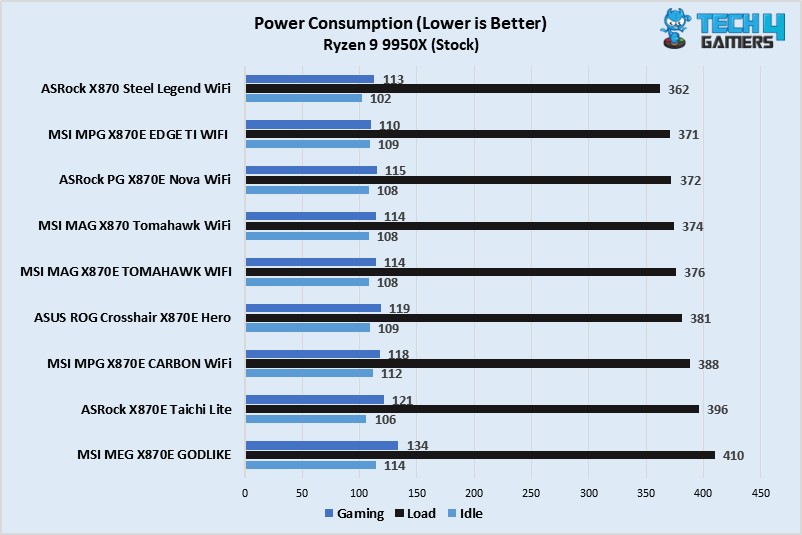
As expected, the CPU + motherboard power consumption was the lowest with the X870 Steel Legend WiFi.
VRM Temp (Image By Tech4Gamers)
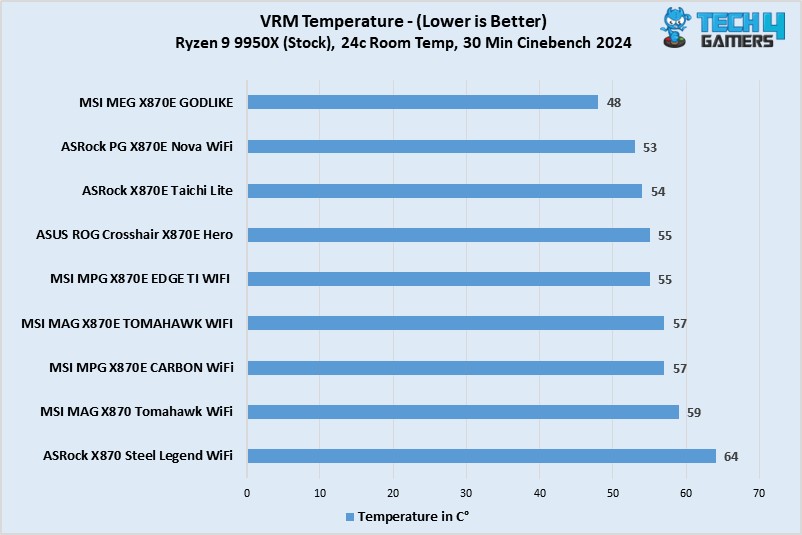
Our ASRock X870 Steel Legend WiFi’s power stages ran the hottest at 64°C. This is still quite low and nothing to be concerned about, though.
Should You Buy It?
We’ve reviewed and tested; now it’s time for the decision.
Buy It If:
✅You need a well-rounded white motherboard: It’s hard to go wrong with white, and ASRock certainly didn’t go wrong. It’s a beautiful-looking board with a good set of features.
✅The latest I/O is apriority (on a budget): Buy the motherboard if you’re looking for USB4 and WiFi 7 at a fairly affordable price ($259).
Don’t Buy It If:
❌You need more convenience: The board lacks some of the convenient design features of its higher-end counterparts, like EZ debug LED and EZ PCIe release.
My Thoughts
The X870 Steel Legend WiFi is an affordable X870 ATX motherboard with a beautiful, predominantly white aesthetic. It features some interesting designs on the I/O and PCH heatsinks and RGB lighting under the enlarged M.2 heatsink to add to its looks.
It features a 14+2+1 VRM power design with 80A Smart Power Stages for the VCore and SOC, high-end capacitors with a 20K-hour lifespan, and EPS connectors that are “Hi-Density” and can withstand more current than normal connectors. This VRM setup is cooled by an XXL heatsink with a stacked fin design and 7w/Mk thermal pads. The heatsink’s cooling performance was good enough, with our setup maxing out at 64°C.
It supports DDR5 speeds up to 8000 MT/s. The motherboard has 3x M.2 slots, including one Gen 5 slot, all cooled well by their heatsinks. We have a screwless removal mechanism for the Gen 5 heatsink, but the other heatsink requires a screwdriver. Rest assured, you won’t lose the screws thanks to the anti-drop screw design. You also have room for up to 4x SATA drives.
There are 20 USB ports (including 2x USB4 and 1x 20Gbps Type-C). The rear Lightning Gaming ports are ideal for your gaming peripherals as they provide a minimal interference connection. Meanwhile, the Ultra USB Power ports are ideal for any 5V devices you may need to connect.
The board comes with 2x PCIe slots (1x Gen 5 x16, 1x Gen 4 x16). The primary slot is steel-reinforced and can easily handle heavy cards. However, neither slot features the EZ PCIe removal mechanism. Audio support comes from Realtek’s ALC4082 controller, and the motherboard has dedicated Nahimic audio drivers for an “enhanced” experience.
For connectivity, the motherboard supports WiFi 7 with Multi-Link Operation (MLO) and MU-MIMO (Multiple-User Multiple Input-Multiple Output). Bluetooth 5.4 is supported. For a wired internet connection, there’s a 2.5G LAN port. You’ll need Windows 11 24H2 to run WiFi 7 and Bluetooth 5.4.
Among some helpful features/additions are the toolless M.2 heatsink removal mechanism and anti-drop screw design. The dedicated “gaming” and ultra USB power powers are also helpful for smoother-than-normal functioning of your USB devices. The included thermistor cable and velcro straps can also be useful.
At $259, it’s fairly priced for what is on offer. The cheapest X870 motherboard we’ve seen so far is $189, so it’s also not expensive for the chipset by any means.
At Tech4Gamers, I contribute as a Senior News Reporter, combining my skills and gaming enthusiasm to keep our audience updated on the latest developments.
Story Highlight
Silent Hill 2 Remake runs at 864p when the fog and foliage are the most intense on PS5 in performance mode.
This combination leads to the frame rate dropping into the high 30s.
Later areas run better, but detailed interiors can also lead to frame rate drops.
Silent Hill 2 Remake features a wide array of advanced visuals, thanks to Unreal Engine 5 and strong art direction. After initial doubts, the game received solid reviews and is now available in early access on PS5 and PCs, but the former does not show the best results, at least in performance mode.
As per recent testing, the game’s resolution drops to a lower bound of just 864p during the most intense parts. Despite this resolution, the frame rate does not always stay at 60FPS.
Why it matters: This is not the first time the PS5 has delivered inconsistent frame rates at low resolutions. Modern AAA titles often show the four year old console’s limitations.
Silent Hill 2 Remake runs at a dynamic resolution in both quality and performance modes. The former typically sees the resolution fall between 1224p and 1512p, while the latter requires a major cut to these targets.
Performance mode aims for 1536×864 at the lower and 2048×1152 at the higher end. This effectively means that Silent Hill 2 Remake renders at just above 720p in the worst-case scenarios.
However, this resolution target does not always guarantee a smooth experience. In many areas, the remake typically runs at around 45FPS. According to Digital Foundry, one particular scene in the courtyard can bring the frame rate down to 37FPS.
It seems the combination of fog and foliage is the main culprit here and causes the frame rate to drop despite the very low render resolution. While the performance improves and often holds 60FPS in later areas, the overall experience is a mixed bag due to the initial hiccups.
Bloober Team Has Received Plenty of Praise For Its Work On The Series
On PC, Silent Hill 2 Remake is similarly intensive, though it should be able to use the better hardware on most PCs. Unfortunately, this title has become yet another example of Unreal Engine 5’s stuttering problem on the platform.
Silent Hill 2 Remake uses Unreal Engine 5 features like Lumen to present a haunting atmosphere similar to the original. The visuals are undoubtedly solid, so some fans might be fine with the trade-offs to resolution and performance.
Perhaps the PS5 Pro will deliver a better experience by combining the high resolution of quality mode with the 60FPS target of performance mode.
At Tech4Gamers, I contribute as a Senior News Reporter, combining my skills and gaming enthusiasm to keep our audience updated on the latest developments.
Story Highlight
Starfield has been compared to Elder Scrolls and Fallout by Bethesda.
The developer believes this series has carved out its own identity and now stands toe-to-toe with these franchises.
More support for the game has also been confirmed, with a second major expansion now in the works.
Starfield has the honor of being considered Bethesda’s most ambitious RPG to date, but the game has not been able to live up to expectations. Following a mixed reception at launch, Starfield’s latest DLC has been yet another letdown in a long list of disappointments.
However, Bethesda seems content with its work for now. In an interview, the team defended its latest release, stating that Starfield has a unique fanbase and can be considered on par with other big IPs.
Why it matters: Bethesda’s latest release has been the subject of much debate. Many find it less appealing than the studio’s past releases, but the team is more than happy to back it up.
Starfield Had Years Of Anticipation Behind It
As per Design Director Emil Pagliarulo, the series has a unique personality. He also believes that it has enough of an identity to compete with the likes of Elder Scrolls and Fallout.
Now sits right next to Elder Scrolls and Fallout.
-Emil Pagliarulo
The most interesting part of this statement is that Fallout and Elder Scrolls are well-established IPs that have existed for over two decades. According to the Design Director, the team is no longer known just for Fallout and Elder Scrolls, with Starfield joining the “Big Three.”
Emil Pagliarulo believes that the team’s later offering brings a distinct experience that can’t be found elsewhere. He outlines that this space RPG divides Skyrim’s exploration across multiple planets, but this is exactly what many fans want.
The Design Director does not necessarily find the sci-fi RPG experience better than past work, but he acknowledges its unique position.
Starfield is simply developing it’s own unique fanbase.
Moving forward, fans can expect continued support for all three IPs. Starfield is set to receive another major expansion after Shattered Space, and various quality-of-life updates are also on the way.
Perhaps the team will eventually redeem this sci-fi RPG in a major way, making for another Fallout 76-like comeback.
At Tech4Gamers, I mainly cover new gaming news, leaks, and rumours. Aside from that, I love to write features about my favourite games while inserting my opinion about their different aspects.
Story Highlight
Previously, the CEO of Ubisoft blamed gamers for the poor sales of Star Wars Outlaws.
Now, Ubisoft’s monetization director calls gamers non-decent human beings for spreading hate.
He reckons that gamers should support the company in such times instead of spreading hate, even if it doesn’t make the games they want.
Ubisoft was arguably one of the best publishers back then. It was mainly known for its brilliant Assassin’s Creed games, but now things are way different. After the poor sales of Star Wars Outlaws, the company seems to be in shambles.
The controversy from Assassin’s Creed Shadows has also hurt it a lot. Now, Tencent might be gearing up to buy this company. Amid everything going on, the Ubisoft director somehow calls the gamers non-decent human beings for spreading hate and not supporting the company.
Why it matters: Ubisoft is clearly not listening to its fandom, as the last few releases are the perfect examples. So, the company can’t expect gamers to support it in such times.
Ubisoft’s Monetization Director Wants Gamers To Support The Company Even If It Doesn’t Make the Games They Want | Image Source: Grummz
Ubisoft’s monetization director, Stevy Chassard, discusses the company’s current situation on LinkedIn. He reveals that not only Ubisoft but the gaming industry is in a rough spot, so seeing gamers wish for companies’ failure is heartbreaking.
The gaming industry is rough at the moment, we all know it. But seeing how “gamers” react on social medias, wishing ill-fate to companies and people alike is sad.
-Stevy Chassard
He then says that such gamers are non-decent human beings who are doing nothing but spreading hate. Chassard says that such things further affect thousands of employees who are already pretty much in a difficult spot.
On top of exposing yourself as a clearly non-decent human being, you are affecting thousands of employees that are already impacted by all the hate despite doing their best to deliver incredible experiences.
Chassard doesn’t stop here as he further says that how these “non-decent humans” wish for a company to fail just because it doesn’t cater to them or what it makes doesn’t please them is beyond him.
While this is a hard time for the employees at the company, it might not be fair to put all the blame on the fandom. Gamers have taken notice of this and wonder why they would support Ubisoft when it doesn’t even listen to them.
They further discuss how it destroyed the Assassin’s Creed franchise and didn’t care about Japan’s cultural heritage. This statement further angers the fandom, but Chassard concludes by requesting the gamers to stop spreading hate.
However, it seems unlikely that Ubisoft is going to receive much support from the fandom given all the recent contorversies.
As a Hardware Expert at Tech4Gamers, I bring my decade-long expertise in electronics design, embedded solutions, and prototyping. My knack for exposing misconceptions in the tech world finds a perfect outlet here.
Story Highlight
The 12V2x6 connector offers improved reliability and can deliver well over 600W of power.
12VHPWR has proven to be risky and should be avoided due to multiple controversies and incidents.
It is also backward compatible with power supplies, with 12VHPWR as their default PCIe cable.
Nvidia introduced a new way of powering their graphics cards with the launch of the 40 series lineup. It claimed to be a step forward as it could deliver double the power of an old PCIe power connector. However, things didn’t go too well and the new power cables became a new controversy.
But we already have a new replacement named 12V2x6, which is a successor to the old 12VHPWR. Whether it really a true successor or not, only time will tell, for now, we can discuss its differences.
Why A Quick Revision
With graphics cards going power-hungry each generation, they came to a point where the conventional 8-pin PCIe connectors were insufficient. So, Nvidia introduced the new 12VHPWR connector that was capable of delivering 600W while being a single connector on the GPU side. The solution was quite thoughtful, but it backfired quickly due to poor implementation.
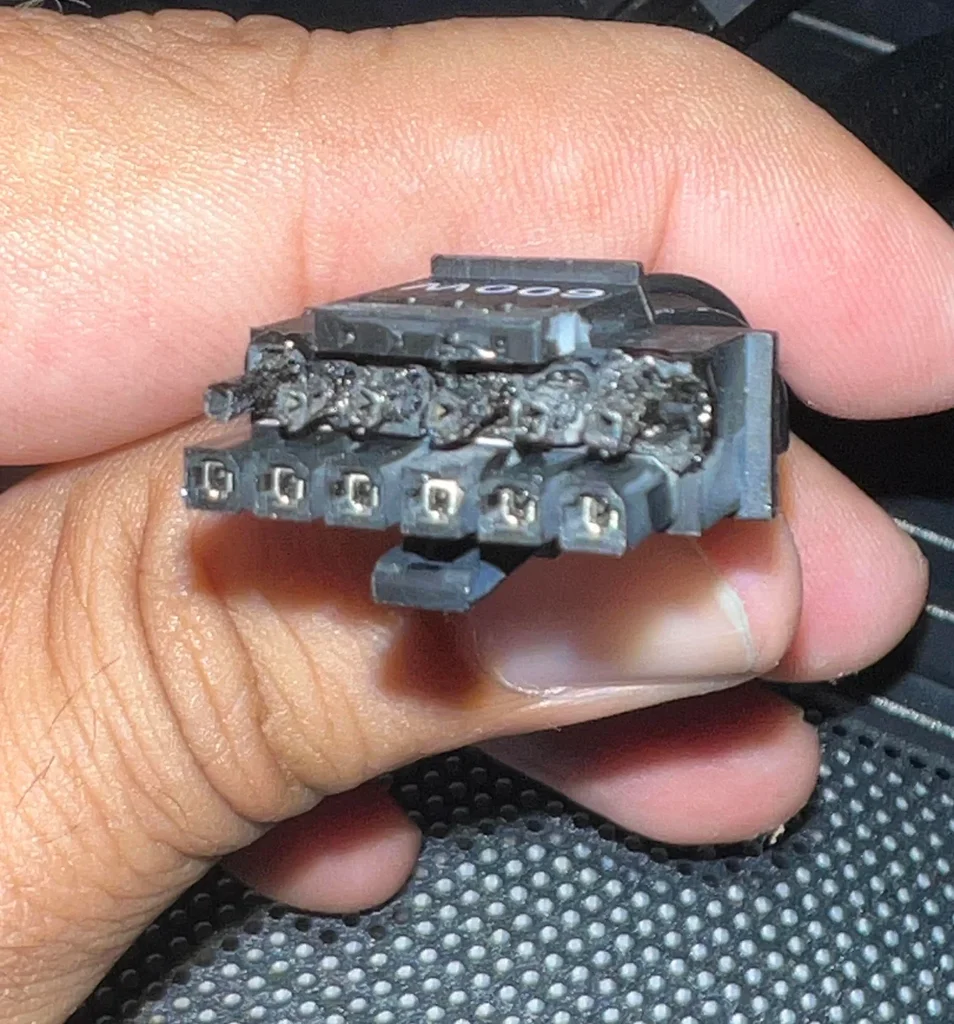
12VHPWR Cable Melted (Image credit: Reddit)
Soon after getting into the hands of the consumers, reports emerged all over the internet that the new connectors weren’t as robust as they should have been. And are rather melting down, resulting in damaging the graphics card as well as the connector itself. To address the situation, many aftermarket connectors were launched to tackle the situation. However, the risk remained there as is. This is why a revision was much needed to fix the flaws for good.
The 12V2x6 Connector
The all-new 12V2x6 connector is a revision to the not-so-old 12VHPWR connector that made quite a show all around when it first launched. This new 16-pin connector mitigates the flaws of the previous power connector. The new connector also incorporates new measurements for the sensing pins as well as the power terminals. If we go into the details, the sensing pins are now 1.5 mm shorter while the power terminals are extended by around 0.25 mm.
What this does is that when the sensing pins are not in full contact, the power on the pins would be zero watts. This was not the case with the old 12VHPWR connector. Moreover, the new connector can also maintain safe temperatures even when it is not properly plugged into the graphics card. This can be seen in the testing done by Hardware Busters, as the temperature stayed well under 50C even during peak power draw.
All these additions help it become a more reliable way of powering GPUs, as opposed to the old 12VHPWR connector.
Compatibility Concerns
12V2x6 connector (Image By Tech4Gamers)
For example, the 12VHPWR connector isn’t compatible with older power supplies, so it could be assumed that the new revision might require a new power supply as well. However, it’s quite the opposite here because the 12V2x6 connector is backward compatible with power supplies that originally featured the 12VHPWR connector right out of the box.
So, it is safe to say that you do not have to update your whole power supply immediately. You can deal with the majority risk by simply swapping the 12VHPWR connector with the 12V2x6 one if you do not have plans to upgrade to the upcoming flagship graphics card.
A Step In The Right Direction
The newest standard is already being implemented by the graphics cards and power supply manufacturers in their current as well as upcoming product lineups. Fortunately, though, it doesn’t require a full power supply change too, which is a relief for many as they can be quite expensive on the higher-end side.
Now, that the new power standard has matured enough, and the serious concerns are addressed, we might see AMD moving over to this new standard as well. As previously, they dropped the idea because of the risks involved and chose to wait to be sure about everything.
At Tech4Gamers, I contribute as a Senior News Reporter, combining my skills and gaming enthusiasm to keep our audience updated on the latest developments.
Story Highlight
CDPR has accepted its past failures but hopes to win fans back.
The team is working on exciting projects like The Witcher 4 and Project Hadar.
Fans are already pleased with the studio’s recent work, and these upcoming releases could fully redeem the developer.
Best known for its work on The Witcher 3 and Cyberpunk 2077, CDPR has become one of gaming’s biggest names today. However, the team stumbled a few years back, hurting its reputation after the disastrous launch of Cyberpunk 2077.
While those days are behind CDPR, the developer believes it may never recover from the setback. Clearly, the team still takes 2020’s failure seriously, and it hopes that future titles will win back some of the lost trust.
Why it matters: Fans will be glad to see that CDPR isn’t taking its current position for granted. The team is aware that it disappointed fans in 2020.
Cyberpunk 2077 Has Changed For The Better In The Last Four Years | Image via Tech4Gamers
Speaking to Eurogamer, CDPR discussed the events leading up to the launch of Cyberpunk 2077 and the disaster that followed.
While these events have been well-documented, the latest interview shares an in-depth perspective from various developers. According to Pawel Sasko, the RPG was developed in around 4.5 years, and this rapid production cycle didn’t do the studio any favors.
Despite everything that transpired over the last few years, Pawel Sasko hopes to see fans acknowledge the studio’s efforts. He states that many incredible experiences from the team are on the way, including the Cyberpunk 2077 sequel, which he is leading.
I hope that, throughout the work we are doing, we can actually win some of those people.
-Pawel Sasko
In particular, the director pointed to upcoming projects like The Witcher 4 and CDPR’s new IP, Project Hadar. All of these games are said to be highly ambitious, with The Witcher 4 set to raise the bar for RPGs.
Hundreds of Developers Are Working On The Witcher 4
it can be argued that Phantom Liberty redeemed CDPR, but the team appears to disagree. Multiple developers at the studio are still focused on making amends after accepting everything that has happened recently.
The team is currently focused on The Witcher 4. With production nearly in full swing, a switch to Unreal Engine 5, and more, this RPG is shaping up to be a worthy addition to CDPR’s exciting lineup.
As a News Reporter at Tech4Gamers, I bring the latest findings from the tech industry to our readers. Specializing in processors, graphics cards, and more, I strive to deliver detailed insights that keep our audience well-informed and engaged. Periodically, I also delve into the vibrant world of gaming to share captivating stories.
Story Highlight
Fans are divided over whether the PS5 Pro’s enhancements justify its higher price compared to the standard PS5.
Digital Foundry’s tests revealed that the PS5 Pro offers sharper image quality and better frame rates, but the benefits may not be universally noticeable.
The impact of the PS5 Pro’s improvements depends heavily on display size and viewing distance.
Fans had mixed feelings regarding Sony’s PS5 Pro launch for a number of reasons, the most common being the price compared to the regular PS5, despite promising better performance and image quality.
Why it matters: The video highlights how different game configurations can affect how game image quality is perceived.
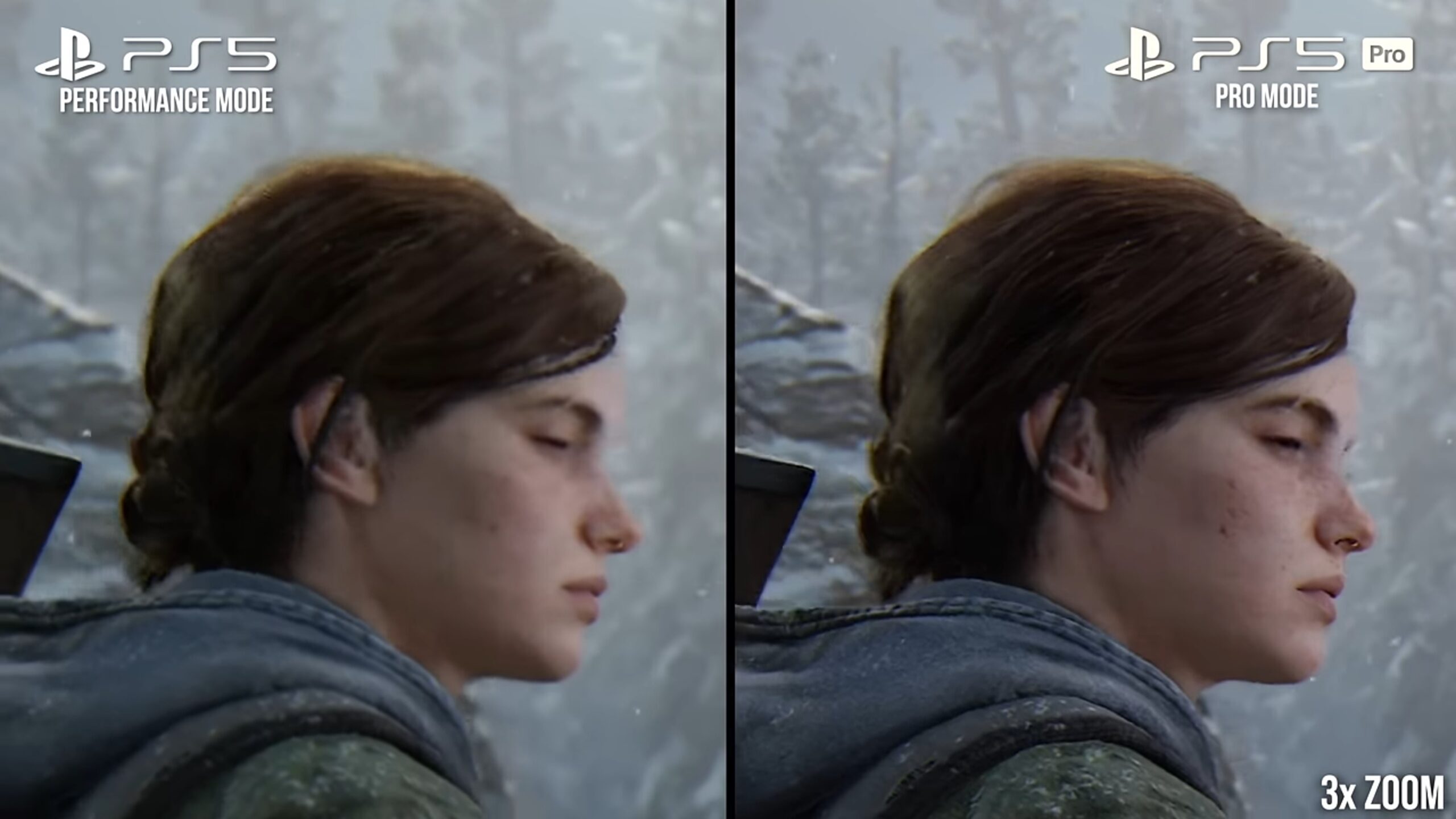
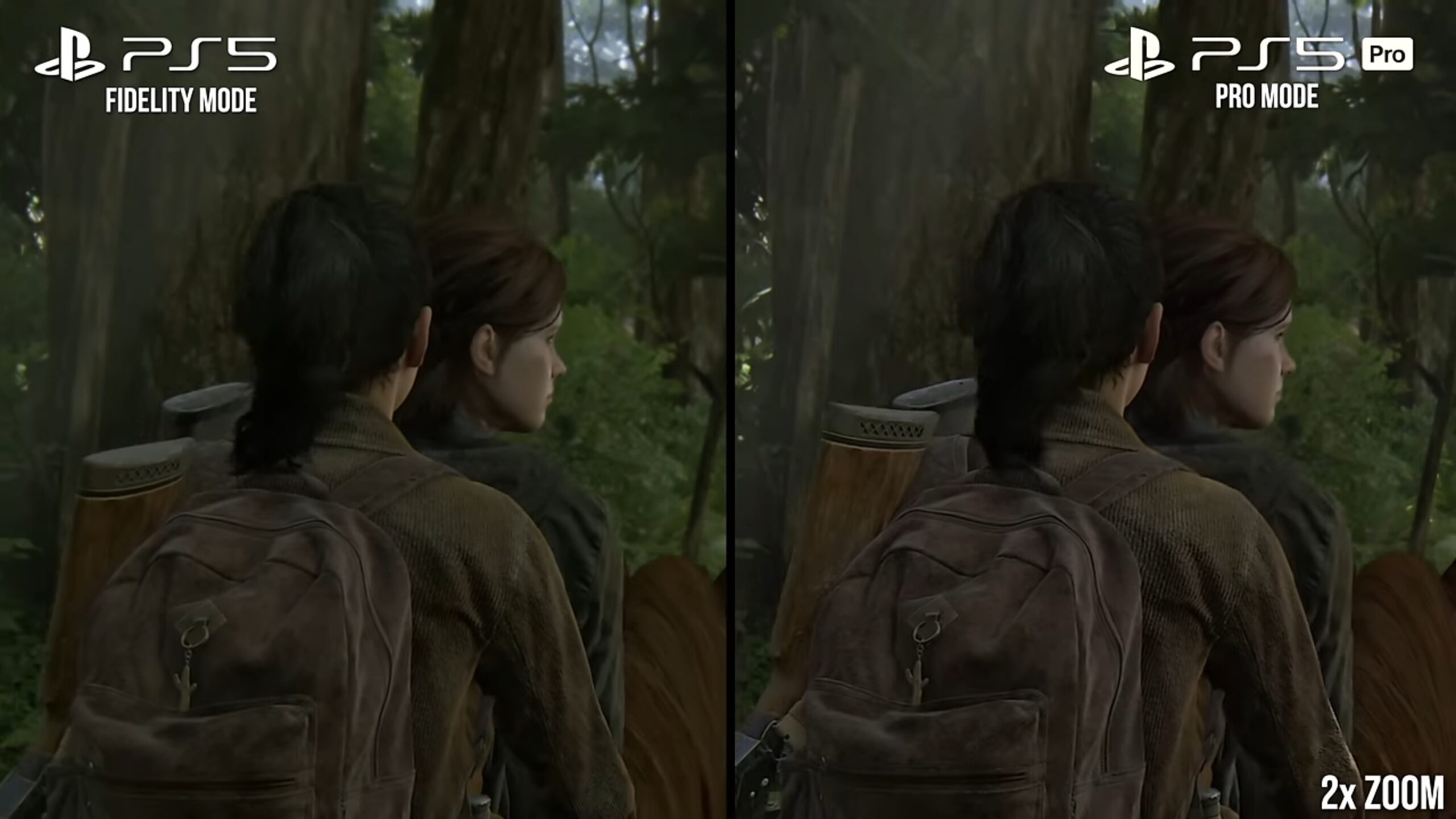
Sony PS5 Pro performance claims have been tested by Digital Foundry with The Last of Us Part 2, and the outcomes were unexpected. According to Digital Foundry, the PS5 Pro and its new AI-based PSSR upscaling offered sharper image fidelity than the standard PS5.
Furthermore, the PS5 Pro maintained a better frame rate while producing an image quality than the PS5. Although these are impressive results and what we would expect from a far more costly console, there are a few caveats.
Image Via: Digital Foundry
1 of 2
Digital Foundry notes that display sizes and viewing distances will significantly impact the experience. According to comments on the Digital Foundry video, a player playing on a TV at a distance greater than six feet will find it very difficult to notice any improvement.
These graphical differences between the Pro and Standard consoles can only be seen when the image is zoomed in. In other words, players using a monitor will be far more susceptible to noticing any changes to the image quality than those using a TV.
So, the graphical differences aren’t that much noticeable. Even though the performance is better, fans don’t think it is worth upgrading to the pro version.
I’ve previously worked for eXputer as a Senior News Writer for several years. Now with Tech4Gamers, I love to devoutly keep up with the latest gaming and entertainment industries. I have a Bachelor’s Degree in Computer Science and years of experience reporting on games and breaking exclusive stories. Besides my passion for gaming journalism, I love spending my leisure time farming away in Stardew Valley. VGC, IGN, GameSpot, Game Rant, TheGamer, GamingBolt, The Verge, NME, Metro, Dot Esports, GameByte, Kotaku Australia, PC Gamer, and more have cited my articles.
Story Highlight
A Horizon Zero Dawn Remastered developer has teased that PlayStation is working on notable remasters.
Nixxes might be involved in many other unannounced remasters, such as the rumored Days Gone one.
Last year, Nixxes’ lead software engineer also said that Nixxes is deeply focused on developing remasters.
The PlayStation brand has made a name for itself by producing some of the most popular first-party titles in the industry across various genres. However, the current gen has also gained popularity for having the best PS remakes in the gaming sphere. Now, it might also be doubling down on bringing major Sony remasters to the PS5.
A Horizon Zero Dawn Remastered developer has allegedly teased that PlayStation is brewing multiple major remasters behind the curtains. Additionally, the developer’s wording suggests that Nixxes has its hands full with other unannounced remasters, which has caused an uproar in the community.
Why it matters: The wording of the Horizon Zero Dawn Remastered dev suggests that Nixxes might be cooking up more “big PlayStation content projects.” The studio is also mostly focused on creating remasters.
An unnamed Horizon Zero Dawn Remastered dev has teased that PlayStation has more remasters in the works | Image Source: ResetEra
The unnamed developer seemingly teased more remasters a week ago on LinkedIn, which was recently posted on a ResetEra thread by Red Kong XIX. It only took a while for the rumors to spread like wildfire because of how the developer described PlayStation’s plans regarding remasters.
“After five PlayStation PC ports, the first big PlayStation content project from Nixxes Software is coming up!”
Nixxes has described Horizon Zero Dawn Remastered as the “first big PlayStation content project” from the studio. The keyword “first” could entail that it has its hands full with many other unannounced remasters. Additionally, the Nixxes lead software engineer Coen Frauenfelder also claimed that it was deeply focused on remasters in an official PS video last year, which further fueled speculations.
Nixxes might be on its way to becoming PlayStation’s major remaster connoisseur in the future. Nevertheless, we suggest taking the brewing rumors regarding remasters with a grain of salt.