At Tech4Gamers, I began as a comparison writer, analyzing GPU and CPU performance. Now, I focus on writing reviews and contributing to the best-ofs section, sharing personal insights after hands-on testing.
Story Highlight
Transforming an old PC into a media server isn’t too complicated if the PC matches most hardware requirements.
If a media server doesn’t interest you, an old PC can be repurposed as a home security server, a gaming hub, a learning platform, a backup server, be used for DIY projects, and much more.
The easiest steps to get started are to first dust off the PC, stress test it, re-apply thermal paste, and then get the software to set it up.
I’ll never forget the day I decided to toss away my old PC. It had gotten slow, was outdated, and was collecting dust in the corner of my room. However, something held me back, and I shifted it in the attic. It was likely the memories I made with the machine, with my countless hours of playing retro games and working on school assignments.
In any case, I stumbled upon it recently when rearranging the attic. I decided to see if it still had some life left in it. Little did I know this decision would save me a lot of money. Here’s how my old PC saved the day and my wallet!
Transforming My Old PC Into A Media Server
Right before I found the PC in the attic, my family was planning on holding a get-together to share old memories and videos. That’s when I had the idea to repurpose it as a media server. After some quick research, I realized I didn’t even require any hardware upgrades, and all I had to do was get through a slightly complicated setup process.
Using Plex (Image By Tech4Gamers)
All you need to turn your old PC into a media server is to download a few applications that allow it to be used as a broadcasting hub. In my case, I chose Plex due to its excessive features and affordable pricing packages. Moreover, the application doesn’t require you to have a fancy PC; with the minimum requirements sitting at an Intel Core i3 and 4GB RAM.
My old PC on the other hand, is slightly overkill for a media server, having an Intel i5-2400, 8GB DDR4 RAM, and a GTX 1050 Ti with around 1TB HDD and a 256GB NVMe storage. Anyway, after installing and setting up Plex, my PC was ready to stream movies and videos to any device in my home.
Don’t Want A Media Server? More Uses For An Old PC
In case a media server doesn’t interest you and you want to use your hardware for other purposes, here are a few ways you can repurpose your old PC depending on its capabilities:
Home Security System: If you recently bought new CCTV cameras, you can convert your old PC into a home surveillance system with free software, such as ZoneMinder.
Gaming Server: Depending on the games you play and your PC’s specifications, you can repurpose your old PC as a gaming server and host multiplayer games for you and your friends.
Backup Server: Another use for an old PC with lots of free storage can be to use it as a backup server to save all your important files and memories.
Learning Platform: If you have kids, I recommend installing a few educational software and using the PC as a learning resource. You can also start teaching them about computers from a young age through practical demonstrations.
DIY Projects: Lastly, you can explore various DIY projects and experiment with an old system to learn how computer hardware works without worrying about something breaking down. You can also set up a personal cloud server or experiment with Linux.
Easy Steps To Get Started
Repurposing your old PC is easier than you think, which is how my old PC saved the day and a lot of money. The first thing you want to do is clean off all the dust from inside your PC. Blow it off and get it into working condition.
How We Test PCs (Image By Tech4Gamers)
Secondly, I recommend stress testing your hardware to assess its condition. Check the temperatures and whether all the fans are spinning correctly. Re-apply thermal paste if you have to and replace the cables in case they’re worn out.
Depending on how you’re trying to repurpose the PC, slight upgrades should be fine. Get a new hard drive, upgrade your RAM, buy an SSD, or get a new air cooler. Then choose the software you need and set it up. There are plenty of guides and resources to help with the setup.
The Unexpected Hero Of My Tech World
My old PC, which I thought had surpassed its lifespan, turned out to be a hero in disguise. How my old PC saved the day made me realize that before trashing my old hardware, I should consider how it can be repurposed and provide technical solutions for my tech needs.
You might end up surprised how your old hardware can still be a valuable asset today. Whether you transform it into a media server, a gaming hub, or a learning platform, you’ll find it offers lots of value. Therefore, dust off that PC and give it another chance; you won’t regret it.
At Tech4Gamers, I mainly cover new gaming news, leaks, and rumours. Aside from that, I love to write features about my favourite games while inserting my opinion about their different aspects.
Story Highlight
Avowed is one of the most anticipated Xbox games coming this year and is described as Obsidian’s most ambitious project.
It took a whopping five years of development time.
This cycle has allowed the studio to polish the game to 11 on a scale of 1-10.
Fallout: New Vegas is one of those classic RPGs fans couldn’t keep themselves away from. The game came out in 2010, and fans are still asking about a sequel to this day. Fortunately, Bethesda is open to this option.
Developer Obsidian is currently busy working on an entirely different RPG. Avowed is slated to be released in 2024, and the team has spent just over 5 years of development on this project.
Why it matters: Modern games take longer to create for nearly every studio. However, this leads to more ambitious projects and experimentation during these development cycles.
Avowed is Shaping Up To Be One of the Biggest RPGs In 2024
Obsidian has talked in detail to GamesRadar+ about the development of Avowed. It reveals that the team is going through an exciting phase since the developers can see everything coming together now.
Carrie Patel also talks about the long development cycle. Obsidian previously made Fallout: New Vegas in just 18 months, which is less than two years. This means the studio spent over three times as long on Avowed as Fallout: New Vegas.
Some may find it hard to believe the team has taken this long on its latest RPG. However, the long development cycle has its own benefits.
It’s been a long development cycle for us – for Obsidian specifically – and we’ve learned so many lessons over that time.
-Carrie Patel
Patel reveals that the team is giving Avowed further polish and is tuning the game to 11. The RPG is almost completed, and the team is busy polishing it so fans can have a great experience at launch.
Obsidian is behind some of the best RPGs in the gaming industry, so the studio knows what it’s doing. The team is no stranger when it comes to releasing RPGs, but Avowed is shaping up to be the culmination of everything the developer has learned.
Patel further reveals that the team’s main focus right now is on the experiential polish. This has given the developers a lot of freedom to improve things, which has worked a lot in the studio’s favour. According to Patel, the experience has been liberating.
Avowed is being developed on Unreal Engine 5.3, but it received a lot of criticism for its recent gameplay footage. Amid the confusion, Obsidian has assured fans that the graphics will not disappoint.
As a News Reporter at Tech4Gamers, I bring the latest findings from the tech industry to our readers. Specializing in processors, graphics cards, and more, I strive to deliver detailed insights that keep our audience well-informed and engaged. Periodically, I also delve into the vibrant world of gaming to share captivating stories.
Story Highlight
The AMD Ryzen 7 7800X3D shows strong gaming performance but falls behind in applications that do not benefit from its extra cache.
AMD’s next-generation Ryzen X3D CPUs might support overclocking, potentially overcoming previous frequency restrictions.
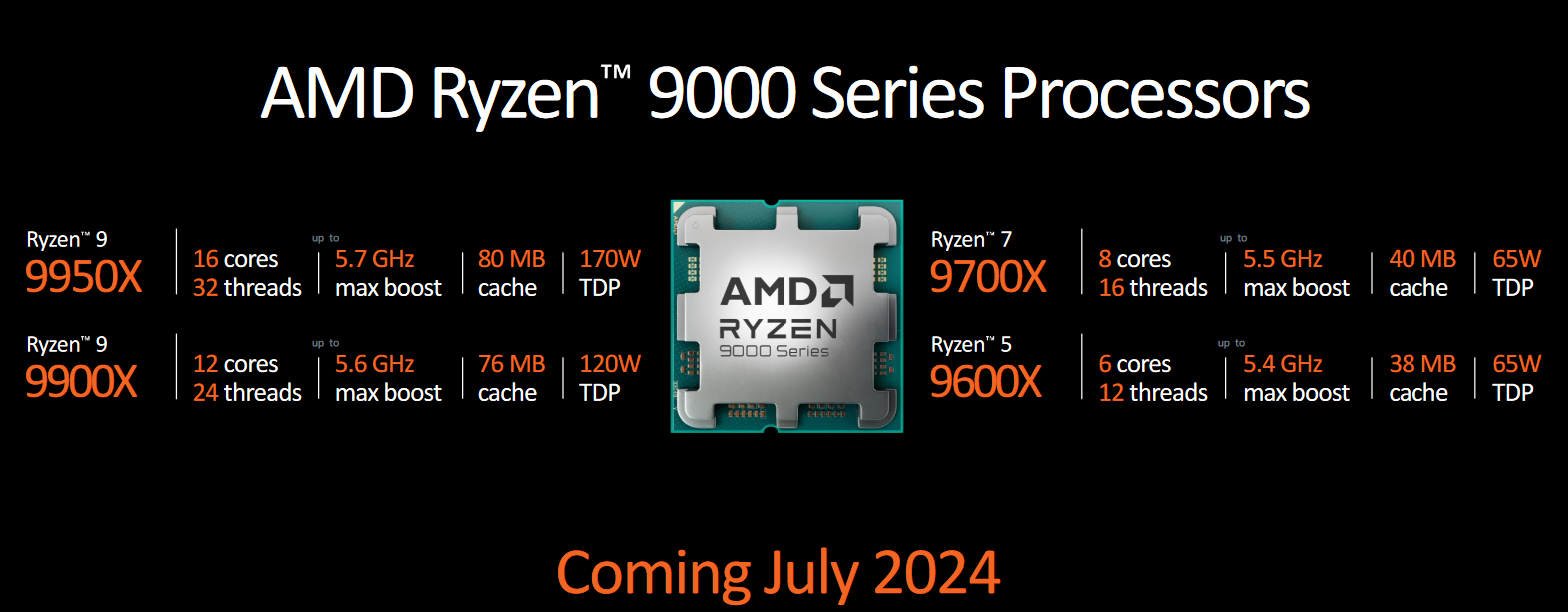
The Ryzen 9000 non-X3D CPUs are expected to launch first, likely by the end of July.
In terms of gaming CPUs, the Ryzen 7 7800X3D stands out. However, because AMD was so conservative with its specifications, it’s not the best all-around CPU. When compared to the Ryzen 7 7700X, it loses significantly in applications that don’t require a lot of cache due to its lower base and boost frequency.
A recent report indicates that AMD’s next Ryzen X3D CPUs may support overclocking. Furthermore, according to other sources, AMD’s next-generation X3D chips should have fewer frequency restrictions than its predecessor.
Why it matters: Overclocking support would eliminate one of the few drawbacks of picking AMD’s Ryzen X3D lineup. This may make this series more popular across the board.
The Ryzen 9000 Series Processors offer a new leap in gaming performance. (Image Credits – AMD)
This information comes from a reliable source and points to new possibilities for AMD.
In other words, AMD’s new X3D chips might be as fast as their non-X3D equivalents. This modification will enable AMD to use its third-generation X3D technology to achieve greater performance gains in applications where frequency matters.
Technical problems that had previously stopped AMD from implementing full overclocking capability on Ryzen X3D CPUs appear to have been resolved. That being said, the processors would be a very attractive choice if AMD has succeeded in developing a more reliable TSV design that allows users the option to overclock.
Nevertheless, non-x3D chips from the Ryzen 9000 family would be the first to launch, and it is anticipated that these will debut near the end of July. All things considered, users should expect a performance increase across the board.
However, whether the new AMD Ryzen 9000 non-X3D lineup will be able to surpass last generation 7000X3D predecessors is still up for debate.
At Tech4Gamers, I work as a guides expert. My role involves writing about solving different gaming and tech-related topics that pique my interest and that I believe more people should know about. This position allows me to share my insights and discoveries with a broader audience, enriching their gaming experiences with the unique perspectives I bring.
Story Highlights
The benefits that antiviruses can provide are not worth the performance issues.
Windows Defender already has everything you need.
Knowing safe browsing practices can easily replace antivirus programs.
Antiviruses have long been considered integral to digital hygiene and safe browsing. However, a growing number of users, myself included, are opting out of traditional antiviruses.
Regardless of the specific kind of antivirus you use, here’s why it is useless and potentially a hindrance to your device!
What Do Antiviruses Do?
Kaspersky uses a lot of buzzwords, but are they really that impressive?
Today, there’s a wide variety of antiviruses to choose from. Some are free, some are paid, and all of them are effectively useless and unneeded. If you’ve ever seen what’s written on an antivirus web page, it’s easy to overestimate them.
There are a lot of buzzwords used, but all that most of them offer is advice. Words like Advanced Web Protection just mean a plugin tells you not to download anything from a suspicious-looking website. Antiviruses do have some good features, but they’re generally things that can be replaced with common sense.
Yes, surprisingly enough, a program that scans thoroughly through your computer’s files from top to bottom, creating a sandbox simulation to put in newly installed programs to check for suspicious behavior takes up a lot of resources. No matter how many lists of best antiviruses you browse, even industry standards such as Avast or BitDefender are essentially a type of malware called bloatware. These unnecessarily clog up your memory without providing anything worthwhile.
Windows Defender Is All You Need
Windows Defender improves with every update
More people opted for antiviruses in the past because of a lack of inbuilt defenses against viruses. Nowadays, systems already provide safe browsing. You get warnings whenever you do anything that may put your device in danger, even without willingly checking for it.
If that’s not enough, Windows Defender has everything to protect you, scoring a whopping 6/6 on AV-Test. A lot of the features that the free versions of programs make you pay for, such as ransomware protection, are already available for free in Windows Defender.
Apple is even better with security; you don’t have to use the built-in protection software to be safe. Apple doesn’t allow you to make changes or take risks while using your device. While this may annoy some, it’s the best protection any company provides.
What If I Want To Do A Spot Check?
Windows Defender has a quick scan feature as well.
It’s not that antiviruses are completely useless; they’re just way too inefficient for their worth. Antiviruses like ClamAV or Malwarebytes provide extremely good spot-checking functionalities that can benefit you.
Even if I don’t use antiviruses, I do spot-checks fairly often. The important thing to know is there’s no need to keep any antivirus running. Simply download your chosen antivirus, do a spot check (or whatever you want to do), and delete it from your machine when done.
When To Use Antiviruses?
There are certain cases where antiviruses may be needed. If you’re managing a company where a cyberattack can lead to significant damage, it may be okay to sacrifice some performance for increased protection.
They’re also worthwhile if there’s a specific feature you want to target, such as spot-checking.
The Best Antivirus Is Common Sense
Image from Shutterstock
Instead of opting for fancy antiviruses, it’s better to understand how to browse through the internet safely. There’s no need for a Wifi security advisor if you don’t access your bank account on public Wifi. Here are some things I always keep in mind:
Avoid suspicious websites: If a website is not widely recognized, it’s better to search for alternatives.
Don’t enter sensitive information: Never enter sensitive information on websites that aren’t fully authorized to avoid phishing. Also, don’t enter any such information when accessing public Wifi.
Only download from trusted sources: There are many ways to download stuff; downloading from suspicious sources is never worth the risk of downloading malware.
Cross-check authenticity: Always search an online forum like Reddit for any existing posts discussing whether a certain website or app can be trusted.
2-Factor Authentication (2FA) or Multi-Factor Authentication (MFA): Using unique and strong passwords for all accounts, combined with Multi-Factor Authentication (MFA), significantly reduces the likelihood of successful cyberattacks.
Regular Backups: Regularly backing up your data to an external drive ensures you can recover files even if your system is compromised.
As a Hardware Expert at Tech4Gamers, I bring my decade-long expertise in electronics design, embedded solutions, and prototyping. My knack for exposing misconceptions in the tech world finds a perfect outlet here.
Story Highlights
Artificial intelligence allows users to have personalized internet experiences as per their needs and preferences.
By analyzing the behavior and preferences of users AI can provide tailored content and recommendations.
Using AI to present relevant content increases user engagement and satisfaction.
As social media users we all like content that relates to us and our likings. The method used to do so is referred to as AI-driven personalization. By using personalization tactics AI can make the user experience for each individual welcoming by adding and subtracting information provided to the user. This personalization of the internet is becoming very common in our daily internet experiences.
Understanding Personalization
Let me ask you something, have you ever had an interest in a certain product and then started seeing recommendations about it on Instagram or Facebook, etc? That is essentially personalization and has been being used for a long time now. Adapting content, recommendations, and interactions considering how a person behaves or feels is personalization.
In the past, it was hard to personalize the user experience for every individual simultaneously as we see today. To personalize complex algorithms are required that gather data on every user such as their browsing history, daily interactions, how much time a person spends on a post, and more.
AI Personalization – Image Credits – (Medium)
These algorithms collect this day-to-day data to create a general idea of the user’s likes and dislikes. The data collection is so accurate that if you try to test it by spending time on something you usually don’t, you will see it more often on your feed.
AI’s Role in Personalization
AI algorithms are very advanced and can evaluate a large quantity of data in a short period, this can help create detailed profiles for each user. Similarly using machine learning and natural language processing and other AI creates better search results, improves recommendations, provides faster loading times and better security, etc.
AI generally helps search engines become more accurate and smart by using data collection and greatly increases the efficiency of the internet.
AI’s Role in Personalized Learning – Image Credits (Hubpages)
Natural Language Processing
A method that is currently being used to personalize the Internet is called natural language processing. This allows for chatbots and virtual assistants to gradually better themselves. The data from what you ask is received and then analyzed to improve the AI response. The more the interaction with the AI the better become its responses. This tactic is being used to improve day-to-day internet for all users alike.
Enhanced User Experience
The usage of AI creates a personal touch for users. This adaptive approach provides a better and more friendly user experience by creating personalized interfaces that cater to each user.
You must be aware of the fact that each app we use recommends some content to us whether it be in the form of ads or posts, that is the AI at work. AI can also help sites adjust their interface elements such as menu options and content placement, etc.
Challenges and Considerations
The potential benefits of AI-driven personalization cannot be ignored however some people oppose data being gathered on them. Recently, people claimed that their feed got so personalized that they began to think Google and other platforms were listening into their conversations creating mass controversy. Also, there is a risk of the leak of user data such as addresses, contact info, and more.
AI is constantly evolving which may make it difficult to keep up with new trends. As the global population rises more data may need to be collected annually requiring massive computing power.
Developers must also be aware of the fact that as AI progresses and gets smarter it may get biased, racist, sexist, or may give the wrong opinion. This must be carefully monitored and looked at.
The Future of the Internet seems promising as AI evolves. As time passes we can expect the internet to be our second home giving us everything we need. As a gaming enthusiast, I am particularly excited about AI personalization in games creating dynamic gameplay and a world of possibilities.
The internet is ever-expanding and evolving. New technology allows for a better environment for all users alike. As time passes I am sure that the average internet experience will be better for all of us. We will see faster loading times, better search results, less internet traffic due to quantum computing technology, and more. It’s a matter of waiting and seeing where this progress in AI technology can take us.
At Tech4Gamers.com, I cover the latest news and rumours in the gaming industry, from new game releases to hidden gems and video game leaks. Furthermore, I occasionally write tech articles about video game consoles, providing insights into the hardware and software that powers our gaming experiences.
Story Highlight
Nintendo plans to produce 10 million Switch 2 units in the first fiscal year to avoid shortages that plagued the previous launch.
The company claims it has resolved the semi-conductor shortage issues.
Nintendo aims to increase production and consider legal action against resellers to keep the Switch 2 affordable.
At Nintendo’s 84th Annual Shareholders’ Meeting, CEO Shuntaro Furukawa shared important updates about the upcoming Switch 2. The CEO addressed worries about resale and shortages, reassuring stakeholders that the company has learned from past mistakes and is taking steps to prevent them.
Earlier this year, Nintendo revealed its plans to ship 10 million units in the first year to ensure a successful launch and wide availability for consumers.
Why it matters: The original Switch was plagued with scarcity issues during its launch and was resold at double the price. Nintendo aims to fix that problem, with the successor reportedly launching in 2025.
Nintendo should be announcing its next console soon.
Nintendo is adjusting its strategy in response to supply issues faced by Sony and Microsoft with the PS5 and Xbox Series X/S. The global chip crisis during the COVID-19 pandemic mainly caused these shortages.
Nintendo is learning from these challenges and implementing proactive measures to avoid similar issues. Recently, the company has also struggled with Switch production because of semi-conductor shortages—a global problem that hindered meeting high consumer demand.
CEO Furukawa reassured investors that this challenge has been resolved and won’t affect the production of the upcoming hardware. The company’s main approach is to ramp up production sufficiently to prevent the upcoming console from being resold at a higher price.
Furukawa highlighted the importance of balancing production with customer demand to achieve this goal.
The Switch successor is rumored to support Nvidia’s DLSS in almost all games.
By ensuring enough units are available, Nintendo aims to reduce the impact of the resale market.
Alongside boosting production, the gaming giant is also looking into legal actions against resale. Furukawa noted that the company is exploring different legal strategies tailored to each region to effectively tackle the resale problem.
The gaming giant is expected to announce the Switch 2 sometime this fiscal year. This handheld console could be priced at $399, according to various reports. The gaming community anticipates this announcement, and with Nintendo taking proactive steps, there are high expectations for a smooth launch.
Moreover, the gaming giant has confirmed that it will continue supporting the current generation after the new model launches. This means ongoing third-party support and games that work on both systems so existing customers won’t miss out.
Exciting upcoming releases like Metroid Prime 4 are expected to be available on both consoles, helping to transition smoothly between them.
At Tech4Gamers, he is recognized for his insightful features and opinion pieces, where he blends his passion for gaming with a keen understanding of technological trends. His work, marked by depth and accessibility, makes him a respected voice in the tech and gaming community.
Story Highlights
Cyberpunk’s 2.0 patch introduced us to its Phantom Liberty Expansion.
CD Projekt Red allows you to start the expansion whenever you want; however, you should only start after taking your time with the main storyline.
The events of the Phantom Liberty Expansion affect the main ending of the base game.
Cyberpunk 2077 was a stuttering mess at its launch. However, things have taken a drastic turn since then. The game has mostly positive reviews now. It turns out that beneath all those bugs and errors, there is actually a decent game.
One reason CD Projekt Red was able to turn the tables was the inclusion of the “Phantom Liberty” expansion. This expansion features more game time than some of the full-fledged games we have seen recently, clocking in at around 13 hours.
When To Start The Expansion?
Now, the tricky part is when to start the expansion cause, unlike other DLCs, CD Projekt Red integrated this expansion into the game and allows you to start it almost whenever you want.
Mentioned below are some of the expected points in the game where most people would be tempted to start the expansion.
At The Start Of The Game
When starting a new game, you are given the option to either start the main story or jump into the Phantom Liberty expansion. If you are a new player, it is recommended that you start the main story first before hopping on to the expansion.
Cyberpunk newgame screen [Image Captured By Us]However, if you have completed the main storyline already, then you can start the expansion at this point, as it will lead you straight to the new area at the start, and you will not have to progress in the story to get there.
After Act 1
Right after completing Act 1, somewhere in Act 2, you will come across the Voodo boys’ quest line that will take you to the Pacifica side. After completing the mission “Transmission,” you will get a call from a stranger named Songbird.
After picking up the call, a new side quest will pop up in your journal named “Dog Eat Dog.” That’s when you have the option to head to the newly introduced area of Dog Town and access the expansion.
The quest to start the expansion [Image Captured By Us]You can certainly start the expansion now. However, for an immersive experience, I recommend you wait until further. At this point, you would be roughly ten hours into the game, and in my opinion, you should spend some time in the main city first.
Before Taking Down The Arasaka Corporation
This is my favorite point in the game to start the expansion. It also makes the most sense to explore the new Dog Town Area at this point. Since doing it at this point will impact your final ending to some extent as well.
Before taking down the Arasaka Corporation, you will have completed almost the entire game, and you will be left with one last job. You are taking down the biggest evil in the Night City. You will also have a decent level of cyberware and weapons now.
When starting this mission, the game will inform you that this is the point of no return, and if you want to tie up any loose ends, now is the time. In my opinion, this is the best moment to pause the main storyline and complete the expansion.
Cyberpunk point of no return [Image Captured By Us]
After Completing The Main Storyline
Some players want to experience the game in the timely order in which it was released. This means completing the main storyline, including all the side quests, and then taking your time with the Phantom Liberty expansion.
There is nothing wrong with this approach. However, with the 2.0 patch, the expansion has been integrated into the base game so that the events of Phantom Liberty affect the main ending of the base game.
So, if you decide to take this approach, you will miss out on a secret ending that you can potentially get if you complete the Phantom Liberty Expansion before ending the main storyline, which is when we recommend you dive into the expansion.
Cyberpunk 2077, despite all its flaws, is still a terrific game whose publicity got overshadowed by a wonky launch. The game is now better than ever, and the Phantom Liberty expansion is a cherry on top.
So, if you still have not taken the time to get back to this masterpiece, now is the perfect time to do it. Because if you have not, you are surely missing out on one of the finest works of CD Projekt Red.
At T4G, my task is to cover the latest news around the gaming globe ASAP and with the utmost precision. I adore all the games and respect all the devs behind the amazing games that we get all year. So, whether it’s a PC or a Console game, I got it all covered.
Story Highlights
A new patent by Sony further hints they are working on PS3 backward compatibility for PS5.
The patent attempts to include skew-induced software to bypass issues with PS3 emulation.
Until now, PS3 games were only playable using cloud gaming through PS Plus.
At this point, the PS3 backward compatibility for PS5 seems more likely than ever. The news has been a part of the rumor mill ever since last week. Now, Sony has filed a patent that further points to backward compatibility.
Why it matters: The Xbox Series S|X have supported backward compatibility for Xbox 360 ever since launch. The PS5 was criticized for not doing the same with the PS3, but now it seems that Sony is ramping up preservation efforts.
Sony has filed a new patent for backward compatibility using skew-induced software.
The feature was first hinted at by Nick Baker and was later corroborated by Jeff Grubb.
The patent hints at Sony basically attempting to run PS3 games on PS5 using software emulation for native gameplay. Since this patent has been filed by Mark Cerny, PS5’s hardware architect, there’s reason for fans to be excited here.
It will attempt to test software that induces skew to the PS5. The software is necessary because the PS3’s chip worked quite differently from today’s x86 architecture.
The PS5 might soon be able to run PS3 games natively.
The PS3 has an asymmetrical cell processor that was very notorious for making it difficult to develop games. With the cell processor, each core had a separate job, instead of all cores working together for one task like they do on the PS5.
So, Sony will attempt to bypass the hurdle with skew and run PS3 games natively on the latest console. While the earlier reports were mostly leaks, this new patent, filed by Sony itself, seems to be the most concrete piece of evidence so far.
The PS3 had some incredible games that were never made available for the current-generation consoles. These include GTA 4, Killzone 3, Infamous 2, and more. However, you can currently play such titles on PS5 through cloud gaming.
While this leads to a less-than-ideal experience, cloud gaming is the best that gamers can find for now.
At Tech4Gamers, I contribute as a Senior News Reporter, combining my skills and gaming enthusiasm to keep our audience updated on the latest developments.
Story Highlight
A report outlines remakes for the original Halo trilogy.
343 Industries is handling the remakes, with the team looking to incorporate modern elements like sprint.
Xbox is going the remake route to extract the most revenue possible from PlayStation users.
The Halo franchise is no stranger to re-releases, but the series has not adopted to the trend of remakes yet. Following Halo: The Master Chief Collection’s launch on Xbox and PC, there is still demand for more classic gameplay.
With 343 Industries moving away from this collection and potentially working on the next major project, recent reports have hinted at a classic remake accompanying the next big release. According to an insider, Xbox is looking to remake the whole trilogy.
Why it matters: Halo Infinite had a lot of potential at release but failed to be the huge title that this series needed. A remake could lead to renewed interest from the fandom, effectively saving the franchise from its current state.
Halo Has Yet To Receive A Full Ground-Up Remake
The latest report comes from Technical Halo, an insider who has previously leaked information on various projects related to the series.
In a recent report, he states that Xbox is no longer interested in porting the series to PS5. The gaming giant has decided to remake the first three games, with all three projects being based on Unreal Engine 5.
These remakes serve the purpose of bringing the IP to PlayStation in a grand way. It is said that 343 Industries has full control of the remakes, but the studio will also rely on contractors and support teams.
Interestingly, the remakes are said to incorporate modern gameplay elements from the recent entries.
Halo Has Never Been On PlayStation In Its 20+ Years of Existence
These include sprint and clamber, hinting that the remakes could be vastly different compared to their original counterparts. While this may seem concerning, Halo Infinite proved to be a solid middle-ground between classic and modern gameplay.
Therefore, 343 Industries may find a similar balance for the trilogy remakes.
Needless to say, these are huge revelations and could change Halo as we know it.
While a PlayStation release on its own is a massive deal, remakes of the original trilogy could end up being just what this series needs to claw its way back to the top of the first-person shooter market.
At Tech4Gamers, I take on the role of Hardware Reviewer with pride. My responsibilities involve a thorough examination of essential hardware components like motherboards, graphics cards, processors, PC cases, and CPU coolers, among others, focusing on their complexities and functionalities.
Dr. Usman Saleem
At Tech4Gamers, I’m the PC Hardware Specialist, primarily contributing to the “Best-Ofs” section. I provide thoughtful buying advice based on thorough testing and personal expertise. I also review hardware products and games to keep things fresh.
I am taking a look at the flagship motherboard from the MSI MEG series driving the AMD AM5 platform. Say hi to MEG X670E ACE. This is an E-ATX form factor design with beautiful aesthetics using black and gold embellishments and featuring a PCIe card for Gen5 M.2 SSDs in addition to a plethora of USB connectivity.
Why Trust Tech4Gamers
Usman Saleem is our hardware tester who loves to put all the latest GPUs, CPUs, RAM, and motherboards for a spin.
40+ motherboards tested and reviewed by our team of hardware experts (Tech4Gamers Team).
800+ hours spent testing different motherboards for our reviews.
At Tech4Gamers, ensuring you get reliable information is our priority. That’s why every hardware round-up undergoes a meticulous review process by our team of experts and editors. Each review is carefully examined against our strict editorial guidelines, guaranteeing you trustworthy insights you can depend on.
Key Takeaways
The MSI MEG X670E ACE is a high-end E-ATX motherboard designed for AMD AM5 processors, featuring extensive connectivity, advanced cooling, and premium performance with support for DDR5 memory and Gen5 connectivity.
You should buy the MSI MEG X670E ACE if you want a flagship motherboard that offers plenty of fast-speed connectivity and top-notch cooling for optimal performance.
The only possible reason to skip the MSI MEG X670E ACE is if you cannot afford its expensive price tag.
The salient features include:
It supports AMD Ryzen™ 8000 / 7000 Series Desktop Processors
This motherboard supports DDR5 Memory 8000+MHz (OC)
The power design comprises 22+2+1 phases power design with a 90A Power Stage.
It has dual CPU power connectors to unleash maximum performance.
This motherboard can house 6x M.2 Connectors.
It comes with an exclusive M.2 XPANDER-Z GEN5 DUAL PCI-Express card.
The double-sided Shield Frozr design keeps M.2 SSDs safe while preventing throttling.
The cooling solution comprises a Stacked Fin Array, Direct Touch VRM heat pipe, MOSFET Baseplate, 7W/mK thermal pads, double-sided M.2 Shield Frozr, and Frozr AI software.
The network connectivity comes from 10G Super LAN with the latest Wi-Fi 6E solution.
Lightning Fast Game experience is provided via PCIe 5.0 slots, Lightning Gen 5 x4 M.2, Front USB 3.2 Gen 2×2 20G with 60W USB Power Delivery.
Convenient user experience is ensured via patent Magnetic M.2 Shield Frozr, Screwless M.2 Shield Frozr, EZ M.2 Clips, Smart Button, Pre-installed I/O Shield, and Steel Armor.
The long-lasting stability is provided via 8 8-layer PCB with 2oz Thickened Copper.
The motherboard packs a powerful audio solution driven by an ALC4082 audio processor combining ESS audio DAC and amplifier.
The MSI MEG X670E ACE is a flagship motherboard that packs solid performance and is a feature-rich solution for your AMD platform. Its main features like 3x PCIe Gen5 slots, a total of 3x Gen5 M.2 ports, V-Check points, Dual BIOS, Beefy power delivery with effective cooling, a perfect combination of USB ports, and whatnot make it stand out from the competition.
Packaging And Unboxing
Unboxed Motherboard (Image By Tech4Gamers)
The motherboard is shipped inside a standard cardboard packing box. The box has a handle to easily carry the motherboard. The box is black finish. MSI has included the following in the box:
1x E-ATX Motherboard
1x M.2 XPANDER-Z Gen5 Dual
1x Wi-Fi Antenna
1x USB Drive
2 Plate Screws and EZ M.2 Clips
4x SATA 6Gbps Cables
1x Quick Installation Guide
1x European Union Regulatory Notice
1x Cable Sticker
2x Thermistor Cables
1x 1 to 2 RGB LED Extension Y Cable
1x Rainbow RGB LED Extension Cable
1x EZ Front Panel Cable
Design Overview
The MSI MEG X670E ACE uses an AMD AM5 socket that supports AMD Ryzen 8000 and 7000 CPUs. Since different SKUs have different levels of support for PCIe, refer to the user manual for more details. It has 4x DIMM slots. The motherboard has 8 PCB layers using IT-170 Server-grade PCB material and 2oz Thickened Copper. The on-board display coming from the socket includes only a Type-C Display Port capable of 4K@60Hz. In addition, this socket provides 20x PCIe lanes.
Main Design (Image By Tech4Gamers)
Out of a total of 4x M.2 ports, the M.2 Gen 5 is wired to the CPU whereas the rest are wired to the chiplets. This makes sense since all three PCIe slots are Gen5. The bulk of USB connectivity comes from the Chipset or Chiplets. MSI has included an XPANDER-Z Gen5 Dual module that allows the user to install 2x M.2 Gen5 SSDs. This seems to be the first generation since there is no plug-and-play support. Let’s start with the power delivery circuit of this motherboard.
Power Delivery To Socket
CPU Socket
VRM Cover
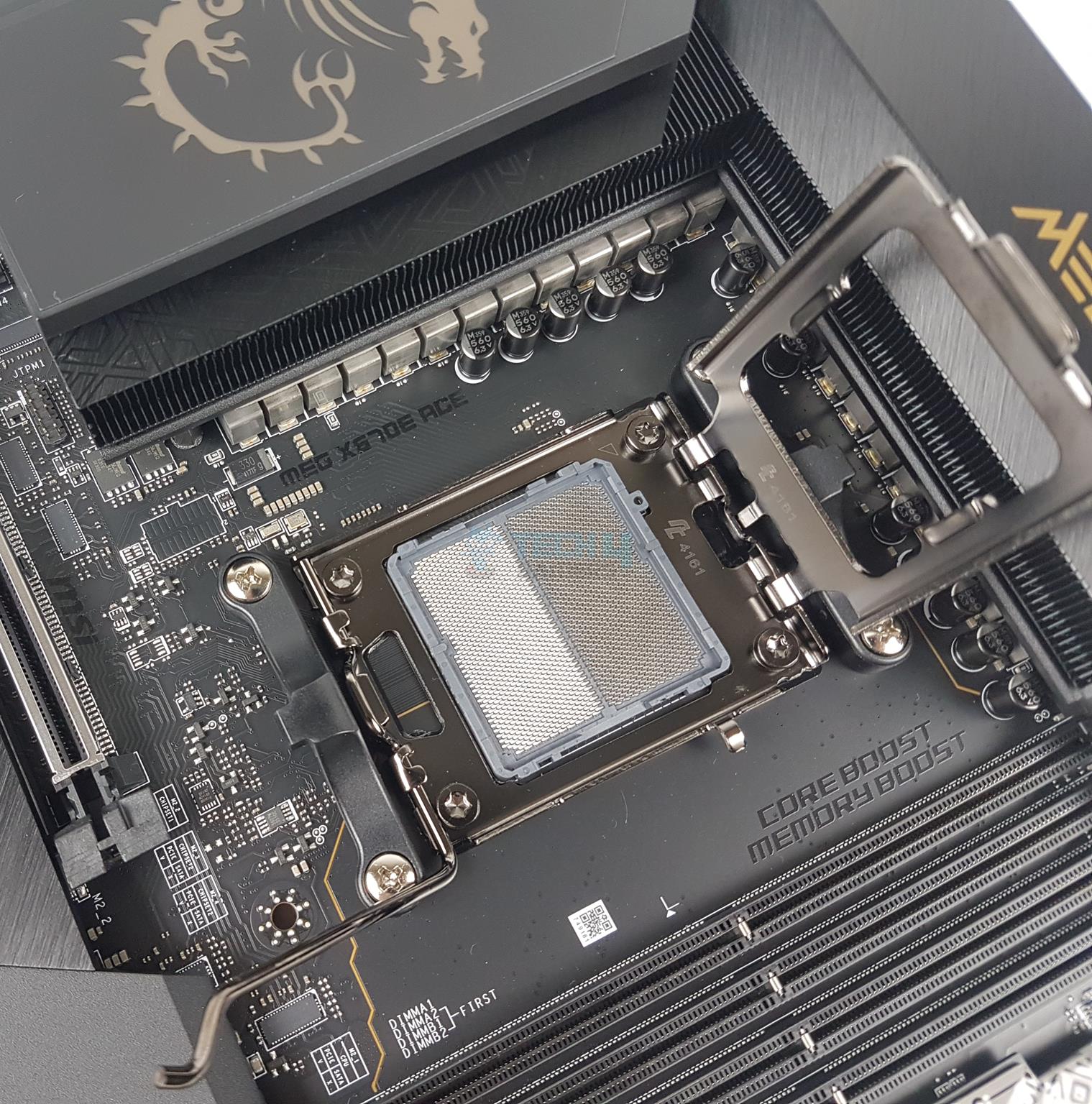
MSI is using AMD AM5 platform (LGA 1718). This socket supports the AMD Ryzen 7000 series CPUs out of the box. However, you need to update the BIOS for Ryzen 8000 series CPUs.
VRM Heatsink
VRM Covers
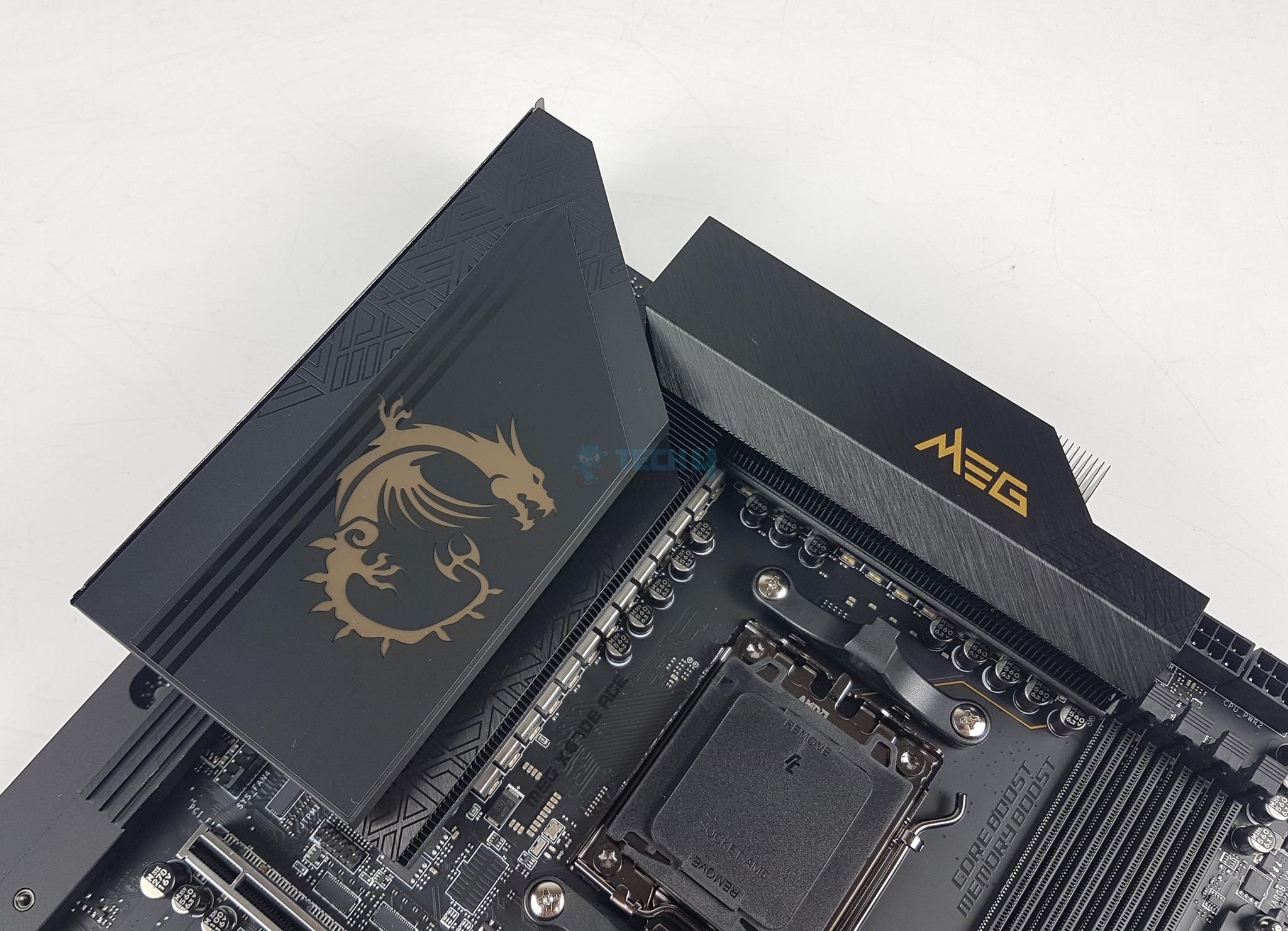
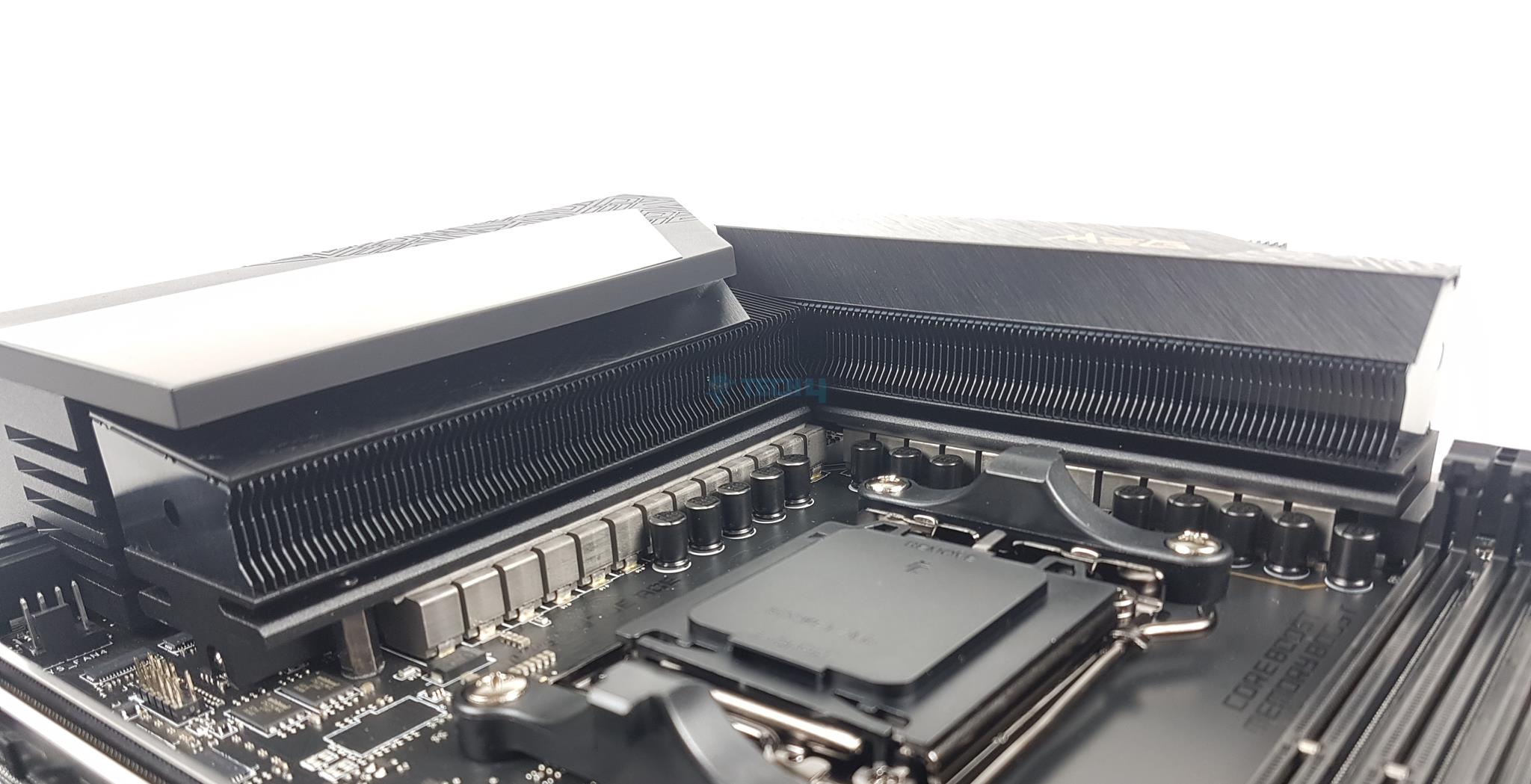
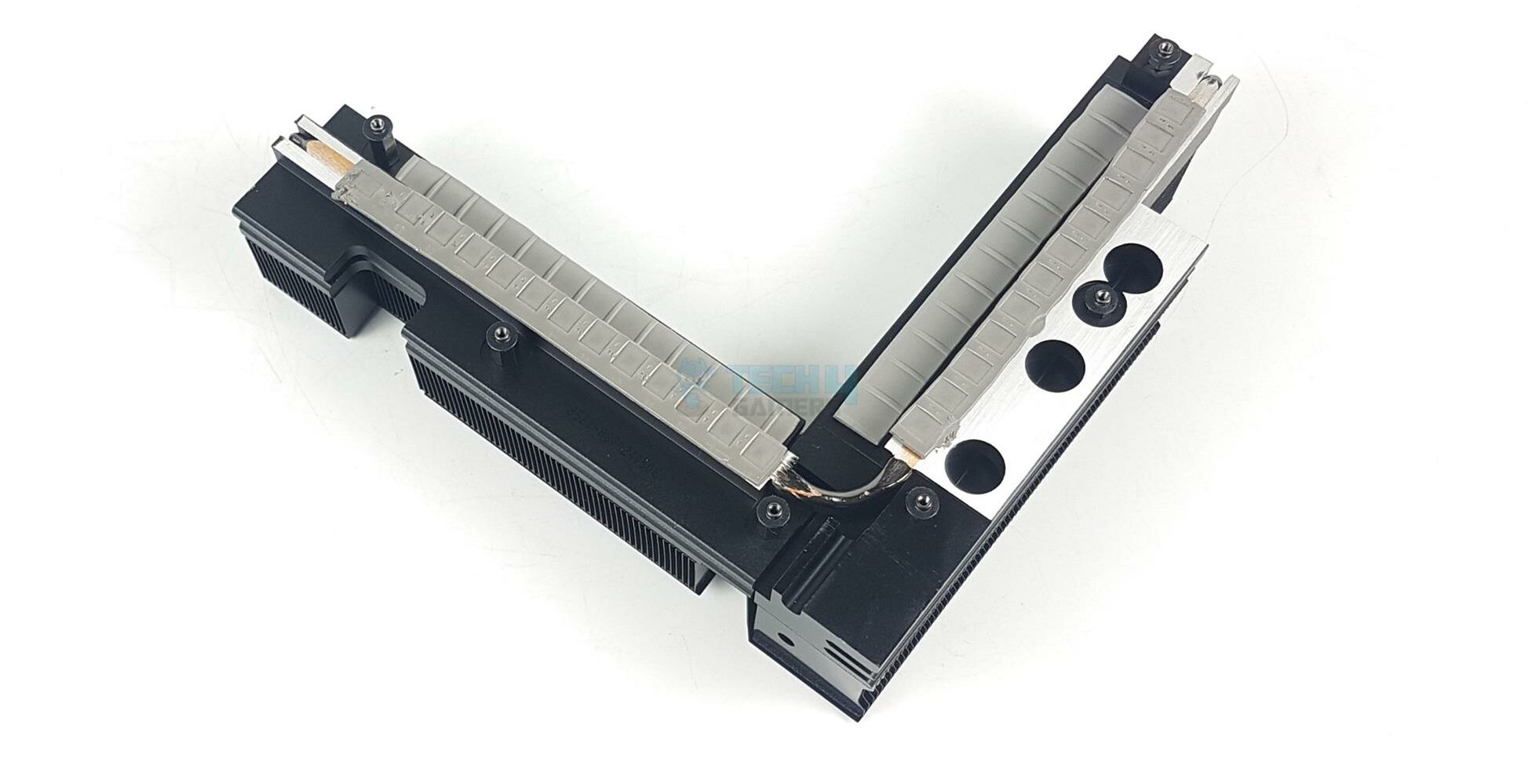
MSI has used two extended VRM heatsink covers (Stacked Fin Array Design) along with a heat pipe ensuring a maximum cooling provision for the power stages. The thermal pads are rated for 7W/mK to ensure effective heat transfer.
There is a Gold embellishment on the heatsink cover adding a subtle touch to the overall black theme of the motherboard. This is backlit and can be controlled using MSI Mystic Sync.
The MSI MEG X670E ACE features a powerful delivery circuit using a 22+2+1 phase VRM configuration. MSI has named it DUET meaning that every two stages will get the same PWM signal from the controller. The main driving force is the Infineon XDPE192C3B PWM controller.
The 22 VCore phases are from TDA21490. These power stages each support a maximum of 90 A of continuous current. For the SoC phase, MSI is using two Infineon TDA21472 70A power stages.
There is a backplate for the VRM/Phases on the backside of the motherboard.
DIMM Slots
MSI has used 4x DDR5 UDIMM slots. MSI has used the SMT welding process to install slots on the PCB for better performance. A total of 192GB capacity is supported along with a support for binary as well as non-binary memory kits. The maximum supported DDR5 frequency is 8000+(OC) MHz.
DIMM Slots (Image By Tech4Gamers)
This motherboard supports AMD EXPO as well as Intel XMP with dual-channel and dual-controller modes. The supported memory is non-ECC and unbuffered. In addition, MSI has provided a handy Memory Boost and Memory Extension support in UEFI BIOS that enables the users to leverage the true performance of their DDR5 kits.
Storage Options
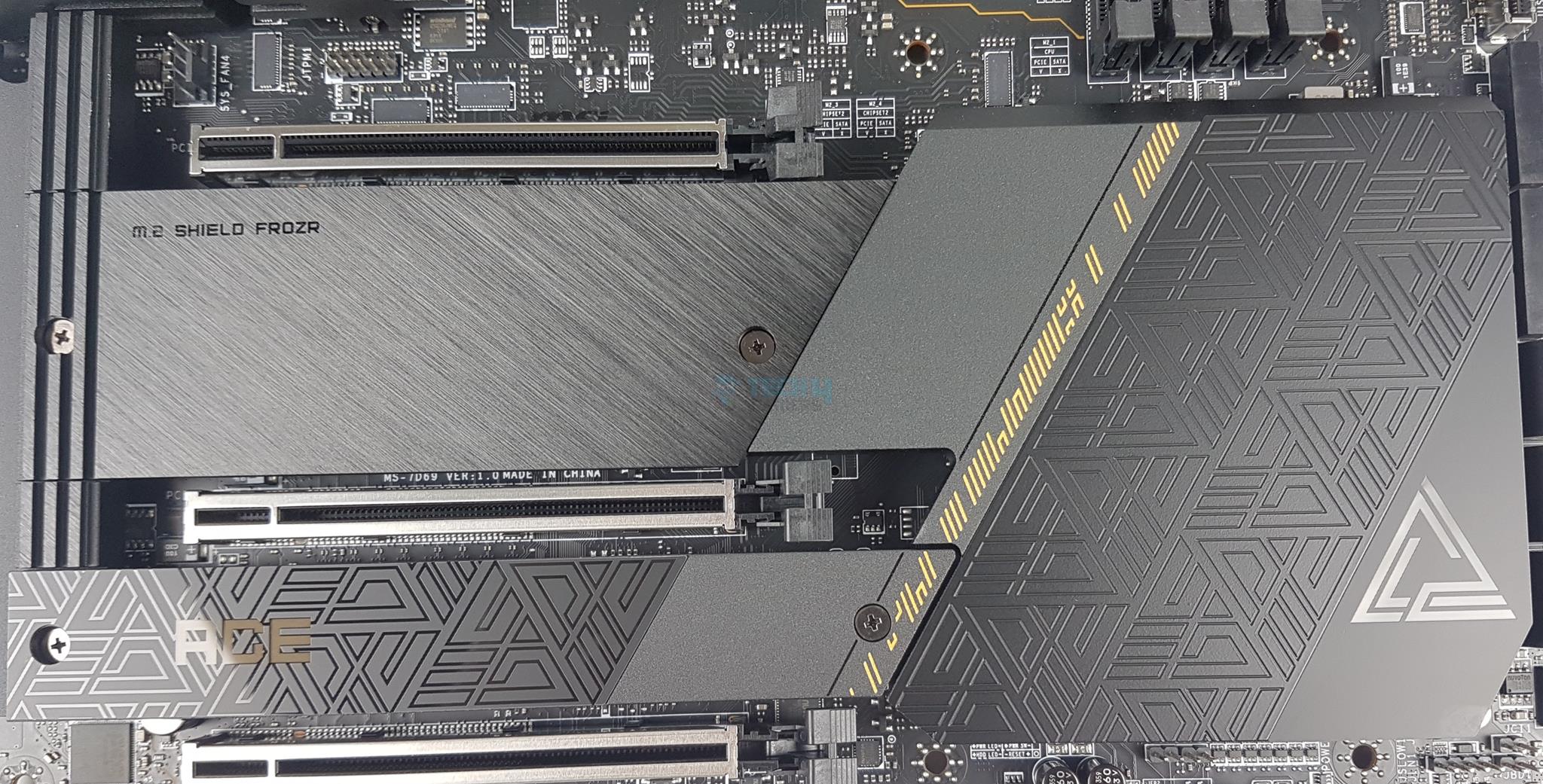
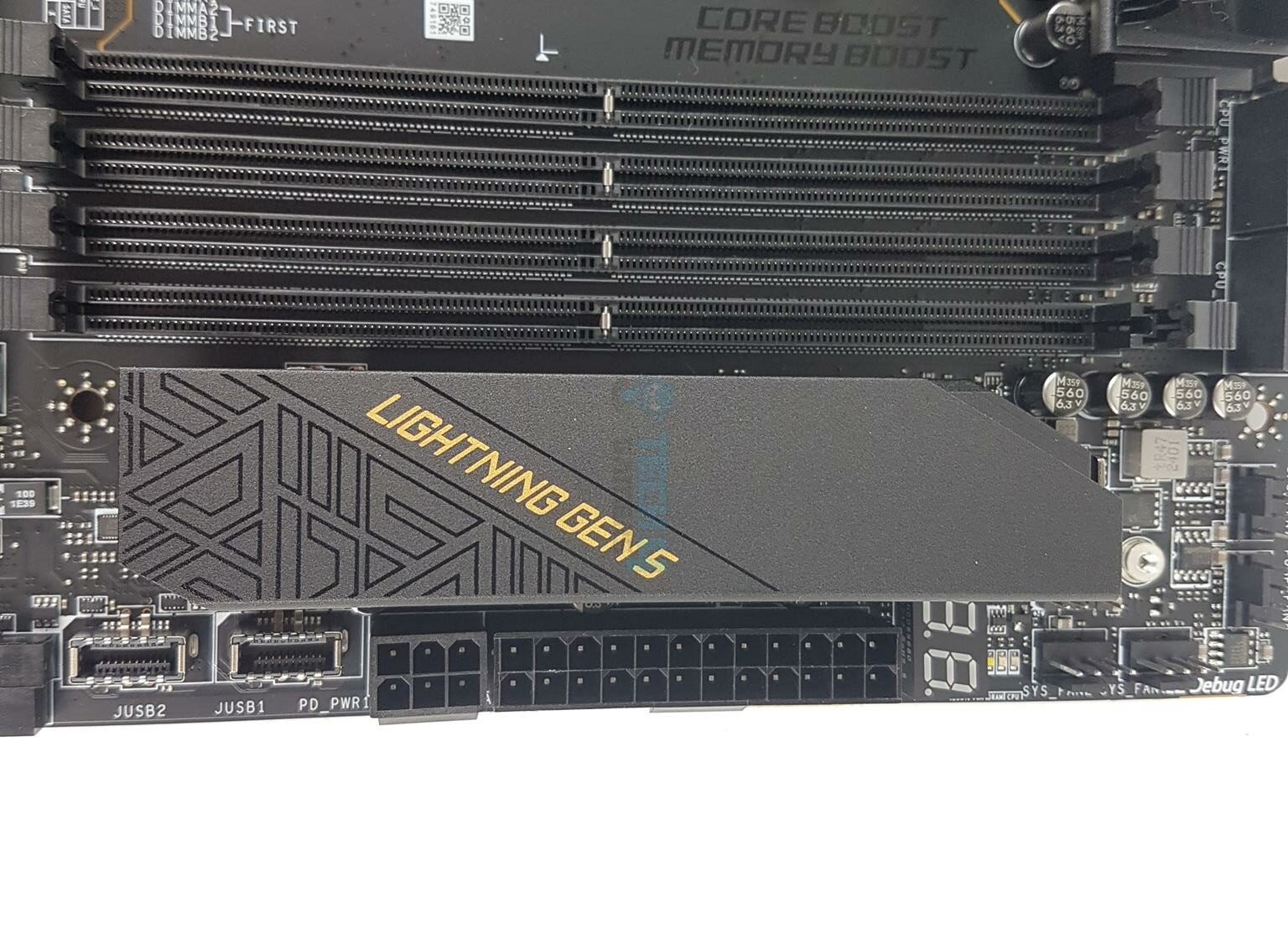
This motherboard has 4x M.2 slots and 6x SATA ports. Each M.2 slot or port has an aluminum cover for heat transfer which is finished in black color. The M.2 Shield Frozr tool-less cover is provided over the M.2 Gen5 port.
M.2 Slots
M.2 Ports Without Covers
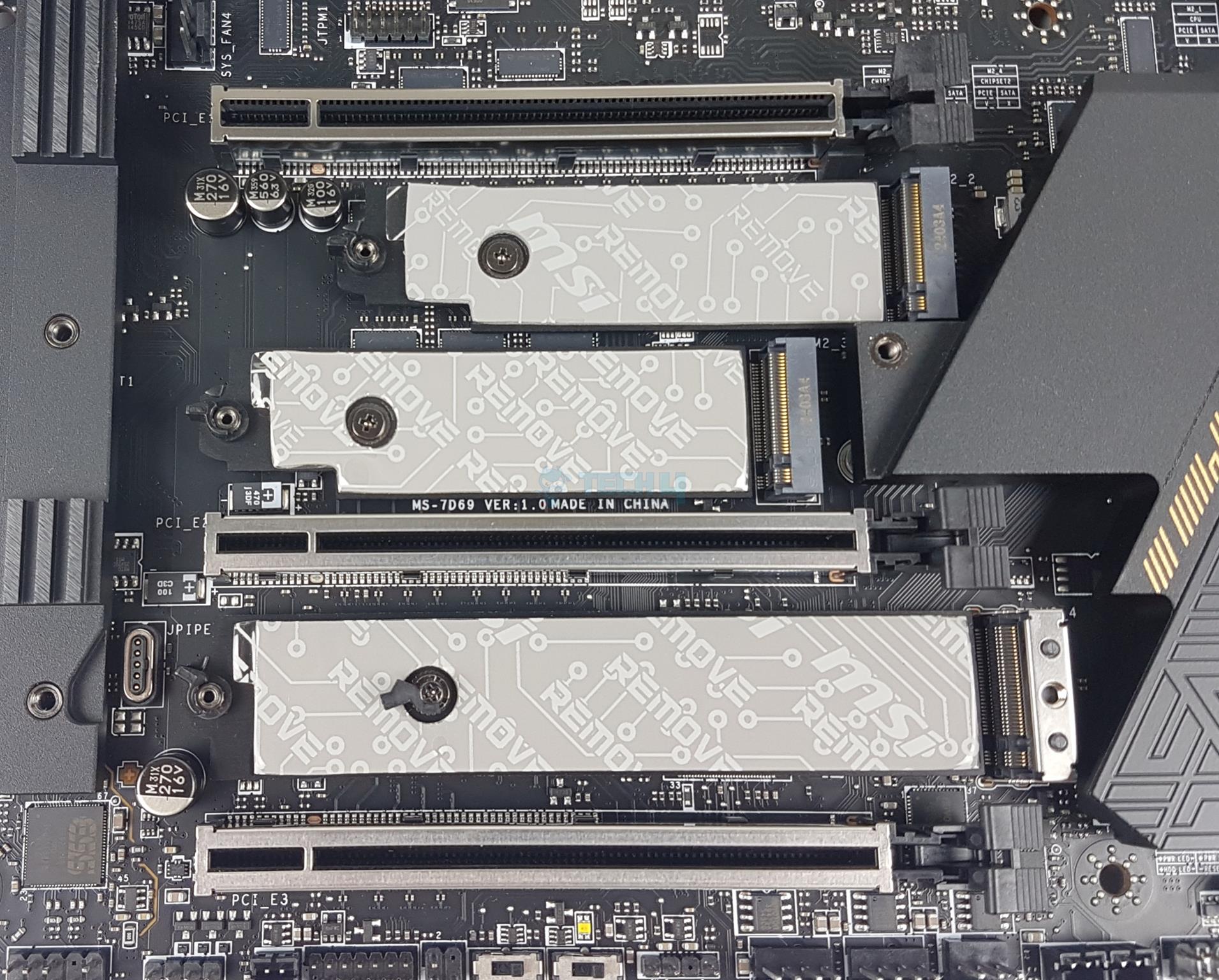
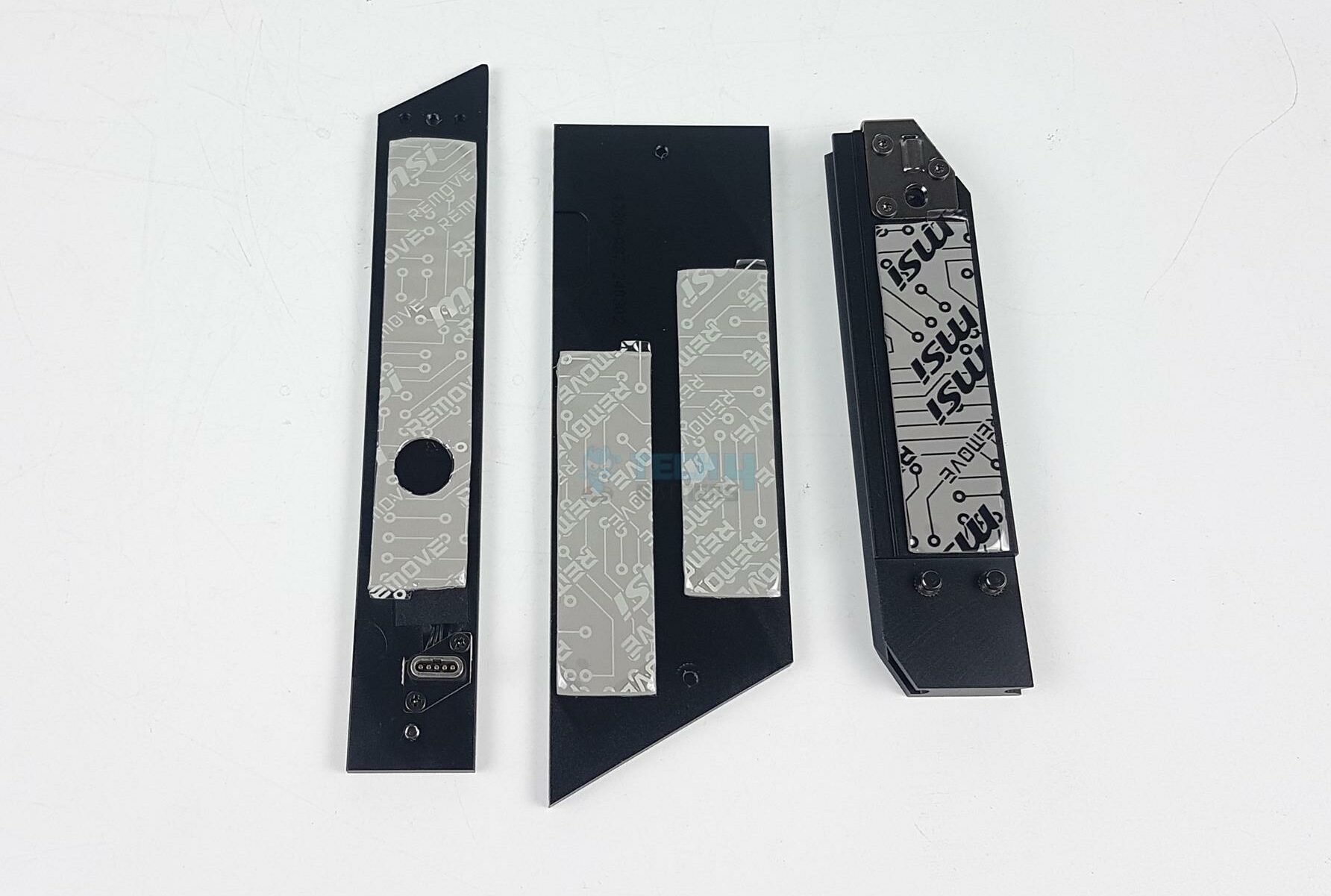
The overall footprint of this motherboard is quite appealing and eye-catching. Each slot has two thermal pads. One is on the base plate and the other is under the cover. The first and second ports are under a single cover whereas the last two M.2 ports have a single large-size aluminum cover.
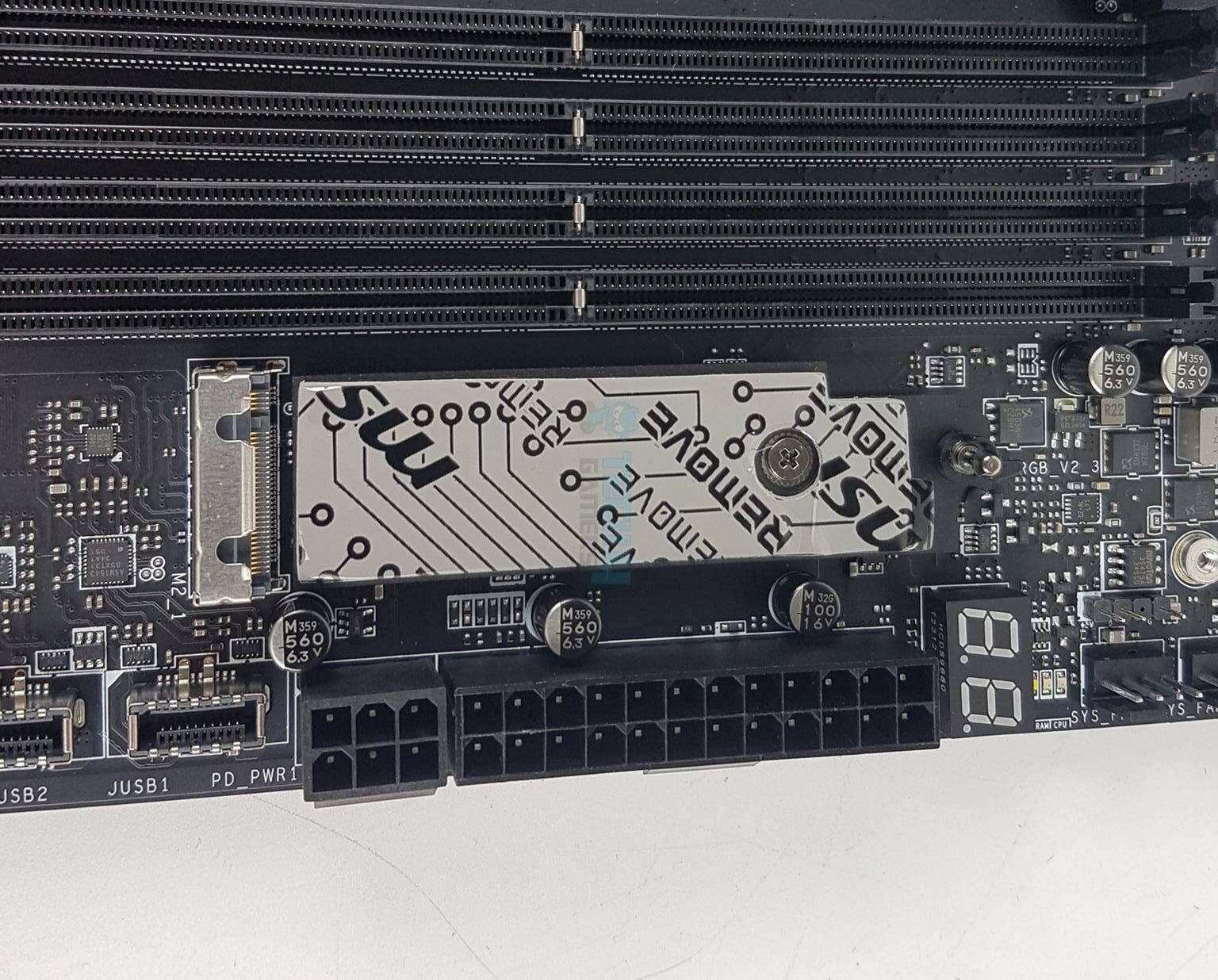
I have removed the heatsink covers and shown the M.2 ports. You can see the thermal pads over the base of each slot.
M.2 Gen5 Port
M.2 Gen5 Without Cover
The Gen5 port is located towards the DIMM slot area taking full advantage of the EATX form factor of the PCB. This port also has a thermal pad on the base. The dual thermal pad design makes these drives run cool and faster.
The M.2 Gen4 is wired to the CPU socket. The remaining ports are wired to the chipset. Also, it is interesting to see that only the M2_4 (PCIe 4) slot has 22110 support. The Gen5 does not support this form factor. All these ports conform to Key M.
M.2 Port Covers
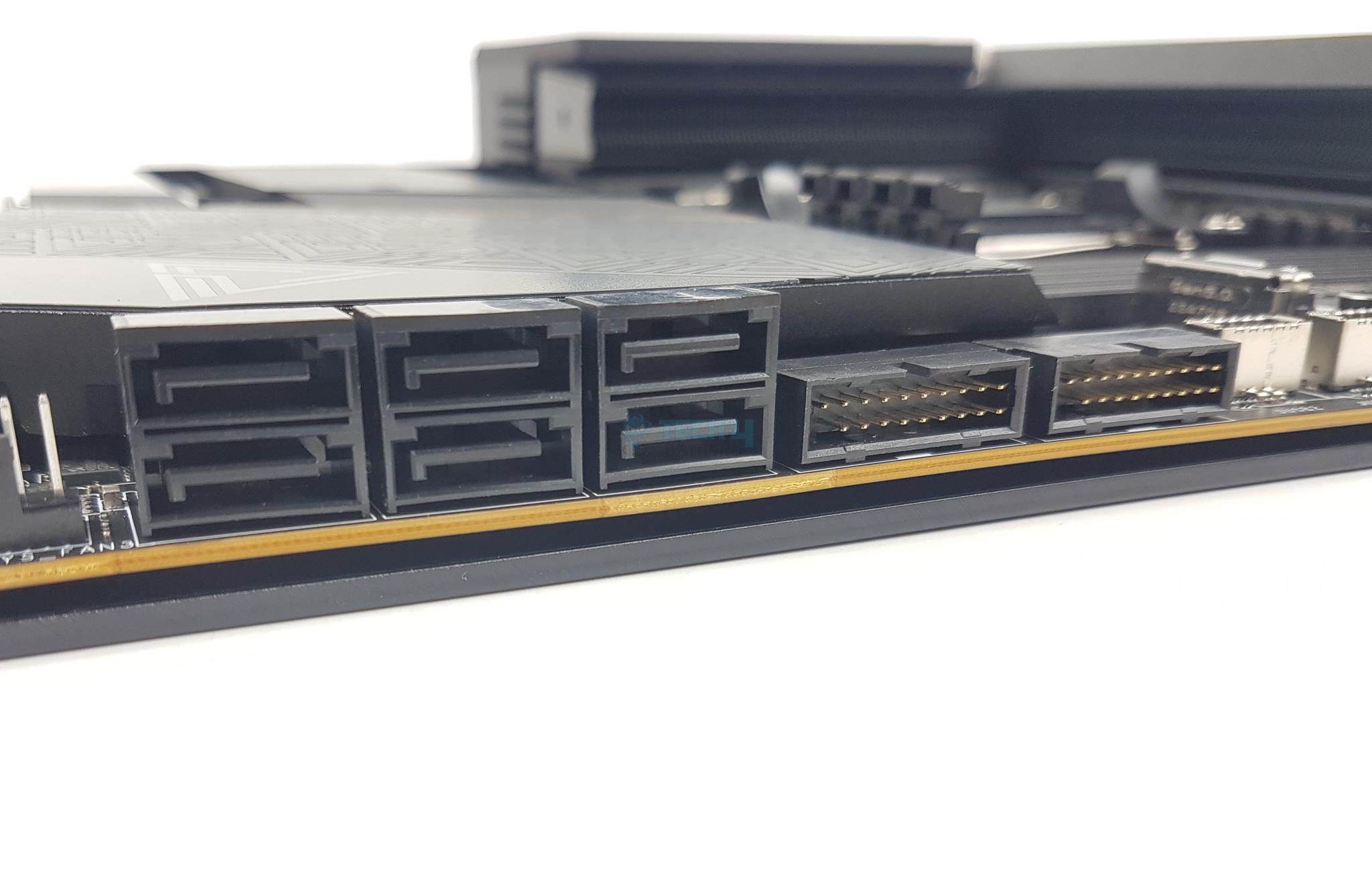
SATA Connectors
All M.2 heatsink covers have thermal pads. Speaking of SATA ports, this motherboard has a total of 6x ports. SATA A1 and A2 ports are wired to the ASM1061 controller whereas the rest are wired to the Chipset.
PCIe Connectivity
This motherboard has a total of 3x Gen5 PCIe slots. For Ryzen 7000 series CPUs the configuration of these slots will be x16/0/x4 or x8/x8/x4. This configuration is x8/0/x4 for Ryzen 7 8700G and Ryzen 5 8600G. The Ryzen 5 8500G supports x4/0/x2.
PCIe Slots (Image By Tech4Gamers)
All three slots are wired to the CPU socket. Please note that the PCI_E3 supports up to PCIe 5.0 x4 and it shares a bus with 1x USB 3.2 Gen 2×2 port on the rear panel. Installing a device in PCI_E3 (XPANDER-Z for example) will disable the USB port. You can change the behavior in BIOS.
The top PCIe slot is steel reinforced which MSI refers to as Steel Armor and it has heavy soldered connections on the PCB to support the weight of a heavy graphics card. MSI has used the advanced SMT technology for the PCIE slot to diminish interference and electrical noise.
USB Connectivity
USB Connectors (Image By Tech4Gamers)
This motherboard is packed with USB ports on the front, rear, and mid-board. It has:
4x USB 2.0 (Front)
4x USB 2.0 ports (Front)
4x USB 5Gbps Type A (Front)
8x USB 10Gbps Type A (Rear)
1x USB 10Gbps Type C (Rear)
1x USB 10Gbps Type C (Front)
2x USB 20Gbps Type C (Rear)
1x USB 20Gbps Type C (Front)
Thanks to the Chiplet design on the Chipset side, we have more lanes hence more USB connections on the AMD platform. I appreciate the provision of 3 USB 3.2 Gen2x2 ports. One port is dedicated to 60W PD for which you would need to connect a 6-pin PEG connector. This is done via the ITE IT8856FN controller. MSI has used several USB hubs and controllers including ASM1543, ASM1074, P13DPX, PI3EQX10, and PI3EQX2.
Networking Solution
WiFi Module (Image By Tech4Gamers)
This motherboard packs a powerful 10G LAN port on the rear panel driven by a Marvell AQC113CS-B1-C LAN controller. The wireless connectivity comprises WiFi 6E and Bluetooth 5.2. The module is installed in the M.2 Key-E slot on the rear panel.
The antenna is magnetic making its placement convenient. The WiFi 6E supports MU-MIMO TX/RX and 20MHz, 40MHz, 80MHz, and 160MHz bandwidth in 2.4GHz/5GHz. It supports 802.11 a/b/n/g/ac/ax.
Audio Solution
MSI has implemented Audio hardware on two separate layers of the PCB. They have used RealTek ALC4082 codec in combination with high-performance Chemi-Con capacitors. It is the same codec that I saw on Z790 Tomahawk Max WiFi but MSI has used more capacitors in the ACE motherboard.
Audio (Image By Tech4Gamers)
There is also ESS ES9280AQ Combo DAC and HPA. This is a 1x 7.1 Channel audio solution that has S/PDIF output as well. It supports up to 32-bit/384 kHz playback on the front panel. MSI has designed the isolated analogy structure for the output on the rear panel. In this design, the external metal housing is separated from the internal layout to further improve the sound quality. The audio solution is the same as I saw in the MEG Z790 ACE MAX.
Chipset
X670E Chiplets (Image By Tech4Gamers)
I am showing X670E chiplets after removing its heatsink cover.
Internal Connectors
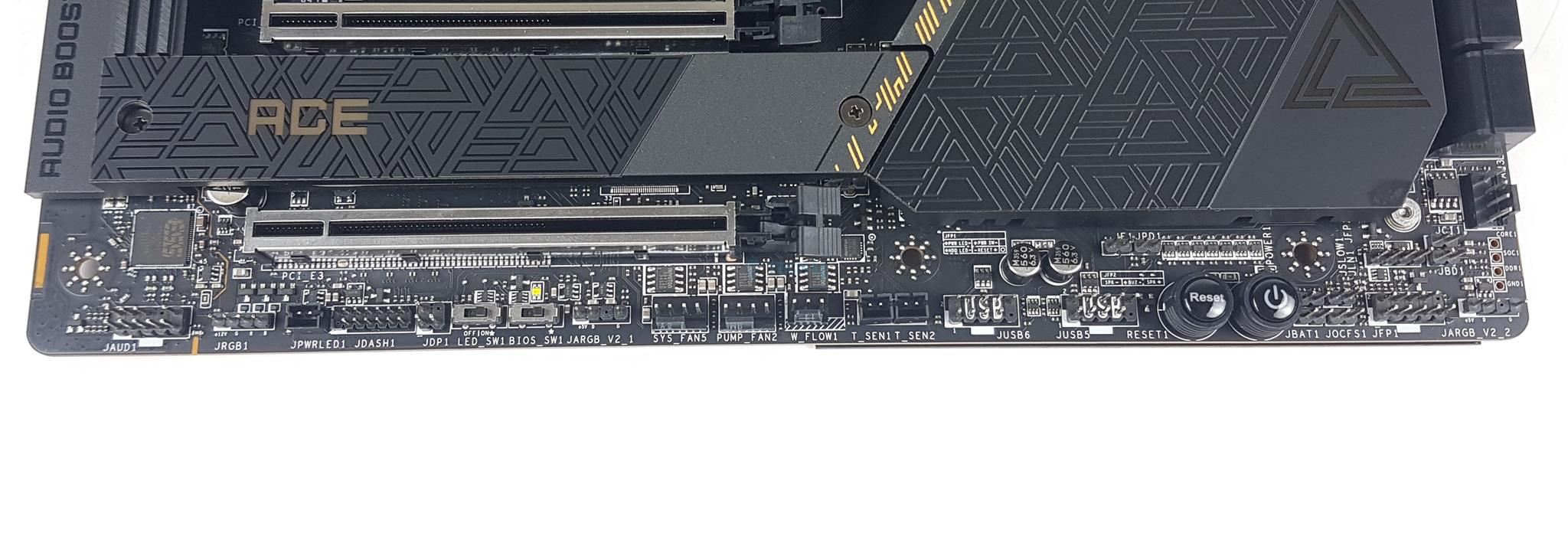
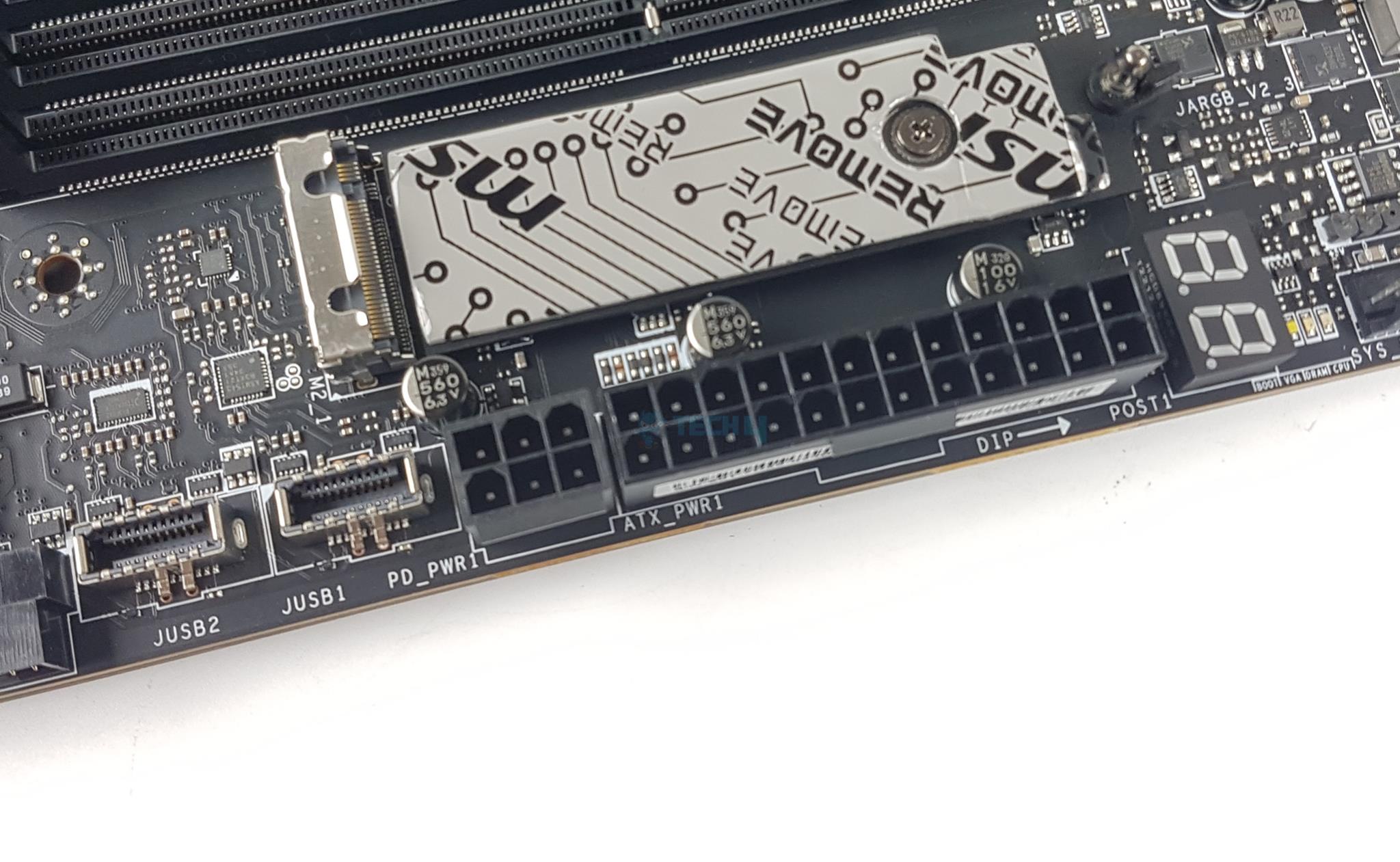
Internal Connectors
1 of 5
Bottom Connections (Image By Tech4Gamers)
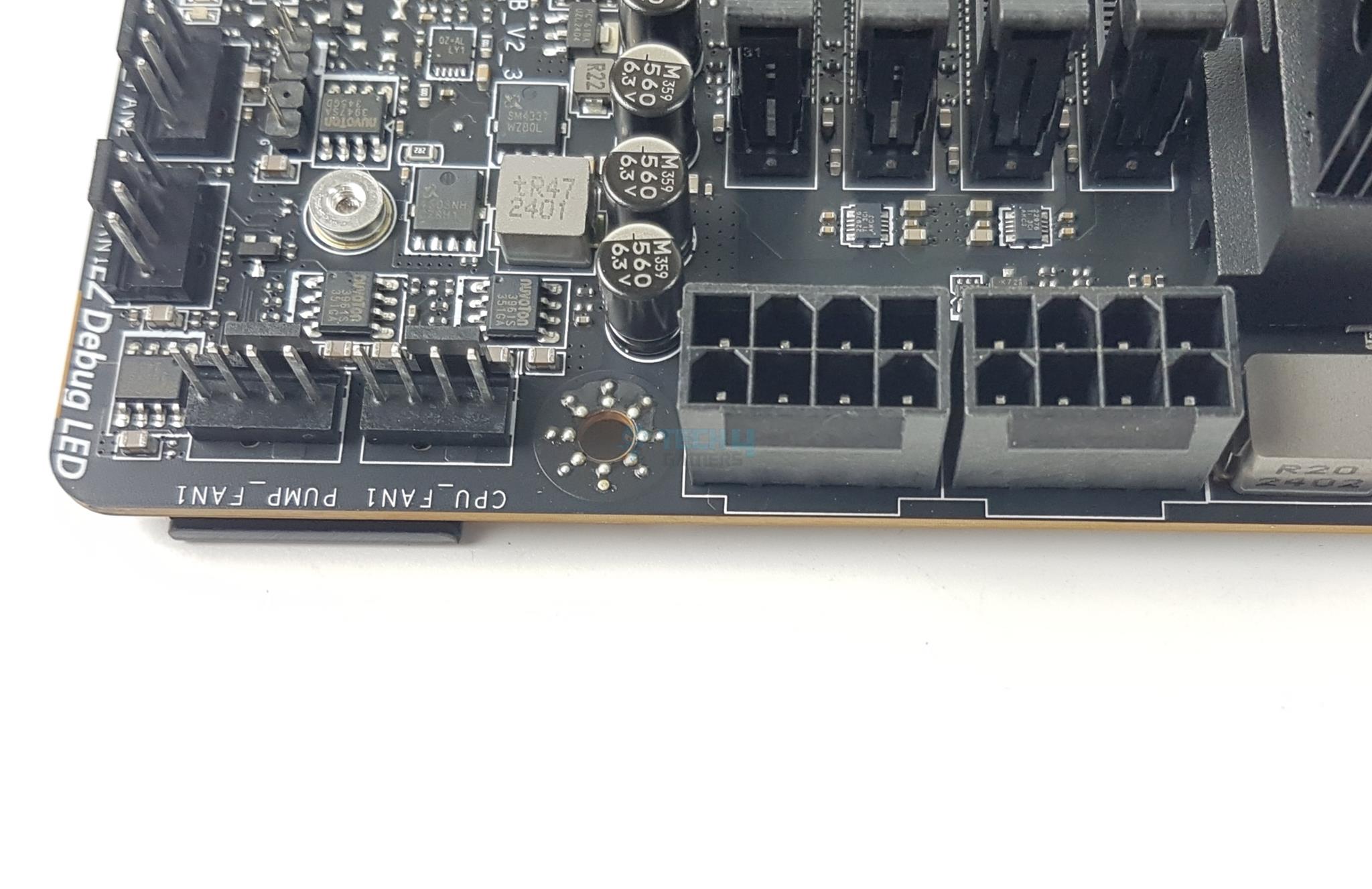
EPS Connectors (Image By Tech4Gamers)
Side Connectors (Image By Tech4Gamers)
Top Connector (Image By Tech4Gamers)
Top Connectors (Image By Tech4Gamers)
There are:
1x 24-pin Power Connector (ATX_PWR)
2x 8-pin EPS Power Connectors (CPU_PWR)
1x Front Type-C Quick Charge Connector (PD_PWR1)
1x CPU Fan Header
2x Pump Fan Header
5x System Fan Headers
2x Front Panel (JFP) Connectors
1x Chassis Intrusion (JCI)
1x Water Flow connector
1x Slow Mode Booting Jumper (JSLOW)
1x Front Audio (JAUD) Connector
2x Thermal Sensor connectors (T_SEN)
1x Tuning Controller connector (JDASH)
3x Addressable V2 RGB LED connectors (JARGB_V2)
1x RGB LED connector (JRGB)
1x TPM pin header (Support TPM 2.0)
V-check points
4x USB 2.0 ports
4x USB 5Gbps Type A ports
1x USB 10Gbps Type C ports
1x USB 20Gbps Type C ports
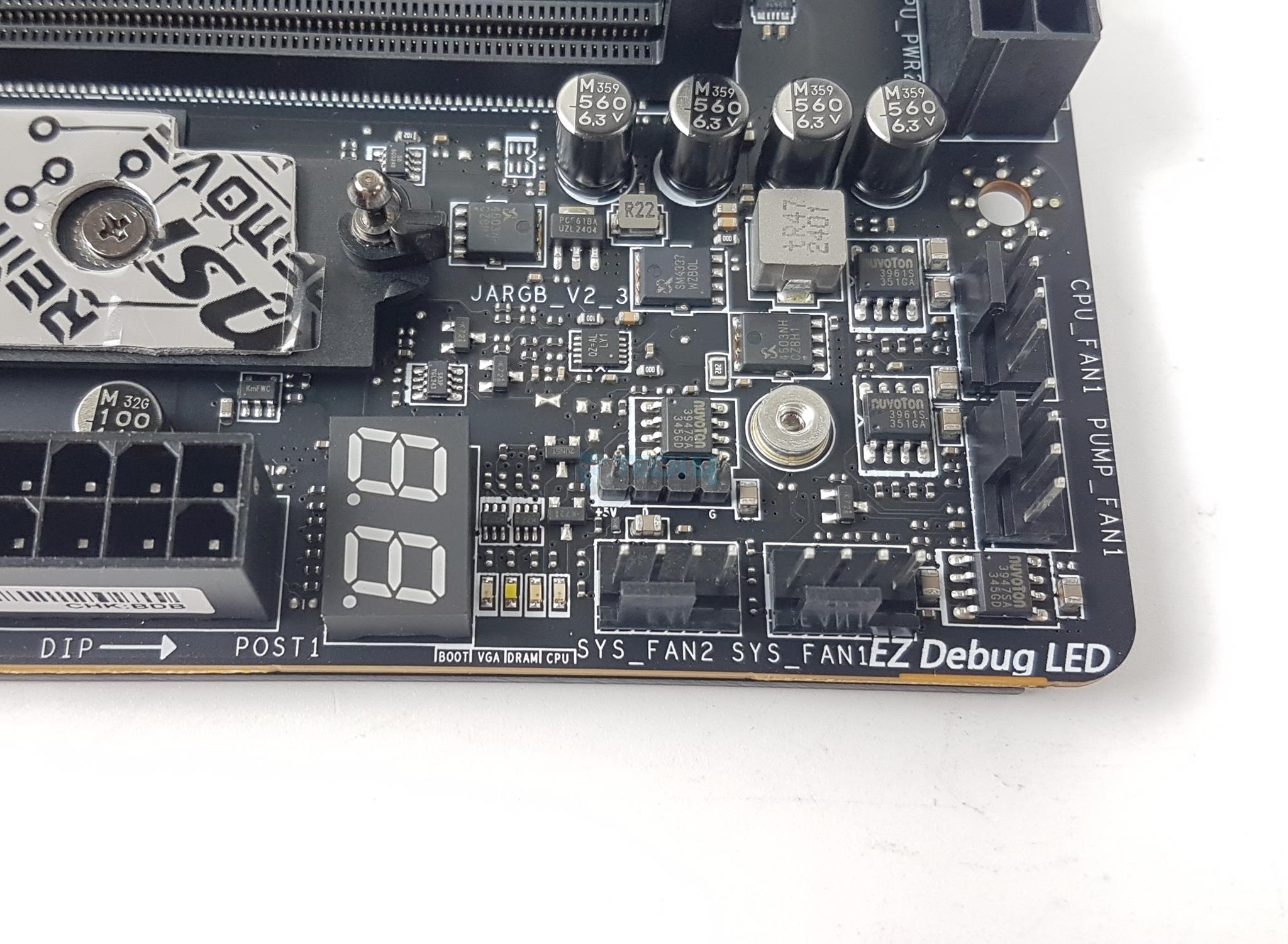
Each fan header is powered and controlled by nuvoTon 3961S. The same controller was used in MEG Z790 ACE MAX. The Pump and CPU Fan headers are rated for 3A whereas the system fan headers are rated for 2A each.
In addition to Debug LEDs, there are EZ Debug LEDs to troubleshoot the system in case anything goes haywire. These LEDs correspond to the CPU, RAM, VGA, and Boot. I appreciate 2x external sensor ports. The power connectors use solid pins that improve stability by providing low impedance and durability with high current-withstanding capability.
MSI has also provided V-Check read points for VCore and SoC. You would need a voltmeter to read the values.
Rear IO Panel
Rear IO (Image By Tech4Gamers)
There are:
Clear CMOS Button
Flash BIOS Button
USB 3.2 Gen 2 10Gbps (Type-A)
10G Super LAN
Wi-Fi / Bluetooth
HD Audio Connectors
Smart Button
USB 3.2 Gen 2×2 20Gbps (Type-C)
USB 3.2 Gen 2 10Gbps (Type-C Display port)
USB 3.2 Gen 2×2 20Gbps (Type-C)
Optical S/PDIF-Out
PRO TIP: By default, the SMART button will reset your PC. However, you can customize its behavior from BIOS to any of Mystic Light On/Off, Safe Boot, and Turbo Fan.
Back View
Back View Without Plate
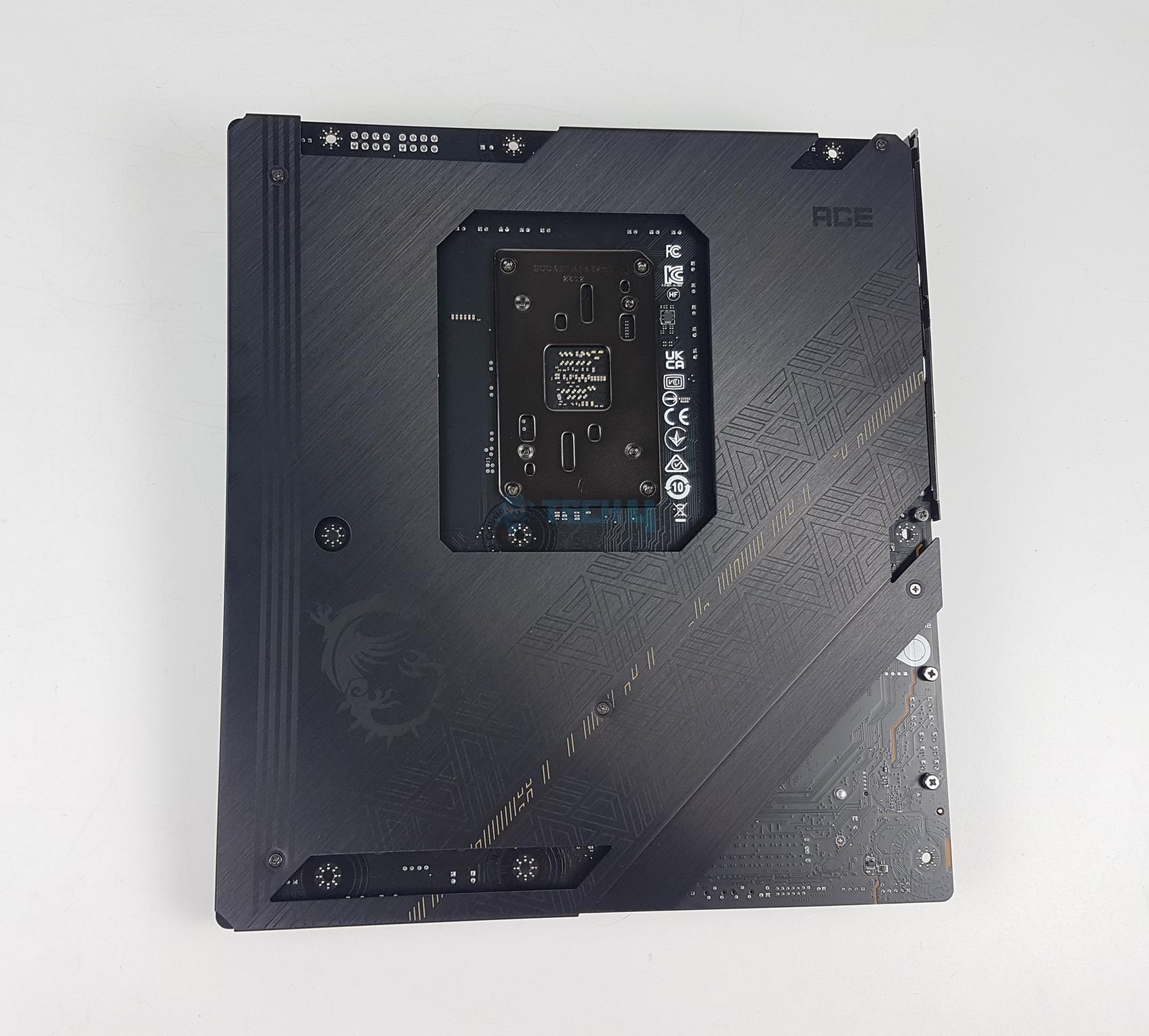
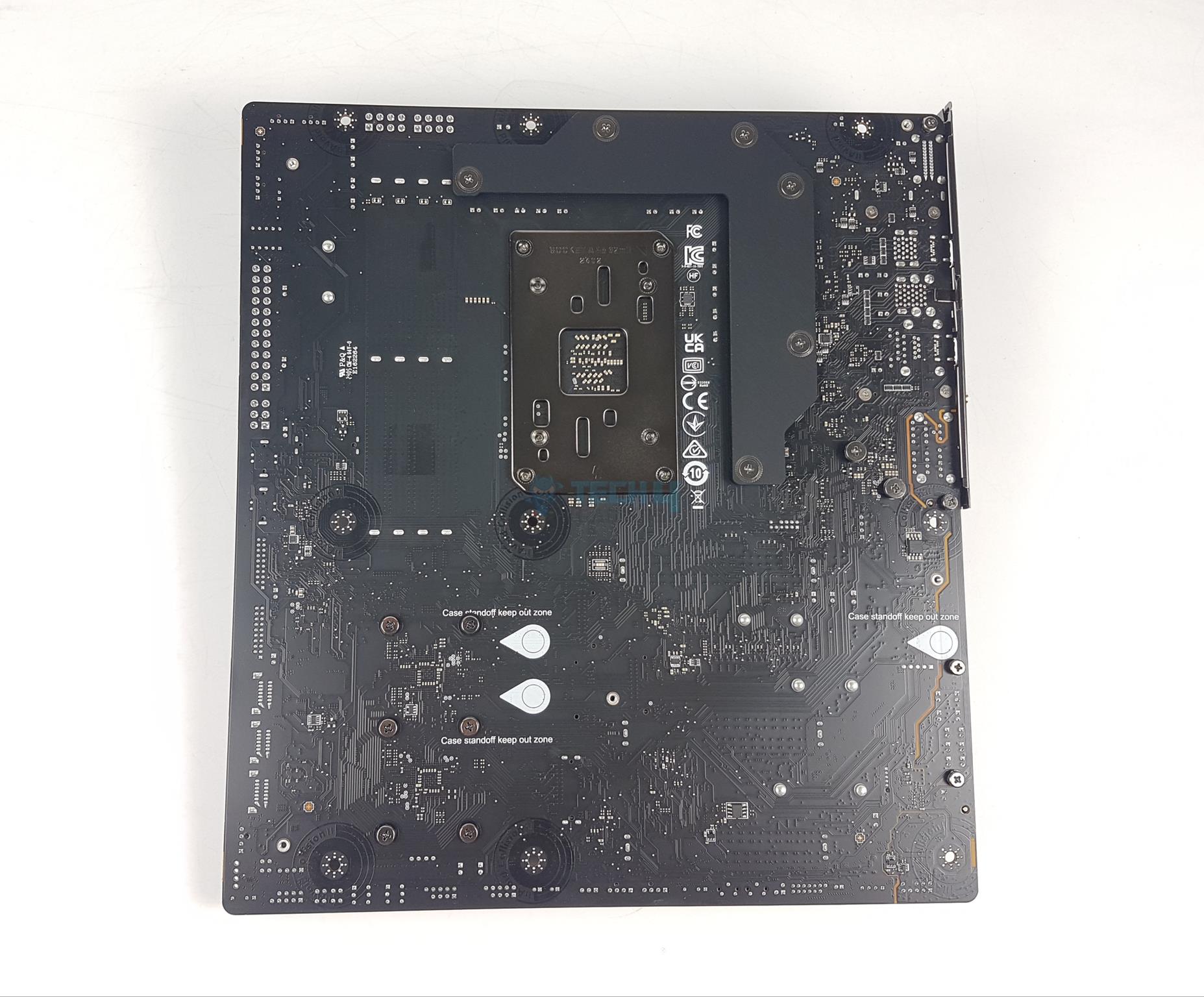
There is a backplate on the backside that prevents the motherboard from bending and provides an additional cooling surface. I am showing the backside of the motherboard where MSI has provided Transient Voltage Suppressors. These are safety devices that are used to protect against the excessive voltage. In case of abnormal voltage hikes, the TVS switches from a high-resistance state to a low-resistance state hence grounding the excessive voltage.
BIOS Chips (Image By Tech4Gamers)
MSI uses two winband 25Q256JWEQ 256M-bit Serial Flash Memory with uniform 4KB sectors and Dual/Quad SPI. In simple words, these are your BIOS chips.
XPANDER-Z Gen5 DUAL
Expansion Card Front View
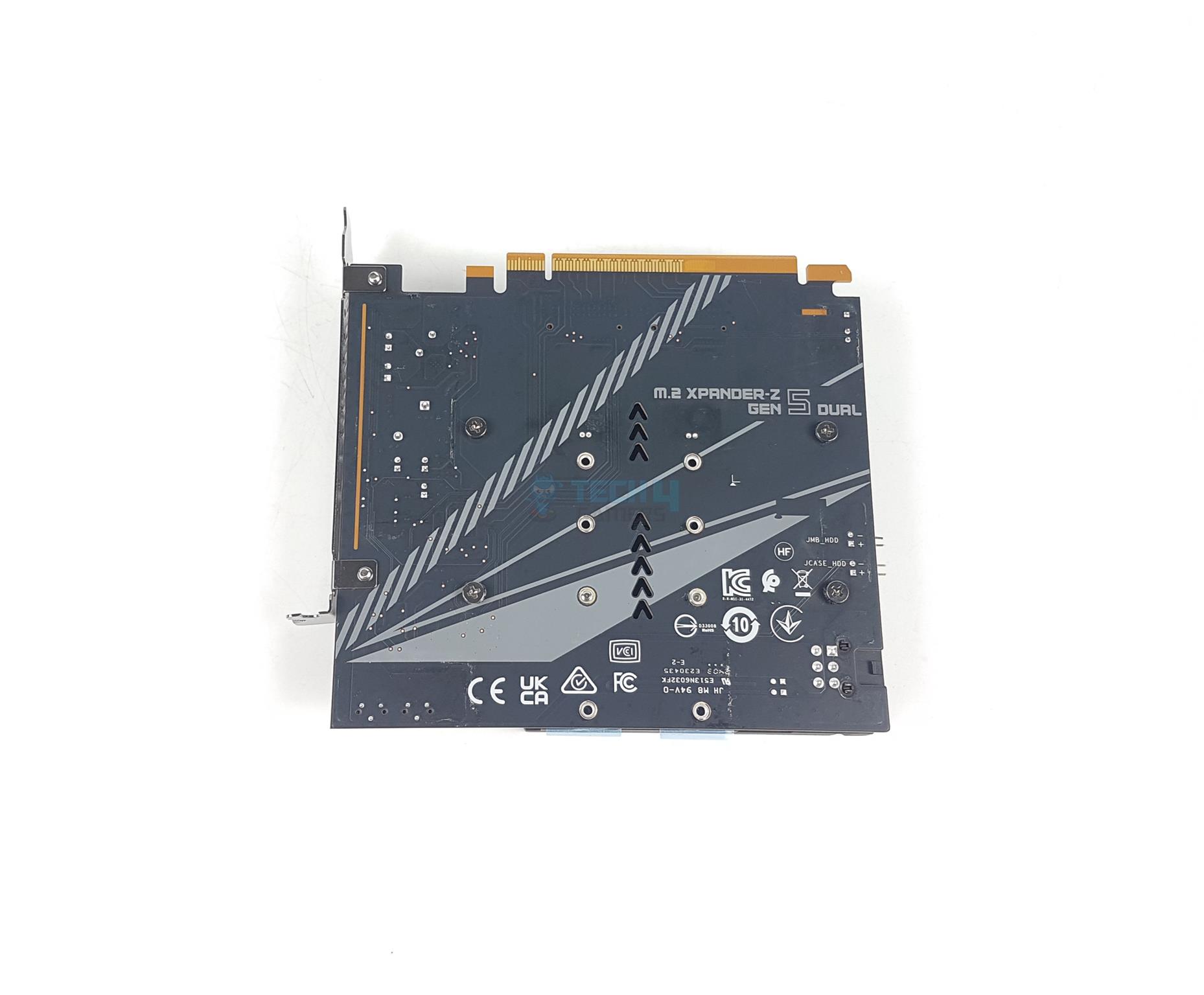
Expansion Card Rear View
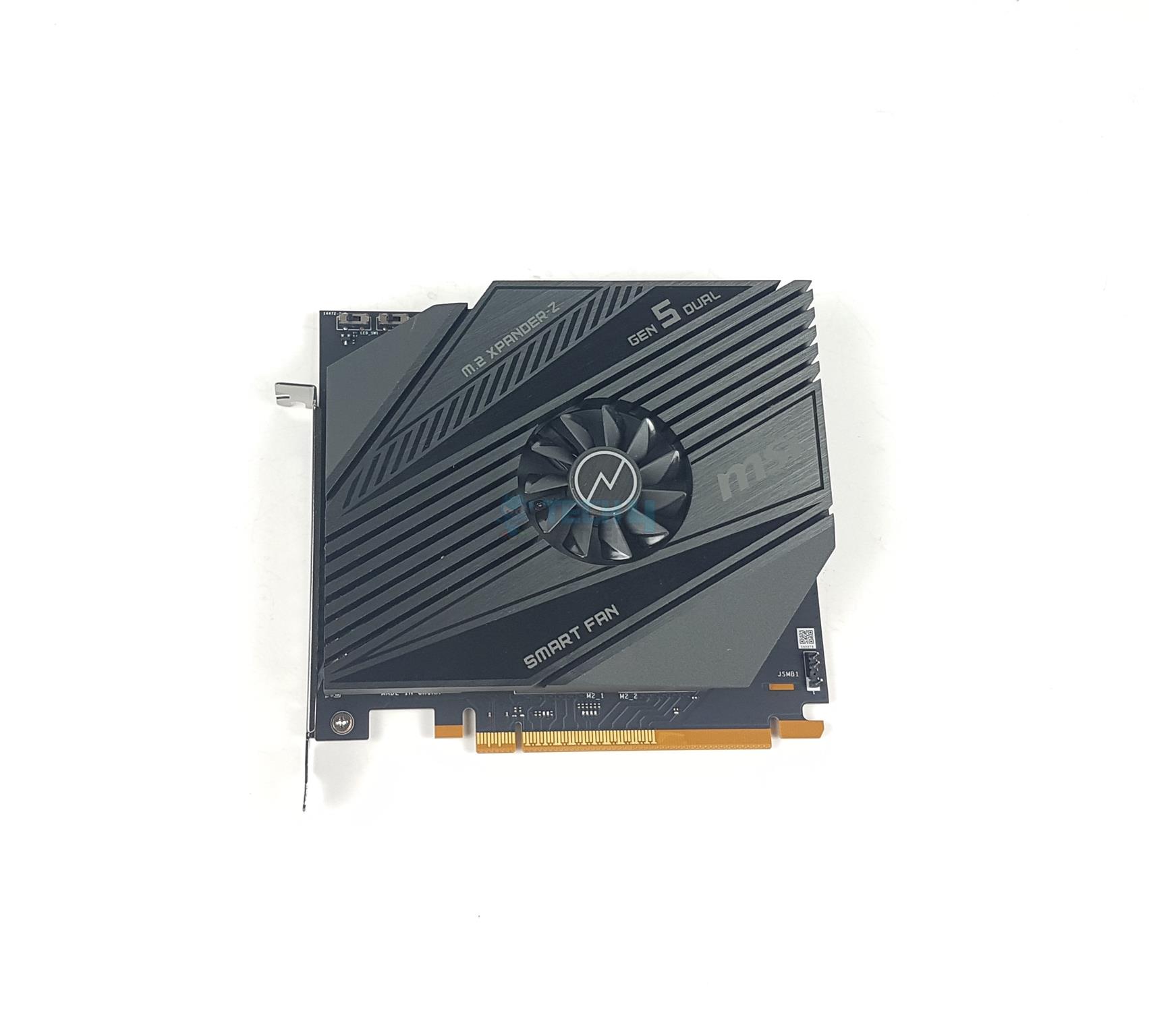
MSI has bundled an M.2 XPANDER-Z Gen5 DUAL PCIe card with the motherboard. This card has a single fan to keep the SSDs cool during operations. There is a stylish black heatsink cover over the top. This is not a tool-less design as the user is required to open the card and install the SSDs.
There are 4x screws on the backside of the card. Remove these to open the heatsink cover.
Expansion Card PCB (Image By Tech4Gamers)
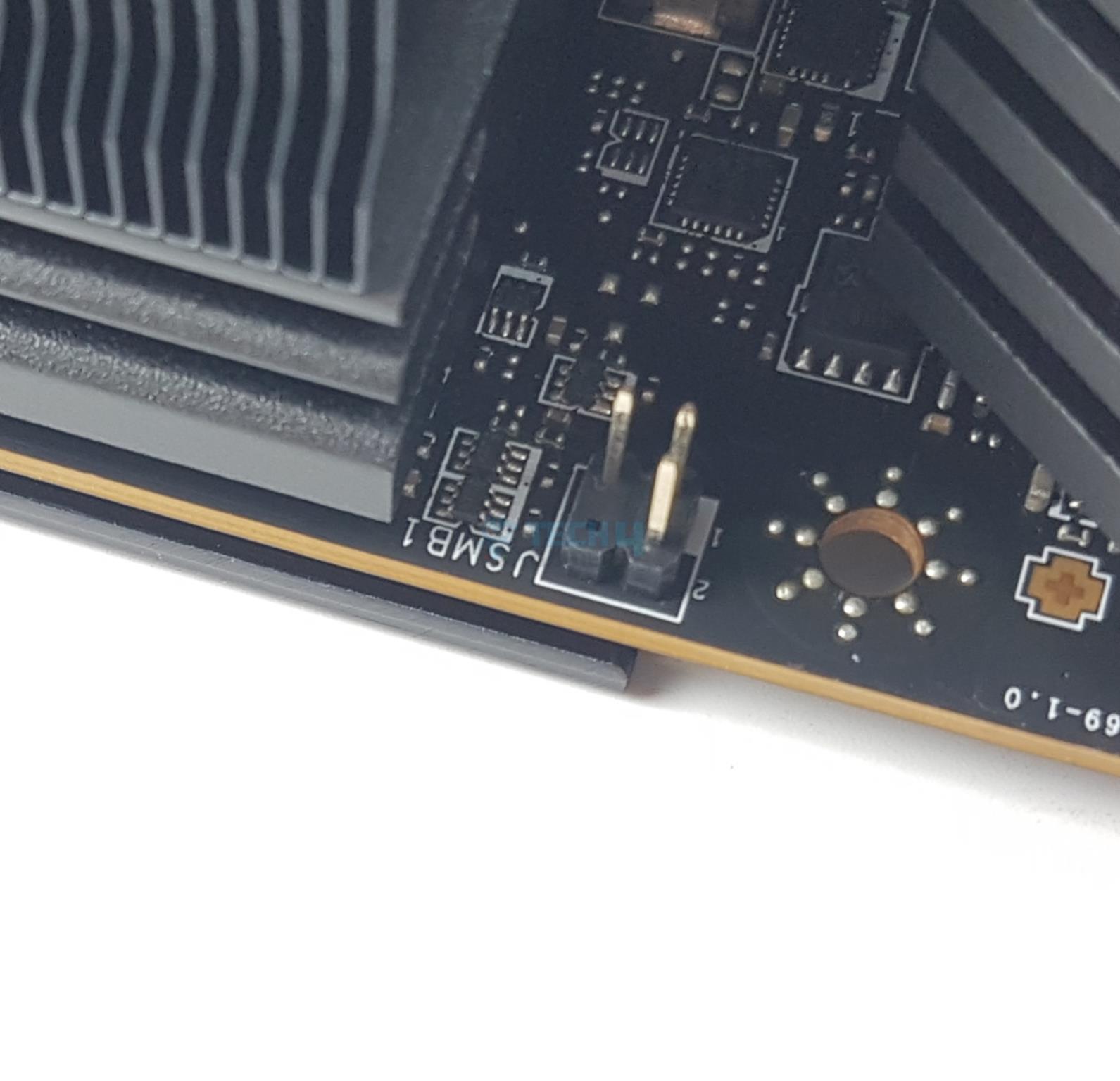
I am showing the PCB of the card. There are two Key M type M.2 ports conforming to PCIe Gen5. MSI has provided a plethora of connectors on the PCB making this card compatible with the MSI motherboards. However, the good news is that these are optional except for the 6-pin PCIe connector which is a must. There are:
JCASE1 header to which you can connect the HDD LED Connector
JMB1 and JSMB1 allow the user to control the fan’s speed, thermal sensors, SSDs’ stats, and LEDs.
Expansion Card Cables (Image By Tech4Gamers)
MSI has provided two connector cables for connectivity between this card and the motherboard.
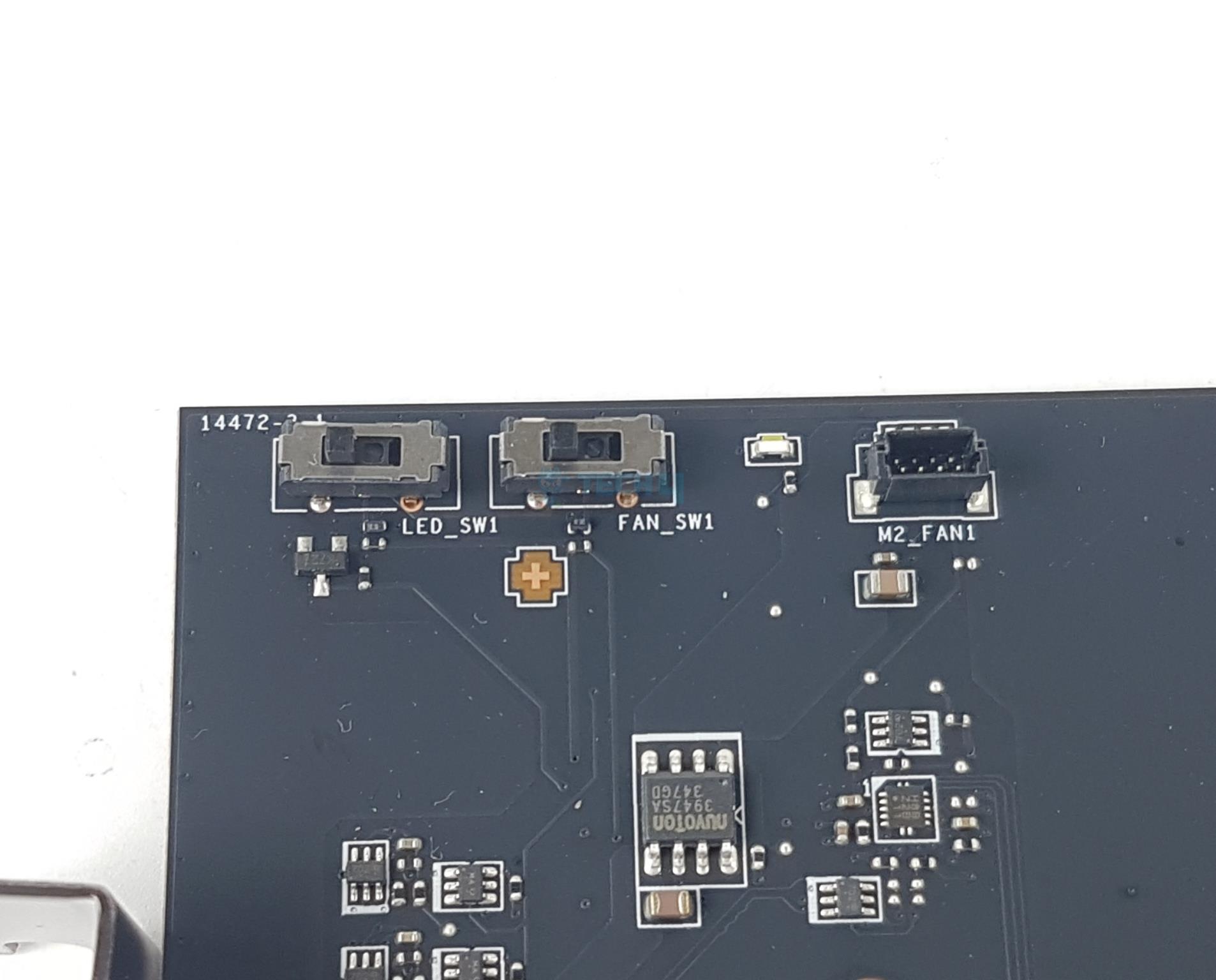
Expansion Card Buttons
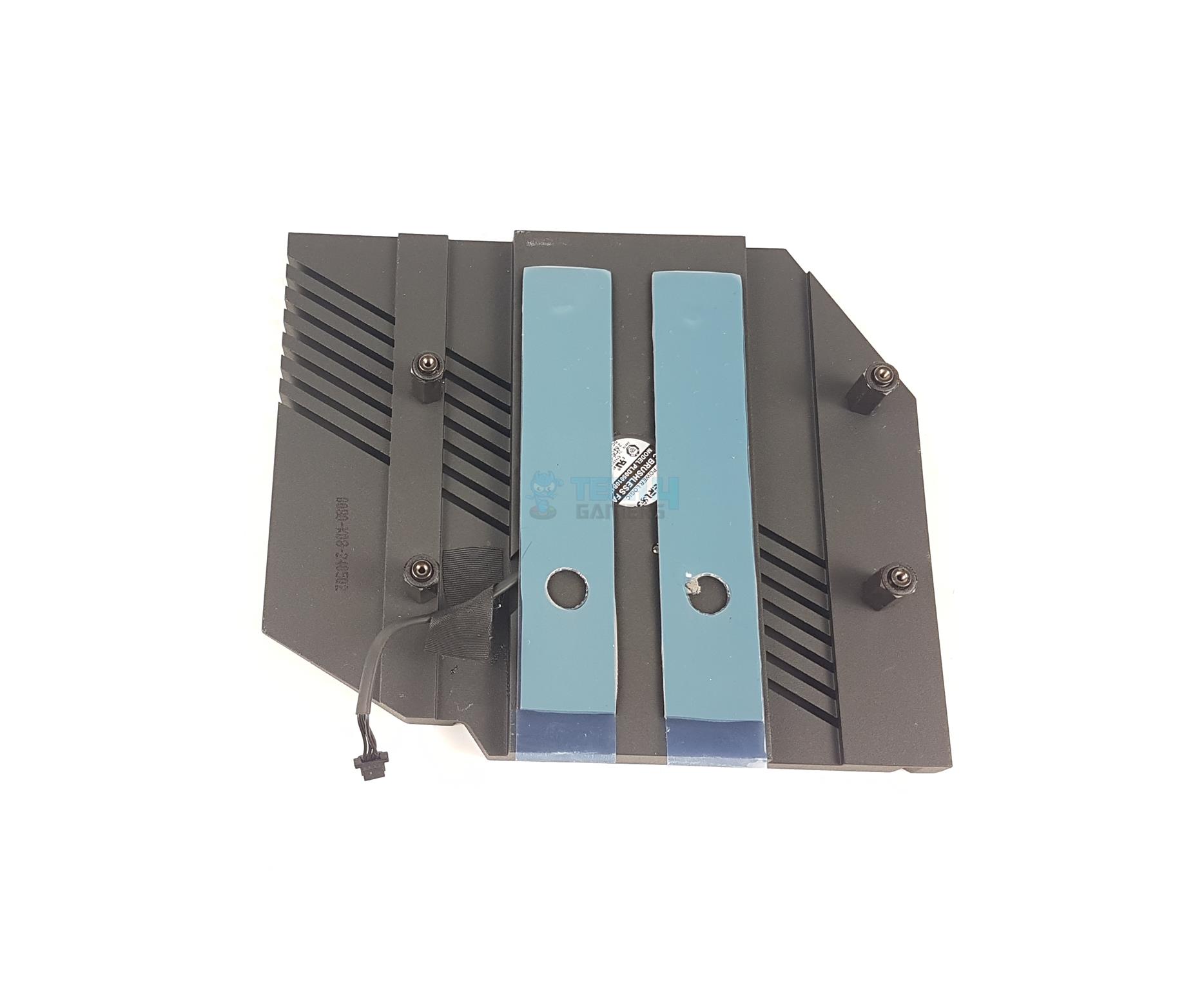
Heatsink
You can control the on-board LEDs using the slider button in addition to the fan control slider button. MSI has used nuvoTon 3974S controller. There is a port for SMART fan control. I detached the cable while removing the heatsink.
There are two thermal pads under the heatsink cover.
BIOS
BIOS Walkthrough
1 of 15
BIOS (Image By Tech4Gamers)
BIOS (Image By Tech4Gamers)
BIOS (Image By Tech4Gamers)
BIOS (Image By Tech4Gamers)
BIOS (Image By Tech4Gamers)
BIOS (Image By Tech4Gamers)
BIOS (Image By Tech4Gamers)
BIOS (Image By Tech4Gamers)
BIOS (Image By Tech4Gamers)
BIOS (Image By Tech4Gamers)
BIOS (Image By Tech4Gamers)
BIOS (Image By Tech4Gamers)
BIOS (Image By Tech4Gamers)
BIOS (Image By Tech4Gamers)
BIOS (Image By Tech4Gamers)
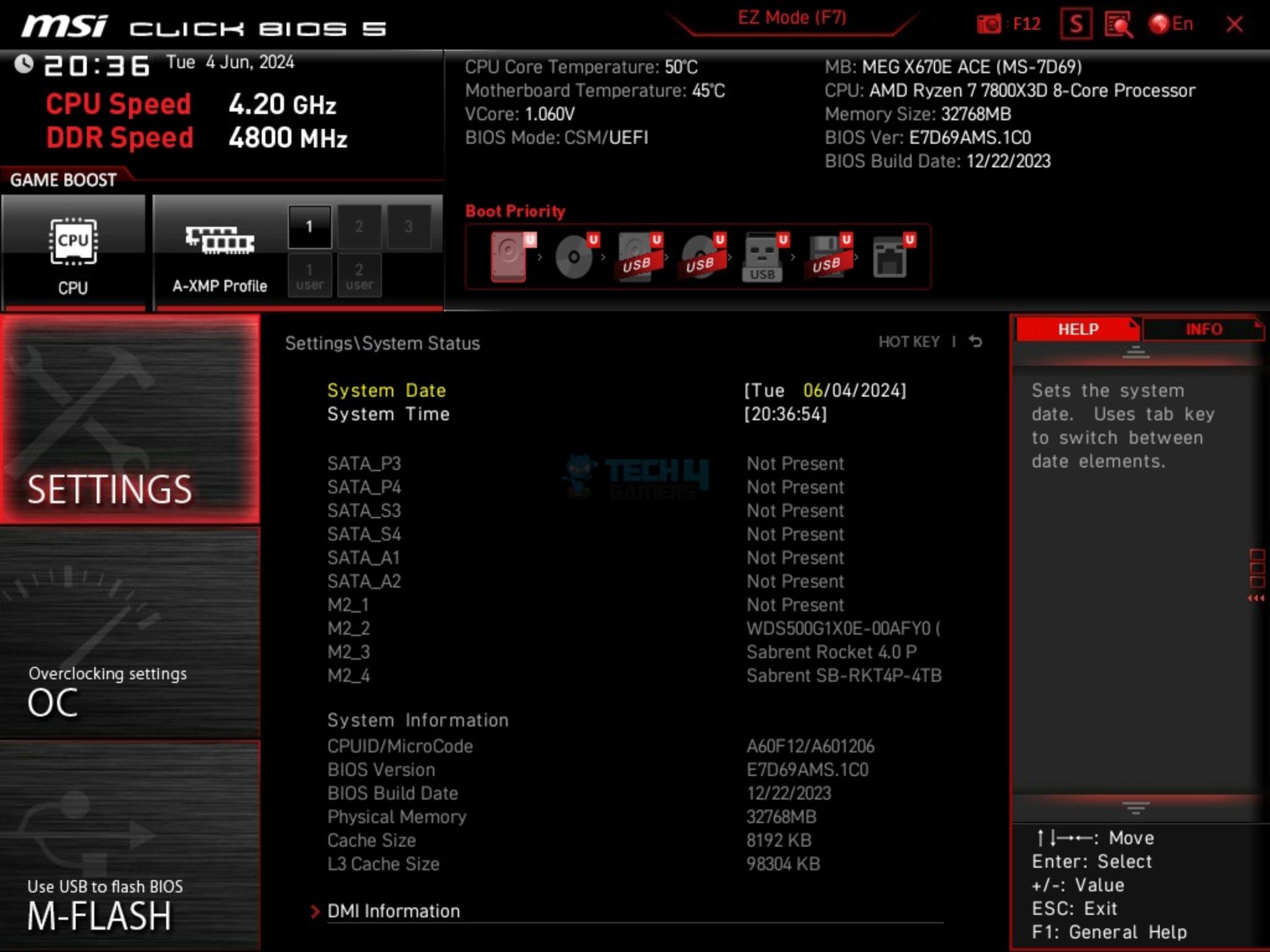
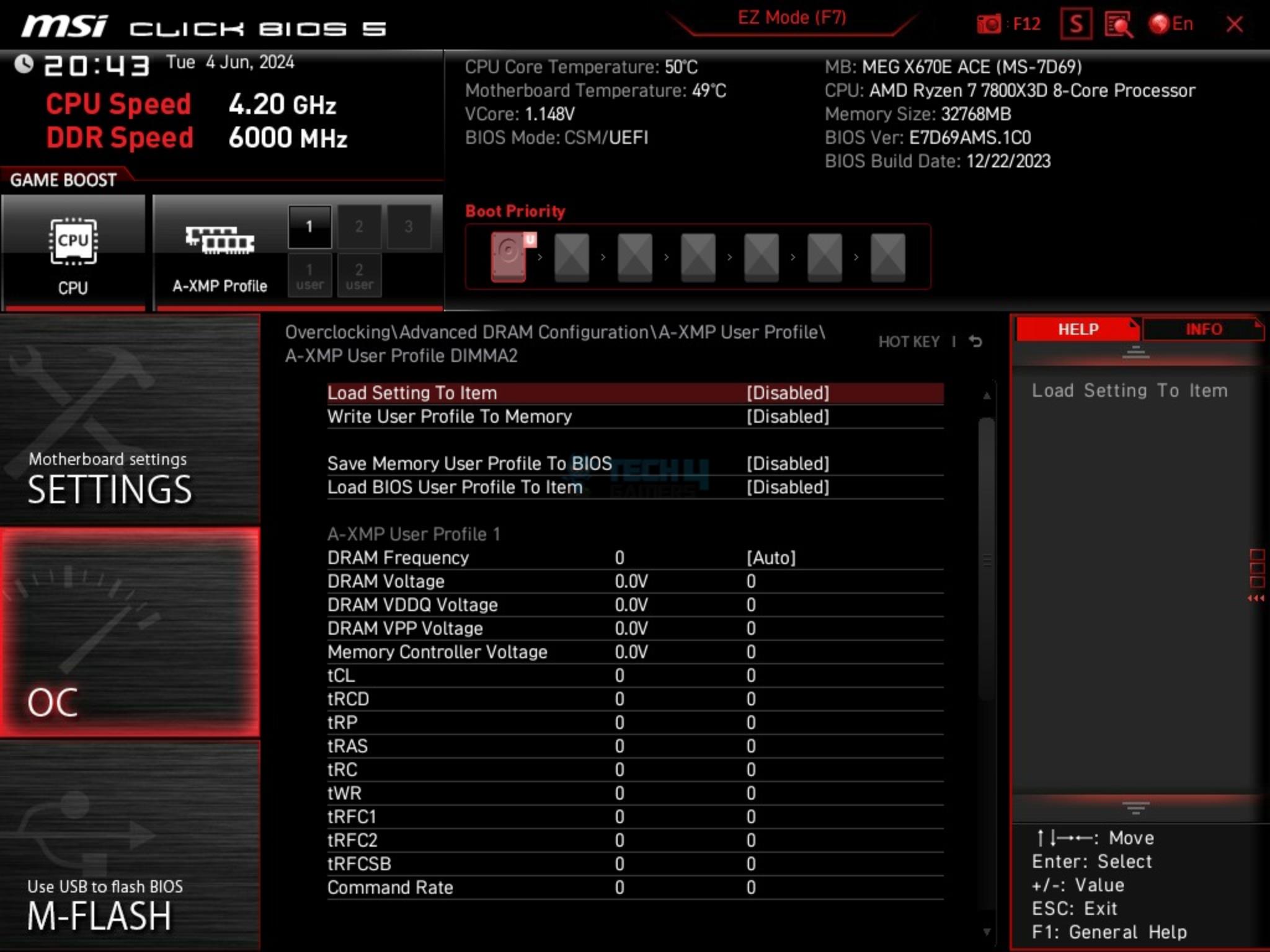
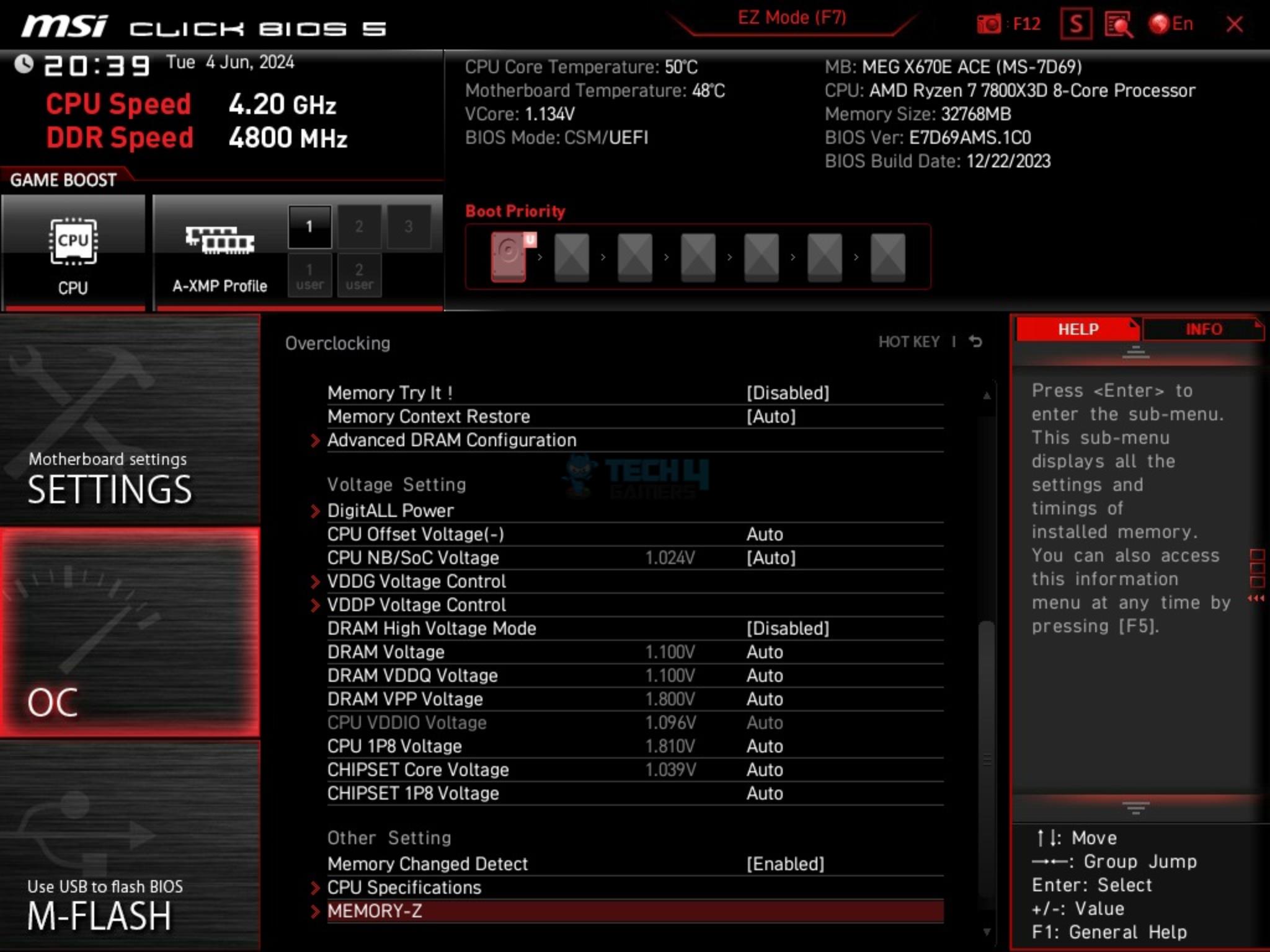
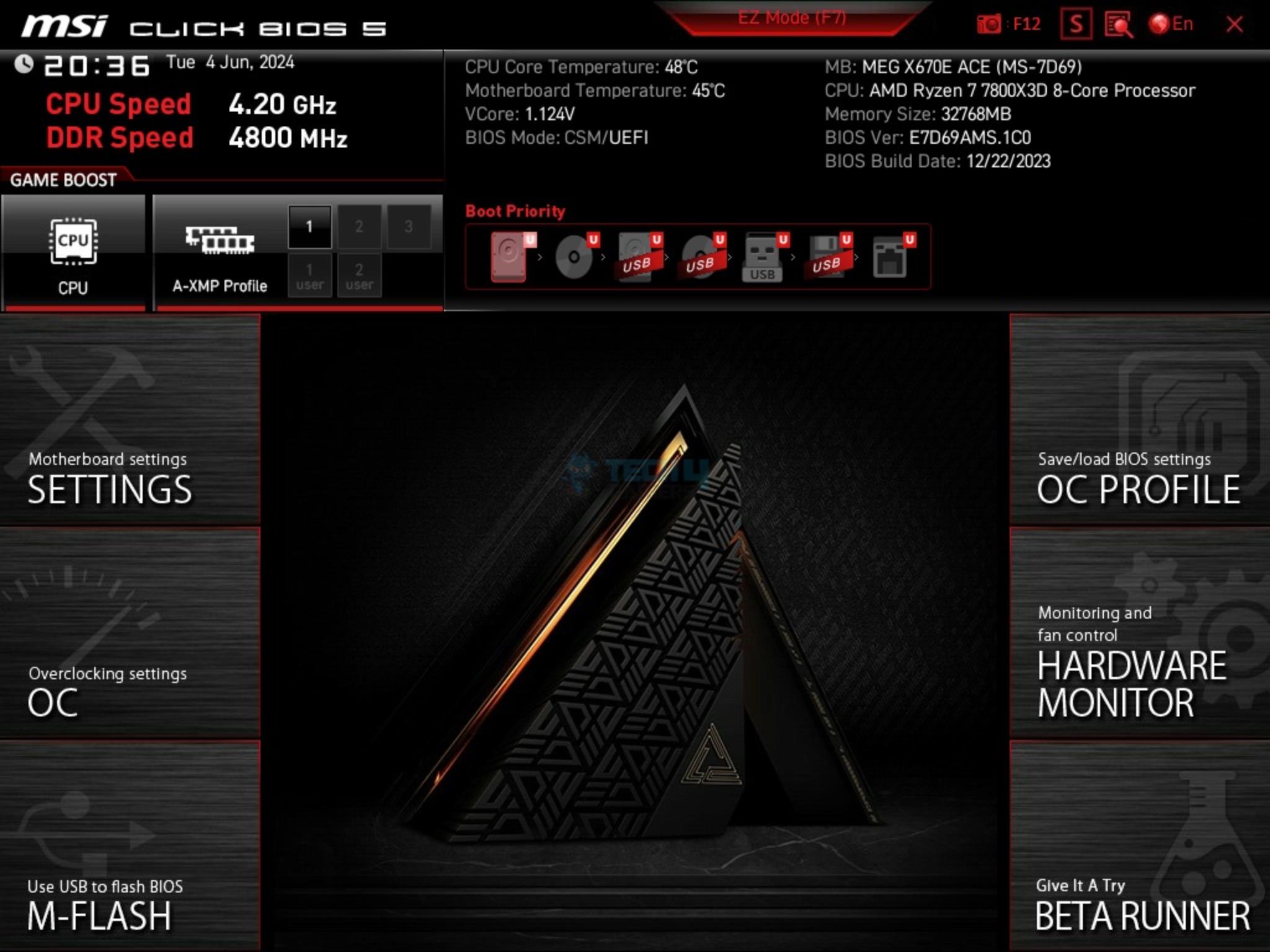
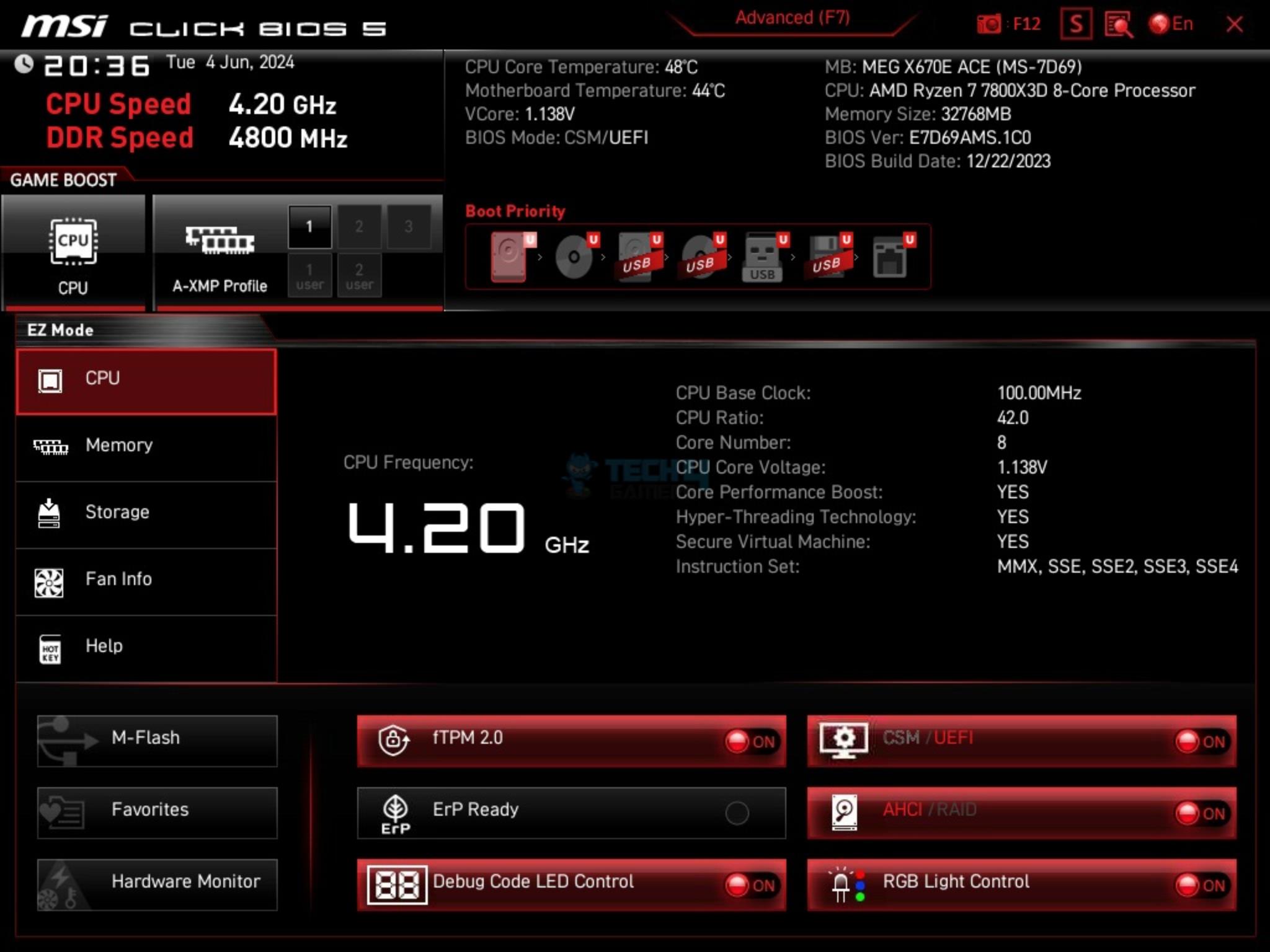
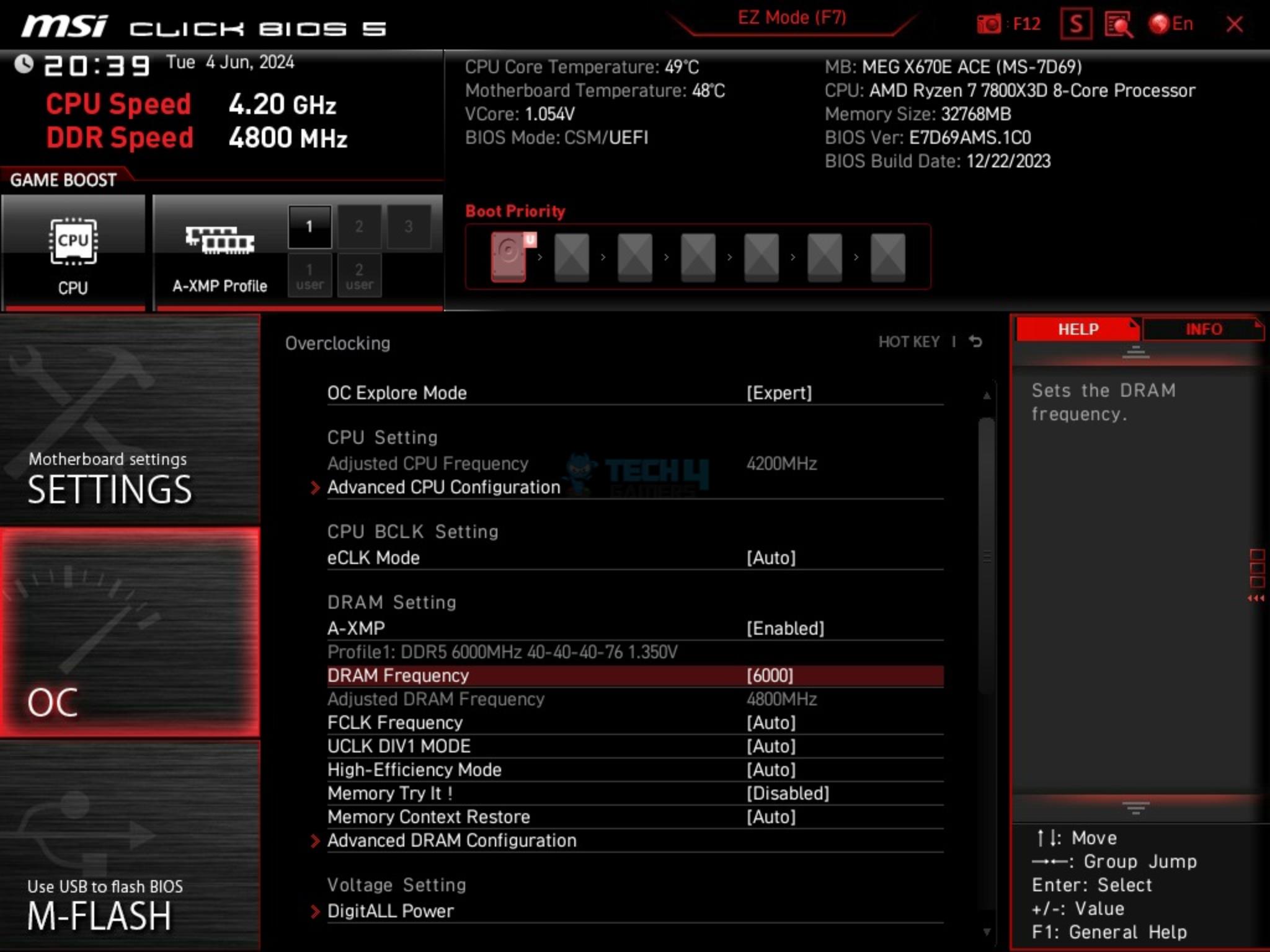
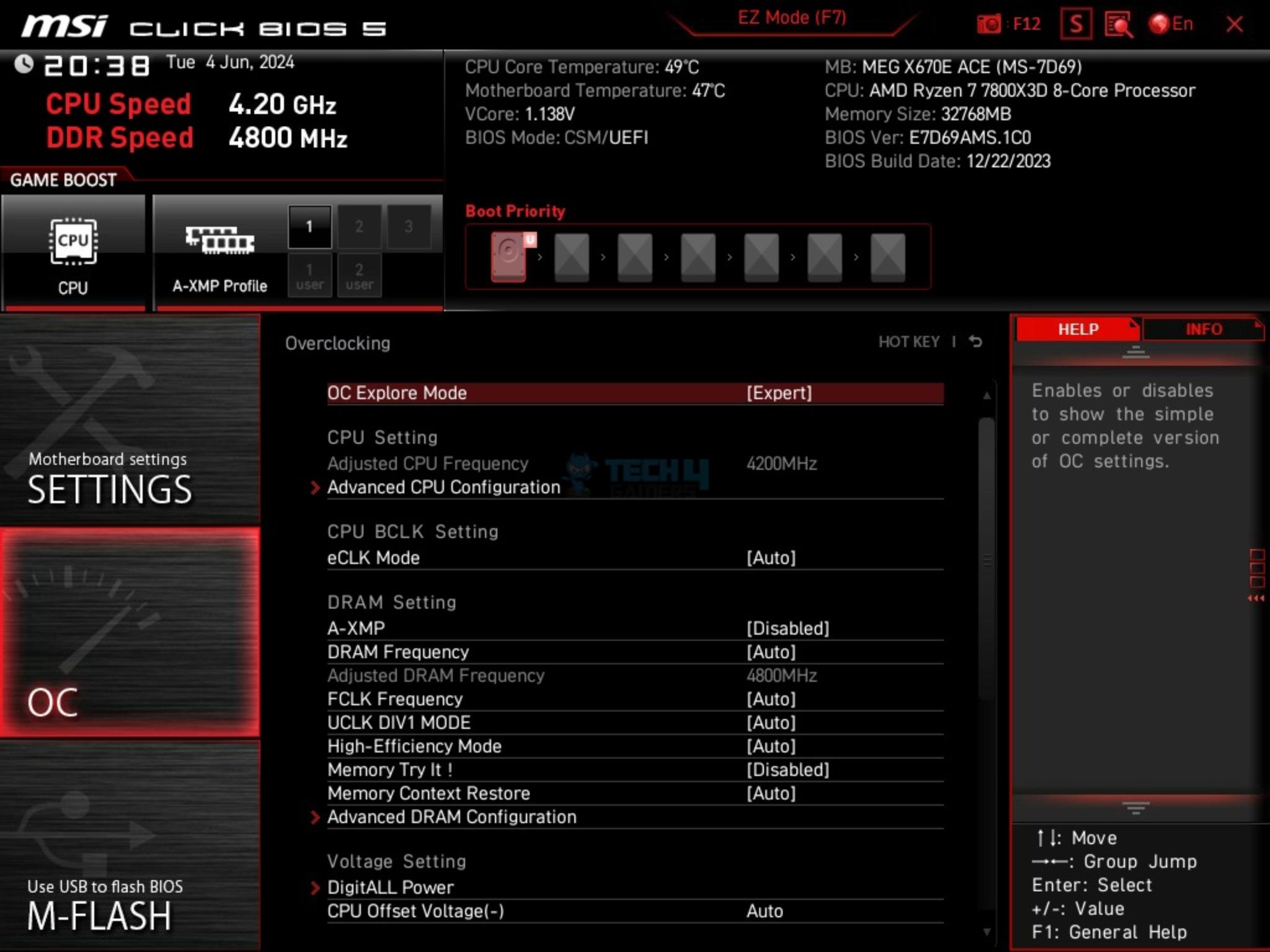
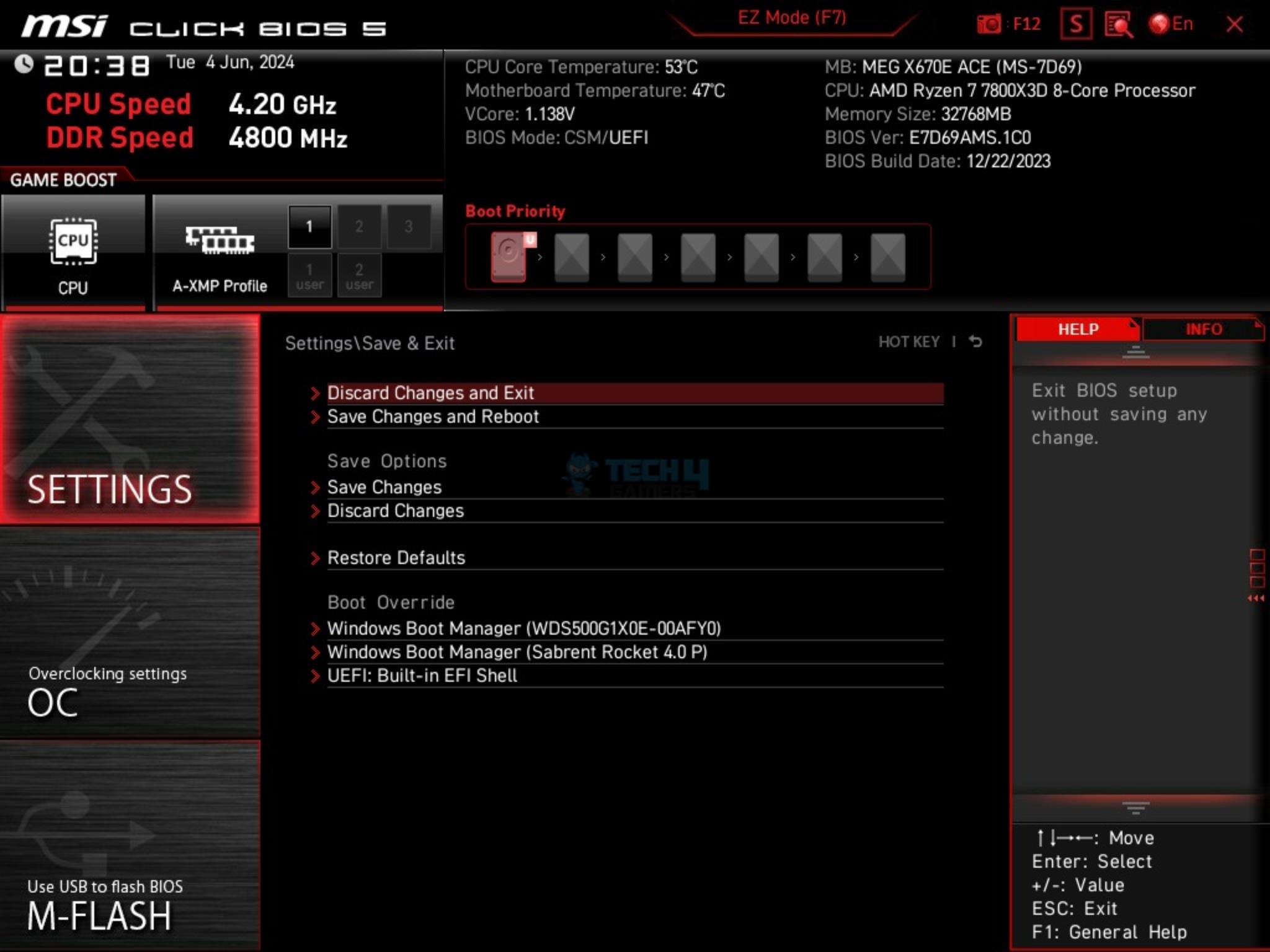
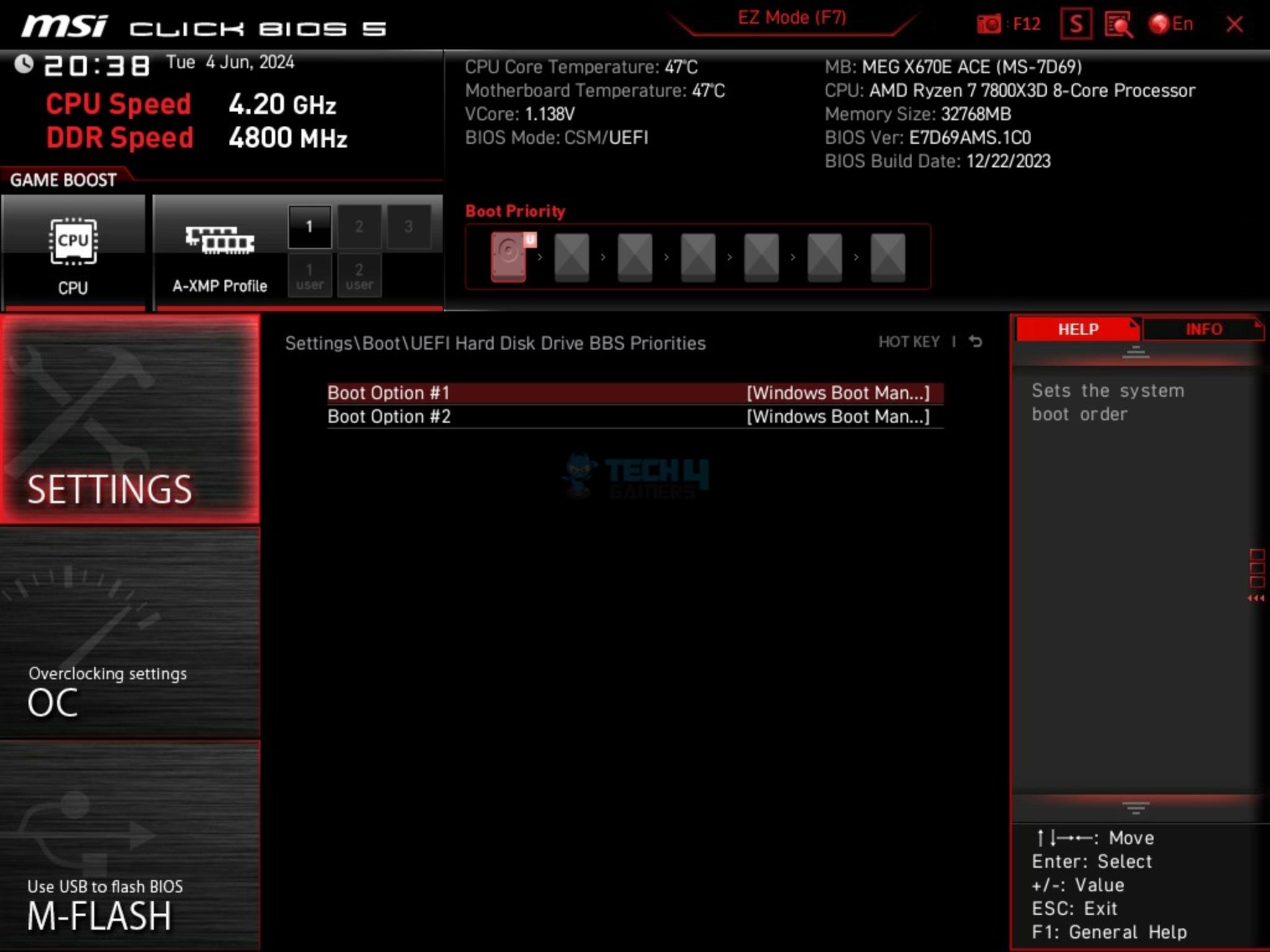
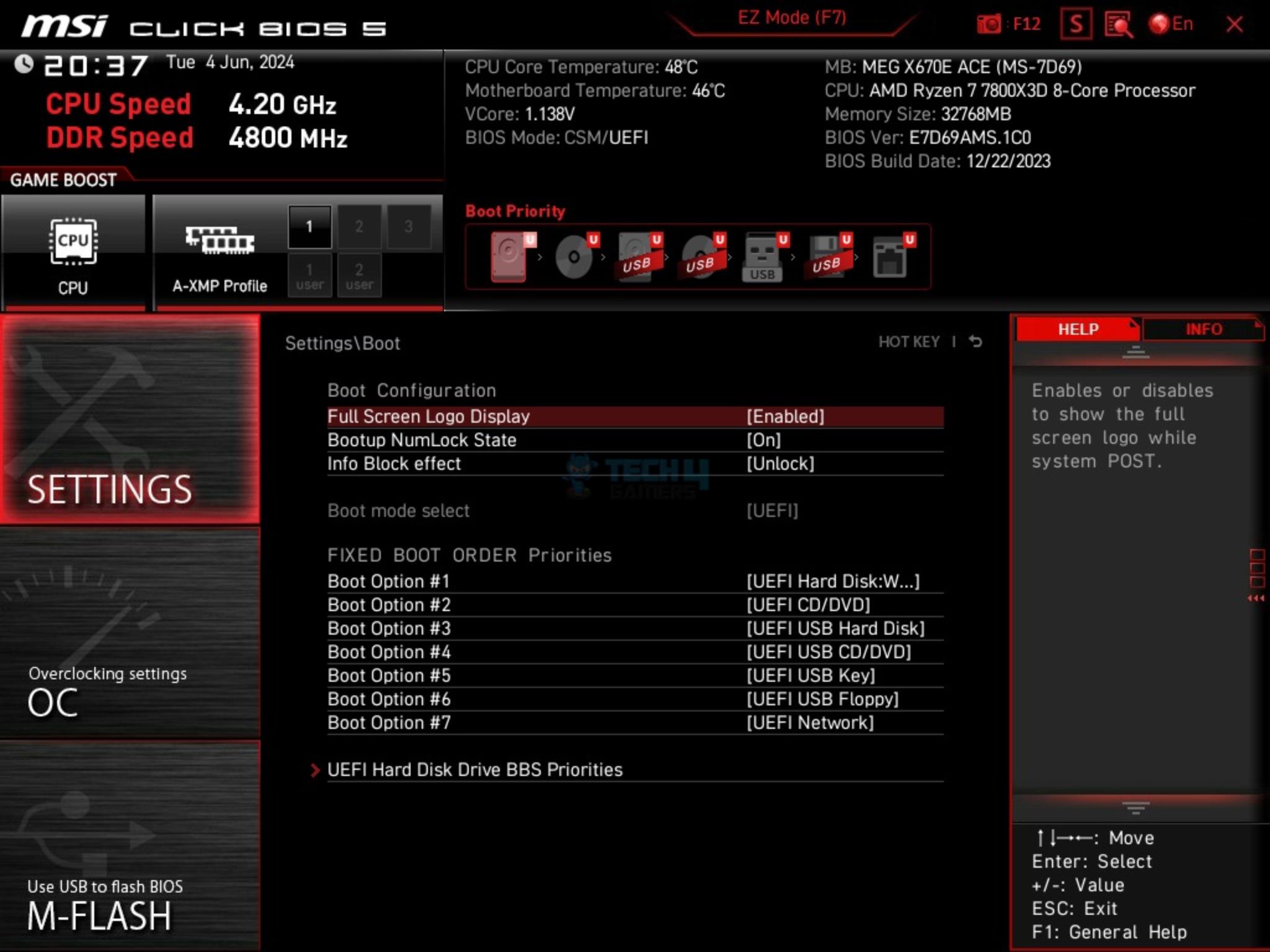
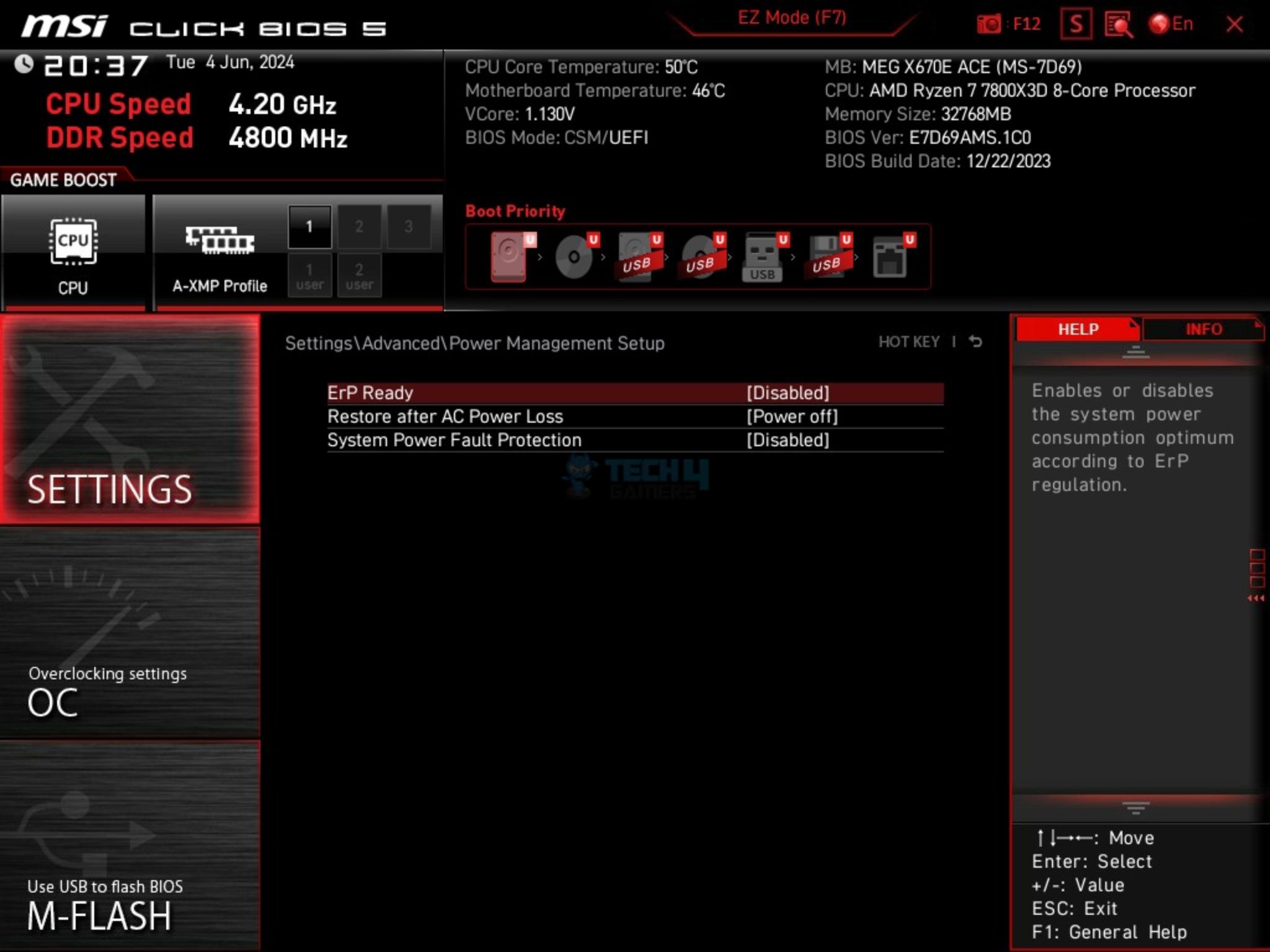
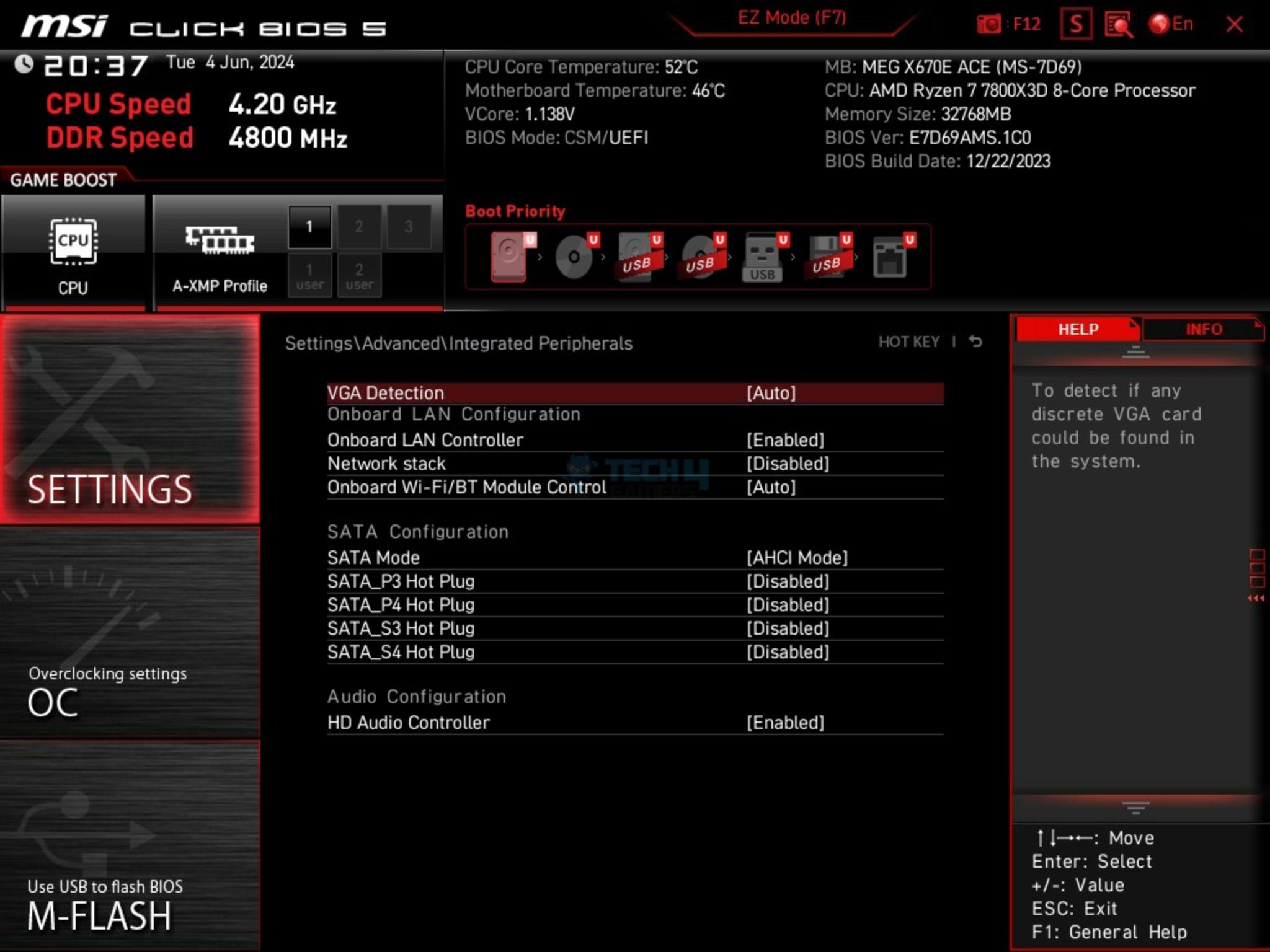
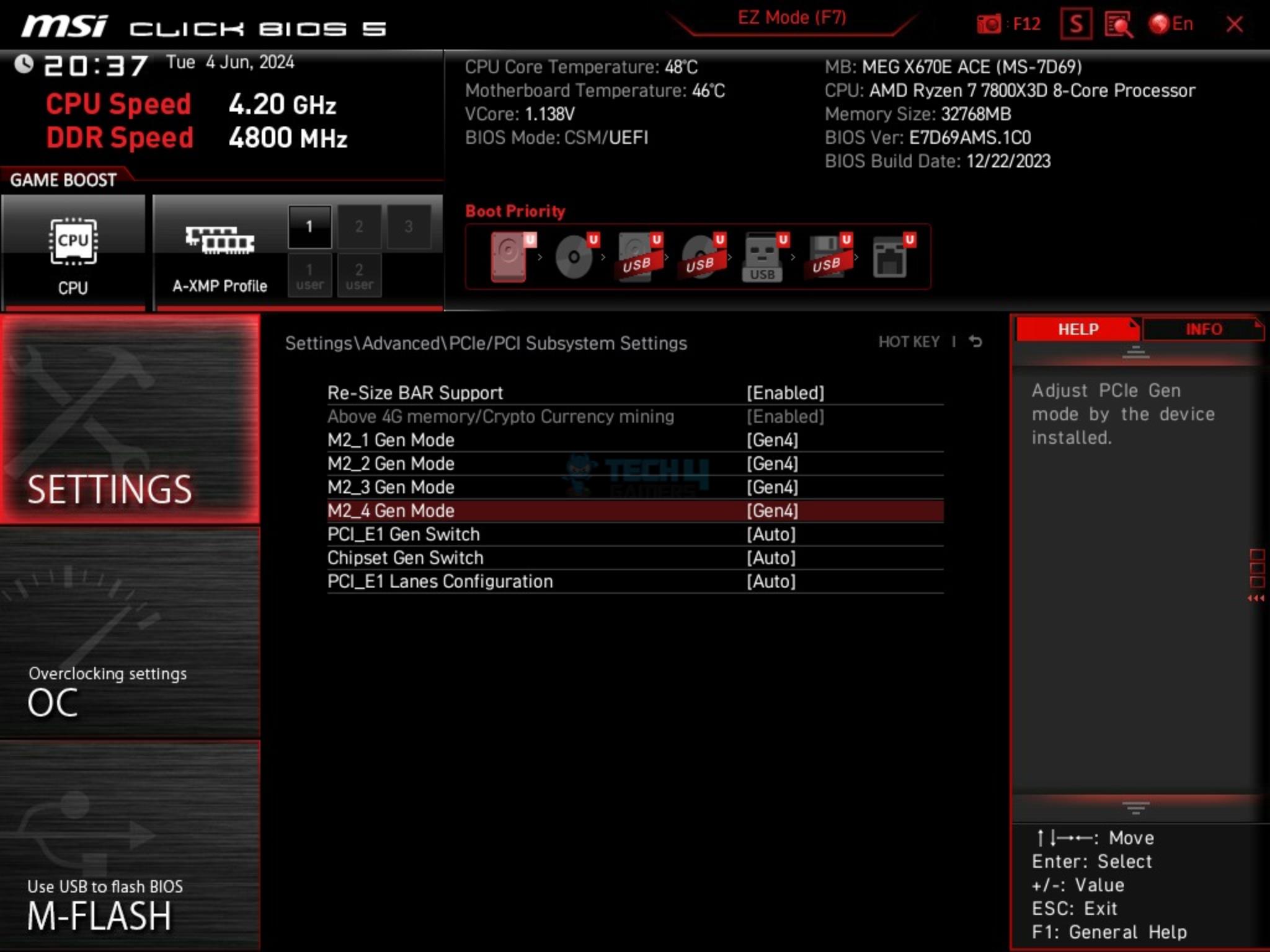
The BIOS interface is similar to what I saw on the other MSI motherboards that I have tested so far. BIOS starts in the EZ mode. Press F7 to switch to Advanced mode. EXPO/XMP is just one click thanks to user user-friendly interface. CPU, RAM, and Voltage settings are grouped under the OC menu. System-related configuration options are grouped in the Settings menu. Boot and Exit options are also under the Settings menu.
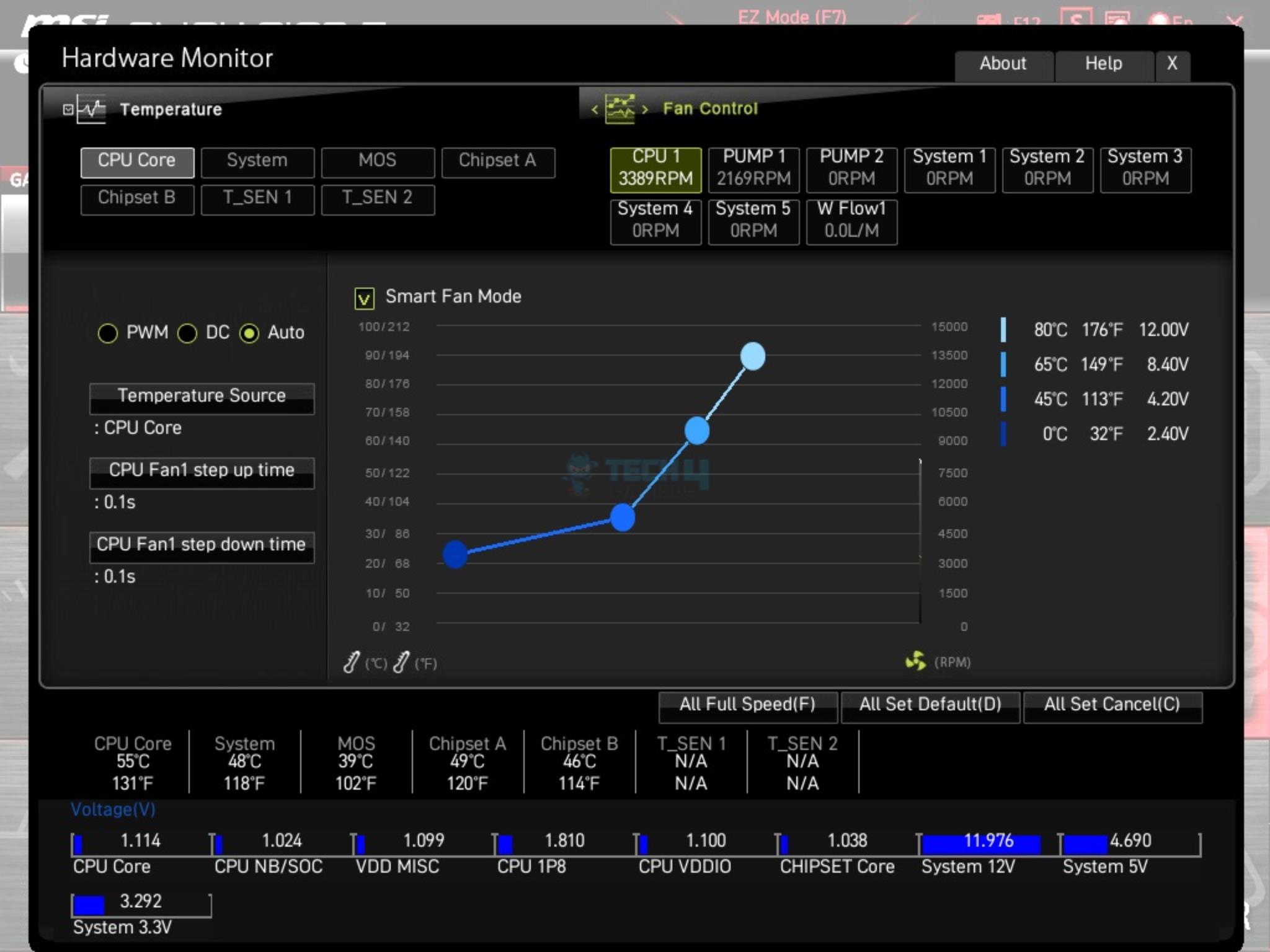
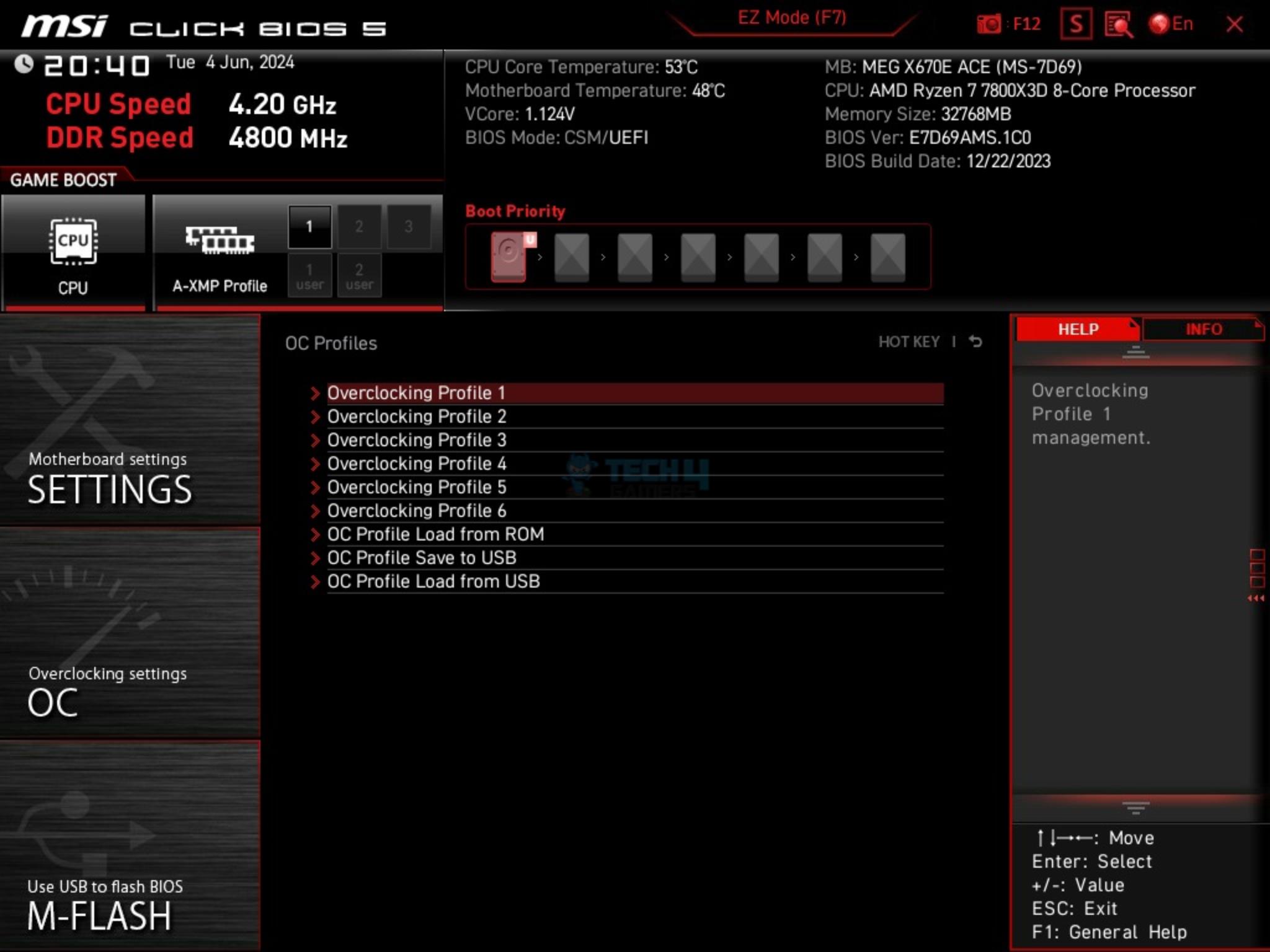
You can control the speed of the fans on the Hardware monitor page. OC Profiles allow the users to save their configurations in the files and restore from the saved files. This would come in handy during installation. M-Flash is used to update the BIOS ROM. Power limits are available in Advanced CPU Configuration.
PBO is your ally when it comes to tweaking and tuning. Performance Switch can be used to access the MSI’s own OC settings. You can also access the thermal point profiles pre-defined in the PBO settings as well as the ECO mode and different TDP settings (PPT/TDC/EDC).
WARNING: You will need to update your BIOS to run the Ryzen 9000 CPUs.
Sabrent Rocket 4 Plus 4TB Gen4x4 NVMe SSD [For Games]
Sabrent Rocket NANO V2 4TB Portable SSD
Fractal Design ION+ 2P 860W Platinum
Praxis Wetbench
CPU-Z (Image By Tech4Gamers)
The above is a picture showing a run of CPU-Z. We can see that the CPU is reported at 3.9GHz at 120W. You can also see that the graphics card is operating at the x16 link. The RAM is operating at its tested speed of 7200MT/s after loading the XMP. However, SPD timings could not be read on each module by the software.
We have divided the overall tests in four major categories. These are:
CPU and Memory Tests
Storage Tests
Gaming Tests
Overall System Tests
Test Result
The testing was done on stock settings with XMP loaded. This motherboard has powers unlocked by default.
CPU And Memory Benchmarks
CPU And Memory Benchmarks
1 of 6
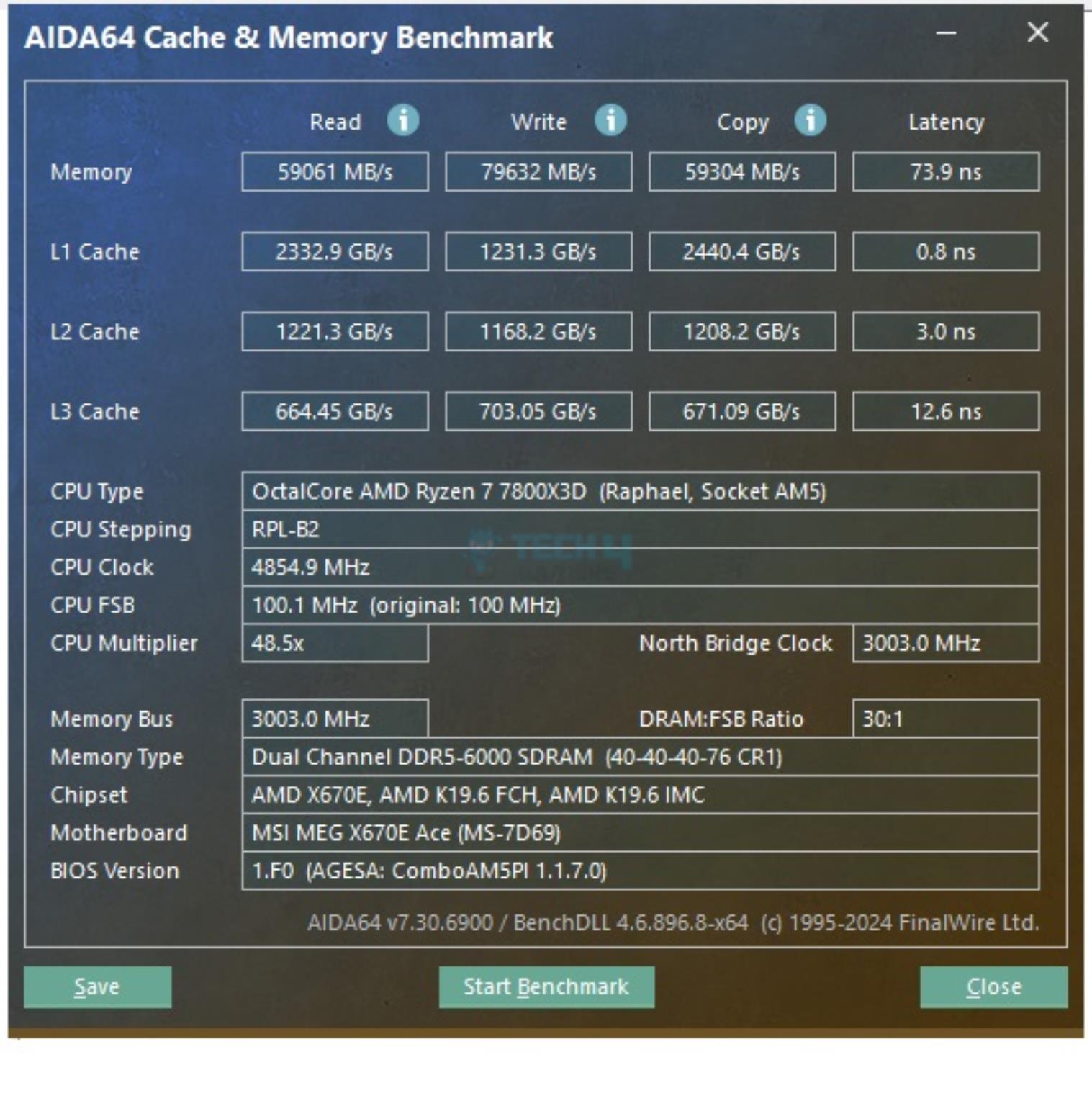
AIDA64 CPU and Memory Benchmark (Image By Tech4Gamers)
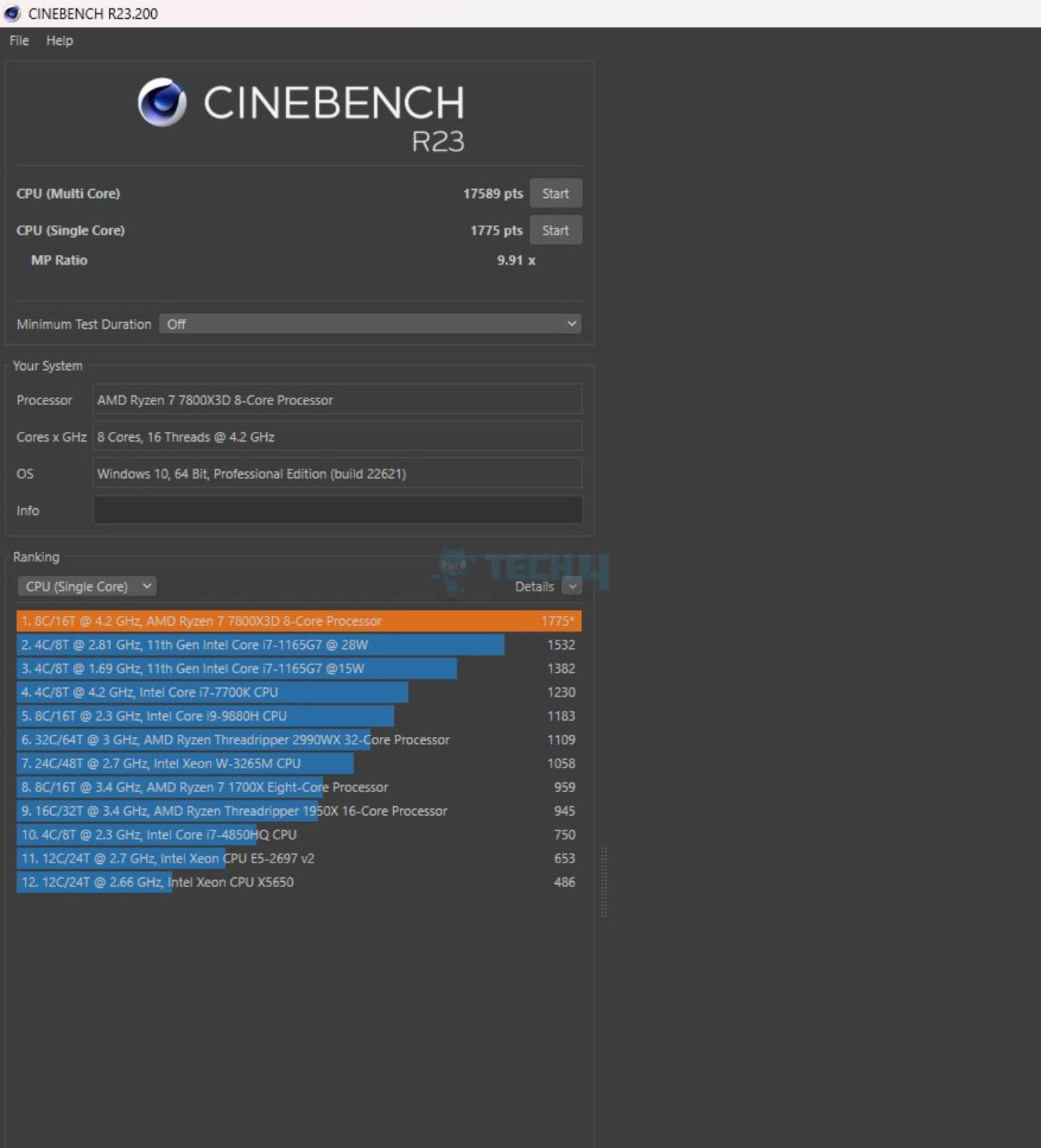
CINEBENCH R23.2 (Image By Tech4Gamers)
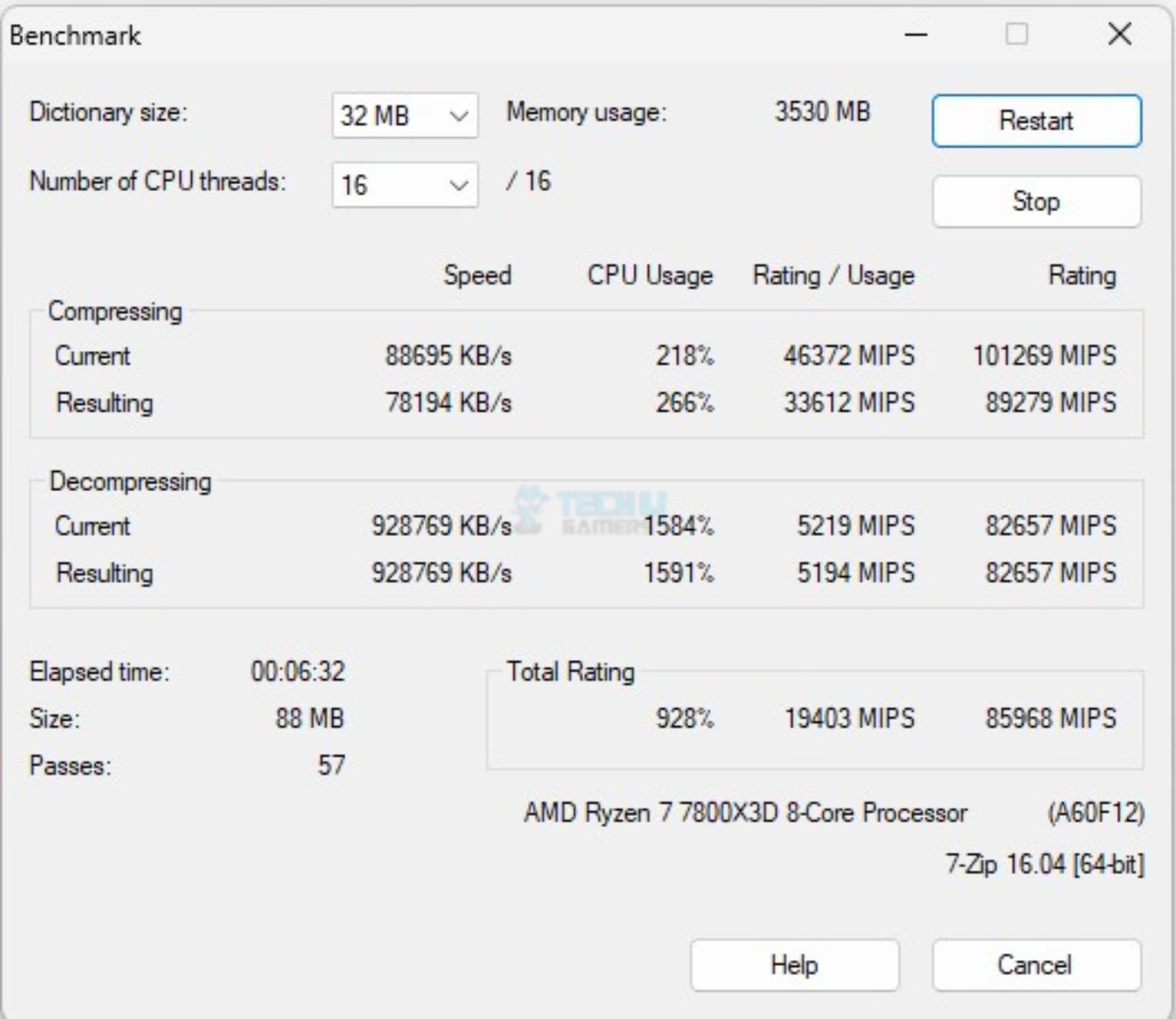
7-Zip (Image By Tech4Gamers)
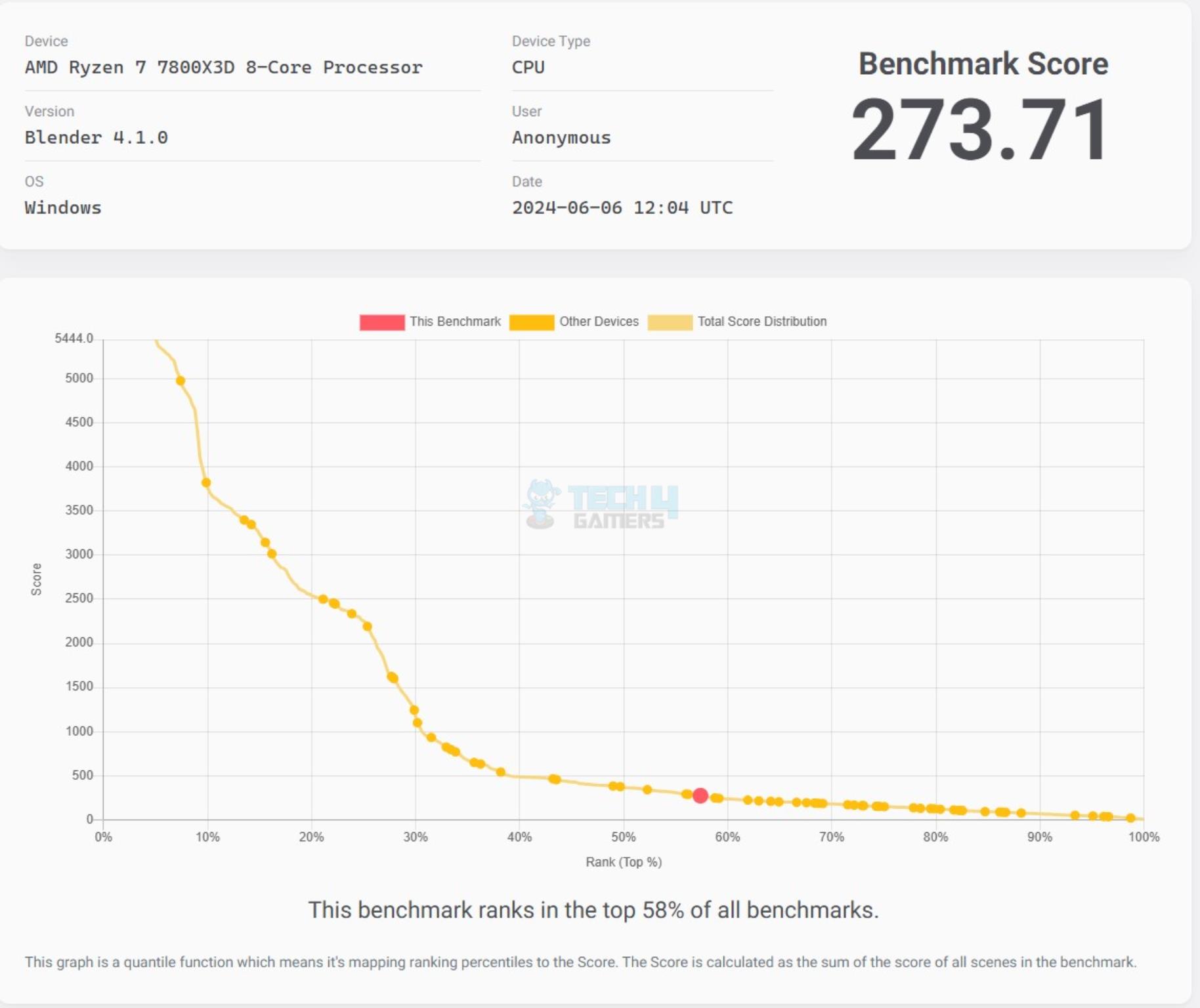
Blender Benchmark Score (Image By Tech4Gamers)
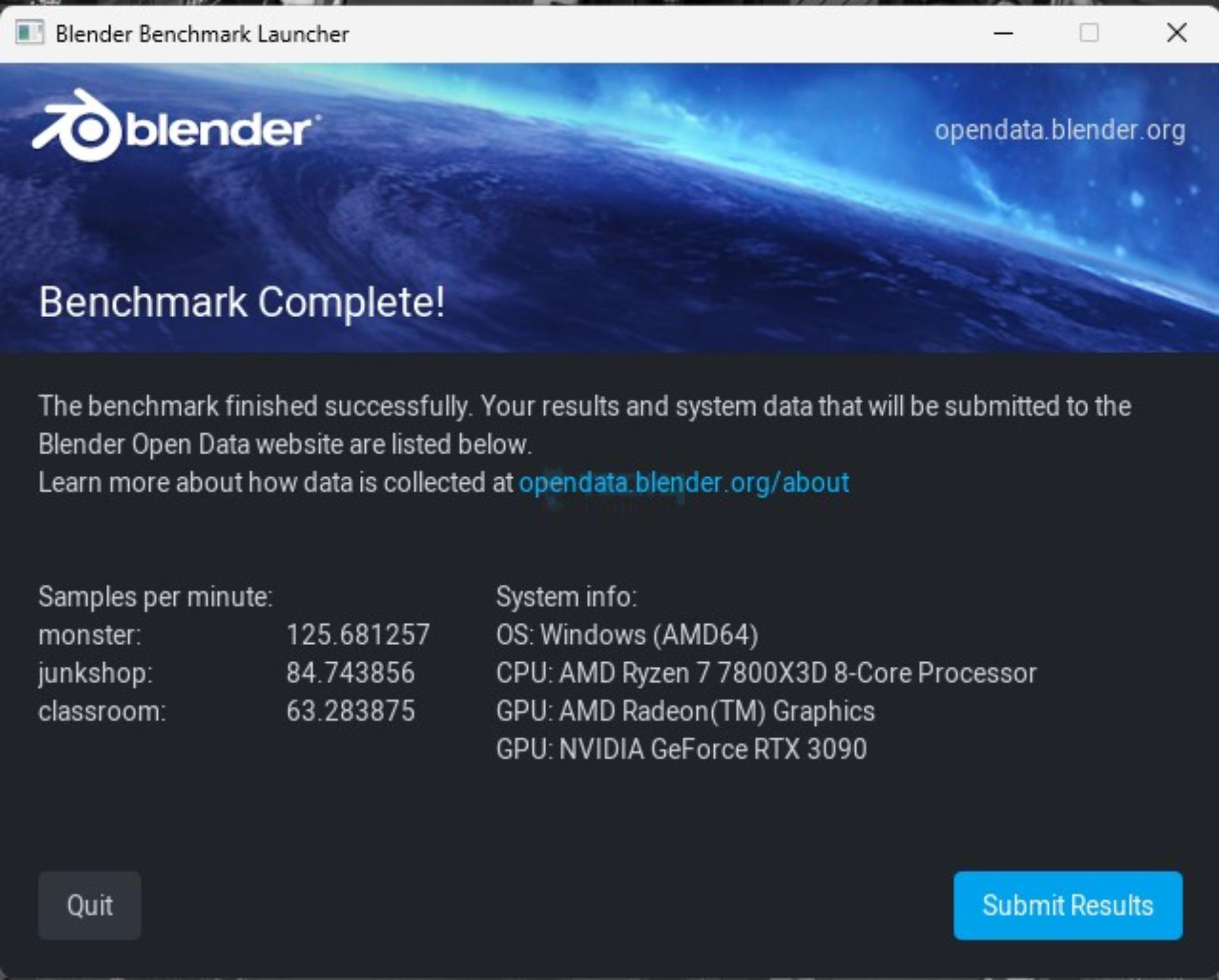
Blender Benchmark (Image By Tech4Gamers)
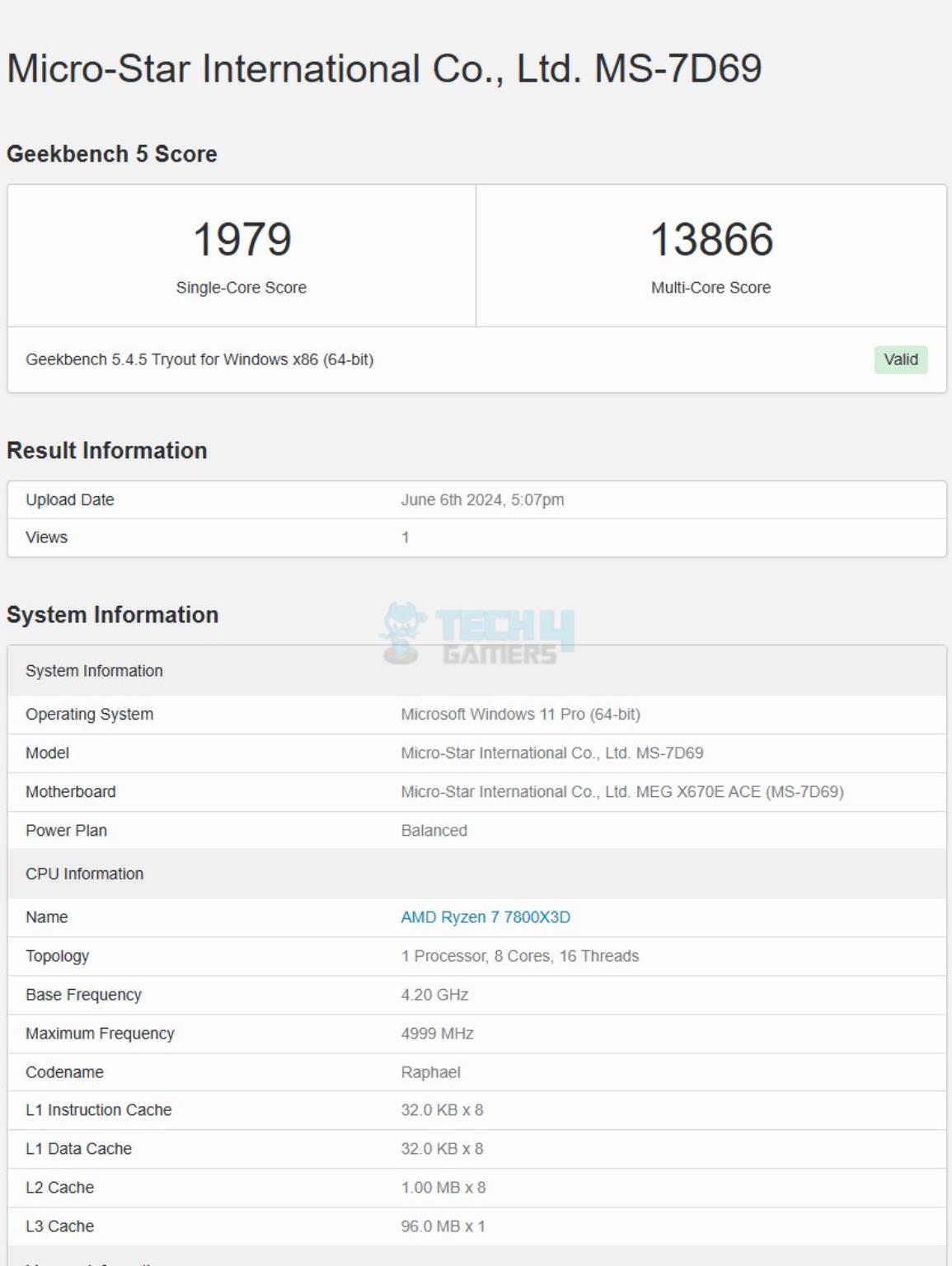
GeekBench 5.4.5 (Image By Tech4Gamers)
In Cinebench R23.2 the CPU scored 17589 points in CPU Multi Core load and 1775 points in a Single Core Load. The DDR5 kit has performed well at its tested speed of 6000MHz. The single core score of 1979 from Gekbench 5.4.5 is quite well. The performance in the 7-Zip benchmark is satisfactory as well with a compression result of 89279MIPS and 82657MIPS score in Decompression. The blender benchmark overall score was 273.71.
Storage Test
Storage Benchmarks
1 of 4
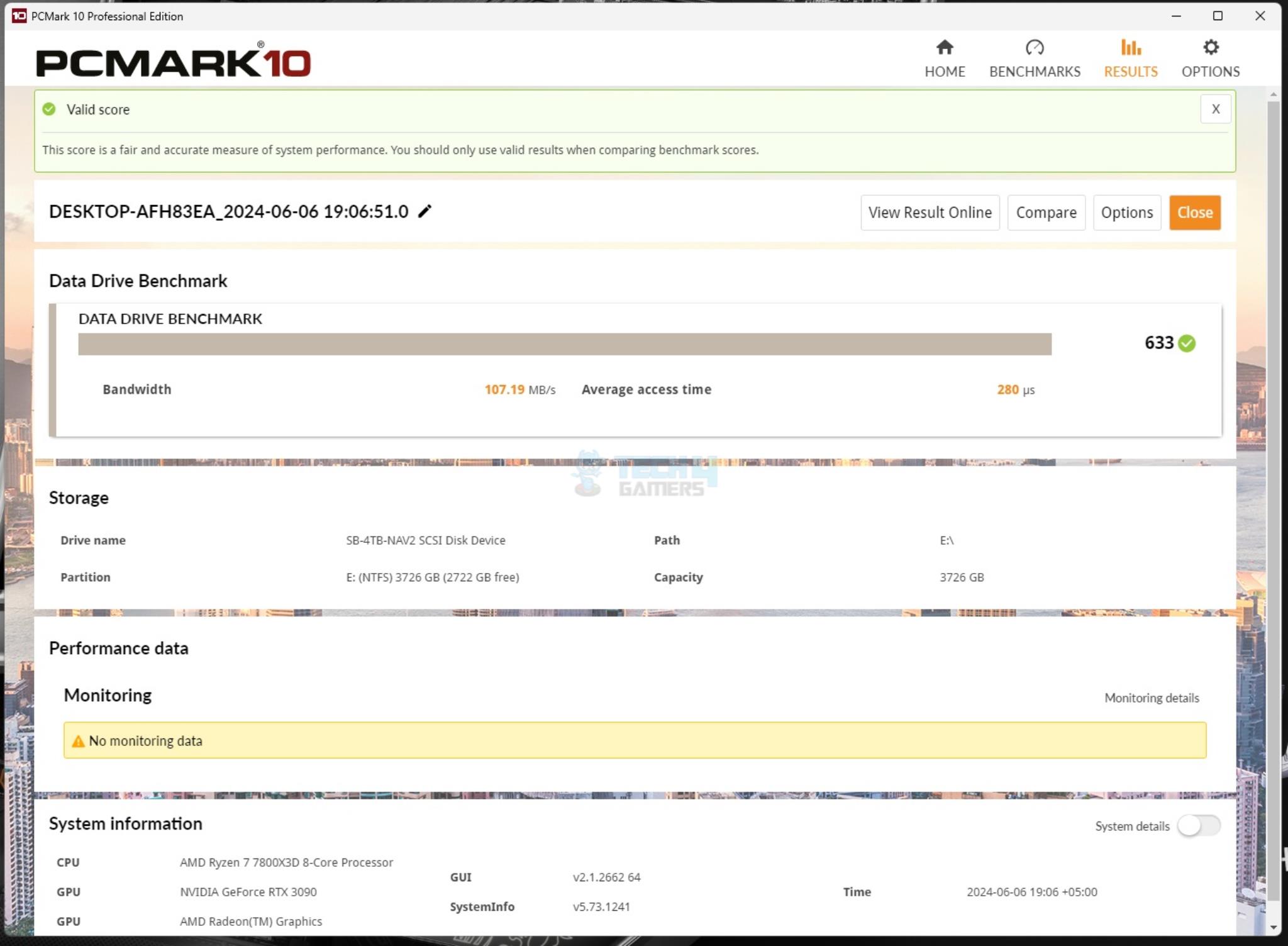
PCMARK 10 Data Drive Benchmark USB 3.2 Gen2x2 Type-C USB Drive (Image By Tech4Gamers)
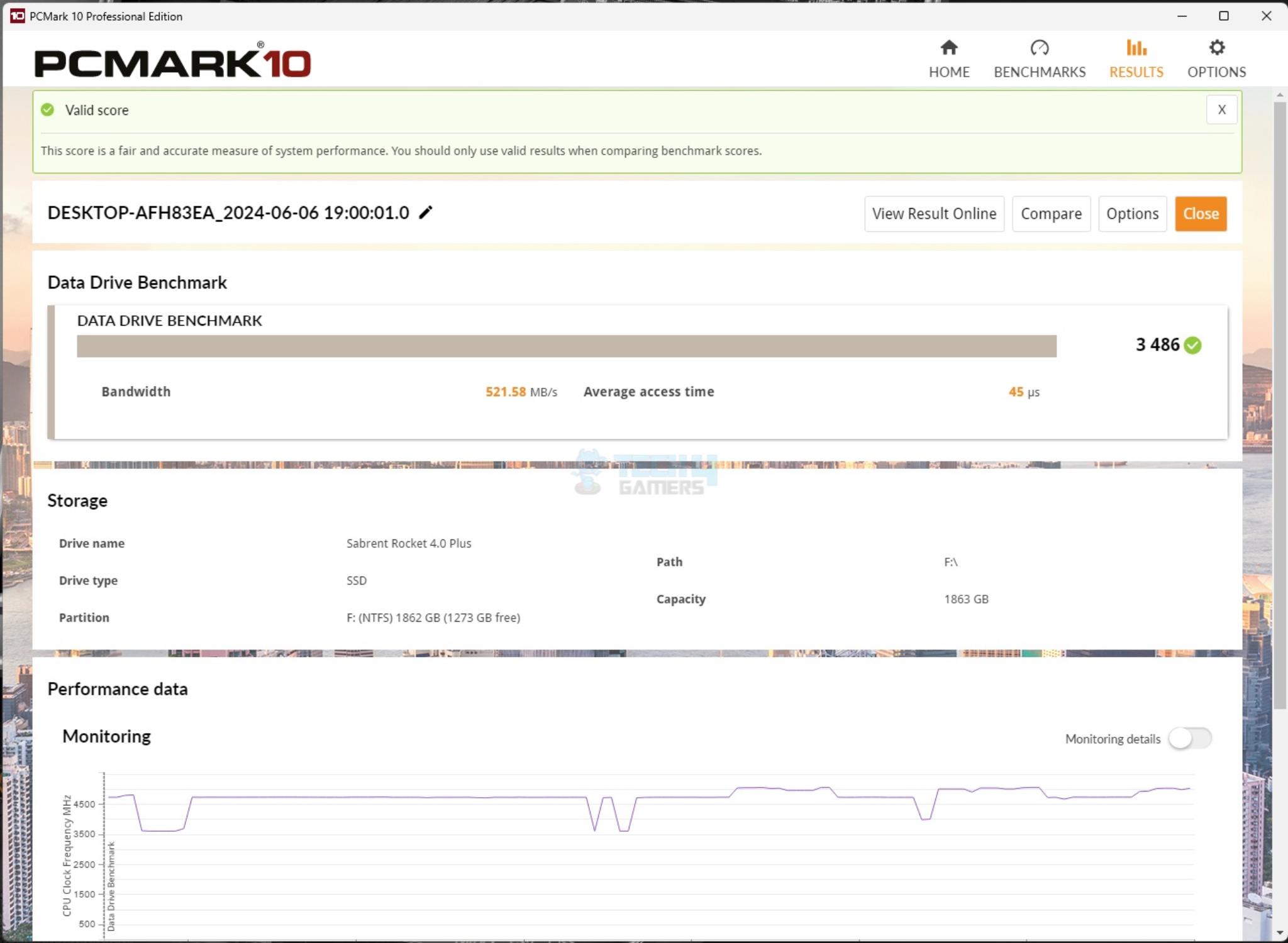
PCMARK 10 Data Drive Benchmark PCIe Gen 4 NVMe SSD (Image By Tech4Gamers)
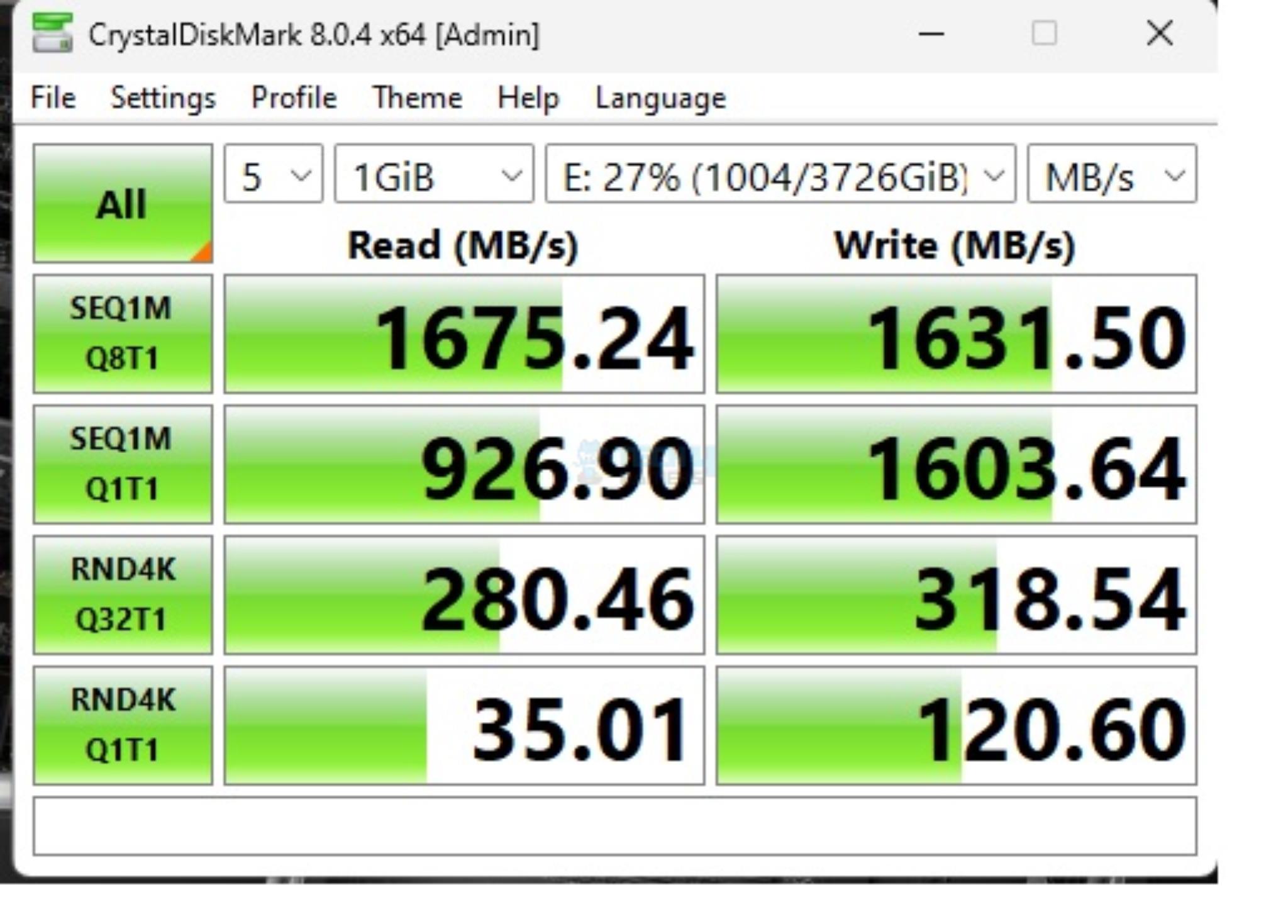
CrystalDiskMark Benchmark USB 3.2 Gen2x2 Type-C USB Drive (Image By Tech4Gamers)
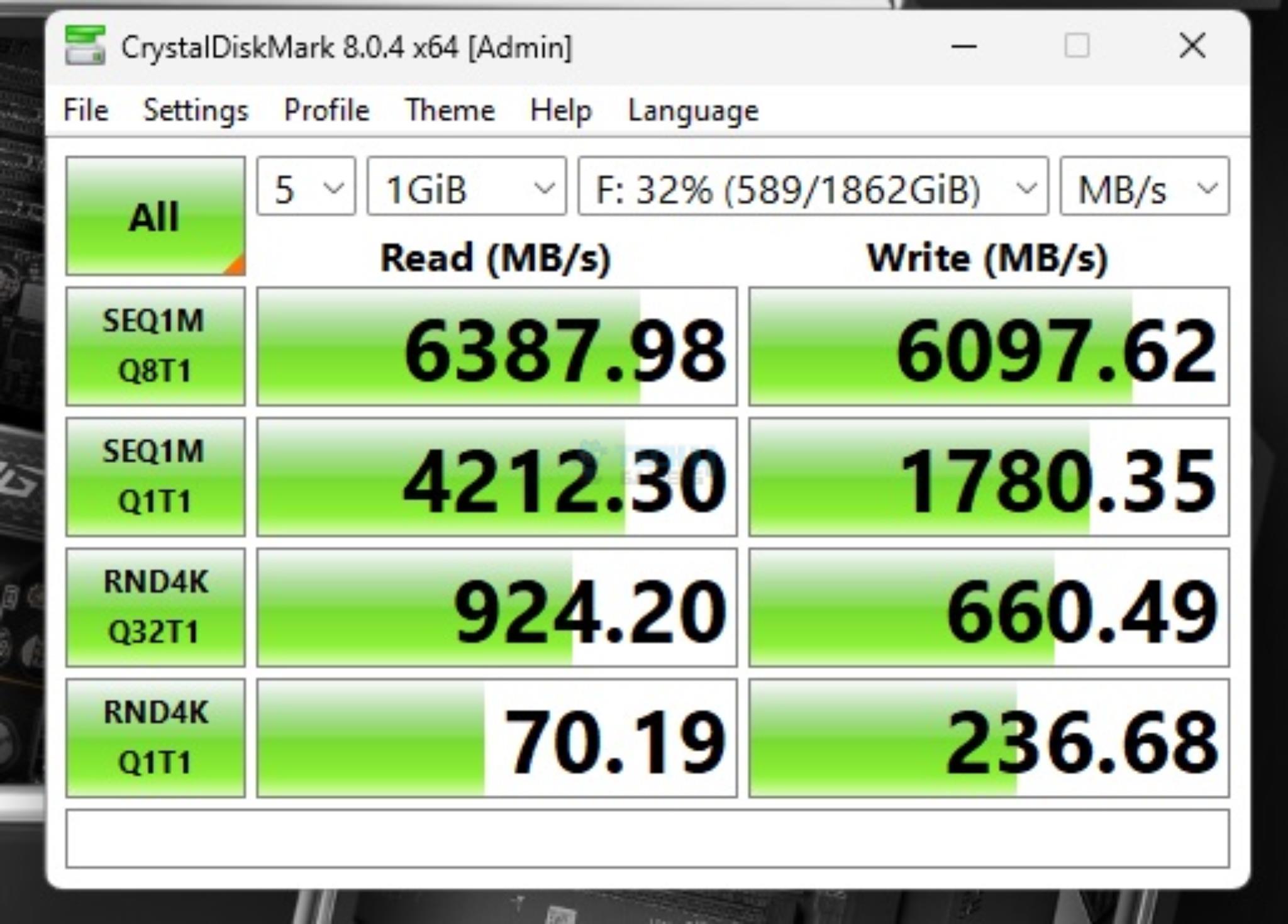
CrystalDiskMark Benchmark PCIe Gen 4 NVMe SSD (Image By Tech4Gamers)
I have used:
Gen4x4 NVMe Drive
USB 3.2 Gen2x2 Type-C Drive [Rated for 1600MB/s]
Both drives passed their sequential speeds in the CrystalDiskMark. The performance in PCMARK10 Data Drive Benchmark is quite well. The Gen4x4 NVMe drive scored 3486 and the USB drive scored 633 score. These scores are low compared to Intel which is a platform limitation.
Gaming Test
Gaming Benchmarks
1 of 4
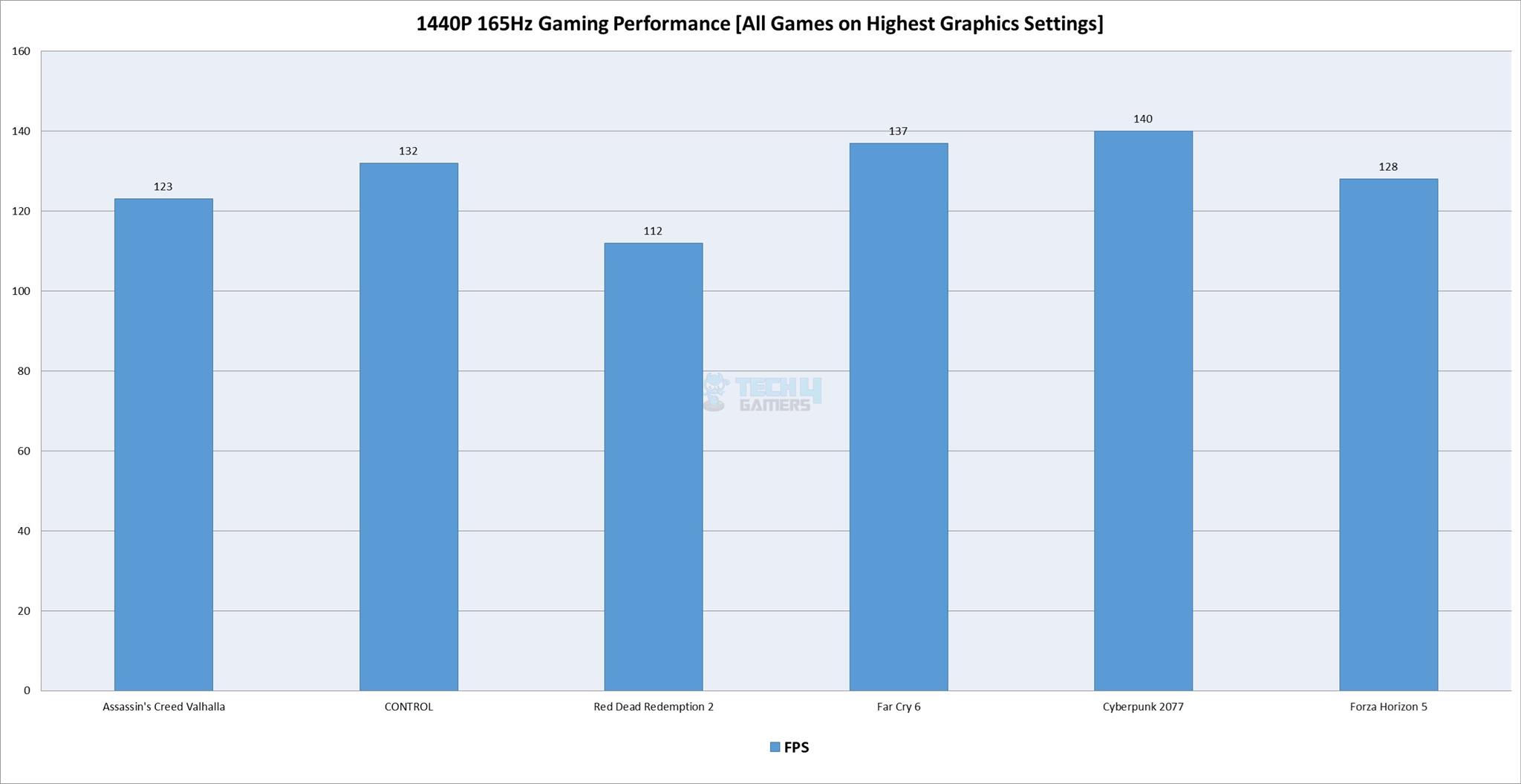
Gaming Performance (Image By Tech4Gamers)
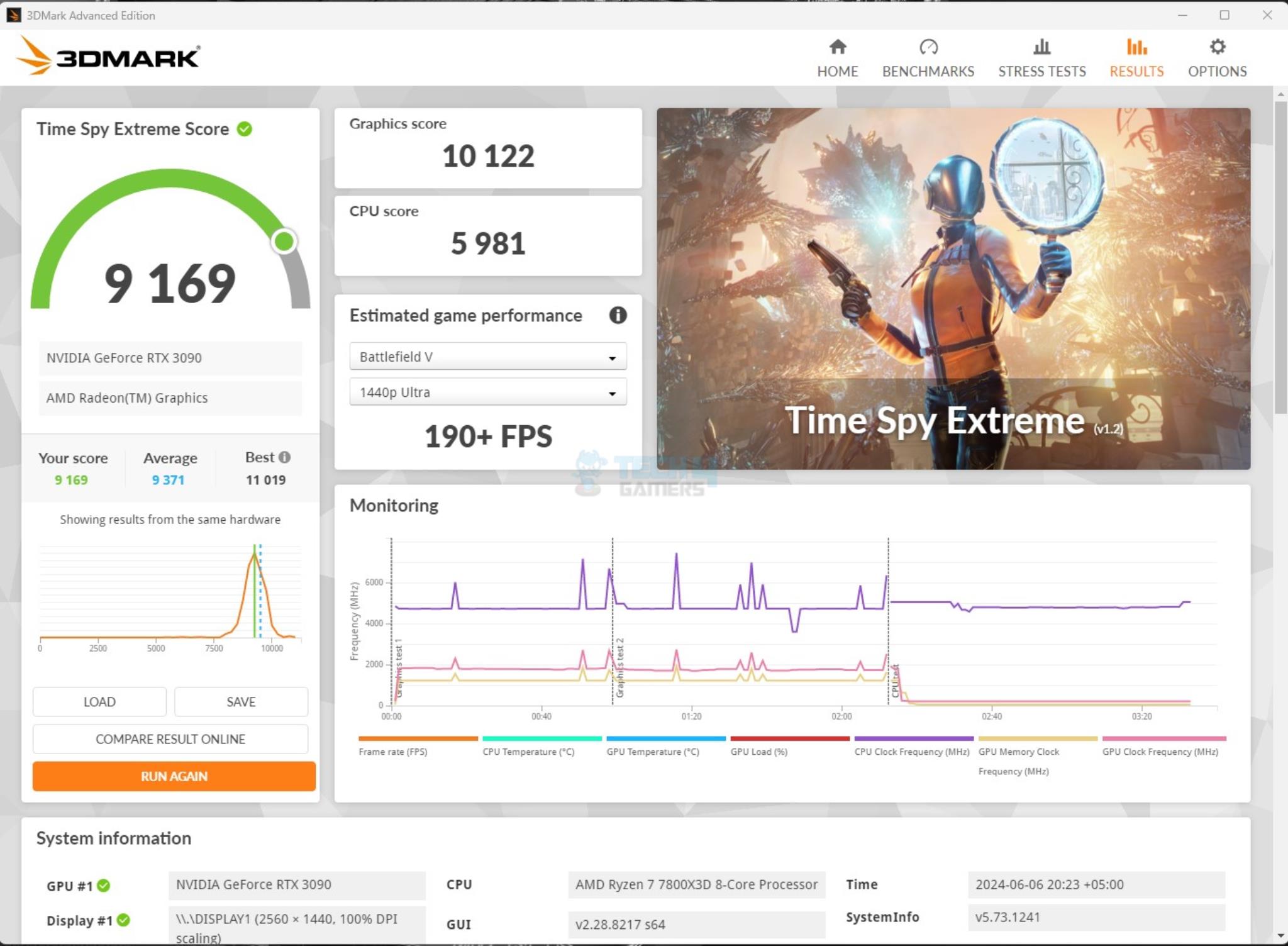
3DMARK Time Spy Extreme (Image By Tech4Gamers)
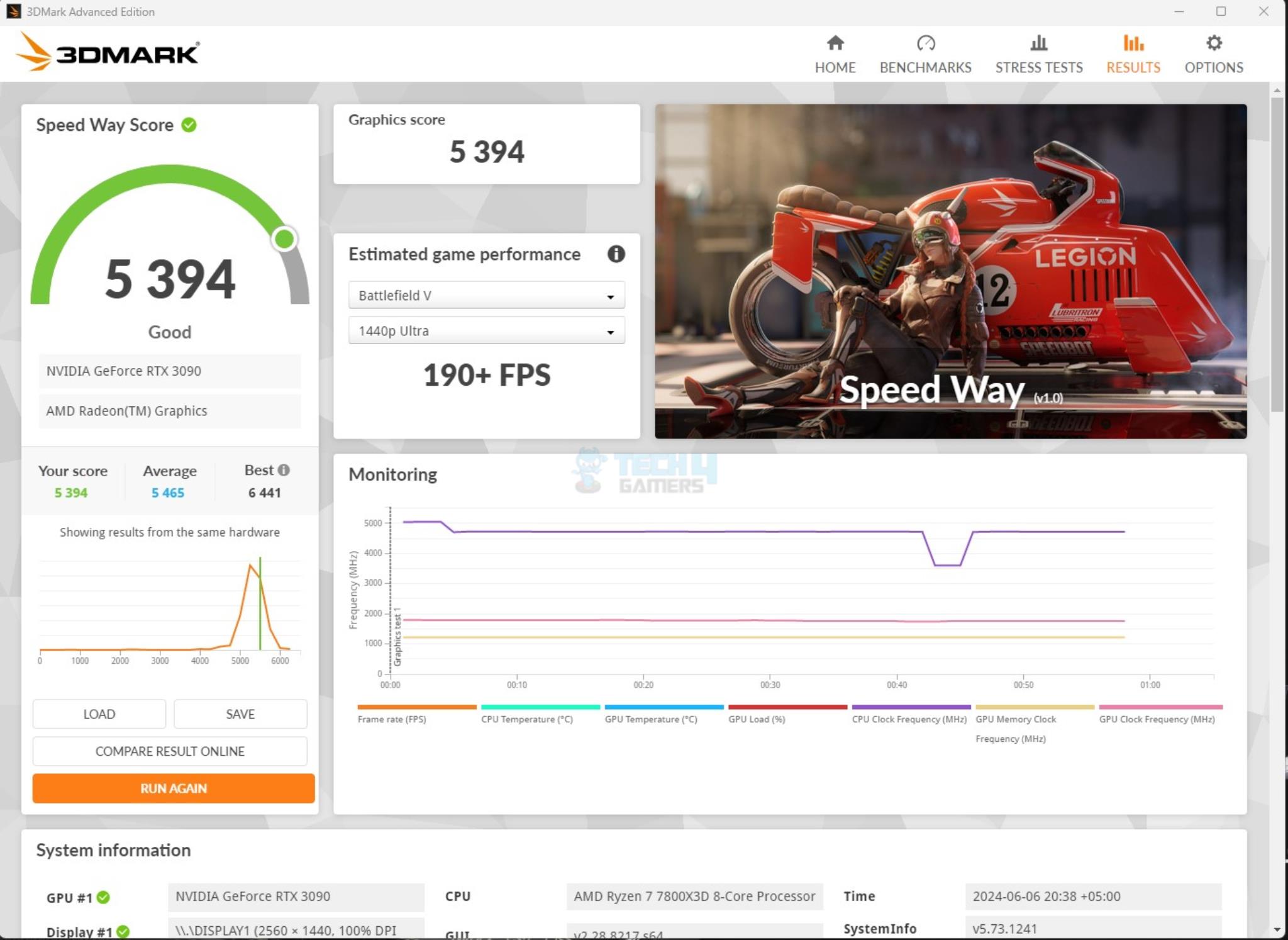
3DMARK Speed Way (Image By Tech4Gamers)
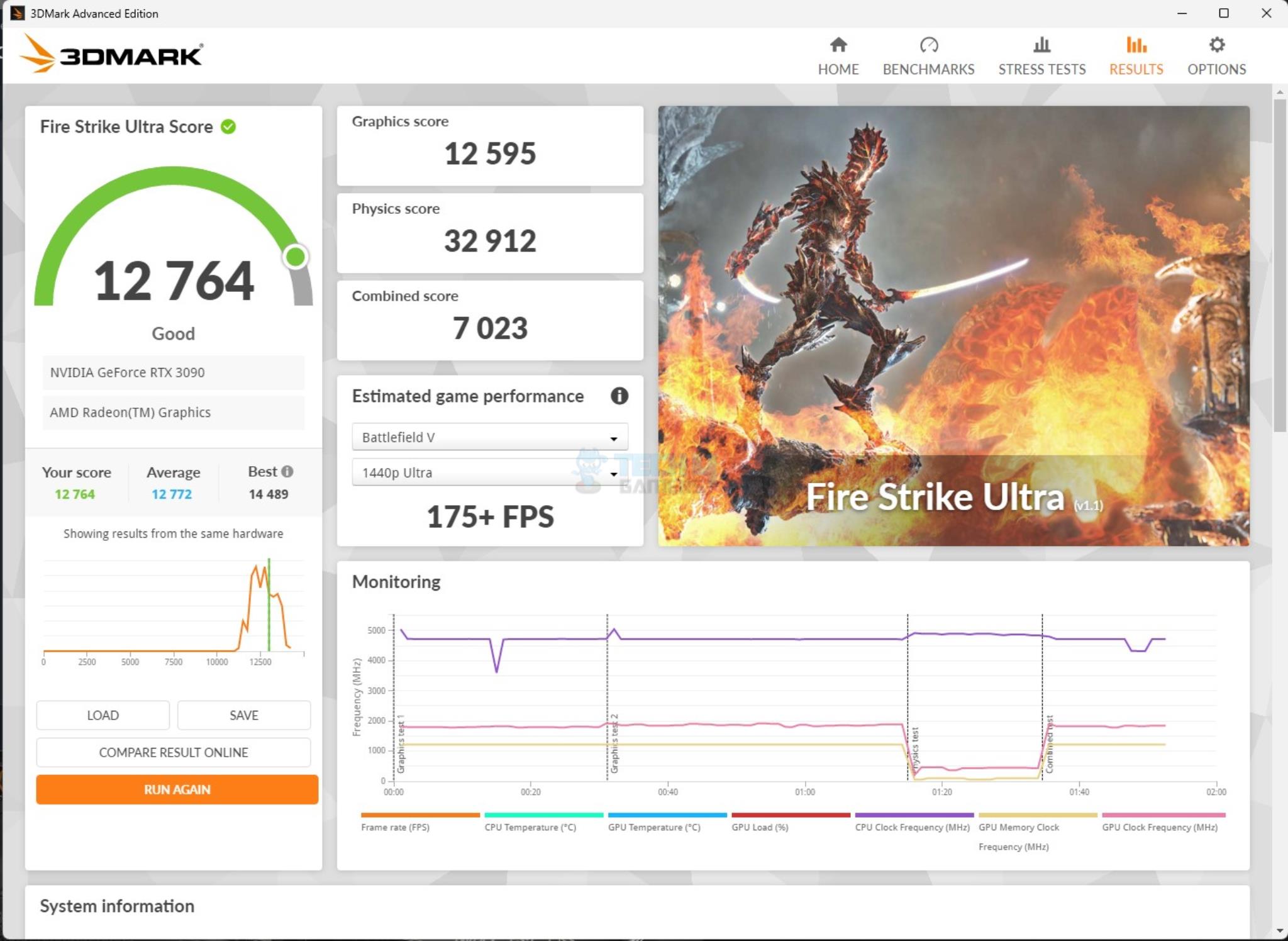
3DMARK Fire Strike Ultra (Image By Tech4Gamers)
We have a good all-round performance in the gaming benchmarks. This shows that this motherboard can handle the gaming load easily.
System Performance Test
PCMARK 10
Performance Test
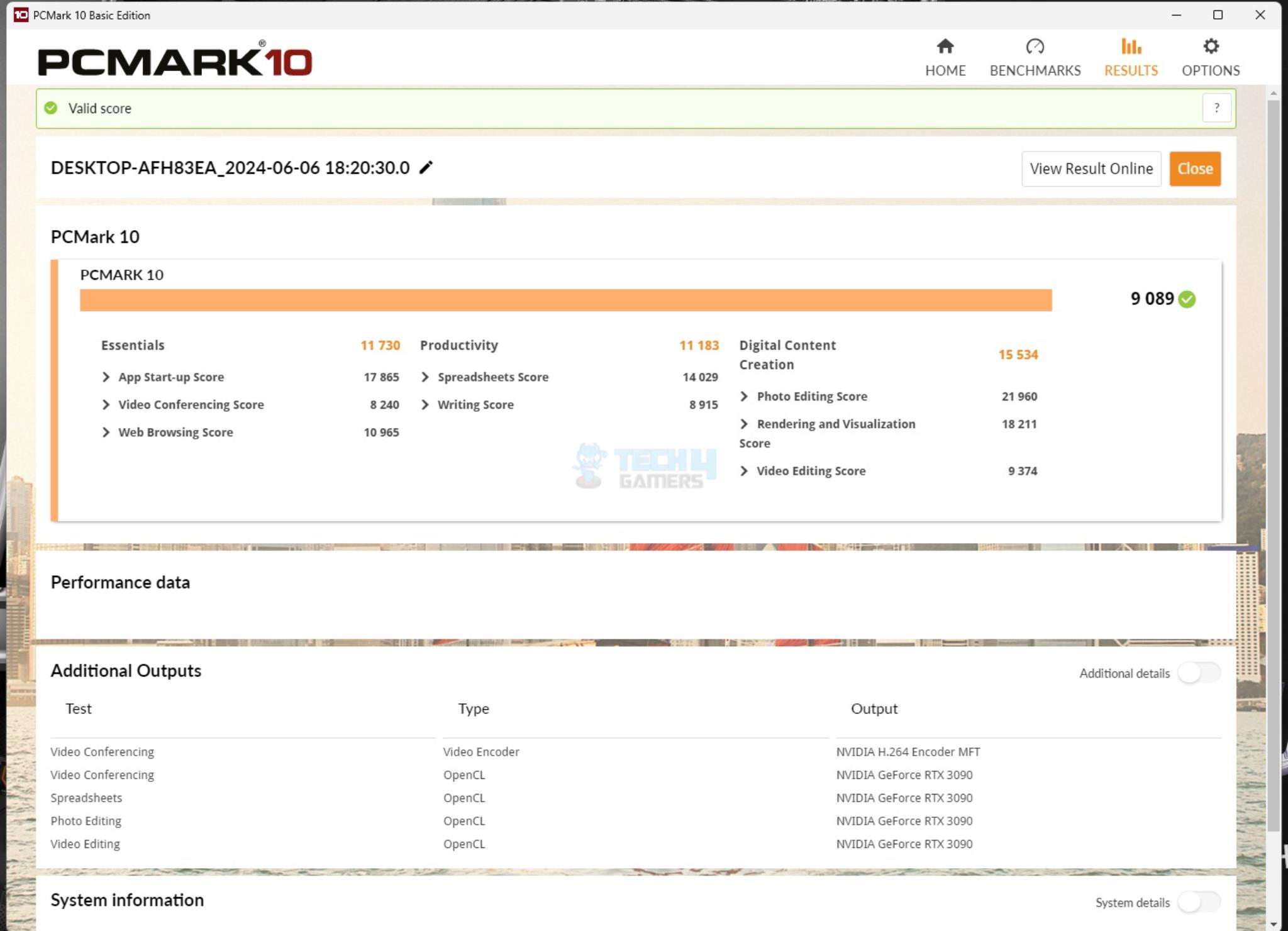
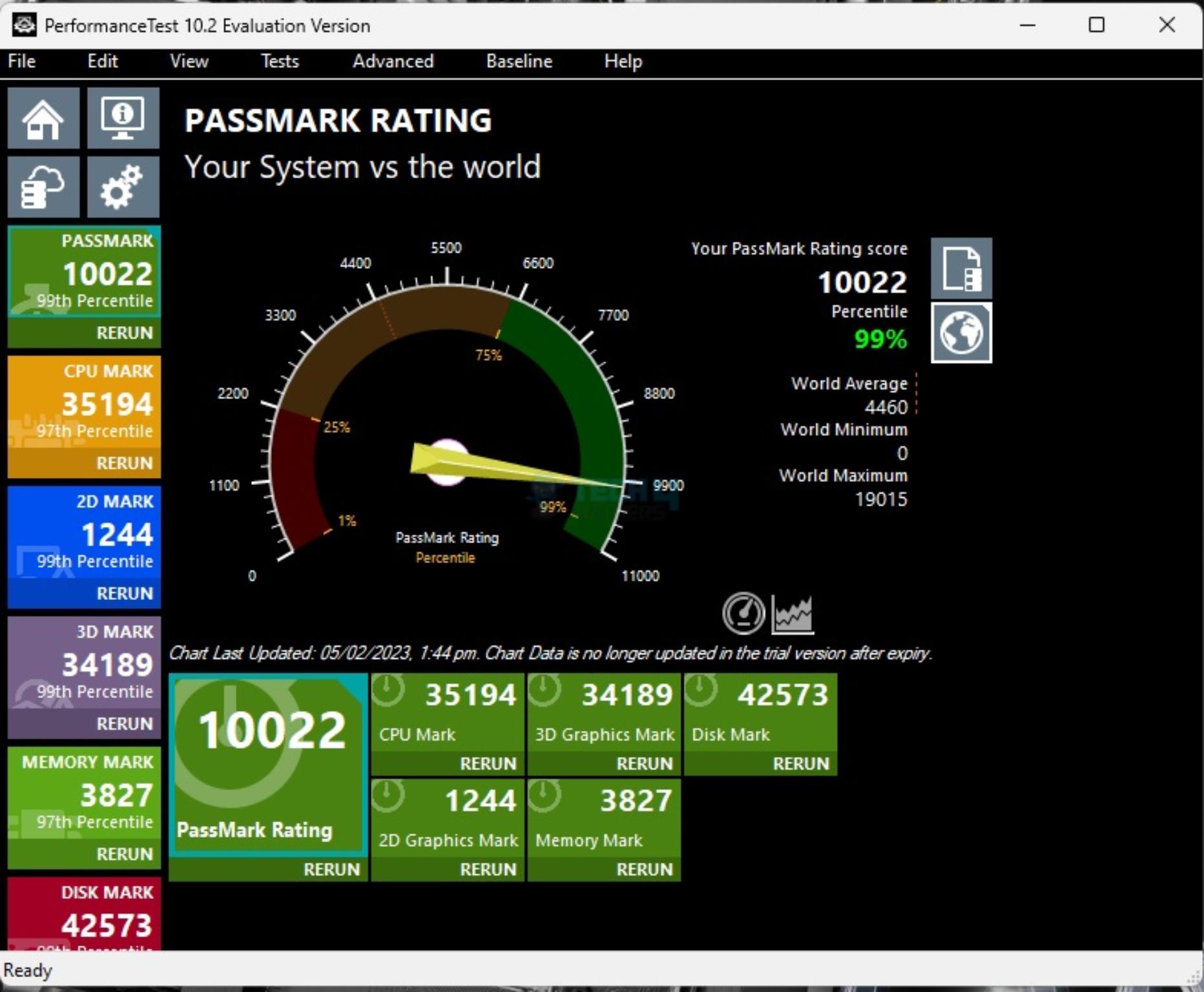
The PCMARK10 score came to 9089 which is good and the Performance Test overall score was 10022.
Core Clock Behavior
Gaming Benchmarks
1 of 3
Idle Statistics (Image By Tech4Gamers)
Multi Core Load Statistics (Image By Tech4Gamers)
1T Load Statistics (Image By Tech4Gamers)
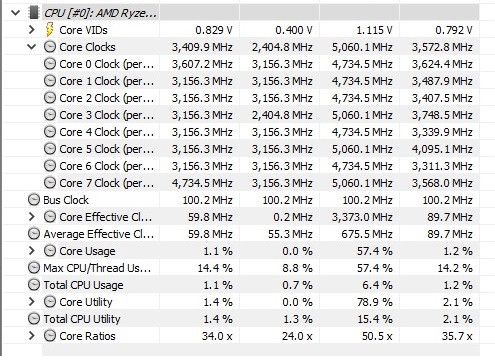
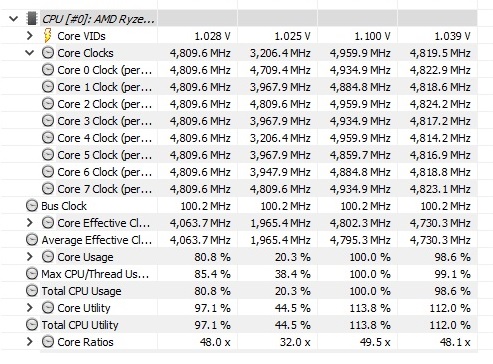
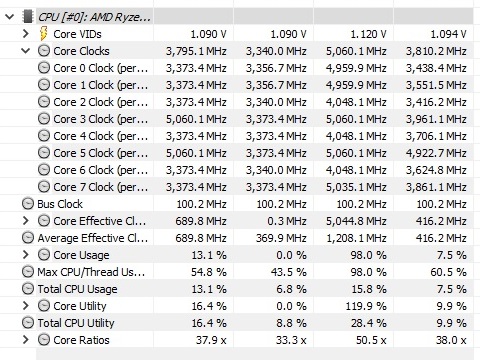
I have a Balanced Power profile in Windows Environment. To record the idle temperatures, the system was put on idle for 10 minutes. The idle clocks were 3156MHz. The cores boosted to 5.06GHz under 1T load using R23.2 whereas these cores boosted to 4.93GHz under all cores load. These figures confirm AMD’s clock ratings for Ryzen 7 7800X3D.
Testing was done at an ambient temperature of 30ᵒC. the CPU was idling at 43.5ᵒC and the graphics card was idling at 35ᵒC. Under load, the CPU was doing 81ᵒC whereas the GPU was doing 83ᵒC.
Thermal Imaging (Image By Tech4Gamers)
The VRM/MOSFET was doing 45.4ᵒC at an ambient of 28ᵒC.
I have praised MSI MEG Z790 ACE MAX as the best VRM/MOSFET cooling solution. The MEG X670E ACE also did not disappoint.
Should You Buy It?
Buy It If
✅You are looking for a flagship motherboard: MSI MEG X670E ACE is a top-tier motherboard that boasts a well-balanced feature set that suits gamers, content creators, and professionals alike.
✅Gen5 Connectivity is your requirement: MSI MEG X670E ACE has 3x Gen5 PCIe slots and 1x Gen5 M.2 ports onboard with two additional ports coming from bundled PCIe Cards. This is a heaven.
✅You need high-speed USB Connectivity: MSI MEG X670E ACE has a total of three USB 3.2 Gen2x2 Type-C ports which is too good.
✅You want best-in-class cooling for power stages: MSI has used stacked fin array heatsinks that are interconnected using copper heat pipes. The thermal pads are quite thick which seems to be over 2mm in thickness and are rated for 7W/mK. This provides the best cooling solution as I have seen in my testing.
Don’t Buy It If
❌You are a budget user: Coming in at USD 679.99, this motherboard is not for every user and not even the mainstream users. Take a look at X670E Carbon WiFi instead.
My Thoughts
MSI MEG X670E ACE flagship motherboard from MSI on the AMD platform. This board has 22+2+1 power phases (DUETS) with enlarged heat sinks (array Fins) that are using a heat pipe and there are 7W/mK rated thermal pads under these covers. MSI has integrated sensors to report temperature and power values from two different rails. There is over-current and over-voltage protection as well. The BIOS interface is the same as we have seen on the MSI motherboard.
Speaking of Gen5 connectivity, this motherboard is heaven. It has a total of 3 PCIe Gen 5 steel reinforced slots wired to the CPU socket. Their behavior/configuration is dependent on the installed CPU. There is a single M.2 Gen5 port on-board wired to the CPU socket. the PCIe slots are SMT welded.
MSI has provided a first-generation M.2 XPANDER Gen5 DUAL PCIe card that provides two additional Gen5 M.2 ports. The third PCIe slot shares bandwidth with one USB 3.2 Gen2x2 Type-C port on the rear panel. Installing a card in a third PCIe slot will disable the USB port. You can change the selected device from the BIOS.
Each M.2 heatsink has dual thermal pads. Gen5 port has a tool-less handling. However, this port does not support the 22110 form factor. This motherboard has a total of 6 SATA 6G ports. Two are controlled via ASM1061 and the rest are wired to the chipset.
The board has support for up to 192GB RAM Capacity with up to 8000+(OC) MHz frequency. Speaking of USB connectivity, this board has a strong game compared to the competition. Not only does this board have three USB 3.2 Gen2x2 20Gbps ports in addition to 18x other USB ports, this motherboard also provides a 60W PD function from the front Type E USB port.
This motherboard retails at USD 679.99 which is a steep price but the feature set makes up for this price. This motherboard has a solid performance particularly the VRM temperatures under load were impressive. This motherboard has a 3-year warranty from MSI.
At Tech4Gamers, I contribute as a Senior News Reporter, combining my skills and gaming enthusiasm to keep our audience updated on the latest developments.
Story Highlight
Multiple releases throughout the years have shown us that gameplay is the most important part of a game.
Hellblade 2 has been the most recent reminder.
Even though the game was deemed the best-looking Unreal Engine 5 title to date, it still underperformed.
Gameplay is king in the industry and always has been. Although appealing graphics can improve the experience, they are not essential for a game’s success, as best demonstrated by many Nintendo titles.
Recently, Hellblade 2’s underperformance has been highlighted as a lesson for future developers, emphasizing that gameplay should always take precedence over other aspects since this is the biggest factor in a game.
Why it matters: Despite being considered one of the most visually impressive titles, Hellblade 2 is no longer being talked about. It seems everyone has moved on since the gameplay was quite shallow and lackluster.
Hellblade 2 Was Disappointing
Hellblade 2 Puts All Its Eggs In A Single Basket
Captivating visuals can draw an audience initially, but what truly matters is whether they remain engaged. According to reports, nearly half of Hellblade 2 players abandoned the game before earning their first achievement.
Furthermore, only 13% of the players beat the main story. This is because the experience has been deemed ‘boring,’ and has even been given the unfortunate label of a “walking simulator.”
Ninja Theory had clear priorities for this title right from the start, aiming for a cinematic experience. However, in their pursuit of achieving this cinematic perfection, they overlooked the importance of delivering engaging gameplay.
This serves as a powerful reminder for all developers that while their game may be hailed as the most visually stunning title, it can still disappoint if critical aspects, such as gameplay, fall short of expectations.
Nintendo Is Leading By Example
Hellblade 2 Runs Well Despite Incredible Visuals
In my opinion, Nintendo stands out as one of the premier developers, showcasing that gameplay reigns supreme over all other elements. Nintendo’s consistent emphasis on gameplay has propelled them to great success in the gaming industry.
Recognizing the limitations of their hardware in terms of graphics, Nintendo cleverly transformed this weakness into a strength. They have produced numerous beloved titles such as Zelda, Pokemon, and Mario, which, despite lacking realistic visuals, have captured the hearts of gamers worldwide.
I think many developers could benefit from learning from Nintendo’s example.
Ninja Theory could have maintained Hellblade 2’s quality as a high-quality indie title. However, the team needed to keep in mind that people choose games over movies for interactivity. Eliminating or ignoring this element is far from the wisest move.
As previously mentioned, Hellblade 2 excelled in graphics and could have surpassed expectations if Ninja Theory had balanced this with a strong focus on gameplay. A third entry in the franchise has reportedly been greenlit, presenting Ninja Theory with an opportunity to do just that.
I hope Ninja Theory learns from its mistakes and gives gameplay just as much importance for Hellblade 3.
At Tech4Gamers, I contribute as a Senior News Reporter, combining my skills and gaming enthusiasm to keep our audience updated on the latest developments.
Story Highlight
Story modes in games have always been associated with an offline experience accessible at any time.
However, a recent trend in the industry is taking this luxury away from us consumers.
I believe this is an anti-consumer practice, and story modes in games should be playable without an active internet connection at all times.
Throughout history, story modes in games have been primarily associated with offline gameplay. They have provided a way for players to enjoy stories and experiences without the need for an internet connection or the pressures of competition.
However, the gaming industry seems to be changing for the worse, with developers shifting to a new strategy. Internet connections are often required at all times today, even in story modes.
I believe this is a terrible practice, and an end should be put to forced internet connection requirements.
Why it matters: Requiring a mandatory active internet connection for story modes introduces numerous issues that detract from the relaxing and engaging experience these modes are meant to provide.
The Black Ops 6 Problem
I’m Less Excited For Black Ops 6 Due To This Requirement
This requirement undermines the purpose of story modes by locking out players who lack reliable internet access, making this move very anti-consumer. Black Ops 6 is the latest example of this trend.
It has been revealed to require an active internet connection at all times, even in the campaign. According to Activision, the requirement is put into place to deliver the highest quality visuals while reducing the overall size through texture streaming across all game modes.
In my opinion, this implementation is a major flaw in what could be Call of Duty’s biggest title in recent years. As someone who has cherished various campaigns over the years, I find this roadblock to be completely unnecessary.
Imagine your internet goes out, and you want to play Call of Duty. You can still fall back on the campaign, but Black Ops 6 won’t allow this liberty.
Always Online Requirements Always Cause Outrage
Redfall Received A Lot of Backlash For Its Lack of Offline Gameplay At Launch
Multiple developers have implemented similar requirements in the past, but it usually backfires. Some recent examples of games requiring an active internet connection at all times, even in story mode, include Redfall, Suicide Squad: Kill The Justice League, and Diablo 4.
However, after Redfall’s poor performance, an offline mode for the game was introduced in May, and its developer, Arkane Austin, was shut down. Similarly, Kill The Justice League was a massive failure for Rocksteady Studios, and an offline mode for the game has also been announced.
Although Gran Turismo 7 does not feature a story mode, it requires an active internet connection almost constantly. Elsewhere, Forza Motorsport mandates an active internet connection for progression in its career mode.
As one would expect, the industry did not take kindly to this implementation for any of these games. Therefore, the issue is not limited to just story modes, and it extends to any single-player mode or title that does not necessarily need online gameplay.
I hope to see this trend completely disappearing since it is very anti-consumer and ruins the fun of gaming. I’d much rather have all my games available to me at all times than sit through an empty library anytime my internet goes out.