Home Blog Page 444

We Have Tested The BEST RAM For Ryzen 7 7800X3D [With Benchmarks]

With its larger 96MB L3 cache pool, the AMD Ryzen 7 7800X3D offers outstanding performance at a reasonable price. Coupled with a faster IPC, the CPU goes all out for all consumers. That’s why, in our Ryzen 7 7800X3D review, the CPU really left every other chip behind. Of course, for better gaming CPUs, you also need RAM kits that don’t bottleneck the processor. Therefore, after extensive research and in-house testing, I have put together a list of the top RAM kits for Ryzen 7 7800X3D.

Why Trust Tech4Gamers
  • Sameed Hussain is our hardware expert who has been testing graphics cards, processors, RAM, and motherboards for years.
  • 70+ RAM tested and reviewed by our team of hardware experts (Tech4Gamers Team).
  • 200+ hours spent testing different RAM for our reviews.
  • Objective testing criteria (See how we test RAM).

At Tech4Gamers, ensuring you get reliable information is our priority. That’s why every hardware round-up undergoes a meticulous review process by our team of experts and editors. Each review is carefully examined against our strict editorial guidelines, guaranteeing you trustworthy insights you can depend on.

Take a look at my recommended RAM kits for the Ryzen 7 7800X3D, all compared to each other:

RAM
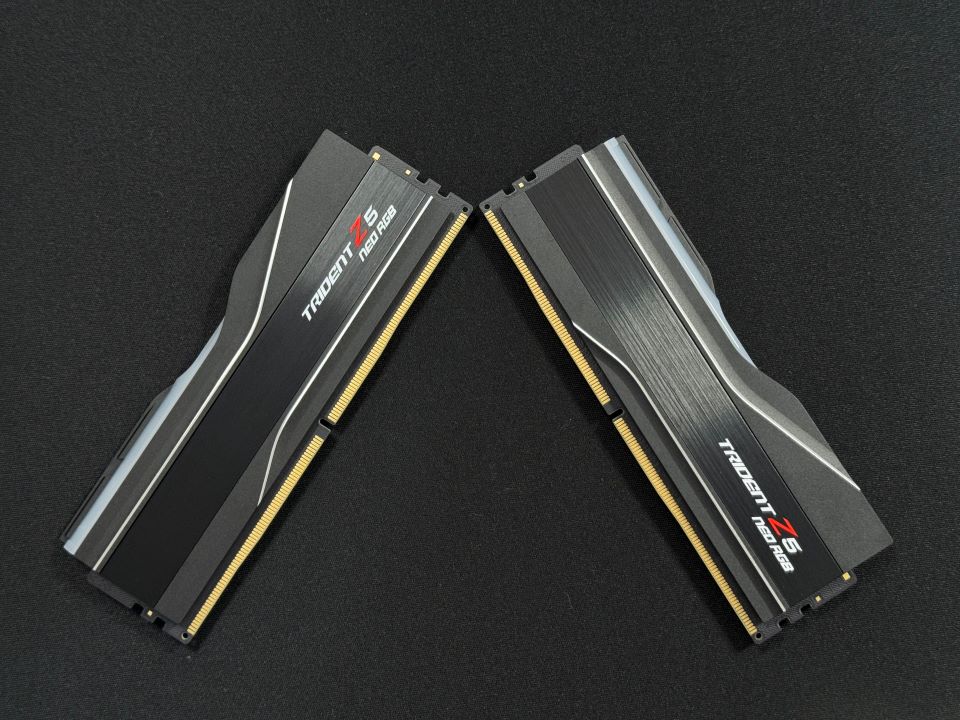
G.SKILL Trident Z5 Neo RGB
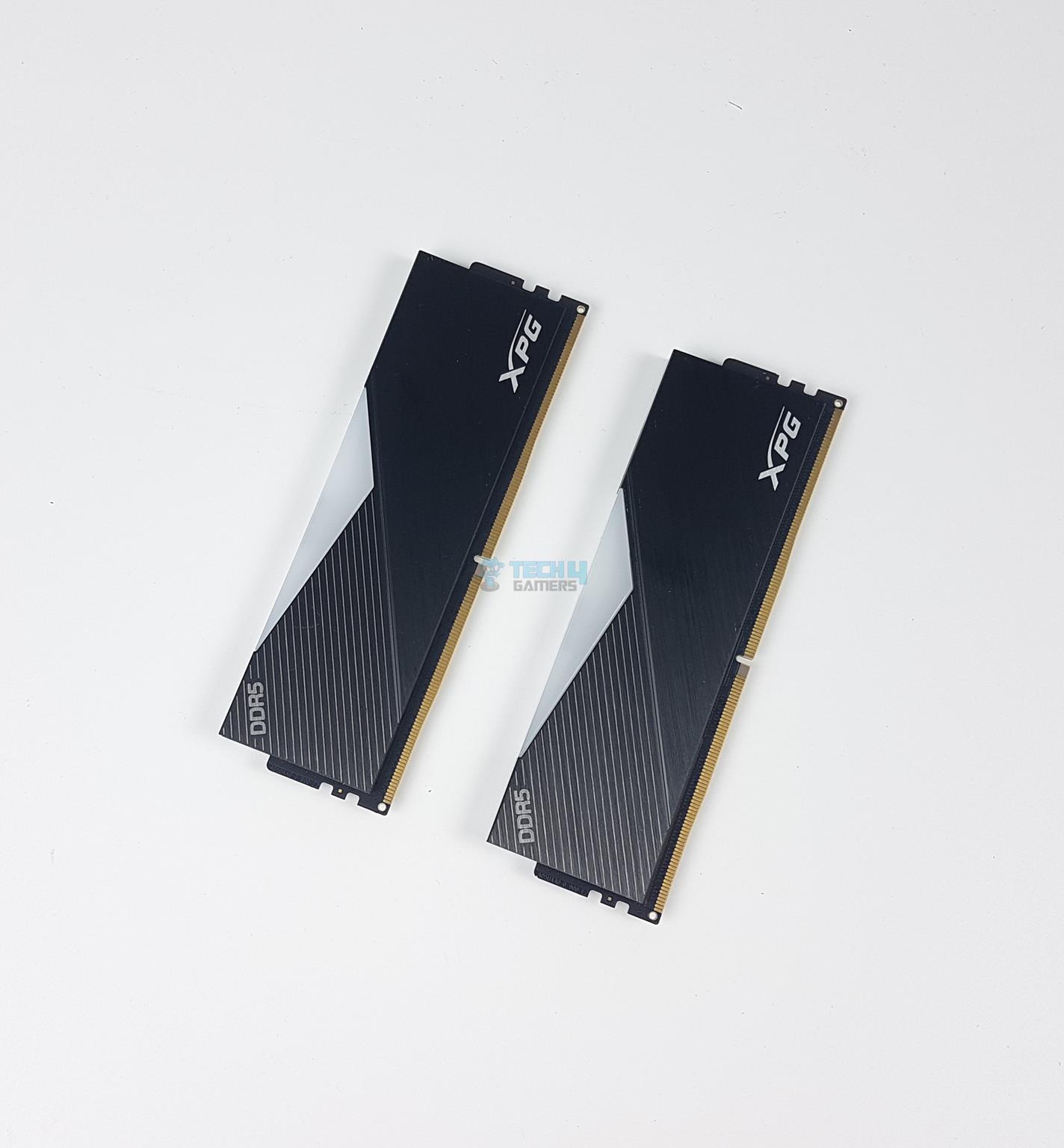
XPG Lancer RGB
Corsair Dominator Titanium
G.Skill Flare X5
CORSAIR Vengeance RGB
Looks
G.SKILL Trident Z5 Neo RGB Series DDR5 RAM (AMD Expo) 64GB (2x32GB) 6000MT/s CL30-40-40-96 1.40V Desktop Computer Memory U-DIMM - Matte Black (F5-6000J3040G32GX2-TZ5NR)
XPG Lancer RGB DDR5 7200MHz 32GB (2x16GB) CL34 UDIMM 288-Pins Desktop SDRAM DDR5 Dual Channel RAM Kit Black Heatsink (AX5U7200C3416G-DCLARBK)
CORSAIR Dominator Titanium RGB DDR5 RAM 32GB (2x16GB) DDR5 7200MHz CL34 Intel XMP iCUE Compatible Computer Memory - White (CMP32GX5M2X7200C34W)
G.SKILL Flare X5 Series DDR5 RAM (AMD EXPO) 32GB (2x16GB) 6000MT/s CL30-38-38-96 1.35V Desktop Computer Memory U-DIMM - Matte Black (F5-6000J3038F16GX2-FX5)
CORSAIR VENGEANCE RGB DDR5 64GB (2x32GB) DDR5 6000MHz CL30 AMD EXPO Intel XMP iCUE Compatible Computer Memory – Gray (CMH64GX5M2B6000Z30)
Award
Best Overall RAM
Best Performance RAM
Best White RAM
Best Value RAM
Best 64GB RAM
What We Liked
Great performance, High-speed kit, Lifetime Warranty
Great speed & latency combo, Sleek aluminum heat sink, Height isn't too much 
Top-tier performance and looks
Performance, Value for money, Low profile
Great performance, Beautiful white looks, Can be overclocked
What We Disliked
Pricey
Price is on the higher side
No overclocking potential
Not the best choice for overclocking
Pricey
Frequency
6,000MHz
7200MHz
7200MHz
6000MHz
6000MHz
Latency
CL30
CL34
CL34
CL30
CL30
RGB
Short On Time?
A jack of all trades that offers good performance, pricing, and looks.
Delivers top-notch performance with zero compromises
A drop-dead gorgeous kit that delivers both top-tier performance and perfect aesthetics for a white build.
A true bang for the buck that perfectly goes along with the 7800X3D.
Go-to option for AI engineers or gamers who want high capacity.
RAM
G.SKILL Trident Z5 Neo RGB
Looks
G.SKILL Trident Z5 Neo RGB Series DDR5 RAM (AMD Expo) 64GB (2x32GB) 6000MT/s CL30-40-40-96 1.40V Desktop Computer Memory U-DIMM - Matte Black (F5-6000J3040G32GX2-TZ5NR)
Award
Best Overall RAM
What We Liked
Great performance, High-speed kit, Lifetime Warranty
What We Disliked
Pricey
Frequency
6,000MHz
Latency
CL30
RGB
Short On Time?
A jack of all trades that offers good performance, pricing, and looks.
Amazon
Newegg
RAM
XPG Lancer RGB
Looks
XPG Lancer RGB DDR5 7200MHz 32GB (2x16GB) CL34 UDIMM 288-Pins Desktop SDRAM DDR5 Dual Channel RAM Kit Black Heatsink (AX5U7200C3416G-DCLARBK)
Award
Best Performance RAM
What We Liked
Great speed & latency combo, Sleek aluminum heat sink, Height isn't too much 
What We Disliked
Price is on the higher side
Frequency
7200MHz
Latency
CL34
RGB
Short On Time?
Delivers top-notch performance with zero compromises
Amazon
Newegg
RAM
Corsair Dominator Titanium
Looks
CORSAIR Dominator Titanium RGB DDR5 RAM 32GB (2x16GB) DDR5 7200MHz CL34 Intel XMP iCUE Compatible Computer Memory - White (CMP32GX5M2X7200C34W)
Award
Best White RAM
What We Liked
Top-tier performance and looks
What We Disliked
No overclocking potential
Frequency
7200MHz
Latency
CL34
RGB
Short On Time?
A drop-dead gorgeous kit that delivers both top-tier performance and perfect aesthetics for a white build.
Amazon
Newegg
RAM
G.Skill Flare X5
Looks
G.SKILL Flare X5 Series DDR5 RAM (AMD EXPO) 32GB (2x16GB) 6000MT/s CL30-38-38-96 1.35V Desktop Computer Memory U-DIMM - Matte Black (F5-6000J3038F16GX2-FX5)
Award
Best Value RAM
What We Liked
Performance, Value for money, Low profile
What We Disliked
Not the best choice for overclocking
Frequency
6000MHz
Latency
CL30
RGB
Short On Time?
A true bang for the buck that perfectly goes along with the 7800X3D.
Amazon
Newegg
RAM
CORSAIR Vengeance RGB
Looks
CORSAIR VENGEANCE RGB DDR5 64GB (2x32GB) DDR5 6000MHz CL30 AMD EXPO Intel XMP iCUE Compatible Computer Memory – Gray (CMH64GX5M2B6000Z30)
Award
Best 64GB RAM
What We Liked
Great performance, Beautiful white looks, Can be overclocked
What We Disliked
Pricey
Frequency
6000MHz
Latency
CL30
RGB
Short On Time?
Go-to option for AI engineers or gamers who want high capacity.
Amazon
Newegg

Last Updated:


  • October 30, 2024: After testing several more DDR5 kits, we found the XPG Lancer RGB 32GB DDR5-7200 CL34 to offer the best-in-class performance with the 7800X3D, so we have added this kit to our recommendations.

[toc]

I highly suggest you also check our other tested round-ups:

Best RAM For Ryzen 7 7800X3D

Following are my top RAM picks for the Ryzen 7 7800X3D: 

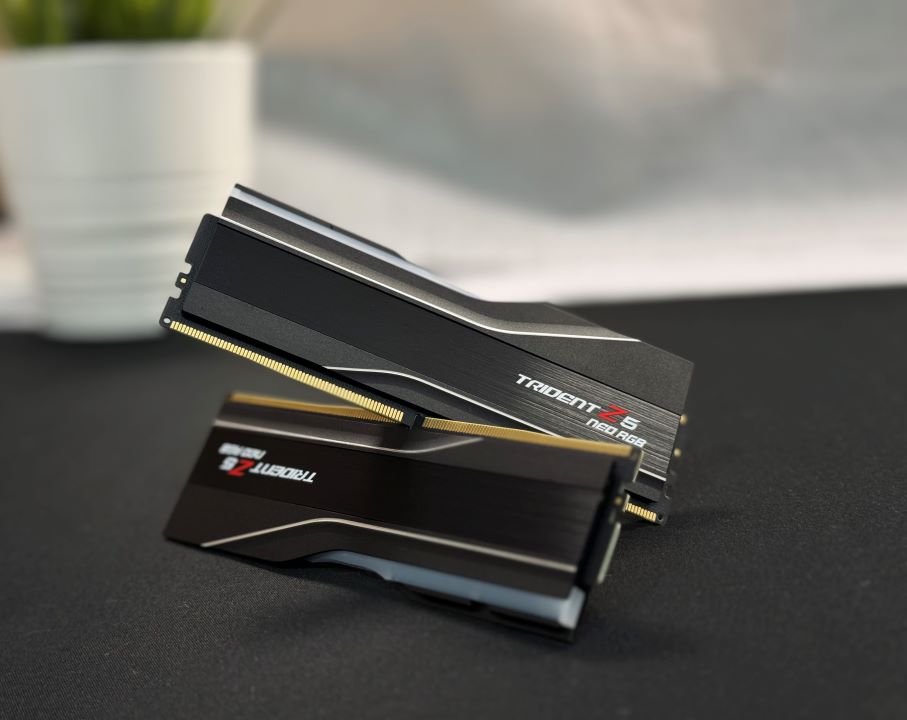
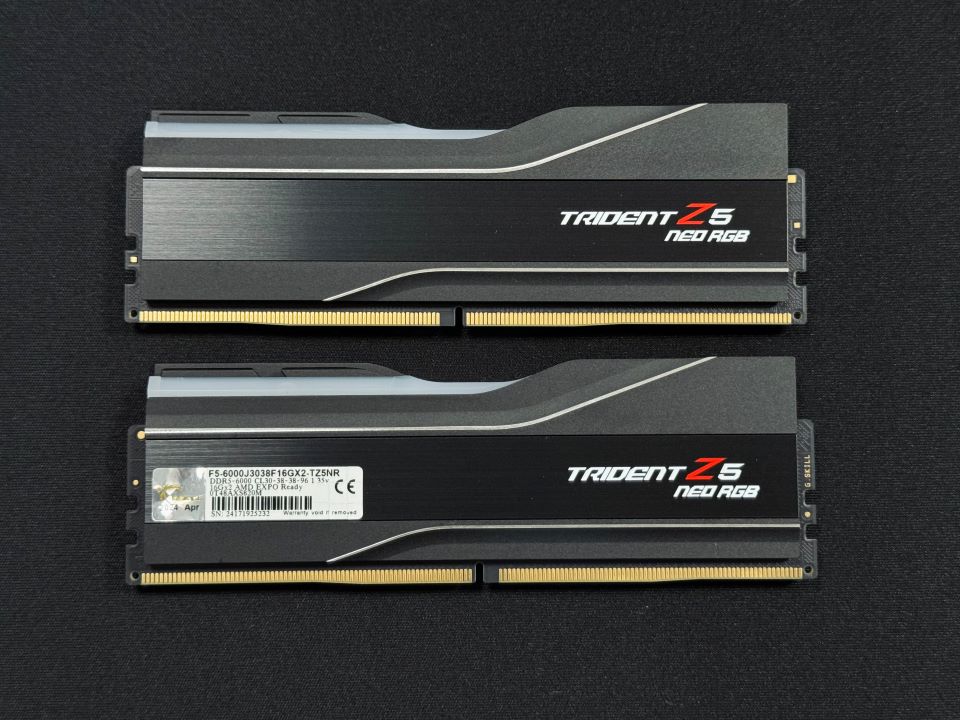
  1. Best Overall RAM: G.SKILL Trident Z5 Neo RGB 32GB DDR5-6000 CL30
  2. Best Performance RAM: XPG Lancer RGB 32GB DDR5-7200 CL34
  3. Best White RAM: Corsair Dominator Titanium 32GB DDR5-7200 CL34
  4. Best Value RAM: G.Skill Flare X5 32GB DDR5-6000 CL30
  5. Best 64GB RAM: Corsair Vengeance RGB 64GB DDR5-6000 CL30

G.SKILL Trident Z5 Neo RGB 32GB DDR5-6000 CL30

Best Overall RAM For Ryzen 7 7800X3D

Specifications: Memory Type: DDR5 | Capacity: 32GB (2x 16 GB) | Frequency: 6,000MHz | Latency: CL30 | Latency (Nanoseconds): 10ns | Voltage: 1.30V | RGB: Yes

Pros

  • Amazing aesthetics
  • Solid 6,000Mhz frequency
  • Great heatsink
  • Decent overclocking performance

Cons

  • Pricey

Read Our G.Skill Trident Z5 Neo RGB 32GB DDR5-6000 CL30 Kit Review

The G.Skill Trident Z5 Neo RGB 32GB DDR5 RAM kit looks astonishing in most PC builds, providing a sleek and futuristic look with its aluminum-brushed heatsink. In terms of performance, the Trident Z5 Neo offers 6,000MHz frequency with CL30 timings. During my gaming tests with the AMD Ryzen 7 7800X3D, all the maps loaded almost instantly at 1440p and 4K resolutions, showcasing the RAM’s outstanding speed. 

Aside from its performance, the RAM kit also offers decent overclocking potential. In my overclocking tests, I easily increased the RAM’s frequency to 7,000MHz without changing the voltage or lowering the latency. However, you can do so if you feed more power to the RAM kit.

When our RAM expert, Mussab Ali, tested the Trident Z5 Neo RGB, this is what he had to say:

The G.Skill Trident Z5 Neo RGB DDR5-6000 CL30 is for AMD enthusiasts with a little bit of budget constraint and don’t want to compromise that much on performance either. It looks great, performs well, and doesn’t cost as much as some of the competition. One of the best well-rounded RAMs in the market right now.

Buy It If

You’re looking for a sleek design with fast latencies: If you’re on the lookout for a RAM kit that provides a sleek and creative design with decent RGB and fast latencies, the G.Skill Trident Z5 Neo RGB kit will make you happy with its design and performance.

Don't Buy It If

You’re on a tight budget: The G.Skill Trident Z5 Neo RGB isn’t for you if you’re on a tight budget because of its higher price.

What Makes It The Best Overall RAM For Ryzen 7 7800X3D?

The G.Skill Trident Z5 Neo RGB is one of the best-performing RAMs, and it also looks stunning aesthetic-wise and has quite a sturdy build quality. Moreover, the RAM’s impressive overclocking potential is why I have picked it for those who want a jack-of-all-trades RAM. 

Editor`s Note
Image

Personally, I loved the G.Skill Trident Z5 Neo RGB because of its outstanding performance, aesthetics, overclocking capabilities, and customizations. If you’re building a new PC with the AMD Ryzen 7 7800X3D, I assure you this purchase will keep you happy for a long time. You also get better future-proofing because of the RAM’s overclocking performance.

– Sameed Hussain

Performance: 10/10 Value: 8/10
Features: 9/10 Design: 9/10

XPG Lancer RGB 32GB DDR5-7200 CL34

Best Performance RAM For Ryzen 7 7800X3D
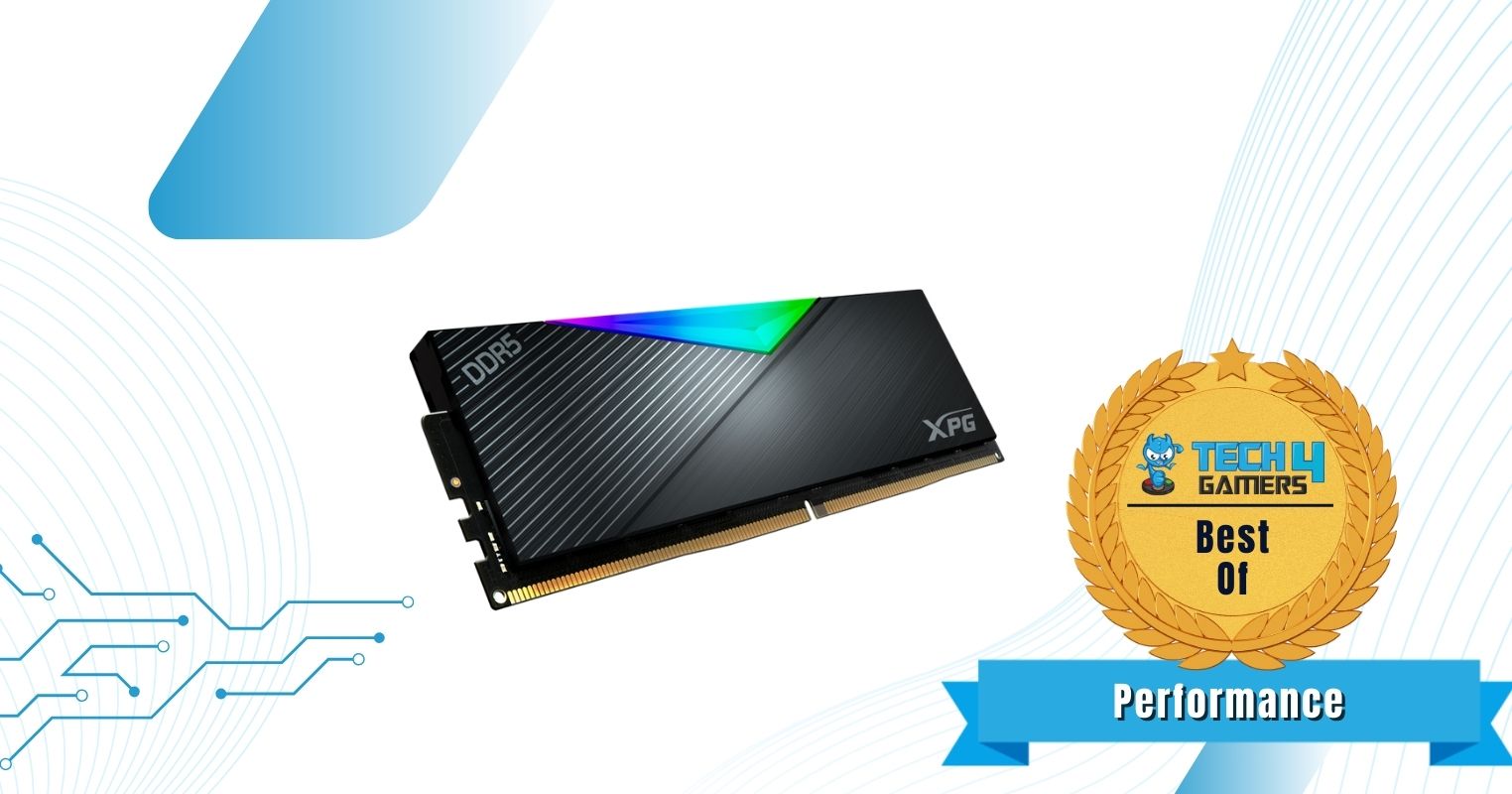
Memory Type: DDR5 | Capacity: 32 GB (2×16 GB) | Frequency: 7200 MHz | Latency: CL34 | Latency (Nanoseconds): 9.44ns | Voltage: 1.40V | RGB Lighting: Yes

Pros

  • Great speed & latency combo
  • Sleek aluminum heat sink
  • Height isn’t too much 
  • Support for AMD EXPO profile
  • Robust build quality all over
  • Overclocking is possible
  • It has a limited lifetime warranty 

Cons

  • Price is on the higher side

Read Our Corsair Dominator Titanium DDR5-7200 C34 Kit Review

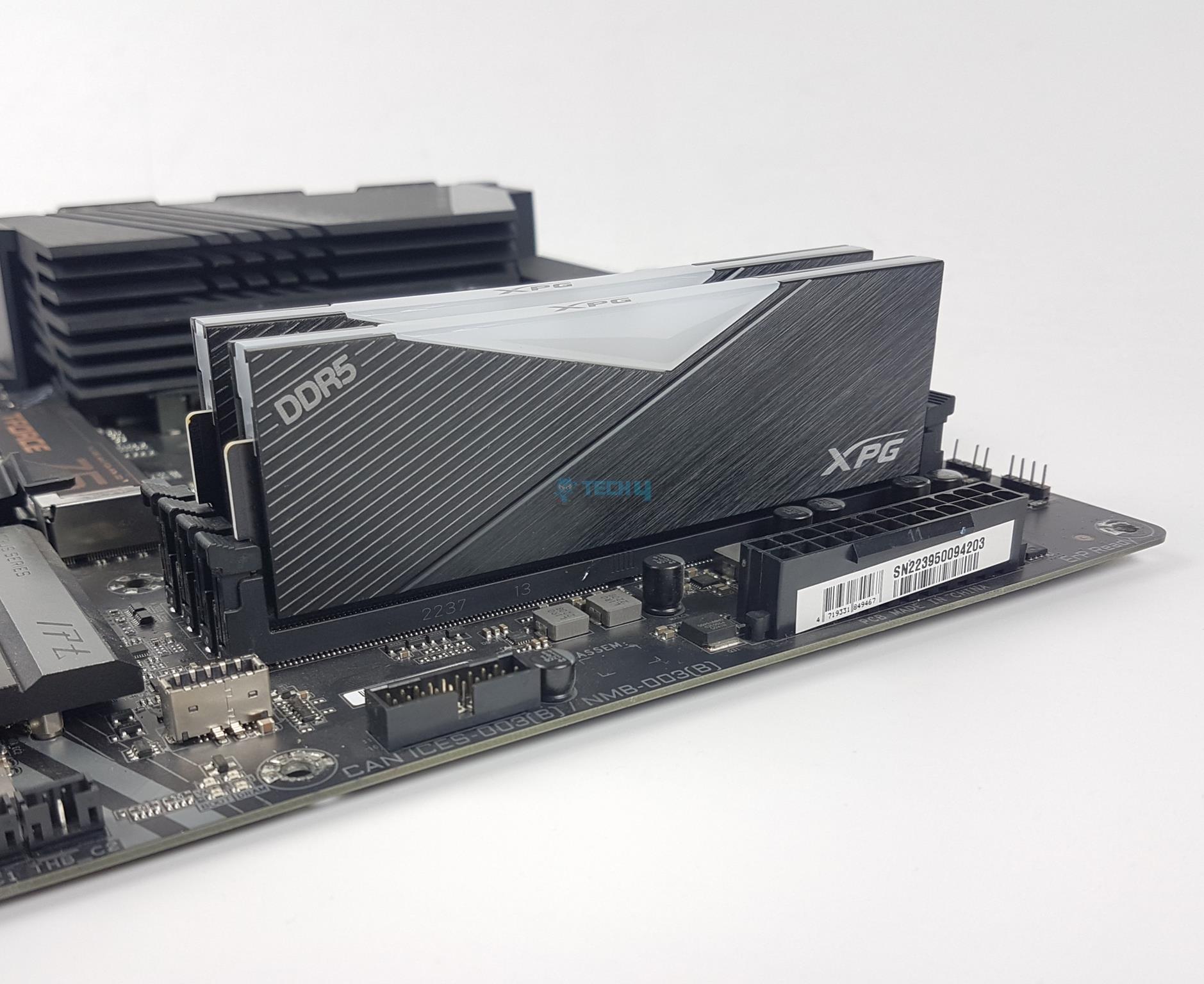
If you’re on the hunt to combine your Ryzen 7 7800X3D with the best-performing DDR5 RAM, then the XPG Lancer RGB kit should be your top priority. The kit boasts a sleek design with brushed aluminum finish as well as cut out in the middle for the RGB diffuser which enhances the RGB effects when they’re lit. 

The memory kit offers an impressive 7200 MHz frequency right out of the box alongside the CL34-46-46-116 CAS timings. However, it doesn’t stop there, as it exhibits the potential for further tuning. Our tests proved that the memory’s frequency can be pushed further to 7800 MHz as well as making the CAS timings much tighter to CL34-44-44-96 at 1.5V to maximize the Ryzen 7 7800X3D’s performance.  

Other than that, this is what Nauman Siddique has to say about the RAM, who reviewed it himself:

The XPG Lancer RGB 32GB DDR5 kit delivers exceptional performance, rivaling binary DDR5 kits. Its impressive overclocking capabilities, dual-platform support, and error correction function make it an excellent choice for enthusiasts. Priced at USD 169.99, it offers compatibility with popular RGB sync technologies and features a sleek design with a CNIC-milled aluminum heat spreader.

Buy It If

You want top-of-the-line performance: The XPG Lancer RGB should be your pick if you’re looking for top-tier performance as it delivers that with its 7200 MHz frequency while having a low CAS34 latency.

If you’re into RGB stuff: The XPG Lancer has eye-catching RGB lighting and is also compatible with almost all RGB sync software for your ease — making it an easy pick for those who prefer RGB.

Don't Buy It If

You are an air cooler guy: The RAM is 40 mm tall, which means that it might not fit the best with some air coolers, especially those that tend to go over the RAM area as well. 

What Makes It The Best Performance RAM For Ryzen 7 7800X3D?

With an excellent performance in our tests and the potential to be tuned further, the XPG Lancer RGB DDR5 kit doesn’t disappoint while also providing an equally likeable minimalistic design. I can easily say that there’s no other performance-oriented kit you should pick up for the Ryzen 7 7800X3D.

Performance: 9.5/10 Value: 8/10
Features: 8.5/10 Design: 8/10

Corsair Dominator Titanium 32GB DDR5-7200 CL34

Best White RAM For Ryzen 7 7800X3D
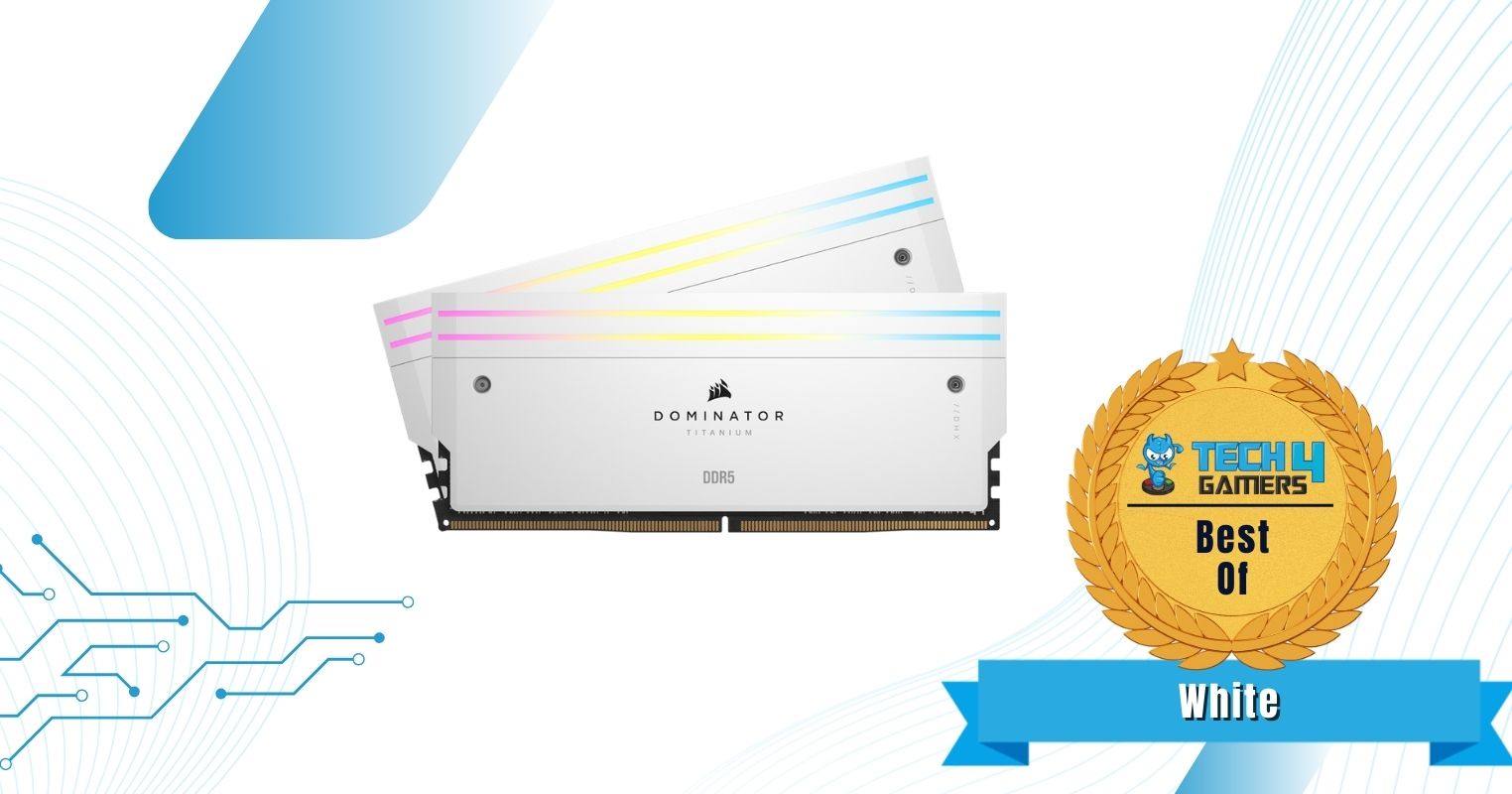
Specifications: Memory Type: DDR5 | Capacity: 32GB (2x 16 GB) | Frequency: 7,200MHz | Latency: CL34 | Latency (Nanoseconds): 9.4ns | Voltage: 1.45V | RGB: Yes

Pros

  • Top-tier performance
  • A sleek design with beautiful RGB
  • Excellent thermals

Cons

  • No overclocking potential
  • Expensive

Read Our Corsair Dominator Titanium DDR5-7200 C34 Kit Review

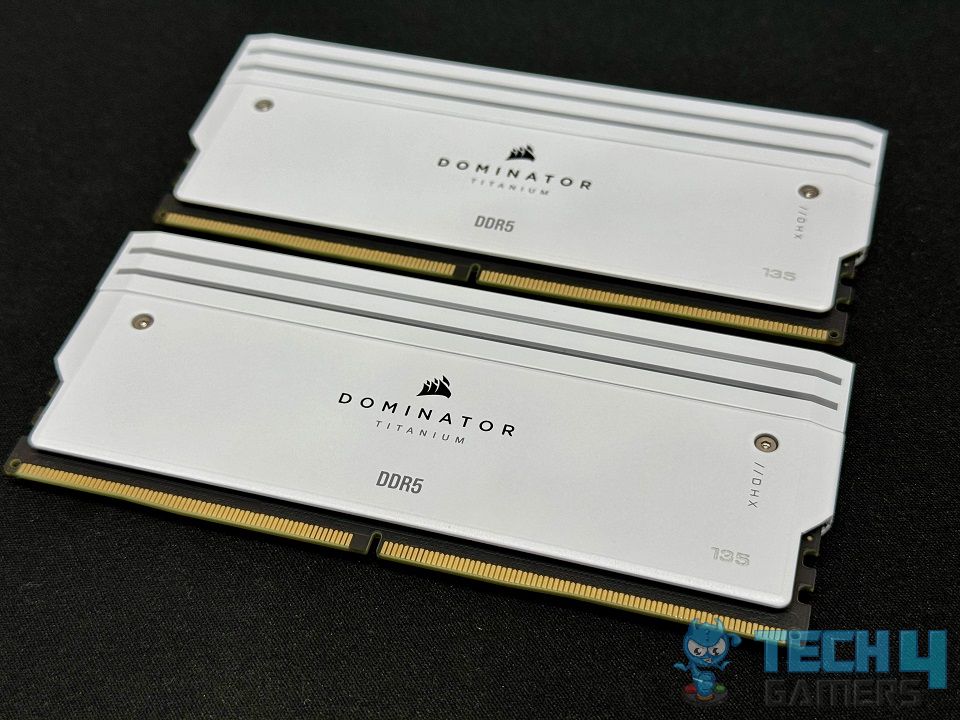
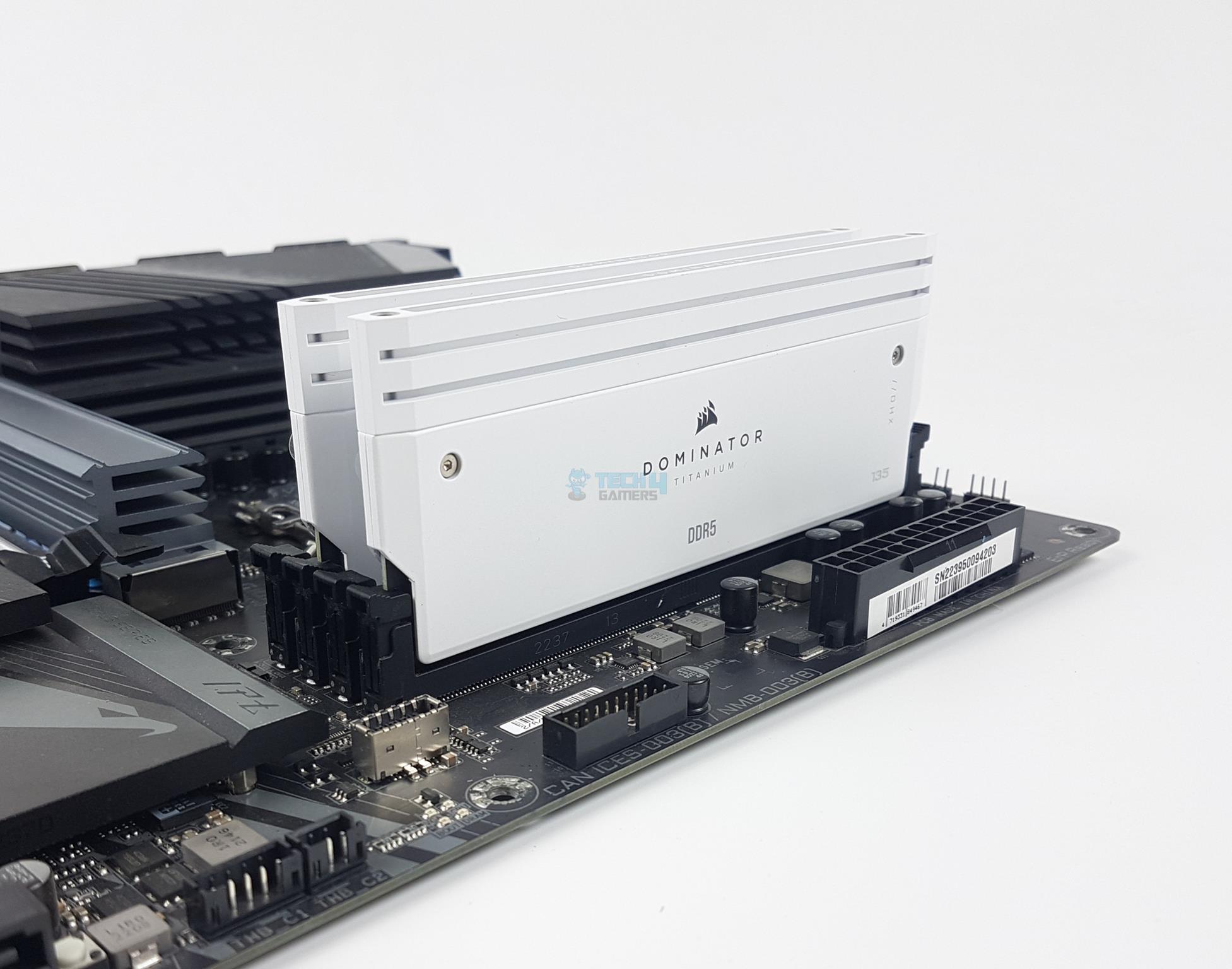
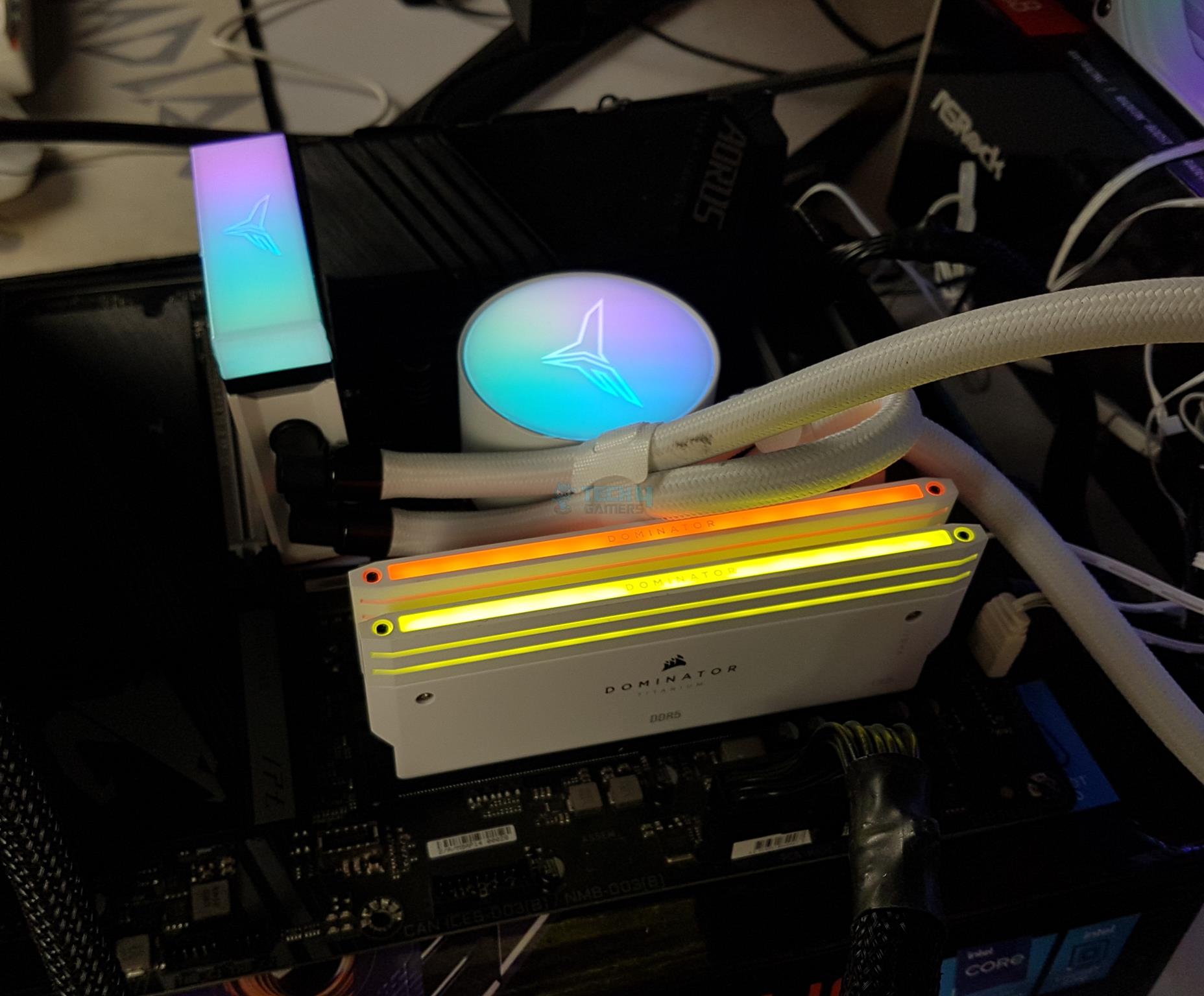
If you want to pair your Ryzen 7 7800X3D with the most performance-packed DDR5 kit, I highly recommend you go with the Corsair Dominator Titanium. First up, it is hands-down one of the most beautiful and sleek-looking kits I have ever used. The design of its aluminium cover is completely different from any other kit. Plus, the raw performance, thanks to AMD EXPO, is unparalleled. With a solid 7,200MHz frequency, CL34 timing, and an impressively low 9.44ns latency, the Dominator Titanium beautifully complements the hardcore performance of the 7800X3D – leaving no room for any compromises.

Honestly, if you want the best performance out of the box with no manual tweaking, I doubt there is any RAM that can top the Corsair Dominator Titanium, especially with those looks. However, I have to say, apart from the steep pricing, it also has pretty much no overclocking potential.

When our very own Nauman Siddiqui took it for a spin, he could only get it to 7600MHz at a whopping 1.52V, so don’t expect much overclocking support. Still, hear it in his own words:

The kit competes well in performance, though there is limited overclocking headroom. Unique features like RGB lighting effects and the option to switch to a fin assembly design add a distinctive touch. Overall, we recommend this RAM.

Buy It If

You want the most performance out of the box: If you don’t want to mess around with manual overclocking, the Dominator Titanium offers a solid 7,200MHz frequency @ CL34 timings with AMD EXPO.

You want a beautiful kit: Apart from RGB lighting, the design philosophy of the Dominator Titanium is unlike any other kit out there, making it a treat to look at.

Don't Buy It If

You prefer some overclocking headroom: If you love some manual tweaking yourself for the best possible performance, the Titanium’s limited overclocking potential is going to be a disappointment.

You’re using a big air cooler: With a height of 57mm, I wouldn’t recommend this kit to those building a compact PC or with a big air cooler, as there is a chance it can obstruct the cooler’s fan.

What Makes It The Best White RAM For Ryzen 7 7800X3D?

Just by going over the numbers, it is pretty obvious that the sheer amount of performance that Corsair has packed into the kit, along with its drop-dead gorgeous design, is what makes it my recommended RAM option for gamers who want the best white for their Ryzen 7 7800X3D. Sure, it carries an expensive price tag, but the performance more than makes up for it.

Performance: 9/10 Value: 7/10
Features: 9/10 Design: 9/10

G.Skill Flare X5 32GB DDR5-6000 CL30

Best Value RAM For Ryzen 7 7800X3D

Specifications: Memory Type: DDR5 | Capacity: 32GB (2x 16GB) | Frequency: 6,000MHz | Latency: CL30 | Latency (Nanoseconds): 10ns | Voltage: 1.35V | RGB: No

Pros

  • Decent 6,000MHz frequency
  • Low 10ns latency
  • Outstanding value
  • Low profile build

Cons

  • Not recommended to overclockers

Read Our G.Skill Flare X5 32GB DDR5-6000 CL30 Kit Review

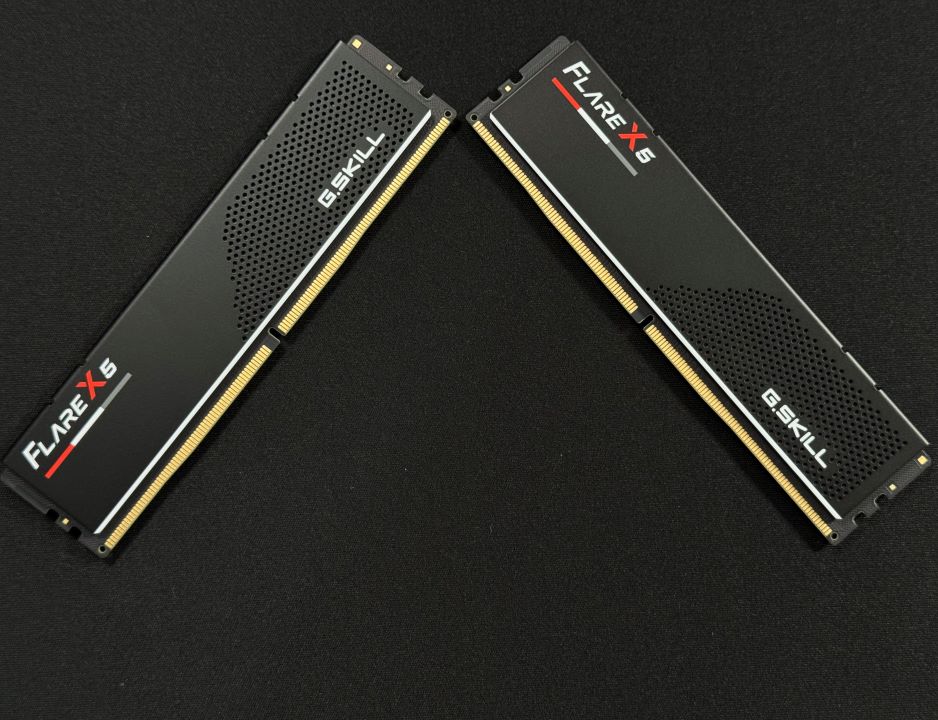
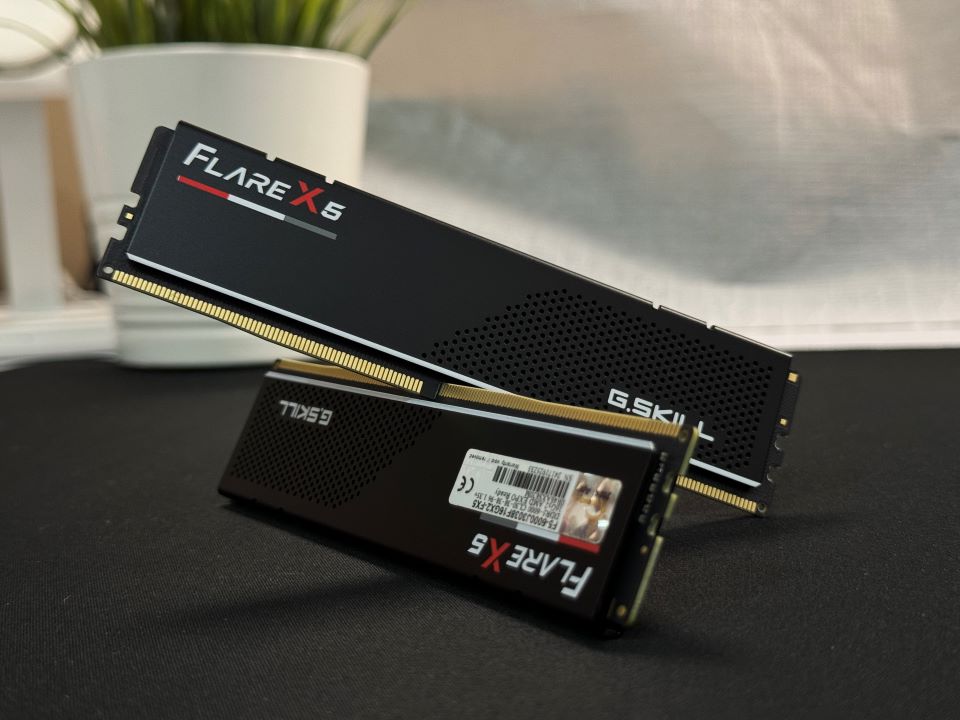
The G.Skill Flare X5 32GB DDR5 RAM kit showcases a simple design, excluding RGB, making it a difficult fit for better-lit PC builds. However, I loved that the RAM kit utilizes a honeycomb design to prevent thermal throttling, providing better overclocking potential. The 6,000MHz frequency with CL30 timings offers great performance. During my performance testing at 1440p and 4K resolutions, I saw no issues in video editing and gaming at max settings.

Of course, I can’t just recommend a DDR5 RAM without overclocking it. Well, we got it to 6600MHz @ 1.42V. Since the timing remains tight at CL30, the latency is reduced to 9.09ns. While these are good numbers, it’s not the ideal RAM for overclocking due to the low-profile heat spreader. Nevertheless, the AMD EXPO support that makes it clock at 6000MHz is still quite good for the 7800X3D.

This is what Mussab Ali, our specialized RAM tester and reviewer, said about the Flare X5 in his dedicated hands-on review of the kit:

The G.SKILL Flare X5 DDR5-6000 CL30 is a great choice for PC builders on a budget, especially if you’re working with an AMD setup. It’s designed for those who want a solid, entry-level build without breaking the bank. If you’re looking to keep costs down while still getting reliable performance, this RAM is a perfect fit.

Buy It If

You want the best bang for the buck: If you’re looking for a RAM kit that provides insane value while also offering great performance, I suggest you go for the G.Skill Flare X5 32GB DDR5 RAM kit.

You want a low-profile RAM: Along with solid performance, the Flare X5 is also a low-profile RAM with a 33mm height, making it a great option for mini-ITX or MicroATX builds.

Don't Buy It If

You want to overclock it: While the 6000MHz frequency with CL30 latency offers more than enough performance for 7800X3D, if you still plan on overclocking, I wouldn’t recommend it due to the smaller heat-spreader. 

What Makes It The Best Value RAM For Ryzen 7 7800X3D?

If one looks at the high-performing capabilities and reliability of G.Skill Flare X5 32GB DDR5-6000, which comes at an affordable price, it turns out to offer the most value for money on the market today, and let’s not forget its exceptional overclocking capabilities.

Performance: 8/10 Value: 10/10
Features: 8/10 Design: 7/10

CORSAIR Vengeance RGB 64GB DDR5-6000 CL30

Best 64GB RAM For Ryzen 7 7800X3D

Specifications: Memory Type: DDR5 | Capacity: 64GB (2x 32GB) | Frequency: 6,000MHz | Latency: CL30 | Latency (Nanoseconds): 10ns | Voltage: 1.4V | RGB: No

Pros

  • Sweet spot performance with AMD EXPO
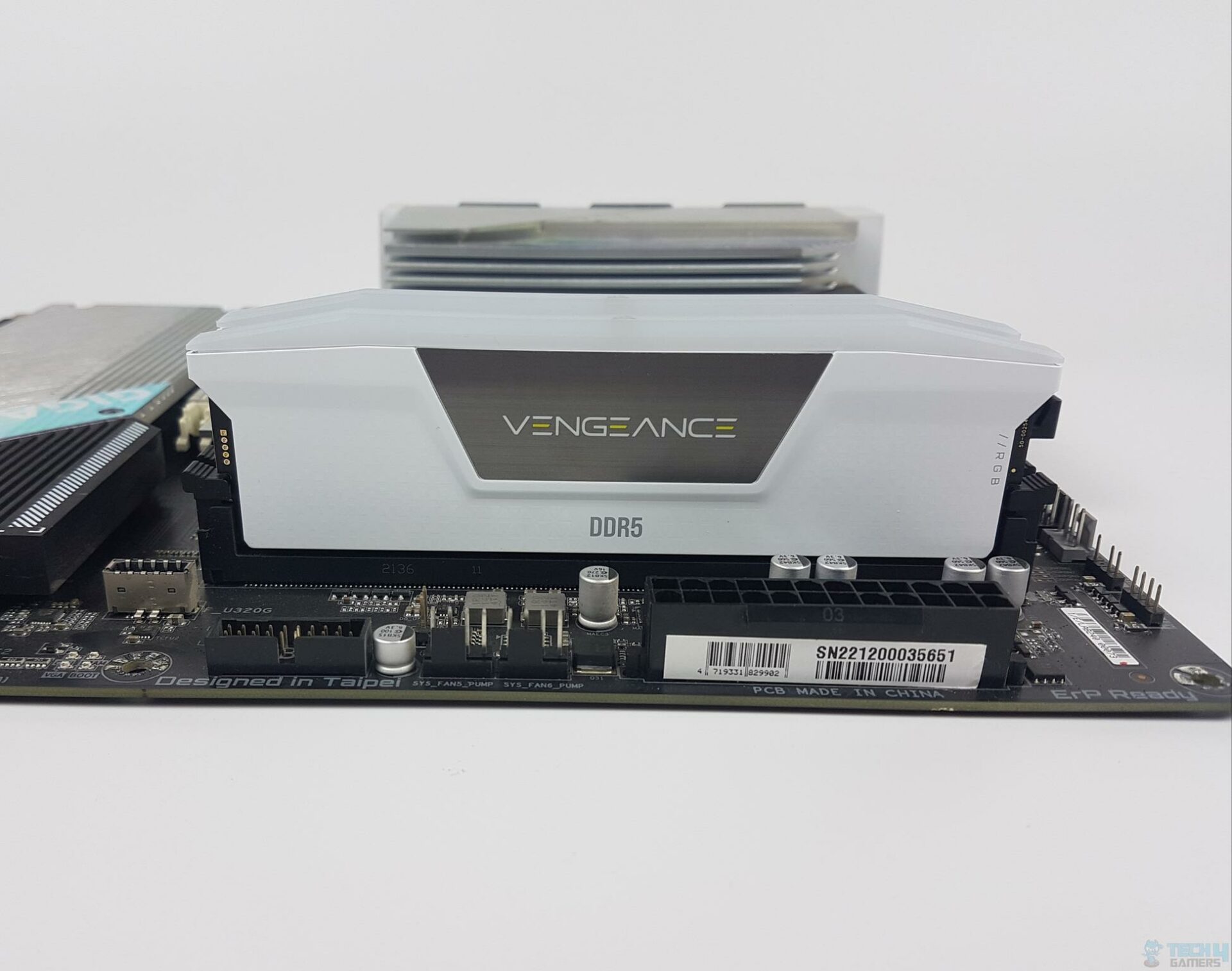
  • Beautiful looks with white heat spreader
  • Plenty of overclocking potential

Cons

  • Pricey

Read Our CORSAIR Vengeance RGB DDR5-6000 CL30 Review

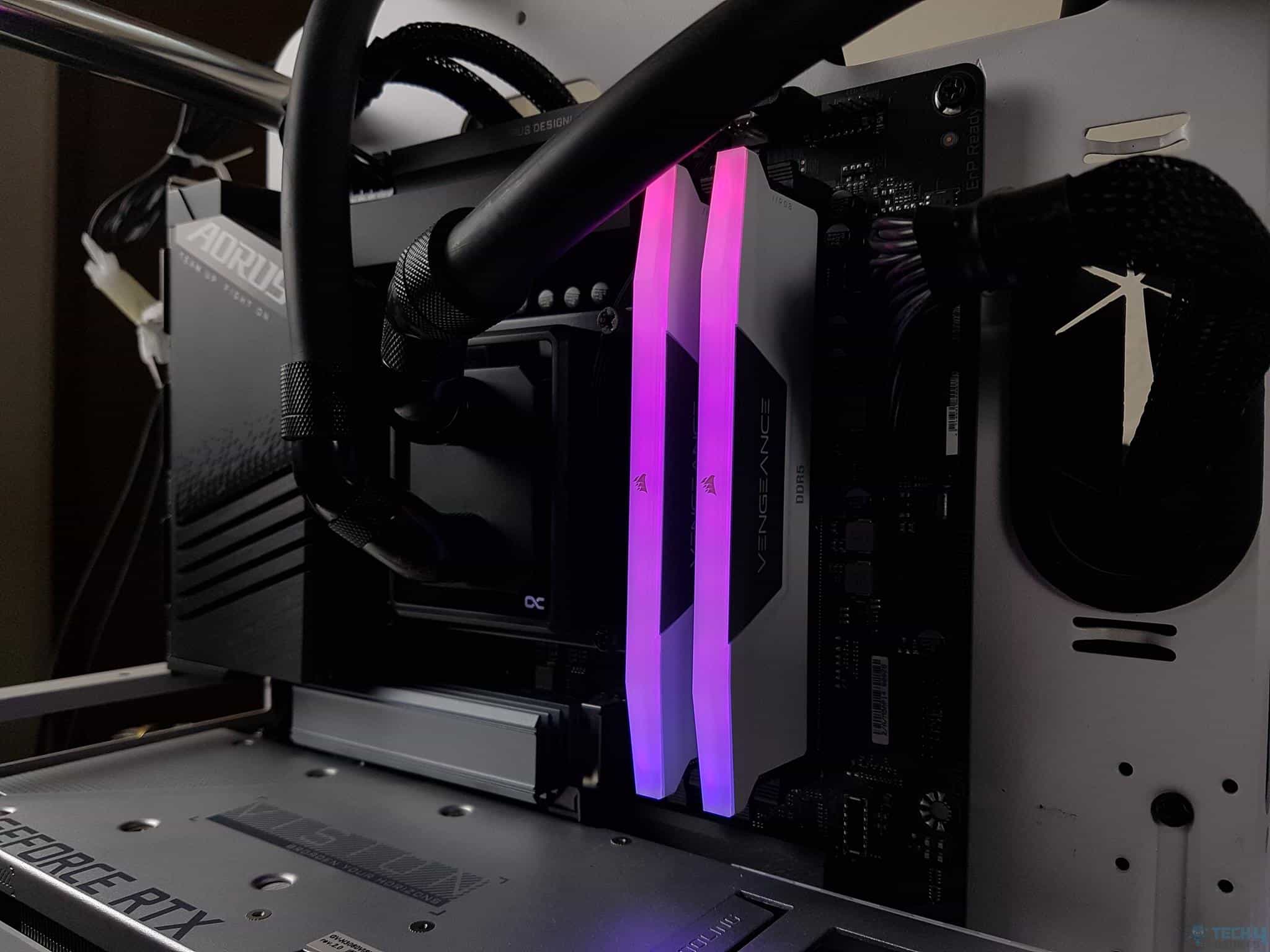
If your day-to-day usage exceeds the 32GB capacity of my other recommended picks, I suggest you go with the CORSAIR Vengeance RGB 64GB instead. Despite the high capacity, the kit does not compromise on performance one bit to offer the best gaming experience possible. It clocks at 6,000MHz while maintaining a CL30 latency, and in all my tests, the kit ran flawlessly.

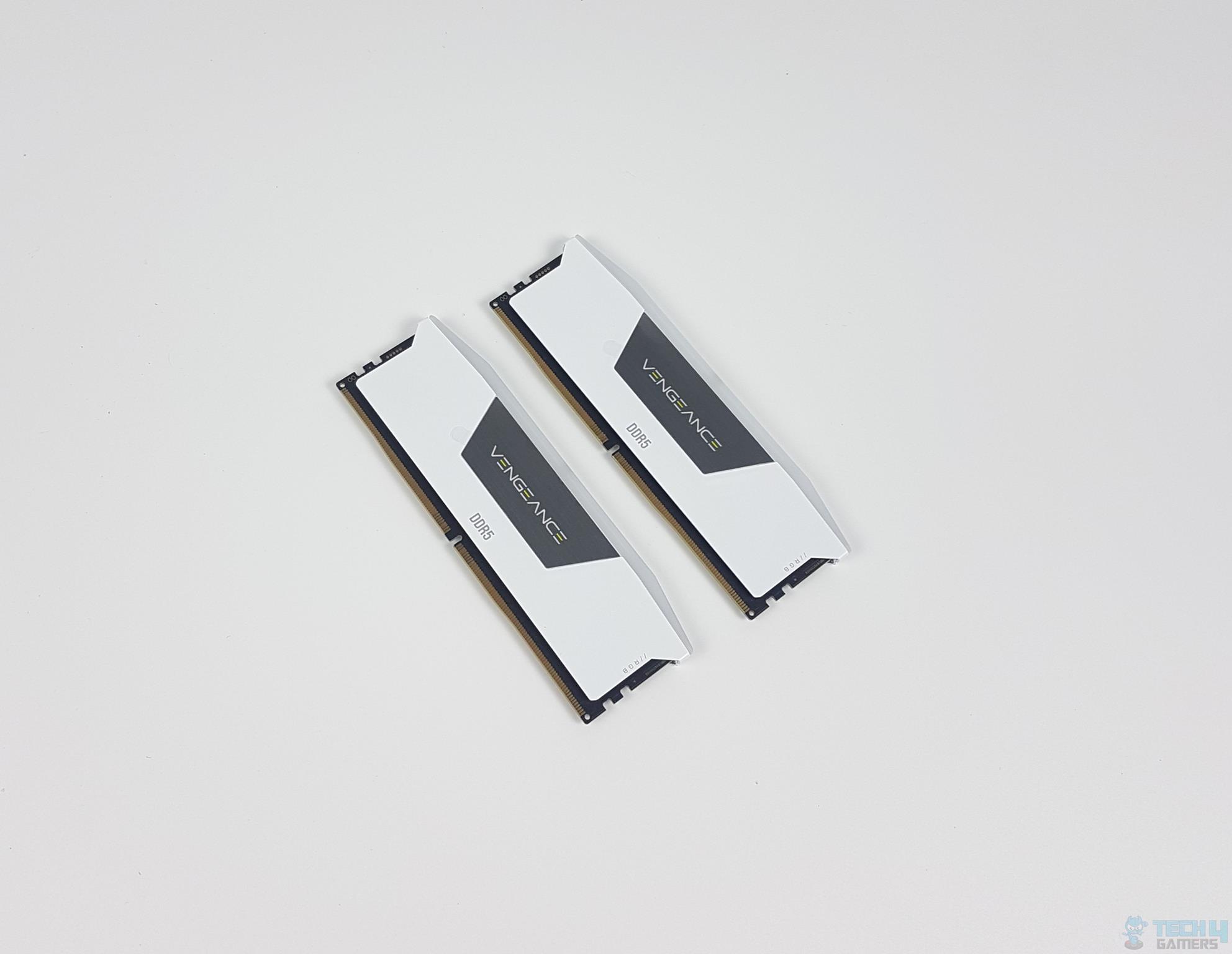
With the RGB lightbar on top and a white heat spreader, it also nails the aesthetics department. But most impressively, I love its overclocking potential. Sure, you get plenty of performance with AMD EXPO @ 6,000MHz, but in our in-house testing, we got the kit rocking at a solid 6,800MHz with CL36 latency @ 1.45V. In synthetic benchmarks, we saw a good 10%+ difference in read/write operations.

Speaking of the performance, here’s what Mussab Ali said in his review:

The Corsair Vengeance RGB is a pure price-to-performance RAM that performs at a high level and also comes with an aesthetic vibe. It’s a well-rounded product that Corsair has designed to cater to its valued customers. If you’re looking for a balanced RAM that gives you performance and looks good while doing it, this kit is designed for gamers like you.

Buy It If

You want the perfect performance out of a 64GB kit: Along with great numbers on paper, even my own test results shows that the CORSAIR Vengeance RGB DDR5 offers great performance to go along with the Ryzen 7 7800X3D.

You like manual overclocking: Other than AMD EXPO, the kit offers exceptional overclocking headroom as we managed to squeeze +800MHz out of it in our testing.

You are building a white build: I would also recommend this kit to those building a white gaming PC, as its white color looks phenomenal. 

Don't Buy It If

You don’t want to spend top-dollar: The only reason you should not buy this RAM is if you’re on a budget and want something more affordable. Sure, the Vengeance RGB has the performance and the looks, but it is also rather expensive.

What Makes It The Best 64GB RAM For Ryzen 7 7800X3D?

There are several reasons why I picked the Corsair Vengeance RGB for this award: It looks beautiful, can be overclocked, runs very stable, and, in all my tests, offers great performance. Plus, while it is an expensive kit, it is not an overpriced RAM. It more than makes up for the pricing with its extensive features.

Performance: 9/10 Value: 7/10
Features: 8/10 Design: 9/10

Specifications Comparison

Here, you can sort the RAM kits based on their specifications:

SpecificationsFrequency (MHz)Latency (CAS)Latency (ns)Voltage (V)
G.SKILL Trident Z5 Neo RGB600030101.3
Corsair Dominator Titanium7200349.41.45
G.Skill Flare X5
600030101.35
CORSAIR Vengeance RGB
600030101.4

Our Test Results

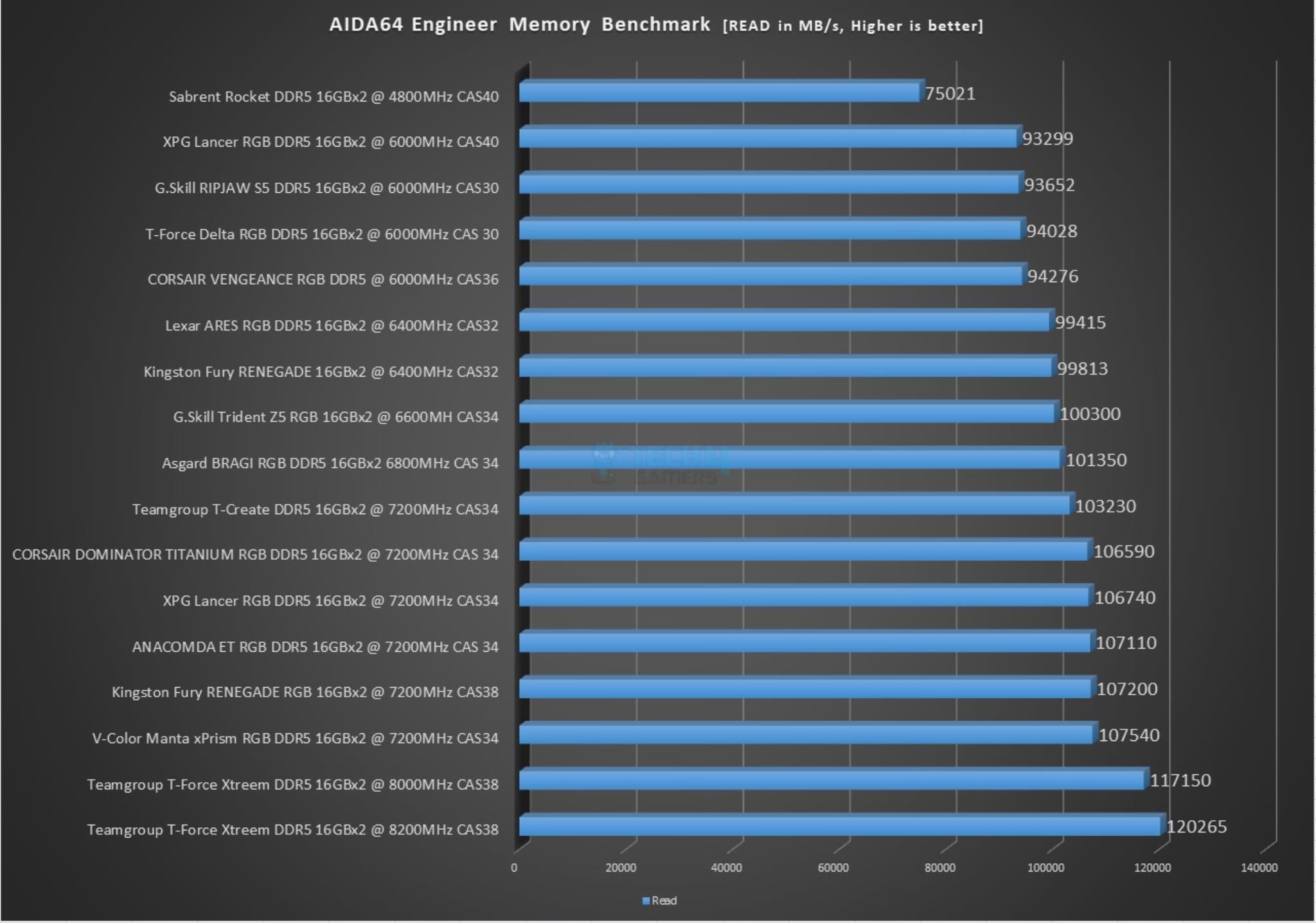
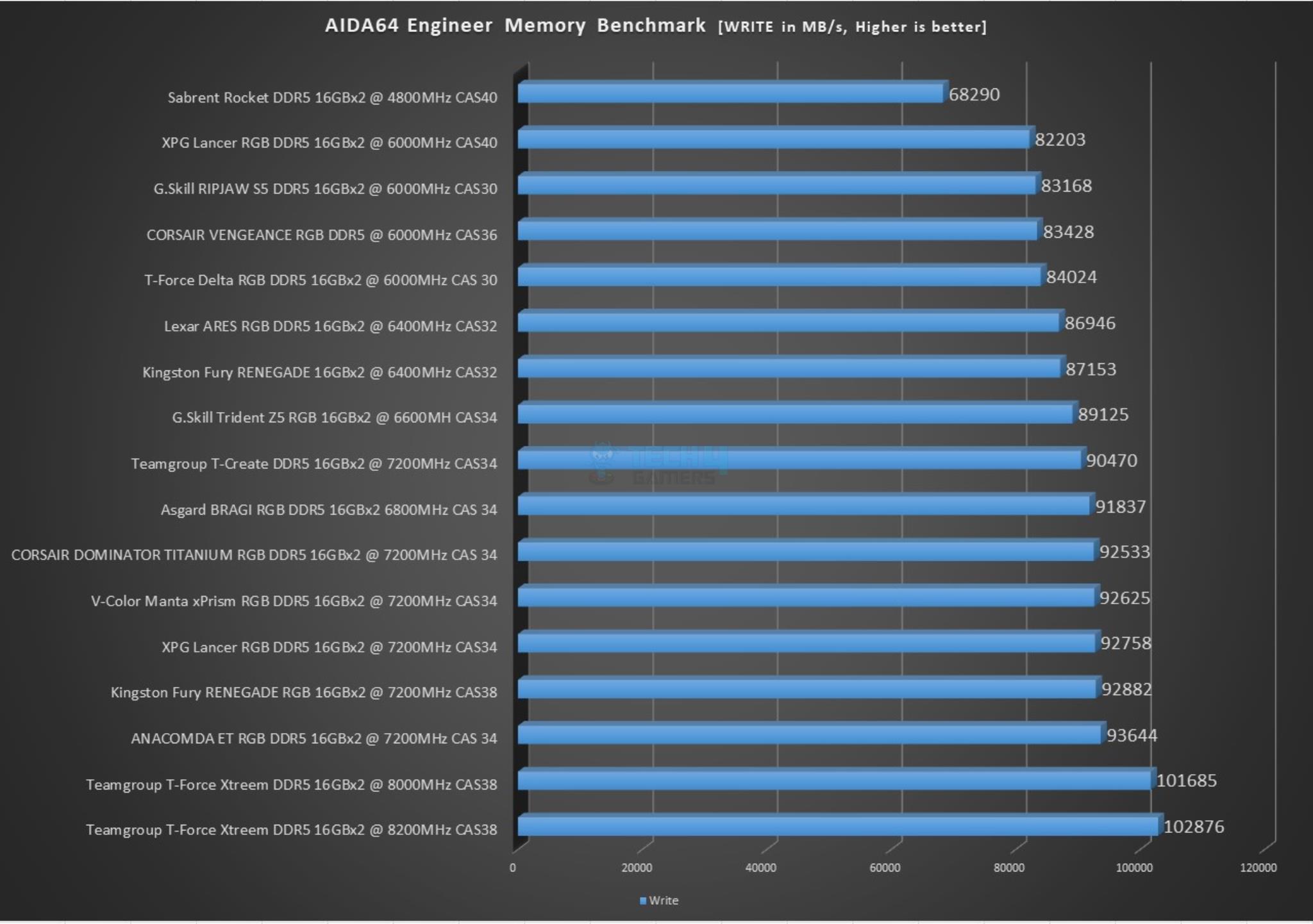
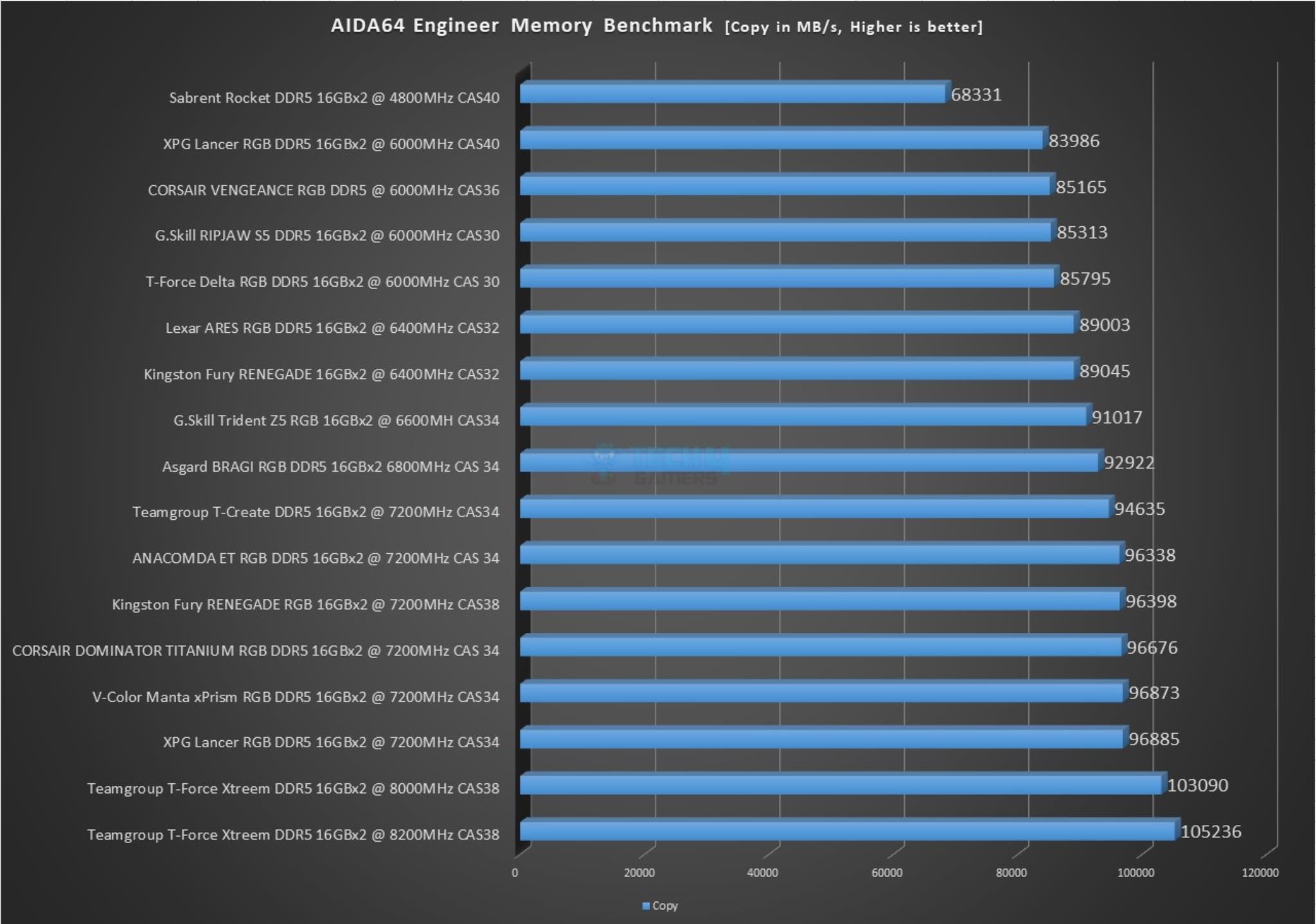
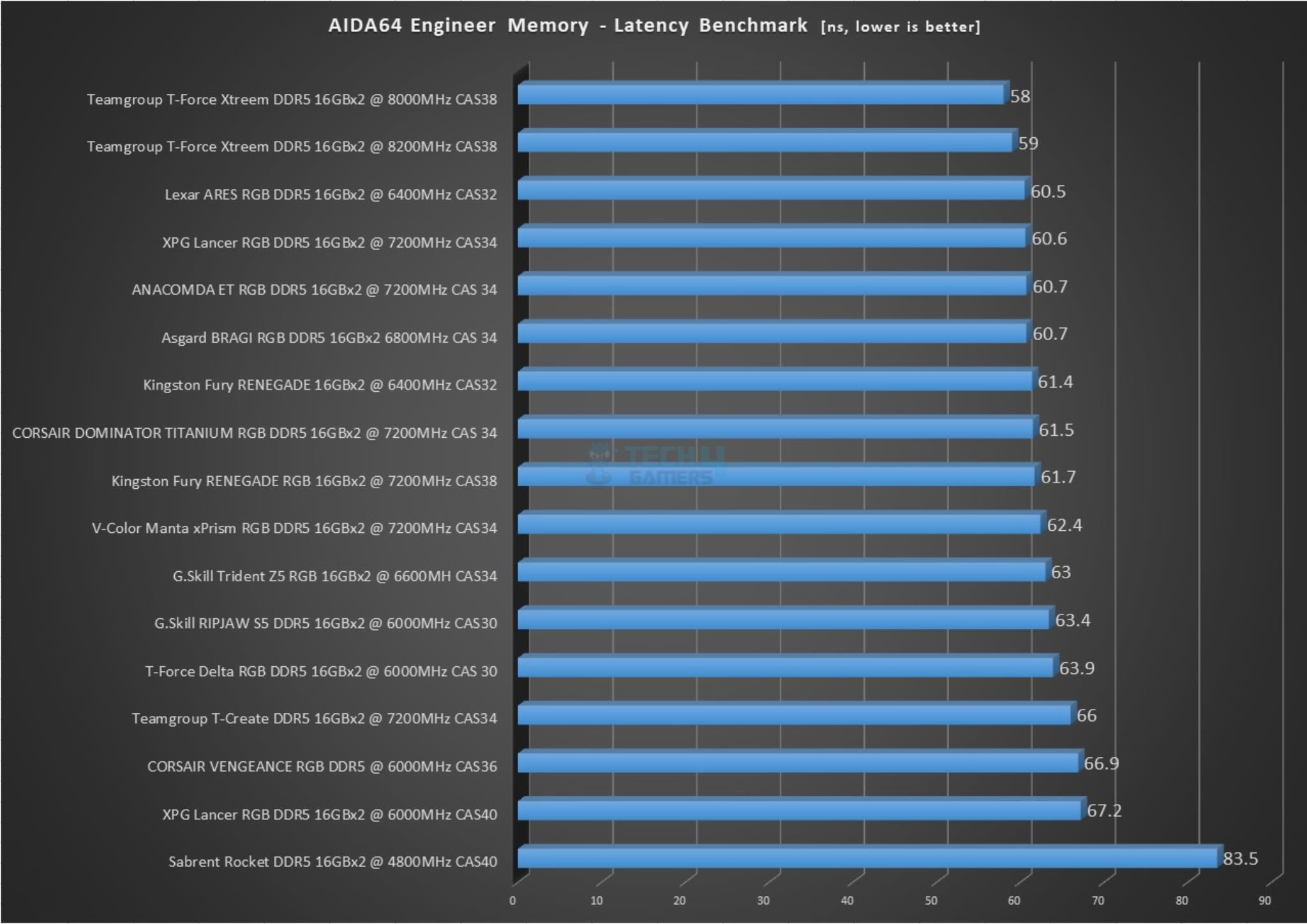
The Ryzen 7 7800X3D is no doubt an exceptional CPU, and that’s why I had to be very careful when selecting the right RAM for it. Well, to make sure my recommendations are truly the best, my team and I tested a bunch of different DDR5 RAM kits. Here are their AIDA64 results:
How I Tested & Selected These RAM Kits For The Ryzen 7 7800X3D

Ryzen 7 7800X3D
Ryzen 7 7800X3D (Image By Tech4Gamers)

While choosing the most optimal RAM options for Ryzen 7 7800X3D, you’ll likely want to maximize the processor’s overall performance and increase the PC’s speed. For this purpose, the user will explore different products and do thorough research. Therefore, I have mentioned important factors to consider when purchasing.

  • Budget: When choosing RAM, purchasing an expensive memory can be very heavy on the pocket. However, one must go for the value-for-money options; even if it is a little bit out of budget, if it comes with higher frequencies, lower latency, solid build quality, and supports your CPU, then one should go for it.
  • Performance: Performance is the key factor for selecting any RAM for your CPU. When talking about performance, I am talking about the frequency and latency timing; high frequency and low latency timings effectively boost CPU performance.
  • Aesthetics: Aesthetics is a personal preference, and some customers and enthusiasts prioritize it even over performance when buying RAM. Most companies offer good designs and RGB lighting; others offer minimal designs and flashy heat-spreader designs, while others do not.
  • Compatibility: Before making the purchase decision, one must examine if the options are compatible with the CPU they will fit the RAM with. If there is incompatibility with the CPU regarding the memory interface or higher frequency, your purchase will go to waste.

What Our Other Readers Think

Loading poll ...

FAQs

How much RAM can a Ryzen 7 handle?

The amount of RAM a Ryzen 7 processor can handle depends on the specific model of the processor and the motherboard it is paired with. Generally, Ryzen 7 processors can handle up to 128GB of RAM, depending on the number of slots on the motherboard and the maximum capacity of each slot.

Recent Updates


  • April 20, 2024: Updated all four products after testing a new batch of DDR5 kits.
  • February 26, 2024: Added benchmarks of the G.SKILL Trident Z5 RGB from our tested review.
  • December 6, 2023: Few text and grammar changes to improve readability. Added image galleries. No products were changed.
  • August 22, 2023: Few text changes to improve readability. No products were changed.

Looking for more options? We have you covered:


Red Dead Redemption Launched to Less Than 9K Players on Steam

Story Highlight
  • Red Dead Redemption has launched to less than 9K players on Steam which is pretty underwhelming.
  • This is because the game is now over 14 years old so most of the fans have already played it via consoles or emulation. 
  • Another main reason for the low player count is the $50 price tag of a 14-year-old title. 

Red Dead Redemption was launched in 2010 and it is arguably one of the most memorable games of all time. However, Rockstar didn’t release this game on the latest platforms just until last year. 

The giant released it on PS4, Nintendo Switch, and just recently on PC. However, releasing a game on the most popular after over 14 years will have consequences. Rockstar was too late in releasing the PC port as the game launched to less than 9K Players on Steam.

Why it matters: The majority of the Red Dead Redemption series fans would have played the game by now as it was released over 14 years ago. 

Red Dead Redemption Player Count
Red Dead Redemption PC Release Was Really Underwhelming | Source: SteamDB

As you can see in the image above the all-time game’s peak is 8,697 which is pretty disappointing. Even the RDR2 has a 24-hour peak of nearly 35K which is almost 4 times more than the peak of the recently released PC Port. 

However, this wasn’t that surprising given the game is over 14 years old. Most of the fans are likely to have already played it on the other consoles or emulated it on PC. Still, the player count might rise during weekends but it isn’t likely to skyrocket.

Another main reason why it doesn’t have a high player is because of the price tag. Many fans are refusing to buy the game because of its price tag as they think $50 is ridiculous for a 14-year-old game.

There were some concerns that the PC port might not have the best optimization but reviews are very positive and it seems to offer great performance. To those who haven’t played this game, it might be a great opportunity to finally experience John Martston’s tragic story.

What do you think of the PC Port so far? Have you played it yet or are you one of those who already played it on console? Let us know in the comments section below or join the discussion at the official Tech4Gamers Forums.

Why You Should Use A VPN For Gaming And Protection

Story Highlight
  • VPNs are an important tool that can mitigate several risks for gamers.
  • They offer various benefits, including improved protection, more stable online gaming, and more.
  • VPNs can also enhance your experience in other ways by masking your IP address.

Gaming has become a dynamic, social, and competitive experience, connecting millions around the world. However, the digital nature of online gaming also brings privacy and security risks.

Using a VPN, or Virtual Private Network, has become a popular choice among gamers as these risks become more apparent. Most gamers now understand that VPNs protect privacy, reduce risks, and even enhance gameplay.

PC Setup
VPNs Are Slowly Becoming Essential For PC Gaming

Privacy and Security Risks of Gaming without a VPN

The moment you decide to go without a VPN, you automatically open yourself to most online threats, often without even realizing it. The main risks are listed below:

DDoS Attacks

This is commonly known as a Distributed Denial of Service attack, where your connection is overloaded, and your IP is flooded.

It gives a few players an advantage in the game. Generally speaking, it means that when your IP is public, anyone could potentially know and target you with such attacks, causing irritating interruptions.

Geo-restrictions and IP ban

Some games and features are geo-restricted to be accessible only within a specific country.

In those cases, players from other areas would not have access to particular servers, events, or exclusive content due to geo-restriction. For instance, PlayStation now restricts its PC ports in multiple countries around the globe.

If you get an IP ban for breaking the rules of a game, then it would restrict access permanently concerning your IP address. Without a VPN, there’s no way to bypass these restrictions or regain access after a ban.

Privacy risks from data collection and tracking

Gaming platforms, especially larger ones, collect extensive data from their users. This may include data from your device, browsing behavior, location, and in-game activities.

While such data is solicited to improve user experience, this information is once again at risk of being compromised by hacking, leaking, or selling to advertisers. Some gaming systems have been known to install cookies or other tracking devices that can provide a profile of your online activities.

Swatting and other real-world threats

Swatting is a dangerous form of harassment where someone makes a false report to law enforcement, resulting in police showing up at the target’s address.

In extreme cases, competitive gamers have been targeted by revealing their IP addresses or personal data. Without a VPN to protect your IP and mask your location, you’re more vulnerable to these types of targeted attacks.

These privacy risks make gaming online more complicated. Using a VPN, you gain control over your data and security, ensuring a more enjoyable and secure gaming experience.

How VPNs Protect Gamers

VPN
VPNs Can Preserve Your Security In Multiple Ways

A VPN is a tool that creates a secure, encrypted connection between your device and the internet. Here’s how it works for gaming:

Encryption of data

When you get connected with a VPN, it encrypts your information. Therefore, no one will be able to read it even if an interception happens. This way, hackers, malicious users, and even your Internet Service Provider (ISP) can’t access your activity, ensuring that your personal information remains private.

IP masking

The VPN masks your actual IP address by connecting you to the internet via a server.

This new server then assigns an IP address to you, making it appear that you are gaming from some other location. This added layer of anonymity ensures that the other gamers or any potential attackers cannot pinpoint your actual location or identity.

Geo-restriction bypass

VPNs allow you to connect to servers in other countries, which can be useful for gamers who want to access games or servers only available in specific regions.

By appearing to be in a different location, you can bypass geo-restrictions and enjoy global gaming access. In summary, a VPN adds a shield between you and the internet and enhances both privacy and security.

Benefits of Gaming With A VPN

Gaming Becomes Even Better With A VPN

A VPN can be an incredibly useful tool for any gamer since it offers more than a few advantages.

Improved security and prevention of DDoS attacks

By masking your IP and encrypting your data, a VPN provides robust protection against DDoS attacks. This can lead to smoother gameplay by ensuring other players or hackers can’t target your connection.

Lag reduction and better connection stability

Since your ISP might throttle traffic originating from online gaming, using a VPN could reduce lag by altering the path through which your data travels.

In practice, this means encrypting your data and masking game traffic in a way that makes targeting it more difficult for ISPs. Some VPNs have game-optimized servers that could offer routes to the game servers with better stability.

Avoiding IP bans

IP bans can occur if you violate the terms of a game. With a VPN, you can change your IP address and regain access to the game, especially useful if you’ve been banned unfairly or temporarily.

Privacy and data security

A gaming company could collect data on your preferences, location, and activities, possibly to use or share with advertisers. A VPN encrypts your traffic and masks your IP address, making it difficult for platforms to collect information on what you are doing in games.

Protection from cyberbullying

VPNs also protect against potential harassment like doxing (revealing personal information) and swatting, which some competitive gamers face. With a VPN, your real IP is hidden, helping to keep your location and personal information safe.

Closing Thoughts

Using a VPN for gaming is a practical way to protect your privacy, secure your connection, and even improve your gameplay options. By encrypting your data and masking your IP address, a VPN shields you from many of the risks inherent to online gaming.

So, whether you’re gaming casually or competitively, a VPN can enhance your experience and let you enjoy gaming without worrying about privacy breaches or targeted attacks.

Noctua Debuts NF-A6x15 60mm Fans & NA-SC1 Sx2 Splitter Cables

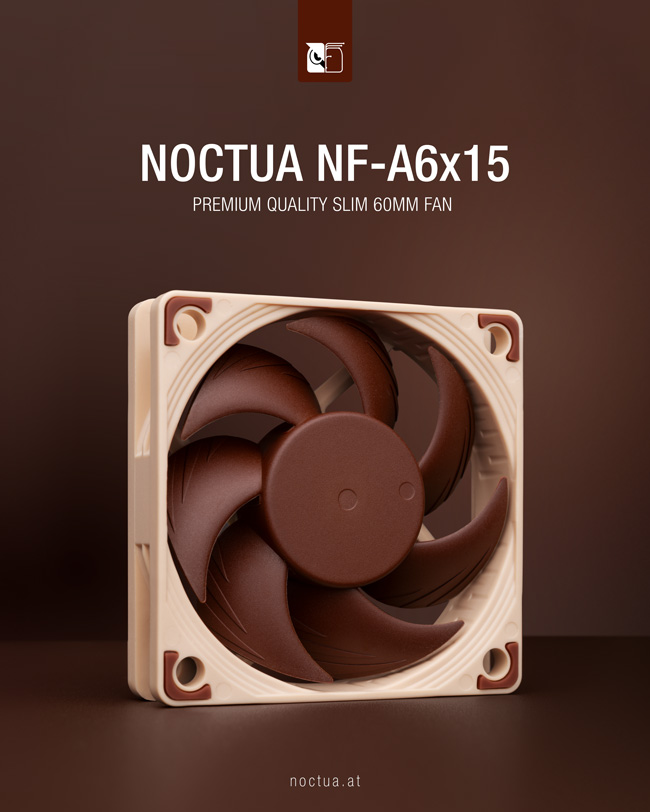
[Press Release] Noctua has announced a new addition to its A-series fans with the NF-A6x15. Arriving in both 12V and 5V variants, the NF-A6x15 is designed to complement the existing 25mm thick NF-A6x25.

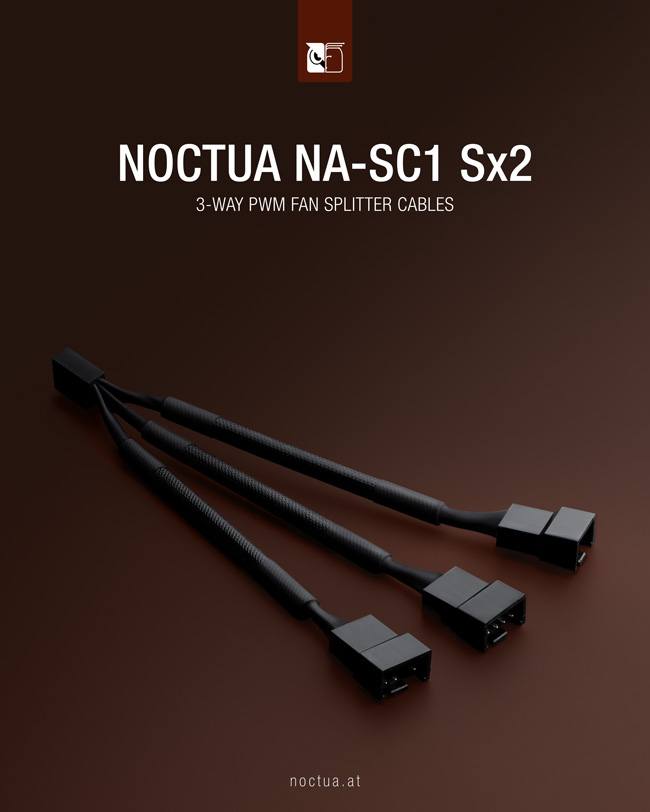
Noctua has also debuted the NA-SC1 Sx2 3-way PWM splitter cables to enable the operation of three fans off a single header.

The new fan boasts Flow Acceleration Channels and Noctua’s signature AOO frame, ensuring a premium experience without any compromises. The 5V version also comes with an OmniJoin adaptor set for easy connections and installation.

Elsewhere, the NA-SC1 Sx2 serves as the perfect substitute for 8-port fan hubs. The splitter cable set can power and control up to five fans at once, making it ideal for PCs and multi-purpose home ventilation applications.

The NF-A6x15 starts at $14.90, while the NA-SC1 Sx2 can be had for just $9.90. For more information on the company’s latest fan and splitter cable set, head to Noctua’s official website.

Dragon Age: The Veilguard Drops To As Low As 500P on PS5 To Maintain 60FPS

Story Highlight
  • Digital Foundry has released its tech analysis on the Dragon Age: The Veilguard. 
  • The tech expert revealed that this PC port is the best one in years. 
  • The in-depth analysis also revealed that the PS5 performance mode drops to as low as 500P in order to maintain 60FPS.

Dragon Age: The Veilguard has been heavily criticised lately for various reasons. However, despite that the review scores turned out to be quite positive where some reviewers have pointed out BioWare didn’t give out a review copy to those who were being a little more critical of the game. 

However, this game doesn’t have the much-hated DRM technology and microtransactions which is pretty rare, especially in 2024. Not to mention it has been stated as the best PC Port in years.

However, on PS5 its performance mode has some troubles. To maintain 60FPS the resolution drops to as low as 500P which makes the game look a little pixelated. 

Why it matters: Dragon Age: The Veilguard has been hailed as one of the best PC ports ever so the PS5 fans might not be very happy about the native resolution in performance mode.

An in-depth analysis by Digital Foundry has revealed how the game runs on PC and the PlayStation 5. Of course, the best version could be found on PC as the optimisation this time has been pretty good. 

However, the PlayStation 5 version doesn’t look that bad either. In some instances sure, the game might look pixelated but that is mainly in the performance mode. While there have been similar instances before this might be the lowest native resolution for the console to maintain 60FPS

PS5 Vs PC
The PC Version of Dragon Age: The Veilguard Has a Better Level of Detail

The PC version offers an ultra level of detail which the PS5 can’t compete against even in the fidelity mode. Overall the tech expert has praised the PC port a lot but it doesn’t mean the PlayStation 5 version isn’t optimised. 

While some may be disappointed that the performance mode’s native resolution drops to 500P there is always an option to use the fidelity mode. 

What do you think about PS5 performance mode native resolution dropping down to 500P to maintain 60FPS? Which version do you think is better? Let us know your thoughts in the comments section below or join the official Tech4Gamers forums

Starfield Dev Blasts ‘Unsustainable’ Games Industry; ‘If AAA Game Isn’t Big Hit, You’re Dead’

Story Highlight
  • The former Bethesda developer and Starfield designer has claimed that the current gaming market is unsustainable.
  • He noted that a big-budget title that takes six years to develop needs to sell ‘tens of millions of copies to be successful.
  • Keeping up with the evolving hardware and driving hundreds of devs in a single direction is also a massive challenge.

Despite massive technological leaps in the last decade, the state of the gaming industry has ironically been on a noticeable decline. Sustaining massive AAA releases after launch has slowly become more of a challenge for developers than ever before. The former Bethesda dev and designer of Fallout 4 and Starfield thinks that the current model the industry runs on is far from sustainable for many studios.

Bruce Nesmith recently clarified that a huge AAA entry that takes about 6 years to develop consumes a plethora of resources and funds. So, to break even and recoup any losses, ‘tens of millions of copies’ need to be sold at the very least. 

Why it matters: The words of the former Bethesda dev resonate deeply with the current state of the gaming industry, where multi-million budget AAA entries need to meet colossal expectations just to sustain themselves after launch. 

Redfall
Many AAA releases have flopped in the last decade because they failed to break even in sales

In an interview with Video Gamer, Bruce Nesmith clarified that besides simple economics, other factors also need to be considered since a game of AAA scale is never guaranteed to be a success. So, it’s ‘really, really hard’ to make a bit hit in the market.

 In order to sell a game that you spent six years working on, you have to sell tens of millions of copies. That’s the only way you’re going to recoup your loss. So if it isn’t a big hit, you’re dead.

-Bruce Neshmith

The evolving technology during the development times and effectively driving hundreds of developers towards a single direction are some of the other concerns, for instance.

Concord
Concord is the latest flop in the market, with a budget rumored to be $400 million.

Even the developers argue that the AAA market is unsustainable since they need to sell millions of copies. But what are your thoughts regarding the industry? Do let us know your opinions in the comments below, or join the discussion on the official Tech4Gamers forum.

AMD Research Suggest New Upscaling Technology To Rival Nvidia

Story Highlight
  • AMD seems to be working to close the performance and AI capabilities gap with Nvidia.
  • It is creating neural solutions for real-time path tracing, integrating denoising and upscaling.
  • RDNA 4, launching in 2025, is expected to enhance gaming performance and AI capabilities.

Nvidia controls a large portion of the GPU industry because of its features and performance. AMD still needs to catch up to its advanced AI (Artificial Intelligence) and machine learning-based capabilities, particularly in the consumer sector. The business intends to change that as quickly as possible.

Why it matters: These developments reflect AMD’s efforts to compete with Nvidia in the GPU market. By using advanced neural network solutions, AMD aims to enhance visual quality and performance for gamers.

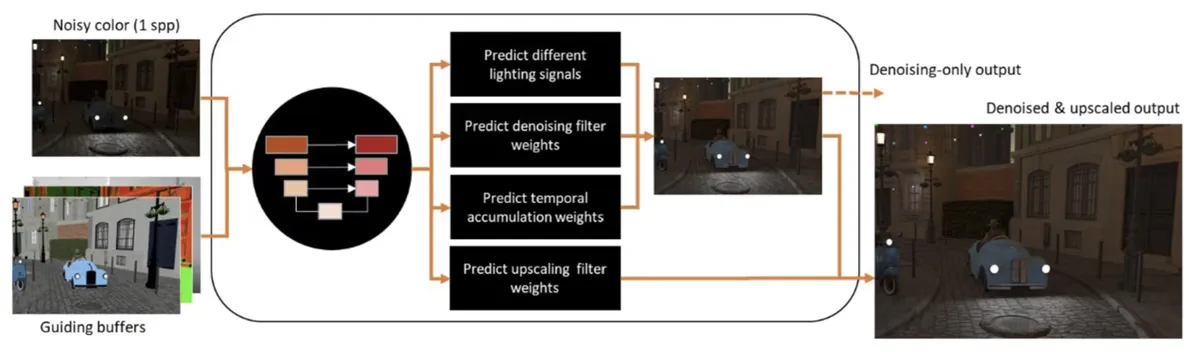
AMD is presently developing neural network solutions to enable real-time path tracing on RDNA GPUs, per a post on GPUOpen. Nvidia employs its own DLSS for AI-powered image upscaling. However, DLSS has evolved to encompass more than just “Deep Learning Super Sampling”; it now includes DLSS 3.5 ray reconstruction, DLSS 3 frame generation, and DLSS 2 upscaling.

Image Via: GPUOPEN

Each pixel in path tracing typically requires hundreds or even tens of thousands of ray calculations. To perform path tracing in real-time, the number of samples per pixel must be significantly reduced. This causes more noise since light beams often miss some pixels, resulting in partial illumination that needs to be denoised.

AMD wants to solve this by using a neural network that can reconstruct a scene while also performing denoising. AMD path-traced will use a few samples per pixel, aiming to achieve comparable results to Nvidia’s.

AMD’s integration of denoising and upscaling into a single neural network is innovative. This method “produces premium denoised and supersampled images at a higher display resolution than render resolution for real-time path tracing.”

The study may result in a new iteration of FSR (FidelityFX Super Resolution) that meets Nvidia’s performance and visual quality requirements. AI acceleration features are typically absent from AMD’s current GPUs. However, in the case of RDNA 3, there are AI accelerators, but they are more suited for AI workloads.

It’s unclear if AMD can use existing GPUs to run a neural network for upscaling and denoising or if additional processing clusters, such as tensor units, will be needed.

If current technology allows a future iteration of FSR to run on all GPUs, this might be possible, but it might also restrict the algorithm’s quality and other features. That being said AMD CEO also just officially announced RDNA 4 during its Q3 2024 Earnings Call.

According to Lisa Su, RDNA 4 architecture is the foundation for our next-generation Radeon lineup. Apart from the notable improvement in gaming performance, RDNA 4 offers new AI capabilities and better ray tracing performance scheduled for 2025.

Indiana Jones PS5 Pro Enhanced Version Teased By Director

Story Highlight
  • Indiana Jones and The Great Circle will likely have a PS5 Pro-enhanced version in the future.
  • Devs subtly teased the game’s PS5 Pro version, but nothing is confirmed.
  • The game is being developed on the id Tech engine, which is optimized for cross-platform development.

Indiana Jones and the Great Circle will be available on PlayStation 5 after its launch on Xbox Series X|S on December 9, 2024. The developers at MachineGames are excited to bring the game to PS5, with a release planned for around April 2025.

But the studio isn’t done there. In a recent interview, IGN asked the developer whether the game would be released on PS5 Pro, to which the developer said, “No comment.”

Why it matters: Xbox is going all in on the multiplatform strategy. This allows the developers at MachineGames to reach more players and let them enjoy their version of Indiana Jones in action.

Indiana Jones and the Great Circle
Indiana Jones and the Great Circle will have a mix of first-person and third-person gameplay.

When asked about possible improvements for the PS5 Pro, Axel Torvenius, the game’s director, kept his comments brief. They mentioned that their main focus right now is on providing a smooth experience for the regular PS5.

No comment.

– Axel Torvenius.

This seems like a subtle hint that the game will eventually get a PS5 Pro-enhanced version, now that it’s finally approved for a PS5 launch.

The team is dedicated to ensuring great performance on both PS5 and Xbox Series X/S. MachineGames recently confirmed support for 60 FPS on Xbox Series X/S, hinting at a very optimized title.

Indiana Jones and the Great Circle
Launching the game on PS5 was a business decision, according to Phil Spencer.

Moreover, Axel Torvenius expressed his excitement about bringing the adventure to PS5 players. 

The game uses a modified version of the ID Tech engine, which is made for cross-platform development. This has helped MachineGames smoothly move the title from being an Xbox exclusive to the PS5.

Anyhow, this cross-platform release shows a trend where exclusive games eventually become available on other systems. As for Indiana Jones potentially getting a PS5 Pro launch down the line, it’s only going to make the console’s lineup even more powerful.

What do you think of Indiana Jones and The Great Circle possibly getting a PS5 Pro-enhanced version? Join the conversation at Tech4Gamers Forum.

Over Half Call of Duty: Black Ops 6 PC Players Were On PC Game Pass

Story Highlight
  • Black Ops 6 is the first Call of Duty game to launch day 1 on Game Pass.
  • The release has resulted in a record number of Game Pass subscribers on PC. 
  • It is also the first Call of Duty game in years with more players on Xbox than PlayStation.

Call of Duty: Black Ops 6 is a return to form for the franchise. With some weaker entries in the last few years, fans were worried about its future. However, the Black Ops 6 Game Pass launch solves the problem as it’s the biggest Call of Duty launch in 10 years. 

Why it matters: Analysts predicted that Call of Duty’s Game Pass launch will significantly boost the service subscriptions. That has turned out true because PC Game Pass just recorded its best figures yet. 

Black Ops 6 brought in record PC Game Pass subscribers

According to reliable leaker eXtas1s, Black Ops 6 is the best-performing Call of Duty game in the last 10 years. Another big change with this year is the difference in the number of players on PlayStation and Xbox. 

Generally, PlayStation has a larger Call of Duty audience, but with Black Ops 6, Xbox has taken the lead for the first time in years. This is largely driven by Game Pass availability. In addition, over half of the PC players were on PC Game Pass too.

Call of Duty: Black Ops 6 Featured
Call of Duty: Black Ops 6 puts the Game Pass back on track

This resulted in the record single-day subscribers for PC Game Pass and finally kicked off the service that had seen a few lackluster years. But, the availability doesn’t seem to have taken too much of a hit on sales either. 

On Steam, Black Ops 6 shattered Modern Warfare 3 launch numbers with over 300K concurrent players. It is even the top-seller on the platform despite being available with Game Pass as well. 

Nonetheless, Microsoft will be glad with these numbers. It was something Xbox had dearly needed and the Activision deal is finally looking fruitful after the tough year. 

Are you playing Black Ops 6 on Game Pass? How’s your experience been? Let us know in the comments or join the discussion at the official Tech4Gamers Forum

Concord Dev Claims To Have ‘Shipped A Great FPS Experience To Players’ In Closure Statement

Story Highlight
  • Sony has officially closed the developer behind Concord.
  • Firewalk Studios has issued its closure statement on Twitter and claims to have delivered a great FPS experience to players.
  • It also claimed that the game’s beta attracted hundreds of thousands of players while there were less than 3k players on Steam. 

Concord is arguably the biggest failure of the gaming industry. It allegedly took around $400 million to develop and market, but all the money was ultimately wasted. The game’s servers went offline shortly after release, and everyone was refunded.

Just recently, Sony closed the studio, which was an expected outcome. However, the developer claimed to have shipped a great FPS experience to players despite the failure in its closure statement. 

Why it matters: Concord was highly criticised for being a generic live-service FPS game, its characters, and, of course, the $40 price tag

Concord Developer Closure Statement
Firewalk Studios Claims That Concord Was A Great FPS Experience For Players In Closure Statement

Firewalk Studios on Twitter issued its closure statement stating that it has built a game that delivers top-tier gameplay, beautiful worlds, and technical experience performance-wise. It also said that the game was played by hundreds of thousands of players in the beta, while there were less than 3k players on Steam. 

Furthermore, the developer said that it has shipped a great FPS experience to the players, which ‘the players’ don’t seem to agree with. 

And ultimately ship and deliver a great FPS experience to players- even if it landed much more narrowly than hoped against a heavily consolidated market.

-Firewalk Studios

In the comments section, you can see that many are trolling the developer. While some fans wish Firewlak Studios good luck, others criticise it for saying it was deserved and making fun of the developer by saying, ‘Your pronouns are was/were.’

Given how criticised Concord was, such a reception was expected. A failure on such a massive level would guarantee the closure of almost any developer, especially if it was the studio’s first project.

What do you think about the closure statement of Firewalk Studios? Do you think it delivered a great FPS experience for the players? Let us know your thoughts in the comments section below, or join the discussion on Tech4Gamers’ official forums.  

MSI Pro Z890-A WiFi Review: Good Features For The Price

It’s raining Z890 motherboards! We’re moving on to our fourth Z890 board review, the MSI Pro Z890-A WiFi. This $289 board is focused on affordability and is one of MSI’s cheapest Z890 offerings, but it packs a serious punch. Let’s get into the review to see what it really holds.

Why Trust Tech4Gamers
  • Usman Saleem is our hardware tester who loves to put all the latest GPUs, CPUs, RAM, and motherboards for a spin.
  • 40+ motherboards tested and reviewed by our team of hardware experts (Tech4Gamers Team).
  • 800+ hours spent testing different motherboards for our reviews.
  • Objective testing criteria (See how we test motherboards).

At Tech4Gamers, ensuring you get reliable information is our priority. That’s why every hardware round-up undergoes a meticulous review process by our team of experts and editors. Each review is carefully examined against our strict editorial guidelines, guaranteeing you trustworthy insights you can depend on.


Key Takeaways

  • The MSI Pro Z890-A is a fairly affordable motherboard ($289) that comes with a beautiful design, good VRMs, and the full set of MSI’s EZ-DIY features. It offers Thunderbolt 5 support and an extra PCIe connector for builds loaded with peripherals.
  • Buy the board if you like minimalist designs, want the latest I/O, and/or prioritize convenience in your motherboard. 
  • The motherboard is not worth getting if you plan to overclock heavily and/or want built-in RGB. 

Here’s how the specifications look. 

CPU Support Intel Arrow Lake Core Ultra Processors (Series 2)
Memory Support Up to DDR5 9200+ MT/s (OC)
PCIe Slots 1x PCIe 5.0 x16, 2x PCIe 4.0 x4
M.2 Slots 1x PCIe 5.0 (x4), 3x PCIe 4.0 (x4)
SATA Ports 4x 6Gbps
Audio Realtek® ALC1220P Codec
Network & Connectivity 1x Realtek® 8126 5G LAN, WiFi 7, Bluetooth 5.4
USB Ports 17 ports, including 2x Thunderbolt 4
Size 30.5 cm x 24.4 cm, ATX Form Factor
MSRP  $289.99 USD
[toc]

Packaging And Unboxing 

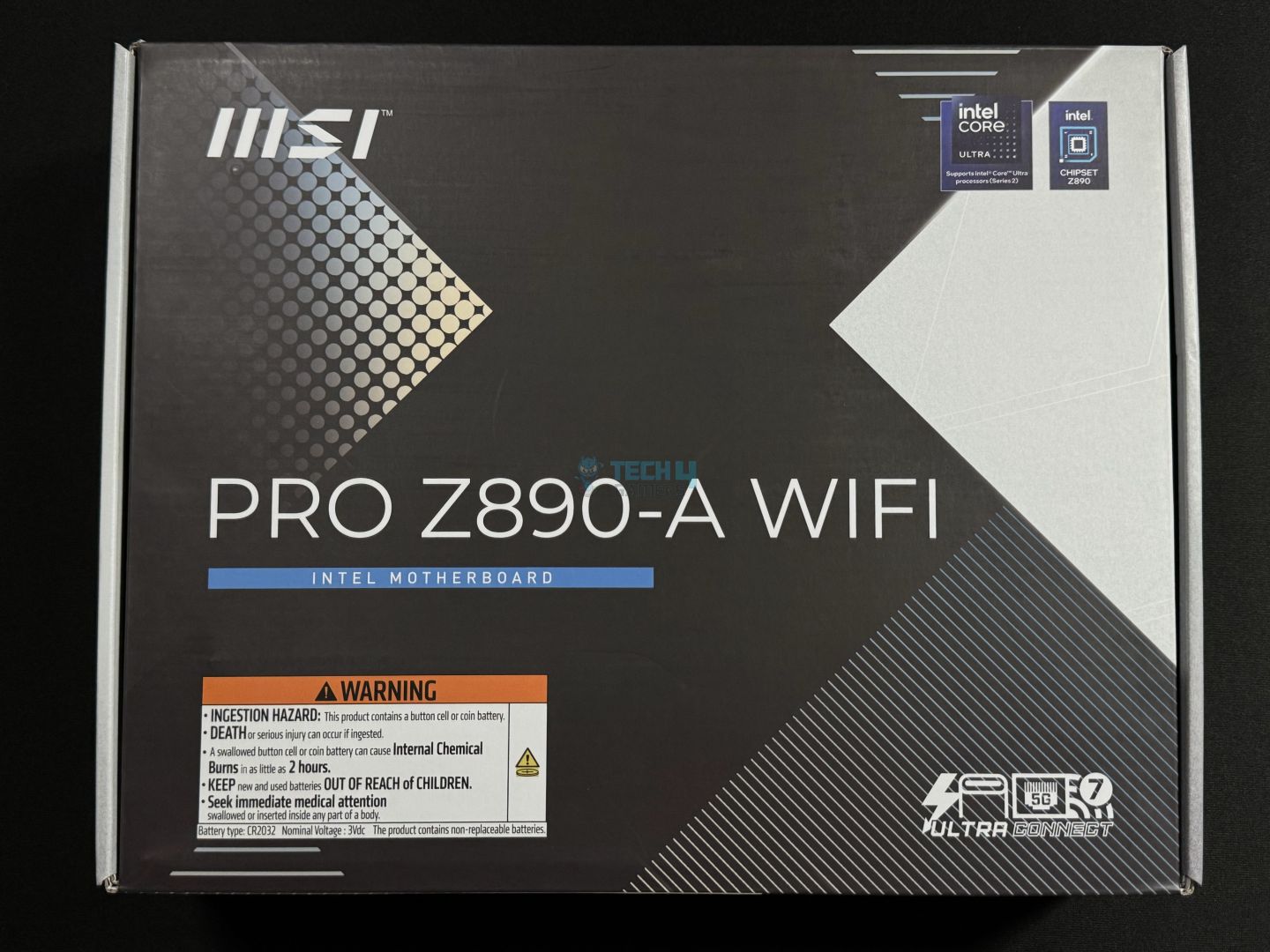
We start with a cardboard box themed mostly in black. 

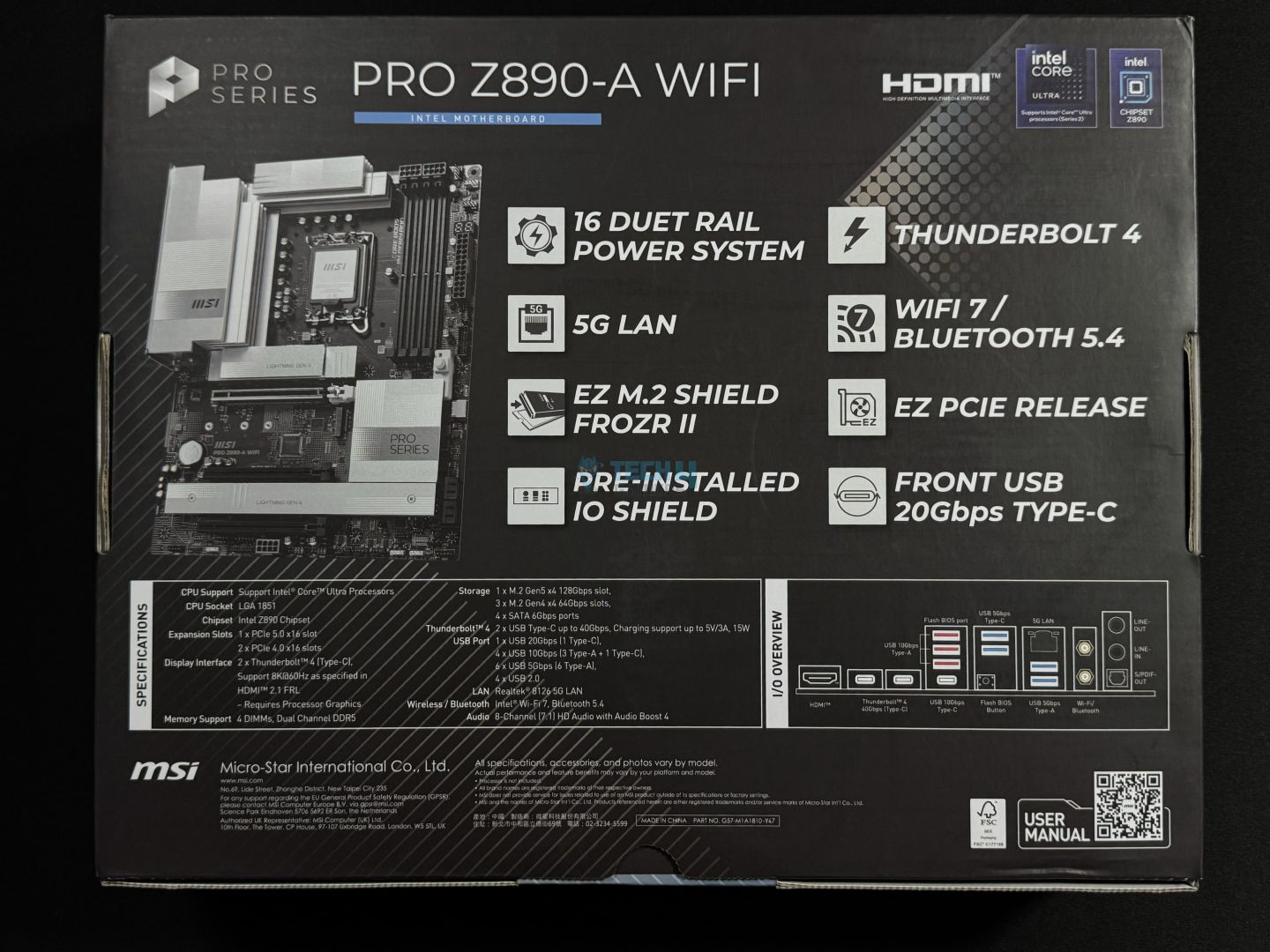
Key features are highlighted up front, and MSI has made it a point to display warnings against mishandling the battery. Moving to the back, we get some more key features, detailed specifications, and an illustration of the rear I/O. The QR code on the bottom right can be scanned to open the user manual. 

Let’s see what we get, other than the motherboard inside the box. 

MSI Pro Z890-A WiFi box contents
Accessories (Image by Tech4Gamers)
  • Quick installation guide
  • EZ WiFi Antenna
  • 2x SATA Cables
  • 1-to-3 EZ Conn-Cable (V2)
  • 4x EZ M.2 Clip II 
  • EZ M.2 Clip II Remover 
  • European Union Regulatory Notice 

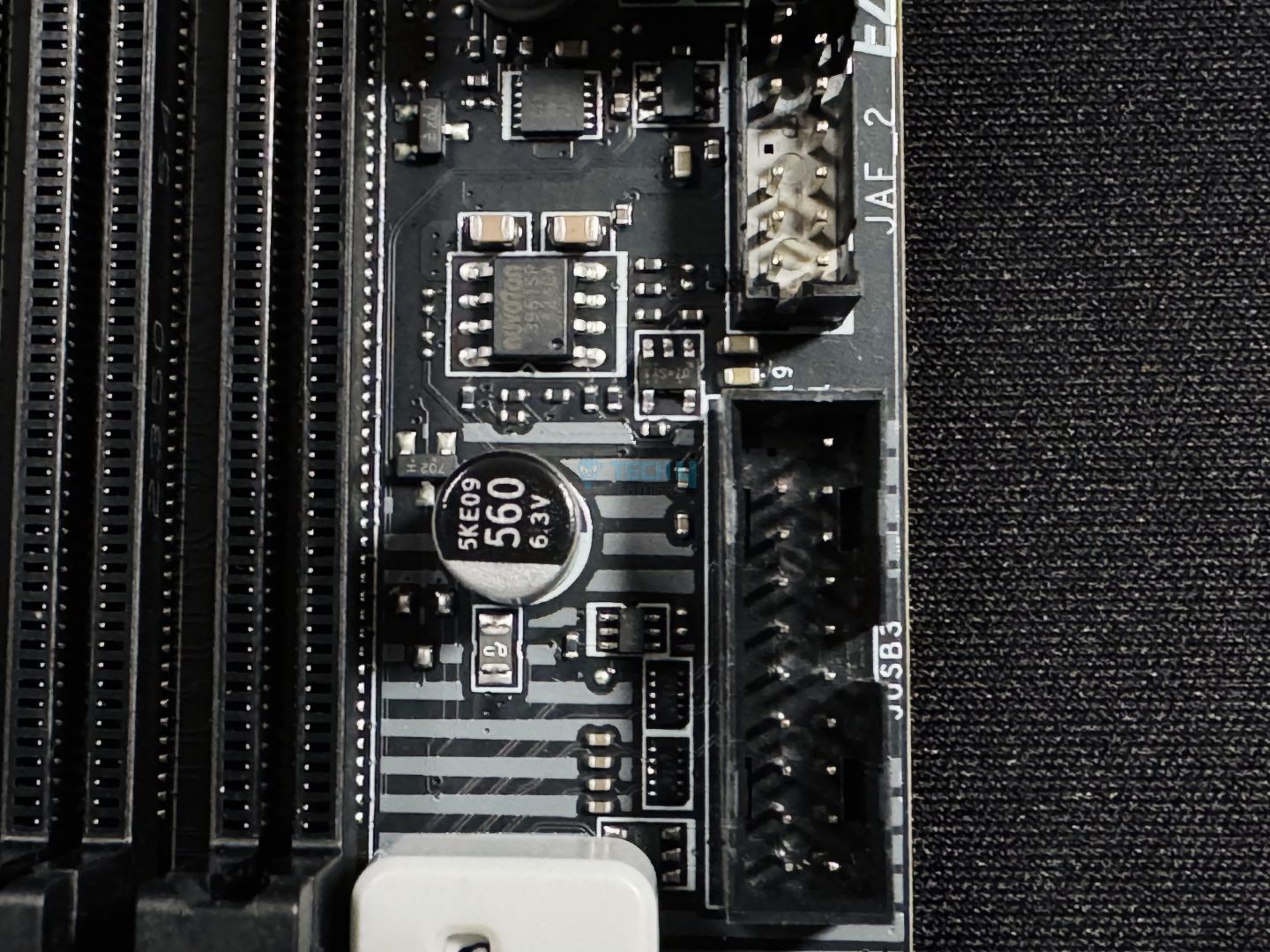
The 1-to-3 EZ Conn-Cable (V2) goes into the JAF_2 EZ Conn header on the board, combining A-RGB, system fan, and USB connection in one. You get 4x EZ M.2 Clip II (one for each M.2 slot) and the EZ M.2 Clip II remover to install/remove these clips. These clips are to be used with 2260-type SSDs. 

Design 

MSI Pro Z890-A WiFi design
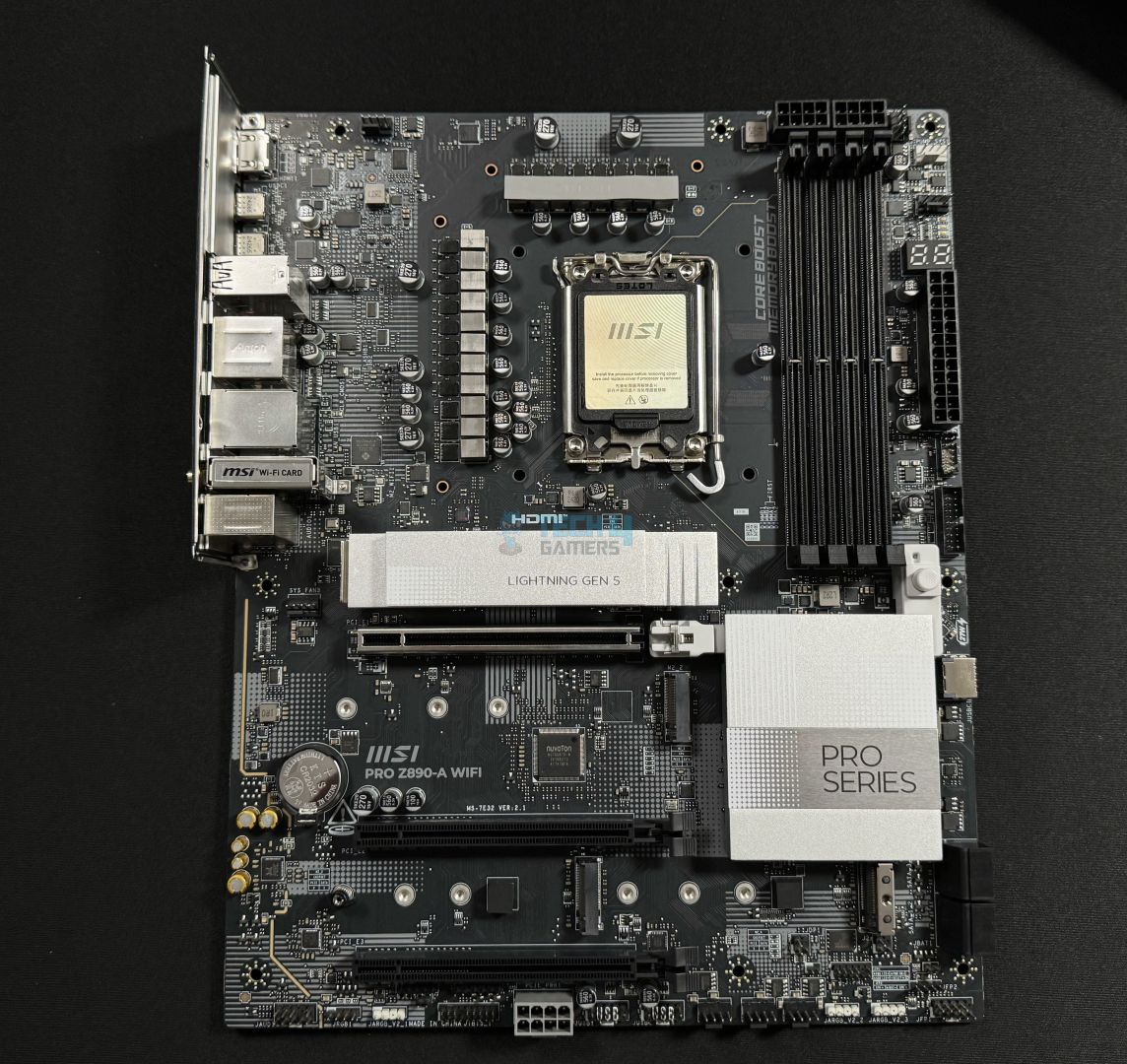
The board, fresh out of the box (Image by Tech4Gamers)

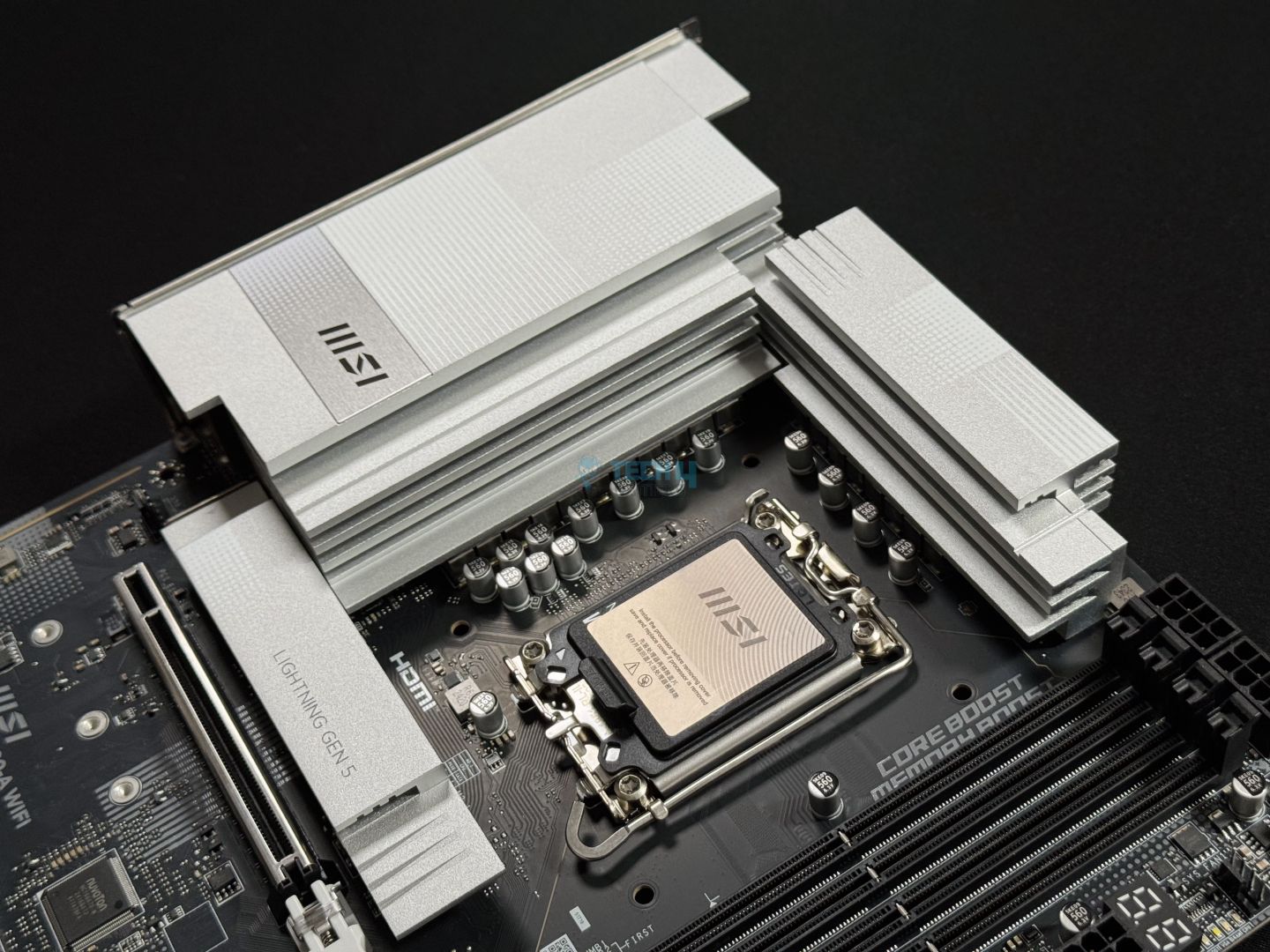
The MSI Pro Z890-A won me over as soon as I looked at it. It features an incredibly sleek and minimalist design, featuring an all-black PCB and (almost) all-white heatsinks. There is minimal branding, with only the MSI logo on the rear I/O panel cover and “Pro Series” on the PCH heatsink. Onboard RGB is not part of the board. The heatsinks look amazing, and I can only imagine how good the board would look if the PCB was also white. 

It is built on a 6-layered server-grade PCB using NPG-170D material, with 2oz thickened copper for stability. It has transient voltage suppression and overcurrent protection. Moreover, it has a grounding structure using copper rings to suppress the EMI generated by the power phases. 

MSI has not provided a block diagram, but we know that the memory, PCIe Gen 5 x16 slot, 2x M.2 slots (one Gen 5, one Gen 4) come from the CPU. The CPU also powers the HDMI connection (through which you can use the iGPU). Everything else comes from the chipset, including USB ports, audio, LAN, WiFi, the remaining expansion slots, and the SATA ports. A DMI 4.0 x4 and eSPI link connects the CPU and chipset. 

CPU Socket And Power Delivery

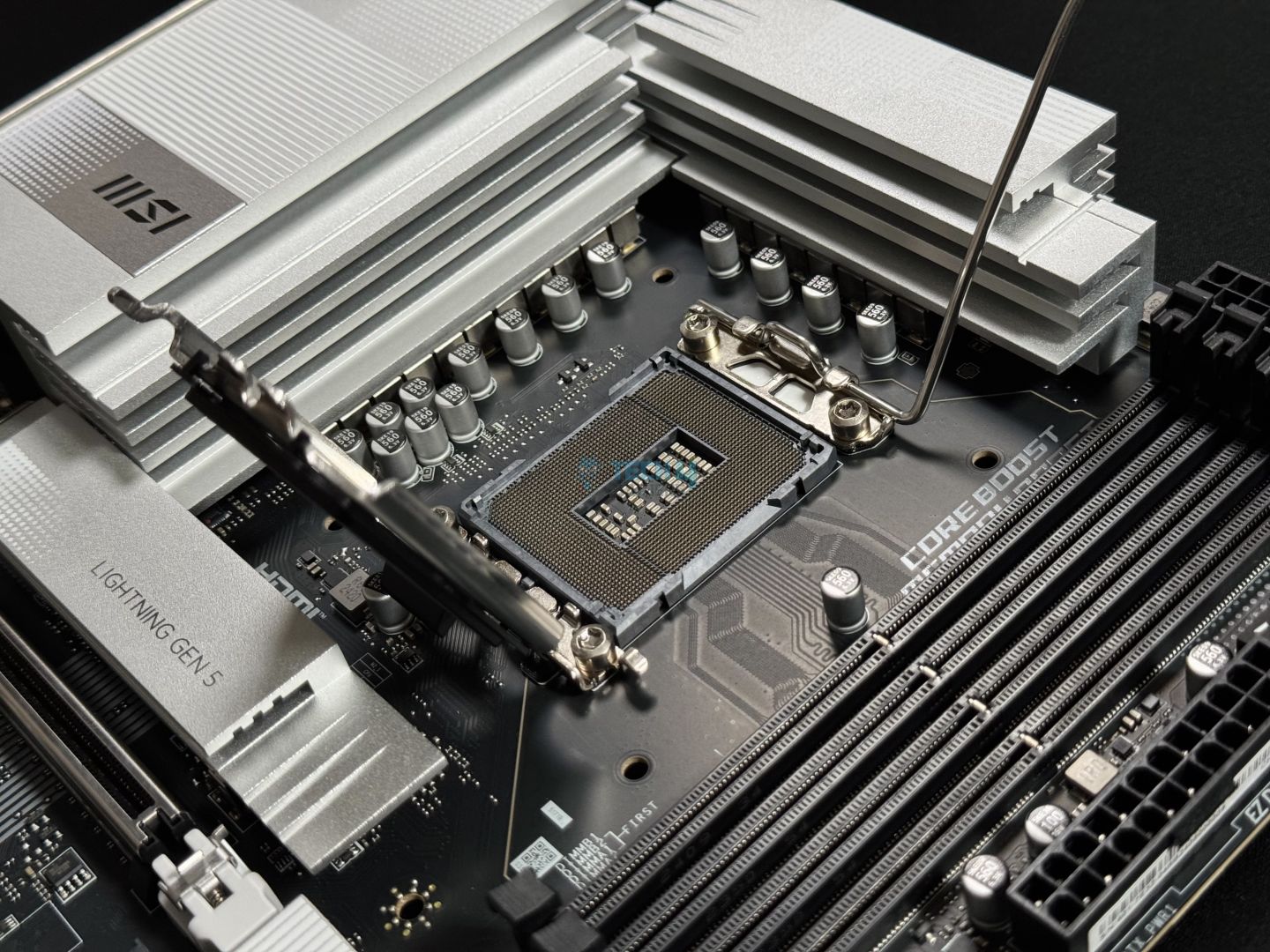
The new 800-series chipsets use the new LGA1851 socket, which has 151 more pins than the previous socket. Intel will support this socket until 2026, supposedly for two more generations of CPUs after this one. The retention mechanism (RL-ILM) is also different for LGA1851 and is meant to distribute the force more evenly across the CPU. However, Intel allows motherboard manufacturers to use the old mechanism. 

The board is using the RL-ILM socket, though there’s no mention of it on the socket cover or plate. 

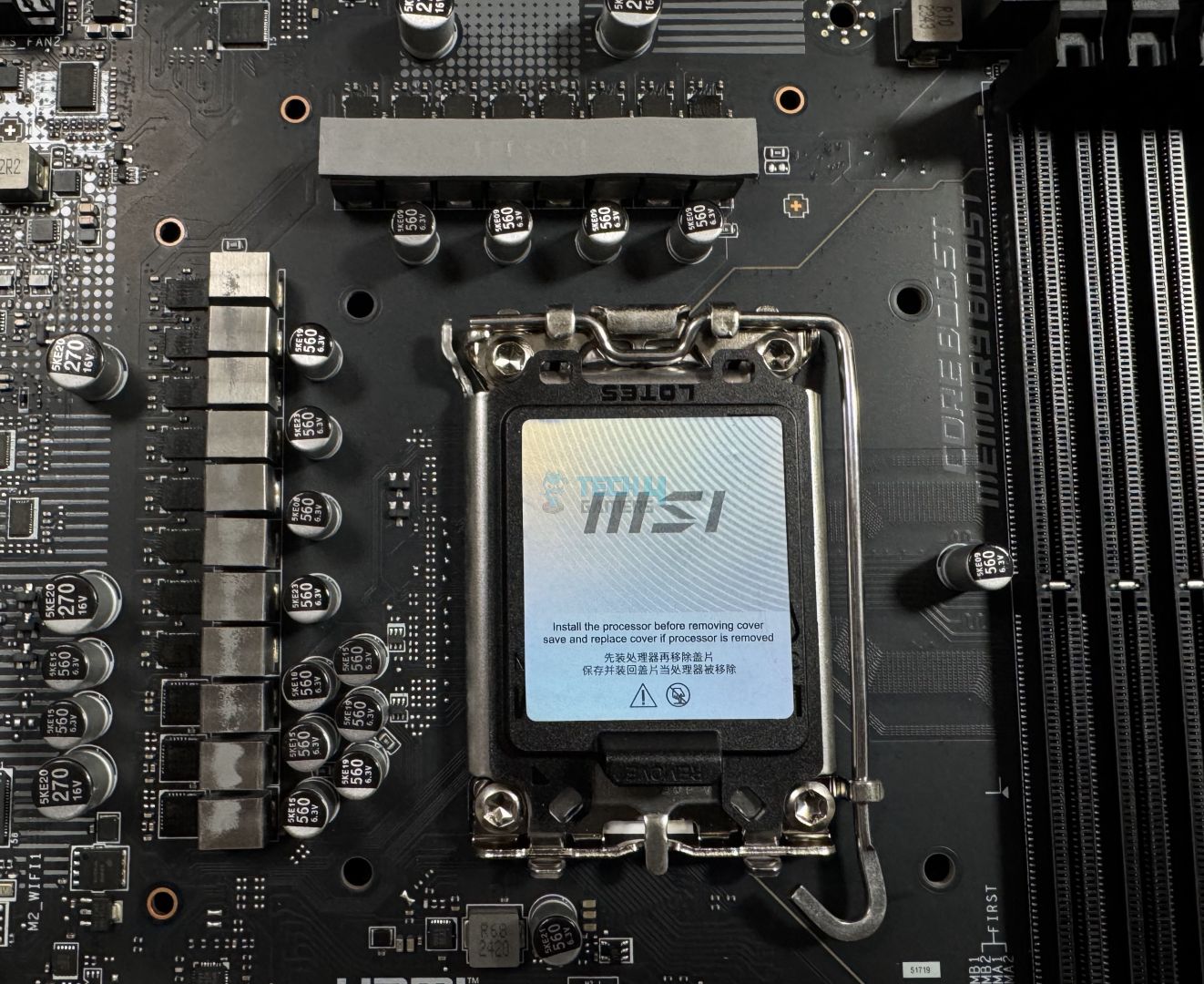
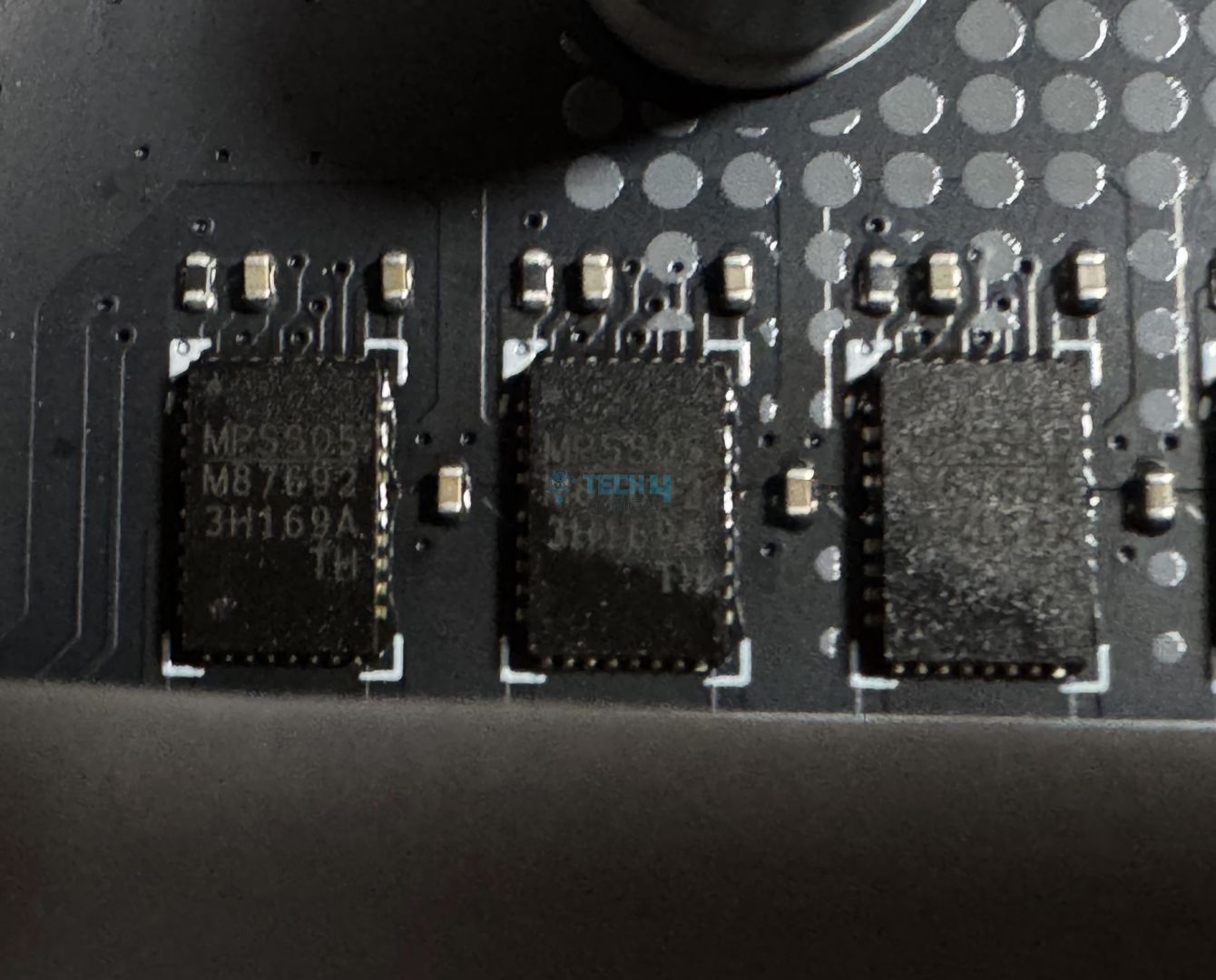
Looking at the VRMs, this is a 16+1+1+1 digital phase power design (VCore+SA+GT+VNNAON), including 90A SPS for the CPU. From the bottom, the first 3 are dedicated to the aforementioned components. 16 phases at 90A each equals 1440A for the VCore, which is more than enough for any Arrow Lake CPU. 

The capacitors used in the VRM setup can store up to 560µF and are rated for 6.3V. Looking at the VCore MOSFETs, they are from MPS and are labelled MPS805 / M87692.

MSI Pro Z890-A WiFi EPS connectors
EPS connectors (Image by Tech4Gamers)

The initial power comes from the dual 8-pin EPS connectors, each capable of providing 150W. This connector uses solid pins, which MSI claims provide a more stable 12V supply to the CPU. 

MSI offers overvoltage protection for the CPU and also some software-related features to help with overclocking. These include BCLK control (sync CPU BCLK and SOC BLCK or adjust them separately), Lite Load Control (control of AC/DC load-line settings), and more.

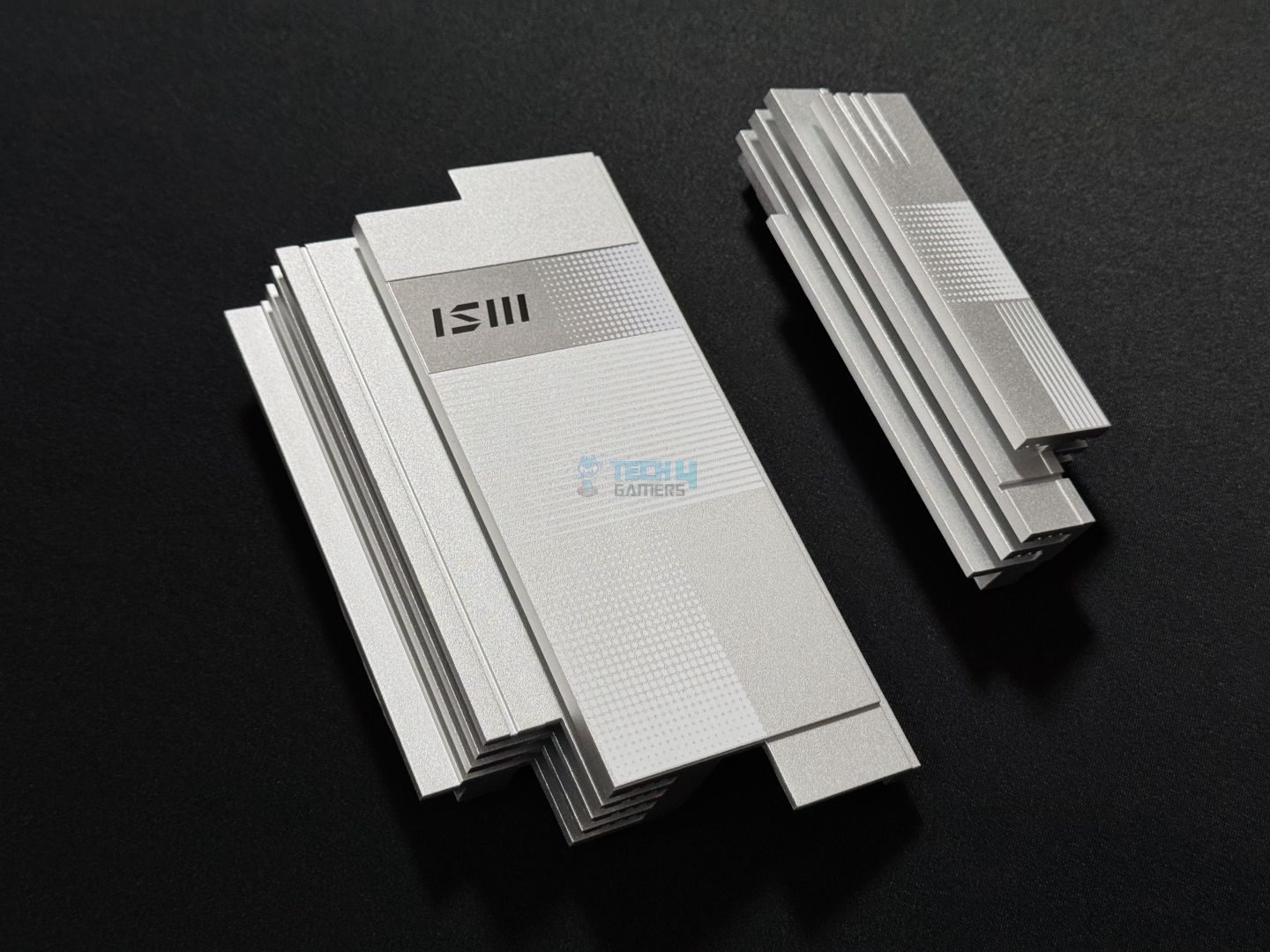
The two heatsinks featuring stacked-fin designs and 7W/mK MOSFET thermal pads cool the heatsinks. We’re not sure what the rating is for the choke thermal pads. 

The heatsinks have a unique minimalist design and incorporate linear grooves and dotted patterns. We have the MSI logo on the I/O panel cover inside the grey stripe. It’s a really nice look; credit to MSI’s designers for this. 

DIMM Slots

MSI Pro Z890-A WiFi DIMM slots
DIMM slots (Image by Tech4Gamers)

The motherboard can run 256GB of maximum memory capacity, and speeds of up to DDR5-9200 MT/s are supported. Following are the maximum speeds supported in different configurations:

  • 1DPC 1R = 9200+ MT/s
  • 1DPC 2R = 7200+ MT/s
  • 2DPC 1R = 4800+ MT/s
  • 2DPC 2R = 4800+ MT/s 

The memory support for 2 DIMM per channel configuration is much lower than we’ve seen in other boards. These DIMM slots are surface-mounted and only have latches on one side, the one toward the PCIe slots. We’re not sure why MSI went with this design, as there seems to be enough room on the other side for the latches, even in the “open” configuration. 

We see the “Memory Boost” text beside the DIMM slots, though we don’t know what this technology does. 

Storage Options

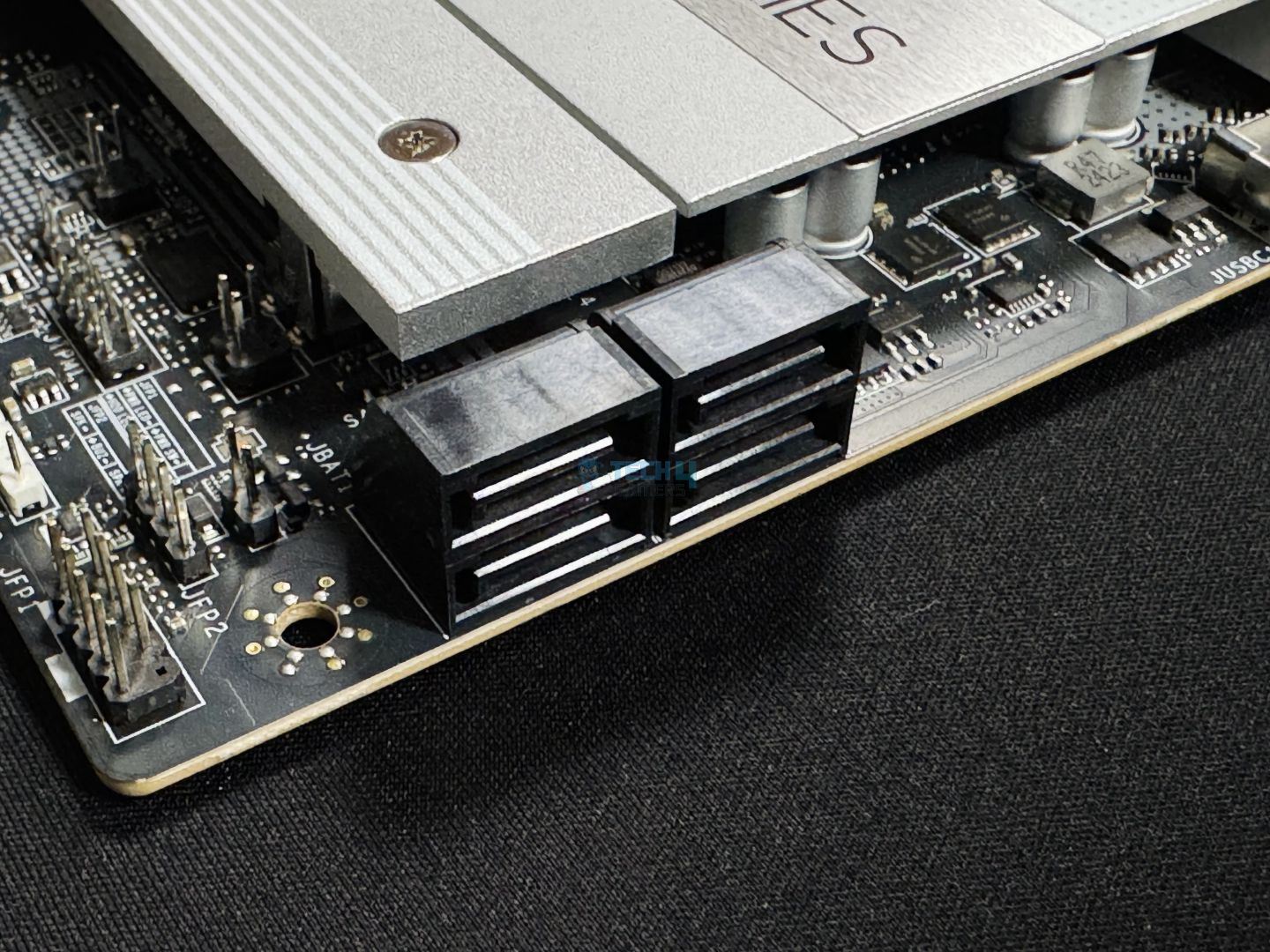
Storage options include 4x SATA 6G ports and as many M.2 slots (one is Gen 5, while the remaining are Gen 4). M2_1 supports 2280/2260 SSDs, M2_2 supports 22110/2280/2260 devices, while both M2_3 and M2_4 can accommodate either 2280, 2260, or 2242 SSDs. All the storage options on the board support RAID 0, 1, 5, and 10 options. 

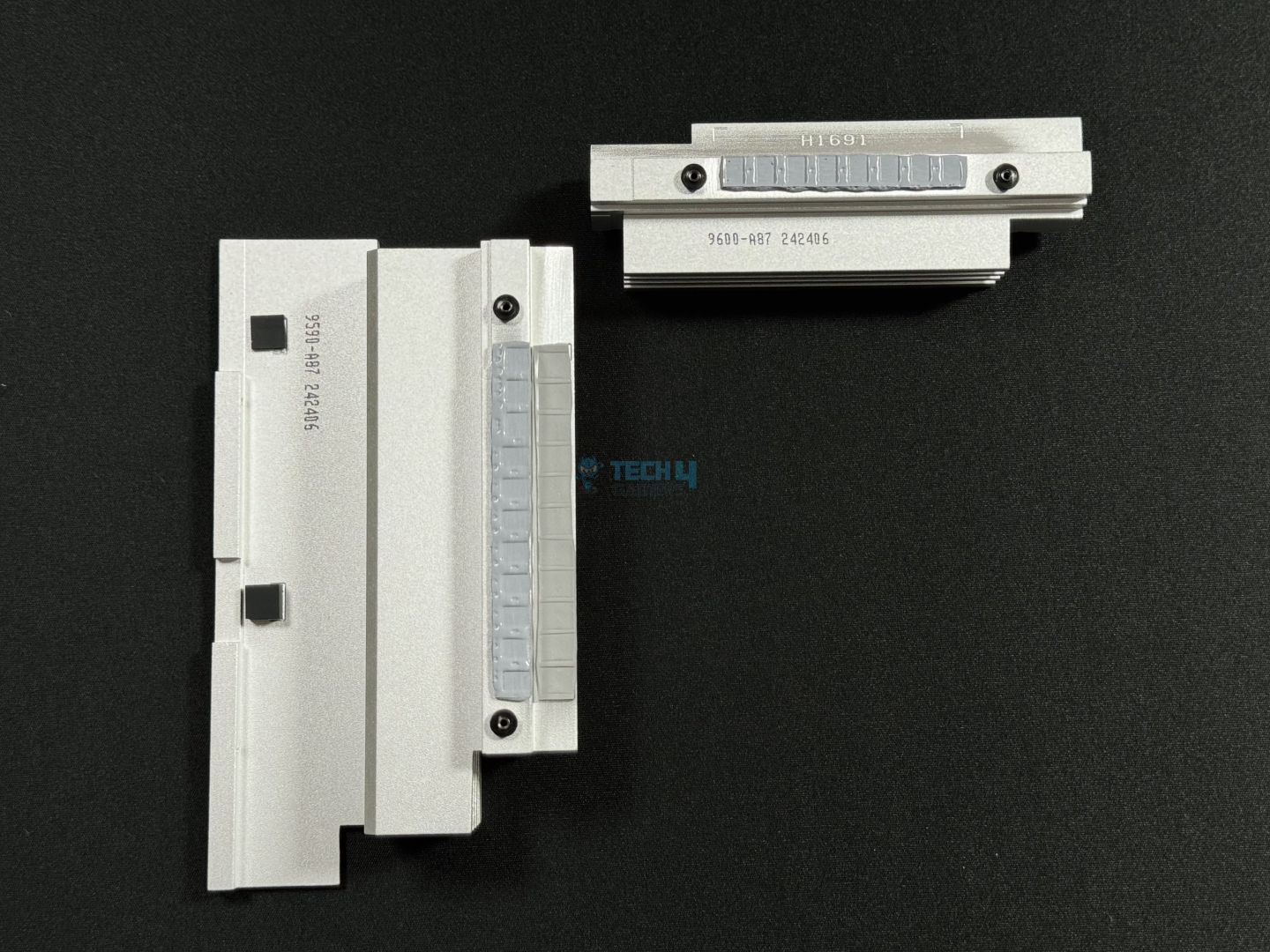
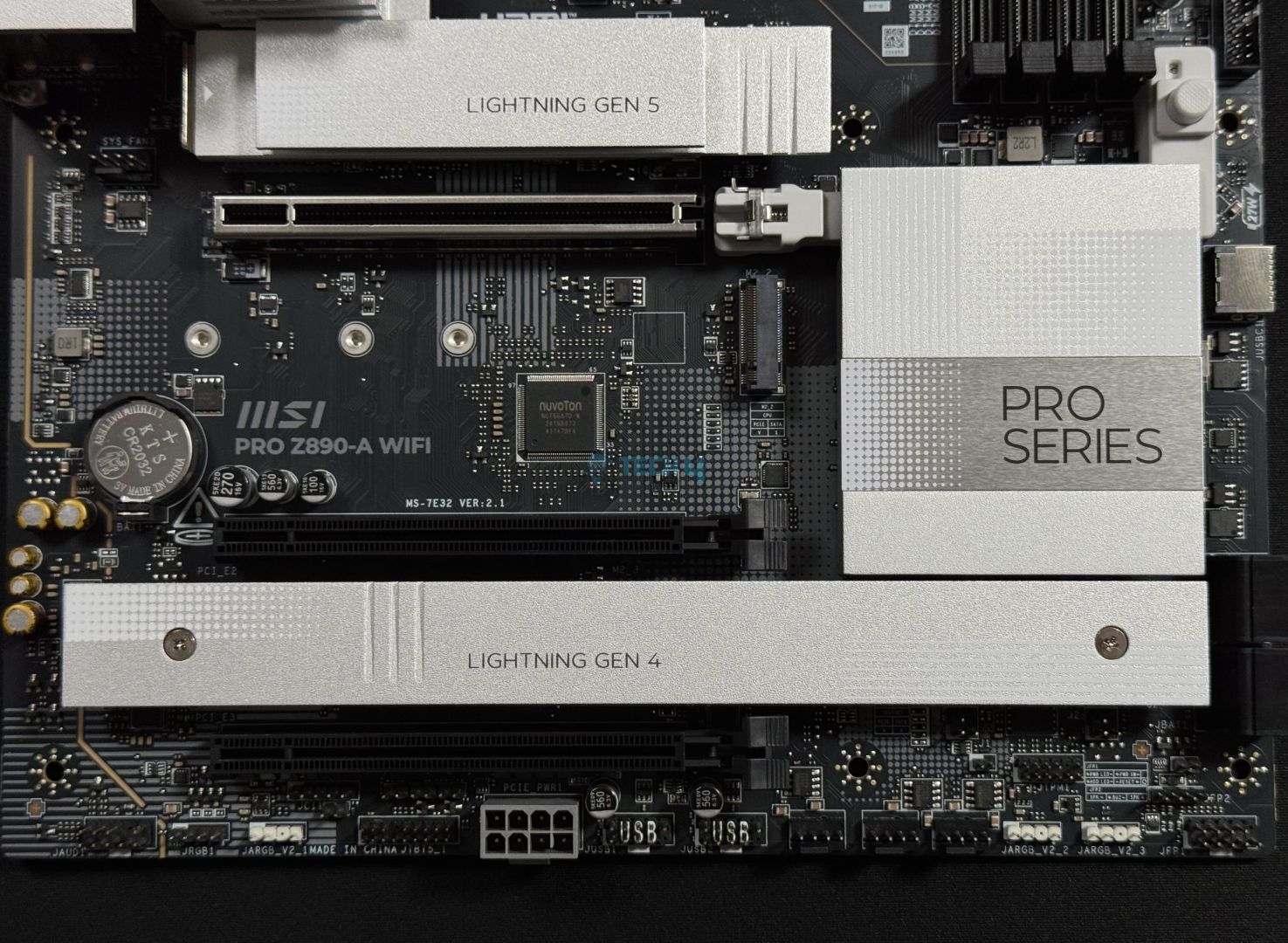
The M2_1 heatsink features the EZ M.2 Shield Frozr II technology for toolless removal, while the second M.2 heatsink requires a screwdriver. There’s no heatsink for the M2_2 slot, and you’ll need to get an aftermarket one (clearance is 26mm width). Let’s remove the heatsinks and take a look.

MSI Pro Z890-A WiFi
M.2 heatsinks removed (Image by Tech4Gamers)

A stacked fin design is being used for the M2_1 heatsink, while the other heatsink features a regular, plain design and a lower height. The secondary M.2 heatsink and the PCH heatsink designs are in harmony with the VRM heatsinks. 

The M2_1 heatsink features the EZ M.2 Clip II clip already installed, while the remaining slots require the clip to secure your SSD. You get three different alignment spots for each slot to choose from according to your SSD’s length. It’s peculiar that there’s an EZ M.2 latch on the M2_3 slot for Type 2280 SSDs; you won’t be able to use the EZ M.2 Clip II on this slot if your SSD is 80mm long. 

This is the first motherboard I’ve seen without double-sided thermal pads for the M.2 slot. As such, only the heatsinks have thermal pads for both slots. 

WARNING: Remove the protective film from the thermal pads before usage. 

PCIe Slots

MSI Pro Z890-A WiFi PCIe slots
PCIe slots (Image by Tech4Gamers)

The board has three PCIe slots. Slot 1 is Gen 5 x16, while the remaining two are Gen 4 x4. The secondary slots don’t have much going for them, but the primary slot is steel-reinforced and surface-mounted. MSI’s Steel Armor II reinforcement improves durability to accommodate heavier GPUs, according to MSI. Surface mounting also helps with its durability.

MSI Pro Z890-A Pro WiFi EZ PCIe release
EZ PCIe release button (Image by Tech4Gamers)

This slot also uses an EZ PCIe release mechanism, and we’re always glad to see this in their motherboard. It features a button to set/release the lock, and the little padlock icons tell us what mode the lock is currently in. This is as easy as it can get! 

USB Connectivity 

The board features 17 ports in total: 

  • 4x USB 2.0 (Front)
  • 4x USB 5Gbps Type A (Rear)
  • 2x USB 5Gbps Type A (Front)
  • 3x USB 10Gbps Type A (Rear)
  • 1x USB 10Gbps Type C (Rear)
  • 1x USB 20Gbps Type C (Front)
  • 2x Thunderbolt4 ports (Rear) 

The Thunderbolt 4 ports offer 40Gbps speeds with Thunderbolt 4 devices and half as much for USB4 devices. They also support 15W charging. The 20Gbps Type-C port supports 27W power delivery through your chassis’ front panel. 

MSI Pro Z890-A WiFi USB controller
RTS5420 USB controller (Image by Tech4Gamers)

Pictured above is the Realtek RTS5420 which provides the board’s 10Gbps connections. The rear 5Gbps ports come from the GL3523 controller, while the internal USB 2.0 connections come from the GL850G controller. 

Network and Connectivity

MSI Pro Z890-A WiFi WiFi card
WiFi card (Image by Tech4Gamers)

The motherboard supports WiFi 7 and Bluetooth 5.4 for wireless connectivity and Realtek’s 5G LAN port for a wired connection. MSI’s “EZ antenna” has an easy-to-attach magnetic stand and does not require rotation. 

MSI also offers a dedicated LAN manager software. This offers handy features like changing traffic and bandwidth prioritization. 

Audio Solution 

MSI Pro Z890-A WiFi audio codec
Realtek ALC1220 audio codec (Image by Tech4Gamers)

The ALC1220 is a mid-range audio solution, an offering more than good enough for this board’s class. MSI highlights its Audio Boost 4 feature, which features “high-quality capacitors and audio jacks” and a dedicated headphone amplifier, among other features. The left and right audio channels on the board are separate. 

Another feature MSI highlights is the “Isolated Analogy Structure”—this supposedly “separates the external metal framework from the internal layout” to provide a cleaner signal.

Internal Connectors And Components

Following is the list of connectors on the board: 

  • 1x Thunderbolt5 card connector
  • 1x Power Connector (ATX_PWR)
  • 2x Power Connector (CPU_PWR)
  • 1x Power Connector(PCIE_PWR 8pin)
  • 1x CPU Fan
  • 1x Combo Fan
  • 6x System Fan
  • 1x EZ Conn-header (JAF_2)
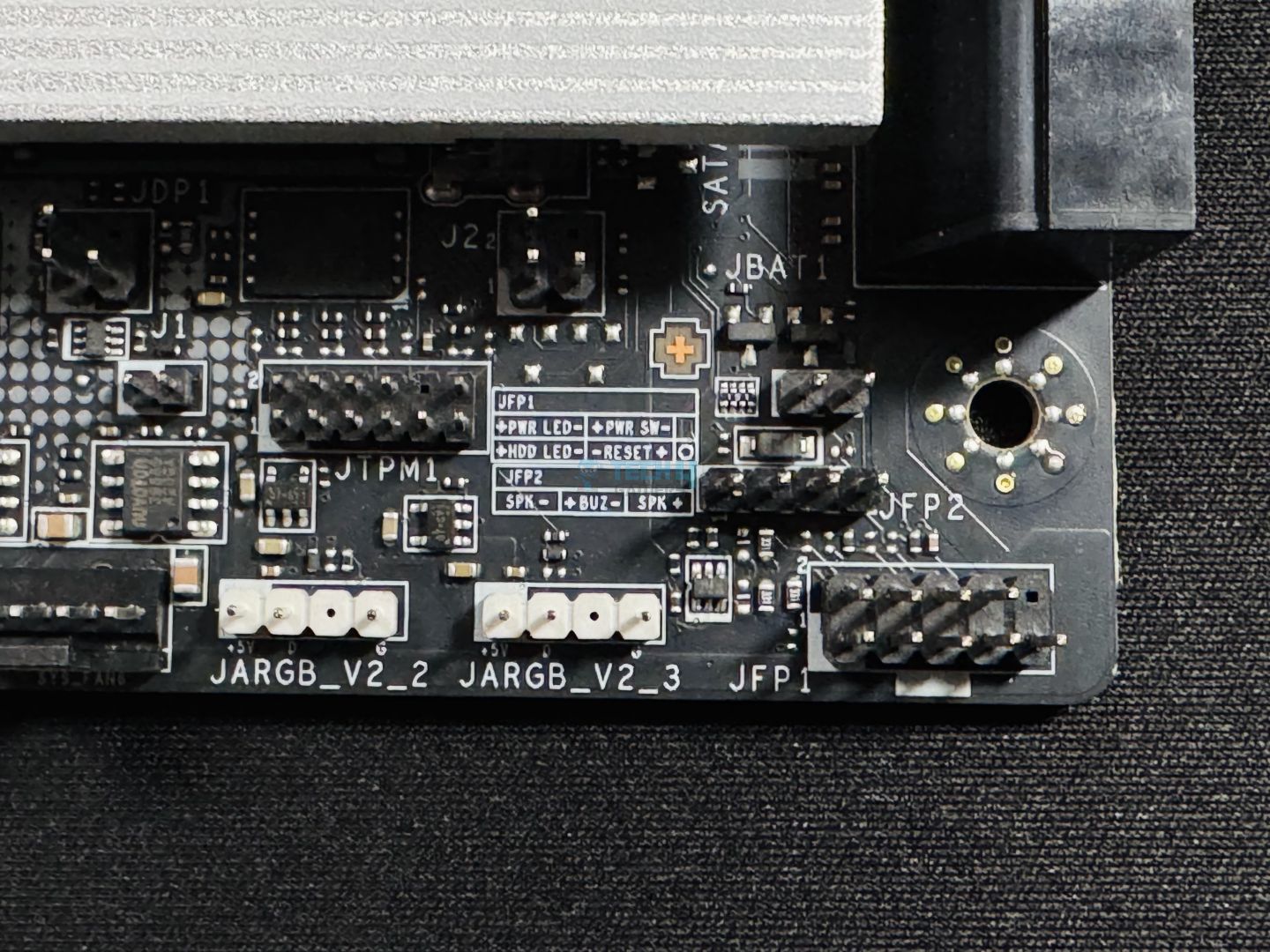
  • 2x Front Panel (JFP)
  • 1x Chassis Intrusion (JCI)
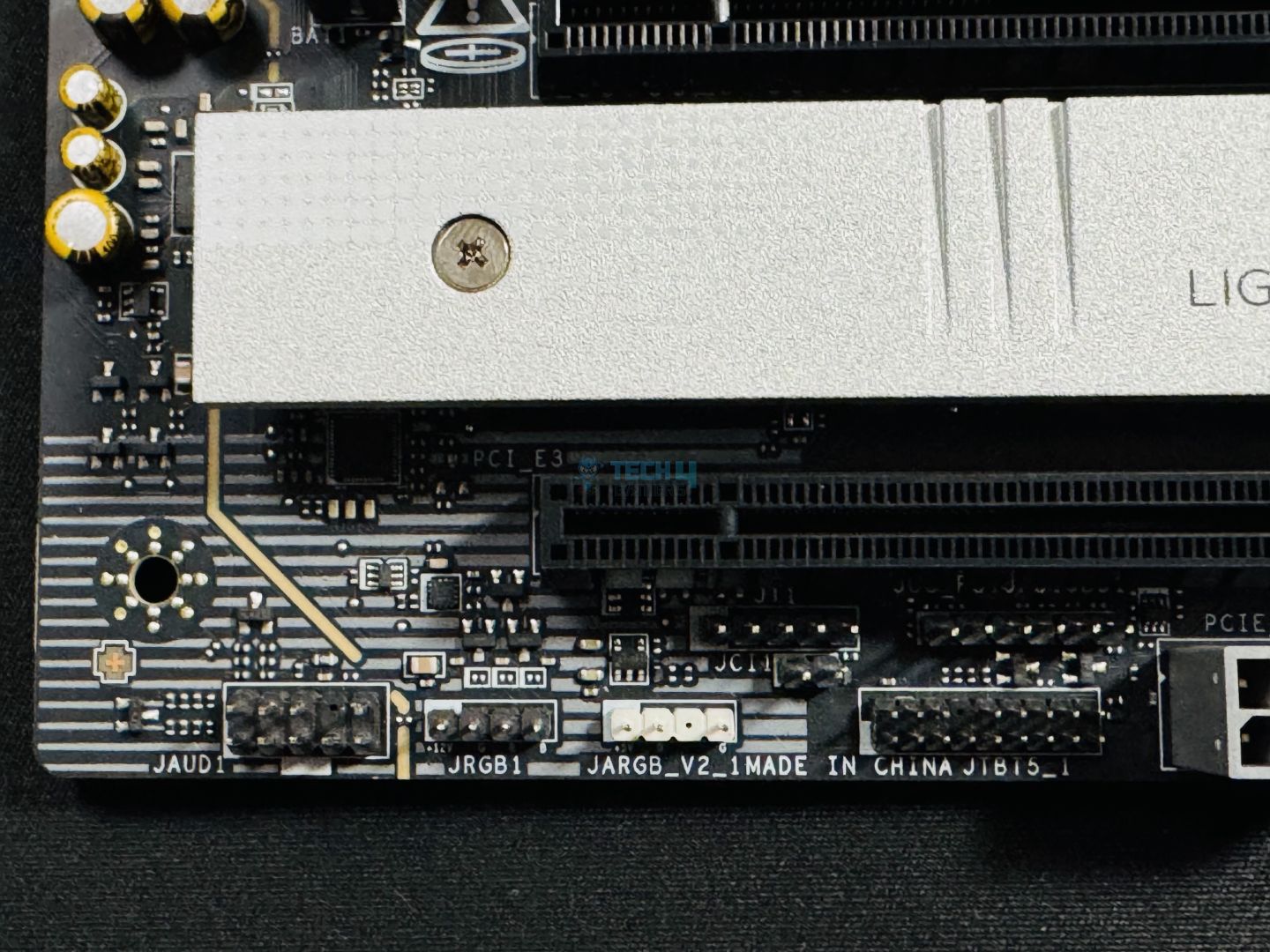
  • 1x Front Audio (JAUD)
  • 3x Addressable V2 RGB LED connector (JARGB_V2)
  • 1x RGB LED connector(JRGB)
  • 1x TPM pin header(Support TPM 2.0)
  • 4x USB 2.0 ports
  • 2x USB 5Gbps Type A ports
  • 1x USB 20Gbps Type C ports

The 8-pin and 24-pin connectors also use solid pins. Of course, we also get the 11-pin JAF_2 connector to plug the 1-to-3 EZ Conn cable into.

The first highlight is the Thunderbolt 5 connector, which will come into use when this standard becomes more common. It will enable speeds of up to 160 Gbps, dual 8K monitors, and up to 27W charging speeds. This, of course, is in addition to the already present dual Thunderbolt 4 ports in the back. 

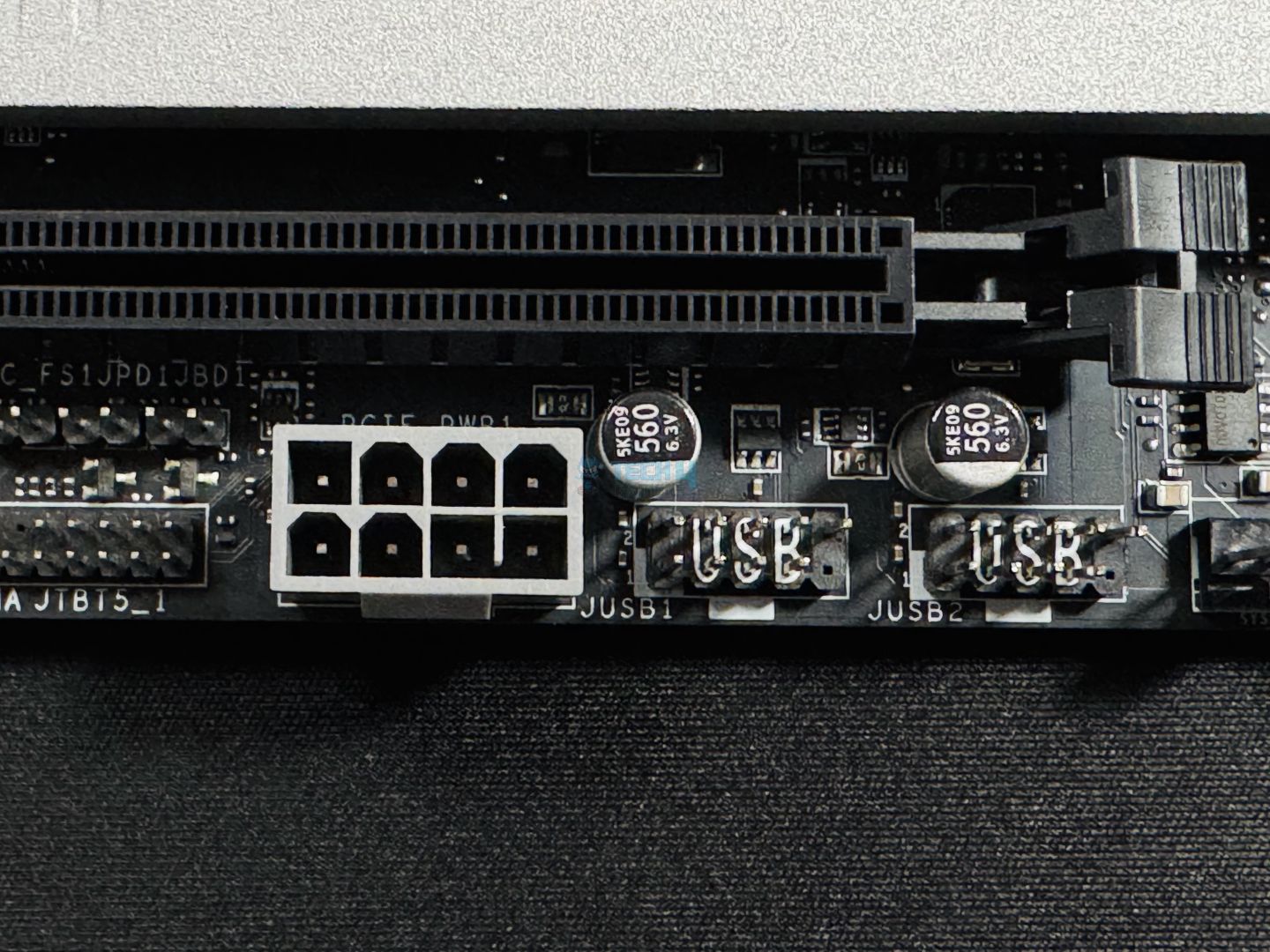
Second, we have the extra 8-pin PCIe power connector. This connector will provide 2.5 times more power excursion through the PCIe slots. According to MSI, this connector provides up to 252W, which, when combined with the 24-pin ATX connector, totals to 420W maximum. This leaves up to 132W for the fan connectors and 36W for the RGB connectors. At the same time, the power excursion is increased to 2.5x. 

Of course, you need to have a PSU with enough wattage to benefit from this connector.

MSI supplemental PCIe power connector
An example of how the extra connector could benefit a power-hungry system (Image Credits: MSI)

Note that “power excursion” is a temporary supply of power, not a constant one—the PCIe slot is still essentially limited to 75W. However, this connector will reduce stress on the 24-pin connector when it’s occupied to the brim. You won’t have to worry while connecting multiple fans and RGB devices. 

MSI Pro Z890-A debug LED panel
EZ debug LED panel (Image by Tech4Gamers)

To facilitate troubleshooting, we have the EZ debug code LED panel beside the DIMM slots and below the 4x troubleshooting LEDs. 

An M.2 signal source list is also printed on the board near the rear I/O. 

Rear I/O 

Have a peek at the rear I/O panel: 

MSI Pro Z890-A WiFi rear I/O panel
Rear I/O panel (Image by Tech4Gamers) 
  • USB 10Gbps Type-A
  • USB 5Gbps Type-A
  • 5G LAN
  • Wi-Fi / Bluetooth Connectors
  • Audio Connectors
  • HDMI port
  • Thunderbolt™ 4 40Gbps (Type-C)
  • USB 10Gbps Type-C
  • Flash BIOS Button
  • USB 5Gbps Type-A
  • S/PDIF-OUT

Among the regular connectors, we have a flash BIOS button; but there’s no room for a clear CMOS button here. MSI has printed the speeds supported by the USB ports, replacing the port names that we usually see. This was great to see, and it’s hard to believe I didn’t see it sooner. 

The I/O panel looks good in white and has the MSI “Pro” logo on the upper left side. The I/O shield is made of stainless steel and comes pre-installed on the board. 

We’ve looked at the rear I/O cover already. Let’s see what’s under it on the motherboard.

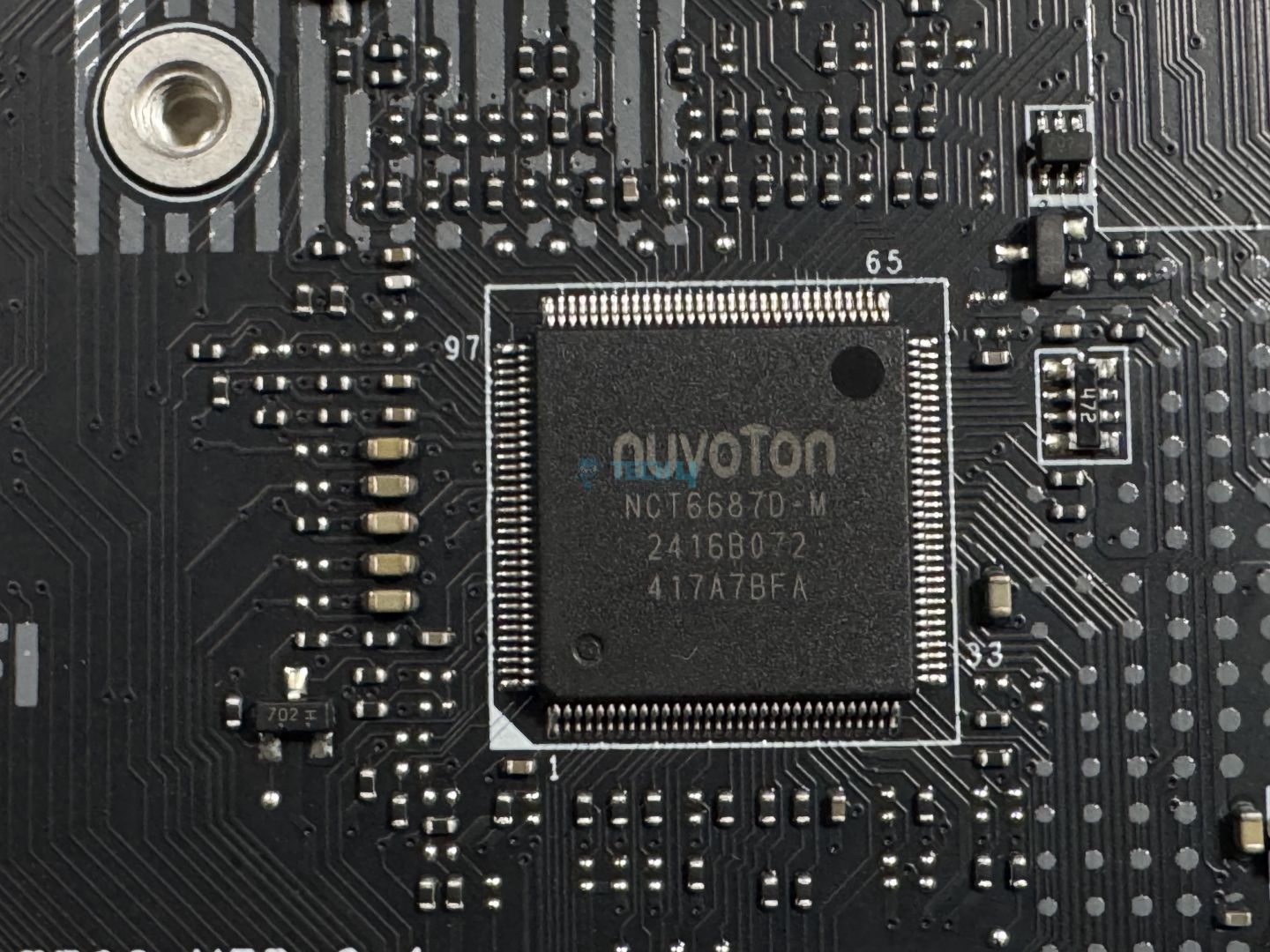
The motherboard uses Nuvoton’s NCT6687D controller to (control and) monitor the fans, voltages, and temperatures on the board. 

Test Setup

Here’s a look at our test setup: 

Synthetic Benchmarks

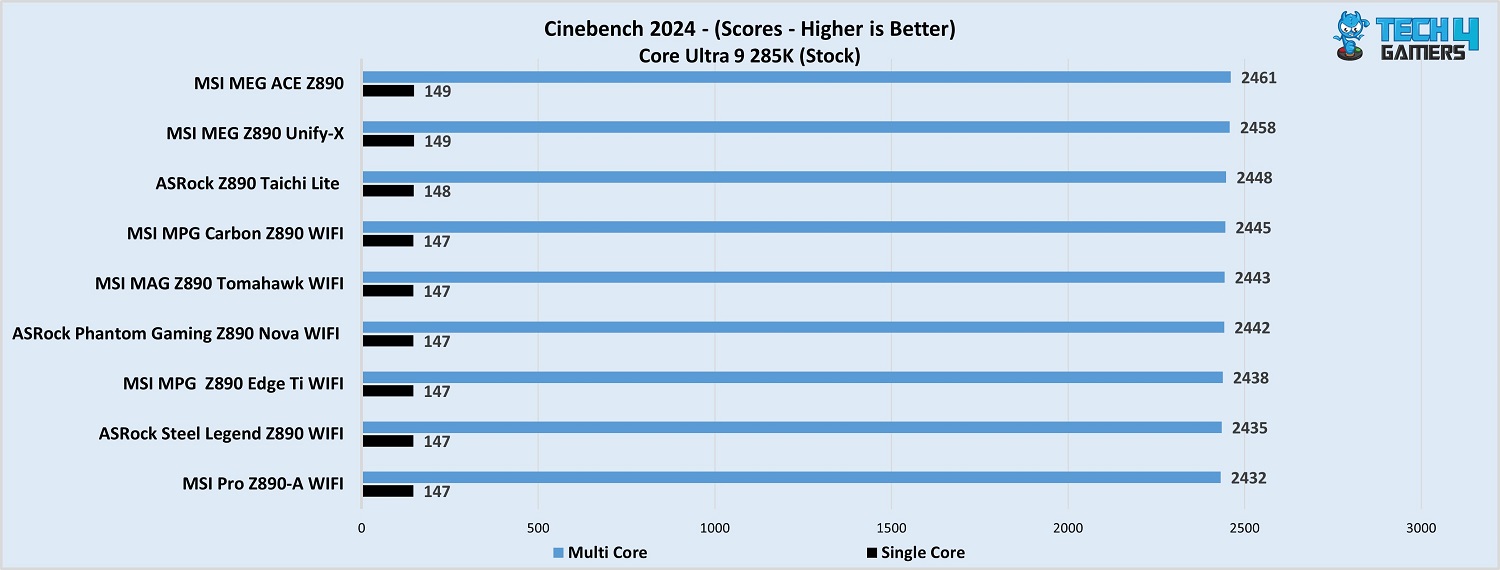
MSI Pro Z890-A WiFi Cinebench 2024
Cinebench 2024 (Image by Tech4Gamers)

It comes last place in Cinebench 2024 but by a tiny margin. 

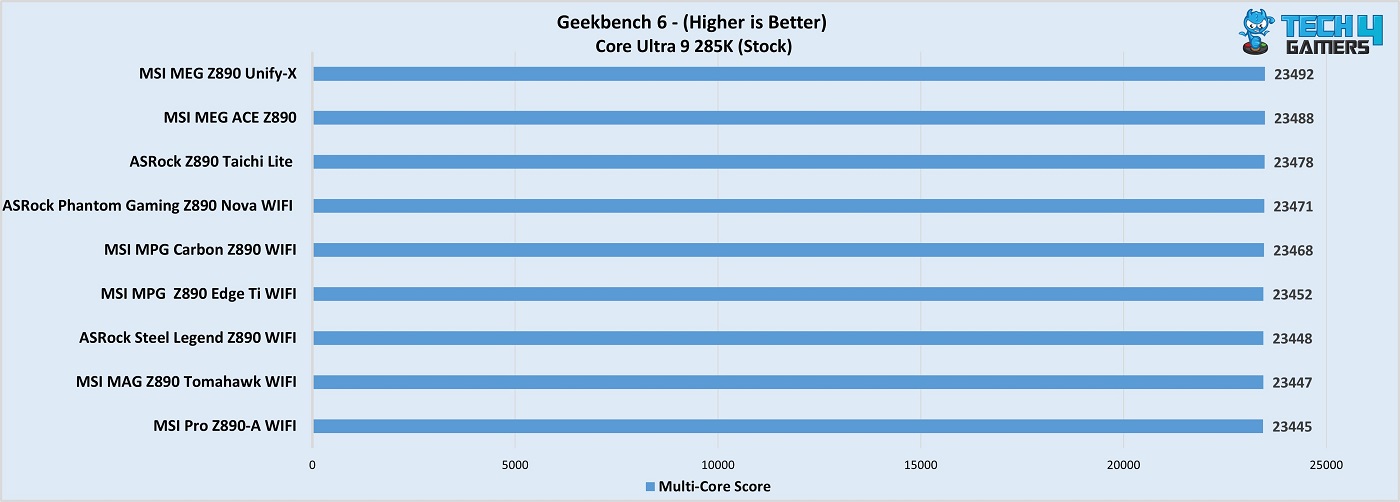
MSI Pro Z890-A WiFi Geekbench 6
Geekbench 6 (Image by Tech4Gamers)

The performance is Geekbench 6 is also satisfactory, but the motherboard comes out in last place by a small margin.

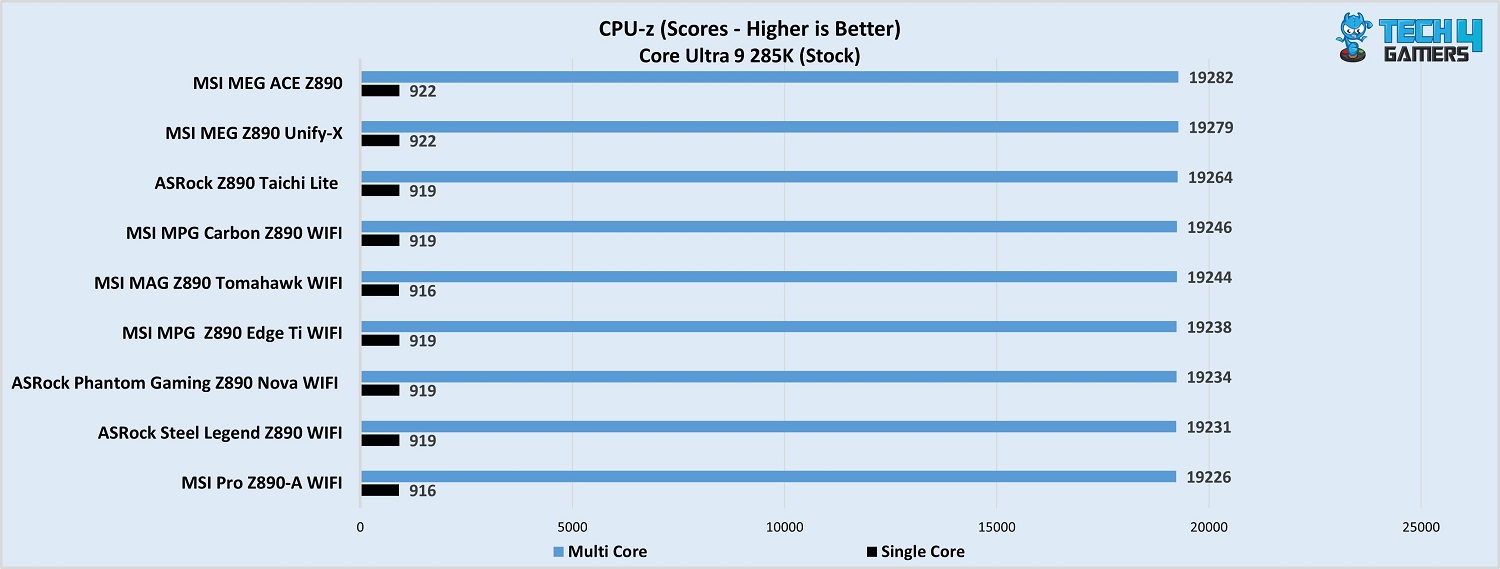
MSI Pro Z890-A WiFi CPU-Z benchmark
CPU-Z (Image by Tech4Gamers)

The board scored 19231 points in the multi-core test and 919 points in the single-threaded benchmark.

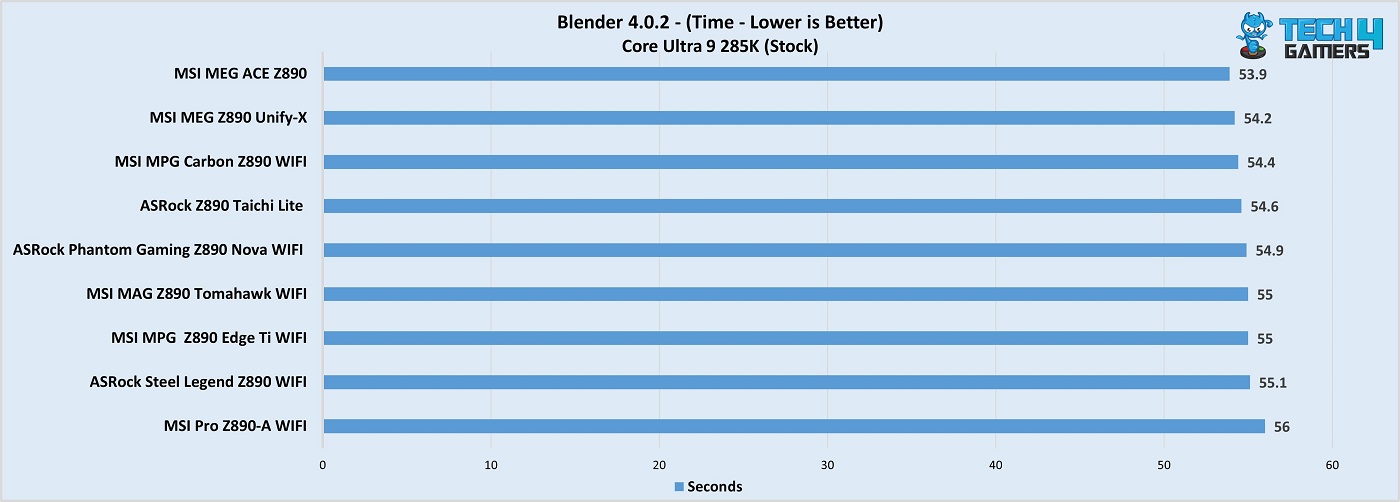
MSI Pro Z890-A WiFi Blender 4.0.2
Blender 4.0.2 (Image by Tech4Gamers)

The Pro Z890-A WiFi setup completed the Blender render in 56 seconds. 

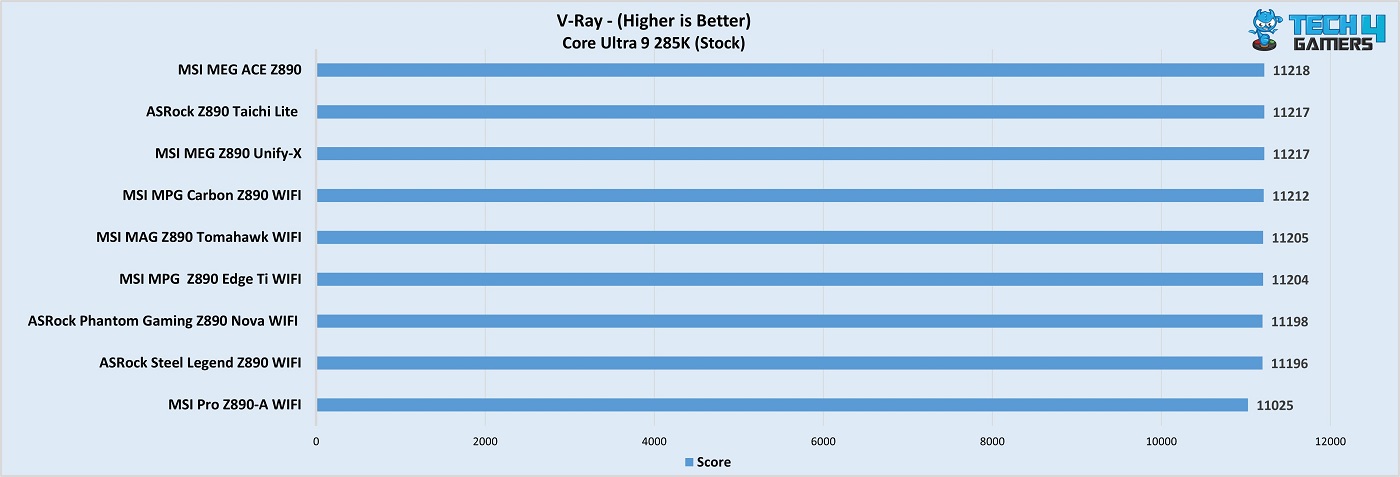
MSI Pro Z890-A WiFi V-Ray benchmark
V-Ray (Image by Tech4Gamers)

The board fell behind a bit notably in V-ray, with 11025 points. 

Overall, the board’s performance was last place in all the tests, but by an ignorable margin.

Gaming Benchmarks

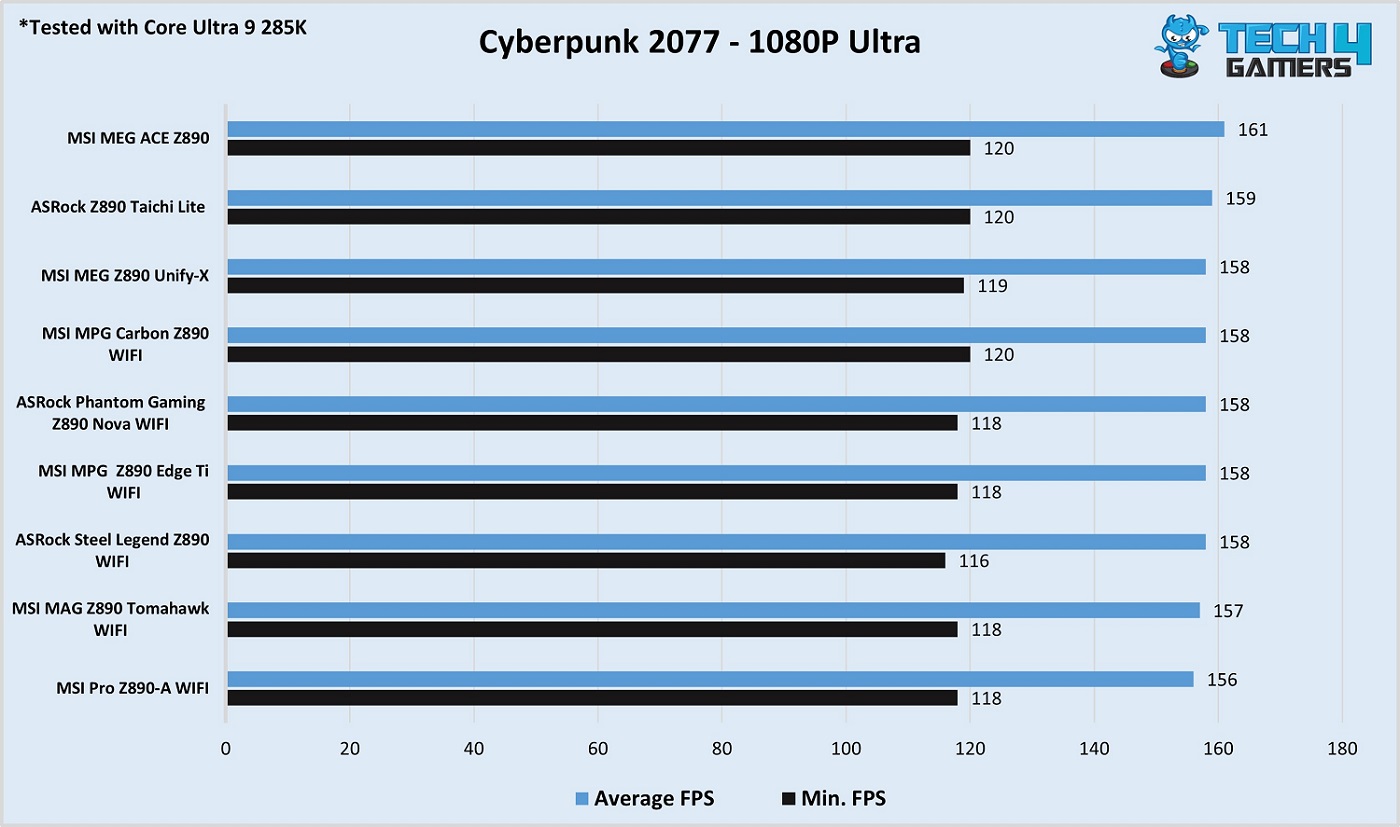
MSI Pro Z890-A WiFi Cyberpunk 2077
Cyberpunk 2077 (Image by Tech4Gamers)

The board scored an average of 156 FPS in Cyberpunk 2077, and the %1 low FPS output was 118. 

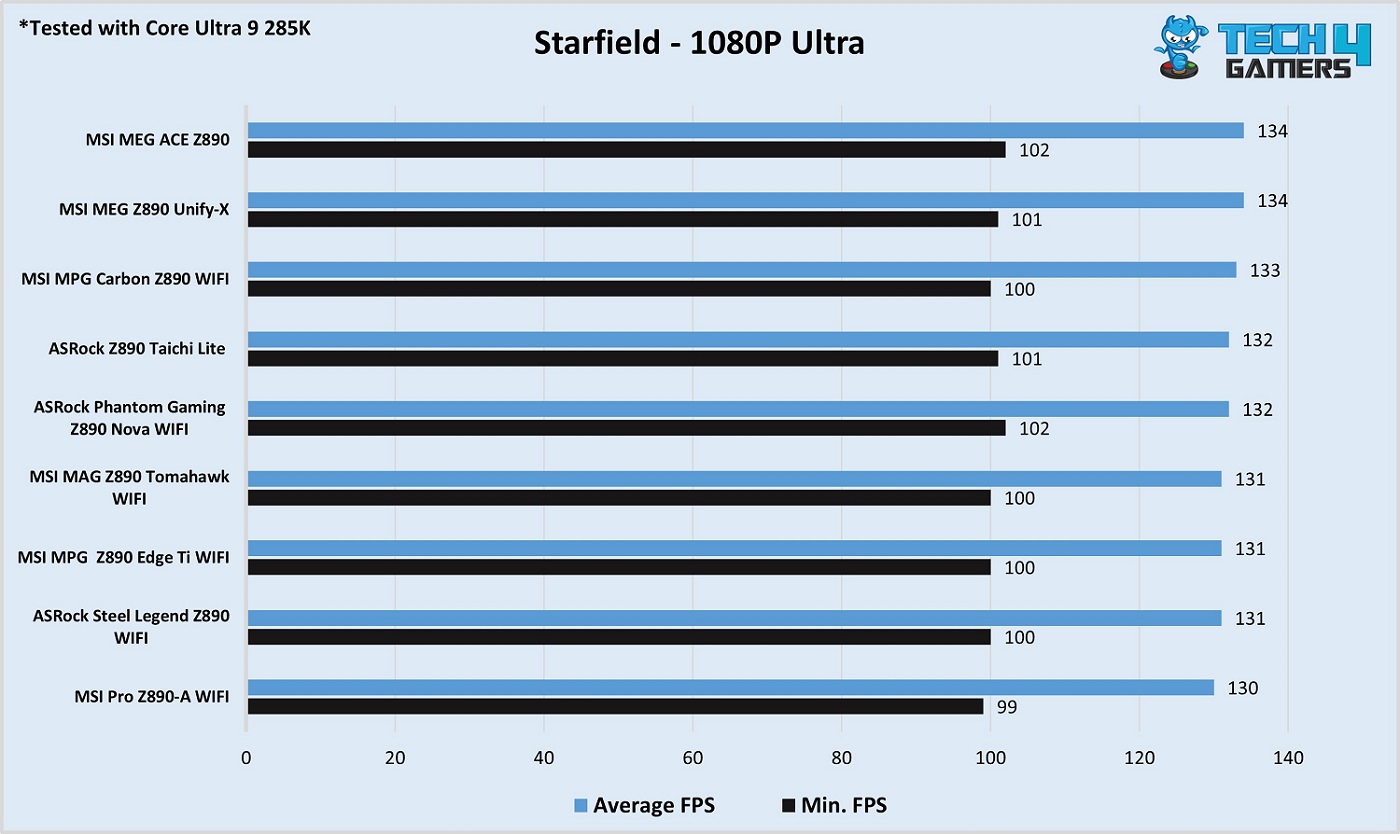
MSI Pro Z890-A WiFi Starfield
Starfield (Image by Tech4Gamers)

In Starfield, the maximum average FPS difference between this board and the top one was 4.

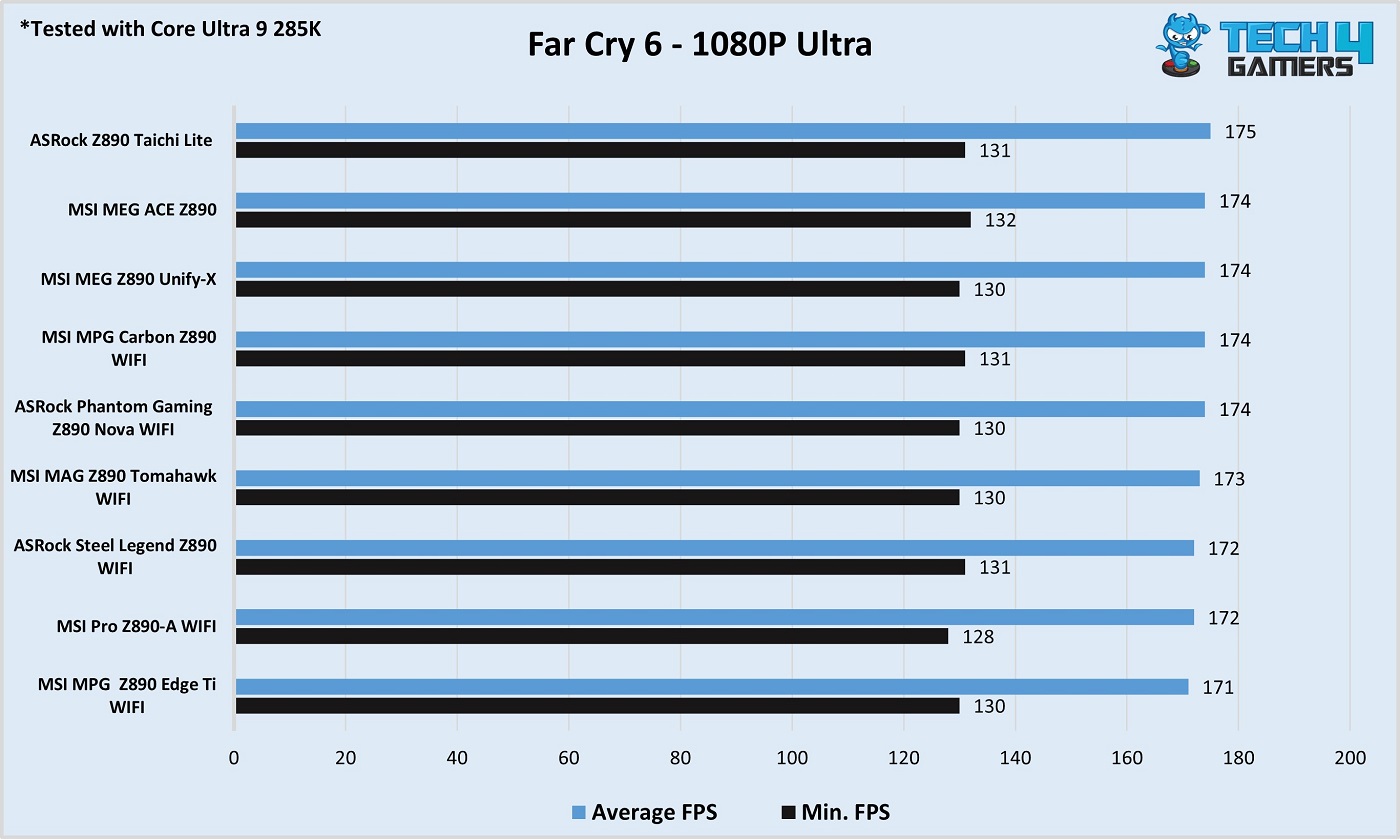
MSI Pro Z890-A WiFi Far Cry 6
Far Cry 6 (Image by Tech4Gamers)

In Far Cry 6, the board managed an average of 172 FPS and a minimum of 128.

Gaming performance is satisfactory. The difference between the most premium boards on our list is, at most, 3%.   

Power Consumption and VRM Temperatures

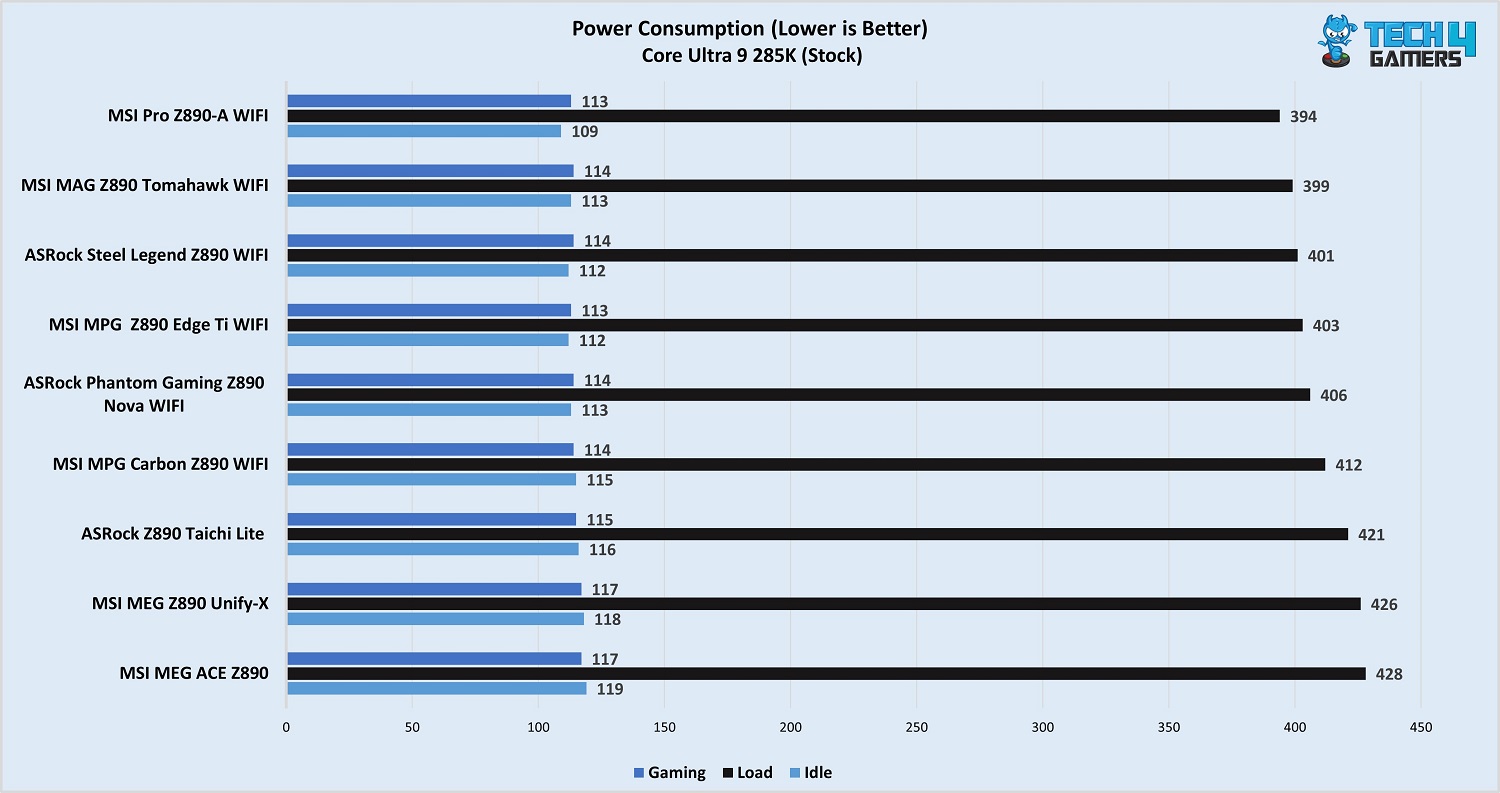
MSI Pro Z890-A WiFi power draw
Motherboard and CPU power draw (Image by Tech4Gamers)

The board and CPU combo outputs the lowest power consumption of all the boards across the load and idle tests and is in joint 1st place for gaming power consumption.

MSI Pro Z890-A WiFi VRM temperatures
VRM temperatures (Image by Tech4Gamers)

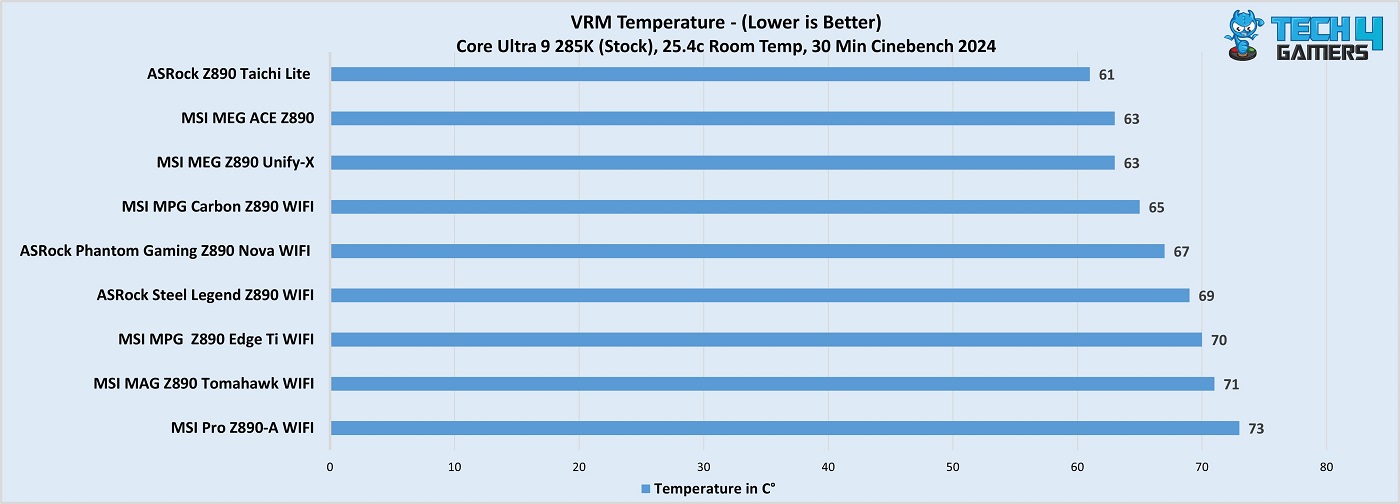
The board’s VRMs ran the warmest of all the boards under the 30-minute Cinebench R23 run. This performance doesn’t satisfy us, but it should do the job. 

Should You Buy It?

Let’s sum up. 

Buy It If: 

✔️ You prefer sleek designs: The MSI Pro Z890-A WiFi has one of the neatest designs we’ve seen in a motherboard, featuring a black PCB and all-white heatsinks. 

✔️ You need the top features for less: The motherboard offers some top features for a fairly affordable price, including WiFi 7, dual Thunderbolt 4, a debug code LED panel, and EZ PCIe release. It also supports Thunderbolt 5. 

✔️ Convenience is a priority: The board maximizes convenience with the aforementioned features, plus EZ M.2 installation, the EZ Conn cable, and the pre-installed I/O shield. 

✔️ You plan on installing plenty of fans and RGB: The board’s extra 8-pin supplemental PCIe connector enables a supply of up to 132W for the fans and 36W for RGB.

Don’t Buy It If: 

❌ You want extreme overclocking support: This motherboard won’t be suitable for overclockers. Its VRMs don’t leave much room, and the cooling isn’t the best either. 

❌ You need built-in RGB: There’s no onboard RGB here. 

My Thoughts

The MSI Pro Z890-A WiFi costs $289 and offers an incredible set of features for that price. Starting with its design, we have a black-and-white mix, and the heatsinks stand out thanks to the strong contrast. The heatsinks look wonderful with their white coating and minimalist design patterns. There’s no RGB on this board, and I think it doesn’t belong there anyway. If you feel differently, there’s plenty of room for RGB peripherals. 

For VRMs, we get a comprehensive 16+1+1+1 phase design, with 90A SPSs providing up to 1440A for the CPU. This is not the most powerful setup, but will easily handle any Intel Arrow Lake CPU you throw at it. Mild overclocking is certainly possible, but be sure to watch those VRM temperatures. 

The board supports DDR5 memory up to 9200 MT/s through XMP/overclocking, and the maximum supported capacity is 256GB. It offers a PCIe Gen 5 x16 slot and dual PCIe Gen 4 x4 slots. The primary slot is steel-reinforced and features MSI’s flawless EZ PCIe release mechanism.

For your storage, you get a Gen 5 M.2 slot and 3x Gen 4 slots. There are two heatsinks, but they only cover 3x of the four available slots, so you’ll need an SSD with a heatsink if you plan to occupy that one slot. MSI includes 4x EZ M.2 clips to make SSD installation a breeze. The primary M.2 heatsink features an EZ release mechanism, too. If you have any SATA drives to install, 4x 6G ports are available. 

We have 17 USB ports, including 2x Thunderbolt 4 and a 20G port for the front panel. The board also has a Thunderbolt 5 connector for future applications, which is a plus. It offers 5G LAN, WiFi 7, and Bluetooth 5.4 for connectivity. The board’s audio codec is Realtek’s ALC1220, which should do the job for most users.

The board offers all of the EZ-DIY features in MSI’s arsenal, and we love the focus on convenience with their X870 and Z890 boards. In addition to the features we’ve already mentioned, you also get a debug code LED panel and an EZ Conn connector for better cable management. The extra 8-pin supplemental PCIe power connector can provide up to 252W of power, including a 2.5x power excursion enhancement through the PCIe slots. 

The Z890-A Pro WiFi is backed by a 3-year warranty. We thoroughly enjoyed testing this excellent motherboard and thank MSI for sending it to us for testing and review.


Capcom Now Sells More Units On PC Than All Three Consoles Combined

Story Highlight
  • Capcom recently released its FY25 first-half earnings report detailing declines in net sales and income. 
  • The giant also revealed that most of its consumers are from PC. 
  • PC platform accumulated 54% of the sales, meaning it was more than all the three consoles combined. 

Capcom recently released its earnings report for the first half of 2024. The gaming giant seems to have faced steep net sales and income declines. However, more units were sold on PC than on all of the consoles combined

Why it matters: PC gaming is continuously growing, and so is console gaming, but these graphs show that the former is still the most popular platform for gamers

Capcom PC Sales
The majority of Capcom’s Player Base Seems To Be On The PC

The earnings report from Capcom revealed that the giant has sold more units on PC than any of the consoles in the first half of 2024. It has sold over 20 million units so far, and 54% came directly from the PC platform. 

Lately, many have been badmouthing PC players that they don’t buy games at all, given the recent PlayStation 5 ports on the platform weren’t that successful. However, the PSN requirement played a major role in that, and this new report from the Japanese publisher is a perfect alibi.  

PC digital sales increased from 48% to 54% compared with the previous Fiscal year, which shows that the platform keeps growing. Now, Monster Hunter Wilds will be released on February 28, and it is the most wish-listed game on Steam; not only that, but it is also among the top 5 best sellers even though there is a lot of time for its release.

This game will arguably boost the player base of the Japanese publisher even more. Another hyped game Capcom is expected to release next year is Resident Evil 9. However, its Metacritic page hints that the company might skip the day one PC launch

That could be because of technical difficulties, as the game is rumored to be open-world. Given how performance issues were a major problem in Dragon’s Dogma 2, the company might be focusing on optimizing the game solely for the console first. 

However, that might not be ideal, as most of its fandom is on PC. What do you think of the Japanese company’s PC platform leading in sales? Are you a team PC or team consoles? Let us know in the comments section below or join the Tech4Gamers official forums