I’ve previously worked for eXputer as a Senior News Writer for several years. Now with Tech4Gamers, I love to devoutly keep up with the latest gaming and entertainment industries. I have a Bachelor’s Degree in Computer Science and years of experience reporting on games and breaking exclusive stories. Besides my passion for gaming journalism, I love spending my leisure time farming away in Stardew Valley. VGC, IGN, GameSpot, Game Rant, TheGamer, GamingBolt, The Verge, NME, Metro, Dot Esports, GameByte, Kotaku Australia, PC Gamer, and more have cited my articles.
Story Highlight
Microsoft became the top gaming publisher last month as consumers spent over $465 million on Xbox games across the various platforms.
The company earned 64% of the total spending only on PlayStation, driven mainly by Call of Duty.
The data reveals that Microsoft is increasingly focusing on the multiplatform strategy for the Xbox brand.
Now, new data reveals that the company became the top game publisher last month and ended 2024 with a bang. Over $465 million was spent on Microsoft games across all platforms.
Why it matters: The data reveals Xbox is trying to dominate other platforms by bringing its first-party games to them.
As revealed by the popular data firm Ampere, Microsoft’s new strategy made it earn 64% of its consumer spending on PlayStation alone. Most of the spending was driven by Call of Duty, as you’d expect.
To put things into perspective on how successful of a publisher Microsoft has become, EA was nowhere close to the second spot. The third-party publisher only generated $366 million over the same period.
The data also highlights the growing influence of Chinese publishers in the gaming market, with Tencent and Netease ending up in the top 10 most successful publishers for the first time due to Path of Exile 2 and Marvel Rivals.
All in all, the reception to these findings has been mixed across the board. Many gamers argue that Microsoft will become a highly successful publisher amid third-party focus, while others are upset at this new direction the company is taking.
Do you think Microsoft’s intense push on multiplatform strategy will pay off and make it a behemoth in the gaming industry? Let us know your thoughts in the comments below, or join the discussion on the official Tech4Gamers forum.
Currently serving as a News Reporter at Tech4Gamers, I have the privilege of combining my love for gaming with the art of storytelling. My role involves crafting engaging narratives that keep our audience abreast of the latest developments in the gaming world.
Story Highlight
The first review for RTX 5080 was leaked prior to the review embargo.
According to the review, the GPU offers just a boost of 8.3% in performance compared to the RTX 4080 Super.
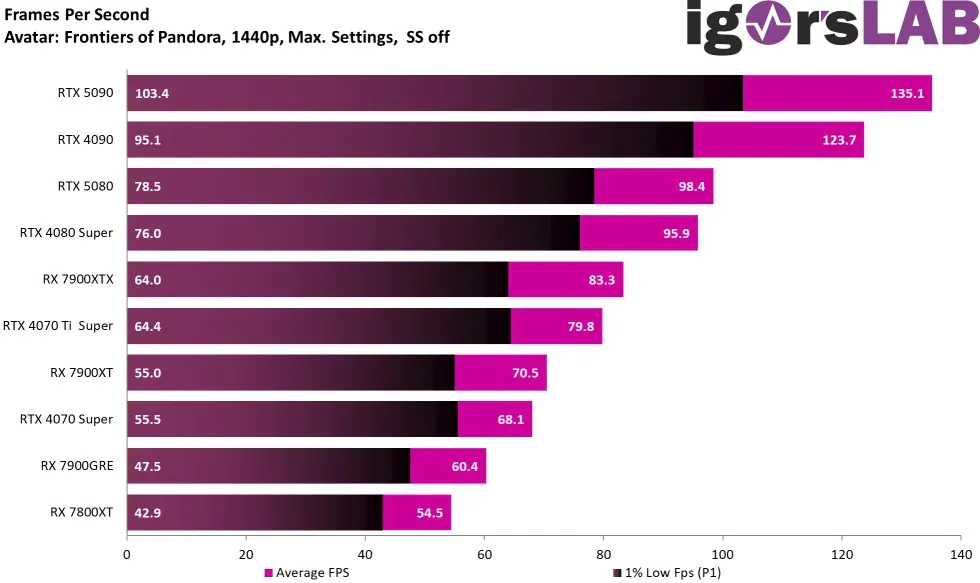
In games like Avatar: Frontiers of Pandora, the RTX 5080 offers an uplift of just 2.5 frames.
With less than a day until launch, the RTX 5000 series is likely to be a major disappointment for Nvidia. Prior to the review embargo lifting, a review of the RTX 5080 was posted, revealing disappointing figures.
A Reddit user picked the performance metrics after the review was taken down on IgorLAB prior to the review embargo lift. RTX 5080 only has an 8.3% performance boost from the RTX 4080 Super. This increase is in raw performance without ray tracing or upscaling applied.
Why it matters: With AI technology moving forward, the next-gen Blackwell GPU series was promoted as a big step up for high-end graphics cards. But so far, the RTX 5000 series has fallen short, possibly making it Nvidia’s weakest GPU lineup yet.
RTX 5080 Performance For Avatar: Frontiers Of Pandora On 1440p Without RT Or Upscaling.
In a benchmark for Alan Wake 2, the RTX 5080 only uplifted the game by 9.5 frames compared to its predecessor. For Avatar: Frontiers of Pandora, the figures are more disappointing, with just a minimum upgrade of 2.5 frames.
It’s also important to note that these tests were conducted at 1440p resolution without any resolution scaling or RTX enabled.
Moreover, the review also revealed the GPU’s power draw, which had an average of 289.7W, an increase of 12W from the RTX 4080 Super.
Leaked Power Consumption For RTX 5080.
The RTX 5080’s performance isn’t even on par with the RTX 4090‘s, at least not without upscaling. One reason the GPU has such disappointing figures is the lack of sufficient VRAM at this price point, which is just 16 GB.
It seems that Nvidia will be relying heavily upon Multi Frame Gen for the 5000 GPUs to account for the lack of actual hardware power. Moreover, the price for the RTX 5080 is confirmed to be $1000, with third-party sellers cranking up the tag by at least $200.
What are your thoughts about the RTX 5080 benchmarks and specs so far? Let us know in the comments below or head towards the official Tech4Gamers forum.
At Tech4Gamers, I take on the role of Hardware Reviewer with pride. My responsibilities involve a thorough examination of essential hardware components like motherboards, graphics cards, processors, PC cases, and CPU coolers, among others, focusing on their complexities and functionalities.
We have been testing AMD’s latest B850 chipset motherboards for the last couple of days, and today is the ASRock B850 LiveMixer WiFi motherboard’s turn. The LiveMixer monicker motherboards by ASRock are generally targeted toward content creators, offering more expansion slots and connectivity options. With an MSRP of $190 USD, I expect the motherboard to live up to its name.
Why Trust Tech4Gamers
Nauman Siddique is the most senior hardware tester at Tech4Gamers. He brings an ocean of knowledge to the table, including unmatched expertise in motherboards.
40+ motherboards tested and reviewed by our team of hardware experts (Tech4Gamers Team).
800+ hours spent testing different motherboards for our reviews.
At Tech4Gamers, ensuring you get reliable information is our priority. That’s why every hardware round-up undergoes a meticulous review process by our team of experts and editors. Each review is carefully examined against our strict editorial guidelines, guaranteeing you trustworthy insights you can depend on.
Key Takeaways
The ASRock B850 LiveMixer WiFi is designed for content creators on a modest budget. It includes 23 USB ports and three PCIe slots and provides amazing audio for streamers.
It’s a great choice for content creators and streamers who plug in multiple devices and need greater connectivity.
It’s better to stay away if you need more HDDs, as this board only supports two hard drives.
Here are the motherboard’s on-paper specifications:
ASRock B850 LiveMixer WiFi
Specifications
CPU Support
AMD Ryzen 7000, Ryzen 8000, Ryzen 9000
Memory Support
DDR5 8,000MHz
PCIe Slots
1x PCIe 5.0 x16, 2x PCIe 4.0 x16, 1x M.2 socket
M.2 Slots
1x Gen 5x4, 2x Gen 4x4
SATA Ports
2x SATA3 6Gb/s
Audio
Realtek ALC1220 Audio Codec
Network & Connectivity
1x 2.5G LAN, 1x 802.11be 2x2 WiFi 7, Bluetooth 5.4
USB Ports
23 ports, including 1x USB 3.2 Gen2x2 Type-C (Front)
Size
ATX Form Factor: 305mm x 244mm
MSRP
$190
A quick specifications overview shows why the LiveMixer motherboards are for content creators. The motherboard has 23 USB ports and three PCIe slots, more than the usual number, which makes me look forward to its actual performance. I would have really appreciated a better LAN config for a content creator-focused board.
[toc]
Packaging & Unboxing
We see a simplistic box packaging on the B850 LiveMixer with an image of the motherboard residing inside, the “LiveMixer” branding, and some curved line pattern designs in blue.
ASRock B850 LiveMixer WiFi box. (Image By Tech4Gamers)
The front packaging has a few certified tags at the bottom, such as HDMI support, WiFi 7, Polychrome Sync, and “AMD Ryzen 9000 Desktop Ready”. Overall, it’s an okay-ish design with little going on for the packaging.
Here’s what you can find alongside the motherboard:
ASRock B850 LiveMixer WiFi accessories. (Image By Tech4Gamers)
2x SATA data cables
2x ASRock WiFi 2.4/5/6GHz antennas
1x thermistor cable
1x user manual
1x regulatory notice
ASRock provides a few things in the accessories, most of which won’t be that useful, like the WiFi antennas. The thermistor cable is handy for checking the temperatures of your preferred PC components, so I recommend you install it by checking out the user manual. You won’t need the antennas if you plan on utilizing WiFi 7.
Design
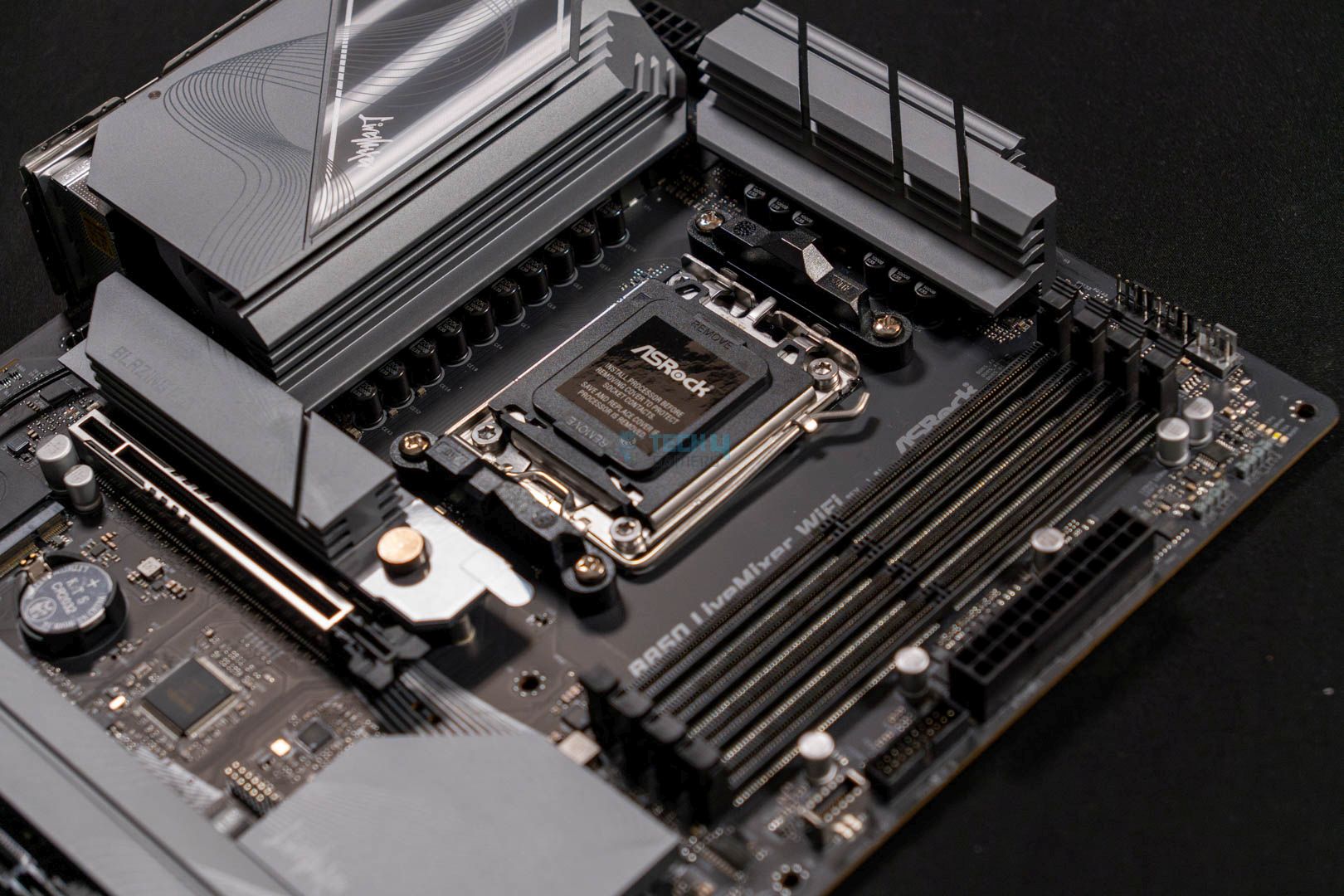
ASRock B850 LiveMixer WiFi main design. (Image By Tech4Gamers)
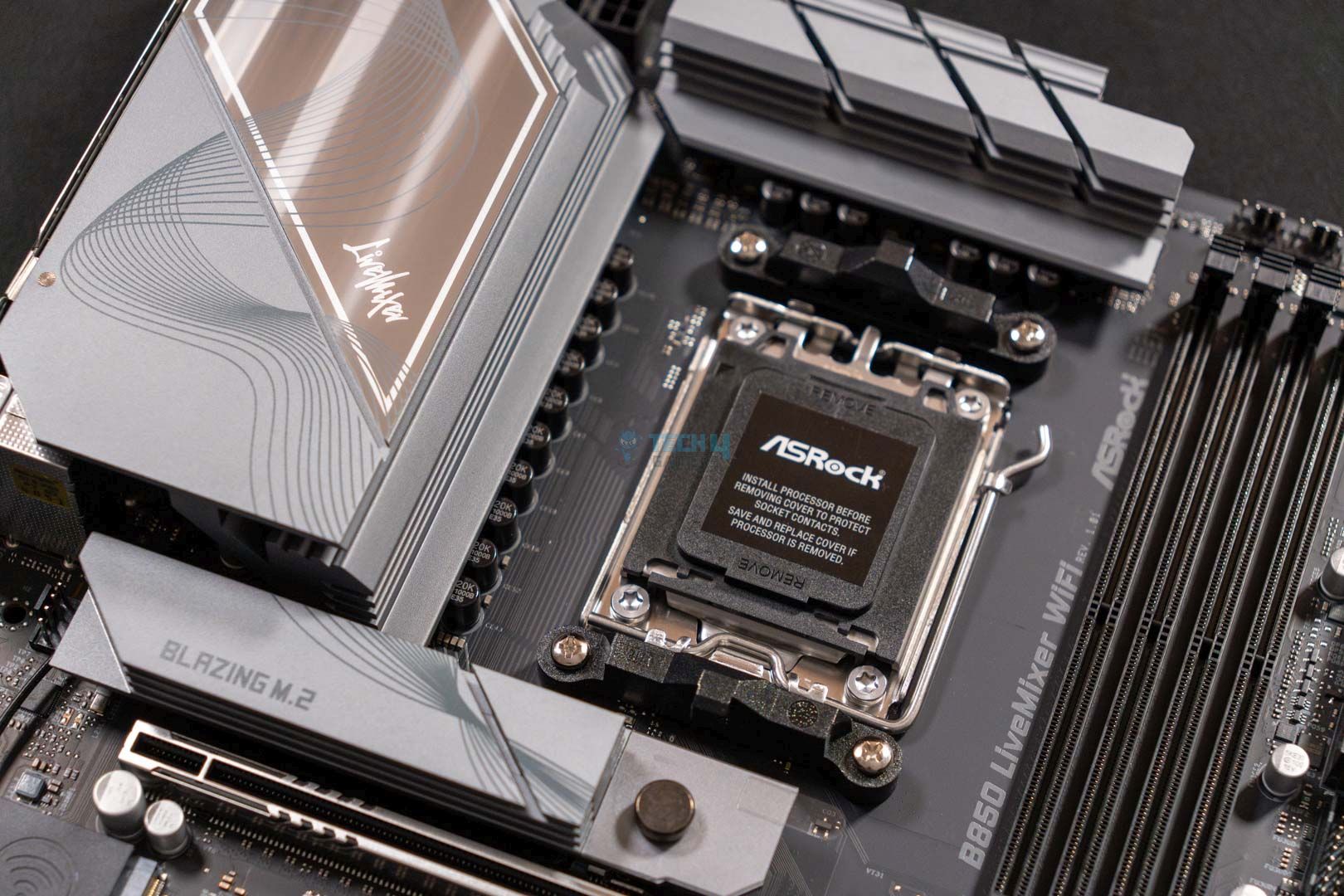
Right out of the box, you see a mixed-colored motherboard with a fully-black PCB and silver-colored heatsinks with a reflective metallic finish. The heatsink design includes a grayish curvey line pattern with the “LiveMixer” branding on the I/O and BIOS heatsinks. There’s no RGB, but that’s nothing to hassle for. Overall, I like the motherboard’s design.
A closer look at the motherboard design
1 of 3
CPU Socket
Chipset Cover
Chipset Cover Design
The motherboard has an 8-layer PCB structure, making it perfect for content creation. You can play around with your overclocks without facing instability issues with the higher-end PCBs. I expect lower temperatures on the VRMs because of the heatsinks, which should help with manual tweaking. The voltage output should be stable because of the 8-layer PCB, so there aren’t any worries on that end.
Block design of the motherboard. (Image Credits: ASRock)
According to the block diagram provided by ASRock, the CPU powers the PCIe1 Gen 5.0 x16 slot, the M2_1 (PCIe Gen5x4) and the M2_2 (PCIe Gen4x4) slots. Similarly, the CPU powers the 4x DIMM slots, the super I/O controller (SIO NCT6686D), and a few USB ports. The chipset powers the PCIe2 Gen 4.0 x4, PCIe3 Gen 4.0 x4 (x16) slot, the M2_3 (PCIe Gen4x4) slot, the audio codec, and the rest of the USB ports.
Power Delivery System
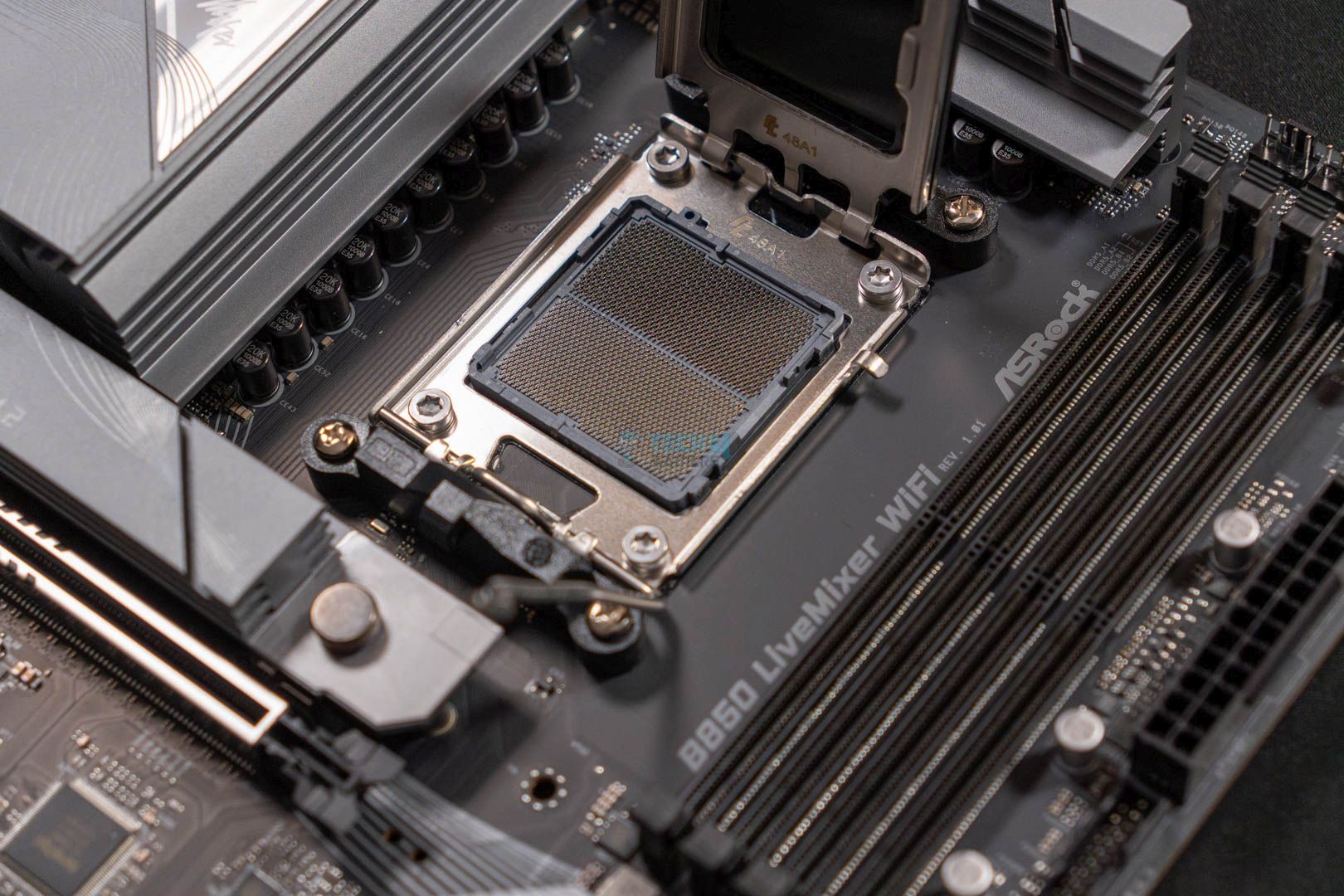
CPU Socket Opened (Image credit: Tech4Gamers)
VRM Structure
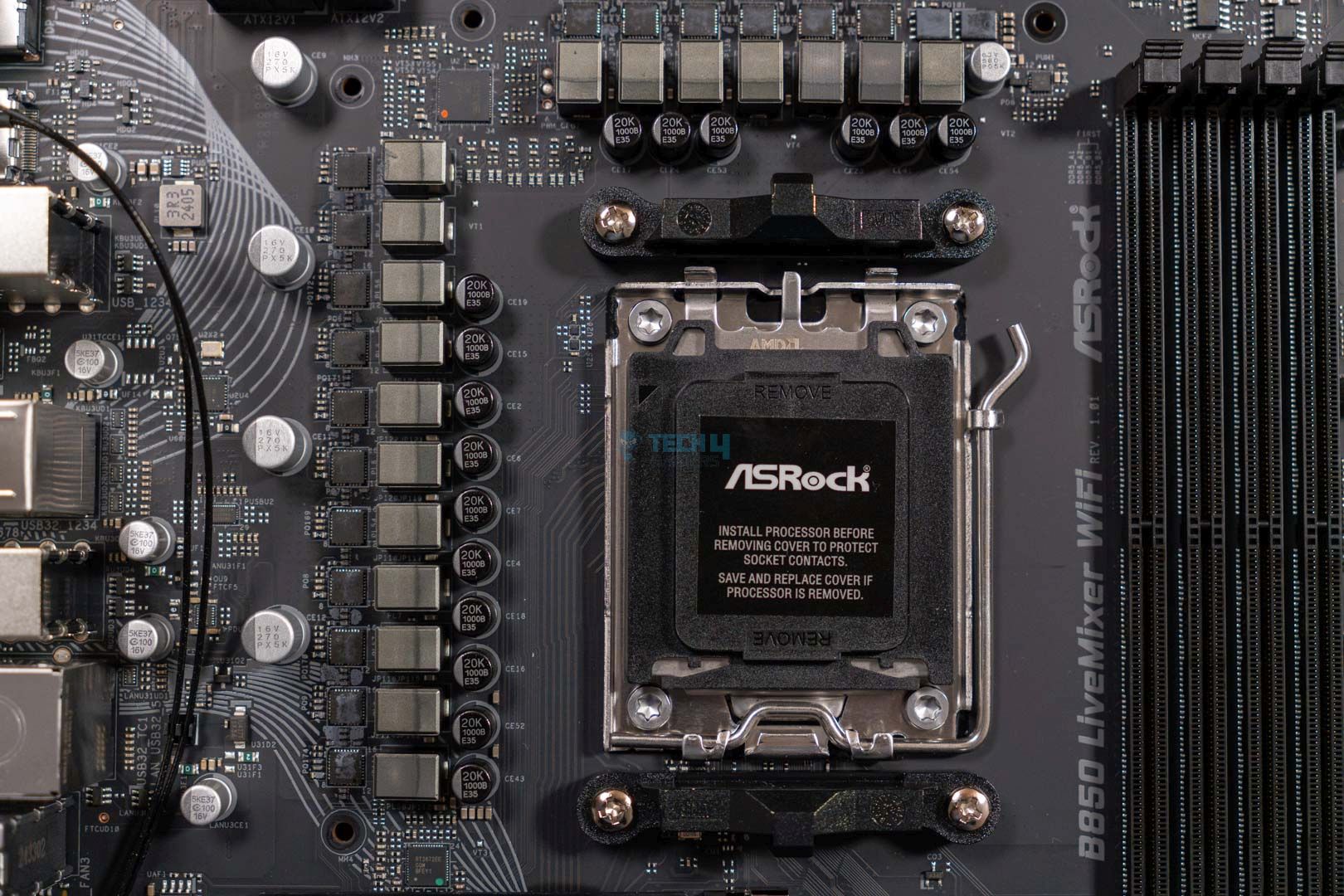
The close-up images show the AM5 LGA1718 socket, which powers AMD’s latest CPUs. The motherboard houses 14+2+1-phase VRMs with 80A Dr.MOS SPS for VCore and SOC. With a total of 1,120A of power, you can easily overclock and power any high-end AMD CPU you wish without problems. However, I wouldn’t recommend diving into extreme overclocking with this chipset.
A Closer Look At The VRMs (Image By Tech4Gamers)
Upon closer inspection, the ASRock B850 LiveMixer WiFi utilizes 1000uF capacitors, rated for 20K capacitance, providing up to 20,000 hours of life. We also saw these capacitors in the Phantom Gaming B850 Riptide WiFi motherboard.
CPU connector. (Image By Tech4Gamers)
We see an 8-pin 12V connector with a separate 4-pin 12V connector. These connectors utilize ASRock’s Hi-Density Power features, which help increase their ability to withstand higher currents for CPU overclocking.
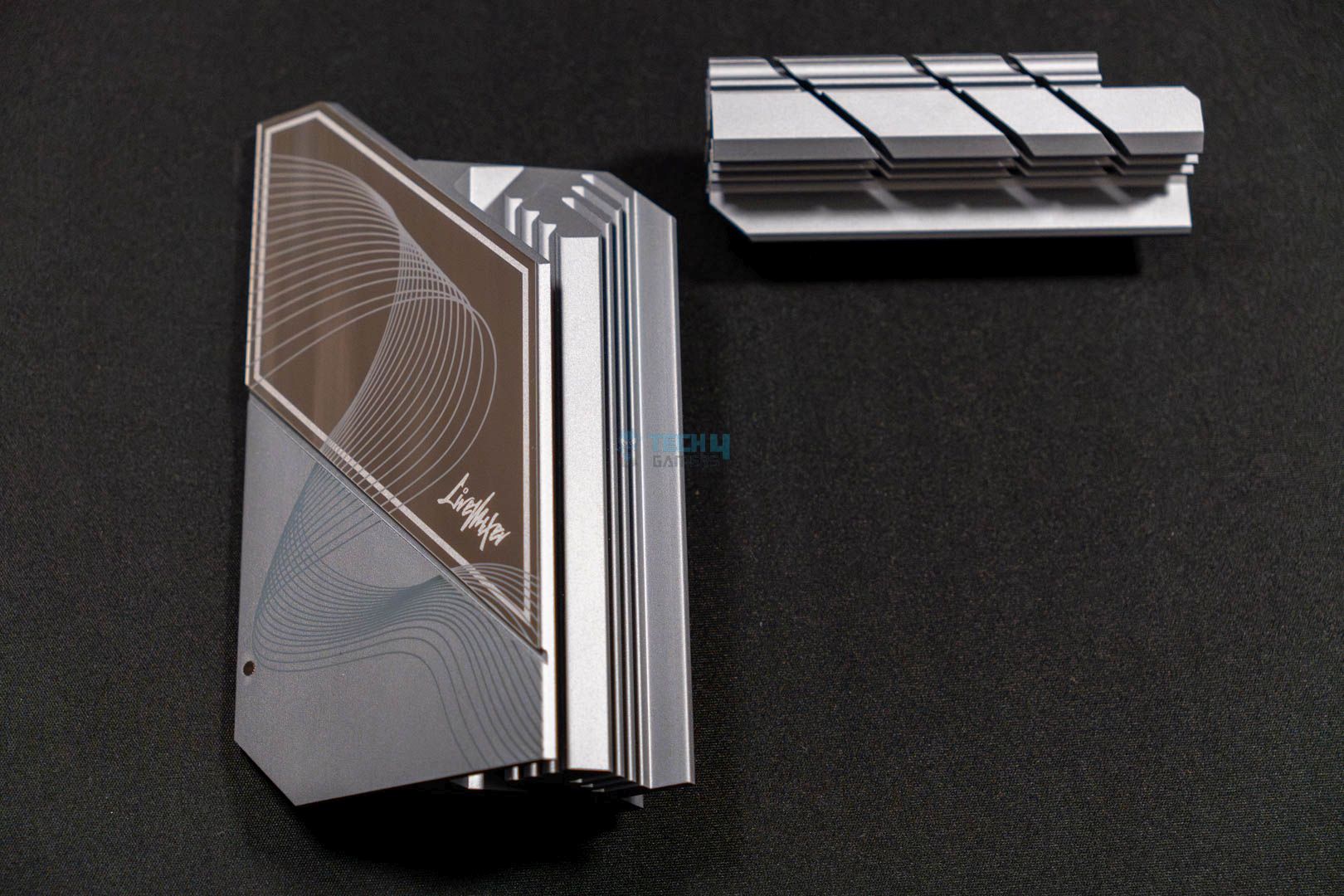
VRM Heatsinks
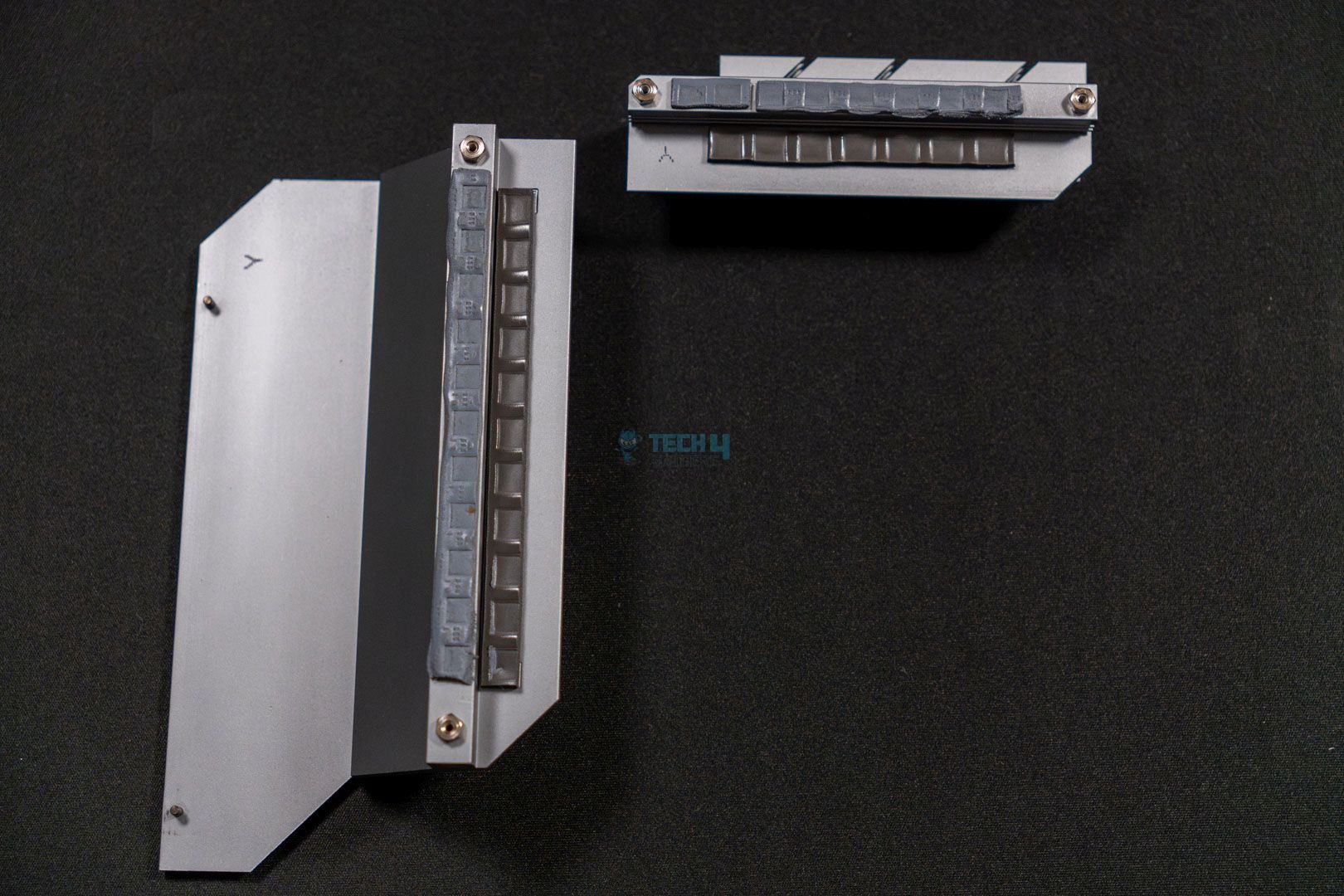
VRM Heatsinks Thermal Pads
The heatsinks show a vertical-stacked fin design for optimal cooling of the I/O ports and the VRMs. The silver design on both heatsinks looks pretty decent, along with the grayish curved lines going through the I/O heatsink.
DIMM Slots
ASRock B850 LiveMixer WiFi DIMM slots. (Image By Tech4Gamers)
We see support for 4x DIMM slots, which is standard for an ATX motherboard. You can install up to 256GB of DDR5 RAM at 8,000MHz frequency speeds. Support for Intel XMP and AMD EXPO RAM kits makes transitioning from an all-Intel build to an all-AMD build easier.
PCIe Slots
PCIe Slot
EZ Release button
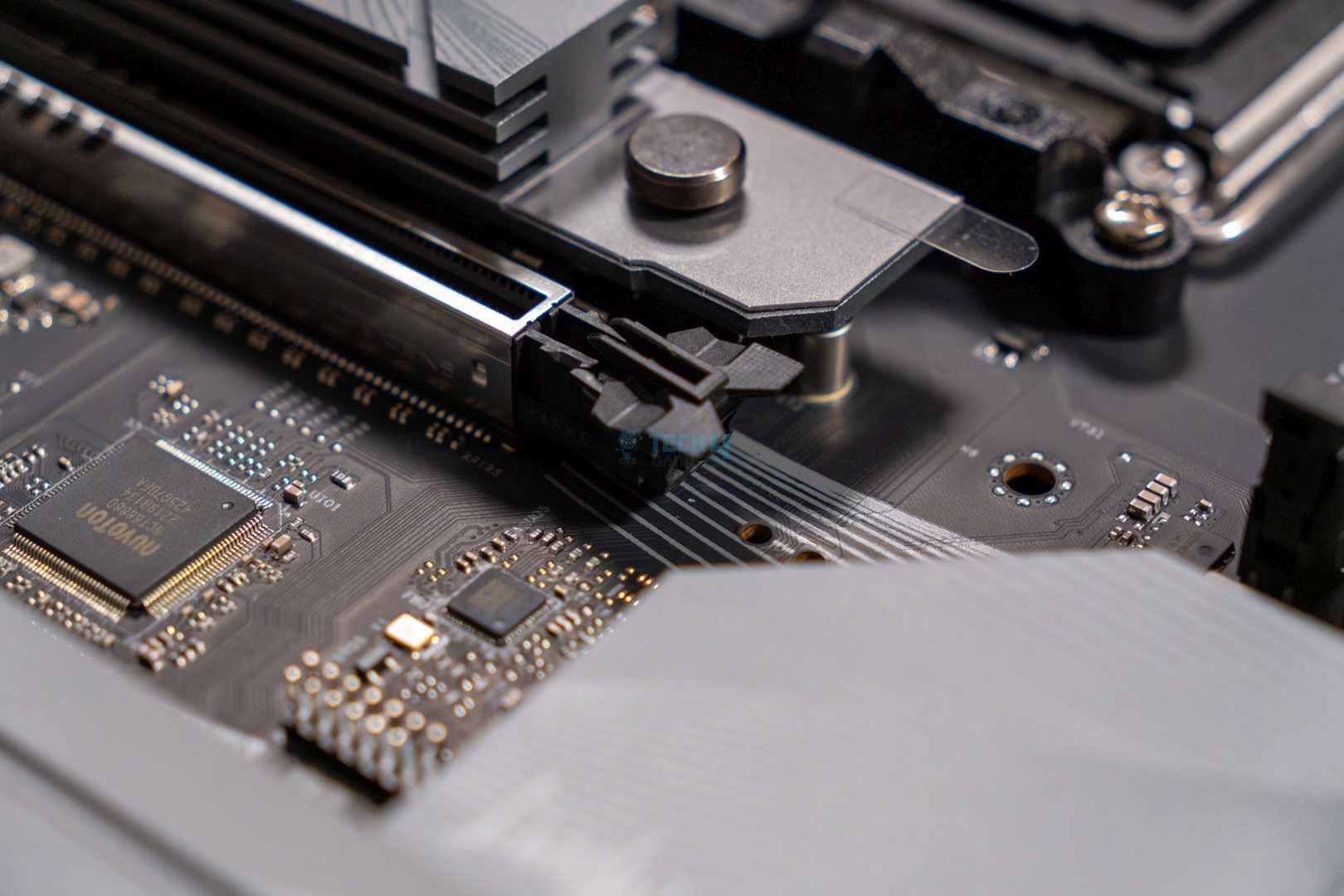
We see a total of three PCIe slots on the motherboard. The PCIe1 Gen 5.0 x16 is for the graphics card and has the EZ latch feature to easily install and remove the GPU without any hassles. Aside from that, we have two additional PCIe slots, making this motherboard stand out for content creators.
The PCIe2 and PCIe3 support Gen 4.0 x16, making them perfect for installing any expansion card. This includes sound cards, M.2 expansion cards, network cards, or USB expansion cards. There are no caveats, so it’s suggested that you go all out and utilize these PCIe slots for maximum productivity.
Storage
Top M.2 Heatsink
Top Design
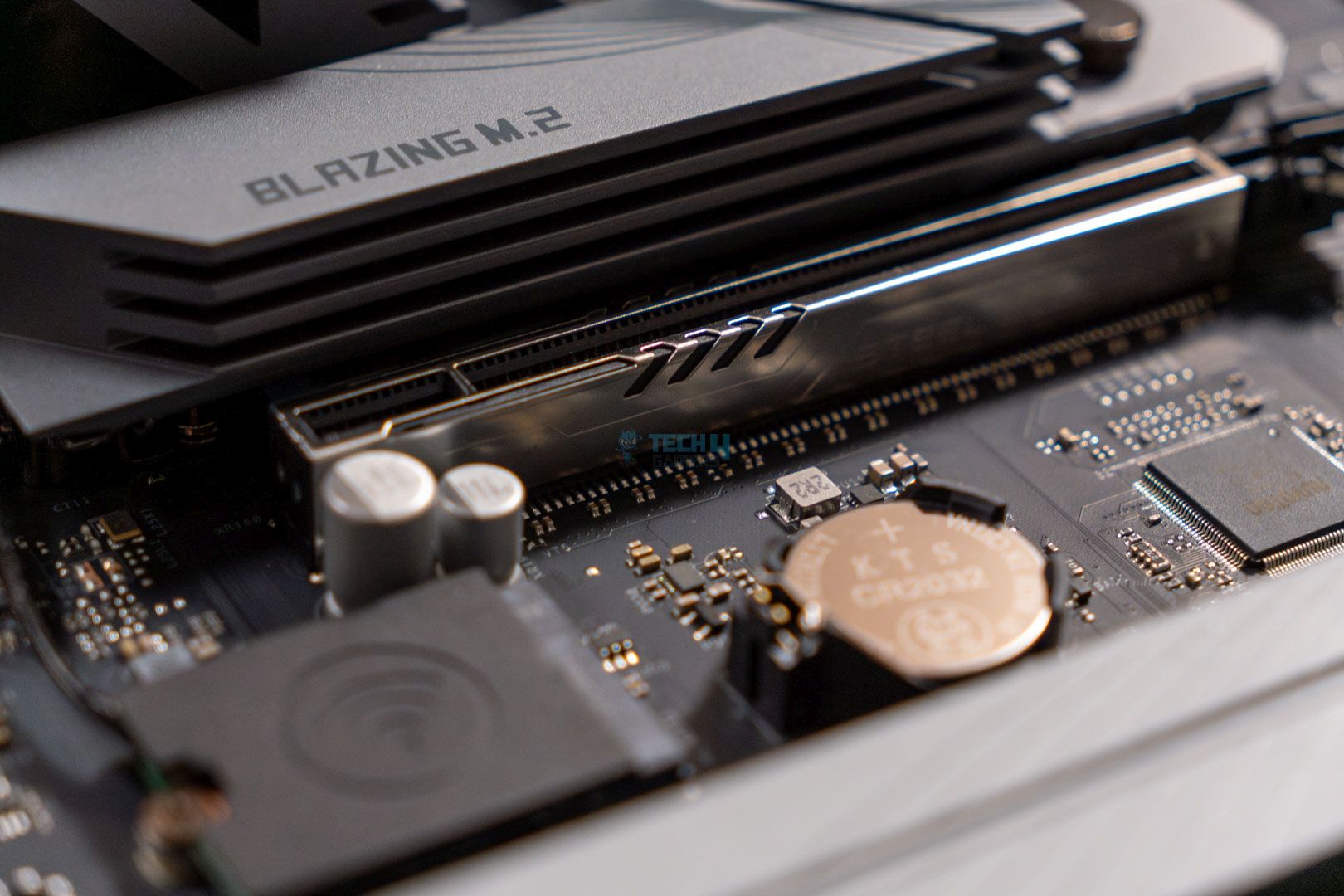
This motherboard has three M.2 slots, with the M2_1 supporting PCIe Gen5x4 for ultra-fast read/write speeds. The M2_2 and M2_3 are PCIe Gen4x4. In addition to the M.2s, the motherboard supports two SATA drives. I would have preferred three or more SATA drives, but that shouldn’t be much of an issue.
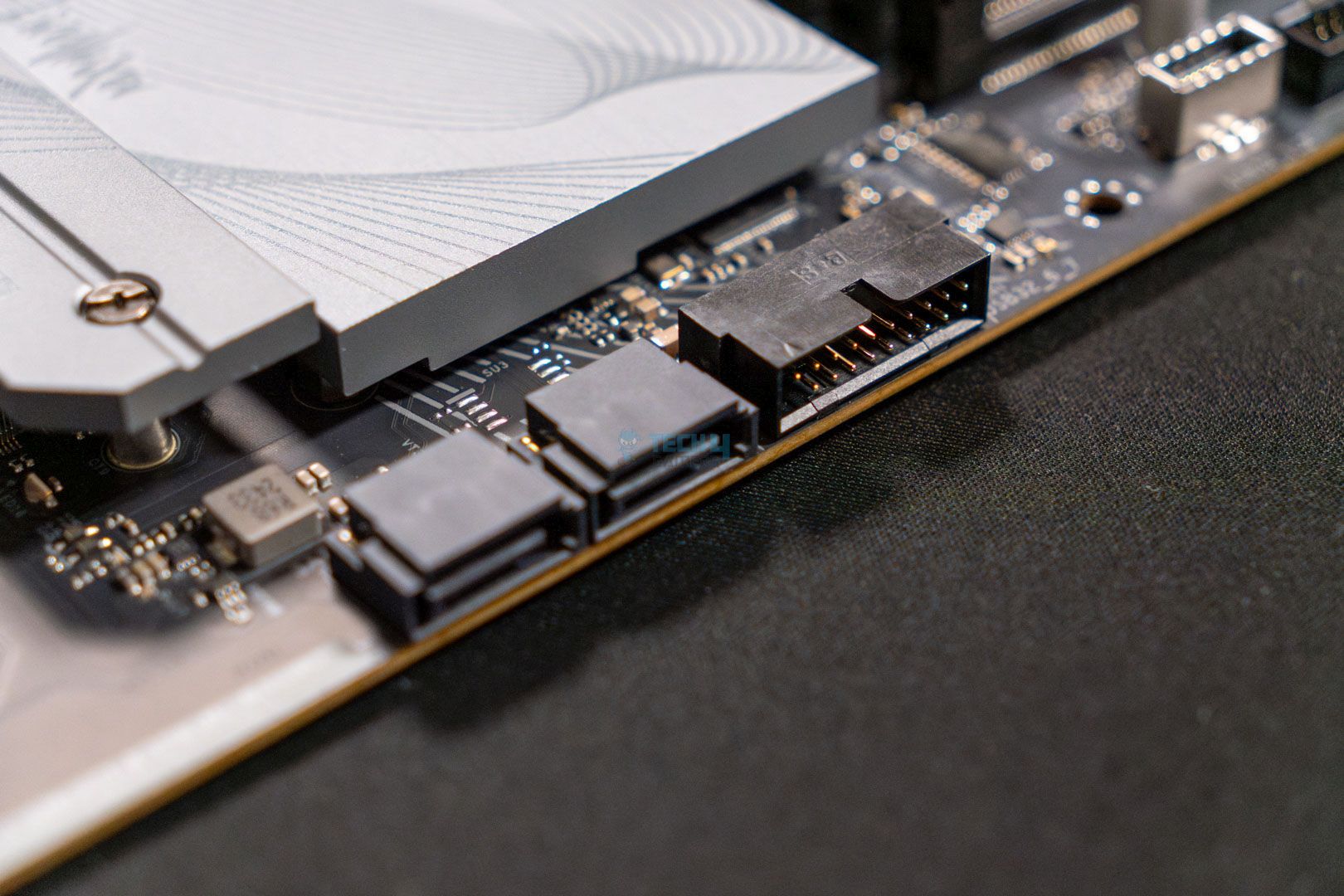
SATA Connector (Image By Tech4Gamers)
The SATA devices support RAID 0 and RAID 1, while the M.2 drives support RAID 0, RAID 1, and RAID 10. To enable RAID 10, you’ll need an additional M.2 NVMe expansion card.
PRO TIP: The RAID feature is great for productivity tasks, especially if you’re worried about single drive failures.
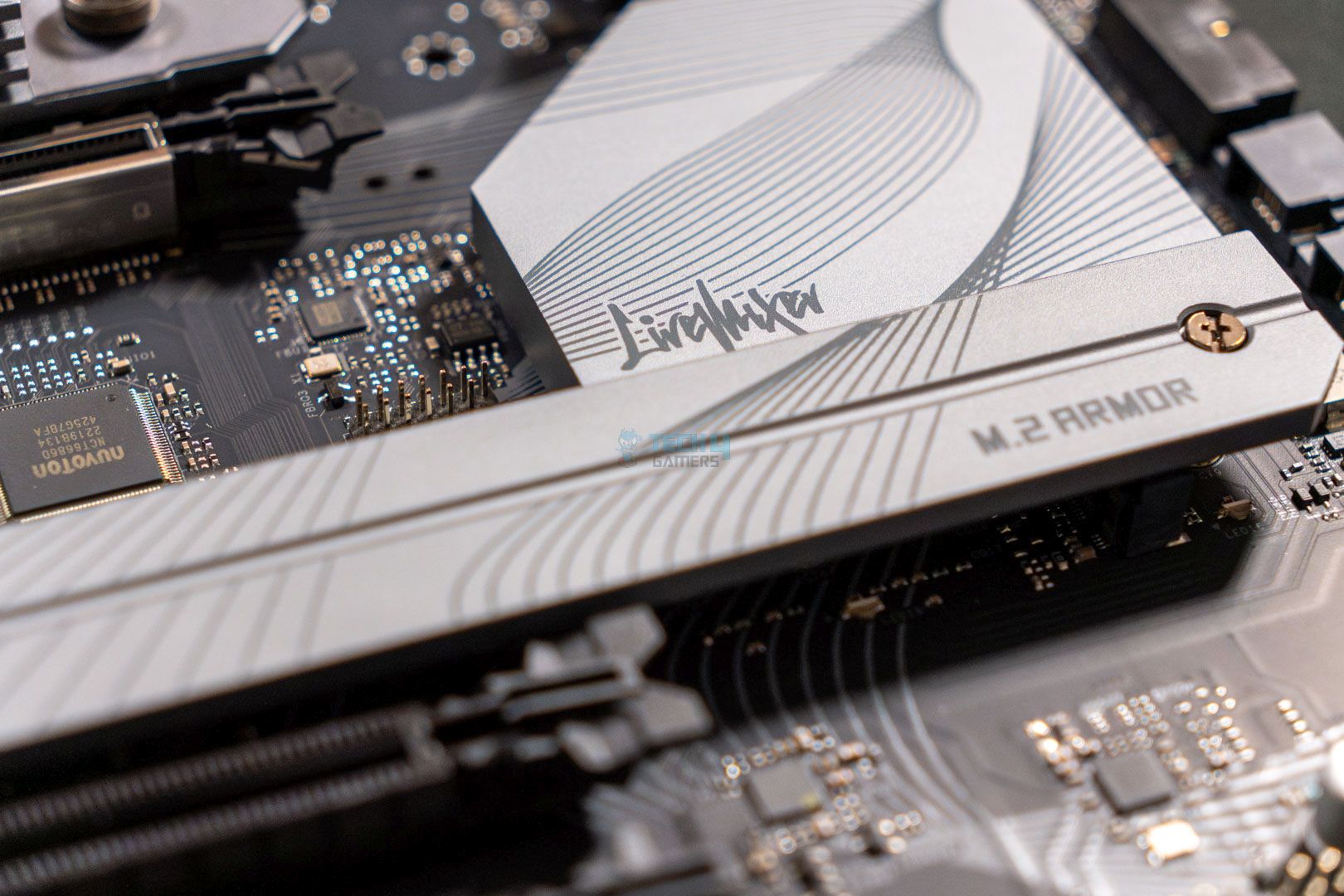
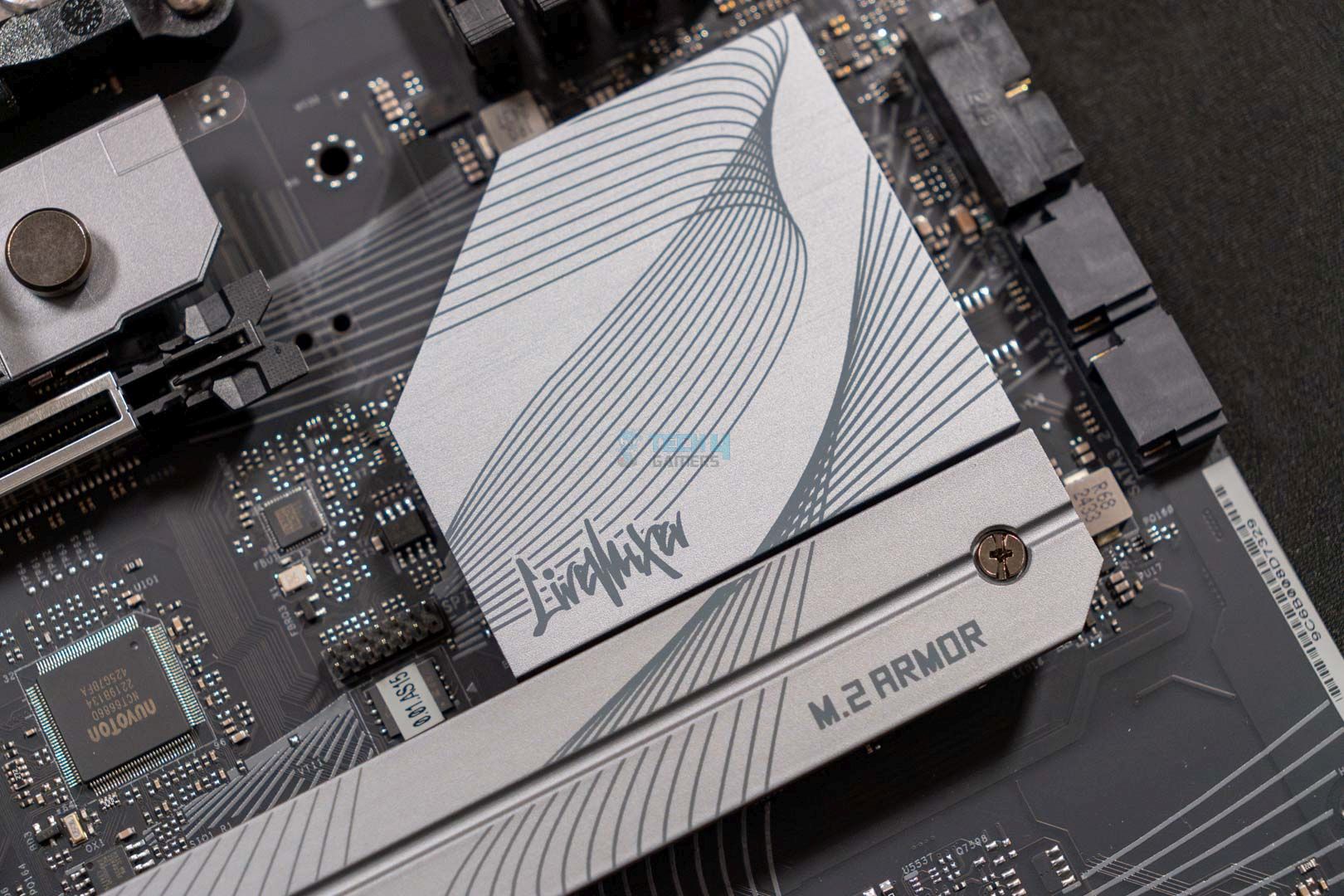
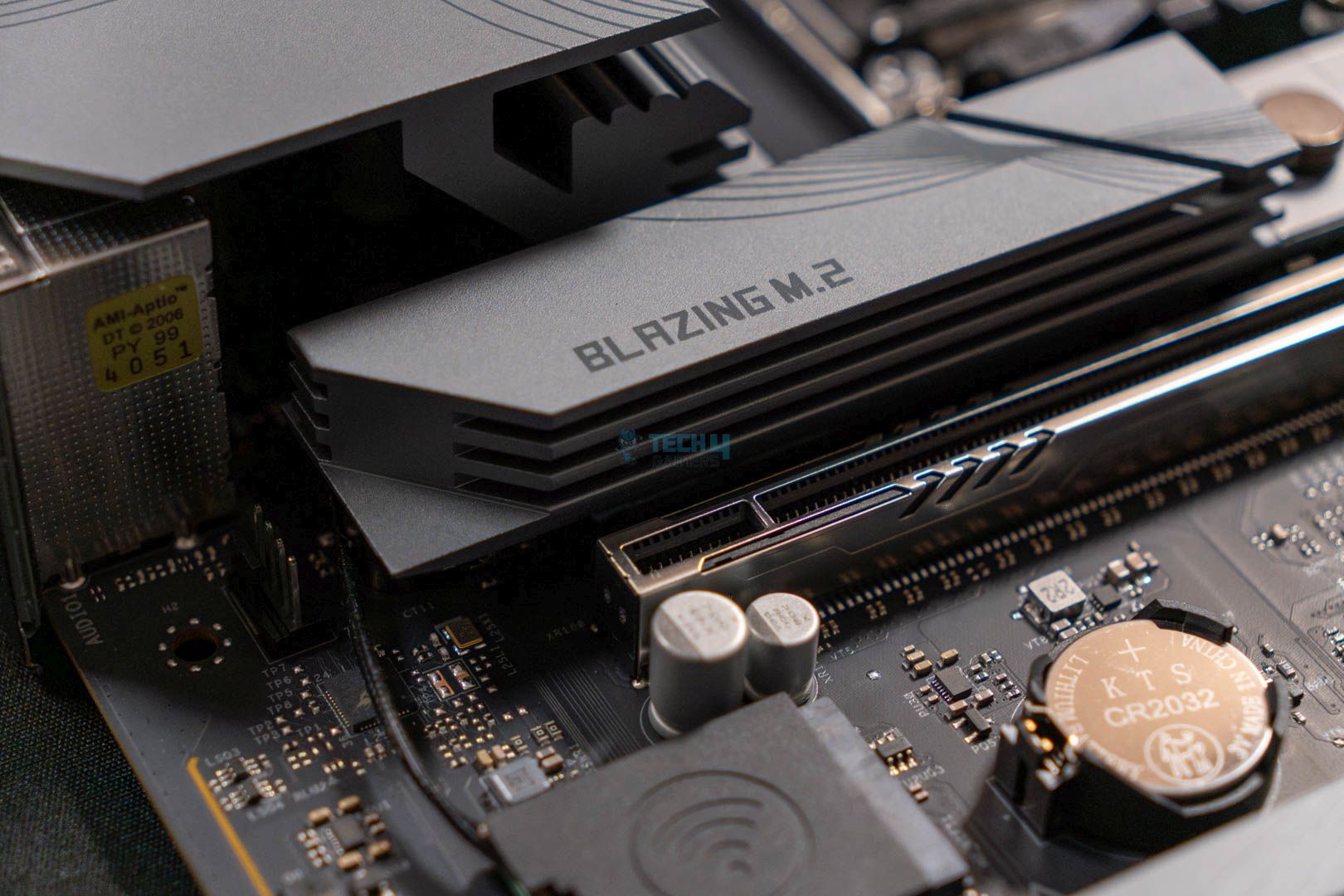
It’s good to see all three M.2 drives have heatsinks, and the PCIe Gen5x4 slot has an EZ release mechanism to quickly install the drive. We see an anti-drop screw feature on the PCIe Gen4x4 heatsink, so you won’t have to worry about dropping your screws anymore.
Here are the M.2 types the motherboard supports:
M2_1, M2_2: 2280
M2_3: 2230/2242/2260/2280
Two heatsinks cover three M.2 drives, with the bottom longer one covering both the PCIe Gen4x4 drives. It’s nice to see priority being given to storage cooling, especially with high-quality heatsinks. Here’s an image of the M.2 drives with the heatsinks removed:
M.2 heatsinks removed. (Image By Tech4Gamers)
The M2_1 has a double-sided thermal pad on the heatsink, while the M2_2 and M2_3 only have one. I don’t expect there to be any issues, so you shouldn’t worry about temperatures at greater loads.
USB Connectivity
The ASRock B850 LiveMixer WiFi motherboard has a total of 23x USB ports:
1x USB 3.2 Gen2 Type-C (Rear)
1x USB 3.2 Gen2 Type-A (Rear)
4x USB 3.2 Gen1 Type-A (Rear)
1x USB 3.2 Gen2x2 Type-C (Front)
4x USB 3.2 Gen1 Type-A (Front)
8x USB 2.0 (Rear)
4x USB 2.0 (Front)
The USB connectivity is another clear indication of why this motherboard is geared toward content creators. Except for USB 4.0, there are 23 USB ports, including a USB 3.2 Gen2x2 Type-C port at the front. I have absolutely zero complaints about the USB connectivity on this board.
Network & Connectivity
WiFi 7. (Image By Tech4Gamers)
It’s sad to see a 2.5G LAN network on a motherboard for content creators, but besides that, the WiFi 7 and Bluetooth 5.4 connectivity options are pretty decent. ASRock has provided support for Multi-Link Operation (MLO), which helps reduce latency and improve internet speed by enabling the simultaneous use of multiple bands and channels.
Audio Solution
This motherboard supports the Realtek ALC1220 audio codec, which is the best option for mid-range PC builds that focus on streaming and content creation. The ALC1220 is only slightly lower quality than the ALC4082, so you shouldn’t have any issues with audio quality. It also supports Steelseries’ Nahimic Audio software, which will help clear out murky audio while improving noise suppression and echo cancellation.
Separate PCBs are used for the right and left audio channels, which results in higher audio output. The impedance sensing on the rear audio output is a great feature for eliminating lousy, echoey audio.
Editor`s Note
Along with the greater audio output, the motherboard also supports multiple streaming devices like the AverMedia GC553, GC573, Bu113, GC311, GC570, GC570D, and Elgato HD60 S+. Using any of these devices will help improve your streaming quality exponentially.
– Nauman Siddique
Internal Connectors And Components
Here is a short list of all the connectors found on the motherboard:
1x SPI TPM header
1x thermistor cable header
1x power LED and speaker header
1x RGB LED header
3x addressable LED headers
2x CPU fan connectors (4-pin) (Smart Fan Speed Control)
3x chassis fan connectors (4-pin) (Smart Fan Speed Control)
1x AIO pump fan connector (4-pin) (Smart Fan Speed Control)
1x 24-pin ATX power connector
1x 8-pin 12V power connector (Hi-Density Power Connector)
1x 4-pin 12V power connector (Hi-Density Power Connector)
1x front panel audio connector
2x USB 2.0 headers (support 4 USB 2.0 ports)
2x USB 3.2 Gen1 headers (support 4 USB 3.2 Gen1 ports)
1x front panel type-C USB 3.2 Gen2x2 header (20Gb/s)
Motherboard Connector
Fan Headers
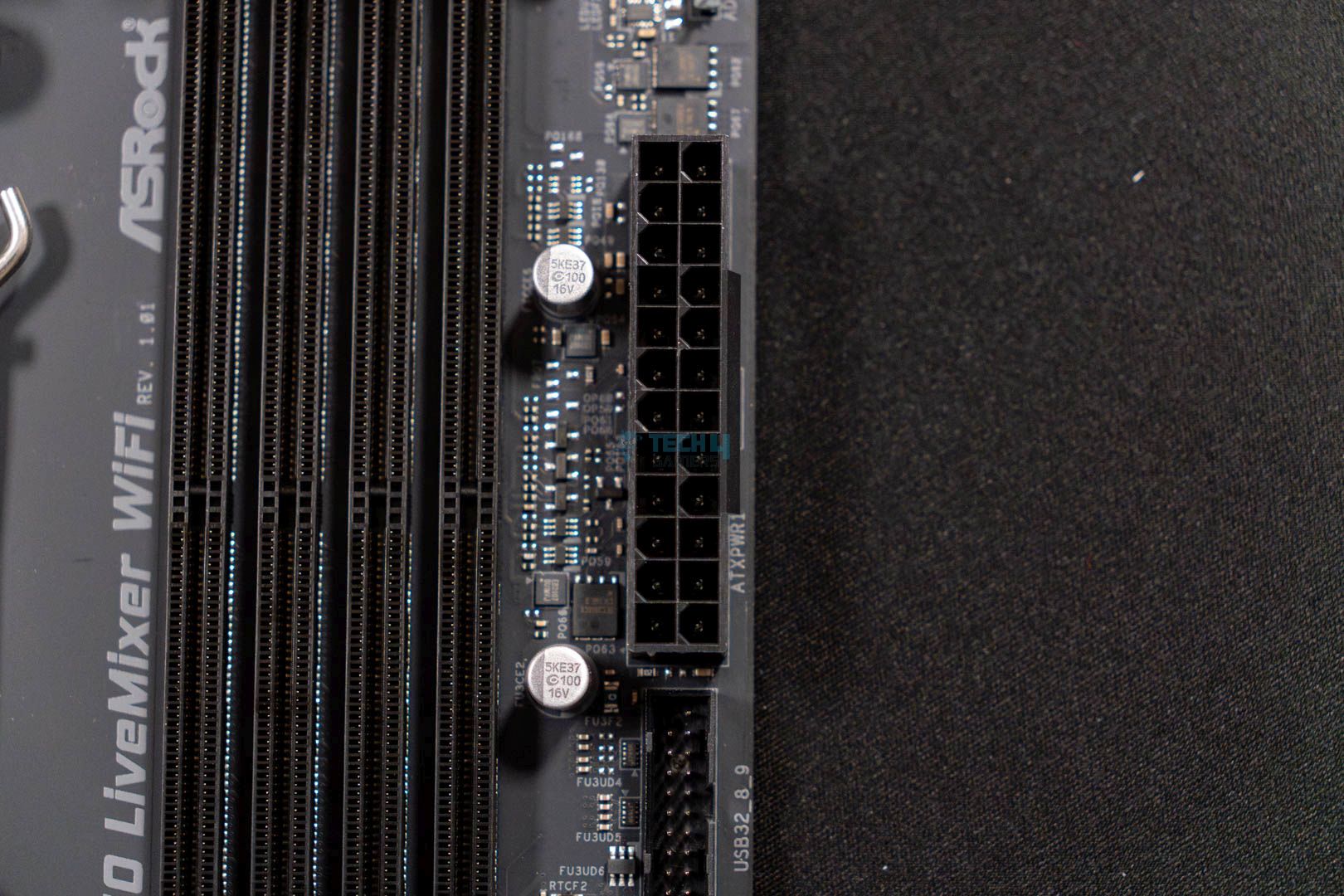
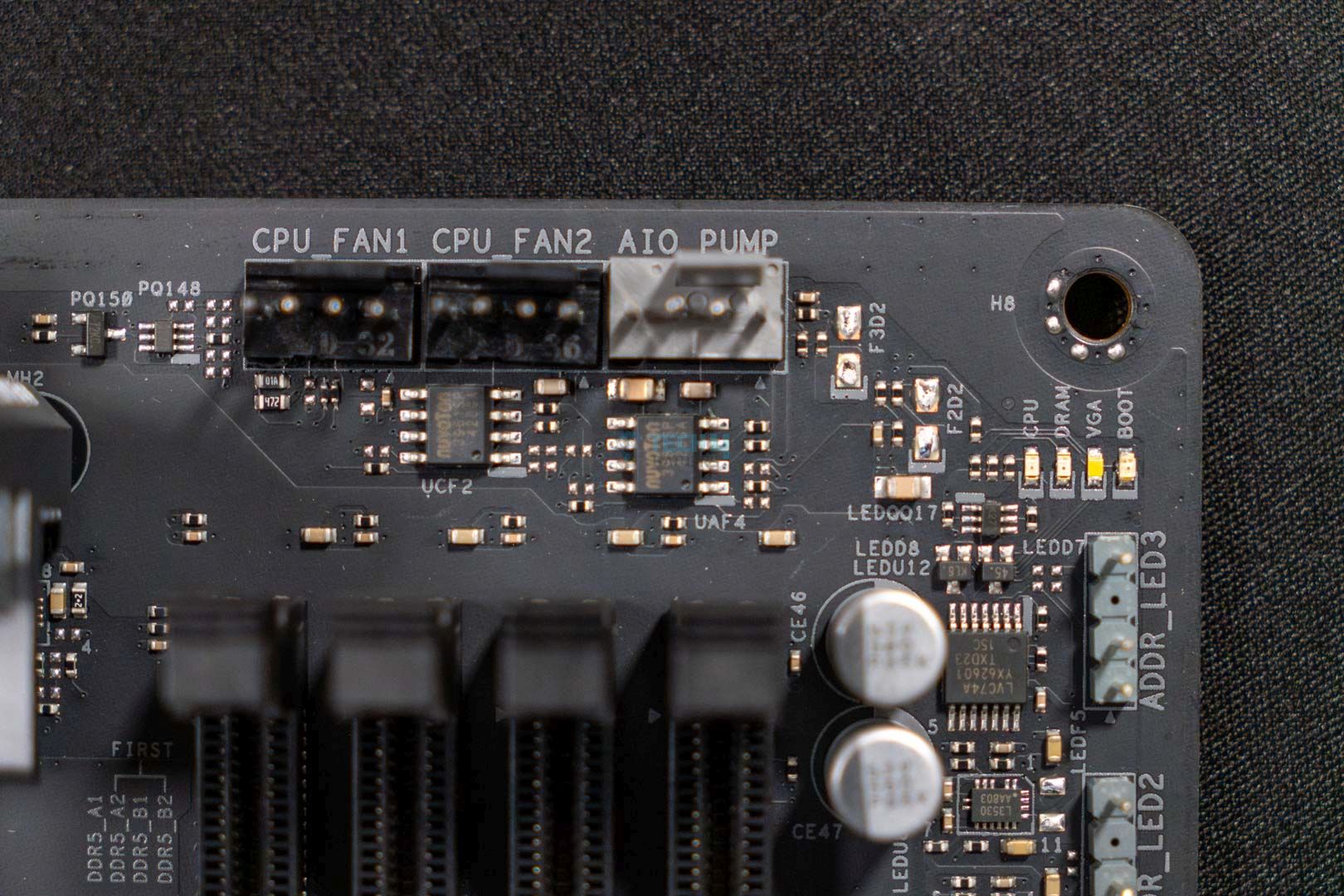
In addition to the 8-pin and 4-pin 12V connectors, the 24-pin ATX connector has ASRock’s Hi-Power Density feature, which ensures stable voltage output during transient spikes and manual overclocks. We also see a few fan connectors on top of the DIMM slots, which is standard.
Super I/O controller. (Image By Tech4Gamers)
The motherboard features the Nuvoton NCT6686D super I/O controller to monitor the voltages, temperatures, and fan speeds across the motherboard. It’s an advanced super I/O controller, so you should be fine if you plan on monitoring your PC’s data.
ASRock has again provided us with the Post Status Checker (PSC) to easily troubleshoot any issues with the PC. Here’s what the four colors highlight:
Solid Red: Indicates the CPU is dysfunctional
Solid Yellow: Highlights an issue with the DRAM
Solid White: Indicates the GPU is dysfunctional
Solid Yellow-Green: Shows a problem with the boot device
The PSC lights will not light up when your PC is functioning and booting up properly. Similarly, the lights will not turn off until the issue has been resolved.
Heatsinks Removed
Heatsinks were removed from the motherboard. (Image By Tech4Gamers)
Here’s a top-down image of the motherboard after removing all of its heatsinks.
Rear I/O Shield Panel
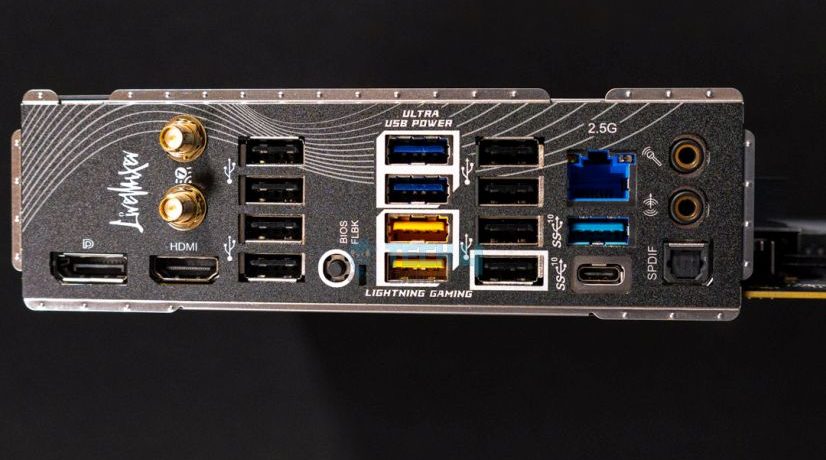
Here are all the connections provided on the rear I/O shield panel:
Rear IO (Image By Tech4Gamers)
2x antenna ports
1x HDMI port
1x DisplayPort 1.4
1x optical SPDIF outport
1x USB 3.2 Gen2 Type-C port (10Gb/s)
1x USB 3.2 Gen2 Type-A port (10Gb/s)
4x USB 3.2 Gen1 Type-A ports
8x USB 2.0 ports
1x RJ-45 LAN port
1x BIOS flashback button
1x line out jack (gold audio jack)
1x microphone input jack (gold audio jack)
The rear I/O shield panel has many USB connectors, including 8 USB 2.0 ports, 2 USB 3.2 Gen2 ports (one type-C and the other type-A), and 4x USB 3.2 Gen1 Type-A ports. I like the BIOS flashback button, which helps simplify troubleshooting, even for beginners.
To use the BIOS flashback button, plug a USB drive with the latest BIOS installed into the BIOS flashback port. Press and hold the flashback button for three seconds, and you’ll see the LED start blinking. Once the blinking stops, your BIOS has been updated. In case the LED turns to a solid green color, which indicates an error with the BIOS flashback.
Test Bench
Here’s the test bench I used to test the motherboard on:
Let’s see how the motherboard performed in synthetic tests:
Blender 4.0.2 renders. (Image By Tech4Gamers)
The ASRock B850 LiveMixer WiFi is on the lower end of the Blender 4.0.2 test, taking 53 seconds to complete the render.
Cinebench 2024 scores. (Image By Tech4Gamers)
The Cinebench 2024 scores are also a letdown. The score difference isn’t too vast, so you won’t see much performance decrease.
Corona 11 render. (Image By Tech4Gamers)
The Corona 11 tests are also a dud. The B850 LiveMixer WiFi shows a 4-second difference from the first spot.
Geekbench 6 score. (Image By Tech4Gamers)
The motherboard is again in last place, scoring 21,684 in the Geekbench 6 benchmarks. The difference isn’t great, but I’d like it to perform better in synthetic tests.
V-Ray scores. (Image By Tech4Gamers)
The motherboard scored 48,718 points in the V-Ray test, going towards the bottom barrel once again.
Overall, I’m not too happy with the synthetic benchmarks. Given that the motherboard is targeted at content creators, I hoped to see it always in the upper half of the graphs.
Gaming Benchmarks
Let’s check whether the ASRock B850 LiveMixer WiFi can perform better in the gaming benchmarks:
Cyberpunk 2077. (Image By Tech4Gamers)
The motherboard scores an average of 143 FPS, with a minimum of 108 FPS in Cyberpunk 2077. It’s on the bottom end, but there’s only a 1 FPS difference, so that’s fine.
Far Cry 6. (Image By Tech4Gamers)
We see the same pattern in the Far Cry 6 benchmarks, with the LiveMixer WiFi providing the lowest FPS.
Starfield. (Image By Tech4Gamers)
The ASRock B850 LiveMixer WiFi provides the lowest FPS in the Starfield, showing no improvements from the other two games.
Overall, the FPS difference is tangible, and you will definitely not notice a lack of one or two FPS in games.
Power Consumption And VRM Temperatures
We used Cinebench 2024 to test the motherboard and the CPU’s total power consumption and temperatures. Here are the results:
Average power consumption. (Image By Tech4Gamers)
The motherboard’s power consumption chart shows both sides of the spectrum. At 100% load, it uses up to 375W. However, it is lower while gaming, at 115W, and it’s the lowest of all the others while idle, at 101W.
VRM temperatures. (Image By Tech4Gamers)
The motherboard has okay VRM temperatures at 66°C in a stressful environment. I would have preferred lower temperatures, but it shouldn’t be an issue for most use cases.
Boot Times
Boot times. (Image By Tech4Gamers)
Unfortunately, the motherboard also botched the boot timings, taking 24 seconds. It’s not by much, but it’s dead last nonetheless.
Should You Buy It?
Should you buy this motherboard or skip it? Here are the deciding factors:
Buy It If
✅ You need more USB ports and PCIe slots: This motherboard is perfect if you require more USB ports and PCIe slots. It comes with 23 USB ports and three PCIe slots, two of which are secondary Gen 4 x16 slots.
✅ You’re building a PC for content creation on a tighter budget: While the ASRock B850 LiveMixer WiFi isn’t the most affordable B850 motherboard, it does have impressive support for content creators. If you’ll be utilizing all the ports and PCIe slots, this is a decent choice.
✅ You want good audio support: This motherboard is perfect if you’re looking for a good audio codec (Realtek ALC1220) on a budget. To boost, the motherboard also provides Steelseries’ Nahimic Audio Software to help enhance the audio quality and suppress echo.
Don’t Buy It If
❌ You require the best synthetic performance: Although the board has impressive connectivity and PCIe slots, its performance in our synthetic benchmarks was just okay. I don’t recommend this motherboard if you’ll be spending a lot of time on productivity software.
❌ You want to install more HDDs: In case you want to install more than two HDDs, I don’t recommend this motherboard because, unfortunately, it only supports up to two HDDs and three M.2 drives.
My Thoughts
The ASRock B850 LiveMixer WiFi motherboard is catered for content creators and streamers who are on a slightly tighter budget. With a $190 USD MSRP, the motherboard adds decent features that are noteworthy of praise. For example, the motherboard has a 14+2+1 VRM phase with 1000uF Dr.MOS 80A capacitors, rated for 20K capacitance, ensuring stable voltage.
The main USPs of this motherboard are its 23x USB ports and 3x PCIe slots. You also get a front USB 3.2 Gen2x2 Type-C port for ultra-fast connectivity. Two of the PCIe slots are Gen4 x 16 for expansion cards. The three M.2 slots are notable, as well. M2_1 is a PCIe Gen5x4 slot, and M2_2 and M2_3 are PCIe Gen4x4 slots, providing impressive speeds.
We also witness several DIY-friendly designs. For example, an EZ latch on the PCIe1 slot to easily install and remove the graphics card. Similarly, the M2_1 heatsink has a quick release mechanism, streamlining the entire installation process. The M2_2 and M2_3 heatsink features an anti-drop screw design to ensure your screws never go missing in your chassis again.
We’re not too happy with the 2.5G LAN network, especially because this motherboard is catered for content creators, but the WiFi 7 and Bluetooth 5.4 features are noteworthy. Additionally, support for multiple streaming devices like the AverMedia GC553, GC573, Bu113, GC311, GC570, GC570D, and Elgato HD60 S+ is a remarkable feature.
The motherboard has a unique design, featuring silver-accented heatsinks on a fully black PCB. The grayish curves on the heatsinks help stylize the motherboard. Some RGB would have been good, but it’s fine as is.
Overall, the motherboard is pretty good for content creators or streamers looking to build a PC within $1,000 to $1,200. The synthetic and gaming performance isn’t this board’s strong suit, but if you’re looking for a decent value product with lots of USB ports and better connectivity, I recommend buying it.
I’ve previously worked for eXputer as a Senior News Writer for several years. Now with Tech4Gamers, I love to devoutly keep up with the latest gaming and entertainment industries. I have a Bachelor’s Degree in Computer Science and years of experience reporting on games and breaking exclusive stories. Besides my passion for gaming journalism, I love spending my leisure time farming away in Stardew Valley. VGC, IGN, GameSpot, Game Rant, TheGamer, GamingBolt, The Verge, NME, Metro, Dot Esports, GameByte, Kotaku Australia, PC Gamer, and more have cited my articles.
Story Highlight
Monster Hunter Wilds has now become the number 1 most wish-listed entry on Steam ahead of its February release.
It has surpassed the likes of Deadlock, Elden Ring Neightreign, and Silksong.
The game is also the 11th best-selling title on Steam at the moment, outperforming Kingdom Come Deliverance 2.
Now, the hype surrounding the action RPG has shattered all expectations, as it has surpassed Deadlock and even the highly awaited Hollow Knight: Silksong to become the top wish-listed game on Steam.
Why it matters: This suggests Monster Hunter Wilds will sell in the millions and surpass the series’ past launches by a wide margin.
Monster Hunter Wilds is now the most wish-listed game on Steam, surpassing even Silksong and Deadlock.
As highlighted by SteamDB, Capcom’s Magnum Opus has slowly been climbing through the Steam wishlist over the last year, leaving many games and franchises in the dust. However, many other pointers also suggest it has a bright post-launch future ahead.
The game is currently the 11th best-selling entry on Steam, surpassing Kingdom Come Deliverance 2 in the process.
Monster Hunter Wilds was the third-best-selling game in the whole digital front a month ago and has kept a relatively good pace in pre-order sales ever since its official announcement.
Monster Hunter Wilds is also the 11th best-selling game on Steam.
Monster Hunter Wilds will come out on February 28, 2025, for consoles and PC. However, the game needs an extremely beefy rig, as its demo couldn’t even hit 60 FPS at 4K native max settings using RTX 4090. As such, it’s also skipping the launch on Switch.
Do you think Monster Hunter Wilds will offer a significant upgrade over the series’ last release? Let us know your thoughts in the comments below, or join the discussion on the official Tech4Gamers forum.
At T4G, my task is to cover the latest news around the gaming globe ASAP and with the utmost precision. I adore all the games and respect all the devs behind the amazing games that we get all year. So, whether it’s a PC or a Console game, I got it all covered.
Story Highlight
Konami has confirmed Silent Hill 2 has managed to sell 2 million units.
The title came out just 3 months ago on PS5 and PC and has been a massive success.
More Silent Hill games and remakes are also currently being developed.
Silent Hill 2 Remake was one of the biggest hits of last year. The expectations weren’t too high initially, but the game stunned everyone with its terrifying environment and brilliant visuals. It has even managed to sell 2 million units since its launch.
Why it matters: Bloober Team’s remake didn’t look like it could capture the magic of the original Silent Hill 2 with its early trailers, but the developers managed to improve upon it with the finished version of the game.
Konami has confirmed Silent Hill 2 Remake is the fastest-selling game in the franchise.
Konami has confirmed that Silent Hill 2 Remake has sold 2 million units since it was released in October 2024. This includes both digital and physical sales. Notably, the game has achieved these numbers while being available on just PS5 and PC.
Konami Digital Entertainment Co., Ltd. is pleased to announce that cumulative shipments of “SILENT HILL 2” (PlayStation 5, Steam), have surpassed 2 million copies.
The Remake’s Visuals Are On Par With The Likes of Alan Wake 2 | Image By Tech4Gamers
Apart from boasting a near-perfect score on Steam, Silent Hill 2 Remake has been a hit among the critics as well. Since its release, it has won several awards and accolades including the ‘Outstanding Visuals Style’ at the Steam Awards 2024.
The game even led Konami’s stocks to soar by a massive 96% last year. Rumors also point that the original Silent Hill, and Silent Hill 3 Remakes have also begun development. Silent Hill F is also due soon, so fans of the franchise will be eating well.
What are your thoughts on Silent Hill 2 Remake already selling 2 million units in 3 months? What remake would you like to see next? Let us know your opinions in the comments or join the discussion at the official Tech4Gamers Forum.
I intitally started by writing CPU comparisons and since then have written articles of all kinds, from Wikis and How-Tos to dedicated CPU reviews. Currently, I test and review CPUs, motherboards, and sometimes, RAM.
Intel ARC B580
Rated: 9/10
Nvidia RTX 2070 Super
Rated: 6.5/10
Pros And Cons
GPU
Pros
Cons
Arc B580
✅ More power & thermal efficient
✅ Better gaming performance
❌ Less productivity performance
❌ XeSS 2 isn't common in games yet
RTX 2070 Super
✅ DLSS 3 is still widely supported
✅ More Tensor & RT cores
❌ Insanely high price
❌ Larger process node
Key Takeaways
On average, the Arc B580 performed 9.9% better in 1080p gaming, while the RTX 2070 Super is 12.3% when it comes to productivity.
Throughout our analysis, the Arc B580 was 75% more power-efficient and 8.3% more thermally efficient than its competitor.
Despite the higher performance and efficiency, the Arc B580 is also affordably priced at $250, while the RTX 2070 Super can be found at $675.
We recommend you get the Arc B580 because it proved to be better in almost all sections except for productivity.
Process Nodes: The Arc B580 uses the advanced 5nm process node, which is significantly smaller than RTX 2070 Super’s process node of 12nm.
Clock Speeds: The RTX 2070 Super runs with a base clock frequency of 1605 MHz that can be boosted up to 1770 MHz. This is a smaller number compared to the Arc B580, which comes with a fixed frequency of 2670 MHz.
VRAM: While the Arc B580 comes with a 12GB GDDR6 VRAM with a 192-bit bus width, the RTX 2070 Super evens the field by having an 8GB GDDR6 VRAM but with a larger bus width that is 256-bit.
TDP: The Arc B580 comes with a TDP rating of 190W, which is slightly less than the RTX 2070 Super’s TDP, which is 215W.
Supported Technologies: Intel’s Arc B580 comes with AV1 encoding and decoding, which is more efficient than H.265. It also uses XeSS to offer a decent ray-tracing experience, although RTX 2070 Super’s DLSS 3 is more effective.
In this comparison, we’ll be presenting you a side-by-side comparison between the Arc B580 vs RTX 2070 Super. By the end of this guide, you’ll understand the exact differences between these two cards in terms of performance, efficiency, and pricing. So, sit back and enjoy the show.
Gaming Benchmark – 1080p
Now, let’s test these GPUs in the realm of gaming, specifically in 1080p gaming, to see how each of them holds up. We’ve decided to have multiple games, varying from least demanding to most demanding, but not in any particular order.
Resident Evil 4 Remake @1080p (Image By Tech4Gamers)
We saw that the Arc B580 sets the bar high right from the get-go by achieving an average of 88 FPS over the RTX 2070 Super’s 71 FPS, equating to a 21.4% difference in performance.
The 1% lows were also in favor of the Arc B580, which obtained an average of 63 FPS over RTX 2070 Super’s 51 FPS, which makes for a 21.1% difference.
Assassin’s Creed Mirage
Assassin’s Creed Mirage @1080p (Image By Tech4Gamers)
On Assassin’s Creed Mirage, the RTX 2070 Super pushed through relentlessly and gave the Arc B580 only a 1.2% lead by averaging 80 FPS over Arc B580’s 81 FPS.
For the 1% lows, however, the RTX 2070 Super dethroned its rival by acquiring an average of 63 FPS, giving it a 35.5% edge. In contrast, the Arc B580 was behind with only 44 FPS.
Cyberpunk 2077 (RT + DLSS + XeSS)
Cyberpunk 2077 (RT + DLSS + XeSS) @1080p (Image By Tech4Gamers)
We decided to keep one game with Ray-tracing, DLSS, and XeSS all enabled. Here, the Arc B580 came in strong with 65 FPS, defeating the RTX 2070 Super’s 49 FPS by having a 28.1% lead.
Similarly, in terms of the 1% lows, the Arc B580 excelled with 52 FPS. Whereas the RTX 2070 Super simply performed with 39 FPS – resulting in a 28.6% margin.
Avatar: Frontiers of Pandora
Avatar Frontiers of Pandora @1080p (Image By Tech4Gamers)
On Avatar: Frontiers of Pandora, the Arc B580 outperformed the RTX 2070 Super with a 13.7% difference by averaging 70 FPS, while the RTX 2070 Super followed with 61 FPS.
As for the 1% lows, the Arc B580 showcased a 19.2% lead when compared to the RTX 2070 Super, as both the GPUs averaged 40 FPS and 33 FPS, respectively.
The Last of Us
The Last Of Us @1080p (Image By Tech4Gamers)
Surprisingly, the Arc B580 was left behind by the RTX 2070 Super, which achieved an average of 66 FPS, being 6.3% faster than the Arc B580, which was just behind with 62 FPS.
Similarly, the RTX 2070 Super gathered most of the 1% lows on its side by averaging 61 FPS, which was 8.5% higher than Arc B580’s 56 FPS.
God Of War
God Of War @1080p (Image By Tech4Gamers)
The Arc B580 regained the top place on God Of War by performing with an average of 77 FPS. In contrast, the RTX 2070 Super was 18.4% behind it, operating with an average of 64 FPS.
Strikingly, the 1% low results were almost tied because the RTX 2070 Super pushed through with 56 FPS, operating very closely to the Arc B580’s 57 FPS, making for merely a 1.8% margin.
Hogwarts Legacy
Hogwarts Legacy @1080p (Image By Tech4Gamers)
Yet again, the difference gap was closed as the RTX 2070 Super averaged 65 FPS. This only makes the Arc B580 1.5% faster than its rival because it obtained 66 FPS, on average.
To our surprise, the Arc B580 fell way down in terms of 1% lows, averaging only 21 FPS, making the gameplay on the RTX 2070 Super 81.7% smoother because it averaged 50 FPS.
Red Dead Redemption 2
Red Dead Redemption 2 @1080p (Image By Tech4Gamers)
Finally, the Arc B580 showed better performance by achieving 103 FPS on average. On the other hand, the RTX 2070 Super also performed well with 98 FPS, being only 5% behind its competitor.
However, the 1% low results were quite different and favored the RTX 2070 Super, which obtained an average of 80 FPS over Arc B580’s 50 FPS, resulting in a 46.2% performance difference.
Productivity Benchmarks
Despite the gaming benchmarks, testing GPUs under creative workloads is another fine way to test their true performance. This is why we brought you their productivity benchmarks, tested in three popular software.
Blender
Blender Samples Per Minute (Image by Tech4Gamers)
For the Blender render test, the RTX 2070 Super outperformed the Arc B580 by a clear 25.5% margin since it rendered 2,327 samples per minute while the Arc B580 only did 1,800.
Geekbench 6
Geekbench 6 OpenCL Score (Image by Tech4Gamers)
On the Geekbench test, the RTX 2070 Super was only 5.1% ahead of the Arc B580 since they both obtained an OpenCL score of 103,038 and 97,939, respectively.
Passmark
Passmark Score (Image by Tech4Gamers)
However, in the Passmark test, the RTX 2070 Super completely dominated the Arc B580 by a whopping 41.8% margin as it achieved a score of 18,217 points. In contrast, the Arc B580 obtained 11,916 points.
Overall Performance
Graphic Cards
Arc B580
RTX 2070 Super
Average FPS
📈76.5
📈69.3
1% Lows
📉47.9
📉54.1
Productivity (Rating)
✏️6.3/10
✏️7/10
Winner: Intel's Arc B580
Average Framerate
Although the RTX 2070 Super performed very similarly in a few games, the Arc B580 still performed 9.9% comparatively better on average. The RTX 2070 Super did show a dip in performance when ray tracing was enabled, and this highlights the Arc B580’s fine ray-tracing capabilities.
1% Lows:
As far as the 1% lows are concerned, it is reasonable to say that the RTX 2070 Super did not hold back at all. It performed 12.3% better when the average is taken into consideration.
Productivity:
RTX 2070 Super makes up for its lower gaming performance by shining in the area of productivity. Across the three productivity tests, the RTX 2070 Super managed to perform 10.1% better than the Arc B580, on average.
Average Power Consumption
Game
Arc B580
RTX 2070 Super
God Of War
102
210
Red Dead Redemption 2
97
194
Resident Evil 4 Remake
95
210
Avatar Frontiers of Pandora
95
210
Cyberpunk 2077 (RT + DLSS + XESS)
93
191
Hogwarts Legacy
90
216
The Last of Us
76
189
Assassin's Creed Mirage
75
170
Average Power Draw
90.4⚡
198.8⚡
Winner: ARC B580
The power consumption average took us by surprise. Despite having a better gaming performance, the Arc B580 continued to give better results because it also consumed less power. Across the eight tested games, Arc B580 was 75% more power-efficient than the RTX 2070 Super.
Average Thermal Statistics
Game
Arc B580
RTX 2070 Super
Resident Evil 4 Remake
60
68
Assassin's Creed Mirage
55
59
Cyberpunk 2077 (RT + DLSS + XESS)
59
62
Avatar Frontiers of Pandora
60
66
The Last of Us
56
63
God Of War
63
67
Hogwarts Legacy
59
66
Red Dead Redemption 2
62
64
Average Temperatures
59.3🌡️
64.4🌡️
Winner: ARC B580
In terms of temperatures, the Arc B580 has reigned supreme as well. This is because it remained 8.3% cooler than the RTX 2070 Super. This goes to show how well the Arc B580 has been engineered. However, that doesn’t discredit the RTX 2070 Super in any way whatsoever.
Pricing And Availability
GPU
Arc B580
RTX 2070 Super
Price Difference
MSRP
💲250
💲499
66.5%
Current Price
💲250
💲675
91.9%
As for the pricing, the Arc B580 is priced at a much more affordable price point, which, compared to the RTX 2070 Super’s current price, is $425 cheaper. However, it isn’t as widely available since it is a newer release. In contrast, the RTX 2070 Super is widely available and priced similarly even for its different variants.
Final Verdict—What We Recommend?
RTX 2070 Super: This is a fairly decent card with decent gaming performance at 1080p, even for the most demanding games. However, its higher price tag doesn’t justify slightly better performance in the productivity area when we compare it to its rival.
Arc B580: On the other hand, the Arc B580 wasn’t only better in gaming but proved to be much more efficient when it comes to power and temperature. Not to mention, it is also extremely well priced comparatively.
From the entire analysis, the Arc B580 is the best option for you to buy. Even if you’re looking for a card for productivity, we recommend you get the Arc B580 since the performance difference in productivity is not insanely significant and you can get it at a much reasonable price.
FAQs
Which GPU performs better in older games or software using legacy APIs?
For older APIs like DirectX and OpenGL, the Arc B580 may struggle due to Intel’s less mature drivers. Whereas the RTX 2070 Super will shine in older APIs due to Nvidia’s mature driver support.
Can the RTX 2070 Super or the Arc B580 run games in 4K?
While the RTX 2070 Super and the Arc B580 can run games in 4K, you need to reduce the settings of the games. This is because they’re both mainly 1080p cards.
Which GPU offers better ray tracing performance?
While the Arc B580 is considered to provide an entry-level ray-tracing experience, we saw that it performed better in ray-tracing due to its AI-based upscaling XeSS 2 technology.
Are both the Arc B580 and the RTX 2070 Super considered low-end?
The Arc B580 is considered an entry-level low-end GPU, while the RTX 2070 Super comes in a category of lower mid-level GPU.
Does the Arc B580 and the RTX 2070 Super have HDR?
Both GPUs have HDR. While the RTX 2070 Super has a better HDR implementation in gaming, the Arc B580 is better in both gaming and media content.
At Tech4Gamers, I began as a comparison writer, analyzing GPU and CPU performance. Now, I focus on writing reviews and contributing to the best-ofs section, sharing personal insights after hands-on testing.
Intel Core Ultra 5 245K
Rated: 9/10
AMD Ryzen 5 9600X
Rated: 8.9/10
Pros And Cons
CPU
Pros
Cons
Core Ultra 5 245K
✅ More power & thermally efficient
✅ Better in productivity
❌ Slightly more costly
Ryzen 5 9600X
✅ More supported chipsets.
✅ Slightly better in gaming
❌ Less cores and threads
Key Takeaways
On average, the Ryzen 5 9600X showed 1.6% better performance in terms of gaming, while the Core Ultra 5 245K was 9.1% better when it comes to productivity.
While having a better productivity performance, the Core Ultra 5 245K is also 29.7% more power-efficient and 11.9% more thermally efficient than the Ryzen 5 9600X.
As for the pricing, the newer Core Ultra 5 245K can be found at a $319 price point, while you can get the Ryzen 5 9600X for only about $239.
We recommend the Core Ultra 5 245K if you want to use it for productivity but have a slightly higher budget, and we recommend the Ryzen 5 9600X if you want to prioritize gaming performance on a budget.
Core Count: The Core Ultra 5 245K consists of 14 cores and 14 threads made up of 6 performance cores and 8 efficiency cores. On the other hand, the Ryzen 5 9600X only has 6 cores and 12 threads.
Clock Speed: The newer Core Ultra 5 245K runs at a frequency of 4.2 GHz, which you can boost up to 5.2 GHz. In contrast, the Ryzen 5 9600X has a slightly lower base frequency of 3.9 GHz but a higher boost clock of 5.4 GHz.
Process Node: Intel’s 245K utilizes the newer technology of a 3nm process node, while the Ryzen 5 9600X isn’t too far away from it as it uses a 4nm process node.
TDP: While the Core Ultra 5 245K has a TDP rating of 125W, the Ryzen 5 9600X puts it to shame since it only has a 65W TDP.
L3 Cache: The L3 Cache of the Core Ultra 5 245K is 24 megabytes, whereas the Ryzen 5 9600X has a slightly larger cache size of 32 megabytes.
Today, we’ll go into extreme detail because we’re going to compare one of 2024’s latest releases from Intel and AMD, particularly the Core Ultra 5 245K vs Ryzen 5 9600X. By the end of this comparison, you’ll have a clear understanding of the performance of these CPUs in the real world.
Gaming Benchmark – 1080p
To give you an idea of the performance of each of these CPUs, we’ve decided to put them to the test under one of the most popular and even demanding games. Although different test benches can alter the values, the following benchmarks can get you the exact same results.
Horizon Forbidden West @1080p (Image By Tech4Gamers)
From the beginning, we saw the Ryzen 5 9600X win by a 5.9% lead because it obtained an average of 157 FPS over the Core Ultra 5 245K, which averaged 148 FPS.
As for the 1% lows, we saw a different story since the Core Ultra 5 245K was 7.5% victorious as it acquired an average of 125 FPS over the Ryzen 5 9600X’s 116 FPS.
Star Wars Outlaws
Star Wars Outlaws @1080p (Image By Tech4Gamers)
For the next game, the Core Ultra 5 245K pushed with an average of 127 FPS, which was 9.9% higher than the Ryzen 5 9600X, which managed to average 115 FPS.
As far as the 1% lows are concerned, the Core Ultra 5 245K still had a lead, this time about 14.5%, as it averaged 96 FPS, which was higher than Ryzen 5 9600X’s 83 FPS.
Ghost Of Tsushima
Ghost Of Tsushima @1080p (Image By Tech4Gamers)
On Ghost Of Tsushima, the Ryzen 5 9600X was the better performer because it showed us a 9.7% lead over the Core Ultra 5 245K, and both the processors averaged 184 FPS and 167 FPS, respectively.
The 1% lows also weighed 27% heavier for the Ryzen 5 9600X, which obtained an average of 147 FPS, which was significantly higher than the 112 FPS achieved by the Core Ultra 5 245K.
Cyberpunk 2077
Cyberpunk 2077 @1080p (Image By Tech4Gamers)
Here, we observed an almost even plain since the Ryzen 5 9600X put up a strong fight, averaging 105 FPS. In contrast, the Core Ultra 5 245K was just behind with 103 FPS, resulting in only a 1.9% margin.
For the 1% lows, the situation was similar as the Core Ultra 5 245K was 3.9% behind the Ryzen 5 9600X, and both the CPUs averaged 76 FPS and 79 FPS, respectively.
Starfield
Starfield @1080p (Image By Tech4Gamers)
On Startfiled, the Core Ultra 5 245K excelled with an average of 113 FPS, which is 15.2% higher than the Ryzen 5 9600X’s average of 97 FPS.
Similarly, we saw that the Core Ultra 5 245K pushed harder in terms of the 1% lows and reached 82 FPS, being 13% better in this regard compared to the Ryzen 5 9600X’s 72 FPS.
Hogwarts Legacy
Hogwarts Legacy @1080p (Image By Tech4Gamers)
Here, the Core Ultra 5 245K secured the top place with its 73 FPS. Whereas the Ryzen 5 9600X was behind with 66 FPS, making for a 10.1% performance difference.
Yet again, we saw that the Core Ultra 5 245K crushed the Ryzen 5 9600X, this time with a 15.4% lead as it gained an average of 56 FPS over the Ryzen 5 9600X’s 48 FPS.
Microsoft Flight Simulator
Microsoft Flight Simulator @1080p (Image By Tech4Gamers)
We observed that the Ryzen 5 9600X redeemed itself again on Microsoft Flight Simulator by pushing with 128 FPS in this game. On the contrary, the Core Ultra 5 245K was 7.3% behind as it averaged 119 FPS.
The gap was shortened to 2.9% in terms of the 1% lows, where the Ryzen 5 9600X was crowned as the victor due to its average of 105 FPS, which was higher than the Core Ultra 5 245K’s 102 FPS.
Red Dead Redemption 2
Red Dead Redemption 2 @1080p (Image By Tech4Gamers)
The Ryzen 5 9600X ended this benchmark test by excelling with a 7.8% edge over its rival as it averaged 187 FPS. On the flip side, the Core Ultra 5 245K scored an average of 173 FPS.
As for the 1% lows, the Ryzen 5 9600X still performed better as it averaged 136 FPS, which was 9.2% higher than the Core Ultra 5 245K’s 124 FPS.
Productivity Benchmarks
Apart from gaming, processors are usually judged by their productivity performance, and this is exactly what we’re going to present to you. Here are three software tested on these two CPUs to check their performance. You be the judge.
Geekbench 6
Geekbench 6 Single-Core & Multi-Core Score (Image by Tech4Gamers)
For the Geekbench 6 single-core test, the Ryzen 5 9600X showcased us an 11.4% performance difference as it acquired 3,331 points over the Core Ultra 5 245K’s 2,973 points.
On the multi-core test, the Core Ultra 5 245K outperformed the Ryzen 5 9600X by 9.9%, obtaining 16,604 points. The Ryzen 5 9600X, on the other hand, achieved 15,031 points.
Chromium Code Compile
Chromium Code Compile Build Time (Image by Tech4Gamers)
While compiling the chromium code, we observed that the Ryzen 5 9600X took 31.3% less time when compared to the Core Ultra 5 245K because it finished the task in 183.9 minutes compared to the 245K’s 134.1 minutes.
Adobe Premiere Pro (Puget Suite)
Adobe Premiere Pro Score (Image by Tech4Gamers)
Using the Premiere Pro, we saw that the Core Ultra 5 245K was victorious because it obtained a PugetBench score of 9,824, which was 15.3% higher than the Ryzen 5 9600X’s 8,425.
Overall Performance
Processor
Core Ultra 5 245K
Ryzen 5 9600X
Average FPS
📈127.9
📈129.9
1% Lows
📉96.6
📉98.3
Productivity (Rating)
✏️7/10
✏️6.4/10
Winner: Ryzen 5 9600X
Average Framerate
After we calculated the average, we saw that despite the varying FPS in games, the average value was more or less the same for both CPUs. With these neck-to-neck values, the Ryzen 5 9600X had a 1.6% edge over the Core Ultra 5 245K. However, it is too little of a difference to have any significant effect on the performance.
1% Lows:
The 1% low results were also similar because it was in favor of the Ryzen 5 9600X. Despite also being extremely equal to its rival, this time, the Ryzen 5 9600X performed 1.7% better than the Core Ultra 5 245K. Again, this isn’t much of a difference due to the smaller gap between the two averages.
Productivity:
We see relatively different results when it comes to productivity performance. Here, the Core Ultra 5 245K displayed better performance than the Ryzen 5 9600X, specifically 9.1% better. This shows how great the Core Ultra 5 245K is when it comes to creative workloads.
Average Power Consumption
Game
Core Ultra 5 245K
Ryzen 5 9600X
Horizon Forbidden West
72
96
Star Wars Outlaws
78
98
Ghost Of Tsushima
48
75
Cyberpunk 2077
76
94
Starfield
89
99
Hogwarts Legacy
52
78
Microsoft Flight Simulator
46
73
Red Dead Redemption 2
67
99
Average Power Draw
66⚡
89⚡
Winner: Core Ultra 5 245K
Despite having an edge in productivity, the Core Ultra 5 245K also consumed relatively less power. According to our calculations, it is around 29.7% more power-efficient than the Ryzen 5 9600X. This doesn’t make the 9600X bad in any way because it stayed within the 100W range for all games.
Average Thermal Statistics
Game
Core Ultra 5 245K
Ryzen 5 9600X
Horizon Forbidden West
53
62
Star Wars Outlaws
54
61
Ghost Of Tsushima
45
51
Cyberpunk 2077
53
59
Starfield
55
63
Hogwarts Legacy
52
55
Microsoft Flight Simulator
49
53
Red Dead Redemption 2
50
59
Average Temperatures
51.4🌡️
57.9🌡️
Winner: Core Ultra 5 245K
The Core Ultra 5 245K also proved to be a better option when it comes to the temperatures. Operating 11.9% cooler than the Ryzen 5 9600X, the Core Ultra 5 245K positions itself as a desirable option. The Ryzen 5 9600X also remained cooler since it stayed below 63°C during the test.
Pricing And Availability
CPU
Core Ultra 5 245K
Ryzen 5 9600X
Price Difference
Launch MSRP
💲319
💲280
13%
Current Price
💲319
💲239
28.7%
As for the prices, the Ryzen 5 9600X’s MSRP has been reduced since it’s an older release. If we compare the relatively newly released Core Ultra 5 245K, we see that it is still being sold at its MSRP. Regardless, the Ryzen 5 9600X is $80 cheaper than the Core Ultra 5 245K.
Final Verdict—What We Recommend?
Ryzen 5 9600X: This processor was slightly better in gaming performance and is the cheaper option. It does have a higher power consumption and temperatures but they can be forgivable because of its reasonable price tag.
Core Ultra 5 245K: The Core Ultra 5 245K performed almost similarly when it comes to gaming, but it shined more in the area of productivity. Not to mention, it did so while consuming less power and operating at relatively cooler temperatures. However, this slight improvement comes with an increased price tag.
With that being said, we recommend you go for the Core Ultra 5 245K if your main focus of having a CPU is for productivity and if you have a slightly larger budget. However, if you want to prioritize gaming while remaining on a relatively lighter budget, we recommend you choose the Ryzen 5 9600X.
FAQs
How do these CPUs perform in multitasking scenarios?
Surely, the Intel Core Ultra 5 245K is better at performing multitasking since it is capable of handling multiple loads.
Which CPU has better compatibility with budget motherboards & memory?
The AMD Ryzen 5 9600X is more compatible with budget motherboards that usually support AM4 and older DDR4 memory.
Which CPU performs better with single-threading software?
The AMD Ryzen 5 9600X performs better when it comes to single-threading software like older versions of Photoshop or audio editing tools.
Which processor handles large datasets better in tools like Excel?
The Intel Core Ultra 5 245K overshadows the Ryzen 5 9600X in tasks that involve handling large amounts of data, thanks to its better multi-core performance.
Which CPU is better for AI-based workloads?
Intel Core Ultra 5 245K is a better choice when it comes to handling AI-based workloads because of Intel’s AI Boost technology & support for AVX-512 instructions.
At Tech4Gamers, I mainly cover new gaming news, leaks, and rumours. Aside from that, I love to write features about my favourite games while inserting my opinion about their different aspects.
Story Highlight
It looks like Ubisoft is reducing Yasuke’s role in its upcoming title.
Assassin’s Creed Shadows was delayed because Ubisoft wanted to polish the parkour further, which is a mechanic mainly used by Naoe.
A report has also suggested that Yasuke is no longer the main focus in-game.
It seems like these weren’t the only reasons why AC Shadows was delayed. Sources have revealed that the game was delayed to limit the role of Yasuke and focus more on Naoe.
Why it matters: Yasuke received really harsh treatment from the majority of the fans. The Japanese felt insulted by the fact that Ubisoft had chosen Yasuke as the main character instead of a Japanese Samurai, and it became a national issue in Japan.
Yasuke Was Highly Criticized By The Japanese Fandom Due To Historical Inaccuracies.
ThatParkPlace has recently revealed that the game was delayed because of Yasuke. The source reveals that the $20 million delay wasn’t just because Ubisoft wanted to polish Assassin’s Creed Shadows; it aimed to shift focus from Yasuke as the main character.
A YouTuber, Skill Up, has played AC Shadows for 5 hours and claimed that the experience of playing as Yasuke was way inferior compared to playing as Naoe.
He said that Naoe offers way more versatility in both combat and exploration, making her the better option out of the two. Yasuke doesn’t seem to have many abilities except for brute strength, and Ubisoft has also focused the entire parkour section on Naoe.
Despite So Much Criticism, AC Shadows Early Previews Are Extremely Positive.
The gaming giant is further polishing the parkour mechanic, which aligns with the rumor as it aims to make Naoe the main character of Assassin’s Creed Shadows. It should also be noted that Ubisoft has removed Yasuke from the pre-order banner, as it now focuses more on Naoe.
This point further backs the rumor, making it highly believable. However, it still is a rumor, so we recommend taking it with a grain of salt.
What do you think about Ubisoft scaling back Yasuke’s role in the game? Do you think this will benefit the title? Share your thoughts with us in the comments section below or join the Tech4Gamers forums for discussion.
Currently serving as a News Reporter at Tech4Gamers, I have the privilege of combining my love for gaming with the art of storytelling. My role involves crafting engaging narratives that keep our audience abreast of the latest developments in the gaming world.
Story Highlight
Steven Ogg, the voice actor behind Trevor, has expressed interest in playing him one more time in GTA 6.
The voice actor wants Trevor to play a minor role in the sequel in the most bizarre suggested opening scene.
This implies that “Death Wish” was the canon ending for GTA 5, where all protagonists live.
It is just months away from GTA 6’s launch. Steven Ogg, the voice actor behind Trevor, has expressed his wish to play the maniac one last time in GTA 6. Steven Ogg wants a Trevor cameo in the game’s early stages in the most bizarre scenario.
Why It Matters: Trevor is arguably the standout protagonist of GTA 5. GTA fans have wished for past protagonists to appear in the sequel. With Trevor’s idea and a potential return to GTA 6, this may be the best fan service Rockstar can ever provide.
GTA 5 Planned A Story DLC For Trevor At One Point.
In an interview with Screenrant, Steven Ogg had the following idea in mind for Trevor’s return to the GTA franchise:
I wish it would be fun if Trevor appeared in it just to be killed at the beginning
This does imply that Steven Ogg doesn’t want Trevor to return in full capacity, but more so as a cameo. This would work better than Trevor existing as a side character since the raging psychopath would steal away all the spotlight from Lucia and Jason.
Moreover, Steven Ogg’s pitch also suggests that “Death Wish” is the actual canon ending for GTA 5, in which all three protagonists live rather than Michael or Trevor dying.
Steven Ogg Hates Being Stereotyped As The Guy From GTA.
Trevor has already died in the opening scene of GTA 5 but ended up living and retreating back to Blaine County. While he did survive the fire in GTA 5, the same luck may not shine again for the sequel.
GTA 6 is expected to be released later this year, and if Steven Ogg isn’t hinting at his return but rather pitching an idea, such a return would be impossible. With months away from launch, changing the entire opening scene for the game would be impossible.
Do you want to see Trevor’s return with GTA 6? Let us know in the comments below, or head towards the official Tech4Gamers forums.
I’ve previously worked for eXputer as a Senior News Writer for several years. Now with Tech4Gamers, I love to devoutly keep up with the latest gaming and entertainment industries. I have a Bachelor’s Degree in Computer Science and years of experience reporting on games and breaking exclusive stories. Besides my passion for gaming journalism, I love spending my leisure time farming away in Stardew Valley. VGC, IGN, GameSpot, Game Rant, TheGamer, GamingBolt, The Verge, NME, Metro, Dot Esports, GameByte, Kotaku Australia, PC Gamer, and more have cited my articles.
Story Highlight
Techland is celebrating the 10th anniversary of the Dying Light franchise, as the IP has climbed up to 45 million players.
New events, updates, and bundles are planned for both Dying Light entries to commemorate the moment with fans.
The studio has also published a new roadmap that spans the rest of 2025 and will bring a lot of new updates.
The Dying Light series has had a successful legacy in the gaming space, something that many once-popular IPs now cannot boast about. While there were a lot of hurdles in Dying Light 2’s release, Techland eventually bounced back and redeemed the sequel with subsequent updates.
Now, the studio is celebrating Dying Light’s 10th-year anniversary as the series has climbed to new heights that no one expected. The Dying Light franchise now boasts over 45 million players.
Why it matters: The Dying Light series is performing well, despite the latest game being criticized. A new title, Dying Light: The Beast is currently in development, and fans are very excited about it.
The Dying Light franchise will enter a whole new era starting in the summer of 2025.
Techland is now celebrating the occasion with fans by announcing a new roadmap for the Dying Light franchise, confirming that there’s a lot to come starting in the summer of 2025. However, Dying Light: The Beast isn’t the only spotlight on the roadmap.
The past two releases are also getting a motley of new updates. Dying Light 2 will see permanent tower raids, new characters, firearms, a new weapon class, co-op gameplay and matchmaking, community map support, and much more.
On the flip side, the first Dying Light game is set to get visual tweaks across various areas to enhance the already nostalgia-inducing gameplay. However, an exact release date for this update is still up in the air.
Moreover, Dying Light: The Beast is shaping up to be Techland’s next ambitious project amid multiple in-development projects, hitting the digital stores this summer. It is on the shorter side with only 18 hours of campaign, as devs believe shorter games are the future.
On this massive occasion, we’re also conducting an Ask Me Anything session with the Dying Light 2 developer team. So, we need you to drop the questions you’ve always wanted to ask on the Tech4Gamers thread.
At Tech4Gamers, I contribute as a Senior News Reporter, combining my skills and gaming enthusiasm to keep our audience updated on the latest developments.
Story Highlight
Doom: The Dark Ages will launch with Denuvo DRM on Steam.
Doom Eternal also utilized the same DRM, but it was removed several years after release.
Fans continue to believe Denuvo impacts performance, but the company has argued otherwise.
Doom: The Dark Ages has all the excitement behind it that id Software could have wished for. Following recent gameplay videos, fans are excited to finally play the game in a few months, and id Software has also confirmed future entries for the IP.
As fans continue to look forward to the medieval Doom experience, one discovery may stifle this excitement. Like many other modern AAA titles, Doom: The Dark Ages is set to incorporate Denuvo DRM in its PC release.
Why it matters: Denuvo has never been popular among the PC audience, with many shunning the technology for potentially causing performance hiccups.
Denuvo Confirmed For The Next Doom Title via Steam
According to the official Steam page, Doom: The Dark Ages will feature Denuvo Anti-Tamper.
This shouldn’t come as too big of a surprise since Doom Eternal also featured the same DRM at release. However, Denuvo was removed from the game after three years, with id Software claiming that it served its purpose.
As such, the studio’s latest title may follow the same pattern. Compared to Doom Eternal’s release, Game Pass will be a major factor in determining how the IP’s latest entry performs on the market.
Since Doom: The Dark Ages will arrive day one on the subscription, id Software likely hopes to combat piracy even more extensively since the Game Pass launch will come with its own impact on sales.
Despite the implications of Denuvo’s inclusion, Doom: The Dark Ages continues to look solid. The system requirements also appear suitable for everything id Software has shown so far, somewhat alleviating concerns of the DRM impacting performance to a major degree.
Denuvo also states that performance issues are typically caused by optimization errors and should not be blamed on the DRM.
At T4G, my task is to cover the latest news around the gaming globe ASAP and with the utmost precision. I adore all the games and respect all the devs behind the amazing games that we get all year. So, whether it’s a PC or a Console game, I got it all covered.
Story Highlight
A new leak suggests Sony is hiring Middle-Eastern actors for a new AAA title.
The report points to a new God of War game that explores Egyptian mythology.
It could potentially be a prequel to the Norse era that ended with God of War Ragnarok.
God of War: Ragnarok marked the end of the franchise’s Norse mythology era. A new report now suggests a brand-new setting, as the next God of War game reportedly explores the Egyptian mythology.
According to a job listing, Sony is hiring Middle-Eastern actors for its next AAA project which has been slated as the next God of War game.
Why it matters: Santa Monica originally considered it an Egyptian setting, when the franchise was revived in 2018. So, this isn’t the first time we have heard about the move to the Middle East.
The next God of War could introduce Egyptian Mythology to the franchise.
DanielRPK shared on Patreon that Sony is searching for Middle-Eastern actors, possibly hinting at a God of War game set in Egypt. This would also make sense considering it starts a new era for the franchise.
Sony is casting Middle Eastern actors for an unknown AAA game, which is likely to be the next God of War that explores Egyptian mythology
– DanielRPK via Patreon
The Egyptian setting was also considered in 2018 with the franchise’s revival.
The earlier games explored Greek mythology, which was then shifted to Norse, and now it’ll head into another new direction. The report doesn’t reveal any further details whether Kratos and Atreus will return, or anything else regarding the plot.
Nevertheless, take this news with a grain of salt as neither Sony nor Santa Monica has confirmed anything. However, Sony recently canceled a God of War live service project, so a new mainline game does make sense next.
What are your thoughts on the next God of War game exploring Egyptian mythology? Do you think it’s a good idea? Let us know your opinions in the comments or join the discussion at the official Tech4Gamers Forum.