Home Blog Page 367

ASRock B850 Steel Legend WiFi Review: Ticks All The Boxes

ASRock’s Steel Legend motherboards are known for their competitive price and a mix of good features and performance. With that in mind, we’re going to check out the ASRock B850 Steel Legend WiFi. We have also tested and reviewed the ASRock X870 Steel Legend WiFi, if you can afford a high-end chipset and want a great, white motherboard, I suggest you read that review. In any case, the B850 variant comes in at the price of $209.99 USD, so let’s see if this one offers the same level of value. 

Why Trust Tech4Gamers
  • Ali Touseef is our hardware reviewer who tests and reviews different components, including coolers, RAM, motherboards, and processors.
  • 40+ motherboards tested and reviewed by our team of hardware experts (Tech4Gamers Team).
  • 800+ hours spent testing different motherboards for our reviews.
  • Objective testing criteria (See how we test motherboards).

At Tech4Gamers, ensuring you get reliable information is our priority. That’s why every hardware round-up undergoes a meticulous review process by our team of experts and editors. Each review is carefully examined against our strict editorial guidelines, guaranteeing you trustworthy insights you can depend on.


Key Takeaways

  • The ASRock B850 Steel Legend WiFi is a white-themed mid-range AM5 motherboard with solid gaming performance, robust power delivery, WiFi 7, and a good selection of USB ports.
  • You should buy the ASRock B850 Steel Legend WiFi if you’re looking for something with great features such as the EZ update & troubleshooting, temperature monitoring via thermistor, and a neat selection of I/O. 
  • The ASRock B850 Steel Legend WiFi is an amazing choice, and you should only skip it if you’re after the X870/X870E chipset or if you specifically don’t want a white motherboard. 

You can check out the specifications of the motherboard in the chart below:

Specs ASRock B850 Steel Legend WiFi
CPU Support AMD Ryzen 7000, 8000, and 9000 processors
Memory Support Up to DDR5 8000+ MT/s (OC)
PCIe Slots 1x PCIe 5.0 x16, 1x PCIe 4.0 x4
M.2 Slots 1x PCIe 5.0 x4, 3x PCIe 4.0 x4
SATA Ports 4x 6Gb/s
Audio Realtek® ALC4082 Codec
Network & Connectivity 1x Dragon RTL8125BG 2.5G LAN, WiFi 7, Bluetooth 5.4
USB Ports 20 Ports
Size 244 mm x 305 mm, ATX
MSRP $209.99 USD
[toc]

Packaging & Unboxing

ASRock B850 Steel Legend WiFi- Box Front
ASRock B850 Steel Legend WiFi- Box Front (Image credit: Tech4Gamers)

The ASRock B850 Steel Legend WiFi comes in a white cardboard box that has minimal graphics work over it. Just some going all over it alongside the pic of the motherboard itself. Moreover, in parallel, we can see the model of the motherboard. Also, at the bottom, we again don’t have too much information to look at. Only the chipset name, WiFi 7, and ARGB software support branding.

Accessories:
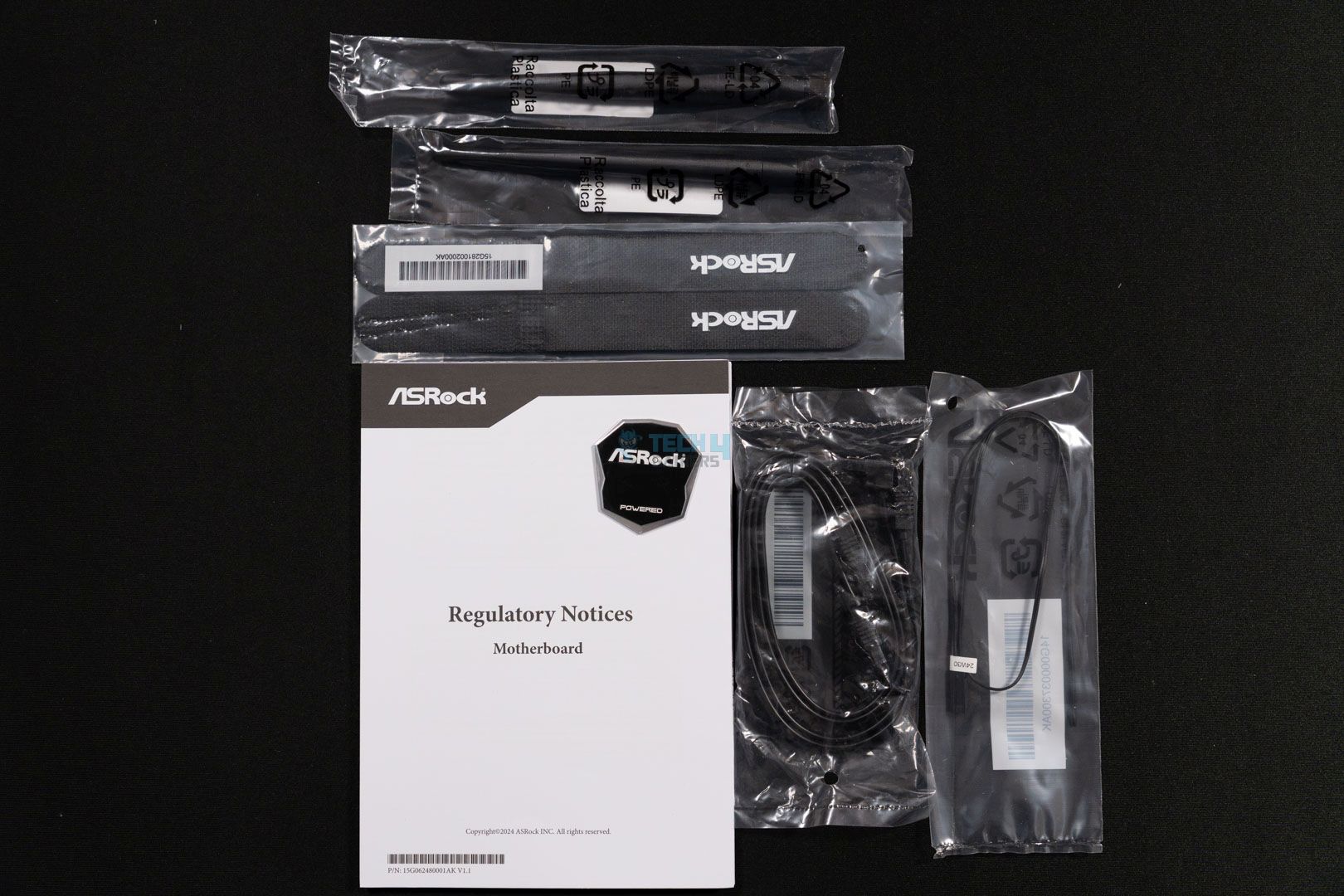
  • Two SATA Cables
  • Two ASRock WiFi 2.4/5/6 GHz Antennas
  • One Thermistor Cable
  • Quick Installation Guide

The ASRock B850 Steel Legend does not offer a lot in terms of accessories and sticks to only include the most crucial ones except for the thermistor cable which is a bonus as this motherboard supports this feature like some other ASRock boards.

Design
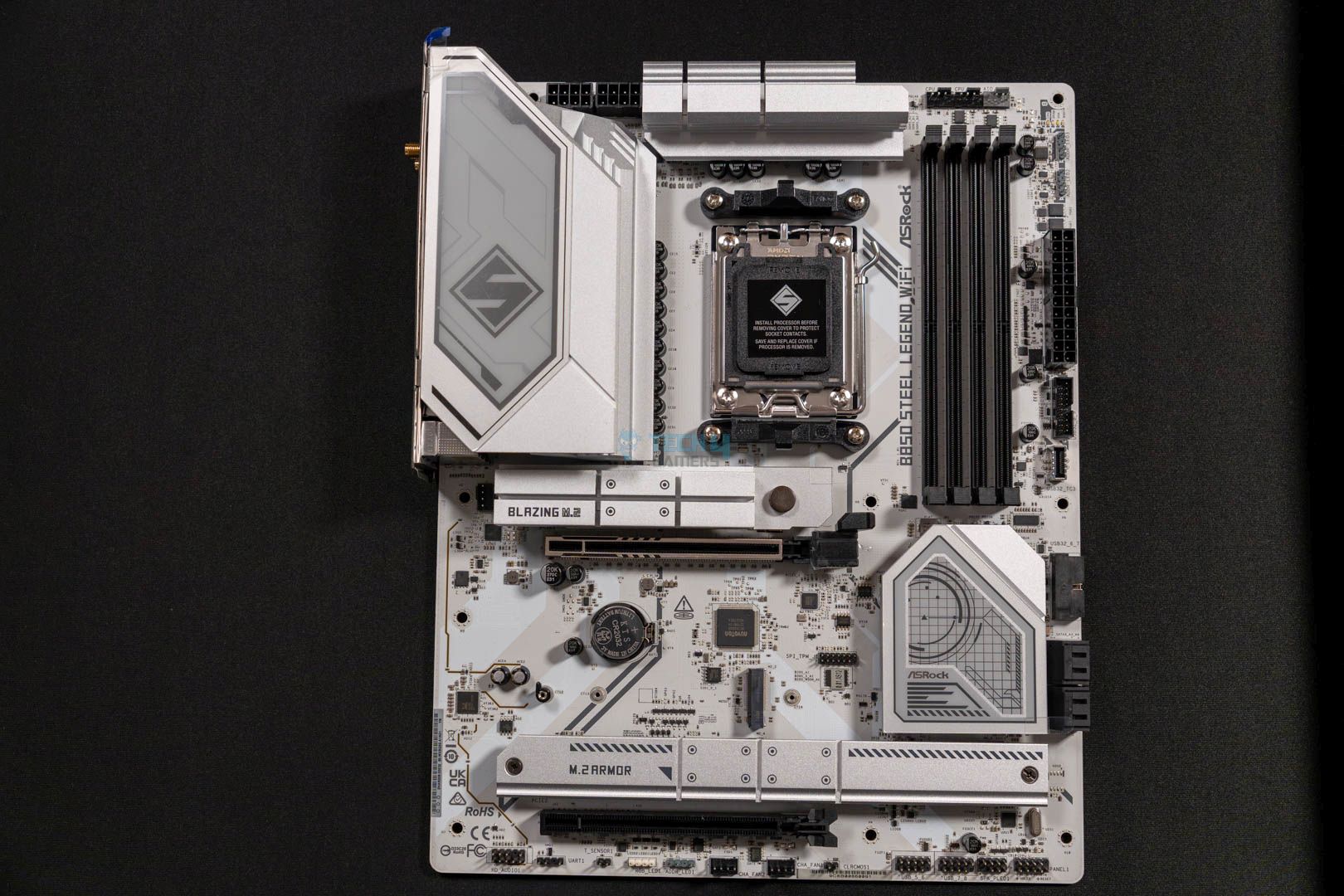
ASRock B850 Steel Legend WiFi- Main Design
Main Design (Image By Tech4Gamers)

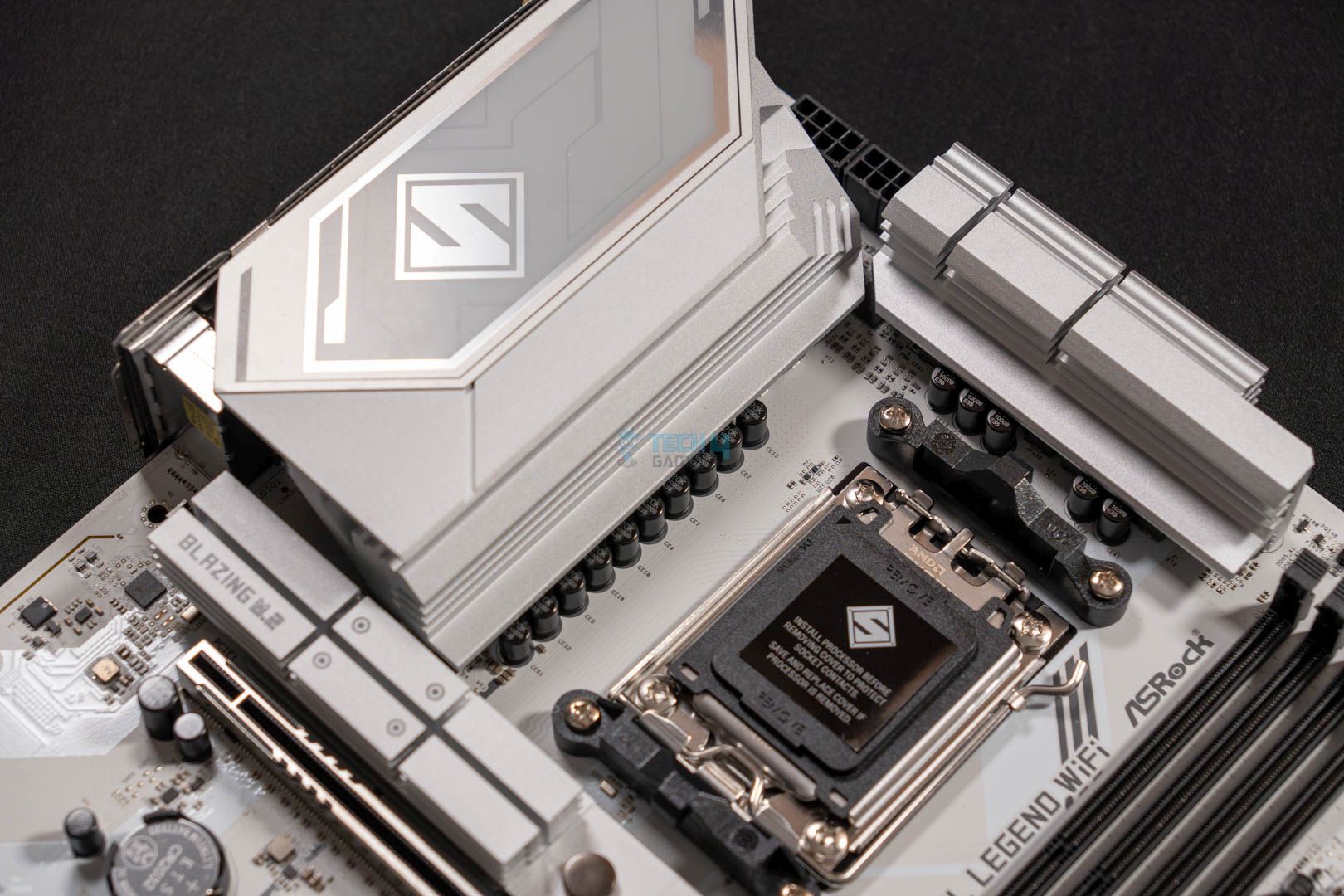
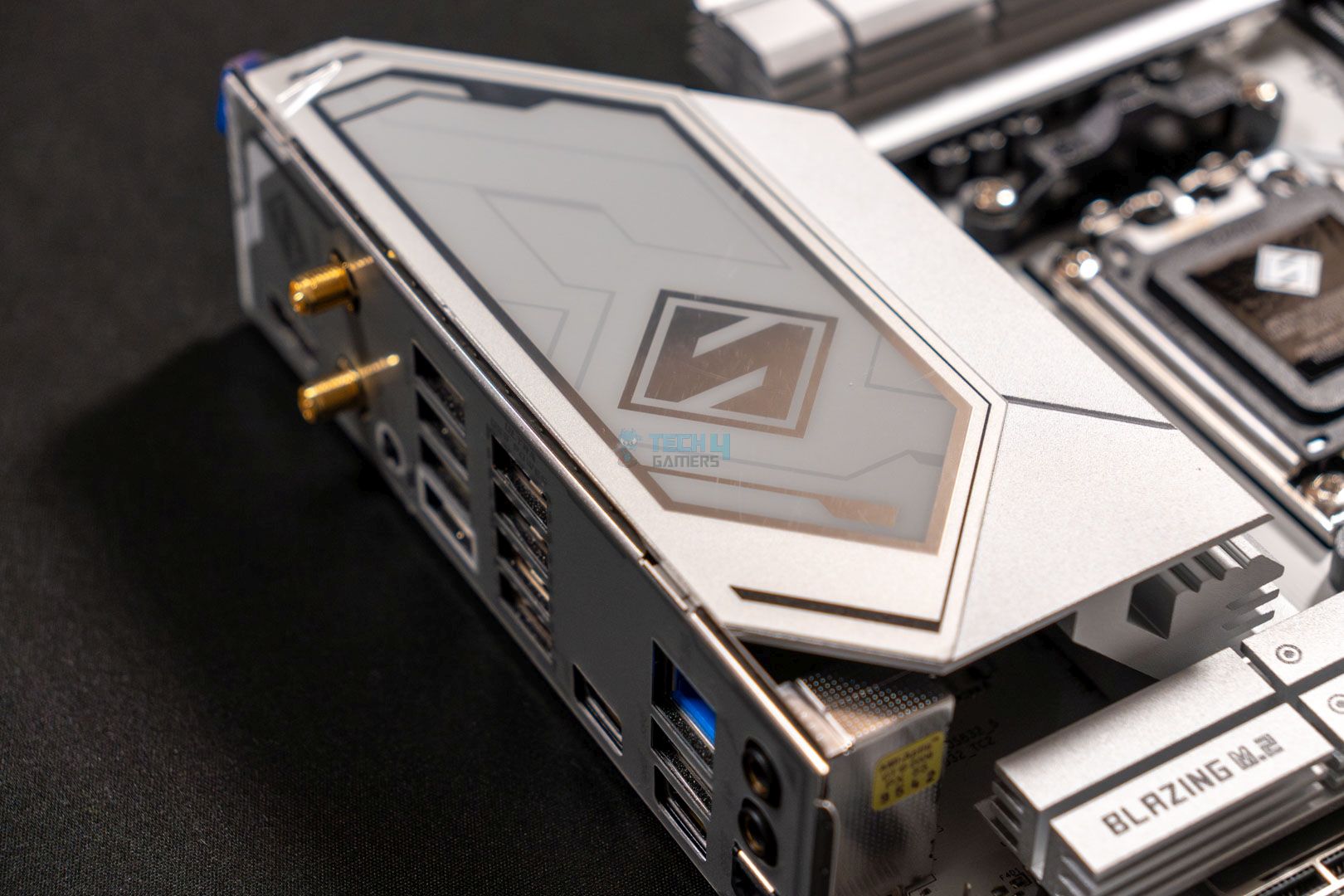
The ASRock B850 Steel Legend WiFi has an all-white aesthetic, with great artwork on the chipset heatsink and the VRM and M.2 drives’ heatsinks. The motherboard’s overall design looks great, and the PCB’s build quality is excellent. It’s made with the same 8-layer PCB design that provides decent sturdiness and isolation.

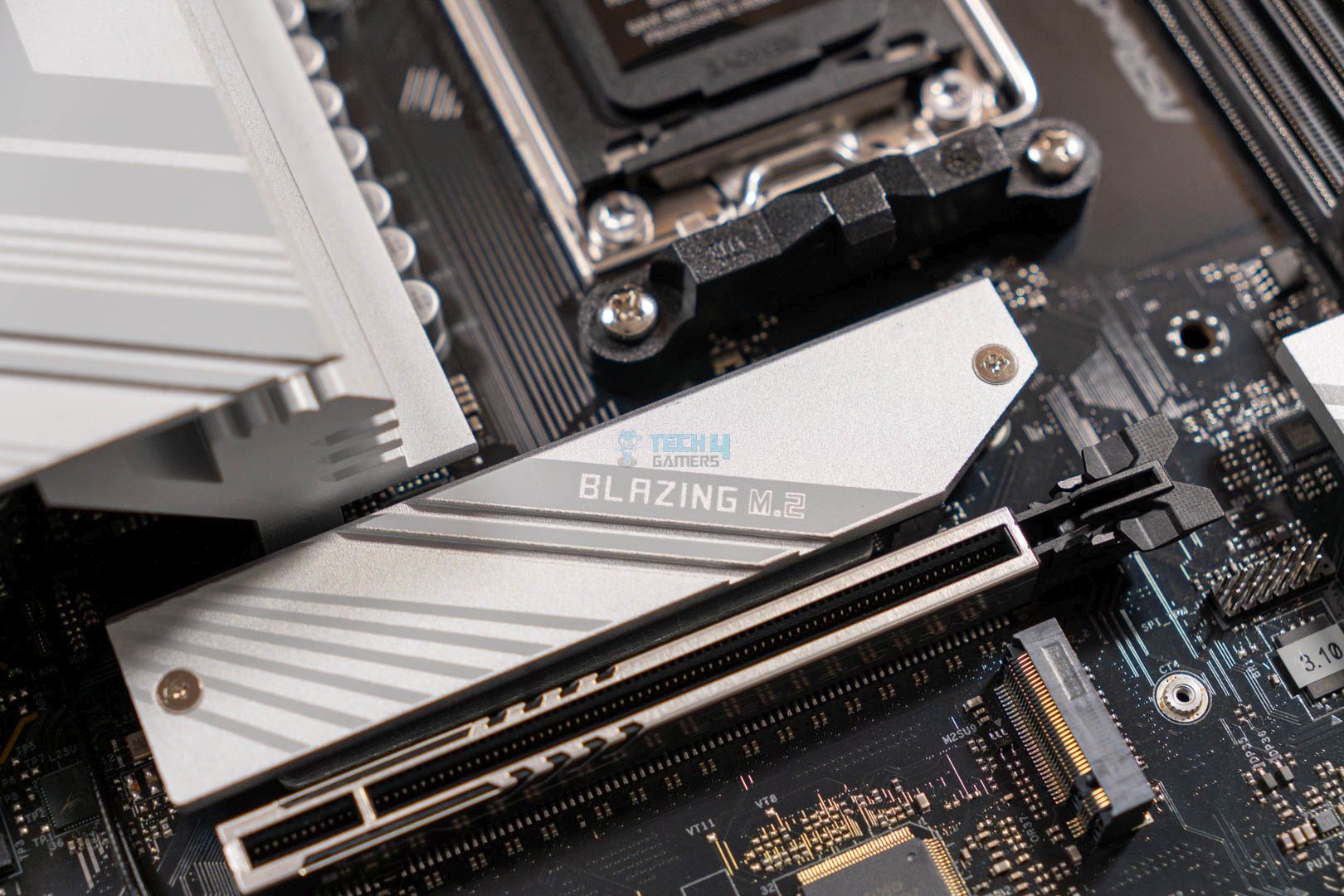
Another thing we couldn’t help but notice is the lack of heatsink on the secondary M.2 slot. This is the same as the cheaper ASRock motherboard, the ASRock B850 Pro RS WiFi.

Block Diagram
Block Diagram

As per the block diagram of the motherboard, we’re certain that the motherboard is using a single PROM21 chip that works alongside the AM5 processor to handle all the features and on-board headers. As usual, the AM5 processor handles the primary stuff like the DIMM slots, the Gen5 M.2 drive, and the Gen5 x16 graphics card slot. Some of the USB 3.2 Gen2/1 and one PCIe 4.0 M.2 slot also come under the processor’s reign.

As for the wired and wireless internet connectivity, both are handled by the PROM21 chip. Also, the rest of the storage drive slots, the audio chip, and the remaining USB ports are assigned to the chipset.

CPU Socket And Power Delivery

ASRock B850 Steel Legend WiFi- CPU Socket
ASRock B850 Steel Legend WiFi- CPU Socket (Image credit: Tech4Gamers)

This motherboard, the ASRock B850 Steel Legend WiFi boasts the same AM5’s LGA1718 socket that accommodates all the AM5 processors.
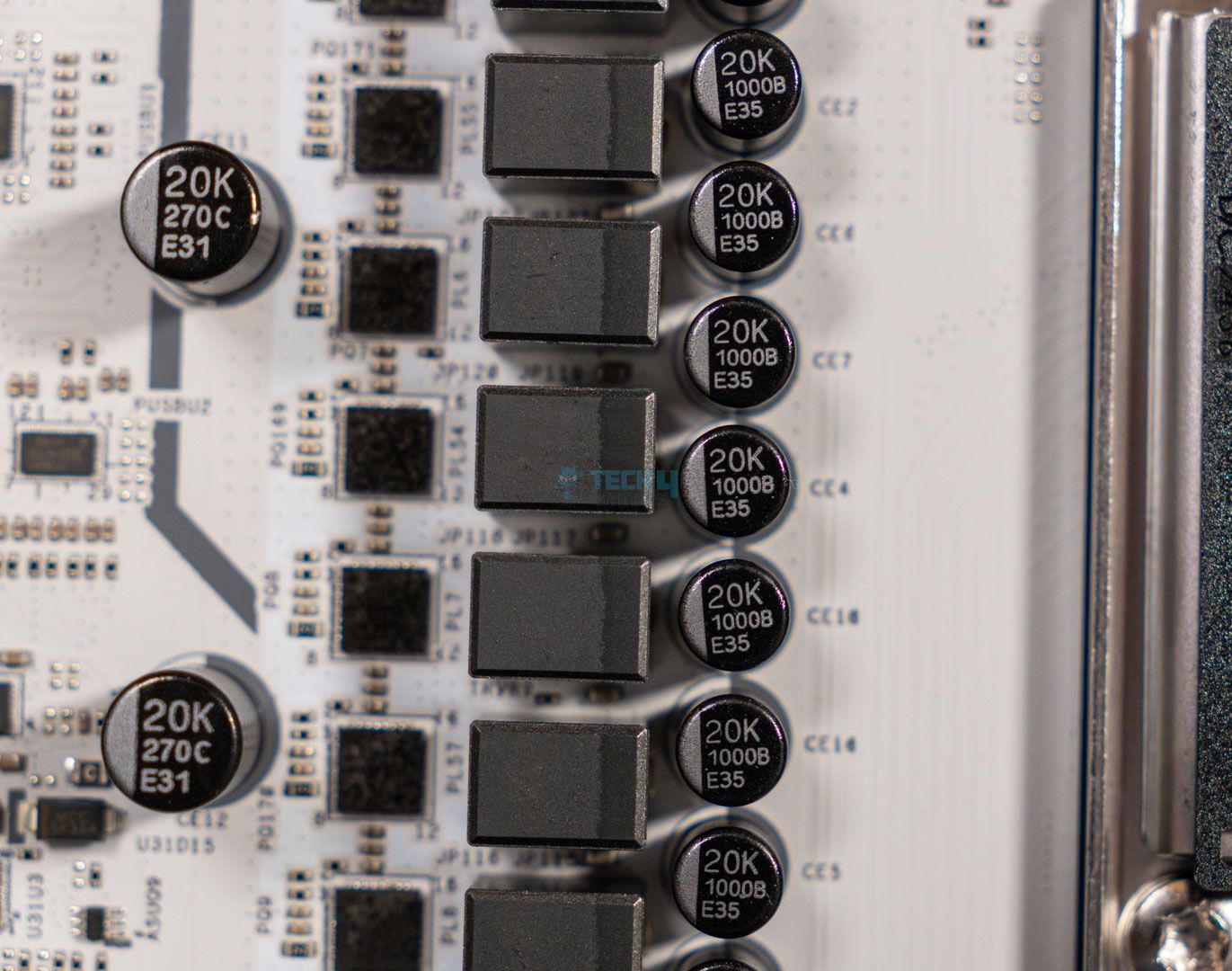
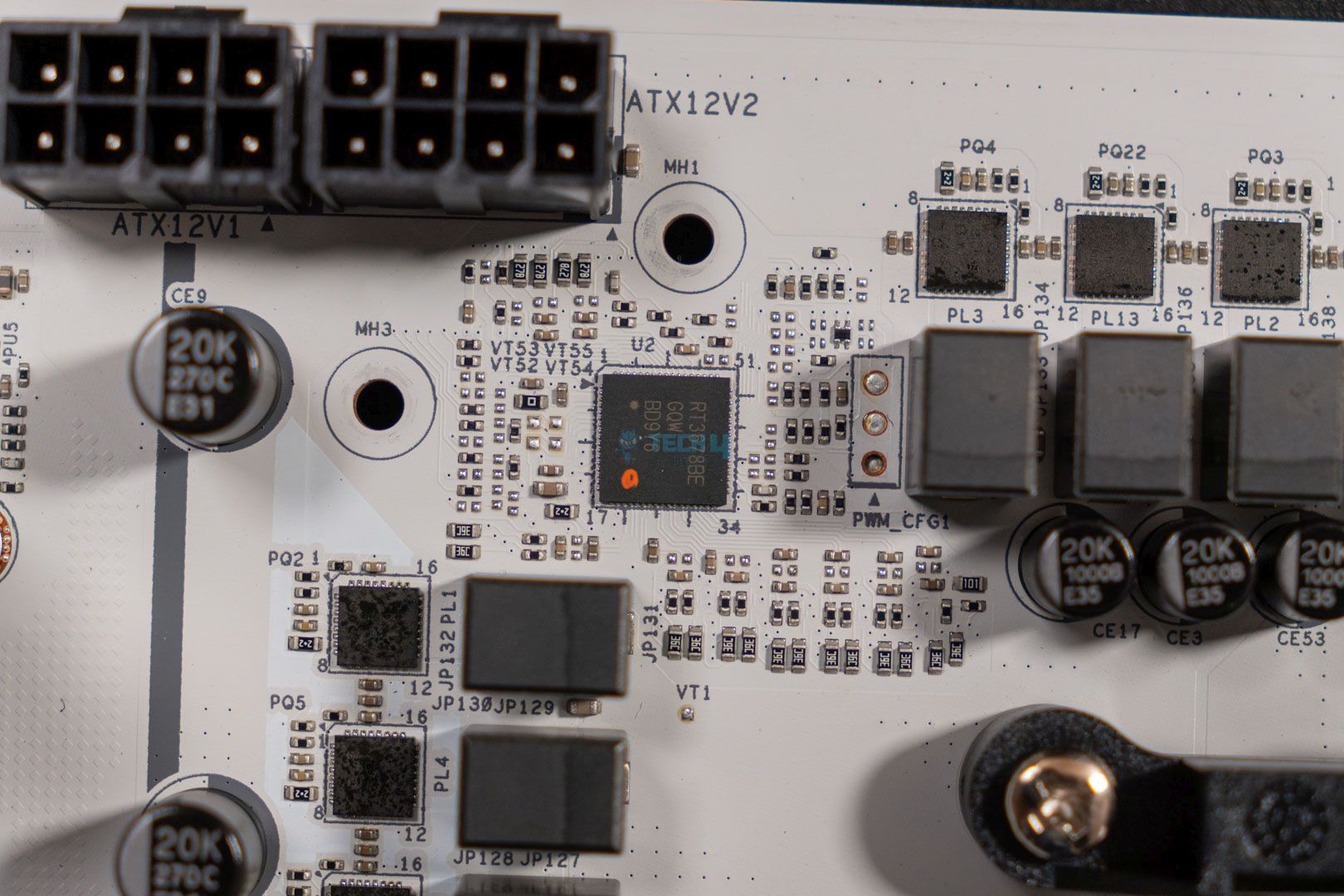
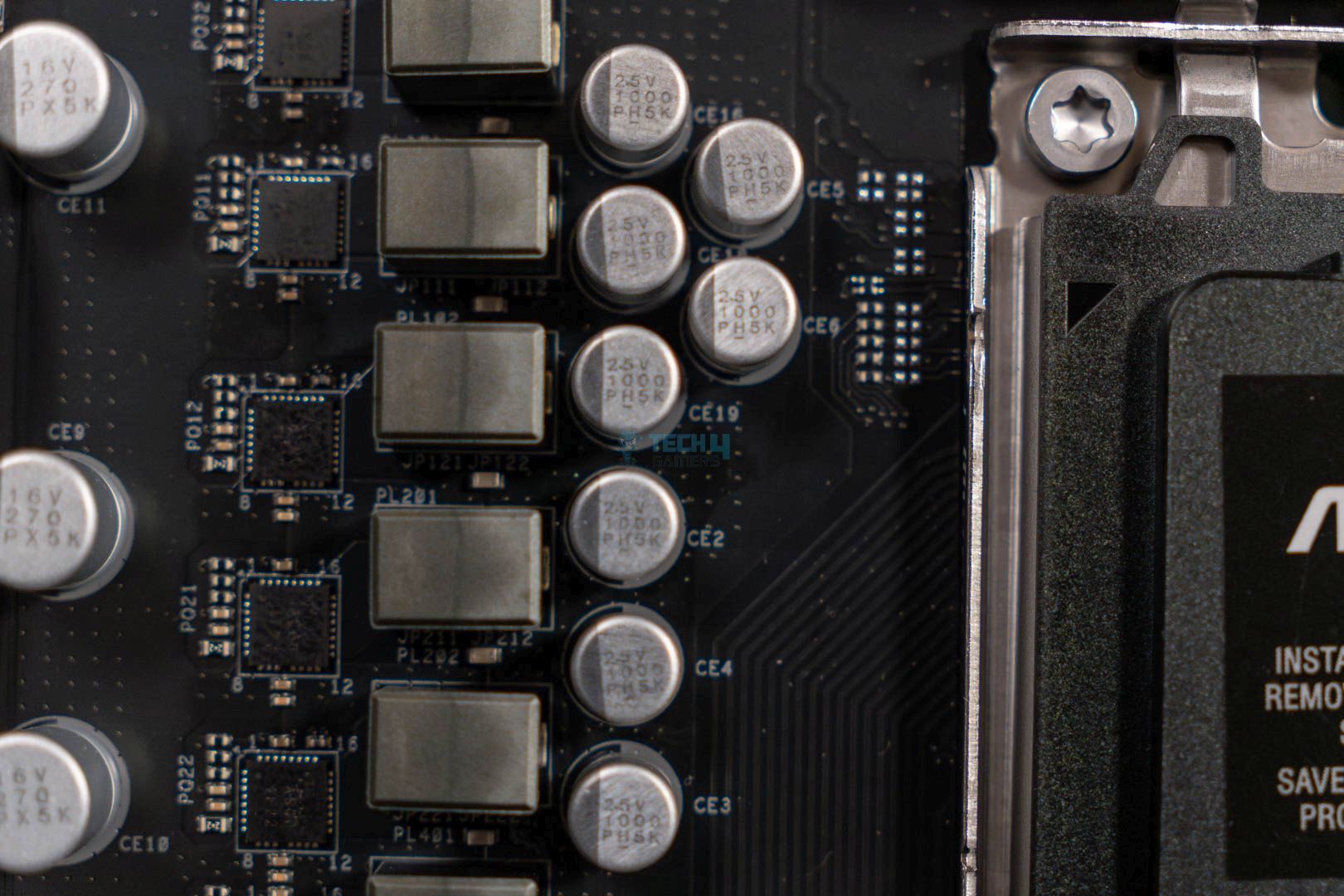
The ASRock B850 Steel Legend is equipped with a 14+2+1 phase power delivery solution with 80A SPS for VCore, SOC, and MISC. Moreover, the motherboard uses 20K black capacitors that allow it to increase its capacitance to 1000uF from the standard 560uF. This ensures less rippling, more stable output current, and better performance. So, on the performance side of things, this additional upgrade would prove to be beneficial.

ASRock B850 Steel Legend WiFi-CPU Connector
ASRock B850 Steel Legend WiFi-CPU Connector (Image credit: Tech4Gamers)

If you pay attention to the top left corner you can clearly see the integration of ASRock’s high-density EPS CPU power connectors.
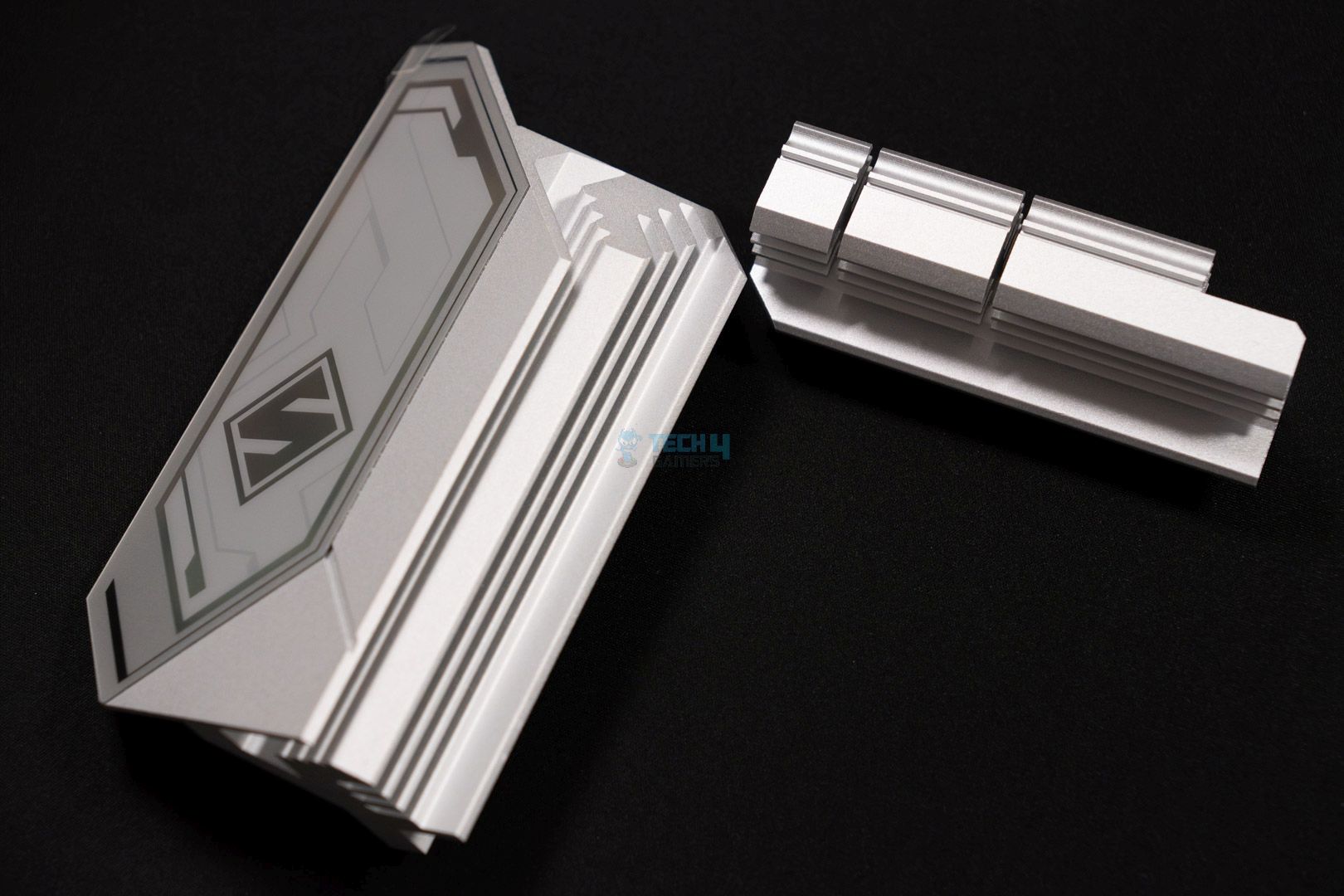
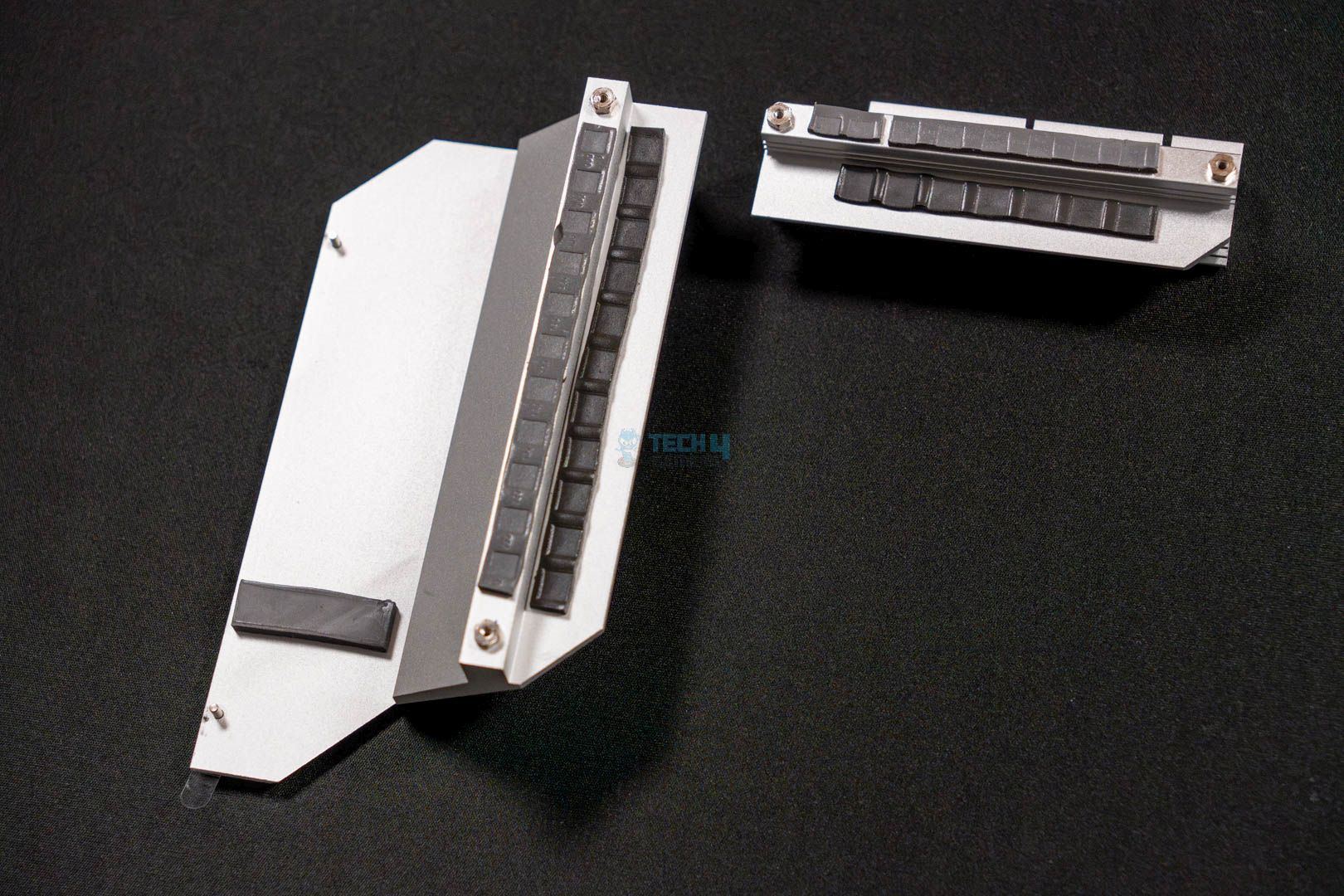
The ASRock B850 Steel Legend features two hefty-looking heatsink blocks that also have thermal padding on the bottom side to help cool down the power VRMs and MOSFETs more effectively.
DIMM Slots

ASRock B850 Steel Legend WiFi- DIMM Slots
ASRock B850 Steel Legend WiFi- DIMM Slots (Image credit: Tech4Gamers)

ASRock B850 Steel Legend WiFi offers the same memory speed as the ASRock B850 Pro RS WiFi, which is 8000 MT/s (OC). Moreover, since it has four DIMM slots, you can install up to 256 GB of RAM without any problem. As for the memory to run at its rated speed, you have to enable the Intel X.M.P or AMD EXPO memory overclocking profile from the BIOS. 

Storage
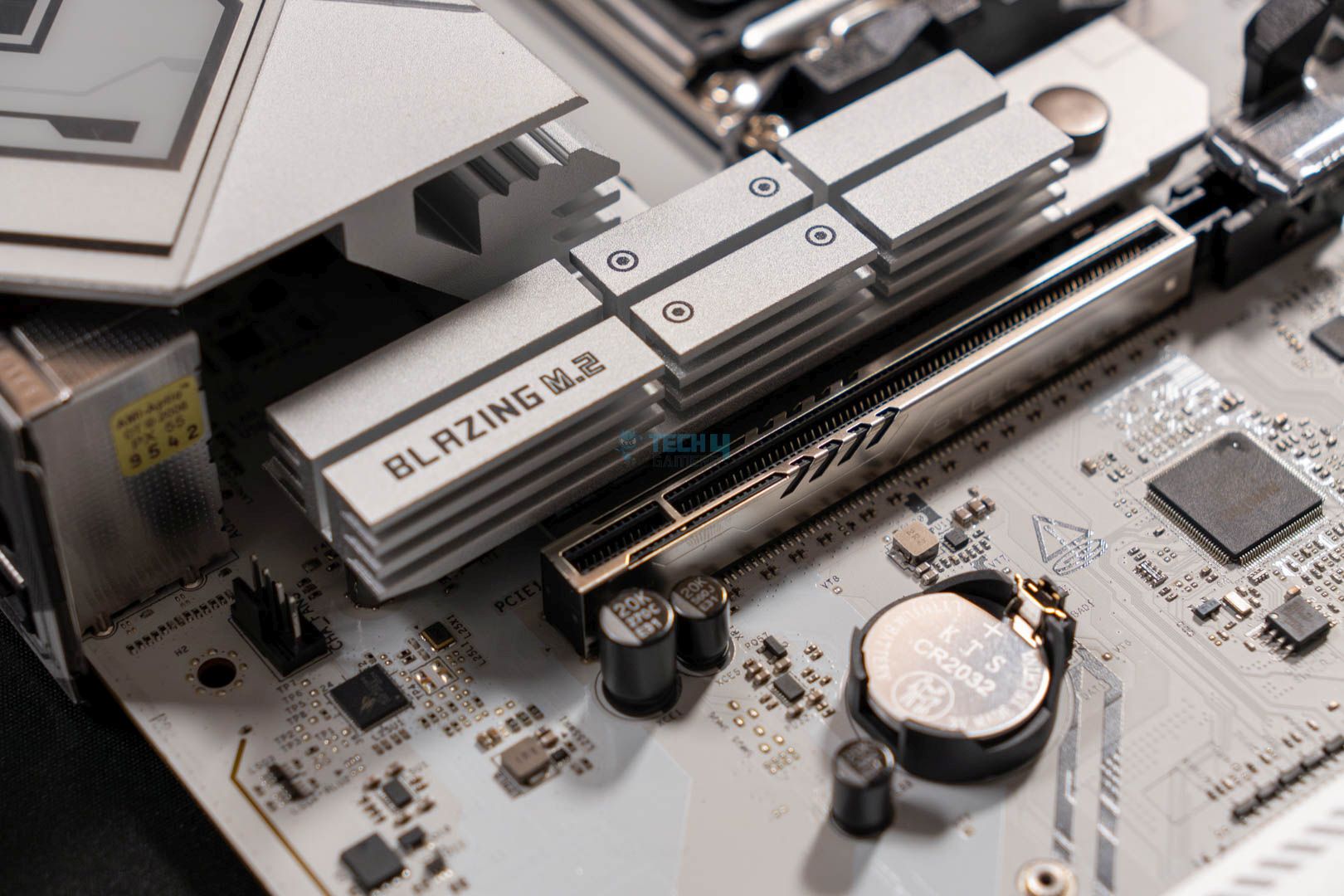
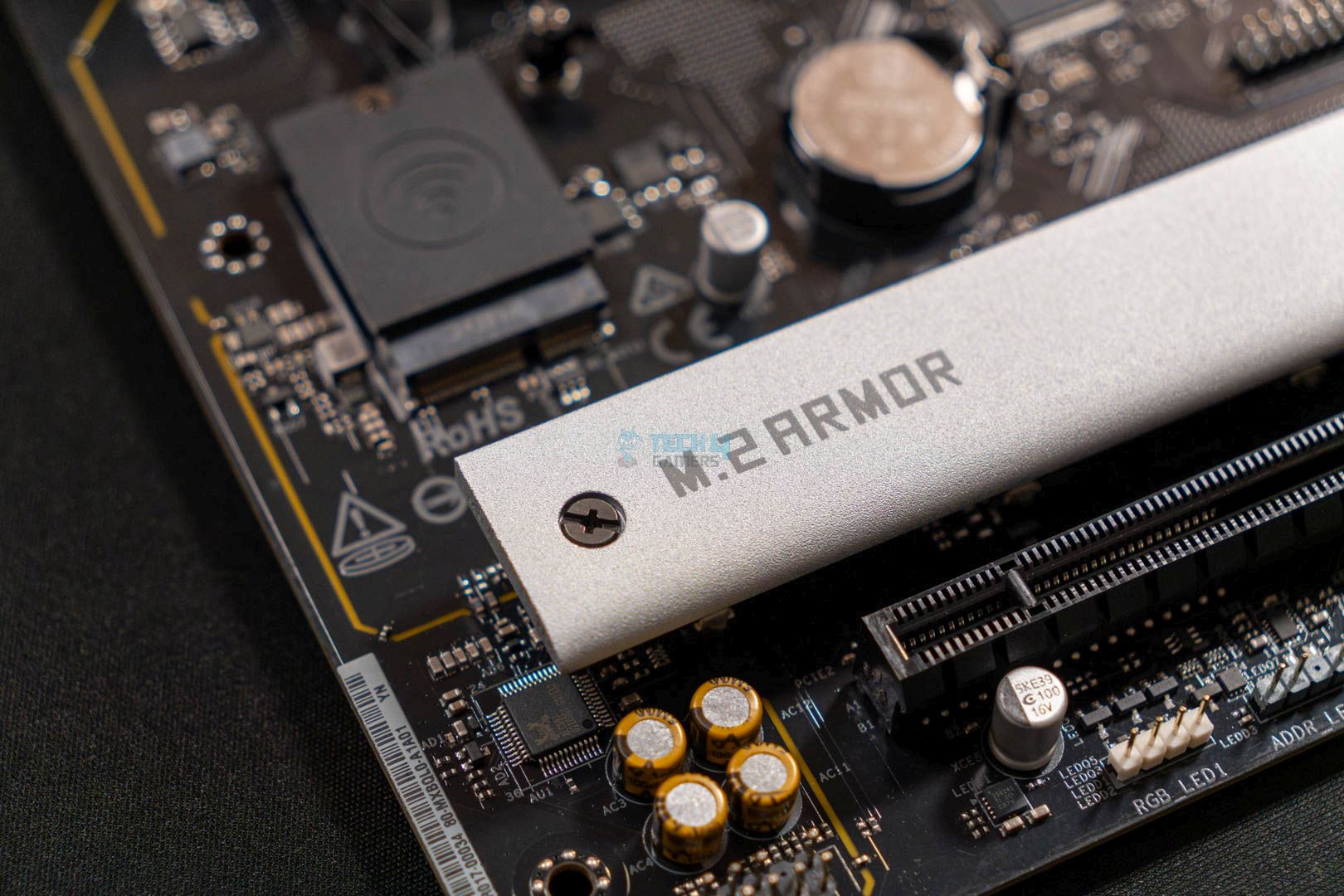
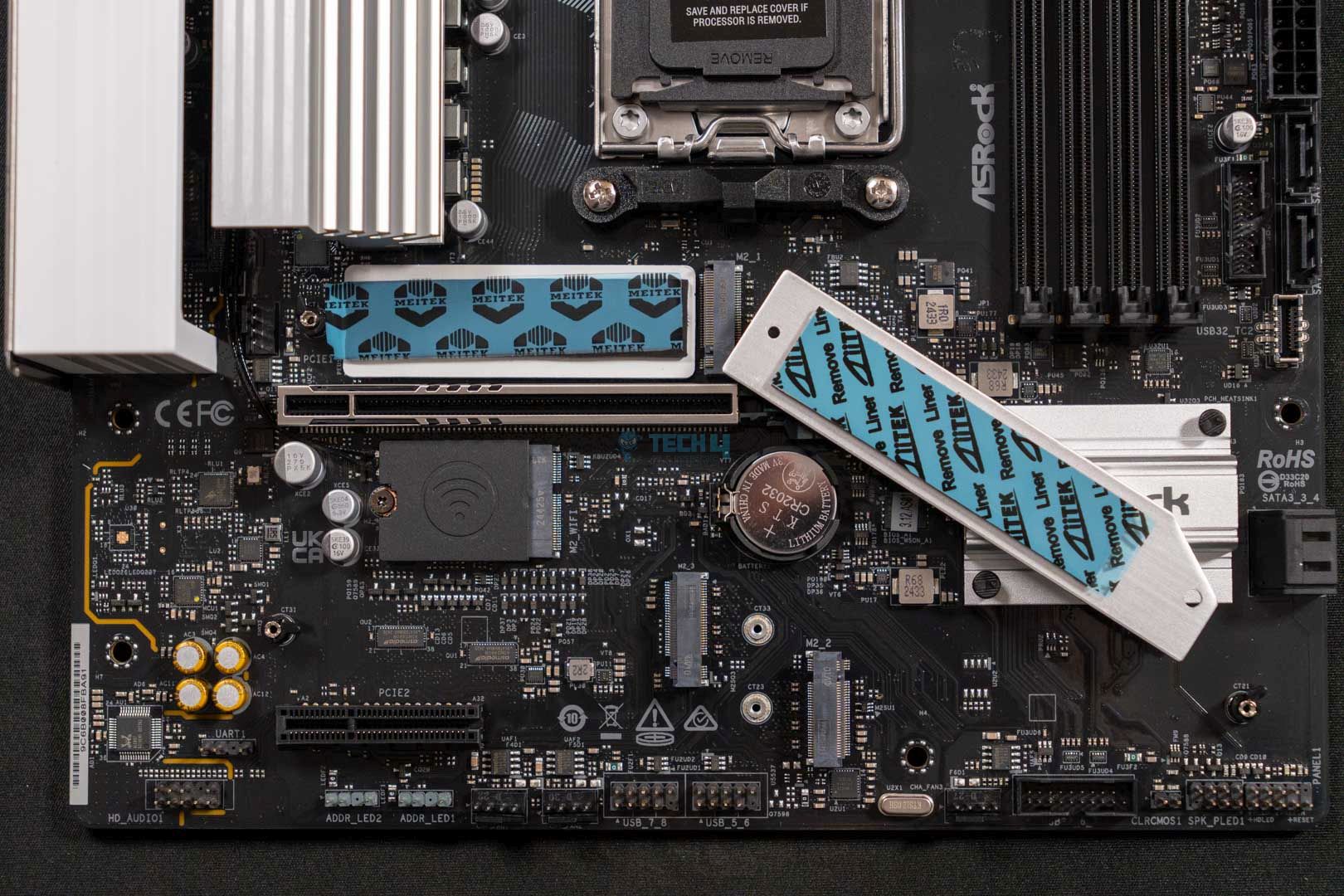
The ASRock B850 Steel Legend features four M.2 drive slots, one of which is powered by PCIe Gen5, and the rest of the three are limited to PCIe Gen4 standard. Fortunately enough, there’s no PCIe Gen3 drive slot. The PCIe Gen5 slot has support for 2280 cut drives only while the 2nd and 4th M.2 drive also supports 2260 cut drives along with the 2280 cut. Similarly, the 3rd M.2 slot, however, the 2230 cut as well. 
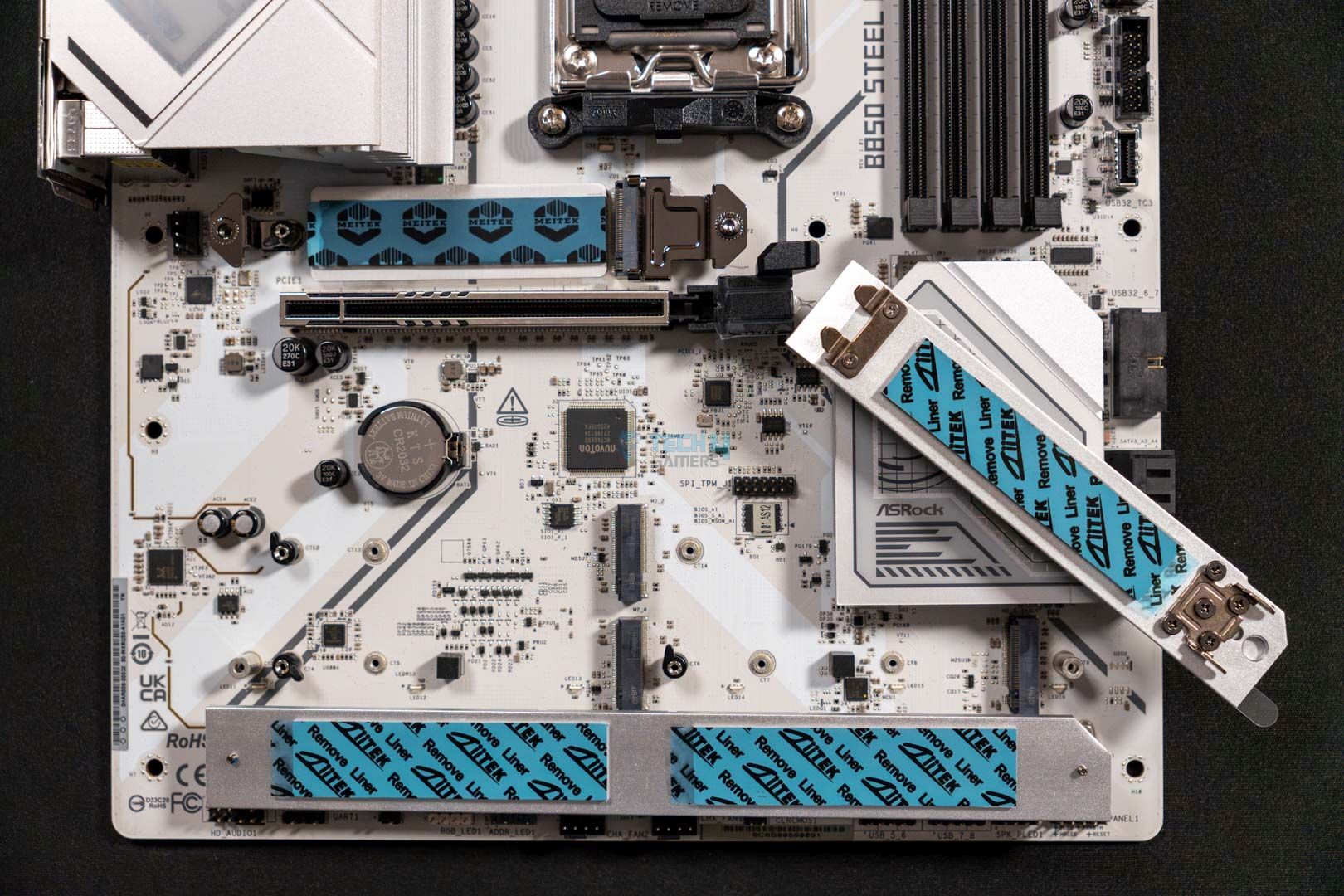
One thing that’s also the same here is the lack of a heatsink on the 2nd M.2 slots, while the rest of the slots benefit from heatsink blocks with thermal pads for better cooling. It would have been nice if this slot also had a heatsink for the drive.

Besides the M.2 slots, the board also has four SATA3 6.0 Gb/s connectors to attach the 3.5″ or 2.5″ drives when needed. 

PCIe Slots

ASRock B850 Steel Legend WiFi- PCIe Release and PCIe slot
ASRock B850 Steel Legend WiFi- PCIe Release and PCIe slot (Image credit Tech4Gamers)

The motherboard boasts two PCIe x16 slots, however, both work at different speeds and have different specs. The primary slot supports x16 mode and works on PCIe 5.0 standard. This slot also features a unique PCIe release lever. Moreover, here the slot also gets a stronger build with the ASRock slot armor.

All this isn’t available in the 2nd slot, which works on PCIe 4.0 standard and is limited to x4 mode only. Meaning that it is meant for expansionary cards and not graphics cards itself.

USB Connectivity

The motherboard also has a neat selection of USB ports:

  • 2x USB 3.2 Gen2 Type-C (Rear)
  • 1x USB 3.2 Gen2 Type-A (Rear)
  • 1x USB 3.2 Gen1 Type-A (Rear)
  • 1x USB 3.2 Gen2x2 Type-C (Front)
  • 1x USB 3.2 Gen2 Type-A (Rear)
  • 6x USB 3.2 Gen1 Type-A (2 Rear, 4 Front)
  • 8x USB 2.0 (4 Rear, 4 Front)

On this motherboard, you can see a fair selection of USB ports both fast a some slow to keep things balanced on the pricey side as well. The board features USB ports having 20 Gb/s, 10 Gb/s, and 5 Gb/s. These are more than adequate for an average user that doesn’t need too fast like USB4, since it lacks that. 

Networking And Connectivity

The motherboard does receive an upgrade in terms of WiFi functionality. It features an 802.11be 2×2 WiFi module that provides WiFi 7 and Bluetooth 5.4. However, when it comes to the wired internet connectivity, we’re still stuck with the Dragon RTL8125BG which is capped at 2.5G LAN speed. 

Audio Solution

The ASRock B850 Steel Legend WiFi comes integrated with a Realtek ALC4082 Audio Codec that helps it provide crisp audio when coupled with the SteelSeries Nahimic audio-enhancing software. The motherboard also supports Direct Drive Technology on the front that allows it to support up to 600 Ohm headphones.

Internal Connectors And Components
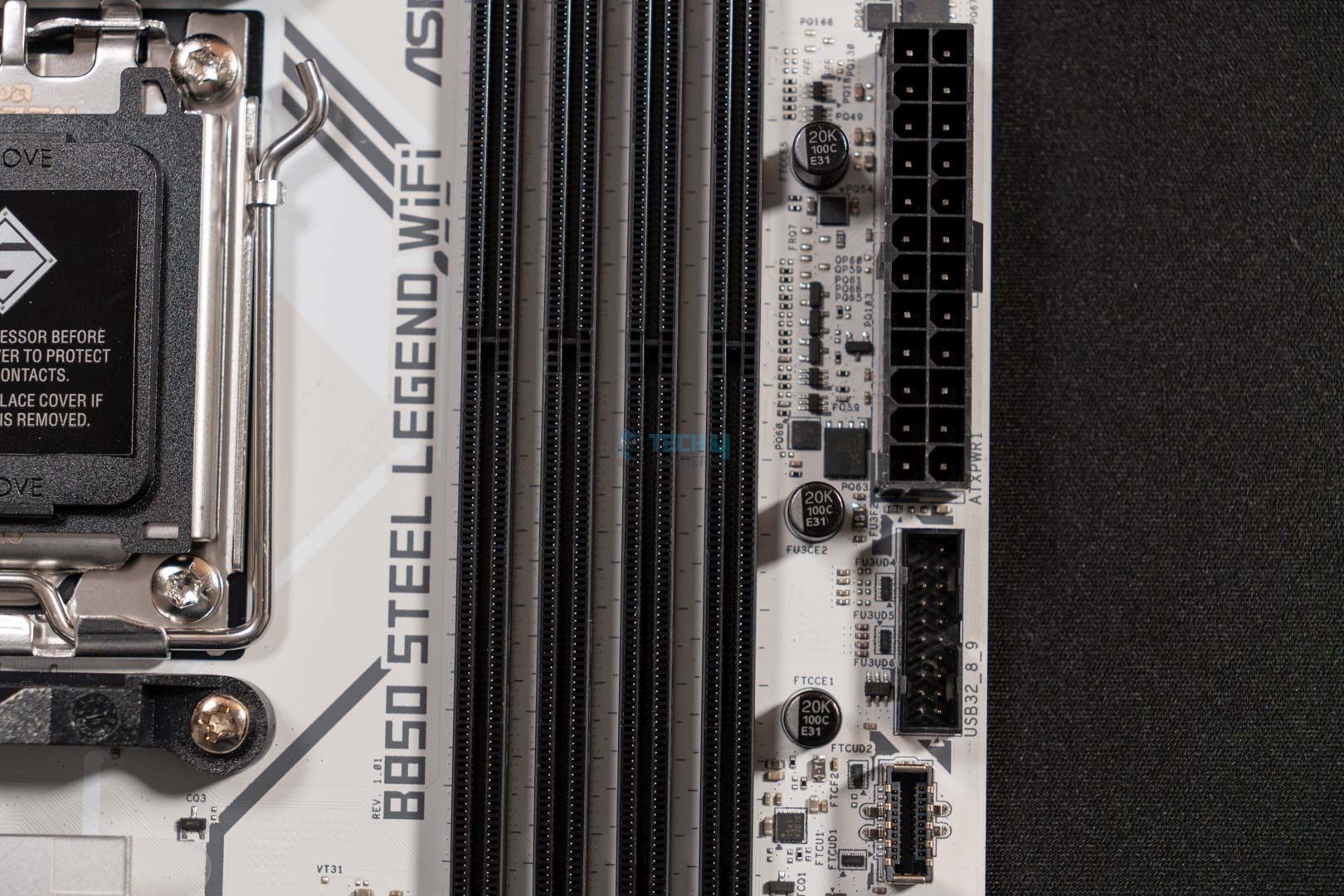
Here are all the connectors that the ASRock B850 Steel Legend WiFi offers:

  • 1x SPI TPM Header
  • 1x Thermistor Cable Header
  • 1x Power LED and Speaker Header
  • 1x RGB LED Header
  • 3x Addressable LED Headers
  • 2x CPU Fan Connectors (4-pin) (Smart Fan Speed Control)
  • 3x Chassis Fan Connectors (4-pin) (Smart Fan Speed Control)
  • 1x AIO Pump Fan Connector (4-pin) (Smart Fan Speed Control)
  • 1x 24-pin ATX Power Connector (Hi-Density Power Connector)
  • 2x 8-pin 12V Power Connectors (Hi-Density Power Connector)
  • 1x Front Panel Audio Connector
  • 2x USB 2.0 Headers (Support 4 USB 2.0 ports)
  • 2x USB 3.2 Gen1 Headers (Support 4 USB 3.2 Gen1 ports)
  • 1x Front Panel Type C USB 3.2 Gen2x2 Header (20 Gb/s)
Super I/O Controller
Super I/O Controller (Image credit: Tech4Gamers)

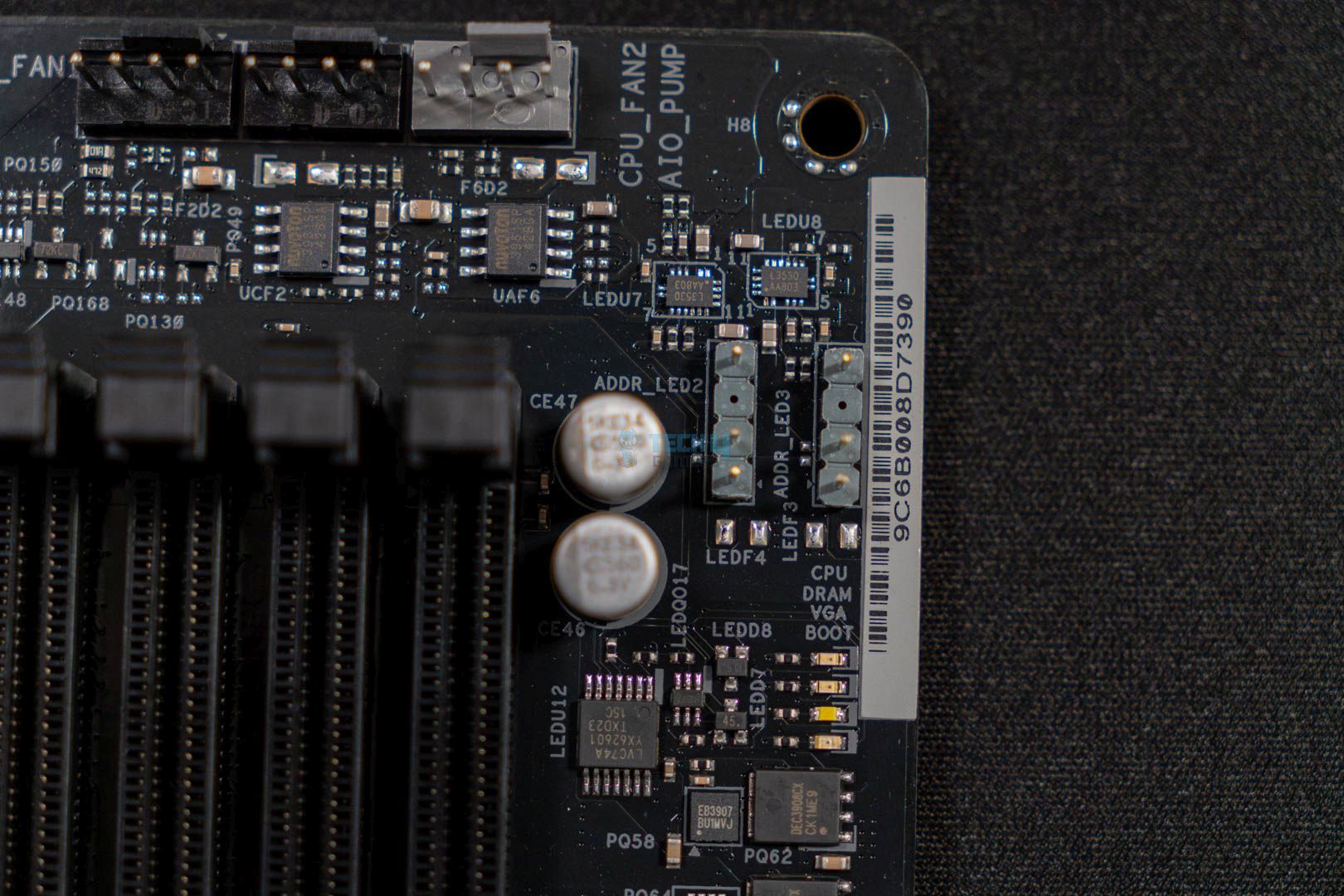
This ASRock B850 Steel Legend is full of useful connectors on the board such as the two EPS power connectors, EZ troubleshooting LEDs, USB ports, and headphone port headers. RGB LED headers as well as ARGB headers.

Moreover, the thermistor header is also present, so you get an additional thing that not all ASRock boards or boards of other brands integrate into their motherboards. All these things need a controller to work and this is where the installed Nuvoton NCT6686D comes into play. 

Rear I/O

ASRock B850 Steel Legend Wi-Fi- Rear IO
ASRock B850 Steel Legend Wi-Fi- Rear IO (Image credit: Tech4Gamers)
  • 2x Antenna Ports
  • 1x HDMI Port
  • 1x Optical SPDIF OutPort
  • 2x USB 3.2 Gen2 Type-C Ports (10 Gb/s)
  • 3x USB 3.2 Gen1 Type-A Ports
  • 2x USB 3.2 Gen2 Type-A Ports (10 Gb/s)
  • 4x USB 2.0 Ports
  • 1x RJ-45 LAN Port
  • 1x BIOS Flashback Button
  • 1x Line Out Jack (Gold Audio Jack)
  • 1x Microphone Input Jack (Gold Audio Jack)

There’s a neat selection of ports on its rear I/O side as well. We get plenty of ports with distinctive colors and labeling to make it easier to differentiate from each other. The rear I/O here offers two USB 3.2 Gen2 Type-C ports, two Gen2 Type-A ports, three Gen1 Type-A ports, and four USB 2.0 ports.

There’s also a BIOS flashback button to easily flash the BIOS and we also get one line out and one microphone input jack. Moreover, the standard SPDIF out port is also available along with the two WiFi antenna ports.

Test Setup

This is the rest of the setup that we use to run our benchmarks:

Here is our test bench and configuration:

Synthetic Benchmarks

Cinebench 2024, ST and MT Test
Cinebench 2024, ST and MT Test (Image credit: Tech4Gamers)

ASRock B850 Steel Legend WiFi starts strong during our benchmarking by securing 140 points for single-core and 2297 points for multi-core in the Cinebench 2024. This placed the motherboard in 4th place, and the score disparity with the top scorer was 15 points on a multi-core and a single point on a single-core test run.

Geekbench 6 Multi-threaded Test
Geekbench 6 Multi-threaded Test (Image credit: Tech4Gamers)

The ASRock B850 Steel Legend WiFi, this time around, came one position lower as we ran it through the Geekbench 6’s multi-core test where it was able to collect 21704 points. 

Blender 4.0.2
Blender 4.0.2 (Image credit: Tech4Gamers)

In our Blender 4.0.2 test run, the motherboard is back on its feet and is in 4th place again, which can also be called 2nd as it has achieved the same time as the other competing motherboard. Both motherboards completed the run in 51 seconds.

Corona 11 Benchmark
Corona 11 Benchmark (Image credit: Tech4Gamers)

ASRock B850 Steel Legend WiFi performs great yet again. In Corona 11, the board completed the full benchmark run in 64.1 seconds, which is exactly one second behind the first-place holder. 

V-Ray Benchmark
V-Ray Benchmark (Image credit: Tech4Gamers)

To wrap up the synthetic benchmarking, we did a V-Ray benchmark run where the ASRock B850 Steel Legend WiFi actually performed a lot better and came 2nd on our result chart with 48904 points.

Gaming Benchmarks

Cyberpunk 2077
Cyberpunk 2077 (Image credit: Tech4Gamers)

The ASRock B850 Steel Legend WiFi starts great in gaming by attaining the highest average FPS of 144 with also the better minimum FPS (109 FPS) during the benchmark run of Cyberpunk 2077.

Starfield
Starfield (Image credit: Tech4Gamers)

As far as the Starfield benchmark is concerned, the ASRock B850 Steel Legend WiFi doesn’t disappoint. It performed neck to neck with the B850 Tomahawk, and B850 Riptide in the average FPS test by outputting 111 FPS. Moreover, it maintained a better minimum FPS than all other B850 motherboards that we tested.

Far Cry 6
Far Cry 6 (Image credit: Tech4Gamers)

The story is the same with Far Cry 6, ASRock B850 Steel Legend WiFi performed superior to all other motherboards with 85 average FPS and 139 as minimum FPS.

Power Consumption, Boot Times, And VRM Temperatures

Power Consumption
Power Consumption (Image credit: Tech4Gamers)

While the board does output great performance, it surely takes a lot of power to do that too. According to our testing, the motherboard consumed 113W during gaming, 104W in idle mode, and 388W when we put some serious load on it.

Boot Times
Boot Times (Image credit: Tech4Gamers)

The ASRock B850 Steel Legend WiFi also has a pretty decent boot-up speed, in our testing, the motherboard completed the boot sequence in exactly 22 seconds placing it at the same place as the ASRock B850i Lighting and others.

VRM Temp
VRM Temp (Image credit: Tech4Gamers)

The motherboard is a green tick in terms of VRM temperatures as well. It manages the maintain the VRM temperature at 62°C – placing it as the 3rd best motherboard in terms of VRM cooling.

Should You Buy It?

Buy It If:

✅ You want superior gaming performance: If you’re considering a motherboard that should perform great in games, then the ASRock B850 Steel Legend WiFi is a great option.

✅ You want a decent feature set: If you’re looking for a motherboard that should offer many features like WiFi 7, powerful VRMs, 20 Gb/s USB ports, EZ Update & Troubleshooting, and thermistor support, then this board is one of the best picks for your build.

Don’t Buy It If: 

❌ If you want a higher-end chipset: The only reason to skip the ASRock B850 Steel Legend WiFi is if you want an overall more packed motherboard, in that case, you may want to consider some X870/X870E options

My Thoughts

Now that we’re at the end of the review, what I can say about the board is that it’s a lot of cool about it. It has an appealing white look and impressive artwork on the heatsink blocks. Also has the ability to outshine other boards in gaming and also perform well enough on the productivity side of things.

Moreover, the VRM cooling solution works fine as well, as it keeps the temperature within decent limits. And to clarify the temperatures of other components, the included thermistor support helps to let you do that. So, in conclusion, I definitely liked the motherboard and everything about it except for the memory speed, which could have been a little higher than 8000 MT/s, like the ASRock B850i Lighting WiFi.


ASRock B850 Pro RS WiFi Review: Quite Good For The Price

We have been testing and reviewing several B850 motherboards over the past few weeks, including plenty of MicroATX and Mini-ITX options. Well, now is the time to take things back to the standard ATX-size motherboards. The one we’re going to take a look at today is the ASRock B850 Pro RS Wi-Fi. The motherboard comes with an MSRP of $189.99 USD and stands at a place where cost-cutting happens a lot to fit within the budget. So, let’s get right into it and see how much ASRock has managed to pack at this low price tag.

Why Trust Tech4Gamers
  • Usman Saleem is our hardware tester who loves to put all the latest GPUs, CPUs, RAM, and motherboards for a spin.
  • 40+ motherboards tested and reviewed by our team of hardware experts (Tech4Gamers Team).
  • 800+ hours spent testing different motherboards for our reviews.
  • Objective testing criteria (See how we test motherboards).

At Tech4Gamers, ensuring you get reliable information is our priority. That’s why every hardware round-up undergoes a meticulous review process by our team of experts and editors. Each review is carefully examined against our strict editorial guidelines, guaranteeing you trustworthy insights you can depend on.


Key Takeaways

  • The ASRock B850 Pro RS Wi-Fi is a budget-friendly ATX motherboard that offers essential features, decent performance, and good aesthetics.
  • You should buy the ASRock B850 Pro RS WiFi if you’re not looking to do a lot of overclocking and want something that gets the job done pretty well and doesn’t make too much trouble.
  • You should not buy the ASRock B850 Pro RS WiFi if you’re after the best-performing or feature-packed B850 motherboard.

Take a sneak peek into the actual specifications of the motherboard:

Specs ASRock B850 Pro RS WiFi
CPU Support AMD Ryzen 7000, Ryzen 8000, Ryzen 9000
Memory Support Up to DDR5 8000+ MT/s (OC)
PCIe Slots 1x PCIe 5.0 x16, 1x PCIe 4.0 x4
M.2 Slots 1x PCIe 5.0 x4, 2x PCIe 4.0 x4, 1x PCIe 3.0 x4
SATA Ports 4x 6Gb/s
Audio Realtek ALC897 Audio Codec
Network & Connectivity Dragon RTL8125BG 2.5G LAN, WiFi 6E, BT 5.2
USB Ports 21 Ports
Size 305 mm x 244 mm, ATX
MSRP $189.99 USD
[toc]

Packaging & Unboxing

ASRock B850 Pro RS WiFi — Box Front
ASRock B850 Pro RS WiFi — Box Front (Image credit: Tech4Gamers)

The motherboard comes in a beautiful and minimalistic white cardboard box. The information here is kept to a minimum. We can see the motherboard printed on the box, and right under it, we can look at the chipset name as well as the “ASRock” branding. Similarly, on the left side of the box, we can see the model name printed over the white minimalistic background.

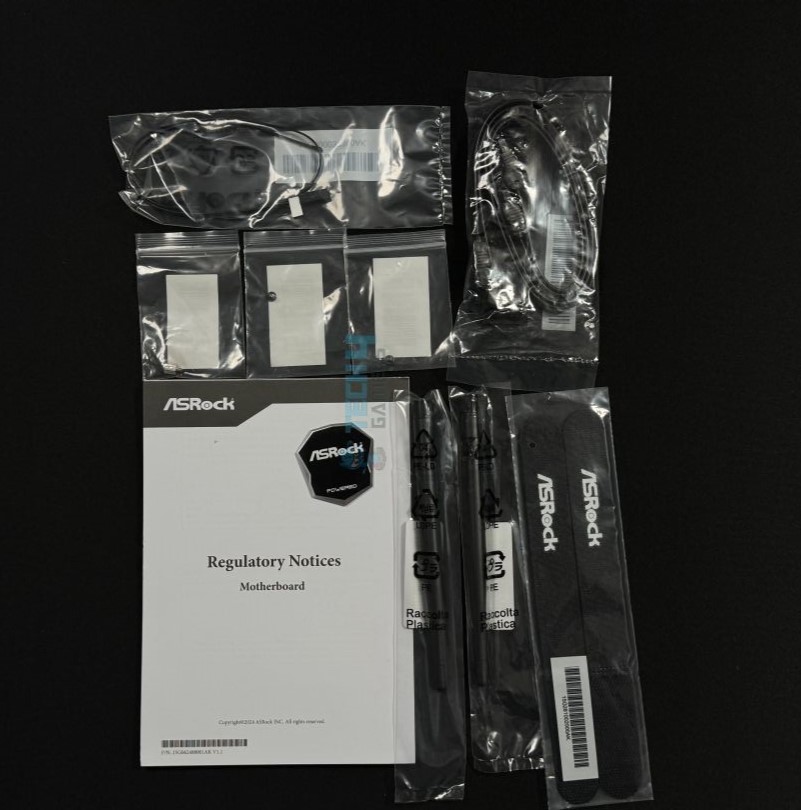
ASRock B850 Pro RS WiFi — Accessories and Guide
ASRock B850 Pro RS WiFi — Accessories and Guide (Image credit: Tech4Gamers)

The accessories include:

  • Two SATA Cables
  • Two ASRock WiFi 2.4/5/6 GHz Antennas
  • Quick Installation Guide
  • Regulatory Notice

Since it’s a budget-oriented motherboard, it only comes with two SATA cables, two Wi-Fi antennas, and some paperwork. Other than that, there’s no other accessory included.

Design

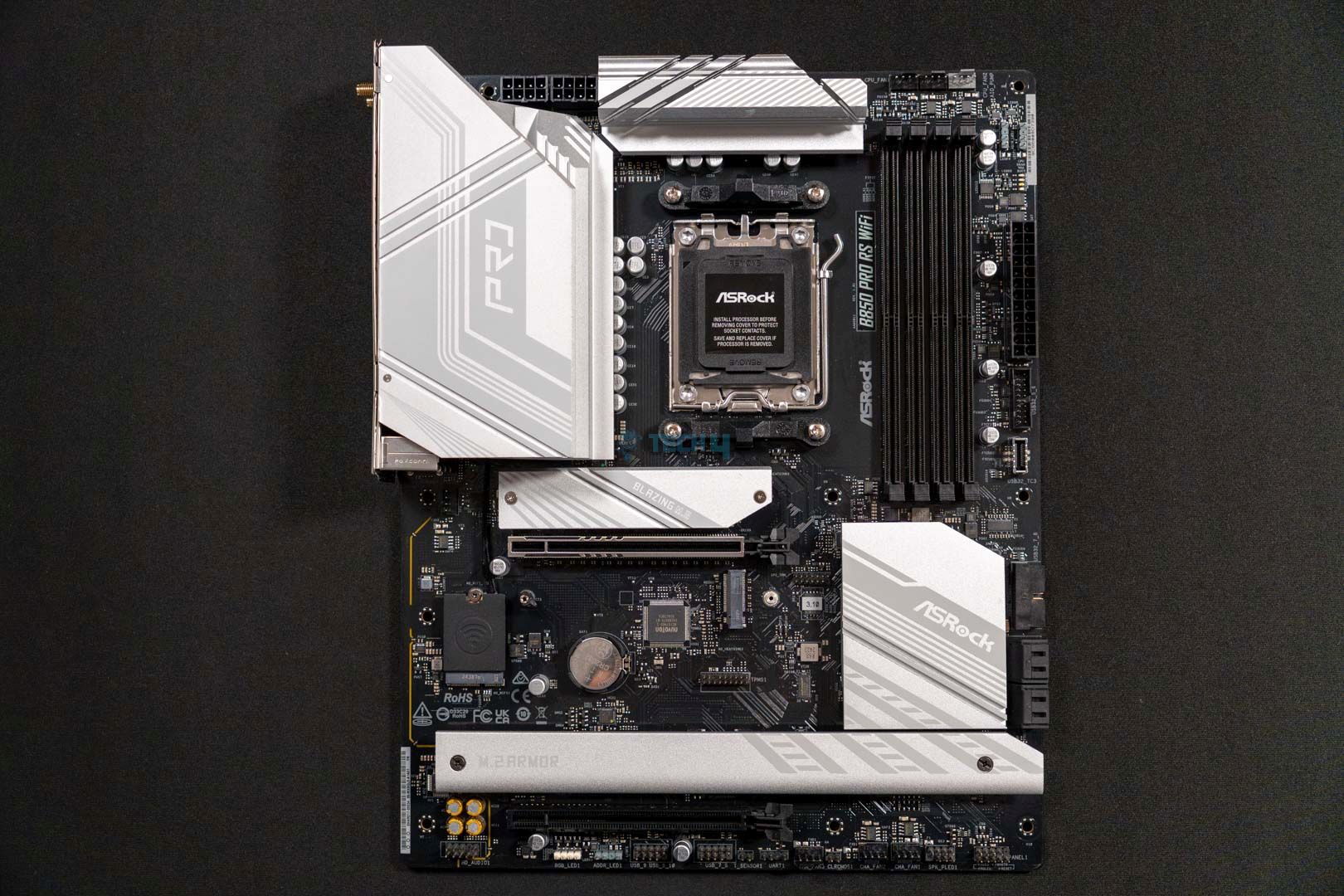
ASRock B850 Pro RS WiFi - Motherboard Design
Motherboard Design (Image By Tech4Gamers)

Unlike the ASRock B850 Steel Legend Wi-Fi, this motherboard incorporates a mix of both black and white colors to give an overall pleasant look. The combo of the all-black PCB and matte white heatsinks looks quite graceful. Besides the color scheme, we can also see that one of the four M.2 slots lacks an aluminum heatsink. However, it’s a PCIe Gen4 slot, so the NVMe will be fine without a heatsink.

As far as the RGB integration goes, it doesn’t fully drop it, because it sure has some of it underneath the 3rd and 4th M.2 slot’s armor. Moving forward, the PCB features an 8-layer PCB design that works well in the mid-range segment motherboards. 

Block Diagram
Block Diagram

The block diagram shows the integration of the AMD PROM21 chipset in this motherboard, which handles a lot of features and slots parallel to the AM5 processor itself. According to the diagram, the PROM21 chipset provides life to the front & rear USB 3.2 Gen1 ports, the front USB Type-C Gen2 port, and the rear & front USB 2.0 ports. Besides the connectivity ports, the chipset is also responsible for M.2_4, M.2_3, the PCIe2 Gen4 slot, two SATA ports, WiFi, and Realtek 2.5G LAN.

The number of each port that the chipset handles can be seen in the block diagram itself. As for the rest of the stuff, like the RAM, primary GPU slot, other USB ports, and audio codec, the CPU handles them pretty well.

CPU Socket And Power Delivery

CPU Socket
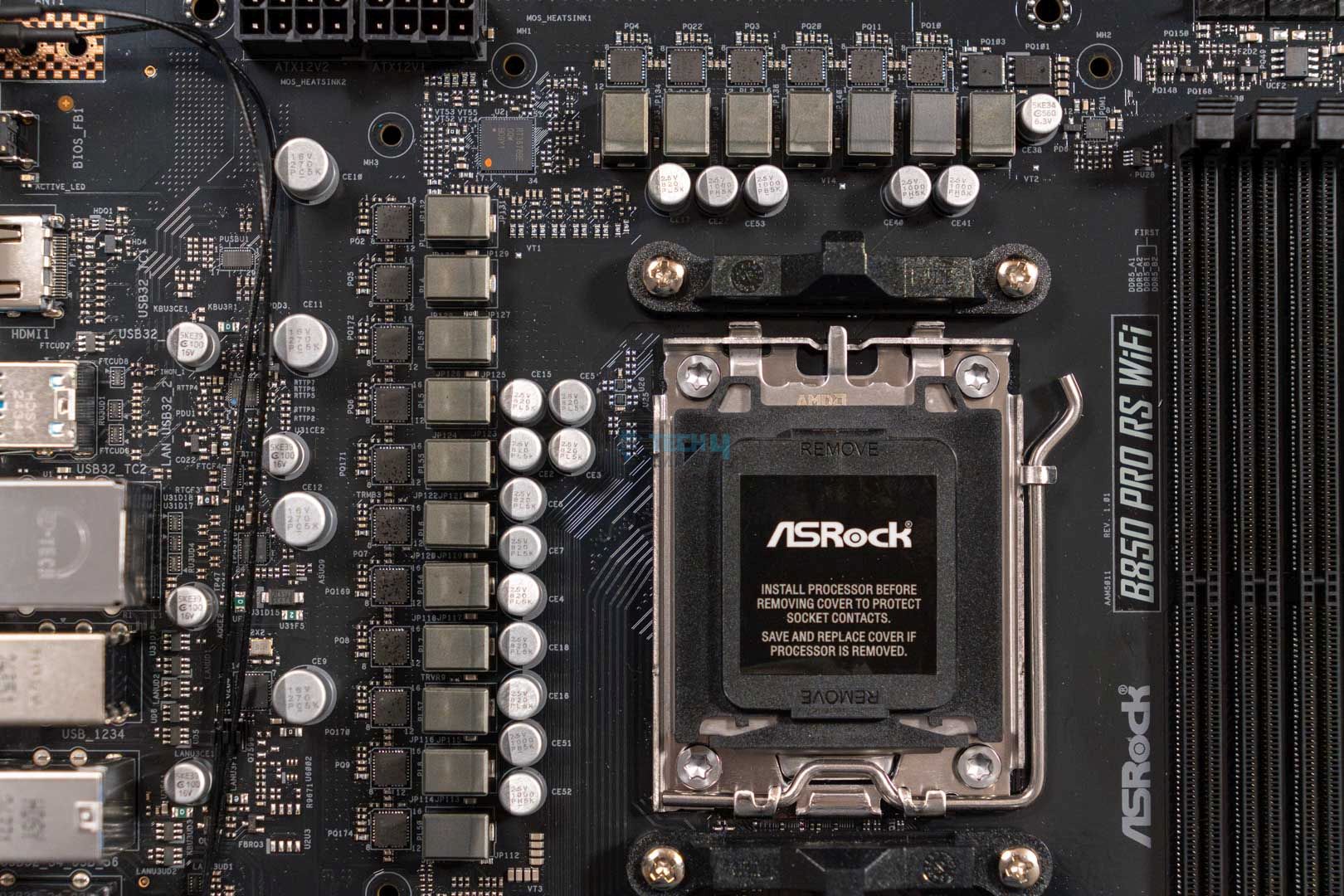
ASRock B850 Pro RS Wi-Fi — CPU Socket (Image credit: Tech4Gamers)

The ASRock B850 Pro RS Wi-Fi rocks the same LGA1718 socket that houses all the new and old AM5 processors. You can look at the socket more prominently in the picture attached above.

Taking a look at the power delivery system of the motherboard reveals that it features the same 14+2+1 power phase design with the same 80A SPS for VCore, SOC, and MISC. This configuration is the same as the motherboards that cost slightly more than this ASRock B850 Pro RS Wi-Fi. It’s more than capable of handling not just budget but also higher-end processors if not pushed too hard.

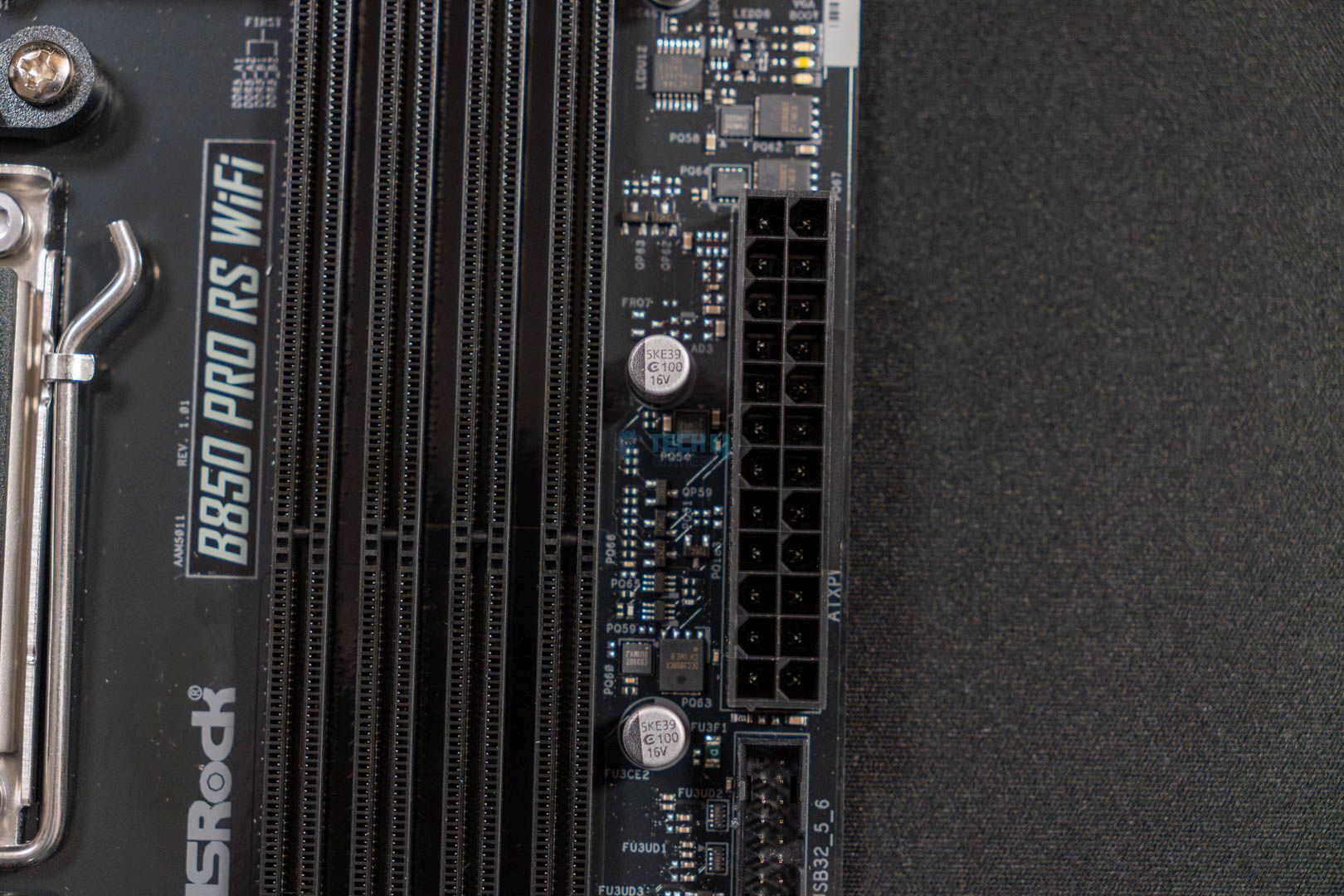
EPS Power Connector
EPS Power Connector (Image credit: Tech4Gamers)

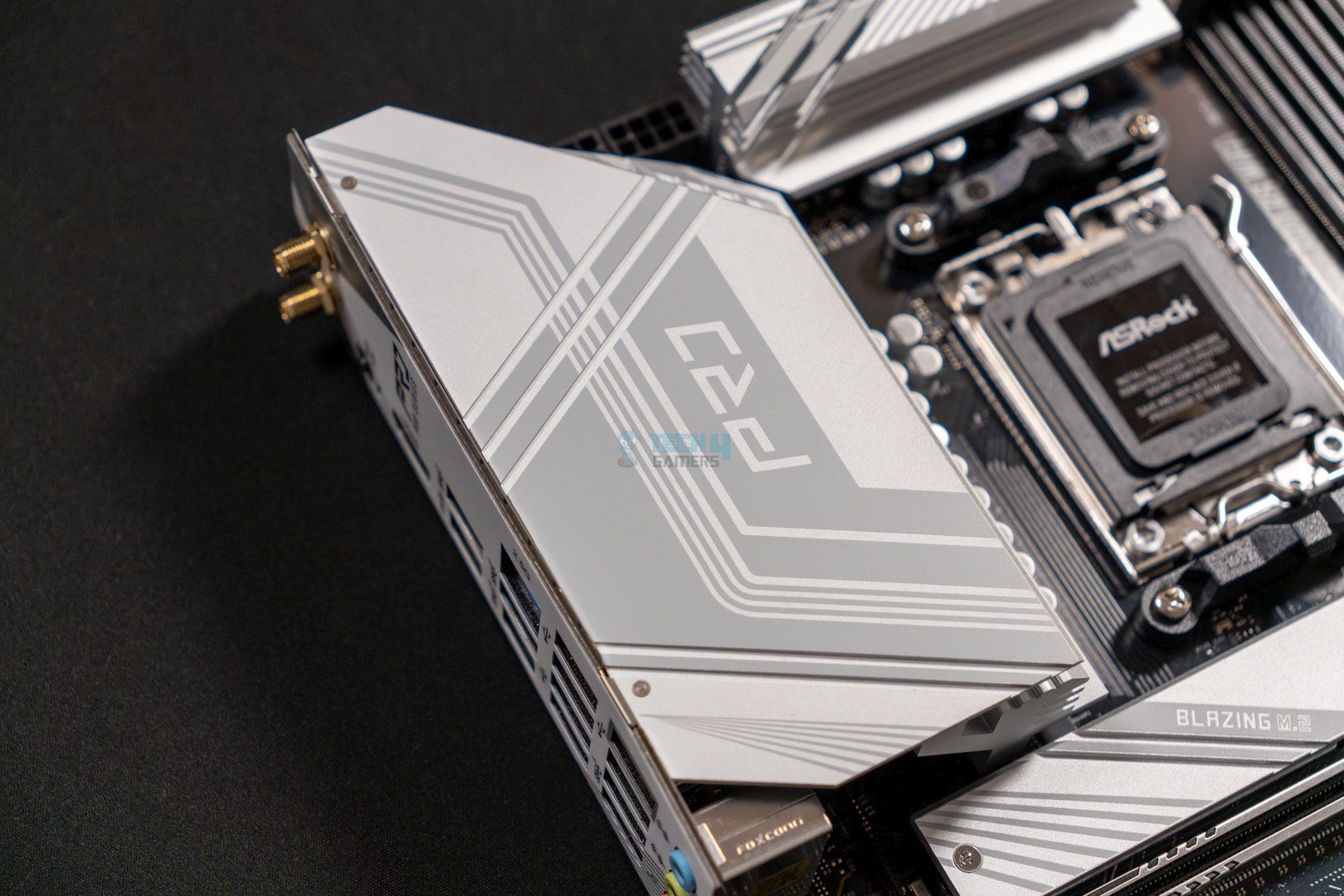
If you look closely at the top left side, we can also see the EPS power connectors. ASRock has used two of its high-density EPS power connectors to provide juice to the CPU.

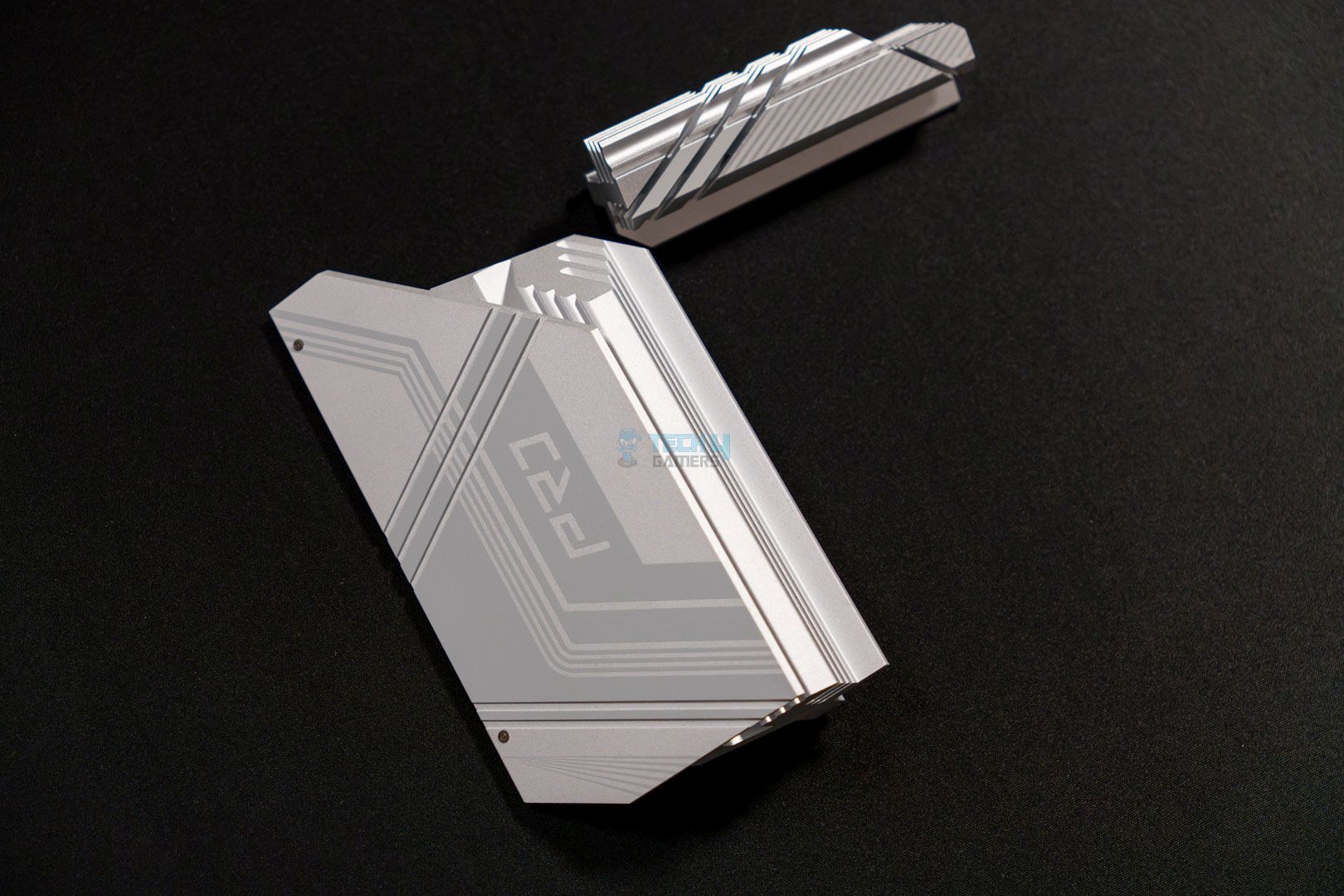
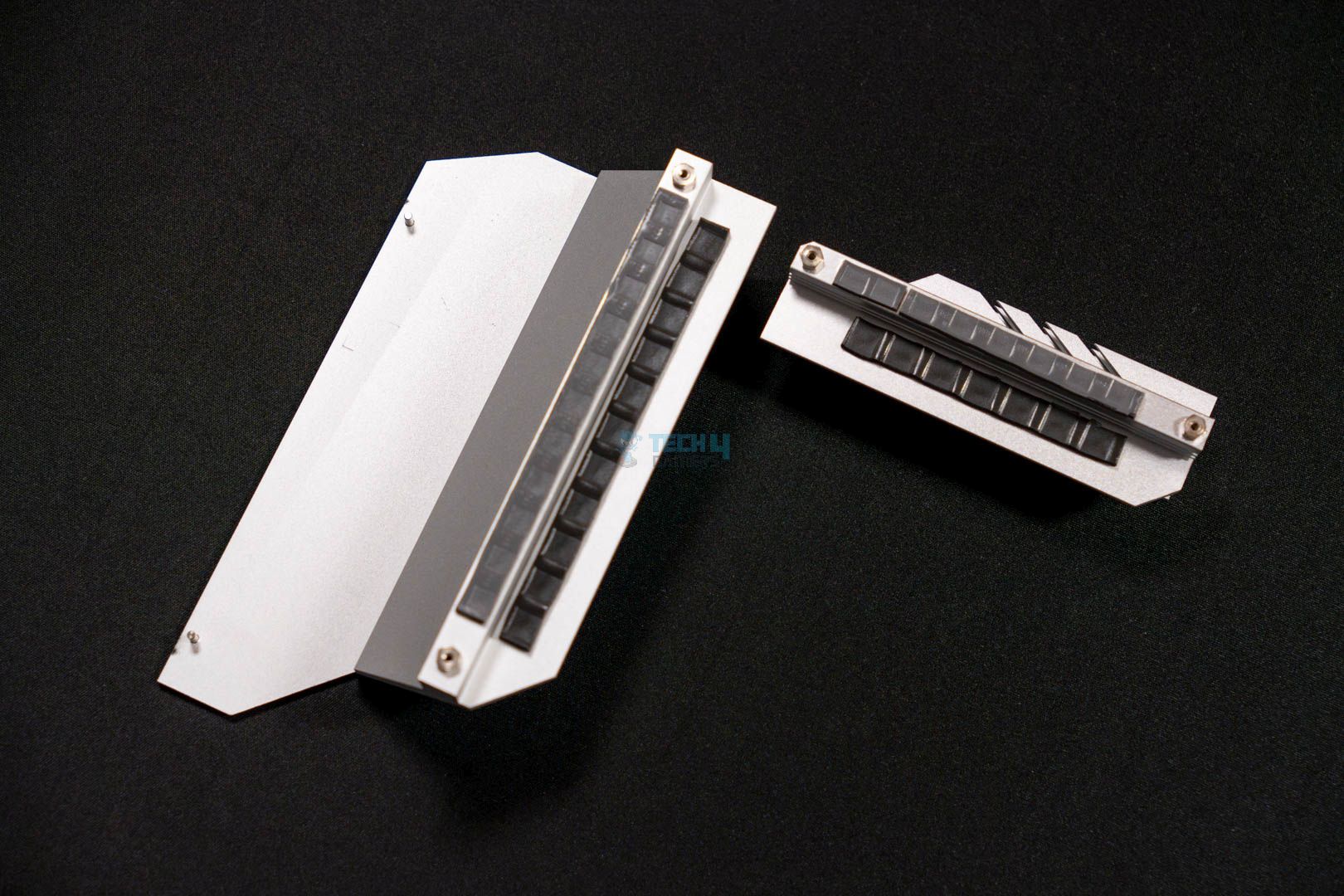
To allow the motherboard to keep delivering unhindered performance, it uses two enlarged heatsinks with good quality thermal pads. The heatsinks are not connected with each other so there is no heat pipe involved. We will see how these heatsinks perform in the real world as we monitor the VRM thermals under load. 

DIMM Slots

ASRock B850M Pro RS WiFi - DIMM Slots
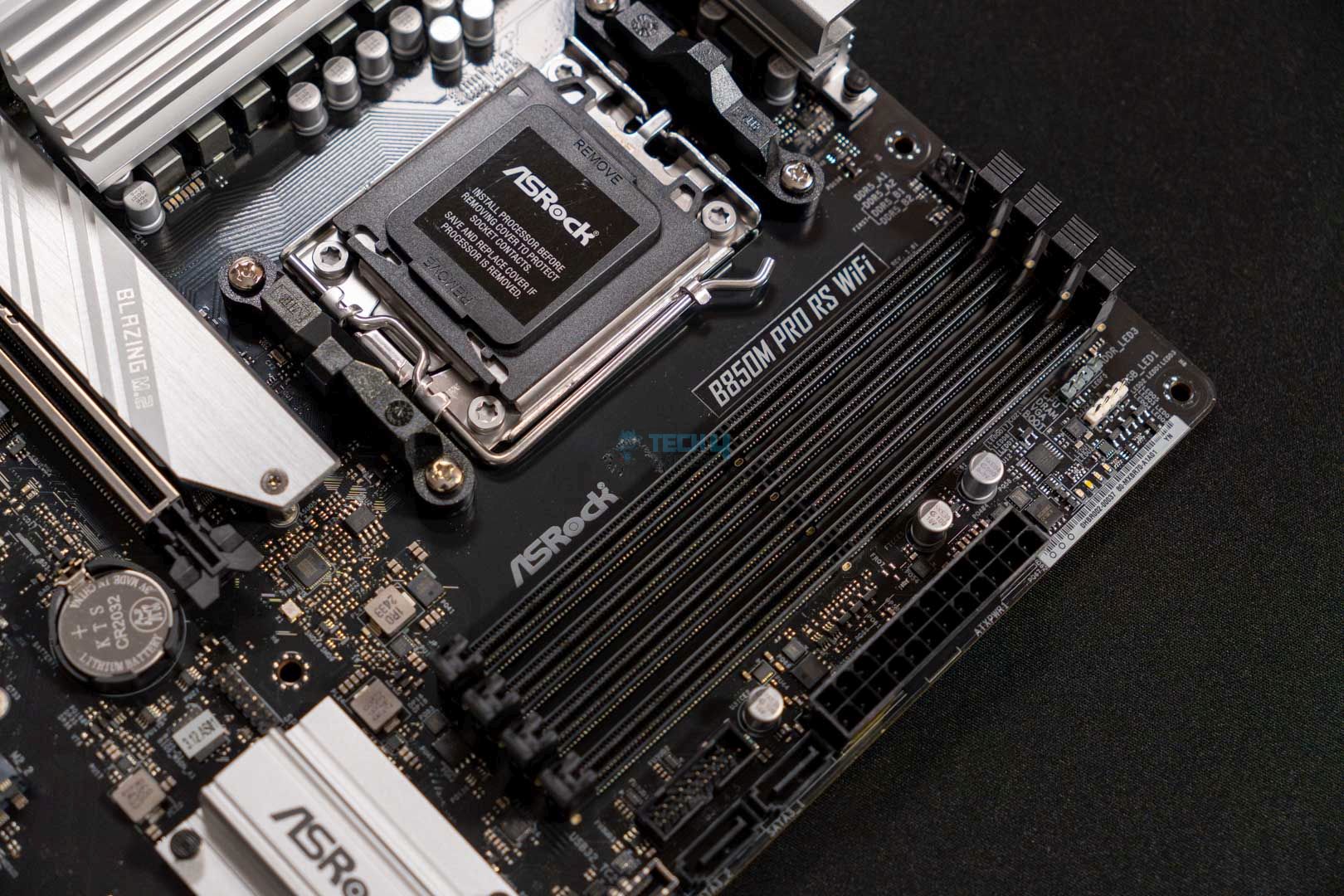
DIMM Slots (Image By Tech4Gamers)

The motherboard features four DDR5 DIMM slots in a dual-channel configuration and can support up to 256 GB of DDR5 RAM at once. Moreover, the ASRock B850 Pro RS Wi-Fi also has support for high-frequency memory kits. This board specifically supports 8000+ MT/s (OC) straight out of the box. You can enable these settings via the preloaded Intel X.M.P or AMD EXPO overclocking profiles. 

Storage

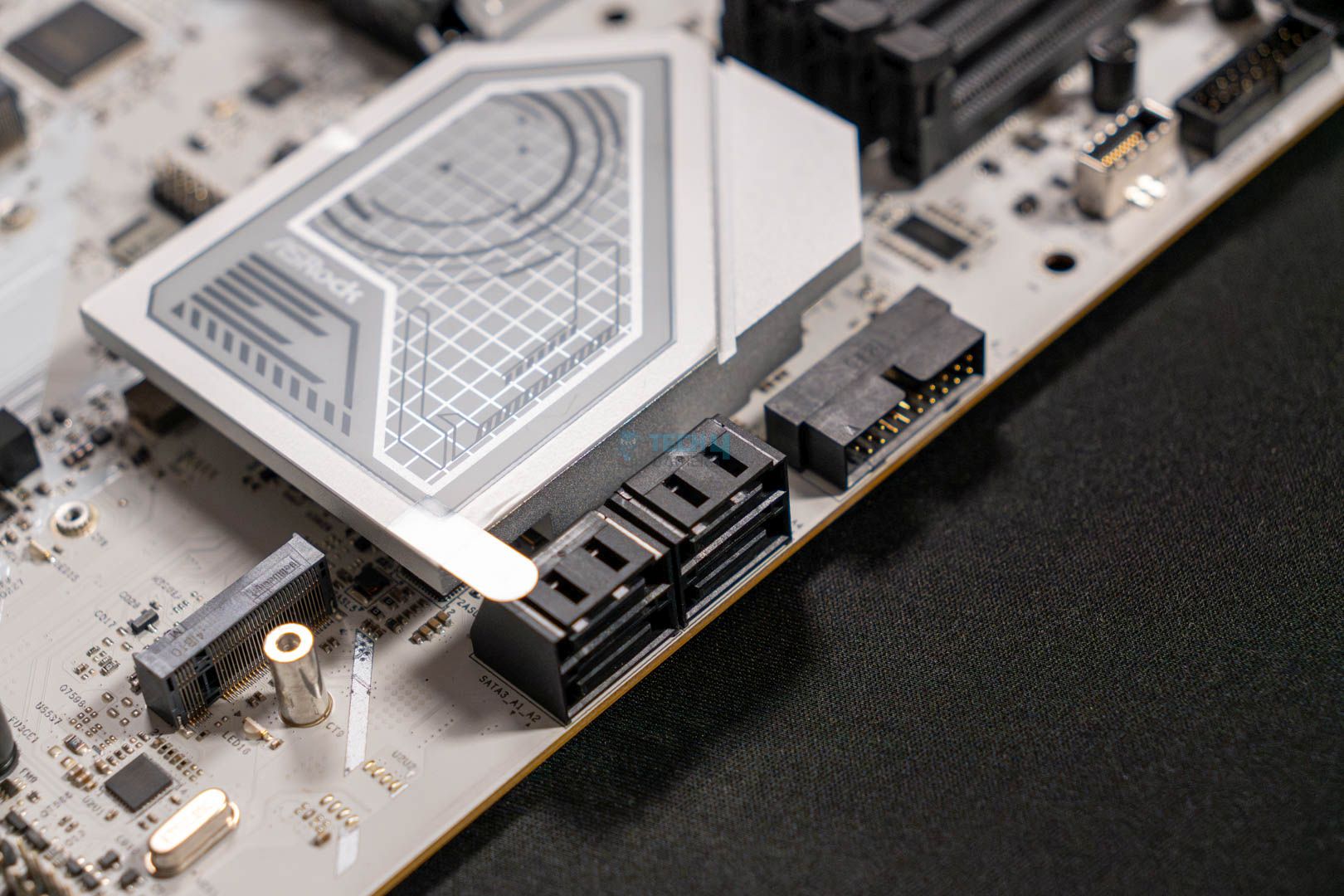
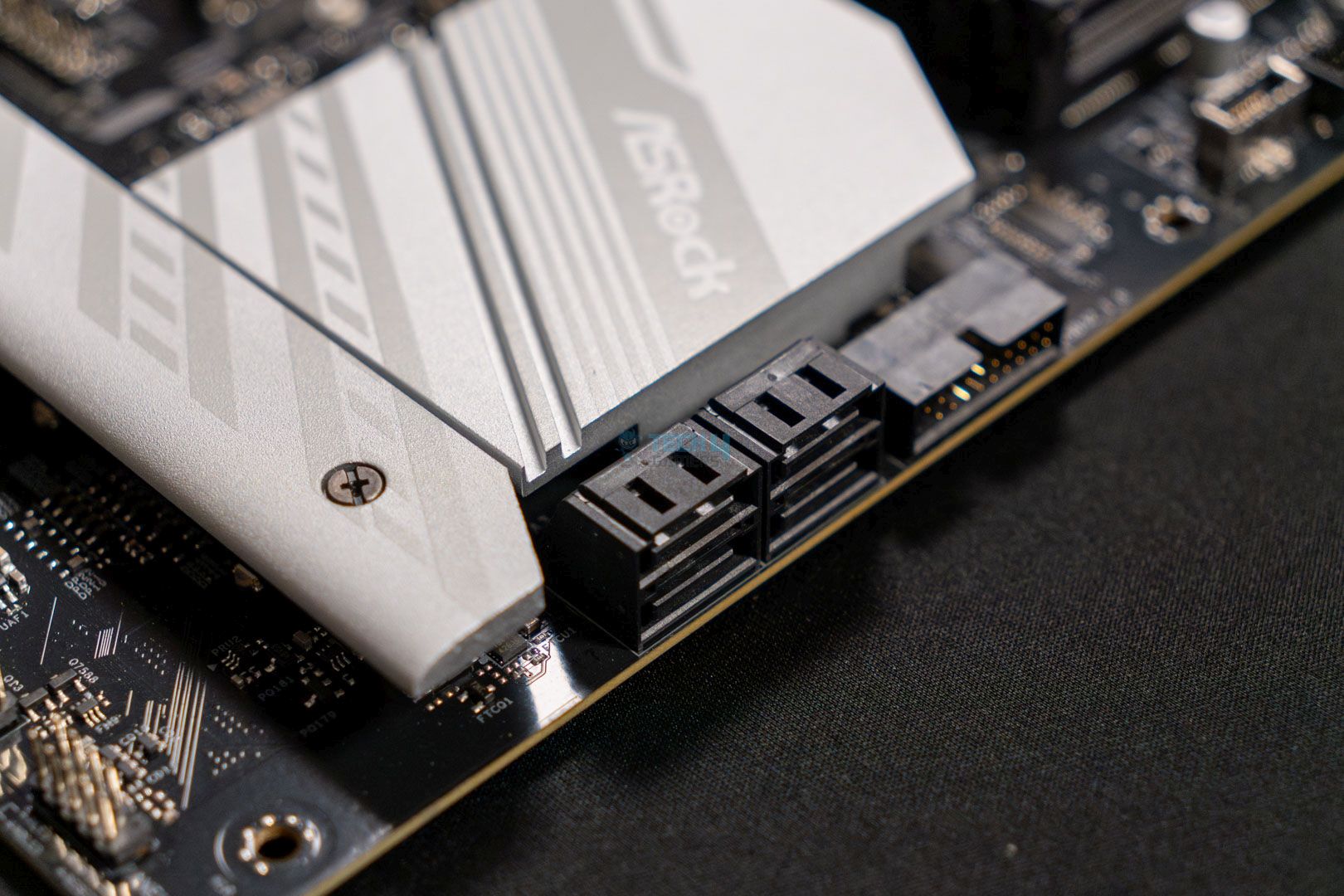
The motherboard makes good use of the available space over the PCB and boasts four M.2 storage expansion slots. Furthermore, it also offers four SATA3 6 Gb/s slots as well. The M.2_1 slot supports type 2280 drives and features PCIe Gen5 speeds. The M.2_2 and M.2_3 both are PCIe Gen4 and support type 2280 drives, however, the M.2_3 slot also has support for type 2230, 2242, and 2260 drives as well. Lastly, the fourth M.2_4 slot maxes out at PCIe Gen3 speed and has the same 2280-type drive support. 

Another thing to keep in mind is the limitations of this board, if you happen to utilize SATA3_1 and SATA3_2 slots, the M.2_4 expansion slot will downgrade its speed to PCIe Gen3x2 instead of Gen3x4. Meaning that it will be delivering data at 16 Gb/s instead of the standard 32 Gb/s. However, this limitation is only for Phoenix 2 processors which are AMD’s 8000 series desktop APUs. 

ASRock B850M Pro RS WiFi - SSD Heatsink Thermal Pads
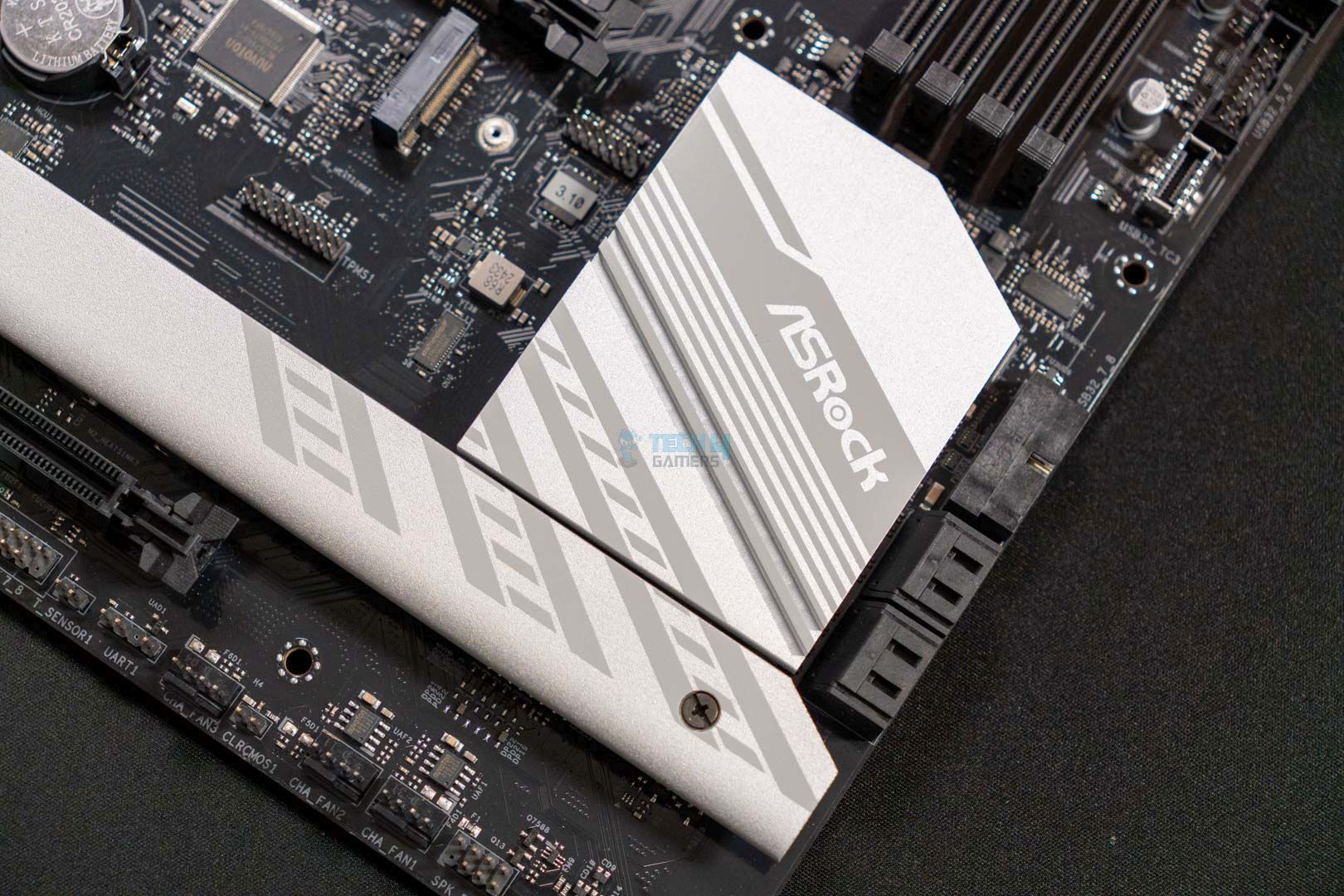
SSD Heatsink Thermal Pads (Image By Tech4Gamers)

Another thing worth mentioning is that the M.2 drive slots also feature heatsinks with thermal pads to keep them cool while utilizing. Interestingly, though, only 3 out of 4 slots have heatsinks, The M.2_2 slot features no cooling solution and relies on the PC’s airflow.

PCIe Slots

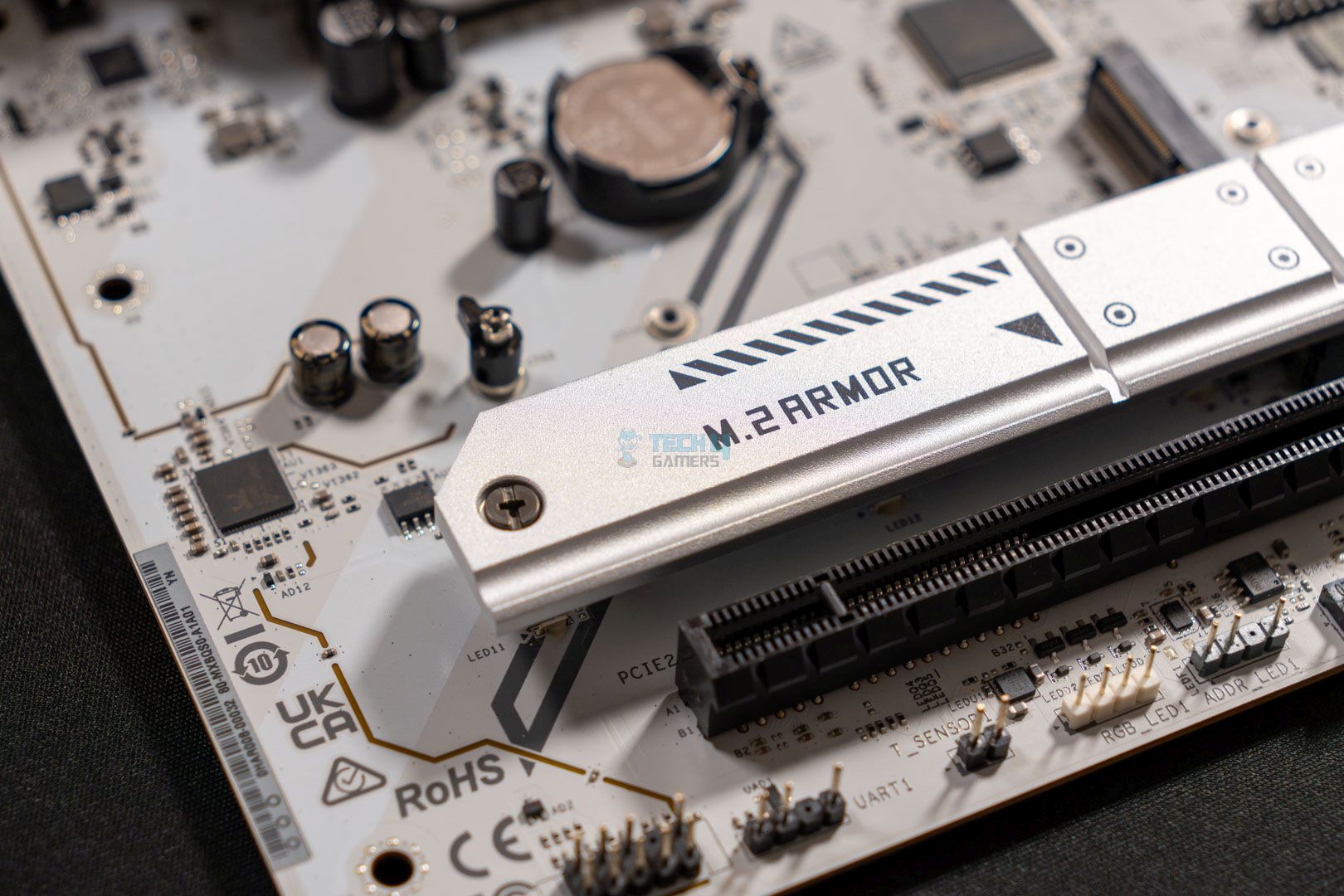
This ASRock B850 Pro RS WiFi also features two PCIe x16 expansion slots. The primary slot has all 16 lanes and runs at full Gen5 speed if a Ryzen 7000 or 9000 series processor is installed. The 2nd PCIe slot, however, supports x4 mode only and runs at PCIe Gen4 speed. Moreover, this 2nd PCIe slot will get disabled if the M.2_3 slot is occupied, meaning that you can’t use all the slots on this motherboard simultaneously. The primary PCIe Gen5 slot also has ASRock’s PCIe armor installed which ensures increased overall rigidity while holding bulky graphics cards.

USB Connectivity

Surprisingly, this budget motherboard also has a plethora of USB ports:

  • 1 x USB 3.2 Gen2 Type-C (Rear)
  • 2 x USB 3.2 Gen1 Type-A (Rear)
  • 1 x USB 3.2 Gen1 Type-C (Rear)
  • 1 x USB 3.2 Gen2x2 Type-C (Front)
  • 6 x USB 3.2 Gen1 Type-A (2 Rear, 4 Front)
  • 10 x USB 2.0 (6 Rear, 4 Front)

The USB port selection on this motherboard is impressive as it features so many USB ports on both, the front and the rear. Since it’s a budget motherboard, we can’t expect ports like USB4, however, we are still at least getting USB 3.2 Gen 1/2 ports. Moreover, the USB 3.2 Gen 1 port also has DP 1.4 standard with HBR3 support that can output a max resolution of 2160p at 60 Hz. 

Networking And Connectivity

ASRock B850 Pro RS WiFi - WiFi Chip
ASRock B850 Pro RS WiFi – WiFi Chip (Image credit: Tech4Gamers)

The motherboard, while being budget-oriented, doesn’t drop the wireless connectivity and retains its WiFi chip. The ASRock B850 Pro RS WiFi has an 802.11axe WiFi module as seen in the picture uploaded above. This enables the motherboard to have Wi-Fi 6E connectivity and Bluetooth 5.2. Similarly, for wired connection, the motherboard comes with a Dragon RTL8125BG LAN controller that supports speeds up to 2.5G. 

Audio Solution

In terms of audio solution, we get the Realtek ALC897 Audio Codec. This is a decent audio codec for budget and mid-range motherboards and is mostly for casual gaming and everyday use. It’s fine for the most part but may struggle if you’re looking to connect high-impedance headphones right into it. Mainly due to the lack of DAC features within the codec itself. As for this motherboard, the audio solution is more than capable for the casual use.

Internal Connectors And Components

This is the full of connectors that the ASRock B850 Pro RS WiFi has:

  • 1 x SPI TPM Header
  • 1 x Power LED and Speaker Header
  • 1 x RGB LED Header
  • 3 x Addressable LED Headers
  • 2 x CPU Fan Connectors (4-pin) (Smart Fan Speed Control)
  • 4 x Chassis Fan Connectors (4-pin) (Smart Fan Speed Control)
  • 1 x AIO Pump Fan Connector (4-pin) (Smart Fan Speed Control)
  • 1 x 24-pin ATX Power Connector
  • 2 x 8-pin 12V Power Connectors (Hi-Density Power Connector)
  • 1 x Front Panel Audio Connector
  • 2 x USB 2.0 Headers (Support 4 USB 2.0 ports)
  • 2 x USB 3.2 Gen1 Headers (Support 4 USB 3.2 Gen1 ports)
  • 1 x Front Panel Type C USB 3.2 Gen2x2 Header (20 Gb/s)
ASRock B850 Pro RS Wi-Fi — I/O Controller
ASRock B850 Pro RS Wi-Fi — I/O Controller (Image credit: Tech4Gamers)

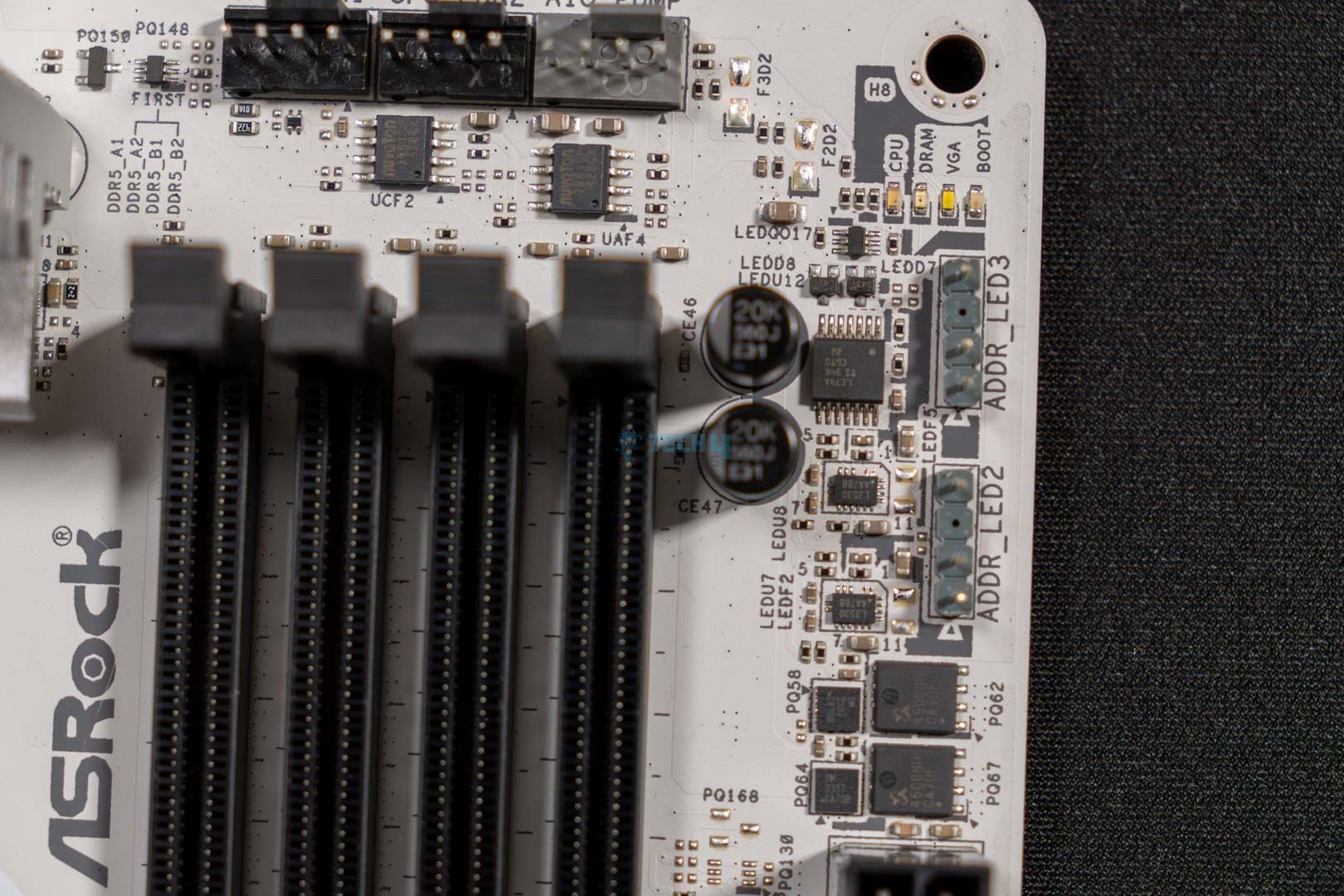
The board comes with pretty much all the basic connectors and headers like the ARGB headers, AIO pump header, two CPU fan connectors, and four chassis fan connectors. Moreover, it also has the EZ troubleshooter which means the ASRock’s post status checker that helps with troubleshooting the type of error it is experiencing.

Going further, we have the Nuvoton NCT6796D-S I/O controller in place that takes care of the monitoring and controlling part for all the connectors and headers.

Rear I/O

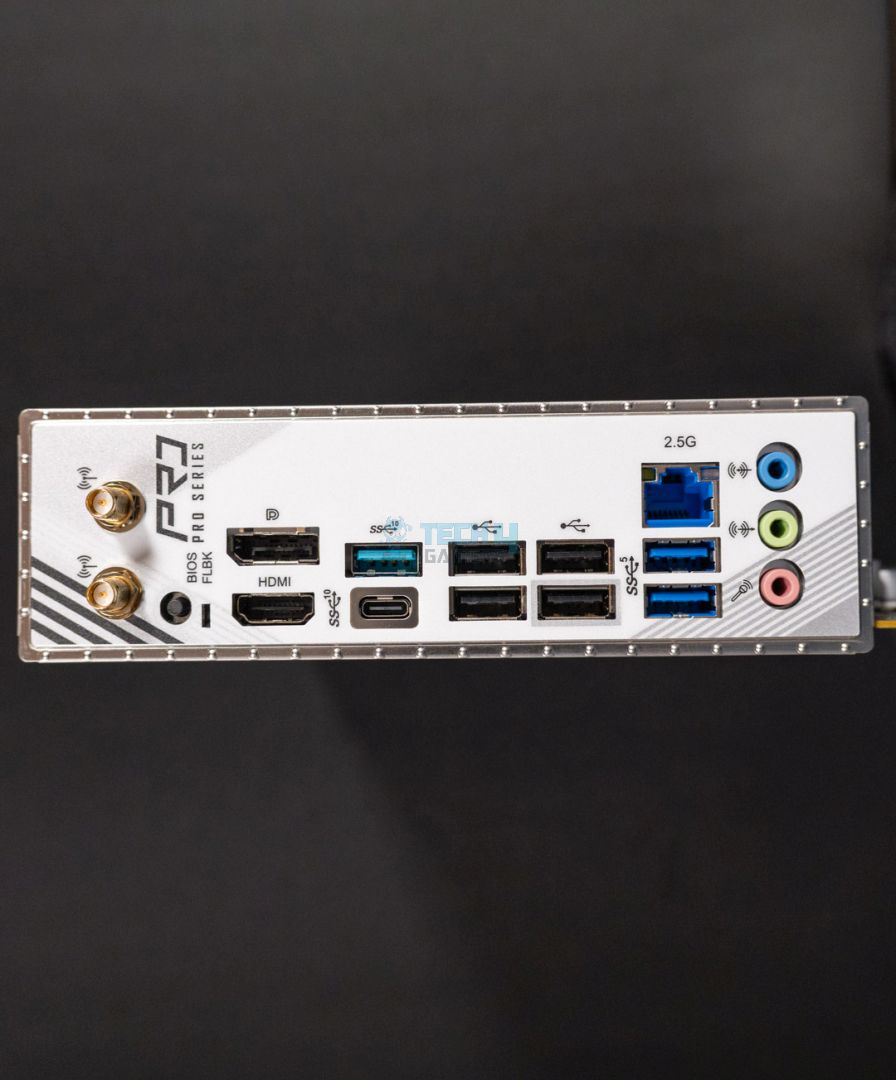
ASRock B850M Pro RS WiFi - Rear IO
ASRock B850M Pro RS WiFi – Rear IO
  •  2 x Antenna Ports
  • 1 x HDMI Port
  • 1 x USB 3.2 Gen2 Type-C Port (10 Gb/s)
  • 1 x USB 3.2 Gen1 Type-C Port (DP-alt mode supports DP1.4a)
  • 4 x USB 3.2 Gen1 Type-A Ports
  • 6 x USB 2.0 Ports
  • 1 x RJ-45 LAN Port
  • 1 x BIOS Flashback Button
  • HD Audio Jacks: Line in / Front Speaker / Microphone

On the rear I/O side of the motherboard, we can see two Antenna ports, one USB 3.2 Gen2 Type-C port, and one USB 3.2 Gen1 Type-C that also support the DP-alt mode. Besides these, we have some more USB ports but Type-A and one 2.5G LAN port as well as the three audio jacks. Last but not least, it also features the EZ Update button labeled as “BIOS Flashback”.

Motherboard Without Covers (Image credit: Tech4Gamers)

In this attached picture, you can examine the motherboard without all the heatsink covers.

Test Setup

This is the rest of the setup that we use to run our benchmarks:

Here is our test bench and configuration:

Synthetic Benchmarks

Cinebench 2024, ST and MT Test
Cinebench 2024, ST and MT Test (Image credit: Tech4Gamers)

The ASRock B850 Pro RS WiFi ends up collecting 139 points for the single-core test and, 2296 points for the multicore test in our Cinebench 2024 benchmark. This places it right behind the ASRock B850 Steel Legends—a slightly more expensive motherboard.

Geekbench 6 Multi-threaded Test
Geekbench 6 Multi-threaded Test (Image credit: Tech4Gamers)

In our Geekbench 6’s multi-threaded test, the motherboard somehow performed even worse than its M-ATX version. This board secured 21682 points, which in comparison to others isn’t too far behind. However, a difference is a difference, even if it’s almost non-existent. 

Blender 4.0.2
Blender 4.0.2 (Image credit: Tech4Gamers)

Fortunately, this time around, it performed better than its M-ATX variant and completed the Blender 4.0.2 rendering run in 53 seconds. This makes it 1 second behind the M-ATX B850 Steel Legend and 2 seconds behind the standard ATX variant.

Corona 11 Benchmark
Corona 11 Benchmark (Image credit: Tech4Gamers)

In the Corona 11 benchmark, the ASRock B850 Pro RS Wi-Fi is yet again performing slightly slower than its M-ATX variant. The difference between them is just 1.3 seconds, which isn’t that big of a deal.

V-Ray Benchmark
V-Ray Benchmark (Image credit: Tech4Gamers)

For our last synthetic benchmark, we used V-Ray, and here the B850 Pro RS WiFi performing slower than every other motherboard. However, taking the higher MSRP of most of the competing motherboards in mind. The difference starts to make sense.

Gaming Benchmarks

Cyberpunk 2077
Cyberpunk 2077 (Image credit: Tech4Gamers)

Starting the gaming benchmarks with Cyberpunk 2077, we get to see that the motherboard is performing the same as many other more expensive motherboards like the MSI MAG B850 Tomahawk WiFi. Both have the same 143 average FPS, and the B850 Pro RS WiFi has only 1 less minimum FPS than the Tomahawk.
Starfield
Starfield (Image credit: Tech4Gamers)

The ASRock B850 Pro RS WiFi again performed very well and is comparable to other motherboards. In terms of numbers, it gained 110 average FPS while having 79 as the minimum in Starfield.

Far Cry 6
Far Cry 6 (Image credit: Tech4Gamers)

This time, in Far Cry 6, the B850 Pro RS WiFi has the same minimum FPS as the Tomahawk, though it’s still falling behind in average FPS by 1 frame.

Power Consumption, Boot Times, And VRM Temperatures

Power Consumption
Power Consumption (Image credit: Tech4Gamers)

One good thing about this board is its low power consumption. It takes about 105W on idle, consumes 114W while gaming, and ends up using 370W on full load. Though these numbers are still less than many other motherboards.

Boot Times
Boot Times (Image credit: Tech4Gamers)

The boot times aren’t too terrible either, though they do come in last with one of the slowest boot times of 24 seconds against the 23 or 21 seconds of competing boards. Take these differences with a grain of salt, as you won’t be noticing them on a daily basis use.

VRM Temp
VRM Temp (Image credit: Tech4Gamers)

Another positive thing about this board is its VRM cooling solution; the VRM cooling heatsinks work well enough to maintain VRM temperatures at 65°C after 30 minutes of stress testing.

Should You Buy It?

Buy It If:

✅ You want a cheap ATX board: If you’re looking for a cheap ATX board that doesn’t perform terribly and also does not overheat too much, then this board seems like a fine fit for you.

✅ You want acceptable performance and design: The board is also a great pick if you do not wish for the best of the best and are fine with the average performer and decent-looking board.

Don’t Buy It If: 

❌ If you want to utilize all available storage options at full potential: While the motherboard does come with a lot of storage ports. However, in reality, they are restricted due to shared lanes. The M.2_4’s speed cuts in half when the SATA3_1 and SATA3_2 ports, meaning you can’t use all storage options at full speed at once.

My Thoughts

Coming to the end of our review, the motherboard turns out to be actually quite decent for the price, sure, it lacks some bit here and there. But that’s part of being a budget motherboard where you have to have compromises on some features and overall functionality of the board. What we like about this is that the board offers the most essential features and does not skip on those, like the high-speed memory support, PCIe Gen5 NVMe storage expansion as well as PCIe Gen5 graphics card expansion slot. 

Besides the functionality, the motherboard also looks fine with its white and black aesthetics, so you’re insured on the good-looks part too. I can recommend this motherboard if you’re planning on building a casual mid-range gaming PC without hindering the overclocking side of things too much.


Rockstar Games To Sell GTA Online Separately From GTA 6, Claims Insider

Story Highlight
  • A notable Rockstar Games insider claims that GTA 6 will be the first title where online is sold separately at launch.
  • The studio will sell the game in two separate editions: one with both story mode and GTA Online, the other with only online.
  • The GTA Online edition is expected to be cheaper, with fans possibly paying to upgrade to also include the story mode.

All the pent-up anticipation regarding GTA 6 has made analysts wary that Rockstar Games might take advantage and sell the game for a much higher price tag than $70, with rumors taking it up for as much as $100.

Now, a new report reveals that Rockstar might have figured out a way to make GTA 6 more expensive. The studio is expected to sell GTA 6 in two separate editions right after launch, as claimed by a notable insider.

Why it matters: GTA 6 might launch in two versions, with the complete edition being more expensive than $70 because it will also include the online mode. Rockstar might counter criticism by releasing a cheaper GTA Online edition. 

The reputable Rockstar Games insider claims that studio will launch GTA 6 in two separate editions.
The reputable Rockstar Games insider claims the studio will launch GTA 6 in two editions.

Rockstar insider Tez2 claims that GTA 6 will be the first title to sell GTA Online separately at launch. The story mode will be part of a full edition that covers both. That way, the complete edition might be quite expensive since it will also include the online mode’s cost. 

Rockstar Games might also offer an upgrade for GTA Online edition buyers to purchase the story mode later. Tez2 also argues that GTA+ could offer access to the story mode with a Game Pass-like subscription model to hog extra profits. 

However, many questions remain: what portion of the base price will be the online edition’s price? And will Rockstar price the online standalone so low that the full edition only releases with the $70 price? Only time will tell.

GTA 6 fan art
Despite all the hype, fans do not want to pay a dime over $70 for GTA 6.

Rockstar Games has yet to confirm to confirm anything at all so these are just speculations. Other speculations suggest that GTA 6 will also feature advanced destruction mechanics. 

What do you think of GTA 6 possibly costing over $70? Let us know your thoughts in the comments, or head to the Tech4Gamers forum for discussion.

Xbox Generated $6.58 Billion In Revenue In Q2 Leading To Its Second Biggest Holiday Quarter

Story Highlight
  • Xbox generated over $6.5 billion in revenue this holiday quarter.
  • FY2025’s quarter 2 was the second-best holiday period for the company.
  • Hardware sales declined but content and services grew once again.

Xbox’s multiplatform strategy has alienated a lot of hardcore fans, but one cannot say that it isn’t working. According to the recent Q2 reports Xbox has had one of its best holiday quarters of all time, and most of it is thanks to game sales and Activision Blizzard.

Why it matters: Fans have been skeptical about the recent changes in policy from Xbox but this report showcases that the company knows what it’s doing.

Xbox
The Activision Blizzard Acquisition Is Finally Bearing Fruit.

Xbox was able to make a whopping $6.58 billion in revenue this holiday quarter as per Microsoft’s FY25 Q2 report. This ended up being the second-best holiday revenue in the history of the gaming giant, only behind last year’s holiday revenue of $7.11 billion.

According to the documents, the gaming revenue increased by $1.2 billion mostly due to the growth in the Xbox content and services, which saw a 24% hike due to the Activision Blizzard acquisition.

On the other hand, the Xbox hardware revenue decreased overall due to the mediocre sales of the Xbox Series consoles.

Xbox PlayStation
Phil Spencer Has Recently Said That PlayStation And Xbox Are Too Similar

It’s obvious to everyone that Microsoft is going all in on the third-party multiplatform strategy now that Activision game sales are bringing in record revenue for Xbox. But, it will be interesting to see what the gaming giant does with hardware as console sales are constantly declining.

Phil Spencer has said that consoles are still a core brand focus, but with the company’s PR declaring everything an Xbox and Spencer emphasizing the need to evolve new hardware, only time will tell what will happen to the legendary console.

Do you think Microsoft’s multiplatform strategy is the way to go? Tell us in the comments below or head to the Tech4Gamers forum for discussion.

Many Micro Center Stores Got Less Than 5 RTX 5090 Units At Launch

Story Highlight
  • Finally launched, the RTX 5090 is in short supply throughout Micro Center stores within the US.
  • Some stores only have 4 units in stock, while the RTX 5090 is unavailable in Micro Center stores in cities like Chicago.
  • On the other hand, the RTX 5080 seems to be in good supply, but reviews suggest that the GPU isn’t worth the upgrade from its predecessor.

Nvidia’s highly anticipated Blackwell GPU has finally launched. Despite its underwhelming reviews and performance, users are still eager to get their hands on the GPUs.

However, getting hands-on with Nvidia’s flagship is proving quite a problem. The RTX 5090 is scarce in Micro Center stores throughout the U.S. In a few stores, less than five units are available.

Why It Matters: For such a flagship lineup, Nvidia doesn’t produce many units of the RTX 5090. This will promote scalping for the GPU, which will raise prices for an already expensive GPU.

rtx 5090 units in micro center stores
Getting Hands On The RTX 5090 Will Be Quite Tough

While the Tustin store has 67 units available, other stores within major cities like Brooklyn have only 4 units available for sale.

On the other hand, Micro Center stores in Chicago don’t even have RTX 5090 units available, which is quite disappointing.

Black Myth: Wukong 28FPS RTX 5090
Black Myth: Wukong Hits Just 29FPS At 4k Native On The RTX 5090

Prior to the launch, people were already camping in front of Micro Center stores. Although the base GPU retails for $2000 (an additional $200-300 is charged to third-party vendors), pre-orders were already being sold for a whopping $6000.

The RTX 5090 was already said to be quite tight at launch, setting strict requirements for the purchase of the GPU. However, the complete absence of the GPU across multiple stores seems quite severe.

The next GPU in the RTX lineup, the RTX 5080, seems to be available in abundance across all stores.

However, the RTX 5080 seems like a flute and performs even worse than its predecessor, the RTX 4080 Super.

Do you think the RTX 5090’s native performance increase of 27% at 4k over the RTX 4090 makes it a worthy GPU to buy at such a high price tag and in such a limited supply? Let us know in the comments below or visit the official Tech4Gamers Forum.

Marvel’s Spider-Man 2 Requires RTX 4090 For 4K/60FPS With Ray-Tracing Enabled

Story Highlight
  • Nixxes finally reveals the system requirement and exclusive PC features for Marvel’s Spider-Man 2.
  • An RTX 4090 is recommended to run the game at Ultimate Ray Tracing settings at 4k/60FPS.
  • The title will also feature Nvidia’s DLSS Ray Reconstruction and cinematics with a ratio of up to 48:9 

Marvel’s Spider-Man 2 will finally be released on PC in less than 24 hours. Up until now, Sony has been really quiet about the PC release, with zero marketing for the game or any details revealed.

However, PlayStation has just released a new blog post revealing the game’s PC features and system requirements. It seems that Marvel’s Spider-Man 2 will be quite demanding to run on PC, as it recommends an RTX 4090 to run on Ultimate Ray Tracing settings at 4k/60FPS.

Why it matters: Compared to the past PC ports of PlayStation first-party games, Marvel’s Spider-Man 2 is looking to be one of the most demanding titles to run on the PC platform. 

marvel's spiderman 2 system requirements
The Official System Requirements For Marvel’s Spider-Man 2. | Source: PlayStation

The title is ported by Nixxes, who has become the face of leading high-quality PC ports in the gaming industry. With Marvel’s Spider-Man 2, the situation is looking a little webby, however.

For the Very High Ray Tracing setting, an RTX 4080 is recommended to run the game at 1440p/60 FPS. However, extensive graphic customizations also mean that the game will run just fine on mid-tier PCs.

Marvels Spider Man 2 Sony Layoffs
Sony Has Changed It’s Strategy When It Comes To PC Porting.

The title supports Nvidia’s latest Nvidia DLSS Ray Reconstruction for improved Ray Traced reflections. The feature was previously added with DLSS 3.5, but a newer version will be added to the game supported for RTX 4000 series and up.

As usual, this PlayStation port to PC also supports ultra-wide cinematics with a ratio of up to 48:9 using triple monitor setups, which is quite phenomenal. 

Additionally, the game will possibly be available in all regions, as Sony finally removed the mandatory PSN requirement for a few of its titles. 

Are you going to buy Marvel’s Spider-Man when it releases for PC tomorrow? Let us know in the comments below or head towards the official Tech4Gamers Forums.

Assassin’s Creed Shadows Will Take 40 Hours to Complete Its Main Storyline

Story Highlight
  • Assassin’s Creed Shadows’ main story is about 40 hours long, confirmed by the game’s creative director.
  • The game’s size is between Origins and Odyssey, aiming for less repetitive side content.
  • Exploration and side quests provide significantly more playtime beyond the main story, possibly extending it to over 60 hours.

Ubisoft’s highly anticipated Assassin’s Creed Shadows is shaping up to be another massive entry in the franchise. Jonathan Dumont, the creative director, shared that the main story will take around 40 hours to finish if players stick to the main missions.

He revealed this during a recent live stream on Germany’s Frag Nart channel, where he discussed the game’s size and design.

Why it matters: Origins, which introduced the series to a more RPG-like style, had a main story that took about 30 hours to finish. Odyssey extended this to around 45 hours for its main quests. Shadows appears to strike a balance, providing a lengthy but well-paced story experience.

Dumont explained that Assassin’s Creed Shadows finds a middle ground between the size of Assassin’s Creed Origins and Odyssey. It’s important to remember that some players felt that Odyssey and Origins had too much content and side quests that felt repetitive.

The main story takes about 40 hours for players who focus only on the main quests, but there’s plenty more to do for those who want to dive deeper.

Players who enjoy exploring and completing everything can expect to spend much more time discovering hidden details, taking on side quests, and enjoying the game’s detailed open world.

The main story, lasting around 40 hours, is made to suit both casual players and dedicated fans. If you prefer a simpler experience, sticking to the main quests will give you a complete and enjoyable story without needing to invest too much time.

In terms of gameplay, Shadows combines traditional stealth features with modern RPG elements. Players can tackle quests in various ways, using the unique skills of each protagonist.

Assassin's Creed Shadows Featured Image
Japanese people will get a censored version of AC Shadows due to excessive gore elements.

In terms of story, the game will focus on the modern-day Animus story, as revealed during the Animus Hub stream.

Anyhow, Assassin’s Creed Shadows is set to launch on March 20, 2025, on PC and consoles, if there are no more delays. For players who want to experience the game in 4K/60 FPS, an RTX 4090 graphics card is required.

Do you think 40 hours to complete the main storyline is a decent enough playtime? Drop your thoughts in the comments below, or join the discussion on the Tech4Gamers forum.

RTX 5080 Somehow Slower Than RTX 4080 Super In Various Games

Story Highlight
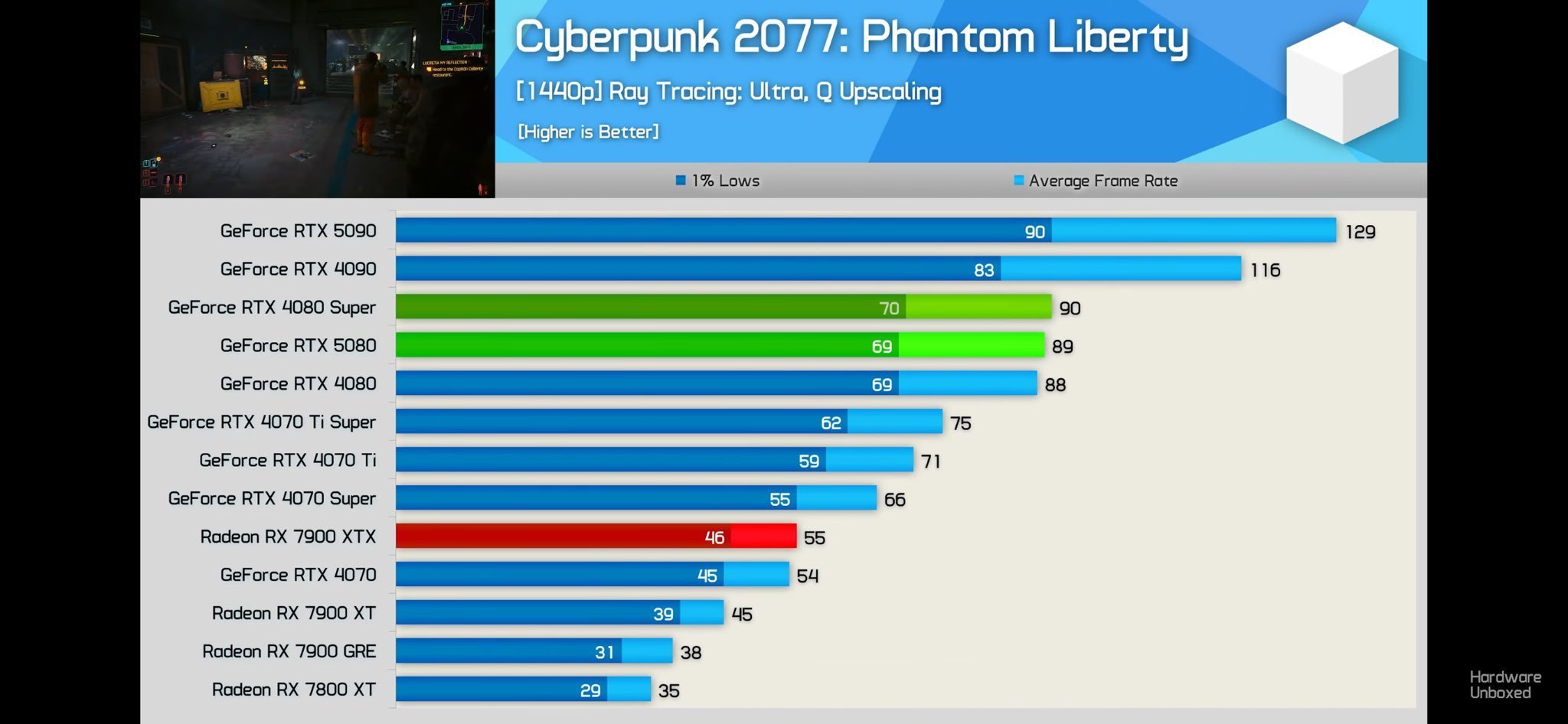
  • Nvidia’s RTX 5080 performs worse than its predecessor in games like Delta Force and Cyberpunk 2077: Phantom Liberty.
  • The performance can range from just 1FPS to a whopping 22FPS at 1440p.
  • It seems the new Blackwell architecture has some quirks that have led to these results.

Nvidia is gearing up to launch the RTX 5080 for $1000. With DLSS 4 at its disposal and an entirely new architecture, the latest GPU promises to be a solid deal for those looking for a higher-end experience without paying as much as $2000.

However, reviews reveal the GPU is just 8% faster than the RTX 4080 Super, on average. In fact, other reviews show that it is sometimes slower than the RTX 4080 Super.

Why it matters: Nvidia’s latest generation does not appear to be as impressive as the initial reveal suggested, raising more than a few eyebrows following recent reviews.

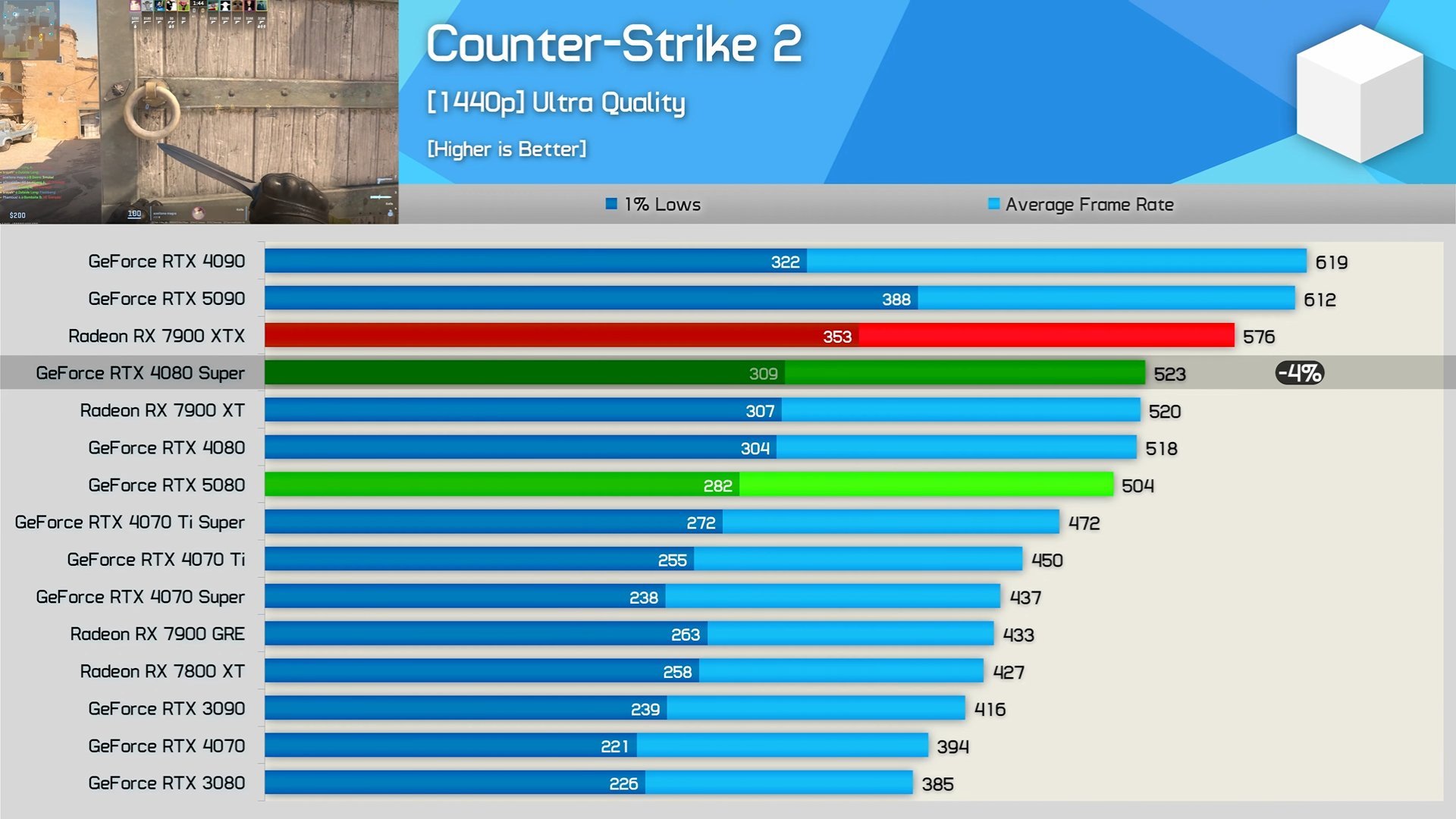
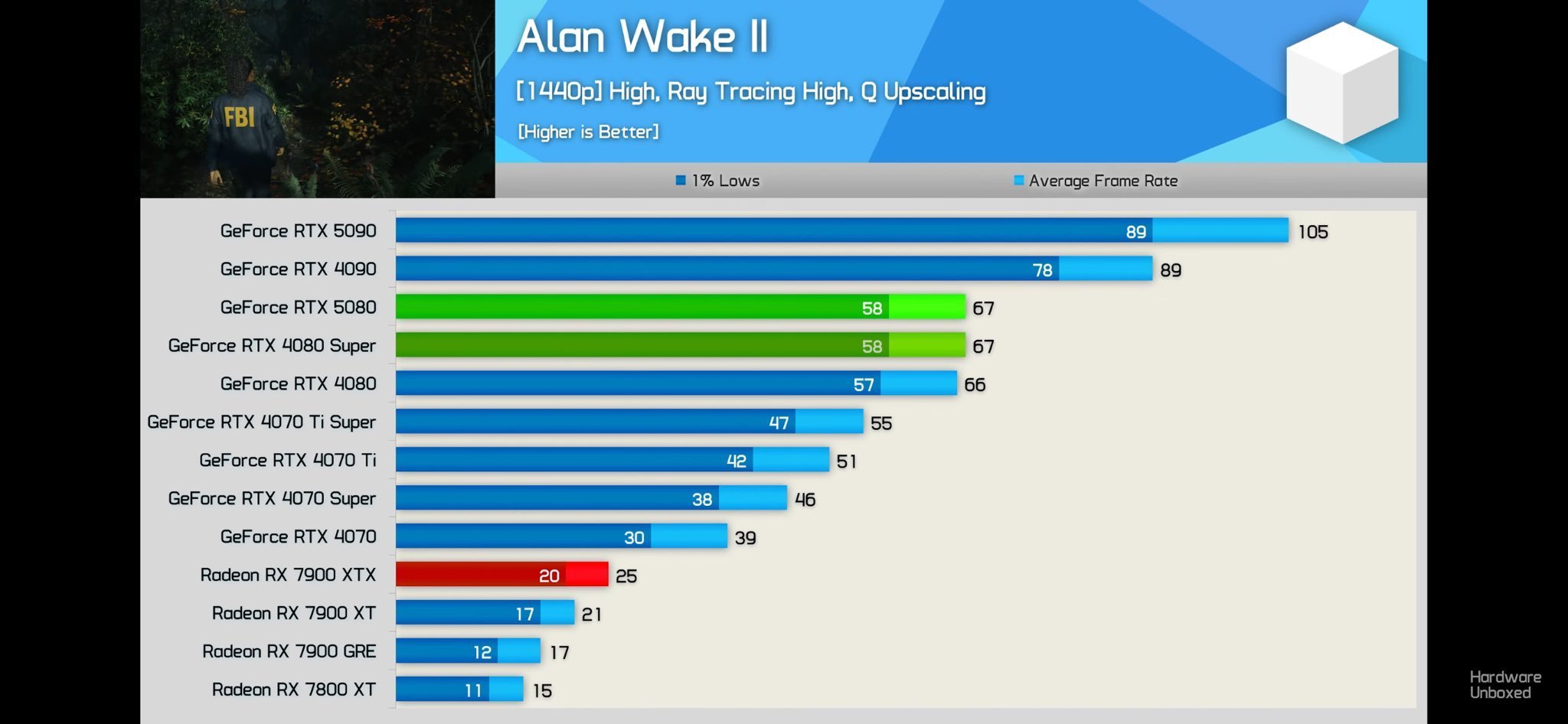
As noted in Hardware Unboxed’s review, the RTX 5080 falls behind its predecessor in Delta Force, Cyberpunk 2077: Phantom Liberty, and Counter-Strike 2 when running these games at 1440p.

Both graphics cards also tie in Alan Wake 2, showing disappointing results for the new $1000 offering from Nvidia. The biggest difference is observed in Delta Force, where the RTX 5080 delivers 192FPS vs the RTX 4080 Super’s 214FPS.

In Counter-Strike’s case, the performance on both cards, 504FPS vs. 523FPS, is well above the high refresh rate territory. However, when looking at Cyberpunk 2077 and Alan Wake 2, two games where the frame rate is below 100, the results are quite shocking.

A CPU bottleneck could be to blame, but these results highlight that even GPU-bound games show a similar trend. Interestingly, Hardware Unboxed also noted a few instances of such results with the RTX 5090.

Perhaps these discrepancies are a result of Nvidia’s architectural changes in the Blackwell generation. Future drivers may be able to solve the problem, but it is still disappointing to see a $1000 graphics card falling behind its predecessor.

Fortunately for Nvidia, these results are unlikely to hamper sales in any meaningful way.

The RTX 5090 was already being scalped before its official release since availability was said to be extremely tight ahead of the release. As such, the RTX 5080 will likely sell out immediately this month.

What are your thoughts on these benchmark numbers? Do you consider the RTX 5080 a good option for $1000? Let’s discuss this in the comments and on the Tech4Gamers Forums.

ESR Debuts New Set of S25 Accessories With MagSafe And Qi2 Compatibility

[Press Release] ESR is bringing its exciting range of MagSafe accessories to the Samsung S25 lineup.

These HaloLock magnetic accessories offer cross-compatibility between Apple and Samsung phones, making them versatile for both iOS and Android users. Moreover, they accessories serve a variety of purposes, including protection, desk charging, and car mounting.

ESR Qi2 Magnetic Car Charger
ESR Has Come Up With The World’s First Qi2 Magnetic Car Charger

In the HaloLock magnetic car charger’s case, Qi2 charging ensures your S25 phones are charged at fast 15W speeds, keeping you up and running without any downtime. The magnetic charger also boasts CryoBoost technology to keep your phone cool, and protection is guaranteed by 18 N52 magnets integrated into the charger.

On the other hand, ESR’s Armorite screen protector boasts robust build quality and incredible protection in all sorts of situations. Compatible with the iPhone 13 to 16 lineups and the S25 series, the screen protector is incredibly easy to install, requiring just two simple steps.

ESR also promises reliable fingerprint unlocking after the Armortie protector is applied.


Those looking for a bit more protection for their shiny new S25s can consider the HaloLock Classic hybrid case. It promises 11-ft drop protection, compatibility with various MagSafe chargers, and 2x stronger magnets than the competition.

Other accessories include the ESR HaloLock Qi2 mini kickstand charger, the Ring Stand, and the Airplane Phone Holder Mount. All of these accessories boast strong magnets that safely hold your phone in place.

Build quality is also solid, like the rest of the lineup, and these devices are portable, making them suitable for various situations.

ESR HaloLock Classic Hybrid Case
The Hybrid Case Guarantees All-Around Protection

All in all, ESR’s latest accessories are great companions for anyone interested in the Samsung S25 phones. For details on pricing and purchases, follow this link to ESR’s official website.

AMD RX 7900 XTX Outpaces Nvidia RTX 4090 in AI Tasks With DeepSeek

Story Highlight
  • AMD is promoting the RX 7000 series for AI tasks, especially the RX 7900 XTX.
  • The RX 7900 XTX outperforms the RTX 4080 SUPER and comes close to the RTX 4090.
  • AMD’s last-gen flagship GPU is powerful enough for demanding AI DeepSeek R1 models.

AMD recently released comprehensive instructions on configuring Ryzen AI CPUs and Radeon RX graphics cards to run DeepSeek R1 distilled reasoning models. Moving on to discrete graphics cards, AMD is currently solely promoting its Radeon RX 7000 series because the RDNA 3 graphics architecture incorporates AI accelerators.

Why it matters: The RX 7900 XTX’s ability to handle complex AI models efficiently means more options for users, potentially lowering the barrier for those working with AI and machine learning tasks.

While all SKUs with 12 GB to 20 GB of RAM, such as the RX 7600 XT, RX 7700 XT, RX 7800 XT, RX 7900 GRE, and RX 7900 XT, are advised till DeepSeek-R1-Distill-Qwen-14B, the flagship Radeon RX 7900 XTX is advised for DeepSeek-R1-Distill-Qwen-32B distill.

With DeepSeek-R1-Distill-Qwen-7B, DeepSeek-R1-Distill-Llama-8B, and DeepSeek-R1-Distill-Qwen-14B, the RX 7900 XTX exhibits up to 34%, 27%, and 22% better performance, respectively, than the RTX 4080 SUPER. 

Source: AMD

The major comparison between the RX 7900 XTX and the GeForce RTX 4090, which has 24 GB of RAM, comes next. Three of the four tests demonstrate that the RX 7900 XTX performs better than the competition, with DeepSeek-R1-Distill-Qwen-7B showing up to 13% higher performance, DeepSeek-R1-Distill-Llama-8B showing up to 11% higher performance, and DeepSeek-R1-Distill-Qwen-14B showing up to 2% higher performance.

The bigger DeepSeek-R1-Distill-Qwen-32B variant only has a 4% performance gap with the RTX 4090.

DeepSeek’s latest AI model has swept the industry, and although many are curious about the amount of processing power required to train it, it appears that the typical consumer can get by with a Radeon RX 7900 XTX GPU.

Sony Finally Removing The Mandatory PSN Requirement For Upcoming Titles on PC

Story Highlight
  • PlayStation finally removed the PSN requirements for a few of its first-party titles on PC
  • Players still opting for PSN would benefit from in-game incentives as a push to get more people on their network.
  • More titles may potentially follow the same suit in the near future.

While Sony porting its first-party PlayStation games to PC is highly appreciated, their mandatory PSN requirement has made several big titles in the past region locked.

However, the gaming giant has finally decided to change its approach to PC ports. In a new PlayStation Blog post, it was revealed that the mandatory PSN requirements would be removed for a few mainstream PlayStation titles, including Marvel’s Spider-Man 2, which will be released tomorrow.

Why It Matters: Sony’s infamous PSN requirement has caused it to suffer losses, with missed sales in many regions. Removing PSN would be a healthy change for the future of Sony’s multiplatform strategy, which would be profitable for them in the long run.

Marvel's Spider-Man
Sony Has Done Nothing To Market Marvel’s Spider-Man 2’s Release For PC

So far, the following games will no longer require PSN: 

  • God of War Ragnarok
  • The Last of Us Part 2 Remastered
  • Horizon Zero Dawn Remastered
  • Marvel’s Spider-Man 2

Spider-Man 2 is still releasing tomorrow, which many had thought was delayed due to Sony’s silent treatment for the PC port.

However, Sony is still prevalent in expanding its ecosystem and driving more users towards the PSN network. To encourage more players to join the PlayStation network, the gaming giant is offering in-game incentives for players opting to join PSN.

The Last Of Us Part 2 Remastered
The Last Of Us Part 2 Remastered Releases For PC On April 3 Later This Year

The awards would be unlocked skins, armor, bonus points, and extras.  

Previously, Sony also unlocked Helldivers 2 in more regions. With every player in the industry moving towards a multiplatform strategy, Sony won’t lag behind. From now on, we can certainly expect these changes for other PlayStation first-party titles as well.

As to how these changes will pan out, we will find out later today when the changes go live with the release of Marvel’s Spider-Man 2. 

What do you think about the removal of the mandatory PSN requirement? Let us know in the comments below or head towards the official Tech4Gamers Forum.

Phil Spencer Claims PS5 And Series S|X Too Similar; Wants More Innovative Xbox Hardware

Story Highlight
  • Phil Spencer has commented on the state of console hardware.
  • He feels modern consoles are too similar and intends to introduce a differentiating factor with Xbox in the future.
  • The Xbox boss also wants his hardware to win on its own merits as opposed to making use of exclusive games.

The PS5 and Xbox Series S|X consoles launched over four years ago, promising new experiences for console gamers worldwide. All three consoles offered distinct advantages, but they were based on the same core principles.

According to the Xbox boss, this element of the current-gen consoles isn’t necessarily a plus point and needs to be changed.

Why it matters: Console sales have gradually declined over the years, with Xbox struggling to sustain its position as a hardware manufacturer. As such, the CEO of Microsoft Gaming intends to come up with a solution to the problem.

Phil Spencer recently appeared on Destin’s podcast, discussing multiple angles of his approach to the Xbox business.

When asked why one should buy an Xbox despite the lack of true exclusivity on the platform, Phil Spencer was quick to point out that Microsoft intends to focus on innovation for its hardware.

He also noted that modern gaming hardware is too similar, making exclusive games the default reason for consumers picking one console over the other.

I want to make the hardware the differentiator. We’ve got into this space where the differentiation on the hardware has gone down.

-Phil Spencer

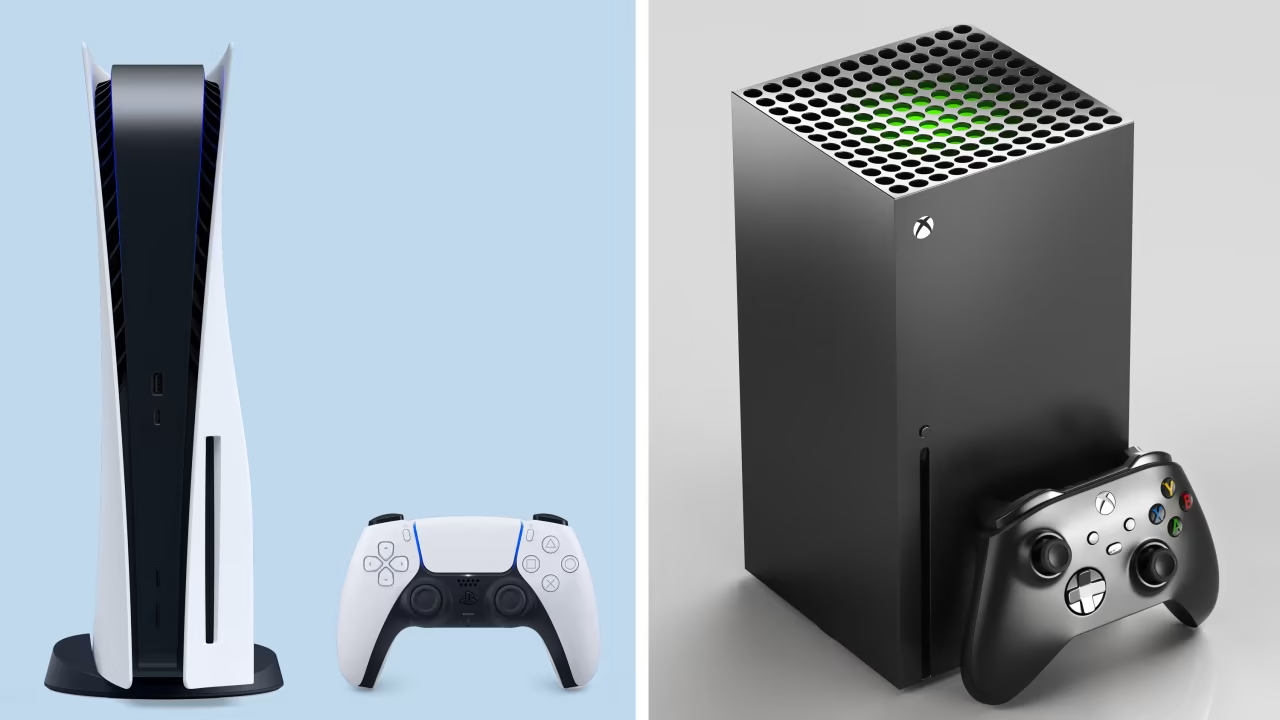
This observation is valid since the PS5 and Xbox Series S|X are built on a similar AMD architecture. The consoles still boast unique aspects like Xbox’s Velocity Architecture and PlayStation’s I/O throughput, but these rarely lead to notable differences in most games.

Phil Spencer hopes to make hardware the differentiator moving forward, suggesting that Xbox’s next-generation console, which could arrive as early as 2026, will mix things up in more ways than one.

Moreover, the Microsoft Gaming CEO previously stated that his hardware should win on its own merits.

Xbox-Handheld
Microsoft’s Upcoming Handheld Has A Lot of Potential

He noted that handhelds are so appealing for this exact reason since they offer something different from the typical home console experience. As a reminder, Xbox is currently working on its own future handheld, and rumors suggest PlayStation is doing the same.

These statements are interesting since both PlayStation and Xbox relied on different types of hardware until recently, with the PS3 being infamous for its challenging albeit incredibly capable Cell architecture.

It seems the Microsoft Gaming CEO intends to return to a similar era in an attempt to propel Xbox consoles to the top once again. What are your thoughts on this approach? Let us know in the comments, and join the discussion on the Tech4Gamers Forums.