Home Blog Page 429

Warframe: 1999 Interview – Something New And Fresh

Story Highlight
  • 1999 is an expansion to Warframe set to release in December 2024.
  • The expansion, as the name suggests, is set in the 1990s, which differs greatly from the base game’s futuristic setting. 
  • Before the release, we spoke with the studio’s community director, Megan Everett, to learn more about the expansion. 

Warframe: 1999, a massive expansion in the well-known free-to-play online looter shooter, is set to release in the coming December. While the release date is currently unknown, a demo was released last month, giving players a glimpse of what to expect. 

This is the first time the developer has decided to explore a historical era with an expansion, which might make fans wonder where the game is heading in the future. To know more about that, we recently interviewed Megan Everett, the community director at Digital Extremes.

During our interview, we delve into the game’s setting, the developer’s expectations regarding the title, and future expansions. 

Warframe 1999
Warframe: 1999 Is An Upcoming Expansion That Will Take Players Back In Time For Some Lore Bombs
Warframe:1999 is the first expansion in the history of the franchise to explore a historical era compared to the base game’s futuristic setting. What inspired the team to go for a 1990s era?

Megan Everett: After the conclusion of The New War, we basically went to kick off a new narrative arc, and, sometimes, in order to go forward, you need to go back to the beginning. We wanted to explore an alternate version of the Warframes’ origins, how that ties into our current “main forces” of this narrative arc (Albrecht Entrati and The Man In The Wall), and do it in a nostalgic setting that our players could feel an unfamiliar familiarity to. A lot of which we owe to Dark Sector, which serves as one of our primary inspirations for 1999. Especially since Warframe wouldn’t be here without it! Our dev team is full of people with beloved memories around the ‘90s and it’s a decade with such iconic imagery, it just gave us a ton to play with.

Is it a one-time thing, or do the developers intend to explore other eras and aesthetics in future updates?

Megan Everett: We don’t want to totally lose sight of Warframe’s core setting and identity, right? It’s a melodramatic space opera epic, and we can’t go on a time romp through every era of Earth’s pop culture. It’s fun to take a break from the main setting and try something new and weird that fits the game style, but we will always return to Warframe’s core.

The game has greatly stood the test of time and only grown popular, but was there any specific feedback from the community that influenced the development of Warframe 1999?

Megan Everett: Community feedback is always influencing the game. It’s our belief that that’s why Warframe has lasted as long as it has. We just made a number of changes to the new player experience in our Koumei & The Five Fates update, so we will always be listening for feedback around every moment in Warframe, not just the latest content. We’re already getting great feedback from the 1999 demo we put out last month, such as some movement changes to how the Atomicycle feels. Regarding specifics in the full 1999 launch, though, you’ll just have to play to see exactly what and how the community responds. No spoilers from me!

The addition of the dynamic calendar system with rotating seasons and the romance feature is something fans already appreciate, but are there any ongoing plans to include them in the main game or further updates later down the road?

Megan Everett: The romance feature was specifically designed around 1999. It functions through an old-school instant messenger system called KOL on a computer to emulate the experience some of us grew up with in the ‘90s and early 2000s. I’m not sure it would hit the same way in a far-future setting. The seasons system for Höllvania is a new experiment for us, and if players like it, we’ll keep that in mind for future ideas!

The Atomicycle mount is unique and already popular compared to other Warframe mounts. Can we expect the developers to whip up even more unusual and lore-specific mounts in the future?

Megan Everett: You can always count on us trying new, weird things in Warframe! We’ll see where the journey takes us.

How many hours of content can Warframe:1999 provide for players looking to explore its every nook and cranny?

Megan Everett: Every player is different. Some like to stop and smell the roses; others are interested in getting through content and unlocking the next best thing. The Warframe: 1999 Quest won’t be as long as The New War, but it is still a sizable chunk of story, gameplay with several easter eggs, and other shiny things to play with and find that go well beyond the single-player campaign.

Besides the nostalgia, does Warframe:1999 feature any hidden easter eggs or references to the 90s era that players should look out for?

Megan Everett: When we had our TennoCon Relay social hub, which was set in the Höllvania Mall, players quickly found our Half-Life Gordan Freeman easter egg. But saying if there are more ruins the surprise of discovery… so I’ll just say keep an eye out while you have a good time, and you won’t be disappointed at some of the ‘90s references we’ve baked in.

What are your expectations regarding Warframe:1999’s reception?

Megan Everett: We have no expectations! We have hopes, we have dreams, but we would never expect things to go a specific way. Our community keeps us humble and lets us know when we missed the mark and we always take it to heart.

Since Warframe is set in futuristic events, it would be great for fans to explore the world’s historical events. The developer aims to try out more fun and weird ideas for the future but intends to return to Warframe’s core. Fans can expect some more crazy ideas, and we hope they have fun exploring the 90s era.

Fake Ryzen 7 9800X3D Are Being Sold Amid Huge Market Demand

Story Highlight
  • With huge demand, we noticed that scammers are already trying to sell fake Ryzen 7 980X03D.
  • Many independent sellers on marketplaces are selling heat spreaders only for scamming.
  • The fake one has a color difference in the box, comes without a serial number, and can’t be warrantied.

Ryzen 7 9800X3D was released just over a week ago, and scammers are trying to scam people by selling a fake version of the processor in different marketplaces.

Many users quickly noticed the scam as many stores sell fake ones on eBay; therefore, buying from AMD stores on Amazon, Newegg, BestBuy, or Microcenter is your best bet.

Why it matters: This is not the first time such a thing has happenedfake Ryzen 7 7800x3D units were being sold in the past

Fake Ryzen 7 9800X3D
Fake Ryzen 7 9800X3D appears in the market. It is a lighter-coloured box with no Ryzen logo or serial number.

One Reddit post recently suggested that scammers sell Ryzen 7 9800X3D on many online platforms. The picture above shows that these processors come without the Ryzen logo and Serial number in a bit light colored box. 

One of the purchasers also left a comment by confirming that it’s indeed happening and that many independent sellers on Facebook, eBay, and TikTok marketplaces are selling just heat spreaders in the box.

PSA: If you’re buying a CPU off a person, please watch out for fakes. There are hundreds of them floating around.

Still, if you are getting a deal from a private seller, try to look at the colour of the box, as the original one should be a bit darker, like the below picture from our review. Also, if the chip has a Ryzen logo and serial number, make sure to confirm the CPU serial marking in the window matches the box serial number.

AMD RYZEN 7 9800X3D 8-Core, 16-Thread Desktop Processor
  • The world’s fastest gaming processor, built on AMD ‘Zen5’ technology and Next Gen 3D V-Cache.

Moreover, scammers seem to be using old boxes, as the current Ryzen 9800X3D comes in a bit of a rectangle-shaped box instead of a perfect square.

Ryzen-7-9800X3D-Real-vs-Fake
Fake Vs. Real Ryzen 7 9800X3D

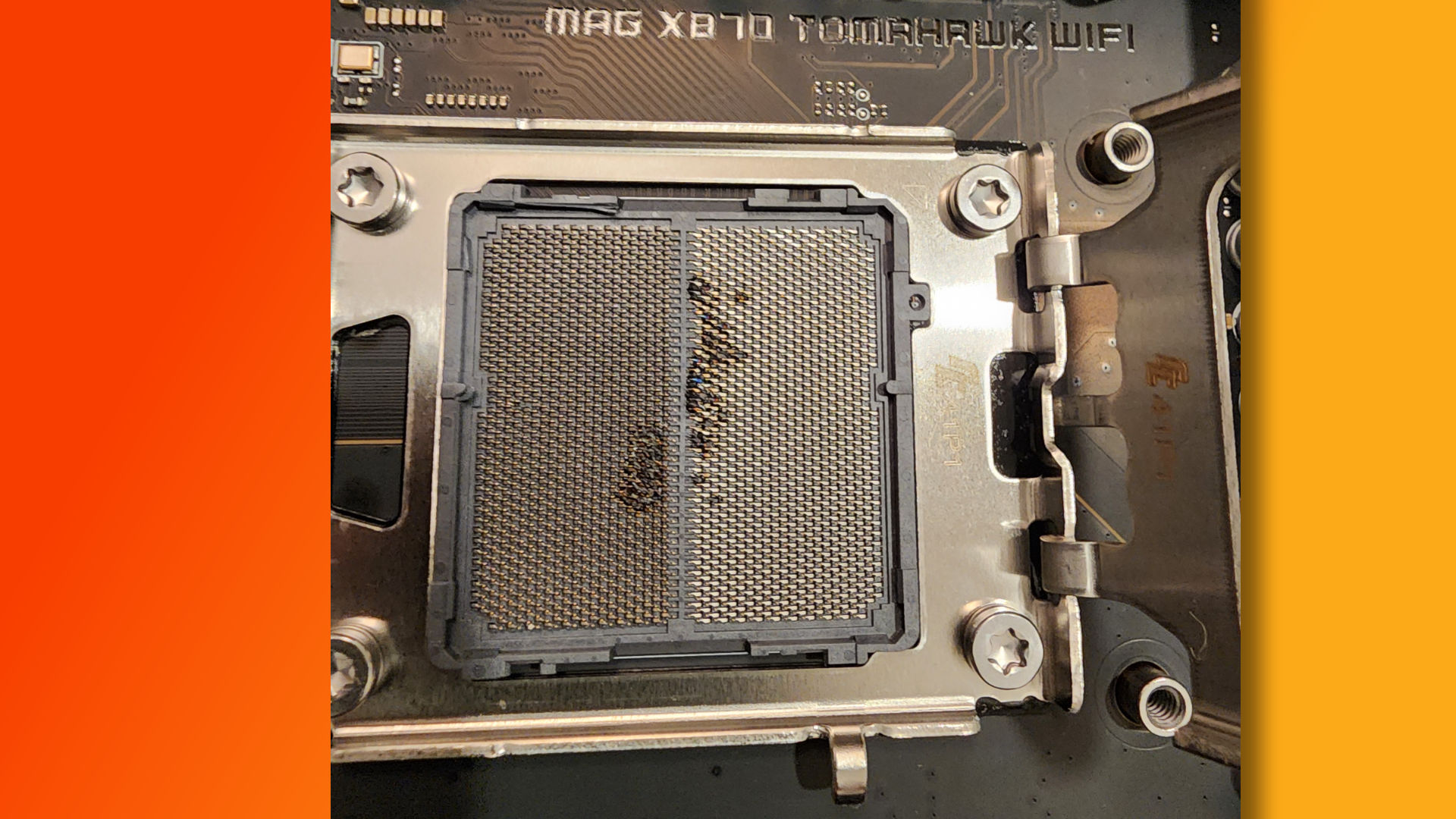
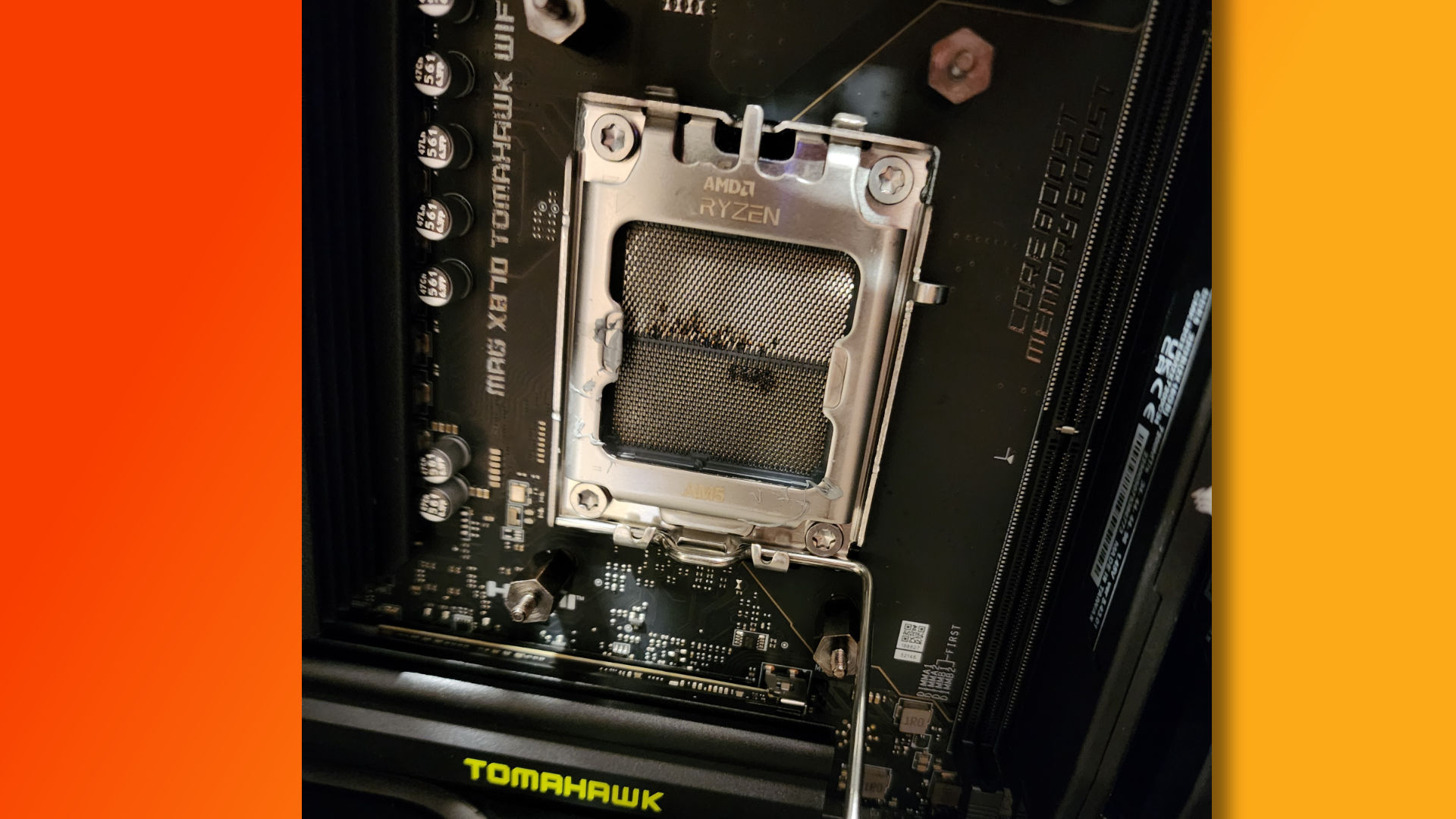
So, it’s best to look at these things if you plan to buy one. Recently, a burned Ryzen 7 9800X3D picture also surfaced on the internet, which worried many fans, but it was likely caused by the user’s mistake.

Nonetheless, what do you think about this ongoing scam? Let us know your thoughts in the comments or join Tech4Gamers Official Forum.

PS5 Pro Ray Tracing In Alan Wake 2 Falls Short In Comparison To PC Low RT Settings

Story Highlight
  • PS5 Pro was being compared with the RTX 4070 and RX 7800XT before release. 
  • A detailed comparison video from Digital Foundry revealed major differences between the Pro console and the 4070.
  • The console’s ray tracing is quite a bit worse when compared with the low RT settings in Alan Wake 2 running on an RTX 4070.

The PS5 Pro, a mid-gen refresh, has faced much criticism lately. Before the official specs were out, many hyped the console by comparing it with the RTX 4070 and Radeon 7800XT. However, now that the console has been released, some detailed analyses have raised concerns.

Sony’s new hardware even lost to a 4-year-old GPU, the RX 6800, in games like Elden Ring. Moreover, in Alan Wake 2, the console fell short compared to a PC’s low RT settings.

Why it matters: The pro variant’s price has already been widely criticised, and these tests show that it might not be worth the upgrade.

A detailed video from Digital Foundry compared the PS5 Pro’s Quality mode with an RTX 4070 running the game at DLSS balanced with low RT. It showed the latter has an advantage when it comes to ray tracing as well as frame rates.

In the comparison images and videos, the PC has better ray tracing even with low RT settings. Digital Foundry has also revealed that in this game, the Pro console has no direct lighting feature when ray tracing is enabled.

The shadows also look better on the PC version due to the ray-traced direct lighting option. At 32:54, you can even note that the Pro console doesn’t have the trees reflected on the water at a distance.

For an even more detailed difference, you can check the comparison at 34:56, where the reflection on the PC with low RT settings is much better than that on the PS5 Pro in Alan Wake 2. Similarly, at 36:30, the floor lighting does not work well with the floor textures.

This could be an issue with just Alan Wake 2, and the PS5 Pro might be able to do better in other games, but it is still disappointing, as many claimed it to deliver the same experience as the RTX 4070, if not better.

What do you think of the ray tracing differences between the PS5 Pro and RTX 4070 in Alan Wake 2? Do you think the pro variant is worth buying? Let us know what you think in the comments section below, or join the discussion at the official Tech4Gamers forums

Our Experts Suggest These Best AM5 Motherboards

With the launch of the brand-new AM5 platform, AMD has taken a monumental leap in desktop processor technology. The new AMD AM5 platform also signals the release of the AMD Ryzen 7000 series processors, built on the new Zen 4 architecture. The AM5 motherboards bring support for innovative new technologies like DDR5 memory and PCIe Gen 5, along with a host of new chipsets at various price points. We bring you the finest selection of AM5 motherboards based on our expert analysis and thorough hands-on testing.

Why Trust Tech4Gamers
  • Usman Saleem is our hardware tester who loves to put all the latest GPUs, CPUs, RAM, and motherboards for a spin.
  • 40+ motherboards tested and reviewed by our team of hardware experts (Tech4Gamers Team).
  • 800+ hours spent testing different motherboards for our reviews.
  • Objective testing criteria (See how we test motherboards).

At Tech4Gamers, ensuring you get reliable information is our priority. That’s why every hardware round-up undergoes a meticulous review process by our team of experts and editors. Each review is carefully examined against our strict editorial guidelines, guaranteeing you trustworthy insights you can depend on.

Here’s a quick look at our selected AM5 motherboards and a brief comparison of their specs:

Motherboard
ASRock X870E Taichi Lite
MSI MAG X870 Tomahawk WiFi
ASRock X870 Steel Legend WiFi
ASRock B650E PG-ITX WiFi
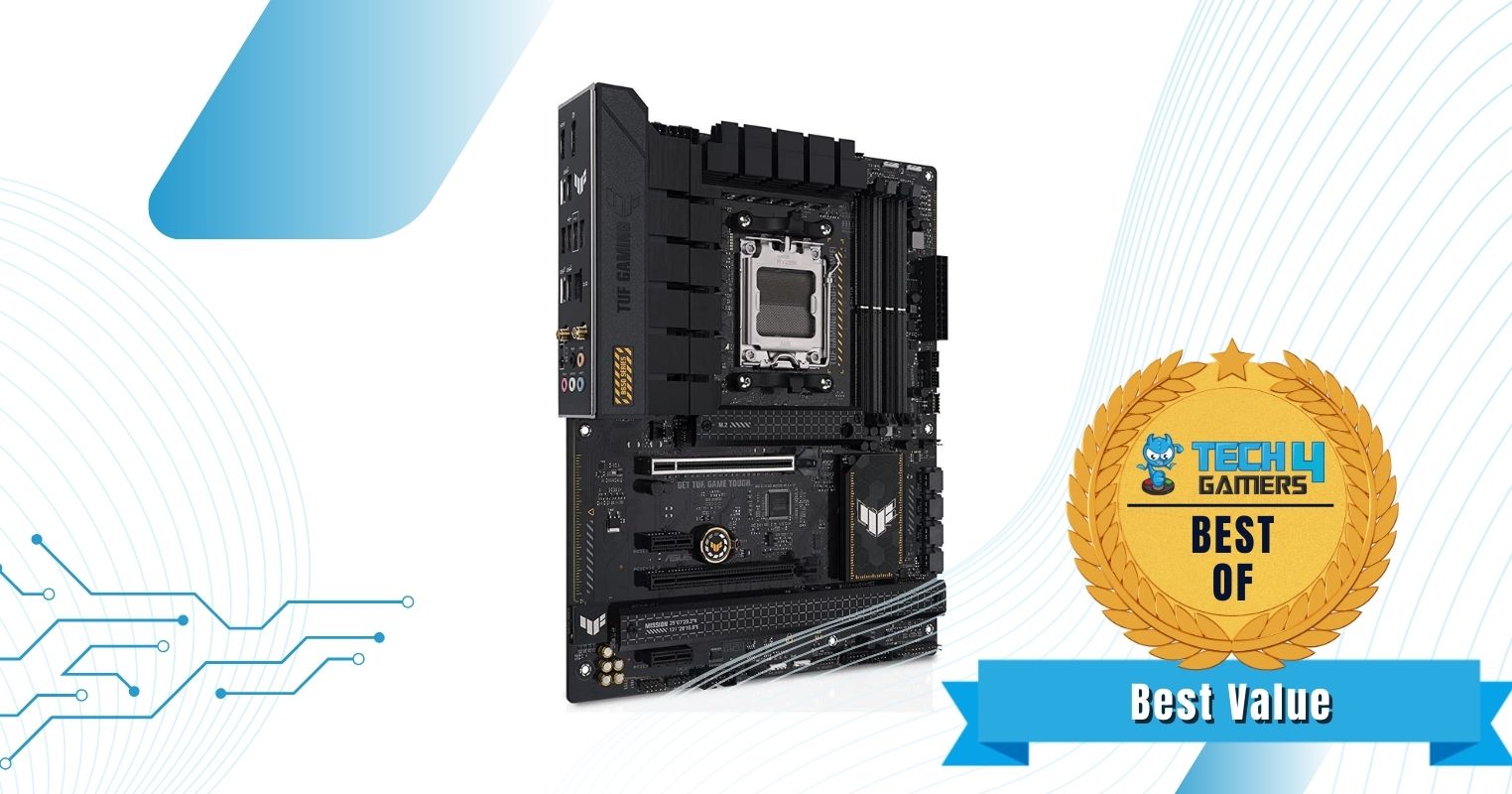
ASUS TUF Gaming B650-PLUS WiFi
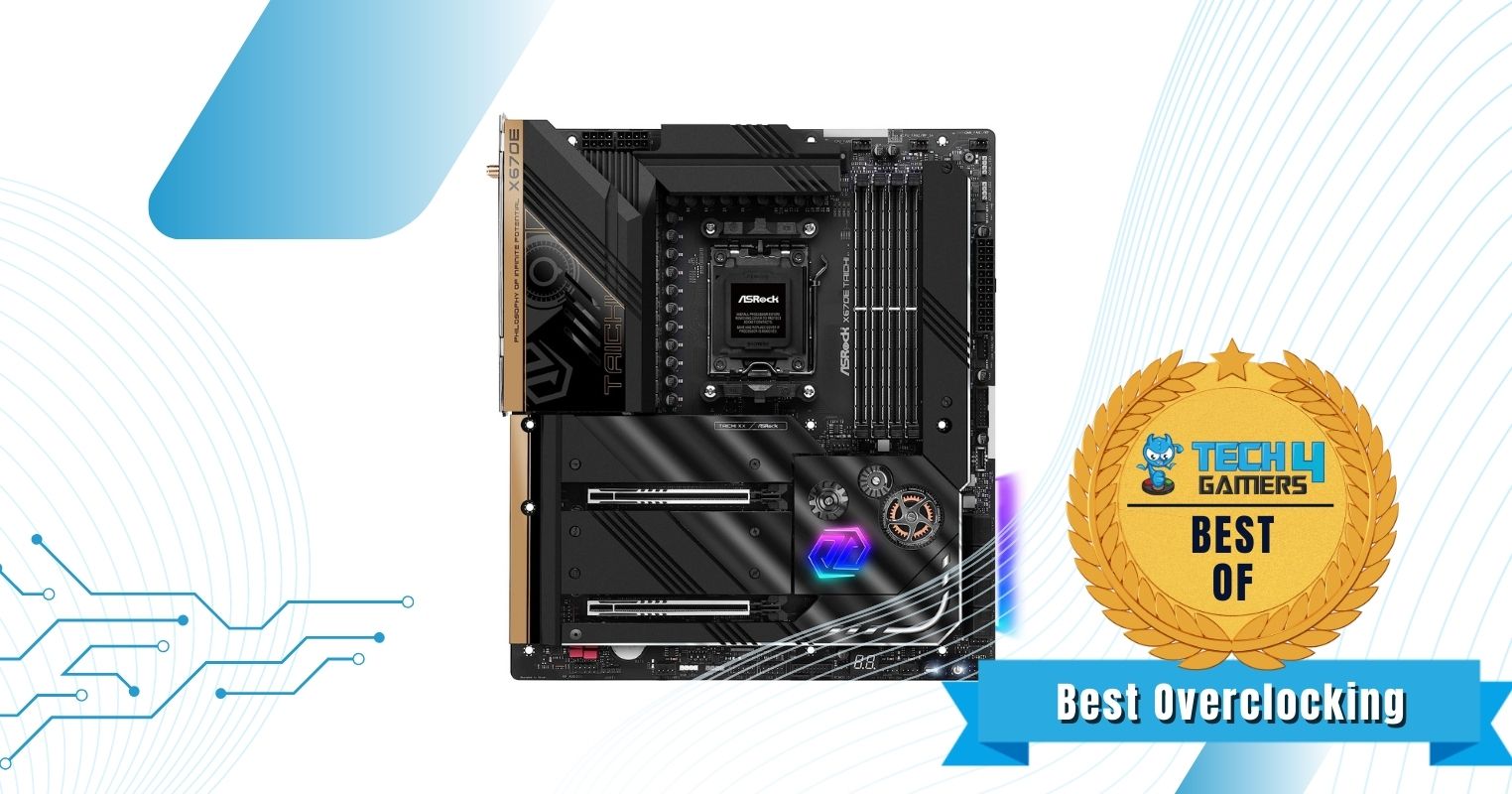
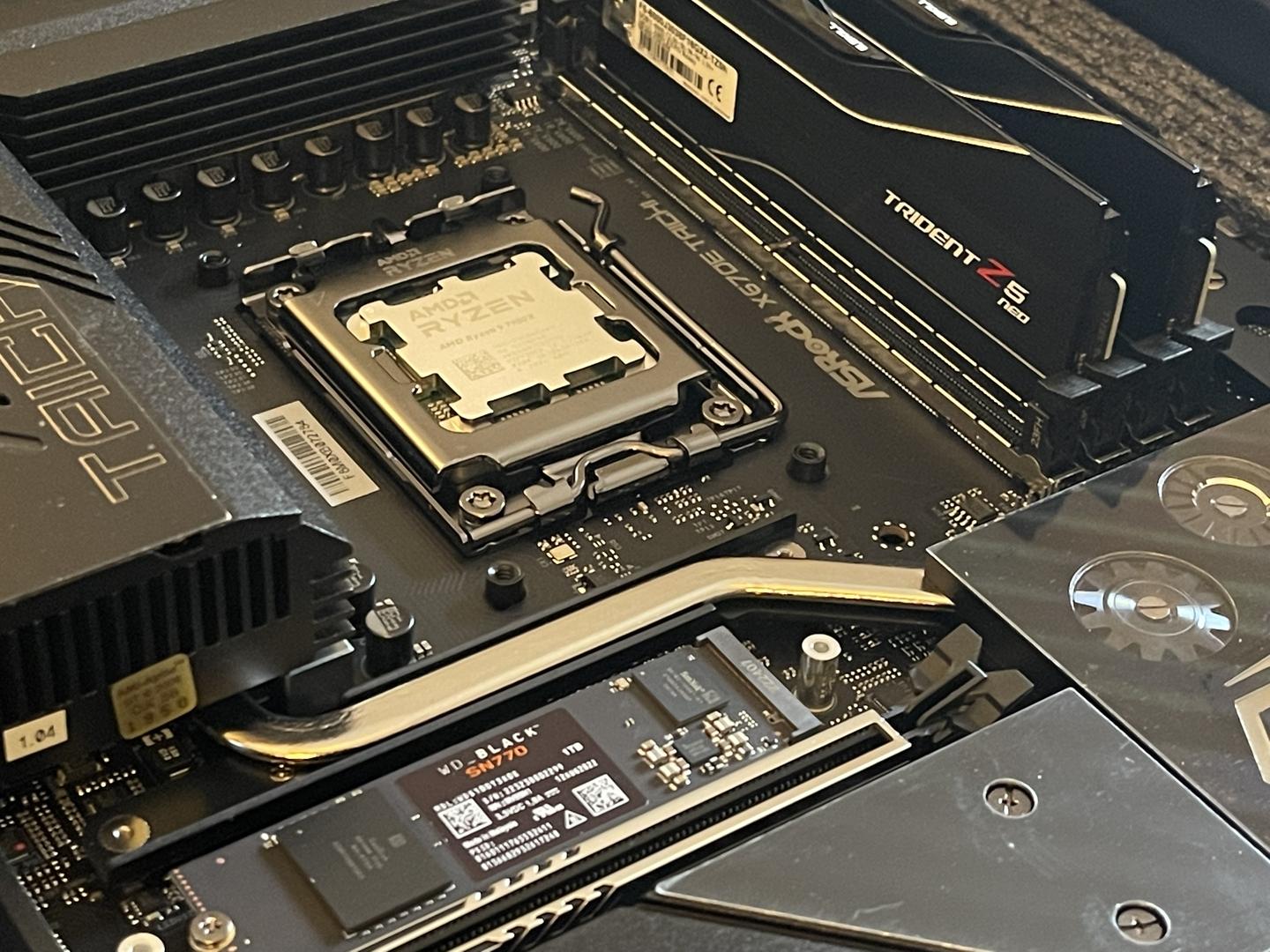
ASRock X670E Taichi
Looks
ASRock AMD X870E Taichi Lite Ryzen Socket AM5 DDR5 DIMMs 8200 256 GB X870 EATX Motherboard 5G LAN M.2 USB4 WiFi7
MSI MAG X870 Tomahawk WiFi Gaming Motherboard (AMD Ryzen 9000/8000/7000 Series Processors, AM5, DDR5, PCIe 5.0, M.2 Gen5, SATA 6Gb/s, USB 40Gbps, HDMI/DP, Wi-Fi 7, Bluetooth 5.4, 5Gbps LAN, ATX)
ASRock X870 Steel Legend WiFi 7 AMD Ryzen Socket AM5 ATX Motherboard DDR5 DIMMs 8000 MHz 256 GB SATA3 6.0 Gb/s USB4 M.2
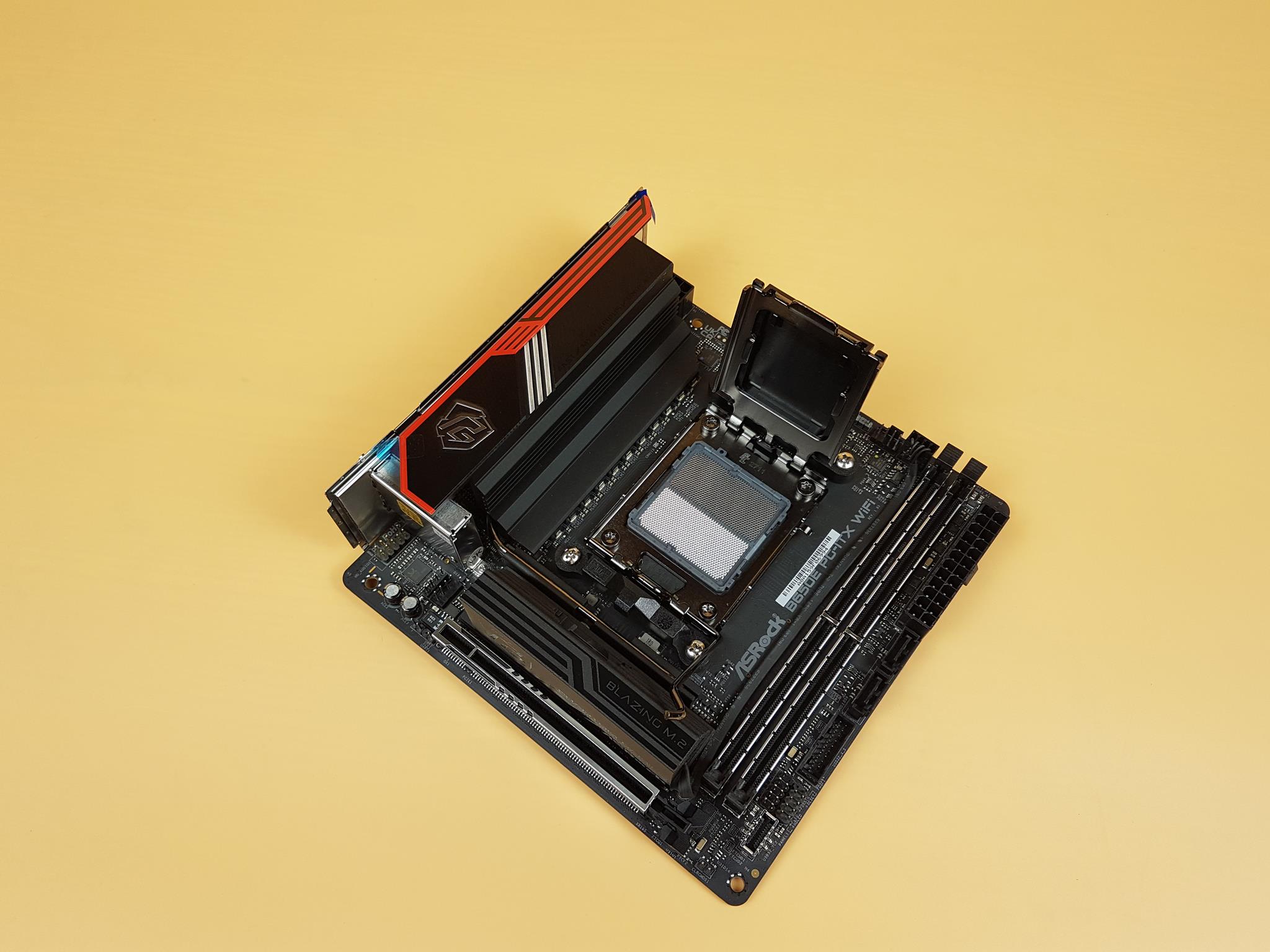
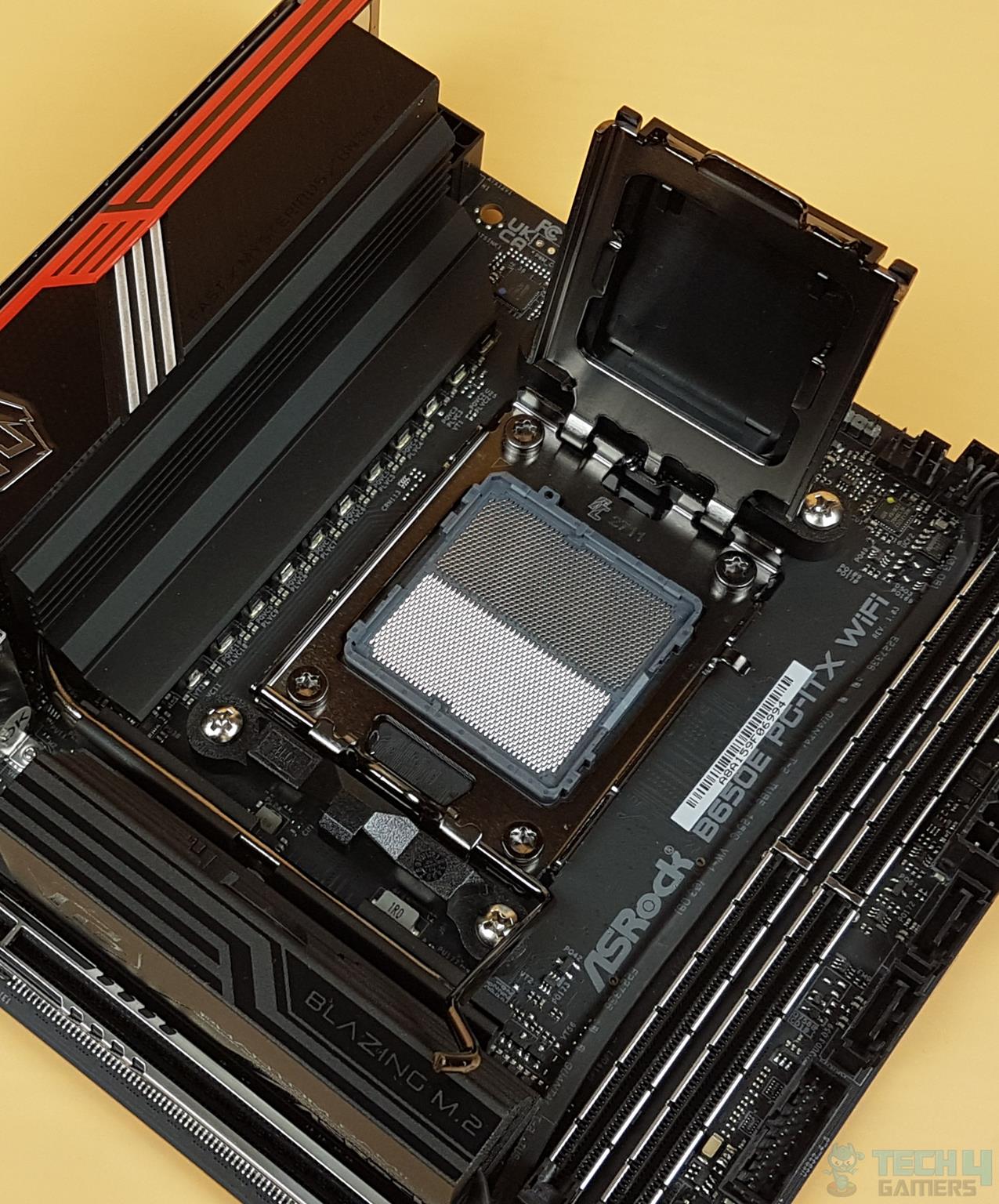
ASRock B650E PG-ITX WiFi AMD Ryzen 7000 Series CPU Compatible (Soket AM5) B650 Mini-ITX Motherboard
ASUS TUF Gaming B650-PLUS WiFi AMD B650 AM5 Ryzen™ Desktop 9000 8000 and 7000 ATX Motherboard, 14 Power Stages, PCIe® 5.0 M.2, DDR5 Memory, WiFi 6 and 2.5 Gb Ethernet, USB4® Support Aura Sync
ASRock X670E Taichi Support AMD AM5 RYZEN 7000 Series Processors Motherboard
Award
Best High-End AM5 Motherboard
Best Overall AM5 Motherboard
Best White AM5 Motherboard
Best Mini-ITX AM5 Motherboard
Best Value AM5 Motherboard
Best Overclocking AM5 Motherboard
What We Liked
VRMs, design, price, build quality, performance, overclocking potential
Connectivity, performance, cold VRMs, design, EZ DIY features, MSI AI LAN manager
Capable VRMs, white aesthetics, RAM capacity, RGB lighting, M.2 heatsink quick-release mechanism
Active M.2 cooling, USB ports, Networking options
Affordable, Connectivity options, Build quality
Extraordinary VRM, Build quality, Storage options, 2x USB-4 Type-C ports
What We Disliked
Only one PCIe 5.0 storage slot, no RGB lighting
No RGB, less SATA connectors
No debug LED, mid-range ALC4082 audio codec
Plain looks, Loud M.2 cooling fan
Plain looks, Fewer PCIe lanes than X670
Very expensive, No 10 Gigabit networking
Form Factor
E-ATX
ATX
ATX
Mini-ITX
ATX
E-ATX
Power Delivery
24+2+1
14+2+1
14+2+1
10+2+1 Phase VRM
12+2 Phase VRM
24+2+1 Phase VRM
Memory
DDR5 8,200+ (OC)
DDR5 8,400+ (OC)
DDR5 8,000+ (OC)
2x DIMM, 96GB, DDR5-6400+
4x DIMM, 128GB, DDR5-6400+
4x DIMM, 192GB, DDR5-6600+
USB Ports
12x Rear, 9x Front
11x Rear, 9x Front
11x Rear, 9x Front
8x rear, 5x internal
8x rear, 7x internal
10x rear, 9x internal
Storage
4x M.2, 6x SATA III
4x M.2, 4x SATA III
3x M.2, 4x SATA III
2x M.2, 2x SATA
3x M.2, 4x SATA
4x M.2, 8x SATA
RGB
Motherboard
ASRock X870E Taichi Lite
Looks
ASRock AMD X870E Taichi Lite Ryzen Socket AM5 DDR5 DIMMs 8200 256 GB X870 EATX Motherboard 5G LAN M.2 USB4 WiFi7
Award
Best High-End AM5 Motherboard
What We Liked
VRMs, design, price, build quality, performance, overclocking potential
What We Disliked
Only one PCIe 5.0 storage slot, no RGB lighting
Form Factor
E-ATX
Power Delivery
24+2+1
Memory
DDR5 8,200+ (OC)
USB Ports
12x Rear, 9x Front
Storage
4x M.2, 6x SATA III
RGB
Amazon
Newegg
Motherboard
MSI MAG X870 Tomahawk WiFi
Looks
MSI MAG X870 Tomahawk WiFi Gaming Motherboard (AMD Ryzen 9000/8000/7000 Series Processors, AM5, DDR5, PCIe 5.0, M.2 Gen5, SATA 6Gb/s, USB 40Gbps, HDMI/DP, Wi-Fi 7, Bluetooth 5.4, 5Gbps LAN, ATX)
Award
Best Overall AM5 Motherboard
What We Liked
Connectivity, performance, cold VRMs, design, EZ DIY features, MSI AI LAN manager
What We Disliked
No RGB, less SATA connectors
Form Factor
ATX
Power Delivery
14+2+1
Memory
DDR5 8,400+ (OC)
USB Ports
11x Rear, 9x Front
Storage
4x M.2, 4x SATA III
RGB
Amazon
Newegg
Motherboard
ASRock X870 Steel Legend WiFi
Looks
ASRock X870 Steel Legend WiFi 7 AMD Ryzen Socket AM5 ATX Motherboard DDR5 DIMMs 8000 MHz 256 GB SATA3 6.0 Gb/s USB4 M.2
Award
Best White AM5 Motherboard
What We Liked
Capable VRMs, white aesthetics, RAM capacity, RGB lighting, M.2 heatsink quick-release mechanism
What We Disliked
No debug LED, mid-range ALC4082 audio codec
Form Factor
ATX
Power Delivery
14+2+1
Memory
DDR5 8,000+ (OC)
USB Ports
11x Rear, 9x Front
Storage
3x M.2, 4x SATA III
RGB
Amazon
Newegg
Motherboard
ASRock B650E PG-ITX WiFi
Looks
ASRock B650E PG-ITX WiFi AMD Ryzen 7000 Series CPU Compatible (Soket AM5) B650 Mini-ITX Motherboard
Award
Best Mini-ITX AM5 Motherboard
What We Liked
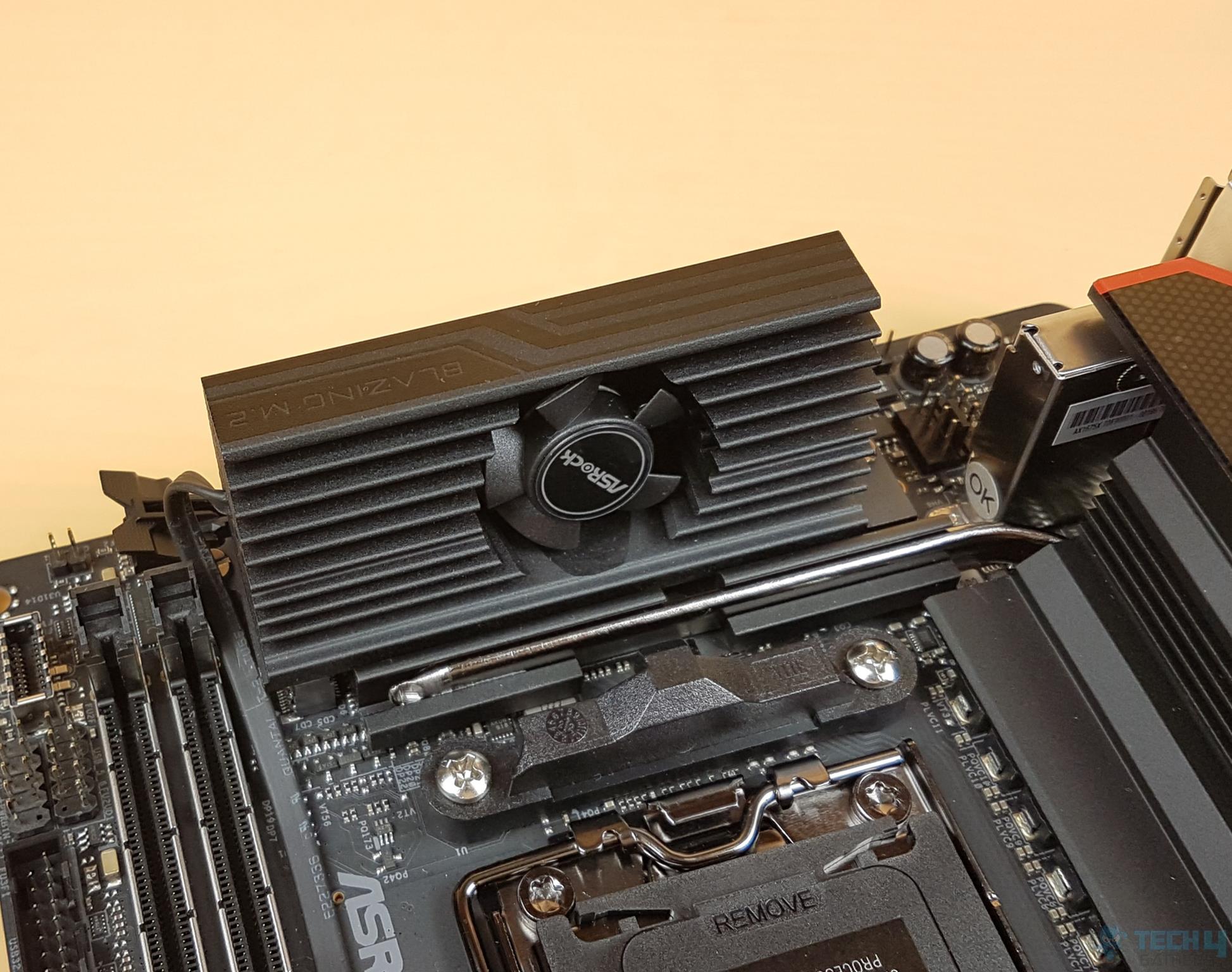
Active M.2 cooling, USB ports, Networking options
What We Disliked
Plain looks, Loud M.2 cooling fan
Form Factor
Mini-ITX
Power Delivery
10+2+1 Phase VRM
Memory
2x DIMM, 96GB, DDR5-6400+
USB Ports
8x rear, 5x internal
Storage
2x M.2, 2x SATA
RGB
Amazon
Newegg
Motherboard
ASUS TUF Gaming B650-PLUS WiFi
Looks
ASUS TUF Gaming B650-PLUS WiFi AMD B650 AM5 Ryzen™ Desktop 9000 8000 and 7000 ATX Motherboard, 14 Power Stages, PCIe® 5.0 M.2, DDR5 Memory, WiFi 6 and 2.5 Gb Ethernet, USB4® Support Aura Sync
Award
Best Value AM5 Motherboard
What We Liked
Affordable, Connectivity options, Build quality
What We Disliked
Plain looks, Fewer PCIe lanes than X670
Form Factor
ATX
Power Delivery
12+2 Phase VRM
Memory
4x DIMM, 128GB, DDR5-6400+
USB Ports
8x rear, 7x internal
Storage
3x M.2, 4x SATA
RGB
Amazon
Newegg
Review
-
Motherboard
ASRock X670E Taichi
Looks
ASRock X670E Taichi Support AMD AM5 RYZEN 7000 Series Processors Motherboard
Award
Best Overclocking AM5 Motherboard
What We Liked
Extraordinary VRM, Build quality, Storage options, 2x USB-4 Type-C ports
What We Disliked
Very expensive, No 10 Gigabit networking
Form Factor
E-ATX
Power Delivery
24+2+1 Phase VRM
Memory
4x DIMM, 192GB, DDR5-6600+
USB Ports
10x rear, 9x internal
Storage
4x M.2, 8x SATA
RGB
Amazon
Newegg
Review
-

Last Updated:


  • November 16, 2024: Replaced the X670E Aorus Master with the X870E Taichi Lite. Similarly, we removed the X670E Tomahawk WiFi Gaming and added the MSI MAG X870 Tomahawk WiFi. Lastly, for the best white motherboard, we replaced the ASUS Prime X670-P WiFi with the ASRock X870 Steel Legend WiFi.
  • May 5, 2024: We have changed the formatting to improve readability.
  • November 20, 2023: Few text changes to improve readability. No products were changed.

[toc]

We have tested more motherboards for Ryzen 7000 and 9000 series CPUs:

Best AM5 Motherboards

Here is a selection of the best AM5 motherboards based on my hands-on testing and expert analysis:

  1. Best High-End: ASRock X870E Taichi Lite
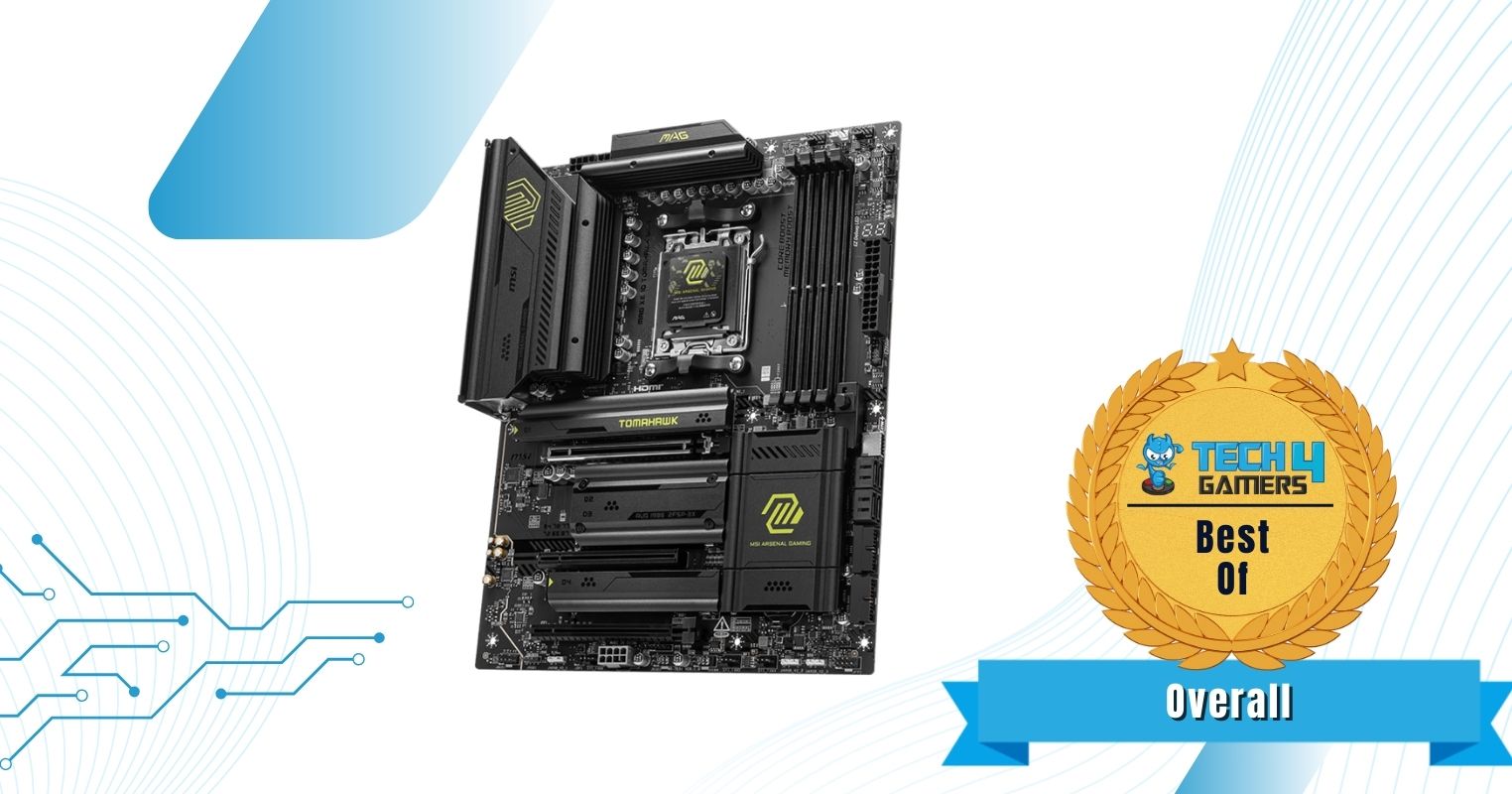
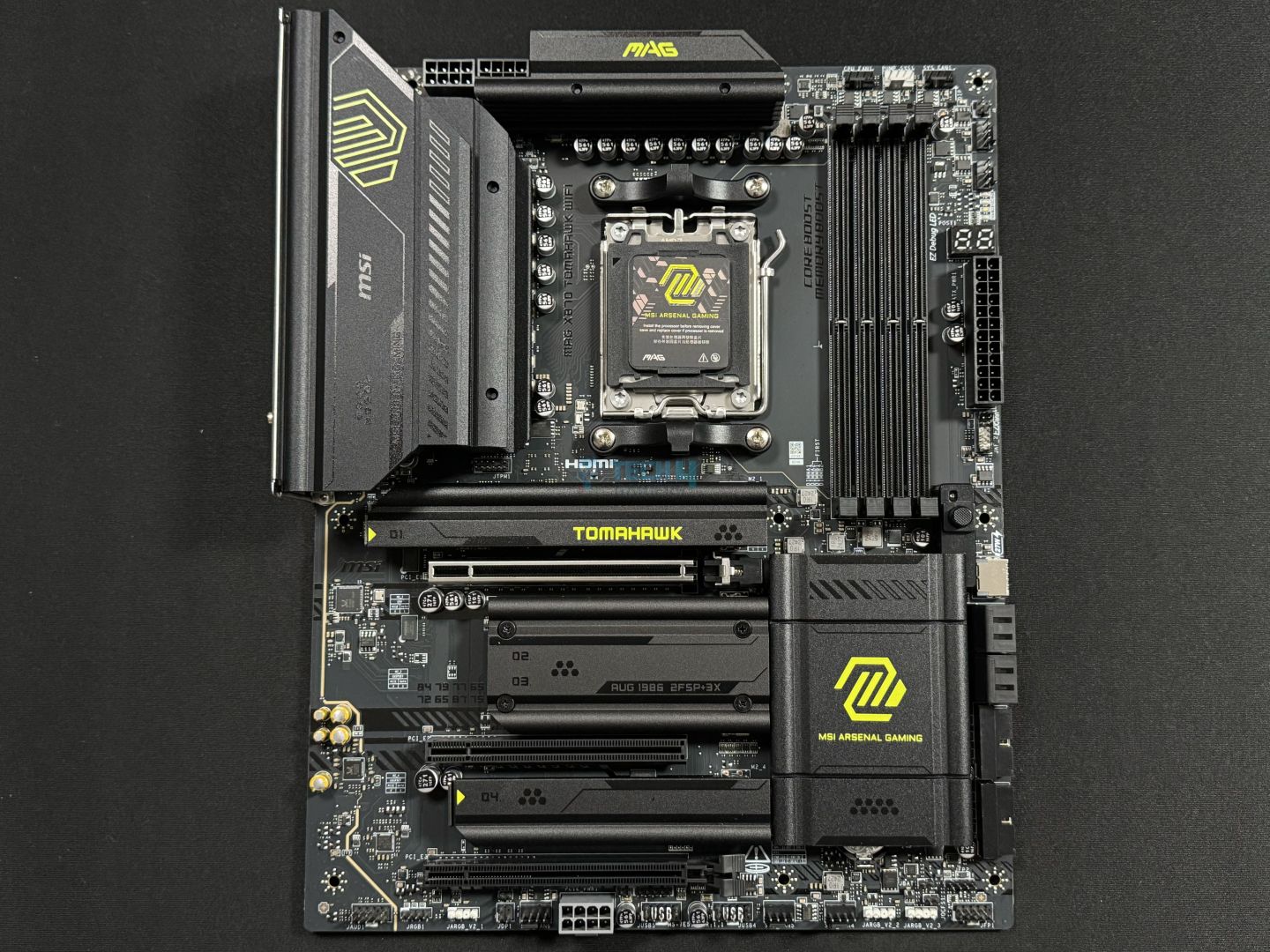
  2. Best Overall: MSI MAG X870 Tomahawk WiFi
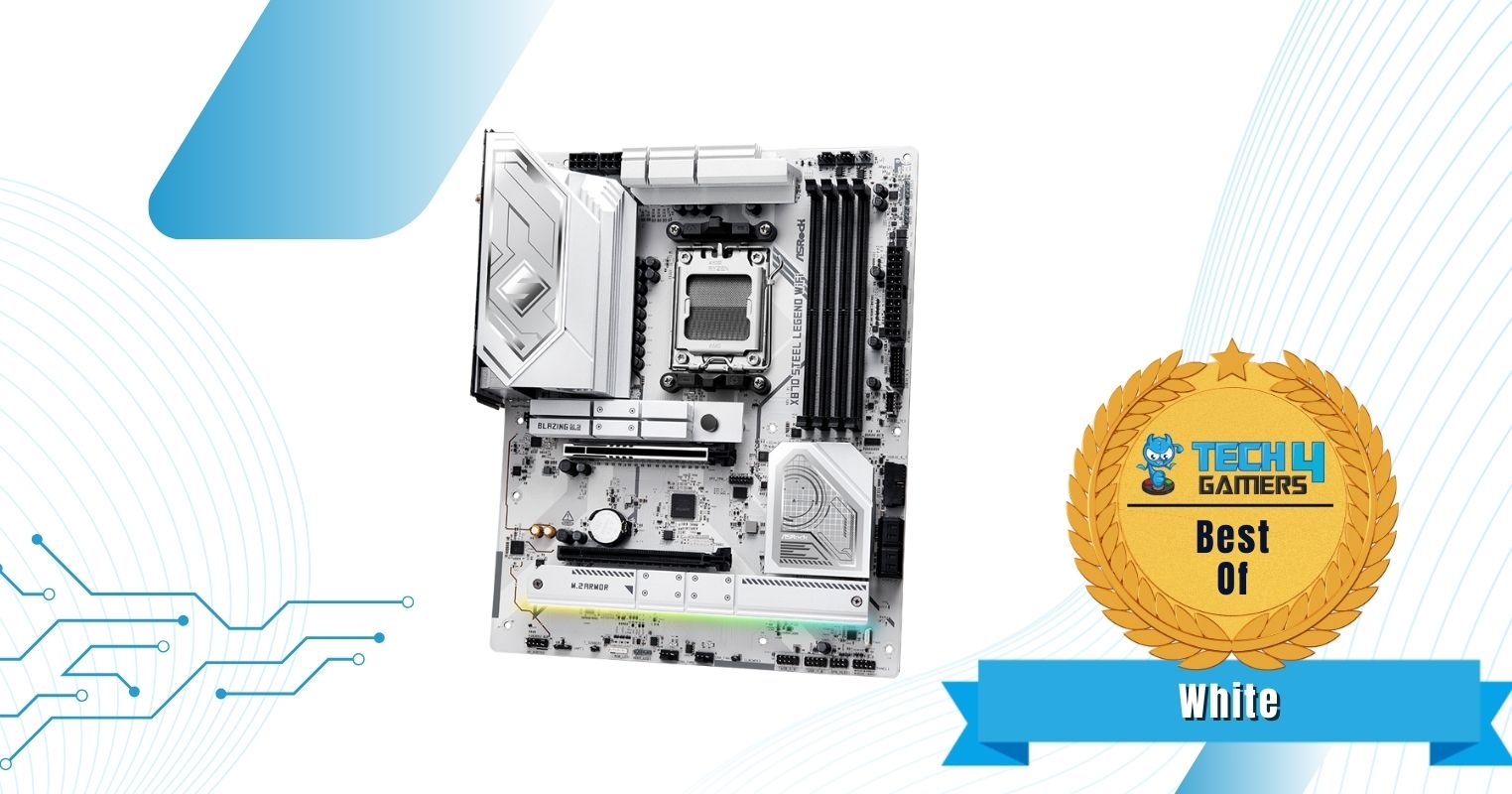
  3. Best White: ASRock X870 Steel Legend WiFi
  4. Best Value: ASUS TUF Gaming B650-PLUS WiFi
  5. Best Overclocking: ASRock X670E Taichi
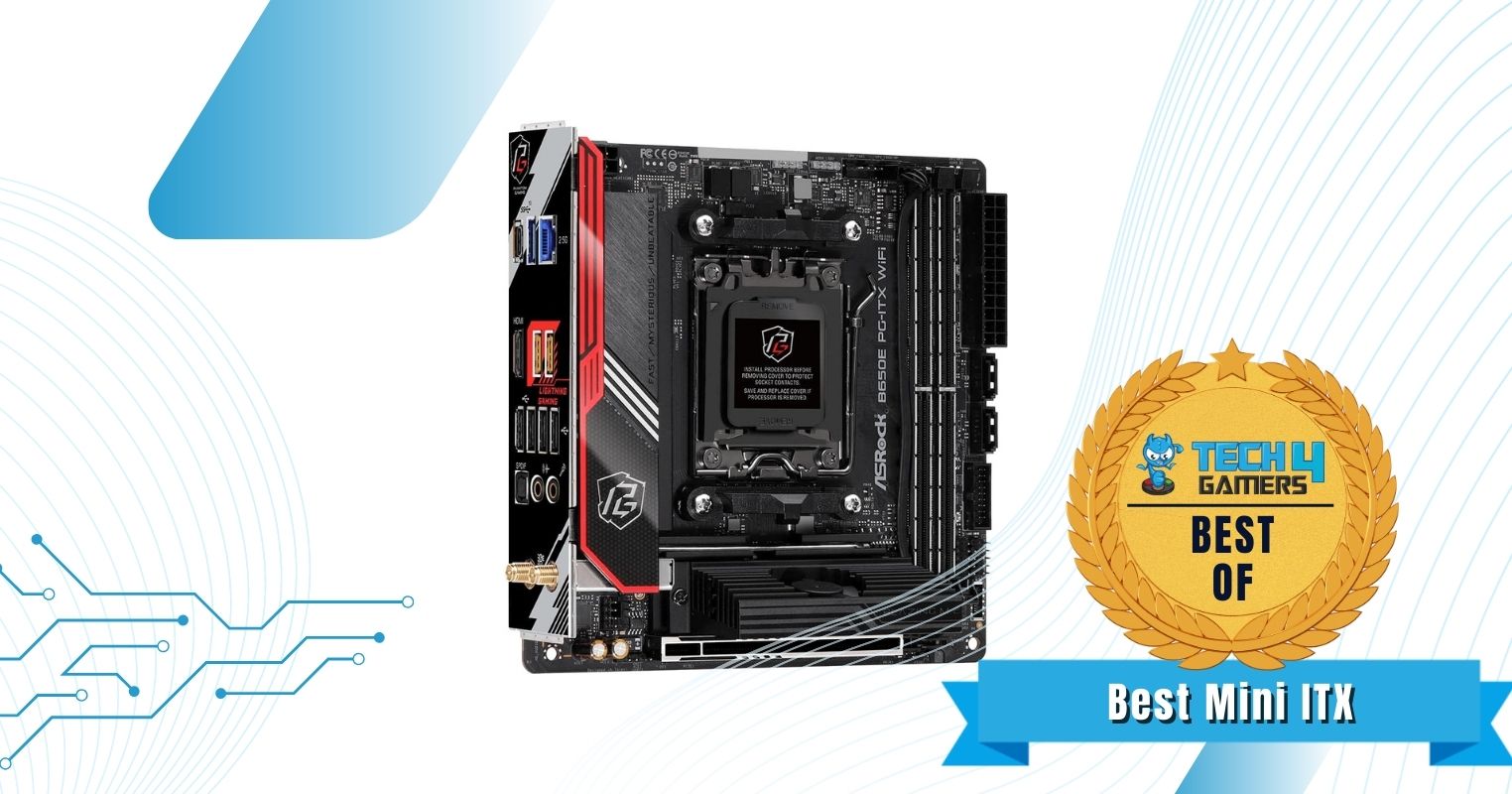
  6. Best Mini-ITX: ASRock B650E PG-ITX WiFi

ASRock X870E Taichi Lite

Best High-End AM5 Motherboard

Chipset: AMD X870E | Form Factor: E-ATX | Power Delivery: 24+2+1 | Memory Support: DDR5 8,200+ (OC) | Display Outputs: HDMI 2.1, 2x USB4 Ports | USB Ports: 12x Rear, 9x Front | Storage: 4x M.2, 6x SATA III | Networking: WiFi 7, Realtek 5G LAN, Bluetooth 5.4

Pros

  • Premium-class 24+2+1 VRM setup
  • Unique design
  • Great price for a high-end motherboard
  • Sturdy build quality
  • Impeccable performance
  • Decent overclocking potential

Cons

  • Only one PCIe 5.0 storage slot
  • No RGB lighting

Read Our ASRock X870E Taichi Lite Motherboard Review

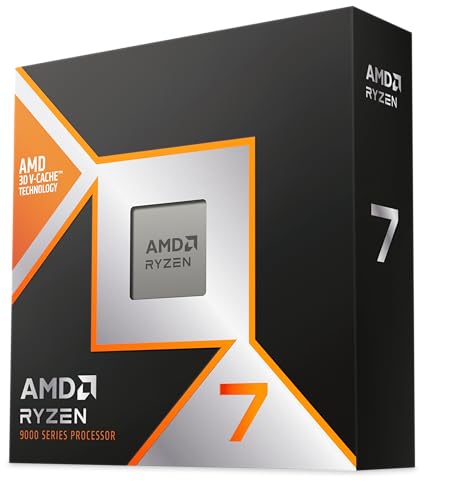
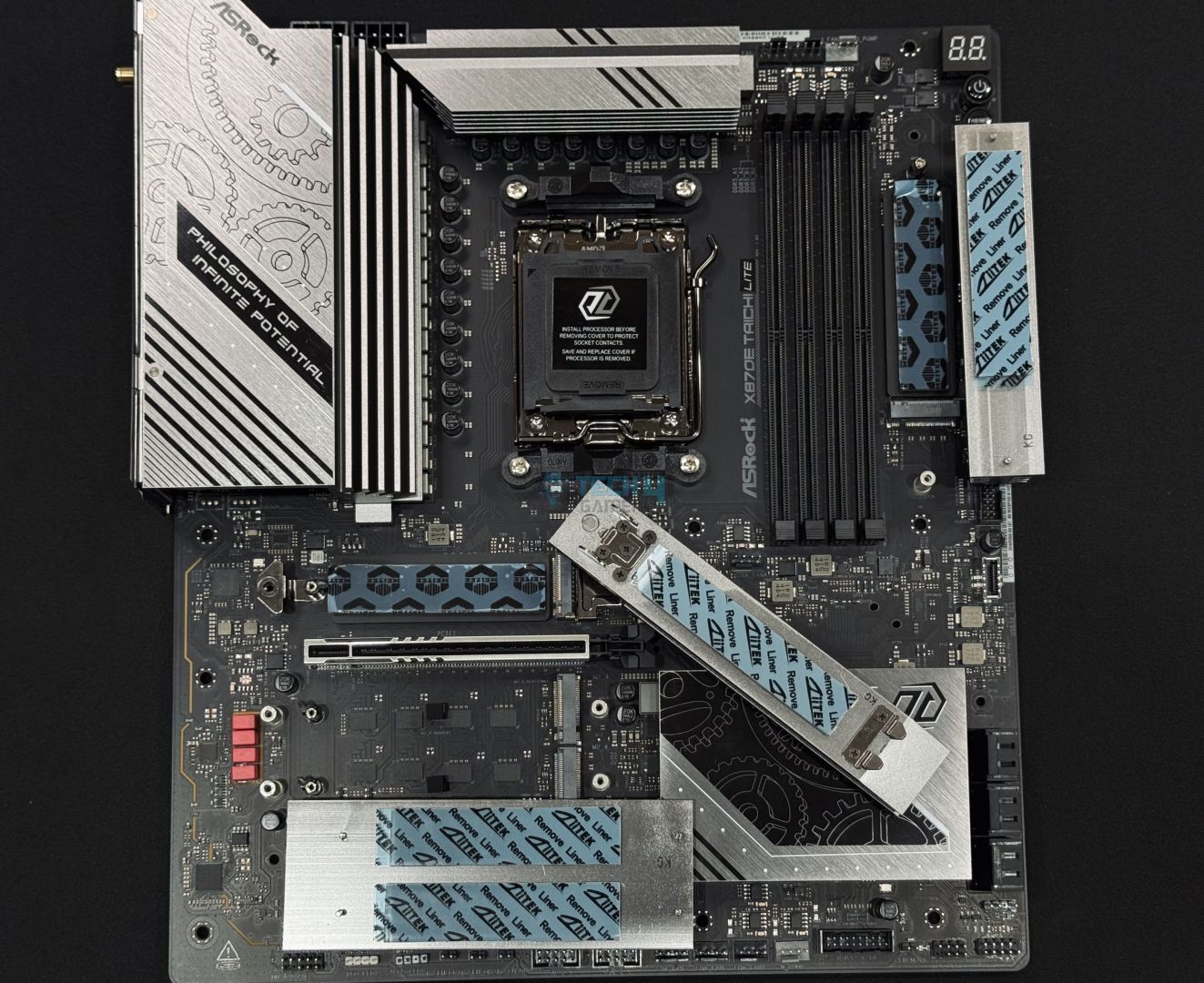
The ASRock X870E Taichi Lite is my favorite motherboard and go-to for any high-end AM5 CPU. Whether buying the latest Ryzen 7 9800X3D or a simple Ryzen 9 7950X, the motherboard will provide sufficient and stable power to run all your tasks smoothly. The secret of the motherboard lies within its 24+2+1 VRM phase. During my dedicated testing, the motherboard won against all of its competition, even though only by a small margin in all tests.

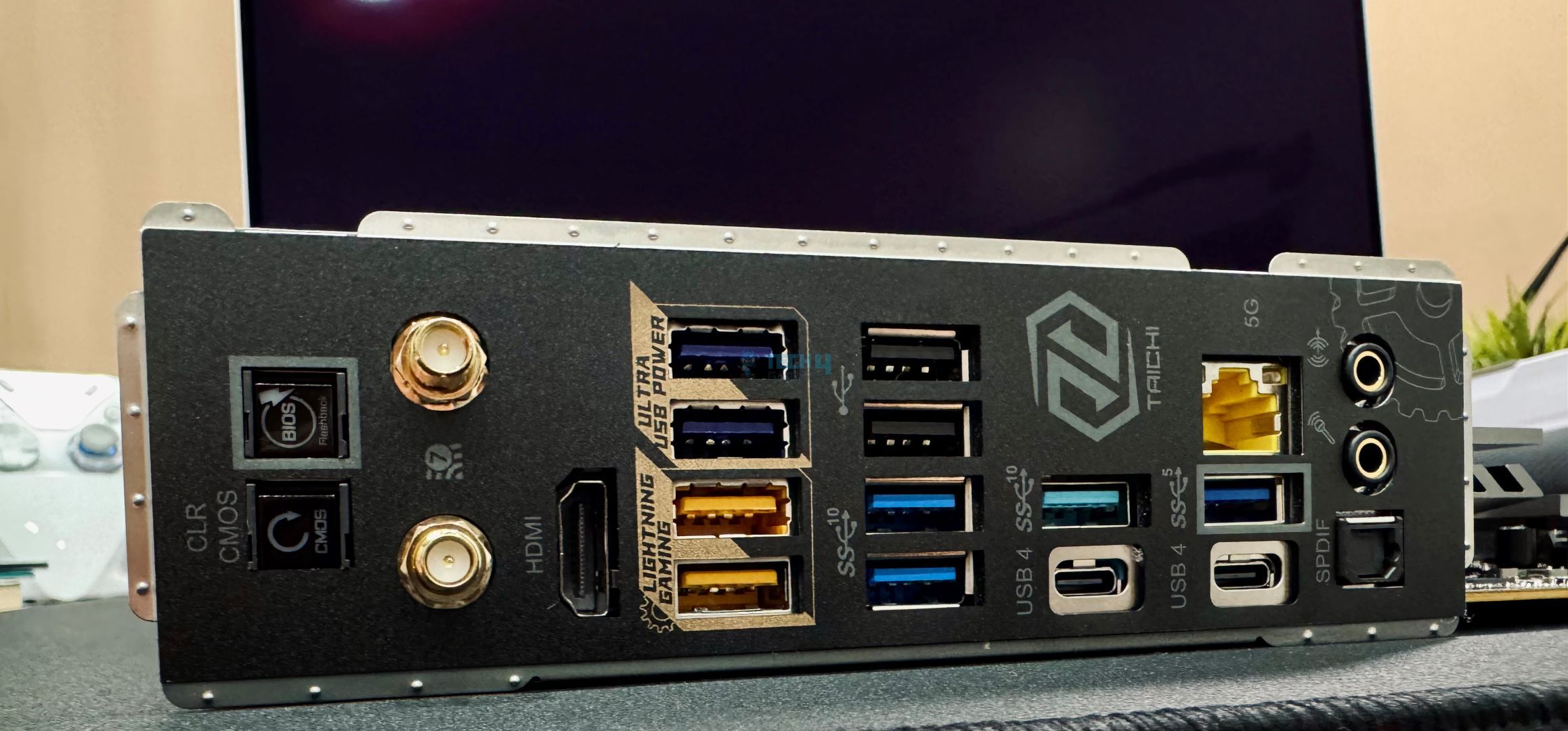
Besides its performance, I also love this motherboard’s aesthetics. It features a unique design choice on the heatsink but lacks RGB lighting. It also has good connectivity, decent storage options, and a fantastic price for its features. However, only having one PCIe 5.0 slot is sad for an E-ATX motherboard, right? There’s not much I dislike about the motherboard; you’re getting good USB support (12x rear, 9x front), including 2x USB4.0 ports, so you shouldn’t miss out on much.

Here’s how I summarized the ASRock X870E Taichi Lite in my in-depth review of the motherboard while it was on my test bench:

The ASRock X870E Taichi Lite is a $399 powerhouse with a VRM setup (24+2+1, 110A SPS for VCore and SoC) that can compete with enthusiast-class boards. That’s not its only attraction; the board has a fascinating design, multiple handy features, and excellent connectivity options, with USB4 and WiFi 7 being the icing on the cake. Circling back to the price, this is a great option among X870E boards.

✅Buy It If
You want a motherboard with a large power phase: If you need a motherboard with a larger power phase to support your work requirements, the ASRock X870E Taichi Lite should be your go-to choice because of its sturdy 27-phase power delivery through 110A SPS. The motherboard can easily handle all workloads without any fluctuations or issues.

You need more USB ports: The motherboard supports 21 USB ports (12x rear and 9x front), giving you enough support for all your peripherals and USB devices. You won’t run out of USB ports if you want more external drives, sound cards, or anything else.

❌Don't Buy It If
You have an incompatible chassis: I don’t recommend purchasing this motherboard if you have an incompatible chassis. Because the ASRock X870E Taichi Lite is an E-ATX motherboard, it may not fit in all PC cases, so do your research beforehand to avoid compatibility issues.

What Makes It The Best High-End AM5 Motherboard?

What makes the ASRock X870E Taichi Lite motherboard exceptional is its performance, build quality, and stable power delivery thanks to its 27-phase power delivery through 110A SPS, USB connectivity, and storage options. Moreover, it has decent overclocking potential for high-end CPUs, including the latest Ryzen 7 9800X3D powerhouse. Coupled with all that is its impressive pricing, which makes it the best high-end AM5 motherboard.

Editor`s Note
Image

The ASRock X870E Taichi Lite is my favorite motherboard on this list because of its affordable price tag, exceptional performance, impeccable overclocking potential, and sturdy VRMs. It has no USB connectivity or storage option issues for most use cases. If you’re using a high-end Ryzen 7000 or 9000 series CPU, I highly recommend you pair it with this motherboard.

– Dr. Usman Saleem

Performance: 10/10 Value: 9/10
Features: 9/10 Design: 8/10

MSI MAG X870 Tomahawk WiFi

Best Overall AM5 Motherboard

Chipset: AMD X870 | Form Factor: ATX | Power Delivery: 14+2+1 | Memory Support: DDR5 8,400+ (OC) | Display Outputs: HDMI 2.1, 2x Type-C DisplayPort, USB4 Port, DisplayPort 1.4 | USB Ports: 11x Rear, 9x Front | Storage: 4x M.2, 4x SATA III | Networking: WiFi 7, Realtek 5G LAN, Bluetooth 5.4

Pros

  • Decent connectivity options
  • Solid performance
  • Cool running VRMs
  • Beautiful design
  • A wealth of EZ DIY features
  • MSI AI LAN manager
  • Remarkable overclocking opportunities

Cons

  • No RGB
  • I would have preferred more SATA connectors

Read Our MSI MAG X870 Tomahawk WiFi Motherboard Review

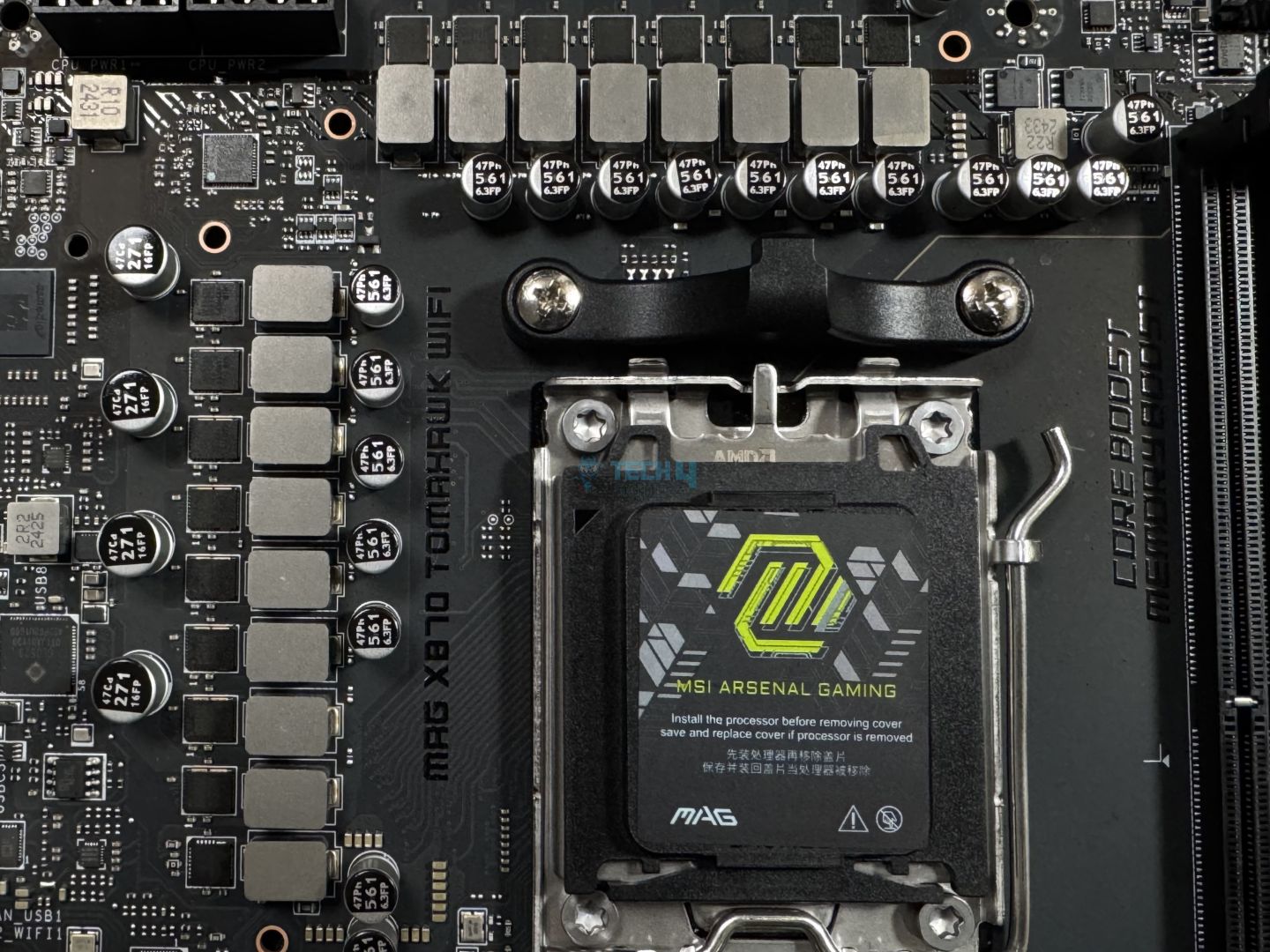
The MSI MAG X870 Tomahawk WiFi is a high-end motherboard with sturdy build quality, impressive connectivity options, and a beautiful design, albeit with a lack of RGB lighting, making its inclusion on the list self-explanatory. Regarding its performance, its 14+2+1 VRMs perform decently well in gaming and productivity tasks, and they also allow good overclocking opportunities for high-end AM5 socket CPUs. During my testing, the VRMs never exceeded 54°C, making it one of the coldest motherboards on my list.

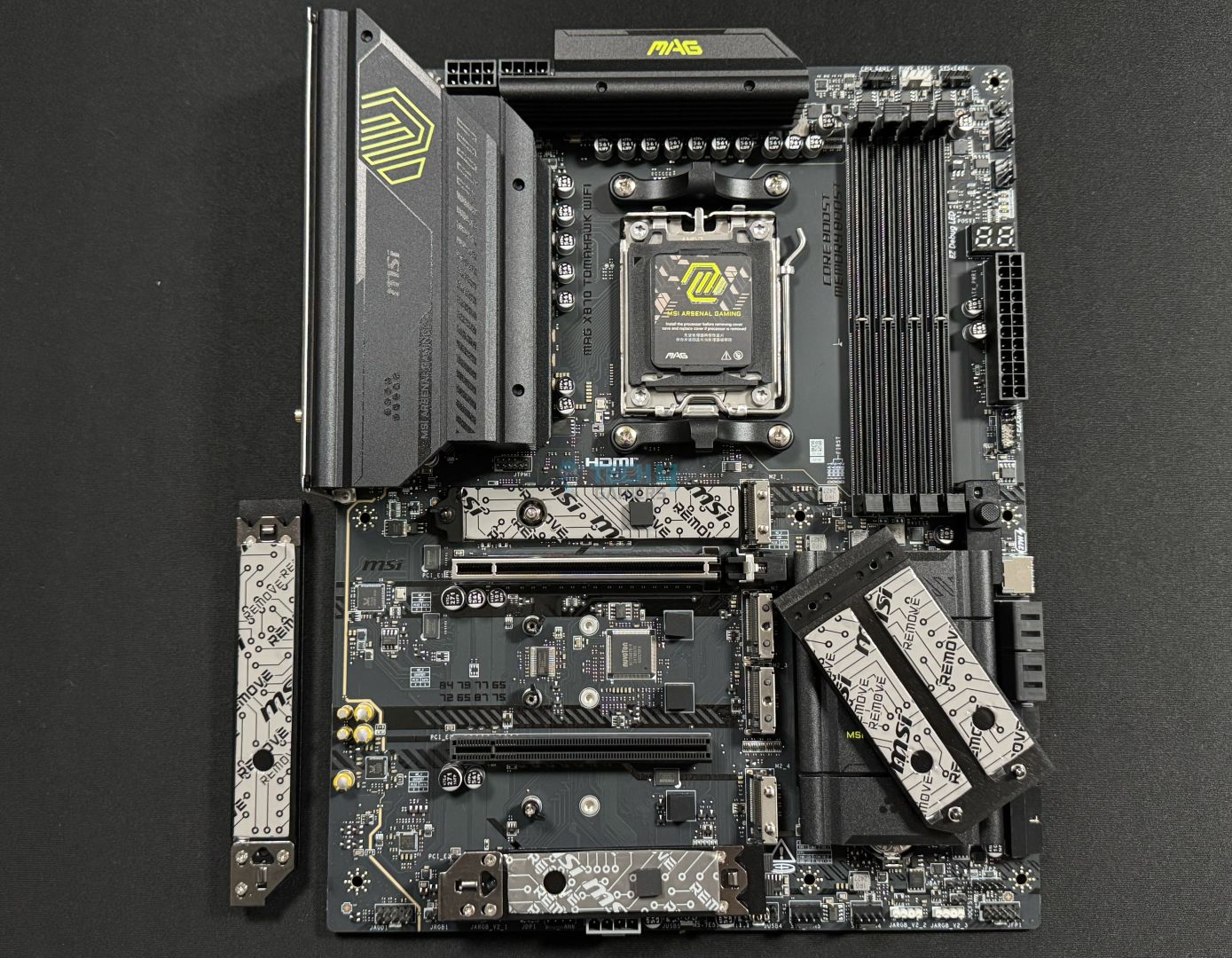
I also love the user-friendly design of the motherboard. For example, you get many EZ DIY features and mechanisms, making PC building more effortless than ever before. The MSI AI LAN manager tool is a godsend for gamers who are always looking for the lowest ping during competitive gameplay. Regarding the motherboard’s connectivity, you’re getting 11x rear and 9x front USB connectors, so you won’t have to worry about that. However, I would have preferred more than four SATA III connectors from a slightly expensive motherboard.

Being pleased with the motherboard, I didn’t have much to criticize against it in my review. Here’s what I commented about its performance and value:

The MSI MAG X870 Tomahawk WiFi is a motherboard costing $299, making it one of the pricier boards so far. For that, it offers reasonably capable VRMs, a minimalist black theme without RGB, a ton of EZ-DIY features to make life easier, and good overall performance. The EZ-DIY features are the highlight for us, but we feel the price tag is still a bit too high, especially given the board’s shared connectivity complications.

✅Buy It If
You play competitively: I recommend the MSI MAG X870 Tomahawk WiFi motherboard for everyone who plays competitively. You are looking for top-of-the-line internet, and with this motherboard’s AI LAN manager tool, you’ll always get the lowest ping without having to do anything manually. The tool ensures you get a buttery smooth gameplay experience at all times.

You’re looking for convenience during PC building: If you’re new to PC building and don’t want to mess up, this motherboard’s EZ DIY features and mechanisms will make your life much easier during the entire process. With features such as EZ PCIe release, EZ M.2 Shield Frozr II, EZ M.2 Clip (II), EZ Conn-Design, and more, you’ll be done building your PC in a jiffy!

❌Don't Buy It If
You don’t require the latest I/O: I don’t recommend buying this motherboard if you don’t require the latest features like WiFi 7 and USB4.0 because of the motherboard’s price. Buying a B650 or B670 for a more affordable price will allow you to spend the extra cash on another component.

What Makes It The Best Overall AM5 Motherboard?

With its superb performance, excellent overclocking potential, and versatile feature set, including many EZ DIY features, mechanisms, and more, the MSI MAG X870 Tomahawk WiFi is the best overall AM5 motherboard you can buy. The 14+2+1 VRM phase doesn’t go above 54°C, and with the MSI AI LAN manager tool, you won’t have to worry about your internet connection either.

Performance: 9/10 Value: 8/10
Features: 10/10 Design: 9/10

ASRock X870 Steel Legend WiFi

Best White AM5 Motherboard

Chipset: AMD X870 | Form Factor: ATX | Power Delivery: 14+2+1 | Memory Support: DDR5 8,000+ (OC) | Display Outputs: HDMI 2.1, 2x USB4 Ports, 1x DisplayPort 1.4 | USB Ports: 11x Rear, 9x Front | Storage: 3x M.2, 4x SATA III | Networking: WiFi 7, Realtek 2.5G LAN, Bluetooth 5.4

Pros

  • Capable 14+2+1 VRM phase
  • Beautiful white aesthetics
  • Incredible RAM capacity
  • Distinctive design featuring modest RGB lighting
  • M.2 heatsink quick-release mechanism

Cons

  • No debug LED
  • Mid-range ALC4082 audio codec

Read Our ASRock X870 Steel Legend WiFi Motherboard Review

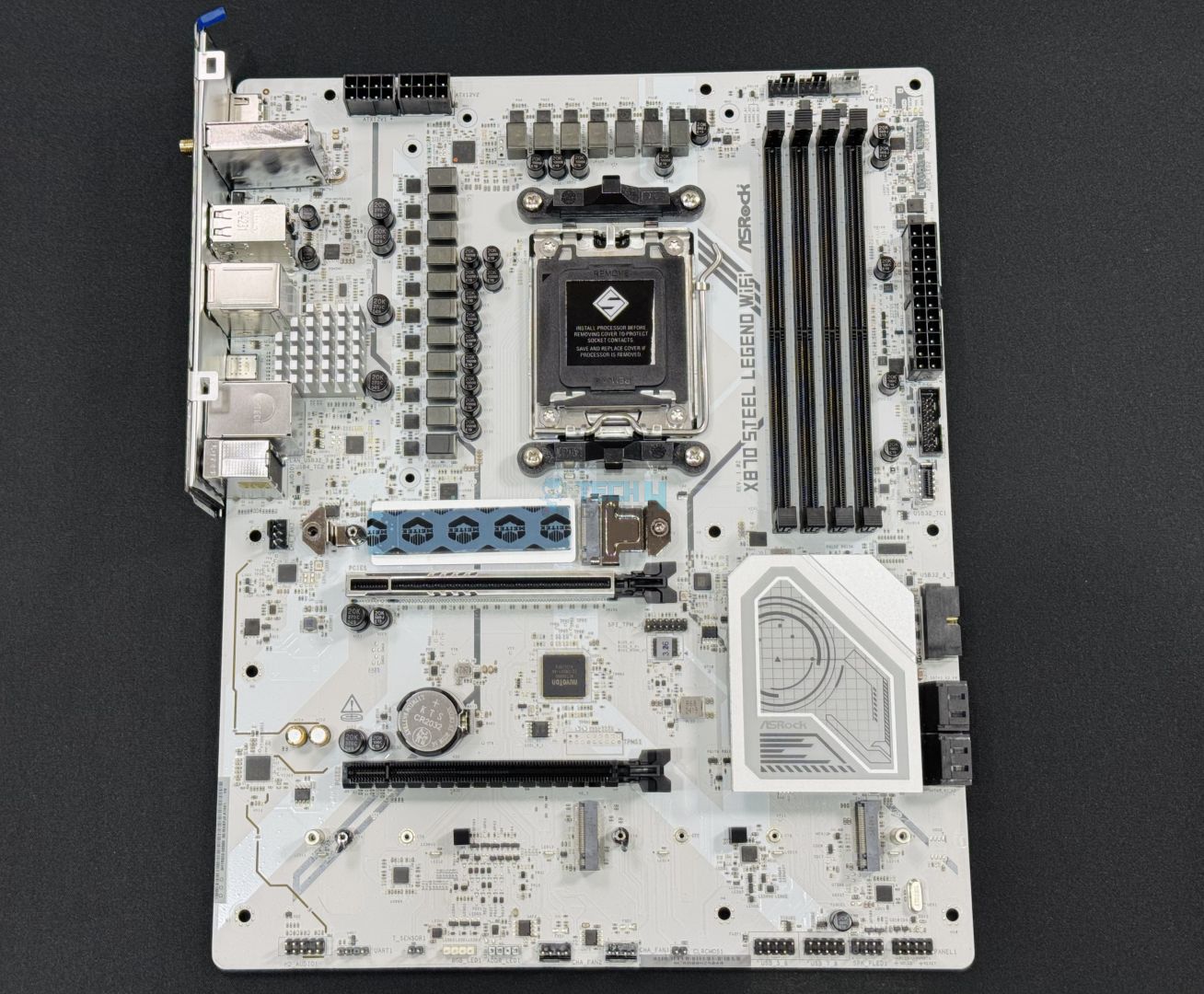
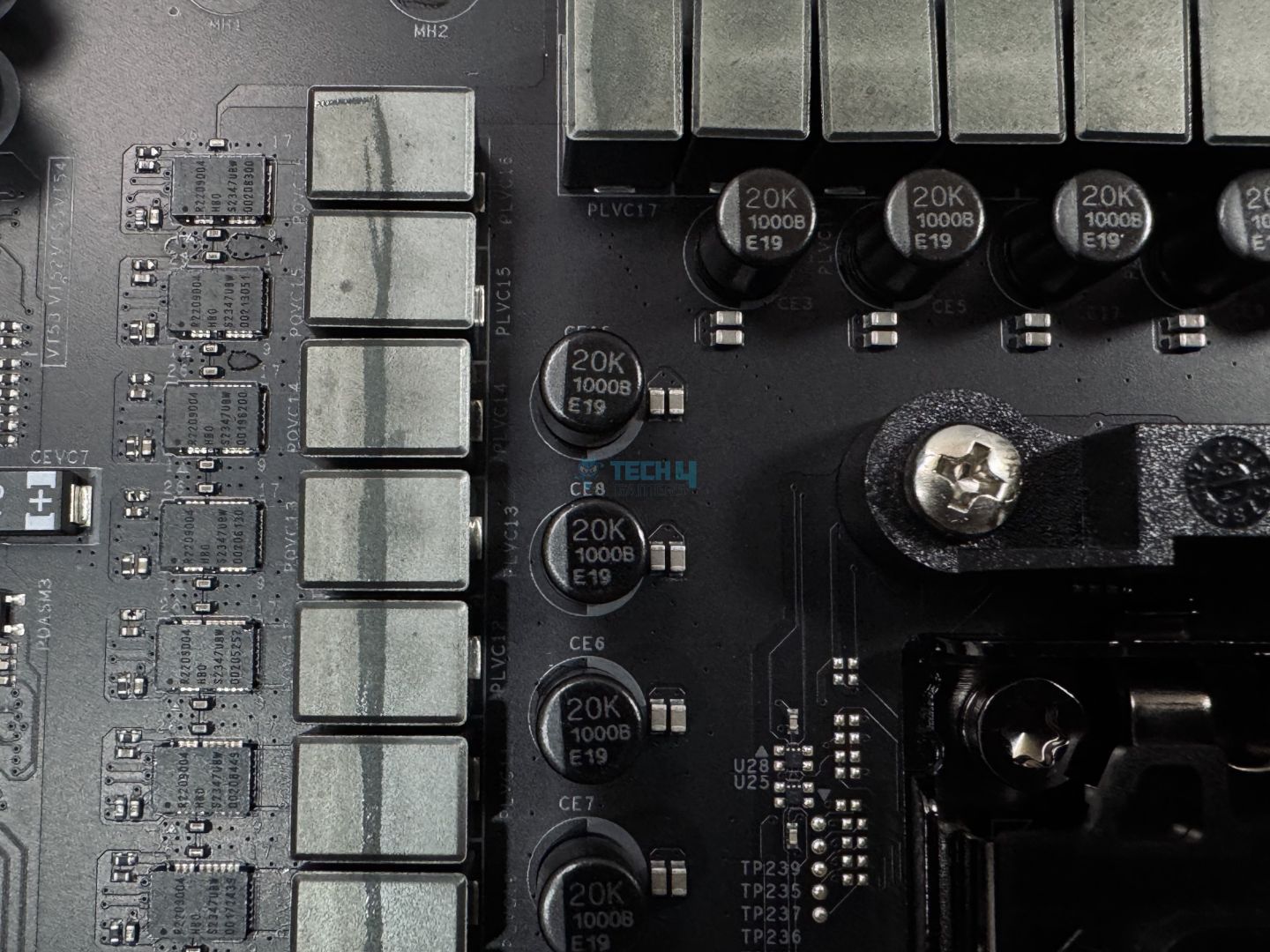
Need a high-end white motherboard for your new AM5 socket CPU? Whether using a midrange Ryzen 7 7700X or the flagship Ryzen 7 9800X3D, the ASRock X870 Steel Legend WiFi provides stable power delivery thanks to its 14+2+1 VRM phases. During my testing with the Ryzen 9 9900X, the motherboard’s power consumption was the lowest at 362W under max load. On the other hand, the temperatures could be lower at 64°C in Cinebench 2024, but there’s nothing to be concerned about.

Along with its superior performance, the motherboard also sports a beautiful white design with modest RGB lighting over the heatsinks, making it a perfect fit if you’re building a white PC. On the other hand, unlike other X870 motherboards, the Steel Legend WiFi doesn’t have that many EZ DIY features, making it less accessible for new PC builders. Moreover, I wasn’t pleased with the mid-range ALC4082 audio codec, although it won’t matter unless you’re an audiophile.

I fell in love with the motherboard’s aesthetics, value, and performance when I saw it installed on my test rig. Here’s what I commented about it in my review:

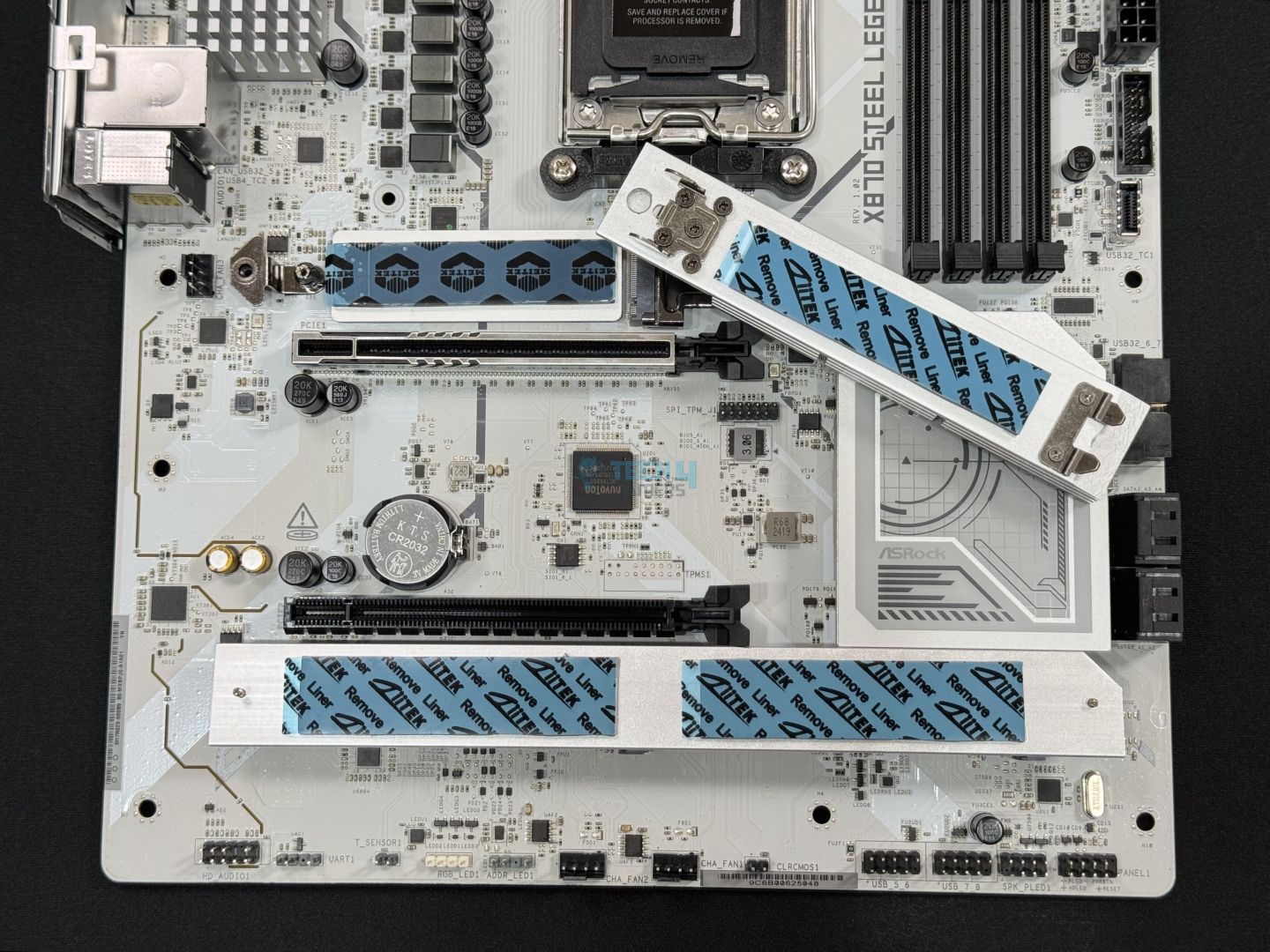
The ASRock X870 Steel Legend looks great, is priced fairly, and has enough connectivity for most users. It features a 14+2+1 VRM setup (80A SPS for VCore + SOC), which means you can comfortably run even the most demanding Ryzen CPUs on it. It also provides some convenient features like the toolless M.2 heatsink removal and anti-drop screws. Most of all, though, it’s a great board for getting onto the latest platform without breaking the bank.

✅Buy It If
You want the latest features on a lower budget: If you don’t have a high budget but want all the latest gizmos on your motherboard, the ASRock X870 Steel Legend WiFi will help you get WiFi 7, Bluetooth 5.4, and USB4.0 while keeping your wallet hot. On top of that, you’ll get a few DIY EZ features to simplify building your PC.

You need a well-rounded white motherboard: Are you building a new PC on the AM5 chipset with a white theme in mind? If so, this motherboard is the best white offering for the chipset in terms of pricing, performance, and features. You won’t regret making this purchase for your white PC.

❌Don't Buy It If
You need more convenience: Unfortunately, the ASRock X870 Steel Legend WiFi motherboard lacks some of the convenient design features that its competitors usually offer, such as an EZ debug LED and EZ PCIe release to troubleshoot the PC and install components quickly.

You’re an audiophile who wants high-quality audio features: If you’re a professional audio editor or audiophile who can easily feel the difference between audio qualities, I don’t recommend this motherboard because it only features a mid-range ALC4082 audio codec.

What Makes It The Best White AM5 Motherboard?

The ASRock X870 Steel Legend WiFi motherboard provides impeccable performance, decent overclocking support for Ryzen 7000 and Ryzen 9000 series CPUs, and beautiful white aesthetics with slight RGB lighting, which makes it the best white AM5 motherboard. Coupled with that, I love its lower price, making it more accessible for budget gamers.

Performance: 9/10 Value: 9/10
Features: 7/10 Design: 10/10

ASUS TUF Gaming B650-PLUS WiFi

Best Value AM5 Motherboard

Chipset: B650 | Form Factor: ATX | Power Delivery: 12+2 Phase VRM | Memory Support: 4x DIMM, 128GB, DDR5-6400+ | Display Outputs: HDMI, DisplayPort | USB Ports: 8x rear, 7x internal | Storage: 3x M.2, 4x SATA | Networking: 1x 2.5 GbE LAN, 1x Wi-Fi 6

Pros

  • Quite affordable
  • Robust power delivery
  • Versatile connectivity options
  • Superb build quality

Cons

  • Plain looks
  • Fewer PCIe lanes than X670

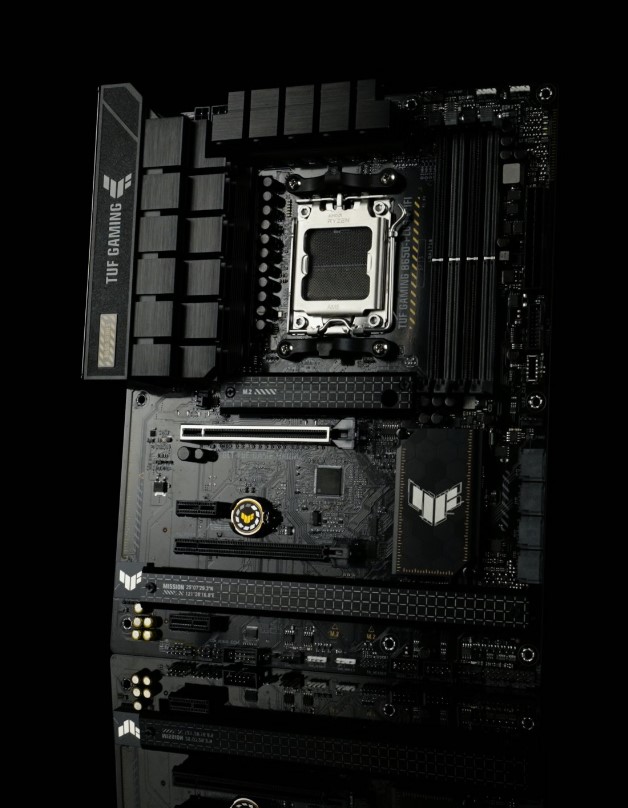
The TUF Gaming lineup of products from ASUS has its own distinct design language, and the B650-PLUS is an extension of that simplistic trend. The overall aesthetic of the board is quite understated and stealthy, while the overbuilt heatsinks betray a sense of ruggedness that is synonymous with the TUF brand. The TUF Gaming B650-PLUS is offered with a 12+2 phase VRM design with 60A power stages, which is a very respectable configuration for AM5 CPUs. My testing validates that this configuration can handle overclocking on the majority of Ryzen 7000 series CPUs without any issue, while the cooling system is top-notch as well.

The board retains its PCIe 5.0 connectivity in one of the three M.2 slots, while you also get 4 SATA ports for your classic drives. Networking is pretty standard, with a 2.5 GbE LAN port along with WiFi 6 for wireless connectivity. On the rear I/O, the USB 3.2 Gen 2×2 20Gbps port stands out immediately.

PRO TIP: Use the ASUS AURA Sync utility to configure the RGB lighting of this motherboard.
✅Buy It If

You want the best value for money: The TUF Gaming B650-PLUS maximizes the price-to-performance factor and checks a lot of boxes at an affordable price.

You want a reliable motherboard: With unique TUF components and additional durability features, the B650-PLUS is one of the most durable AM5 motherboards.

❌Don't Buy It If

You want RGB lighting: Although it looks quite nice already, a touch of RGB lighting could have improved the aesthetics of the TUF B650-PLUS.

What Makes It The Best Value AM5 Motherboard?

The affordable price point, solid build quality, versatile features, and superb value for money make the ASUS TUF B650-PLUS the best value AM5 motherboard.

Related: Best B650 Motherboards

Performance: 8/10 Value: 10/10
Features: 8/10 Design: 7/10

ASRock X670E Taichi

Best Overclocking AM5 Motherboard

Chipset: X670 | Form Factor: E-ATX | Power Delivery: 24+2+1 Phase VRM | Memory Support: 4x DIMM, 192GB, DDR5-6600+ | Display Outputs: HDMI, 2x USB-C | USB Ports: 10x rear, 9x internal | Storage: 4x M.2, 8x SATA | Networking: 1x 2.5 GbE LAN, 1x Wi-Fi 6E

Pros

  • Extraordinary 24-phase VRM
  • Superb build quality
  • Loads of storage options
  • Two USB-4 Type-C ports

Cons

  • Very expensive
  • No 10 Gigabit networking

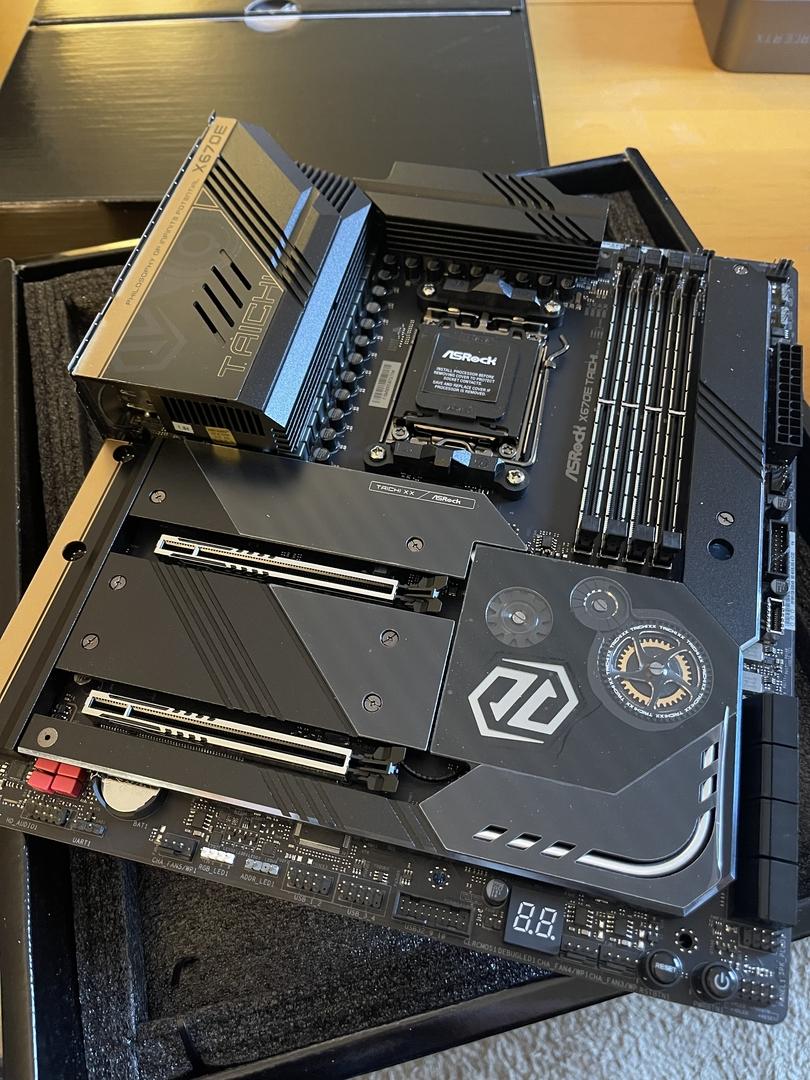
ASRock’s Taichi motherboards have a very distinct and daring design language that is also present in the X670E iteration. The PCB is almost entirely covered by huge black heat spreaders with some unique design elements on them. The 8-layer, server-grade ultra-low loss PCB ensures exceptional signal reliability. ASRock has equipped this board with a 24+2+1 phase VRM design with 105A power stages for the VCORE and 105A power stages for the SOC. This is an extremely impressive configuration that, according to my testing, can handle competitive overclocking on even the AMD Ryzen 9 7950X with ease.

On the rear I/O, the two USB 4 Type-C ports immediately stand out, as do the two USB 3.2 “Lightning Gaming” ports. The Taichi offers 4 M.2 slots and 8 SATA 6 Gbps ports for your storage needs, and networking is handled by a 2.5 GbE LAN port as well as WiFi 6E.

WARNING: If you’re planning on overclocking your CPU, make sure your CPU cooler is up to the task as well.
✅Buy It If

You want to overclock your Ryzen CPU: The superb 24+2+1 phase VRM design of the X670E Taichi makes it the ideal choice for overclocking according to my test results, especially if you have a premium Ryzen 7000 series CPU.

❌Don't Buy It If

You have a limited budget: The ASRock X670E Taichi will definitely make a noticeable impact on your savings.

What Makes It The Best Overclocking AM5 Motherboard?

The ASRock X670E Taichi is the best overclocking AM5 motherboard thanks to its extraordinary 24+2+1 phase VRM design with 105A power stages, coupled with a fantastic active cooling solution and robust 8-layer PCB.

Performance: 10/10 Value: 7/10
Features: 10/10 Design: 8/10

ASRock B650E PG-ITX WiFi

Best Mini-ITX AM5 Motherboard

Chipset: B650 | Form Factor: Mini-ITX | Power Delivery: 10+2+1 Phase VRM | Memory Support: 2x DIMM, 96GB, DDR5-6400+ | Display Outputs: HDMI, DisplayPort | USB Ports: 8x rear, 5x internal | Storage: 2x M.2, 2x SATA | Networking: 1x 2.5 GbE LAN, 1x Wi-Fi 6E

Pros

  • Ideal for compact PCs
  • Active M.2 cooling
  • Loads of USB ports
  • Decent networking options

Cons

  • Plain looks
  • Loud M.2 cooling fan

Read Our ASRock B650E PG-ITX WiFi Review

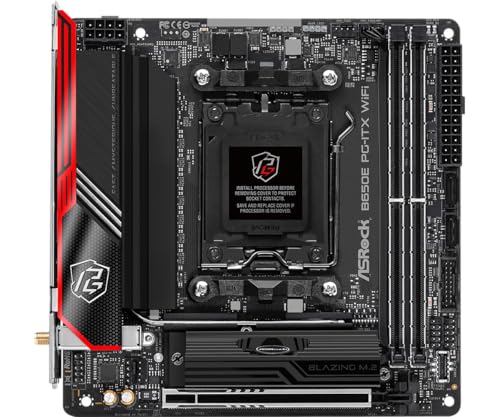
The B650E PG-ITX is quite simplistic in its design approach, and that is a perfectly fine choice. The PCB is black with massive heatsinks in the same color, while the I/O cover has a dash of red and silver on the side. The board has a 10-layer server-grade low-loss PCB that ensures maximum signal integrity. With its 10+2+1 phase design with 105A power stages, the B650E PG-ITX is a great choice for overclocking mid-range AMD Ryzen 7000 series CPUs. In my testing, the MOSFETs were operating at around 60C after a one-hour all-core stress test with the AMD Ryzen 7 7700X, showcasing the impressive cooling solution of the board.

Despite being a compact board, the ASRock B650E PG-ITX delivers two M.2 slots and two SATA ports for your storage needs. Networking is pretty standard, with a 2.5 GbE LAN port and WiFi 6E capability. The rear I/O is rather well-equipped for a mini-ITX motherboard, especially with the USB 3.2 Gen 2 Type-C port.

We asked our trusted motherboard expert, Nauman Siddique, for his perspective on the ASRock B650E PG-ITX.

“It is a tiny beast featuring an AM5 platform with a plethora of features and efficient cooling for key components”.

✅Buy It If

You want a compact motherboard: The ASRock B650E PG-ITX is the motherboard to pick if you’re building a small form factor (SFF) gaming PC.

❌Don't Buy It If

You want RGB lighting: Although a nice-looking motherboard, the B650E PG-ITX lacks a splash of RGB lighting.

What Makes It The Best Mini-ITX AM5 Motherboard?

Since it offers superb features, robust power delivery, and active M.2 cooling in a compact size, the ASRock B650E PG-ITX is the best mini-ITX AM5 motherboard out there.

PRO TIP: Buying a mini-ITX motherboard? Be sure to cross-check the compatibility of your PC case with your motherboard.
Performance: 8/10 Value: 8/10
Features: 8/10 Design: 7/10

How We Tested & Picked The Best AM5 Motherboards

Here are some key factors that you should consider when shopping for an AM5 motherboard.

  • VRM and Overclocking: A robust VRM design with adequate power phases ensures stable and efficient power delivery to your components, especially the CPU. Consider the number of power phases, their configuration, the quality of underlying components, and the capacity of the power stages.
  • Chipset choice: In the process of buying a new AM5 motherboard, the choice between X670 vs. B650 is crucial as it determines the features and capabilities of the motherboard. Different chipsets offer varying levels of connectivity options, such as PCIe lanes, SATA ports, and M.2 slots, allowing you to connect various devices and expand your system.
  • Features: When you’re in the market for a new motherboard, it is crucial to consider its feature set, including networking, storage capabilities, and USB connectivity. Networking features determine your system’s connectivity options, while the storage options affect your ability to configure high-speed storage solutions.
  • Aesthetics: In addition to the technical specifications, the design and aesthetics of a motherboard should also be considered. The motherboard serves as the centerpiece of your PC build, and its visual appeal can enhance the overall aesthetics of your system. Factors to consider include the color scheme, lighting options, and overall design elements.
  • Value For Money: When choosing a motherboard, it’s important to consider the value for money it offers rather than solely focusing on the price tag. It’s essential to strike a balance between the price and the features, performance, and durability you require for your specific needs.

FAQs

Can you run DDR4 on AM5?

You cannot run DDR4 memory on AM5 motherboards. The new AM5 platform only supports DDR5 memory on all its chipsets.

Is Ryzen 5000 compatible with AM5?

AMD Ryzen 5000 series CPUs are not compatible with AM5 motherboards. They are compatible with the AM4 socket, while the AM5 motherboards use the new AM5 socket. Moreover, the CPUs have pins on them that are not physically compatible with the socket.

What chipset is AM5?

The AM5 motherboards come with 2 different chipsets, X670 and B650. Both these chipsets have 2 variants (X670E and X670, B650E and B650) which offer different connectivity and expansion features.

What socket does AM5 use?

The AM5 motherboards use the brand-new AMD AM5 socket. It is a Land Grid Array (LGA) socket with 1718 pins instead of the old Pin Grid Array (PGA) socket that was present on AM4 motherboards.

Is X670E better than X670?

X670E is better than X670 since it offers more connectivity options and better overclocking support. There are 24 PCIe 5.0 lanes in X670E versus only 8 PCIe 5.0 lanes in X670. Moreover, X670E motherboards have better power delivery capabilities for overclocking.

We have tested even more AM5 motherboards:

 

New TGA Update Allows Expansions And Remakes To Win GOTY Award

Story Highlight
  • Expansions and Remakes can now win in all nominated categories at The Game Awards. 
  • This means releases like Silent Hill 2 and Shadow of the Erdtree can win the GOTY award.
  • This is a policy change from the previous editions where DLCs weren’t nominated. 

The Game Awards are closer than ever and Geoff Keighley has dropped a new update for this year’s nominees eligibility criteria. For the first time, even expansions and DLCs can win all the categories even the Game of The Year award. 

Why it matters: In the earlier awards, DLCs couldn’t win the award even if they launched after a considerable time since the launch of the base game. But this year, it leaves the doors wide open for Shadow of The Erdtree to snag the GOTY. 
DLCs can now win in all categories at The Game Awards

Even last, Resident Evil 4 Remake was nominated for the GOTY award. And now, all remasters, remakes, expansions, and DLCs can win their given categories. So, games like Silent Hill 2, and DLCs like Elden Ring’s now have a solid chance. 

Expansion packs, new game seasons, DLCs, remakes and remasters are eligible in all categories, if the jury deems the new creative and technical work to be worthy of a nomination

Elden Ring Shadow of the Erdtree
Shadow of the Erdtree is now a solid GOTY contender

However, fans don’t seem too thrilled about the prospect of Edlen Ring winning another GOTY award for its DLC. But, when it was released many people believed it should qualify for the award.

Moreover, the FAQ page on The Game Award’s site shows the voting criteria for the event too. According to it, 90% of the voting is done by the Jury and the rest 10% is public. The voting closes on December 11 for the general public. 

Nonetheless, it will be interesting to see what goes down at the event. There have been some solid releases this year that do have a solid chance of winning the prestigious award. These include Final Fantasy 7 Rebirth, Black Myth: Wukong, and more.
What are your thoughts on expansions now eligible for the GOTY award? Let us know your opinions in the comments or join the discussion at the official Tech4Gamers Forum

GTA 6 Leaked Screenshots Reveal Stunning Details of Coastal Side; New Trailer Expected Soon

Story Highlight
  • Multiple screenshots of GTA 6 have surfaced online.
  • They highlight a gorgeous sunset, a new look at Jason, and more.
  • These leaks appear to be pointing to an official look from Rockstar Games very soon.

GTA 6 is, by and large, the most anticipated game coming next year. Following last year’s record-shattering trailer, much has been said about Rockstar Games’ next major showing of the Grand Theft Auto title.

While the team has been silent for over 11 months, rumblings about a new trailer have already begun. New leaked screenshots have also begun to appear, highlighting the gorgeous visuals that everyone expects from GTA 6.

Why it matters: This is not the first time GTA 6 has been leaked. After multiple leaks, fans have become accustomed to learning more about the game through unofficial sources, and this time is no different.

View post on imgur.com

The new leaks come from Twitter, and as seen above, GTA 6 depicts a mesmerizing sunset across the coastline. The ocean also impresses with realistic reflections and a detailed look overall.

While the image itself is blurry, it gives fans a taste of what to expect. GTA 6 was already said to be targeting a new bar for visuals and realism, and this leak only gives fans one more reason to trust such claims.

View post on imgur.com

Another leak highlights protagonist Jason, putting the ocean front and center yet again. The distant buildings in Rockstar Games’ rendition of Miami look gorgeous as a backdrop in this screenshot, while the water surface continues to look better than ever.

This screenshot has also led many to believe that the next trailer will focus on Jason, a popular theory that has been around ever since Rockstar Games debuted last year’s trailer and focused on Lucia.

View post on imgur.com

Wrapping up the leaks, the third image gives fans another look at Lucia. GTA 6’s impressive NPC density is on full display here, something that was already talked about after the first trailer.

Because the screenshots showcase different parts of the game and look more detailed than past leaks, fans believe that the next GTA 6 trailer is right around the corner. Perhaps the upcoming trailer will give us an official look at these screenshots.

However, only time will tell if Rockstar Games has something planned for 2024. Till then, share your thoughts in the comments, and continue the discussion on the Tech4Gamers Forums.

Why You Should Use A VPN For Gaming, Even For Single-Player Titles

Story Highlight
  • Beyond the typical privacy advantages, a VPN offers several benefits for gamers.
  • It allows gamers to bypass geographical restrictions, gain access to specific content, and more.
  • This makes VPNs essential, even for those who primarily stick to single-player titles.

A while back, the global phenomenon Helldivers 2 faced an unusual problem. PlayStation decided that it would only allow players to register on their platform, which was a huge problem since the store wasn’t even available all over the globe. This means some people who had already paid for the game could no longer access it. This was, of course, unless you had access to a VPN.

With a growing number of live-service games and the fact that you do not actually own games you buy digitally (you own a license instead), installing a VPN might be an extra guarantee for gamers worldwide.

With that in mind, and to move past this hypothetical scenario, here are some other reasons why using a VPN might be smart, even for gamers who primarily focus on offline games (if such a thing still exists in this era of live service).

Why it matters: VPNs are constantly growing in popularity, but most still don’t realize their true benefits.

Gaming
A VPN Can Complement A High-End Gaming Setup

Access To Regional Content

You’d be surprised how many games lock offline content to specific regions. It’s frustrating, especially since you’ve paid for it and simply want to enjoy it. A VPN, however, lets you bypass these blocks, giving you unrestricted access to the content you rightfully own.

This isn’t about bypassing any legal boundaries; it’s about using something you’ve already bought. You’re simply enjoying the game in its entirety without limitations. Also, let’s face it: you shouldn’t have to miss out just because of where you live.

Sometimes, developers change the rules after you’ve already bought the game. Think of it as buying a ticket to an event and finding out at the last minute you’re not allowed in. This is where a VPN can be incredibly useful, letting you sidestep these late restrictions.

A good VPN can let you avoid all the regional headaches and you’re bound to find one that suits you on the list of best VPNs for 2025. Just pick a server in the region where the content is accessible, and you’re good to go. Moreover, it doesn’t compromise your gameplay experience – it just lets you enjoy what you’ve paid for, restriction-free.

Enhanced Privacy

VPN
Using A VPN Can Transform Your Gaming Experience

Thanks to a VPN, you’re much harder to track. Your ISP and third-party data collections can’t follow your every move. You can play games without feeling like someone’s looking over your shoulder, which can be refreshing, especially in a single-player experience.

Some games collect a lot of data, even when you’re just playing solo. Your VPN can help keep your personal information safer, creating a barrier that game networks can’t just cross. Also, it limits what they know about you, making your gaming more private and secure.

Even in single-player mode, games sometimes collect data. This could be information on your playing habits, location, or device. However, a VPN helps mask your data, which means they can’t collect much from you. It’s a great way to enjoy games without feeling constantly monitored.

A VPN acts like a curtain around your online activities. Also, when you’re gaming, it means you’re not broadcasting your location or personal info. It’s just you and the game – no unwanted attention, no one else knowing what you’re doing – privacy at its best.

Bypassing Geo-restrictions On Game Updates

Developers often release updates region by region, which means waiting if your area isn’t a priority. However, with a VPN, you can set your location to a region that’s already received the update, allowing you to enjoy the latest content without any delay.

Waiting for an update can be frustrating, especially if it’s available elsewhere. A VPN can change that by letting you appear in a region where the patch is live. Also, no more lagging or risking spoilers because your update isn’t here yet – just play on.

Sometimes, developers release special content in select regions, leaving others out. You can unlock this exclusive content using a VPN as if you were a local. So, whether it’s extra skins, maps, or items, you don’t have to miss out due to your location.

Keeping your game version up-to-date is crucial, especially if updates bring new features or improve gameplay. With a VPN, you can ensure you’re always on the latest version, syncing up with global players. Also, this means less hassle in staying current.

Early Access To Game Releases

Call of Duty Black Ops 6
Call of Duty Fans Typically Change Their Regions To Play The Latest Games Ahead of Time

Sometimes, game releases roll out based on the time zone, which means waiting for your turn. Imagine paying $70 for a AAA release and having to wait a few extra hours for it to become available. A VPN can get you around that, setting your location to where the game is live. So, you’re not sitting around; you’re already playing while others are still waiting.

When you’re eager for a new game, every hour counts. A VPN can align you with time zones where the release is already happening. Also, this way, you can jump in as soon as it’s available anywhere worldwide, skipping the wait in your own region.

Some games launch at midnight, but only in select places. You can set your location to one of these lucky regions with a VPN and start early. It’s like joining an exclusive club where you’re among the first to experience the newest content.

This approach is commonly used for games like Call of Duty. Following the day-one Game Pass launch of Black Ops 6, many content creators also relied on switching regions to gain early access to the title.

Avoiding Unwanted In-Game Ads Or Promotions

Some games display ads based on your location, even if you’re playing solo. This can be annoying and disrupt the immersion. However, a VPN can mask your location, reducing these pop-ups and letting you focus purely on the game instead of dealing with ads. We’re, of course, talking about real games with ads, not ads disguised as mobile games.

Ad-targeting algorithms get confused when you’re using a VPN, which can minimize those repetitive ads. Also, without your true location, you’re less of a target, making for a cleaner gaming experience without interruptions that try to sell you something every few minutes.

Freemium games tend to go heavy on ads, especially location-specific ones. However, a VPN makes it harder for these games to place targeted ads, cutting down the number of pop-ups. It’s a simple way to enjoy a smoother, less ad-filled gameplay session.

Nothing ruins immersion like an ad. When you’re playing an offline game, you want to stay in that world. A VPN reduces ad intrusion, keeping your gaming experience pure. Also, without these constant pop-ups, you can focus on the storyline and gameplay.

A VPN Is Essential

Ultimately, a VPN offers benefits that go way beyond multiplayer sessions or online browsing. It’s about having unrestricted access, keeping your data safe, and even dodging unwanted ads while gaming. You’re taking control of your gaming experience – one that’s private, ad-free, and secure, whether you’re battling online or exploring single-player worlds.

With so many perks, adding a VPN to your gaming setup just makes sense. Also, once you experience the added freedom, you’ll wonder why you didn’t start sooner. So go ahead and dive into your favorite games with the confidence a VPN brings.

Ryzen 7 9800X3D Vs Ryzen 9 7900X3D: We Tested Both

AMD Ryzen 7 9800X3D

Rated: 9.3/10

AMD Ryzen 9 7900X3D

Rated: 9.1/10


Pros And Cons

CPUProsCons
AMD Ryzen 7 9800X3D✅ 96MB of L3 Cache
✅ Improved overclocking potential
❌ Inferior core and thread count
AMD Ryzen 9 7900X3D✅ Enhanced gaming performance
✅ Improved power efficiency
❌ Less efficient in temperature management

Key Takeaways

  • Starting off, while testing the average FPS across 6 different games, I found the 9800X3D in a clear lead as it was 17.5% ahead of its peer 7900X3D.
  • On the other hand, the thermal efficiency painted a different picture, as the 7900X3D proved to be 13.5% cooler compared to the 9800X3D.
  • Going over the pricing of the two chips, the 9800X3D comes with a 21.4% cheaper price than the 7900X3D, which makes it a more appealing option.
  • Overall, I can easily recommend the 9800X3D to any user looking for an upgrade or a switch granted they can get it at a good price rather than a scalped one.

Why Trust Tech4Gamers
  • Shehryar is our comparison expert who has been comparing graphics cards, and processors.
  • 500+ components tested and compared by our team of comparison experts (Tech4Gamers Team).
  • 1000+ hours spent testing different components for our comparisons.
  • Objective testing criteria (See how we compare PC hardware).

At Tech4Gamers, ensuring you get reliable information is our priority. That’s why every comparison undergoes a meticulous review process by our team of experts and editors. Each comparison is carefully examined against our strict editorial guidelines, guaranteeing you trustworthy insights you can depend on.

Comparison Table

FeatureAMD Ryzen 9 7900X3DAMD Ryzen 7 9800X3D
No. of CoresTotal: 12Total: 8
No. of Threads2416
Base Clock4.4GHz4.7GHz
Boost ClockMax Turbo: Up to 5.6GHzMax Turbo: Up to 5.2GHz
Integrated GraphicsAMD Radeon GraphicsAMD Radeon Graphics
Best MotherboardBEST Motherboards For Ryzen 9 7900X3DBest Motherboard For Ryzen 7 9800X3D
Best RAMBest RAM For Ryzen 9 7900X3DBest RAM For Ryzen 7 9800X3D
Best CoolerBest CPU Coolers For Ryzen 9 7900X3DBest CPU Cooler For Ryzen 7 9800X3D
Processor ReviewAMD Ryzen 7 9800X3D

Architectural Differences

  1. Core Count: Firstly, the Ryzen 7 9800X3D packs 8 cores and 16 threads, while the Ryzen 9 7900X3D steps it up with 12 cores and 24 threads.
  2. Clock Speed: Moving onto speeds, the 9800X3D runs at a base clock of 4.7 GHz, boosting up to 5.2 GHz, whereas the 7900X3D starts at 4.4 GHz and can reach up to 5.6 GHz.
  3. Cache: In the cache department, the 9800X3D features 104MB of cache (8MB L2 + 96MB L3), and the 7900X3D offers 140MB (12MB L2 + 128MB L3).
  4. Process Node: The 9800X3D is built on a 4nm process, while the 7900X3D uses a 5nm process, showcasing the more advanced technology on the former.
  5. TDPWhen it comes to power draw, both the processors have a Thermal Design Power (TDP) of 120W.

The X3D chips from the 9000 series have recently appeared in the market and are already garnering massive attention due to their infamous performance standards. In this article, I will test the Ryzen 7 9800X3D Vs Ryzen 9 7900X3D to see which one comes out on top.


Gaming Benchmarks – 2160p

To keep things fair and accurate, both of these chips will be tested across a number of games at 4K resolution and the same testing rig to find out their difference in performance when it comes to gaming benchmarks. Let’s get started.

Test Bench

God of War

God of War
God of War 2160p Gaming Benchmarks – Image Credits (Tech4Gamers)
  • Playing God of War on the Ryzen 7 9800X3D, I noticed an average of 141 FPS, while the 7900X3D lagged behind at 124 FPS. That’s about a 12.8% increase with the 9800X3D, which gave it a smoother feel overall.
  • For those pesky frame drops, the 9800X3D held up better, sticking around 80 FPS versus the 7900X3D’s 75 FPS a modest 6.4% difference. It’s not a massive change, but enough to make things feel a bit more stable.

Cyberpunk 2077

Cyberpunk 2077
Cyberpunk 2077 2160p Gaming Benchmarks – Image Credits (Tech4Gamers)
  • Cyberpunk 2077 felt noticeably smoother with the Ryzen 7 9800X3D, reaching 93 FPS compared to just 74 FPS on the 7900X3D. That’s a solid 22.7% boost, which makes a difference when you’re racing through Night City.
  • The 1% lows really highlight the 9800X3D’s advantage of 75 FPS versus the 7900X3D’s 50 FPS, giving a 40% improvement. Those dips did less stuttering, keeping the game fluid even in intense moments.

Assassin’s Creed Valhalla

Assassin's Creed Valhalla
Assassin’s Creed Valhalla 2160p Gaming Benchmarks – Image Credits (Tech4Gamers)
  • In Valhalla, the 9800X3D pushed out 131 FPS while the 7900X3D managed 106 FPS, about a 21% difference. That extra boost helped a lot in crowded areas, making the game feel more immersive.
  • The 9800X3D held a steadier baseline too, with 1% lows at 105 FPS compared to 87 FPS on the 7900X3D, a roughly 18.7% increase. Those minor drops were barely noticeable, even in intense action sequences.

Watch Dogs Legion

Watch Dogs Legion
Watch Dogs Legion 2160p Gaming Benchmarks – Image Credits (Tech4Gamers)
  • With Watch Dogs Legion, I got 123 FPS on the Ryzen 7 9800X3D versus 102 FPS on the 7900X3D, an 18.6% bump. This extra power was noticeable in the fast-paced car chases and kept things feeling sharp.
  • The 1% lows were also stronger on the 9800X3D, holding around 107 FPS compared to 89 FPS on the 7900X3D (around an 18.3% gain). It really made a difference when dashing through busy parts of the city.

Red Dead Redemption 2

Red Dead Redemption 2
Red Dead Redemption 2 2160p Gaming Benchmarks – Image Credits (Tech4Gamers)
  • Red Dead Redemption 2 was especially smooth on the 9800X3D, hitting 142 FPS compared to the 7900X3D’s 116 FPS, or about 20.1% more frames. This made roaming through the stunning open world feel even more seamless.
  • In those unpredictable moments like big gunfights or fast action scenes the 9800X3D held its ground with 1% lows around 106 FPS, whereas the 7900X3D dropped to 75 FPS, a big 34.2% difference. 

Horizon Zero Dawn

Horizon Zero Dawn
Horizon Zero Dawn 2160p Gaming Benchmarks – Image Credits (Tech4Gamers)
  • On Horizon Zero Dawn, the 9800X3D ran at an average of 139 FPS, compared to 123 FPS on the 7900X3D, giving about a 12.2% edge. This boost added a bit more smoothness to the gorgeous landscapes and intense battles.
  • The 1% lows on the 9800X3D hit around 103 FPS, compared to 92 FPS on the 7900X3D a decent 11.2% difference. This consistency made the gameplay feel less choppy, even in dense, foliage-heavy areas.

Productivity Benchmarks

Now that the gaming section has been covered, let’s move on to the productivity scales and see how these processors hold up against each other across a number of different benchmark tests.

Cinebench R24

Cinebench R24
Cinebench R24 Productivity Benchmarks – Image Credits (Tech4Gamers)
  • The Ryzen 7 9800X3D pulled a score of 133 in Cinebench R24 single-core, while the Ryzen 9 7900X3D came in slightly lower at 122. That’s an 8.6% edge with the 9800X3D, giving it a slight bump in single-threaded tasks.
  • But the 7900X3D takes the lead in multi-core performance here, scoring 1596 compared to the 9800X3D’s 1318 a solid 19% advantage. This higher multi-core performance on the 7900X3D would be helpful for intensive workloads.

Geekbench 6

Geekbench 6
Geekbench 6 Productivity Benchmarks – Image Credits (Tech4Gamers)
  • In Geekbench’s single-core test, the Ryzen 7 9800X3D delivered a score of 3307, while the Ryzen 9 7900X3D only managed 2235. That’s a pretty significant 38.6% increase for the 9800X3D, which translates to snappier performance.
  • Both processors are pretty close in multi-core here. The 9800X3D scored 18,223, and the 7900X3D was just a touch behind at 17,857, a minor 2% difference. But the 9800X3D did edge out slightly in multi-threaded workloads as well.

iGPU – FP32 Performance

iGPU - FP32 Performance
iGPU – FP32 Performance Productivity Benchmarks – Image Credits (Tech4Gamers)
  • Both processors scored identically in the FP32 performance test at 564. No difference here both handle this benchmark with equal efficiency.

Overall Performance

Featured
Ryzen 9 7900X3D
Ryzen 7 9800X3D
Average FPS
📈107.5
📈128.1
1% lows
📉78
📉96
Productivity Score
✏️9.1/10
✏️9.3/10
Winner
-
AMD Ryzen 7 9800X3D
Featured
Ryzen 9 7900X3D
Average FPS
📈107.5
1% lows
📉78
Productivity Score
✏️9.1/10
Winner
-
Buy Now
Featured
Ryzen 7 9800X3D
Average FPS
📈128.1
1% lows
📉96
Productivity Score
✏️9.3/10
Winner
AMD Ryzen 7 9800X3D
Buy Now

Average Framerate

After completing the gaming benchmarks, the 9800X3D can be easily crowned as the victor as it not only provides a significant 17.5% advantage in overall performance but beats the 7900X3D in every game we tested with a comfortable margin.

1% Lows

Similar to the average FPS, the 1% paints a similar picture as I saw the 7900X3D provides a 20.6% more stable gaming performance and lower FPS dips when compared to the 7900X3D showcasing the advantage of the newer gen’s technological advancement.

Productivity

Finally, going over the productivity benchmarks both processors were closely tied, with one taking the lead over the other under different tests. But I will give a slight edge to the 9800X3D as it provides close performance and belongs to the latest generation.

Thermal Efficiency

GameRyzen 9 7900X3D (°C)Ryzen 7 9800X3D (°C)
God of War7380
Cyberpunk 20777592
Assassin's Creed Valhalla7479
Watch Dogs Legion7180
Red Dead Redemption 27284
Horizon Zero Dawn7589
Average Thermal Statistics73.3🌡️84🌡️
Winner: AMD Ryzen 9 7900X3D

In terms of thermal efficiency, my testing showcased the 7900X3D to be performing better than the 9800X3D. On average the former ran 13.5% cooler than its competition which could be due to the performance capabilities of the new chip.

Price 

CPURyzen 9 79000X3DRyzen 7 9800X3DPrice Difference
Launch MSRP💲599💲47922.2%
Current Price💲594💲47921.4%

As I researched the market for the pricing aspect, I found the 9800X3D to be 21.4% cheaper than the 7900X3D as its launch price is lower. But this can change pretty soon if the stocks run out and scalpers take advantage of the situation.

What We Recommend

AMD Ryzen 9 7900X3D: After benchmarking the 7900X3D under different situations, I can comfortably say the processor can still hold its own against a lot of the other options currently available in the market while generating less heat.

AMD Ryzen 7 9800X3D: The X3D chips have always been a powerhouse and the very same is true for the 9800X3D. It can take everything you throw at it head-on and still come out with great results which showcases the capability of this processor.

Although both processors have their advantages when compared against each other the 9800X3D takes the crown as it not only beats the 7900X3D in all gaming benchmarks but also gives it a very tough time when it comes to productivity tasks.

FAQs

Do these processors support overclocking?

Yes, both processors support overclocking. Notably, the Ryzen 7 9800X3D is the first X3D processor to be fully unlocked for overclocking, allowing enthusiasts to fine-tune performance.

Do these CPUs include integrated graphics?

Yes, both processors feature integrated Radeon Graphics, providing basic graphical capabilities without the need for a discrete GPU.  

What memory support do these processors offer?

Both the Ryzen 7 9800X3D and Ryzen 9 7900X3D support DDR5 memory.

How do these CPUs handle PCIe connectivity?

Both processors support PCIe 5.0, providing ample bandwidth for the latest graphics cards and storage solutions.

Are these processors compatible with existing AM5 motherboards?

Yes, both the Ryzen 7 9800X3D and Ryzen 9 7900X3D are designed for the AM5 socket, ensuring compatibility with a wide range of AM5 motherboards.

PS5 Pro Price Already Cut By UK Retailers Due To Low Demand

Story Highlight
  • PS5 Pro is being sold at a reduced price by UK retailers. 
  • The console is out for a week and is already receiving price cuts. 
  • Scalpers are also selling it at a loss on sites like eBay. 

The PlayStation 5 Pro has now been out for about a week and after thorough testing, it doesn’t seem like the upgrade that it promised. Therefore, due to low demand, retailers in the UK have already cut the prices of the PS5 Pro. 

Why it matters: Fans have been vocal about the $700 price tag and openly criticizing it. This has led to low sales therefore forcing retailers at least in the UK to already reduce the price. 

PS5 Pro Price Cut by UK retailers

UK retailer EE and Argos have slashed the PS5 Pro’s price by £40. It was originally priced at £699.99 but is now selling for £659.99. Since the site doesn’t mention anything about the original price, it seems that the £40 off is here to say.

This isn’t surprising as PS5 Pro is also readily available at most retailers right now. This isn’t normally the case with new releases. Even the base PS5 sold at a significantly higher price when it was released and stock was rarely seen albeit that was COVID times. 

PS5 Pro Featured
PS5 Pro has a lot less demand than expected

Even the scalpers have faced the heat as they are currently selling the PS5 Pro at a loss. You can even find it for as low as £600 on platforms like eBay. This indicates Sony is struggling to sell its latest hardware. 

Nonetheless, it seems that more price cuts will follow based on the seemingly underwhelming sales. However, we are yet to receive any official sales figures from Sony at this point. 

What are your thoughts on the PS5 Pro already getting a price cut? Let us know in the comments or join the discussion at the official Tech4Gamers Forum.

Phil Spencer Says Stalker 2 Is A Good Game of The Year Candidate

Story Highlight
  • Stalker 2 is shaping up to be one of the biggest launches this year. 
  • The Xbox boss, Phil Spencer thinks that it is going to be some people’s favorite game of the year. 
  • Phil Spencer has already played the game before so his comments regarding the title have increased the overall hype. 

Stalker 2 has had a lot of troubles in its development as the went through multiple delays. However, now the game is finally being released in less than a week so the hype is currently at an all-time high. 

The game’s previews have been highly positive with some even calling it a clear Game of The Year contender and it seems like the Xbox boss has similar remarks. Phill Spencer recently revealed that he thinks Stalker 2 is a solid Game of The Year contender.

Why it matters: Having faced multiple delays this FPS survival horror is finally releasing on November 20, 2024. A poll even revealed it as the most anticipated game of 2024.

STALKER 2: Heart of Chornobyl
Stalker 2: Heart of Chornobyl Is Already Among The Steam’s Best Sellers Despite Being On Game Pass

In a recent interview with Gamefile, Phill Spencer was asked about the highly anticipated title and the development troubles it went through in Ukraine due to the war. Spencer thinks ‘the fact the game is shipping all up is remarkable‘ and that it is going to be some people’s favorite Game of The Year.

The quality has really come a long way, and I’m proud that we got to partner to get that game done. I think it’s going to be on some people’s lists of their favorite game of the year.

-Phill Spencer

The Xbox boss has already played the game himself so him saying such things about it like this hypes the fandom even more. The requirements might be a bit harsh given you can’t maintain 60FPS with an RTX 4090 at 4K native resolution but hopefully, the overall experience would be better

What do you think of the upcoming first-person shooter survival horror? Do you think it will be a solid Game of The Year contender at The Game Awards 2024? Let us know your thoughts in the comments section below or join the discussion at the official Tech4Gamers forums.

Aula F65 Review: How Dare You Stand Where He Stood?

Aula has produced some of the most well-reviewed budget keyboards of the past year. The F75 has become downright legendary in its status, joining the likes of the TM680 and GMK67 as the most prolific options in this class, boards that dictated or changed the status quo for everything else around them.

Now, Aula is back with their latest entry in the F-series with the Aula F65. A new keyboard that looks to build upon the gargantuan success of its older brothers — the Aula F75 and the Aula F87 Pro. So, is this a faltering attempt by Aula to grasp a previously unexplored niche, or does it have enough to stand among the greats? 

Why Trust Tech4Gamers
  • Huzaifa Haroon is our keyboard expert with years of experience in building and testing custom keyboards.
  • 130+ peripherals tested and reviewed by our team of hardware experts (Tech4Gamers Team).
  • 500+ hours spent testing different peripherals for our reviews.
  • Objective testing criteria (See how we test peripherals).

At Tech4Gamers, ensuring you get reliable information is our priority. That’s why every hardware round-up undergoes a meticulous review process by our team of experts and editors. Each review is carefully examined against our strict editorial guidelines, guaranteeing you trustworthy insights you can depend on.


Key Takeaways

  • The Aula F65 is a competent budget keyboard from a recognizable brand that brings forward a lot of the same great features found in its contemporaries.
  • Buy the Aula F65 if you’re looking for a well-built 65% keyboard that’s affordable without compromising on the basics like sound and feel.
  • Avoid the Aula F65 if wireless performance is imperative to your playstyle and you can’t adjust to unrefined software.

[toc]

What Makes The Aula F65 Stand Out?

The Aula F65 is a bog-standard mechanical keyboard with no features that make it unique except for the Aula brand name. That brings a lot of goodwill and thankfully the F65 doesn’t dishonor that legacy. You’re getting high-quality switches, keycaps, and stabilizers here, paired with a well-built case that feels better than it costs.

Unboxing Experience

The Aula F65 comes in a straightforward no-frills box with plenty of branding all over. This is another one of the Epomaker branded Aula keyboards, so it’s called Epomaker x Aula F65 but make no mistake, Aula is the one who made this while Epomaker is just a distributor. Anyhow, there are tabs on either side of the box to get in.

The box has Epomaker x Aula branding with a cartoon character up front (Image by T4G)

Once inside, you’ll be greeted to the manual and instructions card with the board sitting underneath, wrapped in plastic. No dust over provided. The accessories lie isolated at the top in their own section aptly labeled “Additional Accessories” but with a rather nice-looking font and some arrows, strange detail I know but I liked it.

Here’s everything you get in the box:

  • 1x Aula F65
  • 1x Keycap/Switch Puller
  • 1x USB-C Cable 
  • 2x Extra Switches 
  • 1x Instructions Card
  • 1x Manual
You don’t get a lot with the Aula F65 (Image by T4G)

Build & Design

The Aula F65 looks eerily similar to all the other Aula F-series boards, as it should. We have the classic white and blue colorway, which is identical to the same colorway on the Aula F75 and F87 Pro. The board is made out of plastic but doesn’t feel cheap at all and there’s no case flex or creaking either. It’s not as heavy, though, at only around 800 grams.

The front is clean and simple with no distractions (Image by T4G)

The entire front of the board has a lip going around the perimeter, once again akin to the F75, and it adds a bit of flair to the board. The bezels are even, which I appreciate, and there are no indicator LEDs or printed symbols anywhere. The typing angle here is 6.5 degrees, with a front height of about 20mm. Toward the top, there’s even a dedicated magnetic slot for the USB receiver right next to the USB port and the connection switch.

The USB receiver sits nicely in its magnetic holder (Image by T4G)

The side profile is somewhat fancy with RGB strips running down on both sides and they’re diffused very well. There’s a subtle downthrow from these lights onto your desk which is only visible in dark conditions, but it still looks nice. The plastic has a layered look such that it appears to peel back to reveal the RGB before curving downwards into the back of the case.

The side profile is a bit more unique than usual, with some RGB flair (Image by T4G)

Speaking of which the back is very simple with no flip-out feet and an Aula logo sticker in the middle. The case is constructed curve outwards into the side profile which then joins the top so, in a way, it gives the board a floating look from the front. Overall, a sleek aesthetic that’d work in both casual home environments and professional office ones.

The badge honestly looks nicer than I initially thought (Image by T4G)

Layout & Features

Aula F65 is a wireless keyboard—through both 2.4 GHz and Bluetooth—sporting a 65% layout. It’s fully hot-swap with south-facing sockets that support per-key RGB. There is no knob, screen, or any other gimmick, which is a nice change of pace, but it does mean less surface-level value compared to Aula F75 or something like the Epomaker Shadow-X.

The board is gasket mounted using little silicone beans that sit on the edges of the plate. They’re not soft so the typing experience isn’t exactly bouncy. More on this later. The plate is made out of polycarbonate and has a lot of flex cuts, just like the PCB which is only 1.2mm thick and has no extra layout options like ISO support or stepped caps.

The insides of the Aula F65 | Epomaker

There’s plenty of foam inside to dampen everything. You get your standard affair of plate foam, the IXPE sheet and some bottom PCB foam (like a pseudo tape mod). There is also a PET sheet included which boosts the high-end frequencies. Lastly, there’s some foam underneath the PCB along with a silicone pad in the very bottom of the case.

The Fundamentals

Now let’s talk about the parts that make up the sum of the Aula F65 and judge whether it’s worth it or not.

Switches

The Aula F65 comes in three different switches: Leobog Reaper, Leobog Graywood V3 and Epomaker Flamingo; all linears but we have the Flamingos in our unit. These are 47g switches with a bottom out of 60g, so they feel light and snappy. The dual-stage spring ensures the stem shoots back up quickly after the key is pressed.

These switches are factory-lubed with good consistency, and I don’t hear any spring ping, but there is a subtle hint of crunch, especially if you hit it hard. They also have noticeable stem wobble that is likely exacerbated due to the box-style stem with walls. This is not a big deal by any means and is unbothersome in regular typing.

Epomaker Flamingos are decent stock linears (Image by T4G)

Overall, these are solid linears with a creamy sound signature that leans towards that “thock” many beginners want. But it’s not quite as deep or low-pitched, which I actually appreciate. I tried them in a foamless Lucky65 build with GMK keycaps, and they sounded quiet with an increased spring crunch. Aula did a good job pairing them with a foamed-up board.

Keycaps

The F65 comes with the same great doubleshot PBT keycaps found in other Aula boards. They’re thick, made out of PBT, have clear and sharp legends with no imperfections. It’s a standard Cherry profile so quite comfortable but keep in mind there are no extras in the box. 

The keycaps are certainly a highlight of the F65 (Image by T4G)

Compared to GMK keycaps, they have a much smoother texture with a less gritty appearance. Sound-wise they fit the deep, low-pitched crowd pretty well, but they’re not too far gone like MOA or MT3 and certainly not as clacky as ABS. Just some high-quality keycaps that you won’t need to switch out anytime soon.

Stabilizers

Just like we see on other Aula boards, the F65 has plate-mounted stabs that come pre-lubed from the factory and they’re virtually perfect. There is no rattle or ticking and they have a nice, consistent bottom out. The Enter key is significantly thockier than all the other stabs. There is also no support for PCB-mounted stabs, not that you’ll ever need them.

The stock stabilizers are practically perfect from the factory (Image by T4G)

Performance & Connectivity

You can use the Aula F65 wired through USB-C or wirelessly through Bluetooth and 2.4Ghz radio. For competitive gaming, I’d suggest plugging in as the wireless latency is quite high and I did feel just a slight bit of lag. There were no disconnection issues. The wired latency is much better and feels perfect for both typing and playing.

Aula has put a 4000mAh battery inside the F65 and it lasts all day with the RGB on. Without the RGB, you can expect about a week of usage before it dies. The battery life is on par with other budget boards in this segment and tends to trail on the higher side actually. Charging the board from 0-100 takes about 7 hours.

Typing Experience

The board has a creamy sound signature but it’s not dead, like I can still hear the switches, and that extra bit of added liveliness is what makes like Aula’s boards the most in this category. They don’t go for a completely muted sound but rather a rounded-off sound that’s more mature.

Epomaker also sent us two extra switches along with the F65: Epomaker Wisteria and Leobog Reaper. Both of them come packaged in a jar, but the Wisterias have their own box on top. They share mostly the same specs, too, both 47g factory-lubed linears with a standard spring that allows for 3.6mm of total travel.

I was significantly impressed with the Wisteria switches and their smoothness. They felt like a louder MMD Princess linear and certainly an upgrade over the Flamingos. All that spring crunch was gone, reduced stem wobble, and an uber-satisfying creamy sound. These feel a bit lighter due to the less initial force required to actuate them.

The Leobog Reapers, on the other hand, are more similar to the Flamingos. Still, their use of a standard spring and tighter housing allows them to sound better. They feel a bit lighter as well due to the 55g bottom out force instead of the 60g on the Flamingos. Overall, it’s another great option that you can also buy separately for pretty cheap.

The Software

The software experience of the Aula F65 is interesting to say the least. You can easily get it from Epomaker’s site and one thing I immediately liked was that it works in the wireless mode as well; you don’t need to be plugged in like most other budget boards.

The UI is clunky, not very polished but not terrible either. You do get all the features you need though, like key mapping, macros, plenty of RGB effects and even finer adjustments like debounce delay, which is great. The RGB isn’t controllable per-key and every change needs to be saved (which takes 3 seconds) before you can see it on the keyboard.

There is an additional tab for audio effects where the board will pick up system audio and have the RGB react to it. There’s a bunch of different effects to choose from, all of them are distinct on paper but on the board itself the transitions between each LED are somewhat abrupt even after maxing out the smoothness slider.

Another issue I noticed that you have to be very specific with these audio effects. If you have one running, you must turn it off first before switching to another or else the software will crash. Changing between them also takes a bit longer than I’d like and you cannot control the brightness here like with standard RGB effects, but you can pick the colors.

Overall, this is far from the maturity you’d see in something like Wootility or the deep integration in Synapse, but it’s better than nothing. I’ll put this on par with the software Weikav bundles with the Lucky65 V1. The great thing is you won’t need to use it much as all the RGB is configurable through Fn key shortcuts, like on every other board ever, and the Epomaker co-branding at least helps produce nicer manuals to help with that.

Should You Buy It?

Buy It If:

✅You want a well-rounded 65% keyboard on the budget that sounds and feels good without cutting any corners in build.

✅You prefer minimalistic designs that stick to the classic formulas instead of muddying up the aesthetic.

✅You’re a beginner looking to enter the keyboard hobby. The Aula F65 is a great start that can open up more opportunities thanks to its hot-swap PCB and standard layout.

Don’t Buy It If:

❌You’re a competitive gamer looking for a wireless keyboard that doesn’t break the bank, as the latency is on the higher side.

❌You want something extra like a screen or a knob to spice up the simple layout and get more value out of your purchase.

❌You appreciate good software as the experience here is underwhelming.

The RGB looks pretty slick with the white case and keycaps (Image by T4G)

My Thoughts

The Aula F65 is another solid entry into Aula’s lineup of F-series keyboards, and it stands tall amongst the myriads of budget keyboards out there. But with faltering wireless performance, no extras like a volume knob to make it stand out, and unintuitive software, this is certainly not the best budget 65% keyboard you can get.

I would highly suggest saving up just a bit more and opting for a fully custom Lucky65 build or a prebuilt Womier SK65 or even a Yunzi AL-series keyboard if you’re after this form factor. Otherwise, stick with the Aula F75 or F87 Pro if you want a more reliable experience. If you crave a bit of novelty, the Epomaker Shadow-X is another great option.

What Others Are Using?

Loading poll ...
 

New Report Suggests The Ryzen 7 9800X3D Burned Due To User’s Negligence

Story Highlight
  • The burned-out AMD Ryzen 7 9800X3D CPU likely resulted from user error rather than a defect in the CPU itself.
  • The CPU was possibly installed crookedly, damaging the socket and motherboard pins.
  • Despite the apparent human error, there is a positive development as Gamer Nexus has offered to purchase the damaged CPU for further examination.

New AMD CPU owners may be worried to see a Reddit picture showing a burned-out AMD Ryzen 7 9800X3D. While it has been questioned if the motherboard or CPU is defective; however, it appears that a simple human error may be the cause.

Why it matters: The damaged Ryzen 9800X3D shows how improper installation can lead to serious damage, helping to clarify that not all hardware failures are defects and highlighting the need for careful handling during setup.

Although it is impossible to rule out a CPU problem, a closer examination of some of the other images the user-supplied farther down the thread suggests a more likely explanation.

As several other Redditors have noted, the CPU appears to have been pushed into the socket slightly crooked, or perhaps upside down, due to significant damage to the plastic surrounding it, as you can see in the images.

This would have caused a mismatch between the CPU pads and motherboard pins causing damage to the socket when the lever’s pressure was applied. That said there is some good news, though, as Redditor has already accepted Stephen Burke’s offer from (Gamer Nexus) to purchase the burned-out 9800X3D for his examination.

The reason why this probably happened is the user tried to install the CPU with the motherboard installed vertically inside the case. If the motherboard was lying horizontally, the user would have noticed the miss alignment between the socket and the processor

While the user might have gotten lucky to get a free refund. It’s best practice to install the CPU with the motherboard lying horizontally on a table to avoid user errors.