Home Blog Page 80

Best Magnetic Gaming Keyboards In 2026 [Sound, Feel, & Performance]

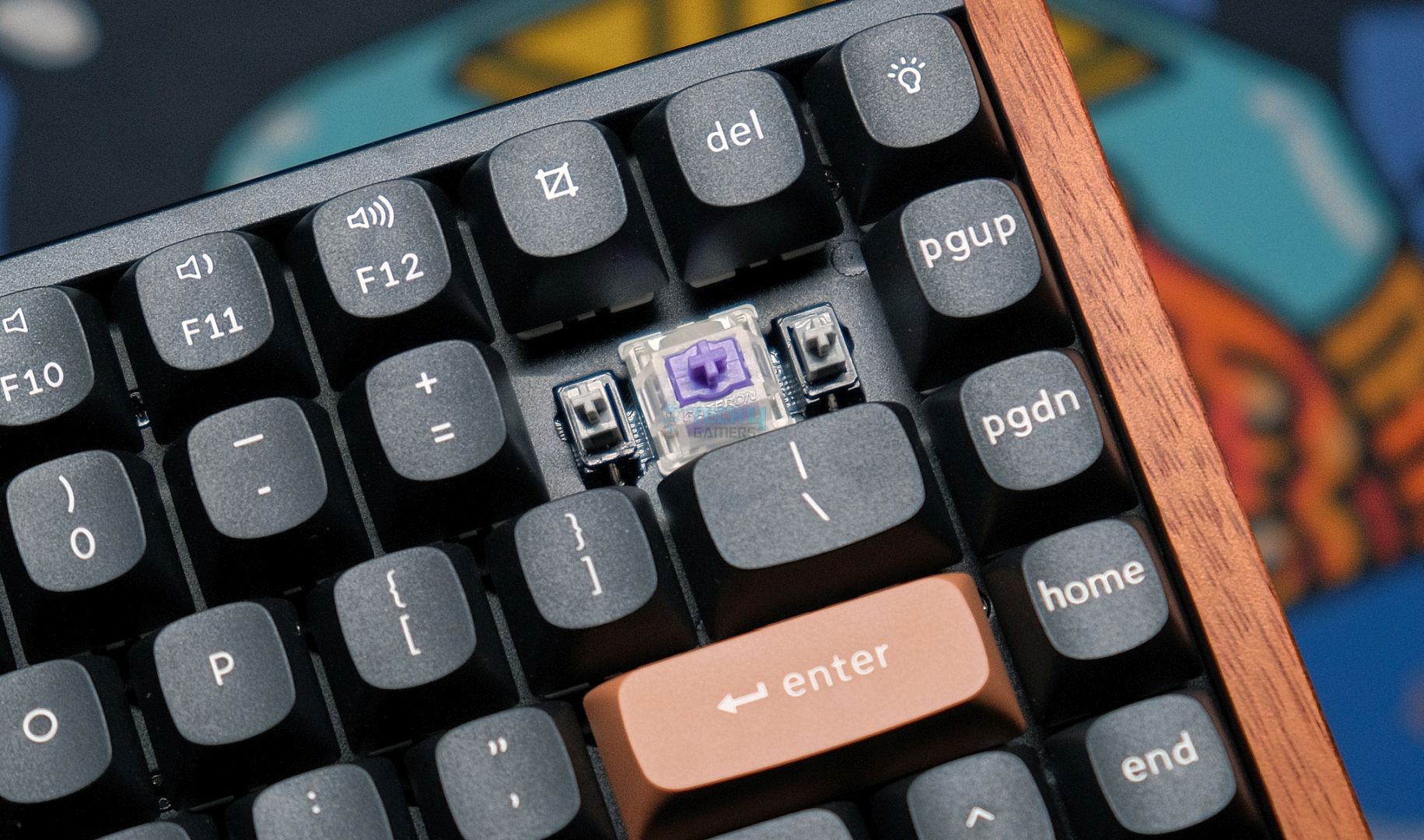
For hardcore gamers like you and I whose main priority is customizing their keyboard for maximum speed and personalization, a magnetic keyboard is a no-brainer since it offers ultra-competitive hall-effect features like Rapid Trigger and Snap Tap thanks to built-in adjustable actuation distance. This can make all the difference when you’re pushing more than 1,000 frames in Valorant.

Subsequently, I’ve reviewed dozens of keyboards and after spending numerous hours on in-house testing, I’ve rounded up the Top 5 Magnetic Keyboards for you. No need to worry, I’ve included a value-for-money option as well as a wireless pick along with a warranty-focused keyboard and a compact-sized keyboard too, so there’s a little something for everyone.

Why Trust Tech4Gamers
  • Huzaifa Haroon is our keyboard expert with years of experience in building and testing custom keyboards.
  • 130+ peripherals tested and reviewed by our team of hardware experts (Tech4Gamers Team).
  • 500+ hours spent testing different peripherals for our reviews.
  • Objective testing criteria (See how we test peripherals).

At Tech4Gamers, ensuring you get reliable information is our priority. That’s why every hardware round-up undergoes a meticulous review process by our team of experts and editors. Each review is carefully examined against our strict editorial guidelines, guaranteeing you trustworthy insights you can depend on.

Without any further ado, here’s a brief overview of the keyboards I’ve chosen for you.

Keyboard
Wooting 80HE
Keychron K2 HE
Corsair K70 Pro TKL
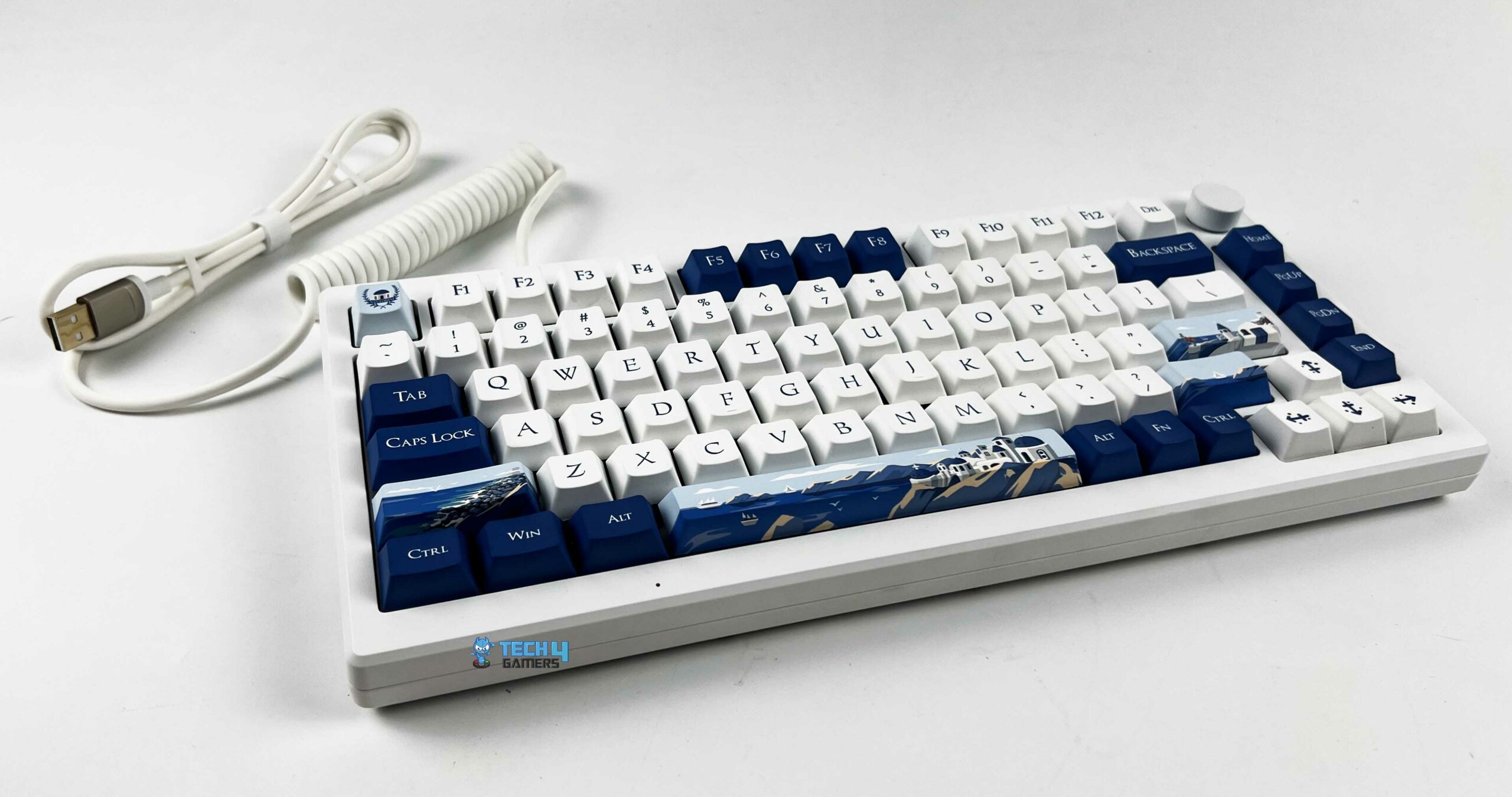
Akko MOD007B PC Santorini
Wooting 60HE+
Looks
Award
Best Overall Magnetic Gaming Keyboard
Best Magnetic Custom Gaming Keyboard
Best Warranty & Support Magnetic Gaming Keyboard
Best Looking Magnetic Gaming Keyboard
Best Compact Magnetic Gaming Keyboard
What We Liked
Hot-swappable, adjustable height, decent acoustics, best software
Exceptional gaming responsiveness, Brilliant RGB lighting, Factory-calibrated stabilizers
Hot-swappable, good build quality, outstanding performance, best after-sales support, magnetic wrist rest included
Classy design, 8K Hz polling rate, hot-swappable, dedicated volume knob, choice of two switches from the factory
4-year warranty, lightweight design, ultra-low latency, best-in-class software, many accessories
What We Disliked
No wireless mode, build quality can be enhanced, slightly expensive
The USB port is awkwardly positioned
Not all keys are magnetic, iCUE needs a revamp
Keycaps aren't double-shot, no dedicated macros
Fixed typing height and angle, no wireless mode
Layout
80%
75%
TKL
75%
60%
Number of Keys
84
84 Keys
87
84
61
Stabilizers
Pre-lubed, screw-in stabilizers
Screw-in PCB stabilizer
Plate-mounted stabilizers
Pre-lubed screw-in stabilizers
Plate-mounted stabilizers
Switches
Gateron Lekker L60 V2
Gateron double-rail magnetic
21x Corsair MLX Plasma Linear (Mechanical) + 63x Corsair MGX V2 Hyperdrive (Magnetic)
Akko Cream Yellow Magnetic/Kalih Sakura Pink Magnetic
Gateron Lekker L60 V1
Keycaps Profile
Cherry
OSA
Cherry
Cherry
OEM
Polling Rate
8000 Hz
1000 Hz and 90Hz (Bluetooth)
8000 Hz
8000 Hz/1000 Hz/125 Hz
1000 Hz
Keyboard
Wooting 80HE
Looks
Award
Best Overall Magnetic Gaming Keyboard
What We Liked
Hot-swappable, adjustable height, decent acoustics, best software
What We Disliked
No wireless mode, build quality can be enhanced, slightly expensive
Layout
80%
Number of Keys
84
Stabilizers
Pre-lubed, screw-in stabilizers
Switches
Gateron Lekker L60 V2
Keycaps Profile
Cherry
Polling Rate
8000 Hz
Read Review
Keyboard
Keychron K2 HE
Looks
Award
Best Magnetic Custom Gaming Keyboard
What We Liked
Exceptional gaming responsiveness, Brilliant RGB lighting, Factory-calibrated stabilizers
What We Disliked
The USB port is awkwardly positioned
Layout
75%
Number of Keys
84 Keys
Stabilizers
Screw-in PCB stabilizer
Switches
Gateron double-rail magnetic
Keycaps Profile
OSA
Polling Rate
1000 Hz and 90Hz (Bluetooth)
Read Review
Keyboard
Corsair K70 Pro TKL
Looks
Award
Best Warranty & Support Magnetic Gaming Keyboard
What We Liked
Hot-swappable, good build quality, outstanding performance, best after-sales support, magnetic wrist rest included
What We Disliked
Not all keys are magnetic, iCUE needs a revamp
Layout
TKL
Number of Keys
87
Stabilizers
Plate-mounted stabilizers
Switches
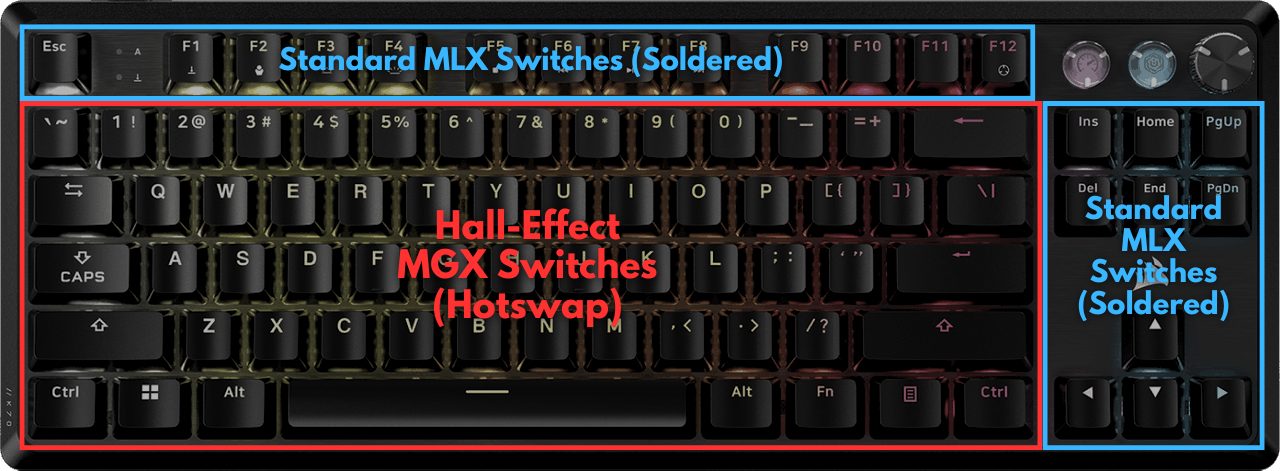
21x Corsair MLX Plasma Linear (Mechanical) + 63x Corsair MGX V2 Hyperdrive (Magnetic)
Keycaps Profile
Cherry
Polling Rate
8000 Hz
Read Review
Keyboard
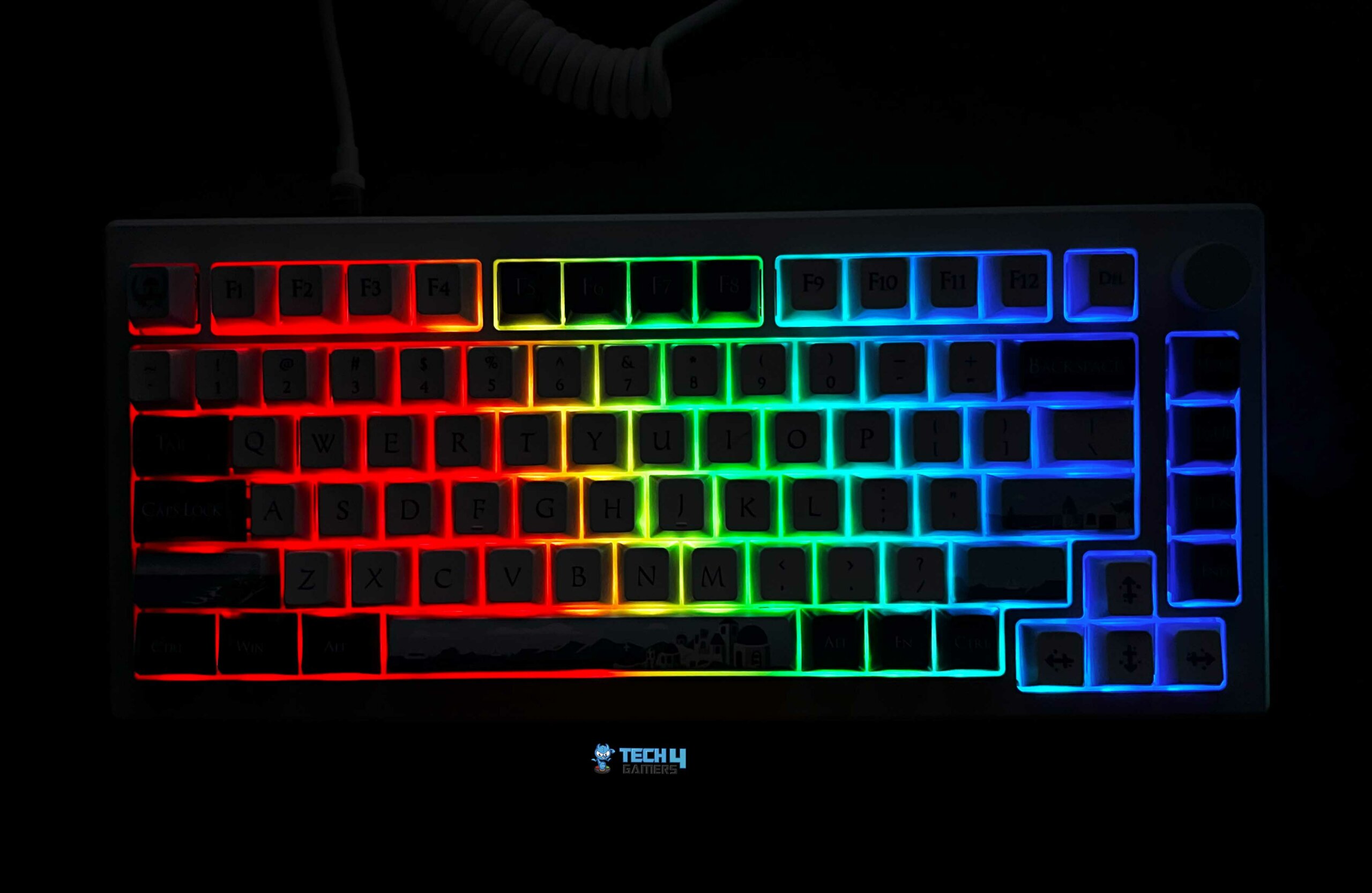
Akko MOD007B PC Santorini
Looks
Award
Best Looking Magnetic Gaming Keyboard
What We Liked
Classy design, 8K Hz polling rate, hot-swappable, dedicated volume knob, choice of two switches from the factory
What We Disliked
Keycaps aren't double-shot, no dedicated macros
Layout
75%
Number of Keys
84
Stabilizers
Pre-lubed screw-in stabilizers
Switches
Akko Cream Yellow Magnetic/Kalih Sakura Pink Magnetic
Keycaps Profile
Cherry
Polling Rate
8000 Hz/1000 Hz/125 Hz
Read Review
Keyboard
Wooting 60HE+
Looks
Award
Best Compact Magnetic Gaming Keyboard
What We Liked
4-year warranty, lightweight design, ultra-low latency, best-in-class software, many accessories
What We Disliked
Fixed typing height and angle, no wireless mode
Layout
60%
Number of Keys
61
Stabilizers
Plate-mounted stabilizers
Switches
Gateron Lekker L60 V1
Keycaps Profile
OEM
Polling Rate
1000 Hz
Read Review

Interested in wireless keyboards? Check our tested round-up of the:

Best Magnetic Gaming Keyboards 

I stand behind all of these magnetic keyboards with my own experience and reputation:

  1. Best Overall: Wooting 80HE
  2. Best Value: Keychron K2 HE
  3. Best Warranty & Support: Corsair K70 Pro TKL
  4. Best Looking: Akko MOD007B PC Santorini
  5. Best Compact: Wooting 60HE+

As I mentioned previously, I, along with my team, have personally tested each and every one of these keyboards. Therefore, we’ve also recorded the sound signature and switch feedback for all the keyboards. Feel free to check out these in-house BTS clips at the end of each keyboard’s write-up.

Wooting 80HE

Best Overall Magnetic Gaming Keyboard
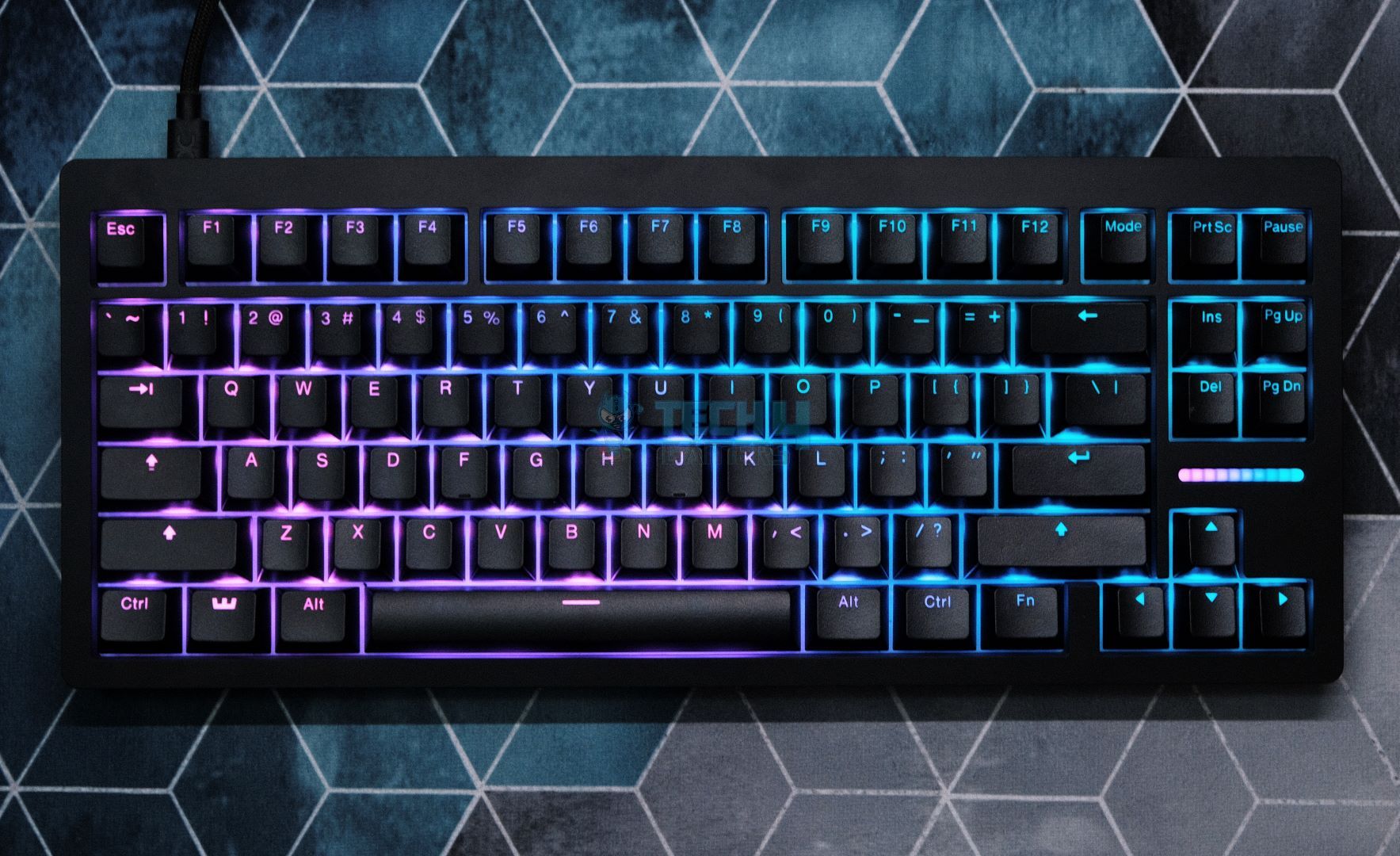
Layout: 80% | Number of Keys: 84 | Keycaps: PBT Doubleshot | Case Material: Polycarbonate ABS or Zinc Alloy | Plate Material: White Polycarbonate | Stabilizers: Screw-in stabilizers | Mounting Structure: Gasket Mount | Battery: N/A | Adjustable Actuation Points: 0.1mm – 4.0mm | Polling Rate: 8000 Hz | Dimensions: 346mm x 142mm | Weight: 790g – 2160g

Pros

  • Hot-swappable
  • Adjustable height
  • Satisfying sound signature
  • Fully customizable LED Bar
  • Simple, no-nonsense design language
  • Vibrant RGB/Lighting effects
  • Wootility is the best software

Cons

  • No wireless connectivity
  • Build quality can be improved
  • Slightly expensive

Read Our Wooting 80HE Review

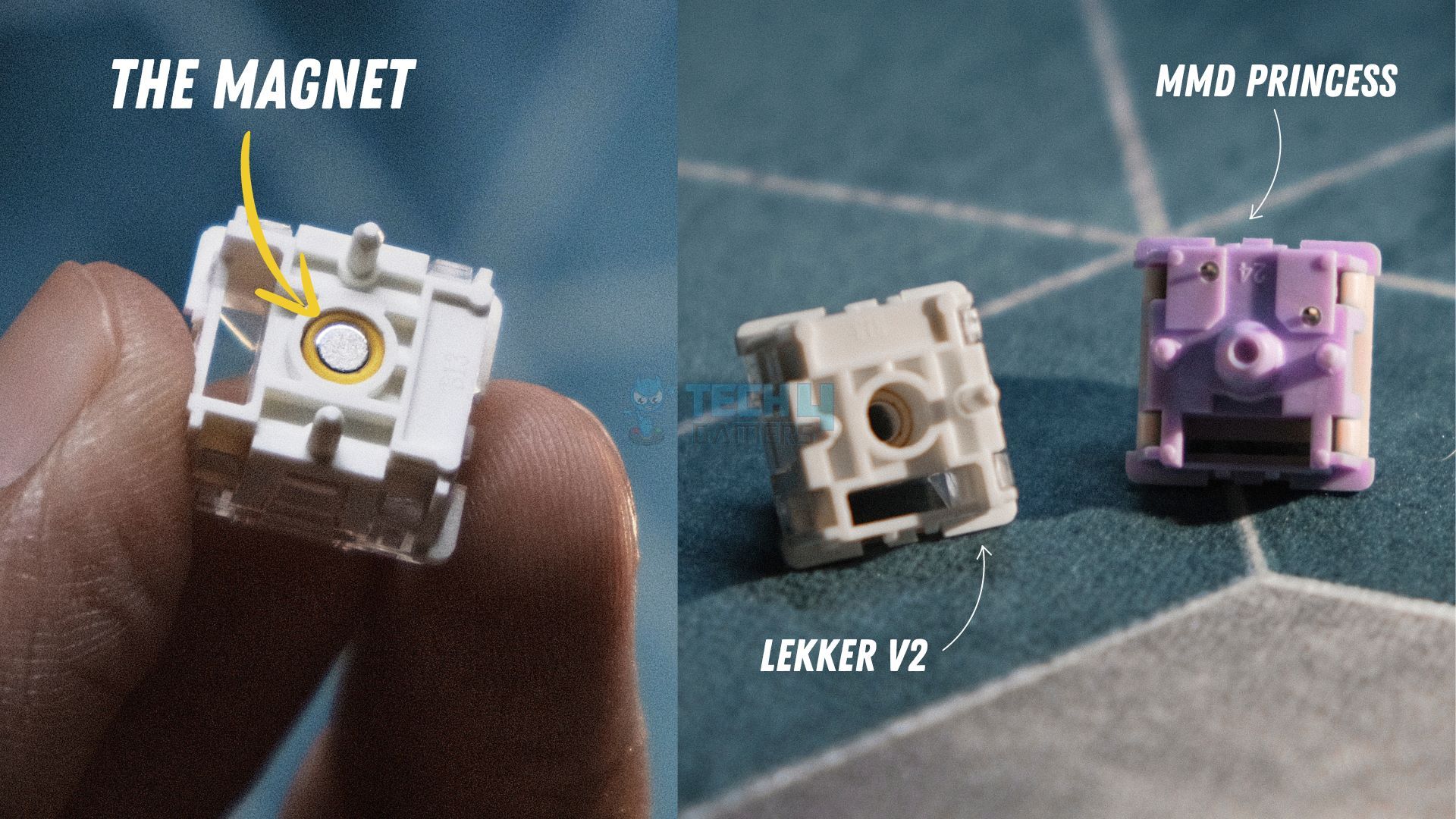
The Wooting 80HE sports an aesthetically understated design that flies under the radar. Right off the bat, I felt soothed by the shine-through PBT Doubleshot keycaps. Moving on, my teardown of the keyboard revealed a gasket-mounted PCB to which Wooting has mated 83 Lekker (L60) V2 switches. The difference was immediately felt as these newer switches have a rather silent and somewhat mushy profile, but that’s because they’re engineered for speed. Thankfully, Wooting did us the courtesy of pre-installing factory-lubed screw-in stabilizers which significantly elevated my typing experience and resulted in minimal rattling.

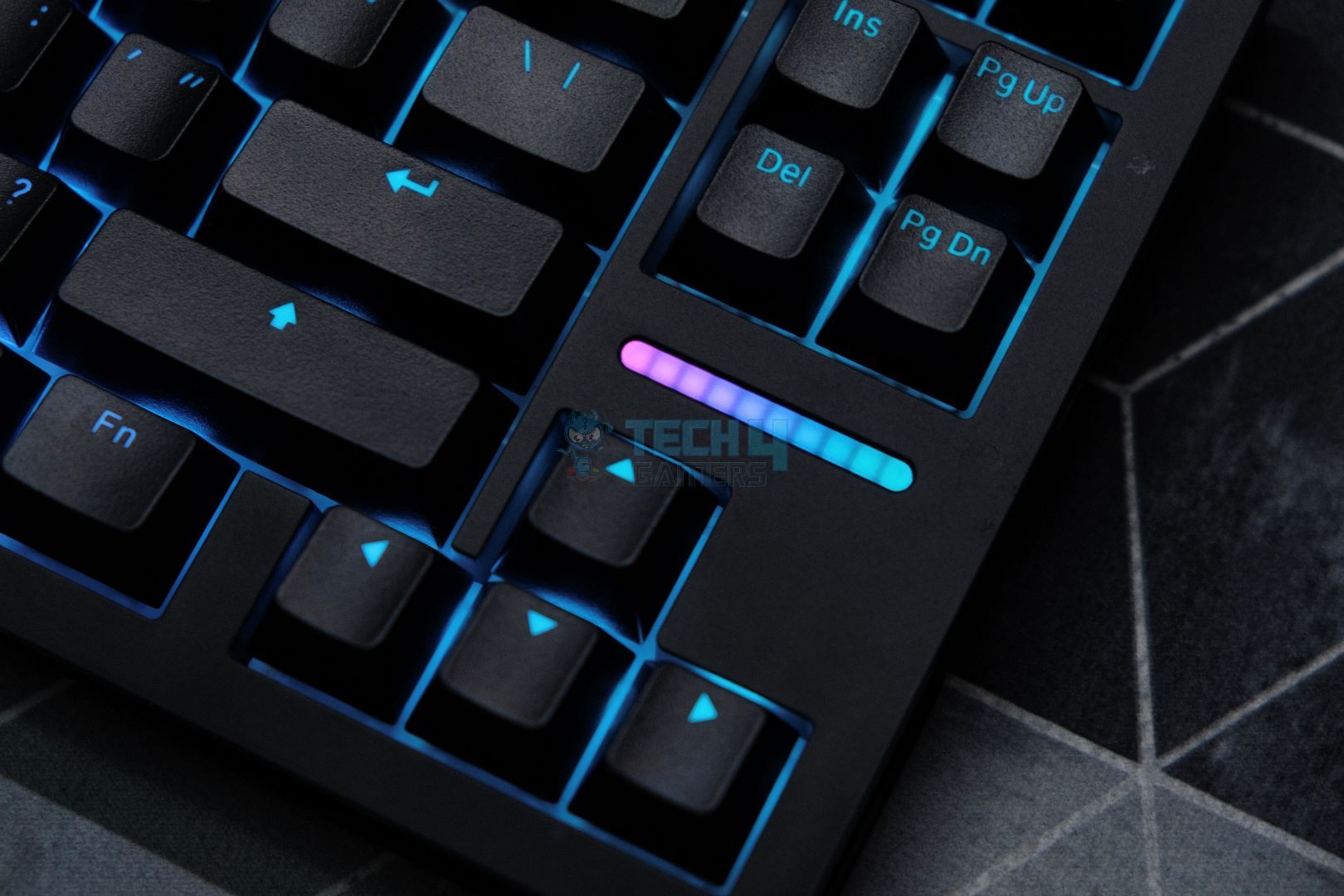
But the list doesn’t end here. As the switches are magnetic, the 80HE sports dynamic actuation points that can be adjusted between 0.1mm – 4.0mm. Let’s not forget Wootility, i.e., Wooting’s comprehensive software that allows you to refine the per-key RGB, set up macros, activate cutting-edge SOCD features like ‘Snappy Tappy,’ ‘Rappy Snappy,’ ‘Rapid Trigger,’ and there’s just no limit when it comes to personalizing that LED bar.

After putting a few thousand keystrokes on the Wooting’s odometer, here’s what I had to say: 

Apart from bleeding-edge performance, the Wooting 80HE builds upon the legacy of its predecessor by improving in all the areas in which the original fell short. The new Lekker V2 switches paired with factory lubed screw-in stabilizers significantly upgrade the stock sound. And the gasket mount allows for a soft and thocky typing experience that only acts as a cherry on top of the world-class gaming keyboard the Wooting 80HE already is.

✅Buy It If

You want the best keyboard software: Wootility is a very polished and comprehensive program that will let you customize and personalize the 80HE to the maximum extent, the sky’s the limit with this one.

You prioritize speed over the typing experience: Due to no flaw of its own, the Wooting 80HE has a slightly mushy feel to it, but don’t let that fool you. What the 80HE lacks in feel, it exhibits in speed with the Lekker V2 switches and an 8000 Hz polling rate.

❌Don't Buy It If

You’re looking for the best-sounding keyboard: While the 80HE has a respectable ‘thocky’ sound, it can’t compete with the Cherry MX Blues of the world due to its Hall-Effect switches, but that’s a general disadvantage of magnetic keyboards, not Wooting’s offering itself.

You want wireless connectivity: Sadly, the lack of wireless connectivity is about the only thing that is stopping the Wooting 80HE from getting a perfect rating from me.

What Makes It The Best Overall Magnetic Gaming Keyboard?

First off, proprietary features like ‘Dynamic Keystroke’ and ‘Mod Tap’ offer an ultra-competitive edge to you. Secondly, the linear Lekker V2 switches have improved speed and are more silent. Furthermore, the PCB has no flex cuts and is hot-swappable as well, making the Wooting 80HE future-proof. Lastly, Wootility elevates the 80HE’s usage experience with unrivalled customization hidden beneath a few clicks of your mouse.

Performance: 9.5/10 Build Quality: 8.75/10
Design: 9/10 Typing Experience: 9.25/10

Keychron K2 HE

Best Value Magnetic Gaming Keyboard
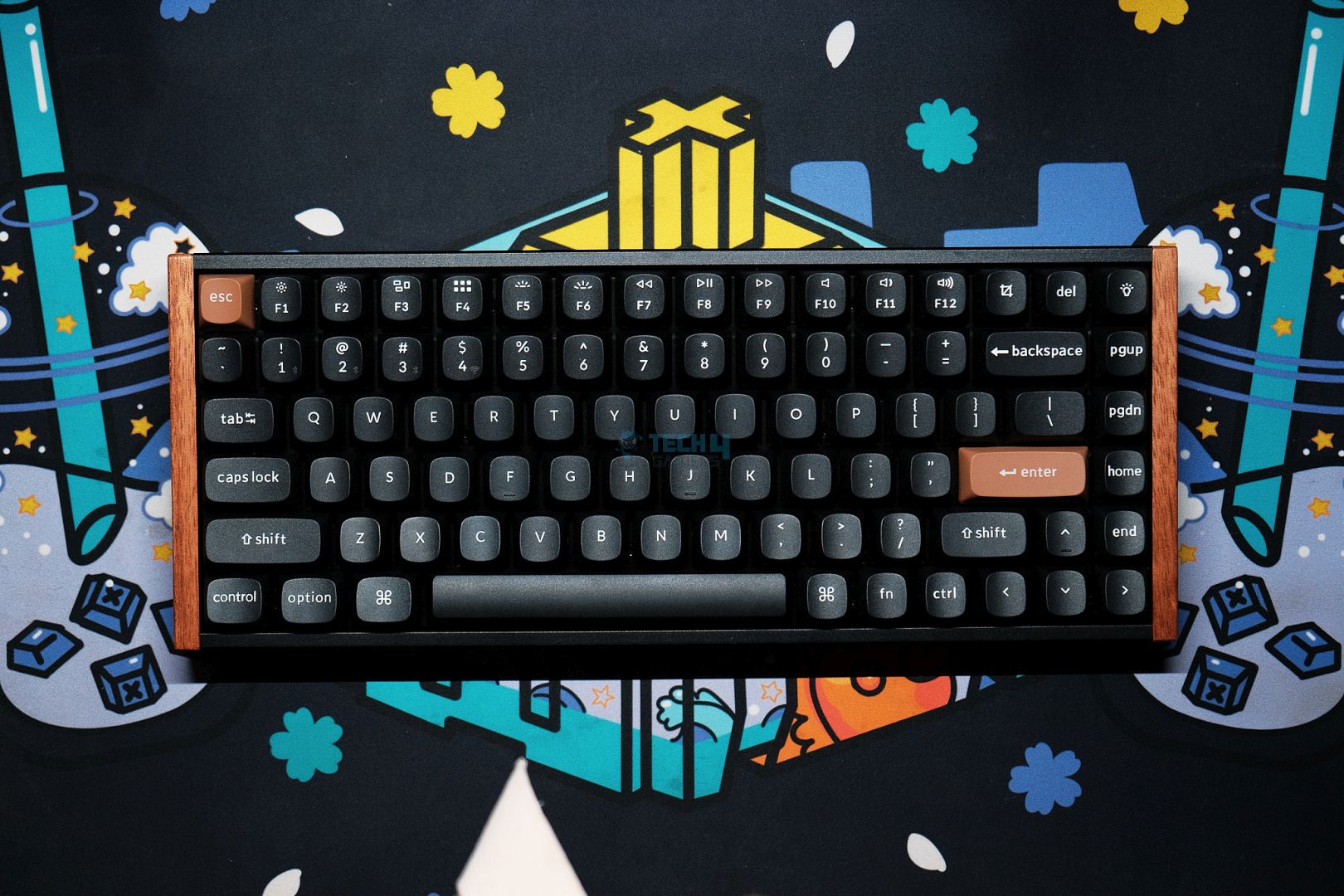
Layout: 75% | Number of Keys: 84 | Keycaps: Cherry Profile Doubleshot/OSA Doubleshot | Case Material: Anodized aluminum | Plate Material: Aluminum | Stabilizers: Screw-in stabilizers | Mounting Structure: Top Mount | Battery: 4000 mAh | Angle: 5° / 9.34° / 12.43° | Adjustable Actuation Points: 0.2mm – 3.8mm | Polling Rate: 1000 Hz/90 Hz | Dimensions: 316.4mm/320.5mm x 126.7mm | Weight: 965g – 980g

Pros

  • Bang for the buck
  • Solid build quality 
  • Impressive performance
  • Considerable sound dampening
  • Wireless connectivity
  • Stellar battery life

Cons

  • Incompatible with other magnetic switches
  • Keychron’s software needs polishing
  • Inconveniently placed USB port

Read Our Keychron K2 HE Review

The Keychron K2 HE is the brand’s take on a value-for-money keyboard with hall-effect switches in the form of Gateron’s double-rail Nebula switches that weigh 40g each. Surprisingly, these switches are factory-lubed, which is a rare offering at this price point. To another pleasant surprise, I found during my teardown that Keychron has generously added 4 layers of foam that give the K2 HE a dampened ‘thocky’ sound, which is additionally muted by the stiff aluminum plate and frame. Moreover, the K2 HE is outfitted with screw-in PCB-mounted stabilizers which also come pre-lubed and perform a reasonably good job of minimizing rattle.

Going on, the Nebula switches feature an expansive dynamic actuation range between 0.2mm – 3.8mm for extreme customization. But again, this is a magnetic keyboard, so all the magic takes place via the software. Speaking of which, Keychron is marketing ‘Last Key Prioritization’ and ‘Snap Click’ where the former is exactly what it sounds like while the latter is identical to Razer and Wooting’s implementation. Lastly, you do get per-key RGB in the form of 23 lighting modes, all of which look beautiful thanks to Keychron’s proprietary OSA doubleshot keycaps.

This is how I described the Keychron K2 HE in my hands-on review of the keyboard:

The K2 HE strikes a balance between enthusiast-grade features and a mainstream-friendly approach, all at a reasonable price. Its striking design complements a robust build, creating a versatile keyboard that caters equally to gamers and professionals.

✅Buy It If

You want a wireless magnetic keyboard: With a wireless latency of 5.6ms, a 4000 mAh battery, and 2.4 GHz/Bluetooth modes, the K2 HE proves itself to be a very versatile and responsive magnetic keyboard.

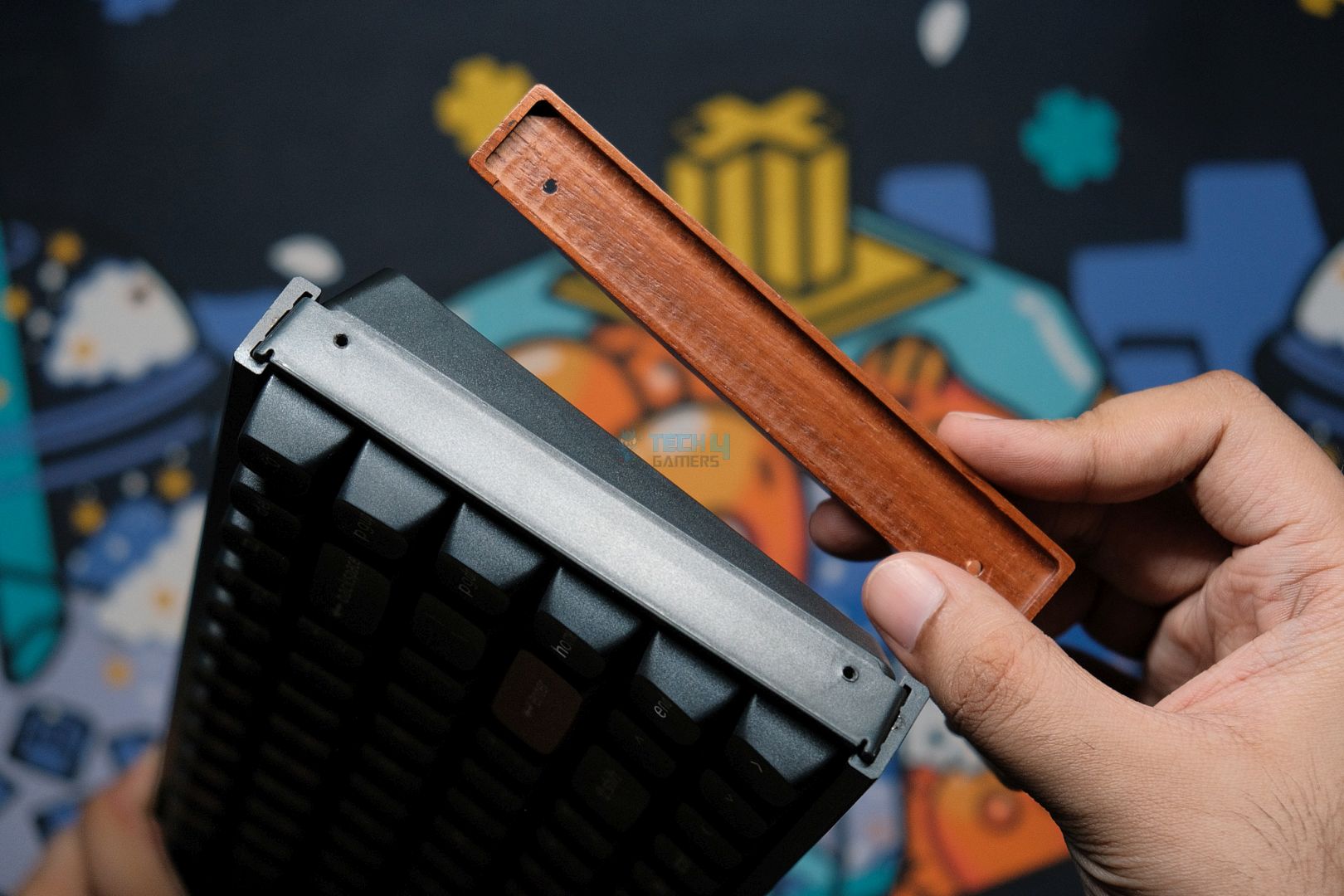
You want durability along with aesthetics: The combination of the side-mounted wooden accents along with brown Esc + Enter keys plus the per-key RGB via double-shot keycaps mated to the aluminium frame and plate make this Keychron unit a very attractive choice.

You’re on a budget: At $140, the Keychron K2 HE admirably outperforms many of its competitors, almost all of which are priced higher than the K2 HE. If you want to save another $10, you can spring for the standard edition which omits the wooden accents and sports Cherry profile double-shot keycaps.

❌Don't Buy It If

You’re a modifying enthusiast: Even though the K2 HE is hot-swappable, Keychron’s still working on introducing compatibility with other hall-effect switches.

You want full per-key RGB customization: You’ll have to make do with the 23 lighting modes as Keychron’s software doesn’t allow complete per-key lighting customization, even though the keyboard itself has the hardware to support it.

What Makes It The Best Value Magnetic Gaming Keyboard?

At just $130, Keychron offers you an unbeatable value proposition. To begin, the K2 HE boasts Gateron Nebula switches with dynamic actuation adjustment. Keychron uses a 1.6mm PCB with no flex cuts mated to an aluminum plate, which makes the keyboard very durable. Adding on, Keychron assures us that it is working to enable full hot-swappability. Also, the K2 HE has dedicated buttons for turning RGB on/off as well as for taking a screenshot.

Performance: 9/10 Build Quality: 9/10
Design: 8.75/10 Typing Experience: 8.5/10

Corsair K70 Pro TKL

Best Warranty & Support Magnetic Gaming Keyboard
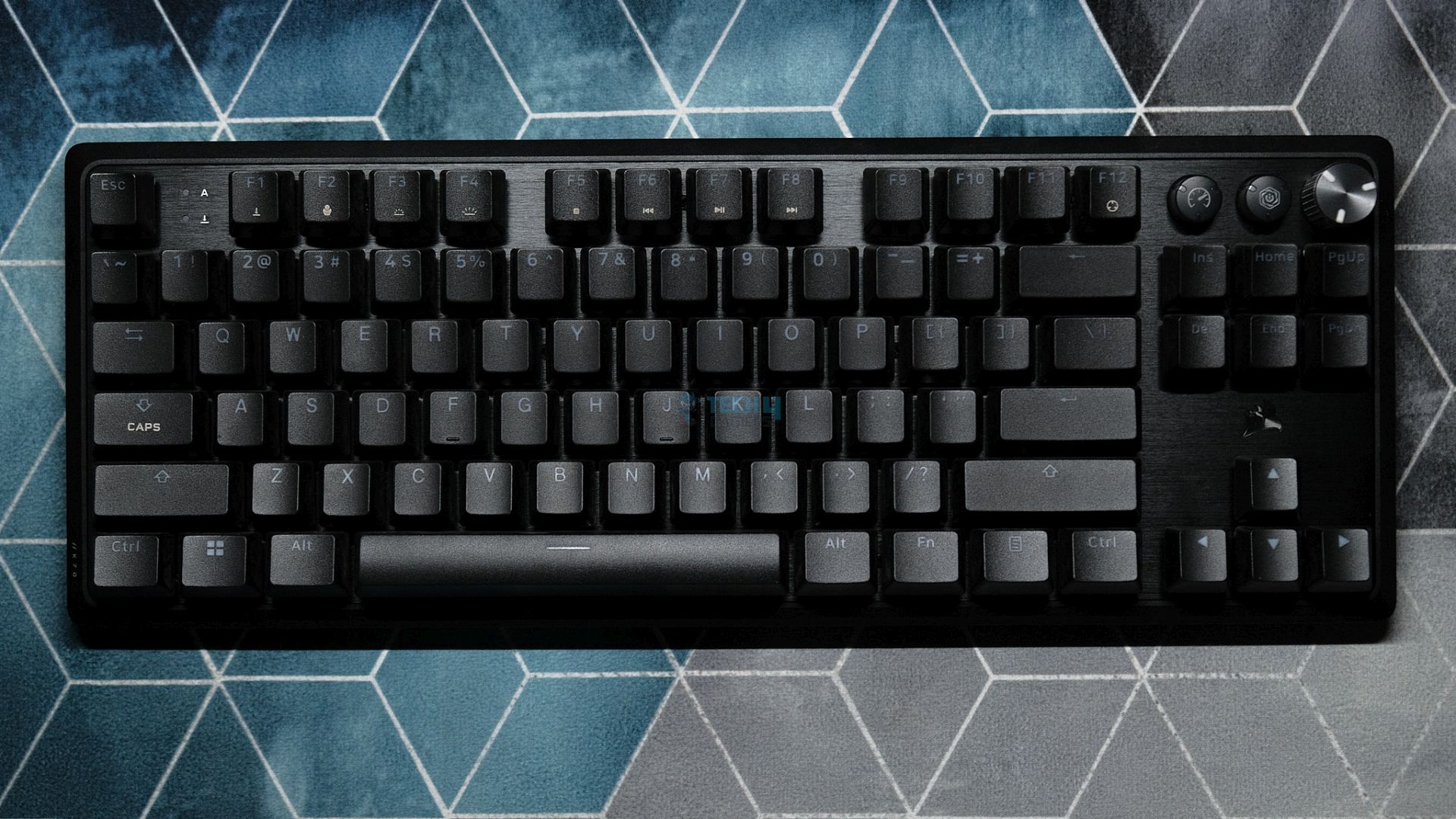
Layout: 80% | Number of Keys: 87 | Keycaps: PBT/ABS Doubleshot | Case Material: Plastic | Plate Material: Metal | Stabilizers: Plate-mounted stabilizers | Mounting Structure: Tray Mount | Battery: N/A | Adjustable Actuation Points: 0.1mm – 4.0mm | Polling Rate: 8000 Hz | Dimensions: 366mm x 135mm | Weight: 967g 

Pros

  • Hot-swappable 
  • Sturdy build quality 
  • Outstanding performance
  • Magnetic wristrest included
  • Best-in-class company support
  • Considerable sound dampening
  • Dedicated customizable buttons and knob

Cons

  • Expensive
  • No wireless support
  • Stabilizers could use improvement
  • Not 100% magnetic
  • iCUE needs a revamp

Read Our Corsair K70 Pro TKL Review

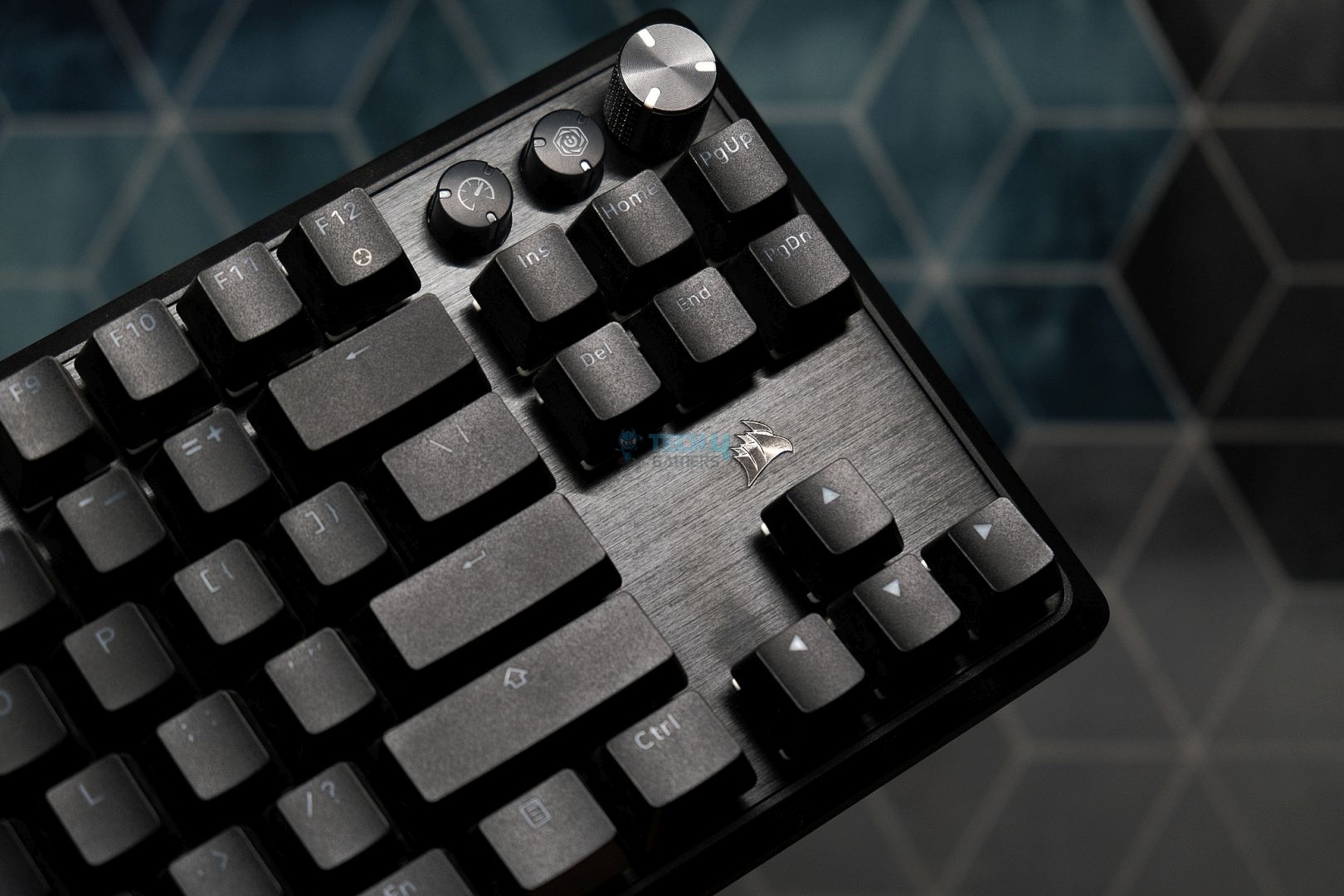
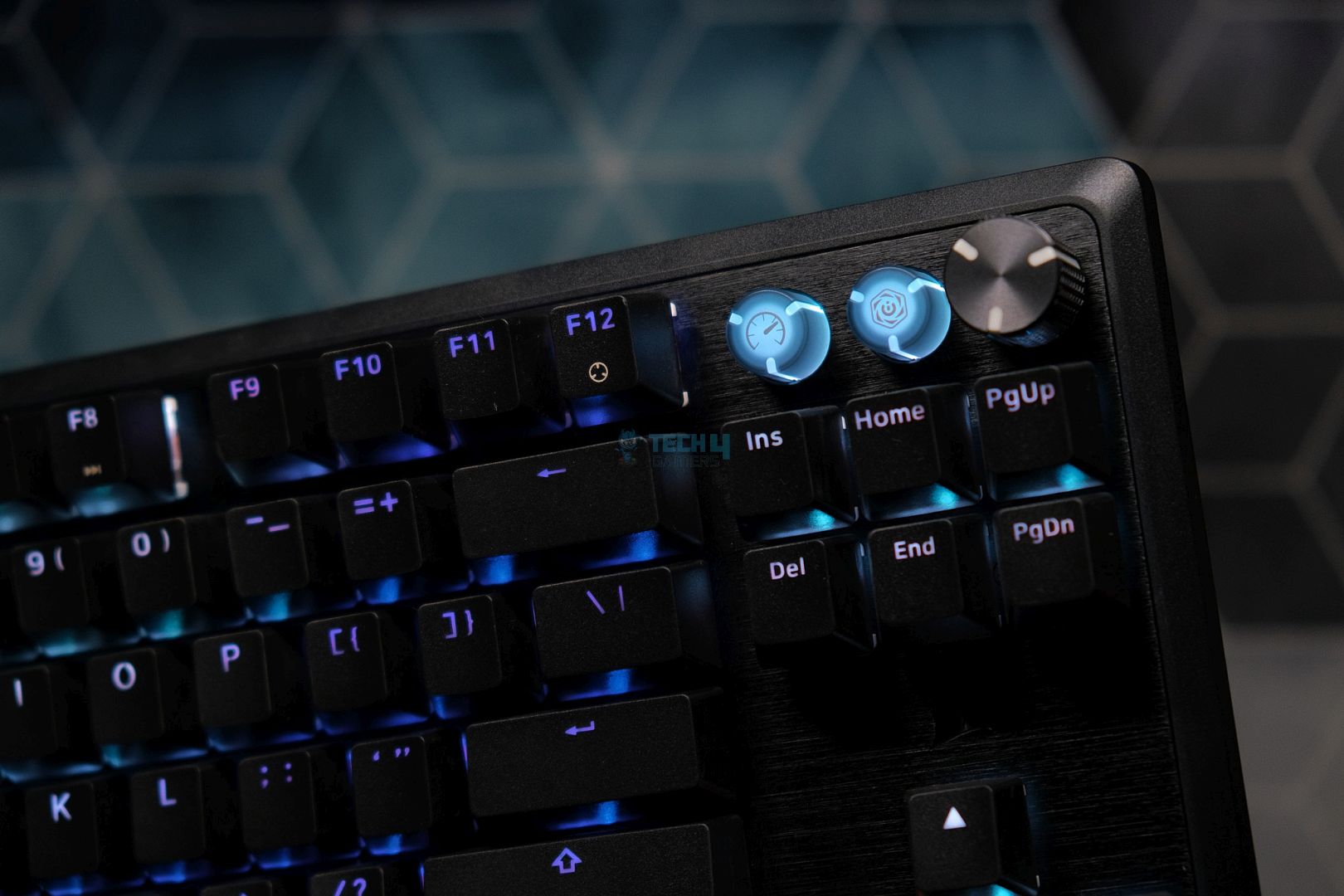
Exhibiting an all-black demeanor, the K70 Pro comes armed with a magnetic wrist rest out of the box for improved ergonomics. The keyboard’s top plate is made out of metal whereas the bottom is crafted from plastic, but don’t let that fool you because the K70 Pro TKL feels very durable in the flesh. There’s no creaking or flexing of any kind. Also, there are a pair of flip-out feet on the backside that raise the typing angle to 7 degrees, which nicely complements the included wrist rest.

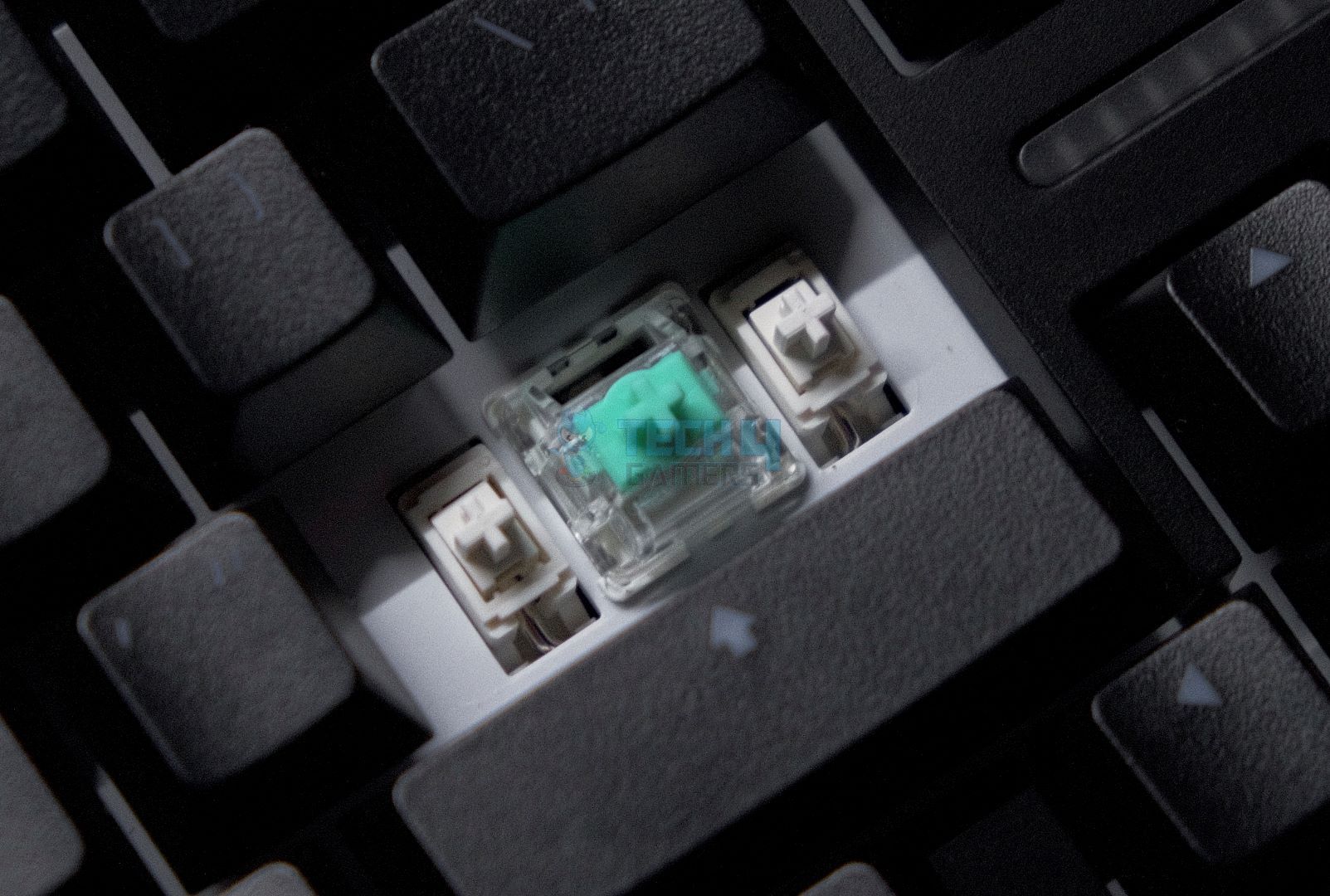
Under the hood, I tore down the keyboard to find out that Corsair’s gone with a hybrid combination of (soldered) standard mechanical switches for the function row, navigation cluster, and arrow keys while the remaining keys are all hall-effect and hot-swappable as well with Corsair rebranding a set of Gateron Magnetic Jades. Upon taking the K70 Pro for a trial run, I immediately noticed the smoothening effect of the factory-lubed switches. As far as my typing experience is concerned, the sound profile is somewhat muted without much of a ‘thock’ which some might prefer.

After testing and reviewing the Corsair K70 Pro TKL for all its worth, here’s what I had to say:

The Corsair K70 Pro TKL is a great gaming keyboard that excels where it matters for pros. The hall-effect switches provide bleeding-edge performance backed up by robust build quality. While the sound and feel are nothing extraordinary, Corsair’s extensive support somewhat makes up for being priced higher than the competition while lacking wireless support.

✅Buy It If

You want the fastest magnetic keyboard: The K70 Pro TKL proved itself to have the lowest latency during my testing, coupled with an 8000 Hz polling rate that resulted in the most convenient usage experience.

You want hall-effect switches along with old school hardware: Corsair has combined hot-swappable magnetic switches along with a few mechanical switches as well as a volume knob plus a ‘Game Mode’ button and an ‘iCUE’ button with all three of these being remappable, so the K70 Pro is truly an admirable fusion of tried-and-tested hardware with modern breakthroughs.

You have reliability and longevity concerns: Corsair has a rock-solid reputation for standing behind all of its products and it has a dominant presence throughout the world including third-world countries which makes the K70 Pro TKL a great pick for anyone who has long-term qualms.

❌Don't Buy It If

You’re looking for the best typing experience: The K70 Pro TKL promises to be the fastest magnetic keyboard, not the smoothest. The plate-mounted stabilizers and tray mounting structure is slightly outdated by today’s standards.

You’re not very tech-savvy: With competitors like Wooting and even Keychron having far more user-friendly utilities, Corsair’s iCUE software needs a major revamp as it’s difficult to navigate with quite a few settings buried deep within the program.

What Makes It The Best Warranty & Support Magnetic Gaming Keyboard?

Corsair has leveraged its customer support on top of a hybrid combo of mechanical and magnetic switches to craft the K70, which is made from a mixture of brushed aluminum and textured plastic. The keyboard has typical SOCD features like ‘FlashTap,’ along with Rapid Trigger and Multi-Press. Nonetheless, Corsair bundled a magnetic wrist rest while also dedicating two remappable keys and a reprogrammable volume knob.

Performance: 9.25/10 Build Quality: 8.5/10
Design: 8.75/10 Typing Experience: 8.5/10

Akko MOD007B PC Santorini

Best Looking Magnetic Gaming Keyboard
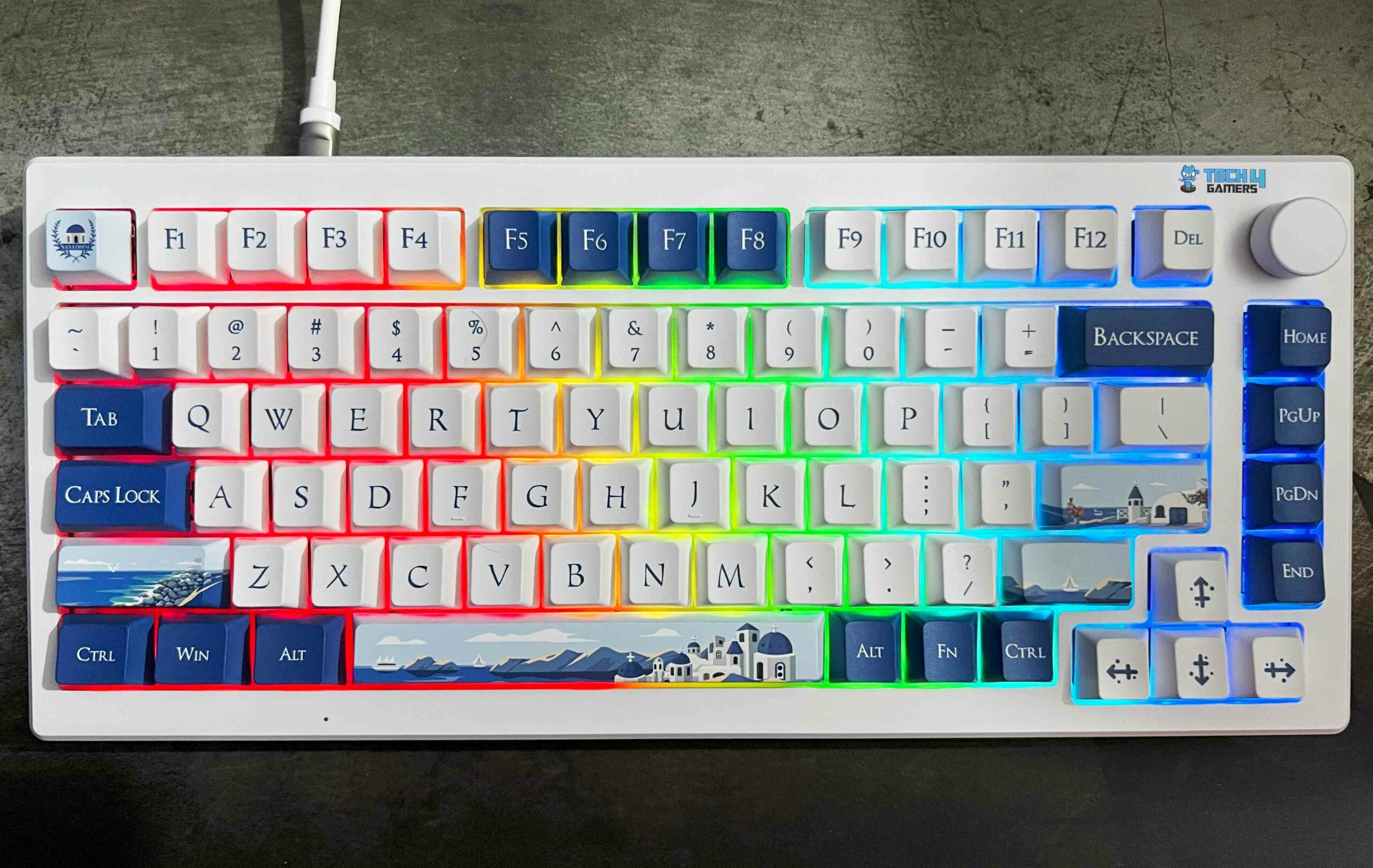
Layout: 75% | Number of Keys: 84 | Keycaps: Cherry Profile PBT Dye-sublimation | Case Material: Polycarbonate | Plate Material: Polycarbonate | Stabilizers: Screw-in stabilizers | Mounting Structure: Gasket Mount | Battery: 3600 mAh | Adjustable Actuation Points: 0.1mm – 4.0mm | Polling Rate: 8000 Hz/1000 Hz/125 Hz | Dimensions: 333mm x 147mm | Weight: 1000g 

Pros

  • Hot-swappable 
  • Gorgeous design
  • 8K Hz polling rate 
  • Dedicated volume knob
  • Satisfying sound signature
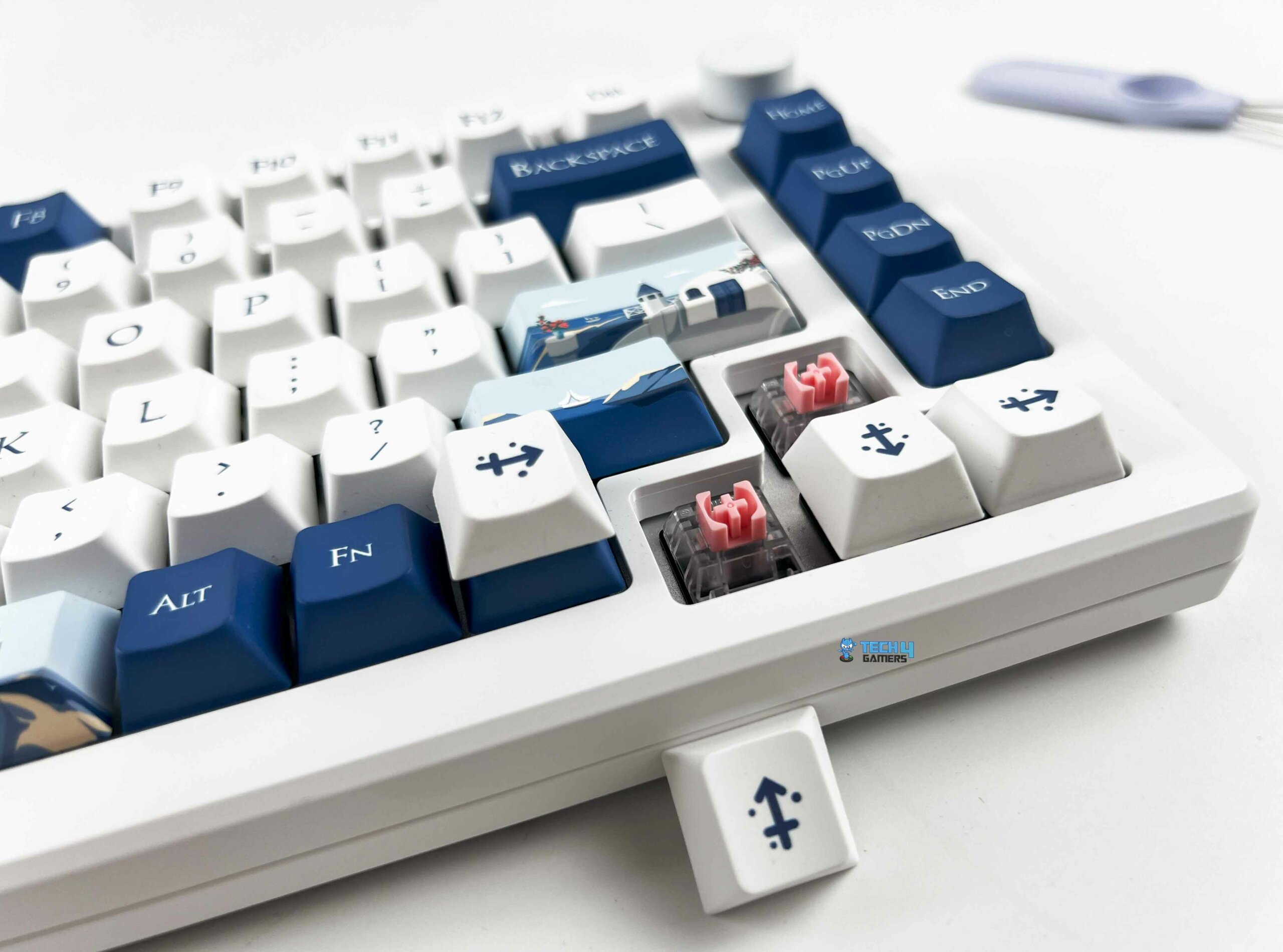
  • Choice of Akko/Kalih HE switches
  • Options of BT + 2.4 GHz wireless connectivity

Cons

  • Keycaps aren’t double-shot
  • No dedicated macro buttons

Read Our Akko MOD007B PC Santorini Review

This 75% TKL board is part of the brand’s ‘World Tour’ series where they try to represent a collection of scenic destinations via uniquely painted keycaps, fonts, and color schemes. But don’t be fooled like I was. Underneath the hood, I discovered a gasket mounting mechanism paired with screw-in stabilizers that Akko allows you to combine with one of two switches; either its own ‘Cream Yellow Magnetic’ switch or the ‘Kalih Sakura Pink Magnetic’ switch. It’s essential to note that both these switches are linear, which explains why the Kalih switches in my review unit were a joy to use.

The marketing headlines for this keyboard, you ask? How about an 8K Hz polling rate (when wired)? How about Bluetooth 5.0 and multi-host 2.4 GHz connectivity? A 3600 mAh battery? How about a mod-friendly board with hot-swappable switches? The MOD007B Santorini also throws in per-key RGB. Let’s not forget the star of the show here, i.e., Akko’s SOCD features like Dynamic Keystrokes, Rapid Trigger, Mod Tap, and Toggle Key. 

When Abdul Hannan, our peripherals expert, and long-time hardware reviewer, got his hands on the Akko MOD007B PC Santorini, here’s what he said: 

The Akko MOD007B-PC Santorini keyboard stands out for its unique design, customizable features, and solid performance. With its polycarbonate construction and hot-swappable Hall Effect magnetic switches, it offers a premium typing experience. 

✅Buy It If

You want versatility: With a wired option and two wireless connectivity alternatives, the MOD007B is ready to handle whatever (and wherever) you throw at it.

You want the most elegant keyboard in existence: There’s just no circumventing the fact that the Santorini is by far the most alluring keyboard I’ve had the pleasure of reviewing, but it’s got the hardware to go along with it as well. A prime example of beauty with brains.

You don’t want to compromise on acoustics: Thanks to three layers of foam under the switches, plate, and PCB along with a combo of pre-lubed linear switches and stabilizers, the Santorini really delivers when it comes to its sound profile.

❌Don't Buy It If

You’re looking for double-shot keycaps: The stock keycaps are PBT, but they’re dye-sublimated, which means they won’t be as durable as double-shot offerings so they will wear down and get ‘shiny’ over time.

You’re a macro enthusiast: There are no dedicated macro buttons on the Santorini and unfortunately, even the volume knob isn’t remappable, which seems like a missed opportunity for Akko.

What Makes It The Best Aesthetic Magnetic Gaming Keyboard?

The Santorini represents a mod-friendly board that boasts a choice of two hot-swappable switches from the factory. This breathtaking keyboard has factory-lubed switches and stabilizers, which makes for a very refined and rattle-free typing experience. On top of that, you get to choose between three connectivity methods. There’s also a dedicated volume knob on the top right of the keyboard. 

Performance: 9/10 Build Quality: 8.5/10
Design: 10/10 Typing Experience: 9/10

Wooting 60HE+

Best Compact Magnetic Gaming Keyboard
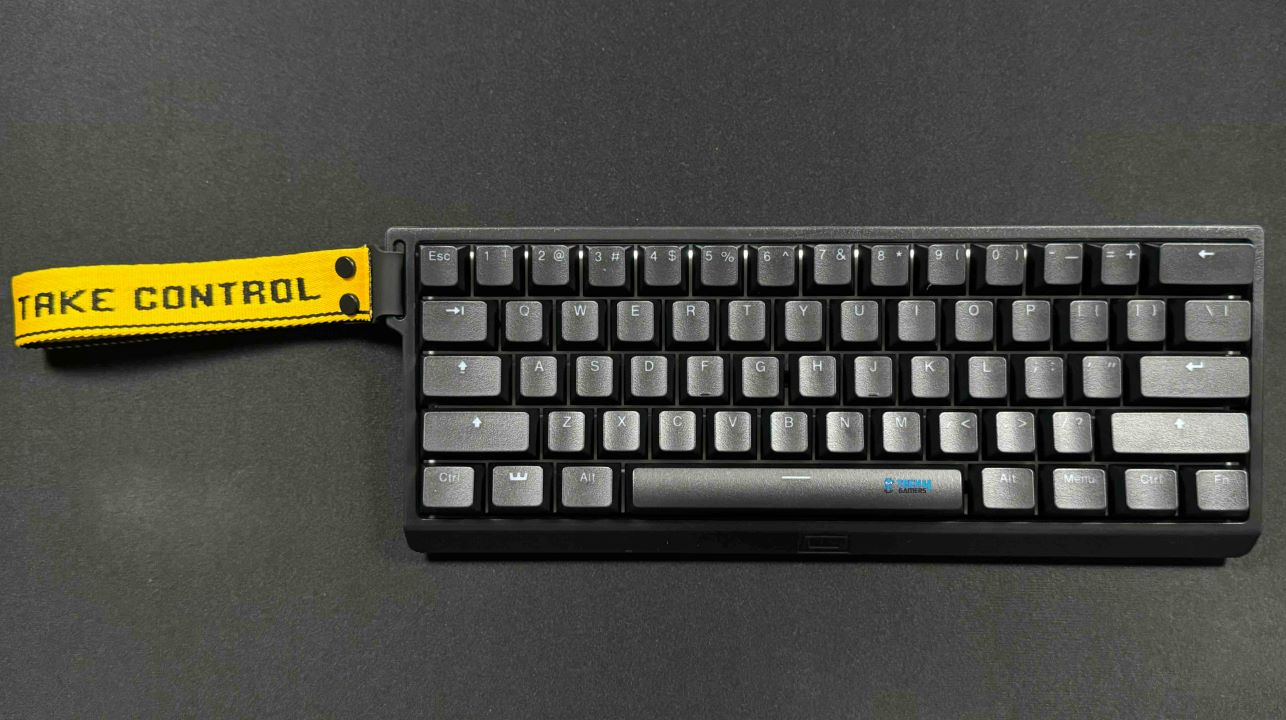
Layout: 60% | Number of Keys: 61 | Keycaps: PBT Double-shot | Case Material: ABS Plastic | Plate Material: Steel | Stabilizers: Plate-mounted stabilizers | Mounting Structure: Tray Mount | Battery: N/A | Adjustable Actuation Points: 0.1mm – 4.0mm | Polling Rate: 1000 Hz | Dimensions: 295mm x 105mm | Weight: 605g 

Pros

  • 4-year warranty
  • Ultra-low latency
  • Premium packaging
  • Multitude of accessories 
  • Miniature, lightweight design
  • Hot-swappable magnetic switches
  • Minimalistic design with full RGB control

Cons

  • No wireless mode
  • No height/angle adjustment

Read Our Wooting 60HE+ Review

This time, I took their 60% compact keyboard for a run which uses a combination of ABS plastic for the casing and a steel plate to diminish the weight to just 605g. Resultantly, the 60HE+ feels great and durable in the hand, there’s absolutely no flex despite the plastic case. Moving on, Wooting has used factory-lubed Lekker L60 switches from Gateron, although these are slightly older V1 switches. Moreover, the 60HE+ sports pre-lubed plate-mounted stabilizers that give the keyboard a ’thocky’ sound signature.

Additionally, you get PBT double-shot keycaps, which enhance the per-key RGB characteristics which are configurable through Wootility. Moving onwards, Wooting went a step ahead to accessorize the 60HE+. You can separately purchase an aluminum casing, choose from various wrist rests as well as keycaps, and cables, and you can even buy a complete toolbox to lube your keyboard yourself. Considering that the board is hot-swappable, the 60HE+ seems to be a reasonably mod-friendly platform. 

After traveling on the go with the Wooting 60HE+ for more than 3 weeks, here’s what our keyboard reviewer, Abdul Hannan had to say:

The Wooting 60HE+ is a 60% gaming keyboard with a compact design, durable build, high-quality PBT keycaps, and fast Gateron Lekker Linear60 switches. It offers customizable actuation points and impressive RGB lighting

✅Buy It If

You want the best miniature magnetic keyboard: There’s no other compact keyboard on the market that offers an all-rounded experience like the Wooting 60HE+ does in terms of speed, utility, software, and accessories.

You want a no-frills design: Wooting has always been known for going with under-the-radar designs which appeals to minimalists like me.

You want a premium experience: All of Wooting’s products have a luxurious aura surrounding them starting with the unboxing experience, which is exceptional, to say the least.

❌Don't Buy It If

You value wireless connectivity: Sadly, you can only use the Wooting 60HE+ with a USB Type-C cable.

You’re particular about your typing angle: With four rubber feet but no flip-out feet, the Wooting 60HE+ has no sort of height or angle adjustment at all, so you’re stuck with the default position, which might strain your wrists during extended periods of usage.

What Makes It The Best Compact Magnetic Gaming Keyboard?

Wooting’s combination of ultra-low latency (under 1ms) along with linear, hot-swappable switches from Gateron paired with Wootility make the 60HE+ the best compact hall-effects gaming keyboard thanks to the extensive bundle of SOCD cleaning features on offer like Rapid Trigger and Rappy Snappy. More importantly, the 60HE+ incorporates all of this in a lightweight form factor measuring just 605g. 

Performance: 8.75/10 Build Quality: 8.75/10
Design: 9/10 Typing Experience: 8.75/10

How We Tested These Keyboards

Just for you, I ran an extensive series of in-house tests and spent several hundred hours reviewing and objectively critiquing these keyboards with a special emphasis on the typing experience. Here are some of the factors I took into consideration while fishing out the best magnetic keyboards for you:

  • Switches: There are a ton of different manufacturers out there, but a few like Akko, Cherry MX, and Gateron are usually regarded as the cream of the crop, so it’s important to distinguish between high/low-quality switches as they have profound impact on your keyboard’s sound signature along with its durability and longevity.
  • Keystrokes: Every magnetic keyboard has a different actuation range where a higher, more expansive range is considered better as it offers the user more versatility for fine-tuning their keyboards according to their individual preferences. Similarly, every type of magnetic switch has a different weight and key travel which I also factored into the overall typing experience.
  • Sound: While hall-effect keyboards aren’t sought for their acoustic profile, every board does differ from the other, so I tried my best to recommend the magnetic keyboards with the best soundstage, relatively speaking.
  • Reputation: All the keyboards I’ve recommended are backed up by tried-and-tested manufacturers with long-standing track records, so you can rest assured that no matter which keyboard you choose from my list, it’ll have the support of a renowned brand with a rich history.

FAQs

How does a magnetic keyboard work?

A magnetic keyboard is based on switches with hall-effect sensors that detect a change in the magnetic field when a key is pressed. The sensors subsequently transmit a signal to register the keystroke.

What’s the difference between a hall-effect keyboard and a magnetic keyboard?

There’s no difference. A hall-effect keyboard is the same as a magnetic keyboard, it’s just a different way of referring to it.

What are SOCD cleaning features?

SOCD stands for ‘Simultaneous Opposing Cardinal Directions’. In simple words, SOCD cleaning is a feature commonly found on controllers that prevents unwanted directional inputs by neutralizing it. A few games have even banned SOCD features because of the unfair advantage they give users over their competitors.

Why should I buy a magnetic keyboard?

They’re demanded by highly competitive gamers who value every millisecond, which is why they need a linear switch with an emphasis on speed and customization via dynamically adjustable actuation points to make use of SOCD features.


Steam Hardware Survey Records First-Ever Appearance of AMD Radeon RX 9070 GPUs

Story Highlight
  • The RX 9070 makes its first-ever appearance on the Steam Hardware Survey.
  • It holds a 0.21% share among all Steam users.
  • RTX 3060 still leads the chart, and 6.53% of total Steam users still rock the now-nearly-5-year-old GPU.

In 2025, we finally saw the latest generation of graphics cards that we had been waiting for since 2022. NVIDIA debuted the RTX 50 series in February 2025, while AMD followed suit a little later with the RX 9000 series. Although NVIDIA was ahead of the curve this time, it did not meet its sales targets because the RTX 50 series did not deliver a significant improvement over the RTX 40 series.

On the other hand, AMD’s sales were greatly above its projections. More than half a year has passed, but we are finally seeing these sales figures reflected in the new Steam hardware survey, with the AMD RX 9070 appearing in the latest Steam hardware survey.

Why it matters: AMD has lagged behind Nvidia for years now in the GPU department. Team Red was finally able to catch up to the rival with the latest GPU releases, and the competition will only get better beyond this point. 

Steam RX 9070
Most Popular GPUs For Steam Users As Of December 2025 || Steam Hardware Survey 

With Blackwell GPUs expensive, in short supply, and facing other problems of their own, the RX 9000 GPUs were the obvious choice for most, offering strong specs and good value for money.

Specifically, the RX 9070 XT became one of Radeon’s best-selling graphics cards of all time. Given its popularity, we’d expect to see it in the Steam hardware poll, yet it doesn’t appear. Instead, we have the RX 9070, which, despite its lower popularity, already accounts for 0.22%.

Having been omitted from Steam’s Hardware Survey earlier in May this year, it finally emerged in the December list, now ranking alongside the RX 5500 XT, which is also making its debut. 

Steam December
Most Popular GPUs For Steam Users As Of December 2025 Contd. || Steam Hardware Survey 

A 0.22% share isn’t bad for the RX 9070, especially because the RTX 5090 is somewhat higher at 0.6%, representing a 0.24% gain. Moreover, its debut share is still higher than that of previous GPUs, such as the RX 7900 GRE (0.17%) and the RTX 4090 Laptop (0.18%).

Looking at the list of most popular graphics cards from the December Steam Hardware Survey, RTX 3060 regains the 1st spot, with a 6.53% hold, and deranks the RTX 4060 back to the second spot with a 5.85% share. 

The list is then followed by RTX 4060 with 5.84% and the RTX 3050 with 4.53%, despite being an entry-level card. Following that, we see the GTX 1650, which is even less powerful at 4.25%, and it’s all AMD until we reach the ninth position with 3.49%.

What are your thoughts on this story? Let us know in the comments below, or at the official Tech4Gamers Forums.

Best 1200W Power Supply In 2026 [With Test Results]

With every new generation of graphics cards, power use just keeps going up. The latest RTX 50-series can take up to 575W of power, which might seem surprising given how hungry the RTX 40-series already is. Take the flagship RTX 4090, for example—our review showed it pulling over 430W under synthetic loads. Because of this, getting a 1200W power supply doesn’t feel like overkill anymore—it’s starting to become normal. A higher wattage power supply offers both stability and future-proofing, so you can upgrade your CPU/GPU down the lane without worrying about changing the PSU.

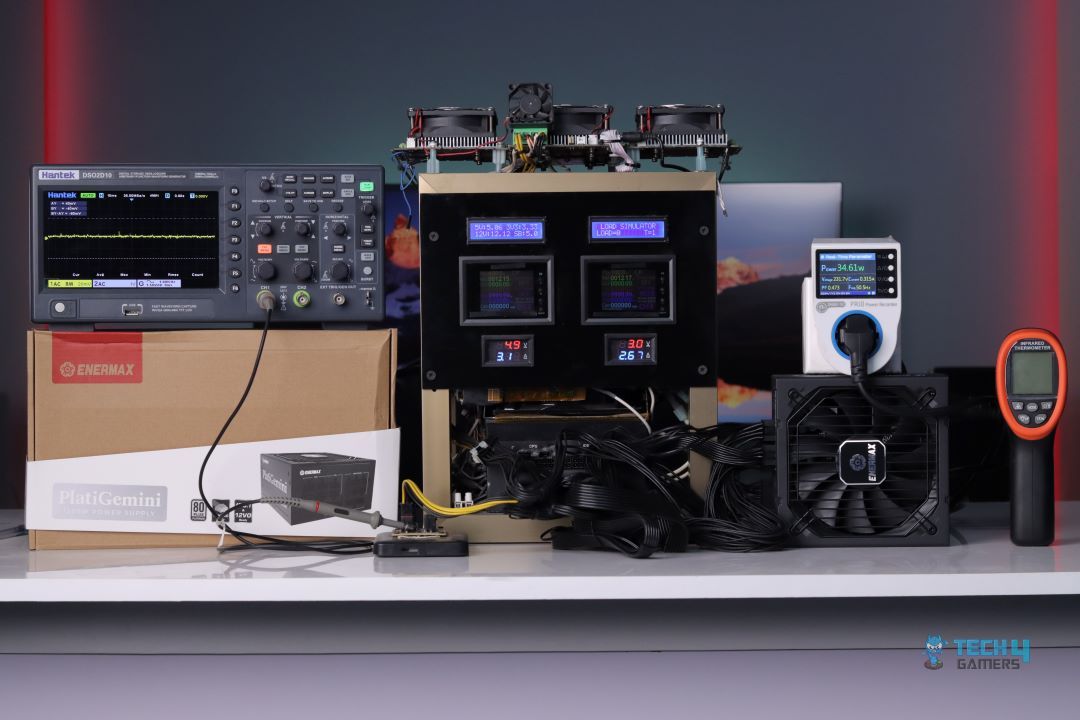
Of course, 1200W PSUs are still quite expensive, so it’s very important that you pick the right one. To help you out, I have rounded up the four best 1200W PSUs that I think are great in 2024. Over the past year, I have tested and reviewed more than 20 power supplies, and these four stood out for their performance, features, build quality, and overall value. I have also included my test results (maximum ripple, average efficiency, voltage regulation) of these PSUs, along with others, at the end of this page.

Why Trust Tech4Gamers
  • Arsalan Shakil is our power supplies expert who loves to put the latest PSUs through their paces and even take them apart.
  • 20+ PSUs tested and reviewed by our team of hardware experts (Tech4Gamers Team).
  • 180+ hours spent testing different power supplies for our reviews.
  • Objective testing criteria (See how we test peripherals).

At Tech4Gamers, ensuring you get reliable information is our priority. That’s why every hardware round-up undergoes a meticulous review process by our team of experts and editors. Each review is carefully examined against our strict editorial guidelines, guaranteeing you trustworthy insights you can depend on.

Here are my recommended 1200W PSUs, compared with each other side by side:

Power Supply
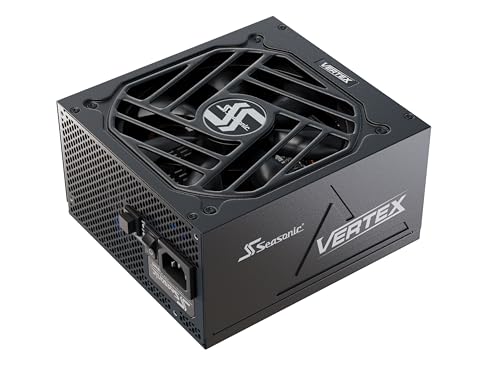
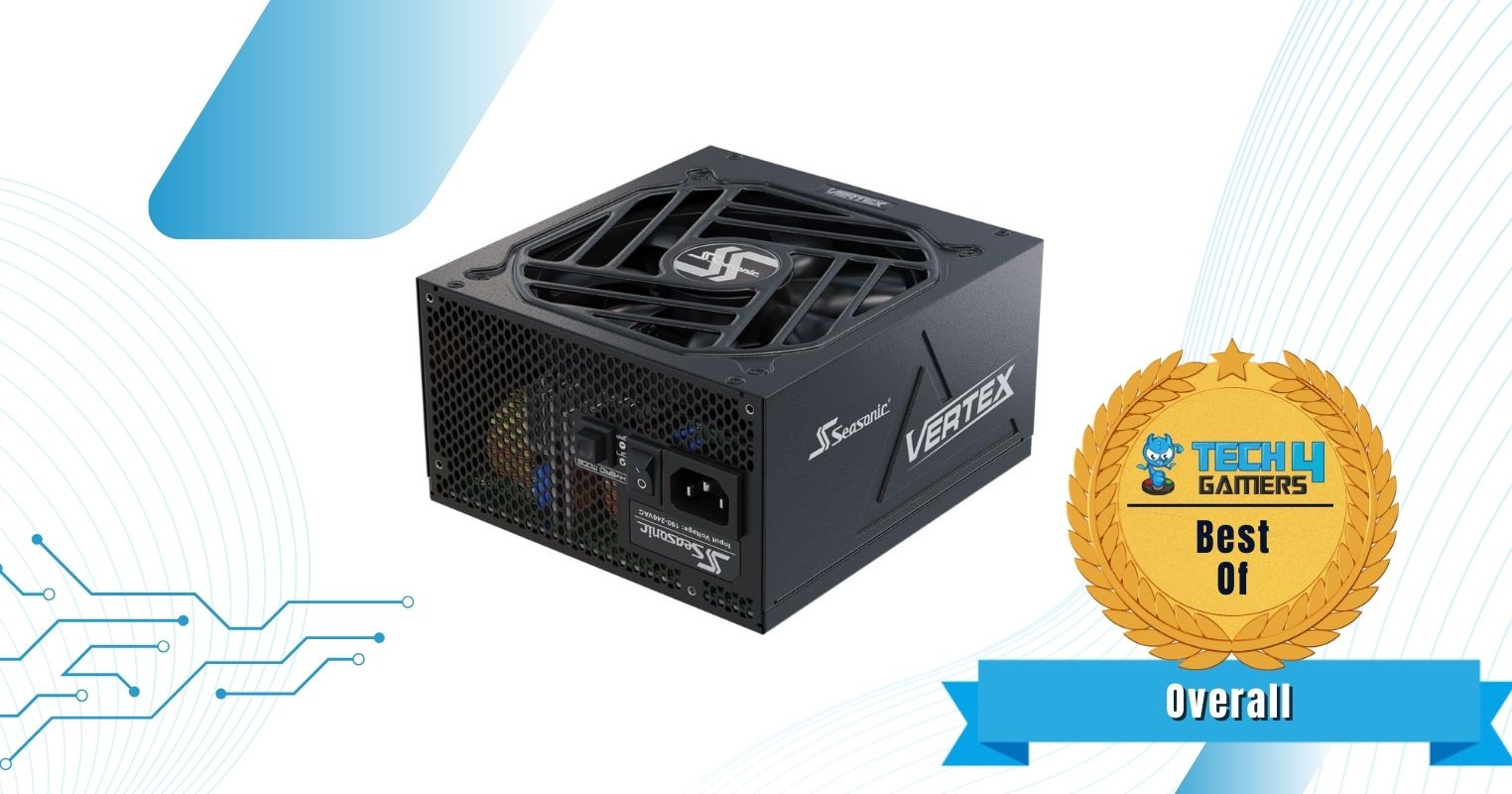
Seasonic Vertex GX-1200W Gold
Enermax PlatiGemini 1200W Platinum
Corsair HX1200i Platinum
XPG Core Reactor II 1200W
Looks
Seasonic VERTEX GX-1200 - 1200W - 80+ Gold - ATX 3.0 & PCIe 5.0 Ready - Fully Modular - Premium Japanese Capacitors - 12 Year Warranty - Nvidia RTX 40/50 & AMD GPU Compatible
ENERMAX PlatiGemini 1200W, ATX 3.1 & ATX12VO Standard, PCIe 5 600W 12V-2x6 Connector, 80+ Platinum Full-Modular Power Supply, Compact 150mm ATX PSU, 10 Year Warranty; EGN1200P
CORSAIR HX1200i Fully Modular Ultra-Low Noise ATX Power Supply - ATX 3.1 & PCIe 5.1 Compliant - Fluid Dynamic Bearing Fan - CORSAIR iCUE Software Compatible - 80 Plus Platinum Efficiency - Black
XPG CORE REACTOR II - Workstation Power Supply Unit - Stable Power Delivery & Quiet Operation - Fully Modular Cable Design & 80+ Gold Certified - Overvoltage Protection - ATX 3.0 Gold 1200 Watt VE
Award
Best Overall 1200W PSU
Best Performance 1200W PSU
Best Quiet 1200W PSU
Best Budget 1200W PSU
What We Liked
Long-lasting internal components, 10-year warranty, Solid performance, Low noise
Exceptional performance, Ready for overclocking, Premium, mesh-sleeved cables
Low noise profile, Very low voltage ripple, High-quality internals
Affordable pricing, Reliable platform, Plenty of performance
What We Disliked
Pricey for 80+ Gold
Expensive
Large size may cause space issues
Hard sleeved cables
Wattage
1200W
1200W
1200W
1200W
Efficiency Rating
80+ Gold
80+ Platinum
80+ Platinum
80+ Gold
Size
160 x 150 x 86mm
150 x 150 x 86mm
200 x 150 x 86mm
160 x 150 x 86mm
Modular
Yes (Fully)
Yes (Fully)
Yes (Fully)
Yes (Fully)
Power Supply
Seasonic Vertex GX-1200W Gold
Looks
Seasonic VERTEX GX-1200 - 1200W - 80+ Gold - ATX 3.0 & PCIe 5.0 Ready - Fully Modular - Premium Japanese Capacitors - 12 Year Warranty - Nvidia RTX 40/50 & AMD GPU Compatible
Award
Best Overall 1200W PSU
What We Liked
Long-lasting internal components, 10-year warranty, Solid performance, Low noise
What We Disliked
Pricey for 80+ Gold
Wattage
1200W
Efficiency Rating
80+ Gold
Size
160 x 150 x 86mm
Modular
Yes (Fully)
Amazon
Newegg
Power Supply
Enermax PlatiGemini 1200W Platinum
Looks
ENERMAX PlatiGemini 1200W, ATX 3.1 & ATX12VO Standard, PCIe 5 600W 12V-2x6 Connector, 80+ Platinum Full-Modular Power Supply, Compact 150mm ATX PSU, 10 Year Warranty; EGN1200P
Award
Best Performance 1200W PSU
What We Liked
Exceptional performance, Ready for overclocking, Premium, mesh-sleeved cables
What We Disliked
Expensive
Wattage
1200W
Efficiency Rating
80+ Platinum
Size
150 x 150 x 86mm
Modular
Yes (Fully)
Amazon
Newegg
Power Supply
Corsair HX1200i Platinum
Looks
CORSAIR HX1200i Fully Modular Ultra-Low Noise ATX Power Supply - ATX 3.1 & PCIe 5.1 Compliant - Fluid Dynamic Bearing Fan - CORSAIR iCUE Software Compatible - 80 Plus Platinum Efficiency - Black
Award
Best Quiet 1200W PSU
What We Liked
Low noise profile, Very low voltage ripple, High-quality internals
What We Disliked
Large size may cause space issues
Wattage
1200W
Efficiency Rating
80+ Platinum
Size
200 x 150 x 86mm
Modular
Yes (Fully)
Amazon
Newegg
Power Supply
XPG Core Reactor II 1200W
Looks
XPG CORE REACTOR II - Workstation Power Supply Unit - Stable Power Delivery & Quiet Operation - Fully Modular Cable Design & 80+ Gold Certified - Overvoltage Protection - ATX 3.0 Gold 1200 Watt VE
Award
Best Budget 1200W PSU
What We Liked
Affordable pricing, Reliable platform, Plenty of performance
What We Disliked
Hard sleeved cables
Wattage
1200W
Efficiency Rating
80+ Gold
Size
160 x 150 x 86mm
Modular
Yes (Fully)
Amazon
Newegg

If you are not sure if a 1200W PSU is right for your setup, I highly recommend checking out our power supply wattage calculator. All you have to do is input your system configuration, and our tool will give you a list of recommended PSUs based on your PC’s power requirements.

Best 1200W Power Supplies

These are the 1200W PSUs that I think are worth buying.

  1. Best Overall: Seasonic Vertex GX-1200W Gold
  2. Best Performance: Enermax PlatiGemini 1200W Platinum
  3. Best Quiet: Corsair HX1200i Platinum
  4. Best Budget: XPG Core Reactor II 1200W

Seasonic Vertex GX-1200W Gold

Best Overall 1200W PSU 

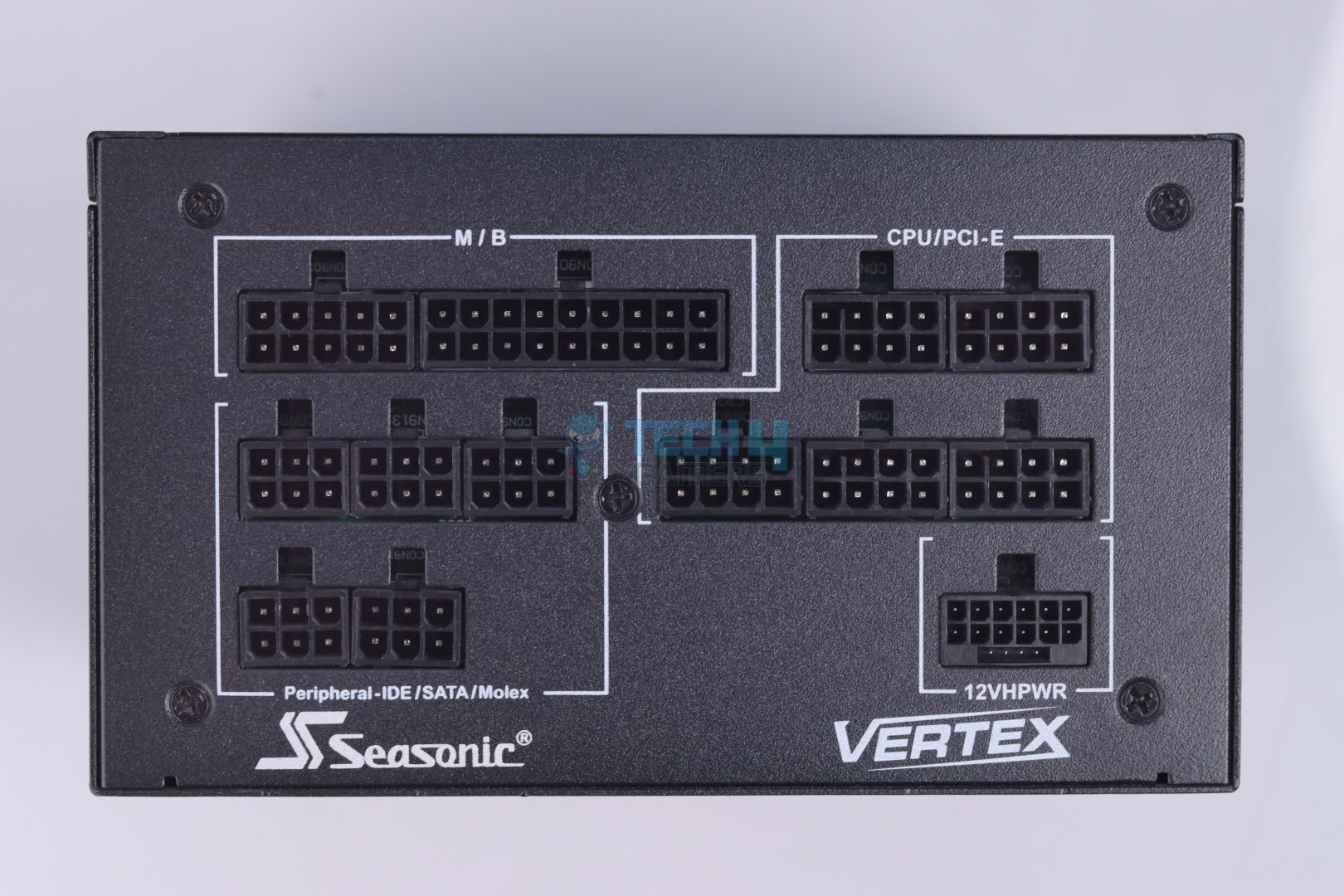
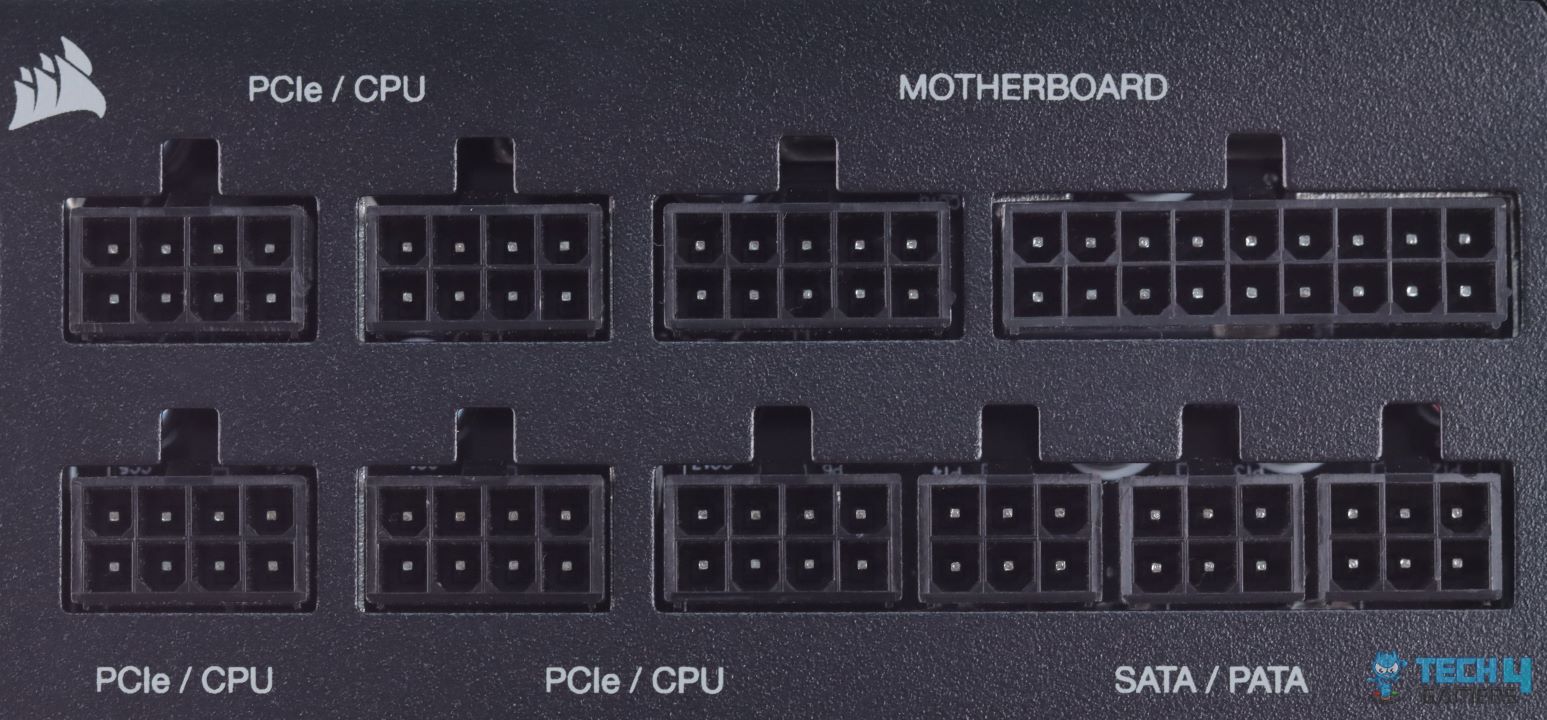
Specifications: Size: 160 x 150 x 86mm | Efficiency Rating: 80+ Gold | Modular: Yes (Fully) | Wattage: 1200W | Protection: OPP, OVP, UVP, OCP, OTP, SCP | ATX 24-Pin: 1 | EPS 4+4-Pin: 2 | 12VHPWR Cable: 1 | PCI-E 6+2-Pin: 3 | SATA: 16 | MOLEX 4-Pin: 3

Pros

  • Long-lasting internal components
  • 10-year warranty
  • Solid performance
  • Low noise

Cons

  • Pricey for 80+ Gold

Read Our Seasonic Vertex GX-1200W Gold Power Supply Review

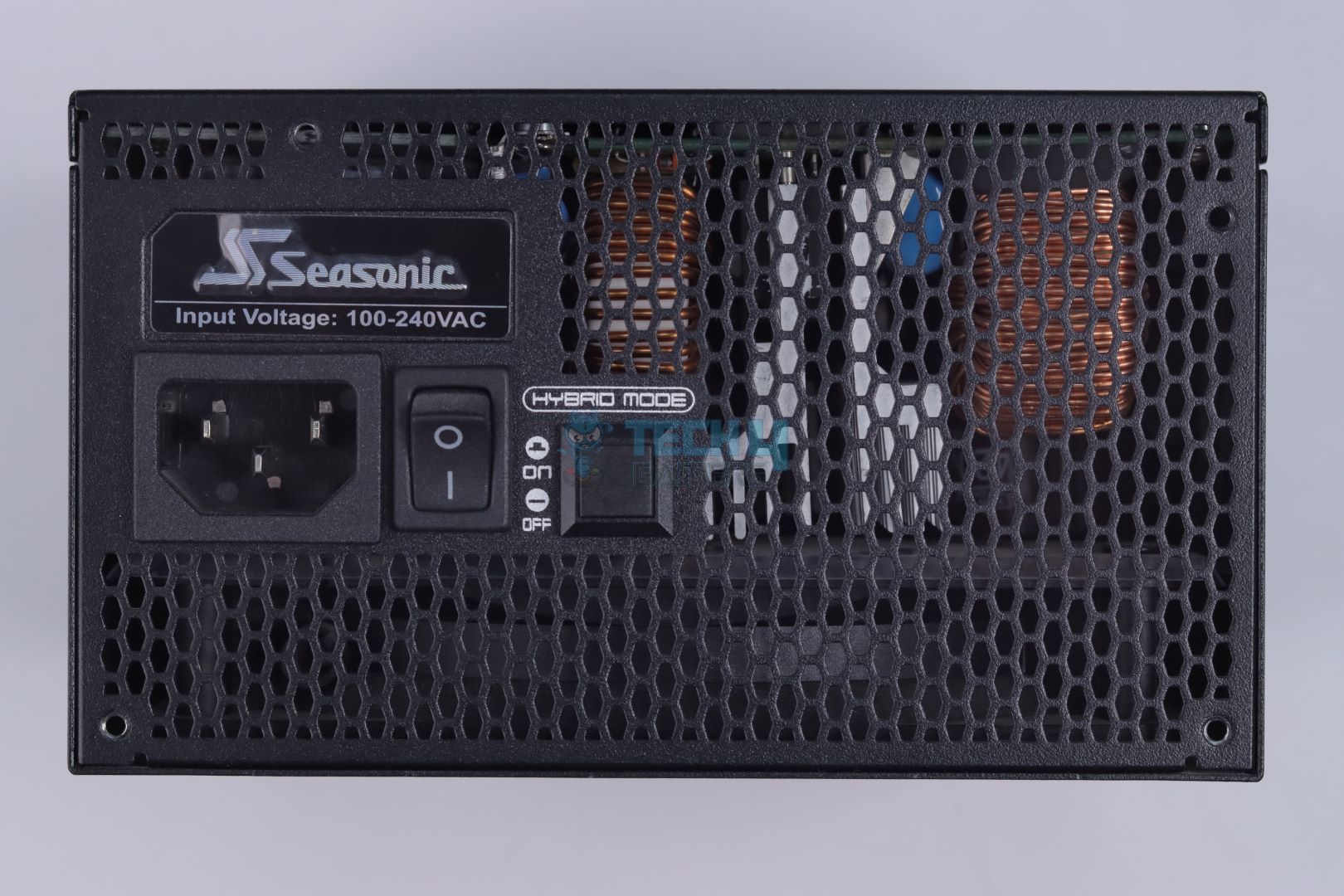
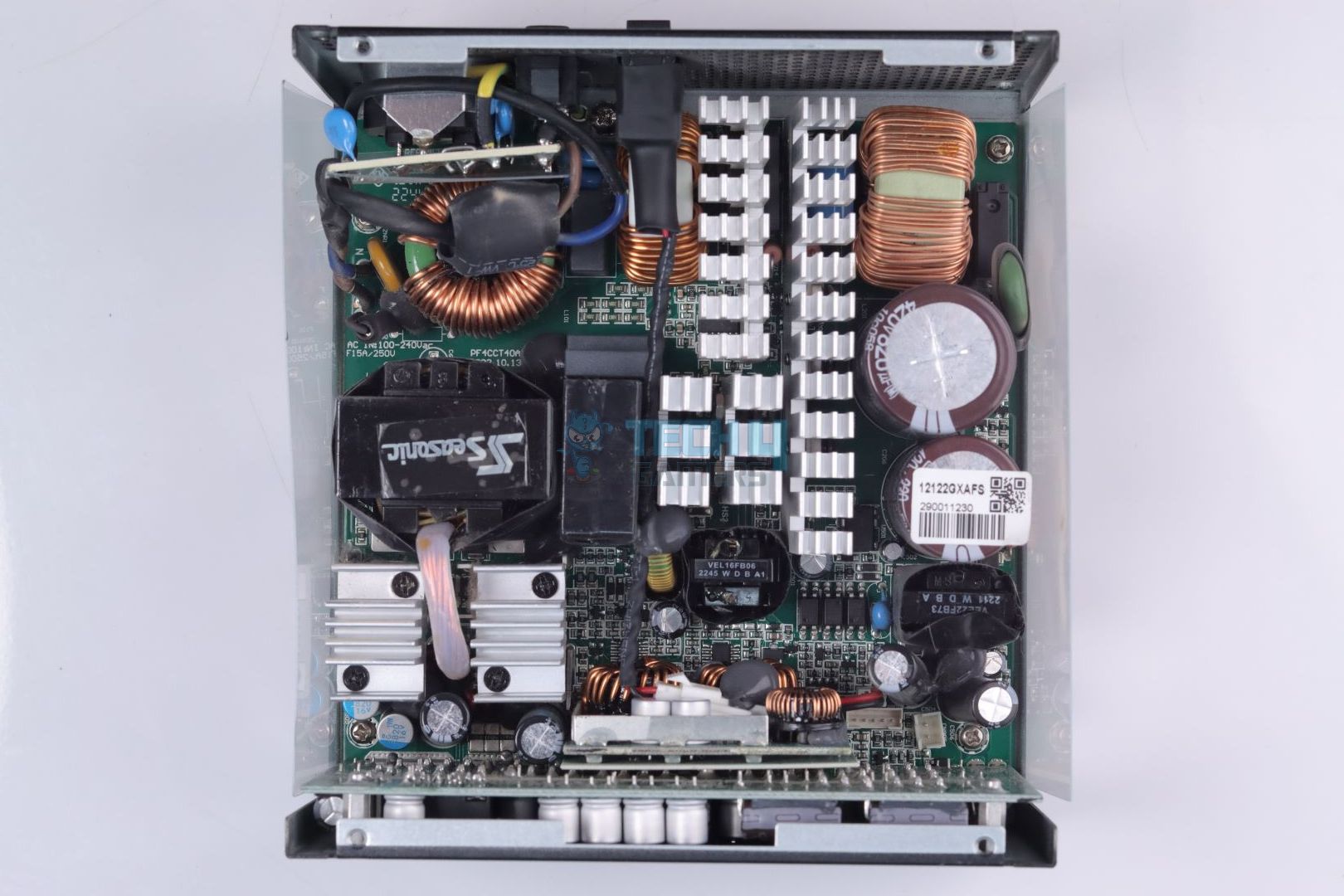
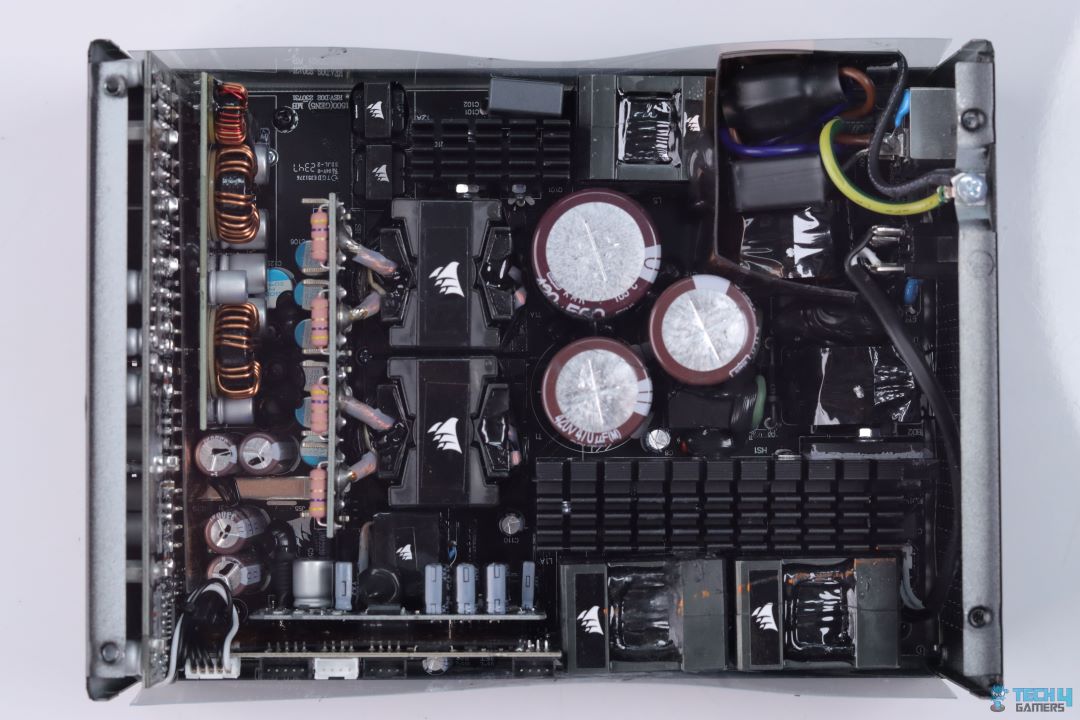
My overall pick for a 1200W PSU has to be the Seasonic Vertex GX-1200W Gold. No matter how you look at it, the PSU nails every aspect and is a great all-rounder for any PC. During my teardown, it was clear that Seasonic went all out, using components from reputable and trusted manufacturers. From the MOSFETs to the main transformer, everything is high-quality, which is also why Seasonic is offering a whopping 10-year warranty with this PSU.

My only complaint with this power supply is its high price tag, so it makes sense that Seasonic would use high-quality components to justify it. Similarly, I also expected exceptional performance out of it, and it delivers just that. With great thermals, minimal ripple, and outstanding efficiency, the Seasonic Vertex GX-1200W Gold passed all of my test results. The PSU has enough performance to handle any overclocked PC reliably without breaking down.

Here’s what I said about the Vertex GX-1200W Gold in my dedicated review of the PSU:

The Seasonic Vertex GX-1200 is a high-quality, reliable PSU that handles demanding systems with ease. It’s fully modular, efficient, and operates quietly with a hybrid fan mode, making it a great choice for anyone looking to power a modern setup. The PSU is well-built with top-tier Japanese components, and the 10-year warranty adds peace of mind. It’s a solid performer, though its price might be a bit steep compared to some newer options on the market.

✅Buy It If

You want durability: Apart from the 10-year warranty, the Seasonic Vertex GX-1200W Gold uses all the best-in-class internal components, so you can expect this PSU to last for a really long time.

You want an all-rounder: From efficiency to voltage regulation, the Vertex GX-1200W Gold delivers great performance in all tests, making it a very good choice for anyone who wants a PSU that can handle it all.

You don’t like too much noise: The PSU has a Hybrid Fan Mode, so the fans only started spinning when I put over 400W load on it. Below that, the PSU was completely silent. 

❌Don't Buy It If

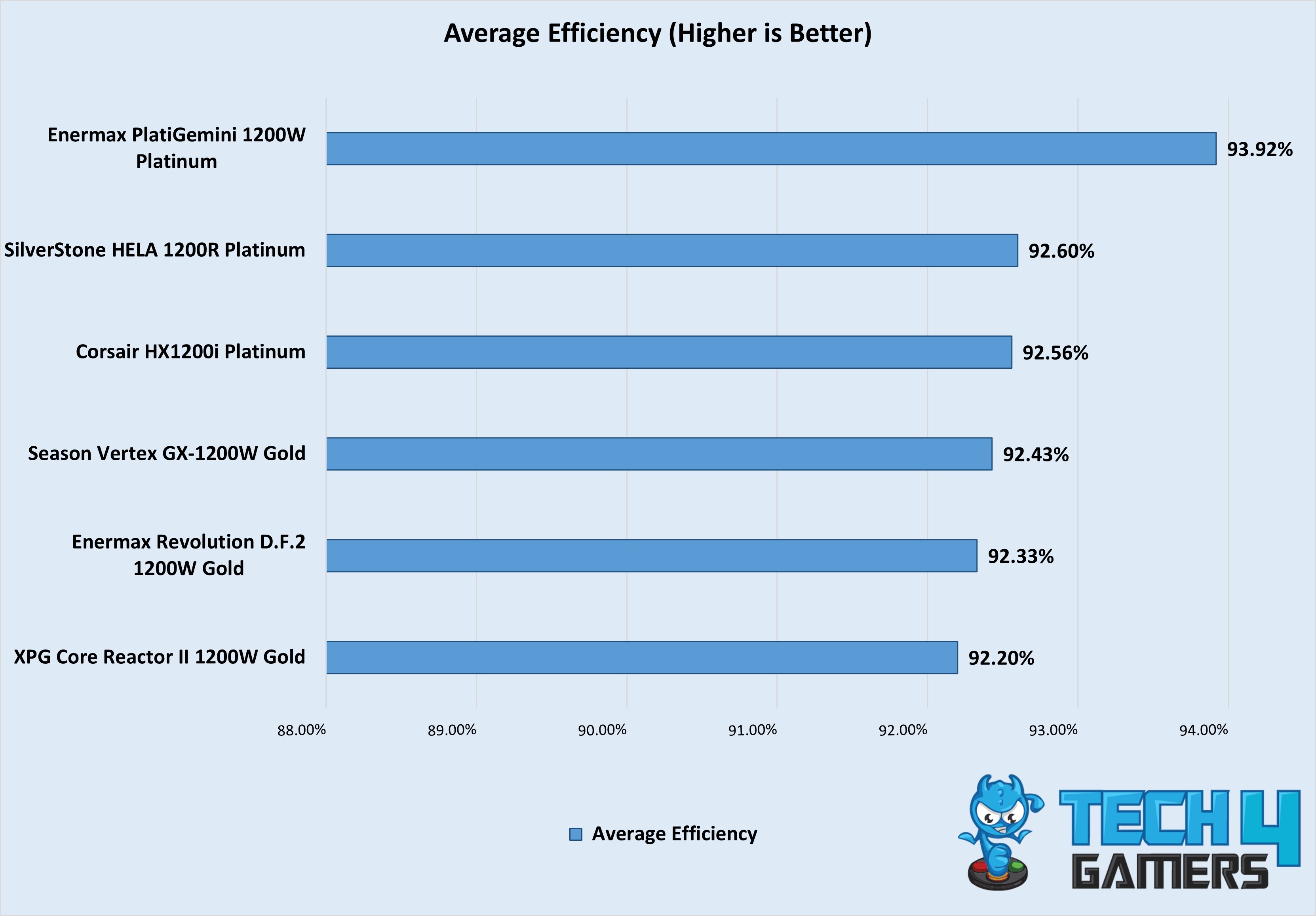
A big price tag for Gold efficiency: While the PSU averaged at around 92.43% efficiency in our test results, which is actually higher than Gold efficiency numbers, it is still quite expensive for an 80+ Gold PSU. 

What Makes It The Best Overall 1200W PSU?

If you value both reliability and performance and don’t mind the high price tag, it is hard to recommend any other PSU than the Seasonic Vertex GX-1200W Gold. From great efficiency and overall performance to quiet operations and durable components, Seasonic has packed it with all the features you would ever require for any gaming PC, making it the ideal choice for the best overall 1200W PSU.

Performance: 10/10 Value: 8/10
Features: 9/10 Efficiency: 9/10

Enermax PlatiGemini 1200W Platinum

Best 1200W Performance PSU

Specifications: Size: 150 x 150 x 86mm | Efficiency Rating: 80+ Platinum | Modular: Yes (Fully) | Wattage: 1,200W | Protection: OPP, OVP, UVP, OCP, OTP, SCP | ATX 24-Pin: 1 | EPS 4+4-Pin: 2 | 12V-2×6 12+4 Pin: 1 | PCI-E 6+2-Pin: 3 | SATA: 8 | MOLEX 4-Pin: 4

Pros

  • Exceptional performance
  • Ready for overclocking
  • Premium, mesh-sleeved cables

Cons

  • Expensive

Read Our Enermax PlatiGemini 1200W Platinum Power Supply Review

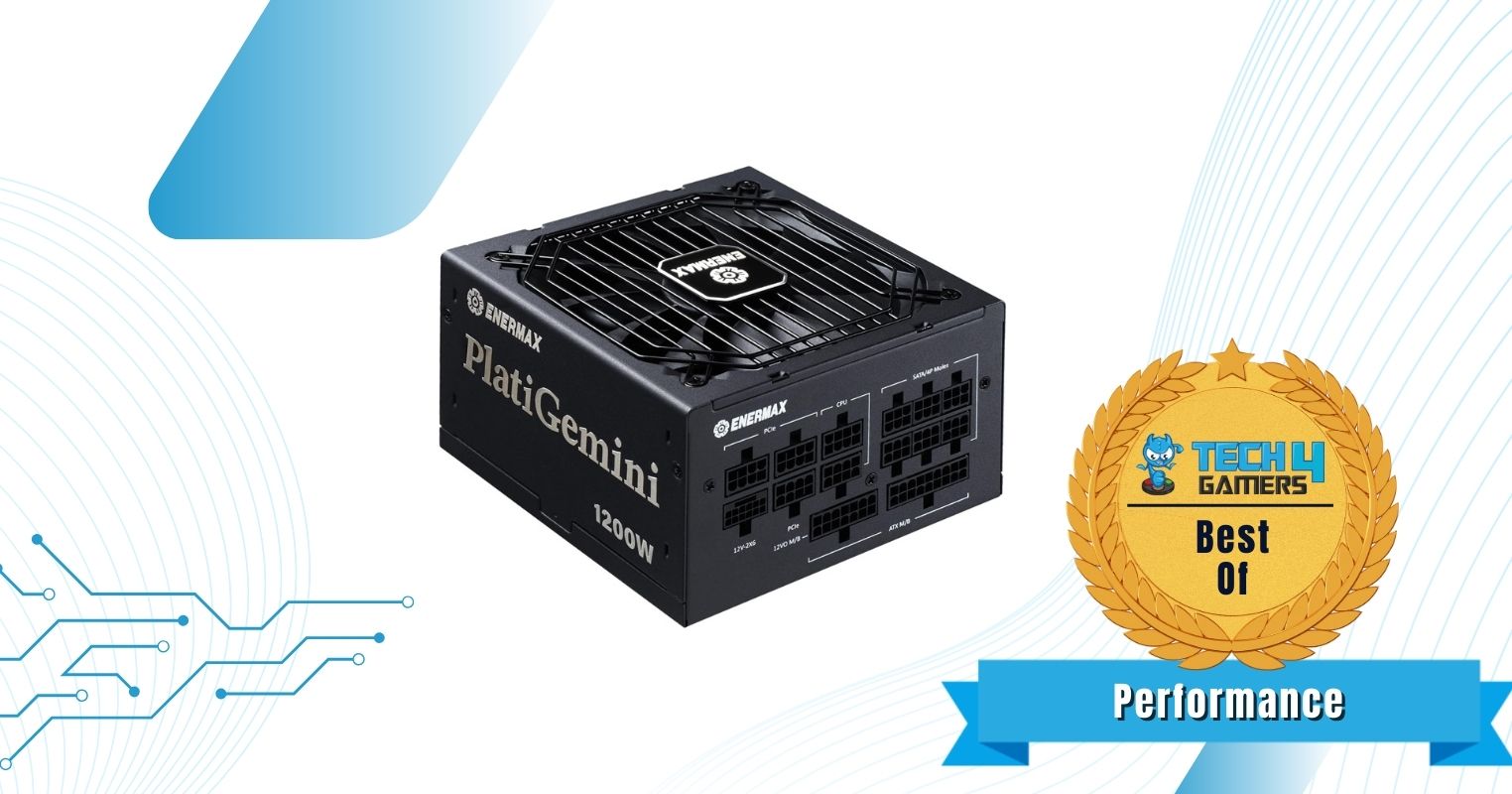
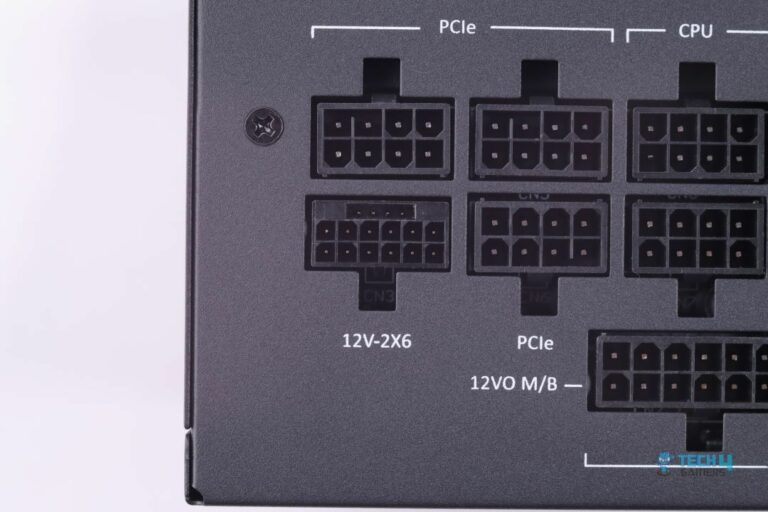
If you plan to push your setup to its limits with extreme overclocking and want a performance-packed 1200W PSU that can handle the load, I would recommend the Enermax PlatiGemini 1200W Platinum. It is an ATX 3.1 + ATX12VO PSU, which means it has the latest 12V-2X6 connector for the graphics card. Plus, the voltage is converted to 12V only (no 5V or 3.3V minor voltage rails) from the mains (120/240V AC), giving the PSU a very significant edge in efficiency, hence the 80+ Platinum certification.

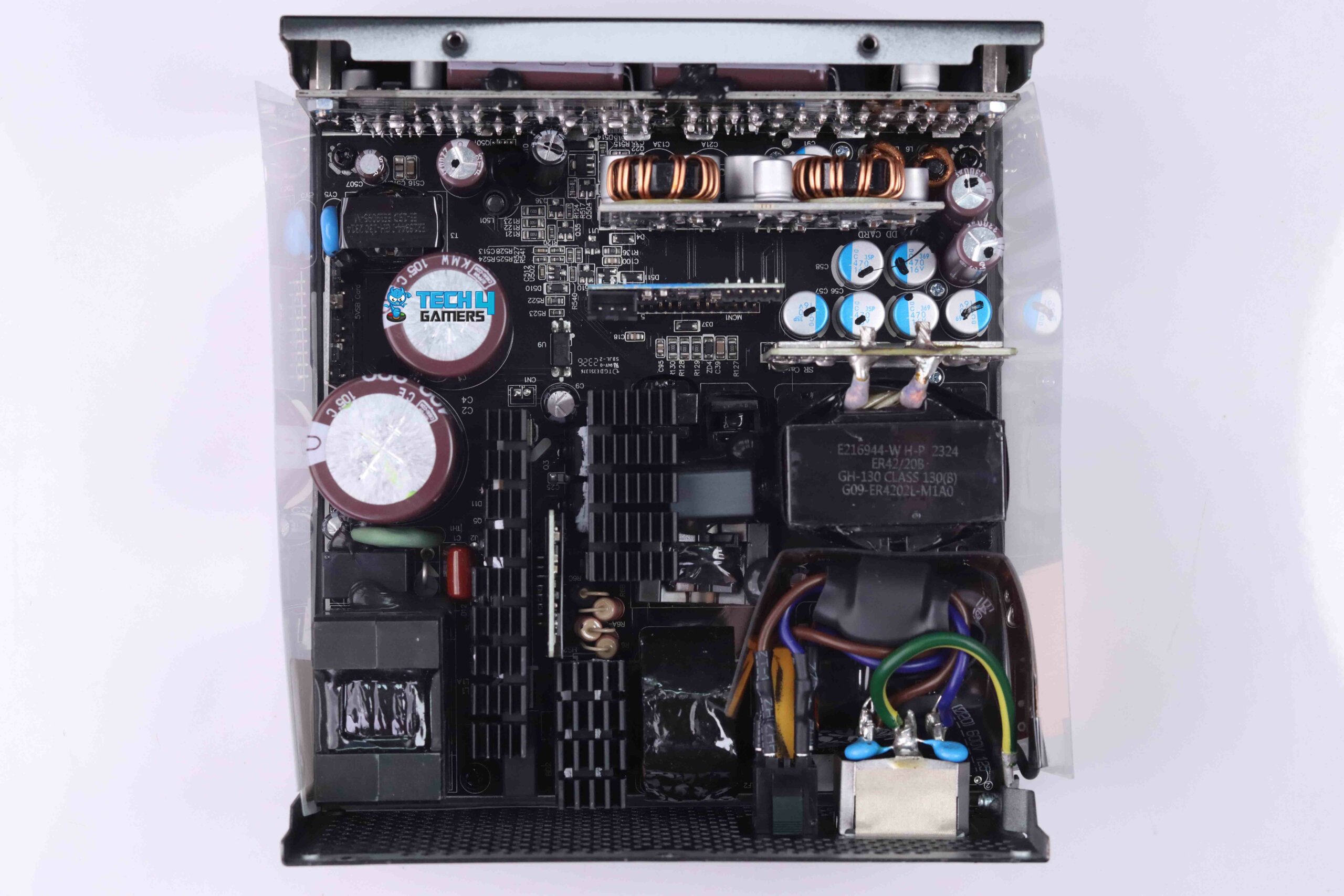
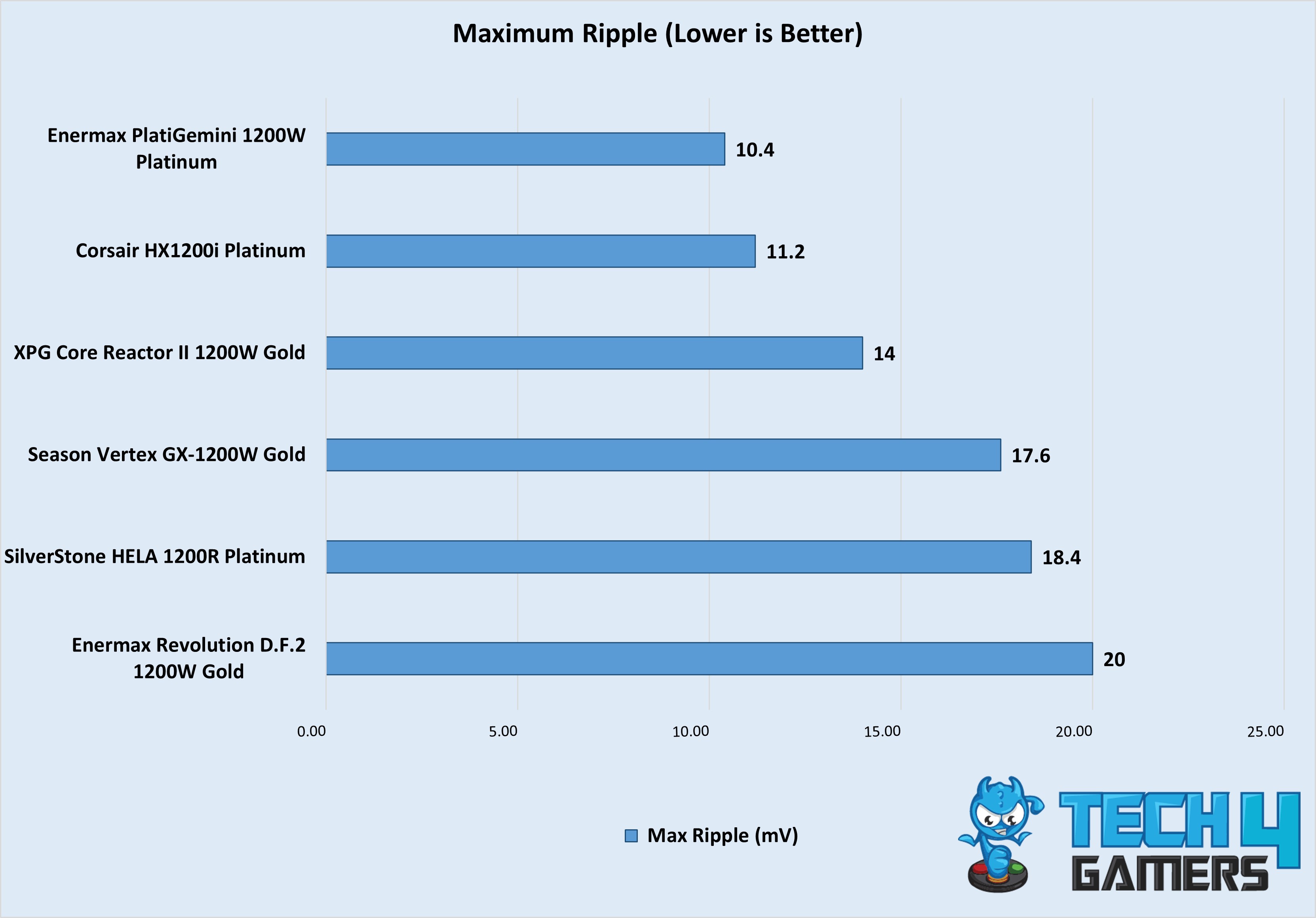
Compared to other power supplies, the PlatiGemini 1200W Platinum also has a compact design (measuring 150 x 150 x 86mm). That’s why Enermax has packed the internals very densely, and yet the layout is quite neat. There are also plenty of thermal pads to keep it cool. As for performance, the PSU left all other competition in the dust, not just in efficiency but also in maximum ripple, which only got to 10.4mV at 100% load.

When we reviewed the PlatiGemini 1200W Platinum, this is how we summarized it:

The Enermax PlatiGemin 1200W Platinum takes the crown with its robust build, top-tier efficiency, and exceptional performance. It has a fully modular design, premium mesh-sleeved cables, superior voltage regulation, and excellent thermal management. The unique Dust Free rotation feature ensures long-term maintenance. Despite its high cost, it’s perfect for high-end gaming rigs and overclocking enthusiasts seeking a reliable, silent power source.

✅Buy It If

You plan to overclock: The Enermax PlatiGemini 1200W Platinum can deliver a whopping 235% of its 1200W power capacity during power excursions, which translates to around 2820W, making it a no-brainer choice for anyone into overclocking.

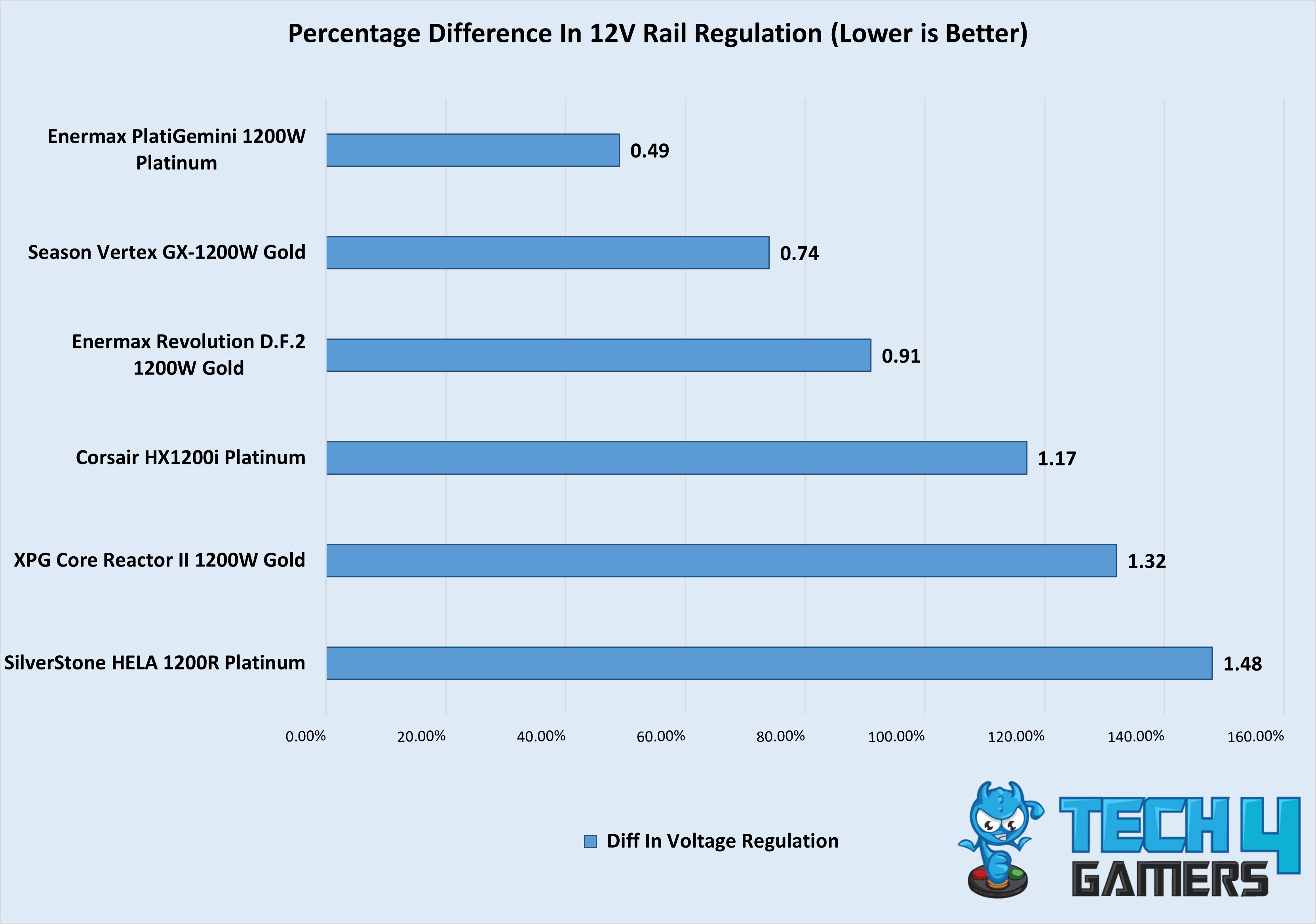
You’re after a top-performing PSU: Apart from its ability to handle overclocked PCs, the PSU’s efficiency (93.92%), the difference in voltage regulation across rails (0.49%), and maximum ripple (10.4mV)—all outperform other power supplies that I tested it against. 

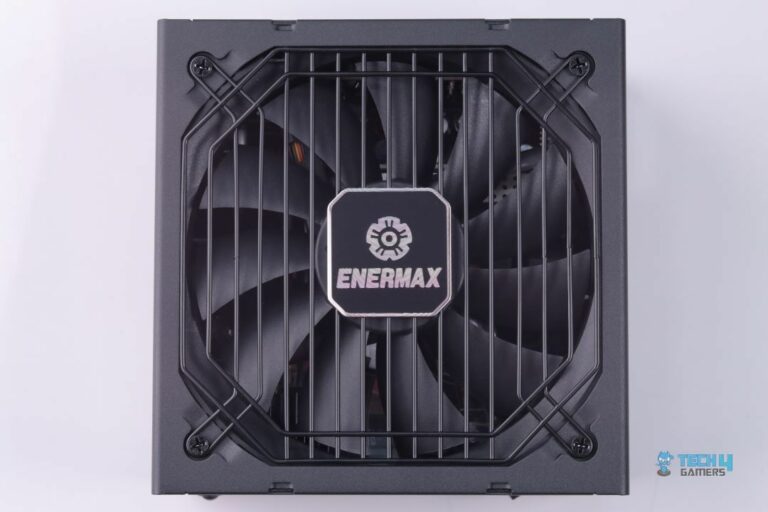
You prefer extra features: There are also several other features that make the PlatiGemini 1200W Platinum an easy recommendation. For instance, its dust-free rotation system reverses the fan direction for a few seconds at startup to keep it clean. Plus, the included cables are mesh-sleeved. Combined with the included combs, you get both easy cable management and a premium look.

❌Don't Buy It If

You don’t plan to spend a big amount on the power supply: While the Enermax PlatiGemini 1200W Platinum justifies its high price tag with exceptional performance and features, if your PC is not going to require such great power, I would recommend you look into my best overall or best budget picks, as this PSU can be an overkill.

What Makes It The Best 1200W Performance PSU?

The numbers speak for themselves, and among all the power supplies I have tested, the Enermax PlatiGemini 1200W Platinum’s results remain unbeaten. Apart from raw performance, its 235% power excursion capacity, premium mesh-sleeved cables, ATX 3.1 compatibility, and all other features combined make it the best 1200W performance PSU.

Performance: 10/10 Value: 8/10
Features: 10/10 Efficiency: 10/10

Corsair HX1200i Platinum

Best Quiet 1200W PSU 

Specifications: Size: 200 x 150 x 86mm | Efficiency Rating: 80+ Platinum| Modular: Yes (Fully) | Wattage: 1200W | ATX 24-Pin: 1 | EPS 4+4-Pin: 2 | PCI-E 6+2-Pin: 4 | SATA: 8 | MOLEX 4-Pin: 8

Pros

  • Low noise profile
  • Very low voltage ripple
  • High-quality internals
  • 10-year warranty

Cons

  • Large size may cause space issues

Read Our Corsair HX1200i Platinum Power Supply Review

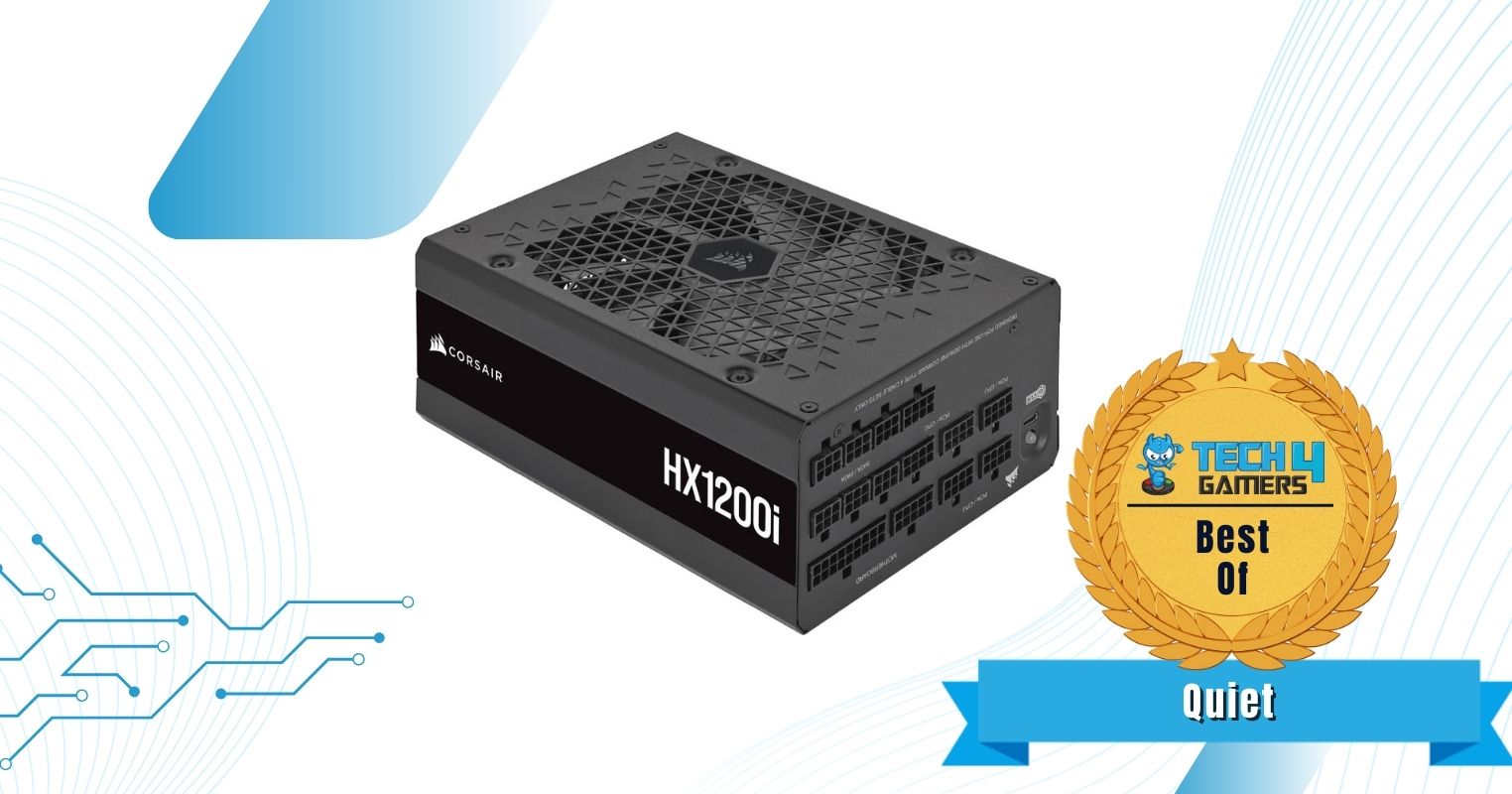
If you’re into a quiet experience and don’t want a high-performance PSU that makes a lot of noise, I would suggest the Corsair HX1200i Platinum. When I tested this power supply, it stayed practically silent even when the PSU outputted 650W, making it one of the best power supplies in terms of audio that doesn’t compromise on other features.

That’s because Corsair has gone with 100% Japanese capacitors, so you don’t have to worry about reliability or durability. This is also why Corsair is offering a massive 10-year warranty to go along with this PSU. As far as performance goes, I measured a max ripple of barely 11.2mV at 100% load. That’s an extremely impressive number, especially if we factor in that it’s a high-wattage 1200W power supply, so you can pair it with the flagship components and easily enjoy overclocking without any hiccups. Furthermore, given its performance and durability, the PSU will also last you for the next several years before you need an upgrade. 

Here’s a summary of the Corsair HX1200i Platinum from our hands-on review of the power supply:

The Corsair HX1200i offers excellent voltage regulation and ripple performance, making it ideal for overclockers and high-end system builders. While its efficiency is slightly below expectations for a Platinum-rated PSU, its superior voltage ripple control and solid thermal performance make it a strong contender in the market.

✅Buy It If

You don’t want a noisy PSU: Even when I put a 650W load on this PSU, the noise was barely audible, making it a good choice for anyone who wants a quiet gaming experience. Additionally, the fan does a great job at heat dissipation, as I measured 47.5°C max at the hottest point on the PSU, which is very good.

You want future-proofing: The HX1200i is made up of high-quality internals, which are known for their reliability. As such, this PSU will last you for quite some time.

You plan to overclock: Given its 1200W capacity and a max ripple of just 11mV, the HX1200i is an excellent choice for some extreme overclocking. The PSU can handle it all.

❌Don't Buy It If

You have space constraints: Measuring 200 x 150 x 86mm, the HX1200i is one of the biggest PSUs I’ve tested, so it can run into installation issues in compact PC cases. Make sure to measure the PSU support of your chassis before purchasing.

What Makes It The Best Quiet 1200W PSU?

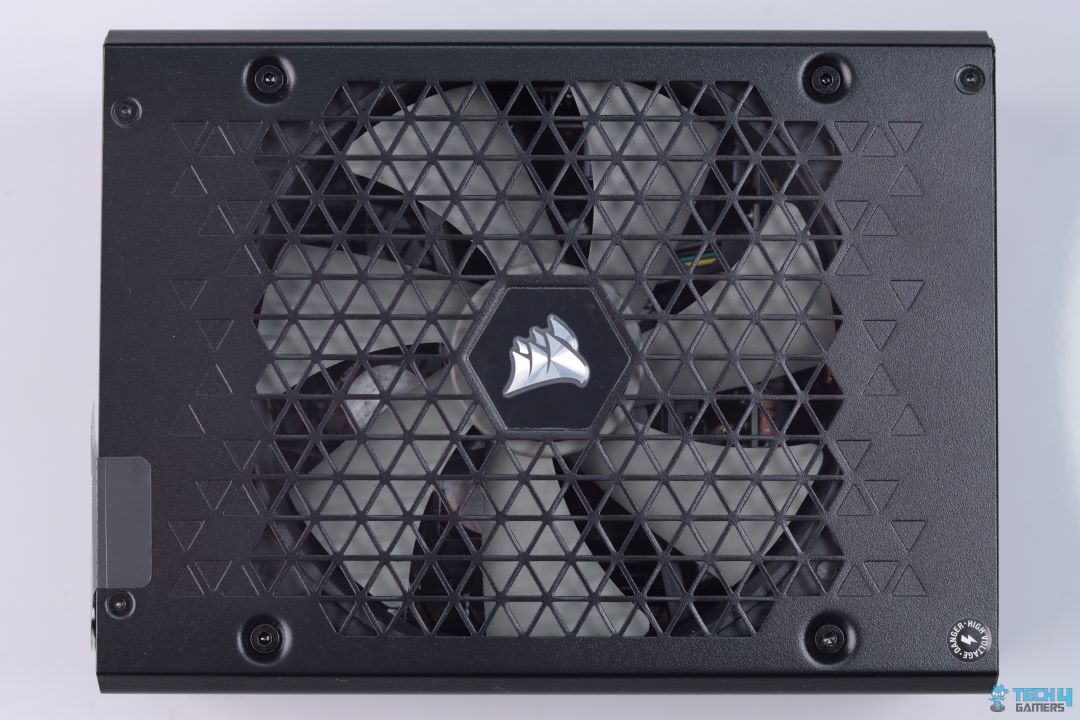
The PSU’s fan stays completely silent thanks to Zero RPM Mode, spinning only when under load. Even when it does spin, the 140mm FDB fan operates quietly. However, what makes it the best quiet 1200W PSU is not just its low noise profile. It is also its exceptional performance at high loads, use of good quality internals, efficiency, and the infamously good customer service of Corsair.

Performance: 10/10 Value: 8/10
Features: 9/10 Efficiency: 9/10

XPG Core Reactor II 1200W

Best Budget 1200W PSU 

Specifications: Size: 160 x 150 x 86mm | Efficiency Rating: 80+ Gold | Modular: Yes (Fully) | Wattage: 1200W | ATX 24-Pin: 1 | EPS 4+4-Pin: 2 | 12VHPWR Cable: 1 | PCI-E 6+2-Pin: 3 | SATA: 3 | MOLEX 4-Pin: 3

Pros

  • Affordable pricing
  • Reliable platform
  • Plenty of performance

Cons

  • Hard sleeved cables

Read Our XPG Core Reactor II 1200W Gold Review

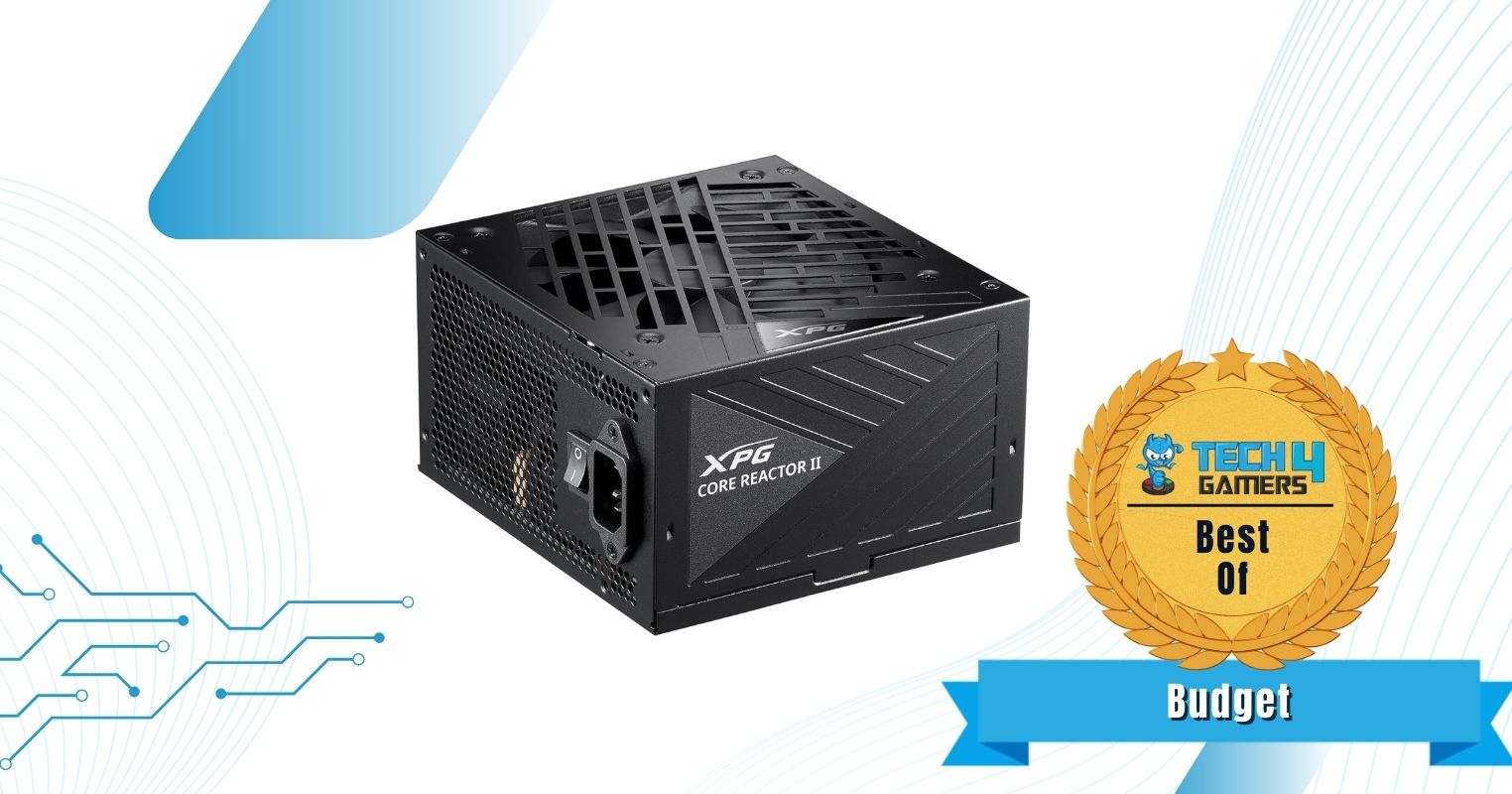
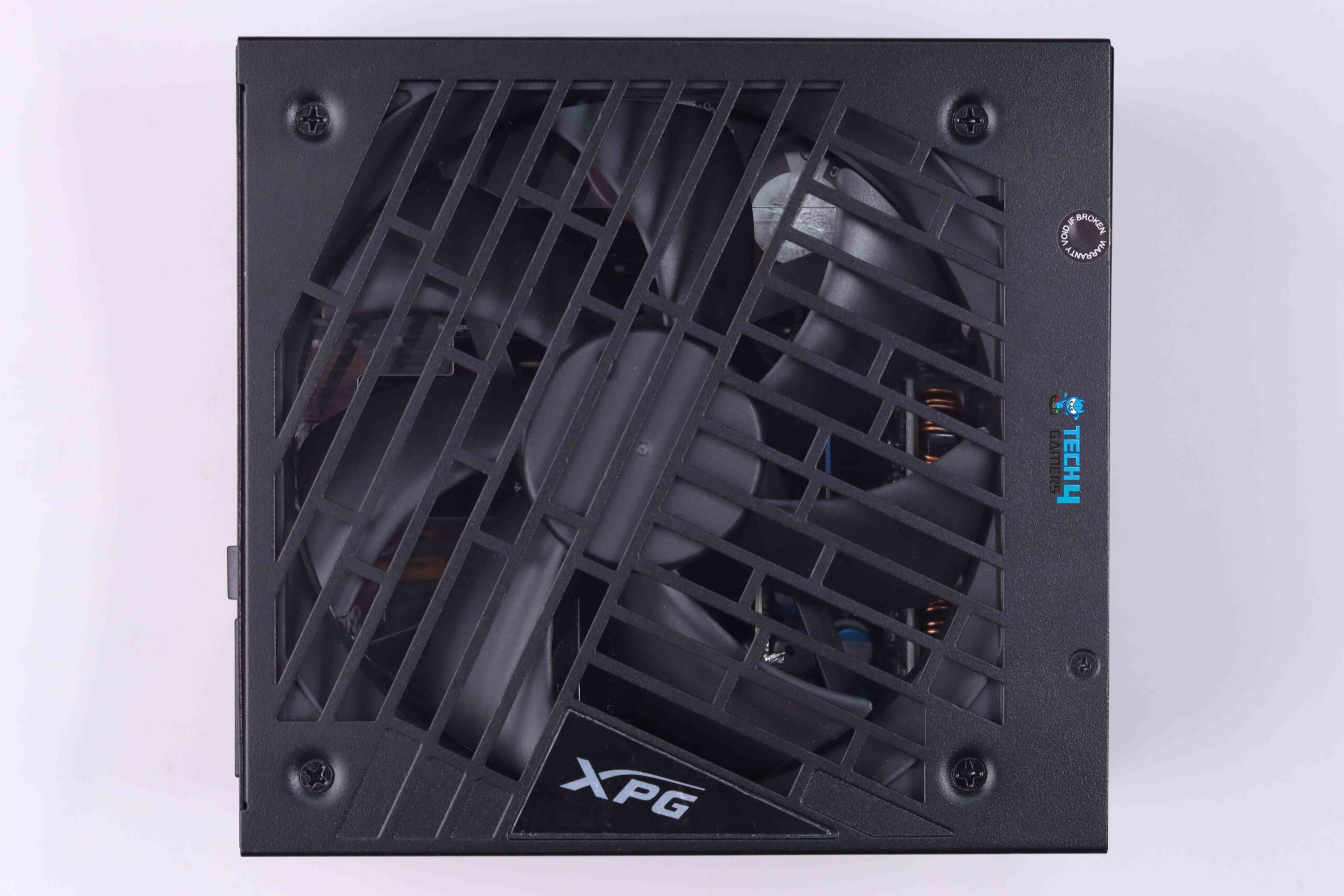
If you’re on a budget and want a high-wattage PSU that uses good-quality internals and won’t cause any reliability or stability issues, I would recommend the XPG Core Reactor II 1200W. You will have to compromise on some places, like hard-sleeved cables and no hybrid fan mode, but as far as performance and efficiency on a budget go, the XPG Core Reactor II 1200W is a no-brainer.

XPG has stuck with the reliable CWT platform, showing no signs of cutting corners where it counts. They’ve included key features like full ATX 3.0 compliance, and hence, the 12VHPWR connector, and 100% Japanese capacitors. Because of this, the Core Reactor II performed exceptionally well in our tests. It maintained an impressive 92% efficiency on average—close to the 80+ Platinum standard. Plus, with a maximum ripple of just 14mV, it’s more than capable of handling overclocking.

When Abdul Hannan, our hardware tester reviewed the XPG Core Reactor II 1200W, this is how he concluded the PSU:

The XPG Core Reactor II 1200W PSU is a great choice for gamers and PC enthusiasts looking for a reliable PSU. It offers efficient performance and sturdy construction, ensuring your components get the power they need without any worries. With its modular cable design, you can customize your setup for better airflow and aesthetics. Just make sure your PC case has enough space for it, and you’ll be good to go for years of gaming.

✅Buy It If

You want performance on a budget: As seen in our review, the XPG Core Reactor II 1200W has all the performance you would ever need from a high-wattage power supply. The PSU’s 12VHPWR cable even sustained a full 600W load with ease at 11.93V voltage.

You are after reliability: Thanks to the CWT platform, the Core Reactor II uses high-quality components, so you can expect the PSU to last a long time.

❌Don't Buy It If

You want more features: Given its affordable pricing, XPG does not offer a hybrid fan mode with this power supply, so the noise can get high under load. Similarly, the hard-sleeved cables can make cable management and routing a bit difficult, especially in compact builds.

What Makes It The Best Budget 1200W PSU?

Simply put, the amount of performance you get out of the Core Reactor II 1200W, considering its price, makes it a great budget choice for anyone looking for a 1200W power supply. I mean, the PSU is not too good to be true, as there are certainly price cuts in terms of extra features, but as far as the essentials go, XPG has nailed it, and that’s why I have picked it as the best budget 1200W PSU.

Performance: 9/10 Value: 10/10
Features: 7/10 Efficiency: 8.5/10

Performance Benchmarks Of Our Tested 1200W PSUs

We tested and reviewed plenty of 1200W PSUs to round up the top four benchmarks. The below gallery has our test results of all the 1200W PSUs we tested. The results include maximum ripple, average efficiency, and the percentage difference in voltage regulation on the 12V rail.

Power Supply Key Terms

Going over a PSU’s features, test results, and specifications can get a little too technical. To help you out, we have discussed below some of the key terms you should always know about whenever you’re shopping for a power supply.

  • Voltage Ripple: Voltage ripple describes the minor variations in a PSU’s output voltage caused during the AC-to-DC conversion. While it’s impossible to achieve zero ripple, lower levels are better and contribute to improved system stability and better overclocking potential.
  • Voltage Regulation: This refers to how consistently a PSU can deliver the correct voltage, even during changes in input or load. A high-quality unit will keep variations minimal—typically within 3%—for steady performance and improved overclocking potential.
  • Efficiency: Efficiency measures how well a PSU converts wall power (AC) into usable power for your PC (DC). Ratings like 80+ Bronze, Silver, Gold, Platinum, and Titanium classify this performance.
  • 12VHPWR Cable: Part of the ATX 3.0 standard, the 12VHPWR cable is designed to output up to 600W of power through a single 16-pin connector. NVIDIA’s high-end RTX 40-series cards were the first to use this power connector, but it will become a standard in future GPUs. 
  • Cybenetics Rating: Unlike the familiar 80+ certifications, Cybenetics offers a more thorough evaluation process, earning it higher regard in some circles. Its dual rating system includes ETA for efficiency and LAMDA for noise levels.
  • ATX 3.0: This power supply standard is designed to include a native 12VHPWR power connector for the latest graphics cards. It has been preceded by ATX 3.1. The key distinction lies in the connectors: ATX 3.0 includes a 12VHPWR cable for high-end NVIDIA GPUs, while ATX 3.1 upgrades this to a 12V-2×6 connector, which is essentially the same connector, just redesigned for more reliability.

My Strategy For Testing The Best 1200W PSU

To narrow down our tested 1200W PSUs to the top four options only, we compared all the choices based on these four factors:

  • Performance: As you can guess, the key consideration for my recommendations was the overall performance of the power supplies, which mainly depends on the maximum ripple in the voltage, average efficiency, and the difference in voltage regulation across different loads. Alongside these features, I also factored in the thermal performance and how well the PSU could sustain maximum load.
  • Build Quality: A PSU is only as good as the quality of its components. The build quality not only impacts the performance, but also how well the PSU will work in the long run, directly impacting its durability, reliability, and stability. To test the build quality, I individually took apart each power supply I tested to thoroughly analyze the internal components used. I also took several pictures and uploaded them in each PSU’s review, so you should also check them out.
  • Features: I also checked the extra features the PSUs offered, like noise profile, the type of cables used, fan quality, and more.
  • Value: I made sure that all the power supplies I picked offered great value for the money. This doesn’t necessarily mean that I went for the most affordable options, as some of my picks are still going to be expensive, but the performance, features, and build quality they carry make up for the high price. 

FAQs

Will 1200W PSU be enough for 5090?

Yes, a good quality 1200W PSU will be good enough for the RTX 5090, which is expected to pull around 575W maximum.

What is the lifespan of a PSU?

If a PSU uses high-end components like 100% Japanese capacitors and is from a reputable brand, it should last you for at least 8 to 10 years.


Chinese Chipmaker Zhaoxin Confirms KX-8000 CPUs: Up to 4GHz, DDR5 Support, Targets AMD Zen 4

Story Highlight
  • Chinese chipmaker Zhaoxin has announced its KX-8000 CPU lineup that aims to compete with AMD Zen 4 chips.
  • The new lineup will feature chips with up to 4 GHz frequency and a high-performance integrated display.
  • The CPUs will feature PCIe 5.0 and DDR5 support, offering leading efficiency. 

Chinese chipmaker Zhaoxin is among the few non-Western companies that have started to bring decent competition to Intel and AMD in recent years amid increasing chip prices. Now, it is already preparing to steal the spotlight this year with its new KX-8000 CPU lineup.  

The newly revealed value-focused series will boast a 4 GHz frequency and compelling iGPU performance, which will translate well for many high-end tasks for users. 

Why it matters: The Kaixian KX-8000 CPUs will represent a significant leap forward from Zhaoxin’s 2023 lineup, which lagged behind AMD’s Zen 3. Therefore, it could be a leading competitor against other modern chips in the embedded processor market.

The KX-8000 CPU series will be a massive improvement over its 2023 KX-7000 lineup.
The KX-8000 CPU series will be a massive improvement over its 2023 KX-7000 lineup | Image Source: Zhaoxin. 

As per the official Zhaoxin report, the lineup will support PCIe 5.0 but reportedly only work on DDR5 memory architecture. Zhaoxin officials have also stated that we can expect KX-8000 CPUs to deliver leading performance against AMD’s Zen 4 architecture. 

In 2026, Zhaoxin will welcome another fruitful result on the road of independent CPU product innovation, and the new generation of KX-8000 processor will be unveiled soon.

For context, the 2023 KX-7000 lineup was based on x86 Century Avenue architecture chips on 7 nm technology. They had 8 cores, up to 3.7 GHz clock speeds, and 32 MB of integrated cache. It supported both DDR5 and DDR4 memory with PCIe Gen4 lanes up to 24.

The CPU comes with 4 GHz frequency and supports high-performance integrated graphics.
The CPU comes with a 4 GHz frequency and supports high-performance integrated graphics | Image Source: Zhaoxin.

The exact cores and other metrics to judge performance have not yet been revealed since the announcement is more of a roadmap for now. We can expect way better hardware features than the 2023 lineup if Zhaoxin aims to compete with AMD’s high-end CPUs this time around.

There’s also no release date or launch window for KX-8000, but we can expect the CPUs to appear in the retail market by next year if Zhaoxin aims for a 2026 release.

Do you think these KX-8000 Chinese CPUs will be more of a hit in the Western market compared to the old 2023 lineup? Are you looking forward to the chips? Let us know your thoughts in the comments below, or join the discussion on the Tech4Gamers forum.

A New Deus Ex Game Isn’t Happening Because Its Owners Are “Psychopaths”, Says Lead VA

Story Highlight
  • Adam Jensen’s voice actor has confirmed that a new Deus Ex game isn’t happening.
  • He says that it’s not happening as the people in charge of the series are psychopaths.
  • A new game was reportedly in development till 2024, but was then scrapped.

Eidos Entertainment released the first-ever Deus Ex game in 2000, receiving a strong reception from both audiences and critics. Despite the last game in the franchise releasing years ago, we don’t seem to be getting a new entry anytime soon. 

The Deus Ex lead actor has called out the IP owners, who at the moment are the Embracer Group, for being “psychopaths” for not releasing a new game. He previously stated that the franchise still has a huge fan following

Why it matters: Even the last game, Mankid Divided, was pretty well received, so fans have been wondering why Embracer hasn’t decided to work on a new title for so many years. 

Deus Ex VA
Deus Ex’s lead voice actor calls out IP owners for not working on a new game.

Elias Toufexis, voice actor of Adam Jensen, the protagonist of Human Revolution and Mankind Divided, took to X to reveal the list of games he is currently working on. Unfortunately, it doesn’t include a Deus Ex game. 

He revealed he’s working on Marathon, along with 3 other titles that are still under NDA. This led fans to ask whether one of those is, in fact, Deus Ex, but he denied it, saying that a new game isn’t happening because the owners are psychopaths. 

Deus Ex
A game in the series was in development, but was later canceled in 2024.

The franchise is still quite popular, so it’s a shame the publishers haven’t considered a new title. Last year, there were reports that, following Embracer’s layoffs, a new Deus Ex game was canceled

What are your thoughts on the Deus Ex voice actor confirming a new game not being in the works? Let us know your opinions in the comments or join the discussion at the official Tech4Gamers Forum.

Arc Raiders Was The Best-Selling Game on Steam During The Holiday Period

Story Highlight
  • Arc Raiders was the best-selling game by revenue on Steam over the holiday period.
  • The extraction shooter sold more than the Steam Deck, Battlefield 6, and Expedition 33 in the week ending December 30.
  • GTA 5 also made the top 10 list, once again showing its immense staying power.

Two months on from its release, Arc Raiders is far from dead. The Embark extraction shooter has exceeded everyone’s expectations, retaining 86% of its players on Steam and winning the Best Multiplayer Game award at The Game Awards, beating Battlefield 6.

The title has also been a sales juggernaut, selling 7 million copies across all platforms, and from the looks of it, this number is about to get a major boost from the holiday period.

Why it matters: A live-service title with responsive developers who pay heed to fan feedback, selling so much, should set an example for the industry.

Steam top-selling paid products holiday period arc raiders
Source: SteamDB

According to SteamDB, excluding free games, Arc Raiders was the best-selling product by revenue on Steam across the Christmas period. Sales data compiled from December 23 to December 30 shows that the Embark title even surpassed the Steam Deck, which ended up at no. 2 on the list.

Considering that gross revenue rather than unit sales is used to rank this chart, that is a commendable achievement by Arc Raiders. The extraction shooter was also able to beat out Battlefield 6 once again, as the EA title ended up at the number 3 spot on the list.

Game of the Year winner Clair Obscur: Expedition 33 finished behind Arc Raiders, with Baldur’s Gate 3 and EA Sports FC 26 rounding out the top 6. Indie darling Dispatch, which hit 3 million players recently, also made the list, and GTA 5 wrapped up the top 10, showcasing strong sales over a decade from launch.

Arc Raiders
If Embark plays its cards right, Arc Raiders could be set for a big 2026.

Overall, however, Arc Raiders turned out to be the dominant force once again after months of consistent success. Considering how the extraction shooter was the most Googled video game on Earth in 2025, there is every chance that it will blow up to be as big as Fortnite this year, just like streamers are predicting.

Do you think Arc Raiders is yet to hit its peak? Will it be as big as Fortnite in the future? Tell us in the comments below or head to the Tech4Gamers forum for discussion.

Former Blizzard Boss Recommends Players to Buy PS5 Pro Instead of Overpriced Gaming Handhelds

Story Highlight
  • Ex-Blizzard boss asks enthusiasts to buy a PS5 Pro instead of an expensive gaming handheld. 
  • He says at that price point, you can get a Pro with a ton of games, which will be a better value. 
  • A traditional console would last 4 more years easily, while handhelds would be outdated soon.

Gaming handhelds are all the hype this year and for good reasons. They have finally become good enough for AAA gaming, so they are becoming more mainstream; however, some people still prefer to spend their money on traditional consoles. 

Former Blizzard Entertainment boss says that players should buy a PlayStation 5 Pro for $749.99, instead of getting an expensive handheld like a GPD Win 5 for around $1500, as the former provides a much better value. 

Why it matters: Gaming handhelds and home consoles both have their advantages and drawbacks, and it ultimately comes down to the player to decide what they want to compromise on and what they actually want. 

Blizzard boss on PlayStation
Former Blizzard boss states that a PS5 Pro is a better purchase than an expensive handheld

In an X post, Mike Ybarra, former Blizzard boss, replied to a Digital Foundry review on GPD Win 5. He said that he gets the mobile capacity of the handheld, but at that price point, just get a PS5 Pro and a ton of games with it. 

Ybarra says that the subsidized console model that we see with PlayStation and Xbox will always be a better buy for enthusiasts, as most can afford a $1500 handheld, and with component prices increasing, it could get worse. 

GPD win 5 performance
GPD Win 5 performance comparison against the PS4 (Via Digital Foundry)

Another point he raises is that a traditional console like a PS5/PS5 Pro and Xbox Series X could easily last you another 4 years, which gaming handhelds can’t, despite their much higher price tag. 

Now, yes, gaming handhelds do provide the worst value, but no one can deny their practicality, especially now. Still, traditional consoles will always be a better purchase as a decent-performing handheld easily costs $1000+. 

What are your thoughts on Mike Ybarra saying PS5 Pro is a better purchase than an expensive handheld? Let us know your opinions in the comments or join the discussion at the official Tech4Gamers Forum.

Arctic Liquid Freezer III Pro 360 A-RGB Review: The Cooler To Beat In 2026

If you’re familiar with CPU cooling, you might know Arctic, a brand that has been manufacturing computer cooling hardware, including CPU and graphics card coolers, as well as case fans, since 2010. The computer cooling has been their primary focus. One of their prominent all-in-one liquid-cooler series is called Freezer, a trademark of Arctic for its line of CPU coolers. Today, we’re taking a look at their Arctic Liquid Freezer III Pro 360 ARGB version to see what it offers in terms of performance, noise, and build quality.

Why Trust Tech4Gamers
  • Usman Sheikh is one of our most senior and experienced hardware reviewers. He loves spending hours (sometimes days) in his lab, testing and comparing different GPUs, CPUs, coolers, and more.
  • 80+ CPU coolers tested and reviewed by our team of hardware experts (Tech4Gamers Team).
  • 900+ hours spent testing different coolers for our reviews.
  • Objective testing criteria (See how we test CPU coolers).

At Tech4Gamers, ensuring you get reliable information is our priority. That’s why every hardware round-up undergoes a meticulous review process by our team of experts and editors. Each review is carefully examined against our strict editorial guidelines, guaranteeing you trustworthy insights you can depend on.


Key Takeaways

  • The Arctic Liquid Freezer III Pro 360 A-RGB is a powerful all-in-one liquid CPU cooler designed for extreme performance and great value.
  • You should buy the Arctic Liquid Freezer III Pro 360 if you want top-tier cooling performance, plan to overclock, or seek great value for the price.
  • You should skip the Arctic Liquid Freezer III Pro 360 if you have an older CPU or use unsupported Intel sockets.

Here are the key specs:

Arctic Liquid Freezer III Pro 360 A-RGB Specifications
[toc]

What Makes The Liquid Freezer III Pro Different?

The Pro Version is an improved iteration of the existing Liquid Freezer III series, featuring enhanced fans (P12/P14 Pro) that can reach up to 3000 RPM. Additionally, it includes increased fin density in the radiators, all while maintaining the same 38mm thickness. Also, the pro variant has a better mounting and contact system for the Intel platform. In terms of cooling performance, according to Arctic, the pro version is 2 °C cooler on AMD, while on Intel, the difference is up to 10 °C under noise-normalized conditions, which is massive.

If you’re interested in the non-Pro variants, we’ve also tested, reviewed, and compared the Liquid Freezer III 360, 280, and 240.

Packaging

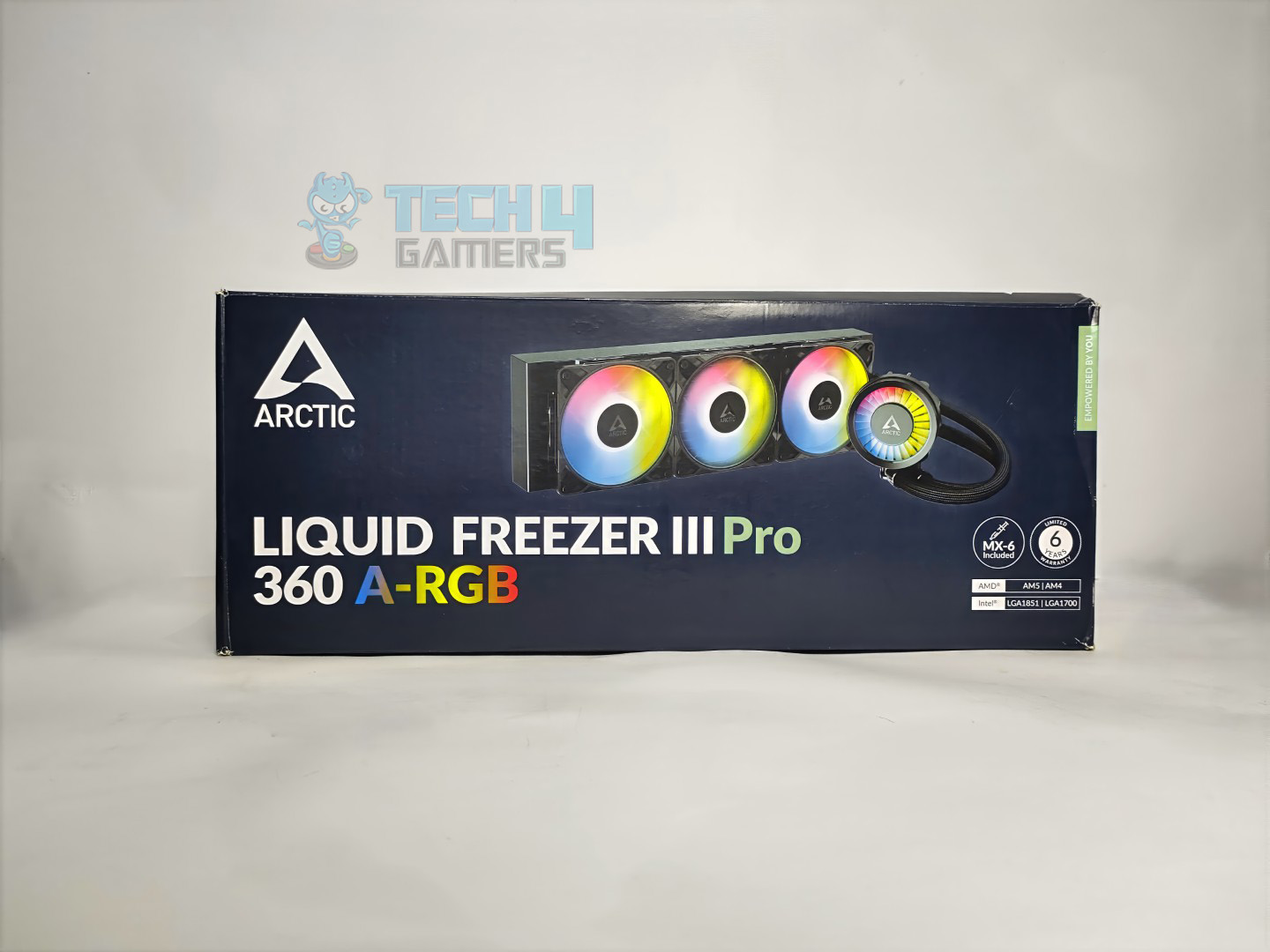
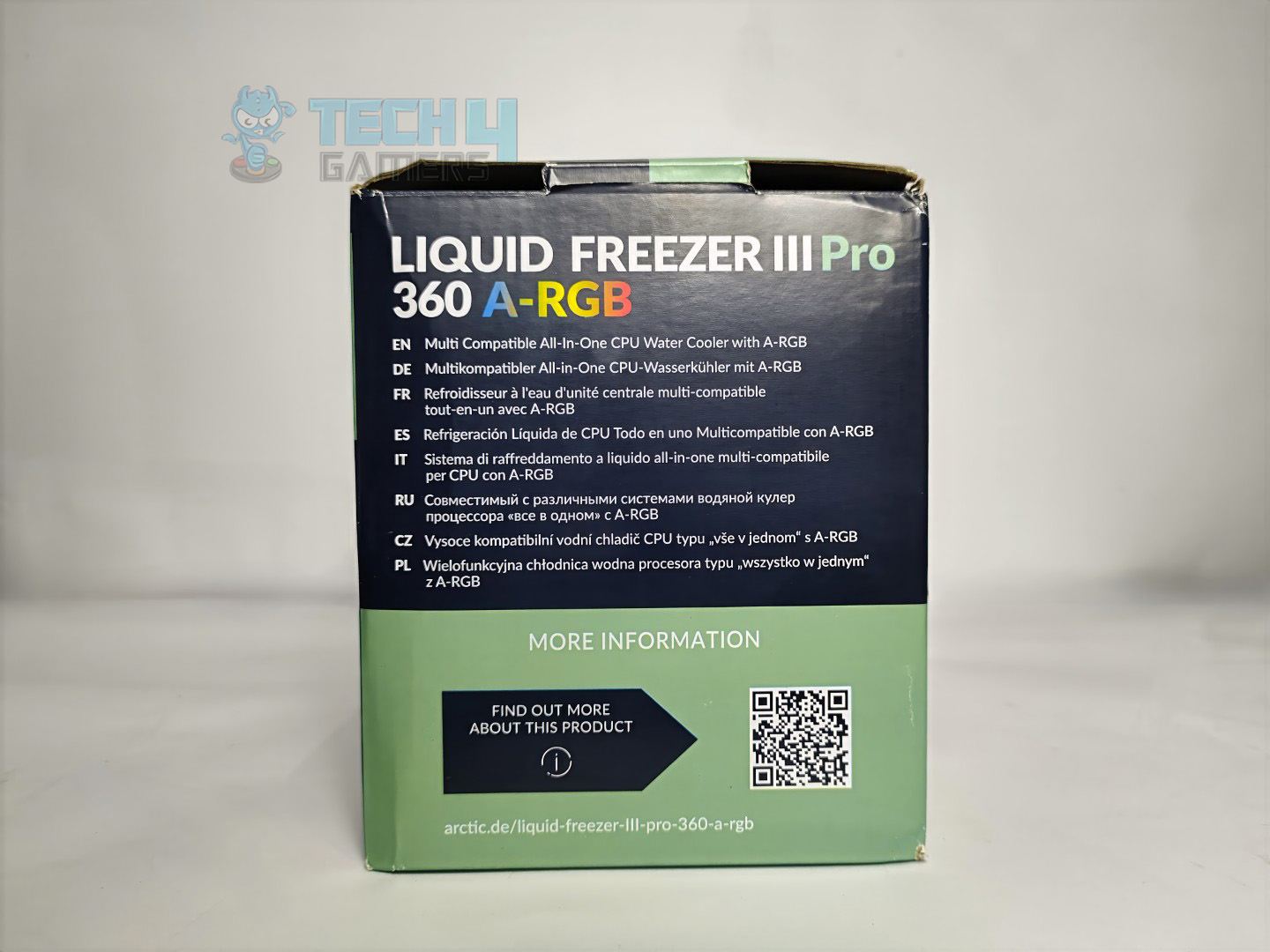
The box is made of cardboard. The cooler itself is prominently shown on the front of the box, and at the bottom, Arctic has also mentioned that the Arctic MX6 is included, alongside the 6-year warranty label.

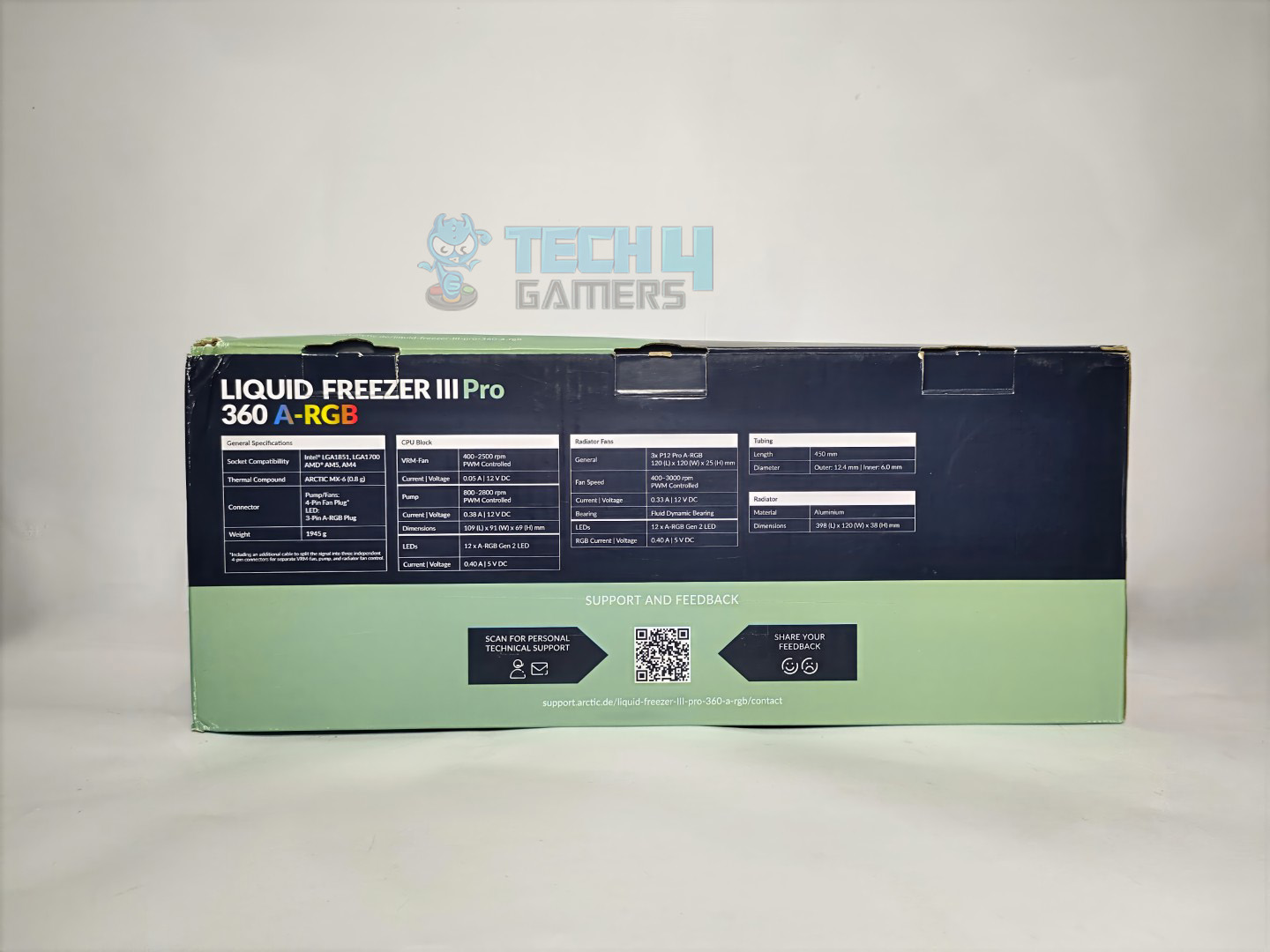
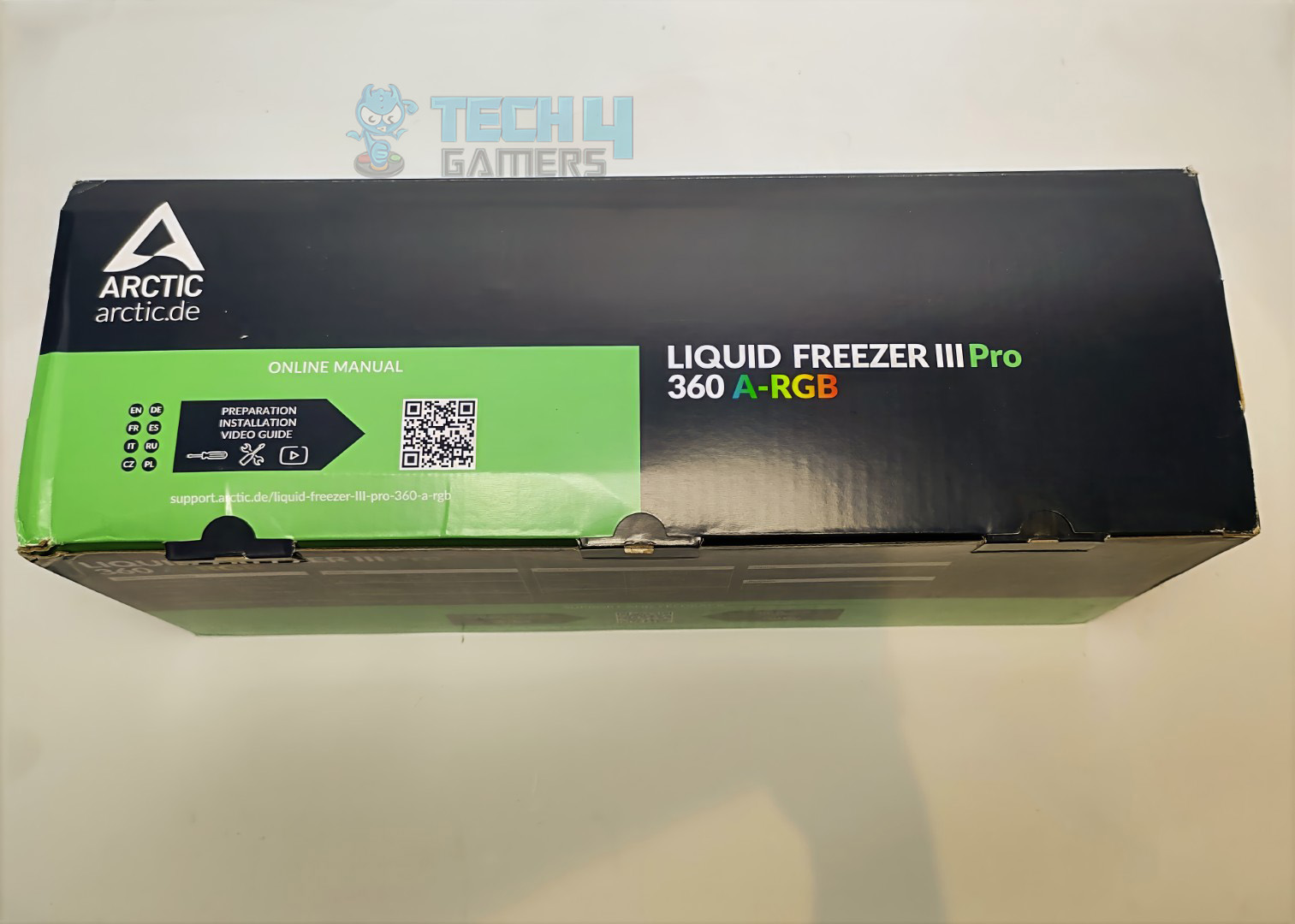
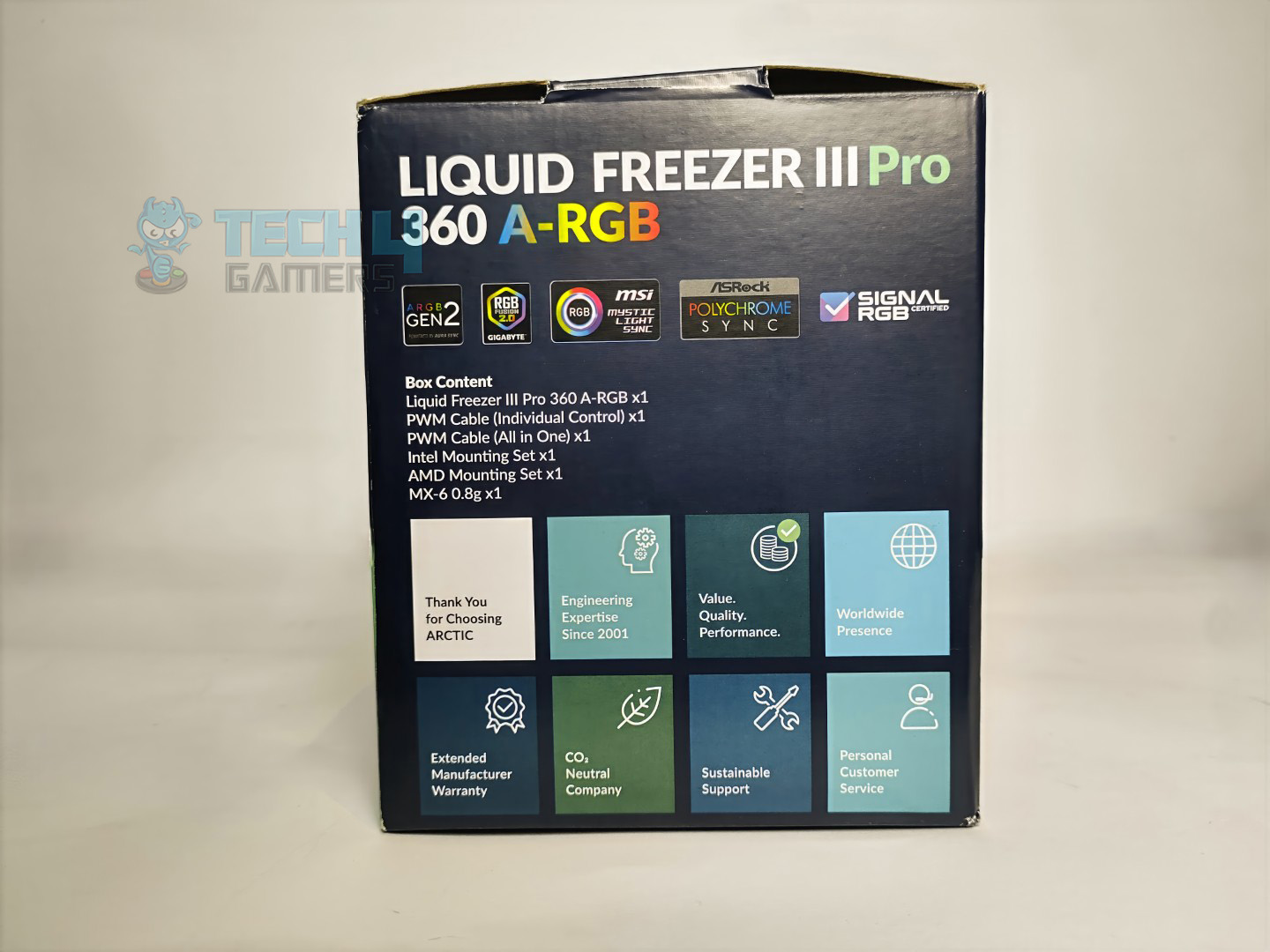
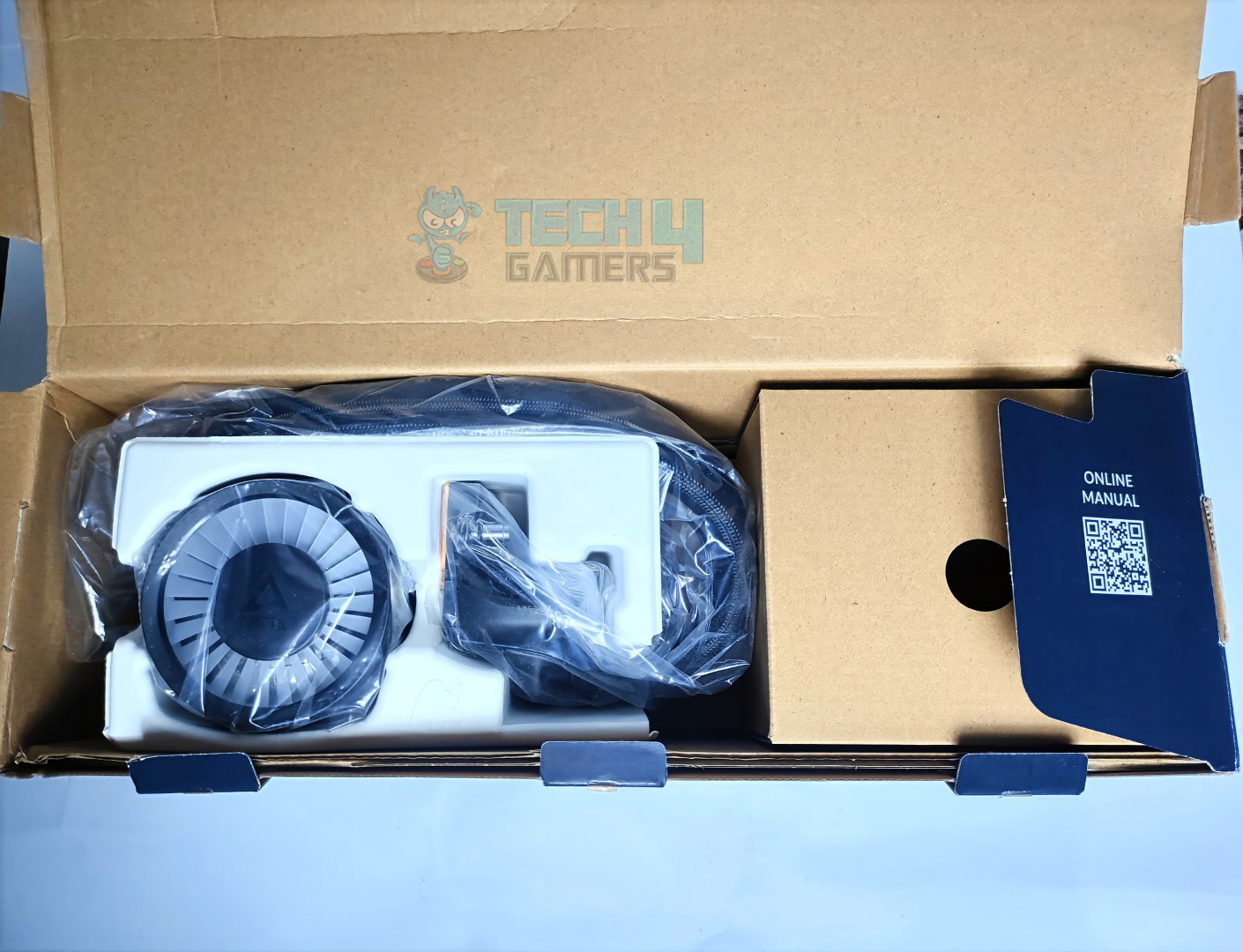
On the rear side of the box, the cooler’s detailed specifications are listed with a QR code for further technical details about the cooler. Overall, the design is very professional and clean, with the product visuals, thermal paste, and warranty highlighted. When you unbox the cooler, you find the block securely wrapped in a plastic bag and cushioned with foam.

Accessories

Let’s take a look at the accessories.

Accessories
Accessories

The cooler supports all the latest CPUs from Intel, including LGA 1700 and LGA 1851, and AMD’s AM5 and AM4 platforms. If you have the older platform, the cooler is not supported. You are also supplied with the necessary cables, thermal paste, and a contact frame for Intel.

Here is the structured table of what you get inside the box:

Category Item Quantity
Cooler Arctic Liquid Freezer III Pro 360 A-RGB 1
Fans Pre-Installed Arctic P12 Pro-ARGB 3
Thermal Paste Arctic MX6 (0.8g) 1
Cooler Accessory A-RGB VRM Fan Module 1
Cables PWM Cable (Individual Control) 1
  PWM Cable (All-in-One) 1
Screws Metal Flat Washers 12
  Fan Screws 12
  Radiator Screws 12
Intel Mounting CPU Contact Frame 1
  T20 Driver 1
  CPU Contact Frame Screws 4
AMD Mounting Mounting Clips Set 1
  Spacers for Mounting 4
  Screws for Mounting 4

Close Look At The Radiator

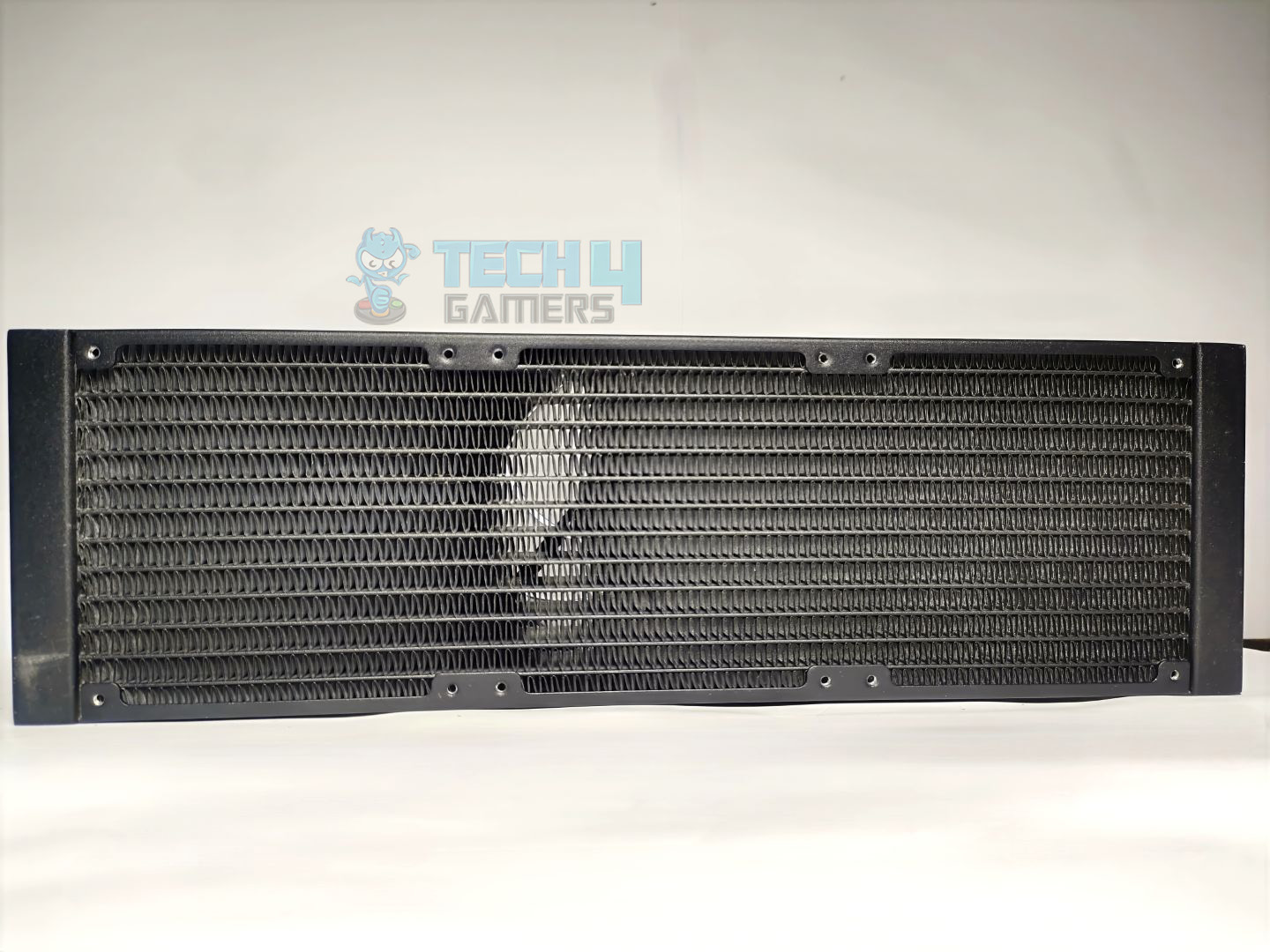
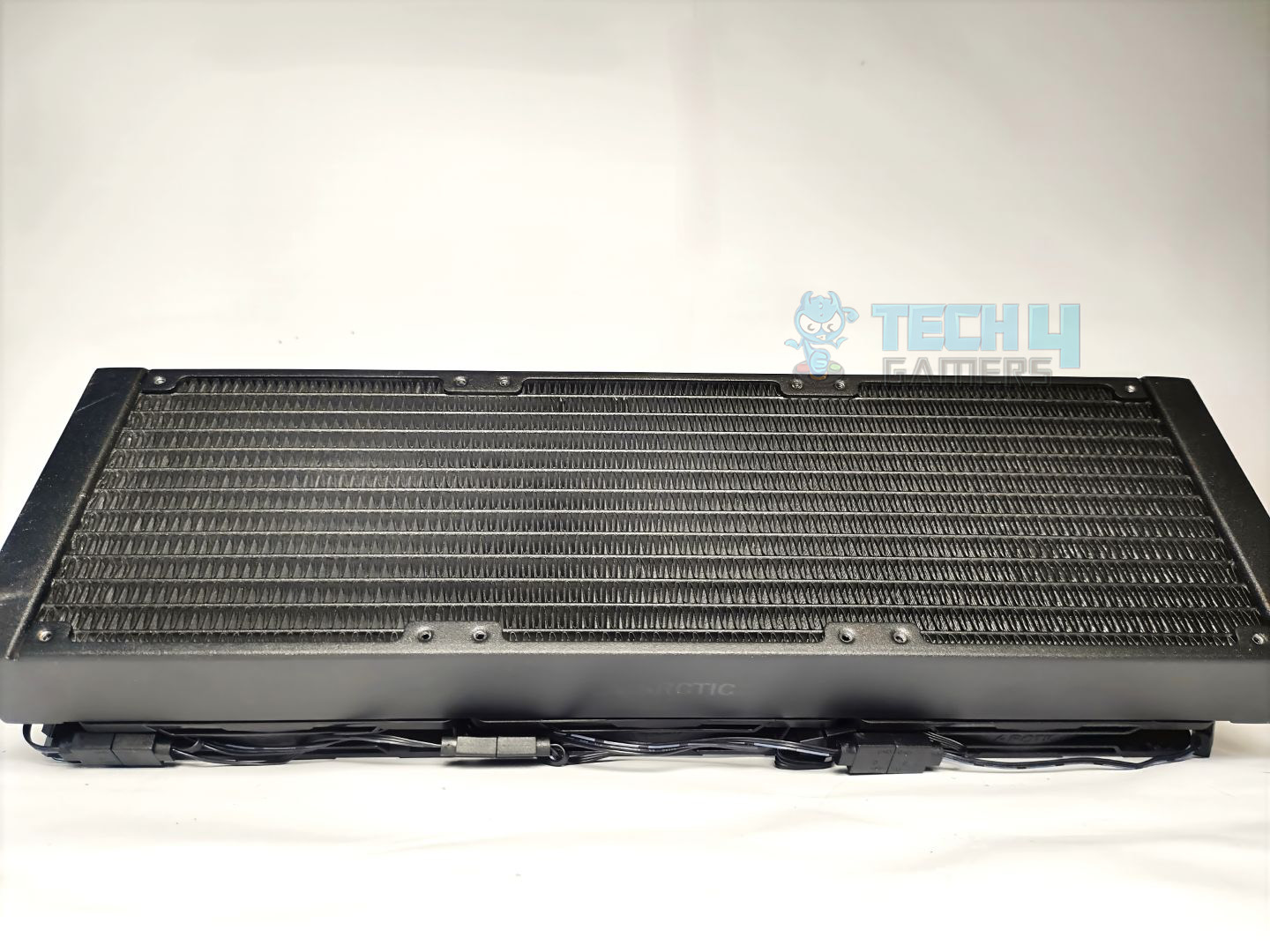
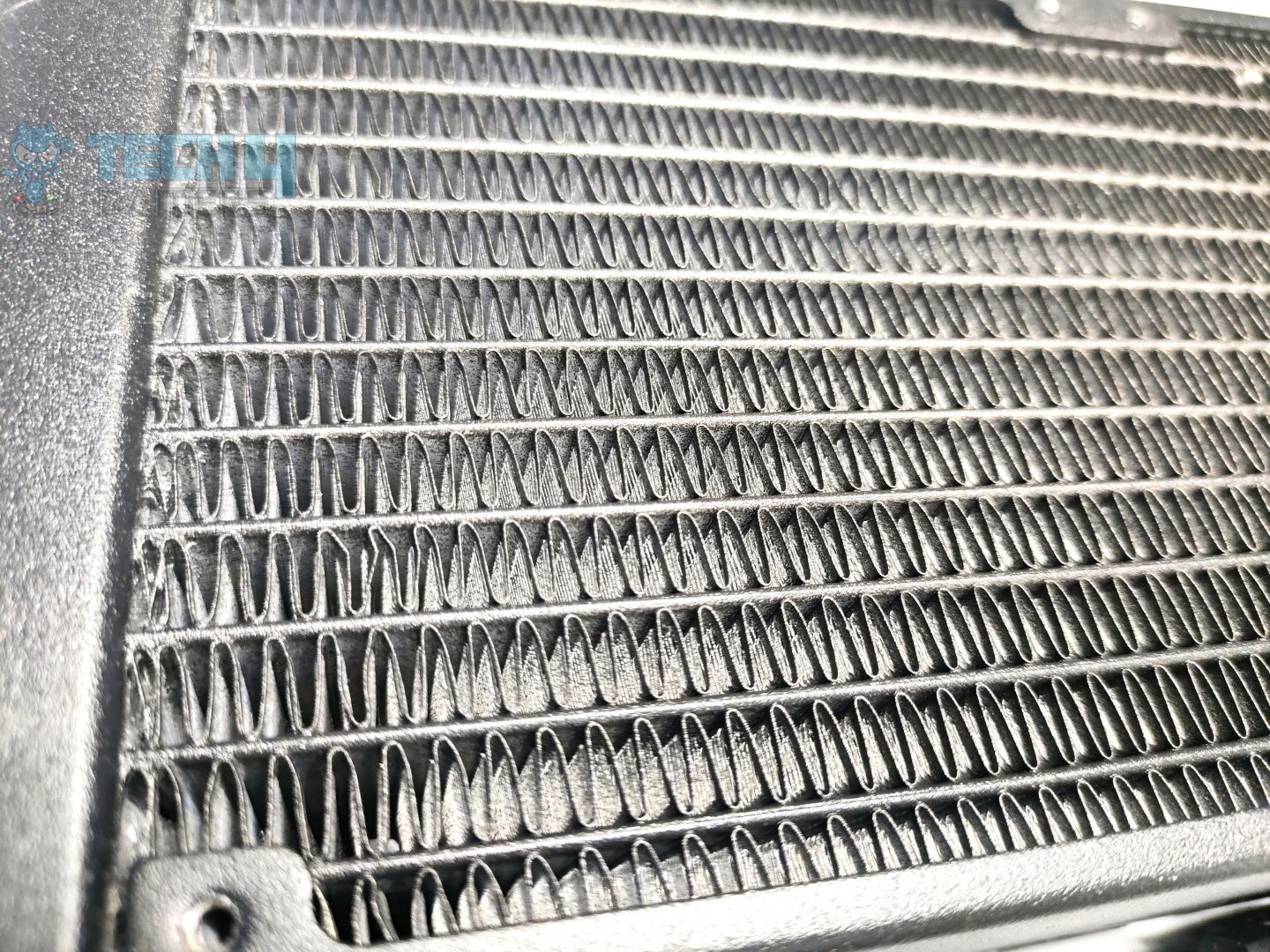
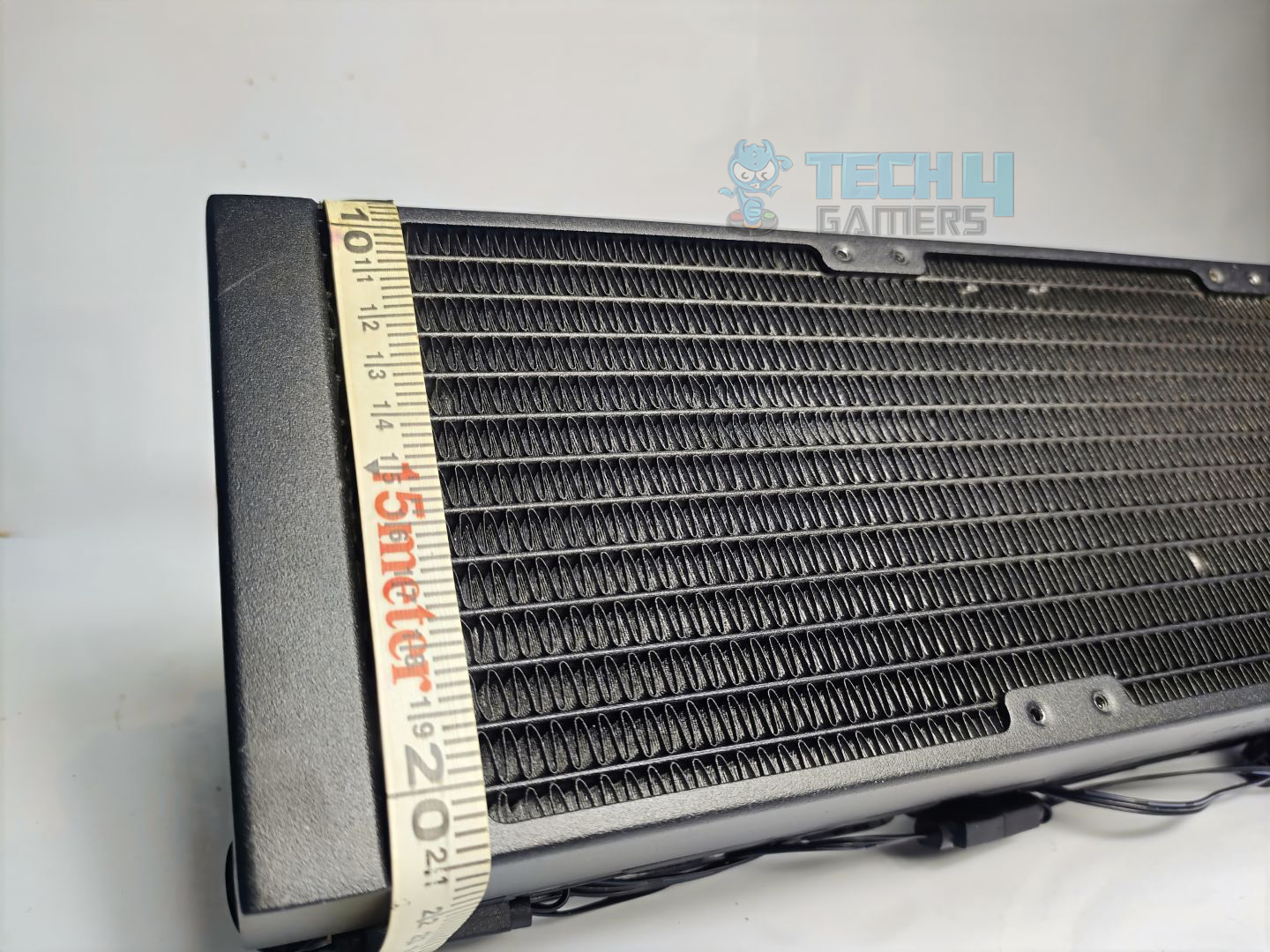
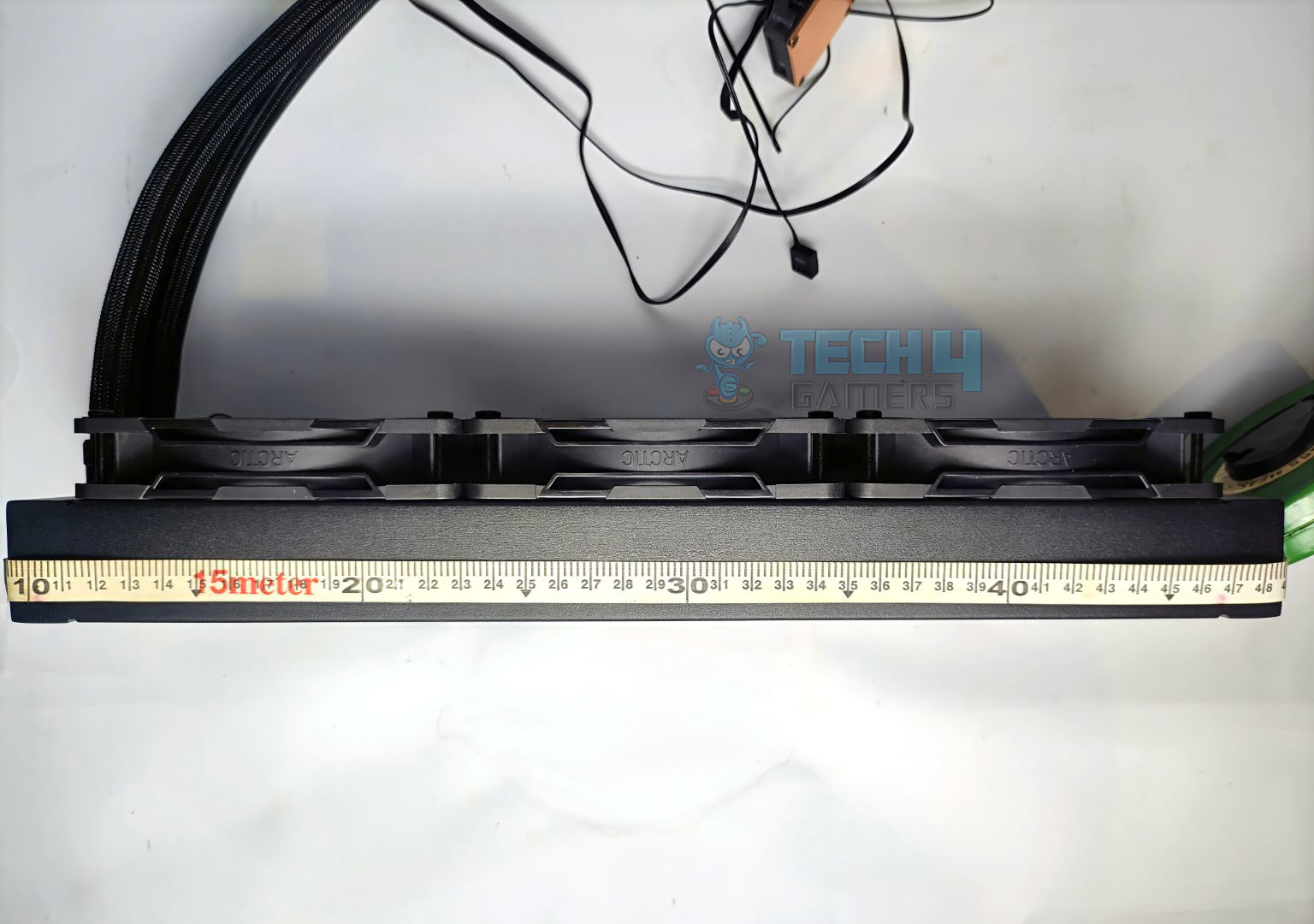
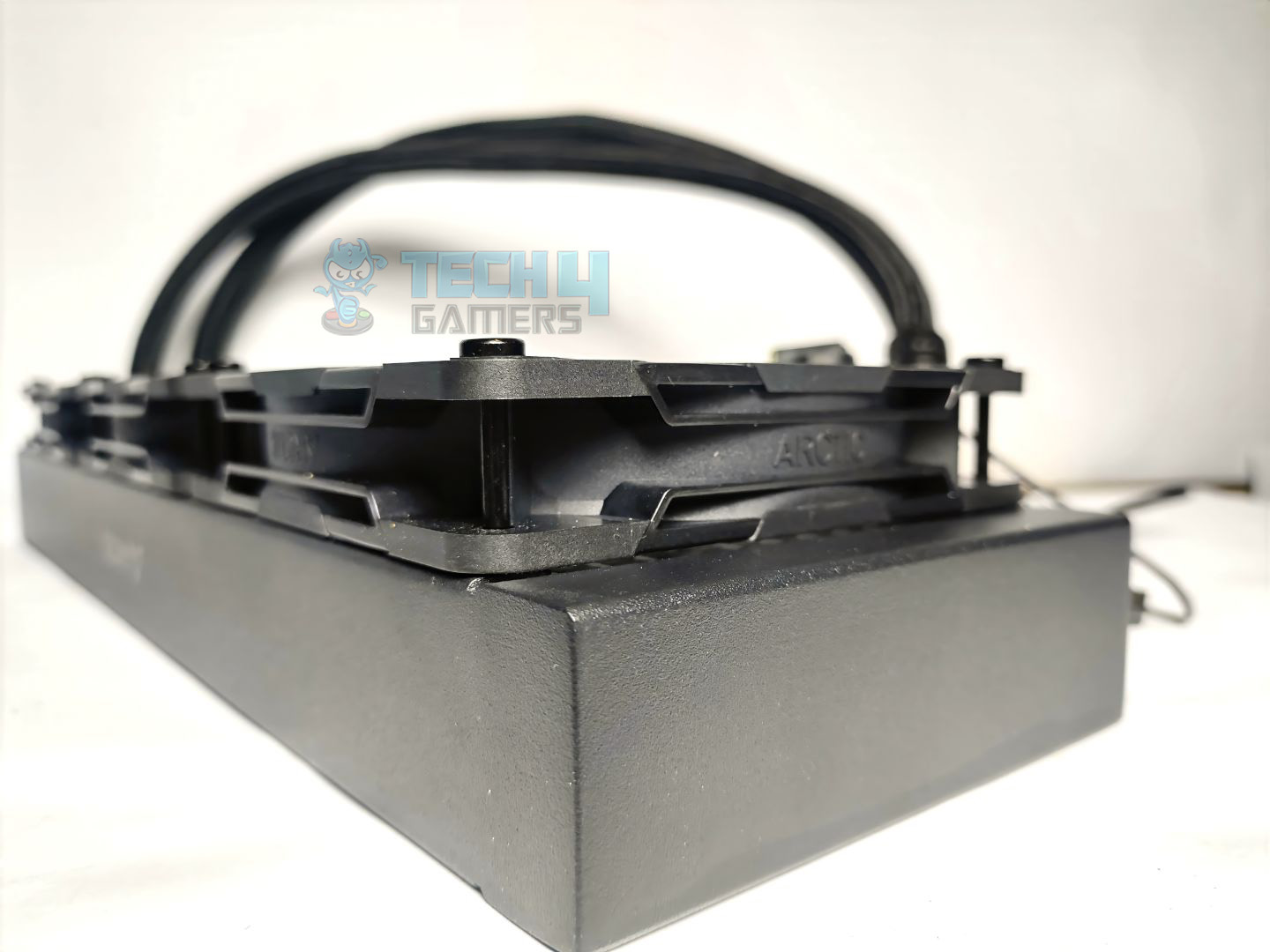
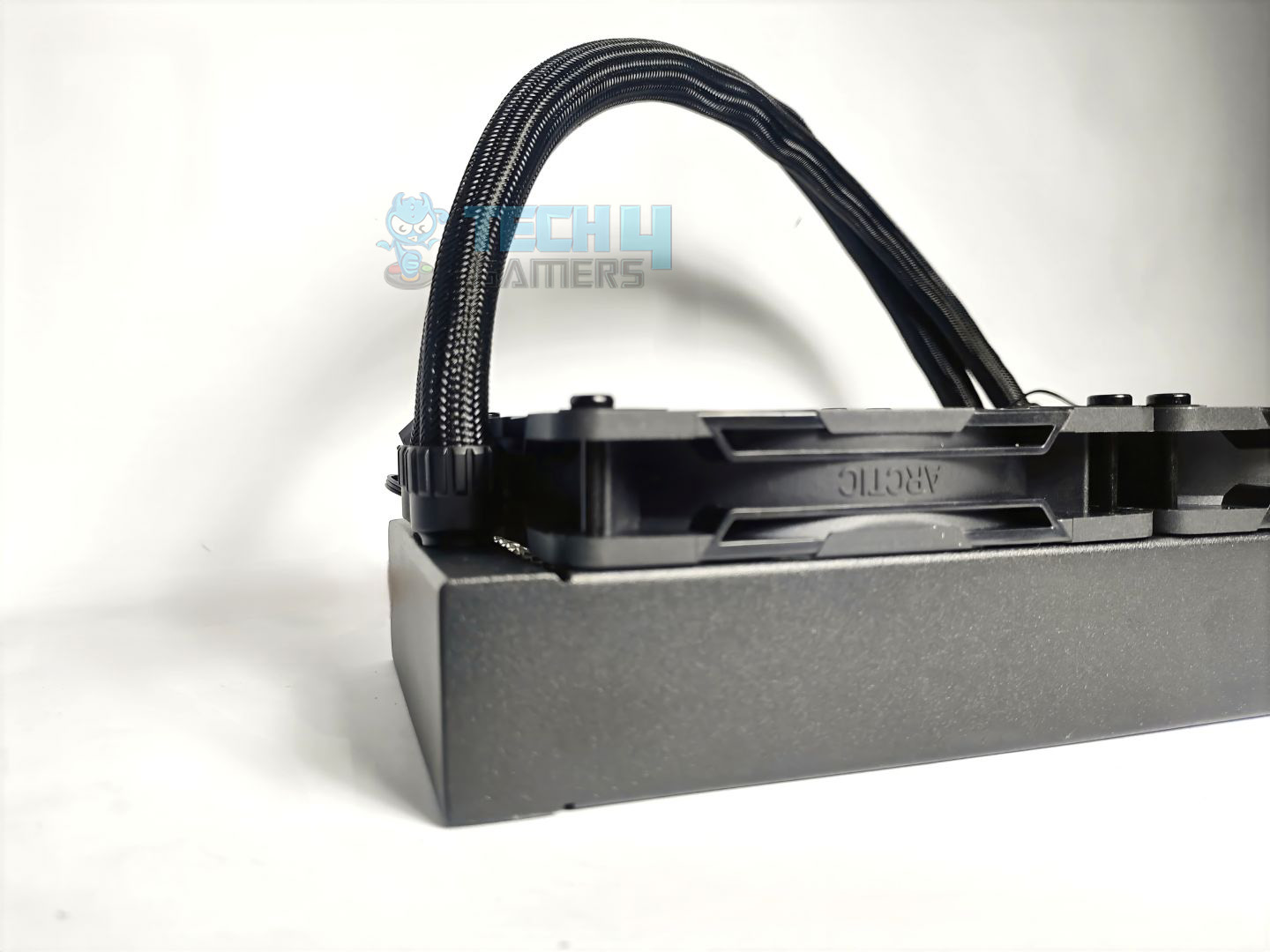
Upon closer inspection, it is notably thick, constructed from aluminium, with a width of 38mm, significantly exceeding the standard radiator thickness of 27mm. Well, this allows more coolant capacity. The radiator has the dimensions of 398 × 120 × 38 mm.

The radiator features 12 coolant flow channels. The FPI (Fins per inch) on the radiator is at 15, which is less compared to the standard liquid-coolers in the market, which have 20-21 FPI (Fins per Inch). 

Overall, the radiator is solidly built and massive, so make sure you have enough space in the chassis. If you’re building a PC, we suggest installing the motherboard first and then installing the cooler.

Pump Design / Housing

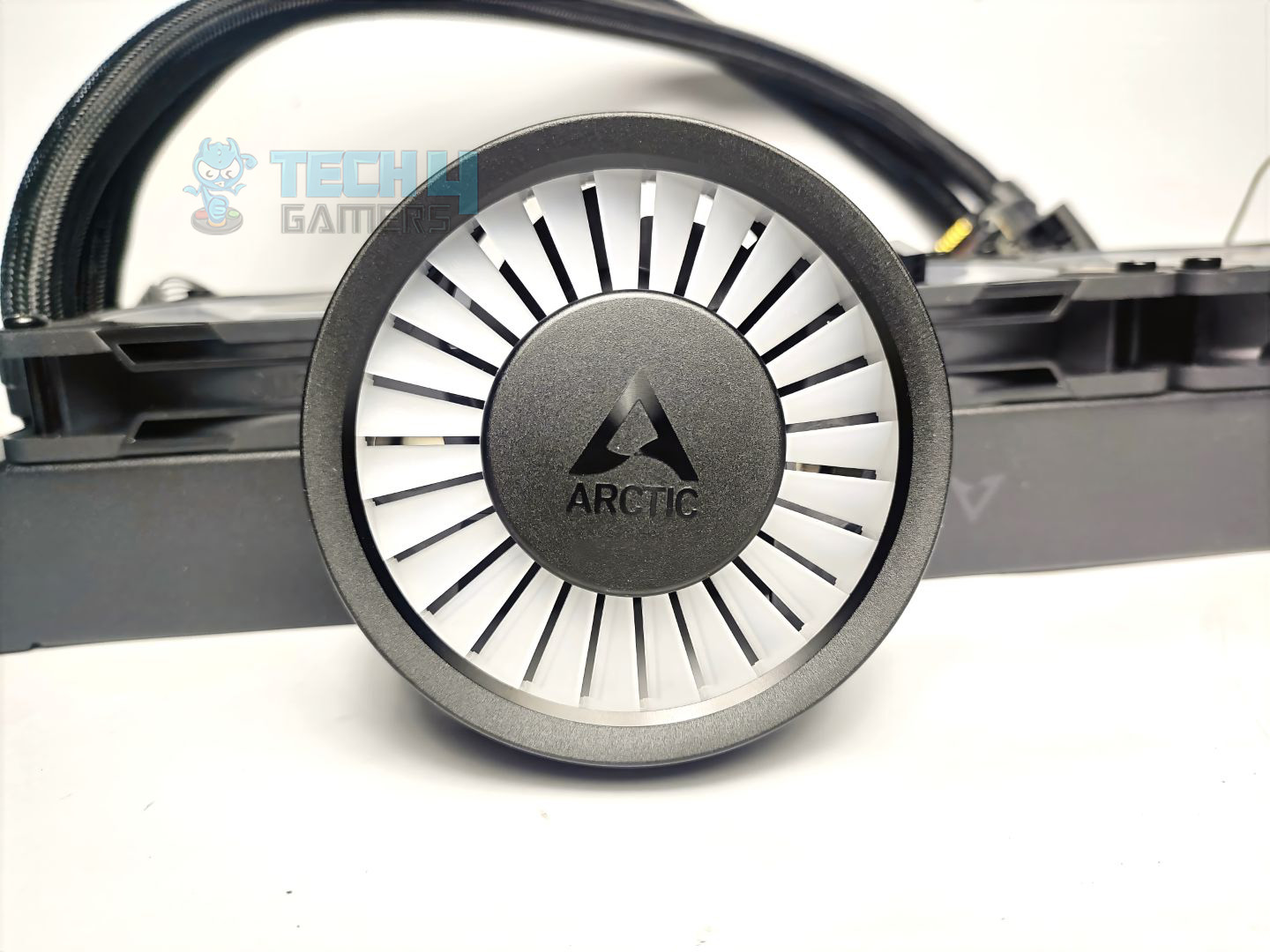
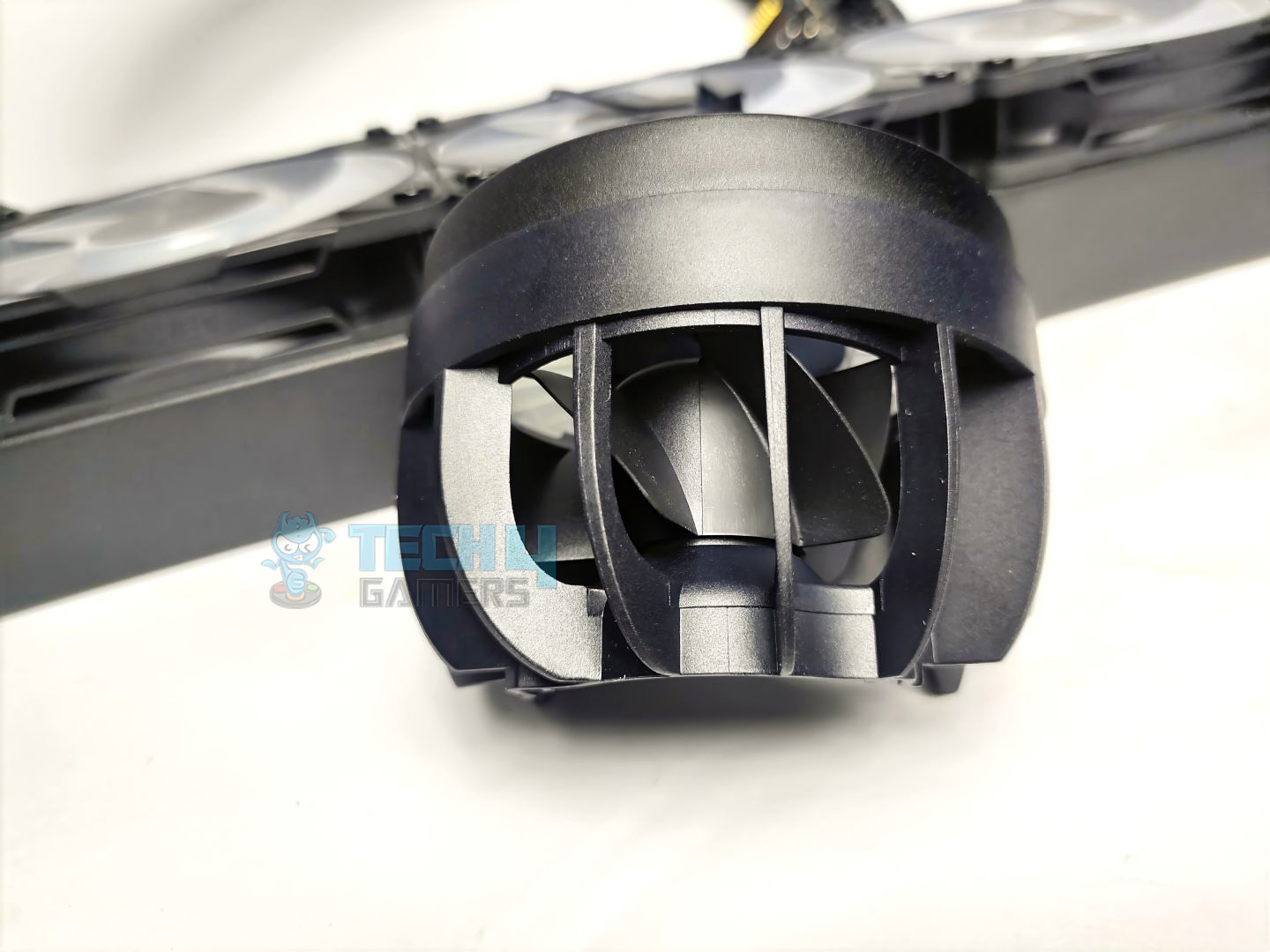
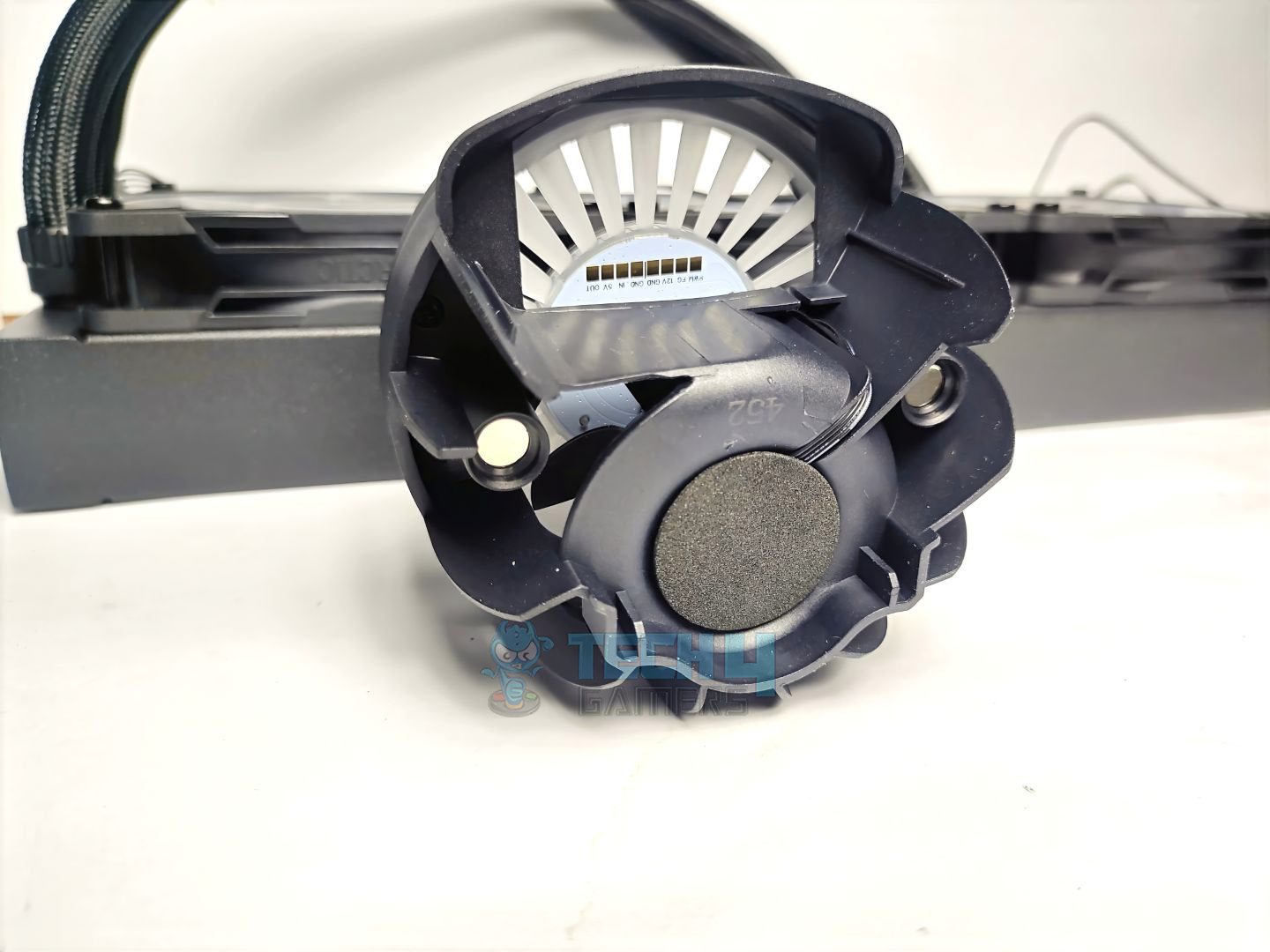
The block features a magnetic/removable cap that carries a 60mm PWM-controlled VRM cooling fan inside, which can be controlled via an all-in-one cable that supports both the fan and radiator fans, or used separately with a provided splitter. The block also has an integrated 3-pin ARGB connector, which controls all the lighting.

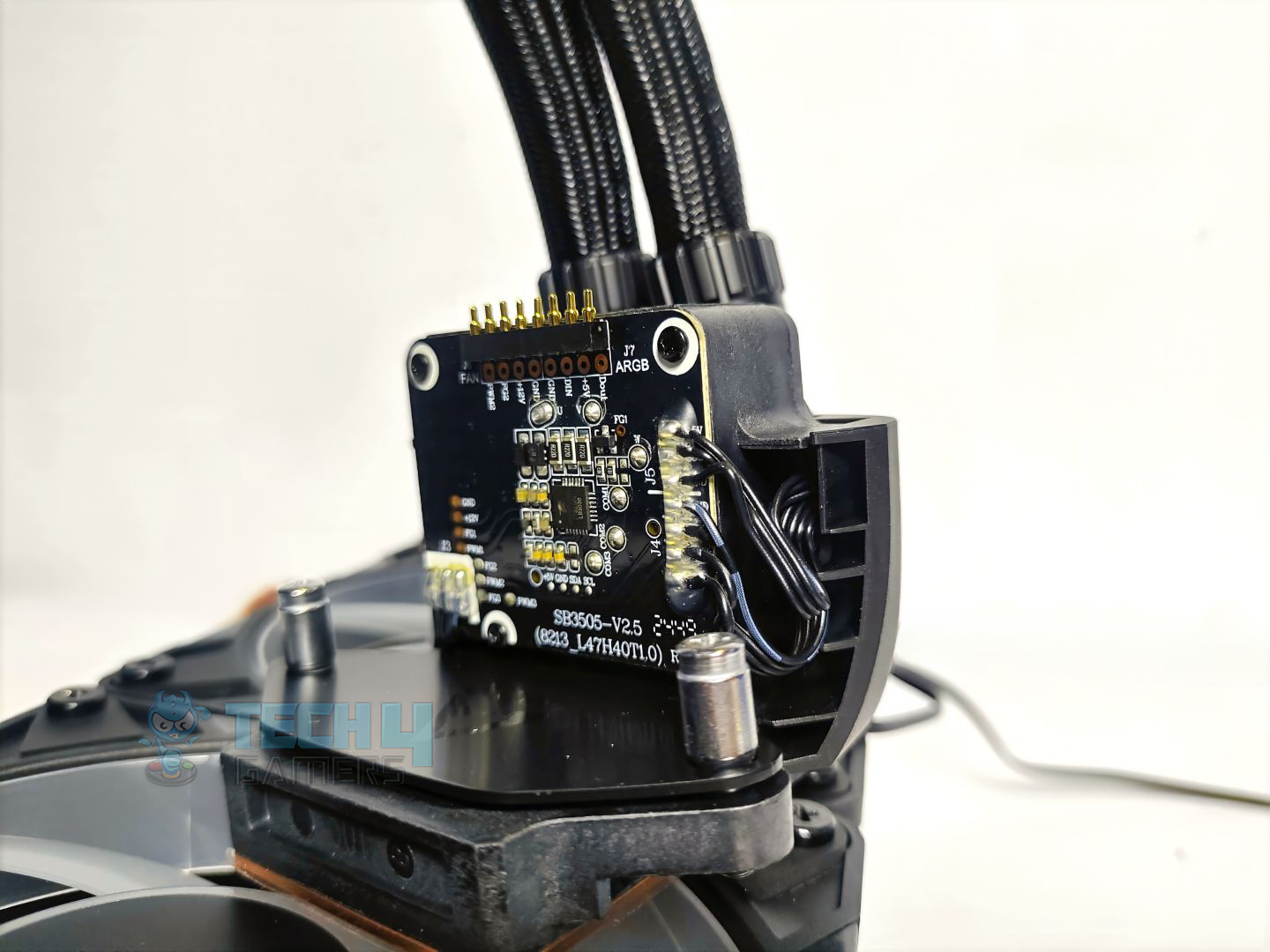
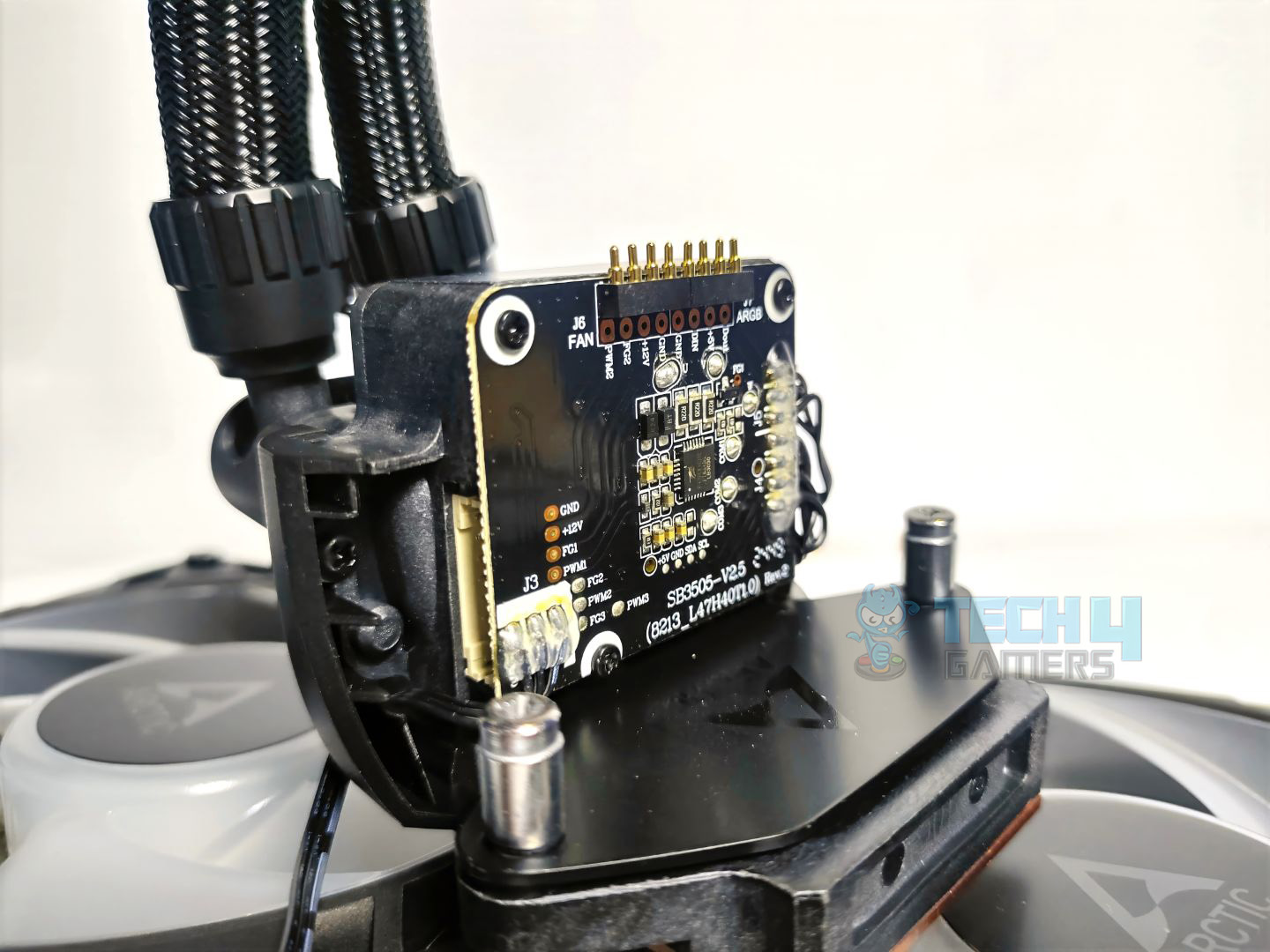
Under the hood, you will find a PCB vertically positioned. There are multiple soldered joints on the pump for the connectivity. The seven pins on the PCB at the top are the connection for the Magnetic VRM fan. On the left side of the block, there is a connection for an all-in-one cable, or you could use another provided splitter cable that can individually control the lighting and the CPU fan.

The cold plate is copper and 40x44mm in dimensions. I wish the cold plate had a screw less design to ensure more uniform pressure between the thermal paste and the CPU IHS, which could improve heat transfer.

Cold Plate
Cold Plate

The cold plate also has a plastic safety sticker. Make sure to remove it before installation.

Arctic P12 Pro-ARGB Fans

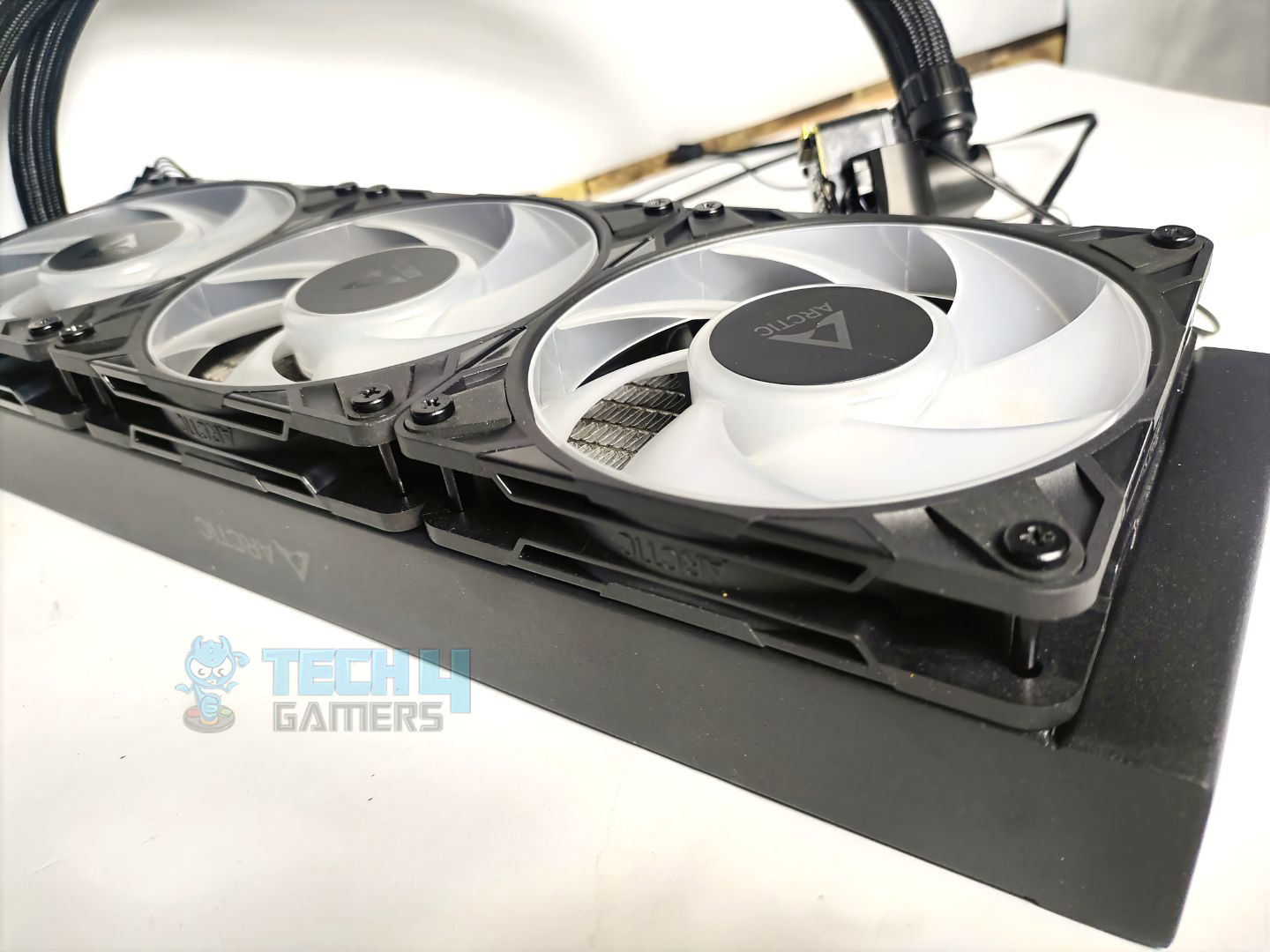
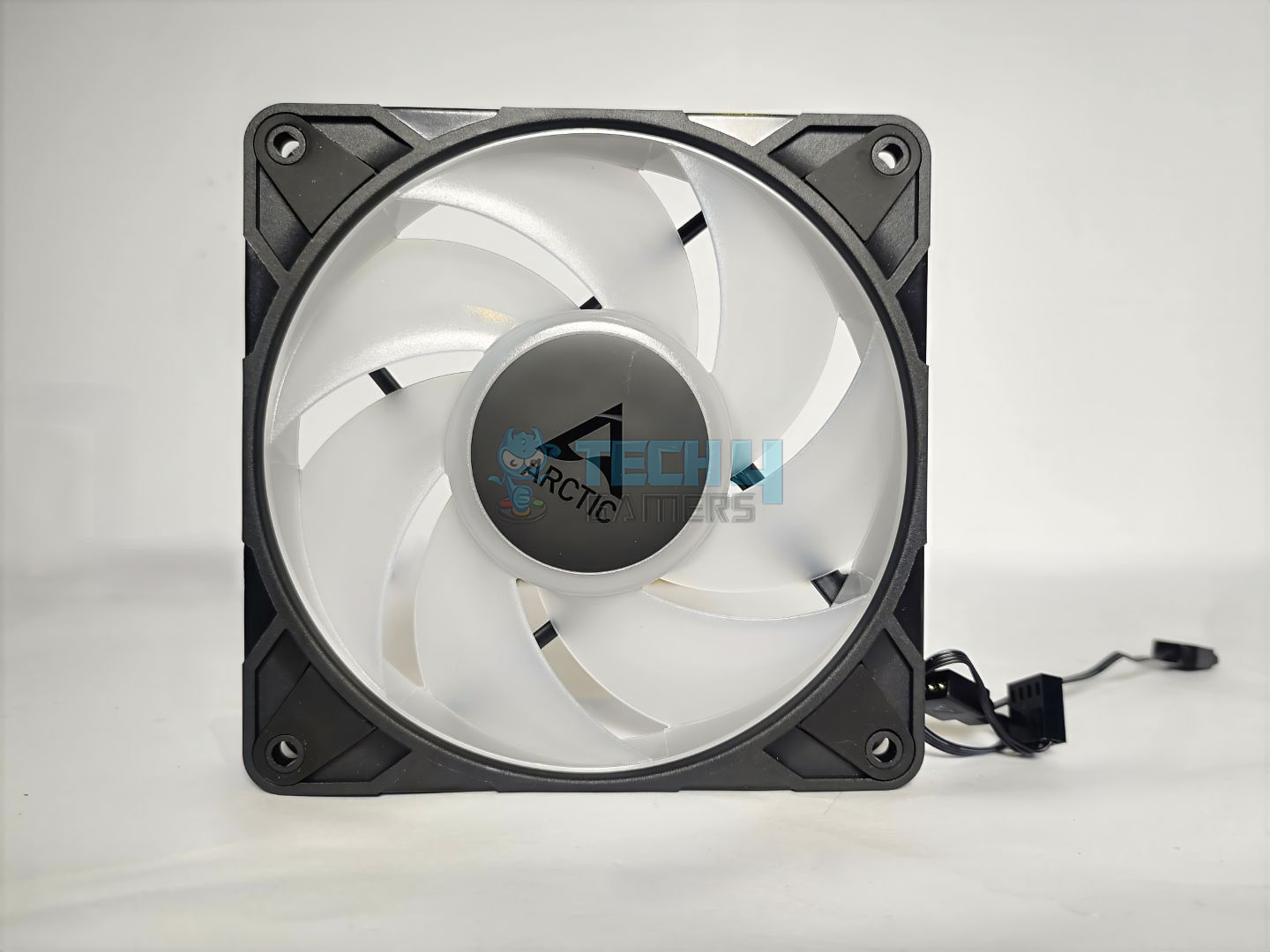
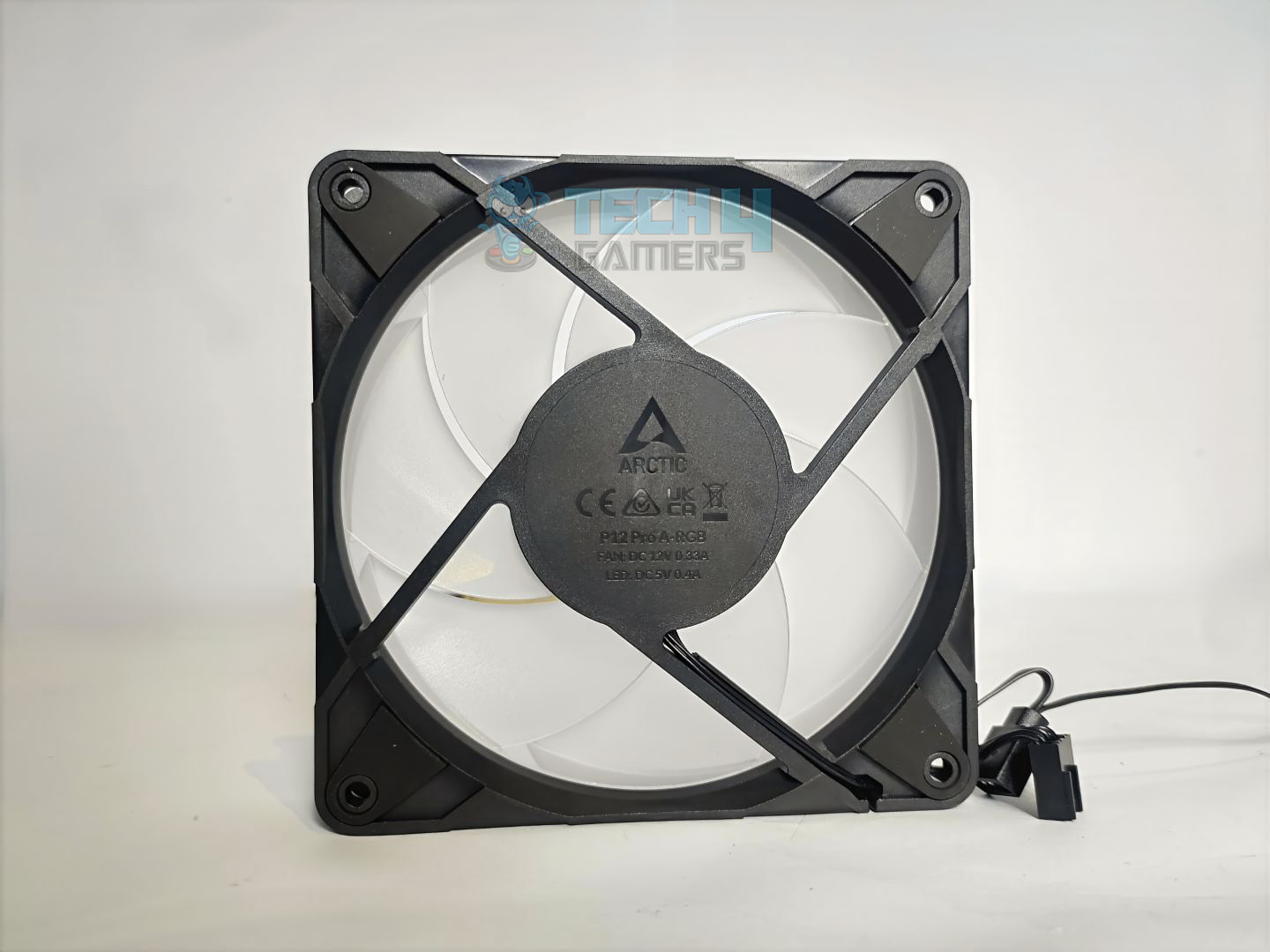
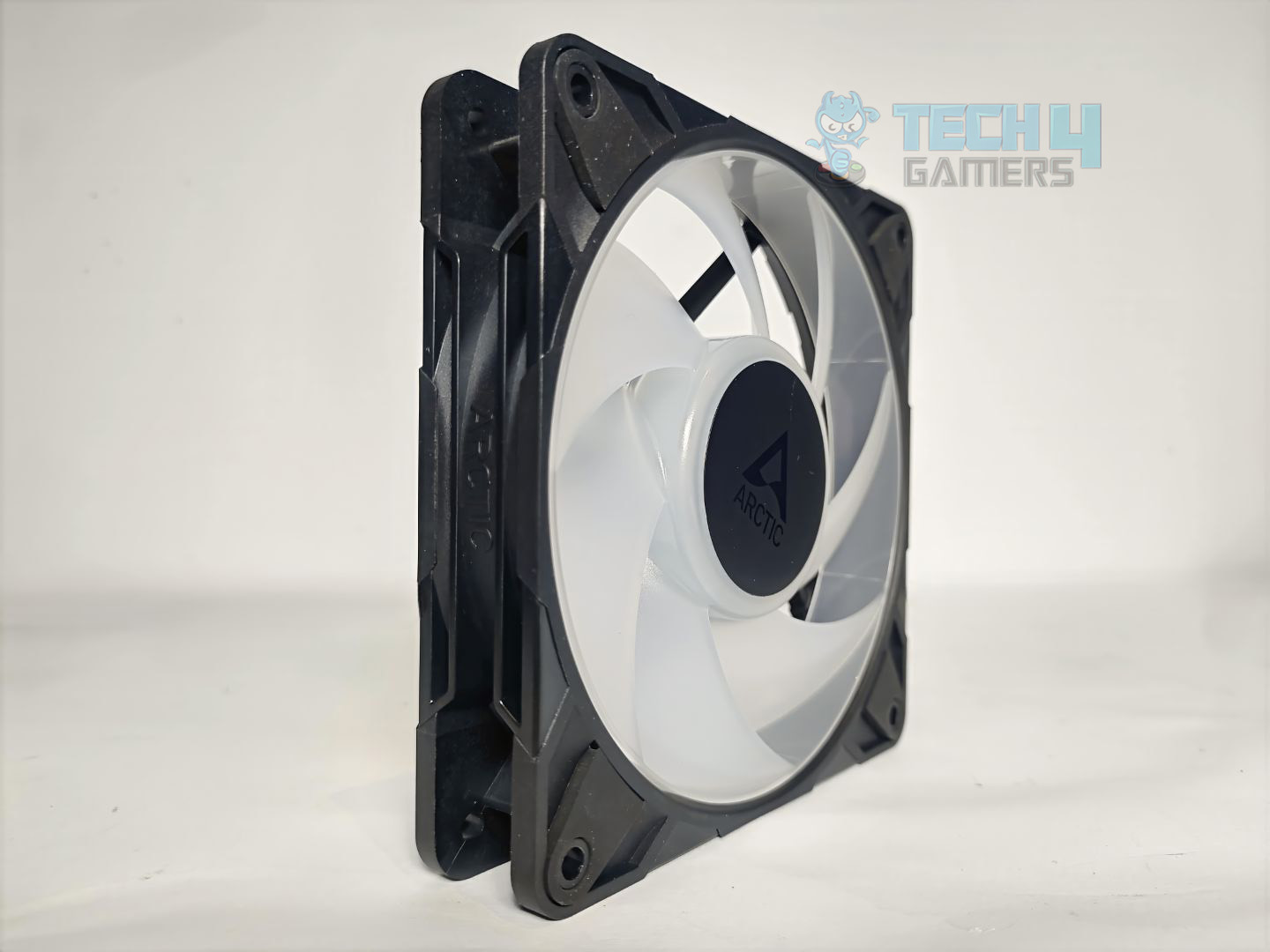
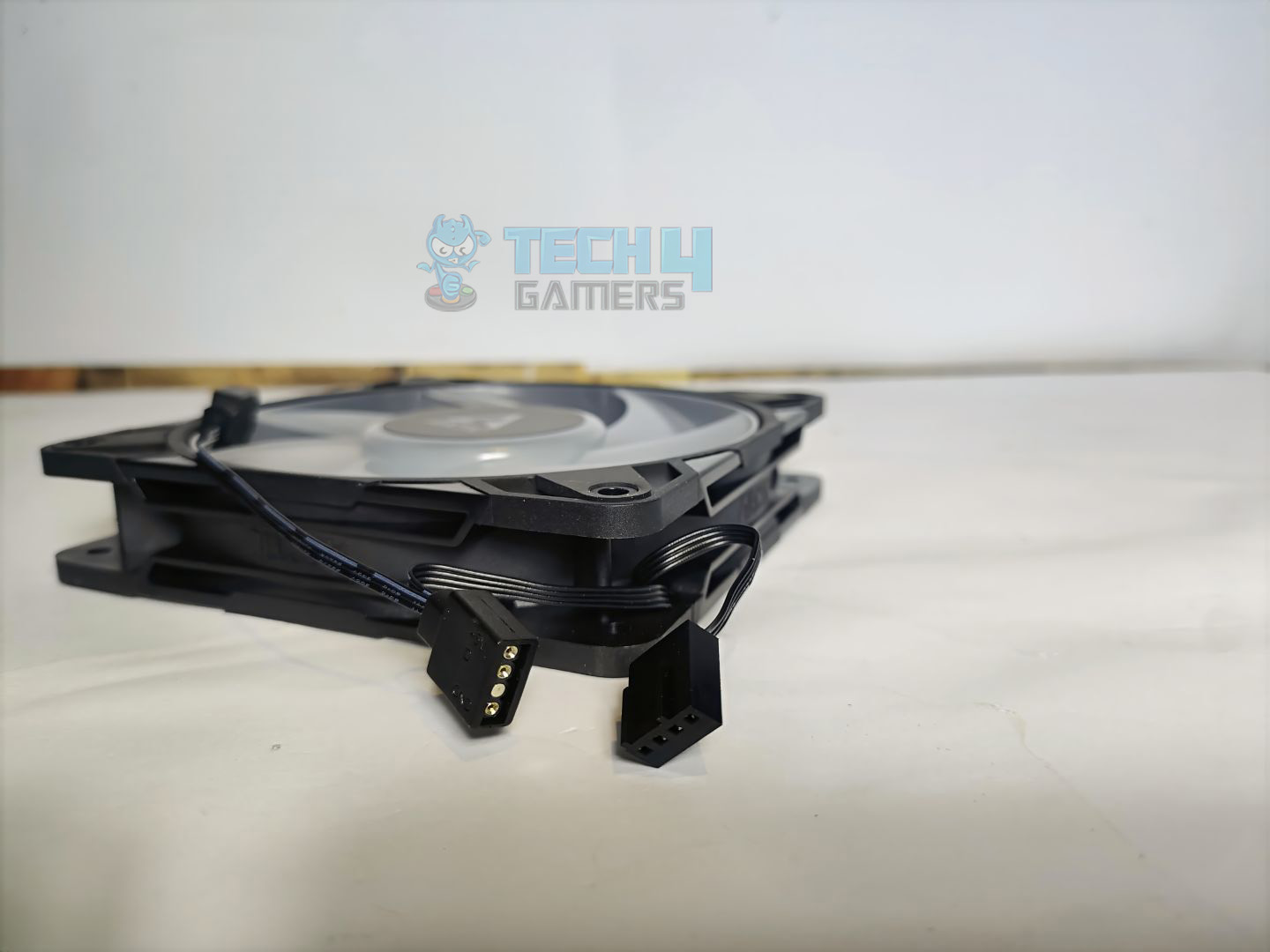
Rather than the standard P12 fans from the non-Pro version, they have provided P12 Pro fans, which feature an aggressive cooling profile that can spin up to 3000 RPM. In our testing, the fans are silent and effective in the noise-normalised testing, but at the maxed-out configuration, the fans are roaring.

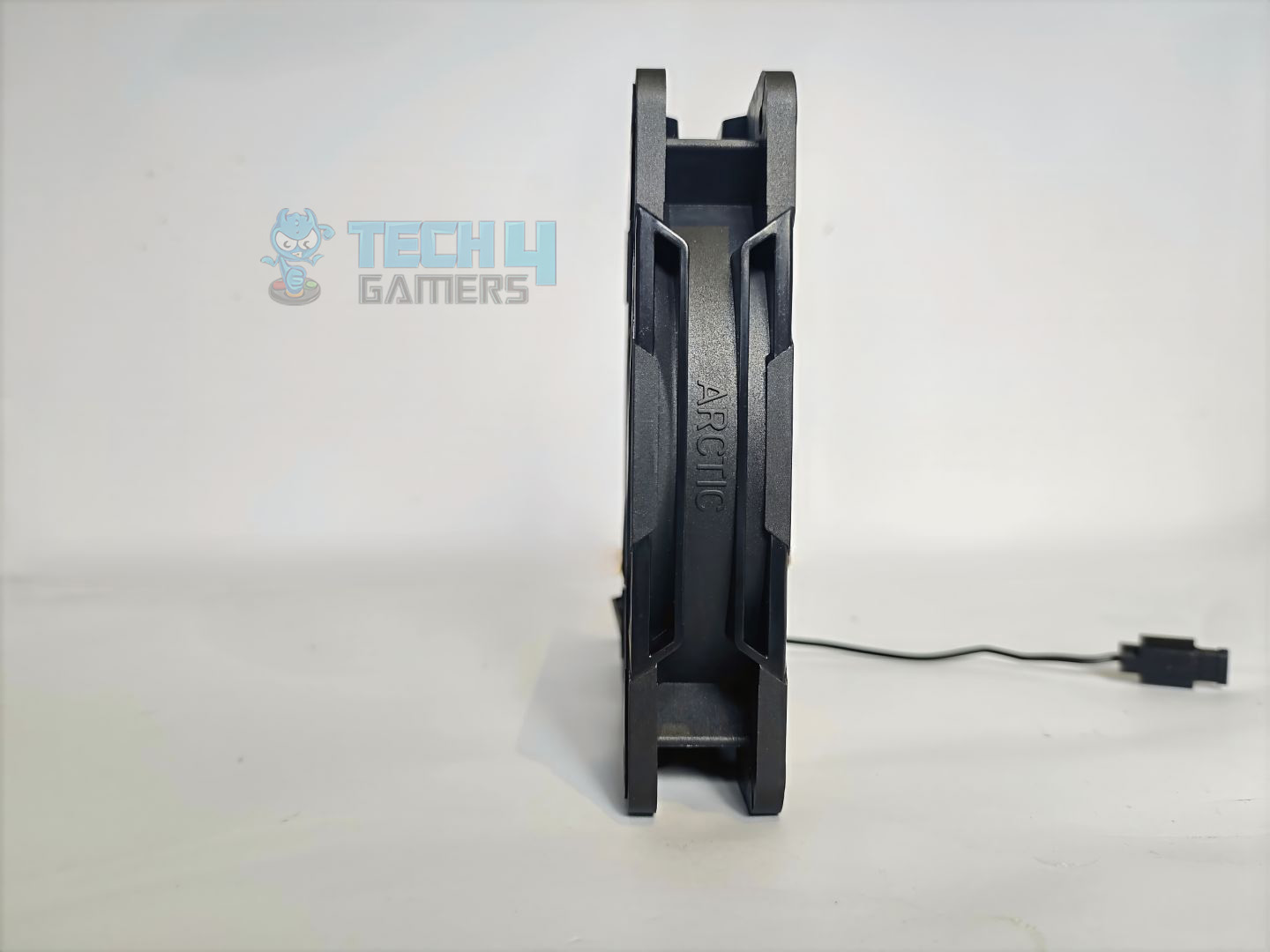
The fan features an anti-vibration pad on each side, seven blades in total, and a typical 25mm thickness. However, these fans are daisy-chained. You can also purchase these fans separately for $12.49 in the US.

Here are the specifications for the fans:

Specification Details
Dimensions (L × W × H) 120 × 120 × 25 mm
Fan Speed 600–3000 rpm (PWM controlled)
Zero-RPM Mode Below 5% PWM duty cycle
Airflow 77 CFM | 131 m³/h
Static Pressure 6.9 mmH₂O
Bearing Type Fluid Dynamic Bearing (FDB)
Operating Voltage 12 V DC
Start-Up Voltage 3.3 V DC
Current 0.33 A
Cable Length 400 mm
Connector 4-Pin PWM Fan Plug

Installation

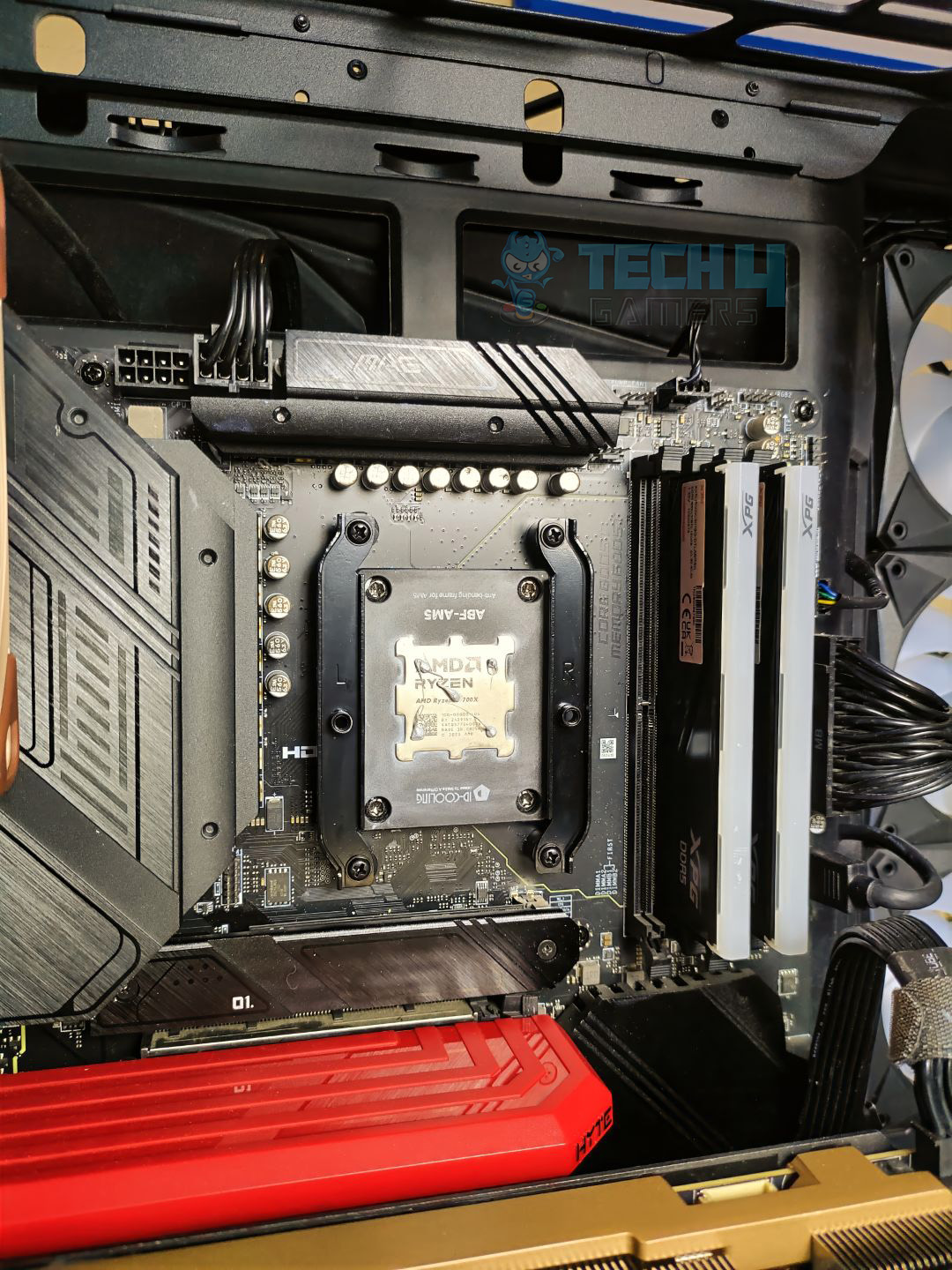
We’ll be installing the cooler on our AMD AM5 platform.

Cabling

Before we proceed with the installation, it’s your decision whether to use Arctic’s all-in-one provided cable for all connectivity or a separate cable for each component. VRM Fan, Pump, and Radiator have individual connectors for connectivity. We have opted for the separate cables, as shown in the pictures. For a clutter-free experience, we highly recommend the all-in-one cable. Alternatively, if you prefer to keep your component controls separate, the other cable (PWM Cable for Individual Control) option is a good choice.

Prepare the socket 

Remove the AMD cooler brackets that come preinstalled on the motherboard, and then install the Arctic AMD brackets using the provided screws or spacers. Each bracket is labeled with its installation direction (left or right) to ensure accuracy. Thanks to the Arctic for attention to detail. After you have finished with the mounting brackets, it’s time to apply the new thermal paste

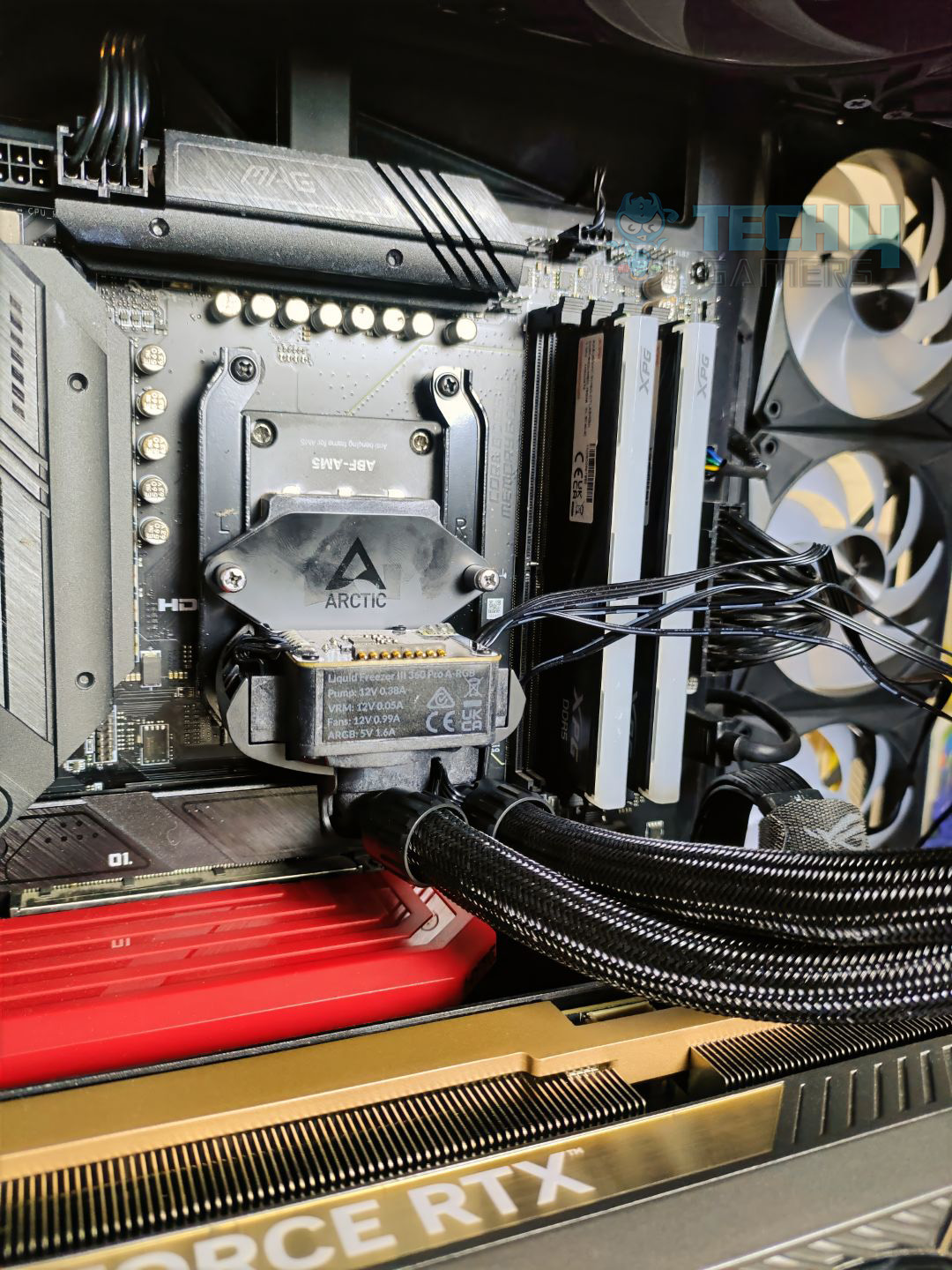
Mount the cooler on the bracket. The block has two screws that sit straight on the bracket. Make sure to align the block with the screws on the bracket. Do not fully tighten all the screw at once; otherwise, that would create non-uniform pressure across the die. Tighten them up little by little on each screw.

Cooler Installed

Once the cooler is fully seated and secured, install the VRM fan. It is magnetic; slide it into the pump.

Testing Methodology

CPU Configuration:

  • For the Noise Normalized Testing, we have fixed the CPU at a fixed voltage and frequency. The noise levels are set at the desired levels of 40 to 45 dB(A). Then we test the cooler at the maximum speed possible.

Controlled Environment:

  • We have eliminated the influence of ambient temperatures in our data, and all results are presented as deltas over the ambient conditions. The tests were done in a controlled environment with a room temperature of 25°C.

Preparing System:

  • Since we don’t have a separate open test bench, all the coolers are installed in our primary test case, which is the HYTE Y70, but all the panels have been removed.
  • All the case fans are operating at the minimum PWM level possible to avoid interfering with any noise results. All coolers are tested at the fixed configurations. Only the coolers are swapped in the whole scenario.
  • We are using ID-Cooling X45 thermal paste for all coolers.

Software:

  • We have ensured that no other software is running on the computer that could influence the CPU load.
  • We’ll be using the Cinebench R23 Loop for 15 minutes.

Test Setup

Artic Freezer III Pro A-RGB on Test Bench

Thermals – Noise Normalized 40 dB(A)

Starting the tests at 40dB(A).

Noise Normalized 40 dB(A) Cooling

Arctic Liquid Freezer III Pro is leading the chart, with an average temperature 1.3 °C cooler than Deepcool Mystique LE360, and similar performance to Deepcool Mystique under fixed noise conditions.

Thermals – Noise Normalized 45 dB(A)

Moving to 45dB(A) Results.

Noise Normalized 45 dB(A) Cooling

All the liquid coolers performed really great at 45 dB(A) of noise output. Keep in mind, these are all 360 liquid-coolers we have tested.

Thermals – Maximum Speed

Let’s test the coolers at the maximum PWM speed.

Maximum PWM Cooling
Maximum PWM Cooling

Maximum PWM Speed thermals are like a drag race; having powerful fans can make a big difference. The Arctic is almost 2 °C cooler than the LE360 and performs identically to the Deepcool Mystique.

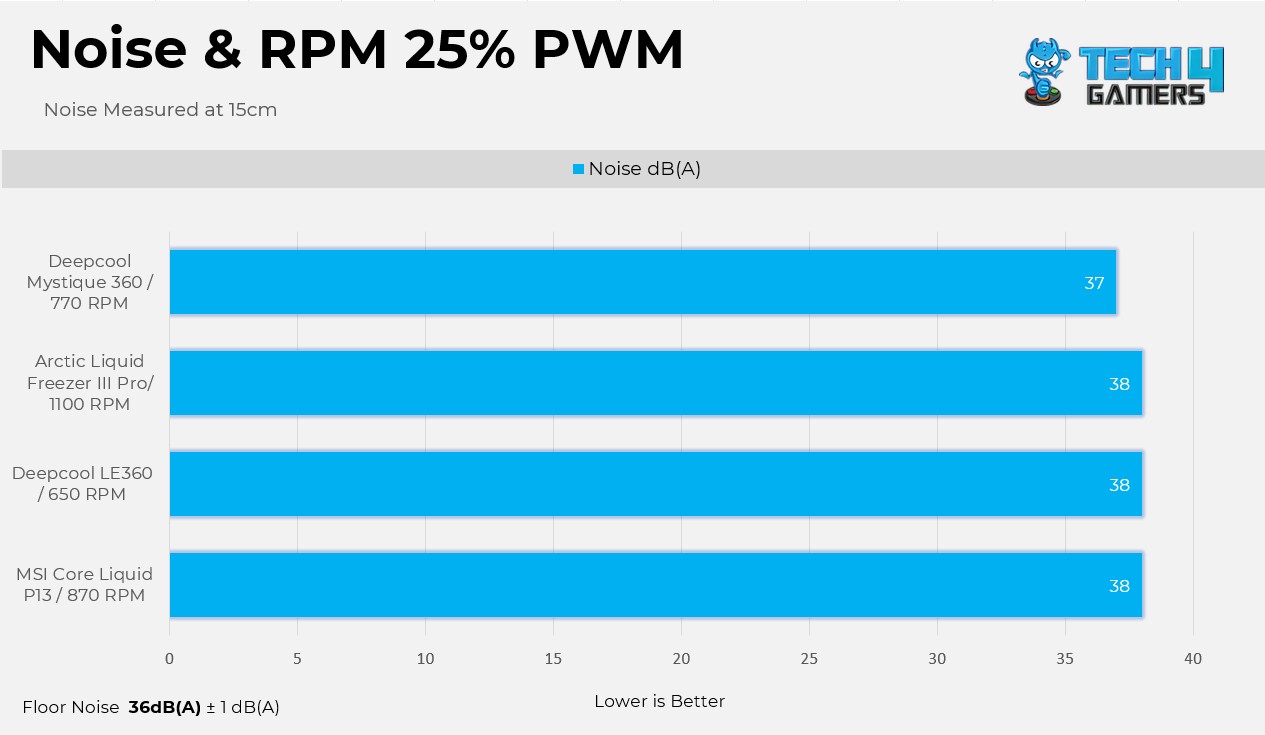
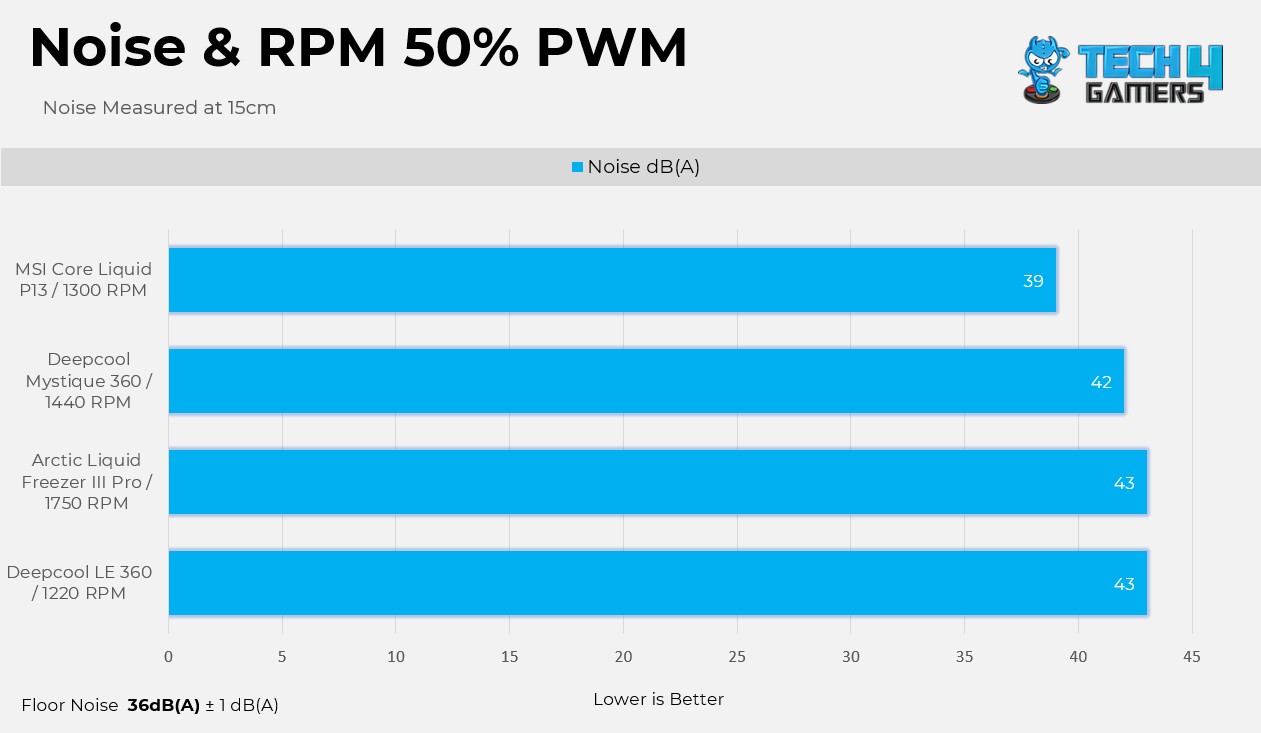
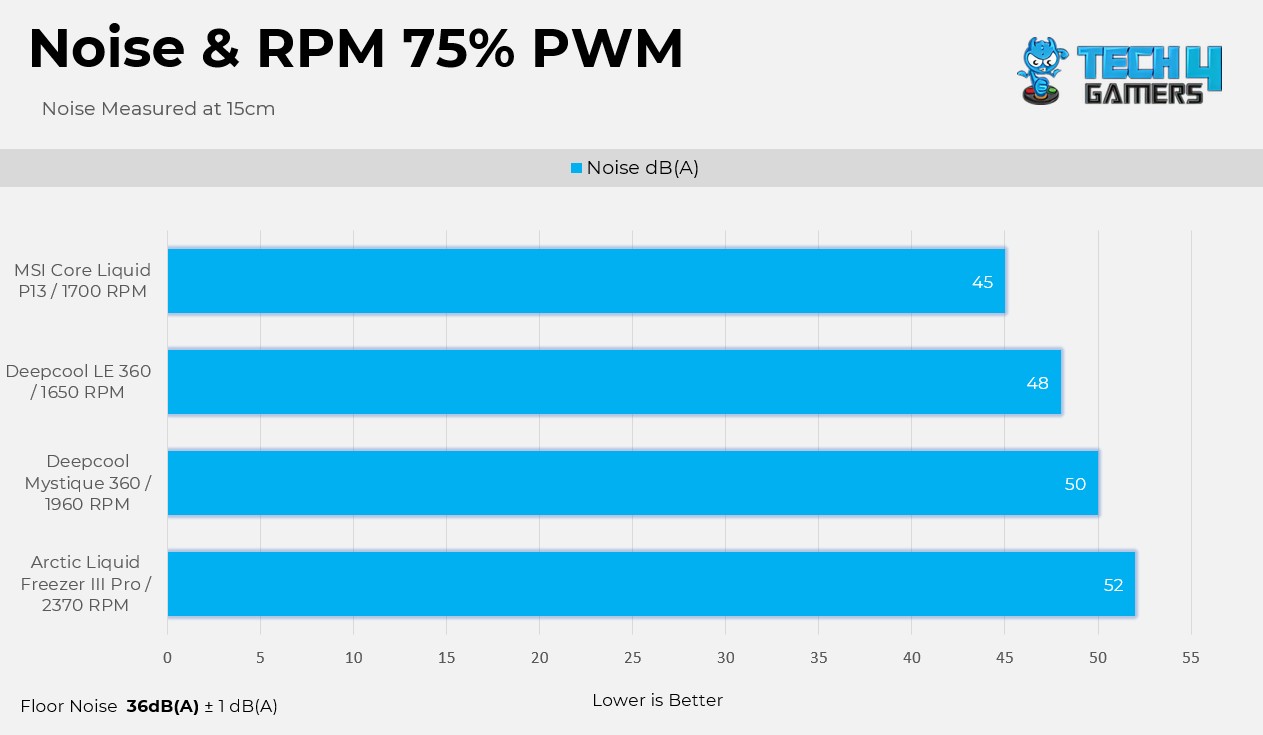
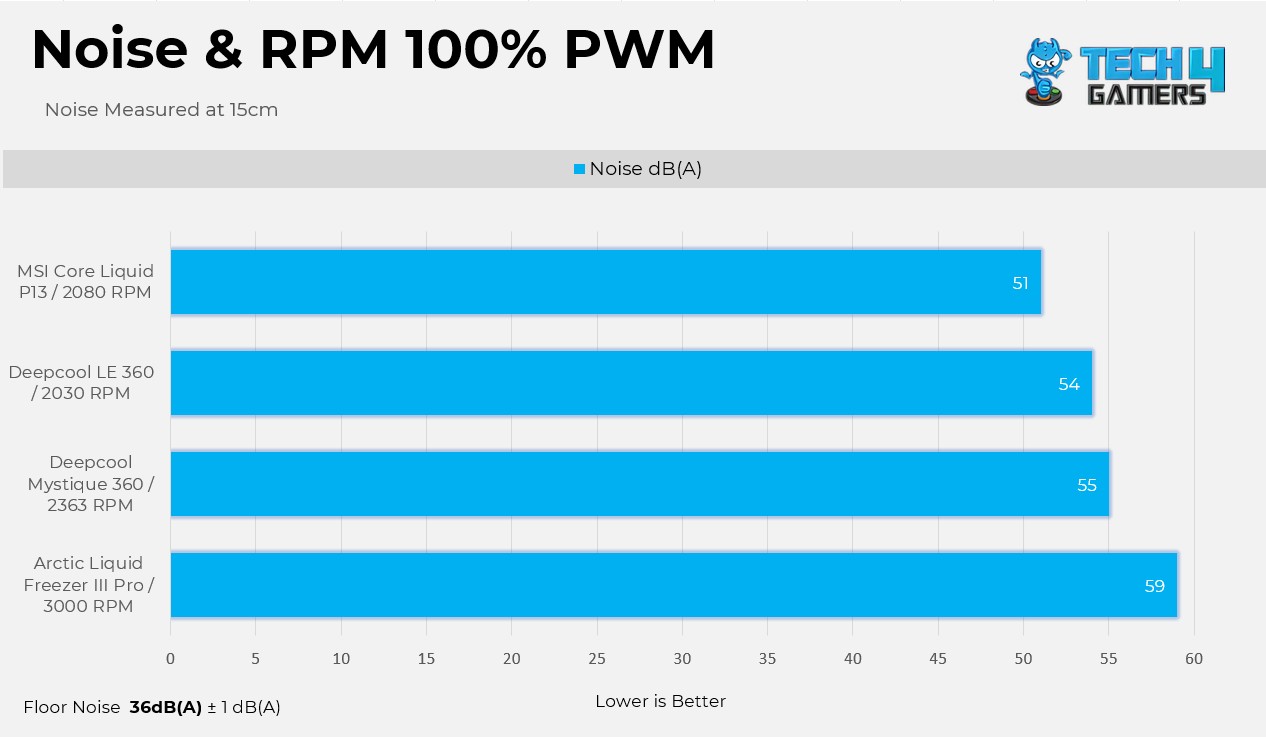
Noise and RPM Readings

Here are the noise and RPM readings at the 4 PWM levels.

I’m impressed with the Arctic P12 Pro Fans; they can run at a faster RPM while producing less noise. Looking at the 50% PWM results, Arctic fans run much faster than the competition while producing similar noise levels. However, at 100% PWM, Arctic becomes very loud.

Should You Buy It?

Buy It If

You Want Extreme Cooling Performance: The cooler exhibits outstanding cooling performance, thanks to its thicker radiator and mighty P12 Pro A-RGB Fans.

You Plan To Overclock: This cooler has the potential to push the CPU to its limits. Additionally, the VRM fan on the block can also cool the VRM on the motherboard.

You Prefer Value: The cooler is currently on sale for $95, making it one of the most value-oriented 360mm AIOs available right now.

Don’t Buy It If

You’ve An Older CPU: Arctic has limited socket support on Intel platforms, meaning the cooler is not compatible with sockets before Intel Core 12th-Generation Processors. 

Final Thoughts

There is a lot to talk about this cooler. Arctic Liquid Freezer III Pro has performed well, but there are areas where Arctic could improve. We’ve heard from other reviewers that the installation process on Intel isn’t seamless, requiring users to completely remove the ILM before installing the mandatory mounting bracket. This is something that Arctic needs to take seriously and make easier, especially for users building their PC for the first time. We didn’t have to do that since we are using an AMD platform. Arctic has provided the P12 Pro fans, which are very loud at maximum speed. There is no cable clutter at all, as Arctic provides an all-in-one cable solution for connectivity, which is nice.

Cooling Performance

I’m impressed with its cooling performance, even at the noise-normalized level, as it managed to cool the CPU down far from throttling. However, at the unlocked power, the cooler still efficiently cooled the processor without even reaching 95 °C.

Noise 

The fans are the quietest yet the loudest, depending on the scenario. At the noise-normalized conditions, the fans perform better than other coolers on the charts. These fans can spin up to 3000 RPM, generating a noise level of 59dB(A) in our testing. If it’s too noisy for you, I recommend running the fan at 45-55% PWM speed for adequate cooling, which maintains the noise under 45dB(A) but runs 2-3 degrees warmer. On the other hand, I’m impressed with the VRM fan; it’s hardly audible when it’s running.

Build Quality

Arctic is using Reinforced EPDM with a braided sleeve on its tubing, which can reduce the risk of evaporation over time. The aluminum radiator with a thickness of 38mm features a robust fin stack extending the cooling surface without increasing the size of the radiator itself. The provided VRM fan also feels strong and not plasticky or low-grade. The mounting bracket feels very sturdy, and it has clear markings indicating where it goes. When the cooler is installed, it provides a premium look. I’m very impressed with the build quality here!

Value

Arctic Liquid Freezer III Pro A-RGB was launched at the regular MSRP of $144.99. Currently, the cooler is available for a discounted price of $95.99. I recommend purchasing this cooler, given the performance it delivers with the powerful P12 Pro A-RGB fans. 


The Best Motherboards For Ryzen 9 9950X In 2026 [Benchmarks Included]

The Ryzen 9 9950X is AMD’s current flagship CPU. At 170W, it’s the only chip in the new lineup that hasn’t received a lower TDP rating than its predecessor, the 7950X. We have also reviewed the Ryzen 9 9950X ourselves, and while it doesn’t offer a significant jump in gaming, it still performed exceptionally well across our productivity benchmarks. So, naturally, you’ll need a fairly capable motherboard to power this beast. That’s why we tested many AM5 motherboards to find the best picks.

Why Trust Tech4Gamers
  • Usman Saleem is our hardware tester who loves to put all the latest GPUs, CPUs, RAM, and motherboards for a spin.
  • 40+ motherboards tested and reviewed by our team of hardware experts (Tech4Gamers Team).
  • 800+ hours spent testing different motherboards for our reviews.
  • Objective testing criteria (See how we test motherboards).

At Tech4Gamers, ensuring you get reliable information is our priority. That’s why every hardware round-up undergoes a meticulous review process by our team of experts and editors. Each review is carefully examined against our strict editorial guidelines, guaranteeing you trustworthy insights you can depend on.

So, these are the motherboards I would recommend pairing with the Ryzen 9 9950X:

Motherboard
ASRock Phantom Gaming X870E Nova WiFi
MSI MAG X870 Tomahawk WiFi
ASUS ROG Crosshair X870E Hero
MSI MPG X870E Edge Ti WiFi
ASRock Phantom Gaming B850i Lightning WiFi
Looks
ASRock Phantom Gaming X870E Nova WiFi Socket AM5 AMD Ryzen X870 DDR5 DIMMs 8200 MHz 256 GB ATX Motherboard USB4
MSI MAG X870 Tomahawk WiFi Gaming Motherboard (AMD Ryzen 9000/8000/7000 Series Processors, AM5, DDR5, PCIe 5.0, M.2 Gen5, SATA 6Gb/s, USB 40Gbps, HDMI/DP, Wi-Fi 7, Bluetooth 5.4, 5Gbps LAN, ATX)
ASUS ROG Crosshair X870E Hero AMD X870E AM5 ATX Motherboard, Advanced AI PC Ready, 18+2+2 Power Stages, DDR5, PCIe® 5.0, 5X M.2, Wi-Fi 7, USB4®, AI Overclocking, Core Flex, PCIe Slot Q-Release Slim
MSI MPG X870E Edge TI WiFi Motherboard, ATX - Supports AMD Ryzen 9000/8000 / 7000 Processors, AM5-80A SPS VRM, DDR5 Memory Boost 8400+MT/s (OC), PCIe 5.0 x16, M.2 Gen5, Wi-Fi 7, 5G LAN
ASRock AMD B850i Lightning WiFi 6E Socket AM5 Ryzen 9000/8000/7000 Series DDR5 8200+ (OC) MHz 128GB Mini ITX Motherboard M.2 SATA3 6.0 Gb/s PCIe 5.0 B850 BIOS Flashback
Award
Best Overall Motherboard For Ryzen 9 9950X
Best Value Motherboard For Ryzen 9 9950X
Best Overclocking Motherboard For Ryzen 9 9950X
Best White Motherboard For Ryzen 9 9950X
Best Mini-ITX Motherboard for Ryzen 9 9950X
What We Liked
Solid performance, Low thermals, Looks great
Incredible price-to-performance ratio, DDR5 support up to 8400+ MT/s (OC) Gen5 storage
Incredible OC potential, High-quality VRM structure, Lots of cooling
Great overall performance, Beautiful design with white PCB, Efficient VRM heatsinks with a heat pipe
VRMs, Price, Build quality, Decent set of features
What We Disliked
PCIe3 disables once M2_5 is occupied
Looks good as is, but no RGB lighting
Expensive
M2_2 and USB4 run slower when both are in use
No USB4, No WiFi 7
Chipset
AMD X870E
AMD X870
AMD X870E
AMD X870E
AMD B850
Memory
DDR5 8,400+ (OC)
DDR5 8,400+ (OC)
DDR5 8,600+ (OC)
DDR5-8400 (OC)
DDR5-8200+ (OC)
VRM
20+2+1
14+2+1
18+2+2
14+2+2
10+1+1
Storage
5x M.2, 4x SATA III
4x M.2, 4x SATA III
5x M.2, 4x SATA III
4x M.2, 4x SATA
2x M.2, 2x SATA 6G
USB Ports
12x Rear, 9x Front
12x Rear, 9x Front
10x Rear, 10x Front
12x Rear, 9x Front
8x Rear, 5x Front
RGB
Motherboard
ASRock Phantom Gaming X870E Nova WiFi
Looks
ASRock Phantom Gaming X870E Nova WiFi Socket AM5 AMD Ryzen X870 DDR5 DIMMs 8200 MHz 256 GB ATX Motherboard USB4
Award
Best Overall Motherboard For Ryzen 9 9950X
What We Liked
Solid performance, Low thermals, Looks great
What We Disliked
PCIe3 disables once M2_5 is occupied
Chipset
AMD X870E
Memory
DDR5 8,400+ (OC)
VRM
20+2+1
Storage
5x M.2, 4x SATA III
USB Ports
12x Rear, 9x Front
RGB
Amazon
Newegg
Review
Motherboard
MSI MAG X870 Tomahawk WiFi
Looks
MSI MAG X870 Tomahawk WiFi Gaming Motherboard (AMD Ryzen 9000/8000/7000 Series Processors, AM5, DDR5, PCIe 5.0, M.2 Gen5, SATA 6Gb/s, USB 40Gbps, HDMI/DP, Wi-Fi 7, Bluetooth 5.4, 5Gbps LAN, ATX)
Award
Best Value Motherboard For Ryzen 9 9950X
What We Liked
Incredible price-to-performance ratio, DDR5 support up to 8400+ MT/s (OC) Gen5 storage
What We Disliked
Looks good as is, but no RGB lighting
Chipset
AMD X870
Memory
DDR5 8,400+ (OC)
VRM
14+2+1
Storage
4x M.2, 4x SATA III
USB Ports
12x Rear, 9x Front
RGB
Amazon
Newegg
Review
Motherboard
ASUS ROG Crosshair X870E Hero
Looks
ASUS ROG Crosshair X870E Hero AMD X870E AM5 ATX Motherboard, Advanced AI PC Ready, 18+2+2 Power Stages, DDR5, PCIe® 5.0, 5X M.2, Wi-Fi 7, USB4®, AI Overclocking, Core Flex, PCIe Slot Q-Release Slim
Award
Best Overclocking Motherboard For Ryzen 9 9950X
What We Liked
Incredible OC potential, High-quality VRM structure, Lots of cooling
What We Disliked
Expensive
Chipset
AMD X870E
Memory
DDR5 8,600+ (OC)
VRM
18+2+2
Storage
5x M.2, 4x SATA III
USB Ports
10x Rear, 10x Front
RGB
Amazon
Newegg
Review
Motherboard
MSI MPG X870E Edge Ti WiFi
Looks
MSI MPG X870E Edge TI WiFi Motherboard, ATX - Supports AMD Ryzen 9000/8000 / 7000 Processors, AM5-80A SPS VRM, DDR5 Memory Boost 8400+MT/s (OC), PCIe 5.0 x16, M.2 Gen5, Wi-Fi 7, 5G LAN
Award
Best White Motherboard For Ryzen 9 9950X
What We Liked
Great overall performance, Beautiful design with white PCB, Efficient VRM heatsinks with a heat pipe
What We Disliked
M2_2 and USB4 run slower when both are in use
Chipset
AMD X870E
Memory
DDR5-8400 (OC)
VRM
14+2+2
Storage
4x M.2, 4x SATA
USB Ports
12x Rear, 9x Front
RGB
Amazon
Newegg
Review
Motherboard
ASRock Phantom Gaming B850i Lightning WiFi
Looks
ASRock AMD B850i Lightning WiFi 6E Socket AM5 Ryzen 9000/8000/7000 Series DDR5 8200+ (OC) MHz 128GB Mini ITX Motherboard M.2 SATA3 6.0 Gb/s PCIe 5.0 B850 BIOS Flashback
Award
Best Mini-ITX Motherboard for Ryzen 9 9950X
What We Liked
VRMs, Price, Build quality, Decent set of features
What We Disliked
No USB4, No WiFi 7
Chipset
AMD B850
Memory
DDR5-8200+ (OC)
VRM
10+1+1
Storage
2x M.2, 2x SATA 6G
USB Ports
8x Rear, 5x Front
RGB
Amazon
Newegg
Review

Last Updated:


  • September 9, 2025: After testing and going over the results, we replaced the ASRock B650E PG-ITX WiFi with the ASRock Phantom Gaming B850i Lightning WiFi as the best mini-ITX motherboard for the Ryzen 9950X.

[toc]

Best Motherboards For Ryzen 9 9950X

These are my selections:

  1. Best Overall: ASRock Phantom Gaming X870E Nova WiFi
  2. Best Value: MSI MAG X870 Tomahawk WiFi
  3. Best Overclocking: ASUS ROG Crosshair X870E Hero
  4. Best White: MSI MPG X870E Edge Ti WiFi
  5. Best Mini-ITX: ASRock Phantom Gaming B850i Lightning WiFi

ASRock Phantom Gaming X870E Nova WiFi

Best Overall Motherboard For Ryzen 9 9950X

Chipset: AMD X870E | Memory: DDR5-8200 (OC) | VRM: 20+2+1 | Video Outputs: 1x HDMI 2.1 port | RGB Lighting: Yes | Network: 1x Realtek RTL8126 5G LAN, AMD WiFi 7, Bluetooth 5.4 | Storage: 5x M.2, 4x SATA | USB Ports: 12x Rear, 9x Front

Pros

  • Solid performance
  • Low thermals
  • Looks great
  • Plenty of storage and USB ports

Cons

  • PCIe3 disables once M2_5 is occupied

Read Our ASRock Phantom Gaming X870E Nova WiFi Review

If you don’t have a specific preference and just need a solid all-around motherboard that will not leave you disappointed in any scenario, I suggest you go with the ASRock Phantom Gaming X870E Nova WiFi. For a flagship CPU like the Ryzen 9 9950X, the PG X870E Nova WiFi comes with a 20+2+1 VRM structure with a combined current capacity of around 2200A. This means there is enough room to even overclock the 9950X to the fullest, let alone push it on stock config with just gaming/productivity workloads. In our review, we also paid extra attention to the motherboard’s cooling design, as it can significantly impact its performance, especially in the long run.

Upon taking off the heatsinks, we saw high-quality thermal pads below them as well as a stacked design to improve overall heat dissipation. The cooling efficiency was further backed by our testing, as we saw the VRM temps rise to around 53°C only (after a 30-minute Cinebench run). Other than that, you also get five M.2 slots for storage (with the top one support PCIe Gen5), two USB4 type-C ports at the back, one USB 3.2 Gen2x2 Type-C port at the front, and plenty of USB 3.2 Gen2 ports (front & back). I also love how ASRock has managed to squeeze in extras like Dr.Debug, Power/Reset buttons, and a toolless design for the M.2 heatsink to improve the overall user experience.

Here’s how Nauman Siddique, our most senior hardware reviewer with years of experience, described the ASRock Phantom Gaming X870E Nova WiFi in his review:

The X870E Nova WiFi packs a solid punch when it comes to both synthetic and gaming benchmarks, and also has very optimal VRM thermals, making it a good choice for overclocking.

✅Buy It If
You want performance without hiccups: Apart from the strong VRM design and Gen5 storage, the board is also capable of running DDR5 memory with up to 8200+ speeds, so if you want great performance, the ASRock PG X870E Nova is the way to go.

You are concerned about cooling: ASRock has invested heavily in the motherboard’s cooling, which is evident in the benchmarks as well. From VRMs to SSDs, the massive heatsinks do a great job at keeping the motherboard at optimal temperatures, which is essential for a build with a flagship CPU like the Ryzen 9 9950X. 

Don't Buy It If
You plan to use all M.2 and PCIe slots: Honestly, this is a nitpick, and not something that would really be considered a deal breaker. However, one thing that should be mentioned regardless is that the PCIe3 slot is disabled once the M2_5 slot is occupied. 

What Makes It The Best Overall Motherboard For Ryzen 9 9950X?

All things considered, the ASRock Phantom Gaming X870E Nova WiFi is an extremely easy-to-recommend motherboard for the Ryzen 9 9950X. It fits the CPU perfectly in terms of performance, features, and overall experience. It performs exceptionally well across all benchmarks, runs cool, looks absolutely beautiful, and has all the bells and whistles you would expect from a flagship chipset. On top of this, the price is relatively good, especially considering what you get for the money, and seeing how it ticks all the boxes, it is hard to pick any other board over the ASRock PG X870E Nova WiFi when it comes to being the best overall pick for Ryzen 9 9950X.

Performance: 9/10 Value: 8/10
Features: 8/10 Design: 9/10

MSI MAG X870 Tomahawk WiFi

Best Value Motherboard For Ryzen 9 9950X

Chipset: AMD X870 | Memory: DDR5 8,400+ (OC) | VRM: 14+2+1 | Video Outputs: HDMI 2.1, 2x Type-C DisplayPort, USB4 Port, DisplayPort 1.4 | RGB Lighting: No | Network: WiFi 7, Realtek 5G LAN, Bluetooth 5.4 | Storage: 4x M.2, 4x SATA III | USB Ports: 12x Rear, 9x Front

Pros

  • Incredible price-to-performance ratio
  • DDR5 support up to 8400+ MT/s (OC)
  • Gen5 storage

Cons

  • Looks good as is, but no RGB lighting

Read Our MSI MAG X870 Tomahawk WiFi Review

If you’re not interested in flashy design and need a stealthy motherboard that delivers exceptional value for money, the MSI MAG X870 Tomahawk WiFi is the right choice. We’ve personally reviewed this motherboard as well and I have to say it is one of the best X870 motherboards currently available, period. For starters, the 14+2+1 power system with 80A power stages translates to stable and reliable power for the Ryzen 9 9950X. Plus, if you’re into overclocking and don’t want to spend hours manually tuning different aspects, you can rely on EZ OC TUNING to do the job for you.

To keep the VRMs at optimal temperatures, MSI has used a two-piece massive heatsink with thermal pads. While the two heatsinks are not connected via any heat pipes, they still do the job fairly well to the point that you won’t have to worry about running into any issues in that regard. Moving on, it is very impressive to see a total of four M.2 slots out of which two support PCIe Gen5. All four M.2 slots have dedicated heatsinks, with the top Gen5 having double-sided thermal pads as well. As for USB ports, the main highlight is that you get two USB 40Gbps Type-C ports at the back and one Type-C 20Gbps port at the front. There are more ports as well (12x rear and 9x front in total), which is very impressive.

This is what I had to say about the MAG X870 Tomahawk after testing the motherboard thoroughly:

The MSI MAG X870 Tomahawk WiFi is a motherboard costing $299, making it one of the pricier boards so far. For that, it offers reasonably capable VRMs, a minimalist black theme without RGB, a ton of EZ-DIY features to make life easier, and good overall performance. The EZ-DIY features are the highlight for us, but we feel the price tag is still a bit too high, especially given the board’s shared connectivity complications.

Buy It If

You want the most out of your money: For the price, MSI has really filled the MAG X870 Tomahawk WiFi to the brim with both attractive features and excellent performance, making it a great value-oriented choice.

You like having fast storage: With two PCIe Gen5 slots (M2_1 and M2_2), the X870 Tomahawk WiFi’s storage selection is very impressive, making it an ideal choice for anyone who doesn’t compromise on storage speeds.

Don't Buy It If
You want both PCIe 5 M.2 slots and USB4 ports at full speed: As you can guess, this is again not exactly a major flaw, but since the M2_2 slot shares its bandwidth with the 40Gbps USB Type-C ports at the back, they will reduce speed if the slot is occupied.

What Makes It The Best Value Motherboard For Ryzen 9 9950X?

Simply put, the only real cost-cutting MSI has done with the MAG X870 Tomahawk WiFi is in the overall design. It is not exactly the flashiest board currently available, but this makes sense as the rest of the features and performance make up for it. Plus, considering the competitive pricing, it is hard to beat the value aspect of this motherboard, which is why I am also recommending it as the best value choice for Ryzen 9 9950X.

Performance: 8/10 Value: 9/10
Features: 8/10 Design: 7.5/10

ASUS ROG Crosshair X870E Hero

Best Overclocking Motherboard For Ryzen 9 9950X

Chipset: AMD X870E | Memory: DDR5-8600 (OC) | VRM: 18+2+2 | Video Outputs: 1x HDMI 2.1 port, 2x USB4 Type-C display output via DP 1.4a | RGB Lighting: Yes | Network: 1x Realtek 5G LAN, 1x Intel 2.5G LAN, AMD WiFi 7, Bluetooth 5.4 | Storage: 5x M.2, 4x SATA | USB Ports: 10x Rear, 10x Front

Pros

  • Incredible OC potential
  • High-quality VRM structure
  • Lots of cooling
  • 60W charging support
  • Software-based OC features

Cons

  • Expensive

Read Our ASUS ROG Crosshair X870E Hero Review

Since the Ryzen 9 9950X comes with an unlocked multiplier and fully supports overclocking, you may be interested in pairing it with a motherboard that can really push the processor to its limits. Well, for that, I recommend the ASUS ROG Crosshair X870E Hero. The overclocking potential of a motherboard significantly relies on its VRM design, and the ROG Crosshair X870E Hero is packed with an 18+2+2 VRM structure, totaling 22 phases with combined current support of up to 1980A. As a result, the motherboard can handle even the most extreme power requirements from the 9950X. Of course, being a flagship-level motherboard, it is also rigged with a suite of apps (like Dynamic OC Switcher, Core Flex, Asynchronous Clock, and PBO Enhancement) to improve the board’s overall overclocking experience.

To keep the VRMs cool, ASUS has gone with well-engineered heatsinks for both the VRMs and the rear IO. The two are connected through a heatpipe as well so the heat dissipates quite effectively. As for memory, the board is rated to handle DDR5 kits with speeds of over 8200 (OC) when paired with the Ryzen 9950X, so no issues there. Similarly, it also has five M.2 slots, three of which run at PCIe Gen5 speeds, which is very impressive. There are also 20 USB ports in total (10x front, 10x rear), of which two are USB4 (40Gbps) Type-C ports at the back and a couple are USB 20Gbps connectors at the front. Simply put, no matter how you look at it, the ASUS ROG Crosshair X870E Hero packs an incredible amount of both raw performance and excellent features.

Here’s how we described the ASUS ROG Crosshair X870E Hero in our dedicated review of the motherboard:

The ASUS ROG Crosshair X870E Hero is one of the most premium ($700) offerings for AMD’s most premium chipset. It offers a fresh, all-black design highlighted by the large Polymo Lighting II array, excellent VRMs, five M.2 slots, and 20 USB ports. Dual LAN ports are also on offer, but we would’ve preferred a singular 10G port.

Spoiler title

You want to extract every bit of performance from your Ryzen 9 9950X: From robust VRMs to efficient cooling, the ASUS ROG Crosshair X870E Hero is designed with overclocking in mind, even the software features help tune the processor for ideal performance.

You require plenty of high-speed storage support: With three PCIe Gen5 M.2 slots and two PCIe Gen4 slots, the ROG Crosshair X870E is an ideal choice for content creators or streamers who have high-storage needs without compromising performance.

Don't Buy It If

You don’t want to spend $700 on a motherboard: At the time of writing, the ASUS ROG Crosshair X870E Hero will set you back by $700. This is a massive price tag for a motherboard, and unless you require all the performance and bells and whistles it has to offer, other, more affordable, X870/X870E options are fine for the Ryzen 9950X.

What Makes It The Best Overclocking Motherboard For The Ryzen 9 9950X?

If we just talk about overclocking alone, it is the 18+2+2 VRM structure with excellent cooling and software features that combine to make the ASUS ROG Crosshair X870E Hero a great choice for overclocking. However, its storage and connectivity support, audio solution, 60W charging support, and just the overall build quality, layered on top of exceptional overclocking potential, is what makes it the best overclocking motherboard for the Ryzen 9 9950X.

Performance: 10/10 Value: 7/10
Features: 9.5/10 Design: 9.5/10

MSI MPG X870E Edge Ti WiFi

Best White Motherboard For Ryzen 9 9950X

Chipset: AMD X870E | Memory: DDR5 8,400+ (OC) | VRM: 14+2+1 | Video Outputs: HDMI 2.1, 2x Type-C DisplayPort, USB4 Port, DisplayPort 1.4 | RGB Lighting: Yes | Network: WiFi 7, Realtek 5G LAN, Bluetooth 5.4 | Storage: 4x M.2, 4x SATA III | USB Ports: 12x Rear, 9x Front

Pros

  • Great overall performance
  • Beautiful design with white PCB
  • Efficient VRM heatsinks with a heat pipe
  • 27W charging supported
  • Good value for money

Cons

  • M2_2 and USB4 run slower when both are in use

Read Our MSI MPG X870E Edge Ti WiFi Review

I’ve always been a massive fan of white PC builds, way more than flashy RGB designs. The sleek, minimalistic, and clean looks are simply beautiful, and if you’re like me and want a white motherboard to go along with your Ryzen 9 9950X, going with the MSI MPG X870E Edge Ti WiFi is a no-brainer option. We will get to its style later, but first, in terms of performance, the board features a solid 14+2+1 VRM structure which is more than enough for the 9950X. For cooling, there are two stacked heatsinks with 7W/mK thermal pads and a heat pipe that facilitates heat transfer between them. There are also plenty of heatsinks (with thermal pads) for the M.2 slots and the chipsets.

Speaking of storage, you get four M.2 slots (two PCIe Gen5, two PCIe Gen4), which should be more than enough for most gamers/content creators. The overall USB provision is also impressive, with the board packing a total of 12 ports at the back and 9 at the front. Of course, since this is an X870E motherboard, we get to USB 40Gbps Type-C ports at the back, and there is also a USB 20Gbps Type-C port at the front. Coming back to the design, you get a beautiful silver-on-white finish with a premium texture on all the heatsinks. There are also some gray accents for logos and other design elements. The MSI Dragon mascot on the rear I/O heatsink supports A-RGB and lights up beautifully as well.

After testing, this is how we summarized the MSI MPG X870E Edge Ti WiFi in our review:

The MSI MPG X870E Edge Ti WiFi is a great choice for an X870E chipset that costs you $329.99. This motherboard can also be called the beauty and the beast because of its appealing white aesthetics and powerful VRMs that ensure great performance output. The board also comes packed with an EZ-DIY mechanism all over it. Moreover, the VRMs stay very cool even under intense load, which impressed us quite well.

✅Buy It If

You want both good looks and plenty of performance: While there are many other white motherboards, the MSI MPG X870E Edge Ti WiFi stands out not with just its design but also its performance, cooling, and other features. 

You want value for money: Considering what you get for the price tag, the MSI MPG X870E Edge Ti WiFi is a very impressive option as far as value for money goes. So, if you’re a value-oriented person, this board is worth considering.

Don't Buy It If

You plan to use both Gen5 M.2 slots and USB4 ports at full speed: The MSI MPG X870E Edge Ti WiFi is a very well-rounded motherboard to the point that it is hard to point out its flaws. As such, the only thing that you should look out for is that if you populate the M2_2 slot and the USB4 ports, they will run at lower speeds.

What Makes It The Best White Motherboard For The Ryzen 9 9950X?

All in all, the MSI MPG X870E Edge Ti WiFi is an excellent choice for pretty much all high-end Ryzen 9000 processors, including the Ryzen 9 9950X. I mean, the design is simply beautiful, there is no denying that, but the performance is also quite impressive, and we witnessed that first-hand when we put the board to the test. Then other aspects give it more value, like plenty of USB ports, EZ DIY features, 27W PD charging support, and DDR5 support with up to 8400+ MT/s (OC), and that’s why I am recommending it as the best white motherboard for Ryzen 9 9950X.

Performance: 8/10 Value: 9/10
Features: 7.5/10 Design: 10/10

 ASRock Phantom Gaming B850i Lightning WiFi

Best Mini-ITX Motherboard for Ryzen 9 9950X

Chipset: AMD B850 | Memory: DDR5-8200+ (OC) | VRM: 10+1+1 | Video Outputs: 1x HDMI 2.1 port, 1 x USB 3.2 Gen2 Type-C Port (supports DP1.4a) | RGB Lighting: No | Network: 1x 2.5G LAN, AMD WiFi 6E, Bluetooth 5.2 | Storage: 1x M.2 Gen 5, 1x M.2 Gen 4, 2x SATA | USB Ports: 7x Rear, 3x Front | MSRP: ~$200

Pros

  • 10x 110A phases for VCore
  • Most affordable B850i board out there
  • Decent design 
  • Adequate I/O for most users
  • 8-layer PCB means good build quality
  • Thermistor port and cable included

Cons

  • USB4 only available with Ryzen 8000G CPUs
  • Limited to WiFi 6E

Read Our ASRock Phantom Gaming X870E Nova WiFi Motherboard Review

ASRock’s Phantom Gaming B850i Lightning WiFi is another feather in its cap of affordable, excellent motherboards. It stands out with 8 PCB layers and an excellent 10+1+1 setup, with 10x 110A VCore phases, enough to handle the flagship Ryzen 9 9950X. The VRM cooling is not as good due to the size limitation, but it’s good enough to get you by. You also get decent cooling for the Gen 5 M.2 slot.

The design theme for this generation’s PG boards for AMD follows a purple-blue aesthetic. Though you have only the one heatsink following this, and there’s also no integrated RGB lighting. Its key features include a full Gen 5 PCIe slot, 2x M.2 slots, 10 USB ports, a decent audio solution, and 2.5G LAN. There’s also a thermistor header on the board with a cable included in the package. What you may find lacking is the lack of USB4 (with Ryzen 9000) and WiFi 7.

Here’s what reviewer Ali Tauseef had to say after taking the motherboard for a spin:

While the board does cost you $209.99, the motherboard justifies it pretty well with its competitive performance figures that speak volumes for its excellence.

✅Buy It If

You want to run a flagship CPU: The Phantom Gaming B850i Lightning WiFi has a VRM setup capable of running even the beefiest Ryzen 9000 CPUs.

You’re on a budget: At around $200, the motherboard is the cheapest mini-ITX B850 motherboard we’ve reviewed.

❌Don't Buy It If
You require the latest I/O: With WiFi 6E and no USB4, you miss out on some of the latest I/O with this motherboard. Also, the front panel USB is limited to 3.0.

On-board RGB is important: There’s no integrated RGB on show here.

What Makes It The Best Mini-ITX Motherboard For Ryzen 9 9950X?

With a modest ~$200 price tag, the ASRock Phantom Gaming B850i Lightning WiFi mostly cuts down on the right features while retaining the important ones. You get powerful VRMs, a decent design, plenty of USB ports, 2.5G LAN, and a decent audio codec. There’s no WiFi 7, though, and you will also miss out on USB4 with the Ryzen 9 9950X.
Performance: 9/10 Value: 9/10
Features: 8/10 Design: 8/10

Benchmarks Of Our Tested X870 Motherboards

We can’t just recommend a bunch of motherboards out of thin air. We actually went ahead and reviewed several X870 and X870E options from key manufacturers like ASUS, MSI, and ASRock, and then identified the top options that we consider to be the best for the Ryzen 9 9950X.

Of course, we didn’t just pick the boards with the best benchmarks; we also considered other features and overall value. In any case, here are some synthetic and gaming benchmarks along with VRM temps and power consumption of some of the best X870/X870E motherboards we have reviewed. 

These benchmarks are with the Ryzen 9 9950X processor itself, so this should also give you a fairly good idea of what to consider from your build.

The Narrow Misses

Some motherboards narrowly missed our list; here’s why.

  • Asus ROG STRIX B650E-F Gaming WiFi: We loved everything about this motherboard, but would’ve liked a slightly more attractive price (compared to its $254).
  • Gigabyte X670 Aorus Elite AX: Problems like its budget audio codec, absence of a post-code debug panel, and competing B650E boards (with GPU PCIe 5.0, of course) turned us away. 

Specifications Comparison

Here’s how our picks compare in some key specifications:

Motherboard ModelTotal Power PhasesMax Memory Speed (MT/s)No. of M.2 slotsNo. of SATA III portsNo. of USB ports (Front)No. of USB ports (Rear)
ASRock Phantom Gaming X870E Nova WiFi23
820054912
MSI MAG X870 Tomahawk WiFi17840044912
ASUS ROG Crosshair X870E Hero 228600541010
MSI MPG X870E Edge Ti WiFi17840044912
ASRock Phantom Gaming B850i Lightning WiFi1282002258

Important Terms About Motherboards

  • VRM: This is the part of the motherboard that ensures your CPU gets a stable voltage, helping maintain reliable performance.
  • Chipset: The chipset consists of crucial circuits that handle communication between the CPU, RAM, and other components.
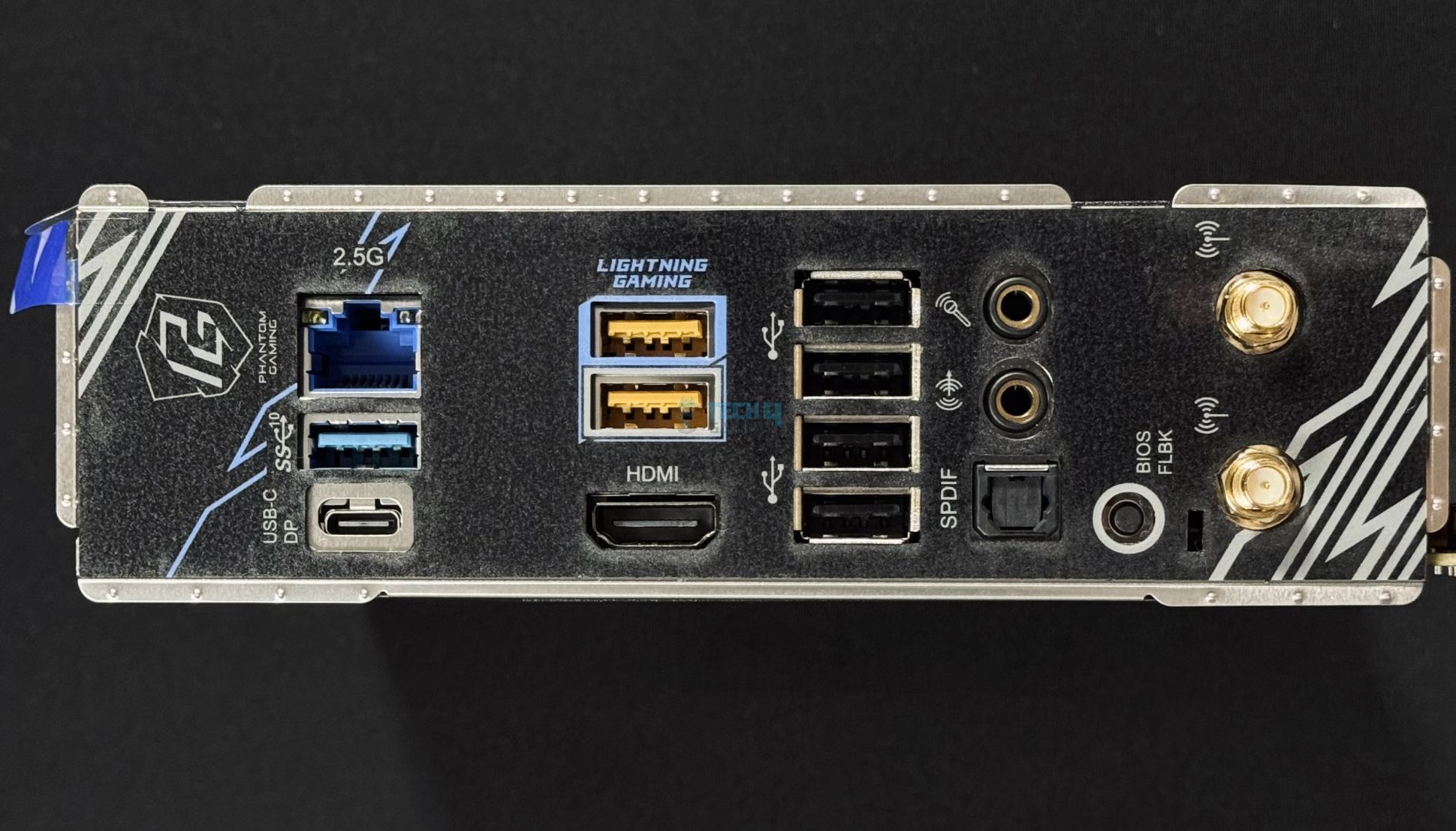
  • Expansion Slots: These are used for adding extra components like graphics cards, sound cards, or network cards to expand your PC’s capabilities.
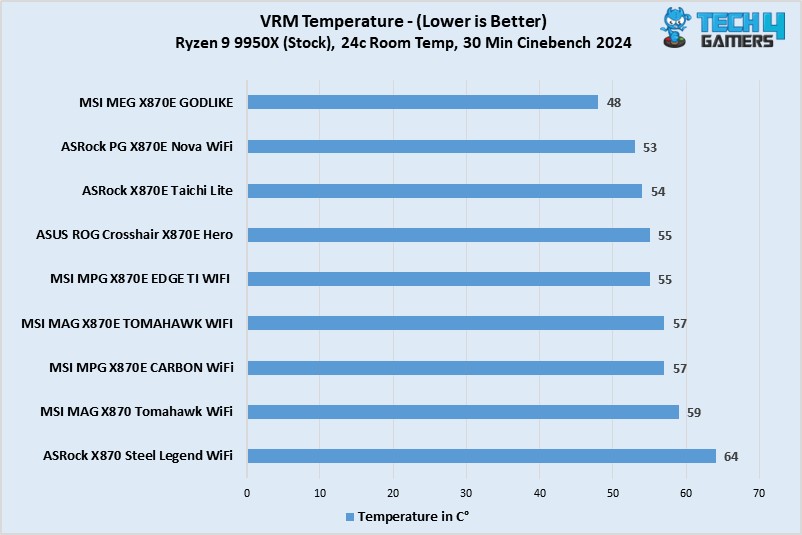
  • DIMM Slots: These slots are where you insert RAM modules, giving the CPU quick access to the data it needs to process.
  • Form Factor: This defines the motherboard’s size and shape, influencing which cases it fits and the number of expansion slots you can use.

How I Rounded Up These Motherboards

My team and I have been trying and testing different motherboards to gain insights into their performances, features, and overall value. During our testing, we focused the most on these aspects:

  • Overall Performance: I paid close attention to the VRM quality and overclocking capabilities. Motherboards with strong VRMs are crucial for stable overclocking, which is especially valuable for enthusiasts looking to push their systems further. Having a stronger VRM structure also translates to better overall performance.
  • Features: I looked for motherboards packed with useful features like built-in Wi-Fi, multiple M.2 slots, and plenty of USB ports. For a CPU like 9950X, these are a must-have.
  • Design: I didn’t overlook the design aspect. I evaluated the visual appeal, RGB lighting options, and overall layout. A good-looking motherboard can make your PC stand out and increase overall satisfaction.
  • Value: I analyzed whether each motherboard was worth its price. Apart from performance, I considered if the features and capabilities justified the cost, ensuring you get the best bang for your buck.

FAQs

Is it worth getting the Ryzen 9 9950X over the Ryzen 7 7800X3D for gaming?

According to AMD’s senior Technical Marketing Manager, the Ryzen 7 7800X3D will remain the gaming king of its lineup, albeit by little margin.

What memory speed is best for the Ryzen 9 9950X?

According to our tests, the best (and most stable) results were seen while testing the Ryzen 9 9950X with 6400 MT/s memory.

Can I use DDR4 memory with Ryzen 9 9950X?

No. AMD’s AM5 platform only supports DDR5 memory.

Recent Updates


  • March 27, 2025: Now that we have completed our 800-series motherboard testing, we have updated our recommended motherboards for 9950X with the latest options.


RTX 5090 Is Already Nearly 2X Its MSRP at $3,695 on Newegg, With Another $1,300 Increase Expected

Story Highlight
  • The RTX 5090 FE is already selling for $3695 on Newegg.
  • This is a $1695 raise from the official price, and a further bump is expected soon.
  • RTX 5090 will cost as much as $5000 in 2026, as revealed by our previous report.

2026 has just started, and we’re about to experience the worst-ever year for gaming as hardware prices soar beyond comprehension. Specifically, newer PC components are expected to cost absurd prices, and the effects have already started to take hold. 

Nvidia’s flagship GPU release from the Blackwell lineup, the RTX 5090, has already inflated beyond its MSRP. Currently, the GPU is going for $3695 on Newegg, nearly double its launch price last year.

Why it matters: $3695 for just a GPU, no matter if the strongest is outrageous, and unfortunately, this is just the beginning of what things are about to look like this year.

Nvidia GeForce RTX
Nvidia To Reportedly Cut RTX 50-Series Supply By 50% Soon, Further Promoting Inflation

The RTX 5090 launched at $2000 last year, and this listing is selling for $1695 above the original price. Moreover, this listing is officially from Nvidia, but unfortunately, it’s not surprising, as we’ve already seen situations like this since December of last year.

Over at the official Nvidia website, the RTX 5090 starts from $2500 and goes up to $3719 for the liquid-cooled version. As ridiculous as it may sound, this is the cheapest the GPU will go for in a while, as a further hike is expected soon enough.

With rising memory prices, AMD will announce revised GPU prices likely this month, and for Nvidia, expect official new prices next month, which will raise the RTX 5090’s price to $5000 as per our previous report. 

Since manufacturing cost will increase by 80%, giants like AMD, Nvidia, or Intel won’t have a choice but to increase GPU prices to consolidate for the newer memory prices when their contracts with chipmakers get renewed soon.

Nvidia
Nvidia Tells AIB Partners To Source VRAM Themselves

The RTX 5090 doesn’t even offer a substantial upgrade over its predecessor to justify this high price, but it seems like even consumer GPUs are falling victim to the AI demand, as Chinese modders are customizing Blackwell GPUs to fulfill local AI demand.

Nvidia is closely monitoring this situation and may be inclined to release a Super version of the series, which was previously thought to be canceled because of low sales forecasts.

The console side is experiencing the same situation, and Xbox, PlayStation, and Nintendo devices will cost 10-15% more this year. Also, new console and PC parts releases are expected to be delayed due to the same AI-driven memory shortage.

What are your thoughts on this story? Let us know in the comments below, or at the official Tech4Gamers Forums.

AMD Zen 6 And Zen 7 May Face Compatibility Issues On X870 And B850 Motherboards Due to 64MB BIOS Limits

Story Highlight
  • 64MB chips on B850 and X870 boards may lack the space required for future CPU data.
  • Zen 6 and Zen 7 will likely feature new memory controllers and complex designs that demand larger BIOS files.
  • While AMD aims for long-term AM5 support, these hardware constraints could prevent current motherboards from running next-gen chips.

In the World of computing and technology, we always look forward to CES 2026, which will take place in a little over a week. There, Intel and AMD will announce new chip generations, as well as new products from all brands.

We know AMD will not announce a new generation of desktop PC CPUs, but it is important to note the flaws with the current generation, as motherboards with 64MB BIOS chips will have compatibility issues with future designs, such as Zen 6 and Zen 7.

While Intel changes platforms frequently, AMD keeps its own for 6-7 years, as we saw with AM4 and will see with AM5. AM5 arrived in 2022 alongside the Ryzen 7000 series; however, the Ryzen 9000 series took two years to come. These did not particularly impress in terms of performance and efficiency, but the X3D processors did, outperforming the previous generation and boosting AMD’s sales, widening the gap with Intel.

When we buy a new PC or upgrade an existing one with the latest components, we expect it to endure for many years, especially in today’s environment where computer prices are continually growing. While AMD claims that AM5 will last for more than five years, which appears to be the case, MLID is skeptical.

This is due to a very unique issue: the 64MB BIOS chips on B850 and X870 motherboards are the primary limiting factor, causing compatibility issues with future generations. It’s worth noting that, as Moore’s Law is Dead stated in a recent video, Zen 6 and Zen 7 will work with AM5, extending its lifespan even further.

While this is wonderful news, he is concerned about the 64MB limit of existing motherboards, as he expects Zen 6 will have similar issues with AM5 to what happened with AM4 and the Ryzen 3000 series. This is because Zen 6 will include a new memory controller, and the 64MB on the X870 and B850 motherboards may not be sufficient.

With AM4 and the Ryzen 3000 series, we discovered that some motherboards did not support the new CPUs, necessitating, at best, a BIOS update. If you weren’t so lucky, chipsets like the X370 and B350 have restricted BIOS capacity, affecting compatibility with future processors, and it appears that this will continue with the next generation.

Fortunately, there is still time to alter it, since, while we don’t have all the facts, if manufacturers know that more memory is needed, they can add larger-capacity BIOS chips or a Refresh version before it’s too late.

If Zen 6 was already problematic, Zen 7 will be considerably more so, as it introduces a new architecture, leading to a larger, more complex BIOS.

Silent Hill 2 Remake Developer Bloober Team Is Teasing A Mysterious New Project

Story Highlight
  • Bloober Team posted a mysterious domain on its X account, teasing the reveal of a new game.
  • The domain points to a countdown that still shows 44 days left until completion.
  • The developer currently has seven projects in the works, including a remake of Silent Hill 1.

Bloober Team has made a name for itself in the gaming industry thanks to back-to-back hits in the form of Cronos: The New Dawn and the Silent Hill 2 remake. The latter became the best-selling title in the Silent Hill franchise, shipping over 2.5 million copies and helping the Polish developer increase its profit by 680%.

On the other hand, Cronos: The New Dawn also showcased the developer’s potential, selling over 500k copies and garnering positive reviews with only a $27 million budget. As it turns out, Bloober Team is already hard at work on its next game and has started teasing it with an ominous countdown. 

Why it matters: In the era of video games taking years to make, a developer releasing solid projects consistently is a big deal.

Silent Hill 2 Units Sold
Konami has confirmed Silent Hill 2 Remake has sold over 2 million units.

In a mysterious marketing move, Bloober Team has posted an unusual domain with a cypher in its title, leading fans to a website that is counting down to a mysterious reveal 44 days away.

Fans in the replies tried to decipher the domain, with many coming up with the tagline “Remove your old dreams, choose seer.” However, the mystery remains intact, as no one can quite figure out what game Bloober Team is teasing in the post.

The Polish developer has a whopping seven projects in the works, including a remake of Silent Hill 1 approved by Konami. Insiders have also hinted that Bloober Team is developing a remake of Silent Hill 3, in addition to several new IPs, one of which is inspired by Resident Evil.

silent-hill-1-remake
Bloober Team is also working on a remake of Silent Hill 1.

Netflix has also commissioned the studio to make a new game, so it’s anyone’s guess what this mysterious countdown could lead to.

Do you think Bloober Team is about to announce the remake of a Silent Hill game? Tell us in the comments below or head to the Tech4Gamers forum for discussion.