Home Blog Page 81

Epomaker Split70 Review: A Split Keyboard That Actually Makes Sense

Most of us grow up typing on flat, straight keyboards and simply adapt to them. Then you see a split keyboard for the first time and think it looks uncomfortable or at least strange. That was more or less my reaction to the Epomaker Split70. I’ve been using it as both a daily typing keyboard and, at times, as a left-side-only gaming setup, and this review is based on that experience.

Why Trust Tech4Gamers
  • Abdul Hannan is our peripherals expert who has been testing different mice, keyboards, headphones, microphones, and more for years.
  • 130+ peripherals tested and reviewed by our team of hardware experts (Tech4Gamers Team).
  • 500+ hours spent testing different peripherals for our reviews.
  • Objective testing criteria (See how we test peripherals).

At Tech4Gamers, ensuring you get reliable information is our priority. That’s why every hardware round-up undergoes a meticulous review process by our team of experts and editors. Each review is carefully examined against our strict editorial guidelines, guaranteeing you trustworthy insights you can depend on.


Key Takeaways

  • The Epomaker Split70 is a compact split keyboard that focuses on comfort, quiet acoustics, and flexibility. It pairs a well-damped gasket mount design with tri-mode connectivity and VIA support.
  • You should buy the Epomaker Split70 if you want a split layout, flexibility in how you use your keyboard, the ability to customize shortcuts, and value in the split keyboard space.
  • You should skip the Epomaker Split70 if you prefer traditional layouts, want a dedicated function row, conventional arrow key spacing, and care about strong magnet alignment.

Here are the technical specifications:

Layout Ergonomic Keyboard, Split Keyboard, 70% Layout Mechanical Keyboard
Number of Keys 71 Keys and 1 Knob
Battery 3000mAh Rechargeable Battery
Battery Life 11 hours of continued use with the backlight on, and 260 hours of use with the backlight off
Connectivity 2.4Ghz Wireless, Bluetooth, and Cable Wired
Compatibility Mac/WIN/Android
Keyboard Dimensions 18.4+18.8cm in Length (left+right), 11.8cm in Width, and 4cm in Height
Case Material ABS Plastic
Plate Material PC Plate
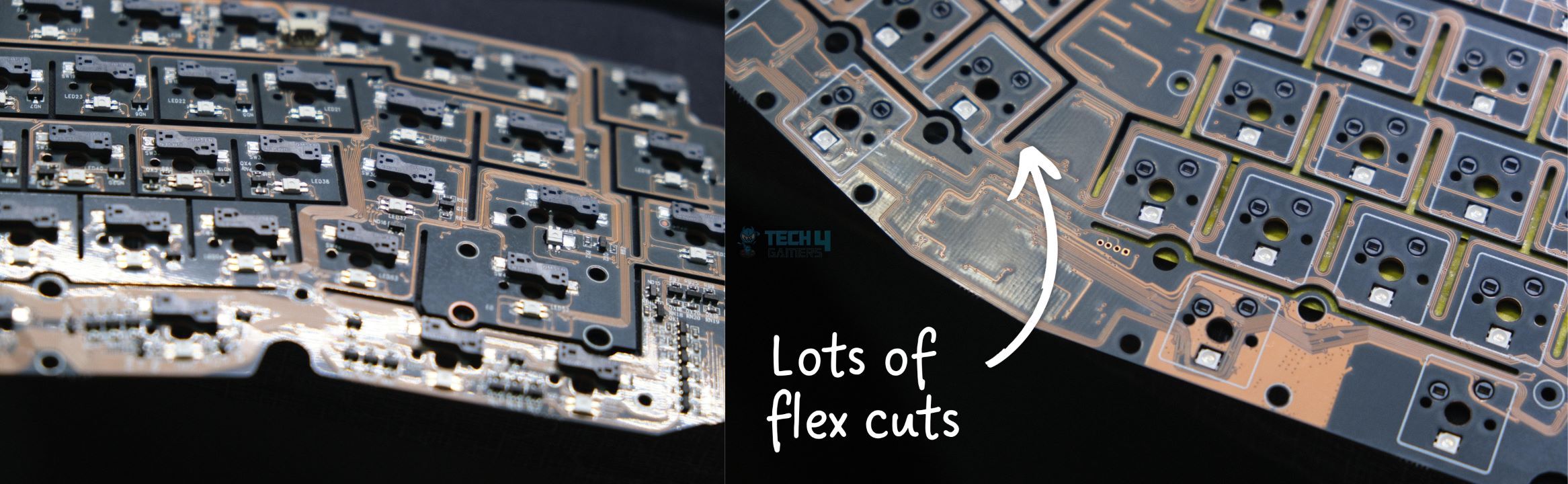
Flex-Cut No
Stabilizers Plate-Mounted Stabilizer
Mounting Structure Gasket-Mount
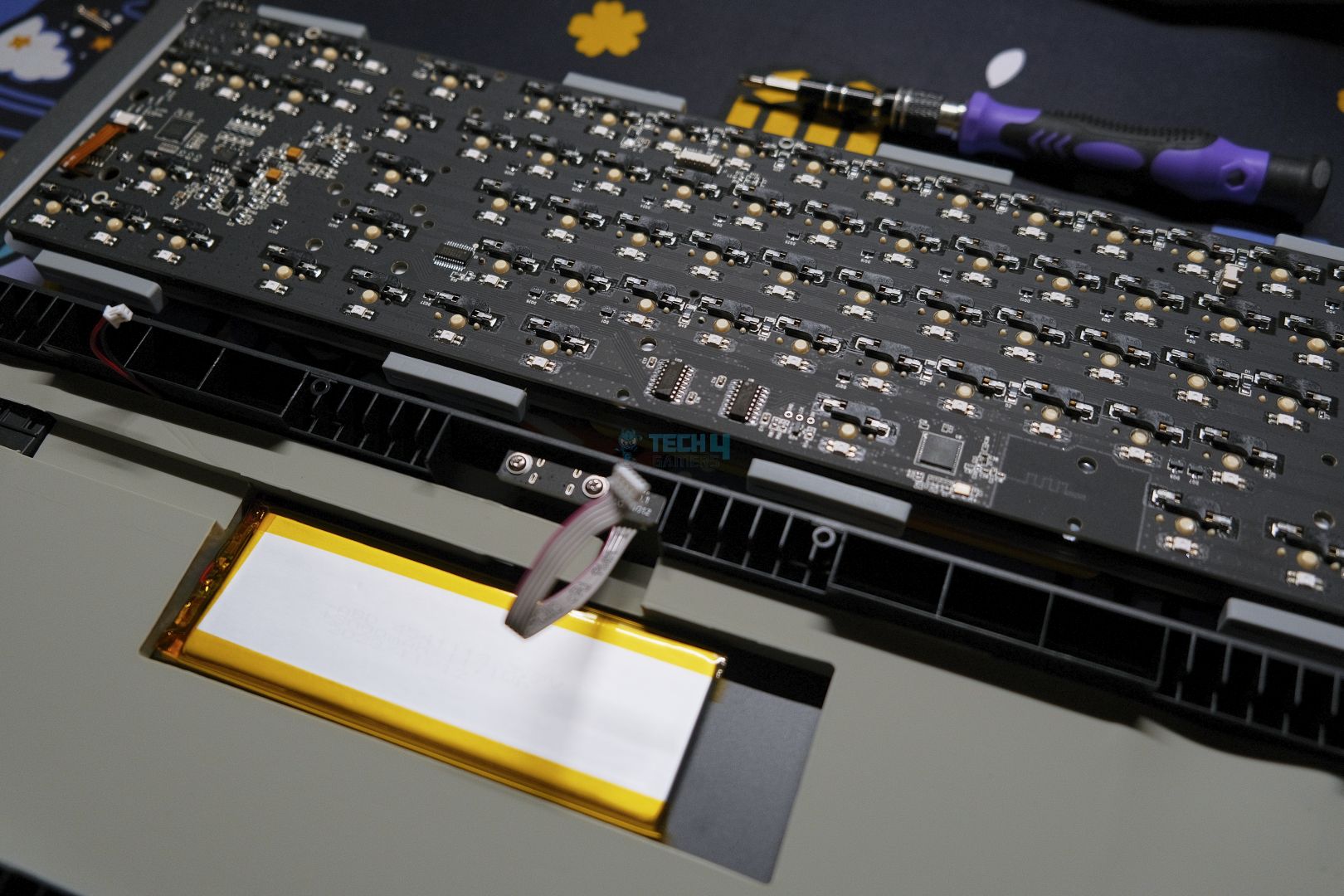
Sound Dampening 5 layers including Sandwiched Latex, IXPE Switch Pad, PET Sound-Enhancement Pad, Bottom Sponge, and Bottom Silicone
Keycaps Profile Cherry Profile
Keycaps Material PBT Keycap
Keycaps Manufacturing Technique Dye Sublimation
Hot-swappable Yes
RGB Backlight Yes, south-facing per-key LEDs
Polling Rate 1000hz in Wired or 2.4Ghz Wireless Mode and 125hz in Bluetooth Mode
Latency 3ms in wired mode, 5ms in 2.4Ghz wireless mode, and 15ms in Bluetooth mode
Anti-Ghosting Yes, supports N-Key Rollover
Keyboard Weight 890g
Front Height 2.1cm
Typing Angle about 7 degrees
Kick-Stand No
[toc]

What Makes Epomaker Split70 Different?

The Epomaker Split70 takes the idea of a split ergonomic board that we saw in the earlier Split65 and pushes it a bit further with a few thoughtful changes that show Epomaker listened to feedback. Where the Split65 used a four-layer sound-dampening setup, the Split70 provides five cushioning layers under the keys. The switches have been updated as well, with the factory-lubricated Wisteria Linear V2s replacing the older V1s.

Packaging & Unboxing
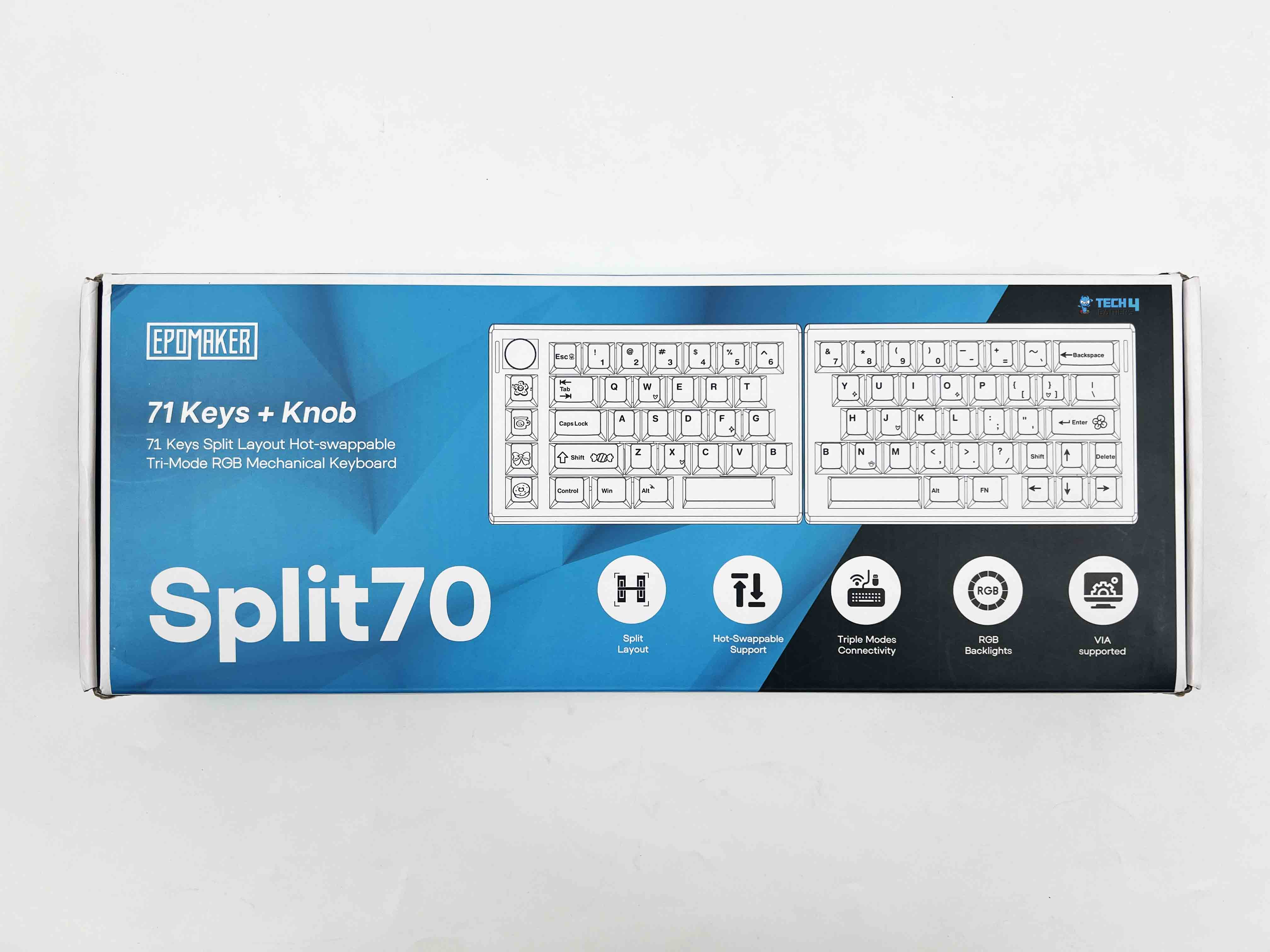
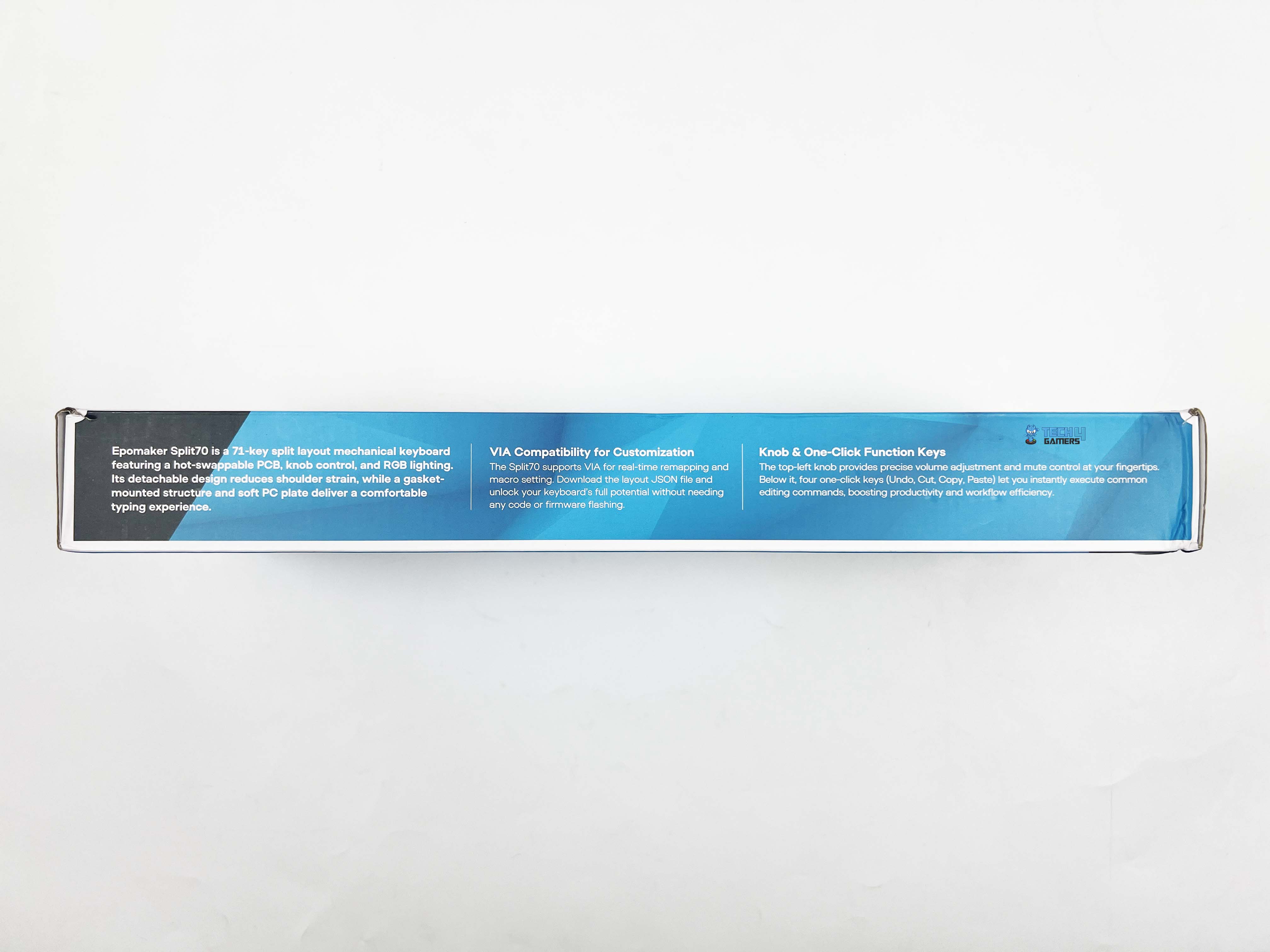
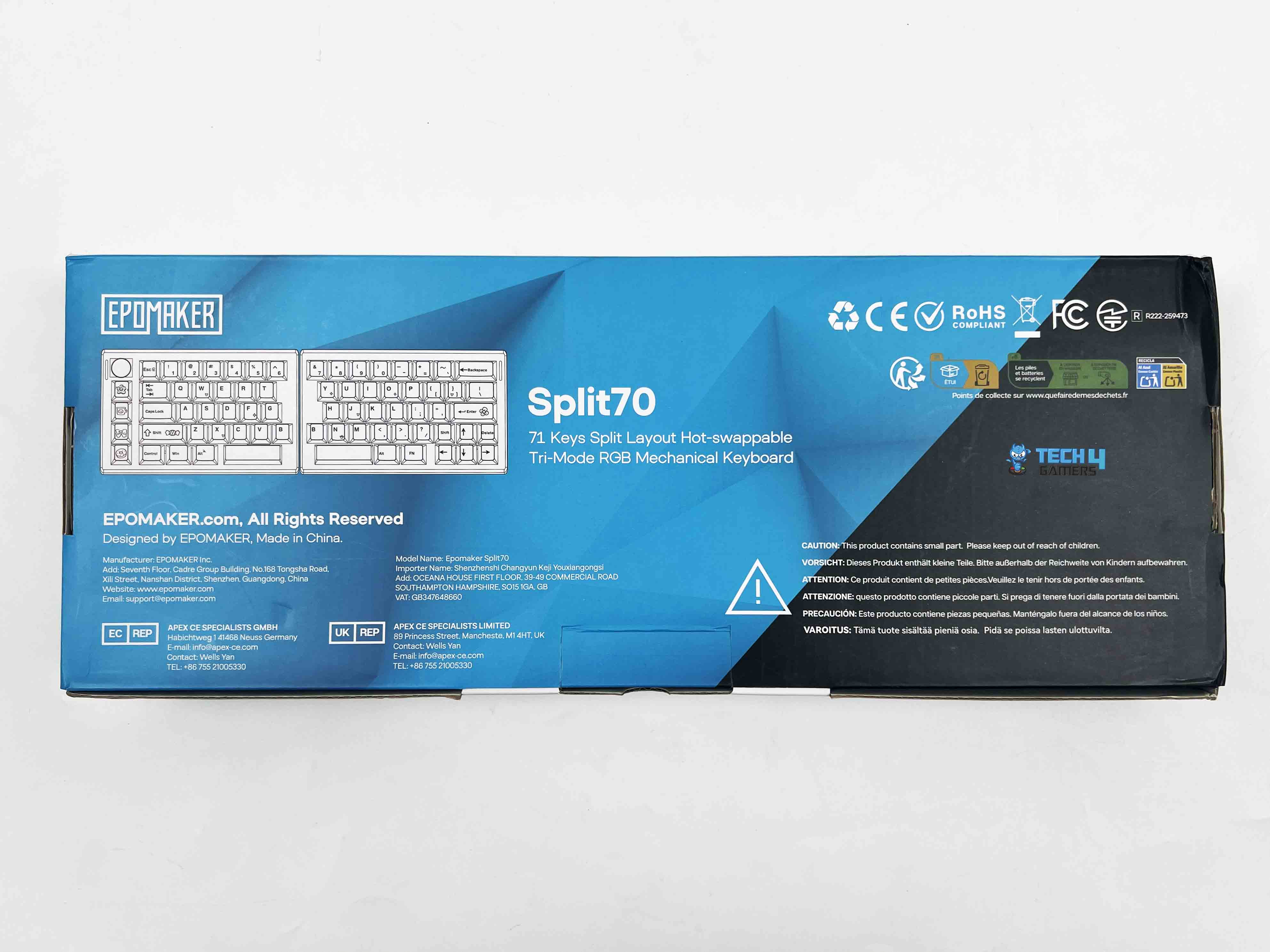
The Epomaker Split70 arrives in simple packaging with a dual-color black-and-cyan theme. On the front, it shows only the product name, a picture of the keyboard, the usual Epomaker branding, and a list of notable features. After opening the box, the first thing you notice is that each half of the keyboard is wrapped in a plastic sleeve beneath the accessories compartment.
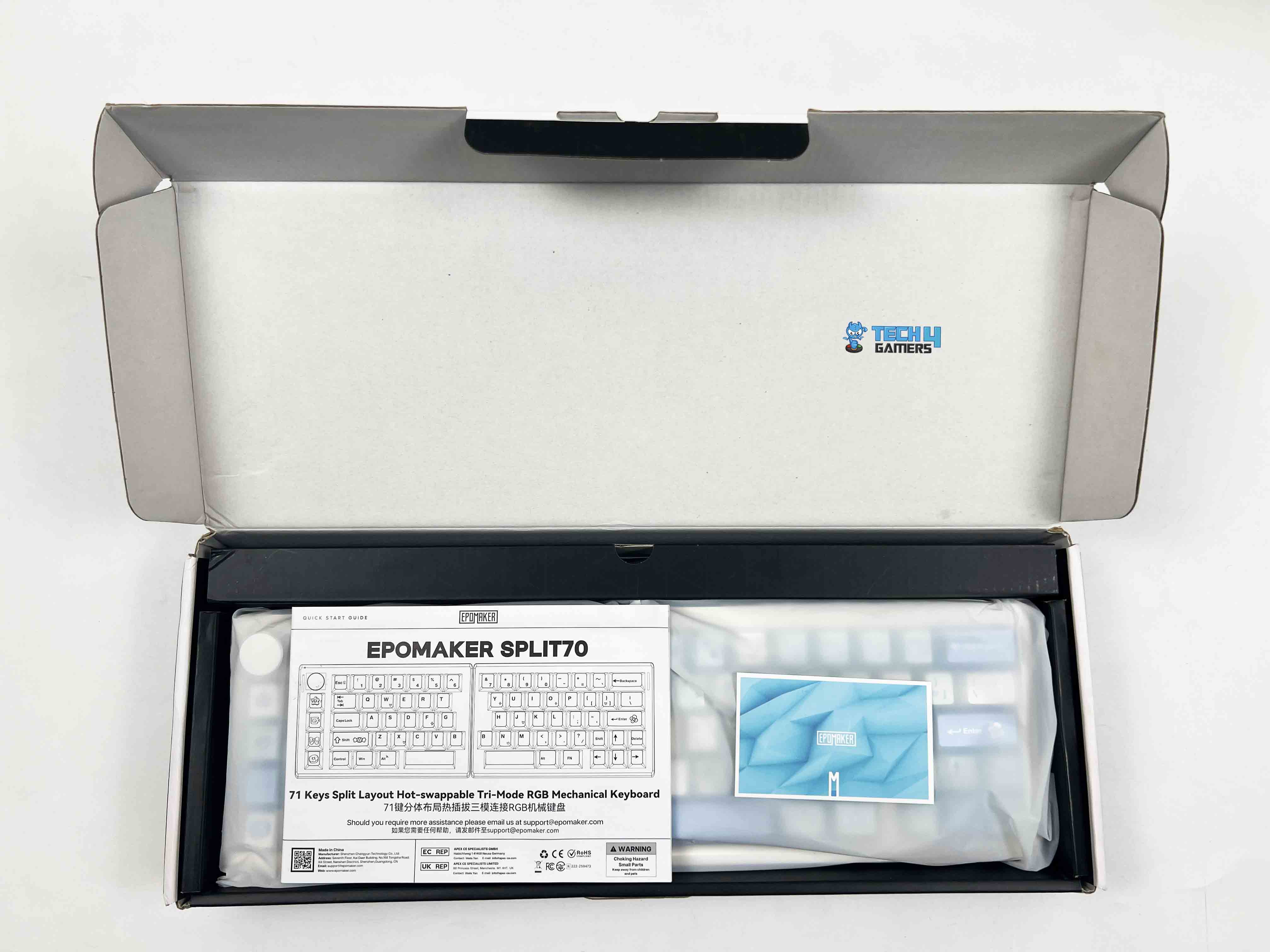
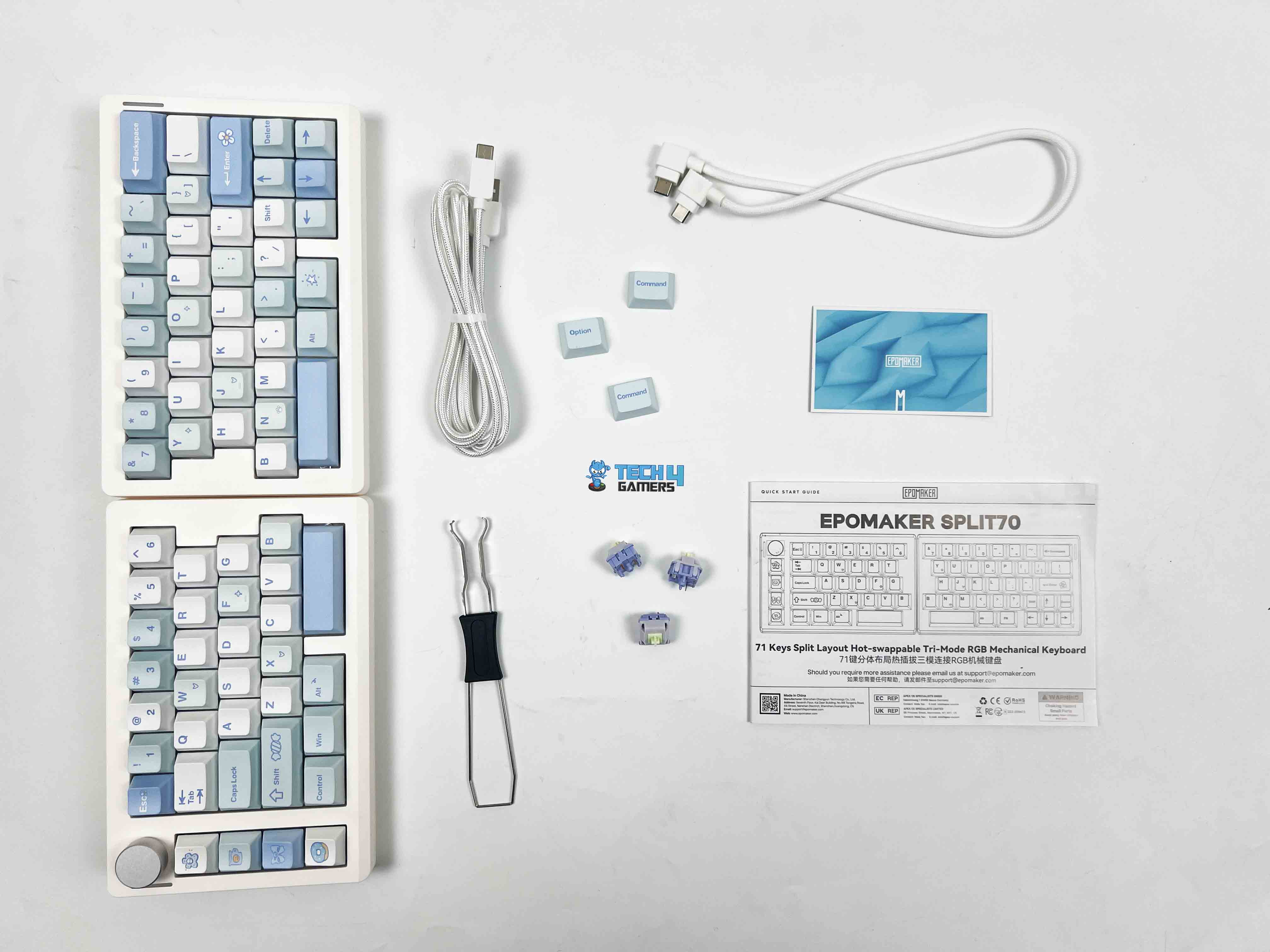
  1. Split70 Mechanical Gaming Keyboard
  2. Multilingual Manual
  3. Quick Start Card
  4. Keycaps for Mac
  5. Extra Switches
  6. 2-in-1 Switch-and-Keycap Puller
  7. USB A-to-C Cable (Device to Keyboard)
  8. USB C-to-C Cable (Left Half to Right Half)

Design
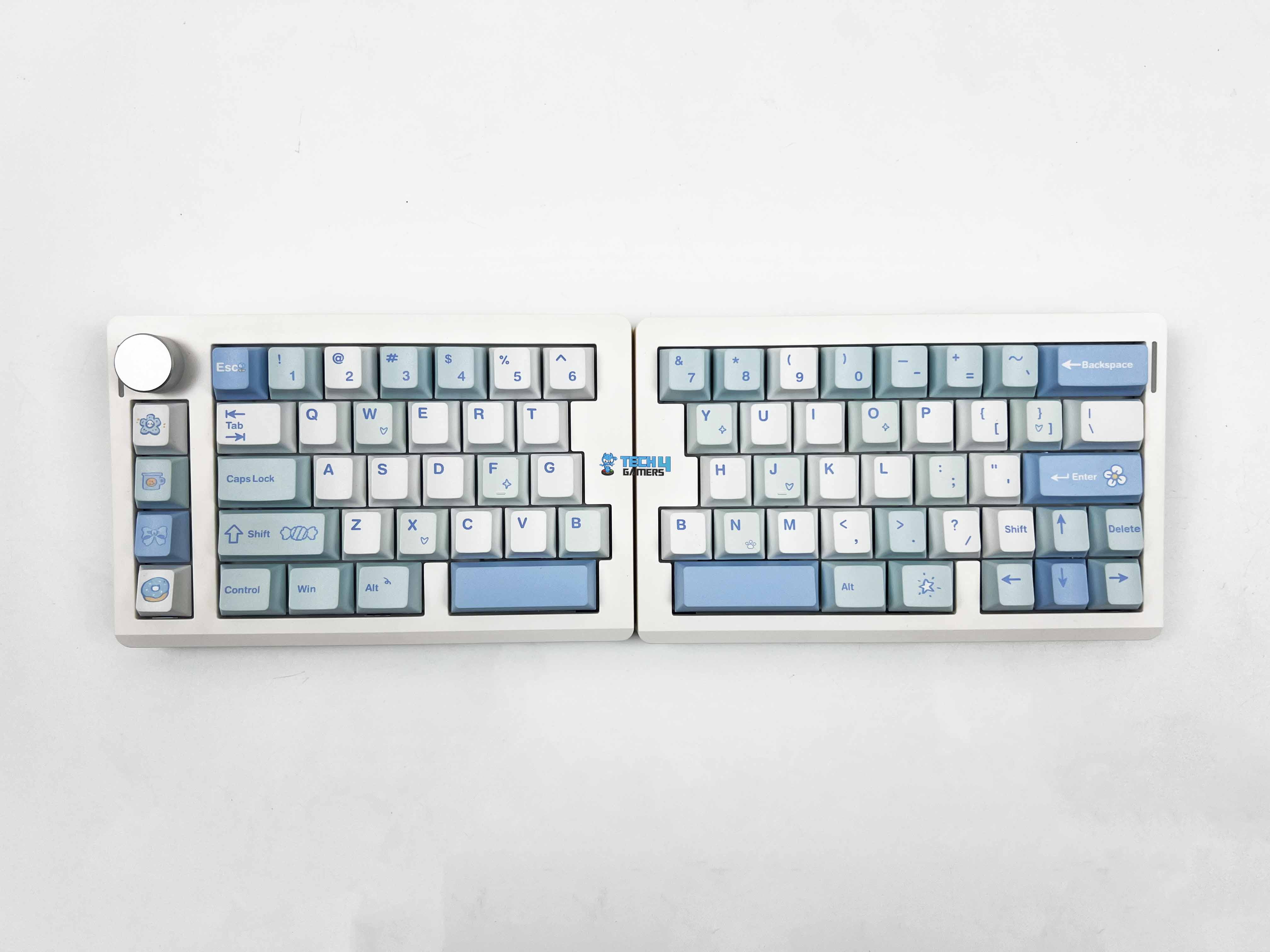
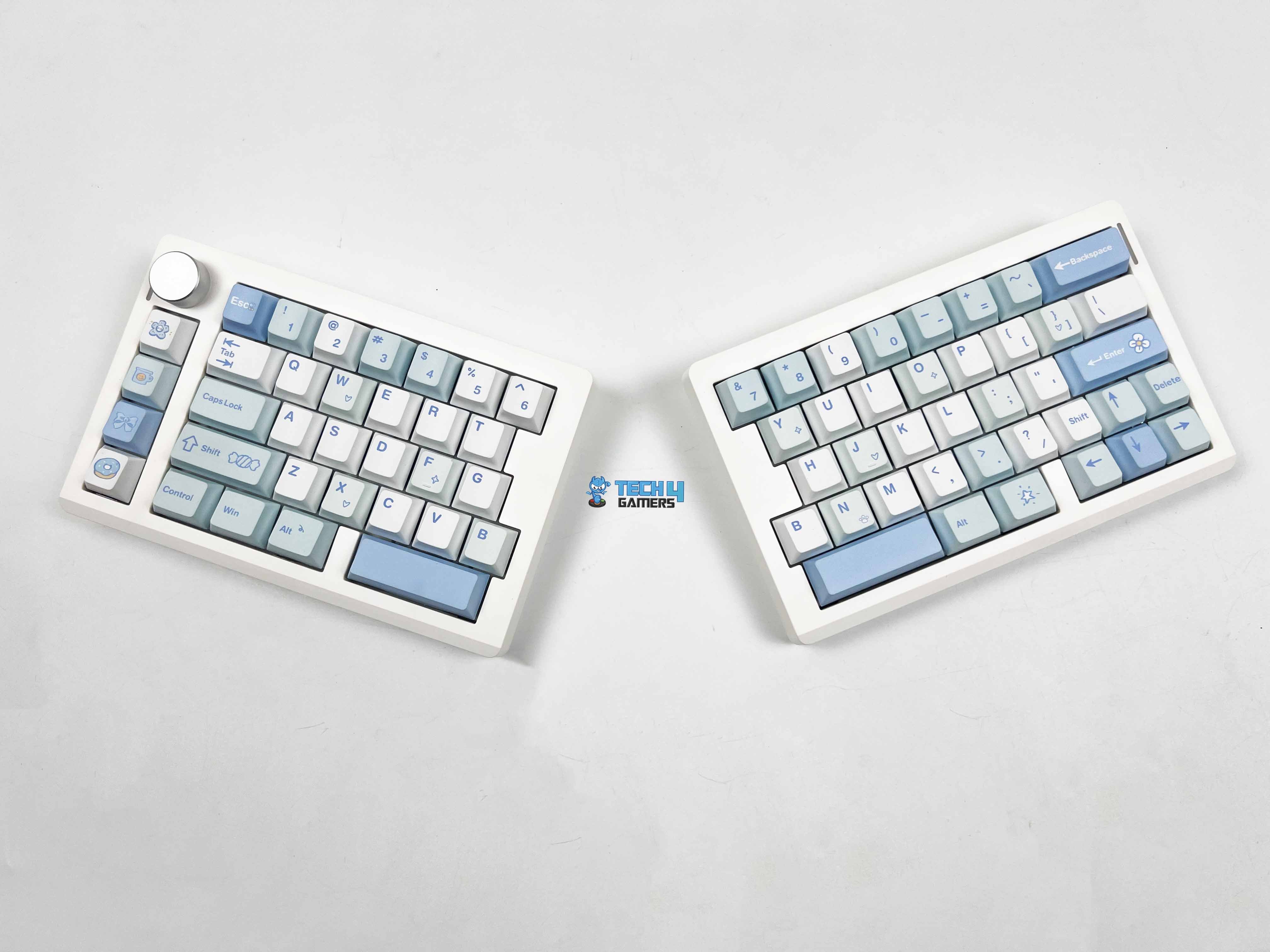
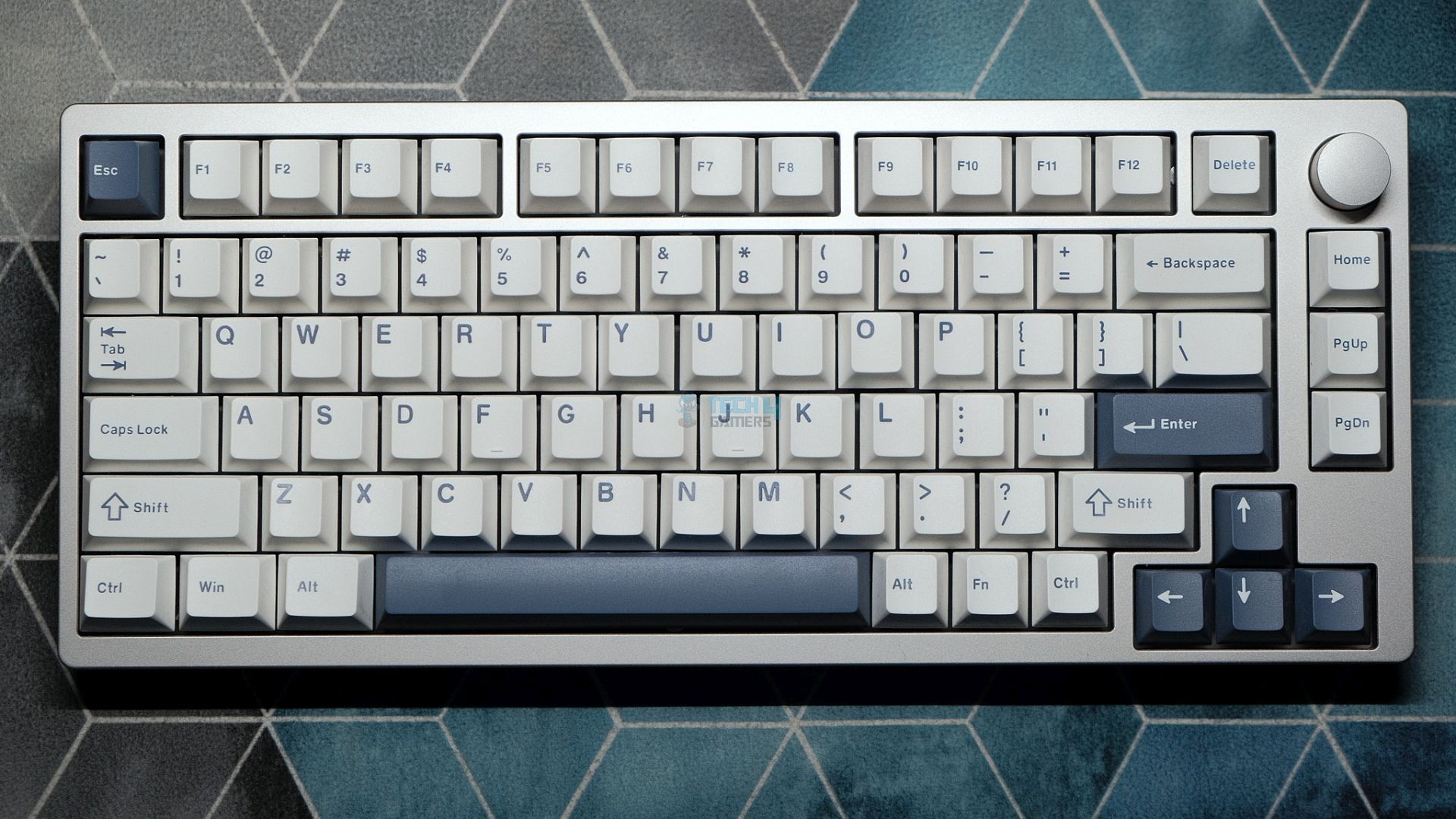
Epomaker offers it in two color options. There’s a black version, and then there’s the white-blue variant. The unit I have for review is the white-blue one. The black model keeps things toned down. The keycaps come in different shades of gray. It feels like the safer choice if you’re using it in an office, or anywhere you don’t want your keyboard drawing attention. The white-blue version goes in a completely different direction.

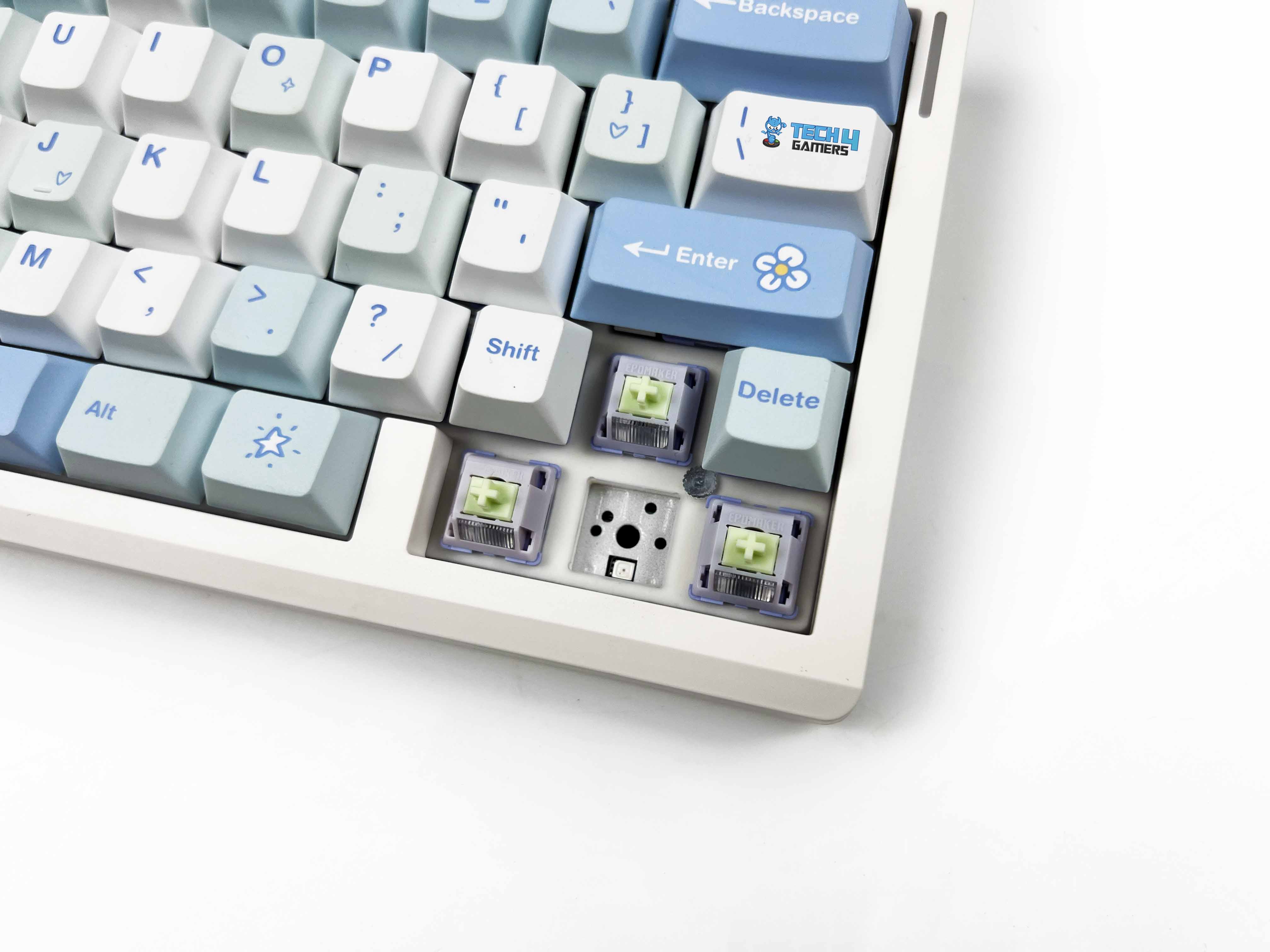
The base is white, and the keycaps mix cyan and light blue tones. Some keys have small printed icons. Little shapes like stars, candy-like symbols, and hearts. That is playful graphic detail. It’s subtle, but you notice it when you’re close. I think it fits really well on a clean desk setup, especially if you’re already using lighter peripherals or pastel accents. It gives the keyboard a lighter and more fun personality.

Layout

Layout
Layout

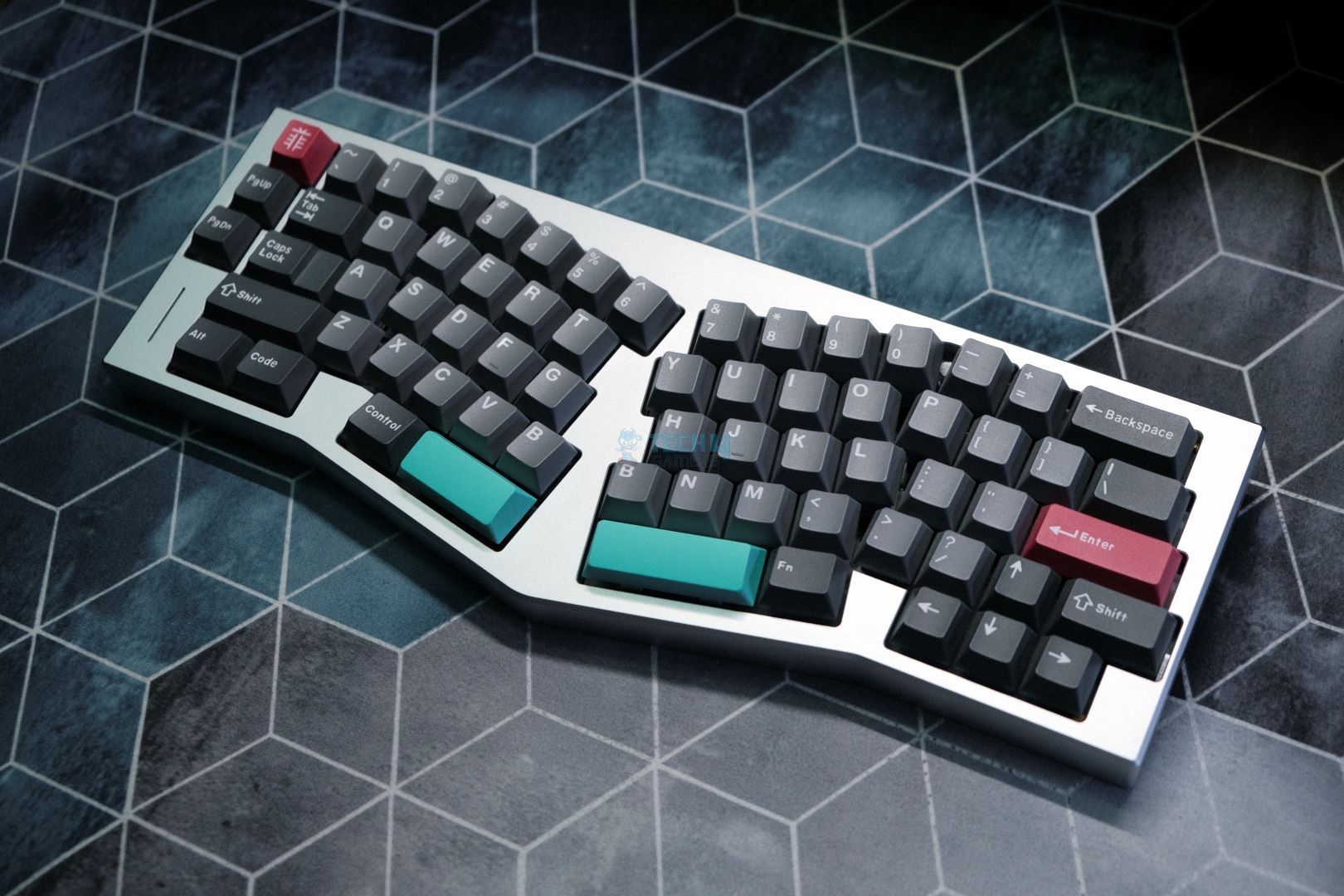
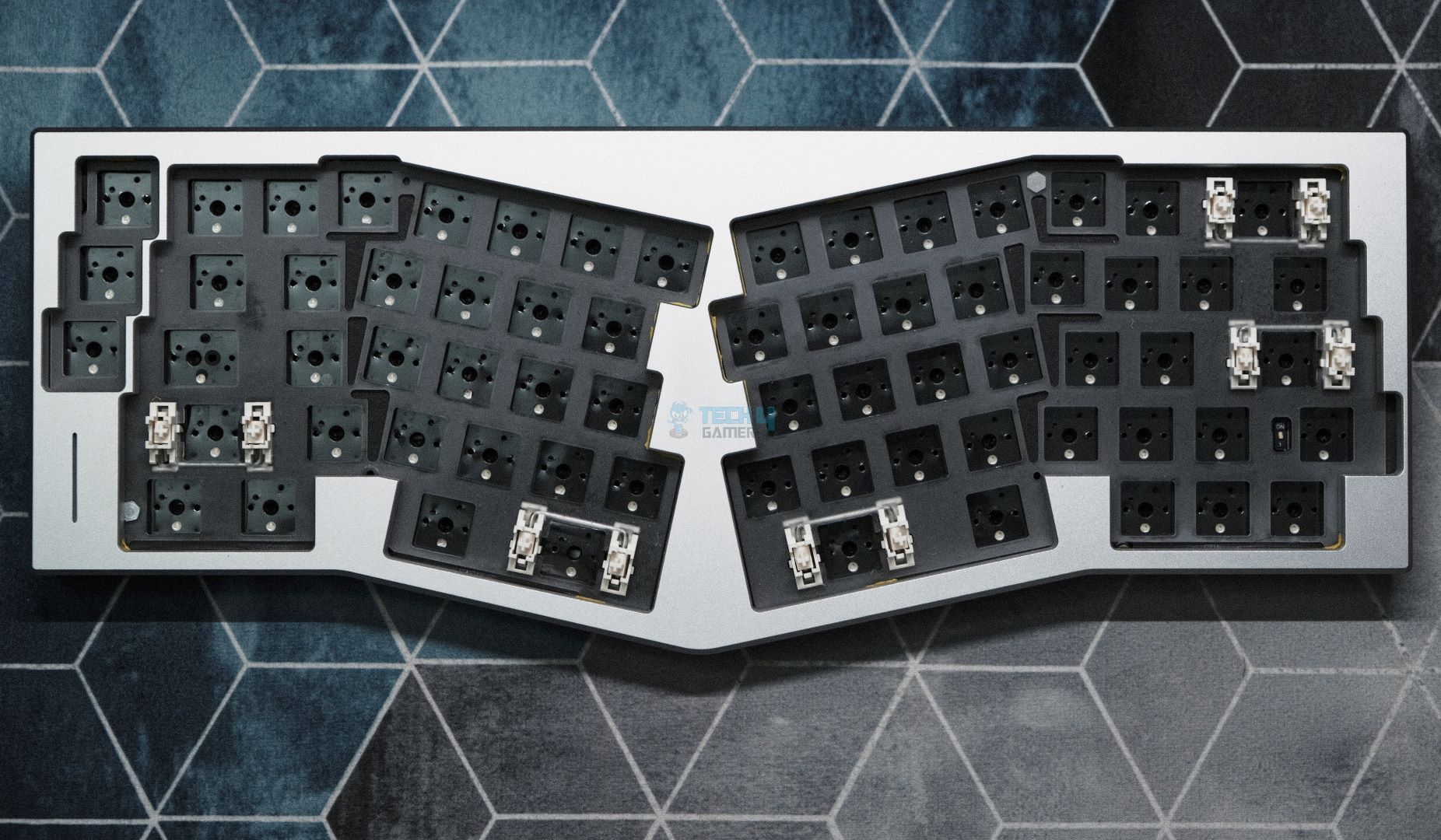
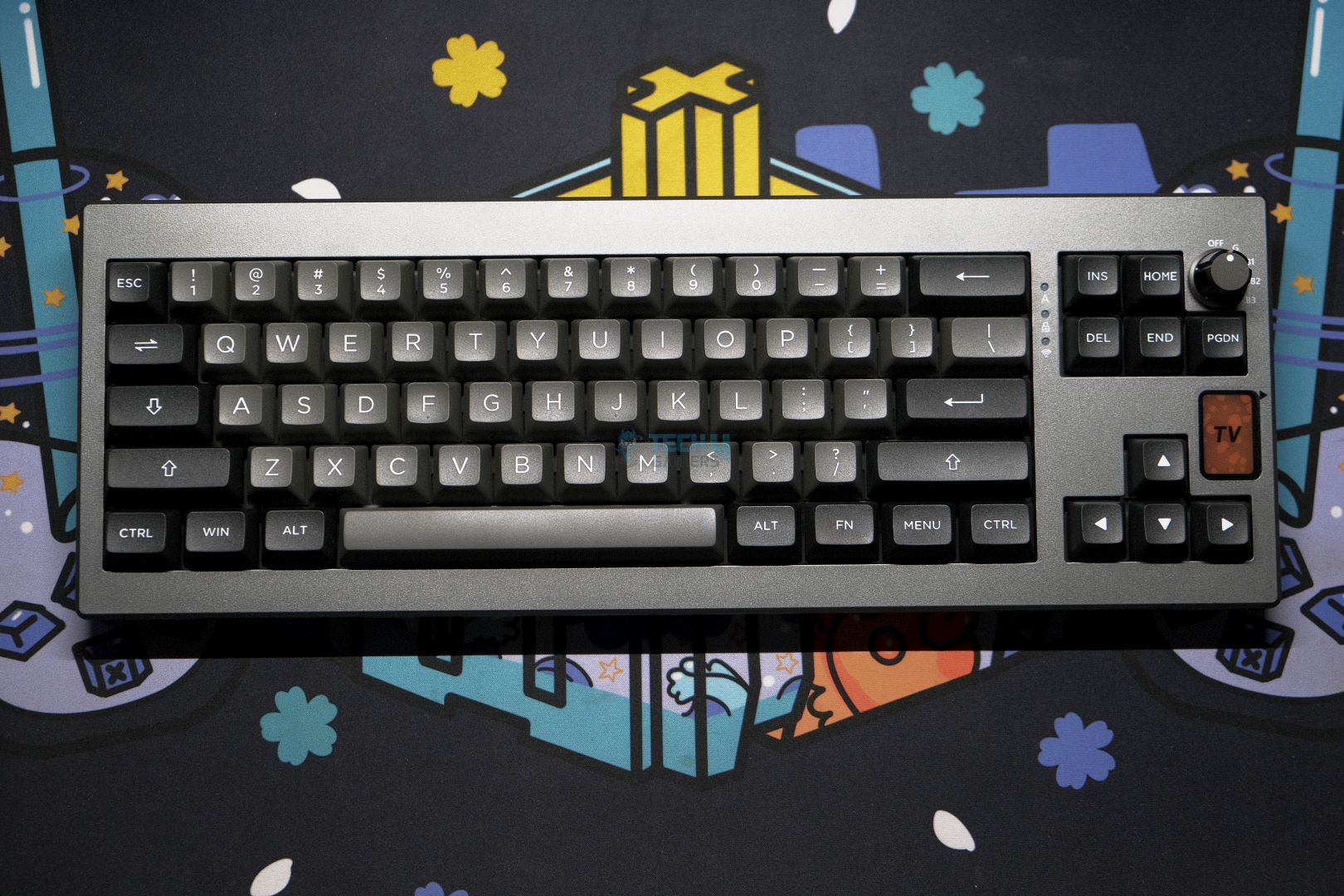
The Epomaker Split70 uses a 70% layout, but it doesn’t feel like a typical 70% keyboard once you start typing. The split changes how your hands approach the keys. Your left and right hands sit more naturally apart, and that alone makes the layout feel different. Most of the primary keys are where you expect them to be, such as letters, numbers, and modifiers. The adjustment period is short if you’ve used compact boards before.

If you’re coming from a full-size keyboard, you’ll need a brief adjustment period. You’ll reach for keys that aren’t there, but it’s completely normal. The right side is where things feel the tightest. The arrow keys are squeezed into the corner, right next to the smaller Shift. I hit the wrong key a few times early on. It gets better with time, but it never entirely disappears. You’re always a bit more aware of that cluster. Lastly, there’s no dedicated function row, which is expected at this size.

Knob

Knob
Knob

The rotary knob is located at the top corner of the left half. It’s easy to reach. You don’t have to move your whole hand to use it. The knob itself feels solid. It has a slight resistance when you turn it. Each step feels defined. You can make small volume changes without overshooting. Pressing the knob gives a clean click. With a few customizations, the same spin can control screen brightness or cycle through multimedia functions. 

Underside

Underside
Underside

Each half of the Epomaker Split70 has four rubber feet placed near the corners. The front height measures around 2.1 cm. You feel that when you rest your hands on the keys. It’s not overly tall, so your wrists don’t end up bent at an awkward angle. I was able to type for long stretches without needing a wrist rest. The typing angle sits at about 7 degrees. It’s a fixed angle, since there’s no kickstand on this keyboard. The angle felt natural right away, especially when the halves were slightly angled outward.

Build Quality

Build Quality
Build Quality

Picking up the Split70 for the first time, the weight stands out. At around 890 grams, it feels heavier than it looks. That weight is split between the two halves. In terms of size, each half stays relatively compact. Together, the lengths are roughly 18.4 cm on the left and 18.8 cm on the right. The width is about 11.8 cm, and the height is close to 4 cm at the tallest point. The casing itself feels solid. I tried twisting each half slightly to see if it flexed. You really have to push to notice anything, and even then, it’s minimal.

Keycaps

Keycaps
Keycaps

The Epomaker Split70 uses Cherry profile keycaps. The height feels familiar. Your fingers don’t need time to adjust, especially if you’ve used standard mechanical keyboards before. Moving between rows feels natural. These are PBT keycaps, and the texture gives that away. There’s a light grain to the surface. The legends are printed using dye-sublimation.

They look clean and sharp, even on the lighter keys of the white-blue version. Color-wise, the white-blue variant looks better in person than in photos. The cyan and light blue tones are soft on the eyes. If you enjoy swapping keycaps and hot-swapping switches, you might also find our list of the best custom gaming keyboards of 2025 helpful.

RGB Lighting
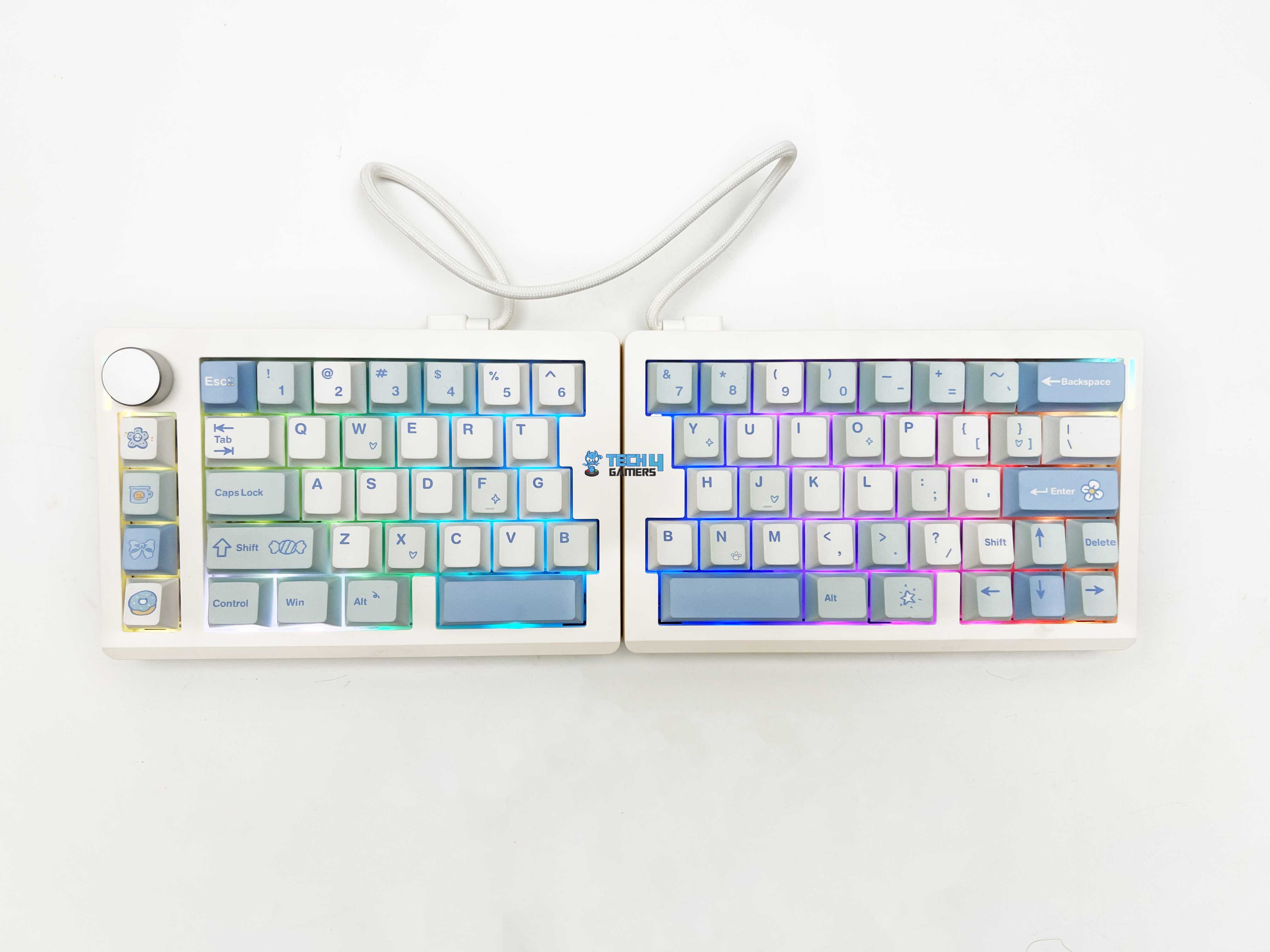
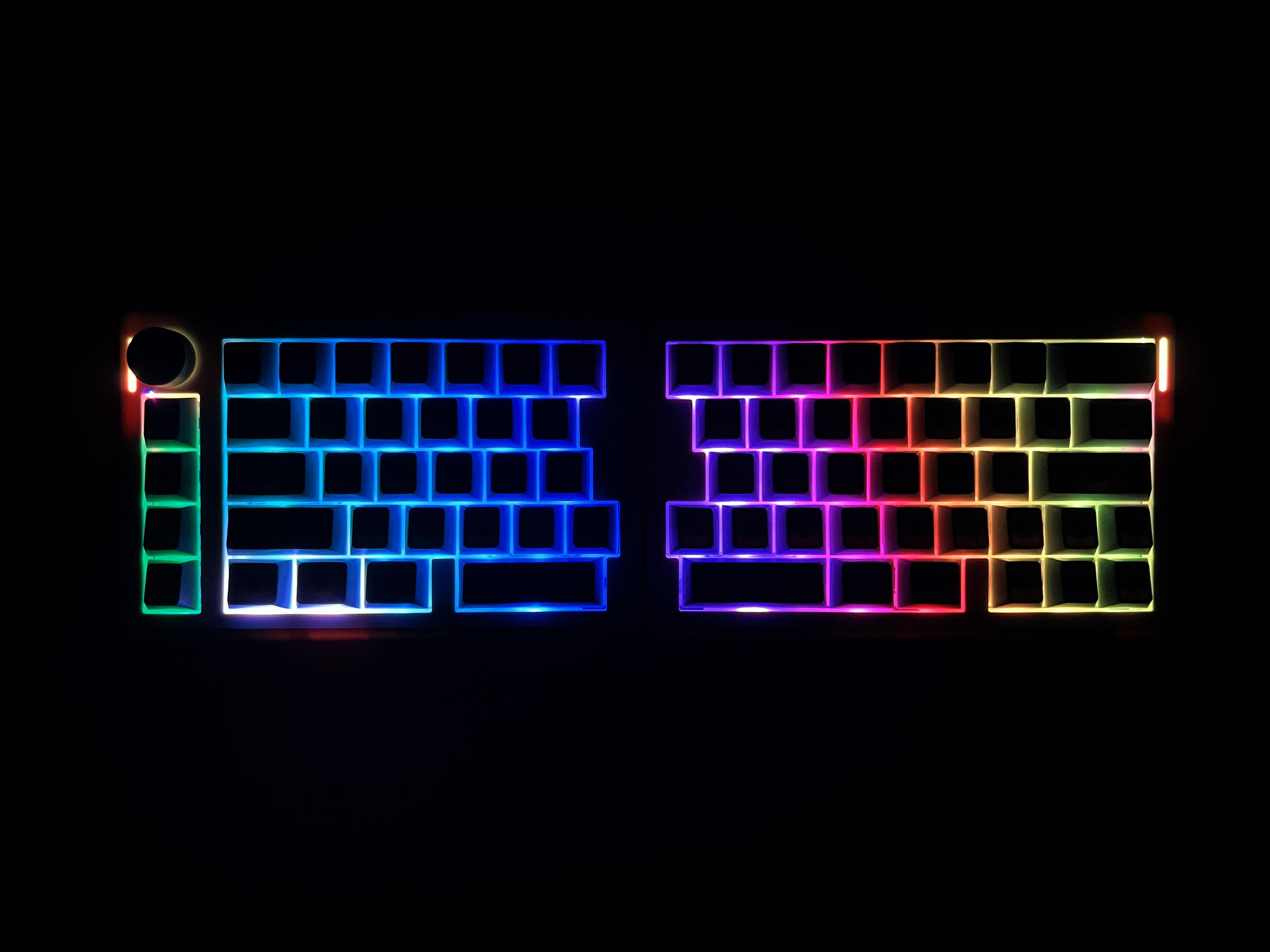
The Split70 features per-key RGB lighting with south-facing LEDs. The lighting is on the lower side of the switch, keeping the glow even and avoiding harsh hotspots under the legends. On the white-blue version, the lighting is clearly visible. The lighter keycaps reflect the colors softly across the keyboard. Light distribution is consistent across both halves. There are no keys that look noticeably dimmer. You can control RGB directly from the keyboard without opening software.

Switches
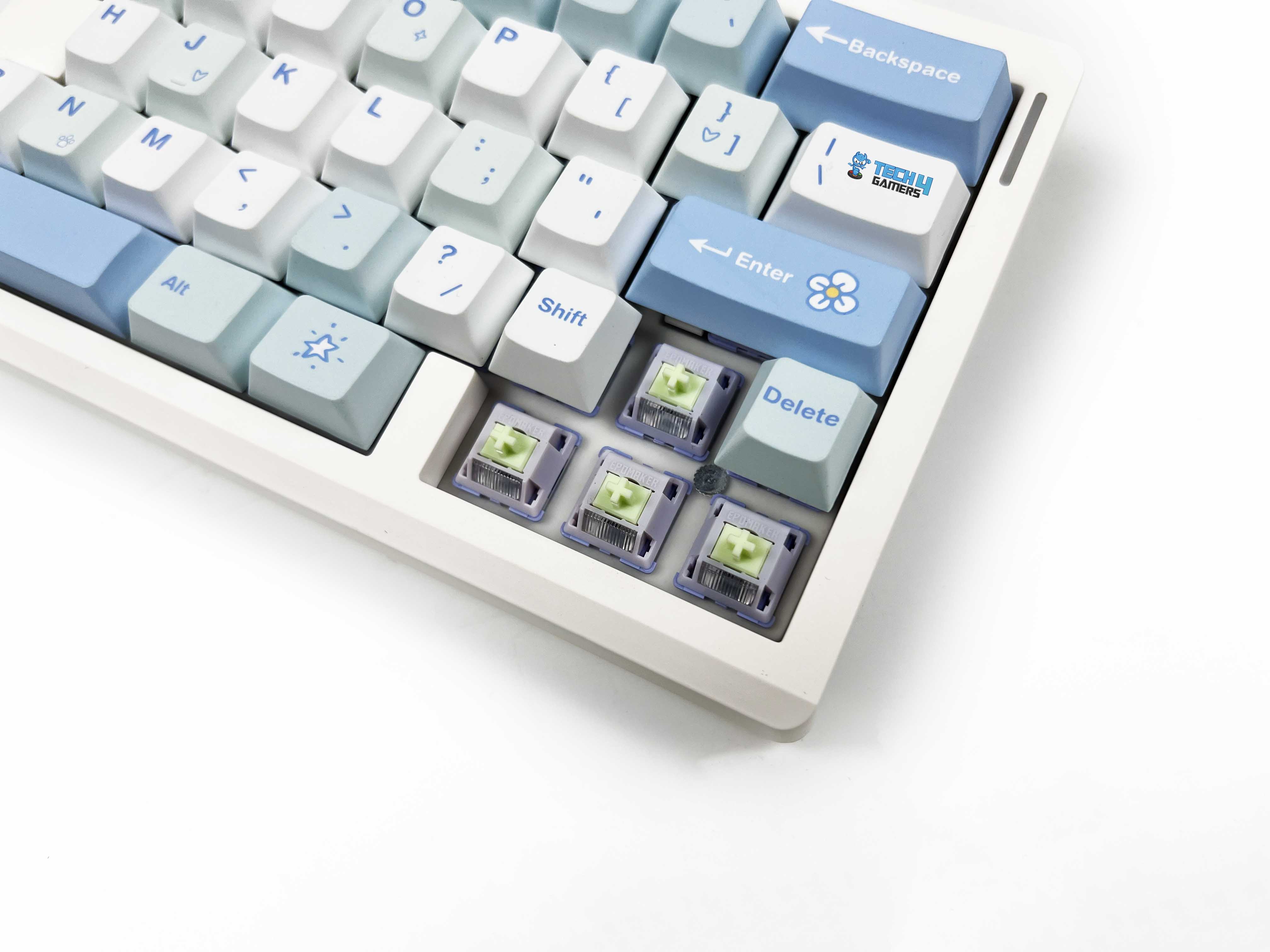
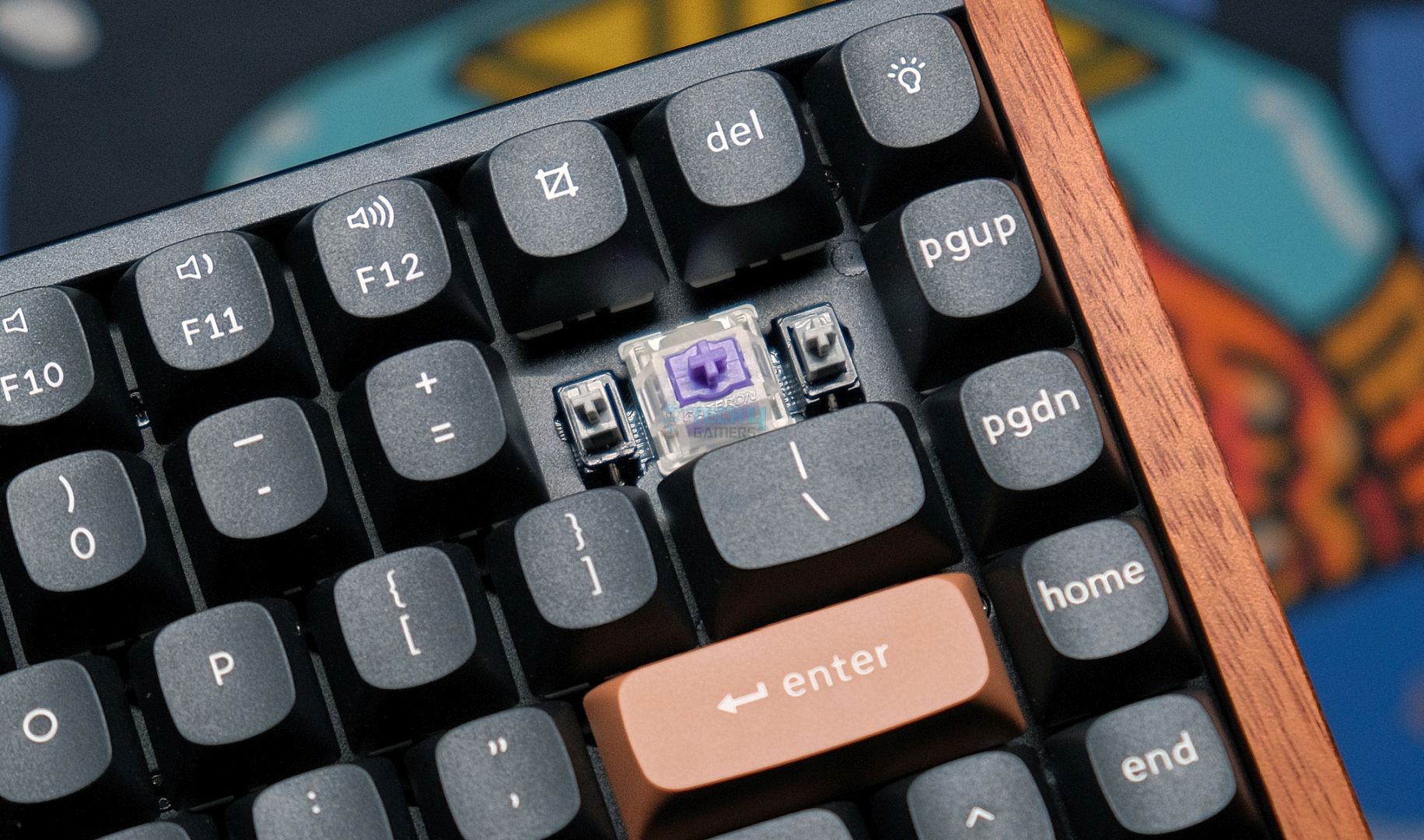
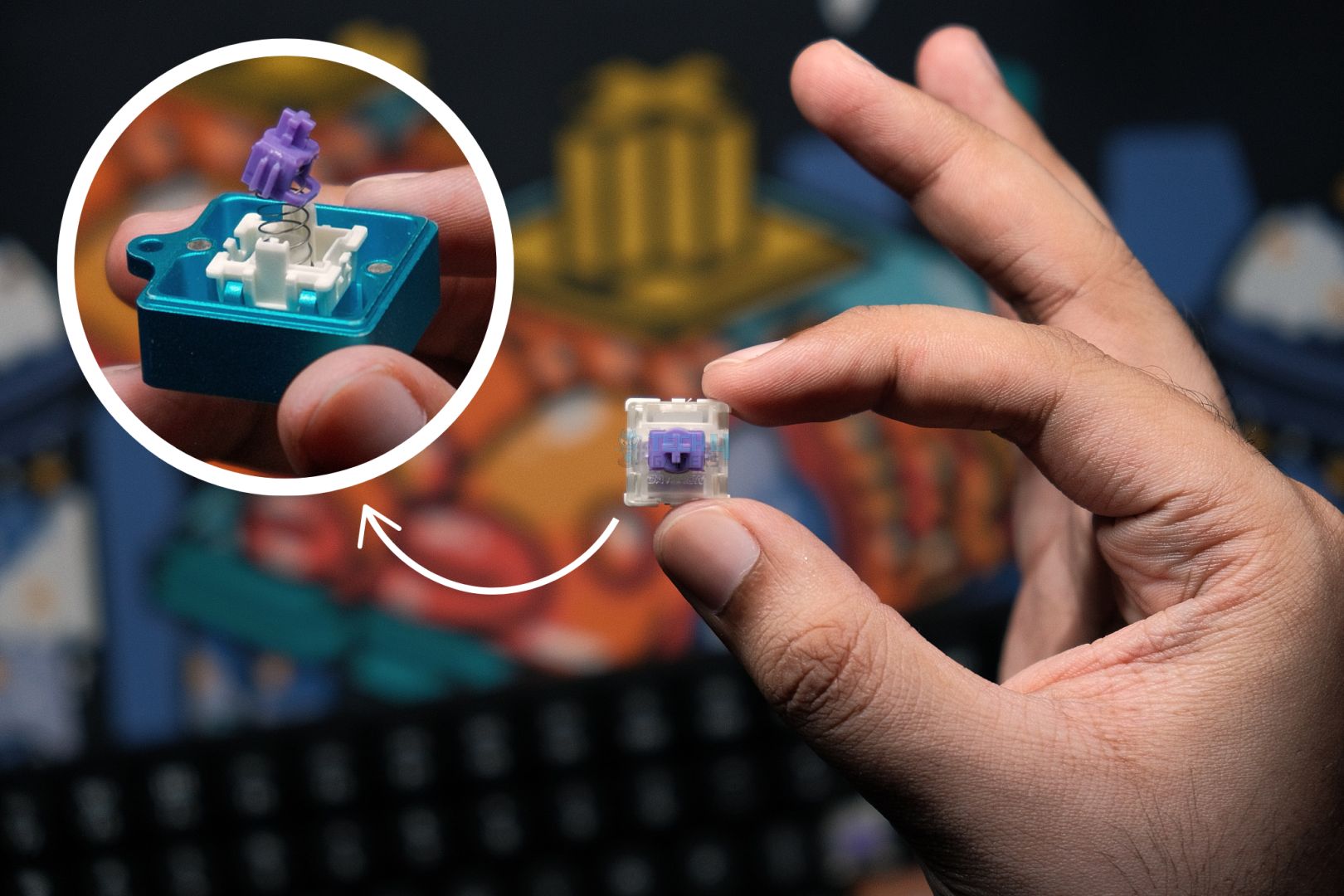
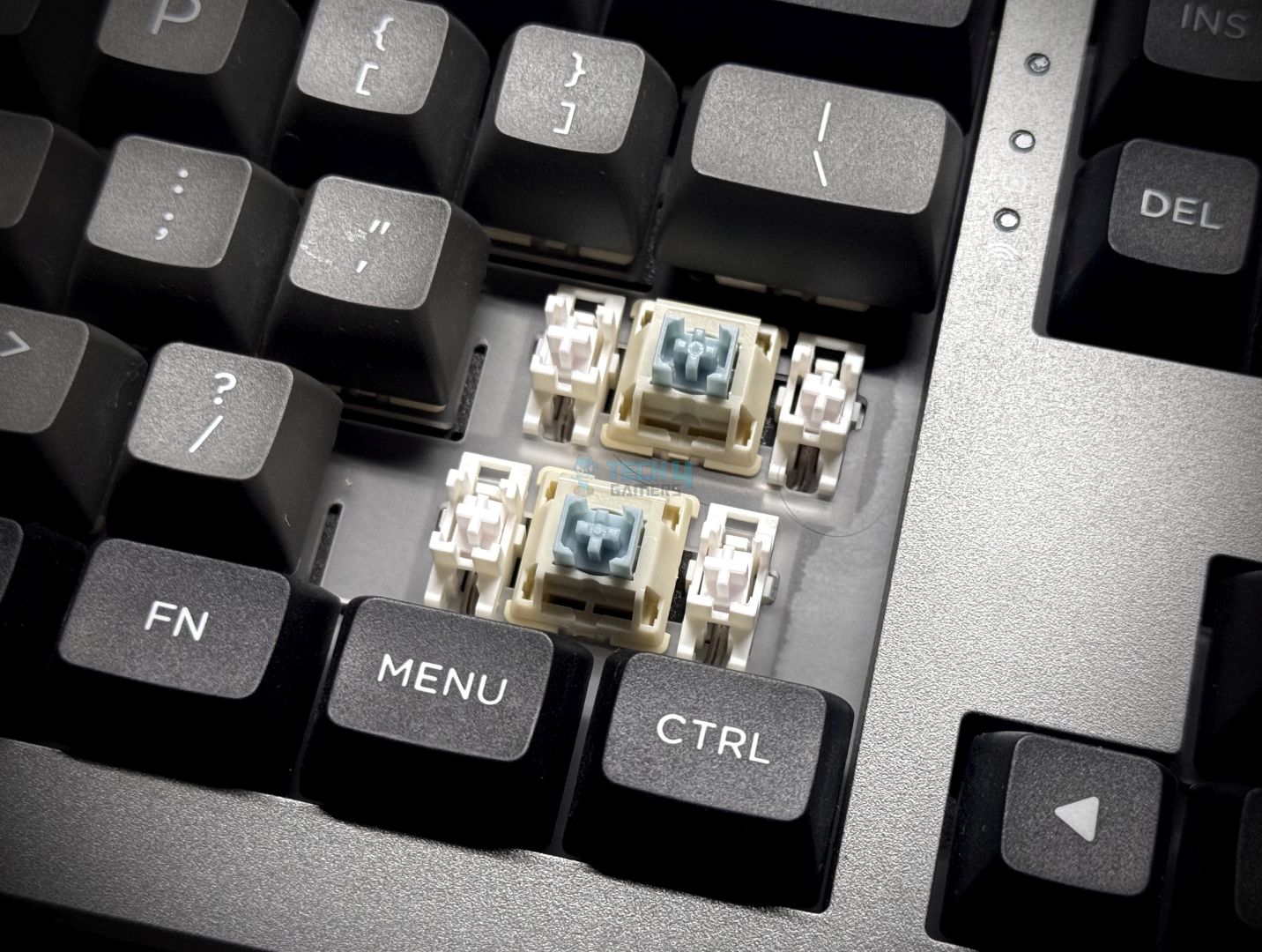
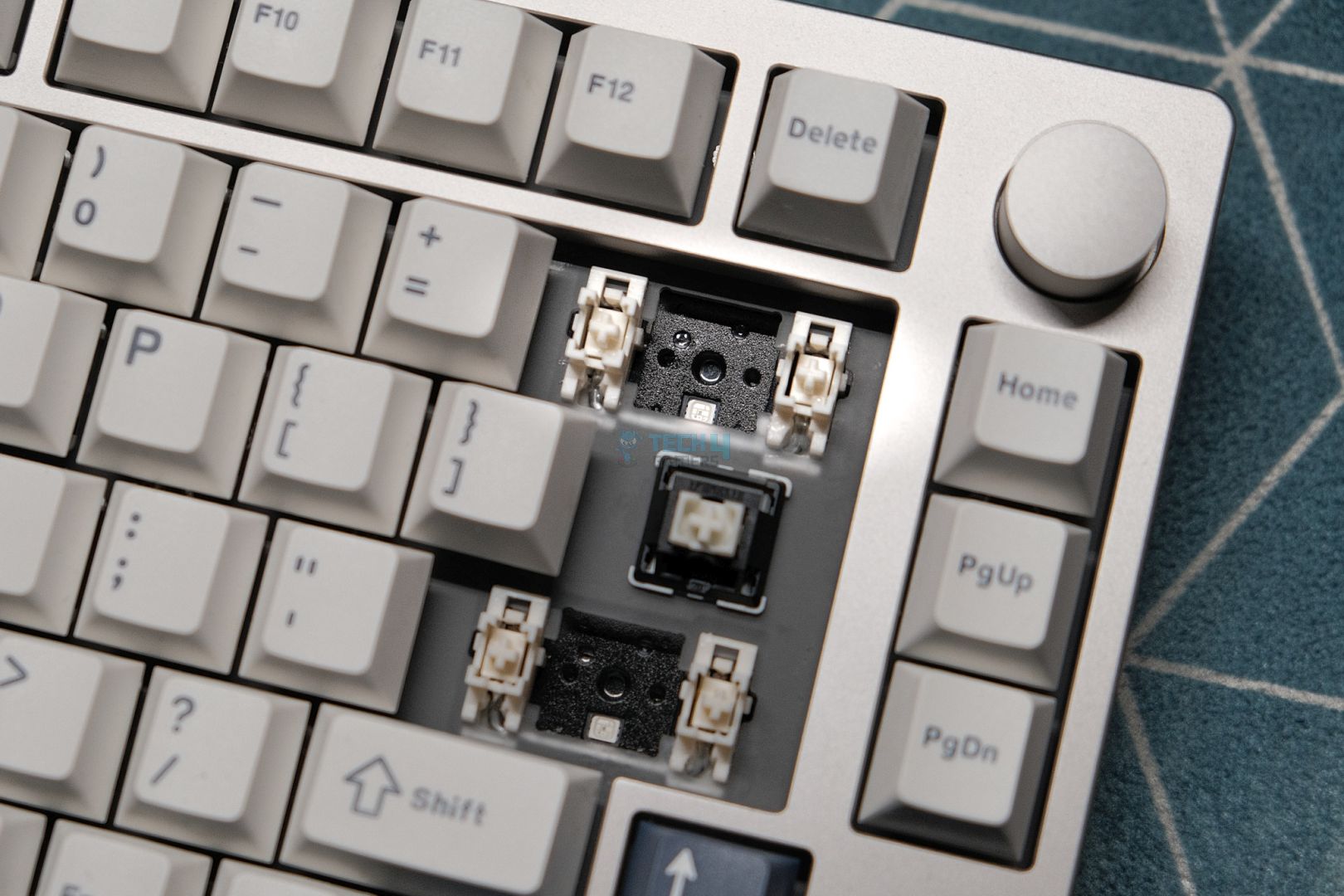
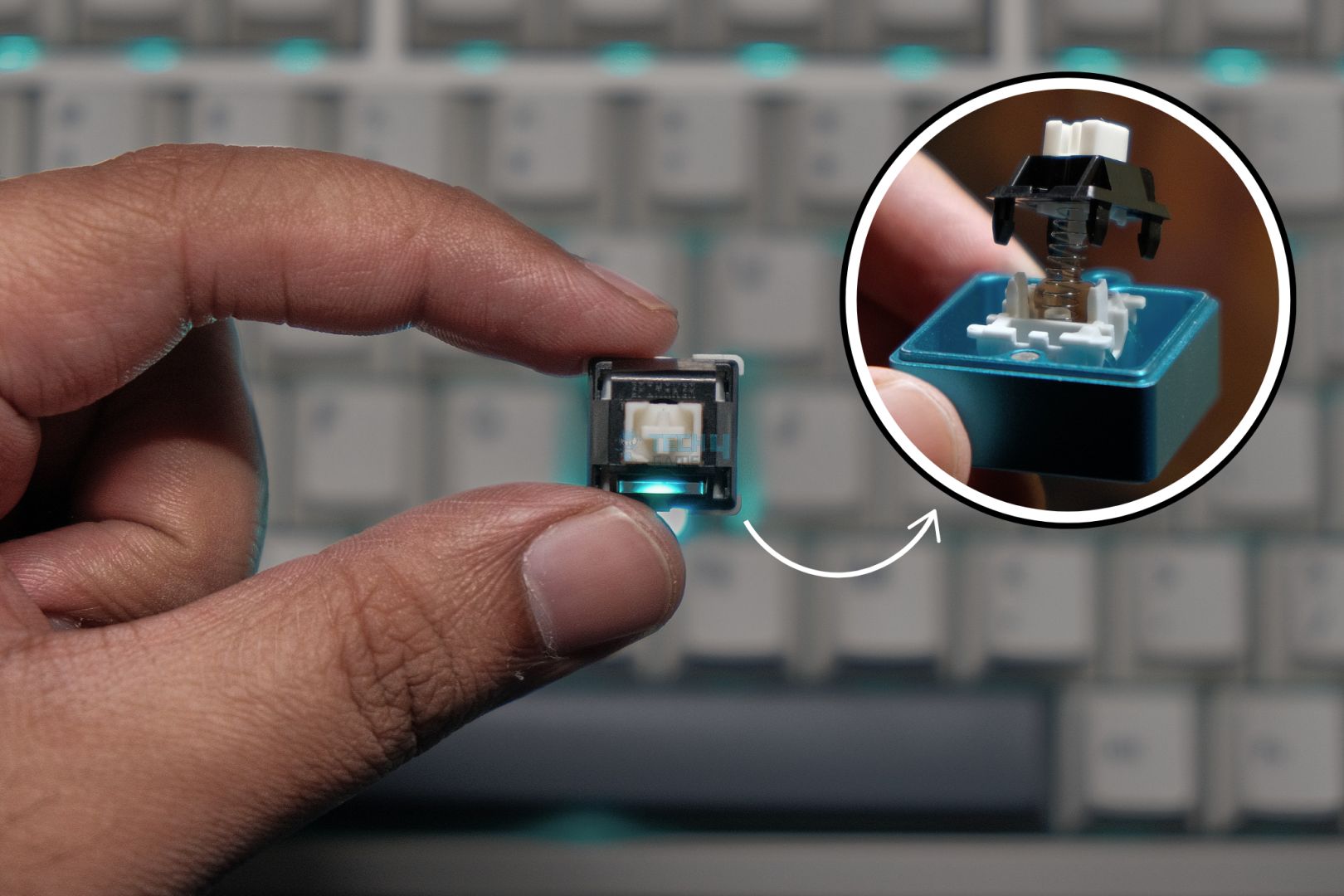
The Epomaker Split70 comes only with Wisteria Linear V2 switches. These are 5-pin linear switches and come factory-lubricated. You can feel that smoothness from the first press. There’s no scratchy feedback when moving slowly through a keystroke. The trigger force is approximately 45 grams. It feels light enough for fast typing. Bottoming out occurs around 62 grams, so there’s still some resistance when you press all the way down. That balance worked well for long writing sessions.

My fingers didn’t feel worn out after using it at the end of the day. Pre-travel is about 2.0 mm, with total travel coming in around 3.6 mm. In real use, that translates to quick key registration without feeling shallow. The factory lube keeps things controlled, and the keyboard doesn’t amplify noise unpleasantly. Rated lifespan is around 50 million keypresses. That’s not something you feel day to day, but it’s good to know these switches aren’t built for short-term use. Lastly, these switches are fully hot-swappable. 

Connectivity
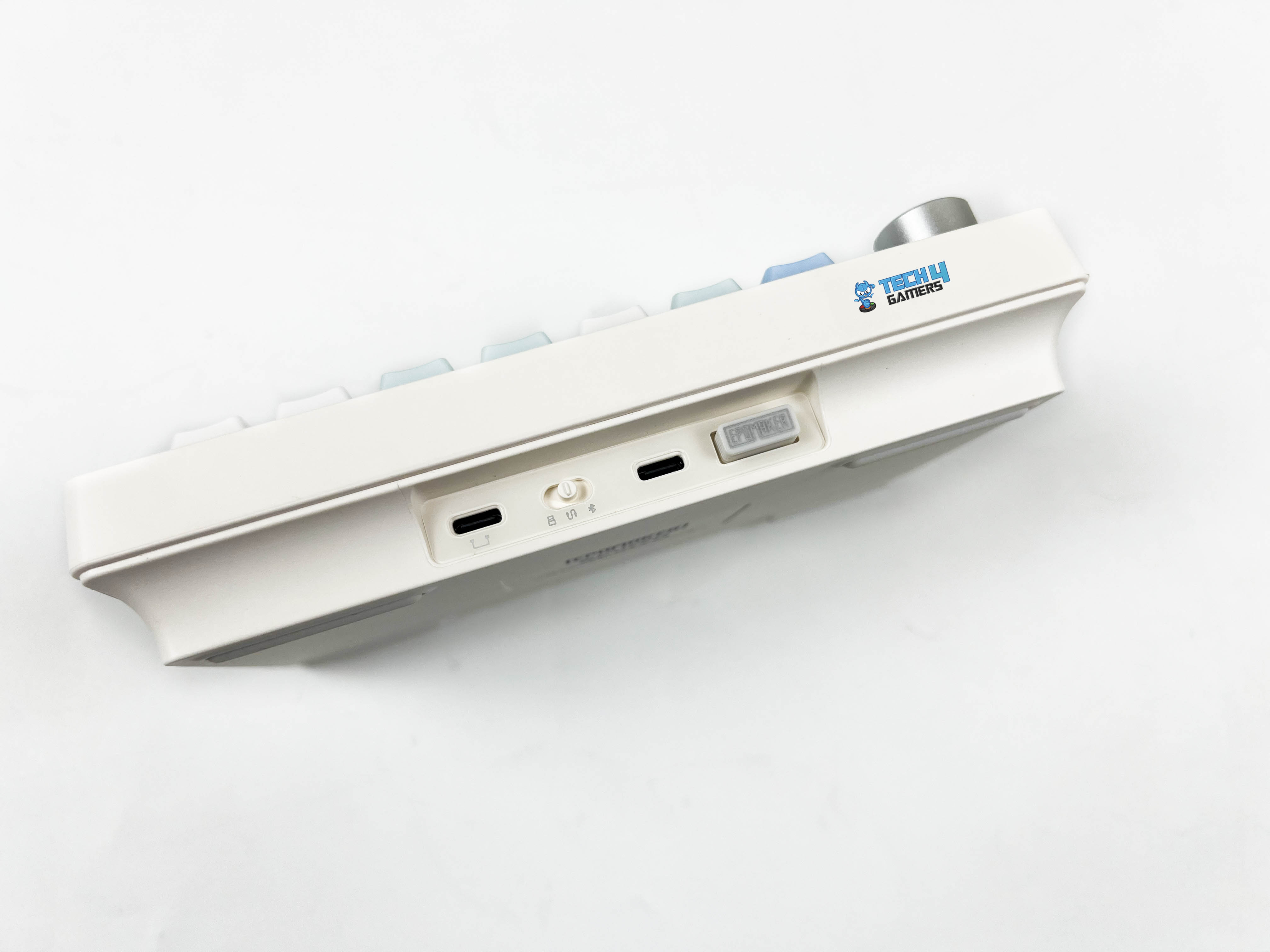
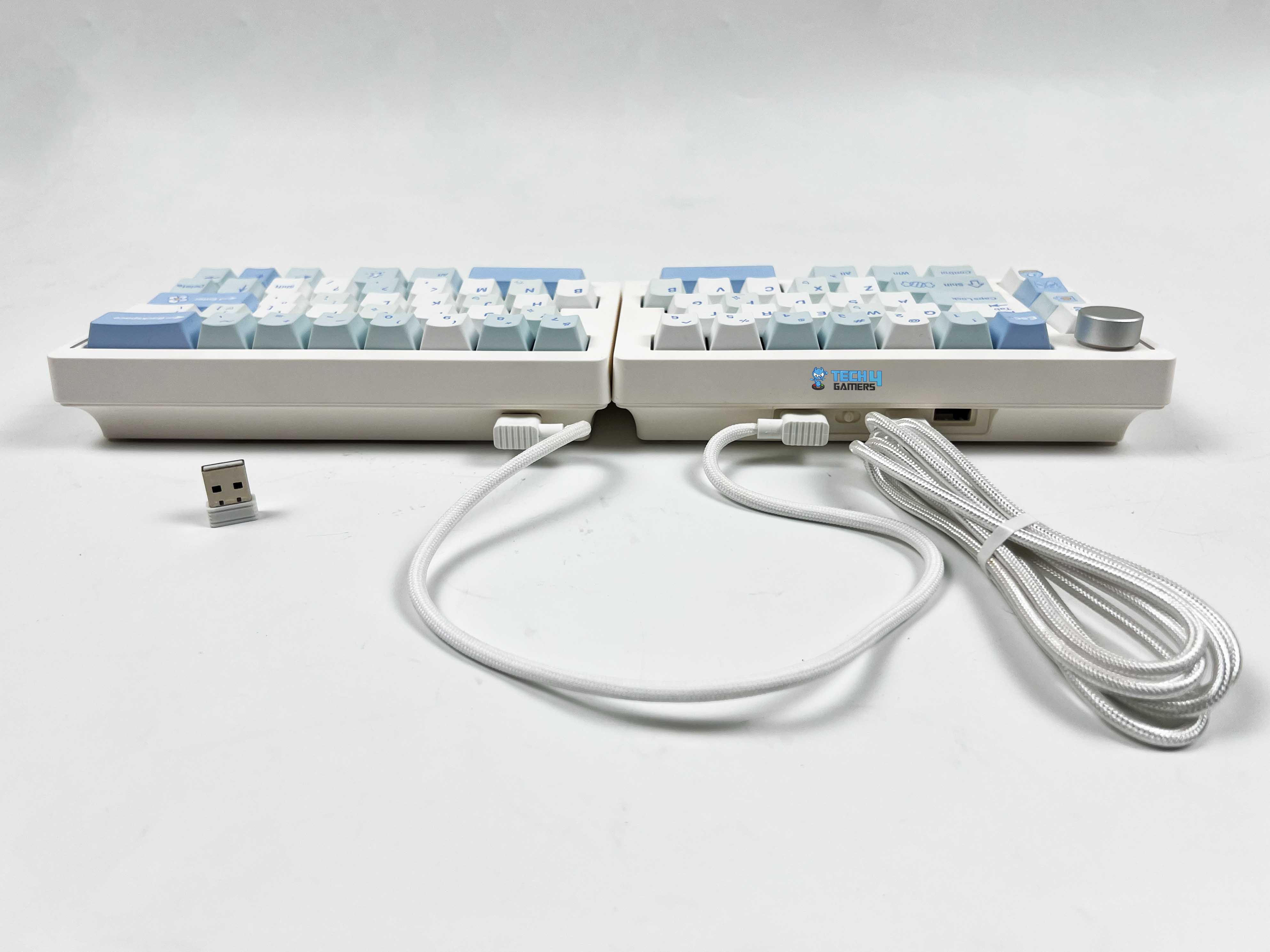
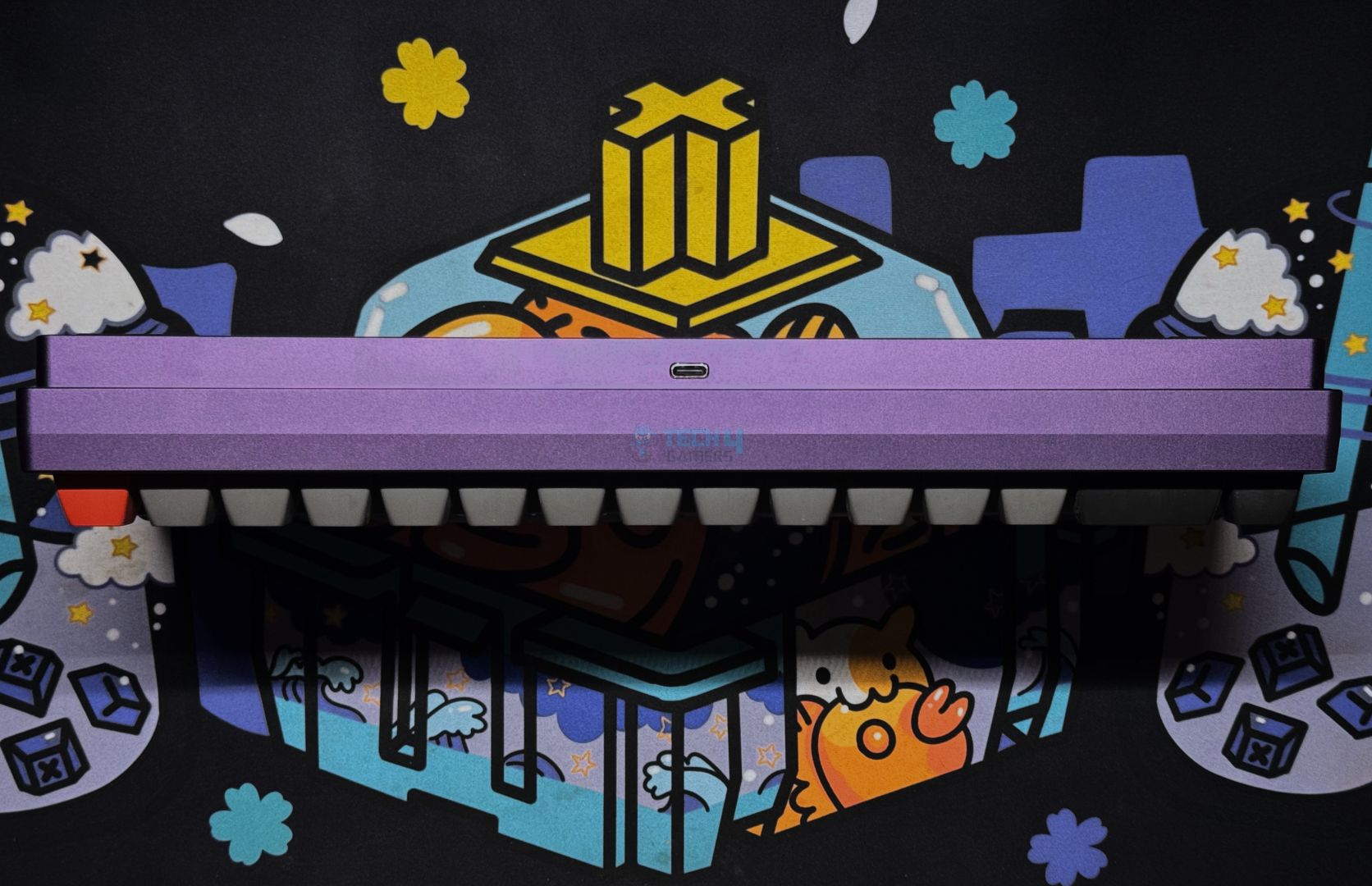
The Epomaker Split70 gives you three ways to connect. You get 2.4GHz wireless, Bluetooth 5.0, and a standard wired option. I ended up using all three at different points, depending on what I was doing. Wired mode uses a USB-C connection and is located on the left half of the keyboard. You keep the switch in the middle, plug the cable in, and that’s it. Moreover, Bluetooth is where this keyboard starts to feel like a multi-device. You can pair it with up to 3 Bluetooth devices simultaneously.

Switching between them is done directly from the keyboard. It felt smooth, as I didn’t have to re-pair each time. Once set up, it just remembers the devices. The 2.4GHz wireless mode sits somewhere between wired and Bluetooth. It uses a USB receiver and connects after switching modes. The keyboard isn’t truly wireless between the two halves. You still need a USB-C cable to link the left and right sides. So even in Bluetooth or 2.4 GHz mode, the halves still rely on that wired connection.

Typing Experience

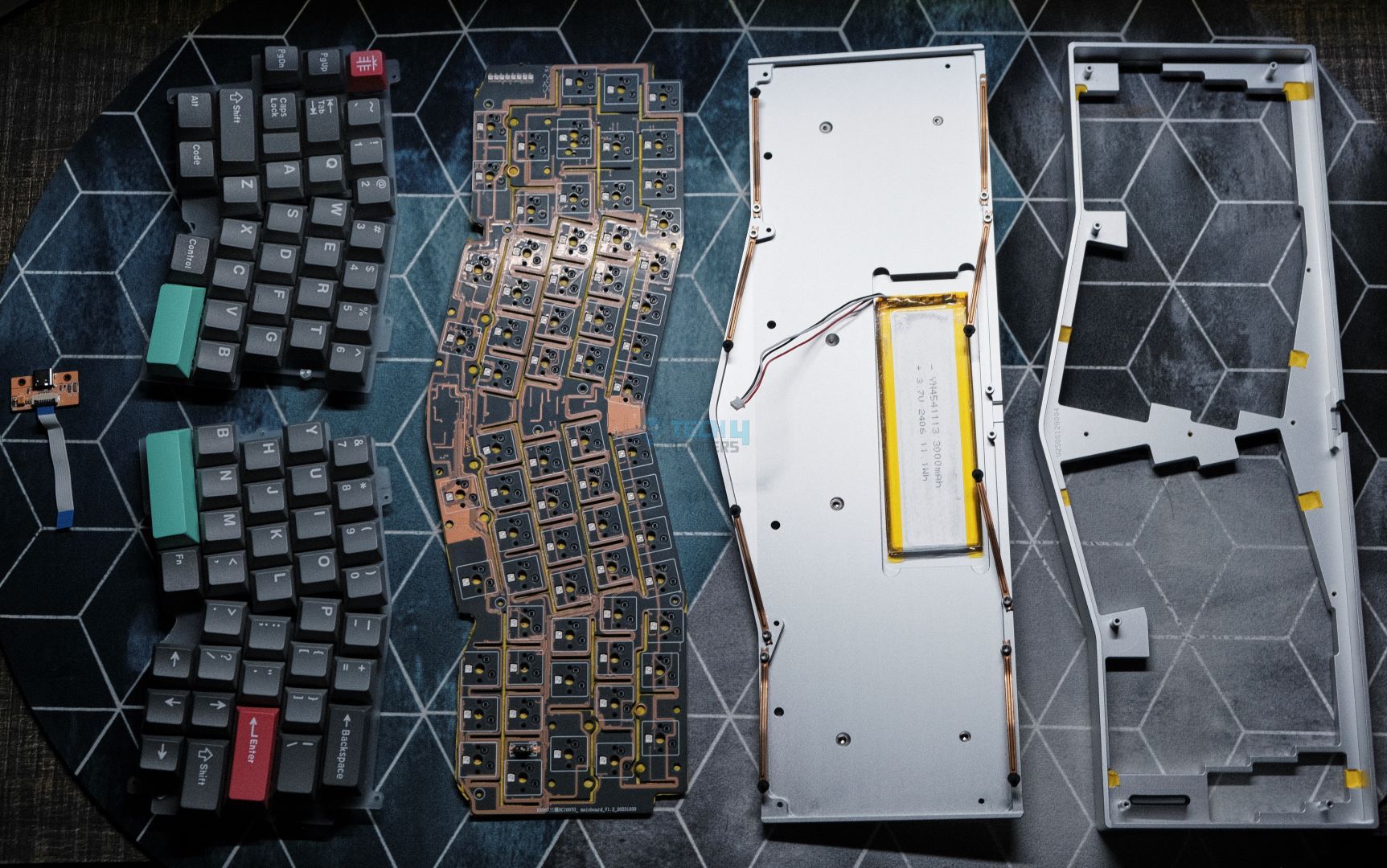
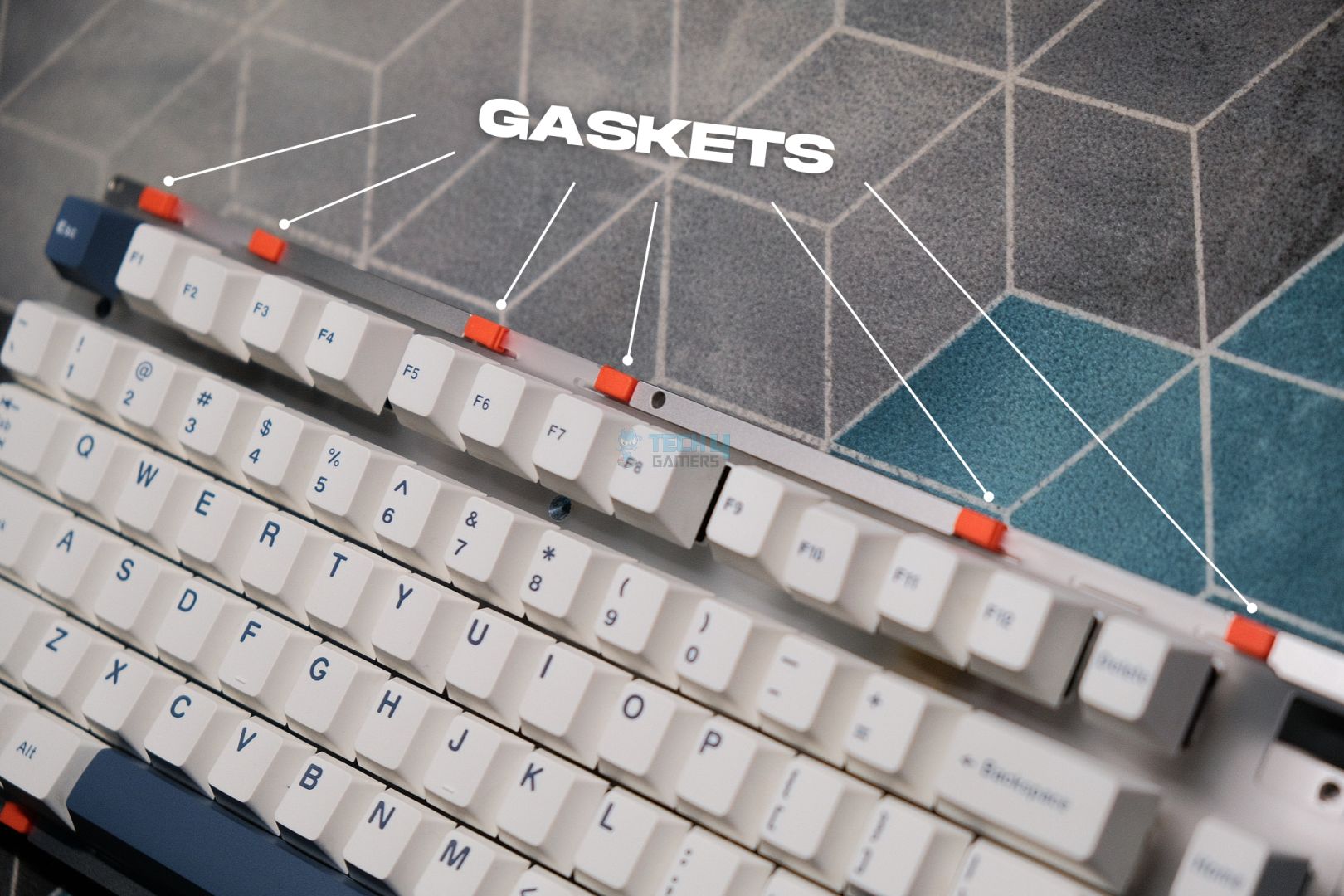
Using the Epomaker Split70 feels different from a regular keyboard. The case is ABS plastic, and the plate is PC. It doesn’t feel flimsy, but there’s a subtle give thanks to the gasket-mount design. You can feel a little cushioning with each press, even though the keyboard doesn’t flex like some thinner boards. A lot of this comes from the layered sound-dampening setup. There are five layers under the keys, including a sandwiched latex layer, an IXPE switch pad, a PET sound-enhancement layer, a bottom sponge, and silicone.

Together, these layers reduce sharp shocks and hollow noise, giving the keyboard a quieter, more rounded sound when typing. The effect is noticeable, since you feel a sense of softness under your fingers. Each stroke lands with a soft, muted thock, while the plate-mounted stabilizers keep bigger keys like the spacebar and enter from rattling. Sound-wise, the switches stay on the quieter side. It’s a calm, creamy sound rather than a high-pitched click.

Performance

Edges
Edges

Gaming on the Epomaker Split70 feels consistent. The linear switches register presses without much resistance, and the actuation point is predictable. Moving from left to right feels natural, though at first it might throw off your rhythm if you’re used to a single-piece board. Responsiveness is solid across all connection modes. Wired and 2.4G wireless run at a 1000Hz polling rate, while Bluetooth drops to 125Hz. That translates into roughly 3ms latency for wired, 5ms for 2.4G, and 15ms for Bluetooth.

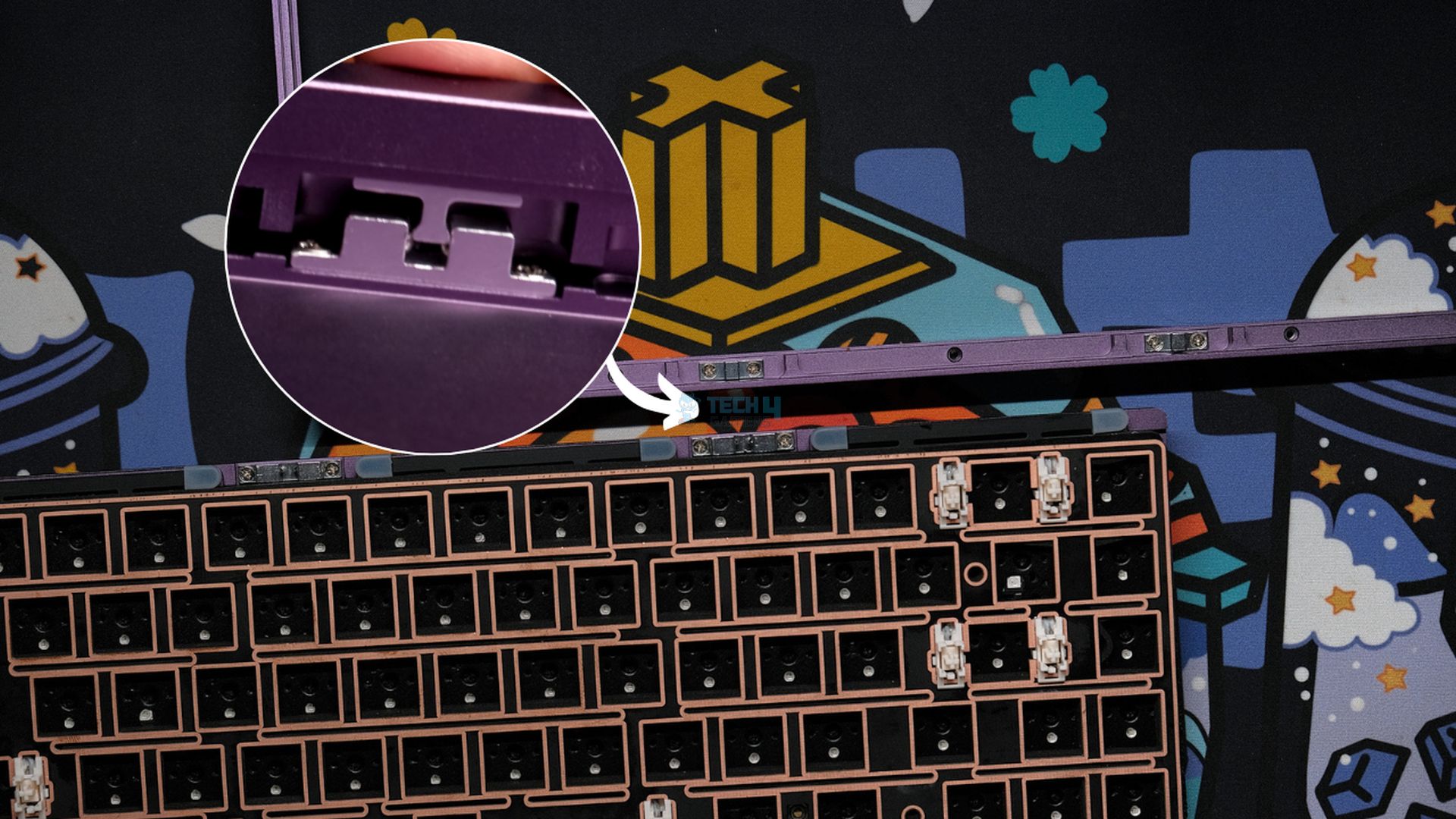
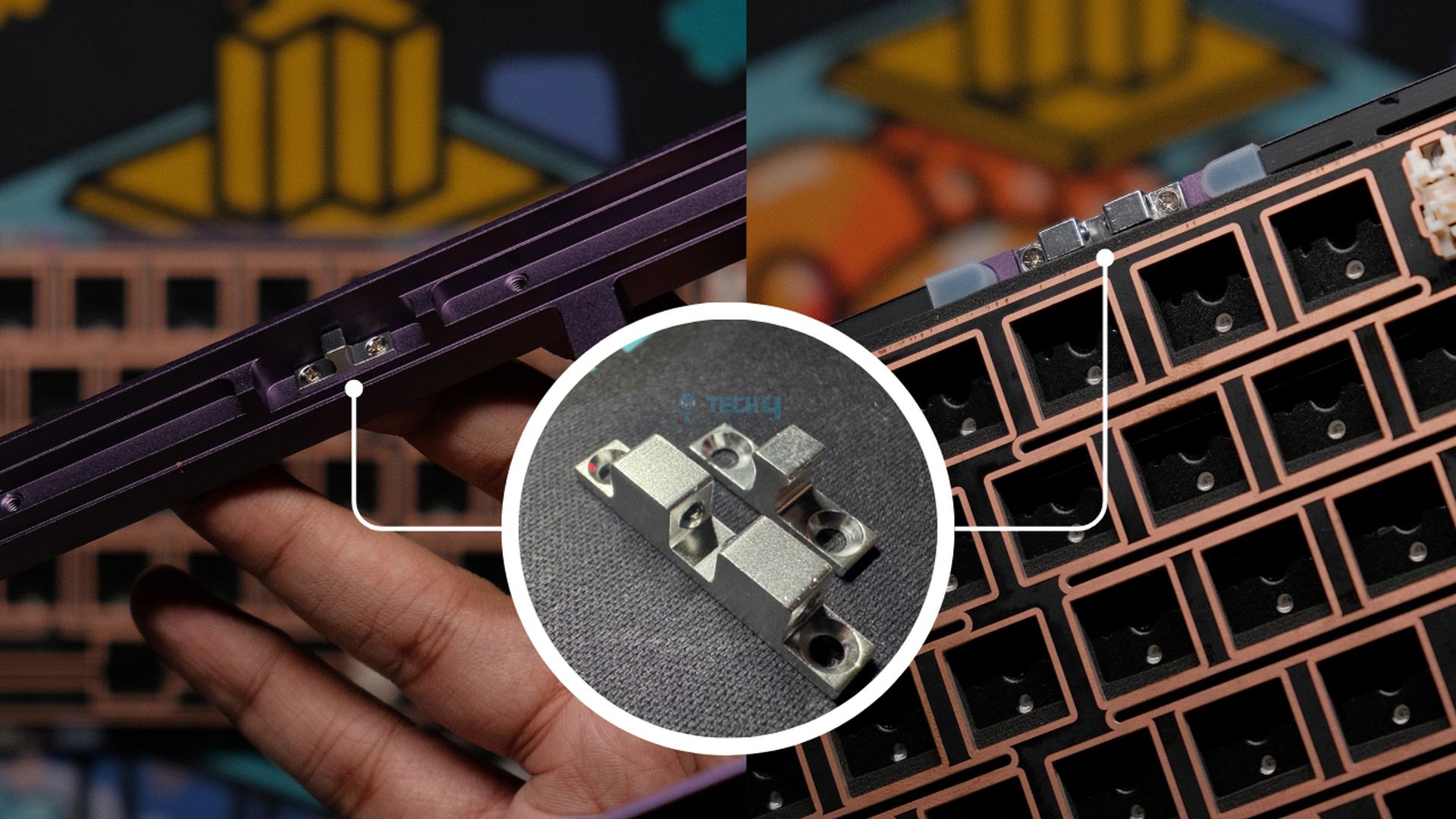
For fast typing or gaming, the wired and 2.4G modes feel almost instant, and even Bluetooth is usable for casual tasks.  Anti-ghosting is supported, with full N-Key rollover, so multiple simultaneous key presses are registered without issues. The left half can double as a gaming pad, which is handy if you like one-handed gaming setups. On the flip side, the magnetic connection between the halves is more symbolic than functional. It holds them together, but it’s not strong enough.

Battery Life

The Split70 has a 3000 mAh battery that holds up surprisingly well for a split wireless board. With the backlight on, you can expect around 11 hours of continuous use. By switching off the RGB lighting, it stretches to roughly 260 hours, which can be pretty handy if you mostly type in a bright room or don’t care much for RGB. During my testing, I was able to reach close to these claimed battery numbers. If you want to keep track of how much battery juice is left, there’s a built-in battery check.

Hold FN+B, and the number row lights up to show the charge in 10 percent increments. For instance, if keys 1 to 6 light up, that’s 60% battery. A fully lit row means the battery is fully charged. The keyboard also manages power when idle. The backlight shuts off after about five minutes if you haven’t touched a key, and it goes into a deeper sleep after half an hour. You can wake it up by pressing any key. It then reconnects and lights up again. Lastly, a flashing FN key indicates a low battery.

Software
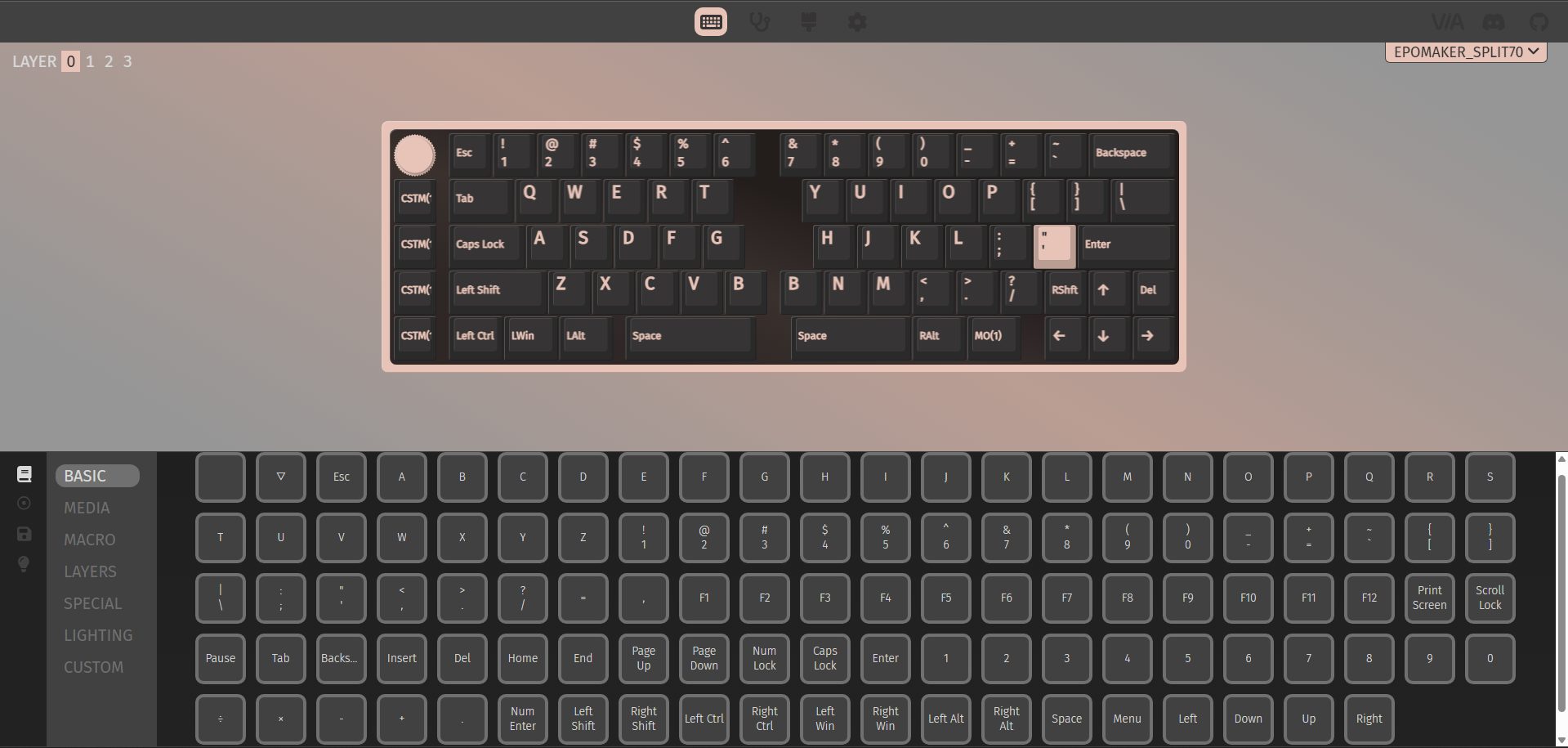
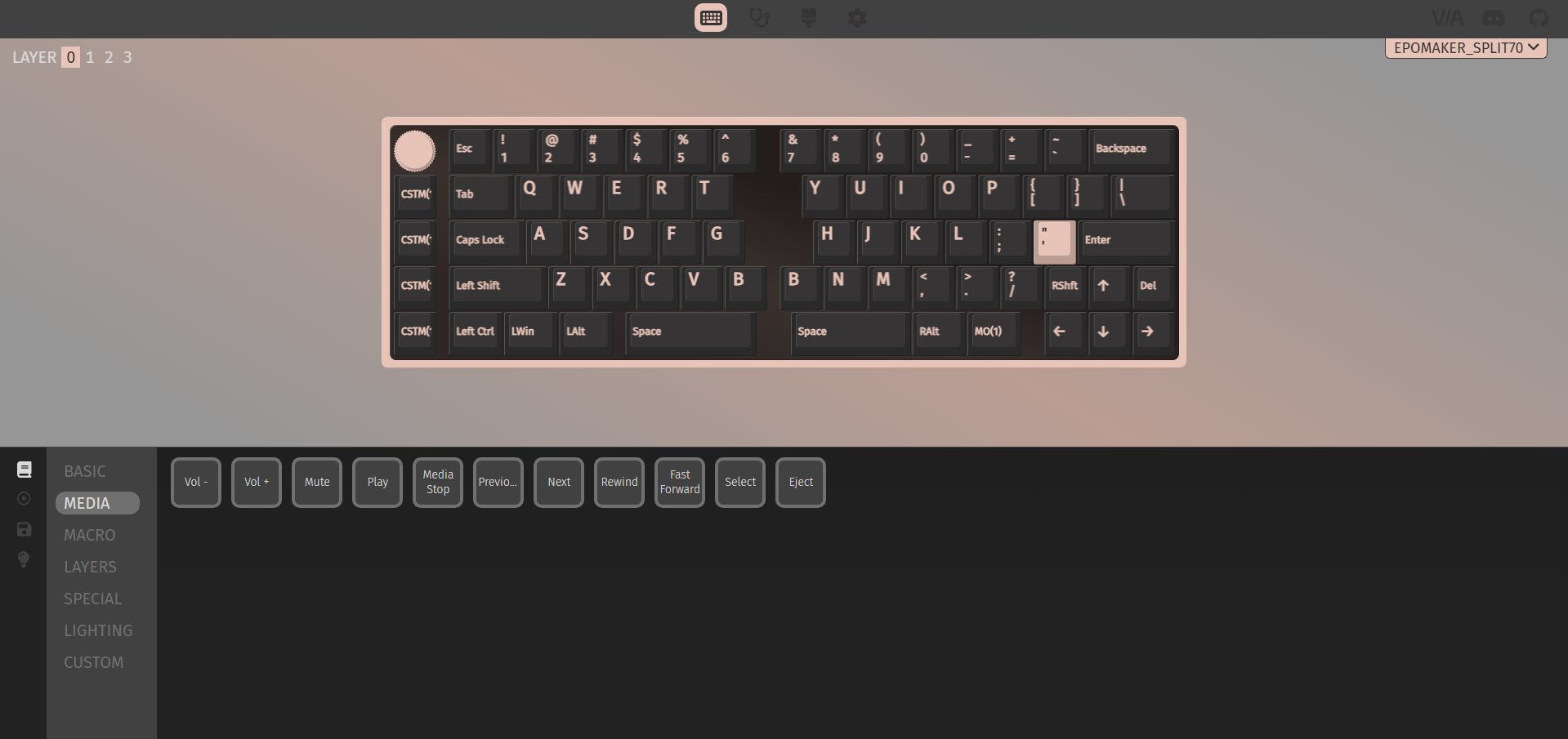
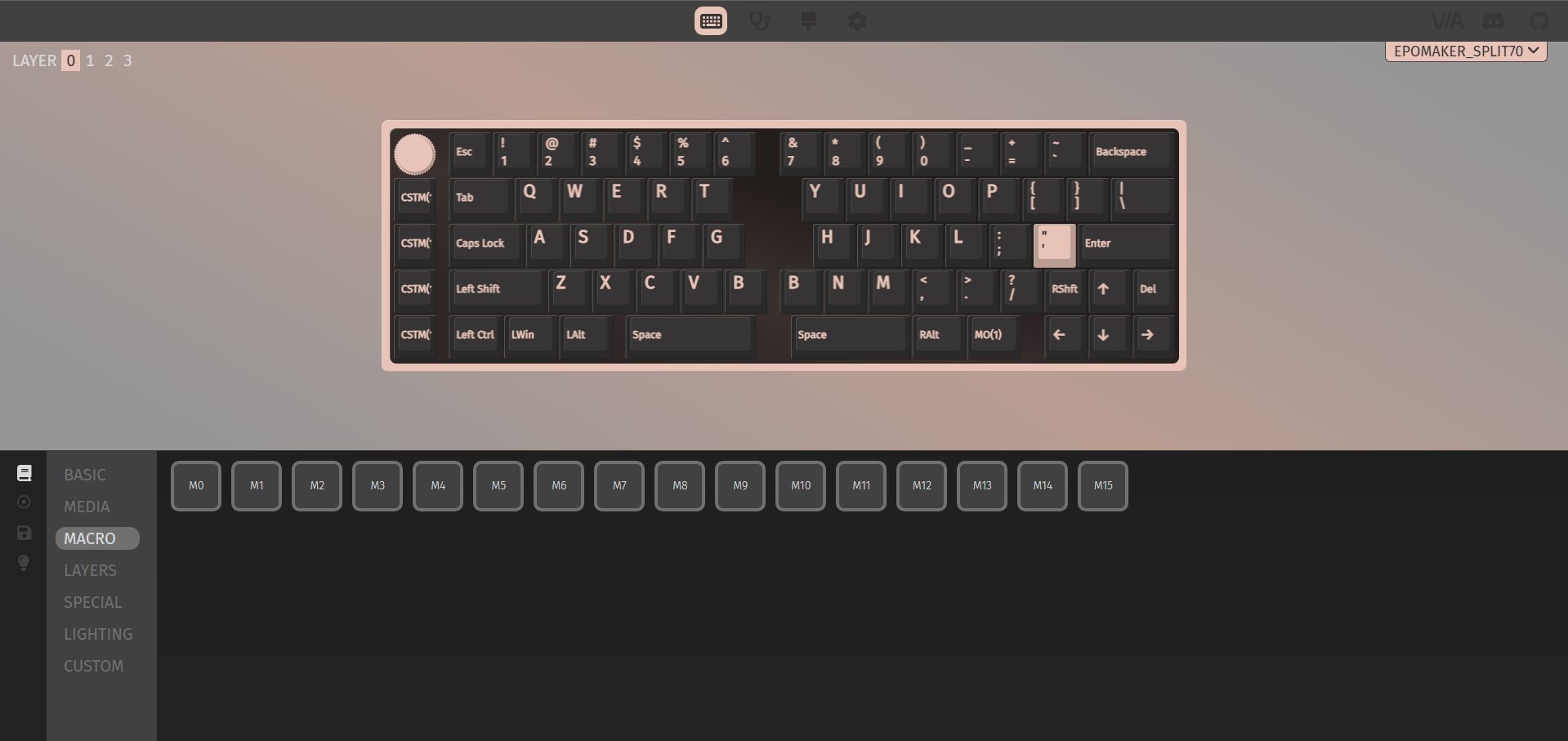
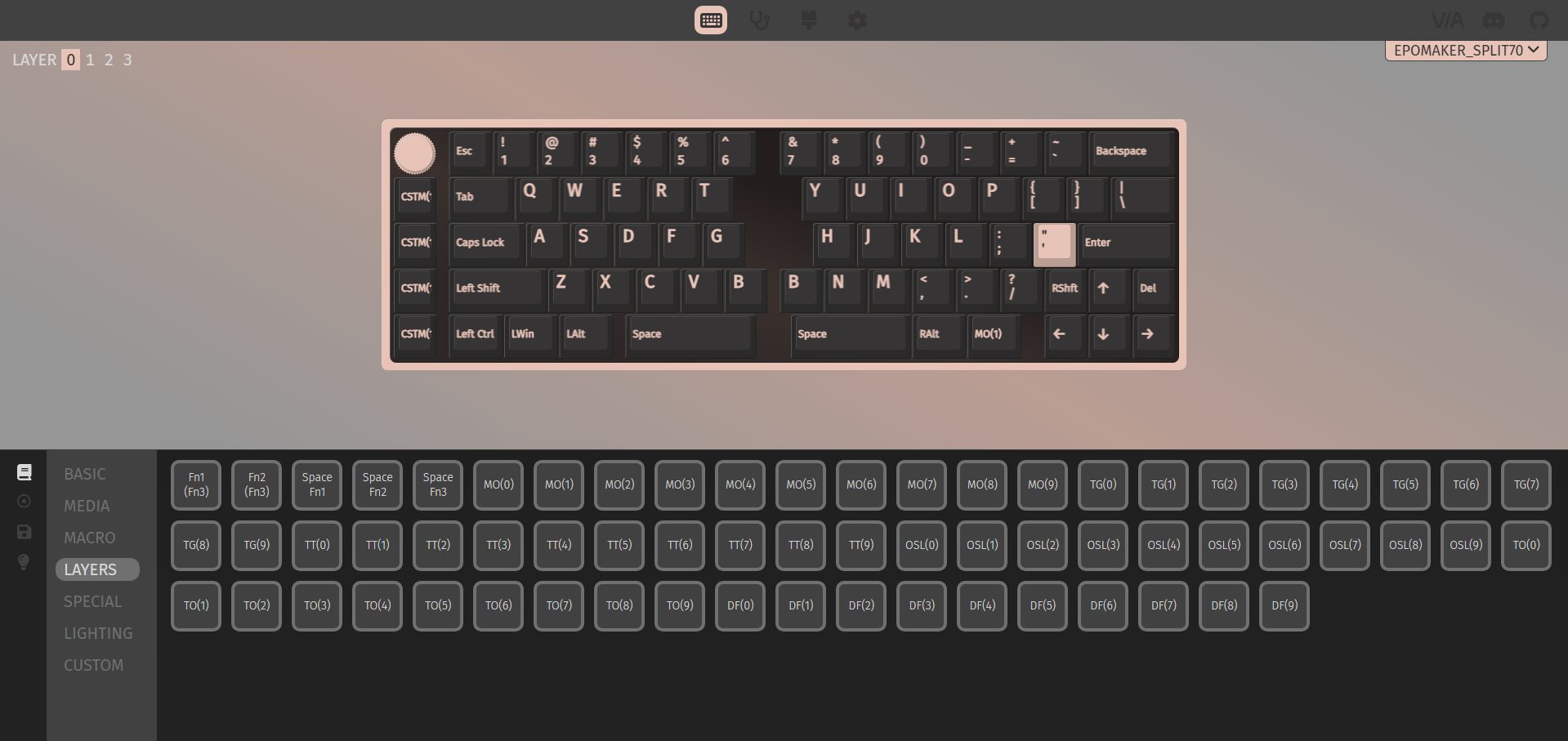
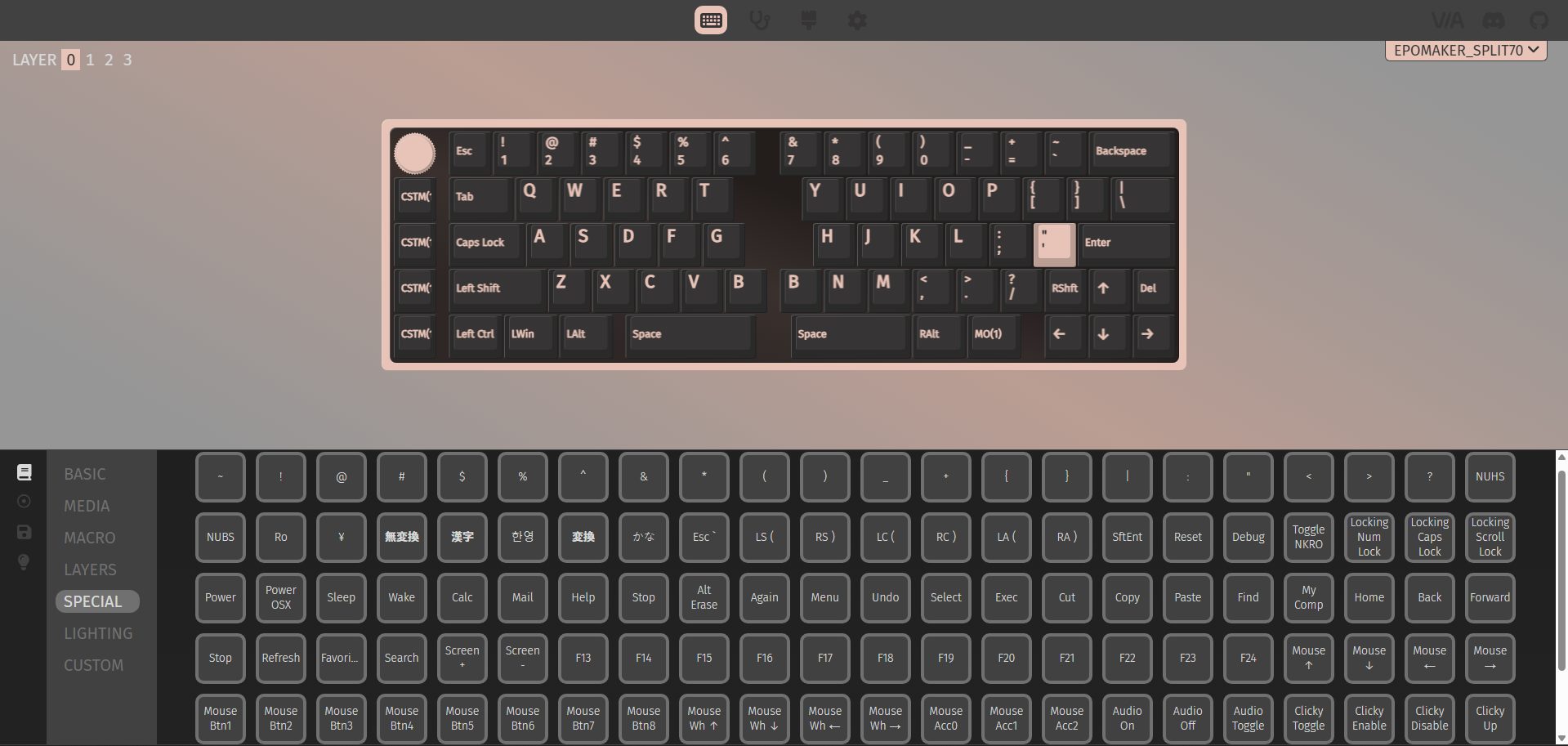
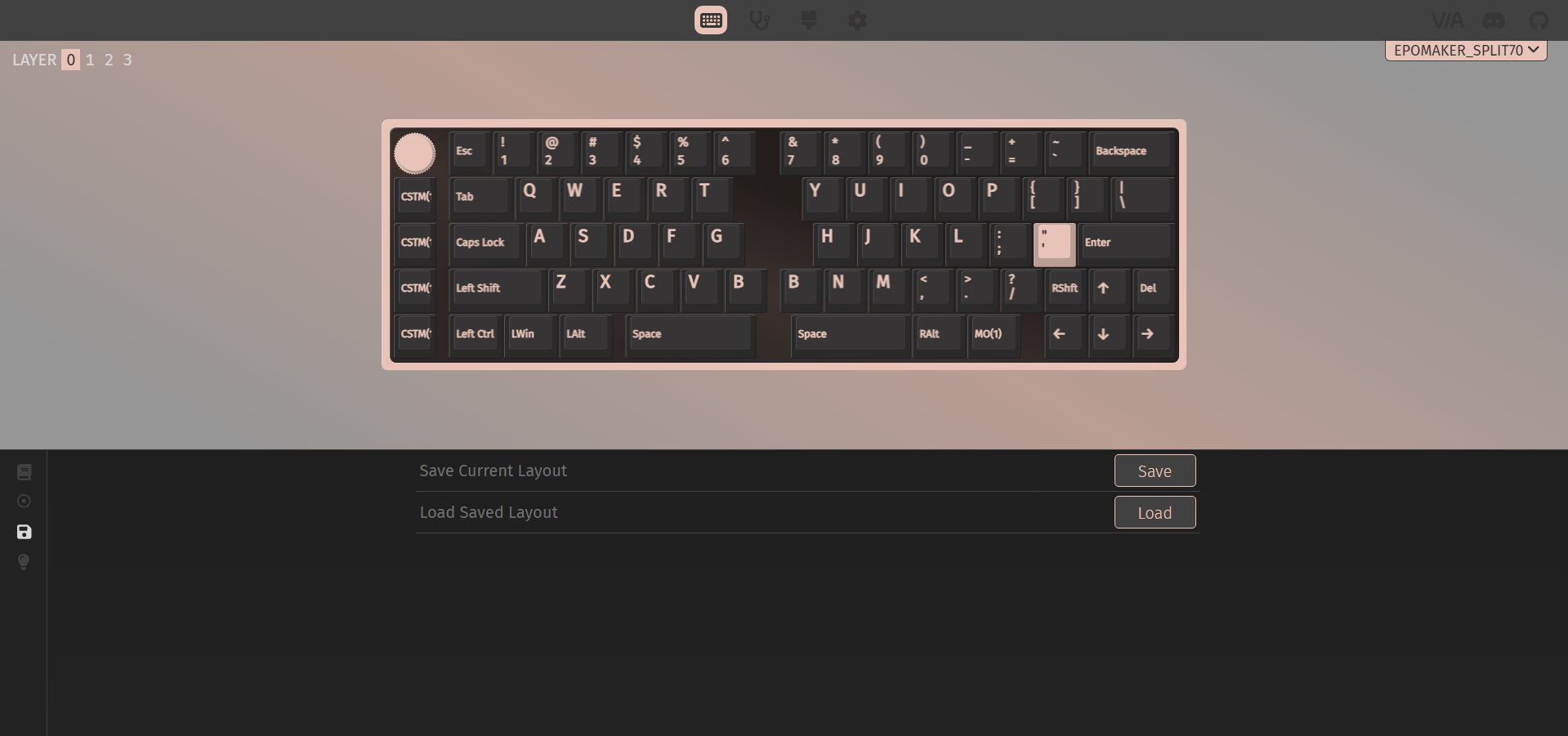
The Epomaker Split70 works with VIA if you want to dive into customization. You can remap basic, media, and special keys, as well as the lighting controls, to other existing keys. This helps make up for the keys that aren’t physically present. On the left side, there are some custom keys with icons printed on them. Out of the box, they support undo, cut, copy, and paste.

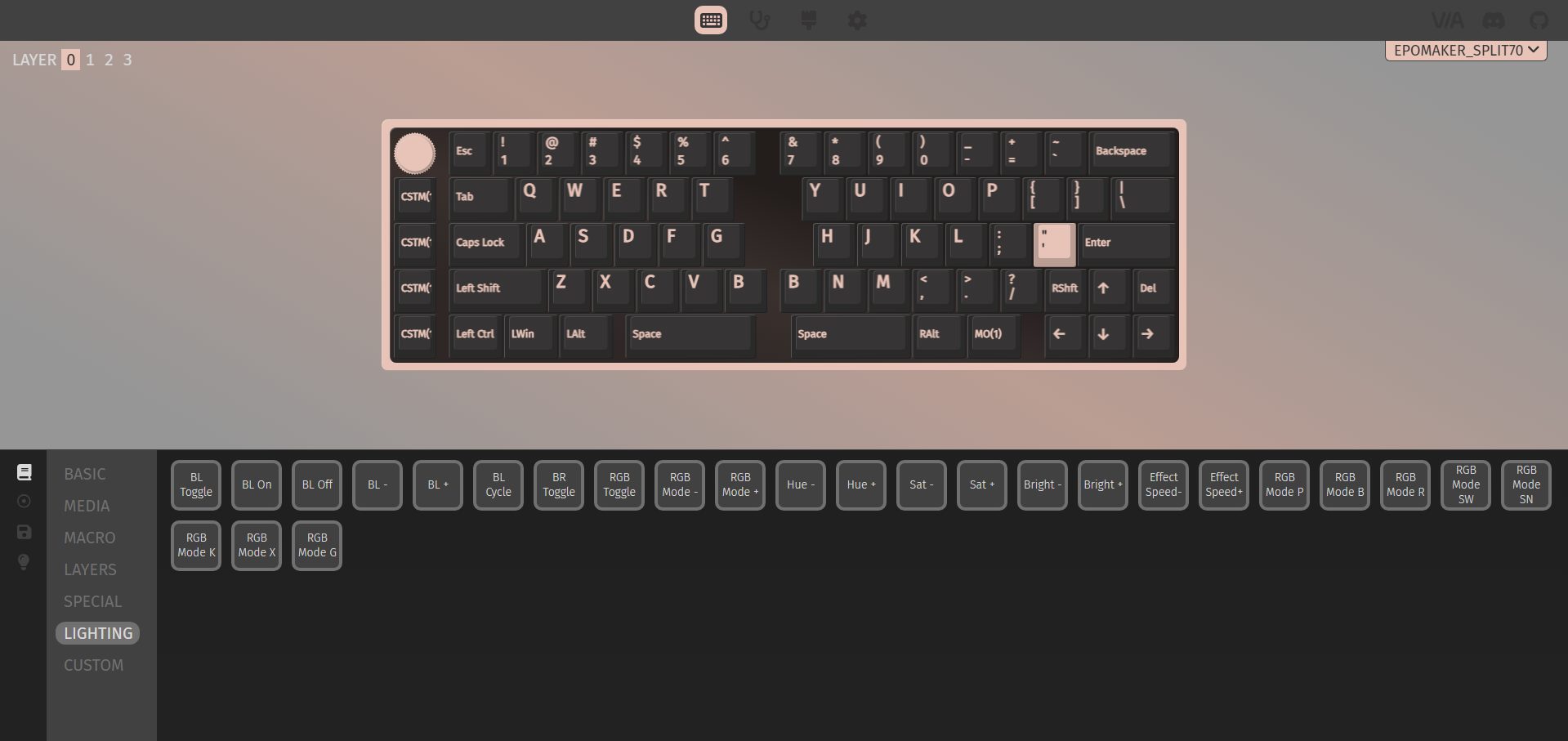
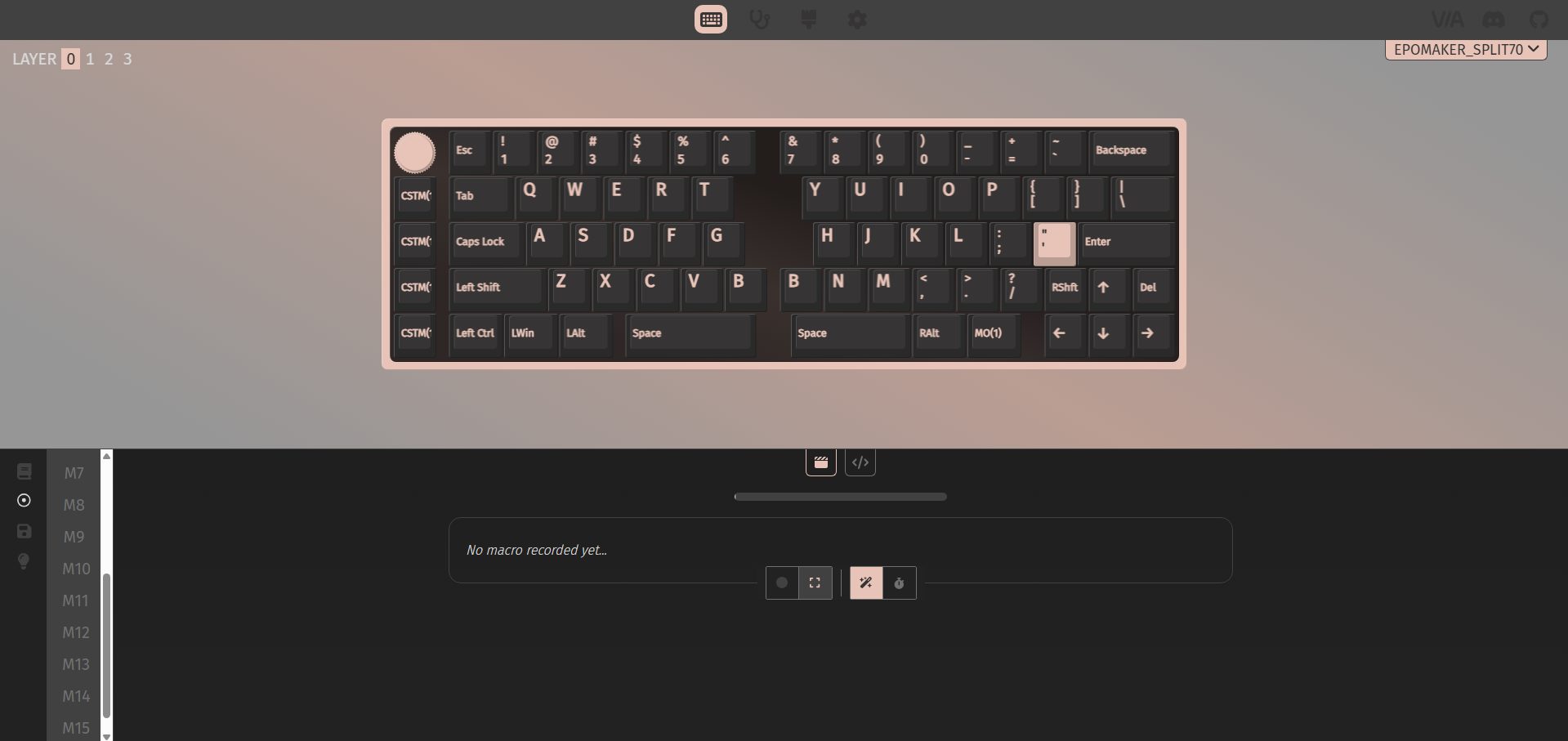
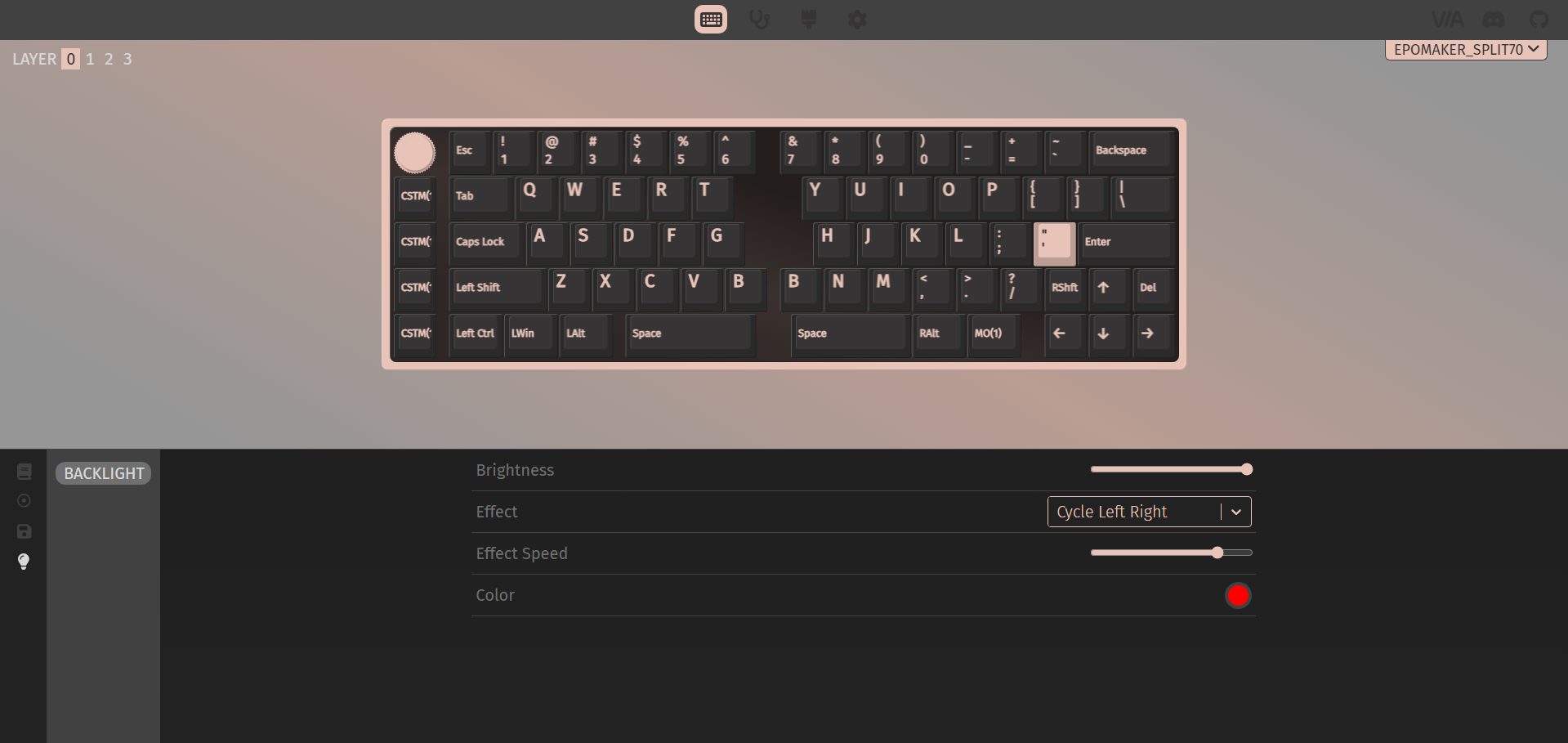
But with VIA, you can assign multiple custom actions to them, giving you a lot of flexibility. You can also set up to 15 macros and save up to four different layouts. The backlight is fully adjustable through the software, too. You can tweak brightness, pick different effects, adjust their speed, and change colors. The real-time layout display makes it easy to see what you’re doing as you tweak things, so you don’t have to guess whether a key or macro is set correctly. 

Should You Buy it?

Buy it if

You want a split layout: It gives you the benefits of a split keyboard that feels approachable after a short adjustment period, especially if you’re coming from a compact design.

You prefer flexibility in how you use your keyboard: Tri-mode connectivity lets you switch between wired, 2.4GHz, and Bluetooth without thinking too much about it. The left half even doubles as a compact gaming pad, which is practical once you try it.

Don’t buy it if

You prefer traditional layouts: The compact split design means some keys are missing by default. While remapping covers most gaps, it still requires adjustment and a bit of patience upfront.

You prefer a strong magnetic alignment: The magnetic link between the two halves feels more like a convenience feature than a dependable connection. It works, but it’s not something you’d want to rely on during frequent repositioning.

Final Verdict

The Epomaker Split70 leaves a bit of a mixed impression, but in a way that’s easy to understand once you spend some time with it. The keyboard’s split design takes a little getting used to. You notice it more in the beginning, but once you settle in, the layout feels functional. It is aimed at users who like tinkering with their PC setup and want to try a slightly unconventional layout. As for value, it sits in the mid-to-upper range. At $119.99, if you’re willing to adapt to the split design, the Split70 is worth considering. For a broader look at how it compares to other excellent keyboards out there, check out our best gaming keyboards of 2026.

 

The Best Custom Gaming Keyboards Of 2026: After Months Of Testing

I have taken the time to extensively test and review some of the most exciting custom boards and list the best ones available on the market. This list is relevant to those who love to tweak every detail of their keyboard, from switches to feel and sound. Many of you would agree that finding the right custom keyboard can completely elevate your experience regarding using keyboards. 

Therefore, each keyboard on this list has been chosen based on its build quality, design, customization potential, and overall performance. In short, every keyboard nails down its fundamentals.

Why Trust Tech4Gamers
  • Huzaifa Haroon is our keyboard expert with years of experience in building and testing custom keyboards.
  • 130+ peripherals tested and reviewed by our team of hardware experts (Tech4Gamers Team).
  • 500+ hours spent testing different peripherals for our reviews.
  • Objective testing criteria (See how we test peripherals).

At Tech4Gamers, ensuring you get reliable information is our priority. That’s why every hardware round-up undergoes a meticulous review process by our team of experts and editors. Each review is carefully examined against our strict editorial guidelines, guaranteeing you trustworthy insights you can depend on.

Here is a comparison table to give you a quick overview of all the best custom gaming keyboards I recommend:

Keyboard
Lucky65 V2
Record Alice V2
Keychron K2 HE
Epomaker Shadow-X
Epomaker P75
Akko MU01
Looks
Glacier Weikav NUT65, 65% Mechanical Keyboard Kit, Wireless Tri-Mode/Wired Detachable USB-C, Hot-Swappable, Dual Gasket Mount, CNC Aluminum Case, RGB Backlight, ANSI Layout (Silver, Standard Cable)
Glacier Weikav Record Alice V2, 68% Split Layout, Wireless/Wired, Dual Space Bar, Detachable USB-C, Hot Swappable, RGB, DIY Keyboard Barebone Kit, CNC Aluminum Case (Silver, Premium Cable)
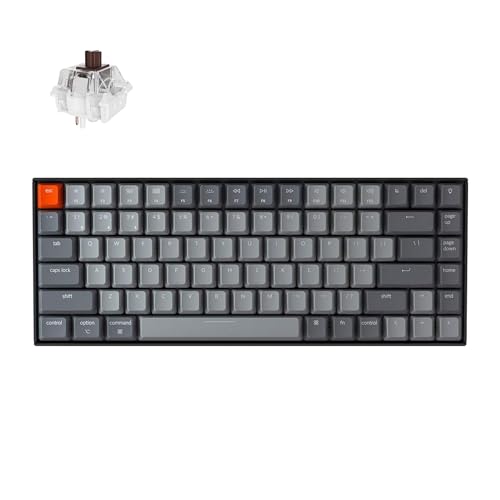
Keychron K2 75% Layout Bluetooth Wireless Mechanical Keyboard Super Switch/White LED Backlit/USB C/Anti Ghosting/N-Key Rollover, 84 Keys Gaming Keyboard for Mac Windows-Version 2
EPOMAKER Shadow-X Gasket Mechanical Keyboard, Hot-Swap 2.4ghz/Bluetooth/USB-C Wired Wireless Gaming Keyboard with Screen, 3000mAh Battery, Poron Foam (Black, Wisteria Linear Switch)
EPOMAKER P75 Wireless Aluminum Mechanical Keyboard, BT 5.0/2.4GHz/USB-C Hot Swappable Custom Keyboard, Gasket Structure, RGB Backlit, for PC/Tablet/PS/Xbox (Silver, Zebra Switch)
Akko Mechanical Gaming Keyboard with Walnut Wooden Case, MU01 Mountain Seclusion 65% 68-Key RGB 2.4G Wireless/Bluetooth/Wired Hot-swappable Keyboard with PBT Dye-Sub Keycaps for Mac & Win
Award
Best Overall Custom Gaming Keyboard
Best Ergonomic Custom Gaming Keyboard
Best Magnetic Custom Gaming Keyboard
Best Value Custom Gaming Keyboard
Best Overall Wireless Gaming Keyboard
Best Typing Wireless Experience Gaming Keyboard
What We Liked
Excellent build paired with an appealing design, Produces a deep, resonant, and satisfying sound
Ergonomic design that is comfortable to type on, and the distinct clack and crisp feedback it produces
Exceptional gaming responsiveness, Brilliant RGB lighting, Factory-calibrated stabilizers
The screen offers practical usefulness and deep, satisfying sound with flawless stabilizers right out of the box
Outstanding build quality, The integrated screen is genuinely practical, High-quality stock switches
Gorgeous high-quality keycaps, Proper gasket mount with a fully wooden case
What We Disliked
No longer offers per-key control over RGB lighting
Learning curve in getting used to Alice's layout
The USB port is awkwardly positioned
Absence of customization through QMK/VIA support
Lacks support for QMK/VIA customization
There is no dedicated place for the USB dongle
Layout
65%
68%
75%
70%
75%
65%
Number of Keys
66 Keys
67 Keys
84 Keys
70 keys + 1 knob
81 keys + 1 knob
68 keys
Stabilizers
Plate-mounted stabilizers factory lubed
Factory-lubed plate-mount stabilizers
Screw-in PCB stabilizer
Plate-mounted stabilizers 
Pre-lubed Plate-mounted
Plate-mounted stabilizers factory lubed
Switches
None
None
Gateron double-rail magnetic
Epomaker Budgerigar
Epomaker Zebra
Akko Rosewood
Keycaps Profile
None
None
OSA
SA-like & Cherry
Cherry
MOA
Polling Rate
1000 Hz
1000Hz and 125Hz (Bluetooth)
1000 Hz and 90Hz (Bluetooth)
1000Hz
1000Hz and 125Hz for Bluetooth
1000 Hz
Keyboard
Lucky65 V2
Looks
Glacier Weikav NUT65, 65% Mechanical Keyboard Kit, Wireless Tri-Mode/Wired Detachable USB-C, Hot-Swappable, Dual Gasket Mount, CNC Aluminum Case, RGB Backlight, ANSI Layout (Silver, Standard Cable)
Award
Best Overall Custom Gaming Keyboard
What We Liked
Excellent build paired with an appealing design, Produces a deep, resonant, and satisfying sound
What We Disliked
No longer offers per-key control over RGB lighting
Layout
65%
Number of Keys
66 Keys
Stabilizers
Plate-mounted stabilizers factory lubed
Switches
None
Keycaps Profile
None
Polling Rate
1000 Hz
Read Review
Keyboard
Record Alice V2
Looks
Glacier Weikav Record Alice V2, 68% Split Layout, Wireless/Wired, Dual Space Bar, Detachable USB-C, Hot Swappable, RGB, DIY Keyboard Barebone Kit, CNC Aluminum Case (Silver, Premium Cable)
Award
Best Ergonomic Custom Gaming Keyboard
What We Liked
Ergonomic design that is comfortable to type on, and the distinct clack and crisp feedback it produces
What We Disliked
Learning curve in getting used to Alice's layout
Layout
68%
Number of Keys
67 Keys
Stabilizers
Factory-lubed plate-mount stabilizers
Switches
None
Keycaps Profile
None
Polling Rate
1000Hz and 125Hz (Bluetooth)
Read Review
Keyboard
Keychron K2 HE
Looks
Keychron K2 75% Layout Bluetooth Wireless Mechanical Keyboard Super Switch/White LED Backlit/USB C/Anti Ghosting/N-Key Rollover, 84 Keys Gaming Keyboard for Mac Windows-Version 2
Award
Best Magnetic Custom Gaming Keyboard
What We Liked
Exceptional gaming responsiveness, Brilliant RGB lighting, Factory-calibrated stabilizers
What We Disliked
The USB port is awkwardly positioned
Layout
75%
Number of Keys
84 Keys
Stabilizers
Screw-in PCB stabilizer
Switches
Gateron double-rail magnetic
Keycaps Profile
OSA
Polling Rate
1000 Hz and 90Hz (Bluetooth)
Read Review
Keyboard
Epomaker Shadow-X
Looks
EPOMAKER Shadow-X Gasket Mechanical Keyboard, Hot-Swap 2.4ghz/Bluetooth/USB-C Wired Wireless Gaming Keyboard with Screen, 3000mAh Battery, Poron Foam (Black, Wisteria Linear Switch)
Award
Best Value Custom Gaming Keyboard
What We Liked
The screen offers practical usefulness and deep, satisfying sound with flawless stabilizers right out of the box
What We Disliked
Absence of customization through QMK/VIA support
Layout
70%
Number of Keys
70 keys + 1 knob
Stabilizers
Plate-mounted stabilizers 
Switches
Epomaker Budgerigar
Keycaps Profile
SA-like & Cherry
Polling Rate
1000Hz
Read Review
Keyboard
Epomaker P75
Looks
EPOMAKER P75 Wireless Aluminum Mechanical Keyboard, BT 5.0/2.4GHz/USB-C Hot Swappable Custom Keyboard, Gasket Structure, RGB Backlit, for PC/Tablet/PS/Xbox (Silver, Zebra Switch)
Award
Best Overall Wireless Gaming Keyboard
What We Liked
Outstanding build quality, The integrated screen is genuinely practical, High-quality stock switches
What We Disliked
Lacks support for QMK/VIA customization
Layout
75%
Number of Keys
81 keys + 1 knob
Stabilizers
Pre-lubed Plate-mounted
Switches
Epomaker Zebra
Keycaps Profile
Cherry
Polling Rate
1000Hz and 125Hz for Bluetooth
Read Review
Keyboard
Akko MU01
Looks
Akko Mechanical Gaming Keyboard with Walnut Wooden Case, MU01 Mountain Seclusion 65% 68-Key RGB 2.4G Wireless/Bluetooth/Wired Hot-swappable Keyboard with PBT Dye-Sub Keycaps for Mac & Win
Award
Best Typing Wireless Experience Gaming Keyboard
What We Liked
Gorgeous high-quality keycaps, Proper gasket mount with a fully wooden case
What We Disliked
There is no dedicated place for the USB dongle
Layout
65%
Number of Keys
68 keys
Stabilizers
Plate-mounted stabilizers factory lubed
Switches
Akko Rosewood
Keycaps Profile
MOA
Polling Rate
1000 Hz
Read Review

If you want to check more gaming-focused keyboards, we have also rounded up:

Best Custom Gaming Keyboards

This is the list of the custom keyboards that I have chosen as the best options. These recommendations are centered around my personal experience with them and the customization features they offer.

  1. Best Overall: Lucky65 V2
  2. Best Ergonomic: Record Alice V2
  3. Best Magnetic: Keychron K2 HE
  4. Best ValueEpomaker Shadow-X
  5. Best Stock: Epomaker P75
  6. Best Aesthetics: Akko MU01

Lucky65 V2

Best Overall Custom Gaming Keyboard

Case Material: CNC 6063 Aluminum | Surface Finish: Anodized or electrophoresis | Mounting Style: PCB gasket mount with silicone beans | Layout: ANSI, ISO | Switch Compatibility: Hot-swappable 5-pin sockets | Stabilizers | Plate-mounted stabilizers | Plate Material: FR4 with no flex cuts | Connectivity: Tri-mode | Battery Capacity: 3750mAh | PCB Features: 1.2mm thickness with flex cuts

Pros

  • Superb build
  • Attractive aesthetics
  • Rich sound signature
  • Advanced ball-catch mechanism
  • Equipped with calibrated stabilizers

Cons

  • Wireless latency inadequate for competitive gaming
  • No individualized control over RGB lighting

Read Our Lucky65 V2 Custom Review

The Lucky65 V2 is built around the solid foundation of its predecessor. This board combines excellent build quality, a deep, creamy sound, and perfectly tuned stabilizers, all at an incredibly affordable price point. The design is familiar yet refined, with smooth anodized surfaces, a hefty feel, upgrades like the textured ice crystal finish on the back, and a magnetic badge providing space for keeping the 2.4GHz dongle. Furthermore, the new ball-catch assembly makes customizing the keyboard effortless, as its design allows for endless customization possibilities.

You can try out different configurations with foam, switches, and keycaps without separating everything. Also, you can easily customize key remapping and macro tweaking, which is possible thanks to QMK/VIA support. As this keyboard comes with no switches and keycaps, I have tried different builds on it, which I also recommend you experiment with. I have tried a stock build, using top-notch linears like Gateron Lunar Probes with XDA Honeymilk keycaps and a more modded configuration by using premium GMK keycaps and SWK Neon switches

Here’s what I said about the Lucky65 V2 in my hands-on review:

Lucky65 V2 is the best budget custom keyboard out there, bar none. It does 99% of what even its higher-priced competitors, like the ND75, do for less. With the same great build quality, sound, stabs, and performance as its predecessor, the Lucky65 V2 is yet another home run for Weikav. Now, with the ball-catch assembly and VIA support, there are no real complaints left anymore.

✅Buy It If
You want a custom keyboard that is excellent at the fundamentals: This board is a reliable choice for those looking for a high-quality custom keyboard that performs well in both basic functions and advanced features.

You want straightforward customization: Customizing your board has never been easier, thanks to the new ball-catch assembly. You can effortlessly experiment and customize your configuration to your liking without any unnecessary trouble.

❌Don't Buy It If
You require more features than just simplicity: The sleek and streamlined design of the Lucky65 V2 does not include a knob or screen, prioritizing a clean and minimalist look. Alternative options may be worth considering if these extra features are important to your workflow or personal preference.

You have extremely low latency requirements for competitive gaming: The keyboard’s wireless connection may have a higher latency than ideal for competitive play, affecting its responsiveness during gaming.

What Makes it the Best Overall Custom Gaming Keyboard?

Due to its unique ball-catch assembly, the Lucky65 V2 is simple to customize into many configurations. From changing switches to trying out different foam mods to tweak the sound profile, the keyboard is easy to disassemble. Because of this, it is my number one pick for the best overall custom gaming keyboard.

Performance: 8.5/10 Build Quality: 10/10
Design: 9/10 Typing Experience: 9.5/10

Record Alice V2

Best Ergonomic Custom Gaming Keyboard

Case Material: 6063 Aluminum | Surfacing: Electrophoresis or Anodizing | Connectivity: Wired, 2.4G, BT5.0 | Acoustic: Poron Foam, IXPE Pad, PET Noise Cancellation Pad, EPDM Dampening Pad, PET Insulation Pad | Weight: approx. 1300g | Size: 347 x 131 x 42 mm | Polling Rate: 1000Hz (wired & 2.4G); 125Hz (Bluetooth) | Battery: 3000mAh | RGB: 16 million RGB Colors | Software: VIA

Pros

  • Stunning Design
  • Exceptional Build Quality
  • Crisp and balanced acoustics
  • Distinctive Leafmm-spring mounting system
  • Support for screw-in stabilizers

Cons

  • Stabilizers may not perform optimally
  • The layout requires some time to adapt
  • Occasional quality control issues

Read Our Record Alice V2 Review

The Record Alice V2 has a unique clack sound because it is leaf spring mounted. Together with its polycarbonate plate and 1.2mm PCB, it provides a satisfying typing experience. It’s designed in the popular Alice layout, which includes split and angled keys that follow the natural curve of your hands, making long typing sessions much more comfortable.

Moreover, it comes with south-facing hot-swap sockets, standard plate-mount stabilizers (with support for screw-in stabs if you want to modify further), and VIA compatibility that lets you rebind keys, set macros, and tweak layers. Lastly, it comes with thoughtful details like per-key RGB (albeit with fixed effects) and a host of foam layers to deliver a deep, satisfying thock.

This is how I summed up his review of the Record Alice V2:

The Record Alice is a great custom keyboard that opts for a clacky sound signature in the world of thock. The leaf-spring mounting, mixed with the 1.2mm PCB and polycarb plate, allows for a bouncy typing experience. Whether you’re an enthusiast looking for extras like PCB-mount stabs and VIA support or just a competitive gamer wanting to type better, this keyboard has you covered at an affordable price.

✅Buy It If
You want an ergonomic keyboard: This board is designed to enhance your typing comfort, potentially improving both speed and ergonomics over time.

You love a distinct clacky sound: If you prefer a crisp, clacky feedback that stands out from the typical deep, foam-reliant keyboards, this one delivers a unique sound signature.

❌Don't Buy It If
You’re not willing to adapt to an Alice-style layout: The learning curve for an Alice-style design can take days or even weeks to get used to, so if you prefer a traditional layout, you might want to look elsewhere.

You prefer originals over clones: If you’re reluctant to support clone designs and would rather invest in a genuine keyboard, this may not be the best match for your preferences.

What Makes it the Best Ergonomic Custom Gaming Keyboard?

Its ergonomic design and customization capabilities make the Record Alice V2 the best ergonomic custom gaming keyboard. Every keypress feels bouncy and tactile, relieving fatigue and conforming to your hand’s natural position. In addition, the board’s modular design allows for the use of various switch types, keycaps, and foams that can customize the tactile and sound experience to your specific preference.

Performance: 9/10 Build Quality: 9/10
Design: 8/10 Typing Experience: 9.5/10

Keychron K2 HE

Best Magnetic Custom Gaming Keyboard

Weight: 965g | Keycaps: OSA Double-shot keycaps | Frame Material: Aluminum + Wood | Stabilizer: Screw-in PCB stabilizer | Switch: Gateron double-rail magnetic switch | Angle: 5° / 9.34° / 12.43° | Backlight: North-facing RGB LED | Adjustable Actuation Points: 0.2 – 3.8 mm | Connectivity: 2.4 GHz / Bluetooth / Type-C wired | Polling Rate: 1000 Hz / 90Hz | Battery: 4000 mAh

Pros

  • Exceptional gaming responsiveness
  • Brilliant RGB lighting
  • Factory-calibrated stabilizers
  • Premium doubleshot keycaps
  • Analog features for control

Cons

  • The USB port is awkwardly positioned
  • Doesn’t support alternative magnetic switches

Read Our Keychron K2 HE Review

The Keychron K2 HE is an outstanding custom keyboard that combines hall-effect technology with a magnetic switching experience. This board provides a sleek and professional design with a clean, understated aesthetic accented with subtle wooden details. It is built with a sturdy aluminum frame and designed to feel premium while remaining strong enough.

Because of VIA compatibility, remapping and customizing your keys and macros and fine-tuning your keys to your heart’s content is super easy. Moreover, its dynamic actuation points, which can be adjusted via software, and features like Rapid Trigger and SOCD clearing offer plenty of scope for customization that allows you to tweak the performance to suit your playing style.

I summarized the Keychron K2 HE this way in his review:

The K2 HE strikes a balance between enthusiast-grade features and a mainstream-friendly approach, all at a reasonable price. Its striking design complements a robust build, creating a versatile keyboard that caters equally to gamers and professionals.

✅Buy It If
You value both design and build quality: Not only does the K2 HE has a sleek appearance, but its solid build also enhances your entire setup while delivering top-notch performance.

You’re aiming for a competitive edge: The K2 HE has impressive responsiveness in performance thanks to its advanced Rapid Trigger and SOCD clearing features.

❌Don't Buy It If
You demand fully customizable RGB lighting: For those who enjoy personalized RGB customization through software, the K2 HE may fall short as it only provides a limited selection of 23 preset modes.

You want a fully customizable hall-effect keyboard: The K2 HE may not meet the needs of those who are looking to change its magnetic switches after purchasing it, as it does not offer any alternative at this time.

What Makes it the Best Magnetic Custom Gaming Keyboard?

The Keychron K2 HE earned the best magnetic custom gaming keyboard title due to its innovative Hall effect switching mechanism. Its Magnetic switches offer adjustable dynamic actuation points that can be easily adjusted to your preference, unlike mechanical keyboards, which have set ones. This makes it ideal for gaming and a smooth typing experience.

Editor`s Note
Image

I’ve experimented with several builds on this keyboard because it lacks switches and keycaps, and I recommend you do the same. I’ve tested with a stock build that used high-quality linears like Gateron Lunar Probes with MT3 Susuwatari keycaps and a more modified configuration that used HMX Xinhai switches and premium GMK Modern Dolch keycaps.

– Huzaifa Haroon

Want to check more magnetic options? Here is our another tested comparison:

Performance: 10/10 Build Quality: 8.5/10
Design: 8.5/10 Typing Experience: 8.5/10

Epomaker Shadow-X

Best Value Custom Gaming Keyboard

Number of keys: 70 keys + 1 knob | Connectivity: Wireless and wired | Battery: 3000mAh | Structure: Gasket-mounted | LED Direction: South-facing LED | Keycap Profile: SA-like profile / Cherry profile | Keycaps: Double-shot PBT material | Plate material: PC | Hot-swappable: Yes | Bottom layer: Silicon pad | Dimension: 370.4 x 129.8 x 47.8 mm | Weight: Around 0.8kg

Pros

  • Remarkable build quality
  • Built-in screen is practical
  • Premium keycaps
  • High-performing stock switches
  • Stabilizers are perfectly set up

Cons

  • The overall layout could be more streamlined
  • A dedicated volume knob would offer better control
  • Accent keys

Read Our Epomaker Shadow-X Review

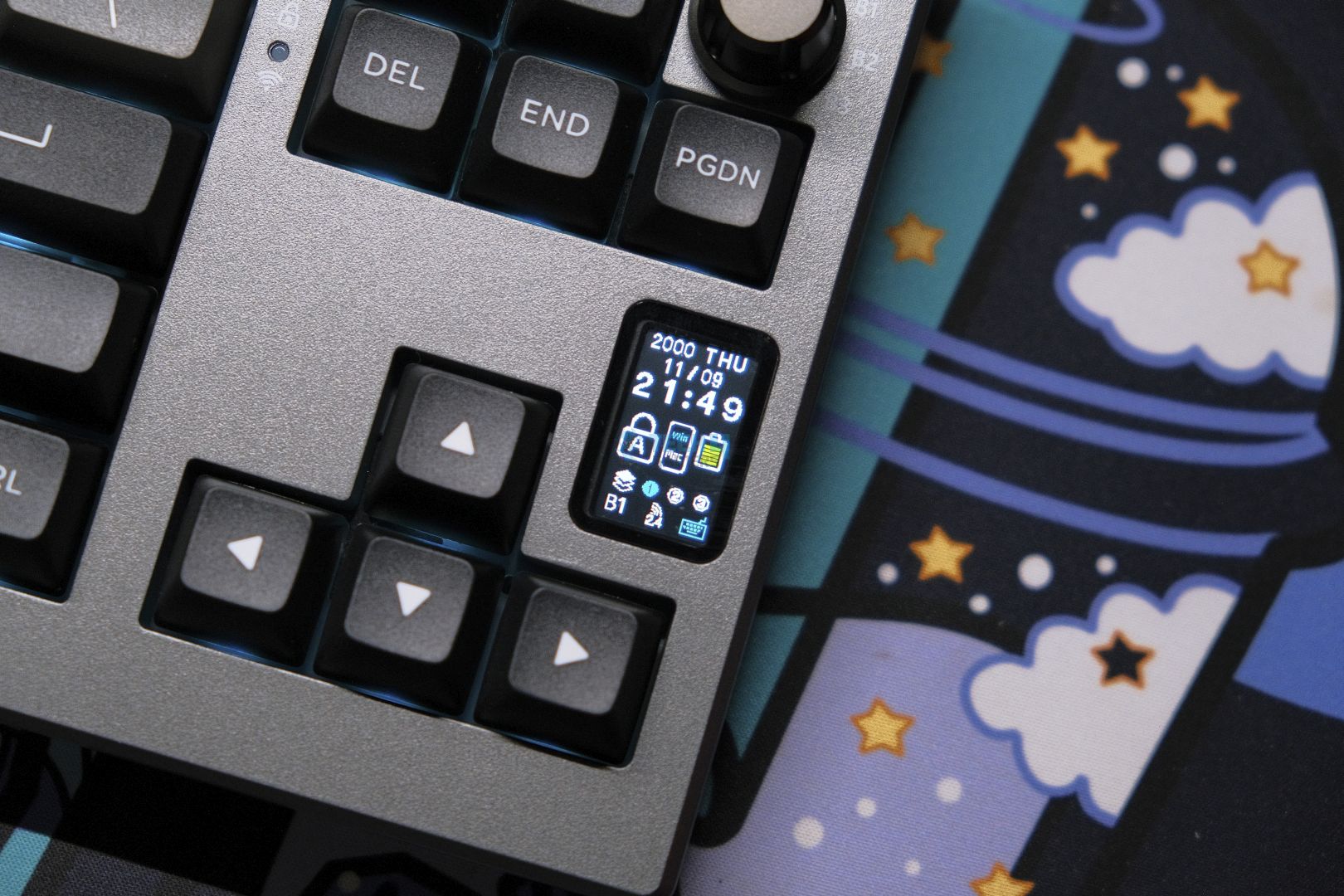
Even before taking a closer look, the Epomaker Shadow X gives a premium feel from the top, which is finished in what resembles anodized aluminum. This is paired with a black plastic bottom, giving it a two-tone appearance. It’s heavy, robust, and feels like a quality product. It has a 70% layout that ditches the traditional function row in favor of a more modern FRL TKL design.

Moreover, this board is fully hot-swapped and comes with 5-pin south-facing sockets, making it easy to swap out switches. The screen on the device isn’t just for looks; it displays information such as the battery level and connection status. Users can personalize their screens with self-uploaded GIFs too. Moreover, the knob on the top right corner gives you the option to change connection modes which is cool.

After thorough testing, I came to this conclusion on the Epomaker Shadow-X:

The Epomaker Shadow X is one of the best budget keyboards out there that nails all the fundamentals with its own unique take on the genre. While the knob switch might be gimmicky, the screen serves as a useful tool on top of being a great aesthetic piece. The switches, keycaps and stabilizers are all best in class, but it’s the build quality that impresses the most.

✅Buy It If
You want a practical screen: If you’re after a keyboard screen that goes beyond being a mere gimmick and actually offers practical usefulness, this board delivers.

You love a thocky sound: If a deep, satisfying sound with flawless stabilizers right out of the box is what you’re after, this keyboard ensures a satisfactory auditory experience.

❌Don't Buy It If
You need a compact layout with function keys: If you prefer a design with compact layout and can’t work without dedicated function keys, this keyboard might not meet your needs.

QMK/VIA compatibility is a must: If you require customization through QMK/VIA and aren’t willing to work with less intuitive, Chinese-designed software, you might want to explore other choices.

What Makes it the Best Value Custom Gaming Keyboard?

The Epomaker Shadow X is the best-value custom gaming keyboard because it comes with features typically found in much more expensive boards. It has a premium build and extras like the built-in screen and connection mode knob. Furthermore, the board’s hot-swap capability and comprehensive software support enable you to customize it exactly how you like it.

Performance: 8.5/10 Build Quality: 8.5/10
Design: 8/10 Typing Experience: 9/10

Epomaker P75

Best Stock Custom Gaming Keyboard

Layout: 75% | Number of Keys: 81 keys + 1 knob | Case Material: CNC Aluminum with Anodized finish | Plate Material: PC | Stabilizers: Pre-lubed Plate-mounted | Mounting Structure: Gasket Mount | Battery: 4000mAh | Polling Rate: 1000Hz for wired and 2.4G, 125Hz for Bluetooth | Keyboard Dimensions: 324.2 x 135.6 x 45.3mm

Pros

  • Outstanding build quality
  • The integrated screen is genuinely practical
  • High-quality stock switches
  • Dedicated knob switch
  • Factory-calibrated stabilizers
  • Premium keycaps and accent keys

Cons

  • The software interface could be more intuitive
  • Lacks support for QMK/VIA customization

Read Our Epomaker P75 Review

The Epomaker P75’s fully CNC machined aluminum body feels like a tank from the moment you pick it up. Its minimalistic design, featuring a matte finish with evenly chamfered edges and rounded corners, delivers a clean aesthetic. It’s hot-swap friendly with south-facing RGB, and the entire board is gasket-mounted using silicone beans for that extra cushioned feel.

It uses a polycarbonate plate and a 1.2mm PCB, both with no flex cuts. The P75 offers a deep, creamy sound and a wonderful typing experience. Additionally, the P75 comes with high-quality doubleshot PBT Cherry profile keycaps that feel superb to type on. Moreover, many switch-type options give you ample room to experiment and find the ideal typing profile.

Here are the thoughts on this keyboard from its review:

Epomaker P75 is an excellent keyboard with best-in-class build quality that speaks to its premium nature. The acoustics are heavenly, the typing experience is refined, and the design is mature enough to look good on any desk. With a decent software experience and solid wireless performance, there is nothing this keyboard can’t do. For the price, it doesn’t get any better.

✅Buy It If
You’re looking for a smooth, creamy sound: Not only does this keyboard provide a satisfyingly thocky sound and flawless stabilizers straight from the box and its gasket provides a delightful typing experience.

You appreciate sleek, minimalist designs: With a sleek, understated design, the P75 blends well with any space.[/su_spoiler

❌Don't Buy It If
You need a competitive gaming edge: For those seeking speedy responsiveness in competitive gaming, this keyboard may not meet your performance needs.

You prefer advanced customization: This keyboard may not meet the expectations of users who heavily depend on QMK/VIA support and require extensive software customization.

What Makes it the Best Stock Custom Gaming Keyboard?

What sets the Epomaker P75 apart as the best stock custom gaming keyboard is the balance of its build quality and performance. It is made of solid aluminum, has refined acoustics, and provides a great typing experience, all at a fair price. It provides that satisfying, classic thump while also being mod-friendly, so if you want to customize the sound, you can swap out the switches or foam or do whatever else you want.

Performance: 9/10 Build Quality: 9.5/10
Design: 9/10 Typing Experience: 9.5/10

Akko MU01

Best Looking Custom Gaming Keyboard

Switch Options: Akko Rosewood | Connection Modes: Wired (USB-C), Bluetooth 5.0, and Wireless (2.4GHz) | Hot-Swappable: Yes, 5-pin south-facing sockets | Key Rollover: N-Key Rollover supported | Macro Support: Akko Macro V1.0 | Case Material: Walnut wood | Keycaps: PBT material, MOA profile, dye-sub legends | Dimensions: 327 x 125.3 x 36.7 mm | Weight: ~850g

Pros

  • Proper gasket mount with a fully wooden case
  • Stellar design
  • Gorgeous high-quality keycaps
  • Deep and creamy Rosewood switches
  • Excellent typing experience with thocky sound

Cons

  • No QMK/VIA support
  • RGB can be brighter
  • There is no dedicated place for the USB dongle

Read Our Akko MU01 Review

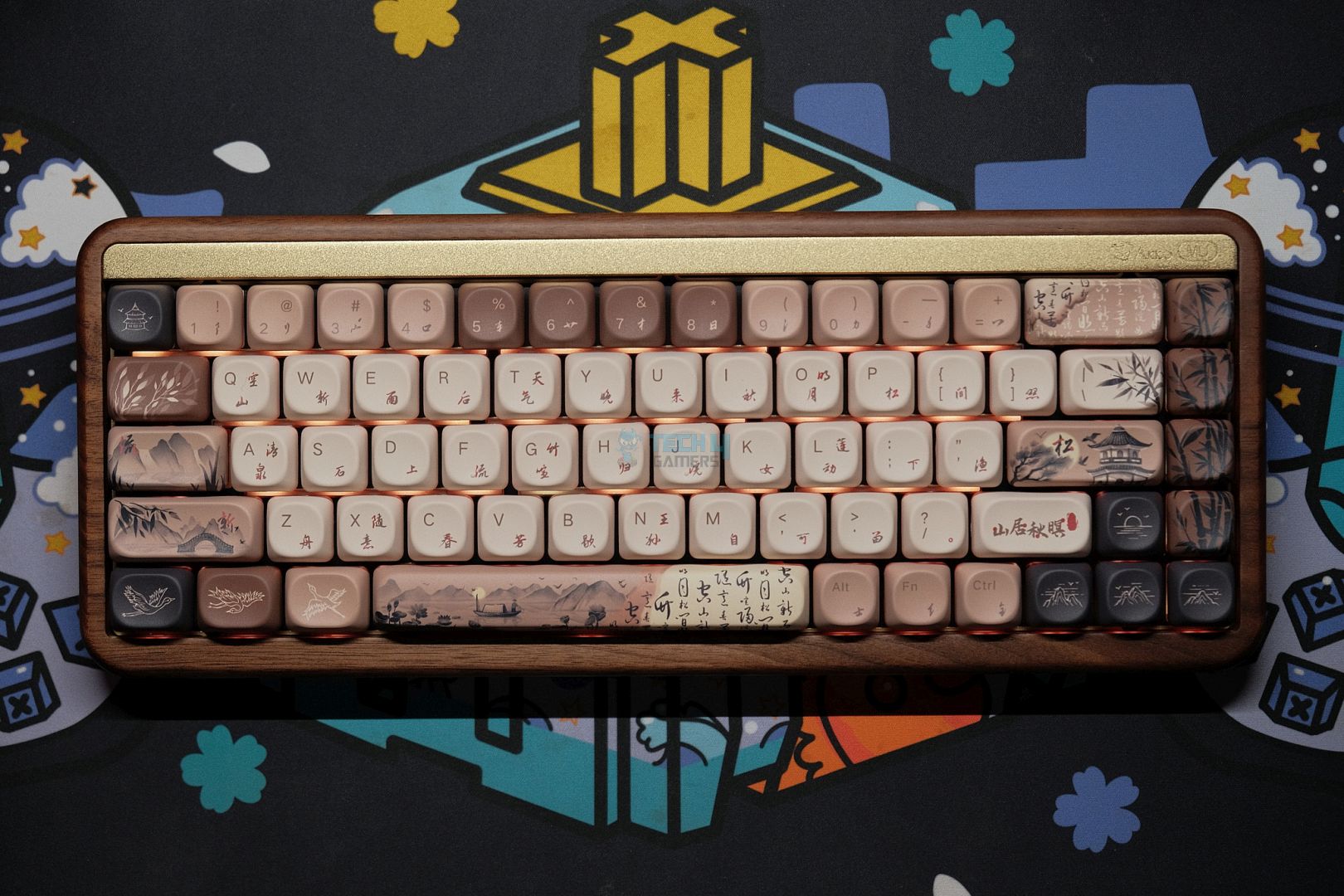
The Akko MU01 is one of those eye-popping keyboards. It has a bold design choice, but it is also aesthetically pleasing. Unlike other typical plastic keyboards, this keyboard is made of walnut wood, which gives it an unmatched finish. Additionally, it has a remarkable gentle fragrance. Beyond its stunning aesthetic, the MU01 offers an incredible typing experience.

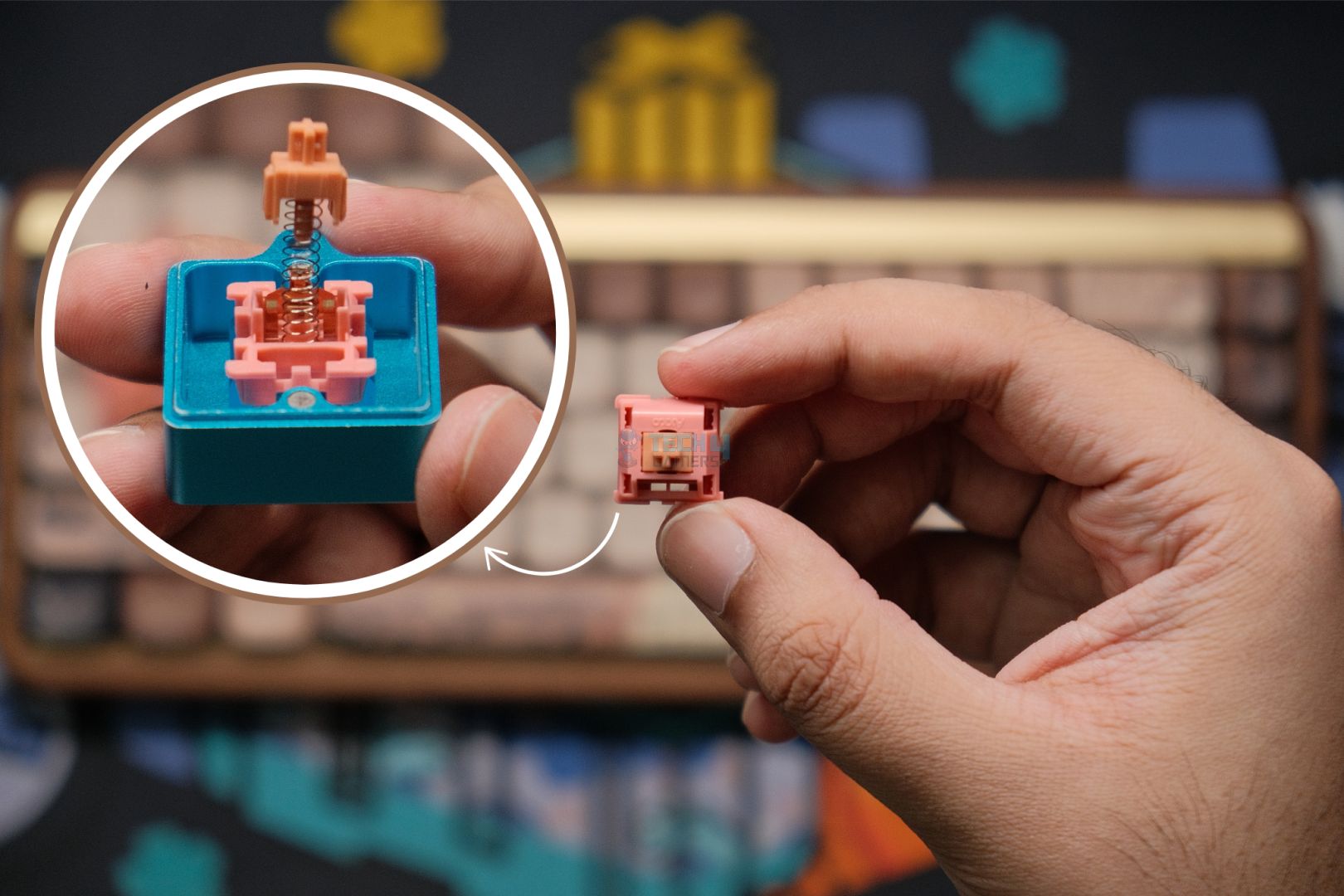
Moreover, it is accompanied by impressive, thocky sound and amazingly tuned stabilizers. The board features a 65% fully hot-swap layout, allowing you to experiment with different switch configurations. The MU01 is truly stunning to look at due to its unique design, and the gasket mount, along with several layers of foam to reduce sound, lets it combine performance with unreal aesthetics.

Here's how I concluded the Akko MU01 after reviewing it:

The Akko MU01 is a fantastic prebuilt that hits the nail on all of the important things while having the novelty of being made out of wood. It looks—and weirdly, smells—beautiful but the typing experience is what seals the deal. 

✅Buy It If
You’re craving a wooden keyboard: The MU01 is a compelling option for those searching for a standout wooden keyboard, surpassing all others in quality and uniqueness. 

You’re a fan of Japanese culture: With its wooden build and beautiful keycaps, the MU01 represents the true spirit of Japanese design. This keyboard is a must-have for those who appreciate incorporating cultural elements on their desk.

❌Don't Buy It If
The wooden look doesn’t appeal to you: For those not interested in the wooden look, there are other budget boards that can provide comparable performance and quality, possibly at a lower price. Therefore, the MU01 may not be as appealing to you.

You need QMK/VIA support: For users looking for customization options using QMK/VIA without having to depend on other programs, the MU01 may not be able to meet this requirement.

What Makes it the Best Aesthetics Custom Gaming Keyboard?

The design elements of Akko MU01 make it the best aesthetic custom keyboard. Compared to the thousands of plastic and generic keyboards available in the market, this one stands out thanks to its walnut wood, which gives this a whole new touch. This intricate detailing and crafting makes it look as if it is a piece of art in itself.

Performance: 9/10 Build Quality: 9/10
Design: 9.5/10 Typing Experience: 9/10

Important Keyboard Terms

It's often said that learning the technical terms of different tech is always good. The same holds true for modifying keyboards. Therefore, I will share some important keyboard terms with you.

  • Hot-Swap Capability: This refers to the ability to customize the keyboard's feel by replacing switches with other types without soldering.
  • Keycaps and Profiles: Each key is covered with keycaps, which may be made of ABS or PBT. Their material and the profile, which can be Cherry, OEM, or SA, determine their appearance and feel.
  • Layout: The design or layout of a keyboard defines how much space it will take up on your desk and how it will function. The layout ranges from full size to TKL to even more compact sizes of 75%, 65%, and 60%.
  • Mounting Styles: The mounting style can greatly affect a keyboard's overall feel and sound. Various methods, such as gasket, plate, or tray mount, make a difference.

How We Tested These Keyboards

Since everyone’s preferences differ, we don’t simply hand out scores. Rather, we present our thorough verdicts, and then you can choose which keyboard best fits your style.

  • Sound Profile: Sound is an essential part of the typing experience. We recorded each keyboard’s sound to assess noise levels, capturing everything from the deep thock of a heavy key press to the crisp click of more responsive switches. Every detail, from the keycap's design to the switch and even the materials used in the build, contributes to the production of a unique sound.
  • Input Lag/Latency: For every gamer, responsiveness is paramount. Therefore, we tested each keyboard, measuring how fast it registers the keystroke and communicates that to your computer. By optimizing polling rates and testing latency-reduction modes, we made sure that every key press, in addition to being fast, was also well registered.
  • Switches: Every switch was evaluated for tactile feedback, noise, and overall performance. For several days, we gamed and worked on the keyboards, which helped us understand in a practical manner the pre-travel, operating force, total travel distance, and actuation force of every switch type and the complex details of its features.

FAQs

Is hot swappable worth it?

Definitely! With hot-swappable keyboards, switches can be effortlessly replaced without any soldering, which means users can play around with various feels and sounds. This feature is perfect for custom enthusiasts.

Why are 75 keyboards so popular?

75% of keyboards usually strike the right balance between compactness and functionality. They have a separate navigation cluster, which helps to include the most essential keys while saving space when compared to full-sized boards. This makes this type of keyboard the best one for gamers and working people who prefer keyboards with little compromise on features.

Why is Keychron so popular?

Keychron has become a favorite brand because of the combination of good style, quality, and low prices. Their keyboards come with sleek looks and are compatible with Mac and Windows, which adds to the value. This strong selling point makes Keychron a popular brand among casual users and even keyboard enthusiasts.


Popular Streamer Shroud Believes Arc Raiders Has the Potential to Surpass Fortnite

Story Highlight
  • Shroud says Arc Raiders has the potential to be bigger than Fortnite.
  • He already says the only titles that come close are Valorant and Apex Legends.
  • This statement is absurd, considering Fortnite is free-to-play and Arc Raiders is a paid title, and there’s a vast difference in player numbers for both.

Arc Raiders has taken the gaming world by storm, surpassing the likes of Call of Duty and Battlefield this year and becoming the highest-rated multiplayer title of this decade. While the extraction shooter continues to grow, it has gained the favor of fans and one popular streamer who had a hot take regarding the title.

In his latest stream, Shroud discussed Arc Raiders, calling it the biggest game since Fortnite and having the potential to surpass Battle Royale. This opinion has raised many eyebrows, as there is still a considerable difference between these two games that may never get covered.

Why it matters: The multiplayer genre is a venture where many fail, and hardly a few titles succeed, and fortunately, Arc Raiders was one of the latter ones. However, a comparison to Fortnite is still impossible, considering it has more than 10X the player base.  

Surviving the Drop with the Right Arc Raiders Items

While there is some truth to the claim that Arc Raiders is next in line after Apex Legends and Valorant, the main verdict is false. Success in an extraction shooter often comes down to preparation and gear; players who want to skip the grind and jump straight into high-tier expeditions frequently look for ways to find Arc Raiders items for sale to bolster their loadouts. This shortcut allows them to focus on the high-stakes gameplay rather than the initial resource crawl.

 Here’s what Shroud had to say about Arc Raiders, comparing it to other titles: 

This game is definitely the biggest game since Fortnite for sure. The only other game I can think of along the way is maybe like VALORANT and Apex. But I think this game is bigger than both those games and will be bigger as time goes on.

While there is some truth to the claim that Arc Raiders is next in line after Apex Legends and Valorant, the main verdict is false. 

Battlefield 6 players
Battlefield 6 Has Lost Nearly 80% Of Its Players.

Arc Raiders is a paid title, whereas Fortnite is free-to-play, which is one of the reasons Fortnite is so popular and successful. 

Still, we can’t undermine Embark’s success as Arc Raiders managed to retain nearly 90% of its player count, a feat quite impossible for most titles to achieve. Now nearing 10 million copies sold, the extraction shooter has no plans to slow down and will definitely grow in the coming years.

What are your thoughts on Shroud’s statement? Do you agree with his take or not? Let us know in the comments below, or at the official Tech4Gamers Forums.

Steam Hardware Data Shows 1080p Still Dominates in 2025, While 1440p Slowly Gains Ground

Story Highlight
  • The Steam hardware survey shows that 1080p still dominates, with more than half of users using this display configuration.
  • 1440p has gained a healthy traction, becoming the second most used configuration. 
  • Stats for next year will be hindered by increased hardware prices, which will force gamers to resort to budget builds.

Steam’s hardware survey for November 2025 is out, and it reveals some interesting metrics. Specifically for the display side, most users still game on the 1080p resolution, which is considered to be the sweet spot.

On the other hand, 1440p is slowly gaining a bit of traction and is considered the next big jump for gamers.

Why it matters: With hardware becoming expensive and the latest games becoming increasingly demanding, it is understandable why gamers would want to stick to 1080p resolution, as it offers decent visuals while still being performance-friendly.

Steam Featured Image
Steam Had 132 Million Users As Of 2021, Figures Likely More Than 150 Million By Now

Here’s a list of all the resolution stats from the Steam Hardware Survey, along with their increases/decreases from November 2025 to the previous year.

Resolution Nov 2024 Share Nov 2025 Share Change
1920×1080 55.98% 52.83% −3.15%
2560×1440 19.75% 20.79% +1.04%
2560×1600 4.62% 5.20% +0.58%
3840×2160 4.21% 4.83% +0.62%
3440×1440 2.51% 3.06% +0.55%
1366×768 2.90% 2.40% −0.50%

As seen above, 52.83% of gamers still use 1080p resolution, and while the count has dropped by 3.15%, it still represents more than half of Steam’s user base. 1440p is now gaining traction, with the percentage rising to 20.79% as of November 2025.

4k resolution accounts for only 4.21% of the market, with a slight 0.62% gain over the past year.

ddr5 ram featured
PC Buying Power Will Be Limited This Year

For the future, expect this progress to stall as hardware prices are about to increase rapidly due to the AI boom. RAM prices have quadrupled this year, and 2026 will see further increases; similarly, GPU prices will rise, with the RTX 5090 expected to cost $5000 next year.

As older hardware like DDR4 builds is expected to come back into fashion next year, many users will resort to 1080p resolution to compensate for the lack of hardware.

What are your thoughts on this story? Let us know in the comments below, or at the official Tech4Gamers Forums.

Asus Will Raise The Price of Computers And Other Products Starting January 5, 2026

Story Highlight
  • ASUS will raise prices on select products starting January 5, 2026, citing rising DRAM and NAND memory costs driven by AI demand.
  • Most ASUS devices are likely to be affected, including desktops, laptops, phones, Mini-PCs, and ROG Ally, as memory supply shifts toward servers and AI hardware.
  • ASUS says the increase is necessary to maintain supply stability and product quality, but has not disclosed how much prices will rise.

Following the lead of the rest of the industry, albeit with last-minute notice, ASUS announced that starting January 5, 2026, it will raise the price of “certain product combinations” due to the DRAM memory.

Logically, it’s reasonable to assume that any product or component from the company that uses any type of memory will increase in price. So, prepare for price hikes on desktops, laptops, Mini-PCs, mobile phones, and even their ROG Ally handheld consoles.

Essentially, any device or product with memory will increase in price, and yes, you already know why. If you don’t, the quick summary is that there’s a global shortage of DRAM, the memory used in the chips that power RAM modules. The reason? Artificial intelligence.

asus ram featured

Not only has all the DRAM been shifted to the server business, which is much more lucrative for DRAM manufacturers like Crucial, who abandoned the consumer market to focus solely on making DRAM for servers and AI, but DRAM production has also been diverted to manufacture HBM, the memory used by all of NVIDIA’s AI GPUs, memory that is even more expensive (and generates more profit).

ASUS isn’t only raising prices due to DRAM or RAM issues; they’re also raising prices because of NAND flash memory. In an attempt to increase profits, or rather, to alleviate the DRAM market shortage, manufacturers like Samsung have converted their NAND flash memory production lines to DRAM production.

This means producing less NAND flash memory, exacerbating the current situation and driving prices up. These data centers require not just an NVIDIA chip to function, but a complete system with its CPU, motherboard, ample RAM, and SSD storage.

Asus Plans Price Hikes On All Memory-equipped Products

ASUS released a statement indicating that the rapid adoption of AI is putting upward pressure on global supply chains. And yes, it all centers on the increased costs of DRAM and NAND memory that ASUS is experiencing. The company only says it will raise the prices of some of its “product combinations.” But logic dictates that anything using either type of memory, or both, will see price increases. ASUS also didn’t announce by how much the prices would rise. For reference, Dell announced a 20% price increase across its entire product range.

After carefully evaluating market conditions, supply stability, and product quality commitments, ASUS remains focused on providing its customers with industry-leading technology and R&D capabilities. As a result, ASUS plans to implement strategic price adjustments across certain product lines starting January 5, 2026. This decision is a necessary response to ongoing cost pressures and rising supply costs, with the aim of ensuring stable supply, maintaining product quality and service standards, and continuing to support the broader ecosystem.

Why Modern PC Games Are CPU-Bound Again

Story Highlight
  • Modern PC games are often limited by CPU workloads, not GPU power
  • Simulation, AI, and streaming systems are overwhelming traditional CPU scaling
  • High clock speeds and efficient cores still matter more than raw core counts
  • Better threading exists, but many engines are struggling to use it well

Modern PC gaming has a strange problem right now. You can drop a small fortune on a flagship graphics card, fire up a brand-new release, and still watch your frame rate struggle while your GPU coasts at 60 percent usage. For many players, that moment feels less like cutting-edge gaming and more like déjà vu.

This is not happening because modern CPUs are weak. It is happening because games have changed faster than the way they use CPU power.

What Happened

Bottlenecking
Bottlenecking – Image Credits (Corsair)

Over the last two years, complaints about CPU bottlenecks in PC games have surged across forums, performance guides, and benchmark videos. Players upgrading from RTX 3070s to RTX 4080s or RX 7900 XTs report minimal gains in frame rate, especially at 1080p and 1440p. Monitoring tools tell the same story. GPU usage dips. One or two CPU cores slam into the red.

This trend shows up across genres. Open-world RPGs, city builders, survival games, and large-scale shooters are all hitting CPU limits earlier than expected. Even engines built for DirectX 12, which promises better multithreading, often fail to scale cleanly beyond six to eight cores in real gameplay.

Developers are not unaware of this. Studios regularly acknowledge CPU constraints in patch notes and postmortems. But solving the problem is harder than it looks.

Why It Matters

For PC gamers, performance problems usually point to the GPU. That assumption drives upgrade decisions and spending habits. When that logic fails, frustration follows. A CPU bottleneck means lower minimum frame rates, inconsistent pacing, and stutter that no amount of DLSS or FSR can fix.

It also reshapes buying advice. CPU benchmarks for gaming are back in the spotlight, after years where GPU charts dominated headlines. Suddenly, clock speed, cache design, and latency matter again in ways that feel almost retro.

For developers, CPU limits cap how ambitious games can be. Every NPC routine, physics calculation, and streaming task competes for time on the same cores that drive gameplay logic.

The Real Reasons Games Are CPU-Bound

The biggest misconception is that modern games are poorly optimized across the board. The truth is more complex.

CPU Usage
CPU Usage – Image Credits (Tech4Gamers)

Simulation Has Exploded

Cities Skyline 2
Cities Skyline 2 – Image Credits (Tech4Gamers)

Games simulate far more than they used to. World’s track weather, traffic, NPC schedules, physics interactions, and systemic AI. These systems run continuously, even when the player is standing still. Unlike rendering, much of this work cannot be offloaded to the GPU.

Streaming Is Constant

Twitch
Twitch – Image Credits (Twitch)

Open worlds rely on real-time asset streaming. Terrain chunks, textures, animations, and audio are loaded and unloaded on the fly. Storage speeds help, but coordinating that flow still taxes the CPU heavily.

DX12 Does Not Magically Fix Threading

DirectX 12 allows better multithreading. It does not enforce it. Engines must be architected to distribute work efficiently. Many legacy engines evolved from DX11-era designs and still depend on heavy main-thread workloads.

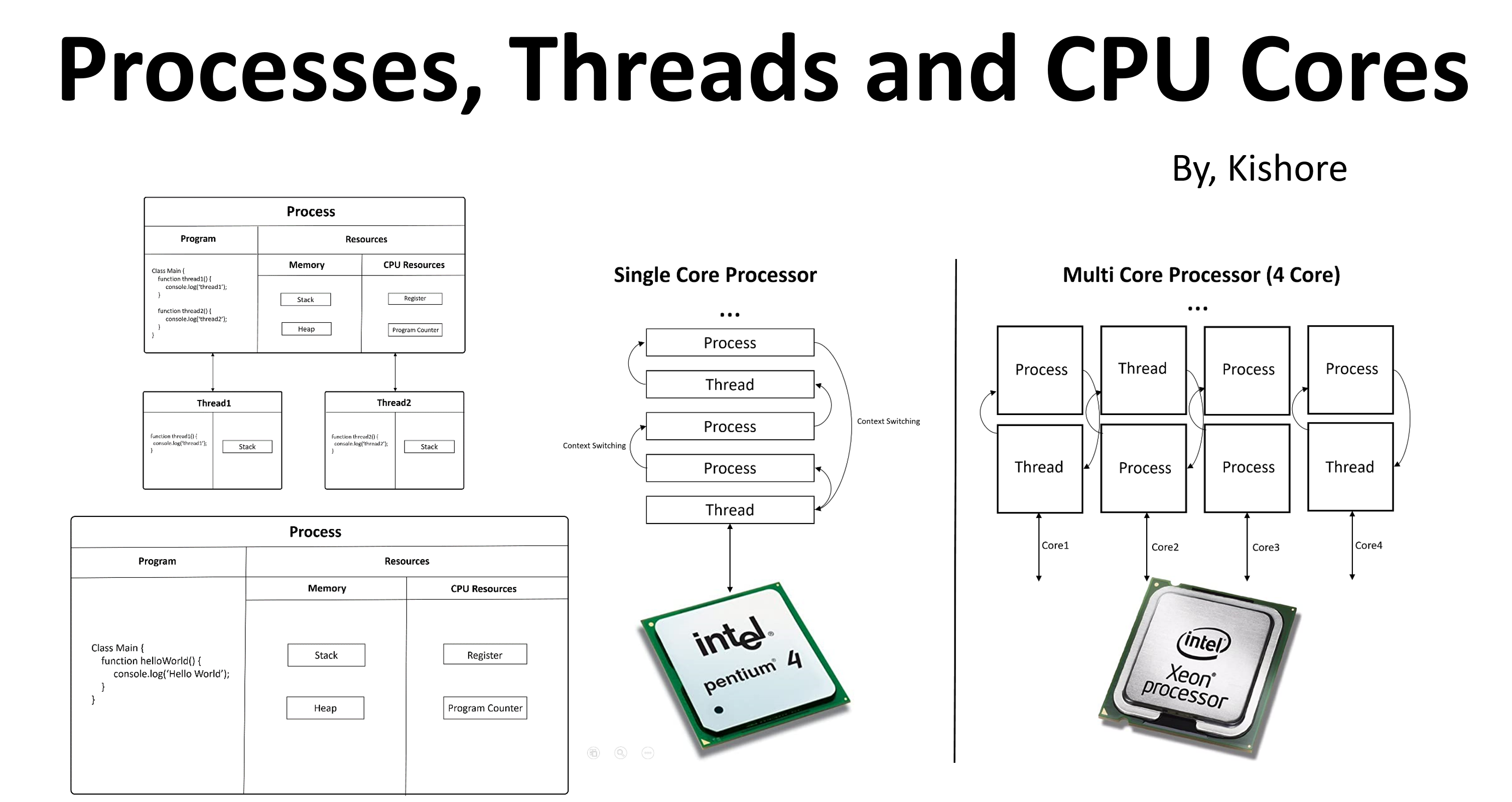
Understanding Processes, Threads and CPU Cores
Understanding Processes, Threads, and CPU Cores – Image Credits (Kishore)

Scaling Beyond Eight Cores Is Hard

 
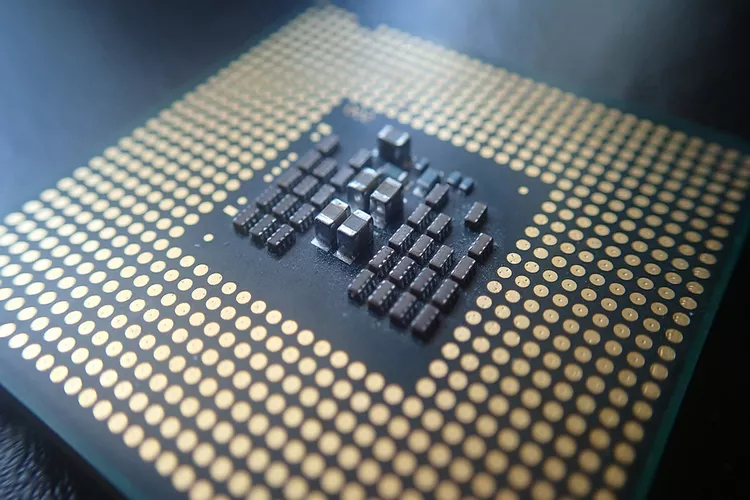
CPU Core
CPU Core – Image Credits (TOBIASD)

Some tasks parallelize well. Many do not. Game logic often depends on sequential decisions, which limits how far workloads can spread. Past eight cores, returns diminish fast.

Consoles Are Part of the Story

Modern consoles complicate things. PlayStation 5 and Xbox Series consoles use eight-core Zen 2 CPUs with relatively modest clock speeds. Developers design games to fit within those constraints.

PlayStation 5
PlayStation 5 – Image Credits (Pinterest)

On PC, higher clock speeds expose inefficiencies that consoles hide through fixed hardware and tight optimization. A game that runs acceptably on a console can become CPU-bound on a high-end PC when unlocked frame rates push simulation workloads harder.

Intel vs AMD in the Real World

Intel Vs AMD
Intel Vs AMD – Image Credits (SabrePC)

This is where brand debates heat up. In many CPU-bound games, Intel’s higher single-core clocks still deliver strong results. AMD counters with large caches and efficient multi-core designs that shine in certain engines.

There is no universal winner. Performance depends on how a game schedules its work. Titles that lean heavily on cache benefit from AMD’s designs. Games that hammer one or two threads often favor raw clock speed.

This is why sweeping claims about one brand being “better for gaming” rarely hold up outside specific test cases.

Counterpoints Worth Acknowledging

Not every modern game struggles with CPU scaling. Engines like id Tech and some proprietary studio tech scale impressively across cores. Strategy titles and simulation-heavy games often prioritize CPU design and show what is possible with careful threading.

It is also fair to note that many CPU bottlenecks appear at lower resolutions. At 4K, GPUs reclaim dominance in most titles. For players targeting high refresh rates, though, CPU limits remain impossible to ignore.

What Comes Next

Biwin Black Opal HX100 48GB DDR5 6000MHz CL28 kit - Test Build 2
PC Build – Image Credits (Tech4Gamers)

CPU bottlenecks are not going away soon. If anything, they will become more visible as GPUs continue to outpace CPU gains in gaming workloads. Engine rewrites take years, not months, and systemic game design only grows more complex.

For players, the takeaway is simple. Balance matters again. Chasing GPU upgrades without considering CPU capability is a gamble. Clock speed, architecture efficiency, and memory performance deserve renewed attention.

For the industry, this is a quiet inflection point. The future of PC gaming performance will not be decided by shaders alone. It will be shaped by how well games think, not just how well they look.

Ex-Rockstar Director Says GTA Is Stuck in a Loop of Five U.S. Cities, Dismisses Overseas Settings

Story Highlight
  • Former Rockstar director says that GTA won’t visit international locations or even other American cities aside from the existing ones.
  • He says there’s a big distance between each entry and that technology makes depiction different even of the same location.
  • Next GTA game likely to revisit Liberty City, LA, or Las Vegas.

One of the main reasons the GTA series is so successful is that it is a satirical recreation of America, and every aspect of the game mocks real-life events that have happened in the Land of the Free.

However, fans have wondered if Rockstar would ever consider visiting a location outside the U.S. While a Tokyo GTA game almost happened, a former Rockstar North director dismisses the prospect of an overseas setting, claiming the series is stuck in a loop of the same existing location.

Why it matters: A GTA game set outside of the U.S would lose its identity, and there aren’t many locations that are considered to be exciting or fitting for the series. 

GTA London
GTA London Was An Expansion Of The Original Game And The Only Time The Series Took Place Outside Of The U.S.

Obbe Vermeij worked for Rockstar North on GTA 3, Vice City, San Andreas, and GTA 4 in the early 2000s before departing the studio. Now working on smaller-scaled entries, Vermeij was interviewed regarding his thoughts on the series more than a decade after leaving Rockstar.

Regarding international settings or even in other cities within the U.S., Vermeij had the following to say:

It’s just not realistic. I would love it, and if games still took a year to make then yeah sure, you can have a little fun, but you’re not going to get that when there’s a GTA every 12 years. 

With such a big gap between entries, the director argues that Rockstar won’t take a huge risk on a different setting, and because technology changes so much, the entire depiction of a location does too.

GTA 6
The Same Director Argues That GTA 6 Will Be A Regularly Priced Game

As an example, he said that nobody will skip out on GTA 6 just because they’ve played Vice City. Similarly, GTA San Andreas and GTA 5 were also completely different depictions of Los Santos.

For future entries, he thinks that GTA 7 will take place in Liberty City, LA, or maybe even Las Vegas, saying that people should get used to being stuck in the loop of the same cities.

What are your thoughts on this story? Would you want a GTA game set outside of America or even in a different city? Let us know in the comments below, or at the official Tech4Gamers Forums.

How to Develop a Computer Game: Basic Steps and Pitfalls

Story Highlight
  • Finish a small project instead of failing a big one.
  • Write down core rules early to avoid wasting time.
  • Prioritize consistent art and smooth gameplay over photorealistic visuals.

Making a computer game used to be something only large studios could afford. Today, solo developers and small teams can realistically build and release PC games.

Engines are easier to use, tools are cheaper, and learning resources are everywhere. What hasn’t changed is how easy it is to get overwhelmed and abandon a project halfway through.

Before doing anything else, it’s important to look at your real limitations. Team size, time, budget, and experience will shape every decision you make. Most first-time projects fail because the idea was too big.

A small, focused game that actually ships is far more valuable than an ambitious concept that never gets finished.

Planning and Game Design

Game Development
Use game engines to build a rough, playable version quickly.

Game design starts by defining the core experience. You need to know what kind of game you’re making, what the player spends most of their time doing, how progression works, and what rules hold everything together. These decisions don’t need to be fancy, but they do need to be clear.

Writing things down early helps keep development on track. When design is vague, teams tend to change direction constantly, which leads to wasted time and unfinished features. Locking the core ideas early gives the rest of the project a stable foundation.

Teams with larger budgets sometimes choose to work with a game art company rather than growing the core team. This approach can ease the workload by letting external artists handle asset production, while the in-house developers stay focused on gameplay and technical systems. It’s usually a practical decision tied to time management and project scale, not just visual ambition.

Visuals and Animation

Hades Games
Game development students should study Hades’ game design.

Once the design is clear, visuals begin to take shape. Game art covers everything from characters and environments to menus and icons.

Consistency matters more than detail. Many PC games succeed with simple styles that match the gameplay instead of chasing realism.

Animation adds life to the game, but it also affects performance. PC players use a wide range of hardware, so heavy animations and effects can cause problems if you’re not careful.

Keeping things readable and responsive is usually more important than pushing visual complexity too far.

Development and Tools

This is where everything comes together into a playable build. Early versions of the game won’t look impressive, and that’s fine. The goal is to test mechanics, spot issues, and iterate quickly.

Most developers rely on engines like Unity or Unreal Engine to handle rendering, physics, and input. These tools save time and let teams focus on gameplay. If the game is fun in a rough state, polishing it later becomes much easier.

Cost and Scope

Star Wars Jedi Respawn Entertainment
Game development usually takes longer than planned.

The cost of making a PC game depends almost entirely on scope. Smaller indie projects can stay relatively affordable by limiting features and reusing tools, while larger games quickly become expensive due to art, testing, marketing, and long-term support.

Time is often the biggest hidden cost. Development usually takes longer than expected, especially for new teams. Planning for delays helps avoid burnout and rushed decisions.

Releasing and Supporting the Game

Finishing the game doesn’t mean the work is done. Releasing on PC platforms like Steam or GOG requires store pages, builds that meet platform rules, and clear pricing. Thinking about publishing early makes the launch much smoother.

It’s also important to factor in the cut that digital storefronts take from your sales. Platforms like Steam, Epic Games Store, and others take a percentage of every copy sold. Steam’s standard revenue split means a noticeable portion of your income goes to the platform, while Epic offers a lower cut but comes with its own discoverability trade-offs.

After release, players will find bugs and performance issues you missed. Post-launch support includes fixes, balance updates, and small improvements. Some games also add new content over time, but that depends on your goals and resources.

Developing a computer game is equal parts creativity and discipline. Tools have lowered the barrier to entry, but finishing a game still requires realistic planning and steady progress.

Keep the scope under control, understand each stage of development, and focus on shipping something complete. That alone puts you ahead of most first-time developers.

Ghost of Yotei Fails To Break Into Metacritic’s Top 10 PlayStation 2025 List

Story Highlight
  • Sony’s first-party Ghost of Yotei failed to enter Metacritic’s top 10 PlayStation list for 2025. 
  • It came at the 19th spot, only managing to surpass Silent Hill f in the process.
  • Meanwhile, Xbox’s Forza Horizon 5 was in third spot due to its high metascore.

Ghost of Yotei is certainly a huge improvement over Tsushima but failed to wow gamers enough amid other stellar releases this year. Sony’s first-party offering even failed to win any awards at The Game Awards 2025 show.

Sony dubbed it Game of the Year in its own award event, but many gamers and critics like to place it at a much lower ranking. Therefore, the publisher’s only first-party launch failed to break into Metacritic’s top 10 list of the best PlayStation 2025 games.  

Why it matters: Ghost of Yotei was the front face of Sony’s portfolio this year. However, it was left in the dust compared to many other smaller projects in Metacritic rankings.

Ghost of Yotei
Ghost of Yotei was at the top 19th spot on the Metacritic list.

Ghost of Yotei is at 19th spot on the Metacritic list due to its 86 rating, which is not bad but fails to keep up with many other 2025 hits. It only surpassed Silent Hill f, which was another good title outshined by many others.

PlayStation saw no other traditional first-party releases this year. Despite being published by SIE, Death Stranding 2 doesn’t fall under first-party because Kojima Productions owns the IP and worked on it independently. It was the 7th-highest rated game on the list. 

Many smaller AA and indie projects dominated this year, including Expedition 33 with its top 92 Metascore on the list. Additionally, Xbox’s Forza Horizon 5 is also in third spot due to its high rating. 

Metacritic's best PlayStation Games List 2025
The third-party Expedition 33 was the best-performing PlayStation release.

Regardless, Sony’s performance in the Metacritic list of best games might be much better in 2026, as games like Phantom Blade Zero and Marvel’s Wolverine are expected to launch. 

Do you think Ghost of Yotei barely entering Metacritic’s year-end list of best PlayStation games is a cause for concern? Let us know your thoughts in the comments below, or join the discussion on the Tech4Gamers forum.

ASRock To Showcase Next-Generation PC Hardware at CES 2026

[Press Release] ASRock arrives at CES 2026 with a compact but complete hardware lineup. The company is set to introduce new motherboards, graphics cards, gaming monitors, power supplies, mini PCs, and its first full range of AIO liquid coolers. The focus stays on performance, reliability, and practical design.

AIO Liquid Coolers

ASRock debuts next-generation AIO liquid coolers across the Taichi, Phantom Gaming, Steel Legend, Challenger, Pro, and workstation series. These coolers use an improved pump and optimized flow design to support modern high-core CPUs. Select models feature LCD displays, advanced fan materials, and a six-year warranty for long-term use.

B850 Rock Series and Challenger Motherboards

The new Rock Series motherboards target builders who want balanced features at a fair price. B850 and B860 models arrive in ATX and mATX sizes with WiFi 7 support. The Challenger Series also expands with new AMD and Intel chipsets, including compact mATX options in black and white designs.

Taichi OLED Gaming Monitors

ASRock introduces 27-inch Taichi OLED gaming monitors with WOLED and QD-OLED panels. These displays offer 2K and 4K resolutions, refresh rates up to 540Hz, high color accuracy, and HDR True Black certification. Phantom Gaming OLED models deliver 2K 240Hz performance with USB-C connectivity.

Radeon RX 9070 XT Taichi White Graphics Card

The Radeon RX 9070 XT Taichi White 16GB OC becomes ASRock’s first white graphics card with an integrated LCD screen. It combines strong gaming performance with ARGB lighting and real-time system monitoring through Polychrome software.

Platinum Power Supplies & Mini PCs

New Phantom Gaming SFX and Steel Legend Platinum power supplies range from 850W to 1200W. They meet 80 PLUS Platinum standards, feature native 12V-2×6 cables with thermal monitoring, and include a ten-year warranty.

ASRock also reveals the DeskSlim mini PCs, compact 4.9-liter systems that support high-wattage CPUs, PCIe 5.0 discrete GPUs, and DDR5 memory. These systems are designed for AI workloads, content creation, and professional use.

Modded 1350W RTX 5090 Saved From Burn Damage Thanks To ASRock PSU Temperature Sensor

Story Highlight
  •  A heavily modded MSI RTX 5090 Ventus, running at 1350W, almost suffered a major burn incident.
  • The GPU was saved by ASRock’s ATX 3.1 power supply, which shut down automatically after detecting rising temperature.
  • Thanks to the early detection, the GPU did not suffer major damage, unlike similar incidents in the past.

Nvidia’s flagship RTX 5090 is expected to become significantly more expensive in the coming months due to persistent memory shortages. At the same time, the graphics card is known to be susceptible to burn damage, with multiple such cases reported in the past.

Fortunately, the latest report on the matter is quite different. A user on the Overclocked Forum has confirmed that his GeForce RTX 5090 survived a potential burn incident thanks to ASRock’s smart power supply design.

Why it matters: Multiple burn incidents have left RTX 5090 GPUs completely dead in the past due to extremely high temperatures.

RTX 5090 Saved From Burn Damage Thanks To ASRock PSU
The RTX 5090 Was Left Mostly Unharmed Following The Incident 

Motivman recently posted on the Overclock forums and noted that his MSI RTX 5090 Ventus was saved by ASRock’s ATX 3.1 power supply.

According to the user, the RTX 5090 in question was overclocked and pushed to the limits at around 1350W. It was also modded with water cooling and liquid metal to support this incredibly high power draw in benchmarks.

The user states that ASRock’s PSU shut down due to excessive temperatures and would not power on until the cable temperature dropped to a stable level. Moreover, the user noted that the GPU connector was only slightly discolored after the incident.

ASRock PCie 12v 2x6-NTC Sensor

The good news is that ASRock’s built-in NTC temperature sensor prevented a potential fire since cases of burnt RTX 5090s are not a rarity.

Over the last few years, GPU and power supply vendors have struggled to provide sturdier 12V-2×6 power connectors following multiple reports of burnt and melted connectors. In ASRock’s case, the smart use of a temperature sensor showcases one potential solution to the issue.

The RTX 5090 traditionally runs at a TDP of around 600W, so the fact that this heavily overclocked and modded MSI Ventus version of the GPU came out of the entire situation relatively unscathed is a major feat for ASRock’s power supply.

No Sony First-Party Games Make Metacritic’s Top 10 PlayStation List for 2025

Story Highlight
  • Metacritic’s best PlayStation games of 2025 list reveals that no Sony first-party title made it to the top 10.
  • The 7th-best Death Stranding 2 is not considered first-party since Kojima Productions is independent.
  • The top 2025 launch on PlayStation was Expedition 33, a third-party AA entry by Sandfall. 

Although many third-party entries landed on PS5 this year, Sony’s first-party output has been quite lacking due to delays and such. Most of the brand’s projects, including Phantom Blade Zero and Marvel’s Wolverine, are planned for 2026 and beyond.

A lack of authentic Sony titles resulted in a lot of backlash, as Ghost of Yotei was arguably the only impressive first-party title to launch this year. However, Metacritic’s list of the best Sony games of 2025 shows that no first-party titles climbed the top 10 rankings. 

Why it matters: Sony’s first-party portfolio barely saw any releases this year, which has disappointed many gamers. 2026 is expected to be much better in terms of output unless there are delays.

Metacritic's best PlayStation Games List 2025
The third-party Expedition 33 was the best-performing PlayStation release in 2025.

The Metacritic report shares the following list in order, from top 1 to 10:

  1. Clair Obscur: Expedition 33
  2. Hollow Knight: Silksong
  3. Forza Horizon 5
  4. Split Fiction
  5. Citizen Sleeper 2: Starward Vector
  6. Dispatch
  7. Death Stranding 2: On the Beach (PS5)
  8. Monster Hunter Wilds (PS5)
  9. Trails in the Sky 1st Chapter
  10. BALL x PIT

Being in the top 7, Death Stranding 2 is a special case entirely. It is certainly not a traditional first-party title, as Kojima Productions is independent and owns the IP. Gaming aficionado Hideo Kojima led the charge with the sequel and saw stellar reviews.

Some gamers argue that it should be considered first-party since it is a timed exclusive, with Sony also being the funder and publisher.

Regardless, the undisputed first-party Ghost of Yotei by Sucker Punch barely made it into the list at the top 19 with its 86 review score. 

Hideo Kojima Death Stranding 2
Regardless of its status, Death Stranding 2 was reportedly one of the most impressive releases this year.

While 2025 is ending on a somewhat sour note, we might see a lot of improvement with Sony’s first-party offerings next year. Perhaps multiple PlayStation-made games will make it into the next year’s Metacritic list.

Do you think Sony’s low quantity of first-party games this year is justifiable? Will the next year be any better, or can we expect more delays? Let us know your thoughts in the comments below, or join the discussion on the Tech4Gamers forum.