Lead the comparison and blog writing teams at Tech4Gamers.
Oversee teams with a keen eye for detail and precision.
Ensure hands-on writing, with benchmarks and testing as guiding principles.
Guarantee the delivery of the best possible results in concise yet impactful tech tales.
Story Highlights
Game stutter is not caused by low FPS but by inconsistent frame delivery.
The complexity of modern games makes it very hard to maintain smooth frame pacing.
Fast GPUs can’t prevent stutter if the CPU becomes overloaded.
Asset streaming can cause stutter even in SSD-equipped systems.
For a long time, people believed that higher frame rates solve game stutter, but they most certainly do not. The gaming industry reinforced this assumption with high-refresh-rate monitors, faster GPUs and SSDs. Aside from this, adaptive sync technologies such as G-Sync and Free-Sync were also introduced.
Yet despite having powerful hardware, the game stutter refuses to back down. When playing on high settings, players deal with micro-stutters, spikes in frame rates and hitching, which break immersion. This ongoing issue thus raises a question: why does game stutter still exist? And how can we fix it? Let’s dive straight into the details.
It Has Nothing To Do With Performance
One of the biggest mistakes that people make is equating stutter with low FPS. But this is not the case at all. A game stutter occurs when frames are delivered inconsistently. Even if a game is running on 80 to 100 frames per second, it may feel bad if the gap between frame delivery is fluctuating too much.
Game Stuttering – Image Credits (Alfa Beta Juega)
This is why some games that run at a locked frame rate of 60 may feel better than those running at much higher frame rates. While gaming smoothness comes from consistent frame pacing, not just raw hardware performance. This issue with frame delivery inconsistency is difficult to control compared to the average performance numbers shown in benchmarks.
Modern Games Are More Fragile
Games no longer just manage rendering visuals. Modern game engines constantly manage a complex variety of tasks, including AI systems, physics simulations, real-time lighting, dynamic shadows, asset rendering and much more. All of these rely heavily on the CPU, memory and storage subsystems working in sync.
If even one part of this chain lags, the entire rendering pipeline is affected. The GPU waits for the CPU, and the CPU waits for data, resulting in stuttering. Most of the time, this stutter is negligible, but sometimes it becomes severe enough to disrupt the experience.
Shader Compilation and Asset Streaming
One of the biggest reasons for stuttering is due to shader compilation. Shaders determine how lighting, shadows, different materials and effects look in the game. In the ideal situation, these shaders should be compiled before the game starts. But modern games adjust these shaders during gameplay as new materials and effects appear. When this happens, the CPU pauses for a second to compile the shader, resulting in game stuttering.
Game Stutters Can Be Frustrating – Image Credits (Pinterest)
When it comes to asset streaming, even fast NVMe SSDs are not a complete fix for stutter. Modern games constantly stream assets as the player moves through the game’s world. If the game engine requests data faster than it can be delivered or decompressed, the game pauses to wait for it.
These issues become much more apparent in large open-world games with densely packed environments requiring constant data delivery. Games having minimal loading screens may also face these issues. Consoles mitigate these stutters through custom storage API’s and tightly controlled hardware. PCs, on the other hand, must account for countless hardware combinations, drivers and background processes.
The CPU May Be a Silent Bottleneck
GPUs may get most of the attention, but in most cases, game stutter is linked to CPU limitations. Many modern games rely on single-thread performance more than gamers realise. Typically, when a main game thread becomes overloaded, it causes stuttering issues regardless of how powerful the GPU may be. Additionally, when background tasks, anti-cheat systems, and inefficient engine scheduling demand the CPU’s attention, it results in stuttering.
Micro stuttering Can Cost Players The Match in Co-op – Image Credits (Gninja2006)
These interruptions are usually too small to affect overall FPS but are large enough to damage frame delivery. This is why these stutter issues can appear even on high-end systems, and simply upgrading the GPU does not work. The CPU must be equally as powerful as the GPU to maintain a smooth gaming experience.
A single flaw does not result in game sutter. Rather, it is the cause of multiple small delays piling up on top of one another. It is often the case that fixing one area causes an issue in another. By making use of technologies such as frame caps, VRR displays, better engines, and improved shader handling, gamers can significantly reduce game stutter. Regardless, until technology, software, and game engines evolve together, stutter will remain an issue. It can be reduced, but killing it completely is a harder challenge.
I’ve previously worked for eXputer as a Senior News Writer for several years. Now with Tech4Gamers, I love to devoutly keep up with the latest gaming and entertainment industries. I have a Bachelor’s Degree in Computer Science and years of experience reporting on games and breaking exclusive stories. Besides my passion for gaming journalism, I love spending my leisure time farming away in Stardew Valley. VGC, IGN, GameSpot, Game Rant, TheGamer, GamingBolt, The Verge, NME, Metro, Dot Esports, GameByte, Kotaku Australia, PC Gamer, and more have cited my articles.
Story Highlight
The Resident Evil Requiem director reveals it runs at 4K with 60 FPS on PS5 Pro with ray tracing.
The game can hit up to 120 FPS with an average of 120 frames without RT.
It takes full advantage of other PlayStation features, like advanced haptic feedback.
Resident Evil Requiem is launching soon with a focus on Raccoon City to continue the main storyline. All the anticipation built by trailers and gameplay reveals pushed the game to become one of Steam’s most wishlisted titles, with 4 million wishlists.
The game’s director now reveals that Requiem will take full advantage of the PS5 Pro’s advanced hardware. Therefore, the horror experience will run at a smooth 4K 60 FPS capacitywith ray tracing to achieve lifelike visuals.
Why it matters: The game will run at 60 FPS despite using ray tracing, with the added visuals enhancing the game’s horror without tanking performance.
Resident Evil Requiem also hits 300+ FPS at 4K with DLSS 4 on a PC using RTX 5090.
In an interview with PlayStation, director Akishi Nakanishi confirms that Resident Evil Requiem targets up to 120 FPS on the PS5 Pro as long as ray tracing is disabled. It can run at an average of 90 FPS without RT.
The team spent a lot of time optimizing the frame rates with RT enabled to ensure players have a buttery experience. While ray tracing will improve visuals by a wide margin, going back from 120 to 60 FPS will feel a bit lacking, as per the director.
you can play with 4K output, 60fps, and full ray tracing. If you have a monitor that supports high frame rates when turned off, you can play at up to 120fps and the average at 90fps.
The game will fully utilize haptic feedback and adaptive triggers on the DualSense controller, to the point that the rumble would let the player feel asif zombies were grabbing and biting their arms and hands.
Resident Evil Requiem has been in development for a long time, making fans excited for what’s to come.
Leon’s segments in Resident Evil Requiem will turn the gameplay into pure high-octane action, while Grace’s playstyle will be more horror-oriented due to her lack of experience.
Regardless, the game is set to drop on February 27, 2026, for PC, PS5, and the Xbox Series lineup.
Do you think Resident Evil Requiem will run more smoothly on the PS5 Pro with ray tracing enabled? Let us know your thoughts in the comments below, or join the discussion on the Tech4Gamers forum.
I’ve been the Journalist & Editorial Writer at Tech4Gamers since July 2022. I spearhead our hardware coverage, including overclocking GPUs, benchmarking CPUs, reviewing peripherals, and fine-tuning custom PC builds for every budget. Daily, I report on breaking gaming news, from major launches and studio updates to the latest industry trends, ensuring our community stays informed. Beyond news briefs, I write in-depth feature articles on gaming culture and emerging technologies. And by collaborating closely with the editorial team on content planning, SEO strategy, and our publishing calendar, I help us consistently hit our traffic and engagement targets.
Keyboards have started to blur together a bit. The same lighting tricks and the same performance promises. The Corsair Galleon 100 SD doesn’t try to hide the fact that it’s doing something different. It feels closer to a control panel than a standard keyboard. So instead of treating this like just another keyboard, this review looks at how the Galleon 100 SD fits into day-to-day use to determine what works and what feels unnecessary.
Why Trust Tech4Gamers
Abdul Hannan is our peripherals expert who has been testing different mice, keyboards, headphones, microphones, and more for years.
130+ peripherals tested and reviewed by our team of hardware experts (Tech4Gamers Team).
500+ hours spent testing different peripherals for our reviews.
At Tech4Gamers, ensuring you get reliable information is our priority. That’s why every hardware round-up undergoes a meticulous review process by our team of experts and editors. Each review is carefully examined against our strict editorial guidelines, guaranteeing you trustworthy insights you can depend on.
Key Takeaways
The Corsair Galleon 100 SD is a premium, performance-focused keyboard that combines solid mechanical fundamentals with built-in Stream Deck functionality.
You should buy the Corsair Galleon 100 SD if you want a keyboard that goes beyond typing, care about competitive-level performance, and like customization without heavy software.
You should skip the Corsair Galleon 100 SD if you just want a straightforward mechanical keyboard, won’t use the Stream Deck keys or dials, and are sensitive to price-to-function value.
Here are the technical specifications:
Media and Volume Controls
Yes
Keyboard Size
Extended
Wrist Rest Included
Magnetic detachable, with a leatherette cover and a memory foam cushion.
Keyboard Report Rate
Up to 8,000Hz
Keyboard Form Factor
Full Size
Keyboard Color
Black
Switch Type
Mechanical
On Board Memory
8MB
Adjustable Height
Yes
Wired Connectivity
USB Type-A
Keyboard Connectivity
Wired
Keyboard Cable Material
Braided
WIN Lock
Dedicated Hotkey
Media Keys
Dedicated Media Keys, Volume Roller, Control Wheel
Key Rollover
Full Key (NKRO) with 100% Anti-Ghosting
Keyboard Layout
NA (North America)
Keyboard Warranty
2 Year
Keyboard Compatibility
PC or Mac | Windows 10 or macOS®10.15 | CORSAIR WEB HUB & ELGATO Stream Deck
Weight
1.392kg
USB Passthrough
USB 2.0 Type-A
[toc]
What Makes Corsair Galleon 100 SD Different?
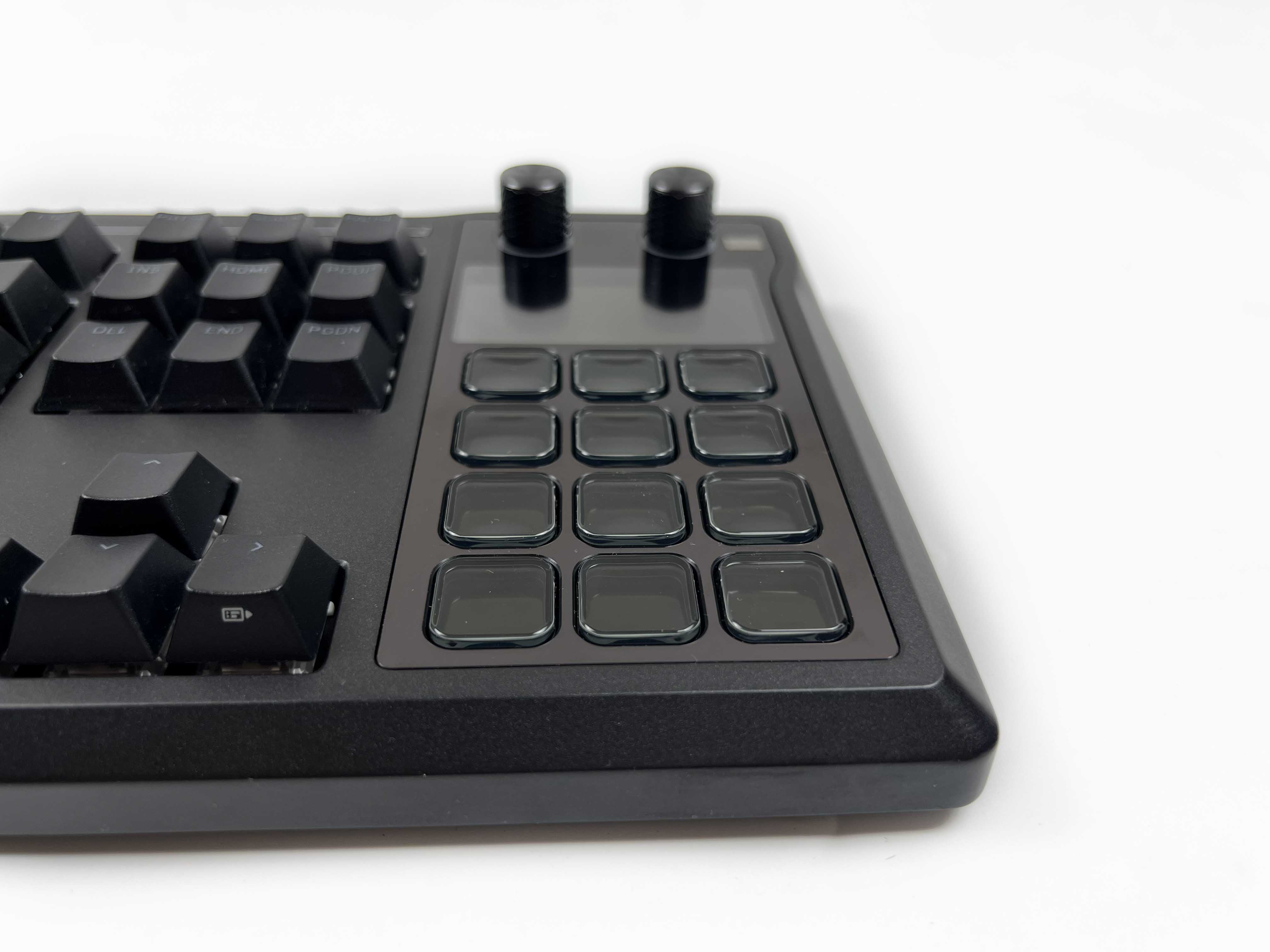
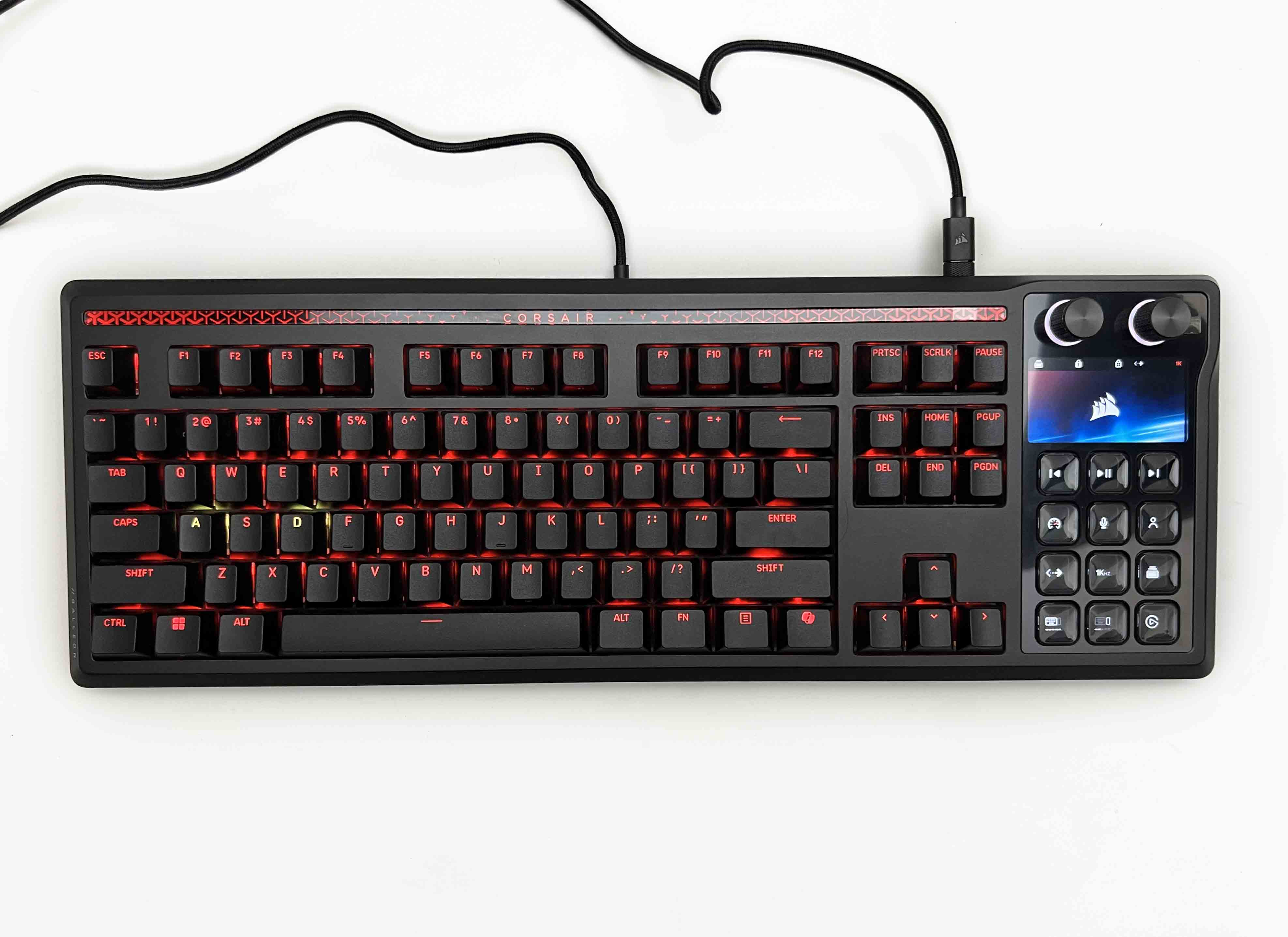
The Corsair Galleon 100 SD stands apart from its predecessors and most competitor keyboards by combining a keyboard with a built-in Stream Deck interface, while still providing the functionality of the traditional numpad, along with 12 programmable LCD keys and two multi-function dials. Corsair designed the Galleon from the ground up as a control center rather than treating additional controls as an add-on.
Packaging & Unboxing
Packaging
1 of 2
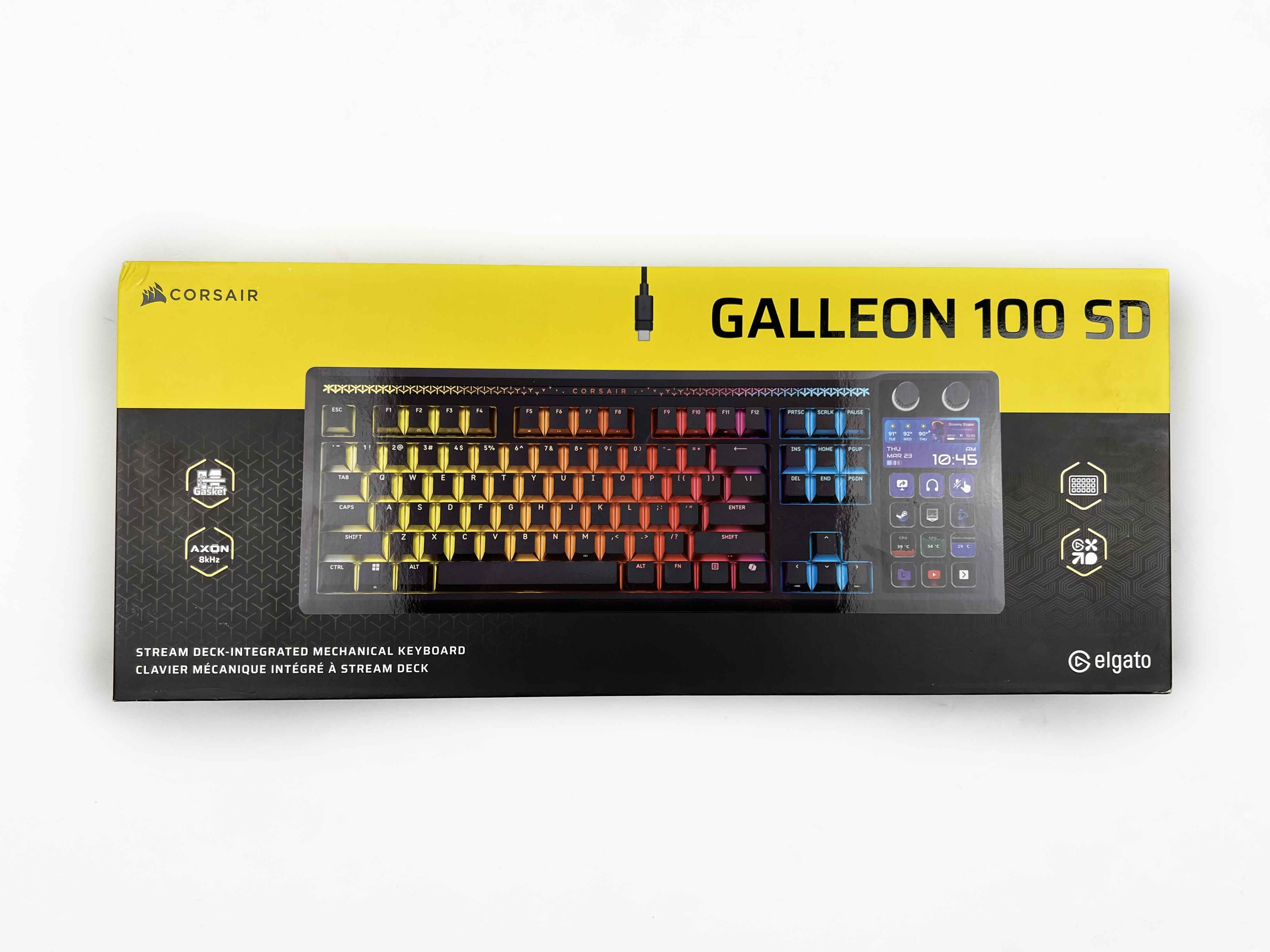
Frontside of the Box
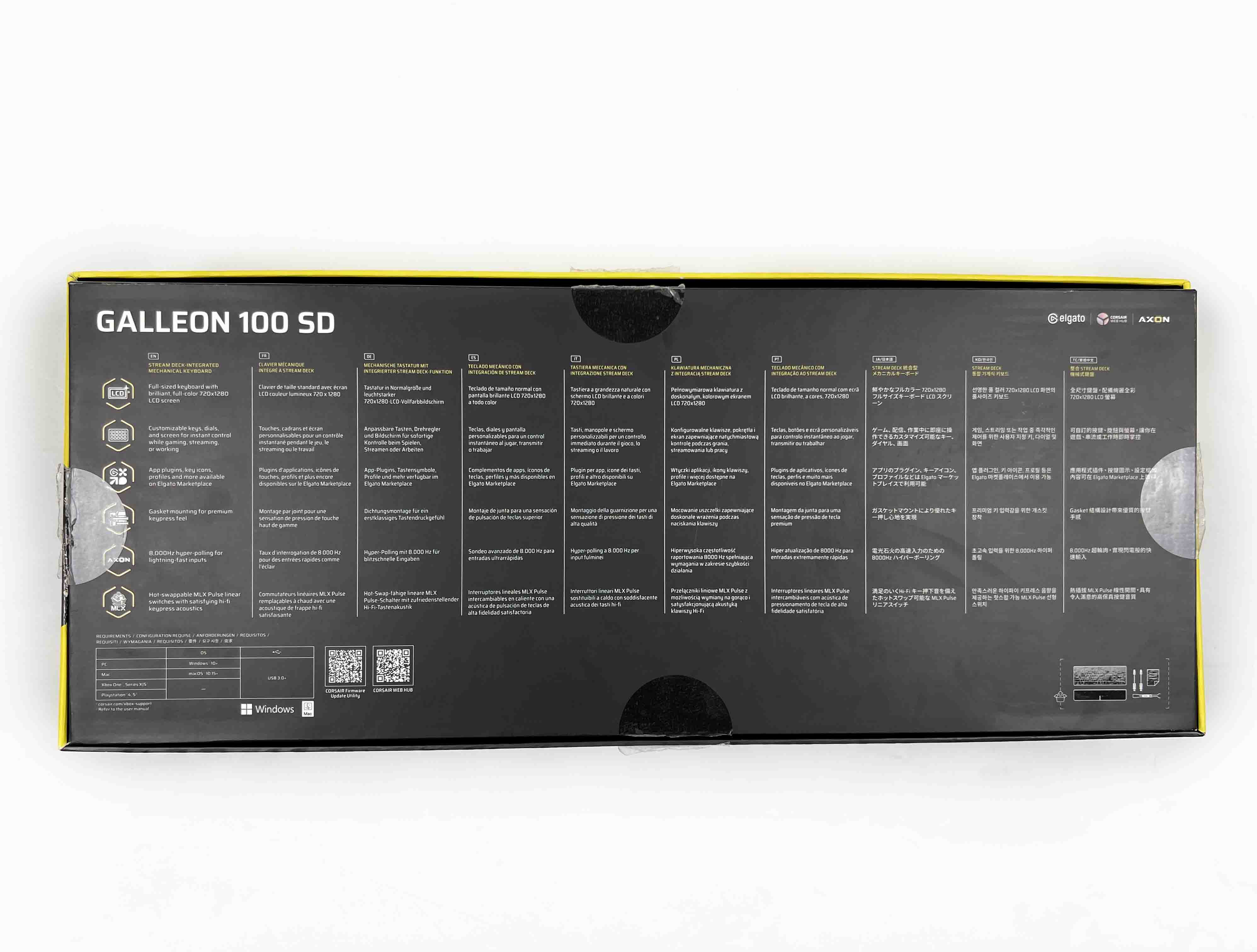
Backside of the Box
The Corsair Galleon 100 SD comes in a fairly large box with Corsair’s familiar yellow-and-black packaging. On the front of the box, there’s an image of the keyboard. Around it, Corsair highlights a few key features. Along the sides and the top, you’ll find a handful of technical specifications. Flip it around, and the back is more spec-heavy.
Unboxing
1 of 2
Unboxing
Box Contents
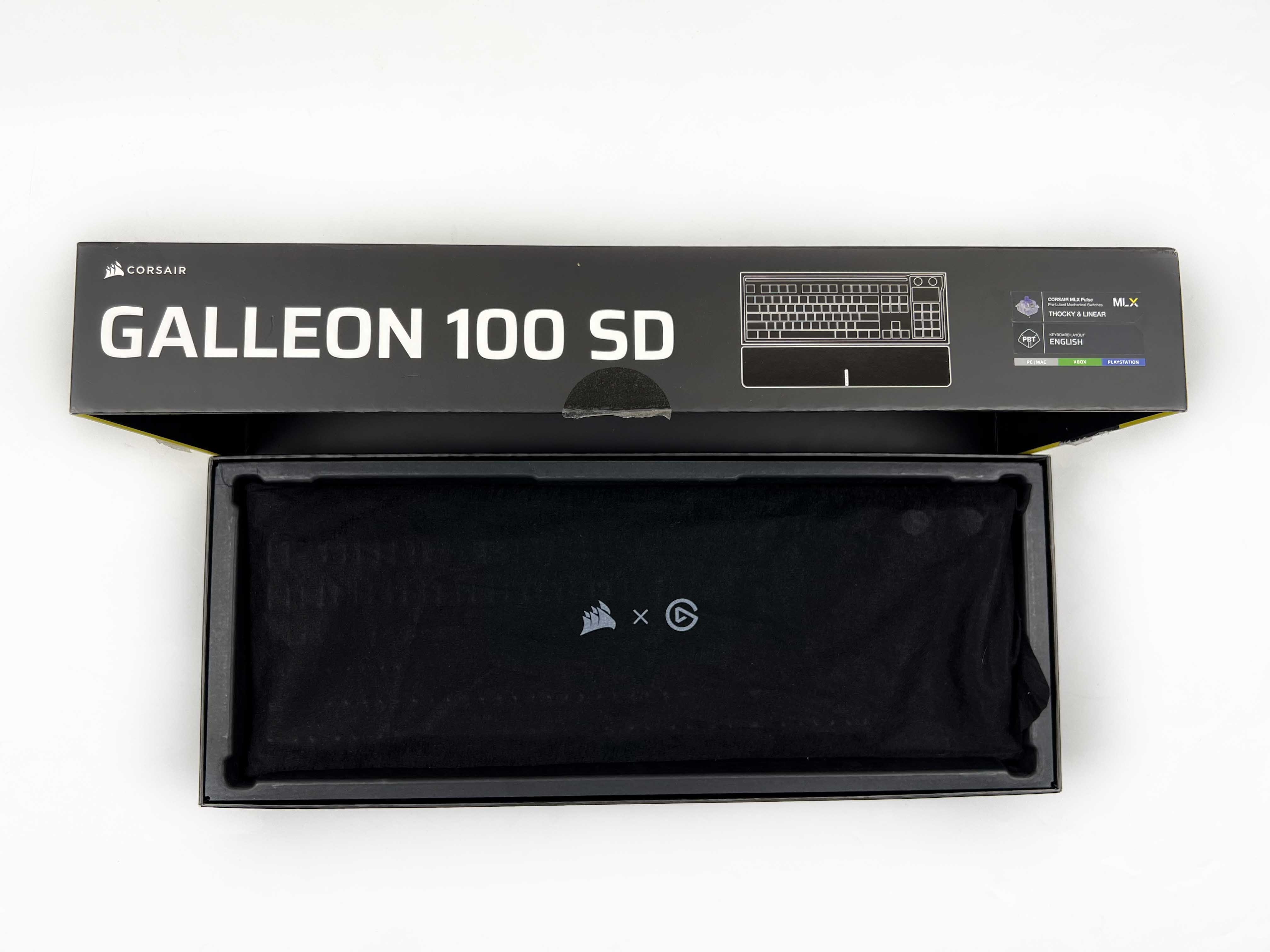
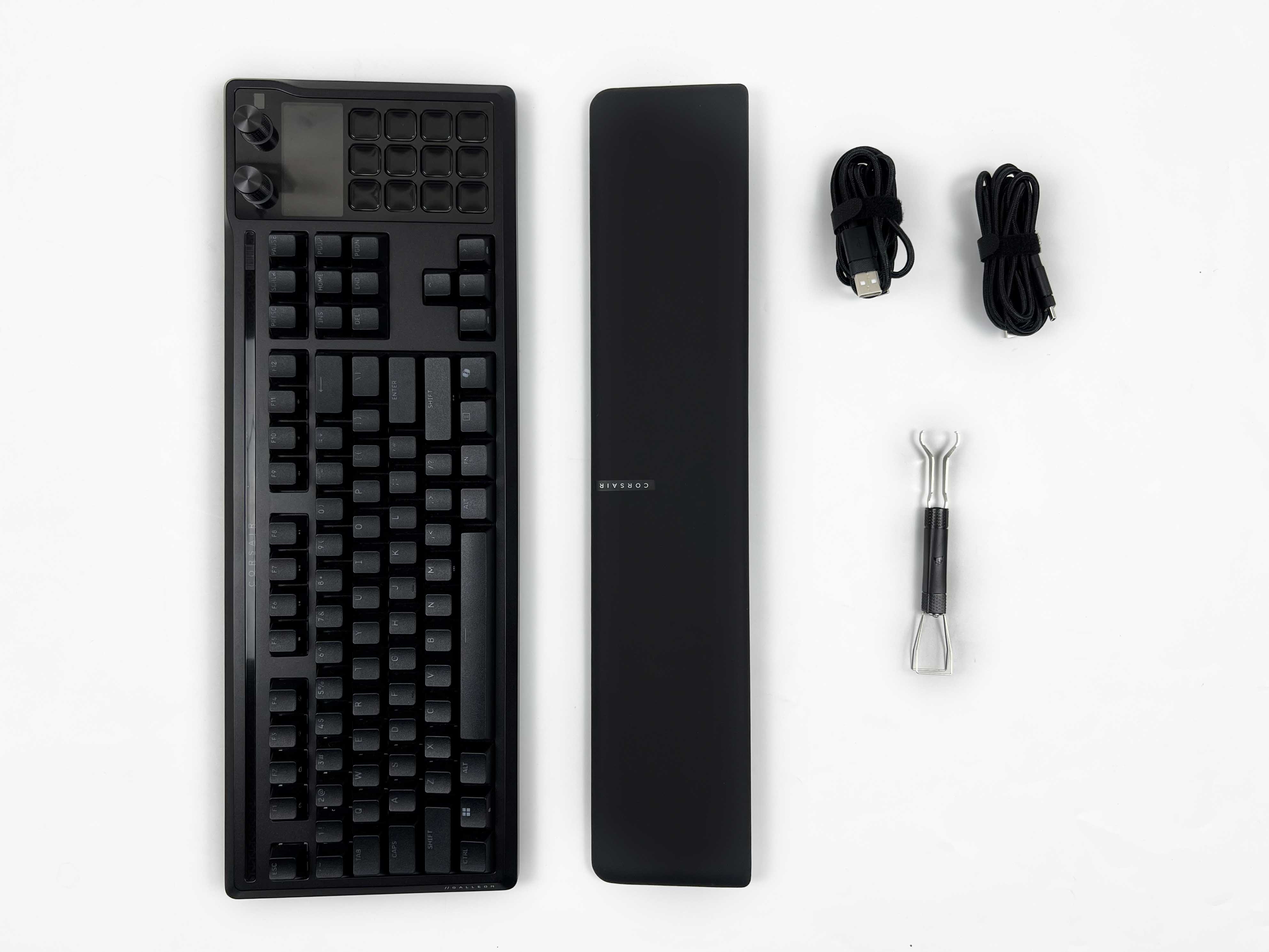
Opening the box, the keyboard is the first thing you see. It’s wrapped in a black cloth sleeve. Underneath, the rest of the box contents are arranged. You get two braided USB Type-C cables. along with a 2-in-1 switch and key puller. There’s also a safety leaflet and a wrist rest wrapped in paper.
Design
Design
The design of the Corsair Galleon 100 SD feels busy at first glance. It doesn’t fully commit to one identity. There’s a professional side to it, especially when the lighting is off. At the same time, the extra controls and screens clearly point toward gamers and streamers. Corsair seems comfortable letting all those ideas coexist, even if that means the keyboard won’t appeal to everyone. The keyboard’s shape leans toward soft curves rather than sharp lines.
It gives the keyboard a smoother, more approachable feel. The rounded shape actually helps the keyboard blend in better. It comes in black only, which adds to that professional vibe. It doesn’t call attention to itself unnecessarily. The glossy surface finish is subtle. Here, Corsair has done a decent job of keeping fingerprints from becoming too noticeable. I didn’t feel the need to constantly wipe it down. After a few weeks of usage, it still looked tidy.
Layout
Layout
The Corsair Galleon 100 SD’s layout is easy to get used to. It’s the extra add-ons that change how you interact with the keyboard. The Stream Deck section is placed on the left, separate from the main cluster. At first, I wasn’t sure if I would reach for it naturally. However, after a short while, it began to feel like a natural extension of the keyboard. The keyboard is what I’d call an extended full-size. Corsair has kept the North American layout.
The dimensions are fairly substantial at 448 x 159 x 42 mm. It takes up more space than a typical full-size board. You don’t feel like you’re losing space, but it does occupy a noticeable presence. Nevertheless, that extra footprint gives the Stream Deck, screen, and rotary dials room to exist without feeling crowded. The spacing between keys is comfortable. Your hands naturally settle on the regular keys first, and reaching over to the extra controls feels intentional.
Stream Deck
Stream Deck
1 of 3
Stream Deck
Shortcuts Mode
Numpad Mode
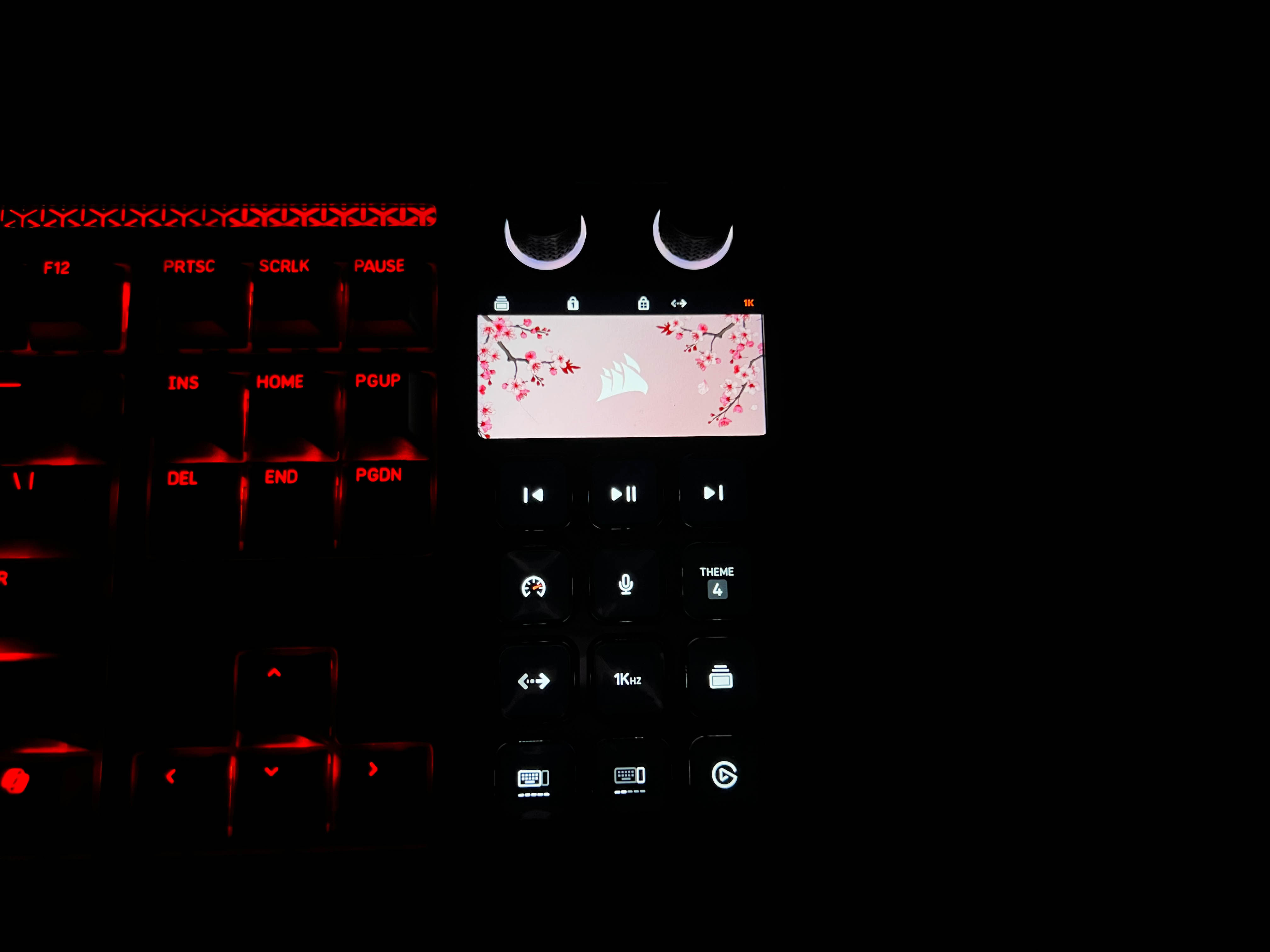
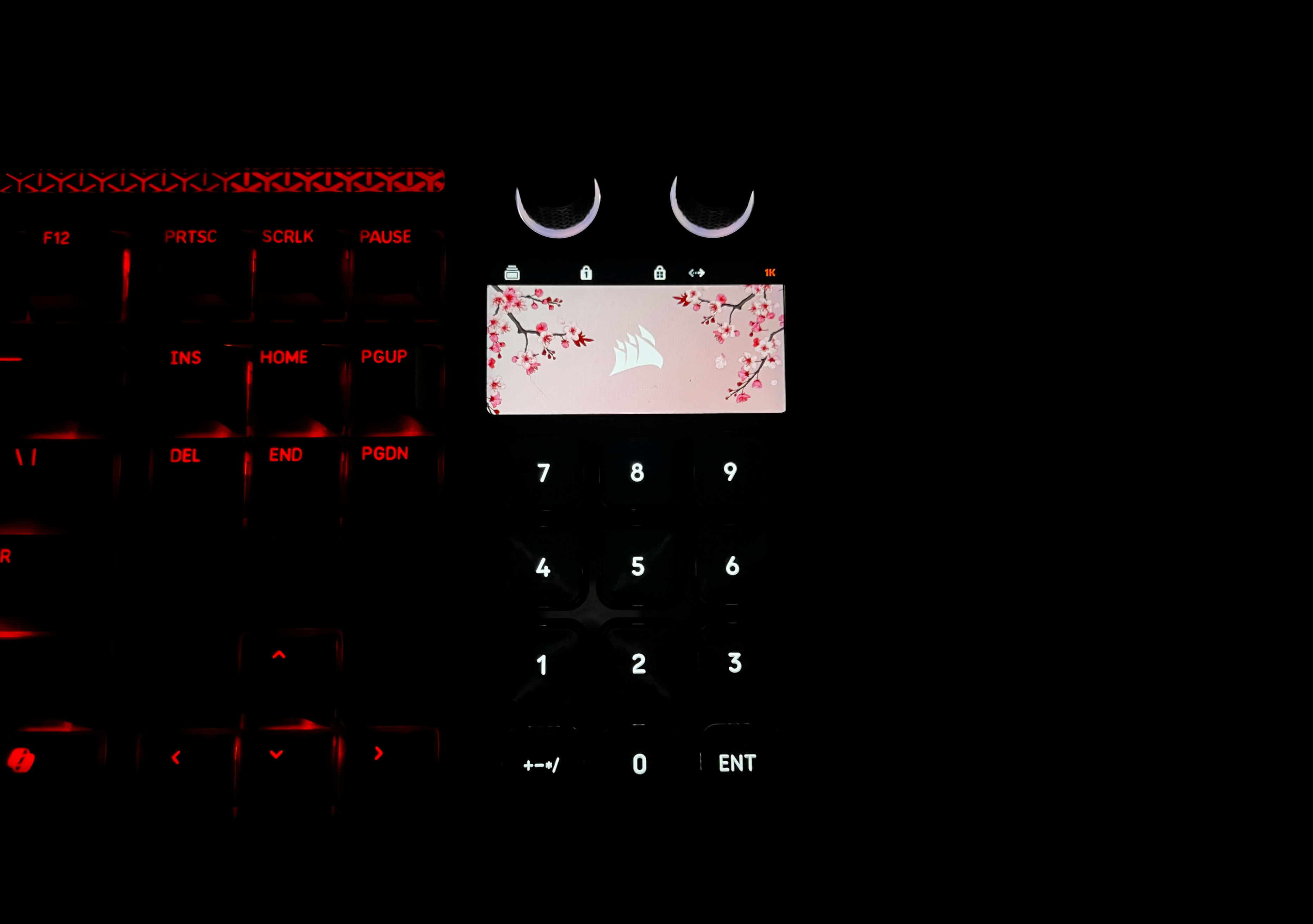
The Stream Deck on the Galleon 100 SD has twelve keys, each with its own tiny display, and they are customizable. You can set custom icons, folders, or assign multiple actions with Multi Actions. In practical terms, that means one key can do several things at once. It can start a recording, mute a mic, or even launch an app. I found that really useful for both streaming and productivity. Outside of streaming, you can assign the keys to music playback or creative tools.
Essentially, it lets you combine many repetitive tasks into a single press. The Stream Deck handles two different operating modes. There’s Hardware Mode, which runs entirely on the keyboard’s onboard memory. In this mode, everything works immediately when you plug the keyboard in, with no software required. Then there’s Stream Deck Mode, which uses the Elgato Stream Deck software. Here, the keys become fully software-driven. It’s ideal if you want extensive automation.
LCD Screen
LCD Screen
The LCD screen on the Corsair Galleon 100 SD is placed right above the Stream Deck keys. The display has a sharp 720×1280 resolution. You can use it to monitor system performance, view active stream indicators, or track timers. It can even display custom visuals, like wallpapers or animations. When you switch to Stream Deck mode, the screen becomes more interactive. It reacts to the keys below it, showing shortcuts or visual feedback for actions.
In actual usage, this made it easier to keep track of multiple things at once without constantly switching windows. This keeps everything within one field of view. The integration into the keyboard feels natural. You look at it when needed and ignore it otherwise. Over time, it actually made multitasking smoother. I caught myself using it more than I expected. It’s practical and integrated in a way that makes sense once you start using it.
Rotary Dials
Rotary Dials
The Corsair Galleon 100 SD comes with two physical rotary dials. They look simple, but their usefulness becomes clear once you start using them. These dials give you precise control. You can adjust things in small increments. Rolling them is smooth but tactile enough that you feel each step. Pressing them down also registers, which opens up extra layers of control. I found them handy because you can make small adjustments.
Each dial can handle multiple actions depending on what mode you’re in. A single dial might adjust system volume in one layer or control lighting brightness in a second. Switching between these layers is simple. You only need to press the dial for three seconds to change the active function. A subtle indicator shows you which layer you’re using. This way, you get a lot of versatility without cluttering the keyboard with more knobs or buttons.
Underside
Underside
Flipping the Galleon 100 SD over there are two substantial rubber feet at the bottom corners that keep the keyboard in place. On my desk, which can sometimes let keyboards creep forward or slide around, this one stayed stable. You don’t have to worry about the keyboard shifting during aggressive usage. At the top, there are two flip-out feet that let you adjust the angle. They feel sturdy and click into place firmly.
Once extended, the tilt offers a comfortable wrist position. It’s subtle, but it makes long typing sessions more enjoyable. With it, my wrists felt at ease. The plastic has a pattern etched into it, making the underside feel more appealing than a flat slab. Thinking long-term, the rubber pads and flip-out feet feel durable. The rubber seems thick enough to resist wear, and the feet don’t wobble, so I don’t expect them to get loose over time.
Build Quality
Build Quality
The Galleon 100 SD feels solid when you pick it up. There’s a sense of rigidity right away. The keyboard doesn’t flex, even when pressing rigorously on the edges. That sturdiness comes partly from the top plate, which is made of sleek aluminum. It gives the keyboard a premium look and feel while also making it resistant to bending. This kind of material feels more high-end than typical plastic tops. The weight distribution is thoughtful, and it doesn’t feel heavy from any side.
I tried pressing down in the middle and along the corners to test pressure flex, and there’s none. Even when I gave it a firmer push, the keyboard didn’t make any unusual noises. Speaking of which, there’s no structural noise. Everything feels tight and consistent across the keyboard, which speaks volumes about build consistency and quality control. I’d expect this keyboard to hold up well. Everything seems sturdy enough to survive years of regular use.
Keycaps
Keycaps
The Galleon 100 SD’s keycaps are made from durable PBT plastic. That thickness gives them a solid feel without being heavy, and it contributes to their long-term durability. Over time, these keys won’t develop the glossy, worn-down look that cheap keycaps often get. The texture feels right under my fingers. It’s slightly matte, which gives enough grip. However, it’s smooth enough that your fingers slide naturally.
Even after long sessions, my hands didn’t feel tired, which is important to someone like me who writes thousands of words every day. Legends are clear and perfectly aligned across every key. Each key looks just as good from a normal sitting position as it does up close. The consistency across all keys is impressive. While the integrated Stream Deck keys are different, the main keyset is compatible with standard aftermarket keycaps.
RGB Lighting
RGB Lighting
1 of 2
RGB Lighting
RGB Lighting in Dark
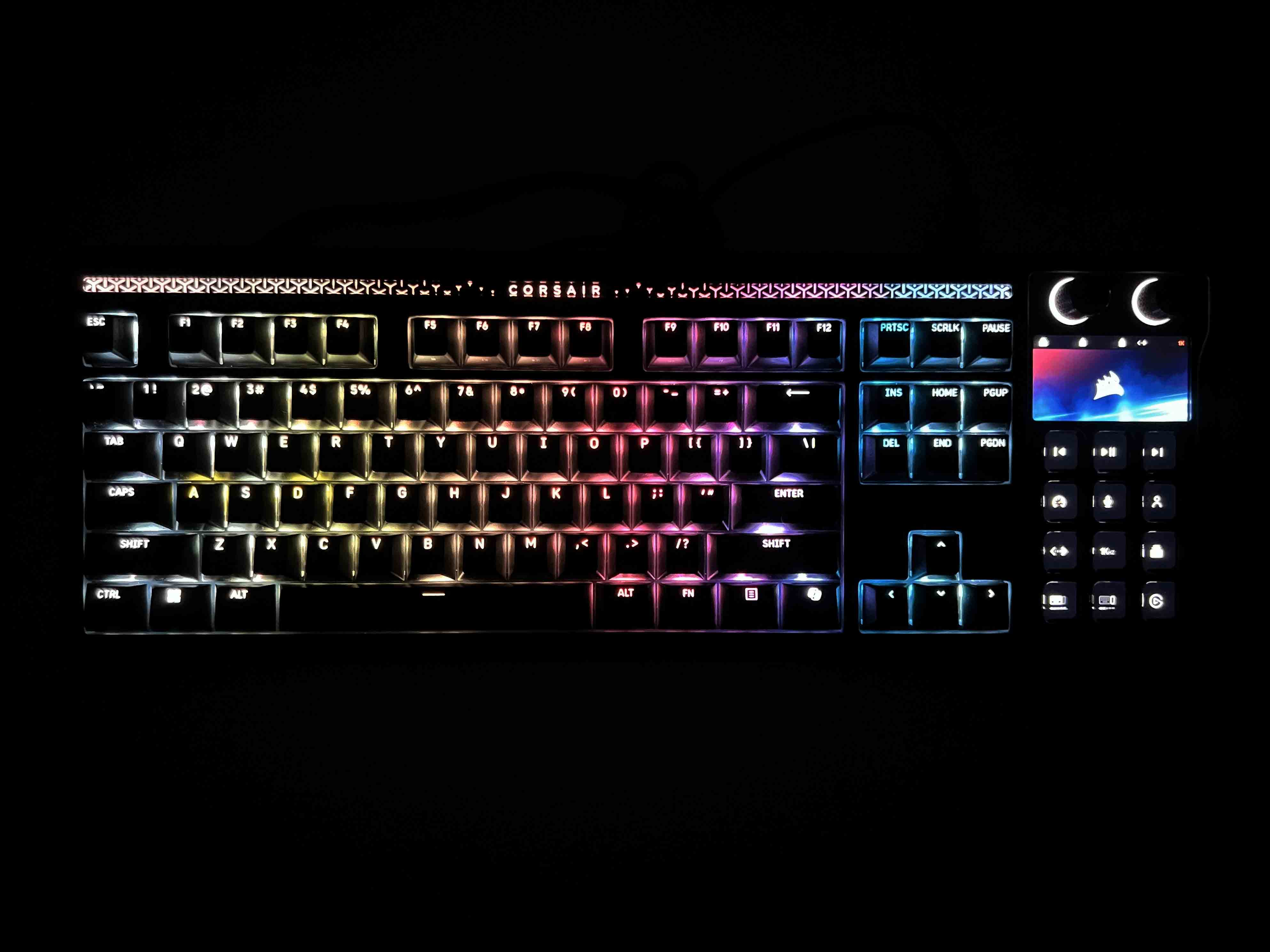
The RGB lighting on the Galleon 100 SD feels understated rather than flashy. LEDs are neatly placed under each key, providing a clean glow through the legends. There’s no noticeable gap or dim spots, and the lighting spreads evenly, which makes the keyboard look coherent from any angle. At the top of the keyboard, there’s a dedicated RGB panel with the Corsair logo and subtle patterns. Brightness levels are impressive.
In a well-lit room, the keys are easy to read, whereas in darker environments, the colors really stand out. Light diffusion is well handled, with every key receiving smooth, uniform illumination. The Stream Deck keys get their own lighting, which integrates nicely with the main keyboard. When the LCD screen is active or showing animations, the keys’ glow doesn’t clash. Effects like breathing, waving, or reactive typing are smooth.
Switches
Switches
1 of 2
Switches
Switches Housing
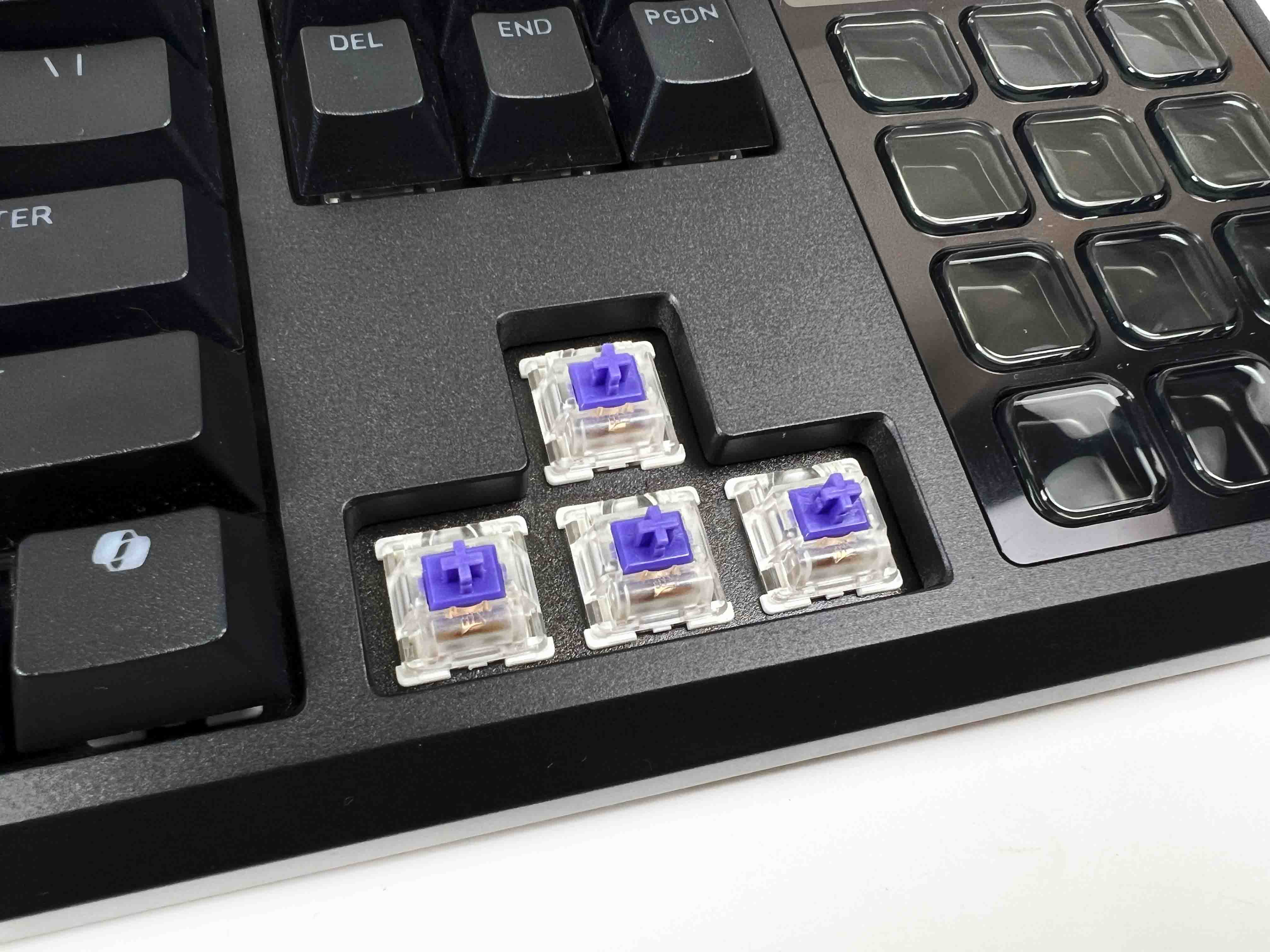
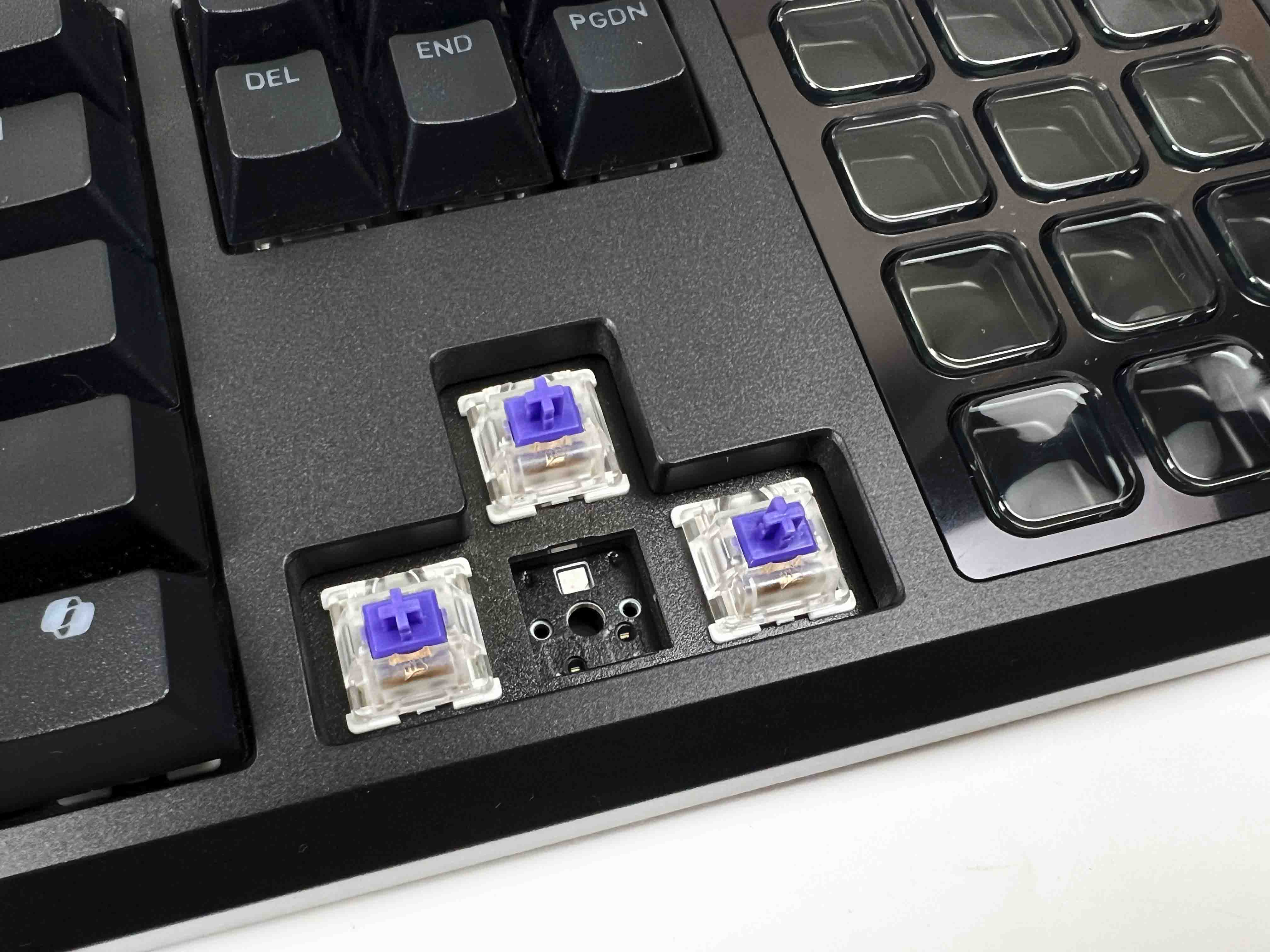
Corsair went with its MLX Pulse Thocky switches here. These are tactile switches, but not the sharp kind. The bump is rounded. They’re long-pole switches, and that changes the character of each keystroke more than you might expect. The force rating is at 45g, which lands in a comfortable middle ground. Light enough to move quickly and heavy enough that accidental presses don’t happen. The actuation point is at 2.0mm.
The keyboard is hot-swappable. You can switch between both 3-pin and 5-pin switches. If customizing the look and feel of your board is something you prefer, be sure to explore our best custom gaming keyboards list. Corsair rates these switches for 80 million keystrokes, which sounds like marketing until you actually use them for a while. Nothing about the feel suggests they’ll soften or degrade quickly, as the tactility doesn’t feel fragile.
Typing Experience
Typing on the Galleon 100 SD feels comfortable from the start. There’s a gasket mount underneath all of this, and you can feel it once you get into long writing sessions. The thocky sound is controlled. You get a deeper note on bottom-out, with very little extra noise layered on top. There is no sharp snap or hollow echo from the case. It stays quiet, even when you’re typing quickly. A lot of that comes from the switches being pre-lubed.
Even slow presses feel smooth. The inclusion of a wrist rest enhances the experience more than you might expect. It’s a full-width piece that lines up cleanly with the keyboard, measuring 447 x 89 x 21 mm. At 224.6 grams, it doesn’t slide around when you rest your hands on it or shift position. The attachment is magnetised and snaps into place without fuss. Underneath, the memory foam compresses slightly when your wrists are placed, then holds its shape.
Connectivity
Connectivity
The Galleon 100 SD is a wired keyboard, but it doesn’t run off a single cable. Corsair went with a dual-USB setup here. There are two USB Type-C ports on the back. One handles the keyboard itself. This port tucked neatly into a recessed cutout so the cable doesn’t stick out awkwardly or bend at a sharp angle. In use, it feels rock-solid with no hiccups. The second port exists for a different reason. It’s there purely for USB passthrough.
You can plug in a mouse dongle, a headset receiver, or even a USB drive. It behaves as if it’s connected directly to your PC. On a crowded desk, this ends up being genuinely useful. It helps clean up cable routing a bit, especially if your PC is placed under the desk. Since this review focuses on a wired powerhouse, you might also be interested in our best wireless gaming keyboards guide, which explores top keyboards that ditch cords without sacrificing performance.
Performance
Corsair Branding
Every keypress on the Galleon 100 SD registers instantly, with almost zero perceptible lag. With full N-key rollover and anti-ghosting, you can smash combos or spam multiple keys at once. That performance carries over into competitive gaming. In FPS games, movement keys respond immediately. For MMO or MOBA games, where you’re pressing dozens of abilities or macros, the keyboard handles simultaneous presses comfortably.
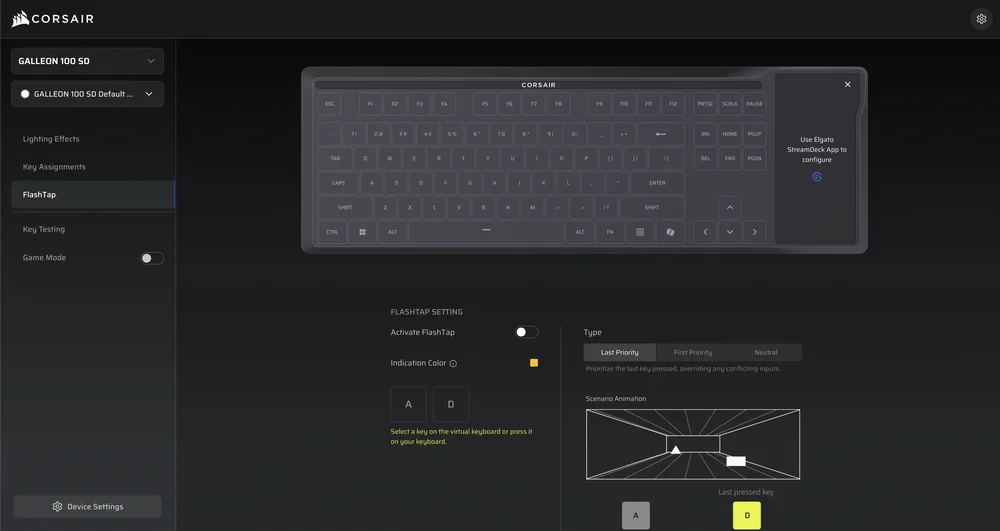
While gaming, you can turn on Game Mode. It stops accidental presses from interrupting your gameplay. The Windows key or other inputs get blocked while playing. Its 8,000Hz polling rate keeps input consistent. Alongside this, it includes FlashTap SOCD handling. Even under heavy use, such as repeated rapid keystrokes or intense combos, the keyboard performed remarkably well. There are no awkwardly stuck inputs.
Software
Software
1 of 3
Lighting Effects
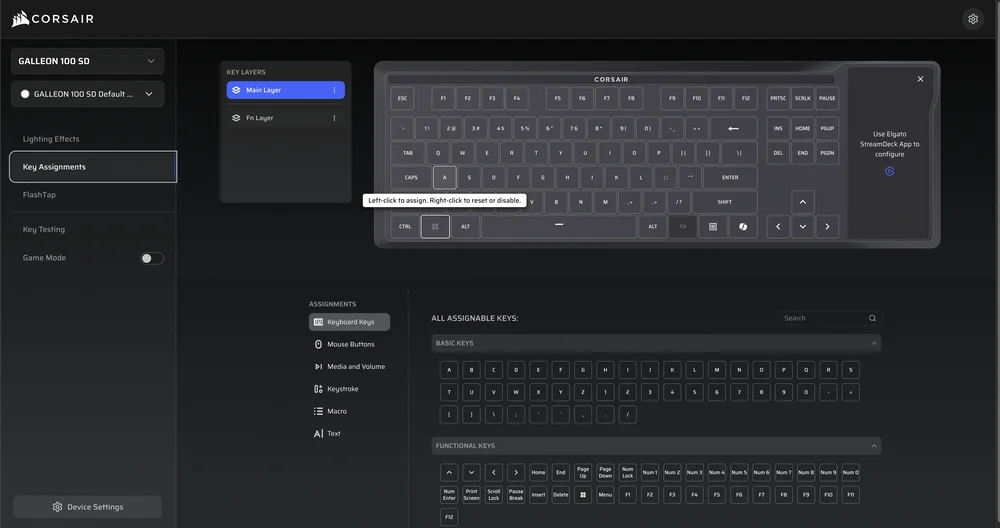
Key Assignments
FlashTap
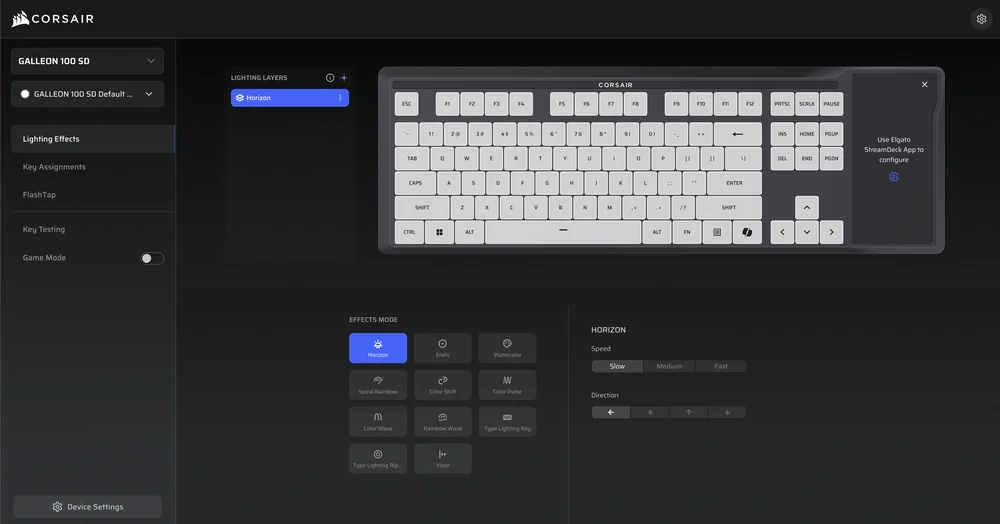
The Galleon 100 SD supports Corsair Web Hub, which is browser-based software. You just need to open it, connect the keyboard, and make changes on the go. The settings are stored directly on the keyboard, with its 8 MB of onboard memory. It means once you configure something, it is kept saved even if you close your browser or move the keyboard to a different PC. Web Hub covers all the essentials. The interface helps visually.
It lets you see your changes in real time, so you don’t have to guess what will happen before hitting apply. You can remap keys, assign secondary functions, or adjust how inputs work to better fit your workflow. Unlike Stream Deck settings, which happen in Elgato’s software, these changes affect the primary keyboard functions. The learning curve is simple. However, there’s enough depth for those who like to fine-tune every aspect of their keyboard.
Should You Buy it?
Buy it if
✅ You want a keyboard that goes beyond typing and gaming: The built-in Stream Deck keys and dials genuinely change how you interact with games, apps, and workflows, especially if you’re streaming, editing, or multitasking.
✅ You care about competitive-level performance: With high polling rates, low latency, FlashTap SOCD, this keyboard is clearly made for competitive players who prioritize input responsiveness.
Don’t buy it if
❌ You just want a straightforward mechanical keyboard: If your needs stop at good switches, solid build quality, and basic RGB, this will feel excessive. Many cheaper boards can cover that without the added complexity.
❌ You won’t use the Stream Deck keys or dials: The extra hardware is the core of the product. If those controls stay unused, a large part of the keyboard’s appeal and cost goes to waste.
My Thoughts
The Galleon 100 SD leaves a strong impression. It’s a keyboard that clearly has thought put into every detail, especially the integration of the Stream Deck. It doesn’t feel like a collection of features thrown together. Instead, it feels like a single, cohesive device for both gaming and productivity. At US$349.99, it’s on the higher side and definitely aimed at a niche audience. That said, it’s a unique keyboard that makes the price justifiable for the right user.
I’ve previously worked for eXputer as a Senior News Writer for several years. Now with Tech4Gamers, I love to devoutly keep up with the latest gaming and entertainment industries. I have a Bachelor’s Degree in Computer Science and years of experience reporting on games and breaking exclusive stories. Besides my passion for gaming journalism, I love spending my leisure time farming away in Stardew Valley. VGC, IGN, GameSpot, Game Rant, TheGamer, GamingBolt, The Verge, NME, Metro, Dot Esports, GameByte, Kotaku Australia, PC Gamer, and more have cited my articles.
Story Highlight
A market research firm reveals that DRAM demand will surge by 23% this year.
The shortage is expected to persist through 2026 and 2027.
Data centers account for most of the demand.
The hyperscaler data centers and the AI boom have redefined the memory market, shooting up prices and making it harder for consumers to secure stock in the first place. Unfortunately, this apocalypse is only going to get worse in the near future.
A grim forecast from a well-known market research firm indicates that DRAM bit growth will rise 23% year-over-year, suggesting that consumer products reliant on DRAM will become scarcer and more expensive moving forward.
Why it matters: A lack of supply and increased demand from tech giants are driving prices higher, even after manufacturers have increased production capacity for the foreseeable future.
The DRAM demand is expected to increase by 23% this year || Image Source: Etnews.
The Yole Group research indicates that more than half of DRAM demand will be in data centers alone this year. Another report claimed that data centers alone would eat up 70% of the memory chips made this year, including both DRAM and NAND modules.
DRAM use has increased significantly in data centers; while server units rose by only 3%, the amount of installed DRAM is expected to grow by 25% this year.
The volume of DRAM used in smartphones and PCs this year is also projected to increase by 16% and 15%, respectively. According to Yole, the DRAM shortage is expected to last until 2028.
As the supply of DRAM is expected to be shortage, smartphones · PCs and other manufacturers will try to buy a lot of DRAM. […] this is encouraging price fluctuations.
A report from December 2025 also showed that AI was set to consume 20% of the world’s DRAM supply by 2026; the number has likely grown since then as tech giants battle to secure as much DRAM as possible before others.
The memory manufacturers are focusing more on tech giants than on consumers.
Chinese manufacturer CXMT is greatly increasing production capacity, as are South Korean manufacturers. Still, the increase would hardly make a dent in the growing memory demand by various industries.
Do you think the growing surge in DRAM demand signals the destruction of gaming as we know it? Let us know your thoughts in the comments below, or join the discussion on the Tech4Gamers forum.
At Tech4Gamers, I take on the role of Hardware Reviewer with pride. My responsibilities involve a thorough examination of essential hardware components like motherboards, graphics cards, processors, PC cases, and CPU coolers, among others, focusing on their complexities and functionalities.
Lately, budget CPUs seem to be rocking the stage, and for good reason. Their low price bracket, remarkable price-to-performance ratio, and formidable performance have made them the go-to option for most gamers. That said, given the sheer number of options available, finding the right CPU that meets your requirements can be challenging. Well, I tested all the top-budget CPUs in the market to bring you the best options.
Why Trust Tech4Gamers
Nauman Siddique is our hardware expert who has been testing graphics cards, motherboards, processors, and AIOs for more than a decade.
50+ CPUs tested and reviewed by our team of hardware experts (Tech4Gamers Team).
800+ hours spent testing different CPUs for our reviews.
At Tech4Gamers, ensuring you get reliable information is our priority. That’s why every hardware round-up undergoes a meticulous review process by our team of experts and editors. Each review is carefully examined against our strict editorial guidelines, guaranteeing you trustworthy insights you can depend on.
Here are my top selections, all compared to each other:
CPU
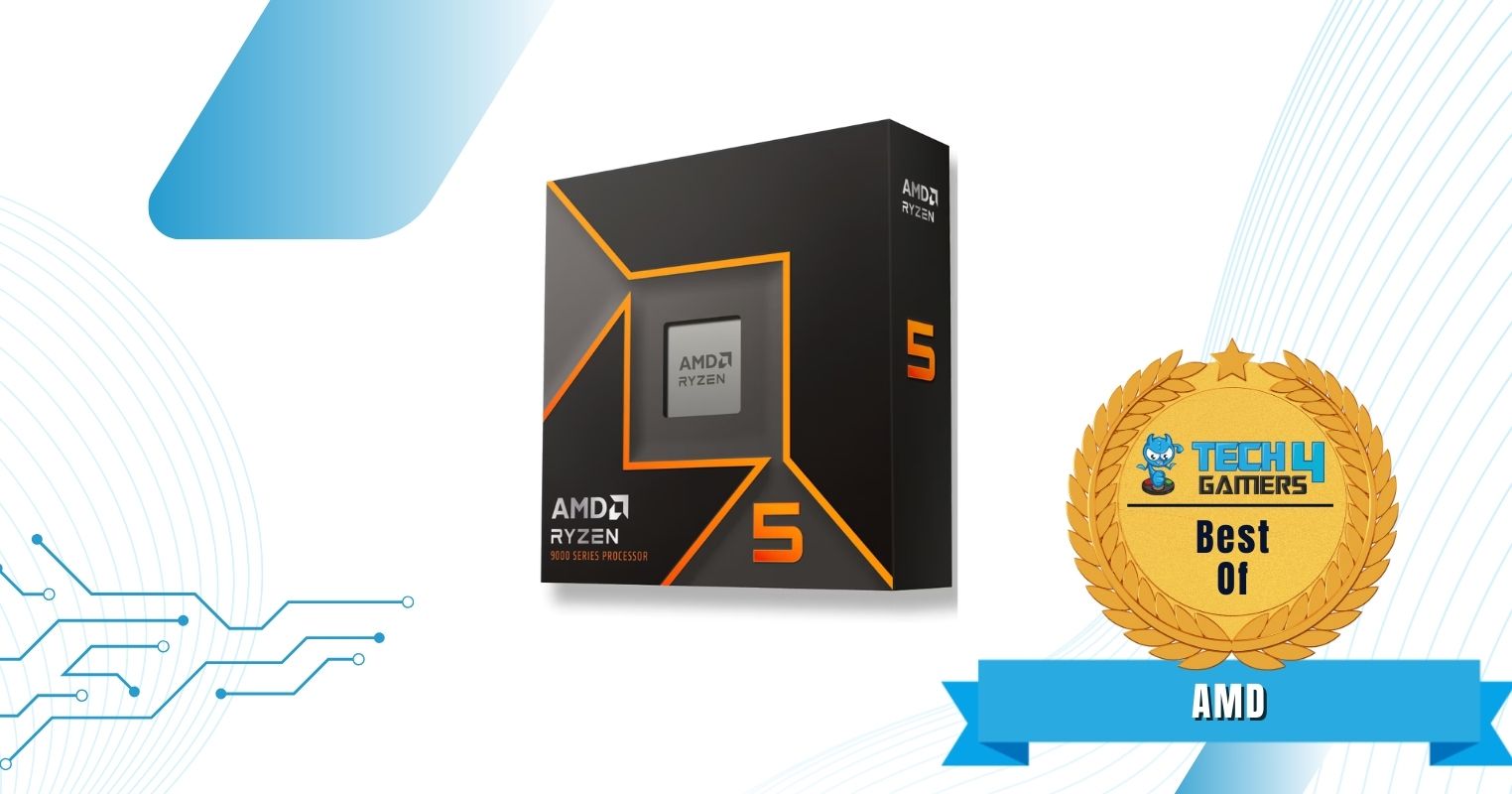
AMD Ryzen 5 9600X
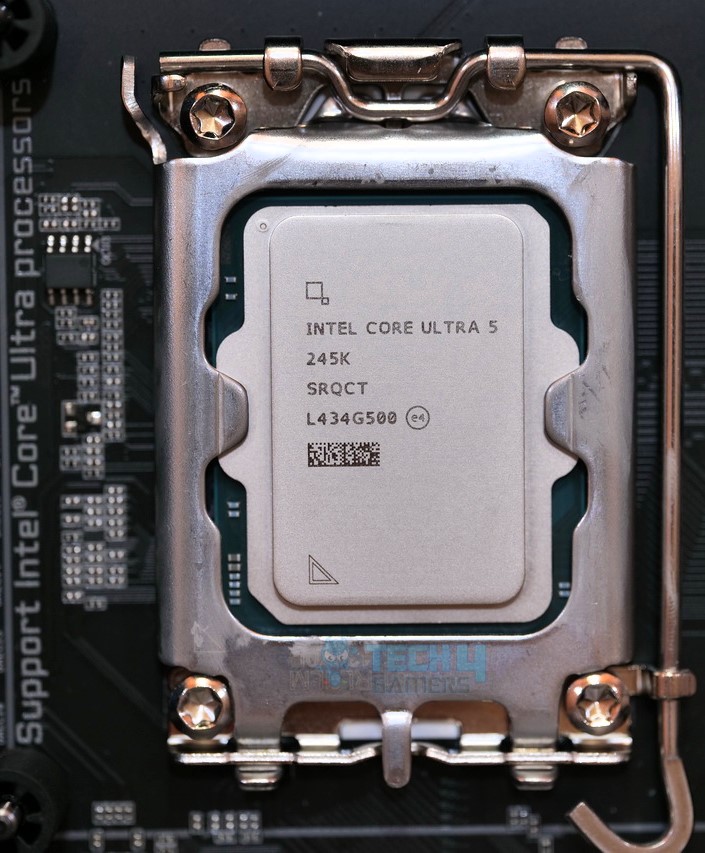
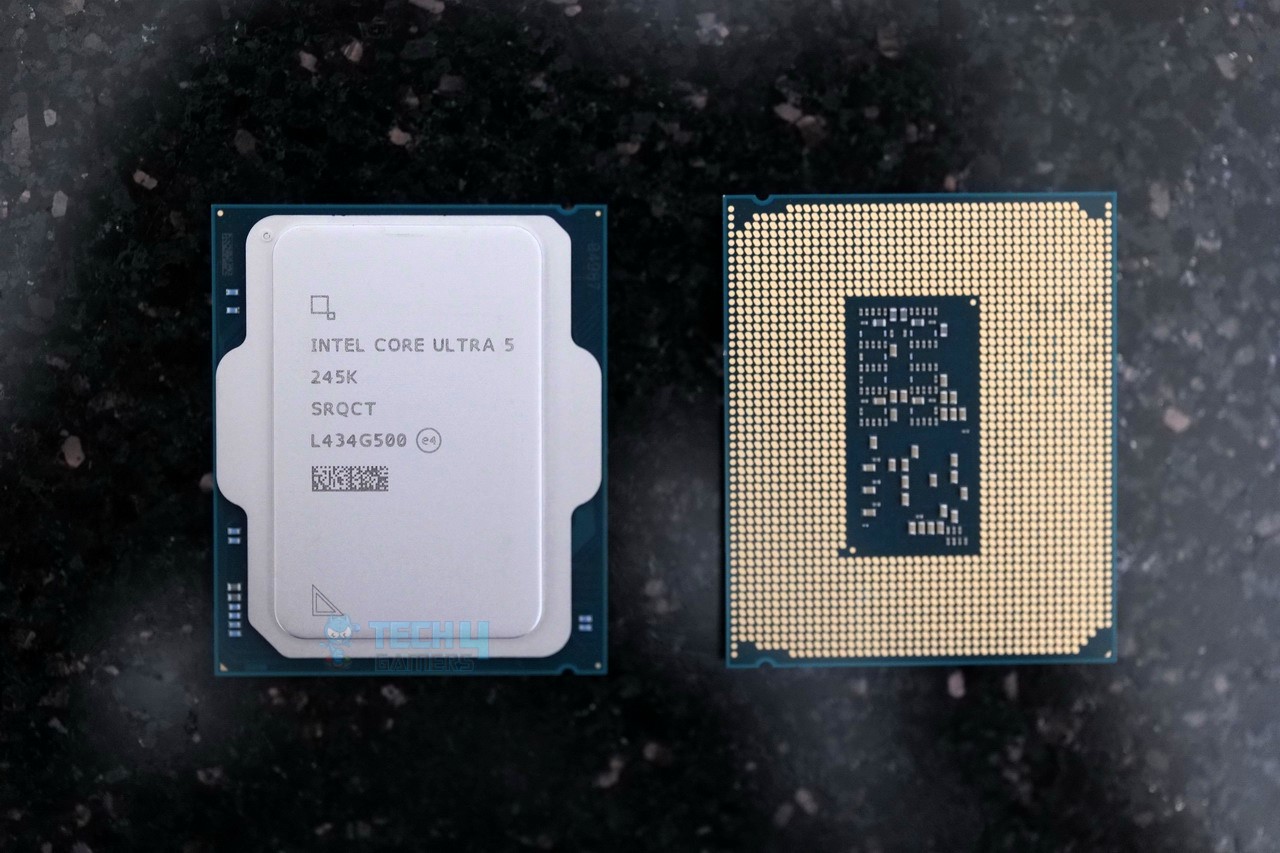
Intel Core Ultra 5 245K
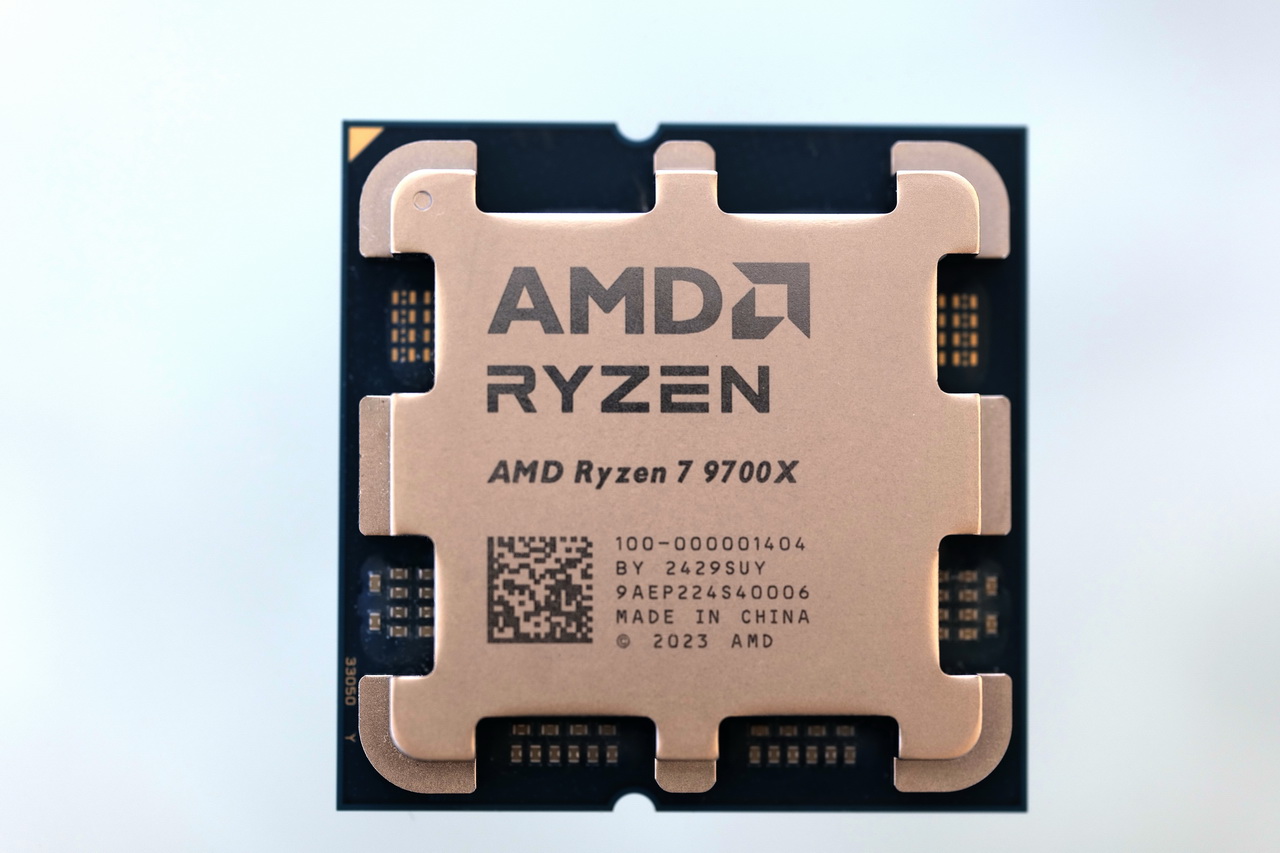
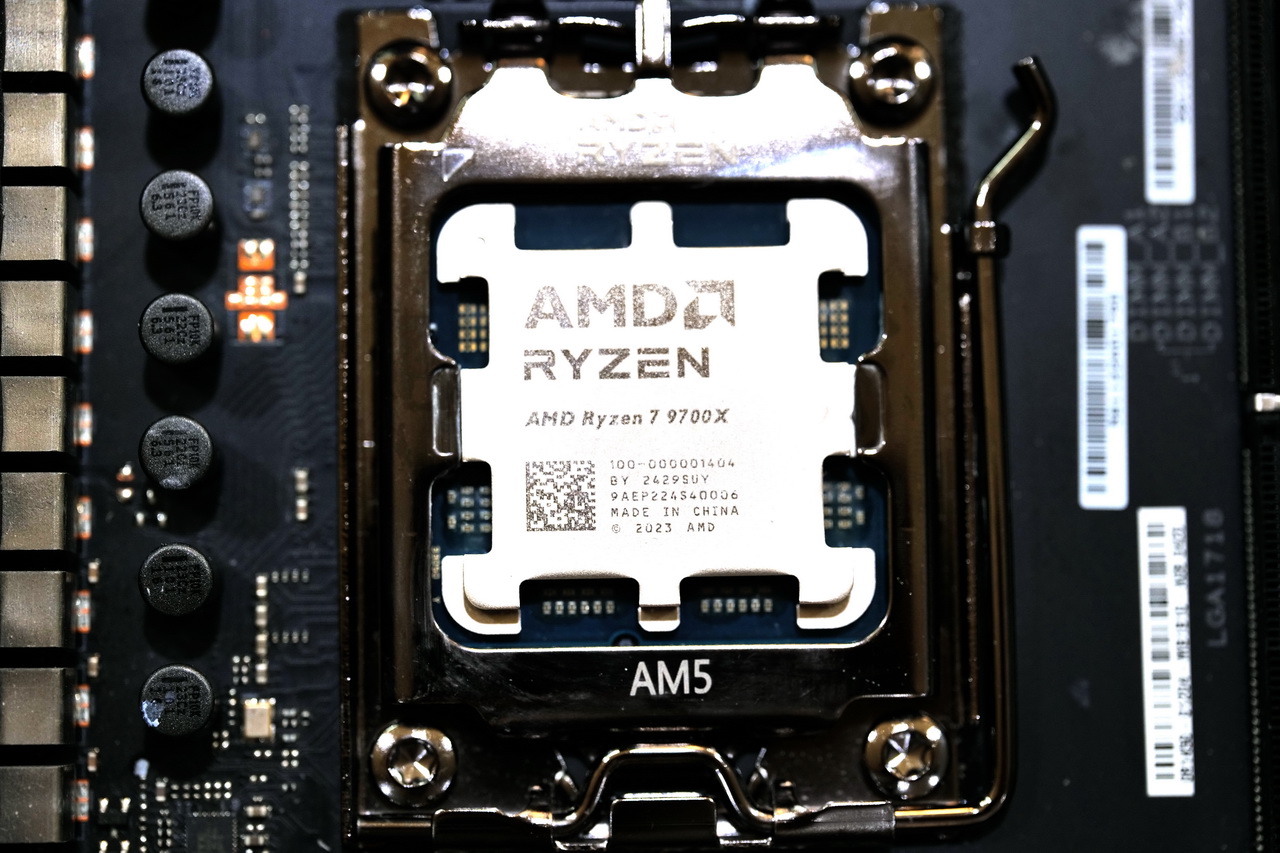
Ryzen 7 9700X
AMD Ryzen 7 5700X3D
Core i5-14400F
Looks
Award
Best Budget AMD CPU
Budget CPU For Gaming And Streaming
Best Budget CPU For Video Editing
Best Budget Gaming CPU
Best Budget Intel CPU
What We Liked
Gaming and Single-core performance, Efficiency, Future-proofing
Overall performance, Improved efficiency, I/O support, CUDIMMs support, Included NPU
Great efficiency, Excellent multi-core and gaming performance, AVX-512 support
Value, Power efficiency, Platform cost
10 cores, Higher boost frequencies, Compatible with DDR5
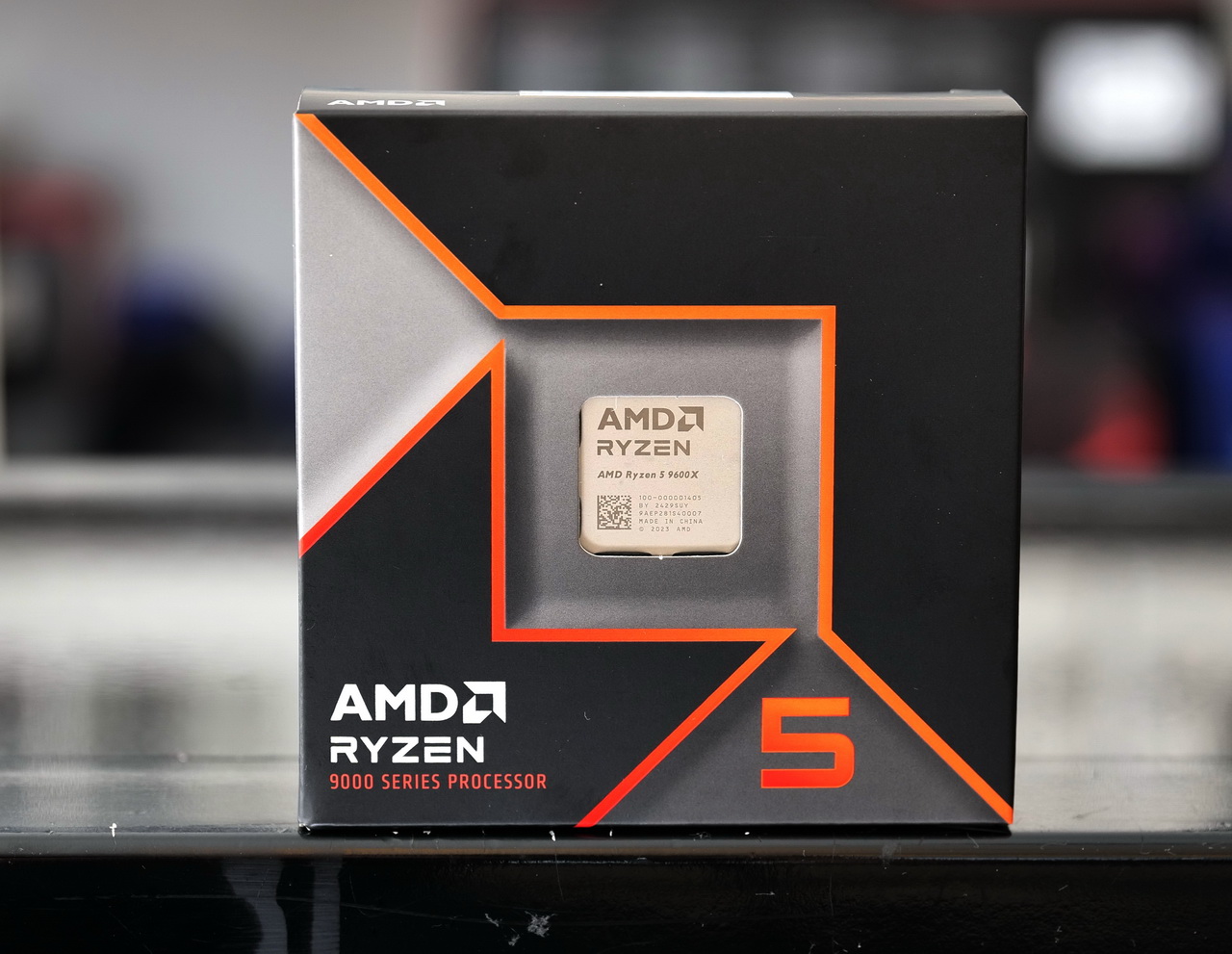
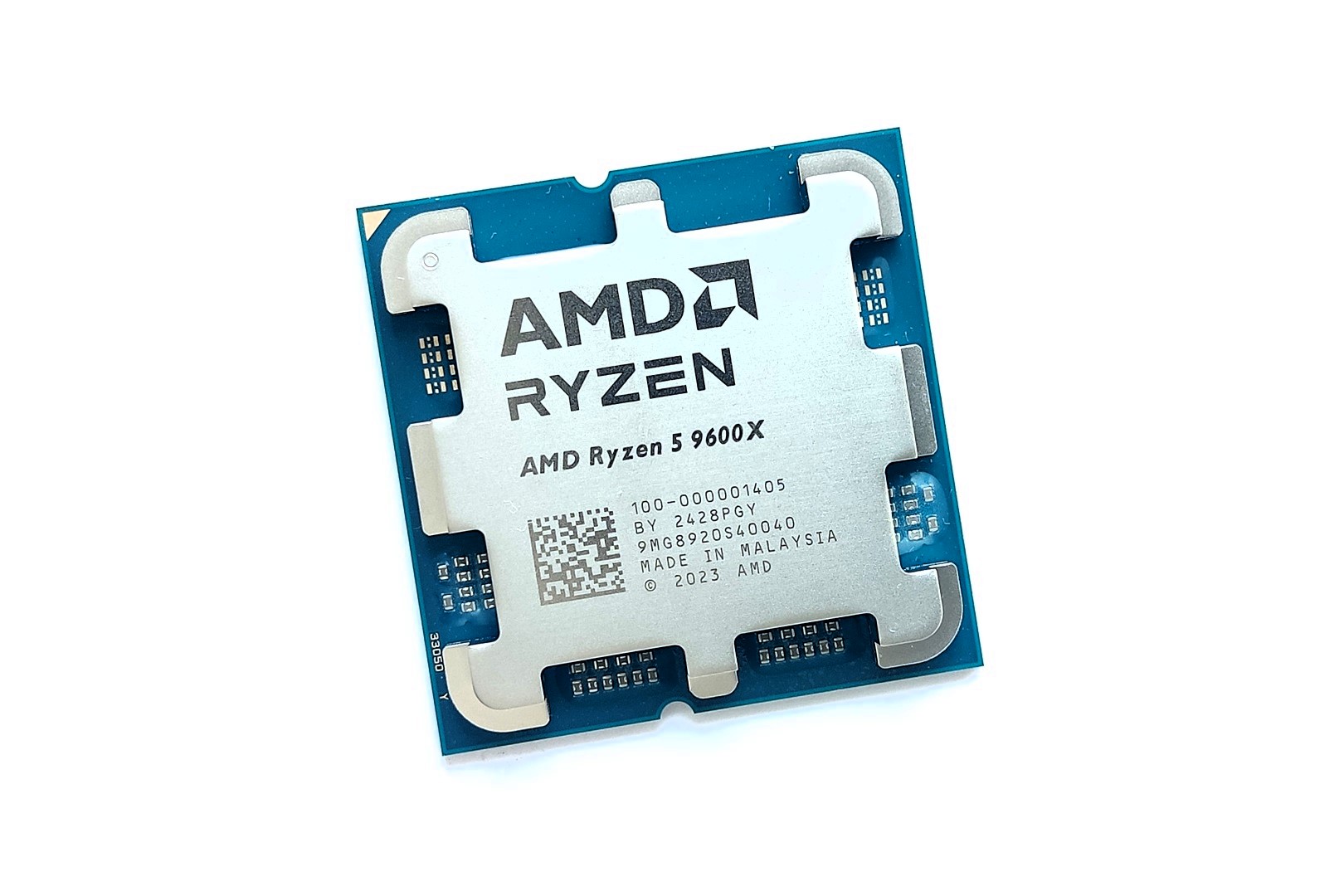
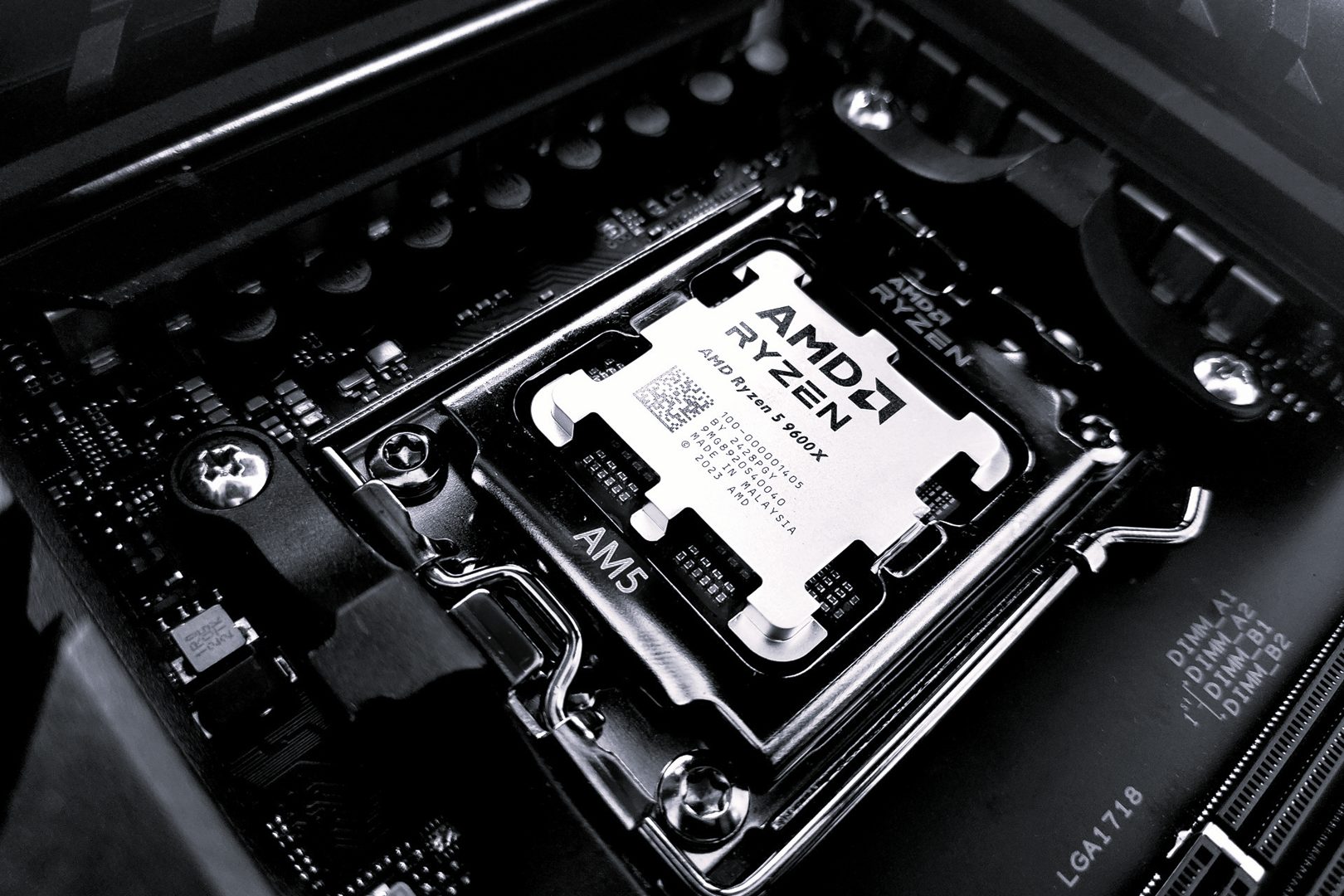
The Ryzen 5 9600X is AMD’s latest mid-ranger, rocking its predecessors’ 6C/12T configuration. These cores use TSMC’s 4nm process and feature a base clock speed of 3.9 GHz. As for gaming statistics, the CPU scored 197 FPS on average at 1080P resolution (when paired with the RTX 3090). Cooling the CPU is not a big task as it’s rated at 65W (though it can operate at 105W with the latest AGESA update), but no stock cooler is included. Worry not; any affordable air cooler will do the job.
The Ryzen 5 9600X can be upgraded to the Ryzen 9 9900/9950X or a future AM5 CPU (AMD will continue to support AM5 up to 2027). AM5 supports PCIe Gen 5, DDR5 memory, USB4, and WiFi 7. What’s better is that you can run the CPU on a 600-series motherboard, which can be as cheap as $100.
Speaking of its power efficiency, we said this about the 9600X:
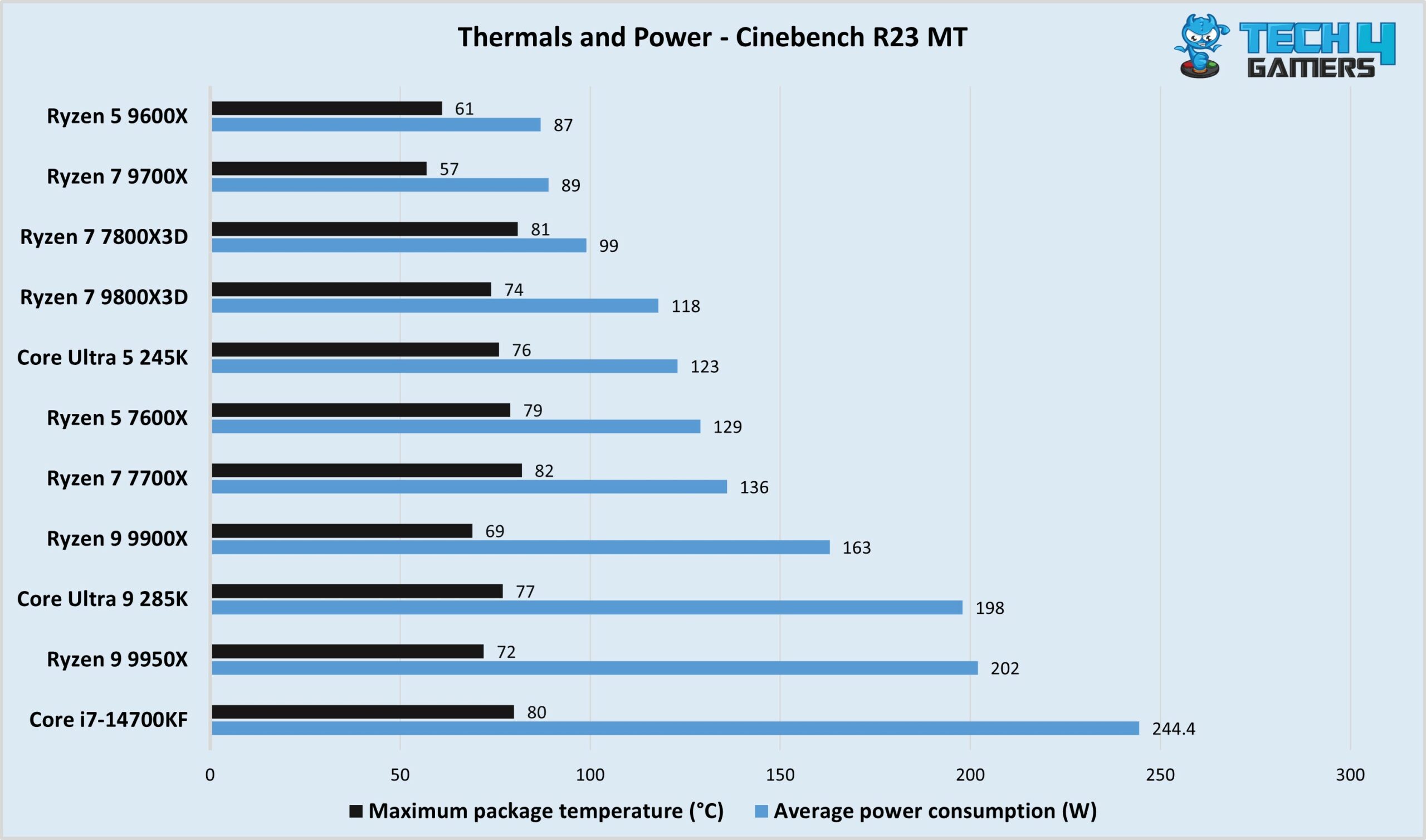
The power efficiency and thermal performance of the CPU is great. Even though you don’t get a cooler with the package, a fairly inexpensive air cooler will do the job just fine, as the cooler consumed less than 90 watts under our load testing.
✅Buy It If
Efficiency is a top priority: The 9600X is a beast in power and thermal efficiency, consuming just 87 watts in our testing and maxing out at 61°C (when paired with a 360mm AIO).
You want easy upgradability in the future: Upgrading the 9600X will be easy, and you can upgrade to more powerful Ryzen 9000 CPUs or future AM5 CPUs.
You need AVX-512 support: If your workloads involve the AVX-512 instructions set, this CPU is a good choice with its full support for the set.
❌Don't Buy It If
You’re upgrading from Ryzen 7000: If you’re upgrading from the Ryzen 7000, it’s not worth it since the performance gain (especially in gaming) is unimpressive.
What Makes It The Best Budget AMD CPU?
If you’re looking for a good budget chip, the 9600X will fulfill your gaming and productivity needs at an affordable price. It’s a very efficient CPU, rated at 65W (though it can operate at 105W), easy to cool, and can be paired with a cheap 600-series chipset motherboard. You also get all the latest I/O, including USB4.
PRO TIP: Update to the AGESA 1.2.0.2. firmware update to run the 9600X at 105W for a potential performance boost. Ensure your CPU cooler can handle the extra load, though.
Editor`s Note
The Ryzen 7 9800X3D improves on the 7800X3D not only through the Zen 5 architecture but an improved 3D V-cache design, becoming the first X3D CPU to support overclocking. Thus, you can push its chart-topping gaming performance even further!
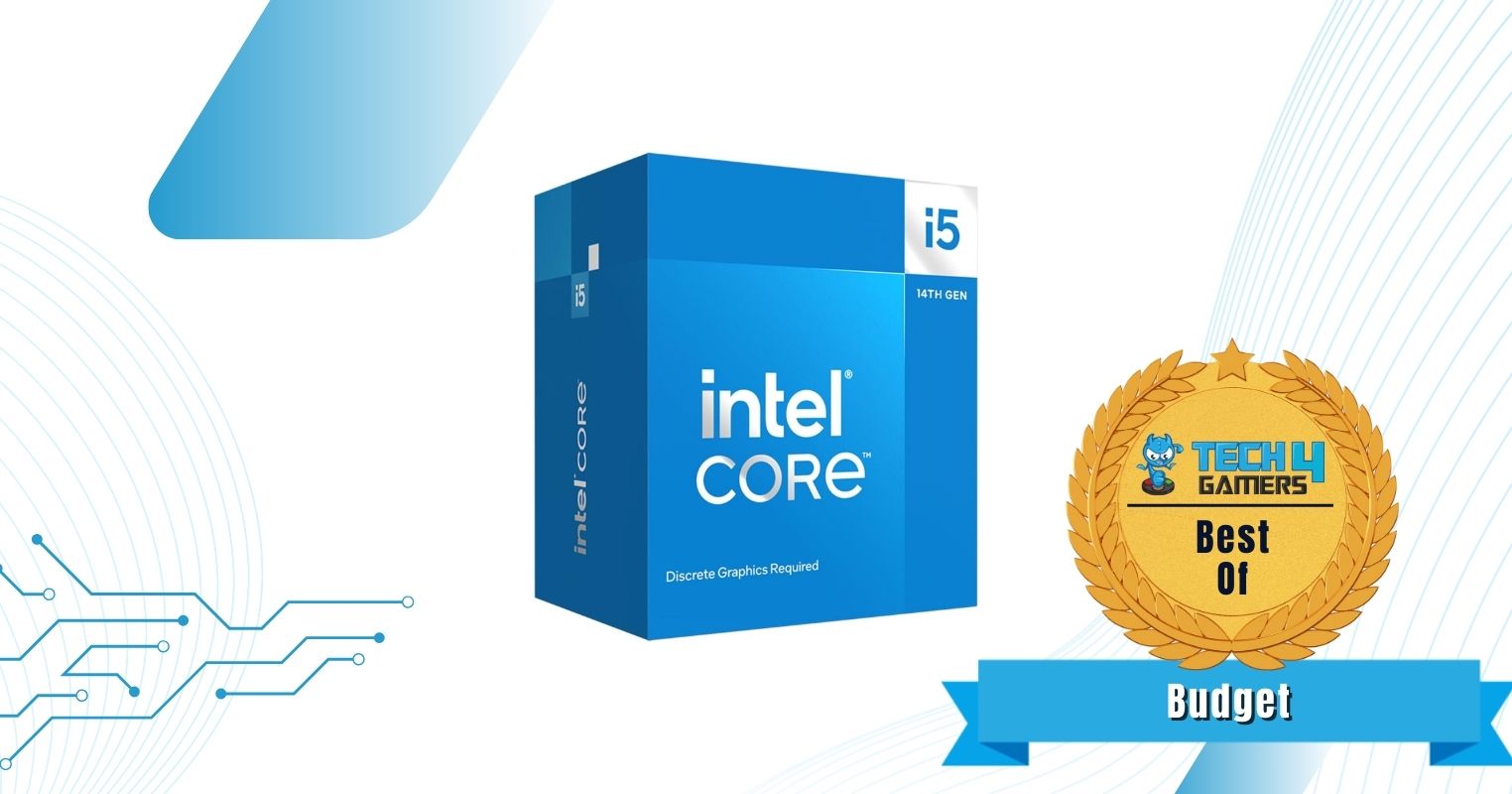
If you are on a tight budget and don’t want to spend big money on a processor, I highly recommend you consider getting this i5-14400F. It was announced just in 2024, and it packs excellent value for those who just need a good performance that can handle all kinds of gaming and productivity tasks. I mean, it isn’t the fastest, but it gets the job done.
The i5-14400F comes with a hybrid 10-core design with 16 threads, six of which are Performance cores with base and boost clock speeds of 2.5GHz and 4.7GHz, respectively, and the remaining four cores are the Efficiency cores with 1.8GHz and 3.5GHz of speeds. You don’t need a high-end cooling AIO or a massive power supply to keep this processor running, just a decent cooler, like the ID-COOLING FROZN A720, should be more than enough. Similarly, since this is a 14th-gen processor, it works with both DDR4 and DDR5 memory, and you can pair it with either Intel’s 600- or 700-series motherboards, giving plenty of value-oriented options to pick from.
✅Buy It If
You want an affordable CPU that does the job: Simply put, if you aren’t interested in the most high-end performance, the Intel Core i5-14400F won’t leave you hanging when it comes to gaming, productivity, and any other workload.
You want great value: Apart from the CPU’s low cost, you can save a good amount of money on the overall platform (RAM, motherboard, and cooler) with the i5-14400F.
❌Don't Buy It If
You don’t have a graphics card: The processor does not have integrated graphics, which is one of the main reasons why it is so affordable. As a result, you need to pair it with a dedicated GPU for it to give a display.
What Makes It The Best Budget Intel CPU?
Despite being one of the most affordable recent processors currently available, the i5-14400F still packs a solid punch across all tasks. On top of that, going with this CPU means you don’t necessarily have to drop more money on a new RAM or flashy motherboard, which can bring down your PC’s cost significantly. As such, when it comes to being the best budget Intel CPU, it is hard to beat the i5-14400F.
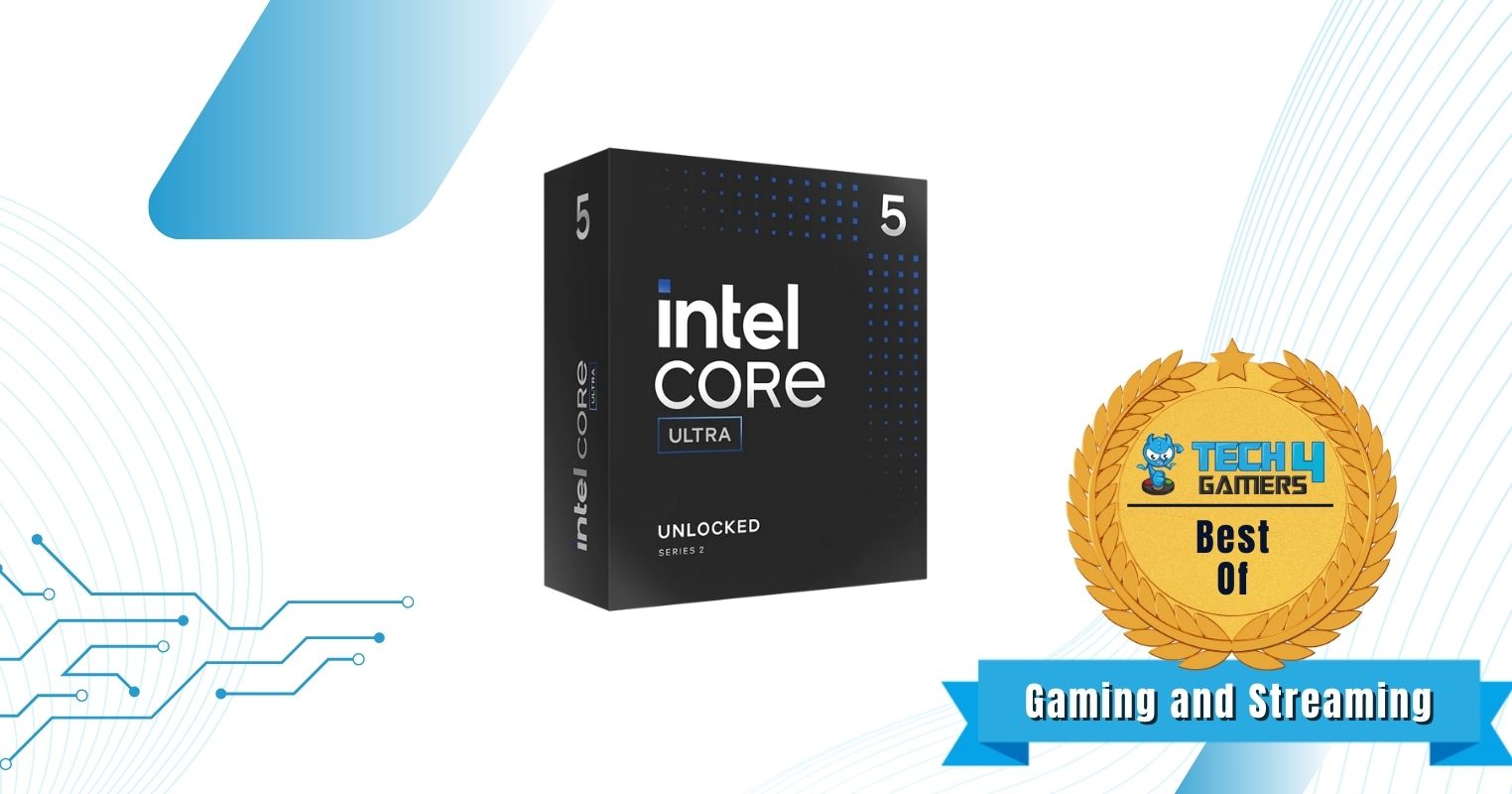
The Core Ultra 5 245K spearheads Intel’s 15th-generation mid-range lineup. These CPUs employ the Arrow Lake microarchitecture, which involves a 3nm node for the CPU cores. The CPU cores have been rearranged for better overall thermal performance, and L1 and L2 cache counts have been enhanced too. In our 1080P gaming benchmarks, the CPU averaged 105 FPS. For streaming, the CPU supports up to 8K, 120 Hz with 10-bit HDR, and excellent performance across various encoding formats (although H265 performance hasn’t improved over its predecessor).
The Core Ultra 5 245K is upgradable to more powerful Arrow Lake CPUs, and the LGA 1851 socket will likely support two more generations of CPUs (up to 2026). Features-wise, an NPU (13 TOPs), support for high memory speeds (well beyond 8000 MT/s), and Thunderbolt 5 are its key offerings. CUDIMMs and CSODIMMs are supported to enable fast memory speeds.
Hardware reviewer Usman Saleem said this about the 245K:
The Intel Core Ultra 5 245K offers decent performance at a considerable price range. It is equipped with the latest architecture and has great power efficiency.
✅Buy It If
You want the best of both worlds: The Core Ultra 5 245K offers excellent performance in both gaming and productivity workloads.
You’re seeking improved efficiency:Intel has improved the CPU’s power and thermal efficiency over the Core i5-14600K.
You want to run high-speed memory: While Intel recommends 8000 MT/s as the ideal memory speed, the CPU supports speeds beyond it and can run CUDIMMs, too.
You need Thunderbolt 5 support: The CPU offers discrete Thunderbolt 5 support.
❌Don't Buy It If
Your budget is limited: The CPU costs $319, which is quite high for a “mid-range” CPU.
You’re upgrading from Raptor Lake: If you’re upgrading from the 13th or 14th generation of CPUs, the performance uplift isn’t worth it. Furthermore, you’ll find previous-gen chips for much cheaper.
What Makes It The Best Budget CPU For Gaming and Streaming?
The Core Ultra 5 245K is capable of excellent multitasking, with 14 cores and an improved Intel Thread Director that directs loads accurately to the P and E cores. This is represented in its excellent gaming and streaming performance, and you also get the latest I/O, including Thunderbolt 5, for a great package.
The AMD Ryzen 7 5700X3D is AMD’s slightly humbler 3D V-cache CPU, but don’t be confused; it has everything the 5800X3D has. It only differs because it has lower clock speeds (both base and boost) and is significantly cheaper. In our 1080P gaming benchmarks, the CPU averaged 173 across our 1080P gaming benchmarks. Due to its limited clock speeds, it’s not hard to cool: we tested it with the ID-COOLING A720 and noted a maximum of 67°C in gaming; these can be further lowered by undervolting through PBO.
Platform costs with the Ryzen 7 5700X3D can be very cheap, as AM4 boards are quite dated at this point. You can also pair it with cheap DDR4 memory. GPU and PCIe provisions are limited to PCIe Gen 4 (at best), WiFi 6, and 10G USB, but these are still adequate for most users. Finally, upgradability is limited to the 5800X3D, which is not much faster than this CPU. So realistically, you’ll need to switch to a new platform after this CPU.
Editor`s Note
The Ryzen 7 5700X3D offers more affordability than the 5800X3D for a fraction of performance loss. So, if you can’t afford the 5800X3D, you can get the next best CPU that trails it closely.
– Nauman Siddique
✅Buy It If
You want the best value for gaming: The Ryzen 7 5700X3D offers some of the best value for a gaming CPU in recent times.
You’re looking for impressive efficiency: With a 105W TDP, the Ryzen 7 5700X3D beats many competing CPUs while consuming less power.
❌Don't Buy It If
You want to run multi-threaded applications: The CPU is limited for multi-core workloads due to its lower clock speeds and other factors. Intel CPUs are generally better when gaming and productivity are prioritized.
The latest I/O is important: You miss out on the latest I/O, including USB 20G/40G, WiFi 7, and DDR5 memory, with this CPU.
What Makes It The Best Budget Gaming CPU?
The Ryzen 7 5700X3D can be purchased for a very fair price and paired with a cheap AM4 motherboard and DDR4 memory for an inexpensive package. Its gaming performance is better than any other mid-ranger on the market! However, it limits you to previous-gen I/O, which will only get older by the day.
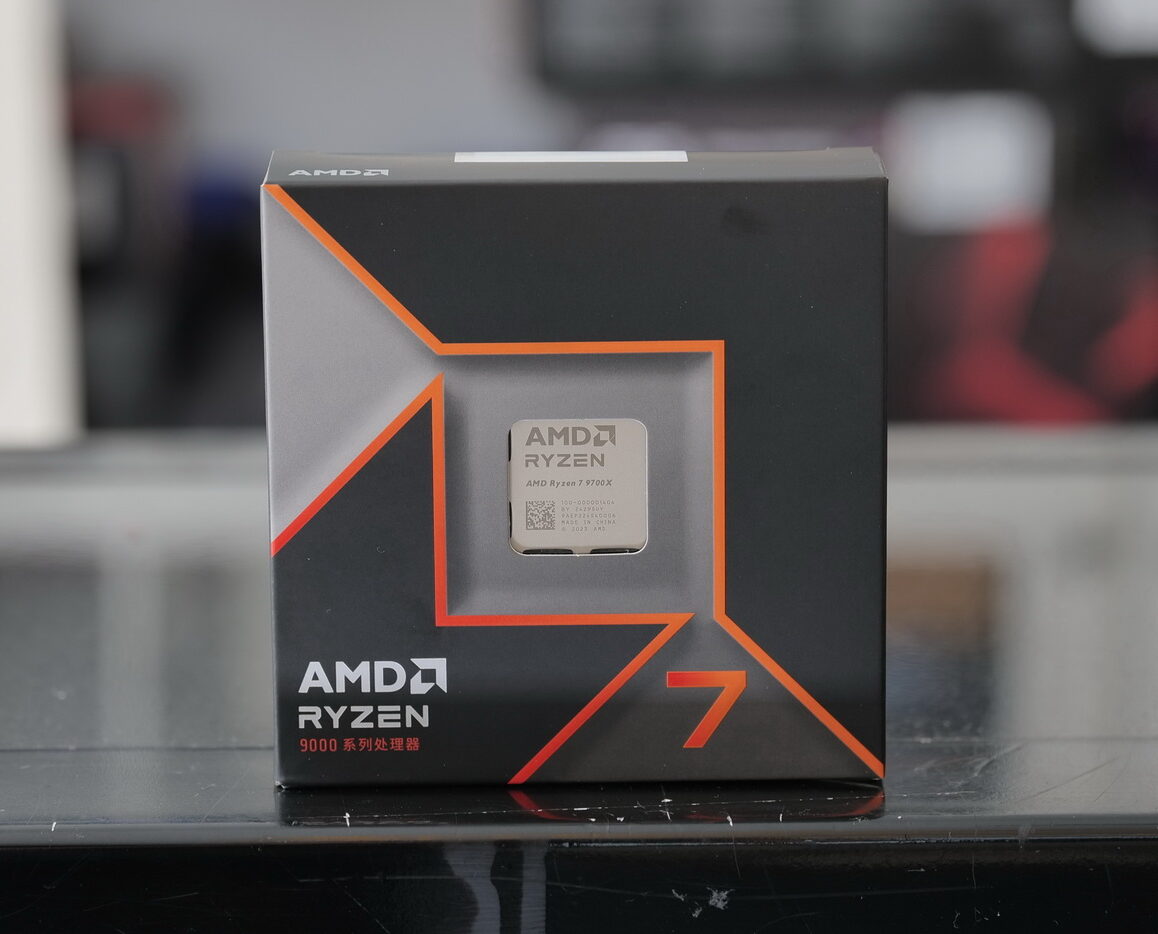
The Zen 5-based Ryzen 7 9700X shows improved multi-core and single-core performance thanks to a 4nm TSMC node, better branch prediction, and a wider dispatch and execute. It also shows much better power efficiency. While originally rated at 65W, the AGESA 1.2.0.2. update allows it to run at 105W like its predecessor. With 8 cores clocking at 3.8 GHz, it is excellent not only for gaming but also for content creation. We tested PugetBench on software like Adobe Premiere Pro and DaVinci Resolve, where the CPU competed with Intel’s 16-core i7-13700K.
The Ryzen 7 9700X shows great upgradability with the AM5 platform. You can upgrade it to the 9950X for even faster rendering times or to future CPUs up to 2027! As for I/O, you can get WiFi 7, DDR5 speeds well over 8000 MT/s, USB4, and there’s support for PCIe 5 graphics + NVMe.
Speaking of 9600X and 9700X’s power efficiency, here’s what we said:
Both 65W CPUs consumed under 90 watts on average, with the 9700X at 89 watts. Moreover, the Ryzen 7 9700X actually ran 4°C cooler than the 9600X, which shows its incredible efficiency.
✅Buy It If
You don’t want to spend on expensive cooling: The Ryzen 7 9700X is not expensive to cool, even if you run it at its extended 105W setting.
You want to game and create: The CPU’s 8 cores and 32 MB of L2 cache on the Zen 5 architecture make it excellent for both gaming and content creation.
Efficiency is important: The CPU is very power efficient, especially compared to Intel competitors.
You need AVX-512 support: With a full AVX-512 data path, you can run all your AVX-512 workloads on this chip.
❌Don't Buy It If
You’re upgrading from Ryzen 7000: If you’re upgrading from its predecessor, the CPU does not offer good enough performance gains.
What Makes It The Best Budget CPU For Video Editing?
The Ryzen 7 9700X is excellent for video editing with its 8-core/16-thread configuration and support for fast memory and storage. Our productivity testing confirmed its impressive performance, and it does all this while showing exceptional efficiency. Upgradability is also very easy, with AMD promising longevity through 2027 (or even beyond!).
Here’s a quick specification comparison of our selections:
CPU
No. of cores
No. of threads
Base frequency (GHz)(Full-power cores)
Boost frequency (Full-power cores)
Total L2 cache (MB)
Total L3 cache (MB)
Base TDP (W)
9600X
6
12
3.9
5.4
6
32
65
14400F
10
16
2.5
4.7
9.5
20
65
Ultra 5 245K
14
14
4.2
5.2
26
24
125
5700X3D
8
16
3
4.1
4
96
105
9700X
8
16
3.8
5.5
8
32
65
Gaming Benchmarks Of The Best Budget CPUs
Gaming Benchmarks of the Best Budget CPUs
1 of 6
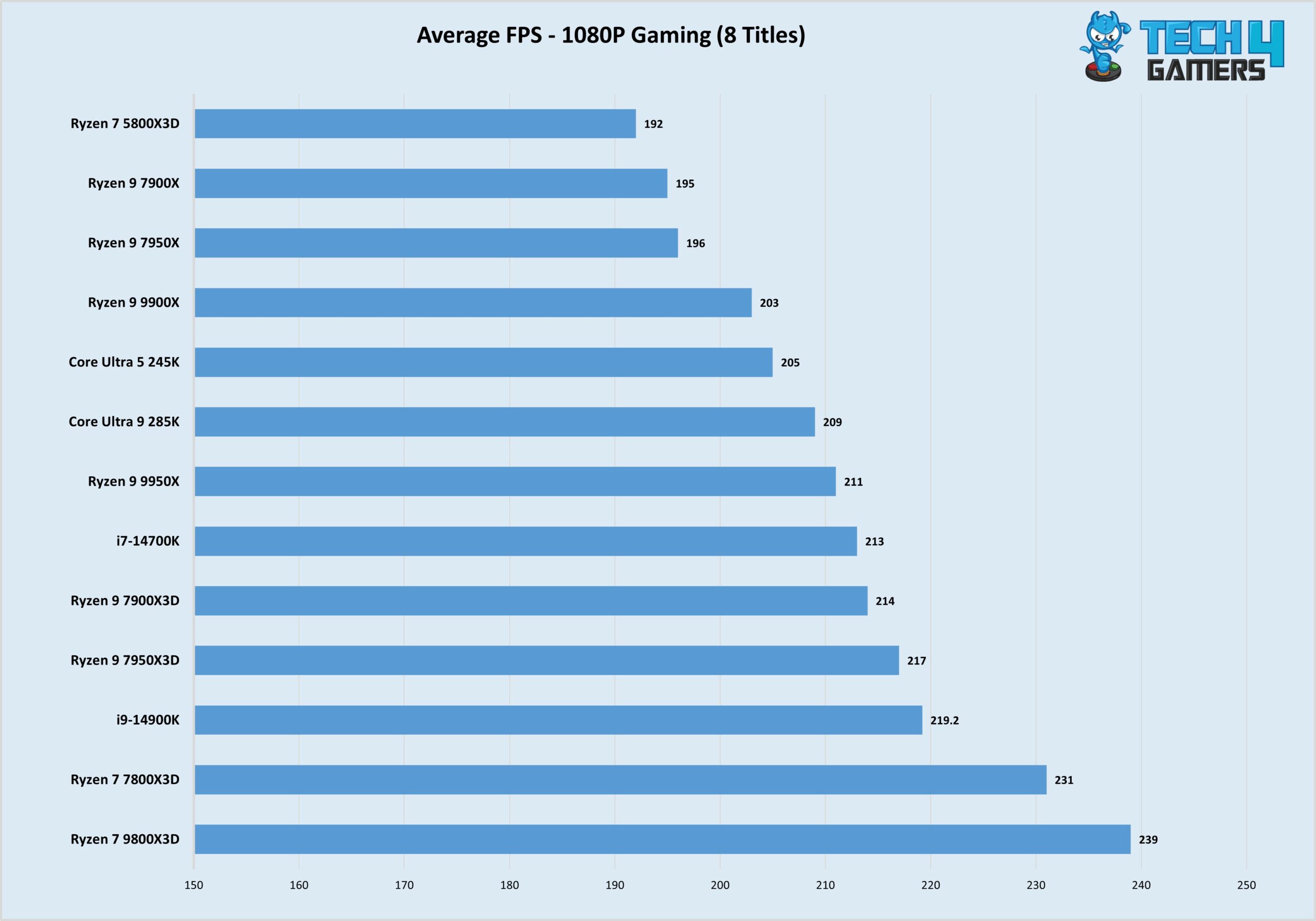
Gaming Tests (Image By Tech4Gamers)
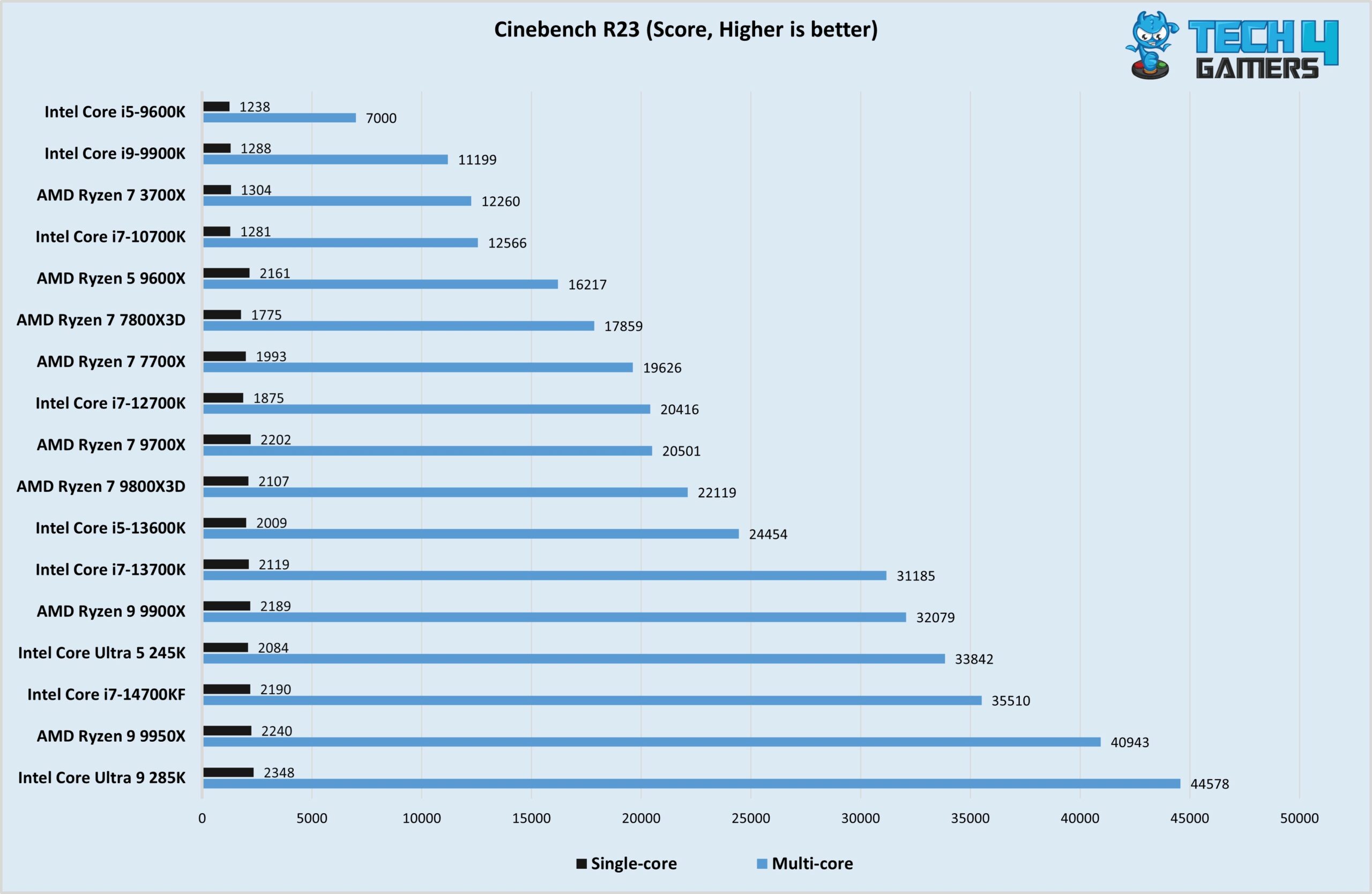
Cinebench R23 Test (Image By Tech4Gamers)
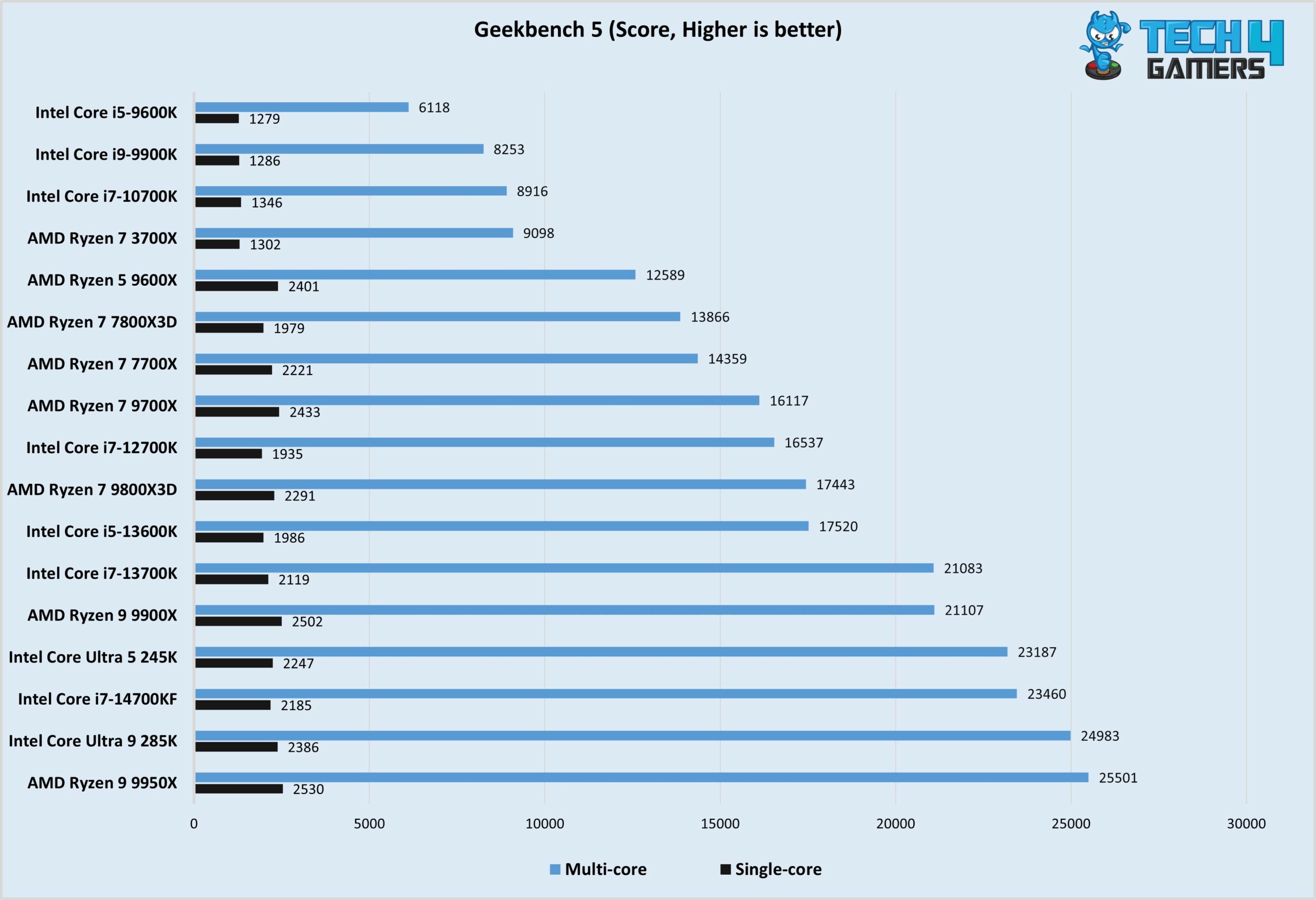
Geekbench 5 Test (Image By Tech4Gamers)
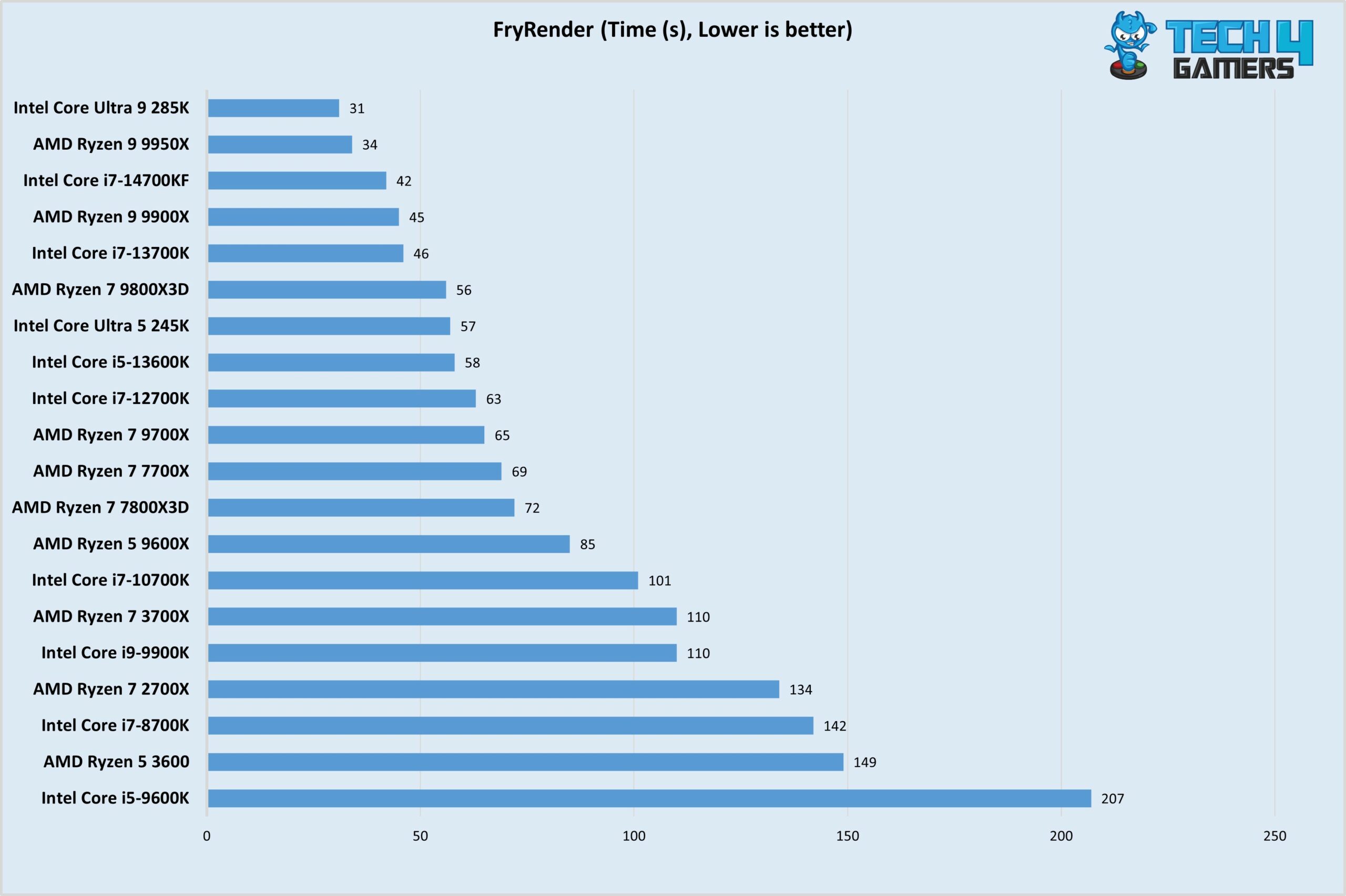
FryRender Test (Image By Tech4Gamers)
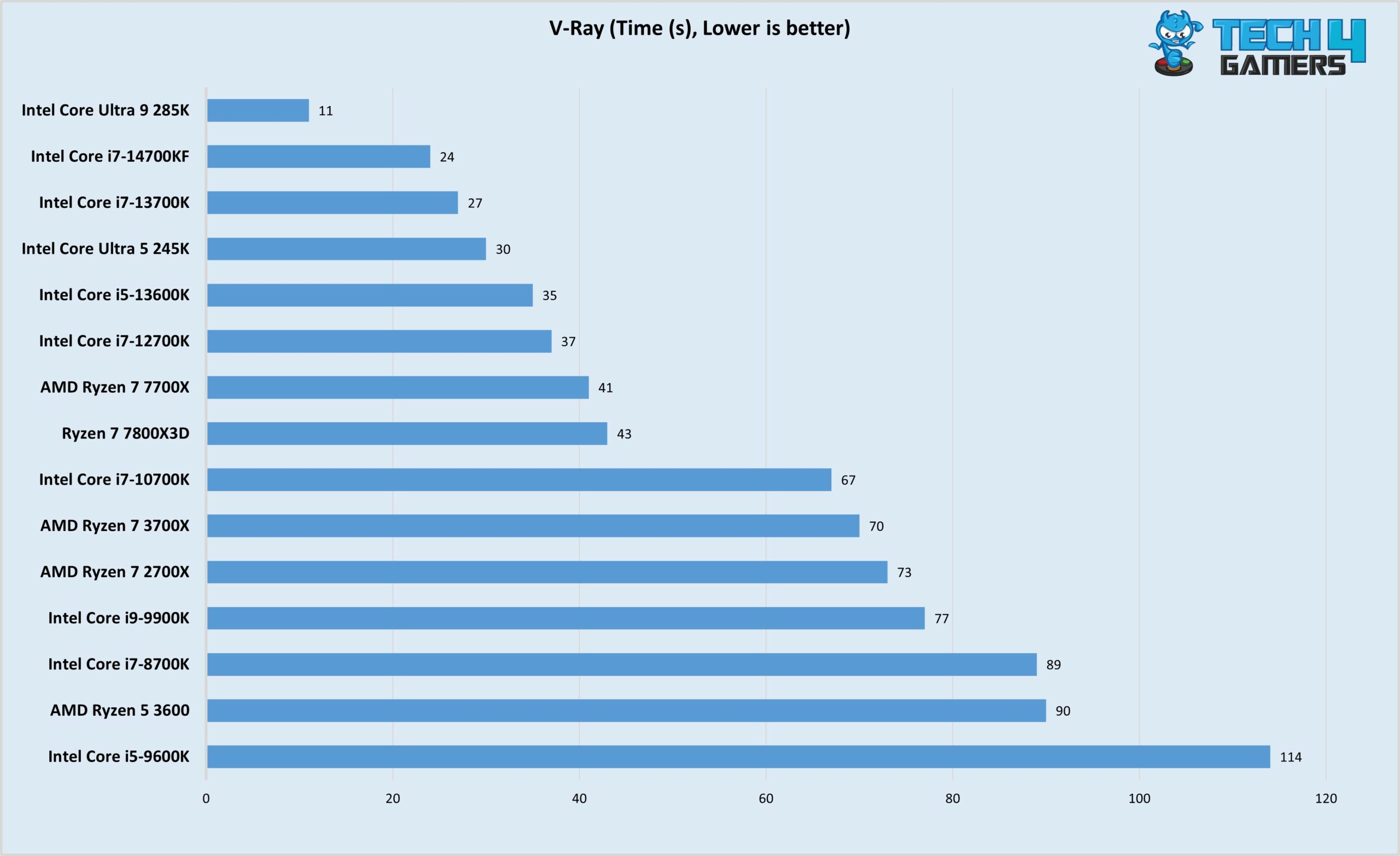
V-Ray Test (Image By Tech4Gamers)
Thermals and Power Cinebench R23 (Image By Tech4Gamers)
Important CPU Key Terms
Cores: A single CPU core represents a processing unit that is responsible for executing instructions at a particular speed. The number of CPU cores directly affects the processor’s performance and price.
Threads: Often referred to as virtual cores, threads are instructions assigned to a CPU core for execution. Modern CPUs make use of features such as multi-threading to properly utilize these threads in order to gain substantial performance.
Multi-Threading: Multi-threading refers to the process of using cores to execute two or more threads simultaneously. Intel and AMD use separate terms for this process: Hyper-threading for Intel and Simultaneous Multi-Threading for AMD.
Cache: CPU Cache is high-speed storage that effectively reduces the time required to access data from the main memory. L1, L2, and L3 Cache are all variations of CPU Cache, each differing in speed. The access speed progressively decreases with each Cache level, resulting in lower speeds.
ClockSpeed: The clock speed of your processor represents the number of executions it is capable of executing within a second. A processor’s boost clock speed refers to the maximum speed it is capable of reaching.
TDP: Measured in Watts, the TDP of your system is an accurate representation of the heat your CPU generates. The Thermal Design Power or TDP of your system allows users to gauge the type of cooler your processor needs to maintain adequate temperatures.
Overclocking: The process of giving more power to the CPU in order to achieve higher clock speeds is known as overclocking. Overclocking your CPU might increase performance; however, you need to have a compatible CPU and a cooler that can withstand the higher power draw.
Tips To Buy Best Budget CPUs
Here are some of the most important aspects I took into consideration when coming up with my list of the Best Budget CPUs.
Intel vs AMD: When choosing the Best Budget CPUs, both Intel and AMD prevail in their respective categories. AMD’s 9000 series CPUs compete directly against Intel’s Arrow Lake (15th generation) ones, so choosing between the two will mostly come down to personal preference and availability in your region.
Overclocking: The overclocking capabilities of your processor play a considerable part in influencing the overall buying decision. Processors that come with an unlocked multiplier allow users to go beyond the stock speeds of the processor, which results in a performance increase. Some of the budget CPUs in our list come with an unlocked multiplier, providing users with decent overclocking headroom.
Frequency: Simply put, your CPU’s clock speeds determine its capability to process instructions. Faster frequencies allow your processor to interpret instructions quickly, resulting in a faster overall experience as a result. Thankfully, all of the CPUs in my list boast adequate clock speeds that allow them to perform flawlessly in most cases.
Supported Chipsets: When choosing the best Budget CPUs, it is important to ensure that the CPU you end up going with is compatible with your selected motherboard. For instance, Intel’s latest 13th-generation processors utilize the LGA 1700 socket, meaning they are compatible with motherboards based on the 700-series and 600-series chipsets.
Community Poll
Frequently Asked Questions
What percent of your PC budget should be for the CPU?
Around 10-30 percent should be allotted to the CPU alone; however, most of your budget allocation will boil down to personal requirements.
Which CPU is more budget-friendly, Intel or AMD?
Both Intel and AMD have budget offerings that compete in the same price category; however, Intel might have a slight advantage thanks to their i3 series of processors.
Is a good CPU needed for video editing
Investing in a good CPU will always pay off when it comes to video editing. Between lower render times and faster editing speeds, a capable processor gives users a smooth experience that enhances the video editing experience.
Recent Updates
July 27, 2024: We have changed the formatting to improve readability.
March 24, 2024: Further text changes to improve readability. Core i5-12600KF was replaced by AMD’s Ryzen 7 5700X as it offers better performance for video-editing applications, with 8 full-power cores, at a similar price-point.
August 30, 2023: A few text changes to improve readability. No products were changed.
I’ve previously worked for eXputer as a Senior News Writer for several years. Now with Tech4Gamers, I love to devoutly keep up with the latest gaming and entertainment industries. I have a Bachelor’s Degree in Computer Science and years of experience reporting on games and breaking exclusive stories. Besides my passion for gaming journalism, I love spending my leisure time farming away in Stardew Valley. VGC, IGN, GameSpot, Game Rant, TheGamer, GamingBolt, The Verge, NME, Metro, Dot Esports, GameByte, Kotaku Australia, PC Gamer, and more have cited my articles.
Story Highlight
Wildlight co-founders have expressed interest in making a single-player mode for Highguard.
The mode is being planned to come out in the next two years.
The player reception so far has been mixed due to optimization bugs and gameplay issues.
Highguard has been quite controversial since its reveal at The Game Awards show, but it has had quite a reasonable launch so far. The game peaked at 97k players on Steam, but the reception has stalled at ‘mostly negative’ for the time being.
Wildlight Entertainment is also planning big for the game’s future. Alongside announcing a comprehensive roadmap, studio co-founders have confirmed that the team is already planning an ambitious single-player mode for Highguard.
Why it matters: A single-player mode for Highguard could make sense, expanding upon its characters and featuring a compelling campaign. It would take the game in a whole new direction, considering its current live-service focus.
Highguard features mounts for fast movement across the game’s big maps.
In an interview with TheGamer, studio co-founders Dusty Welch and Chad Grenier say that they expect Highguard’s status to grow beyond its multiplayer focus. A single-player experience is being considered, alongside expanding current modes and mechanics.
I hope we have the opportunity to continue telling a story in the game. […] And selfishly, we crave a single-player experience someday.
-Chad Grenier, co-founder.
The team is interested in adding new ways to play Highguard. The single-player mode could focus on expanding the game’s lore and narrative around playable characters. Dusty adds that it could be announced at The Game Awards 2028.
I hope in two years, the story is, did you see the TGA trailer last night? It’s the reveal of the single-player Highguard that we’ve all been asking for.
-Dusty Welch, co-founder.
Highguard is described as a PvP raid shooter by the developers.
Elsewhere, a Highguard lead designer previously said that the game does not need a high player count to be successful, as the studio is only concerned with loyal fans.
On another side note, another senior executive shot down comparisons with Concord, claiming the studio does not fear a similar ending in the first place.
Do you think a single-player mode expanding more on the game’s characters makes sense for Highguard, or would you rather stick with the multiplayer gameplay? Let us know your thoughts in the comments below, or join the discussion on the Tech4Gamers forum.
I’ve previously worked for eXputer as a Senior News Writer for several years. Now with Tech4Gamers, I love to devoutly keep up with the latest gaming and entertainment industries. I have a Bachelor’s Degree in Computer Science and years of experience reporting on games and breaking exclusive stories. Besides my passion for gaming journalism, I love spending my leisure time farming away in Stardew Valley. VGC, IGN, GameSpot, Game Rant, TheGamer, GamingBolt, The Verge, NME, Metro, Dot Esports, GameByte, Kotaku Australia, PC Gamer, and more have cited my articles.
Story Highlight
Highguard studio Wildlight is not afraid of a Concord-like ending despite player comparisons.
The studio believes these comparisons don’t make sense because the game is free to play.
The team is confident about its future and believes it has total control over the shooter.
Highguard is 2026’s first controversial launch. It saw a lot of drama ever since being announced at the end of The Game Awards show last year, leading many fans to suspect that the game would turn out to be yet another Concord-level disaster.
This led to a lot of comparisons with Sony’s failed live-service project. However, a senior Highguard studio executive bluntly shuts them down, saying that Wildlight was not afraid to ‘make a Concord’ and did not fear a similar ending despite all the backlash.
Why it matters: The studio behind Highguard does not fear comparisons with Concord but argues that both games are quite different in their model and situations in the first place. Regardless, the player reception has been quite a mixed bag so far.
Highguard is a mishmash of many popular multiplayer tropes.
In an interview with IGN France, VP of product and publishing Jason Torfin explains that these Concord comparisons are useless because Wildlight’s project is free to play and requires no barrier to play.
The game is also being led by some of the developers behind Respawn’s Titanfall 2 and Apex Legends, industry veterans who already have a lot of experience in the live-service genre.
We’re not afraid to make a Concord. Our game is free-to-play. You don’t have to pay anything to play it.
-Jason Torfin, VP of Product and Publishing at Wildlight Entertainment.
Unlike Apex Legends, Jason claims Wildlight is prepared with a concrete roadmap and plans to continue adding more content and polishing Highguard moving forward. He believes the studio is in ‘total control’ of the game despite what the critics have said.
Highguard is described as a PvP raid shooter and features 3v3 battles.
Highguard’s launch has also turned out to be more reasonable compared to Concord. The game saw over 97K peak active players on Steam hours after launch, although with a ‘mostly negative’ rating at the time of writing.
Highguard needs to maintain a big enough audience and offset negative reviews in the future for long-term success.
Do you think Highguard deserves to be compared with Concord? Let us know your thoughts in the comments below, or join the discussion on the Tech4Gamers forum.
At T4G, my task is to cover the latest news around the gaming globe ASAP and with the utmost precision. I adore all the games and respect all the devs behind the amazing games that we get all year. So, whether it’s a PC or a Console game, I got it all covered.
Story Highlight
Highguard had a lot of hype riding on it based on its TGA spot and initial reviews.
The game released a few hours ago and currently sits at overwhelmingly negative reviews.
Players have reported many issues from bad gameplay, poor optimization, and more.
Highguard had a huge skepticism surrounding it, because of the limelight it was thrown into. Despite not even paying for it, it was showcased at TGA’s finale spot, which made it go through high scrutiny, and it has crumbled under the pressure.
Former Titanfall devs’ Highguard has launched to “Overwhelmingly Negative” reviews on Steam. The game did manage to hit about 100K concurrent players, but players have encountered all sorts of issues.
Why it matters: The title wasn’t meant for this much pressure and might even have flown under most people’s radars, but the events leading up to it created so much hype that everyone has now become too critical of it.
Highguard has officially released to a poor reception by the players
Early playtesters revealed that the game was great, and people would be pleasantly surprised by it, which unfortunately hasn’t been the case. With over 7,000 reviews, it currently sits at overwhelmingly negative.
The biggest gripe players have with Highguard is how bland it feels. The map is huge, and the 3v3 format doesn’t make sense with that. The art direction is a mixed bag, and the characters are quite bland as well.
The game had crumbled under the pressure of its hype
Furthermore, optimization also seems to be a big issue, as users report bad performance with even high-end GPUs like the RTX 5080. All-in-all, the game is the disaster that everyone feared it would be.
Even the player count at first sounds respectable, but considering it’s an F2P game and how it has already fallen to half, the game might not survive for too long. Despite the promise, it has failed to deliver the hype.
What are your thoughts on Highguard opening with overwhelmingly negative reviews on Steam? Let us know your opinions in the comments or join the discussion at the official Tech4Gamers Forum.
Currently serving as a News Reporter at Tech4Gamers, I have the privilege of combining my love for gaming with the art of storytelling. My role involves crafting engaging narratives that keep our audience abreast of the latest developments in the gaming world.
Story Highlight
Ubisoft is proposing to cut 200 jobs at its Paris headquarters.
This move is a cost-reduction measure from the company.
A recent report also reveals that the French publisher will soon layoff 2000 employees across all studios.
2026 was finally looking to be the year when Ubisoft would make its long-overdue comeback. Unfortunately, the publisher had other plans, announcing a major strategic reset and that would now operate under a new model.
Unfortunately, many employees will not be a part of the company’s new vision. As such, Ubisoft has already begun considering layoffs across its workforce, including 200 jobs at its headquarters in Paris.
Why it matters: The gaming industry is in its most uncertain conditions, and layoffs are continuing, especially at Ubisoft, which has downsized significantly over the past few years.
Speaking with IGN, a spokesperson for Ubisoft said they’re ‘considering’ cutting 200 jobs at their headquarters in Paris via the Rupture Conventionnelle Collective (RCC) law mechanism, which allows employees to leave voluntarily under a mutual termination agreement.
In line with last week’s announcements on its new operating model and the acceleration of cost-reduction initiatives, Ubisoft International has initiated discussions regarding a potential Rupture Conventionnelle Collective, a collective, voluntary mutual termination agreement that could involve up to 200 positions at its headquarters in France – Ubisoft Spokesperson
For reference, the Paris office has 1,100 jobs overall, and this 200-staff reduction would mean they’re laying off nearly 20% of the total employee count. Furthermore, it is notable to mention that it is just a proposal at this point, and it would have to be validated by the French authorities.
In a following report from that event, it was revealed that the company aims to cut 2000 jobs altogether following their new cost-cutting measure, aiming to save £200 Million over the next couple of years.
Currently serving as a News Reporter at Tech4Gamers, I have the privilege of combining my love for gaming with the art of storytelling. My role involves crafting engaging narratives that keep our audience abreast of the latest developments in the gaming world.
Story Highlight
Insider NateTheHate claims that Switch 2 third-party support is improving this year,
Titles like Expedition 33, Metaphor: ReFantazio, and Final Fantasy 16 are arriving on Switch 2 soon.
He further predicts DOOM: The Dark Ages, Red Dead Redemption 2, and Resident Evil remakes for the handheld.
The Nintendo Switch 2 is a capable console, and despite being powerful enough to run AAA games, one of the biggest complaints about the handheld has been the lack of third-party support.
That concern might soon be addressed, as Nintendo is busy in the background, aiming to bring more third-party games to its platform, according to a new report that claims Expedition 33, Metaphor: ReFantazio, and Final Fantasy 16 ports for the Switch 2 are coming soon.
Why it matters: Handhelds are more popular than they’ve ever been, and largely due to their capabilities of running modern-day AAA releases. In this regard, the Switch 2 has been lagging behind due to a lack of support.
This claim comes from insider NateTheHate, who has a near-perfect track record when it comes to leaks. In his new podcast discussing Nintendo’s plans for 2026, he said that third-party support is improving.
Titles like Expedition 33 will be coming to Switch 2 in 2026. Other games that I’ve heard of will include Atlus with Metaphor Refantasio will be coming to Switch 2 in 2026.
The insider further added.
Another game from Square Enix that I’ve heard is under consideration. And I don’t know if it’ll necessarily come out this year, but I wouldn’t be surprised if it’s announced this year is Final Fantasy 16.
Expedition 33 arriving for Switch 2 was just a matter of time, considering its massive success, becoming the most awarded GOTY game ever. For Metaphor: ReFantazio, the title was already rumoured for a Nintendo release.
Switch 2 Sales Have Faltered Recently
Final Fantasy has also been expanding its horizons onto other platforms after Square Enix claimed exclusivity is outdated. As such, it makes sense for a Final Fantasy 16 Switch 2 release. Also, future Final Fantasy titles will launch simultaneously across all platforms.
That isn’t all, though. The insider further predicts that DOOM: The Dark Ages, Red Dead Redemption 2, Resident Evil 2/3/4 Remake, and more could also arrive on the Switch 2.
At T4G, my task is to cover the latest news around the gaming globe ASAP and with the utmost precision. I adore all the games and respect all the devs behind the amazing games that we get all year. So, whether it’s a PC or a Console game, I got it all covered.
Story Highlight
A new report states that GTA 6 physical copies could be delayed to avoid spoilers.
It will be a digital-only release, and a physical edition could be pushed till 2027.
Rockstar and Take-Two want to make sure nothing leaks before the actual release.
GTA 6 is set to be the biggest event in the gaming industry in the entire decade. After waiting for a very long time, this is going to be the year we finally get our hands on Rockstar Games’ much-anticipated blockbuster title.
However, the studio is reportedly taking strict measures to make sure that the game doesn’t leak. Therefore, GTA 6 is rumored to be skipping physical edition at launch, and it will arrive later down the line.
Why it matters: Interestingly, the franchise has a history with leaks, as a significant portion of GTA 5 was leaked 3 weeks before launch; however, that had nothing to do with the discs, instead it was a PlayStation fault.
Rockstar’s blockbuster title could skip a day 1 physical launch
With GTA 6, Take-Two and Rockstar would be looking to avoid such a catastrophe. The report comes from the Polish site PPE.pl, which was informed by a reliable insider, Graczdari, who has a really good track record.
Graczdari handles physical game sales in Europe and previously correctly leaked information about Microsoft Flight Simulator’s PS5 port, and Oblivion Remastered physical copies, so we know the report has credibility.
The studio wants to make sure no leaks surface online before the launch
According to the source, the physical copies will undoubtedly be released, but they could be pushed by 3 to 4 weeks or even till 2027. However, more information is expected to be confirmed by next month.
Nonetheless, it does seem like people who want to experience GTA 6 on day 1 will have to go all digital. Gamers are skeptical about digital games, but stats show that they have dominated sales in recent years.
What are your thoughts on GTA 6 skipping physical edition at launch? Let us know your opinions in the comments or join the discussion at the official Tech4Gamers Forum.
I’ve previously worked for eXputer as a Senior News Writer for several years. Now with Tech4Gamers, I love to devoutly keep up with the latest gaming and entertainment industries. I have a Bachelor’s Degree in Computer Science and years of experience reporting on games and breaking exclusive stories. Besides my passion for gaming journalism, I love spending my leisure time farming away in Stardew Valley. VGC, IGN, GameSpot, Game Rant, TheGamer, GamingBolt, The Verge, NME, Metro, Dot Esports, GameByte, Kotaku Australia, PC Gamer, and more have cited my articles.
Story Highlight
Sony is reportedly hosting its next PlayStation State of Play presentation in February.
This tidbit comes from a credible insider with a good track record with similar leaks in the past.
The SoP may feature titles like Control Resonant and Intergalactic, alongside new project reveals.
Ghost of Yotei was PlayStation’s only major first-party title to launch last year. So, many fans have been asking for Sony’s next State of Play or a full-fledged Showcase event to see what’s coming in the future.
While the Showcase would be a great treat since it’s been gone for many years, a trusted insider confirms that Sony is preparing a State of Play for February instead. Still, we could be getting an in-depth look into highly awaited titles like Control Resonant.
Why it matters: Sony’s expected PlayStation State of Play presentation may win back some of the goodwill from the community, as many gamers criticized the publisher for its scarce first-party portfolio last year.
Sony is gearing up for its next PlayStation State of Play in February, according to the insider.
Popular leaker NateTheHate2 on Twitter confirms that a State of Play presentation is coming next month.
An in-depth look into Wolverine seems unlikely since Insomniac previously said it’d show more of the game during the spring, but we may still get a small glimpse. A deeper look into Naughty Dog’s controversial Intergalactic IP is also being anticipated.
The Santa Monica team could also unveil more information about that rumored 2.5D Metroidvania GoW spin-off at the event, or perhaps a separate secret AAA project being directed by Cory Barlog, which is said to be its ‘next big thing.’
Additionally, the State of Play may feature a reveal trailer for the Final Fantasy 7 Part 3 remake, with more information being expected for Summer Game Fest.
We may get a deeper look into Control Resonant at the PlayStation State of Play.
The same insider also leaked the event last year. Regardless, we still suggest taking the rumor mill with a pinch ofsalt until an official confirmation.
Do you think the upcoming State of Play presentation will include any new first-party games? Let us know your thoughts in the comments below, or join the discussion on the Tech4Gamers forum.