Home Blog Page 71

AMD Patents L2 Cache Stacking Technology Could Arrive with Zen 7 3D V-Cache CPUs

Story Highlight
  • AMD has patented an L2 cache stacking technology following the L3.
  • The tech aims to deliver even better performance and improved latency, which could be ideal for gaming.
  • It is expected to debut with AMD Zen 7 3D v-cache CPUs, scheduled for release in 2028.

AMD debuted its 3D V-cache technology back in 2022 with the Ryzen 7 5800X3D. What it essentially did was vertically stack the L3 cache memory directly on top of the CPU cores. It resulted in big performance gains, especially in gaming. 

The company is now looking to further evolve its technology, having patented L2 cache stacking technology that could debut with Zen 7 3D V-cache processors. With this, AMD could further strengthen its position in the gaming department.

Why it matters: Stacking L3 cache already gave a significant performance boost; if AMD does the same with L2 cache, it could deliver even greater performance and lower latency. 

AMD L2 Stacking
AMD has filed a patent for L2 cache stacking after stacked L3.

According to the patent, the L2 cache comprises a cache module with 4 512KB regions, equipped with a Cache Control Circuitry. The cache module has a capacity of 2MB, which can be increased to 4MB if required. 

A typical non-stacked L2 cache has 1MB capacity and a latency of 14 cycles; with the new stacked tech, the latency will drop to 12 cycles. This is due to a shorter data movement path resulting from a more packed arrangement.

The patent also shows another stacking method: a dedicated cache die featuring both L2 and L3 segments, bonded to a core-only base die to expand the capacity of both memory levels simultaneously.

AMD 3D V-cache
The tech can expand the capacity of both L2 and L3 cache

AMD further says that with this, the 3D V-cache technology could finally come to GPUs as well. For now, it is just restricted to the X3D processors. With the proposed improvements, this tech could be a game-changer. 

What are your thoughts on AMD patenting its next L2 stacking technology for 3D V-cache CPUs? Let us know your opinions in the comments or join the discussion at the official Tech4Gamers Forum.

Best CPU For Streaming In 2026 [Picked After Testing]

Whether you’re a professional streamer or someone who streams just for fun, there is no denying that a streaming-focused PC must have a solid processor that is not only good for gaming but can also handle its fair share of multitasking. With that in mind, we went ahead and did thorough testing of all the recent releases from both Intel and AMD. For streaming, our primary focus was productivity tests, but we also ran several gaming benchmarks to make sure the CPUs we recommend can handle it all. With test results finally in hand, we narrowed down the top six processors currently available that we think are the best for streaming.

We have also included some latest-gen, budget-friendly options, so you don’t necessarily have to pay top-dollar to get started with your stream build. 

Why Trust Tech4Gamers
  • Usman Saleem is our hardware tester who loves to put all the latest GPUs, CPUs, RAM, and motherboards for a spin.
  • 50+ CPUs tested and reviewed by our team of hardware experts (Tech4Gamers Team).
  • 800+ hours spent testing different CPUs for our reviews.
  • Objective testing criteria (See how we test processors).

At Tech4Gamers, ensuring you get reliable information is our priority. That’s why every hardware round-up undergoes a meticulous review process by our team of experts and editors. Each review is carefully examined against our strict editorial guidelines, guaranteeing you trustworthy insights you can depend on.

Here’s a quick look at all six of our recommended processors that we think are ideal for streaming:

CPU
AMD Ryzen 7 9800X3D
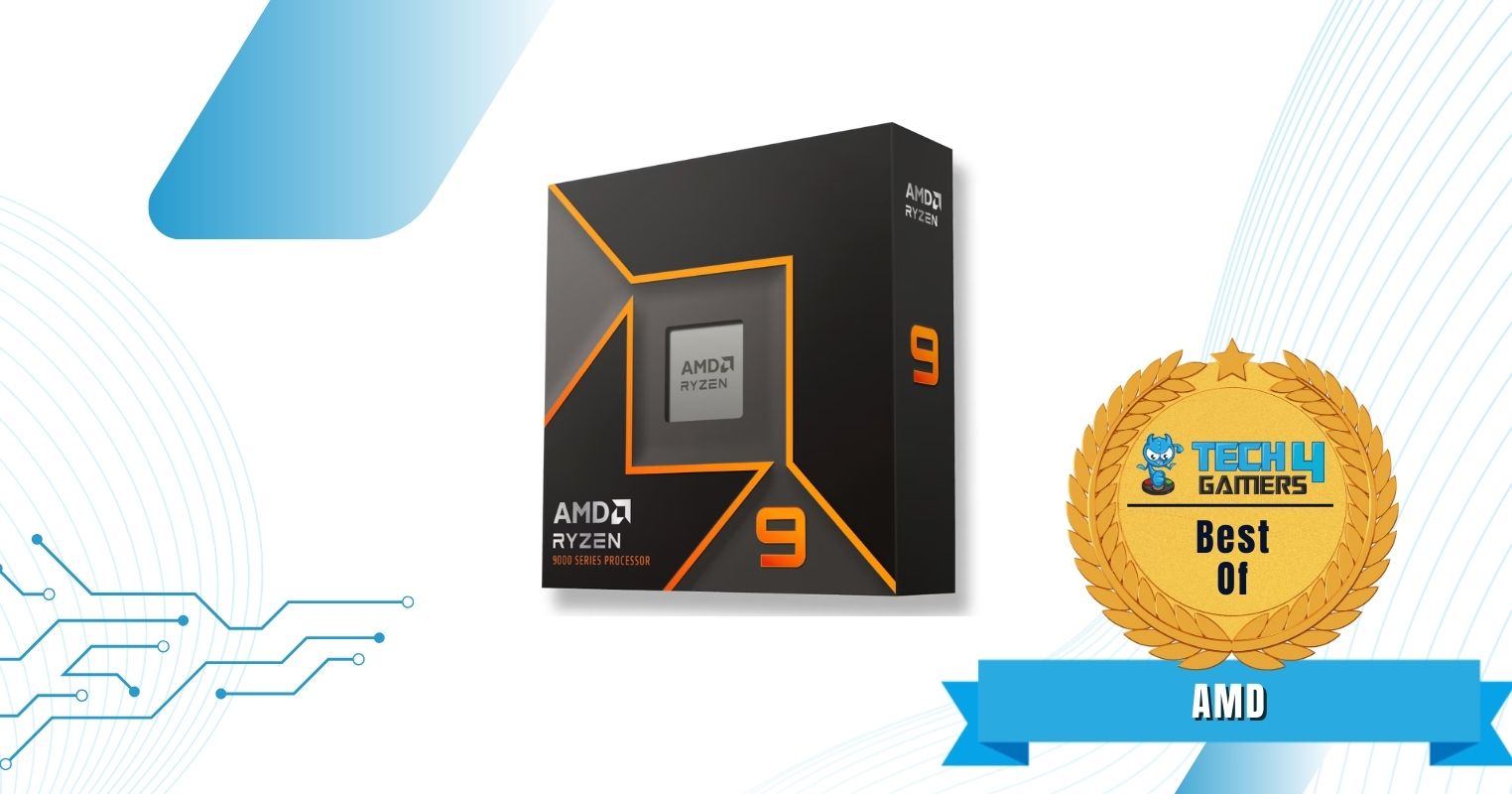
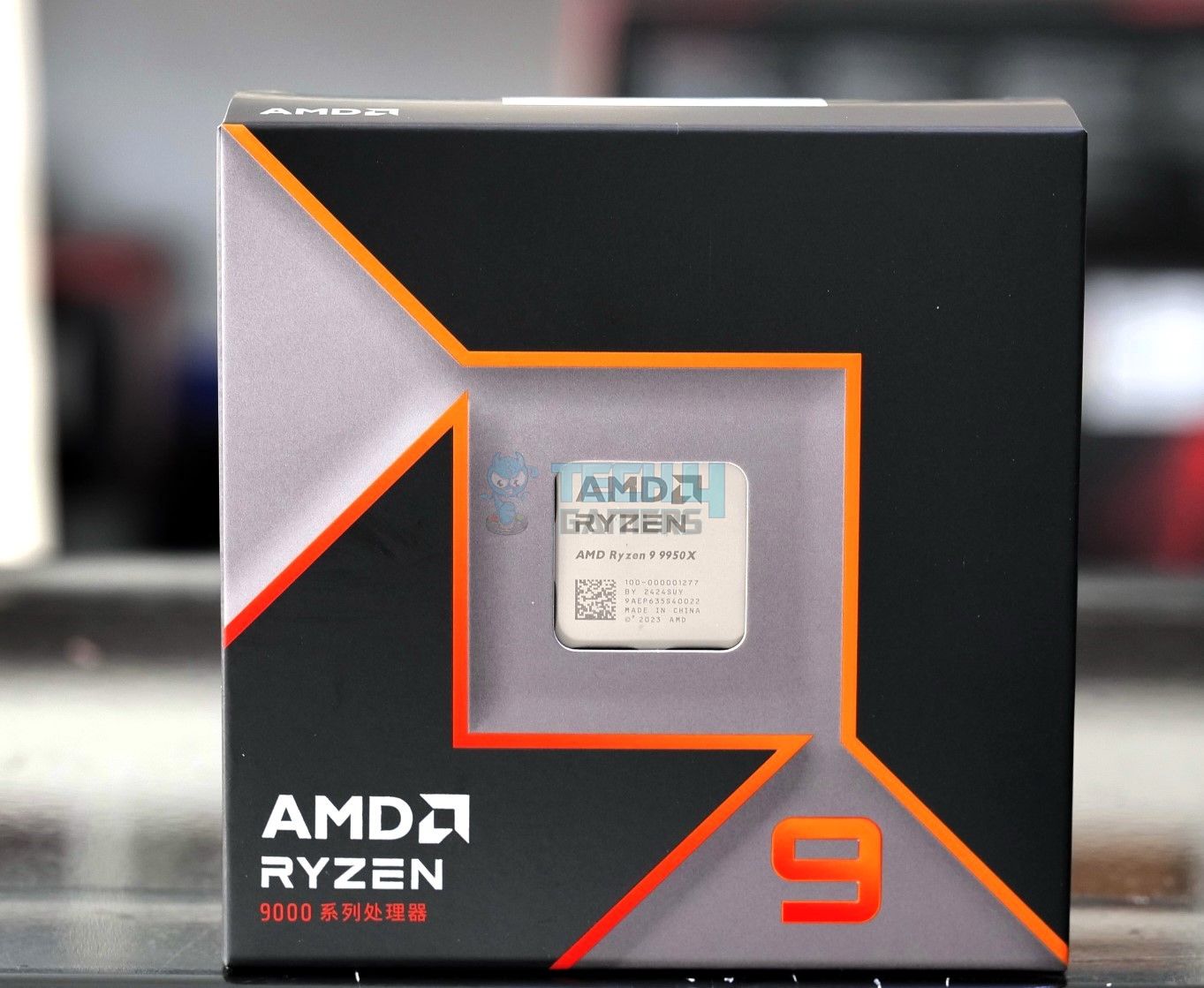
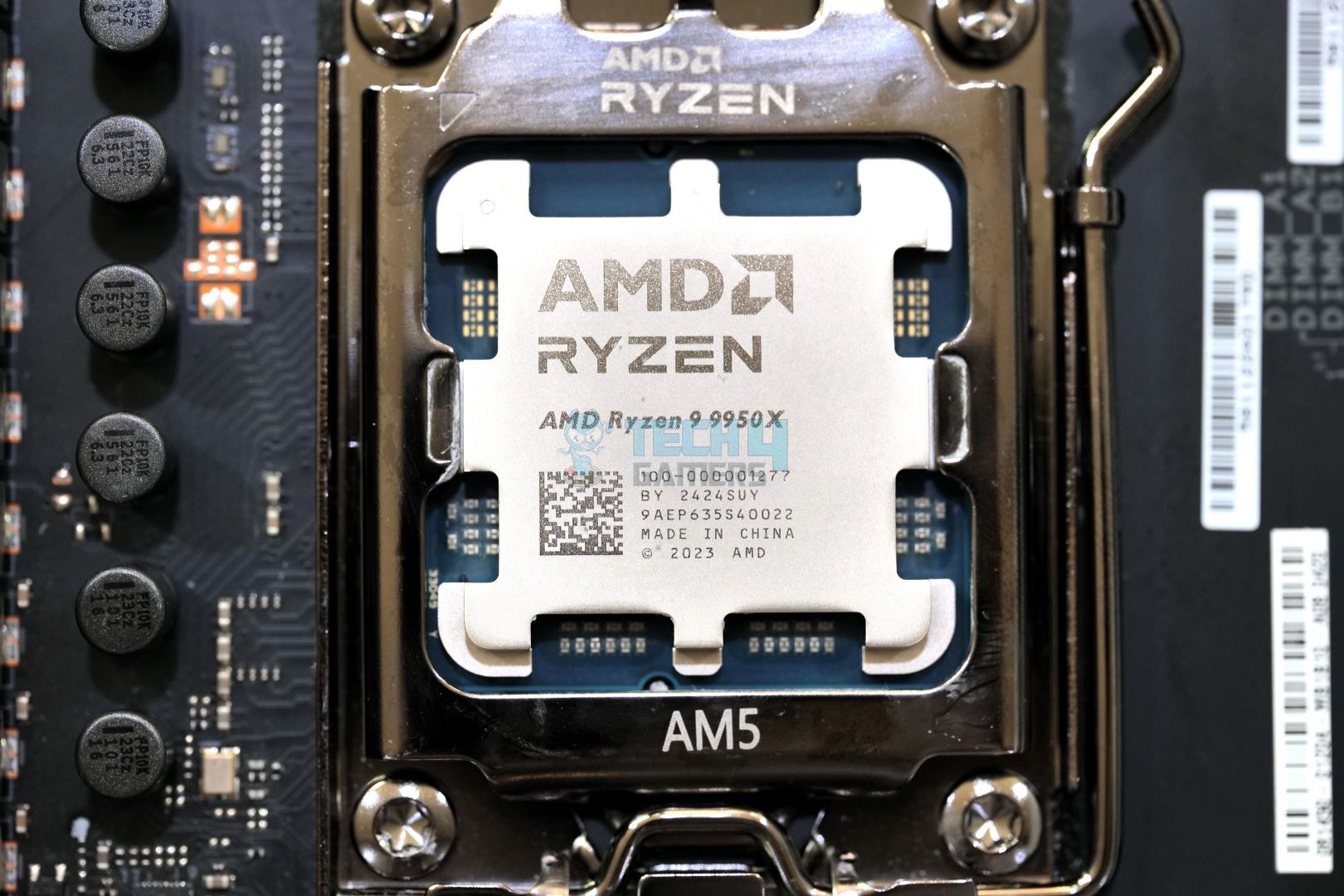
AMD Ryzen 9 9950X
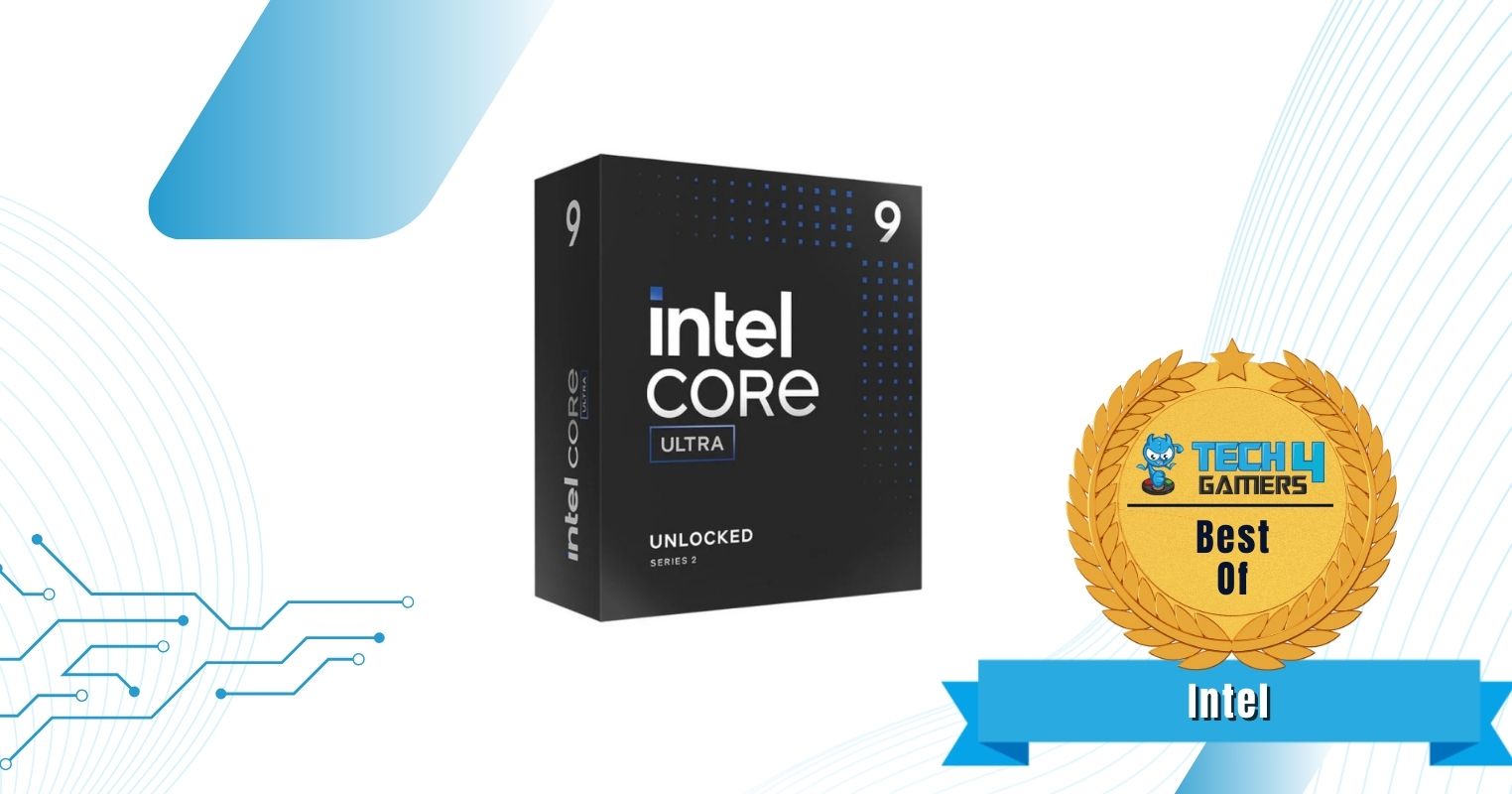
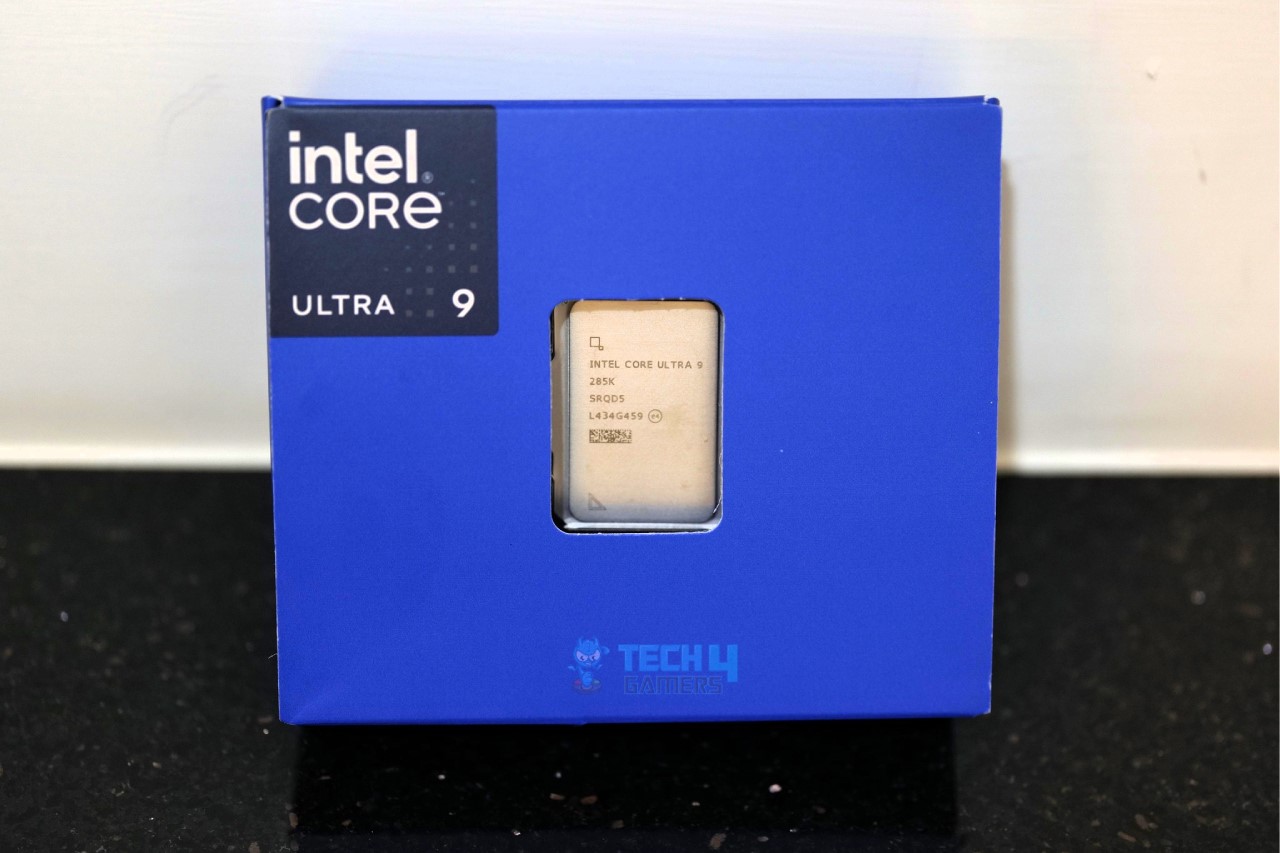
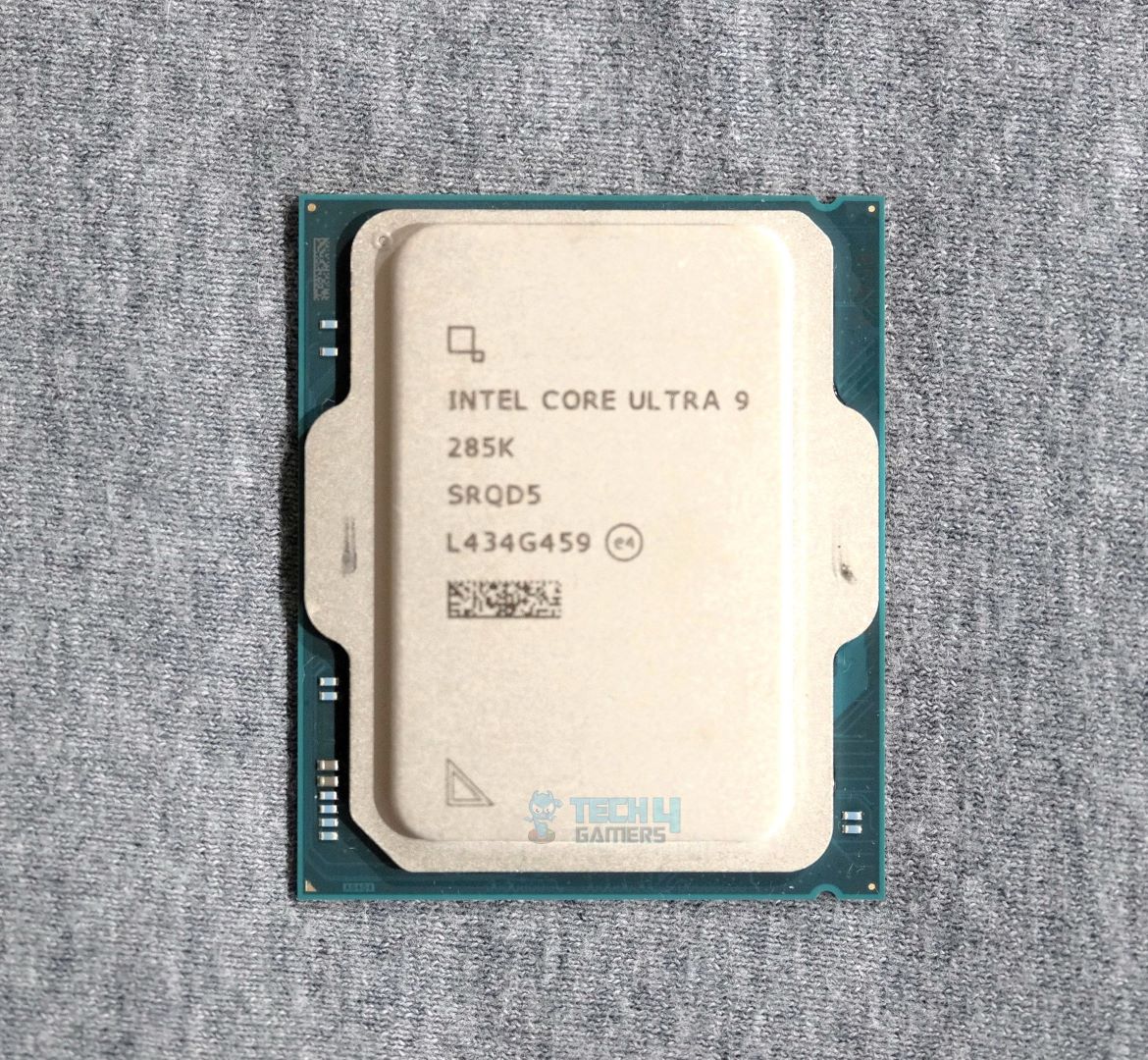
Intel Core Ultra 9 285K
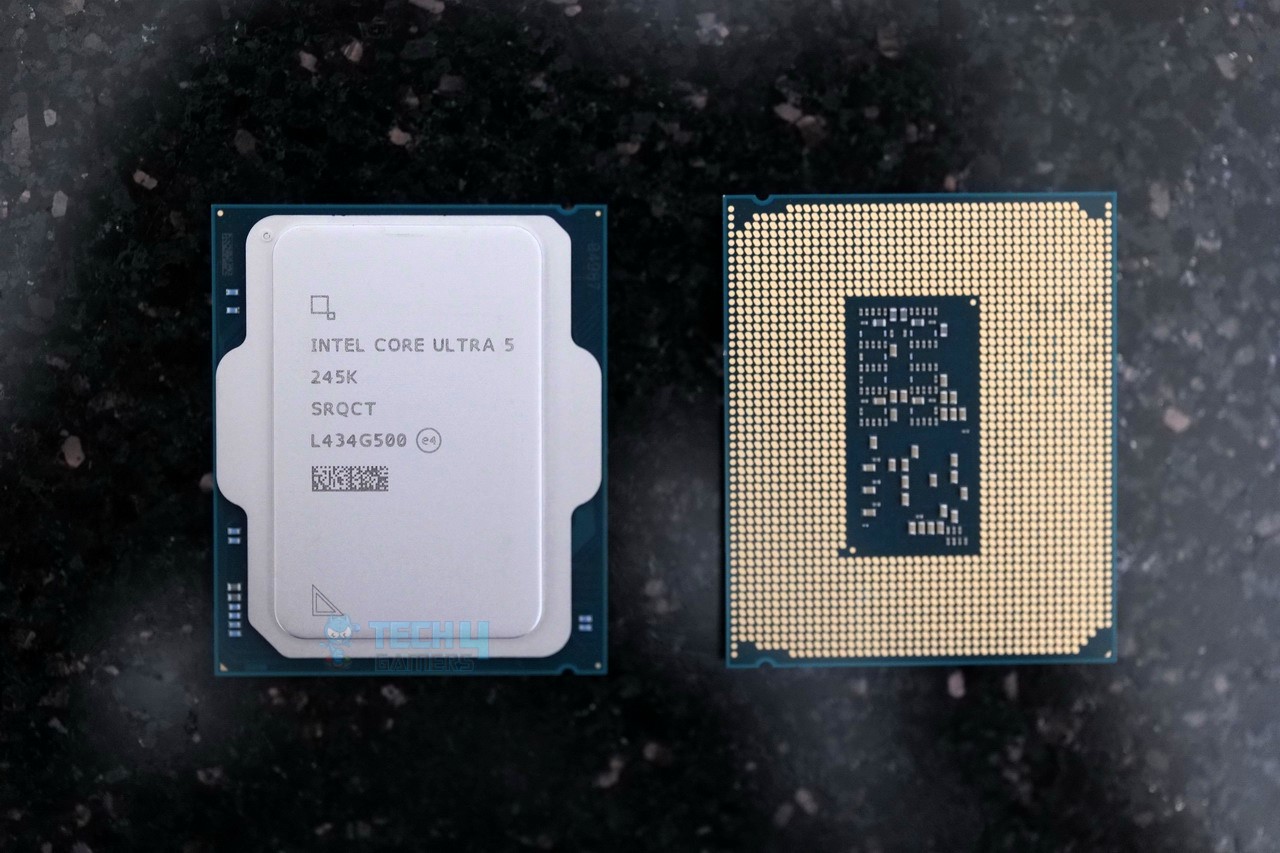
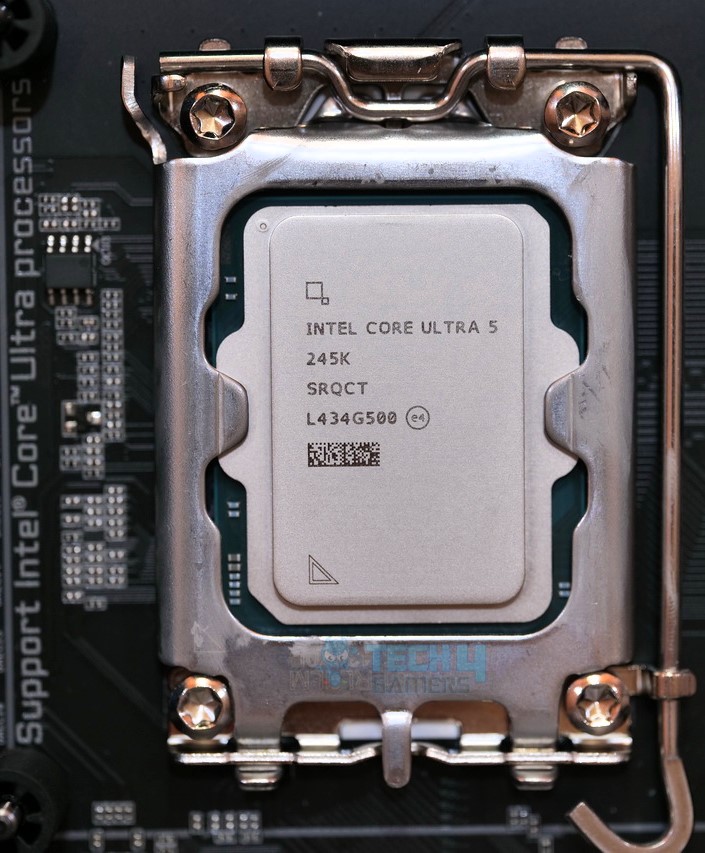
Intel Core Ultra 5 245K
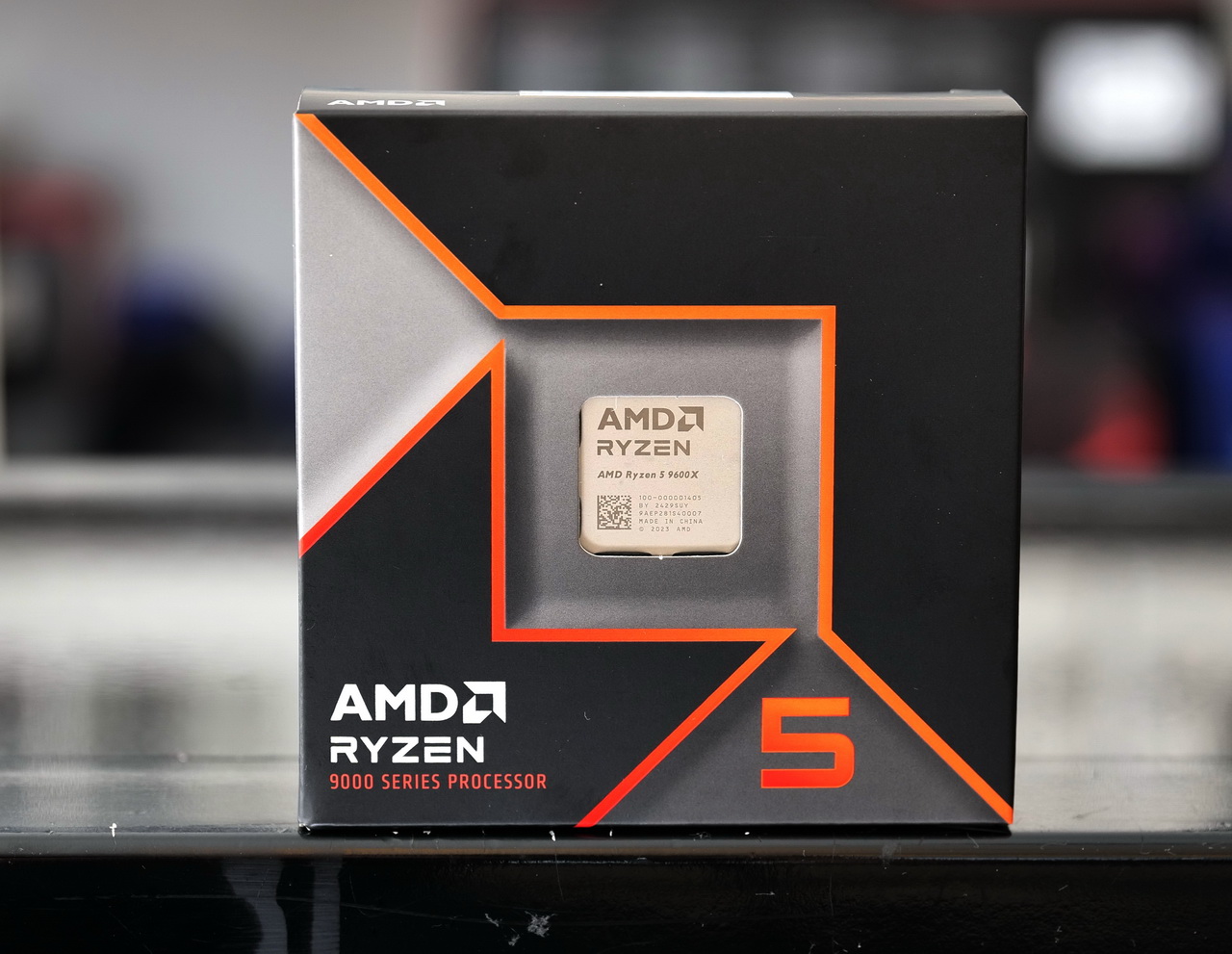
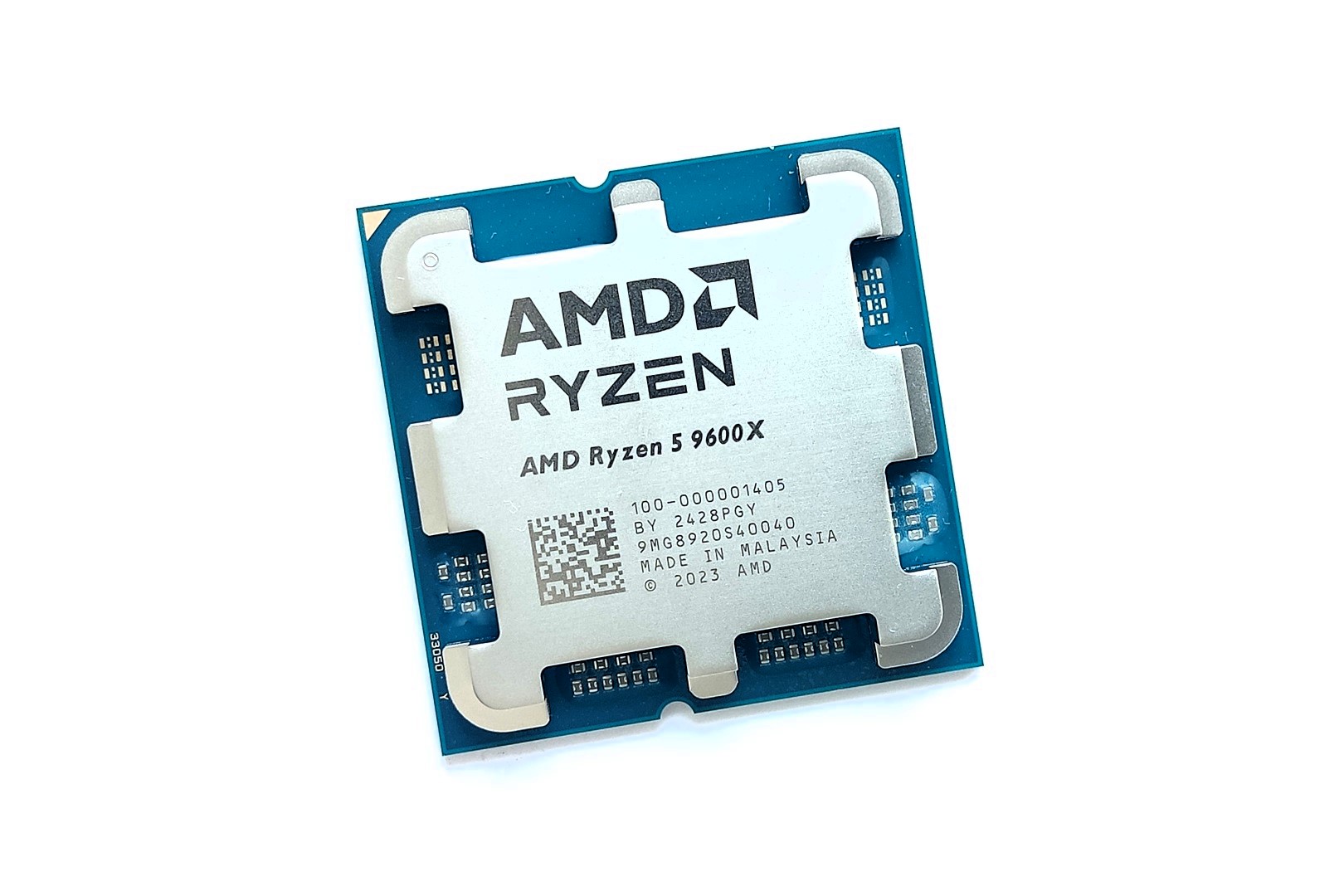
AMD Ryzen 5 9600X
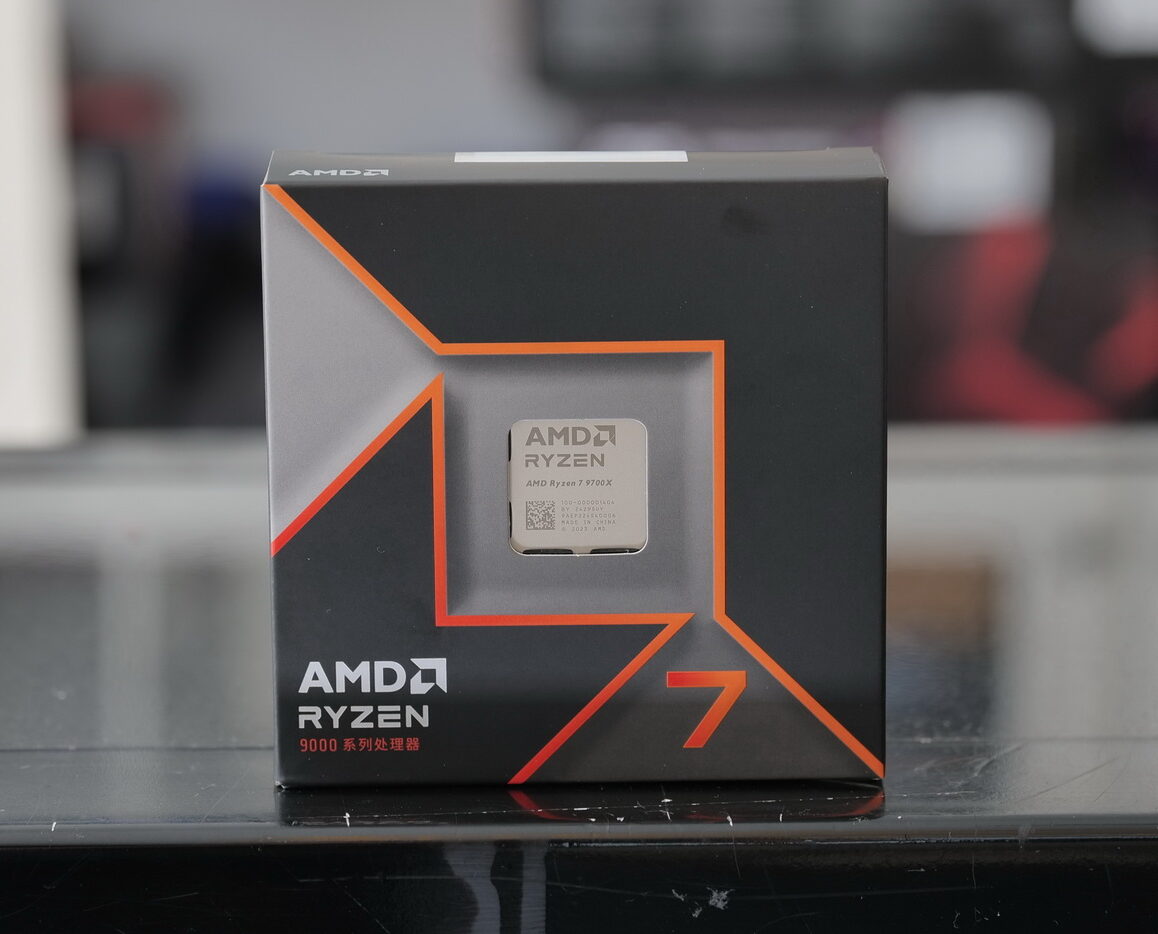
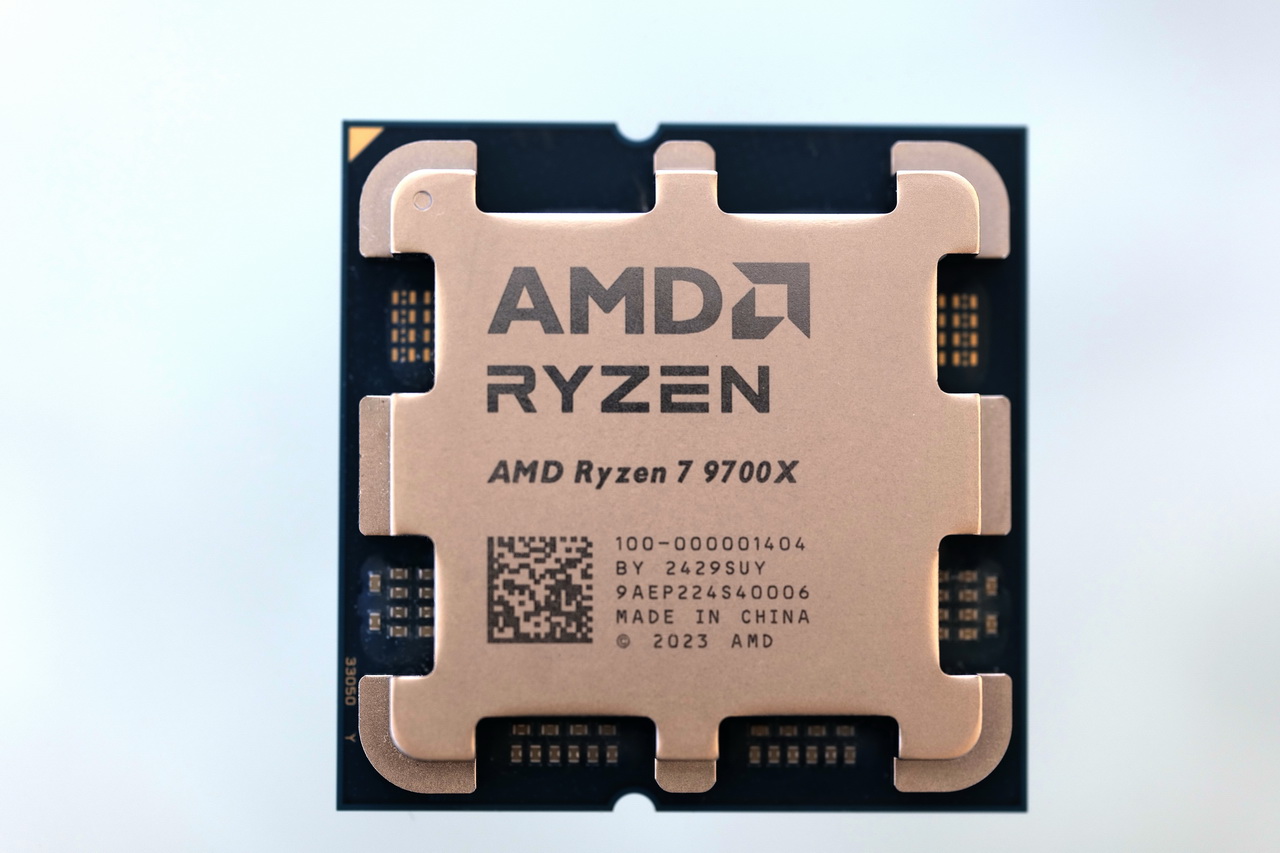
AMD Ryzen 7 9700X
Looks
AMD RYZEN 7 9800X3D 8-Core, 16-Thread Desktop Processor
AMD Ryzen™ 9 9950X 16-Core, 32-Thread Unlocked Desktop Processor
Intel Core Ultra 9 Desktop Processor 285K - 24 cores (8 P-cores + 16 E-cores) and 24 threads - Up to 5.7 GHz unlocked - 40 MB Cache - Compatible with Intel 800 series chipset-based motherboards - Inte
Intel® Core™ Ultra 5 Desktop Processor 245K 14 cores (6 P-cores + 8 E-cores) up to 5.2 GHz
AMD Ryzen™ 5 9600X 6-Core, 12-Thread Unlocked Desktop Processor
AMD Ryzen™ 7 9700X 8-Core, 16-Thread Unlocked Desktop Processor
Award
Best Overall CPU for Gaming and Streaming
Best AMD CPU for Gaming and Streaming
Best Intel CPU for Gaming and Streaming
Best CPU for Gaming and Streaming 1080p
Best Budget Gaming and Streaming CPU
Best 1440p Gaming and Streaming CPU
What We Liked
Gaming and Encoding performance, Efficiency, Platform costs, Future-proofing
Multi-core and Encoding performance, Gaming performance, Power efficiency, Platform cost, Future-proofing
Encoding and Multi-core performance, Improved thermal efficiency, Thunderbolt 5 support, NPU,
Encoding and Multi-core performance, Power and thermal efficiency, Thunderbolt 5 support, NPU,
Value, Efficiency, Platform cost, Future-proofing
Gaming and Encoding performance, Efficiency, Platform cost, Future-proofing
What We Disliked
Cost
Cost
Cost
Price, New motherboard required
No stock cooler
245K faster in multi-core performance
Socket
AM5 (LGA 1718)
AM5 (LGA 1718)
LGA 1851
LGA 1851
AM5 (LGA 1718)
AM5 (LGA 1718)
Cores
8
16
24 (8+16)
14 (6+8)
6
8
Threads
16
32
24
14
12
16
Base Clock
4.7 GHz
4.3 GHz
3.7 GHz (P), 3.2 GHz (E)
4.2 GHz (P), 3.6 GHz (E)
3.9 GHz
3.8 GHz
Boost Clock
Up to 5.2 GHz
5.7 GHz
5.7 GHz (P), 4.6 GHz (E)
5.2 GHz (P), 4.6 GHz (E)
Up to 4.5 GHz
Up to 5.5 GHz
L2 Cache
20MB
16MB
40MB
26 MB
6MB
8MB
L3 Cache
96MB
64MB
36MB
24 MB
32MB
32MB
TDP
120W
170W
125W (Base), 250W (Turbo)
125W (Base), 159W (Turbo)
65W (Extended cTDP: 105W)
CPU
AMD Ryzen 7 9800X3D
Looks
AMD RYZEN 7 9800X3D 8-Core, 16-Thread Desktop Processor
Award
Best Overall CPU for Gaming and Streaming
What We Liked
Gaming and Encoding performance, Efficiency, Platform costs, Future-proofing
What We Disliked
Cost
Socket
AM5 (LGA 1718)
Cores
8
Threads
16
Base Clock
4.7 GHz
Boost Clock
Up to 5.2 GHz
L2 Cache
20MB
L3 Cache
96MB
TDP
120W
Amazon
Newegg
Read Review
CPU
AMD Ryzen 9 9950X
Looks
AMD Ryzen™ 9 9950X 16-Core, 32-Thread Unlocked Desktop Processor
Award
Best AMD CPU for Gaming and Streaming
What We Liked
Multi-core and Encoding performance, Gaming performance, Power efficiency, Platform cost, Future-proofing
What We Disliked
Cost
Socket
AM5 (LGA 1718)
Cores
16
Threads
32
Base Clock
4.3 GHz
Boost Clock
5.7 GHz
L2 Cache
16MB
L3 Cache
64MB
TDP
170W
Amazon
Newegg
Read Review
CPU
Intel Core Ultra 9 285K
Looks
Intel Core Ultra 9 Desktop Processor 285K - 24 cores (8 P-cores + 16 E-cores) and 24 threads - Up to 5.7 GHz unlocked - 40 MB Cache - Compatible with Intel 800 series chipset-based motherboards - Inte
Award
Best Intel CPU for Gaming and Streaming
What We Liked
Encoding and Multi-core performance, Improved thermal efficiency, Thunderbolt 5 support, NPU,
What We Disliked
Cost
Socket
LGA 1851
Cores
24 (8+16)
Threads
24
Base Clock
3.7 GHz (P), 3.2 GHz (E)
Boost Clock
5.7 GHz (P), 4.6 GHz (E)
L2 Cache
40MB
L3 Cache
36MB
TDP
125W (Base), 250W (Turbo)
Amazon
Newegg
Read Review
CPU
Intel Core Ultra 5 245K
Looks
Intel® Core™ Ultra 5 Desktop Processor 245K 14 cores (6 P-cores + 8 E-cores) up to 5.2 GHz
Award
Best CPU for Gaming and Streaming 1080p
What We Liked
Encoding and Multi-core performance, Power and thermal efficiency, Thunderbolt 5 support, NPU,
What We Disliked
Price, New motherboard required
Socket
LGA 1851
Cores
14 (6+8)
Threads
14
Base Clock
4.2 GHz (P), 3.6 GHz (E)
Boost Clock
5.2 GHz (P), 4.6 GHz (E)
L2 Cache
26 MB
L3 Cache
24 MB
TDP
125W (Base), 159W (Turbo)
Amazon
Newegg
Read Review
CPU
AMD Ryzen 5 9600X
Looks
AMD Ryzen™ 5 9600X 6-Core, 12-Thread Unlocked Desktop Processor
Award
Best Budget Gaming and Streaming CPU
What We Liked
Value, Efficiency, Platform cost, Future-proofing
What We Disliked
No stock cooler
Socket
AM5 (LGA 1718)
Cores
6
Threads
12
Base Clock
3.9 GHz
Boost Clock
Up to 4.5 GHz
L2 Cache
6MB
L3 Cache
32MB
TDP
65W (Extended cTDP: 105W)
Amazon
Newegg
Read Review
CPU
AMD Ryzen 7 9700X
Looks
AMD Ryzen™ 7 9700X 8-Core, 16-Thread Unlocked Desktop Processor
Award
Best 1440p Gaming and Streaming CPU
What We Liked
Gaming and Encoding performance, Efficiency, Platform cost, Future-proofing
What We Disliked
245K faster in multi-core performance
Socket
AM5 (LGA 1718)
Cores
8
Threads
16
Base Clock
3.8 GHz
Boost Clock
Up to 5.5 GHz
L2 Cache
8MB
L3 Cache
32MB
TDP
65W (Extended cTDP: 105W)
Amazon
Newegg
Read Review

Last Updated:


  • February 16, 2025: After testing the latest generation of Intel and AMD CPUs, we have updated our recommendations.

[toc]

We have also tested:

Best CPU For Streaming

Here are our recommendations: 

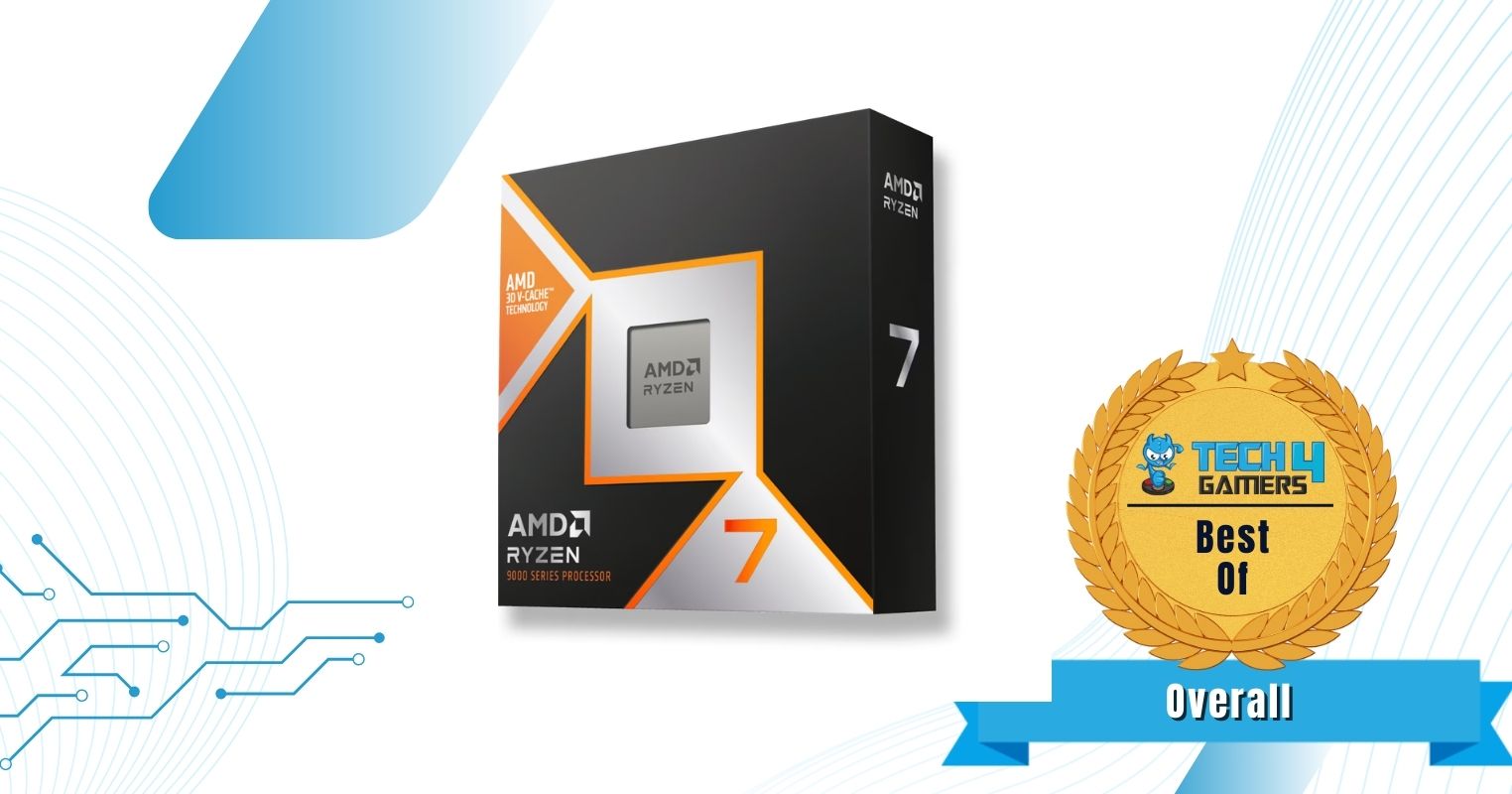
  1. Best Overall: AMD Ryzen 7 9800X3D
  2. Best AMD: AMD Ryzen 9 9950X
  3. Best Intel: Intel Core Ultra 9 285K
  4. Best For Streaming 1080P: Intel Core Ultra 5 245K 
  5. Best Budget: AMD Ryzen 5 9600X
  6. Best For 1440P Streaming: AMD Ryzen 7 9700X 

AMD Ryzen 7 9800X3D

Best Overall CPU For Gaming and Streaming 

Socket: LGA 1718 (AM5) | Cores: 8 | Threads: 16 | Base Clock: 4.7 GHz | Boost Clock: 5.2 GHz | L2 Cache: 20 MB | L3 Cache: 96 MB | TDP: 120W | MSRP: $479

Pros

  • Beats all other CPUs in gaming performance
  • Great encoding performance
  • Power consumption is low
  • Excellent thermal efficiency
  • Compatible with 600-series chipset boards
  • Future-proof 
  • AVX-512 support

Cons

  • Costly

Read Our AMD Ryzen 7 9800X3D Review

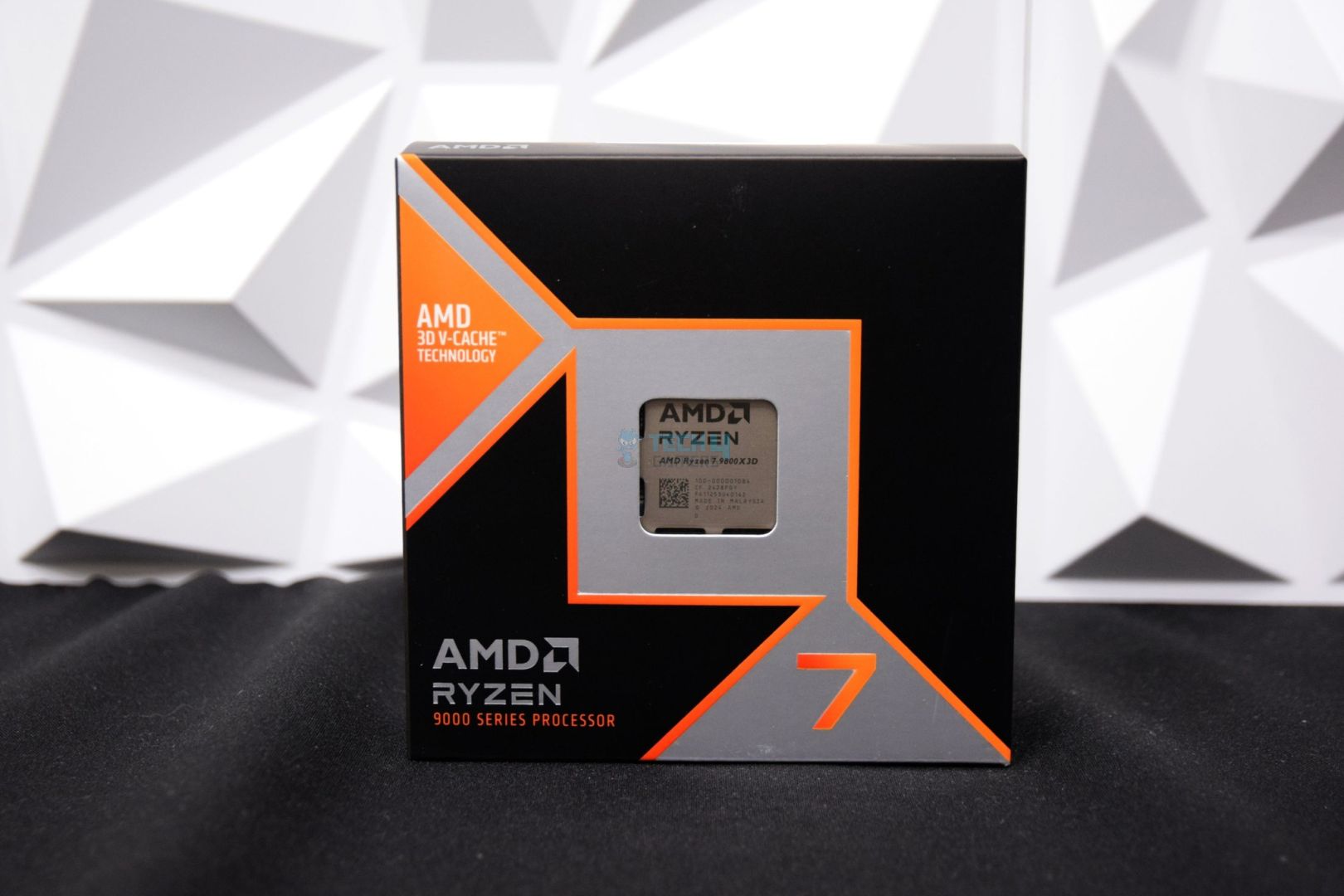
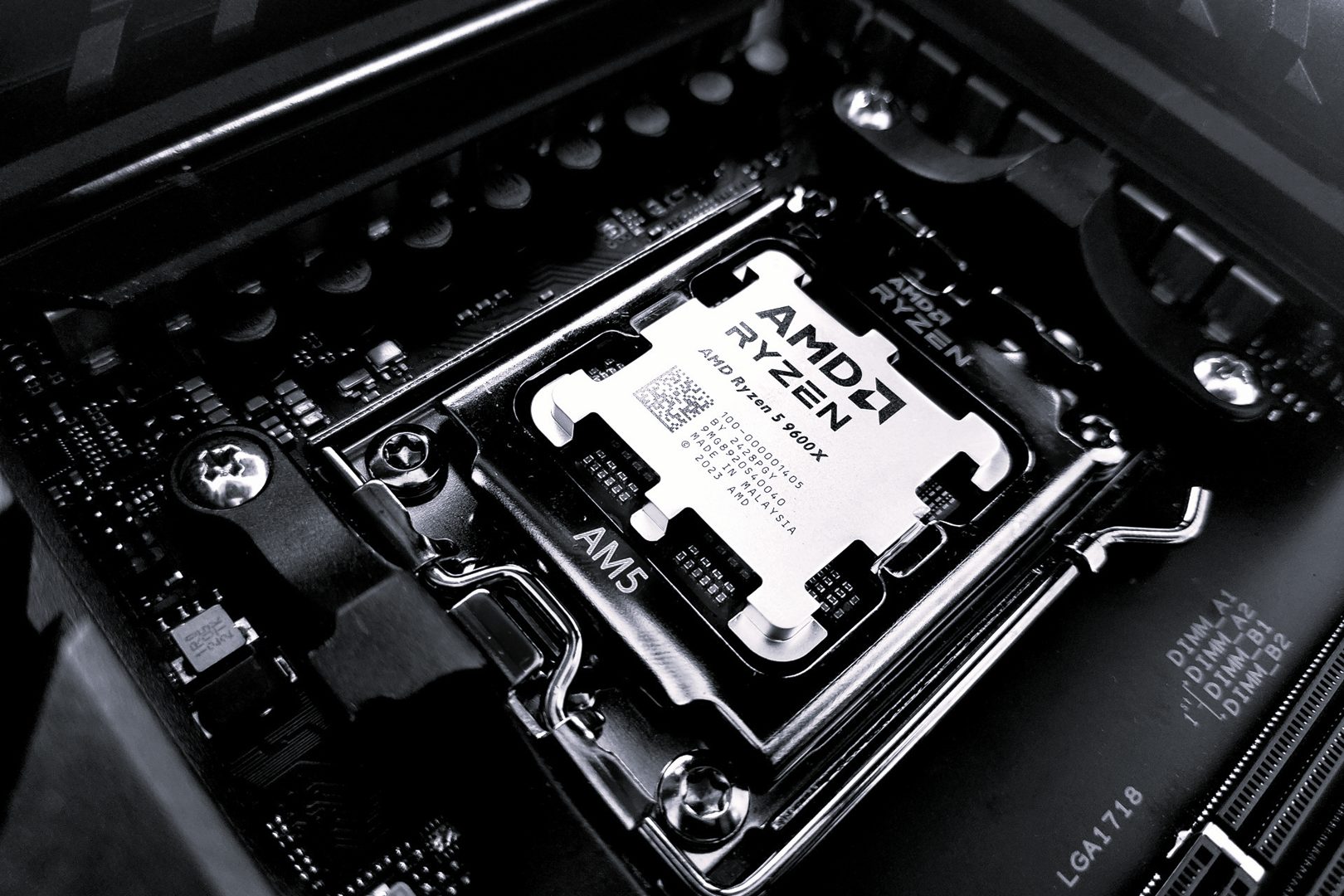
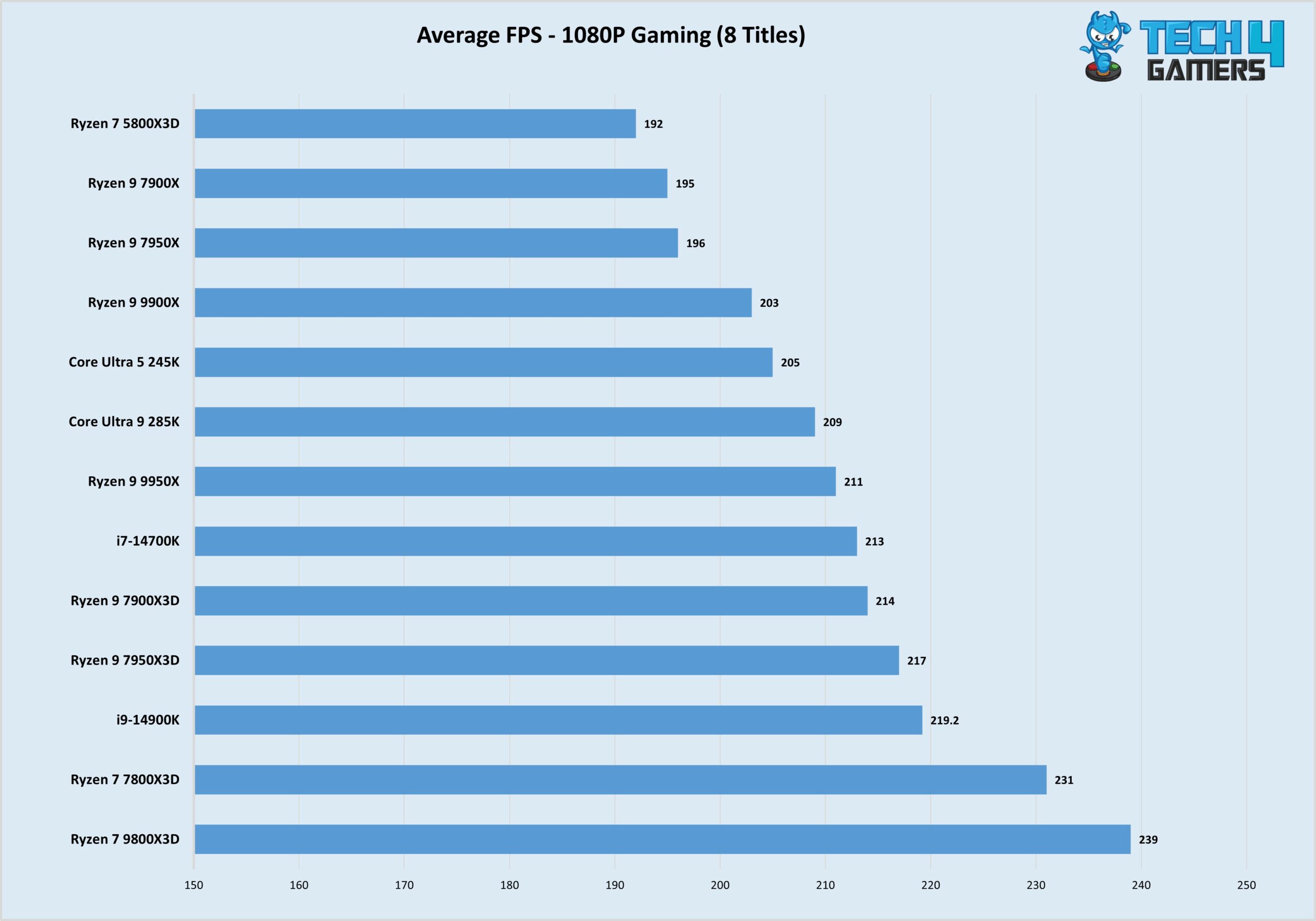
The AMD Ryzen 7 9800X3D is AMD’s new gaming king, showing killer performance owing to the Zen 5 architecture and an improved 3D V-cache design. It features eight cores and 16 threads, with an impressive 4.7 GHz base clock speed! We put it to the test in gaming across all resolutions, and it remained the top performer, with an average of 239 FPS at 1080P ultra, for example. The eight cores mean you will have enough room to stream and won’t face a major drop in FPS, and even a 10% FPS drop (at 1080P) means you’ll still be averaging well over 60 FPS. 

With the 9800X3D, you can also breathe easy for years to come. Overclocking support is one reason for this: you can push your CPU a bit further if you think it’s falling behind. When it’s time to upgrade, the AM5 socket will let you upgrade to future-generation CPUs until at least 2024. It supports fast DDR5 memory, USB4, PCIe Gen 5, and WiFi 7. 

Read hardware reviewer Usman Saleem‘s praise for the CPU:  

The Ryzen 7 9800X3D is the new gaming champ, outclassing AMD’s own Ryzen 7 7800X3D CPU in our gaming charts. With its improved 3D V-cache design, combined with the Zen 5 architecture, the CPU improves gaming and productivity performance while becoming more efficient than its predecessor.

✅Buy It If

You want an easy-to-cool CPU: The AMD Ryzen 7 9800X3D can be cooled with affordable coolers thanks to its 120W rating and improved 3D V-cache design. 

You prefer a solid upgrading path: With the AM5 socket promised until 2027 or longer, upgrading to future CPUs will be a breeze. 

You need AVX-512 support: The CPU has full support for the AVX-512 instructions set if you have workloads that use it. 

❌Don't Buy It If
Affordability is an issue: The CPU costs $479, which is not the friendliest price tag, especially when you compare it to the 7800X3D.

What Makes It The Best Overall CPU For Gaming And Streaming? 

The Ryzen 7 9800X3D is the best gaming CPU out there. It has enough cores to allow you to stream comfortably without any major performance hits. Overclocking support means you can squeeze even more performance out of it, and thanks to AMD’s extended support for AM5, upgrading to next-generation CPUs will be possible. All this comes at a fairly staggering tag of $479. 

Editor`s Note
Image

The Ryzen 7 9800X3D improves on the 7800X3D not only through the Zen 5 architecture, but an improved 3D V-cache design, becoming the first X3D CPU to support overclocking. Thus, you can push its chart-topping gaming performance even further!

– Dr. Usman Saleem

Performance: 10/10 Value: 8.5/10
Features: 9.5/10 Future-proofing: 10/10

AMD Ryzen 9 9950X

Best AMD CPU For Gaming and Streaming 

Socket: LGA 1718 (AM5) | Cores: 16 | Threads: 32 | Base Clock: 4.3 GHz | Boost Clock: 5.7 GHz | L2 Cache: 16 MB | L3 Cache: 64 MB | TDP: 170W | MSRP: $579

Pros

  • Class-leading multi-core performance
  • Top-notch encoding performance
  • Great gaming performance
  • Improved power efficiency
  • Compatible with 600-series chipset boards
  • Future-proof 
  • AVX-512 support

Cons

  • Costly

Read Our AMD Ryzen 9 9950X Review

The Ryzen 9 9950X is currently the most expensive consumer gaming CPU on AMD’s side, and it uses the new Zen 5 architecture. It involves changes to all areas of the CPU core and carries the 16C/32T configuration of the 7950X. Thus, it brings impressive gaming and top-notch multi-core performance while being more thermally efficient than its predecessor. Its encoding performance across different encoding formats, including H.264, was only beaten by the 9950X in our testing. So streaming performance will be completely seamless, whether at 1080P or 4K.

The 9950X’s top-of-the-line performance numbers mean it will last you a long time. When the time comes to upgrade, you’ll have a great upgrade path with AM5 supporting at least three more generations of CPUs. The latest I/O is supported by the board, and you’ll have support for memory speeds exceeding 8000 MT/s with the 800-series chipset boards. 

Not only did the multi-core performance impress us, we also praised the 9950X’s thermal efficiency in our review:

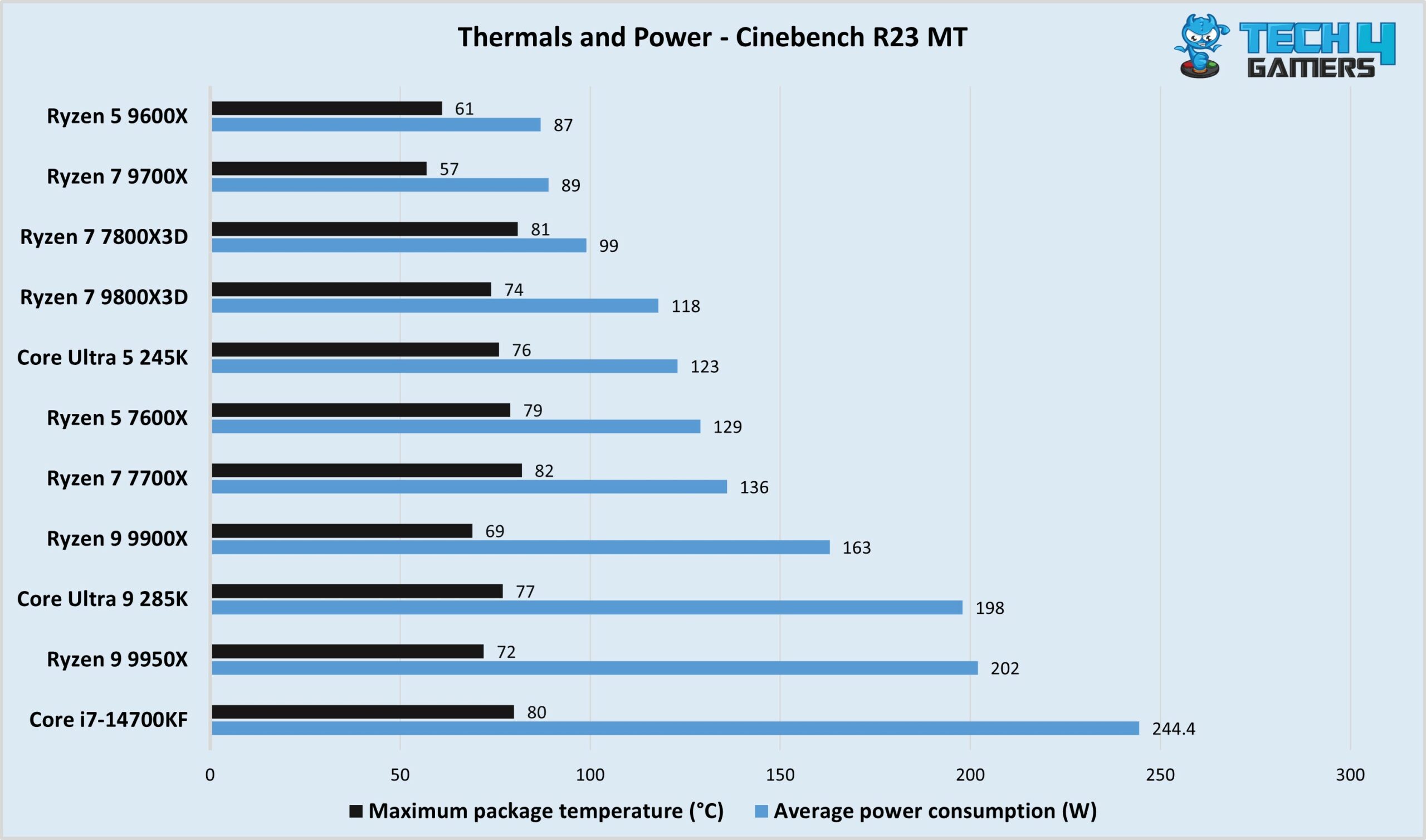
It is the only CPU to retain its predecessor’s TDP rating (170W) and can consume around 200 watts or more, but its thermal efficiency is superb. We had no problems taming the CPU with our DeepCool Mystique 360mm cooler, as it peaked at 72C during a full 30-minute Cinebench load.

✅Buy It If

You want a comfortable streaming experience at top resolutions: Even if you’re shooting for 4K streaming, the 9950X will handle it comfortably. 

You need excellent future-proofing: With its 16 cores and 32 threads, the CPU will last you a long time, and you can easily swap it out for an upcoming generation CPU in the future.

❌Don't Buy It If
Budget is limited: With a $579 price tag, the CPU is a significant investment.

What Makes It The Best AMD CPU For Gaming And Streaming? 

The Ryzen 9 9950X is AMD’s flagship CPU for the Ryzen 9000 series, packing 16 cores with 32 threads. It shows the fastest application performance we’ve seen in a consumer gaming CPU, and streaming while gaming is no struggle for it, even at 4K. Furthermore, thanks to long-term platform support, you can easily upgrade in the future if the need arises. 

Performance: 10/10 Value: 8.5/10
Features: 9.5/10 Future-proofing: 10/10

Intel Core Ultra 9 285K

Best Intel CPU For Gaming and Streaming 

Socket: LGA 1851 | Cores: 24 (8P+16E) | Threads: 24 | Base Clock: 3.7 GHz (P), 3.2 GHz (E) | Boost Clock: 5.7 GHz (P), 4.6 GHz (E) | L2 Cache: 40 MB | L3 Cache: 36 MB | TDP: 125W (Max. @ Turbo: 250W) | MSRP: $589

Pros

  • Top-notch encoding and multi-core performance
  • Improved thermal efficiency
  • Thunderbolt 5 support
  • Included NPU 
  • Faster iGPU than previous generation
  • Supports fast DDR5 (>8000 MT/s)

Cons

  • Costly
  • Requires new motherboard

Read Our Core Ultra 9 285K Review

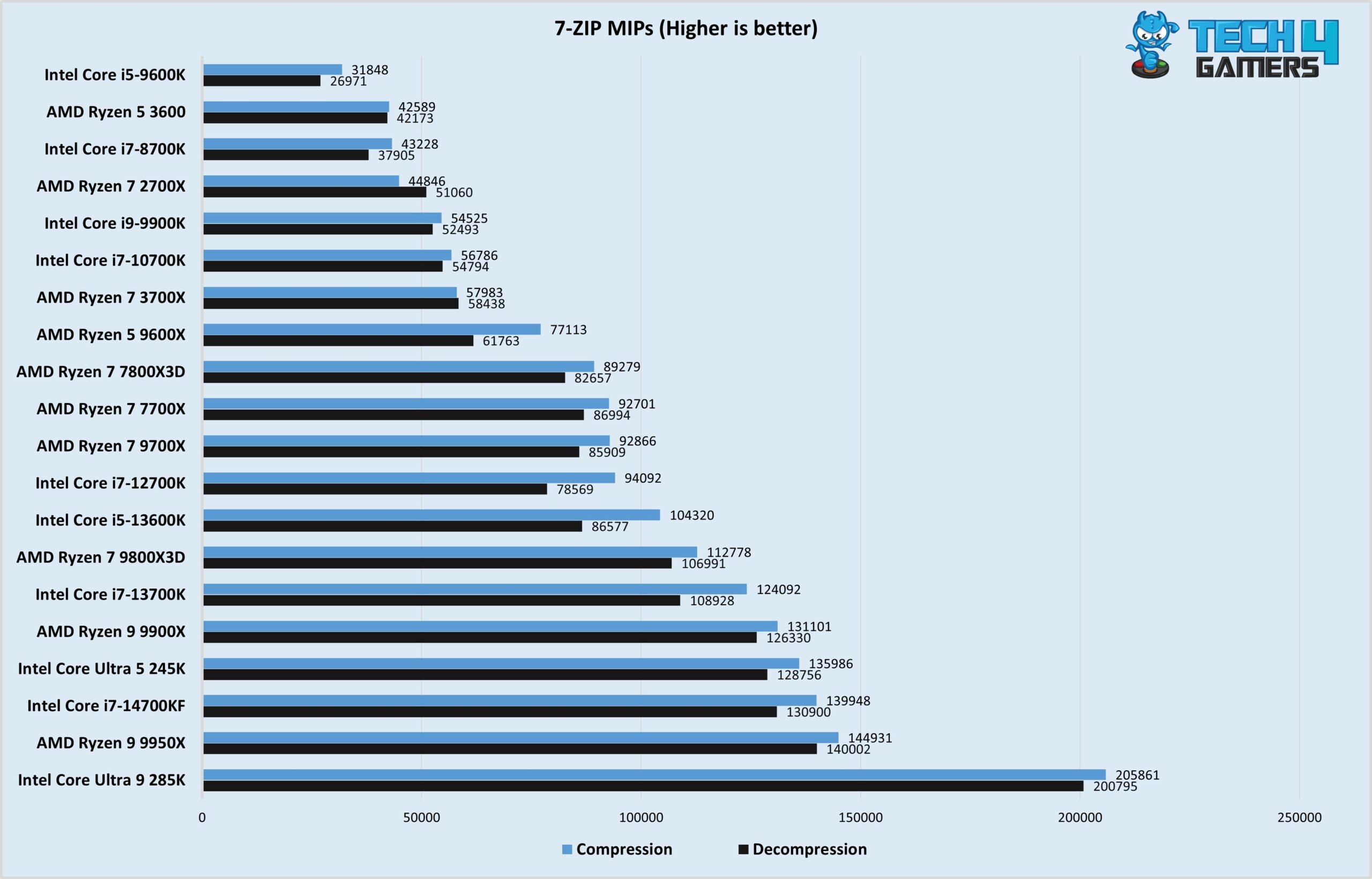
On Intel’s side, the Core Ultra 9 285K is the flagship, sporting 8 full-power cores and 16 E-cores. The extra E-cores free the P-cores from handling smaller background tasks and allow them to be fully dedicated to gaming and streaming. In our gaming tests at 1080P resolution, the CPU scored 205 FPS on average. Meanwhile, the CPU tops all our encoding benchmarks, followed closely by the Ryzen 9 9950X.

Intel will support the LGA 1851 platform until 2026, which is two more generations of CPUs. It’s not as future-proof as AMD, but it’s enough, especially considering that the 285K flagship will likely last you years to come. The CPU provides an integrated NPU, Thunderbolt 4, and 20 PCIe Gen 5 lanes. It also supports DDR5 speeds exceeding 8000 MT/s and discrete Thunderbolt 5, too. 

Discussing the CPU’s pros and cons, here’s what we had to say: 

Intel’s Core Ultra 9 285K is a powerful flagship processor built on the advanced 3nm node, featuring 24 cores (8 Performance and 16 Efficiency cores) that does good in multi-threaded tasks like rendering and encoding. Priced at $589, it’s more costly than some of its competitors, and its requirement for a new LGA1851 motherboard may put off those looking to upgrade from recent Intel models.

✅Buy It If

You want to stream at high-end resolutions: If you want to stream your games at high resolutions (up to 4K), the 285K can do it while maintaining playable FPS.

You need Thunderbolt 5 support: The Core Ultra 9 285K provides discrete support for Thunderbolt 5, providing up to 120 Gbps of bandwidth. 

❌Don't Buy It If
You’re on a budget: Like AMD’s Ryzen 9000 flagship, the Core Ultra 9 285K is costly at $589. Moreover, you’ll need a new motherboard for it.

What Makes It The Best Intel CPU For Gaming And Streaming? 

The Core Ultra 9 285K provides 24 cores in an architecture designed to handle both your heavy (gaming and streaming) and light tasks efficiently. Thus, it is more than enough to handle high-resolution streaming even in graphically intensive games, as validated in our testing.  

Performance: 9.5/10 Value: 8/10
Features: 10/10 Future-proofing: 9/10

Intel Core Ultra 5 245K

Best CPU for Gaming and Streaming 1080P 

Socket: LGA 1851 | Cores: 14 (6P + 8E) | Threads: 14 | Base Clock: 4.2 GHz (P), 3.6 GHz (E) | Boost Clock: 5.2 GHz (P), 4.6 GHz (E) | L2 Cache: 26 MB | L3 Cache: 24 MB | TDP: 125W (Max. @ Turbo: 159W) | MSRP: $319

Pros

  • Great encoding and multi-core performance
  • Improved power and thermal efficiency
  • Thunderbolt 5 support
  • Includes an NPU
  • iGPU is much faster than previous generation

Cons

  • Price is unattractive 
  • Requires new motherboard

Read Our Core Ultra 5 245K Review

The Core Ultra 5 245K is the perfect option for 1080P streaming, as 6 full-power cores leave enough room for streaming at this resolution. Moreover, like with the 285K, you have E-cores to handle the background tasks, lightening the load on the P-cores. Adding to that decent L2 and L3 cache chunks, the CPU handles 1080P gaming like a champ, averaging 205 FPS at 1080P ultra across various titles. The CPU’s encoding performance is excellent in all formats, including AV1.

The Core Ultra 5 245K should last you at least a couple of years, after which you can upgrade to a newer CPU. It supports Gen 5 expansion and NVMe, fast DDR5 speeds (over 8000 MT/s), native Thunderbolt 4 and WiFi 6E, and more. 

Read what our expert reviewer Usman Saleem said about the 245K:

The Intel Core Ultra 5 245K offers decent performance at a considerable price range. It is equipped with the latest architecture and has great power efficiency.

✅Buy It If

You’re prioritizing good multi-core performance: The Core Ultra 5 245K is not only great for 1080P gaming and streaming but also shows excellent performance in heavily multi-threaded workloads. 

You want improved power efficiency: The Core Ultra 5 245K provides much better power efficiency than its predecessors. 

❌Don't Buy It If
You want a cheaper alternative: AMD’s competing Ryzen 5 9600X and Ryzen 7 9700X are available at a lower price.

What Makes It The Best CPU For 1080P Gaming And Streaming? 

If you’re fine streaming at good ol’ 1080P, the Core Ultra 5 245K is an excellent option with its 6 P and 8 E cores. The new architecture also brings better power and thermal efficiency, so the CPU won’t require as premium cooling as its predecessors. 

Performance: 8.5/10 Value: 7.5/10
Features: 10/10 Future-proofing: 9/10

AMD Ryzen 5 9600X

Best Budget CPU For Gaming and Streaming 

Socket: LGA 1718 (AM5) | Cores: 6 | Threads: 12 | Base Clock: 3.9 GHz | Boost Clock: 5.4 GHz | L2 Cache: 6 MB | L3 Cache: 32 MB | TDP: 65W (Extended cTDP: 105W) | MSRP: $239

Pros

  • Good value
  • Low power consumption
  • Excellent thermal efficiency
  • Future-proof
  • AVX-512 support

Cons

  • No stock cooler included
  • Not great for streaming beyond 1080P

Read Our AMD Ryzen 5 9600X Review

The Ryzen 5 9600X rocks six cores and 12 threads on the new Zen 5 architecture, with 32 MB of L3 cache. It can also run at a 105W TDP with the new AGESA Pi firmware update, providing up to 10% performance uplift. In our 1080P gaming tests, the CPU clocked 197 FPS at Ultra preset. Performance across different compression formats has improved (compared to its predecessor), with a massive uplift in AV1 performance numbers. That said, 1080P streaming should be your goal, while more dated titles can be streamed at 1440P. 

If you don’t hit resolutions beyond 1080P, the Ryzen 5 9600X should last you a good few years. When it’s time to upgrade, you can swap it for a next-gen CPU, as AM5 will continue to support CPUs up to 2027. You also get the latest I/O with the 9600X: PCIe Gen 5, fast DDR5, USB4 (depending on the motherboard), and more. 

PRO TIP: Update your AGESA firmware to 1.2.0.2 to run the CPU at 105W for a potential performance boost. Ensure your CPU cooler can handle the extra wattage, though.

The Ryzen 5 9600X evoked mixed feelings; here’s what we said: 

While there are decent gains in multi-core performance over the previous generation, the 9600X simply can’t compete with similarly-priced CPUs with higher core counts. Even Intel’s modestly priced 13600K is far better for multi-threaded workloads than our AM5 CPU.

✅Buy It If

You’re looking for the best value: The 9600X is probably the best-value CPU among the latest crop of AMD and Intel CPUs. It costs $239 after a recent price cut.

You want excellent future-proofing: As this is a budget option, you’ll probably want to upgrade within a few years. The 9600X is great for that, as it will likely support three or more upcoming generations of AMD CPUs. 

❌Don't Buy It If
You want to stream at higher resolutions: While you’ll be able to stream 1440P in less graphically intensive games, it’ll be difficult to push beyond 1080P in more demanding titles.

What Makes It The Best Budget CPU For Gaming And Streaming? 

At $239, the AMD Ryzen 5 9600X offers great value. It has six cores 12 threads, and great 1080P gaming numbers. Pair that with good encoding performance, easy upgradability, and all the modern I/O you need, and it covers everything at a decent price.

Performance: 8.5/10 Value: 8.5/10
Features: 9.5/10 Future-proofing: 10/10

AMD Ryzen 7 9700X

Best CPU For Gaming and Streaming 1440P

Socket: LGA 1718 (AM5) | Cores: 8 | Threads: 16 | Base Clock: 3.8 GHz | Boost Clock: 5.5 GHz | L2 Cache: 8 MB | L3 Cache: 32 MB | TDP: 65W (Extended cTDP: 105W) | MSRP: $329

Pros

  • Shows great numbers in gaming 
  • Improved encoding performance
  • 65W TDP
  • Thermal efficiency even better than 9600X
  • Compatible with previous-gen motherboards
  • Future-proof
  • AVX-512 support

Cons

  • Intel’s 245K faster in multi-core performance
  • No stock cooler

Read Our AMD Ryzen 7 9700X Review

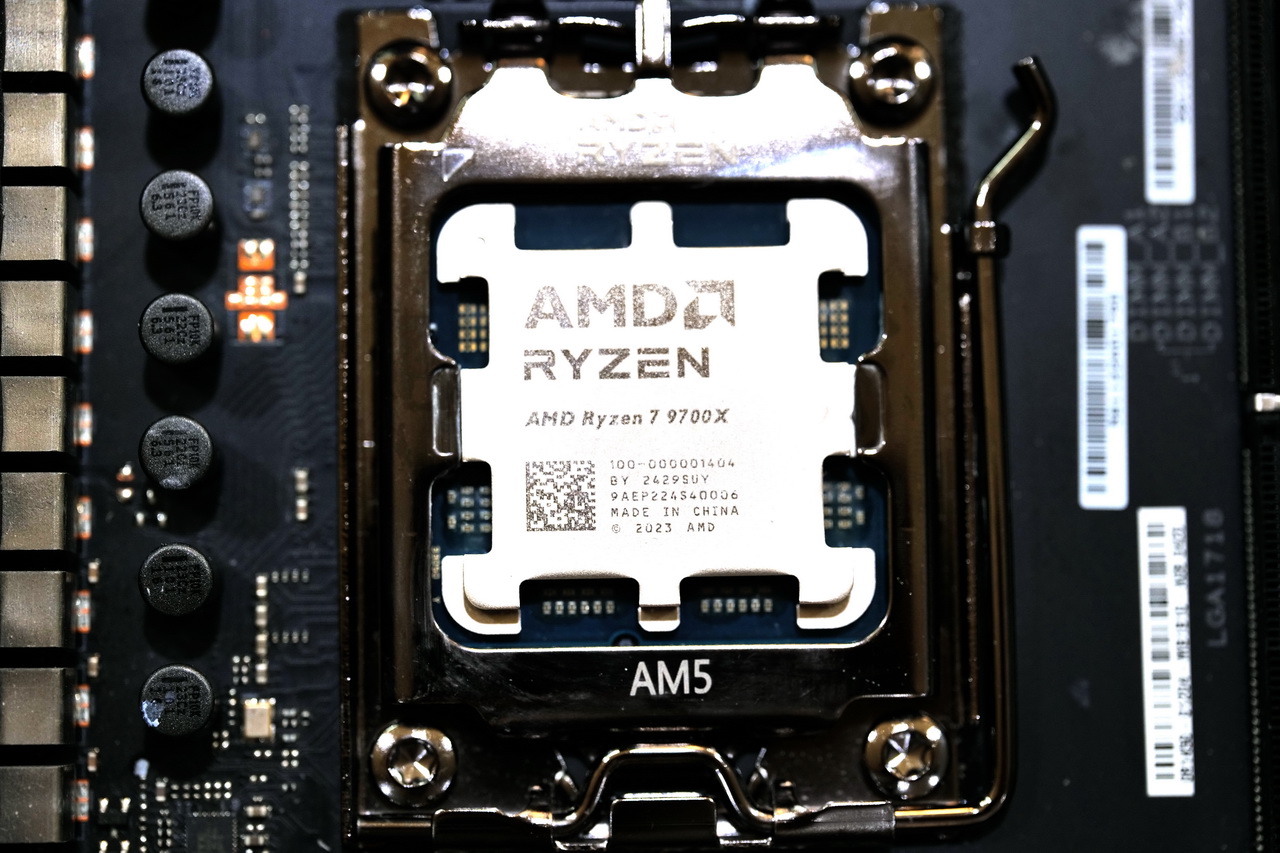
The Ryzen 7 9700X rocks eight cores and 16 threads with a base clock speed of 3.8 GHz. Shared by the CPU cores is 32 MB of L3 cache, and the CPU can run at 105W with the AGESA 1.2.0.2 firmware update. In our 1440P gaming benchmarks, the CPU scored an average of 166 FPS, while the encoding performance in all the tests is better than the 7700X. What’s more, the CPU is extremely efficient, maxing out at 89W under full load and hitting only 57°C. There’s plenty of overclocking room if you have a decent cooler. 

The Ryzen 7 9700X offers great future-proofing, with potential upgrades to the 9900X/9950X or future CPUs up to 2027. You get 20 usable lanes of PCIe Gen 5, USB4, WiFi 7, and DDR5 speed support over 8000 MT/s. Also, with its 65W/105W rating, you can even run it with cheap B650 boards without issues. 

Read our thoughts about the CPU from our dedicated review:

The Ryzen 7 9700X is ideal if you want top-class single-core performance and power efficiency and/or heavily use AVX-512 instructions.

✅Buy It If

You want excellent efficiency: The CPU is very power-efficient and easy to cool.

You don’t want to spend heavily on other components: The Ryzen 7 9700X can be run on a cheap previous-gen B650 motherboard and can be cooled with an affordable air cooler.

Future-proofing is important: The CPU offers an excellent upgrade path, as the AM5 platform is set to receive support until 2027. 

❌Don't Buy It If

You need better multi-core performance: The Core Ultra 5 245K outperforms this CPU in multi-threaded benchmarks. 

What Makes It The Best CPU For 1440P Streaming?

The Ryzen 7 9700X’s impressive encoding performance and eight cores make it a great option for smooth 1440P streaming. It’s also highly efficient, priced fairly, supports the latest I/O, and provides a convenient upgrade path. 

Performance: 9/10 Value: 9/10
Features: 9.5/10 Future-proofing: 10/10

CPU Comparison

Here’s how our selected CPUs differ in key specifications: 

CPUNo. of coresNo. of threadsBase frequency (GHz)(Full-power cores)Boost frequency (Full-power cores)Total L2 cache (MB)Total L3 cache (MB)Base TDP (W)
9800X3D8164.75.22096120
9950X16324.35.71664170
Ultra 9 285K24243.75.74036125
Ultra 5 245K14144.25.22624125
6123.95.463265
9700X8163.85.583265

Benchmarks Of The Best CPU For Streaming

In order to judge the streaming capabilities of various CPUs, our team of hardware specialists ran a gauntlet of tests on our target processors. These tests were designed to objectively judge both the gaming and streaming performance of the CPUs at different resolutions and different bitrates. 

Important CPU Key Terms

Here are some key CPU terms you should know when shopping for a streaming CPU.

  1. Cores: A CPU die is divided into parts known as cores which help execute various functions.
  2. Threads: Cores make use of data strings known as threads to improve multitasking.
  3. Cache: A small amount of super-fast memory known as cache is stored directly onto the CPU.
  4. Clock Speed: The clock speed of a processor ranges from base clock to boost clock, and it is the number of data cycles it completes in one second.
  5. TDP: An estimation of the amount of heat emitted by a processor is known as TDP.
  6. CPU encoding: When uncompressed frames are packaged into a target file format by the CPU, it is known as CPU encoding. It is also called software encoding.
  7. Overclocking: Running a CPU faster than its pre-determined frequency is known as overclocking.

How We Picked The Best CPU For Streaming

Here is what we considered when choosing the best CPU for streaming.

  • Multi-core Performance: Gaming prioritizes single-threaded performance while streaming demands numerous cores with strong multi-core performance. Therefore, when compiling this list, we placed significant emphasis on both the number of cores and their speed to ensure an optimal streaming experience.
  • Gaming Performance: While dedicated streaming rigs are a good idea if you’re a professional streamer, they are not really feasible for most people. Therefore, a good streaming CPU should also be a good gaming CPU if you want to do both simultaneously. You can’t expect to have a good stream if your own game is running poorly in the first place.
  • CPU Encoding: CPU encoding, or software encoding, is also linked somewhat to multi-core performance. You can use the CPU directly for streaming as well, but that puts a lot of load on the CPU. The CPU uses an x264 or x265 encoder to package the gameplay footage into a streamable format. Encoding performance should definitely be considered in this purchase process.
  • Value for Money: When selecting CPUs for streaming, considering value is essential. While high-end options exist, mid-range or budget CPUs can suffice with proper stream settings adjustments. We evaluated the price-to-performance ratio across different price brackets to make our selection.

FAQs

Does streaming use CPU or GPU?

Streaming uses CPU if you use software encoding, but it can also use GPU if you use hardware encoding. Still, the CPU is very important for multitasking in both scenarios.

How many CPU cores are required for streaming?

You should get a CPU with at least 6 cores for streaming, but it is recommended to have 8 cores or more for an ideal experience.

What kind of CPU do I need for streaming?

A CPU with at least 6-8 cores and decent multi-core performance is ideal for streaming.

How many CPU cores do I need for gaming and streaming simultaneously?

You would need at least 8 cores for streaming and gaming simultaneously. You can get away with 6 cores as well, depending on the game and streaming settings.

What should CPU usage be while streaming?

CPU usage varies a lot, but it is normal to see a CPU being utilized between 50-80% while streaming. Your CPU is probably struggling if you see CPU usage at 100 while streaming.

Recent Updates


  • July 27, 2024: We have changed the formatting to improve the readability.
  • February 13, 2024: Few text changes to improve readability.

 

Intel Core Ultra 9 290HX Plus Hits Geekbench, Goes Head-to-Head with Ryzen 9 9950X3D

Story Highlight
  • Benchmark results show that the Intel Core Ultra 9 290HX nearly rivals the desktop Ryzen 9950X3D. 
  • Part of the Arrow Lake Refresh lineup, the mobile CPU is expected to arrive in Spring 2026.
  • The configuration is pretty much the same as the Core Ultra 9 285HX, but only with a higher frequency. 

The Arrow Lake-S Refresh arrives in the next few months during the Spring season, and Intel is aiming squarely at AMD’s latest moves. While these CPUs were not mentioned in Team Blue’s CES presentation, they did say ‘stay tuned,’ and now Core Ultra 200K Plus and 200HX have started appearing in benchmarks and at retailers. 

Specifically, the new Intel Core Ultra 9 290HX will be the company’s new flagship processor for laptops, and it is packing some heat. When tested on Geekbench 6, the laptop CPU was seen to be as powerful as the desktop Ryzen 9 9950X3D.

Why it matters: Intel’s HX series is known to prioritize raw performance over efficiency, and it’s surprising to see that the new Intel Core Ultra 9 290HX, despite being a laptop processor, can rival AMD’s flagship desktop CPU.

Core Ultra 9 285HX benchmark
Benchmark Scores For The Core Ultra 9 285HX On Geekbench 6

On Geekbench, a benchmark for the Acer Predator PHN18-I71 featuring the Intel Core Ultra 9 290HX has been listed, scoring 3198 points in a single-core test and 21581 points in multi-core performance.

ryzen 9950x3d benchmark
Ryzen 9950X3D Benchmark Scores For Geekbench 6

In contrast, the desktop Ryzen 9 9950X3D scores 3397 in single-core and 22156 in multi-core tests.

This gap is quite minimal, and, for reference, the Intel Core Ultra 9 290HX features eight performance cores and 16 efficiency cores. Overall, the configuration remains pretty much the same as the Core Ultra 9 285HX, but with slightly higher clock speeds.

AMD Ryzen 9950XD Up To 64% Faster Than Intel Core Ultra 9 285K
The Ryzen 9950X3D Offered Up To 64% More Performance Than The Intel Core 9 Ultra 285K

Expect a release date in the coming months, and it’s also worth noting that this processor may deliver even greater performance in laptops with higher power capacity.

What are your thoughts on these results? Let us know in the comments below, or at the official Tech4Gamers Forums.

ASUS Denies Reports of RTX 5070 Ti and RTX 5060 Ti 16GB Discontinuation

Story Highlight
  • A previous report indicated that RTX 5070 Ti and 5060 Ti 16 GB are being discontinued.
  • Asus has now clarified that the report was wrong and the cards haven’t reached EOL.
  • The production has just taken a hit because of the ongoing memory shortage.

After RAM and storage, graphics are also getting affected by the AI boom. There have been rumors that Nvidia has significantly reduced the supply to its AIB partners, and also reports that the production of RTX 5070 Ti has ended. 

Asus has cleared the air on these rumors and confirmed that RTX 5070 Ti and RTX 5060 Ti 16 GB are not being discontinued. Availability has been temporarily affected due to memory conditions, but they haven’t reached the end-of-life.

Why it matters: Both these GPUs are 2 of the most popular offerings for gamers with mid to high budget PCs, so this move was rather strange, but consumers would be glad to know that it isn’t happening.

RTX 5070 Ti supply
Asus has confirmed that RTX 5070 Ti and 5060 Ti 16 GB are not being discontinued

Asus has released a public statement clarifying that RTX 5070 Ti and 5060 Ti 16 GB aren’t being discontinued. The company says the previous reports were based on some miscommunications with certain media. 

The gaming tech giant says it has no plans to stop selling these models. Fluctuations are causing supply issues for both products due to memory supply constraints. which have affected the production output and restocking. 

RTX 5070 Ti Production Ended
Previous reports about the production being ended were wrong 

Rest assured, these cards are going nowhere, and the issue will only last till the memory issue lasts. Asus is now working closely with Nvidia to make sure they can work things out and manage the demand and supply. 

What are your thoughts on Nvidia not discontinuing the RTX 5070 Ti and RTX 5060 Ti 16 GB? Let us know your opinions in the comments or join the discussion at the official Tech4Gamers Forum.

Forza Horizon 5 Accounted For 60% of Sales Across The 11 Xbox Games Published on PS5 Last Year

Story Highlight
  • Excluding Black Ops 7, 11 titles published by Xbox on PS5 last year sold 8.7 million copies combined.
  • Forza Horizon 5 accounted for the majority of these sales, with Oblivion Remastered also shipping over a million copies.
  • Gears of War: Reloaded, Indiana Jones, and Doom: The Dark Ages were mid-sized hits.

The Xbox multiplatform strategy has been bearing fruit so far, especially on PlayStation 5. Forza Horizon 5, a 2021 title, sold over 5 million copies on the console after launching in April last year, bringing Xbox hundreds of millions in revenue.

The company has also published several other games on the PS5 in 2025, including AAA big shots like Indiana Jones and the Great Circle and Doom: The Dark Ages. But analysts say other Xbox first-party titles have failed to match Forza Horizon 5’s success.

Why it matters: Xbox has collected a hefty share of revenue from porting its first-party titles to PS5, but these games could have sold more with a day-and-date launch.

Forza Horizon 5 PS5
Source: X

According to data from Alinea Analytics, out of the 11 Xbox games published on PS5 last year, Forza Horizon 5 accounted for 60% of the total sales. For this report, the analysis firm included only titles that sold over 100K units on the platform and excluded Black Ops 7.

All of these games combined shipped over 8.7 million units according to the data, with Forza Horizon 5 accounting for 5.1 million of these sales. Bethesda’s Oblivion Remastered was the best of the rest, being purchased by 1.1 million users on the PS5. 

However, 50% of the players left the game before putting in 15 hours and making any real progress. Gears of War: Reloaded was also a decent-sized hit, as the shooting title sold 572K copies on PlayStation 5, which was more than its sales on Steam and Xbox combined.

Furthermore, Doom: The Dark Ages and Indiana Jones and the Great Circle sold around 500K copies each but underperformed, especially given the brand recognition of both IPs.

Xbox Games PS5
Source: Alinea Analytics


The rest of the titles on the list, like The Outer Worlds 2 and Ninja Gaiden 4, shuffled between the 100K-200K mark, failing to create any real motion. Hence, besides Forza Horizon 5, no Xbox first-party game really punched above its weight on PlayStation 5 in 2025.

Do you think a simultaneous launch on both PS5 and Xbox would have helped some of these titles? Tell us in the comments below or head to the Tech4Gamers forum for discussion.

Post-CDPR, GOG Store’s New Owner Eyes Game Publishing and Stronger Linux Support

Story Highlight
  • GOG Store has been acquired from CDPR by its original co-founder, Michal Kicinski.
  • The new owner has expressed his interested in publishing via GOG.
  • He’s also planning a stronger Linux support while also expressing his frustration with Windows as an OS.

While Steam is at the forefront of representing the PC gaming community, GOG walks a different path at making an effort to preserve classic games and offering DRM-free games and true ownership of its titles, unlike others.

Unfortunately, the platform lacks exposure and can’t really match its competitors: Steam, Epic Games Store, etc. However, the store might be set up to see new beginnings, as it is now free from being under CDPR and has been bought out by its original co-founder, who has exciting plans for it going forward.

Why it matters: Steam’s dominance means there’s no competition in the PC gaming market, but GOG’s future plans may entice more users to join the platform.

Michal Kicinski GOG
Michal Kicinski Already Publishes Indie Games Through A Company Called Retrovibe

Michal Kicinski, the original co-founder of GOG, recently took over the store, buying it from CDPR and has now laid his future plans for the platform while speaking to Eurogamer. The store’s main intent is to stay the same, but going forward, Kicinski might consider publishing as a focus.

One of the directions which were not that much possible in the past is evolving GOG more into publishing business.

Such plans include buying forgotten IPs and reviving them, which aligns with GOG’s focus on preservation of classic titles. 

The new owner also states that these plans may never have borne fruit under CDPR, since their focus was primarily on The Witcher and Cyberpunk games. The split focus was why he bought the store in the first place.

GOG vs Steam
Michal Doesn’t View Steam As An Obstacle, And Thinks That They Can Overthrow Them

Currently, GOG is known for its retro and classic game catalogue, which it updates in collaboration with publishers, allowing these games to run on newer OSs. While it has its fair share of AAA offerings, like Kingdom Come Deliverance 2 and Cyberpunk 2077, the publishing route could drive more users by making the store an exclusive platform for these published titles. However, that’s quite far up ahead for now.

Additionally, Kicinski also expressed his frustration with Windows as an OS following Microsoft’s AI-driven focus while talking to PCGamer. Further explaining, he hinted at GOG having a stronger Linux in the future, saying that’s ‘something that we’ll be looking at.’

What are your expectations from GOG Store under this new leadership? Let us know in the comments below, or at the official Tech4Gamers Forums.
 

Nvidia Has Now Reportedly Reduced GPU Supply to AIB Partners by Up to 20%

Story Highlight
  • Nvidia is reportedly reducing GPU supply to its AIC partners by 15-20%.
  • The good news is that the partners are still being supplied with Vram chips.
  • The RTX 5070Ti has already been discontinued, and the company has now redirected its focus towards budget-level GPUs with lower memory.

NVIDIA is off to a poor start in 2026 for consumer products, as the memory debacle is seriously affecting the already weak lifeline of the RTX-50 Series. GPU prices were expected to rise, but things are far worse than they initially looked.

Team Green is now expected to cut GPU supply to its AIC partners by around 15-20%, which is even more disappointing given that they have shelved the RTX 5070Ti and have no new products to showcase this year.

Why it matters: PC Gamers are expected to be at the brunt of the AI-driven memory shortage. If buying a new RAM was difficult, don’t expect to get your hands on a GPU for cheap throughout the entirety of 2026.

nvidia cut gpu supply
More Bad News From Nvidia || Source: X

MEGAsizeGPU shared this update on social media, stating that Nvidia is set to reduce GPU supply to AIC partners such as ASUS, MSI, and Gigabyte by up to 20%. However, on the brighter side, the tech giant is still supplying these partners with VRAM, as an earlier report suggested they might have to source these memory chips themselves. 

Nvidia’s new strategy is to focus on budget-friendly GPUs such as the RTX 5060, which comes with 8GB of Vram. As such, expect a lighter focus and tighter supply for high-end GPUs like the 5080 and the 5090.

RTX 3060
Nvidia Teases That The 5-Year RTX 3060 May Be Relaunching To Provide A Cheaper Option For Gamers

The company is also expected to officially raise prices for the entire Blackwell lineup soon enough, and they might not go down until they release the next generation of RTX 60-Series GPUs.

For those wondering about the Super lineup of the RTX 50 GPUs, Nvidia is skipping out on this year, as per a report that claims the reason is high memory prices and ‘low competition’ in the market.

What are your thoughts on the GPU situation for 2026 and beyond? Let us know in the comments below, or at the official Tech4Gamers Forums.

Monster Hunter Wilds Somehow Gains 3x FPS If You Own All DLCs

Story Highlight
  • Monster Hunter Wilds still struggles with performance months after launch, with a Reddit user finding that FPS strangely increases based on DLC ownership.
  • The problem is linked to aggressive DLC checks, causing FPS drops, and a mod that unlocks all DLCs delivers a noticeable performance boost.
  • Despite the issue being reported to Capcom, the Reddit post was removed by r/MonsterHunter moderators.

Monster Hunter Wilds launched with nearly 1.4 million concurrent players on Steam, but the game ended up disappointing many players. Severe performance issues were widely reported at launch, and despite multiple updates, many of these problems persist to this day.

Developers should have addressed these issues already, given how long it has been since the game’s release. However, the issues do not seem to be related to the development itself, but rather to something entirely different and unusual.

A Reddit user has discovered that the main reason behind these performance problems appears to be tied to DLC ownership. According to their findings, the more DLCs you own, the higher your FPS in-game, which is something that is completely unheard of in the gaming industry.

Why this matters: This situation effectively pushes players into buying DLCs for better performance, which is clearly unethical. Issues like this should not exist in the industry, as allowing this to continue could set a dangerous precedent and make such practices more common in the future.

Monster Hunter DLC FPS Issue
Monster Hunter DLC FPS Issue | Source: Twitter

A Reddit user named de_Tylmarande found that the game performs an aggressive check to verify whether the player owns any DLC. This constant check causes performance dips, which ultimately lead to FPS drops during gameplay. It is worth noting that this behavior does not appear to be intentional, and it seems likely that Capcom is not aware of the issue.

Despite that, it is a confirmed fact that this system causes performance problems. The user created a mod that tricks the game into believing that all DLCs are owned. When using this mod, players experienced a noticeable performance boost in-game.

All of this information was sent to Capcom support by the user, but something unusual happened afterward. The Reddit post detailing these findings was taken down by the r/MonsterHunter moderators.

This has caused some people to believe that something strange may be going on, but only time will tell, especially since Capcom has already been made aware of the issue.

For those unfamiliar with the user who discovered this bug, they have previously helped Capcom identify and solve a major bug in Dragon Dogma 2. 

What do you think about FPS improving based on DLC ownership? Share your thoughts in the comments or join the discussion on the Tech4Gamers forums.

DLSS 4.5 and the New Divide in Modern PC Gaming

Story Highlight
  • NVIDIA unveiled DLSS 4.5 at CES 2026 with a headline “6x” Multi Frame Generation mode.
  • The feature is exclusive to RTX 50-series GPUs, creating a new performance tier.
  • High-refresh 4K gaming is now more achievable, but with real trade-offs in latency and image stability.
  • The rollout raises questions about where RTX 40 owners now stand.

NVIDIA has spent years telling PC gamers that smarter software can stretch hardware further than anyone thought possible. With DLSS 4.5, the company is still making that case. But this time, there is arguably a sharp red flag. The biggest gain is locked behind new silicon, and it quietly redraws the line between who gets the future and who does not.

What Happened at CES 2026

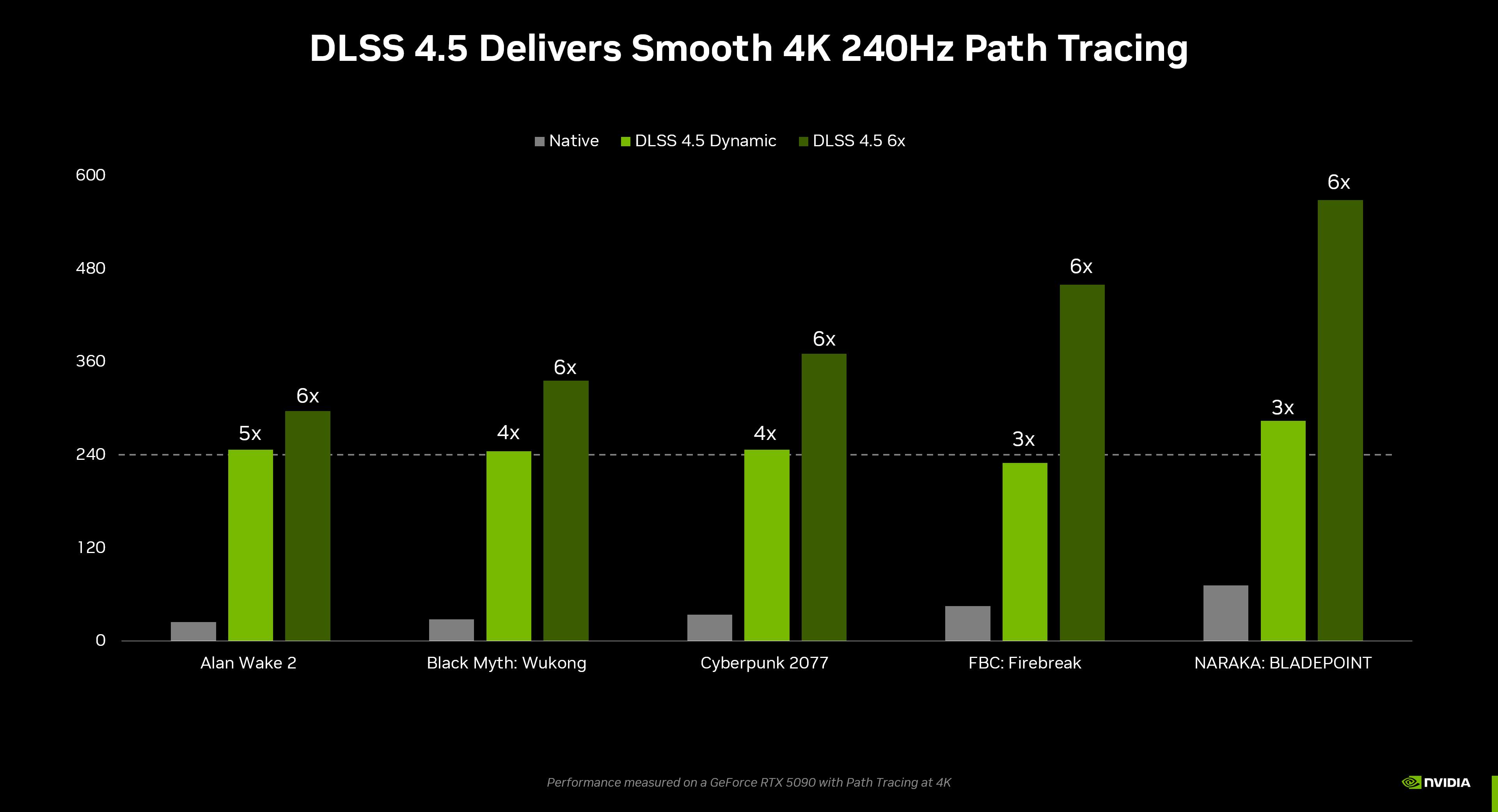
DLSS 4.5 Performance Chart
DLSS 4.5 Performance Chart – Image Credits (NVIDIA)

On January 6, 2026, NVIDIA took the stage at CES and introduced DLSS 4.5 as part of its broader GeForce push for the year. Public coverage followed a day later, and the message was clear. DLSS is no longer just about squeezing extra frames out of existing hardware. It is about defining a new class of performance.

The headline feature is Multi Frame Generation with a claimed “6x” mode. In simple terms, the GPU renders one real frame and uses AI to generate up to five additional frames in between. NVIDIA positions this as the next step beyond the frame generation seen in DLSS 3 and 3.5. The catch is that this mode only works on RTX 50-series GPUs.

Alongside the announcement, NVIDIA highlighted that over 400 games and applications now support RTX and DLSS features through the NVIDIA app. That scale matters. It means DLSS 4.5 is not a niche tech demo. It is something enthusiasts can test almost immediately across popular titles.

Why DLSS 4.5 Matters More Than Usual

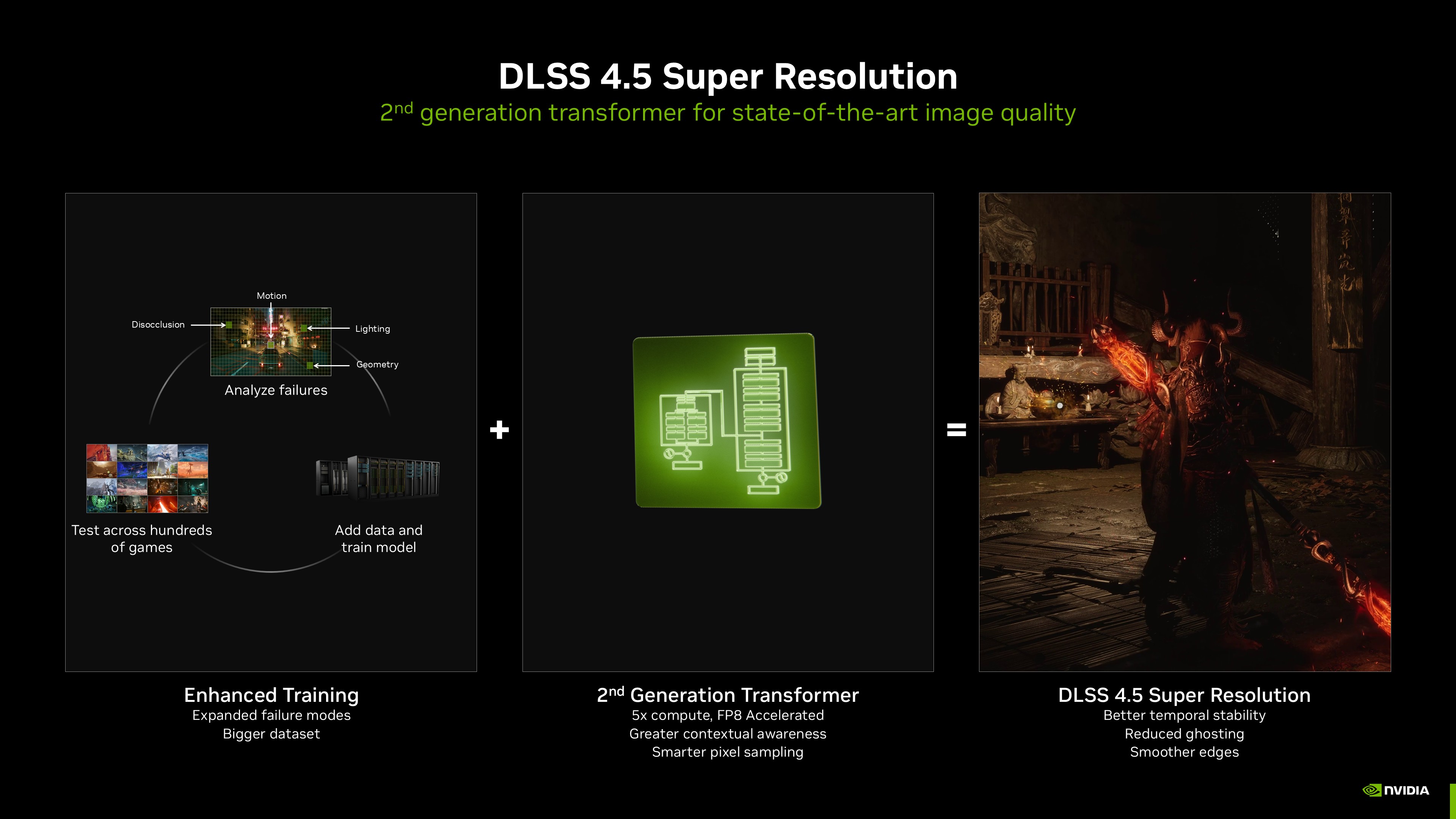
DLSS 4.5 Super Resolution
DLSS 4.5 Super Resolution – Image Credits (NVIDIA)

On paper, DLSS updates arrive every year and promise better image quality or higher performance. DLSS 4.5 is different because it creates a clear tier wall.

For the first time, NVIDIA is not just saying newer GPUs are faster. It is saying certain levels of “playable” performance are impossible without RTX 50 hardware. That arguably reframes the hardware debate overnight.

At the same time, display makers are pushing hard toward 240Hz, 360Hz, and even 480Hz panels, including 4K OLEDs. Native rendering at those refresh rates is unrealistic, even for top-end cards. DLSS becomes the bridge between what displays can do and what GPUs can realistically output. DLSS 4.5 positions RTX 50 as the only ticket to that bridge at the highest end.

DLSS 4.5 and the New Definition of “Playable”

DLSS 4.5 Black Myth Wukong FPS
DLSS 4.0 Vs 4.5 Black Myth Wukong FPS – Image Credits (NVIDIA)

For years, “playable” meant 60 FPS. Then it became 120. Now, for a growing group of PC players, it means 4K at 240Hz with smooth motion and low latency.

DLSS 4.5 makes that goal visible. In NVIDIA’s demos, 6x Multi Frame Generation pushes frame counters into territory that would have sounded absurd a generation ago. The visual fluidity is impressive, especially in slower-paced single-player games.

But this is where, honestly, the details matter. Generated frames are not free. Input latency does not scale the same way FPS numbers do. NVIDIA claims improvements in its transformer-based image quality model and latency handling, but physics still apply. When more frames are predicted rather than rendered, responsiveness can suffer.

This is where DLSS 4.5 changes expectations rather than simply raising them. It allows gamers to choose between raw responsiveness and visual smoothness in a more extreme way than before.

RTX 40 vs RTX 50: A Subtle but Real Divide

DLSS 4.5 Black Myth Wukong
DLSS 4.0 Vs 4.5 Black Myth Wukong – Image Credits (NVIDIA)

For RTX 40 owners, DLSS 4.5 is a mixed message. Many of the image quality improvements and tooling enhancements still apply. But the most attention-grabbing feature does not.

At equivalent displayed frame rates, an RTX 40 card using earlier frame generation may offer better input latency than an RTX 50 card pushing 6x generation. Competitive players will notice that. Artifacting, especially in fast camera pans or fine geometry, also becomes more visible as the ratio of generated frames increases.

In other words, RTX 50’s advantage is arguably not universal. It is situational. Cinematic games, open-world titles, and visually rich single-player experiences stand to gain the most. Competitive shooters may see diminishing returns.

The Risks Behind the Marketing

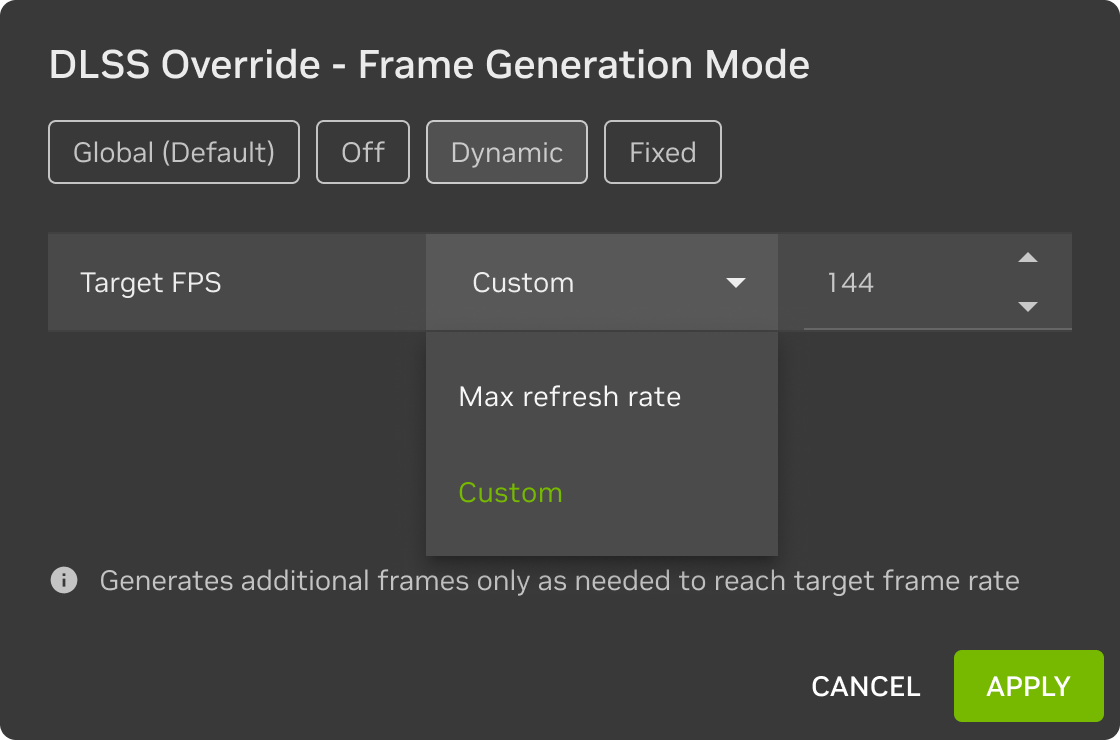
DLSS Override
DLSS Override – Image Credits (NVIDIA)

The “6x” figure is best understood as, frankly, a ceiling rather than a guarantee. NVIDIA’s own language suggests best-case scenarios under ideal conditions. Real-world results will vary by game engine, CPU bottlenecks, and developer implementation.

There is also the question of timing. NVIDIA has positioned parts of DLSS 4.5 as rolling out over time. Early adopters may not see full support across all titles immediately, which could blunt the initial impact.

Finally, there is perception. RTX 40 GPUs are still expensive and relatively new. Locking the most dramatic feature behind RTX 50 risks alienating buyers who invested heavily just a year or two ago.

What Comes Next for PC Gamers

Gaming Pc
Gaming Setup – Image Credits (Tech4Gamers)

DLSS 4.5 signals a shift in NVIDIA’s strategy. AI upscaling and frame generation are no longer just optimization tools. They are product differentiators tied tightly to new hardware.

For gamers, this means buying decisions will increasingly revolve around display targets, not just raw raster performance. If you own or plan to buy a high-refresh 4K monitor, RTX 50 suddenly looks less optional.

The next few months will be telling. Independent latency testing, artifact analysis, and real-world benchmarks will determine whether DLSS 4.5 feels like a revolution or a clever but limited trick. Either way, the line has been drawn. NVIDIA has decided that the future of ultra-high-refresh gaming belongs to a new class of GPU, and DLSS 4.5 is the gatekeeper.

RTX 5070 Ti Production Has Reportedly Ended, AIB Partners Claim

Story Highlight
  • Nvidia has reportedly killed off the RTX 5070 Ti supply entirely, several AIB partners have claimed.
  • ASUS has placed the model into end-of-life status, meaning no more units will be produced.
  • The RTX 5060 Ti 16 GB variant’s supply has also been significantly impacted.

2026 has been off to a grim start for the gaming hardware scene, with earlier reports suggesting that Nvidia will only prioritize the RTX 5060 and 5060 Ti 8 GB from the entire Blackwell series. The company also indefinitely postponed plans for the RTX 5000 Super series.

A new report now adds that Nvidia has already ended the production of RTX 5070 Ti, with several AIB partners admitting there’s been no new stock for weeks. The RTX 5080 is now expected to be Nvidia’s leading 16 GB model in production, according to current information.

Why it matters: The grim report corroborates rumors that Nvidia is slowly ending production of 50xx GPUs with high VRAM as the industry’s memory supply worsens.

Hardware Unboxed learned about the end of RTX 5070 Ti production at CES 2026 after discussing with several AIB partners. ASUS explicitly admitted that it has already placed the model in end-of-life status due to its scarcity.
So, there won’t be any new ASUS or other-branded 5070 Ti cards besides what’s currently on the shelves.

Nvidia has essentially killed off the GeForce RTX 5070 Ti from the market. Asus, the largest Nvidia AIB partner, explicitly told us this model is currently facing a supply shortage, and as such, they have placed the model into end of life status.

-Hardware Unboxed.

The RTX 5060 Ti 16 GB variant is also expected to suffer the same fate; it’s already been significantly impacted, and stocks are nearly nonexistent. Nvidia is primarily focusing on its 8 GB variants in the RTX 50xx series as memory stock dwindles across the industry. 

rtx 5060 5060ti
The 16 GB variant of the RTX 5060 Ti is suffering major supply shortages.

The base RTX 5070 cards are still available to AIB partners and retailers, even though stock levels are not as high as they used to be. All the industry pointers suggest that the situation will only get worse in the near future.

Do you think Nvidia will continue to end the production of its high-end RTX 50xx GPUs moving forward? Do you agree with this approach, given the memory shortage? Let us know your thoughts in the comments below, or join the discussion on the Tech4Gamers forum.

Resident Evil Requiem Is Heading To Raccoon City Because Players Grew Tired of Ethan Winters’ Story, Says Producer

Story Highlight
  • According to Masato Kumazawa, Capcom decided to return to Raccoon City in response to fan feedback.
  • Biohazard and Village received positive reviews, but Capcom was getting a lot of player response to continue the overarching story.
  • Hence, the company decided to set the narrative around Raccoon City.
Unsurprisingly, hype for Resident Evil Requiem is through the roof. The game has been wishlisted over 4 million times on Steam, becoming one of the most anticipated titles on the platform and leading to strong sales forecasts from Capcom.

The return of Leon Kennedy is a major reason behind this excitement, with the character heading back to Raccoon City for the first time since Resident Evil 2. If you ask producer Masato Kumazawa, this decision was made only because of player feedback from the previous two Resident Evil titles.

Why it matters: Resident Evil Biohazard and Village were solid entries that revitalised the IP, but Leon’s story is much more compelling than Ethan Winters’. 

Resident Evil Requiem Leon Kennedy
Resident Evil Requiem is the first time Leon Kennedy is going back to Raccoon City since Resident Evil 2.

In a new interview with GamesRadar, Kumazawa explained that Capcom is heading back to Raccoon City because overwhelming fan feedback urged them to continue the main storyline of the series, featuring Leon Kennedy and the infamous city.
In Resident Evil 7 and Village, we explored different directions for the series. While we received many positive comments from players, we also received feedback expressing a desire to see the continuation of the main storyline of the series.
-Masato Kumazawa.

The producer stated that they took a different direction with Resident Evil 7 and Village, which was indeed well received by fans. However, in contrast to the positive reviews, many players asked Capcom to forego the Ethan Winters storyline in favour of the franchise’s overarching story.

Hence, Resident Evil Requiem is returning to the IP’s origins and setting a narrative around Raccoon City, according to Masato Kumazawa.

Resident Evil village
Resident Evil Village was a big cultural and commercial hit.

This is not to discredit the success of Resident Evil Village, as the game reached 10 million sales faster than any previous title in the series.

Do you think bringing Leon back is a good decision for Capcom? Tell us in the comments below or head to the Tech4Gamers forum for discussion.

Ghost of Yotei Didn’t Make the Top 5 Most Downloaded PS5 Games in the US or Europe Last Year

Story Highlight
  • Ghos of Yotei wasn’t amongst the top 5 most downloaded PS5 games in 2025.
  • The game was no. 9 in the US/Canada and ended up at a disappointing no. 11 in Europe.
  • Death Stranding 2, the other PlayStation single-player game, failed even to enter the top 20.

Despite all the controversy surrounding it, Ghost of Yotei turned out to be a solid sequel to 2020’s Ghost of Tsushima. The game sold over 3.3 million copies worldwide and received critical acclaim for its expansive open world and brilliant graphics.

However, Ghost of Yotei disappointed in some crucial sectors, failing to win a single award at TGA 2025 and also not making the Metacritic year-end top 10 list. As it turns out, the action-adventure title wasn’t a big hit on the PlayStation Store either, failing to chart in the top 5 in the US or Canada.

Why it matters: Despite decent sales, Ghost of Yotei failed to reach the heights that previous single-player exclusives have.

Ghost of Yotei
Source: PS Blog

As revealed by the PlayStation blog, Ghost of Yotei was no.9 amongst the most downloaded PS5 games last year in the US/Canada and failed to make the top 10 in the European ranking.

The Sucker Punch title made it to no.11 in the region and ranked Xbox’s first-party title, Forza Horizon 5. For sure, the game launched in October, but Arc Raiders, Battlefield 6, and Call of Duty: Black Ops 7 all released after Ghost of Yotei and are ahead of it in the European ranking.

In the US and Canada, the action-adventure title saw slightly better performance, reaching no. 9 and finishing below the same trio of multiplayer shooting games and sports titles like NBA 2K26. 

ghost of yotei female lead
Ghost of Yotei has failed to reach the heights of its predecessor.

Overall, the list revealed a disappointing trend for single-player PlayStation 5 exclusives in 2025, with Death Stranding 2 not even appearing in the top 20 in either the US or Europe.

For sure, 2025 was dominated by multiplayer titles, but Sony’s flagship titles not performing well on PS5 is a worrying trend.

Do you think Sony’s insistence on multiplayer has been detrimental to its single-player games? Tell us in the comments below or head to the Tech4Gamers forum for discussion.