At Tech4Gamers, I mainly cover new gaming news, leaks, and rumours. Aside from that, I love to write features about my favourite games while inserting my opinion about their different aspects.
Story Highlight
Concord has been PlayStation’s biggest disappointment this generation.
The game launched with only 600 players, and now players can’t find a match due to the low player count.
Both PlayStation and Firewalk have been quiet about the game since its release.
Concord was heavily criticised by the fandom due to poor character design and generic gameplay. Many expected the game to fail, but nobody saw how disappointing it would be. PlayStation spent a ton of money on the project and eight years of development time on it.
However, a live service game costing $40 and trying to compete in the free-to-play market was doomed to fail. Concord launched to around 600 players on Steam, and ever since, PlayStation has been quiet about this game.
Why it matters: The silence expresses a lack of confidence from both Firewalk and PlayStation.
Concord Has Received A Lot of Criticism From The Fandom
Looking at the Concord Twitter account, the last post was made on 26th August. The game was released on 23rd August, so this is concerning since both Firewalk and PlayStation have been very quiet regarding the hero shooter.
PlayStation’s Twitter account is focused on marketing Astro Bot. Elsewhere, you will find tweets about Black Ops 6 on the profile, but nobody seems to be even mildly interested in Concord.
The publisher spent millions on the project, so this must be a difficult situation for everyone at the gaming giant. This release may just be 2024’s biggest failure since the game is said to have sold only 25K copies on both PC and PS5.
Going by these numbers, it hasn’t even recouped 25% of what was spent on development, not to mention that it still costs the developers money to keep the servers up. Now, players can’t even find a match in-game. People have even shared posts of them waiting nearly 10 minutes to find a match.
Concord may have performed better if the studio had tried to understand the hero shooter market; instead, some developers resorted to calling people talentless freaks.
Given that Concord is Firewalk Studios’ debut project, PlayStation might not be too happy with the results. While we hope to see the team given another chance, it would not be surprising if mass layoffs were announced soon.
As for the hero shooter, its fate now hangs in the balance. Some support is still guaranteed, but it seems both PlayStation and Firewalk are already distancing themselves from this release.
As a Hardware Expert at Tech4Gamers, I bring my decade-long expertise in electronics design, embedded solutions, and prototyping. My knack for exposing misconceptions in the tech world finds a perfect outlet here.
Story Highlights
Apple is fully committed to gaming, narrowing the gap with major platforms.
The challenge is securing simultaneous releases of major games Like Assassin’s Creed Shadows on Apple devices.
I wasn’t exactly impressed when I started paying attention to Apple’s gaming efforts. I remember sitting in a room, playing The Witcher 3 on a MacBook. But fast forward to today, and everything has changed quickly.
Recently, I had the opportunity to demo several games, including brand-new titles like Resident Evil Village, running seamlessly on Apple devices. What struck me wasn’t just the performance, though that was impressive, but the clear direction Apple is heading in.
Resident Evil Village – Image Credit (IMDb)
Apple’s gaming ambitions are accelerating with custom Silicon and the Game Porting Toolkit, reshaping industry standards. The App Store might not yet rival Steam, but the gap is closing faster than I ever expected. They are no longer experimenting but poised to impact the gaming industry significantly.
Noteworthy Games On Apple Devices
Apple is making significant strides in ensuring popular games look and perform well on their Mac devices. Further, Apple believes the iPhone 15 Pro will be the best gaming console. However, this seems more of a strategic win for Apple than something that would immediately excite gamers.
Games like Hades and Valheim are mentioned as looking great on Apple devices. This is important for Apple because it helps attract more gaming partners.
Apple’s devices can run recent games. Still, the real test is whether Apple can secure partnerships to release new games on its platforms simultaneously with other major platforms, such as PCs or consoles.
While it’s nice to have the Resident Evil series available on Apple devices, the bigger question is whether Capcom will launch their following big titles, such as Monster Hunter Wilds coming in 2025, on Mac at launch simultaneously with other platforms.
Apple seems aware of the importance of securing new and high-profile games. For example, Palworld, currently available only on PC and Xbox, was seen running on a MacBook Pro M3, hinting at Apple’s growing success in securing gaming partnerships.
Another pivotal moment isFrostpunk 2’s coming on Mac alongside PC, a significant win for Apple. This showcases Mac’s ability to handle the game’s demanding visuals and highlights Apple’s rapid progress in gaming.
Apple’s Next Gaming Hurdle
Frostpunk 2 is the first significant test of Apple’s ability to secure big game releases simultaneously with other platforms. However, landing a game like Frostpunk 2 is significant, but it’s not enough.
Further, Assassin’s Creed Shadows will launch on iPads and MacBooks simultaneously with PS5 and other platforms. It is crucial for Apple because Apple must consistently secure simultaneous releases of big games on its platforms to promote its gaming ecosystem.
Despite Apple’s devices’ capabilities, there’s doubt whether players will buy into gaming on Apple platforms. It’s uncertain whether gamers will be drawn to seamlessly switching between Mac and tablet for their gaming.
While Apple’s progress in gaming has been rapid, for this growth to be sustainable, the size of Apple’s gaming audience must expand at a similar pace. Apple wants to attract more players to its gaming ecosystem, and it will become a significant force in the gaming industry.
At Tech4Gamers, I’m the PC Hardware Specialist, primarily contributing to the “Best-Ofs” section. I provide thoughtful buying advice based on thorough testing and personal expertise. I also review hardware products and games to keep things fresh.
Story Highlights
Use energy-efficient software, smart power management, and high-efficiency components to optimize desktop energy use.
Keep your desktop cool with fans, proper ventilation, and regular maintenance for optimal airflow and cooling.
Support sustainability using renewable energy, eco-friendly desktop designs, and energy-efficient, recycled-material devices.
As summer heat intensifies, maintaining an energy-efficient desktop is crucial for longevity and reducing environmental footprint. While using AC is an option, using one power-hungry device to cool another feels like a waste.
Here are practical tips to optimize your desktop for summer without relying on AC, balancing comfort and energy efficiency.
Optimize Software
Optimizing the software you use can significantly affect your desktop’s power consumption and heat output. Switching to more energy-efficient applications, such as using Microsoft Edge instead of Google Chrome, can make a noticeable difference.
Power-intensive applications like Microsoft Teams should be considered alongside alternatives such as Fliplet. Selecting less resource-demanding programs and avoiding unnecessary background processes can reduce power draw and keep your desktop cooler.
Fliplet Website’s Web Interface – Image Credit (Fliplet)
Smart Power Management
Implementing innovative power management strategies can further enhance your desktop’s energy efficiency. As per users, you can configure your OS power settings to minimize consumption by turning off the display after inactivity and setting the desktop PC to sleep when not in use.
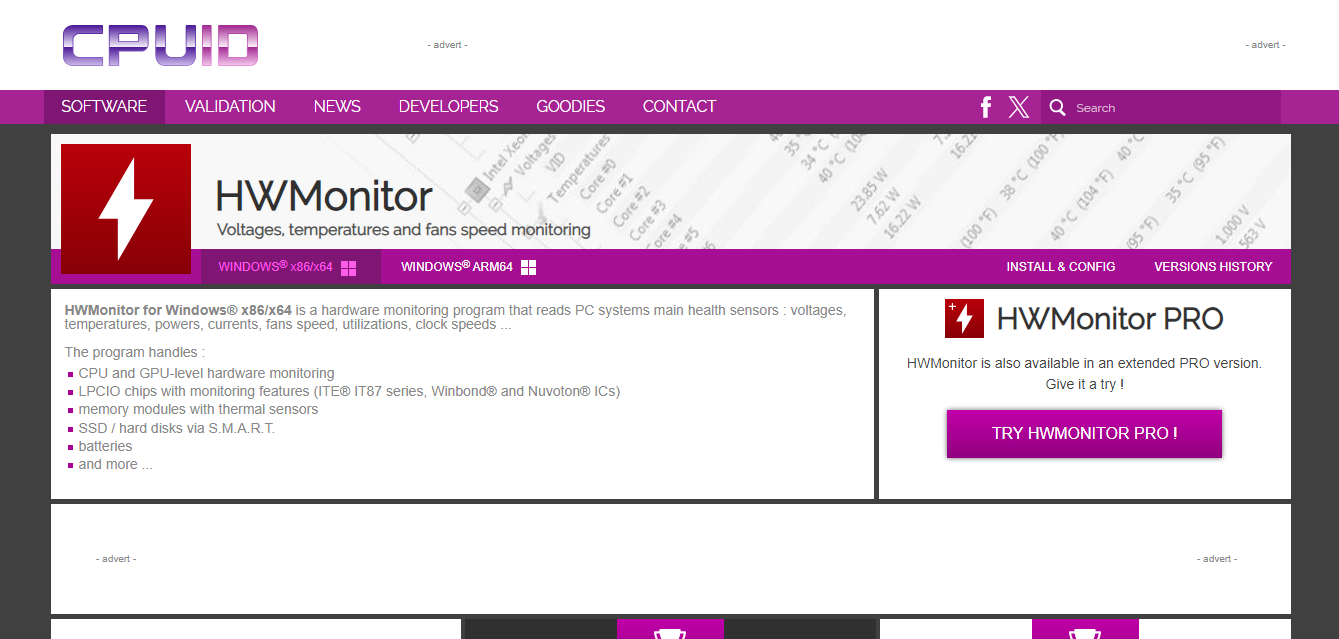
Utilize built-in features such as Windows’ “Power Saver” plans to optimize energy use. Additionally, consider installing software like HWMonitor to monitor and manage power consumption in real time, helping you identify and address any inefficiencies.
HWMonitor Software – Image Credit (CPUID)
Cool Your Space
Reducing power usage is just one aspect of lowering temperatures; the room is crucial in managing heat. Simple actions like opening a window and using ceiling or portable fans can help manage heat effectively.
Desktop PC Setup – Image Credit (Tech4Gamers)
Fans consume less energy than ACs. Running the ceiling fan counterclockwise creates a cooling breeze, while portable fans near windows draw in cooler air.
Some of my practical tips include keeping windows and blinds closed during the day to block heat and opening them at night to cool.
Use Energy-Efficient Components
Choose power supplies with efficiency ratings like 80 Plus Bronze, Silver, Gold, or Titanium. Higher ratings mean less energy is wasted as heat, reducing cooling costs. For example, a 1,000W supply with 80% efficiency wastes more energy than heat.
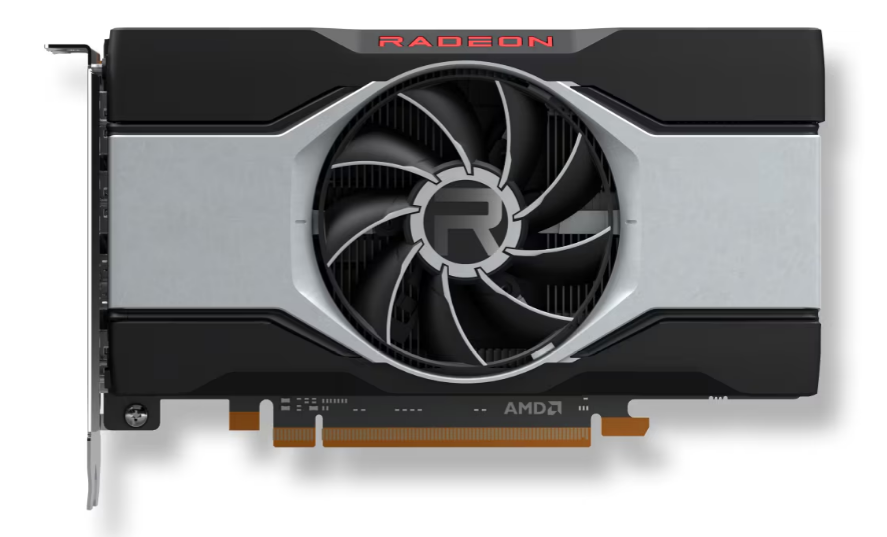
Furthermore, Graphics card efficiency is vital. My experience with undervolting showed it reduces power consumption, but it’s less effective than using a lower-power GPU like AMD’s RX 6600. An efficient graphics card can keep your system more relaxed and maintain performance.
Radeon RX 6600 – Image Credit (AMD)
Efficient cooling solutions are also essential. Start by ensuring that your case has adequate airflow. Invest in high-quality fans and arrange them to create a balanced airflow: typically, front-to-back or bottom-to-top airflow is most effective.
If your current setup needs improvement, consider upgrading to aftermarket cooling solutions such as high-performance CPU coolers like Polar ST CPU or liquid cooling systems. Properly apply thermal pastebetween your CPU and cooler to enhance heat transfer.
Regular Maintenance
Cleaning your desktop’s interior regularly is crucial for maintaining its efficiency and minimizing heat generation. Dust buildup can obstruct airflow and cause components to overheat. Compressed air removes dust from fans, heat sinks, and vents.
Disposable Compressed Gas Duster – Image Credit (Amazon)
Additionally, ensure that your cooling system is functioning properly; check that fans are running smoothly and that the thermal paste between your CPU and its cooler is in good condition.
Further, updating your system’s drivers and software can also help optimize performance and energy efficiency.
Utilize Renewable Energy
Utilizing renewable energy sources is a sustainable way to maximize benefits and support an eco-friendly computing setup. For example, installing solar panels at home lets you generate clean energy to power your desktop and other electronics.
Therefore, consider switching to a green energy provider that sources electricity from renewable sources such as wind, solar, or hydropower.
Sustainable Desktop Choices
The shift towards more eco-friendly PC is growing. Companies like Dell and Framework focus on modular designs that make repairing and upgrading PCs easier. Moreover, opting for laptops instead of desktop computers can also reduce energy consumption.
Intel’s Green desktop grading standard promotes the use of recycled materials and the reduction of emissions. This initiative supports sustainability in desktop PC manufacturing and provides more apparent choices for eco-conscious consumers.
At Tech4Gamers, I proudly wear the title of Comparisons Specialist. Focused on CPUs and GPUs, I bring forth a wealth of hands-on experience and a keen eye for detail to provide our audience with the latest insights and analyses.
Story Highlights
AMD’s Ryzen processors have made it a strong competitor to Intel.
AMD is producing processors with more cores and threads thus appealing more to gamers.
AMD has an advantage in the CPU business by using advanced processing technology.
For many years intel has been the dominant company in the CPU market, being known for its cutting-edge processors like the Intel Core i5-13600K. Being the top dog in the high-performance computing gear sector everything was going good for Intel.
However, in recent years, AMD has become its major competitor and is catching up to Intel fast. This growth of AMD is greatly due to the fact that they focus on innovation particularly in producing high-performance AMD CPUs for gaming and commercial desktops.
The Ryzen Revolution
AMD lagged far behind Intel for many years, but the launch of its Ryzen processors in 2017 marked a turning point. These processors, built on the Zen core architecture, introduced a hybrid, multi-chip design that allowed AMD to pursue multiple innovation paths simultaneously.
AMDs focus was always on producing high performance CPUs at lower prices with more threads and cores than Intel. Eventually, people started catching on that AMD was cheaper and equally as good as Intel increasing sales.
The first generation of Ryzen processors proved to be a game changer. But it was when AMD stared producing subsequent iterations i.e. Zen 2, Zen 3, and now Zen 4 used in the Ryzen 7000 series that AMD truly stared challenging Intel’s supremacy.
The AMD Ryzen 7 7700X CPU – Image Credits (Tech4Gamers)
These Processors had introduced higher clock speeds, improved instructions per cycle (IPC) and better energy efficiency, making AMD a popular option in both gaming and professional work. With AMD Zen 5 now the standing of AMD is only going to rise, granted with Zen 5 being a major deviation from previous CPUs as per chips and cheese on Twitter.
Hello you fine Internet folks,
Today, we are looking at the Zen 5 and Zen 5c cores found inside of AMD's brand new Strix Point APU. Zen 5 and STX are quite a deviation from prior Zen CPUs and APUs.
One of the biggest reasons behind AMDs success is its focus on multi-core performance. Historically Intel emphasized on single-threaded performance, AMD however, recognized the importance of utilizing the power of multi-core processing.
Ryzen 7 7800X3D – Image Credits (Tech4Gamers)
Tasks like video editing, 3D rendering, and software development required more processing power and AMD capitalized on this. AMD started attracting the attention of a segment of the market which required robust multi-core performance.
For example, the Ryzen 9 5950X, with its 16 cores and 32 threads, outperformed Intel’s CPUs in many multi-threaded applications. This made it a favorite among content creators and professionals who require high processing power. This thinking allowed for AMD to rise above Intel in many areas.
AMDs partnership with the Taiwan Semiconductor Manufacturing Company, allowed AMD to use TSMC’s cutting-edge 7nm and 5nm process nodes. This allowed for AMD to produce processors like the Ryzen 9 7950X and Ryzen 9 7900X which are not only powerful but also very energy efficient. On the other hand, Intel faced delays transitioning to smaller process nodes but may catch up soon as per its process road map.
Another reason why AMD is catching up to Intel is its pricing strategy, AMD processors being cheaper than Intel’s being a major advantage. AMD has forced Intel to rethink its pricing model by offering high-performance CPUs at lower price points. The lower prices and better performance made AMD a good option for people.
AMD Ryzen 5 7600X – Image Credits (Club386)
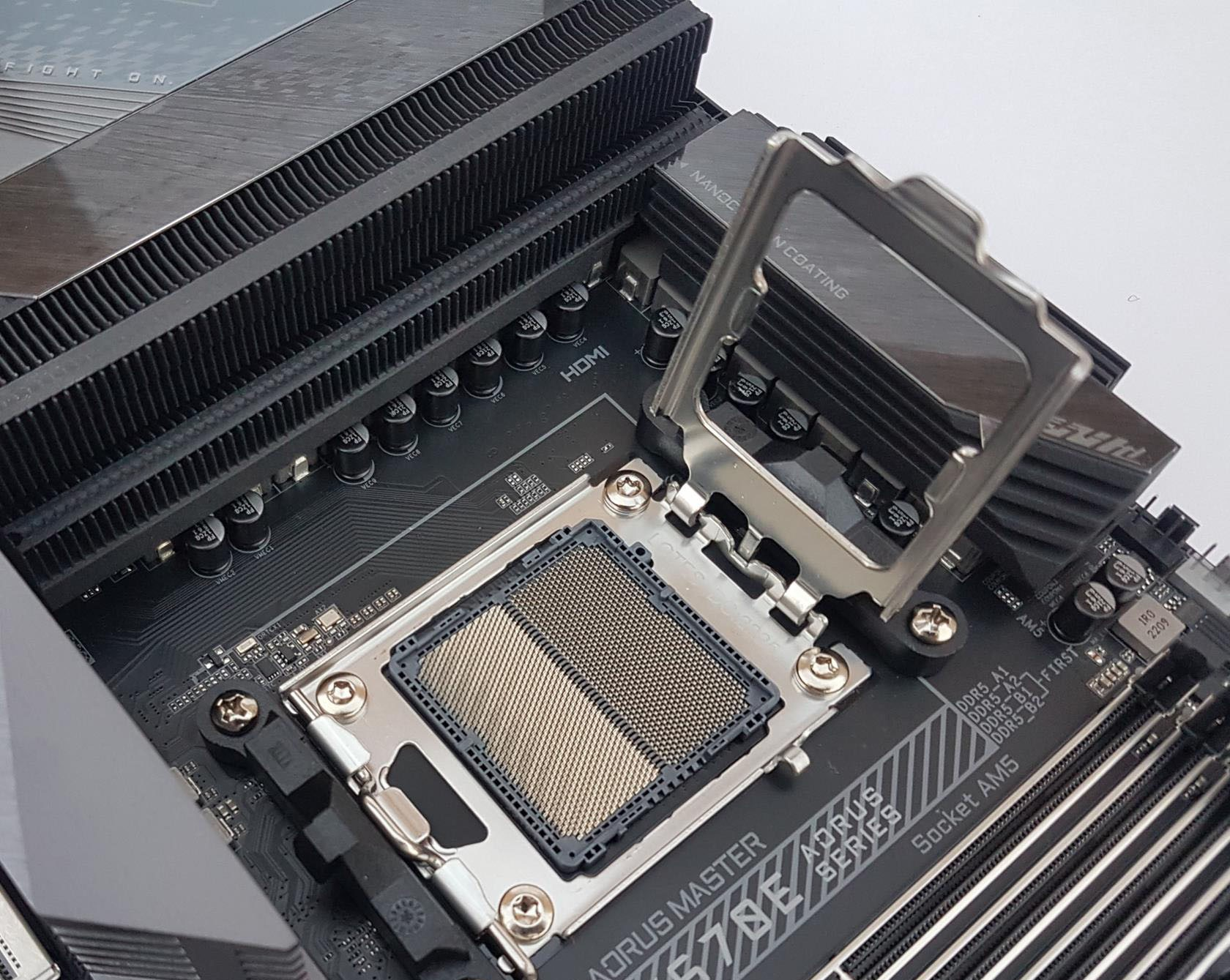
Moreover, AMDs strategic decision to maintain compatibility with existing motherboards was well received by consumers. This contrasted Intel’s approach of frequent socket changes, making consumers purchase new motherboards when upgrading CPUs.
The Impact of AMD’s High-Performance CPUs
The introduction of AMDs high-performance CPUs such as the Ryzen 5 5700X and Ryzen 5 5600X have caused a ripple effect in the industry. Now, in the gaming sector, AMDs CPUs are often seen as the go-to choose for both budget-conscious and performance focused gamers.
The rise of AMD has brought a new era of competition in the CPU market, benefiting consumers and businesses. By focusing on high performance CPUs, embracing advanced process technology and implementing a good pricing strategy AMD is not only catching up to Intel but has surpassed it in many areas.
As a News Reporter at Tech4Gamers, I bring the latest findings from the tech industry to our readers. Specializing in processors, graphics cards, and more, I strive to deliver detailed insights that keep our audience well-informed and engaged. Periodically, I also delve into the vibrant world of gaming to share captivating stories.
Story Highlight
The GeForce RTX 50 series might be delayed due to issues with the GPU mask layer redesign for Blackwell chips.
The new series is expected to consume more power, especially in higher-end models, though it’s unclear if this applies to all versions.
Nvidia will be prioritizing data center chips over consumer GPUs.
The next big release for the PC gaming community will be the GeForce RTX 50 lineup from Nvidia. However, the gaming Blackwell chips might face some problems, delaying their launch further.
Concerning the GPU mask layer, Nvidia made certain modifications to the data center Blackwell AI chips and is currently on schedule for volume production in Q4 2024, having completed this modification.
According to recent reports from industry sources via MyDrivers, these modifications may have impacted the GeForce RTX 50 lineup.
Why it matters: Nvidia’s latest generation, the GeForce RTX 40 series, was a notable step forward in terms of power consumption. These graphics cards consumed far less power than their predecessors.
Nvidia Blackwell Vs. Hopper
According to reports, the two GPU dies’ mismatched thermal expansion (CTE) was the primary cause of the top-mask layer redesign.
It’s been suggested that the forthcoming GeForce RTX 50 series may have been impacted by this, even though the data center and consumer tier chips will differ greatly from one another in terms of their basic design.
That said, Nvidia has already made it clear that the samples it supplied to clients were fixed units and that the modified design is also present in the volume production it aims for. Additionally, Kopite7kimi has provided some information regarding the power requirement.
He claims that the GeForce RTX 50 series will experience some power consumption increases while higher-end SKUs will see further increases.
However, it’s unclear if this power increase is specific to the prototypes/ES chips or the final retail SKUs.
Since data centers account for most of Nvidia’s revenue, the company is currently prioritizing producing these chips. There is no official launch for the consumer-focused GeForce RTX 50 lineup, but we expect Nvidia to announce something around CES 2025.
At Tech4Gamers, I contribute as a Senior News Reporter, combining my skills and gaming enthusiasm to keep our audience updated on the latest developments.
Story Highlights
Black Myth: Wukong was reportedly meant to be twice as long initially.
A reliable leaker states Game Science will repurpose cut content into two upcoming DLCs.
The same leaker has said that a sequel is now being planned.
Black Myth: Wukong is an ambitious project, but the scope and scale of this action RPG becomes even more impressive when considering the fact that Game Science had never been involved in a AAA production prior to this release.
It’s no surprise, then, that some compromises had to be made in development. While the game looks and plays just as well as most AAA productions out there, a leaker states that Game Science cut the actual content in half for the full release.
Why it matters: Cut content is nothing new in the gaming industry. However, this may be one of the more extreme instances of this trend.
Black Myth: Wukong Presents A Fascinating Take On Chinese Mythology
According to leaker Lunatic_Ignus, the studio initially planned to release Black Myth: Wukong with 13 chapters. The final game shipped with just seven chapters, but this is far from a negative.
These seven chapters include around 100 unique boss battles, plenty of secrets, and epic cinematic sequences that rival the best works of this industry. While Black Myth: Wukong is not perfect, nobody has complained about the game being too short.
The leaker states that two DLCs are being planned for the game. Game Science will offer the next seven chapters as DLC, completing the story of this action RPG. Lunatic_Ignus has also pointed to a sequel by the name of Black Myth: Jiang Ziya.
Game Science has grown in a number of ways since Black Myth: Wukong was first shown off. For starters, the team has more than quadrupled in size. The studio also made the switch to Unreal Engine 5, adopting new technology to improve the experience.
Because the studio was juggling so much, it was inevitable that content would be cut. However, the team now has an incredible base to work with and can continue adding to it in the future because of its recent success.
At T4G, my task is to cover the latest news around the gaming globe ASAP and with the utmost precision. I adore all the games and respect all the devs behind the amazing games that we get all year. So, whether it’s a PC or a Console game, I got it all covered.
Story Highlights
Death Stranding 2 could be one of the earliest games to show off the power of the PS5 Pro.
Fans believe Kojima is teasing the PS5 Pro announcement with a new post on Twitter.
The game will launch exclusively for PlayStation consoles in 2025.
It’s no secret that the PS5 Pro will be revealed soon. Sony hasn’t explicitly given a roadmap for the console’s games; however, Death Stranding 2 seems to be among the console’s first titles, at least according to a recent social media post.
Why it matters: Death Stranding 2 is, of course, going to be a tough game to run. Its gameplay footage showed incredible graphical fidelity. This would make the PS5 Pro a great match for the title.
Hideo Kojima’s assistant recently posted a picture of him playing what seems to be a developer build of Death Stranding 2. The interesting part is that the console he’s playing it on is covered, leading to speculation about the PS5 Pro.
While it could be a stretch to believe Kojima is teasing the new console, the dots do connect. We know Sony has a deal with Kojima for exclusivity, so the game would be a great pick to show off this console’s capabilities.
Then, there is the timing of the picture; the PS5 Pro reveal is right around the corner. Sony reportedly has a State of Play planned for this month, which could bring us a new look at Death Stranding 2 and, hopefully, a release date.
Hideo Kojima is expected to share more Death Stranding 2 footage soon.
All things considered, the PS5 Pro would undoubtedly be the ideal console to play most games heading into next year. 2025 has games like GTA 6 and Death Stranding 2, and having a PS5 Pro would mean running them at the best possible resolution and frame rates.
Unfortunately, Xbox fans might not be able to get their hands on the game. Like the first one, the sequel might not arrive on the console. However, we will probably see the title on PC in the future.
At Tech4Gamers, I mainly cover new gaming news, leaks, and rumours. Aside from that, I love to write features about my favourite games while inserting my opinion about their different aspects.
Story Highlight
In an interview, Phil Spencer revealed that he has previously let go of Destiny and Guitar Hero exclusivity.
According to him, these are some of the worst decisions he has ever made for Xbox.
Despite having mixed emotions, he doesn’t have any regrets, as Spencer would rather look forward.
Xbox has seen massive changes in a short amount of time. The fandom wasn’t too happy, particularly with third-party exclusivity. However, Phil Spencer addressed these concerns and said he has a business to run, so such decisions were needed.
Phil Spencer has been with the gaming giant for a while but admits he has made his fair share of mistakes. According to Spencer, he has made some of the worst decisions to date.
Why it matters: Phil Spencer is one of the most popular personalities in the gaming industry, but even he is not infallible.
During an interview at Pax West, Phill Spencer revealed how he messed up years ago. He talked about the games that mattered to him and discussed various events from his past. Speaking of exclusivity, the Xbox boss made a few interesting comments.
I’ve passed on some of the worst… like, made some of the worst game-choice decisions.
I’m not a regrets-type person. Maybe that’s a fault of mine, but I passed on so many games.
-Phil Spencer
Phil Spencer passed on Destiny, one of the most popular live service games in the industry right now.
He didn’t think this game would work, as Spencer himself is a gamer, and it didn’t really click with him at that time. Similarly, he didn’t think Guitar Hero was going to work, which turned out to be a pretty big deal.
Phil Spencer is The Current CEO of Microsoft Gaming Division, Xbox
He doesn’t regret missing any of the deals, but it seems like he has some sort of guilt. Spencer explains that he could look back and regret these decisions, but what good would that do?
Instead, he tries to look forward and maintain a positive attitude toward what Xbox is currently doing. While he has many mixed emotions and stories about Destiny, the Xbox boss is focused on the future.
Microsoft is currently aiming to become a subscription-based company since it does not focus much on hardware anymore. However, Xbox is planning to release a next-gen console along with a handheld in 2026, which might be a game changer.
At T4G, my task is to cover the latest news around the gaming globe ASAP and with the utmost precision. I adore all the games and respect all the devs behind the amazing games that we get all year. So, whether it’s a PC or a Console game, I got it all covered.
Story Highlights
We have found new job listings that show Techland is working on a second new IP.
The game will use Unreal Engine 5 and could feature multiplayer elements. It may also be based on first-person gameplay.
The team previously confirmed work on a new IP based on a fantasy setting. These job listings are for a separate project.
Dying Light 2 is the latest release from Techland, but its low sales reportedly cost the team $25 million in losses.
Despite this, the studio is supporting the franchise while working on new projects. Dying Light: The Beast was announced recently, and the team has been busy with a new fantasy IP for a while.
However, we have spotted a job listing for a Level Artistthat confirms the existence of a second brand-new IP from Techland. The listing explicitly states that another new IP, in addition to Dying Light and the fantasy game, is now in development.
Why it matters: Techland seems to be working on multiple projects. Tencent acquired the company last year and seems to be supporting the studio quite well.
Techland Confirms Second New IP | Source: UE5 Level Artist Job Listing
Interestingly, multiple job listings provide evidence for this new IP. While not much else is known about this new project, the listings do provide some information.
This position is for a new IP, in addition to Dying Light and the fantasy game.
-Techland
For one, the game will be developed in Unreal Engine 5. This is a step in a completely different direction, considering the studio usually relies on its proprietary C-Engine, which is the same technology used in Dying Light 2.
Another listing for a Character Artist shows that developers must also understand human anatomy, suggesting a focus on realism in the game. Moreover, Techland wants to hire a UE5 AI Game Programmer who understands FPP games.
FPP, in this instance, might mean first-person perspective. If true, the studio could be making another first-person game since the team is already well-versed in this camera style after working on Dying Light.
Elsewhere, the same UE5 AI Game Programmer listing hints that the project might have multiplayer elements.
Techland Wants Multiplayer Experience For Its New IP | Source: UE5 AI Game Programmer Job Listing
All in all, this IP seems like yet another ambitious undertaking for the studio. Since the team is doing so much all at once, it might take multiple years before fans learn anything official about this IP.
At Tech4Gamers, I’m the PC Hardware Specialist, primarily contributing to the “Best-Ofs” section. I provide thoughtful buying advice based on thorough testing and personal expertise. I also review hardware products and games to keep things fresh.
Story Highlight
Observing hardware release cycles can help determine when retailers will offer discounts before the next big product launch.
PC component prices can drop even after a sale ends to sell out any remaining stock.
GPU prices tend to be lower when crypto mining demands are lower.
Now is the perfect time to upgrade your PC, seeing cryptocurrencies are dwindling and new CPUs have recently launched.
Building or upgrading your PC can be a painfully staking task, especially if you’re trying to get the most value out of your purchase. Time and again, I have been asked when to purchase PC components. Nothing’s written in stone, but a few factors affect PC prices. So, when should you build your next gaming PC? Is it during the holiday season or perhaps right before and after a new product launch? Let’s delve deeper into the market analytics of PC parts.
Keep An Eye Out On Hardware Release Cycles
The first thing you want to do is keep an eye out for the latest hardware releases. Whether you’re upgrading a specific PC component or building a PC from scratch, it won’t hurt to know what the latest offerings can be. Most CPUs, GPUs, and motherboards are typically released yearly in Spring or early Fall. For example, the latest Ryzen 9000 series CPUs were released in mid-August after a slight delay.
During this release cycle, you’ll see significant discounts and price drops for current-gen hardware, so whether you’re interested in cheaper components or the latest wizz, your best bet is to follow product launches. I also recommend waiting for major events to pass by, such as Computex, which takes place in June. During this period, you’ll get lots of information on the latest products and what you should expect regarding performance improvements.
To make things easier for you, here is a list of potential product releases we’re awaiting from the three giants, NVIDIA, Intel, and AMD:
WARNING: Product release dates are prone to change based on their testing methodology, so look at these with a grain of salt.
Take Advantage Of Seasonal Trends
Another perfect time to shop for your new PC parts is by taking advantage of seasonal trends. Sure, you’ll find discounts during the holiday season, Black Friday, and Christmas, but what about after that time? Many retailers have more stock than they need, and the prices can drop even more after these sales. Of course, it’s not guaranteed to happen, but there’s a good chance you may see amazing discounts on current-gen processors and graphics cards.
All I’m saying is you should take advantage of when demand decreases for certain PC parts. Demand can decrease after sales and a few months before major corporate events like Computex and CES. However, I recommend browsing your preferred e-commerce websites from January to March to maximize available discounts.
Cryptocurrency Plays A Lead Role In GPU Prices
Outside of discounts and hardware launches, a major factor that has recently affected the timing of when you should build your PC is cryptocurrency mining. Remember when crypto miners started stockpiling graphics cards like crazy, leaving almost no reasonably priced GPU? Yes, it’s still a major factor that dictates the prices of mid-range and high-end graphics cards.
The market has stabilized a lot since COVID-19, but watching crypto trading will be in your best interest before you build your PC. Usually, mining demands are lower when the difficulty of crypto mining is readjusted. Moreover, because Bitcoin and other mining currencies have been dropping lately, mining demands have dwindled, leading to more GPU discounts than before.
Bitcoin market summary of the previous six months. (Image Credits: Google)
Therefore, right now might be a decent time to review the offerings if you want to purchase a new GPU. If you can’t decide what to build onto, glance over our PC builds for all price ranges. You can also fill out a short form, and we will email you the best upgrade suited to your budget.
Is It Always Worth Waiting For The Next Big Thing?
Almost every PC builder faces this question: “Should I wait for the next release or go with what I have available now?” I’ve also had these moments, but you can always follow leaks and decide based on online perception of future product releases. There’s always something around the corner, so even though it’s tempting to wait, you should purchase what gives you the most value.
Ryzen 7 9700X Benchmarks
1 of 2
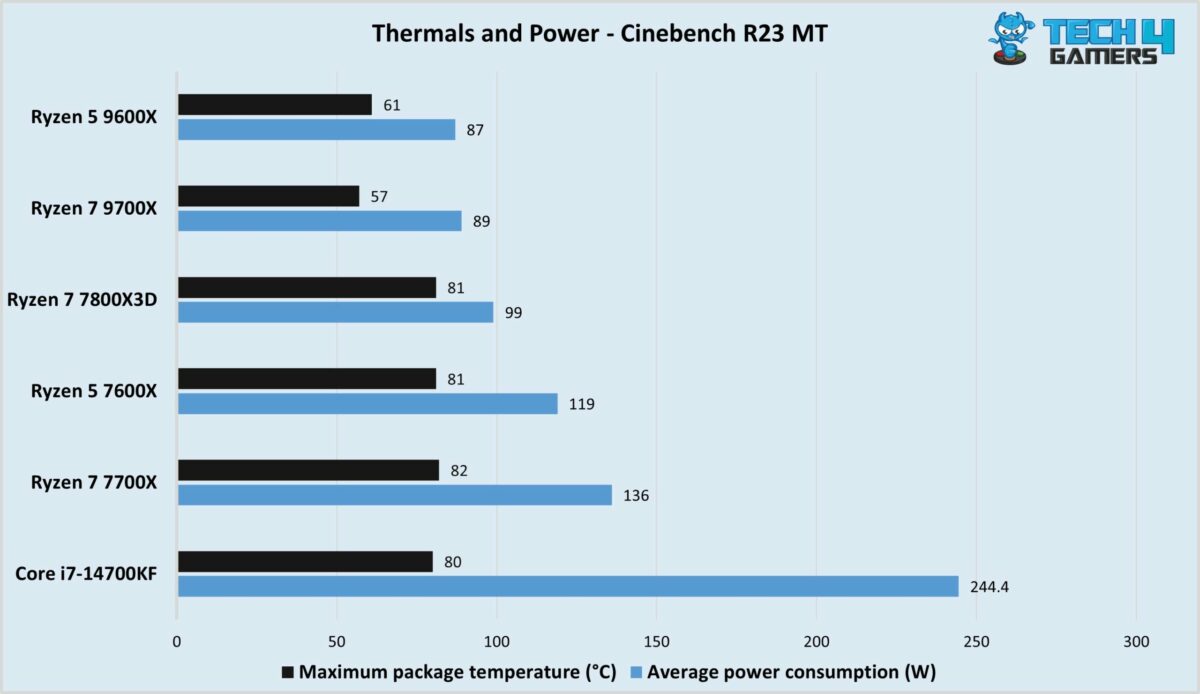
Thermals and power efficiency tests of Ryzen 7 9700X. (Image By Tech4Gamers)
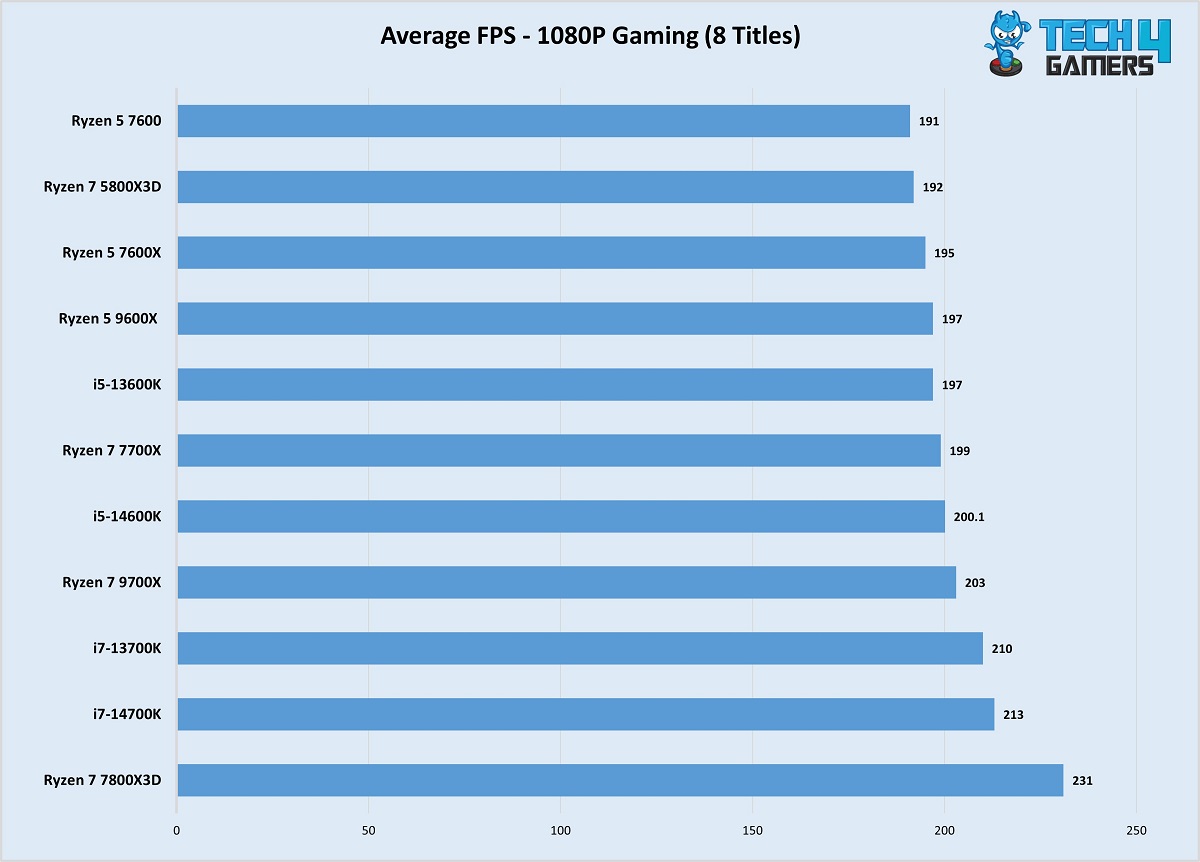
1080p gaming performance benchmarks of Ryzen 7 9700X. (Image By Tech4Gamers)
In conclusion, our question stands: “When should you build your next gaming PC?” As I stated earlier, nothing is written in stone. Wait for prices to drop the most they can and follow websites like PCPartPicker and YOLO for your build. Remember, there’s no perfect time to build — just a time that’s perfect for you. If you have done your research and are confident in your PC parts, that’s good enough to build your next PC.
At Tech4Gamers, he is recognized for his insightful features and opinion pieces, where he blends his passion for gaming with a keen understanding of technological trends. His work, marked by depth and accessibility, makes him a respected voice in the tech and gaming community.
Story Highlight
According to Steam’s latest hardware survey, most gamers are using a 1080p 60Hz monitor with the RTX 3060 GPU.
Instead of upgrading the graphics card, purchasing a better monitor may improve your gaming experience, thanks to the higher refresh rate.
Mid-range 1440p panels will help future-proof your monitor for your next GPU purchase.
Over time, I have noticed that many people, when upgrading their PCs, only consider upgrading their graphics cards or processors and sleep on their monitors. While the former components provide a raw performance boost, what use does it have if you can’t view it on your monitor? According to the latest July Steam hardware survey, most gamers utilize a 1080p 60Hz monitor with the RTX 3060. This mismatch is limiting their PC’s potential. Therefore, upgrade your monitor today if you want to enhance your setup. Here’s why.
The Current State Of GPU Prices
Let’s face it: GPU prices are still absurd, with midrange components costing over $500. Sure, the pricing has gotten much better, but it still needs to improve. Even mid-range graphics cards like the RTX 3070 can cost a pretty penny, going well over $450 on Amazon. So, gamers owning the RTX 3060, according to the Steam survey, makes a lot of sense due to its performance and pricing. Of course, you can always purchase a second-hand GPU, but its lifespan is questionable, and you must thoroughly check the product before buying it.
Official Steam July hardware survey. (Image credits: Steam)
Comparing the price and performance boost of most midrange GPUs, it’s easy to denote that upgrading your GPU is not the best course of action. For example, if you currently own an RTX 3060 and upgrade to the RTX 4070, while you’ll get almost double the FPS, you’ll have to sacrifice nearly $600. Also, if you’re using a 1080p 60Hz monitor, you won’t be able to enjoy the jump in FPS.
Get More From Your GPU: Upgrade Your Monitor
Gigabyte M27Q-P Monitor
1 of 3
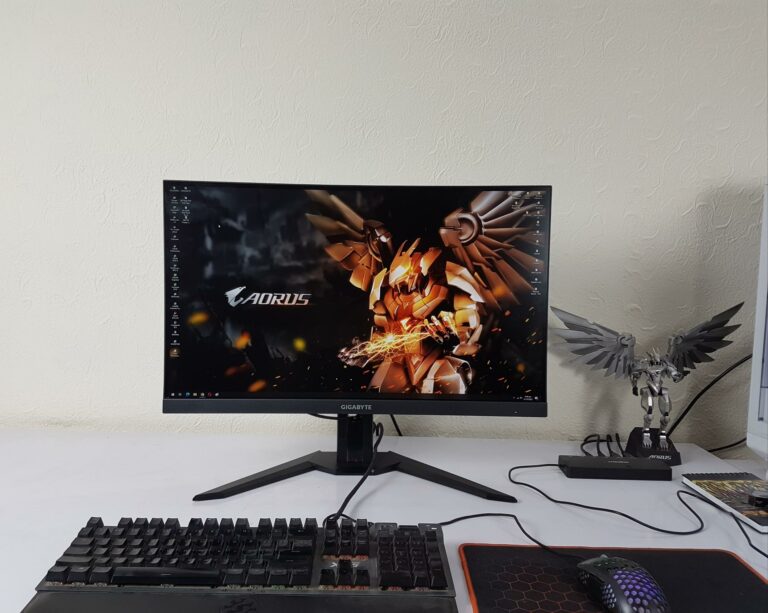
GIGABYTE M27Q-P 1440p 165Hz (Image By Tech4Gamers)
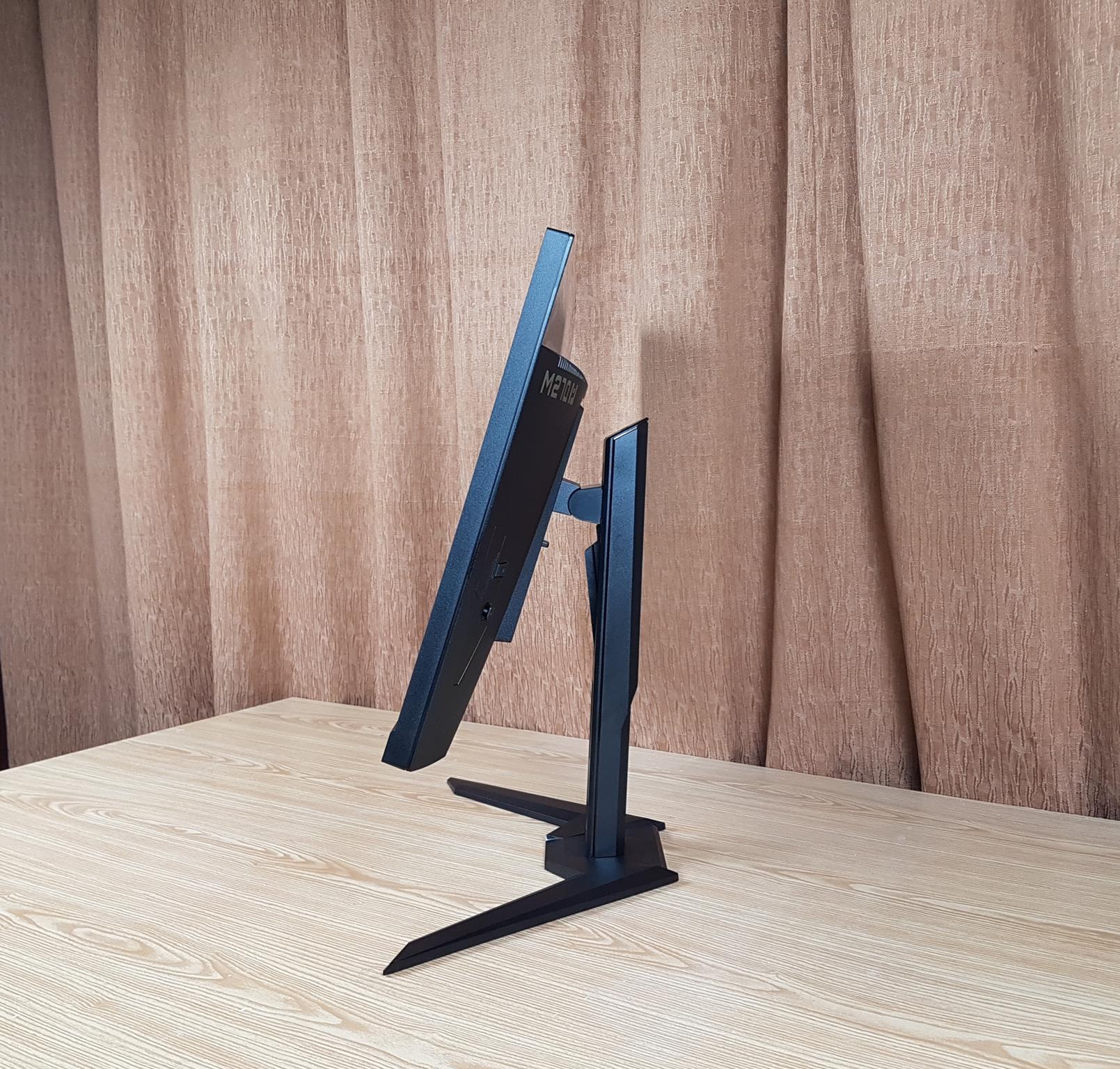
Tilt Position 2
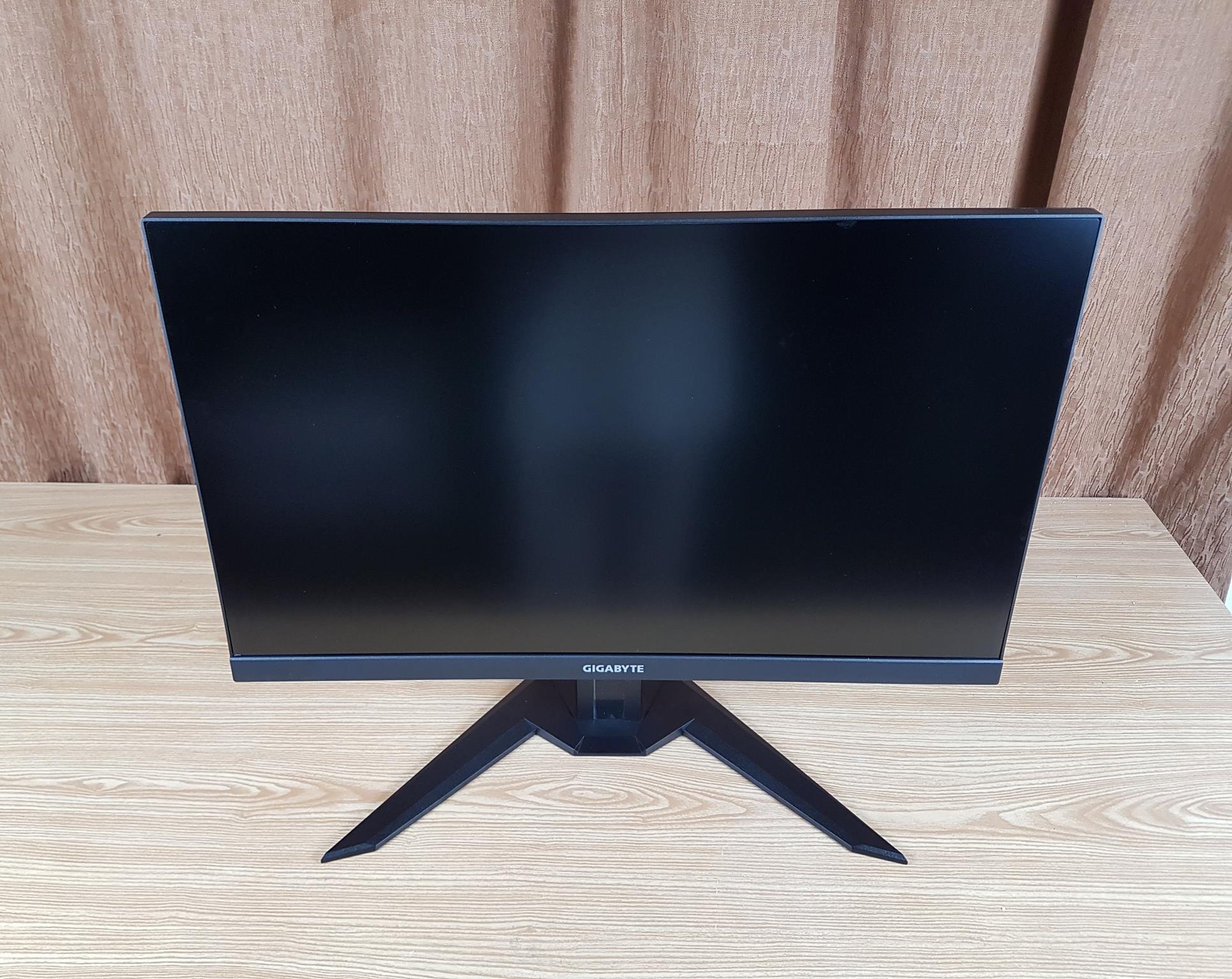
Monitor Turned Off
If you’re currently pairing a decent graphics card that can provide over 60 FPS on average with a 1080p 60Hz monitor, you’re leaving lots of performance on the table. Upgrading your GPU in such conditions won’t reap any benefits. Therefore, I recommend buying a decent monitor. It won’t cost much, provides smoother visuals, reduces screen tearing, and improves input lag.
You don’t have to purchase a high-end 4K monitor. A simple 1080p 120Hz or 144Hz monitor should suffice with the RTX 3060. Consider a 1440p panel, such as the Gigabyte M27Q-P 165Hz monitor, if you’re utilizing an RTX 3070 or above. A decent 1080p monitor, such as the ViewSonic VX2716A 27-inch 120Hz monitor, only costs $140. On the other hand, purchasing a 1440p 144Hz panel will be more beneficial if you plan to upgrade your GPU soon.
Benefits Of A Higher Refresh Rate
Throughout this opinion piece, I have repeatedly stated that you should upgrade to a higher refresh rate monitor, but what benefits do you get? Well, recently, I upgraded to a 120Hz monitor from a 60Hz, and the difference is between night and day. The 120Hz monitor enabled me to see my GPU’s maximum potential without wasting any frames.
Secondly, the gameplay was buttery-smooth, and I also noticed reduced screen tearing. Moreover, while I was video editing, the frames were smoother than when viewing the videos from my 60Hz monitor, making my work easier. It’s safe to say I can’t go back to a 60Hz monitor after such an immersive experience.
If you’re still skeptical about purchasing a new monitor, visit the TestUFO website and see the FPS breakdown in motion. Once you notice the difference, you may be inclined to change your opinion. Here’s an example of what 60Hz looks like captured from my old monitor:
Why Now Is The Perfect Time To Upgrade Your Monitor
Lastly, with GPU prices sky-high, upgrading your monitor is one of the most cost-effective ways to enhance your gaming setup. You’ll be able to fully utilize your graphics card’s potential, get smoother visuals, and future-proof your monitor for your next GPU purchase.
Therefore, looking into 120Hz 1440p monitors may also be a smart decision. However, you should know that you’ll need a stronger GPU to get more FPS in high-end games with a higher resolution. On the other hand, if you’re playing competitively, staying at 1080p will be more beneficial to you. Of course, refresh rate isn’t the only thing that matters in monitors, but it’s high time we move on from 60Hz panels and go to 100Hz or above.
As Tech4Gamers’ Founder and Editor-in-Chief, I bring over 13 years of PC Hardware Reviewing and 8+ years of IT Project Management experience. Certified in Google IT Support , my focus is on providing honest product reviews and analysis and fostering a strong gaming community with 130k+ members in PPG.
Story Highlight
Lian Li bundles 4x 140mm PWM fans with both versions of the LanCool III.
The LanCool III houses room for 12x HDDs/SSDs and still manages to retain space for 6x additional cooling fans on top of the included 4x.
Mesh filters make up a significant part of the LanCool III with Lian Li also throwing in a removable dust filter at the bottom as well for simplified maintenance.
Airflow, airflow, and airflow.
While that may not be Lian Li’s motto for manufacturing PC Cases, it surely is mine when it comes to testing them. As you might very well know, Lian Li is no stranger when it comes to crafting some of the most beautiful PC Cases in the world.
Therefore, it is only logical that I share my hands-on experience with one of their flagship Mid-Tower ATX cases, i.e., the Lian Li LanCool III Airflow after a full year of extensively using it in a hardcore fashion.
A Multitude Of Fans
As underscored above, the concept of airflow is central to the Lian Li LanCool III’s design language.
Lian Li bundles the LanCool III with 4x 140mm high airflow PWM (Pulse Width Modulation) fans which are rated at 83.5 CFM (Cubic Feet per Minute) of airflow and 2.3 mm-H2O of static pressure.
While these fans can vary between a speed of 200-1800 RPM, it’s important to remember that three of these are mounted on the front intake whereas the last one is mated to the rear exhaust for an ideal airflow pathway.
At this maximum speed, these fans exhibit identical figures of 83.5 CFM and 2.3mm-H2O for airflow and static pressure, respectively speaking.
All About The Passive Airflow
Mesh, mesh, and mesh. Quite literally.
Lian Li LanCool III – Side View. (Image by Tech4Gamers)
Lian Li has outfitted the LanCool III with mesh panels wherever it was possible. That means the front, top, and both bottom side panels of the Lian Li LanCool III exhibit mesh filters for supreme passive ventilation.
According to Lian Li’s claims, the front panel rocks a porosity figure of 51% meaning that it gives way to a sufficient, direct fresh air intake. I’m pleased to say that the temperatures I’ve yielded from my LanCool III support these substantial assertions.
That’s not all. If you decide to splurge and throw in a few additional cooling fans above the PSU shroud, these two bottom side panels will provide ample cooling for your GPU, keeping things nice and cold. Furthermore, the LanCool III also features a dust filter mounted within the bottom in the form of a tray for easier cleansing down the road.
How About Some Drives And Even More Fans?
Fasten your seatbelts because the LanCool III can support up to 12 2.5” SSDs/HDDs in all sorts of unimaginable places.
Additionally, Lian Li has blessed this absolute banger of a PC Case with the space to accommodate 3x 120mm/140mm fans around the front, another 3x 120mm/140mm fans on the top, and again another trio of 3x 120mm fans above the PSU chamber.
Oh, wait. I wasn’t done. The LanCool III can still mate an additional 120mm/140mm fan to its rear.
This makes the Lian Li LanCool III ideal for custom water-cooling setups as it can handle 360-420mm radiators as far as its front and top is concerned with support for a 360mm radiator around the rear.
Classic Lian Li Build Quality
Of course, this is a Lian Li PC Case I’m talking about.
On that note, I am sure you will not be surprised to hear that the LanCool III has been blessed with brushed aluminum pillars in addition to tempered glass panels on both sides of the casing.
While contributing to the overall aesthetics of the PC Casing, the Lian Li LanCool III’s 2x 4mm removable side panels can be removed by pulling the aluminum handle on the front.
Lian Li LanCool III – Front I/O. (Image By Tech4Gamers)
The dimensions aren’t meant to be mistaken for an SFF (Small Form Factor) Mini PC Case either because the LanCool III is sized at 526mm x 238mm x 523mm bringing it into the heart of the Mid-Tower ATX category.
The rest of the case is built using SGCC (Steel Galvanised Cold Commercial) which definitely contributes to the collective luxe appeal of the LanCool III.
The Downsides
What’s the drawback to such fabulous passive cooling (by way of the numerous mesh filters) and spectacular active cooling (thanks to the room for 10x fans and 3x radiators)?
It’s that the Lian Li LanCool III struggles immensely to maintain a reasonable acoustic output, unfortunately.
On top of that, while the brushed aluminum pillars may contribute to the LanCool III’s appeal, they definitely do not help when it comes to resisting irksome smudges and fingerprints.
Best Bang For The Buck
Honestly, the Lian Li LanCool III is pretty darn flawless for the price tag it carries, i.e., $130 to $150 these days, depending upon whether you get the plain or the RGB version.
As far as I’m concerned, in the realm of PC Cases, for under $150, it doesn’t get better than the Lian Li LanCool III Airflow, even in 2024.