At Tech4Gamers, I contribute as a Senior News Reporter, combining my skills and gaming enthusiasm to keep our audience updated on the latest developments.
Story Highlight
A well-known insider says the Nintendo Switch 2 will be officially shown this week.
It is said that the reveal will be divided into two parts, with the first look being focused on the console.
A more extensive look at the gaming lineup will be shown later.
The Nintendo Switch 2 rumors have picked up the pace over the last two weeks, revealing various details about the console, including the presence of DLSS, the Tegra T239 SoC, and comparisons against the PS4 Pro.
While nobody has been able to say much about the exact reveal date, Nintendo previously confirmed that the new hardware would be announced by March 2025, and it seems the time is nearly here. A reliable insider says a full look at the console is coming this week.
Why it matters: The Nintendo Switch has been going strong for over seven years, and fans are now ready to make the leap to more capable hardware.
This leak comes directly from Nate The Hate, a popular insider known for various Nintendo leaks. He states that the console will be shown on Thursday, leaving just three days till the worldwide first look.
I have been told the Switch 2 will be revealed on January 16.
-Nate The Hate
Since then, other reputed sources have verified the reports. As per insiders, it is said that Nintendo will not focus on games during the first reveal on January 16. Instead, the first look will be all about the hardware.
Fans can expect another showcase dedicated to the games later, revealing the full launch lineup.
Nintendo Could Break Records This Year
This also means that the hardware is likely several months away from release. Until then, fans can continue enjoying everything that Nintendo has offered over the last few years on the original Switch.
I’ve previously worked for eXputer as a Senior News Writer for several years. Now with Tech4Gamers, I love to devoutly keep up with the latest gaming and entertainment industries. I have a Bachelor’s Degree in Computer Science and years of experience reporting on games and breaking exclusive stories. Besides my passion for gaming journalism, I love spending my leisure time farming away in Stardew Valley. VGC, IGN, GameSpot, Game Rant, TheGamer, GamingBolt, The Verge, NME, Metro, Dot Esports, GameByte, Kotaku Australia, PC Gamer, and more have cited my articles.
Story Highlight
Nintendo Switch 2 is almost here, and the most exciting factor would be its launch titles.
Xenoblade Chronicles X 2, a sequel to the iconic spin-off, could be a solid contender.
The amazing Xenoblade Chronicles X is finally coming to Switch, which reinforces the need for a sequel.
In almost 2 months, it would be 8 years since the revolutionary Nintendo Switch came out. This handheld masterpiece that outshone 2 generations of its console rivals continues to go strong, and I can never forget all my treasured memories with it. However, nothing lasts forever in this mortal world.
Time goes on, and soon the Nintendo Switch will be a relic of history. The imminent release of Nintendo Switch 2 will start the clock. But rest assured, that day is still far off, so let’s not make today about grieving.
It’s about celebrating the new era, what launch titles to expect, and why Xenoblade Chronicles X 2 should be among them.
Why it matters: Xenoblade Chronicles X is just as exciting as the mainline series, and it’s a crime it hasn’t received a sequel yet. Perhaps Nintendo Switch 2 can change that.
Continuing the Nintendo Switch Supremacy
To say that Nintendo Switch 2 is highly anticipated would be the understatement of the year. The entire gaming world is patiently waiting for Nintendo’s next device, everyone holding a wish of their own. Some expectations are crazy, even.
I’m sure you’ve heard “Nintendo Switch 2 should have X, Y features” countless times now, so I’ll spare you my boring list and move on to the spicy part: games. A major part of Nintendo Switch’s triumph lay in its highly impactful and versatile library, and I have little doubt Nintendo Switch 2 would be any different.
So, what to expect as a Nintendo Switch 2 launch title? The most obvious answer would be a new 3D Mario game or Mario Kart 9, both of which are overdue. Metroid Prime 4 exists too, but this would probably be a cross-gen title similar to Breath of the Wild. A new Zelda is probably unlikely so soon. What else?
What will top BoTW as a launch title? (Image by Nintendo)
Xenoblade Chronicles, Nintendo’s Powerhouse
Of course, there’s Xenoblade Chronicles. This majestic JRPG is a spiritual successor of the Xenosaga games, which itself is a successor of Xenogears. Tetsuya Takahashi was not about to let his masterpiece go to waste, and I deeply respect him for that.
With a rather peculiar world situated atop Titans, this profound saga filled with heartwarming moments and over-the-top action is a true spectacle. Plus, it features a unique gameplay system, one that combines cooldown-bearing real-time abilities with auto attacks, adding a tactical layer to the battle system alongside the AI companions.
The beginnings of an unrivaled journey (Image by IMDB)
Xenoblade Chronicles took the world by storm. Monolith Soft soon created a spin-off called Xenoblade Chronicles X, which is just as awesome as the main series but has sadly gone a little under Nintendo’s radar, until recently that is.
Xenoblade Chronicles 1-3 are splendid, but you know that already. My point is that the spinoff, Xenoblade Chronicles X is just as good, and that storyline is yet to receive a satisfying conclusion, something that is a long time coming now.
I had practically lost hope for it, considering Nintendo essentially forgot about Xenoblade Chronicles X. The original Xenoblade Chronicles was revived for the Switch and received two sequels, but X didn’t get either. However, if you’re an X fan like me, rejoice.
Xenoblade Chronicles X deserves more love (Image by Nintendo)
It seems Nintendo has finally remembered about Xenoblade Chronicles X, as the fantastic JRPG is about to land on Switch. Nintendo Switch now houses the entire series; years of patience have finally been rewarded.
But why now? The timing suspiciously coincides with Nintendo Switch 2, which makes you wonder, does Nintendo have something big planned? Is Xenoblade Chronicles X 2 secretly on the way, and reviving the prequel is an attempt to hype people up? If so, then I’ll say mission accomplished.
Even if all this is just a coincidence, I think Nintendo should earnestly consider it. The Xenoblade Chronicles series is widely beloved, X is a fan-favorite already and now Switch players can finally enjoy it. And when they do, I’m sure they’ll want a continuation just as much.
The release window of Nintendo Switch 2 will be a crucial period. The device’s hardware and features will matter, yes, but the most important thing are games. And having games of different genres will go a long way towards attracting everyone.
New Mario games can cover family and party slots, while Xenoblade Chronicles X 2 could be the JRPG powerhouse for Nintendo’s next-gen console. It’s a win-win.
At Tech4Gamers, I take on the role of Hardware Reviewer with pride. My responsibilities involve a thorough examination of essential hardware components like motherboards, graphics cards, processors, PC cases, and CPU coolers, among others, focusing on their complexities and functionalities.
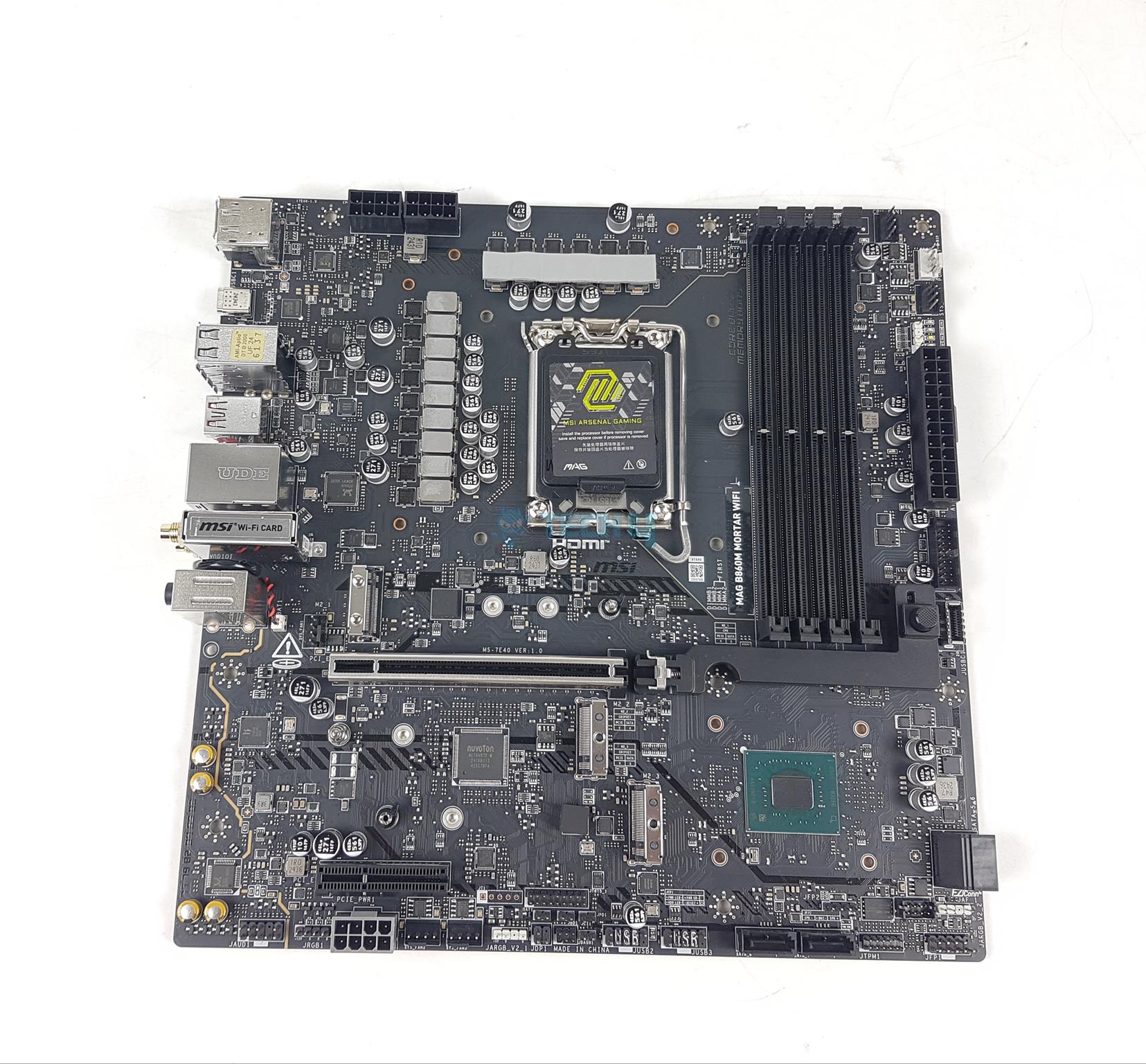
In my last take, I tested the MSI MAG B860 Tomahawk WiFi motherboard. This time around I am taking a look at our second B860 chipset series motherboard from MSI named MSI MAG B860 Mortar WiFi. You can call B860 Mortar a scale-down of a subset of B860 Tomahawk, more or less.
Both motherboards have almost the same controllers and topology with two main differences: Mortar is the mATX form factor compared to the ATX form factor of Tomahawk and PWM IC Controller chips. Other than that, they are the same design. Obviously, Mortar would be offering a bit less due to size restrictions.
Why Trust Tech4Gamers
Nauman Siddique is the most senior hardware tester at Tech4Gamers. He brings an ocean of knowledge to the table, including unmatched expertise in motherboards.
40+ motherboards tested and reviewed by our team of hardware experts (Tech4Gamers Team).
800+ hours spent testing different motherboards for our reviews.
At Tech4Gamers, ensuring you get reliable information is our priority. That’s why every hardware round-up undergoes a meticulous review process by our team of experts and editors. Each review is carefully examined against our strict editorial guidelines, guaranteeing you trustworthy insights you can depend on.
Key Takeaways
The MSI MAG B860 Mortar WiFi is a compact yet powerful microATX motherboard offering Gen5 connectivity, WiFi 7, and Thunderbolt 4, making it a great choice for mid-range builds.
You should not buy the MSI MAG B860 Mortar WiFi if you want a solid microATX motherboard that offers good value for the money.
The only reason to skip the MSI MAG B860 Mortar WiFi is if you are after more of a high-spec motherboard.
The salient features include:
This motherboard supports Intel Core Ultra Series 2 Processors.
It supports DDR5 Memory
MSI has deployed 12+1+1+1 Power phases for VRM/MOSFET
This motherboard has 1x M.2 Gen5 and 2x M.2 Gen 4 Slots
It supports a PCIe Gen5 x16 slot for the graphics card
The M.2 Ports and VRM/MOSFETs get good treatment for effective cooling using Extended Heatsink design and M.2 Shield Frozr
The MAG B860 Mortar WiFi is living up to its military name, and despite its reduced size, it offers the maximum that you can expect from a regular ATX form factor motherboard. In a nutshell, Mortar is a Tomahawk in microATX size.
Packaging And Unboxing
Unboxing
1 of 3
Unboxed
Packing Box
Inside Packing Box
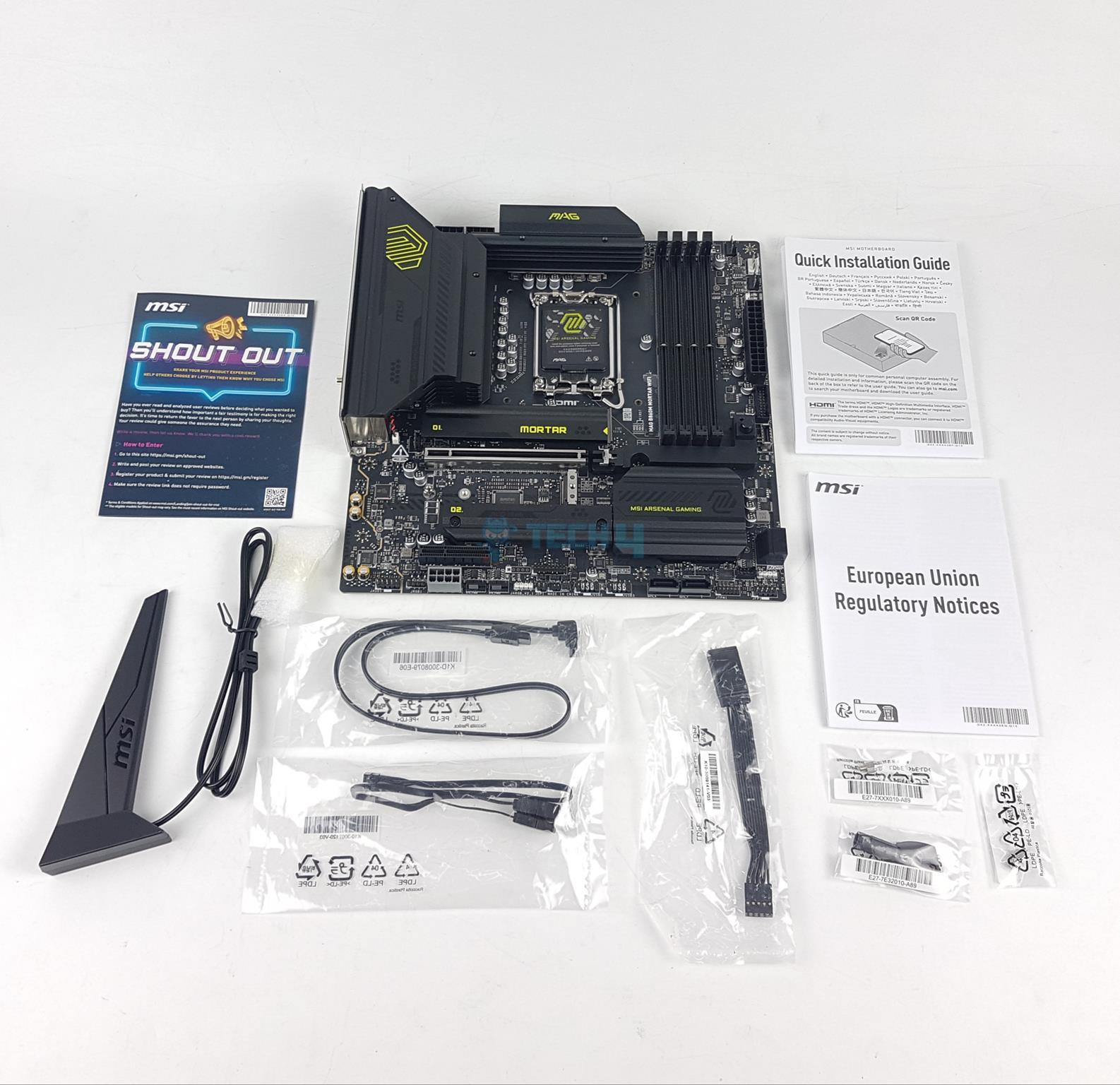
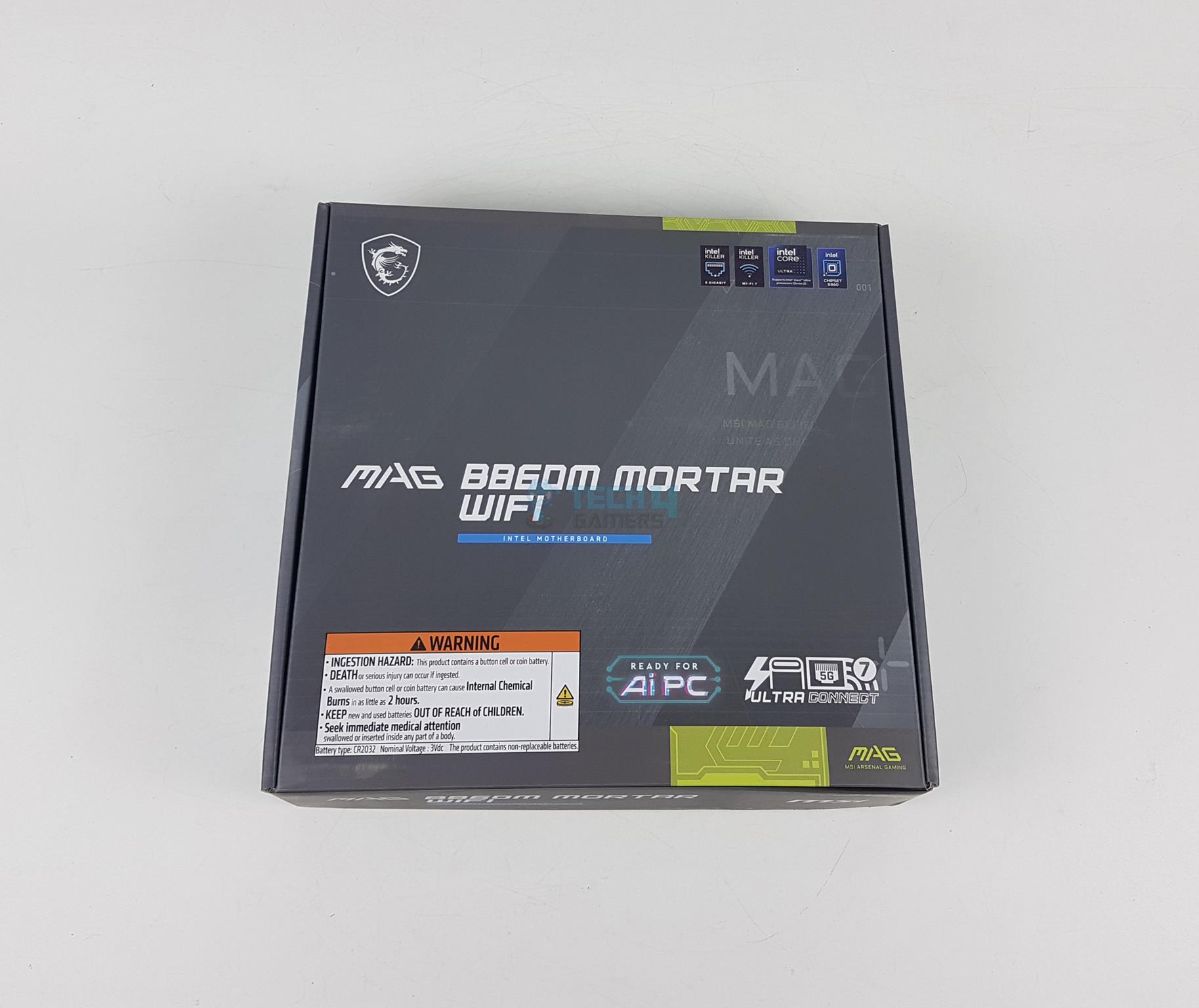
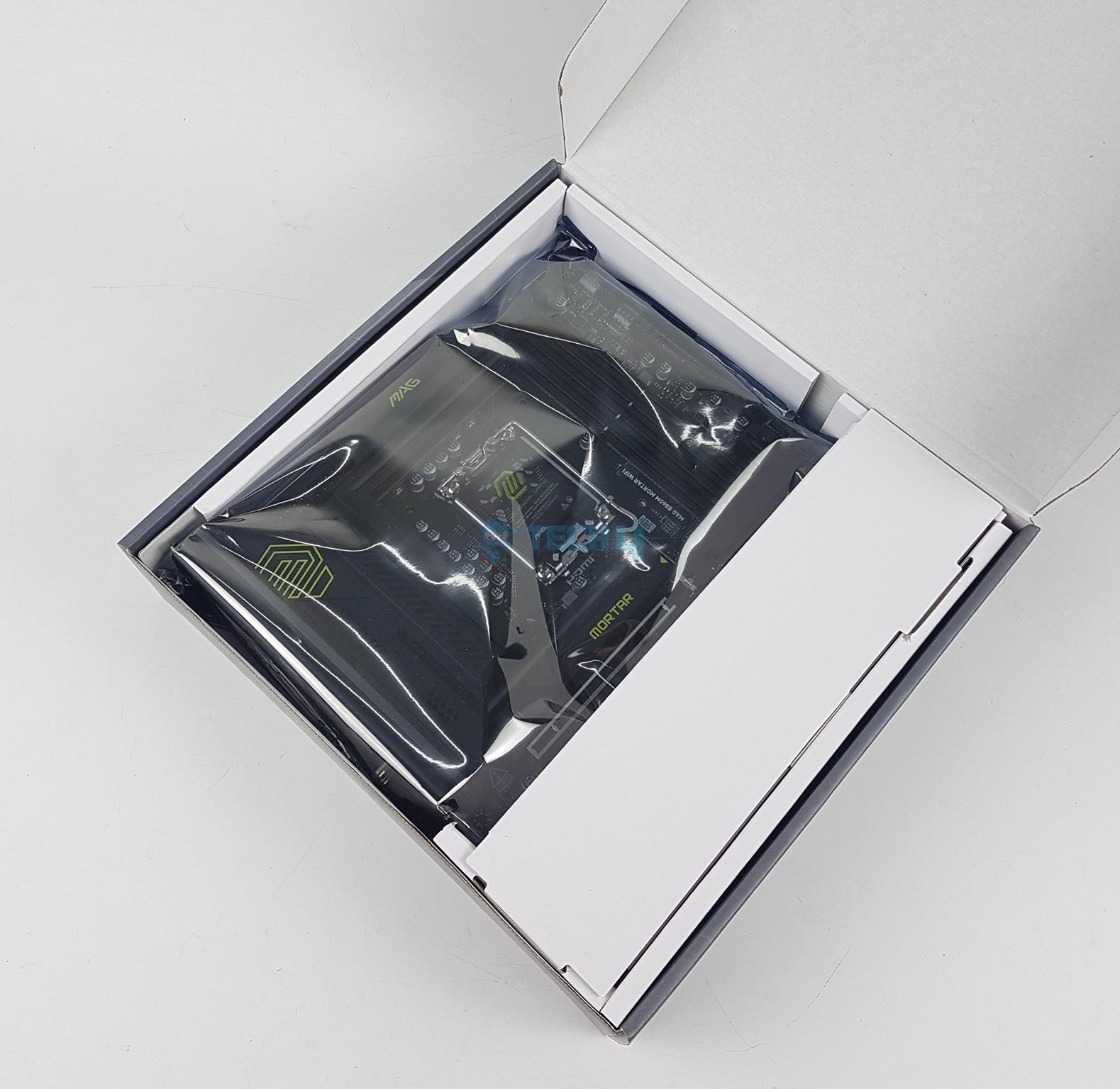
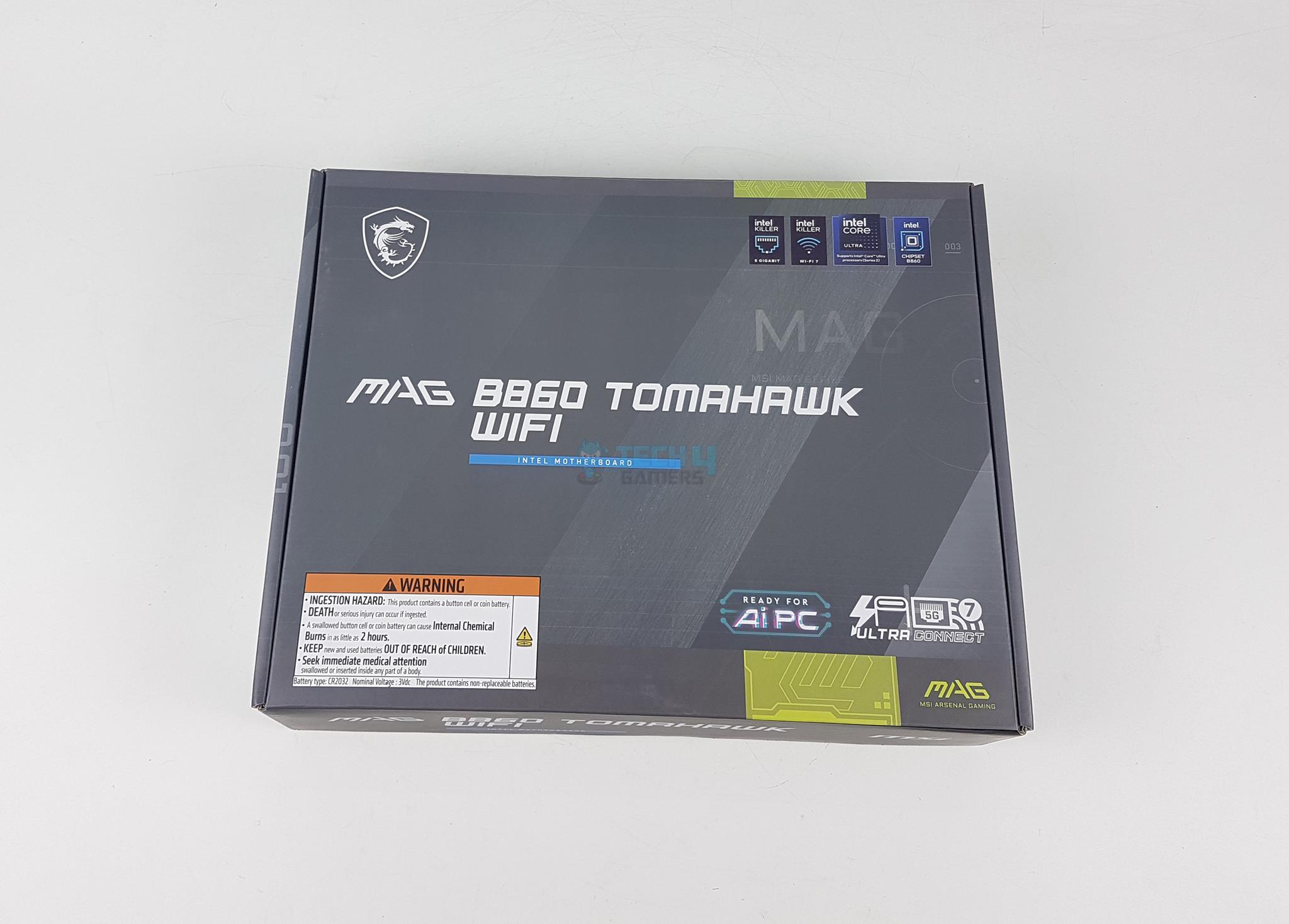
The motherboard is shipped inside a standard cardboard packing box. Just like the B860 Tomhawk WiFi’s packing box, the salient specifications and features are listed over the packing box for the on-the-go users of the Mortar WiFi. MSI has included the following in the box:
1x mATX-sized Motherboard
1x SATA 6Gbps Cable
1x Quick Installation Guide
1x European Union Regulatory Notice
1x Shout Out Flyer
EZ M.2 Clips II
EZ M.2 Clip Remover
1x WiFi Antenna
1 to 2 EZ Conn-Cable (V1)
1x Front Panel Connector Cable
Design Overview
Front View (Image By Tech4Gamers)
MSI MAG B860 Mortar WiFi motherboard is based on Intel LGA1851 socket. This socket controls the DIMM slots, Thunderbolt 4.0 connectivity, HDMI 2.1 and DisplayPort 1.4 ports. In addition this socket provides 20x PCIe lanes.
The DMI link operates at x4 PCIe between the socket and chipset. The motherboard uses 6-layer PCB with 2Oz copper design. Rest of the connectivity comes from the B860 chipset including 2x Gen4x4 M.2 slots, WiFi 7 solution, Intel NUC, SATA and Audio solution.
Power Delivery To Socket
CPU Socket (Image By Tech4Gamers)
Like other B860 series motherboards, the MAG B860 Mortar WiFi is driven by an Intel LGA1851 socket. This is a new socket design providing 1851 contact pins with narrow ILM mounting. Intel aims to provide better and even pressure compared to the Intel LGA1700 socket.
CPU VRM Heatsink
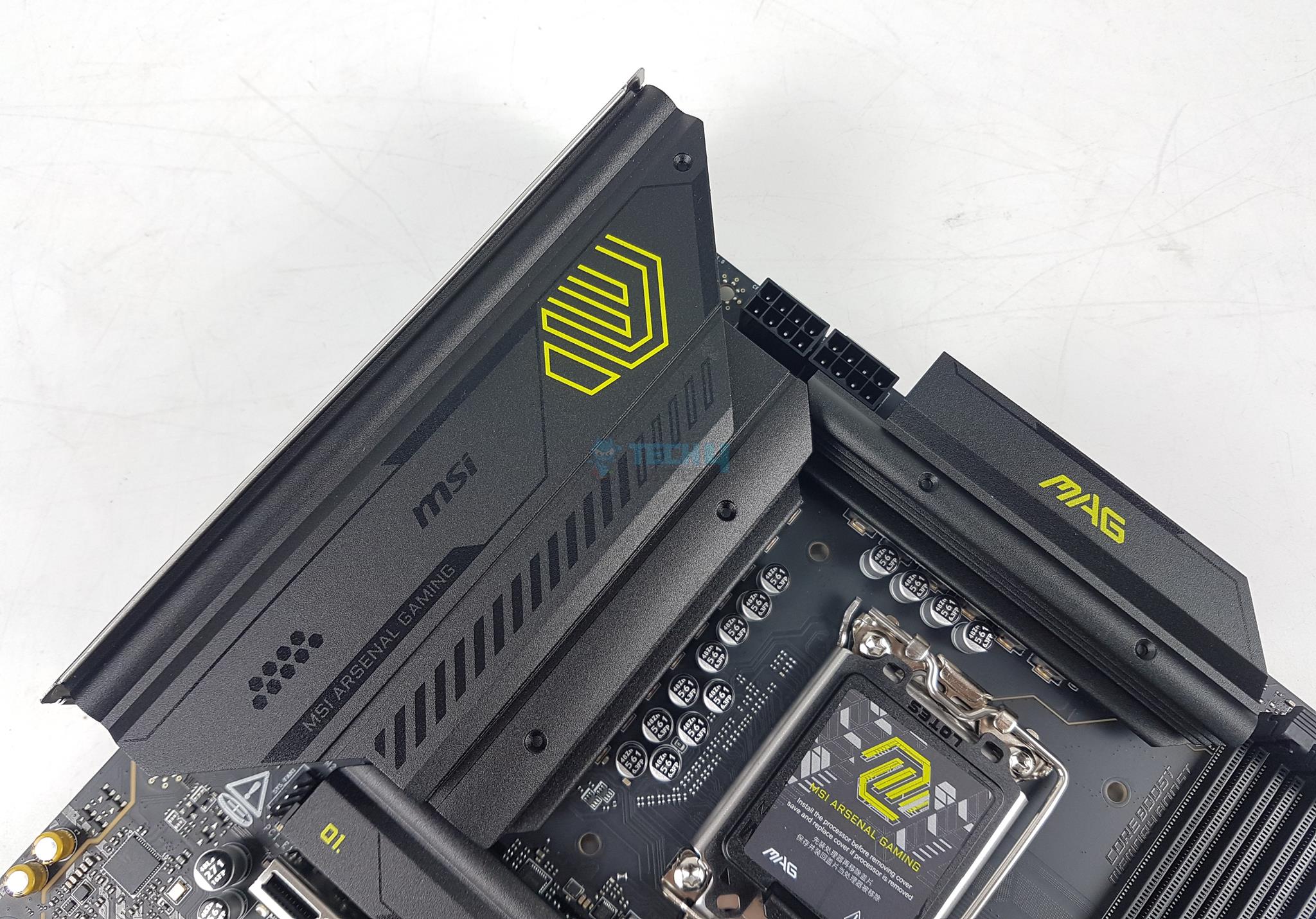
CPU VRM Covers
There are two stylish and enlarged heatsink covers over the power delivery circuit. They are black and light green, resembling the military green color scheme. The two covers don’t interconnect using heat pipes. There is no LED backlighting on these covers. This is the same design as on MAG B860 Tomahawk WiFi.
MPS2414 (Image By Tech4Gamers)
MSI has used 12+1+1+1 Duet rail power system on MAG B860 Mortar WiFi driven by SPS MPS2433 PWM controller. The power stages are SPS MPS2414 rated at 60A generating 900W power across the entire power delivery circuit.
DIMM Slots
DIMM Slot (Image By Tech4Gamers)
MSI has provided 4x reinforced UDDR5 DIMM slots on a different PCB layer. The MAG B860 Mortar WiFi motherboard supports a maximum of 192GB memory capacity. This motherboard supports RAM with speeds up to 9066 MHz (OC) along with support for Intel POR, JEDEC Speed, CUDIMM, and Memory overclocking.
There is a support for Intel XMP 3.0 with dual-channel and dual-controller mode. The supported memory is non-ECC and unbuffered. You can leverage the Memory Try It and Memory Extension Mode along with OC Engine features in the BIOS to unleash the maximized memory performance.
I have already covered these along with some tests in the content of MSI MAG B860 Tomahawk WiFi Motherboard. Please check it out for more details.
Storage Options
M.2 NVMe slots (Image By Tech4Gamers)
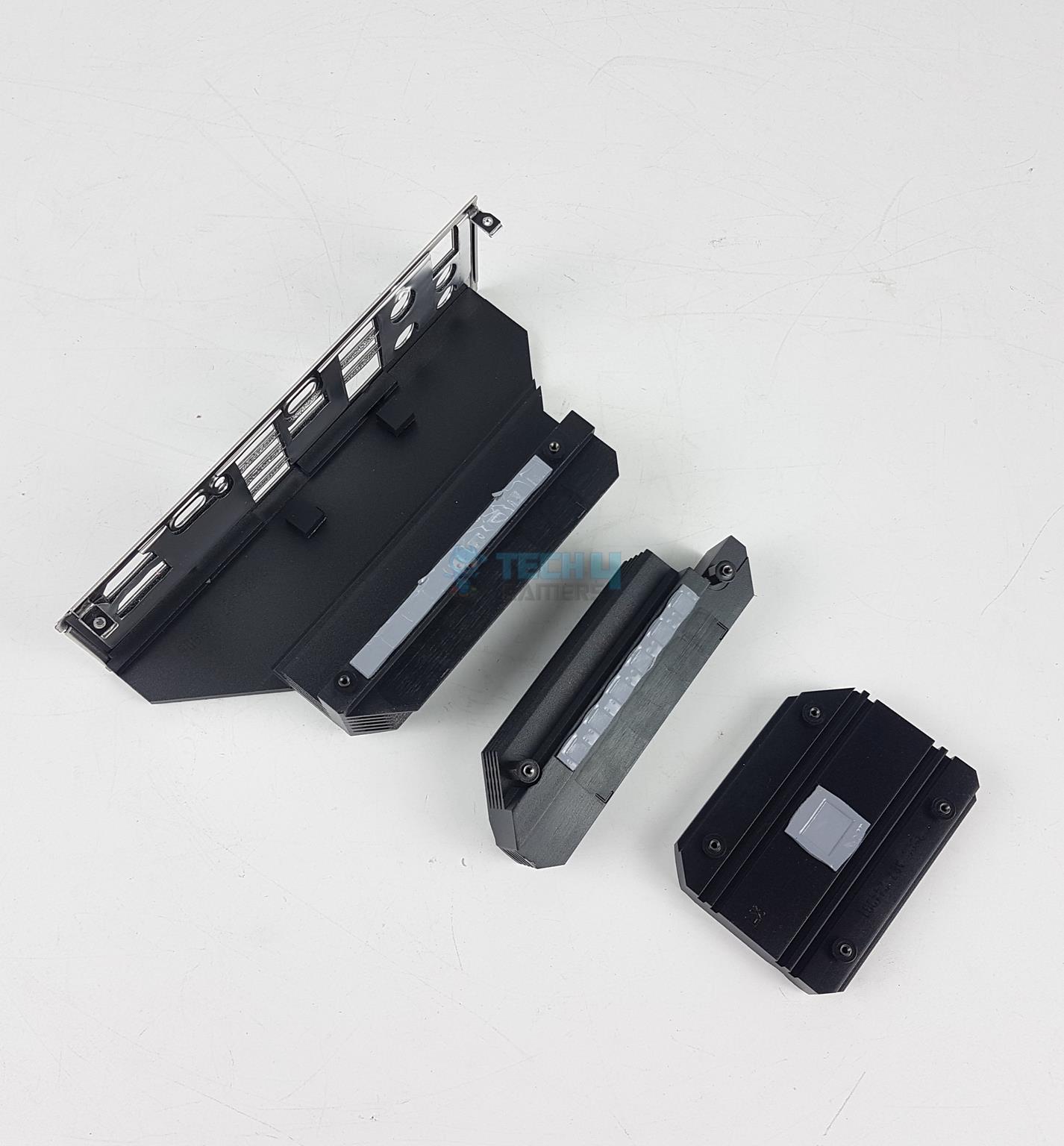
This motherboard has a total of 3x M.2 NVMe ports. Only two ports use heatsink covers for effective cooling of the storage drives. The middle port does not have a cover. Also the third slot’s cover does not have a tool-less design.
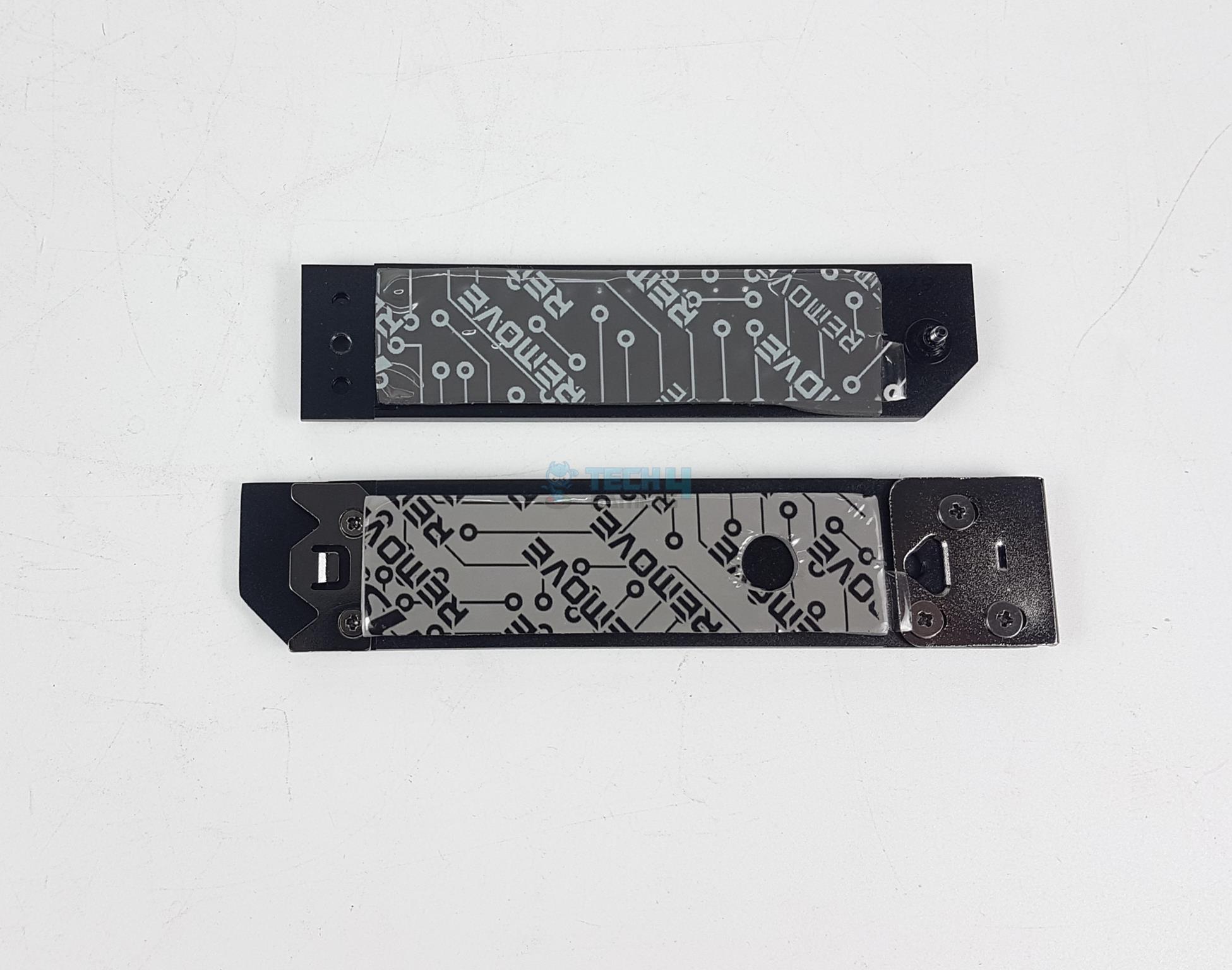
M.2 NVMe Covers
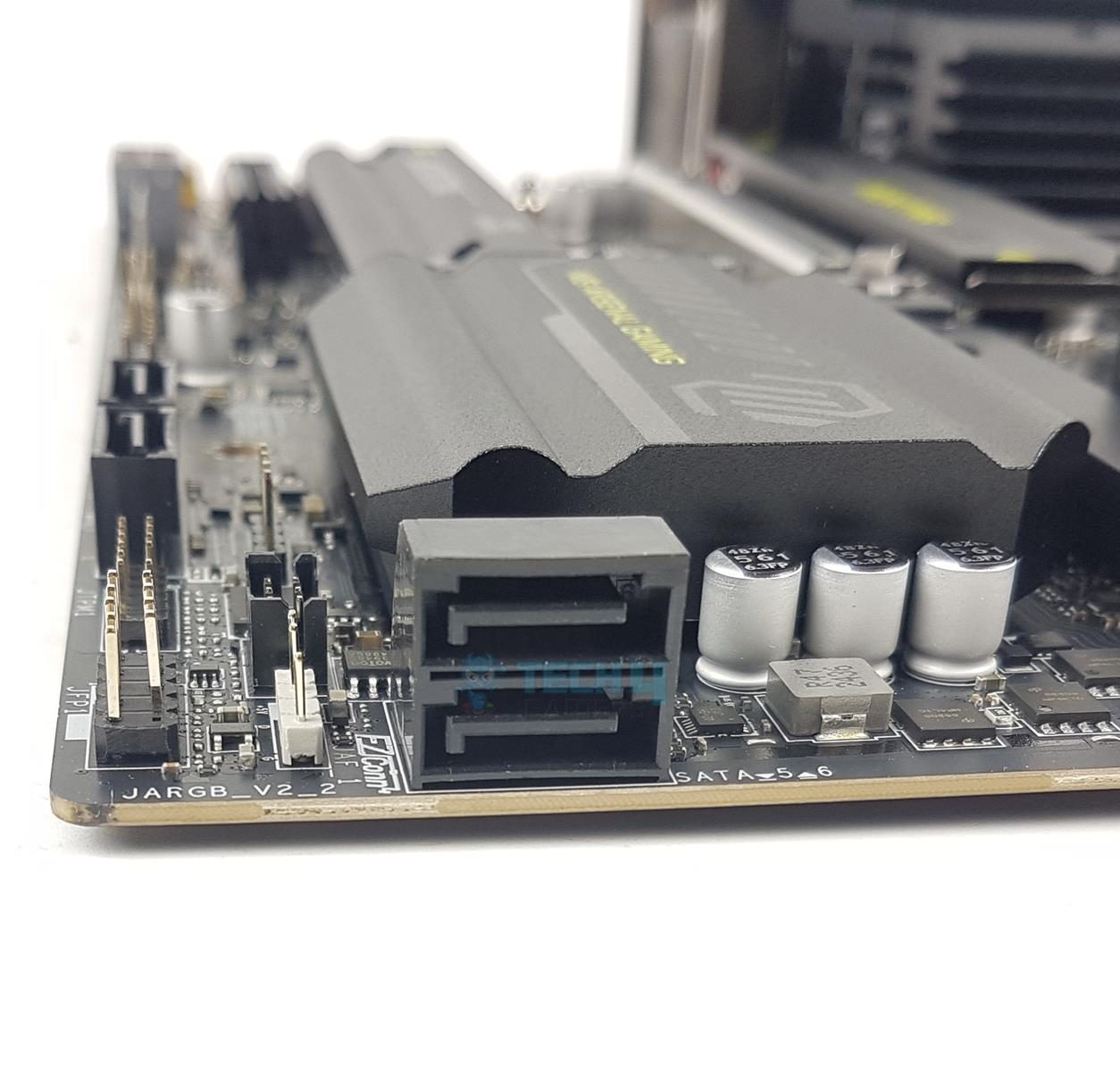
Motherboard SATA Ports
The covers have thermal pads. These ports use EZ M.2 clips II which makes installation and removal of the drives convenient. These ports have a form factor of 2280/2260. None of these is 22110 supportive.
The top slot is PCIe Gen5x4 M.2 NVMe wired to the CPU and has a 128GB/s bandwidth rating. The bottom two slots are wired to the chipset and rated for PCIe Gen4x4 interface. None of these M.2 ports has bottom thermal pad meaning the dual sided M.2 NVMe drives will not have thermal pad on both sides.
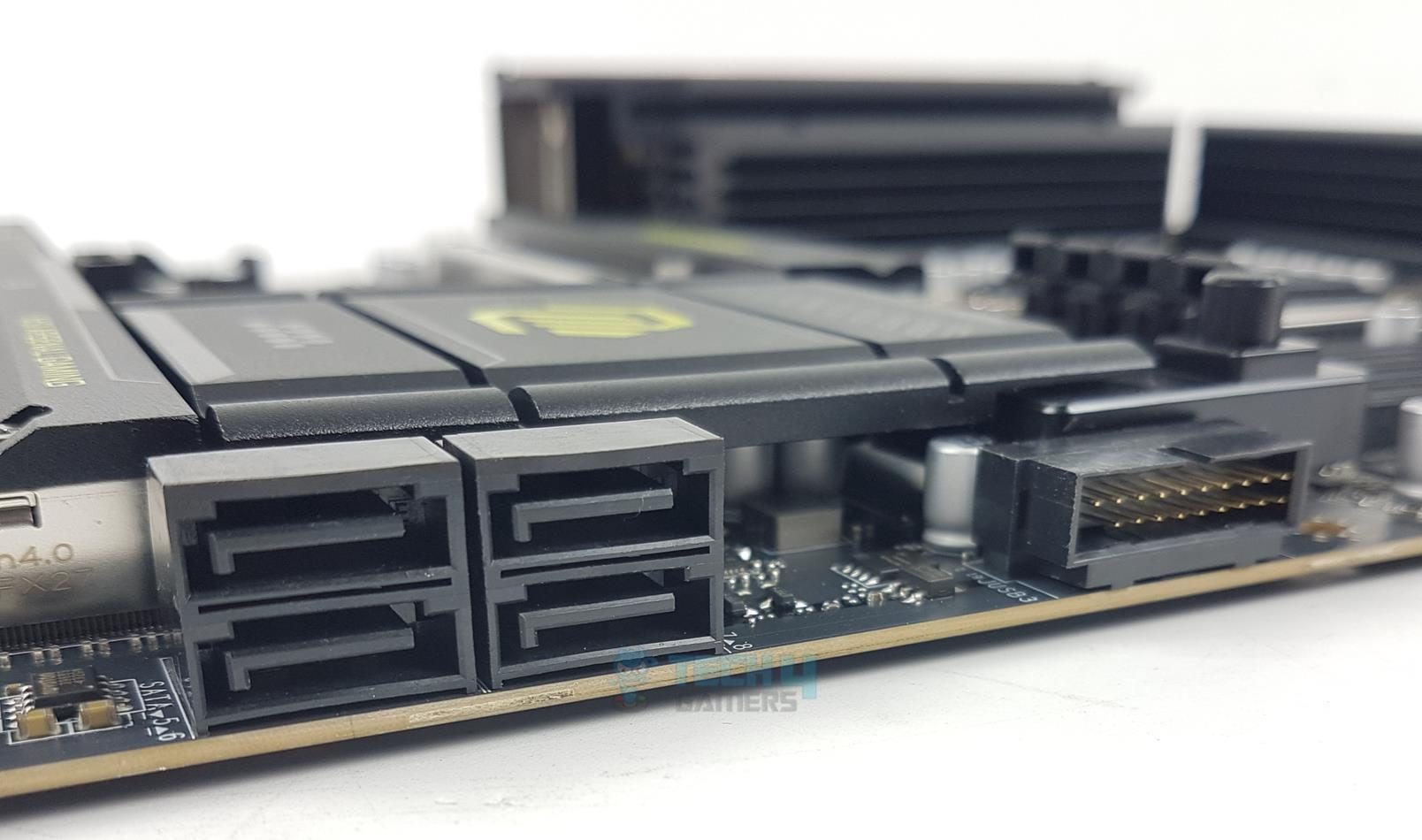
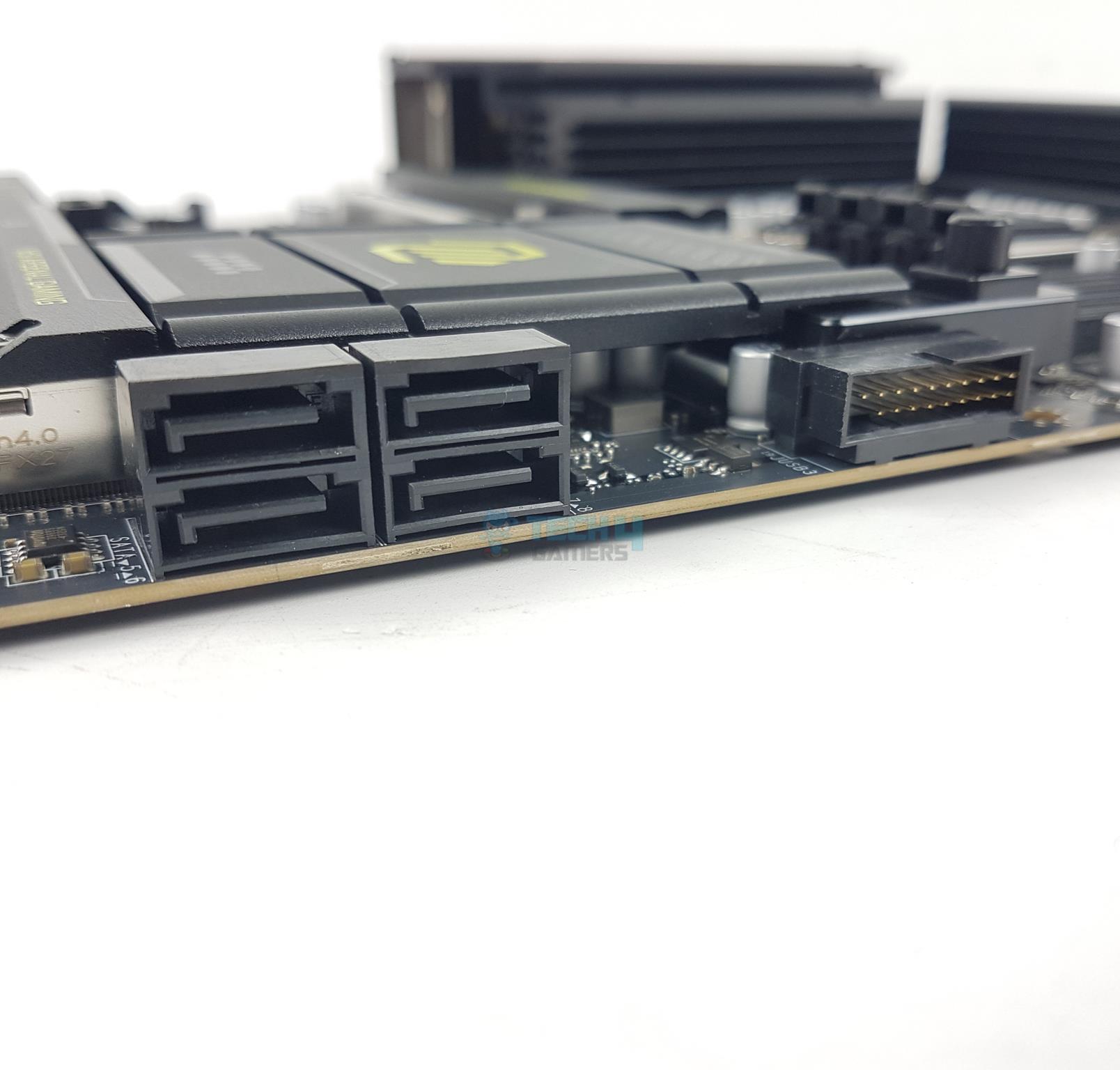
Speaking of SATA ports, this motherboard has a total of 4x ports wired to the chipset.
PCIe Connectivity
PCIe Slots (Image By Tech4Gamers)
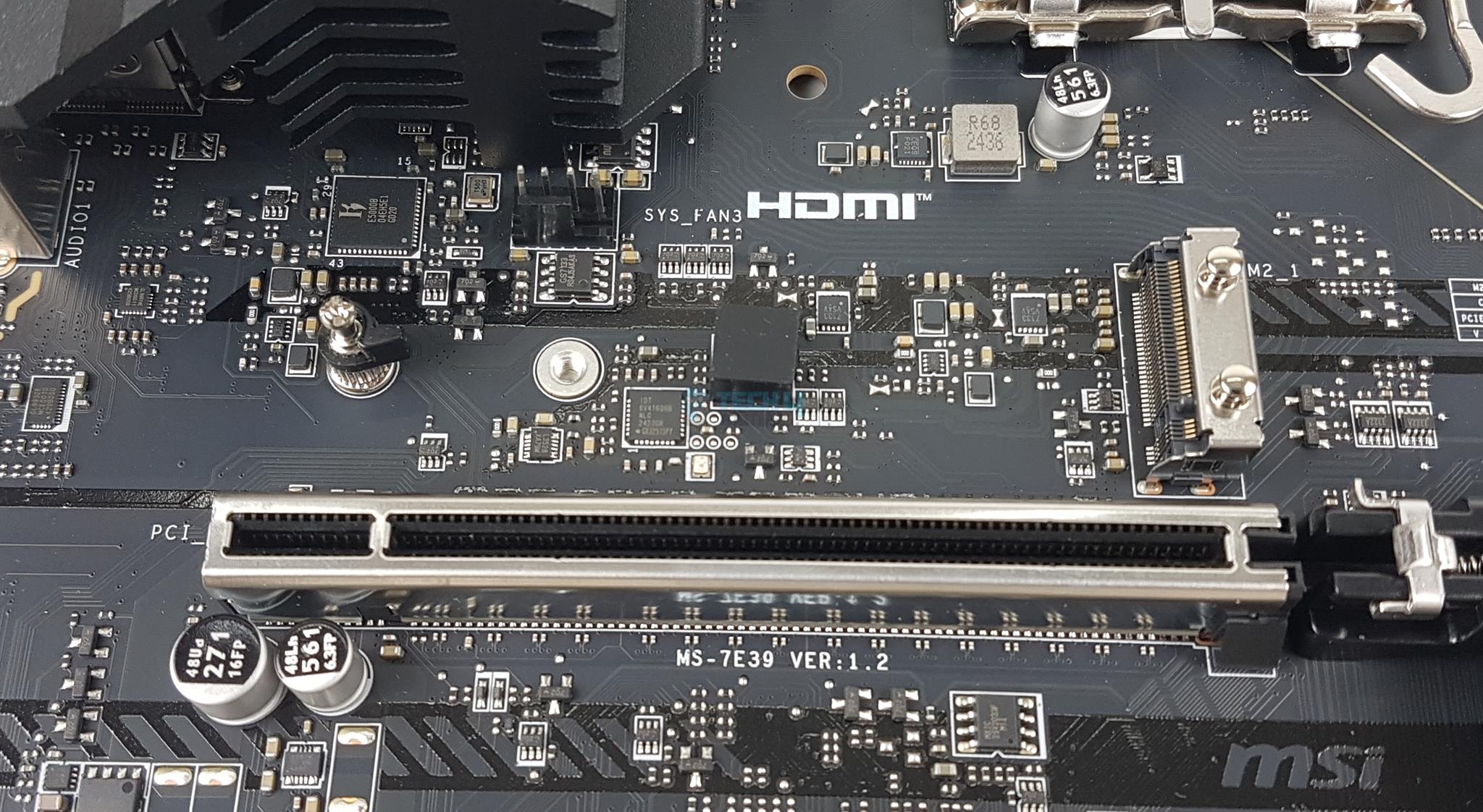
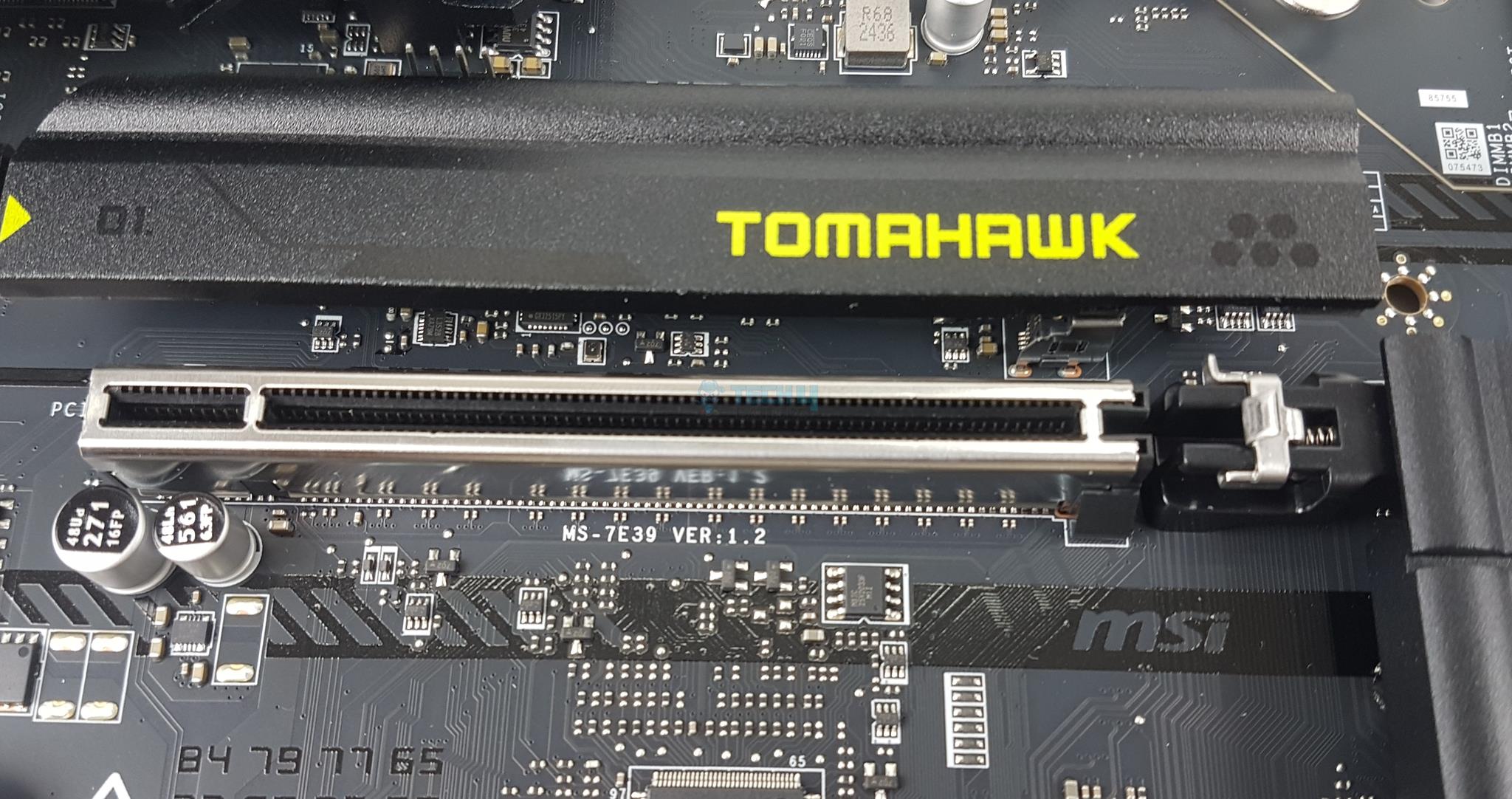
This motherboard has a total of 2x PCIe slots. The first slot is Gen5 full x16 slotted and wired to the CPU socket. It can’t be bifurcated or split. The second slot is wired to the chipset. The second slot is PCIe 4.0 x4. The top PCIe slot is steel reinforced that MSI refers to as Steel Armor and it has heavy soldered connections on the PCB to support the weight of heavy graphics card.
PCIe Release Button (Image By Tech4Gamers)
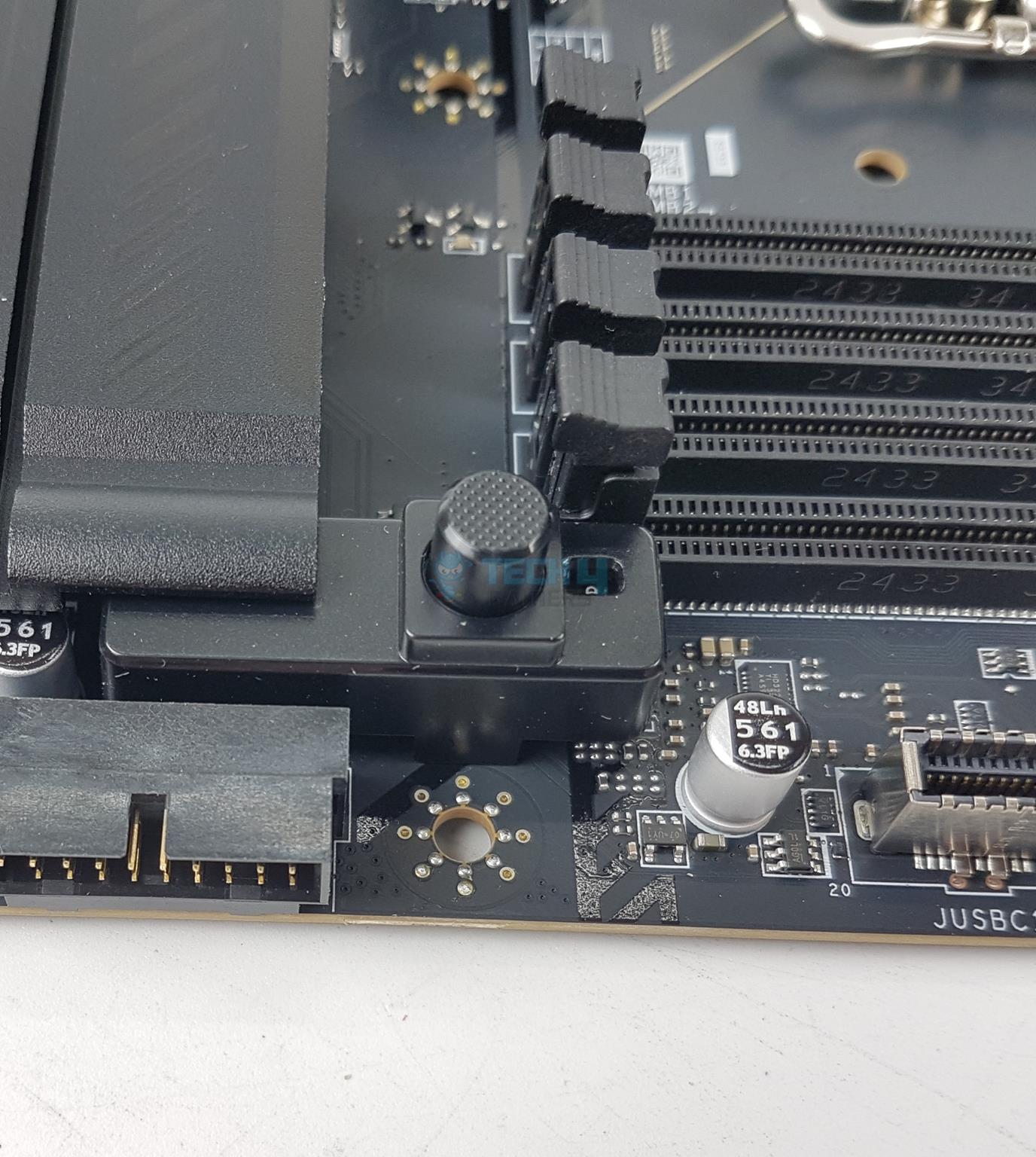
This motherboard also features EZ PCIe Release button. Kudos to MSI for retaining the convenient method even on the mATX motherboard! Pressing it once will unlock the PCIe latch or locker and pressing it again will release the lock. This makes the user’s life easy when it comes to handling the graphics card and a beefy air cooler.
USB Connectivity
USB (Image By Tech4Gamers)
This motherboard is packed with USB ports on the front, rear and mid-board. It has:
1x USB 4/Thunderbolt 4
5x USB 10 Gbps ports (4x Type-A, 2x Type-C)
2x USB 5Gbps Type-A
8x USB 2.0
MSI has used several USB hubs and controllers, including GL850, RTS5420, RTS5452H, and P130BS16. I have seen IDT 6V41606B on the PCB. In older generations, this controller was employed as a clock generator.
Networking Solution
WiFi (Image By Tech4Gamers)
MSI has provided a wired and latest wireless connectivity on MAG B860 Mortar WiFi. The main connectivity is wired coming from an onboard 5GB LAN port (NUC) powered by Intel Killer E5000B network controller. I saw same controller in MAG B860 Tomahawk WiFi.
In addition, there is a powerful WiFi module that comes pre-installed and a dedicated antenna is also in the box. MSI has implemented latest WiFi 7 module driven by Intel Killer BE1750X controller. Bluetooth 5.4 is provided.
The new protocol has 320MHz channel width compared to 160MHz on the previous generation. Wi-Fi 7 improves the modulation scheme from 1024-QAM to 4096-QAM, which is impressive. This new generation is capable of sending and receiving data across several frequencies and channels at a time.
Audio Solution
Audio
Chipset
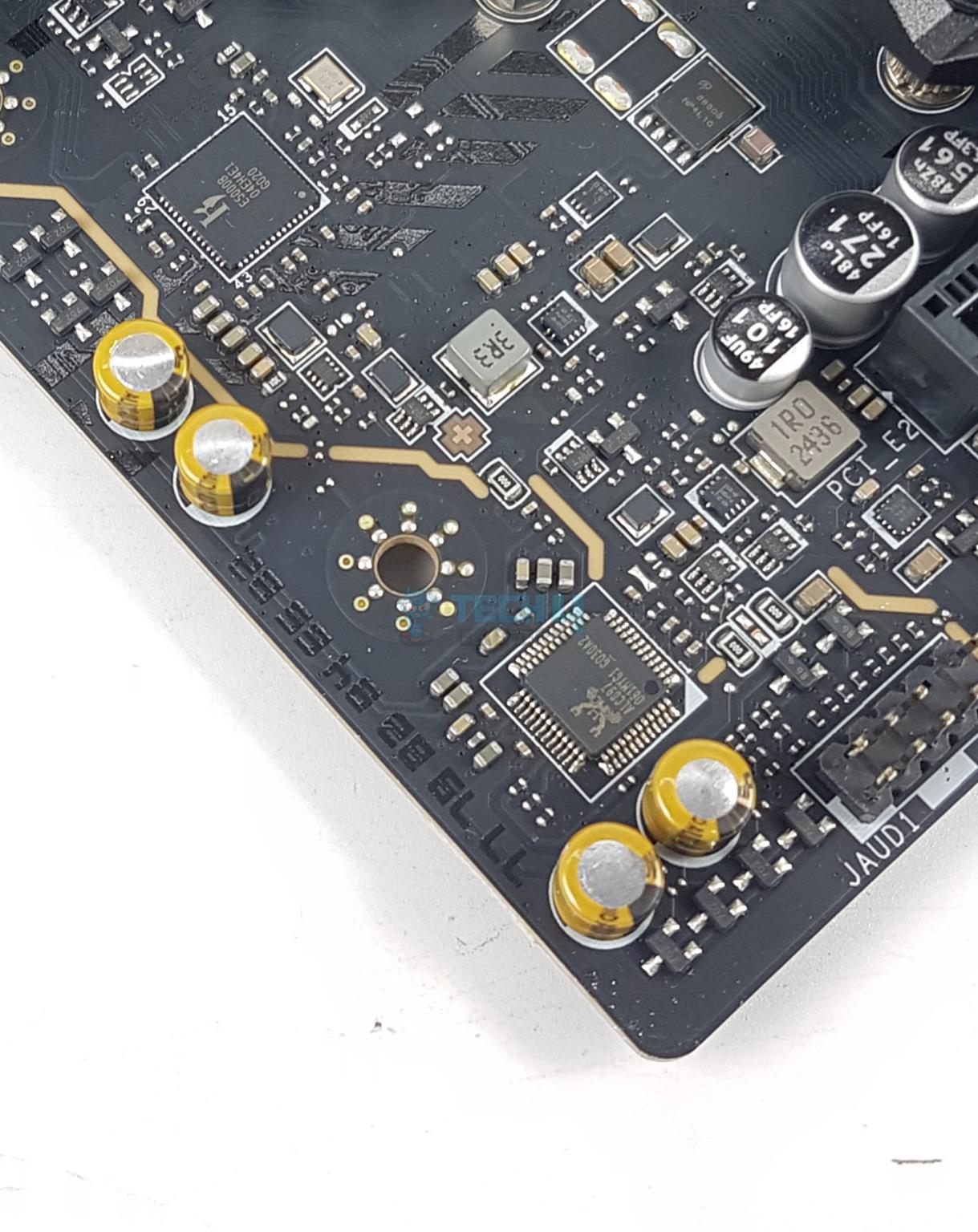
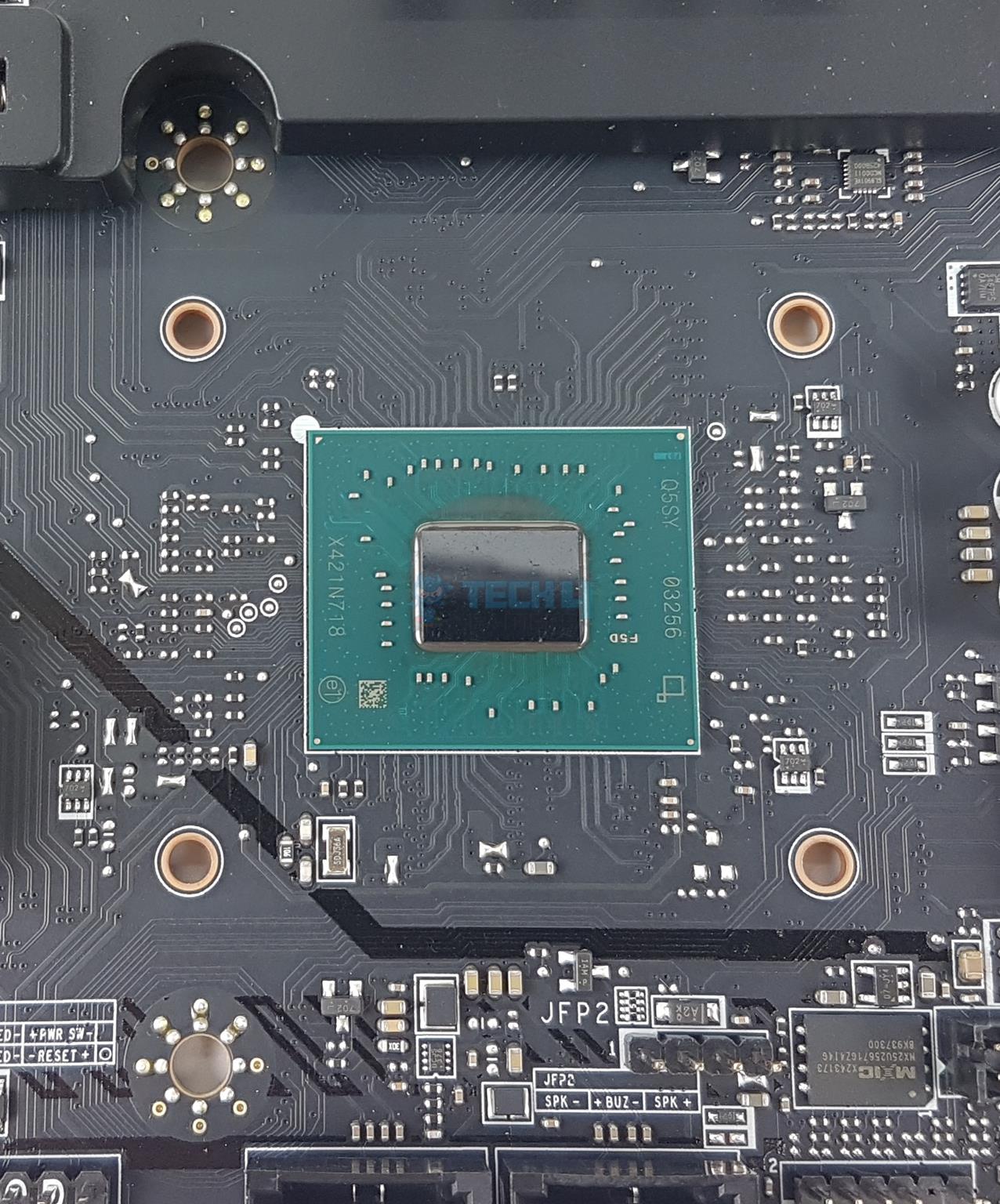
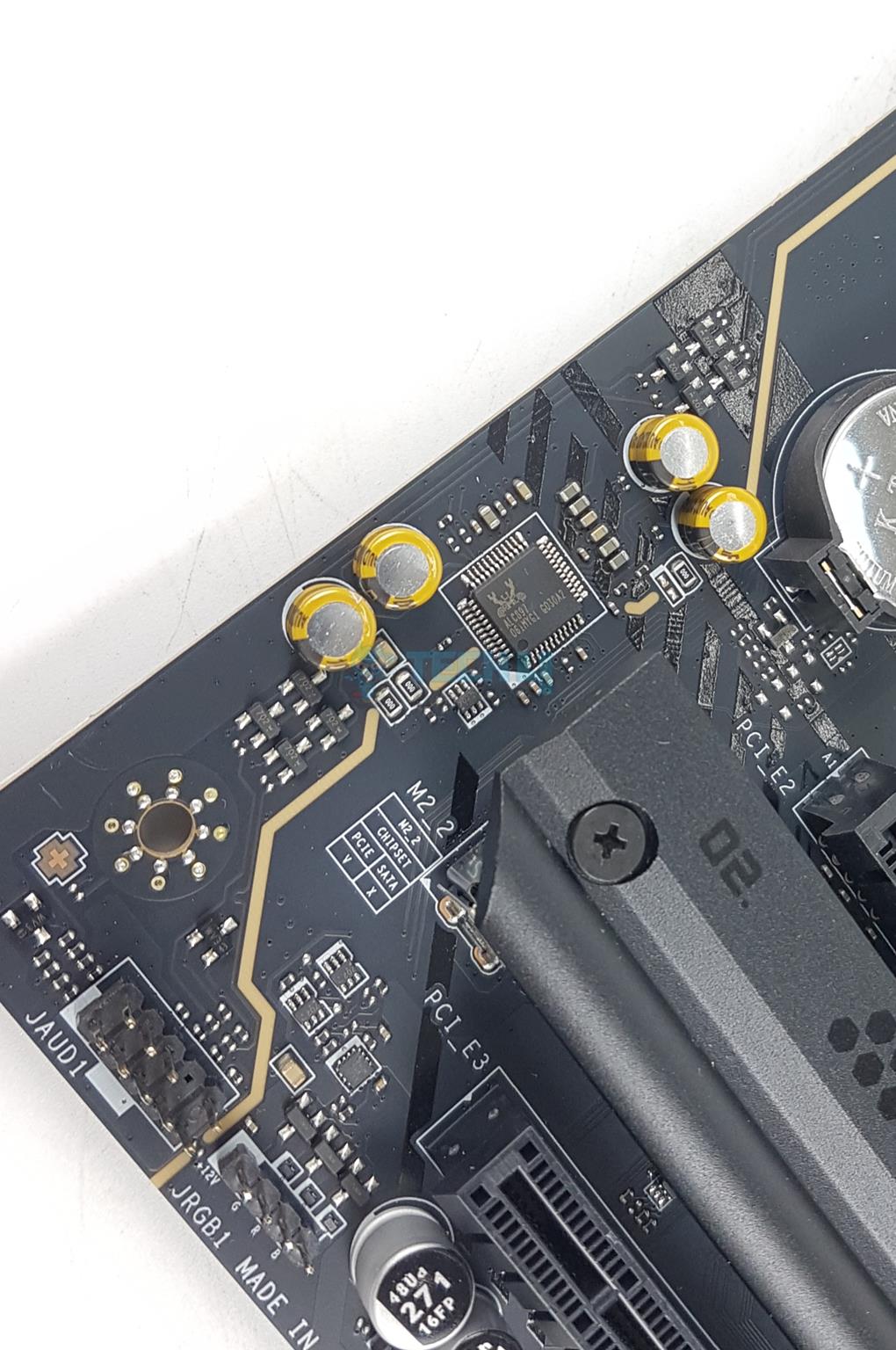
This motherboard comes with a same audio solution on the MAG B860 Tomahawk WiFi motherboard. The audio hardware is on two separate layers of the PCB. MSI has used a basic Audio controller from Realtek which is ALC897. This is nothing fancy here.
This is a 7.1-channel audio solution with S/PDIF output. MSI has designed the isolated analogy structure for the output on the rear panel. In this design, the external metal housing is separated from the internal layout to further improve the sound quality.
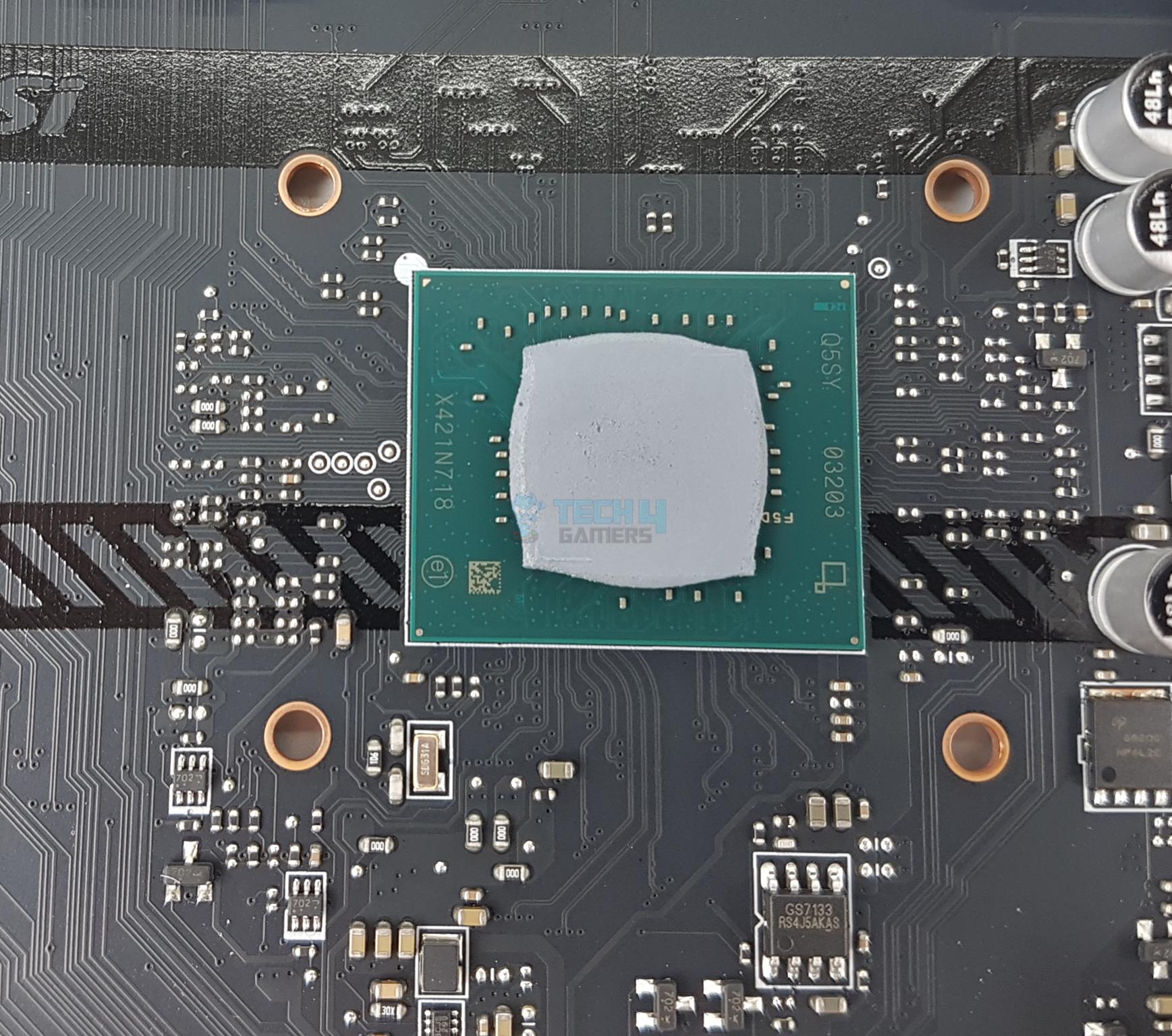
I am showing the B860 chipset after removing its heatsink cover. Now that we have a brief overview of this motherboard, let’s take a look at the connectors.
Internal Connectors
There are:
Connectors
1 of 4
Motherboard SATA Ports
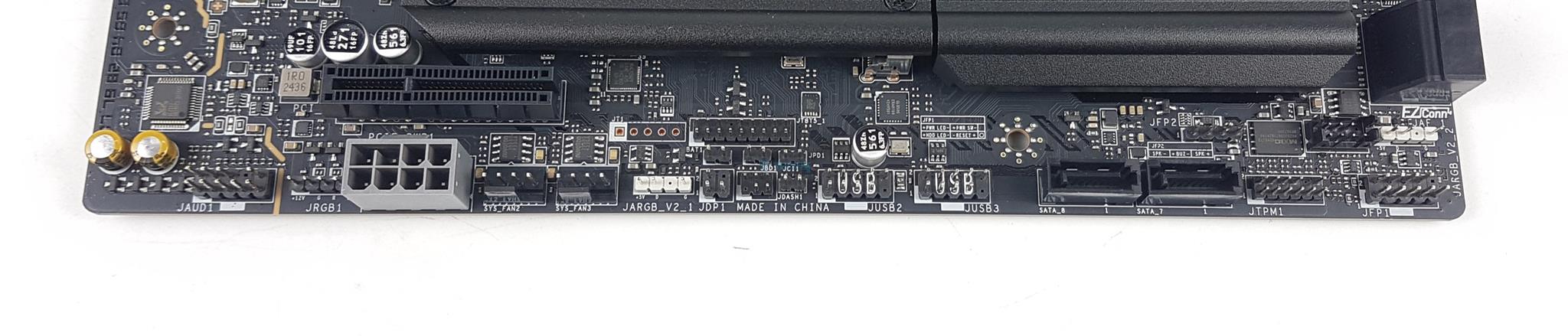
Connections Side
Connections EPS
Connections Bottom
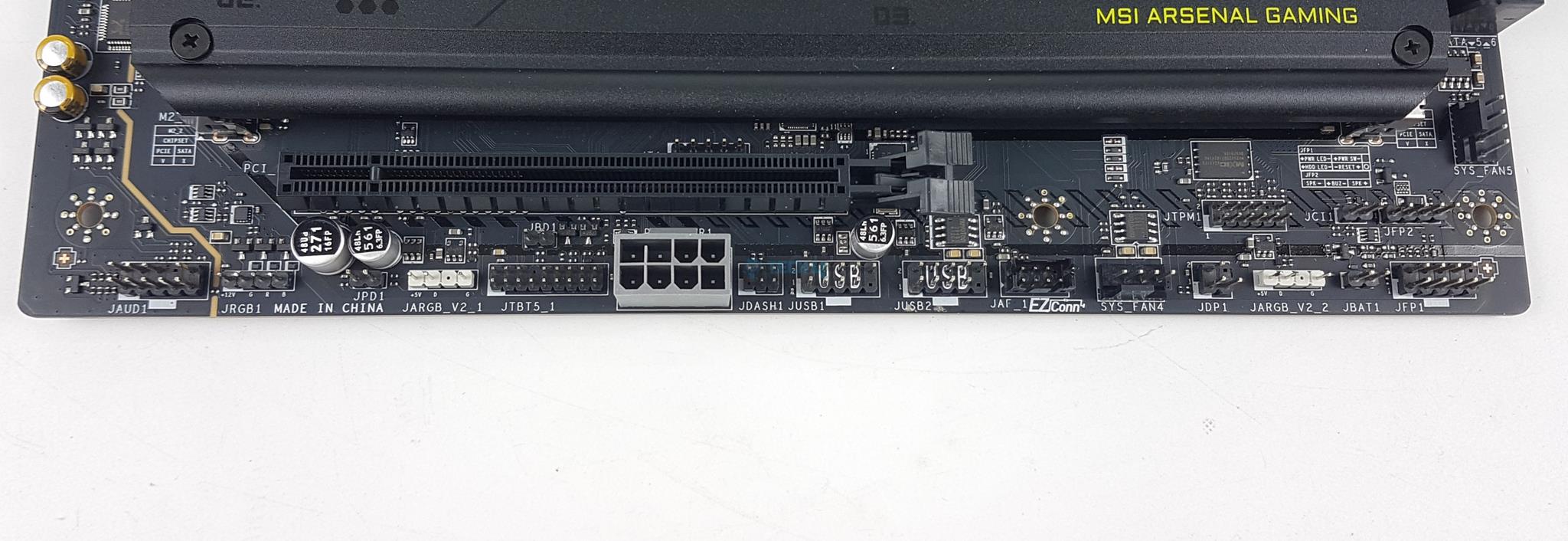
1x Thunderbolt5 card connector (JTBT5, support RTD3)
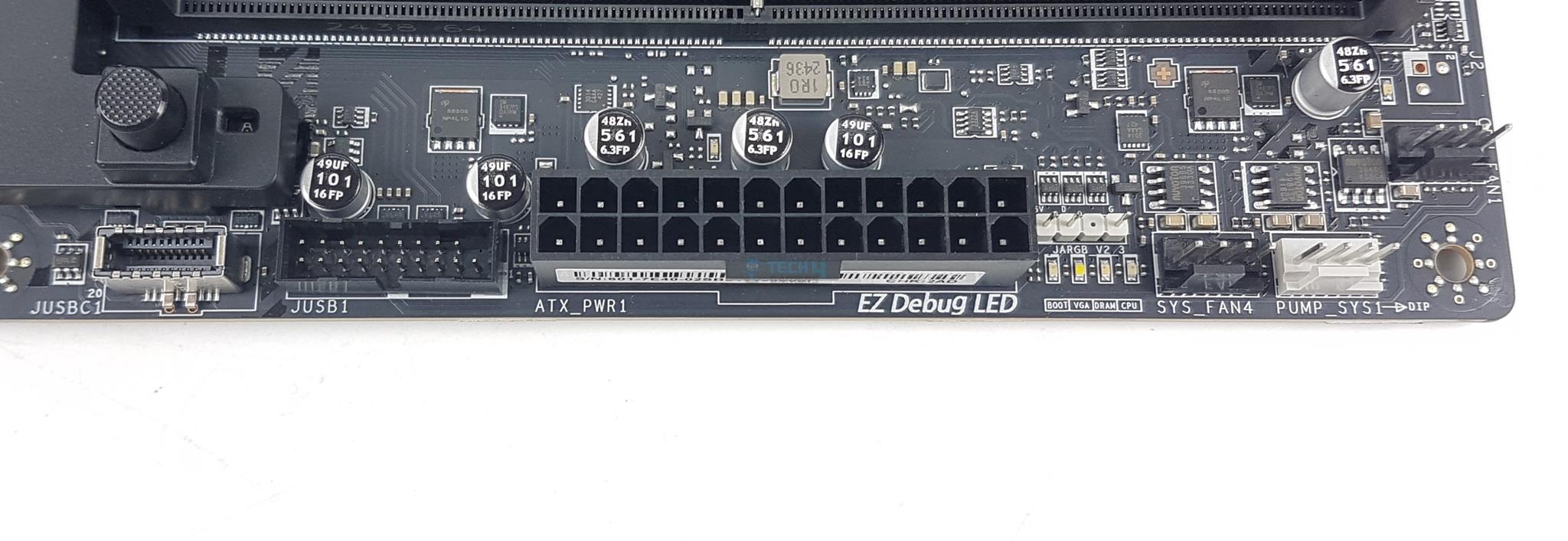
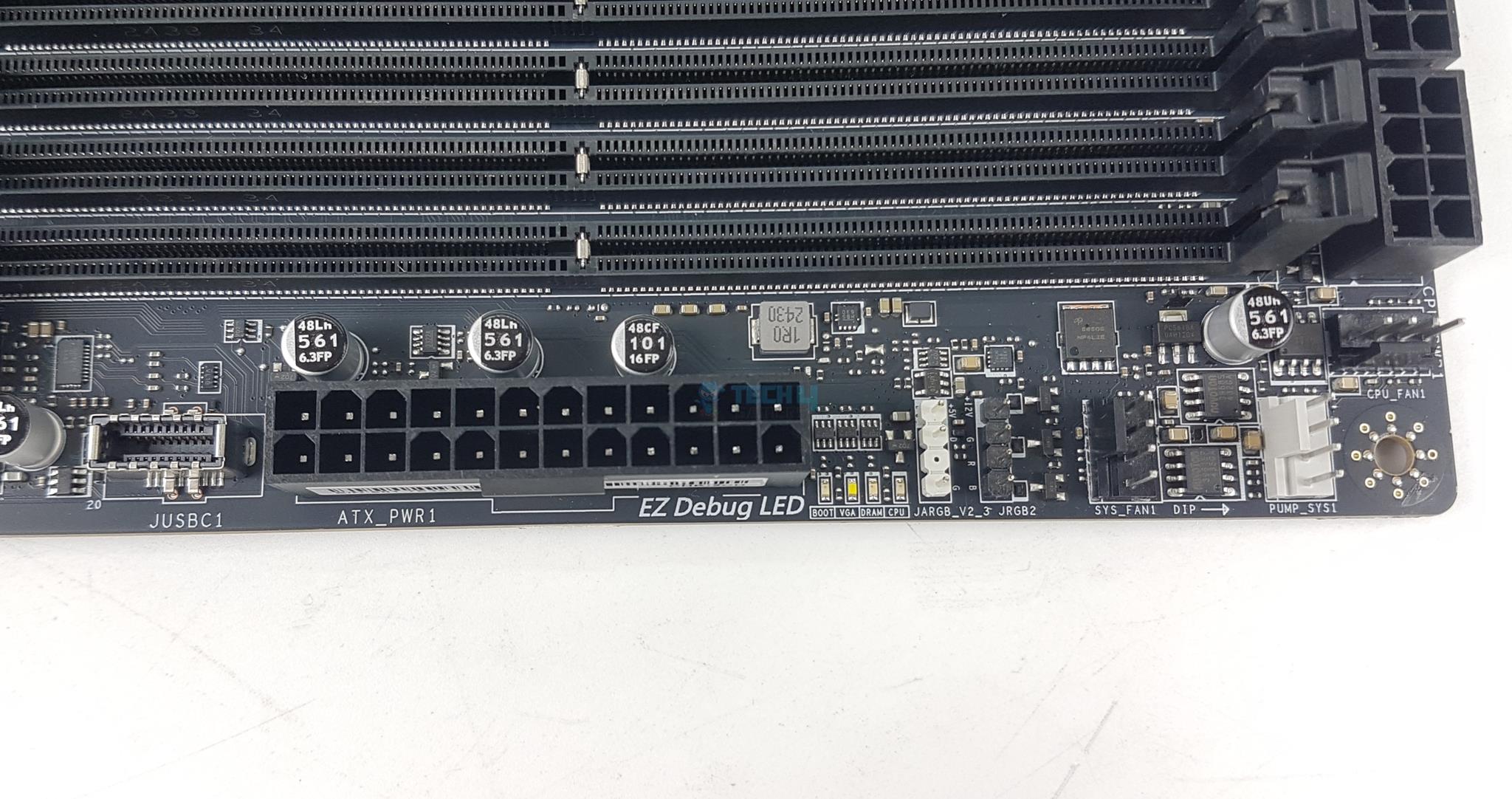
1x 24-pin ATX Power Connector
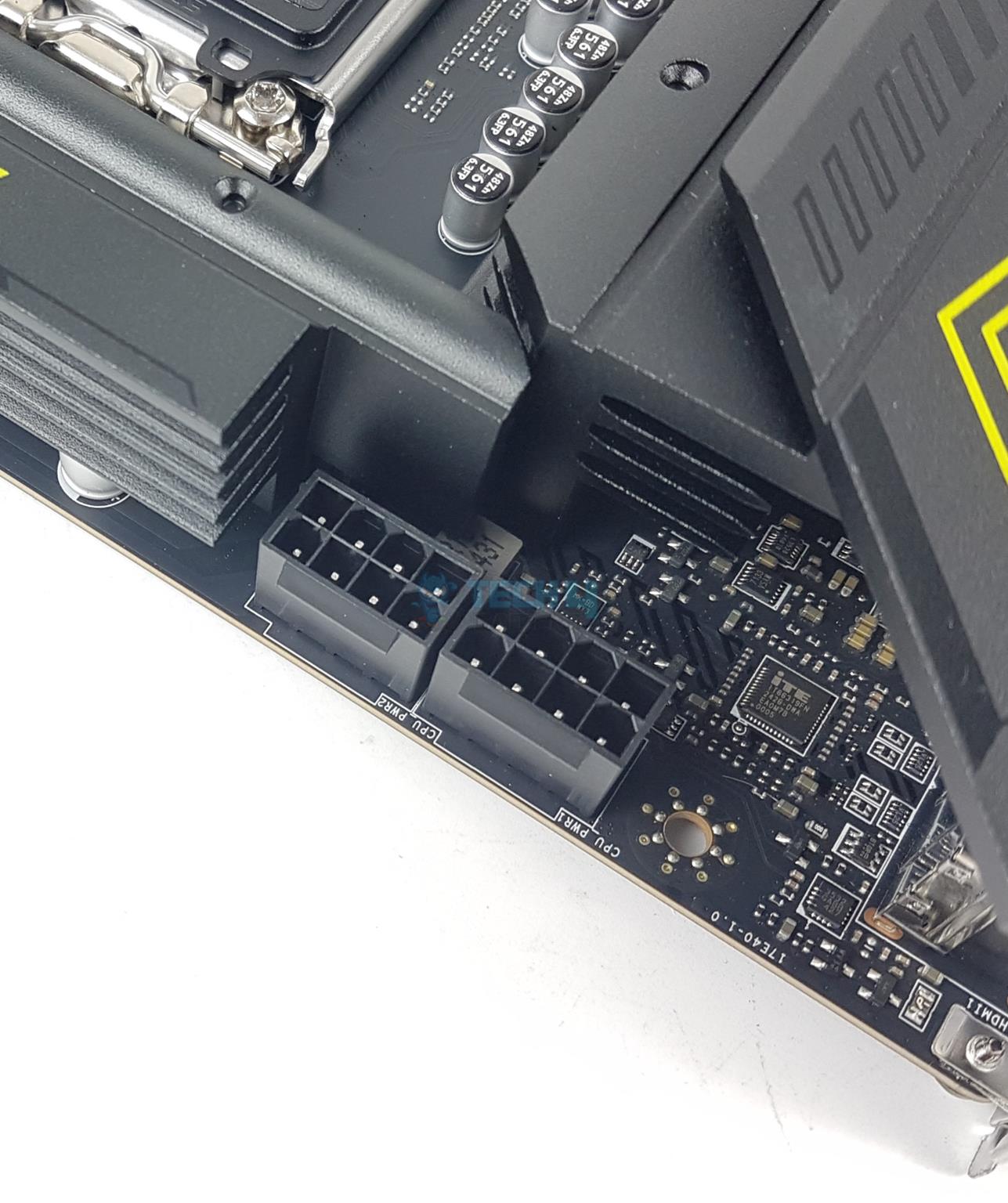
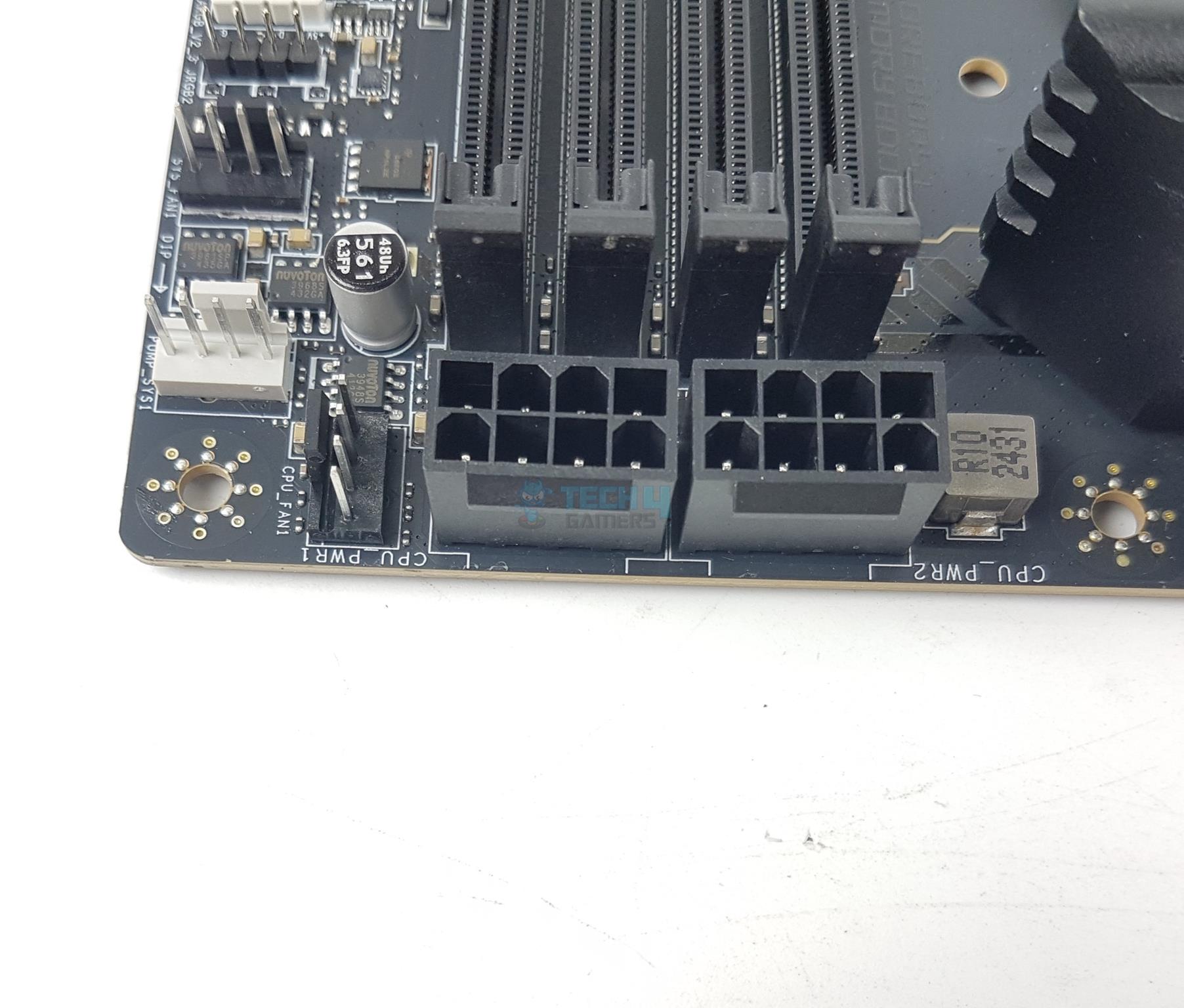
2x EPS Connectors
1x Power Connector (PCIE_PWR 8pin)
1x CPU Fan Header
1x Combo Fan Header (Pump_Sys Fan)
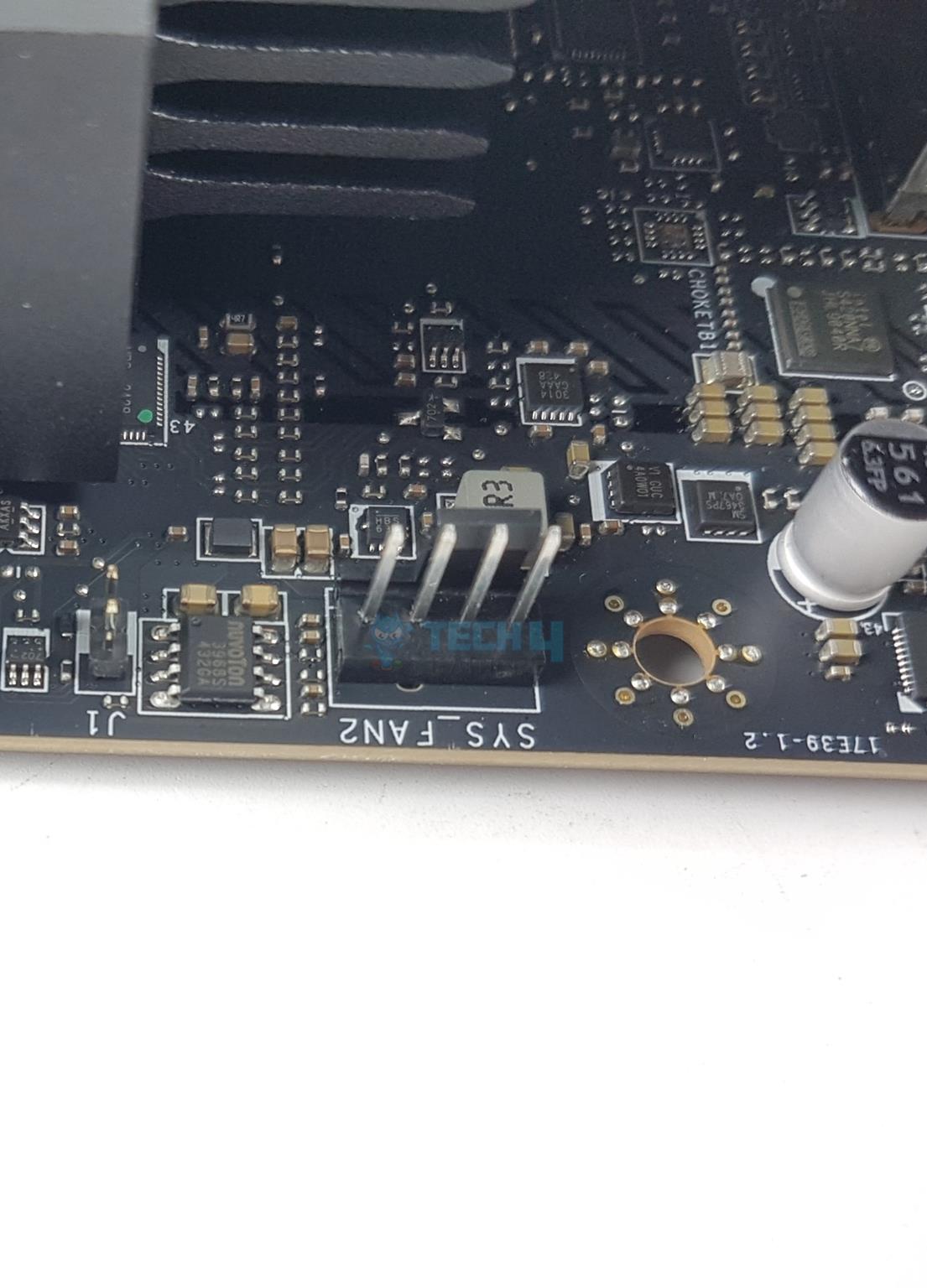
4x System Fan Headers
1x EZ Conn-header (JAF_1)
2x Front Panel (JFP)
1x Chassis Intrusion (JCI)
1x Front Audio (JAUD)
1x Tuning Controller connector (JDASH)
3x Addressable V2 RGB LED connector (JARGB_V2)
1x RGB LED connector(JRGB)
1x TPM pin header(Support TPM 2.0)
4x USB 2.0 ports
2x USB 5Gbps Type A ports
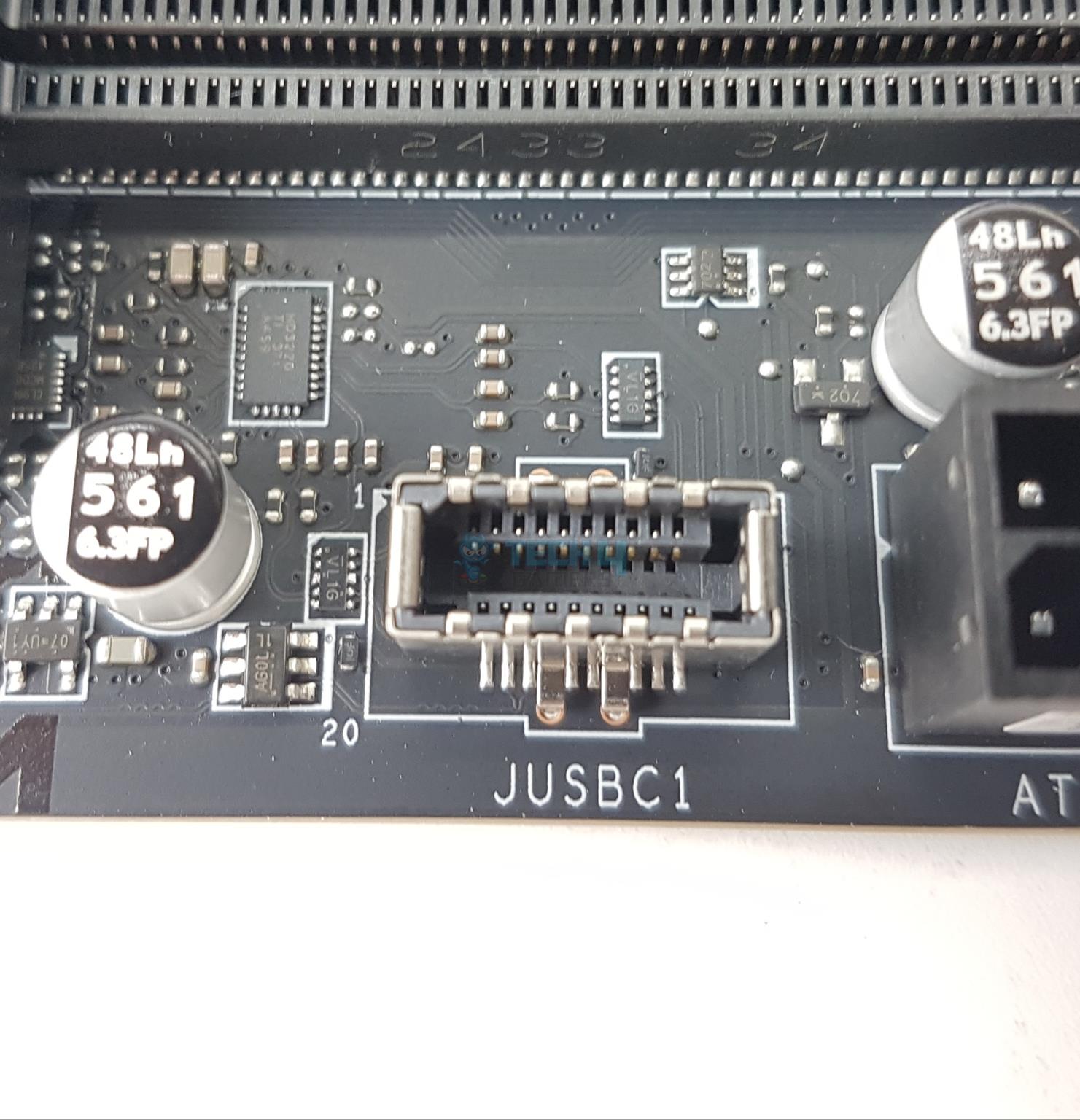
1x USB 10Gbps Type C ports
Each fan header is powered and controlled by nuvoTon 3948S. This is the same controller as on the MAG B860 Tomahawk WiFi. The Pump Header is rated for 3A. The CPU Fan header is rated for 2A. The other fan headers are rated at 1A each. There are 4x LEDs to troubleshoot the system in case anything ho hey wires. These LEDs correspond to the CPU, RAM, VGA, and Boot. However, there is no debug LED on this motherboard.
Rear IO Panel
Rear IO (Image By Tech4Gamers)
There are:
1x HDMI Port
1x DisplayPort
1x Thunderbolt 4.0 Type-C Port
Clear CMOS
Flash BIOS
4x USB 2.0
1x USB 3.2 Gen2 10Gbps (Type-C)
3x USB 3.2 Gen 2 10Gbps (Type-A)
1x 5G LAN Port
WiFi 7 Antennae Ports
Audio Connectors
This motherboard comes with the rear IO cover pre-installed. However, the rear IO does not have a USB 3.2 Gen2x2 port.
PCB
Backside
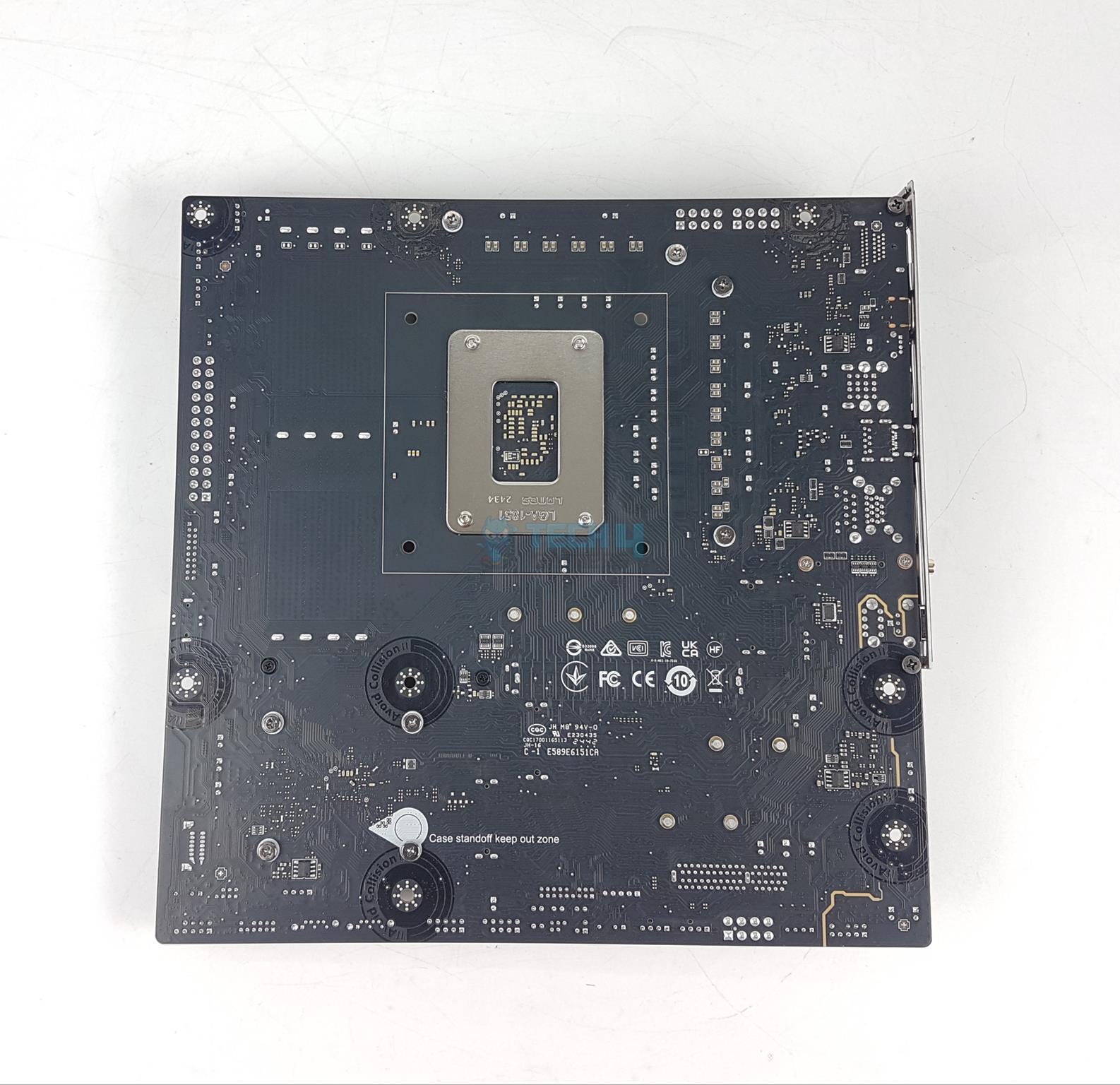
I am showing the PCB after removing the heatsink covers. The second picture shows the backside of the motherboard.
Nuvoton NCT6678D M (Image By Tech4Gamers)
MSI has used Nuvoton NCT6687D-M as a main IO controller on this motherboard. MSI has used the same controller on the MAG B860 Tomahawk WiFi.
BIOS
BIOS Walkthrough
1 of 19
BIOS
BIOS
BIOS
BIOS
BIOS
BIOS
BIOS
BIOS
BIOS
BIOS
BIOS
BIOS
BIOS
BIOS
BIOS
BIOS
BIOS
BIOS
BIOS
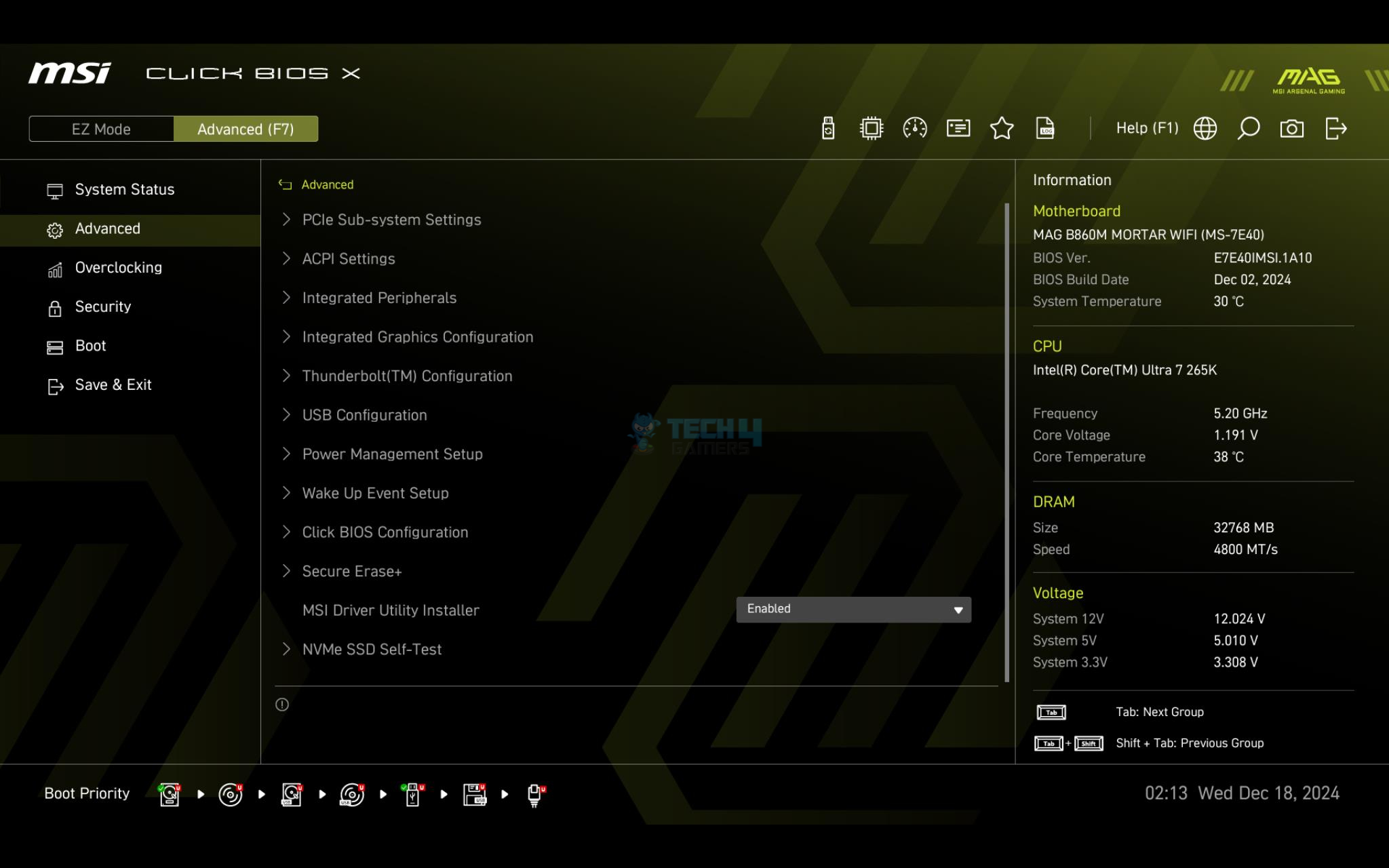
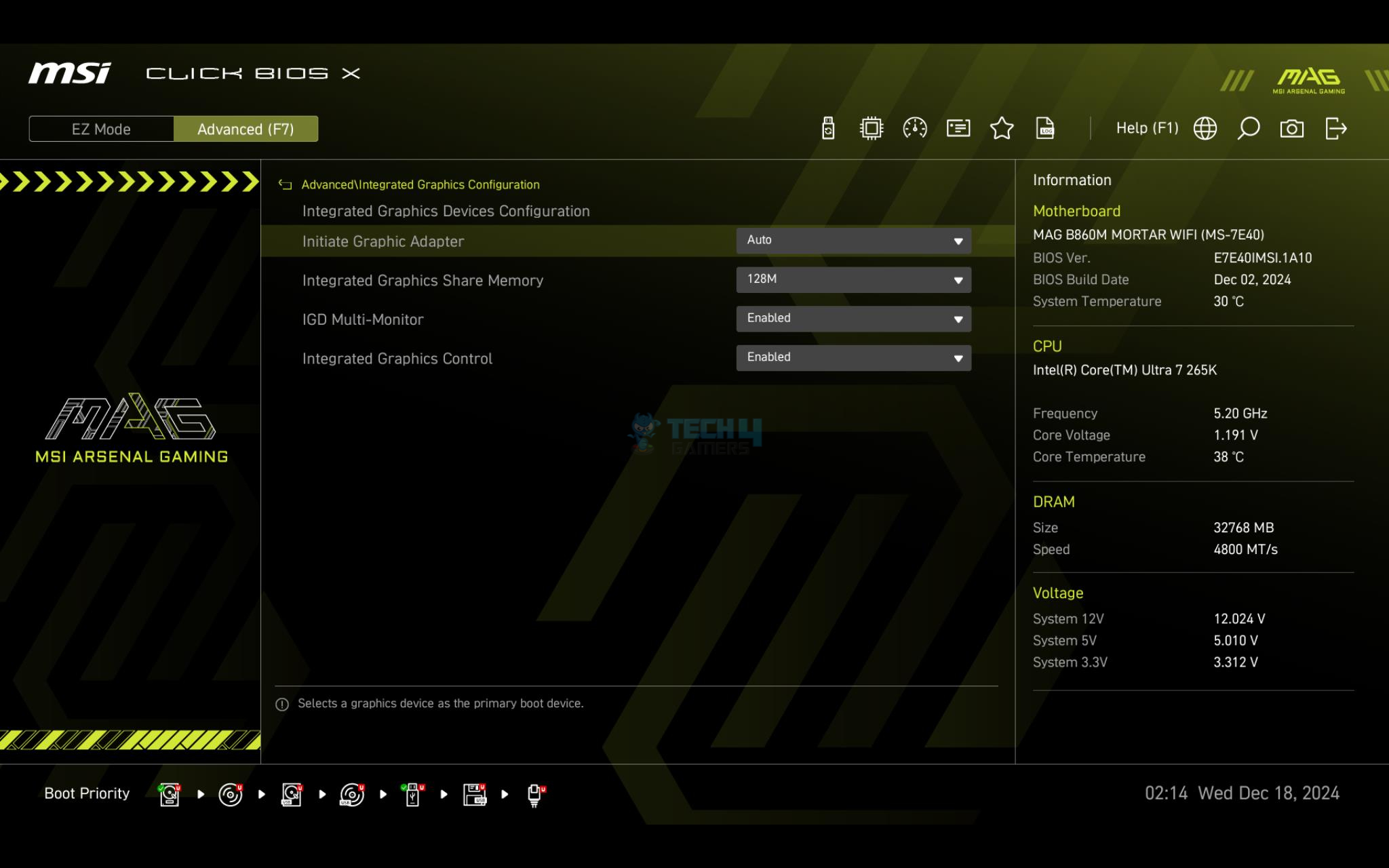
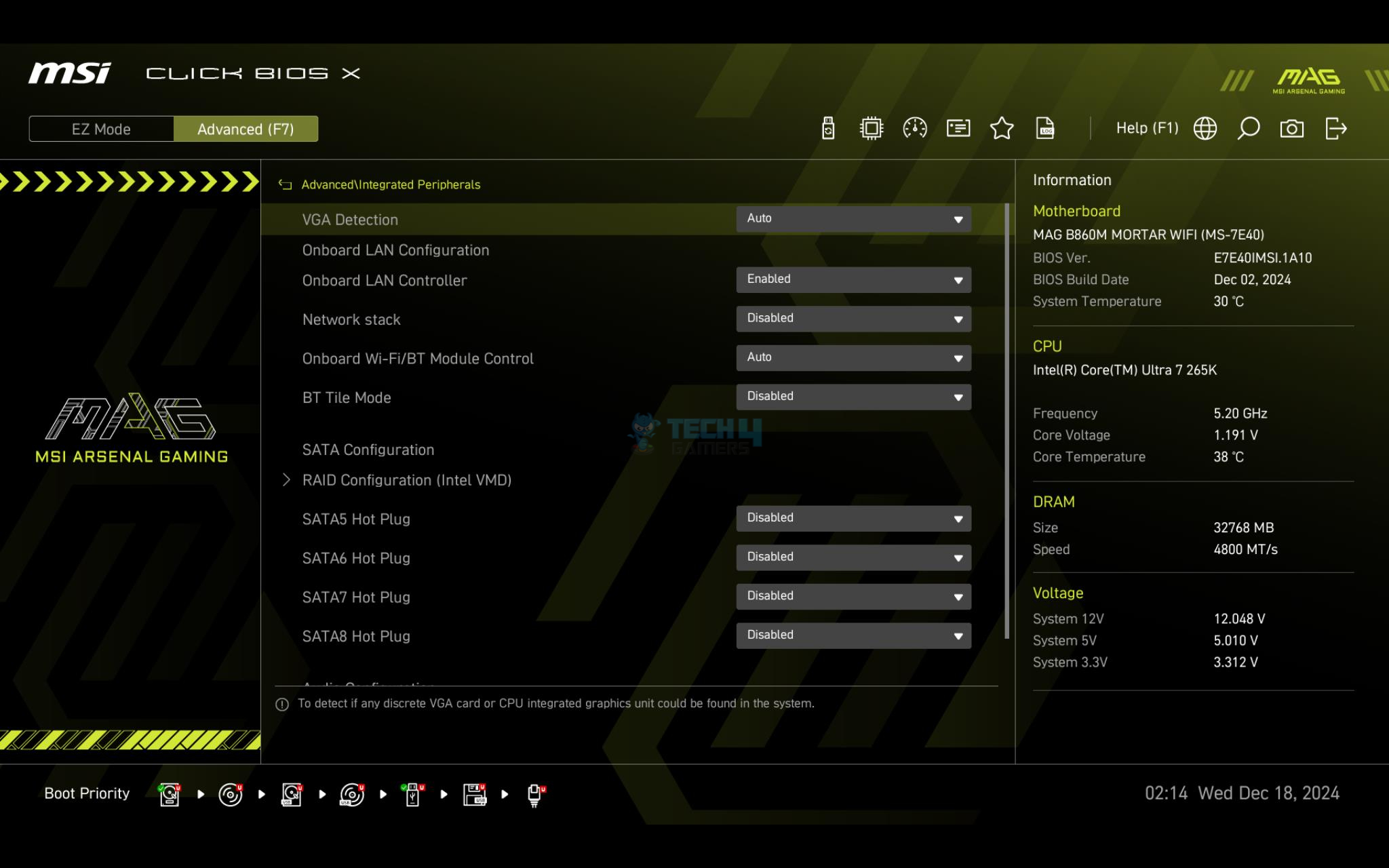
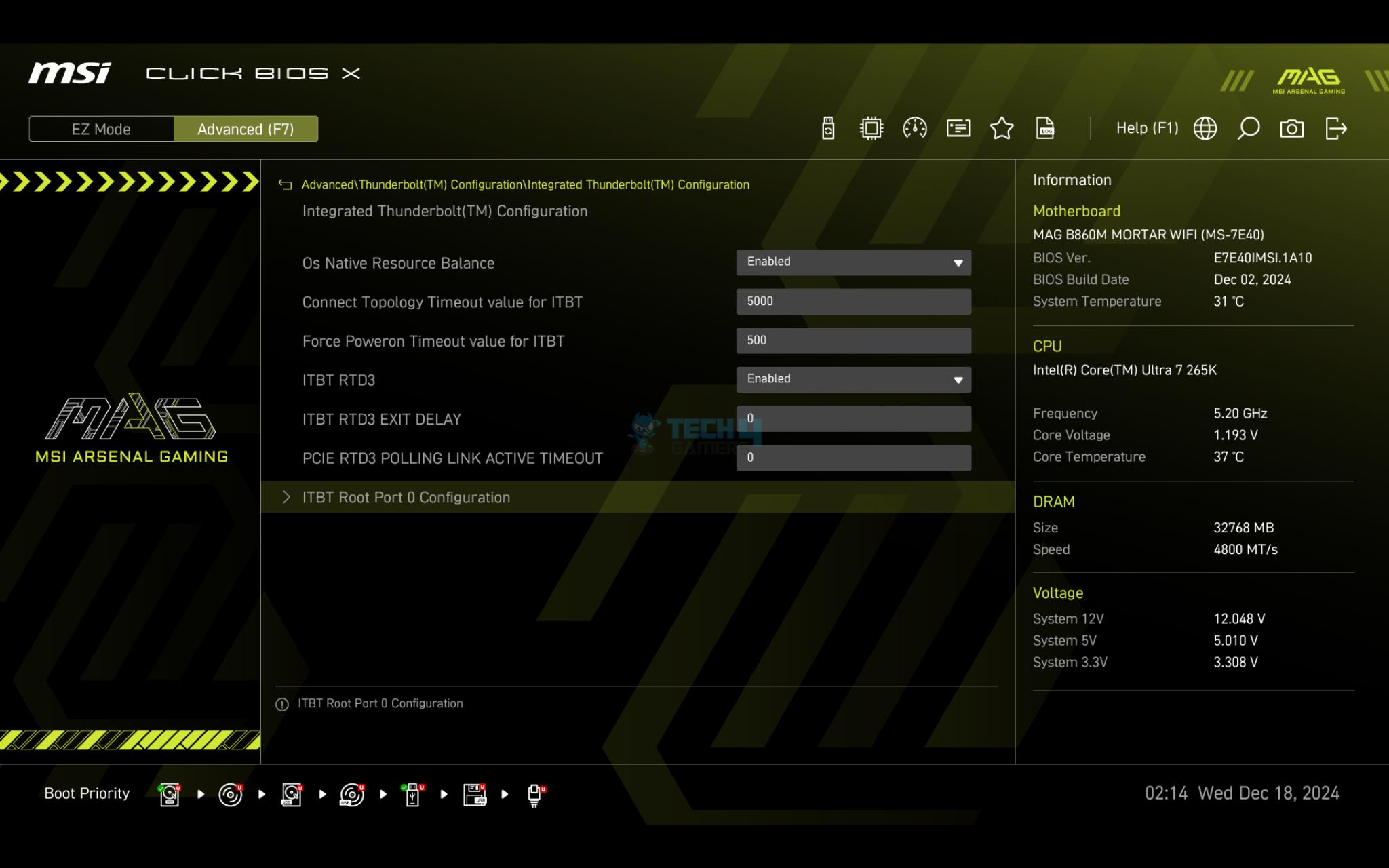
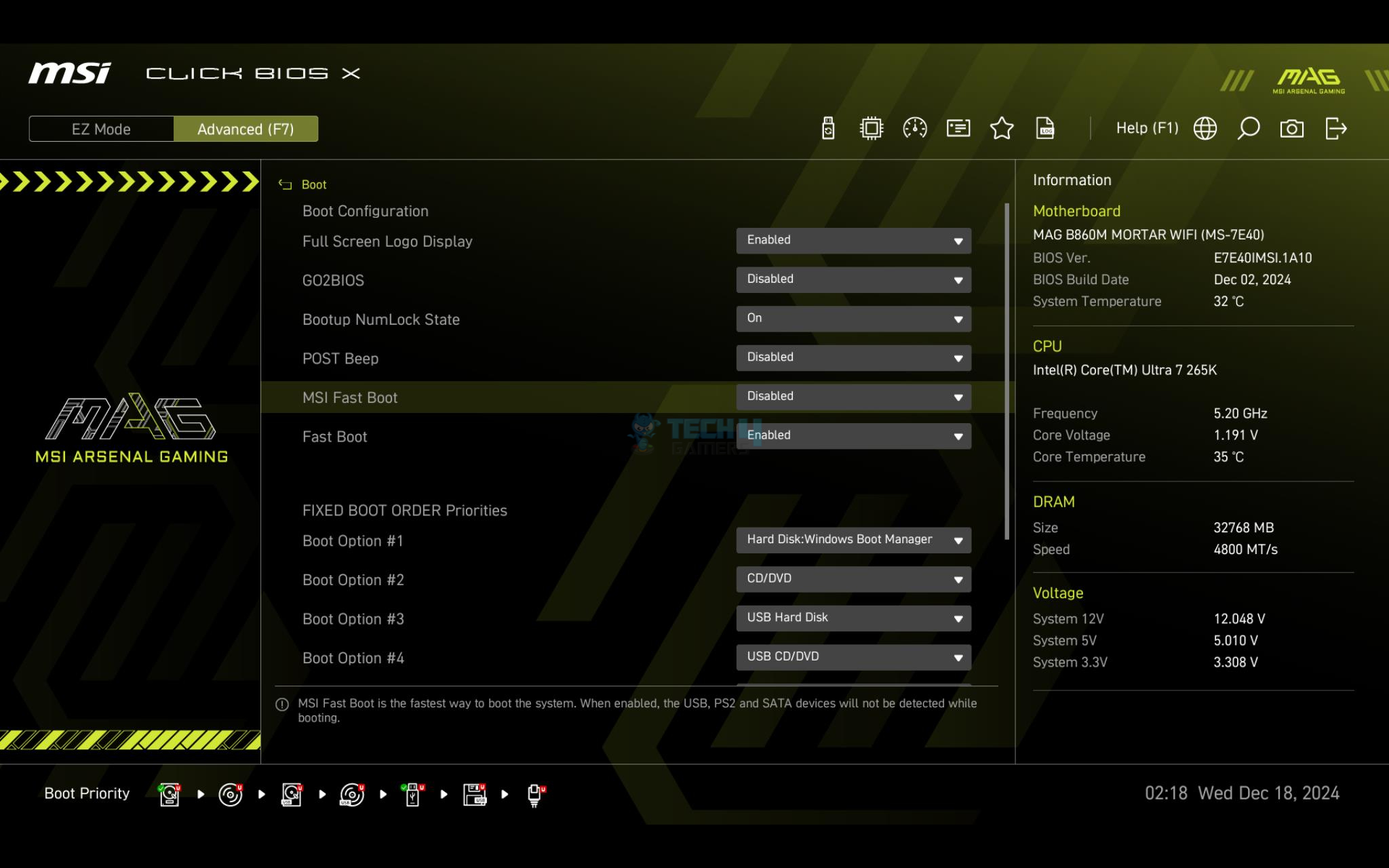
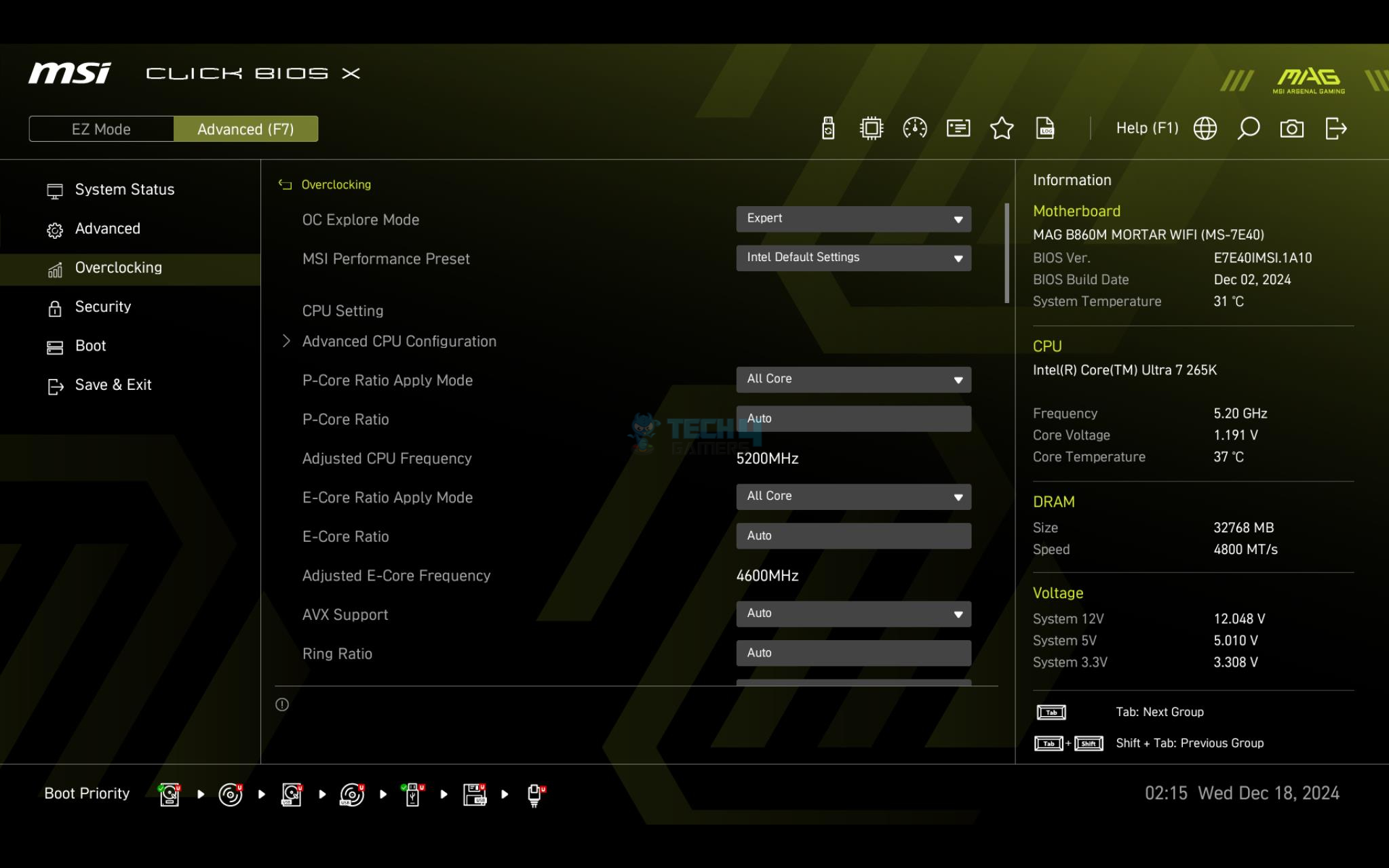
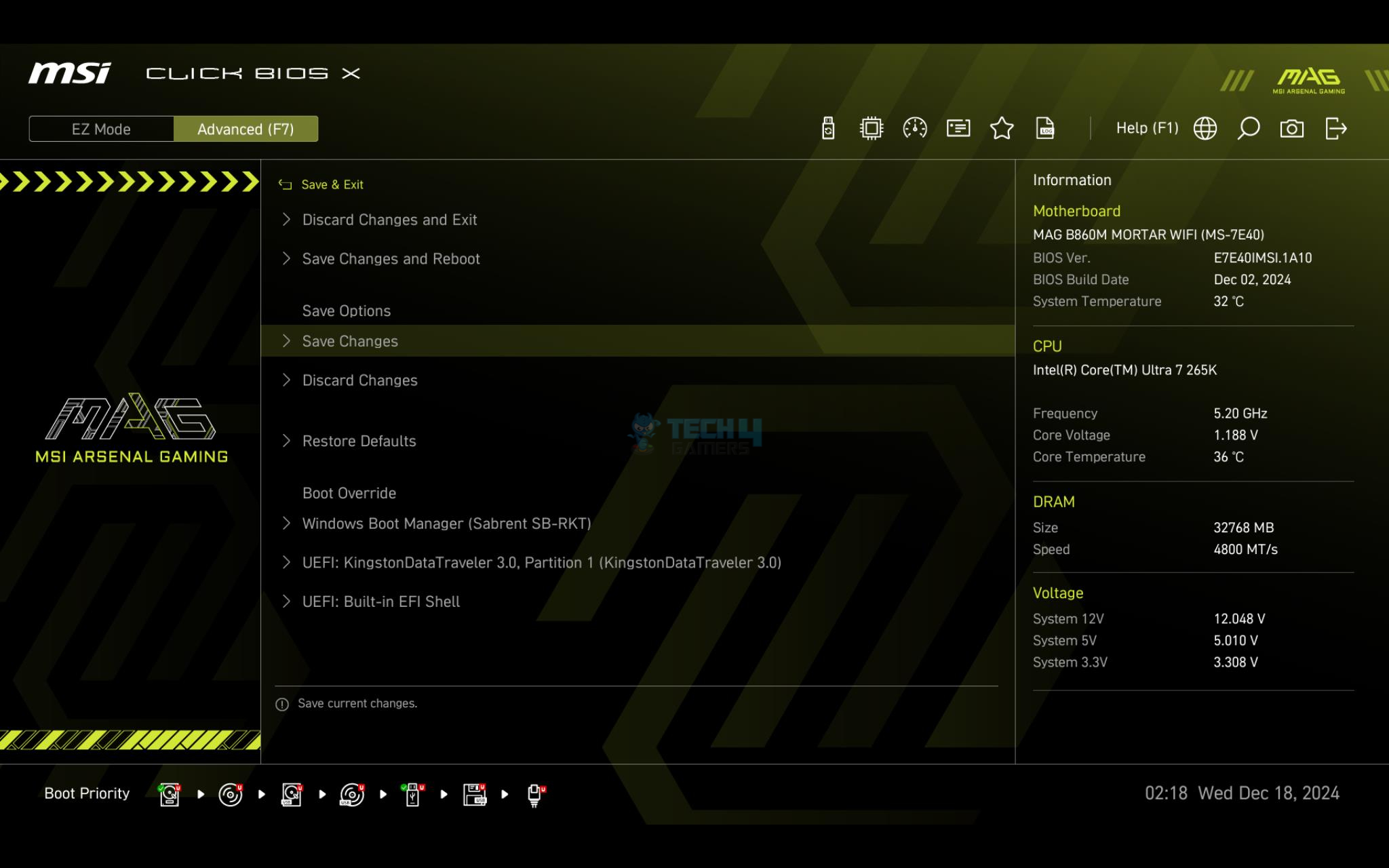
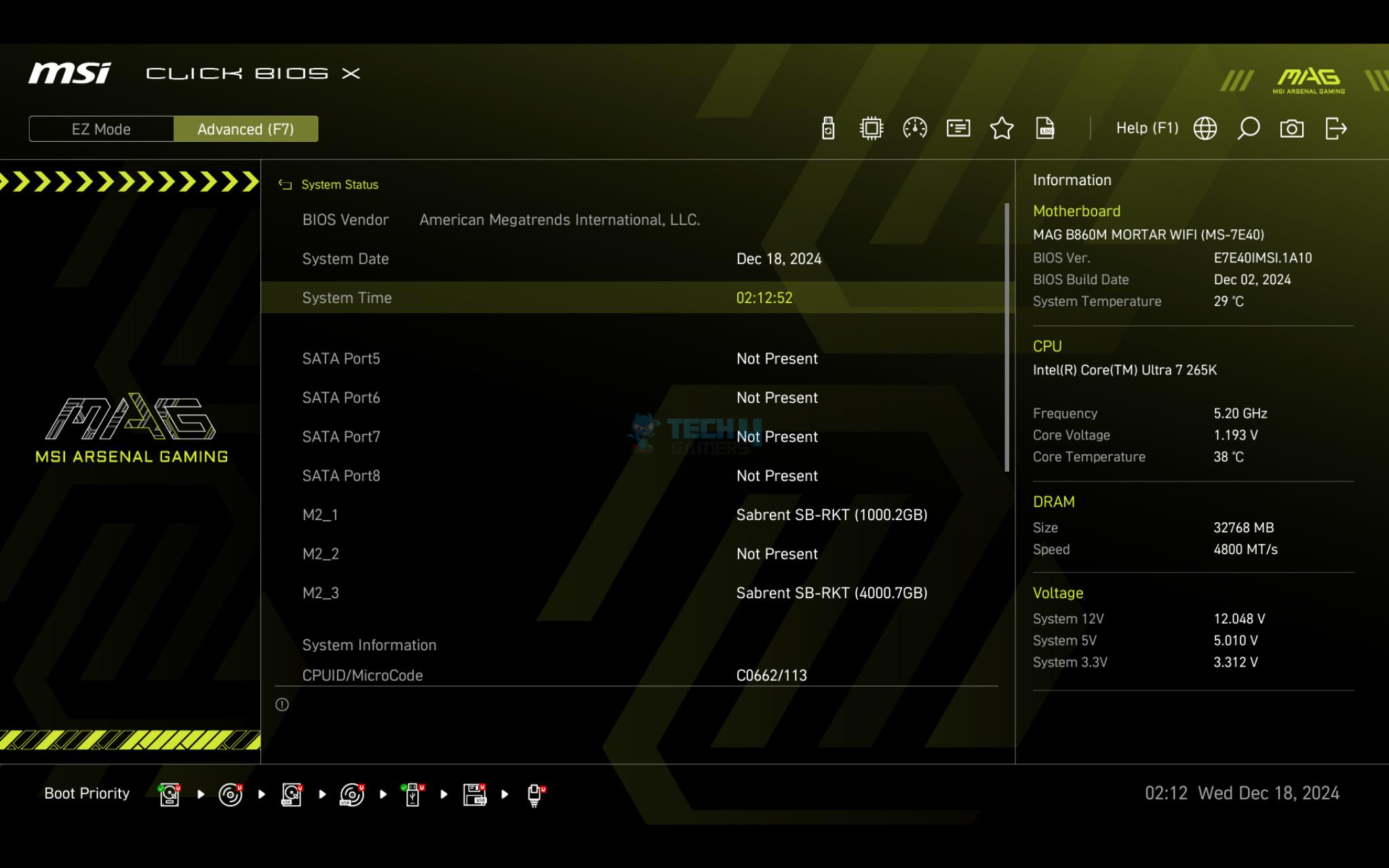
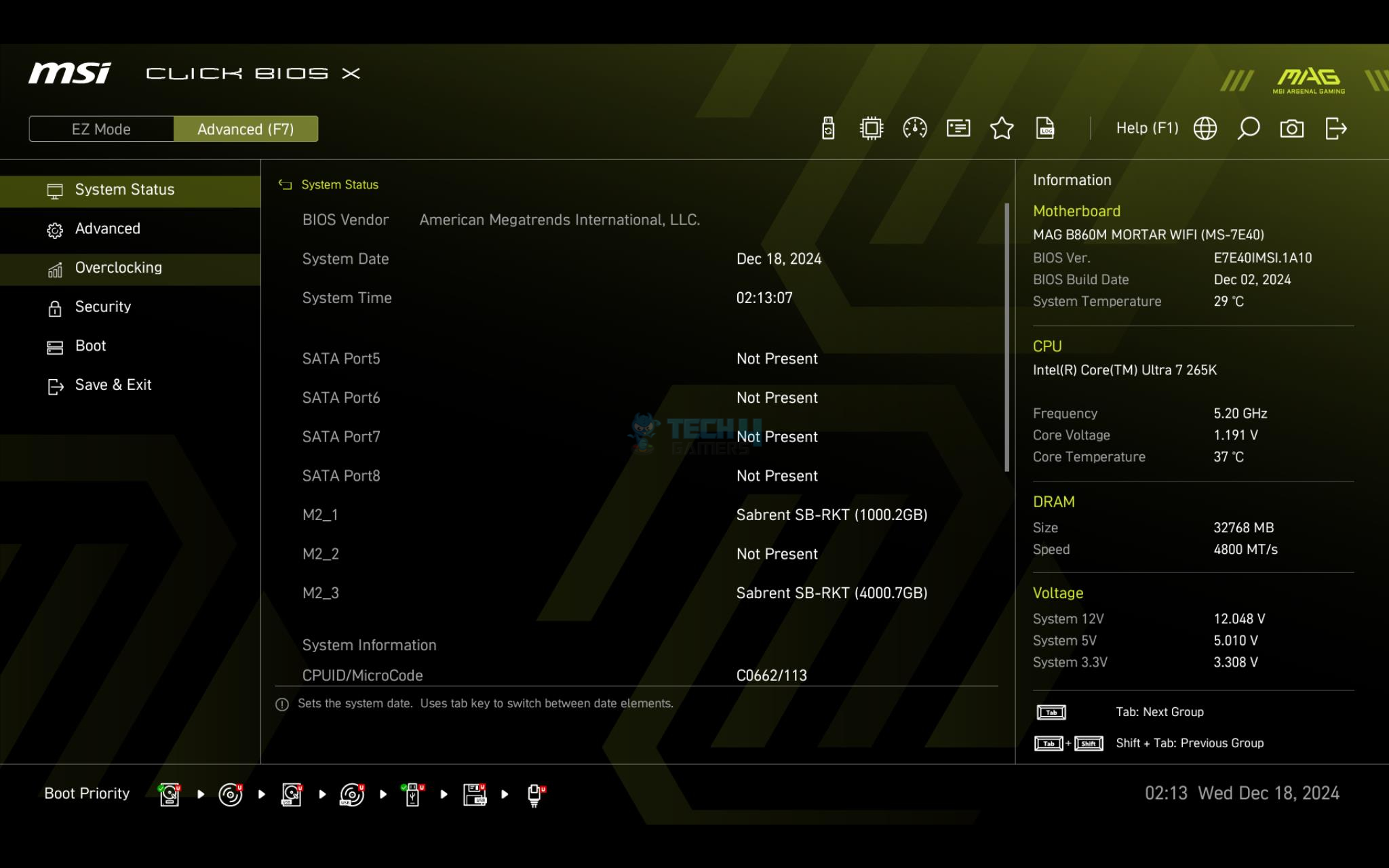
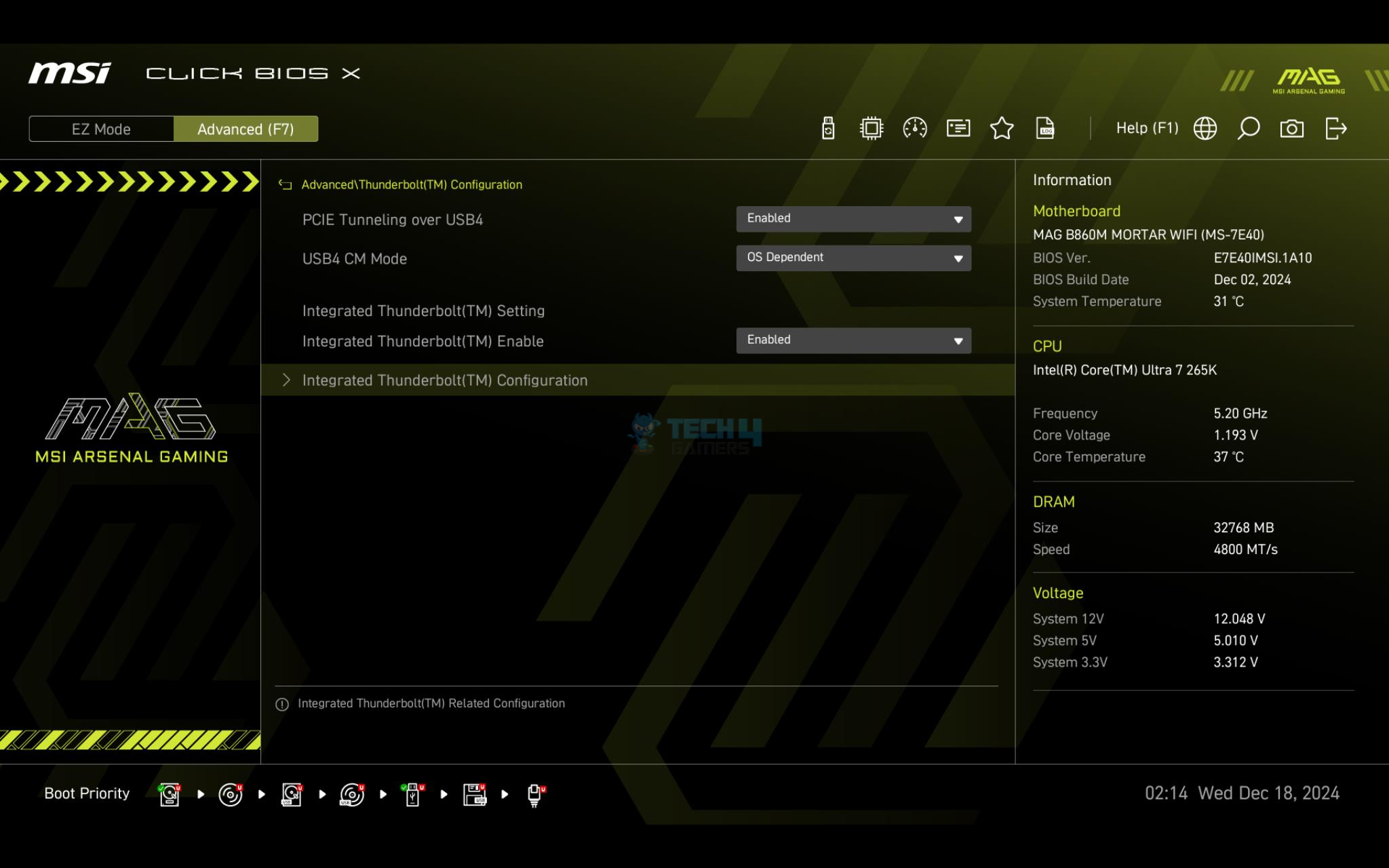
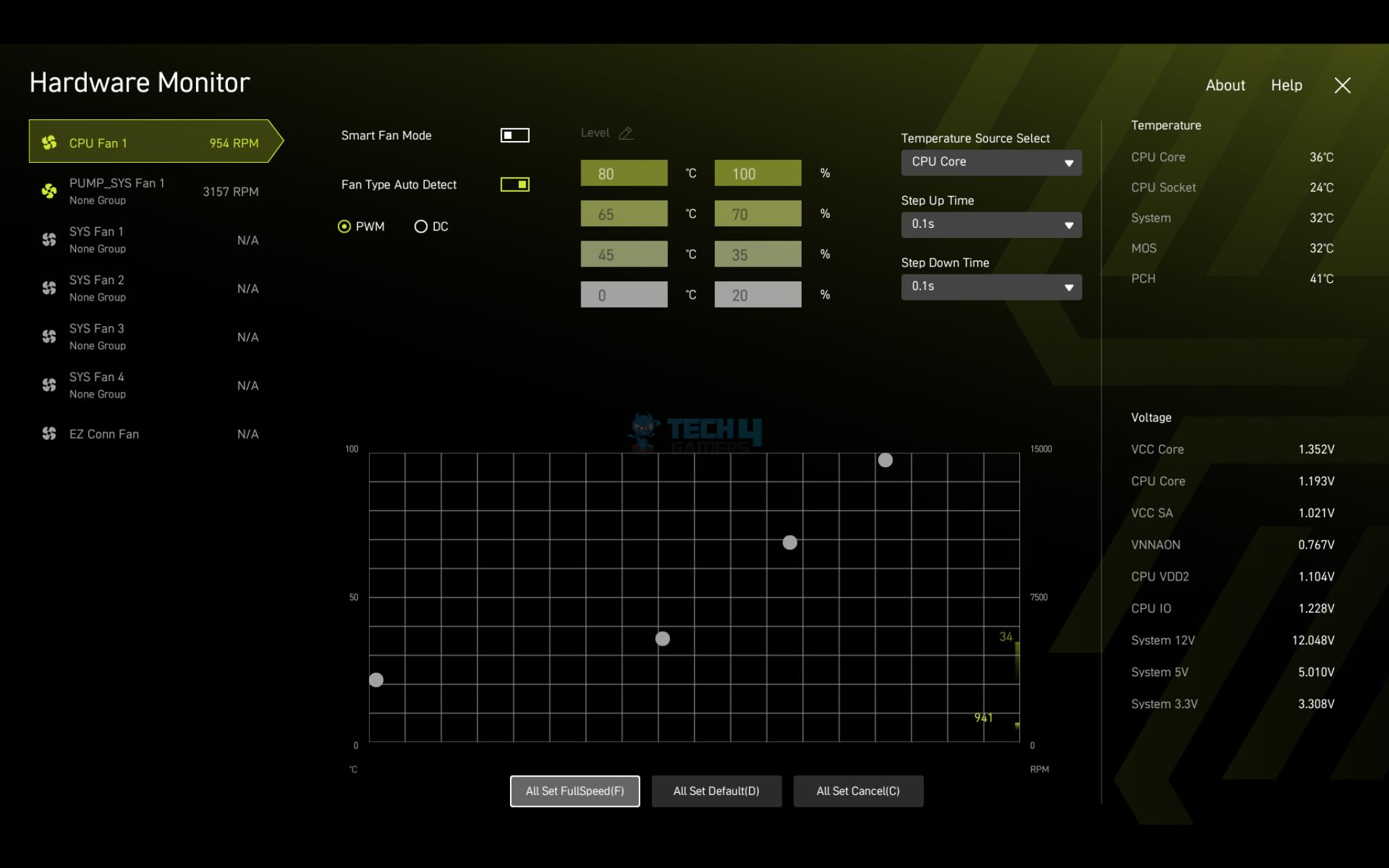
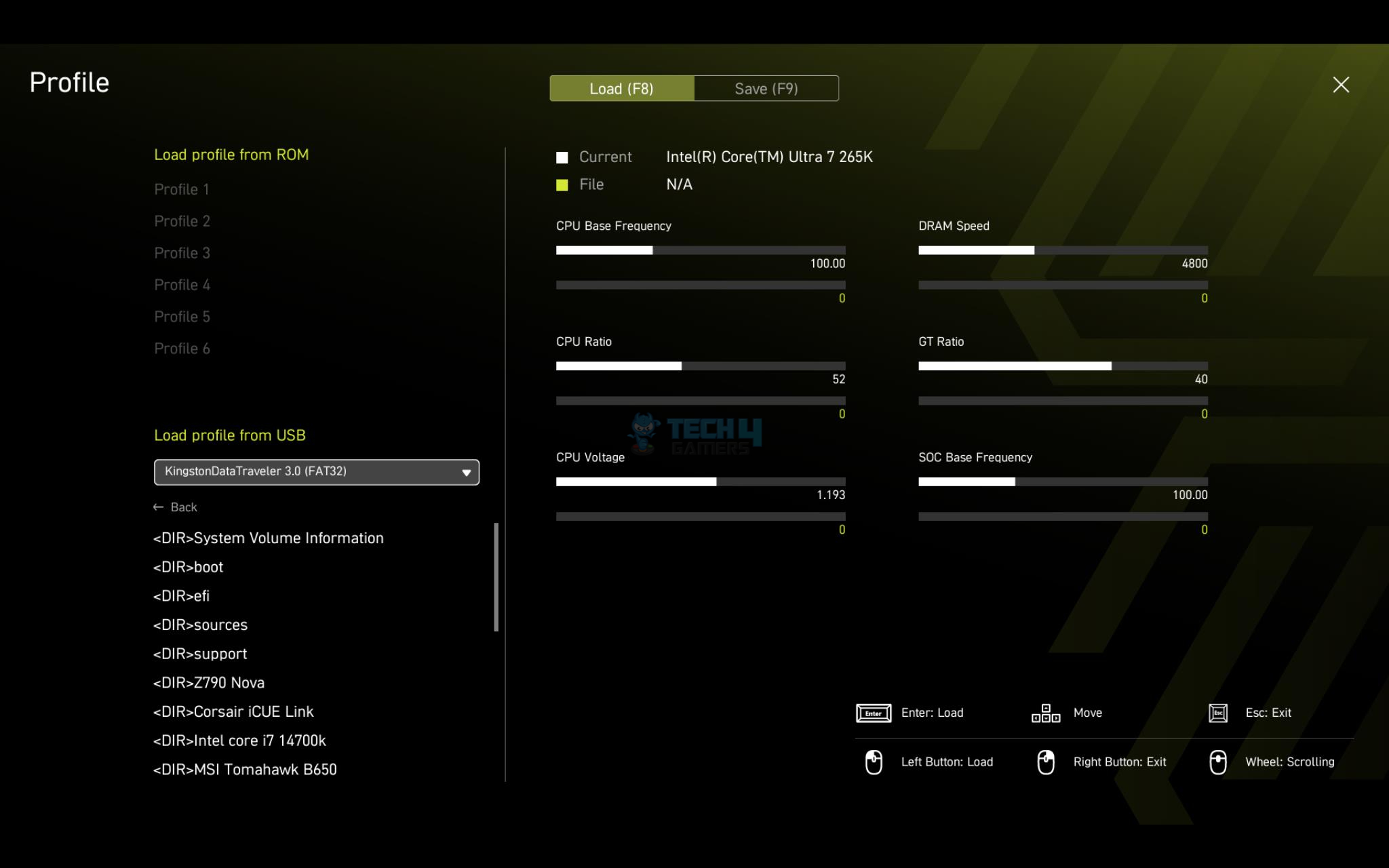
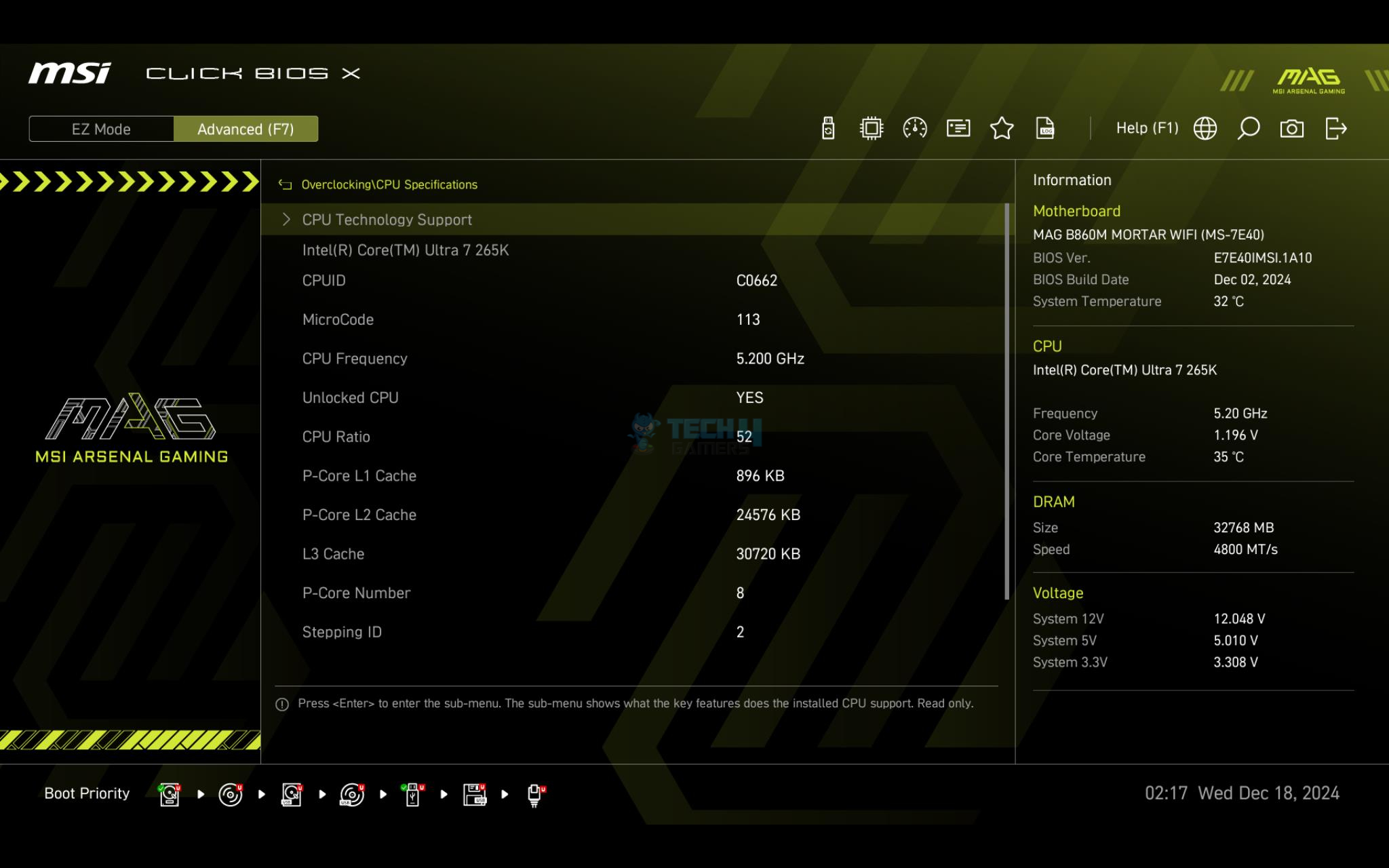
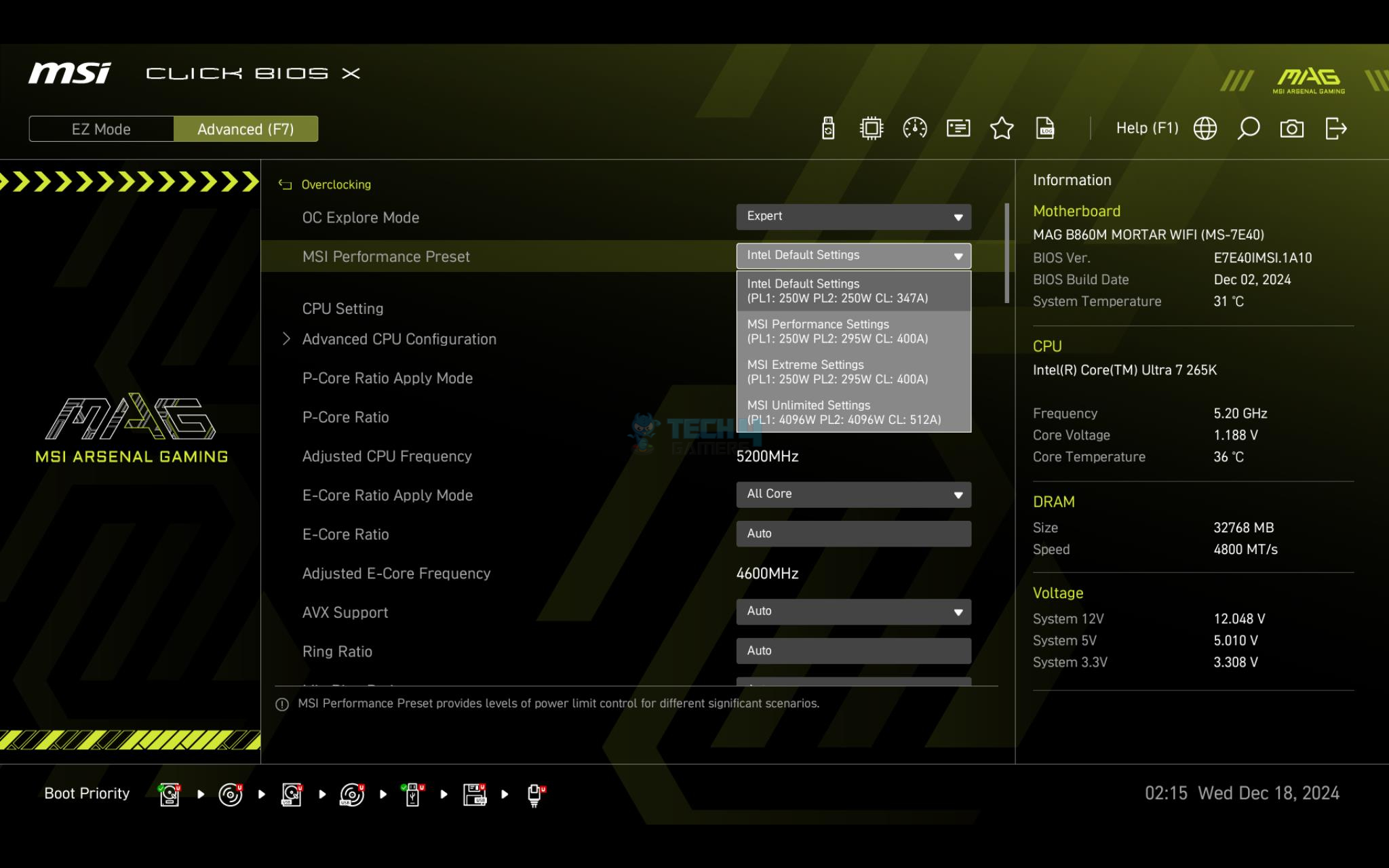
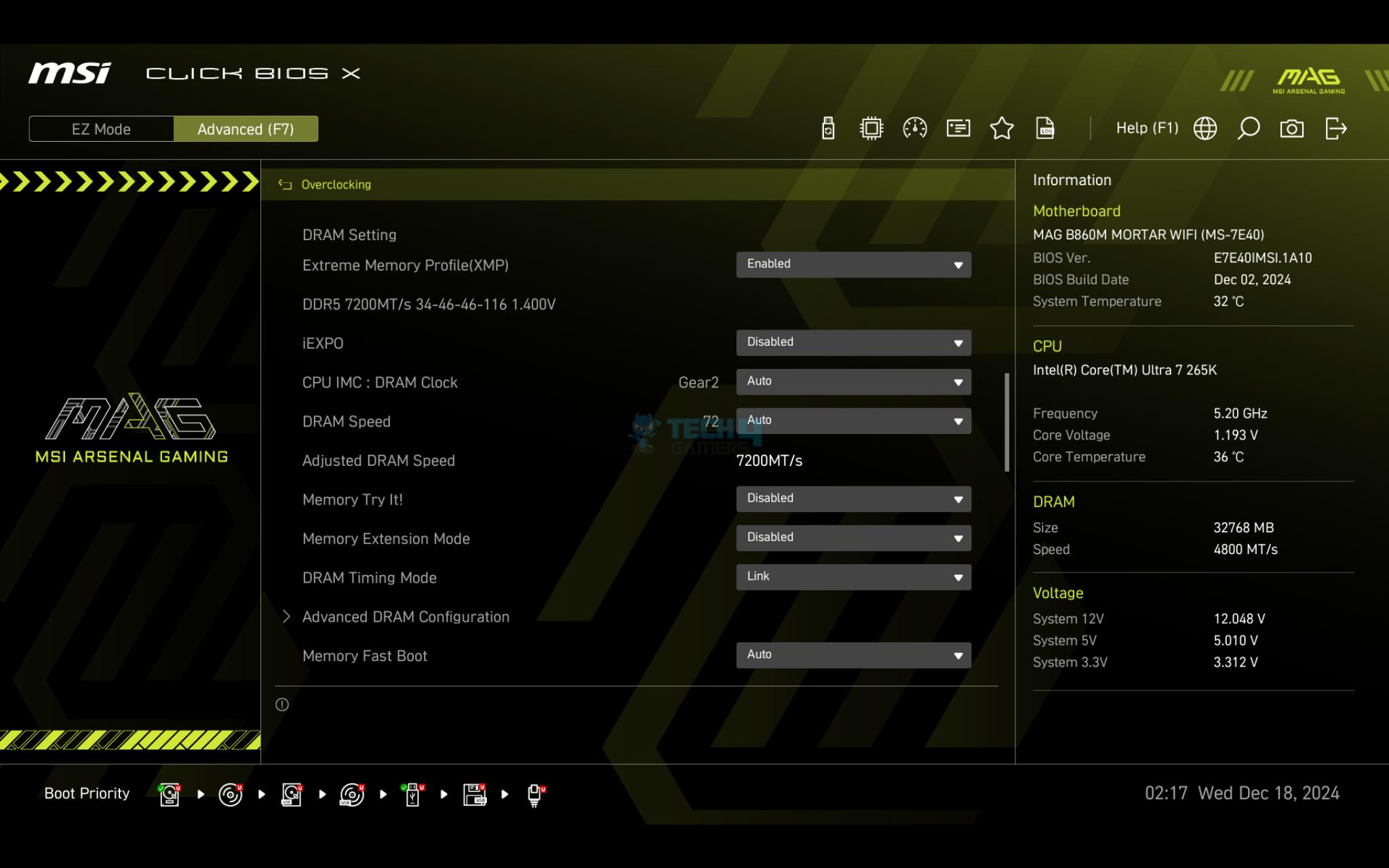
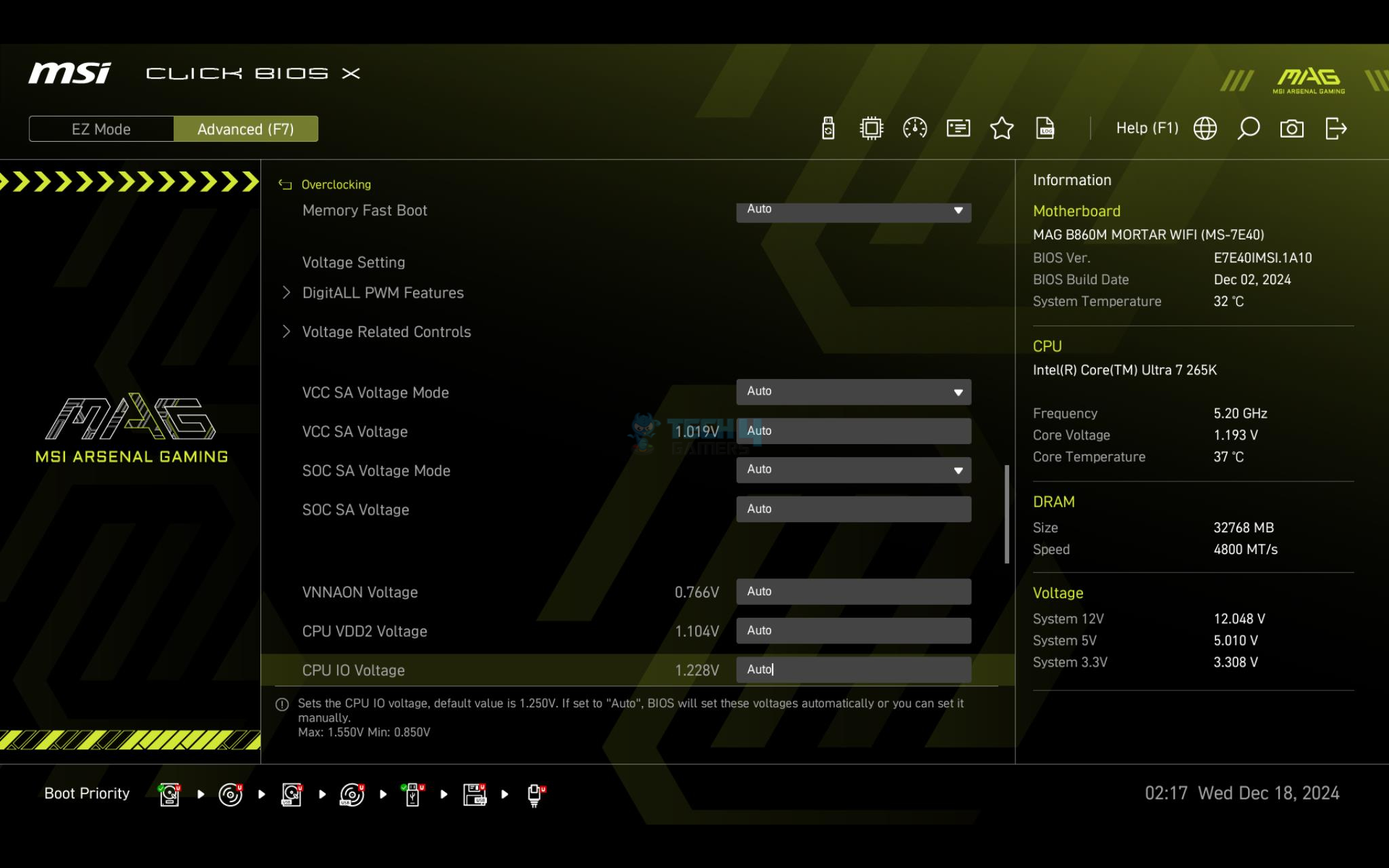
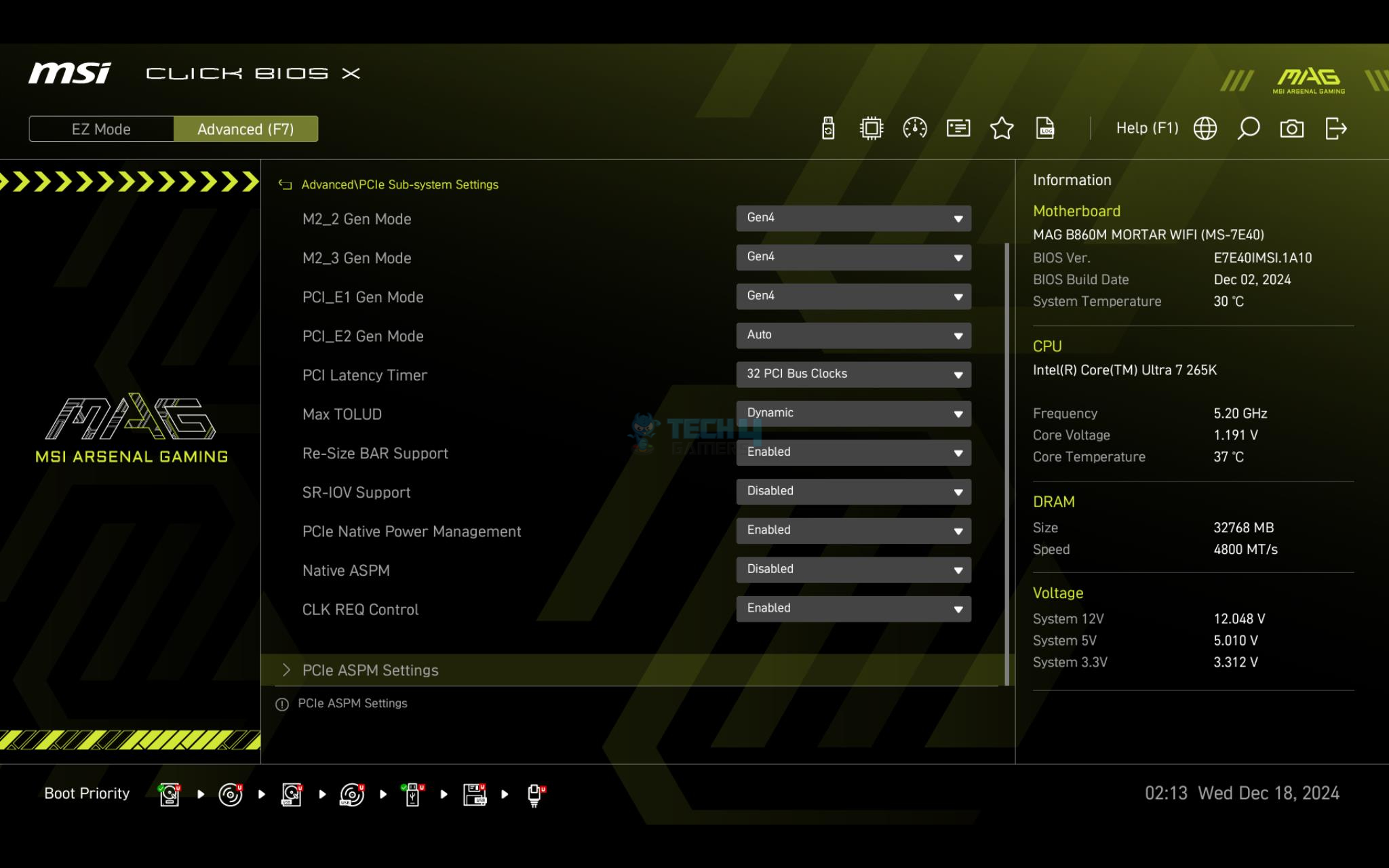
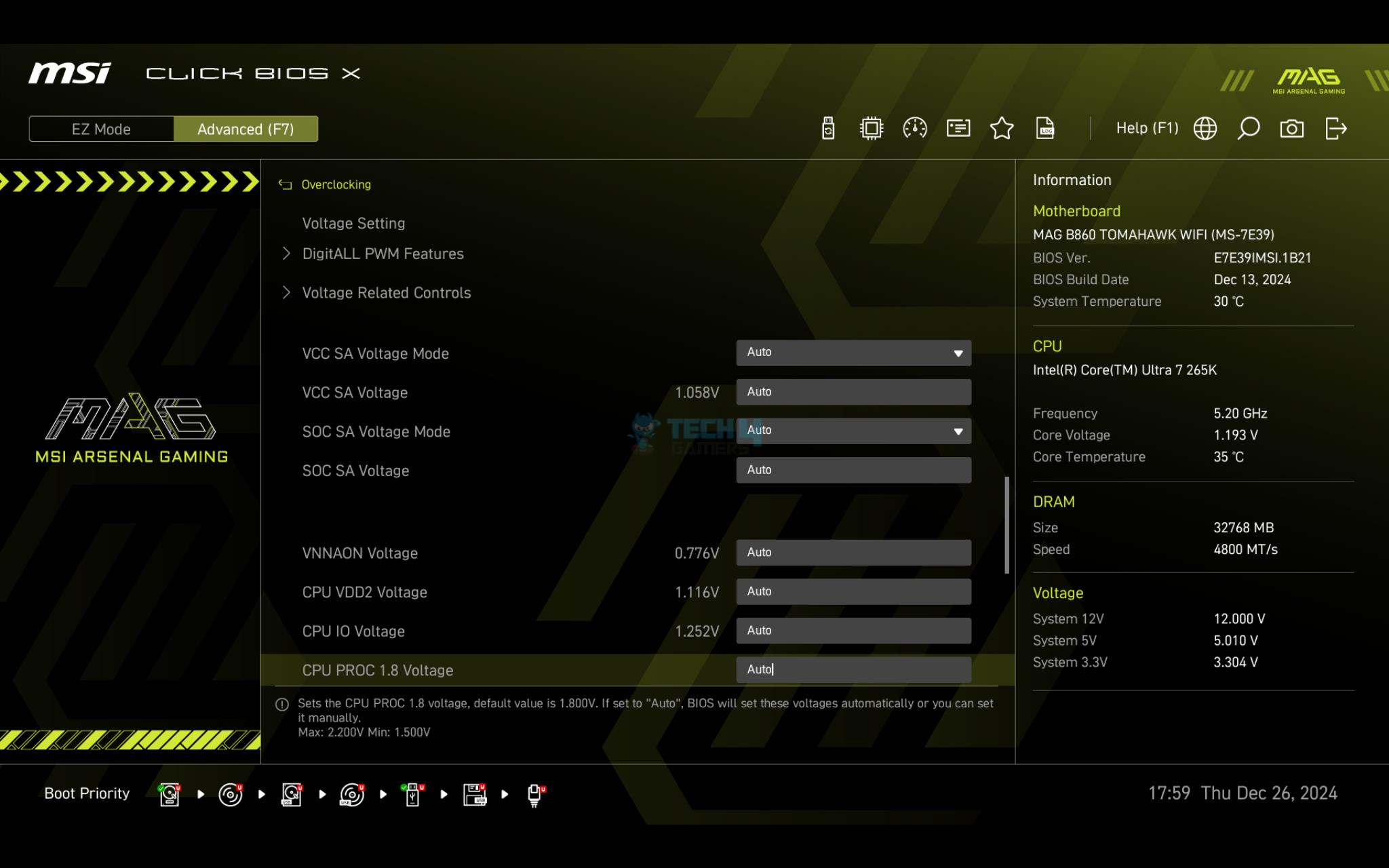
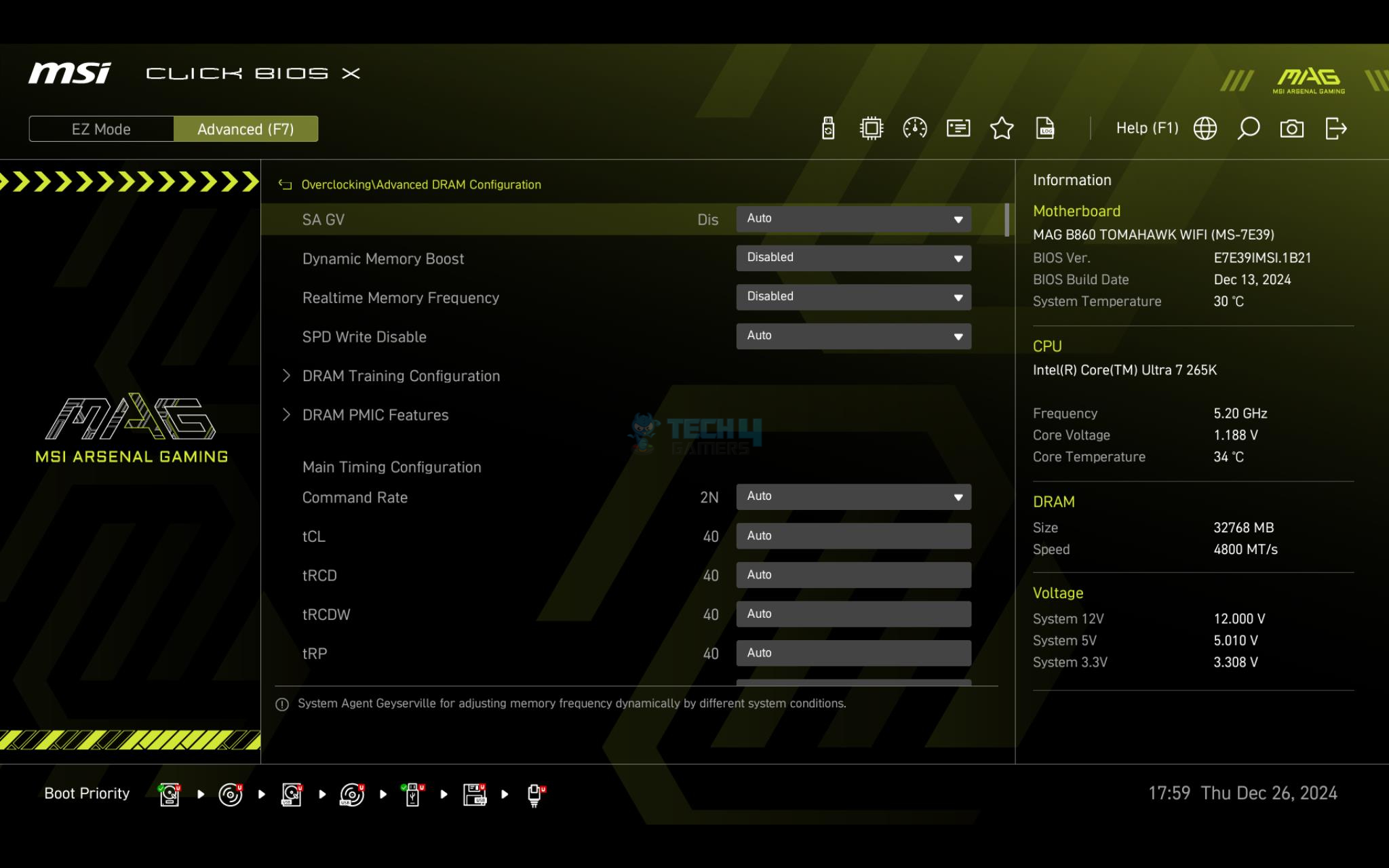
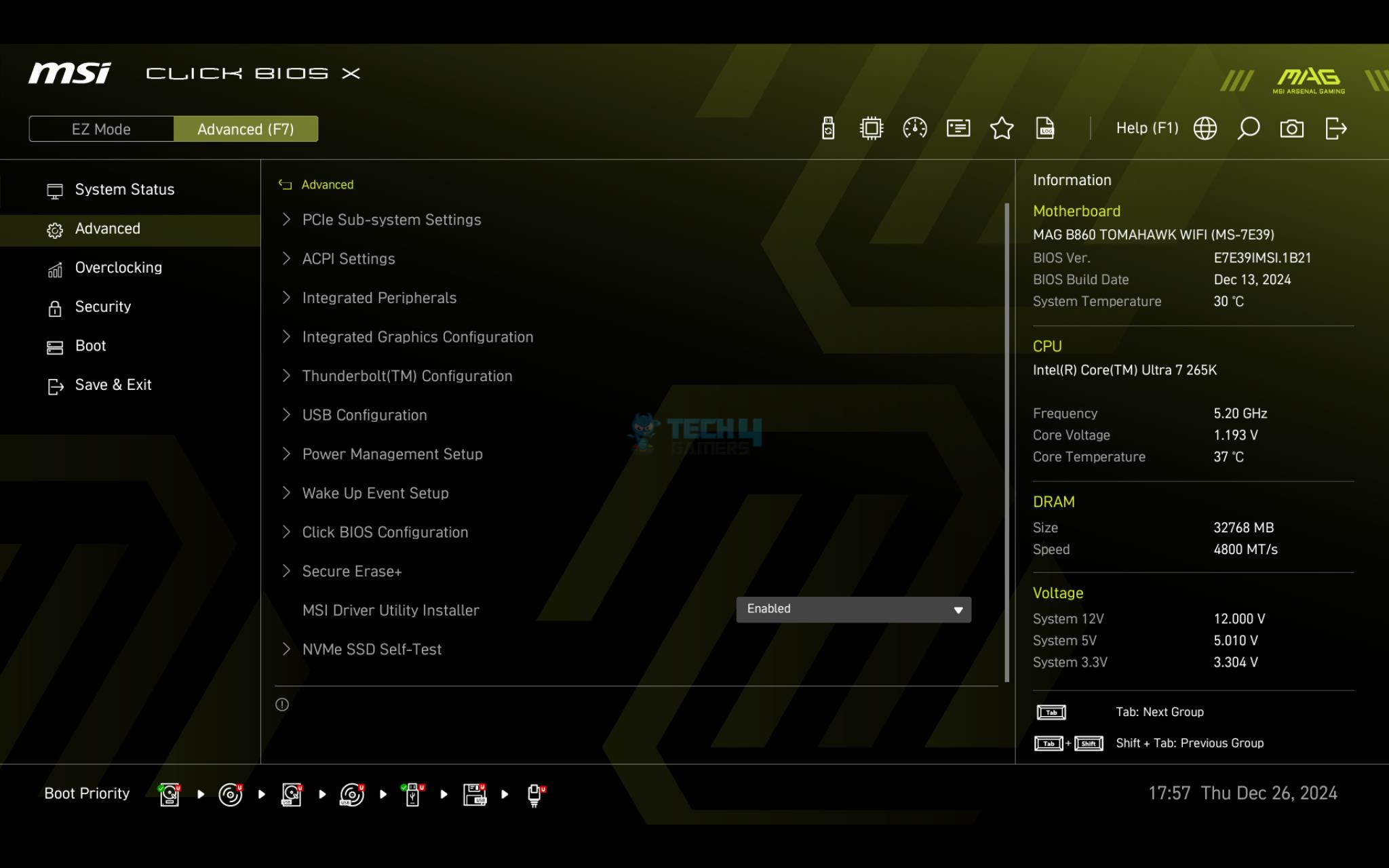
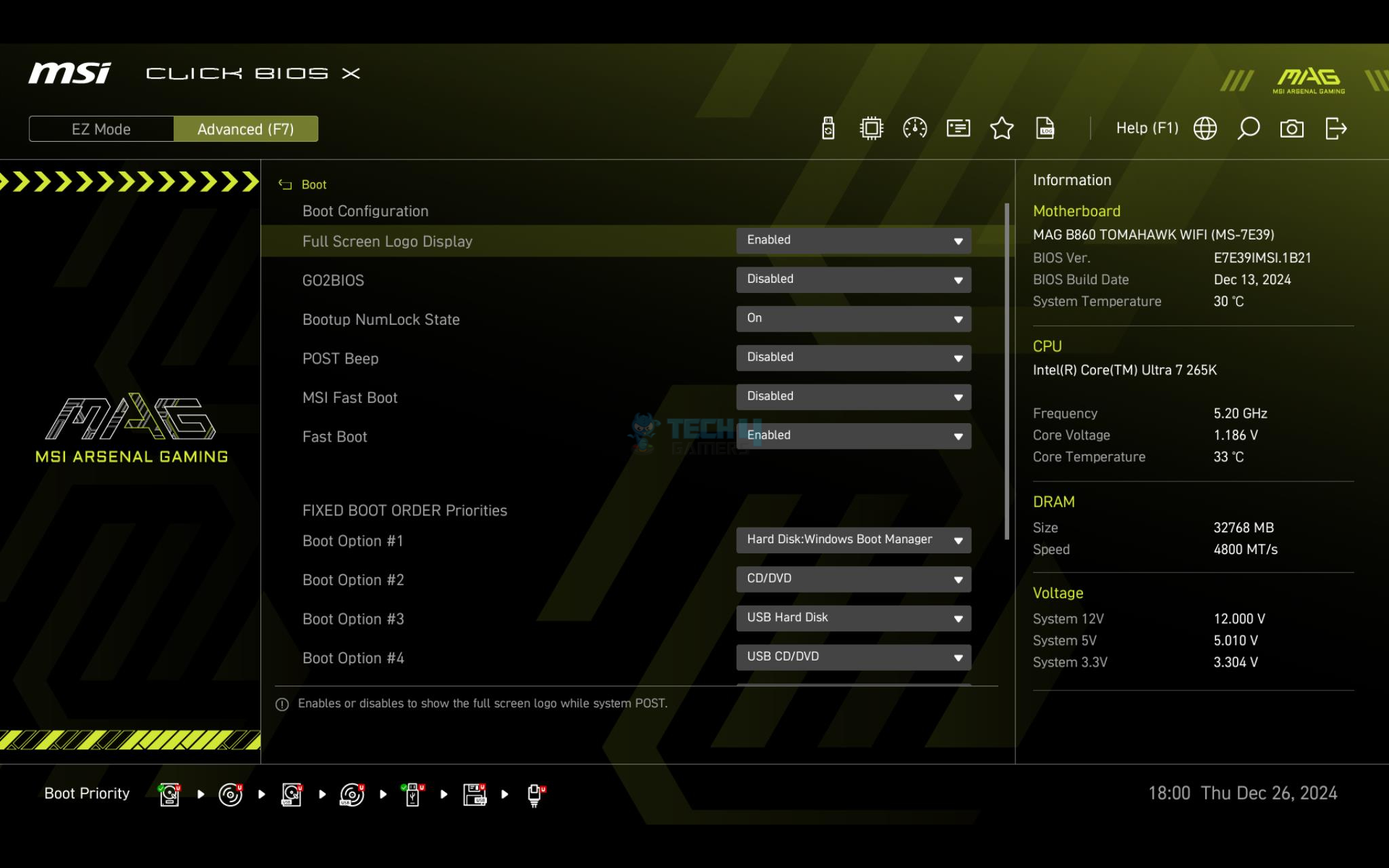
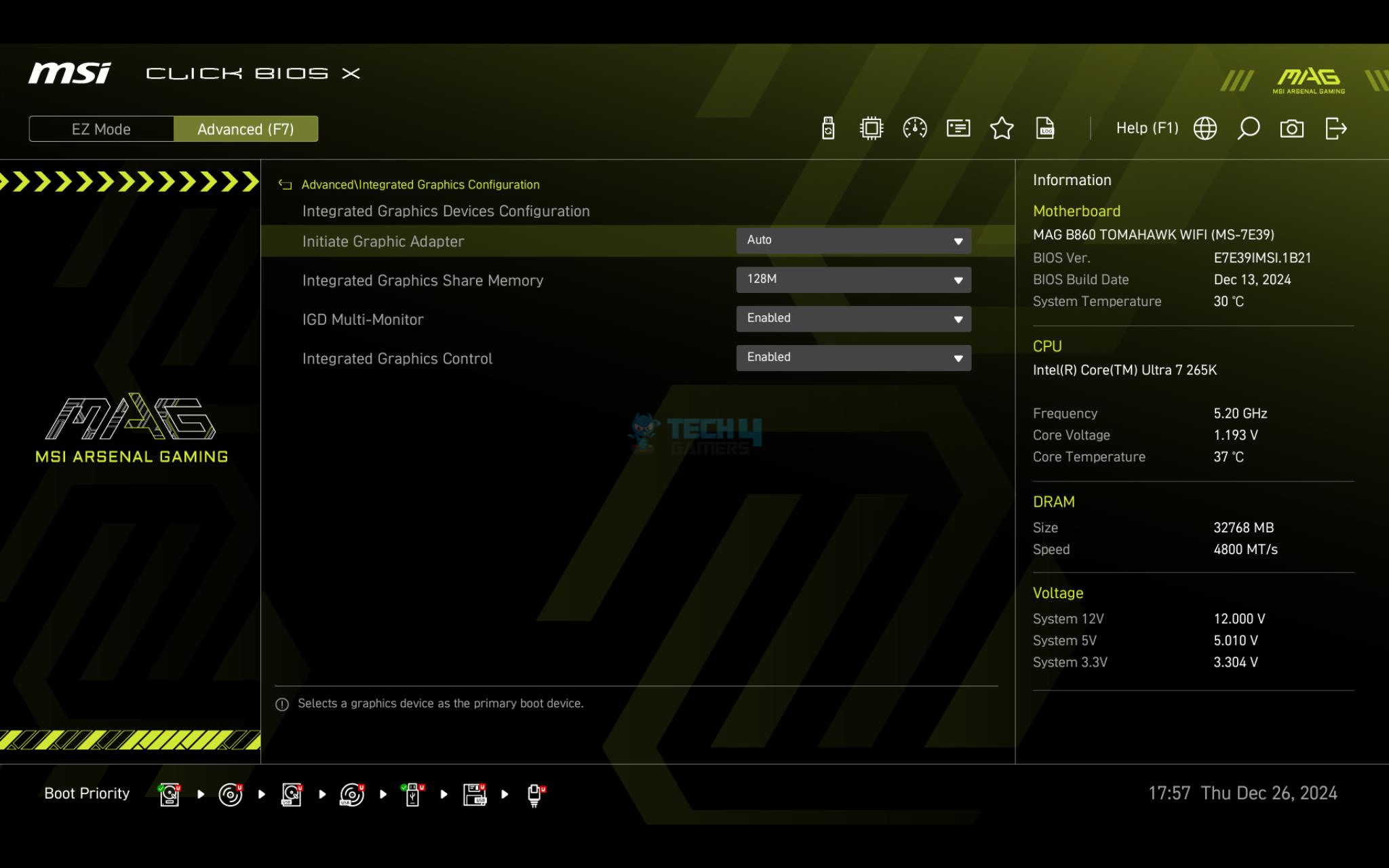
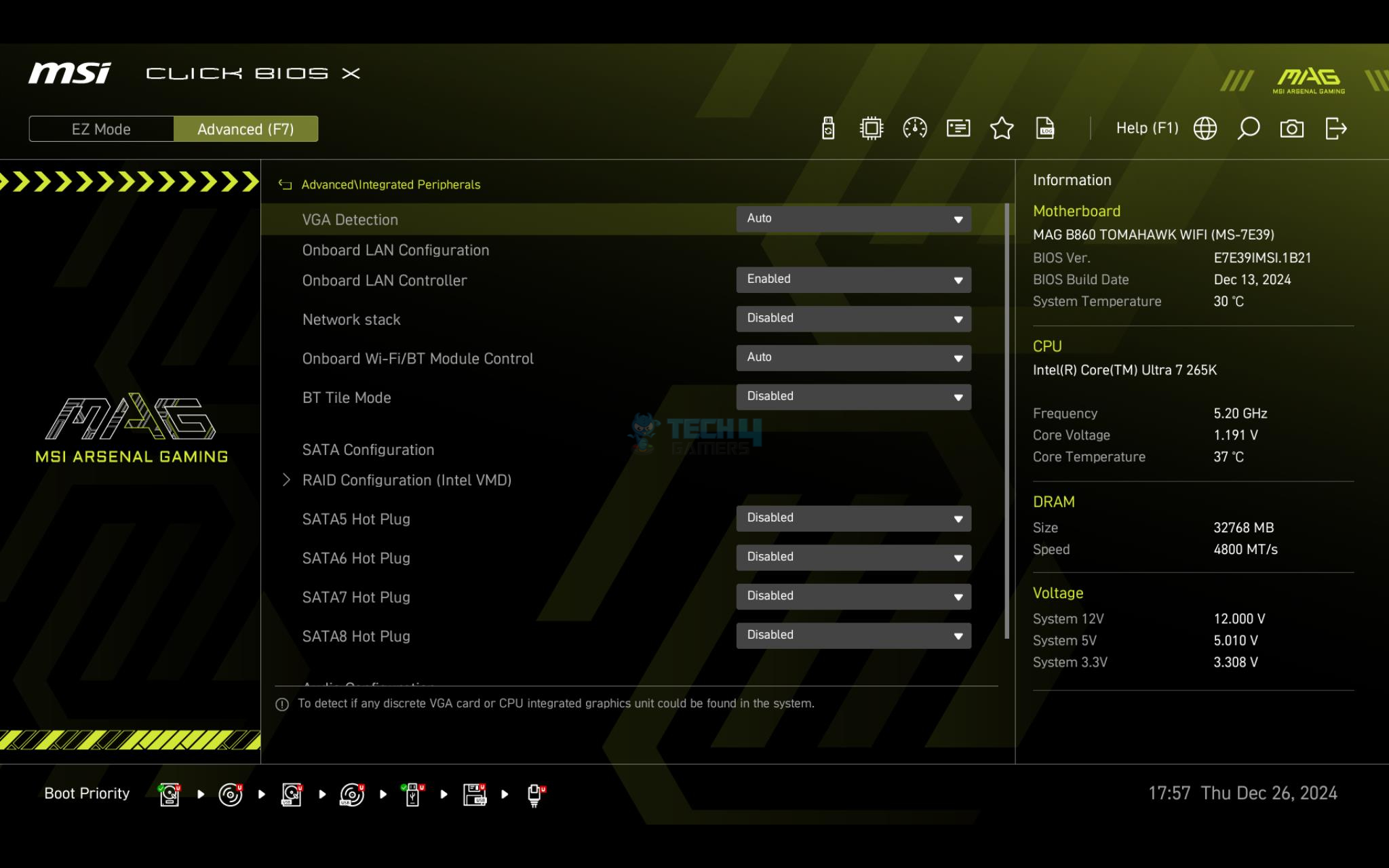
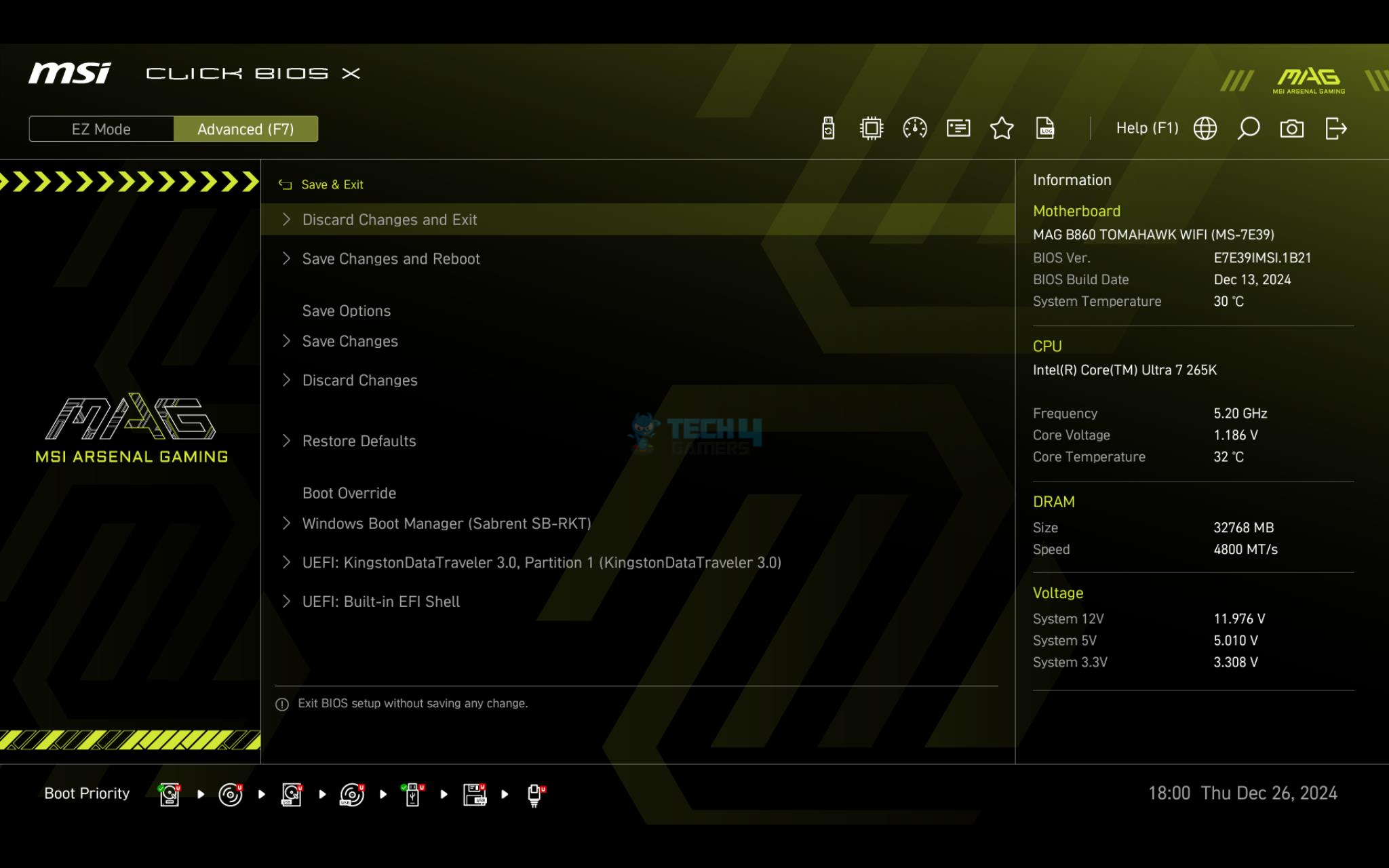
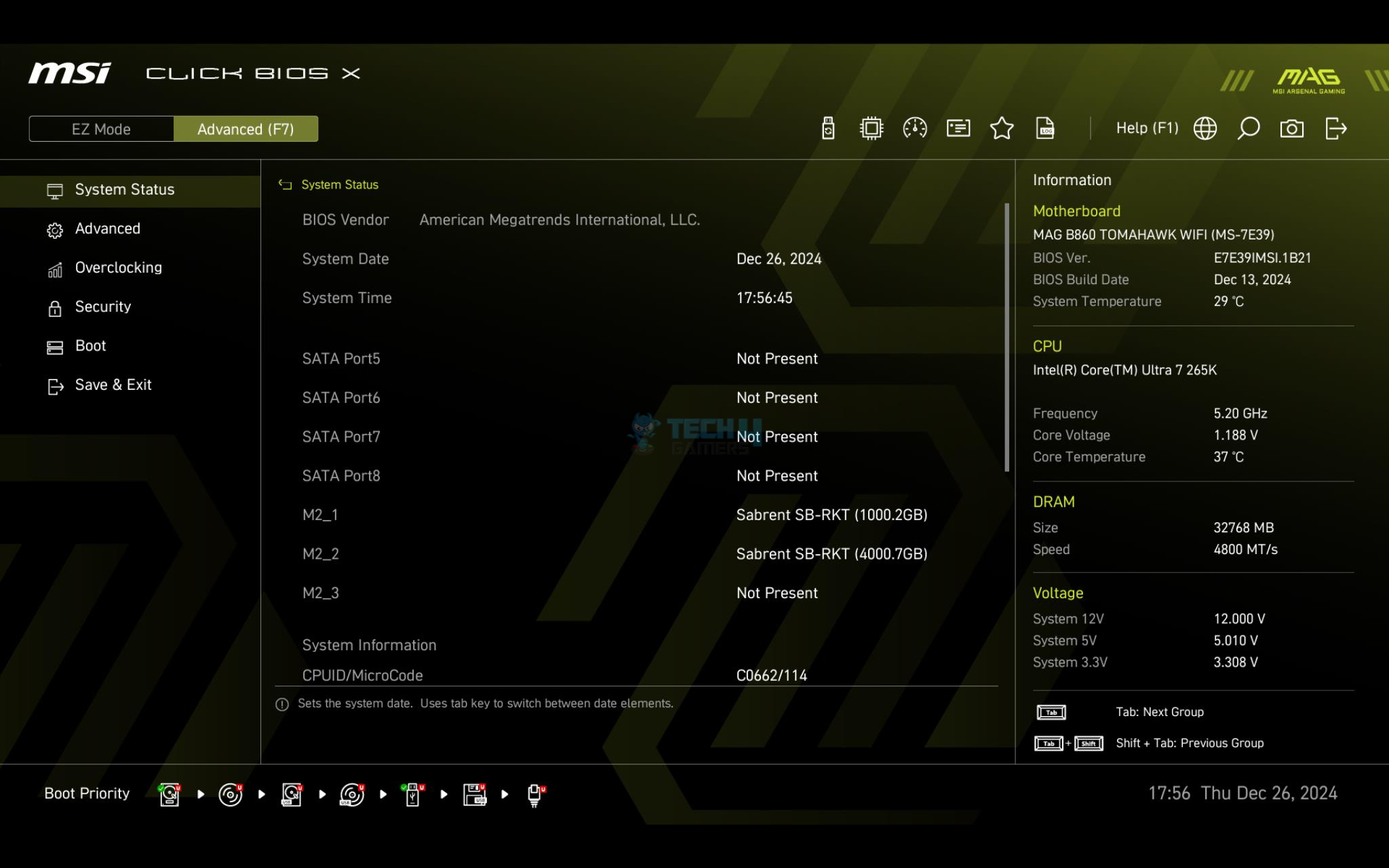
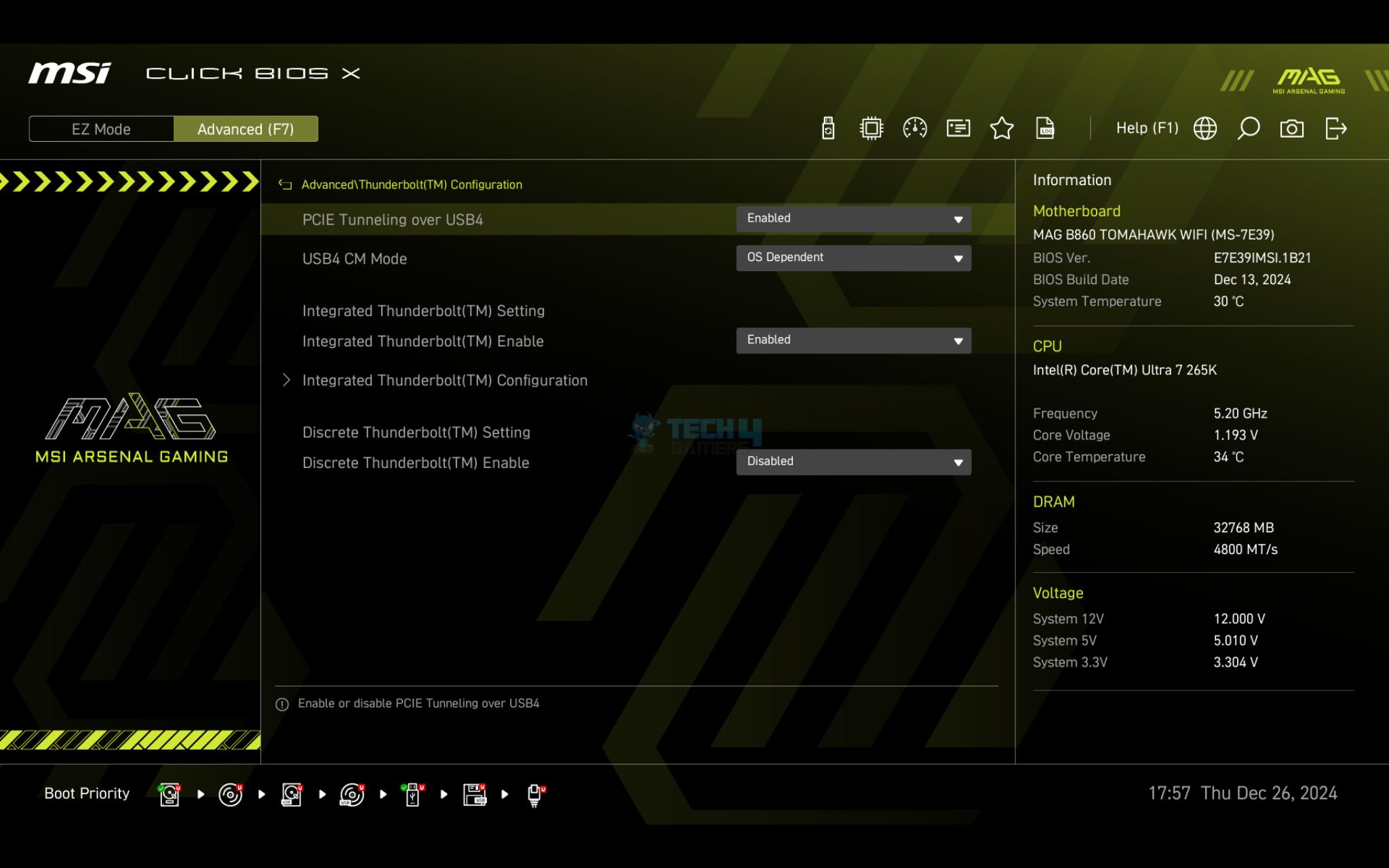
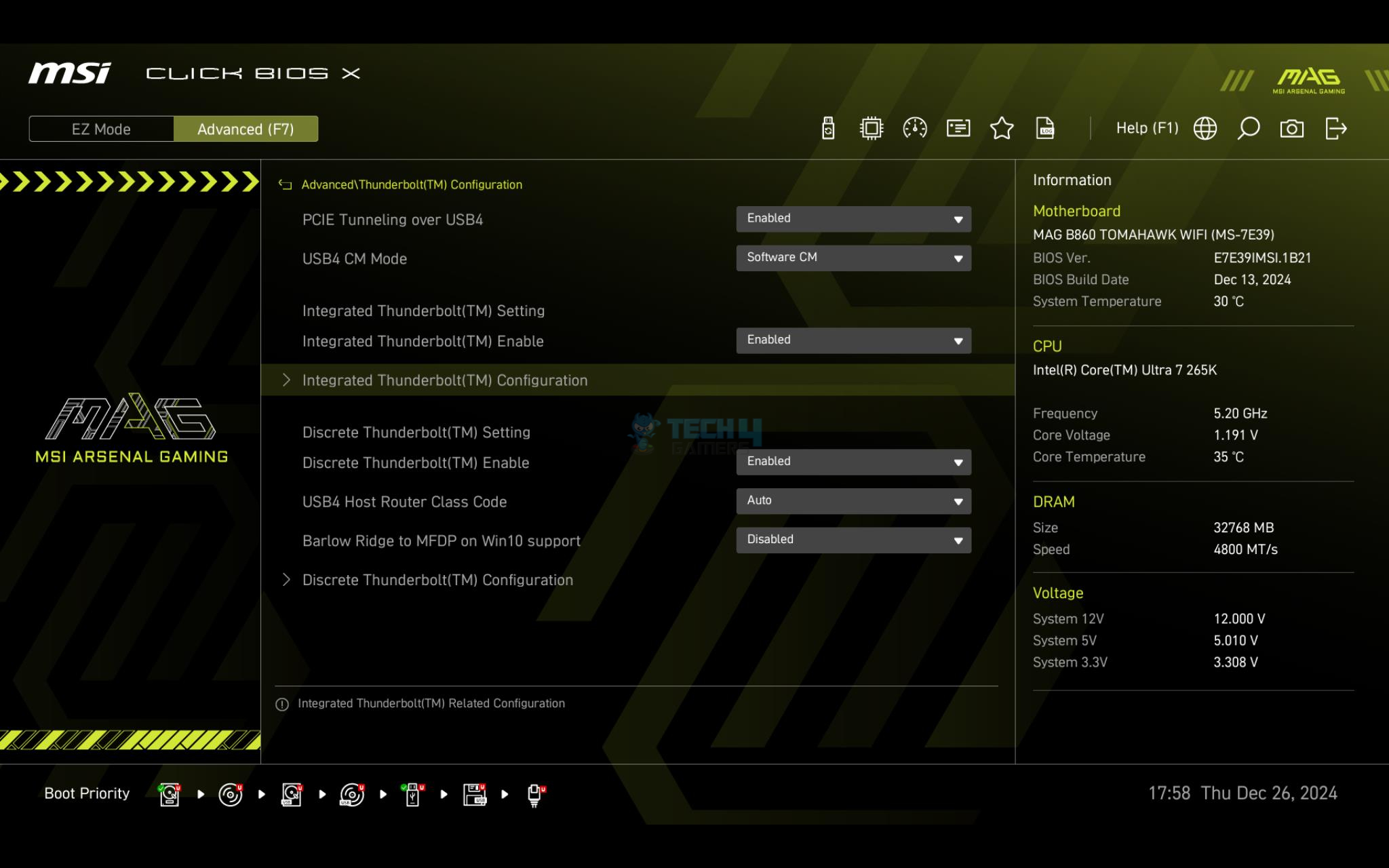
MSI has redesigned the BIOS interface. Now, the navigation is made even better with easy tracking, and sub-level interfaces are simplified as well. The HW Monitor and Profiles interface are better laid out as well. BIOS is started in Eazy Mode, which the user can switch to advanced mode. It displays the basic data like motherboard, CPU, and Memory modes along with temperatures. XMP is just one click away in the Eazy mode. There are six main sections or categories in the Advanced Settings. OC has CPU and memory-related voltages and other settings. The settings menu has system-related settings, including BOOT and Save & Exit.
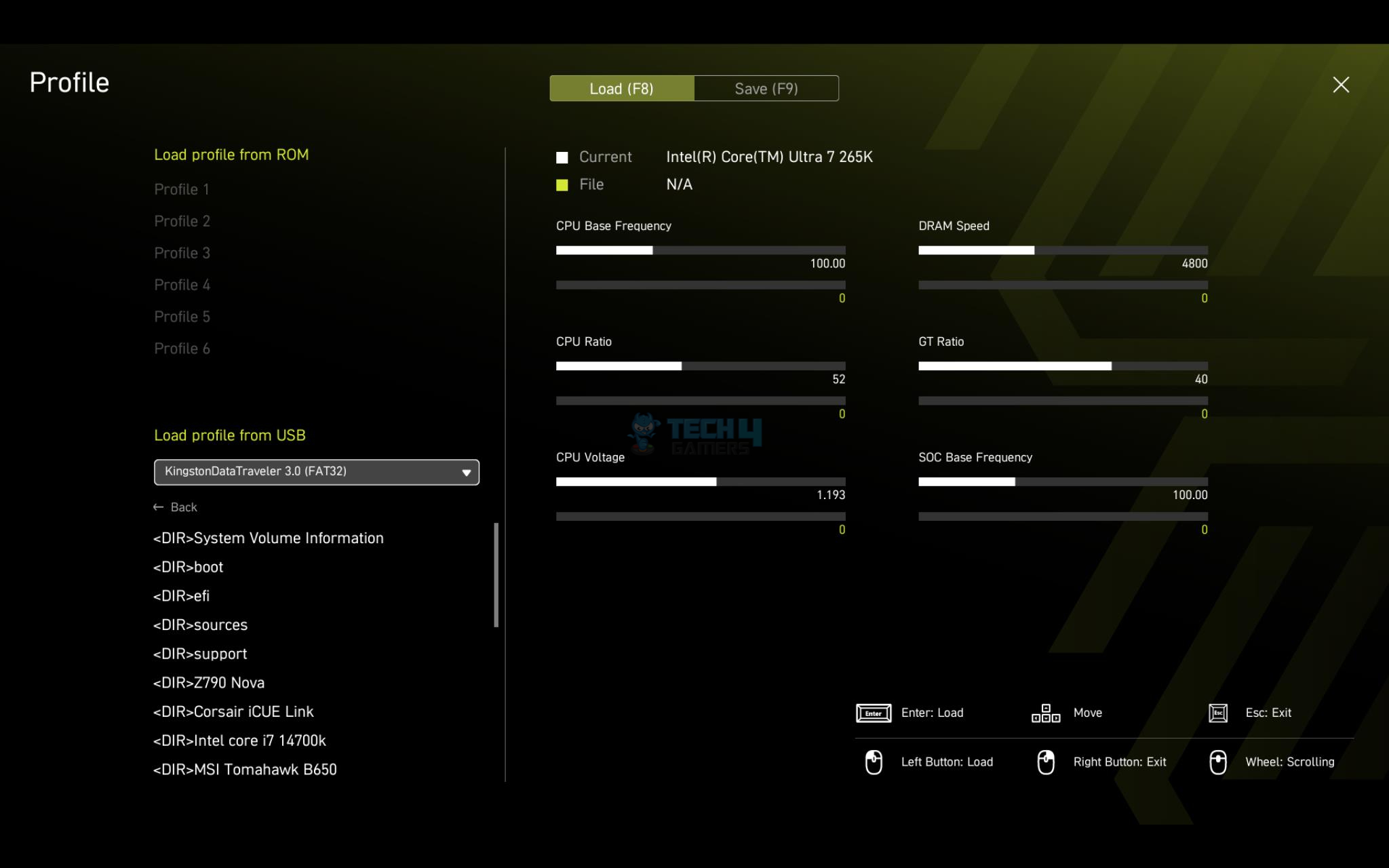
A hardware monitor allows the users to control the speed of the fans. OC Profiles allow the users to save their configurations in the files and restore from the saved files. This would come in handy during installation. M-Flash is used to update the BIOS ROM. The user can also set the memory timings and voltage manually.
MSI MAG B860 Tomahawk and Mortar use the same design topology and controllers. The results of Tomahawk are more or less expected on the Mortar as well. You can check our take on MAG B860 Tomahawk WiFi for more details.
Software
Auto Driver Installation has been with us since Z790, and it is a handy feature that allows frustration-free driver installation. The only prerequisite is that you have an active Internet connection.
Test Build
MSI MAG B860 Mortar WiFi Test Build (Image By Tech4Gamers)
I have used the following configuration to test the motherboard:
Sabrent Rocket 4 Plus 4TB Gen4x4 NVMe SSD [For Games]
Fractal Design ION+2 860 Platinum PSU
Thermaltake Core P6 TG Snow Edition in an open frame layout
CPU Z (Image By Tech4Gamers)
The above is a picture showing a run of CPU-Z. Software is reporting the bus speed of 100.02MHz. You can also see that graphics card is operating at x16 link. The RAM was operating at its tested speed of 7200MT/s after loading the XMP.
We have divided the overall tests into four major categories. These are:
CPU and Memory Tests
Gaming Tests
Storage Tests
Overall System Tests
Test Result
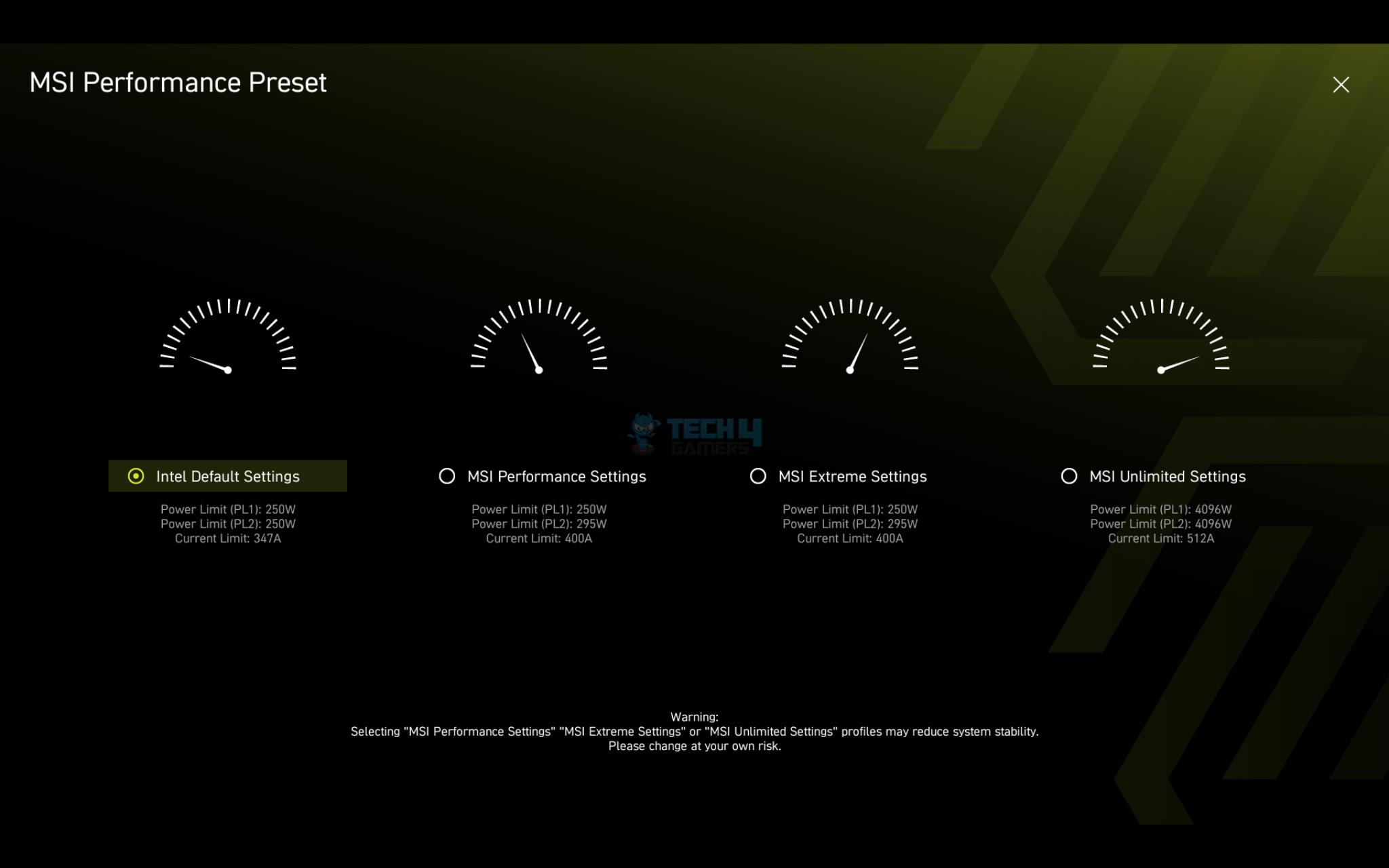
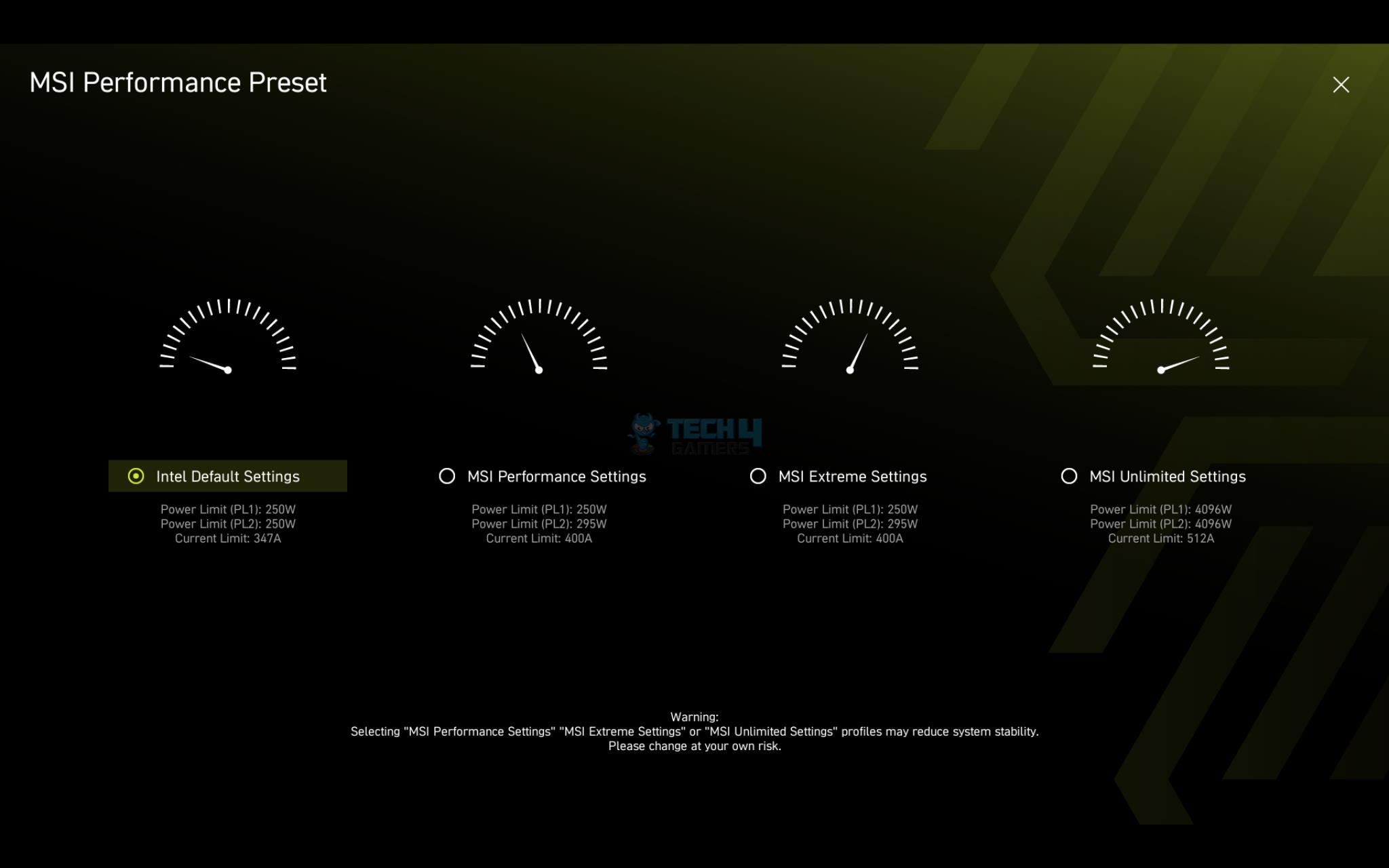
The testing was done on stock settings with XMP loaded. Intel’s default power profile is used.
CPU And Memory Benchmarks
CPU And Memory Benchmarks
1 of 7
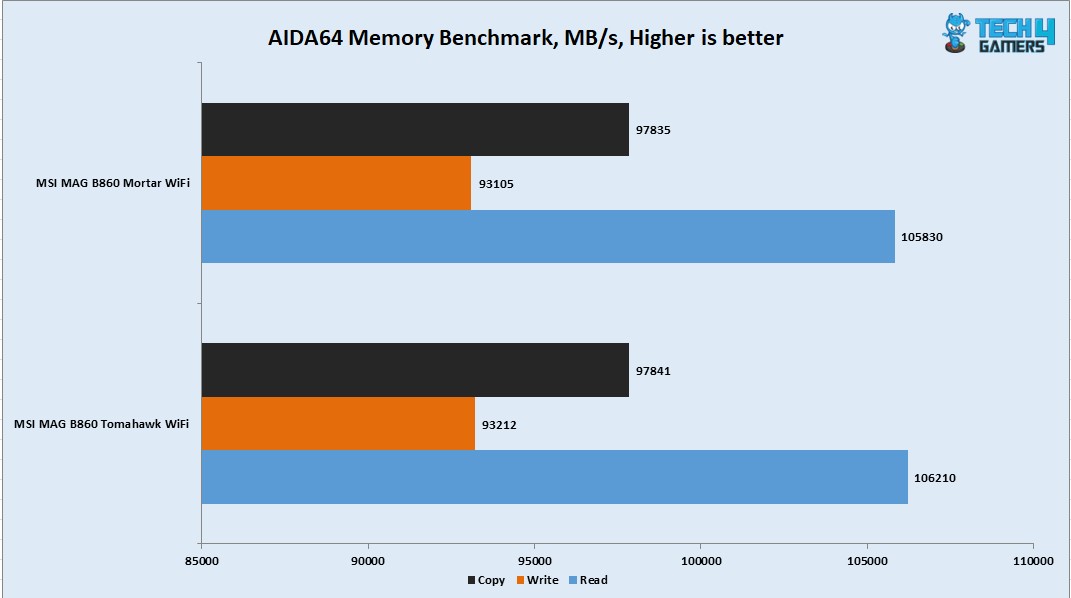
AIDA64 Memory Bandwidth Benchmark
AIDA64 Memory Latency Benchmark
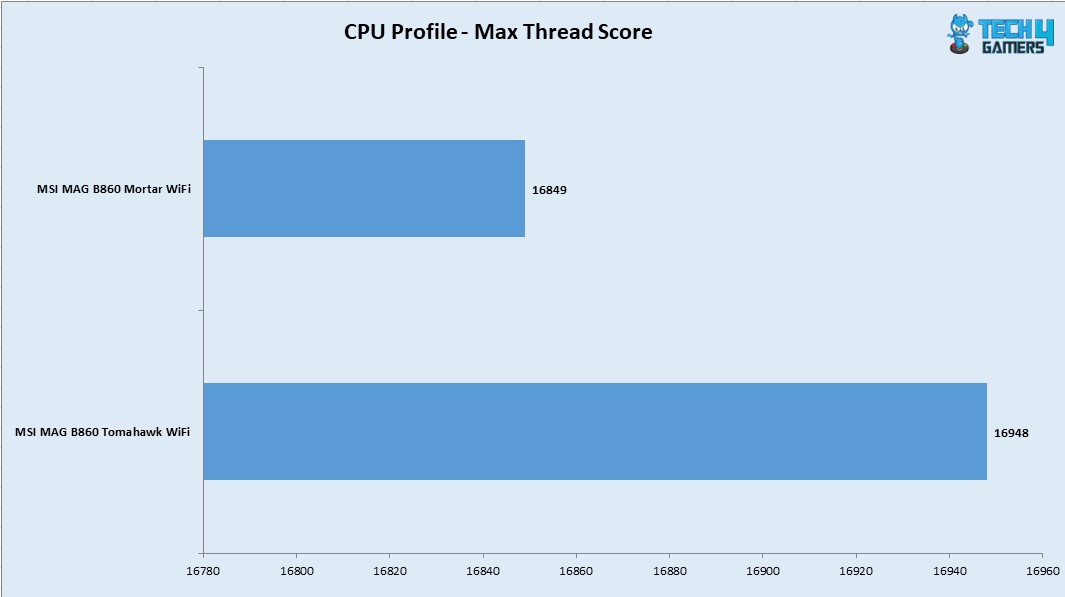
3DMARK CPU Profle
7-Zip
Blender Benchmark
Cinebench R23.2
Geekbench
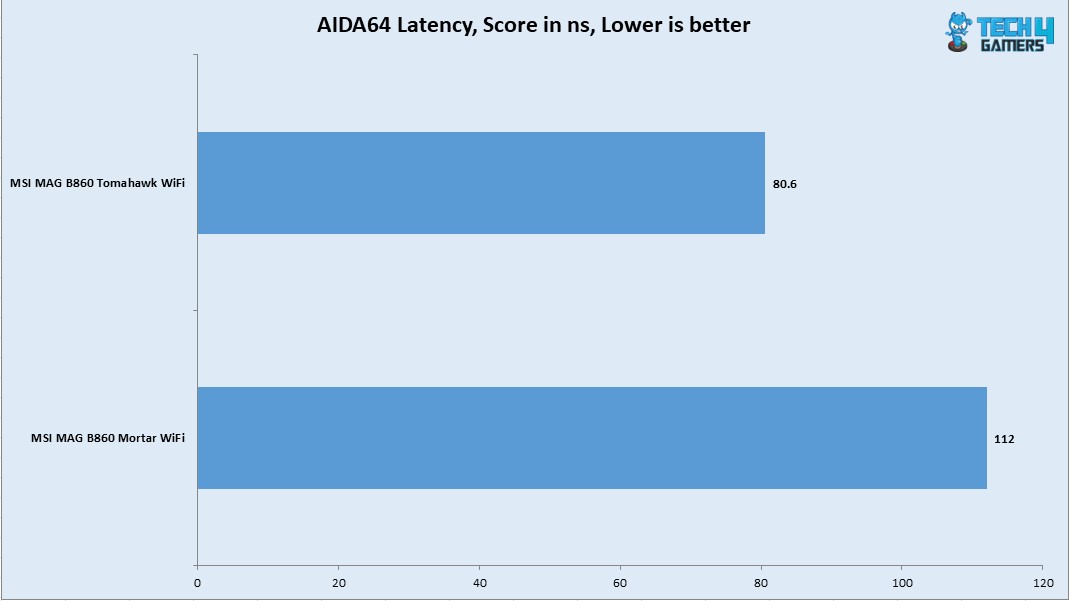
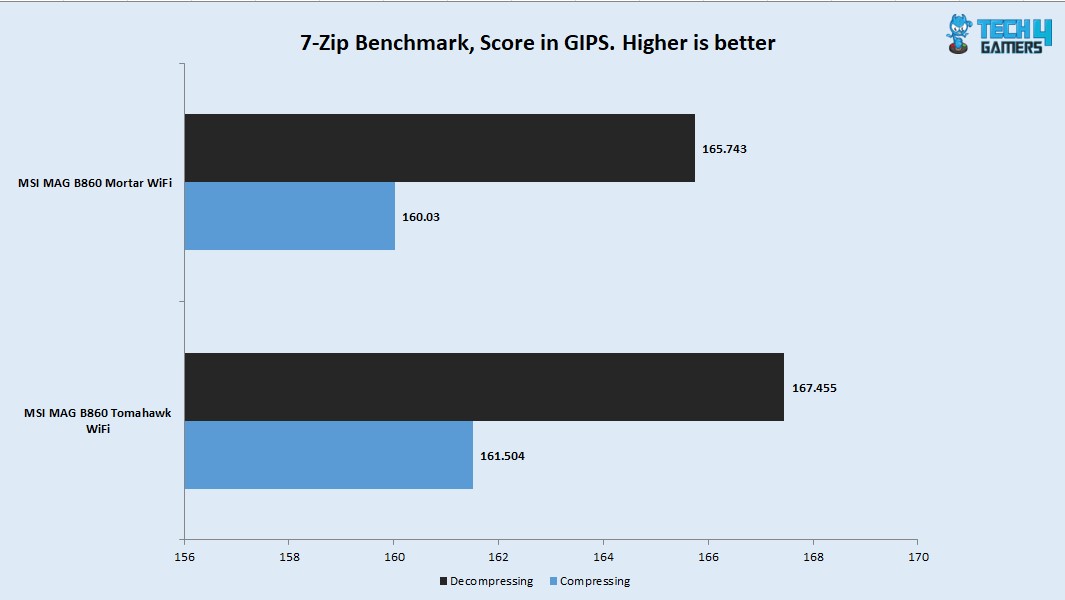
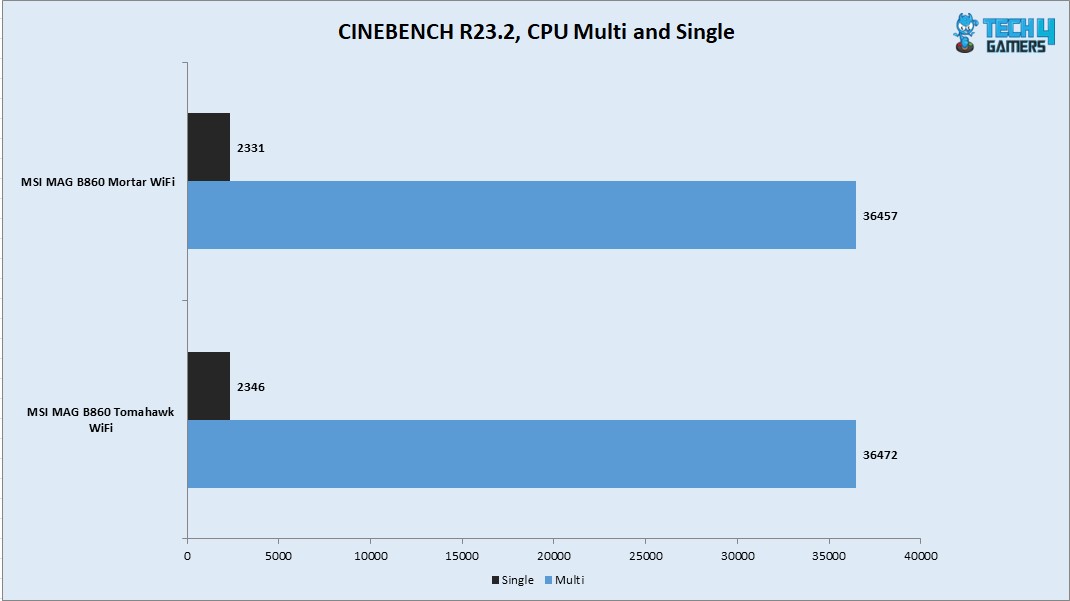
As I pointed out, with the high latency on this platform, the Mortar shows the same result. The CPU scored 36457 points in CPU Multi-Core load and 2331 points in a Single Core Load in R23.2. The DDR5 kit was performing at its rating. However latencies seem to be high on this platform compared to Z790. Also, I have observed high latency on this motherboard compared to MAG B860 Tomahawk WiFi using the same kit. With a compression result of 160.03 GIPS and 165.743 GIPS score in Decompression, this CPU has shown its true performance potential.
Storage Test
Storage Test Benchmarks
1 of 6
CrystalDiskMark NVMe Drive
CrystalDiskMark Thunderbolt Drive
PCMARK10 Data Drive Benchmark NVMe Drive
PCMARK10 Data Drive Benchmark Thunderbolt Drive
PCMARK10 Quick System Drive Benchmark NVME Drive
PCMARK10 Quick System Drive Benchmark Thunderbolt Drive
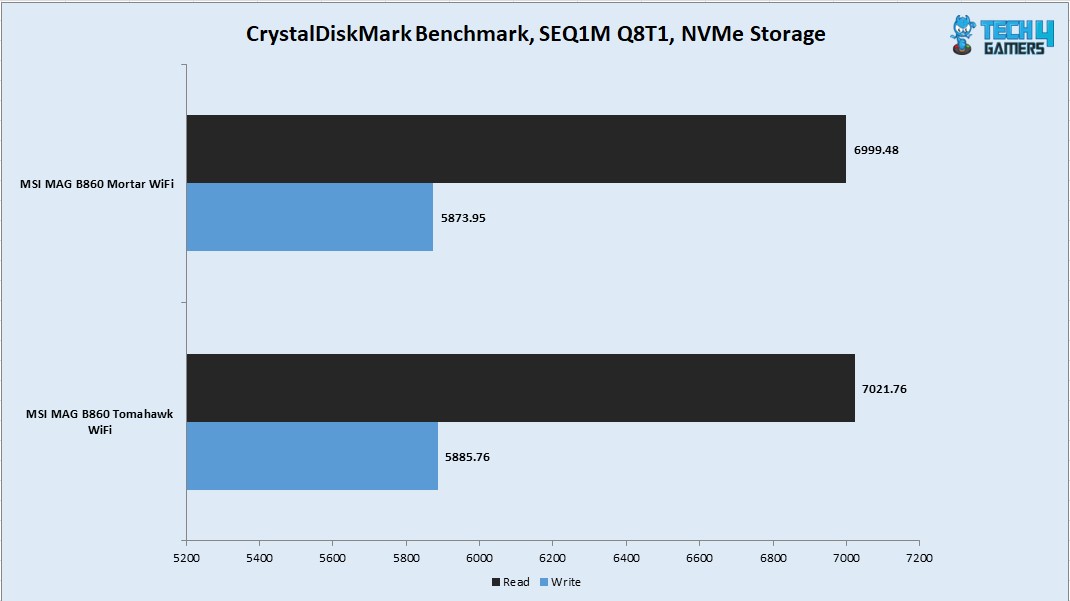
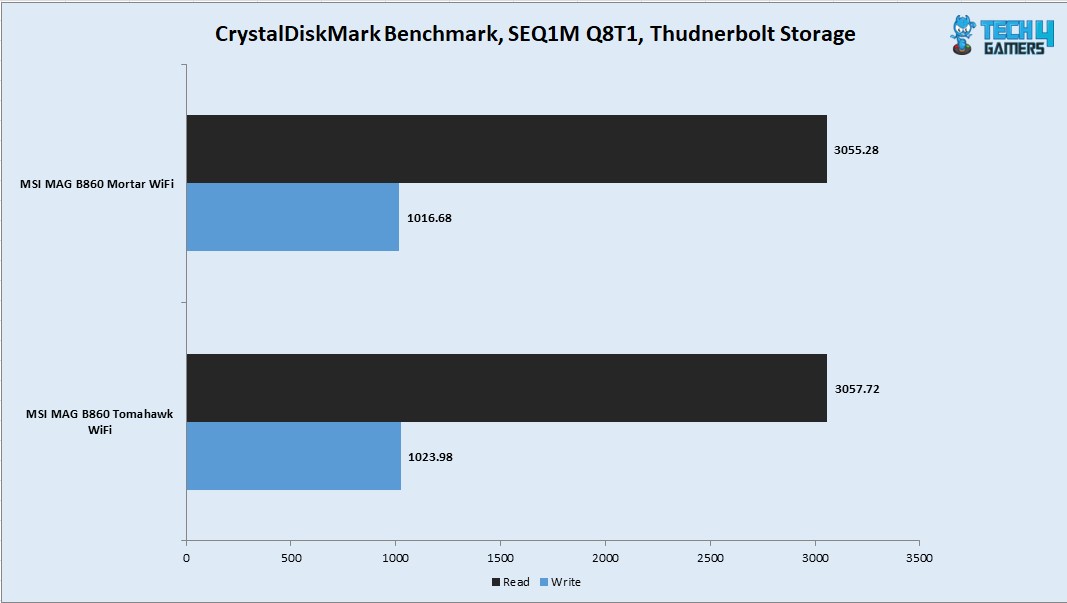
I have used a PCIe Gen4x4 NVMe drive and a Thunderbolt 4 drive which is the Sabrent Rocket Q-XTRM 2TB portable drive. The NVMe drive passed the sequential read and write speeds in the CrystalDiskMark. The Thunderbolt drive also passed the rated speeds.
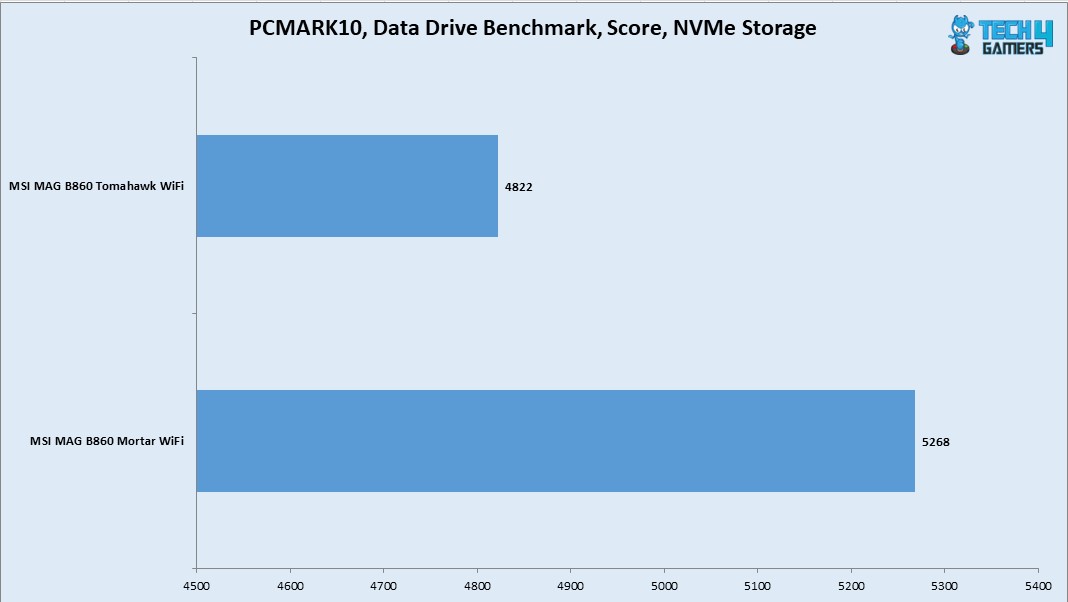
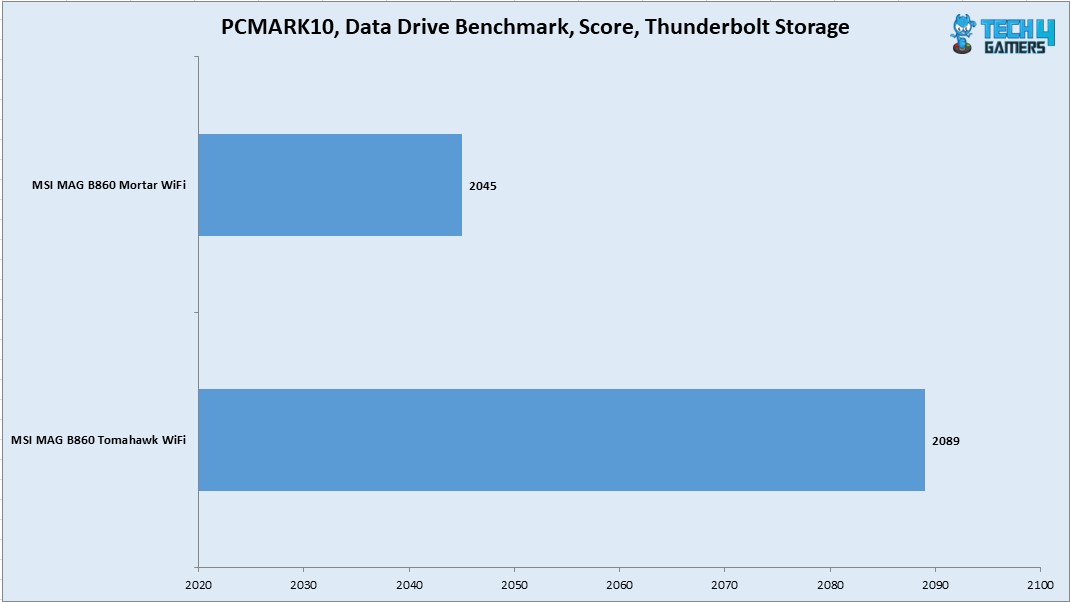
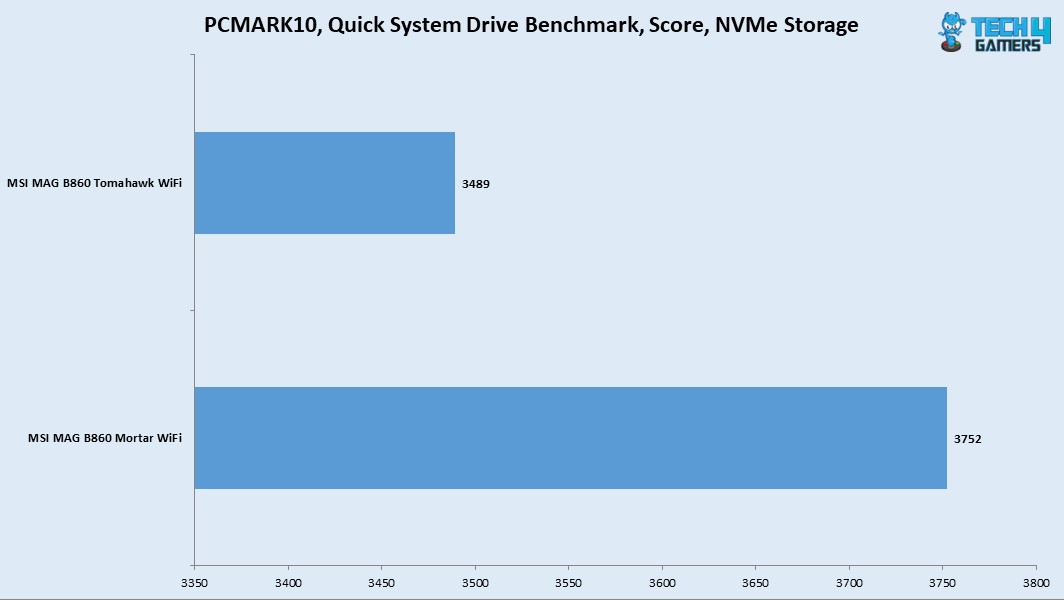
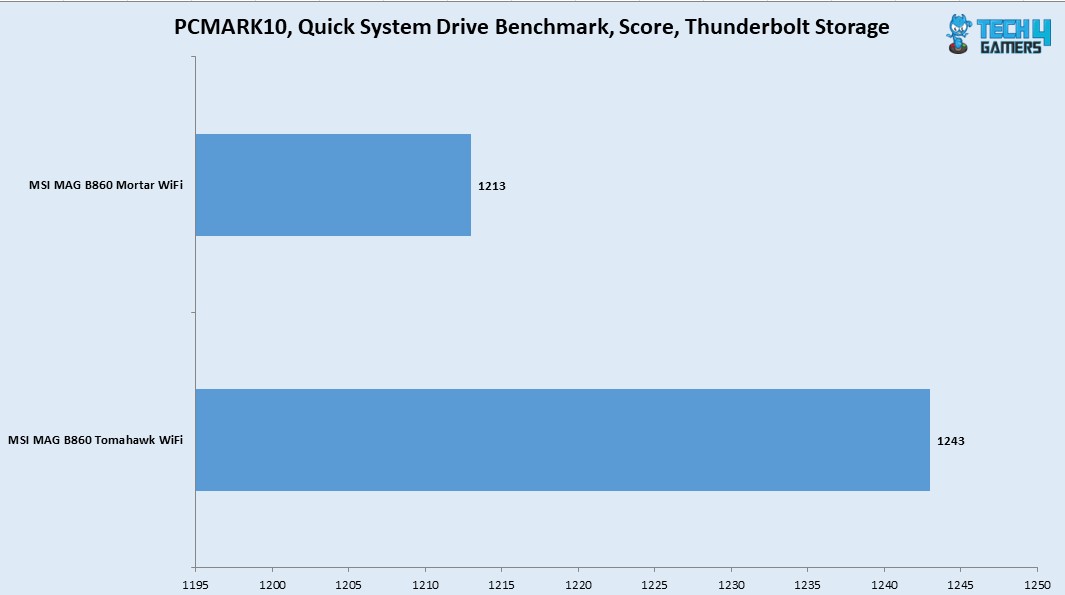
The PCMARK10 Data Drive and Quick System Drive benchmarks have shown a good performance particularly the fact that this motherboard has shown a better storage performance in this benchmark compared to the MAG B860 Tomahawk WiFi.
Gaming Test
Synthetic Gaming Tests
1 of 3
Fire Strike Ultra
Speed Way
Time Spy Extreme
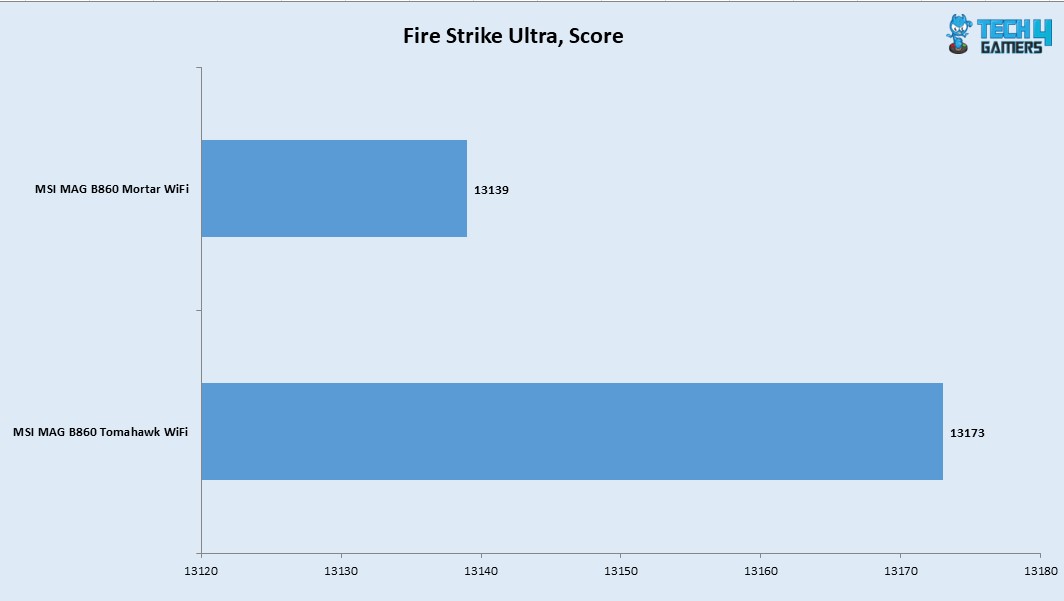
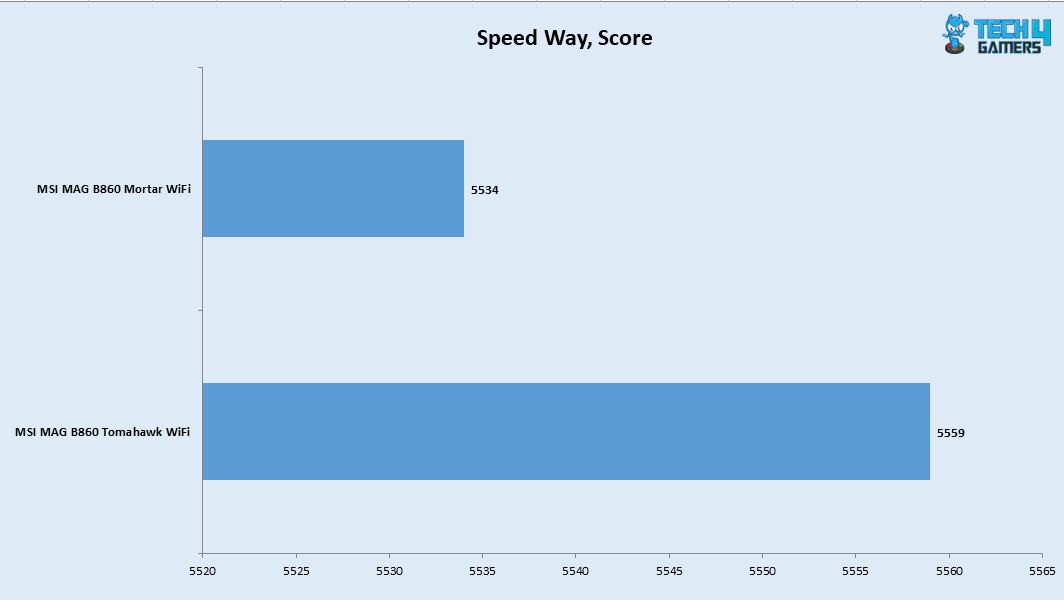
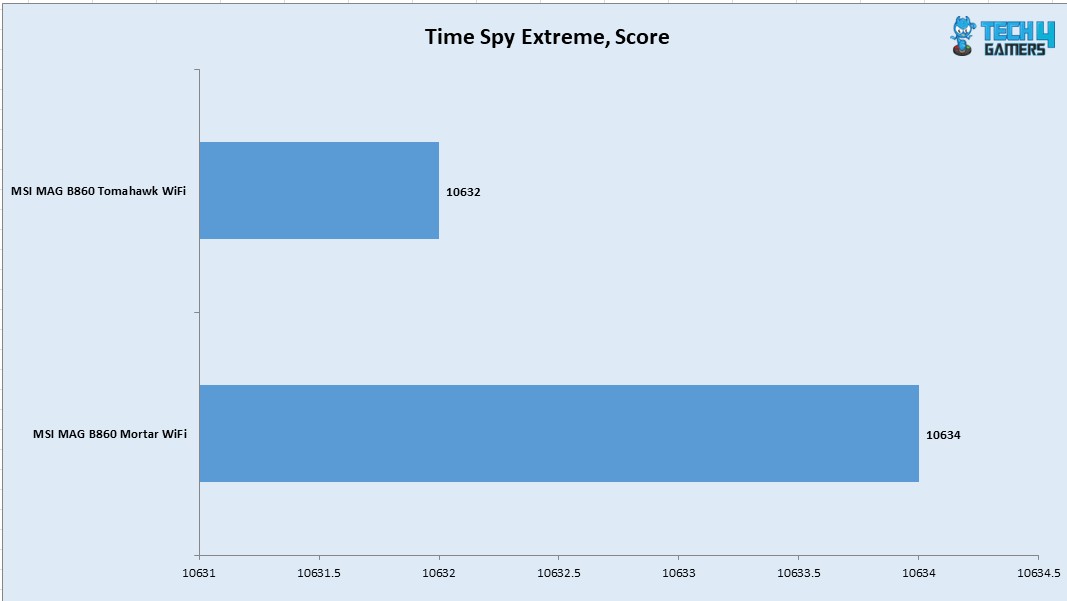
Our build got 10634 score in Time Spy Extreme and 13139 score in Fire Strike Ultra. The Speed Way score was 5534. This is a good performance overall from the CPU and Graphics card showing that the motherboard is not holding these components back.
Gaming Tests
1 of 6
Assassin Creed Valhalla
Control
Cyberpunk 2077
Far Cry 6
Forza Horizon
Red Dead Redemption 2
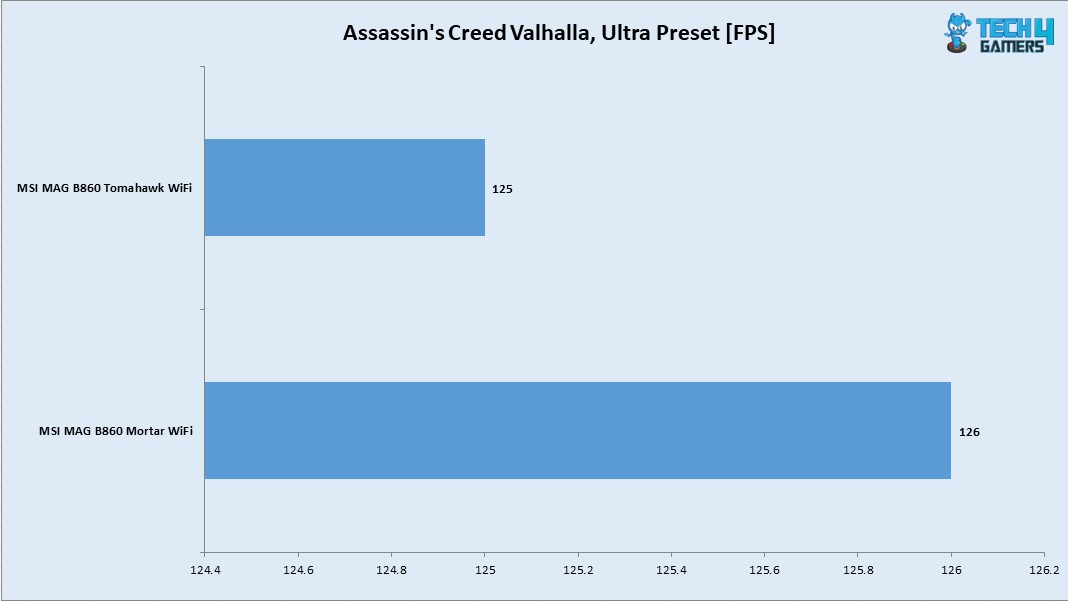
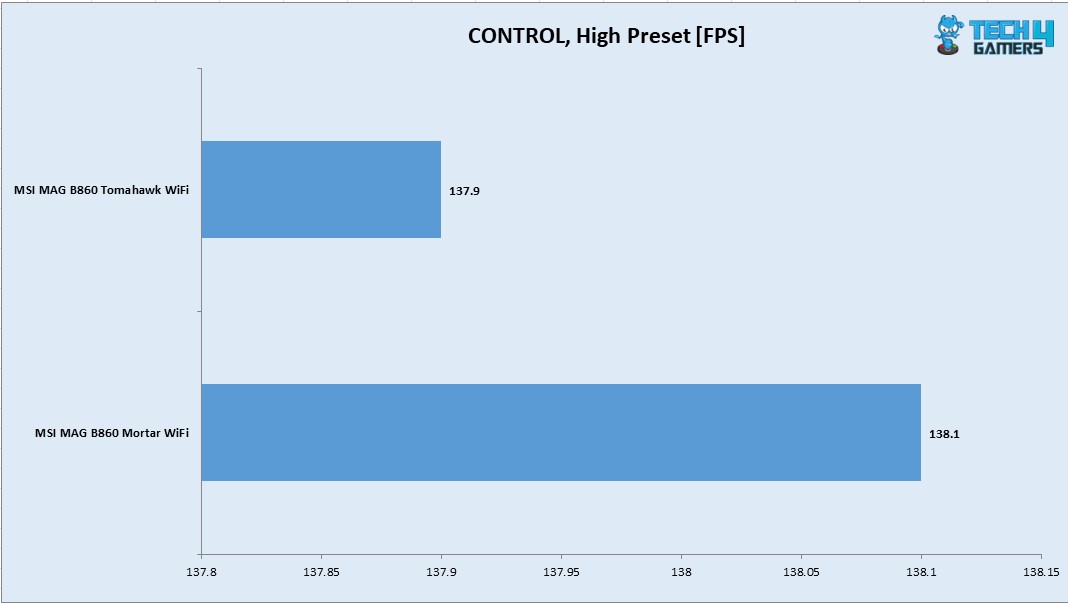
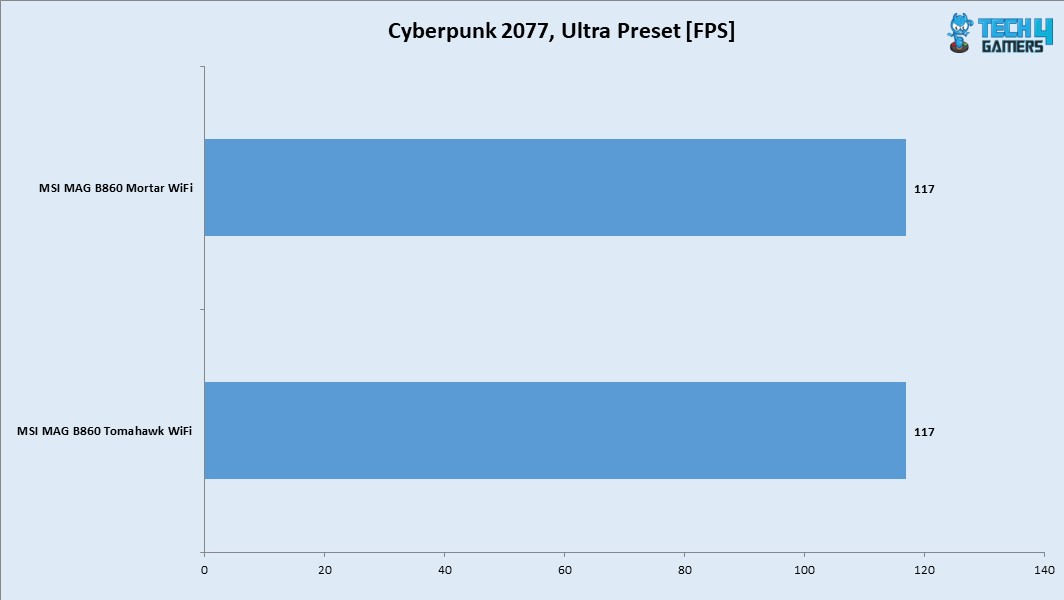
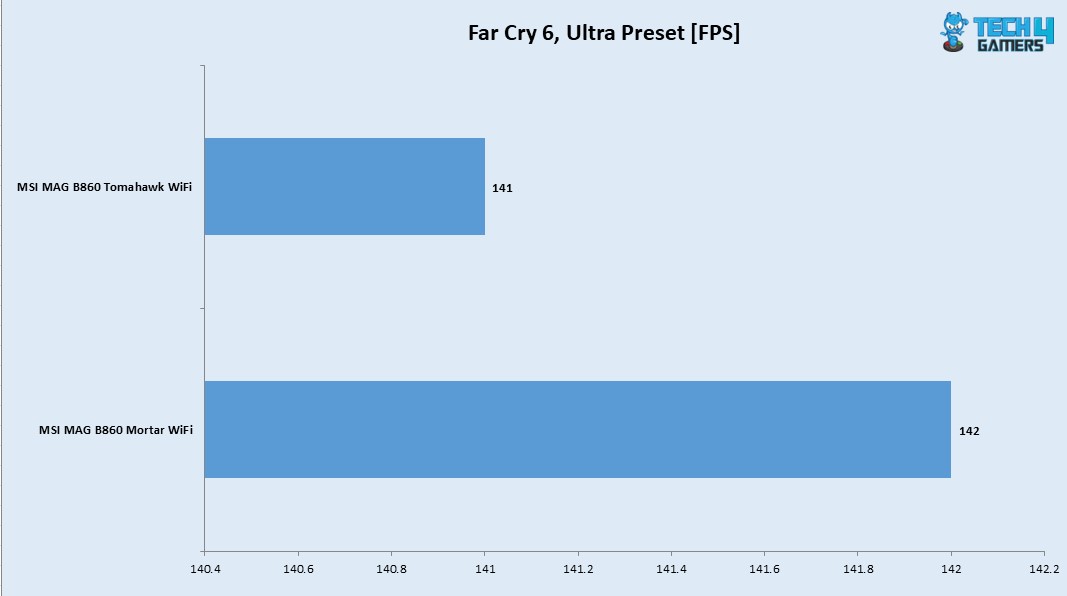
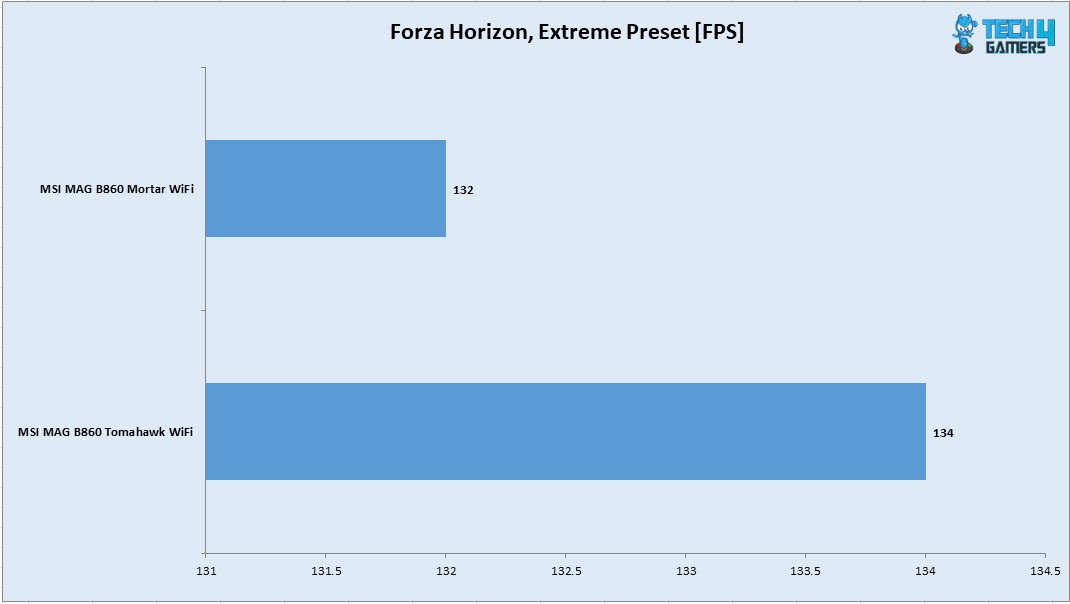
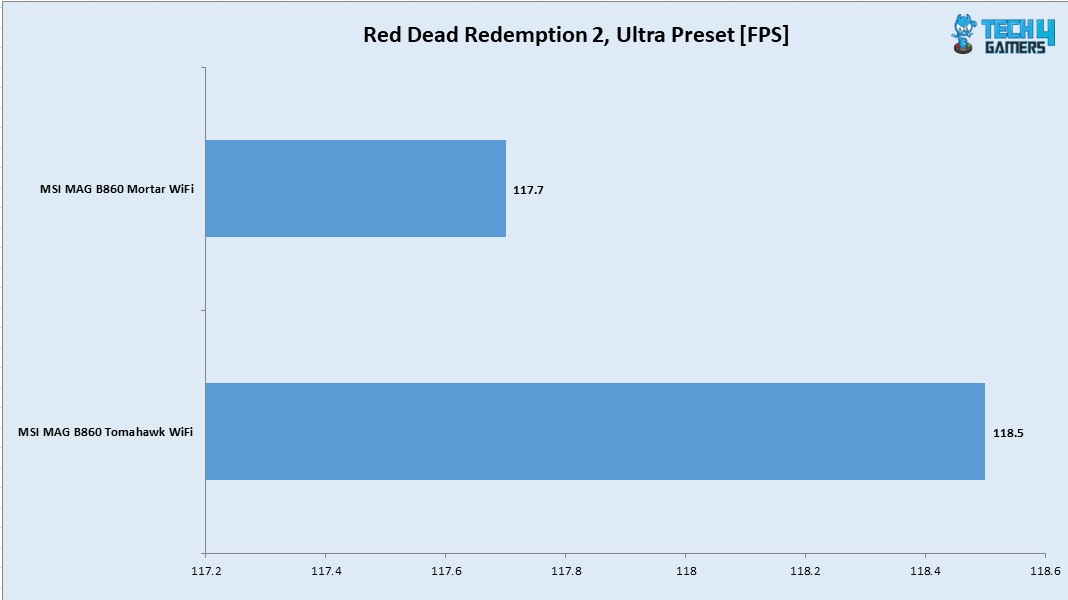
In all six games that I have tested, the FPS were above 100 mark. I have tested all games using their highest graphics presets on 1440P using 165Hz refresh rate over Display Port. The gaming performance is right on the money and this motherboard can handle the task easily.
System Performance Test
PCMARK10
Performance Test
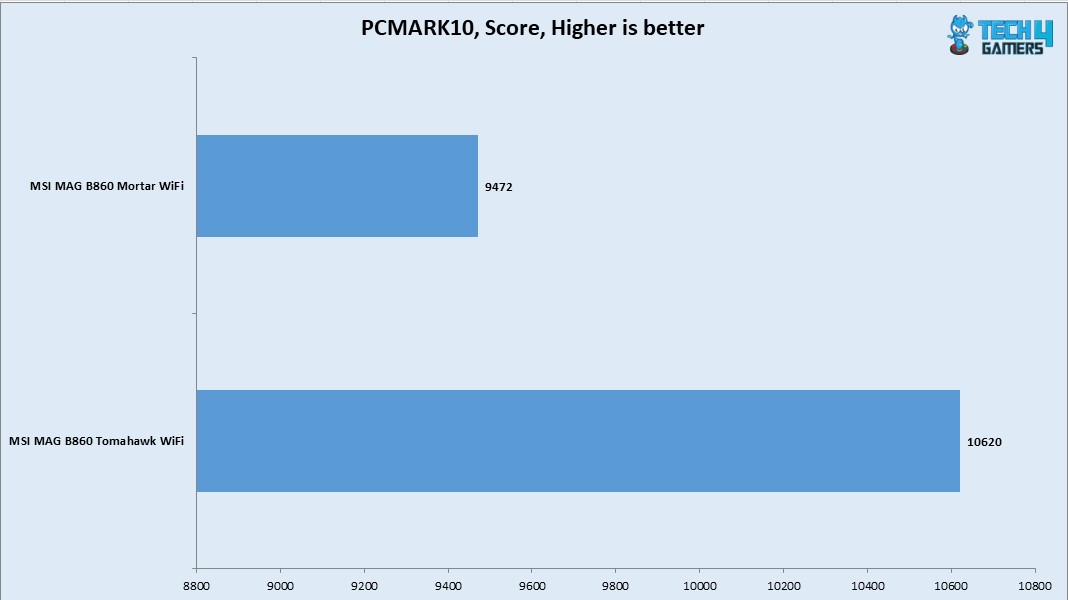
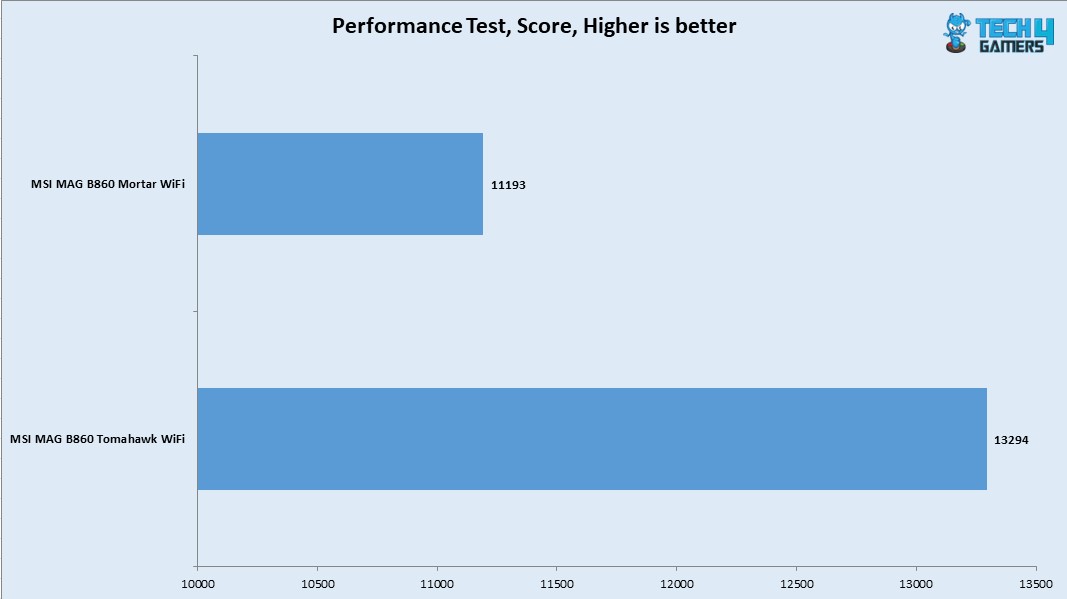
The system was doing 9472 in PCMARK10. The MAG B860 Tomahawk WiFi with a score of 10620 has a relative better performance. The result from Performance Test is 11193 which is low compared to MAG B860 Tomahawk WiFi’s 13294. The main reason for this is the low memory score of MAG B860 Mortar WiFi.
Core Clock Behavior
Core Clock Behavior
1 of 3
Clocks - 1T Load
Clocks - All Core Load
Clocks - Idle
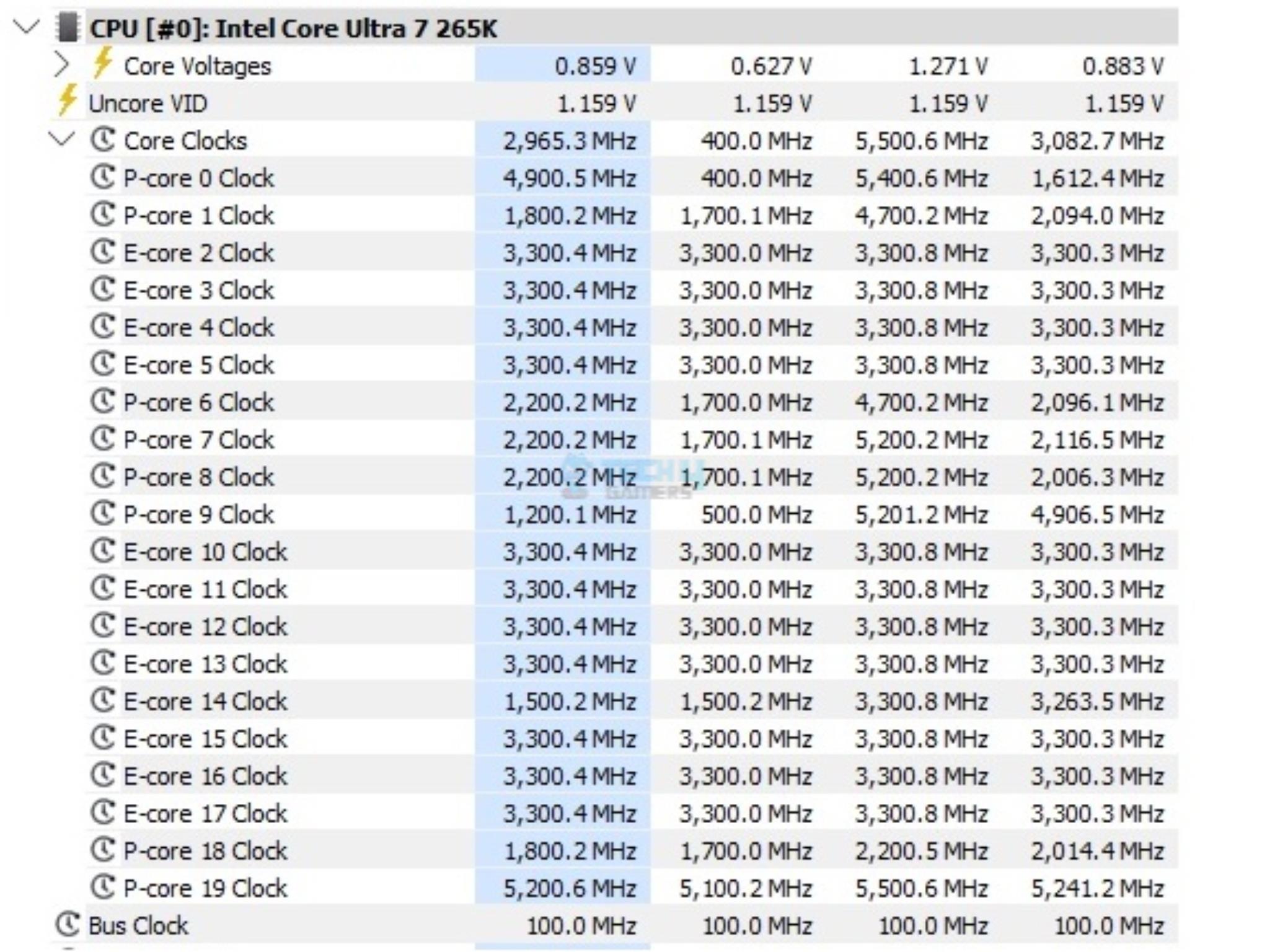
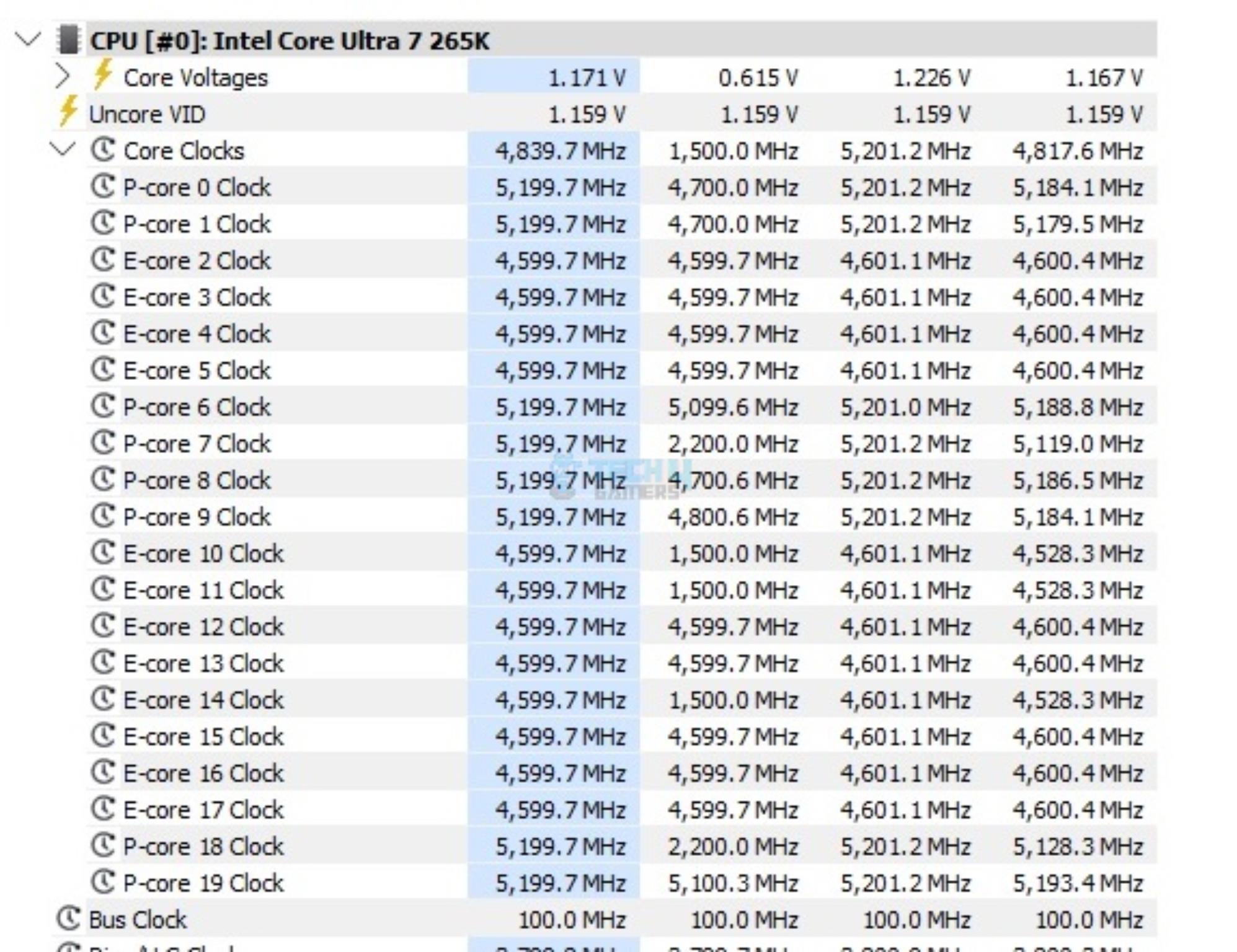
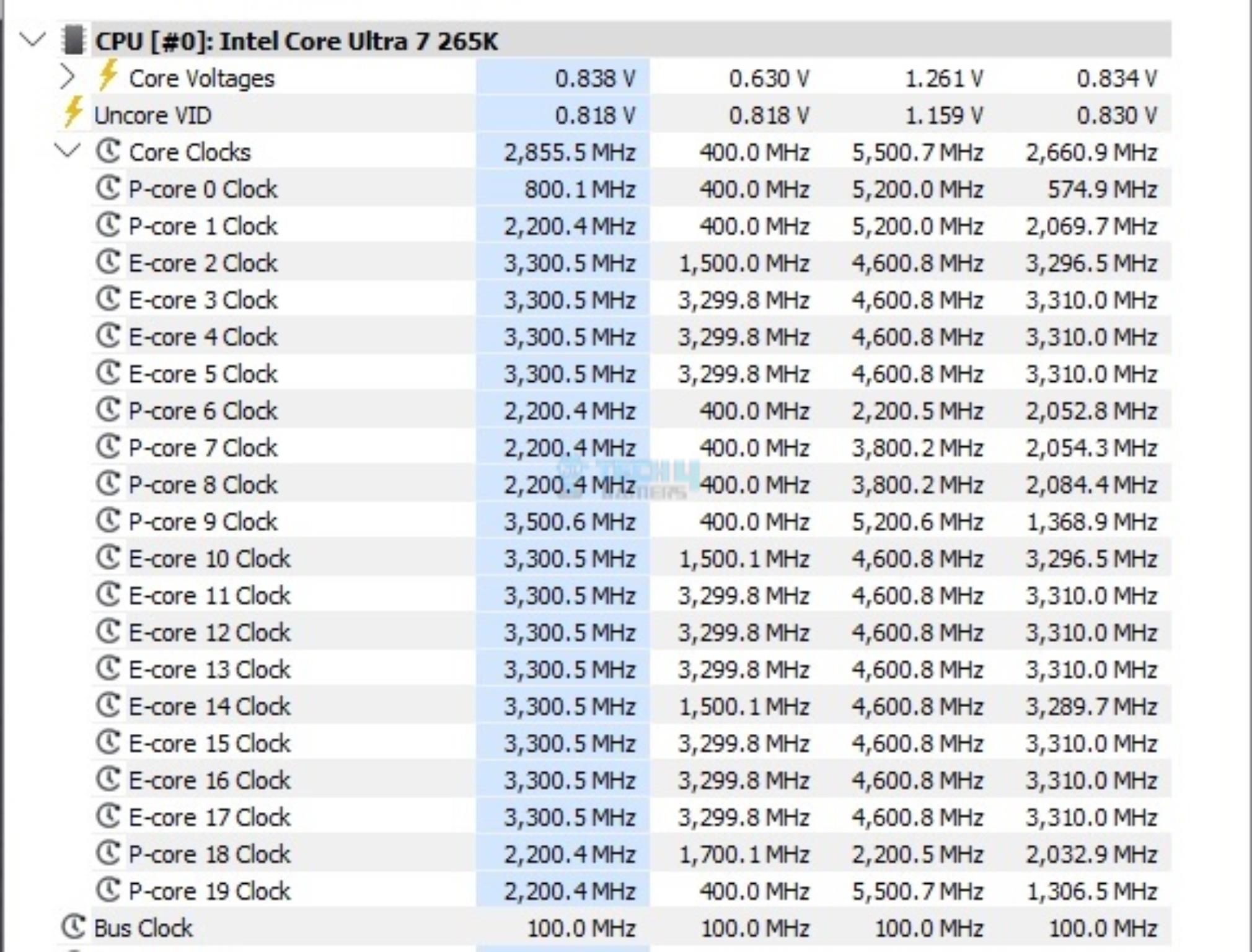
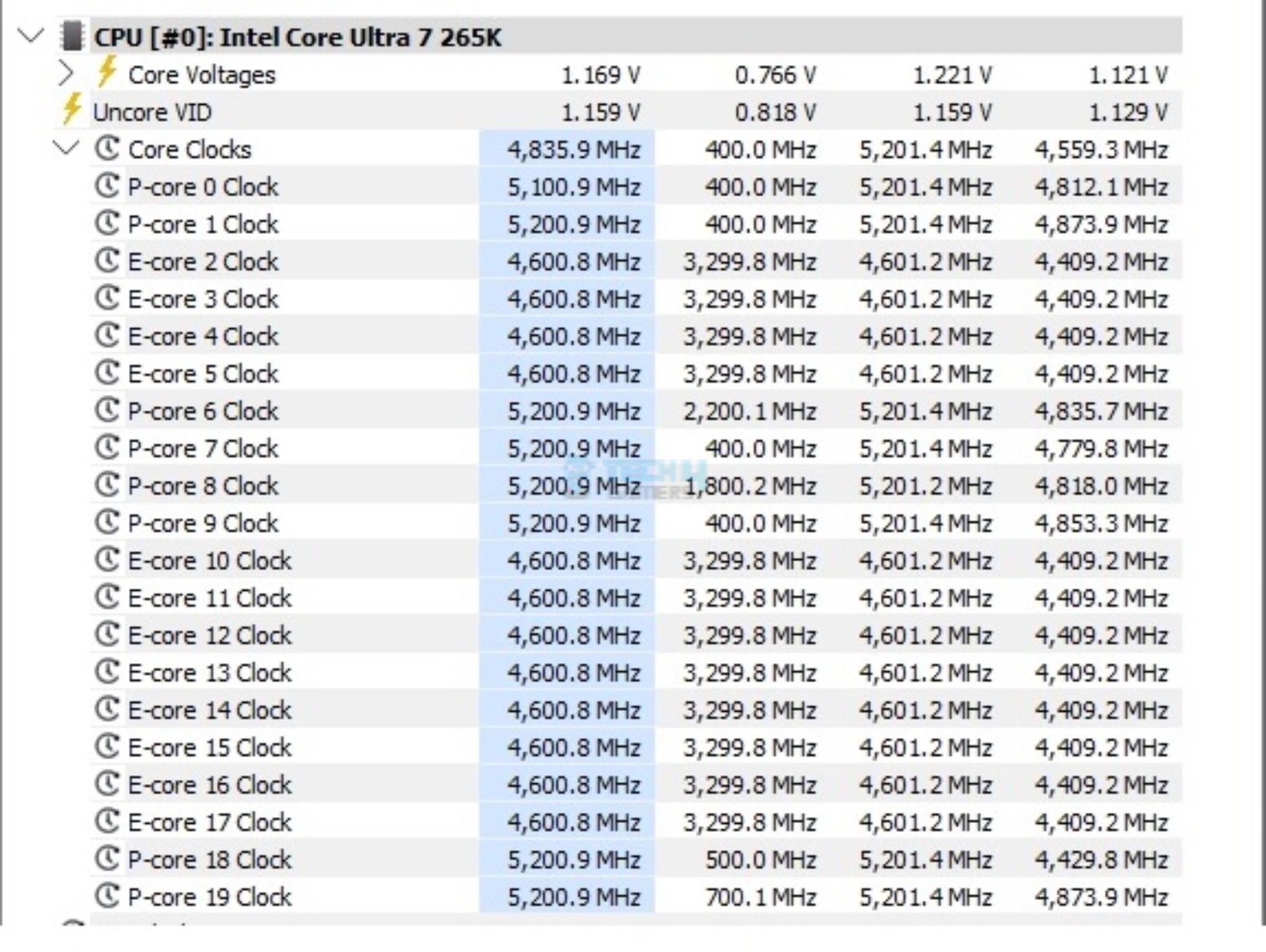
The system was left idle for 10 minutes under the Balanced Power Profile. The idle clocks were 800~2200MHzMHz on the P-Cores, whereas these were 3300MHz on the E-Cores, more or less. The clocks were peaking at 5.5GHz under a 1T load. All cores load put these clocks to 5.2GHz. These figures confirm Intel’s clock ratings for Core Ultra 265k.
Power Draw
I am reporting the system-wide power draw here. It would come down to the configuration and is not comparable with other configurations. It would give a rough idea of a relevant power consumption. The four categories are:
System Idle Power
System Gaming Load Power
System Power with 1T Core Load
System Power with nT Core Load
Power Draw
1 of 4
System Power Draw - CPU 1T Load
System Power Draw - Idle
System Power Draw - Gaming Load
System Power Draw - CPU All Cored Load
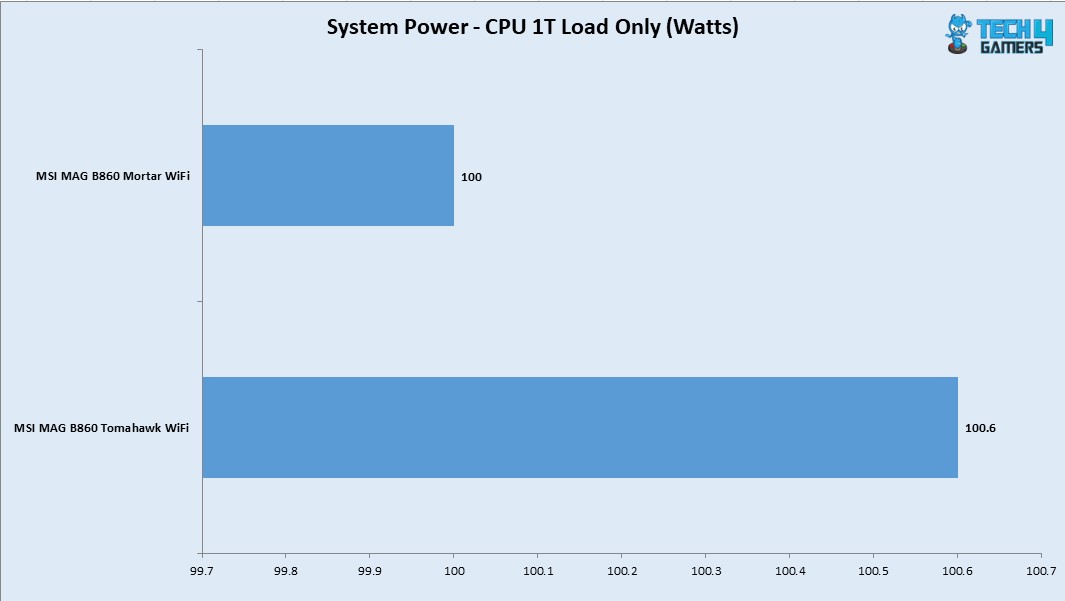
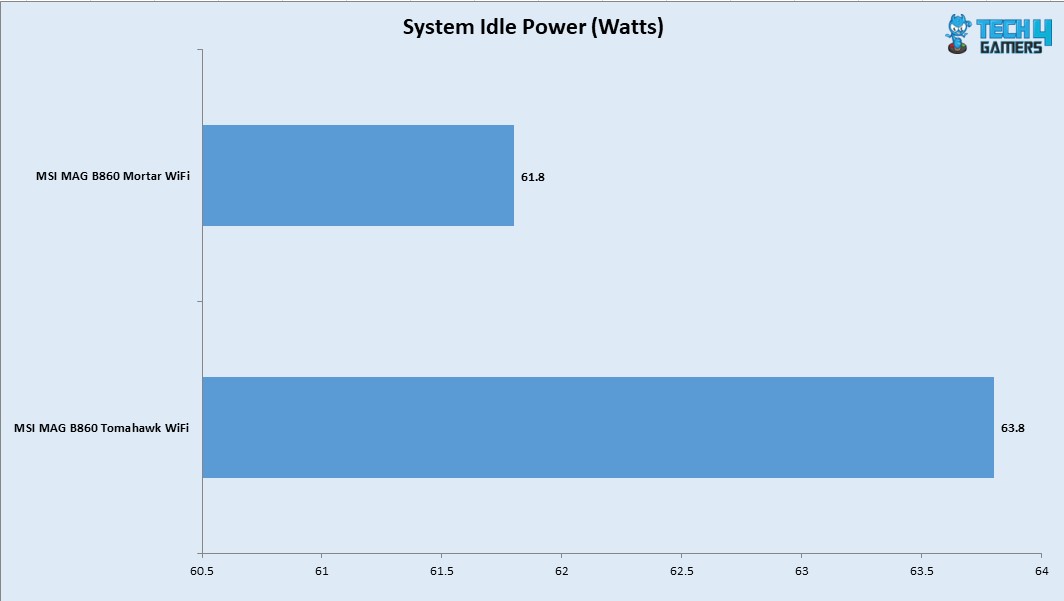
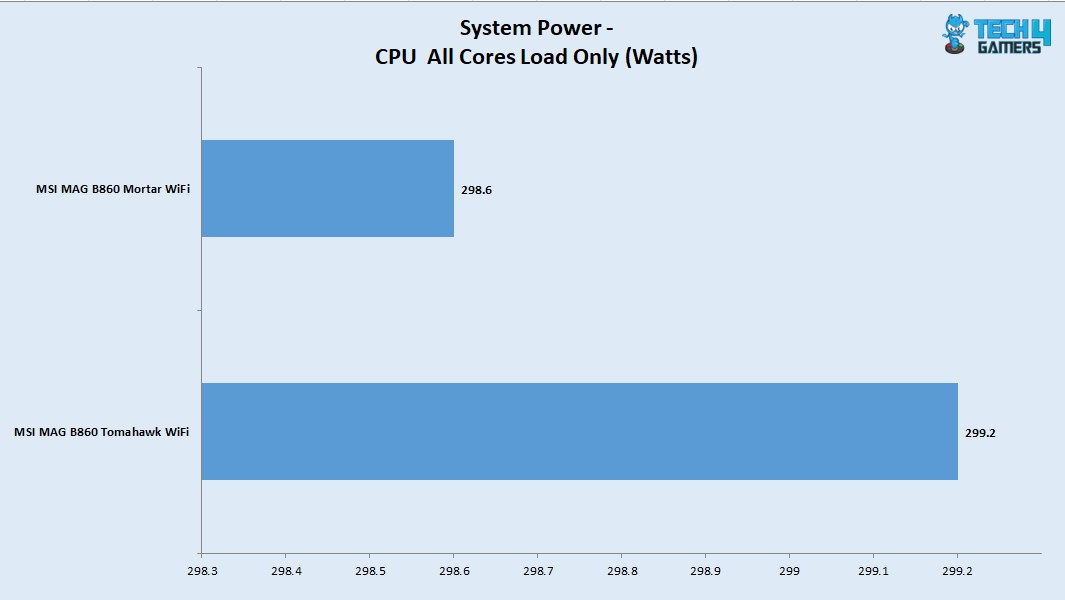
The system idle power draw was 61.8W. The power draw with gaming load was 535W which is fine. When we put CPU only under load, the system wide power draw with 1T load was 100.6W and it was 298.6W with all cores load using Cinebench R23.2.
Thermals
VRM Thermals (Image By Tech4Gamers)
Testing was done at an ambient temperature of 16ᵒC. The CPU was idling at 24ᵒC, and the graphics card was idling at 37.2ᵒC. Under load, the CPU was doing 72ᵒC whereas the GPU was doing 76ᵒC. The VRM/MOSFET was doing 54.7ᵒC at the same ambient.
Should You Buy It?
Buy It If
✅You want to get the latest tech in microATX: The MSI MAG B860 Mortar WiFi has a form factor of mATX or microATX. Despite the reduced size, there is no compromise on the performance.
✅You are looking for Gen 5 connectivity: If you are looking for Gen 5 connectivity, then MAG B860 Mortar WiFi is for you.
✅Value is your thing: Coming in at USD 219, this motherboard is a good mid-range motherboard that can fulfil your gaming requirements without breaking your wallet.
Don’t Buy It If
❌You are looking for a high-spec motherboard: If you are a heavy user looking for an extensive feature set in a motherboard, then skip it.
Final Words
MSI MAG B860 Mortar WiFi motherboard is a mainstream to mid-range offer that comes with a good set of features in the microATX form factor. It even has a Thunderbolt 4.0 port and wired, as well as the latest wireless networking options. This motherboard is based on Intel LGA1851 using B860 chipset. It has 3x M.2 ports with one port operating on Gen5x4 link. This motherboard has 4x SATA ports as well.
This is not all, as we have extensive USB ports on mid-board and rear/front including USB 3.2 Gen2 and USB 3.2 Gen2 Type-C ports. There is a Thunderbolt 4/USB 4 port on the rear panel which is part of Intel’s feature on latest platform. It uses USB 4 tunneling. This motherboard has just one less USB ports compared to MAG B860 Tomahawk WiFi.
MSI has provided Clear CMOS and Flash BIOS buttons on the back panel. This motherboard has a 12+1+1+1 power delivery mechanism, which is adequate to handle Intel mid-range CPUs. The cooling department is strong as well, with 6x Fan headers and aluminum heat sink covers over the VRM/MOSFET, M.2 ports, and Chipset. MSI has used thermal pads on these covers.
MSI has provided a 5GbE NUC and an integrated WiFi 7 module (with Bluetooth). There is also overcurrent and overvoltage protection. This motherboard provides OC Engine, Memory Try It, and Memory Extension mode in the BIOS that you can utilize to unleash the full performance of your Memory.
The BIOS interface has been redesigned, and MSI has simplified it to my liking. Speaking of audio, MSI has provided the RealTek ALC897 codec, which is a pretty basic audio solution. Overall, this motherboard’s performance is good as well. Despite its reduced size, it offers almost the same features as the full ATX B860 Tomahawk WiFi.
This motherboard costs USD 219 and comes with a 3-year warranty from MSI. I believe its features justify this price.
At Tech4Gamers, I take on the role of Hardware Reviewer with pride. My responsibilities involve a thorough examination of essential hardware components like motherboards, graphics cards, processors, PC cases, and CPU coolers, among others, focusing on their complexities and functionalities.
After not so successful launch of Intel’s Arrow Lake (Core Ultra series 2 processors) and Intel Z890 chipset, the manufacturer has released the budget segment, mainstream B860 chipset motherboards with AIB partners. The 860 obviously lacks the CPU/BCLK overclocking but it allows memory overclocking. While there are some take aways, there are some retainers as well.
The B860 has only 4 lanes for CPU uplink and chipset only has 14 PCIe lanes. While, this was not enough, Intel has not allowed PCIe 5.0 x16 lane splitting or bifurcation. But they have allowed 1x PCIe 5. X16 lane. Similarly, this platform allows only one NVMe M.2 slot wired to the CPU. The remaining 2 or so slots will need to be come from chipset.
Why Trust Tech4Gamers
Nauman Siddique is the most senior hardware tester at Tech4Gamers. He brings an ocean of knowledge to the table, including unmatched expertise in motherboards.
40+ motherboards tested and reviewed by our team of hardware experts (Tech4Gamers Team).
800+ hours spent testing different motherboards for our reviews.
At Tech4Gamers, ensuring you get reliable information is our priority. That’s why every hardware round-up undergoes a meticulous review process by our team of experts and editors. Each review is carefully examined against our strict editorial guidelines, guaranteeing you trustworthy insights you can depend on.
Only one Thunderbolt 4.0/USB 4.0 port is allowed and AIB partners may even cut on that depending on the overall cost. You can’t create NVMe RAID arrays but can do SATA based RAID array. A maximum of two USB 20Gbps ports are allowed which is still plentiful.
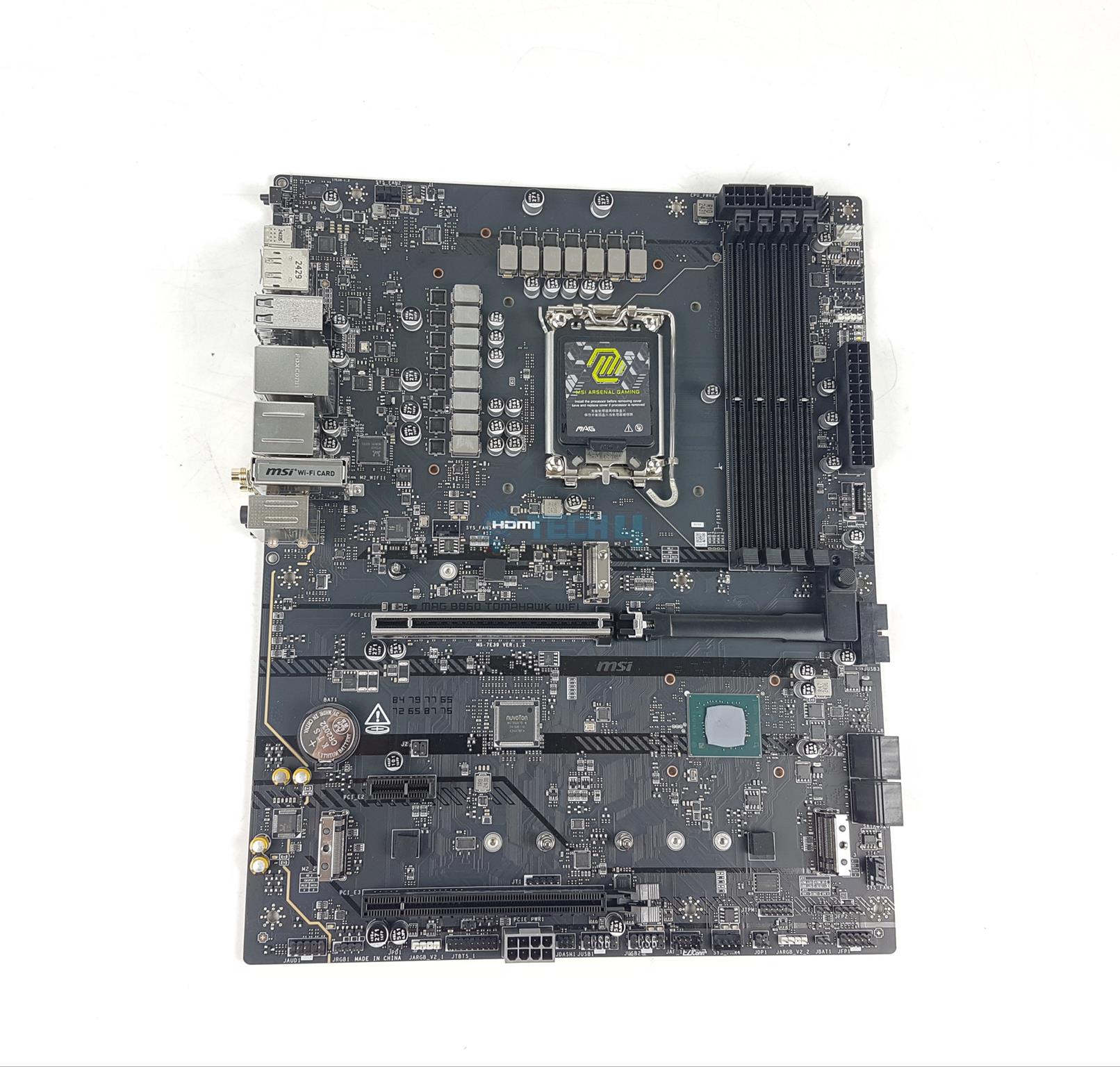
In our first take on this platform, we are testing the MSI MAG B860 Tomahawk WiFi motherboard. I have also tested and reviewed the MSI MAG B860 Mortar WiFi, and I will be comparing the Tomahawk against it throughout the review, so make sure to read that as well.
The salient features include:
This motherboard supports Intel Core Ultra series 2 Processors.
It supports DDR5 Memory
MSI has deployed 12+1+1+1 Power phases for VRM/MOSFET
This motherboard has 1x M.2 Gen5 and 2x M.2 Gen 4 Slots
It supports a PCIe Gen5 x16 slot for a graphics card.
The M.2 Ports and VRM/MOSFETs get good treatment for effective cooling using Extended Heatsink design and M.2 Shield Frozr
This motherboard has a RealTek ALC 897 driver.
This motherboard supports EZ PCIe Release
This motherboard has a price tag of $239.
Key Takeaways
The MSI MAG B860 Tomahawk WiFi is a feature-packed mid-range motherboard that blends Gen 5 connectivity, DDR5 support, and WiFi 7 with reliable performance and a gamer-friendly design.
You should buy the MSI MAG B860 Tomahawk WiFi if you want a Gen5 motherboard that delivers solid performance and features for the price.
The only reason to skip the MSI MAG B860 Tomahawk WiFi is if having a DEBUG LED display or high-quality audio is a must for you.
What Makes The MSI MAG B860 Tomahawk WiFi Different?
This is our first B860 motherboard, and it comes with an exploded feature set on this chipset, justifying the price tag. Coming in at ATX form factor and supporting ATX 3.1 standard using a dedicated 8-pin PEG connector, this motherboard is ready for the next generation of gaming graphics cards. This is a foolproof, no-frill design aimed at providing everything a gamer would ask for.
Packaging And Unboxing
Unboxing
1 of 3
Unboxed
Inside Packing Box
Packing Box
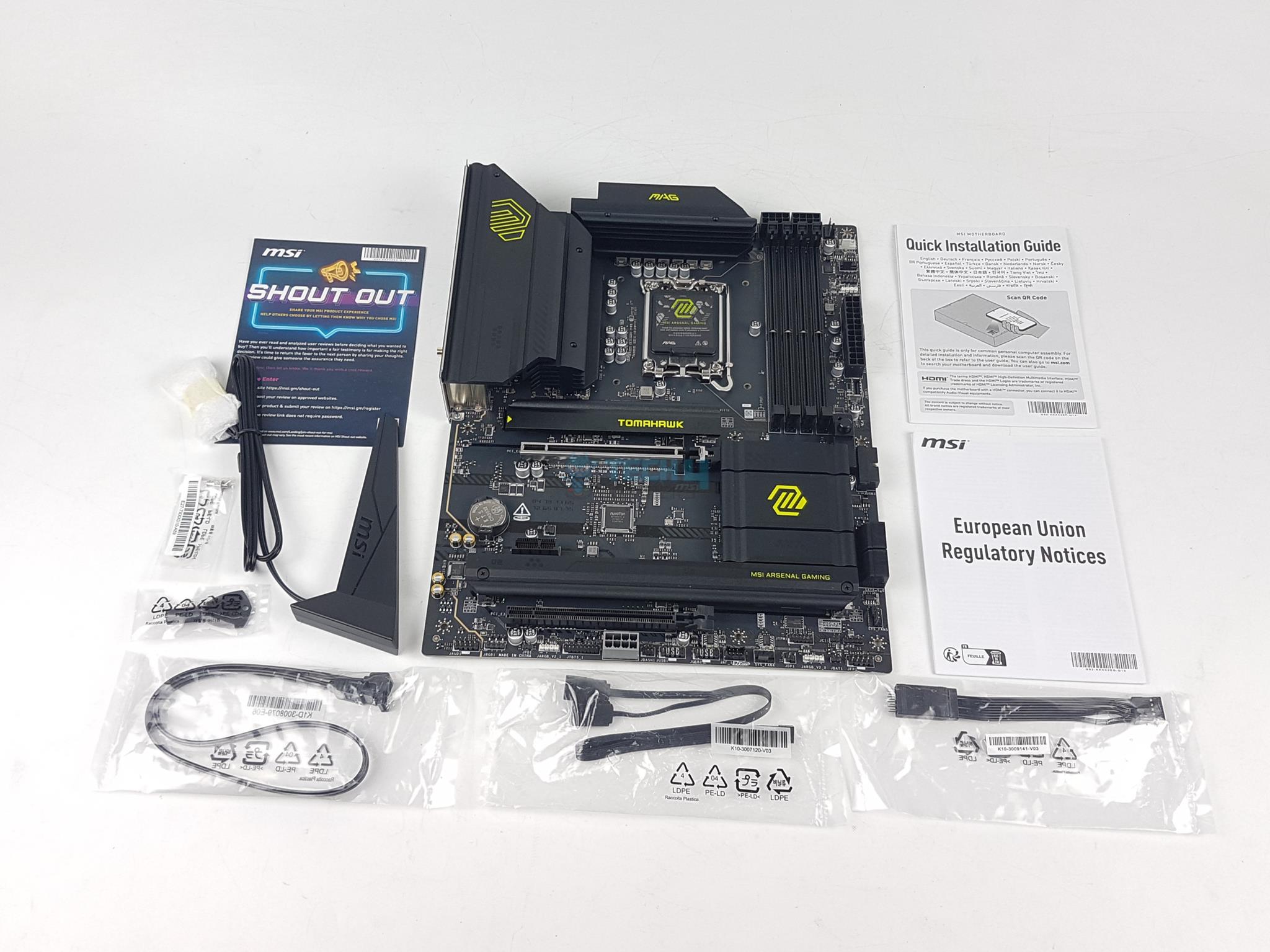
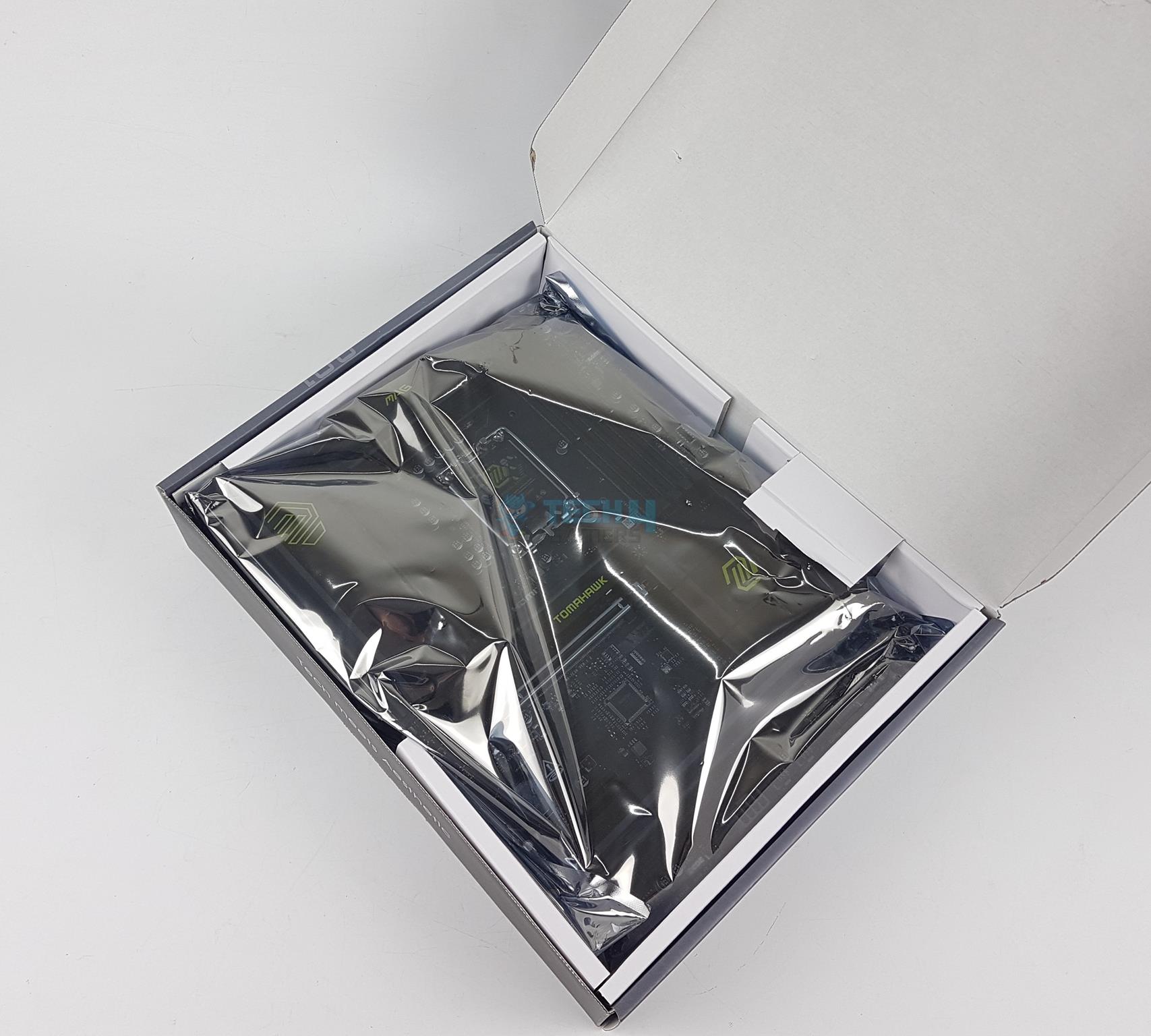
The motherboard is shipped inside a standard cardboard packing box. The salient specifications and features are listed over the packing box for the on-the-go users. MSI has included the following in the box:
1x ATX-sized Motherboard
1x SATA 6Gbps Cable
1x Quick Installation Guide
1x European Union Regulatory Notice
1x Shout Out Flyer
EZ M.2 Clips II
EZ M.2 Clip Remover
1x WiFi Antenna
1 to 2 EZ Conn-Cable (V1)
1x Front Panel Connector Cable
Design Overview
Front View (Image By Tech4Gamers)
MSI MAG B860 Tomahawk WiFi motherboard has an Intel LGA1851 socket powering the 4x DIMM slots, 1x HDMI 2.1 port and 1x DP 1.4 port rated at 8K@60Hz. In addition this socket provides 20x PCIe lanes. This motherboard’s PCB is a 6-layer design using 2Oz thickened copper. IT is NPG-170D Server-Grade PCB.
The DMI link operates at x4 PCIe between the socket and chipset. Rest of the connectivity comes from the B860 chipset including 2x Gen4x4 M.2 slots, WiFi 7 solution, Intel NUC, SATA and Audio solution. Let’s start with the power delivery circuit of this motherboard.
Power Delivery To Socket
CPU Socket (Image By Tech4Gamers)
This motherboard has Intel LGA1851 socket which is only compatible with Ultra Core Series 2 CPUs. The socket internal design seems somewhat different than the one I have seen on the MSI MPG Z890 Unify-X motherboard. Intel has used narrow ILM mounting on this socket and aims to provide better and even pressure compared to the Intel LGA1700 socket.
Power Covers
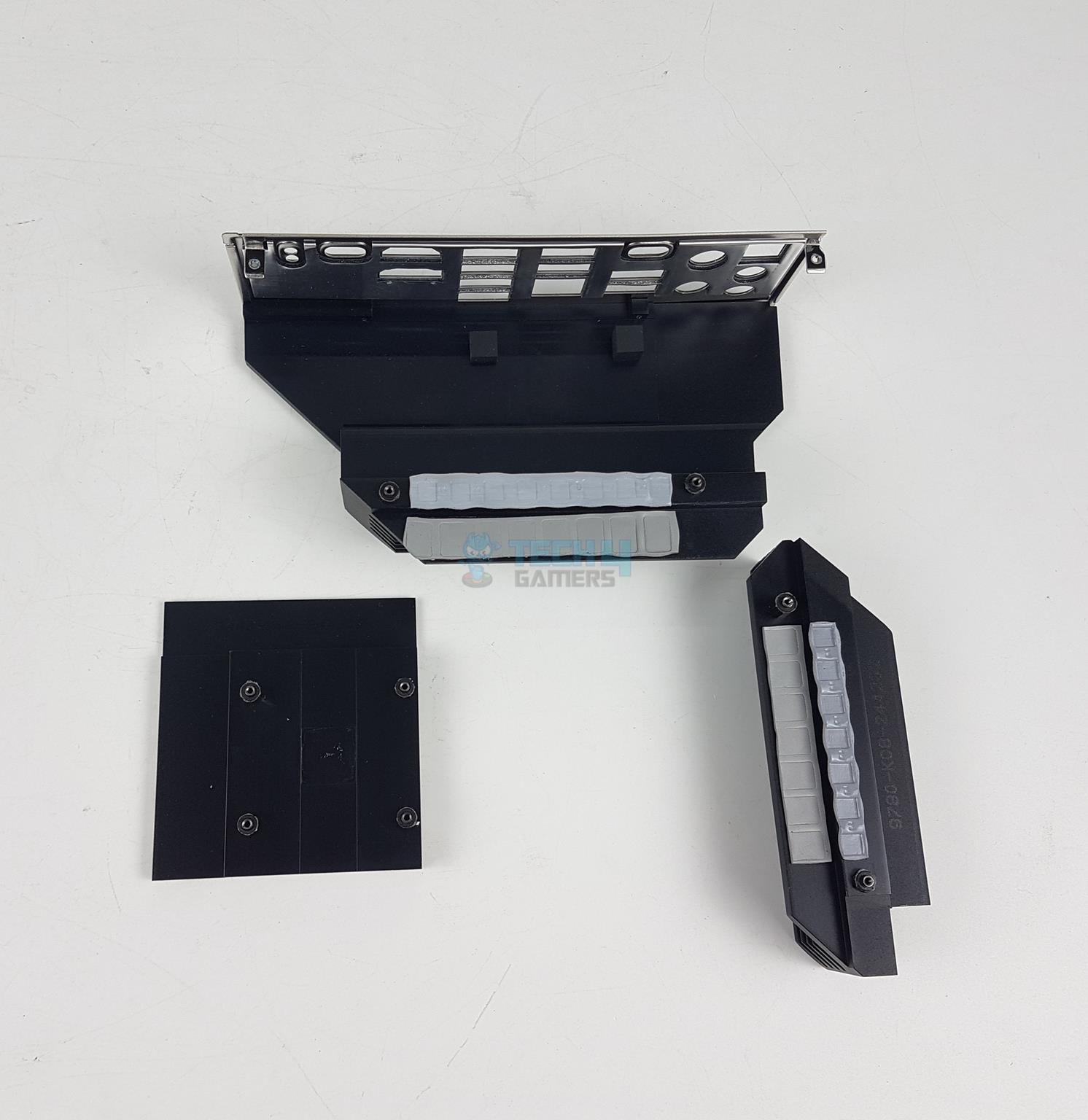
Power Covers Backview
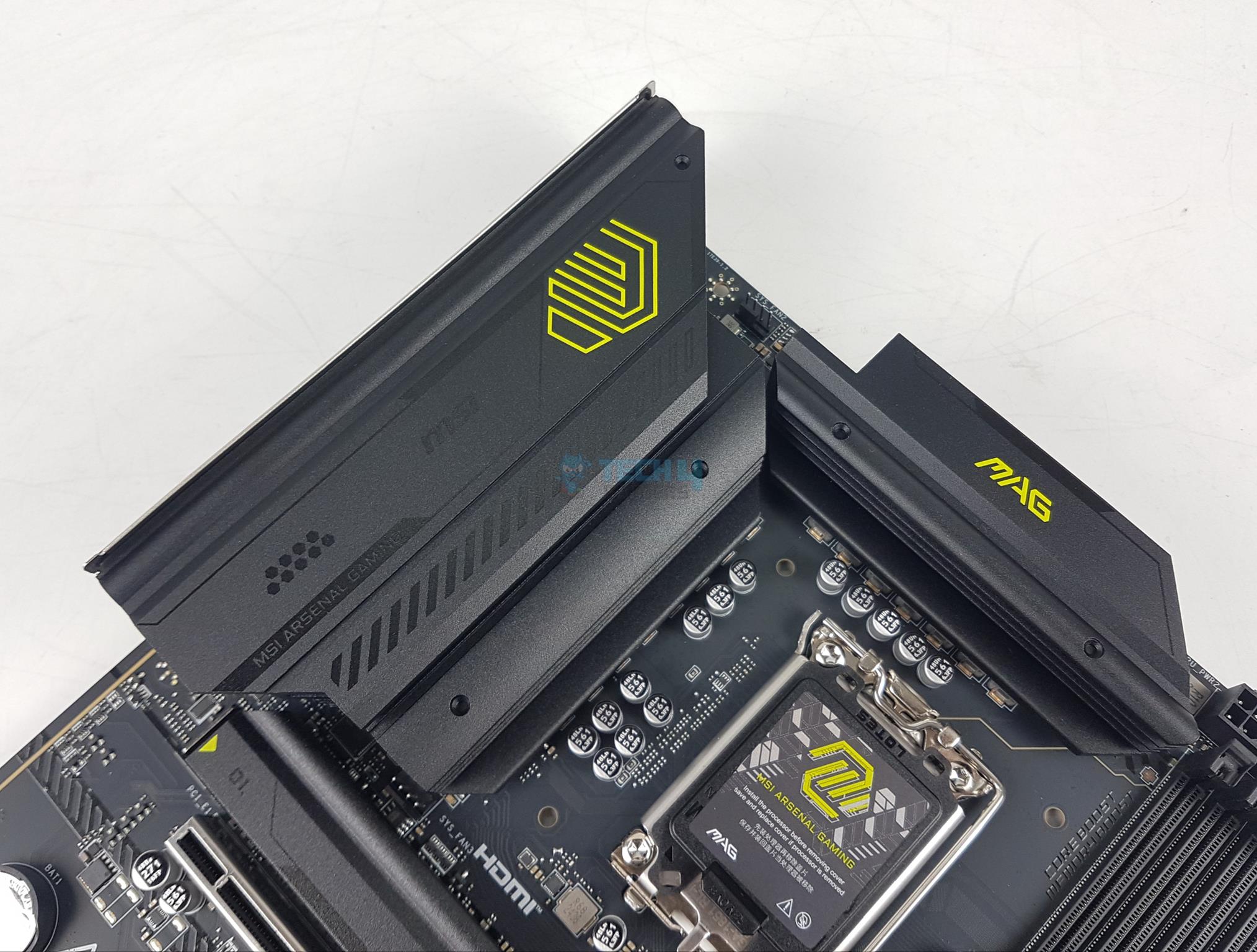
There are two stylish and enlarged heatsink covers over the power delivery circuit. They are black and light green resembling the military green color scheme. The two covers don’t interconnect using heat pipes. There is no LED backlighting on these covers.
CPU Power Phases (Image By Tech4Gamers)
MSI has used a 12+1+1+1 Duet rail power system on this motherboard that is governed by the SPS MPS2428 PWM controller. The power stages are SPS MPS2414, rated at 60A, generating 900W power across the entire power delivery circuit.
DIMM Slots
DIMM Slots (Image By Tech4Gamers)
MSI has provided 4x DDR5 UDIMM slots on a different PCB layer. This motherboard supports a maximum of 192GB memory capacity. It also supports Intel XMP 3.0 with dual-channel and dual-controller modes.
This motherboard supports a whopping frequency of up to 9200MHz (OC). In addition to XMP, it supports memory overclocking. It also supports Intel POR speed and JEDEC speed. This motherboard does support CUDIMM.
Memory Overclocking
1 of 3
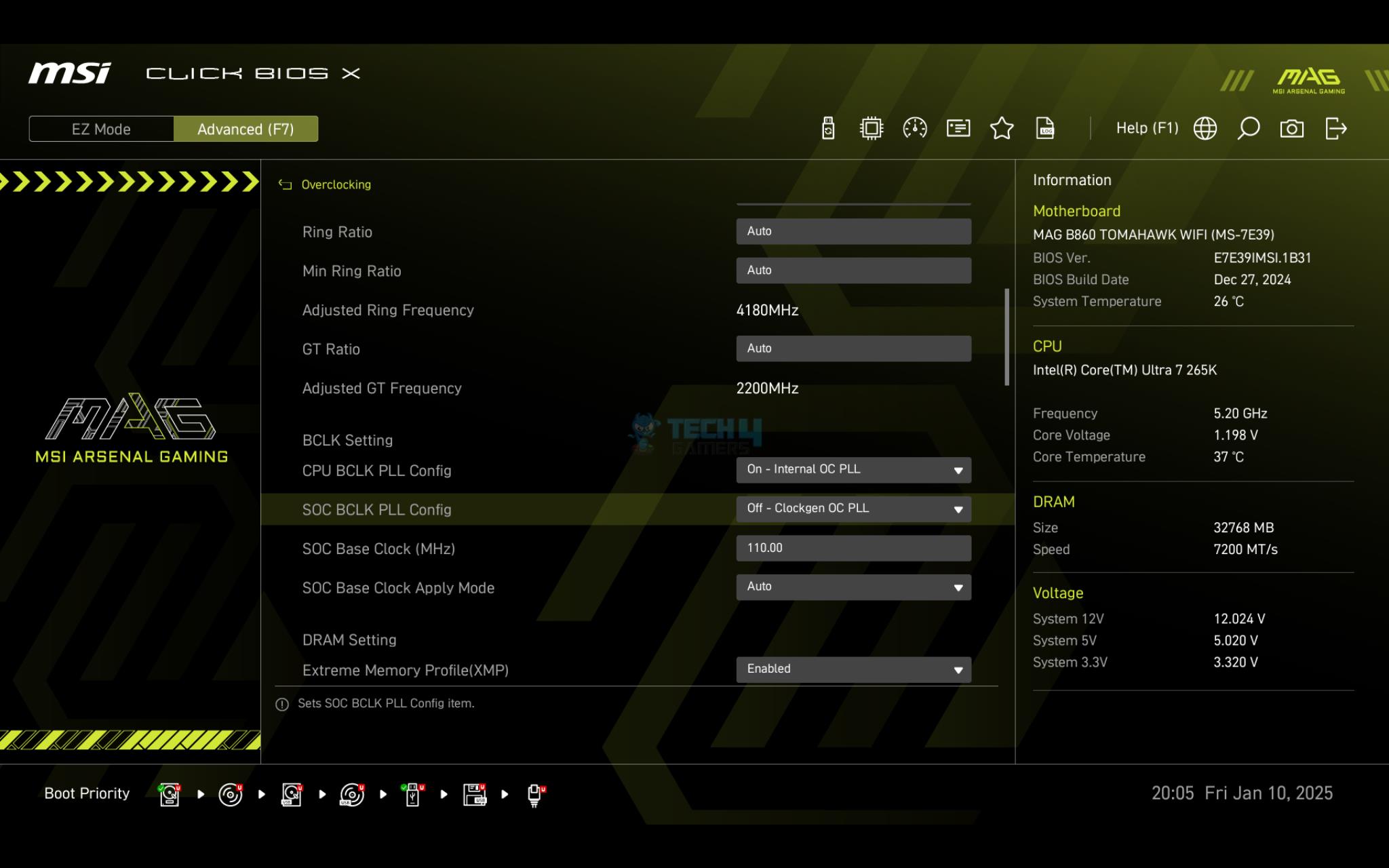
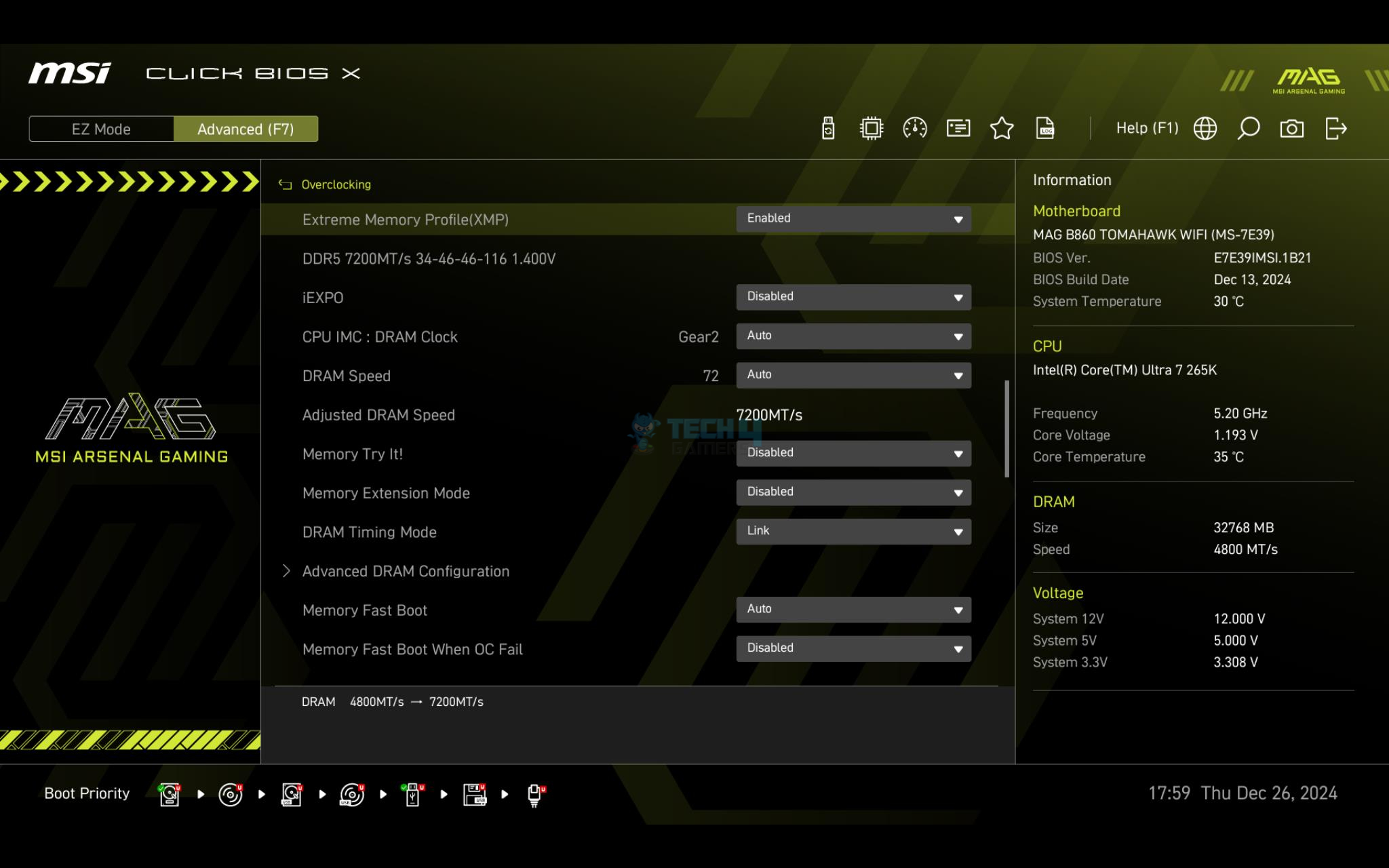
There is OC Engine feature in the BIOS using which the SOC frequency can be enhanced on the CPU. This will result in reduced latency on stock settings. This is done via a clock generator chip IDT6V41606B on the PCB.
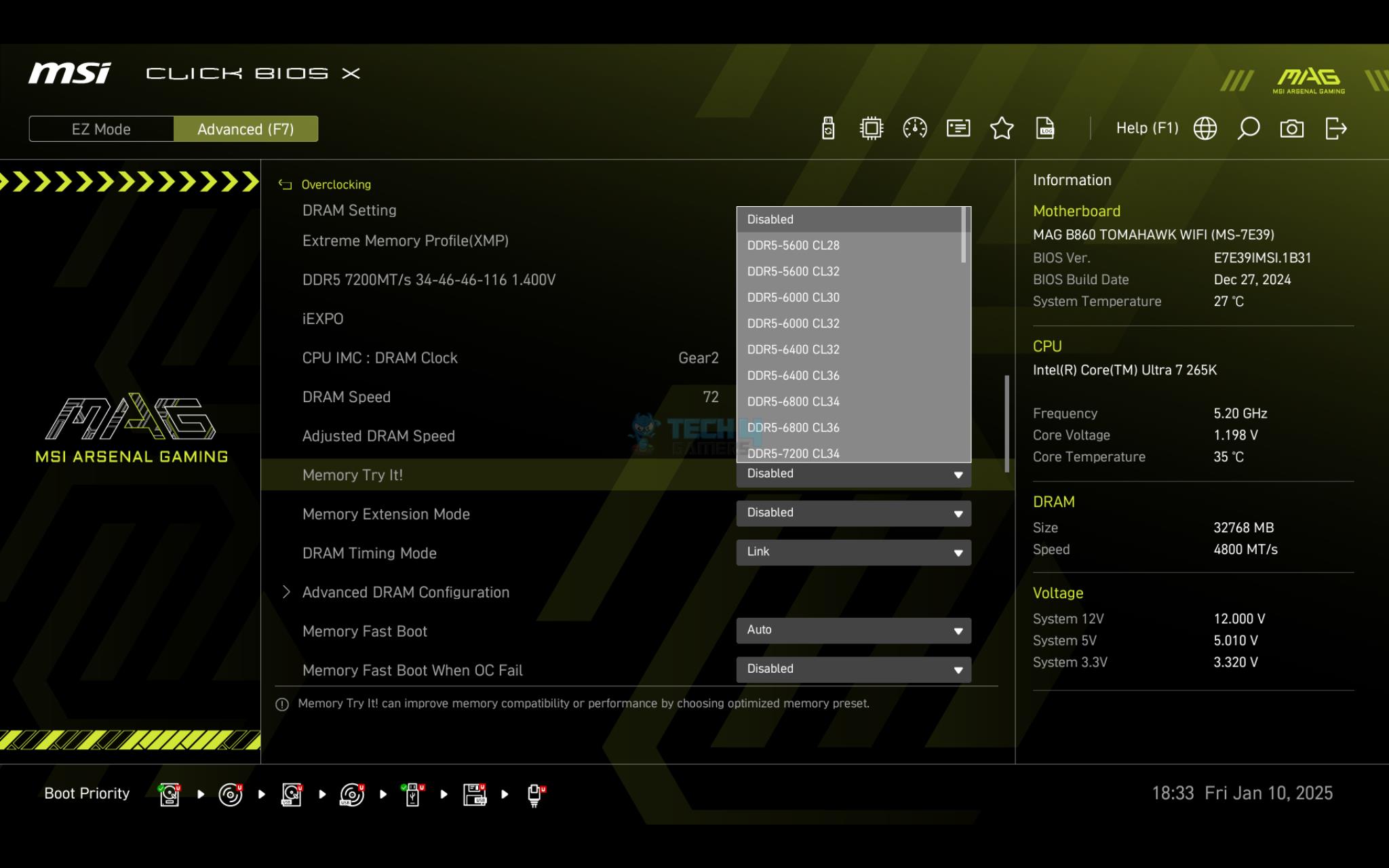
MSI has provided a Memory Try It feature in the BIOS. With just one click, the user can boost the memory performance as MSI hides all the complexities behind the scene of that profile. In case it fails, you will still get a POST asking to enter BIOS for a reset.
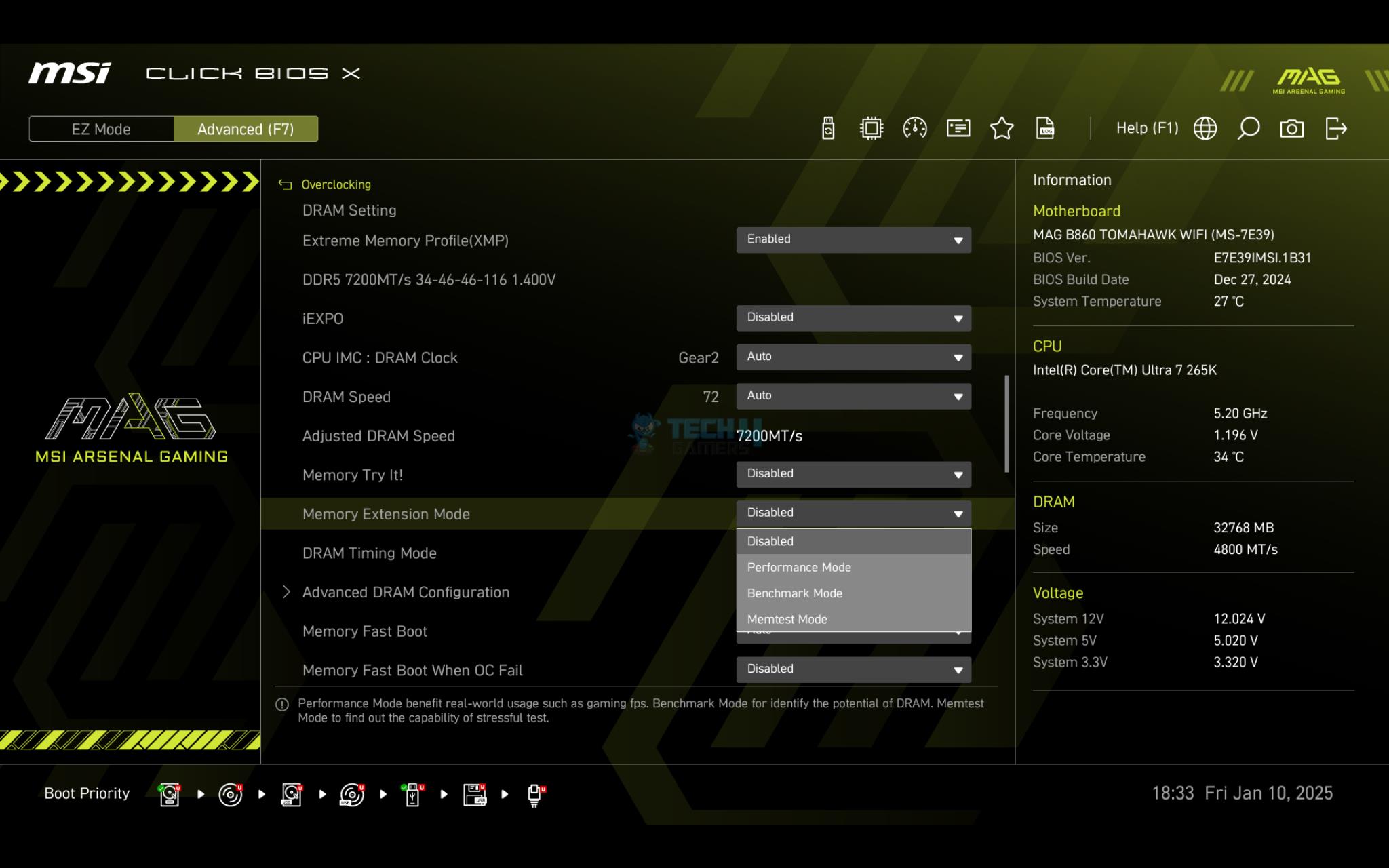
Then, there is a Memory Extension feature with three modes. You can get some free performance from either of these modes as it will pump the frequency to where possible for maximum performance.
Storage Options
NVMe Ports
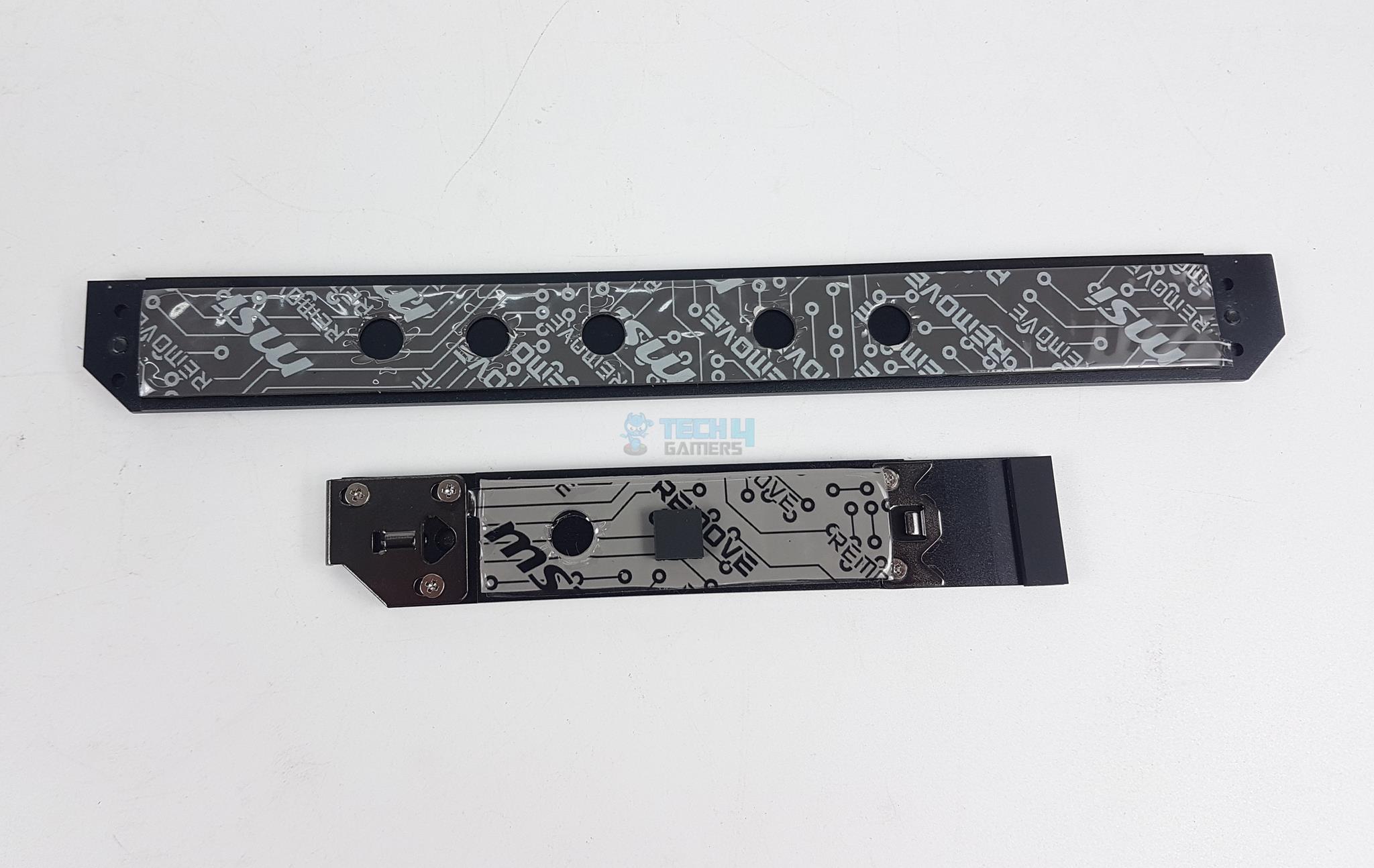
NVMe Covers
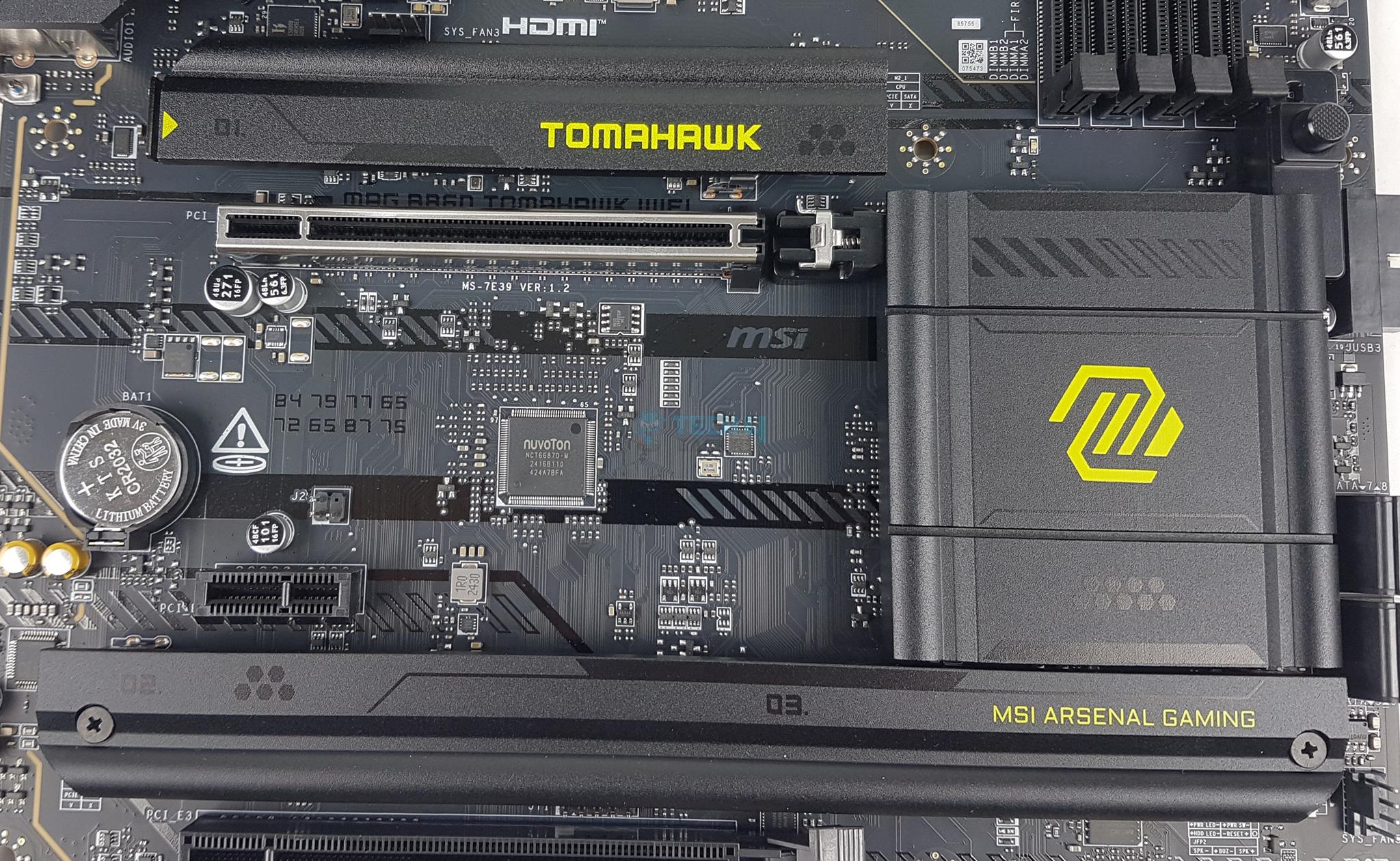
This motherboard has a total of 3x M.2 NVMe ports. All ports use heatsink covers to effectively cool the storage drives.
The covers have thermal pads. These ports use EZ M.2 clips II, making installation and removal of the drives convenient. However, the bottom single heatsink cover is not tool-less.
NVMe Port
Connections SATA Ports
The top slot is PCIe Gen5x4 M.2 NVMe wired to the CPU and has a 128GB/s bandwidth rating. The bottom two slots are wired to the chipset and rated for PCIe Gen4x4 interface. None of these M.2 ports has a bottom thermal pad, meaning the dual-sided M.2 NVMe drives will not have a thermal pad on both sides.
These ports have a form factor of 2280/2260. None of these is 22110 supportive.
Speaking of SATA ports, this motherboard has a total of 4x ports wired to the chipset.
PCIe Connectivity
PCIe Slot Lock
PCIe Latch
This motherboard has a total of 3x PCIe slots. The first slot is full x16 slotted and wired to the CPU socket. It can’t be bifurcated or split. The other two are wired to the chipset. The top slot is PCIe Gen5x16 rated. The second slot is PCIe 4.0 x16. The third slot is PCIe 4×4.
This motherboard features an EZ PCIE Release button. Pressing it once will unlock the PCIe latch or locker, and pressing it again will release the lock. This makes the user’s life easy when handling the graphics card and a beefy air cooler. The top PCIe slot is steel reinforced, which MSI refers to as Steel Armor, and it has heavy soldered connections on the PCB to support the weight of a heavy graphics card.
USB Connectivity
Connections USB (Image By Tech4Gamers)
This motherboard has USB ports on the front, rear and mid-board. It has:
1x USB 4/Thunderbolt 4
6x USB 10 Gbps ports (4x Type-A, 2x Type-C)
2x USB 5Gbps Type-A
8x USB 2.0
MSI has used several USB hubs and controllers, including GL850, RTS5420, and P130BS16.
Networking Solution
WiFi Module (Image By Tech4Gamers)
MSI has provided a wired and latest wireless connectivity on this motherboard. There is a 5GB LAN port (NUC) powered by Intel Killer E5000B network controller. In addition, there is a powerful WiFi module that comes pre-installed and a dedicated antenna is also in the box. MSI has implemented latest WiFi 7 module driven by Intel Killer BE1750X controller. Bluetooth 5.4 is provided.
The new protocol has 320MHz channel width compared to 160MHz on the previous generation. Wi-Fi 7 improves the modulation scheme from 1024-QAM to 4096-QAM, which is impressive. This new generation can send and receive data across several frequencies and channels at a time.
Audio Solution
Audio Circuit
Motherboard Chipset
MSI has implemented Audio hardware on two separate layers of the PCB. They have used a basic Audio controller from Realtek, ALC897. This is nothing fancy here. MSI seems to have retained the Thunderbolt connectivity over the advanced audio solution. This is debatable but seems fair, in my opinion. You can plug in a discreet audio solution if required, but still having Thunderbolt connectivity is good.
This is a 7.1-channel audio solution with S/PDIF output. MSI has designed the isolated analogy structure for the output on the rear panel. In this design, the external metal housing is separated from the internal layout to improve the sound quality further.
I am showing the B860 chipset after removing its heatsink cover. Now that we have a brief overview of this motherboard let’s take a look at the connectors.
Internal Connectors
There are:
Connectors
1 of 7
Connections EPS
Connections SATA Ports
Bottom Connections
Connections Fan Header
Connections Side Ports
Connections USB
Motherboard USB Header
1x Thunderbolt5 card connector (JTBT5, support RTD3)
1x 24-pin ATX Power Connector
2x EPS Power Connectors
1x Power Connector (PCIE_PWR 8pin)
1x CPU Fan Header
1x Combo Fan Header (Pump_Sys Fan)
5x System Fan Headers
1x EZ Conn-header (JAF_1)
2x Front Panel Header (JFP)
1x Chassis Intrusion (JCI)
1x Front Audio Port (JAUD)
1x Tuning Controller connector (JDASH)
3x Addressable V2 RGB LED connector (JARGB_V2)
2x RGB LED connector(JRGB)
1x TPM pin header(Support TPM 2.0)
1x OC dashboard connector(JDASH1)
4x USB 2.0 ports
2x USB 5Gbps Type A ports
1x USB 10Gbps Type C ports
Each fan header is powered and controlled by nuvoTon 3948S. The Pump Header is rated for 3A. The CPU Fan header is rated for 2A. The other fan headers are rated at 1A each. There are 4x LEDs to troubleshoot the system in case anything has issues. These LEDs correspond to the CPU, RAM, VGA, and Boot. However, there is no debug LED on this motherboard.
Rear IO Panel
Rear IO (Image By Tech4Gamers)
There are:
Flash BIOS
Clear CMOS
1x Thunderbolt 4.0 Type-C
1x HDMI Port
1x Display Port Output
4x USB 2.0
2x USB 3.2 Gen 2 10Gbps (Type-A)
1x 5G LAN Port
1x USB 3.2 Gen2 10Gbps (Type-C)
2x USB 3.2 Gen 2 10Gbps (Type-A)
WiFi 7 Antennae Ports
Audio Connectors
This motherboard comes with the rear IO cover pre-installed. However, the rear IO does not have a USB 3.2 Gen2x2 port.
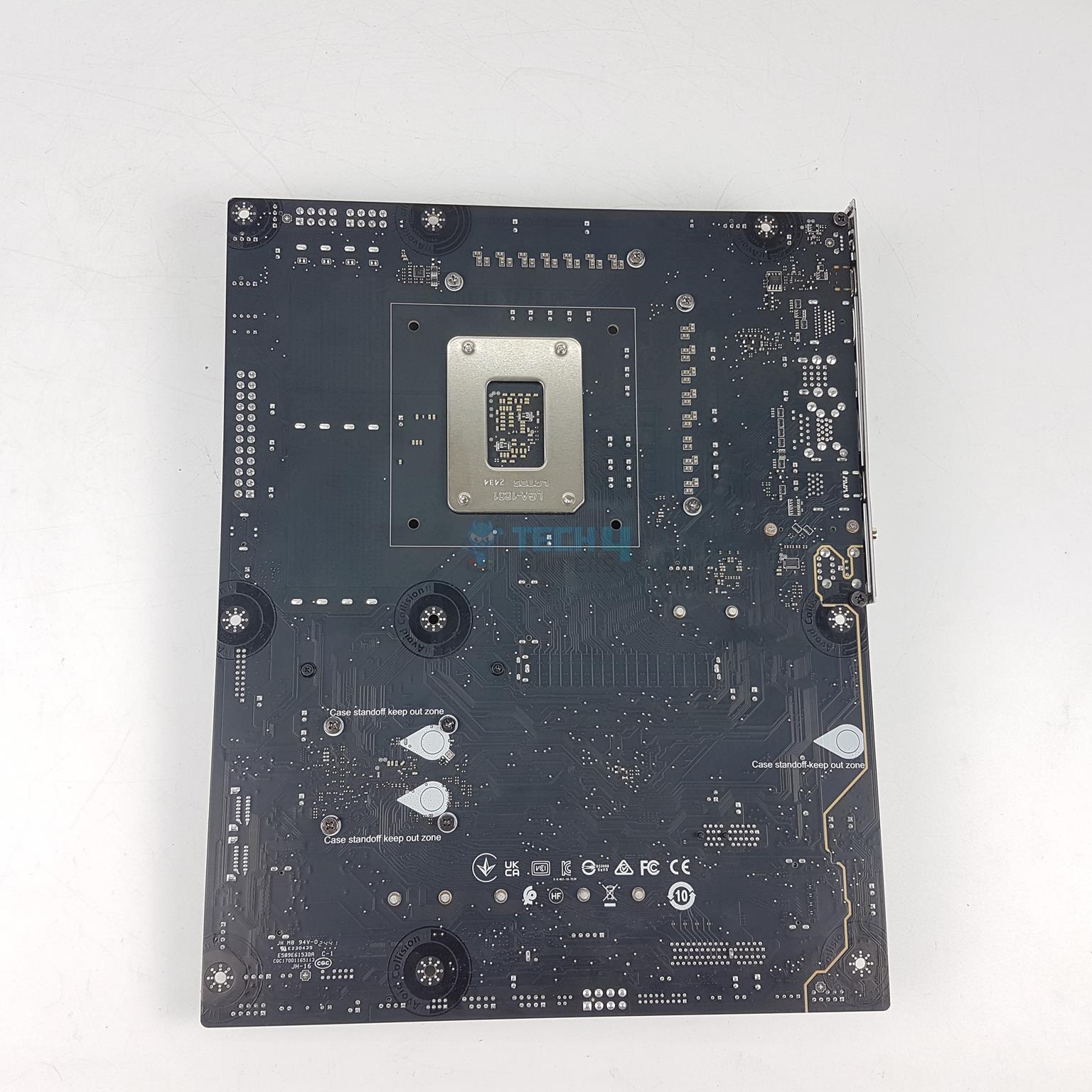
PCB View
Backview
I am showing the PCB after removing the heatsink covers. I am showing the backside of the motherboard.
Nuvoton Controller (Image By Tech4Gamers)
MSI has used Nuvoton NCT6687D-M as a main IO controller on this motherboard.
BIOS
BIOS Walkthrough
1 of 15
BIOS
BIOS
BIOS
BIOS
BIOS
BIOS
BIOS
BIOS
BIOS
BIOS
BIOS
BIOS
BIOS
BIOS
BIOS
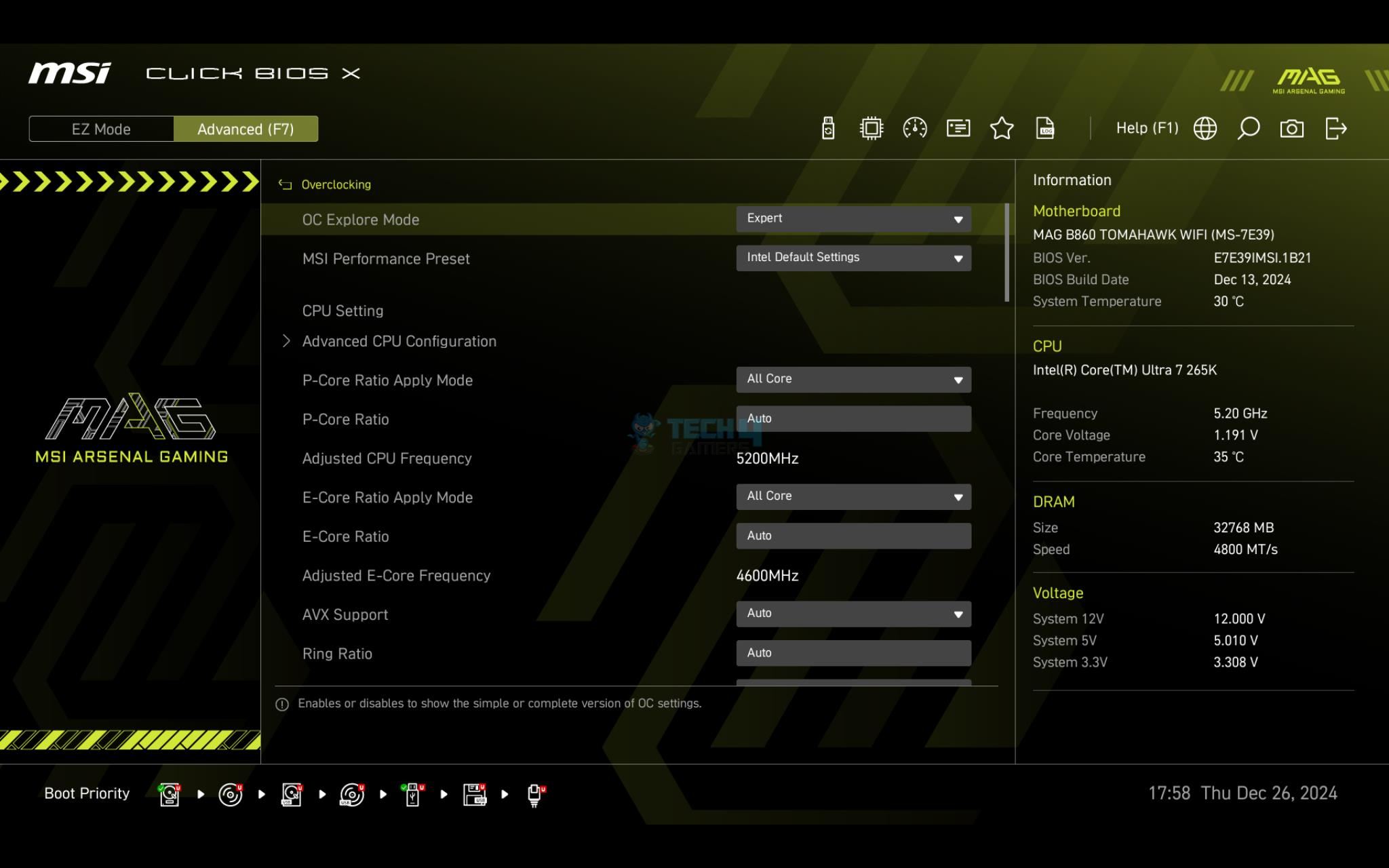
MSI has revamped its BIOS interface to make it more user-friendly and intuitive. Navigation is now smoother, with simplified sub-menus for easier access. The HW Monitor and Profiles interfaces are also more organized for better usability. When you start the BIOS, it defaults to Eazy Mode, which displays basic information like motherboard, CPU, memory settings, and temperatures. Switching to Advanced Mode is simple, and Eazy Mode even lets you enable XMP with just one click.
The Advanced Settings are divided into six main categories. The “OC” section focuses on CPU and memory voltages and related settings, while the “Settings” menu handles system configurations like boot options and save/exit preferences. The Hardware Monitor lets users adjust fan speeds, and OC Profiles allow saving and restoring configurations—perfect for simplifying setups during installation. M-Flash is available for updating the BIOS ROM, and users can manually tweak memory timings and voltages as needed.
Latest BIOS (Image By Tech4Gamers)
When we were done with the testing and ready to upload the content, MSI pushed the latest BIOS update. We updated the BIOS and done some testing only to find no improvement.
Software
If you have enabled the System Drivers Installer in the BIOS, you will be prompted to use the Auto driver installer on the Windows startup that is an automated utility. It will look for available drivers and updates and download/install them as per the user input.
Test Build
MSI MAG B860 Tomahawk WiFi Test Setup (Image By Tech4Gamers)
I have used the following configuration to test the motherboard:
Sabrent Rocket 4 Plus 4TB Gen4x4 NVMe SSD [For Games]
Fractal Design ION+2 860 Platinum PSU
Thermaltake Core P6 TG Snow Edition in an open frame layout
CPU Z (Image By Tech4Gamers)
The above is a picture showing a run of CPU-Z. We can see that CPU is reported at almost 5400.49MHz (Bus speed was at 100.1MHz to show this value). You can also see that graphics card is operating at x16 link. The RAM was operating at its tested speed of 7200MT/s after loading the XMP.
We have divided the overall tests into four major categories. These are:
CPU and Memory Tests
Gaming Tests
Storage Tests
Overall System Tests
Test Result
The testing was done on stock settings with XMP loaded. Intel’s default power profile is used.
CPU and memory benchmarks
AIDA64
1 of 2
AIDA64 Memory Bandwidth Benchmark
AIDA64 Memory Latency Benchmark
I am surprised with high latency on this platform compared to the Intel’s Z790 chipset. The speed is comparable.
AIDA64 CPU and Memory Benchmark on Latest BIOS (Image By Tech4Gamers)
We reran the test after updating the BIOS. As you can see, the performance hit is there with latest BIOS update.
AIDA64 Re-run
1 of 2
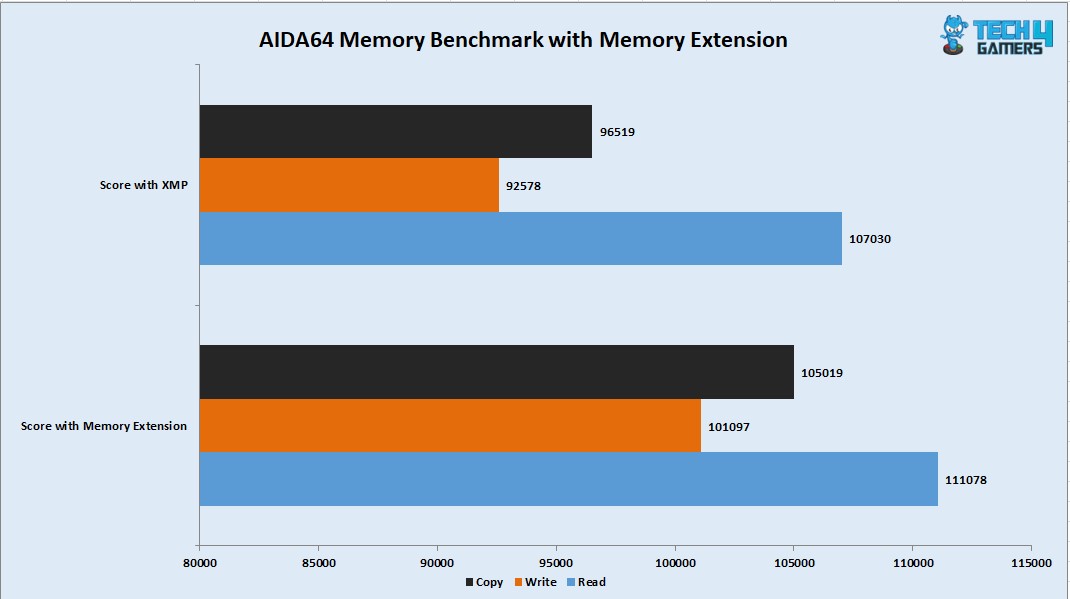
AIDA64 Memory Bandwidth Benchmark with Memory Extension Mode
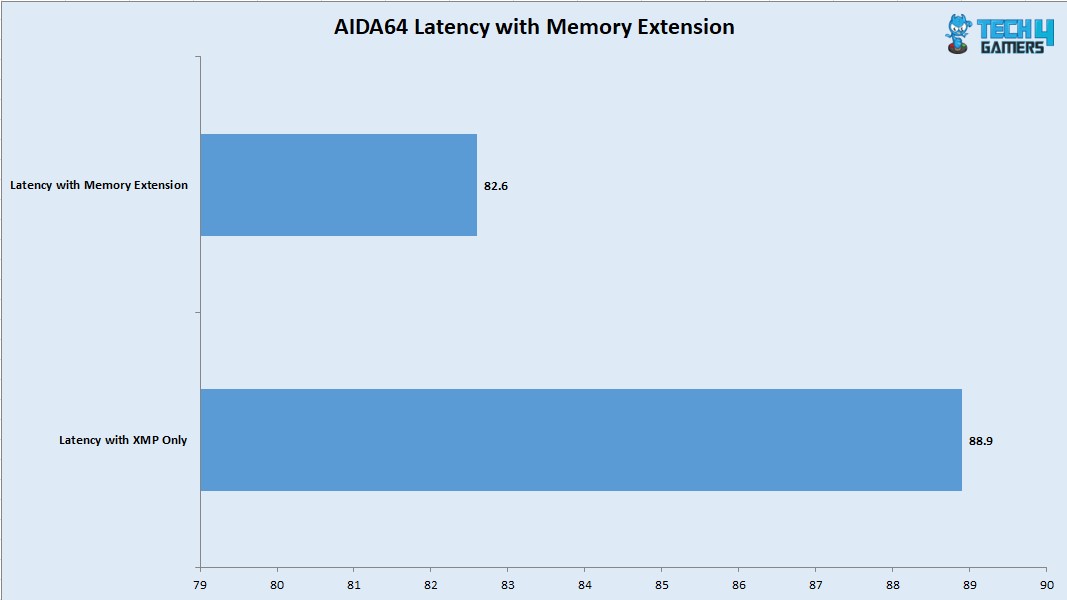
AIDA64 Memory Latency Benchmark with Memory Extension Mode
I have tested the kit with memory extension mode. You can see free performance from a single click.
CPU and Memory Benchmark, Latest BIOS, 8000MHz Kit (Image By Tech4Gamers)
I have also tested the motherboard using an 8000MHz kit with CL38. I also tested the Memory Extension mode on this mode.
CPU Benchmarks
1 of 5
3DMARK CPU Profle
7-Zip
Blender Benchmark
Cinebench R23.2
Geekbench
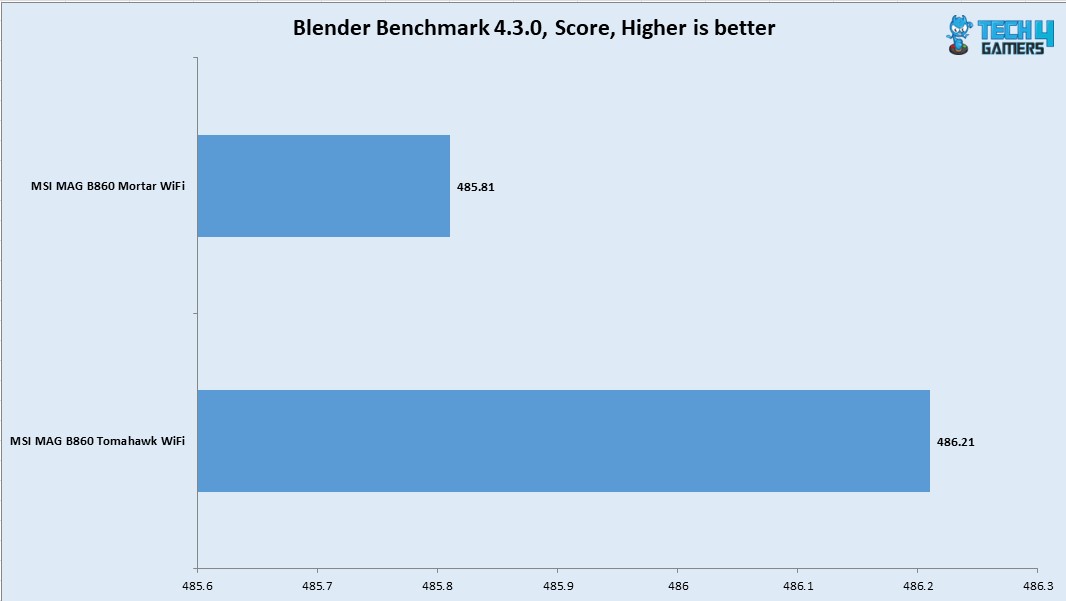
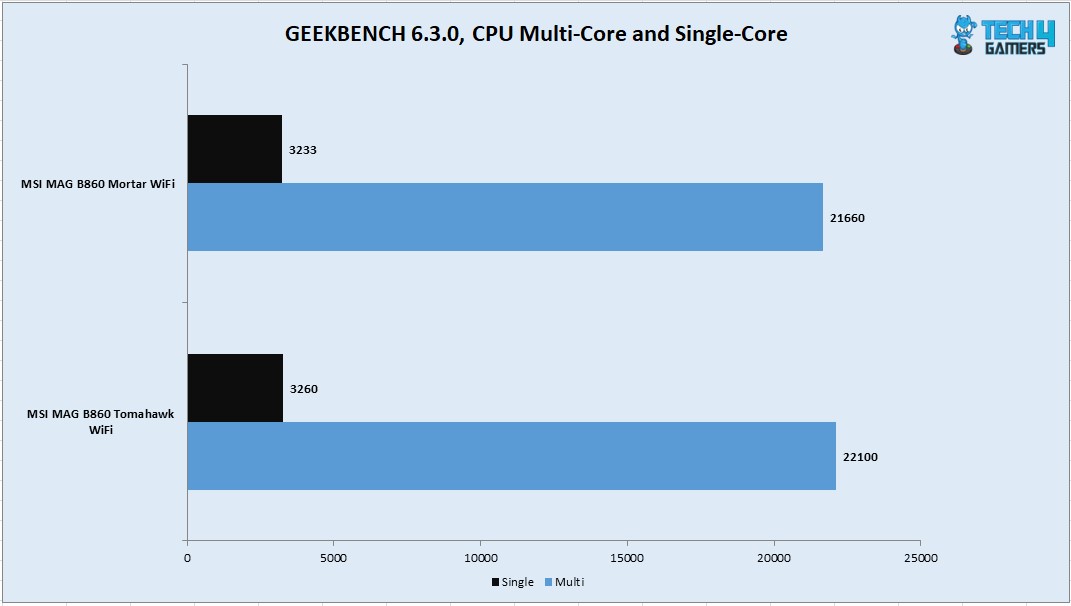
The CPU scored 36472 points in CPU Multi Core load and 2346 points in a Single Core Load in R23.2. The DDR5 kit was performing at its rating. However latencies seem to be high on this platform compared to Z790. The single core score was even more impressive in Geekbench 6.3.0. With a compression result of 161.404 GIPS and 167.455 GIPS score in Decompression, this CPU has shown its true performance potential.
Storage Test
Storage Test Benchmarks
1 of 6
CrystalDiskMark NVMe Drive
CrystalDiskMark Thunderbolt Drive
PCMARK10 Data Drive Benchmark NVMe Drive
PCMARK10 Data Drive Benchmark Thunderbolt Drive
PCMARK10 Quick System Drive Benchmark NVME Drive
PCMARK10 Quick System Drive Benchmark Thunderbolt Drive
I have used a PCIe Gen4x4 NVMe drive and a Thunderbolt 4 drive which is the Sabrent Rocket Q-XTRM 2TB portable drive. The NVMe drive passed the sequential read and write speeds in the CrystalDiskMark. The Thunderbolt drive also passed the rated speeds.
The PCMARK10 Data Drive and Quick System Drive benchmarks have shown a good performance but we saw that MSI MAG B860 MORTAR WiFi has a better score in these benchmarks compared to MSI MAG B860 Tomahawk WiFi using the same drive.
Gaming Test
Synthetic Gaming Tests
1 of 3
Fire Strike Ultra
Speed Way
Time Spy Extreme
Our build got a score of 10632 in Time Spy Extreme and 13173 in Fire Strike Ultra. The Speed Way score was 5559. Overall, the CPU and Graphics card performed well, showing that the motherboard is not holding these components back.
Gaming Tests
1 of 6
Assassin Creed Valhalla
Control
Cyberpunk 2077
Far Cry 6
Forza Horizon
Red Dead Redemption 2
In all six games that I have tested, the FPS was above 100. I tested all games using their highest graphics presets at 1440P and 165Hz refresh rate over Display Port. The gaming performance is right on the money, and this motherboard can handle the task easily.
System Performance Test
PCMARK10
Performance Test
I picked PCMARK10 and Performance Test to evaluate the overall system performance. The higher scores in results are preferable. The system was doing 10620 in PCMARK10 Basic test which is too good a performance from this build. The result from Performance Test is 13294. The overall system performance is excellent as well.
Core Clock Behavior
Core Clock Behavior
1 of 3
System Stats - 1T Load
System Stats - Idle
System Stats - Multicore Load
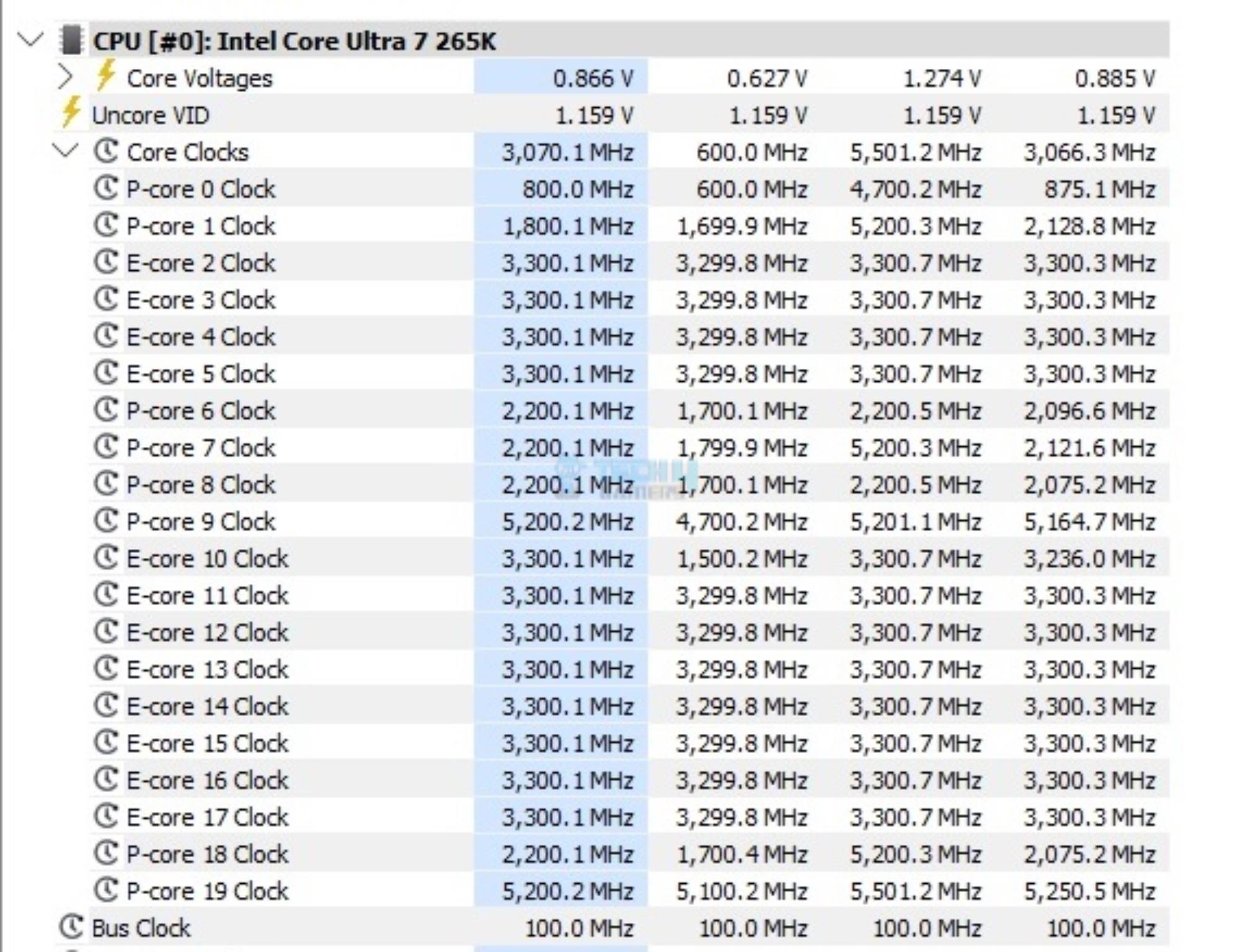
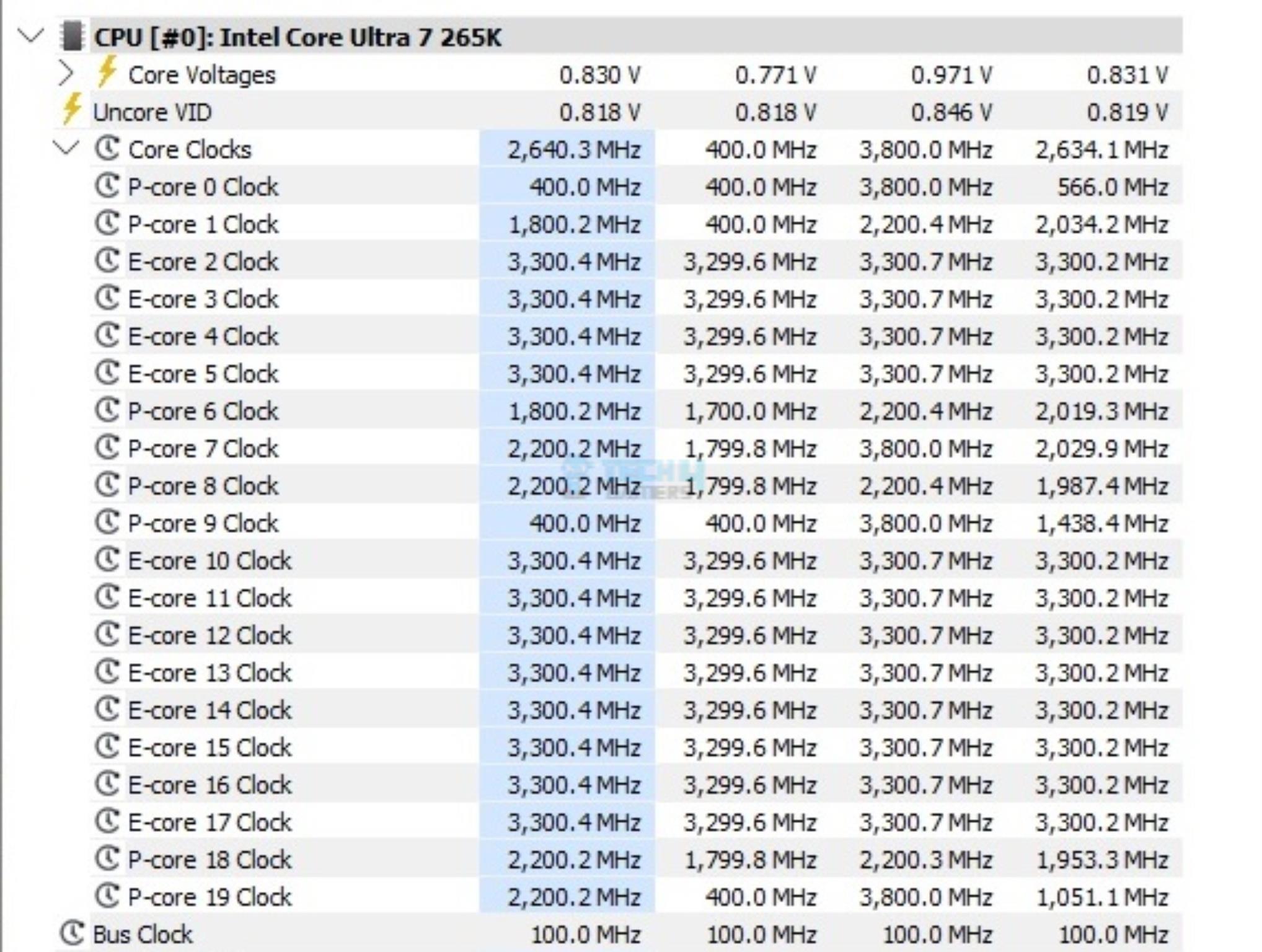
The system was left idle for 10 minutes under the Balanced Power Profile. The idle clocks were 1800~2200MHzMHz on the P-Cores, whereas these were 2200MHz on the E-Cores, more or less. The clocks were peaking to 5.5GHz under 1T load. All cores load put these clocks to 5.2GHz. These figures confirm Intel’s clock ratings for Core Ultra 265k.
Power Draw
I am reporting the system-wide power draw here. It would come down to the configuration and is not comparable with other configurations. It would give a rough idea of a relevant power consumption. The four categories are:
System Idle Power
System Gaming Load Power
System Power with 1T Core Load
System Power with nT Core Load
Power Draw
1 of 4
System Power Draw - CPU 1T Load
System Power Draw - Idle
System Power Draw - Gaming Load
System Power Draw - CPU All Cored Load
The system idle power draw was 63.8W, which seems a bit high. The power draw with a gaming load was 533W, which is fine. When we put the CPU only under load, the system-wide power draw with 1T load was 100W, and it was 299.2W with all cores load using Cinebench R23.2.
Thermals
VRM Thermals (Image By Tech4Gamers)
Testing was done at an ambient temperature of 16ᵒC. The CPU idled at 25ᵒC, and the graphics card idled at 39.2ᵒC. Under load, the CPU was doing 72ᵒC whereas the GPU was doing 76ᵒC. The VRM/MOSFET was doing 49ᵒC at the same ambient.
Should You Buy It?
Buy It If
✅You want to experience Intel’s latest platform: MSI has got you covered for good with MAG B860 Tomahawk WiFi with a good feature set justifying this price tag.
✅You want to game without hiccups: The MSI MAG B860 Tomahawk WiFi has everything a gamer would need even a high speed, latest wireless network along with a 5G LAN.
✅You are looking for Gen 5 connectivity: If you are looking for Gen 5 connectivity, then MAG B860 Tomahawk WiFi is for you.
✅Value is your thing: Coming in at USD 239, this motherboard is a good mid-range motherboard that can fulfil your gaming requirements without breaking your wallet.
Don’t Buy It If
❌You already have a Z690/Z790 motherboard. I would not upgrade if I am on an Intel 13th or 14th gen platform.
Final Words
MSI MAG B860 Tomahawk WiFi motherboard is a mainstream offering with the best features. This motherboard is based on Intel LGA1851 using the B860 chipset. It has 3x M.2 ports, with one port operating on a Gen5x4 link. In addition to the M.2 ports, this motherboard has 4x SATA ports.
This is not all; we have extensive USB ports on the mid-board and rear/front, including USB 3.2 Gen2x2 and USB 3.2 Gen2 Type-C ports. A Thunderbolt 4 port on the rear panel is part of Intel’s feature on the latest platform. It uses USB 4 tunnelling.
Having Clear CMOS and Flash BIOS buttons on the back panel is nice. This motherboard has a 12+1+1+1 power delivery mechanism, which can handle Intel mid-range CPUs. The cooling department is also strong, with 6x Fan headers and an aluminum heat sink cover over the VRM/MOSFET, M.2 ports, and Chipset. MSI has used thermal pads on these covers.
MSI has provided a 5GbE NUC and an integrated WiFi 7 module (with Bluetooth). There is also overcurrent and overvoltage protection. This motherboard provides Memory Try It, Memory Extension mode, and an OC Engine in the BIOS that caters to different requirements, such as memory OC or Gaming needs.
The BIOS interface has been redesigned, and MSI has simplified it to my liking. Regarding audio, MSI has provided the RealTek ALC897 codec, which is a pretty basic audio solution. Overall, this motherboard’s performance is good.
MSI has provided almost everything a gamer would need in this B860 chipset—you name it. It comes with the latest wireless network, PCIe Gen-5 connectivity, SOC overclocking, Memory boost, a whopping 9200MHz support, CUDIMM support, an Auxiliary PCIe Port, ATX 3.1 readiness, and a Thunderbolt-4 port. MSI has my praise. This motherboard costs USD 239 and has a 3-year warranty from MSI.
At Tech4Gamers, I mainly cover new gaming news, leaks, and rumours. Aside from that, I love to write features about my favourite games while inserting my opinion about their different aspects.
Story Highlight
The hype of Kingdom Come Deliverance 2 is at an all-time high as there is less than a month left for the release.
Fans have been waiting to know about its performance on consoles, especially on the Xbox Series S.
Overall, the game runs pretty well on PS5, Xbox Series X, and PS5 Pro; it also maintains 30 FPS on the Series S at native 1080P.
Kingdom Come Deliverance 2 is among the most anticipated titles of 2025. While many fans have been excited to play it, some have had concerns regarding its performance, especially on the consoles.
KCD2 developer has also blamed the Xbox Series S for not allowing it to have freedom over the game’s scope. However, fans shouldn’t worry much as the game is fairly well optimised on the consoles, especially on the Series S, as it runs at a stable 30 FPS.
Why it matters: Kingdom Come Deliverance 2 PC specs are brutal, as even the RTX 4080 can’t run it at 4K 60FPS, but its analysis on the console reveals that the game is well-optimised.
ElAnalistaDeBits on YouTube has released thorough footage of the game running on different consoles. It seems to run pretty great on Xbox Series X, PS5, and PS5 Pro. The performance mode offers 60+ FPS on the aforementioned consoles.
On PS5 Pro, the game is upscaled to 4k, while on the base console and Series X, it is upscaled to 2k resolution. However, the impressive bit is KCD2 running on Xbox Series S. Despite the console’s limitations, the game runs at native 1080P 30 FPS.
Not only that, but the console offers a stable 30 FPS experience, which is pretty surprising given how hefty Kingdom Come Deliverance 2 is. The image quality, drawing distance, and attention to detail also seem perfect.
Kingdom Come Deliverance 2 On Xbox Series S Offers Perfect Draw Distance Even When Compared To Other Powerful Consoles Like Series X and PS5
So, fans who were having doubts about the game not running well on consoles, especially on the Xbox Series S, shouldn’t worry. Kingdom Come Deliverance 2 previews have made fans even more excited, and the game will be released worldwide on PC and Consoles on February 4.
What do you think about Kingdom Come Deliverance 2 running smoothly on the consoles? Have you seen the early access footage? If so, what do you think about its graphics? Share your thoughts with us in the comments section below or join the discussion at the official Tech4Gamers forums.
Currently serving as a News Reporter at Tech4Gamers, I have the privilege of combining my love for gaming with the art of storytelling. My role involves crafting engaging narratives that keep our audience abreast of the latest developments in the gaming world.
Story Highlight
The third Xbox Developer Direct will take place on January 23rd.
A reliable insider indicates that the showcase may be bigger than it seems to be.
The showcase is expected to reveal an unannounced title and huge changes for the Xbox ecosystem.
Microsoft’s annual Xbox Developer Direct will be held later this month, on January 23. Previously, it was teased that the developer showcase would feature an unannounced title, adding to the excitement.
Insider Jez Corden has now come forward, stating that the Xbox Developer Direct will be bigger than Microsoft suggests.
Why it matters: While Microsoft has not directly discussed Developer Direct, the showcase is being teased to feature multiple big reveals.
I think the Xbox Developer_Direct is going to be a lot bigger than Microsoft is currently letting on. We'll see. 😎
It has already been confirmed that ID Software will discuss DOOM: The Dark Ages before its release later this year. Moreover, it is speculated that we will learn more about titles like Fable and 33 Immortals.
However, Xbox may have some huge news for Developer Direct regarding its multiplatform strategy. Earlier, it was reported that Xbox wanted the best of Xbox and PC in handheld consoles, with changes starting this year. What better event to discuss this further?
The Elder Scrolls 4: Oblivion Remake Could Be Announced At The Upcoming Xbox Developer Direct
Considering earlier speculation that Elder Scrolls IV: Oblivion may be the unannounced title suggested by insiders and a huge ecosystem change for handheld consoles, the upcoming Developer Direct may be more exciting for the gaming industry as a whole.
Xbox is finally on the right path after years, and with the rumors surrounding it, they aim to keep this momentum for 2025, too. What are your predictions for the Developer Direct on January 23? Let us know in the comments or join the official Tech4Gamers Forum.
I’ve previously worked for eXputer as a Senior News Writer for several years. Now with Tech4Gamers, I love to devoutly keep up with the latest gaming and entertainment industries. I have a Bachelor’s Degree in Computer Science and years of experience reporting on games and breaking exclusive stories. Besides my passion for gaming journalism, I love spending my leisure time farming away in Stardew Valley. VGC, IGN, GameSpot, Game Rant, TheGamer, GamingBolt, The Verge, NME, Metro, Dot Esports, GameByte, Kotaku Australia, PC Gamer, and more have cited my articles.
Story Highlight
CDPR CEO Michal Nowakowski says that over 100 veteran Witcher developers are involved with the next mainline game.
Some of these developers have worked on Witcher 1 and 2, including the story director who is involved with Witcher 4.
Michal’s replies suggest that almost half the original Witcher 3 team remains at CDPR after almost a decade.
After many years with The Witcher 3, fans finally got to see the next main title in the franchise in last year’s The Game Awards show. The trailer—which was rendered on the RTX 5090—stole most of the spotlight from the massive event. It also bumped up CDPR’s stocks up by over 70% last year.
However, Ciri becoming the new protagonist and DEI controversies aside, the gaming scene was also worried about the new development team rumored to be working on The Witcher 4.
CD Projekt Red CEO Michal Nowakowski has squashed those speculations by claiming that over 100 veteran Witcher franchise developers are involved with the next mainline title.
Why it matters: This confirms that The Witcher 4 will not be developed by new hires who may not grasp the full essence of the franchise.
Many notable Witcher franchise developers are working on the next mainline entry, as confirmed by the CDPR boss.
The CEO tweeted that over a hundred developers from The Witcher 3, including veterans from the first two games, are working on The Witcher 4. The original Witcher’s story director is also leading the new saga.
Previously, Michal claimed in the same thread that CDPR is not collaborating with Sweet Baby Inc., on The Witcher 4. He noted that the studio did not even know of its existence until recently.
Do you think all these veteran developers will be able to craft a Witcher experience that players will love? Let us know your thoughts in the comments below, or join the discussion on the official Tech4Gamers forum.
At T4G, my task is to cover the latest news around the gaming globe ASAP and with the utmost precision. I adore all the games and respect all the devs behind the amazing games that we get all year. So, whether it’s a PC or a Console game, I got it all covered.
Story Highlight
Sony has removed the PSN requirement from its third-party title, Lost Soul Aside on Steam.
Other third-party games like Until Dawn and Midnight Murder Club still have the requirement.
Future first-party releases like Spider-Man 2, and TLOU 2 will also require a PSN account.
The PSN account requirement was first added to Helldivers 2, locking the game from almost 100 countries. Since then, the requirement has been there for every PlayStation title on Steam, whether first-party or third-party.
However, with its upcoming third-party release, Lost Soul Aside, PlayStation has surprisingly removed the PSN account requirement, which has sent fans into speculation about whether it’ll be removed from more titles or not.
Why it matters: PSN account requirement leads to the delisting of PlayStation releases from major parts of the world. Also, it just adds another launcher that you have to deal with other than Steam.
PSN requirement removed from Lost Soul Aside on Steam
As per the SteamDB listing, The PSN account requirement was removed from Lost Soul Aside 25 days ago. Despite this, other PlayStation third-party games like Until Dawn Remake and Midnight Murder Club still require it.
Also, it has been confirmed that the upcoming Marvel’s Spider-Man 2, and The Last of Us Part 2 PC ports will require PSN as well. So, they won’t be available in regions that don’t support the service.
PlayStation first-party PC ports require a PSN account to access the games.
The account requirement makes sense for multiplayer games, but not for single-player titles. Furthermore, it also restricts access to a huge number of gamers that want to experience the title.
It isn’t clear what the intention was behind removing the requirement from Lost Soul Aside. Nonetheless, it is still uncertain if Sony will remove the PSN account requirement from all its games in the future.
What are your thoughts on the PSN requirement being removed for Lost Soul Aside? Does the account requirement bother you? Let us know your opinions in the comments or join the discussion at the official Tech4Gamers Forum.
As the CPU Cooler and RAM Expert, I test the latest hardware to provide tips for smart purchases. I cover everything from busting myths about CPU coolers to looking into the newest RAM designs, examining various parts of PC hardware.
The NF-A12x25 PWM and other fans in that series have been a huge success for Noctua. Noctua came out with something good, and others followed quickly, though the first mover advantage will remain with Noctua. We were anticipating the 140mm version of this fan, but it took quite some time for Noctau’s R&D to finalize the design after rigorous testing and other such activities.
Finally, the NF-A14x25 G2 PWM is out in different configurations. Why G2? Noctua has kept the original NF-A14 naming convention in place to make it easier for the customers to identify the fans generation. The basic foot print of G2 is coming from the regular NF-A14 as well.
Why Trust Tech4Gamers
Hayyan Serwer is our CPU Cooler expert who has been testing different AIOs for years.
80+ coolers tested and reviewed by our team of hardware experts (Tech4Gamers Team).
900+ hours spent testing different CPU coolers for our reviews.
At Tech4Gamers, ensuring you get reliable information is our priority. That’s why every hardware round-up undergoes a meticulous review process by our team of experts and editors. Each review is carefully examined against our strict editorial guidelines, guaranteeing you trustworthy insights you can depend on.
*The NF-A14x25r G2 PWM is not a new release since these fans came out with a new generation of NH-D15 G2 coolers, which we have also tested. These are now available as standalone fans as well.
The LS-PWM stands for low speed, wherein the maximum rotational speed is reduced to provide an even better overall noise output. This version, in particular, is suitable for case ventilation.
The S-2xPP fans come with two NF-A14x25 G2 PWM fans. These two fans have offset speed setting (±25 RPM) meaning both fans will not operate at same speed under any circumstances. This is done to reduce harmonic phenomena like intermittent vibration or humming coming from interference.
Key Takeaways
The Noctua NF-A14x25 G2 PWM is a high-end 140mm fan that delivers excellent cooling performance and near-silent operation, built with high-precision engineering and premium materials.
You should buy the Noctua NF-A14x25 G2 PWM if you want great performing, nice sounding 140mm fans that feature a variety of accessories, including gaskets, mounting options, and anti-vibration pads.
You should skip the Noctua NF-A14x25 G2 PWM fans if you’re on a tight budget or the brown/beige color theme of Noctua does not suit you.
NF-A14x25 G2 PWM fans are the next big thing in the arsenal of Noctua’s fans. These fans are based on the culmination of NF-A14 PWM and NF-A12x25 PWM fans, making it the best of both worlds. The NF-A14x25 G2 PWM fans deliver a solid performance at reduced noise output but they may not be giving you a true value against the ARCTIC P14 PWM PST A-RGB fans. The only caveat would be the typical brown and beige color scheme.
A Look At The Packing Box
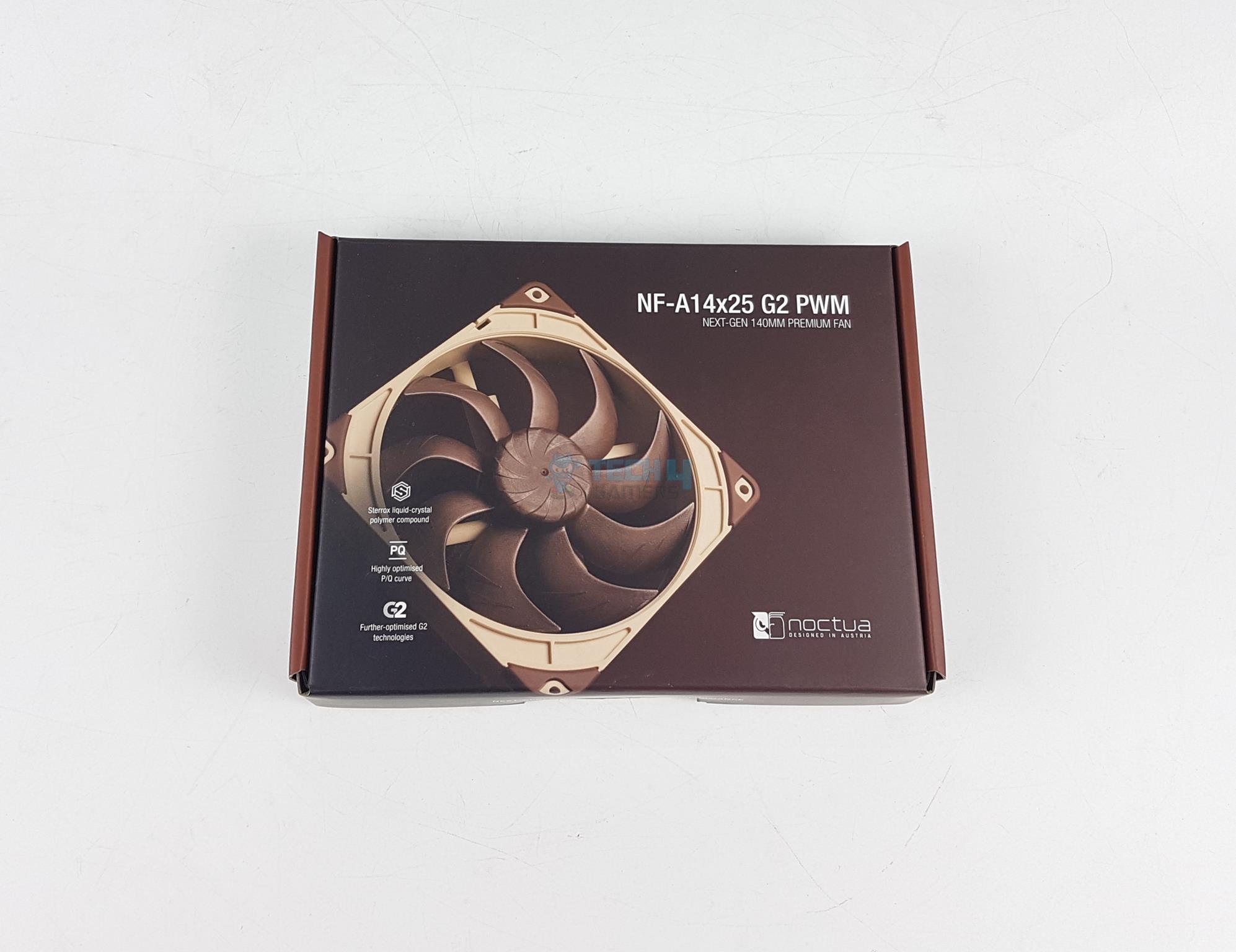
The fans are shipped inside a cardboard-based packing box.
Packing Box
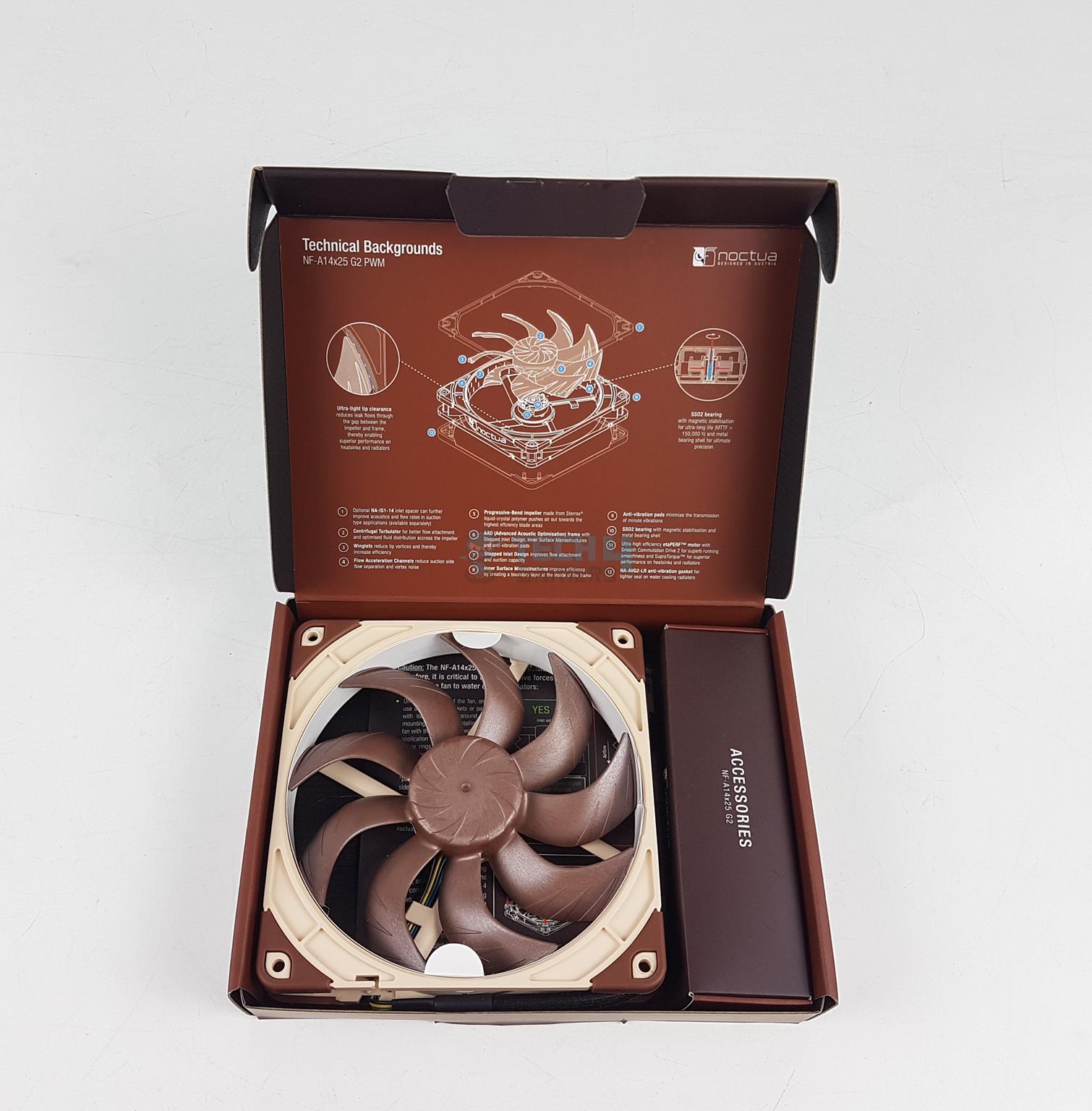
Inside Packing Box
Noctua has changed the color theme with G2 series of products. The main packing box is made of cardboard box finished in tan brown or dark brown color theme.
Opening the box reveals the side-by-side placement of the fan and the accessory box.
Guide (Image By Tech4Gamers)
Noctua has mentioned that these fans are high-precision devices with extremely strict tolerances. This is regarding the installation of these fans over the radiator. Allowed total compressive per screw is 7.5Kg with a total of 30Kg max. In other words, 0.15 to 0.25 Nm torque with typical screws is required.
I am wondering why they did not include a screwdriver with this torque calibration to make the life of the user easy!
A single fan pack of NF-A14x25 G2 PWM box comes with:
1x NF-A14x25 G2 PWM fan
1x NA-RC16 Low-Noise Adaptor (L.N.A.)
1x NA-YC1 4-pin PWM splitter cable
1x NA-EC1 30cm extension cable
4x NA-AV2 anti-vibration mounts
1x NA-AVG2-LR anti-vibration gasket [Installed on the fan]
4x NA-AVP1-LR load-relief anti-vibration pads
4x Fan screws
Design
Let’s start with the key features of the new fans:
AAO (Advanced Acoustic Optimization) Frame*
Stepped Inlet Frame*
Inner Micro Structure*
Sterrox material derived from LCP (Liquid-Crystal Polymer) used on the impeller
A gap of only 0.7mm between the impeller and the frame
Additional brass structure to reinforce the axle mount
CNC-milled bearing shell
Flow Acceleration Channels and Winglets on the blades*
Further Improved SSO2 bearing
etaPERF Motor with NE-FD6 Motor IC
Commutation Drive 2 System
SupraTorque
PWM Regulation with auto stop function on 0% PWM*
Safety Protections for challenging electrical environments
6-Year Warranty*
Low Noise Adapter and Extensive Cabling Options
Integrated anti-vibration pads and gasket
Progressive-Bend Impeller
Centrifugal Turbulator Hub
*Features retained from NF-A14 PWM fans.
Fan Design (Image By Tech4Gamers)
Noctua has retained the beige and brown color scheme here. I am expecting chromax.black edition of these fans down the road. Each fan has 9x progressive bend impellers having flow acceleration channels and winglets.
These blades are swept backwards to the hub and work in synchronization with the centrifugal Turbulator to improve uniform load across the surface. The winglet design combats the tip vortices.
LCP material is used on the impellers and the ultra-low tip clearance of 0.7mm is there. The AAO frame integrates the stepped inlet design, inner surface micro-structures, and anti-vibration pads.
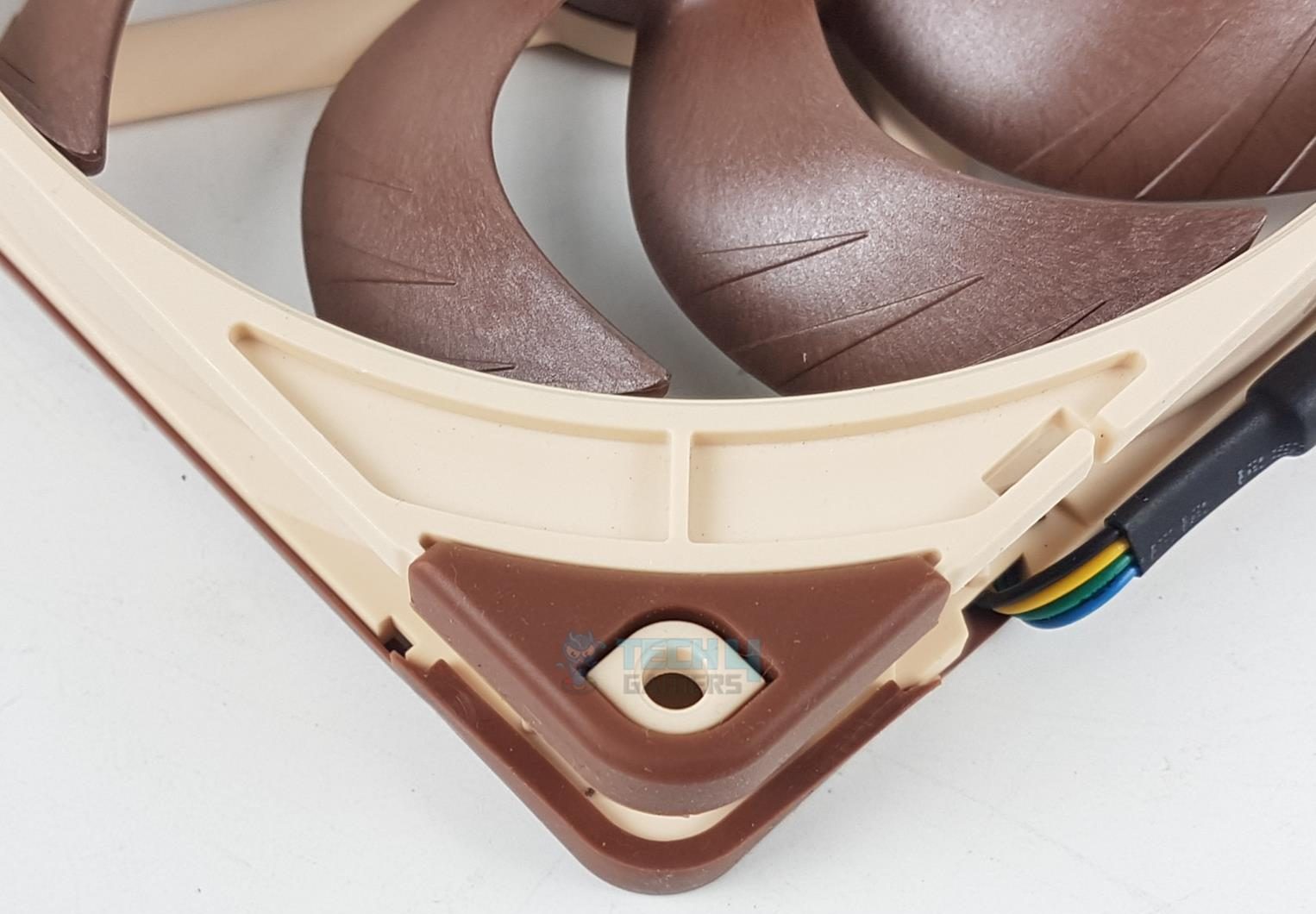
Fan Mounting Corner
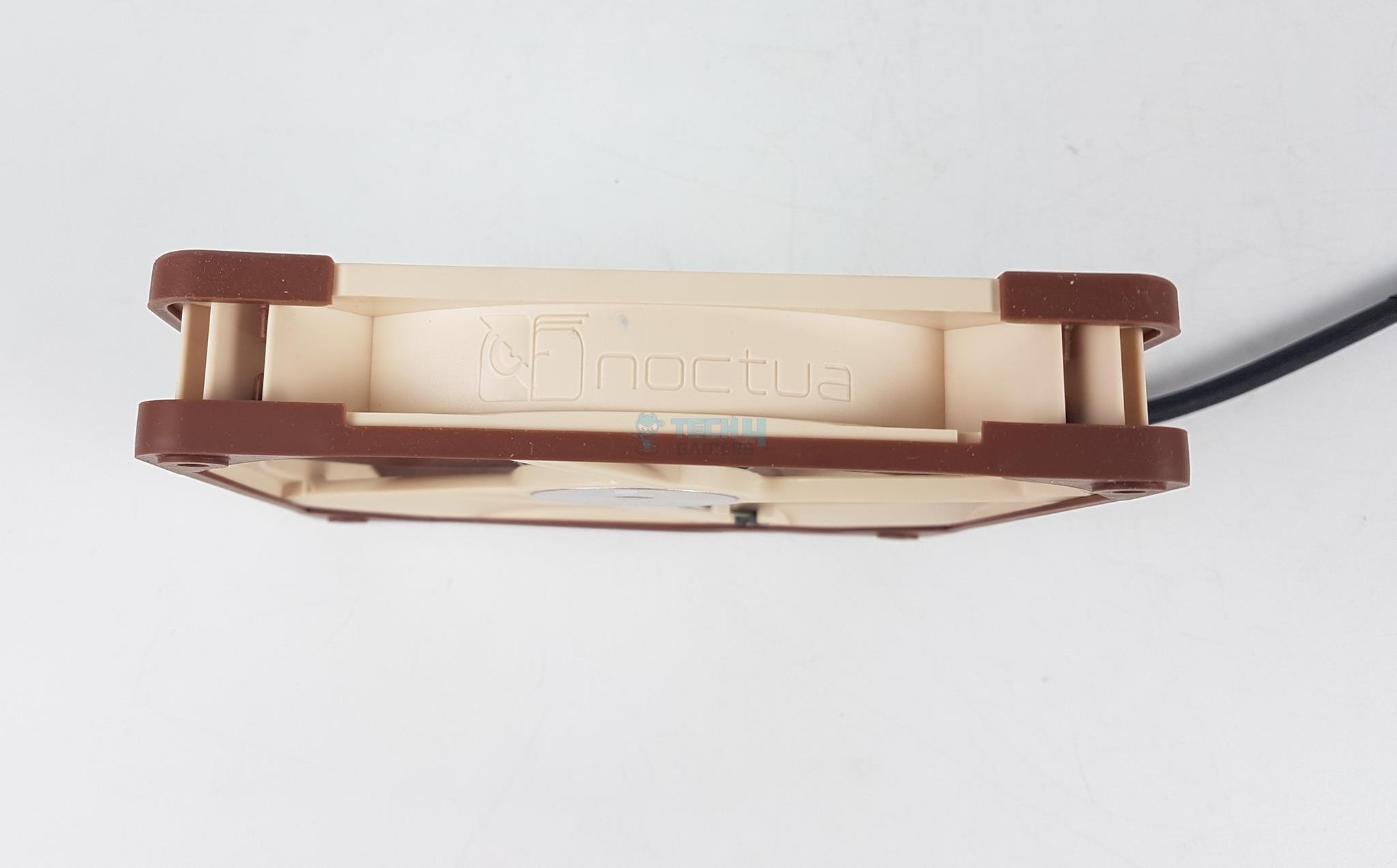
Fan Frame Branding
The NA-AVP1-LR load relief anti-vibration pads come pre-installed on one side of the fans. There is a NA-AVG2 silicon gasket is on the rear to ensure proper seal over the radiator/surface.
One side of the AAO frame has a Noctua branding.
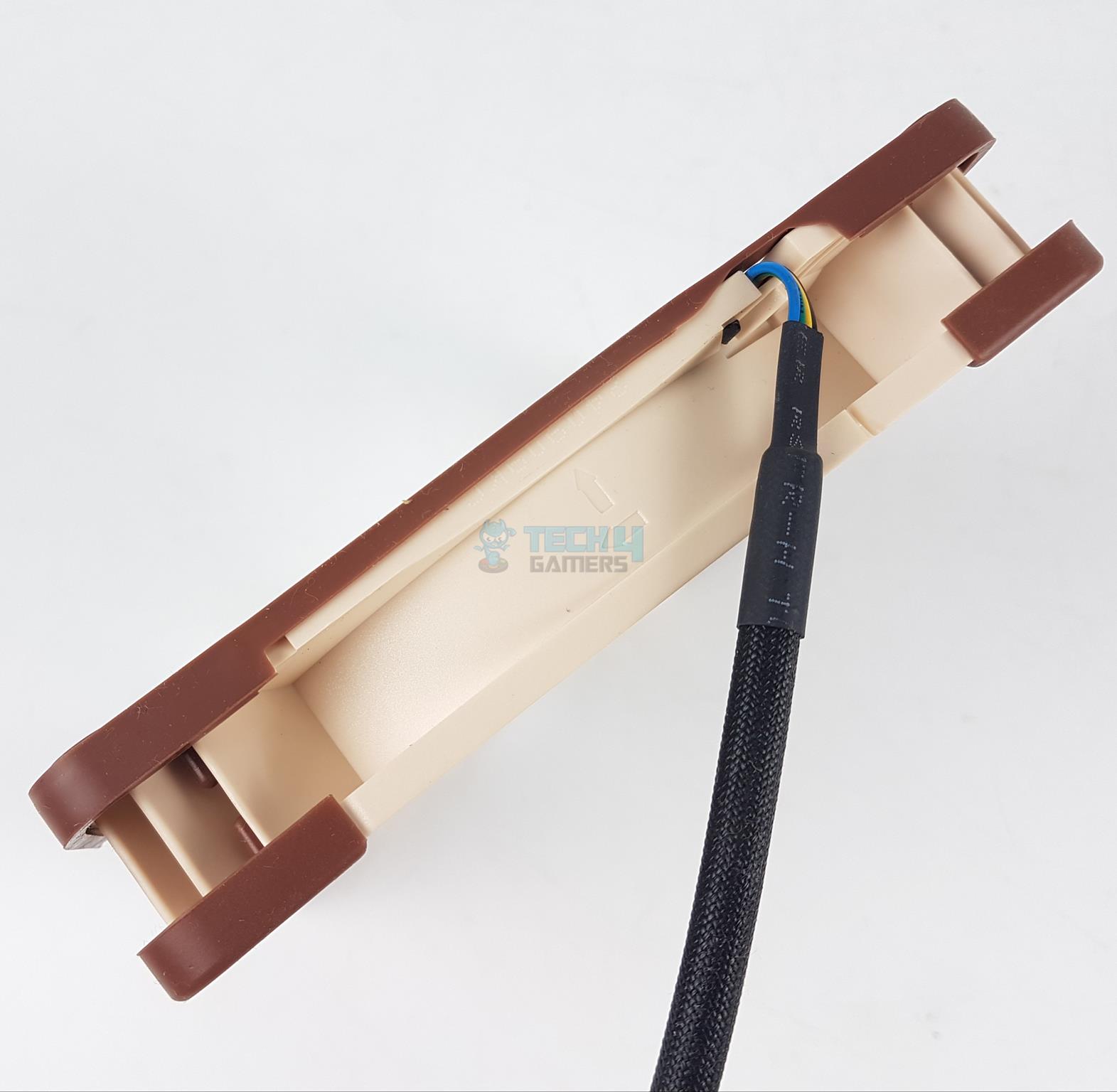
Fan Frame Arrow Markers
Fan Back View
The arrow markers provide visual aid to the user in determining the direction of airflow and direction in which the blades spin.
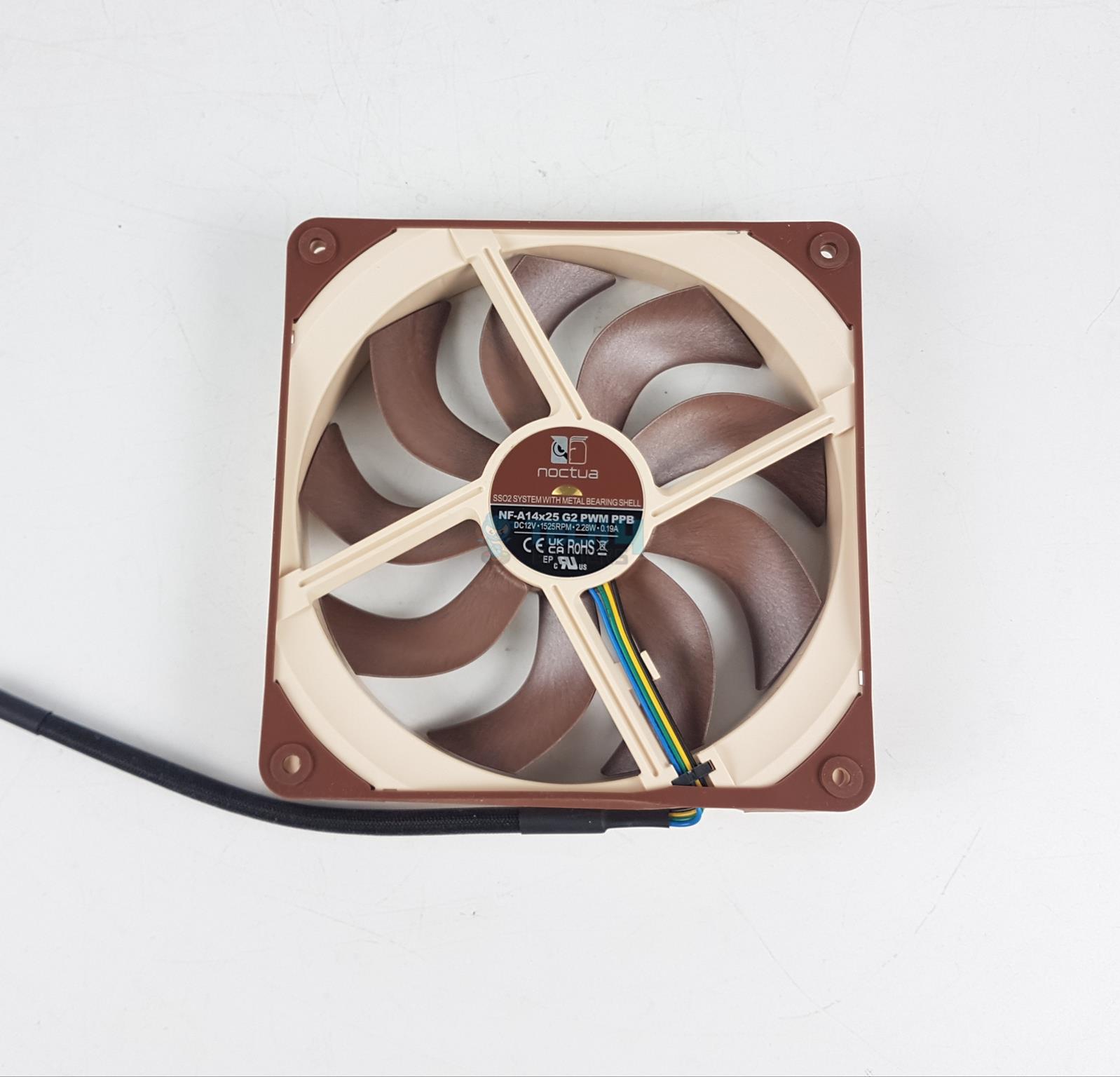
Looking at the backside of the fan, there is a 4-arms assembly with each arm having a unique sloped with sharp center design. Inward slope design on the borders is also visible. The gasket I referred to above is also visible.
These fans draw 0.19A at 12VDC using 2.28W power per fan. These fans use Noctua’s SSO2 bearings with a life span of > 150,000 hours. Noctua has used CNC milled brass made bearing shell for long-term stability with minimum tolerance.
4-pin PWM connector (Image By Tech4Gamers)
There is a small size cable with a 4-pin PWM black connector to regulate the speed. This fan uses NE-FD6 motor drive system combined with the SupraTorque technology. This motor integrates Hall Effect sensor for precise commutation performance using Smooth Commutation Drive 2 technology.
The SuporaTorque technology allows these fans to maintain the same RPM even when employed on the surface with high back pressure.
Safety Information
These fans come with the following safety features/protections, making them suitable for challenging environments:
Reverse Polarity Protection
Over Voltage Protection
Over Current Protection
Testing
I have used the below configuration for thermal testing:
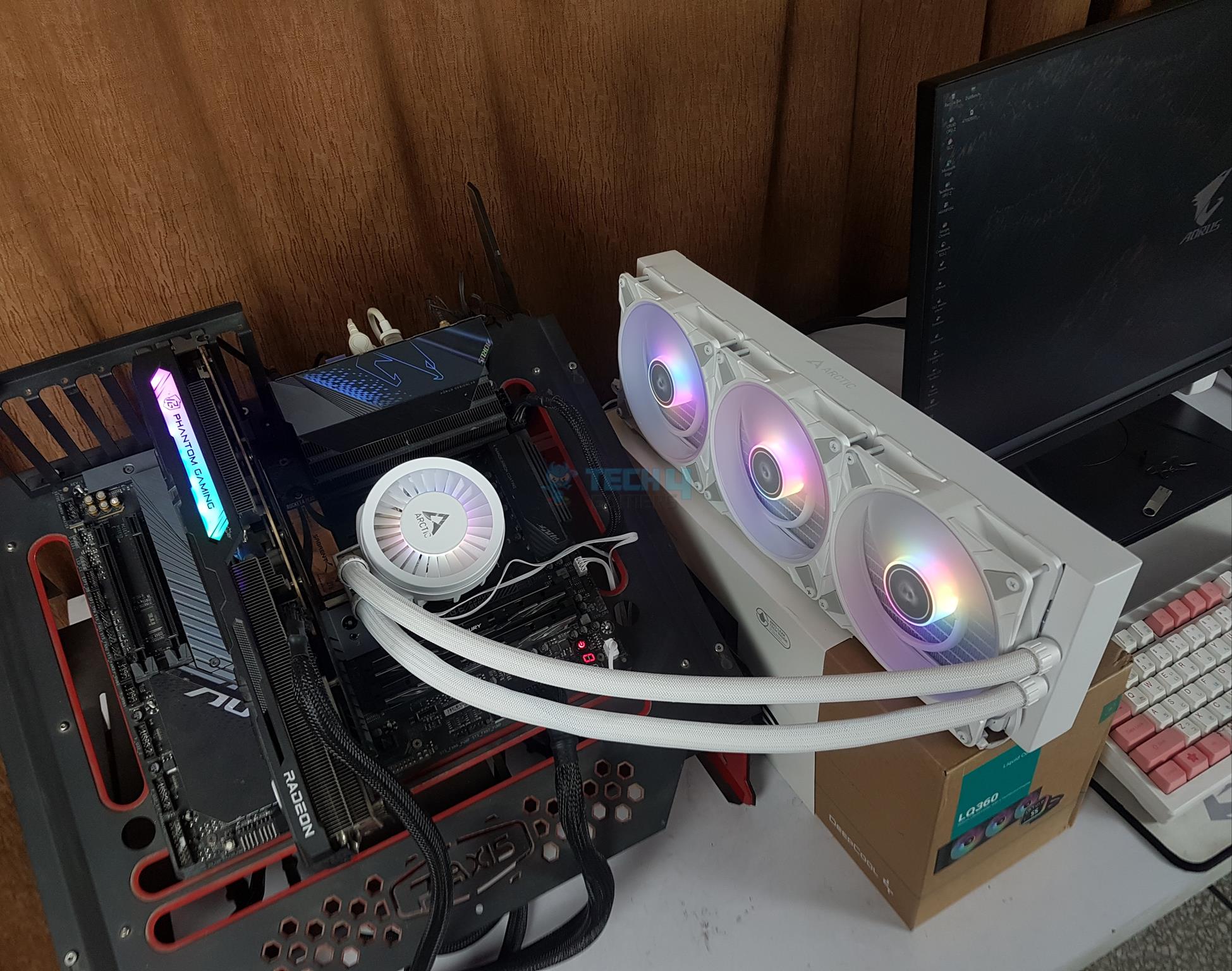
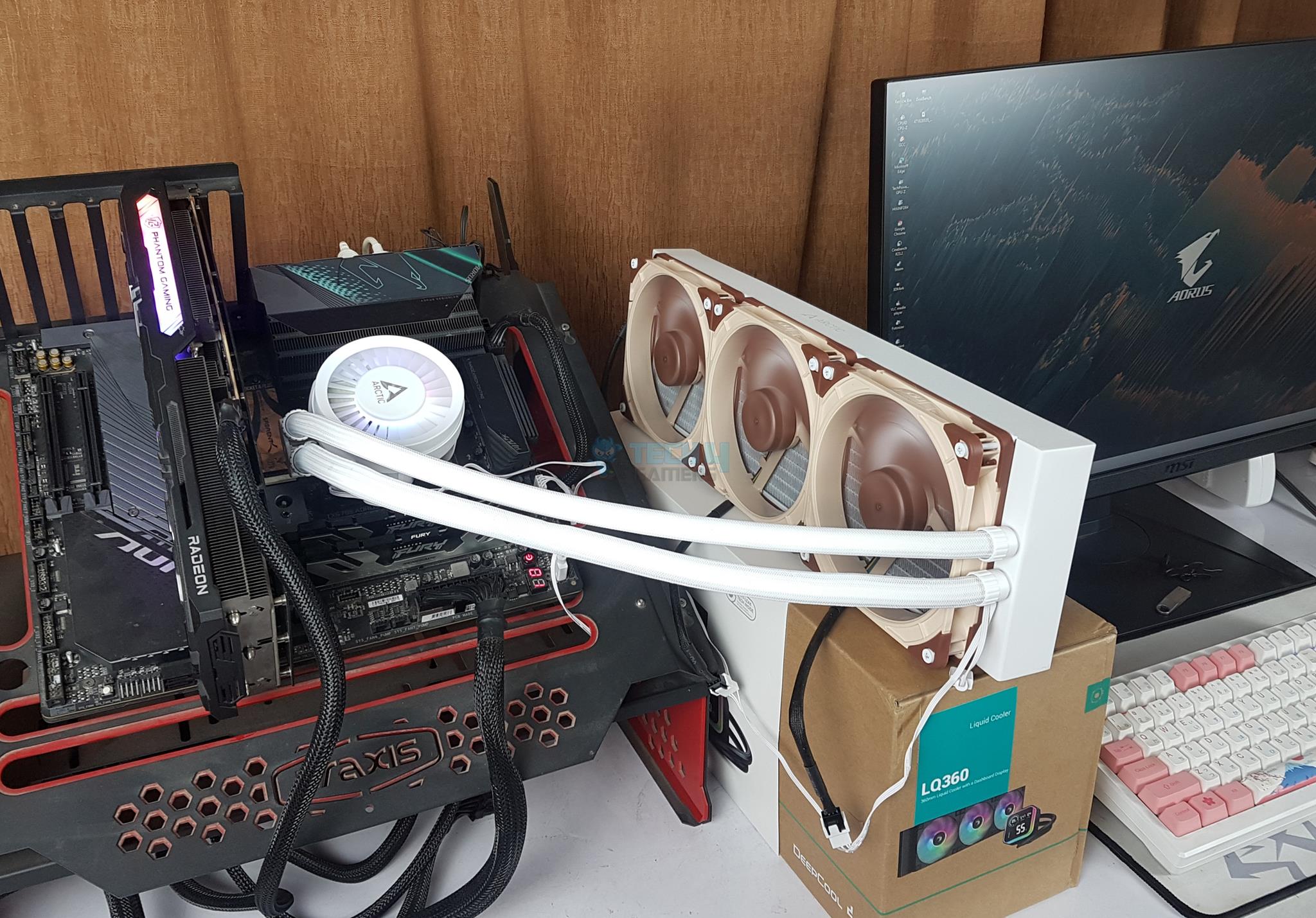
Noctua – NF-A14x25 G2 PWM – Test Setup With Noctua Fans
The fans are tested at full speed. Here is a specification comparison of ARCTIC P14 and Noctua fans:
NF-A14x25 G2 PWM
P14 PWM PST A-RGB
Dimension
140x140x25mm
140x140x25mm
Speed
1500 RPM
200~1900 RPM
Airflow
155.6 m³/h
117.06 m³/h
Static Pressure
2.56 mmH₂O
2.0mmH₂O
Max Volume
24 dBA
0.3 Sone
Bearings
SSO2
Fluid Dynamic
Rated Voltage
12VDC
12VDC
Power Consumption
2.28W
2.04W
Rated Current
0.19A
0.17A
Result
Thermal Test Results (Image By Tech4Gamers)
The difference between both fans on the same settings comes to 1.5ᵒC, favoring the Noctua NF-A14x25 G2 PWM fans. Although this difference is not that glaring, the overall noise output, pricing, and warranty favor the ARCTIC P14 PWM PST A-RGB fans.
PWM Range
The following is the PWM range along with the RPM:
PWM (%age)
Speed (RPM)
20
317
30
468
40
611
50
774
60
929
70
10985
80
1245
90
1388
100
1530
Noise
Noise Test Results (Image By Tech4Gamers)
Both fans are almost at the same range, but ARCTIC fans have the lowest noise output.
Should You Buy It?
Buy It If
✅You want Noctua’s best–performing fans: The NF-A14x25 G2 PWM are the best-performing 140mm fans from Noctua. If you can bite the bullet (pricing), then these fans will not disappoint.
✅You are a noise freak: NF-A14x25 G2 PWM sounds even better than silent NF-A14 PWM fans. Noctua has done some magic.
✅You want a complete package under one roof: Noctua provides comprehensive accessories, including different mounting methods, anti-vibration pads, gaskets, you name it. They are justifying the price tag.
Don’t Buy It If
❌You love A-RGB lighting: Skip these fans if you want the vivid aura of RGB/A-RGB backlighting from your fans.
❌You are on budget: A single fan pack costs you around USD 39.90 whereas the ARCTIC P14 PWM PST A-RGB fan three fans pack costs you around USD 35.98.
Conclusion
Say hello to new generation of 140mm fans from Noctua. The NF-A14x25 G2 PWM are next generation of 140mm fans that are built on the solid building block of ever famous NF-A14 PWM fans and augmented with the design technology of high-performance NF-A12x25 PWM fans.
Noctua has used Sterrox LCP material for the construction of progressive bend impellers having flow acceleration channels and winglets. Another key highlight is 0.7mm tip clearance or gap between the impellers and the AAO frame. This reduces the air leak on the border.
The AAO frame retains its key components including anti-vibration pads and this time even has a gasket, stepped inlet design, and inner micro-structures. These fans use SSO2 bearings with a life span of > 150,000 hours (17.12 years of non-stop 24/7 operations).
These fans have CNC milled brass made bearing shell and use NE-FD6 motor drive system combined with the SupraTorque technology and Smooth Commutation Drive 2 technology. The speed is rated for 1500 ± 10% RPM with an airflow rating of 155.1 m³/h and a static pressure rating of 2.56 mmH₂O.
These fans have extremely strict tolerance for being high precise design. It is mentioned that 0.15 to 0.25 Nm torque is needed when installing these fans over radiator with gasket. This could make it difficult for the novice users with a simple Philips screwdriver!
Noctua is back with yet another solid performance punch in the face of competition backed by carefully designed and rigorously tested NF-A14x25 G2 PWM fans. These fans have our recommendation.
I’ve previously worked for eXputer as a Senior News Writer for several years. Now with Tech4Gamers, I love to devoutly keep up with the latest gaming and entertainment industries. I have a Bachelor’s Degree in Computer Science and years of experience reporting on games and breaking exclusive stories. Besides my passion for gaming journalism, I love spending my leisure time farming away in Stardew Valley. VGC, IGN, GameSpot, Game Rant, TheGamer, GamingBolt, The Verge, NME, Metro, Dot Esports, GameByte, Kotaku Australia, PC Gamer, and more have cited my articles.
Story Highlight
A new patent published by Sony wants to fix latency issues in games by predicting player inputs ahead of time.
The AI system might use a camera to record the player’s action or utilize controller inputs instead to make predictions.
Despite a bad internet connection, it will minimize unintentional delays in organically executing player commands.
It’s no surprise that, like other tech giants, Sony has also been on a patent publishing spree to secure the next revolutionary leap in the gaming industry. Many of its legal documents are tailored towards increasing accessibility and other convenient features for players. However, this new patent might finally resolve one of multiplayer gaming’s biggest dilemmas in decades.
We have discovered a newly published Sony patent that wants to tackle latency issues in multiplayer games by employing smart AI models. These models can predict player inputs before they are completed.
Sony discusses employing a camera to receive inputs by viewing the controller to record player actions. These incomplete inputs can then be predicted to be executed in advance for the player.
one processor [May] receive input from the camera, determine the user command based on the input from the camera, and control the computer game according to the user command in advance of the user completing the user command.
Why it matters: Sony may have found a way to reduce lag in online games by using AI to predict player inputs ahead of time. This patent could fix multiplayer games’ lag issues by a wide margin.
The flowchart explains the new method to deal with latency issues in multiplayer titles.
The patent, ‘TIMED INPUT/ACTION RELEASE,’ also discusses using incomplete controller actions as input instead of the camera, letting AI do all the work of guessing what the player is trying to do ahead of time.
Sony argues there’s no effective way for players to reduce latency on their own. Gamers with poor internet often try to fix this by making inputs ahead of time, but the game may end up using these premature inputs on time, making the situation worse.
There can be latency between the user’s input action and the system’s subsequent processing and execution of the command. This in turn results in delayed execution of the command and unintended consequences in the game itself.
The image shows an AI architecture model and a GUI to enable or disable the system.
Sony will most likely implement this system in first-party franchises that feature multiplayer and online co-op mechanics. Whether it extends to third-party games also remains to be seen.
Do you think Sony’s new system to predict player inputs ahead of time will help latency issues in multiplayer titles? Let us know your thoughts in the comments below, or join the discussion on the official Tech4Gamers forum.
At Tech4Gamers, I contribute as a Senior News Reporter, combining my skills and gaming enthusiasm to keep our audience updated on the latest developments.
Story Highlight
In two new benchmarks, AMD’s RX 9070 XT outperforms the RTX 4070 Ti Super.
The former shows a small lead in Black Myth: Wukong, and both GPUs trade blows in Cyberpunk 2077 across all resolutions.
The Radeon GPU is shaping into an incredibly solid choice for its rumored $479 price point.
AMD seems to be on the cusp of its most interesting graphics card of the last few years. The RX 9070 XT, rumored to be priced at $479, is said to trade blows with Nvidia graphics cards that were priced at around $1000 last generation.
One previous benchmark showed AMD’s graphics card outperforming the RTX 4080 Super, but many remained skeptical about real-world performance. More benchmarks have now been leaked, showing the RX 9070 XT outperforming the RTX 4070 Ti Super.
Why it matters: Nvidia’s pricing has been far from impressive in the last years, giving AMD an opportunity to reclaim the budget and mid-range market with impressive performing cards.
AMD Is Gearing Up For A Q1 2025 Release
In a post, Chiphell editor nApolean spilled the beans on the RX 9070’s performance in two games, Black Myth: Wukong and Cyberpunk 2077. For context, the previous leak came from the same source.
What’s interesting about these titles is that both games are sponsored by Nvidia, giving the green team a slight advantage in this comparison. Both titles were also tested with ray tracing enabled, showing promising results for AMD after its weak ray tracing in past generations.
As per nApolean, the results were quite interesting. At 4K, the RX 9070 XT achieved 30FPS in Black Myth Wukong compared to the RTX 4070 Ti Super‘s 28FPS. At 1440p, the Radeon GPU achieved 73FPS, staying in the lead by 6FPS. Finally, it secured a lead of around 10FPS at 1080p with 97FPS.
Also, the RTX 4080 Super was slightly faster than the RX 9070 XT here. Moving over to Cyberpunk 2077, the 4070 Ti Super and RX 9070 XT were evenly matched with 26FPS at 4K, and the Nvidia GPU secured a 1FPS lead at 1440p with 53FPS. Similarly, team Green pulled ahead at 1080p by 2FPS, achieving 87FPS.
Radeon RX 9070 XT vs RTX 4070 Ti Super in Black Myth: Wukong
The RTX 4080 Super was significantly faster in this case, achieving 32FPS at 4K, 65FPS at 1440p, and 101FPS at 1080p. Still, these are impressive results for AMD, especially since its upcoming GPU is said to be much cheaper than both the RTX 4080 Super and 4070 Ti Super.
Radeon RX 9070 XT vs RTX 4070 Ti Super in Black Myth: Wukong
Now, in the performance duel of the Radeon RX 9070 XT vs. NVIDIA GeForce RTX 4070 Ti SUPER performs similarly at 4K resolution with 26 FPS but slightly increases its performance to 53 FPS at 2K and 87 FPS at 1080p. With these differences, you could say that they perform the same. A lot of credit implies that AMD has significantly increased its performance in terms of Ray Tracing.
In short, the GeForce RTX 4080 SUPER wins this duel by a wide margin. We’re talking about 23.08% faster performance at 4K, 25% faster at 2K, and 18.82% faster at 1080p. Meanwhile, the RTX 4070 Ti SUPER is a bit slower overall or matches its performance against the Radeon RX 9070 XT. The difference overall is negotiable. The price difference is huge, making RX 9070 XT great value for money graphics cards if benchmarks numbers are true.
What are your thoughts on the leak? Are you impressed by the results? Let us know in the comments, and share more of your thoughts on the Tech4Gamers Forums.
At Tech4Gamers, I contribute as a Senior News Reporter, combining my skills and gaming enthusiasm to keep our audience updated on the latest developments.
Story Highlight
New reports regarding GTA 6 point to highly destructible and interactive buildings.
It is said that 60% of a building can be destroyed, and nearly 40% of all buildings can be entered.
Players can expect to find crumbling walls, damaged interiors, and more in the game.
GTA 6 promises to bring a fresh set of features to the Grand Theft Auto franchise, with publisher Take-Two using terms like “extraordinary” and “never before seen” to describe the title.
Leaks have already shown a few new gameplay mechanics, including crouching mechanics and more detailed store robberies, but not much else is known about GTA 6. Fortunately, a new leak sheds more light on Rockstar’s fresh gameplay mechanics. As per the latest information, GTA 6 is set to include advanced environmental destruction.
Why it matters: The Grand Theft Auto series is known for its innovative approach, so these elements could give the upcoming entry a major selling point compared to its predecessors.
GTA 6 Will Feature Highly Detailed Environments
This information comes from an insider who claims to have seen an updated build of the game in action. As per his report, GTA 6 will make the world feel as alive as possible.
This is where environmental destruction comes in, an element that hasn’t been too big of a focus in the series’ past entries. The report outlines that each object in the game will have a physical place, leading to debris being scattered around the map after destruction.
Buildings are also said to be highly interactive and destructive. According to the leak, Rockstar made nearly 40% of the buildings enterable, and 60% of the overall buildings can be destroyed.
While this system won’t offer fully destructible environments, fans can expect to see crumbled walls, burnt roofs, and real-time damage to the map. It should be noted that GTA 4 offered somewhat similar destruction elements, albeit on a much smaller scale.
Since then, fans have longed to see Rockstar evolve the system, and it seems GTA 6 will do just that.
The Open World Will Be A Major Draw For GTA 6
GTA 6 will also offer cutting-edge visuals, which, combined with the destructible and interactive environments, should make for an incredibly immersive open-world experience later this year.