At Tech4Gamers, I contribute as a Senior News Reporter, combining my skills and gaming enthusiasm to keep our audience updated on the latest developments.
Story Highlight
Dragon Age: The Veilguard has received its fifth major patch.
Alongside the patch, the developers shared a message stating that the team would move to bug-monitoring.
The team has also thanked the players, signaling that support has officially ended.
Dragon Age: The Veilguard was anything but a financial success, something that was confirmed after the director refused to comment on sales and later left the studio. EA’s recent reports have also confirmed that the RPG failed to meet sales expectations.
Not too long after this update, it seems BioWare is ready to leave the latest Dragon Age entry behind. According to a message from the studio, the game won’t receive any further updates unless absolutely necessary.
Why it matters: Dragon Age: The Veilguard’s journey has been a rocky one so far, and it seems to have concluded on a somber note.
Final Message For Dragon Age Fans via Latest Patch
The RPG has just received its fifth major patch, but this patch comes with a surprise message that nobody saw coming.
In the message, BioWare noted that Dragon Age: The Veilguard is now in a stable place. The team also thanked players for sticking with the RPG, concluding that developers will shift toward the monitoring phase instead of actively working on updates.
BioWare has essentially confirmed that it is now moving on and will only release further updates when major changes are needed.
Thank you all for playing Dragon Age: The Veilguard. With the game in a stable place, we are moving to monitor for any game-breaking bugs should those occur.
-BioWare
While nobody expected Dragon Age: The Veilguard to receive months and months of support, BioWare’s insistence on moving on so quickly is a bit surprising.
EA Has Been Letdown By The RPG’s Commercial Performance
Recent reports outlined that the team currently has little to do since Mass Effect’s production is still far away, so fans expected the studio to work just a bit longer on its latest release.
Anyhow, it seems Dragon Age: The Veilguard’s chapter has been closed for good. What are your thoughts on this news? Let us know in the comments, and head to the Tech4Gamers Forums for even more discussions.
As Tech4Gamers’ Founder and Editor-in-Chief, I bring over 13 years of PC Hardware Reviewing and 8+ years of IT Project Management experience. Certified in Google IT Support , my focus is on providing honest product reviews and analysis and fostering a strong gaming community with 130k+ members in PPG.
AMD’s X870 chipset was amazing in terms of price-to-performance ratio, and we believed it couldn’t be topped. However, AMD’s latest B850 chipset is yet another surprise. It provides a more budget-friendly option for consumers upgrading to the Ryzen 9000 series CPUs. ASRock was gracious enough to provide us with one of their latest mid-range budget options: the ASRock Phantom Gaming B850 Riptide WiFi.
The Phantom Gaming motherboards are known to provide better value for gamers, so let’s see how this particular product performs in our benchmarks and what goodies ASRock has prepared for us this time around.
Why Trust Tech4Gamers
Sajjad Hussain is our editor-in-chief and the founder of Tech4Gamers, who has the most experience when it comes to testing and reviewing different components.
40+ motherboards tested and reviewed by our team of hardware experts (Tech4Gamers Team).
800+ hours spent testing different motherboards for our reviews.
At Tech4Gamers, ensuring you get reliable information is our priority. That’s why every hardware round-up undergoes a meticulous review process by our team of experts and editors. Each review is carefully examined against our strict editorial guidelines, guaranteeing you trustworthy insights you can depend on.
Key Takeaways
The ASRock Phantom Gaming B850 Riptide WiFi is a mid-range motherboard with a $219 price tag. It provides all the juicy bennies: WiFi 7, Bluetooth 5.4, PCIe Gen 5 slots, and more.
It’s amazing if you want a decent motherboard on a lower budget for AMD’s latest CPU lineup.
I recommend staying away if you want to occupy both PCIe expansion slots and all four M.2 slots at once.
Here’s a quick rundown of the motherboard’s specifications:
1x 2.5G LAN, 1x 802.11be 2×2 WiFi 7, Bluetooth 5.4
USB Ports
20 ports, including 1x USB 3.2 Gen2x2 Type-C (Front)
Size
ATX Form Factor: 305mm x 248mm
MSRP
$219
Some changes over the last generation ASRock B650E PG Riptide WiFi include PCIe 5.0 expansion and M.2 slots, WiFi 7 over WiFi 6E, and Bluetooth 5.4 over Bluetooth 5.2. I would have liked to see a 5G LAN, but unfortunately, ASRock has decided to stay on 2.5G for the B850 this time around as well.
[toc]
Packaging & Unboxing
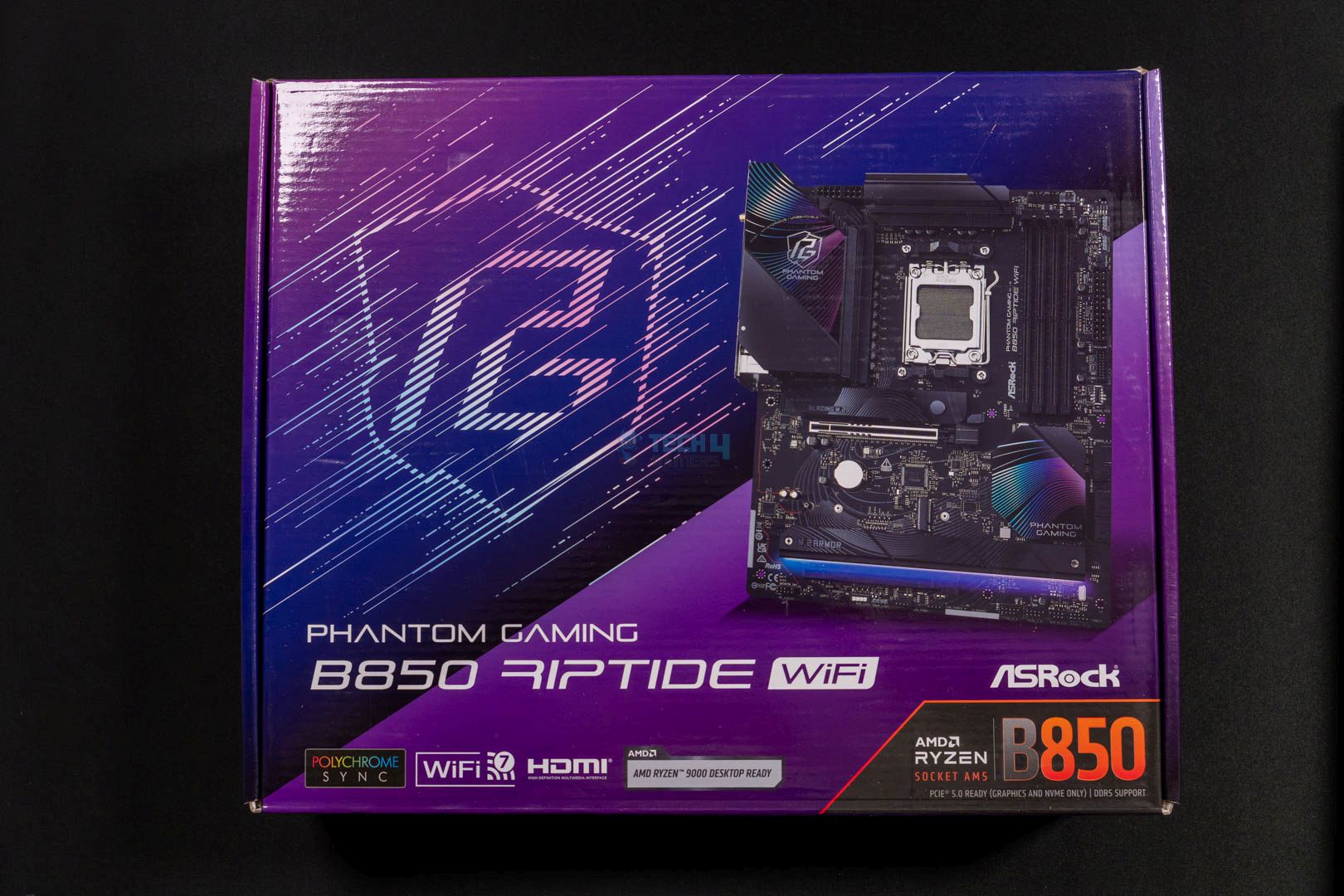
Unlike its last-gen motherboards like the B650E PG ITX, the B850 Riptide has changed its packaging color considerably. You can see quite the color shift, which I don’t mind.
ASRock Phantom Gaming B850 Riptide WiFi packaging
1 of 2
Box Front
Box Back
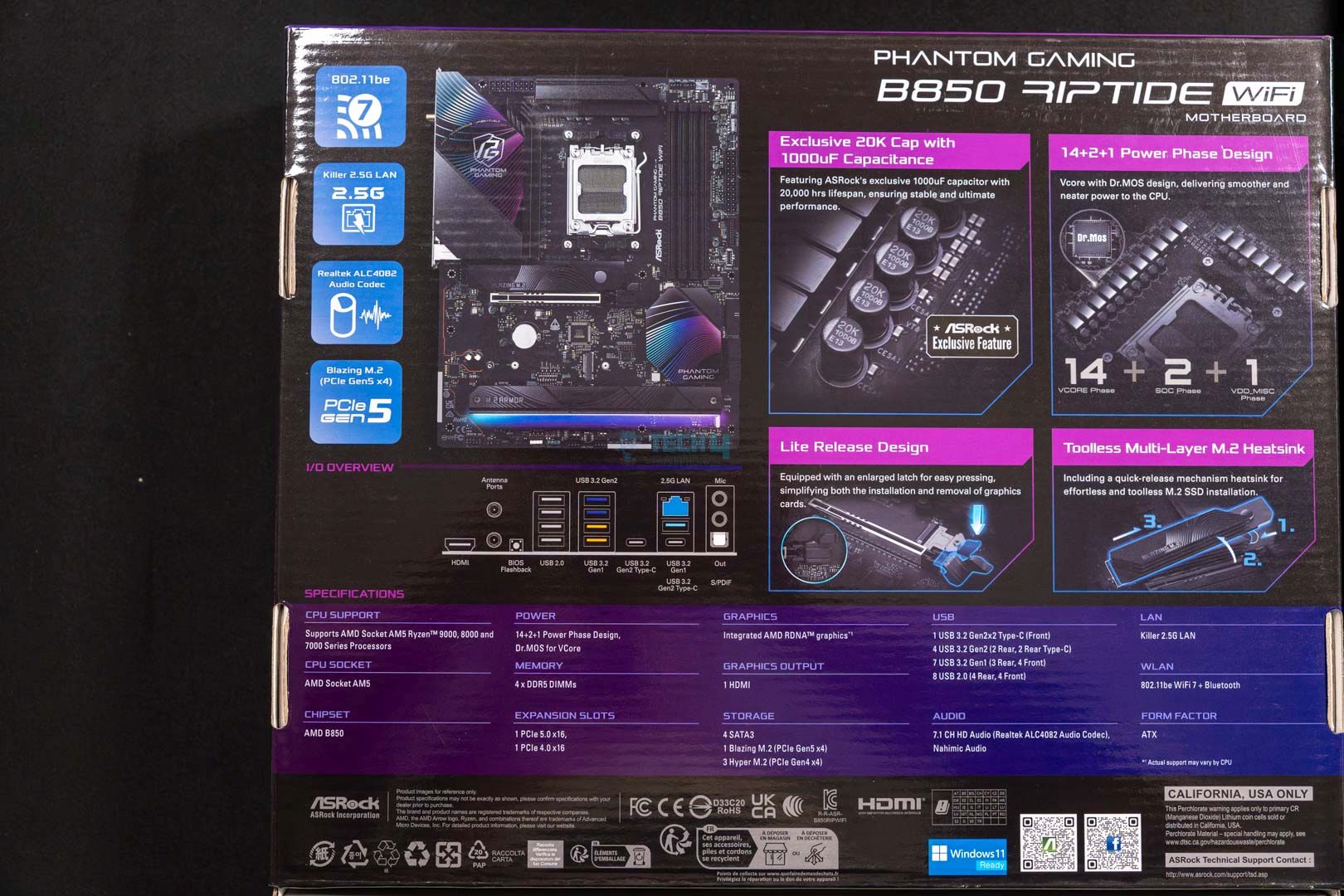
There’s not much to see on the front of the box, with just the motherboard’s name, its WiFi 7 certification, and “AMD Ryzen 9000 Desktop Ready”. However, the back of the box is filled with design information, VRMs, and capacitance. The basic specifications and an I/O overview are also readily available.
Here’s what you’ll find inside the box:
Accessories. (Image By Tech4Gamers)
Quick installation guide
Regulatory notice
2x SATA data cables
1x A-RGB splitter cable
2x ASRock WiFi 2.4/5/6GHz antennas
1x thermistor cable
You don’t have many accessories, but the SATA cables and the A-RGB splitter cable will be handy. If you’re a newbie PC builder, keep the quick installation guide close. The installation process isn’t too difficult, so you shouldn’t worry. The accessories also include 2x WiFi 2.4/5/6GHz antennas and a thermistor cable, but the former is unnecessary with WiFi 7 connectivity.
There aren’t many EZ build features except for a GPU lite release and a tool-less M.2 heatsink, which makes sense considering its pricing, even among other B850 motherboards.
Editor`s Note
The thermistor cable is a great addition to monitor the temperatures of the CPU, GPU, and other components. Plug the cable into the TSENSOR_1 header on the motherboard and attach the sensor ends on the components to detect the temperatures.
– Sajjad Hussain
Design
ASRock Phantom Gaming B850 Riptide WiFi out of the box. (Image By Tech4Gamers)
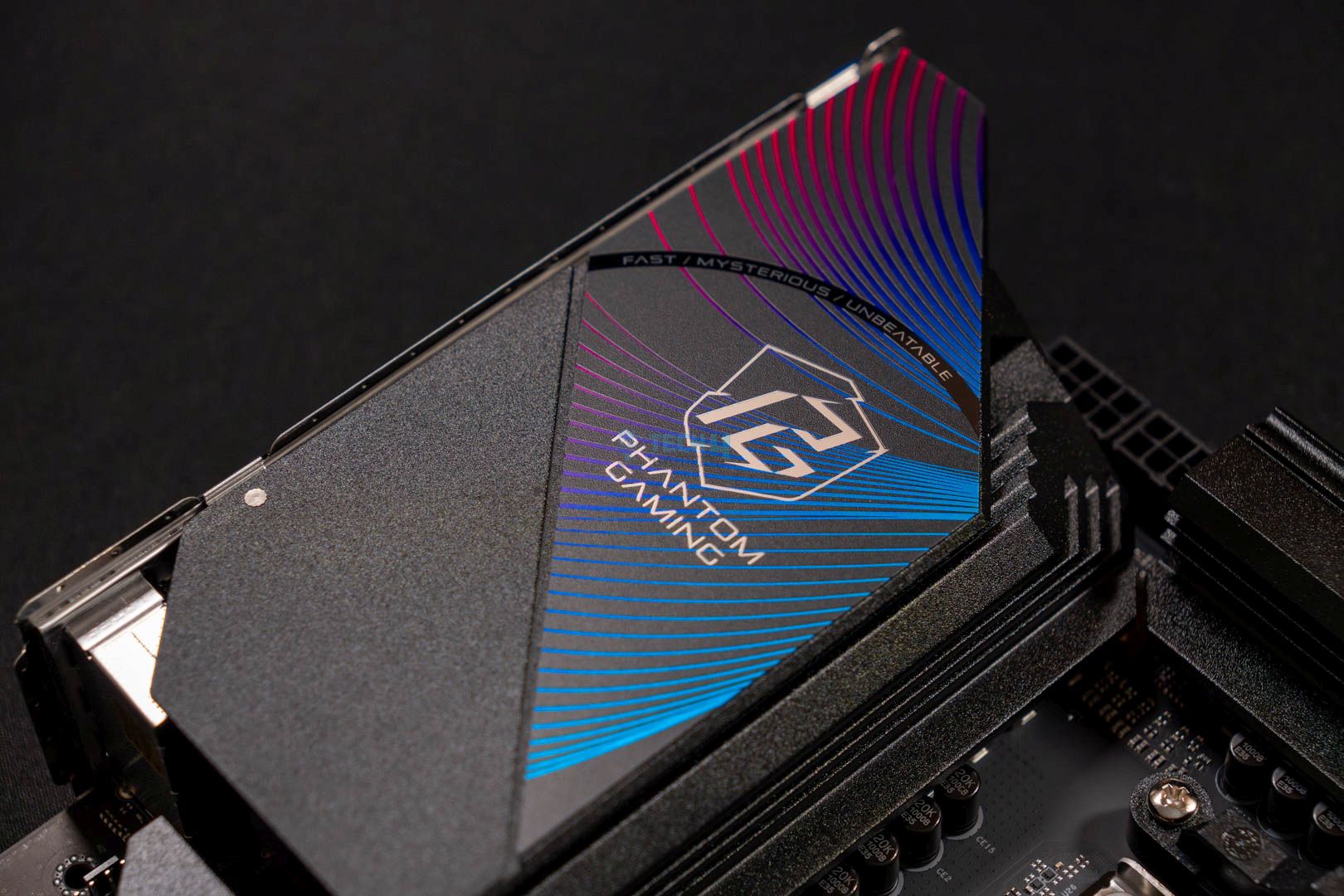
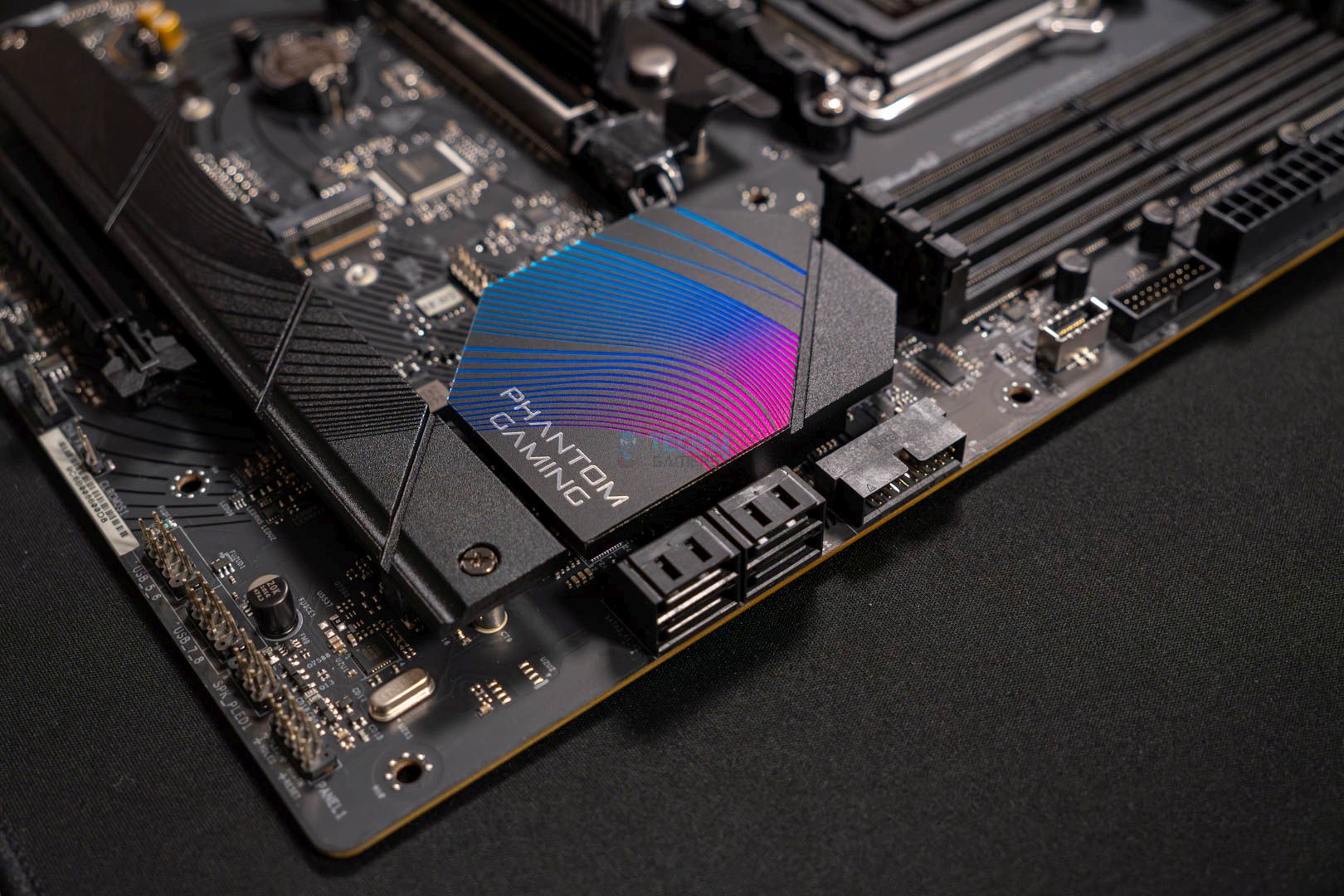
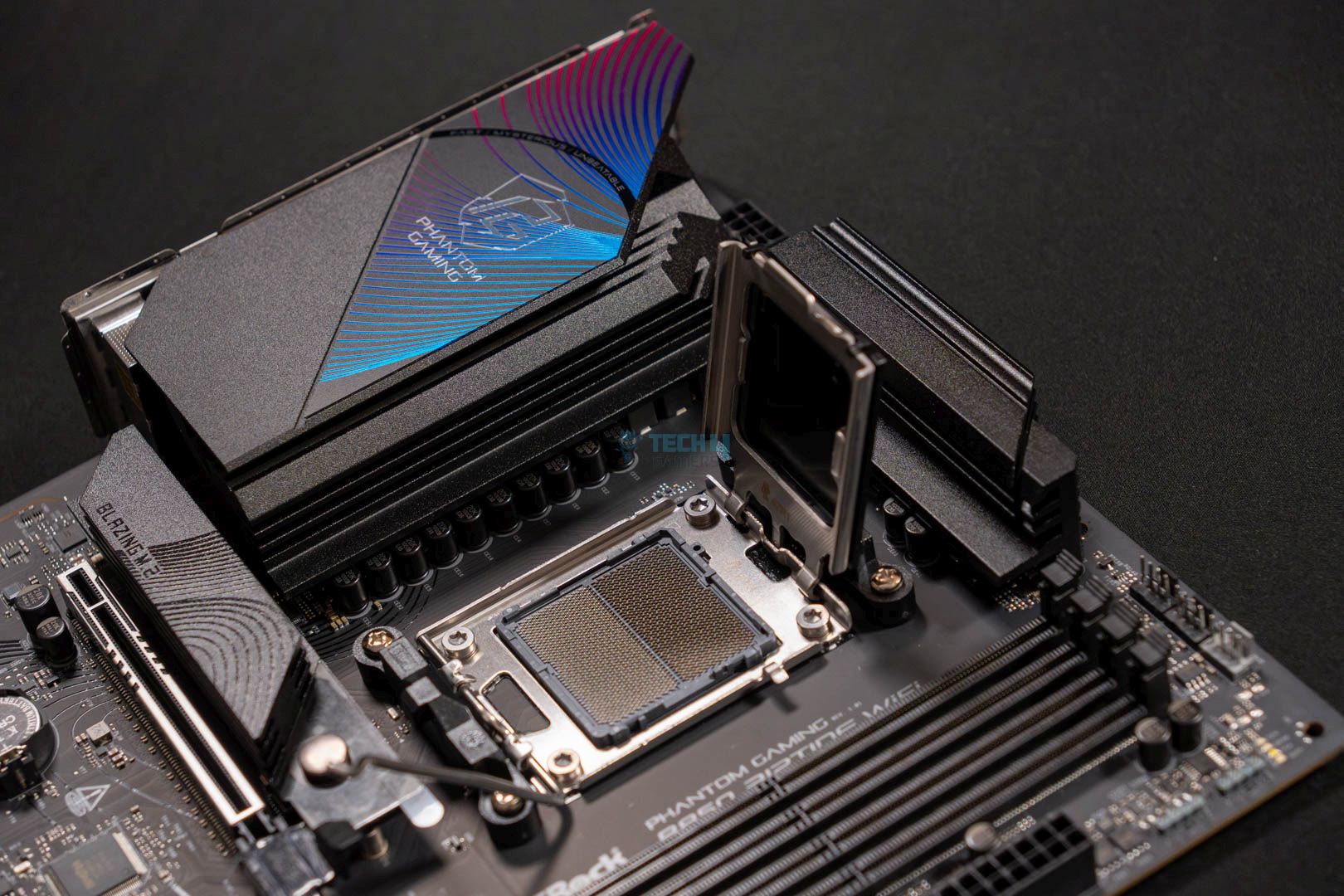
Focusing its branding on gamers, the ASRock Phantom Gaming B850 Riptide WiFi motherboard has a more colorful design than other budget options. While the product isn’t dipped in RGB, you get a blue hue underneath the M.2 heatsink, complementing the motherboard’s blue aesthetic design. Besides that, the motherboard is fully black and has little to look at.
A closer look at the motherboard's heatsinks
1 of 3
CPU Socket
Rear IO Heatsink
Chipset Cover
The B850 Riptide WiFi is built on an 8-layer PCB, which helps provide stable signal traces and power shapes, resulting in lower temperatures and overall greater efficiency. The higher quality PCB is great for memory overclocking, although Ryzen 9000 series CPUs mainly benefit from 6,400MHz RAM.
Block diagram. (Image source: ASRock)
The above block diagram shows what the CPU and the chipset provide power to. For example, the CPU powers the DDR5 RAM slots, an HDMI port, the PCIe 5.0 expansion slot, and the M.2 slot. The CPU also powers an M.2 PCIe 4.0 x4 slot and 3x USB 3.2 ports. On the other hand, the chipset powers 4x USB 3.2 ports and 2x USB 2.0 ports. Besides that, the audio codec and remaining PCIe slots are also powered by the chipset, along with WiFi 6E and SATA ports.
Power Delivery System
Closer look at the socket and VRMs
1 of 2
CPU Socket Opened
VRMs
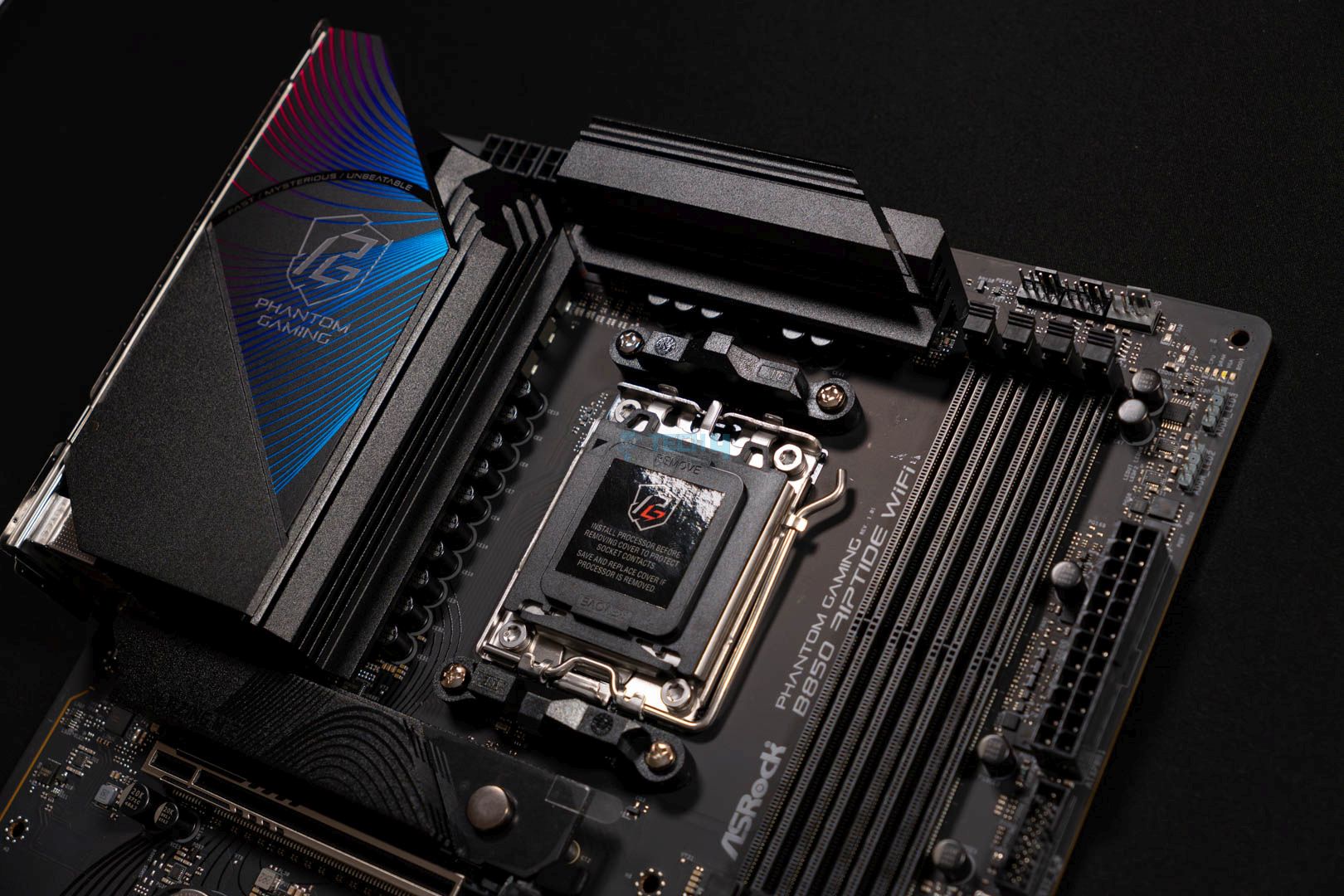
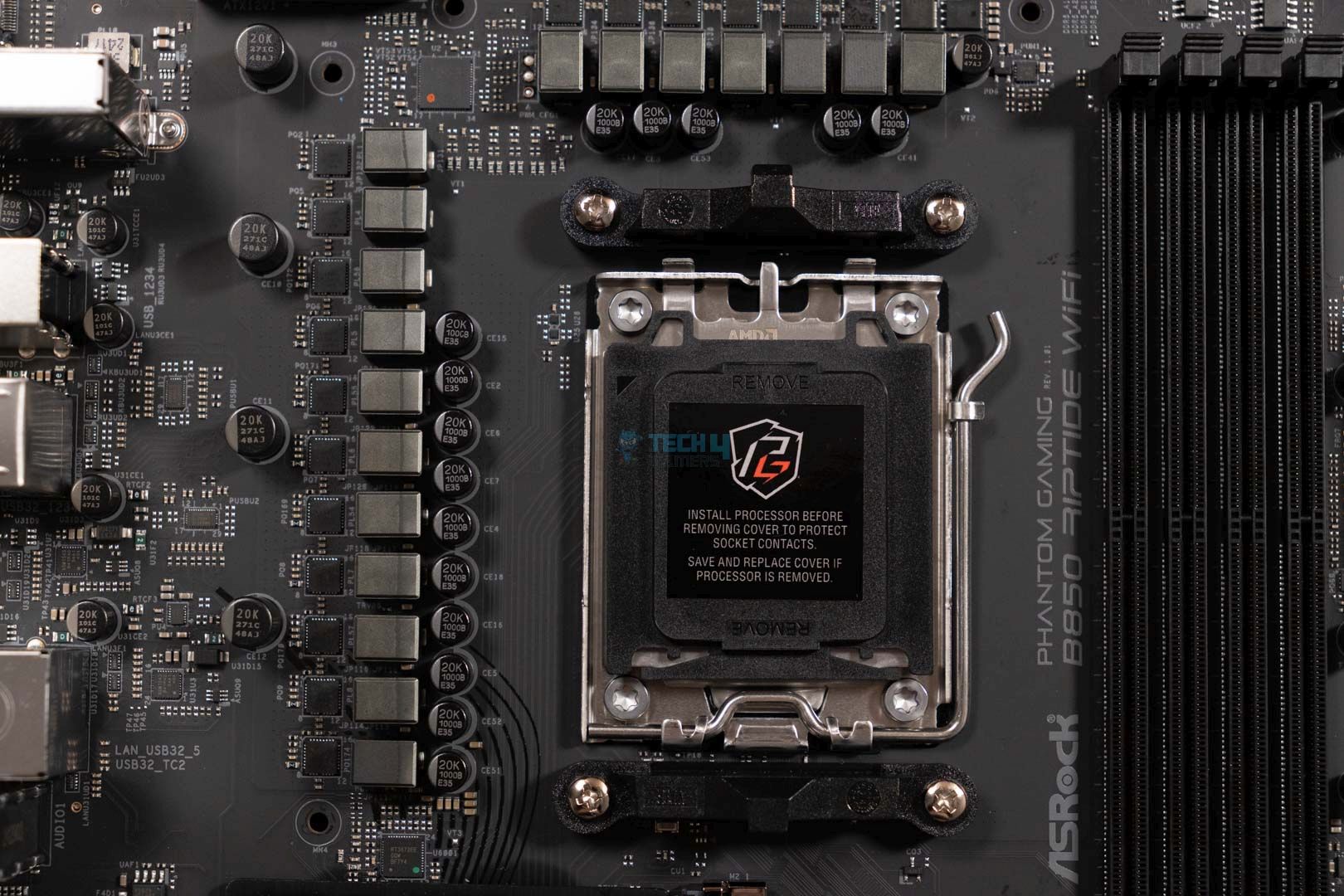
Like all other motherboards using the B850 chipset, the B850 Riptide utilizes the AM5 LGA1718 socket and supports Ryzen 7000, 8000, and 9000 series CPUs.
As for the VRMs, the motherboard houses a 14+2+1 phase power design, with 80A Dr.MOS SPS for VCore and SOC. The duet-rail design on the VRMs is a better solution than a doubler phase, but it’s not as good as one stage per controller setups. In total, the CPU gets 1,120A, which is more than enough for even high-end Ryzen 9000 CPUs when overclocked.
Taking a closer look at the VRMs and capacitors. (Image By Tech4Gamers)
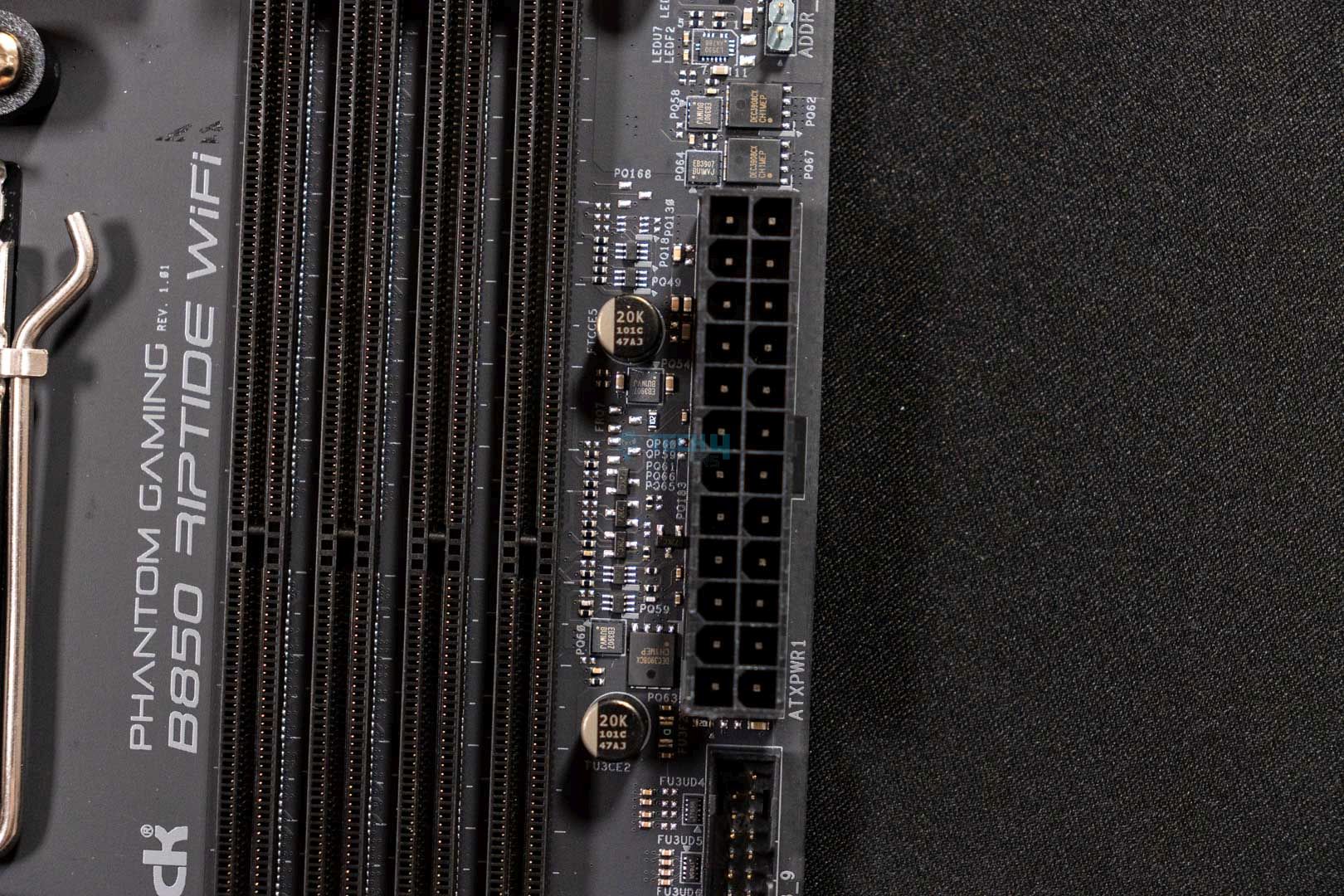
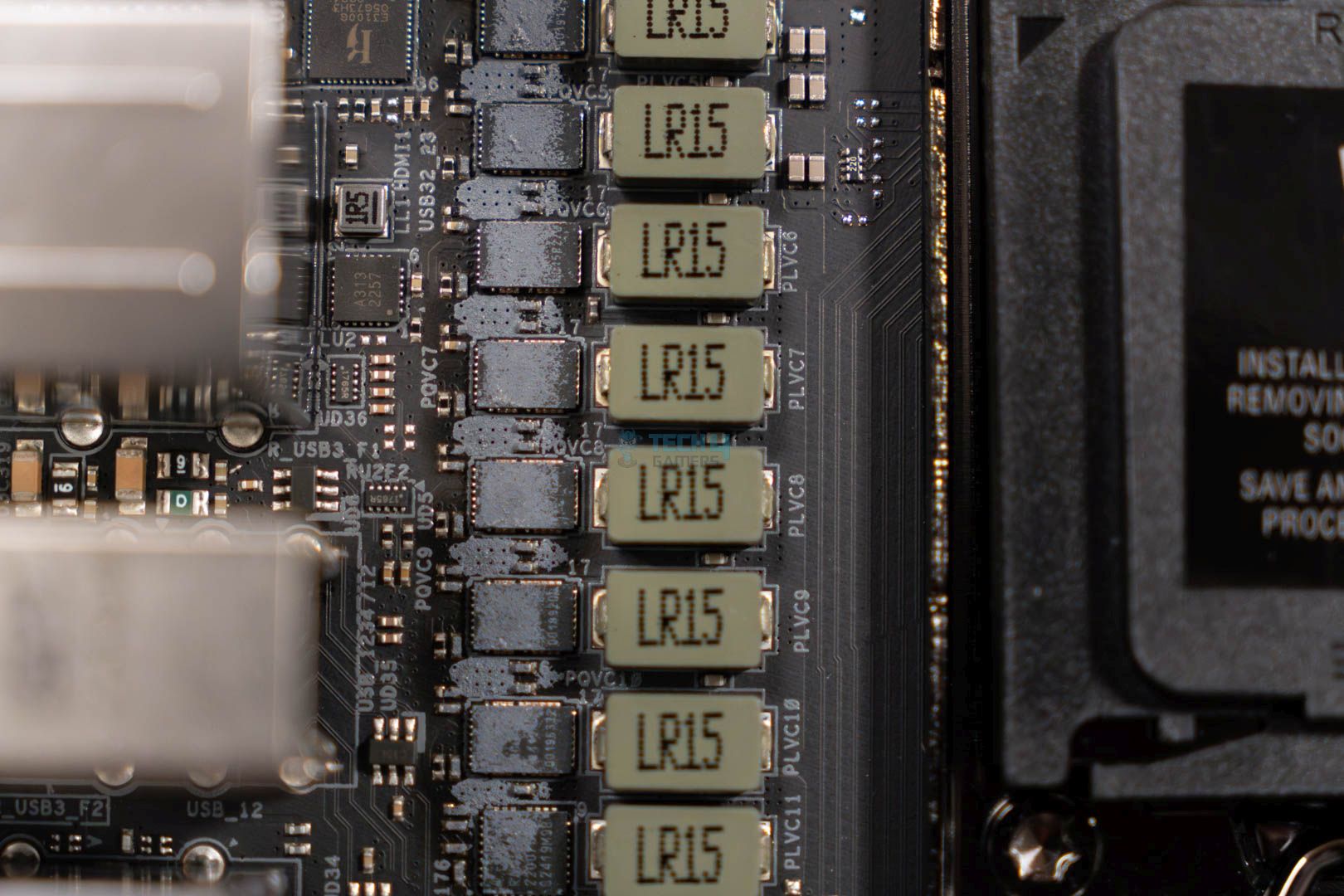
Upon closer inspection, the motherboard has the exclusive 1000uF capacitors, rated for 20K capacitance and providing up to 20,000 hours of lifespan. It seems ASRock did not hold back at all with the capacitors for the lower-end chipset. I’m excited to see how it performs in real world.
CPU connectors. (Image By Tech4Gamers)
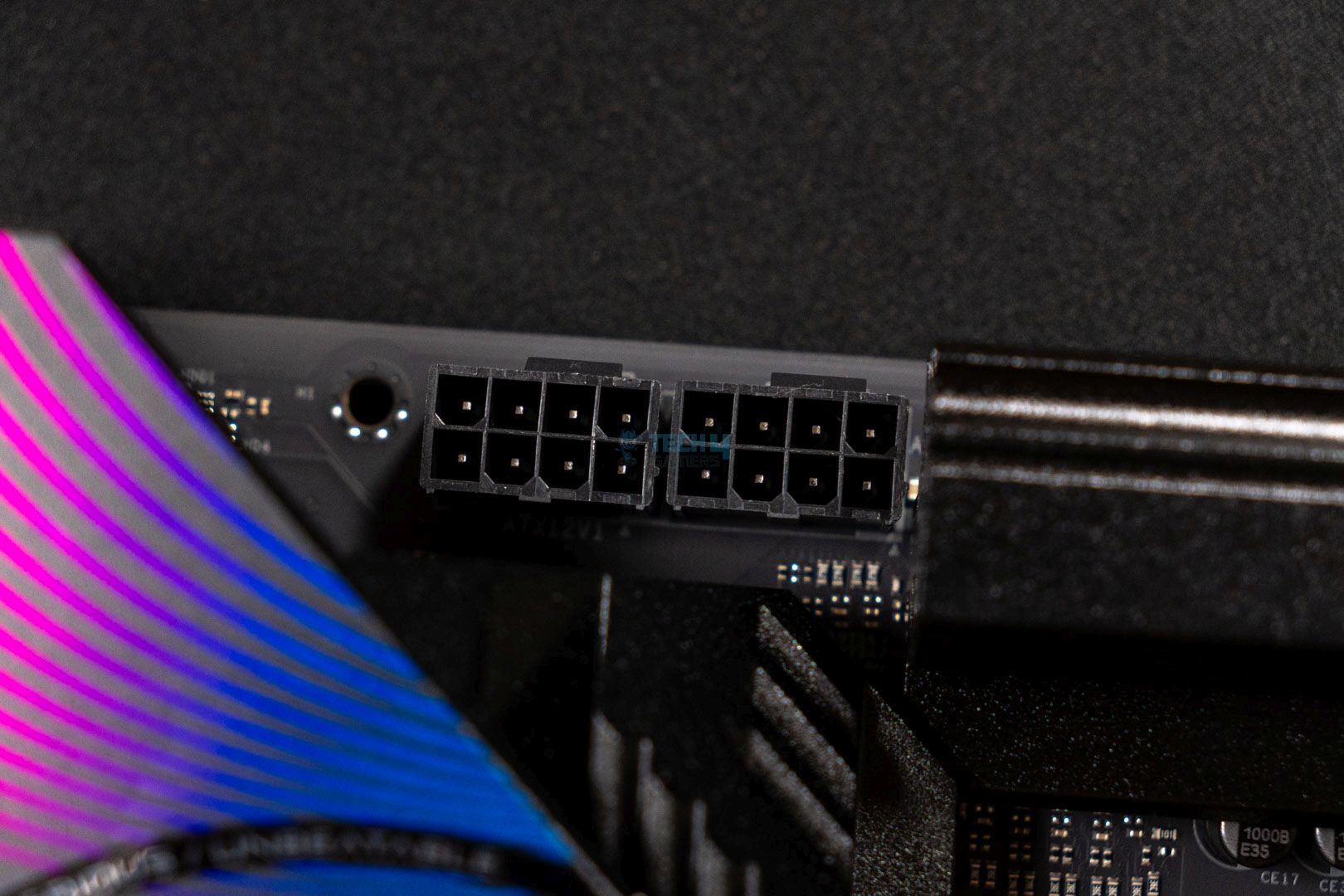
We see standard 2×8-EPS connectors for the CPU, utilizing ASRock’s Hi-Density power connector system designed to withstand higher current loads. This design will help keep the system stable and perform better overclocks without facing annoying crashes.
VRM heatsink and thermal pads
1 of 2
VRM Heatsink Stacked Design
VRM Heatsink Thermal Pads
The aluminum heatsinks use a stacked fin design with 6x fins, and we see plenty of thermal pads to keep the VRMs cool. Again, design-wise, we don’t see much except for the motherboard’s name and a decent blue design on the I/O heatsink.
DIMM Slots
Showcasing the upper half of the motherboard. (Image By Tech4Gamers)
Pretty standard stuff over here, with the motherboard housing 4x DIMM slots with a maximum capacity of 256GB and a maximum speed of 8,000MHz. A handy feature I liked is that the motherboard supports both Intel XMP and AMD EXPO settings, allowing an easier transition from Intel to AMD.
The DIMM slots are placed fairly far apart from the CPU socket, so you shouldn’t face any RAM and CPU cooler compatibility issues unless your RAM is extremely tall. It’s also important to note that Ryzen 7000 and 9000 series CPUs don’t like RAM speeds over 6,400MHz, as the FLCK value drops to 1:2, negatively affecting performance.
PCIe Slots
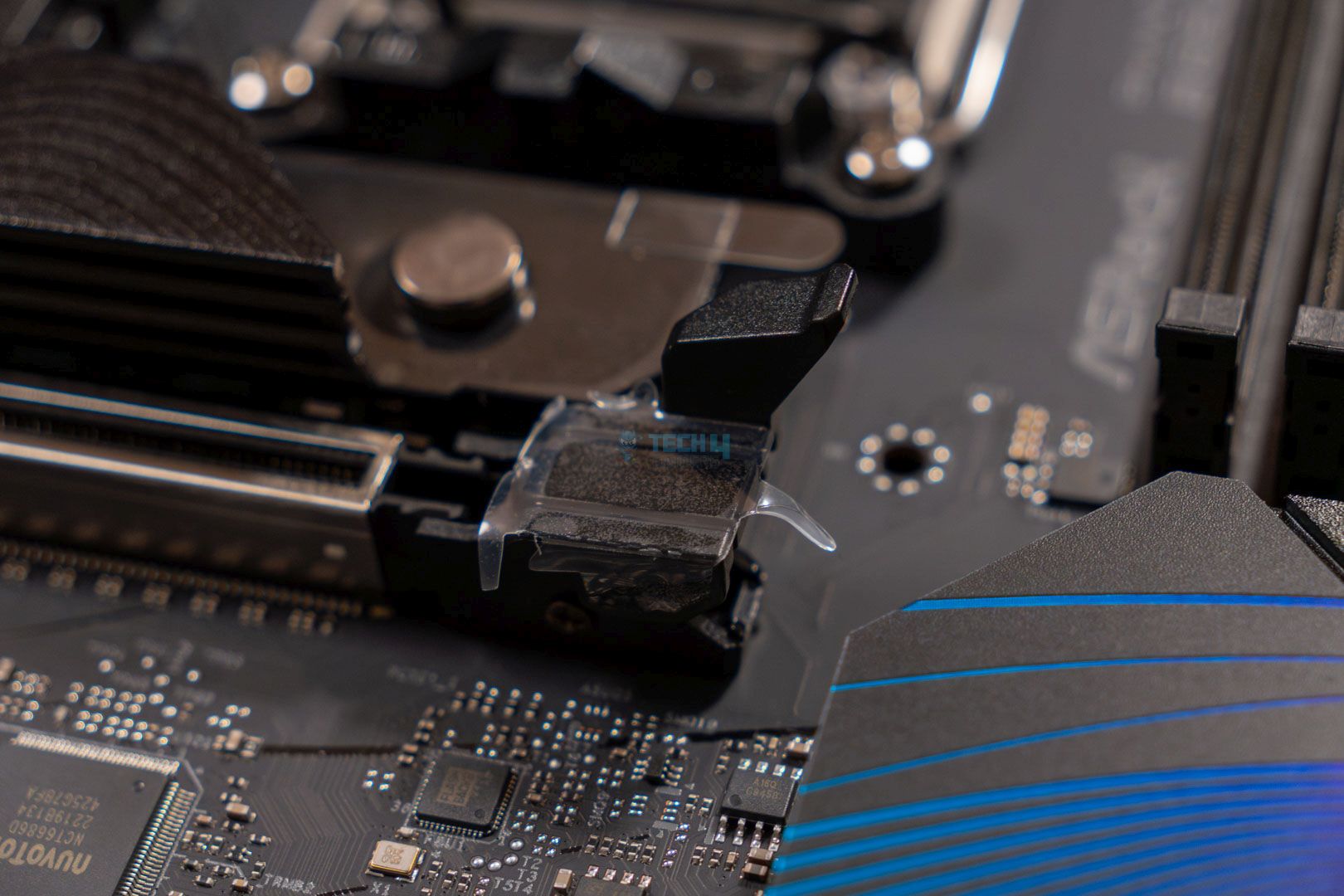
PCIe ports & GPU Ez Latch
1 of 2
Lower Design
PCIe Release Button
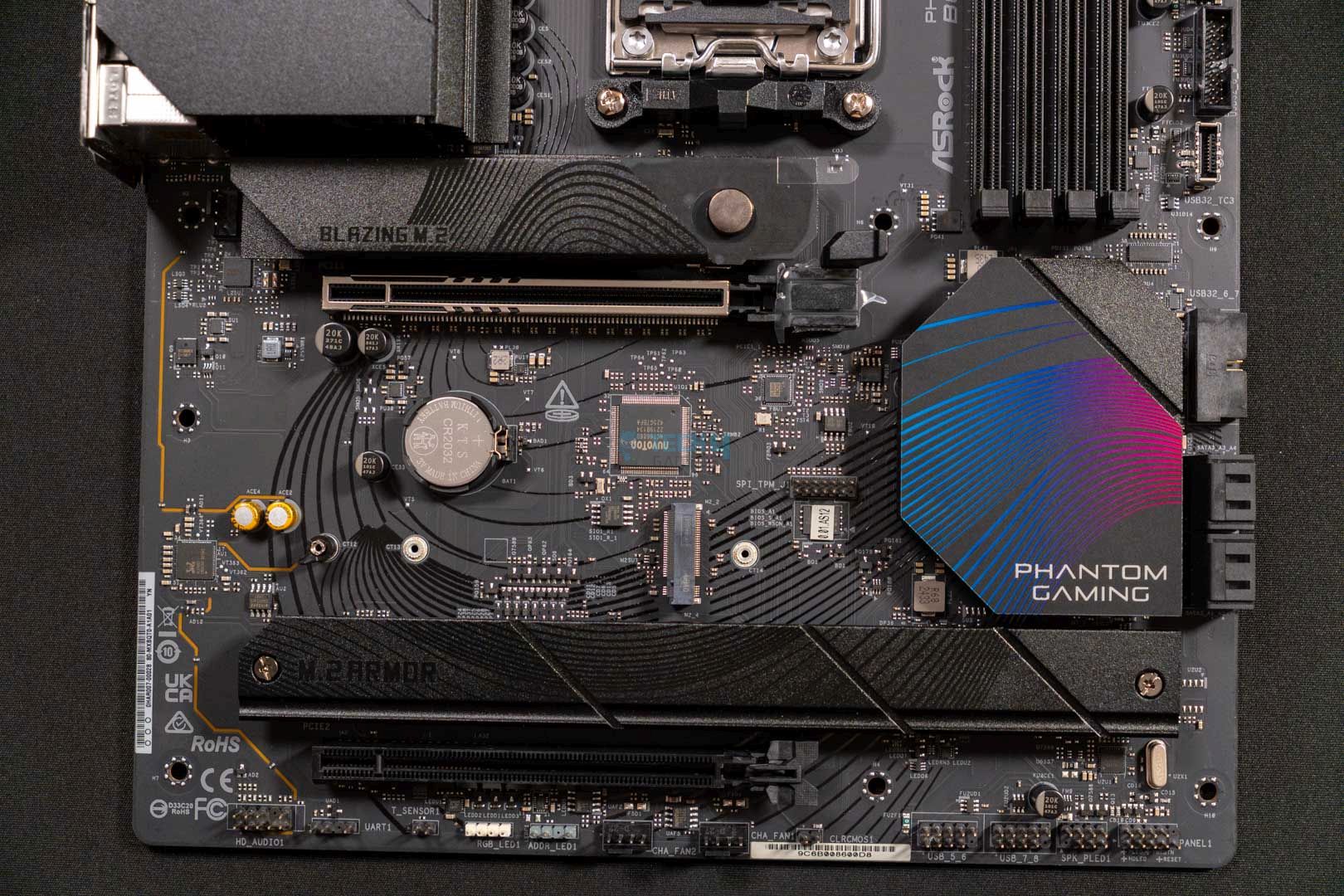
The ASRock Phantom Gaming B850 Riptide WiFi motherboard has two PCIe slots, and the PCIe 1 expansion slot utilizes PCIe 5.0 x16, which should be used for your graphics card. The PCIe 2 slot uses PCIe 4.0 x16, but if the M2_4 slot is occupied, this PCIe slot will be disabled. We also see a vertical M.2 socket which supports WiFi or Bluetooth modules.
The PCIe 1 expansion slot also houses the Graphics Card Lite release mechanism to ease troubleshooting and installation processes. The enlarged latch must be pressed, and you can easily pull the GPU out of the slot.
Storage
Side view of the motherboard. (Image By Tech4Gamers)
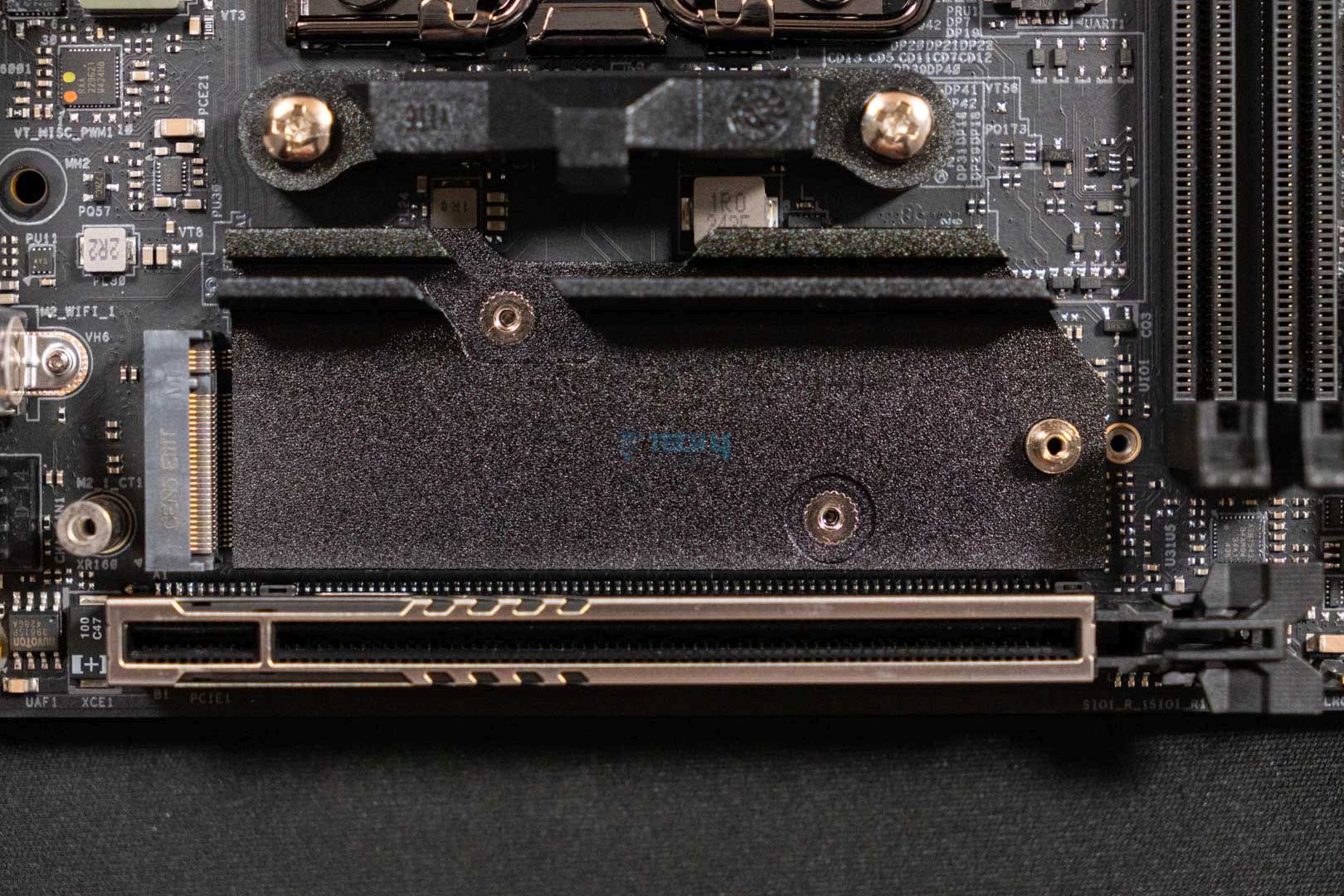
The motherboard has four M.2 slots. The M2_1 slot utilizes PCIe Gen 5.0 x4 — ideally, your priority slot. The M2_2 and M2_3 slots utilize PCIe Gen 4.0 x4. The problematic M2_4 slot also runs on PCIe Gen 4.0 x4. According to ASRock, all the NVMe M.2 storage drives can be configured for RAID 0, RAID 1, or RAID 10.
PRO TIP: The RAID ecology is a great resource if you’re worried about single drive failures.
The M.2 heatsinks also have a toolless design, with a quick-release mechanism on the motherboard, making them user-friendly. ASRock has also introduced an anti-drop screw design on the M.2 heatsinks, making it impossible for you to lose any screws during installation.
These are the M.2 types the motherboard supports:
M2_1: 2280
M2_2, M2_4: 2260/2280
M2_3: 2230/2260/2280
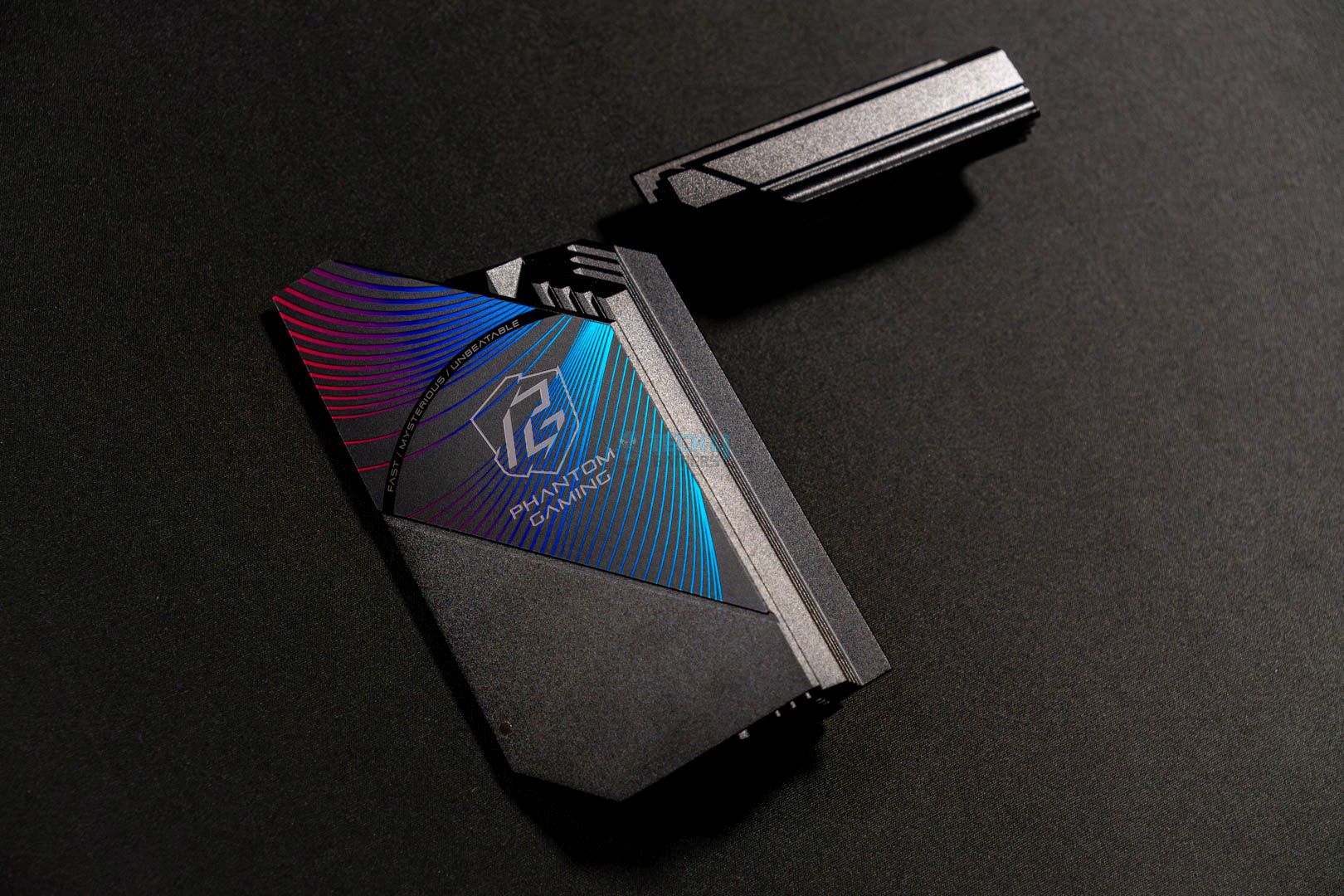
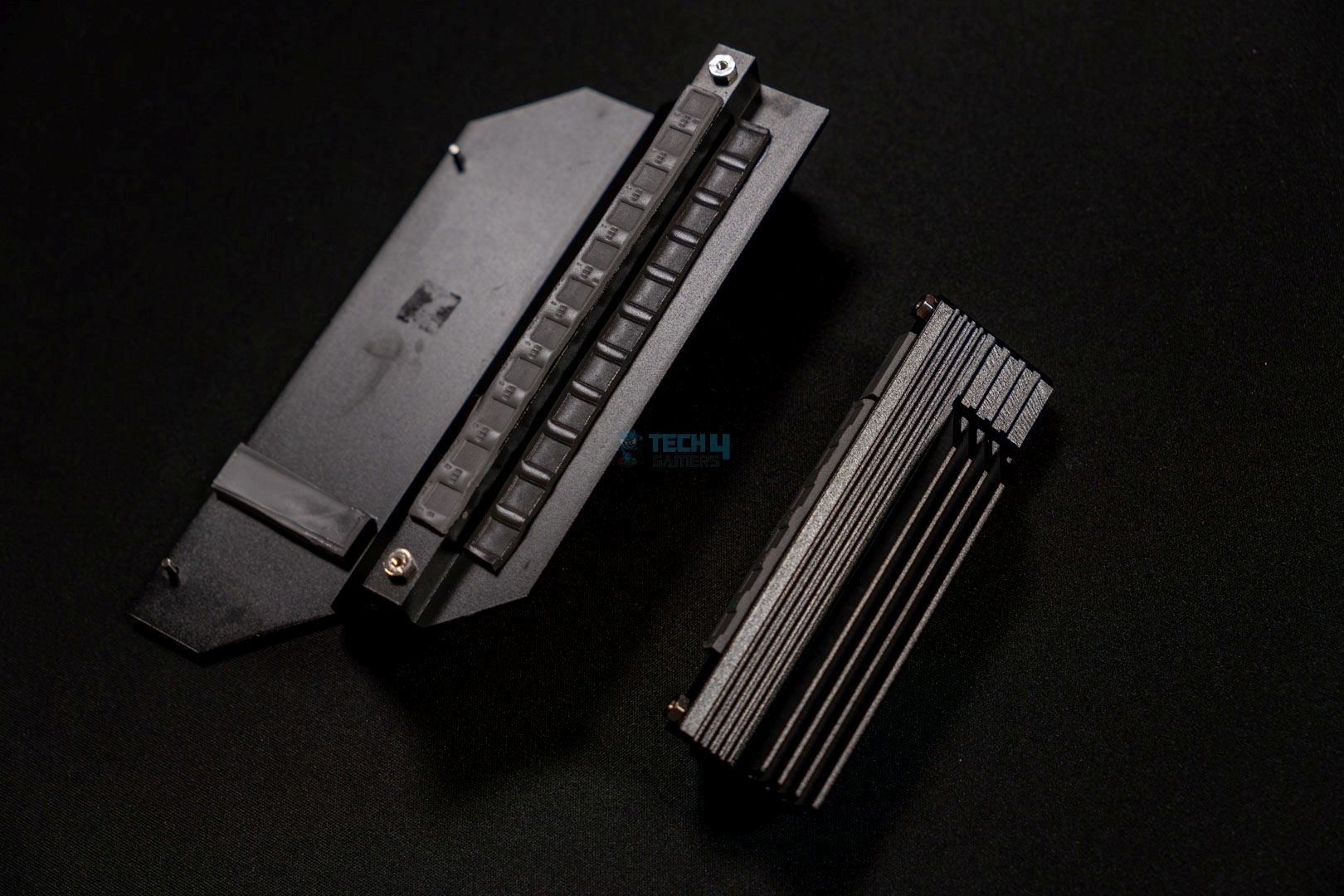
Three heatsinks cover three M.2 NVMe SSDs, while the M2_2 runs without a heatsink on top. I would have preferred either a heatsink on the M.2_2 or switching the positions of the M2_2 and M2_4. Thankfully, all the heatsinks have a toolless design and can be easily removed. This is what the heatsinks look like after being removed:
Exposing the M.2 heatsinks. (Image By Tech4Gamers)
The three covered slots use double-sided thermal pads, so you won’t have to worry about the temperatures. It should be pretty standard in most motherboards by now, but it’s a good feature to see.
USB Connectivity
The motherboard houses 20x USB slots:
2x USB 3.2 Gen2 Type-C (Rear)
2x USB 3.2 Gen2 Type-A (Rear)
3x USB 3.2 Gen1 Type-A (Rear)
1x USB 3.2 Gen2x2 Type-C (Front)
4x USB 3.2 Gen1 Type-A (Front)
4x USB 2.0 (Rear)
4x USB 2.0 (Front)
To maintain cost-effectiveness, ASRock has opted not to provide a USB4 port; instead, we see only a single USB 3.2 Gen2x2 Type-C port on the front. I’m happy to see support for ESD protection on all the USB ports, ensuring there’s no physical damage during transient spikes.
Network & Connectivity
I’m disappointed with the motherboard’s wired 2.5G LAN connectivity. However, the wireless connectivity options are decent, providing WiFi 7 and Bluetooth 5.4. ASRock has included the Killer Control Center feature, which was originally for Intel’s CPUs. The program examines applications and prioritizes the most speed-critical applications for increased bandwidth. You can also manually customize the program according to your needs.
If you want to utilize WiFi 7 and Bluetooth 5.4, you’ll need Windows 11 24H2.
Audio Solution
The motherboard uses the mid-range Realtek ALC4082 audio codec with a few improvements. ASRock has implemented Steelseries’ Nahimic Audio software, which enhances audio quality from audio devices. The audio engine improves background noise suppression, cancels echo, and stabilizes voice for better communication.
The audio codec is isolated, and the PCB layers are separated to power the right and left audio channels. The isolated design helps provide clear audio because the audio jacks are in a different framework. Moreover, the motherboard houses Direct Drive Technology on the front headphone port, which supports up to 600 Ohm headsets.
Internal Connectors And Components
Here’s a rundown of all the connectors on the motherboard:
1x SPI TPM header
1x thermistor cable header
1x power LED and speaker header
1x RGB LED header
3x addressable LED headers
2x CPU fan connectors (4-pin) (Smart Fan Speed control)
3x chassis fan connectors (4-pin) (Smart Fan Speed control)
1x AIO pump fan connector (4-pin) (Smart Fan Speed control)
1x 24-pin ATX power connector (Hi-Density power connector)
2x 8-pin 12V power connectors (Hi-Density power connector)
1x front panel audio connector
2x USB 2.0 headers (support 4 USB 2.0 ports)
2x USB 3.2 Gen1 headers (support 4 USB 3.2 Gen1 ports)
1x front panel Type C USB 3.2 Gen2x2 header (20Gb/s)
Connectors
1 of 2
CPU Connector
Motherboard Connector
This motherboard’s connectors are standard: a 2×8-pin 12V and a 24-pin ATX connector. ASRock didn’t forget about its Hi-Density power connector feature, so there won’t be any issues if you try to squeeze out more power while overclocking. However, I doubt many of you will be using this motherboard to test the limits of your PC hardware.
Super I/O controller. (Image By Tech4Gamers)
The motherboard uses the Nuvoton NCT6687D super I/O controller chip to manage I/O functions, fan control speeds, hardware monitoring, and legacy device support.
The ASRock B850 Riptide WiFi uses the Post Status Checker (PSC) to diagnose any issues with the computer on boot-up. A solid red LED means an issue with the CPU, solid yellow for DRAM, solid white for VGA, and solid yellow-green for BOOT. If the PC is working properly, no LEDs will light up, and these LEDs won’t turn off until the issue is resolved.
Heatsinks Removed
ASRock Phantom Gaming B850 Riptide WiFi with all heatsinks removed. (Image By Tech4Gamers)
Here’s what your motherboard will look like with all of its heatsinks removed.
Rear I/O Shield Panel
Here’s a list of all the rear I/O shield panel connections on the motherboard:
Rear I/O shield panel connections. (Image By Tech4Gamers)
2x antenna ports
1x HDMI port
1x optical SPDIF outport
2x USB 3.2 Gen2 Type-C ports (10Gb/s)
3x USB 3.2 Gen1 Type-A ports
2x USB 3.2 Gen2 Type-A ports (10Gb/s)
4x USB 2.0 ports
1x RJ-45 LAN port
1x BIOS flashback button
1x line out jack (gold audio jack)
1x microphone input jack (gold audio jack)
Unfortunately, ASRock hasn’t included a CMOS reset button, but at least we have a BIOS flashback. All the ports are labeled for ease of use, and we see an Ultra USB Power USB 3.2 Gen2 Type-A port beside a Lighting Gaming Port USB 3.2 Gen2 Type-C.
You need to press the BIOS flashback switch for about three seconds, after which the LED will start to blink. Wait until the blinking subsides, which means the process has finished. However, if the LED turns a solid green color, it means the BIOS flashback is not operating properly.
Test Bench
Here are the specifications of my test bench where I tested the motherboard:
Here are my synthetic benchmarks with the ASRock Phantom Gaming B850 Riptide WiFi motherboard:
Blender 4.0.2 renders. (Image By Tech4Gamers)
The motherboard was the fastest on the list for the Blender 4.0.2 benchmark at 50 seconds.
Cinebench 2024 single-core and multi-core scores. (Image By Tech4Gamers)
In Cinebench 2024, the board scored 2,312 points in multi-core and 141 points in single-core, once again ranking at the top.
Corona 11 render speed. (Image By Tech4Gamers)
The board showed a 63.4-second render time in Corona 11.
Geekbench 6 multi-core score. (Image By Tech4Gamers)
There’s not much of a difference in the Geekbench 6 score, with the ASRock B850 Riptide WiFi leading with 21,726 points.
V-Ray scores. (Image By Tech4Gamers)
The board falls slightly in the V-Ray test, scoring 48,893 points.
Overall, the motherboard performed very well in the synthetic tests and was on top of most benchmarks.
Gaming Benchmarks
Let’s see how the motherboard performs in the gaming tests:
Cyberpunk 2077. (Image By Tech4Gamers)
We see an average FPS of 143 in Cyberpunk 2077 with a minimum of 108 FPS.
Far Cry 6. (Image By Tech4Gamers)
The motherboard botched the Far Cry 6 test, as well, with an average and minimum FPS of 183 and 138, respectively.
Starfield. (Image By Tech4Gamers)
The Starfield test is pretty good on the motherboard, providing a 110 FPS average with a minimum FPS of 80.
Overall, the motherboard is losing in the gaming benchmarks, but you probably won’t notice a difference of one or two FPS.
Power Consumption And VRM Temperatures
Here’s an overview of the total power consumption of the CPU and motherboard on our test bench. We have used Cinebench 2024 to stress test the system:
Average power consumption. (Image By Tech4Gamers)
The ASRock B850 Riptide WiFi is pretty efficient. It consumes 374W at 100% load and only 118W during gaming, which is only 6W higher than at idle.
VRM temperatures. (Image By Tech4Gamers)
I’m pretty happy with the VRM temperatures, averaging at 60°C even at 100% load. Remember the bulky VRM heatsink I showed earlier? This is why I loved it.
Boot Times
Boot times. (Image By Tech4Gamers)
The ASRock B850 Riptide WiFi boots up in 22 seconds, only 1 second slower than the MSI MAG B850 Tomahawk WiFi.
Should You Buy It?
Time for the main question: Is it worth the investment?
Buy It If
✅ You want a mid-range motherboard that excels in productivity performance: The ASRock Phantom Gaming B850 Riptide WiFi motherboard topped most of our synthetic benchmarks amongst its mid-range peers; it’s pretty decent for its price.
✅ You don’t want to miss out on the bells and whistles: This motherboard gives you lots of good features, like low VRM temperatures, the Killer Control Center feature, EZ features for easier installation, WiFi 7, Bluetooth 5.4, and much more.
Don’t Buy It If
❌ You want to utilize all the PCIe and M.2 slots at once: When occupying the M2_4 slot, the PCIe 2 expansion slot will be disabled. So, if you want to utilize all the PCIe and M.2 slots, you may have to look elsewhere.
❌ You require high-speed internet: While the motherboard provides WiFi 7 and Bluetooth 5.4 network connectivity options, it’s unfortunate that it has stayed on a 2.5G LAN network.
My Thoughts
The ASRock Phantom Gaming B850 Riptide WiFi motherboard is an outstanding mid-range budget version priced at a low $219. Even though it is lower priced, we see a few features that match the X870 version of this motherboard, like the 1000uF capacitors, rated for 20K capacitance. The motherboard also provides an impressive 14+2+1 phase power design VRMs, with 80A Dr.MOS SPS for VCore and SOC. There are no problems with the cooling, with the average temperature at 60°C on the VRMs.
The motherboard only has 2x PCIe slots, of which the PCIe 2 expansion slot will be disabled if the M2_4 slot is occupied. The primary is obviously a PCIe Gen 5.0 x16 slot for the graphics card. The secondary is a PCIe Gen 4.0 x16 slot, useful for a sound card or storage adapter. The GPU slot has an EZ clip mechanism for easier installation and removal. Furthermore, the motherboard has 4x M.2 drives, with the M2_1 providing PCIe Gen 5.0 x4 for ultra-fast speeds. The dual-sided thermal pads are appreciated.
While the B850 Riptide WiFi doesn’t provide any USB4 connectors, we’re happy with the 20x total USB connectors on the motherboard. Of these, we have 1x USB 3.2 Gen2x2 Type-C for ultra-fast transfer speeds. For networking, ASRock could have improved the LAN connectivity and shifted to a 5G network rather than reusing the same 2.5G LAN network. Other than that, the WiFi 7 and Bluetooth 5.4 connectivity are decent additions.
The motherboard’s design is gamer-centric, with a blue color scheme throughout. There’s slight RGB under the M.2 heatsink, but other than that, you won’t find much else. It shouldn’t come as a surprise, considering its pricing.
All in all, for a $219 package, the ASRock Phantom Gaming B850 Riptide WiFi ate and left no crumbs (okay, maybe it left a few). Perhaps a 5G LAN network and an active PCIe 2 slot could have perfected this motherboard. Other than that, it’s quite a decent purchase that will gladly house any Ryzen 7000 or 9000 series CPU.
At Tech4Gamers, I contribute as a Senior News Reporter, combining my skills and gaming enthusiasm to keep our audience updated on the latest developments.
Story Highlight
Nvidia has introduced a new Transformer-based neural network model in DLSS 4.
This new rendering technique has been tested in Cyberpunk 2077 and shows major improvements.
The game looks much better than before, even when running with DLSS Performance at 1080p. DLSS Performance upscaling is now more viable than ever.
Nvidia’s much anticipated DLSS 4 is already available in Cyberpunk 2077 and has impressed various reviewers in no time. While multi-frame generation is currently out of the reach of most PC gamers, DLSS 4 brings several other improvements.
These improvements are also available on older graphics cards, and testing shows that DLSS 4 brings a major boost to image quality in Cyberpunk 2077.
Why it matters: DLSS and other upscaling technologies are practically necessary for modern games. It’s great to see, then, that image quality provided by these upscalers is constantly improving.
Nvidia has updated DLSS with a new Transformer-based neural network in the latest iteration. This update is being brought to all graphics cards within the RTX family, unlike multi frame generation.
As the above testing shows, there is a clear difference in image quality between the Transformer and CNN (convolutional neural network) models. Looking at the direct image comparison toward the end of the video, DLSS Performance looks significantly sharper in the new Transformer model.
This is best seen in the text on the police car, which is legible compared to the distorted text in the CNN model. Users on Twitter have noted similar image quality improvements in Cyberpunk 2077 with the new model.
Moreover, Nvidia promises improvements to ghosting and aliasing following the update. It should also be noted that the video above tested the game at 1080p, making DLSS Performance mode render lower than 720p in this instance.
This means that DLSS Performance will look even more crisp when used at 1440p or 4K, making it a viable option to squeeze out a bit more performance from Nvidia’s RTX graphics cards.
Cyberpunk 2077 Has Always Been The First To Embrace New Technology
Because Cyberpunk 2077 has just received this update and seems to be doing better than ever, this is a great time to jump in and test the new DLSS improvements for yourself. DLSS 4 should also make its way to other games soon, increasing its already wide usage in the industry.
I’ve previously worked for eXputer as a Senior News Writer for several years. Now with Tech4Gamers, I love to devoutly keep up with the latest gaming and entertainment industries. I have a Bachelor’s Degree in Computer Science and years of experience reporting on games and breaking exclusive stories. Besides my passion for gaming journalism, I love spending my leisure time farming away in Stardew Valley. VGC, IGN, GameSpot, Game Rant, TheGamer, GamingBolt, The Verge, NME, Metro, Dot Esports, GameByte, Kotaku Australia, PC Gamer, and more have cited my articles.
Story Highlight
Nvidia’s RTX 5090 pre-orders are already being listed for up to $6000 and similar absurd price tags on eBay.
Gamers who want to get the GPU at launch might have no choice but to indulge in these offers.
Past rumors have suggested that the flagship GPU’s availability will be extremely tight during the launch period.
Ever since Nvidia announced the RTX 50 lineup during the CES 2025 event, many gamers have been desperately hoping to secure these new GPUs ahead of the launch period.
It’s moments like these where scalpers come into play; we’ve recently stumbled across new listings on eBay where the company’s flagship GPU, the RTX 5090, is being listed at double or triple its MSRP price.
Why it matters: Scalpers are already taking advantage of the desperation of gamers by overpricing RTX 5090 pre-orders on eBay.
The RTX 5090 pre-orders are being sold at two or even three times the original MSRP on eBay.
The pre-orders are going as high as $7000 even before the launch, with many averaging around $4000.
These eBay listings have also confirmed that many gamers are engaging with them, as a lot of bids are being placed. It’s worth noting that the original price of the GPU is labeled to be $1,999 only.
RTX 5090’s availability has been rumored to be extremely tight during launch, with business-to-business (B2B) dealers and local wholesale distributors possibly not receiving any stock during the early days. It explains why gamers are ready to eat up these absurd prices.
The GPU does not officially go on sale until 30 January, but consumers might not be able to secure many units if history repeats itself. The eBay listings also indicate that scalpers already have measures in place to secure GPUs and sell them at a premium.
Similar measures were observed during the release of the RTX 30 series in 2020, which suffered from a supply shortage.
Regardless, reviews have revealed that the flagship GPU offers a 27% performance boost over the RTX 4090 at 4K native gameplay.
The various RTX 5090 models are considered quite expensive by gamers, and the Nvidia CEO has defended the exorbitant price tags. So, selling these flagship GPUs at such high rates could also backfire for scalpers—if enough gamers don’t rush to buy them, that is.
Do you think scalpers will benefit greatly from these absurd prices, or will these attempts result in a loss at the end? Let us know your thoughts in the comments below, or join the discussion on the official Tech4Gamers forum.
At Tech4Gamers, I mainly cover new gaming news, leaks, and rumours. Aside from that, I love to write features about my favourite games while inserting my opinion about their different aspects.
Story Highlight
Doom: The Dark Ages gameplay has received praise from almost everyone.
The developer has gone back to the series’ roots with this title, so many were wondering whether this is going to be the last title.
The creative director at id Software has revealed that it isn’t going to be the last game as he loves making Doom games.
Just recently, during Xbox Developer Direct, the gaming giant announced its release date along with an in-depth gameplay trailer. For those who have been wondering that The Dark Ages could be the final game in the series; that isn’t the case as there will be more Doom games.
Why it matters: Doom is among the most iconic series in the gaming industry so it wouldn’t feel right with The Dark Ages being the final game.
Doom Is Going Back To Its Roots With The Upcoming Game In The Series
It isn’t designed to be the end of something. Genuinely, sincerely, we’re really just focused on this right now, and Doom: The Dark Ages isn’t a period on the end of a sentence.
-Hugo Martin
Everyone has praised The Dark Ages’ gameplay as it exceeded expectations in every way. The developer has surprised its fandom by keeping the same level of violence when the combat is so different from the last title.
The Dark Ages Hype Is Touching The Roof After The Recent Gameplay And Release Date Trailer
Doom Eternal featured fast-paced combat where you can constantly shift between weapons and abilities, so, of course, the violence was extreme, too. With The Dark Ages, the developer has gone back to the series’ roots, which is exactly why the fandom was wondering whether it will be a conclusion.
However, we will be receiving more games in the future. It is also worth noting that the game won’t feature multiplayer, as the developers want the players to have a strong single-player experience.
What do you think about the director’s comment? Did you enjoy the in-depth combat reveal yesterday? Share your thoughts with us in the comments section below or join the discussion at the official Tech4Gamers forums.
Currently serving as a News Reporter at Tech4Gamers, I have the privilege of combining my love for gaming with the art of storytelling. My role involves crafting engaging narratives that keep our audience abreast of the latest developments in the gaming world.
Story Highlight
Assassin’s Creed Shadows is the first game in the franchise to launch on the Animus Hub.
Going forward, developers aim to focus more on the modern-day storyline with a dedicated section on the hub.
Assassin’s Creed’s modern-day storyline will continue both in the hub and within the mainline games.
The Assassin’s Creed storyline is deep and has been running through centuries in-game, focusing on both modern storylines and events from the past. However, for the last few entries, a focus on the modern-day has been minimized.
This will change with the release of Assassin’s Creed Shadows, the first game in the franchise to be launched on the Animus Hub, formerly known as the Infinity platform. The series will focus more on modern-day storylines that interconnect with each game’s events.
Why it matters: Ever since Assassin’s Creed 3, the modern-day storyline within the series has been neglected and lacks proper direction. However, the upcoming release on the Animus Hub aims to deliver a plot closely tied to each game’s storyline.
In a new interview with Ubisoft from Animus Hub, the following was stated:
The intention for the Modern Day has always been to create a coherent and consistent narrative that can coexist with the historical games of the franchise moving forward.
Assassin’s Creed Mirage did leave with a cliffhanger as Loki takes over the animus after Layla’s death. With Loki, formerly Basim, as the modern-day protagonist, the Assassin’s Creed storyline is set to expand further from here.
The modern-day storyline will have a dedicated section in the Animus Hub under the “Vault,” which will unlock more missions as the Assassin’s Creed Shadows story progresses.
Missions dedicated to just the hub will also be available independently. The goal is to integrate the modern-day storyline with the content of each game.
A First Look At The Animus Hub Has Been Provided By Ubisoft
That said, the game itself will also feature various modern-day sequences since those stories aren’t limited to just the hub. They only provide an overarching story of the modern-day Creed.
Are you excited about Ubisoft’s return to the series’ roots with modern-day storytelling? Let us know in the comments below or head towards the official Tech4Gamers Forums.
As Tech4Gamers’ Founder and Editor-in-Chief, I bring over 13 years of PC Hardware Reviewing and 8+ years of IT Project Management experience. Certified in Google IT Support , my focus is on providing honest product reviews and analysis and fostering a strong gaming community with 130k+ members in PPG.
Ali
I intitally started by writing CPU comparisons and since then have written articles of all kinds, from Wikis and How-Tos to dedicated CPU reviews. Currently, I test and review CPUs, motherboards, and sometimes, RAM.
The AMD’s B850 chipset motherboards are finally here, and the ASRock Phantom Gaming B850i Lightning Wi-Fi is no exception. This is a Mini-ITX mid-range motherboard that is mostly targeted towards mid-range PC builders with a knack for small form factor PCs. The motherboard costs $209.99 USD; that doesn’t look too bad for this form factor. However, let’s dig in deeper to see what it offers and what it lacks.
Why Trust Tech4Gamers
Ali Touseef is our hardware reviewer who tests and reviews different components, including coolers, RAM, motherboards, and processors.
40+ motherboards tested and reviewed by our team of hardware experts (Tech4Gamers Team).
800+ hours spent testing different motherboards for our reviews.
At Tech4Gamers, ensuring you get reliable information is our priority. That’s why every hardware round-up undergoes a meticulous review process by our team of experts and editors. Each review is carefully examined against our strict editorial guidelines, guaranteeing you trustworthy insights you can depend on.
Key Takeaways
The motherboard offers impressive performance during games as well as in productivity applications.
The ASRock PG B850i Lightning WiFi is an aesthetically pleasing motherboard that looks great when matched with a decent chassis and other components.
The VRMs on this run a little hotter than usual so you have to keep a check on their temperature levels.
You can look at the specs of the motherboard here:
CPU Support
Up to Ryzen 9000 Series
Memory Support
Up to DDR5 8200+ MT/s (OC)
PCIe Slots
1x PCIe 5.0 x16
M.2 Slots
1x PCIe 5.0 x4, 1x PCIe 4.0 x4
SATA Ports
2x SATA3 6Gb/s
Audio
Realtek ALC 1220 Nohimic Audio Codec
Network & Connectivity
1x Intel Killer E3100G LAN, WiFi 6E, Bluetooth 5.2
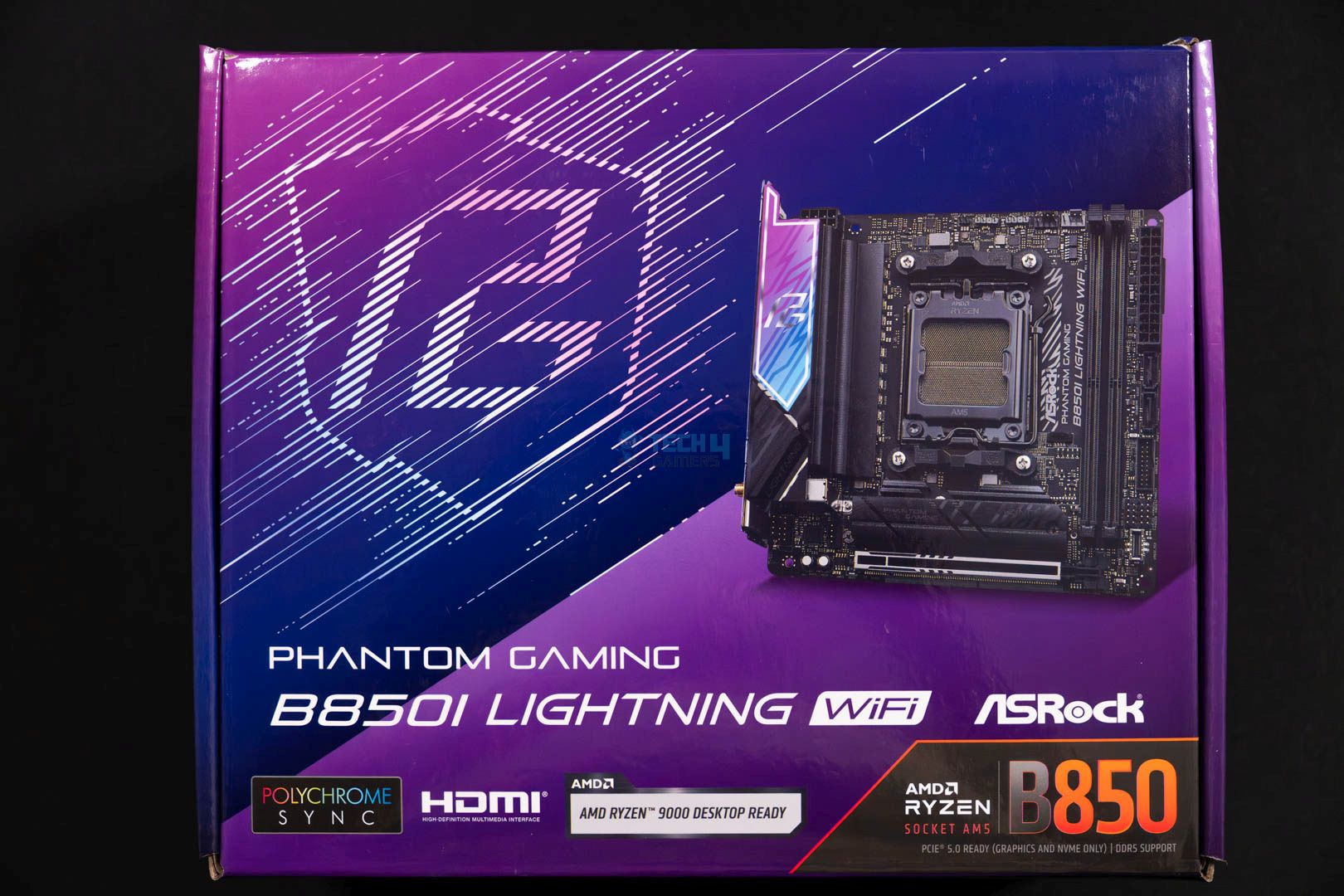
The motherboard is nicely packed in a cardboard box that is purple on most parts. Also, the overall design of the box is updated to match modern aesthetics.
Box Front
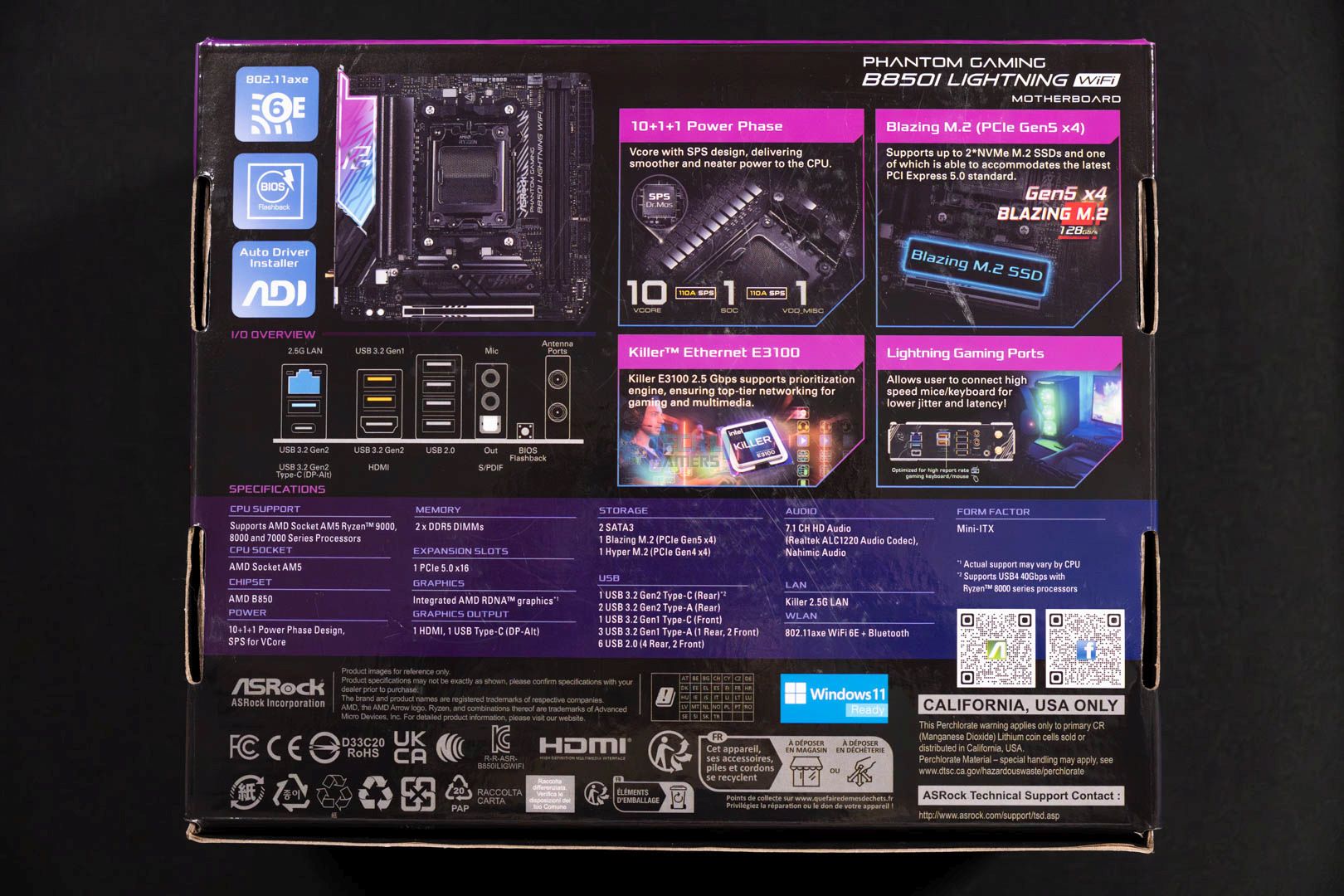
Box Back
Starting with the front side of the box, there’s not a lot of stuff to discuss; we can see the ASRock Phantom Gaming B850i Lightning motherboard itself. Parallel to the motherboard is the Phantom Gaming logo; underneath that, we can see the board’s name. Moreover, we can witness ASRock’s very own RGB control software branding as it comes with the support.
Let’s head over to the flip side of the box, where we can see everything in detail. From Wi-Fi 6E to the Killer E3100 LAN to its VRM phase solution, which is 10+1+1 and Blazing Gen5 M.2 support. The back side has everything in detail. We can also see the whole spec sheet inside the purple lane. Right in there, there are two QR codes as well, which you can scan to reach out to ASRock’s support via social media and the website.
Accessories (Image credit: Tech4Gamers)
2x SATA Cables
2x ASRock WiFi 6 GHz Antennas
2x Screws for M.2 Sockets
1x Thermistor Cable
Quick Installation Guide
2x ASRock Cable Ties
For a motherboard of this form factor, I would say it’s a decent amount of accessories bundled in. Not to forget the special find, which is the thermistor cable. This comes in handy when you’re looking to monitor your components’ temperatures a bit in-depth, as it provides an extra perspective to look from. Besides this, the rest of the stuff is quite basic and common among all motherboards.
Design
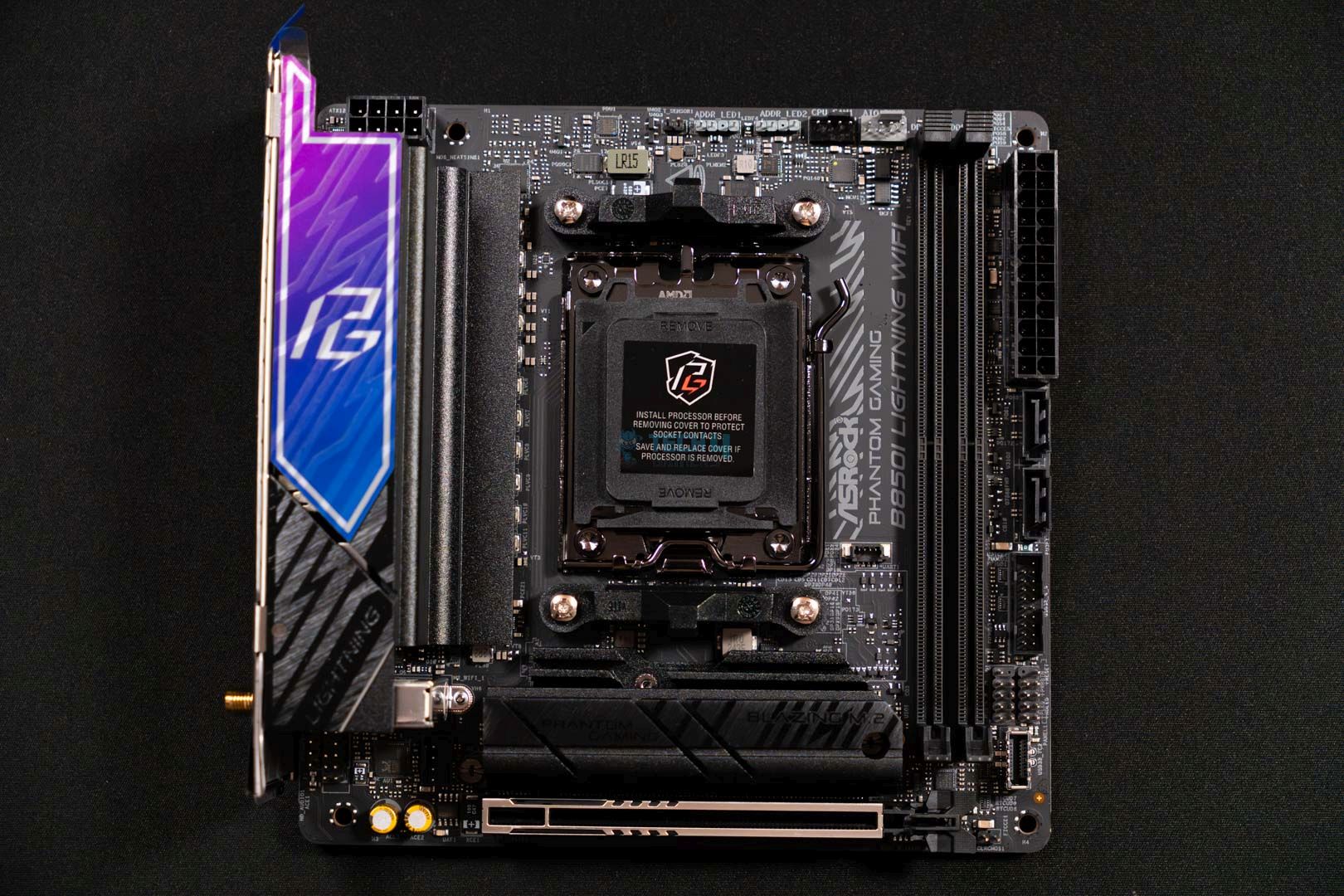
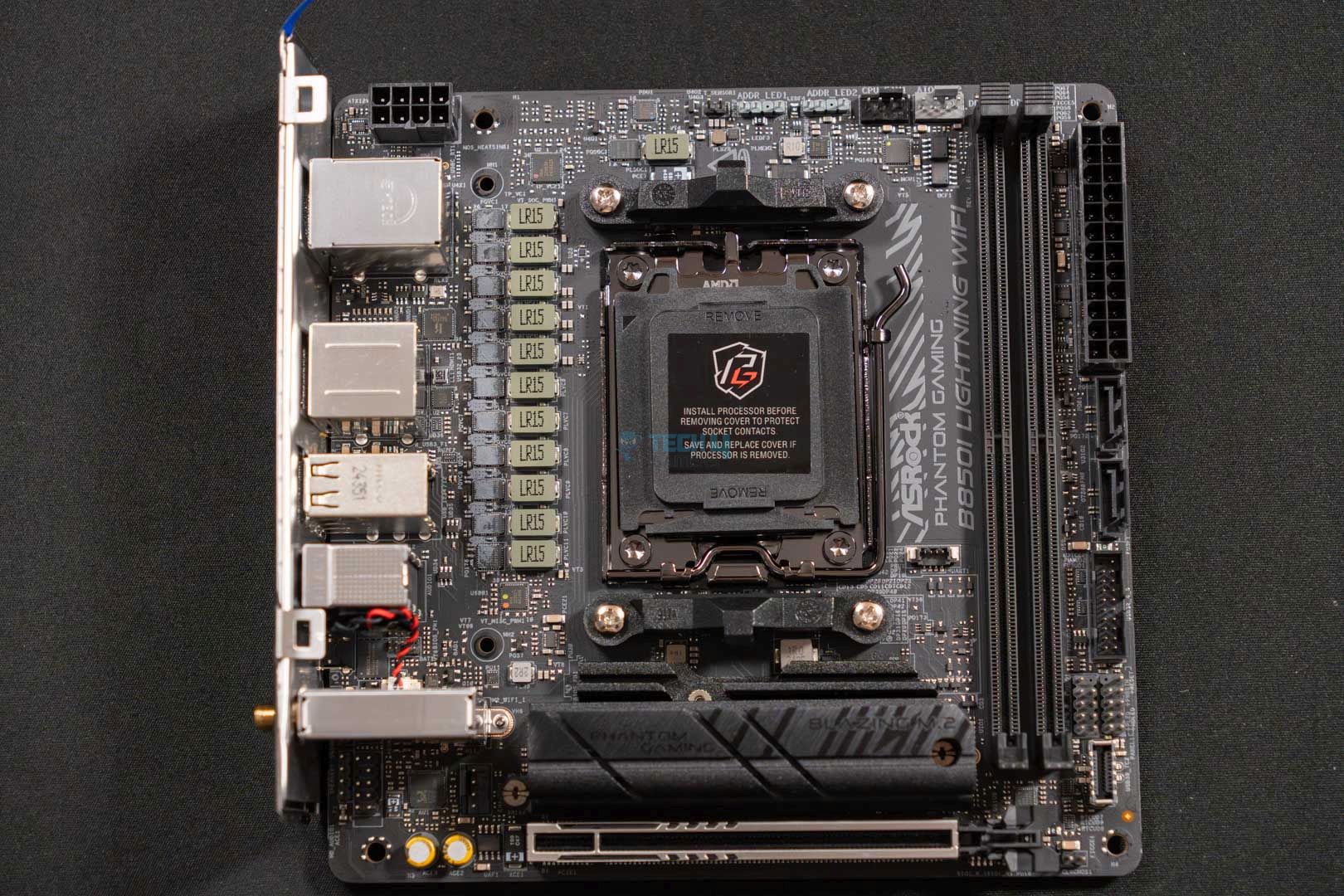
Main Design (Image By Tech4Gamers)
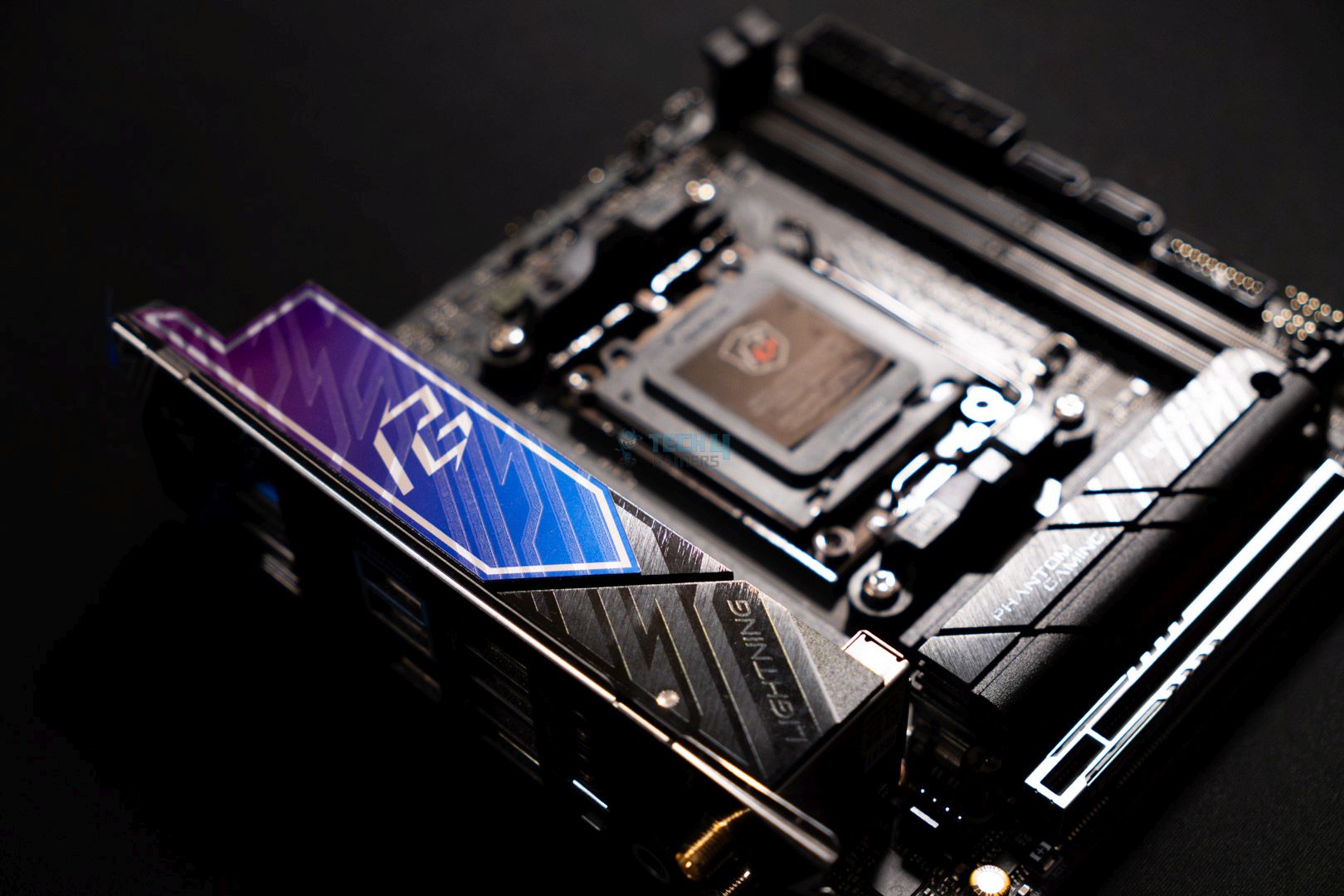
The motherboard itself has a black-themed PCB with black heatsinks with a brushed aluminum finish. However, the motherboard does include the purple sticker covering half of its VRM heatsink to match the box’s purple aesthetics. Moreover, the VRM heatsink also has the “Lightning” branding right under the sticker area. Another thing worth mentioning is that the motherboard doesn’t feature any kind of onboard RGB lighting.
Back M.2 Slot (Image By Tech4Gamers)
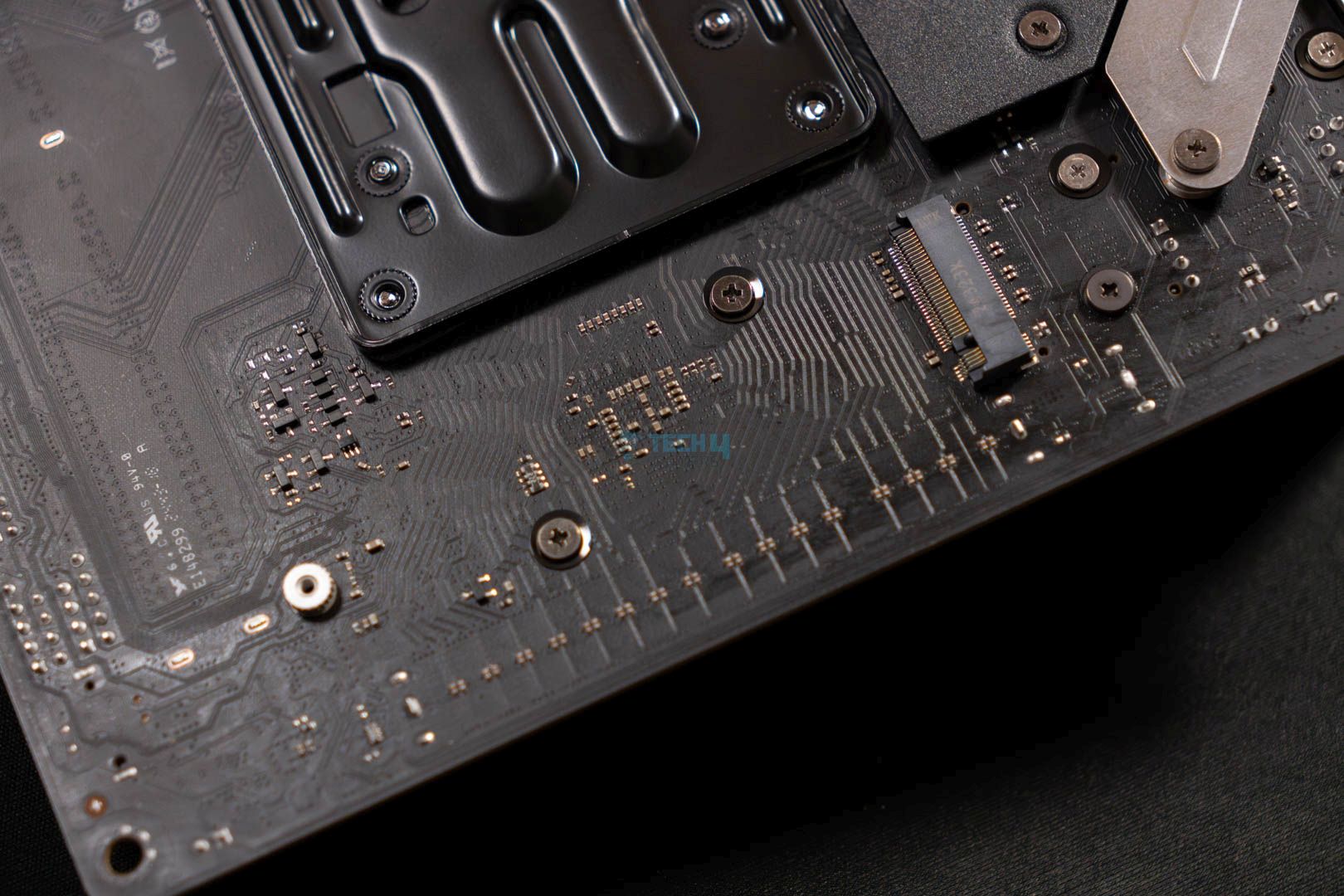
Switching to the back side of the motherboard, the PCB is mostly naked except for the VRM solution area. Where a small backplate is installed to further cool down the power delivery solution. Furthermore, we can also see the 2nd M.2 Gen4 slot right on the back side of the front Gen5 M.2 slot. As for the PCB’s build quality, it features an 8-layer PCB design that ensures sturdiness and stable signal pass-through.
Block Diagram
Like other B850 chipsets, and even the X870 chipset, it features the same single PROM21 chip. This means we can’t expect flagship tier I/O, but it’s still strong enough to cover almost everything. The CPU covers the support for the fast DDR5 memory, PCIe Gen5 x16 for the graphics card, and Gen5 x4 slot for the M.2 drive. Besides those, it also provides life to the rear USB 3.2 Gen2 Type-A and Type-C ports and audio.
The chipset manages the rear USB 3.2 Gen1 and 2.0 ports and the front USB 3.2 Gen2/1 and USB 2.0 ports. In addition to the USB port selection, the chipset also manages the Wi-Fi, LAN, and SATA ports, along with the secondary M.2 storage expansion.
CPU Socket & Power Delivery Solution
CPU Socket
CPU Socket Opened
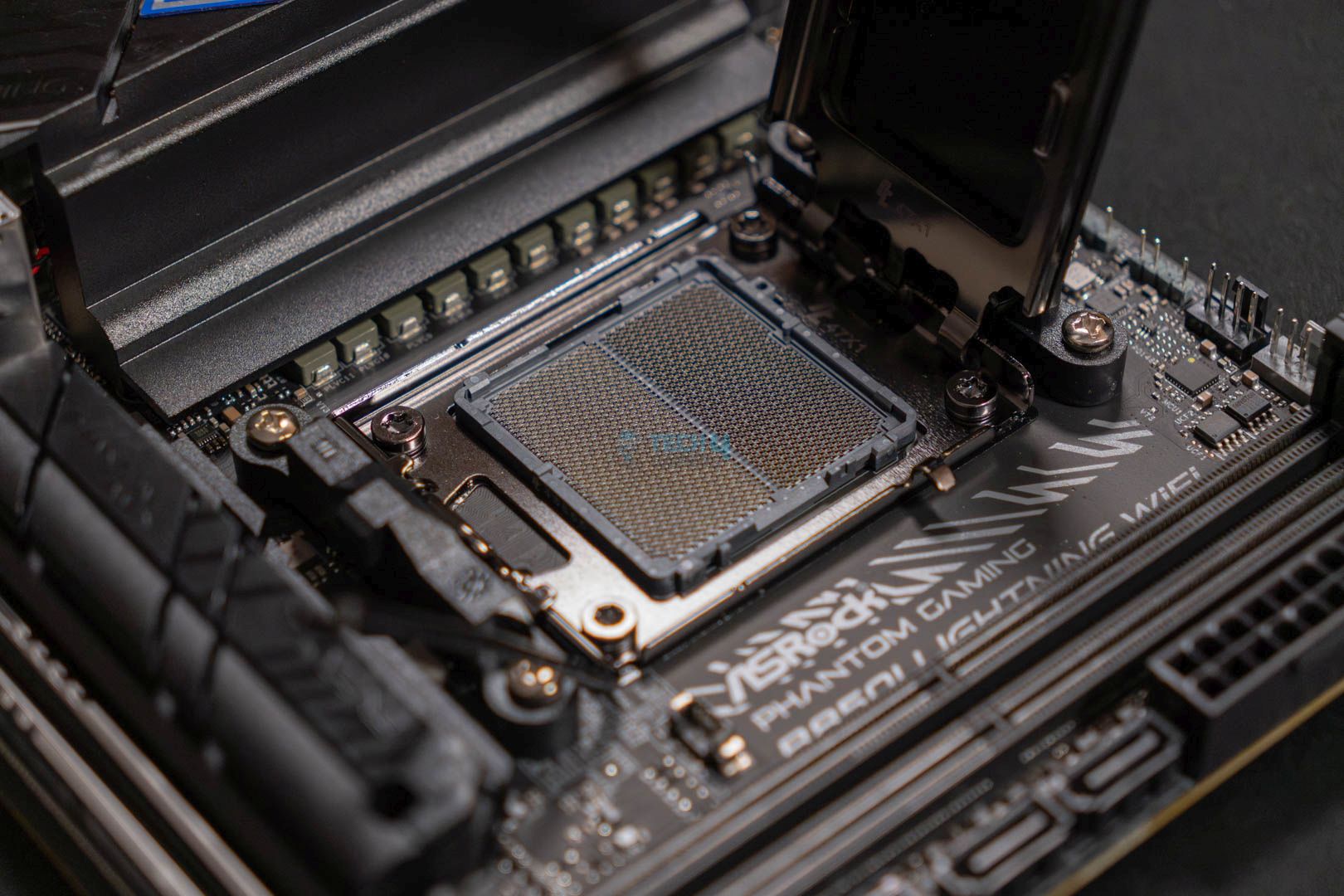
The motherboard features the standard AM5 socket present in all other AMD motherboards supporting minimum AMD Ryzen 7000 processors. The socket is called the LGA1718 socket, which you see in the pictures uploaded above.
Top Covers Removed
Closer Look At VRMs
As for the power delivery, it’s quite fine, as the motherboard features a 10+1+1 VRM phase design. Moreover, these are with 110A SPS, where 10 phases are for the VCore, 1 for SOC, and 1 for VDD_MISC. The Dr.MOS design ensures smooth power delivery for better OC as well as stock performance.
To provide ample and stable power to the CPU, ASRock has provided a single high-density 8-pin EPS power connector. It’s more than enough for the most part, especially in the mid-range PC build segment.
VRM Heatsink
VRM Heatsink Thermal Pads
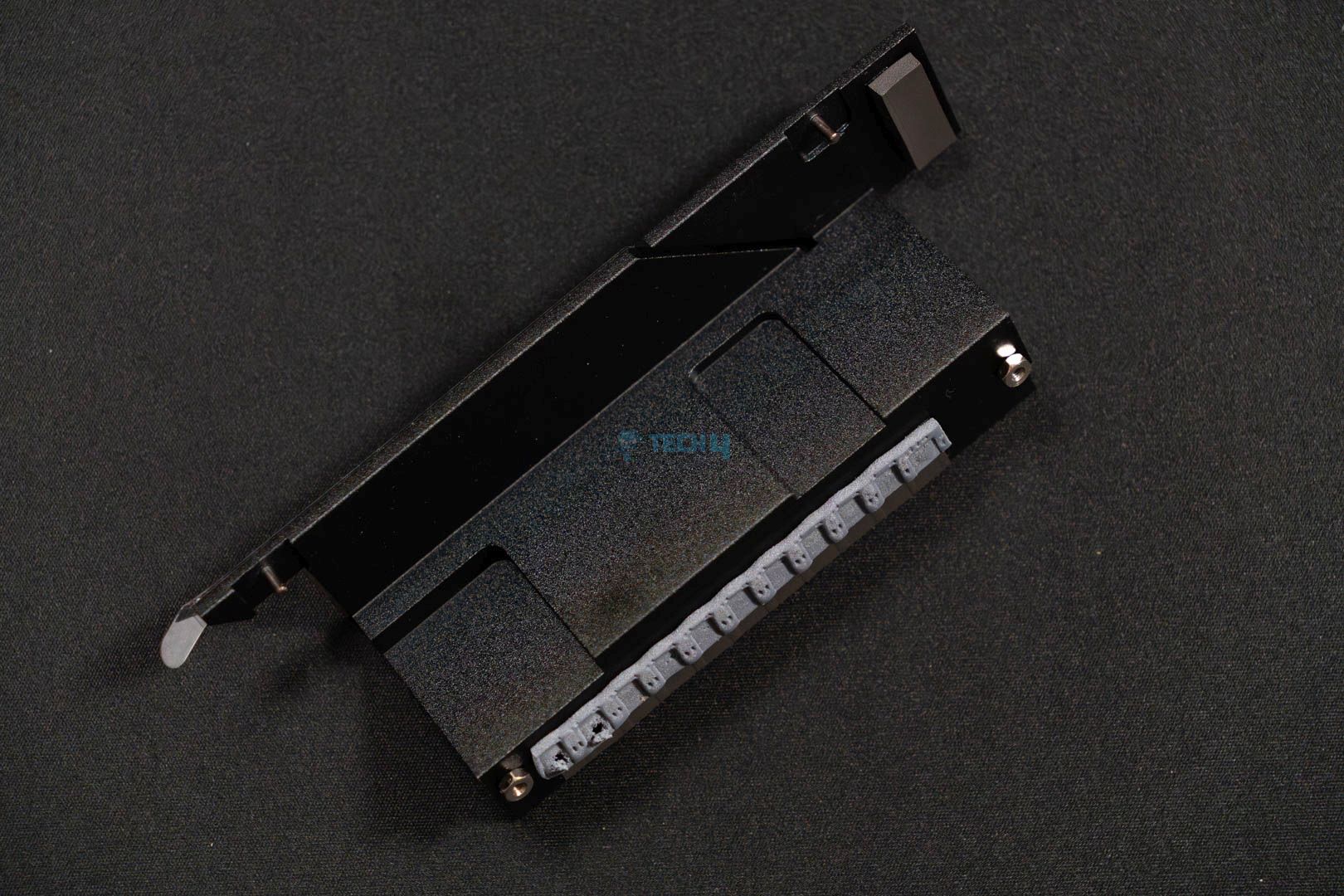
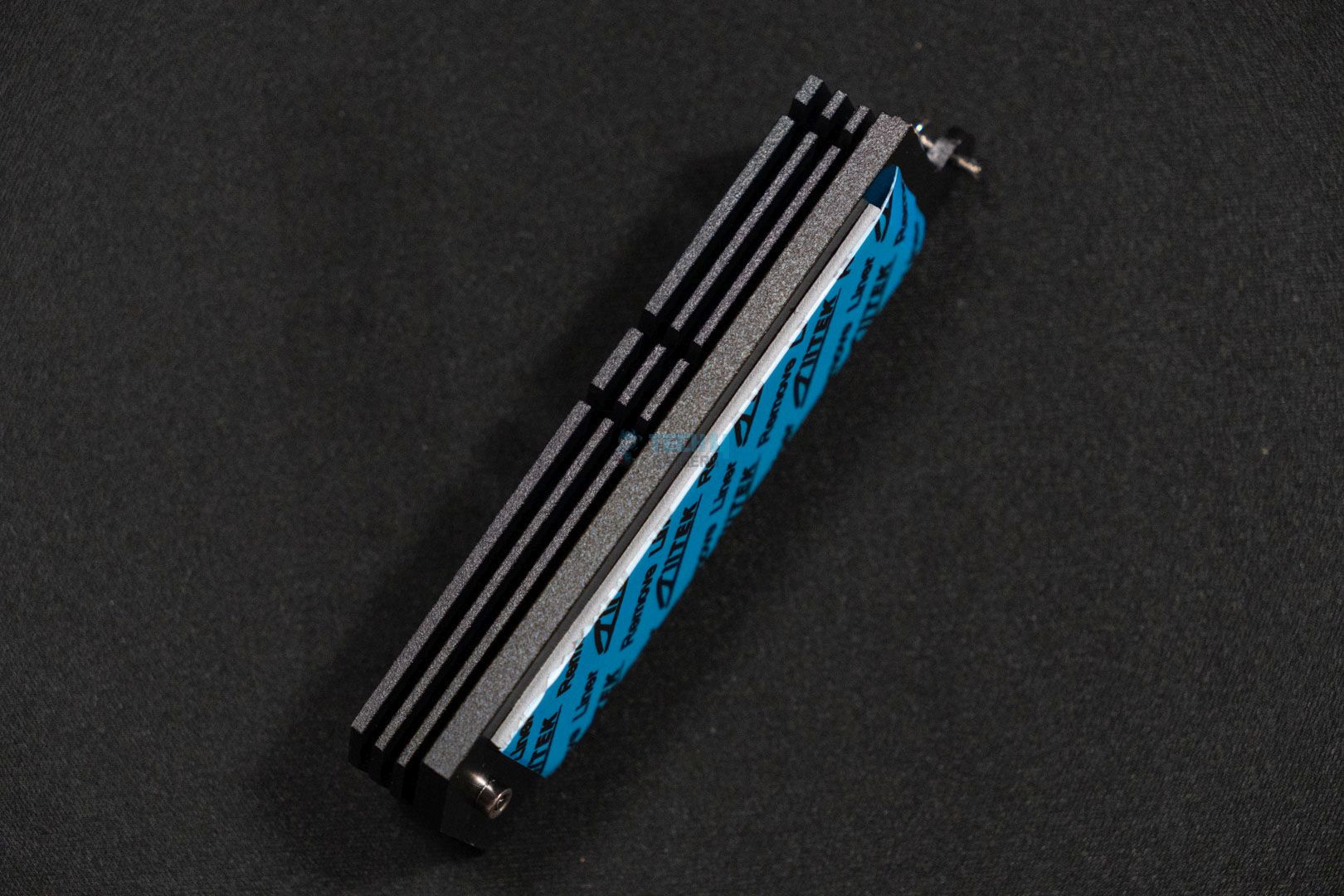
ASRock has provided an enlarged heatsink with fins on its sides and thick thermal pads at the bottom to ensure maximum heat dissipation to keep the power delivery within safe temperature limits.
Rear IO Design (Image By Tech4Gamers)
DIMM Slots
DIMM Slots (Image credit: Tech4Gamers)
Taking things further, we can talk about its memory capacity and capabilities. The motherboard offers two DIMM slots that support DDR5 standard memory kits in dual-channel mode. Additionally, we can stack two 64 GB modules in there with speeds reaching up to 8200+ MT/s (OC) right out of the box with the available X.M.P and EXPO memory profiles.
Storage Options
M.2 Slot (Image By Tech4Gamers)
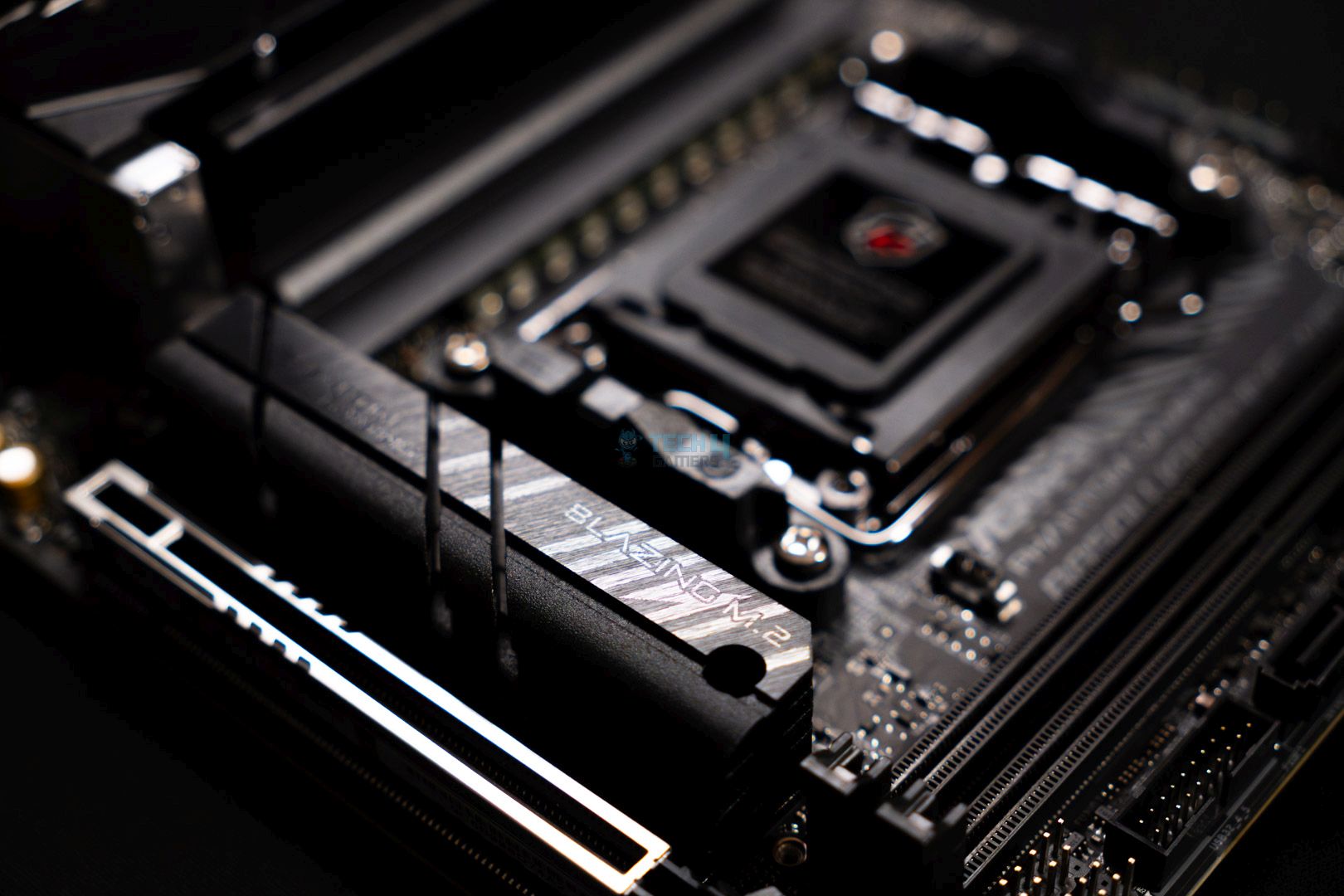
Since it’s a mini-ITX motherboard, we can’t expect a lot of storage expansion slots, and that is indeed the case here. Though it does make use of the available space on its back. With that taken into account, we get a main Gen5x4 M.2 drive slot on the front with a heatsink for cooling. As for its back, there we can see the Gen4x4 M.2 slot without a heatsink. Also, both the M.2 slots support 2280 cut drives only. Other than NVMe drive slots, the motherboard also has two SATA3 6.0 Gb/s ports to further expand the storage on your computer.
PCIe Slots
PCIe Slot (Image credit: Tech4Gamers)
Swaying further to the other components on the motherboard, we have come up with its PCIe offering. The ASRock Phantom Gaming B850i Lightning Wi-Fi offers a single PCIe 5.0 x16 with SMT technology. This ensures maximum signal flow and stability, which isn’t possible with the old DIP standard PCIe slot. Moreover, the PCIe slot has ASRock’s reinforced steel housing to enhance the slot’s durability and not break down easily when heavy cards are installed.
USB Connectivity
As far as the connectivity options are concerned on this motherboard, they’re not extraordinary and are good enough to move forward with your day at acceptable data transfer speeds. You get a total of 13 USB ports, including both the front and rear sides. These are all the USB ports that you can utilize:
4x USB 2.0 ports (Rear)
2x USB 2.0 ports (Front)
1x USB 3.2 Gen1 Type-A port (Rear)
2x USB 3.2 Gen1 Type-A ports (Front)
1x USB 3.2 Gen1 Type-C port (Front)
2x USB 3.2 Gen2 Type-A ports (Rear)
1x USB 3.2 Gen2 Type-C port (Rear)
The USB 3.2 Gen2 Type-C port at the rear supports DP 1.4 and can be used as a display out with max resolution support of 4K at 60Hz in DP-alt mode. This is the only port with an extra perk; the rest of the ports are standard data transfer ports.
Network and Connectivity
No motherboard is complete with some kind of network solution baked into it, either wired or wireless. This motherboard, however, offers both, as it features an Intel Killer E3100G 2.5G LAN port for wired connectivity. While on the flip side, it also boasts an 802.11axe Wi-Fi 6E module that supports Wi-Fi 6E and Bluetooth 5.2. Do remember, though, that there is no driver available for Windows 10 to get the 6E module working at its full potential. So, you have to stick to Windows 11 to get the most out of it.
Audio Solution
The motherboard has a 7.1 CH HD-supported Realtek ALC1220 audio codec with content protection that takes care of the audio in and out. Also makes sure that you get the most engaging audio experience with its Nahimic audio integration by Steelseries.
Internal Connectors & Components
Here’s the list of the internal connectors and components that the motherboard offers:
1x 24-pin Power Connector
2x Addressable LED Headers
1x Thermistor Cable Header
1x 4-pin Chassis Fan Connector
1x 4-pin CPU Fan Connector
1x 4-pin AIO Pump Fan Connector
1x 8-pin Hi-Density EPS Power Connector
1x Front Audio Connector
1x USB 3.2 Gen1 Header with support for two USB ports
1x USB 2.0 Header with support for two USB 2.0 ports
The highlighting feature here is the thermistor connector, which can be used to monitor any component’s temperature to get a second reading for further clarification or something else.
Rear I/O Panel
Rear I/O Ports (Image credit: Tech4Gamers)
Firstly, the rear I/O features an integrated I/O to save you the hassle of trying to attach the shield separately. As for the rear ports, here’s the list of everything the motherboard offers:
1x HDMI Port
1x Optical SPDIF OutPort
2x USB 3.2 Gen2 Type-A Ports (Up to 10 Gbps)
1x USB 3.2 Gen1 Port
1x USB 3.2 Gen2 Type-C Port (10 Gbps with Dp-alt mode support)
2x Antenna Ports
4x USB 2.0 Ports
1x BIOS Flashback Button
1x 2.5G LAN Port
1x Mic Input Jack
1x Line Out Jack
The USB 3.2 Gen2 Type-C port with DP-alt support is impressive as it can be utilized as a display out port as well instead of just being used as a data transfer or device connecting port.
Test Setup
These are the specs that we’re throwing in with the motherboard for the benchmarks:
Cinebench 2024, ST and MT Test (Image credit: Tech4Gamers)
The ASRock PG B850i Lightning WiFi performed excellently and secured 2nd place in Cinebench 2024 with 140 points for single core and 2304 scores for multi-core benchmark run.
Geekbench Multi-threaded Test (Image credit: Tech4Gamers)
The story is slightly different when it comes to Geekbench 6. In its multi-threaded test, the ASRock PG B850i Lightning WiFi ended up being 4th against the rest with 21711 points.
Blender 4.0.2 (Image credit: Tech4Gamers)
The ASRock PG B850i Lightning WiFi completed the Blender 4.0.2 rendering run in 54 seconds, placing it in the 2nd last spot on our result chart. However, the time difference isn’t huge.
Corona 11 Benchmark (Image credit: Tech4Gamers)
Surprisingly enough, the ASRock PG B850i Lightning WiFi beat all other competing motherboards by completing the Corona 11 test run in 63.1 seconds. Sure, the other boards aren’t too far behind, but it’s still a win.
V-Ray Benchmark (Image credit: Tech4Gamers)
In our V-Ray benchmark run, the ASRock PG B850i Lightning WiFi completed its run with 48785 points.
Gaming Benchmarks
Cyberpunk 2077 (Image credit: Tech4Gamers)
In our Cyberpunk 2077 benchmark, with this motherboard, the PC was able to hit 143 average FPS and 108 minimum FPS. The difference is pretty much non-existent compared to other motherboards.
Starfield (Image credit: Tech4Gamers)
The story is quite similar when it comes to Starfield as well. The PC managed to get 109 average FPS and 79 minimum FPS – only lagging behind other motherboards by 1 to 2 FPS.
Far Cry 6 (Image credit: Tech4Gamers)
We chose Far Cry 6 for our third and last gaming benchmark, and this is no surprise that the PC performed similarly and fell behind with just 1-2 FPS at most.
Power Consumption, Boot Times, And VRM Temperatures
Power Consumption (Image credit: Tech4Gamers)
Since it’s a mini-ITX motherboard, we are not surprised with the lower power consumption on this. The ASRock PG B850i Lightning WiFi eats 101W of power at Idle, 119W during gaming sessions, and 361W on full load.
Boot Times (Image credit: Tech4Gamers)
The ASRock PG B850i Lightning WiFi is also impressive when it comes to boot times, the motherboard completes its boot sequence in 22 seconds right behind the winner B850 Tomahawk which boots up in 21 seconds.
VRM Temp (Image credit: Tech4Gamers)
The ASRock PG B850i Lightning WiFi isn’t that great when it comes to its VRM temperatures, sure they are higher than the rest but still fall under the safe temperature limits.
Should You Buy It?
Buy It If:
✅You want to build a mini-ITX PC: If you’re looking to build a mini-ITX PC and seeking the best option among motherboards then the ASRock PG B850i Lightning WiFi serves that purpose very well without compromising on performance.
✅You want decent performance: This mini-ITX motherboard sure looks small, but offers excellent performance as can seen in our tests, so if you’re looking for decent performance, this board is a neat pick.
Don’t Buy It If:
❌If your PC chassis has bad airflow: The VRMs on this motherboard run a little hotter than the rest so if your place is quite hot and you don’t have a decent airflow in your PC chassis too, then better look for something else or use with care and under safe limits.
My Thoughts
We have yet again reached the point where we have to get everything together and throw out our final words on the product. Starting off with its aesthetics, the motherboard doesn’t fall behind and looks great in its all-black PCB color scheme with matching heatsinks all over it.
While the board does cost you $209.99, the motherboard justifies it pretty well with its competitive performance figures that speak volumes for its excellence. Moreover, the support for higher-speed memory is also a plus here and impressed us the most alongside the number of I/O options that it features.
At Tech4Gamers, I contribute as a Senior News Reporter, combining my skills and gaming enthusiasm to keep our audience updated on the latest developments.
Story Highlight
Assassin’s Creed Shadows cannot be played without using ray tracing.
The game requires an RTX 4090 and Core i7-13700K for maxed-out settings at 4K resolution.
It also takes up 100GB of storage and supports various upscaling options like DLSS and FSR.
Following the latest round of previews, Ubisoft has announced a slew of new details regarding Assassin’s Creed Shadows. A new story trailer has also been debuted.
Among the more interesting details, the system requirements have caught everyone’s attention. Since Assassin’s Creed Shadows marks the IP’s first outing into current-gen territory, the game seems to be quite intensive on PC and requires an RTX 4090 for the best gameplay.
Why it matters: The system requirements highlight how ray tracing is becoming mainstream and future games will continue to require more powerful hardware.
Assassin’s Creed Shadows System Requirements via Ubisoft
It is important to note that ray tracing is prominently mentioned across all configurations. This is because the feature has been introduced to the franchise for the first time and will be mandatory in Assassin’s Creed Shadows.
Ubisoft recommends graphics cards like the GTX 1070 and RX 5700 for a 1080p 30FPS experience, and 60FPS at this resolution requires the RTX 3060 Ti or RX 6700 XT for the best results.
These recommendations take selective ray tracing into consideration, suggesting that most of the intense ray tracing features will be turned off. On the other hand, graphics cards like the RTX 2070 and RX 6700 XT will achieve 30FPS at 1080p with ray tracing turned up a notch in the standard ray tracing preset.
For 4K gameplay, the requirements point to at least an RTX 4070 Ti or RX 7900 XT for selective ray tracing. Those looking to make full use of ray tracing must rely on the last-generation flagship RTX 4090 for 4K 60FPS gameplay.
Elsewhere, CPU requirements seem fairly modest, with a CPU like the Ryzen 7 7800X3D and Core i7-13700K being recommended at 4K, while the Core i5-11600K is suggested for 1080p 60FPS when using selective ray tracing. The game will also take up about 100GB of storage and support various upscaling options.
Assassin’s Creed Shadows makes use of ray-traced global illumination and reflections to enhance the overall gameplay. Therefore, these requirements, while higher than usual, are not too surprising.
The title has also been polished further by Ubisoft following the recent delay, creating excitement for a grand return to form. What are your thoughts on the system requirements? Let’s discuss this in the comments and on the Tech4Gamers Forums.
Currently serving as a News Reporter at Tech4Gamers, I have the privilege of combining my love for gaming with the art of storytelling. My role involves crafting engaging narratives that keep our audience abreast of the latest developments in the gaming world.
Story Highlight
Sony’s PSN requirement, which made the game unavailable in 177 countries, caused 97% of Helldivers 2 players to leave.
A recent update shows Sony has removed purchase restrictions in 44 regions, offering hope for regaining lost players.
Despite the progress, the PSN requirement remains a hurdle, and convincing players to return to Helldivers 2 after its struggles will be challenging for Sony.
Despite being one of the strongest launches of 2024, Helldivers 2 spiraled toward disaster because Sony was pushing the game down the wrong path. The infamous PSN requirement made the game unavailable in 177 countries, reducing its player base by a staggering 97%.
However, a new SteamDB update shows that the purchase restriction has been removed for various regions worldwide. Thus, 44 regions have been removed from the previous 177 region-locked lists.
Why It Matters: Ever since the region lock, many people lost access to Helldivers 2, and with an uplift of purchase restriction in a few of those regions, maybe the game can gather back its lost player base.
Although the PSN requirement has yet to be lifted, removing regions such as Bermuda, Gibraltar, and Niue is a step in the right direction. Sony may remove more regions from the list in the future, but that remains to be seen.
Helldivers 2 has already lost the majority of its PC player base, and convincing players to buy back the game would be difficult for Sony.
Arrowhead’s Helldivers 2 Is The Standout Success From The Live Service Push
Moreover, this change may also follow other first-party PlayStation games, such as the upcoming Marvel’s Spider-Man 2. PlayStation games already tend to flop on PC due to being region-locked.
Looking at SteamDB, it appears they are repeatedly adding and removing the same regions. Hence, taking these changes with a grain of salt is important.
The removal of purchase restrictions in several regions is a positive step but feels like a drop in the ocean. It has been said multiple times, but the PSN requirement should end once and for all.
Is Helldivers 2 available for you to buy after these restriction removals? Let us know in the comments below, or join the discussion at the official Tech4Gamers Forum.
At Tech4gamers, I cover all sorts of gaming news. Whether it’s a leak of any upcoming game or an update, an announcement, or a rumour, I like to write about it all. Over the weekend, I sit and write features where I talk about games that I miss or want to see return.
Story Highlight
Cyberpunk 2077 reached another massive milestone on Steam recently.
It has finally hit overwhelmingly positive reviews on the platform.
Sharing the news, the associate game director stated that he had never dreamt it would be possible.
Cyberpunk 2077 has seen a rollercoaster ride since its launch. The game’s launch was so poor that the CDPR CEO still worries their reputation may never fully recover from its disastrous release.
However, the studio has spent as much as four years fixing the title for the players and meeting their expectations.
It appears that the developers’ hard work and patience are finally paying off, as Cybperunk 2077 hits overwhelmingly positive reviews on Steam four years after its launch.
Why it matters: Although the perception of the game has already changed since its launch, this further proves why developers should not give up after a failed launch.
As seen above, the game has gathered around 13K reviews in the last 30 days, and surprisingly, around 95% of them have been positive. Although the overall reviews of Cyberpunk 2077 are also very positive.
The associate game director, Pawel Sasko, who’s currently working on the next Cyberpunk title, has also shared this news on Twitter, stating that he never dreamed it would be possible.
Never dreamt it will be possible. So thankful for your passion, memes, videos, reviews, articles, fan art, cosplay and mods. Much love my chooms!
-Pawel Sasko
It’s great to see that Cyberpunk 2077 is doing better than ever. The developers released Phantom Liberty last year, which also became a huge success for the title, selling over 5 million units.
Cyberpunk 2077 Sequel Is Already In Development.
Although the title is already half a decade old, Cyberpunk 2077 still reaches around 70k players on Steam. The sequel of the title is already in development, but CDPR is currently focused more on Witcher 4.
The sequel is still years from release, but it’s encouraging to see fans regaining their trust in CDPR.
Nonetheless, have you tried Cyberpunk 2077 after the recent updates? Are you excited for its sequel? Let us know your thoughts in the comments, or be a part of the Tech4Gamers Forum.
At Tech4Gamers, I mainly cover new gaming news, leaks, and rumours. Aside from that, I love to write features about my favourite games while inserting my opinion about their different aspects.
Story Highlight
Assassin’s Creed Shadows was delayed for the second time just recently.
Ubisoft has revealed the main reason for the game’s delay was that the parkour needed more polish.
The gaming giant is betting everything on Shadows, so it isn’t taking any risks and polishing the game as much as possible.
Assassin’s Creed Shadows has been delayed two times already. The first time, the game was delayed due to the failure of Star Wars Outlaws. The game was heavily trolled online due to its poor gameplay, which spooked Ubisoft, resulting in another delay for improvements.
However, the gaming giant had to delay it again as it wanted to implement fans’ feedback and improve the title even more. Ubisoft has just recently revealed the main reason for delaying Shadows, saying that it wanted to further polish parkour.
Why it matters: A gameplay footage of parkour from Shadows was released recently, and Ubisoft revealed a lot of further information in its blog. The impressions of the parkour were very positive, but Ubisoft isn’t taking any risks at this time.
AC Shadows Has Come A Long Way After Receiving Massive Backlash Last Year
The director of Assassin’s Creed Shadows, Charles Benoit, spoke to IGN in a recent preview event and revealed the main reason for the game’s delay. He said that the main reason for the delay was that the parkour could be polished even more.
The main feature that needed extra tweaking was the parkour system, which Benoit says was running up against an obstacle unique to Feudal Japan.
-Charles Benoit
He further revealed that Japanese architecture is super complex, especially the roofs. According to him, this is the most complicated thing he has ever worked with when compared to Odyssey and Syndicate.
We needed specific codes and specific animations to support something super fluid, changing the transition of the parkour to make it even more fluid.
Benoit also said that they received feedback on this specific bit and wanted to address it. The previews are also out, and they are fairly positive. The game might not have received a similar reception had it been released last year.
The improvements are notable, and it is likely to sell like hotcakes on launch. Ubisoft is solely dependent on Assassin’s Creed Shadows as it is on the verge of bankruptcy. So, hopefully, the gaming giant can find the break it has been looking for.
What do you think about Ubisoft’s reason for delaying Shadows again? Are you excited to play it? Share your thoughts with us in the comments section below or join the discussion at the official Tech4Gamers forums.
At Tech4Gamers, I contribute as a Senior News Reporter, combining my skills and gaming enthusiasm to keep our audience updated on the latest developments.
Story Highlight
Doom: The Dark Ages has received a May 15 release date.
id Software has showcased new footage, showing stunning visuals and hard-hitting gameplay.
The new footage also highlights the exploration and story that fans can expect.
Last year, id Software unveiled Doom: The Dark Ages, showcasing a stunning medieval take on the franchise. The game immediately gathered much fanfare, becoming one of the most wish-listed titles shortly after its official reveal.
Several months later, Xbox and id Software have returned with brand new gameplay footage. The team has also confirmed a release date for the latest Doom entry.
Why it matters: This franchise has always been very popular in the first-person shooter market, making its return exciting for millions of fans across the globe.
During the Xbox Developer Direct, Doom: The Dark Ages became the center of attention in no time. id Software debuted another round of gory and brutal gameplay, showing the Doom Slayer in all his demon-killing glory.
The new footage highlights id Tech’s graphical prowess, giving fans a new look at the next-generation Doom experience, which makes full use of features like ray tracing for the best possible results. Various story and exploration elements have also been shown.
This particular entry emphasizes slower and hard-hitting combat, making the Doom Slayer more like a tank than a fast weapon of mass destruction. Needless to say, the game is full of hard-hitting melee attacks and destructive weapons to facilitate this epic gameplay.
As for the release date, Doom: The Dark Ages arrives on May 15. Like other first-party releases, the title will arrive on day one on Game Pass for Xbox and PC gamers in May. Also, it will be available on day one on PS5.
The Xbox Developer Direct Has Been A Treat For Doom Fans
Elsewhere, the Xbox Developer Direct has also highlighted several other games. All in all, the event has shown just how encouraging Xbox’s first-party lineup will be for the rest of 2025.
What are your thoughts on the new Doom: The Dark Ages gameplay? Do you intend to play the game? Let us know in the comments, and head to the Tech4Gamers Forums for more discussions.