At Tech4Gamers, I mainly cover new gaming news, leaks, and rumours. Aside from that, I love to write features about my favourite games while inserting my opinion about their different aspects.
Story Highlight
Call of Duty: Black Ops 6 has launched to nearly 250K players on Steam.
Despite so much negativity around the franchise, the new title managed to break the record of its predecessor.
It seems like Game Pass didn’t hurt Black OPs 6’s sales at all.
Recent Call of Duty releases haven’t been that great, and Modern Warfare 3 is the best example of that. The campaign was so bad that it became the worst-rated COD game ever. However, despite such a release, fans stayed optimistic for the next release.
Call of Duty: Black Ops 6 was recently released, and it managed to shatter the record of Modern Warfare 3. The game launched with over 230K players on Steam.
Why it matters: Modern Warfare 3’s campaign was so poor that some believed the next game might not see a record-breaking player count, but Xbox’s marketing seems to be top-notch.
Call of Duty: Black Ops 6 Launched To Almost 250K Player Count On Steam | Source: SteamDB
As you can see in the image above, the game has almost reached 250K players. As of the time of writing, it has 218,310 players. While the peak is expected to grow during the weekends, it might not go much higher than the current number.
The all-time peak you are seeing is thanks to Modern Warfare 2. This might seem a bit confusing, as the client has been the same for a long time. Still, it is pretty impressive for Black Ops 6 to shatter the record of Modern Warfare 3, as the former is also available on Game Pass.
Many believed that Game Pass would hurt the game’s sales on Steam, but that doesn’t seem to be the case. It might be able to boost Game Pass subscribers by a lot as new players might give it a try due to the golden opporunity.
Although critics’ reviews are still being released, the reception around the campaign is quite positive. So, at least, the fans are likely to have a better experience with the campaign this time.
What do you think of the game so far? Which platform are you playing it on, and why? Let us know your thoughts in the comments section below or join the official Tech4Gamers forums.
At Tech4Gamers, I contribute as a Senior News Reporter, combining my skills and gaming enthusiasm to keep our audience updated on the latest developments.
Story Highlight
Satya Nadella has received over $79 million in fiscal year 2024.
This payment is up by $30 million compared to his compensation last year.
Microsoft’s gaming division has struggled with poor hardware sales, thousands of layoffs, and more this year.
It’s no secret that 2024 has been a rocky ride for Xbox. Where Game Pass has finally received its first major day-one Call of Duty and Xbox hosted the best showcase of the year, the gaming giant also laid off thousands of employees.
It may come as a surprise, then, that CEO Satya Nadella’s compensation was higher this year compared to 2023. According to reports, he secured an additional $30 million this year.
Why it matters: The reports highlight a massive discrepancy between the struggling developers and the top brass of the gaming industry.
The Activision Blizzard Merger Has Helped Xbox’s Revenue Figures
According to a recent filing, the CEO was paid $79,106,183 for fiscal year 2024. However, this amount added up to just $48.5 million during the last fiscal year, highlighting an increase of over $30 million.
Of the $79 million, Nadella saw $71.24 million coming from stock awards, $2.5 million from his base salary, and the rest through various forms of compensation. It’s also interesting to note that the CEO’s compensation this year could have been much higher.
This is because he requested that his ‘cash incentive’ be cut due to a 2023 security breach. Anyhow, Microsoft’s overall outlook looks positive under Satya Nadella, resulting in these incredible compensation figures.
In contrast to Microsoft’s overall performance, the Xbox brand has not been at its best in fiscal year 2024. The decision to move forward with a bigger multiplatform focus remains controversial, and Xbox laid off nearly 2,000 employees as early as January 2024.
Game Pass Continues To Deliver Exciting Games At An Affordable Price
This was not the last of Xbox’s layoffs since another wave followed in July. Console sales have also suffered in recent quarters, highlighting a larger problem with the Series S|X hardware.
On a more positive note, 2025 is shaping up to be a much better year for Microsoft’s gaming division. What are your thoughts on Satya Nadella’s incredible compensation in fiscal year 2024? Let’s discuss in the comments and the official Tech4Gamers Forums.
At Tech4Gamers, I contribute as a Senior News Reporter, combining my skills and gaming enthusiasm to keep our audience updated on the latest developments.
[Press Release] G.Skill’s memory has achieved the honor of breaking past the DDR5-12000 barrier using Intel’s Core Ultra 9 285K CPU.
A total of four overclockers have achieved this milestone, with BenchMarc from the US reaching DDR5-12066 with a liquid nitrogen (LN2) cooling setup on the Asus ROG Maximus Z890 Apex motherboard.
This accomplishment is significant since speeds this high require precise tuning and optimal thermal management. While the overclockers deserve plenty of credit here, G.Skill’s memory also shines for its high quality and reliability.
According to the company’s Vice President, this feat is just one more indication of G.Skill’s dedication to pushing the limits of DDR5 technology. The tech giant intends to continue this pursuit moving forward.
For additional details on the overclocks, follow these HWBOT links to BenchMarc, OGS, Deadzone, and CENS’ results.
At Tech4Gamers, I contribute as a Senior News Reporter, combining my skills and gaming enthusiasm to keep our audience updated on the latest developments.
Story Highlight
PlayStation has shared system requirements for Horizon Zero Dawn Remastered.
The game asks for more capable hardware this time around, requiring an RTX 4080 for a 4K/60FPS experience.
It also demands a whopping 135GB of total storage, reflecting the upgrades in the remaster.
Horizon Zero Dawn Remastered is set to launch in just a few more days, offering enhanced visuals on par with its sequel. Set to arrive on both PC and PS5, the remaster has received a few more details as PlayStation prepares for launch day.
The gaming giant has shared system requirements for the new version, suggesting a hefty GPU like the RTX 4080 for 4K gameplay at 60FPS.
Why it matters: Horizon Zero Dawn was originally designed for the PS4 and ran well on much more modest PC builds. The new requirements provide further evidence for various visual upgrades for this version of the game.
The Official System Requirements Have Been Shared By Nixxes
According to PlayStation, fans can expect 1080p/60FPS gameplay with graphics cards like the RTX 3060 and Radeon RX 5700.
16GB of RAM is recommended across all settings, but achieving 4K/60FPS won’t be feasible for everyone. Both the RTX 4080 and RX 7900 XT are considered high-end graphics cards, reserving the best 4K experience for a small percentage of gamers.
These graphics cards must be paired with CPUs like the Intel Core i7-11700 and Ryzen 7 5700X for optimal results. It should also be noted that these requirements are based on the ‘Very High’ preset at 4K.
Much like God of War Ragnarok, Horizon Zero Dawn Remastered seems to take up over 100GB of storage. In this instance, PlayStation recommends 135GB of free space, likely due to the updated assets and additional content present in this version of the game.
Interestingly, the system requirements appear to be virtually identical to those of Horizon Forbidden West. As such, the remaster will require a much more capable PC than the base game.
Is your PC equipped to handle PlayStation’s latest PC release? Are you looking forward to Horizon Zero Dawn Remastered? Share your thoughts in the comments, or join the discussion on the official Tech4Gamers Forums.
As Tech4Gamers’ Founder and Editor-in-Chief, I bring over 13 years of PC Hardware Reviewing and 8+ years of IT Project Management experience. Certified in Google IT Support , my focus is on providing honest product reviews and analysis and fostering a strong gaming community with 130k+ members in PPG.
According to CEO Pat Gelsinger, Navid Shahriari, who currently leads design engineering in Arizona, will take on additional responsibilities in the technology development area to eventually take over the division. However, Intel did not precisely state if Shahriari will move to Oregon, where the major Intel factories are located.
Why it matters: Kelleher has worked at Intel for nearly three decades, began her career as a process engineer in Ireland and has worked her way up to executive vice president and chief technology officer since 2020. She also received a blank check from Intel to invest in rebuilding the company’s manufacturing edge.
Intel’s announcement is pivotal as the company readies its 18A chip technology;
“Ann isn’t going anywhere. Given the importance of TD (technology development), we have a robust long-term succession planning process,”
“Navid is taking on new responsibilities to be prepared to eventually take over the TD role,” Intel said. “This reflects long term succession planning while Ann remains firmly in her role.”
The new Intel 18A CPUs are now the hope for Intel to gain a positive reputation again after messing up with the Intel Core Ultra 200S. Intel thinks its new cutting-edge technology will outperform TSMC, attracting customers as Intel is already tight on budget.
For the budget tightening effort, Intel has reduced $10 billion in expenses due to cutting 15,000 jobs worldwide, 1,300 layoffs in Oregon and others in Silicon Valley.
Patrick P. Gelsinger, Intel’s CEO, said he was confident in Kelleher’s work on the 18A-based CPUs, which are “on track to come to market next year.”
Although the announcement of Kelleher’s succession at this transitional period highlights the significance of his work and Intel’s efforts to regain its competitiveness in the semiconductor industry, it also shows that, given the performance of its CPUs and the financially struggling IFS, such a blank cheque was not a wise move.
As Tech4Gamers’ Founder and Editor-in-Chief, I bring over 13 years of PC Hardware Reviewing and 8+ years of IT Project Management experience. Certified in Google IT Support , my focus is on providing honest product reviews and analysis and fostering a strong gaming community with 130k+ members in PPG.
Intel has launched its Intel Core Ultra 200S CPUs for PCs. We got some early rumours about the CPUs that there are still reports of consistency problems in staying on top and instability in the LGA1851 platform.
It appears that Arrow Lake-S as an architecture experiences inexplicable fluctuations in FPS and scores, causing some benchmarks to differ by over 10%. This is absurd; it’s like night and day. To put a little more emphasis on it, we could say that it’s similar to going back two generations.
If we talk about performance, in some games, a CPU like the Core Ultra 9 285K, Intel’s top exponent for 2024 and part of 2025, would be slower than an i9-13900K. The early leak information indicates that Intel is still facing instability issues, blue screens in Windows, and games crashing in the middle of online matches.
Intel reports that these issues are caused by a massive software issue at launch. If Windows 11 incompatibility or driver issues are to blame, there may be microcode problems that Intel hasn’t noticed.
The situation is so serious because even game creators are complaining about it and are unable to resolve the issues with their titles by changing the coding.
People who have already ordered the LGA1851 should watch the results and for Intel to speak out after the reviews. Intel is trying to solve the problem as soon as possible. Tomorrow, with the launch of the Intel Core Ultra 200S series, we will see if the reviews about the consistency problem are true or not.
If they are true, then this is going to be the worst Intel launch, even worse than the Ryzen 9000 series.
At Tech4Gamers, I mainly cover new gaming news, leaks, and rumours. Aside from that, I love to write features about my favourite games while inserting my opinion about their different aspects.
Story Highlight
The fandom heavily criticised Horizon Zero Dawn Remastered when it was revealed.
However, a recent in-depth tech review proves the remaster to be a worthy upgrade over the original version.
The remaster features a massive visual leap and shows improved lighting and reflections.
PlayStation previously announced the remaster for Horizon Zero Dawn, but it wasn’t well received by the fandom. The game was released in 2017 and still looks really good, so the fandom thought it didn’t need a remaster. They think the ones that are deserving of remasters are games like Bloodborne.
However, a recent tech review comparison has revealed some interesting details. The remaster actually shows a massive visual leap from the original version, which makes it a worthy upgrade.
Why it matters: Fans criticized the remastered version announcement a lot, rightfully so, but the comparison shows that it could be a worthy upgrade.
Digital Foundry has released an in-depth tech review of the game, showcasing its graphical differences from the original version and performance. The remastered version seems to have many improvements that might force many fans to buy it.
It is fair to say that Horizon Zero Dawn Remastered has way better visuals than the original title released back in 2017. Nixxes, in collaboration with Guerrilla Games, has done an amazing job with the remaster.
The terrain system has been replaced, and there is just so much more detail. There are different plants and a massive boost in the quality. Nixxes didn’t really change the art style but managed to take inspiration from the original one and improve it a lot.
Horizon Zero Dawn Remastered vs. the Original Version
The water in the original game didn’t look very good. However, in Horizon Forbidden West, the difference was massive. Similarly, in the remastered version, the water rendering has been improved. While it might not be as good as Forbidden West, you can clearly see the difference.
Enhanced lighting and reflections can also be noticed clearly. These tweaks make the title look way better and worth buying. Also, there is a bonus for those who are using a VRR display, as the framerates aren’t capped at 60FPS in the performance mode.
What do you think of this in-depth review of the remastered version? Is it a worthy upgrade over the original one? Let us know your thoughts in the comments section below or join the official Tech4Gamers forums.
At Tech4gamers, I cover all sorts of gaming news. Whether it’s a leak of any upcoming game or an update, an announcement, or a rumour, I like to write about it all. Over the weekend, I sit and write features where I talk about games that I miss or want to see return.
Story Highlight
Hideo Kojima is currently working on Death Stranding 2.
In a recent interview, he claimed to develop games that even aliens would find cool.
Kojima says that he wouldn’t publish a game that he wasn’t convinced of, and most creators should approach this the same way.
Hideo Kojima has worked on titles like Death Stranding and the Metal Gear franchise, and thanks to them, he is one of the most popular and beloved creators among fans.
Just recently, Kojima talked about how one should only publish games that they are satisfied with and the kind of games that, centuries later, even aliens look at and call cool.
Why it matters: It’s great to see that Hideo Kojima is still passionate about making video games and always wants to improve.
Death Stranding 2: On The Beach Is Currently Under Development
In a recent interview with Anan News, Hideo Kojima replied to many fans’ questions while sharing his thoughts as a creator.
Kojima believes that the most important thing every developer should strive for when developing video games is satisfaction. He further stated that he would never publish a game he doesn’t feel convinced by.
If I make something I’m satisfied with, centuries later aliens may come and say, “that’s awesome.”
-Hideo Kojima
Kojima also talked about how painters’ arts are appraised 100-200 years after their death, and in the same way, he wants to develop video games that, even centuries later, aliens look at them and call them cool.
In another question, Kojima said that he considers himself lucky to have encountered video games in his life and hopes to continue developing them for as long as possible.
Nonetheless, Kojima Production is currently working on Death Stranding 2, which isn’t half done yet. It has also been claimed that the graphics of the title will improve further in the future. Therefore, we have high hopes for the creator’s next game.
What do you think about Hideo Kojima’s recent games? Do you agree with this take? Let us know your opinion in the comments or be a part of Tech4Gamer’s Official Forums.
At Tech4Gamers.com, I cover the latest news and rumours in the gaming industry, from new game releases to hidden gems and video game leaks. Furthermore, I occasionally write tech articles about video game consoles, providing insights into the hardware and software that powers our gaming experiences.
Story Highlight
Baldur’s Gate 3 director criticizes Ubisoft’s decision to disband the Prince of Persia: The Lost Crown development team.
Douse believes that the game’s success was hampered by Ubisoft’s decision to not release it on Steam.
Michael Douse, the publishing director at Larian, has publicly criticized Ubisoft’s decision to disband the Prince of Persia development team. Douse has called Ubisoft’s approach to the game a “broken strategy.”
This criticism stems from the decision to break up the development team shortly after the game’s release. Ubisoft’s decision has left fans worried about the company’s ability to support mid-sized titles in the future.
Why it matters: Ubisoft is currently in deep waters, as their stocks plummeted by 30% in a month. Disbanding a development team that created a great game only worsens the company’s situation.
Michael Douse believes the situation could have been avoided had Ubisoft released PoP on Steam.
If it [Prince of Persia] had released on Steam, it would have been a success. The hardest thing is to make an 85+ game – it is much easier to release one.
– Michael Douse, Larian Director
Prince of Persia: The Lost Crown was released in early 2024 as a 2D side-scrolling action-adventure game, bringing back the beloved Prince of Persia series. Although it received positive reviews, with a score of 86 on Metacritic, Ubisoft disbanded the development team a few months after the launch.
This decision led Douse to believe that Ubisoft’s approach may have set the game up for failure from the beginning. Inside sources at Ubisoft have confirmed the team’s breakup.
Ubisoft confirmed that the affected developers may be reassigned to other projects, such as the long-awaited Rayman Remake.
Prince of Persia: The Lost Crown is Ubisoft’s best user-rated game on Metacritic.
Moreover, Douse pointed out that Ubisoft’s poor timing and inconsistent marketing hurt The Lost Crown’s sales. Launched alongside big titles like Tekken 8 and Last of Us Part 2 Remastered, the game failed to gain mainstream attention.
Additionally, Ubisoft restricted its release on major digital platforms like Steam, which limited its reach to PC players. This, combined with a focus on bigger franchises, has led many to criticize Ubisoft for not supporting its mid-sized projects.
The company is also criticized for hesitating to take risks in game development. What do you think of Baldur’s Gate 3 director’s take on this whole situation? Do you agree with him? Join the conversation on Tech4Gamers Forum.
I’ve previously worked for eXputer as a Senior News Writer for several years. Now with Tech4Gamers, I love to devoutly keep up with the latest gaming and entertainment industries. I have a Bachelor’s Degree in Computer Science and years of experience reporting on games and breaking exclusive stories. Besides my passion for gaming journalism, I love spending my leisure time farming away in Stardew Valley. VGC, IGN, GameSpot, Game Rant, TheGamer, GamingBolt, The Verge, NME, Metro, Dot Esports, GameByte, Kotaku Australia, PC Gamer, and more have cited my articles.
Story Highlight
As per a new official report, Xbox now boasts over 20 video game franchises that have earned over a billion.
Call of Duty alone has generated up to $31 billion in revenue, and the number is only seemingly growing.
The number of franchises reaching the massive billion figure has grown by seven since the last year.
It is no surprise that Xbox has a bundle of popular gaming franchises under its umbrella. Despite facing precarious times in recent years, one still cannot deny how much of a foothold Microsoft has in the gaming industry. Now, the conglomerate has just given us an elaborate hint about the current state of its popular gaming franchises, sullying any rumors that painted a bleak picture.
Xbox has now confirmed that it owns 20 video game franchises that have made over a billion in lifetime sales and microtransactions across various entries. Some of these IPs are playing in the billions, as Call of Duty alone has generated a hefty $31 billion in lifetime revenue. These numbers are only continuing to grow.
Why it matters: Xbox owning over 20 video game franchises that have made over a billion suggests that the conglomerate is only going to grow to new horizons in the subsequent years.
Microsoft owns some of the most influential and profitable gaming franchises in the world.
In a new annual filing report for 2024, Microsoft confirmed that it has added hundreds of millions of players to its ecosystem since last year. Additionally, many gaming franchises like Candy Crush, Diablo, Halo, Warcraft, Elder Scrolls, and Gears of War are earning in the billions.
“We now have 20 franchises that have generated over $1 billion in lifetime revenue.”
For those not in the know, Xbox owned 13 gaming IPs last year that made over $1 billion in lifetime revenue respectively—and this was after the Activision deal was completed. The figure has now grown by seven alone since 2023.
The Call of Duty franchise is one of the biggest money-makers for Activision and Microsoft.
While Microsoft has hogged many popular gaming franchises over the years, many gamers claim that most have not seen good entries in a long time. But what are your thoughts regarding the massive achievement? Let us know your opinions in the comments below, or join us for a discussion on the official Tech4Gamers forum.
As Tech4Gamers’ Founder and Editor-in-Chief, I bring over 13 years of PC Hardware Reviewing and 8+ years of IT Project Management experience. Certified in Google IT Support , my focus is on providing honest product reviews and analysis and fostering a strong gaming community with 130k+ members in PPG.
Abdul Hannan
I’ve been the Journalist & Editorial Writer at Tech4Gamers since July 2022. I spearhead our hardware coverage, including overclocking GPUs, benchmarking CPUs, reviewing peripherals, and fine-tuning custom PC builds for every budget. Daily, I report on breaking gaming news, from major launches and studio updates to the latest industry trends, ensuring our community stays informed. Beyond news briefs, I write in-depth feature articles on gaming culture and emerging technologies. And by collaborating closely with the editorial team on content planning, SEO strategy, and our publishing calendar, I help us consistently hit our traffic and engagement targets.
Now that I’ve revived my interest in playing some games on PC using a controller, I can finally see reasonable-priced options, and GuliKit KK3 Max is one of them. Although functional, traditional console controllers lack a few of the latest cutting-edge features for PC gamers and further customization possibilities to fit our needs. Moreover, they often come at heftier prices.
Even though you probably would have a console and its controller at home, first-party controllers just cannot keep pace with the apparent supremacy of third-party options, particularly given that they’re so much cheaper. Having said that, in this review, I’ll be taking an in-depth look into the Gulikit KK3 Max, a successor to the renowned King Kong 2 Pro.
Why Trust Tech4Gamers
Abdul Hannan is our peripherals expert who has been testing different mice, keyboards, headphones, microphones, and more for years.
130+ peripherals tested and reviewed by our team of hardware experts (Tech4Gamers Team).
500+ hours spent testing different peripherals for our reviews.
At Tech4Gamers, ensuring you get reliable information is our priority. That’s why every hardware round-up undergoes a meticulous review process by our team of experts and editors. Each review is carefully examined against our strict editorial guidelines, guaranteeing you trustworthy insights you can depend on.
Key Takeaways
The GuliKit KK3 Max Controller is a well-built gamepad. Its Hall Effect joysticks eliminate stick drift, while the detachable rear paddles and trigger locks offer versatility for various gaming styles.
You should buy the GuliKit KK3 Max Controller if you appreciate premium features at a mid-range price, play games specifically on PC and Nintendo Switch, and want versatile customization.
You should not buy the GuliKit KK3 Max Controller if you need broad console compatibility, prioritize lengthy battery life, and prefer a refined D-pad.
The GuliKit KK3 Max has refined features like Hall effect joysticks, which eliminate stick drift and offer precise control, which is particularly beneficial for long-term use. Unlike its predecessors, which focus heavily on multi-platform compatibility and automation features, the KK3 Max focuses on improving the tactile experience with buttons and trigger locks, which enhances gameplay in shooters and other fast-paced genres. Compared to the general competition, the KK3 Max offers unique advantages like customizable paddles at a lower price point.
Packaging & Unboxing
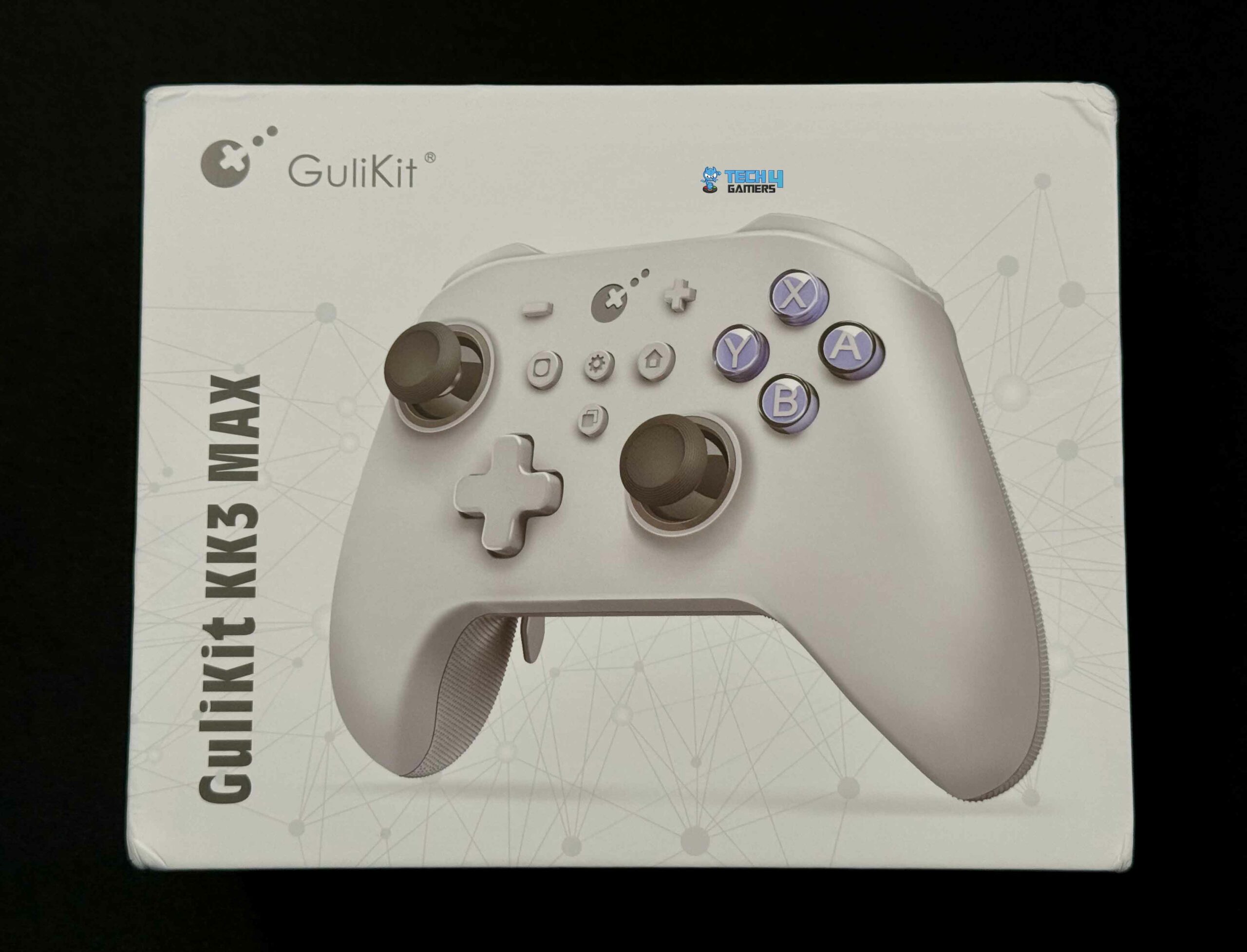
Front of the Box
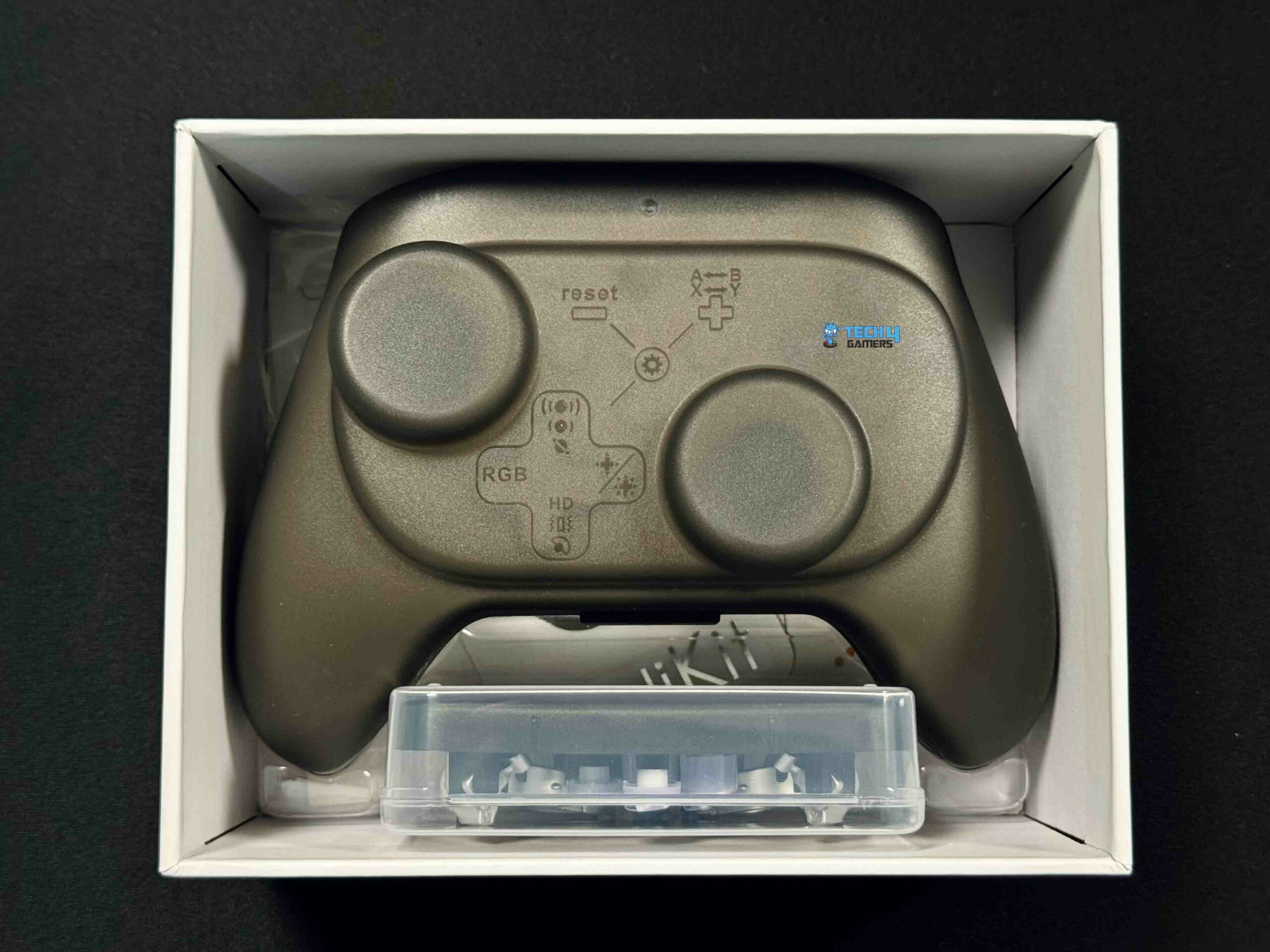
Unboxing
Here, you’ll find a surprising variety of extras when you take it out of the packaging. You also receive a standard USB-C cable for charging and an elegant hard shell case with a charging cutout. In addition, you’ll find a convenient compartment for storing your controller’s USB wireless adapter, which includes rear paddles and buttons.
Box Contents
Box Contents
GuliKit KK3 Max Controller
Travel Case
USB-C Cable
Button Puller
Extra Buttons and Rear Paddles
Wireless Hyperlink Reciever
Quick Start Guide and Manual
GuliKit Sticker
Design
Design
You must have already anticipated much from the design already, but I will still try to cover all my bases. The front incorporates the Xbox and Nintendo layouts for sticks and face buttons in terms of appearance and functionality. The two hall effect triggers on the rear correspond with the two full-sized hall joysticks placed on the front.
There are also four places for rear paddles. If you’re familiar with controllers designed for Xbox consoles, you’ll find the layout spot on. Since, the KK3 Pro shares design cues and the front-panel button arrangement with an Xbox One controller.
It is mostly identical to the Xbox One controller except for its small dimensions. It’s hardly noticeable, maybe half an inch, but it still maintains the controller’s familiar and comforting feel. This put me at ease, as I’ve always preferred the playing experience of an Xbox controller.
Comfort
Triggers
The controller’s plastic construction gives it a pleasant semi-soft feel on top, with a more rigid, more textured bottom for better grip. Most importantly, the face buttons provide a smooth travel experience. On the downside, the D-pad might be an exception as Gulikit uses a 4-way cross-style D-pad rather than an 8-way radial one.
The D-pad has no diagonal movement, so using it for input may be a little more hassle. On the other hand, the joysticks, which use Hall effect sensors, are top-notch. They spin freely across their whole range and don’t have any dead zones until you set them up, which is doable. It is also worth mentioning the Hall effect triggers.
Using Gulikit’s trigger lock, which can be activated by a switch, you can limit the physical movement of the triggers to just a few millimeters. It’s a standard controller function nowadays, but Gulikit takes it to the next level with a nice tactile click that isn’t there when the lock isn’t switched on.
PRO TIP: Use KK3 Max’s trigger locks and adjustable paddles. Activating the trigger locks allows for quicker response times in fast-paced games like shooters. Additionally, spend time customizing the rear paddles for complex keybindings in PC games
Features
Rear Paddles
A few of its many features include a magnetic hall effect triggers and field-sensing joystick and that eliminate stick drift over time. Moreover, trigger stops support for turbo and Auto-pilot macros.
Arguably, when compared to other gamepads, not many can provide this much value for the money. That doesn’t mean every feature is useful. For instance, PC players will probably prefer the removable rear paddles since they provide additional buttons for personalized keybindings.
That isn’t as helpful because custom keybindings are far harder to configure on consoles. Although the Auto-pilot feature allows you to record and replay controller input for up to 10 minutes, I failed to discover any situation in which it might be useful. However, I can see this being rather helpful for games with many repeated activities.
Battery Life
As per my actual usage, the controller’s built-in lithium-ion battery can last up to 25 hours with the LEDs turned off. However, they can decrease the battery life to 13 to 15 hours if left on. The battery only died twice on me during the whole testing period, where I could easily use it for three days without charging.
On the downside, these numbers are lower than competing alternatives, such as the Xbox Elite Wireless Controller Series 2 Core, which offers up to 40 hours of playtime. Some gamers may find this annoying since they tend to sit for longer periods of time while playing.
Compatibility
Mode Button, Player Number LED, and USB-C Port
This section serves as a caution rather than as an altogether bad thing. Unfortunately, the KK3 Max isn’t compatible with MacOS, PlayStation 5, or Xbox One X, but it is compatible with iOS, Android, Windows, and Nintendo Switch. You need to take several steps to connect it to these platforms.
This significantly narrows the gamepad’s potential market and lessens its appeal. Those who play most games on Xbox or PlayStation should probably pass on this. As it turns on, you can easily change the connection to any platform with a simple button. Remember the steps to sync it with each device, and then continue accordingly. When you get the hang of it, it’s not that difficult, but nevertheless, don’t toss out the manual for this one.
Performance
Star-Ring RGB Lights
Once you get the hang of using the adapter to connect to your controller, it works like a charm, and as far as I can tell, it positively impacts gaming performance. Speaking of which, the hall sticks give you great precision and fluidity when playing. Using the left stick to steer in racing games was a breeze. Moreover, the tactile button switch from GuliKits gives the face buttons a pleasant actuation.
In my opinion, they’ve found an excellent balance. Furthermore, the rear bumpers have a pleasant, subtle click that is pleasant to the touch. However, although the D-Pad is generally functional, it becomes annoyingly stiff compared to other options after a while. In fact, I would rather prefer the clickier D-Pad available on Xbox series controllers. On the downside, the triggers have one problem for me.
They snap into place after a smooth drop on Xbox. In contrast, KK3 Pro has them go down smoothly for the most part, but before ramping up the pressure at the bottom. Even after you believe they have reached their lowest point. You can still apply a little more pressure. Despite my enough time with the controller, it sometimes throws me off when playing. However, if you get comfortable with it, I don’t believe it will be much of a problem.
I will be upfront and honest about the rear paddles. For the first time, I used the controller without them, acting like this option didn’t exist. They’re metal and of excellent quality, but they’re difficult to put on and take off and aren’t really pleasant to have on. However, these back paddles can be amazing if this is what you really require. On the other hand, I’m a huge fan of the flat-back buttons. I have used them to get a better hold. All things considered, the controller is clean, simple, and really lovely.
Should You Buy it?
Buy it if
✅ You Appreciate Premium Features at a Mid-Range Price: The GuliKit KK3 Max offers features such as Hall Effect joysticks, trigger locks, and customizable rear paddles, typically seen in higher-end controllers, but at a more affordable price.
✅ You Play on PC or Nintendo Switch: This controller is ideal if you primarily game on PC or Nintendo Switch. Its Hall Effect sensors ensure durability and precision, while its compatibility with these platforms gives you an outstanding gaming experience.
✅ You Want Versatile Customization: The KK3 Max offers customizable button layouts and detachable paddles, making it a good choice for players who like personalizing their controllers for different games or playstyles.
Don’t Buy it if
❌ You Need Broad Console Compatibility: If you’re a PlayStation or Xbox player, the KK3 Max may not be compatible with these platforms.
❌ You Prioritize Battery Life: While its 25-hour battery life is decent, it’s shorter than competitors. You may want to consider other options if you need a controller for long gaming sessions without frequent recharging.
❌ You Prefer a Refined D-Pad: If a highly responsive and smooth D-pad is essential to your gaming experience, the KK3 Max may fall short. The stiff D-pad could hinder movement in games that require quick directional inputs.
Final Verdict
Once again, for me, Gulikit has succeeded in delivering. An earlier wave of previous gamepads from the brand caused quite an uproar. As a successor to the renowned King Kong 2 Pro Wireless, the Gulikit KK3 Max goes beyond. They are still using a tried-and-true recipe. At a reasonable $80 price tag, the Gulikit KK3 Max offers features like removable paddle buttons and trigger locks. Though it’s $10 pricier than the King Kong 2 Pro, the KK3 Max makes up for it with extra features that were absent in its predecessors.
At its current price point, the KK3 is clearly superior. With these enhancements, the KK3 Max’s feature set is now competitive with more costly competitors. I have compared the KK3 Pro with a series controller in some parts of my review. Therefore, it can be considered a cheaper alternative to that with premium features. In general, the KK3 excels at the essentials, but I find a few aspects lacking. Maybe this is being overly harsh, but these things have come to my attention throughout my use.
The biggest problem with the Gulikit KK3 Max is its device compatibility. For console players who aren’t totally dedicated to their Nintendo device, the absence of Xbox and Playstation compatibility is a major letdown. You should Invest in an Xbox or Playstation controller if you want to use it with your desired platform. But if you’re a Nintendo Switch and PC gamer, the KK3 Max is a no-brainer. Each has its advantages and disadvantages.
Henceforth, choosing between them is a matter of personal preference because they are both so comfortable to use. Having said that, at this price, very few controllers come close to the KK3 Pro in terms of connection, face buttons, and sticks. Ultimately, it is an affordable controller with many features and a sturdy and pleasant design. At the very least, I will continue to use it on my PC since it is a fantastic controller.
At Tech4Gamers, I proudly hold the role of a Hardware Reviewer. Here, I leverage my expertise to provide readers with in-depth insights into PC hardware, ensuring they have the information needed to make informed decisions.
Hayyan Serwer
As the CPU Cooler and RAM Expert, I test the latest hardware to provide tips for smart purchases. I cover everything from busting myths about CPU coolers to looking into the newest RAM designs, examining various parts of PC hardware.
AIO coolers are a remarkable source of cooling for CPUs, especially for compact PC builds. If you’re utilizing an SFF PC case, you most likely don’t have the space to install a larger air cooler. Therefore, after thoroughly testing multiple products, we have put together a list of 120mm AIO coolers that will be a perfect fit for any build.
Why Trust Tech4Gamers
Hayyan Serwer is our CPU Cooler expert who has been testing different AIOs for years.
80+ coolers tested and reviewed by our team of hardware experts (Tech4Gamers Team).
400+ hours spent testing different coolers for our reviews.
At Tech4Gamers, ensuring you get reliable information is our priority. That’s why every hardware round-up undergoes a meticulous review process by our team of experts and editors. Each review is carefully examined against our strict editorial guidelines, guaranteeing you trustworthy insights you can depend on.
Here is a table and comparison chart showing our 120mm AIO coolers.
October 25, 2024: After testing and reviewing some more coolers, the Thermalright Aqua Elite 120 V3’s price-to-performance ratio and overall features have really impressed us. That’s why we’ve awarded it the best overall 120mm AIO title.
[toc]
Want a bigger size? Our team has also tested these:
Are you running your PC in an SFF chassis and want better thermals? If so, the Thermalright Aqua Elite 120 V3 AIO cooler will be your best friend, providing outstanding cooling performance, drop-dead gorgeous aesthetics, and a robust build quality meant to last. The first thing I noticed during my testing was the cooler’s low 25.6dB(A) noise levels. While I don’t recommend pairing it with a flagship CPU, you can make the pairing if you keep the CPU at base clock speeds.
Now, moving to its looks, I instantly fell in love with the AIO cooler’s unique pump design. After the easy installation, I was mesmerized by the customizable RGB lighting over the fans and the pump, making the cooler look like a lit-up Christmas tree. The best part out of all of this? The Aqua Elite 120 V3 is affordable, so you don’t have to spend too much on this component. I would love to call it a jack of all trades, but the lower 3-year warranty period is a slight downer despite the robust build quality. Other than that, there’s honestly nothing to scoff at with this AIO cooler.
PRO TIP: The AIO cooler has a longer 400mm tube, so you can easily adjust the radiator to match your airflow and install it appropriately.
✅Buy It If
You’re looking for a jack of all trades without emptying your wallet: If you’re looking for a 120mm AIO cooler that provides impressive thermal performance, decent overclocking headroom, and drop-dead aesthetics without requiring you to empty your pockets, then the Thermalright Aqua Elite 120 V3 AIO cooler will suit all your needs and more.
❌Don't Buy It If
You want a longer warranty period and an easily serviceable AIO: In case you want an AIO cooler that has a 5-year warranty period and is easily serviceable, then I don’t recommend the Thermalright Aqua Elite 120 V3 because of its lower 3-year warranty. Although the AIO cooler may work longer than that, it still can’t be serviced easily.
What Makes It The Best Overall 120mm AIO CPU Cooler?
The Thermalright Aqua Elite 120 V3 AIO cooler offers everything you could possibly require from a small form-factor liquid CPU cooler: remarkable thermals, incredible aesthetics, robust build quality, and a low price to seal the package. The AIO’s fan also doesn’t produce much noise, and the longer tube makes installation easier. Therefore, all these features and performance make it the best overall 120mm AIO CPU cooler.
Performance: 9/10
Value: 9/10
Features: 9/10
Design: 9/10
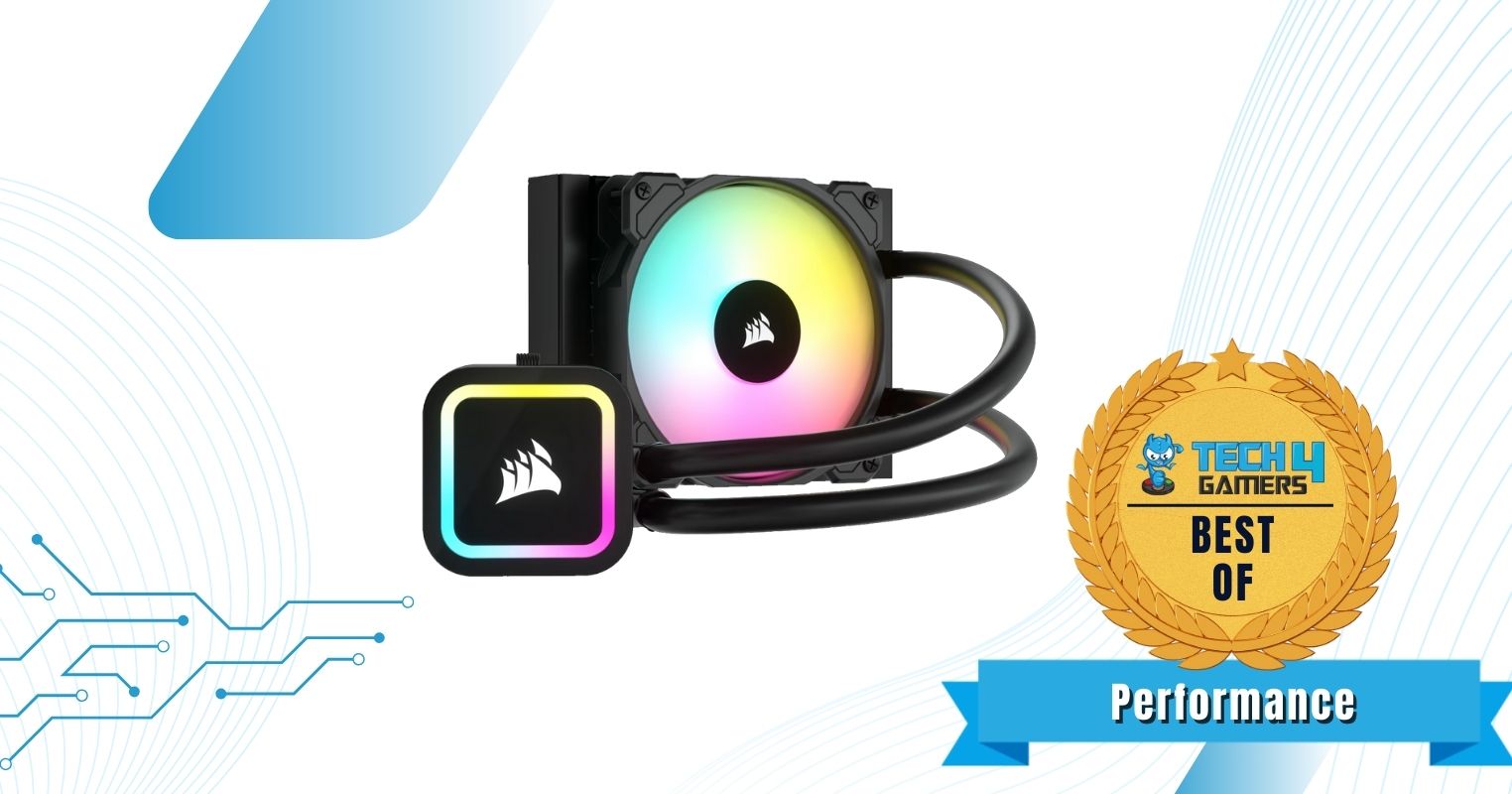
Corsair iCUE H60x RGB Elite
Best Performance 120mm AIO CPU Cooler
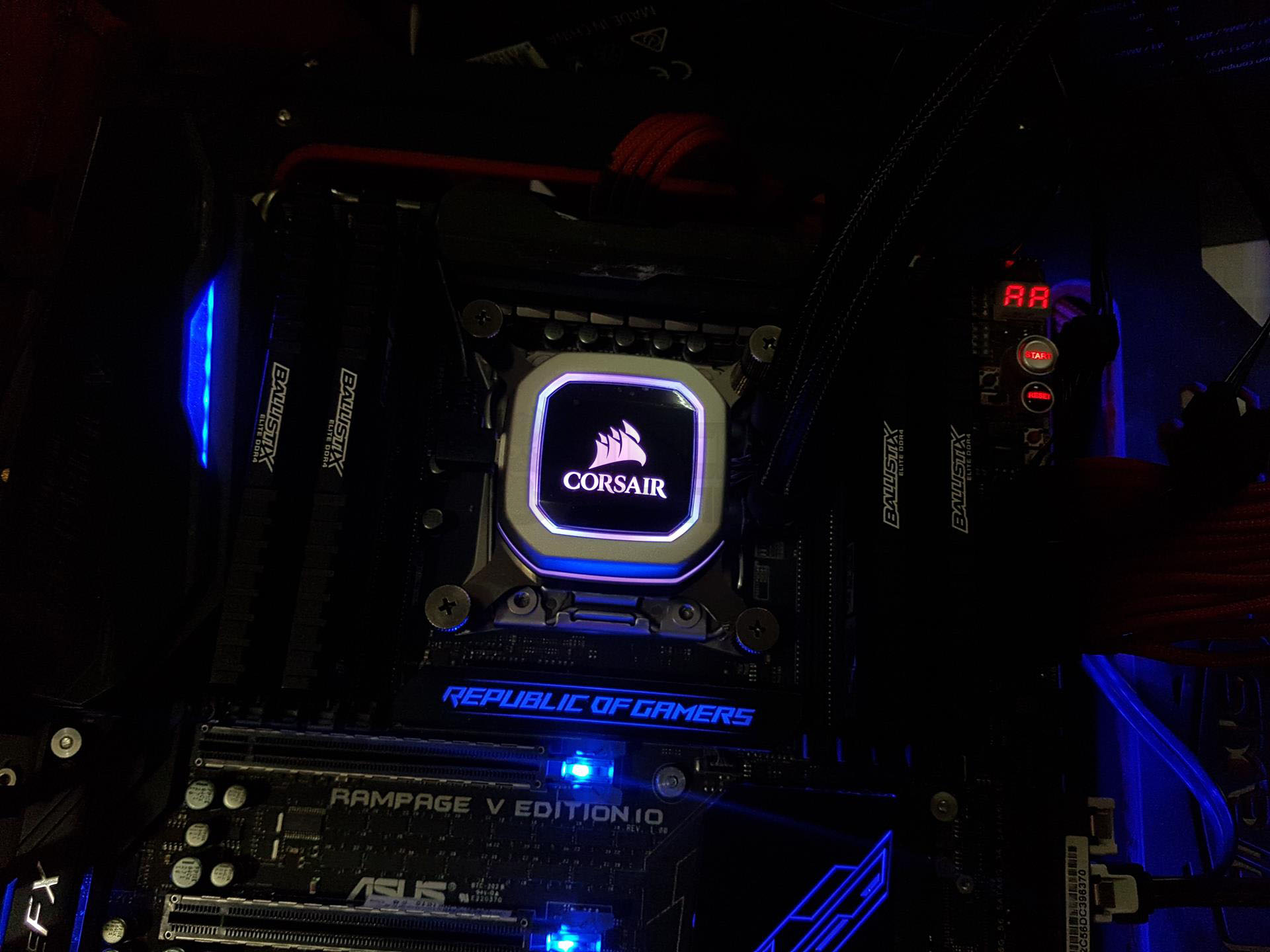
Corsair iCUE H60x RGB Elite Pictures From Our Review
1 of 2
Corsair iCUE H60x RGB Elite.
RGB Showcase (Image By Tech4Gamers)
Corsair Hydro Series H150i Pro RGB Liquid CPU Cooler
The Corsair iCUE H60x RGB Elite comes with a 1x 120mm SP120 fan running at 1,500RPM speeds, which provides the bulk of its cooling performance. During my gaming tests, the cooler provided decent overclocking potential while keeping the CPU’s temperatures around 60°C to 65°C. Moreover, the radiator is made of aluminum, and the surface is optimized for providing better heat transfer through fins. One thing I disliked was the shorter 330mm tube length, but it should be fine with SFF cases.
As apparent from the name, the Corsair H60x RGB Elite 120mm AIO cooler has captivating RGB lighting, which has a lot of customization potential. Through the iCUE software, you can access and customize various functionalities of this AIO cooler. I loved the cooler’s dark pump and tube aesthetics.
WARNING: While overclocking can yield better performance results, it can also cause permanent damage.
✅Buy It If
You want to achieve decent overclocking results: If you don’t have space in your PC case but want to achieve decent overclocking results, I recommend buying the Corsair H60x RGB Elite 120mm AIO cooler because of its outstanding cooling performance.
❌Don't Buy It If
You’re on a tighter budget: If you’re on a tighter budget, I don’t recommend purchasing the Corsair H60x RGB Elite 120mm AIO because of its higher price.
What Makes It The Best Performance 120mm AIO CPU Cooler?
Overall, the Corsair H60x RGB Elite lives up to its reputation and efficiently handles high thermal load, preventing throttling. Corsair smoothly integrated looks with high-end performance in this 120mm AIO cooler through customizable RGBs. Therefore, it is the best performance 120mm AIO CPU cooler.
Performance: 10/10
Value: 7/10
Features: 8/10
Design: 8/10
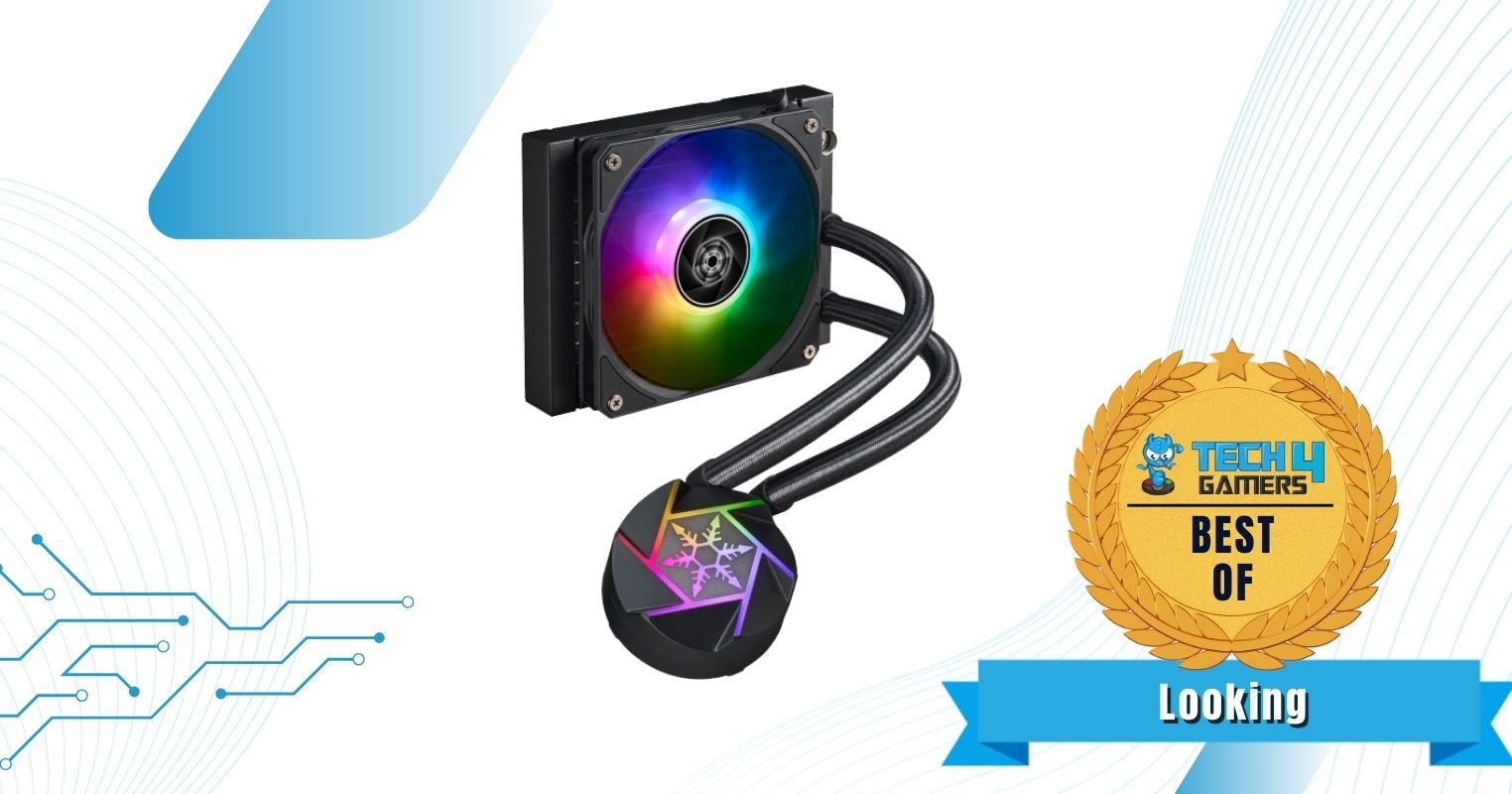
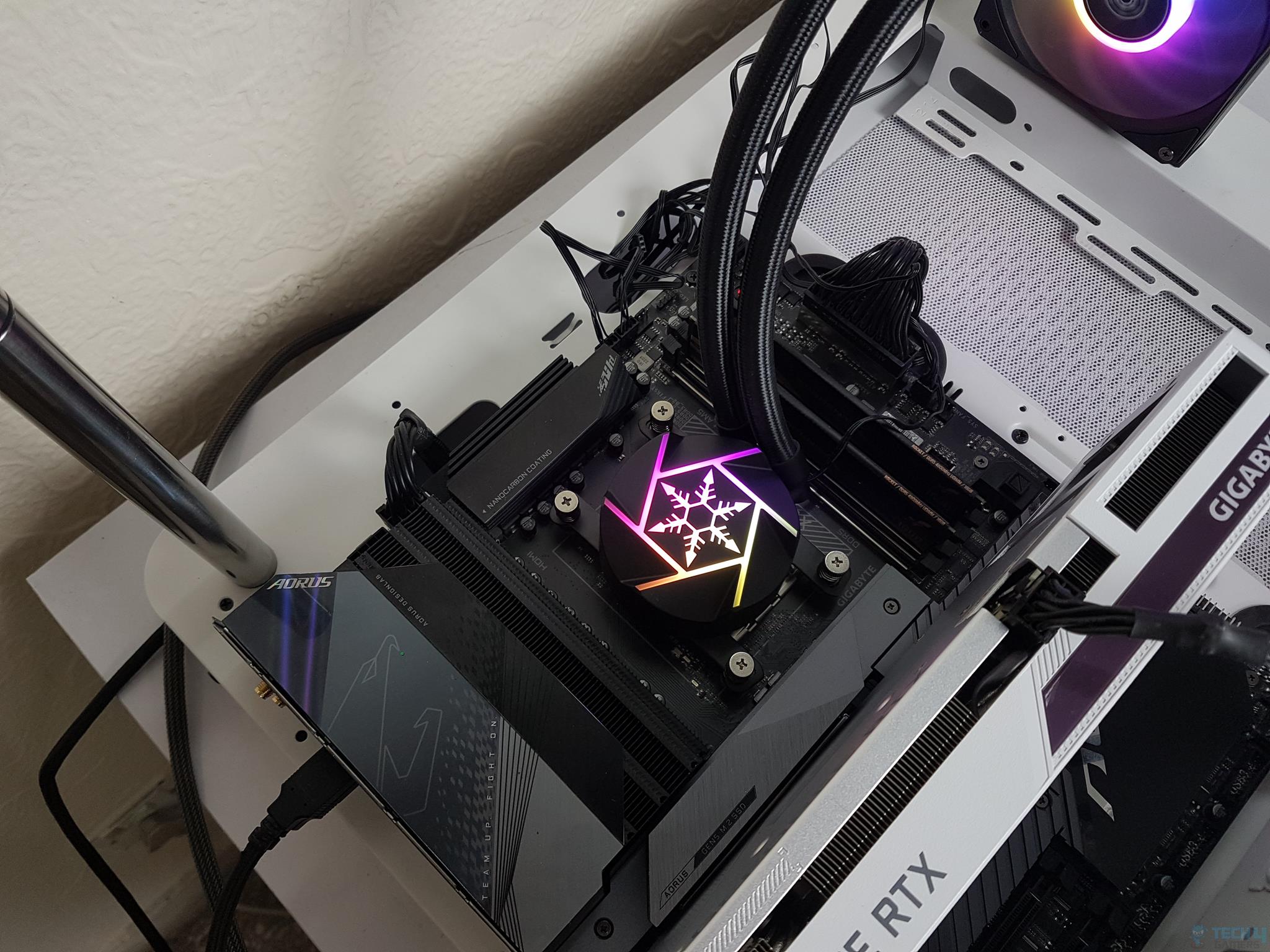
SilverStone VIDA 120 Slim
Best Looking 120mm AIO CPU Cooler
SilverStone VIDA 120 Slim Pictures From Our Review
1 of 2
SilverStone VIDA 120 Slim.
RGB showcase
Specifications: Fan: 1x 120mm VIDA fan | Fan Speed: 300 — 1,800RPM | Noise Levels: 34dB(A) | Tube Length: 400mm | RGB: Yes | Dimensions: 120 x 154 x 22mm | Socket Support: Intel: 115X, 1200, 1700, 2011, 2066 AMD: AM4, AM5
The SilverStone VIDA 120 Slim AIO cooler comes with a 1x 120mm VIDA fan running at incredible 1,800RPM speeds. Furthermore, with the 22mm radiator design, the cooler doesn’t bottleneck most CPUs at full load. However, I wouldn’t recommend overclocking while using this cooler. The cooler provides a sturdy build quality with a pure copper baseplate and an aluminum radiator with a clean finish. The radiant build quality also improves the cooler’s thermal capabilities and aesthetics.
Talking about the aesthetics, the SilverStone VIDA 120 Slim reinforces a polished black design, which features just the right amount of RGB. Apart from the RGB fan, the cooler boasts unique design elements on the water block, allowing it to stand out from the contemporary designs that have flooded the market.
✅Buy It If
You want the perfect PC look without losing performance: The SilverStone VIDA 120 Slim offers a unique design that suits most PC builds. Furthermore, its cooling performance makes it an amazing choice for SFF cases.
❌Don't Buy It If
You dislike fan noise: While the cooler offers a remarkable design and performance, its fans are pretty noisy, running at 34dB(A) as per my noise testing.
What Makes It The Best Looking 120mm AIO CPU Cooler?
From exceptional cooling to uncompromised build quality, SilverStone seems to have spared no expense with the cooler’s feature set. That, coupled with its aesthetically pleasing design characteristics, makes it the best looking 120mm AIO CPU cooler.
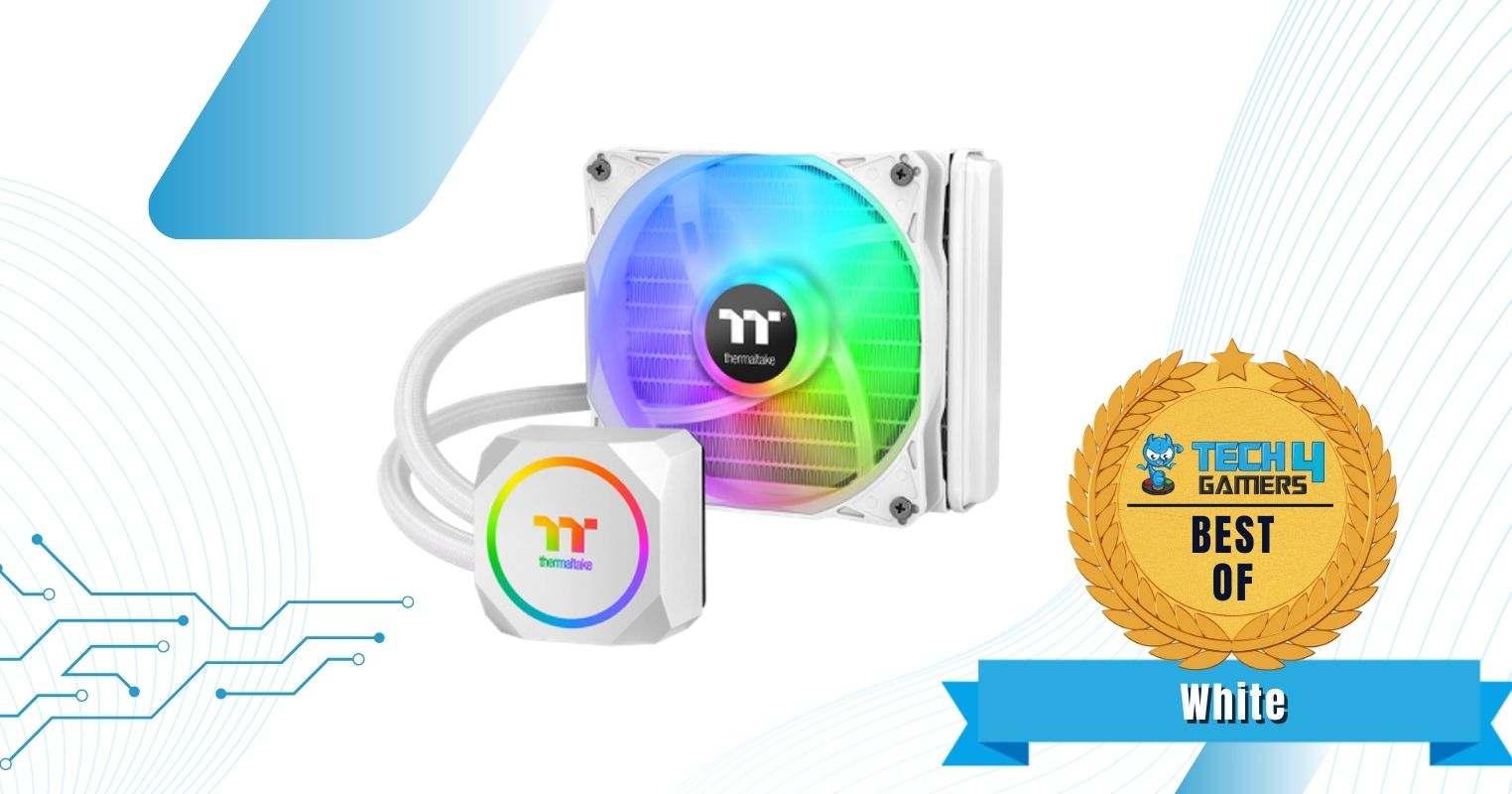
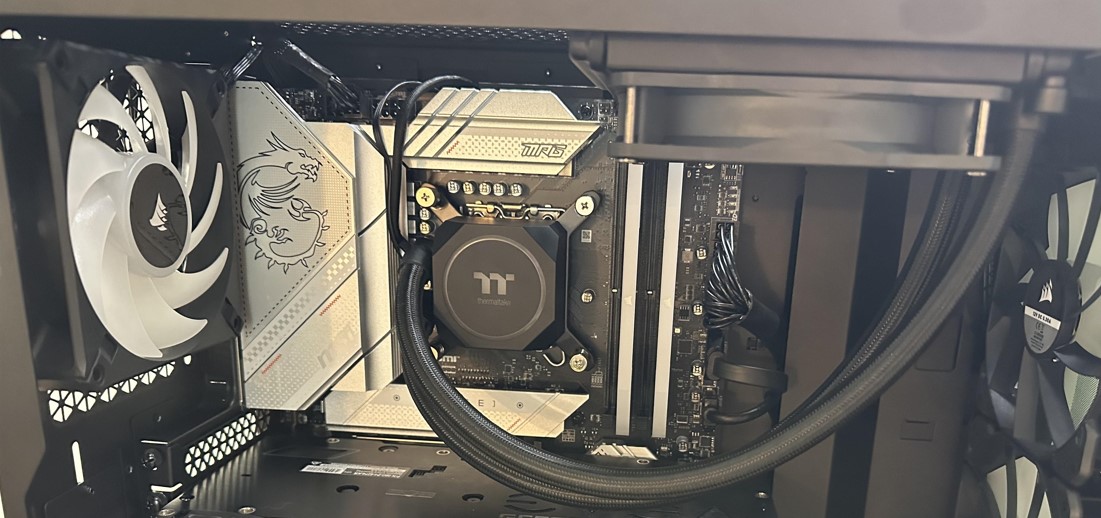
The Thermaltake TH120 A-RGB Snow Edition AIO provides decent cooling performance with its 1x 120mm fan running at 1,500RPM speeds. My gaming tests at 1440p showcased decent thermal results, causing no form of bottlenecking with the CPU. Thermaltake has gone with a 27mm thick radiator, which is fairly standard for a 120mm AIO cooler. The water block itself is made of copper, and I personally liked the 400mm-long rubber tubing.
Moving to its aesthetics, the Thermaltake TH120 A-RGB Snow Edition has a vibrant white color throughout its design. Moreover, the RGB pump and fans complement the white, making it shine in an all-white PC. I also loved the RGB customizations.
✅Buy It If
You want a stunning white CPU cooler for an SFF case with remarkable cooling: If you’re building a white PC in an SFF case and are looking for a white CPU cooler that can handle almost any mid-range processor, I recommend purchasing the Thermaltake TH120 A-RGB Snow Edition because of its design and performance.
❌Don't Buy It If
You need a PWM fan: While the Thermaltake TH120 ARGB exudes great design traits, the lack of a PWM fan is a bit disappointing.
What Makes It The Best White 120mm AIO CPU Cooler?
We have crowned the Thermaltake TH120 A-RGB as the best white 120mm AIO CPU cooler for its well-constructed white design and decent cooling performance with almost no fan noise.
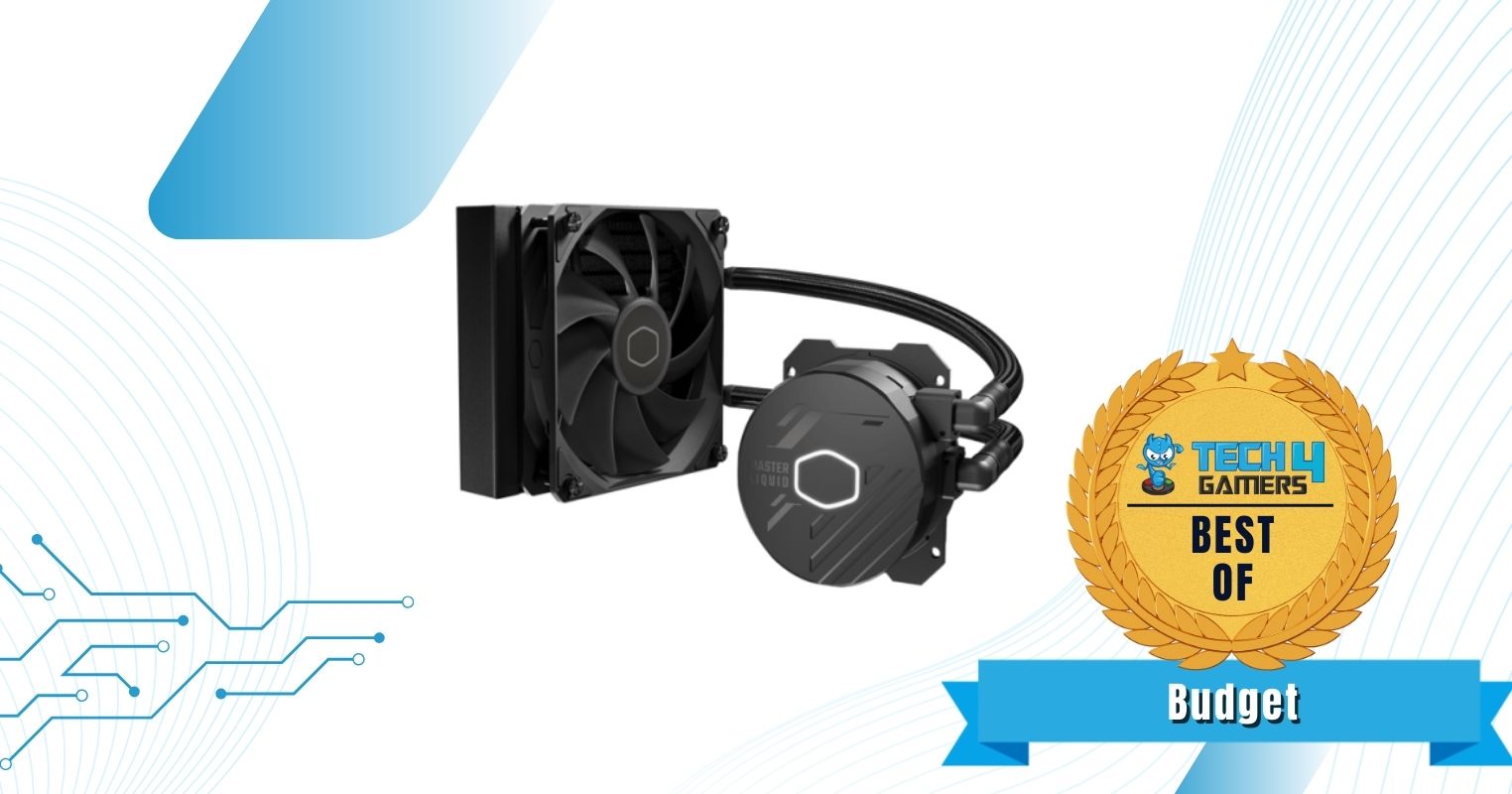
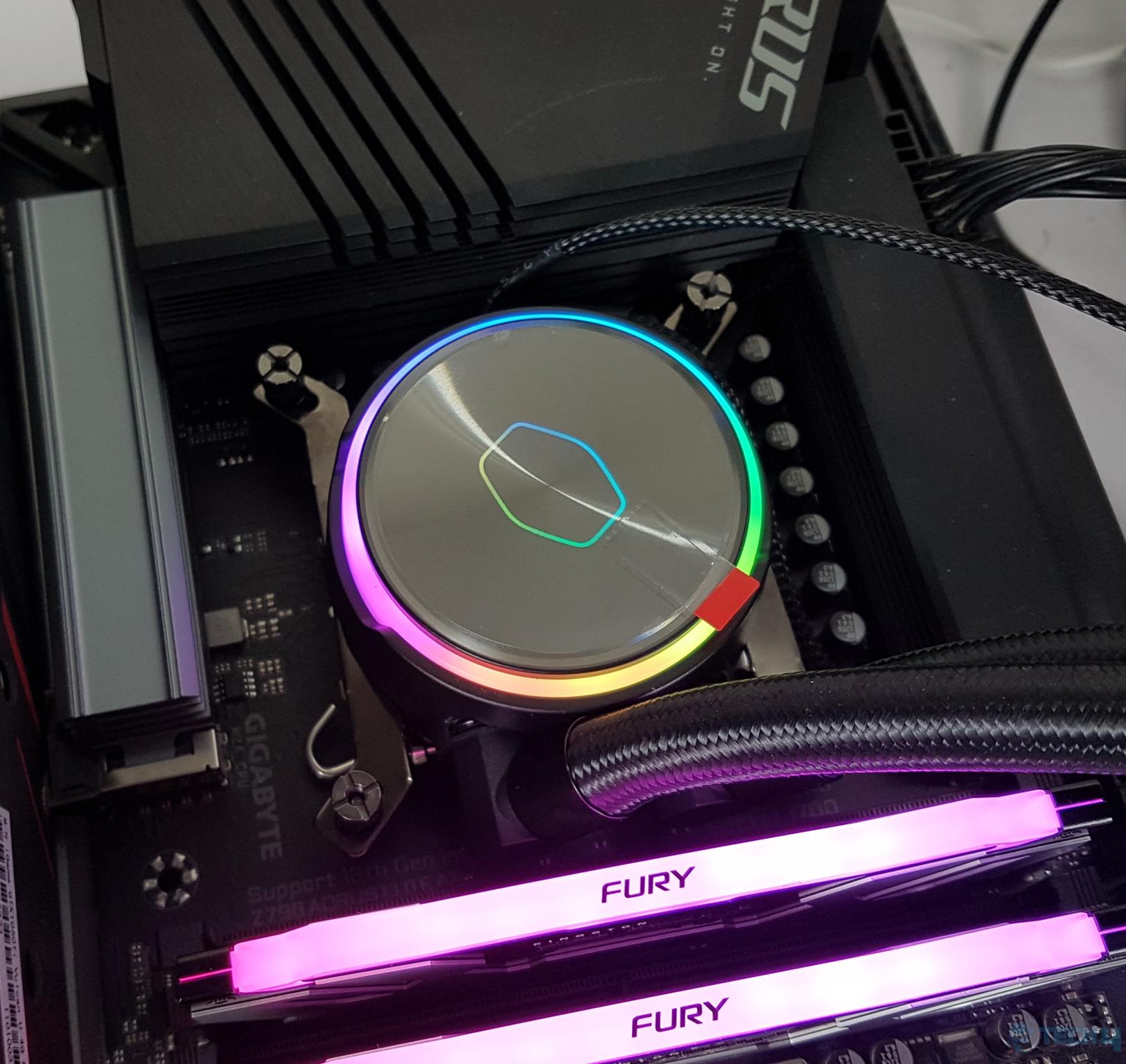
The Cooler Master MasterLiquid 120L Core AIO cooler showcases decent thermal performance even with its budget price. For example, during my 1080p gaming tests, the cooler did not thermal throttle my test bench and kept the temperatures at bay. Aside from its cooling performance, I expected the AIO’s build quality to be subpar, but I was proven wrong. To explain, the cooler utilizes an aluminum radiator with a copper baseplate for better cooling potential. Furthermore, I loved that the fans have anti-vibration material.
The Cooler Master MasterLiquid 120L Core has a subtle design with not much going on. Because it’s a budget CPU cooler, the fan doesn’t have any RGB, which might leave many gamers wanting more.
✅Buy It If
You want to cool your CPU on a tight budget: If you’re on a tighter budget and want to cool your mid-range processor, I recommend buying the Cooler Master MasterLiquid 120L Core because of its remarkable value for money.
❌Don't Buy It If
You want to overclock your CPU: While the Cooler Master MasterLiquid 120L Core provides decent thermal performance, it can’t handle overclocks that well. If you’re trying to overclock your CPU, I don’t recommend buying this cooler.
What Makes It The Best Budget 120mm AIO CPU Cooler?
The Cooler Master MasterLiquid 120L Core provides superb value for money, almost no fan noise, and has a subtle design, perfect for most SFF cases. These reasons point us to making it the best budget 120mm AIO CPU cooler.
How We Tested & Picked These 120mm AIO CPU Coolers
Selecting the best 120mm AIO is a job not well-suited to the faint-hearted since you’ll need to consider several factors. For your convenience, we’ve mentioned and explained a couple of crucial points to go over while you choose the AIO cooler that suits you best.
Performance: An essential aspect of any cooler, be it an AIO or air cooler, is the relative performance it offers. For AIOs, the pump, FPI count, fan, and radiator, to name a few crucial components, contribute to the overall cooling performance of an AIO.
Budget: Every AIO tends to introduce itself at a unique price point, determined by its cooling performance, build quality, general design, and aesthetics. Therefore, it’s essential to have a specific budget in mind. Therefore, we looked into all sorts of prices for the coolers we selected.
Efficiency: Every AIO differs from the others in terms of working efficiency. It’s essential to choose an AIO solution that has the capacity to cool your entire PC down alongside the CPU, of course, without inducing thermal throttling to maintain satisfactory temperatures.
Aesthetics & Build Quality: Manufacturers tend to distinguish their respective best 120mm AIO cooling solutions by offering their unique take on the AIO’s aesthetics and build quality. Some brands might opt for a more premium construction, leading to a higher price tag. In contrast, others favor a slightly unexotic or practical approach for a budget option.
Frequently Asked Questions
Are 120mm AIOs worth it?
Yes, if you prefer a maintenance-free and silent experience, then 120mm AIOs are totally worth it.
Should I buy a 120mm AIO or an air cooler?
Buying a 120mm AIO is good if you require enhanced performance with ample clearance. Similarly, if you want a budget-friendly option that is also quite durable, then going with air coolers is the right choice.
Is a 120mm AIO enough for a 95W TDP CPU?
Yes, it is safe to say each and every one of our selected 120mm AIOs can handle CPUs with TDPs ranging all the way up to 300W. Running a 95W CPU should pose no serious threat to any 120mm AIO.