I’ve previously worked for eXputer as a Senior News Writer for several years. Now with Tech4Gamers, I love to devoutly keep up with the latest gaming and entertainment industries. I have a Bachelor’s Degree in Computer Science and years of experience reporting on games and breaking exclusive stories. Besides my passion for gaming journalism, I love spending my leisure time farming away in Stardew Valley. VGC, IGN, GameSpot, Game Rant, TheGamer, GamingBolt, The Verge, NME, Metro, Dot Esports, GameByte, Kotaku Australia, PC Gamer, and more have cited my articles.
Story Highlight
Sony has published a new patent discussing solar-power technology for PlayStation controllers with storage.
These controllers can charge when exposed to light and retain the extra electricity in the battery, not requiring any other power source.
Sony might introduce a new line of PS controllers that can charge using solar power, eliminating the headache of manual charging.
Sony has recently been on a spree and secured the wildest controller ideas through patents. Now, it has published a new legal document that aims to bring the most realistic yet innovative controllers to the market.
We have stumbled upon a new patent that discusses introducing solar power to PlayStation controllers with storage to store the electricity generated. These controllers can charge on their own when they are exposed to light.
Additionally, Sony claims these controllers will not require an external power source since the traditional charging system is unnecessary.
A plurality of photovoltaic elements disposed in a [controller], and a power storage unit for storing power generated by the plurality of photovoltaic elements. […] the photovoltaic element has a solar power generation function and generates electric power used by the [controller].
Why it matters: The new Sony patent could forever change gaming controllers with solar-power technology, as they could charge on their own in the presence of light without requiring external power sources.
The image shows a PlayStation controller with solar cells placed in its structure.
Sony’s patent, ‘OPERATION DEVICE, ‘ describes a PlayStation controller that includes photovoltaic elements, which are the basic units of solar cells. These solar cells have the basic yet crucial functionality of generating electricity and storing it in a battery for future use.
The conglomerate argues that traditional game controllers end up with their batteries drained at the wrong times when you don’t have a charger on hand, and their batteries also need to be replaced eventually. So, the solar-powered controllers can resolve these dilemmas.
Game controllers that use batteries need to be replaced or charged when the battery runs out. Therefore, if there is no battery that can be replaced, or if there is no charger, […] the game controller cannot be operated.
The image also shows a controller with solar cells arranged differently in its structure.
Sony might introduce these PlayStation controllers in a new lineup, provided the company uses the patent to make solar-power technology possible.
Do you think Sony will use this patent to create solar-powered controllers that can charge themselves in the presence of light, or is this just a gimmick? Let us know your thoughts in the comments below, or join the discussion on the Tech4Gamers forum.
At Tech4Gamers, I contribute as a Senior News Reporter, combining my skills and gaming enthusiasm to keep our audience updated on the latest developments.
Story Highlight
Assassin’s Creed Shadows has received positive reviews, exactly what Ubisoft hoped for.
Despite the excitement, the company’s stock has fallen by nearly 7% since yesterday.
At this rate, the latest blockbuster title may not be able to save Ubisoft from a financial fallout.
Assassin’s Creed Shadows has lived up to expectations so far. Despite the prevalent controversy around Ubisoft’s choice of protagonist, the initial reviews have been nothing but encouraging.
Many have proclaimed Assassin’s Creed Shadows a major comeback for the series, something Ubisoft is likely glad to hear. However, despite all the praise, the French gaming giant’s stock is still rapidly losing value.
Why it matters: The stock market’s current situation suggests Assassin’s Creed Shadows might not be the savior Ubisoft was hoping for.
Ubisoft’s Stock Price Has Not Risen Drastically Despite Positive Reviews
As shown above, Ubisoft’s stock is currently being sold for €12.46. This marks a nearly 7% drop since yesterday, a surprising outcome after the reviews when the stock price briefly reached over €13.30.
It’s clear that the market is still not sure about the French gaming giant’s future. While the company’s latest RPG has certainly received more positive reviews than anticipated, it does not stand out as a major improvement over past Assassin’s Creed RPGs.
The reviews put Assassin’s Creed Shadows behind Assassin’s Creed Odyssey, and the Metacritic average has also fallen to 81/100 since yesterday. Effectively, this means that Ubisoft is not out of hot water just yet.
Naoe Is The Highlight of Assassin’s Creed’s Latest Offering
It is important to note that developers previously acknowledged the fact that a mediocre performance for Assassin’s Creed Shadows would not be enough to salvage the French gaming giant.
Ubisoft’s current market value seems to validate this statement, as the solid reviews have not been able to counter the rapidly declining stock value. Perhaps the story would have been different if Assassin’s Creed Shadows scored 90/100 on Metacritic or more.
I’ve previously worked for eXputer as a Senior News Writer for several years. Now with Tech4Gamers, I love to devoutly keep up with the latest gaming and entertainment industries. I have a Bachelor’s Degree in Computer Science and years of experience reporting on games and breaking exclusive stories. Besides my passion for gaming journalism, I love spending my leisure time farming away in Stardew Valley. VGC, IGN, GameSpot, Game Rant, TheGamer, GamingBolt, The Verge, NME, Metro, Dot Esports, GameByte, Kotaku Australia, PC Gamer, and more have cited my articles.
Story Highlight
A new report suggests that Assassin’s Creed Shadows offers a more polished experience, but its story is disappointing.
A reputed analyst suggests that the RPG’s launch in the current political climate might lead to its downfall.
However, another analyst suggests that all the attention might serve as free publicity for Ubisoft to help the game succeed.
However, that ideal scenario might not happen after all. A new report suggests that AC Shadows’ story is lackluster despite featuring polished gameplay over past releases. Additionally, the current political climate is also bad news for the game.
Why it matters: AC Shadows might feature polished gameplay, but its story is not regarded as a masterpiece. The growing anti-DEI campaigns might also massively harm the game.
As reported by Reuters, popular YouTuber JorRaptor, with over 1 million subscribers, said that AC Shadows’ story fails to live up to expectations after playing. He adds that the title needs to attract more than the series’ core fans to attain financial success like Valhalla.
Additionally, Wedbush Securities analyst Michael Pachter adds that the growing anti-DEI sentiments in the US could harm the game’s performance and lead to its downfall.
We could argue that the people that voted for him (Trump)… they would have hated the game anyway, but I think that they would have been less vocal.
On the other hand, Joost Van Dreunen, a lecturer at NYU’s Stern School of Business, thinks that Ubisoft can take advantage of the controversies’ free publicity and help the AC Shadows succeed—which is highly unlikely to happen given current gamer sentiments.
Overall, the review roundup for Assassin’s Creed Shadows suggests that the game is already better than most suspected. However, it remains to be seen if it can succeed enough to save Ubisoft.
Will Assassin’s Creed Shadows come out on top amid the harsh political climate and satisfy players with its story? Let us know your thoughts in the comments below, or join the discussion on the Tech4Gamers forum.
At Tech4Gamers, I proudly wear the title of Comparisons Specialist. Focused on CPUs and GPUs, I bring forth a wealth of hands-on experience and a keen eye for detail to provide our audience with the latest insights and analyses.
AMD Radeon RX 9070
Rated: 8.8/10
AMD Radeon RX 7800 XT
Rated: 8.4/10
Pros And Cons
GPU
Pros
Cons
RX 9070
✅ Better value for money
✅ Higher gaming & productivity performance
❌ Uncertain future price
RX 7800 XT
✅ Higher TMUs & RT Cores
✅ Higher Shading Units
❌ FSR 3.1 isn't as advanced as FSR 4
Key Takeaways
Our calculations reveal that the RX 9070 came out 16.3% better in 1440p gaming and 15.5% more efficient in terms of productivity.
Based on our power consumption analysis, the RX 9070 showed 13.1% better power efficiency than the RX 7800 XT while gaming.
Despite the higher performance in both sectors, the RX 9070 is also currently $212 cheaper than the RX 7800 XT. Since the RX 9070 is a new release, its price could increase in the future.
We recommend the RX 9070 as it is the ultimate replacement for the RX 7800 XT because it outperforms in every sector, including pricing. Yes, if its price exceeds its value, you should go for the RX 7800 XT.
Architecture: The older RX 7800 XT is based on the RDNA 3.0 architecture, while the newer RX 9070 features RDNA 4.0, with advanced features.
Process Nodes: Despite the year-long gap, the RX 9070 still comes with the same process node that the RX 7800 XT uses, which is TMSC’s 5nm.
Clock Speeds: While the RX 9070 comes with base and boost clock speeds of 1330 MHz and 2520 MHz, the RX 7800 XT isn’t far behind and comes with base and boost clock frequencies of 1295 MHz and 2430 MHz.
VRAM: Despite having variations in other specifications, both of these cards come with the same 16GB of GDDR6 memory with the same 256-bit bus width.
TDP: There is a slight difference in their TDP rating, as the RX 9070 uses slightly less power because it has a 220W of TDP whereas the RX 7800 XT has a 263W of TDP.
Supported Technologies: The newer RX 9070 does arrive with FSR 4, which greatly reduces artifacts and produces sharper images while boosting frames. This is more advanced than the RX 7800 XT’s FSR 3.1.
The 9070 is supposed to be AMD’s mid-tier card, while the older RX 7800 XT was also designed with the same intention. In this RX 9070 vs RX 7800 XT, we will see if the RX 9070 is a better choice or if you should stick to the older card. We’ll do this by comparing their benchmarked performance, efficiency, and pricing.
Gaming Benchmarks – 1440p
Since gaming benchmarks reveal the real performance of graphic cards, we’ll be showing you their benchmarks at 1440p. We also decided to mix single-player games with a few multiplayer ones, all at the highest settings.
From the start, the RX 9070 RX establishes its dominance over the 7800 XT by a 13.9% margin, as both GPUs obtain an average of 77 FPS and 67 FPS, respectively.
The 1% lows weren’t as high, and both GPUs were below the 60 FPS mark as the RX 9070 was only 4% better, averaging 51 FPS compared to the RX 7800 XT’s 49 FPS.
S.T.A.L.K.E.R. 2: Heart of Chornobyl
S.T.A.L.K.E.R. 2 Heart Of Chornobyl @1440p (Image By Tech4Gamers)
Next, we saw a 15.7% boost that the RX 9070 had because of its 55 FPS. In contrast, the RX 7800 XT produced an average of 47 FPS in this game.
With a 14.3% margin, the RX 9070 outperformed the RX 7800 XT by achieving 45 FPS compared to the RX 7800 XT’s 39 FPS.
Warhammer 40K: Space Marine 2
Warhammer 40K Space Marine 2 @1440p (Image By Tech4Gamers)
With a 29.6% lead, the RX 9070 showcased the highest margin as it acquired an average of 93 FPS, higher than the RX 7800 XT’s 69 FPS.
For the 1% lows, we observed that the RX 9070 maintained its lead with an average of 81 FPS. On the contrary, the RX 7800 XT was 33.1% behind with its average of 58 FPS.
Cyberpunk 2077 Phantom Liberty
Cyberpunk 2077 Phantom Liberty @1440p (Image By Tech4Gamers)
On Phantom Liberty, the RX 9070 was 20.5% better, with an average of 113 FPS. Meanwhile, the RX 7800 XT performed with 92 FPS in this game.
The RX 9070 achieved an average of 102 FPS, showcasing a 21.7% margin over the RX 7800 XT, which obtained 82 FPS on average.
Call of Duty Black Ops 6
Call Of Duty: Black Ops 6 @1440p (Image By Tech4Gamers)
Here, we saw a 25% edge that the RX 9070 had over the RX 7800 XT, as both cards obtained an average of 108 FPS and 84 FPS, respectively.
While the RX 7800 XT hit exactly 60 FPS as its minimum average frame rate, the RX 9070 was 24.8% ahead, with an average of 77 FPS.
Dragon Age: The Veilguard
Dragon Age The Veilguard @1440p (Image By Tech4Gamers)
With a 19.4% lead, the RX 9070 achieved 79 FPS compared to the RX 7800 XT’s average of 65 FPS in this game.
Regarding the 1% lows, the RX 9070 displayed a 23% boost over the RX 7800 XT, being over 60 FPS, with an average of 68 FPS. Whereas the RX 7800 XT averaged 54 FPS.
Hogwarts Legacy
Hogwarts Legacy @1440p (Image By Tech4Gamers)
In Hogwarts Legacy, the difference was slight, but still, the RX 9070 achieved a 7.3% edge over the RX 7800 XT, as both cards obtained an average of 127 FPS and 118 FPS, respectively.
The RX 9070 achieved the smallest margin of 3.9% in terms of the 1% lows, as it averaged 79 FPS compared to the RX 7800 XT’s 76 FPS in this game.
The Last of Us Part I
The Last of Us Part I @1440p (Image By Tech4Gamers)
With a 2.2% margin, we saw that the RX 9070 showcased the smallest difference in terms of average framerates as it procured 90 FPS compared to the RX 7800 XT’s 88 FPS.
In terms of the 1% lows, the RX 9070 had frames dropping to 83 FPS in this game. On the contrary, the RX 7800 XT’s frames only reached 78 FPS, resulting in a 6.2% difference.
Productivity Benchmarks
After reviewing the gaming benchmarks, let’s move on to their productivity benchmarks. Here, we’ll judge these cards based on tasks such as video editing, rendering, and AI image generation, which will reveal their computing, image processing, and AI capabilities.
Adobe Premiere Pro
Adobe Premiere Pro Time In Minutes (Image By Tech4Gamers)
The newer RX 9070 took only 5 minutes and 13 seconds to complete the task on Adobe Premier Pro. Whereas the RX 7800 XT was 8.6% behind as it took 5 minutes and 41 seconds to finish the same task.
Blender
Blender Time In Minutes (Image By Tech4Gamers)
While rendering on Blender, the RX 9070 was 17.7% quick to complete the render in 1 minute 38 seconds. Meanwhile, the RX 7800 XT took 19 extra seconds by rendering it in 1 minute and 57 seconds.
Stable Diffusion (AI Image Generation)
Stable Diffusion AI Image Generation Time In Seconds(Image By Tech4Gamers)
In Stable Diffusion, the RX 9070 generated AI images in only 18 seconds, whereas the RX 7800 XT took 43 seconds. This makes the RX 9070 astonishingly 82% faster than the RX 7800 XT in this AI-driven task.
Overall Gaming Performance
Graphic Cards
RX 9070
RX 7800 XT
Average FPS
📈92.8
📈78.8
1% Lows
📉73.3
📉62
Productivity (Rating)
✏️7/10
✏️6/10
Winner: RX 9070
Average Framerate
In the gaming benchmarks, the RX 9070 dominated in every single game. From what we calculated, the RX 9070 outperformed the RX 7800 XT by a 16.3% margin in all of the tested games. While the RX 7800 XT was behind, both cards still performed over 60 FPS in all games except Stalker 2.
1% Lows
The 1% low results were also similar to the average framerates. Here, the RX 9070 was precisely 16.6% better performing than the RX 7800 XT in all of the games. Although the RX 9070 had an edge over its rival, the RX 7800 XT still performed the closest in Hogwarts Legacy.
Productivity
When it comes to productivity, the RX 9070 won by a noticeable lead. We saw that the RX 9070 was 15.5% more efficient in all of the three productivity software. Not only was it faster in video editing and rendering, but it was also particularly the fastest while generating AI images, showing its AI prowess.
Power Consumption
Power Consumption
RX 9070
RX 7800 XT
Idle
9⚡
9⚡
Gaming
242⚡
276⚡
Ray Tracing
242⚡
277⚡
Maximum
241⚡
277⚡
Winner: RX 9070
After dominating all of the previous sectors, you can guess which card reigned supreme regarding power consumption. Surely, the RX 9070 also surpassed this section, having 13.1% better power efficiency than the RX 7800 XT in terms of gaming. This shows how the newer RDNA 4.0 is designed to be more power-efficient.
Price And Availability
GPU
RX 9070
RX 7800 XT
Price Difference
Launch MSRP
💲599
💲499
18.2%
Current Price
💲630
💲842
28.8%
The RX 9070 is 28.8% cheaper than the RX 7800 XT. However, we’ve calculated this average from many variants, so you can add or subtract around $200 to get the prices of its other variants. Compared to other newly released cards, the RX 9070 didn’t have a huge price discrepancy with its MSRP, but it might change.
Final Verdict—What We Recommend?
RX 7800 XT: Apart from a few games, the RX 7800 XT performs quite well in 1440p gaming. Its FSR 3.1 also allows it to run games at 4K as well. However, its performance doesn’t justify its high price, which is our biggest concern. From what it offers, it should’ve been priced around its MSRP.
RX 9070: This is a great addition from AMD and now serves as the perfect mid-price card. It exceeds well over 60 FPS in most games at 1440p, and it is priced extremely well. It even outperforms the RTX 4070 Super, which offers similar performance but is almost double the price of the RX 9070.
The RX 9070 ticks all the boxes, making the RX 7800 XT look outdated. Sure, the RX 7800 XT has previously been of great use, but now the RX 9070 seems to be its perfect replacement, which is why we recommend it. Yes, the RX 9070’s price could increase, and if it rises beyond its value, you should opt for the RX 7800 XT.
FAQs
Which one is better for ray tracing?
The newer RX 9070 is better for ray tracing despite having lower RT cores. This is because of the architectural advantages that the RX 9070 has over the RX 7800 XT.
How do they compare in memory bandwidth?
Despite having similar memory properties, the RX 9070 has only a slightly higher memory bandwidth of 644.6 GB/s compared to the RX 7800 XT’s 624.1 GB/s.
Which GPU is more future-proof?
The RX 9070 is a more future-proof card than the RX 7800 XT because of its newer RDNA 4 architecture, FSR 4, PCIe gen 5, higher ray tracing, and higher raw performance.
Which GPU has higher Compute Units?
Similar to their RT Cores, the older RX 7800 XT has 60 computing units compared to the RX 9070’s 56 computer units.
Is upgrading from an RX 7800 XT to an RX 9070 worth it?
Yes, upgrading from an RX 7800 XT to an RX 9070 is worth it unless the RX 9070’s price exceeds the price of the RX 7800 XT.
❌ Consumes more power than TDP
❌ 4K performance is not good
GeForce RTX 4070
✅ Power Efficient
✅ Compact Founders Edition
❌ Only 12GB memory on 128-bit bus
❌ Low pixel rate
Key Takeaways
The RX 9070 excels in our gaming tests at 1440p, offering around 14.3% higher performance. Conversely, the RTX 4070 demonstrates slightly better efficiency in productivity tasks, exceeding by 1.5%.
Our efficiency analysis reveals that the RTX 4070 shines in power optimization, offering 24.5% greater energy efficiency, while the RX 9070 stands out with 12.3% superior thermal performance.
Currently, the RTX 4070 is priced at $738, whereas the RX 9070 remains largely out of stock and rarely available within a $700 budget.
We recommend the RX 9070 for its exceptional blend of cutting-edge technology and high-performance capabilities, all offered at a remarkably competitive price.
Architecture: The Radeon RX 9070 features AMD’s avant RDNA 4.0 architecture, which is becoming famous for its incredible performance. On the other hand, the RTX 4070 uses Nvidia’s acclaimed Ada Lovelace design.
GPU Chip: The RTX 4070 utilizes an AD104 chip with 35.8 million transistors. In contrast, the RX 9070 integrates the latest Navi 48 XT chip, offering 53.9 million transistors. Both GPUs are fabricated at TSMC’s 5nm process.
VRAM: While the RTX 4070 has a 192-bit 12GB GDDR6X memory, the RX 9070 offers a stronger 256-bit 16GB GDDR6 VRAM with 27% better bandwidth. We expect the added 4GB VRAM to boost RX 9070’s performance.
TDP: The RTX 4070 has a thermal design power of 200W, while the RX 9070 has a TDP of 220W. We expect these graphics cards to be cost-efficient in terms of electricity use due to their low TDPs.
Clock Speed: AMD offers enhanced clock speeds with the RX 9070. Compared to the RTX 4070, it has a nearly 2.0% higher turbo clock for peak performance and an 8.4% higherbase clock for basic processing tasks.
Advanced Technologies: The RX 9070 integrates AMD’s pinnacle FSR 4.0 resolution enhancement, optimizing the immersive gaming paradigm. In contrast, the RTX 4070 utilizes Nvidia’s DLSS 3.0 upscaling technology.
Amid the recent GPU launches, we had almost lost hope for anything radical this year until AMD RX 9070 arrived. This critically recognized RX 9070 mid-range GPU faces the challenge of Nvidia’s RTX 4070. Does it truly offer something valuable? Let’s compare the RX 9070 vs RTX 4070 to find out!
Gaming Benchmarks
The RX 9070 has new features that could make it better. Right now, it’s too early to say if this GPU is better. To see which GPU performs better, we tested the RX 9070 vs RTX 4070 in 8 tough games at 1440p. We also tested ray tracing to evaluate the potential of Tensor cores against AMD’s RT cores.
Test Bench
The following specifications show the gaming setup we used for these benchmarks.
Call of Duty: Black Ops 6 Benchmarks at 1440p – Image Credits (Tech4Gamers)
In Call of Duty: Black Ops 6, the RX 9070 achieved an impressive 106 FPS on average, surpassing the RTX 4070’s 74 FPS by 43.2%, showcasing its superior performance in this title.
During the low 1% performance scenario, the RTX 4070 delivered 52 FPS, whereas the RX 9070 achieved a significantly higher 78 FPS. So, the RX 9070 offered a 50% performance advantage at its worst 1%.
Dragon Age: The Veilguard
Dragon Age: The Veilguard Benchmarks at 1440p – Image Credits (Tech4Gamers)
The RX 9070 performed better in Dragon Age: The Veilguard, averaging 80 FPS. In contrast, the RTX 4070 reached 72 FPS, trailing behind by 11.1%.
In the worst 1% performance moments, the RTX 4070 maintained 58 FPS, while the RX 9070 outperformed it with 69 FPS, delivering a 19.0% higher frame rate in this challenging scenario.
Marvel Rivals
Marvel Rivals Benchmarks at 1440p – Image Credits (Tech4Gamers)
During our gameplay of Marvel Rivals, the RX 9070 maintained an average frame rate of 76 FPS. This gave it an 8.6% lead over the RTX 4070, which managed 70 FPS.
At the lowest 1% frame rate threshold, the RTX 4070 recorded 45 FPS, whereas the RX 9070 excelled with 52 FPS, offering 15.6% better performance in this gameplay segment.
The Last of Us Part I
The Last of Us Part I Benchmarks at 1440p – Image Credits (Tech4Gamers)
Our testing in The Last of Us Part I showed the RX 9070 averaging 91 FPS, giving it a 13.8% performance boost over the RTX 4070, which managed only 80 FPS.
The RTX 4070 maintained 69 FPS in the bottom 1% performance scenario, while the RX 9070 surged ahead with 82 FPS, offering an 18.8% improvement in frame rate stability under heavy load.
Warhammer 40,000: Space Marine 2
Warhammer 40,000: Space Marine 2 Benchmarks at 1440p – Image Credits (Tech4Gamers)
While testing Warhammer 40,000: Space Marine 2, we saw that the RX 9070 recorded an average frame rate of 95 FPS, leaving the RTX 4070 behind at 81 FPS, marking a significant 17.3% performance gain.
Under the lowest 1% performance conditions, the RTX 4070 sustained 69 FPS, but the RX 9070 outperformed it with 80 FPS, showcasing a 13.8% higher frame rate.
Alan Wake 2 (RT)
Alan Wake 2 Benchmarks at 1440p – Image Credits (Tech4Gamers)
During our Alan Wake 2 test with ray tracing, the RTX 4070 averaged 38 FPS, outperforming the RX 9070’s 32 FPS by 18.9%, delivering noticeably smoother gameplay and a significant performance edge.
When analyzing the worst 1% performance, the RTX 4070 achieved 30 FPS, while the RX 9070 provided 25 FPS. This demonstrates a 20.0% advantage in the low 1% frame rate for the RTX 4070.
Black Myth: Wukong (RT)
Black Myth: Wukong Benchmarks at 1440p – Image Credits (Tech4Gamers)
The RTX 4070 delivered an average of 39 FPS in Black Myth: Wukong with ray tracing activated at 1440p, beating the RX 9070’s 25 FPS by 56.0%, making it the clear winner in this benchmark.
During the worst 1% performance drops, the RX 9070 retained 20 FPS, while the RTX 4070 pulled ahead at 32 FPS, delivering a 60% higher frame rate in this taxing gameplay scenario.
Cyberpunk 2077 (RT)
Cyberpunk 2077 Benchmarks at 1440p – Image Credits (Tech4Gamers)
Our Cyberpunk 2077 ray tracing benchmark revealed the RX 9070 hitting an average of 60 FPS, beating the RTX 4070’s 55 FPS by 9.1%, ensuring superior fluidity and responsiveness.
In the most performance-intensive 1% of gameplay, the RTX 4070 reached 45 FPS, while the RX 9070 achieved 48 FPS, offering a 6.7% better experience during these demanding moments.
Productivity Benchmarks
The RX 9070 performed competitively against the RTX 4070 in gaming tests, but how do they compare in productivity benchmarks? To find out, we tested the RX 9070 vs RTX 4070 in various software on the same test bench used for gaming.
In our 3DMark Steel Nomad Light test, the RX 9070 achieved an impressive score of 19982, surpassing the RTX 4070’s 18136 score by a remarkable 10.2%, a testament to its superior performance and efficiency.
The Geekbench 6 OpenCL benchmark shows that the RTX 4070 surpasses the RX 9070 in image processing and AI tasks by about 5.7%, securing an impressive score of 167496 against the rival’s 158522.
PassMark
PassMark Benchmarks – Image Credits (Tech4Gamers)
When tested with PassMark, the RTX 4070 reached 26966 points, a solid 8.4% lead over the RX 9070’s 24875. This indicates the 4070 provides better performance in tasks like 3D modeling and animation.
Overall Performance
Stats
Radeon RX 9070
GeForce RTX 4070
Average FPS
📈 72.7
📈 63.6
1% Lows
📉 56.8
📉 50.0
Productivity (Rating)
✏️ 6.6/10
✏️ 6.7/10
Winner: Radeon RX 9070
Average Frame Rate
While the RX 9070 asserted its authority across most games with a commanding lead, the RTX 4070 exhibited its prowess by securing an edge in two ray-traced titles. Nonetheless, considering the overall average performance, the RX 9070 surpasses its rival by an amazing 14.3% margin.
Low 1% Frame Rate
The worst 1% performance trend mirrored the average performance observed across the tested games, maintaining a consistent pattern. On average, the RX 9070 exhibits a remarkable 13.6% superiority over the RTX 4070 in the most demanding 1% of gameplay, ensuring greater stability.
Productivity Performance
Our productivity tests reveal that the RTX 4070 excels in computationally intensive tasks, making it an ideal choice for high-performance applications. In contrast, the RX 9070 is better at visually demanding workloads. Based on the average, we conclude that the RX 9070 is 1.5% better in productivity.
Power Efficiency
GPU Power Draw
Radeon RX 9070 (W)
GeForce RTX 4070 (W)
Idle
13 ⚡
10 ⚡
Gaming
244 ⚡
196 ⚡
Ray Tracing
245 ⚡
187 ⚡
Maximum
249 ⚡
199 ⚡
Winner: GeForce RTX 4070
The RTX 4070 operates efficiently, drawing less than 200 watts, whereas the RX 9070 surpasses its rated 220-watt TDP, consuming about 20 to 25 morewatts in our gaming sessions. Based on our GPU power consumption stats, the RTX 4070 is 24.5% more power-efficient than the RX 9070.
Thermal Efficiency
GPU Temperature
Radeon RX 9070 (°C)
GeForce RTX 4070 (°C)
Idle
36 🌡️
39 🌡️
Gaming
57 🌡️
64 🌡️
Winner: Radeon RX 9070
Regarding graphics card thermals, the RX 9070 excels in both idle and gaming conditions, maintaining superior cooling efficiency and stability. According to the gaming temperatures we noted for the RX 9070 vs RTX 4070, the RX 9070 exhibits 12.3% better thermal efficiency than its rival.
Price And Value
GPU Price
Radeon RX 9070
GeForce RTX 4070
Price Difference
Launch MSRP
💲549
💲599
9.1%
Current Price
💲629
💲738
17.3%
The price of the GPU is the deciding element in comparison. At present, the RTX 4070 costs 23.3% more than its MSRP, while the new RX 9070 remains elusive. The RX 9070 is a great deal in its class and is expected to reach retail closer to its MSRP. It promises better performance per dollar.
What We Recommend?
Radeon RX 9070: The RX 9070 redefines gaming excellence, delivering superior performance and cutting-edge features at a highly competitive price. Built upon AMD’s state-of-the-art RDNA 4.0 architecture, it employs the latest FSR 4.0 for exceptional upscaling.
GeForce RTX 4070: The RTX 4070 is a mid-tier GPU designed for 1440p gaming. It effortlessly handles computationally demanding tasks. This card boasts exceptional power efficiency, ensuring optimal output without excessive energy consumption.
We suggest opting for the RX 9070 for its outstanding technology and performance at an affordable price. However, if you desire even greater power, exploring the latest high-performance GPUs may lead you to the ideal choice for your needs. Check out our most recent comparisons for that.
Frequently Asked Questions
Can I use the RX 9070 for gaming at 4K resolution?
Yes, you can play games at 4K resolution with the RX 9070. However, we recommend using this card for 1440p games to achieve smoother frame rates.
How does the RX 9070 perform with FSR 4.0?
FSR 4.0 (FidelityFX Super Resolution) enhances the RX 9070’s performance with improved upscaling and image quality, boosting frame rates in supported games.
Which graphics card is better for crypto mining, the RX 9070 or the RTX 4070?
The RTX 4070 is a better choice for crypto mining, delivering enhanced hash rates that maximize efficiency and profitability.
What type of PCIe is the RTX 4070 and the RX 9070?
The RX 9070 uses a PCI-Express 5.0 x16 interface for connection with the system, while the RTX 4070 uses a PCI-Express 4.0 x16 interface.
What display ports do the RTX 4070 and the RX 9070 offer?
The RTX 4070 has three DisplayPort 1.4a and one HDMI 2.1, while the RX 9070 offers three DisplayPort 2.1a and one HDMI 2.1b output options.
At Tech4Gamers.com, I cover the latest news and rumours in the gaming industry, from new game releases to hidden gems and video game leaks. Furthermore, I occasionally write tech articles about video game consoles, providing insights into the hardware and software that powers our gaming experiences.
[Press Release] G.SKILL has unveiled a new high-performance DDR5 memory kit featuring a 96GB (48GBx2) capacity with ultra-low latency of CL26-36-36-96. Designed for AMD AM5 platforms, this latest addition is optimized for gaming, content creation, AI applications, and professional workloads.
It has been tested on top AM5 motherboards, including the ASUS ROG CROSSHAIR X870E HERO and MSI MPG X870E CARBON WIFI, paired with AMD Ryzen™ 9 processors.
Additionally, G.SKILL is refining its DDR5-6000 CL26-39-39-96 kit with a lower latency 48GB (24GBx2) variant, optimized for AMD’s latest platforms.
Both kits feature AMD EXPO technology for easy overclocking and will be available in the Trident Z5 Royal Neo, Trident Z5 Neo RGB, and Ripjaws M5 Neo RGB series. Global distribution will start in May 2025.
At Tech4Gamers, I take on the role of Hardware Reviewer with pride. My responsibilities involve a thorough examination of essential hardware components like motherboards, graphics cards, processors, PC cases, and CPU coolers, among others, focusing on their complexities and functionalities.
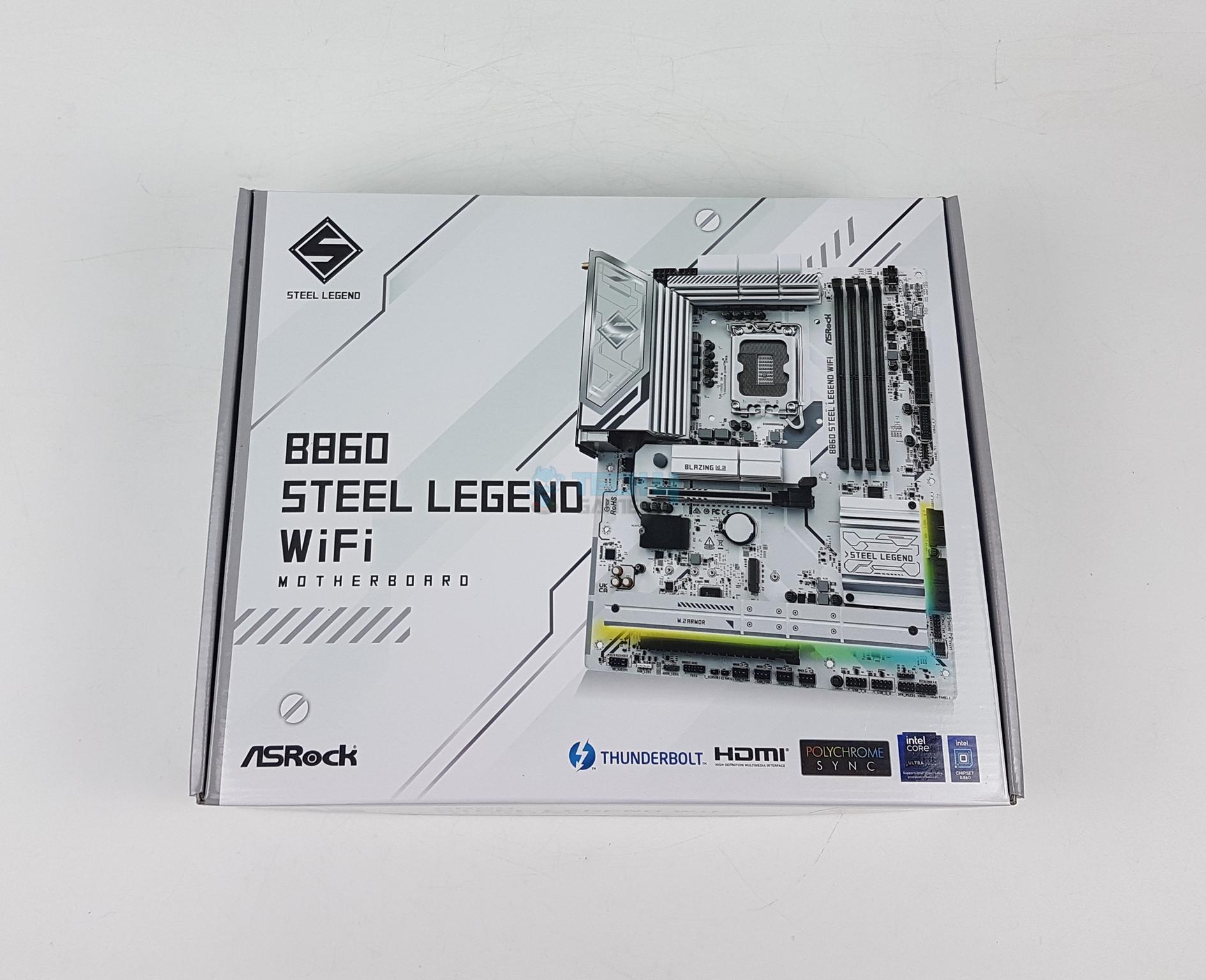
I tested two B860 series motherboards from MSI recently. This time I am taking a spin on ASRock’s take on B860 chipset series motherboards starting with B860 Steel Legend WiFi. Steel Legend represents the philosophical state of rock-solid durability and irresistible aesthetics aimed at mainstream users.
The B860 Steel Legend WiFi comes in at a USD 200 price tag compared to the hefty USD 240 price tag of MSI B860 Tomahawk WiFi. The main differentiating areas are a single Thunderbolt port on Steel Legend compared to Tomahawk, WiFi 6E on Steel Legend compared to WiFi 7 on Tomahawk, Audio Solution, and MOSFET/VRM components.
Why Trust Tech4Gamers
Nauman Siddique is the most senior hardware tester at Tech4Gamers. He brings an ocean of knowledge to the table, including unmatched expertise in motherboards.
40+ motherboards tested and reviewed by our team of hardware experts (Tech4Gamers Team).
800+ hours spent testing different motherboards for our reviews.
At Tech4Gamers, ensuring you get reliable information is our priority. That’s why every hardware round-up undergoes a meticulous review process by our team of experts and editors. Each review is carefully examined against our strict editorial guidelines, guaranteeing you trustworthy insights you can depend on.
Key Takeaways
The ASRock B860 Steel Legend WiFi is a feature-packed, affordable ATX motherboard designed for Intel Core Ultra series processors, with support for DDR5 memory, PCIe Gen5, and solid networking and storage options.
You should buy the ASRock B860 Steel Legend WiFi if you want good value for your money from a beautiful and solid all-rounder motherboard.
The only reason to skip the ASRock B860 Steel Legend WiFi is if you really need a DEBUG LED panel or WiFi 7.
The salient features include:
This motherboard supports Intel Core Ultra series 2 Processors.
It supports DDR5 Memory up to 8666 MHz (OC)
ASRock has deployed 14+1+1+1+1 Power phases for VRM/MOSFET
This motherboard has 1x M.2 Gen5 and 3x M.2 Gen 4 Slots
It supports a PCIe Gen5 x16 slot for the graphics card
This motherboard has a RealTek ALC 1220 driver.
This motherboard supports Graphics Card Lite Release
What Makes The ASRock B860 Steel Legend WiFi Different?
ASRock B860 Steel Legend WiFi is a true value-oriented motherboard for mainstream and budget users, unlike MSI counterpart which sets you back 40 bucks more. But ASRock has made some cuts like only one Thunderbolt 4 port, no WiFi 7 solution, and no auxiliary PEG connector for ATX 3.1 standard. To compensate, ASRock has provided a beefier power delivery with a better audio solution and the overall feature set makes it a highly competitive offering.
Packaging And Unboxing
Unboxing
1 of 3
Packing Box
Packing Box Inside
Unboxed
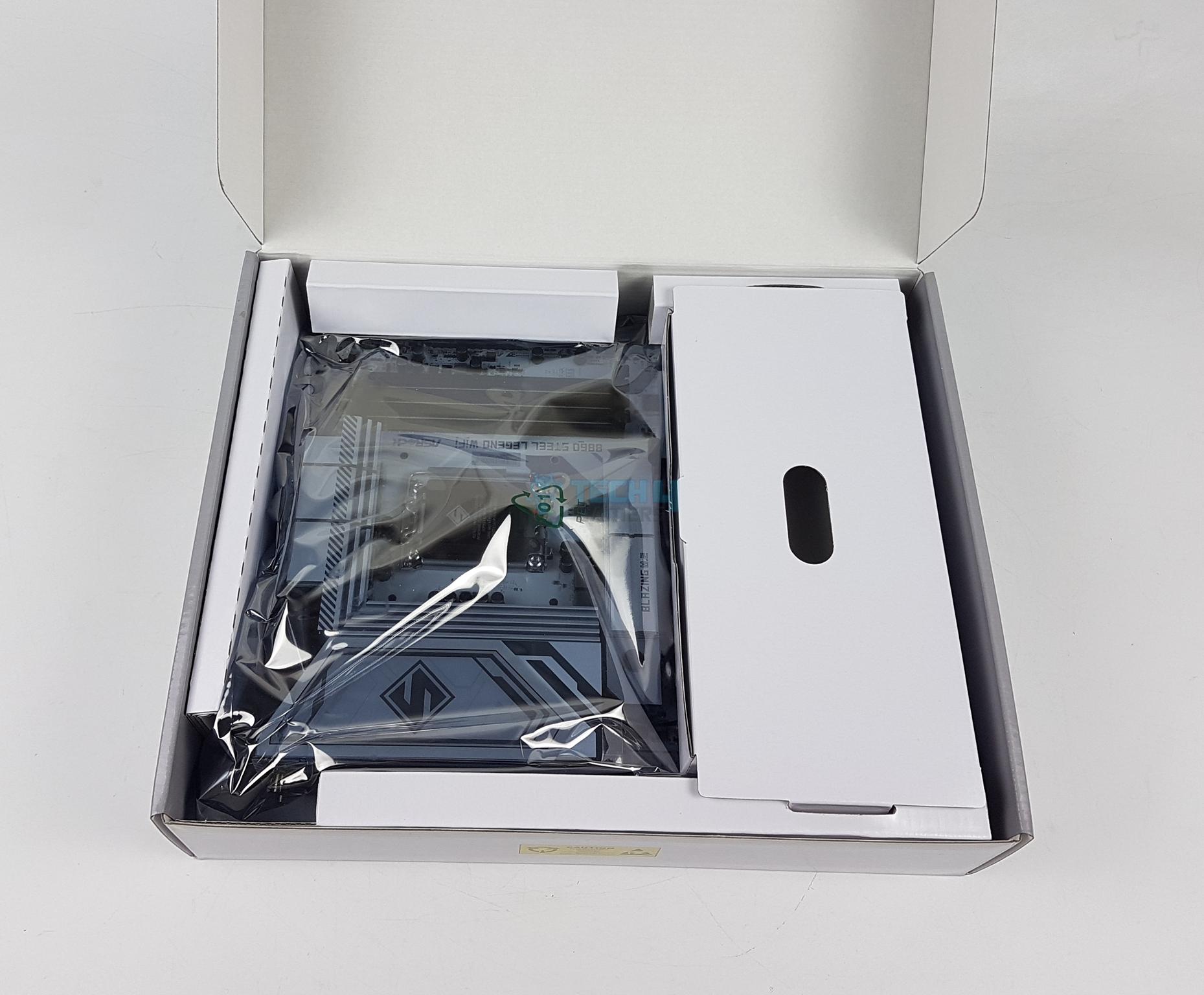
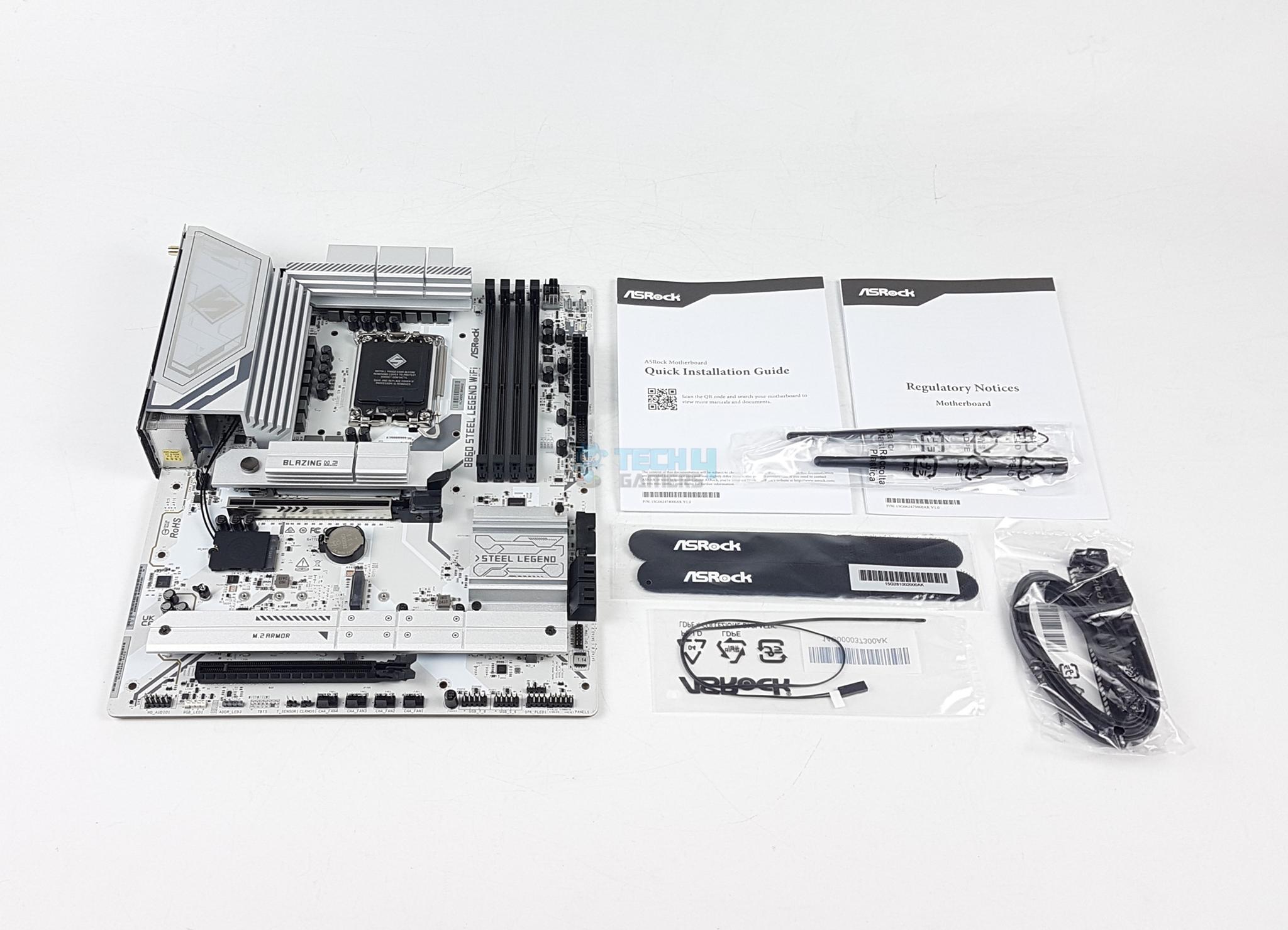
The motherboard is shipped inside a standard cardboard packing box. The salient specifications and features are listed over the packing box for the on-the-go users. ASRock has included the following in the box:
1x ATX-sized Motherboard
2x SATA Data Cables
2x ASRock WiFi 2.4/5/6 GHz Antennas
1x Thermistor Cable
1x Regulatory Notice
1x Quick Installation Guide
Design Overview
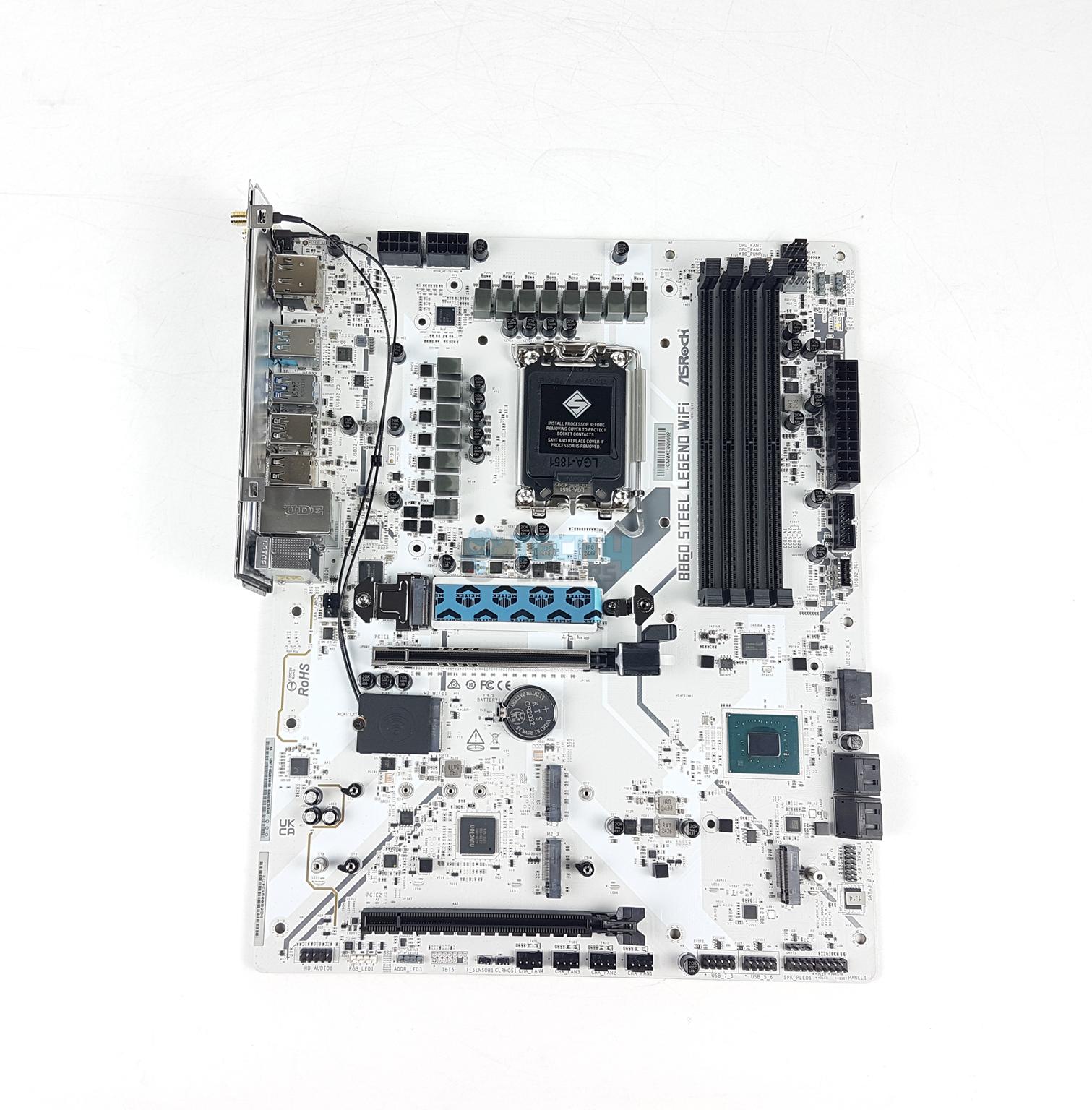
Main Design (Image By Tech4Gamers)
ASRock B860 Steel Legend WiFi motherboard comes equipped with an Intel LGA1851 socket powering the 4x DIMM slots, 1x HDMI 2.1 port and 1x DP 1.4 port rated at 8K@60Hz, and a Thunderbolt port. In addition, this socket provides 20x PCIe lanes for PCIe Gen5 x16 and M.2 NVMe Gen 5×4 slots. This motherboard’s PCB is a 6-layer design using 2 oz thickened copper.
The DMI link operates at x4 PCIe between the socket and chipset. The rest of the connectivity comes from the B860 chipset including 3x Gen4x4 M.2 slots, WiFi 6E solution, Intel NUC, SATA, USB ports, and Audio solution. Let’s start with the power delivery circuit of this motherboard.
Power Delivery ToSocket
CPU Socket (Image By Tech4Gamers)
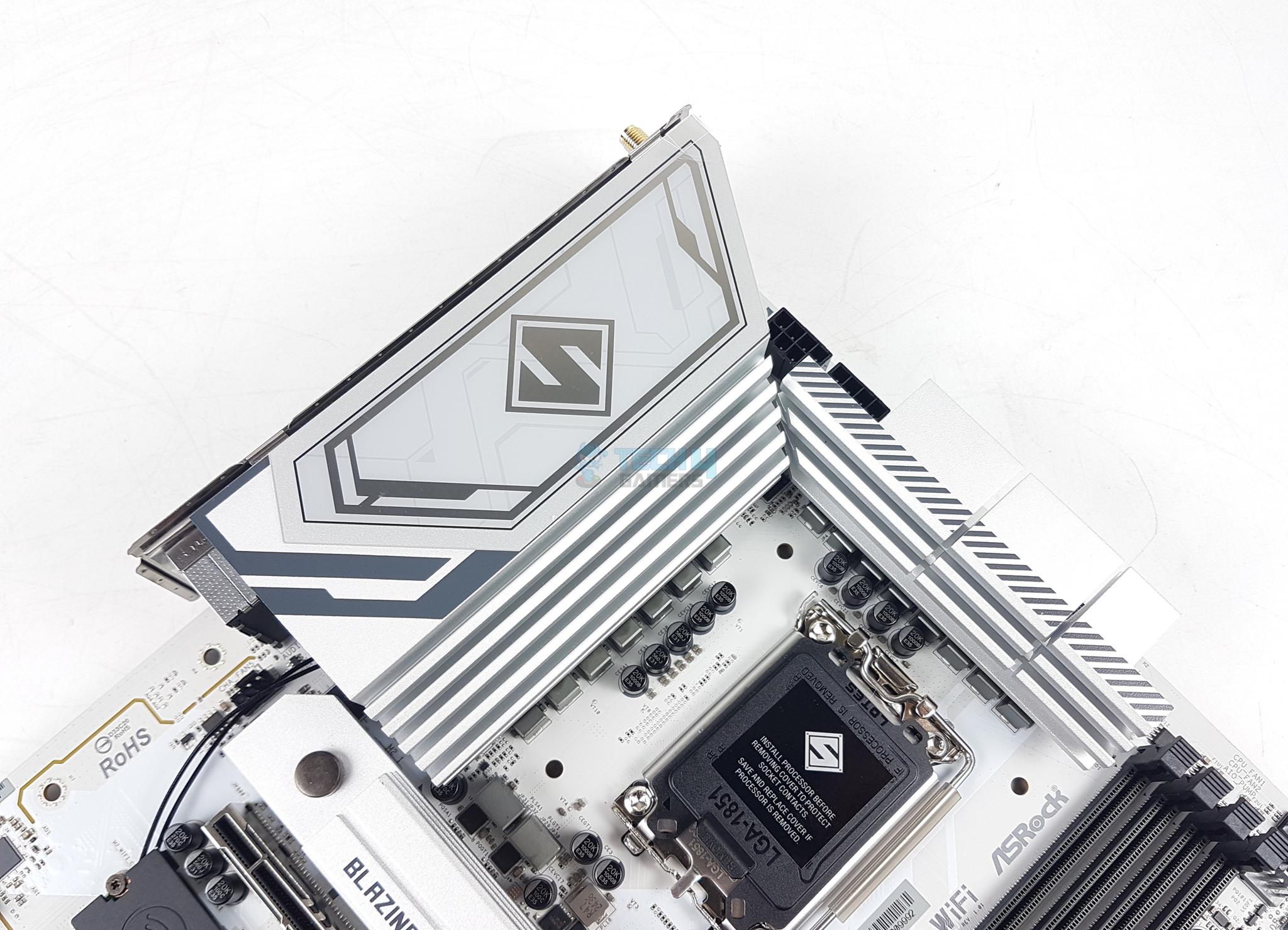
This motherboard has an Intel LGA1851 socket which is only compatible with Ultra Core Series 2 CPUs. Intel has used narrow ILM mounting on this socket and aims to provide better and even pressure compared to the Intel LGA1700 socket.
VRM Heatsinks
VRM Heatsink Covers
There are two stylish and enlarged heatsink covers over the power delivery circuit. They are white and gray stenciled. The S letter on the main cover represents Steel Legend. These two covers are not interconnected. There is no LED backlighting on these covers.
VRM Cicuit (Image By Tech4Gamers)
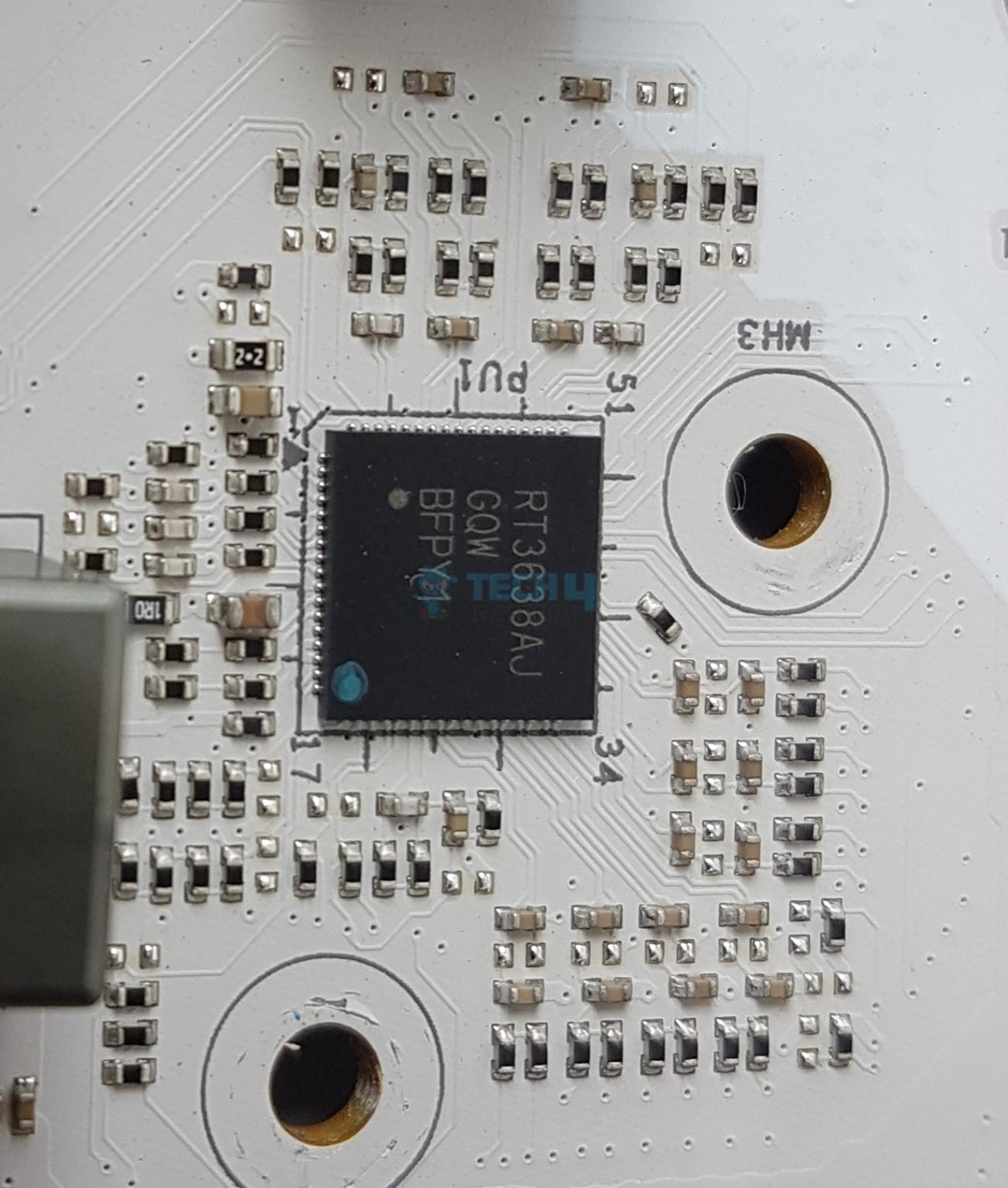
This motherboard uses a Richtek RT3638AJ PWM controller. The power delivery consists of 14+1+1+1+1 phases with the 14 phases covering the vCore. The VRM phases are from Vishay SiC659 rated at 80A each. The single phases for the rest of the components are SM4503NH and SM4508NH. The upgraded 20K Black capacitor not only extends the lifespan to 20,000 hours but also increases the capacitance value from 560uF to 1000uF
DIMM Slots
DIMM Slots (Image By Tech4Gamers)
ASRock has implemented 4x DDR5 CUDIMM slots that are on different PCB layers. This motherboard supports a maximum of 256GB memory capacity. These support Intel XMP 3.0 with dual-channel and dual-controller modes.
This motherboard supports frequencies up to 8666MHz (OC). The memory overclocking is also supported on this motherboard in addition to XMP. It supports Intel POR speed and JEDEC speed.
Storage Options
M.2 Ports Main View
M.2 Ports without Covers
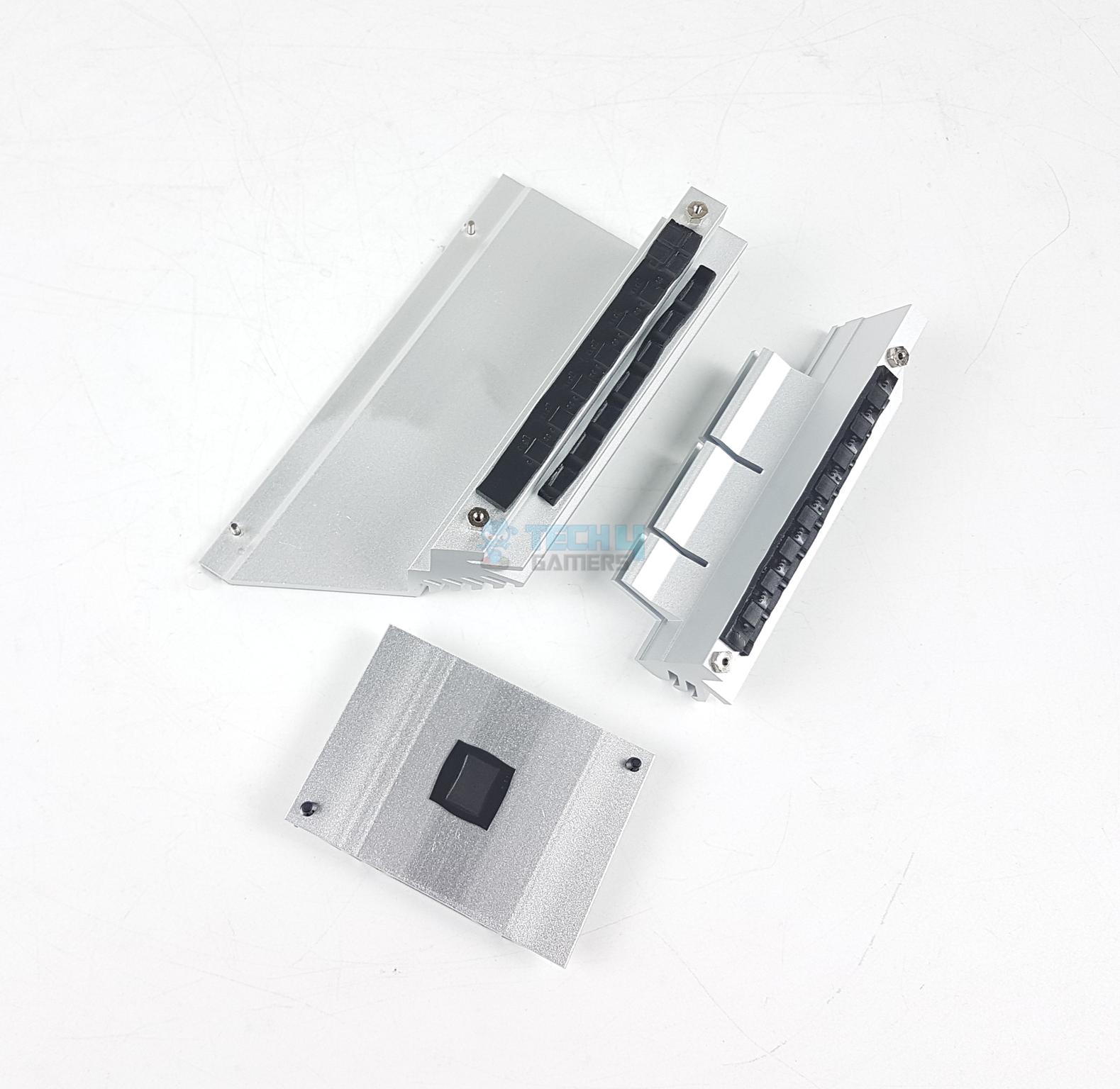
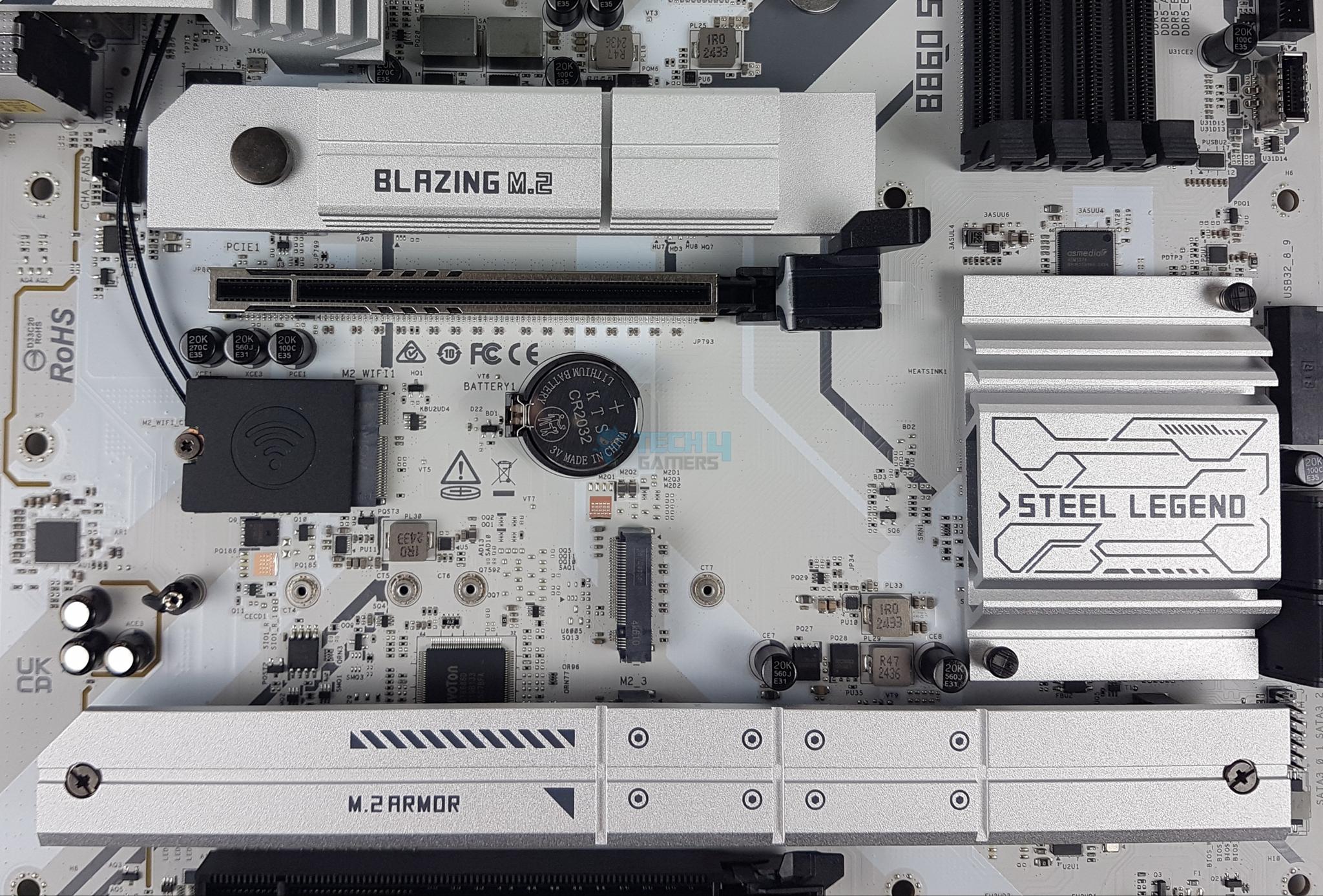
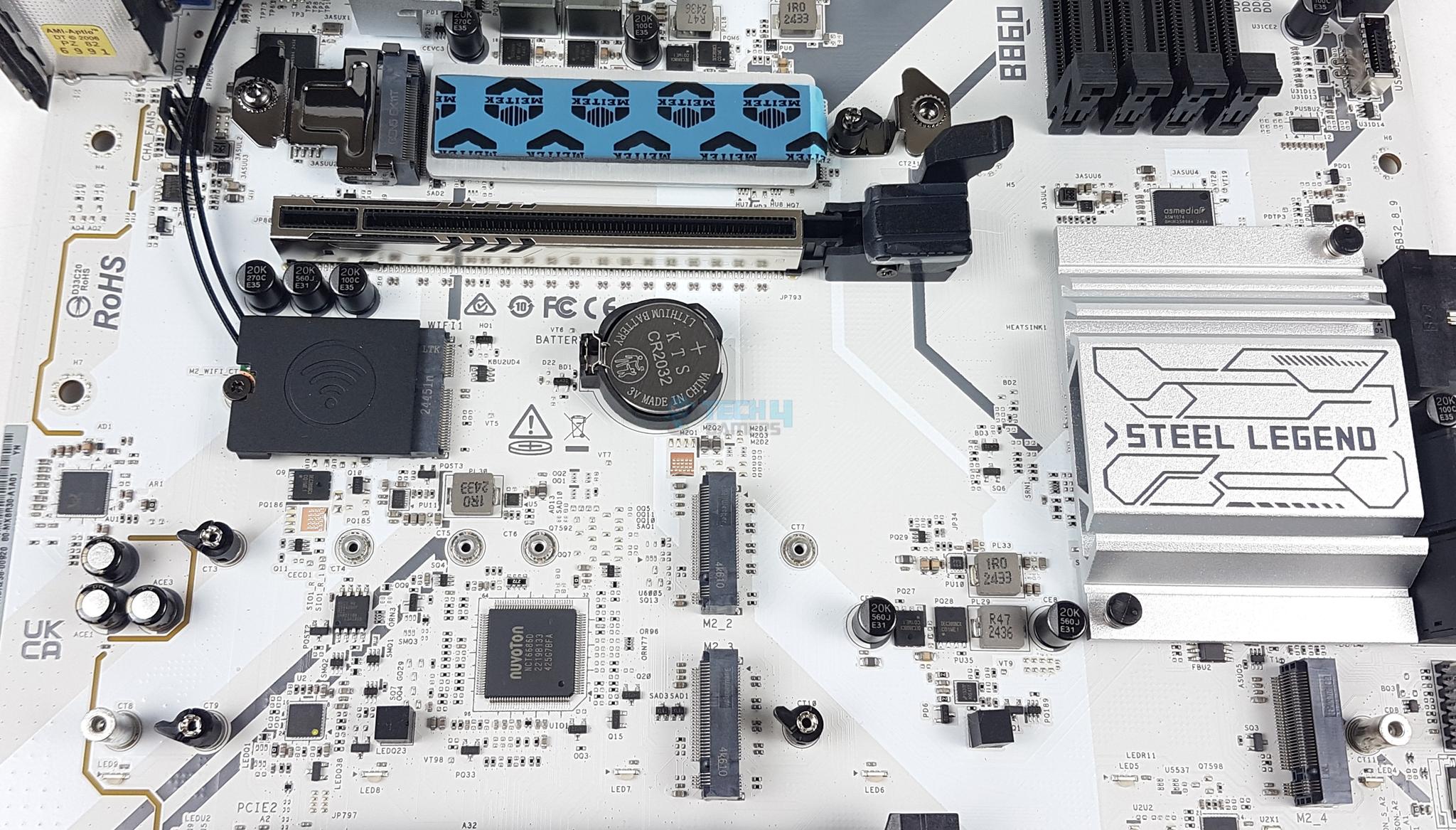
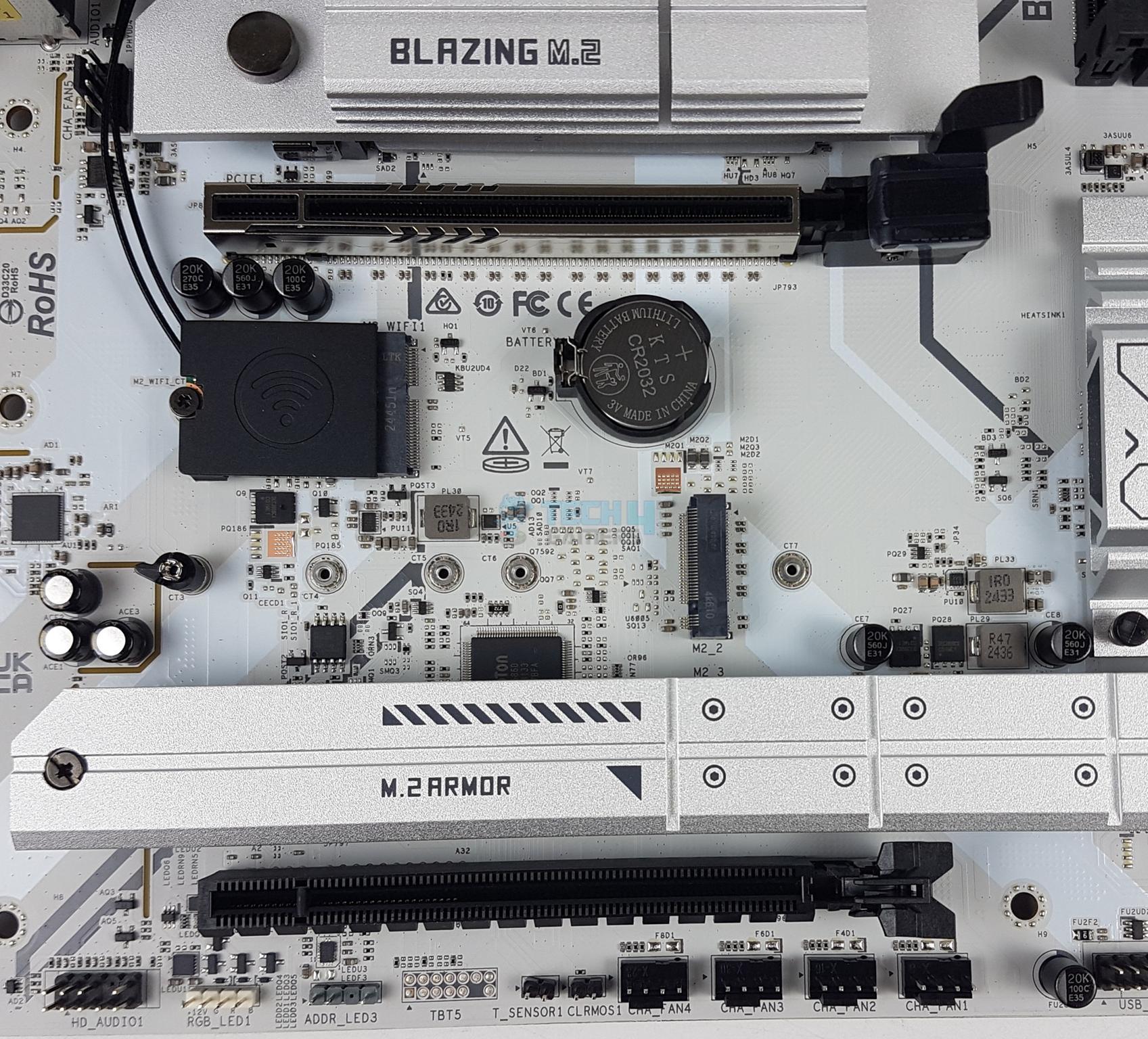
This motherboard has a total of 4x M.2 NVMe ports. Three ports have heat sink covers whereas one port is without a cover. These ports have a form factor of 2280/2260.
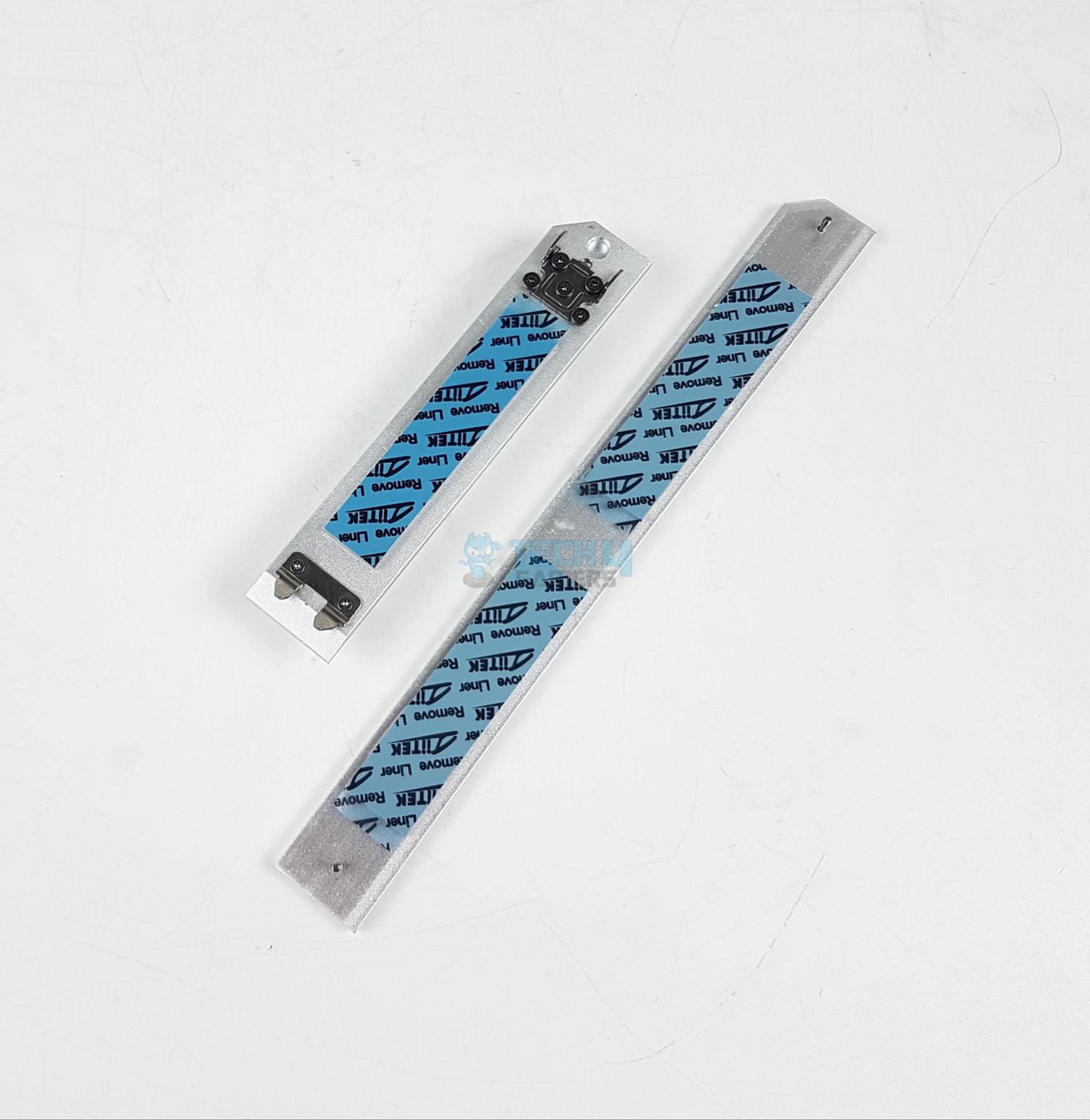
You can see that all heatsink covers have thermal pads. The top port uses a tool-less design. The other heatsink has an anti-drop screw design. You would need a screwdriver to handle this large-size cover.
M.2 Port Covers
SATA Connectors
The top slot is PCIe Gen5x4 M.2 NVMe wired to the CPU and has a 128GB/s bandwidth rating. It has dual thermal pads. The remaining three ports are wired to the chipset and only two are PCIe Gen4x4 whereas the third one is rated at PCIe Gen4x2.
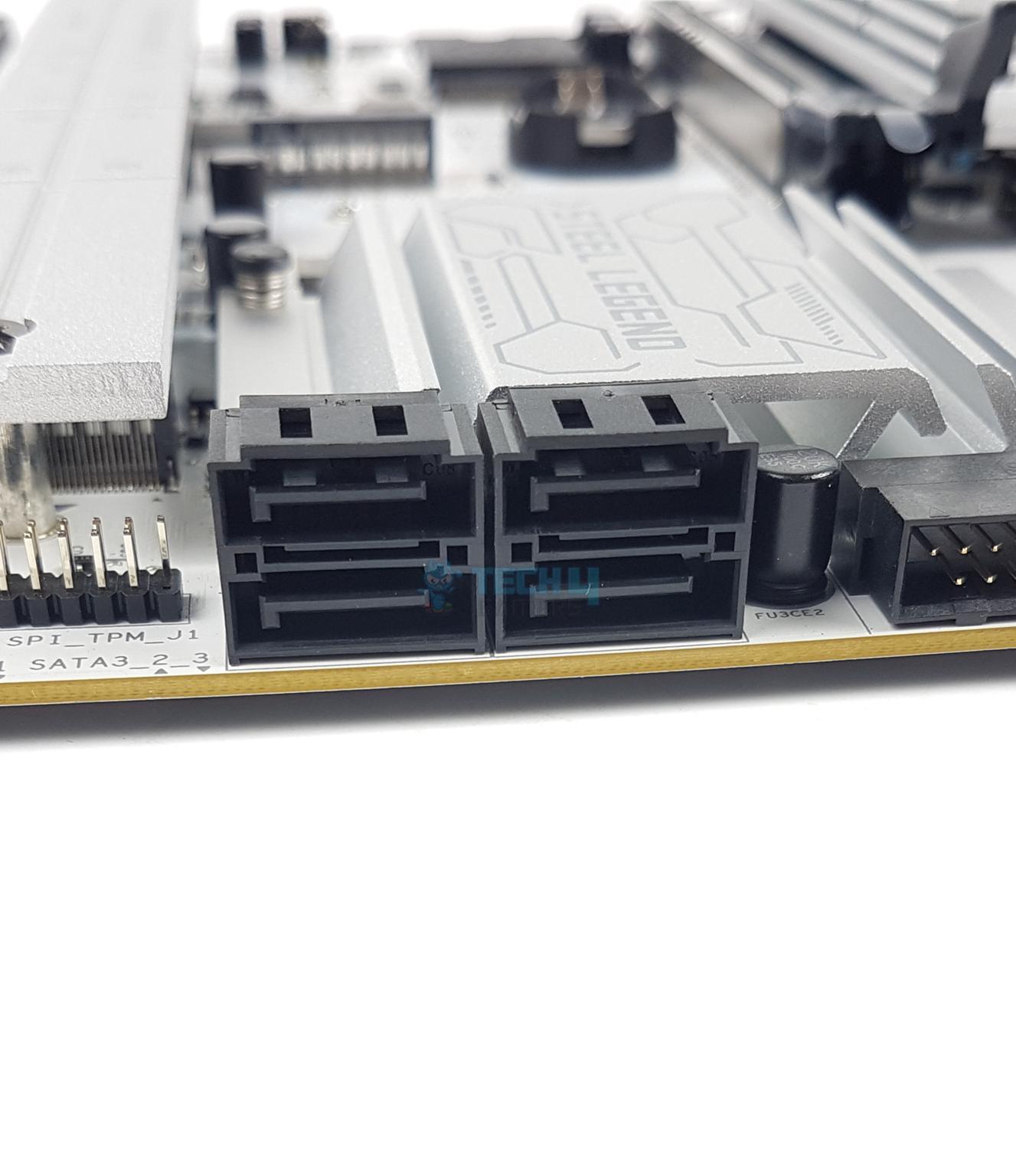
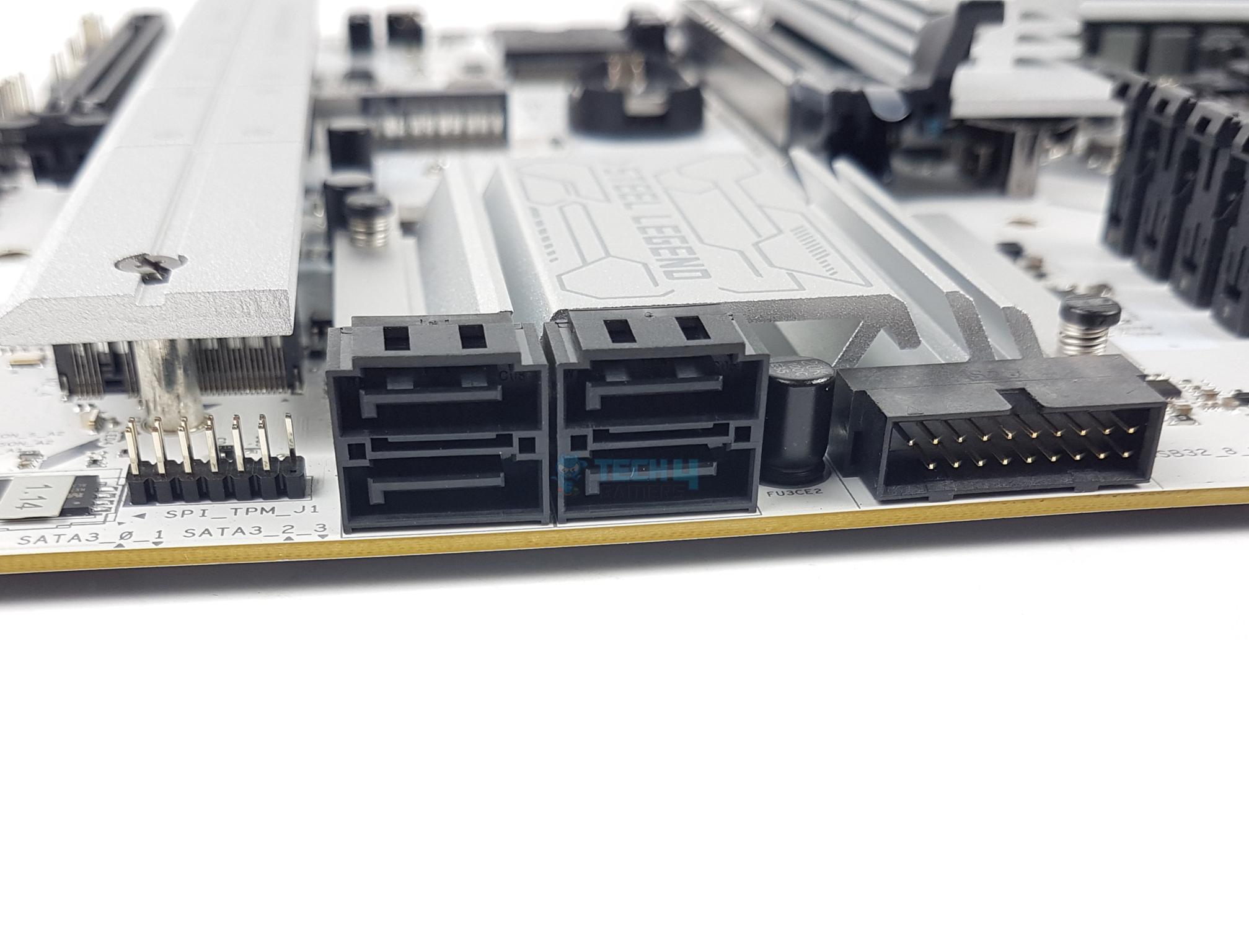
Speaking of SATA ports, this motherboard has a total of 4x ports wired to the chipset.
PCIe Connectivity
PCIe Slots
PCIe Slot Locker
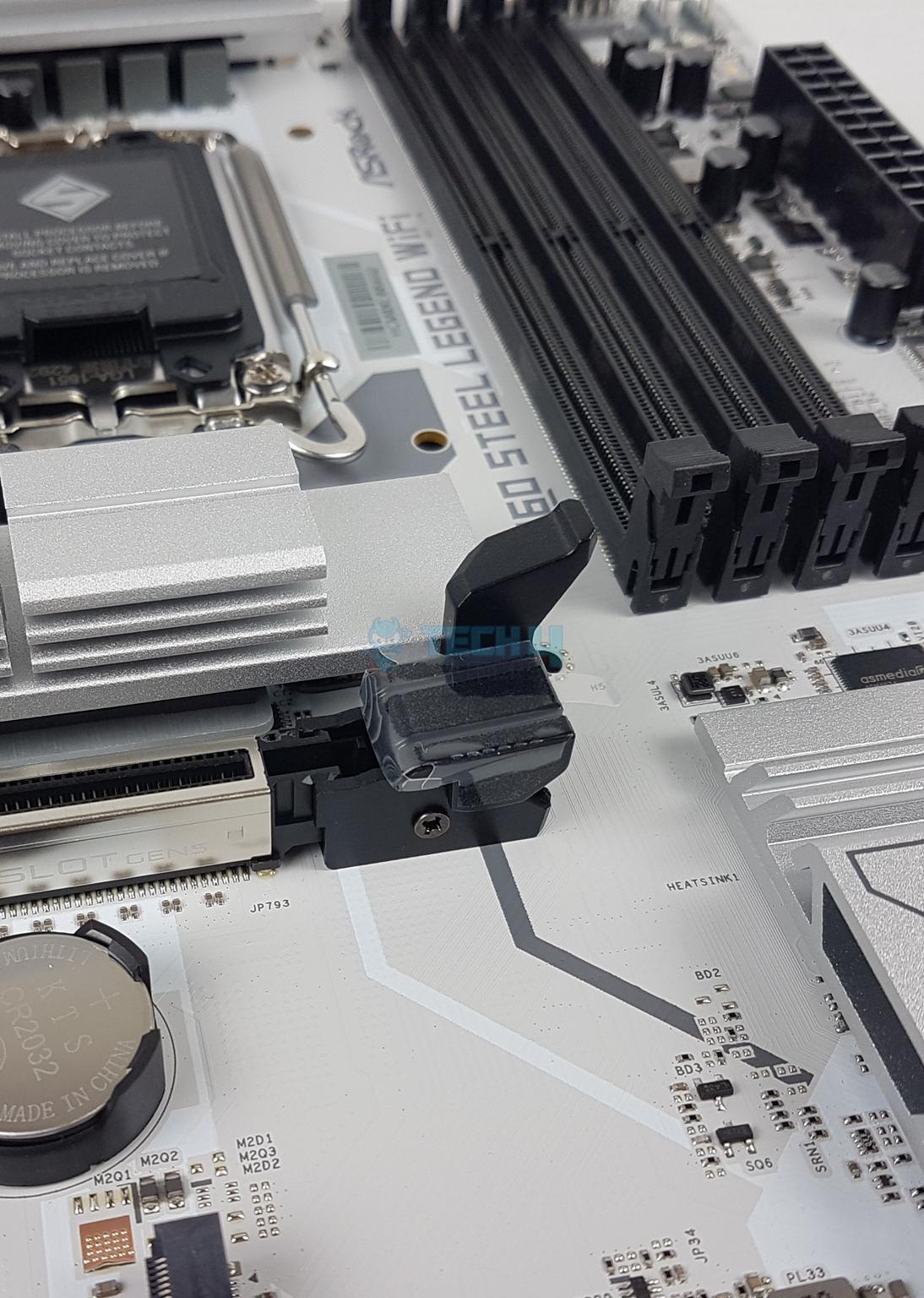
This motherboard has a total of 3x PCIe slots. The first slot is full x16 slotted and wired to the CPU socket. It can’t be bifurcated or split. The other two are wired to the chipset. The top slot is PCIe Gen5x16 rated. The last slot is PCIe 4.0 x16 but operates at x2 mode. The middle slot is PCIe 4×1 and it is used for the WiFi module.
This motherboard features the Graphics Card Lite Release feature. The locker has an extended clip for easy handling of the graphics card.
USB Connectivity
USB Connector (Image By Tech4Gamers)
This motherboard is packed with USB ports on the front, rear, and mid-board. It has:
1x Thunderbolt™ 4 Type-C (Rear)
1x USB 3.2 Gen2x2 Type-C (Front)
2x USB 3.2 Gen2 Type-A (Rear)
8x USB 3.2 Gen1 (4 Rear, 4 Front)
7x USB 2.0 (3 Rear, 4 Front)
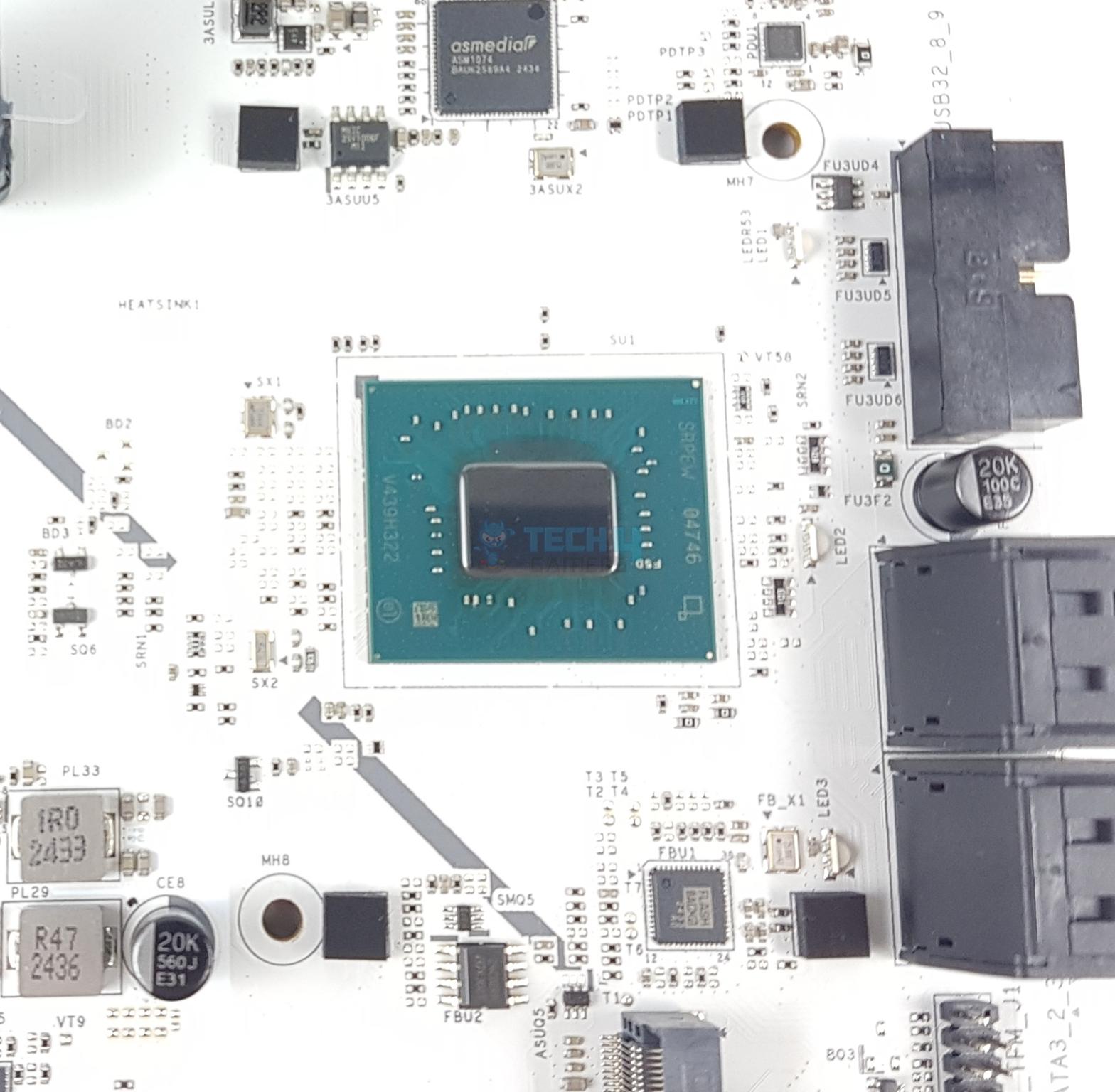
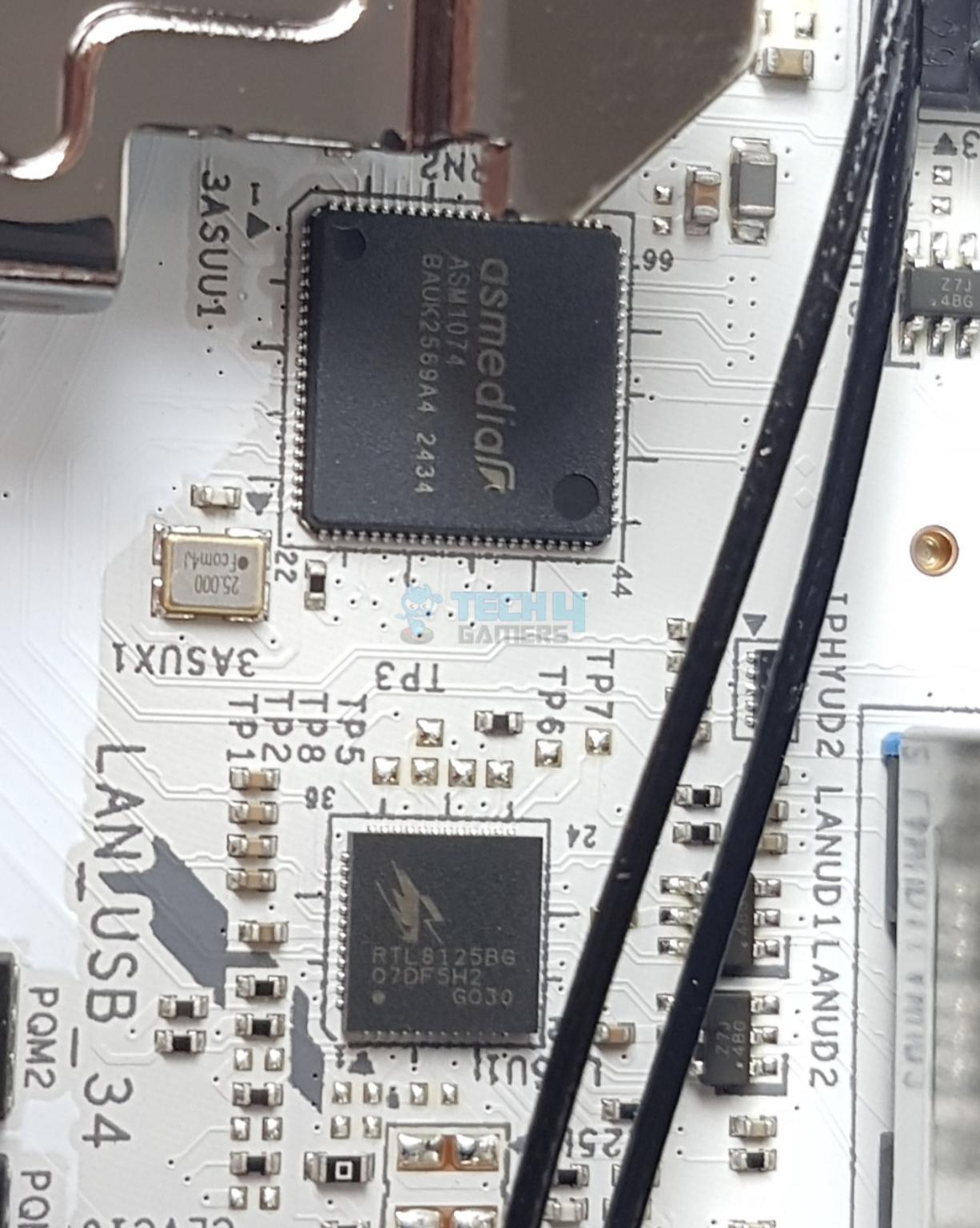
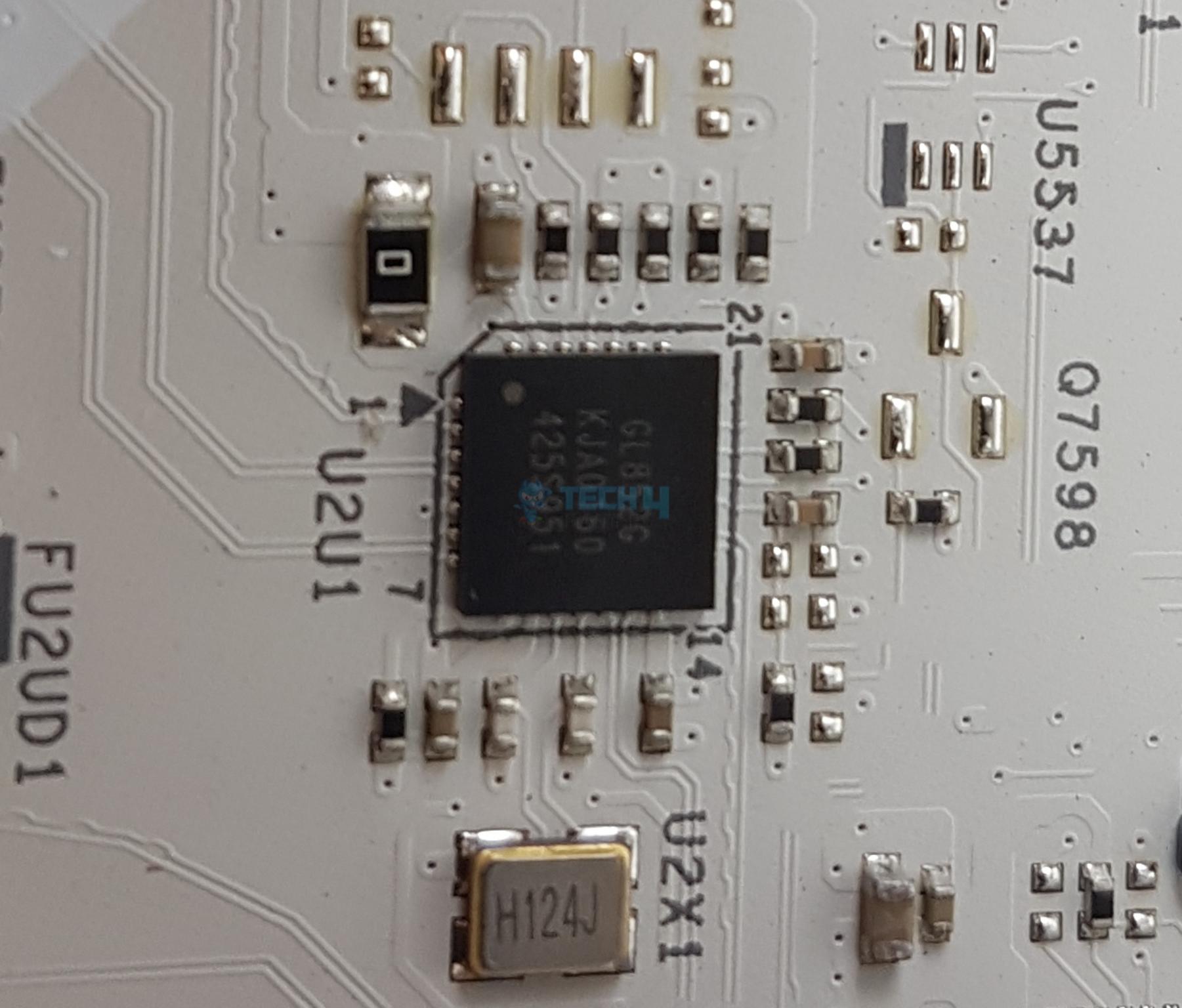
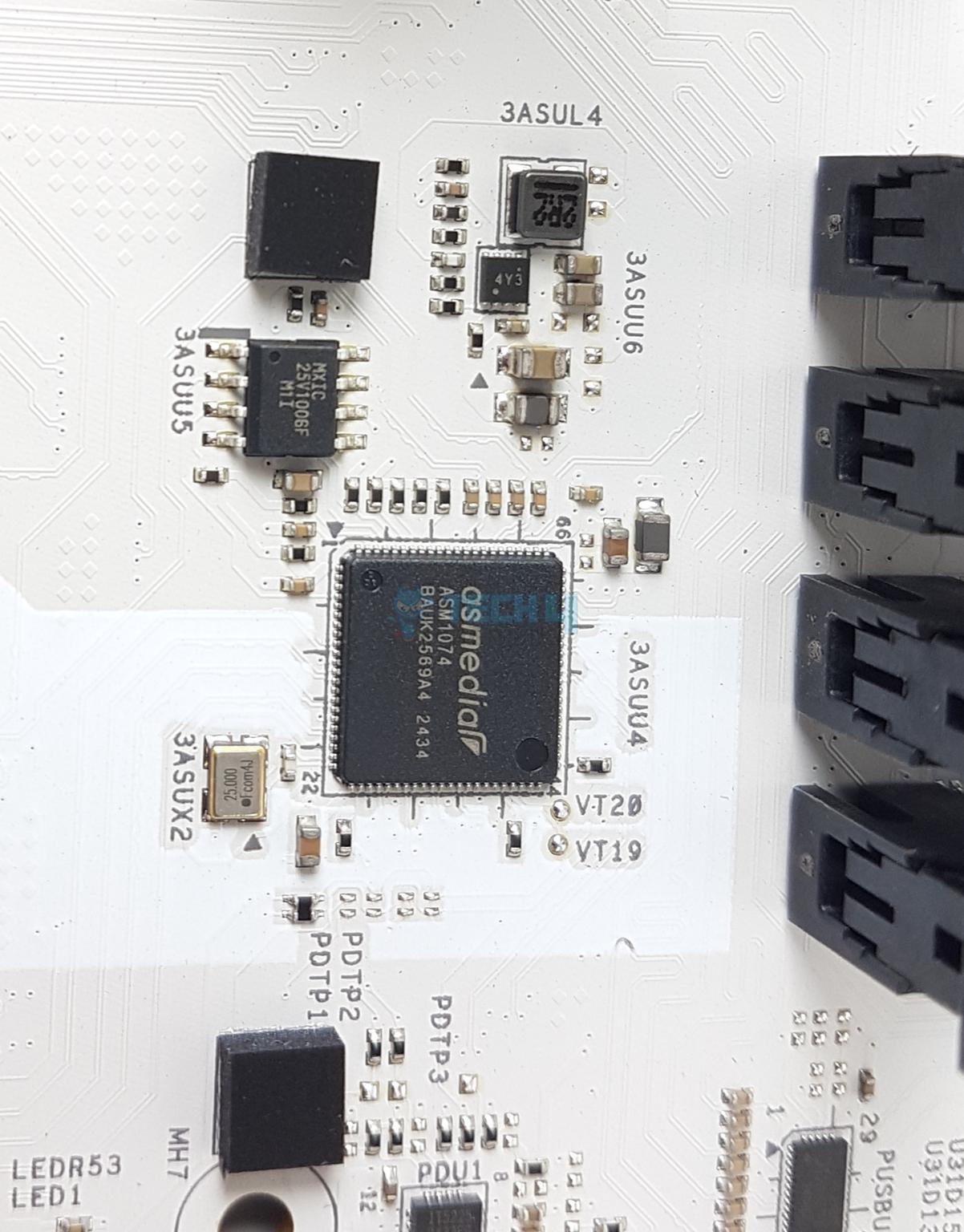
ASRock has used several USB hubs and controllers including GL852G and ASM1074. All ports support ESD protection.
Networking Solution
WiFi Module (Image By Tech4Gamers)
This motherboard comes equipped with a Dragon 2.5 Gbps LAN port powered by RTL8125 controller. The wireless solution consists of Intel WiFi 6E and Bluetooth 5.3 (Intel AX211NGW WiFi Module). Although this platform has full support for WiFi 7, ASRock has cut it down in favor of 6E. This seems to be a cost-saving factor.
Audio Solution
Audio Solution (Image By Tech4Gamers)
ASRock has provided a better Audio solution on this motherboard compared to the MSI B860 Tomahawk. The MSI board comes with RealTek ALC897 whereas the ASRock motherboard is equipped with RealTek ALC1220. This is a 7.1 Channel audio solution that has S/PDIF output as well.
Internal Connectors
Connectivity
1 of 4
Connectors EPS
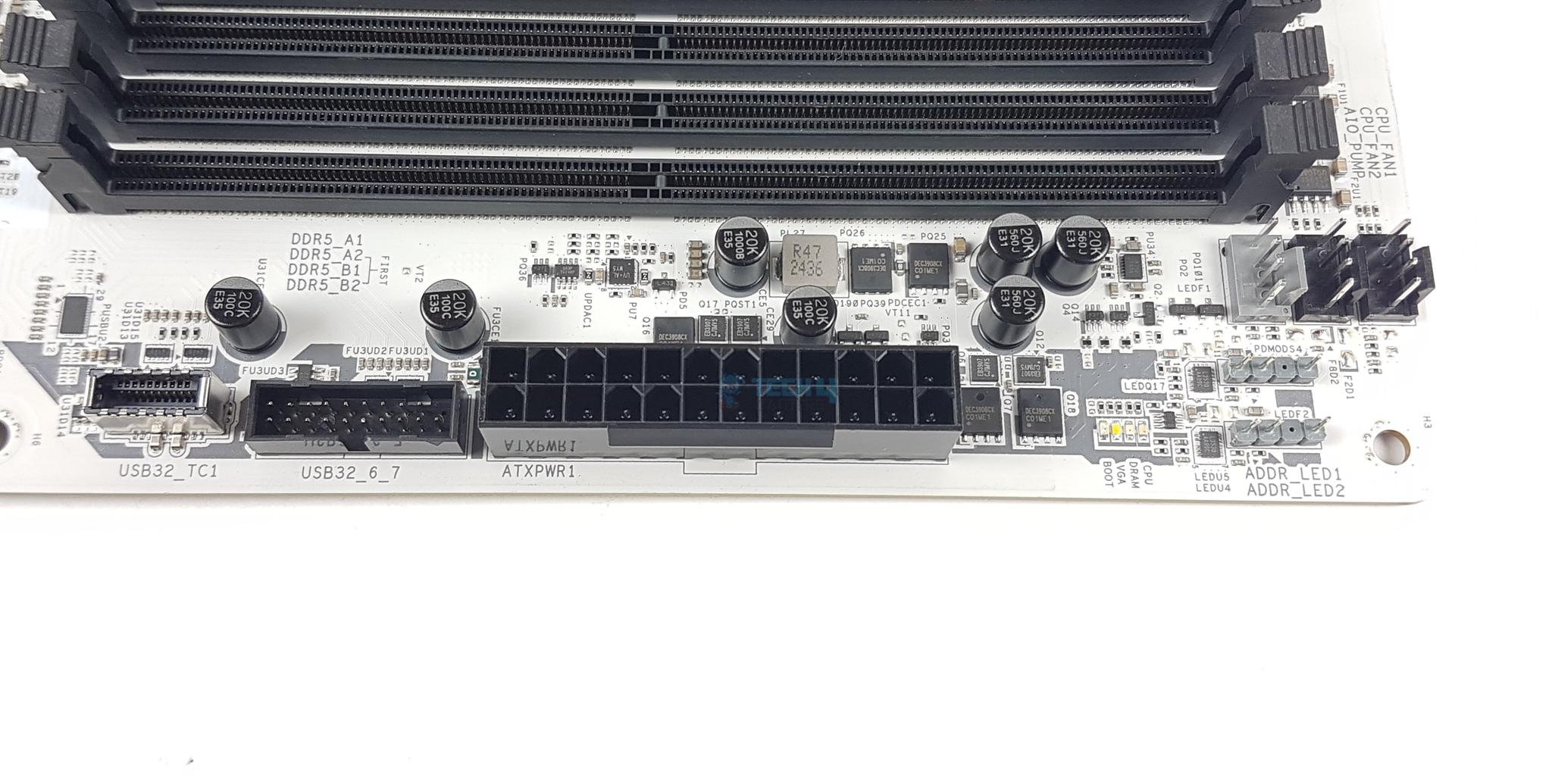
Connectors Side
Connectors Side Bottom
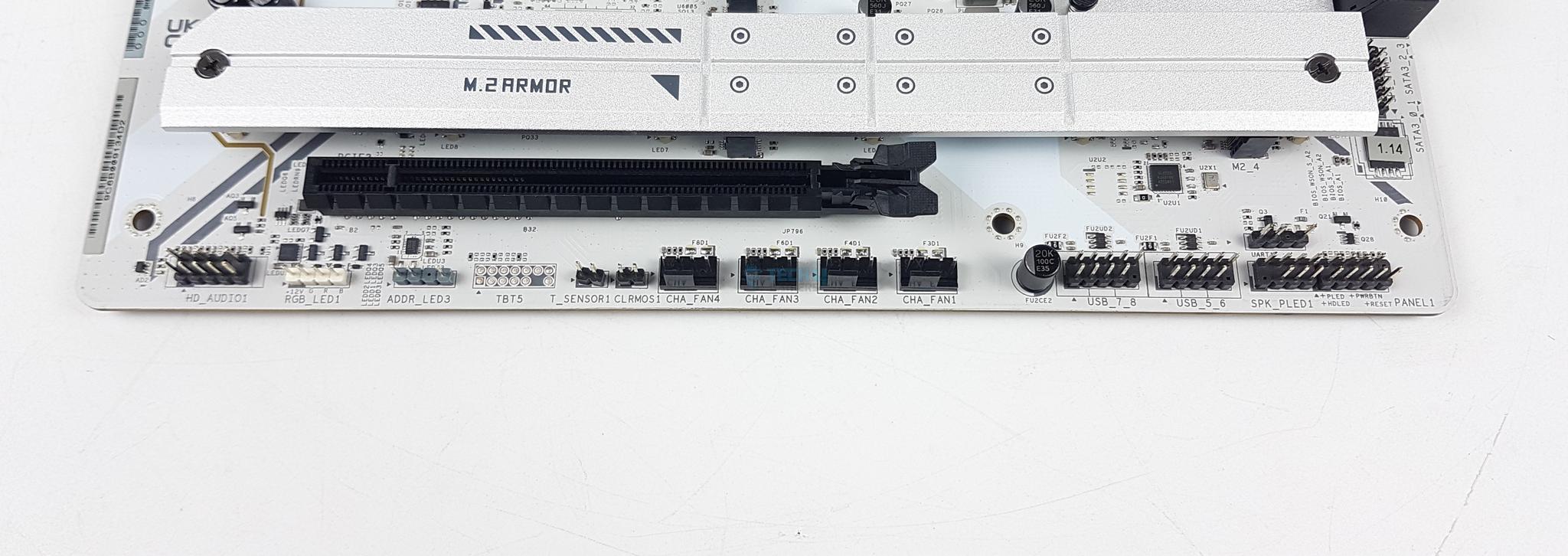
Connectors Bottom
1x Thermistor Cable Header
1x SPI TPM Header
1x Power LED and Speaker Header
1x RGB LED Header
3x Addressable LED Headers
2x CPU Fan Connector (4-pin) (Smart Fan Speed Control)
5x Chassis Fan Connectors (4-pin) (Smart Fan Speed Control)
1x AIO Pump Fan Connector (4-pin) (Smart Fan Speed Control)
1x 24-pin ATX Power Connector
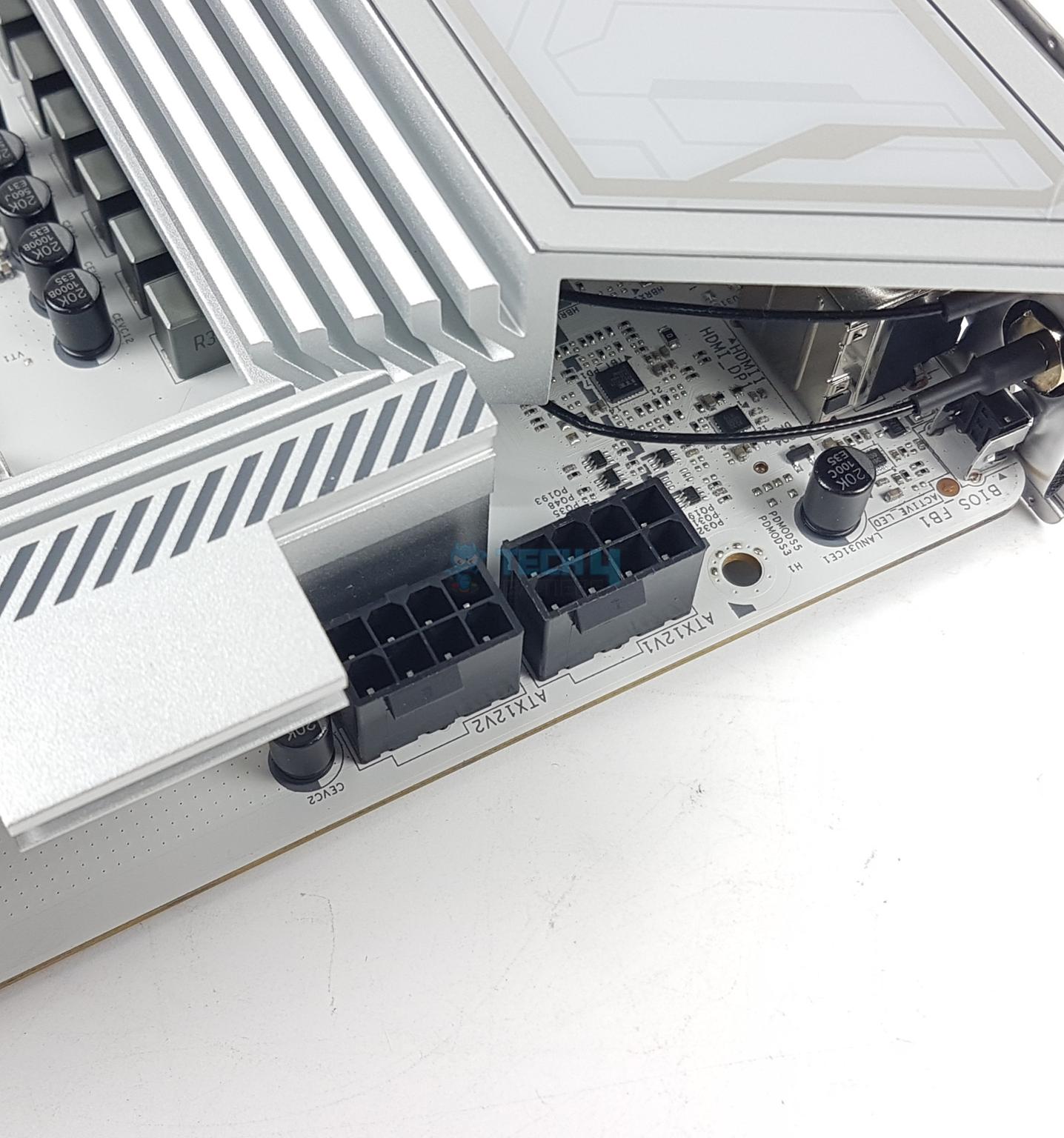
2x 8-pin 12V Power Connectors (Hi-Density Power Connector)
1x Front Panel Audio Connector
2x USB 2.0 Headers (Support 4 USB 2.0 ports)
2x USB 3.2 Gen1 Headers (Support 4 USB 3.2 Gen1 ports)
1x Front Panel Type C USB 3.2 Gen2x2 Header (20 Gb/s)
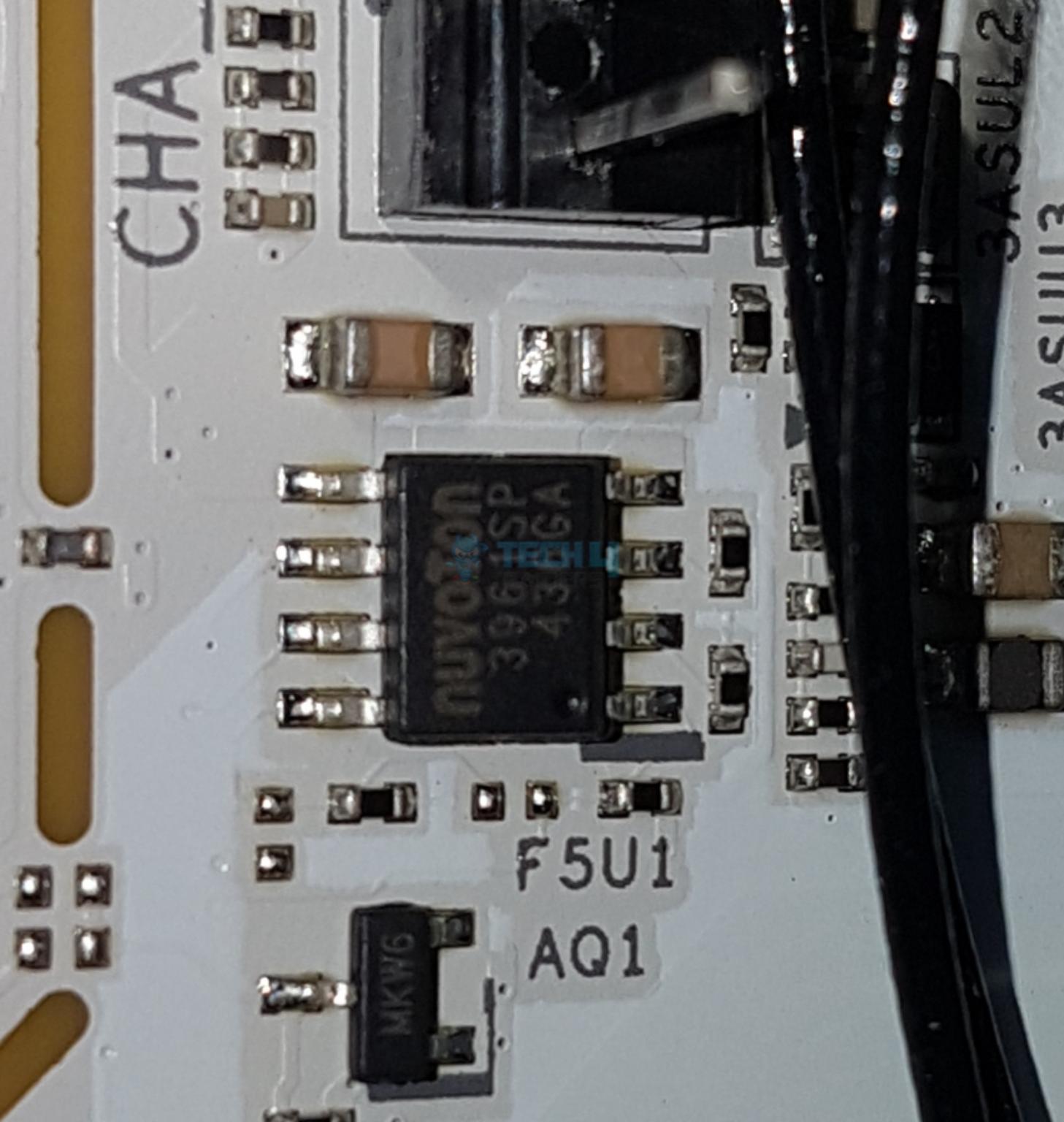
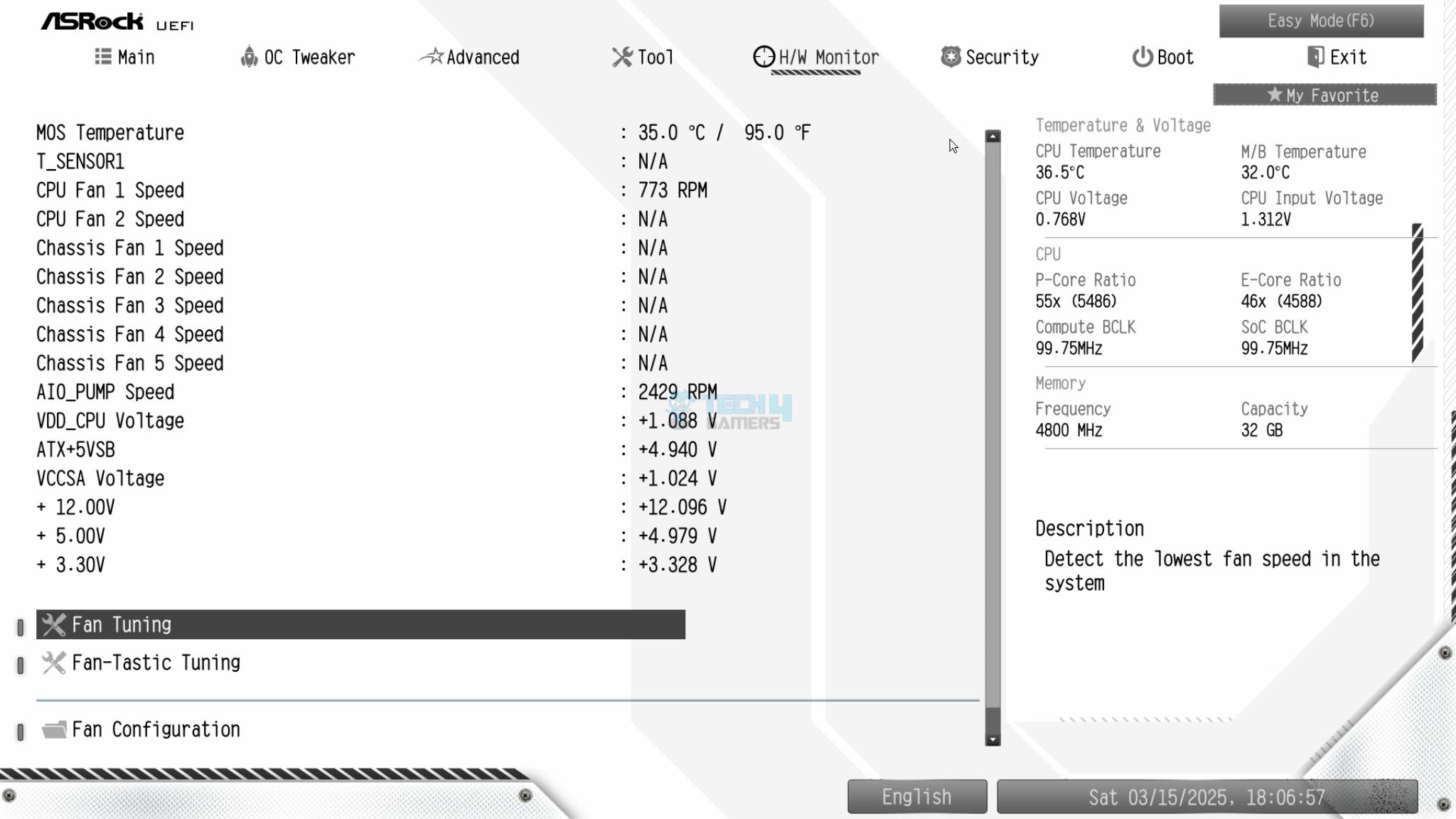
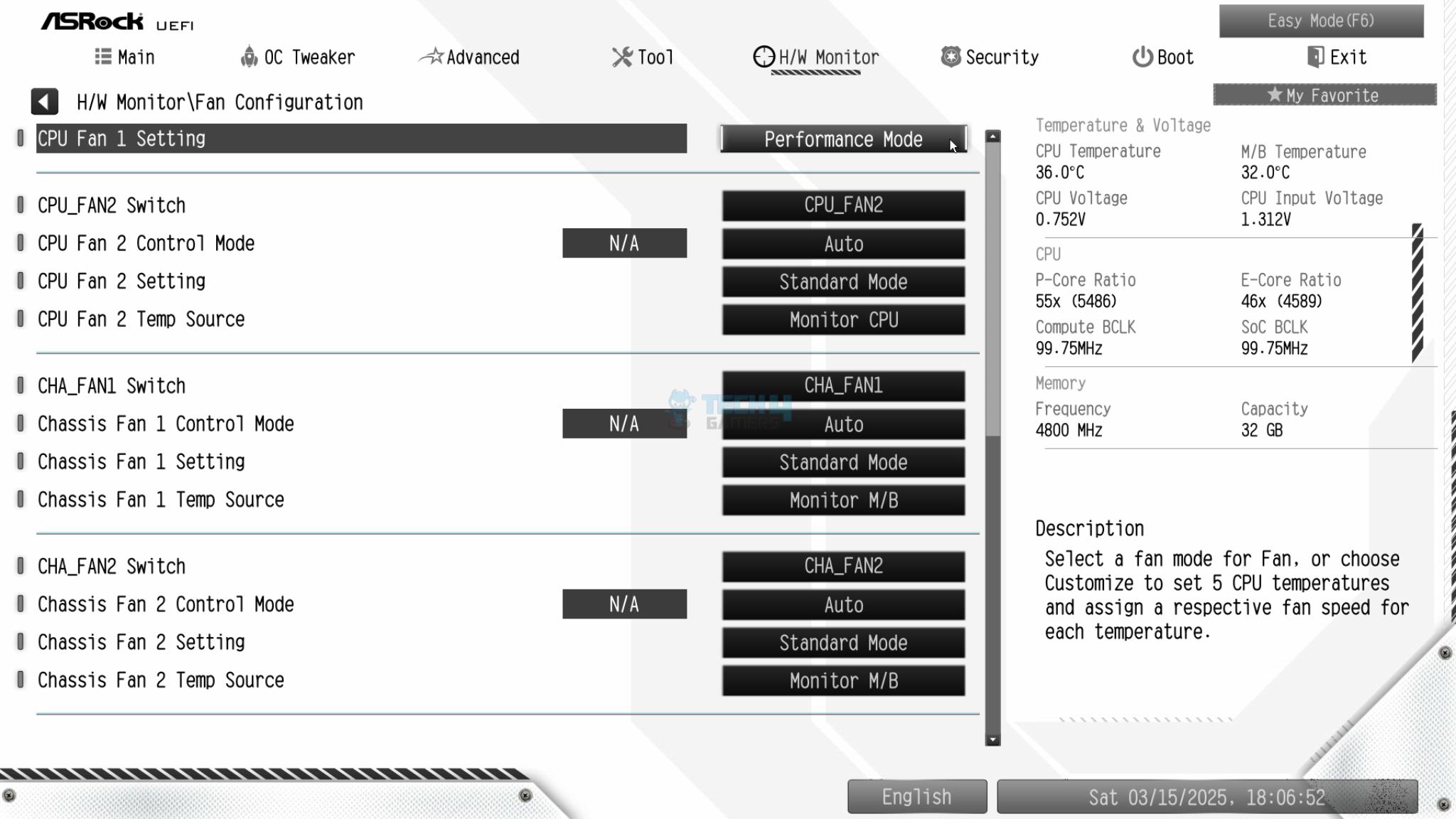
Each fan header is powered and controlled by nuvoTon 3961SP. The Pump Header is rated for 3A. The CPU Fan header is rated for 1A. The other fan headers are rated at 3A each. There are 4x LEDs to troubleshoot the system in case anything goes wrong. These LEDs correspond to the CPU, RAM, VGA, and Boot. However, there is no debug LED on this motherboard.
Rear IO Panel
Rear IO Panel (Image By Tech4Gamers)
There are:
2x Antenna Ports
1x HDMI Port
1x DisplayPort 1.4
1x Optical SPDIF Out Port
1x Thunderbolt™ 4 Type-C Port (40 Gb/s for USB4 protocol; 40Gb/s for Thunderbolt™ protocol)*
2x USB 3.2 Gen2 Type-A Ports (10 Gb/s)
4x USB 3.2 Gen1 Ports**
3x USB 2.0 Ports
1x RJ-45 LAN Port
1x BIOS Flashback Button
1x Line Out Jack (Gold Audio Jack)
1x Microphone Input Jack (Gold Audio Jack)
* Supports USB PD 3.0 up to 5V@3A (15W) charging
** USB32_45 support Ultra USB Power
The rear IO cover is pre-installed on this motherboard. ASRock has reserved more tolerance space and allows the IO shield to be adjustable when installed, thus fitting the chassis perfectly without any mechanical issues.
All Heatsinks Removed
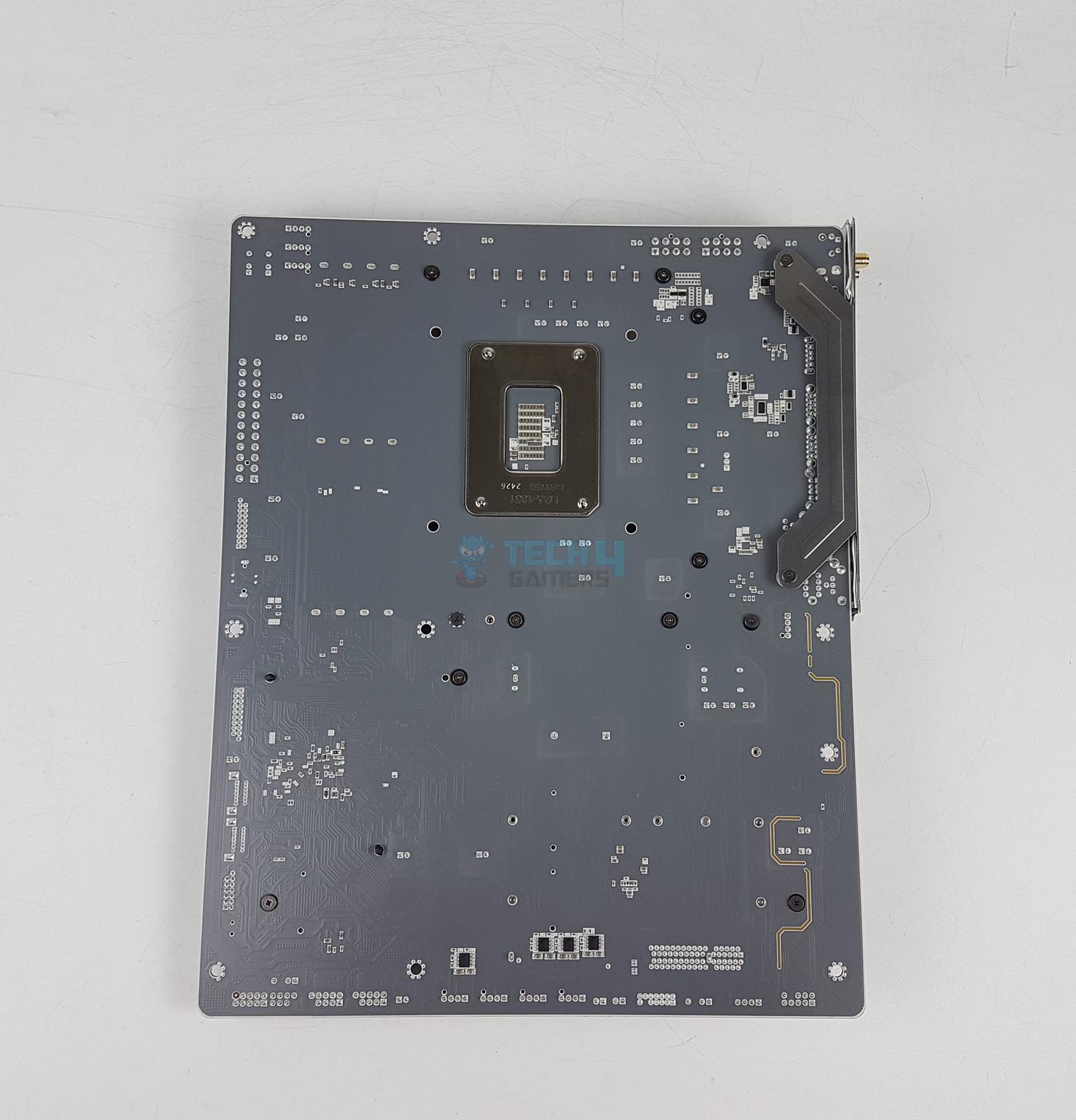
Back View
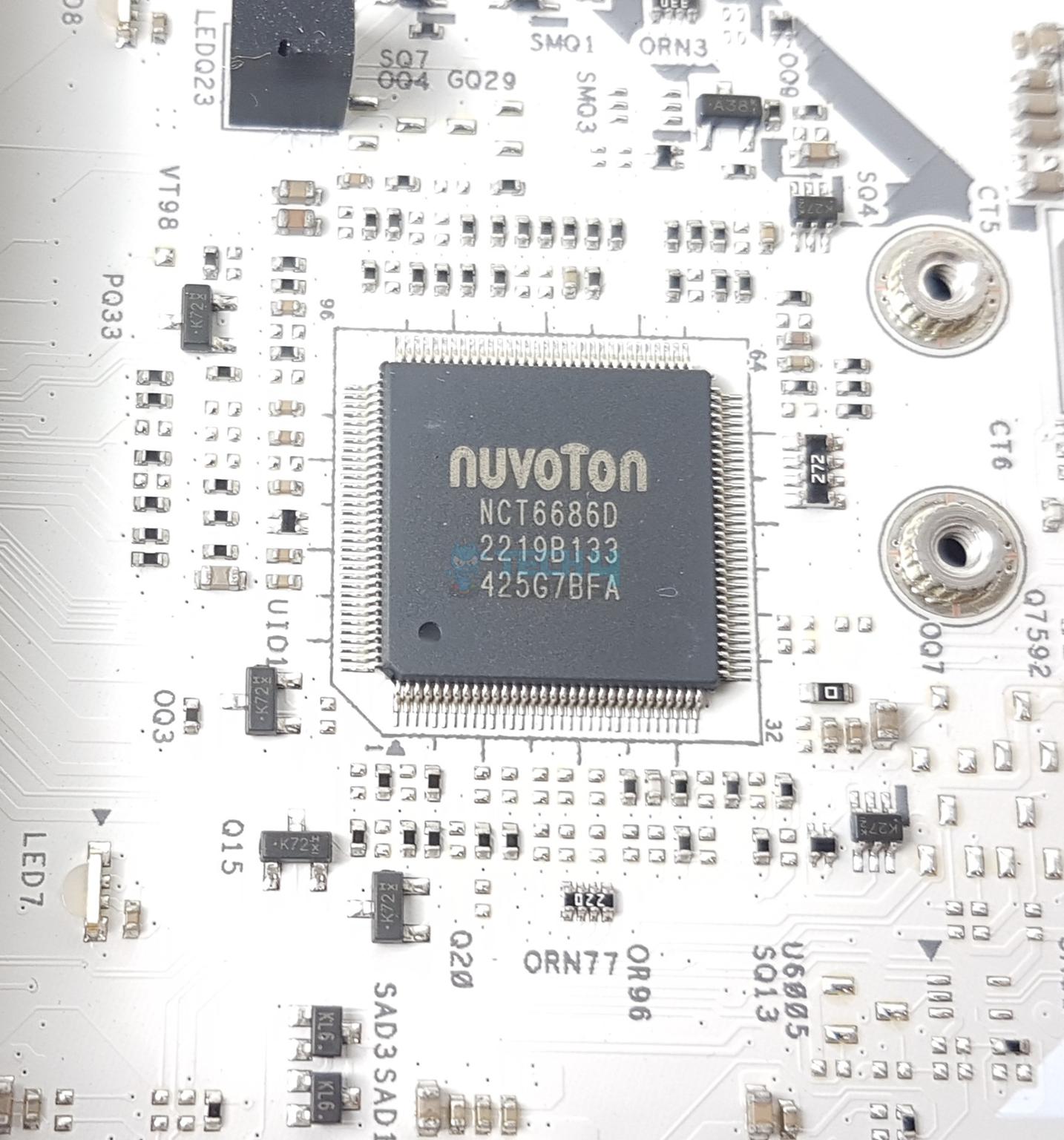
Let’s go over the B860 chipset after removing its heatsink cover. The main IO chip is Nuvoton NCT6686D.
Chipsets
1 of 8
B860 Chipset
Chips - RTL8125BG
Chips - RT3638AJ
Chips - Nuvoton NT6686D IO Controller
Chips - Nuvoton 3961SP
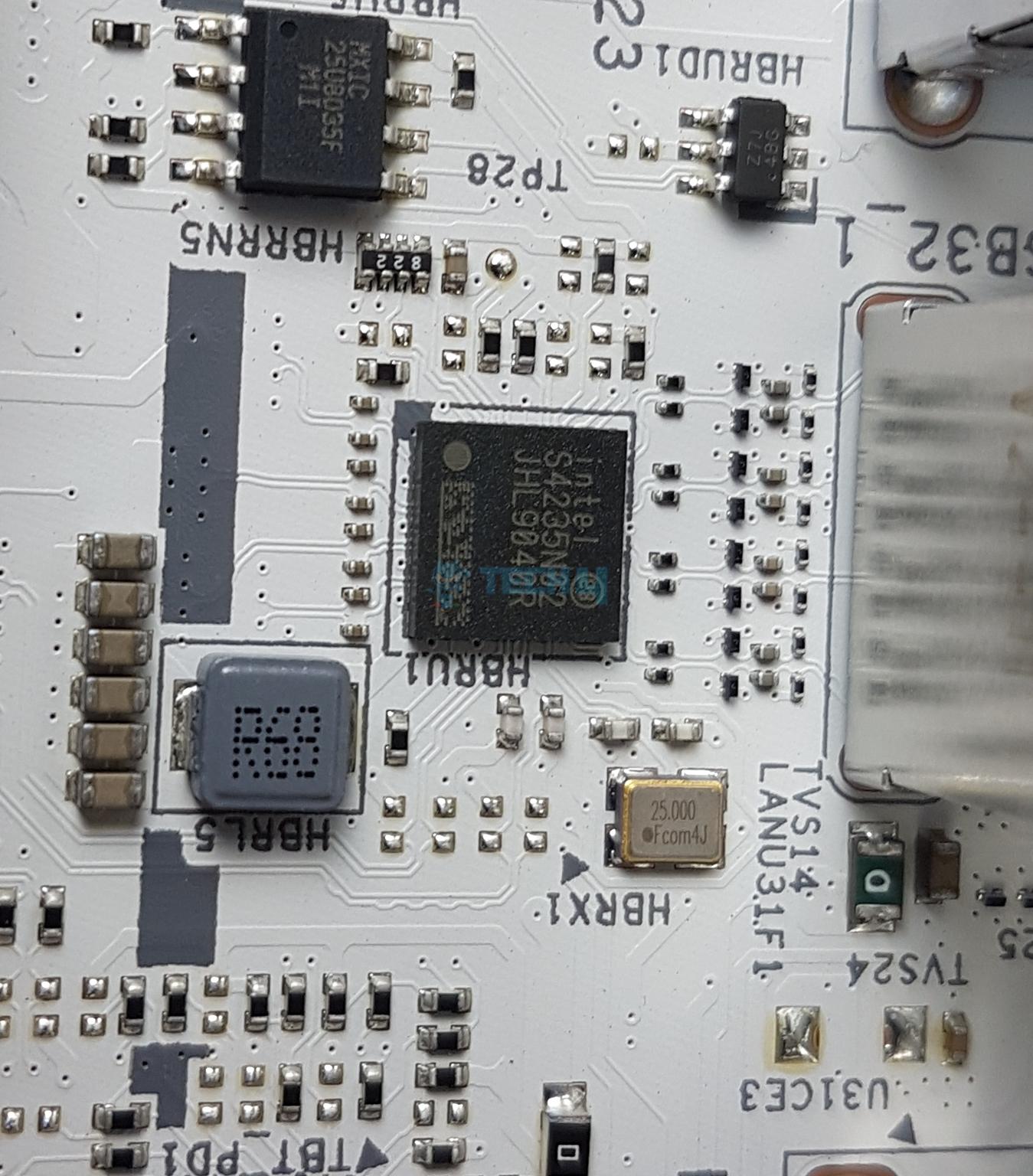
Chips - Intel S4235
Chips - GL852G
Chips - ASM1074
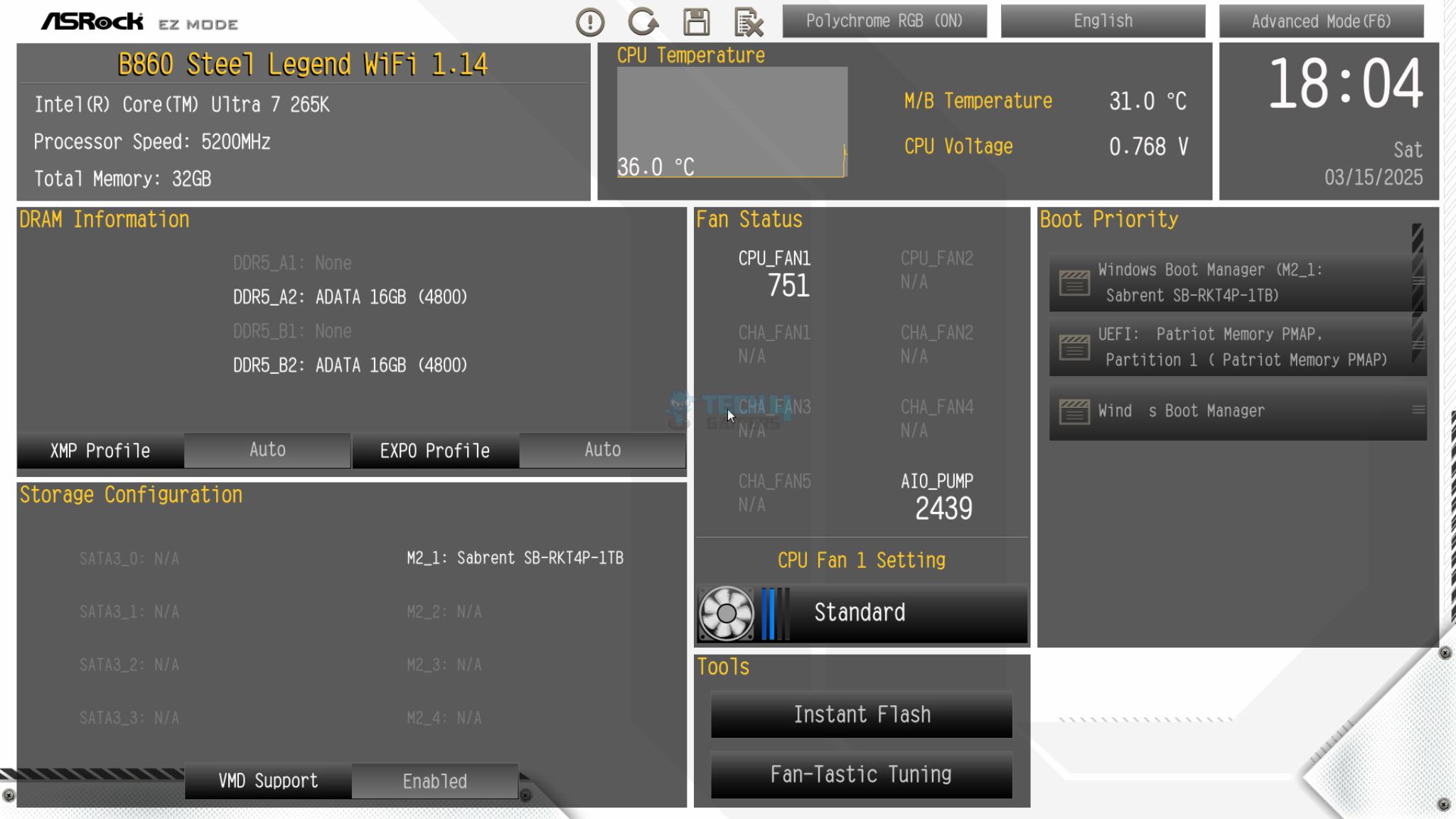
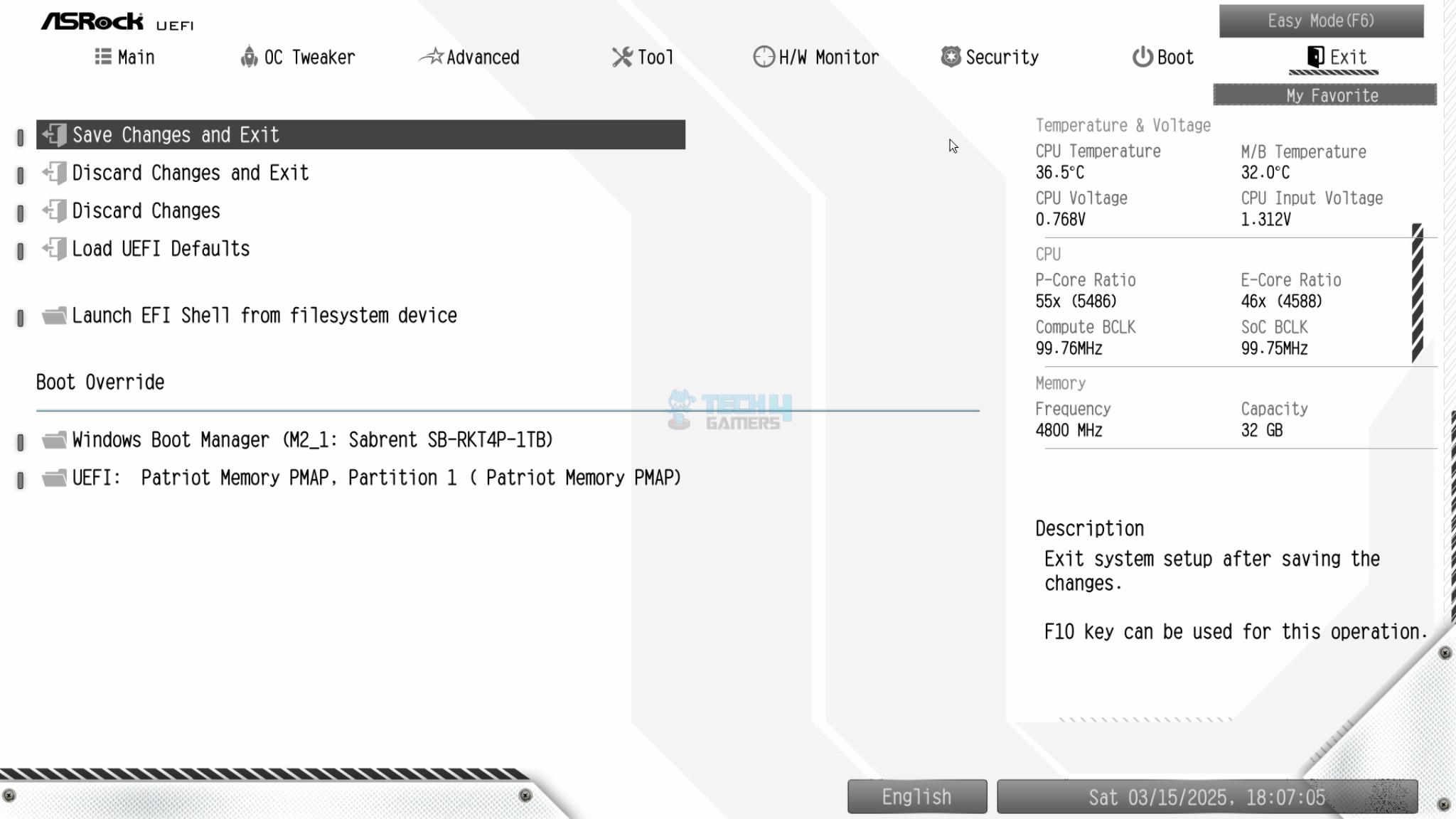
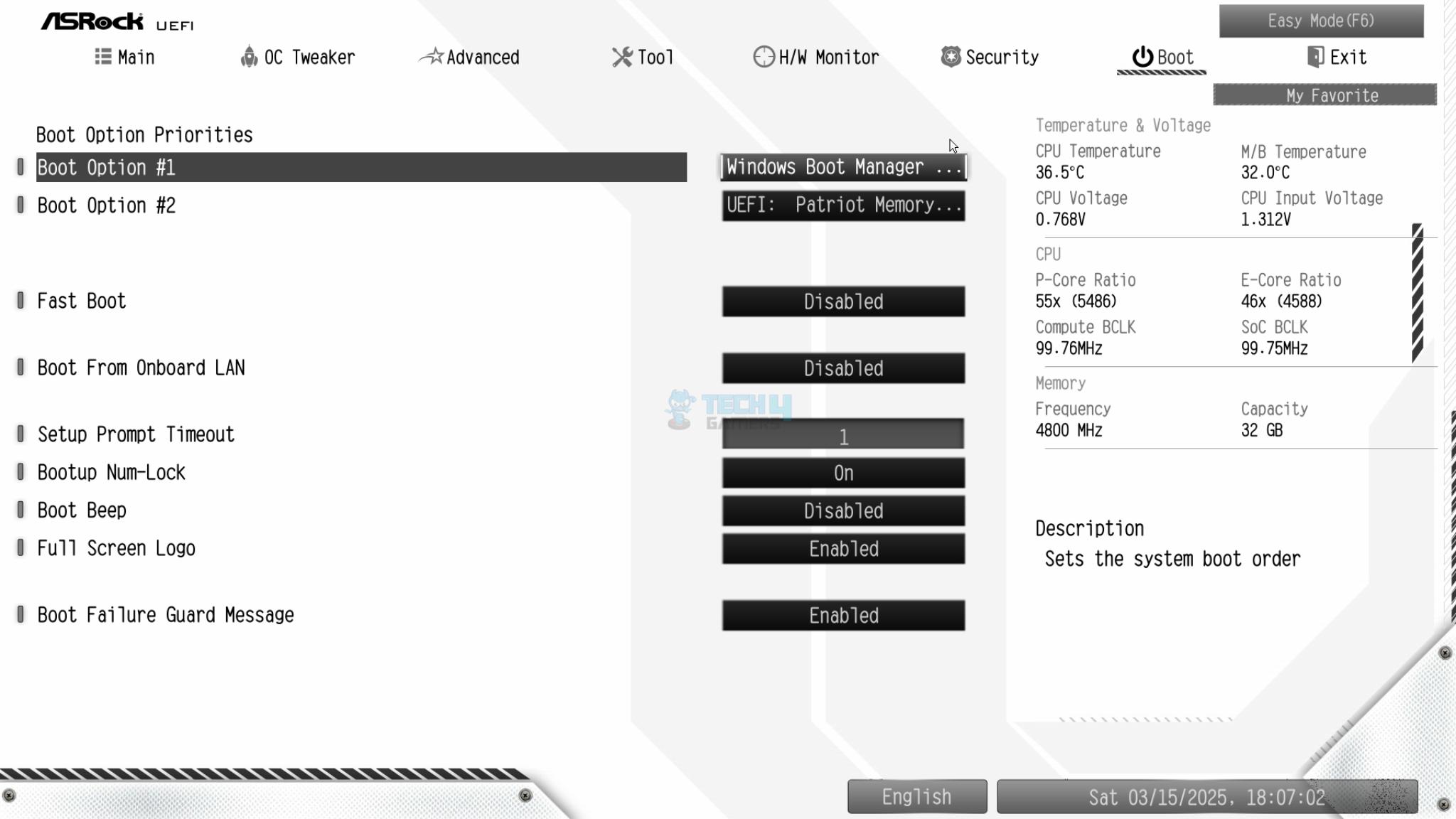
BIOS
1 of 15
BIOS (Image By Tech4Gamers)
BIOS (Image By Tech4Gamers)
BIOS (Image By Tech4Gamers)
BIOS (Image By Tech4Gamers)
BIOS (Image By Tech4Gamers)
BIOS (Image By Tech4Gamers)
BIOS (Image By Tech4Gamers)
BIOS (Image By Tech4Gamers)
BIOS (Image By Tech4Gamers)
BIOS (Image By Tech4Gamers)
BIOS (Image By Tech4Gamers)
BIOS (Image By Tech4Gamers)
BIOS (Image By Tech4Gamers)
BIOS (Image By Tech4Gamers)
BIOS (Image By Tech4Gamers)
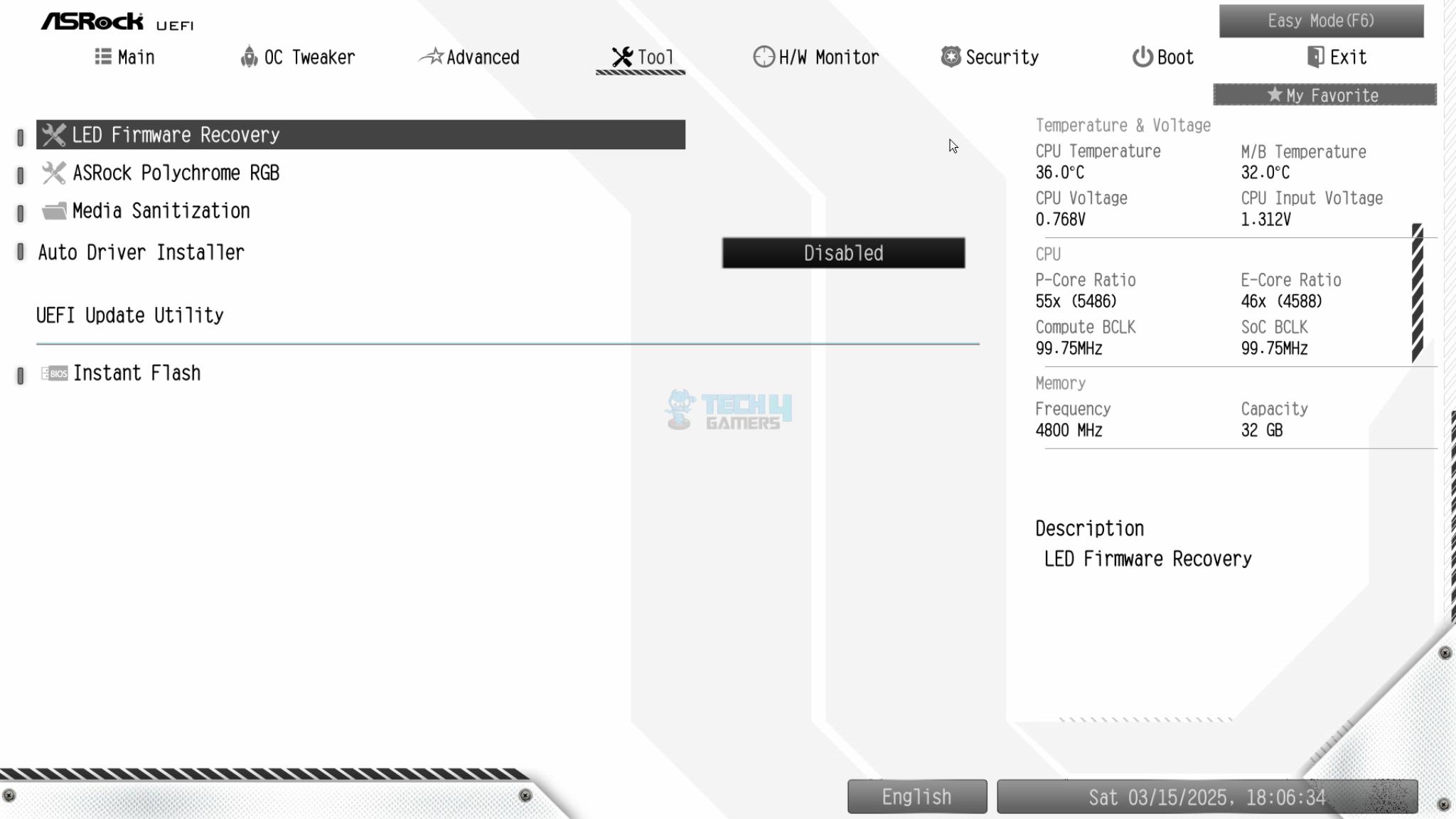
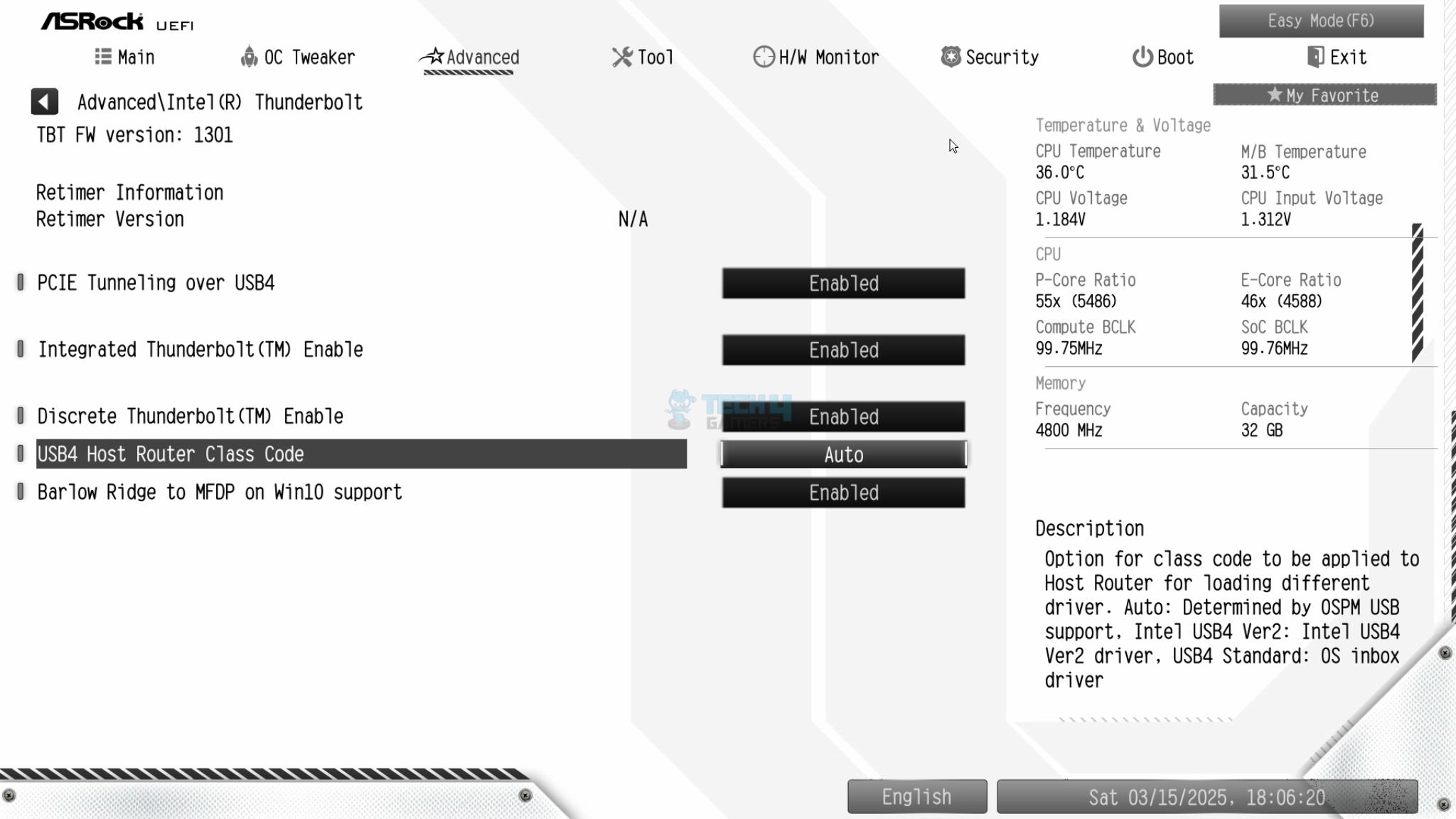
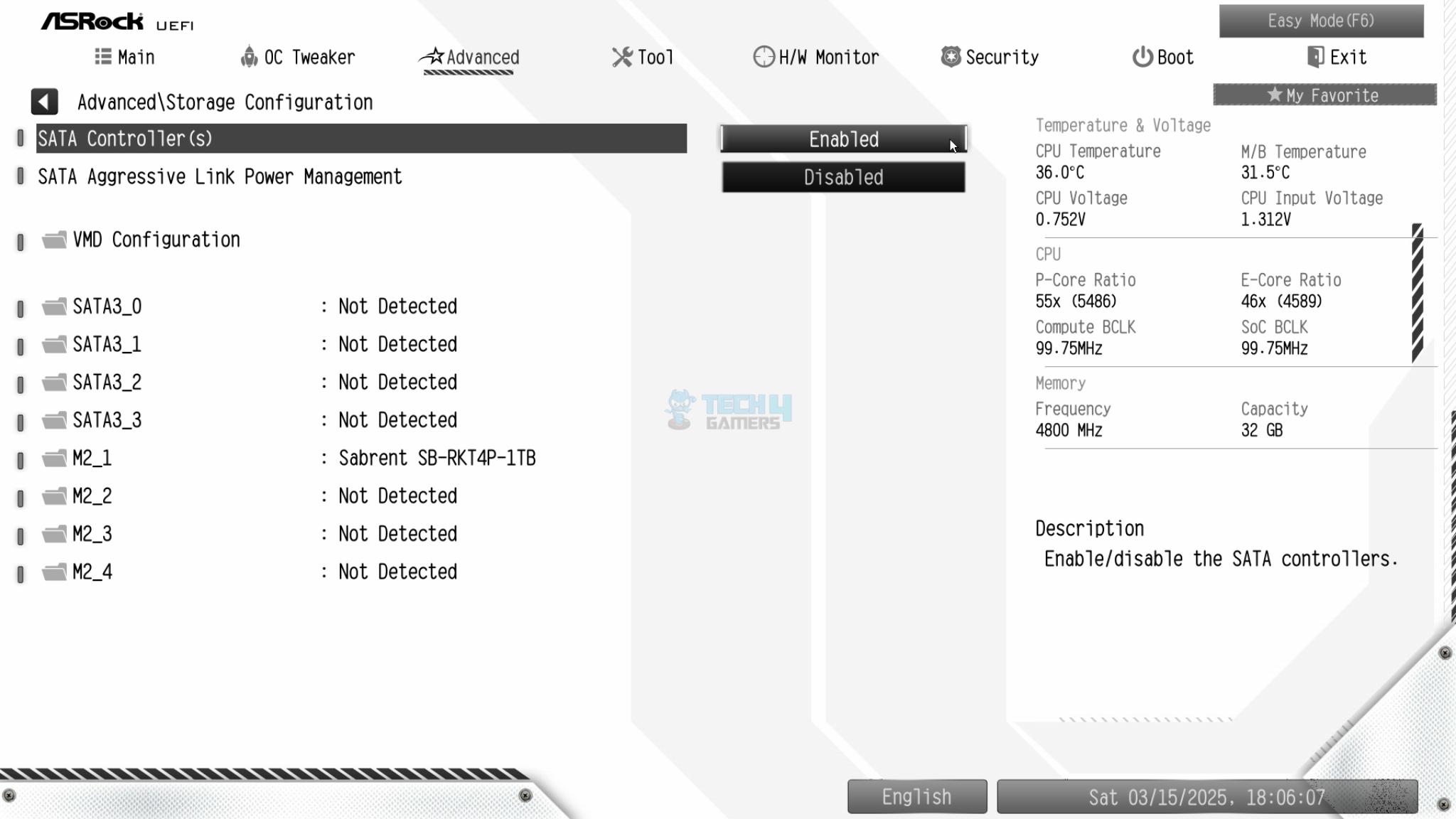
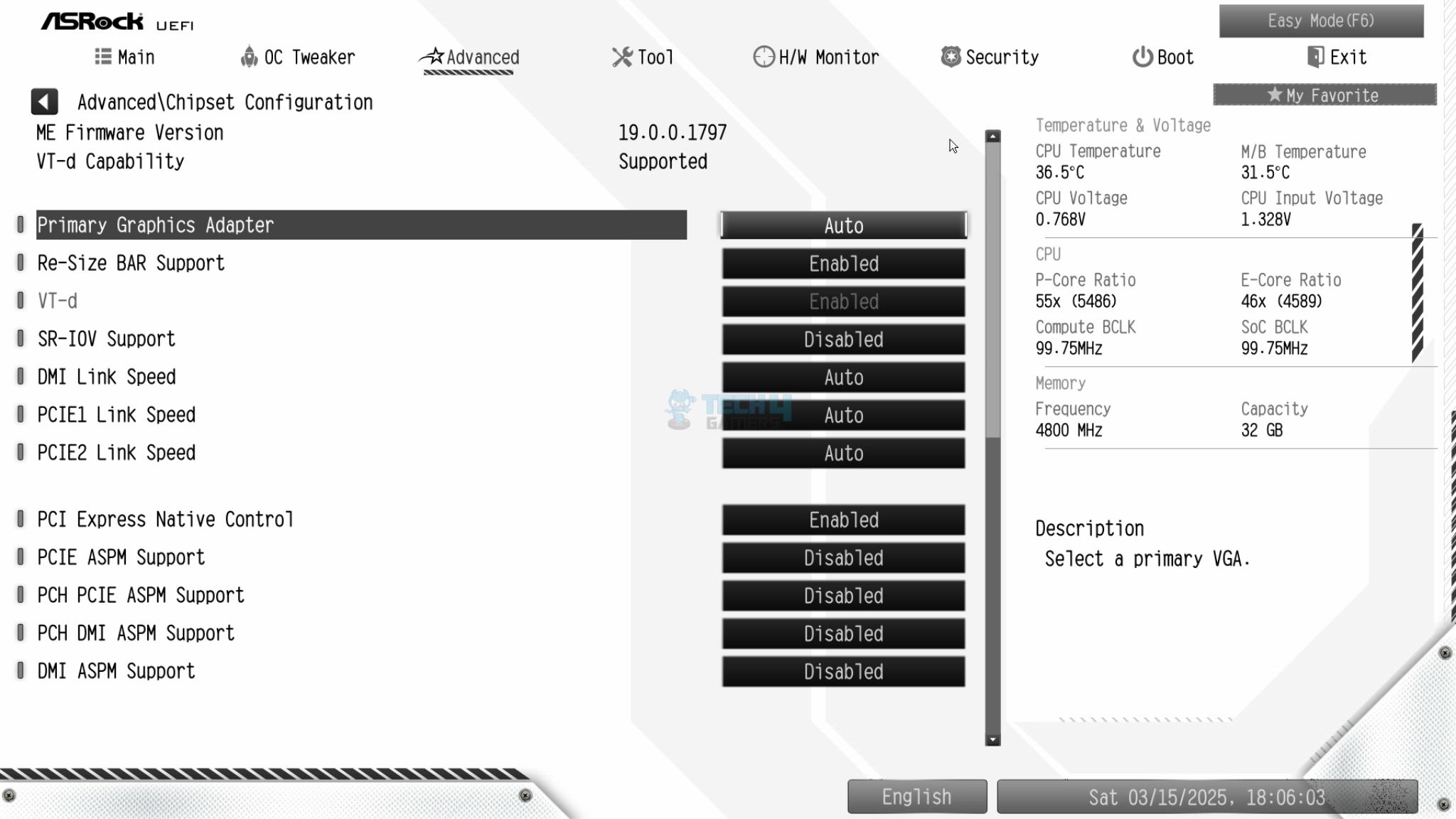
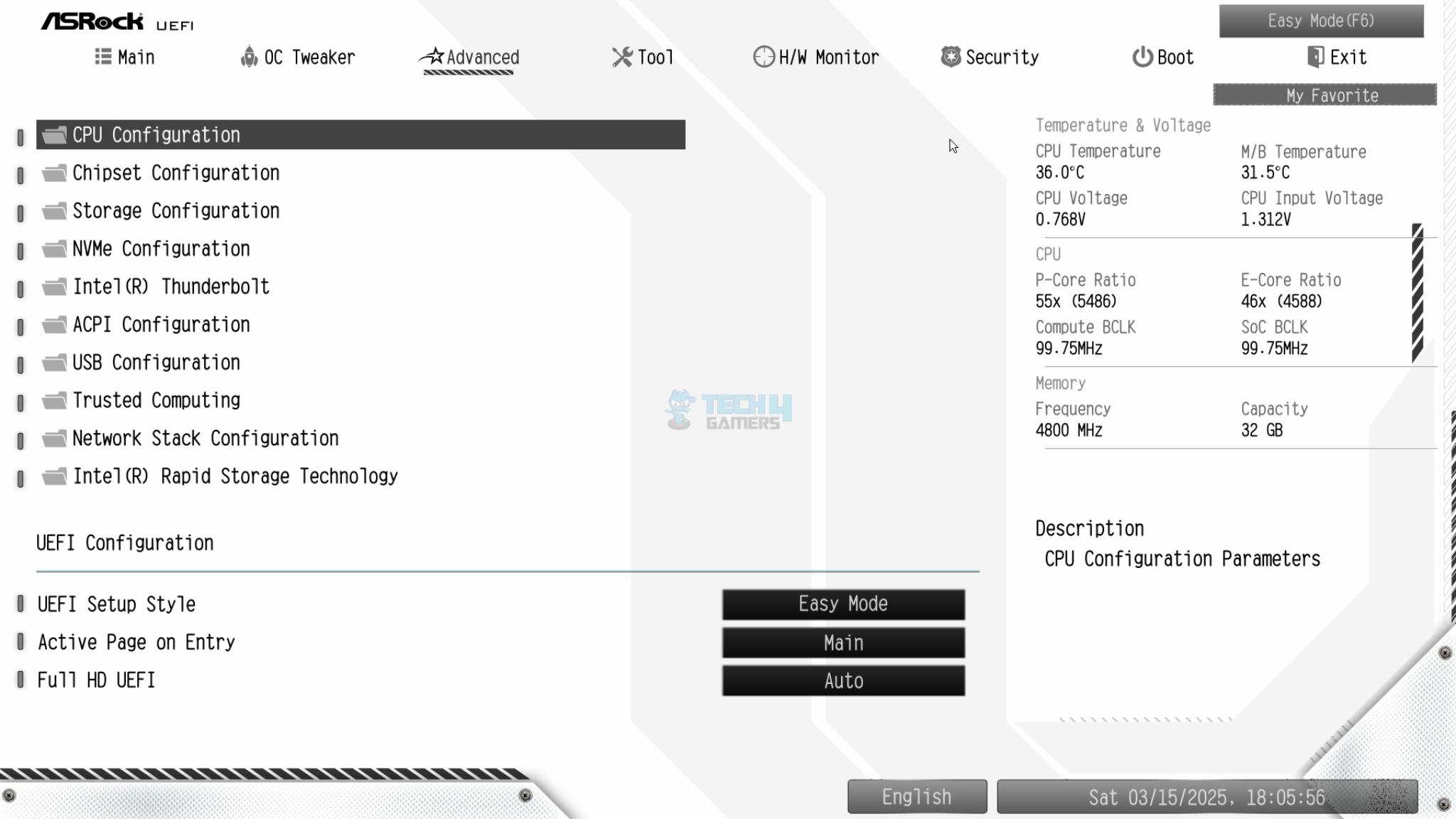
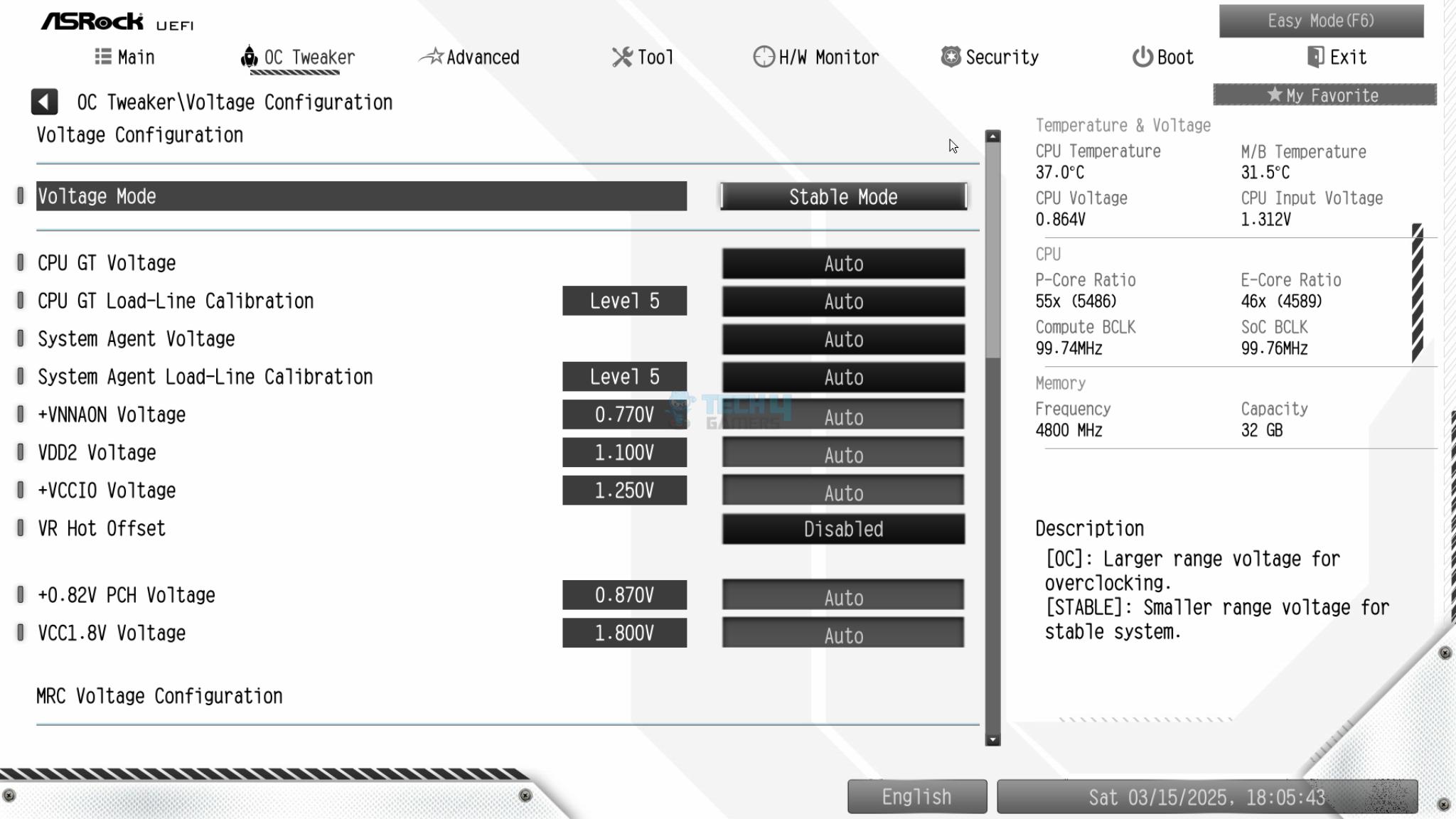
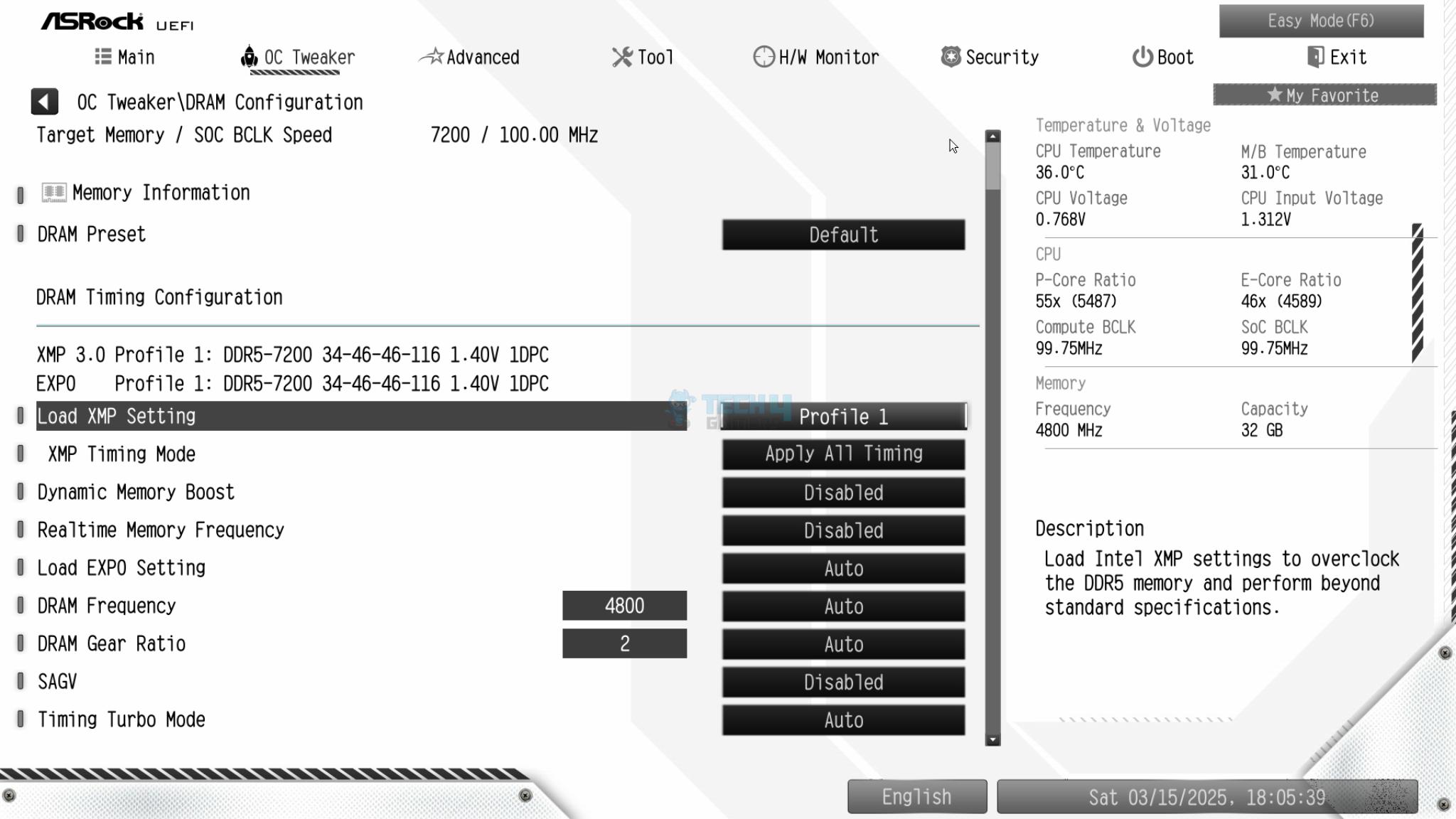
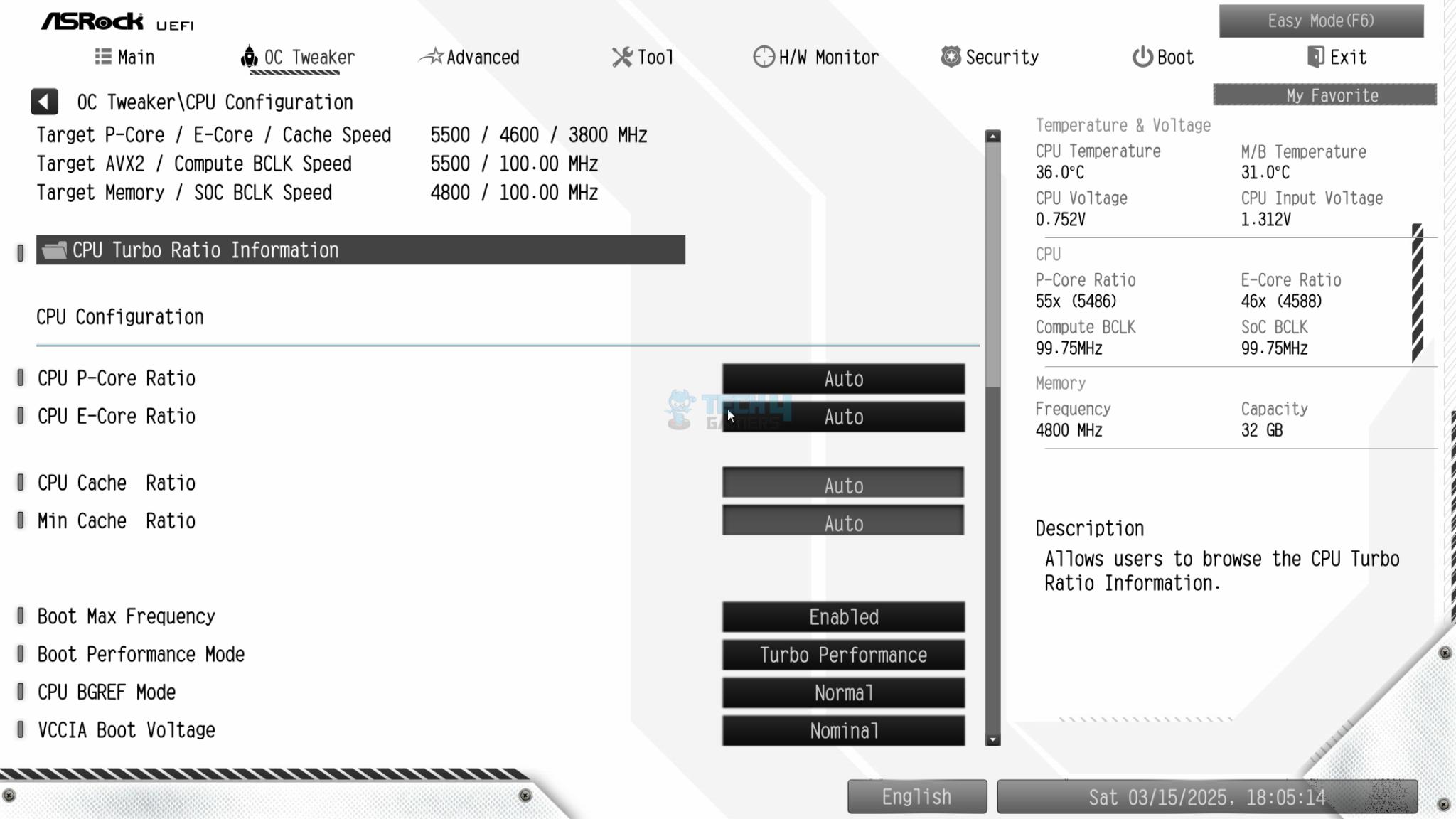
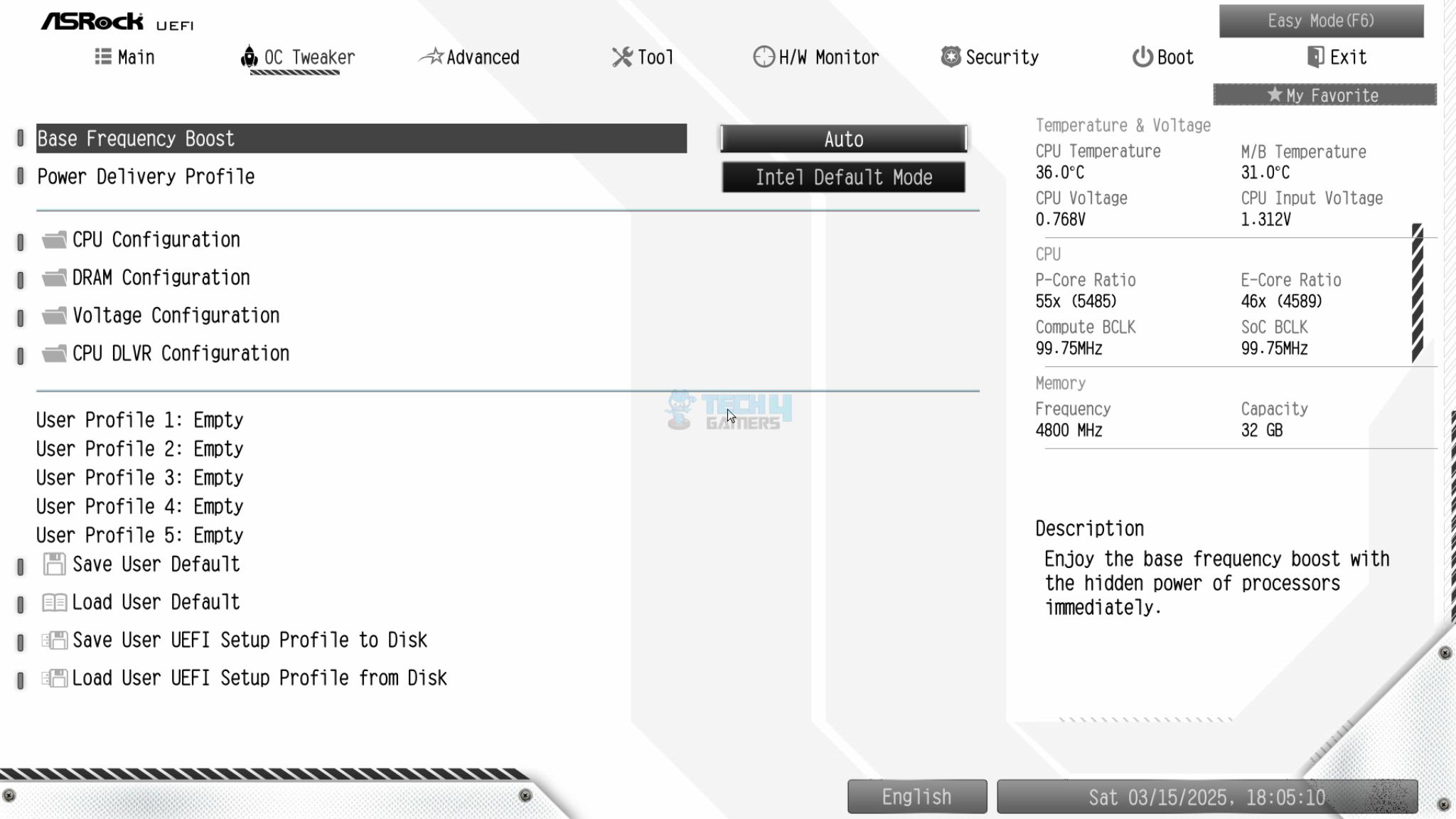
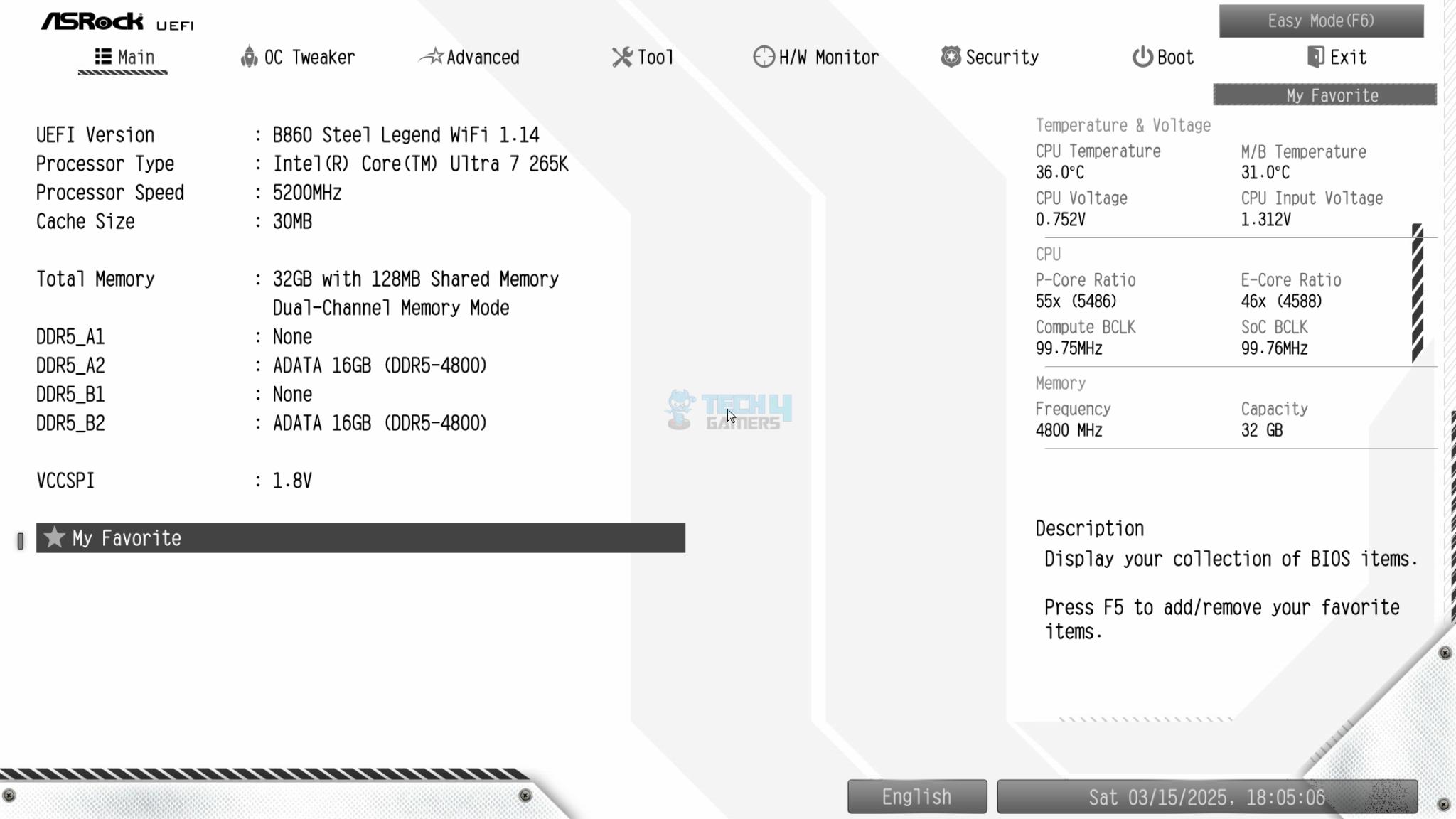
ASRock has provided a white interface that syncs well with the overall white theme of the PCB. However, the interface layout is the same as I have seen on other ASRock motherboards with no difference as such. This is why I am not going into the details here.
Software
If you enable (enabled by default) the System Drivers Installer in the BIOS, you will be prompted to use the Auto Driver installer on the Windows startup. This is an automated utility. It will look for available drivers and updates on the server and download/install them as per the user selection.
Test Build
Test Setup (Image By Tech4Gamers)
I have used the following configuration to test the motherboard:
Sabrent Rocket 4 Plus 4TB Gen4x4 NVMe SSD [For Games]
Fractal Design ION+2 860 Platinum PSU
Thermaltake Core P6 TG Snow Edition in an open frame layout
CPU Z (Image By Tech4Gamers)
The above is a picture showing a run of CPU-Z. We can see that the CPU is reported at almost 5400.49MHz (Bus speed was at 100.1MHz to show this value). The RAM was operating at its tested speed of 7200MT/s after loading the XMP.
Test Result
The testing was done on stock settings with XMP loaded. Intel’s default power profile is used.
CPU And Memory Benchmarks
CPU And Memory Benchmarks
1 of 7
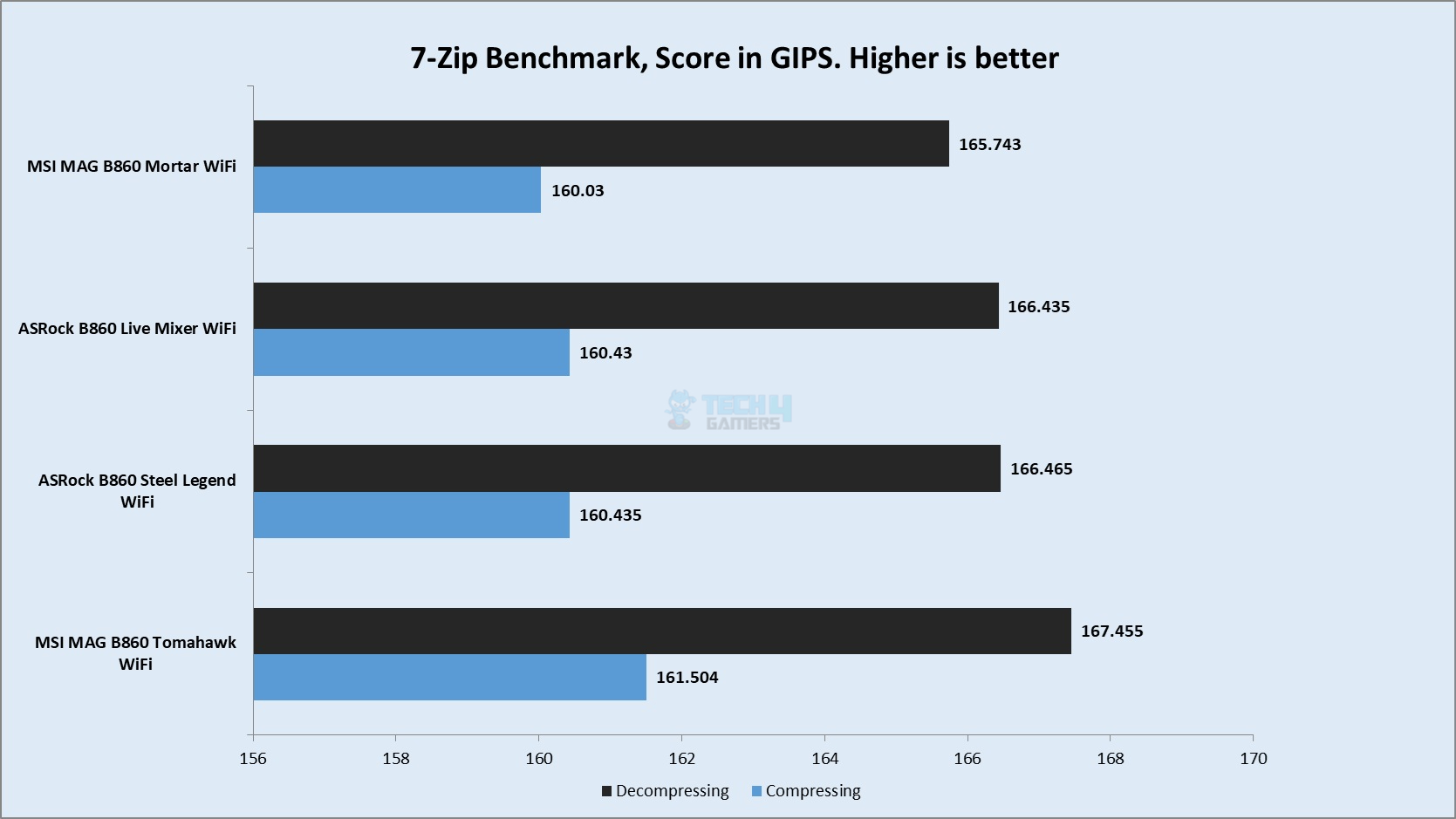
7-Zip
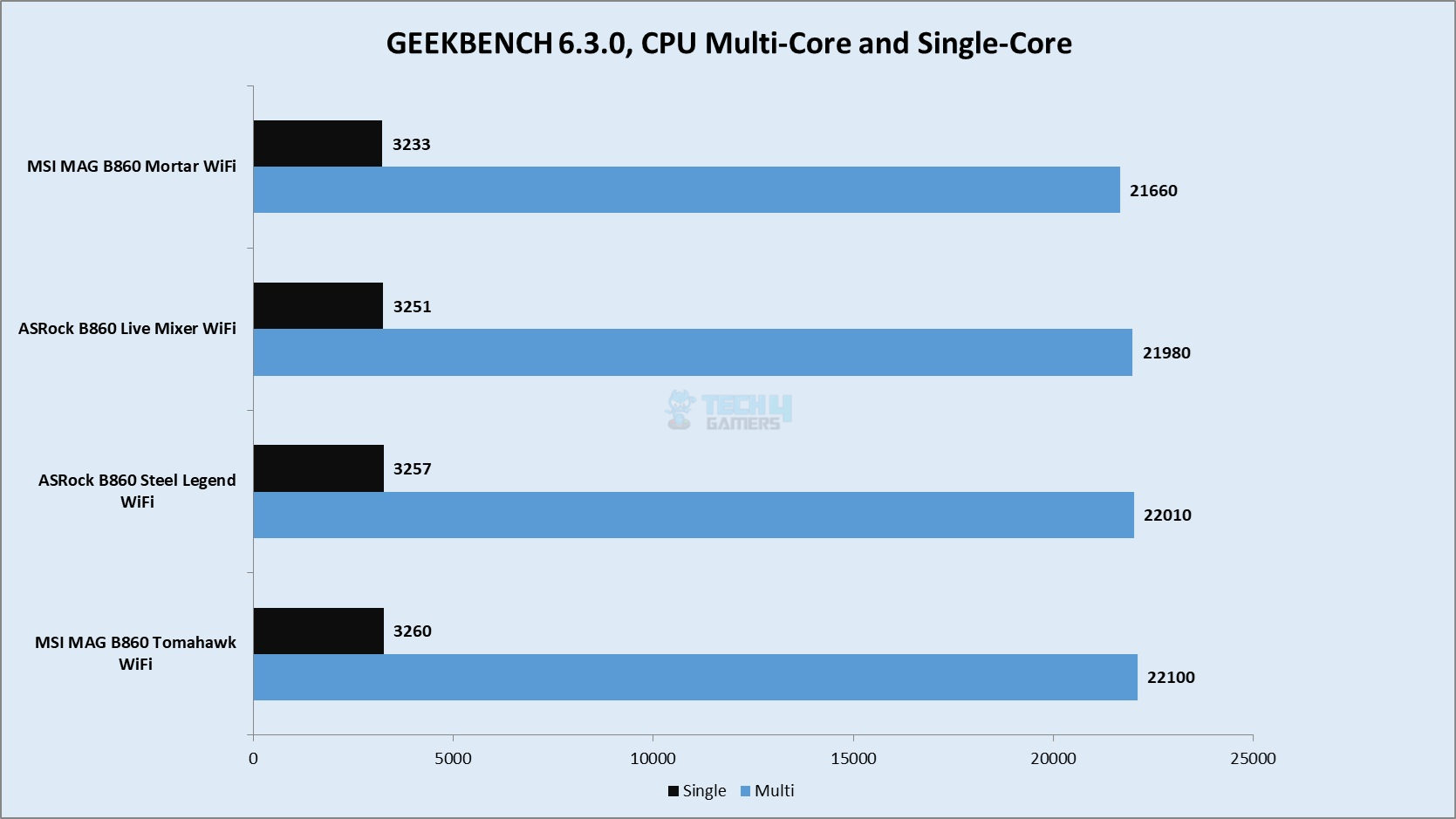
Geekbench 6.3.0
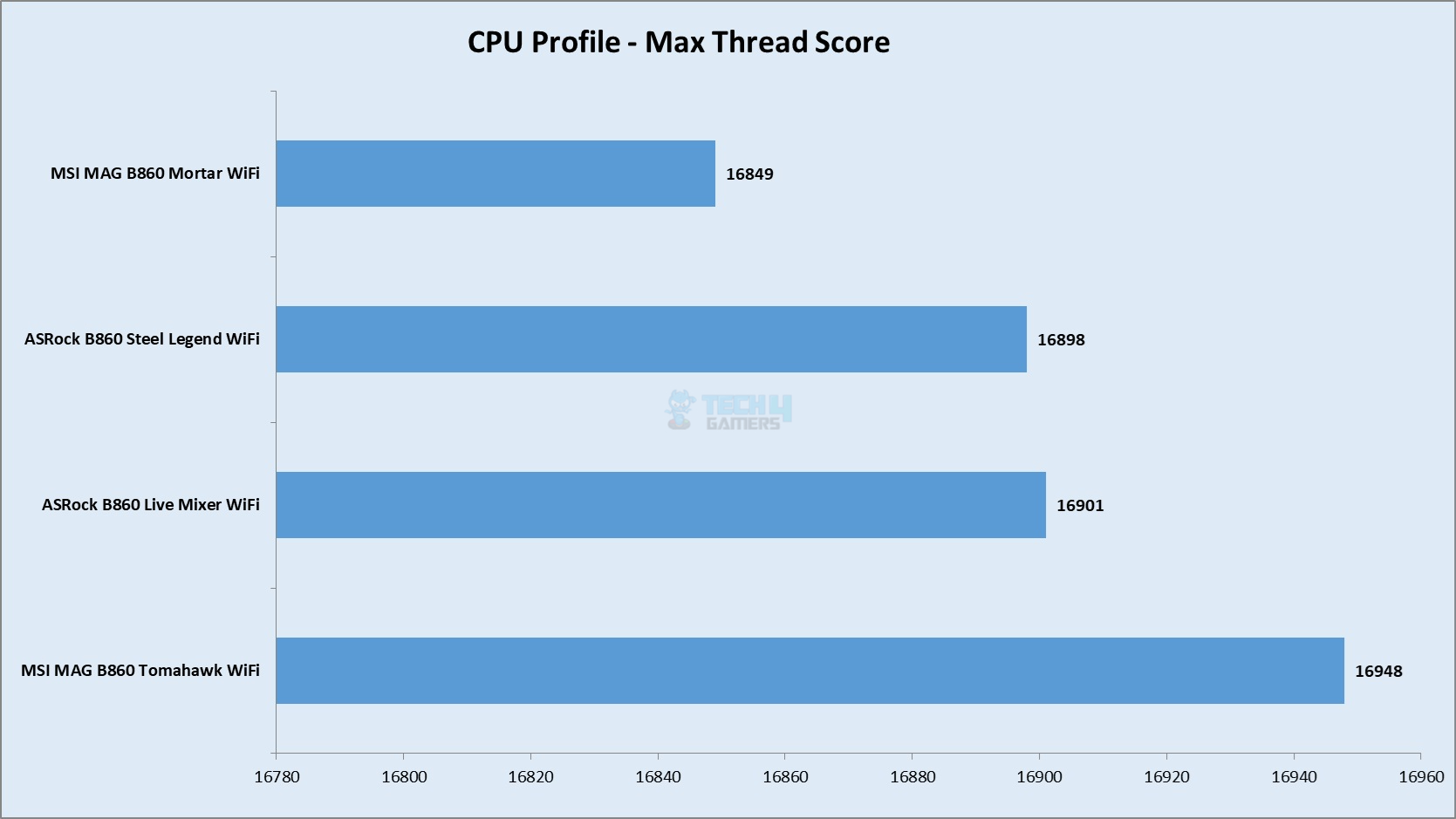
CPU Profile
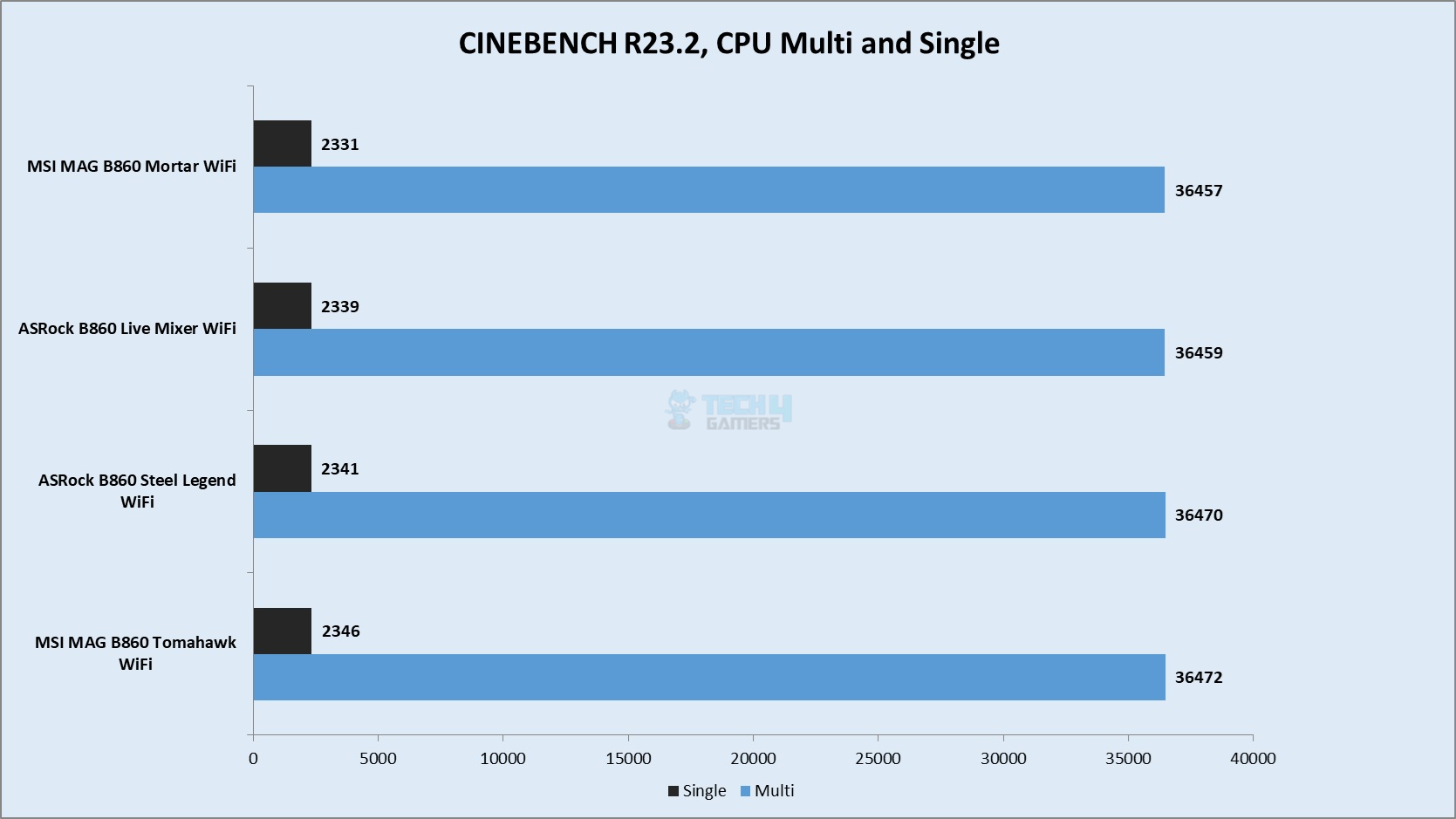
Cinebench R23.2
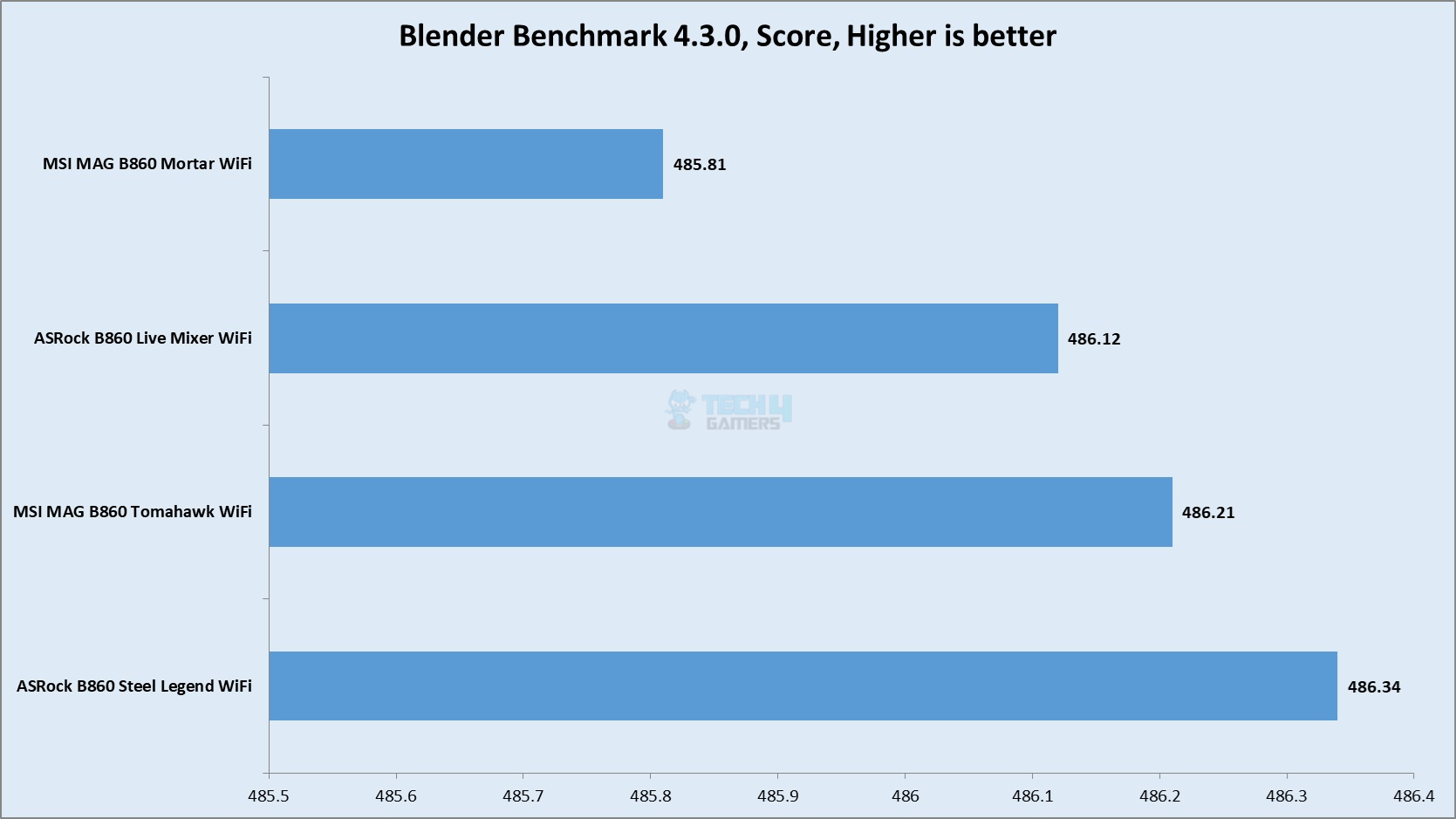
Blender Benchmark
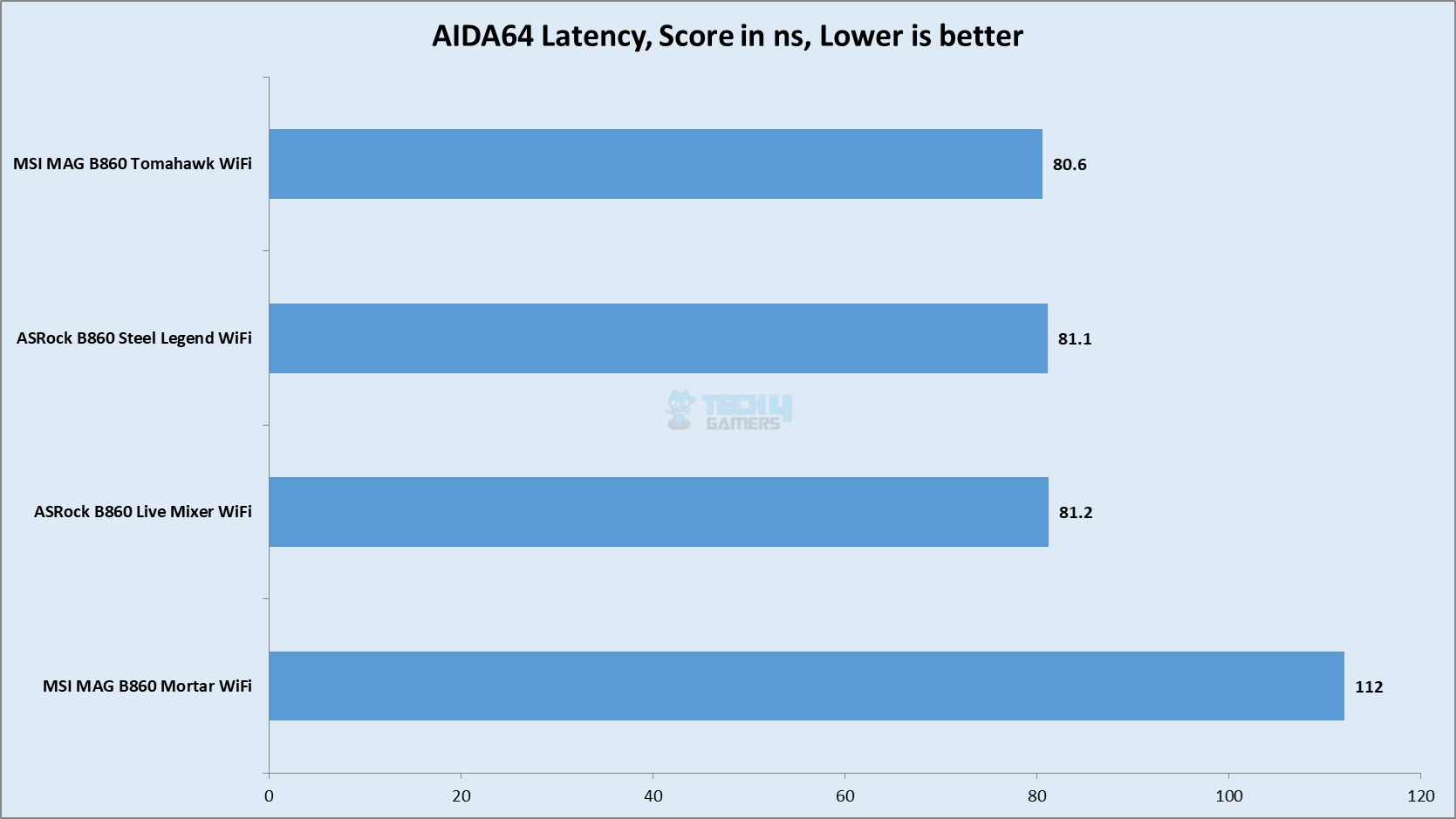
AIDA64 Memory Latency
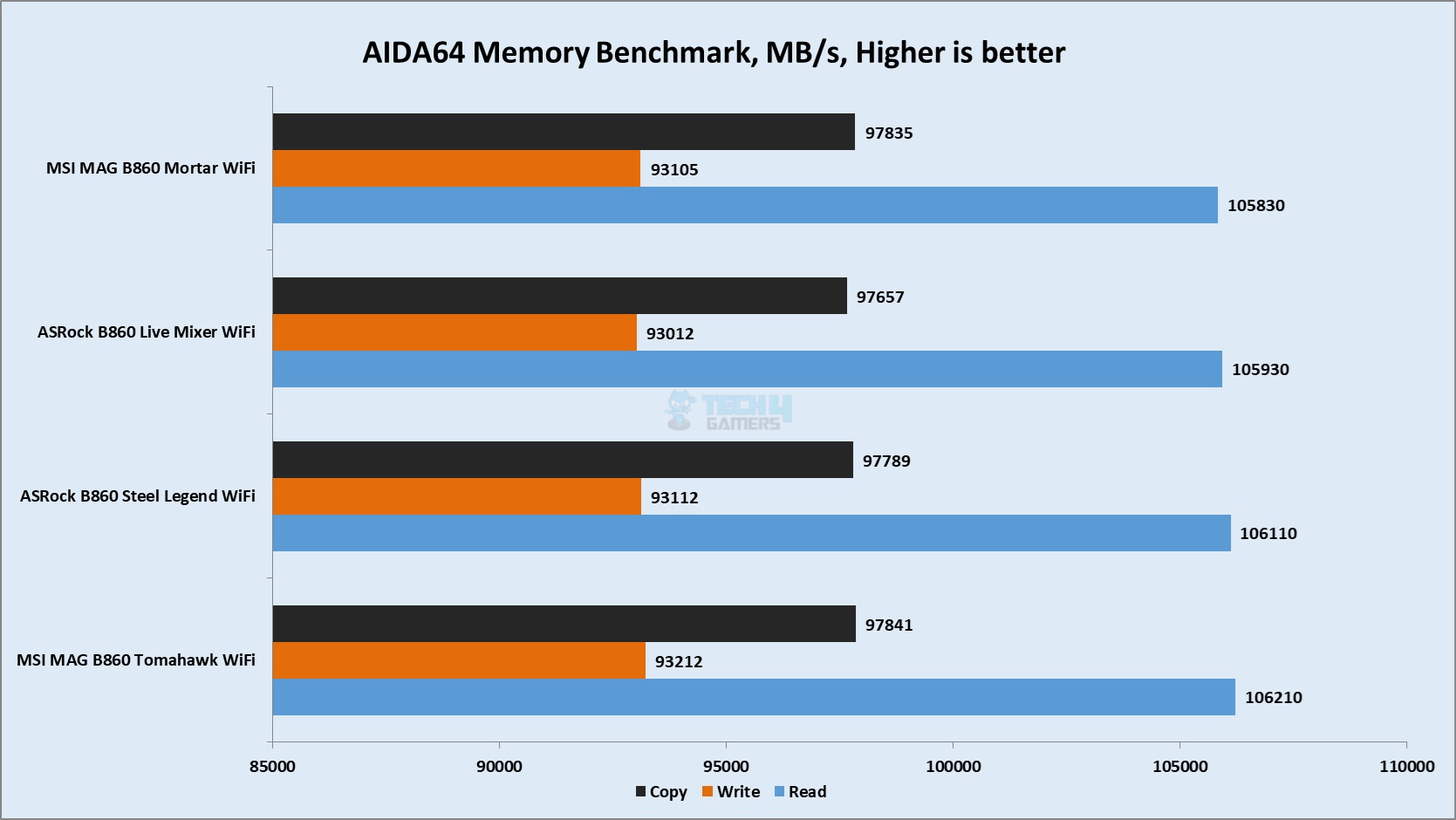
AIDA64 Memory Benchmark
Latency is high on this platform as I observed during MSI’s motherboard testing. The DDR5 kit was performing at its rating but with high latency. The overall performance is competitive and the CPU is found working at its potential.
Storage Test
Storage Test
1 of 6
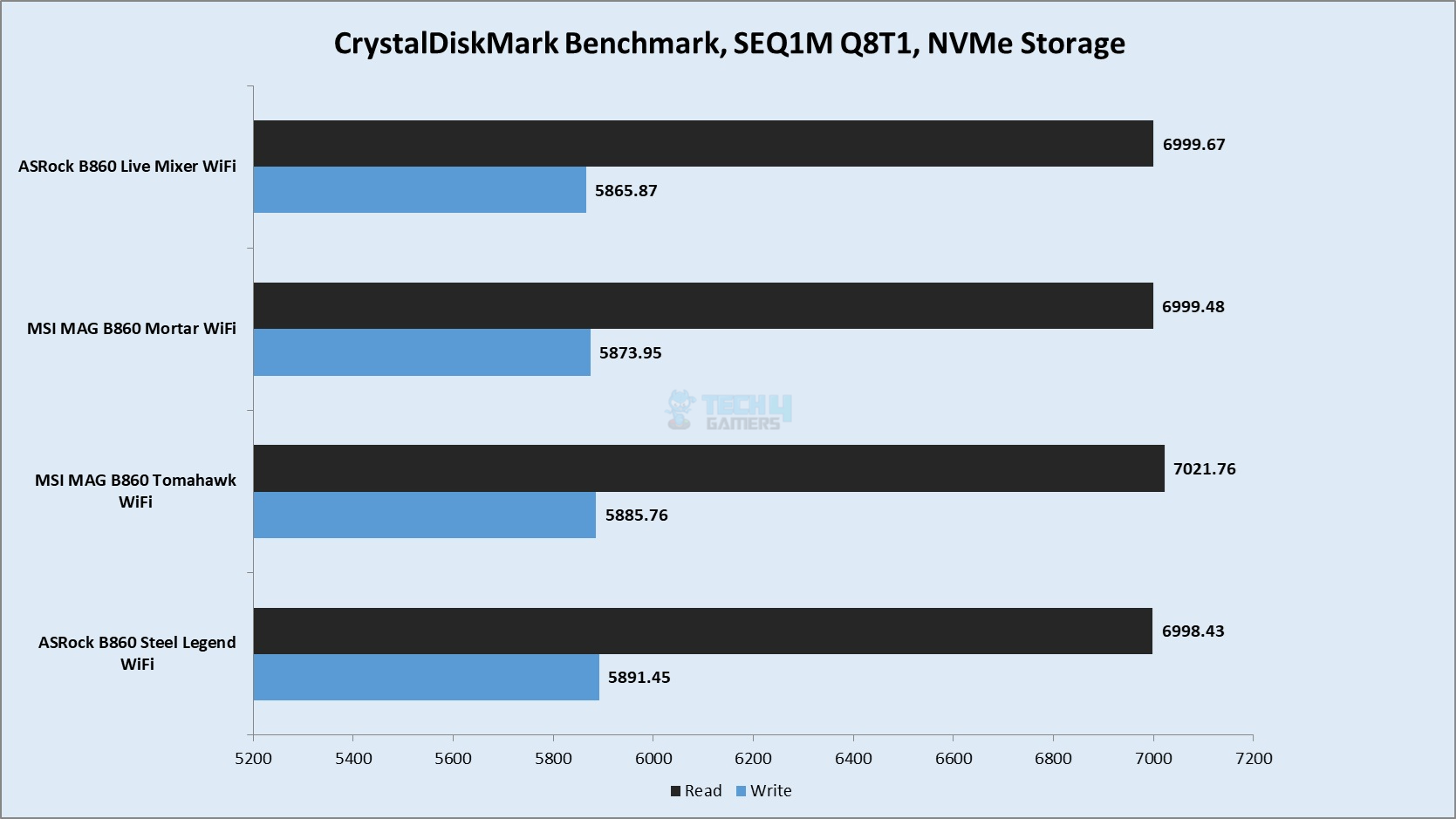
CrystalDiskMark M.2 NVMe Drive
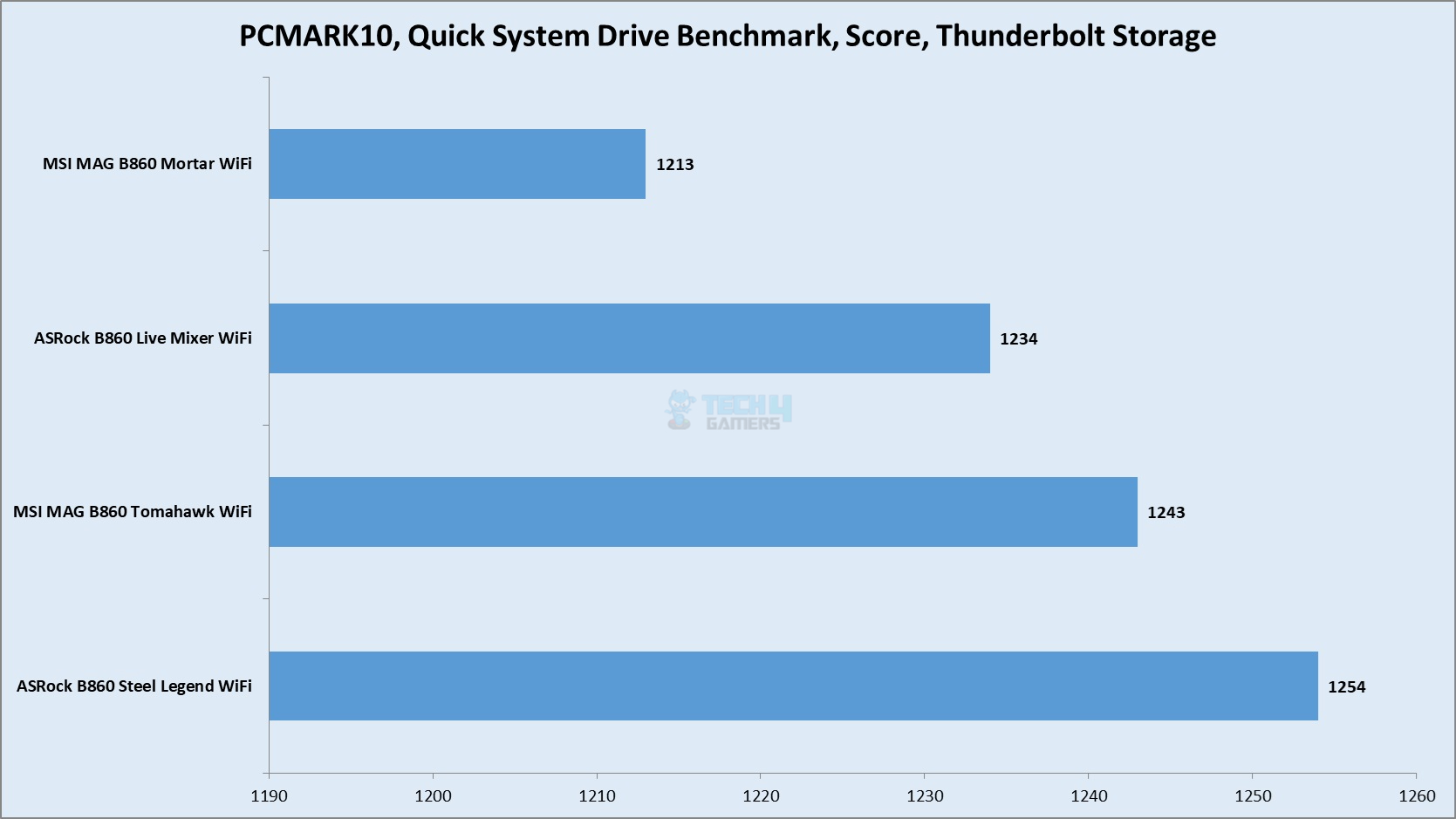
PCMARK10 Quick System Drive Benchmark Thunderbolt Drive
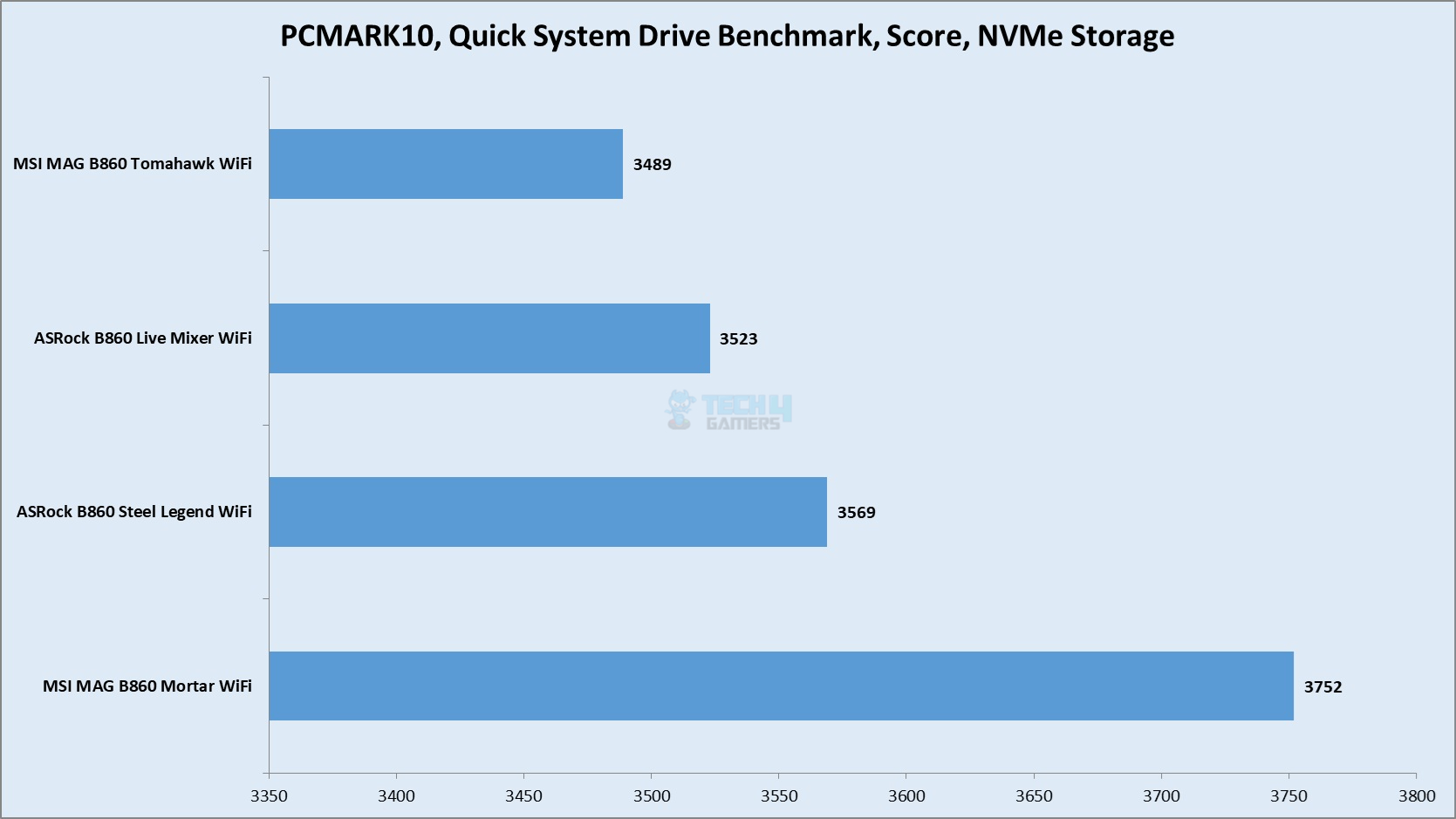
PCMARK10 Quick System Drive Benchmark M.2 NVMe Drive
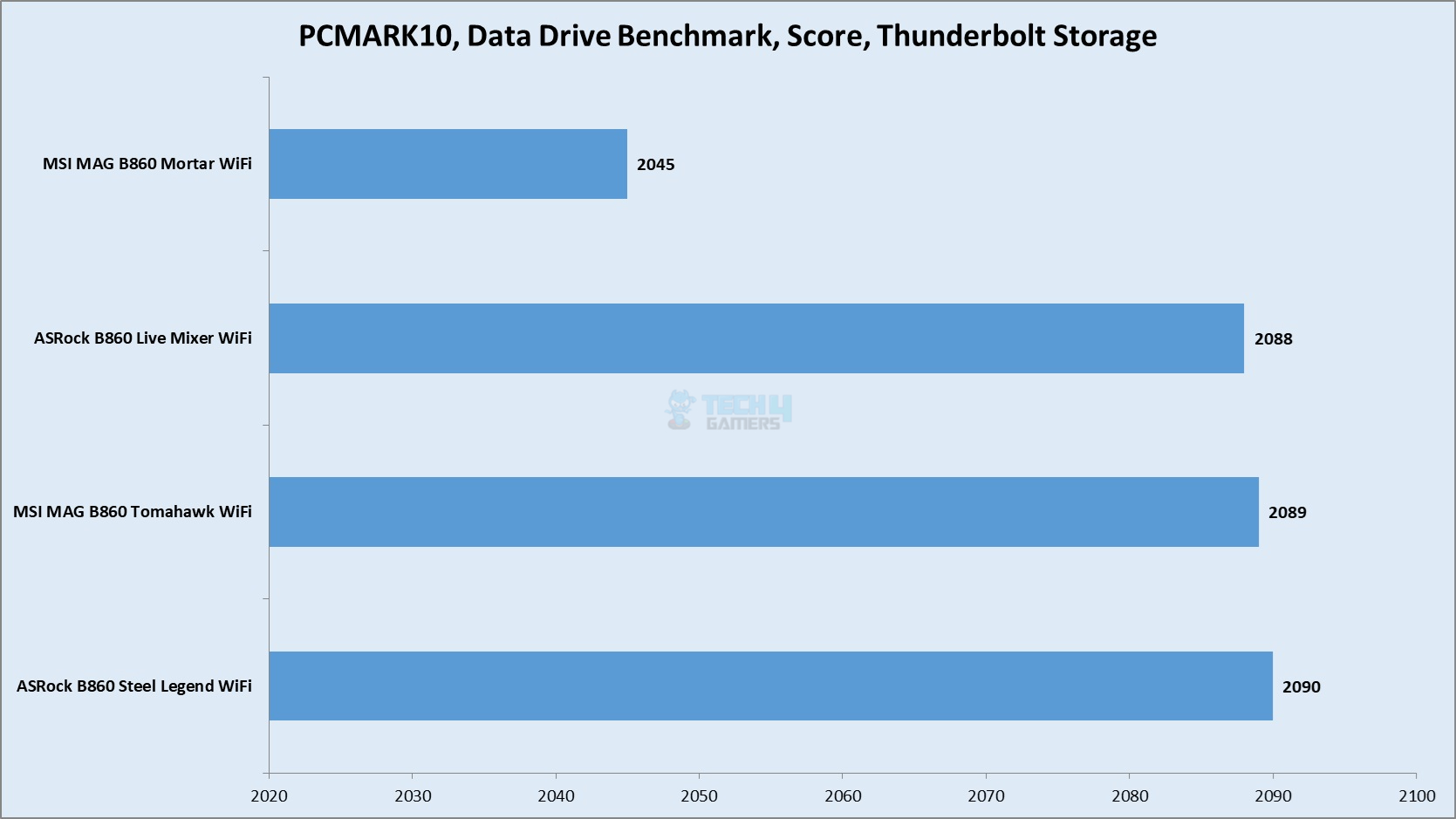
PCMARK10 Data Drive Benchmark Thunderbolt Drive
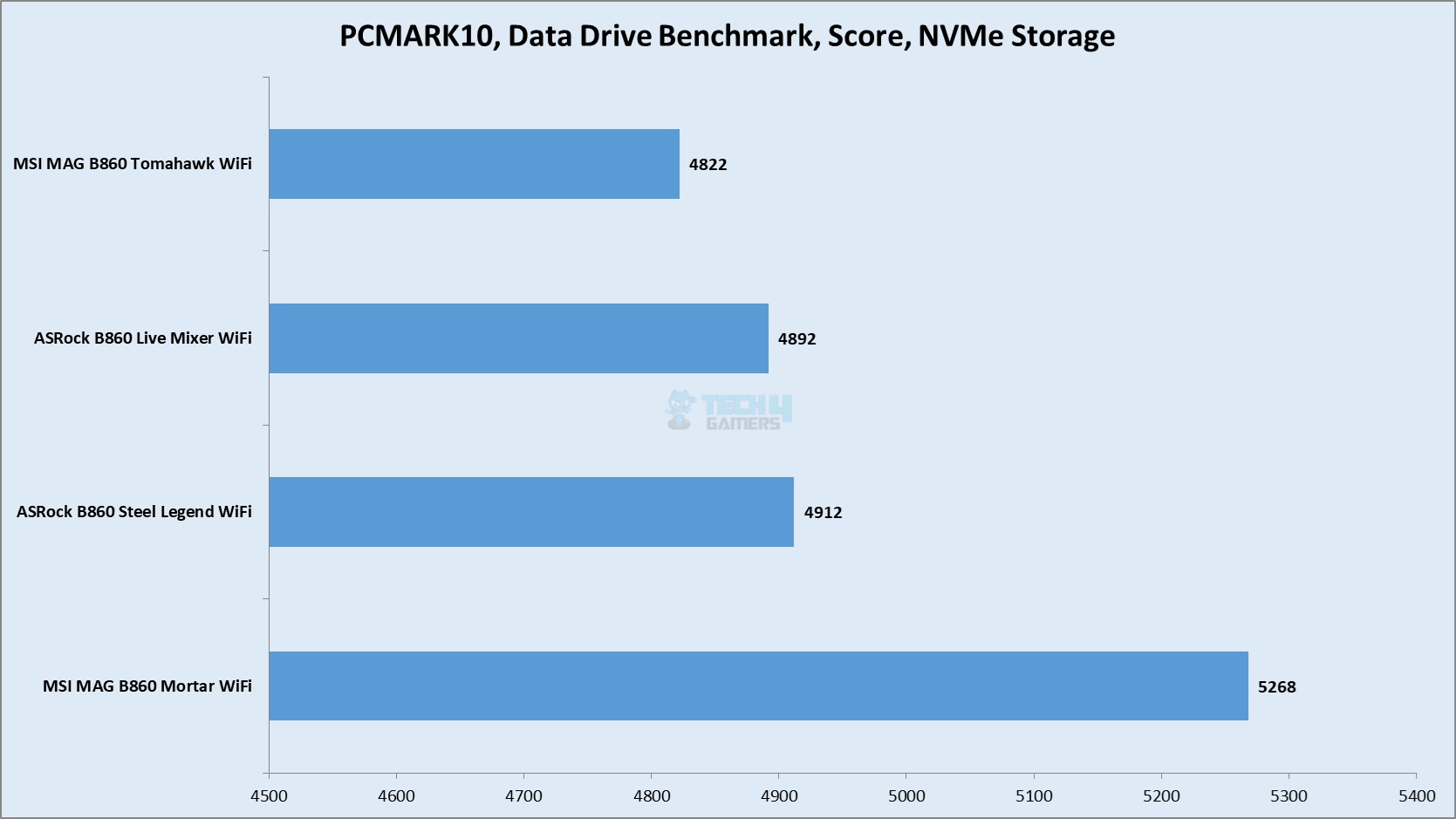
PCMARK10 Data Drive Benchmark M.2 NVMe Drive
CrystalDiskMark Thunderbolt Drive
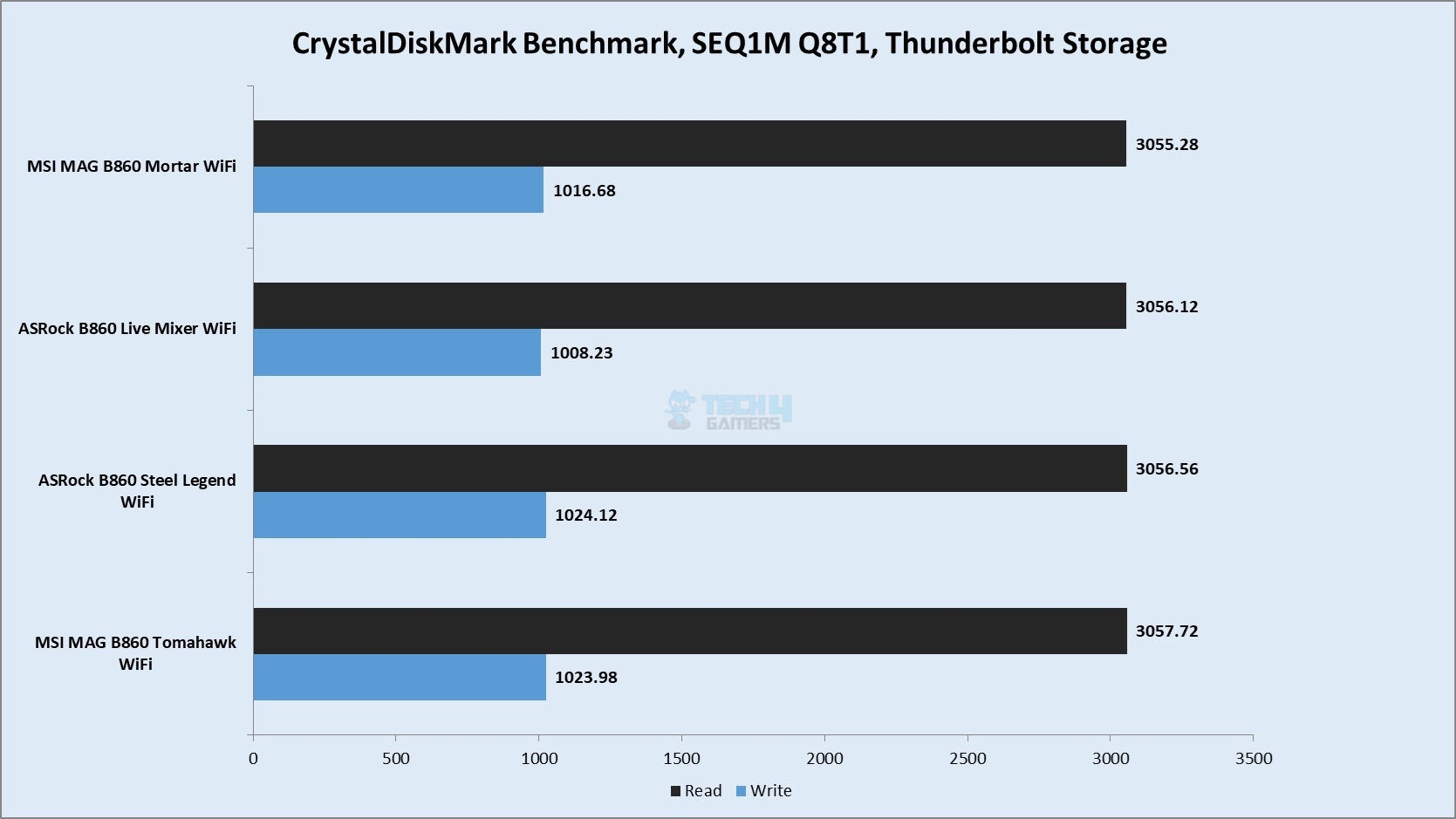
I have used a PCIe Gen4x4 NVMe drive and a Thunderbolt 4 drive which is the Sabrent Rocket Q-XTRM 2TB portable drive. I did not observe any issue with the storage performance on this motherboard and the result is competitive.
Gaming Test
Gaming Test
1 of 9
Assassin Creed Valhalla
Time Spy Extreme
Speed Way
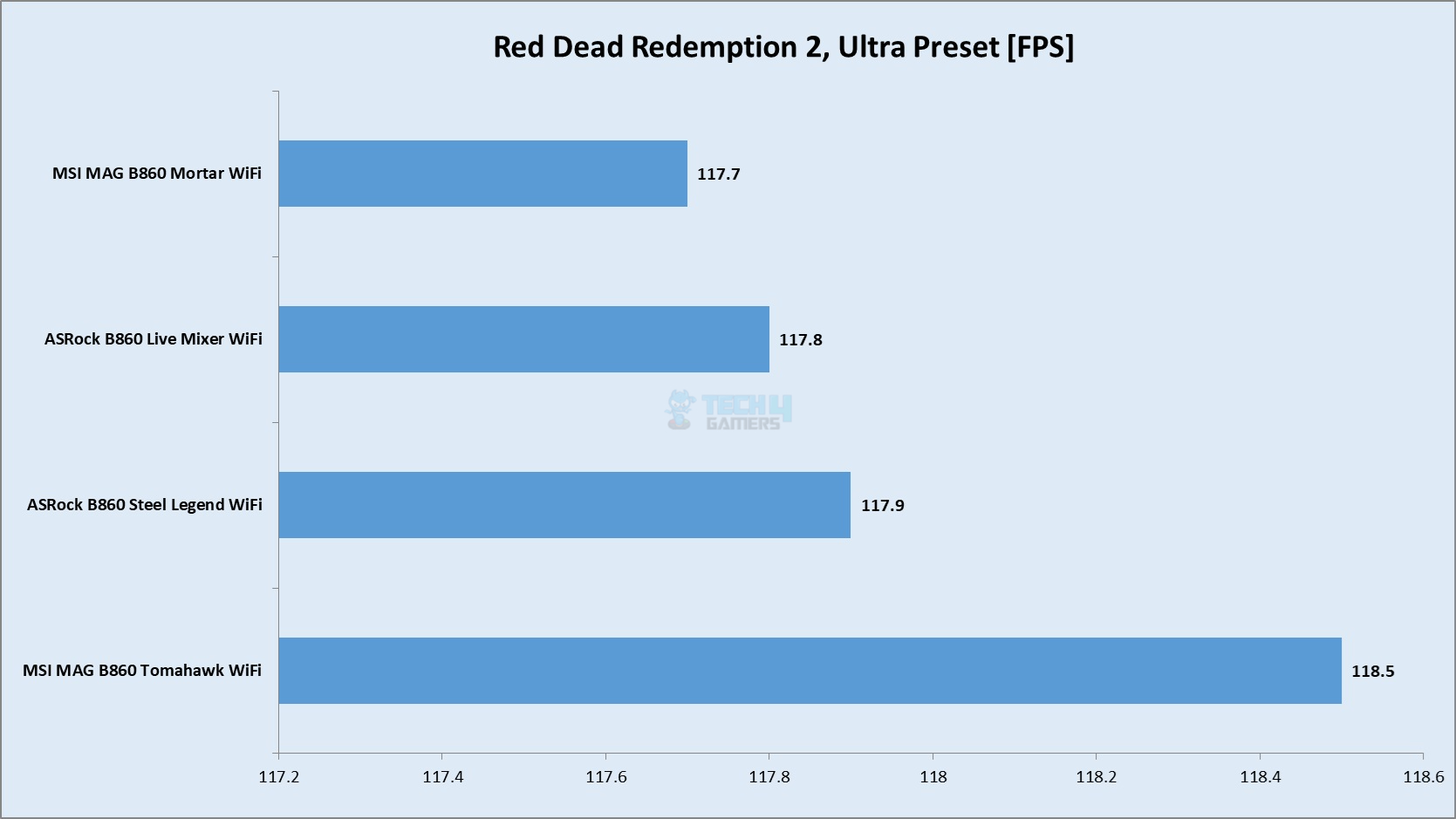
Red Dead Redemption 2
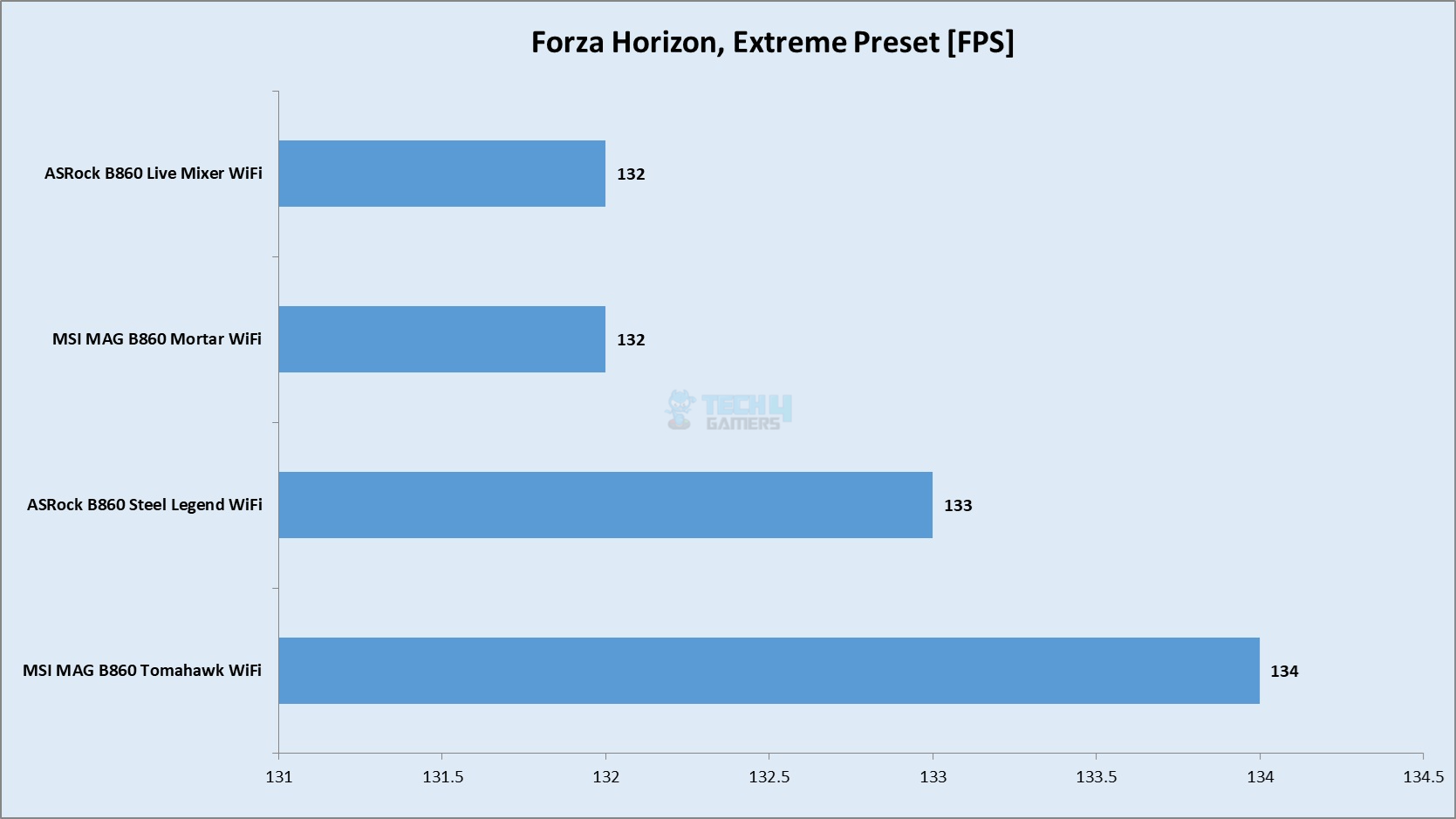
Forza Horizon 5
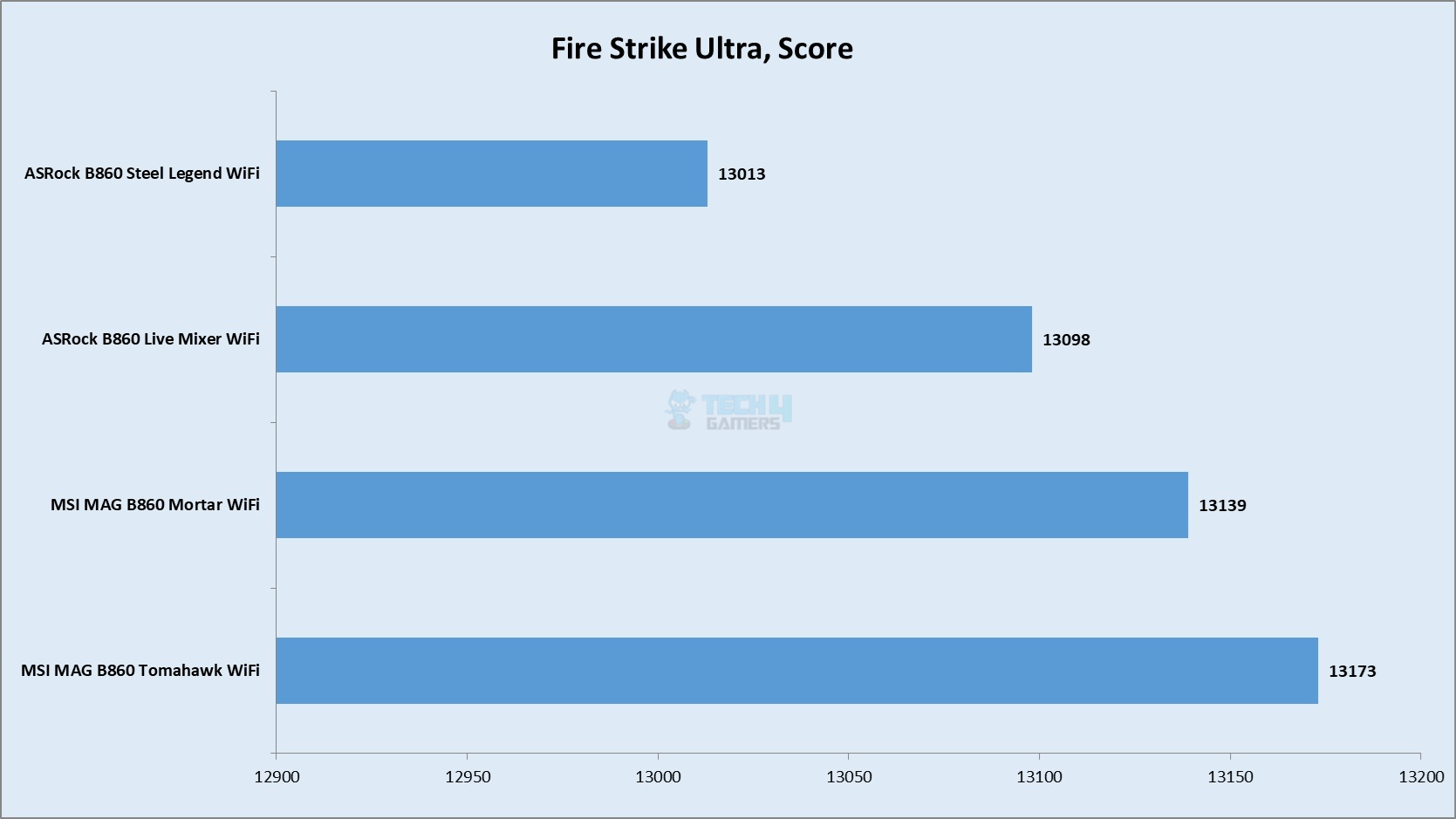
Fire Strike Ultra
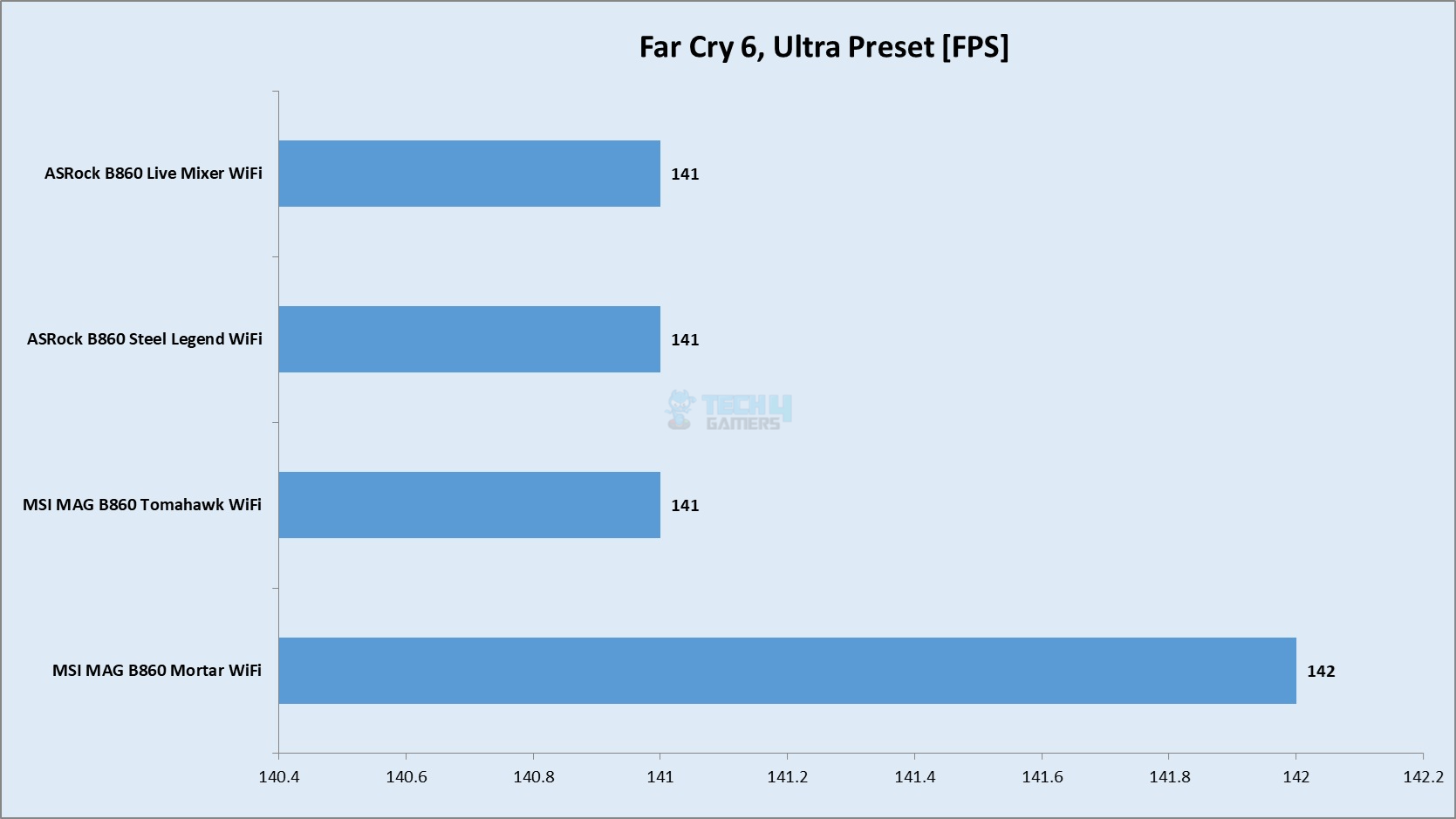
Far Cry 6
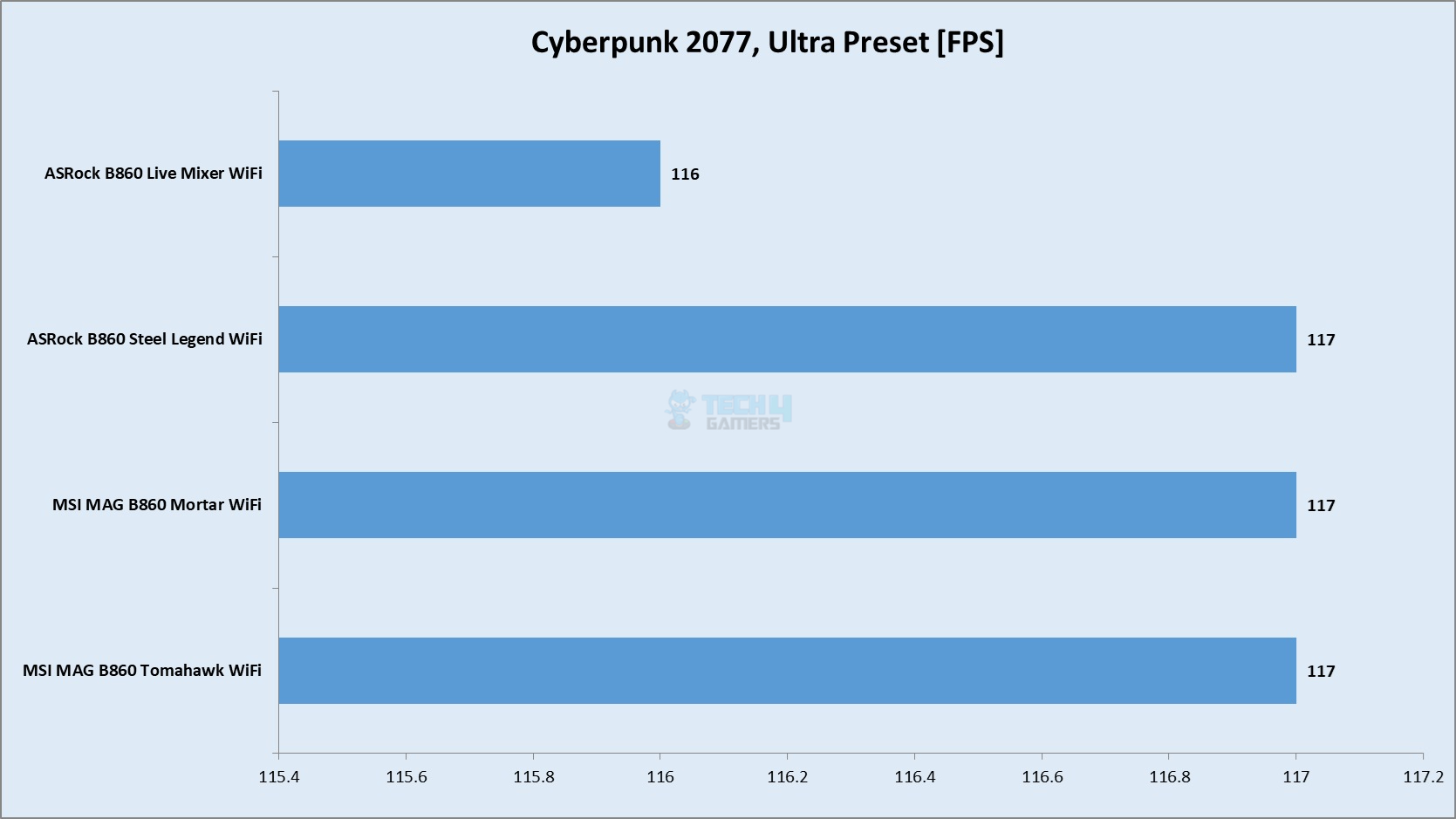
Cyberpunk 2077
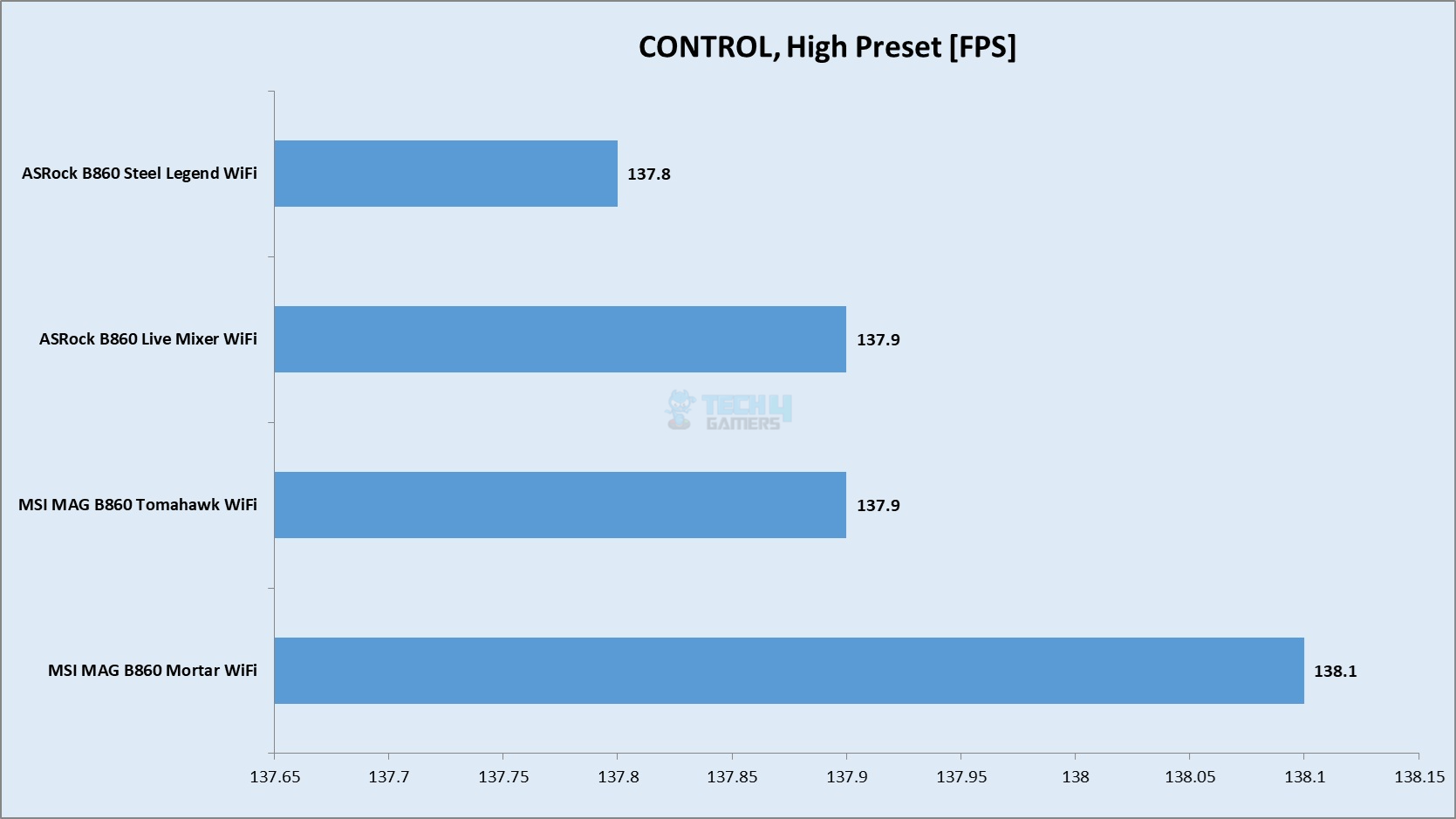
Control
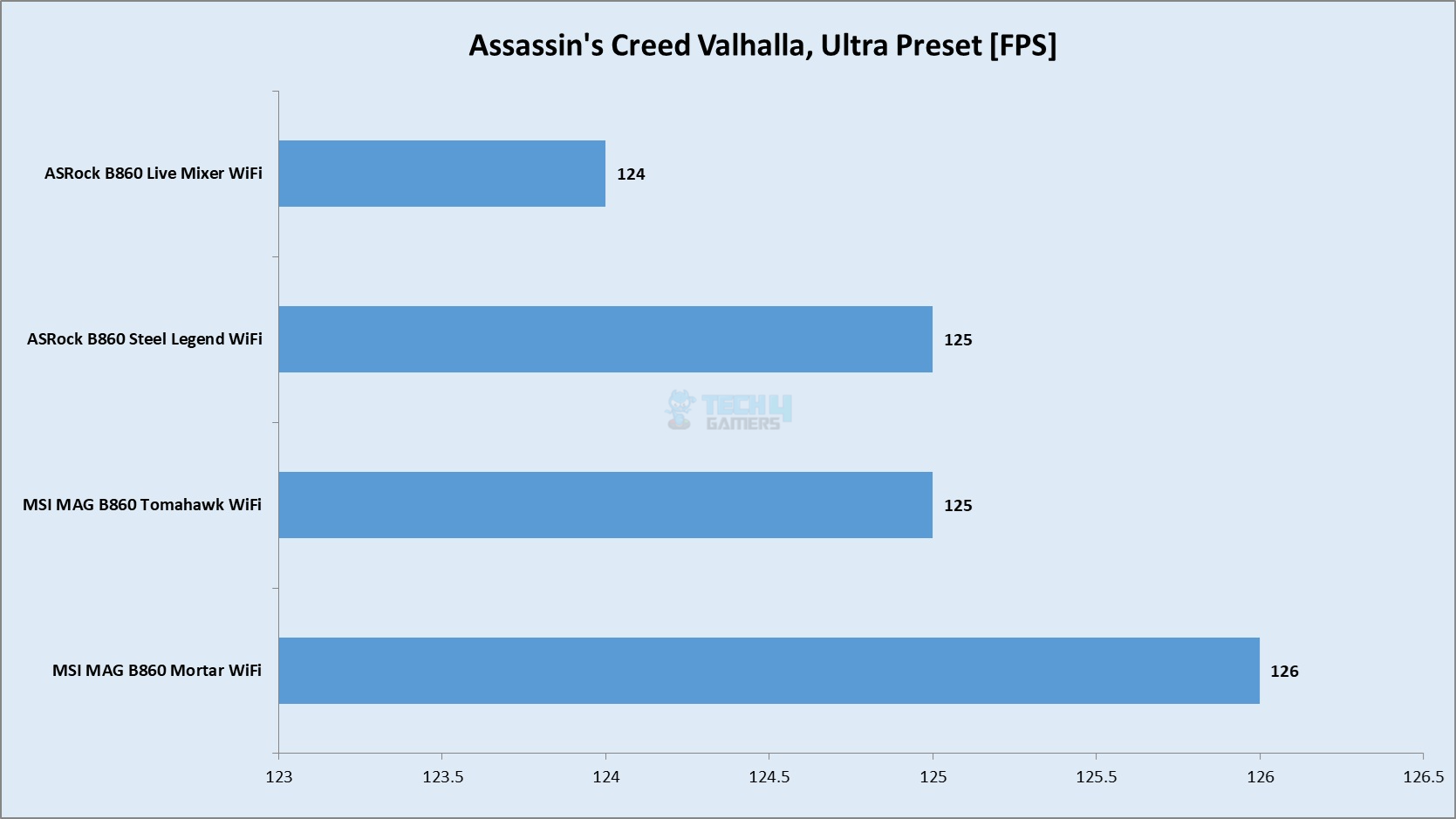
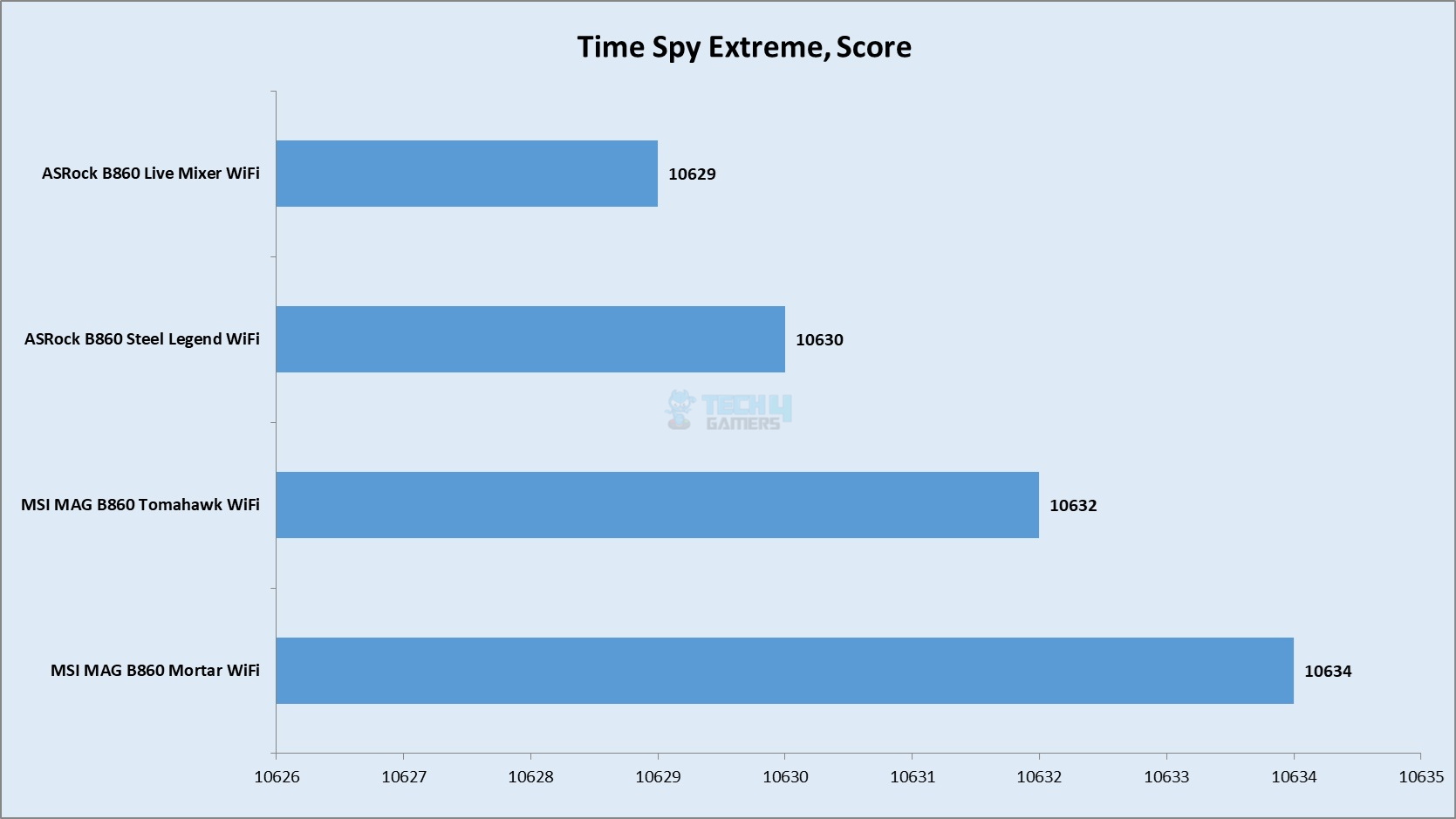
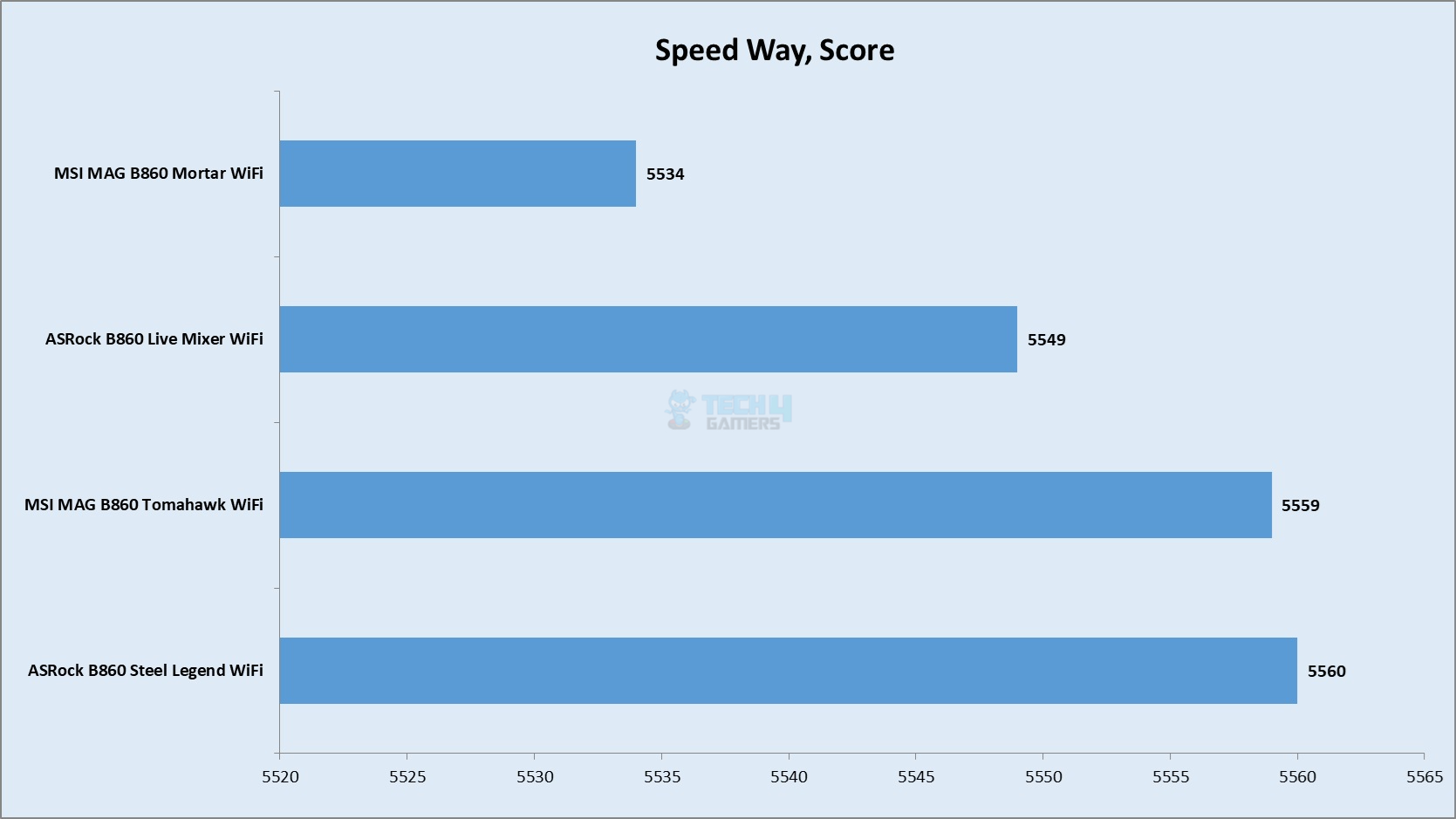
The overall gaming performance is satisfactory.
System Performance Test
System Performance Test
1 of 2
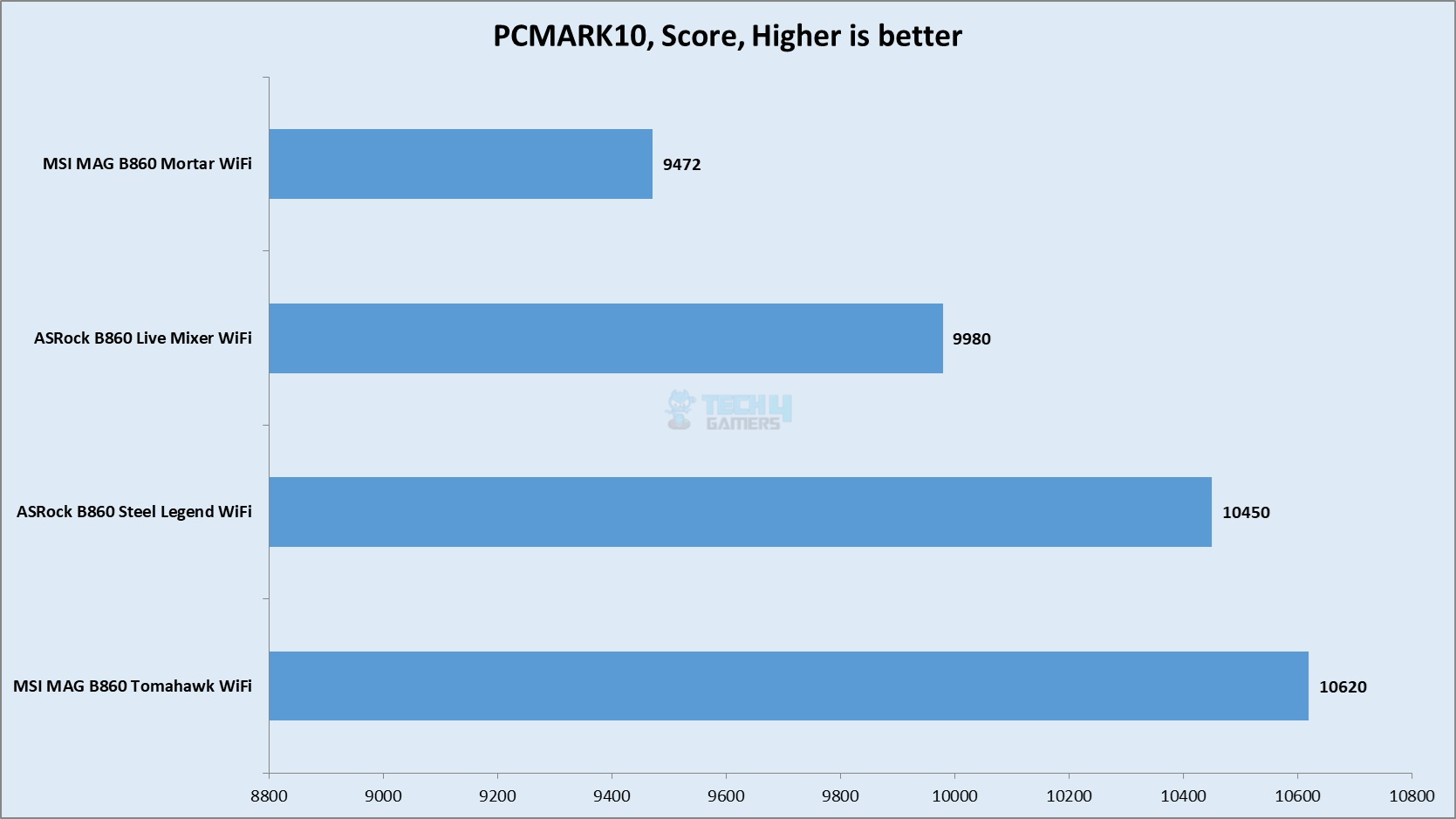
PCMARK10
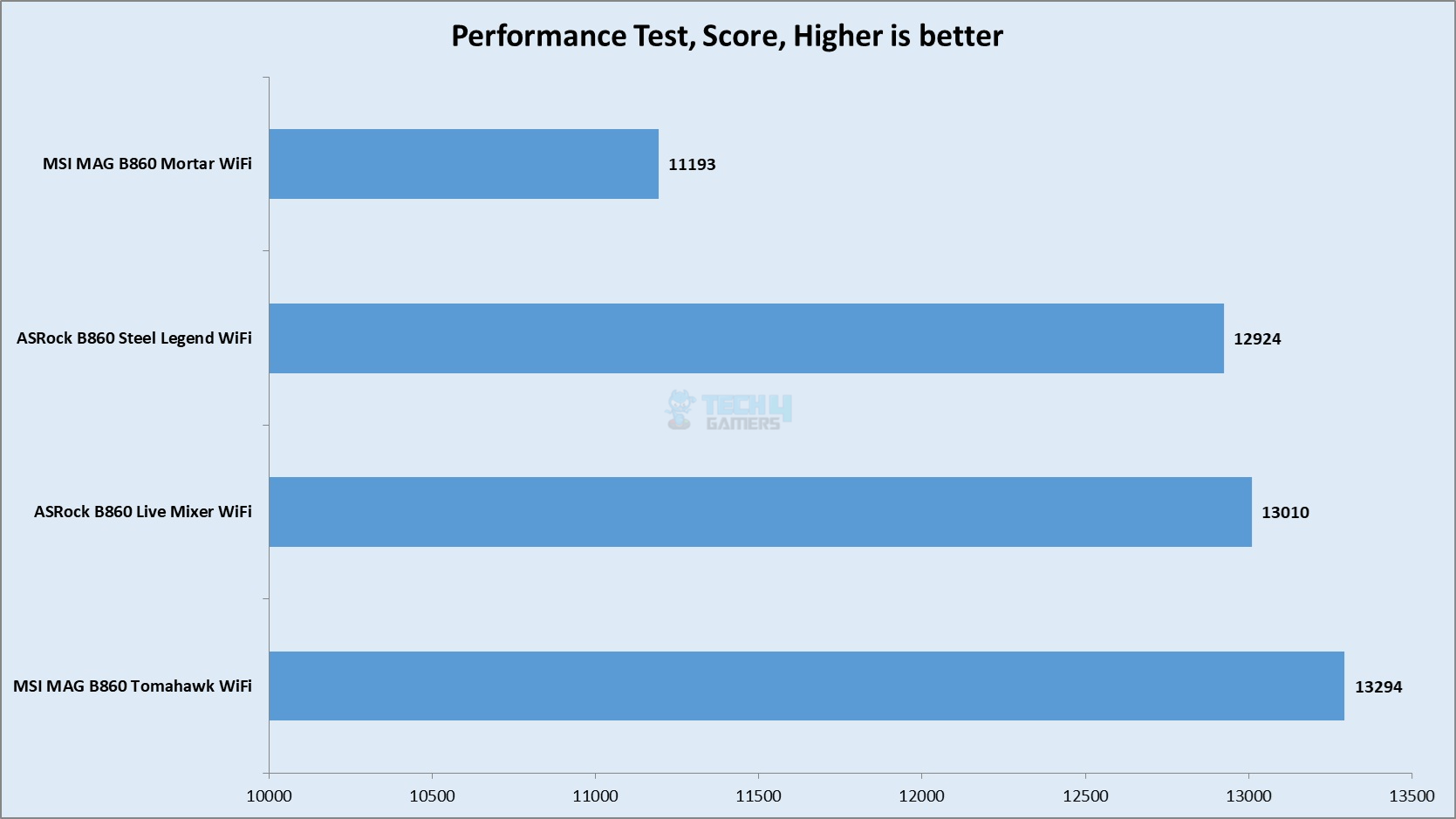
Performance Test Benchmark
The overall system performance is excellent as well.
Core Clock Behavior
Core Clock Behavior
1 of 3
System Stats - nT Load
System Stats - Idle Load
System Stats - 1T Load
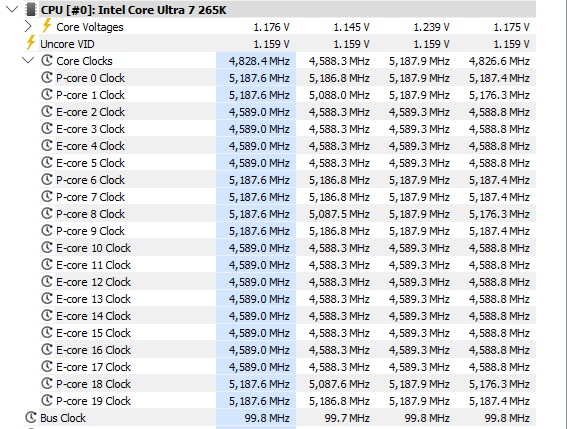
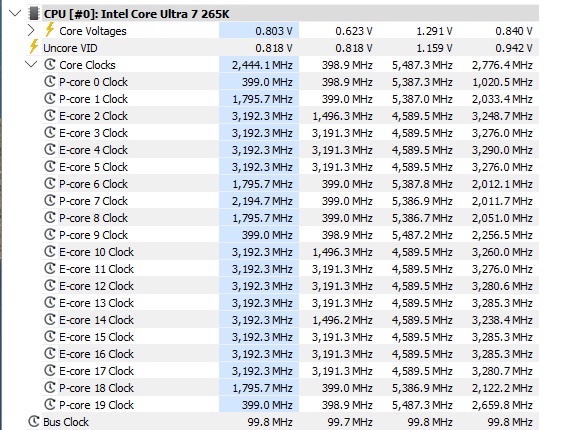
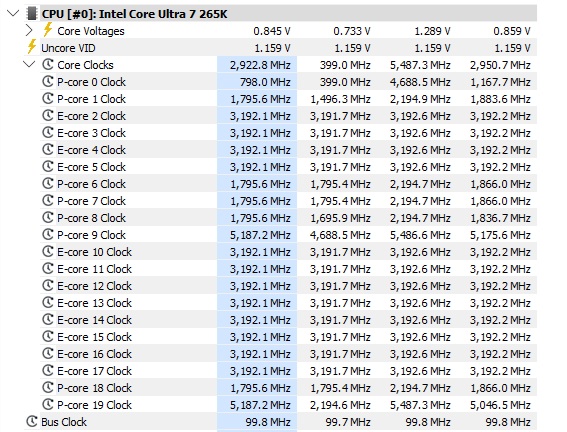
The system was left idle for 10 minutes under the Balanced Power Profile. The idle clocks were 1795~2194MHz on the P-Cores whereas these were 3192MHz on the E-Cores more or less. The clocks were peaking at 5.5GHz under 1T load. All cores load put these clocks to 5.2GHz. These figures confirm Intel’s clock ratings for Core Ultra 265k.
Power Draw
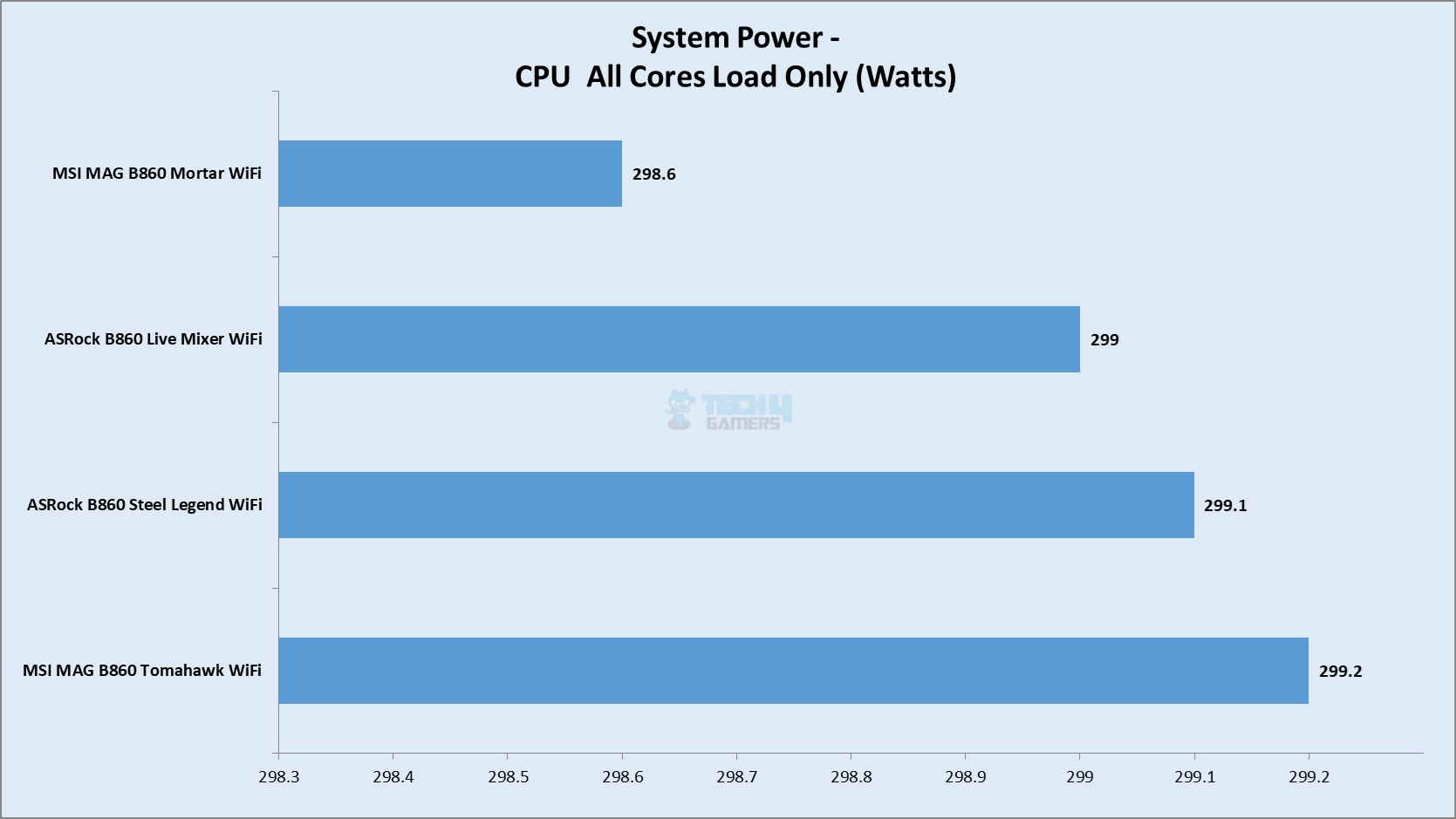
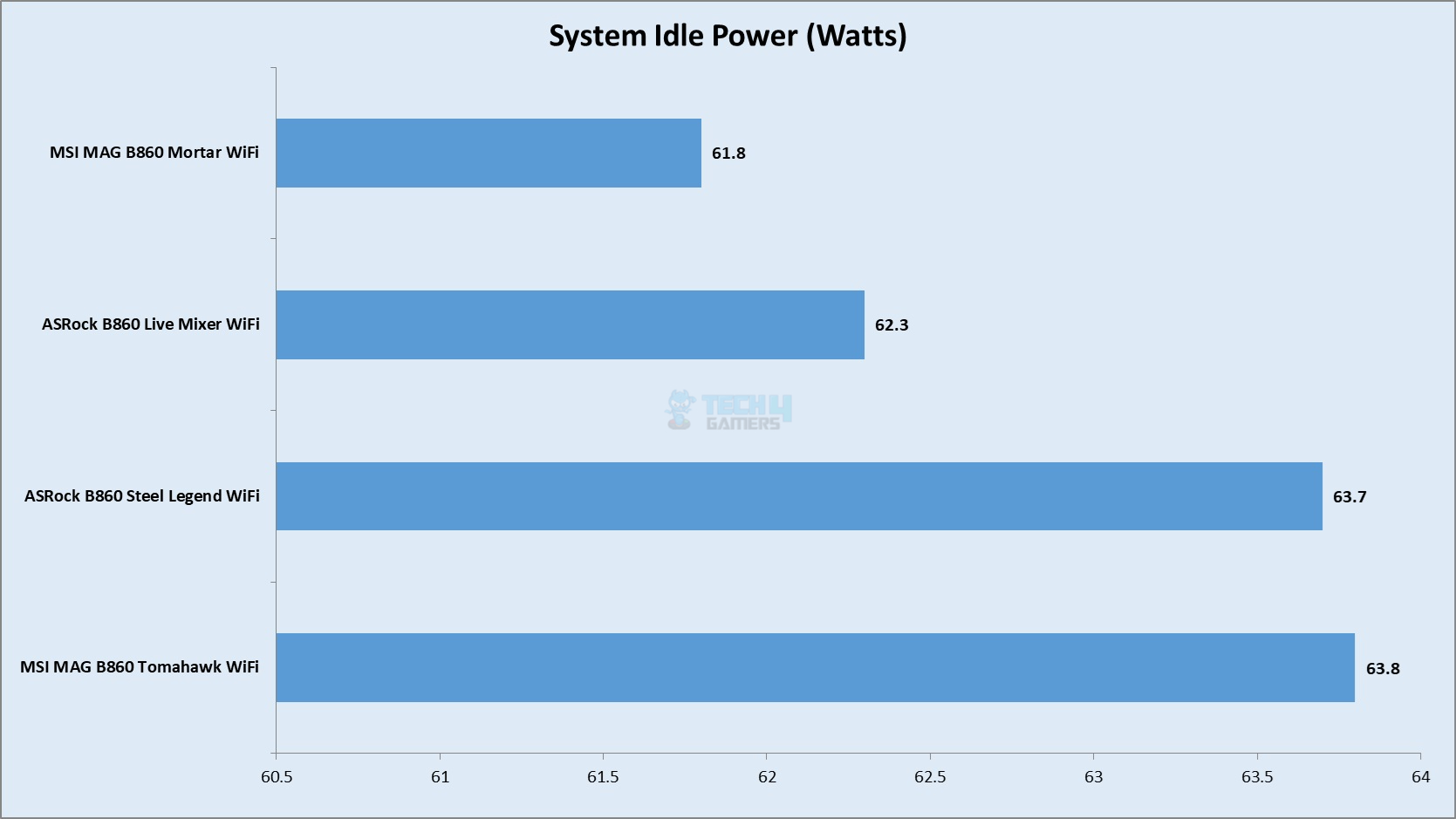
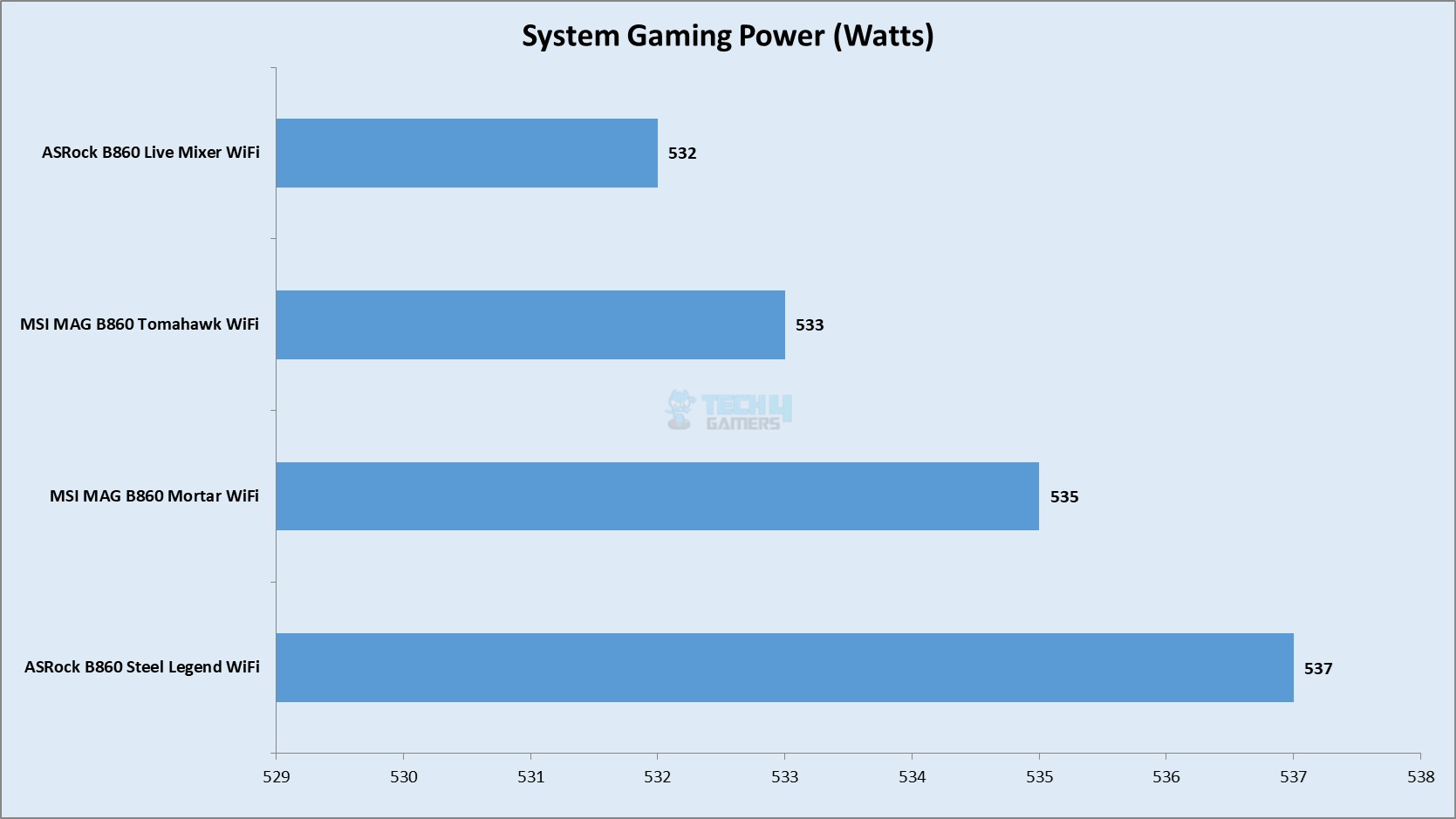
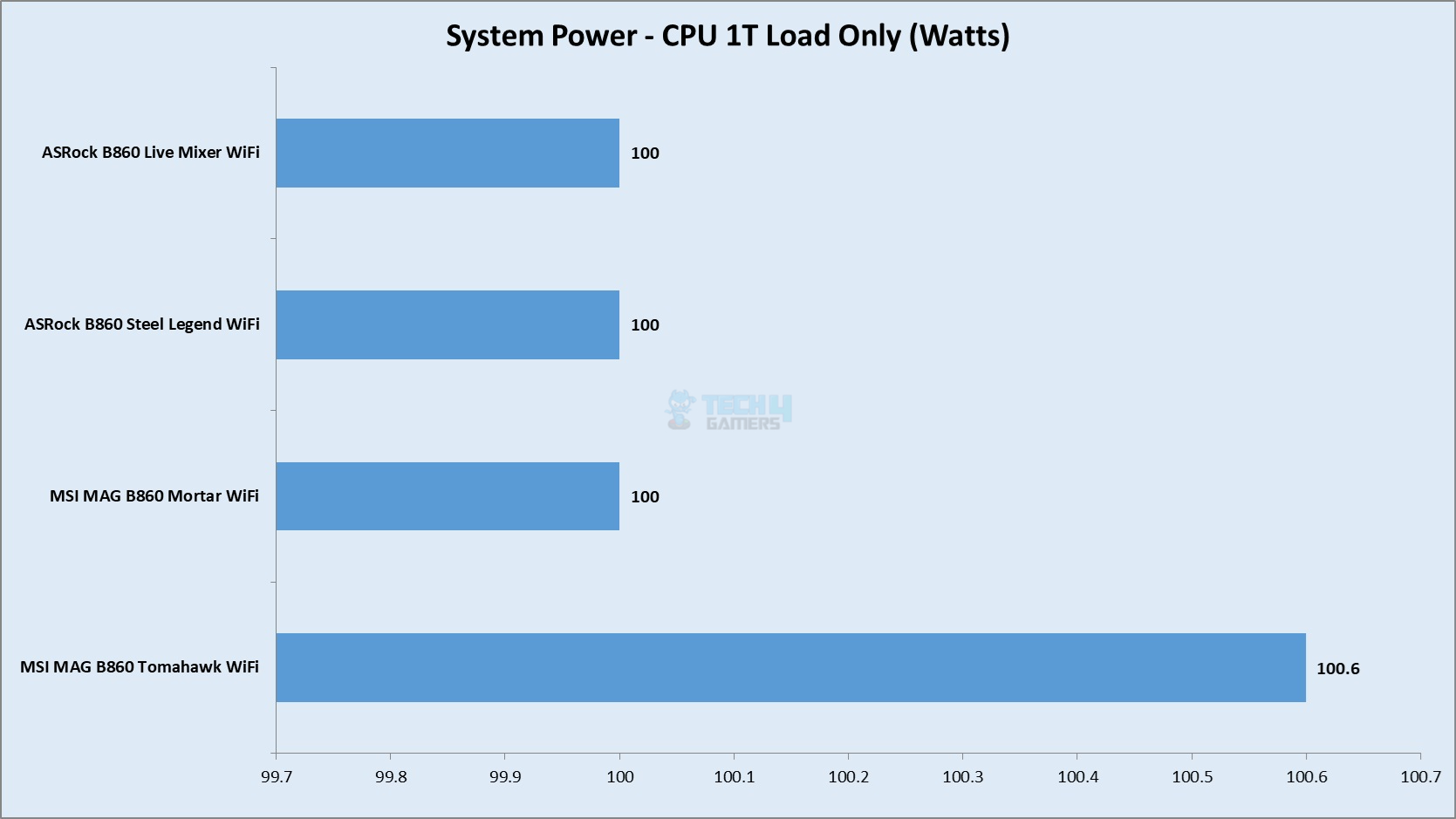
I am reporting the system-wide power draw here. This power draw is not comparable with any other system and it only tells you the relevant power usage given this particular configuration. The four categories are:
System Idle Power
System Gaming Load Power
System Power with Single-Core Load
System Power with Multi-Core Load
Power Draw
1 of 4
Multi-Core Load
Idle
Gaming Load
1T Load
I did not observe any power peak or abnormal behavior from this motherboard.
Thermals
VRM Thermals (Image By Tech4Gamers)
Testing was done at an ambient temperature of 27ᵒC. The CPU was idling at 34ᵒC and the graphics card was idling at 40ᵒC. Under load, the CPU was doing 79ᵒC whereas the GPU was doing 80ᵒC.
Should You Buy It?
Buy It If
✅You want to experience Intel’s latest platform: ASRock has got you covered for a variety of B860 motherboards. The Steel Legend stands out with a good feature set justifying this price tag.
✅You prefer gaming without a hiccup: The ASRock B860 Steel Legend has a PCIe Gen5x16 slot wired to the CPU socket. It also has an M.2 Gen5x4 slot.
✅Value is your thing: This motherboard retails at USD 200 making it a true value addition for most of the needs.
Buy It If
❌You already have a Z690/Z790 motherboard: I would not upgrade if I am on an Intel 13th or 14th gen platform.
Final Words
ASRock B860 Steel Legend WiFi is a mainstream motherboard that is tank-built and carries a value-orient well-balanced feature set. This motherboard is powered by an Intel LGA1851 socket and B860 Chipset. This motherboard comes with 3x PCIe Slots out of which one is already used for the WiFi module. It has PCIe Gen5 connectivity as well.
The storage solution consists of 4x SATA ports and 4x M.2 ports. The topmost M.2 port is rated at PCIe Gen5x4 whereas two slots are PCIe Gen4x4. The one port is PCIe Gen4x2. Only the top slot has a tool-less cover.
The motherboard packs 19 USB ports including a Thunderbolt port and a USB 3.2 20Gbps port. The Thunderbolt 4 port on the rear panel uses USB 4 tunneling and it provides PD charging of 15W. It can also be used for display purposes.
This motherboard features a 14+1+1+1 power delivery mechanism which is beefier than the MSI motherboards. The cooling department is strong as well with 8x fan headers, adequate heatsink covers, and thermal pads. ASRock has paid attention to this department in a better way.
ASRock has dropped WiFi 7 in favor of WiFi 6E hence bringing the cost down. This board has a 2.5Gbps LAN port. MSI game is strong in this department but then the price is high as well on MSI.
The BIOS interface is the same as I have seen on other ASRock motherboards. Speaking of audio, ASRock has provided RealTek ALC1220 codec which is better than ALC897 on MSI. Overall performance of this motherboard is good.
ASRock has managed to provide a better feature set in a reduced price bracket without much of a compromise compared to the MSI counterpart. The DDR5 frequency of up to 8666MHz (OC) is quite good. SOC Overclocking and Flash BIOS on the rear IO are among the features. ASRock offers a 3-year warranty on this motherboard.
Currently serving as a News Reporter at Tech4Gamers, I have the privilege of combining my love for gaming with the art of storytelling. My role involves crafting engaging narratives that keep our audience abreast of the latest developments in the gaming world.
Story Highlight
PC gaming has 907.5 million users as of 2024, whereas the console market only has 653.5 million.
92% of gamers from this amount preferred to play older games.
Moreover, most hours were spent on live service games.
While fans may agree on the best console option for gaming, the PC is by far the most viable option for gamers worldwide. A new report suggests the market is closing on a billion players.
Moreover, the same report reveals that 92% of this player base’s total audience prefers to play older games.
Why it matters: Despite the rise of video games in the past few years, possibly the only upside of the pandemic, video game quality is declining, as evidenced by these figures. The industry needs to fix the root cause and retreat to its older ways of game development.
Steam Hits Over 40 Million Concurrent Users For The First Time, Huge Milestone For PC Gaming
A new article by PCGamer, which got an early sneak peek at the report by Newzoo, a company known for gathering video game analytics and reports, revealed the following metrics: The PC gaming market increased to 907.5 million players in 2024 from 873.5 million players in 2023.
The console player count reached an estimated 653.1 million users in 2024. 73,000 players conducted this survey, which used data from over 10,000 games.
Returning to the PC side, Newzoo reports a higher concentration on live-service titles from PC gamers. Almost 67% of the total play hours were reported to have been spent on games six years or older.
PlayStation Live Service Games Push Ruined The Entire Console Generation For Them
The remaining 25% was spent on games 2-5 years old, while the remaining 8% was spent on newer games released in the last few years. A major chunk of the total hours, 7.1%, was spent on Counter-Strike 2, whereas 5.4% was spent on Fortnite.
This also explains why the industry is prevalent in pushing live-service titles: If done right, they can be easy cash cows for publishers.
I’ve previously worked for eXputer as a Senior News Writer for several years. Now with Tech4Gamers, I love to devoutly keep up with the latest gaming and entertainment industries. I have a Bachelor’s Degree in Computer Science and years of experience reporting on games and breaking exclusive stories. Besides my passion for gaming journalism, I love spending my leisure time farming away in Stardew Valley. VGC, IGN, GameSpot, Game Rant, TheGamer, GamingBolt, The Verge, NME, Metro, Dot Esports, GameByte, Kotaku Australia, PC Gamer, and more have cited my articles.
Story Highlight
Baldur’s Gate 4 could be announced soon, as Hasbro has teased to reveal the future of the series.
Hasbro’s SVP of Digital Gaming says they will reveal plans for the series ‘in pretty short order.’
Larian is no longer working on the series, and Hasbro’s Skeleton Key Studios is rumored to develop the sequel.
Baldur’s Gate 3 was quite successful in player and rating reception, shaking the RPG genre completely. So, it’s no surprise that the franchise or license owner of the series wants to catch this lightning in a bottle. However, it’s possibly becoming a reality sooner than expected.
A new interview suggests Hasbro is already preparing to announce a potential sequel to Baldur’s Gate 3 soon. The announcement will likely reveal the franchise’s future in the coming months.
Why it matters: Hasbro quickly noticed Baldur’s Gate 3’s success and is now leveraging that hype to launch a sequel.
Speaking to IGN, Hasbro’s SVP of Digital Games, Dan Ayoub, says they know that many people are ‘very interested in Baldur’s Gate 3.’ So, the license holder is preparing to reveal plans for the series’ future in ‘pretty short order.’
We’re kind of working out our plans for the future and what we’re going to be doing with that. And actually, in pretty short order, we’re going to have some stuff to talk about around that.
Dan recognizes that the team is not in a hurry, so Hasbro is taking quite a measured approach. So, not to ‘over-tease’ what’s coming, but the team is still pretty excited to reveal what’s next for Baldur’s Gate.
We’ve got a lot of plans, a lot of different ways to go about it. […] we’re ready to start dipping toes a little bit and talking about a few things.
The controversial Dragon Age: The Veilguard director was quietly hired by the studio that might develop Baldur’s Gate 4.
Dan also knows that getting Baldur’s Gate 4 right is crucial, so the developers are looking to raise the ‘creative bar’ even higher this time. The team has already pushed some ‘really interesting ideas.’
Do you think Hasbro will reveal plans for Baldur’s Gate 4 so soon into the year, or are we looking at a different kind of news? Let us know your thoughts in the comments below, or join the discussion on the Tech4Gamers forum.
At T4G, my task is to cover the latest news around the gaming globe ASAP and with the utmost precision. I adore all the games and respect all the devs behind the amazing games that we get all year. So, whether it’s a PC or a Console game, I got it all covered.
Story Highlight
AMD reportedly sold over 200K RX 9070 Series GPUs in the first few days of launch.
The company claims to deliver even better products in the future.
RX 9070 Series has shown a great price-to-performance ratio compared to the recent competition.
AMD recently introduced its brand new graphics card offerings, the Radeon RX 9070 and the RX 9070 XT. Team Red seems to have done great work on the GPUs, which apparently match or beat Nvidia’s offerings despite being priced less.
There were some issues with the pricing and stocks, but AMD says it has sold over 200K RX 9070 series GPUs since launch and aims to make its products even better in the future.
Why it matters: AMD has found great success with its new launch. Many fans are even jumping shipping platforms from Nvidia to AMD based on the price-to-performance ratio.
AMD CEO delivered keynote on AI and sales figures (via benchlife.info)
According to benchlife.info, who were present at the AI PC Innovation Summit, AMD showcased its best-selling products and claimed to have sold 200K units of RDNA4 GPUs already. All of the sales were recorded at launch, so this sale might be a result of the launch week.
On March 6, the Radeon RX 9070 XT and Radeon RX 9070 were launched, and the first wave of graphics cards with a quantity of over 200K were almost sold out worldwide.
– Benchlife.info (Transalted)
AMD Radeon RX 9070 XT offers great performance
Now, this doesn’t mean that more stock isn’t available. The RX 9070 series launched at a lower MSRP, but that was applicable for a short batch of cards. Now, it sells for higher prices, which might have slowed sales.
Nonetheless, Nvidia also recently claimed that it sold twice as many RTX 5000 cards as the previous generation in the same time frame, but no numbers were revealed. If things continue like this, we could see AMD become the market leader in a few years.
What do you think about AMD selling over 200K units of RX 9070 GPUs? Let us know your opinions in the comments, or join the discussion at the Tech4Gamer forum.
I’ve previously worked for eXputer as a Senior News Writer for several years. Now with Tech4Gamers, I love to devoutly keep up with the latest gaming and entertainment industries. I have a Bachelor’s Degree in Computer Science and years of experience reporting on games and breaking exclusive stories. Besides my passion for gaming journalism, I love spending my leisure time farming away in Stardew Valley. VGC, IGN, GameSpot, Game Rant, TheGamer, GamingBolt, The Verge, NME, Metro, Dot Esports, GameByte, Kotaku Australia, PC Gamer, and more have cited my articles.
Story Highlight
Most developers are excited to work with AI, and 79% feel positive about its inclusion.
Only about 5% of the 300 developers polled were apprehensive of AI usage in gaming.
Developers think AI will save time by making bug detention, localization, and translation faster.
Whatever industry you talk about nowadays, AI is a topic of contention. Most players fear the knockoff effects the technology will have in the gaming world, with many thinking it will kill creativity. But, even with the negative press around it, companies like Sony and Xbox use it to improve player experience in many ways.
And, from the looks of it, most developers making the games we play aren’t very apprehensive about a future with AI; many are looking forward to using it to create new games.
Why it matters: The use of AI for creative tasks like concept art is worrying for the future of gaming.
According to a new report from Unity, about 79% of developers feel “somewhat positive” about a gaming industry with AI as an essential component. The polled data shows that most developers think the technology will have a positive impact on the industry, with about one-third of the participants feeling “extremely positive” about its use in video games.
The worry generative AI created when it first emerged has seemingly passed, as only 5% of the 300 developers polled were apprehensive of AI in gaming. Unity interviewed a developer from Cyprus-based studio Pixonic, who stated that AI tools will save a lot of resources and time by simplifying playtesting, localization, and automating bug detection.
The developer also mentioned that concept art could be created through AI, which is worrying considering how the process has always relied on human creativity and serves as a basis for the final product. The use of AI tools in 2025 has stayed consistent in the gaming industry, with their utilization carrying a steady rate from 2024.
ARK’s DLC trailer just got severe fan backlash for using AI.
To add more fuel to the fire, only about 4% of developers stated that they would not use AI tools in any capacity for game development. This is a frighteningly low number and a stark contrast to previous backlash on AI from devs and players.
At T4G, my task is to cover the latest news around the gaming globe ASAP and with the utmost precision. I adore all the games and respect all the devs behind the amazing games that we get all year. So, whether it’s a PC or a Console game, I got it all covered.
Story Highlight
Fans are furious at Snail Games USA for using excess generative AI with the ARK DLC trailer.
Recently Studio Wildcard, the main team behind the game, handed the project to Snail Games.
The trailer showcases just a few seconds of gameplay and a whole lot of generative AI.
Generate AI is becoming a massive part of game development moving forward. While it can be beneficial in certain cases, its excessive use can become too distracting for the audience. That is precisely what a new trailer for the ARK DLC showcases.
ARK: Aquatica, a new DLC for the ARK: Survival Ascended game has received a new trailer, and a major portion of the trailer is completely made by generative AI.
Why it matters: Generative AI is often labeled as the death of creativity, as the games don’t receive the same level of attention, as if they were made by a proper development team.
1 of 3
Revealed at GDC 2025, ARK: Aquatica has debuted a 1-minute long trailer. Except for a few brief seconds of gameplay, the entirety of the trailer has been made by generative AI, which is very apparent based on the visuals.
Studio Wildcard is the main team behind ARK: Survival Evolved, but interestingly, it recently handed the reigns of the project to Snail Games USA instead, and itis quite apparent as to why they did it.
The use of generative AI is quite apparent in the trailer
Moreover, there are no details, no proper cutscenes, and not even any details on what the project will be. It just starts off with Snail Games’ logo, a few seconds of gameplay, and a bunch of generative AI, before ending at the expansion’s title.
Understandably, players are furious at it, and state that the trailer is ‘disgusting‘ and the studio should ‘be ashamed of itself‘. This makes sense too, as they don’t want to pay for such low-effort content, as generative AI becomes more mainstream.
What are your thoughts on the ARK DLC trailer using generative AI? Let us know your opinions in the comments or join the discussion at the official Tech4Gamers Forum.