I’ve previously worked for eXputer as a Senior News Writer for several years. Now with Tech4Gamers, I love to devoutly keep up with the latest gaming and entertainment industries. I have a Bachelor’s Degree in Computer Science and years of experience reporting on games and breaking exclusive stories. Besides my passion for gaming journalism, I love spending my leisure time farming away in Stardew Valley. VGC, IGN, GameSpot, Game Rant, TheGamer, GamingBolt, The Verge, NME, Metro, Dot Esports, GameByte, Kotaku Australia, PC Gamer, and more have cited my articles.
Story Highlight
The Stalker 2 technical producer Yevhenii Kulyk has recently confirmed that the game will have mod support for consoles.
The survival horror game will emphasize modding to allow the community to enjoy a variety of additions.
Stalker 2: Heart of Chornobyl is set to launch on 20 November 2024 after experiencing many delays.
Stalker 2 is one of those dream sequels that remained on everyone’s minds ever since the original reveal back in 2010. After its cancellation and reappearance, it has suffered many delays along the way. However, the title is turning out to be great, with recent gameplay videos revealing a gorgeous post-apocalyptic venture that awaits us all. And now there’s already good news for the modding community.
The game’s technical producer, Yevhenii Kulyk, has finally confirmed that Stalker 2 will feature extensive mod support on PC as well as consoles.
Why it matters: The confirmation of mod support for Stalker 2 on Xbox Series consoles is a huge win in the eyes of the gaming industry, confirming that the studio is not ignoring the franchise’s huge modding community.
Speaking to Radio Times Gaming host Cole Luke at the Stalker 2 preview event, Yevhenii Kulyk clarified that modding has always been a big part of the franchise, and Stalker 2 is going all out to ensure fans don’t have to wait for the mod support on consoles after release for long.
“We are aware that our player base—like especially the old one—are waiting our game will support the mods as well. […] So, they will be available on the Xbox as well as the PC.”
Additionally, the technical producer confirmed that Stalker 2 will feature a pretty huge modding toolkit to let modders not only create small projects but also whip up amazing large-scale creations—or additions—as they wish.
Stalker 2 will feature a large open world and a motley of weapons
Stalker 2 launches on 20 November 2024 after a plethora of delays. It will be available on Xbox Series X|S and PC, as a PS release is still unconfirmed.
Do you think more games should also offer mod support on consoles? Let us know your opinions in the comments below, or join the discussion on the official Tech4Gamers forum.
I’ve previously worked for eXputer as a Senior News Writer for several years. Now with Tech4Gamers, I love to devoutly keep up with the latest gaming and entertainment industries. I have a Bachelor’s Degree in Computer Science and years of experience reporting on games and breaking exclusive stories. Besides my passion for gaming journalism, I love spending my leisure time farming away in Stardew Valley. VGC, IGN, GameSpot, Game Rant, TheGamer, GamingBolt, The Verge, NME, Metro, Dot Esports, GameByte, Kotaku Australia, PC Gamer, and more have cited my articles.
Story Highlight
Resident Evil Creator has praised RE4 Remake for improving the original’s ‘half-assed’ story, which he wrote in only two weeks.
He said that understanding what made the original entry work was needed to create a worthy remake.
He was particularly impressed by the more nuanced details of combat and great character writing in the remake.
The original Resident Evil 4 is one of those entries that have made a name for themselves in the gaming hall of fame. It has stood the test of time, so no one expected the 2023 remake to change much in terms of its accolades. However, even the creator of the Resident Evil franchise has now come forward to praise the remake, claiming that it built upon the original’s success in almost every way.
Shinji Mikami, the RE franchise creator, has claimed that Resident Evil 4 Remake improves upon the original game’s ‘half-assed’ story that he whipped up in only two weeks. He clarified that the devs could completely nail the original’s finer details, like the more nuanced details of combat and character writing.
Why it matters: The creator of Resident Evil praises the RE4 remake and acknowledges the improvements it made, which is a milestone that confirms the game’s massive success.
Resident Evil 4 Remake took the original game and gave it a much-needed renovation in every aspect.
Speaking in an interview with IGN, Shinji Mikami highlighted that understanding what made the original game work was essential to making a good Resident Evil 4 remake. To say that the devs understood it is a massive understatement.
They showed that they really understood the characters and their interactions. They showed a good understanding of the backbone of each character.
-Shinji Mikami
Shinji claims that the remake has also improved upon the original’s dialogues, storyline, and visuals, fleshing everything out in a way that made it a nice surprise for veteran and newer players alike.
Upon launch, RE4 Remake received a critical reception for featuring improved, modernized gameplay.
Many gamers argue that Shinji Mikami’s praises for the 2023 remake are not unfounded. But What are your thoughts regarding his opinions of the remake? Let us know your thoughts in the comments below, or join the discussion on the official Tech4Gamers forum.
At Tech4Gamers.com, I cover the latest news and rumours in the gaming industry, from new game releases to hidden gems and video game leaks. Furthermore, I occasionally write tech articles about video game consoles, providing insights into the hardware and software that powers our gaming experiences.
Story Highlight
The PS5 Pro is set to offer over 80 enhanced titles as a part of the console’s launch lineup.
Marketed as 45% faster than the regular PS5, these games will benefit from the performance boost.
Moreover, the Game Boost feature will improve performance for thousands of PS4 games.
Sony’s PS5 Pro is set to improve over 80 games, enhancing visuals and frame rates. The upcoming Pro console builds on the original PS5’s capabilities with upgraded hardware for smoother gameplay and richer textures in compatible games.
PS5 Pro is advertised to be 45% faster than the base model, so it’ll be interesting to see the actual gameplay benchmarks of these enhanced titles.
Why it matters: This is nearly double the games Sony announced back in September during the reveal event. This level of support is impressive—much more than what we saw with the PS4 Pro.
Despite the console’s hefty price tag, Sonic developer believes it’s not expensive.
Some of the popular titles being enhanced for PS5 Pro include:
For games like Gran Turismo 7 and Alan Wake 2, the console supports improved reflections and better lighting, enhancing the overall visual fidelity. Final Fantasy VII Rebirth will also see more detailed graphics while maintaining the same smooth frame rate.
Additionally, Marvel’s Spider-Man 2, which already looks amazing on the regular PS5, will receive even more upgrades on the PS5 Pro.
Moreover, Capcom is impressed by the console’s GPU and is excited about its possibilities. According to Capcom, Resident Evil Village on the PS5 Pro will support up to 120 FPS, which is a huge performance boost.
Some industry experts suggest even the PS5 Pro won’t be able to run GTA 6 at 60 FPS.
While some games are getting specific enhanced versions, Sony has launched a feature called “PS5 Pro Game Boost.” This will improve performance for more than 8,500 PS4 games.
As a result, backward-compatible games will also enjoy better frame rates and stability, even if they don’t have special PS5 Pro updates.
Currently, the Pro model is outselling any other console on Amazon even before its official launch, meaning people are still interested despite the high price tag.
What are your thoughts about this? Which game do you think should get enhanced for the console next? Join the conversation on Tech4Gamers Forum.
At T4G, my task is to cover the latest news around the gaming globe ASAP and with the utmost precision. I adore all the games and respect all the devs behind the amazing games that we get all year. So, whether it’s a PC or a Console game, I got it all covered.
Story Highlight
Koei Tecmo will now be self-publishing and developing games in-house.
The Japanese developers will now also release major titles annually.
They aim to become one of the 10th biggest gaming companies in the world.
Koei Tecmo is largely known for the critically acclaimed Nioh franchise. However, they’ve also been behind some recent hits like Wo Long: Fallen Dynasty and Rise of The Ronin. While the company relied on other publishers recently, it is now shifting its strategy.
Why it matters: Koei Tecmo has notably partnered with PlayStation in the past for Nioh and Rise of The Ronin. Now, as it’s focusing on self-publishing, we can expect more multiplatform games instead of PlayStation exclusives.
Koei Tecmo wants to launch major games annually.
The Japanese studio recorded its most successful release with last year’s Wo Long: Fallen Dynasty. It even claimed that Rise of Ronin, a PlayStation exclusive, sold faster than Nioh. This led to the company recording its highest profit since 2009.
While the stock values have fallen somewhat, the general revenue is still quite decent. Also, the operating income has increased, leading to higher projected revenue figures for this financial year.
Koei Tecmo aims to become one of the 10 biggest gaming companies
Now, according to the studio’s latest financial report, it is modifying its strategy with game releases and publishing. For one, there will be total in-house development. In addition, it will self-publish its games, meaning there will be more multiplatform releases.
It will also work to launch major titles annually instead of taking a lot of years. The report reveals that Koei Tecmo aims to become one of the world’s top 10 most profitable gaming companies. They are on the right track, as the rank has increased.
What are your thoughts on Koei Tecmo focusing on self-publishing its games? Let us know your opinions in the comments or join the discussion at the official Tech4Gamers Forum.
I’ve previously worked for eXputer as a Senior News Writer for several years. Now with Tech4Gamers, I love to devoutly keep up with the latest gaming and entertainment industries. I have a Bachelor’s Degree in Computer Science and years of experience reporting on games and breaking exclusive stories. Besides my passion for gaming journalism, I love spending my leisure time farming away in Stardew Valley. VGC, IGN, GameSpot, Game Rant, TheGamer, GamingBolt, The Verge, NME, Metro, Dot Esports, GameByte, Kotaku Australia, PC Gamer, and more have cited my articles.
Story Highlight
Baldur’s Gate 3 dev Michael Douse has praised Dragon Age: The Veilguard in a new post on X.
The dev said it’s the first Dragon Age that knows what it wants to be and singled out its narrative and combat.
BioWare’s RPG is set to launch on October 31, 2024.
The wait for Dragon Age: The Veilguard has been long, but now, we are days away from release.
So far, the critical reception of Dragon Age: The Veilguard has been overwhelmingly positive. Baldur’s Gate 3 publishing director Michael Douse has also praised it, saying it’s the first Dragon Age title that knows what it wants to be.
Why It Matters: Baldur’s Gate 3 was arguably the best game of 2023, and one of its executives applauding Dragon Age: The Veilguard is a positive sign for a developer who needs it to succeed.
BG3 Executive’s Take on Dragon Age: The Veilguard
Douse shared his thoughts on the upcoming RPG in a post on X, saying Dragon Age: Veilguard was compatible with his experience during Baldur’s Gate 3. The developer singled out the game’s combat system, saying it was a “giga-brain genius” mix of Xenoblade and Hogwarts Legacy.
More important, to me, it feels like the first Dragon Age game that truly knows what it wants to be.
-Michael Douse
Going on, Michael Douse lauded the narrative of Dragon Age: The Veilguard, saying that the character-driven storyline and strong combat made it better than your average action game.
The Baldur’s Gate 3 dev also compared the RPG to a well-made nine-season-long Netflix show and expressed happiness for developer BioWare, who have been through some difficult times due to the failure of Anthem.
Originally, Dragon Age was meant to be a spiritual successor to Baldur’s Gate, so hearing such praise is a full-circle moment. Dragon Age: The Veilguard is set to launch on October 31, 2024, for the PlayStation 5, Xbox One, and PC.
Do you think the BioWare RPG will rise to expectations? Let us know your opinions in the comments, or join Tech4Gamers’ Official Forums.
At Tech4Gamers, I mainly cover new gaming news, leaks, and rumours. Aside from that, I love to write features about my favourite games while inserting my opinion about their different aspects.
Story Highlight
Price hikes for subscription services in gaming history have become common.
Due to that, a gamer stacked up 24 years’ worth of PS Plus by spending $2000.
While this seems like a smart move, there are some concerns that the subscription might not even exist in the next 24 years.
Price hikes of subscription services have been increasing lately, with Xbox being the latest one to follow this trend in the gaming industry. PlayStation also previously increased the price of PSN not once but twice, which started a lot of controversy.
Price hikes have become a common practice, and a gamer has spent $2000 on the PS Plus to get a subscription for 24 years.
Why it matters: It is a given that in the next 24 years, there are going to be multiple price hikes in the subscription services, of course, if they were to still exist, so the user has managed to save a tremendous amount of money.
A Reddit User, On_Reddit_In-Class, shared this information on the r/PlayStation subreddit. The user mentioned that they have a stacked PS Plus subscription until 2048, which is pretty insane.
I decided to stack PS Plus subscriptions until 2048 because of the absurd price increases in the past few years.
Reddit User
The user seems to think that they will be gaming for the rest of their life, and it is a good investment. If PS Plus stays relevant for such a long period of time, then this user will arguably save a lot of money, but 24 years is an extremely long period, so a lot can be changed in that time.
PS Plus Has Been In The Gaming Industry Even Since 2010
Many fans in the comments section agree with the perspective that it will surely save some money. However, some aren’t as optimistic and stated that the service might not last that long for 24 more years. This seems like a valid concern, but PSN has been around since 2010, and it is pretty popular now.
So, given Sony doesn’t make any mistakes with its upcoming games and consoles, the PS Plus is here to stay.
What do you think of the gamer spending a whopping $2000 on PlayStation Plus? Do you think it is a smart move or a dumb one? Let us know your thoughts in the comments section below or join the official Tech4Gamers forums.
As Tech4Gamers’ Founder and Editor-in-Chief, I bring over 13 years of PC Hardware Reviewing and 8+ years of IT Project Management experience. Certified in Google IT Support , my focus is on providing honest product reviews and analysis and fostering a strong gaming community with 130k+ members in PPG.
Dr. Usman Saleem
At Tech4Gamers, I’m the PC Hardware Specialist, primarily contributing to the “Best-Ofs” section. I provide thoughtful buying advice based on thorough testing and personal expertise. I also review hardware products and games to keep things fresh.
After testing ASRock’s Z890 Nova WiFi, we’re moving on to the ASRock Steel Legend Z890 WiFi. We also took a look at the X870 Steel Legend WiFi, one of our recent favorites. Will this $259 board impress as well? Let’s find out.
Why Trust Tech4Gamers
Usman Saleem is our hardware tester who loves to put all the latest GPUs, CPUs, RAM, and motherboards for a spin.
40+ motherboards tested and reviewed by our team of hardware experts (Tech4Gamers Team).
800+ hours spent testing different motherboards for our reviews.
At Tech4Gamers, ensuring you get reliable information is our priority. That’s why every hardware round-up undergoes a meticulous review process by our team of experts and editors. Each review is carefully examined against our strict editorial guidelines, guaranteeing you trustworthy insights you can depend on.
Key Takeaways
The ASRock Z890 Taichi Lite is a fairly affordable Z890 motherboard, offering sleek white aesthetics, the latest I/O, and impressive memory speeds. Its VRMs are good enough for any Arrow Lake CPU, even with some overclocking.
Buy this board if you want a good-looking white-themed board and/or the latest I/O at an affordable price.
Seek other options if you’re looking for heavy overclocking capabilities and/or want features like EZ Debug LED and EZ PCIe release in your motherboard.
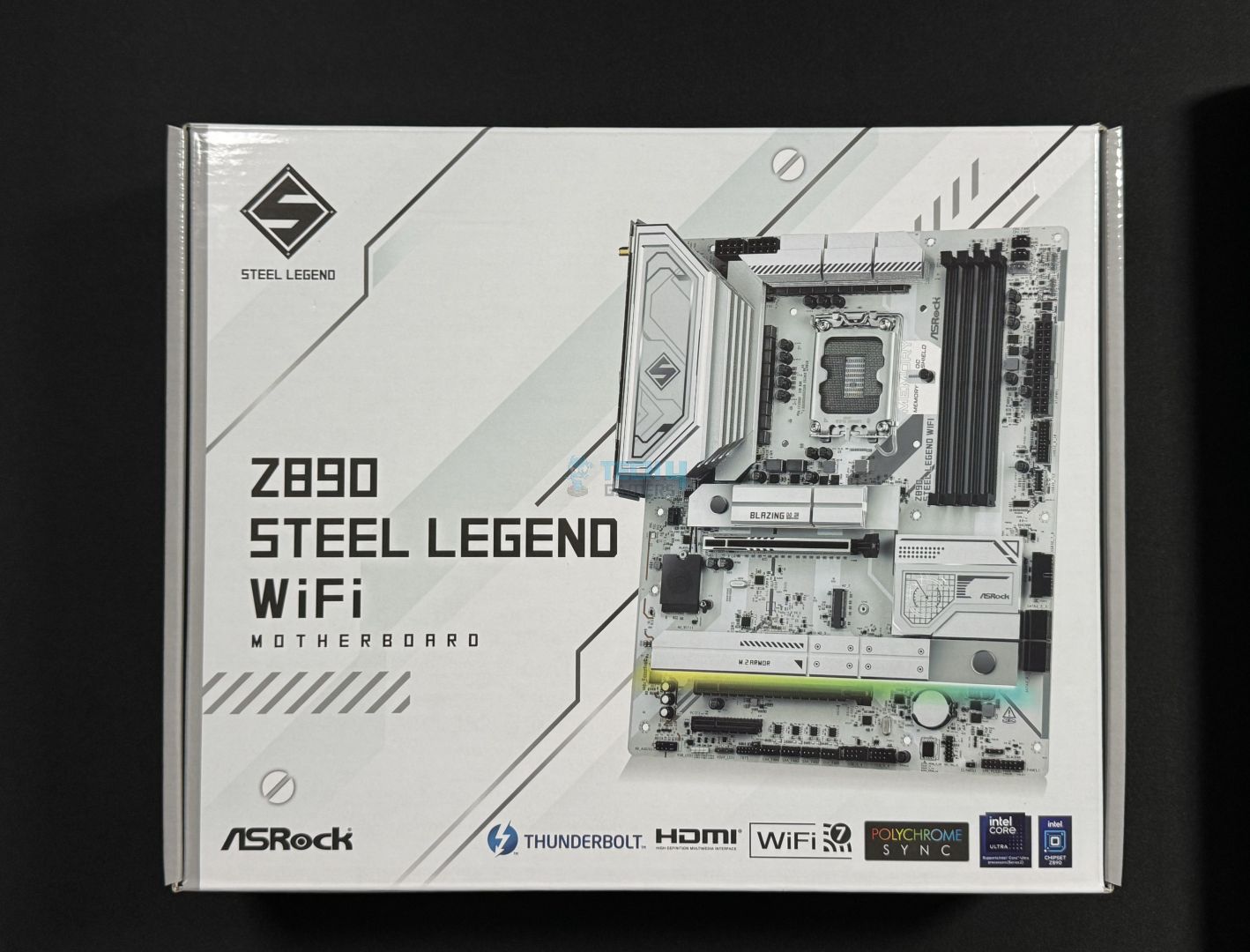
The motherboard is shipped inside a white-themed cardboard box.
Box front
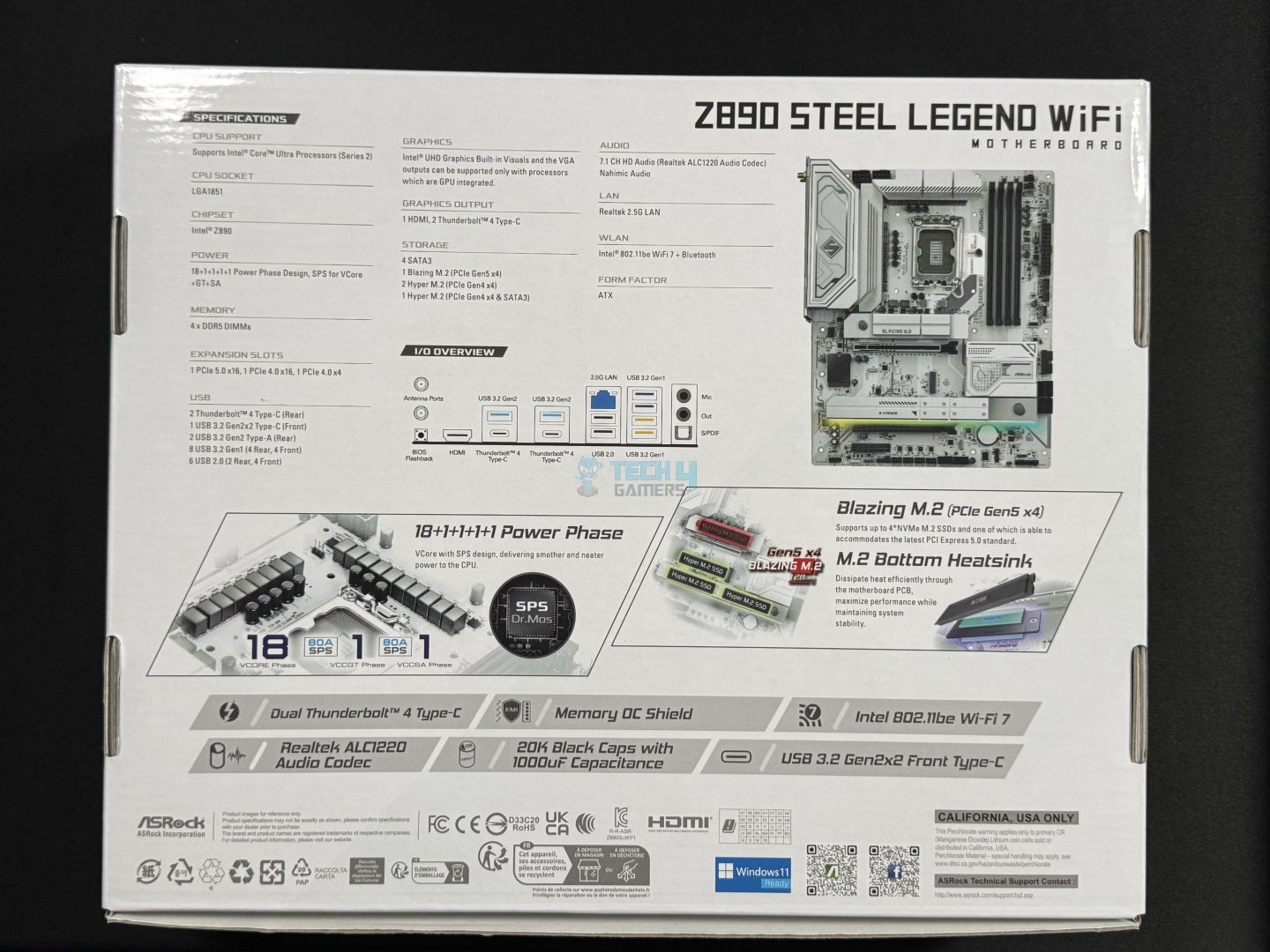
Box rear
On the front, we have the motherboard’s picture and some key features. The rear side dives into some more features and detailed specifications and has an illustrative picture of the rear I/O. Toward the bottom, there are several compliance marks and certification symbols.
Box contents (Image by Tech4Gamers)
2x SATA Data Cables
2x ASRock WiFi 2.4/5/6 GHz Antennas
1x Thermistor Cable
2x velcro straps
Steel Legend keycap
ASRock sticker
The addition of velcro straps from ASRock is appreciated. If your keyboard is hot-swappable, you can use the Steel Legend keycap. The ASRock sticker can be attached to your chassis to show that you’re part of the fandom!
Design
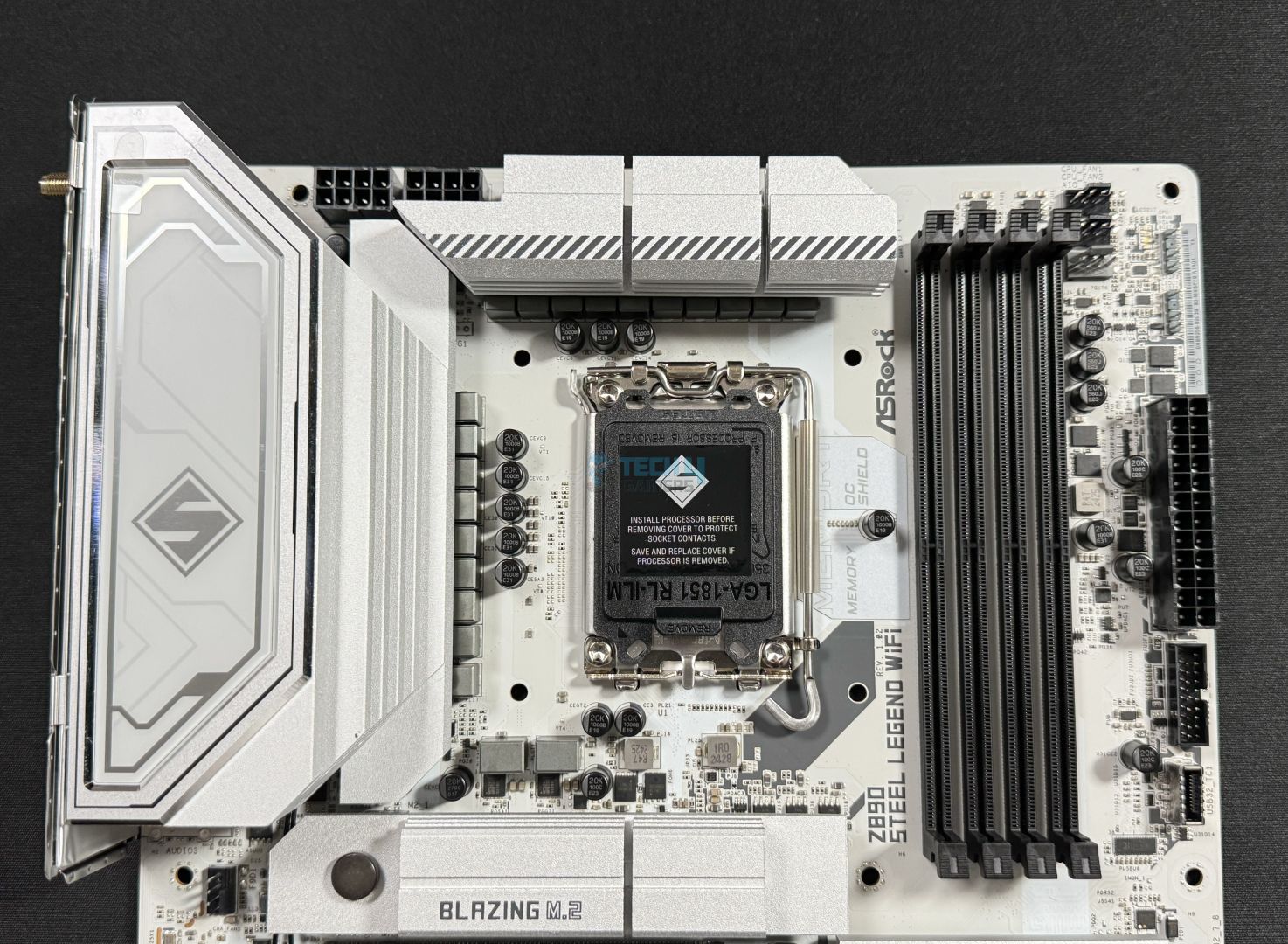
Aerial view of the board (Image by Tech4Gamers)
The ASRock Z890 Steel Legend WiFi immediately stands out with its white PCB, and the design is very similar to the X870 Steel Legend WiFi I reviewed earlier. All the connectors are black-coated, and there’s an RGB strip under the extended M.2 heatsink. The heatsinks have very little decoration as far as graphics/branding is concerned, and I love that. The I/O cover is mainly greyish and features the Steel Legend logo around the center.
This board has a 6-layer PCB with 2oz thickened copper.
Motherboard block diagram (Image by Tech4Gamers)
Coming from the CPU socket are the DDR5 slots, Thunderbolt 4, the PCIe Gen 5 x16 slot, and the Gen 5 x4 M.2 slot. The CPU also powers the HDMI (iGPU) and the M.2_2 Gen 4 x4 slot.
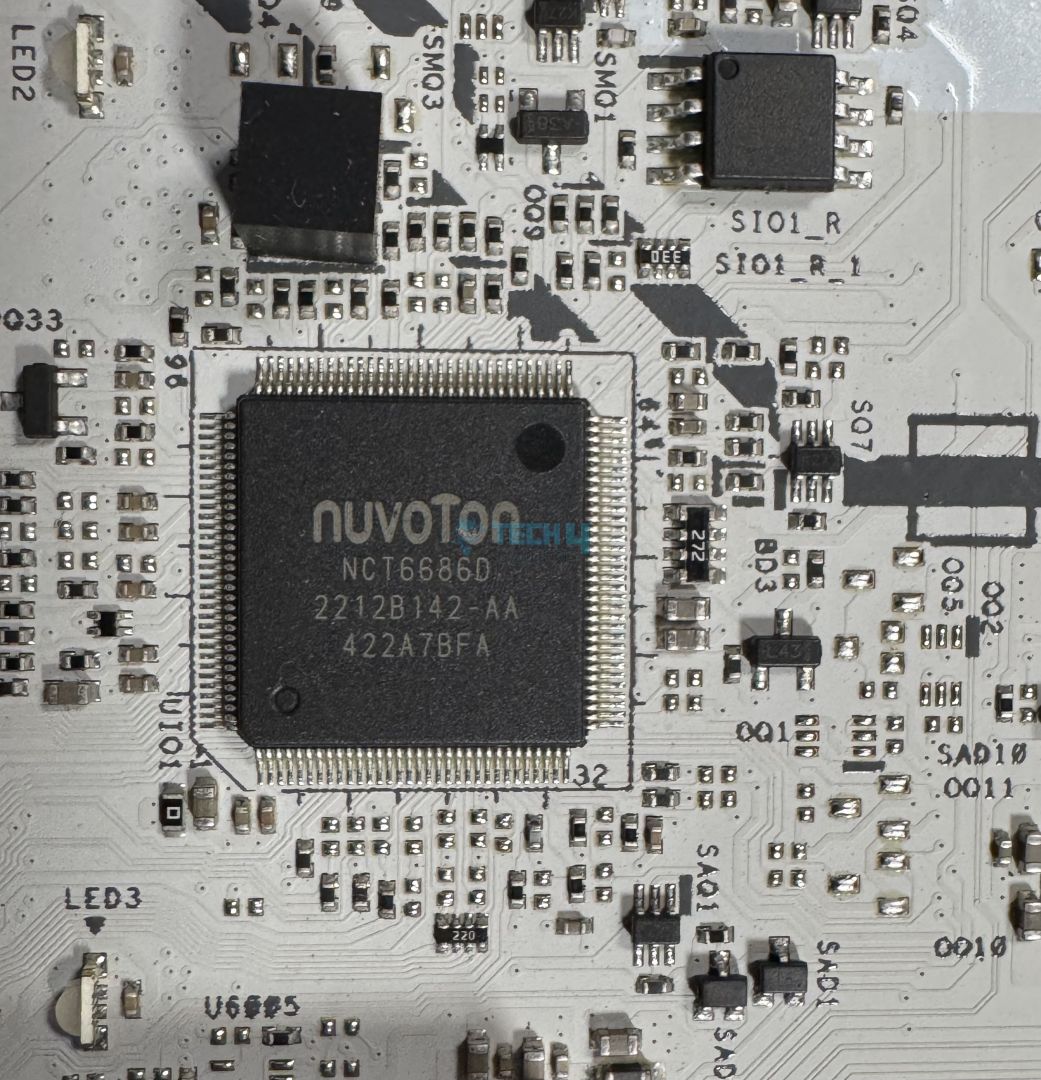
The DMI 4.0 x4 link connects the CPU and the chipset. All the USB ports and SATA ports, audio, WiFi, LAN port, the remaining PCIe and M.2 slots come from the chipset. The motherboard’s Super I/O controller is Nuvoton NCT-6686D. This controls 8x fans and is used for hardware monitoring.
CPU Socket And Power Delivery
Upper part of the board
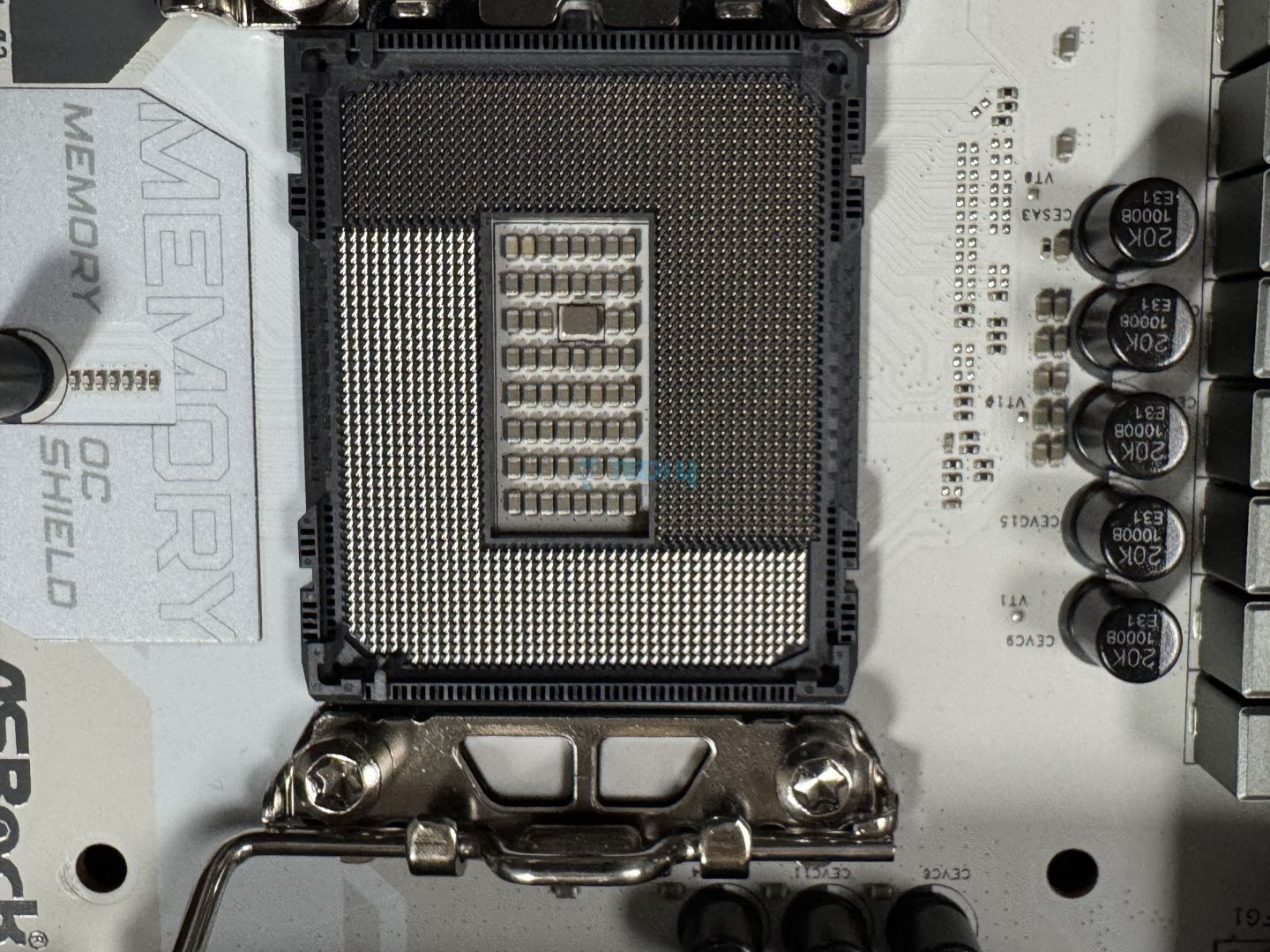
CPU socket
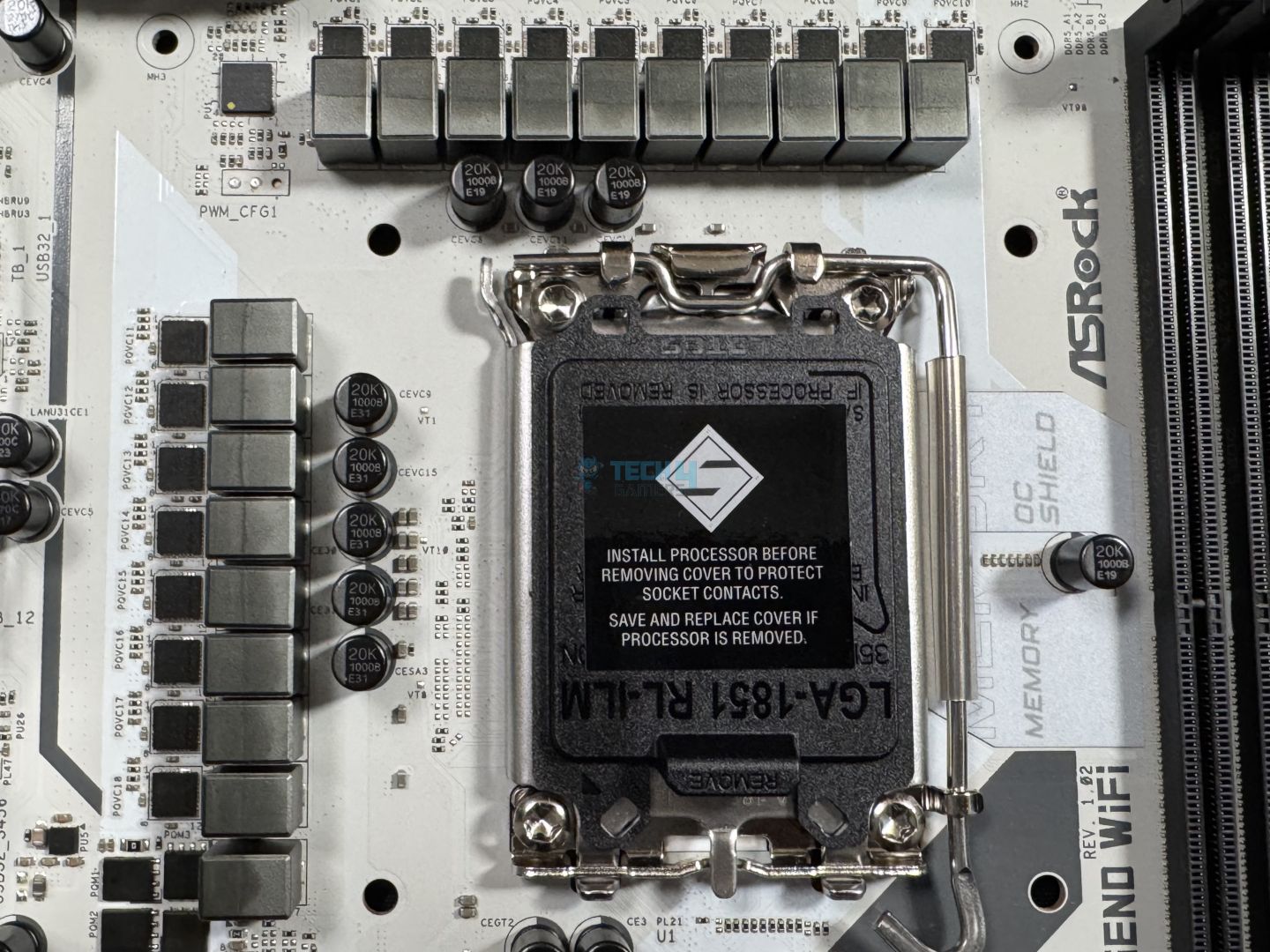
We know that this is Intel’s new LGA1851 socket with 1851 contact points. The board is using the ILM retention mechanism for the socket, as recommended by Intel (but not made customary). This is meant to improve contact of the CPU with the motherboard by increasing and more evenly distributing the force applied.
VRM structure
Closer look
The ASRock Z890 Steel Legend WiFi consists of an 18+1+1+1+1 power phase design, including 80A SPS for VCore+GT+SA. The total output available for the VCore is 1440A, which will be good enough for any Intel Arrow Lake CPU.
A look at the MOSFET model (Image by Tech4Gamers)
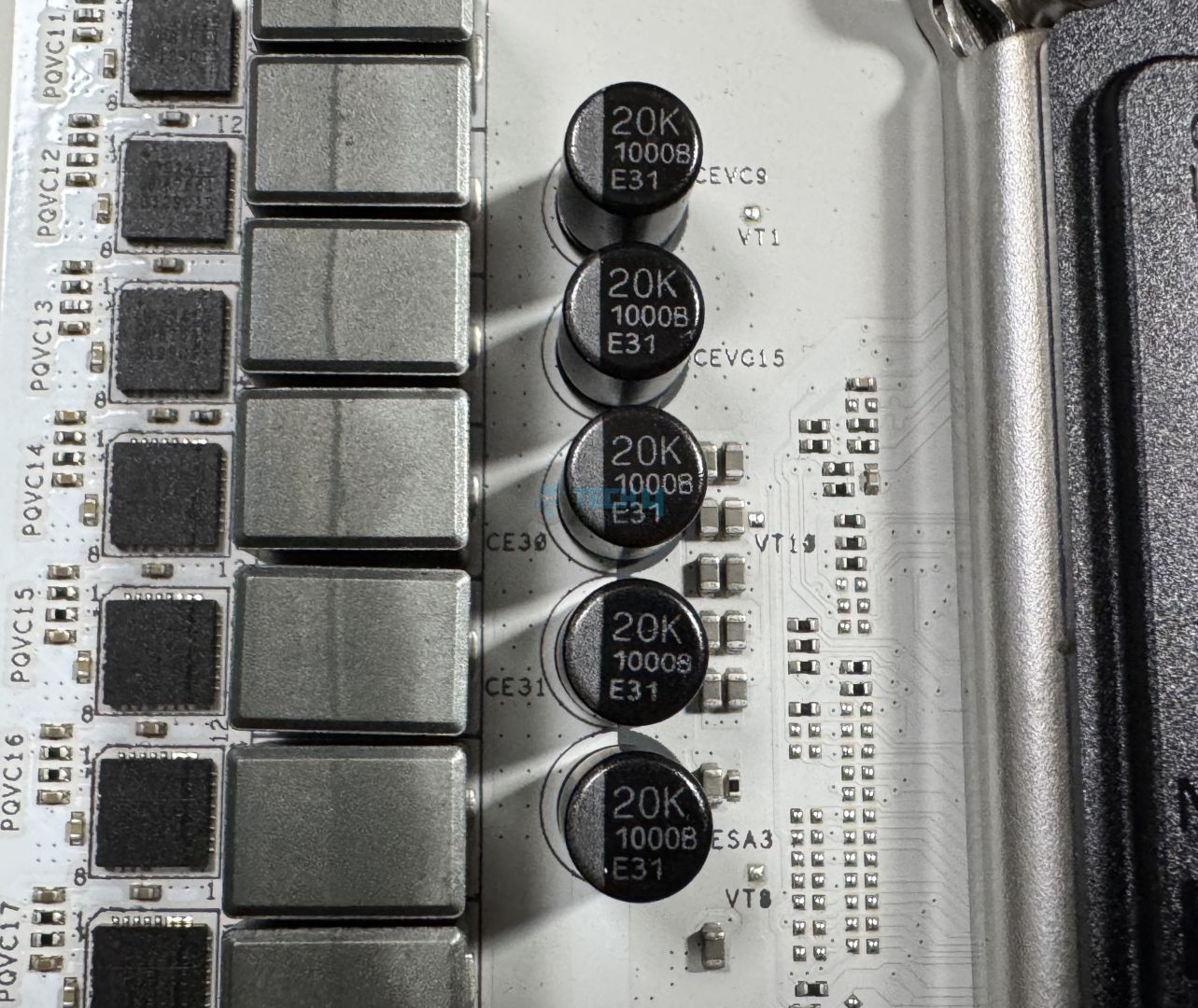
The VCore, GT, and SA are powered by Monolithic Power Systems’ MPS2415 MOSFETs. ASRock is using upgraded capacitors that we’ve seen in a few other boards already. These are rated at 1000µF and have a lifespan of up to 20,000 hours.
The CPU’s power comes from the dual 8-pin EPS connectors, which can provide up to 300W. ASRock is using its “Hi-Density” design for these connectors, claiming that they should be able to support higher currents and facilitate better overclocking performance.
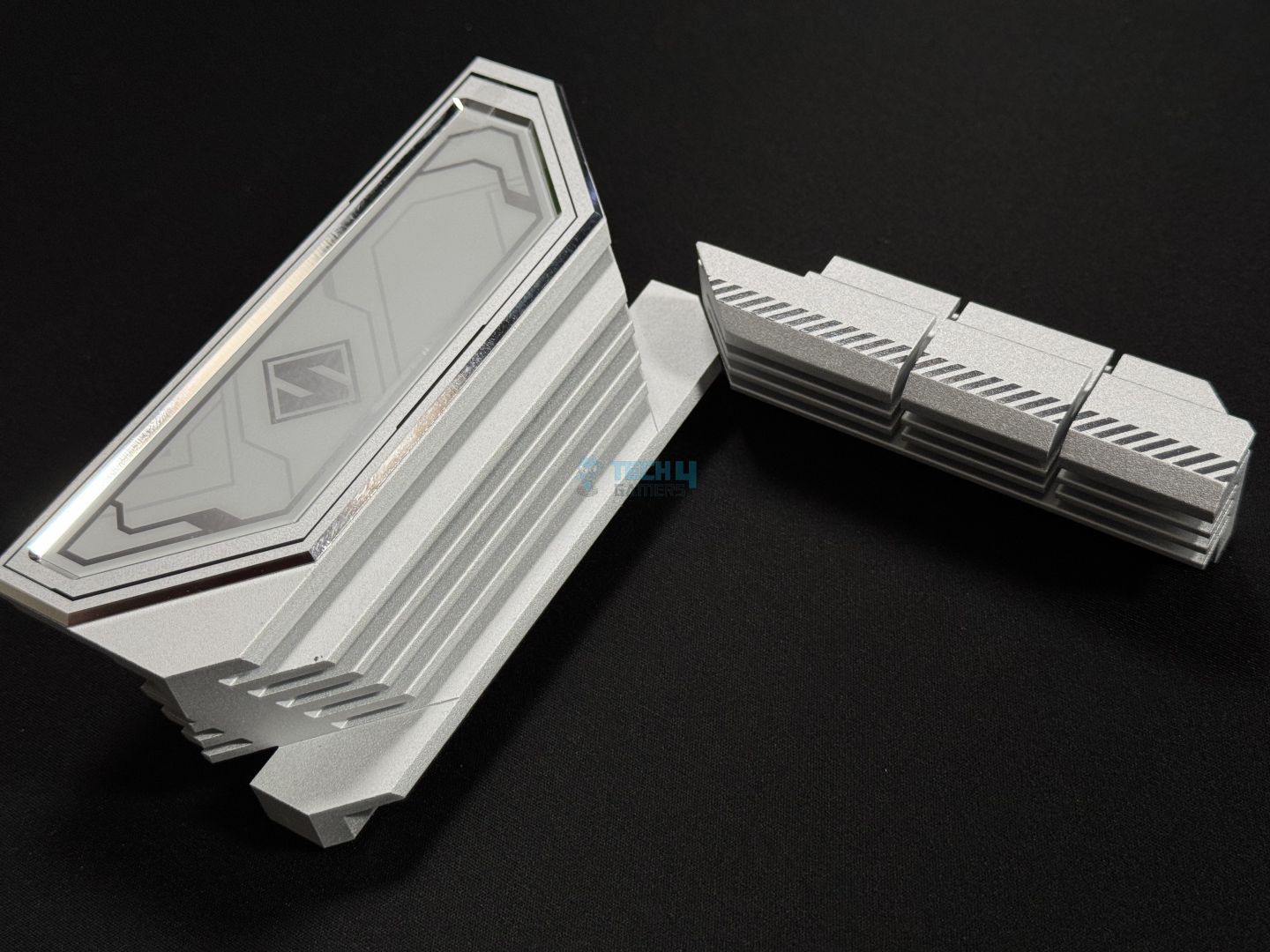
VRM heatsink removed
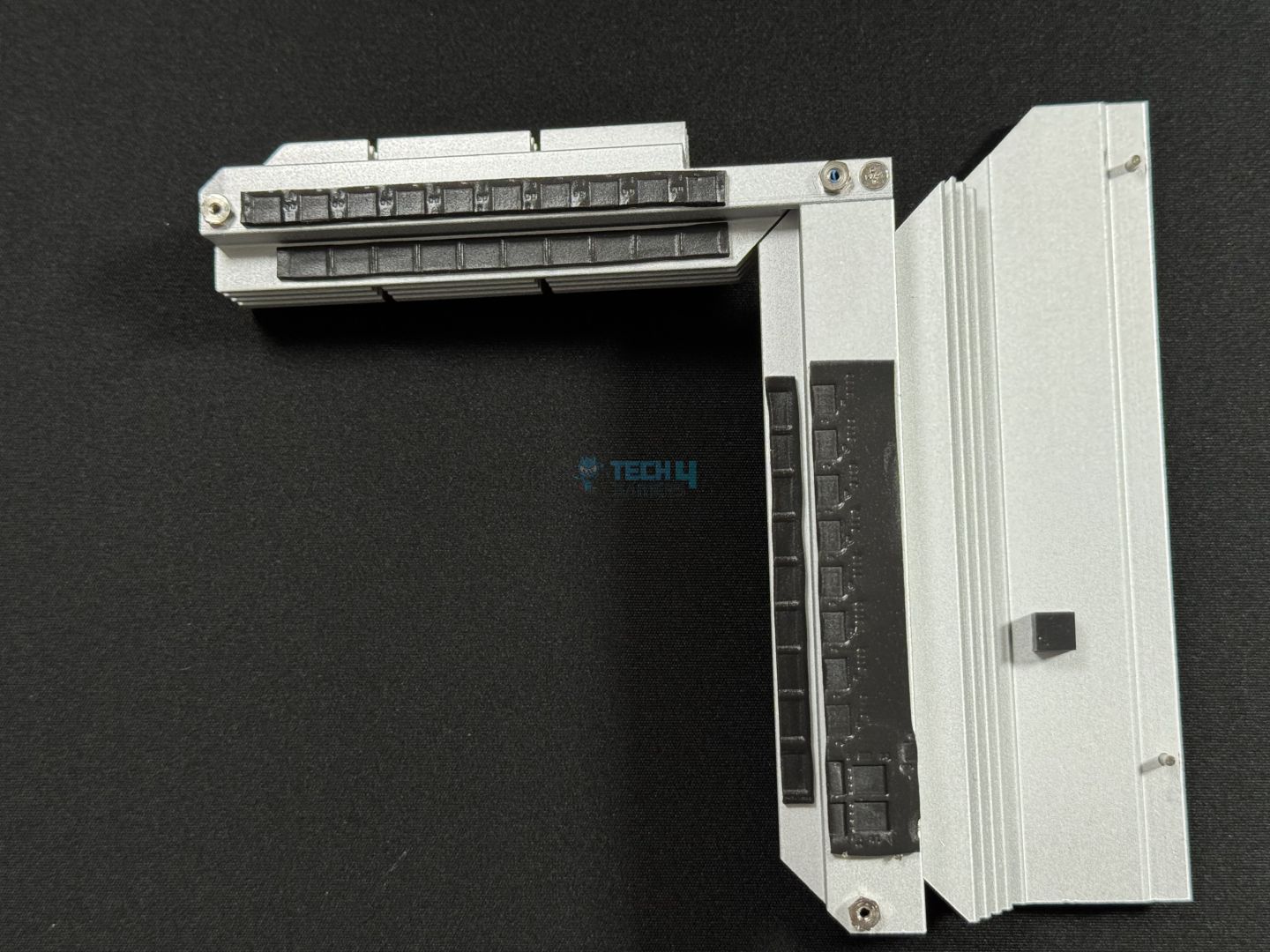
Backside of the heatsink
This extended XXL heatsink is designed to cool the VRM setup. It features a heavily stacked design, and of course, there are thermal pads for the MOSFETs and the chokes underneath.
DIMM Slots
DIMM slots (Image by Tech4Gamers)
The motherboard supports up to 256 GB of memory at 128GB per channel. Memory support is impressive, at up to DDR5-9466 MT/s with OC. Here are the maximum speeds at different configurations possible:
1DPC 1R = 9466+ MT/s (OC)
1DPC 2R = 6800+ MT/s (OC)
2DPC 1R = 6800+ MT/s (OC)
2DPC 2R = 5800+ MT/s (OC)
Besides the memory, you can see the setup for ASRock’s Memory OC Shield feature. This feature reduces electromagnetic interference (EMI) around the DIMM slots to improve signal stability, which should help achieve higher speeds through overclocking.
Thanks to the chipset, the board also supports CUDIMM. This improves the CUDIMM standard (which is commonly used today) by adding a dedicated clock driver to the DIMM. The clock driver regenerates clock signals by itself instead of relying on the CPU, allowing for more signal integrity. These modules should be able to achieve much higher speeds because of this feature.
Storage
M.2 heatsinks
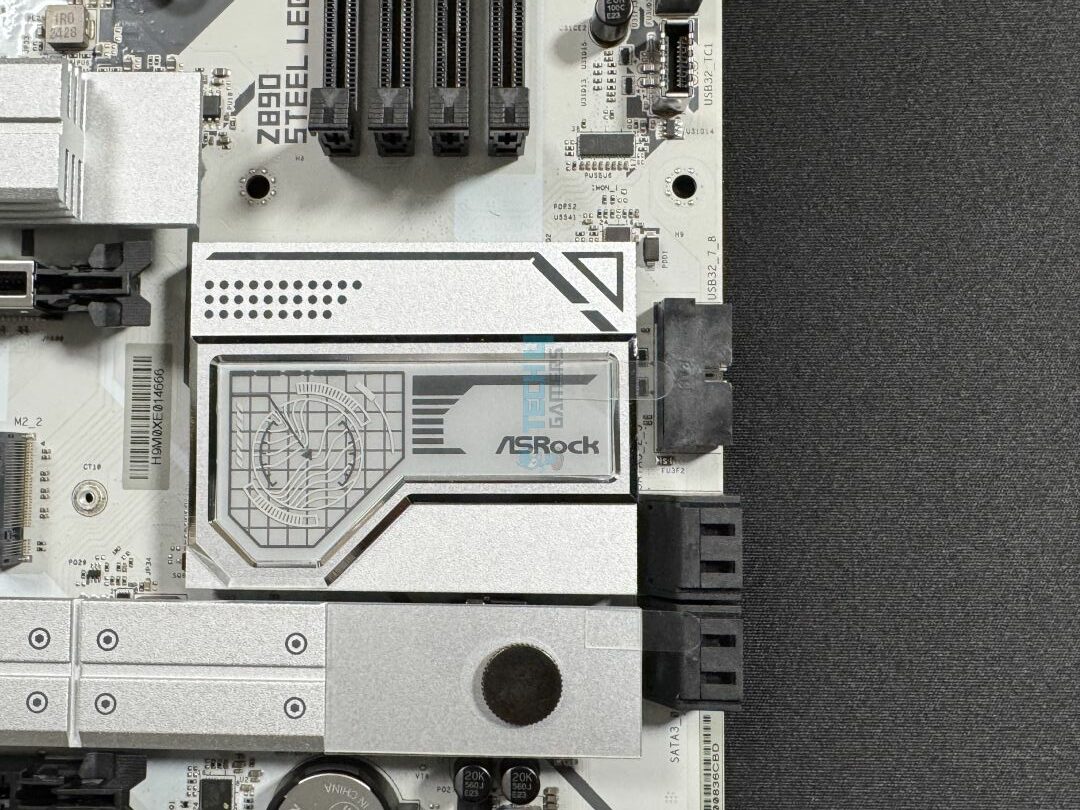
PCH heatsink, beside which are the SATA ports
The motherboard offers 4x SATA 6Gbps ports and as many M.2 sockets. One of these M.2 slots is Gen 5, while the remaining are all offering 64 Gb/s (Gen 4) speeds. Slots M2_1, M2_2, and M2_3 support type 2280 SSDs. The Slot M2_4 supports different sizes, including 2230, 2242, 2260, and 2280. RAID modes 0, 1, 5, and 10 are supported for both the SATA ports and the M.2 sockets.
M.2 heatsinks removed (Image by Tech4Gamers)
Both M.2 heatsinks feature a toolless removal mechanism, requiring you to slide the button toward the left to remove them. After removing the heatsink, we can see thermal pads on the base of the slot, too. Removing the second M.2 heatsink requires a screwdriver, and underneath, we can see the same thermal pads to cool the 2x SSDs.
Notably, the M2_2 slot does not have a heatsink. You’ll either need to get an SSD with a heatsink or buy a third-party heatsink to occupy this slot.
M.2 heatsinks removed (Image by Tech4Gamers)
Looking at the heatsinks from the side, the Gen 5 heatsink is taller and has a stacked fin design and a channel in the middle. The M.2 Armor heatsink does not have fins, as Gen 4 SSDs don’t need that higher-end cooling.
PCIe Slots
For PCIe connectivity, the board features 3x PCIe slots. The primary one, PCIe 5.0 x16, comes from the CPU. On the other hand, the remaining two are PCIe 4.0 x16 (operating at x4) and PCIe 4.0 x4 slots. The primary slot is steel-reinforced to handle the weight of heavier cards and is surface-mounted on the board for better signal strength.
Unfortunately, there is no EZ PCIe release mechanism on display here. ASRock seems to have reserved that for higher-end boards.
USB Connectivity
For USB connectivity, the board offers:
2x Thunderbolt™ 4 Type-C (Rear)
1x USB 3.2 Gen2x2 Type-C (Front)
2x USB 3.2 Gen2 Type-A (Rear)
8x USB 3.2 Gen1 (4 Rear, 4 Front)
6x USB 2.0 (2 Rear, 4 Front)
Given the board’s price, it’s good to see that ASRock retained dual Thunderbolt 4 ports instead of one. We also have a 20Gbps connector and 2x Type-A 10Gbps ports in the rear. 2x of the rear USB 5Gbps ports come from the ASMedia ASM3042 controller. All ports have electrostatic discharge (ESD) protection.
Network And Connectivity
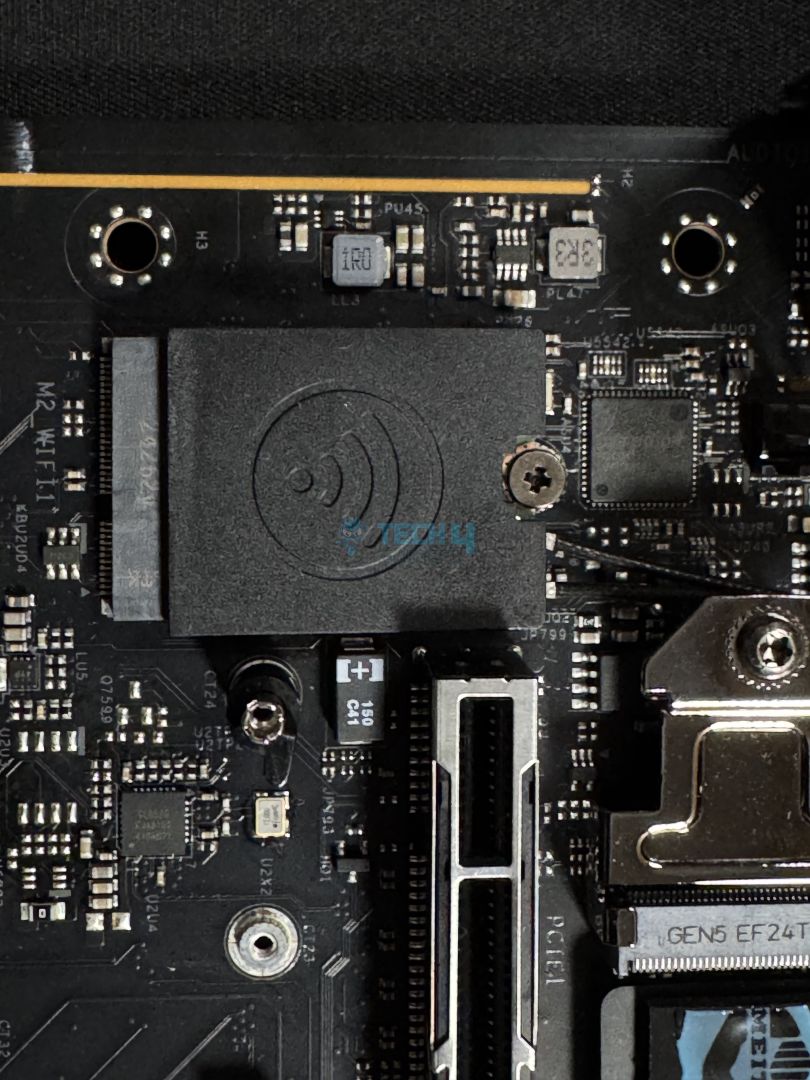
WiFi card (Image by Tech4Gamers)
For connectivity, the board offers WiFi 7 and Bluetooth 5.4. Again, it’s nice to see that ASRock added a WiFi 7 module at this price point. For a wired connection, there is a 2.5G LAN port out back. You can use the Dragon 2.5G LAN software for some handy features like Auto Adjust Bandwidth Control and optimizing settings for gaming, browsing, and streaming. It also lets you view your network usage stats.
Windows 11 build 24H2 is required for Bluetooth 5.4 and WiFi 7 support.
Audio Solution
Realtek ALC1220 controller (Image by Tech4Gamers)
This motherboard features the ALC1220 audio chip from Realtek. It’s a fairly decent codec and performs similarly to the ALC4080. This solution is enhanced by Nahimic audio drivers and was designed in collaboration with Steelseries. The drivers provide “optimized” sound and improve your microphone’s performance through software tweaks. These tweaks include noise and echo cancellation and voice stabilizer.
There are individual layers for the right and left audio channels on the board for minimum interference.
Internal Connectors
Here is the list of internal connectors on the motherboard:
Connectors – Bottom left
Connectors – Bottom right
1x Thermistor Cable Header
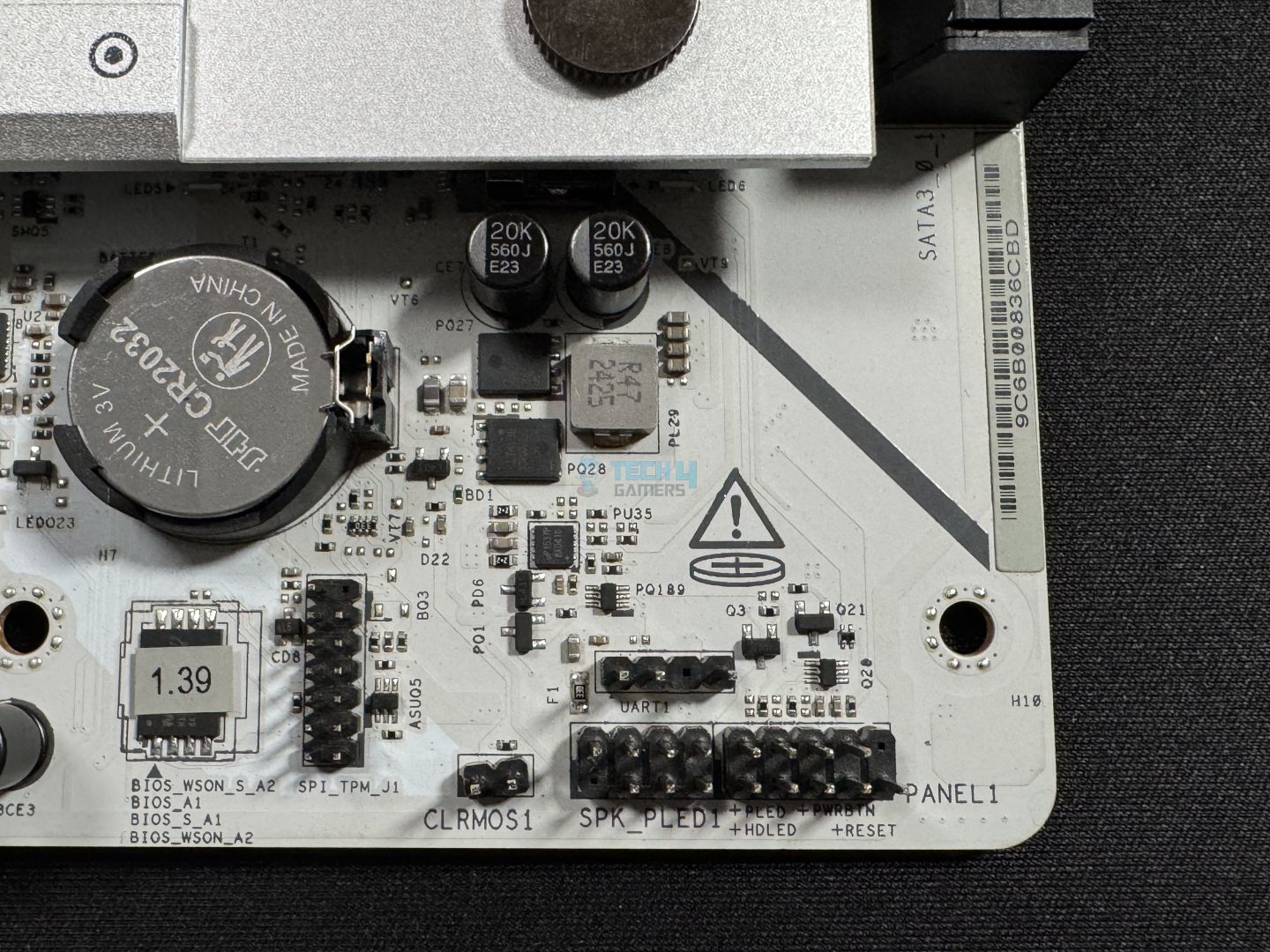
1x SPI TPM Header
1x Power LED and Speaker Header
1x RGB LED Header
3x Addressable LED Headers
2x CPU Fan Connectors (4-pin)
5x Chassis Fan Connectors (4-pin)
1x AIO Pump Fan Connector (4-pin)
1x 24-pin ATX Power Connector
2x 8-pin 12V Power Connectors
1x Front Panel Audio Connector
2x USB 2.0 Headers (Support 4 USB 2.0 ports)
2x USB 3.2 Gen1 Headers (Support 4 USB 3.2 Gen1 ports)
1x Front Panel Type C USB 3.2 Gen2x2 Header (20 Gb/s)
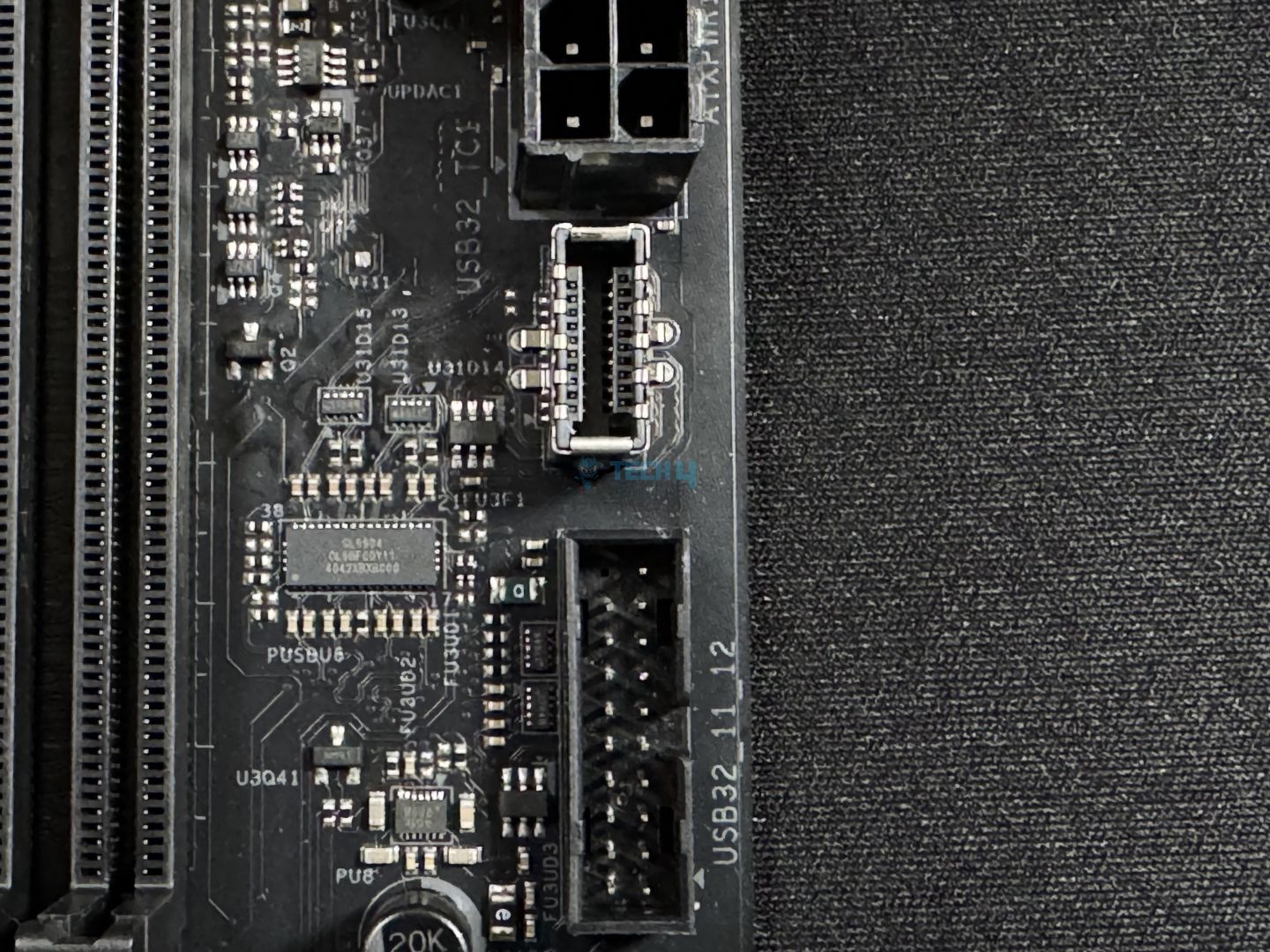
So, we get one thermistor cable header to connect the included thermistor. Another thing to note is that the 24-pin ATX connector is also Hi-Density. All the components being powered through it should potentially benefit from its ability to handle more current.
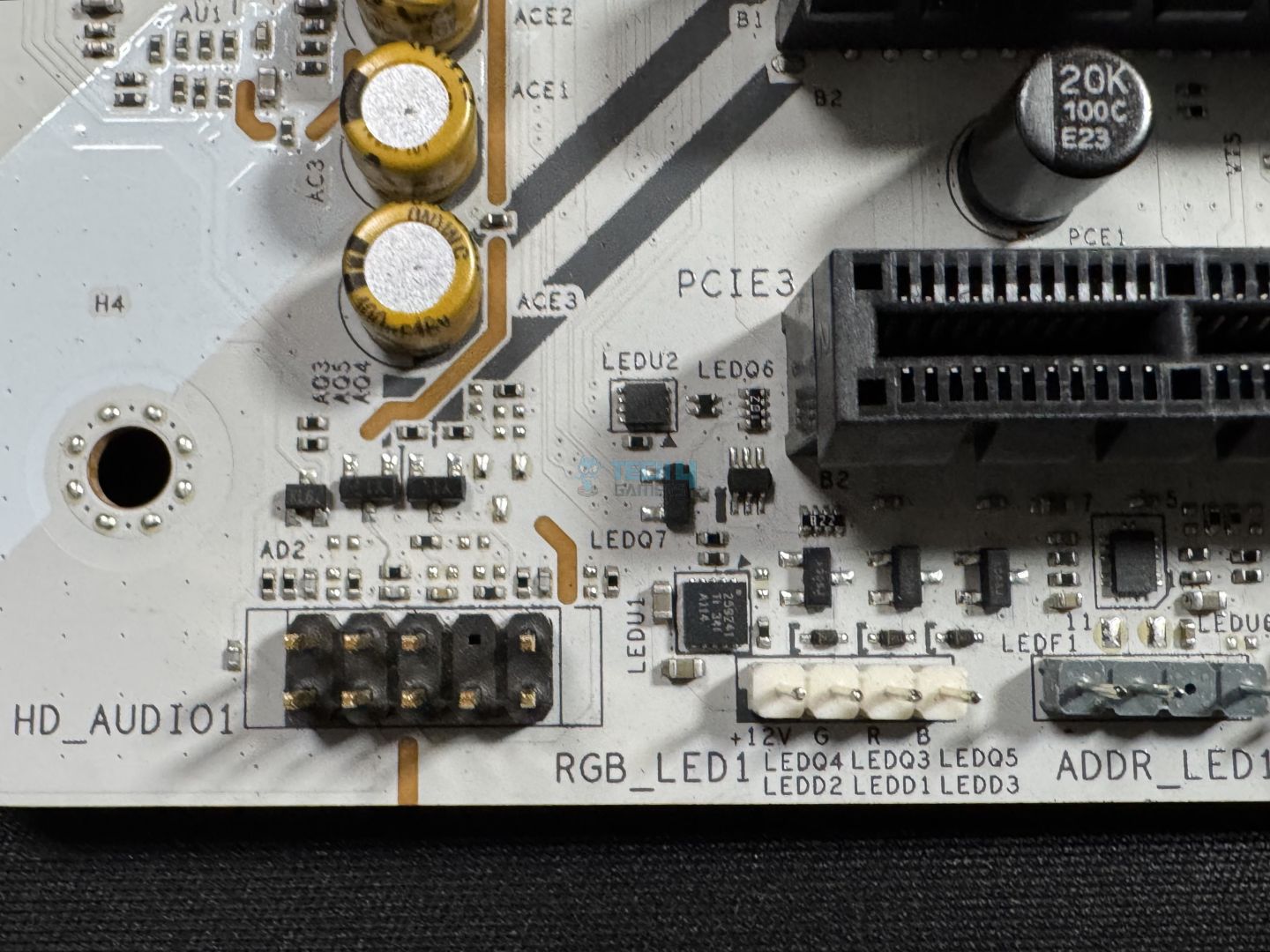
The RGB LED header, CPU_FAN2, CHA_FAN1-5, and AIO_PUMP support up to 36W output at 3 amps. The addressable LED headers support up to 15W, while the CPU_FAN1 connector supports 12W.
There’s no debug code LED panel for troubleshooting; you’ll have to rely on the good old post-state LEDs.
Rear I/O
Here’s all that we get on the rear:
Rear I/O panel (Image by Tech4Gamers)
2x Antenna Ports
1x HDMI Port
1x Optical SPDIF Out Port
2x Thunderbolt™ 4 Type-C Ports
2x USB 3.2 Gen2 Type-A Ports (10 Gb/s)
4x USB 3.2 Gen1 Ports
2x USB 2.0 Ports
1x RJ-45 LAN Port
1x BIOS Flashback Button
1x Line Out Jack
1x Microphone Input Jack
We get a BIOS flashback button, but no “clear CMOS” option is available on the rear. The Thunderbolt 4 ports support charging up to 15W.
Two of the 5Gbps ports are “Lightning Gaming” ports. These are for your keyboard and mouse, as both of them use separate USB controllers, so there will be no traffic for either device. The “Ultra USB Power” ports provide 5V power from a line separate from a 12V line. It will be free of any load from the PSU’s 5V line, providing a noise-free sound experience.
The I/O shield is fairly flexible, which is in line with ASRock’s claim about it. We already examined the rear I/O cover, so let’s remove it and examine the board.
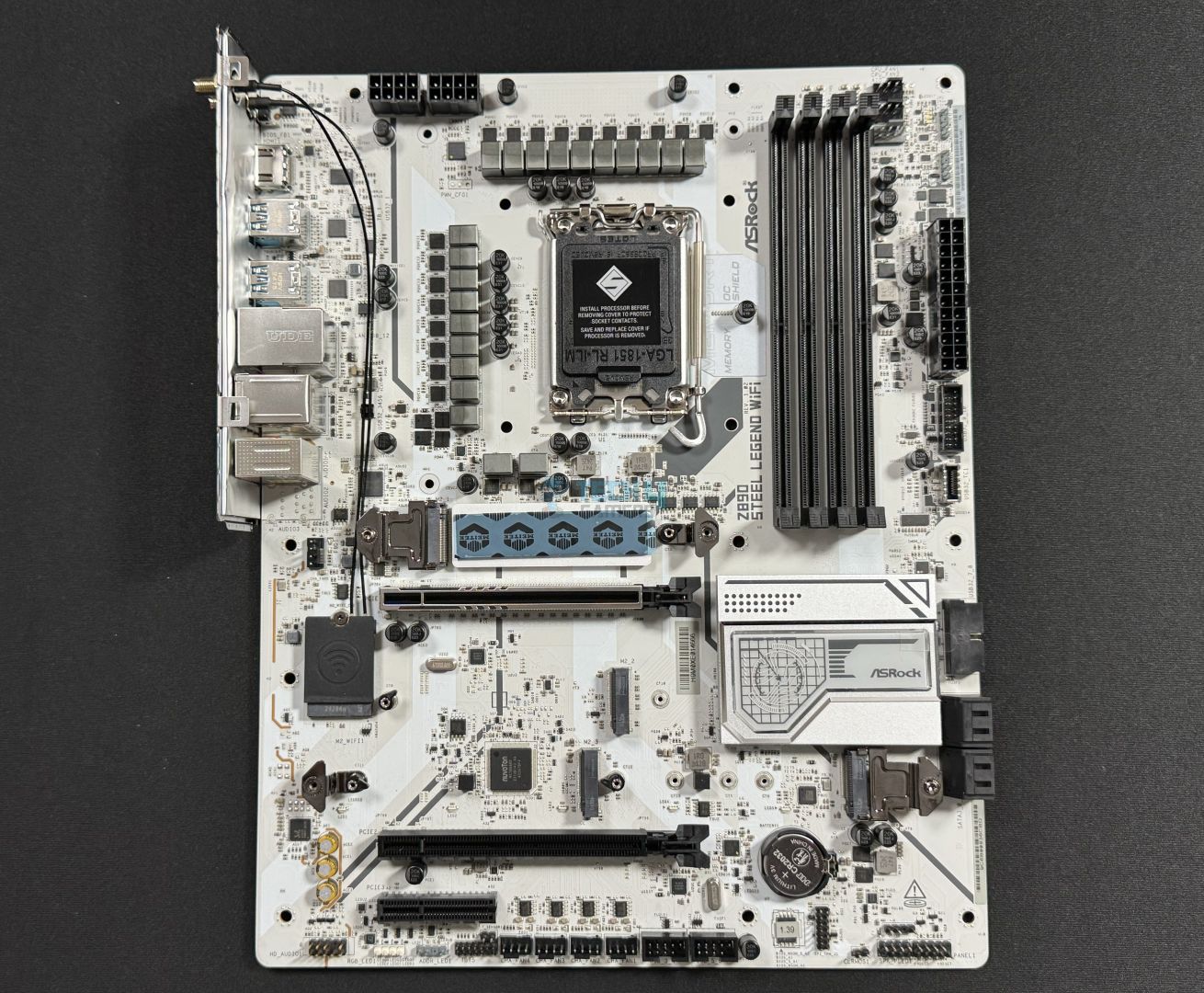
Naked motherboard
Super IO controller
We also removed the M.2 heatsinks. Moving closer, we can see the Super I/O controller, the Nuvoton NCT-6686D.
All the boards are within margins of each other again, with the board in question coming in at 23448 points.
CPU-z tests (Image by Tech4Gamers)
In CPU-Z, the board again comes out in 8th place overall, but with negligible difference.
Blender 4.0.2 (Image by Tech4Gamers)
The Blender 4.0.2 render test saw the ASRock Z890 Steel Legend complete the test in 55.1 seconds.
V-Ray (Image by Tech4Gamers)
In V-Ray, the ASRock Steel Legend Z890 WiFi scored 11196 points.
Overall, the performance is satisfactory.
Gaming Benchmarks
Cyberpunk 2077 (Image by Tech4Gamers)
Performance is excellent in Cyberpunk 2077, as the board gets 158 FPS.
Far Cry 6 (Image by Tech4Gamers)
Our board scores well in average FPS.
Starfield (Image by Tech4Gamers)
The board is beaten by a maximum of 3 average FPS in Starfield.
Gaming performance is also as expected.
Power Consumption And VRM Temperatures
Motherboard/CPU power consumption (Image by Tech4Gamers)
The board plus CPU combination drew 401 watts under full CPU load, 114W during gaming, and 112W at idle. This is very good performance.
VRM temperatures (Image by Tech4Gamers)
The board’s VRMs maxed out at 69C. These are not the best results, but they shouldn’t be a big concern either.
Should You Buy It?
Well, should you!?
Buy It If:
✅You want to step onto the new platform for cheap: If you want to rock the latest I/O and high-end memory support for a fairly affordable price, the ASRock Z890 Steel Legend WiFi is a strong contender.
✅You want top-notch memory support: The motherboard offers DDR5 support up to 9466 MT/s at an affordable price point.
✅Aesthetics are important: This motherboard stands out with its all-white design with black connectors and the RGB strip under the M.2 heatsink. It should fit right in with both white and black-themed builds.
✅You need dual Thunderbolt 4: At $259, the motherboard is one of the cheaper Z890 motherboards offering two Thunderbolt 4 ports.
Don’t Buy It If:
❌You want more features: For some users, missing features like the debug code LED panel and EZ PCIe release could be a letdown.
❌You’re looking to overclock heavily: The board may support mild overclocking, but it isn’t the right choice for enthusiast overclockers.
My Thoughts
The ASRock Z890 Steel Legend WiFi continues ASRock’s message that they can make killer, affordable motherboards. This is a well-rounded motherboard offering a few features that are common only in more expensive boards (dual Thunderbolt 4, DDR5-9466 support). At the same time it cuts down on features like EZ PCIe release and the Dr. Debug LED panel to stay in the affordable range.
Aesthetically, this is a great-looking motherboard with a fairly minimalist approach. There’s RGB under the extended M.2 heatsink, which should provide enough illumination unless you like excessive flamboyance. The connectors, all in black, contrast nicely with the white PCB and heatsinks.
The motherboard uses the ILM retention mechanism and rocks an 18+1+1+1+1 phase design, which includes 80A SPS MOSFETs for the VCore. At 1440A, this is a fair bit of juice, and you can run any Arrow Lake CPU on it hassle-free—even slight overclocking is on the table. The bulky heatsinks do a great job cooling this VRM, as supported by their excellent results in our load testing.
The board supports memory up to DDR5-9466 MT/s (1DPC single-rank), and you can install up to 256GB of memory in total. From what I’ve seen, this XMP speed is not supported by any other motherboards in this price range. For storage, there are 4x SATA ports and an equal number of M.2 slots (1x PCIe Gen 5). Both the M.2 heatsinks feature toolless removal/installation mechanisms.
It also has 3x PCIe slots: 1x Gen 5 x16, 2x Gen 4 x4. The primary slot is steel-reinforced and surface-mounted but does not feature an EZ-release mechanism.
There are 19 USB ports (if you count the two Thunderbolt 4 ports), including a 20Gbps Type-C port for the front panel. ASRock’s Ultra USB Power and Lightning Gaming Ports improve sound/charging performance and reduce your peripherals’ latency, respectively. The 5Gbps ports on the rear support 15W charging, and all USB ports are ESD protected.
The audio solution is the mid-range ALC1220. Networking is enabled by WiFi 7 and Bluetooth 5.4, and there’s a 2.5G LAN port for an ethernet connection. It would have been nice to see a 5G port, but I can’t complain. ASRock’s Memory OC shield, the Dragon LAN utility, and both the M.2 heatsinks being toolless are some other nice-to-haves.
ASRock offers a 3-year warranty for the board, and we’re grateful they sent us this model for review.
At Tech4Gamers, I take on the role of Hardware Reviewer with pride. My responsibilities involve a thorough examination of essential hardware components like motherboards, graphics cards, processors, PC cases, and CPU coolers, among others, focusing on their complexities and functionalities.
Dr. Usman Saleem
At Tech4Gamers, I’m the PC Hardware Specialist, primarily contributing to the “Best-Ofs” section. I provide thoughtful buying advice based on thorough testing and personal expertise. I also review hardware products and games to keep things fresh.
Intel Arrow Lake is here, and with it, we get new 800-series motherboards. We have a new socket, and it comes with a wealth of improvements to the platform, including more PCIe lanes and overclocking improvements. With that, the motherboard also has some areas for improvement over the Z790 Nova WiFi, including better VRMs than the last generation. We’ll cover everything as we go, so let’s dive in!
Why Trust Tech4Gamers
Usman Saleem is our hardware tester who loves to put all the latest GPUs, CPUs, RAM, and motherboards for a spin.
40+ motherboards tested and reviewed by our team of hardware experts (Tech4Gamers Team).
800+ hours spent testing different motherboards for our reviews.
At Tech4Gamers, ensuring you get reliable information is our priority. That’s why every hardware round-up undergoes a meticulous review process by our team of experts and editors. Each review is carefully examined against our strict editorial guidelines, guaranteeing you trustworthy insights you can depend on.
Key Takeaways
The ASRock Z890 Nova WiFi is a $349 motherboard that covers everything, from good looks, high-end VRMs, top-notch memory support, and the best I/O you can get.
You should get this board if you want high-performance, good-looking RGB, DDR5 support up to 9600 MT/s, and/or need a handful of M.2 storage slots.
Don’t get it if you want a more streamlined design, don’t need the latest I/O, and don’t have excessive storage needs.
As always, we’re starting with the motherboard specs:
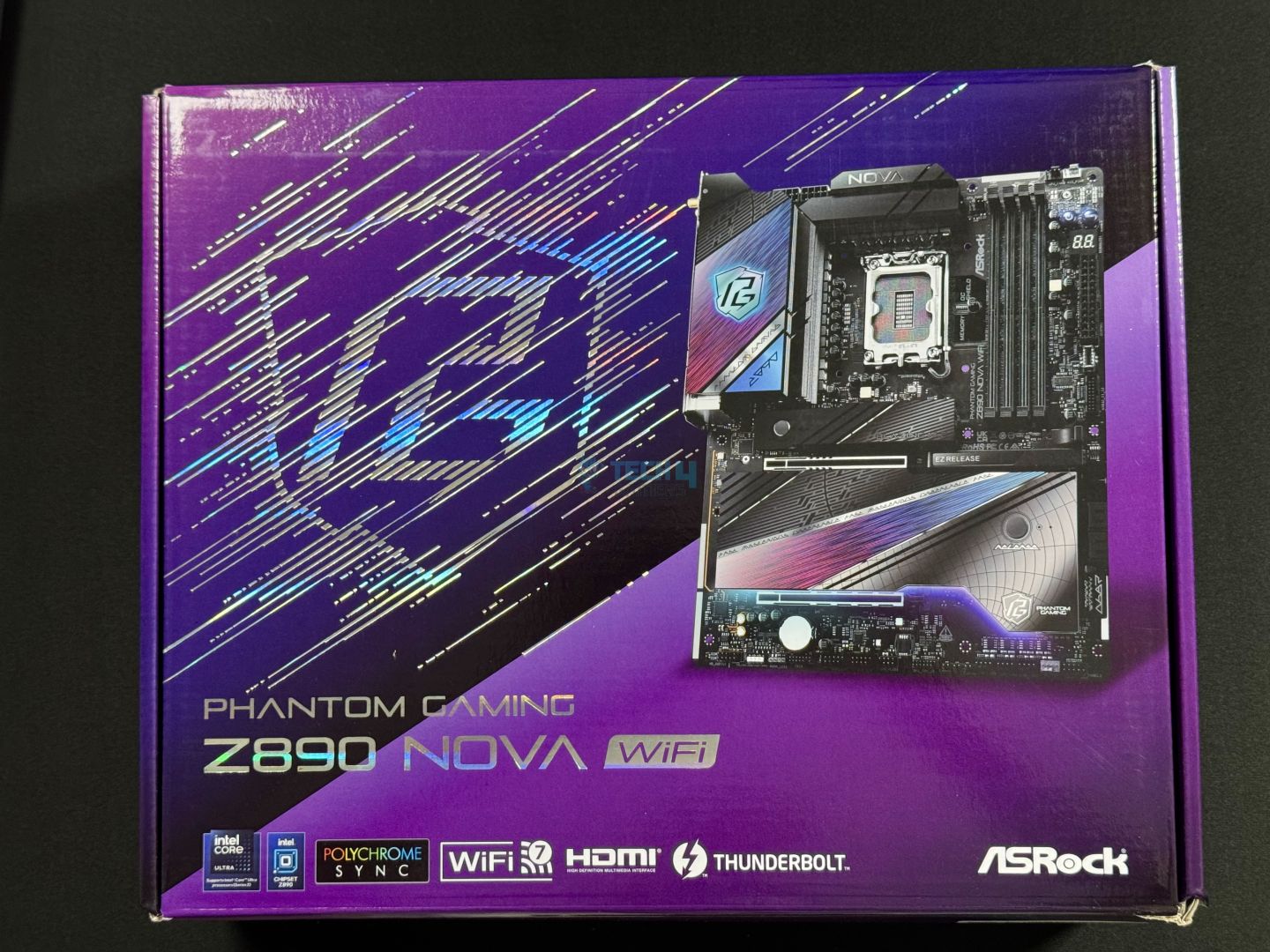
The packaging comes shipped in a purple-themed cardboard box.
Box front
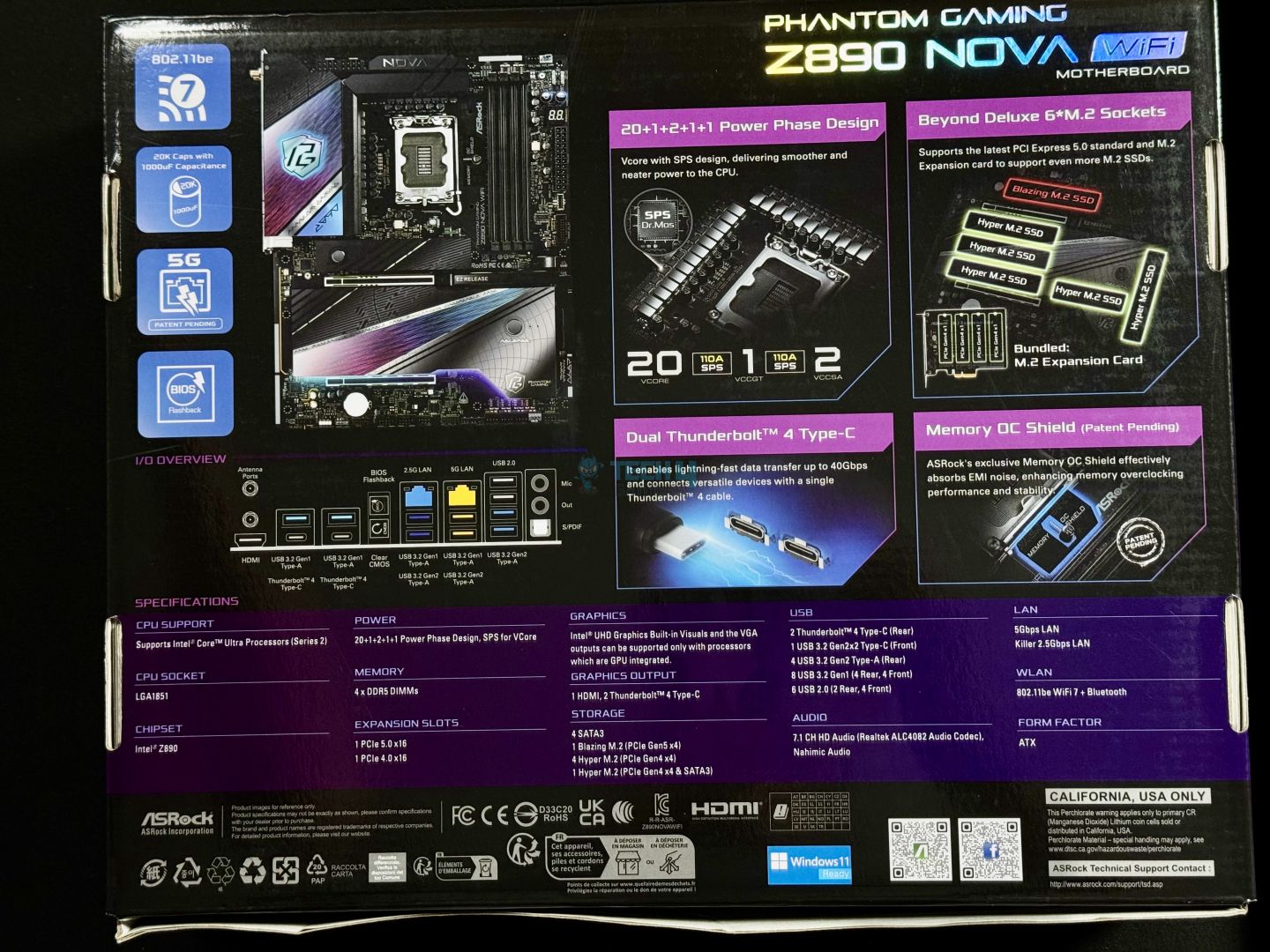
Box rear
We get the motherboard’s picture, a large “Phantom Gaming” logo, and key features being highlighted upfront. The rear displays more features, including the VRMs, and the specifications. We also have various certification marks and compliance symbols.
Let’s have a look at what’s inside:
Box accessories (Image by Tech4Gamers)
4x SATA Data Cables
1x M.2 Expansion Card
1x ASRock WiFi 2.4/5/6 GHz Antenna
1x ARGB Splitter Cable
3x Thermistor Cables
1x Screw for M.2 Socket
1x Standoff for M.2 Socket
It’s nice to see ASRock include thermistor cables, as we’ve seen in previous ASRock offerings. What’s more, you also get an ARGB splitter cable. The included expansion card gives us 4x of the Gen 4 M.2 slots, which are meant to be installed on the second PCIe slot (PCIe 4.0 x16).
Design
The motherboard uses server-grade low-loss PCB, with 8 layers using 2oz thickened copper.
A look at the motherboard straight from the box (Image by Tech4Gamers)
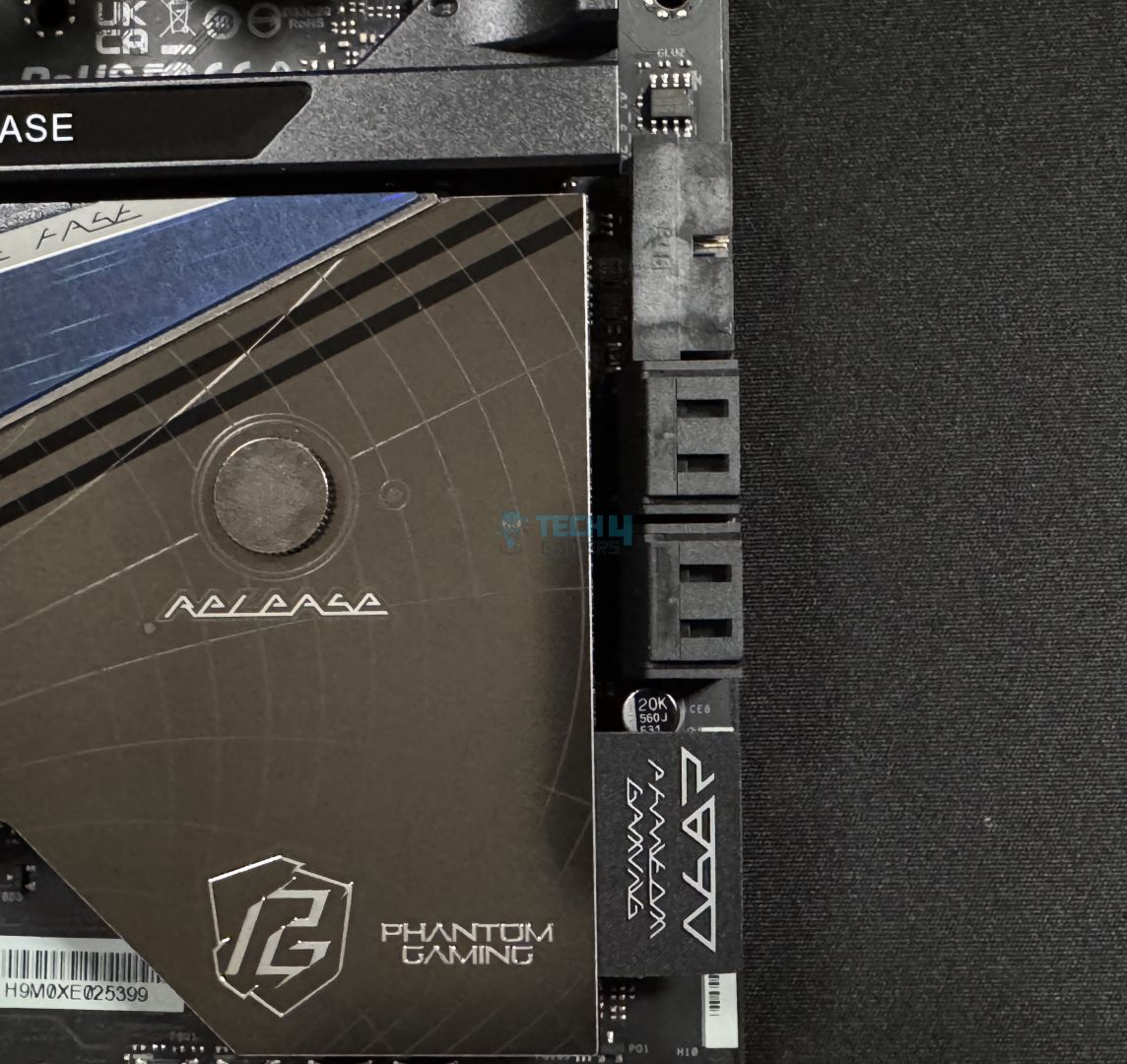
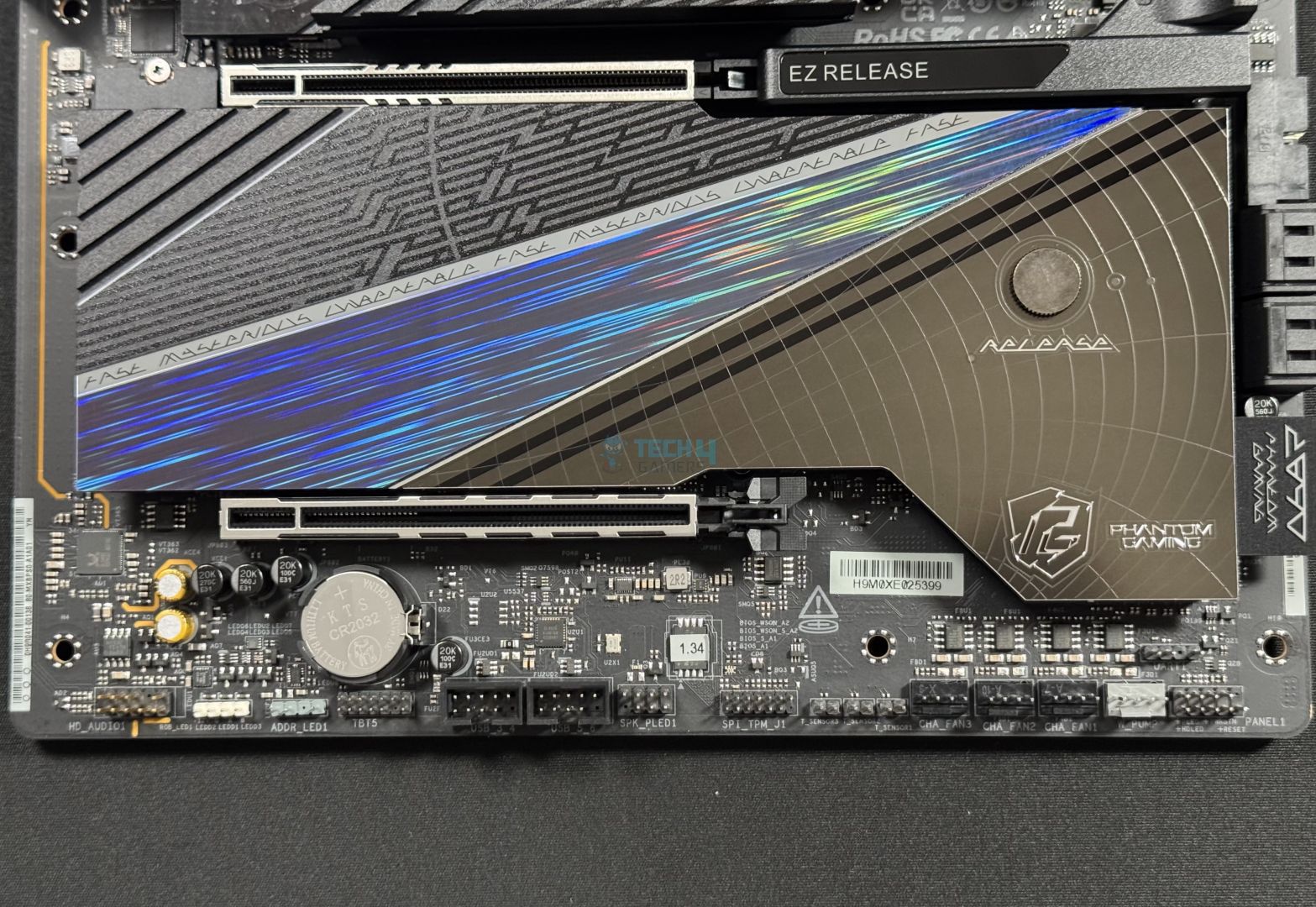
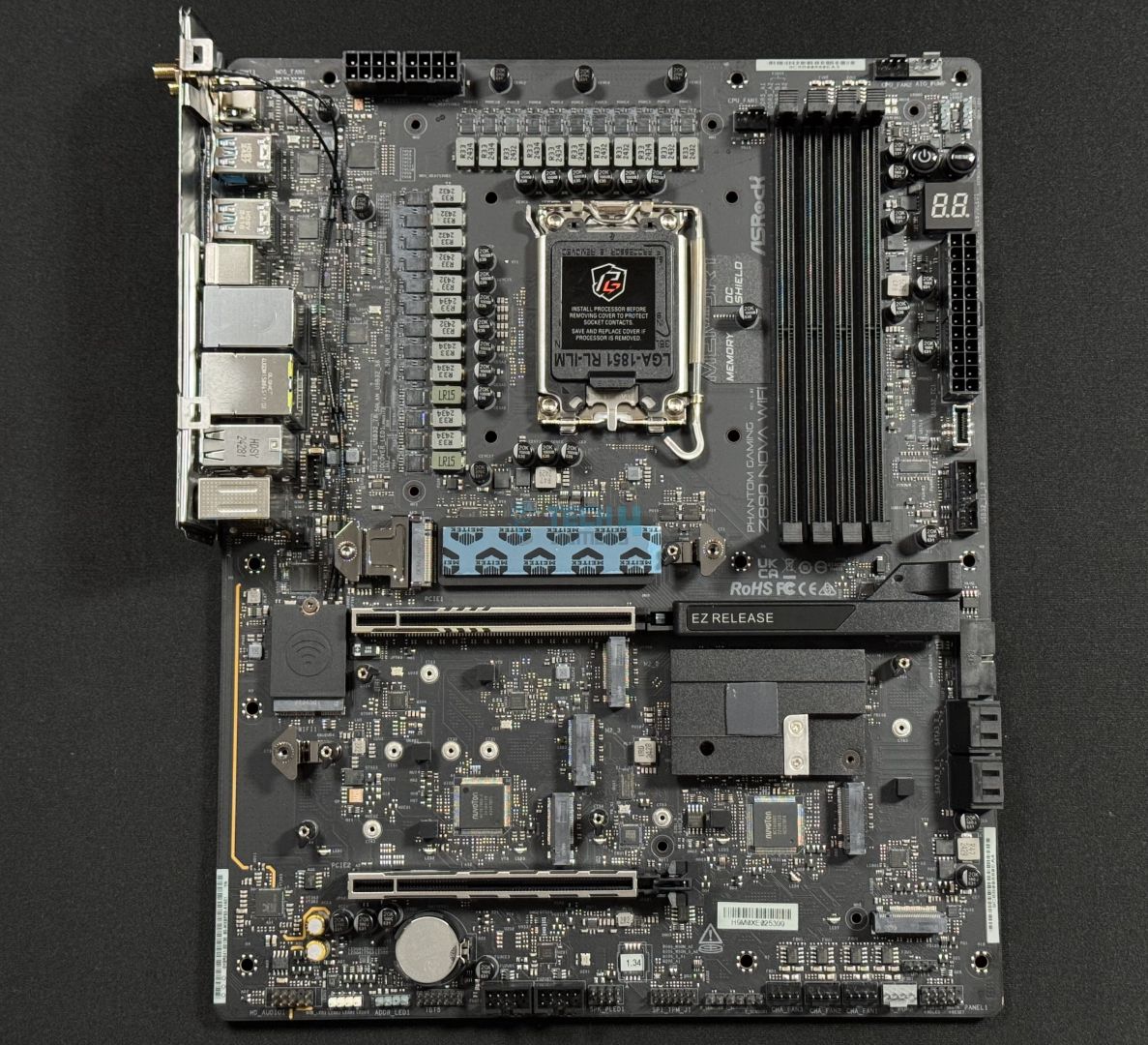
The Z890 Nova WiFi has a predominantly black design with purple and blue hints on the I/O panel cover. We also have some rainbow-like colors on the extended M.2 heatsink, which combines with the PCH heatsink in the form of stripes. Toward the PCH side (lower right), there’s an arc-like pattern with curved, overlapping lines–and this area has a brownish coating.
For RGB, we get an integrated strip under the large M.2 + PCH heatsink. The shield-like border on the I/O cover also lights up! This RGB, as well as any other RGB devices you may install, can be controlled and synced through ASRock’s Polychrome Sync. Overall, it is a stand-out design, but I feel like ASRock has experimented with too many design elements.
Motherboard block diagram (Image by Tech4Gamers)
Looking at the block diagram, the CPU/socket powers DDR5 memory, the primary PCIe x16 slot, the Gen 5 M.2 slot, as well as a Gen 4 M.2 slot. The Thunderbolt 4 connections and HDMI port (for iGPU) also come from the CPU. We have the same DMI Gen x8 link connecting the CPU to the chipset.
The chipset provides all the USB, LAN, WiFi, audio, SATA ports, and the remaining PCIe and M.2 slots. Audio is also powered by the chipset. We have two Super I/O controllers. The Nuvoton NCT6686D(B) provides fan and pump control (through dedicated NCT3961S-P chips), while also powering the sensors and the debug LED port. Meanwhile, the Nuvoton NCT6796D-E(B) is used solely for hardware monitoring.
CPU Socket And Power Delivery
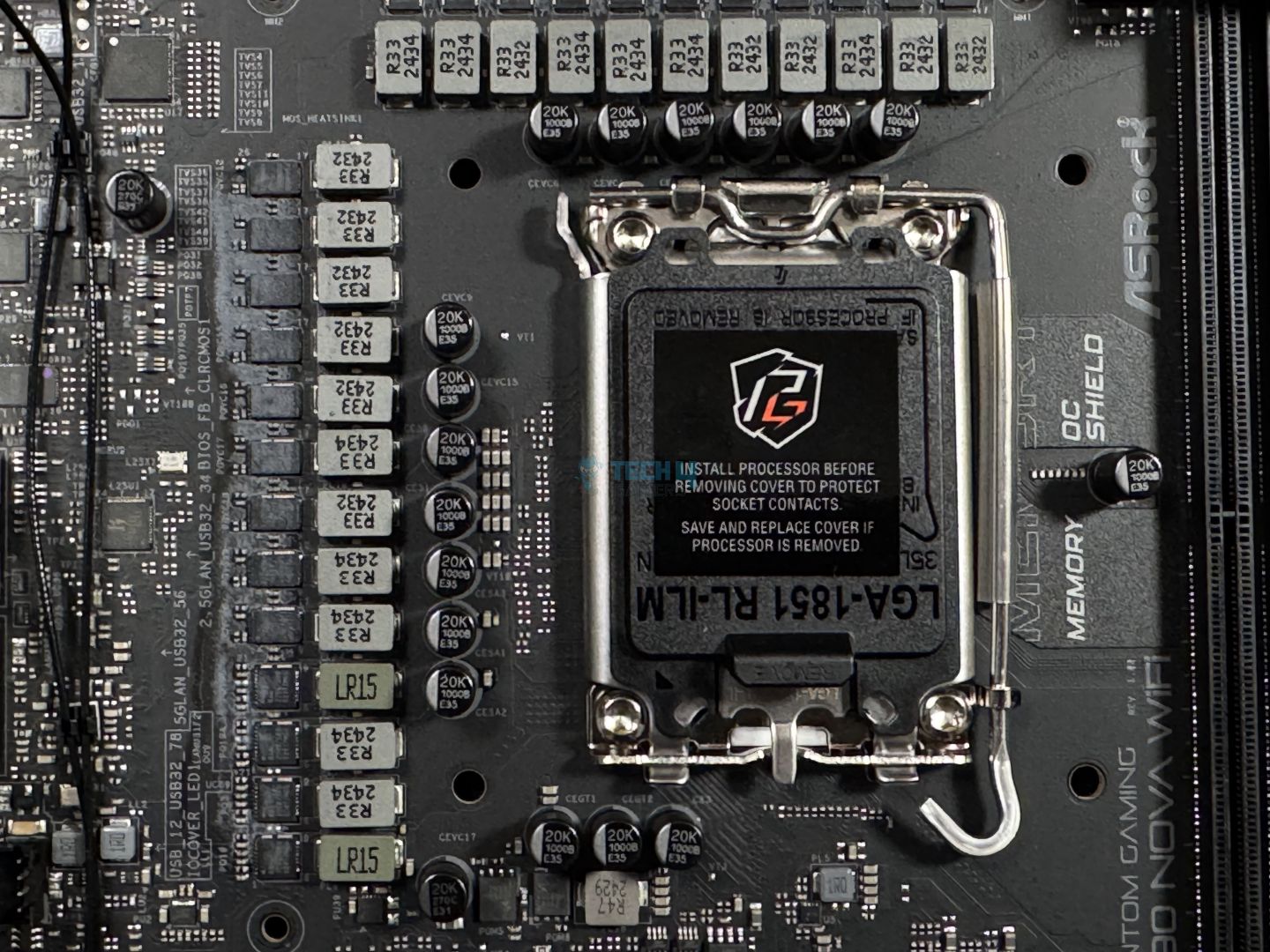
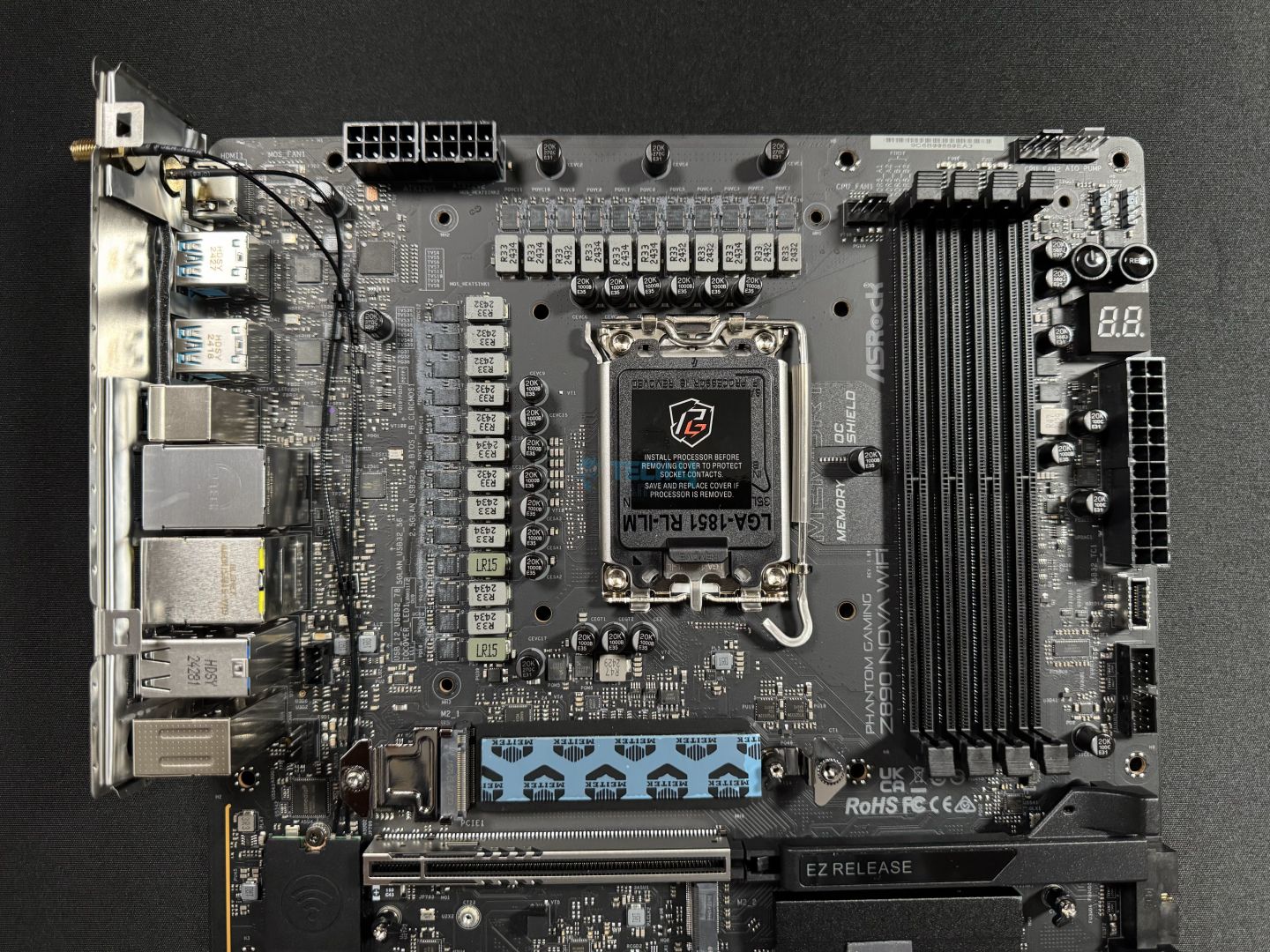
CPU socket and VRM heatsinks (Image by Tech4Gamers)
We can see that ASRock has opted for the ILM retention mechanism instead of the traditional one. In case you don’t know, the older mechanism appeared to cause issues with LGA 1700 CPUs, with uneven pressure damaging the CPU heat spreaders in some cases. This new mechanism is Intel’s response to that, but they have left it optional to the manufacturer whether or not they want to use this mechanism
As for VRMs, the board boasts a 20+1+2+1+1 power phase design design, with the VCore and SOC stages being 110A SPS.
VRM structure
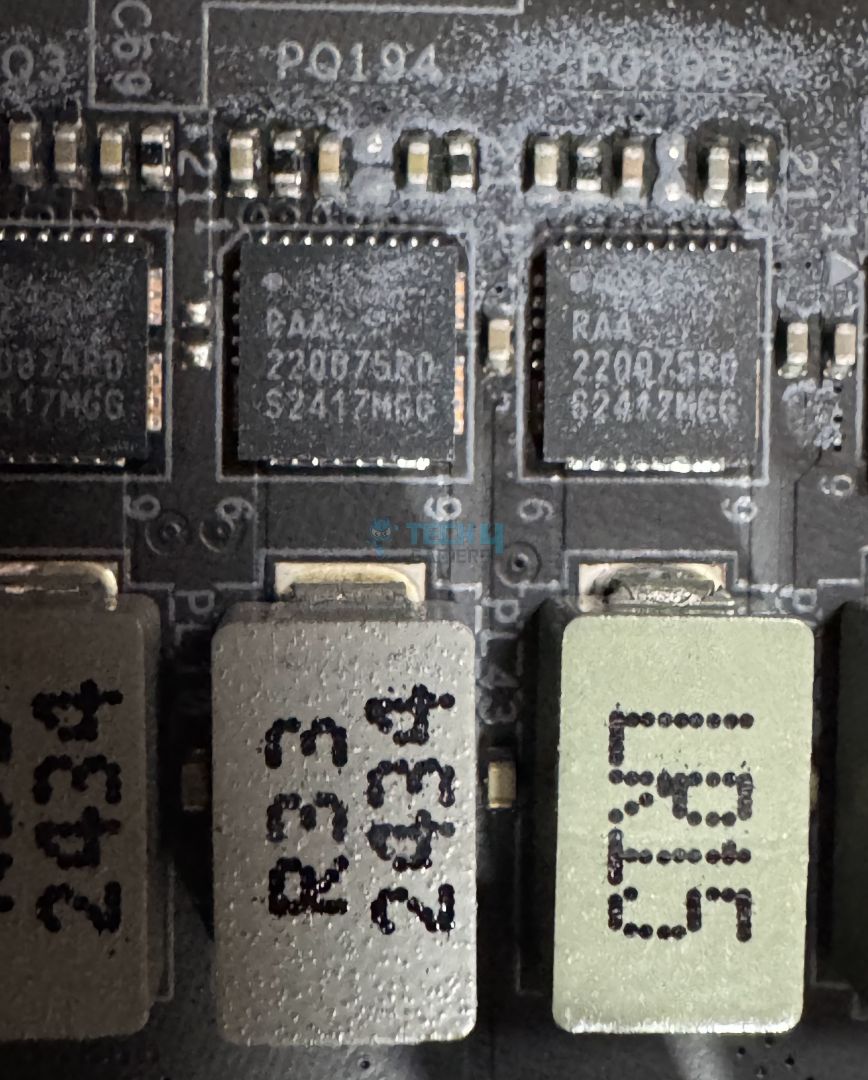
Close up of the MOSFETs
These appear to be using Renesas’ RAA2208758 MOSFETs, while the PWM controller is RAA229130. A total of 2640A is available to the CPU VCore. This will be enough for any Arrow Lake chip, even if you want to overclock.
The capacitors are ASRock’s upgraded capacitors providing up to 1000µF and can list up to 20,000 hours. Meanwhile, the inductors include LR15 and R33.
EPS connectors (Image by Tech4Gamers)
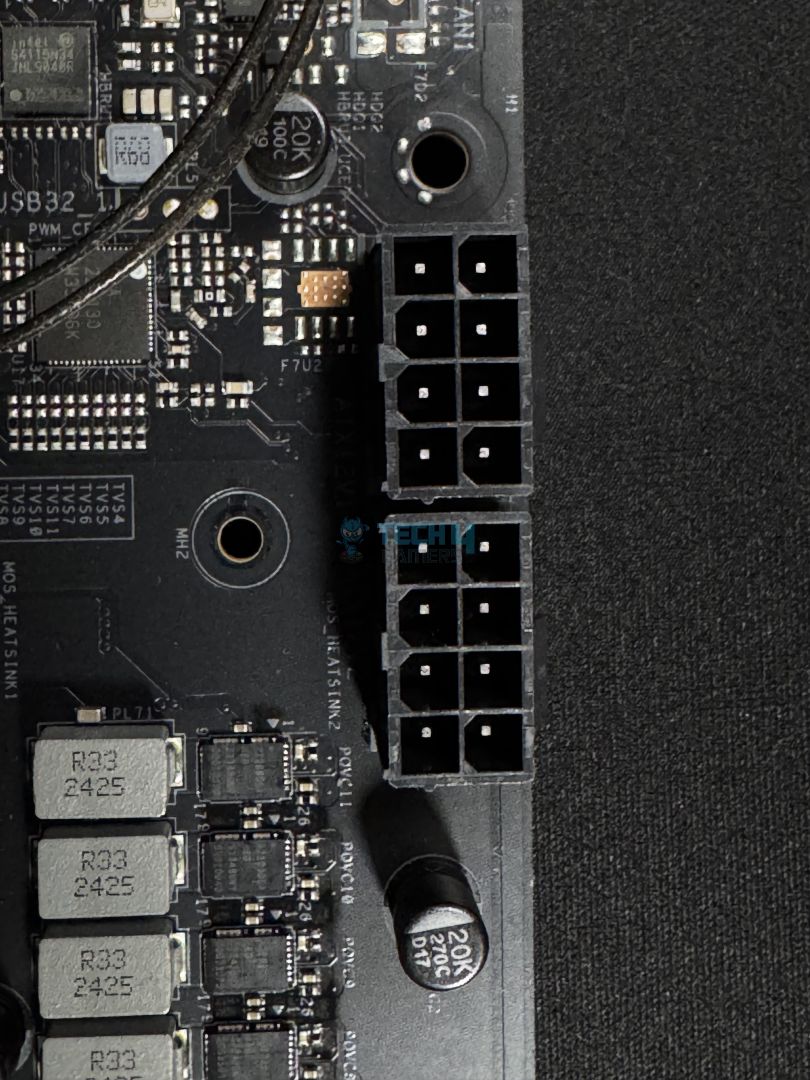
Power to the CPU from the PSU comes through these dual 8-pin EPS connectors. These are ASRock’s Hi-Density, which ASRock claims can withstand more current than standard connectors. This should aid in overclocking.
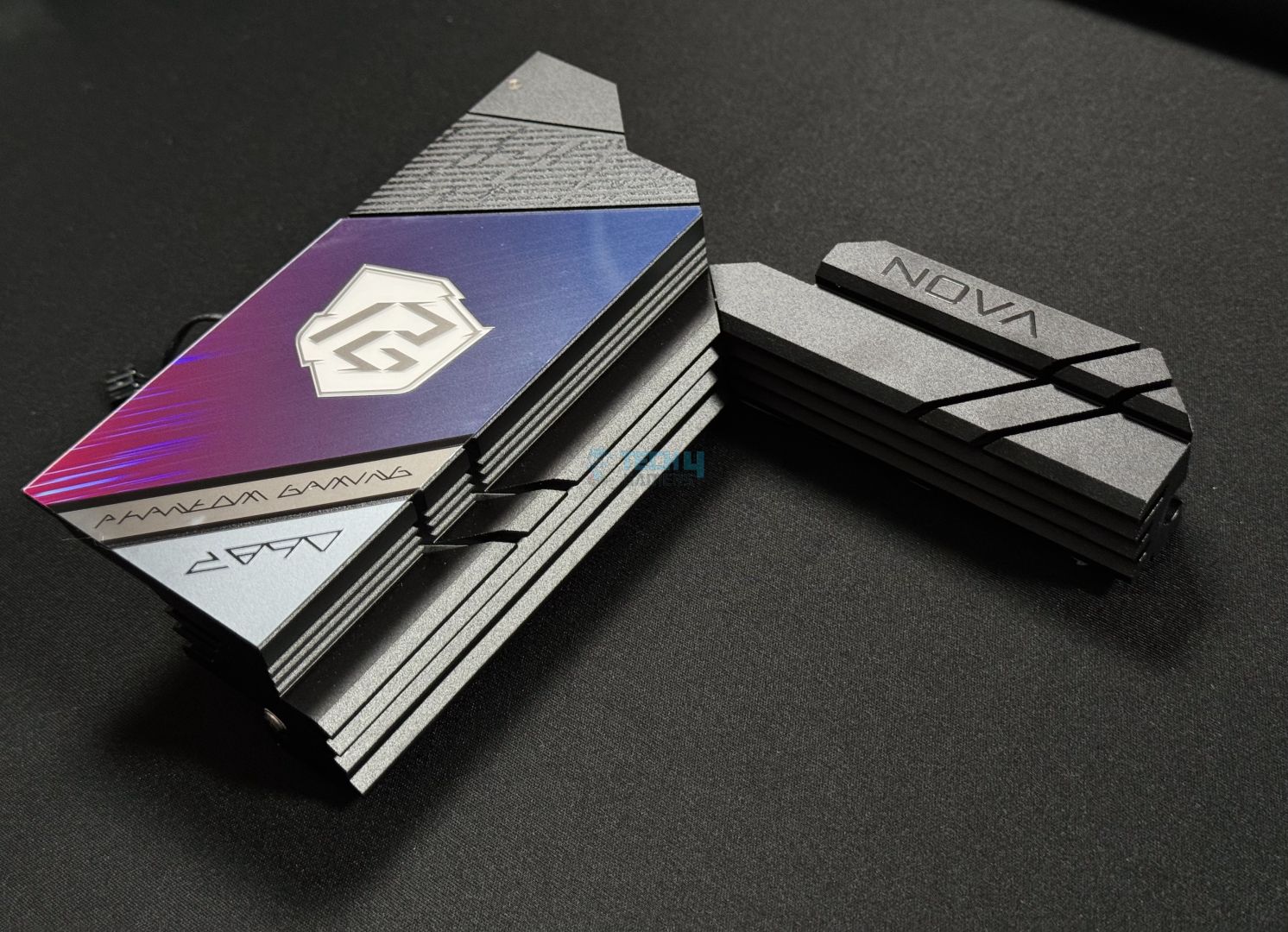
VRM heatsink and I/O panel cover
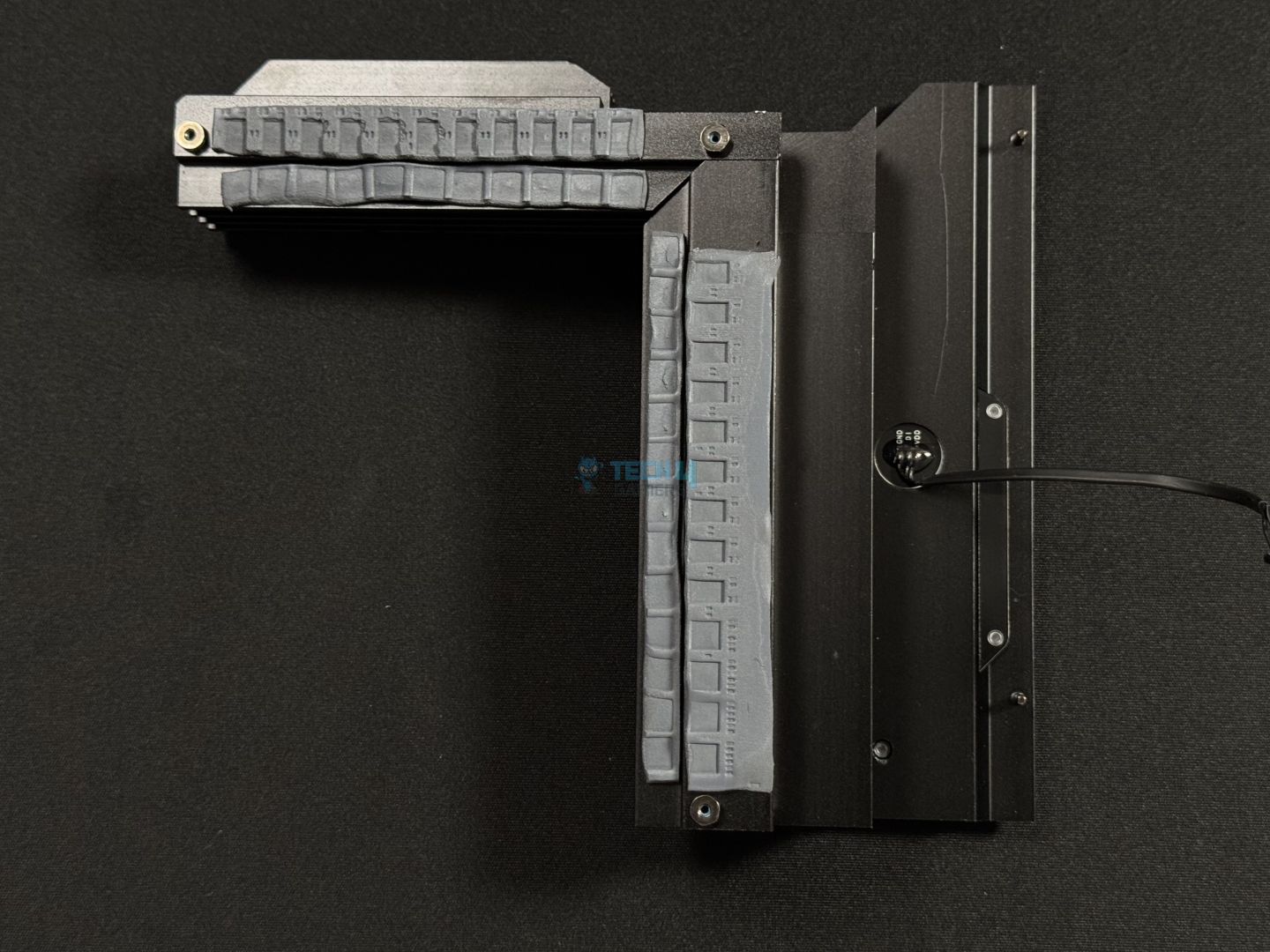
Bottom view
We can see that the VRM heatsinks each have four layers of fins to dissipate heat. The two are connected by a heat pipe and can’t be separated. Of course, we also have MOSFET and choke thermal pads.
The I/O panel cover has quite a futuristic-looking design, with a section in the middle highlighting the PG logo around the purple-blue accents. Two grooves run across both the heatsinks to add a stylish touch.
Memory support on the board is up to 256 GB, with each slot capable of handling up to 64 GB. The board supports speeds of up to 9600 MT/s through Intel XMP 3.0. Here are the maximum speeds supported in different configurations:
1DPC 1R = 9600+ MHz (OC)
1DPC 2R = 6800+ MHz (OC)
2DPC 1R = 6800+ MHz (OC)
2DPC 2R = 5800+ MHz (OC)
According to ASRock, their Memory OC shield feature should enable better memory overclocking performance. It supposedly does that by reducing electromagnetic interference around the DIMMs, which enhances signal integrity.
The board also supports CUDIMM memory, which, through its internal clock driver, is able to achieve much faster speeds than UDIMM modules that are in use today. We also saw CUDIMM support on MSI’s MPG X870E Carbon WiFi and MAG X870 Tomahawk, but those only supported it with the clock driver disabled.
Storage
SATA ports, lying beside the PCH heatsink
M.2 heatsink
The board has 4x 6Gbps ports for SATA storage. I’m not sure if I should call this a highlight because it’s quite overkill, but the board has room for up to 9x NVMe drives. This is after installing the M.2 expansion card, and I say 5x because using the PCIE2 slot to install the expansion card will disable the M2_4 slot. Talking speeds, one slot is PCIe Gen 5, while the remaining are Gen 4.
Slot 1 (Gen 5) supports type 2280 SSDs, while slots 2, 4, 6, and 8 support Type 2260/2280 SSDs. Slot 3 can run any one of the 2230/2242/2260/2280 type drives. RAID 0, 1, 5, and 10 modes are supported for both SATA drives and NVMe ones.
Support for Intel Volume Management Device is enabled to potentially improve SSD performance by directly linking it to the CPU.
M.2 heatsinks removed (Image by Tech4Gamers)
All the Gen 4 slots share the same heatsink, which has thermal pads attached to them to efficiently transfer heat. The Gen 5 slot has an additional pad on the base to transfer the higher heat output of these drives. All slots are using the common latch mechanism for installing/removing the SSDs. Also, the Gen 5 slot heatsink features a toolless removal mechanism–removed by pushing the shiny button-like tool to the left.
WARNING: Remember to remove the thermal pads’ protective covering before installing your SSD.
PCIe Slots
PCIe slots (Image by Tech4Gamers)
There are 2x expansion slots on the board, a PCIe 5.0 x16 slot, and a PCIe 4 x16 that runs in x4 mode. The primary slot is surface-mounted for better signal integrity. It is also steel-reinforced, improving durability to handle even the heaviest cards like the RTX 4090.
EZ Release slider (Image by Tech4Gamers)
Furthermore, the primary slot features an EZ-Release mechanism, which requires you to slide the lock toward the right to remove the card. I must say this is not the best implementation, as you need to hold the lock to install and remove the card. Not only that, the lock will lie right under the card and it will be hard to reach for it once you have everything installed. I didn’t struggle as much as I used a liquid cooler and an open-air bench, though.
USB Connectivity
There are 21 ports on the board:
2x Thunderbolt 4 Type-C (Rear)
1x USB 3.2 Gen2x2 Type-C (Front)
4x USB 3.2 Gen2 Type-A (Rear)
8x USB 3.2 Gen1 (4 Rear, 4 Front)
6x USB 2.0 (2 Rear, 4 Front)
So, we get 2x Thunderbolt 4 (essentially USB4) ports and a 20Gbps port in the package. The only controller ASRock has listed is ASMedia ASM3042, which provides 2x of the rear Type-A 5Gbps ports. All the USB ports are protected against electrostatic discharge (ESD).
We’ll look at the rear USB ports in the upcoming section.
Network and Connectivity
WiFi card (Image by Tech4Gamers)
WiFi 7 and Bluetooth 5.4 support are not native to the Z890 chipset, but the module included with the board WiFi 7 supports both. Both require Windows 11 build version 24H2 to function.
For wired connectivity, the board has dual LAN ports (2.5G and 5G). ASRock claims that the 5G RJ-45 port features an “exclusive patented design” with improved EMI resistance. That, in turn, should ensure a more stable connection.
You can use the Killer Control Center utility to potentially free CPU and memory resources to improve gaming performance. It also features a “prioritization engine” to direct traffic to your game and less to other applications for the best connection.
Audio Solution
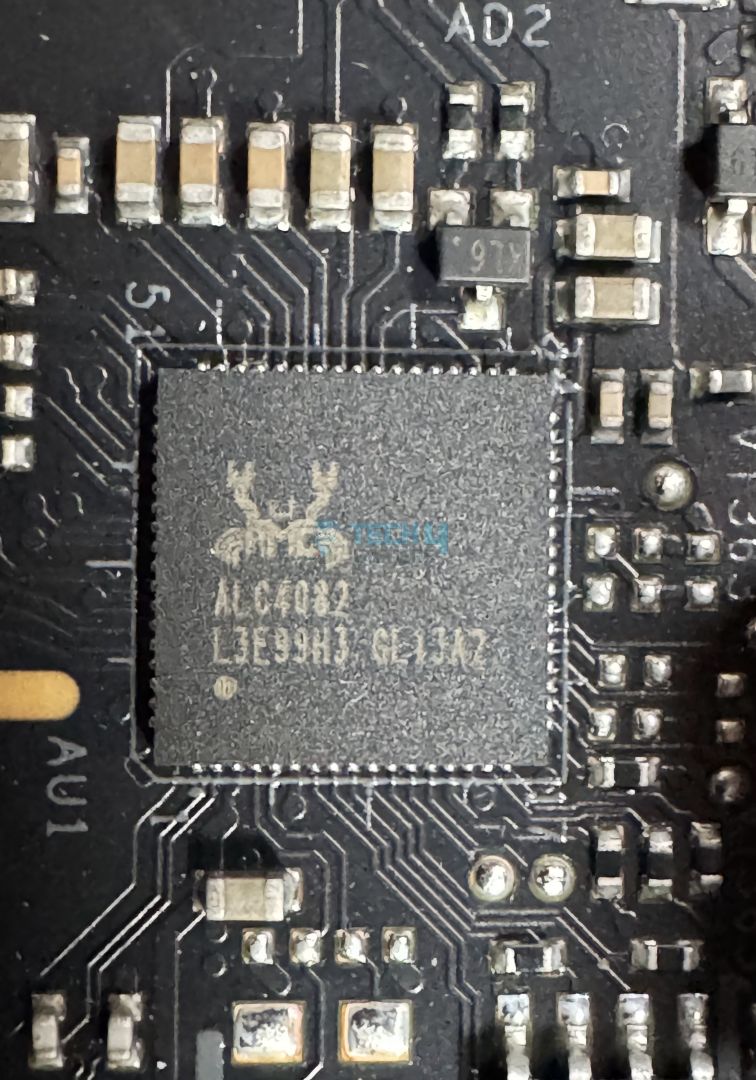
ALC4080 audio codec (Image by Tech4Gamers)
The board uses Realtek’s ALC4080 as the dedicated audio solution. This is a mid-range chip we’ve seen in many boards, and should be enough for most setups. ASRock tries to enhance the experience by supporting Nahimic audio drivers. These drivers offer features like noise suppression and voice stabilization for a better experience with your headset.
Internal Connectors
Here’s the list of internal connectors:
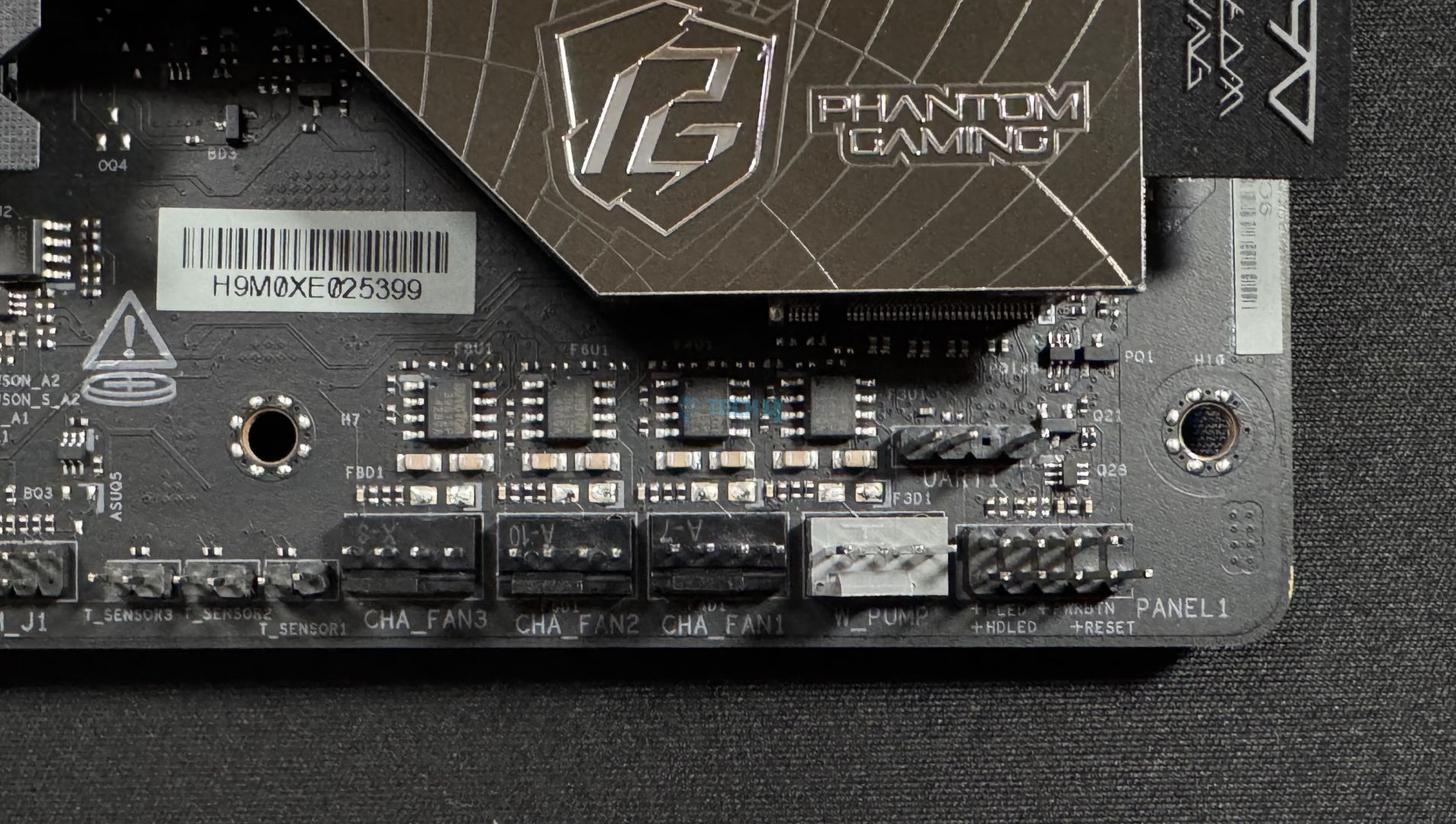
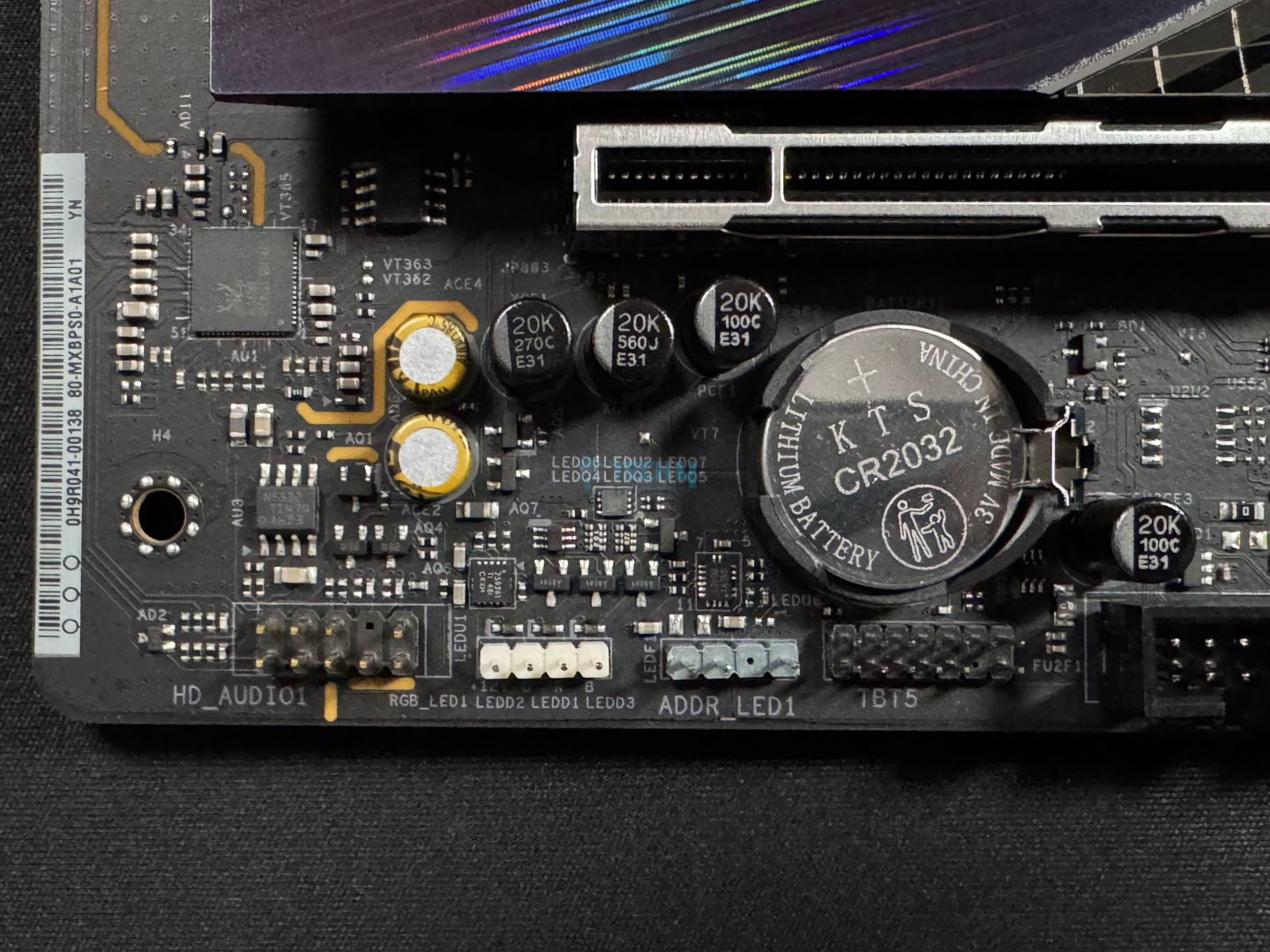
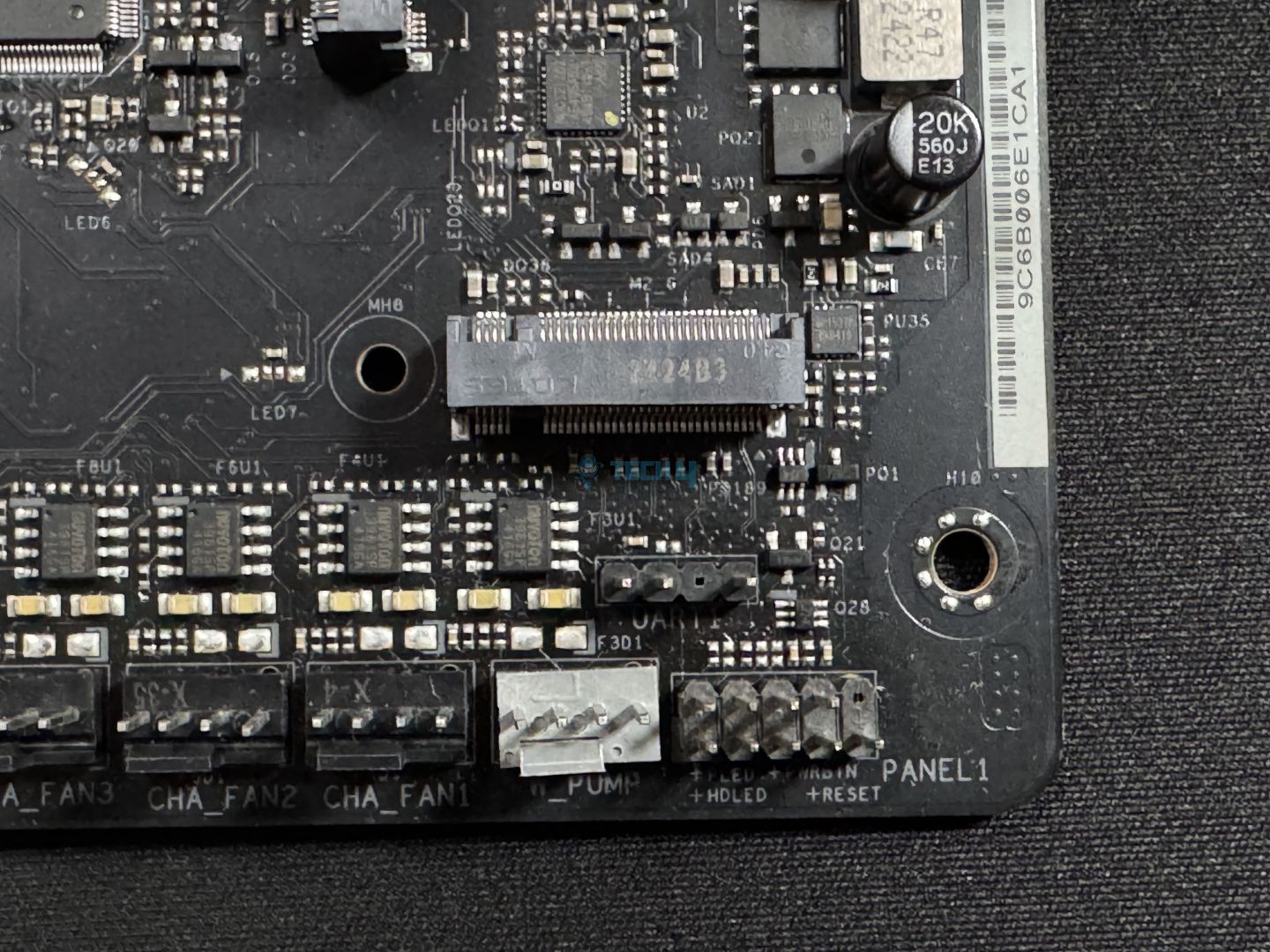
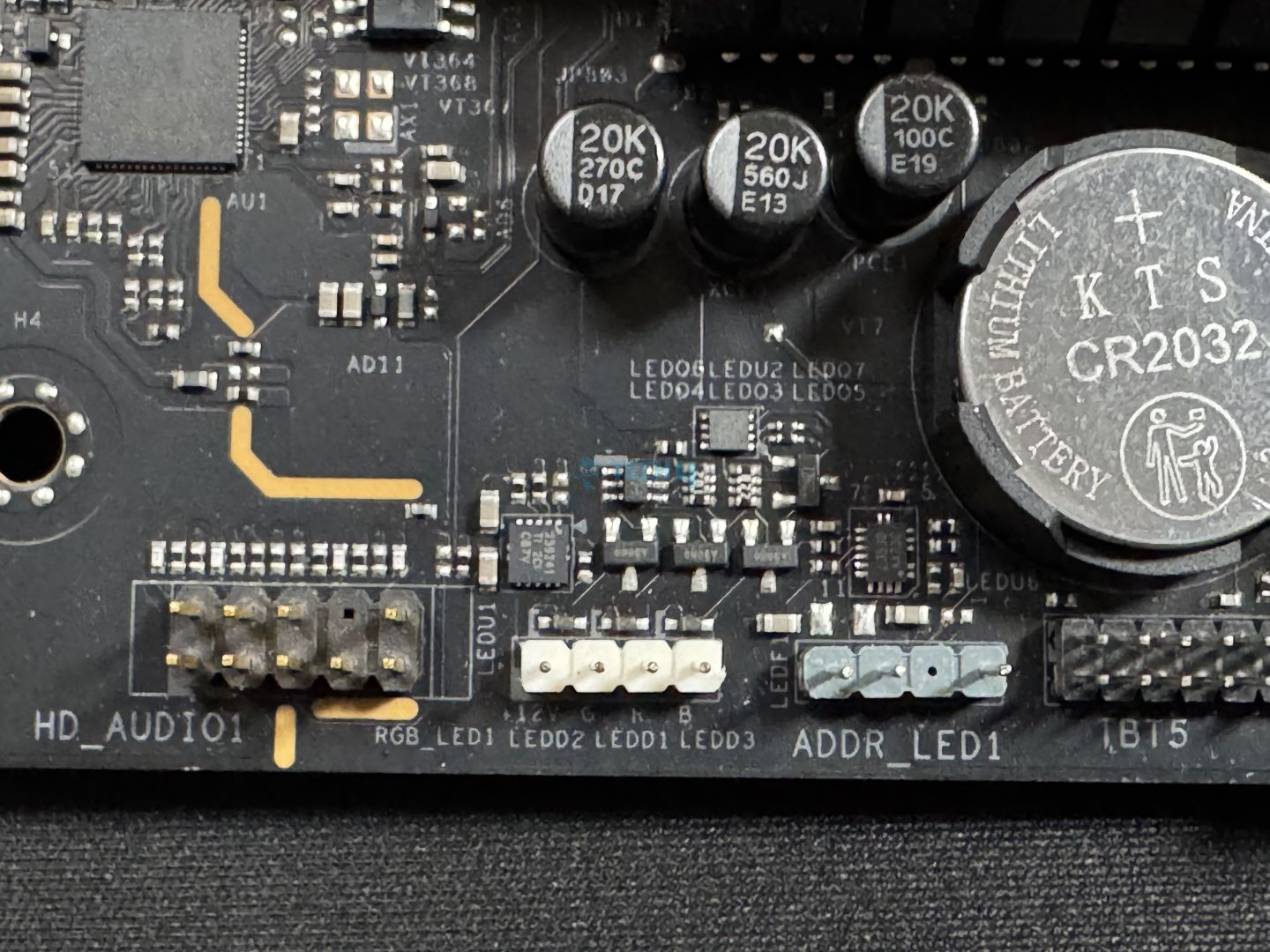
Bottom-right connectors
Bottom-left connectors
3x Thermistor Cable Headers
1x SPI TPM Header
1x Power LED and Speaker Header
1x RGB LED Header
3x Addressable LED Headers
2x CPU Fan Connector
4x Chassis Fan Connectors
1x AIO Pump Fan Connector
1x Water Pump Fan Connector
1x 24-pin ATX Power Connector
2x 8-pin 12V Power Connectors
1x Front Panel Audio Connector (15μ Gold Audio Connector)
2x USB 2.0 Headers (Support 4x USB 2.0 ports)
2x USB 3.2 Gen1 Headers (Support 4x USB 3.2 Gen1 ports)
1x Front Panel Type C USB 3.2 Gen2x2 Header (20 Gb/s)
The RGB LED header, CPU fan (2), Chassis fan (1), AIO pump, and the W_Pump connectors all provide up to 36W. On the other hand, the addressable LED headers support up to 15W, and the CPU fan (1) supports 12W of output. Not only the EPS connector that we looked at earlier, but the 24-pin ATX connector is also “Hi-Density.”
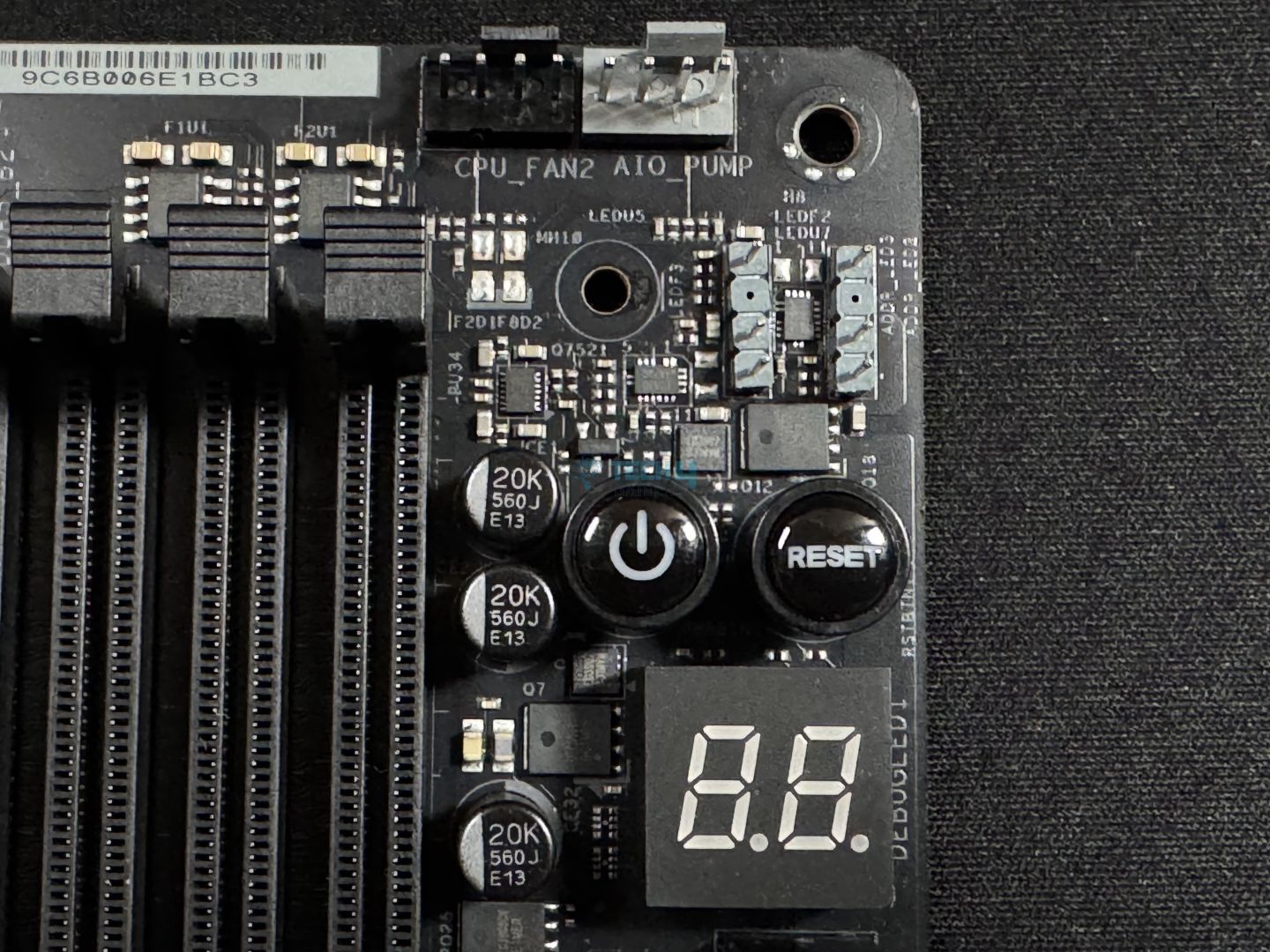
The dedicated power and reset buttons are nice to have, especially if your chassis’ dedicated buttons go faulty. Of course, we also get debug LEDs and the Dr. Debug LED panel for troubleshooting.
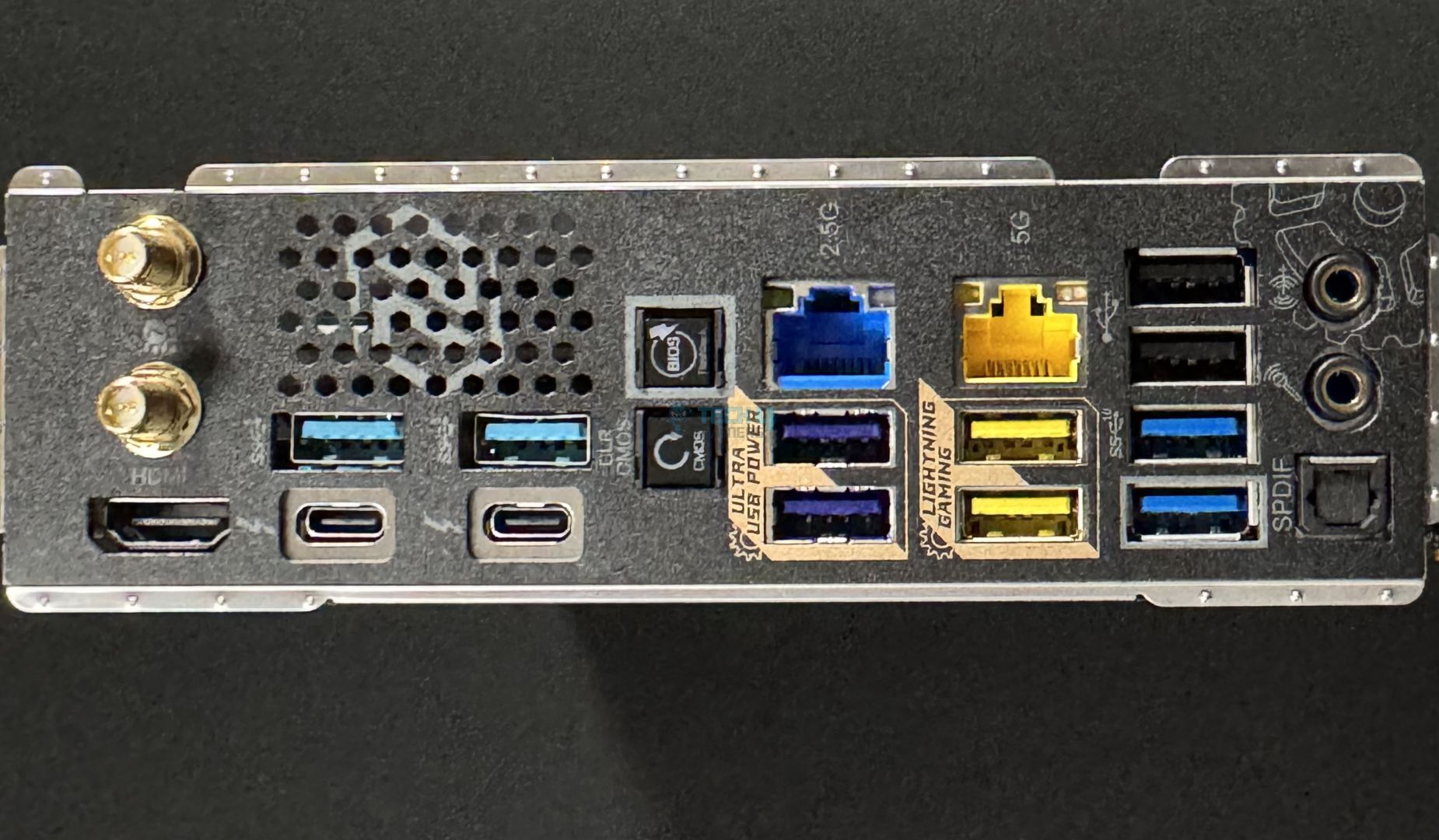
All the 5Gbps ports support 15W charging. We get dedicated buttons for BIOS flashback (to update your BIOS without using a CPU or RAM) and clearing CMOS (to reset BIOS settings).
The USB Type-A ports in indigo are “Ultra USB Power” ports that provide 5V from a dedicated rail outside the SPU for charging your devices. This load is separate from that coming through the PSU’s 5V line, meaning less load and less noise.
Those in yellow are the “Lightning Gaming Ports,” each having a different USB controller behind them. This means that your mouse’s traffic will be separated from the keyboard’s to keep latency at a minimum.
The I/O panel has a nice look, and we have the Phantom Gaming branding here too. ASRock highlights the high flexibility of the shield, and I did find it to be less sturdy; good to see.
Here’s the board with everything except the chipset heatsink/cover removed. The WiFi 7 controller’s connection runs through the board under the I/O cover.
Nuvoton NCT-6686D SIO controller (Image by Tech4Gamers)
Under the chipset, we find the NCT-6686D chip, which serves as the main SIO controller on the board, as I mentioned earlier.
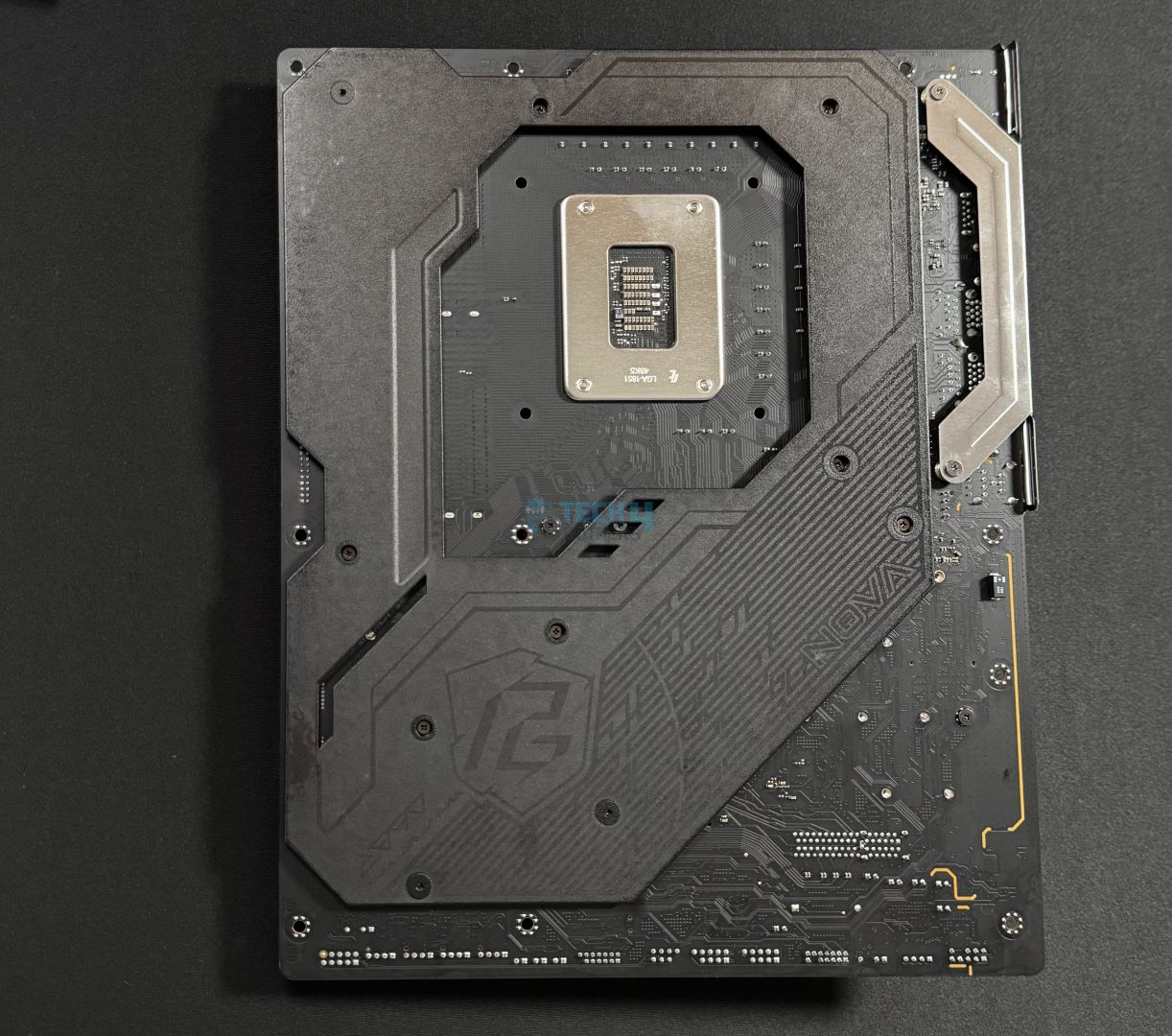
Backside with backplate
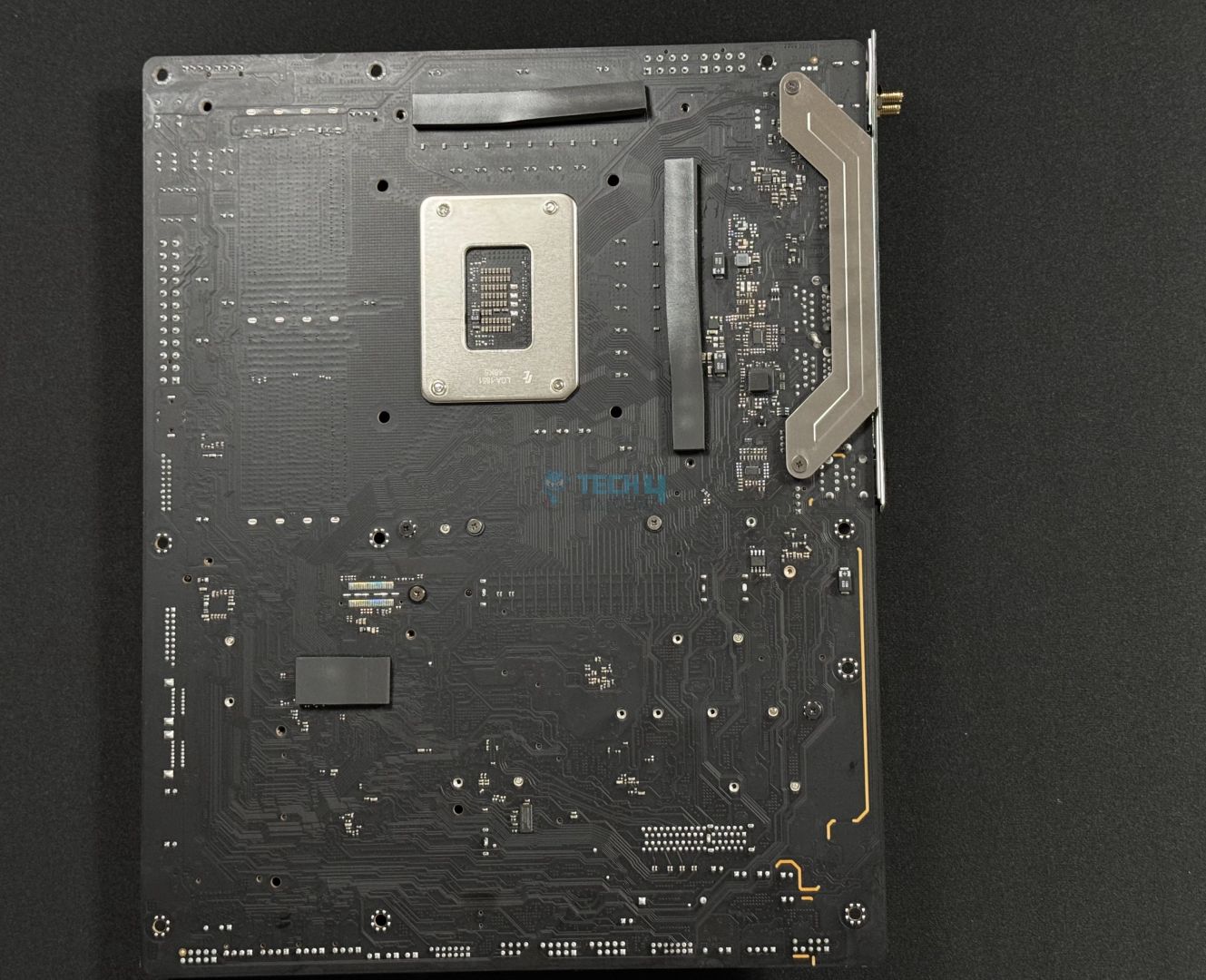
Backplate removed
On the back side, we have a large plate covering most of the board. On the right is the retention plate for the I/O panel. Removing the backplate, we can see thermal pads for the VRMs and the chipset.
Test System
Here’s a look at our test bench and configuration.
There’s a maximum 2.1-second difference between the boards in our list. The PG Z890 Nova WiFi scored 54.9 seconds.
Cinebench 2024, MT and ST (Image by Tech4Gamers)
Practically no difference is seen between the boards in Cinebench 2024.
V-Ray (Image by Tech4Gamers)
Except for the MSI Pro Z890-A WiFi, all motherboards are within close margins; the Z890 Nova WiFi scores 11198 points.
Geekbench 6, MT (Image by Tech4Gamers)
The motherboard in question scores 23471 points in Geekbench 6 (multi-threaded).
CPU-z, MT and ST (Image by Tech4Gamers)
The performance of all the Z890 boards in our list is very similar. All of them performed up to the mark.
Gaming Benchmarks
Cyberpunk 2077 (Image by Tech4Gamers)
In Cyberpunk 2077, our ASRock Phantom Gaming Z890 Nova WiFi stands in the centre, scoring an average of 158 FPS and a minimum of 118.
Far Cry 6 (Image by Tech4Gamers)
Here, our ASRock Z890 Nova WiFi scores 174 FPS on average and dropped to 130 minimum.
Starfield (Image by Tech4Gamers)
The motherboard sits in the center yet again, scoring 132 FPS on average; its minimum FPS output is the same as the other best motherboard.
Overall, the gaming performance is also just as expected.
Power Consumption And VRM Temperatures
CPU/Motherboard power consumption (Image by Tech4Gamers)
Our ASRock Z890 Nova WiFi configuration consumed up to 406W under full loads, 114W in gaming, and 113W at idle.
VRM temperatures (Image by Tech4Gamers)
The motherboard’s VRM heatsinks do a fairly decent job, keeping the setup under 68°C under the Cinebench 2024 30-min run.
Should You Buy It?
Let’s summarize.
Buy It If:
You want the best I/O out there: With dual Thunderbolt 4 ports, DDR5 support up to 9600 MT/s, WiFi 7, and Bluetooth 5.4, you get the latest and greatest connectivity.
You’re looking to overclock: Its 20+2+1 VRM setup with 110A SPS for the VCore will allow you to overclock even the Intel Core Ultra 285K to its limits.
You have plenty of storage to install: If you have a lot of data for which you need to use multiple drives, not many boards will beat this board’s 9x M.2 slots and 4x SATA ports offering.
You want RGB in your board: The ASRock Z890 Nova WiFi has a beautiful RGB implementation with two dedicated zones.
Don’t Buy It If:
You don’t need all the power: You can settle for a cheaper motherboard if you think you don’t need its premium features, like the powerful VRMs and the excessive storage options.
My Thoughts
The ASRock Z890 Nova WiFi is the first motherboard I’ve reviewed from Intel’s new platform, and it has been a great one to kick things off. There’s not much the board misses out on in terms of performance, features, cooling, or even aesthetics. My feeling was that the heatsink designs could have been a little more plain, but that’s just me. The board has two nicely-lit RGB zones.
For VRMs, the board offers an incredibly robust 20+2+1 phase solution with 110A SPS for VCore. The total current is available for the CPU is 2640A, plenty to fulfill your overclocking desires on any Arrow Lake chip. The VRM cooling was sufficient to deal with this powerful setup under load testing.
The board supports super-fast memory speeds of up to DDR5-9600+ (OC) and offers the best I/O capabilities available today. This includes Thunderbolt 4 (dual-ports), WiFi 7, and Bluetooth 5.4. It has dual LAN ports (2.5G and 5G) for wired networking, and the 5G port uses a patented design to minimize EMI for the best possible connection. The audio solution used is (ALC4082).
There are up to 9(!) M.2 ports on the board, with the included M.2 card adding 4x at the cost of the second PCIe slot being occupied. One of these is Gen 5 x4, while the remaining are all Gen 4. The Gen 5 port features a toolless removal and installation mechanism, making it a breeze to work with. Both the M.2 heatsinks do well enough to cool the drives.
We get 2x PCIe slots, one Gen 5 x16 and the other Gen 4 x4. The Gen 5 port features an EZ release mechanism, which adds a bit of convenience, but I would have liked to see a mechanism similar to MSI’s EZ PCIe release. This primary slot is also steel-reinforced and surface-mounted.
The board has 21 USB ports, including 2x Thunderbolt 4 (which also works as USB4), 1x 20Gbps Type-C, and 4x 10Gbps Type-A. ASRock’s Lightning Gaming Ports and Ultra USB Power should improve your gaming and device charging experience.
The board comes with 4x SATA data cables, as many as the number of SATA ports. It also includes 3x thermistor cables (placed wherever you want to measure temperature on your board) and an ARGB splitter cable. For convenience, we have a debug LED panel, dedicated power and restart buttons, and a clear CMOS button on the board.
The ASRock Z890 Nova WiFi is covered by a 3-year warranty. We’re thankful to ASRock for sending us this model for review.
At Tech4Gamers, I take on the role of Hardware Reviewer with pride. My responsibilities involve a thorough examination of essential hardware components like motherboards, graphics cards, processors, PC cases, and CPU coolers, among others, focusing on their complexities and functionalities.
Dr. Usman Saleem
At Tech4Gamers, I’m the PC Hardware Specialist, primarily contributing to the “Best-Ofs” section. I provide thoughtful buying advice based on thorough testing and personal expertise. I also review hardware products and games to keep things fresh.
It has been quite a busy week, with the latest Z890 motherboards being tested back-to-back. In this review, I will be taking a look at the ASRock Z890 Taichi Lite. The Taichi Lite line-up has always delivered top-notch value for its price, and I have high hopes for the Z890 variant as well. In the past, my team and I have tested the ASRock X870E Taichi Lite and the ASRock Z790 Taichi Lite.
Why Trust Tech4Gamers
Usman Saleem is our hardware tester who loves to put all the latest GPUs, CPUs, RAM, and motherboards for a spin.
40+ motherboards tested and reviewed by our team of hardware experts (Tech4Gamers Team).
800+ hours spent testing different motherboards for our reviews.
At Tech4Gamers, ensuring you get reliable information is our priority. That’s why every hardware round-up undergoes a meticulous review process by our team of experts and editors. Each review is carefully examined against our strict editorial guidelines, guaranteeing you trustworthy insights you can depend on.
Key Takeaways
The ASRock Z890 Taichi Lite is a very impressive and high-performance motherboard that features top-tier specs to deliver great performance across synthetic and gaming benchmarks.
You should buy the ASRock Z890 Taichi Lite if you want good performance out of the box, support for high-speed RAM, and you want the best VRM cooling.
There are not many reasons to skip the Taichi Lite, although it would have been nice to have EZ PCIe Release.
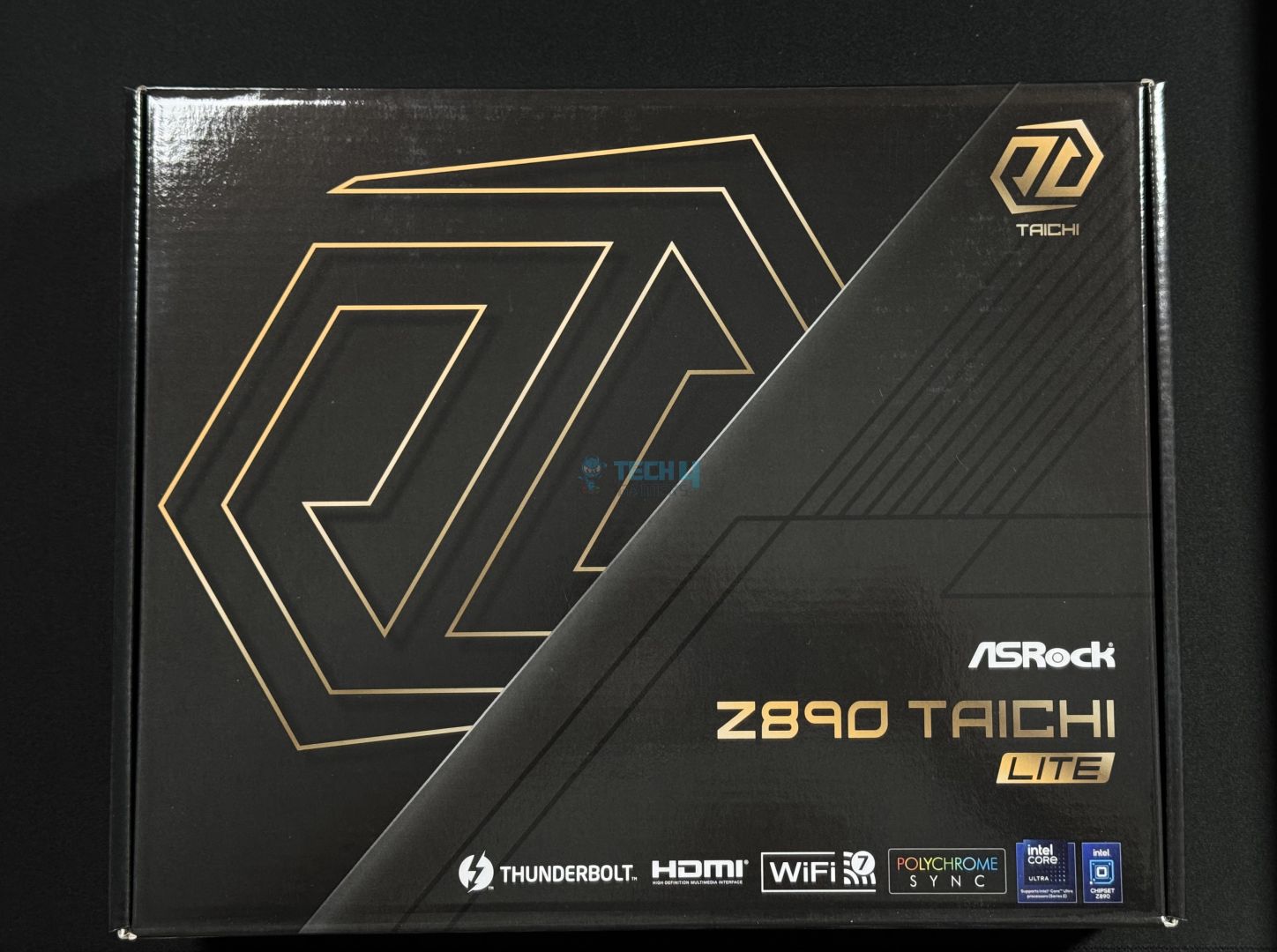
The motherboard comes in a cardboard box with a black and golden theme.
Box Front
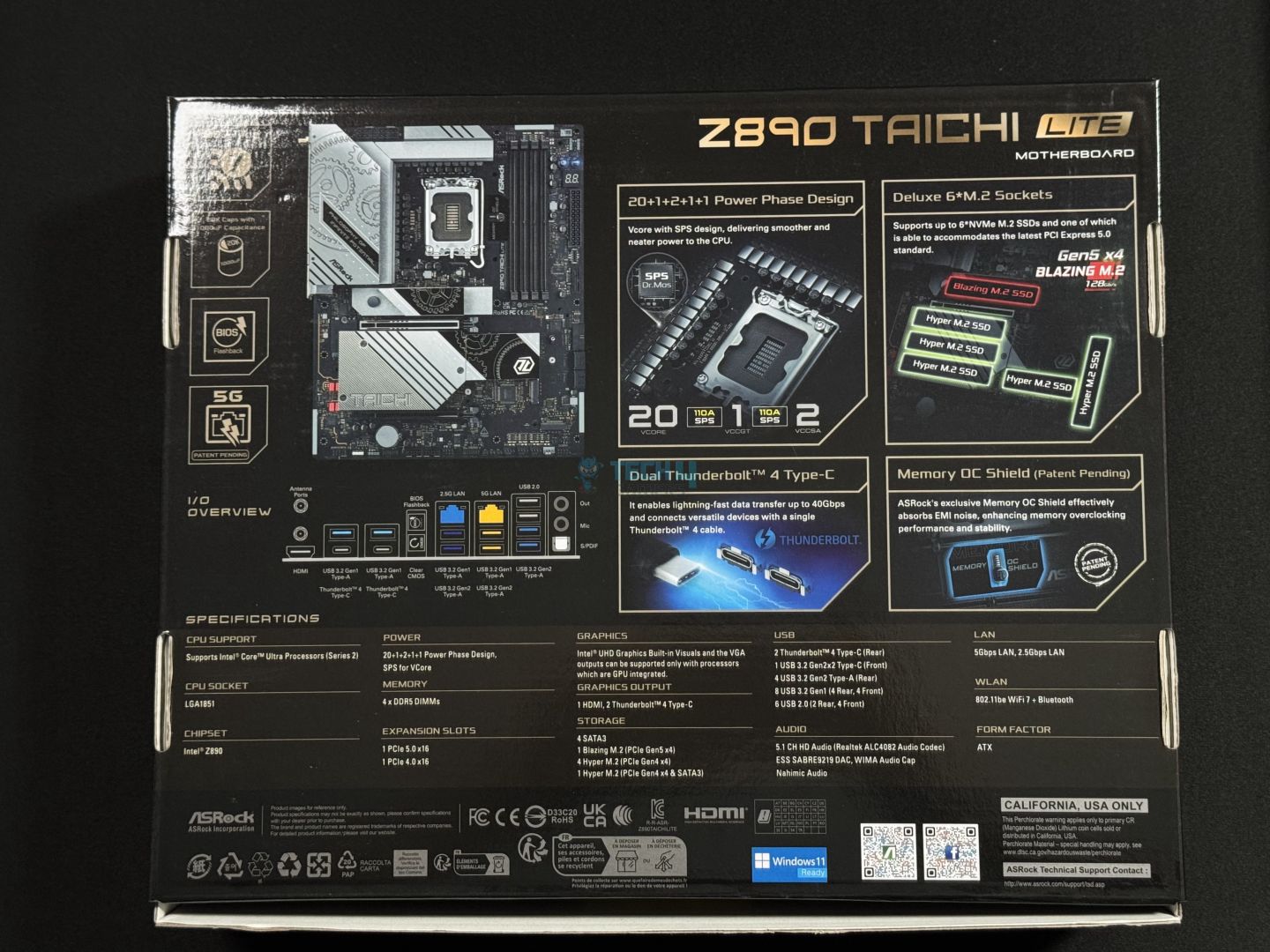
Box Back
The front of the box has a big Taichi logo, along with some key features listed, such as Thunderbolt, HDMI, WiFi 8, Polychrome Sync, and more. Overall, the front gives off a premium and aggressive vibe.
At the back, you’ll find all the details about the motherboard, including its front picture, rear IO info, specification, and highlighted features like 20+1+2+1+1 VRM structure, 6x M.2 Slots, Dual Thunderbolt 4 ports, and memory OC shield.
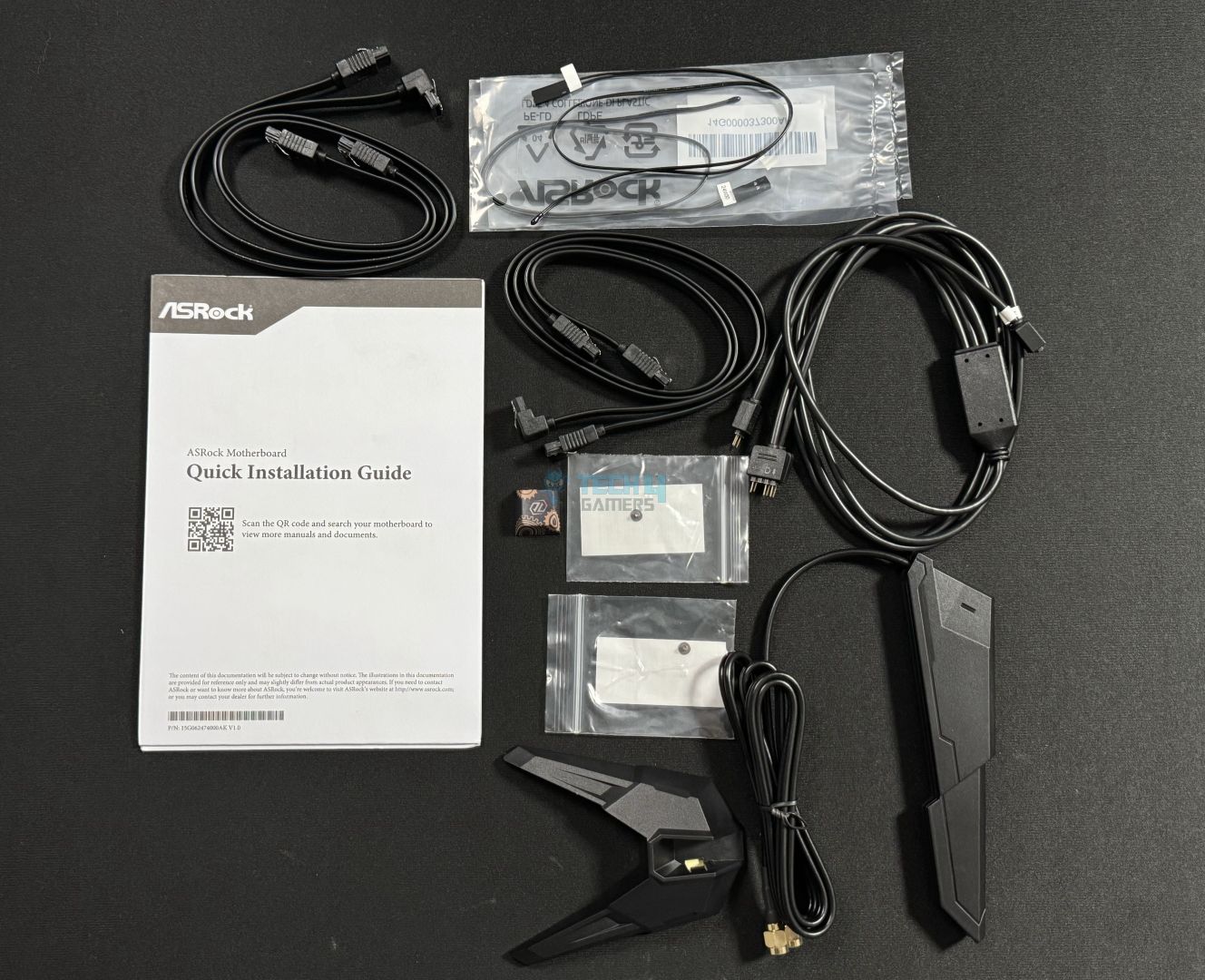
Accessories
4x SATA Data Cables
1x ASRock WiFi 2.4/5/6 GHz Antenna
1x ARGB Splitter Cable
3x Thermistor Cables
2x Screws for M.2 Sockets
2x Standoffs for M.2 Sockets
The included accessories are standard.
Design
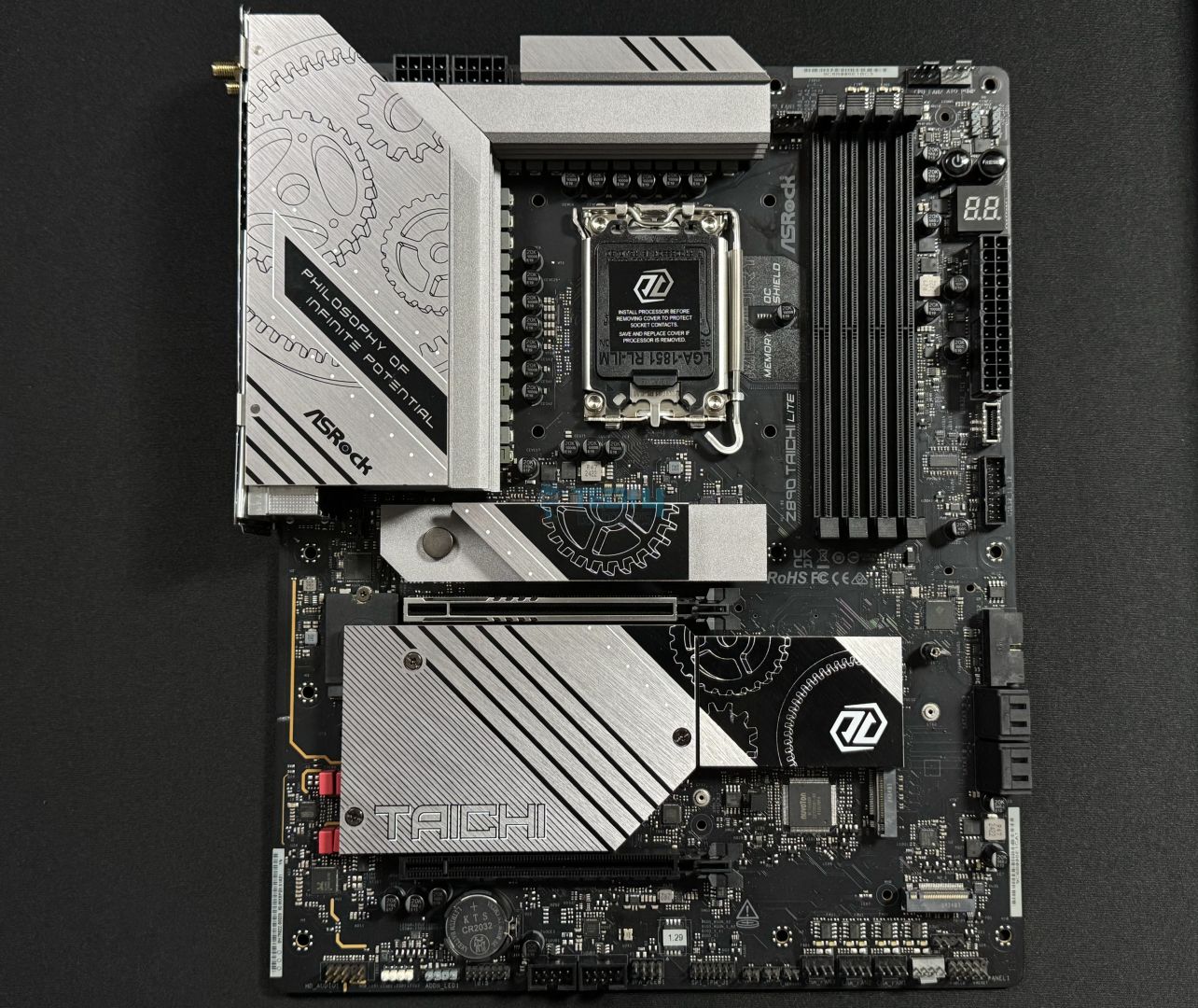
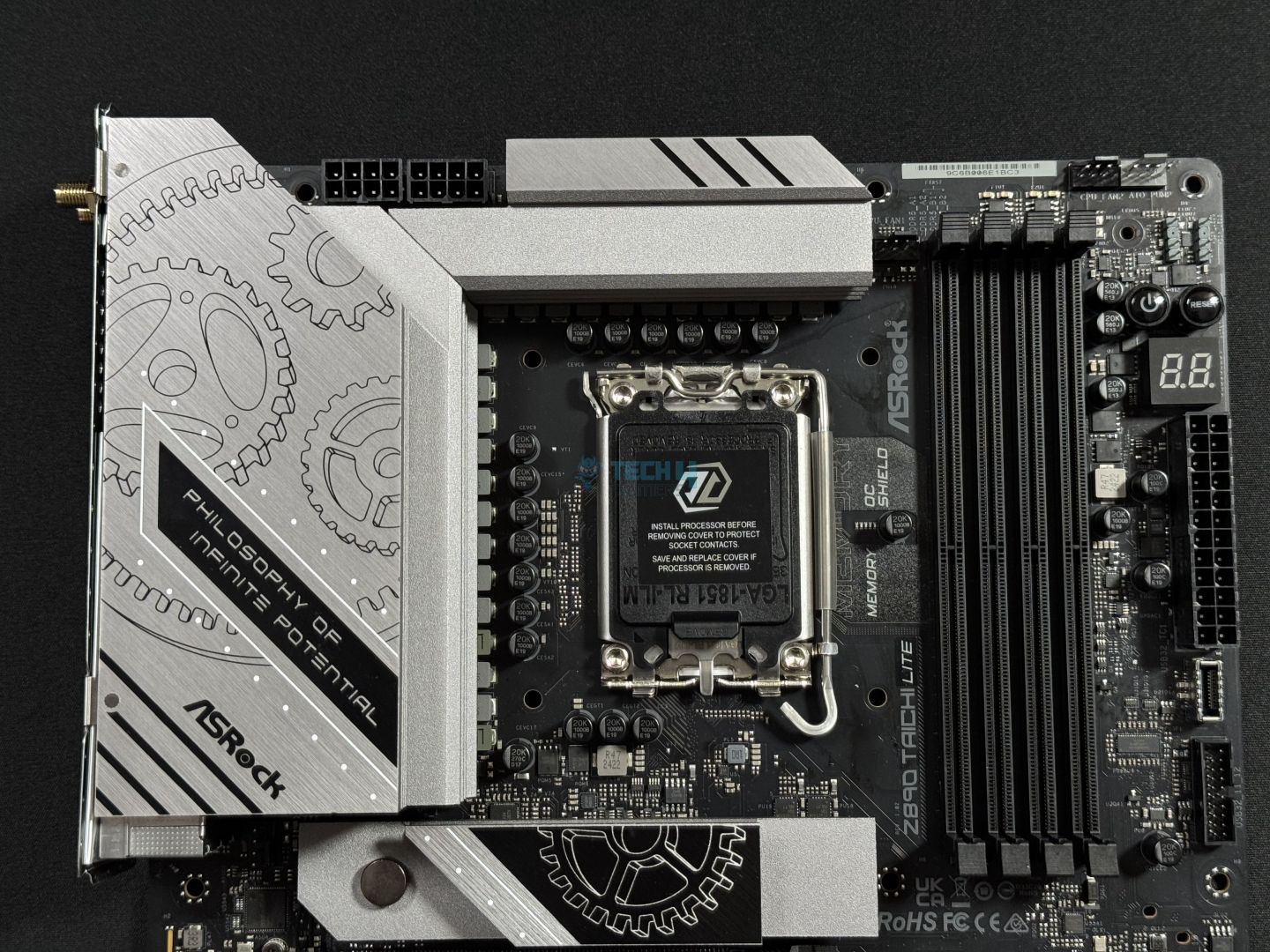
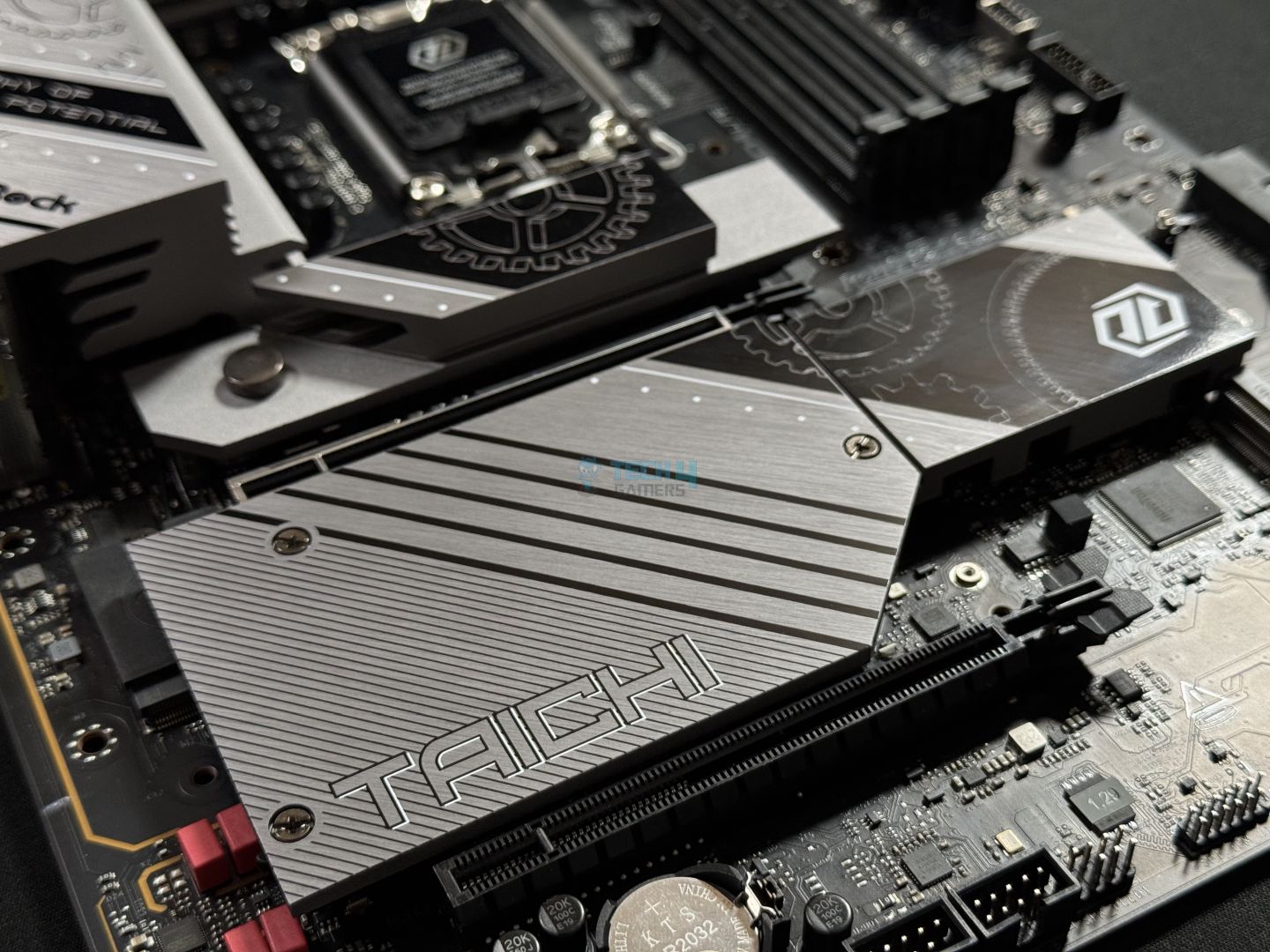
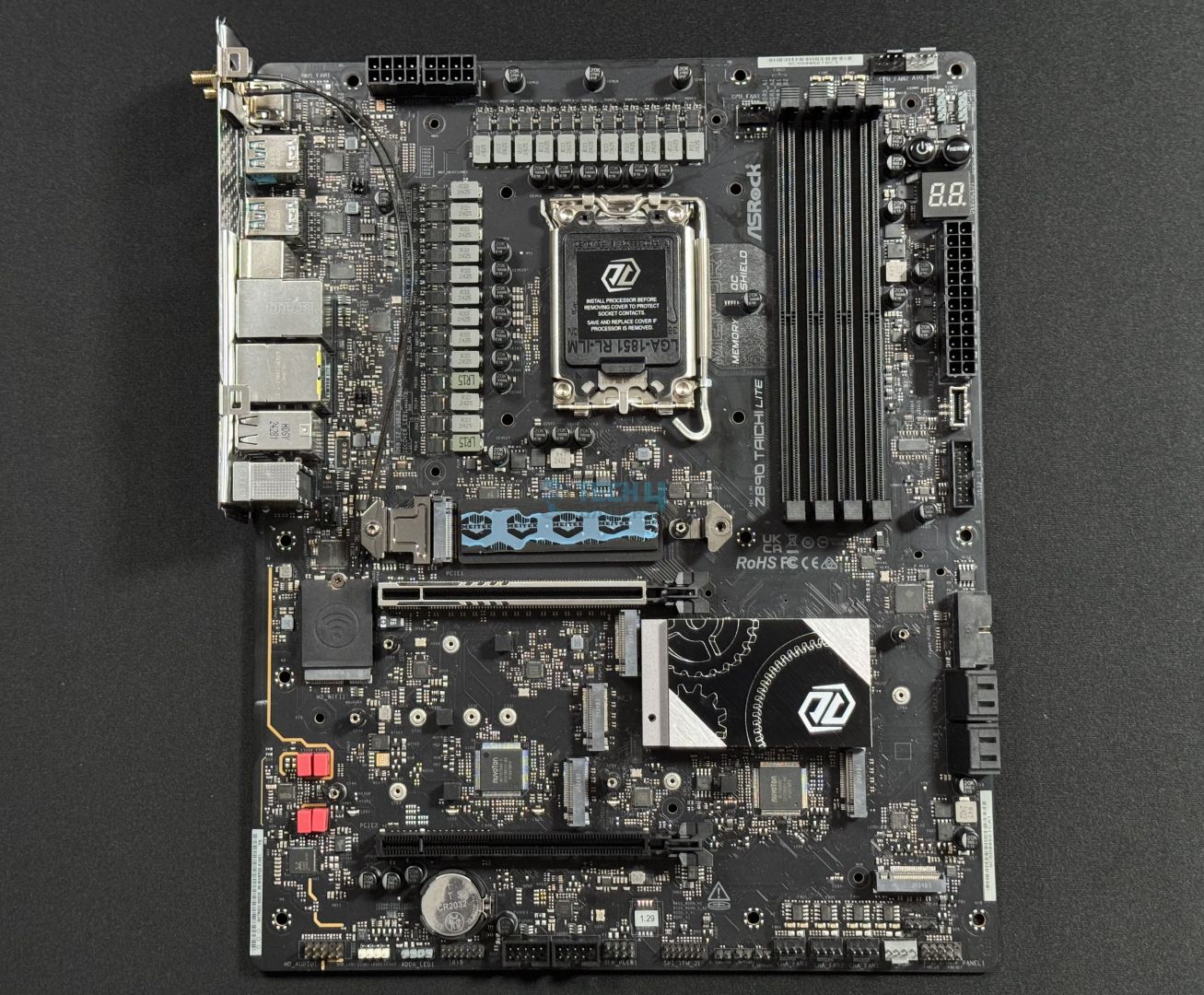
Sure, looks and design are subjective, but I have personally been a fan of how the recent Taichi Lite motherboards look. The board features a black PCB with silver heatsink covers, a slight RGB line below the SSD cover, the iconic gears of the Taichi line-up, and a very premium feel overall.
Main Design
The rear IO cover has the phrase “Philosophy of Infinite Potential”, along with the ASRock logo. We can also spot the Debug LED, Power and Reset buttons at the top right corner.
The black PCB is 8-layered with 2oz thickened copper.
Block Diagram
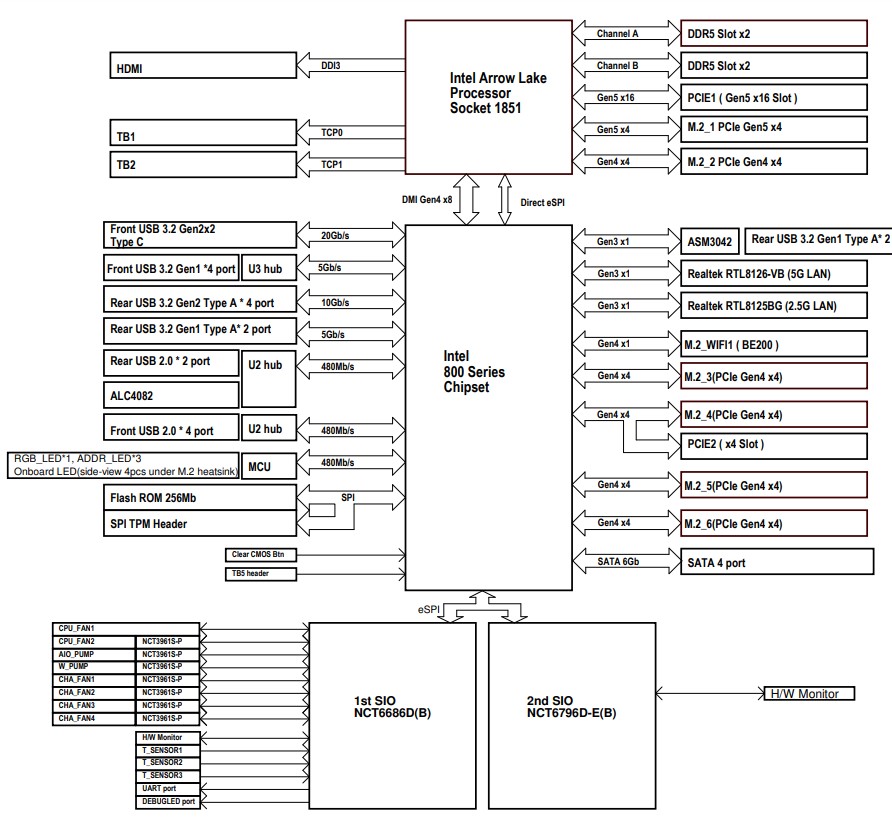
The block diagram shows an Intel Arrow Lake processor with dual DDR5 memory channels, a PCIe Gen5 x16 slot for graphics, and six M.2 slots for storage, including Gen5 and Gen4 options. The motherboard supports a range of connectivity with Thunderbolt ports, multiple USB configurations (up to USB 3.2 Gen2x2), dual LAN (5G and 2.5G), and Wi-Fi. It also includes audio via ALC4082, RGB lighting headers, and dual Super I/O controllers for fan and temperature monitoring, providing extensive hardware control and connectivity.
The LGA1851 CPU socket powers the DDR5 slots, PCIe Gen5 x16, M.2_1 PCIe 5 x4, M.2_2 PCIe 4 x4, HDMI, and the two thunderbolt ports.
The DMI Gen4 x8 is used to connect the CPU socket to the Z890 socket. Direst eSPI is used for communication. Of course, the remaining M.2 and PCIe slots, and all the other I/O config is powered by the chipset.
The first Nuvoton NCT-6686D Super I/O controller is used to control 4x chassis fans, 2x CPU fans, AIO PUMP, H/W monitoring, and temp sensors, and more.
CPU Socket And Power Delivery
Upper Design
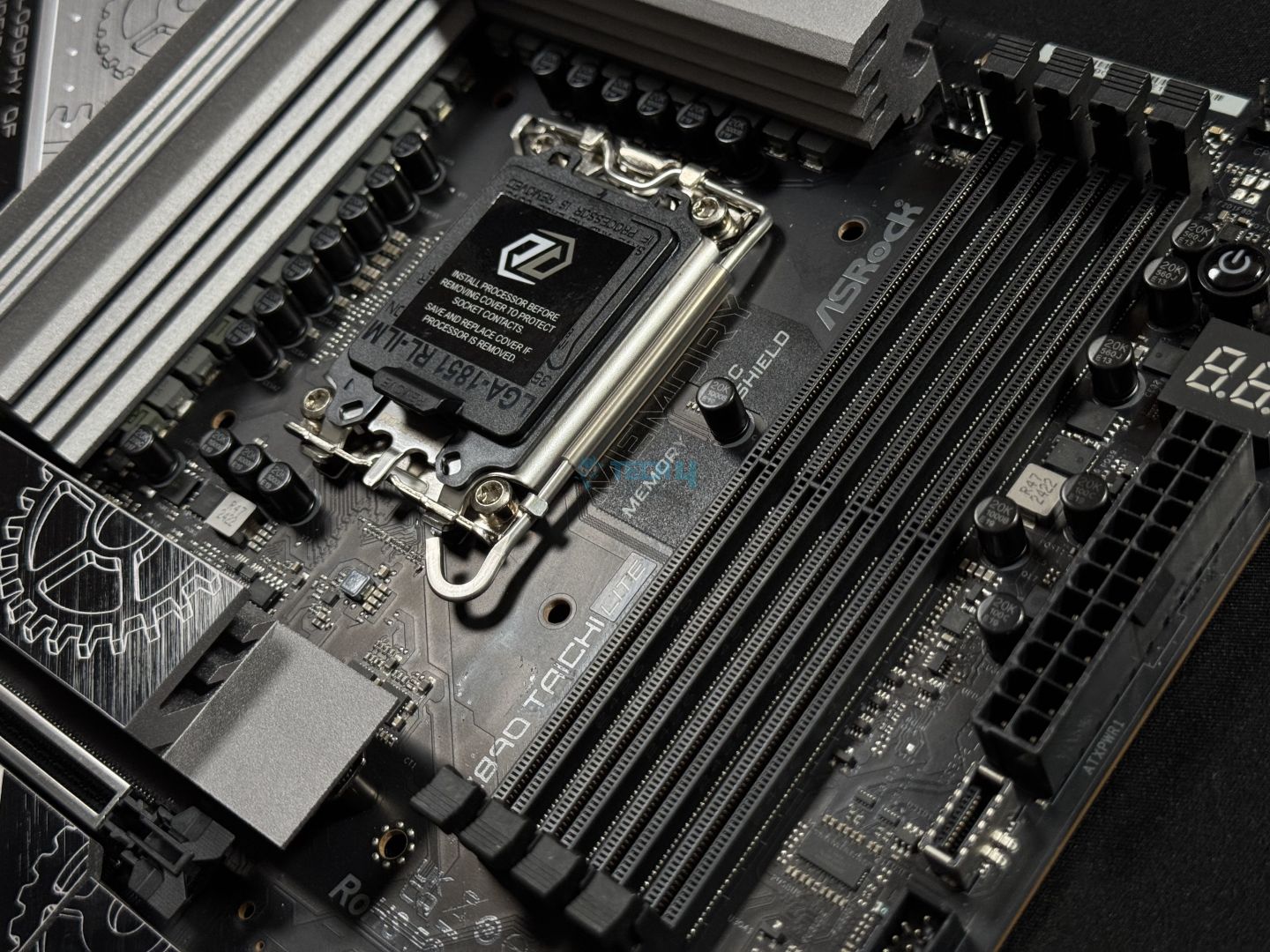
Closer Look At CPU Socket
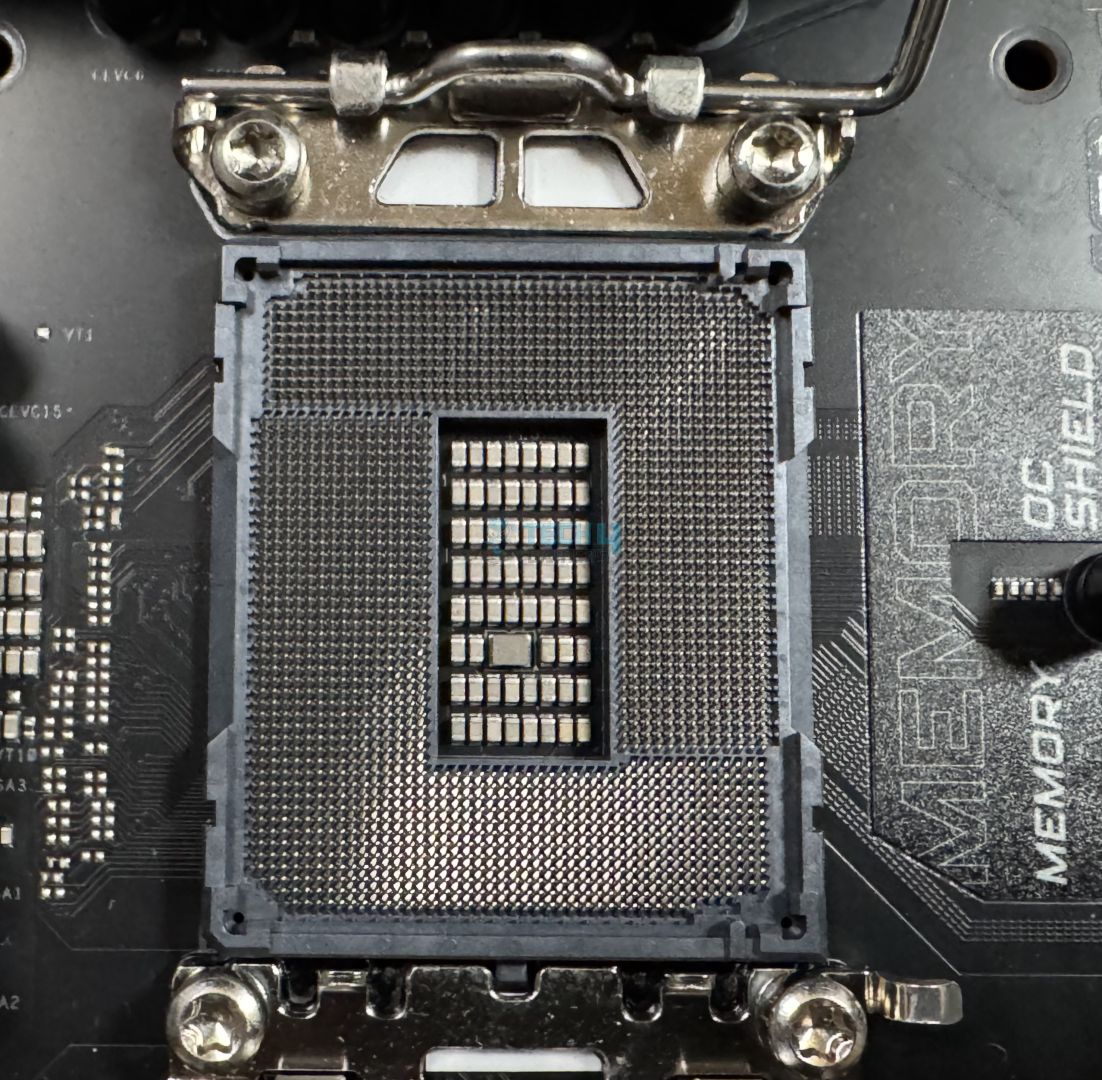
Here’s a closer look at the brand-new LGA1851 socket. The socket introduces a new RL-ILM (Reduced Load Integrated Lever Mechanism) to help reduce CPU bending, boost cooling efficiency, and overall better compatibility with AIOs.
Flat Load Plate: The RL-ILM uses a flat plate instead of the slightly curved one from the LGA1700 design. This flat surface helps keep the pressure balanced on the CPU, reducing the chance of bending.
Reduced Force: The RL-ILM puts less pressure on the CPU than the older design. This lighter force protects the CPU from potential damage and stress.
Extra Support Parts: The updated RL-ILM includes added components, such as hinges and lever frame insulators. These extra parts keep the CPU stable and make sure the cooler stays in place, improving heat management.
As per MSI’s testing, the new mechanism reduces CPU temperatures by 1 to 2°C.
VRM Structure
VRMs
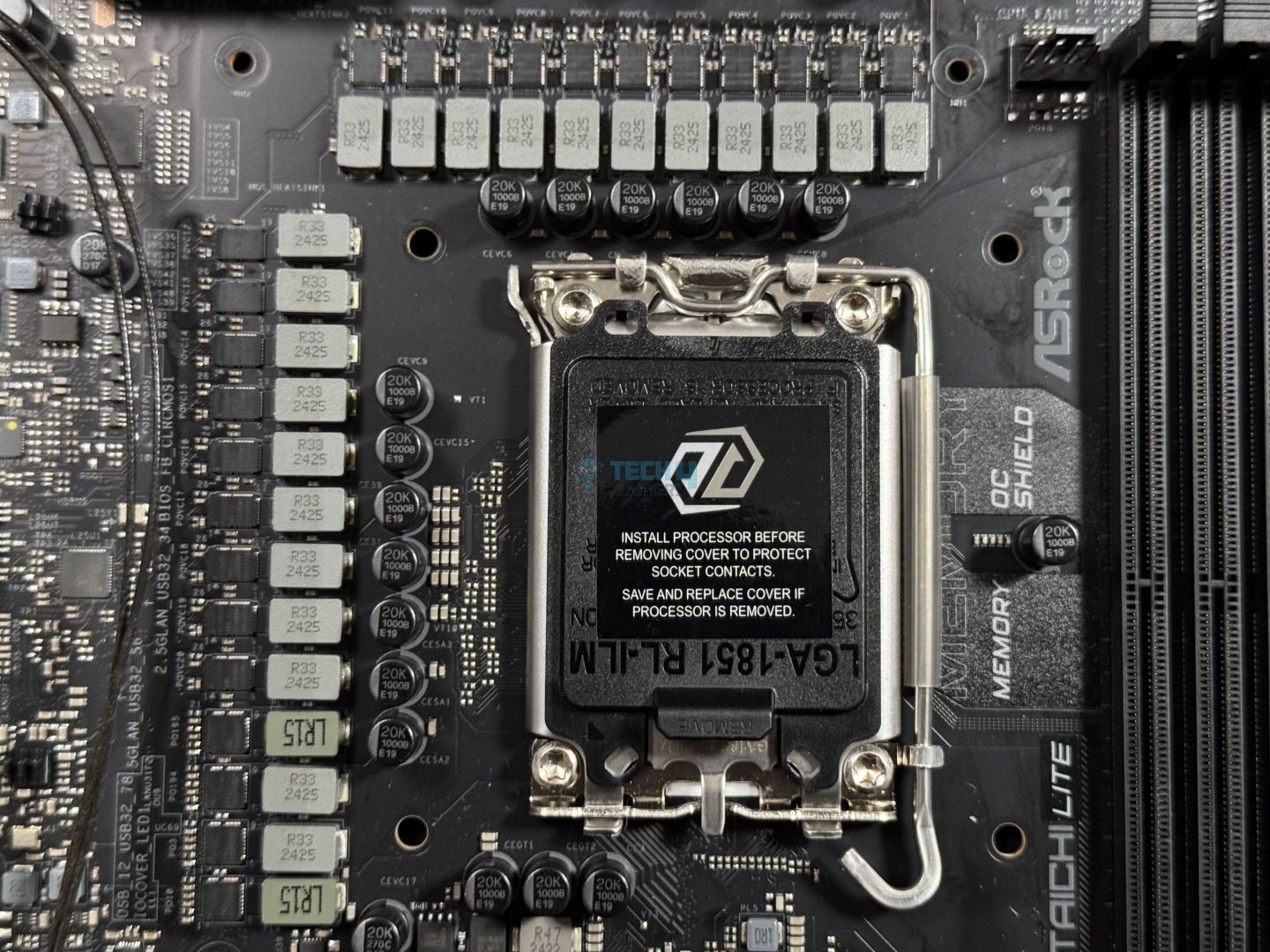
The ASRock Z890 Taichi Lite uses a 20+1+2+1+1 power delivery system (VCore/VccGT/VccAUX), with 110A SPS for Vcore. These are pretty solid numbers for any Core Ultra CPU.
VRM Driver
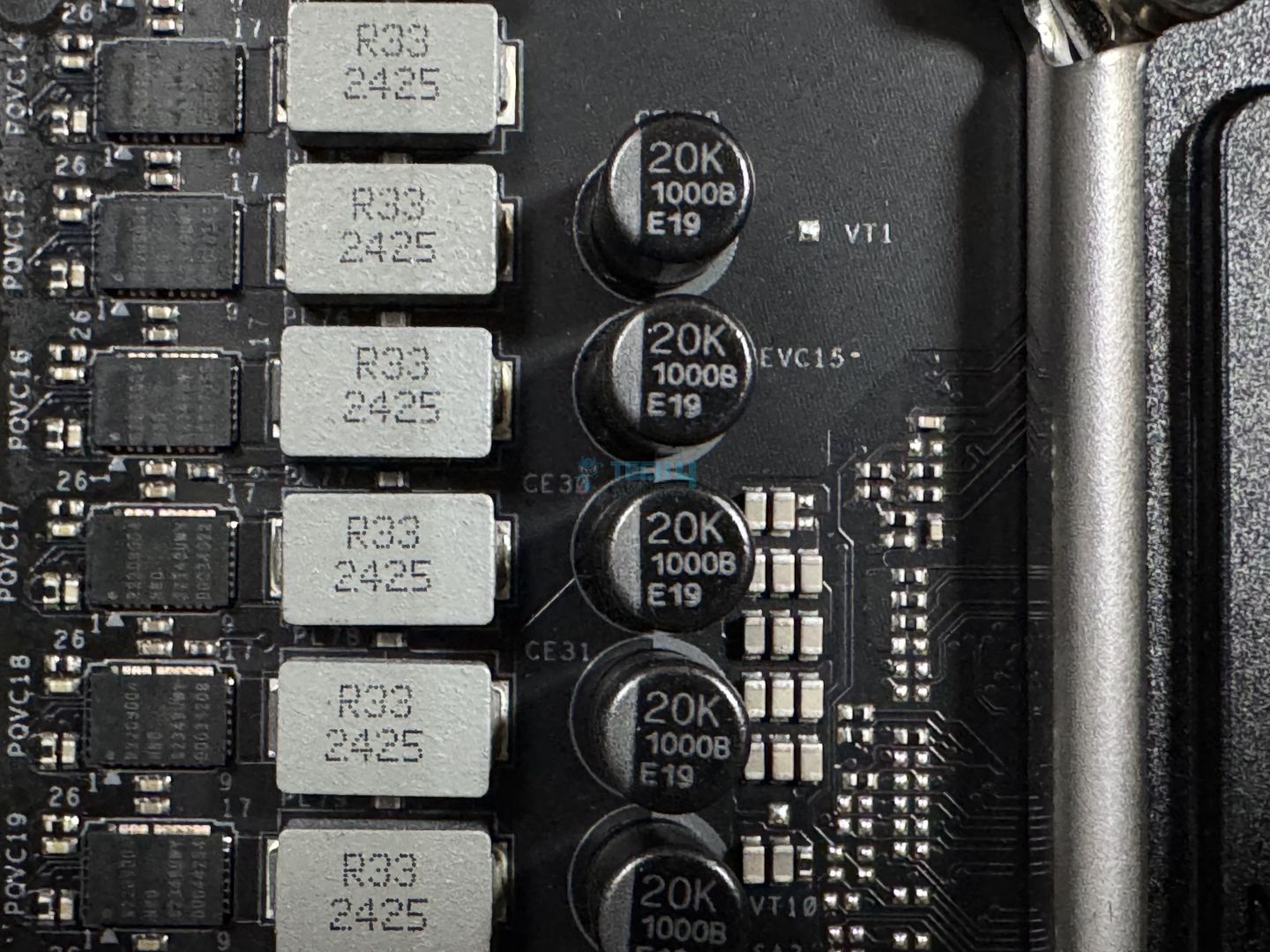
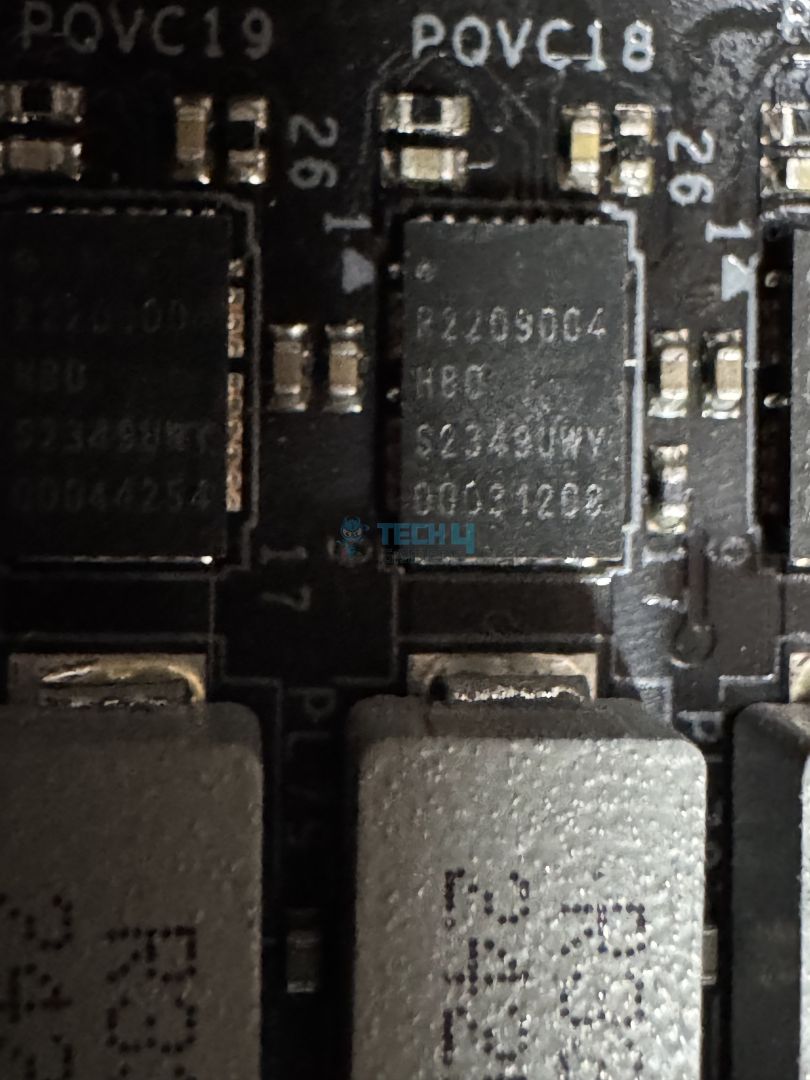
The above picture shows the 110A VCore stages by the R2209004 HBD driver. The capacitors are rated for a 20,000-hour lifespan with 1000µF capacitance.
With the Arrow Lake CPUs taking up around 250W of power (max), the board’s dual 8-pin CPU power connectors deliver up to 300W.
VRM Heatsink Stacked Design
VRM Heatsink Thermal Pads
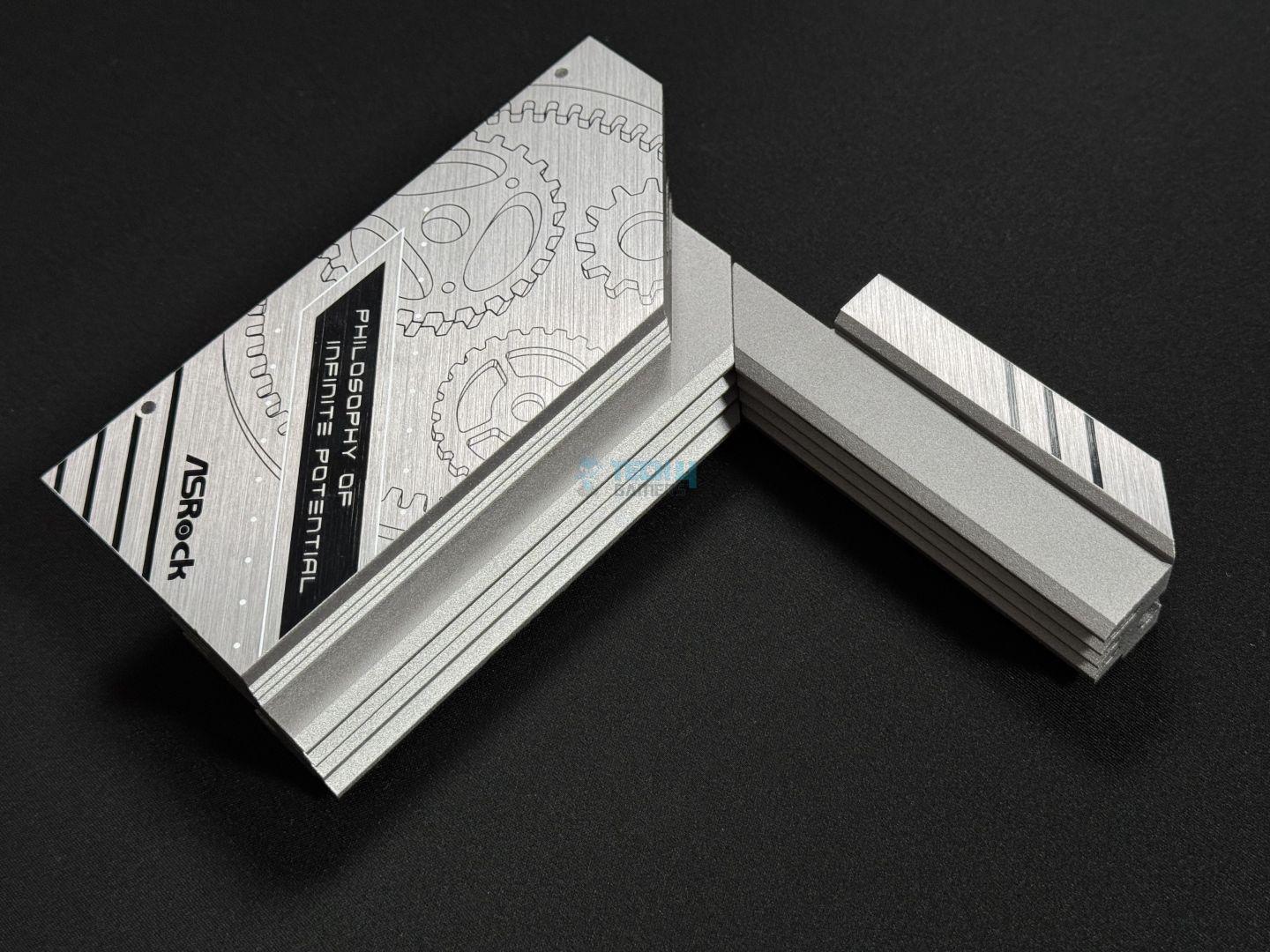
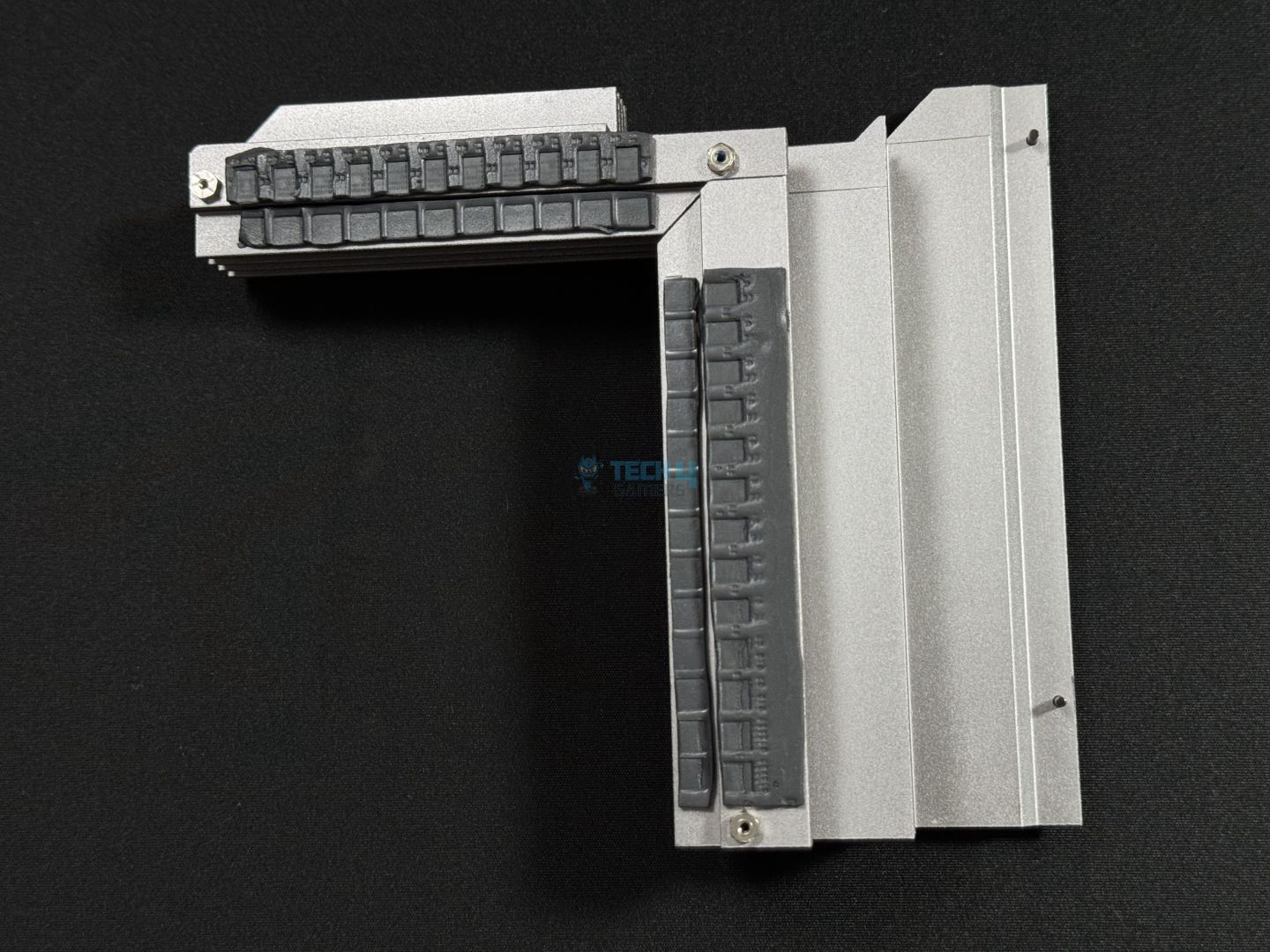
The motherboard uses an XXL heatsink with two aluminium blocks for optimal performance. The VRM heatsink has a stacked design, with multiple fins layered on top of each other. 9W/mK thermal pads are used to facilitate heat transfer from the VRMs to the XXL heatsink.
DIMM Slots
DIMM Slots
Here, you can see the DIMM slots along with the infamous Memory OC Shield we have heard so much from ASRock. The memory OC shield is basically an extra layer of coating between the DIMM slots and the CPU socket to prevent electromagnetic interference (EMI). In theory, this technique should enable better, more stable memory overclocking.
In the motherboard’s manual, ASRock strictly warns its users not to remove this shield from the motherboard. As per them, “removing this may affect memory overclocking performance and stability”
Regardless, the board can handle up to 256GB of DDR5 memory (128GB per channel), clocking at over 9600 MT/s speed (OC). These are the max speeds:
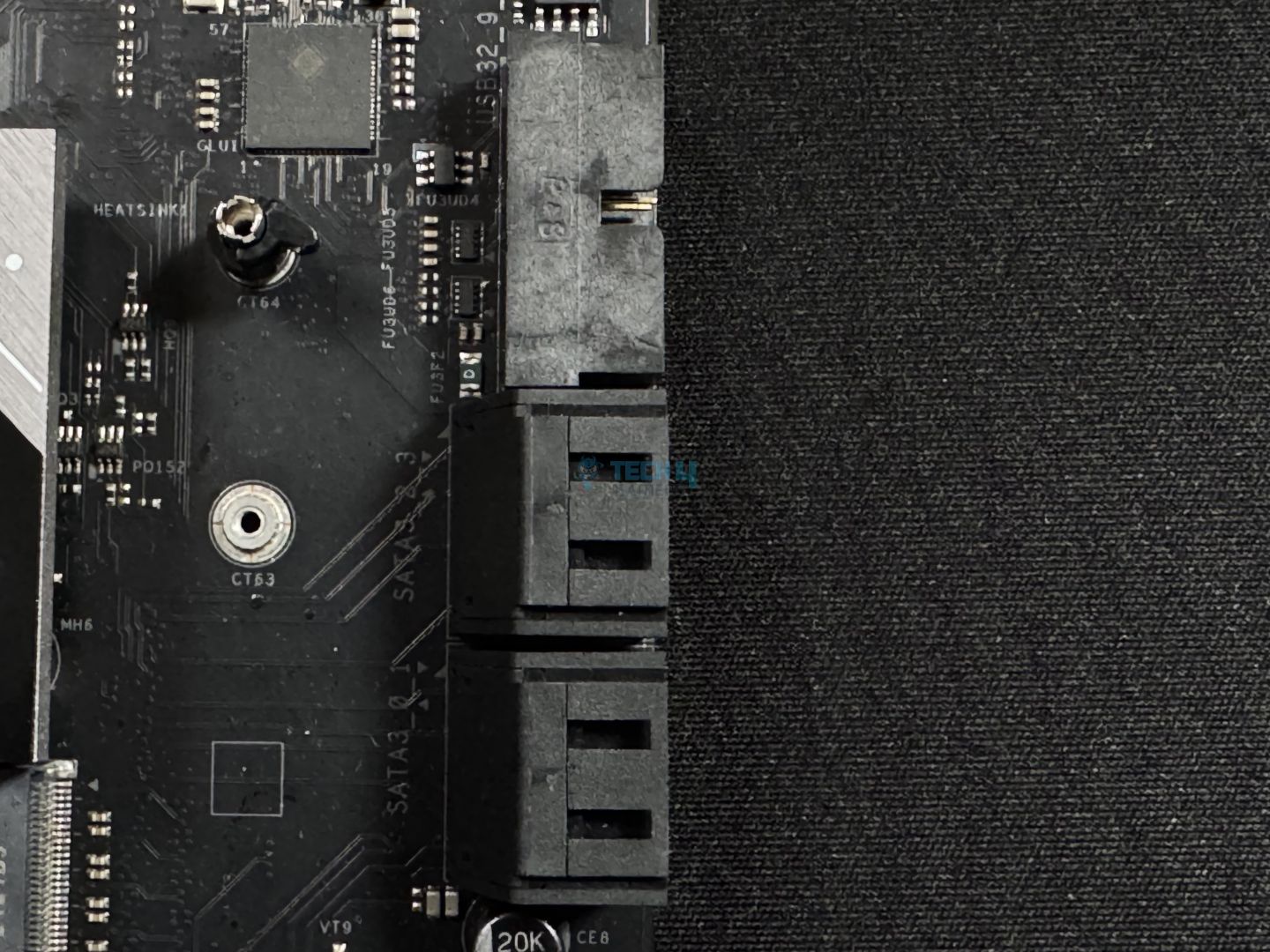
As for storage, the ASRock Taichi Lite has nailed it with a rather decent configuration. You get 4x SATA3 6.0 Gb/s connectors and 6x M.2 sockets.
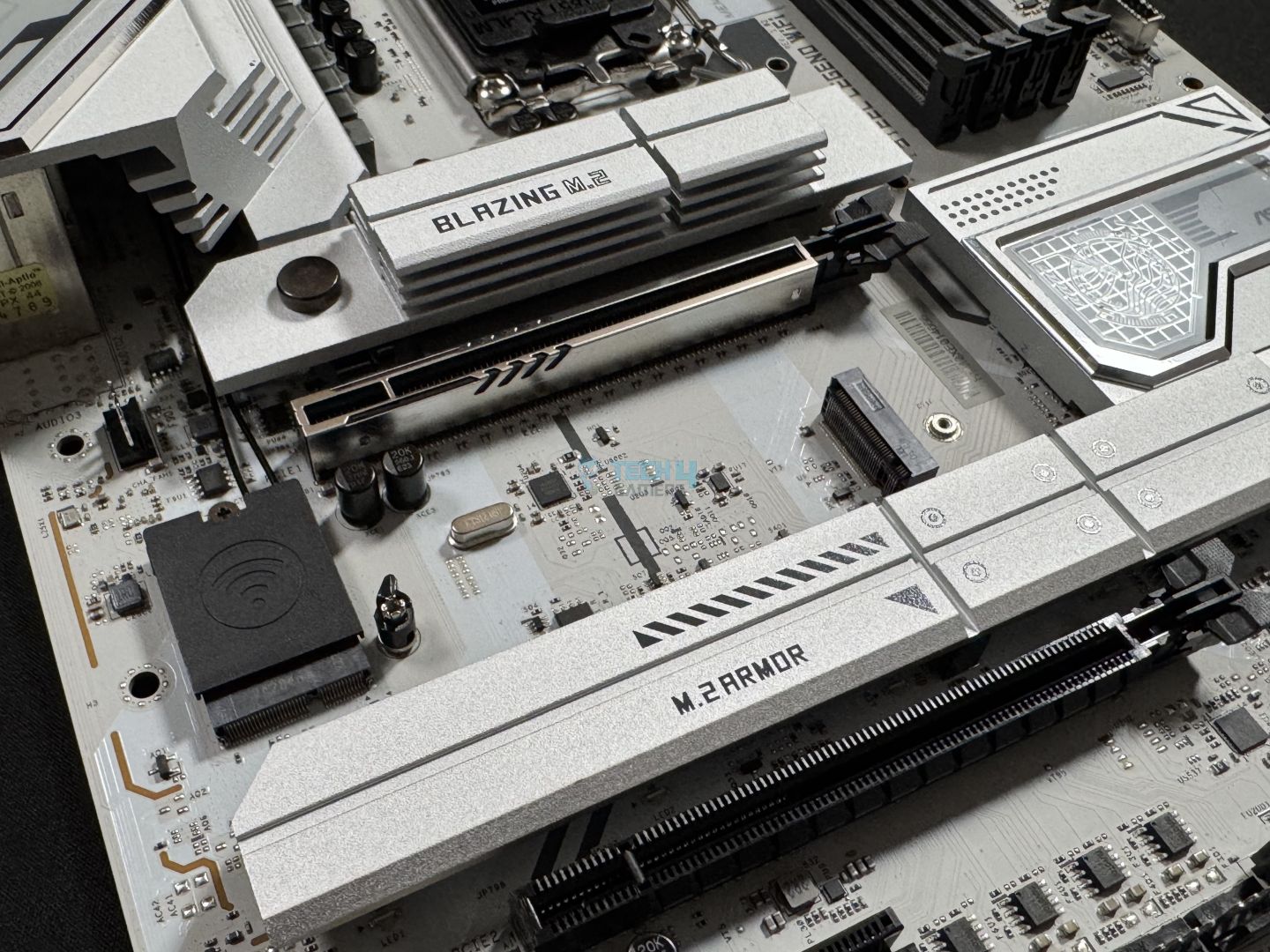
There are two M.2 sockets (M2_1 and M2_2) from the CPU, with M2_1 supporting PCIe Gen5x4 (128Gb/s). ASRock calls it the Blazing M.2 socket. The rest are called Hyper M.2 with support for PCIe Gen4x4 (64 Gb/s).
The M2_1 (Blazing M.2) socket supports 2280 SSD only, while the sockets M2_2, M2_4, M2_5, and M2_6 support 2260 and 2280. Lastly, the M2_3 socket supports the most, with 2230, 2242, 2260, and 2280.
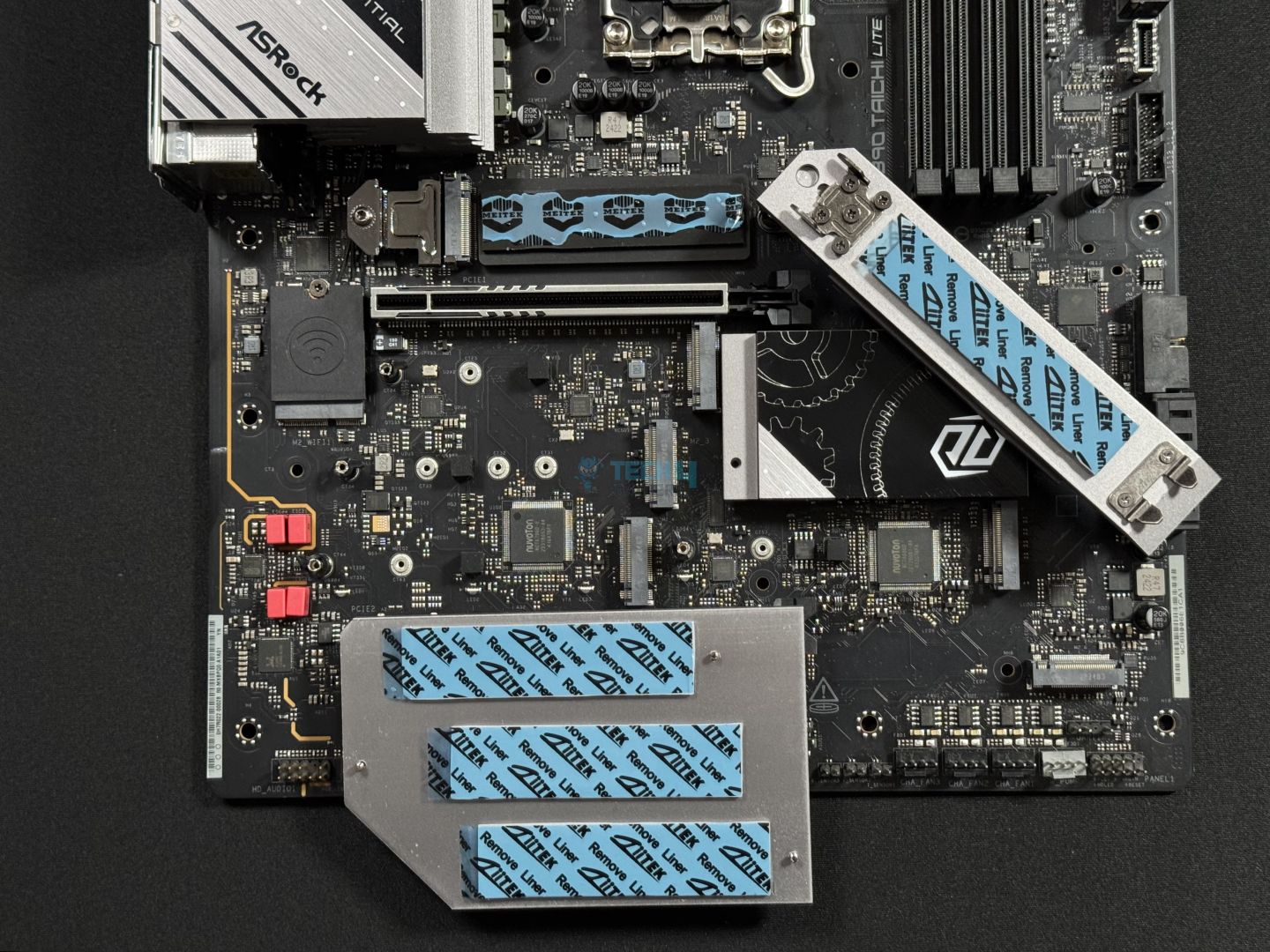
SSD Heatsink Thermal Pads
Only the Blazing M.2 socket (Gen5) has a tool-less mechanism, and the rest have three screws to get to. There are also two M.2 sockets that don’t have a heatsink, so you’ll have to buy a separate heatsink or an SSD that comes with a heatsink for these.
You can see the four thermal pads used beneath the heatsink. The Blazing M.2 socket heatsink has a taller design for improved heat transfer.
PCIe Slots
The board offers two PCIe slots; one of them is PCIe 5.0, and the other is PCIe 4.0. Neither of these slots has the EZ PCIe release mechanism. The Gen5 slot is steel-reinforced.
USB Connectivity
The overall USB configuration is quite good. We have the two Thunderbolt 4 Type-C ports from the CPU on the rear, and a USB 3.2 Gen2x2 Type-C at the front. Here is the full list
2x Thunderbolt™ 4 Type-C (Rear)
1x USB 3.2 Gen2x2 Type-C (Front)
4x USB 3.2 Gen2 Type-A (Rear)
8x USB 3.2 Gen1 (4 Rear, 4 Front)
6x USB 2.0 (2 Rear, 4 Front)
Network And Connectivity
WiFi Chip
The motherboard also features top-notch connectivity, especially for the price. We have WiFi 7 and Bluetooth 5.4, but also dual LAN support. The primary ethernet is from Realtek RTL8126, which supports 5GbE, and the second 2.5GbE one is from Dragon RTL8125BG.
Audio Solution
Audio Chip
This audio system offers 5.1 channel HD audio using the Realtek ALC4082 codec with content protection. The rear outputs use WIMA capacitors, and the ESS SABRE9219 DAC provides a 130dB signal-to-noise ratio. The motherboard uses separate PCB layers for the left and right channels to reduce interference, and the front headphone port with Direct Drive technology supports high-impedance headphones up to 600 Ohms. Nahimic Audio software provides additional customization options.
Internal Connectors
Here is the list of internal connectors on the motherboard:
Internal connectors
1 of 4
Internal Connectors
Internal Connectors
Internal Connectors
CPU Power Connector
3x Thermistor Cable Headers
1x SPI TPM Header
1x Power LED and Speaker Header
1x RGB LED Header
3x Addressable LED Headers
2x CPU Fan Connector (4-pin) (Smart Fan Speed Control)
4x Chassis Fan Connectors (4-pin) (Smart Fan Speed Control)
1x AIO Pump Fan Connector (4-pin) (Smart Fan Speed Control)
1x Water Pump Fan Connector (4-pin) (Smart Fan Speed Control)
1x 24-pin ATX Power Connector (Hi-Density Power Connector)
2x 8-pin 12V Power Connectors (Hi-Density Power Connector)
1x Front Panel Audio Connector (15μ Gold Audio Connector)
2x USB 2.0 Headers (Support 4 USB 2.0 ports)
2x USB 3.2 Gen1 Headers (Support 4 USB 3.2 Gen1 ports)
1x Front Panel Type C USB 3.2 Gen2x2 Header (20 Gb/s)
1x Dr. Debug with LED
1x Power Button with LED
1x Reset Button with LED
DEBUG LED, Power, and Reset Button
The motherboard has a DEBUG Led, along with power and reset buttons for easy troubleshooting.
Rear I/O
Here’s all that we get on the rear:
Rear IO
2x Antenna Ports
1x HDMI Port
1x Optical SPDIF OutPort
2x Thunderbolt 4 Type-C Ports (40 Gb/s for USB4 protocol; 40Gb/s for Thunderbolt protocol)
4x USB 3.2 Gen2 Type-A Ports (10 Gb/s)
4x USB 3.2 Gen1 Ports
2x USB 2.0 Ports
2x RJ-45 LAN Ports
1x Clear CMOS Button
1x BIOS Flashback Button
1x Line Out Jack (Gold Audio Jack)
1x Microphone Input Jack (Gold Audio Jack)
The rear IO has both a clear CMOS button and a BIOS flashback button. The Thunderbolt 4 ports also support up to 5V@3A (15W) charging.
Naked Motherboard
Here is a look at the motherboard with all the SSD covers and the VRM heatsink removed. You can spot the two Super I/O controllers from here.
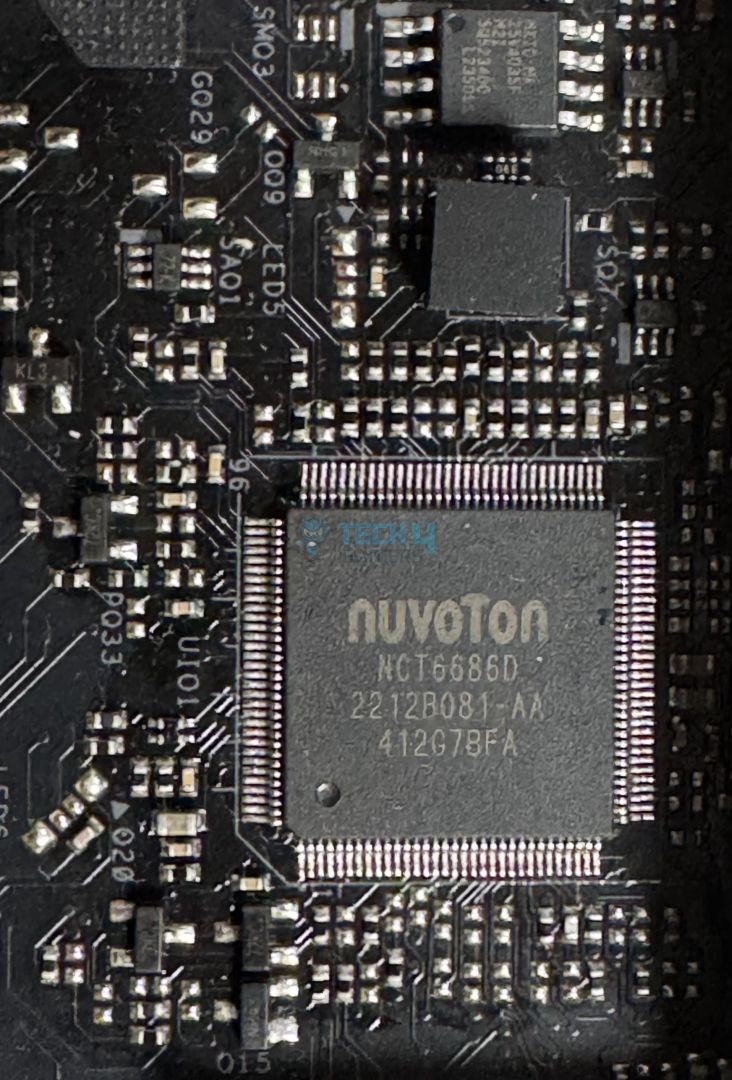
Super I/O Controller
Here is the Nuvoton NCT6686D. It is used to control CPU and chassis fans, as well as AIO and water pumps. The super controller is also used for monitoring thermal sensors.
The Taichi Lite gets the 3rd position; this is a very good performance, especially given that the price difference between the first motherboard and Taichi Lite is $160.
Again, the motherboard performs very well, scoring 23478 in Geekbench 6 and coming in at third.
CPU-z tests (Image by Tech4Gamers)
Following the same trajectory, the ASRock Z890 Taichi Lite again comes in third with a score of 19264.
Blender 4.0.2 (Image by Tech4Gamers)
Here the board is in the fourth position, completing the test in 54.6 seconds.
V-Ray (Image by Tech4Gamers)
Damn, the board comes in second with 11217 points. This is very good.
Gaming Benchmarks
Cyberpunk 2077 (Image by Tech4Gamers)
A similar story follows in gaming performance, as the Taichi Lite is only behind the mighty MEG ACE Z890 in Cyberpunk.
Far Cry 6 (Image by Tech4Gamers)
The ASRock Z890 Taichi Lite scores the best and tops the chart in Far Cry 6.
Starfield (Image by Tech4Gamers)
The performance in Starfield is down to fourth position but still rock-solid.
Power Consumption And VRM Temperatures
Motherboard/CPU power consumption (Image by Tech4Gamers)
In total, the Taichi Lite and the Core Ultra 9 289K drew 421W during full load, 117W in games, and 118W while idling.
VRM temperatures (Image by Tech4Gamers)
Again, best-in-class performance from the ASRock Z890 Taichi Lite. The max temp is just 61°C, very good performance against the competition.
Should You Buy It?
Buy It If:
✅You want chart-topping performance for less: Right out the box, in many of both synthetic and gaming benchmarks, the ASRock Z890 Taichi Lite was beating all other boards, despite costing way less than them.
✅You need high-speed memory support: The board is capable of handling over 9600 MT/s of DDR5 memory, with up to 256GB capacity. Such an impressive figure, combined with CUDIMM compatibility and stable XMP, makes it a great choice for memory overclocking.
✅You prefer solid VRM cooling: The XXL heatsink with two aluminum blocks works quite well in lowering the VRM’s temperatures. As seen in test results, the VRMs on the Taichi Lite remained cooler than other, more expensive, motherboards.
Don’t Buy It If:
❌You want extras like EZ PCIe Release: While this is not a big deal and the ASRock Z890 Taichi Lite is recommended to all, the lack of EZ PCIe Release may not be a good look for some users.
My Thoughts
In conclusion, the ASRock Z890 Taichi Lite motherboard delivers a well-rounded mix of performance, connectivity, and design features at a competitive price point. It stands out with support for high-speed DDR5 memory, multiple M.2 storage options, including a PCIe Gen5 slot, and plenty of extras. For instance, the board also features robust connectivity, offering WiFi 7, Bluetooth 5.4, and dual LAN ports, while the Thunderbolt 4 support adds flexibility for peripherals and data transfer.
Performance-wise, the ASRock Z890 Taichi Lite consistently ranks in the top tier across various benchmarks, showing solid capabilities in both productivity and gaming tests. Its VRM design and cooling solutions keep power and thermal management efficient, making sure your system runs with high stability even under heavy loads. At the same time, the 20+1+2+1+1 VRM structure is more than enough for even the flagship Core Ultra 9 285K.
Overall, this motherboard provides excellent value, especially for users looking for a reliable, high-performance option without exceeding a $400 budget. The ASRock Z890 Taichi Lite combines durability, ample storage support, and competitive speeds, making it a compelling choice for both gamers and creators seeking a versatile, feature-rich board.
At Tech4gamers, I cover all sorts of gaming news. Whether it’s a leak of any upcoming game or an update, an announcement, or a rumour, I like to write about it all. Over the weekend, I sit and write features where I talk about games that I miss or want to see return.
Story Highlight
Dragon Age: The Veilguard is less than a week away from its release.
It has been reported that BioWare is sending DMCAs to creators who post pictures and videos criticizing the title.
The developers have previously skipped giving critical creators the review code as well.
Dragon Age: The Veilguard is just three days away from its release. While the game is currently the most pre-ordered on the PS store in the UK and USA, a recent report suggested that the developers are avoiding giving critical creators the review codes of the game.
It has now been reported that BioWare is sending DMCAs to people who post pictures and videos criticizing Dragon Age: The Veilguard.
Why it matters: This is not a great sign for the title’s release, as BioWare doesn’t seem confident about the launch of Dragon Age: The Veilguard.
BioWare Sending DMCA’s To Creators Criticizing Dragon Age: The Veilguard
Just recently, one of the leading Twitter accounts that posts about gaming-related stuff stated that BioWare is currently sending DMCAs to people posting videos and pictures criticizing Dragon Age: The Veilguard.
He deleted all his previous posts about the title and warned other creators not to post anything criticizing it.
Fans have also criticized this idea in the comments, stating that BioWare is just afraid of letting fans know about their super-woke title before its launch and doing everything in their hand to control the reviews.
Dragon Age: The Veilguard Is Coming Out In Three Days
We believe that BioWare doesn’t have to do anything like that, as the developers have released some of the best games in the past and should be confident in what they have developed in the last few years.
Nonetheless, Dragon Age: The Veilguard will be released on 31 October on PlayStation 5, Xbox Series X/S, and PC. Therefore, we will soon find out how the game will perform at launch.
What do you think about this? Do you think BioWare is right to send DMCAs? Let us know your opinions in the comments, or join Tech4Gamers’ Official Forums.
At Tech4Gamers, I mainly cover new gaming news, leaks, and rumours. Aside from that, I love to write features about my favourite games while inserting my opinion about their different aspects.
Story Highlight
Dragon Age: The Veilguard reviews are out, and it has received a rating of 84/100.
Some reviews claim it to be a worthy successor to Dragon Age: Inquisition and praise many of the game’s aspects.
However, another review claimed that it is a mediocre action-adventure game.
Dragon Age: The Veilguard, while being one of the most hyped games this year, received a lot of criticism. Many Dragon Age fans decided not to go with this game due to concerns regarding forced agenda.
Similarly, others were excited about this game, which just recently became the top seller on the PlayStation Store in the UK and the US. Now, the review embargo has been lifted, and the game’s average score is out.
The Veilguard has received a solid 84/100 score on Metacritic, so it seems like BioWare is back on track.
Why it matters: Some popular YouTubers have claimed that they didn’t receive the review code because they were being a little more critical of the game. However, the overall score seems pretty good, with some criticising the game.
Dragon Age The Veilguard Has Received An Average Rating of 84/100 on Metacritic for PS5
The game’s average score on PS5 is 84/100. However, on PC, the score seems to be lower, which might be because there are only 12 critic reviews so far on that platform, while on PS5, there are 38.
The following are some of the reviews of Dragon Age: The Veilguard:
Eurogamer: 10/10
IGN: 9/10
TheGamer: 8/10
Windows Central: 8/10
PC Gamer: 7.9/10
Shacknews: 7/10
Inverse: 7/10
VGC: 6/10
VG247: 6/10
The Guardian: 6/10
The game has even received full-fledged ratings from some outlets. The overall reception from the critics has also been very positive. Many have positively reviewed its storytelling aspects and said that it is a fantastic RPG.
Another review says that it is not like any other Dragon Age game at all, but it brings together the tradition of excellent character writing, strong world-building, and, of course, exciting combat.
It seems like this game has the best combat among all Dragon Age games, which would be a major green flag. The game is being called better than Inquisition, which should sit right with the fandom, given they were expecting a worthy successor.
While many reviews are positive, some even say that instead of a true RPG, Dragon Age: The Veilguard is a mediocre action-adventure game. Overall, the reception is really positive, and it seems like a title worth trying.
What do you think of the review scores? Do you agree with them? Let us know your thoughts in the comments section below, or join the discussion on the official Tech4Gamers forums.
At Tech4Gamers, I mainly cover new gaming news, leaks, and rumours. Aside from that, I love to write features about my favourite games while inserting my opinion about their different aspects.
Story Highlight
Ryzen 7 9800X3D hype is extremely high as it is set to release in less than 2 weeks.
However, several benchmarks have already been revealed, showcasing what a beast it will be.
The latest benchmark has revealed that this processor is up to 25% faster than the 7800X3D in both single and multi-core tests.
Ryzen 7 9800X3D is confirmed to be released on November 7, and its hype is at a time high now. It is being pictured as the ultimate processor for elite gaming, and many leaks have further backed this point.
A previously leaked benchmark showed that the processor’s clock speed is between 5.6 and 5.7GHz, which is insane. Now, the latest benchmark has revealed that it is up to 25% faster than 7800X3D in single and multi-core tests.
Why it matters: The 7800X3D is considered the best gaming CPU ever, so many were concerned that the 9800X3D might not be able to fill its shoes. However, the benchmark proves that it is a worthy successor.
9800X3D Scores 3339 in Single-Score Test and 18658 on the multi-score
There are less than two weeks left since the processor’s release, but we have received yet another detailed benchmark showcasing what a beast it is going to be. Ryzen 9800X3D was benchmarked on Geekbench 6.3for both single and multicore tests.
For the benchmark ROG Crosshair X870E Hero motherboard with PBO enabled was used and the CPU scored 3339 points in single-core and 18658 points in multi-core tests, which is pretty impressive.
This shows that the CPU has surpassed the beast 7800X3D by up to 25%, which is something AMD should be praised for. However, the Geekbecnh score changes over time, but don’t worry; it won’t get worse as we have received three entries, and the score has improved.
So, even with more benchmarks, the score is likely to improve, which doesn’t surprise us anymore. What’s even more impressive is that it even outperforms the likes of Ryzen 9000 Zen 5-based CPUs.
So, this CPU is ideal for gaming and will also be useful for productivity. If you have been waiting for this chip, then you might have made the right choice, as initial benchmarks are very positive.
What do you think of the Ryzen 7 9800X3D so far? Are you excited for its release? Let us know in the comments section below, or join the discussion on Tech4Gamers’ official forums.