Home Blog Page 421

ASRock Launches Three New Phantom Gaming OLED Monitors

[Press Release] ASRock has launched three brand new OLED monitors as it continues to deliver exceptional visual quality and performance.

First on the list is the PGO32UFS. This 32-inch flat WOLED display combines the perks of UHD resolution and 240Hz refresh rates. Thanks to the Dual-Mode function, the same monitor can be used at 1080p, unlocking a 480Hz refresh rate.

ASRock Phantom Gaming OLED Series
The OLED Series Boasts Ultra-Fast Response Times

ASRock also integrates Wi-Fi 7 connectivity in the stand, allowing for up to 7dBi peak gain. Elsewhere, the company’s exclusive heatsink technology helps reduce panel temperatures.

The second monitor arriving today is the PGO27QFS. This offering sits in the middle of the three OLED displays, striking a fine balance with a 240Hz, 27-inch screen and QHD resolution, with other features like swivel and height adjustment complimenting the entire package.

ASRock Phantom Gaming OLED Series
All Three Displays Present Lifelike Colors

Finally, the PGO27QFV makes use of QD-OLED technology. It offers QHD resolution, a 27-inch form factor, and a 360Hz refresh rate for an overall solid experience. It should be noted that all three monitors across the lineup support ASRock’s patented Wi-Fi antenna.

Also common to the three panels is a 99% wide DCI-P3 wide color gamut. Response times are as low as 0.03ms, and features like pixel cleaning are included for increased longevity.

These Are The Best PSUs For Gaming: Hands-On Tested With Benchmarks

It’s been quite a year for power supplies. We’ve seen a bunch of new ATX 3.0 and ATX 3.1 models hit the market, and we’ve tested and reviewed more than two dozen of them this year. Now that things have settled down, I thought it’d be a good time to share my top 6 picks for gaming that really stand out.

With that in mind, I narrowed down my recommendations based on four key aspects: max ripple, voltage regulation, efficiency, and value. The first three are purely for performance and stability, while the value factor is based on how much the PSU costs and how many additional features it brings to the table, like fan noise, warranty, cable type, software, build quality, protection, and more.

If you are interested in any of our recommended power supplies, I highly suggest that you also give a quick read to its individual review, as you will find more information there, including a teardown of the PSU, an in-depth analysis of its internal components, and thermal test results.

Why Trust Tech4Gamers
  • Arsalan Shakil is our power supplies expert who loves to put the latest PSUs through their paces and even take them apart.
  • 20+ PSUs tested and reviewed by our team of hardware experts (Tech4Gamers Team).
  • 180+ hours spent testing different power supplies for our reviews.
  • Objective testing criteria (See how we test peripherals).

At Tech4Gamers, ensuring you get reliable information is our priority. That’s why every hardware round-up undergoes a meticulous review process by our team of experts and editors. Each review is carefully examined against our strict editorial guidelines, guaranteeing you trustworthy insights you can depend on.

Here are all of my selections compiled and summarized in a table:

Power Supply
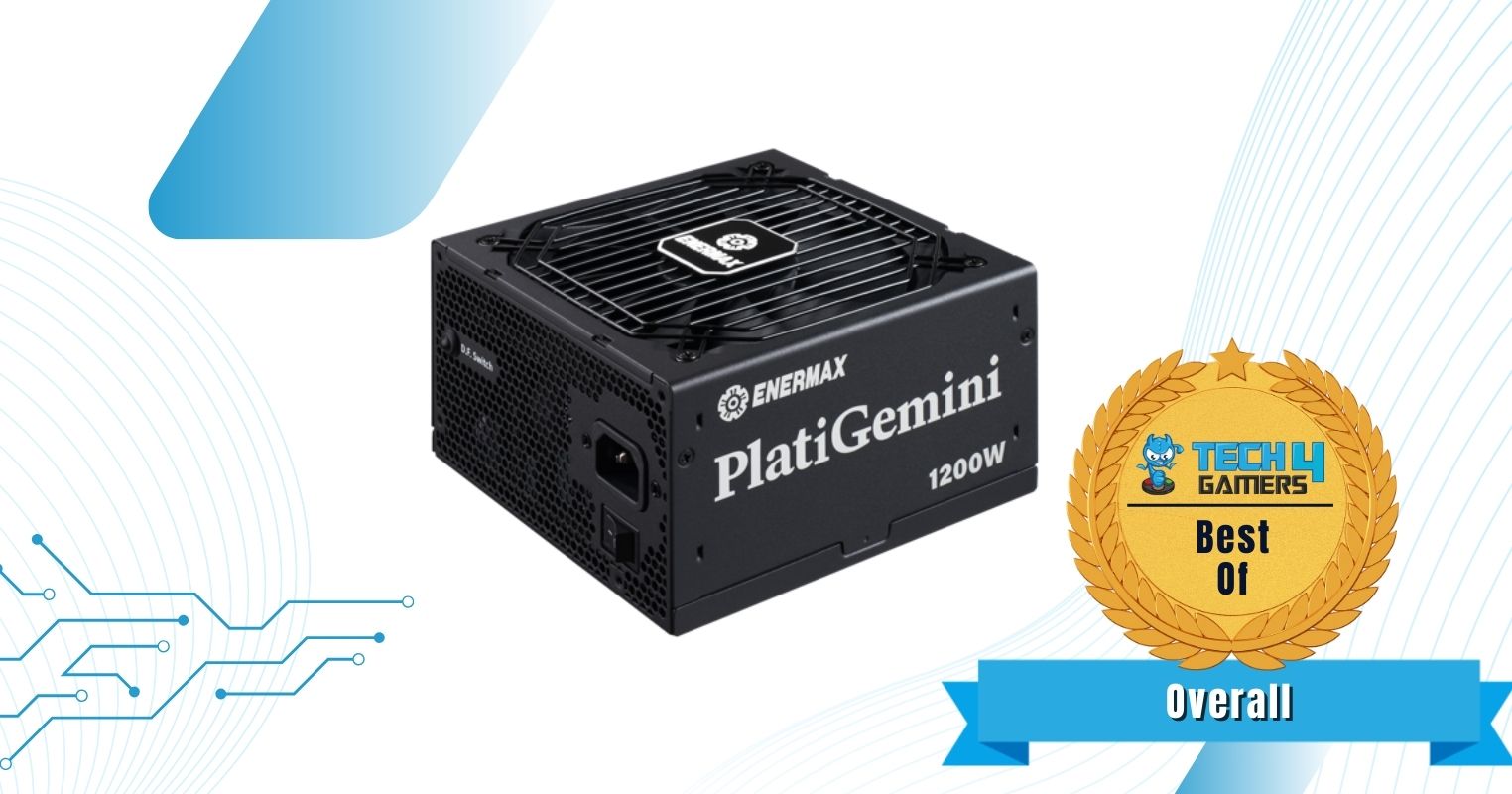
Enermax PlatiGemini 1200W Platinum
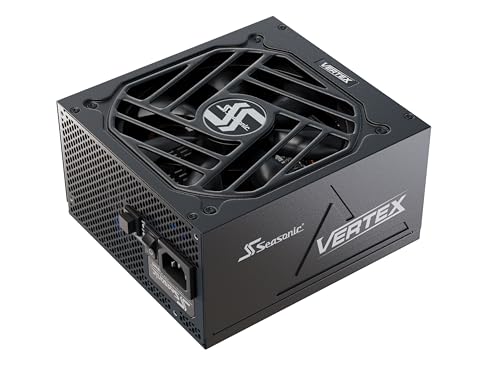
Seasonic Vertex GX-1200W Gold
XPG Fusion 1600W Titanium
Corsair HX1000i Platinum
Silverstone Hela 850R Platinum
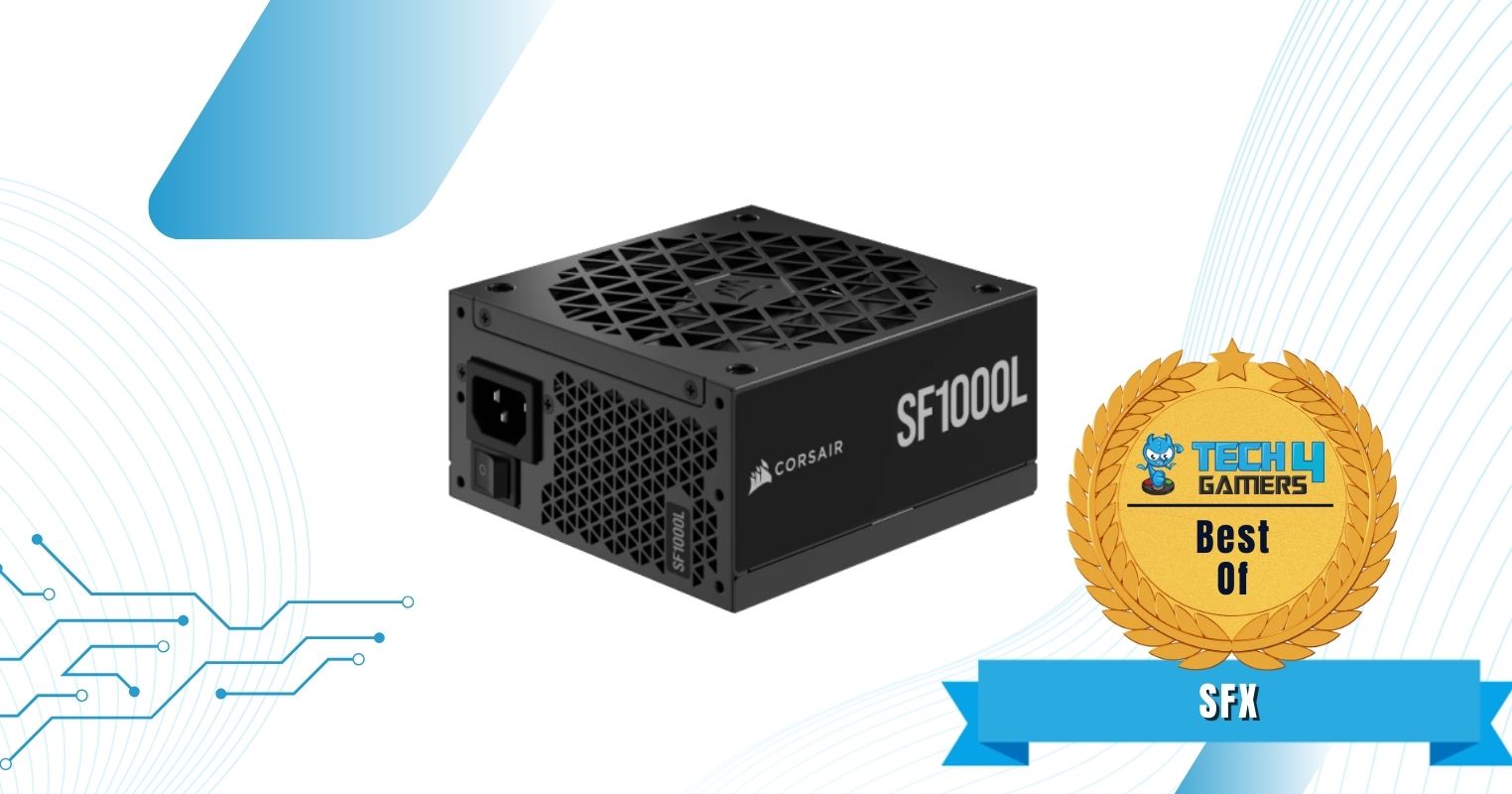
Corsair SF1000L SFX Gold
Looks
ENERMAX PlatiGemini 1200W, ATX 3.1 & ATX12VO Standard, PCIe 5 600W 12V-2x6 Connector, 80+ Platinum Full-Modular Power Supply, Compact 150mm ATX PSU, 10 Year Warranty; EGN1200P
Seasonic VERTEX GX-1200 - 1200W - 80+ Gold - ATX 3.0 & PCIe 5.0 Ready - Fully Modular - Premium Japanese Capacitors - 12 Year Warranty - Nvidia RTX 40/50 & AMD GPU Compatible
Corsair HX1000i Fully Modular Ultra-Low Noise ATX Power Supply - ATX 3.1 & PCIe 5.1 Compliant - Fluid Dynamic Bearing Fan - CORSAIR iCUE Software Compatible - 80 Plus Platinum Efficiency - Black
Silverstone Technology HELA 850R Platinum 80 Plus Platinum 850W ATX 3.1 Power Supply, SST-HA850R-PMA
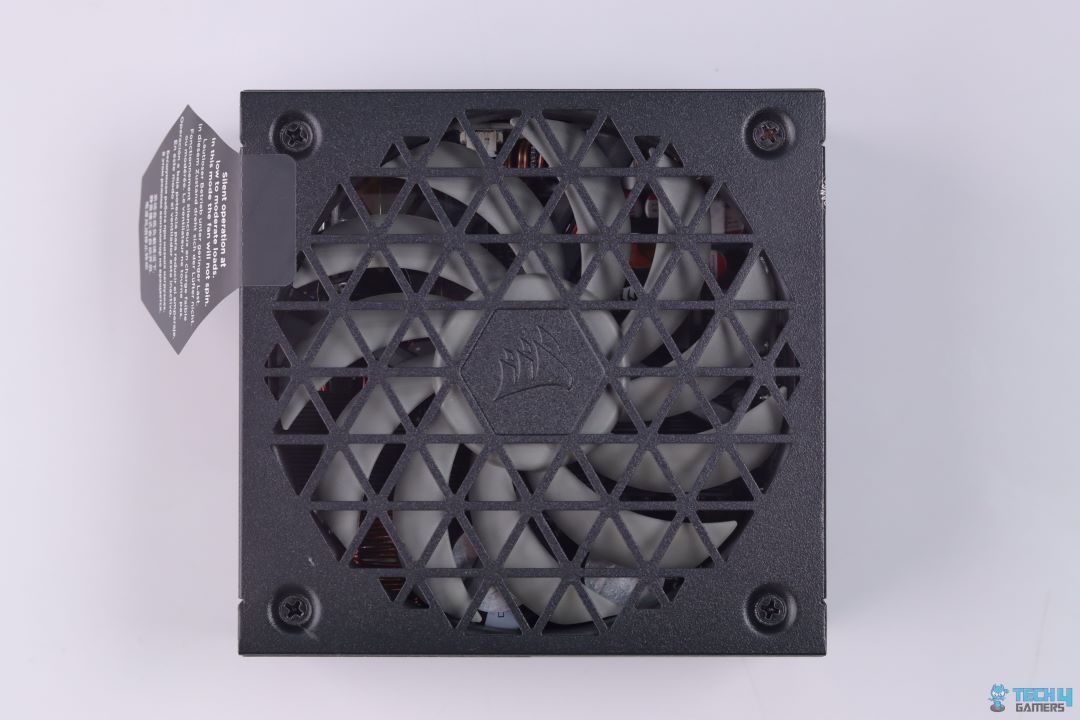
Corsair SF1000L Fully Modular Low-Noise SFX Power Supply - ATX 3.1 & PCIe 5.1 Compliant - Quiet 120mm PWM Fan - 80 Plus Gold Efficiency - Zero RPM Mode - 105°C-Rated Capacitors - Black
Award
Best Overall PSU For Gaming
Best 1200W PSU For Gaming
Best High-End PSU For Gaming
Best 1000W PSU For Gaming
Best 850W PSU For Gaming
Best SFX PSU For Gaming
What We Liked
High power density, silent fan, efficient, suitable for overclocking, ATX12VO standard
Soft sleeved cables, quiet, tight load regulation, 12-year warranty, plenty SATA connectors
Supports multi-GPU, performance, ripple suppression, warranty, software controlled, quiet
Voltage ripple performance, iCUE software control, hybird fan mode, build quality, lots of connectors
Efficient, silent, voltage ripple performance, build quality, flat cables, low temperatures
Exceeds 80+ Gold efficiency, performance, pricing, SFX-to-ATX adapter bracket, voltage ripple performance
What We Disliked
Expensive
High OCP on minor rails, Smaller distance between 4-pin MOLEX connectors, high vampire power at 230V
Transient response should be better, expensive, high vampire power at 230V
No 12VHPWR native connector, efficiency could be better
Expensive
Noisy after 50% load, High OCP triggering point on minor rails
Wattage
1200W
1200W
1600W
1000W
850W
1000W
Efficiency Rating
80+ Platinum
80+ Gold
80+ Titanium
80+ Platinum
80+ Platinum
80+ Gold
Size
150 x 150 x 86mm
160 x 150 x 86mm
210 x 150 x 86mm
180 x 150 x 85mm
150 x 150 x 86mm
130 x 125 x 63.5mm
Modular
Yes (Fully)
Yes (Fully)
Yes (Fully)
Yes (Fully)
Yes (Fully)
Yes (Fully)
Protection
OPP, OVP, UVP, OCP, OTP, SCP
OPP, OVP, UVP, OCP, OTP, SCP, NLO, SIP
OPP, OVP, UVP, OCP, OTP, SCP
Power Supply
Enermax PlatiGemini 1200W Platinum
Looks
ENERMAX PlatiGemini 1200W, ATX 3.1 & ATX12VO Standard, PCIe 5 600W 12V-2x6 Connector, 80+ Platinum Full-Modular Power Supply, Compact 150mm ATX PSU, 10 Year Warranty; EGN1200P
Award
Best Overall PSU For Gaming
What We Liked
High power density, silent fan, efficient, suitable for overclocking, ATX12VO standard
What We Disliked
Expensive
Wattage
1200W
Efficiency Rating
80+ Platinum
Size
150 x 150 x 86mm
Modular
Yes (Fully)
Protection
OPP, OVP, UVP, OCP, OTP, SCP
Amazon
Newegg
Power Supply
Seasonic Vertex GX-1200W Gold
Looks
Seasonic VERTEX GX-1200 - 1200W - 80+ Gold - ATX 3.0 & PCIe 5.0 Ready - Fully Modular - Premium Japanese Capacitors - 12 Year Warranty - Nvidia RTX 40/50 & AMD GPU Compatible
Award
Best 1200W PSU For Gaming
What We Liked
Soft sleeved cables, quiet, tight load regulation, 12-year warranty, plenty SATA connectors
What We Disliked
High OCP on minor rails, Smaller distance between 4-pin MOLEX connectors, high vampire power at 230V
Wattage
1200W
Efficiency Rating
80+ Gold
Size
160 x 150 x 86mm
Modular
Yes (Fully)
Protection
OPP, OVP, UVP, OCP, OTP, SCP
Amazon
Newegg
Power Supply
XPG Fusion 1600W Titanium
Looks
Award
Best High-End PSU For Gaming
What We Liked
Supports multi-GPU, performance, ripple suppression, warranty, software controlled, quiet
What We Disliked
Transient response should be better, expensive, high vampire power at 230V
Wattage
1600W
Efficiency Rating
80+ Titanium
Size
210 x 150 x 86mm
Modular
Yes (Fully)
Protection
OPP, OVP, UVP, OCP, OTP, SCP, NLO, SIP
Amazon
Newegg
Power Supply
Corsair HX1000i Platinum
Looks
Corsair HX1000i Fully Modular Ultra-Low Noise ATX Power Supply - ATX 3.1 & PCIe 5.1 Compliant - Fluid Dynamic Bearing Fan - CORSAIR iCUE Software Compatible - 80 Plus Platinum Efficiency - Black
Award
Best 1000W PSU For Gaming
What We Liked
Voltage ripple performance, iCUE software control, hybird fan mode, build quality, lots of connectors
What We Disliked
No 12VHPWR native connector, efficiency could be better
Wattage
1000W
Efficiency Rating
80+ Platinum
Size
180 x 150 x 85mm
Modular
Yes (Fully)
Protection
OPP, OVP, UVP, OCP, OTP, SCP, NLO, SIP
Amazon
Newegg
Power Supply
Silverstone Hela 850R Platinum
Looks
Silverstone Technology HELA 850R Platinum 80 Plus Platinum 850W ATX 3.1 Power Supply, SST-HA850R-PMA
Award
Best 850W PSU For Gaming
What We Liked
Efficient, silent, voltage ripple performance, build quality, flat cables, low temperatures
What We Disliked
Expensive
Wattage
850W
Efficiency Rating
80+ Platinum
Size
150 x 150 x 86mm
Modular
Yes (Fully)
Protection
OPP, OVP, UVP, OCP, OTP, SCP
Amazon
Newegg
Power Supply
Corsair SF1000L SFX Gold
Looks
Corsair SF1000L Fully Modular Low-Noise SFX Power Supply - ATX 3.1 & PCIe 5.1 Compliant - Quiet 120mm PWM Fan - 80 Plus Gold Efficiency - Zero RPM Mode - 105°C-Rated Capacitors - Black
Award
Best SFX PSU For Gaming
What We Liked
Exceeds 80+ Gold efficiency, performance, pricing, SFX-to-ATX adapter bracket, voltage ripple performance
What We Disliked
Noisy after 50% load, High OCP triggering point on minor rails
Wattage
1000W
Efficiency Rating
80+ Gold
Size
130 x 125 x 63.5mm
Modular
Yes (Fully)
Protection
OPP, OVP, UVP, OCP, OTP, SCP
Amazon
Newegg

If you’re looking for more options, you can check our PSU wattage calculator to get a list of power supplies based on your PC’s requirements.

Best PSU For Gaming In 2025

Here is a list of the best PSUs for gaming that I’ll be recommending today:

  1. Best Overall: Enermax PlatiGemini 1200W Platinum
  2. Best 1200W: Seasonic Vertex GX-1200W Gold
  3. Best High-End: XPG Fusion 1600W Titanium
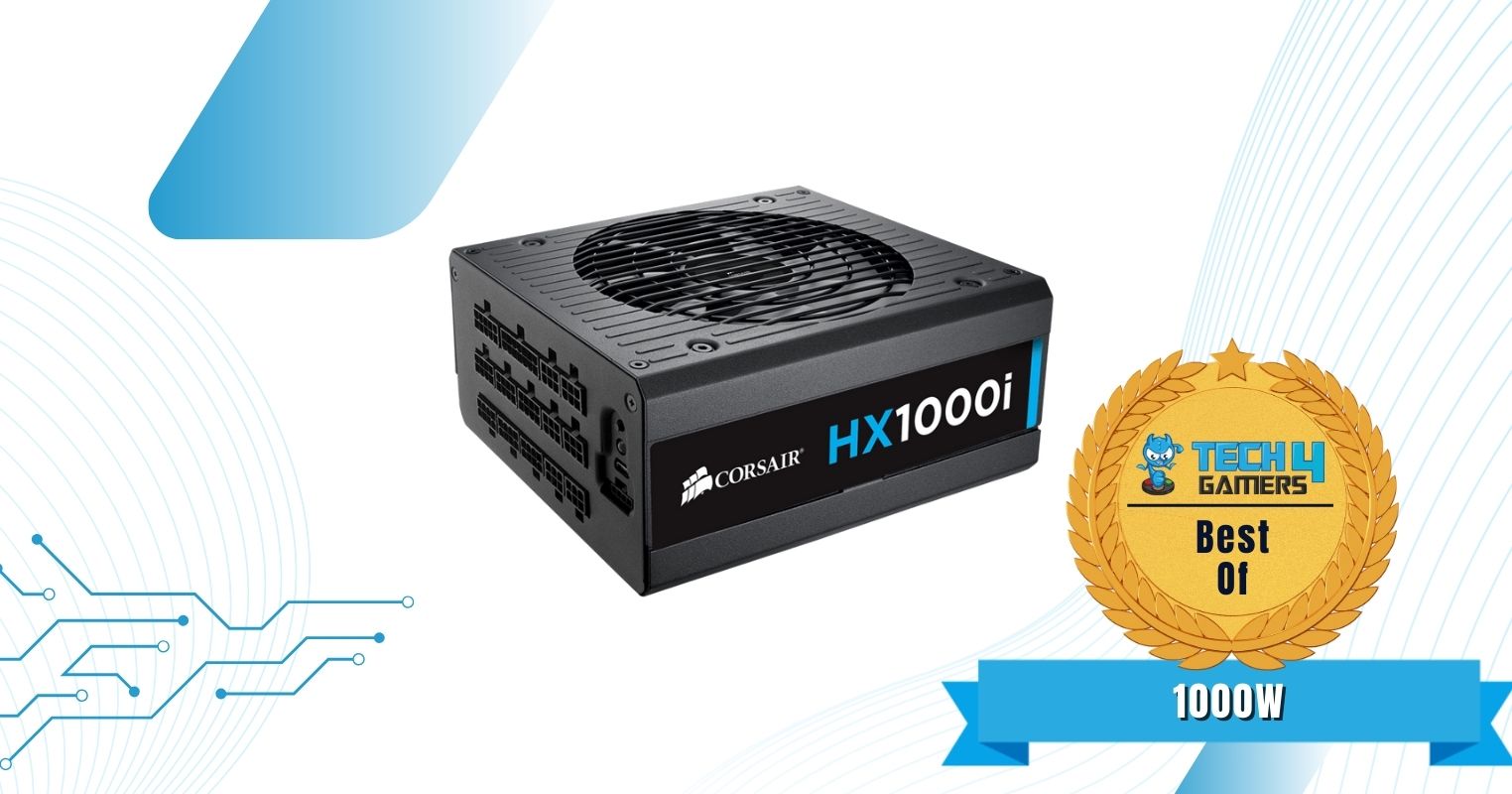
  4. Best 1000W: Corsair HX1000i Platinum
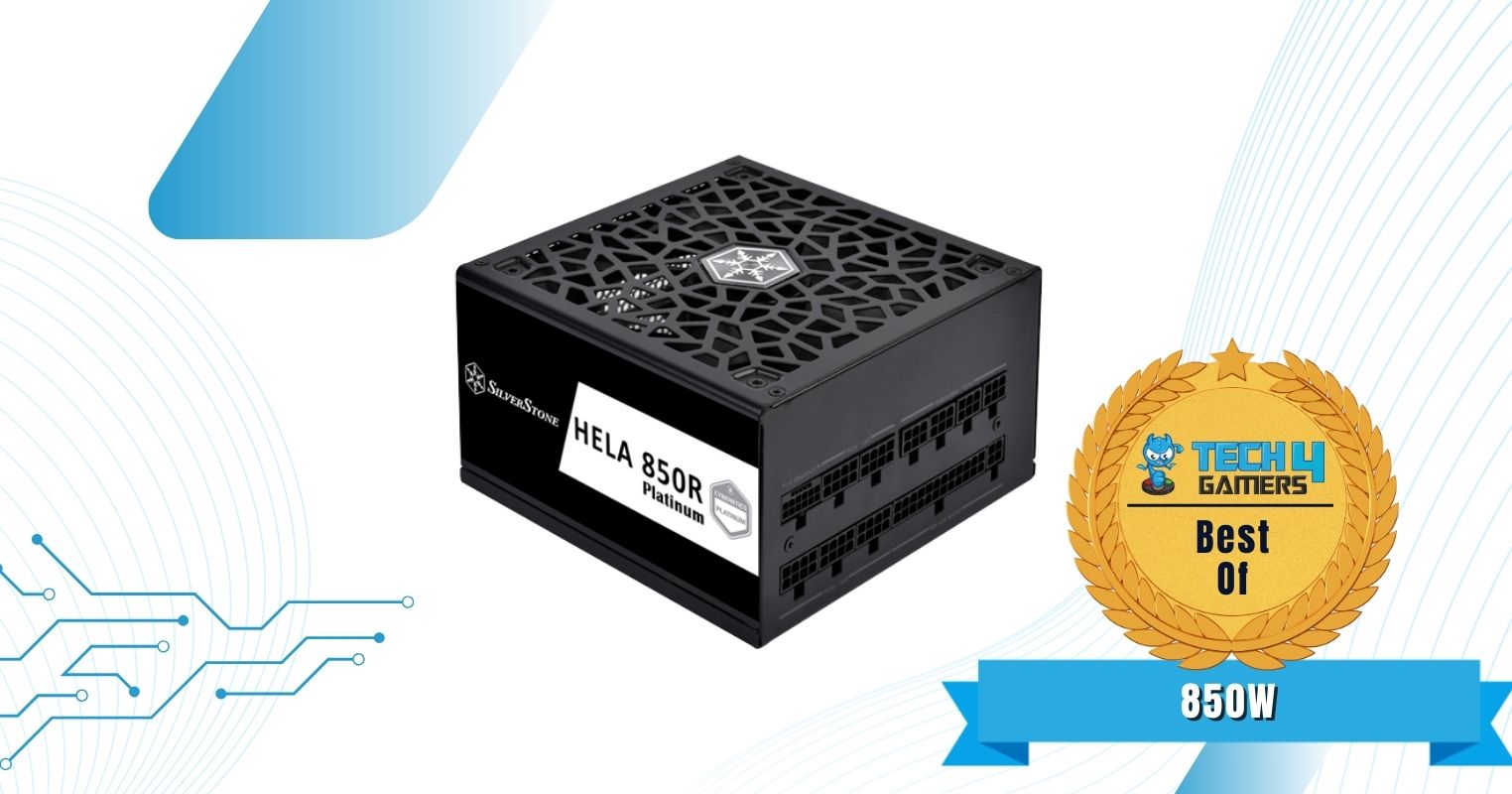
  5. Best 850W: Silverstone Hela 850R Platinum
  6. Best SFX: Corsair SF1000L SFX Gold

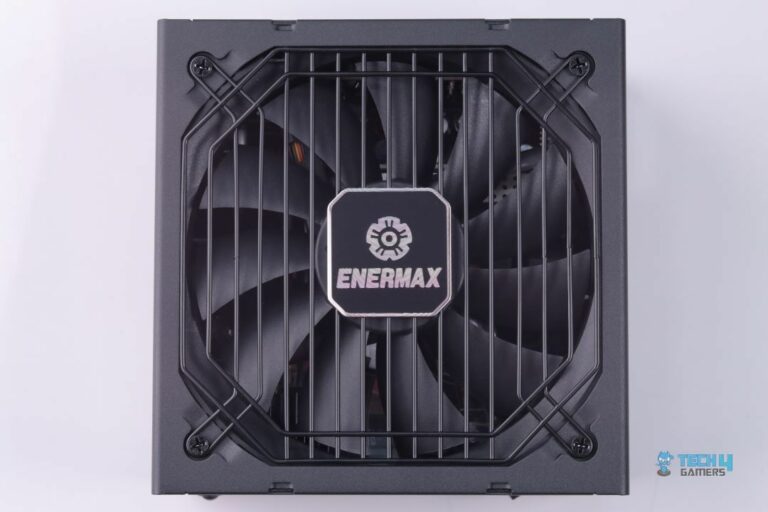
Enermax PlatiGemini 1200W Platinum

Best Overall PSU For Gaming

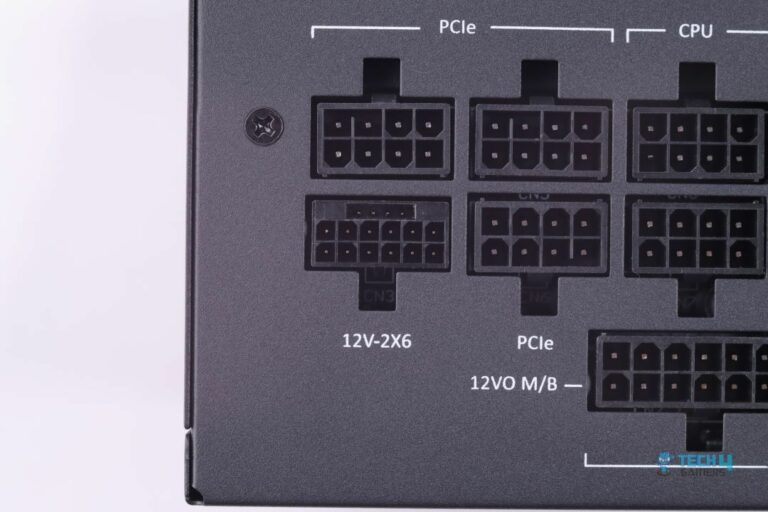
Specifications: Size: 150 x 150 x 86mm | Efficiency Rating: 80+ Platinum | Modular: Yes (Fully) | Wattage: 1,200W | Protection: OPP, OVP, UVP, OCP, OTP, SCP | ATX 24-Pin: 1 | EPS 4+4-Pin: 2 | 12V-2×6 12+4 Pin: 1 | PCI-E 6+2-Pin: 3 | SATA: 8 | MOLEX 4-Pin: 4

Pros

  • High power density in a compact design
  • Semi-silent fan
  • Extremely efficient
  • Suited for extreme overclocking
  • Dust Free rotation feature
  • Features ATX12VO standards

Cons

  • Slightly expensive

Read Our Enermax PlatiGemini 1200W Platinum Power Supply Review

One of the first power supplies on the planet to feature ATX12VO, the Enermax PlatiGemini 1200W Platinum, has brought out an innovation that Intel has been trying to achieve for some time. With a higher efficiency in a smaller package, I can only ask for a little else. Whether you’re trying to build a mid-range 1440p gaming PC or a high-end productivity rig with the RTX 4090, this power supply can handle all of it and more.

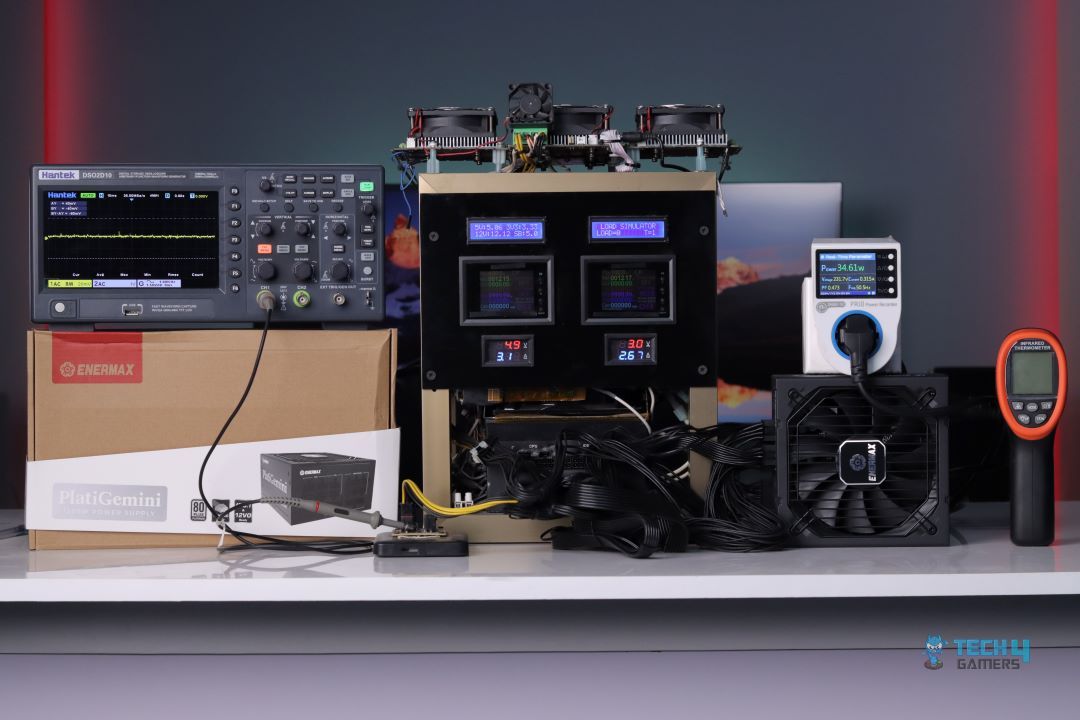
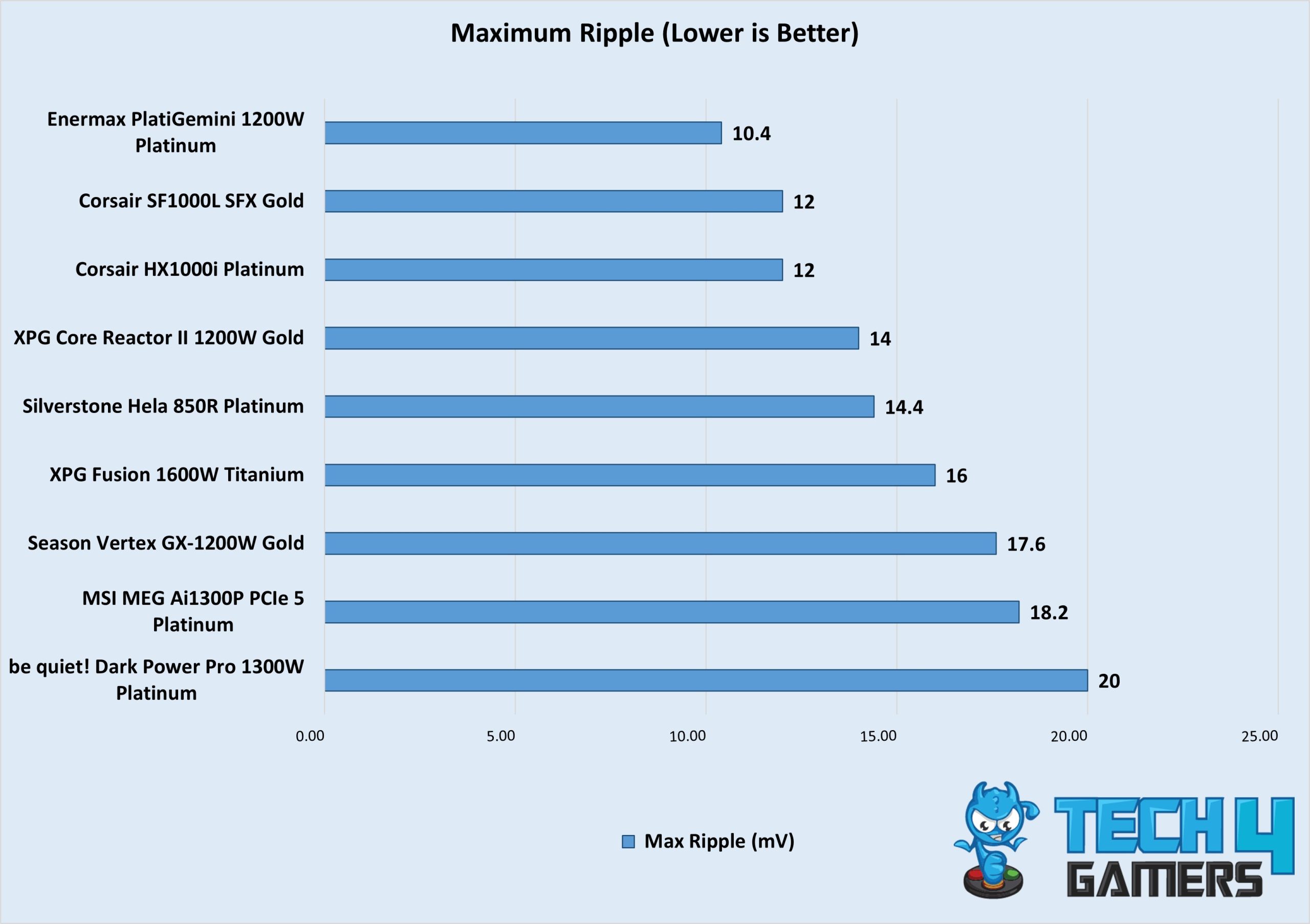
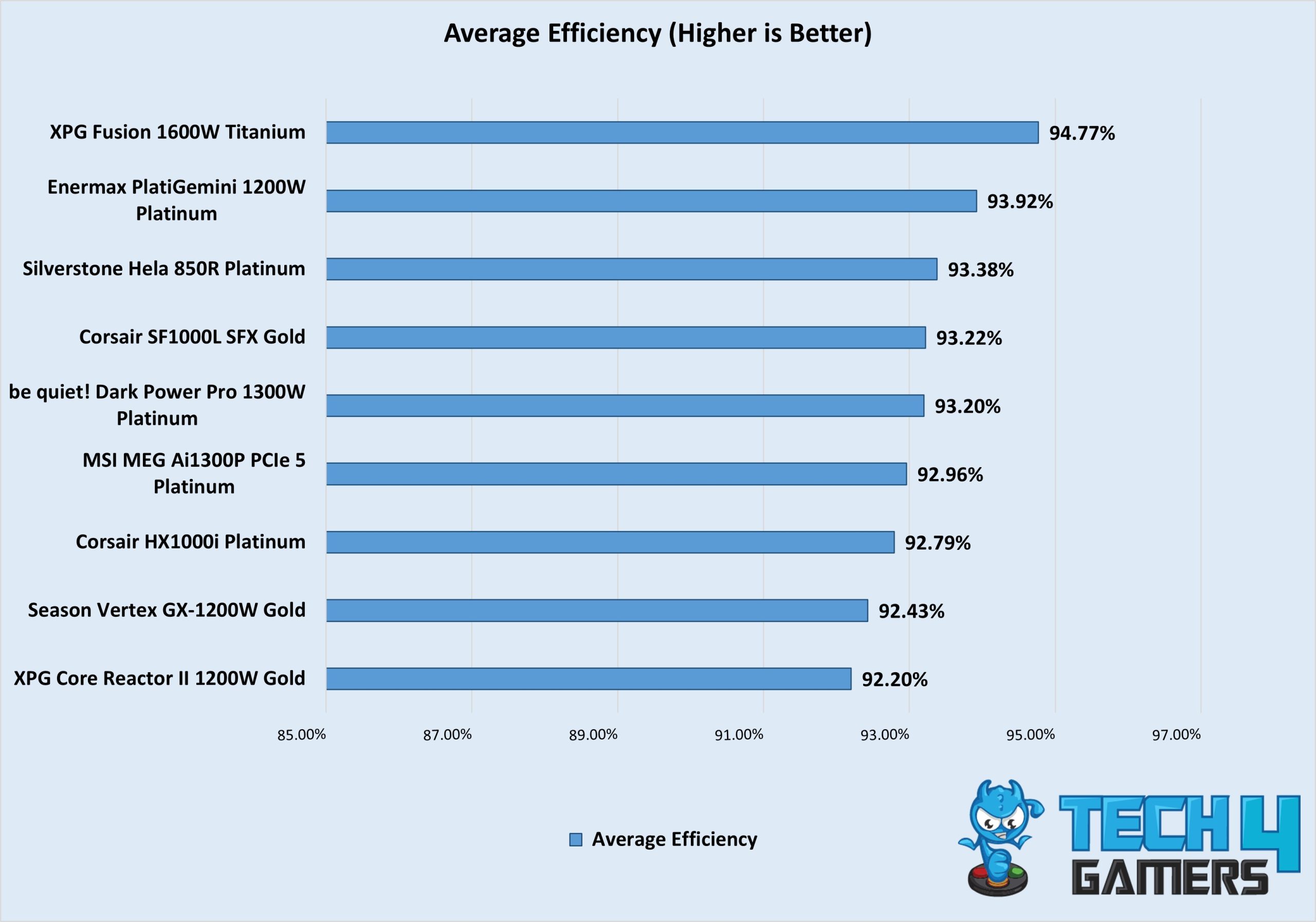
During our testing, the voltage regulation was extremely tight even at 1200W, where the voltage only dropped by 6mV from 12.15V at 20% to 12.09V at 100% load. Similarly, it is one of the most efficient power supplies at its wattage, showing up to 93.92% efficiency, ensuring greater overclocking potential. You’re getting all the bells and whistles with this ATX3.1 standard power supply, albeit a slightly higher price tag, that I cannot condone because of its amazing features.

Here’s my summary of the Enermax PlatiGemini 1200W Platinum taken from the review:

The Enermax PlatiGemin 1200W Platinum takes the crown with its robust build, top-tier efficiency, and exceptional performance. It has a fully modular design, premium mesh-sleeved cables, superior voltage regulation, and excellent thermal management. The unique Dust Free rotation feature ensures long-term maintenance. Despite its high cost, it’s perfect for high-end gaming rigs and overclocking enthusiasts seeking a reliable, silent power source.

✅Buy It If
You plan on overclocking your PC: The Enermax PlatiGemini 1200W has an impressive 235% power excursion, making it perfect for extreme overclocking. If you plan on doing that with your new gaming PC, this PSU will support you with stable wattage.

You’re excited about ATX12VO: Although it isn’t perfect and nowhere near mainstream, if you’re an adventurous person who wants to try out the latest and greatest in computer tech, this power supply will satiate your hunger. It will easily provide everything you’ll need for the next 10 years.

❌Don't Buy It If
You want affordability: While the power supply has amazing features and performance, it also has a hefty price tag. If you’re on a tighter budget, I recommend looking at another 1200W PSU or budgeting down to a 1000W or even an 850W component.

What Makes It The Best Overall PSU For Gaming?

The Enermax PlatiGemini 1200W Platinum power supply is a breath of innovation, featuring the latest ATX12VO standard with ATX3.1. Perfectly suitable for extreme overclocking thanks to an impressive 235% power excursion, 93.92% efficiency, and extremely tight voltage regulation, it’s truly best overall power supply for gaming, regardless of whatever components you’re building with.

Performance: 10/10 Value: 8/10
Features: 10/10 Efficiency: 10/10

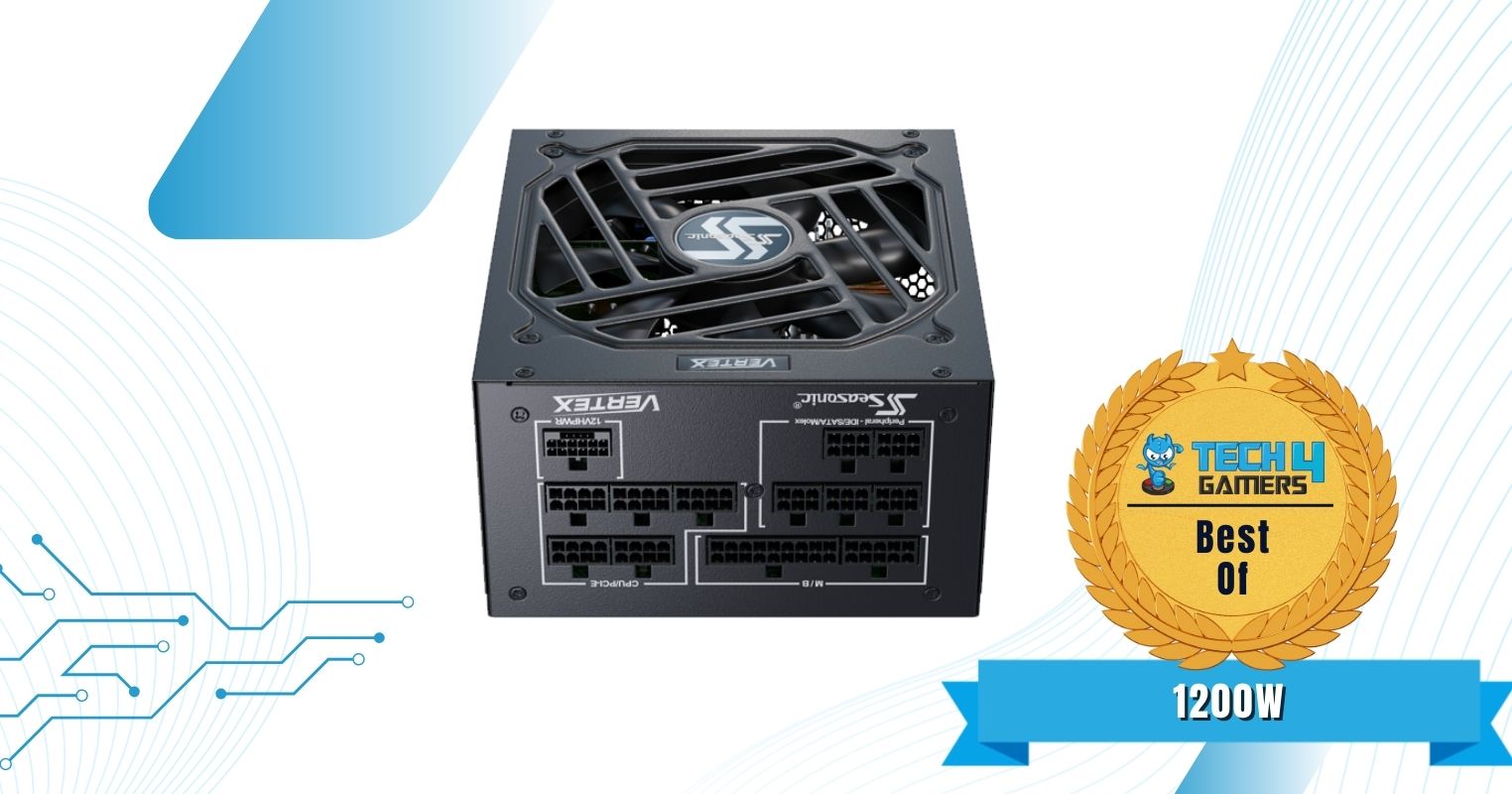
Seasonic Vertex GX-1200W Gold

Best 1200W PSU For Gaming

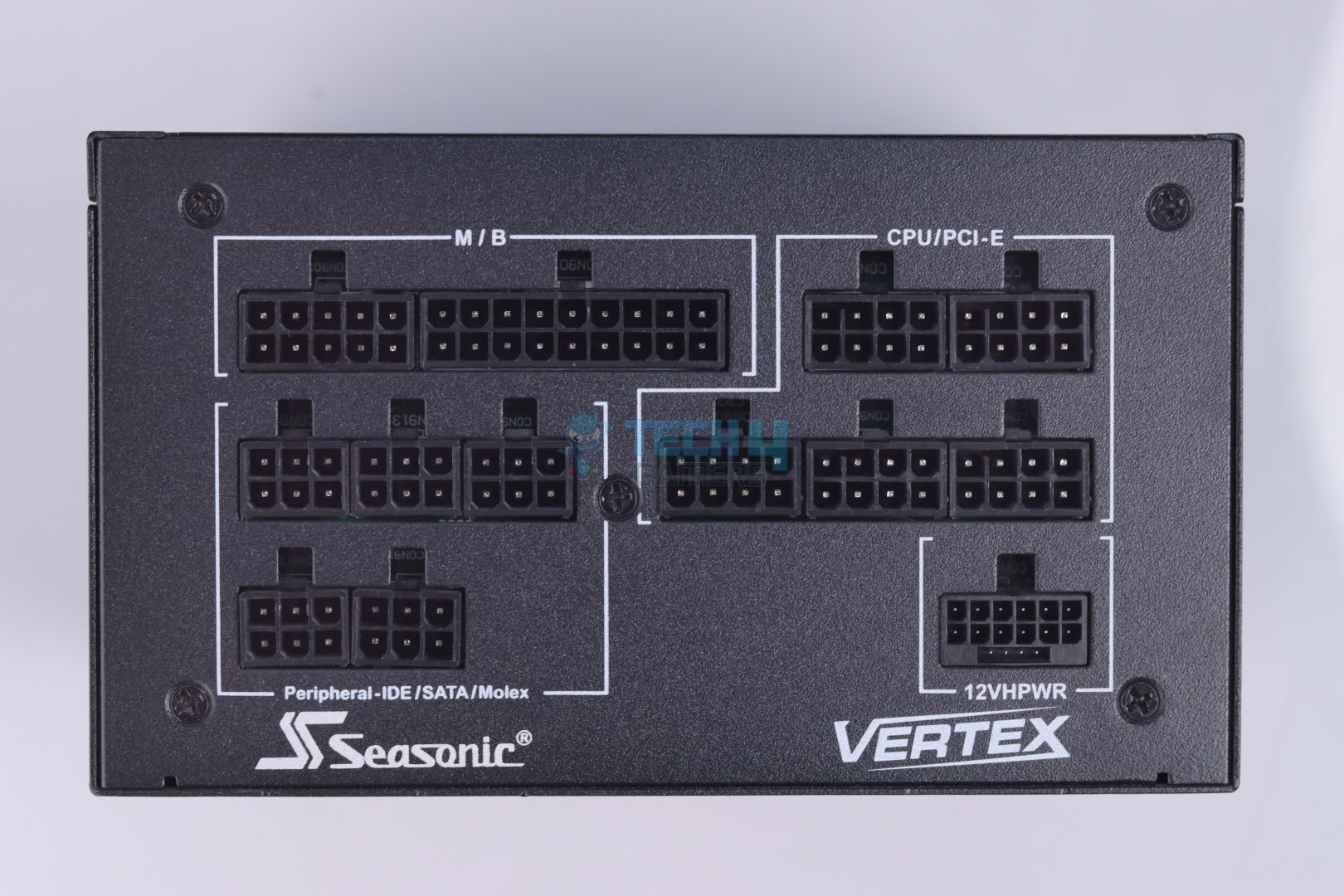
Specifications: Size: 160 x 150 x 86mm | Efficiency Rating: 80+ Gold | Modular: Yes (Fully) | Wattage: 1200W | Protection: OPP, OVP, UVP, OCP, OTP, SCP | ATX 24-Pin: 1 | EPS 4+4-Pin: 2 | 12VHPWR Cable: 1 | PCI-E 6+2-Pin: 3 | SATA: 16 | MOLEX 4-Pin: 3

Pros

  • Soft sleeved cables
  • Quiet operation
  • Tight load regulation
  • 12-year warranty period
  • Plenty SATA connectors
  • High build quality

Cons

  • High OCP on minor rails
  • Smaller distance between 4-pin MOLEX connectors
  • More expensive than competition

Read Our Seasonic Vertex GX-1200W Gold Power Supply Review

Perfect for power-hungry components, the Seasonic Vertex GX-1200W Gold power supply features enough wattage and power efficiency to keep all your high-end components at bay, even when overclocked. You won’t find a lack of cables, either, with 16 SATA and 3 MOLEX 4-pin connectors. However, I would have liked to see a 150mm distance between the MOLEX connectors.

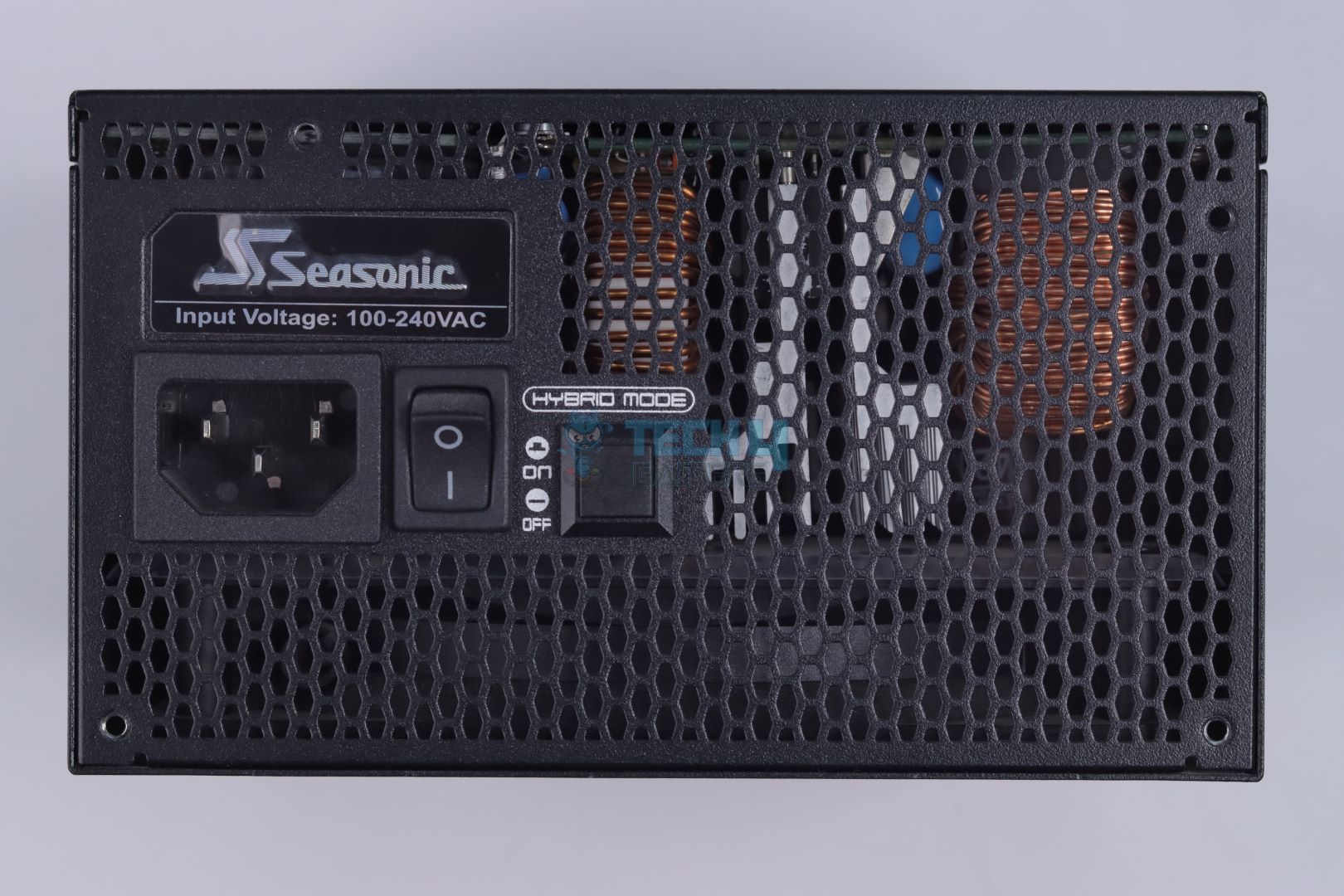
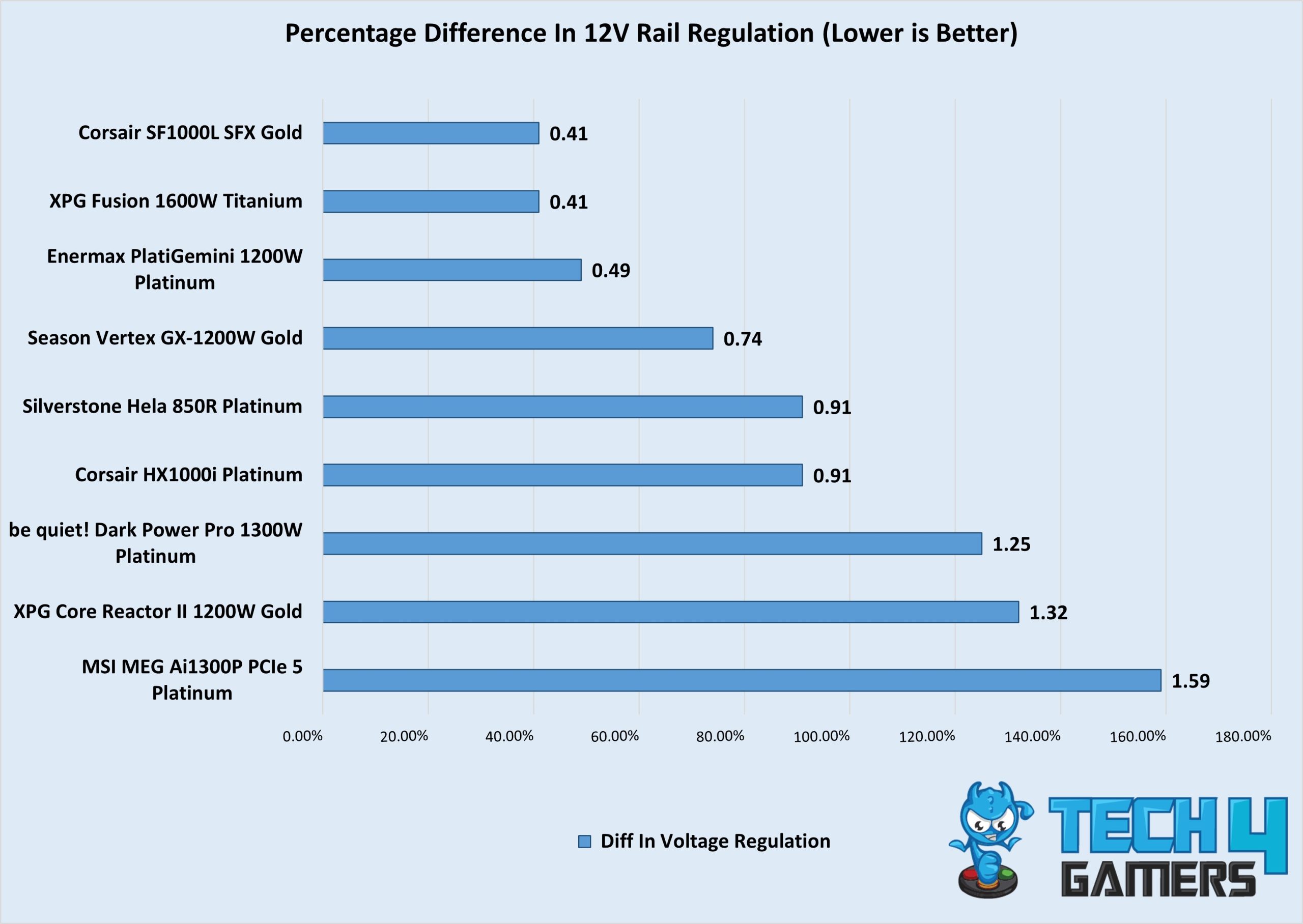
Regarding performance, the voltage regulation is amazing, as tested in our review. The Vertex GX-1200W only loses to the PlatiGemini by a little, with a regulation difference of 0.74%. It’s not the most efficient, but according to our tests, it went slightly above the 80+ Gold rating and was 92.43% efficient. The temperatures were also fine, making it an outstanding power supply overall. You won’t face any issues regardless of whether you’re running a mid-range or high-end PC.

I was very impressed by the Vertex GX-1200W’s performance, this is what I said:

The Seasonic Vertex GX-1200 is a high-quality, reliable PSU that handles demanding systems with ease. It’s fully modular, efficient, and operates quietly with a hybrid fan mode, making it a great choice for anyone looking to power a modern setup. The PSU is well-built with top-tier Japanese components, and the 10-year warranty adds peace of mind. It’s a solid performer, though its price might be a bit steep compared to some newer options on the market.

✅Buy It If
You don’t want transient spikes to hinder your gaming sessions: High-end graphics cards like the RTX 4090 and RX 7900 XTX are prone to greater transient spikes, especially when overclocked. If you’re worried the spikes will cause sudden shutdowns and restarts, purchase this power supply for its tight load regulation and easy handling of transient spikes.

You’re new to PC building: Cable management can be difficult for new PC builders. However, the Seasonic Vertex GX-1200W Gold power supply helps ease it by featuring soft-sleeved cables, allowing PC builders to route them as they wish. So, if you’re new to PC building, I suggest you lean towards this power supply to save some time.

❌Don't Buy It If
The 125mm long MOLEX connectors hinder you: It’s not a big issue, but if the 125mm MOLEX connectors aren’t long enough for your PC case, then you might want to either buy custom cables or look for another power supply.

What Makes It The Best 1200W PSU For Gaming ?

What makes the Seasonic Vertex GX-1200W Gold PSU the best 1200W PSU for gaming isn’t just its high-end performance. Rather, user-friendly features like soft-sleeved cables, a longer 12-year warranty, quiet operation, and tight load regulations played a crucial part in the PSU’s selection. I also love the plenty of SATA connectors the power supply offers, ensuring you don’t run out anytime soon.

Performance: 10/10 Value: 8/10
Features: 9/10 Efficiency: 9/10

XPG Fusion 1600W Titanium

Best High-End Power Supply For Gaming PC

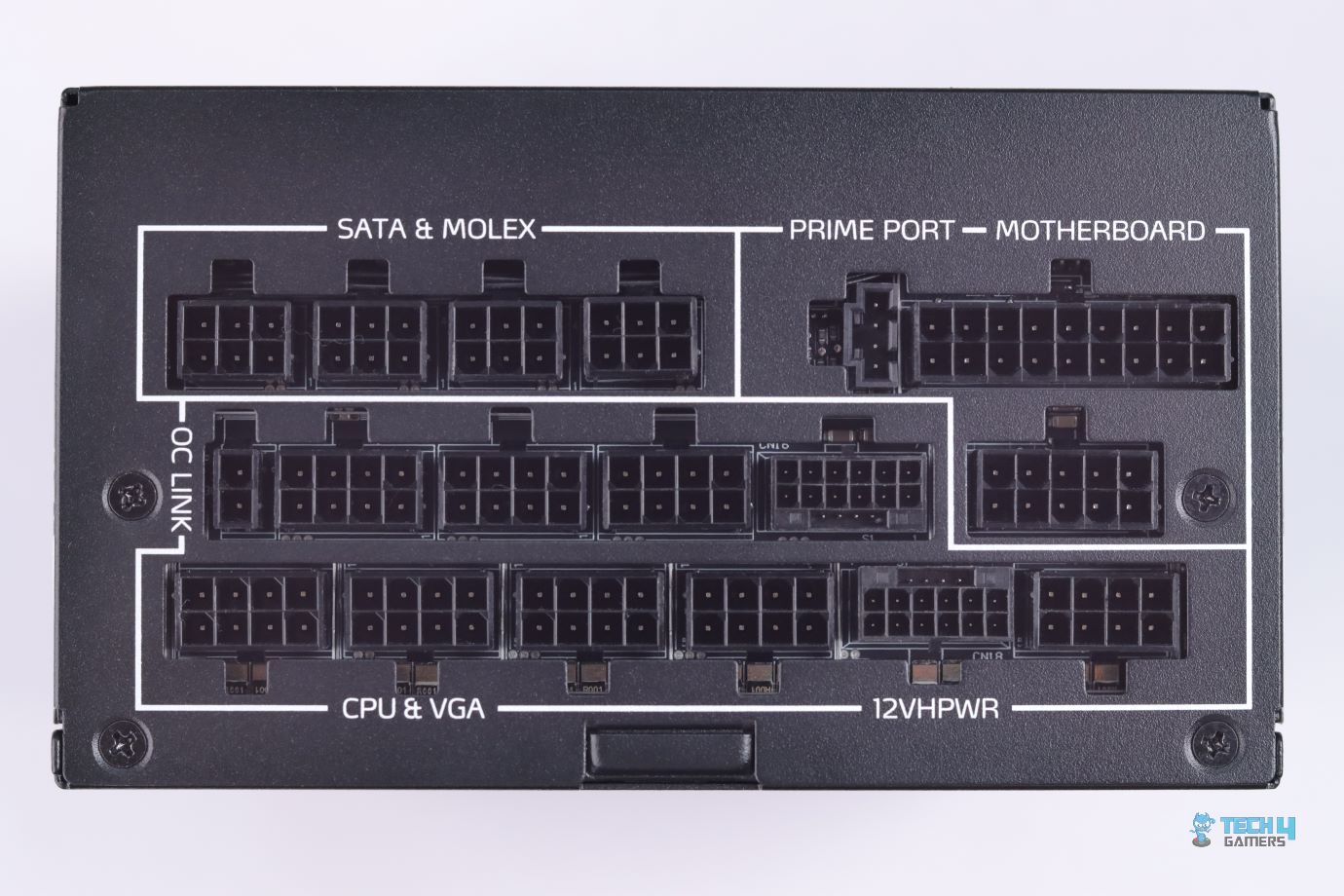
Specifications: Size: 210 x 150 x 86mm | Efficiency Rating: 80+ Titanium | Modular: Yes (Fully) | Wattage: 1600W | Protection: OPP, OVP, UVP, OCP, OTP, SCP, NLO, SIP | ATX 24-Pin: 1 | EPS 4+4-Pin: 2 | 12VHPWR Cable: 2 | PCI-E 6+2-Pin: 10 | SATA: 12 | MOLEX 4-Pin: 4

Pros

  • Supports multi-GPU with dual 12VHPWR connectors
  • Outstanding performance
  • Decent ripple suppression
  • 12-year warranty period
  • Fully software controlled
  • Quiet operation
  • Tight load regulation at 12V and 5V

Cons

  • Expensive

Read Our XPG Fusion 1600W Titanium Power Supply Review

Are you looking to go over and above the top with your new gaming PC? If so, you’ll need a lot of juice to power it, and that’s where the XPG Fusion 1600W Titanium power supply comes into play. With an 80+ Titanium and a Titanium Cybenetics rating, you get a super-efficient PSU that supports multi-GPU with its dual 12VHPWR connectors. You won’t need this power supply for most use cases, but it’s perfect for future-proofing your new gaming PC.

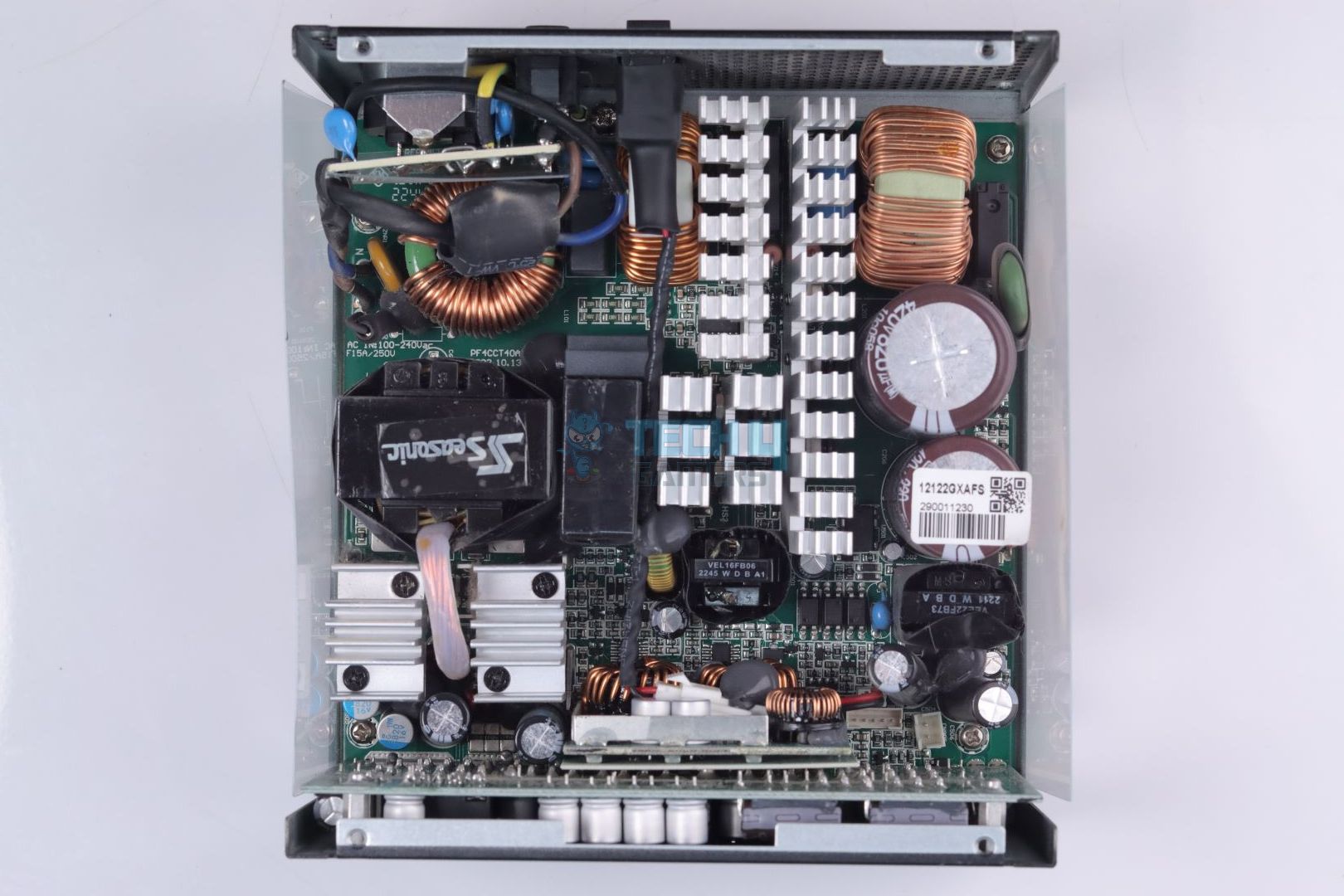
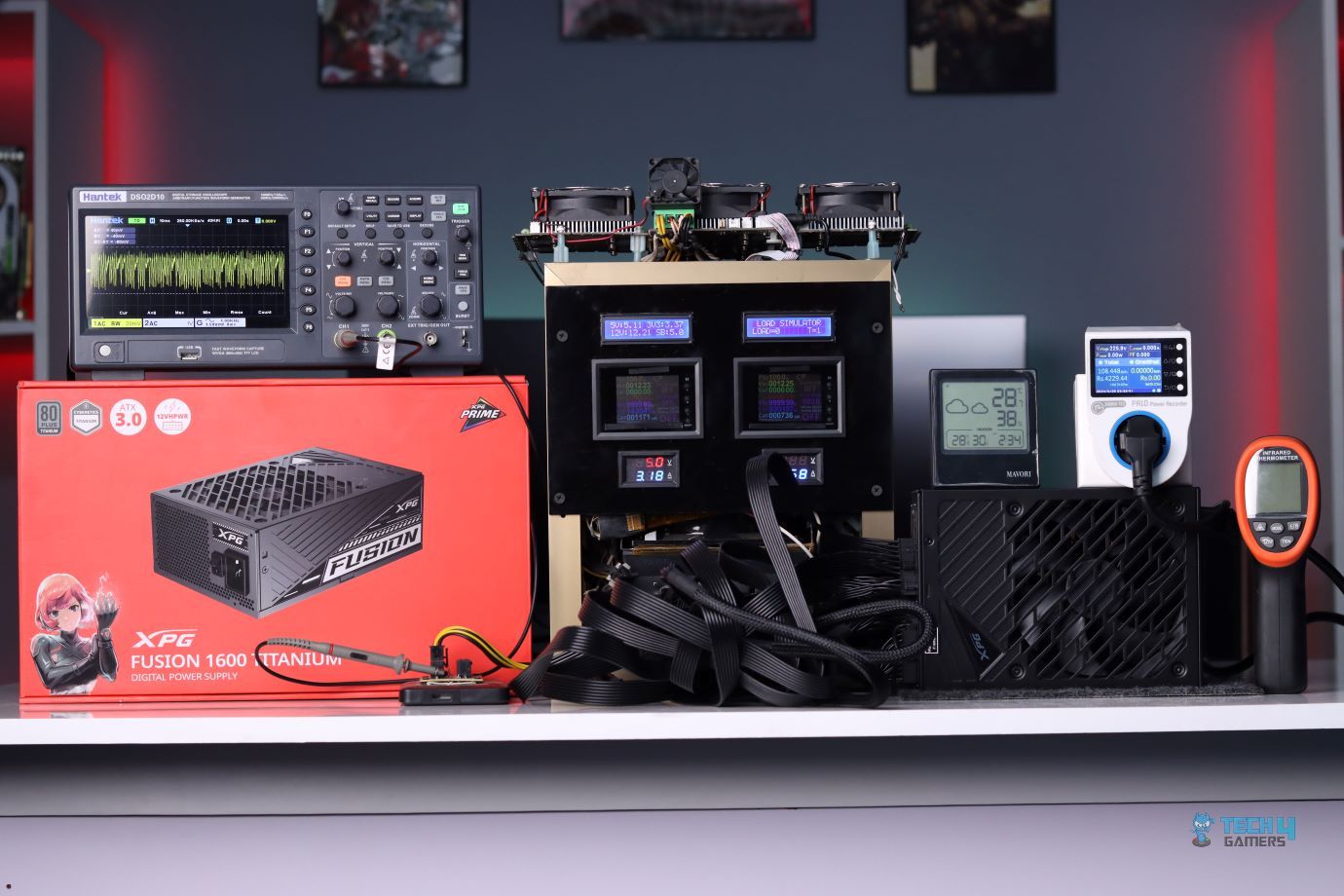
After installing it on our test build, the power supply gave some intriguing values. For example, the load regulation is extremely tight at 12V and 5V, making it perfect for extreme overclocking. Similarly, it is very impressive to see a 16mV ripple suppression on such a high-wattage PSU. To add on, the GaN MODFETs utilized in the power supply change the dynamic of PSU designs, making the XPG Fusion quieter, more efficient, and less prone to being bottlenecked, unlike high-wattage PSUs that are still using bridge rectifiers and MOSFETs.

PRO TIP: Using cable combs can help with cable management and improve the overall airflow within your chassis.

This is what I had to say after thoroughly testing and reviewing the XPG Fusion 1600W Titanium:

The XPG Fusion 1600W Titanium PSU, designed with Delta Electronics, offers top performance and innovation. Featuring GaN MODFETs, it supports multi-GPU setups with dual 12VHPWR connectors and full software control. It provides excellent voltage regulation and efficiency. Priced at $700, it’s perfect for enthusiasts seeking high-end technology and a 12-year warranty, but it may be too costly for average PC builders.

✅Buy It If
You want to future-proof your next PC build: If you’re shopping for a new gaming PC and want to future-proof it for the next couple of upgrades, I reckon the XPG Fusion 1600W Titanium power supply is the perfect fit. With a 1600W 80+ Titanium-rated power supply, you can easily run even the RTX 5090 without problems.

You want to run a multi-GPU setup: If you’re going to run a multi-GPU setup to play games and use the same PC for productivity tasks, then this PSU will prove useful. With its dual 12VHPWR connectors, you won’t have to worry about anything when it comes to running dual graphics cards.

❌Don't Buy It If
The $700 price tag is wasted on your use case scenario: I don’t recommend buying this power supply if your PC doesn’t cost at least thrice its price.

What Makes It The Best High-End PSU For Gaming?

The XPG Fusion 1600W Titanium power supply features high 1600W power, efficiently transferring throughout the PC. With tight 12V and 5V load regulations, you don’t have to worry about hiccups during overclocking. The power supply supports multi-GPU with its dual 12VHPWR connectors, is fully software-controlled, and has a decent 12-year warranty, making it the best high-end PSU for gaming.

Performance: 10/10 Value: 7/10
Features: 9/10 Efficiency: 9/10

Corsair HX1000i Platinum

Best 1000W PSU For Gaming

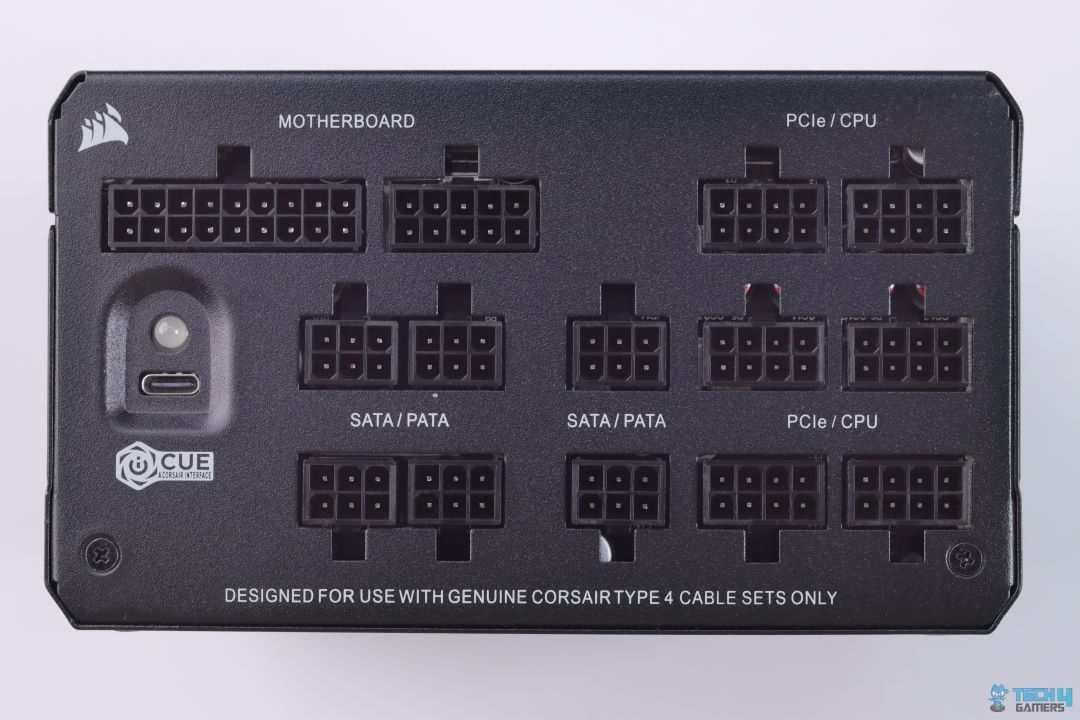
Specifications: Size: 180 x 150 x 85mm | Efficiency Rating: 80+ Platinum | Modular: Yes (Fully) | Wattage: 1000W | Protection: OPP, OVP, UVP, OCP, OTP, SCP, NLO, SIP | ATX 24-Pin: 1 | EPS 4+4-Pin: 2 | 12V-2×6 (12+4)-Pin: 1 | PCI-E 6+2-Pin: 4 | SATA: 8 | MOLEX 4-Pin: 8

Pros

  • Exceptional voltage ripple performance
  • iCUE software control feature
  • Hybrid fan mode
  • Top build quality
  • Lots of connectors provided

Cons

  • No 12VHPWR native connector
  • Efficiency could be better

Read Our Corsair HX1000i Platinum Power Supply Review

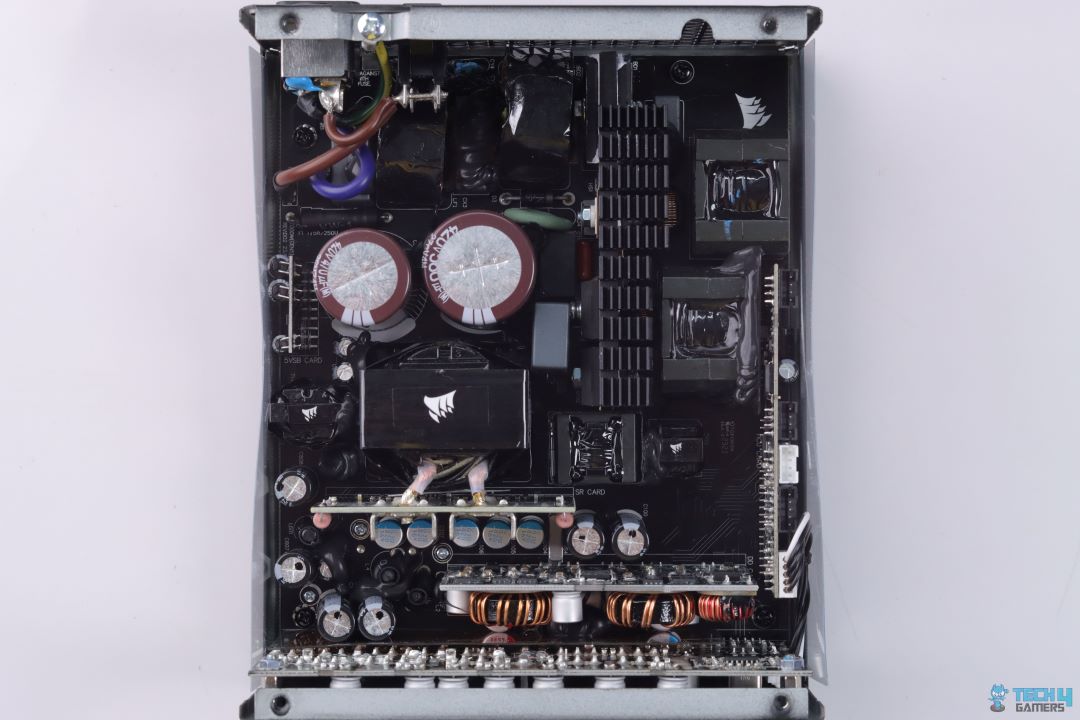
Perfect for most PC builds, if you don’t want a lot of extra wattage on your power supply, the Corsair HX1000i Platinum will fit most of your needs. In our test results, the efficiency was measured at 92.79%, which is great but could be slightly higher to match its competition. Additionally, I love the top build quality of the PSU, ensuring you won’t be looking for something new for a long time.

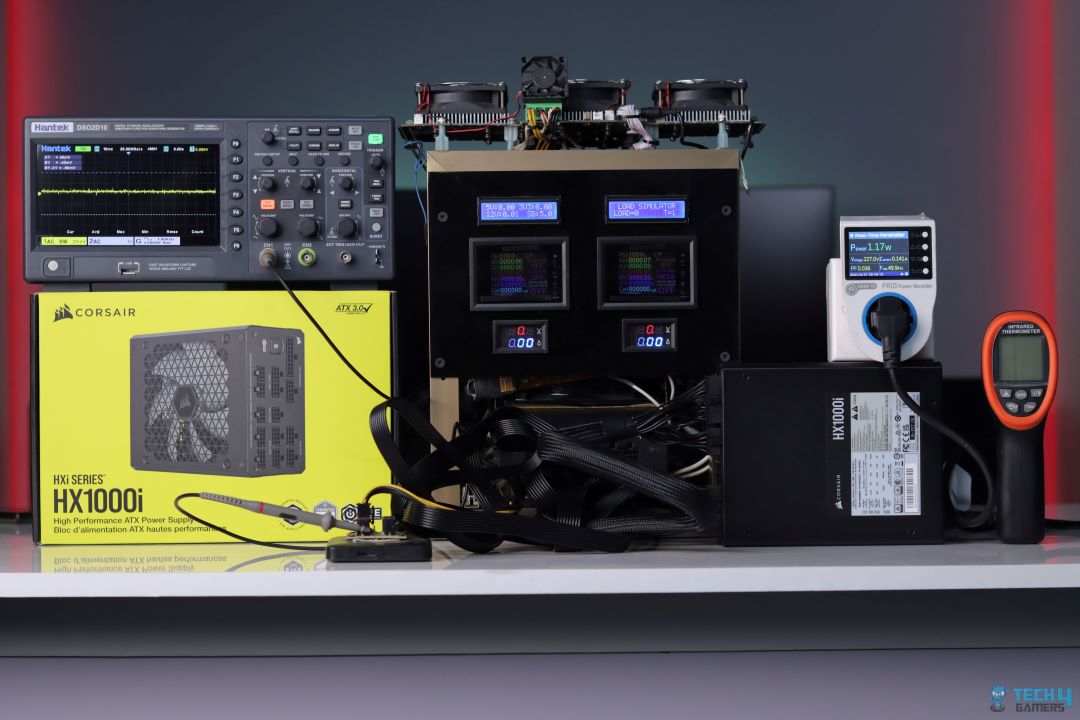
Besides its efficiency and wattage, the HX1000i Platinum has much to offer with its exceptional voltage ripple performance. During our testing, the PSU’s ripple was 12mV at 100% load, second only to the Enermax PlatiGemini 1200W. Similarly, the temperatures were exceptionally low, with the junction temperature at 45.2°C. In conclusion, it’s a perfect PSU for most PC users. However, I would have loved a 12VHPWR native connector. You have a 12V-2×6 (12+4)-pin cable, so you must use an adapter for high-end NVIDIA GPUs.

This is how I described the PSU in my review:

The Corsair HX1000i PSU, part of the top-tier HXi series, offers a robust 1000W output and complies with ATX 3.0/3.1 specs. Its design features high-quality Japanese components and a quiet fluid dynamic bearing fan. The semi-digital platform allows performance monitoring via Corsair’s iCUE software. While it excels in voltage ripple control and comes with a solid warranty, it lacks a native 12VHPWR connector and has slightly lower efficiency compared to other Platinum-rated PSUs.

✅Buy It If
You want exceptional overclocking opportunities: If you’re buying any graphics card except the RTX 4090 and want to achieve decent overclocks, the Corsair HX1000i Platinum is the perfect choice because of its amazing ripple performance, which allows greater overclocks.

You have lots of storage drives: If you have many storage drives, the Corsair HX1000i Platinum can easily help house them with its 8x SATA and 8x MOLEX connectors. You can’t possibly need more connectors than that for gaming purposes.

❌Don't Buy It If
You prefer better efficiency from an 80+ Platinum PSU: Although the Corsair HX1000i Platinum has impressive efficiency, at 92.79%, some of its competition is even more efficient at the same price point. So, I don’t recommend buying this power supply if you prefer better efficiency.

What Makes It The Best 1000W PSU For Gaming?

The Corsair HX1000i Platinum offers impressive ripple performance, high-end build quality, decent fan control, and lots of connectors on top of its amazing performance, making it perfect for almost any PC build. Moreover, its decent price tag turns it into an even better deal, thus making it the best 1000W PSU for gaming.

Editor`s Note
Image

Out of all the power supplies, I loved the Corsair HX1000i Platinum the most because it’s not only the sweet spot for most PC components but also provides impeccable performance and tight load regulations. The power supply is perfect if you have lots of storage drives, too. I also love the future-proofing aspect of this PSU and its decent pricing, which makes it even more attractive. If you don’t mind the slightly lower efficiency, you won’t regret purchasing this bad boy.

– Arsalan Shakil

Performance: 9/10 Value: 9/10
Features: 9/10 Efficiency: 9/10

Silverstone Hela 850R Platinum

Best 850W PSU For Gaming

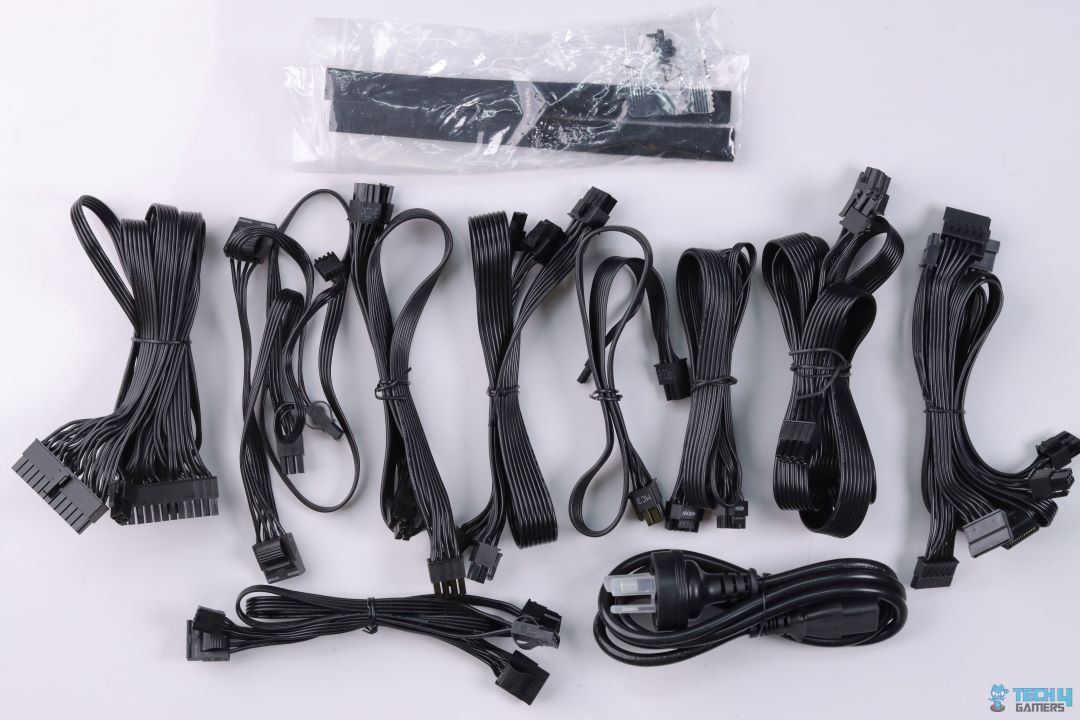
Specifications: Size: 150 x 150 x 86mm | Efficiency Rating: 80+ Platinum | Modular: Yes (Fully) | Wattage: 850W | Protection: OPP, OVP, UVP, OCP, OTP, SCP | ATX 24-Pin: 1 | EPS 4+4-Pin: 2 | 12VHPWR Cable: 1 | PCI-E 6+2-Pin: 2 | SATA: 8 | MOLEX 4-Pin: 6

Pros

  • Extremely efficient
  • Silent operation
  • Impressive voltage ripple performance
  • Sturdy build quality
  • High-quality flat cables
  • Low temperatures

Cons

  • Expensive

Read Our Silverstone Hela 850R Platinum Power Supply Review

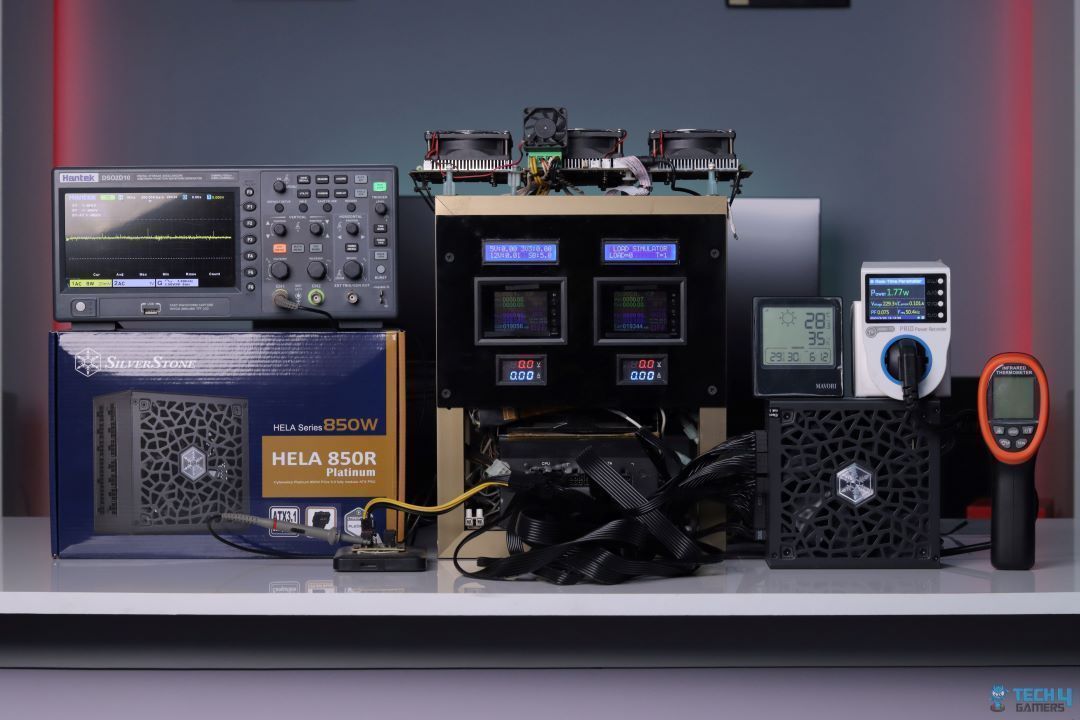
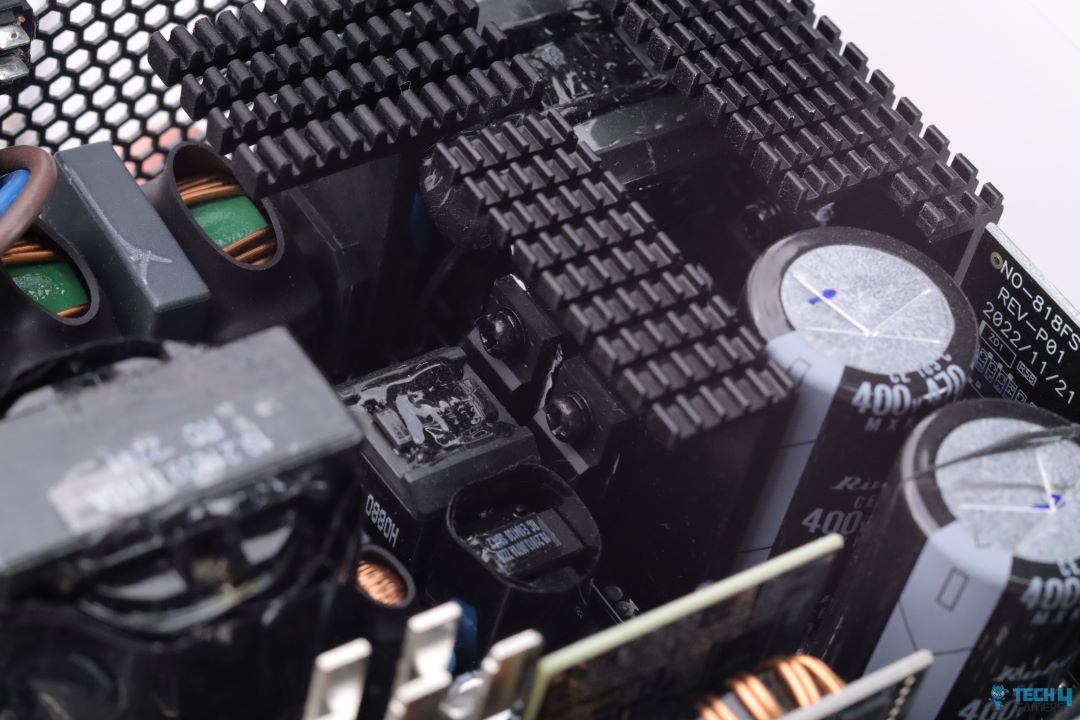
Okay, I get it — you don’t want to buy a high-end, all-frills gaming PC. What power supply best fits a mid-range PC, anyway? If upgrading to a 1440p gaming PC, the Silverstone Hela 850R Platinum is your best shot. It holds enough future-proofing capabilities to last you another upgrade and provides impeccable performance with its high-end capacitors.

For example, I loved the power supply’s efficiency the most because it was 93.38% efficient during our performance testing, almost topping our charts. On that same note, the PSU has an incredible voltage ripple performance at 14.4mV at 100% load. So, go all-out if you’re considering overclocking your mid-range PC components. Lastly, the low 40.8°C junction temperatures surprised me again. When it comes to efficiency, nothing is beating this power supply.

Here’s a summary of the power supply’s performance, efficiency, and pricing from its review:

The Silverstone Hela 850R Platinum is a high-performance, efficient power supply unit that stands out with its adherence to the latest ATX 3.1 specifications. It features the new 12V-2×6 GPU connector, improving safety and reliability. In our tests, the PSU delivered impressive results, showcasing excellent voltage regulation, high efficiency (up to 94.23%), and exceptional voltage ripple performance. The PSU’s robust build includes top-quality Japanese capacitors and efficient cooling, meaning quiet operation even under load.

✅Buy It If
You want to extract every performance from your PC: The Silverstone Hela 850R Platinum power supply is perfect for overclocking. Its incredible voltage regulation and ripple performance allow stable power even with high-end PC components.

You want quiet fans and the lowest temperatures: I loved this PSU’s extremely quiet fan, running at around 33dB(A) with max temperatures of 40.8°C. If you prioritize temperatures and noise levels, this PSU will provide both without compromising performance.

❌Don't Buy It If
You are concerned about future-proofing: Unfortunately, 850W is no longer the sweet spot for future-proofing. While you can easily run anything up to an RTX 4080 Super, running the latest RTX 5000 series and RX 9000 series GPUs will be difficult. So, I don’t recommend purchasing this PSU if you’re concerned about future-proofing.

What Makes It The Best 850W PSU For Gaming?

The Silverstone Hela 850R Platinum power supply is extremely efficient with an 80+ Platinum rating. Thanks to its voltage ripple and regulation performance, it provides incredible performance, topping almost all of our charts against its competition. Additionally, its quiet 135mm fan runs at 33dB(A), and the temperatures don’t exceed 40.8°C, ultimately making it the best 850W PSU for gaming.

Performance: 9/10 Value: 8/10
Features: 9/10 Efficiency: 10/10

Corsair SF1000L SFX Gold

Best SFX PSU For Gaming

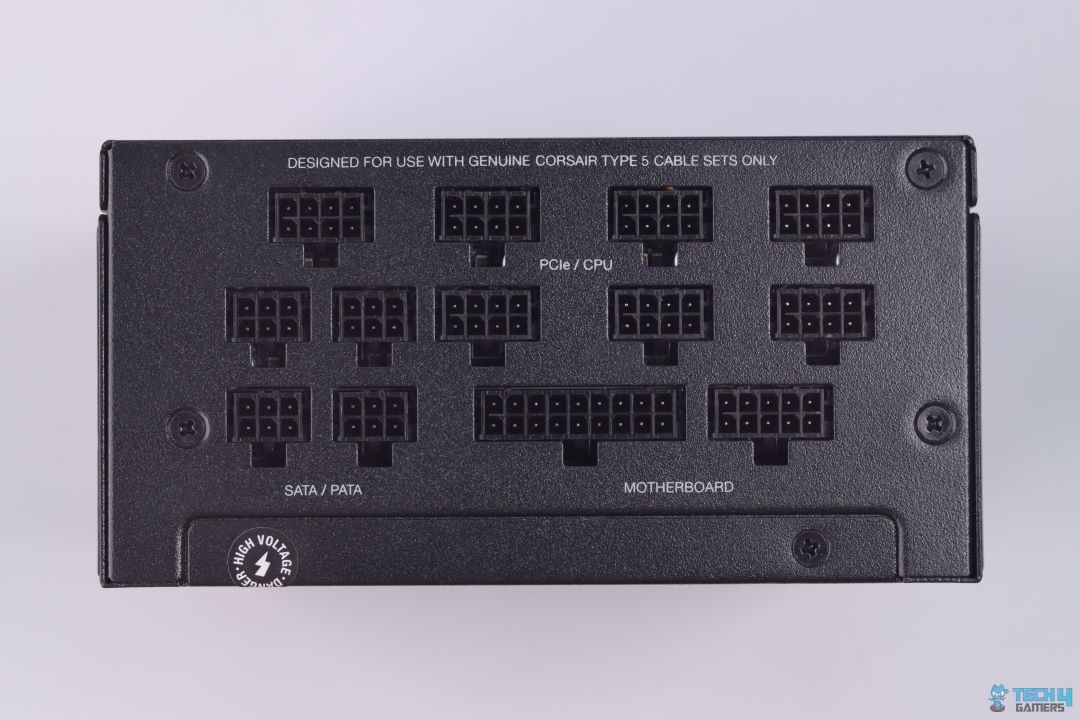
Specifications: Size: 130 x 125 x 63.5mm | Efficiency Rating: 80+ Gold | Modular: Yes (Fully) | Wattage: 1000W | Protection: OPP, OVP, UVP, OCP, OTP, SCP | ATX 24-Pin: 1 | EPS 4+4-Pin: 2 | 12VHPWR Cable: 1 | PCI-E 6+2-Pin: 2 | SATA: 12 | MOLEX 4-Pin: 3

Pros

  • Exceeds 80+ Gold efficiency
  • Superior performance to many full-ATX PSUs
  • Decent pricing
  • SFX-to-ATX adapter bracket provided
  • Impressive voltage ripple performance

Cons

  • Noisy after 50% load
  • High OCP triggering point on minor rails

Read Our Corsair SF1000L SFX Gold Power Supply Review

Perhaps you don’t have enough desk space to build a normal-sized PC and are now opting for an ITX build. If so, the above power supplies may not be as helpful. That’s where the Corsair SF1000L SFX Gold comes into play. Featuring a smaller build, the PSU has decent 1000W power and exceeds its rated 80+ Gold efficiency. To boot, you also get an SFX-to-ATX adapter bracket, which ensures better future-proofing for upgrading to an ATX PC.

I wasn’t expecting the performance to be on par with its competitors, but boy was I wrong. During our testing, the PSU easily reached Platinum efficiency at 92.33%, crossing its 80+ Gold rating. Moreover, the voltage regulation on all rails was also very tight, ensuring stable power flow. The voltage ripple performance also blew our minds at 12mV at 100% load. The only thing that disappointed us was the higher noise above 45dB(A) at a 730W power output.

Here’s what I commented about the PSU in my in-depth review:

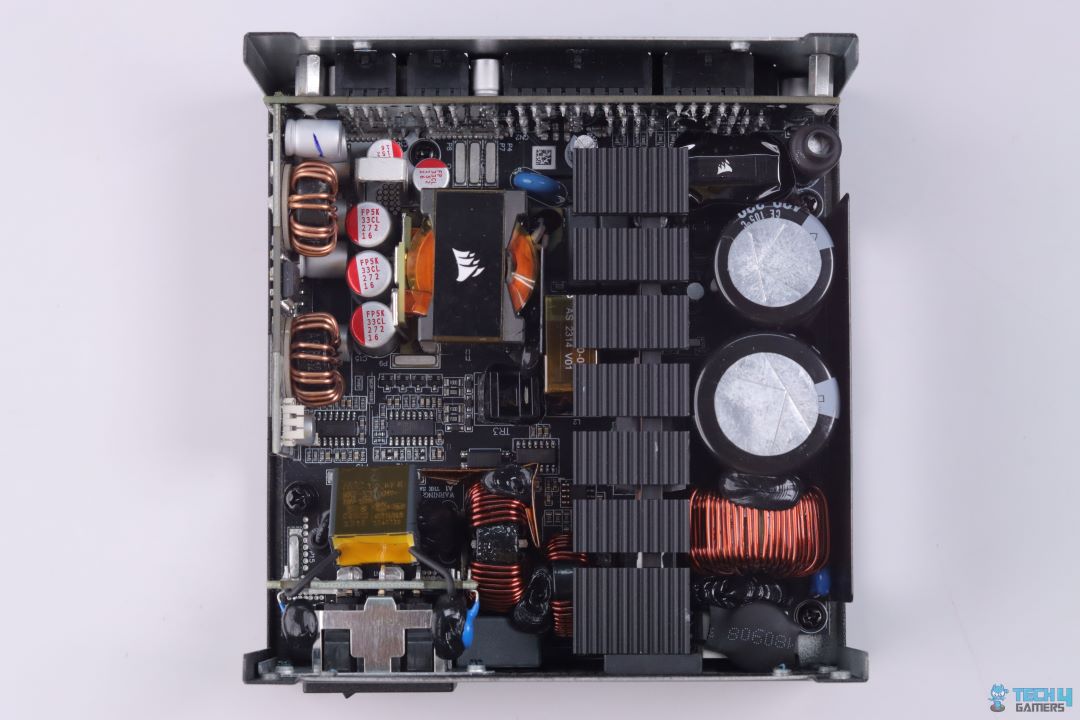
The Corsair SF1000L PSU is an SFL power supply that exceeds expectations with its performance and efficiency. Slightly larger than SFX PSUs, it offers better results under max load due to improved heat dissipation. It is designed for high-end, power-hungry builds, with impressive cable management and high quality internals. Despite its compact size, the SF1000L performs on par with or better than many full ATX PSUs, making it a top choice for small form factor cases.

✅Buy It If
You want optimal performance at a lower price: The Corsair SF1000L SFX Gold power supply offers top performance at a decent price point, making it attractive for all PC builders. It offers high performance in all areas and is compatible with ATX 3.0 and PCIe 5.0.

You plan on upgrading to an ATX PC later on: If an SFX PC isn’t on your list in the long term, this power supply will suffice because of its SFX-to-ATX adapter bracket, which allows PC builders to use it in ATX PC cases. This is a nice feature that many of its competitors are sleeping on, making this power supply even more attractive.

❌Don't Buy It If
You want lower noise levels: While the Corsair SF1000L SFX Gold power supply offers outstanding performance and features, its louder noise levels can be troublesome and annoying for gamers who prefer a quiet environment. The fan’s noise level exceeded 45dB(A) during our testing at a 730W power output. Some of its SFX competitors are dead silent, making this power supply a no-go if you wish not to hear any fan noises.

What Makes It The Best SFX PSU For Gaming?

The Corsair SF1000L SFX Gold power supply has extremely tight voltage regulation, and its ripple performance exceeds many ATX PSUs. Moreover, while it is 80+ Gold rated, its efficiency exceeded 80+ Platinum in our testing. Additionally, including an SFX-to-ATX adapter bracket improves the SF1000L’s value, making it the best SFX PSU for gaming.

WARNING: The power supply can get noisy after 50% load, which can get annoying in quiet environments. It can be avoided by lowering the fan curve, but it will cause temperatures to rise.
Performance: 9/10 Value: 9/10
Features: 9/10 Efficiency: 10/10

Included Cables Comparison

I have attached a table comparing the wattage and included cables of all the power supplies discussed in this article. You’ll be able to browse through the specifications based on your needs and requirements to make things easier for you.

Power SupplyWattage (W)ATX 24-PinEPS 4+4-Pin12V-2×6 12+4 PinPCI-E 6+2-PinSATAMOLEX 4-Pin
Enermax PlatiGemini 1200W Platinum1200121384
Seasonic Vertex GX-1200W Gold12001213163
XPG Fusion 1600W Titanium160012210124
Corsair HX1000i Platinum1000121488
Silverstone Hela 850R Platinum850121286
Corsair SF1000L SFX Gold10001212123

Our Test Results For The Best PSUs For Gaming

To back our recommendations, we have attached the test results of all our tested PSUs along with their competition for you to glance at. What better way is there to understand which power supply is perfect for you than by looking at practical numbers?

Power Supply Key Terms

Power supplies can have a lot of jargon surrounding them. To help you with your choices, I have mentioned a few key terms you’ll find when on the lookout for a decent unit:

  • Wattage: A power supply’s wattage represents its maximum power output capacity, which is measured in Watts (W). The dedicated wattage of a PSU determines its power delivery to components. Hence, it is crucial to match the PSU’s wattage with your PC’s to avoid any instability issues.
  • Efficiency: A power supply’s efficiency rating measures how effectively it converts AC power to DC power. Generally, these are the 80+ ratings in order: Bronze, Silver, Gold, Platinum, and Titanium. We recommend looking for 80+ Gold and above-rated power supplies to ensure proper power draw.
  • 12VHPWR Cable: Abbreviated as 12-Volt High Power Cable, this is a cable in ATX 3.0 power supplies that helps supply power to high-end NVIDIA GPUs like the RTX 4080 and RTX 4090. Before purchasing, you need to ensure your power supply supports your GPU’s power requirements and connectors.
  • ATX 3.0: One of the latest power supply standards (now the ATX 3.1), it handles the high power requirements of modern computers. This is especially true for top-tier graphics cards that require the 12VHPWR cables.
  • Voltage Ripple: It refers to the minute fluctuations or variations in the output voltage of a PSU. Voltage ripple is usually caused by AC-to-DC conversion. When on the lookout for a new power supply, ensure your unit’s voltage ripple at 100% load isn’t too high; otherwise, you may face instability issues.
  • Voltage Regulation: A power supply’s voltage regulation states how well it can maintain a constant output voltage even when its load changes. For example, the load can change when you plug in more devices or when there is a difference in the input voltage. Tighter voltage regulation equates to a more stable power draw, meaning better overclocking opportunities with the said PSU.

How We Picked The Best Power Supply For Gaming

We tested several power supplies to bring together the best power supply for gaming. Obviously, many factors need to be considered, and I have described a few to help you make your purchase decisions as well.

  • Performance: The first thing you need to be wary of when searching for a power supply is its performance. By performance, I mean its voltage ripple, load regulation, efficiency, transient response, and more. A good power supply will be more stable. Hence, we only chose units with the highest performance because what’s the use of buying a high-end PC if you’re going to use a washed-up power supply?
  • Modularity: Although it’s not that important, a fully modular power supply helps tremendously with cable management because all of its cables can be detached. This way, you only need to plug in the cables you require and stash the others whenever necessary. The good thing is most decent power supplies these days are fully modular, so you won’t have to worry about much.
  • ATX 3.0/3.1 Compatibility: Most new graphics cards require ATX 3.0 compatibility. Even if AMD GPUs don’t have this requirement, it’s better to future-proof your system by purchasing a new power supply with the latest frills. Therefore, we only selected PSUs that match this compatibility requirement.
  • Build Quality: A good power supply will have a sturdy and decent build quality that matches its warranty period. Hence, in all of our power supply reviews, we do a teardown analysis to look at the internal components. A power supply is only as good as its capacitors and internals. Hence, we only chose the ones with the highest build quality.

FAQs

What is the wattage sweet spot for a modern PC build?

If you’re worrying about future-proofing, a 1000W power supply is currently the sweet spot. Otherwise, you can also run most hardware with an 850W PSU without facing any instability issues.

Can a gaming PC last 10 years?

Depending on how well you maintain it and your personal use case, a gaming PC can technically last 10 years. We recommend upgrading it once every three to four years. Still, you shouldn’t face any problems as long as you properly maintain it and re-apply thermal paste wherever possible.

Is it OK to buy a cheap power supply?

No. We never recommend cheaping out on a power supply. If you’re out of budget, then cheap out on another component, but don’t purchase a bad power supply. This is the backbone of your computer; all of the electricity passes through this component. If there are any issues, you can fry every component on your PC.


 

Marvel Rivals Has Reached 10 Million Players In Just 3 Days

Story Highlight
  • Marvel Rivals has already reached 10 million players in 3 days globally. 
  • It is constantly hitting over 480K concurrent players on Steam with mostly positive reviews. 
  • The game is available on most major platforms including Steam, Epic, Xbox, and PlayStation.

Marvel Rivals has made an instant mark in the gaming world. While nobody had very high expectations from it, the game has stunned and is currently one of the most played games globally. It has also crossed 10 million players in just three days. 

Why it matters: Developed by NetEase, the game has made it big, reaching over 400K concurrent players in its initial release. Now it has hit another massive milestone in just 3 days of its release. 

Marvel Rivals reaches a milestone of 10 million players

Marvel Rivals has hit a remarkable 10 Million player milestone in just 72 hours, which is massive for a game like this. On Steam, it is constantly hitting 480K players daily, and the numbers, although undisclosed, seem promising on other platforms too. 

The overall reviews are also mostly positive. However, with so many active players, players are facing server issues. People have complained that they are facing an error ‘Server Connection Failed’ when they try to enter a game. 

Marvel Rivals Featured
The game also has Mostly Positive reviews on Steam

This isn’t something unexpected as the developers might not have expected this huge flux of players. Helldivers 2 also faced this issue when it was first released. However, this can easily be fixed

Nonetheless, the developers have done an excellent job with the game. While it is being tagged as an ‘Overwatch Clone‘, it features just enough personality to stand out from the crowd and make its mark. 

What are your thoughts on Marvel Rivals reaching 10 million players in just 3 days? Let us know in the comments or join the discussion at the official Tech4Gamers Forum

Orico O7000 2TB NVMe SSD Review: Great Speeds, Small Trade-Offs

I have tested Orico’s high end NVMe SSD named O7000 2TB. This is a PCIe Gen4 x4 NVMe SSD rated for up to 7000MB/s sequential read and 6500 MB/s sequential write speeds. These SSDs are available in 512GB, 1TB, 2TB, and 4TB capacities.

These SSDs are driven by the MaxioTech MAP1602A Falcon Lite controller, which is an efficient controller suitable for DRAM-Less storage drives. This SSD has YMTC 236-layer 3D NAND. This SSD is sent with QLC or TLC randomly, and the customer has no say in it.

The 2TB variant is listed at USD 129.99, and it comes with a five-year warranty.

Why Trust Tech4Gamers
  • Nauman Siddique is the most senior hardware tester at Tech4Gamers. He brings an ocean of knowledge to the table, including unmatched expertise in SSDs and HDDs.
  • 20+ SSDs tested and reviewed by our team of hardware experts (Tech4Gamers Team).
  • 80+ hours spent testing different SSDs for our reviews.
  • Objective testing criteria (See how we test).

At Tech4Gamers, ensuring you get reliable information is our priority. That’s why every hardware round-up undergoes a meticulous review process by our team of experts and editors. Each review is carefully examined against our strict editorial guidelines, guaranteeing you trustworthy insights you can depend on.


Key Takeaways

  • The Orico O7000 2TB NVMe SSD is a high-speed PCIe Gen4 drive with read and write speeds of up to 7000MB/s and 6500MB/s.
  • You should buy the Orico O7000 2TB NVMe SSD if you want an all-rounder that delivers solid performance, compatibility with PS5, and offers good value at an affordable price.
  • You should skip the Orico O7000 2TB NVMe SSD if you want your drive to have onboard DRAM or if you’re after high 4K random speeds. 

The salient specifications include:

Capacity 2TB
Form Factor M.2 2280
Interface NVMe 1.4 PCIe Gen 4×4
Controller MaxioTech MAP1602A
NAND 3D TLC/QLC NAND
DRAM Cache Size N/A. HMB
NAND Cache Size Dynamic SLC
TBW 2400
MTBF N/A
Sequential Read Up to 7000MB/s
Sequential Write Up to 6500MB/s
4K Random Read Up to 1000K
4K Random Write Up to 800K
[toc]

How Is The Orico O7000 2TB Different?

The Orico O7000 2TB NVMe SSD utilizes the highly efficient MPA1602A controller from MaxioTech. Since this is a DRAM-less design, the controller makes the best use of it and provides good real-world performance while remaining energy efficient. This makes this SSD a good candidate for your PS5 console.

Packaging And Unboxing

Packaging
Packaging (Image By Tech4Gamers)

The drive is shipped inside a paperboard packing box that has a black and gold color theme. There is a transparent container inside that holds the drive. The following are provided:

  • 1x SSD
  • 1x Installation Manual
  • 1x Screw
  • 1x Screwdriver
  • 2x Thermal Pads
  • 1x SSD Aluminum Cooler

Design

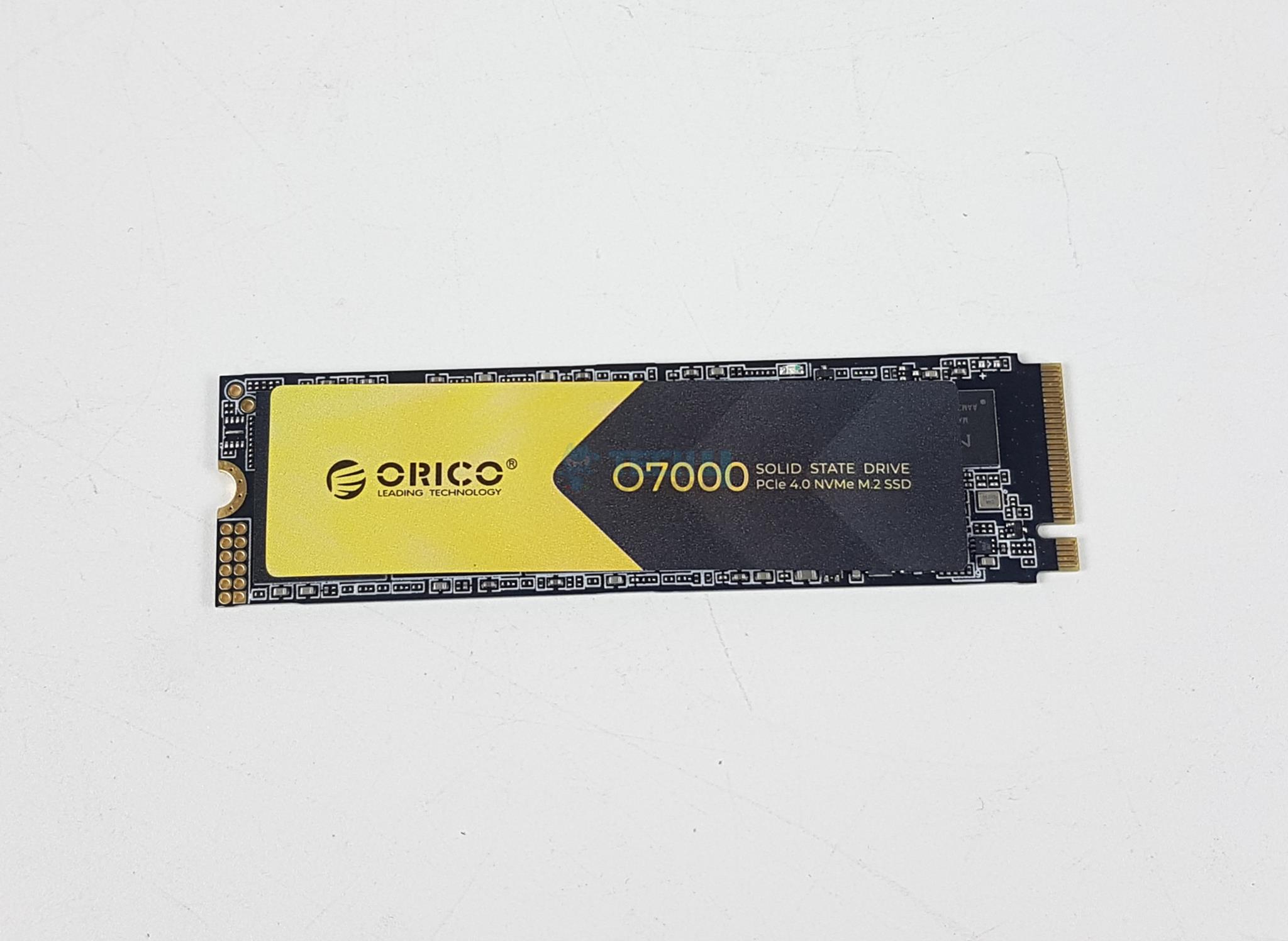
There is a black and gold color sticker on the top of the SSD. O7000 is printed along with the Orico brand name. This SSD has a dimension of 22x80x2mm without the provided heatsink.

This SSD is compatible with Sony Play Station 5 as its height is less than 11.25mm height supported by the console. This is a PCIe Gen 4×4 drive. The drive has an M.2 2280 form factor using M Key Type.

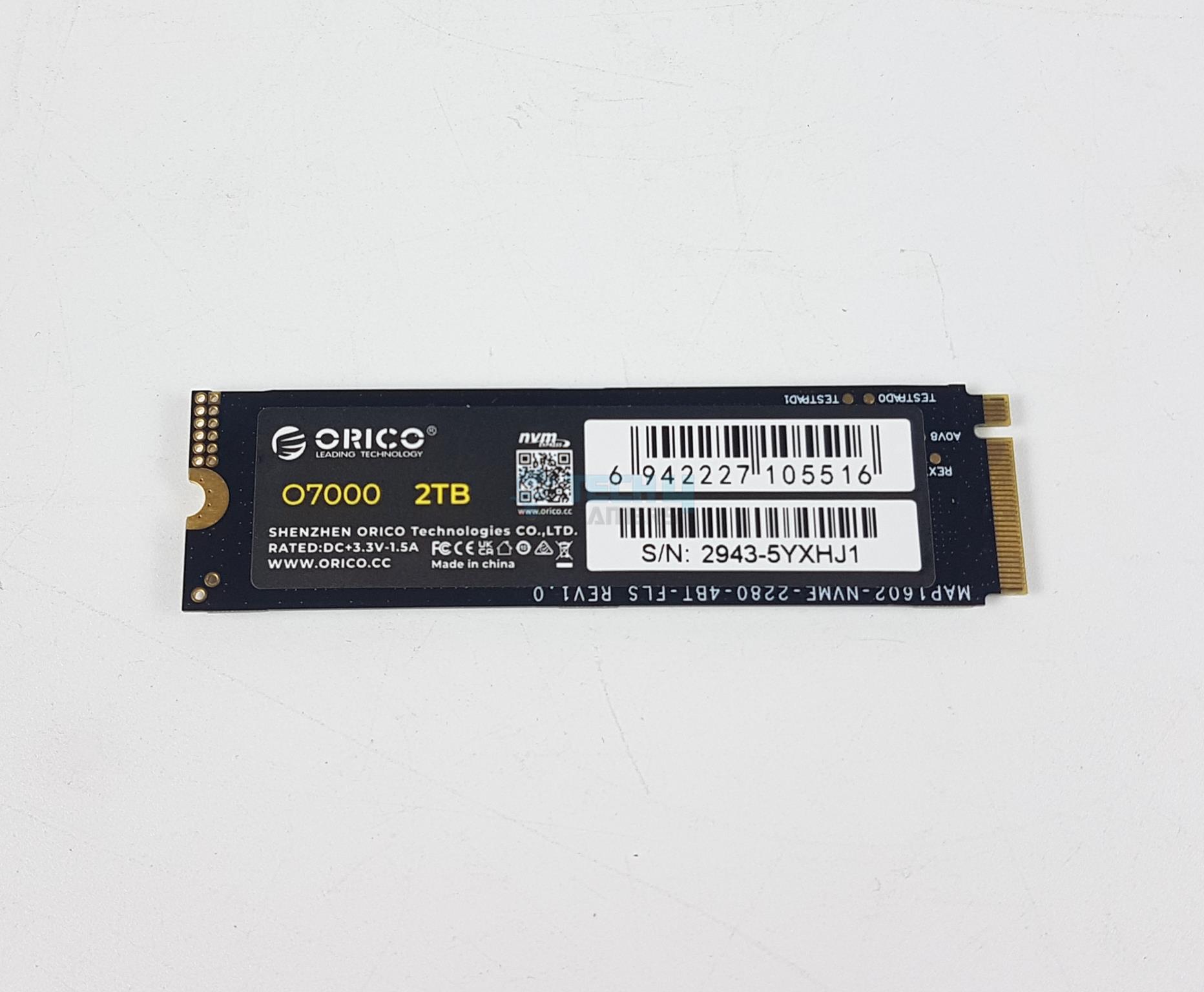
The backside of the package has a sticker that shows the part number and serial number of the drive along with its capacity which is 2TB (2000GB). The drive is made in China. The drive conforms to the NVMe 1.4 protocol.

The drive supports S.M.A.R.T, TRIM, and NCQ features. It seems like this drive does not provide an AES encryption feature. No other data is available on the manufacturer’s website. This SSD has components on one side; hence, it is a single-sided storage solution.

What About The Internals?

MaxioTech MAP1602A is the main driving force of this SSD. This controller is based on ARM 32-bit Cortex R5 chip and it has 4 channels. This drive has a 2x die package from YMTC in the form of 232-layer 3D NAND flash chips. These packages operate at 2400MT/s.

Internal Components
Internal Components (Image By Tech4Gamers)

There is no DRAM chip on this SSD, hence this controller. This is a DRAM-Less design and it uses HMB and SLC caching to make up for no dedicated DRAM chip. HMB simply means that this SSD will use your PC’s main memory and SLC means it will dedicate some free space on the SSD for caching.

Testing

The below-mentioned test build is used:

We have used the following software:

  • AS SSD
  • ATTO Disk Benchmark
  • CrystalDiskMark
  • Anvil Pro Storage Utilities 1.1.0
  • DiskBench
  • Blackmagic Disk Benchmark
  • 3DMARK Storage Benchmark
  • PCMARK10 Storage Benchmark

Microsoft Windows 11 23H2 is used for the testing.

CrystalDiskInfo
CrystalDiskInfo (Image By Tech4Gamers)

I ran CrystalDiskInfo after installing the disk. The firmware version is SN13683. The interface is listed as NVM Express using 1.4 as standard. It also confirmed that the drive is operating at PCIe 4.0 at an x4 speed link. The supported features are S.M.A.R.T, TRIM, and VolatileWriteCache.

Test Results

CrystalDiskMark

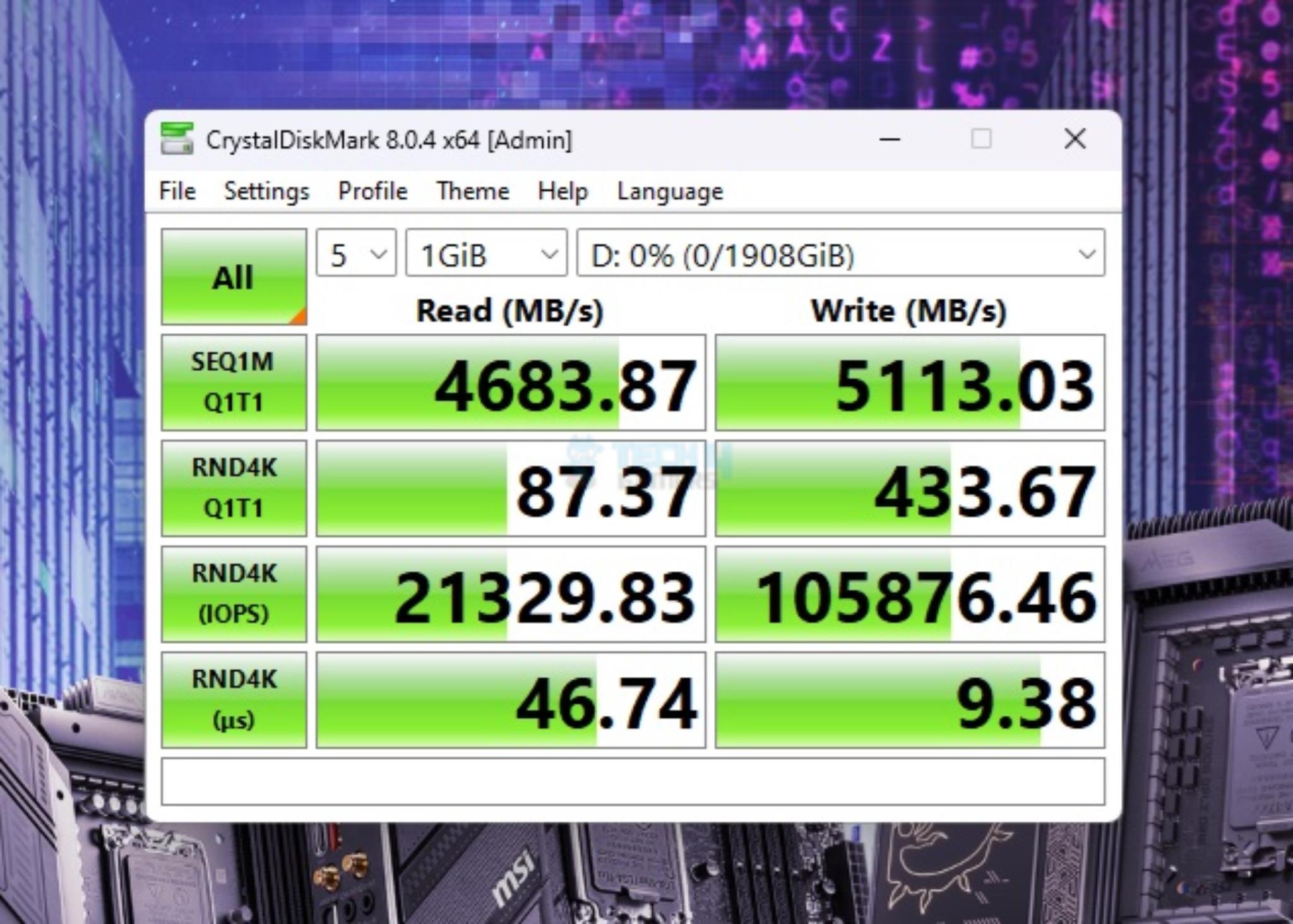
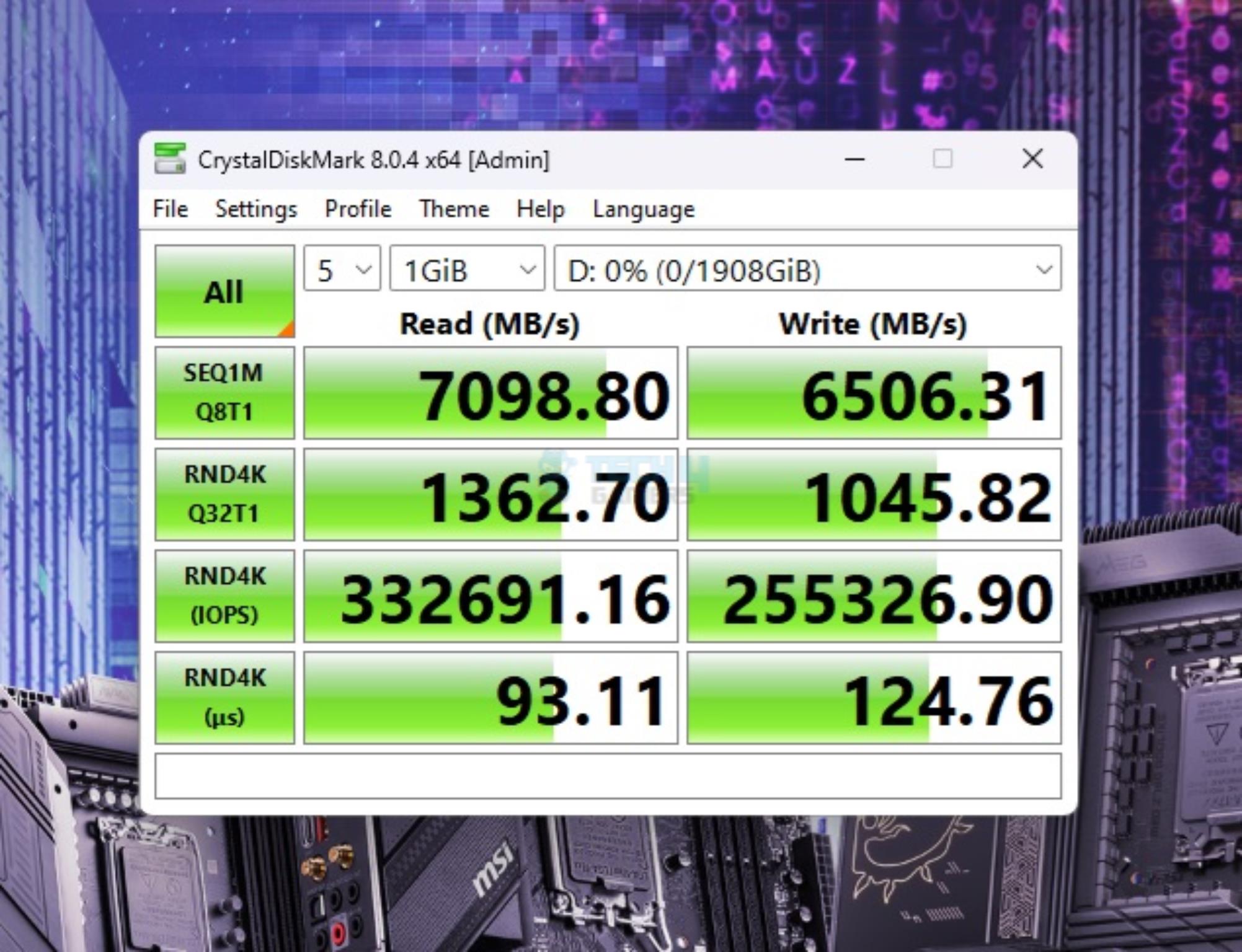
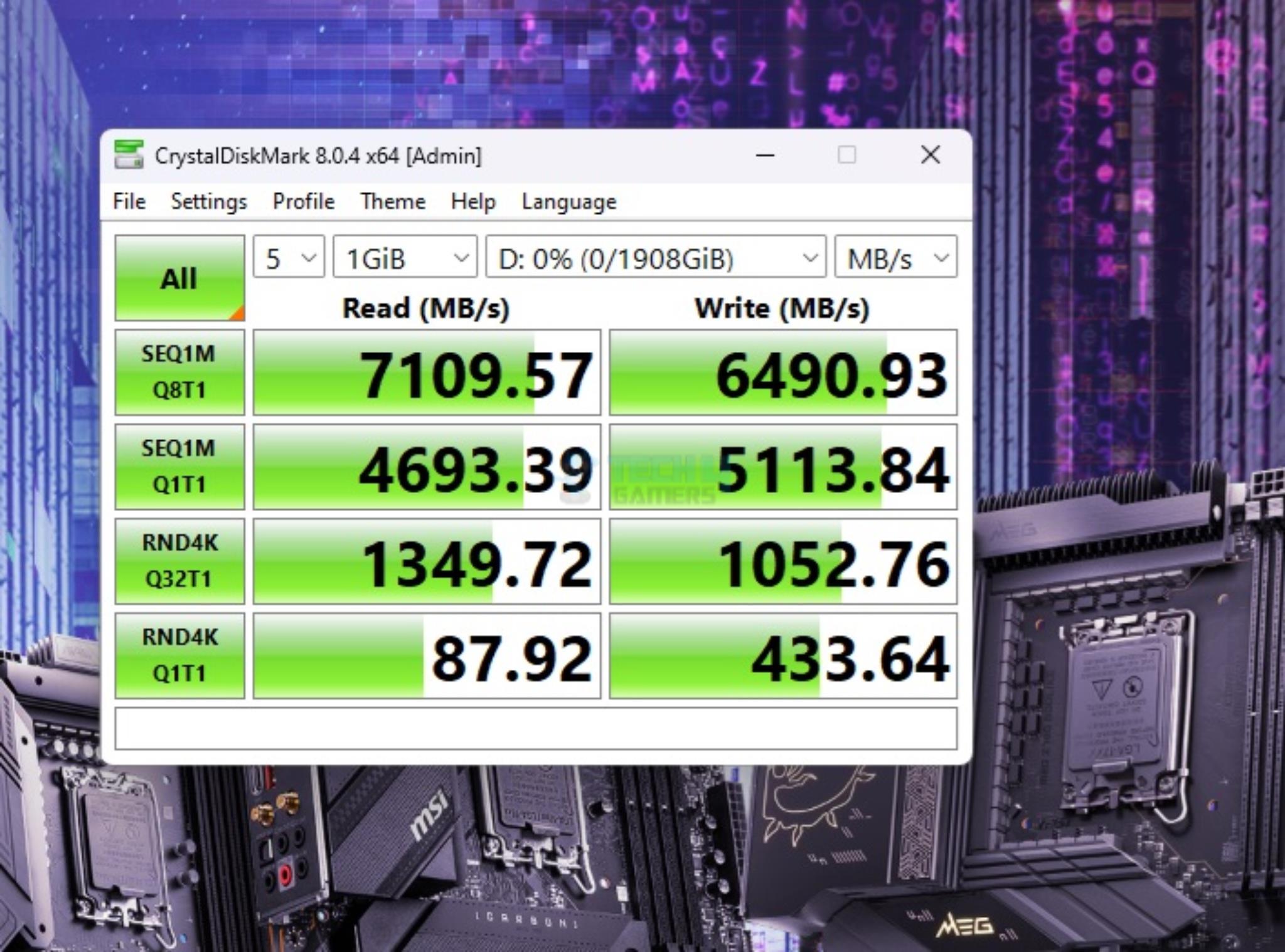
Let’s start with three different runs of CrystalDiskMark. This is a good performance from the Orico SSD. The sequential read speed was 7109MB/s, and it was 6490MB/s sequential write. The 4K Random performance in the Q1T1 quadrant is fine as well. The overall performance in CrystalDiskMark is satisfactory.

CrystalDiskMark Sequential
CrystalDiskMark Sequential (Image By Tech4Gamers)

Orico O7000 is sitting comfortably towards the top tier of the graph (MB/s, higher speeds are desirable).

ATTO Disk Benchmark

ATTO Disk Benchmark
ATTO Disk Benchmark (Image By Tech4Gamers)

The maximum read speed on the Orico O700 2TB NVMe SSD was 6.61GB/s with a write speed of 5.92GB/s. This is a good performance from this budget SSD.

Anvil’s Storage Benchmark

Anvil's Storage Benchmark
Anvil’s Storage Benchmark (Image By Tech4Gamers)

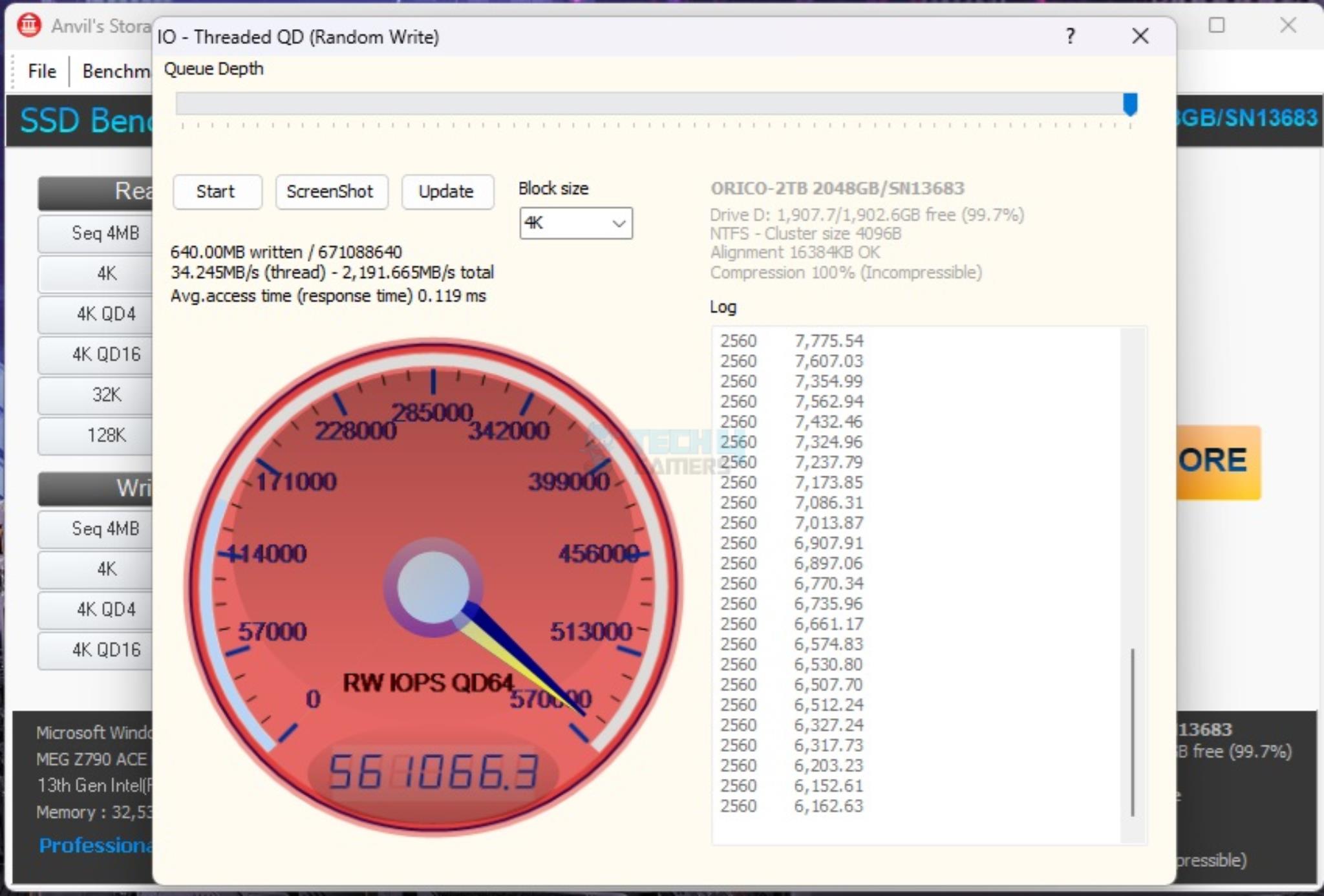
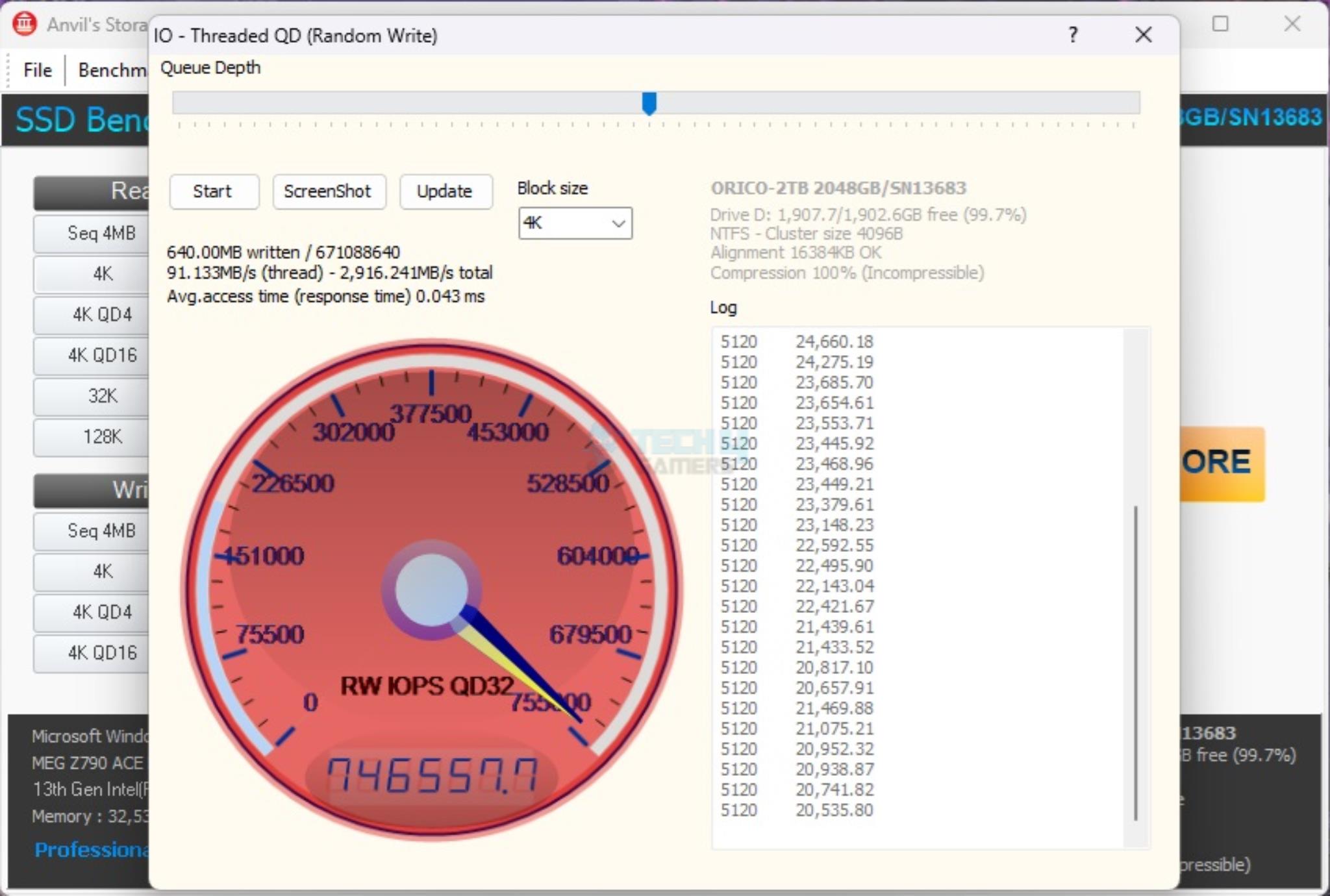
Next, I ran the Anvil Storage Utilities benchmark to test the performance of the drive. This is the software in which the SSD has actually struggled but still managed to beat the Netac NVMe SSD. Probably, the DRAM-less design is showing its case.

I also ran Threaded Writes in queue depth of 32 and 64. The SSD falls short of the rated 800k IOPS in the writing department, though the margin is narrow.

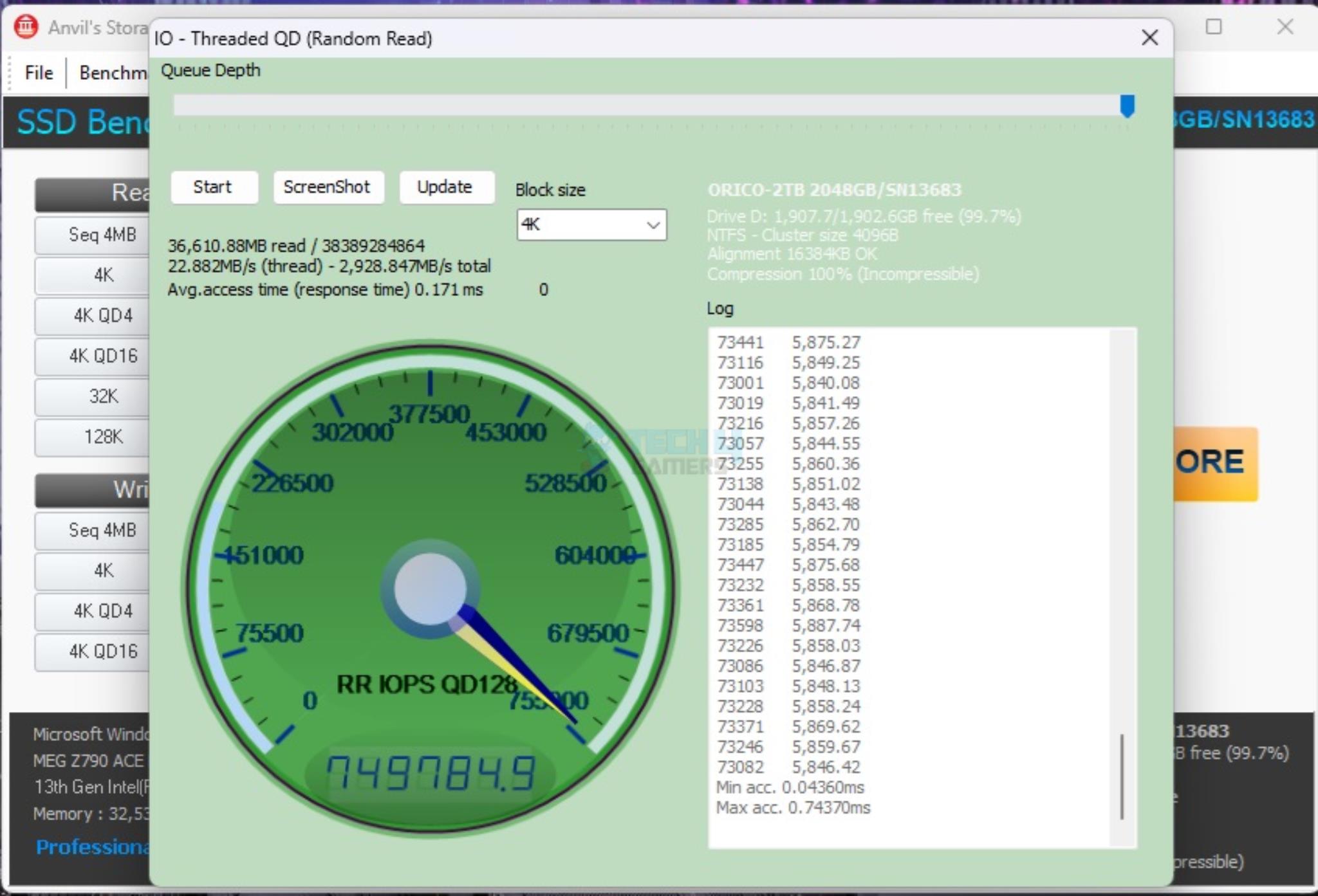
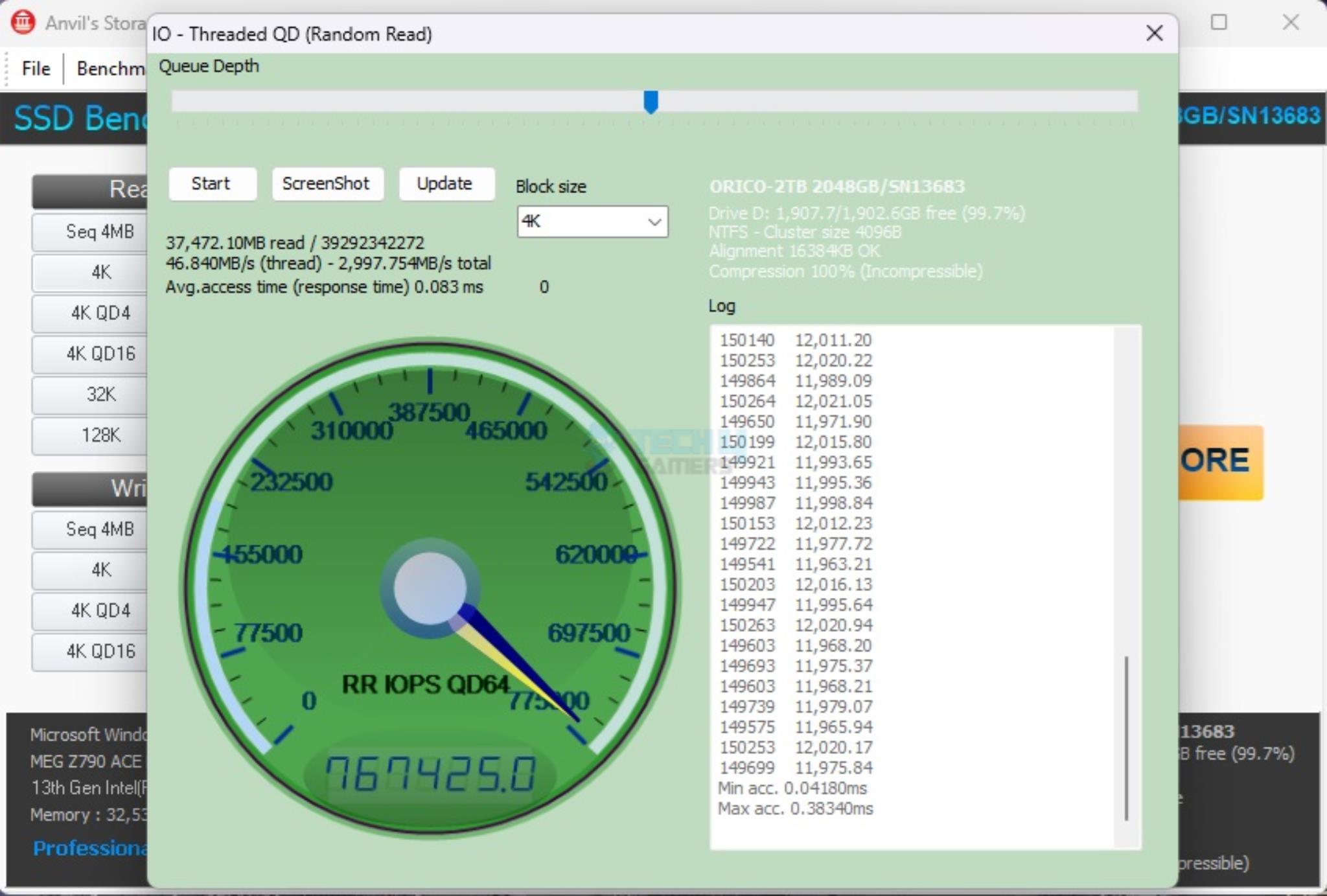
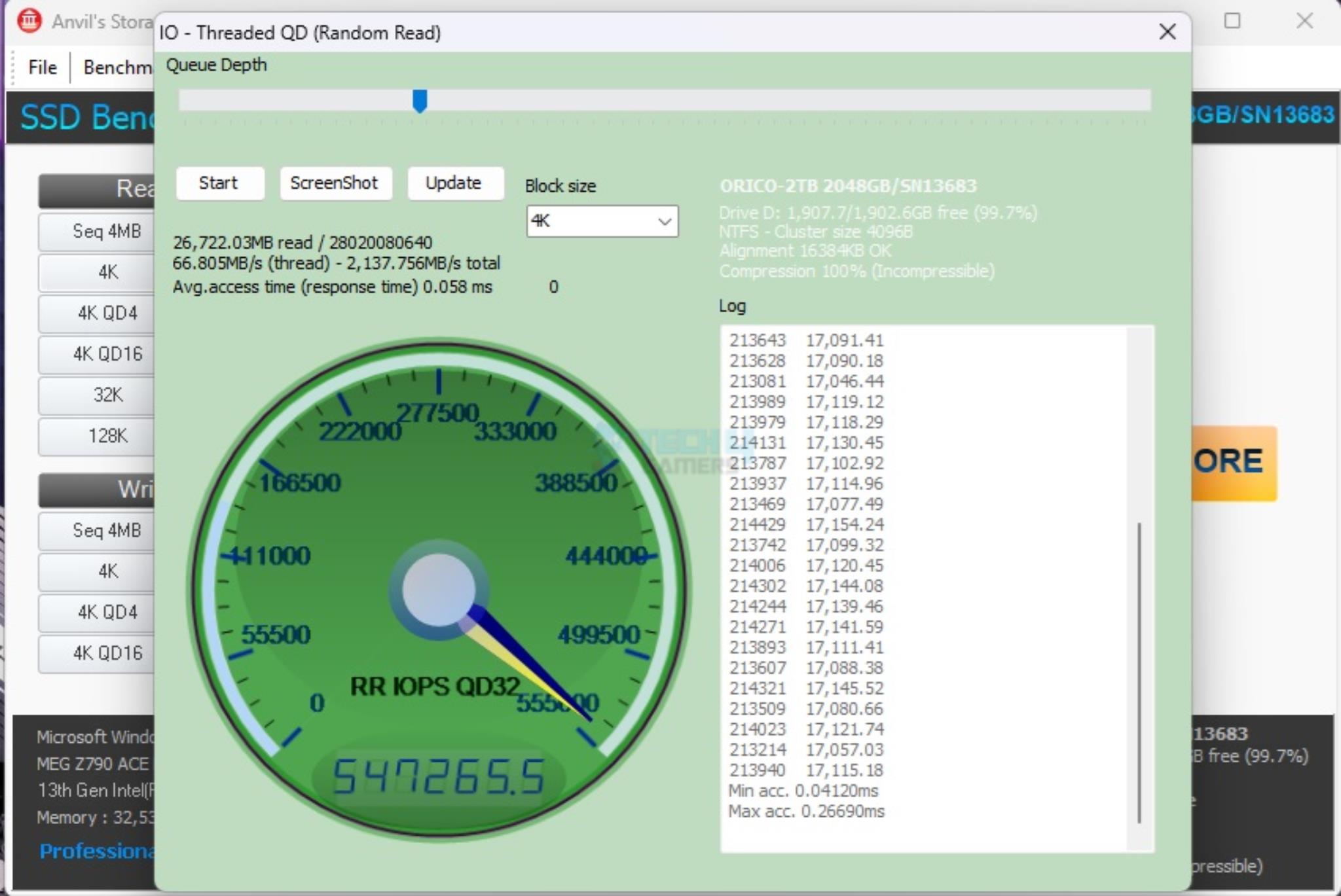
Next, I ran the Threaded Reads in queue depths of 32, 64, and 128 threads. The drive again fell short of the rated 1000K IOPS by the manufacturer. This time, the margin is high.

3DMark Storage Test

3DMark Storage test is a relatively new test bench measuring the gaming-only performance of the given drive using three games. It measures the load time of the games, recording the gameplay, saving the game, and moving the game. The overall score is given in the bandwidth and access time.

3DMARK Storage Benchmark
3DMARK Storage Benchmark (Image By Tech4Gamers)

This is yet another benchmark where this SSD has an average performance.

PCMARK10

We ran two tests from Storage benchmarks in this suite. These are Data Drive Benchmark and Quick System Drive Benchmark.

PCMARK10 - Data Drive Benchmarks (Image By Tech4Gamers)
PCMARK10 – Data Drive Benchmarks (Image By Tech4Gamers)

The Orico O7000 2TB has almost a similar performance as from Teampgroup MP44 NVMe SSD in Data Drive Benchmark.

PCMARK10 - Quick System Drive Benchmarks (Image By Tech4Gamers)
PCMARK10 – Quick System Drive Benchmarks (Image By Tech4Gamers)

However, the drive is behind the other two DRAM-less NVMe SSDs in the graph of the Quick System Drive benchmark.

Blackmagic Disk Benchmark

Blackmagic Disk Benchmark
Blackmagic Disk Benchmark (Image By Tech4Gamers)

We have used the Blackmagic disk benchmark as well. This is a critical benchmark from the point of view that it monitors the three video compression coders against multiple formats and checks if the drive in hand supports that format, and if it does, then at what speed.

Real World Testing

Now, it is time for a real-world use. For that, we have used DiskBench in multiple scenarios to check the real-world data transfer rates. We prepared a data set of mixed files and folders, including compressed files.

Disk Bench - Read File
Disk Bench – Read File (Image By Tech4Gamers)

A 97GB-sized compressed file was copied to the Orico O7000 2TB NVMe SSD. The file was then read from the DiskBench. Orico SSD has performed quite well, with 3117.897MB/s taking 30.624 seconds.

Disk Bench - Read File (Image By Tech4Gamers)
Disk Bench – Copy File (Image By Tech4Gamers)

Next, I copied the same compressed file from one folder to another on the same drive. The transfer rate was 2902.379MB/s, and it took 32.898 seconds to complete this operation. The performance is still good on this SSD.

Disk Bench - Copy Dir (Image By Tech4Gamers)
Disk Bench – Copy Dir (Image By Tech4Gamers)

Next, we copied a folder of 220GB size containing multiple compressed files, sub-folders, and mixed files. The main folder was copied from the same drive to a destination drive on the same drive. The transfer rate was 2594.276 MB/s, and it took 1.435 minutes to complete this operation. This is still a good performance from this drive.

Ultimate Performance Tests

Next, I prepared heavy data of 530GB and repeated the copy operation. This is my torture test, and my evaluation is based on this real-world test. I also used HWInfo64 to record the drive’s sensor to see how it performed over time.

Disk Bench - Copy Dir (Image By Tech4Gamers)
Disk Bench – Copy Dir (Image By Tech4Gamers)

This operation was completed in 7.525 minutes at a rate of 1201.482 MB/s. The lowest this drive had in the write department was 630.142MB/s. The lowest in the read department was 507.812 MB/s. The data copy rate varied consistently throughout the operation.

DiskBench (Image By Tech4Gamers)

Next, I wanted to see the impact on the data copy speeds, particularly the write speeds, with the drive filling up to full capacity. For that, I prepared 944GB of heavy data and repeated the copy operation.

It took 12.187 minutes to complete this operation at an average speed of 1187.511MB/s. The lowest in the read department was 76.95MB/s, and it was 657.558MB/s. The overall data copy speeds were again consistent. This is too good a performance level for this drive to have.

Gaming Load Time

This is the time when gamers are using NVMe SSDs for their games for faster loading. This is why we also test the game load times. This is done using the Final Fantasy XIV: Shadowbringers Benchmark using High settings.

Final Fantasy XIV: Shadowbringers Benchmark
Final Fantasy XIV: Shadowbringers Benchmark (Image By Tech4Gamers)

It took 5.475 seconds in total to load the game, making this SSD a top performer in our graph.

Thermals

Thermal Performance
Thermal Performance (Image By Tech4Gamers)

69ᵒC was the maximum temperature recorded when the simultaneous read and write operation of 944GB data was done on this drive. The ambient was 23ᵒC.
Should You Buy It

Buy It If

✅You are looking for a high-speed drive: The Orico O7000 2TB NVMe drive is rated for 7000MB/s and 6500MB/s sequential read and write, respectively.
✅You want a complete package: The Netac NV7000 2TB NVMe SSD comes with thermal pads and an aluminum cooler along with a screwdriver.

✅You have a PS5: The Orico O7000 2TB SSD has a height of 2mm, which makes it compatible with the Sony PlayStation 5.

✅You are after a budget SSD: The Orico O7000 2TB NVMe SSD costs USD 129.99, which makes it a pocket-friendly offer from the manufacturer.

Don’t Buy It If

❌You are looking for a DRAM-enabled SSD: This SSD does not have an onboard DRAM chip. Instead it relies on HMB and SLC caching for this purpose.

❌You need an SSD with better 4K Random Operations: This SSD has relatively slow random 4K reads and writes.

Final Words

O7000 is a high-performance NVMe SSD from Orico. These are available in 512GB, 1TB, 2TB, and 4TB capacities. These SSDs come with aluminum cooler and thermal pads, making these a comprehensive package, though today’s motherboards have pretty much eliminated this requirement.

The main driving force behind these drives is the MaxioTech MPA1602A controller. This is a highly efficient controller that is suitable for the DRAM-less SSDs. It has 4 channels and is based on ARM 32-bit Cortex R5 chip. There is no on-board DRAM chip, hence the low price tag.

Oricoc has employed 232-layered 3D NAND flash from YTMC. Surprisingly, Orico is shipping these SSDs in TLC and QLC configurations randomly. Users have no say so on what package they will get, and this needs to be sorted by the manufacturer. The 2TB variant has 2 NAND flash packages, each of 1TB operating at 2400 MT/s.

The drive has a dimension of 22x80x2mm. This is exclusive to the heatsink. This SSD is compatible with Sony Play Station 5. This drive features TRIM, S.M.A.R.T, and Garbage Collection. This drive is using NVMe 1.4 standard over the PCIe 4 x4 link speed.

This drive is rated for 7000MB/s sequential read and 6500MB/s sequential write. It is rated for 800K IOPS in 4K Random Read and 1000K in 4K Random Write. It has 2400 TBW. This SSD passed the sequential read and write speeds in our test but failed the rated random 4k reads and writes.

When it comes to the performance, I have observed the consistent performance throughout the testing. This SSD is quite good in real-world operations, and this is what matters in the end. Though it may have slow 4K reads and writes, it delivers a strong performance in this category, and a 5-year warranty is peace of mind, though I have no experience with their customer support.


Tecware Phantom+ Elite Review: Underwhelming

In today’s sea of budget prebuilts teetering on the custom territory with features like hot-swap PCBs and a great typing experience out of the box, can a back-to-basics approach work again? That’s what appears to be the pitch for Tecware’s new Phantom+ keyboards.

Available in TKL and full-size layouts, the Elite variant stands out with its enhanced build quality and attention to detail. In this review, we’ll dive into the Phantom+ Elite to see if it delivers enough to justify its position in this competitive landscape.

Why Trust Tech4Gamers
  • Huzaifa Haroon is our keyboard expert with years of experience in building and testing custom keyboards.
  • 130+ peripherals tested and reviewed by our team of hardware experts (Tech4Gamers Team).
  • 500+ hours spent testing different peripherals for our reviews.
  • Objective testing criteria (See how we test peripherals).

At Tech4Gamers, ensuring you get reliable information is our priority. That’s why every hardware round-up undergoes a meticulous review process by our team of experts and editors. Each review is carefully examined against our strict editorial guidelines, guaranteeing you trustworthy insights you can depend on.

I have also tested the Tecware Phantom+, check out its review if you wanna learn more about it.


Key Takeaways

  • The Tecware Phantom+ Elite is a gaming keyboard with decent build quality, performance, and RGB, but the overall package of sound, feel and features is lackluster.
  • Buy the Phantom+ Elite if you want a keyboard focused on RGB. It even comes with a premium coiled cable in the box and a removable top cover.
  • Avoid the Phantom+ Elite if you’re looking for a solid keyboard that offers a nice balance of price and performance with modern sensibilities.

Feature Details
Layout 87-key Tenkeyless (TKL)
Switch Options Pre-installed Tecware Wraith switches (Orange, Brown, Pink, Red)
Keycaps Double-shot, double-walled PBT keycaps in OEM profile
Build Quality Carbon steel plate with ABS case; sound-dampening foam and fillers
RGB Lighting 16.8 million colors per-key RGB illumination with 18 pre-set lighting modes
Connectivity Wired (USB-C) and wireless (Bluetooth 5.0 and 2.4GHz)
Battery 2500mAh, up to 250 hours of continuous wireless usage without RGB
Hot-Swappable Sockets Universal 5-pin switch sockets compatible with most MX-style switches
Stabilizers V3 stabilizers, factory-lubed and plate mounted
Dimensions TKL: L361 x W132 x H42mm (H51mm w/ feet) | Full-Size: L443 x W132 x H42mm
Weight 0.93kg (TKL) or 1.1kg (Full Size)
Additional Features Multi-layered foam padding, silicone spacebar filler, dual-layer fiberglass PCB
[toc]

Unboxing Experience

The Phantom+ Elite comes in a standard albeit well-made cardboard box with the keyboard’s picture and names upfront. There are tabs on either side to get inside and it’s one of the few boards that actually has a seal as well. In the corner, you’ll see a sticker indicating what switch is in the unit.

Tecware Phantom+ Elite box (Image by T4G)

Once you’re in, you’ll be treated to the keyboard wrapped in some foam but no dust cover. Toward the top are the included accessories including a fancy coiled cable, the nicest one I’ve seen included in a package. There’s no manual but the back of the box has a QR code you can scan to access it, right below a table of all the switch options and their specs.

Here’s everything you get in the box:

  • 1x Phantom+ Elite 
  • 1x Coiled USB-C Cable
  • 1x Wireless Receiver
  • 1x Keycap/Switch Puller
  • 4x Extra Switches
Everything that comes with the Tecware Phantom+ Elite (Image by T4G)

Design & Build 

The Tecware Phantom lineup of keyboards has a gamer-ish design that looks somewhat outdated at this point, as most other budget boards have moved on to subtler aesthetics. It opts for a “case-less” build where the plate sits at the surface of the keyboard, but at the same time, it comes with a magnetic top cover that acts like a top case.

Tecware Phantom+ Elite from the front (Image by T4G)

With the cover, you get rounded-off corners and a pretty distraction-free look, but with it off, the keyboard becomes much less mature. Each corner is now angled, and you can feel uncomfortable if your palm rests on it. There’s also a visible crease running around the perimeter that highlights the separation between the plate and the bottom case.

Tecware Phantom+ Elite without the top cover (Image by T4G)

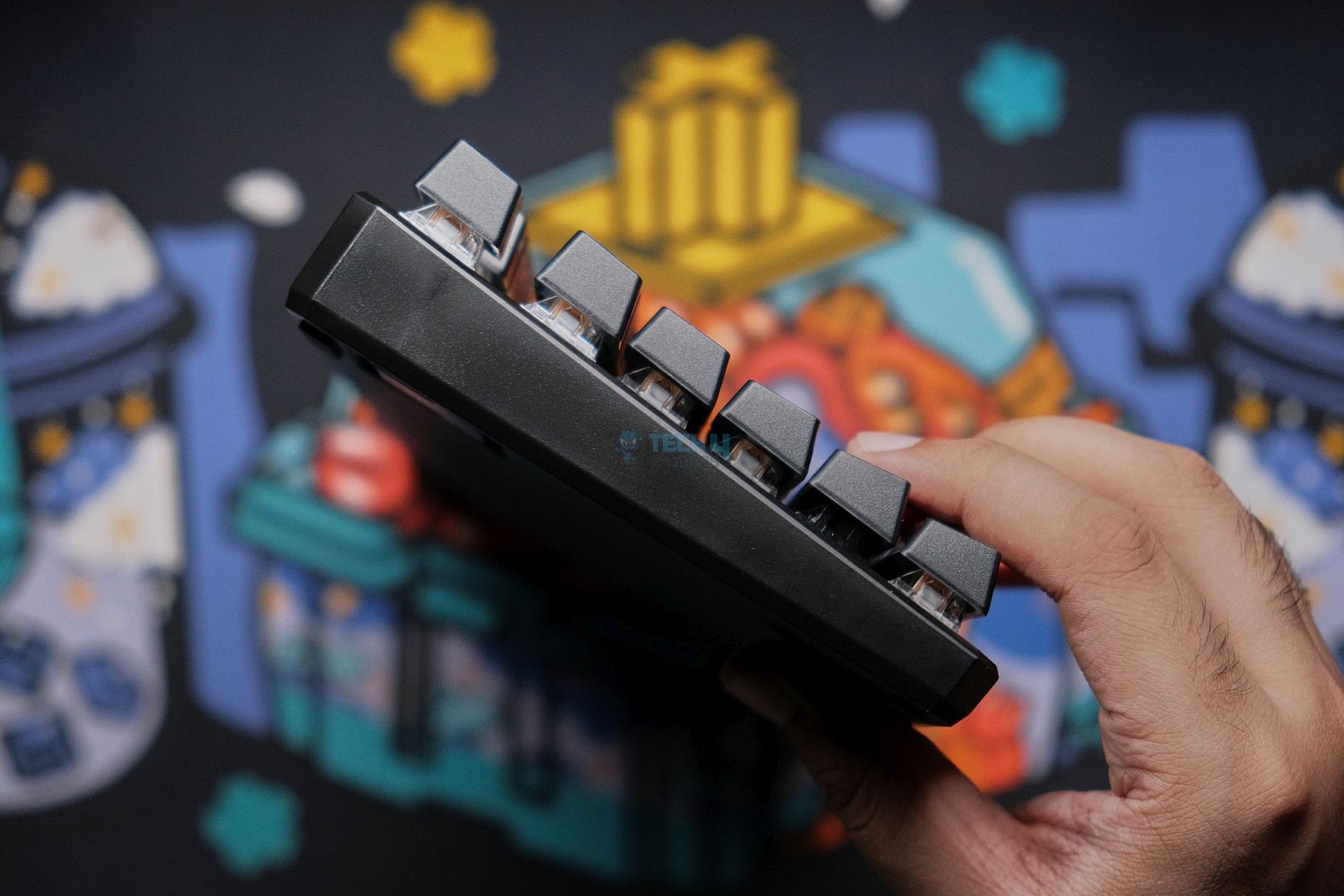
Toward the back, there are two flip-out feet for height adjustment and a Tecware sticker in the center with some info. The side profile is also inoffensive, but I prefer the top cover off since you get to see the aggressive angles, which make it more unique. With the top cover it becomes a simple (albeit clean) wedge.

The entire body of the Phantom+ Elite is made out of plastic, but it doesn’t feel cheap and has some heft to it. It’s heavier than other prebuilts like Aula F87 Pro and Epomaker Shadow-X. The texture of both the top and bottom is gritty but if you take the cover off, the sides and plate is smooth, the latter being because of its metal make.

Tecware Phantom+ Elite from the back (Image by T4G)

The top of the board houses the connection switch next to the USB-C port, located toward the left side. Here I noticed that the top cover has actually quite sharp edges as it sort of cuts off around to expose this area for easier access.

Tecware Phantom+ Elite USB port (Image by T4G)

Layout & Features

The Phantom+ Elite is a TKL keyboard with wireless functionality over both 2.4Ghz and Bluetooth connections. This is a tray-mount keyboard with no gaskets. There are two LEDs right below the nav cluster for power and Caps Lock, but there is no place to store the wireless dongle anywhere on the case. 

Tecware Phantom+ Elite LED indicators (Image by T4G)

The board features a fully hotswap PCB with 5-pin sockets and north-facing RGB. The plate is made out of steel which is something I haven’t seen in a while in the modern prebuilt scene. It reminds me of my first-ever custom keyboard: TM680. Both the PCB and plate have no flex cuts.

There is plenty of foam included inside like the plate foam, IXPE sheet, PCB foam and some silicone at the bottom acting as case foam. The plate also has some foam inserts glued onto it in the spacebar area to reduce hollowness.

The insides of the Phantom+ Elite | Tecware

The Fundamentals

The Phantom+ Elite has left an underwhelming first impression so far, but can the insides make up for it? Spoiler alert: they can’t.

Switches

Tecware supplies its own custom switches for the Phantom lineup, and I’ve got the Reds in my unit. These are a 45g factory-lubed linear with 3.8mm of total travel. They have minimal stem wobble and are stuck on the PCB-plate assembly like a tank. Unfortunately, they’re otherwise not great and fall far behind any modern linear I’ve seen in a prebuilt. 

Tecware’s Red linear switches in the Phantom+ Elite (Image by T4G)

It’s not very smooth for being pre-lubed and I can hear the slightest bit of spring crunch. Upon opening up the switch, I found that there was barely any lube on the stem. The bottom out is not satisfying, just like the sound. It lacks the oomph to be either a deep and thocky switch or a loud and clacky one.

Keycaps

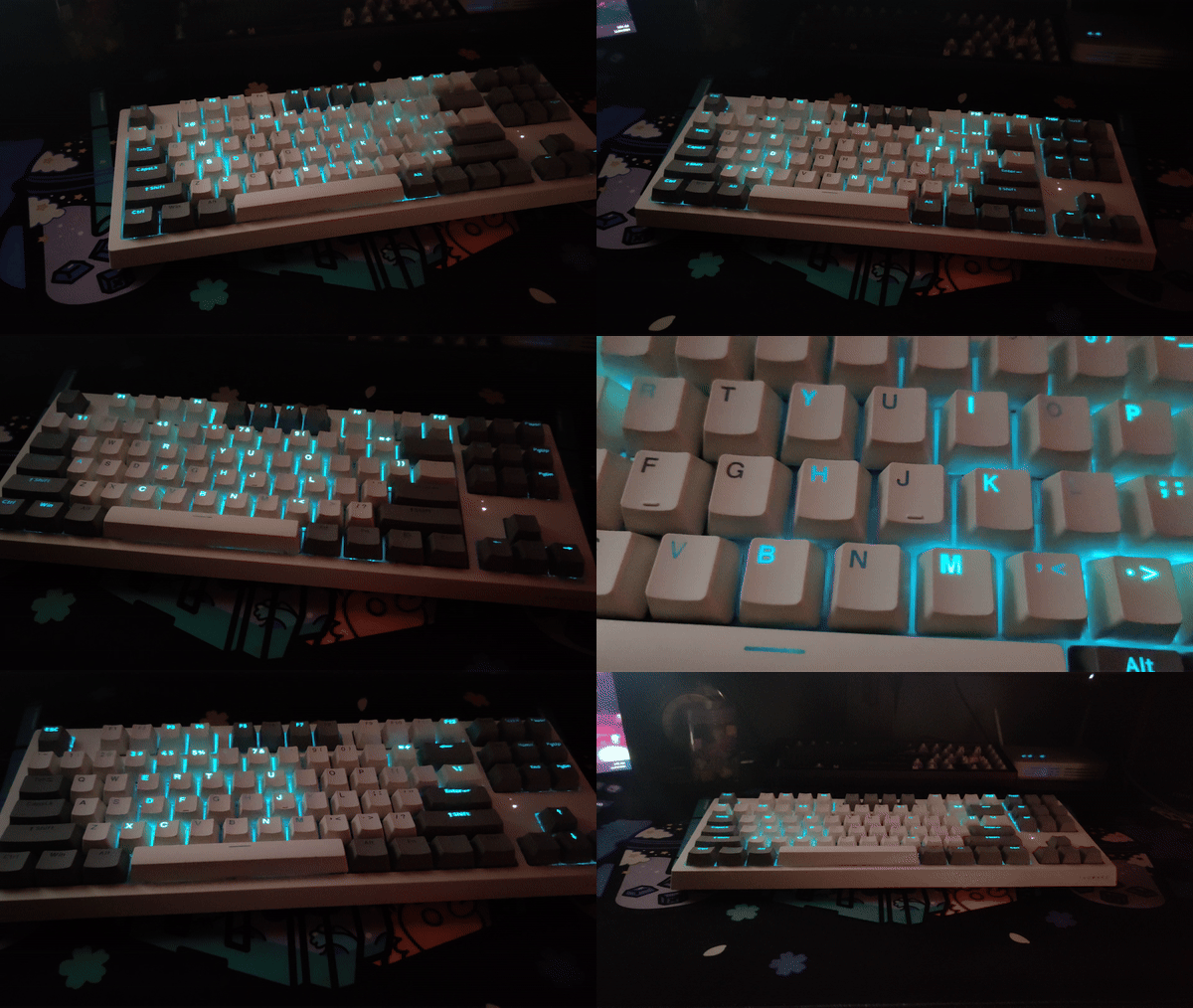
The keycaps here are shinethrough but still doubleshot and made out of PBT. They’re OEM profiles. They look nice at first glance, but I quickly noticed that the Caps Lock and Tab keys, along with most of the nav keys, have molding supports on the top, which blocks a bit of light when it shines through them. Otherwise, they’re pretty solid.

Tecware Phantom+ Elite keycaps (Image by T4G)

The legends are nice and sharp; they let the RGB pop in dim environments, and the texture is pleasant. They’re soft to the touch. I did notice that the stems weren’t as tight as some other budget keycaps; putting the Enter key on my Lucky65 V2 created a wobbly mess. But otherwise, the alphas sounded great. It’s just that the paired switches let these down.

Stabilizers

Phantom+ Elite uses factory-lubed “V3” plate-mounted stabs, and simply put, they’re horrible. Out of the box, every single stabilizer key has a lot of rattling and ticking. The medicore switches and the loose keycap stem mix to only accentuate this disaster. The worst offender is the spacebar, but at least it’s more consistent left to right than the others.

Tecware Phantom+ Elite stabilizers (Image by T4G)

I’m sorry if this sounds harsh, but in this day and age, where you can find cheap prebuilt in the same price bracket with perfect stock stabilizers, this is unacceptable. Upon close inspection, I also saw that they’re using a thicker lube than usual, and there’s a lot of it. So much so that the keycaps have a little excess stuck on the stems.

Connectivity & Performance

Tecware has equipped the Phantom+ Elite with a 2500mAh battery for wireless usage, and they claim it can last up to 250 hours without RGB. There is literally no way to check how much battery you have left in the software or on the board itself using Fn key shortcuts, so you’re just playing a guessing game.

In my testing, with RGB on, it was able to last just about a day, and without RGB, it’s still going after a couple of days. Wireless performance was also fine over both Bluetooth and 2.4Ghz connections but I won’t recommend it for competitive gaming. Moreover, the fact that I had flip the connection switch to wired mode every time I plugged the board in instead of it automatically switching like every other board ever was also annoying.

Typing Experience

The typing experience is underwhelming to say the least. I can tolerate those dry switches and the (sorta) loose keycaps but those stabilizers are terrible. Every time I hit the spacebar, I’m reminded of how bad the stabs are, and they ruin the otherwise already subpar experience for me to the point where I simply cannot recommend this board.

The Software

Tecware supplies its own proprietary software for the Phantom+ Elite that you can easily download from their site. Once installed, you’re greeted by a rather small window, but looking past that, the software is decent. You get your standard affair of RGB controls, custom keymapping, macros and even a unique music effects mode.

You can choose from 10 different music effects that react to whatever audio is playing on your computer, and they all work very well. The RGB is smooth and responds well to the beat or rhythm. Unlike the Aula F65, which had a similar feature, Tecware has done a much better job here, and, hey, credit where credit is due, it looks pretty sick.

I will say that the UI is questionable, it once again seems to look a bit too gamer-focused with the text and other elements honestly being quite small. Funnily enough, the non-Elite version of this board gets a different, much nicer app that we take a look at in our other review.

What Makes It Different

There is nothing that sets the Tecware Phantom+ Elite apart from its competitors unless you consider being worse a unique trait. In all honesty, the magnetic, removable top cover is the only thing that makes this board a bit different from everything else on the market, but the cons simply outweigh any pros you can dig up for the Phantom+ Elite.

Should You Buy It?

Buy It If:

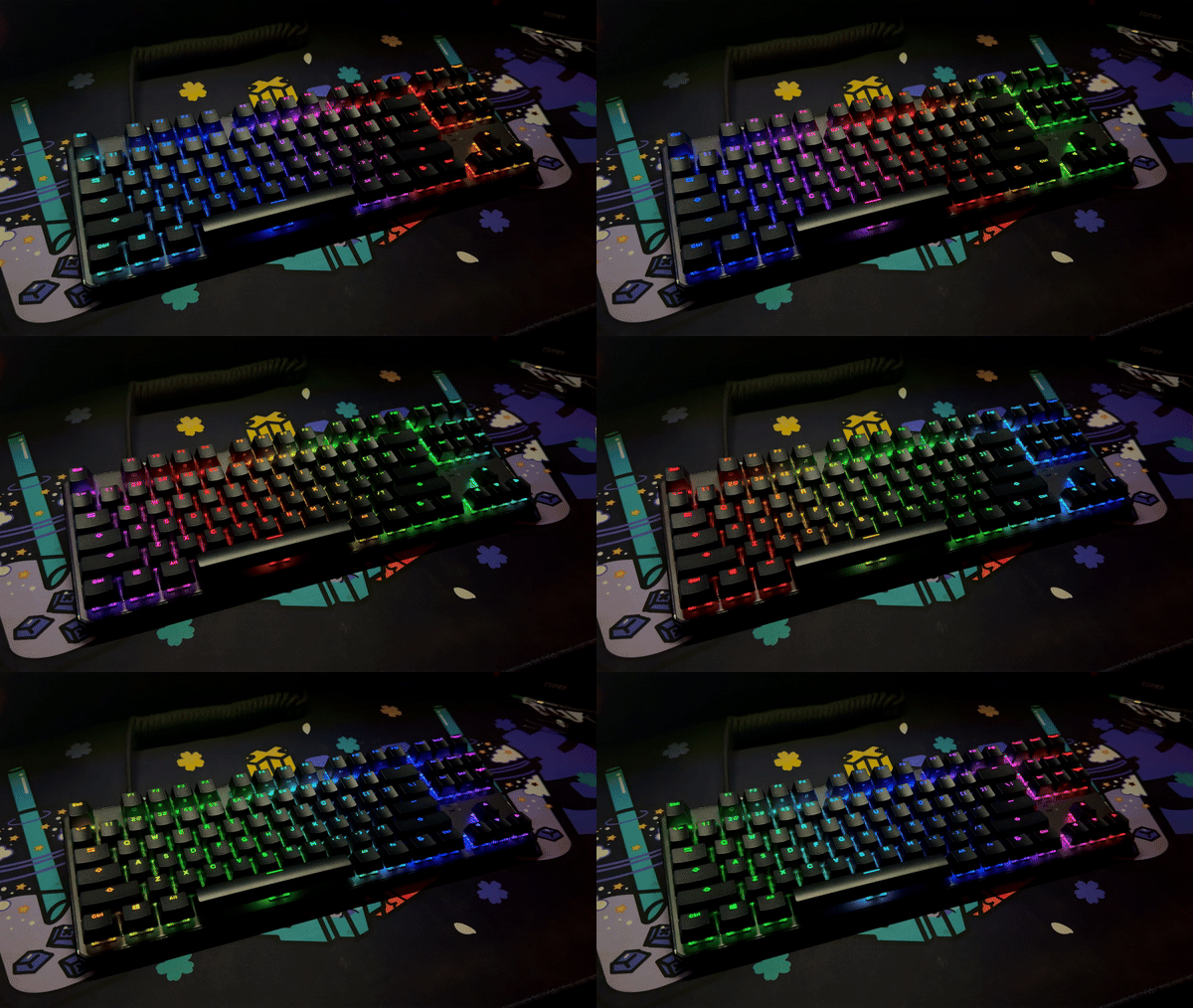
You like RGB. The shine-through keycaps, along with the smooth RGB effects, make it stand out on any desk.

You want two looks in one. The magnetic top cover of the Phantom+ Elite can be taken off to reveal an aggressive and gamery “case-less” design.

✅ You’re fond of coiled cables, as the one Tecware includes in the box is quite nice and premium.

Don’t Buy It If:

You’re looking for a good keyboard as the Tecware Phantom+ Elite has underwhelming sound, feel looks and features.

You want smooth stabs because the stock stabilizers in the Elite+ are quite frankly terrible ,with lots of rattle and inconsistencies.

You want the best value as there are several other keyboards on the market offering much better packages for the same price.

The Tecware Phantom+ Elite in all its glory (Image by T4G)

My Thoughts

The Tecware Phantom+ Elite would’ve been a decent keyboard had it come out before the Aulas and the Epomakers of today. The RGB sure looks nice, and it’s not a poorly built board, but it’s simply too outdated for what it costs and cannot realistically stand toe-to-toe with even a board off AliExpress. 

In the States, you can find the Chilkey ND75 for $89, which is an aluminium keyboard with ball-catch assembly, magnetic connectors and a screen. Not to mention actually good keycaps, switches and stabs that contribute to a solid sound. Why am I mentioning all this? Well, the MSRP of the Phantom+ Elite is only $9 less than that. I rest my case.

What Others Are Using?

Loading poll ...
 

Tecware Phantom+ Review: Style Over Substance?

Budget mechanical keyboards with the traditional “gaming” aesthetic have become a rare breed these days. The overnight revolution of the semi-custom prebuilts led by Akko, Epomaker and Aula have terraformed the market into appreciating more sober designs. Tecware seems to oppose that.

The Phantom+ and Phantom+ Elite are the company’s latest entries in the market, and they come in two sizes: an 87-key TKL version and a full-size 104-key version. The former is the cheaper wired model and that’s the one we’ll be taking a look at in this review.

Why Trust Tech4Gamers
  • Huzaifa Haroon is our keyboard expert with years of experience in building and testing custom keyboards.
  • 130+ peripherals tested and reviewed by our team of hardware experts (Tech4Gamers Team).
  • 500+ hours spent testing different peripherals for our reviews.
  • Objective testing criteria (See how we test peripherals).

At Tech4Gamers, ensuring you get reliable information is our priority. That’s why every hardware round-up undergoes a meticulous review process by our team of experts and editors. Each review is carefully examined against our strict editorial guidelines, guaranteeing you trustworthy insights you can depend on.

I will be referring to the Elite variant in this review, so make sure to read my Tecware Phantom+ Elite review as well. 


Key Takeaways
  • The Tecware Phantom+ is a subpar keyboard that lacks depth in any department other than RGB and its gamer’d-out look.
  • Buy the Phantom+ if you’re looking for something that will get the job done while looking inoffensive and well-built.
  • Avoid the Phantom+ if your goal is to buy a well-rounded keyboard that has a solid sound, feel, design, and features like wireless support.

Feature Details
Layout 87-key Tenkeyless (TKL) or 104-key (Full Size)
Switch Options Pre-installed Tecware Wraith switches (Orange, Brown, Pink, Red)
Keycaps Double-shot ABS keycaps in OEM profile
Build Quality Carbon steel plate with ABS case; sound-dampening foam and fillers
RGB Lighting 16.8 million colors per-key RGB illumination with 18 pre-set lighting modes
Connectivity Wired only (USB-C) 
Hot-Swappable Sockets 3-pin switch sockets, limited compatibility
Stabilizers Tecware-branded prelubed V3 stabilizers, plate mount
Dimensions TKL: L361 x W132 x H42mm (H51mm w/ feet) | Full-Size: L443 x W132 x H42mm
Weight 0.93kg (TKL) or 1.1kg (Full Size)
Additional Features Multi-layered foam padding, silicone spacebar filler, dual-layer fiberglass PCB
[toc]

What Makes It Different?

The Tecware Phantom+ is not different from what’s already on the market in any way. In fact, everything about it feels outdated like all the competitors have already moved on from this level of performance. So, in that weird sort of ironic way, it’s different because it’s trying to sell an older formula that doesn’t work anymore.

Unboxing Experience

The Phantom+ comes in a sturdy, well-designed cardboard box with the keyboard’s picture and name on the front indicating whether you have the TKL or full-size variant. There are tabs on the sides to open it up, and it’s one of the few keyboards that actually comes with a seal. You’ll also find a sticker in the corner showing which switch is inside.

Tecware Phantom+ box (Image by T4G)

Inside the box, you’ll find the keyboard wrapped in foam, along with a dust cover which is surprising considering the more premium Elite version doesn’t include one. Unlike the Elite, however, this version skips the fancy coiled cable. Similarly, there’s no manual inside but the bottom of the box has a nice graphic showing an exploded view of the board’s internals.

Here’s everything you get in the box:

  • 1x Phantom+ 
  • 1x USB-C Cable
  • 1x Keycap/Switch Puller
  • 4x Extra Switches
Everything the Tecware Phantom+ comes with (Image by T4G)

Design & Build 

The Tecware Phantom lineup sticks to its gamer-centric design, which feels a little outdated now, especially as many budget keyboards have transitioned to cleaner, more modern aesthetics. This model carries over the “case-less” design seen in the Elite version, where the plate sits exposed at the surface.

However, unlike the Elite, it doesn’t come with a magnetic top cover included, though the one from the Elite is fully compatible. On paper, this should mean identical build quality, but the experience tells a different story. I noticed random streaks and molding marks across the plastic body that were not present in the more premium model.

Poor molding in the Tecware Phantom+ (Image by T4G)

Without the top cover, the keyboard’s sharp, angled corners are fully exposed, and they can feel uncomfortable if your palm brushes against them. Interestingly, the seam running across the edges of the board where the plate and bottom case join is not as egregious here and, to be honest matches the aesthetic quite well.

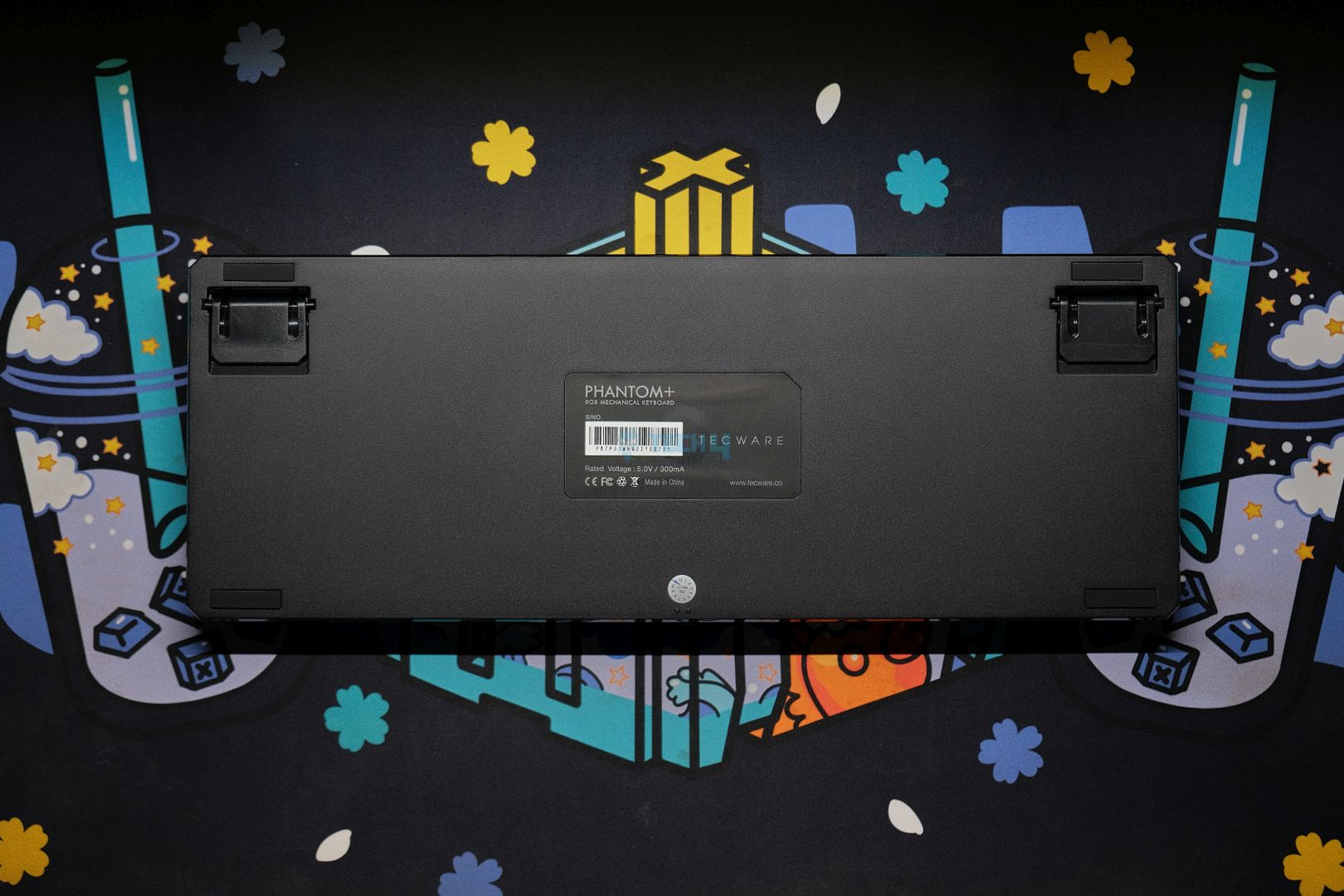
At the back, you’ll find two flip-out feet for height adjustments, along with a Tecware sticker in the center providing some info. The side profile is very basic, but I actually prefer the raw, angular look without the cover—it gives the keyboard more character. This also leads to a very short front height of only 10mm.

The Phantom is sporting a plastic construction, but it has a surprising weight to it; there’s only about a 200g reduction due to the lack of batteries in this model. Like its older brother, this board has a rough texture on the back but smooth sides with a glossy trim angling inward toward the bottom. The metal plate is also smooth but looks gritty.

Up top, the USB-C port sits on the left side, but unlike the Elite, there’s no connection mode switch here since this version doesn’t support wireless. Strangely, the carvings of the cutout for the switch are still there, which further confirms both models share the same body mold. 

Tecware Phantom+ USB Port (Image by T4G)

Layout & Features

The Phantom+ is a wired keyboard with a TKL or tenkeyless layout which means it lacks a numpad. It uses a tray mount which is not uncommon for gamery-looking budget boards of this caliber. There are two indicator LEDs right below the nav cluster for Caps Lock and Win key lock, the latter of which is different from the power LED on the Elite mode.

Tecware Phantom+ indicator LEDs (Image by T4G)

The board features a hotswap PCB with 3-pin sockets and north-facing RGB. However, these are the mill-max looking cheapo sockets that only play nice with Outemu switches. I tried a KTT Rose and a Gateron Pro Yellow, the only two 3-pin switches I had, and the KTT fit without a problem, but the Gateron just wouldn’t go in.

Tecware Phantom+ hotswap sockets (Image by T4G)

Today, every single new switch that comes out is 5-pin, which means you’ll have to individually chop off the plastic legs of each switch before you can put them in here. Mix that with the shoddy support of whether the switch will actually fit or not, and this is just an unacceptable experience in 2024.

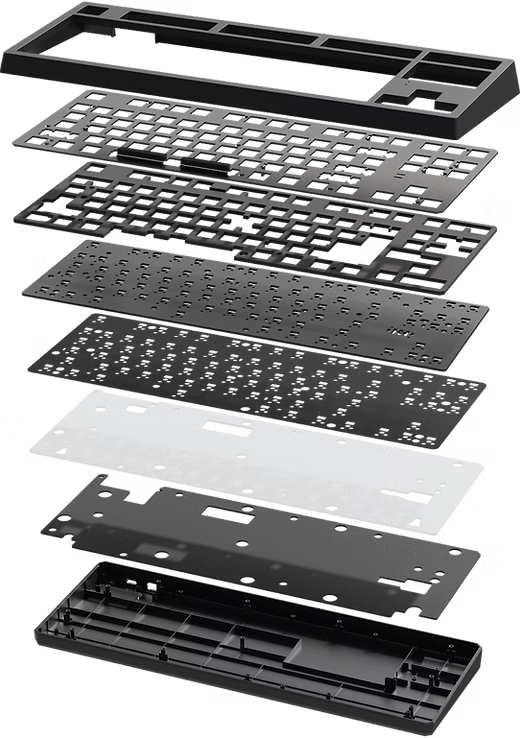
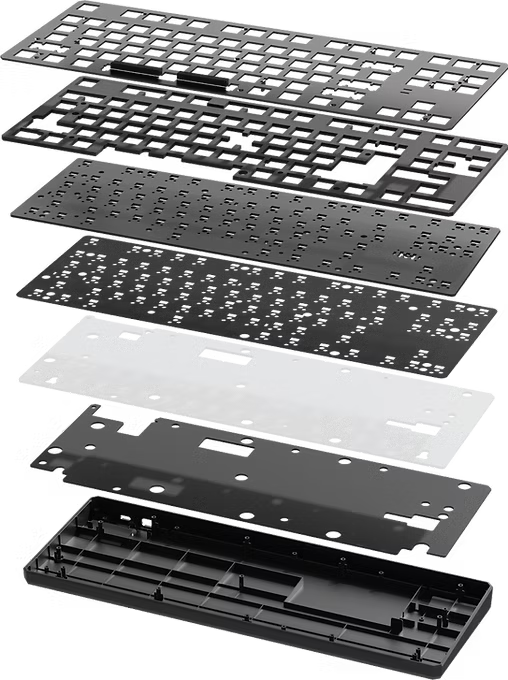
Anyhow, the PCB has a standard 1.6mm thickness and both the plate and PCB have no flex cuts. There are also no extra layout options. Tecware has put ample foam inside to help dampen the sound. You have your standard affair of plate foam, IXPE sheet, PCB foam and bottom case foam. 

All the layers that make up the Phantom+ | Tecware

The Fundamentals

The Phantom+ has looked anything but impressive up till this point, and unfortunately, its internals only continue the same theme. 

Switches

The Phantom keyboards come with Tecware’s own Wraith switches, and I’ve got the Browns in my config. These are a 50g factory-lubed tactile with a 63g bottom out. There is no pre-travel, as the tactile bump is right at the start of the actuation. 

Unlike their linears, there is no spring crunch here and even less stem wobble. They sound decent but tactiles are mainly about the feel. There is a nice, rounded-off tactility here which felt pretty light. Upon opening up the switch I saw that the stem had the slightest bit of lube on it, including the legs. The spring was also glistening. 

Tecware’s Brown tactile switch in the Phantom+ (Image by T4G)

The tactile bump helps mask the minor rattle produced by the somewhat loose keycap stems. The sound is otherwise not very creamy or loud. These are certainly a downgrade from something like the MMD Princess, but at least I found the sound to be very consistent across all the keys.                                                                

Keycaps

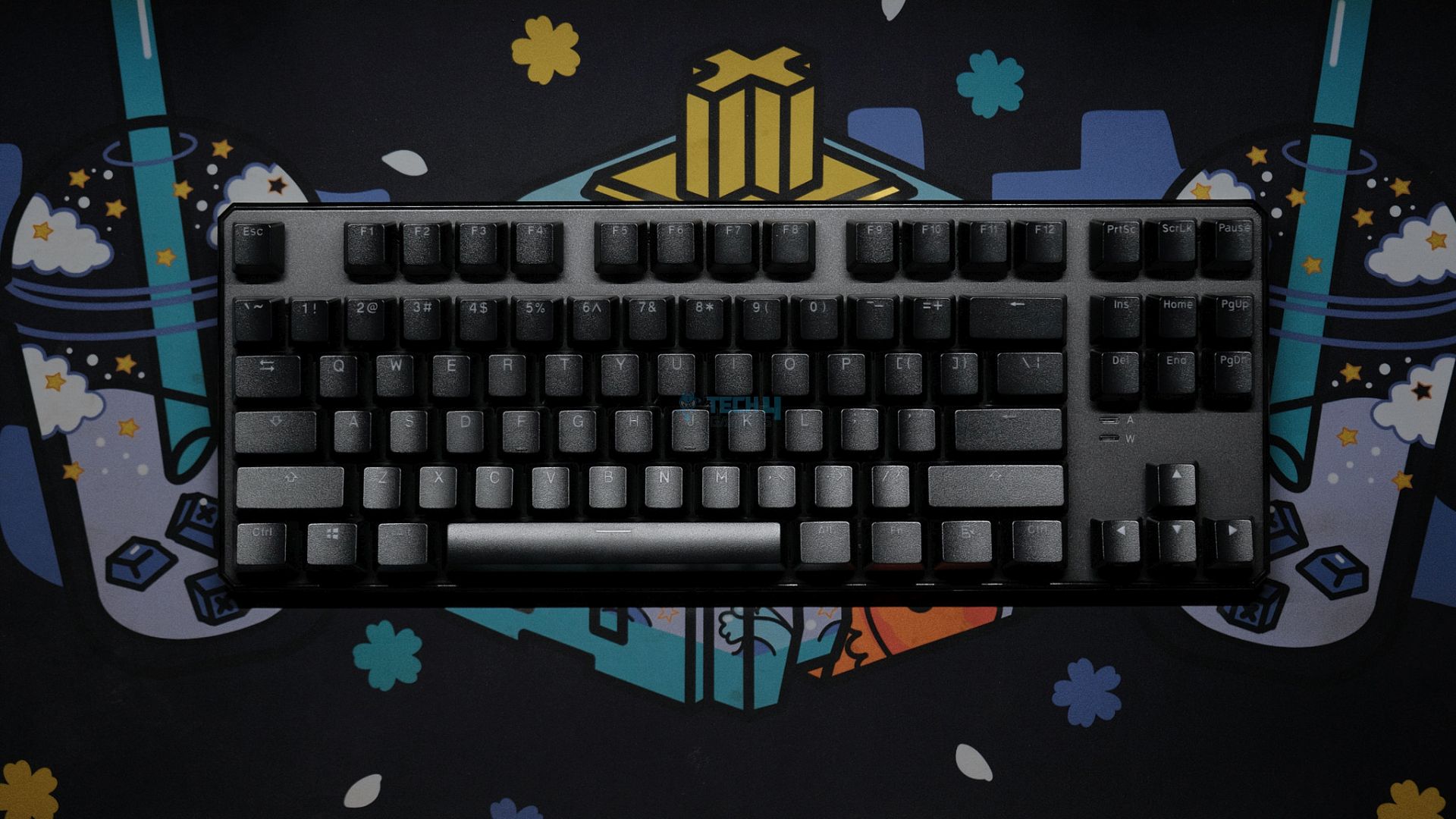
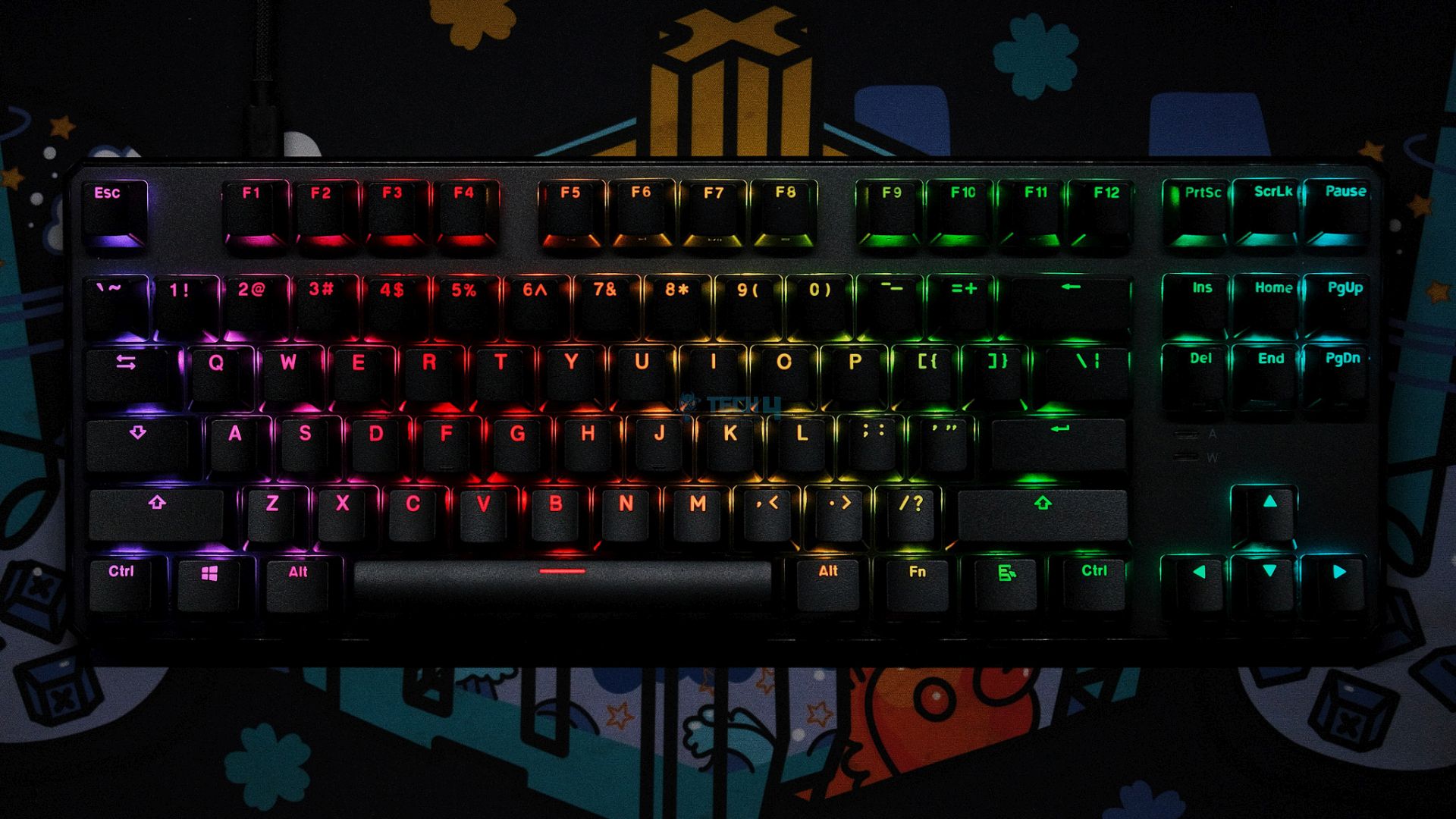
The key caps on the Phantom+ are doubleshot PBT with shine through legends and come in the standard OEM profile. Compared to the Elite version, these keycaps feature a different font, with centered legends that work better for RGB lighting. Since the LED sits right behind the translucent element, the RGB is more vibrant and consistent.

Tecware Phantom+ keycaps (Image by T4G)

The legends are crisp but thinner than usual; the Elite model benefits from thicker characters that accentuate the RGB (especially in animated effects). The texture looks gritty but is smooth and catches a lot of finger oils. Once again, this is better hidden in the white version that we had with the Elite model.

The keycaps, compared to other budget PBT offerings, are not as thick, and you can see molding marks on the edges. There is also a decent bit of wobble as the stems are not tight enough. Putting the stabilizer keycaps on a better board like the Lucky65 instantly gives this away to the point where you can just lift it up without applying much pressure.

Stabilizers

Like the more premium Phantom+ Elite, the standard Phantom+ has Tecware’s “V3” plate-mounted stabs that come pre-lubed from the factory. These are really bad and cannot be used stock, which is a shame considering how other prebuilts are packing perfect stabilizers in the same budget.

Tecware Phantom+ stabilizers (Image by T4G)

All the stabilized keys rattle, and there is significant ticking. You can take off the keycaps to visibly see the lube they put on the stabs but it’s not doing much. This is only made worse by the loose keycap sitting and the muted sound of the switches. In normal typing, the sound of the spacebar will take you out every single time.

Connectivity & Performance

The Phantom+ is not wireless, so there’s no battery inside. You can only connect it through the USB-C port. While plugged in, I didn’t notice any lag or weird issues in both gaming and typing. The latency is average, so it is not recommended for competitive gaming, but it should be fine otherwise.

Typing Experience

The typing experience is disappointing with poor stabilizers and mediocre keycaps combining to make sure you hear every bit of rattle. The tactile switches feel nice but don’t help add any positive to the sound because they simply don’t have enough character to stand out. There is the slightest hint—nay, idea—of thock but nothing solid.

The board also feels very stiff to type on due to its tray-mount structure. 

The Software

You can easily download the Phantom+ software from Tecware’s site, and if you haven’t guessed so far, this board is not VIA or QMK compatible. Anyway, the software is actually not bad at all and looks quite a bit better than the one supplied with the Elite model. The UI is still gamer-ish, don’t get me wrong, but it’s a huge improvement.

You have options for the RGB controls, which include 18 built-in effects, but for some reason, the speed is slower than on the Elite model, even if I max it out. One big advantage of this software is a real-time overlay which displays whatever RGB settings you’ve got going on as you configure it. However, there are no reactive music modes like on the Elite.

There are sections for custom keymapping and macros too. The interesting bit is in the “Others” tab where you can customize the polling rate<span style=”font-weight: 400;”>, choosing between 125, 250, 500 and 1000hz (default). There are also toggles for Win key lock, N-key rollover and swapping WASD for the arrow keys. Clicking the keyboard button in the middle opens the Windows Keyboard Properties panel if you want to configure that for some reason.

Should You Buy It?

Buy It If:

You’re a fan of RGB. The gamery look mixed with the shinethrough keycaps provide a nice disco show that’s pretty to look at.

You’re not picky about how a board sounds or feels and just want a decent overall experience without thinking about it.

Don’t Buy It If:

You’re after the best value. At its price point, competing keyboards offer far superior build quality, features, and overall performance.

You value sound and feel as the Tecware Phantom+ struggles in both areas, with underwhelming acoustics, inconsistent typing feel, and an uninspired design.

You need good stabilizers. The pre-lubed stabilizers are poorly implemented, with excessive rattle and ticking that detracts heavily from the typing experience.

The Tecware Phantom+ in all its glory (Image by T4G)

My Thoughts

For its $58 MSRP, the Tecware Phantom+ faces tough competition from companies like Aula, Epomaker, and even Royal Kludge, all of which are offering stronger options in the same price range. Sure, it’s got the design and the looks, but the remaining features are far from impressive.

For instance, if you care about the stabilizers, keycaps, switches, and even build quality, there are more choices to consider. I like the RGB, but you can get that on any modern keyboard and often with much better software. For casual users, the Phantom+ might get the job done, but in a crowded market, it struggles to truly stand out.

What Others Are Using?

Loading poll ...
 

KCD Lead Roasting Dragon Age: The Veilguard Attracts Massive Criticism

Story Highlight
  • On Twitter, the lead of Kingdom Come Deliverance roasted the low player count of Dragon Age: The Veilguard. 
  • He compared the game’s player count to a 7-year-old RPG, as the latter had more players.
  • While some joined the thread with a humoristic approach, others didn’t find it funny and criticized the lead for this take. 

Kingdom Come Deliverance Lead recently roasted the active player count of Dragon Age: The Veilguard. The game lost a lot of its players pretty quickly, so the lead compared it to a 7-year-old game.

Due to that, the lead has been highly criticized by the fans

Why it matters: While the KCD lead could have thought it was hilarious to compare a 7-year-old RPG to a newly released one, some fans bashed him for it and called him unprofessional. 

KCD Criticism
Kingdom Come Deliverance Lead Is Getting A Lot of Hate For His Recent Comparison| Source: Twitter

Many fans have joined the thread with a sense of humor, but others have criticized Daniel Vavra for this comparison. They think a developer should never think this way and should be mature about such topics, as a lot can happen in the gaming industry. 

Also, it seems like Daniel Vavra wasn’t expecting a meltdown from a lot of people, as he was just happy to be doing a lot well even after so many years.

Have to say that I didnt expect such a meltdown just because I was happy, that we are doing suprisingly well after all those years. Chill everyone.

 -Daniel Vavra 

KCD Criticism (2)
Fans Think That Developers Shouldn’t Roast A Game Like That And Should Be Mature 

Kingdom Come Deliverance was released 7 years ago, and Dragon Age: The Veilguard was released just over a month ago. While this can be seen as the former being more favorable by the overall fandom, it could be taken as a disrespectful comparison by the latter’s fans. 

On the other hand, many enjoyed the lead’s tweets and replied with a humorous approach. One even stated, ‘Based answer. I am pre-ordering the game now.’

Kingdom Come Deliverance 2 is set to release on February 4, 2025, and given its predecessor’s success, the game is expected to perform a lot better.

What do you think of the KCD lead roasting Dragon Age: The Veilguard? Do you think this was uncalled for, or was it funny? Let us know your thoughts in the comments section below, or join the discussion at the official Tech4Gamers forums.

I Tested Both Ryzen 7 9800X3D And 7800X3D — No, You Don’t Need To Upgrade

Story Highlight
  • The Ryzen 7 7800X3D saw steep discounts down to as low as $350, but prices are currently hovering around MSRP because of recently pumped-up demand.
  • In terms of performance, the 9800X3D is only about 5-10% better on average, but the major difference arises from the low FPS figures.
  • All in all, it’s advisable to save as much money as possible with the 7800X3D and reroute that extra dough toward a better GPU for optimal FPS at 2K/4K resolutions.
 

I’m sure it’s going to come across as no surprise that the AMD Ryzen 7 7800X3D has proven itself to be one of the most stellar CPU launches from either silicon giant (Intel being on the opposing side) in recent years. In my review of the 7800X3D, I called it as best gaming processor of this generation, with the CPU earning our Performance award.

Boasting 8 cores, 16 threads, Clock Speeds turboing from 4.2 GHz up to 5.0 GHz, a reasonable TDP of 120W, AMD’s Zen 4 microarchitecture, and the tech giant’s 2nd generation of its revolutionary 3D V-Cache layering, the hits just keep on coming with the Ryzen 7 7800X3D.

You can gauge how successful the Ryzen 7 7800X3D has been on the basis of the fact that it’s still selling for approximately $480, about $30 northwards of its MSRP.  Don’t forget this crucial tidbit of information; it’s going to play a significant role in justifying my ultimate decision in the conclusive segment of this write-up. 

Why Is The Ryzen 7 9800X3D So Hyped Up?

Alas, things have changed, and it’s been a few weeks since the Ryzen 7 9800X3D officially became available for commercial sales at an MSRP of $480, a $30 increment over its outgoing predecessor.

To begin with, the Ryzen 7 9800X3D represents a gaming-oriented product line with regards to the Ryzen 9000 ‘Granite Ridge’ Series Processors. So what’s the difference between the 7800X3D vs 9800X3D?

In comparison to the 7800X3D, the 9800X3D ups the ante by varying its clock speeds between 4.7 GHz to 5.2 GHz while still retaining a TDP of 120W, which is an impressive feat to say the least. AMD also buffed the L1 Cache by upping it from 64 KB to 80 KB.

Moving on, the fusion of AMD’s next-generation Zen 5 microarchitecture and relocated 2nd-generation 3D V-Cache mechanism means that the Ryzen 7 9800X3D now comes out of the box with an unlocked multiplier. This enables enthusiasts to easily overclock their gaming CPU in a simplified and convenient manner while keeping thermals at bay.

That’s all on paper. I got my hands on the 9800X3D and used the same test bench as I did in my 7800X3D to compare the two. In all of my 9800X3D gaming tests, the processor indeed left behind the 7800X3D by a big difference. For instance, at 1080p, it averaged 239 FPS (across 8 games), while the 7800X3D gave 231 FPS.

As such, it’s a no-brainer with respect to the fact that the Ryzen 7 9800X3D will certainly appear to run games more smoothly in contrast to the Ryzen 7 7800X3D.

Why Is The Ryzen 7 7800X3D Still In Such High Demand?

If the Bugatti Chiron Super Sport is faster than the vanilla Bugatti Chiron, it doesn’t make the latter an instant failure. It just means that the former is relatively more performant. It’s the same case with the Ryzen 7 7800X3D. The Raphael Zen 4 3D V-Cache CPU received stellar praise from gamers, enthusiasts, and reviewers from all around the world, including myself, because it had the most superior value-for-money proposition. 

At the moment, the situation is quite simple: there is only one processor that can outperform the 7800X3D in games, and that is its successor, the 9800X3D. All other flagships, including the latest 9950X, are still behind the 7800XD.

Plus, the difference in performance between the 7800X3D and 9800X3D is insignificant at high resolutions (1440p and 4K). In my review, the 7800X3D was at 173FPS at 1440p, and the 9800X3D was at 178FPS. This average was calculated based on 1440p runs on 8 games. So you’re looking at a mere ~4FPS difference. Plus, this further reduced down to literally 0.3FPS at 4K.

Alright, before you call me out for comparing two processors at resolutions above 1080p, hear me out. It’s true that at 1440p and 4K, performance is much more dependent on the GPU than the CPU. So, comparing processors at those resolutions isn’t entirely fair since the GPU plays a bigger role.

That said, these are gaming processors we’re talking about. If you’re gaming at 1440p or 4K and thinking about upgrading from the 7800X3D for better performance, I’d say it’s not worth it. But if you’re playing mostly at 1080p and want a bit of extra performance, then sure, go ahead and grab the 9800X3D—if you can find one.

Why You Should Buy The Ryzen 7 7800X3D?

It’s 2024, so unless you’re into extreme competitive gameplay, I’m quite positive you’re setting up your PC to game in 1440p (2K) or 2160p (4K). The thing is, at those resolutions, the primary source of bottleneck is your GPU, not your CPU.

As such, I’d advise you to save as much as you can by opting for the 7800X3D over the 9800X3D, which could yield you potential savings of up to $100 to $300+ depending upon how inventory management for both processors plays out on a global level. Subsequently, you’d be better off using those savings to splurge on a faster GPU. As luck would have it, it’s currently a great time to be buying a GPU as both Nvidia and AMD are operating on voluminous scales of production, so finding one of your favorite Nvidia RTX or AMD RX GPUs won’t be an issue at this point in time. 

To summarise, the Ryzen 7 9800X3D is, without a doubt, the fastest CPU for gaming that money can buy right now. That being said, I’d still wager my bets on the Ryzen 7 7800X3D because it still offers unprecedented bang for the buck as far as high-performance gaming processors are concerned. 

AOHI Boasts Huge Kickstarter For Class-Leading Starship 240W Power Bank

[Press Release] AOHI kicked off a new Kickstarter last month with the Starship 240W. Thanks to a 240W total power output, 27,600mAh capacity, and support for PD 3.1 technology, the power bank is designed to outshine popular competitors.

As per AOHI, the Starship 240W is superior to the Shargeek 170 and Anker 737, both of which offer inferior power output. Because the company’s latest offering is priced at just $99, it offers unparalleled value for everything included out of the box.

Coming with two USB-C ports and a single USB-A port, the power bank can simultaneously power multiple devices, including phones, laptops, and more. For those looking to charge smartphones only, the massive 27,600mAh battery is enough to top up the Samsung Galaxy S24 four times before running out.

The power bank is also quite light at just 650g, making it comfortable to carry. Moreover, the battery capacity is TSA-compliant, making it an ideal companion on long flights and journeys.

AOHI Starship 240W Power Bank
AOHI Is Dedicated To Helping You Keep Your Devices Up And Running

Making the deal even better, the Starship 240W offers PD 3.1 technology for blazing-fast charging. It can charge an entire Macbook Pro 16″ to 56% in just half an hour.

In terms of security, AOHI has cut no corners. The Starship 240W comes equipped with 15 built-in protection measures, giving it the ability to prevent typical problems like short circuits and extreme temperatures without much of a hassle.

Overall, there’s a lot to like about the product, and you can follow this link to AOHI’s official Kickstarter page for additional details. The Kickstarter lasts for just six more days, and those backing the product can also avail an exclusive offer for an immediate purchase.

Black Ops 6 Zombies Voice Actors Quit In Protest Amid Excessive AI Usage

Story Highlight
  • Nearly every Call of Duty Zombies voice actor has reportedly left Treyarch due to concerns over AI protection.
  • This news comes after Activision was caught using AI-generated art in Black Ops 6.
  • The company has also used AI to sell weapon skins in previous Call of Duty games.

Black Ops 6 has marked a major comeback for Call of Duty after last year’s disappointing Modern Warfare 3. The series has never been better, but it seems to have run into one major hurdle.

Following reports of major recasts for Black Ops 6 Zombies, a reliable leaker states that nearly every voice actor belonging to this specific mode has halted work on the latest Call of Duty entry.

Why it matters: The Call of Duty voice-acting cast has been with the series for many years, making this situation a huge loss for the IP.

Call of Duty Black Ops 6 Zombies
Treyarch Is Said To Be Panicking After The Recent Departures | Image via Twitter

As per GhostofHope, nearly everyone featured in the Black Ops 6 Zombies cast has departed Treyarch. The report outlines that this situation was caused by a lack of AI protection clauses in the actors’ contracts.

For context, Julie Nathanson portrayed Samantha since Black Ops 1. The voice actor was previously part of Black Ops 6 but appears to have been replaced for the upcoming content. Fans are also concerned about similar treatment for actors like Nolan North, the voice of Richtofen.

Giving further weight to the leaker’s statement, Activision’s latest art has been criticized for being AI-generated. Fans have noted that the character portrayed in the image has six fingers, a mistake frequently seen in AI-generated content.

Call of Duty Black Ops 6 Zombies AI Art
The AI-Generated Art Is Being Used For A Loading Screen | Image via Twitter

As per reports, Activision also sold AI-generated weapon skins in Modern Warfare 3, so this would not be the company’s first outing with artificial intelligence.

Leaker GhostofHope believes that both Microsoft and Activision are to blame for Call of Duty’s increasing reliance on artificial intelligence. Still, it remains to be seen if the core problem will be addressed for these iconic voice actors.

What are your thoughts on the situation? Let us know in the comments, and join the Tech4Gamers Forums for more discussions.

Dragon Age: The Veilguard Has Somehow Won A Game of The Year Award

Story Highlight
  • Dragon Age: The Veilguard is arguably one of the most criticized games this year. 
  • Despite being surrounded by massive controversy, Time Magazine gave it Game of the Year. 
  • Many fans made fun of the list as Black Myth: Wukong was at number 7, and Metaphor ReFantazio wasn’t even on the list. 

Dragon Age: The Veilguard has been highly criticized due to it featuring a lot of ‘woke stuff’ in-game. Many fans have claimed that this agenda seems forced, as there is even a cutscene that lectures you for 2 minutes on misgendering someone.

That isn’t the only negative part of the game, as many fans have even claimed that it didn’t feel like a Dragon Age game. Due to that, a massive poll suggested that over 90% of the players didn’t enjoy it. Despite that, The Veilguard has won a Game of the Year award.

Why it matters: Dragon Age: The Veilguard‘s writing is considered dehumanized and terrible by an influenced director, and the list just goes on. So, it being the best game of 2024 seems a little bit off.

Time Magazine has named the latest game in the Dragon Age series Game of the Year 2024. It wasn’t even nominated for the award at TGA 2024, and yet one of the most famous magazines has awarded it the most prestigious award

The magazine has ranked 10 games where Dragon Age: The Veilguard is at the 1st spot. Astro Bot and Final Fantasy 7 Rebirth are at the 2nd and 3rd spot, respectively. Black Myth: Wukong, the biggest hit of 2024, is at the 7th spot

It should also be noted that the magazine included Alan Wake 2 Night Springs and The Lake House. So it includes DLCs, but Shadow of the Erdtree is nowhere to be seen. 

Dragon Age The Veilguard Ultimate GOTY
BioWare Refuses To Give Sales Update of The Latest Dragon Age Title

Fans are also trolling it for this ranking. Some are even calling it a ‘Happy April Fools’ moment, which explains the situation nicely.

Yeah that’s a wild list. This is a good argument for why non-gaming sites/forums/etc shouldn’t be involved in stuff like the Game Awards.

Also, Metaphor ReFantazio isn’t even on the list, one of the GOTY contenders at TGA 2024. Fans might not like this list by Time Magazine, but The Game Awards declaring a winner would have a lot more impact.

What do you think of the top Time Magazine declaring Dagon Age: The Veilguard as Game of the Year? Do you agree with its top 10 list? Let us know your thoughts in the comments section below, or join the discussion at the official Tech4Gamers forums.

Xbox’s Content Quite A Bit Stronger Than PlayStation This Holiday Season, Says Analyst

Story Highlight
  • An analyst has said that Xbox is currently ahead of PlayStation from a pure content perspective.
  • The former has a major advantage heading into the holidays.
  • Xbox’s strategy of avoiding the console wars also appears to be working well.

Xbox has closed out 2024 with an incredible first-party release. Defying various expectations, Indiana Jones and The Great Circle has marked a major comeback for both MachineGames and Indy.

Whether it be the game’s quality or its optimization across PC and consoles, there’s barely anything to criticize in MachineGames’ latest offering. Following this release, analysts have also noted that Xbox is ending 2024 on a very strong note.

Why it matters: The company’s first-party lineup has never looked better, showing plenty of promise for the future.

Xbox Game Pass
Game Pass Continues To Thrive As The Year Comes To A Close

As reported by Variety, analyst Clay Griffin says Xbox’s momentum has placed it ahead of PlayStation. In particular, he noted that the gaming giant’s content offerings are stronger, giving it a major advantage.

This is mainly due to two major AAA offerings in the last quarter of 2024. Not too long ago, Black Ops 6 set franchise records and drove new levels of engagement for the Xbox platform.

With Indiana Jones and The Great Circle poised for similar success on December 9, Xbox is heading into the holidays with a more enticing lineup. The gaming giant also delivered notable titles like Hellblade 2 earlier this year.

Microsoft’s portfolio is quite a bit stronger than Sony’s.

-Clay Griffin

PlayStation itself had solid exclusive offerings this year, but the gaming giant seemingly lost momentum by the end of 2024. Between Final Fantasy 7 Rebirth, Astro Bot, Helldivers 2, and Stellar Blade, PS5 users had plenty to keep themselves busy this year.

However, the PlayStation portfolio can appear a bit dry in comparison when considering the fact that Astro Bot arrived in September, and nothing major has shown up since then.

Xbox Series X
The Xbox Series X Looks More Appealing Than Ever

Clay Griffin also says that the new content-focused strategy is better than the gaming giant’s previous attempt at winning the console race.

Xbox’s strategy of moving up the value chain is better than trying to out-console Nintendo or Sony.

-Clay Griffin

The next year has shown similar promise for Xbox, with Avowed, Fable, and Doom: The Dark Ages leading the 2025 lineup. PlayStation seems to have a few major first-party releases up its sleeve, with Ghost of Yotei expected to be the highlight.

All in all, it will be interesting to see what the future holds for both companies. What do you think about the analyst’s conclusion? Let’s discuss this in the comments and on the Tech4Gamers Forums.