I’ve previously worked for eXputer as a Senior News Writer for several years. Now with Tech4Gamers, I love to devoutly keep up with the latest gaming and entertainment industries. I have a Bachelor’s Degree in Computer Science and years of experience reporting on games and breaking exclusive stories. Besides my passion for gaming journalism, I love spending my leisure time farming away in Stardew Valley. VGC, IGN, GameSpot, Game Rant, TheGamer, GamingBolt, The Verge, NME, Metro, Dot Esports, GameByte, Kotaku Australia, PC Gamer, and more have cited my articles.
Story Highlight
xCloud will implement a time limit on free users playing Fortnite, as per the leaked code.
The service is linked to Xbox Game Pass Ultimate, but free-to-play titles are accessible without it.
Nvidia also announced a playtime limit earlier before withdrawing it due to backlash.
Many people have floated cloud gaming as the future of video games, and the company leading this charge is none other than Microsoft. The American giant launched xCloud back in 2018 so players could access their favorite games anywhere in the world, and the service reached over 10 million users in 2022.
With Call of Duty also being one of the offerings in this service, the Xbox cloud gaming venture has gradually picked up pace, and some new changes from the company tell us that it wants more people to buy into the idea.
Why it matters: Cloud gaming is meant to be the next frontier of the gaming industry, but problems like playtime limits show us the flaws in its current design.
Fortnite players might not be able to play the title to their heart’s content.
According to source code discovered by data miners, xCloud may start limiting free users’ access to Fortnite. The Xbox service is linked to Xbox Game Pass Ultimate, but free-to-play games like Fortnite can be accessed without any cost, allowing players on phones and laptops to play their favorite titles for hours on end.
As a result, the cloud servers do suffer and lead to long queues, meaning this restriction could be a way to help out servers under duress. No info was available about when free xCloud users may face these playtime limits or how much this restriction will be.
But if the leaked code is true, fans won’t be very happy about this new change from the Xbox cloud gaming service. Playtime limits are not new for cloud gaming, however, as Nvidia also implemented a 100-hour restriction per month, which was delayed after severe fan backlash.
xCloud launched back in 2018 and has over 10 million users
Cloud gaming has massive potential, and Xbox is definitely the front-runner right now in this $40 billion market. But, to be the dominant force in this field, the American giant will need to find better solutions to such problems, especially with rival Sony also considering cloud gaming very important from this year on.
Currently serving as a News Reporter at Tech4Gamers, I have the privilege of combining my love for gaming with the art of storytelling. My role involves crafting engaging narratives that keep our audience abreast of the latest developments in the gaming world.
Story Highlight
A new tool, XenonRecomp, allows Xbox 360 games to run natively on PC by converting PowerPC assembly into X86 architecture.
Fans have used this to create an unofficial PC port for Sonic Unleashed, supporting 4K resolution and anti-aliasing enhancements.
This breakthrough could lead to more Xbox 360 exclusives like Asura’s Wrath and Midnight Club: Los Angeles becoming playable on PC.
While the exclusivity era is just now ending, a vast catalog of older games can’t be played on modern platforms, even with backward compatibility. Emulation was the go-to process for this, but it brought many problems.
Thankfully, native recompilation for Xbox 360 games is now available for the first time. This conversion of PowerPC assembly into supported X86 architecture allows the game to run natively on PC.
Why it matters: This tool will preserve older games and allow PC players to experience Xbox 360 console exclusives they couldn’t try otherwise.
Sonic Unleashed Can Finally Be Played Natively On PC.
The tool Xenonrecompcan be downloaded on GitHub. The secondary tool, XenosRecomp, helps with the graphic translation since the old Xbox 360’s graphic system is entirely different.
XenonRecomp was inspired by N64: Recompiled, a similar tool to translate Nintendo 64 games to PC executables.
Working in sync, fans have created an unofficial PC port for Sonic Unleashed, dubbed “Unleashed Recompile.”Sonic Unleashed also supports enhancements with 4k resolution, Anti-Aliasing support of more than 2X MSAA, and more.
Asura’s Wrath Needs Its Own Anime.
Still, players would need their own copies to play the game. With such tools, fans can expect similar PC ports for other Xbox 360 exclusives, such as Midnight Club: Los Angeles, Asura’s Wrath, and more.
As a News Reporter at Tech4Gamers, I bring the latest findings from the tech industry to our readers. Specializing in processors, graphics cards, and more, I strive to deliver detailed insights that keep our audience well-informed and engaged. Periodically, I also delve into the vibrant world of gaming to share captivating stories.
Story Highlight
The February 2025 Steam Hardware and Survey highlights that NVIDIA is leading the GPU market, especially with the GeForce RTX 4060.
AMD is struggling in the GPU market, particularly with its RDNA 3 lineup.
AMD is adopting AI for frame generation and FSR upscaling, which could help AMD make a bigger impact, especially with upcoming GPUs like the Radeon RX 9060.
The February 2025 Steam Hardware and Survey results show that NVIDIA is leading the PC, laptop, and handheld GPU market, which is not surprising. However, a new mid-range GPU might have become everyone’s favorite.
Why it matters: NVIDIA’s dominance in the GPU market shows that mid-range cards like the GeForce RTX 4060, with their support for advanced technologies such as DLSS and ray tracing, are meeting gamers’ needs and expectations.
According to the February statistics, NVIDIA’s GeForce RTX 4060 is currently the most popular GPU, surpassing its predecessor, the GeForce RTX 3060. Furthermore, GeForce RTX 4060 Ti and 4070 are among the top 10, and there isn’t any indication of mid-range or entry-level Radeon options.
Given RDNA 3’s lack of impact, AMD appears to be struggling. Gamers often use older Radeon cards, such as the RX 580, RX 6600, and RX 6700 XT. With 1080p still being the most popular resolution, there’s no incentive to upgrade.
In addition to DLSS, a growing number of AAA games now support ray-tracing and frame Generation. Fortunately, AMD is finally adopting AI for its frame generation and FSR upscaling technologies, and it has collaborated with Sony to enhance Radeon ray-tracing significantly.
With the release of next-generation GPUs, we may start to see more notable changes in the results of the Steam hardware poll. Perhaps AMD might finally make a dent in the market with its midrange options like the Radeon RX 9060.
Lead the comparison and blog writing teams at Tech4Gamers.
Oversee teams with a keen eye for detail and precision.
Ensure hands-on writing, with benchmarks and testing as guiding principles.
Guarantee the delivery of the best possible results in concise yet impactful tech tales.
NVIDIA GeForce RTX 5070 Ti
Rated: 9/10
NVIDIA GeForce RTX 4080
Rated: 8.6/10
GPU
Pros
Cons
RTX 5070 Ti
✅ Efficient power draw
✅ Better value for money
❌ Weaker ray tracing
RTX 4080
✅ Better optimization
✅ More Tensor cores
❌ Expensive
❌ Power-hungry
Key Takeaways
Both GPUs performed closely, with RTX 5070 Ti being a hair 1.5% better in gaming at 2160p resolution and 0.2% better in synthetic benchmark.
In terms of power consumption, the RTX 4080 consumes 1.9% more power on average than the more efficient RTX 5070 Ti.
Currently, the RTX 5070 Ti stands around 50% more economical than the RTX 4080, which costs around $700 more as of March 2025.
The RTX 5070 Ti provides amazing value for its price tag, not only matching the RTX 4080 but also going beyond with its new-gen tech, making the RTX 5070 Ti our recommended GPU.
Process Nodes: Both the RTX 5070 Ti and the RTX 4080 are manufactured by TSMC on a 5nm process node.
Clock Speeds: The RTX 5070 Ti has a base clock speed of 2295 MHz and a boost clock of 2452 MHz, while the RTX 4080 runs slightly lower at 2205 MHz base but boosts higher at 2505 MHz.
VRAM: Both GPUs come with 16GB of VRAM and a 256-bit memory bus, but the RTX 5070 Ti utilizes GDDR7 memory, whereas the RTX 4080 features GDDR6X.
TDP: The RTX 5070 Ti has a 300W TDP, making it more power-efficient than the RTX 4080, which has a TDP of 320W.
Supported Technologies: The RTX 5070 Ti supports DLSS 4, providing better frame generation and upscaling compared to the RTX 4080’s DLSS 3.
With the RTX 5070 Ti now on the scene, everyone’s curious how it stacks up against the older, more powerful RTX 4080. This comparison dives into whether the RTX 4080 still holds the crown or if the RTX 5070 Ti brings enough upgrades to make it a serious contender.
Gaming Benchmark – 2160p
We’ve gone over the key specs of the RTX 5070 Ti and RTX 4080, but the numbers alone don’t tell the whole story. To see how these GPUs really perform, we’re putting them through the wringer with 4K benchmarks at max settings, pushing them to their limits on a PC with the following specs.
The RTX 5070 Ti just barely nudged ahead of the RTX 4080, averaging 68 FPS compared to 66 FPS—a tiny 3.03% lead.
When it comes to 1% lows, the gap widened, with the RTX 5070 Ti hitting 56 FPS, a solid 14.29% better than the RTX 4080’s 49 FPS.
S.T.A.L.K.E.R. 2
S.T.A.L.K.E.R. 2 (Image by Tech4Gamers)
Both GPUs were neck and neck in S.T.A.L.K.E.R. 2, with the RTX 5070 Ti averaging 50 FPS, just 2.04% ahead of the RTX 4080’s 49 FPS.
The 1% lows were similarly close, with the RTX 5070 Ti at 38 FPS, holding a small 5.56% lead over the RTX 4080’s 36 FPS.
Cyberpunk 2077
Cyberpunk 2077 (Image by Tech4Gamers)
In Cyberpunk 2077, the RTX 5070 Ti held a slim 1.72% lead, averaging 59 FPS against the RTX 4080’s 58 FPS.
However, the 1% lows told a way different story: the RTX 5070 Ti dropped to 23 FPS, while the RTX 4080 stayed steadier at 39 FPS, a massive 69.57% difference.
Horizon Forbidden West
Horizon Forbidden West (Image by Tech4Gamers)
Performance was almost identical in Horizon Forbidden West, with the RTX 5070 Ti averaging 71 FPS, just 1.41% behind the RTX 4080’s 72 FPS.
The 1% lows were equally close, with the RTX 5070 Ti at 61 FPS, a mere 1.67% ahead of the RTX 4080’s 60 FPS.
Microsoft Flight Simulator 2024
Microsoft Flight Simulator 2024 (Image by Tech4Gamers)
The RTX 5070 Ti pulled ahead in this demanding title, averaging 51 FPS for an 8.5% lead over the RTX 4080’s 47 FPS.
The 1% lows followed suit, with the RTX 5070 Ti at 41 FPS, staying 5.13% ahead of the RTX 4080’s 39 FPS.
God of War: Ragnarök
GoW (Image by Tech4Gamers)
God of War: Ragnarök ran almost identically on both GPUs, with the RTX 5070 Ti averaging 91 FPS, just 1.11% higher than the RTX 4080’s 90 FPS.
Even the 1% lows were a perfect tie, with both cards holding steady at 74 FPS, showing how close both cards actually are in performance.
Marvel Rivals
Marvel Rivals (Image by Tech4Gamers)
Marvel Rivals again showed almost no difference, with the RTX 5070 Ti averaging 61 FPS, just 1.64% behind the RTX 4080’s 62 FPS.
The 1% lows were similarly tight, with the RTX 5070 Ti at 45 FPS, a slight 2.27% lead over the RTX 4080’s 44 FPS.
Silent Hill 2
Silent Hill 2 (Image by Tech4Gamers)
Both GPUs delivered an identical performance in Silent Hill 2, averaging 53 FPS with no measurable difference again.
The 1% lows were almost the same too, with the RTX 5070 Ti at 47 FPS, just 2.17% ahead of the RTX 4080’s 46 FPS.
Productivity Benchmarks
Similarly, as with the gaming benchmarks, we also tested both GPUs against productivity benchmarks so we could have an idea of their performance when it comes to handling workloads more effectively.
3DMark
3DMark (Image by Tech4Gamers)
In 3DMark Speed Way, the RTX 5070 Ti edged past the RTX 4080 with a score of 7,797, a 3.38% lead over the RTX 4080’s 7,542, holding its ground in raw rasterization performance despite the small difference.
However, with a minimal 0.7% difference, the RTX 5070 Ti’s 6,694 and the RTX 4080’s 6,647 performed almost identically in 3DMark Steel Nomad
UL Procyon (AI Text Generation)
UL Procyon (Image by Tech4Gamers)
The RTX 5070 Ti took the lead in AI text generation with 4,350 points, a 12.1% advantage over the RTX 4080’s 3,880 points, likely thanks to its newer GDDR7 memory and improved AI processing efficiency.
Blender
Blender (Image by Tech4Gamers)
In the Blender, the RTX 5070 Ti completed the render in 8.5 seconds, while the RTX 4080 was 9.33% faster, finishing the same render in 7.7 seconds, proving it still has an edge in rendering workloads.
Overall Gaming Performance
Graphic Cards
RTX 5070 Ti
RTX 4080
Average FPS
📈63.0
📈62.1
1% Lows
📉47.9
📉48.1
Productivity (Rating)
✏️9.0
✏️8.9
Winner: RTX 5070 Ti
Average Framerate
The RTX 5070 Ti and RTX 4080 were neck and neck in average FPS, with the RTX 5070 Ti hitting 63 FPS and the RTX 4080 close behind at 62.1 FPS, a 1.5% difference overall. The biggest gap was in Microsoft Flight Simulator 2024, where the RTX 5070 Ti led by 8.5%.
1% Lows
When it comes to 1% lows, the RTX 4080 averaged 48.1 FPS, just a hair ahead of the RTX 5070 Ti’s 47.9 FPS, making the difference almost unnoticeable. In God of War: Ragnarok, both GPUs even tied at 74 FPS, showing just how evenly matched they are in handling frame dips.
Productivity
For productivity tasks, the RTX 5070 Ti had a tiny 0.2% edge, making it technically the better performer overall. However, the RTX 4080 still managed to pull ahead slightly in rendering, proving that sometimes older hardware can still hold its own.
Average Power Consumption
Power Consumption
RTX 5070 Ti
RTX 4080
Idle
18⚡
15⚡
Gaming
278⚡
288⚡
Ray Tracing
299⚡
296⚡
Maximum
301⚡
314⚡
Winner: RTX 5070 Ti
From the power numbers, we can tell without hesitation that both GPUs have really similar requirements when it comes to power consumption, with RTX 5070 Ti being slightly more efficient, around 1.9%, which is another small plus in its favor.
Pricing And Availability
PRICE
RTX 5070 Ti
RTX 4080
Price Difference
Launch MSRP
💲749
💲1199
60.1%
Current Price
💲1389
💲2082
50%
Despite just being launched in mid-February, the RTX 5070 Ti has seen a price hike of around $600 due to its higher demand in the market, yet it still stands around 50% cheaper than our older RTX 4080, which will cost you an additional $700 as of March 2025.
Final Verdict—What We Recommend?
RTX 4080: By itself, NVIDIA’s RTX 4080 is one of the best-performing cards available out there with its consistent output and great reliability that makes it a good choice for gaming as well as exceptional at managing workloads like rendering all while also benefiting from decent optimization.
RTX 5070 Ti: Being a newer addition to NVIDIA’s lineup, the RTX 5070 Ti has proved its metal by improving on previous technologies like DLSS 4 & GDDR7 memory while offering impressive raw performance, matching the top RTX-40 series with competitive prices that we have never seen before.
With minimal performance differences despite the RTX 4080 being at least 50% more expensive, the RTX 5070 Ti proves to be an impressive competitor, offering strong performance and next-gen technology at a much better value which makes the RTX 5070 Ti our obvious pick in this showdown.
FAQs
Which graphics card has superior ray tracing capabilities??
The RTX 4080 performs better in ray tracing due to its higher RT core count and better optimization, making it the preferred choice for RT-heavy gaming.
Which GPU is more future-proof for upcoming games?
The RTX 5070 Ti is more future-proof because of its improved DLSS 4 technology and AI-driven frame generation, while the RTX 4080 relies on raw power but lacks these newer features.
Which GPU is the better option for workstation tasks like 3D rendering?
The RTX 4080 performs better in workstation tasks like 3D rendering due to its higher memory bandwidth and CUDA core count, though the RTX 5070 Ti still performs well in creative workloads.
Is there a big difference between the RTX 5070 Ti and RTX 4080 in Linux compatibility?
Both GPUs have solid Linux support, but the RTX 4080 has more stable drivers since it’s been around longer, while the RTX 5070 Ti still requires optimization over time.
Which card has better driver support and stability?
The RTX 4080 benefits from more mature drivers due to its longer time on the market, but the RTX 5070 Ti is also well-supported and will continue receiving optimizations.
Compared to the RTX 5070 Ti, the RTX 4080 Super proved to us that it is 4.6% better in both 1440p gaming as well as in productivity. This isn’t much of a difference since both are easily above 60 FPS in most games.
In terms of the power consumption, the RTX 5070 Ti is around 7.9% more power-efficient than the RTX 4080 Super.
As of early March 2025, the RTX 5070 Ti is already being sold higher than its MSRP. Currently, it is $1,305 cheaper than the RTX 4080 Super. The price of the RTX 5070 Ti is also expected to rise even more.
We recommend the RTX 5070 Ti over the RTX 4080 Super because it currently offers a better price-to-performance ratio. If the latter’s price hikes above that of the former, go for the latter.
Process Nodes: There’s no change in the process node size or technology of the RTX 4080 Super and the RTX 5070 Ti as they both use the same TMSC’s process node of 5nm.
Clock Speeds: Both GPUs share the same base clock frequency of 2295 MHz. However, the RTX 4080 Super boasts a slightly higher boost frequency of 2550 MHz compared to the RTX 5070 Ti’s 2452 MHz.
VRAM: While both GPUs share the same 16GB VRAM, the RTX 5070 Ti comes with newer GDDR7. Whereas the RTX 4080 Super comes with GDDR6X. These two GPUs also have the same bus width of 256-bit.
TDP: The RTX 4080 Super has a TDP rating of 320W, which is slightly higher than that of the RTX 5070 Ti, which comes with a 300W TDP rating.
Supported Technologies: The newer RTX 5070 Ti offers DLSS 4 with multi-frame generation and AI upscaling. This is better than the RTX 4080 Super’s use of DLSS 3.
After the RTX 5080 and RTX 5090, the RTX 5070 Ti has now hit the market and we decided to compare it with Nvidia’s other GPUs. Today, we’re going with the RTX 5070 Ti vs RTX 4080 Super to show you whether the newer RTX 5070 Ti outperforms one of the RTX 40-series top performers, the RTX 4080 Super.
Gaming Benchmarks – 1440p
Apart from the specifications, the picture is more clear when you see the gaming benchmarks of each of these GPUs. This is why we decided to compare these cards on 1440p resolution in a variety of games. The settings have been ramped up to the maximum in all games.
In our first game, the average performance was the exact same from both the RTX 4080 Super and the RTX 5070 Ti as they both obtained an average of 95 FPS in Marvel Rivals.
As for the 1% lows, the 1.7% difference was almost negligible but it was in the favor of the RTX 5070 Ti which averaged 61 FPS over the average of 60 FPS obtained by the RTX 4080 Super.
S.T.A.L.K.E.R. 2: Heart of Chornobyl
S.T.A.L.K.E.R. 2 Heart Of Chornobyl @1440p (Image By Tech4Gamers)
Here, we saw the RTX 4080 Super came out at the top with its average of 69 FPS. Whereas, the RTX 5070 Ti was 7.5% behind because it obtained an average of 64 FPS in this game.
In terms of the 1% lows, the RTX 4080 Super was yet again the victor with its average minimum framerates reaching 57 FPS. On the other hand, the RTX 5070 Ti was only 9.2% behind with its average of 52 FPS.
Hogwarts Legacy
Hogwarts Legacy @1440p (Image By Tech4Gamers)
In Hogwarts Legacy, we observed that the RTX 4080 Super performed with an average of 129 FPS even in the demanding areas. Whereas, the RTX 5070 Ti showed us 125 FPS, resulting in a 3.1% margin.
The 1% lows were higher in the gameplay of RTX 4080 Super, as it averaged 72 FPS. This was 4.3% better than that obtained from the RTX 5070 Ti’s 69 FPS in this wizardly open-world game.
A Plague Tale Requiem
A Plague Tale Requiem @1440p (Image By Tech4Gamers)
The RTX 5070 Ti pushed in this game with its average of 122 FPS. This had a 2.5% edge over the RTX 4080 Super which performed somewhat similarly with its average of 119 FPS.
Speaking of the 1% lows, the playing field was tied as both the RTX 4080 Super and the RTX 5070 Ti had the same average lows of 98 FPS.
Star Wars Outlaws
Star Wars Outlaws @1440p (Image By Tech4Gamers)
In Star Wars Outlaws, the RTX 4080 Super averaged 71 FPS and performed 11.9% better than the RTX 5070 Ti’s average of 63 FPS. The RTX 4080 Super showed us which is the highest performance margin out of all the eight games.
Similar to the average framerates, the RTX 4080 Super also displayed the highest 1% low difference as it was 12.2% better than the RTX 5070 Ti as both averaged 61 FPS and 54 FPS, respectively.
Starfield
Starfield @1440p (Image By Tech4Gamers)
We saw that the RTX 4080 Super had a 4.6% edge over the RTX 5070 Ti in Starfield. This is because the RTX 4080 Super achieved an average of 89 FPS while the RTX 5070 Ti performed with an average of 85 FPS.
As for the 1% lows, the RTX 4080 Super showed us precisely 4% better performance as it averaged 77 FPS. This is slightly better than the RTX 5070 Ti’s average of 74 FPS in this game.
Cyberpunk 2077
Cyberpunk 2077 @1440p (Image By Tech4Gamers)
Without ray-tracing, the RTX 4080 Super was crowned as the victor as it acquired an average of 134 FPS which was 7.8% higher than the RTX 5070 Ti’s average of 124 FPS.
Yet again, the RTX 4080 Super was ahead of the RTX 5070 Ti, this time by a margin of 6.2%. This is because they both achieved an average of 116 FPS and 109 FPS, respectively.
Dragon Age: The Veilguard
Dragon Age: The Veilguard @1440p (Image By Tech4Gamers)
Lastly, the RTX 4080 Super reigned supreme over the RTX 5070 Ti by an 8.6% difference. This is because the RTX 4080 Super averaged 97 FPS, whereas the RTX 5070 Ti performed with an average of 89 FPS.
The RTX 4080 Super outperformed the RTX 5070 Ti by a 6.5% margin in Dragon Age: The Veilguard. The former obtained an average of 79 FPS, which was higher than the latter’s 74 FPS.
Productivity Benchmarks
Apart from the gaming benchmarks, a large portion of users look for the productivity performance when they’re specing out graphic cards. This is why we’ll give you the clear-cut comparison of these two cards in some of the best software.
Adobe Premiere Pro
Adobe Premiere Pro Score (Image by Tech4Gamers)
After editing on Adobe Premiere Pro, the RTX 4080 Super displayed a score of 10,504 points. However, the RTX 5070 Ti was 1.2% ahead because it obtained a score of 10,635 points, making it efficient in Premiere Pro.
Blender 4.0
Blender 4.0 (Image by Tech4Gamers)
Rendering on Blender, the RTX 4080 Super outperformed the RTX 5070 Ti by a 10.7% margin because it obtained a score of 8,765 points, which was higher than the RTX 5070 Ti’s 7,872 points.
Topaz Video AI
Topaz AI Video Score (Image by Tech4Gamers)
Despite being heavy on the AI-technology, still the RTX 5070 Ti couldn’t outcompete its rival. In fact, the RTX 4080 Super was 23.6% better in Topaz Video AI generation as it obtained 611 score over RTX 5070 Ti’s 482.
Overall Gaming Performance
Graphic Cards
RTX 5070 Ti
RTX 4080 Super
Average FPS
📈95.9
📈100.4
1% Lows
📉73.9
📉77.5
Productivity (Rating)
✏️6.7/10
✏️7/10
Winner: RTX 4080 Super
Average Framerate
From the benchmarks, we calculated that the RTX 4080 Super performed better than the RTX 5070 Ti in the eight tested games. On average, the RTX 4080 Super gained a 4.6% advantage over the RTX 5070 Ti in 1440p gaming, although we expected more from the RTX 5070 Ti in gaming.
1% Lows
In terms of the 1% lows, the averages were also in favor of the RTX 4080 Super as it gained a 4.8% lead over the RTX 5070 Ti. In one game, the differences in both the 1% lows were exactly the same, while in all other games there was only a slight margin. These aren’t bad minimums from either of the cards.
Productivity
Surprisingly, the older RTX 4080 Super was 4.6% better in terms of productivity as well. This came as a surprise to us, especially in the AI video sector, because Nvidia claimed that the RTX 5070 Ti comes with double AI generation performance, but it couldn’t outperform the RTX 4080 Super in that area.
Power Consumption
Power Consumption
RTX 5070 Ti
RTX 4080 Super
Idle
17⚡
13⚡
Gaming
279⚡
302⚡
Ray Tracing
298⚡
290⚡
Maximum
297⚡
306⚡
Winner: RTX 5070 Ti
Finally, we see a section where the RTX 5070 Ti was victorious. In terms of the power consumption, the RTX 5070 Ti was 7.9% more power-efficient than the RTX 4080 Super, especially when running games. However, the RTX 5070 Ti consumes slightly more power when it is at idle, but it isn’t much of a difference.
Price And Availability
GPU
RTX 5070 Ti
RTX 4080 Super
Price Difference
Launch MSRP
💲749
💲999
28.6%
Current Price
💲894
💲2199
84.4%
Like the prices of other Nvidia’s newly released cards, the RTX 5070 Ti’s price situation is also quite bad. On average, it is currently 84.4% cheaper than the RTX 4080 Super. However, we’ve calculated this based on the average of 15 GPUs. Still, the prices of different variants are well above the RTX 5070 Ti’s MSRP.
What We Recommend
RTX 5070 Ti: Nvidia’s latest releases have been disappointing and this card wasn’t any different. The difference between this and its closest predecessor, the RTX 4070 Ti Super, is quite insignificant. So, it isn’t worth the upgrade especially given that the RTX 4070 Ti Super is priced more reasonably for its performance.
RTX 4080 Super: This is a decent card that still holds up against most of the newly released cards from Nvidia, especially the RTX 5080. Yes, it isn’t as efficient in terms of AI technology used in the newer cards, but paired with its higher specifications and from our productivity comparison, it was the better performer.
Despite being a lousy upgrade from the RTX 4070 Ti Super, the RTX 5070 Ti is still a better option than the RTX 4080 Super. This is solely because it offers a better price-to-performance ratio, and we recommend it for people on a budget. However, if the RTX 4080 Super is in your budget, go for it by all means.
FAQs
What’s the difference in the Ray Tracing of these cards?
The RTX 5070 Ti has slightly scaled-down RT cores, compared to RTX 4080 Super’s advanced 3rd-gen RT cores, making it better in ray tracing.
Which GPU has the higher bandwidth despite having the same VRAM?
Despite having 16GB VRAM, the RTX 5070 Ti still has a higher bandwidth of 896.0 GB/s whereas the RTX 4080 Super can transfer data with a speed of 736.3 GB/s.
What is the RTX 5070 Ti equivalent to?
The performance of RTX 5070 Ti is more or less equal to that of the RX 7900 XTX. However, with the DLSS on, it is comparable to the RTX 4080 Super.
Which card is better for streaming and video editing?
The RTX 4080 Super is better when it comes to video editing and streaming because of its superior NVENC encoder.
How different are these GPUs when it comes to the PCIe?
The newer RTX 5070 Ti comes with a PCIe 5.0 whereas the RTX 4080 Super relies on the PCIe 4.0.
At Tech4Gamers, I take on the role of Hardware Reviewer with pride. My responsibilities involve a thorough examination of essential hardware components like motherboards, graphics cards, processors, PC cases, and CPU coolers, among others, focusing on their complexities and functionalities.
Hayyan Serwer
As the CPU Cooler and RAM Expert, I test the latest hardware to provide tips for smart purchases. I cover everything from busting myths about CPU coolers to looking into the newest RAM designs, examining various parts of PC hardware.
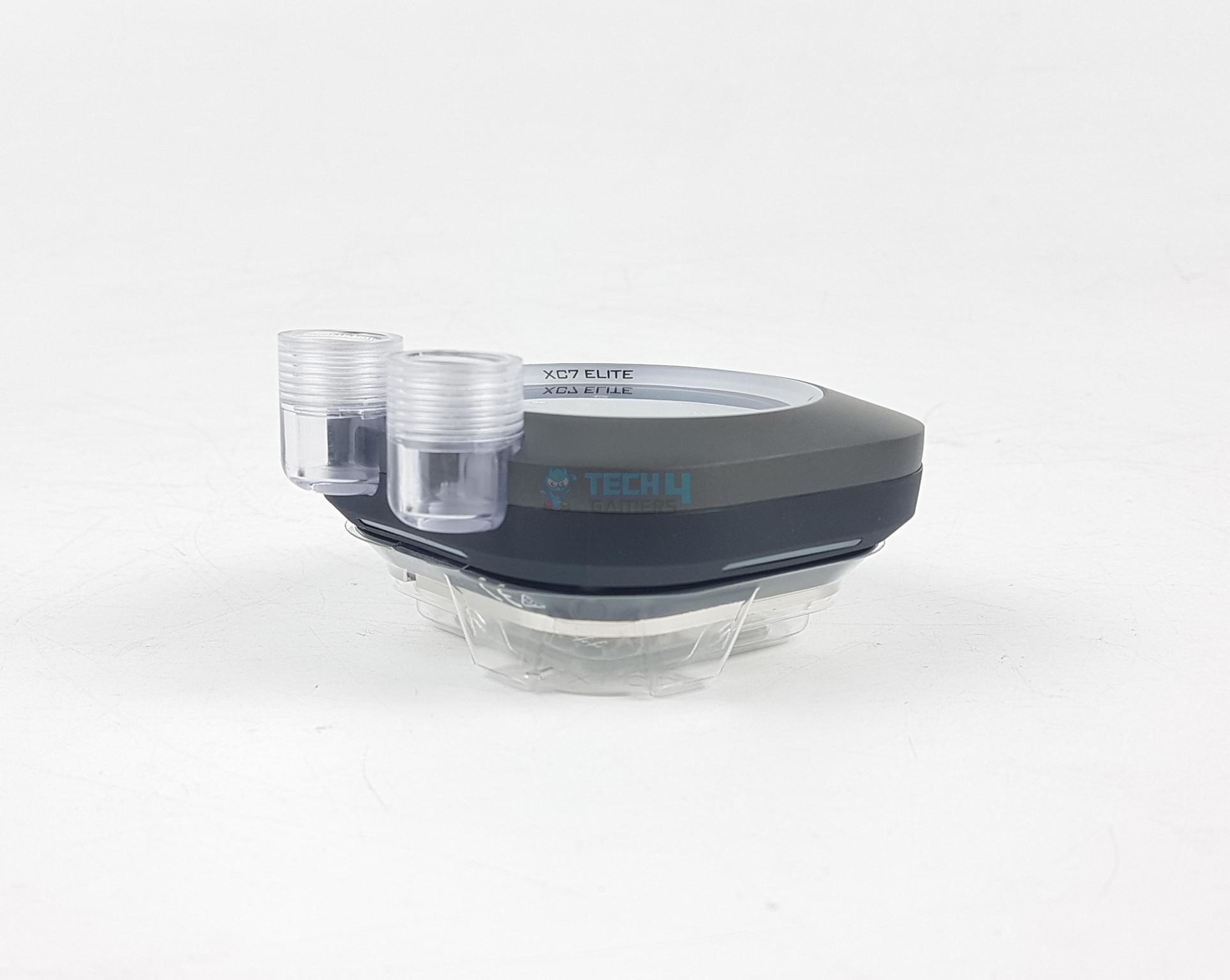
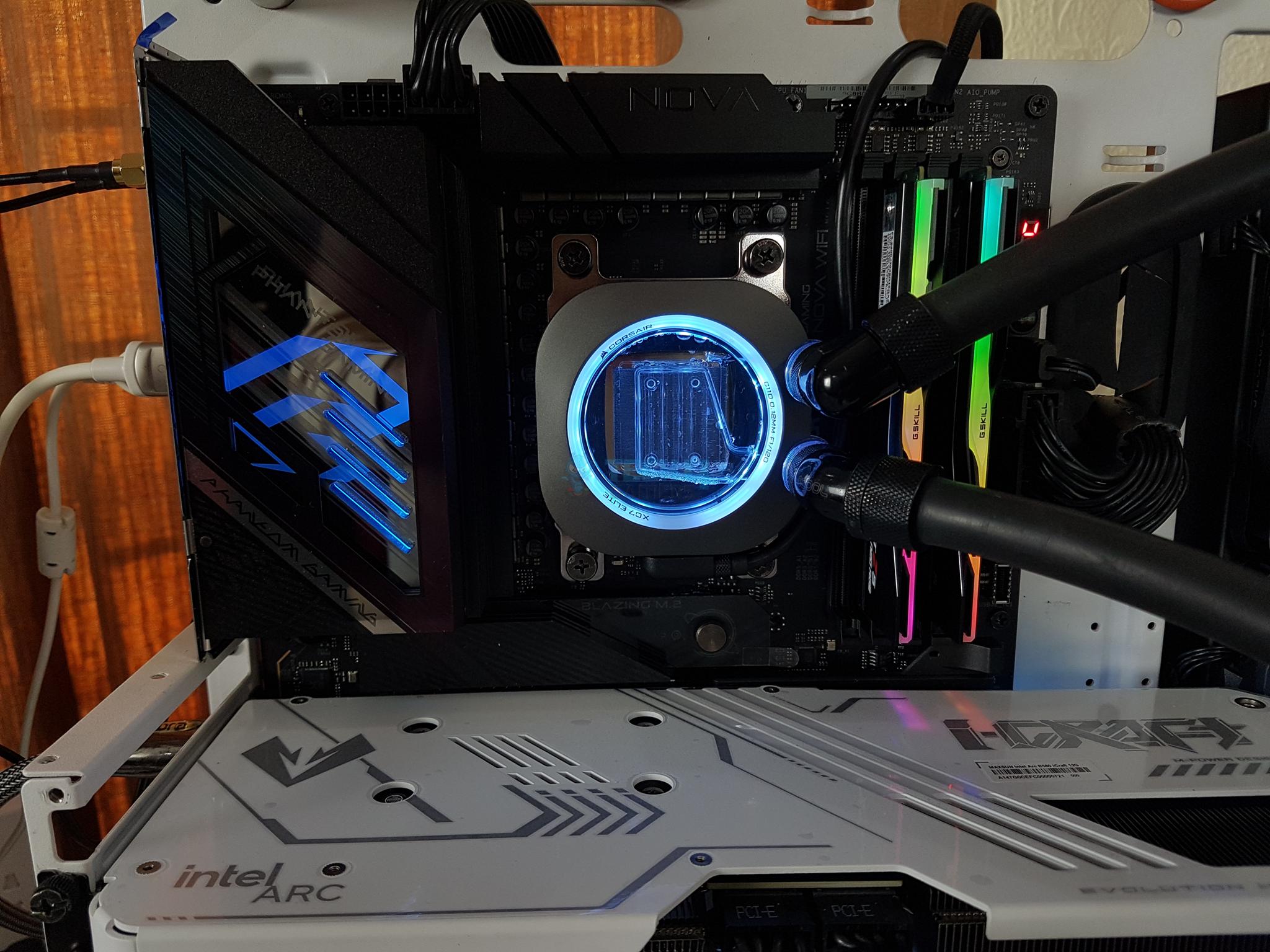
I am testing a CPU Water Block from Corsair which is XC7 RGB Elite. This block is also available in an LCD model. Display on the block with two ports, but how? Corsair has implemented the two ports on the side of the frame leaving the complete top area visible.
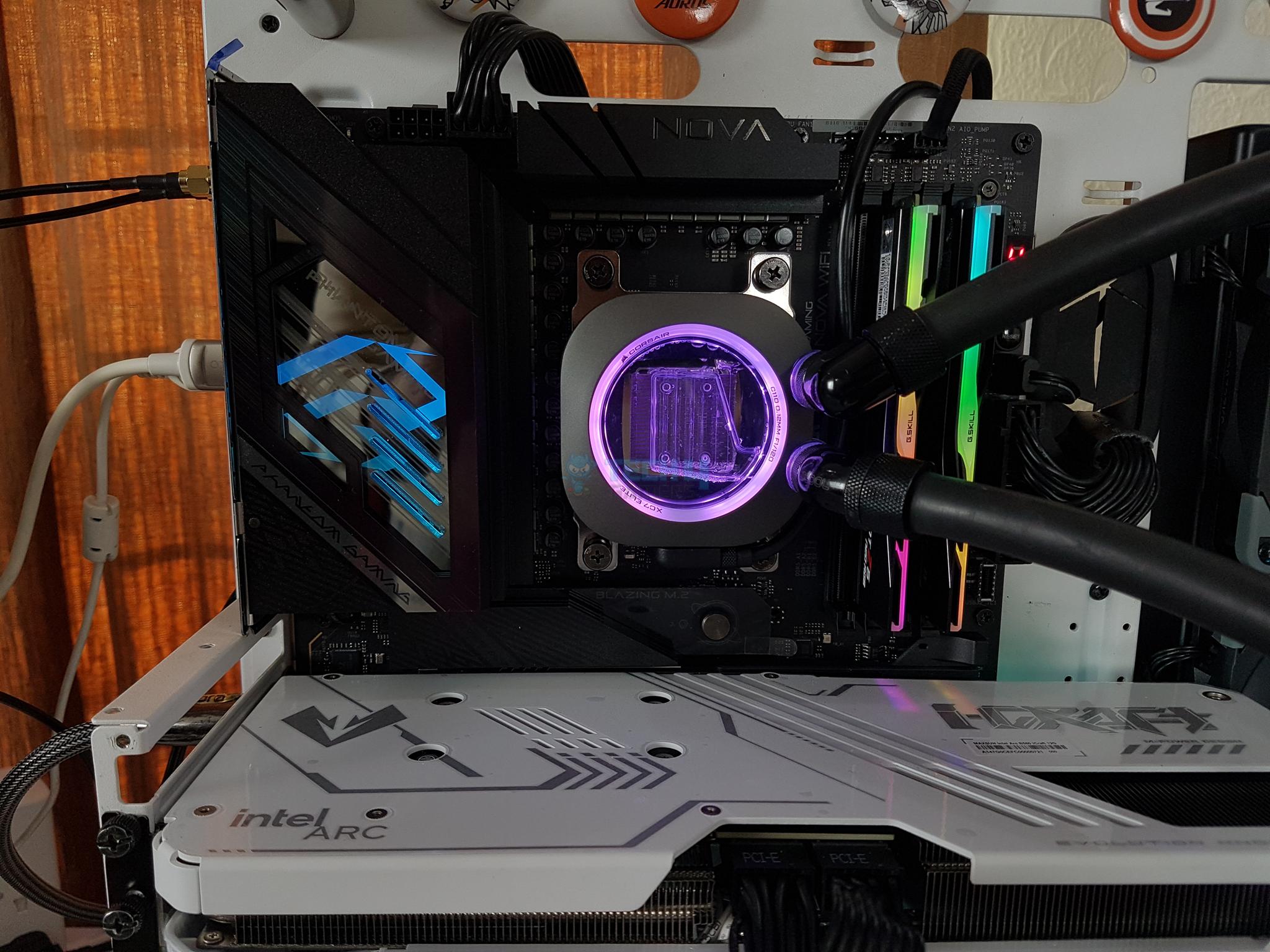
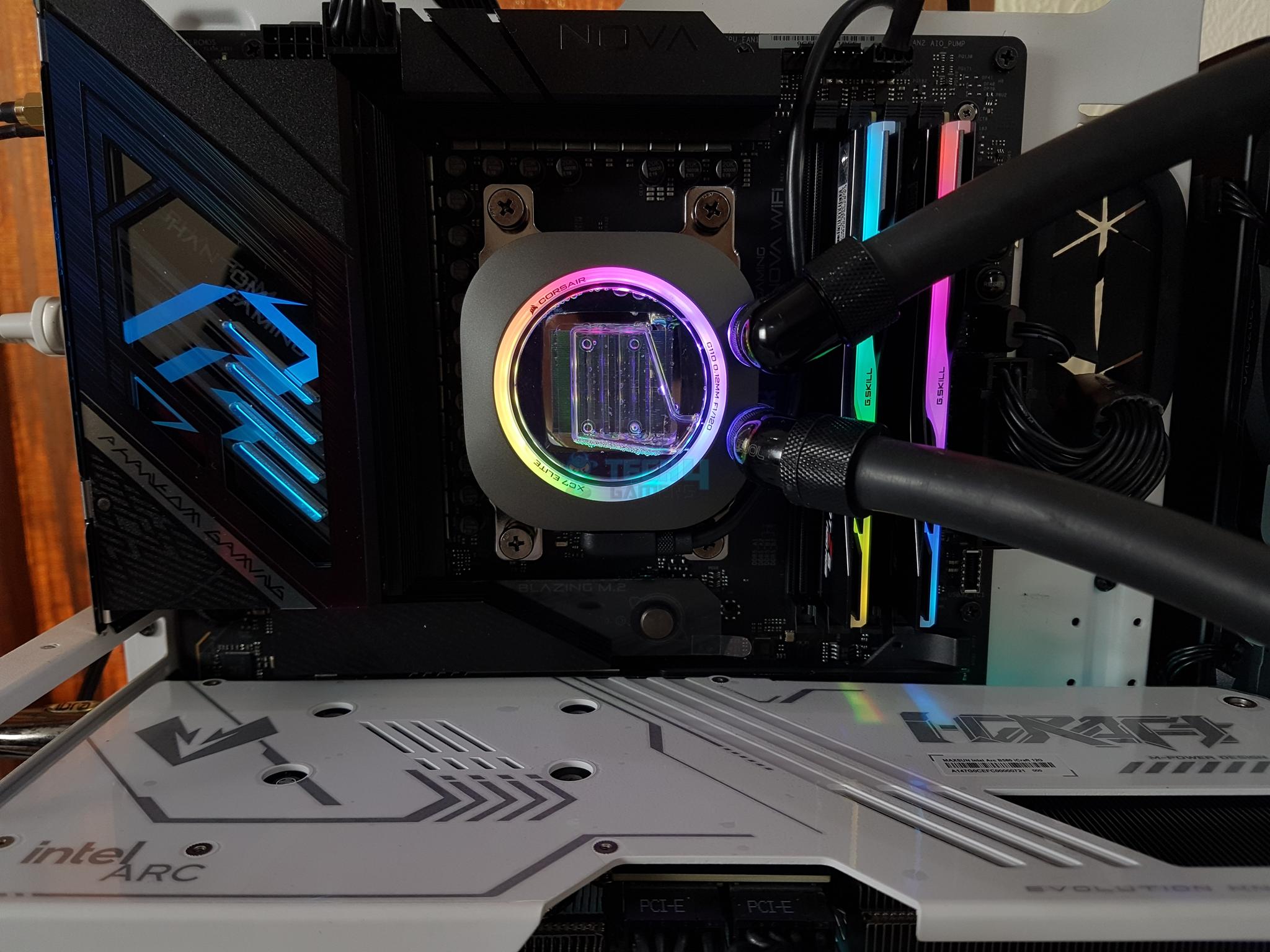
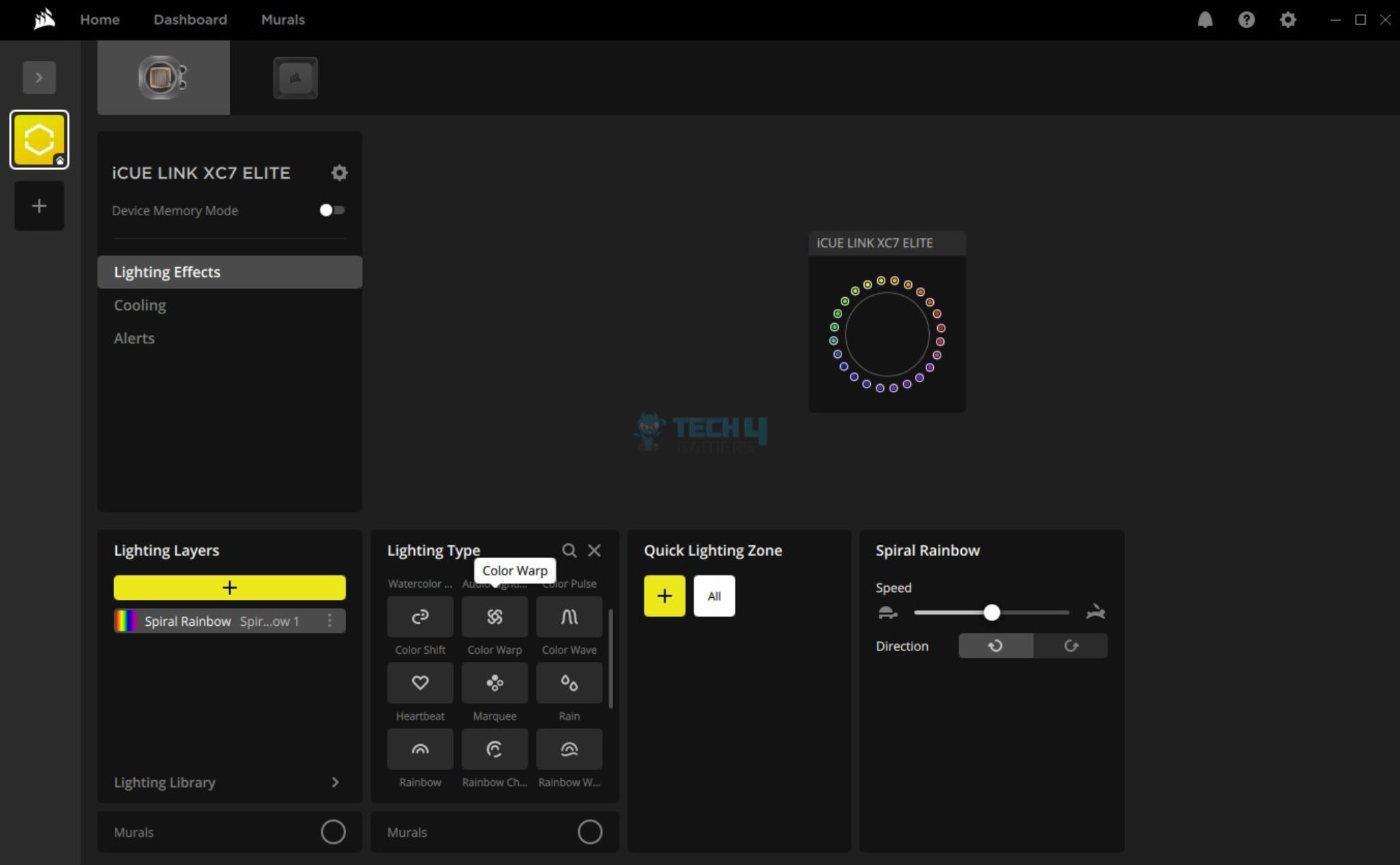
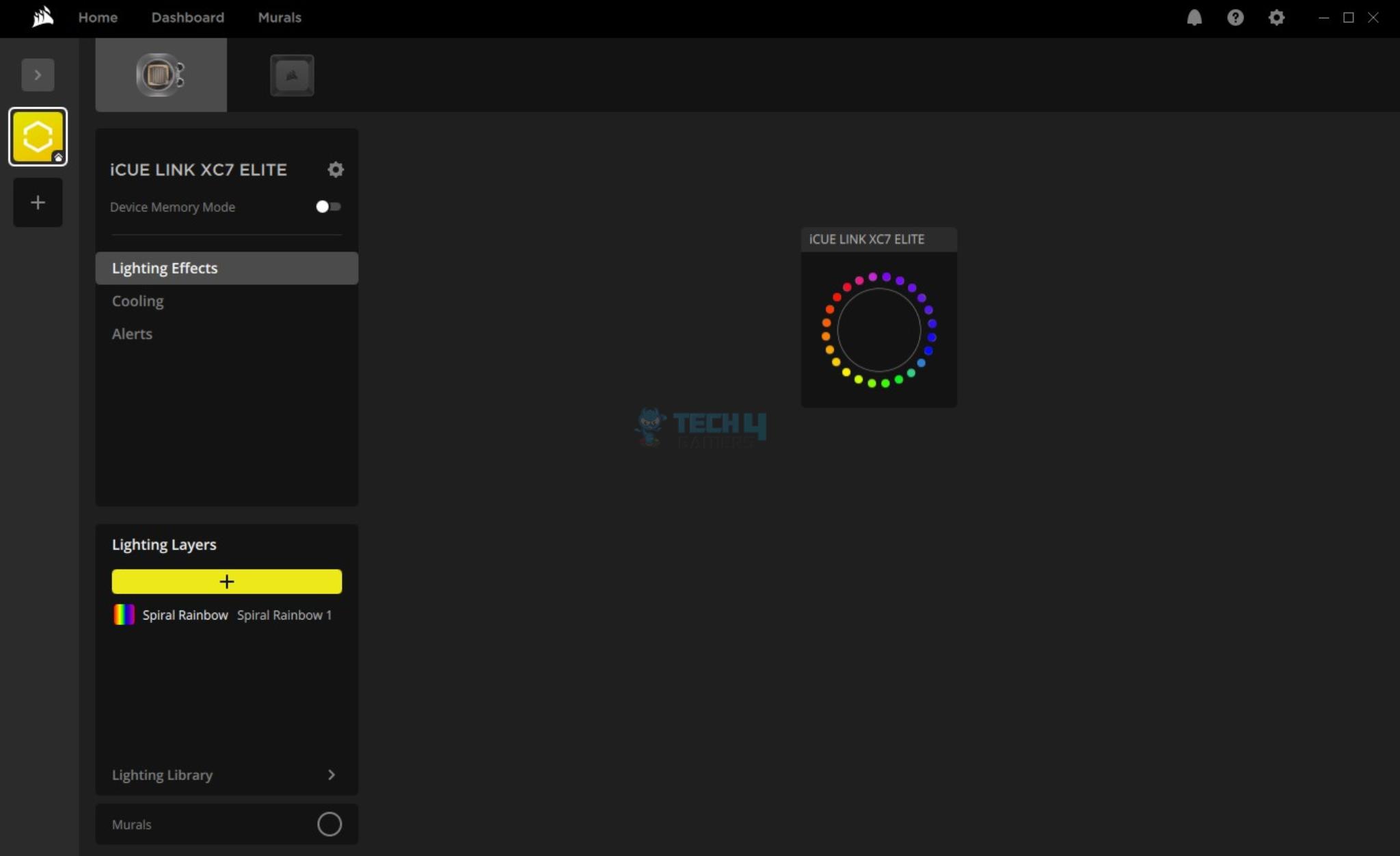
This block features a Hexa-Flow cooling engine with a triple-inlet nozzle design over 120 fins assembly on the cold plate. This is the heart of this block to deliver the efficiency required on modern platforms. This block is compatible with Intel LGA1700/1851 and AMD AM4/AM5 sockets. It also features 24 LEDs for backlighting that is controlled via iCue link software.
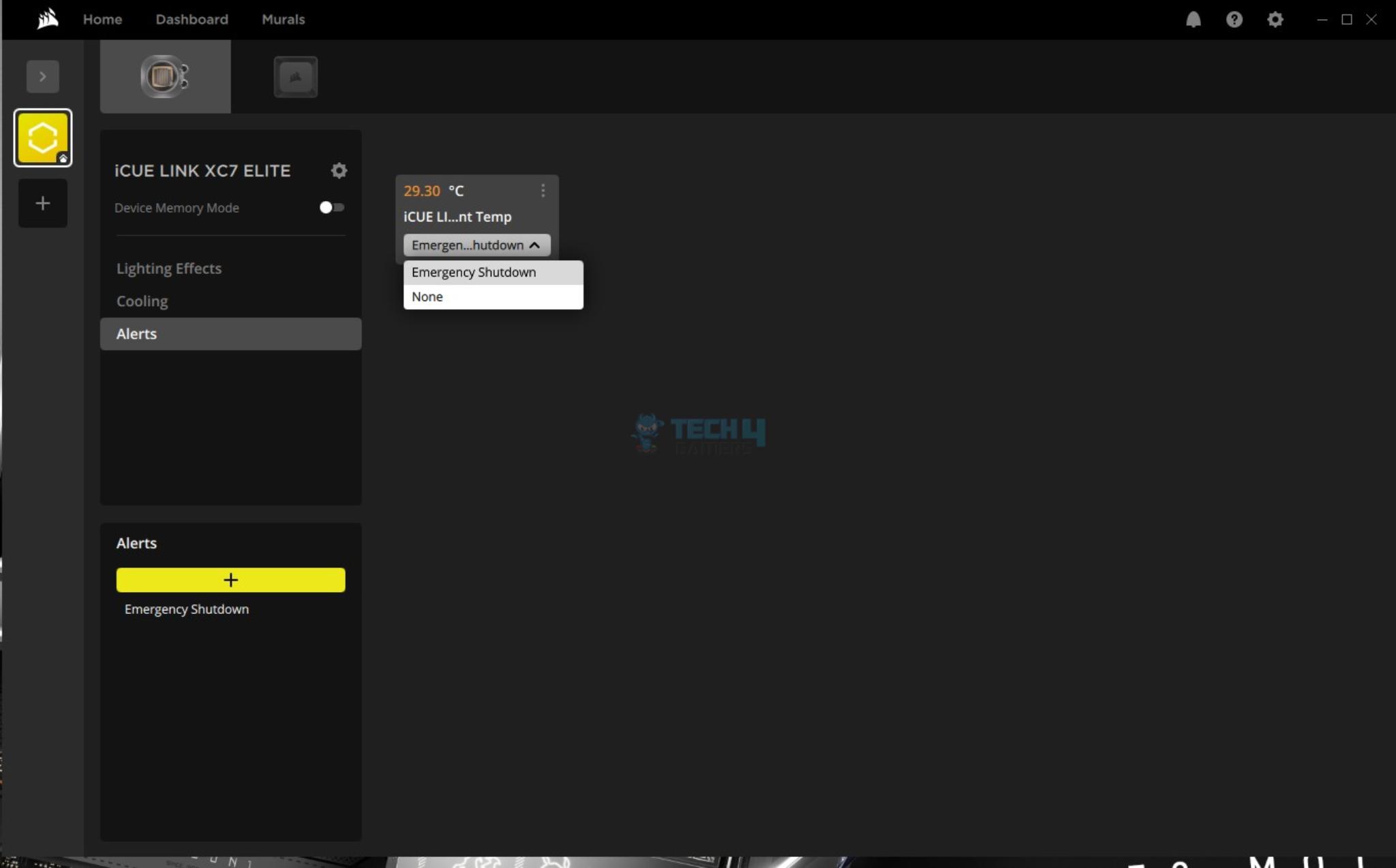
The block integrates a thermal sensor to report the coolant temperature.
Why Trust Tech4Gamers
Hayyan Serwer is our CPU Cooler expert who has been testing different AIOs for years.
80+ coolers tested and reviewed by our team of hardware experts (Tech4Gamers Team).
900+ hours spent testing different CPU coolers for our reviews.
At Tech4Gamers, ensuring you get reliable information is our priority. That’s why every hardware round-up undergoes a meticulous review process by our team of experts and editors. Each review is carefully examined against our strict editorial guidelines, guaranteeing you trustworthy insights you can depend on.
Key Takeaways
The Corsair iCUE Link XC7 RGB Elite delivers strong cooling performance, features digital connectivity for easy control, and is super simple to install.
You should buy the Corsair iCUE Link XC7 RGB Elite if you want excellent performance, easy installation, and a seamless experience with the iCUE ecosystem.
You should not buy the Corsair iCUE Link XC7 RGB Elite if want an iCUE hub as well, because the block itself is not bundled with one.
Here are the key specs:
Product Category
CPU Water Block
Cold Plate Material
Nickle-Plated Copper
Fluid Chamber Material
Nylon
Color
Stealth Gray
Ports
2x BSPP G1/4”
Max Operating Temperature
60ᵒC
Weight
0.462
Port(s)
iCUE Link Port
Warranty
3 Years
[toc]
How Is It Different?
The Corsair iCUE Link XC7 RGB Elite CPU Water Block features a hexa-flow cooling engine and 120 fins design cold plate for effective heat transfer. It uses iCue Link digital connectivity and packs 24 digital RGB LEDs for vivid lighting effects. It has an integrated thermal sensor for coolant temperature.
Packaging And Unboxing
Unboxing
1 of 3
Packing Box
Block and Accessories
Accessories
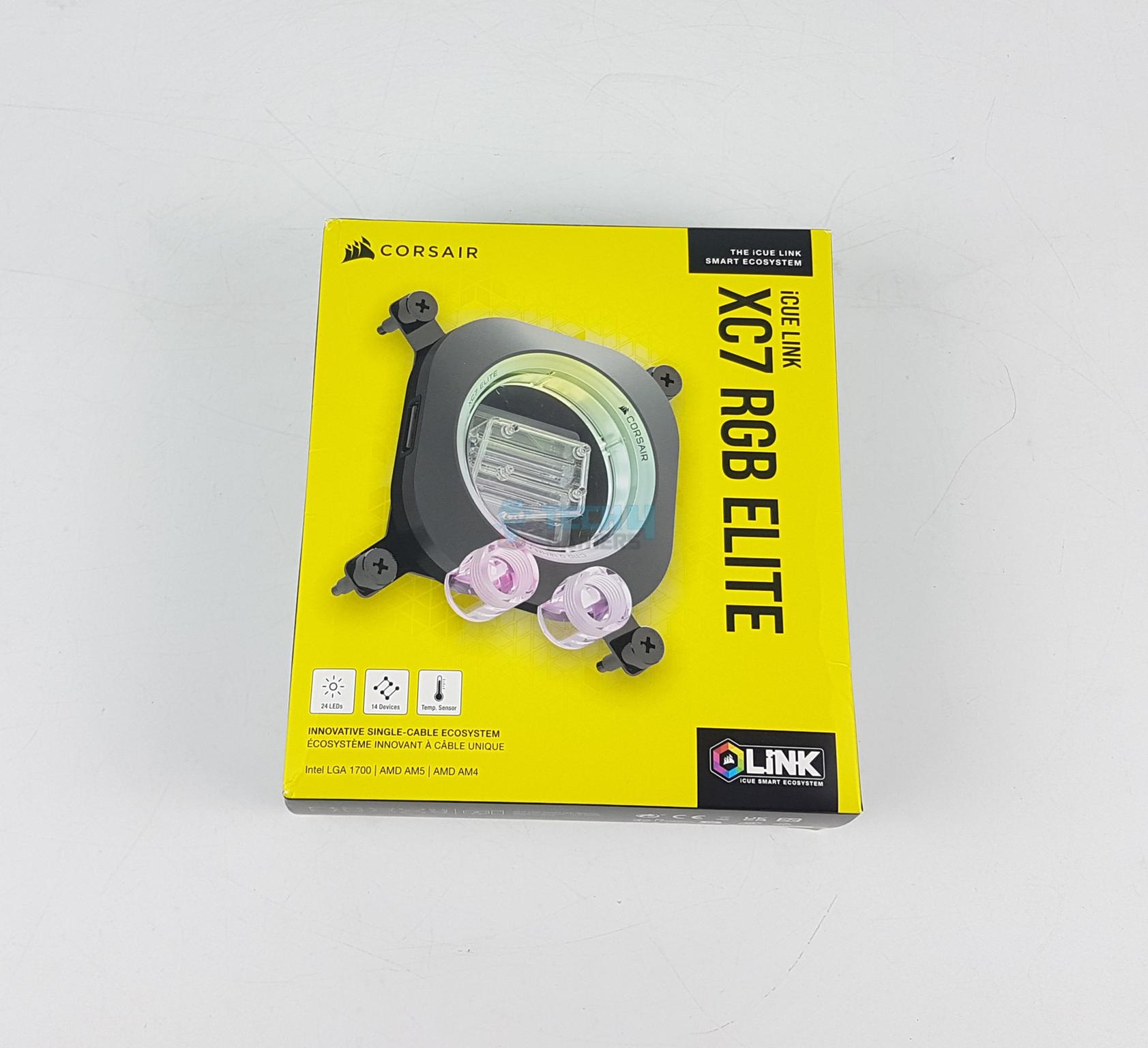
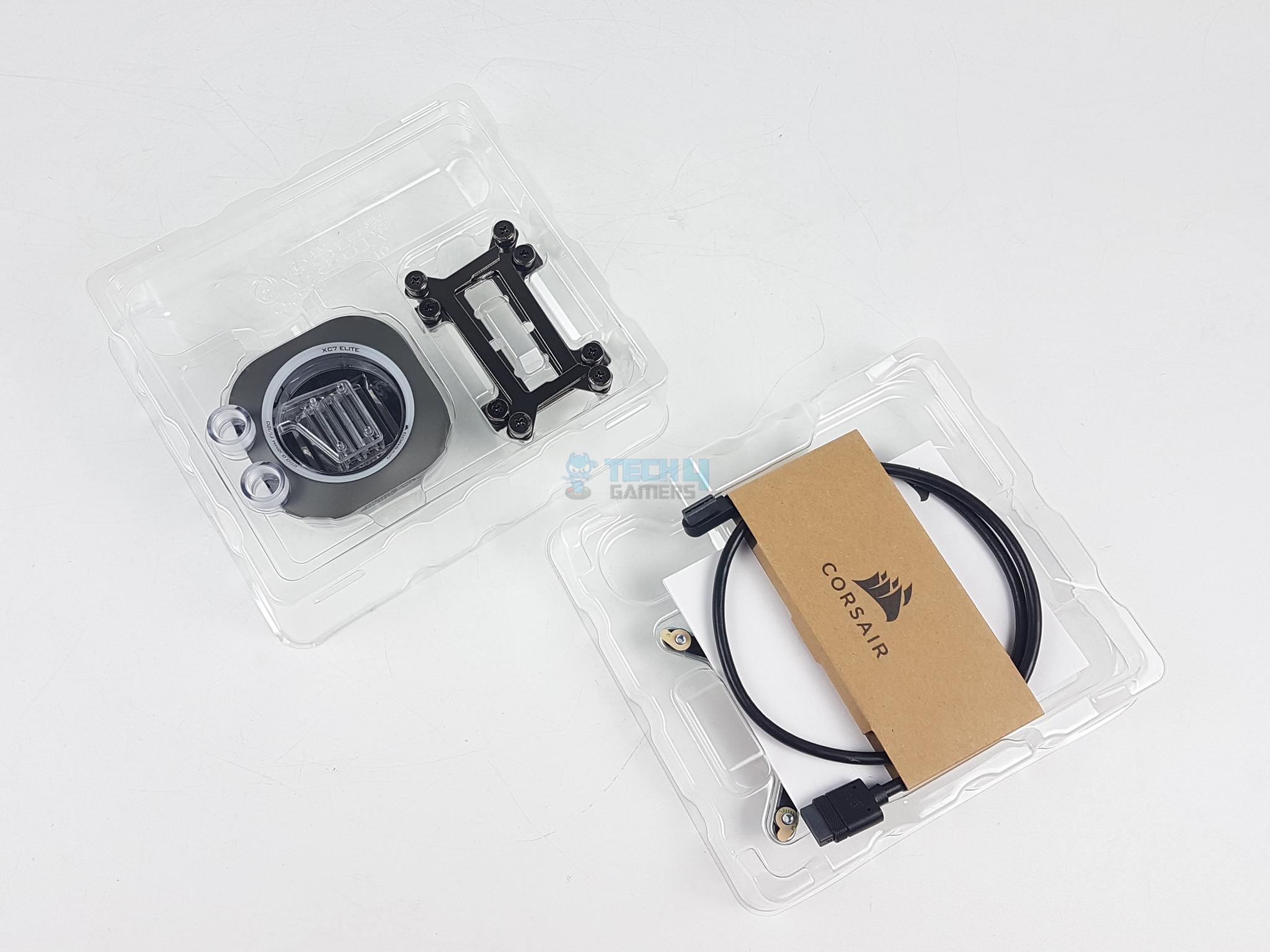
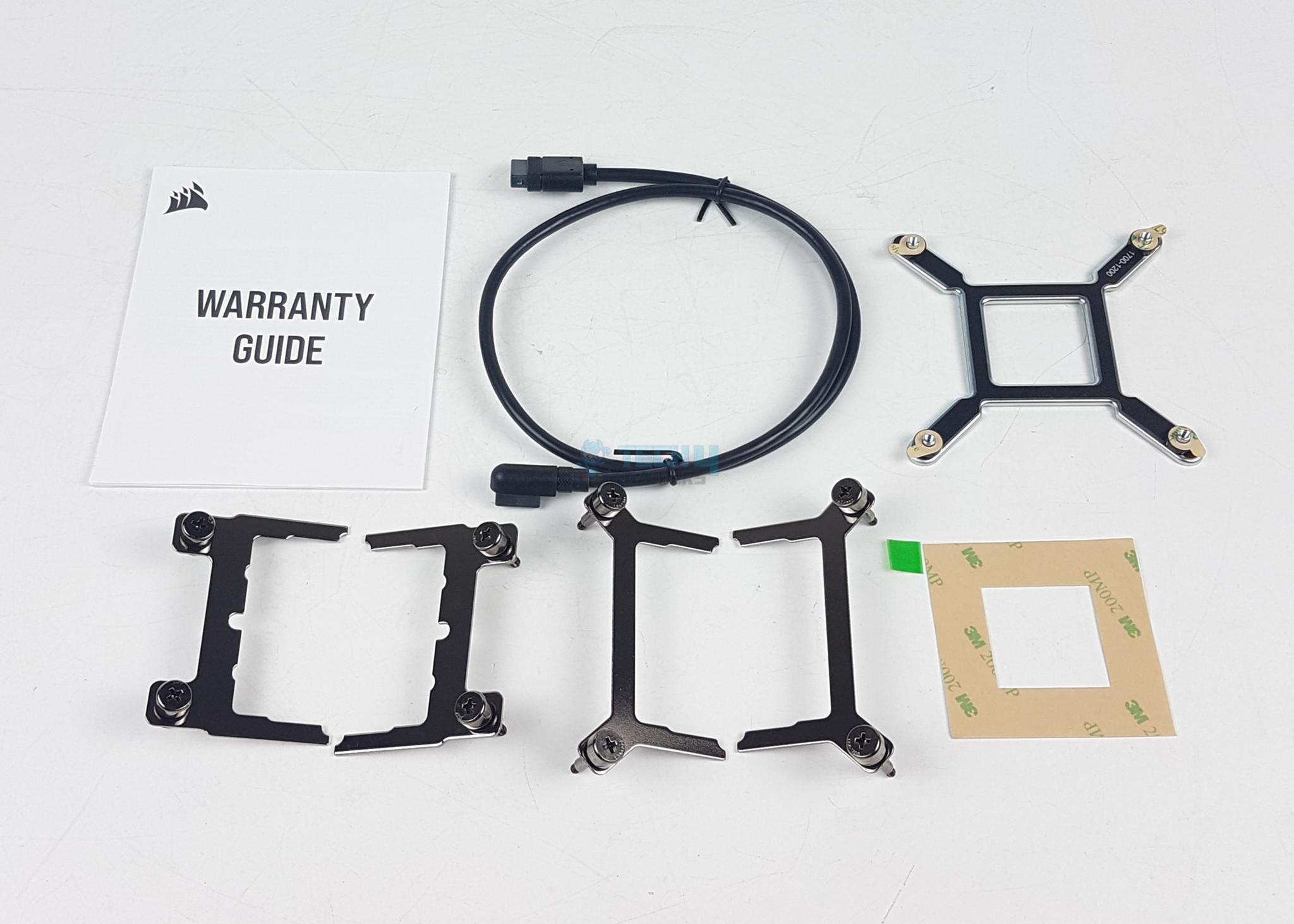
The cooler is shipped inside a cardboard box. This box has Corsair’s standard black and yellow color theme. There is a transparent two-piece container inside the main box that has the contents safely placed inside. The following are provided:
1x CPU Water Block
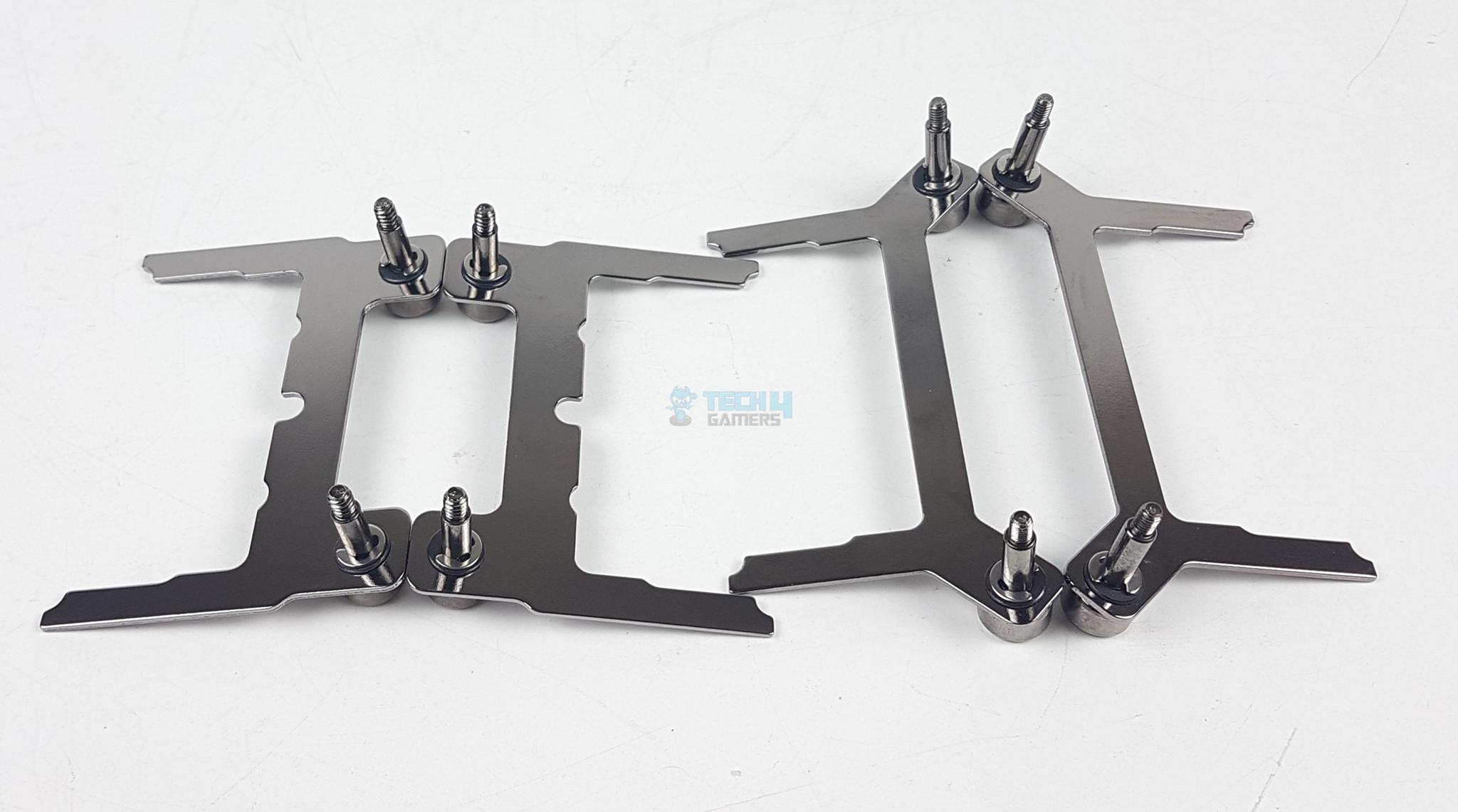
2x Intel Mounting Brackets
2x AMD Mounting Brackets
1x Intel Backplate
1x Sticker Sheet for AM4 Backplate
1x iCUE Link Cable
1x Warranty Guide
Design
It is time to take a look at the block. I don’t open the blocks before testing. Once testing is completed, the block is opened to check for internal layout. This is done to ensure the factory configuration for testing.
Top View
Ports
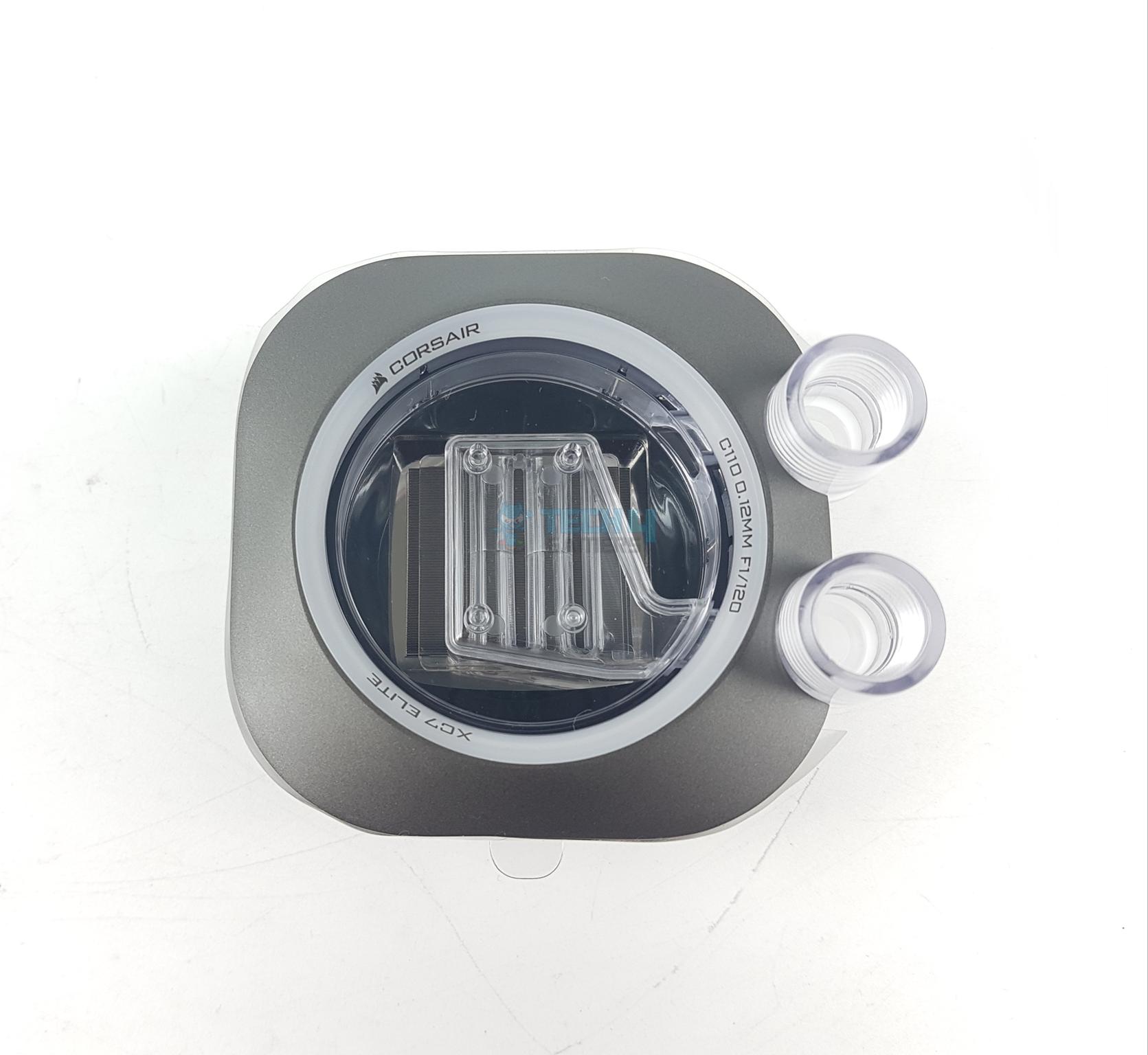
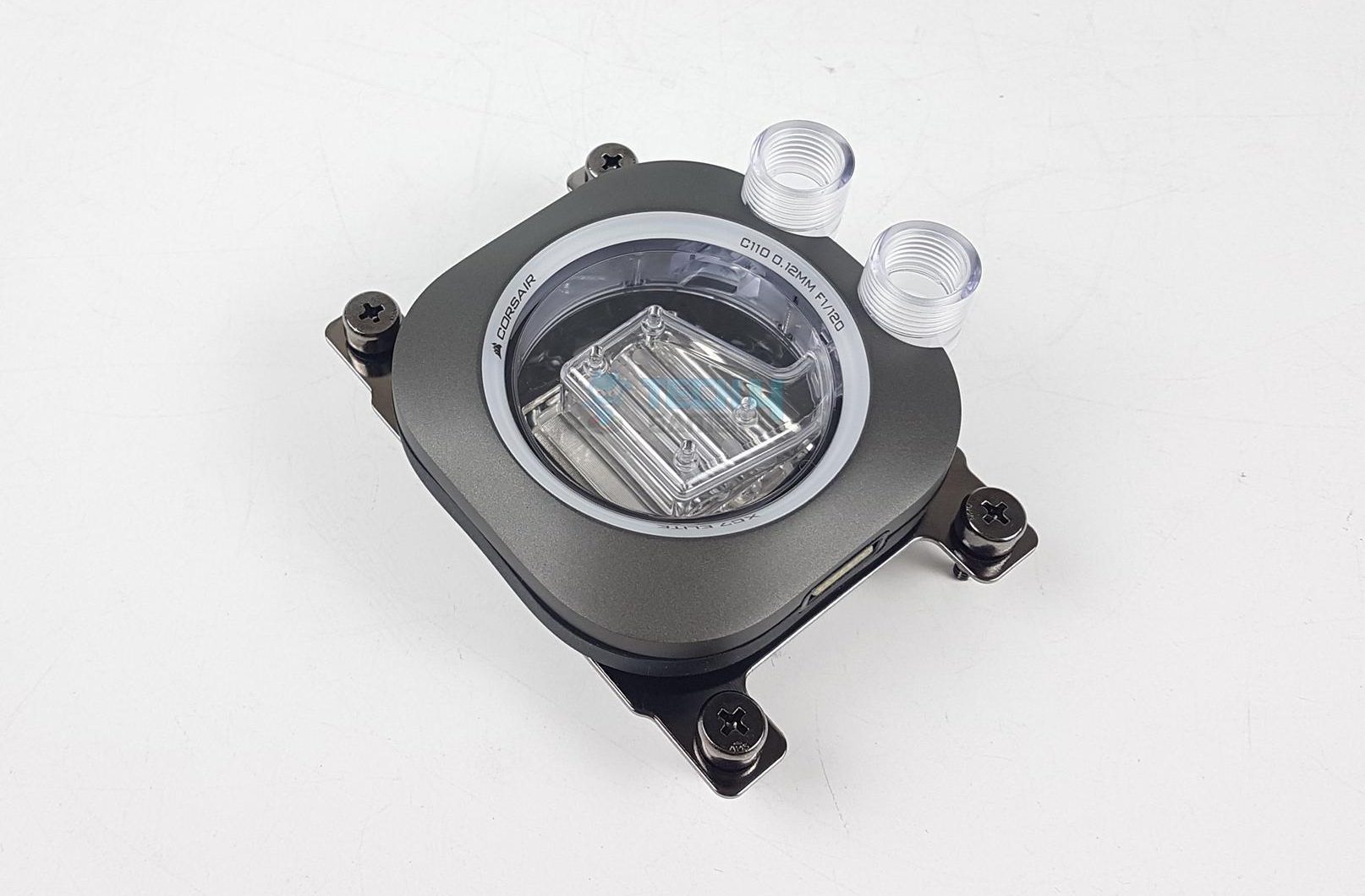
I am showing the top view of the block. You can see the stealth gray color on the main frame. The block is quite lightweight as it does not use a metallic structure. Mostly it is plastic and nylon. The block has diffuser lining with Corsair and XC7 branding. It has 24 LEDs underneath for backlighting.
You can spot a nylon/plastic distributor with an inlet on top and hexa spray on the base over the cold plate. The cold plate extends away from the distributor. The two ports are on the side of the main frame. This is done because this block is also available in LCD configuration.
This block comes equipped with two G1/4” BSPP ports. The port towards the connector is a dedicated Inlet port and the other one is a dedicated outlet port. Pay attention to this as it is important for the internal layout of the cooling engine.
Under Area
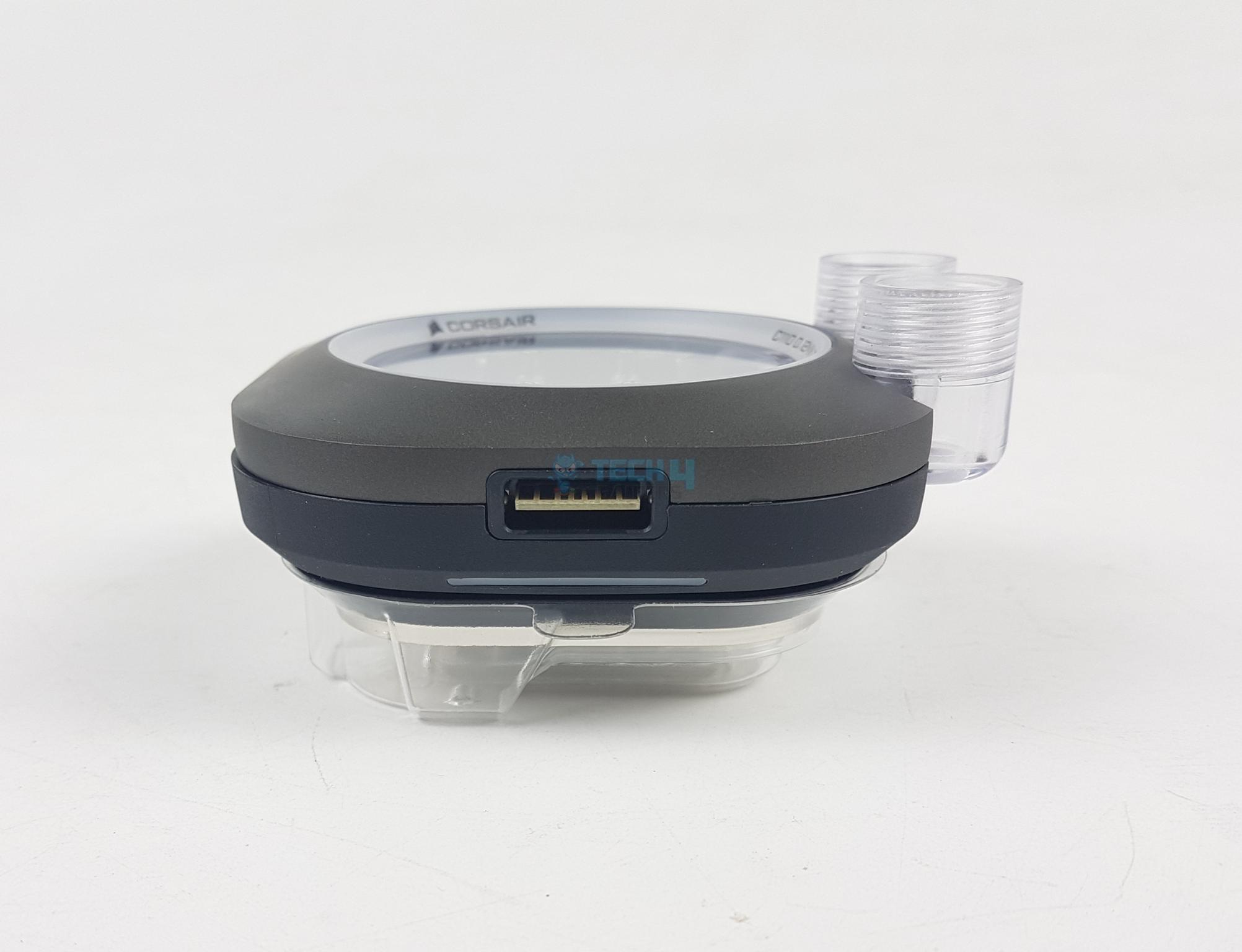
Connector
Looking at the underside of the main frame, you can spot cutouts showing the diffuser for backlighting on the lower area of the block. This is done for aesthetic purposes.
This block has one iCue Link connector port on one side of the frame. You can connect the bundled iCue Link cable to this port. Please note that it is optional. Not doing this will not affect the thermal performance but you will only lose the lighting control and integrated sensor reading.
Corsair did not provide iCue Link System Hub in the packing box. It seems like they are assuming that only Corsair users will buy this water block to remain within the Corsair ecosystem. On the other hand, adding that hub and cables would have increased the cost of the block beyond competition killing its value.
The base of the block (Image By Tech4Gamers)
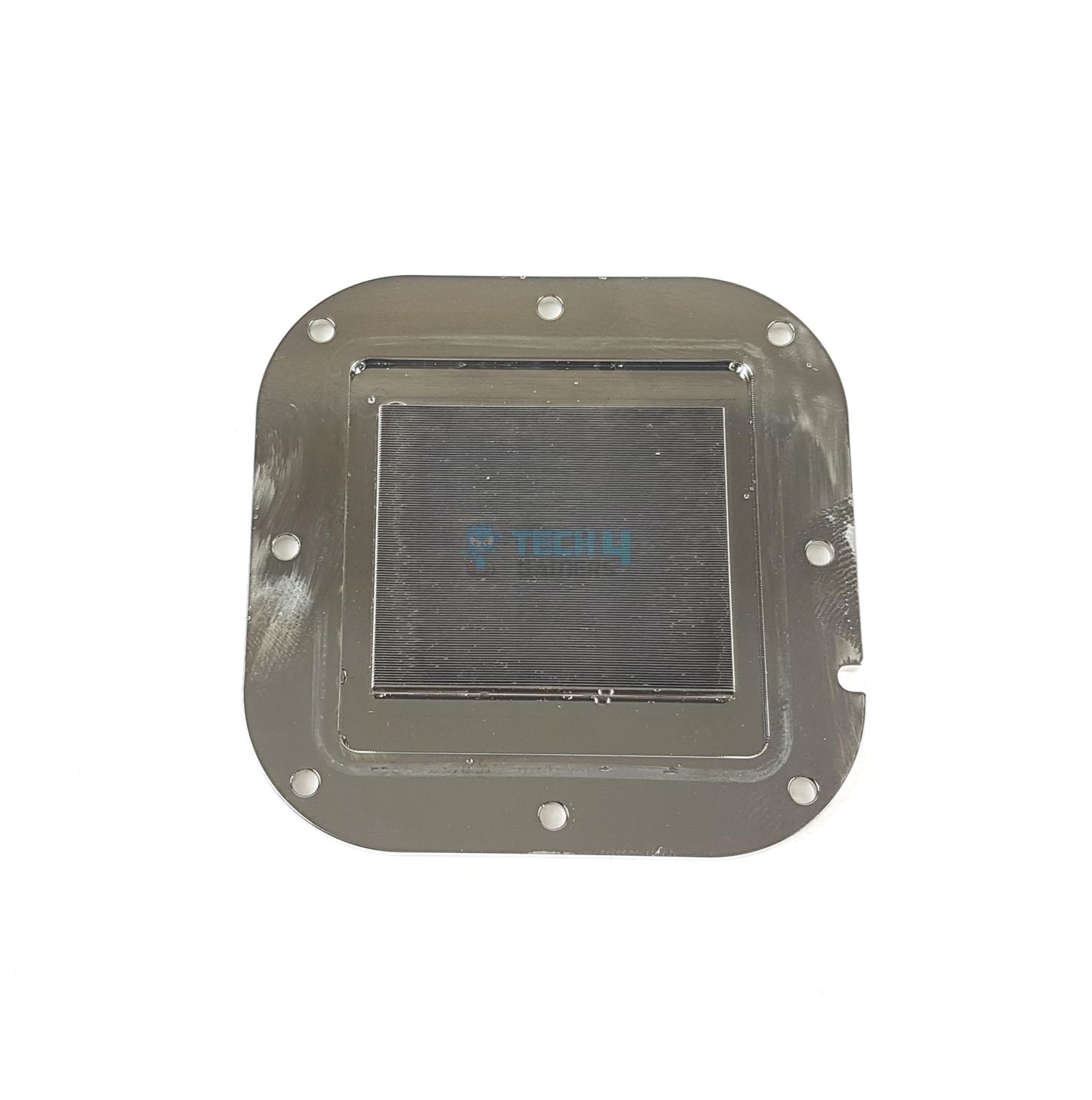
This block has a nickel-plated copper base with a large surface area. It comes with a pre-applied XTM70 Extreme thermal paste. This is Corsair’s flagship thermal paste on the market. However, there is no spare thermal paste tube in the box.
You will be required to buy a thermal paste on the next maintenance cycle of your loop. The base is secured with 8x pointed screws. Undoing these will open the block.
How Does The Cooling Engine Work?
Cooling Engine (Image By Tech4Gamers)
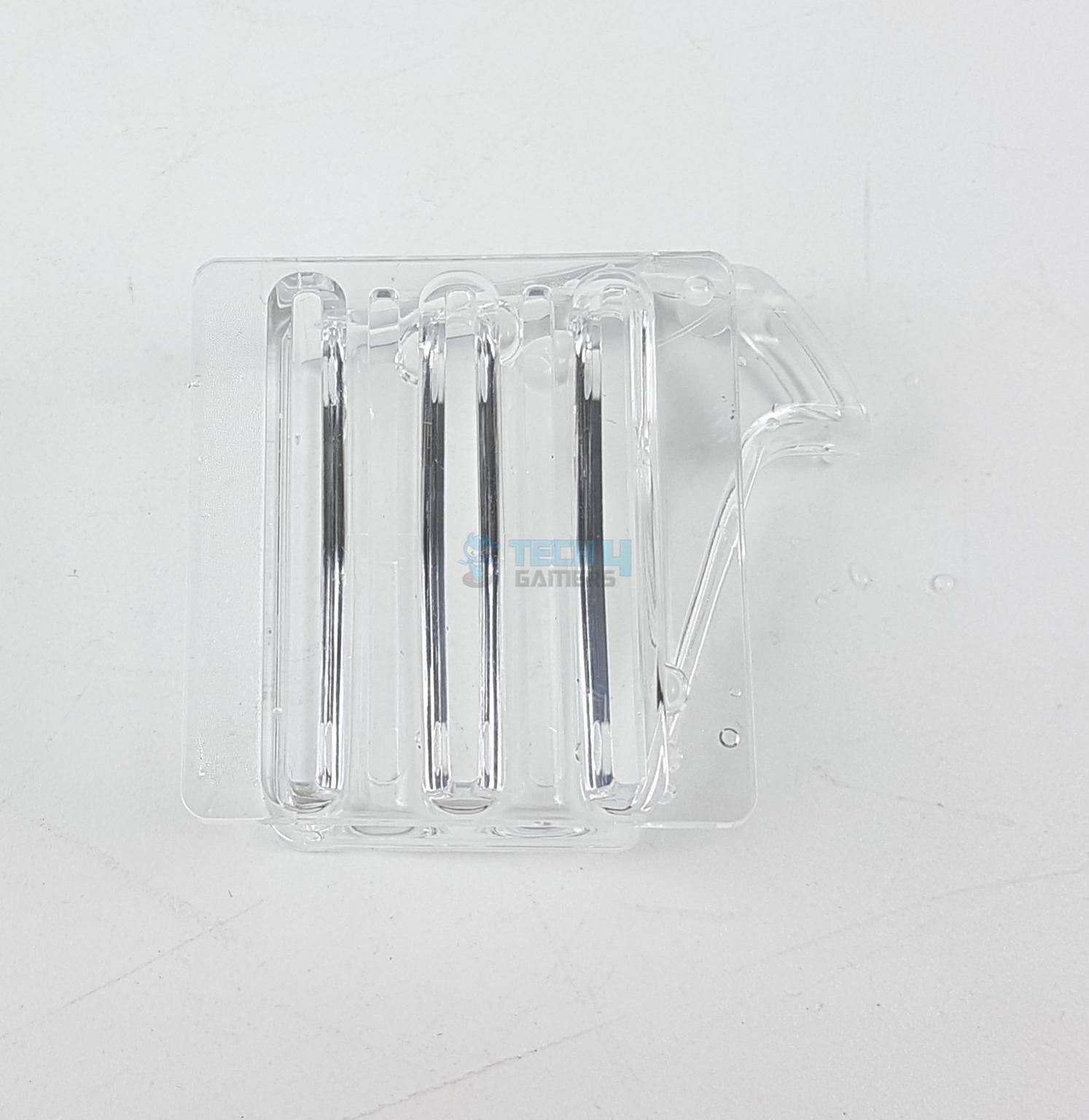
The coolant enters the dedicated inlet G1/4” port and from there, it goes to the distributor. The distributor is made of Nylon material. It has triple-inlet nozzles on the top. The coolant is split into these three nozzles.
The coolant then flows to the hexa-flow part of the jet plate or distributor. It gets evenly sprayed on 6 splitters directly over the cold plate. The entire fluid chamber is filled with coolant coming from the cold plate. It then does to the outlet port toward the other components of the loop.
Jet Plate Parts
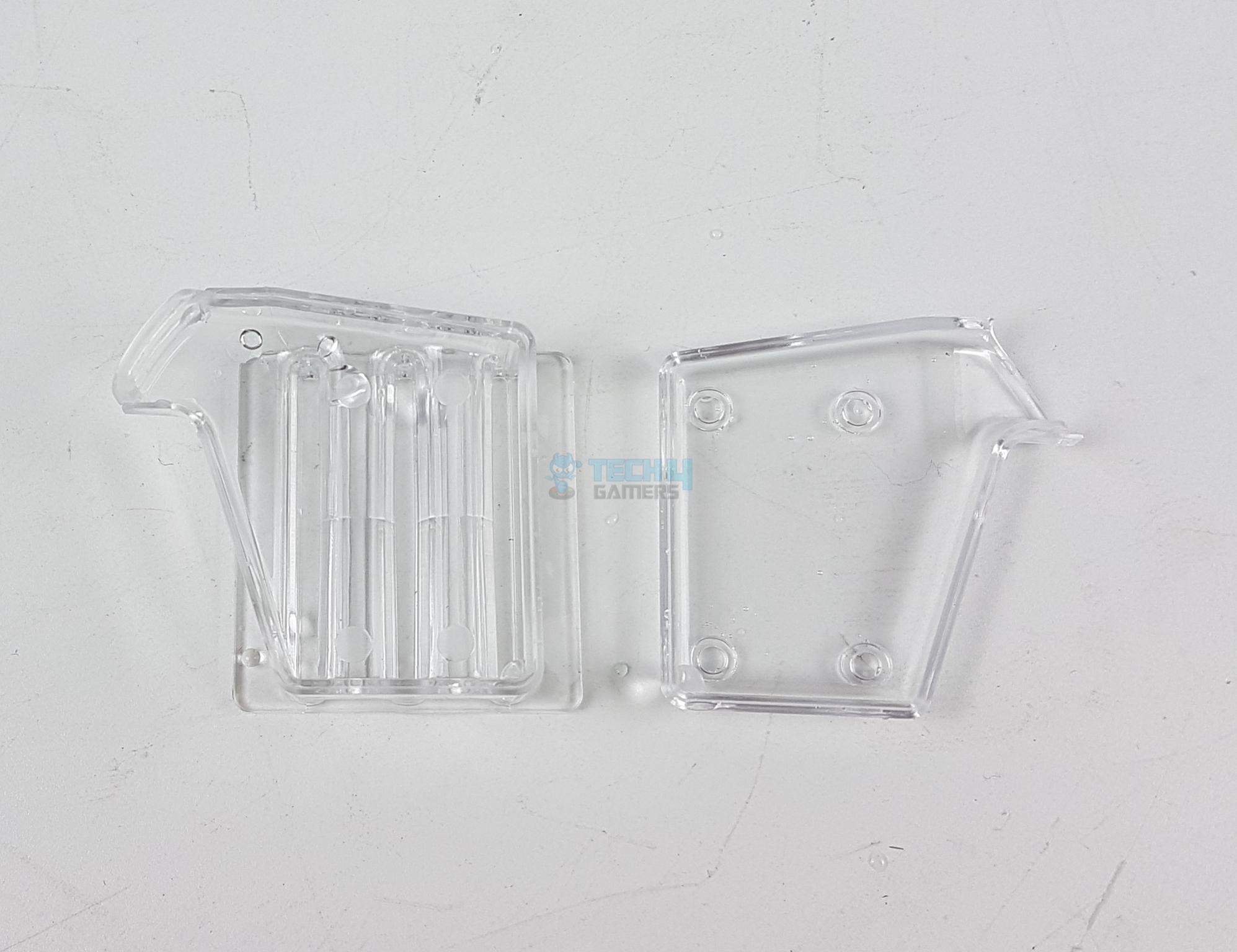
Jet Plate Distributor
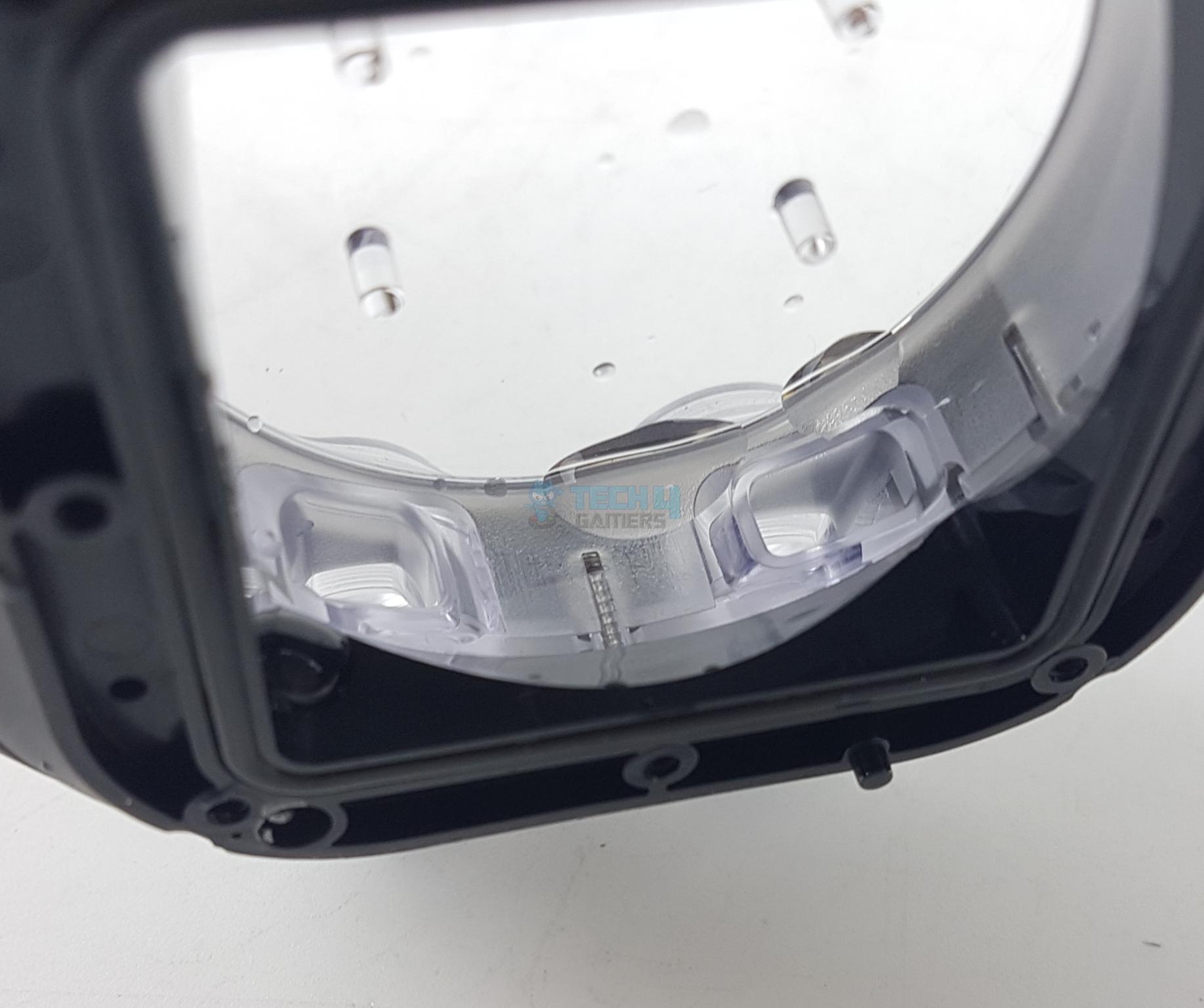
The distributor has 3 inlet nozzles that intake coolant from the inlet port. The same distributor has six slits on the base that sits right on top of the cold plate. You can see drops of coolant. This is because the block was opened after the testing.
Cold Plate
Inside Ports
The cold plate has 120 fins forming a dense fin stack for effective heat transfer. The finstack has more area compared to the distributor. You can see dedicated cutouts in the main frame under the inlet and outlet ports.
Inside the Block (Image By Tech4Gamers)
The main chamber has a gasket that sits between the main chamber and the inset portion of the cold plate forming a tight seal so that coolant does not leak from the main frame. The four anchor points hold the distributor once inside.
Installation
Brackets
AMD Brackets Installed
Corsair has simplified the installation of this block. The mounting brackets come equipped with pre-installed screws.
You can see that AMD mounting brackets are installed on the base of the block. Installation is similar to Corsair’s liquid coolers.
iCUE Link Connected (Image By Tech4Gamers)
The above picture shows the iCUE Link cable connectivity with the block. I suggest connecting the cable before installing the block particularly if the connector side faces the PCIe slot.
Installing the Block (Image By Tech4Gamers)
Here are the steps to install this block on the AMD AM5 socket:
Clean the IHS of the CPU.
Install AMD mounting brackets on the block.
Connect the iCue Link Cable to the block.
Place the block over the socket so that the threaded portion of screws coincides with the socket standoffs.
Tighten the screws diagonally for even mounting pressure.
Now, that block is installed, you can connect the fittings and proceed with your loop.
Corsair does not include the iCue Link System hub with this block. You would need to get that hub if you are doing a loop outside Corsair’s Ecosystem. I have used the RX120 fans’ hub for this testing.
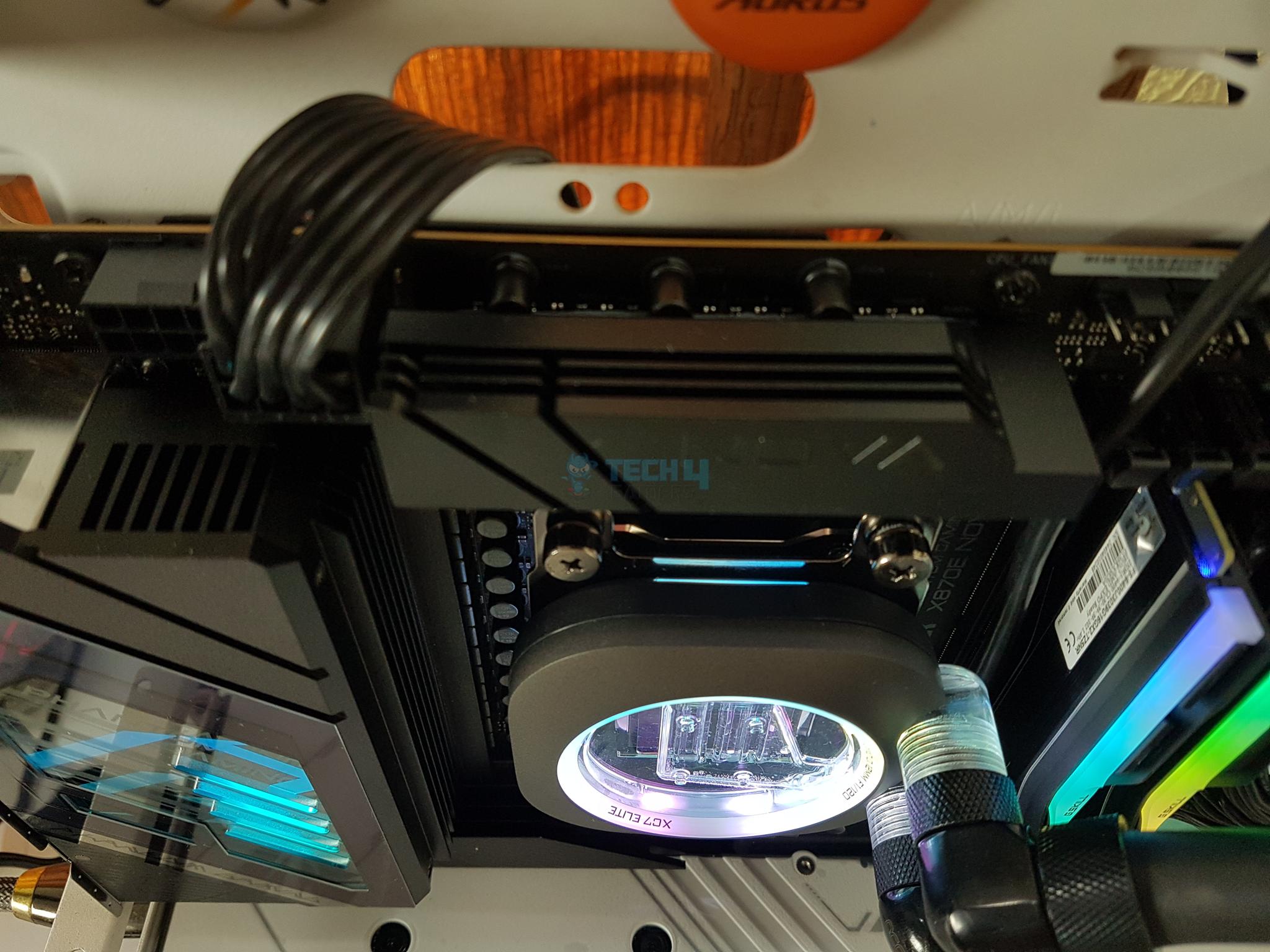
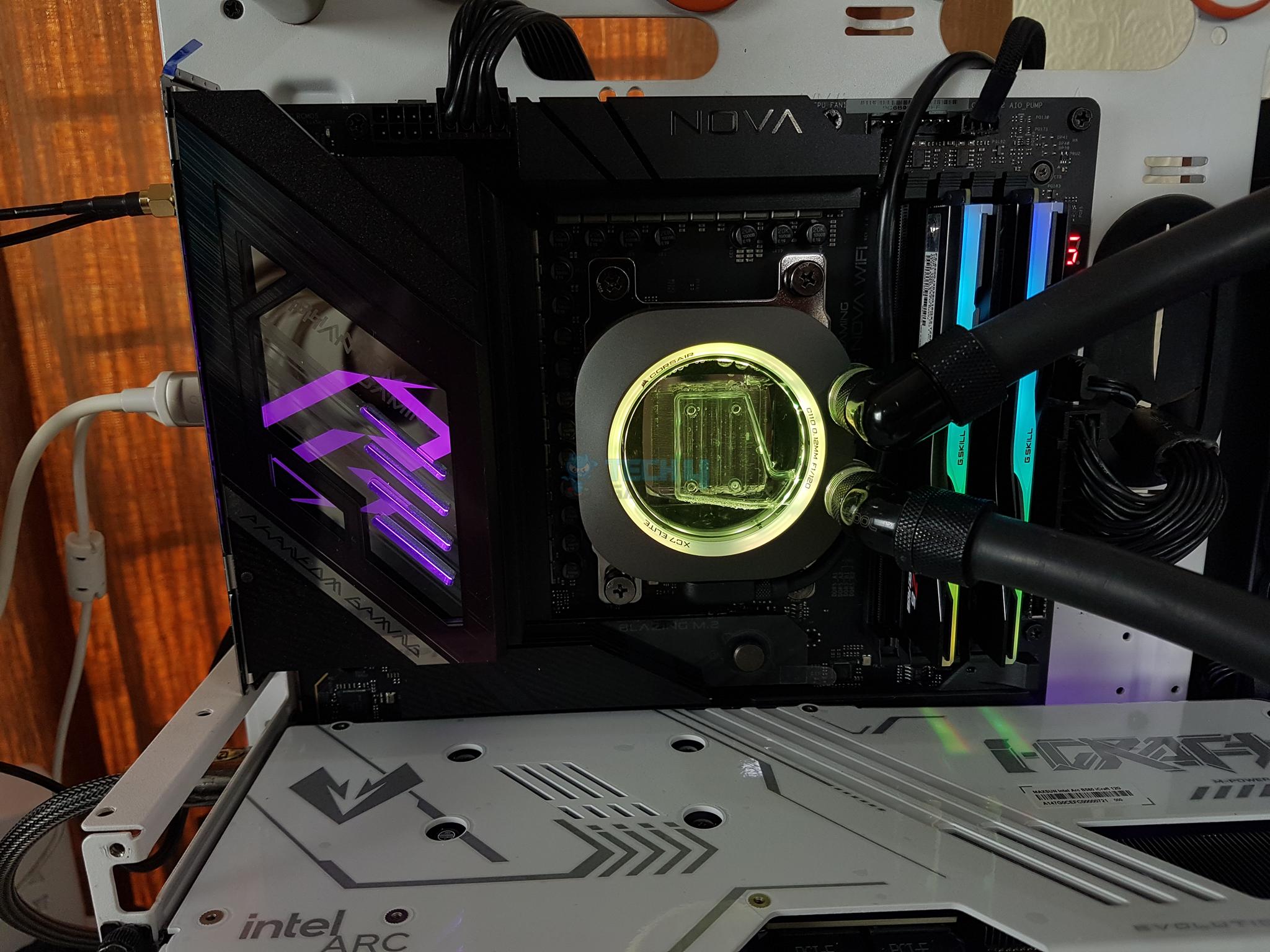
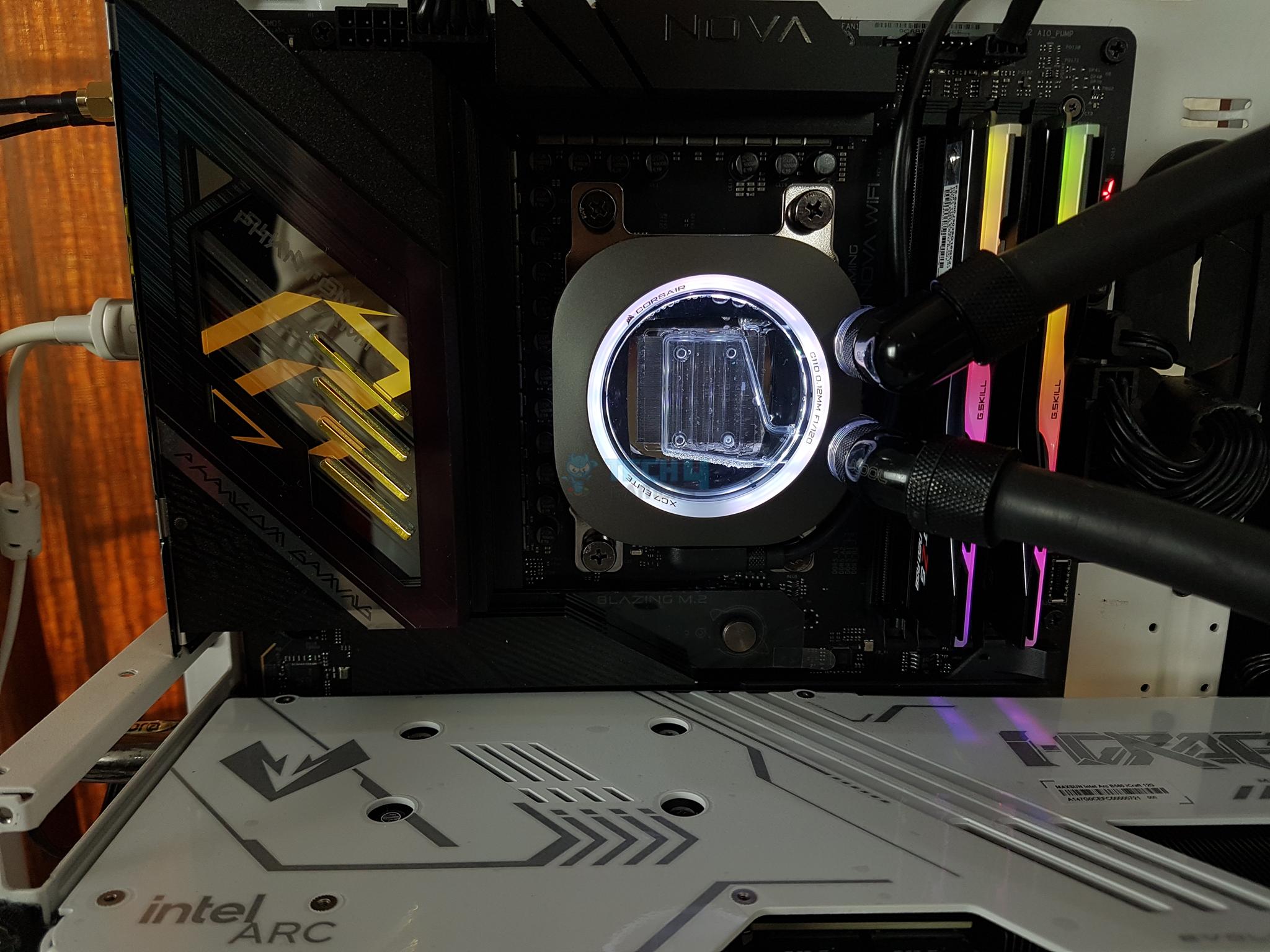
Digital RGB Lighting
RGB Showcase
1 of 8
Software
RGB Lighting (Image By Tech4Gamers)
RGB Lighting (Image By Tech4Gamers)
RGB Lighting (Image By Tech4Gamers)
RGB Lighting (Image By Tech4Gamers)
RGB Lighting (Image By Tech4Gamers)
RGB Lighting (Image By Tech4Gamers)
RGB Lighting (Image By Tech4Gamers)
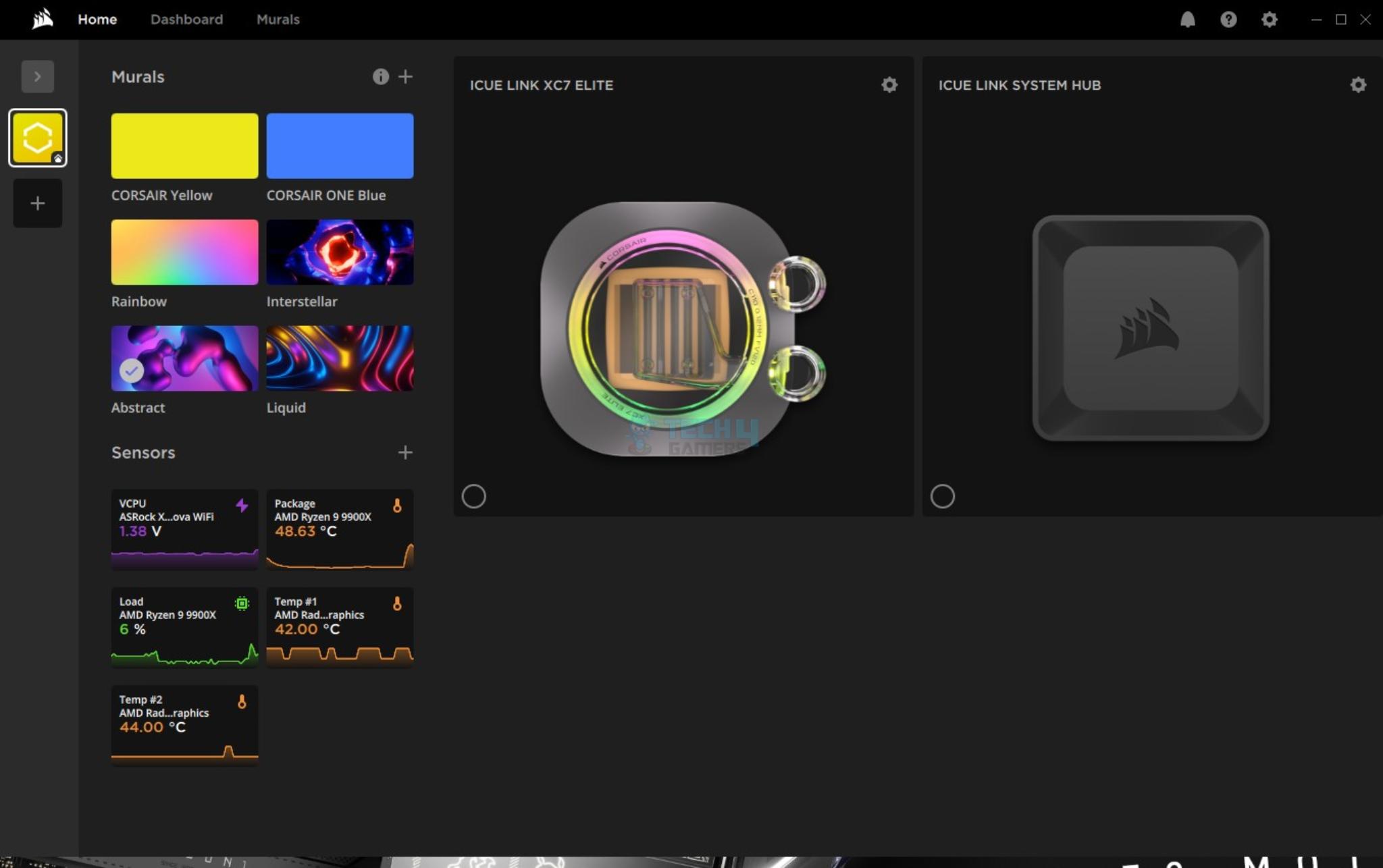
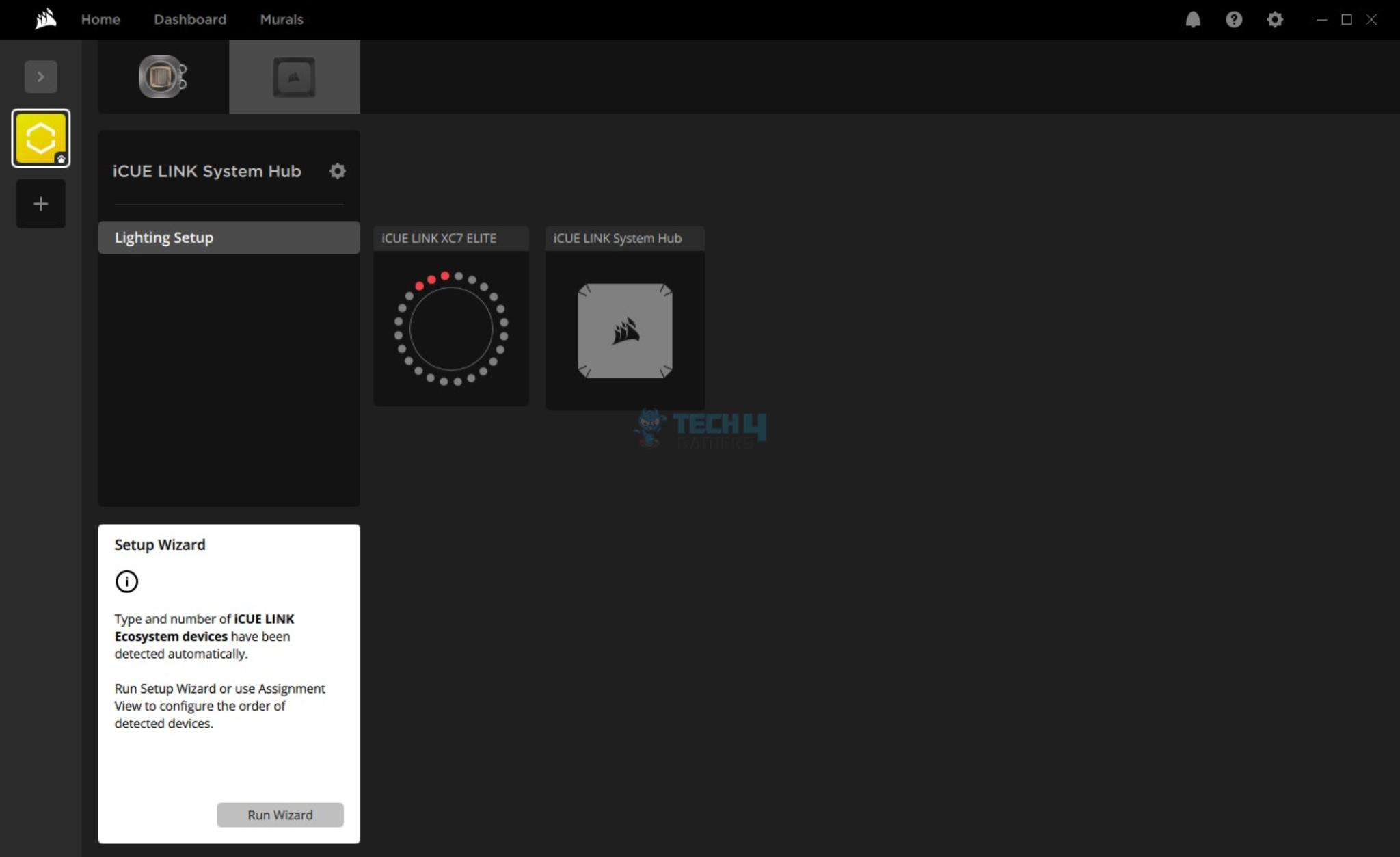
I have used iCUE link software to control the lighting.
iCUE Link Software
iCUE Walkthrough
1 of 6
Software (Image By Tech4Gamers)
Software (Image By Tech4Gamers)
Software (Image By Tech4Gamers)
Software (Image By Tech4Gamers)
Software (Image By Tech4Gamers)
Software (Image By Tech4Gamers)
I have given detailed coverage of iCUE link software in other contents of Corsair products. The general design and flow are the same hence I am not going into the details here. The software was working flawlessly as the block synced well to the RGB lighting and sensor readout.
Testing
The following configuration is used for thermal testing:
Alphacool Eiszapfen quick release coupling set G1/4
This is the final build:
Final Testing Setup (Image By Tech4Gamers)
Here is the settings table for testing:
Settings
PBO Enabled
Clock (MHz)
Auto
Voltage (V)
Auto
PBO
Enabled
Thermal Paste
Noctua NT-H2
Thermal Paste Application
Dots Method
Test Run Time
30 minutes
Idling Time
10 minutes
All Fans Speed
100% PWM Duty Cycle
Pump Speed
Stress Software
CINEBENCH R23.2
Monitoring Software
HWINFO64
Test Result
Our Thermal Test Result (Image By Tech4Gamers)
The Corsair iCue Link XC7 RGB Elite has a fantastic performance. There is only a 1ᵒC difference between the two listed blocks but it is still a win for the Corsair block given its look and feel, RGB lighting, integrated sensor, and good performance.
Should You Buy It?
Buy It If
✅You are looking for a high-performance flagship block: Corsair iCUE Link XC7 RGB Elite is a high-performance CPU water Block. This block not only performs well but it has got the form as well.
✅You want to experience digital connection: Corsair iCUE Link XC7 RGB Elite uses digital connectivity to monitor the sensor and customize the digital RGB lighting.
✅You prefer convenient installation: The Corsair iCUE Link XC7 RGB Elite is so far the best block that I have tested in terms of overall installation. You can set it up in just two steps over the AMD AM5 socket.
✅You like the Corsair ecosystem: This block is designed for seamless integration in Corsair’s ecosystem. However, you can still use it as a standalone block.
Dont Buy It If
❌You want an included hub: This block does not come with an iCUE Link system hub. This means either you are already in Corsair’s ecosystem or you are willing to spend more to buy the iCue Link system hub and its related cables.
Final Words
Corsair XC7 RGB Elite is a high-performance CPU water block that features iCue Link digital connectivity and hexa-flow cooling engine design. It is also available in LCD configuration which is why Corsair has moved the inlet/outlet ports from the middle to the side of the main frame.
This block has a stealth gray color which blends in well and features a classy look with a premium feel to it. There is a large transparent cover on the top showing the inside view of the block. The block comes equipped with 24 digital LEDs for vivid backlighting.
This backlighting is also visible on the sides of the main frame near the under area. The block has two G1/4” BSPP ports. One port is a dedicated Inlet and the other is a dedicated outlet port. Pay attention to this configuration for optimal performance.
The distributor has triple-inlet nozzles that spread the coolant over the jet plate which has six slits through which the coolant is even spread over the cold plate. The cold plate has 120 fins forming a dense finstack. The base is nickel-plated copper and comes with pre-applied thermal paste.
The installation of this block is super convenient. You only need 2 items for the AMD AM5 socket and it can be installed in two steps. This block supports Intel LGA1700/1851 and AMD AM4/AM5 sockets. There is no extra thermal paste provided in the box. Similarly, this block does not come with iCUE Link System Hub.
This cooler has a price tag of USD 104.99 after a discount. This is still a bit steep price given the prices from competition. This block packs a sucker punch and offers a top-notch cooling performance. Corsair offers a 3-year warranty.
At Tech4Gamers, I take on the role of Hardware Reviewer with pride. My responsibilities involve a thorough examination of essential hardware components like motherboards, graphics cards, processors, PC cases, and CPU coolers, among others, focusing on their complexities and functionalities.
Abdul Hannan
I’ve been the Journalist & Editorial Writer at Tech4Gamers since July 2022. I spearhead our hardware coverage, including overclocking GPUs, benchmarking CPUs, reviewing peripherals, and fine-tuning custom PC builds for every budget. Daily, I report on breaking gaming news, from major launches and studio updates to the latest industry trends, ensuring our community stays informed. Beyond news briefs, I write in-depth feature articles on gaming culture and emerging technologies. And by collaborating closely with the editorial team on content planning, SEO strategy, and our publishing calendar, I help us consistently hit our traffic and engagement targets.
Since its release in 2022, the Aria series has become one of Fantech’s best-selling gaming mice, perhaps due to its unique egg-shaped design. It has received much recognition, especially from gamers who value its ergonomic design and pricing. Consequently, the newly released Fantech Aria II series will give those in love with egg-shaped mice something to look forward to as the gaming mouse sector improves significantly.
Fortunately, I had the chance to try out the upgraded version. Therefore, I’m reviewing the pro variant, which has a competitive edge over the standard version thanks to its 8K polling rate and a different MCU (NRF52840) but shares many other identical features. So, let’s find out whether a higher polling rate would be useful in actual usage or is just a gimmick.
Why Trust Tech4Gamers
Abdul Hannan is our peripherals expert who has been testing different mice, keyboards, headphones, microphones, and more for years.
130+ peripherals tested and reviewed by our team of hardware experts (Tech4Gamers Team).
500+ hours spent testing different peripherals for our reviews.
At Tech4Gamers, ensuring you get reliable information is our priority. That’s why every hardware round-up undergoes a meticulous review process by our team of experts and editors. Each review is carefully examined against our strict editorial guidelines, guaranteeing you trustworthy insights you can depend on.
Key Takeaways
The Fantech Aria II Pro has a unique egg-shaped design and high-performance features. It delivers ultra-responsive control with an 8K polling rate and tactile Huano switches in a lightweight and ergonomically refined build.
You should go for the Fantech Aria II Pro if you value a distinctive, egg-shaped design after a high-performance gaming mouse, appreciate a lightweight yet durable build, and enjoy customization options.
You can skip the Fantech Aria II Pro if you’re bothered by visible fingerprints and smudges, looking for a radically new design, require lengthy wireless battery life, and insist on the latest sensor technology.
Here are the specifications:
Coating
Ultra Grippy UV Coating
Switch Lifetime
80 Million Clicks
Encoder
F-Switch 1M Scroll
Polling Rate
8000Hz
Speed (Max)
650 IPS
Battery Capacity
300 mAh Li-ion
Size
113.5*65*38.3mm
Compatibility
Windows 7 or later & MacOS 10.11 or later
Switch
Huano Transparent Blue Shell Pink Dot
Connectivity
Wired, StrikeSpeed Wireless, BT
MCU
NRF52840
Sensor
Pixart 3395
Acceleration (Max)
50 G
Battery Lifetime
Up to 70 Hours (on 125 Hz)
Weight
53±2g
[toc]
What Makes It Different?
The Fantech Aria II Pro differentiates itself from its predecessor and competitors by adding refinements that enhance performance and user experience. While it maintains the signature egg-shaped design, the Pro version has a weight reduction of 6 grams, bringing it down to 53 grams without compromising its solid, durable build. Moreover, its upgraded ultra-grippy UV coating provides an improved grip. Lastly, in a market filled with conventional designs from competitors, the Aria II Pro’s unique shape makes it an appealing choice for gamers
Packaging & Unboxing
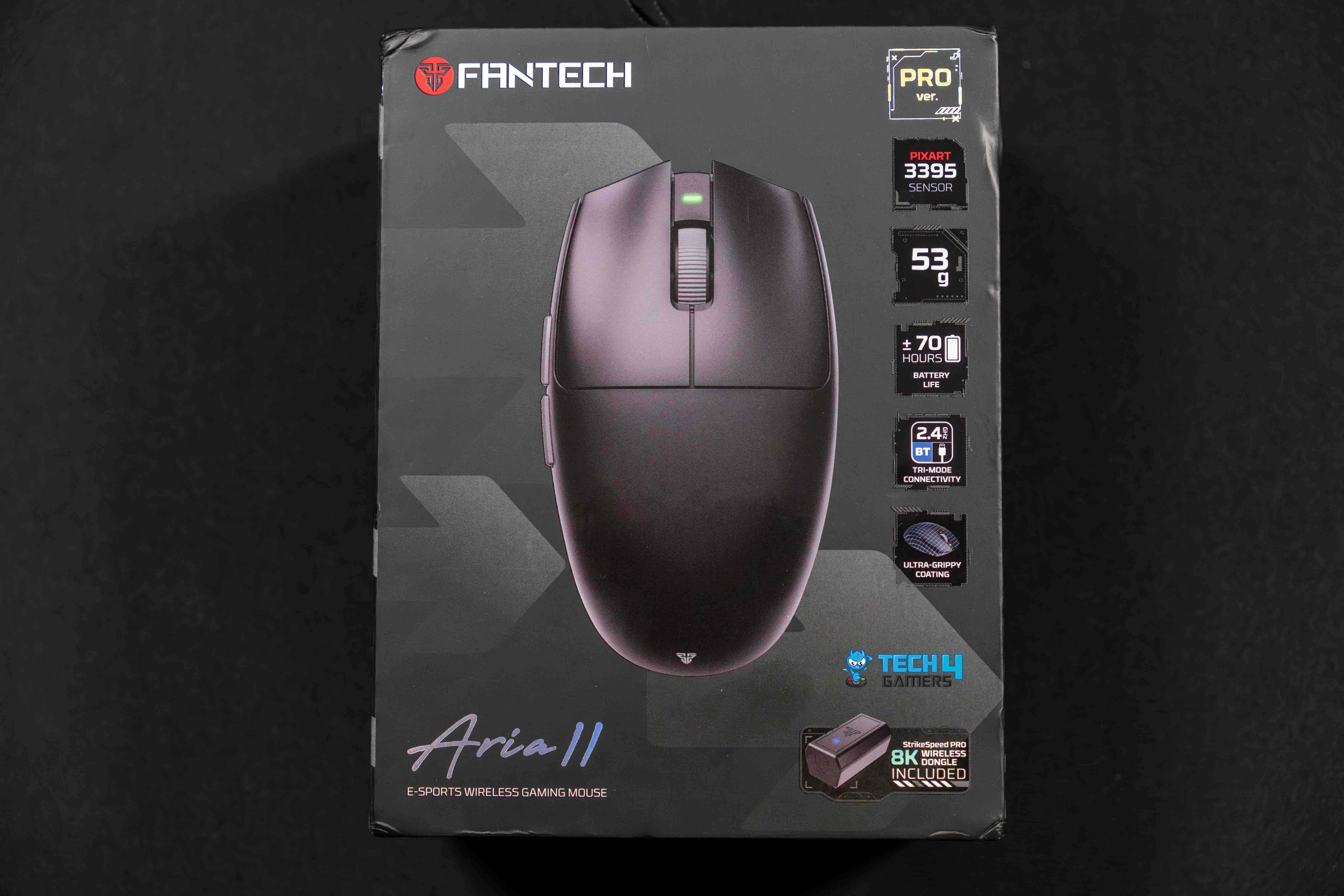
Frontside of the Box (Image by T4G)
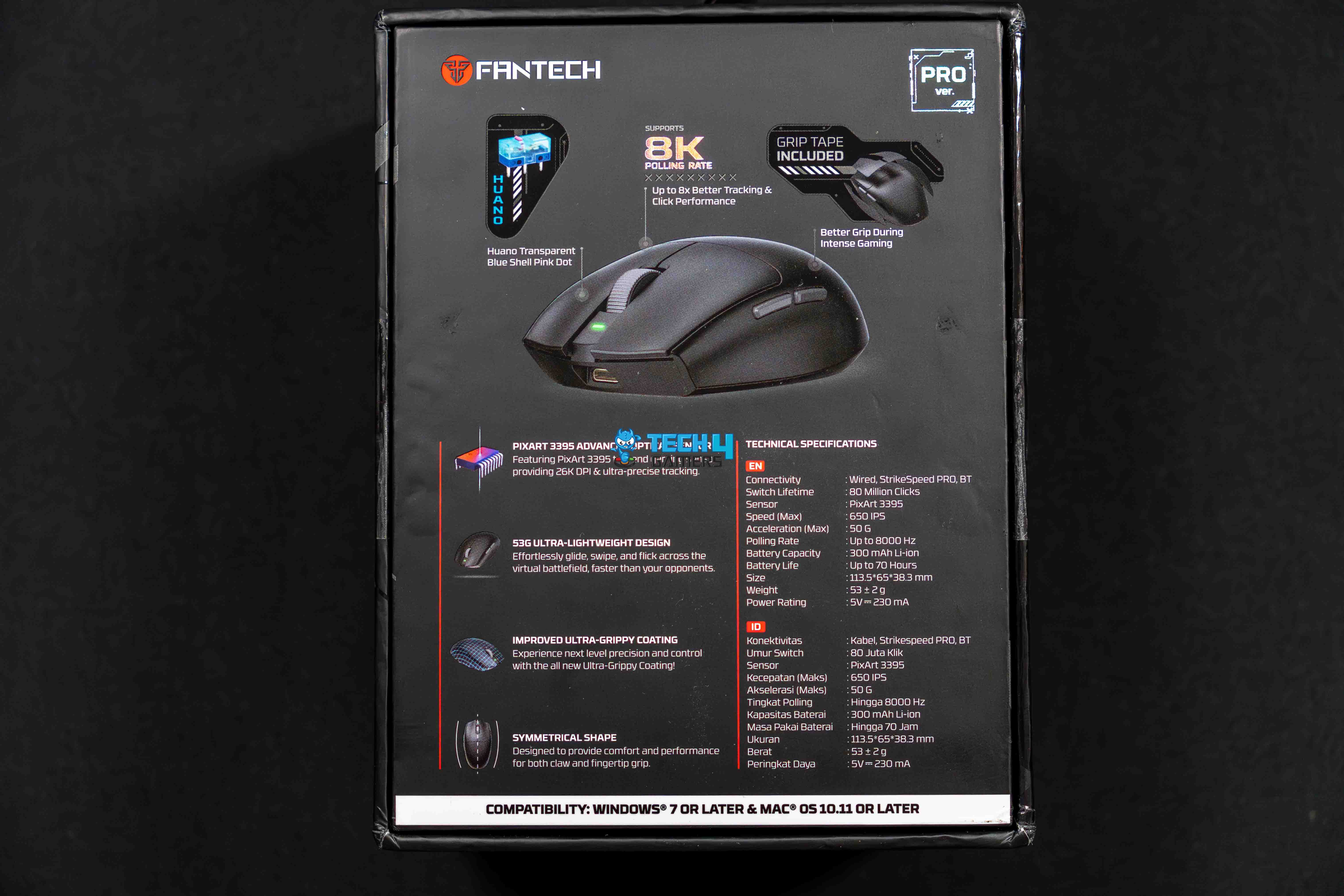
Backside of the Box (Image by T4G)
The Fantech Aria II Pro arrives in a box that immediately sets a premium tone. Upon opening, you’ll find a neatly organized set of accessories, all necessary documentation, and the main showstopper.
Box Contents
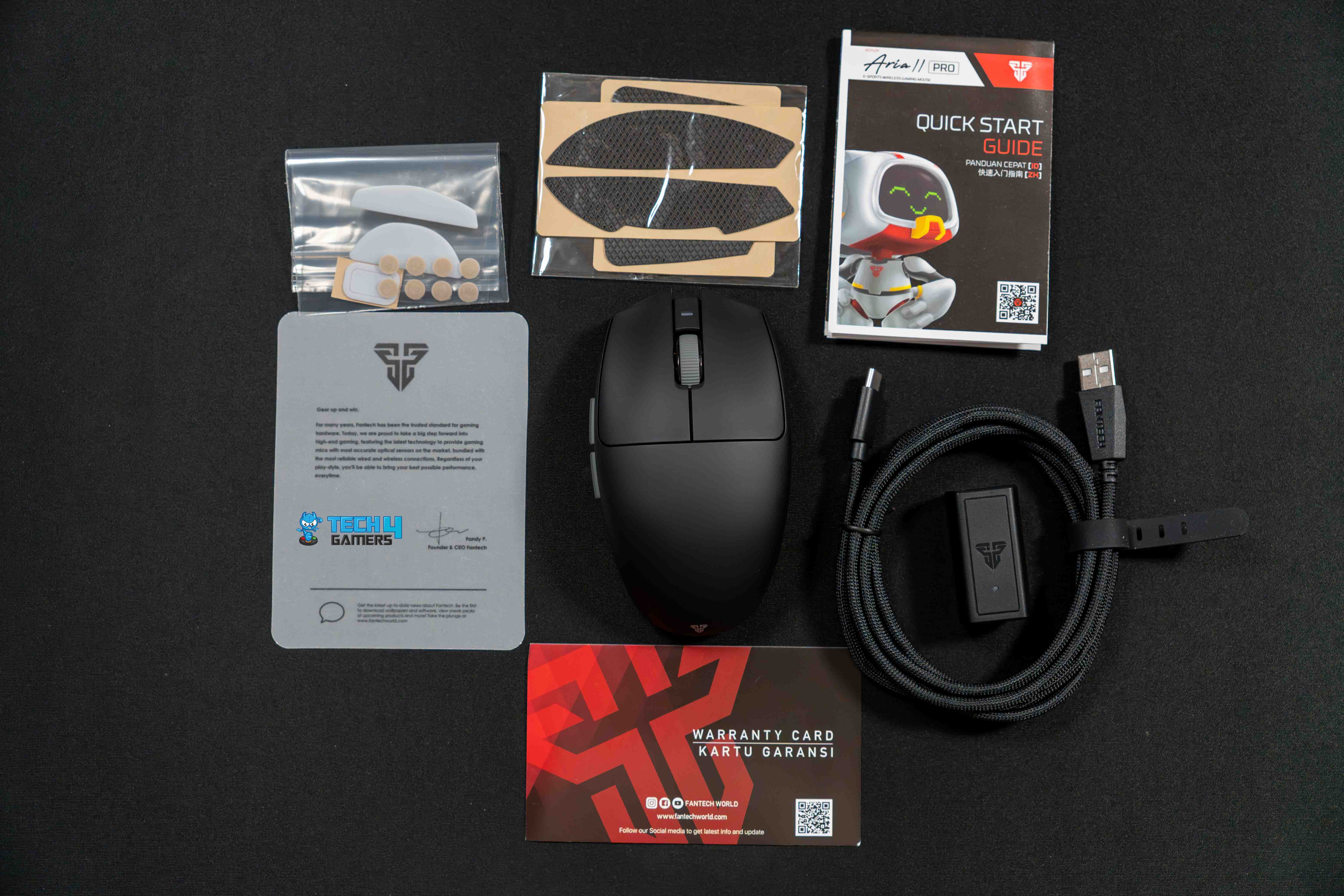
Box Contents (Image by T4G)
You will find the following in the box:
Fantech Aria II Pro
Grip Tape
Set of Large PTFE skates
Set of Small PTFE Dot Skates
USB Wireless Reciever
USB-C to USB-A Cable
Quick Start Guide
User Manual
Warranty Card
Design
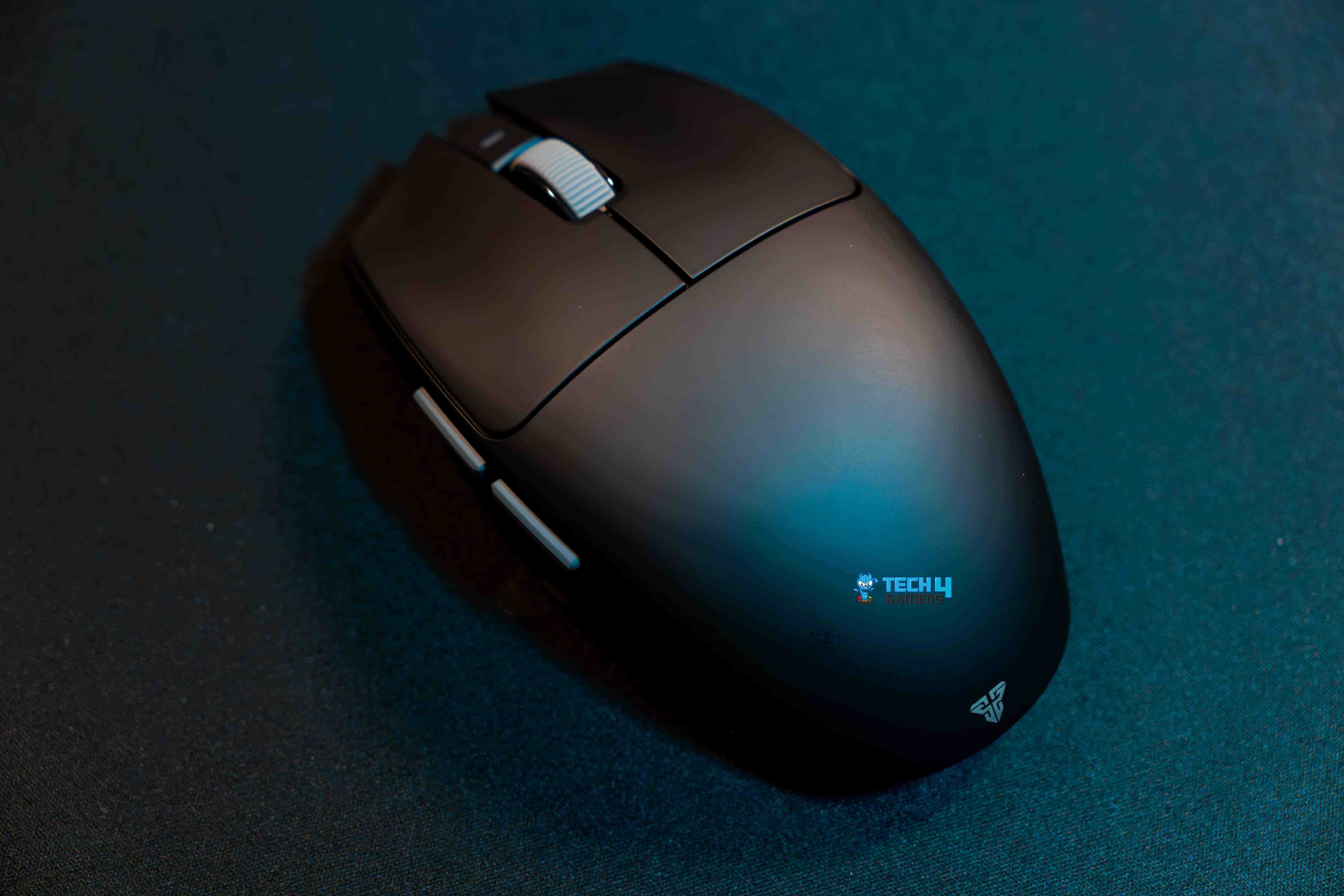
Design (Image by T4G)
I am reviewing the Fantech Aria II Pro in black, one of the three color options. Other than this, it is also available in red and white colors. It features a distinctive egg-like form factor with significant inward flare on the front and back. It is 113.5 x 65 x 38 mm in size. The Aria II Pro is identical to Fantech’s previous model, the Aria XD7.
If you upgrade from the last model, there won’t be any significant design surprises because it keeps the same form factor as its predecessor. This indicates that the Fantech Aria II Pro will continue to be the market’s widest egg-shaped mouse. Still, the Aria II Pro has a few minor changes from its predecessor. For instance, the sizable plastic tab with the “Aria” logo on the right side has been removed.
Weight
Fantech has reduced the Aria II Pro’s weight without creating any openings to the exterior, which is a great advancement. Compared to the initial Aria XD7, the Aria II Pro weighs 53 grams, 6 grams less than the original. Because of its small size, I would have liked the weight to be a little less. However, I can’t complain more since the weight is already quite light, and I like the feel of a solid-shell mouse.
Honestly, it doesn’t matter that there is currently no way to replace the perforated top cover. The outstanding construction quality of the sturdy shell probably adds to its weight. This does not indicate that the Aria II Pro’s weight is heavy. In fact, it seems very light, especially when compared with other mice with an egg shape. Lastly, the weight distribution is excellent.
Coating
Smudges on the Fantech Aria II Pro (Image By Tech4Gamers)
The Fantech Aria II Pro has a better coating than its predecessor, and I can already tell the difference. In contrast to other mice relying on standard coatings, it provides a rubbery feel that significantly improves grip. Even if my palms are sweaty, I can still get a solid grip on the mouse. This coating’s sole drawback is that it makes dirt and fingerprints more noticeable.
In particular, when your hands sweat out while you are playing, the dark-colored shell can leave noticeable fingerprint imprints. All mice with comparable coats suffer from the same issue. Fortunately, it is fairly simple to remove all these marks and has no impact on how well the mouse performs. Fantech also included grip tape in the package, which is usually a good idea.
Build Quality
Build Quality (Image by T4G)
The Fantech Aria II Pro is well-built and performs well because its overall build uses a durable plastic casing. The mouse’s top, sides, or bottom did not bend or squeak even while applying pressure far more than usual. Furthermore, every time I shook the mouse, there was no rattling noise. Additionally, slamming the mouse did not accidentally cause the side and main buttons to click.
Underside
Underside (Image by T4G)
The Fantech Aria II Pro comes with a couple of dot skates, another impressive set of PTFE skates, and a massive pair of skates pre-installed. Straight out of the box, the skates provide a constant, flawless, smooth feel. Generally speaking, it usually takes a few days of use before most skates reach their ideal texture level. However, they were perfect right from the bat, which is rare.
Overall, the glide seems to offer greater control over acceleration. It’s good to see Fantech offering two skate styles with full size and dots inside the box for future replacements and customization to suit your style and preferences better. Lastly, the Bluetooth button, toggle option for wired or wireless and Bluetooth mode, and DPI button for changing the DPI levels are all on the bottom.
Comfort
Grip Styles
1 of 3
Palm Grip (Image by T4G)
Fingertip Grip (Image by T4G)
Claw Grip (Image by T4G)
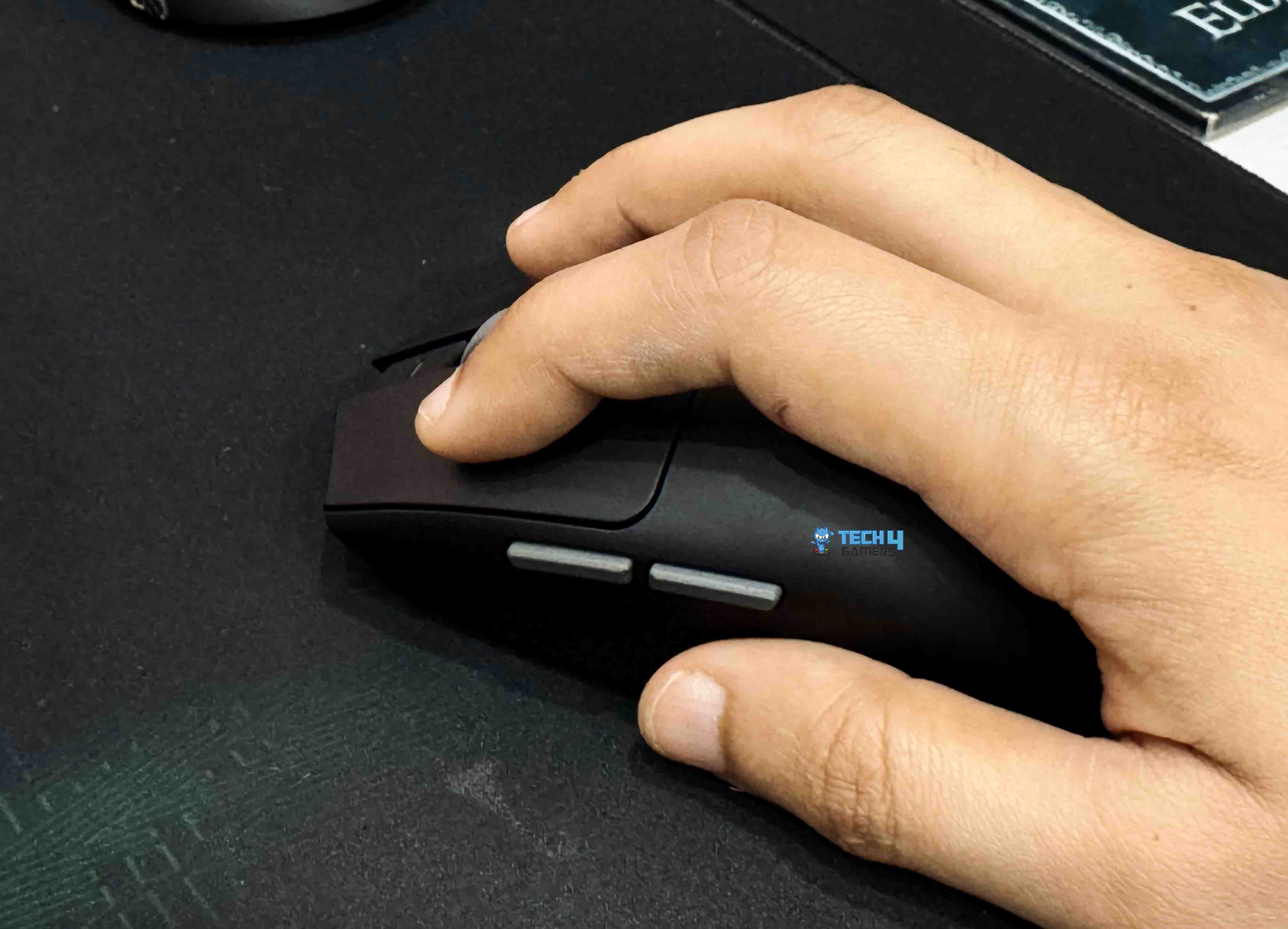
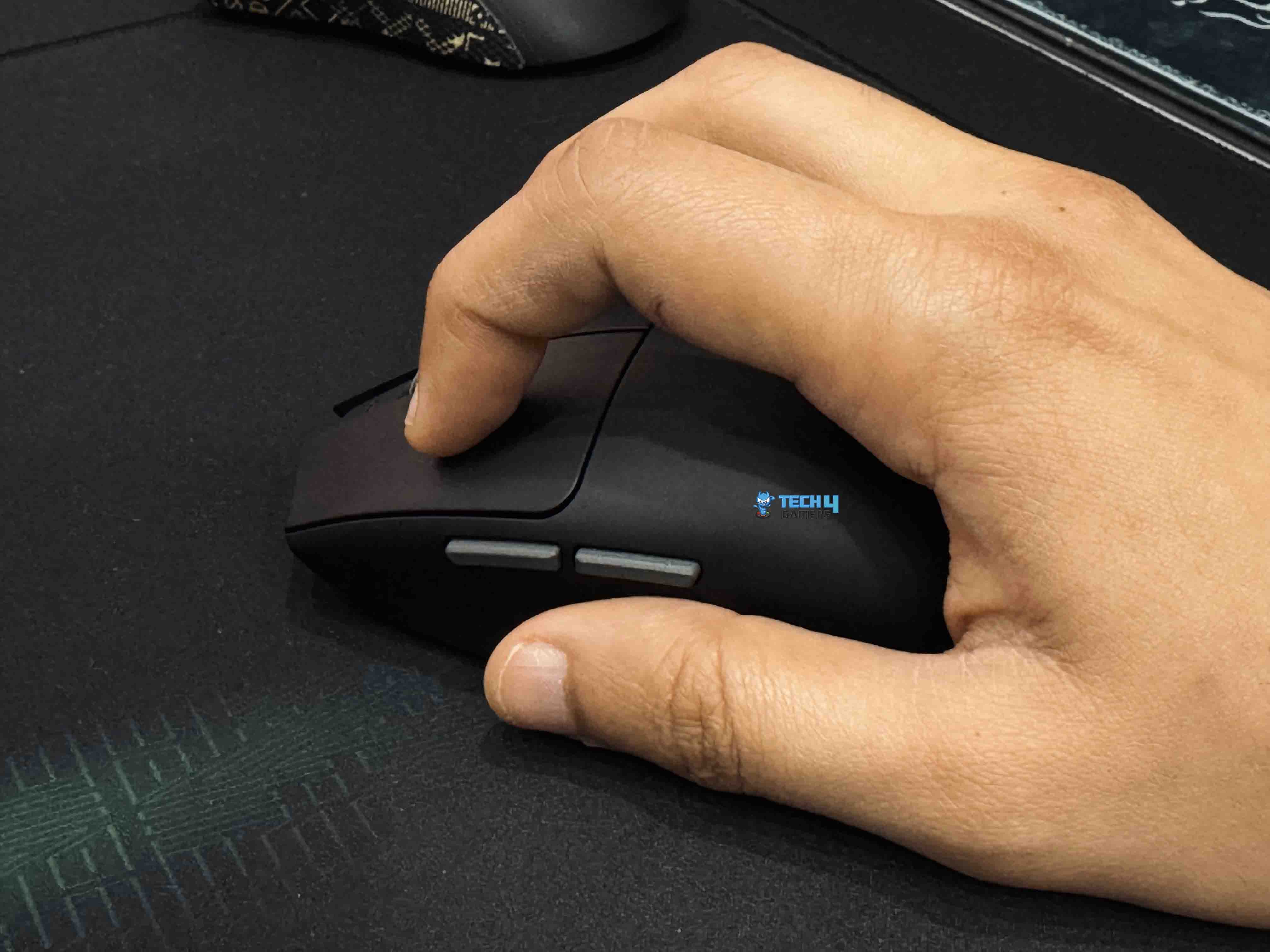
Alongside a thumb rest, the left side of the mouse features a curved side that aligns with the contour of your thumb. It has a slight indentation to provide an ergonomic curve where your thumb can rest. This helps you naturally position your thumb in a certain spot without difficulty. The mouse’s right side also has a slightly curved edge rather than a flat one. Right in the center, the Aria II Pro’s hump slopes gently toward the tail.
Grip Styles
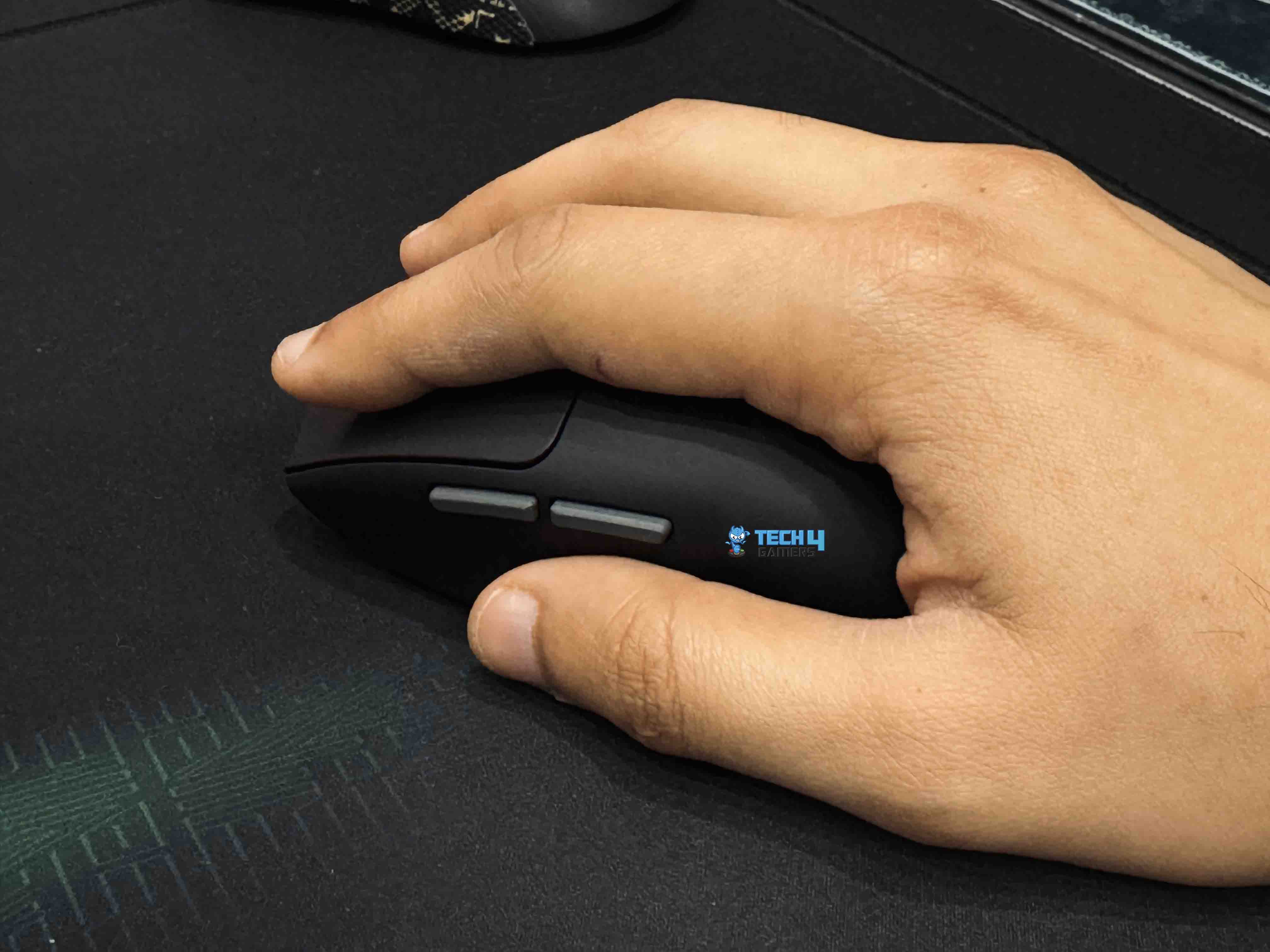
I can comfortably say that the Fantech Aria II Pro perfectly fits my hand, even though it is the broadest egg-shaped mouse. For the most part, it is a fingertip grip-style mouse that is comparatively small. Although it will take a more forceful approach, those with bigger hands, like myself, can also claw-grip this mouse. When I moved the mouse back and close to my palm for an even more locked-in grip, the gentle curve of the tail provided more contact and grip because I mostly use a loose claw grip.
On the other hand, the Aria II Pro should be quite comfortable for medium and small-handed users to claw-grip. Users with smaller hands might also be able to grip the mouse in palm style. Overall, the Fantech Aria II Pro is a better choice if you like a mouse with a more substantial feel. It works well for people who want a large side-to-side grip distance and fingertip grip.
Buttons
Primary Buttons (Image by T4G)
The Huano Transparent Blue Shell Pink Dot mechanical switches are the foundation of the Aria II Pro’s primary buttons. These are ideal for FPS games since they are simultaneously tactile and simple to actuate. Because they are mechanical in nature, they provide a more tactile sensation rather than the performance improvements that optical switches offer.
When pressed, the M1 and M2 buttons feel quite similar. Both pre-travel and post-travel are minimal. The Huano blue shell pink dot switches are executed so perfectly that, regardless of whether your finger is at the rear or the tip of the button, the actuation force needed feels the same. In addition to being well-tensioned, both buttons are quite snappy.
Additionally, the mouse has grip tape for the sides and primary buttons. These grips offer a greater grip for people who don’t think the typical coating is enough. I just used these grips for testing because I thought the coating was excellent, and I believe most people will agree.
Side Buttons & Scroll Wheel
Side Buttons (Image by T4G)
The side buttons actually have little pre-travel and no apparent wobbling, but there is a bit more post-travel. Nevertheless, I never found this issue while using the buttons. They are suitable for spamming because of their relatively light actuation weight. Moreover, the scroll wheel is incredibly well-balanced because it offers a decent amount of tactile feedback while requiring very little effort to scroll.
Moreover, it uses rubber that provides an excellent grip, making it even simpler and easier. The scroll wheel has well-defined levels and feels well-tensioned. I didn’t encounter roughness or stuck scrolls when playing with it. The scroll click feels slightly rigid compared to other mice, but it is still extremely useful while gaming.
Performance
Ultra-grippy UV Coating (Image by T4G)
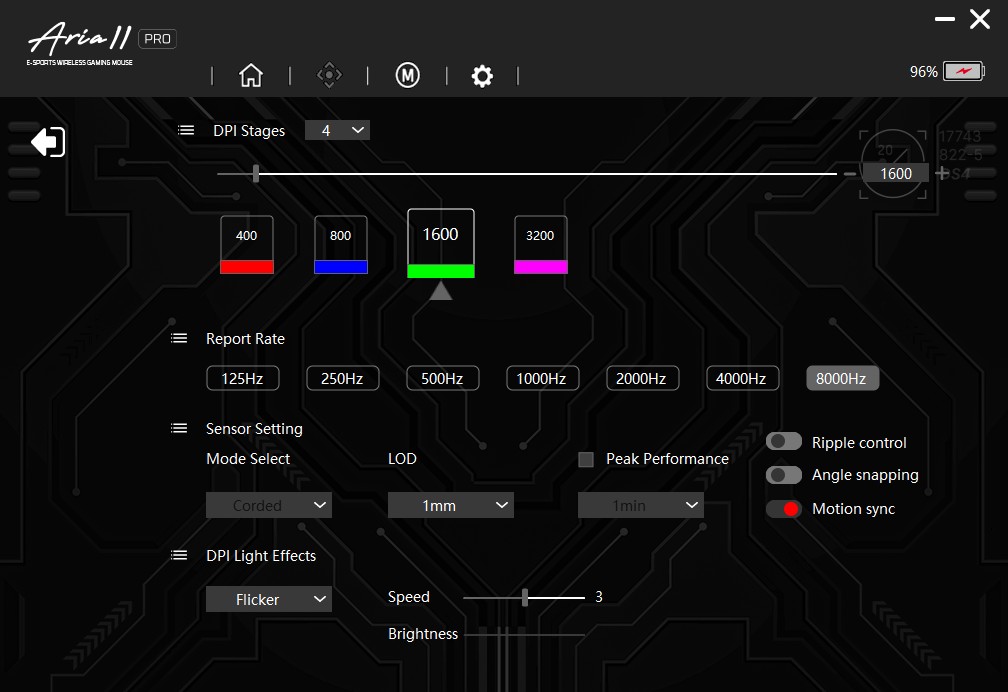
The Fantech Aria II uses the PAW3395 sensor. As many recent mice have done, seeing the Aria II use the improved PAW3950 sensor would have been better. However, for most users, its performance improvements would be insignificant. Still, selecting a newer sensor would add charm to an outstanding mouse. The Fantech Aria II can cope with up to 26,000 DPI. It has four DPI levels pre-programmed: 400, 800, 1600, and 3200. The software that comes with it allows you to add, change, or delete these predetermined settings.
There are currently two options for the Aria II family: the more costly “Pro 8K” version and the more affordable “Basic 1K” version. The Pro version can poll at up to 8KHz, while the basic version can poll at up to 1KHz. I’ve been using the “Pro 8K” version of the Fantech Aria II, and like most mice, it performs admirably in FPS games like Valorant. There was no delay for me, and every click was registered quickly, accurate, and responsive.
Software
Software
1 of 5
Software
Main Screen
Settings
Macro Settings
Settings
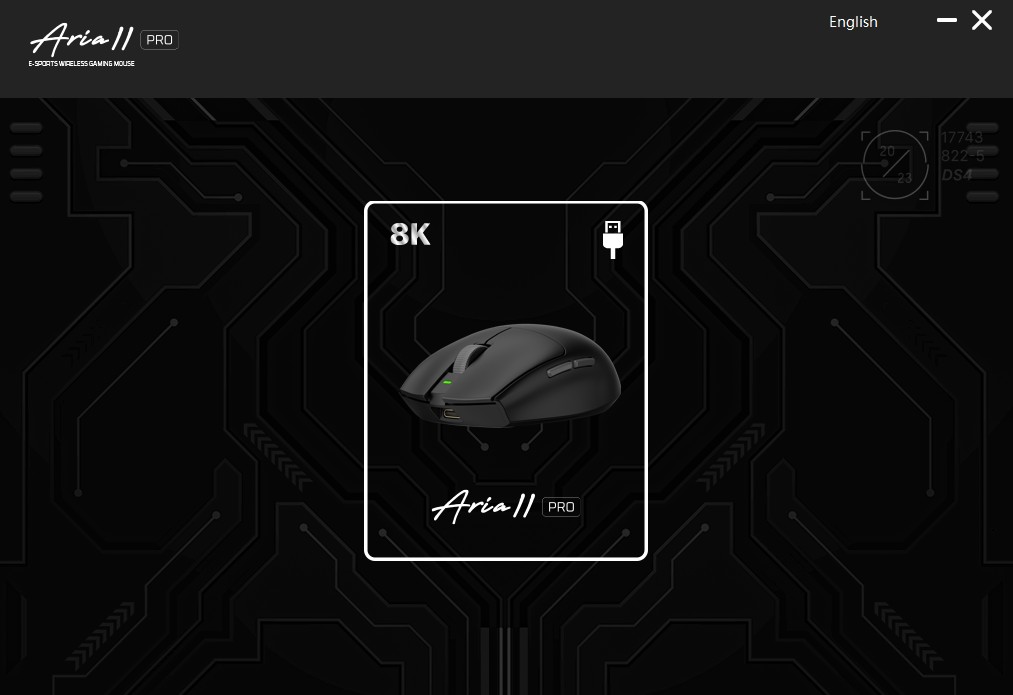
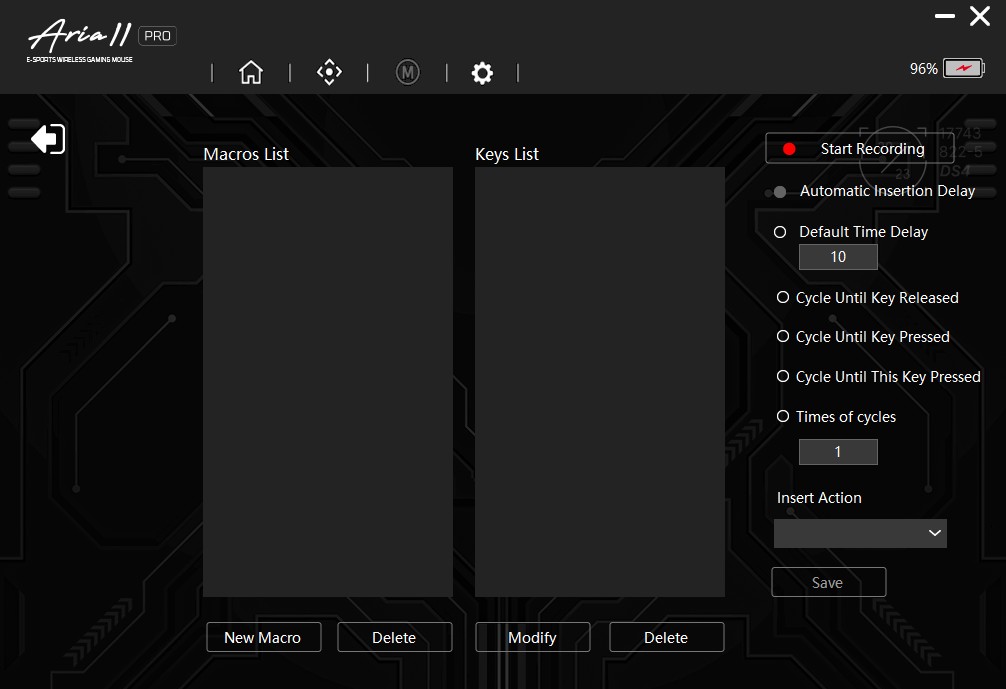
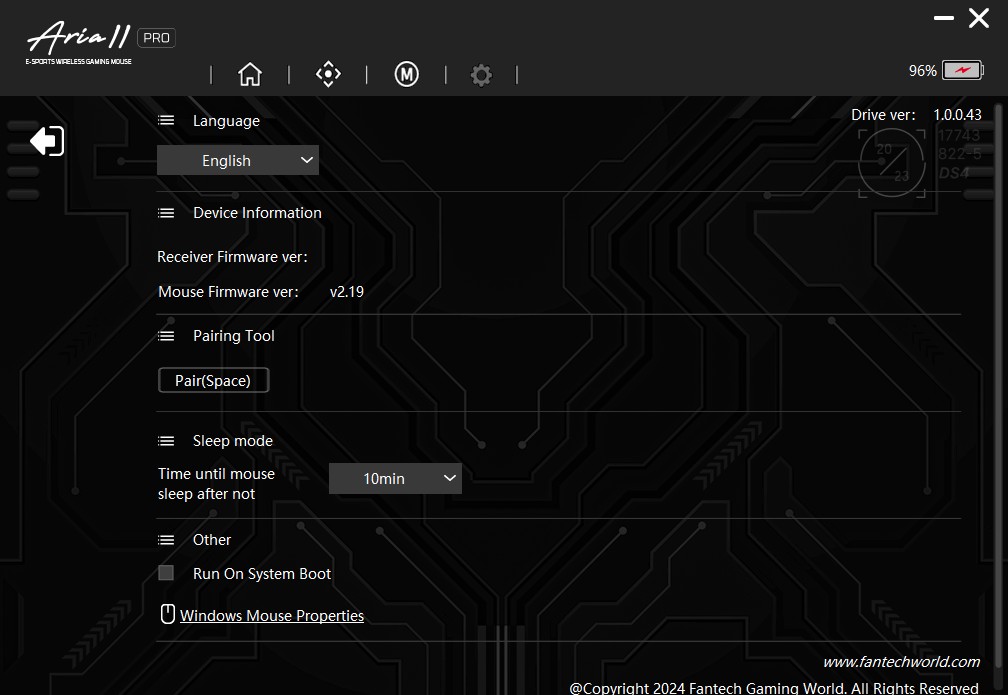
To access the Fantech Aria II customizations, you must download the accompanying software, which seems to be the same as their previous mouse. The lightweight software that comes with the Aria II Pro is proprietary. Three separate tabs provide access to all customization options. On the first screen, you can remap buttons and debounce time.
Moreover, the second page has the CPI adjustment option for up to four color-coded levels, ranging from 50 to 26,000 CPI in increments of 50 CPI. Additionally, it has settings for polling rate, LOD, motion sync, ripple control, peak performance, angle snapping adjustment, and sensor mode modification. Finally, the third page has a macro editor.
Battery Life
The software’s percentage-based battery life display at single-digit accuracy provides enough information to estimate battery life. When using a 2.4 GHz wireless connection at 8000 Hz, I had an average battery life of around 8 hours. On the other hand, with the low-power sensor run mode and at 1000 Hz, I had a battery life of around 80 to 90 hours. Moreover, using the provided USB Type-A to Type-C charging cable, I tested the charging speed throughout the constant usage, which takes around two hours to charge the mouse completely.
Should You Buy It?
Buy it if
✅ You want a high-performance gaming mouse: The Fantech Aria II Pro’s upgraded NRF52840 MCU supports an 8K polling rate, and the tactile Huano switches ensure quick, accurate responses during intense gameplay.
✅ You prefer a lightweight yet durable build: At just 53 grams, the Aria II Pro offers excellent balance and a solid feel that enhances overall performance.
✅ You enjoy customization options: Additional PTFE skates and grip tape are included to customize the mouse’s glide and grip to your preferences.
Don’t Buy it if
❌ You’re bothered by visible fingerprints and smudges: The advanced UV coating attracts dirt more noticeably while providing a superior grip.
❌ You want a long-lasting battery: Opting for the high 8K polling rate can significantly reduce battery longevity compared to lower polling modes.
Bottom Line
Fantech has returned with a banger with the release of the Aria II. The Pro edition costs $88.80, while the regular version costs $48.80. Still, both of the variants mentioned above are within reach and reasonably priced. Suppose you prefer to opt for the 1K polling option. You still receive great upgrades, including a cleaner design, slightly lower weight, and better coating.
The simpler Aria II version is perhaps one of the best-value mice available in the market. On the other hand, the Pro 8K version will cost a bit more money if you want a higher polling rate. Despite being nearly twice as expensive, it is still competitively priced compared to comparable 4K or even 8K polling rate mice available on the market.
This is currently one of the best options for those looking specifically for an egg-shaped mouse. Thanks to the exceptional build quality, coating, and distinctive design, the overall experience is enjoyable. Furthermore, it has a scroll wheel and tactile, spam-proof buttons and weighs just 53 grams.
As a Senior Hardware Reviewer at Tech4Gamers with over a decade of hands-on experience, I dive deep into benchmarking GPUs, CPU coolers, and motherboards, pushing hardware to its limits. Passionate about overclocking and fine-tuning performance.
We’re looking at the newest thermal grizzly launch, the Thermal Grizzly Duronaut, which is marketed as having longevity and superior thermal conductivity. If you’re wondering why the TG has picked the name Duronaut, Duronaut derives from the word Durability. Previously, Thermal Grizzly paste such as Kryonaut Extreme was known for the pump-out effect. However, thermal Grizzly ensures that the optimized particle shapes could minimize the pump-out effect in the Duronaut.
Plenty of thermal pastes are on the market with different thermal conductivity, resistance, and viscosity varieties. Still, it can be confusing for users to know which thermal paste they should get for their CPU or graphics card.
However, there is a slight problem with those thermal pastes, usually their absurd marketing by the manufacturers, which could lure the consumers somehow; however, having a higher thermal conductivity does not always mean that thermal paste will perform better than others. Some factors are played into, such as how dense or thick the thermal paste is. You must always fight for the right balance while choosing the thermal paste.
If the thermal paste is more viscous, it would be tough to apply and would require a special skill to spread across the die; however, if the thermal paste is too watery, you will run into the pump-out effect after some time, which means thermal-paste will move sideways and disappear which would expose the high hotspot area resulting in higher temperatures.
[toc]
Packaging
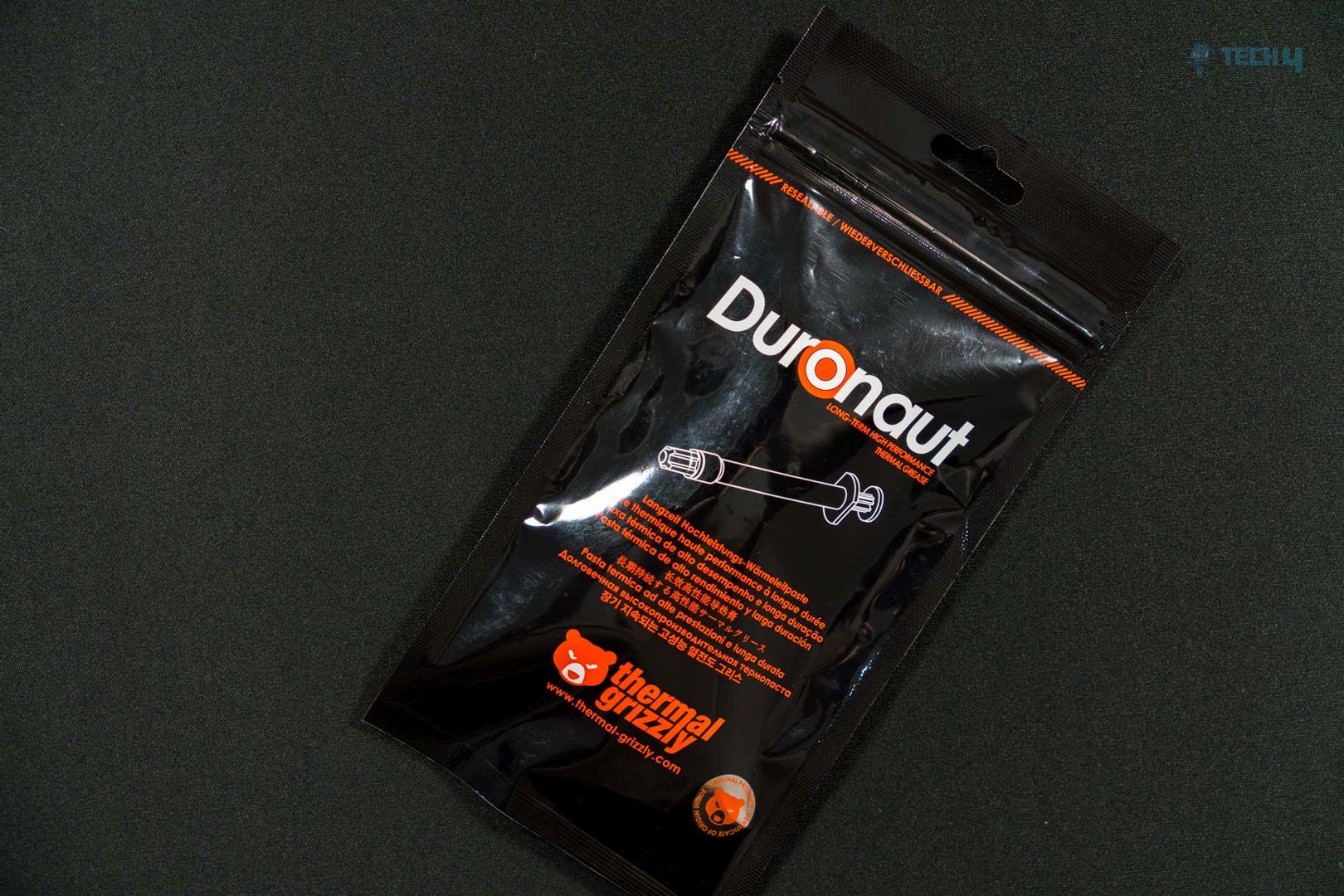
Packaging (Image By Tech4Gamers) (Image By Tech4Gamers)
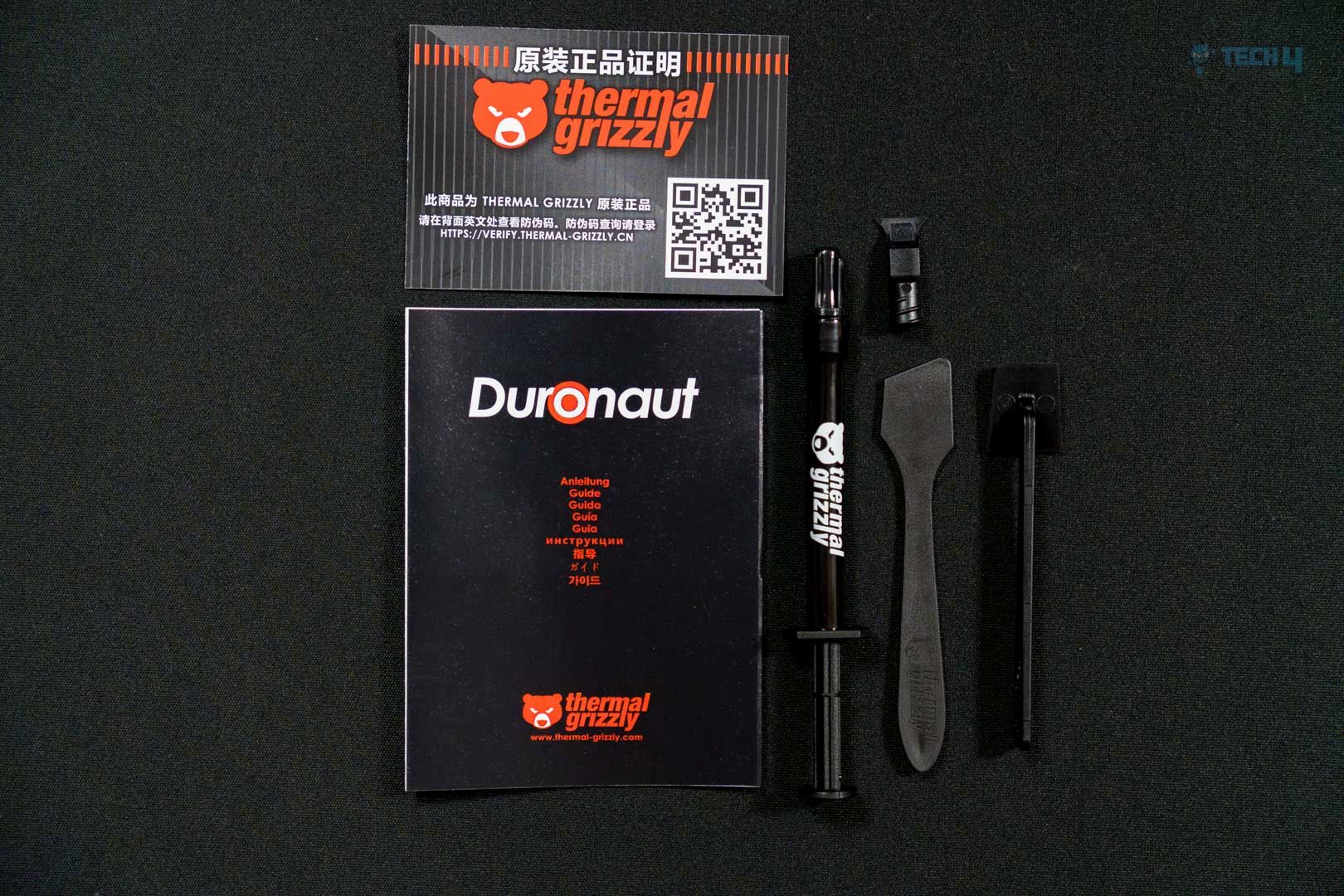
As for the Duronaut paste’s quality, it is much easier to apply on a die—neither too viscous nor too greasy. Inside the packaging, you’ll find an applicator, a spatula, and a Spatula Pro.
Unboxing and Accessories (Image By Tech4Gamers)
Application
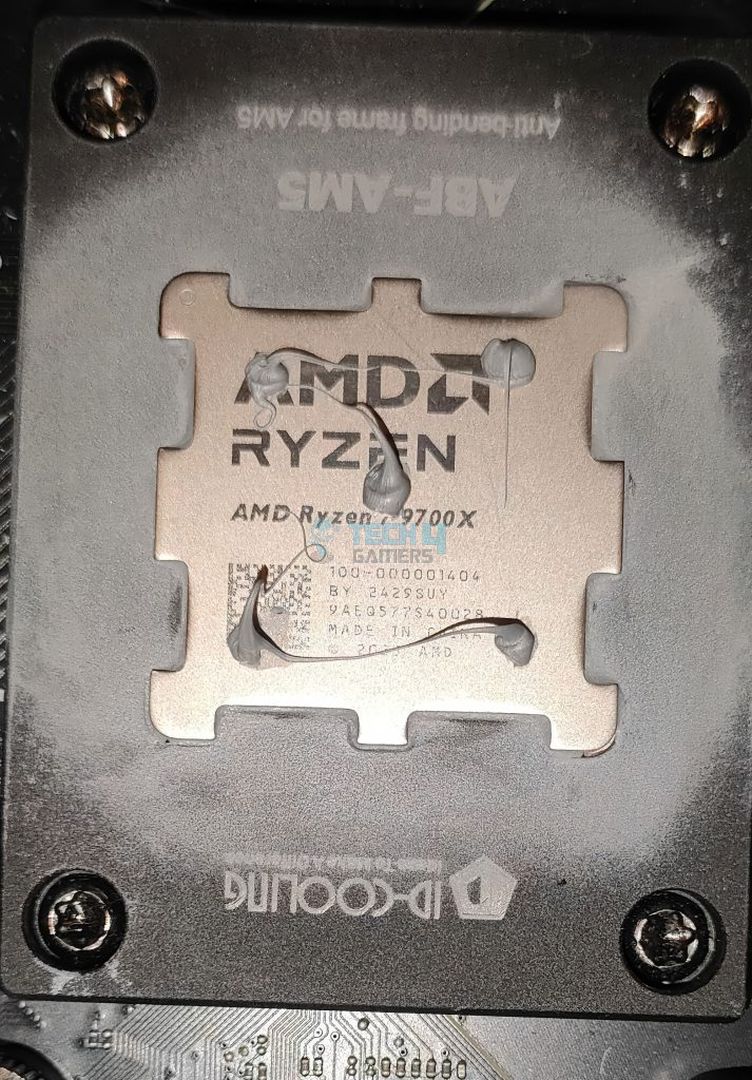
We’re demonstrating our go-to application method here, which is five blobs at all corners of the die so the paste spreads evenly. The application was smooth and much easier to apply as demonstrated the silicon is not that greasy or oily and not too viscous. Thermal Grizzly emphasizes the longevity of this paste, with particle sizes around 10 µm, slightly larger than its predecessor’s 5 µm particles. This marginally larger particle size helps cover invisible hotspots on the die more effectively.
Applying Thermal Grizzly Duronaut on 9700X (Image By Tech4Gamers)
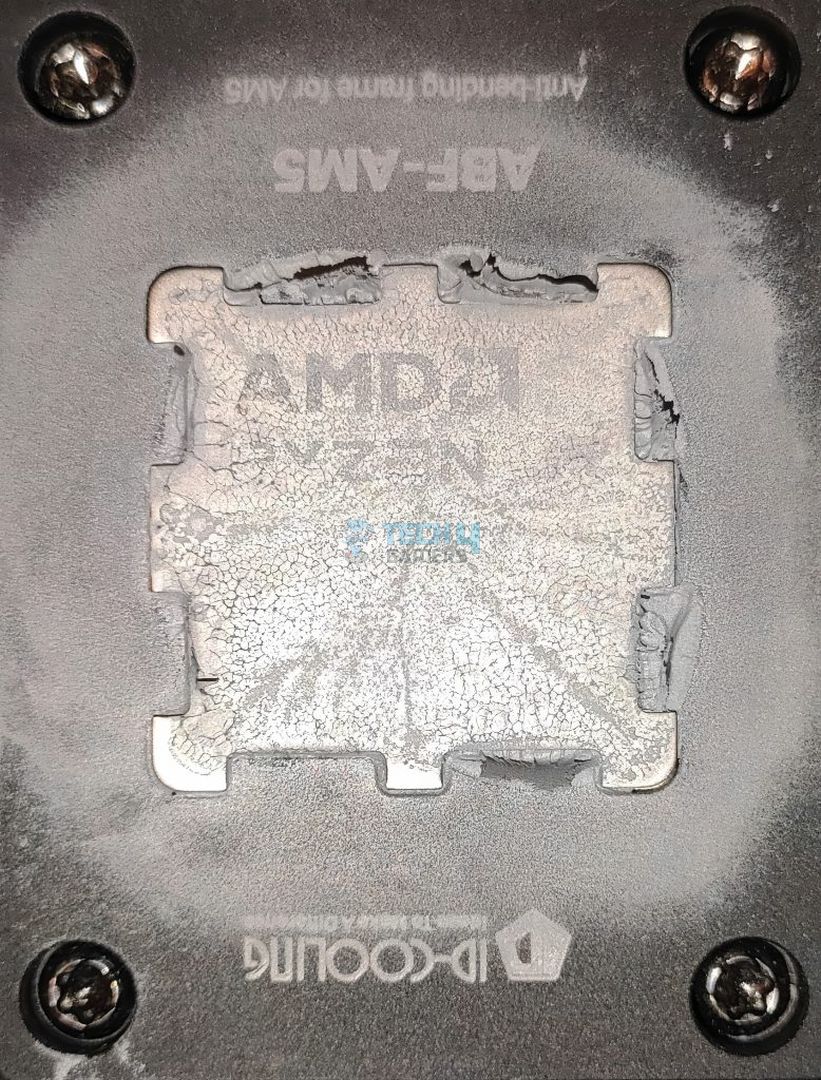
Why do we emphasize the five blobs on each corner of a die on AM5? It can be seen that the particles properly cover the CPU surface and leave well. After the testing, the cooler was removed to see the coverage area.
Thermal Grizzly Duronaut Coverage Area On 9700X After 5 Dots Application (Image By Tech4Gamers)
Methodology
Thermal Grizzly Duronaut (Image By Tech4Gamers)
After applying the paste, we ran two 15-minute Cinebench R23 tests with a 5-minute cooldown period in between. We then ran another 15-minute Cinebench R23 test and recorded the average temperatures (delta over ambient).
Throughout the testing, the case fans, Liquid Cooler Fans, and more Liquid Cooler pumps were set to run at a fixed maximum RPM.
We used HWINFO64 (Pro Version) for temperature reporting to monitor the CPU tDIE temperature.
We ensured all background applications were turned off and the internet was disconnected to prevent any external processes or Windows updates from affecting CPU utilization.
Windows Version: Windows 11 24H2 (OS Build 26100.3194)
Benchmarks
TG Duronaut Benchmarks
Should you Buy it?
Buy It If
✅ You’re an overclocker: Grizzly Duronaut offers the best thermal performance, almost zero cure time, and requires no burn-in. Higher boost clocks nowadays are achieved with lower temperatures due to AMD’s PBO and Intel’s Boost Algorithm. Duronaut offers the best performance in our charts while being electrically nonconductive.
✅ You want durability: Duronaut might outrun the other pastes while maintaining efficient heat transfer between the heat source (e.g., CPU) and the cooler.
✅ You don’t want to spend a lot: Duronaut provides more value for the money, costing less than the predecessors. 2Grams costs 10$ while 6 6Grams is $19
Don’t Buy It If
❌ Pump-Out is Inevitable: If you have a high-end GPU or want to use it directly on silicon, such as notebooks or consoles, and want to ensure a higher durability that will last a couple of years, you’re better off going for the Phase-Change Material (PCM) or PTM.
Final Thoughts
As our tests have demonstrated, Duronaut outperforms every other renowned thermal paste on the market. While it performs better, the average user may not notice a significant difference. These days, even an average thermal paste found on Amazon can perform roughly the same. However, the bigger question lies in the durability and quality of the paste—whether it will maintain its performance over long-term use.
This thermal paste comes with a Spatula Pro, which can be particularly handy when using the spread method on a naked die, such as a GPU. Thermal Grizzly has designed this paste not only to deliver top performance but also to ensure maximum longevity, as advertised by the company.
Thermal Grizzly Duronaut is non-conductive, making it safe and comfortable to apply on GPUs, CPUs, ICs, and notebooks. It is available in both 6-gram and 4-gram packages.
As Tech4Gamers’ Founder and Editor-in-Chief, I bring over 13 years of PC Hardware Reviewing and 8+ years of IT Project Management experience. Certified in Google IT Support , my focus is on providing honest product reviews and analysis and fostering a strong gaming community with 130k+ members in PPG.
Story Highlight
Radeon RX 9060 XT is rumoured to compete with NVIDIA’s previous-generation mid-high-end cards, potentially surpassing the RTX 4060 Ti.
AMD is expected to equip the RX 9060 XT with 16GB of GDDR6 VRAM, and the RX 9060 with 12GB.
RX 9060 series is anticipated to be more attractively priced than NVIDIA’s RTX 5060 series, potentially gaining AMD market share in the low-mid-range GPU market.
Following the Radeon RX 9070 series announcement, attention now turns to the Radeon RX 9060 series, with new rumours emerging about AMD’s upcoming low-mid-range offering.
Although this time focused on the most powerful version, the Radeon RX 9060 XT. Just yesterday we learned that these mid-range graphics cards would arrive during the second quarter of the year. That is, between April and June and today it’s time to start talking about the performance we can expect from these graphics cards compared to NVIDIA solutions.
Specifically, the latest reports suggest that the AMD Radeon RX 9060 XT will be able to compete with NVIDIA’s previous-generation mid-high-end lineup. This will help to liven up the market quite a bit until Intel decides to launch its long-awaited Intel Arc B770 GPU.
Which could be a hit product given the current market circumstances. Although, unfortunately, nothing has been heard about this GPU for months after it was learned that its launch had been delayed.
Radeon RX 9060 XT Would Easily Surpass RTX 4060 Ti
According to new reports, the AMD Radeon RX 9060 XT could surprise by arriving with 16 GB of GDDR6 VRAM memory. While its little sister, the Radeon RX 9060, would arrive with 12 GB of VRAM memory. Thus leaving NVIDIA and its GeForce RTX 5060 Series in a bad place.
The GeForce RTX 5060 Ti will be available in two variants with 16 GB and 8 GB of GDDR7 memory. While the GeForce RTX 5060 will have to be content with only 8 GB. At the marketing level, this move will already try to embarrass NVIDIA. Where 8 GB of VRAM configurations already generate bottlenecks. Seeking to bypass these bottlenecks through rescaling technologies as we have seen in recently launched games like Monster Hunter Wilds where 8GB VRAM GPUs are not recommended
Information from Moore’s Law Is Dead (MLID) assures that the AMD Radeon RX 9060 XT will be able to surpass the GeForce RTX 4060 Ti in terms of performance. Specifically, it will sit halfway between the RTX 4060 Ti and the AMD Radeon RX 7700 XT. Even seeing that the RDNA 4 architecture is quite good in terms of overclocking, AMD could even consider increasing the frequencies of these chips from the factory to directly perform similarly to the GeForce RTX 4070.
While the GeForce RTX 5060 Ti and RTX 5060 are expected to range between $400 and $500 (480 to 600 euros), AMD’s option could be much more attractive in terms of price.
What are your thoughts on the new low-mid-range offering from AMD? Will AMD be finally able to take some market share from Nvidia? Share your thoughts in the comment section below.
Currently serving as a News Reporter at Tech4Gamers, I have the privilege of combining my love for gaming with the art of storytelling. My role involves crafting engaging narratives that keep our audience abreast of the latest developments in the gaming world.
Story Highlight
Steam has now surpassed 40 million concurrent users.
This surge is due to recent popular releases like Monster Hunter Wilds and more.
Steam remains PC gamers’ number 1 choice when it comes to gaming.
Steam has remained the top priority for PC gamers when it comes to choosing their go-to platform. The store is massive and at the forefront of PC gaming overall.
Since its debut, the platform has only grown with the addition of handheld consoles and other devices. Steam just set a new record today, with 40 million concurrent users for the first time in history.
Why it matters: Steam’s surpassing such a milestone is a huge accomplishment for PC gaming, which is an ever-growing platform.
Steam Reaches New Concurrent Players Peak || Source: Steam Charts
While the 40 Million mark has been quite close to breaking over the past few days, the record was broken today with a peak of 40,274,929 players.
The student surge may be due to recent releases like Monster Hunter Wild, which alone has a peak of over 1.3 million concurrent players. Steam currently has 132 million monthly active users, and this number is only increasing.
Monster Hunter Wilds Has An All-Time Peak Of 1.3 Million Players
As of 2019, it was reported that Steam had over a billion registered users, which may include multiple accounts from the same person and bots. Nevertheless, the registered user number is speculated to have surpassed massively from that number.
No gaming platform has yet to come closer to Steam. Despite being 250X bigger in scale, Amazon still couldn’t dethrone the gaming platform in a struggle that lasted more than 15 years.
What are your thoughts on this milestone? Are you among these active reported users? Let us know in the comments below or visit the official Tech4Gamers Forums.
I’ve previously worked for eXputer as a Senior News Writer for several years. Now with Tech4Gamers, I love to devoutly keep up with the latest gaming and entertainment industries. I have a Bachelor’s Degree in Computer Science and years of experience reporting on games and breaking exclusive stories. Besides my passion for gaming journalism, I love spending my leisure time farming away in Stardew Valley. VGC, IGN, GameSpot, Game Rant, TheGamer, GamingBolt, The Verge, NME, Metro, Dot Esports, GameByte, Kotaku Australia, PC Gamer, and more have cited my articles.
Story Highlight
Elden Ring has now claimed over 400 Game of the Year awards, further cementing itself as one of the most awarded titles in history.
The game’s recent expansion, Shadow of the Erdtree, has helped to increase this total.
A multiplayer spin-off of the RPG is set to launch in 2025.
The success of any form of media is often measured by its cultural impact, and gaming is no exception. By this scale, Elden Ring is arguably one of the most triumphant titles in gaming history. The FromSoftware RPG has sold millions of copies worldwide and is termed by many as one of the greatest games in history.
Elden Ring made a surprising comeback in the 2024 award season, with its new DLC bringing the title back to the public limelight and critical praise. As it turns out, the RPG has racked up several GOTY awards from different publications this year, further cementing its position as the most decorated game in history.
Why it matters: Elden Ring is extending its record as one of the most-awarded games in history.
The FromSoftware title is leaving its competition in the dust.
According to Gamefa, Elden Ring has won 435 Game of the Year awards since its release, extending its run as the most awarded GOTY ever. The RPG previously set this record when it overtook The Last of Us Part 2 in the 2022 award season, being recognized as the best game of the year by over 300 publications and award shows.
2024’s Shadow of the Erdtree DLC has only improved Elden Ring’s lead on the PlayStation exclusive by racking up dozens of new awards. Considering how the expansion shattered all expectations, this is not a surprise.
In addition to its critical success, Shadow of the Erdtree sold 5 million copies in its first week alone, which is very unusual for a DLC.
Elden Ring Shadow of the Erdtree has contributed to the RPGs’ return to mainstream media.
With plans for other expansions of the IP and a multiplayer title arriving next year, Elden Ring is not going away anytime soon, and we won’t be surprised if a sequel breaks this GOTY record.
Do you think any title will win more Game of the Year awards than Elden Ring? Tell us in the comments below or head to the Tech4Gamers forum for discussion.
Currently serving as a News Reporter at Tech4Gamers, I have the privilege of combining my love for gaming with the art of storytelling. My role involves crafting engaging narratives that keep our audience abreast of the latest developments in the gaming world.
Story Highlight
Hellblade 3 is already in its early stages of development.
Ninja Theory is prioritizing gameplay for Hellblade 3, as our job listing findings suggest a major overhaul in combat design.
The next entry aims to push the boundaries of melee combat and gameplay design while introducing greater player freedom and choice.
Ninja Theory’s Hellblade games have always been a visual powerhouse showcase for Xbox. The second game, in particular, played more like a demo, focusing on visual fidelity rather than gameplay, which held its true potential.
With the next entry underway, it seems that the developers have finally acknowledged this factor. We recently spotted a job listing by Ninja Theory for Hellblade 3, looking for a senior combat designer.
The details we found in the listing were interesting, suggesting an overhauled combat design for the third entry.
Why it matters: Hellblade 2 sales were highly disappointing because players found the gameplay boring. By improving upon this aspect, Ninja Theory is guaranteed to have a hit for the next entry.
Ninja Theory Are Looking For A Senior Combat Designer || Source: Workable
Hellblade’s gameplay has always been simplistic, with repetitive combat, but Ninja Theory appears to be addressing this in the third entry by refining melee combat and gameplay design.
Pushing the boundaries of what is possible in melee combat and gameplay design
Even for the sequel, Only 13% of Hellblade 2 players were able to beat the game because many stated it was just a walking simulator.
The job listing further states:
Combining it with new levels of player freedom and choice
This is exciting since Hellblade’s scripted cinematic design often felt more episodic than fitting for its genre. With the third entry, Ninja Theory aims to fix this by emphasizing player input and choice.
Ninja Theory Has Always Pushed The Boundaries Of Visual Fidelity In Video Games
With the lessons learned from the last entry and priorities finally set right, Hellblade 3 could become the most exciting title within the franchise. If Ninja Theory can balance gameplay and its graphics, they’re guaranteed to have a major success.
What are your expectations for Hellblade 3 judging from these details? Let us know in the comments below or head towards the official Tech4Gamers Forums.