At T4G, my task is to cover the latest news around the gaming globe ASAP and with the utmost precision. I adore all the games and respect all the devs behind the amazing games that we get all year. So, whether it’s a PC or a Console game, I got it all covered.
Story Highlights
According to game director Ken Levine, Bioshock was nearly cancelled.
System Shock 2 didn’t sell well, which raised similar concerns about Bioshock.
However, Take-Two later published the IP, and it now stands as one of the most famous IPs.
Bioshock is nearly two decades old and remains one of the most prominent IPs in gaming. The original game immediately became a hit for its unique story-telling and atmosphere, but this success was almost stopped by the director himself.
According to his latest statement, the first game was on the cusp of being cancelled before becoming a reality.
Why it matters: This instance underscores the challenges of experimenting with unique ideas in gaming. The same problem is even more prevalent in modern development since projects have such big budgets.
Bioshock was almost canceled due to budget concerns
According to Bioshock director Ken Levine, the franchise faced various challenges early on regarding budgets and sales expectations. The game was a risk that the team was hesitant to take.
As reported by GamesRadar, many original developers came to Levine due to their love for immersive sim classic System Shock 2. However, Levine scrapped the idea because these types of games didn’t typically sell much.
We can’t make those games because they don’t sell well.
-Ken Levine
Interestingly, even the prototype created by Irrational Games was rejected by most publishers. However, it was later pitched to journalists who really liked the idea, and Levine received several calls for the idea to be put in motion.
The last Bioshock game was released more than a decade ago
The publishing rights were then picked up by Take-Two, which acquired Irrational Games in the future. The series, once on the brink of cancellation, went on to record great sales and saw a positive reception from the audiences and critics.
While Levine left the company as it was shut down, Bioshock is set to make a comeback with a fourth game in development, as well as a Netflix TV show in the works. Meanwhile, Levine is working on a similar game titled Judas, set for March 2025.
At Tech4Gamers, I mainly cover new gaming news, leaks, and rumours. Aside from that, I love to write features about my favourite games while inserting my opinion about their different aspects.
Story Highlight
CDPR has not given many updates on upcoming games like The Witcher 4 and Project Orion.
The developer finally spoke about the former recently, claiming that it will be the most advanced CDPR game ever.
Fans can now have even higher expectations since the developer seems pretty confident.
Tons of fans are awaiting the sequel to Witcher 3. This RPG left a huge mark in the industry, and many fans are still playing it to this day. As CDPR continues to work on the sequel, the excitement has reached new levels for the fans.
Audiences hope to see overhauled combat, better stories, a bigger world, and more. It seems CDPR is aware of these demands since the team has claimed that The Witcher 4 will be its most advanced game ever.
Why it matters: The Witcher 3 was great, but its combat felt clunky. There was still room for improvement, and it seems CDPR is hoping to make these improvements in the sequel.
Multiple games are currently being developed for the Witcher series. In addition to The Witcher 4, a multiplayer spin-off and a remake have fans excited about the different flavors of the IP.
In a recent episode of the Flow Games podcast, CDPR’s Pawel Sasko discussed the development cycle of these games. Sasko revealed that The Witcher 4 is the most advanced of all of the aforementioned titles.
“The most advanced of all of those.”
-Pawel Sasko
This is great news for The Witcher fans; however, it doesn’t mean that the other games would be underwhelming. It should be noted that the upcoming Witcher 4 currently has the main force of CDPR working on it.
There is Barely Any Information About The Upcoming Witcher Game From CDPR
Over 400 people are working on this project, so it seems like there’s hardly any chance of the RPG falling short of expectations.
The studio has already learned so much from Cyberpunk 2077, so hopes are extremely high for its upcoming games. CDPR hasn’t talked much about any of its upcoming games, but The Witcher 4 should be released before Project Orion, the Cyberpunk 2077 sequel.
The Witcher 4 should also eclipse Cyberpunk 2077 in scope, making it one of the industry’s most ambitious projects. Elsewhere, Larian holds a similar belief, claiming that CDPR can surpass its work on Baldur’s Gate 3.
As Tech4Gamers’ Founder and Editor-in-Chief, I bring over 13 years of PC Hardware Reviewing and 8+ years of IT Project Management experience. Certified in Google IT Support , my focus is on providing honest product reviews and analysis and fostering a strong gaming community with 130k+ members in PPG.
Story Highlight
Intel’s stability problems have become quite well-known.
Because of these issues, the gaming giant is losing market share to AMD in both the gaming and server markets.
Server suppliers advise their clients to switch to AMD’s Ryzen 9 7950X from the Core i9-13900K and Core i9-14900K.
The Intel Core i9-13900K and Core i9-14900K CPUs are suffering from stability issues, which are frustrating both gamers and service providers. Many reports are showing up about system crashes and blue screens, which make it difficult to rely on these processors.
Because of the widespread issues, people are desperately switching to AMD. On platforms like Steam, AMD processor usage increased by 1.33% in May 2024. The 13th and 14th generation Core i9s have also been in the press for months because of this phenomenon.
According to Intel, the problem is being looked into. However, the infamous “Intel Baseline Profile” has made matters worse by drastically reducing performance after users were advised to rely on it.
Why it matters: Intel must find the root of this problem; otherwise, Arrow Lake (Core 15 or Core Ultra 200) could be a complete failure.
Research by Level1Tech suggests most mistakes are caused by Intel CPUs.
Out of the 1,584 problems found in the last ninety days, 1,431 were from CPUs made by Intel’s 13th and 14th generations, with AMD only showing up in 4 instances of identical errors.
Regarding Oodle’s decompression mistakes, AMD CPUs accounted for 30% of the faults and Intel CPUs for 70%. This is already an issue on gaming PCs, but it’s a far bigger one on game servers.
Server and data center vendors have switched to AMD’s side due to the numerous issues they are reporting with Intel. Currently, the same suppliers who advised their clients to use systems with the Core i9-13900K or i9-14900K are recommending the use of Ryzen 9 7950X, a 16-core CPU.
At Tech4Gamers, I contribute as a Senior News Reporter, combining my skills and gaming enthusiasm to keep our audience updated on the latest developments.
Story Highlights
Ubisoft released Driver: San Francisco in 2011 and hasn’t revisited the series since.
In a new interview, the publisher confirmed that multiple projects are being worked on for this IP.
This could lead to a new game and a live-action adaptation.
Ubisoft’s Driver franchise has always been among its more unique IPs. This series has been dormant for well over a decade, but the publisher seems to be teasing exciting things for the future.
2011’s Driver San Francisco offered the unique Shift mechanic that let players take control of practically any car on the map seamlessly. Such unique elements left fans wanting more Driver games, and Ubisoft now says it has more projects in development for this series.
Why it matters: Arcade racing games are not currently in the best position, therefore, the Driver series could benefit from this untapped market.
Driver: San Francisco Deserves Your Attention Today
In an interview with GameFile, Ubisoft was asked about its live-action adaptation of the series. The gaming giant confirmed that work on the Watch Dogs film was moving along, but Driver’s already-announced series has been cancelled.
However, what’s more interesting is that Ubisoft CEO Yves Guillemot stated that he still has plans for this franchise. He teased that these plans go beyond different adaptations, opening up the possibilities for more games.
We are actively working on other exciting projects related to the franchise and can’t wait to share more information.
-Ubisoft
While the publisher already has a dedicated racing series with The Crew, a return to Driver would be incredibly exciting for various reasons.
Fans crave another exciting storyline in this series, and Ubisoft needs more variety in its lineup. A new game would solve both these problems, with a live-action adaptation serving as the icing on the cake.
As Tech4Gamers’ Founder and Editor-in-Chief, I bring over 13 years of PC Hardware Reviewing and 8+ years of IT Project Management experience. Certified in Google IT Support , my focus is on providing honest product reviews and analysis and fostering a strong gaming community with 130k+ members in PPG.
Arsalan Shakil
As a Hardware Expert at Tech4Gamers, I bring my decade-long expertise in electronics design, embedded solutions, and prototyping. My knack for exposing misconceptions in the tech world finds a perfect outlet here.
When I started seeing several brands launching their latest and greatest PSUs recently, I was surprised not to find Corsair among them. Corsair is one of the handful of well-known PSU brands that don’t fully rely on whatever gets provided by the OEM. Corsair has their own dedicated engineers and they work closely with OEMs for further fine-tuning the existing PSU platform. Knowing that Corsair has its market share in almost every type of PSU that exists, both in terms of budget and different form factors, Corsair surely had a long course meal to cook this time for its power-hungry customers.
Corsair recently sent us freshly baked HX1000i, HX1200i, RM850e, and SF1000L PSUs for testing and reviews, with the extra toppings of ATX 3.0/3.1 as per the current PSU market taste. It’s really good to see Corsair catering for a wider audience with these many SKUs.
HXi series currently stands as a top-of-the-line PSU from Corsair that complies with the latest ATX 3.0/3.1 specification and comes in 1000W & 1200W variants. It will be interesting to see how this new lineup compares against its competitors.
Why Trust Tech4Gamers
Arsalan Shakil is our power supplies expert who loves to put the latest PSUs through their paces and even take them apart.
20+ PSUs tested and reviewed by our team of hardware experts (Tech4Gamers Team).
180+ hours spent testing different power supplies for our reviews.
At Tech4Gamers, ensuring you get reliable information is our priority. That’s why every hardware round-up undergoes a meticulous review process by our team of experts and editors. Each review is carefully examined against our strict editorial guidelines, guaranteeing you trustworthy insights you can depend on.
Key Takeaways
The Corsair HX1000i Platinum ATX 3.0 offers reliable and stable performance. Plus, the support for iCUE makes monitoring easy.
You should buy the HX1000i Platinum ATX 3.0 if you want to future-proof your build and you plan to push your components to the limits with overclocking.
You should not buy the HX1000i Platinum it falls outside your budget and your PC doesn’t really need such a high-end PSU.
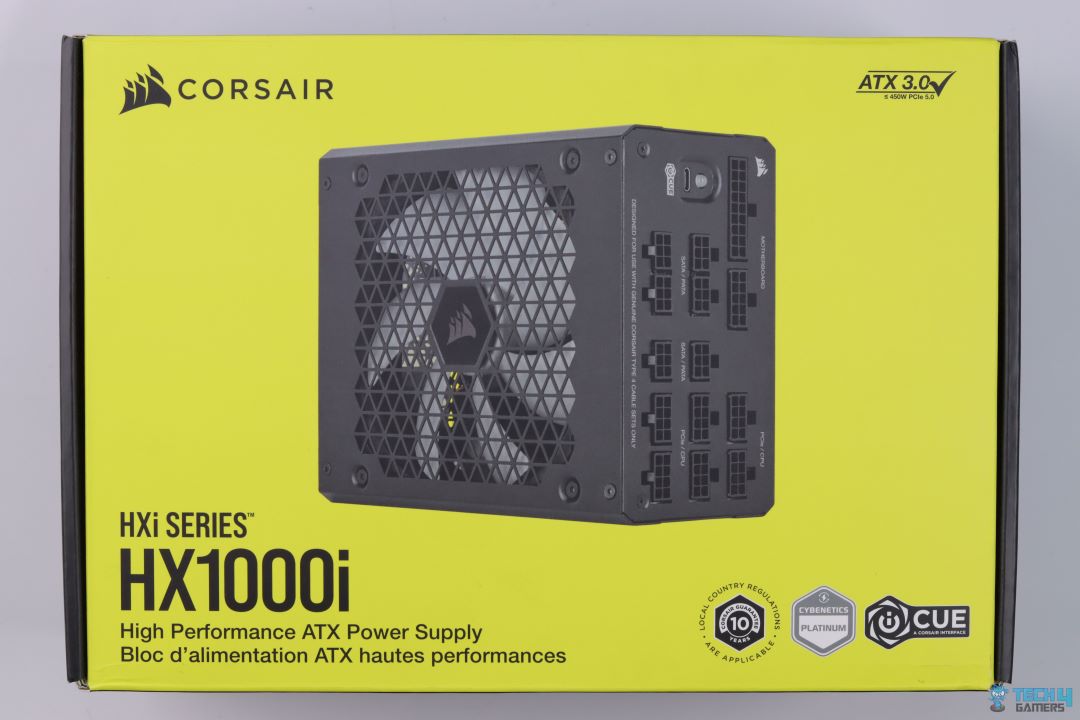
Understandably, the HX1000i comes in the same packaging as I saw during my HX1200i’s testing. We get the Cybenetics, iCUE, and 10-year warranty logos, and of course, now it has the ATX 3.0 branding as well.
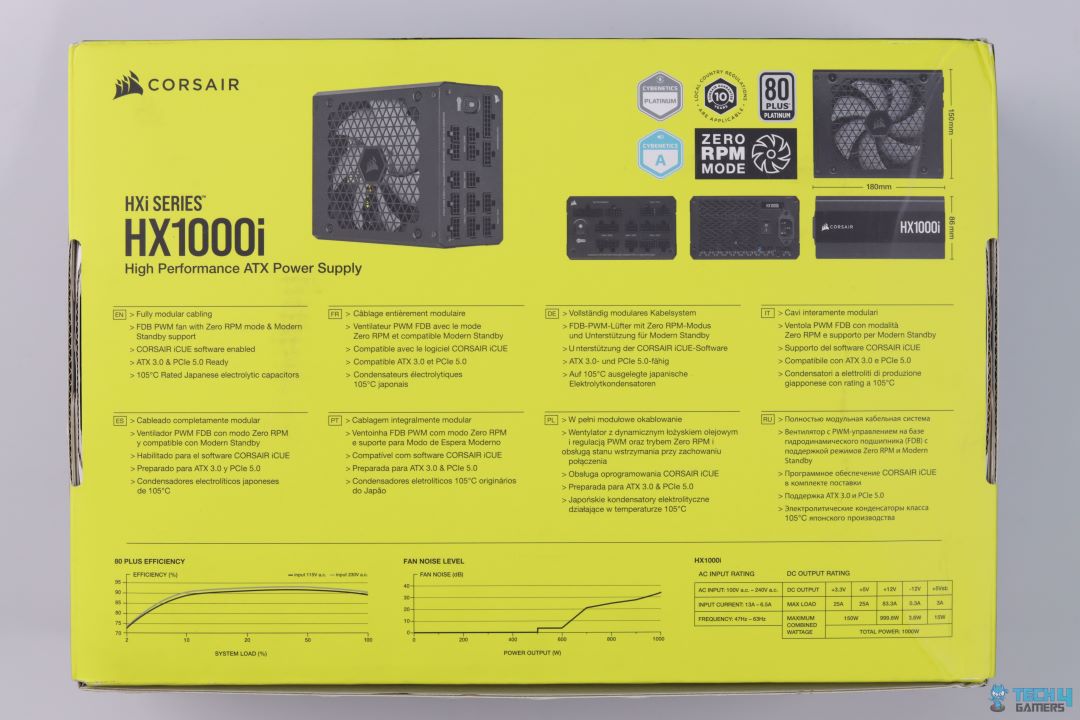
The back has the dimensions of the PSU, some more logos, and the key features listed in different languages. There are also graphs to show the efficiency and noise levels.
Unboxing
Unboxing
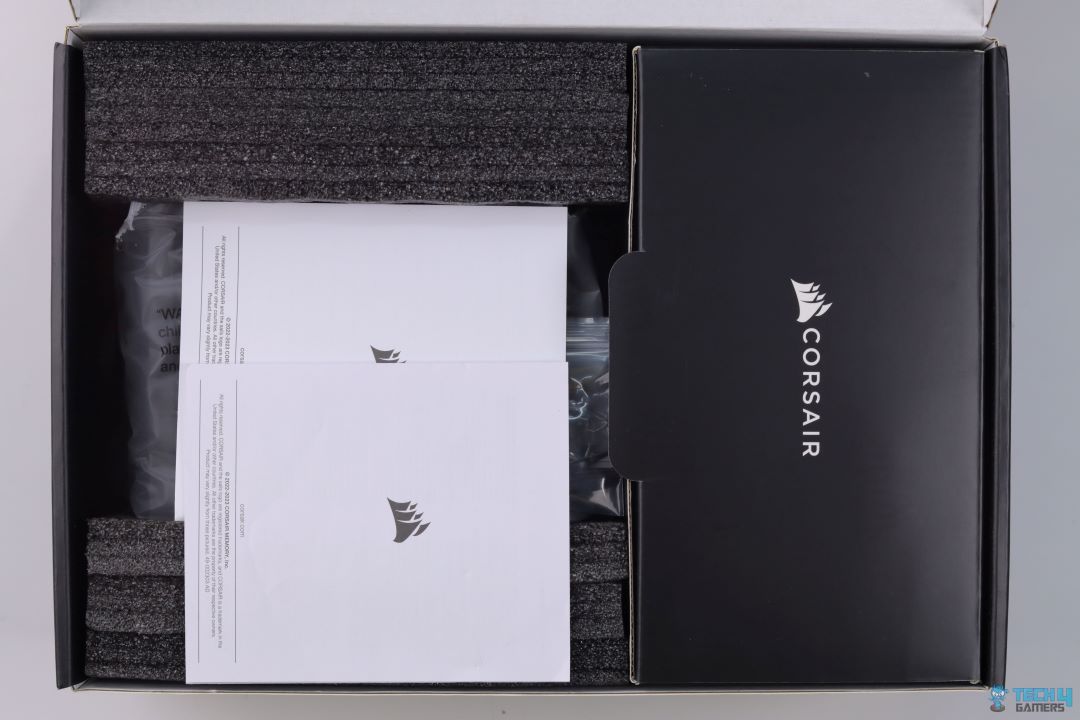
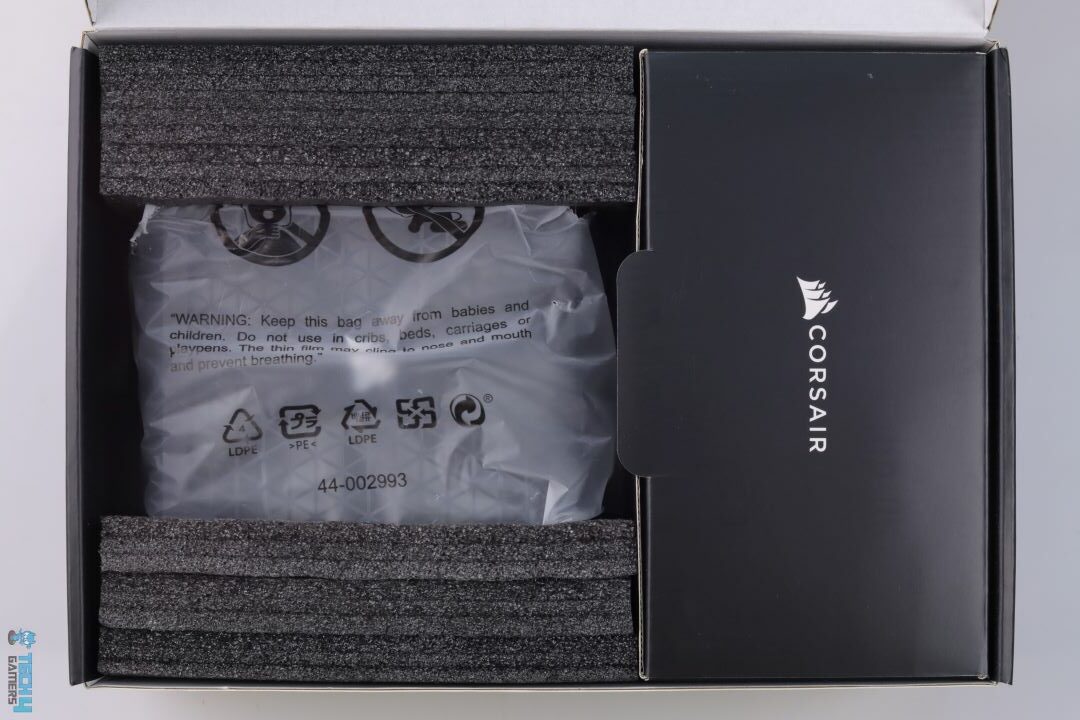
There are no complaints regarding the protective measures of the PSU. It has a nice foam packing that keeps everything safe and secure. The accessories come in their separate box.
Design
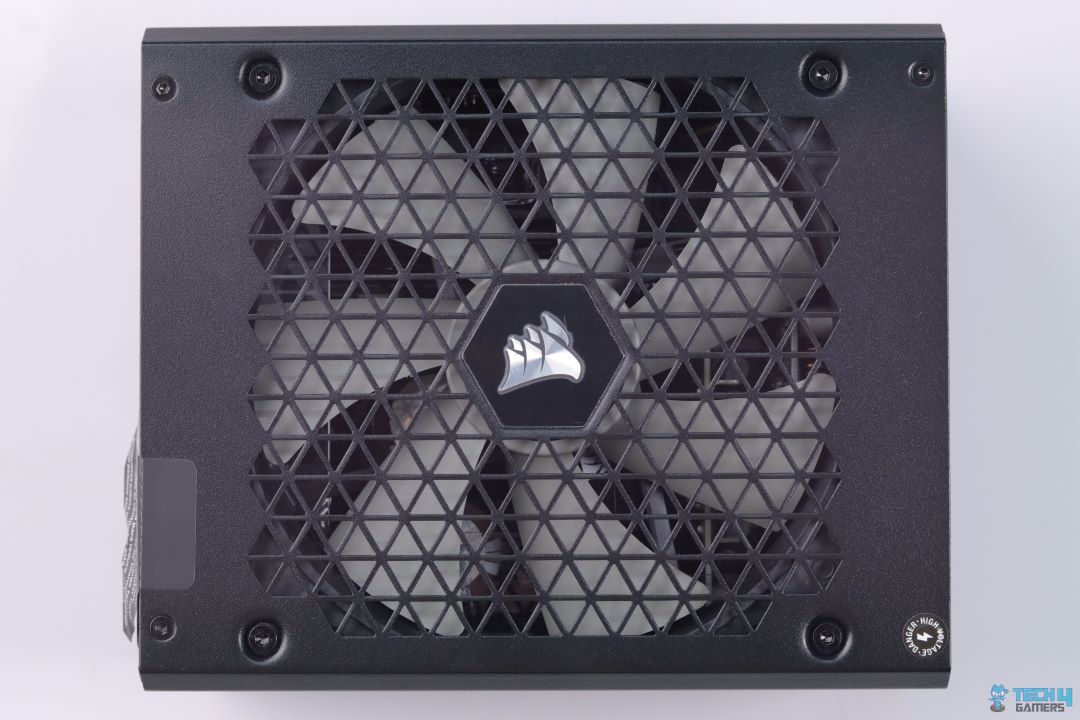
PSU Front
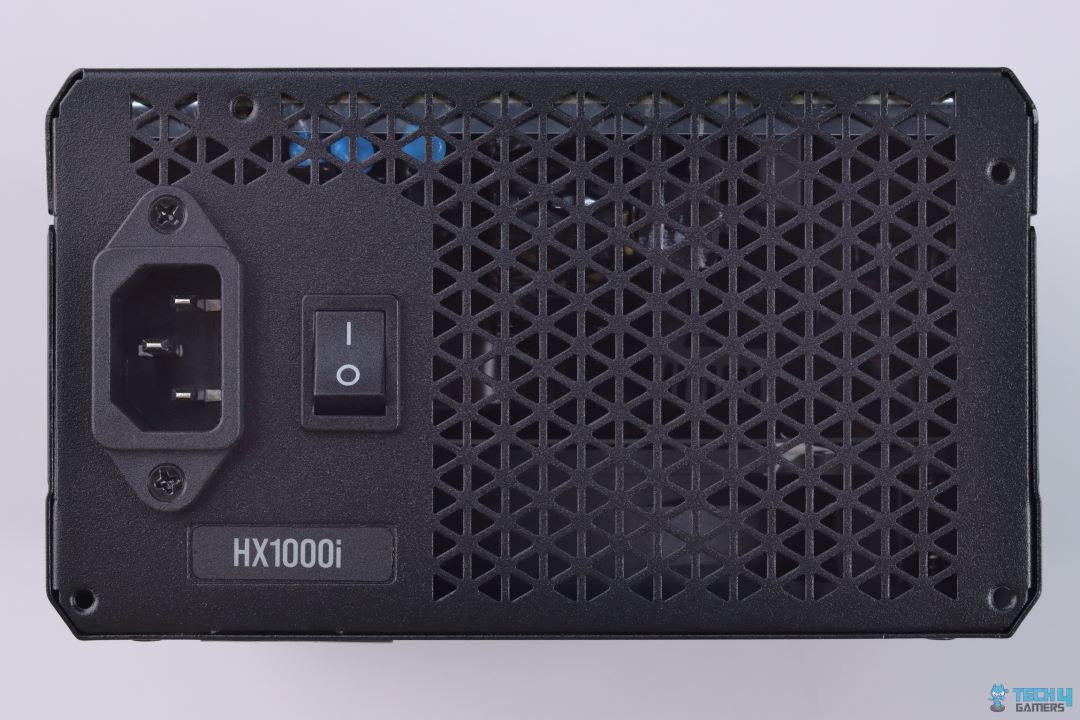
Rear View
The design is rather decent. I like the accent color of the fan that makes it pop up against the black shroud. There is plenty of room for ventilation (in the form of triangular cut-outs).
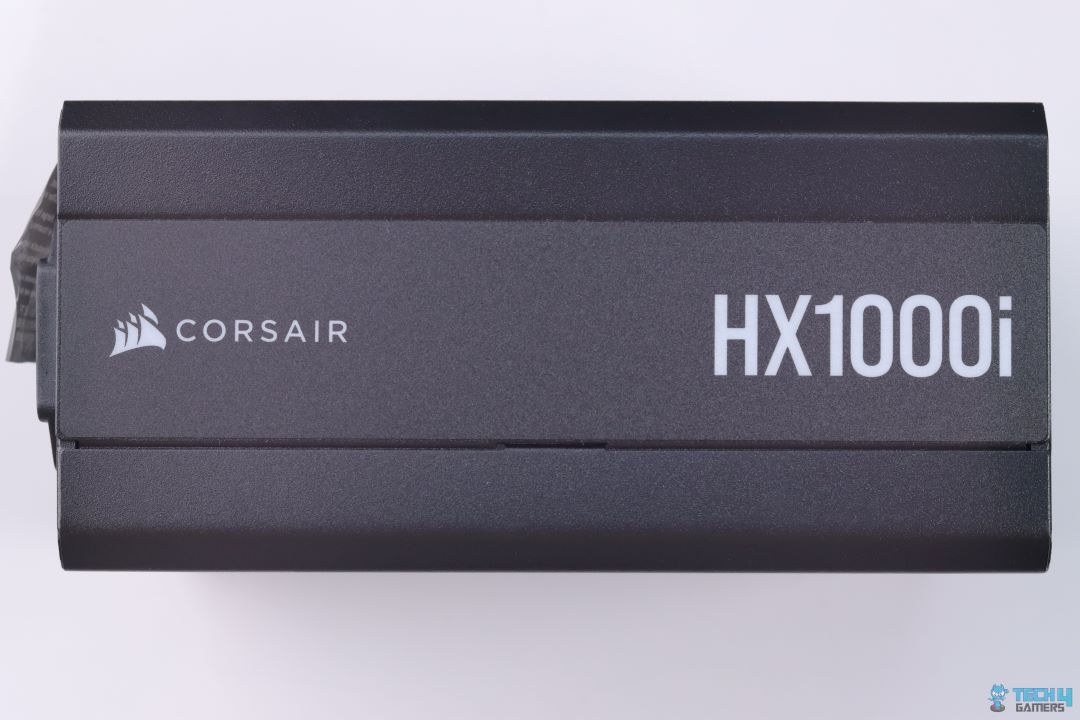
PSU Side
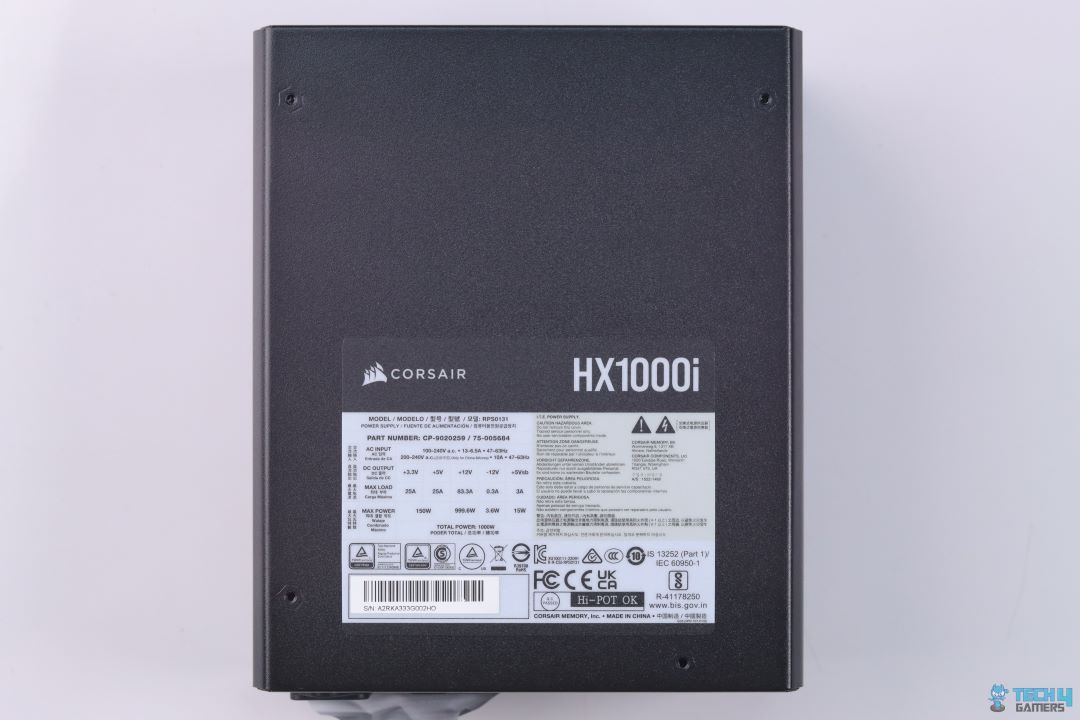
PSU Power Specs
The PSU sides have a simple HX1000i logo and the back has the power specs listed.
Cable & Connectors
Corsair Link Cable (Image By Tech4Gamers)
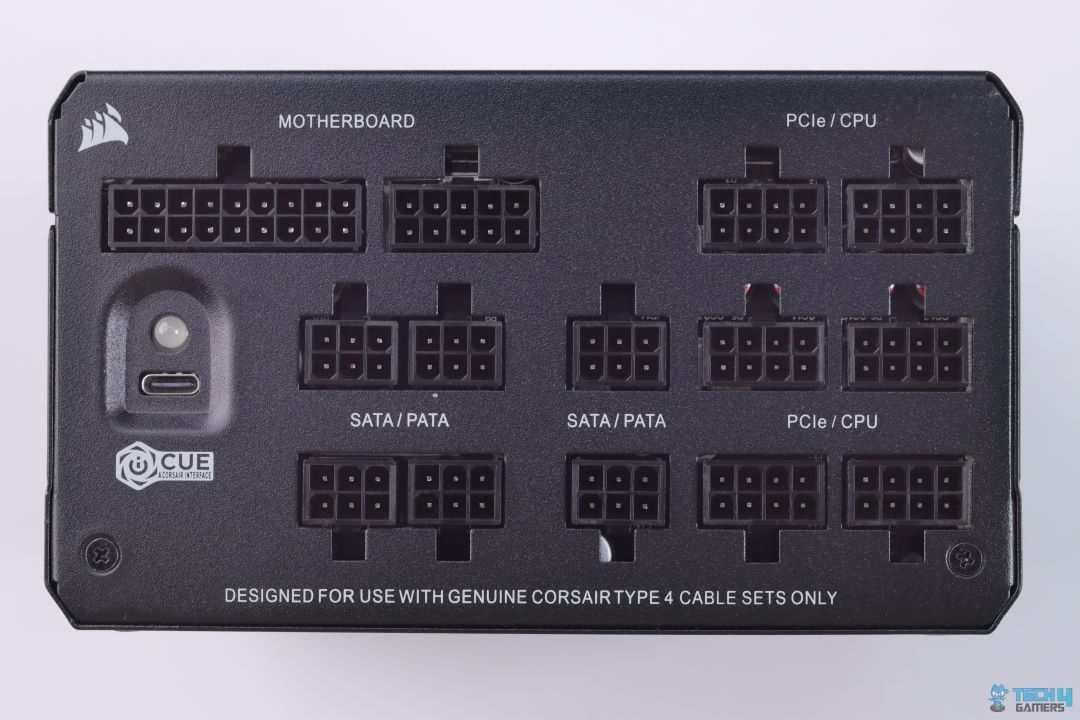
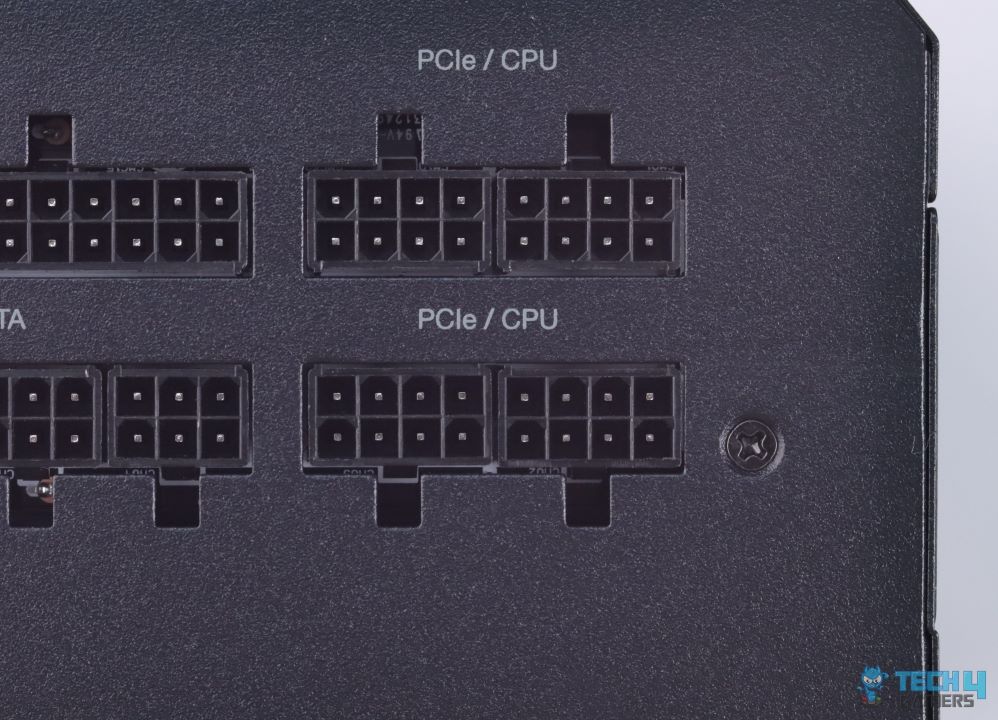
The overall quantity and length of included cables are more than enough for any ATX build. The 24-pin ATX connector is sleeved while the rest are flat. I would have liked more sleeved cables but it is not that big of a deal. The included Corsair Link Cable plugs into the USB-C port at the connector side of the PSU (Image below).
Here is the list of all connectors:
Cable Type
Quantity
ATX Connector
1
EPS Connector
2
SATA Connector
8
PATA Connector
8
PCIe Connector
5
Modular Bay
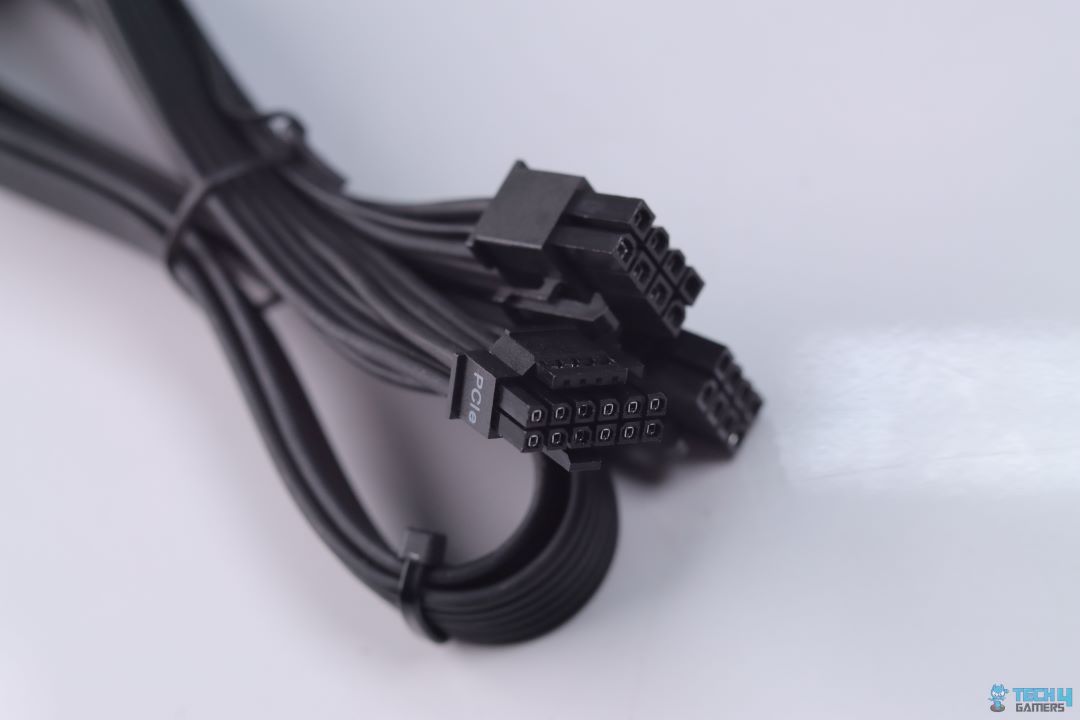
2×8-pin to 12VHPWR Cable
The lack of a native 12VHPWR is a big letdown. It was the same situation with the HX1200i Platinum and RM850e Gold that I tested. While the overall design and build quality of the PSU is top-notch, including support for native 12VHPWR would have made things a lot better.
Teardown & Component Analysis
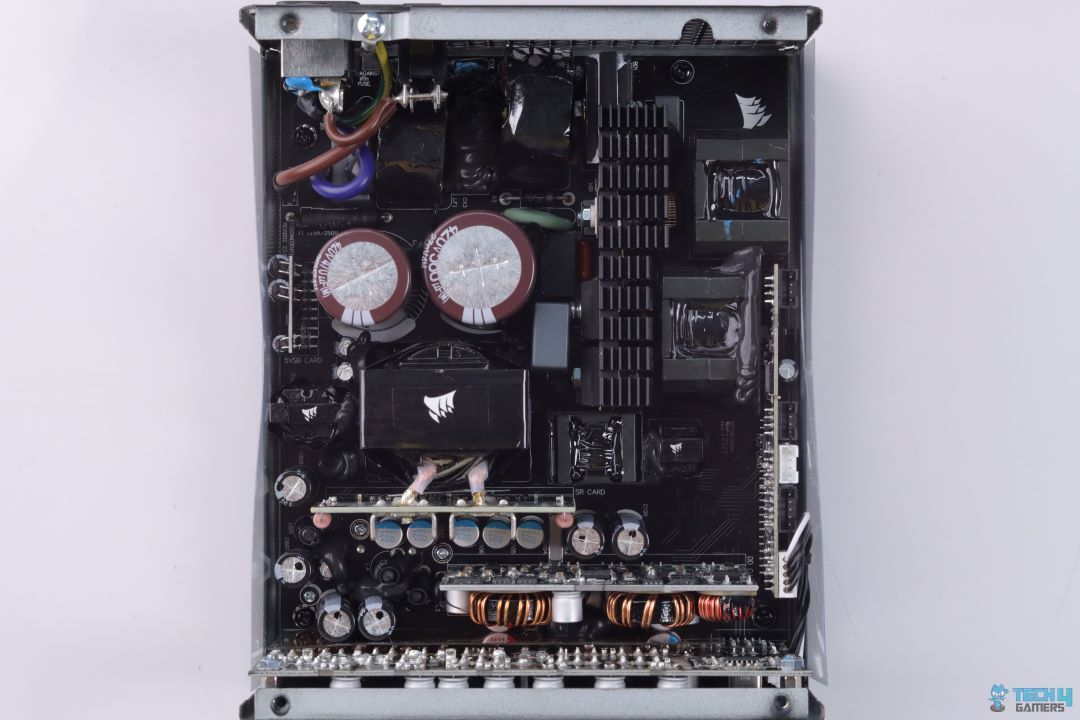
Internal Layout (Image By Tech4Gamers)
Similar to other PSUs from Corsair, the HXi series is also using the platform from CWT which looks very similar to what I have previously seen when testing XPG Cybercore II 1000W PSU. CWT has made slight modifications as requested by Corsair in order to extract as many performance numbers as possible.
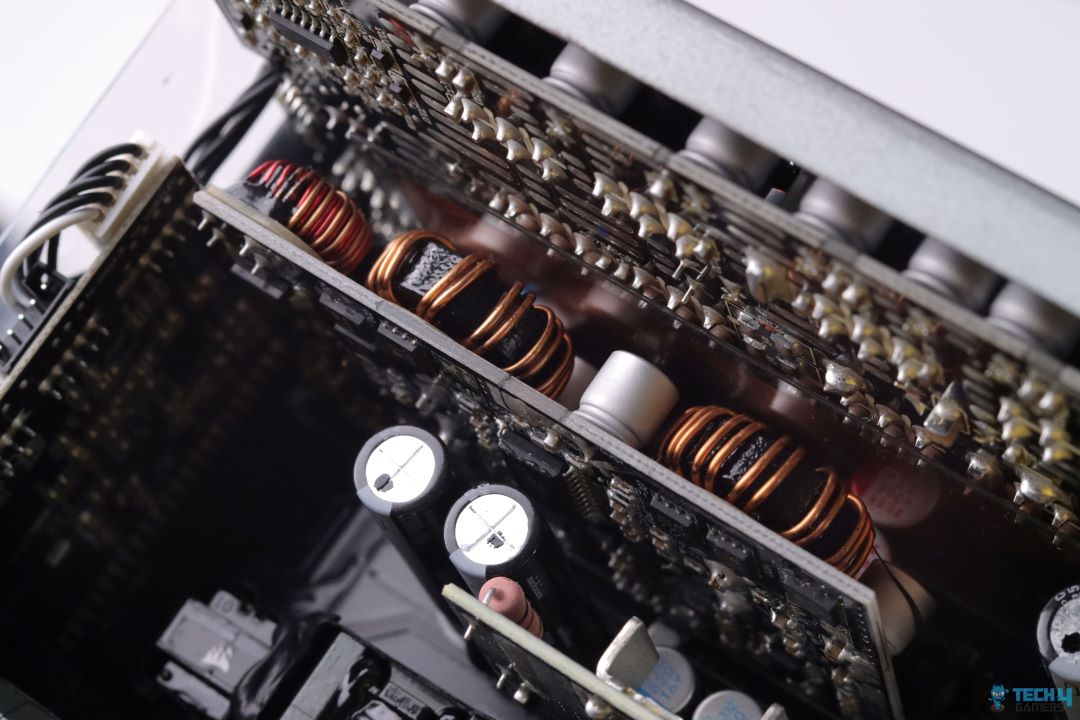
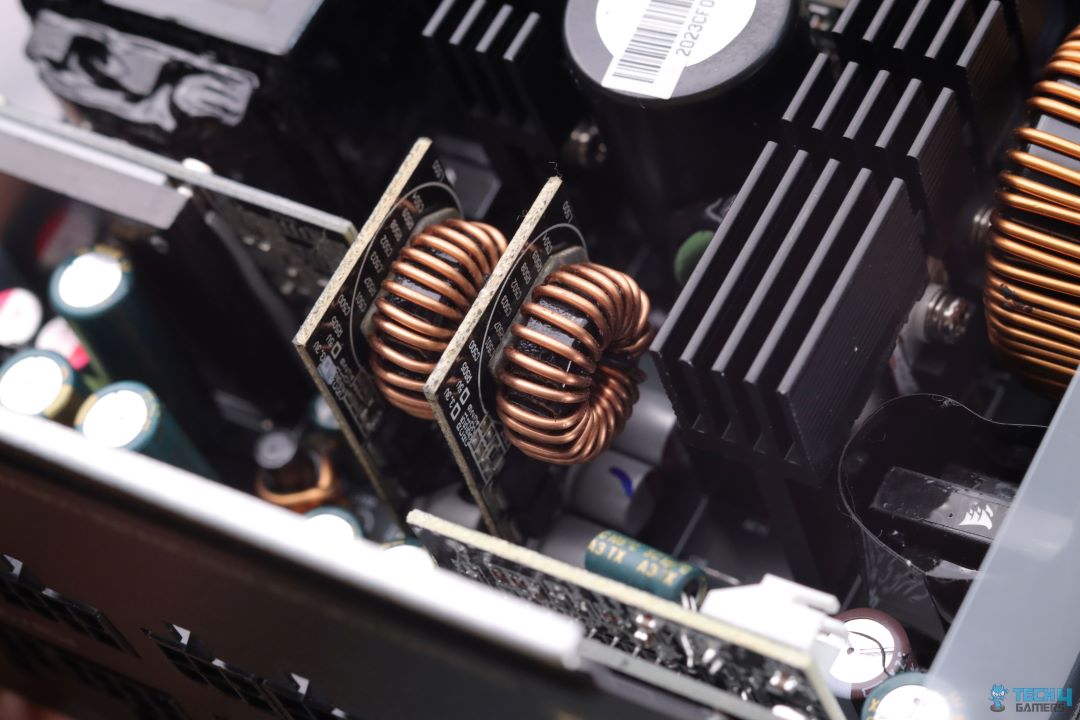
2x Interleaved PFC Inductors
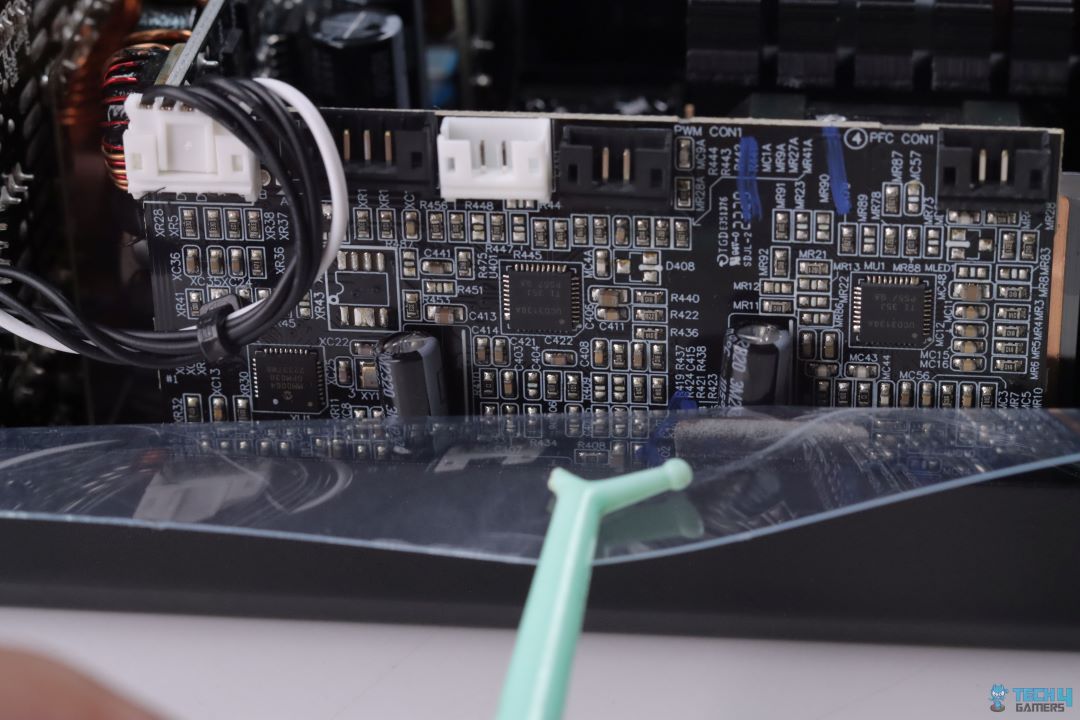
Digital Controller Board
Being a Platinum-rated PSU, we get to see the use of Interleaved PFC which offers higher efficiency numbers compared to standard APFC used in Gold. This platform from CWT offers Semi-digital functionality for Interleaved PFC and 12V rail conversion, the rest of the voltage rails i.e. 5VSB, 3.3V and 5V are generated via traditional analog conversion.
PRO TIP: With the use of Digital Controllers & Microcontrollers, the HXi series also offers software-controlled options via iCUE link software, which allows its users to monitor power analytics as well as control individual voltage rails. Users can also adjust fan curves to their better liking.
Internals
1 of 3
Primary Side Components Heatsink
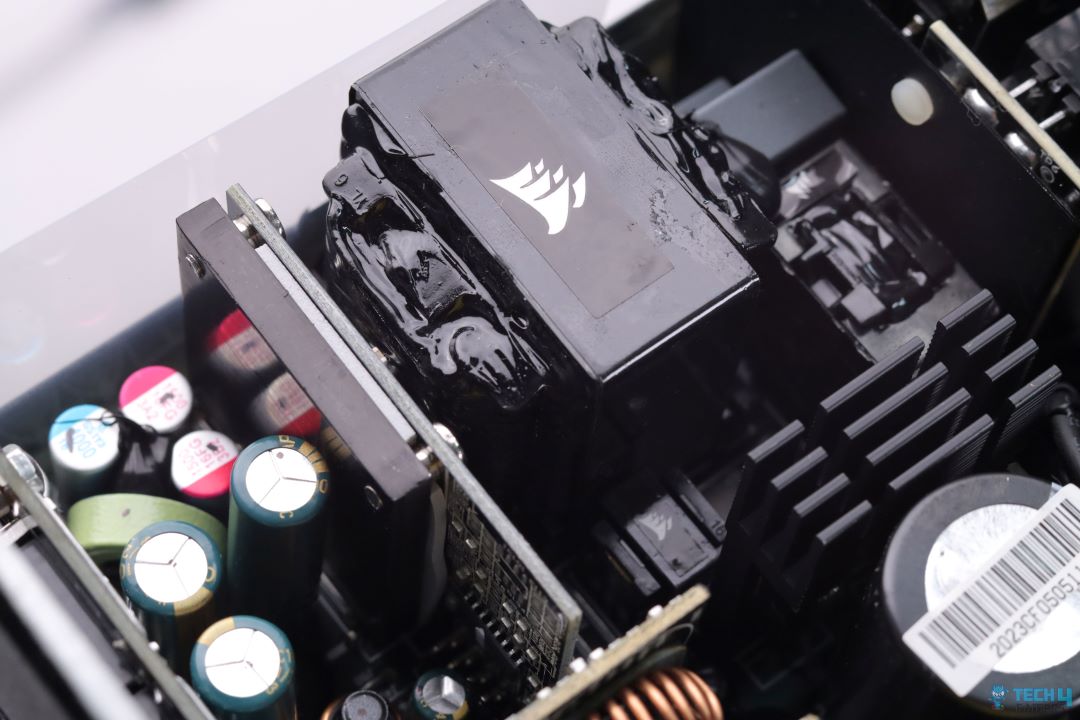
Main Transformer
DC-DC Converter for 5V & 3.3V
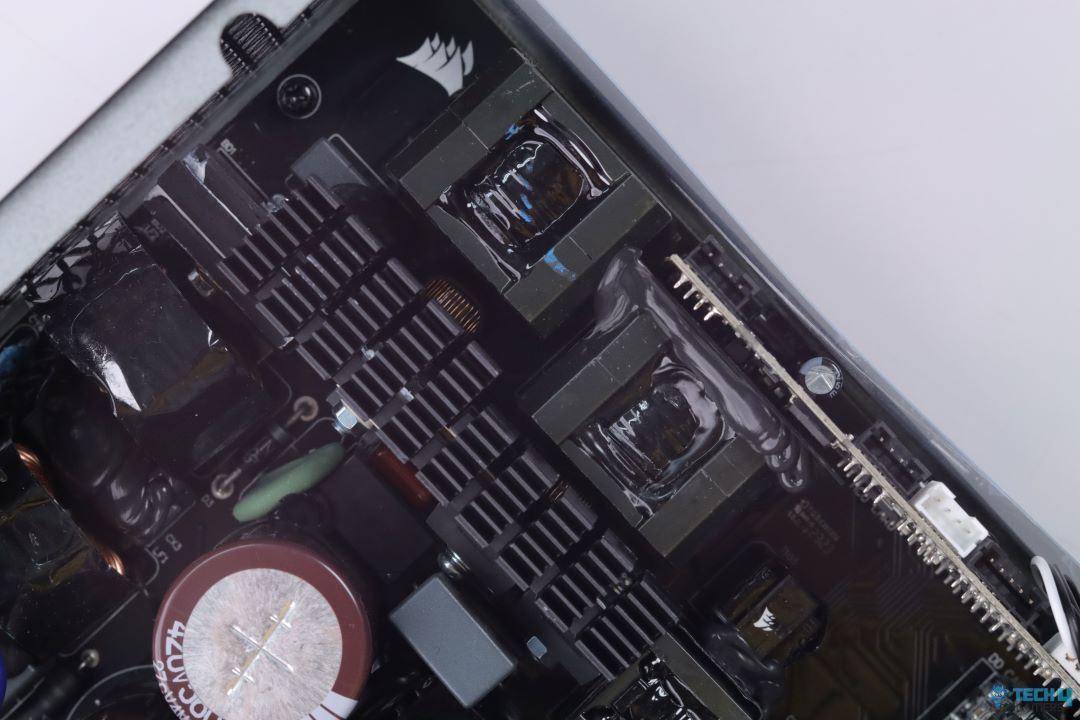
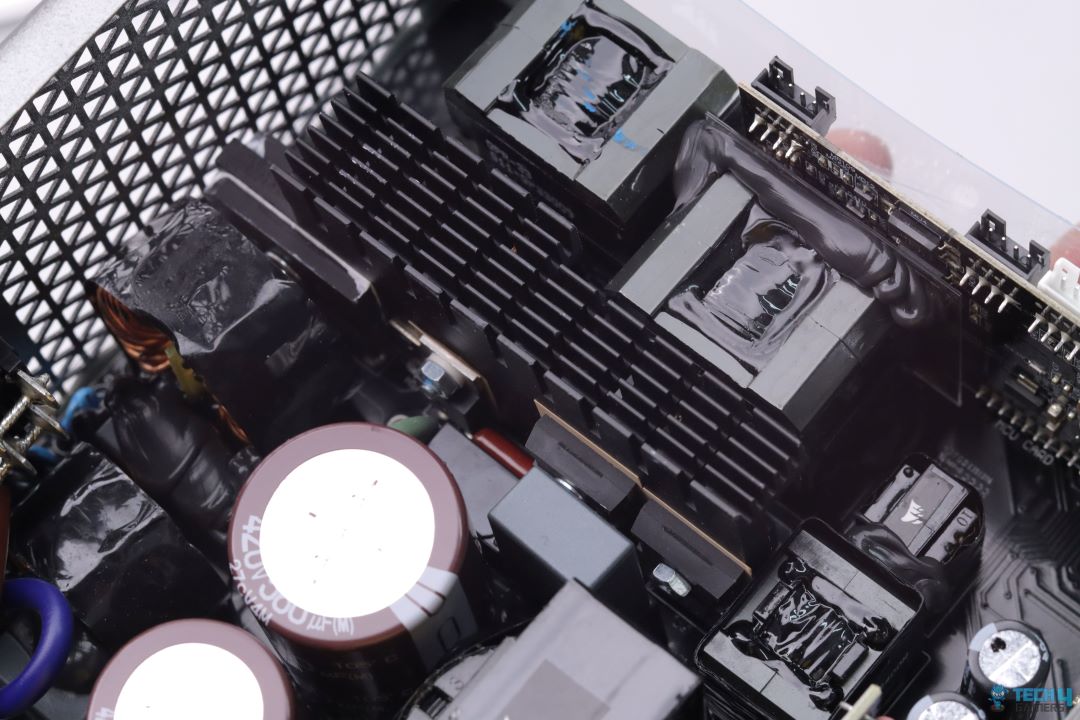
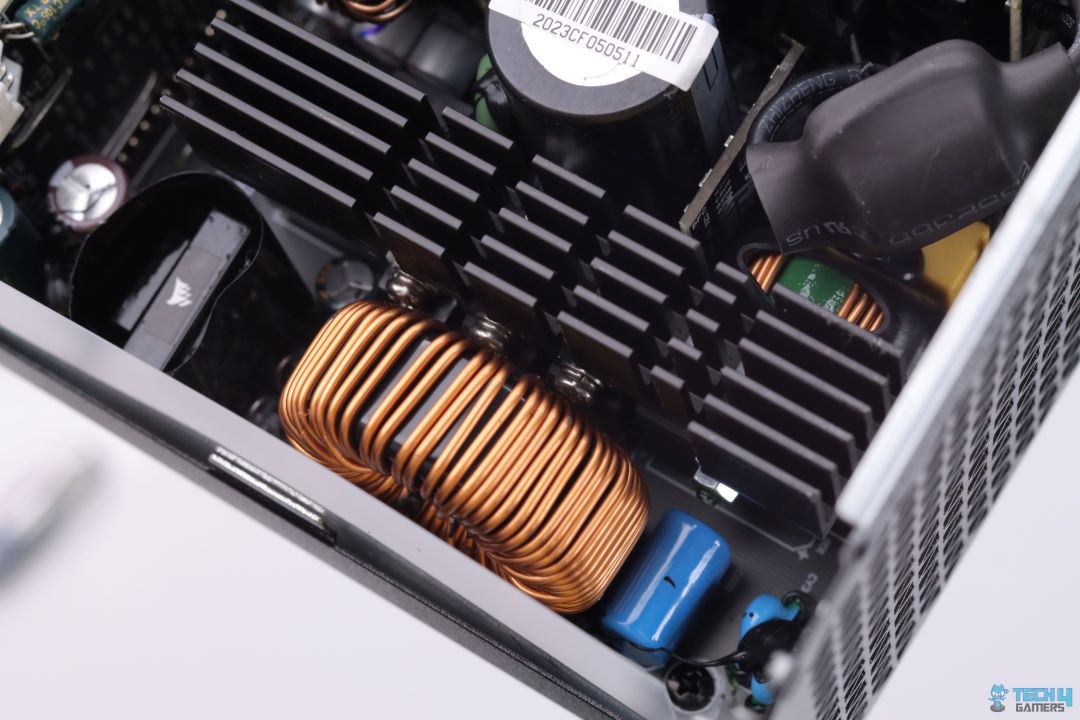
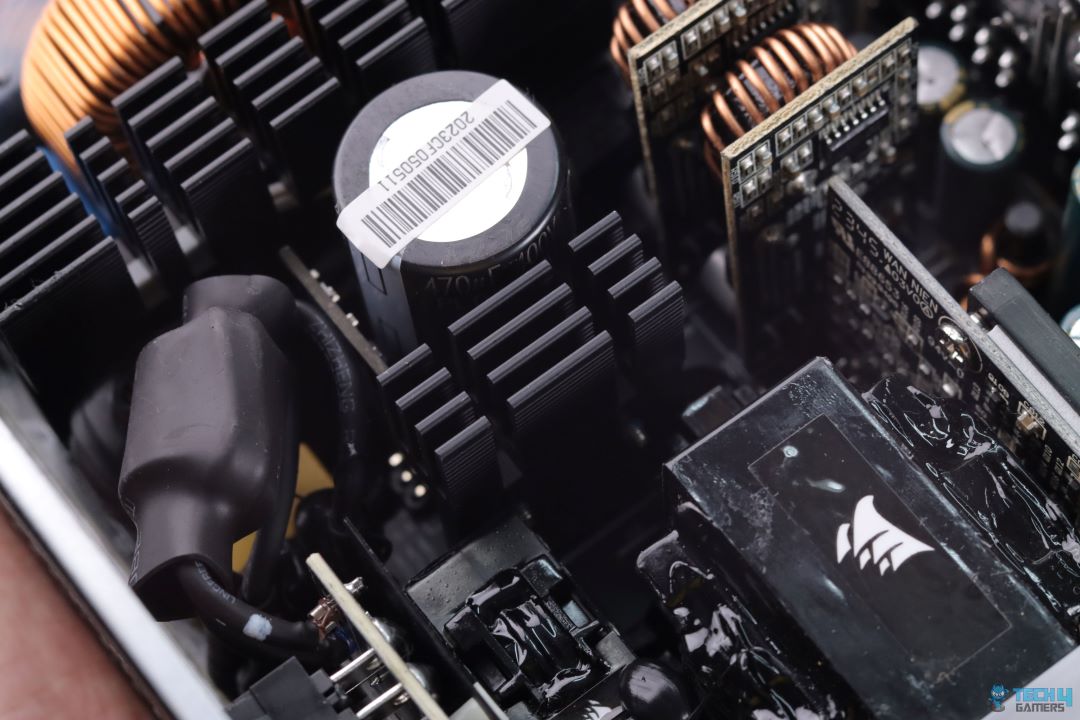
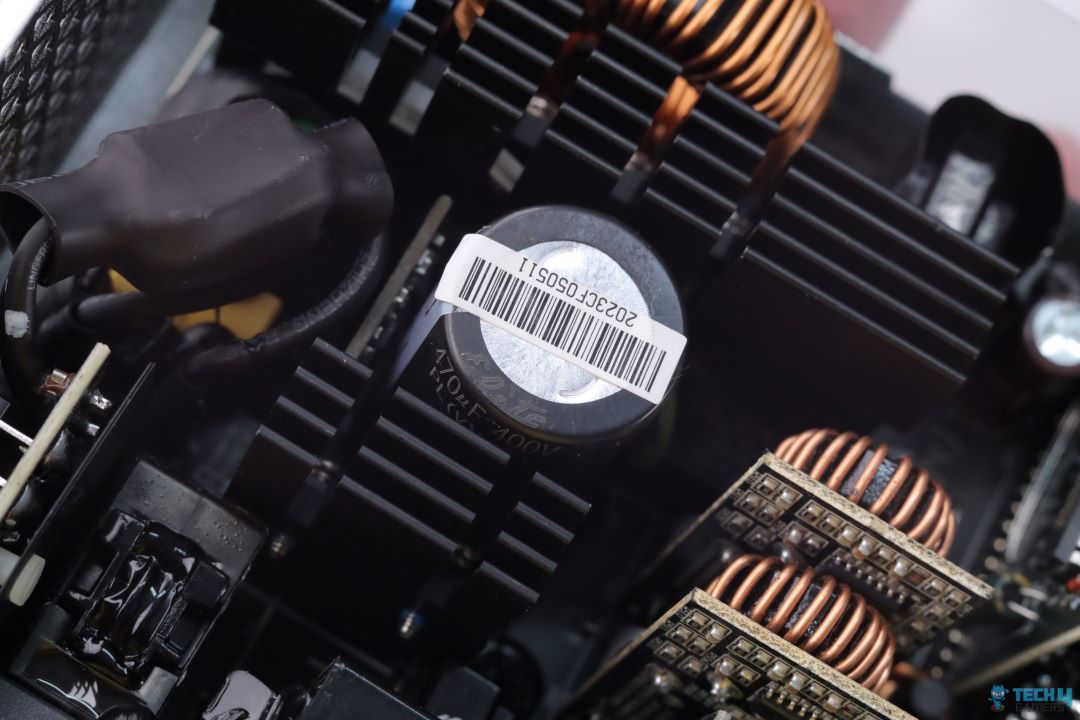
All the Primary side components; Interleaved PFC MOSFETs and their Boost Diode along with the main Transformer switching MOSFETs, arranged in a half-bridge topology, are all mounted on a single but wide-spread aluminium heatsink.
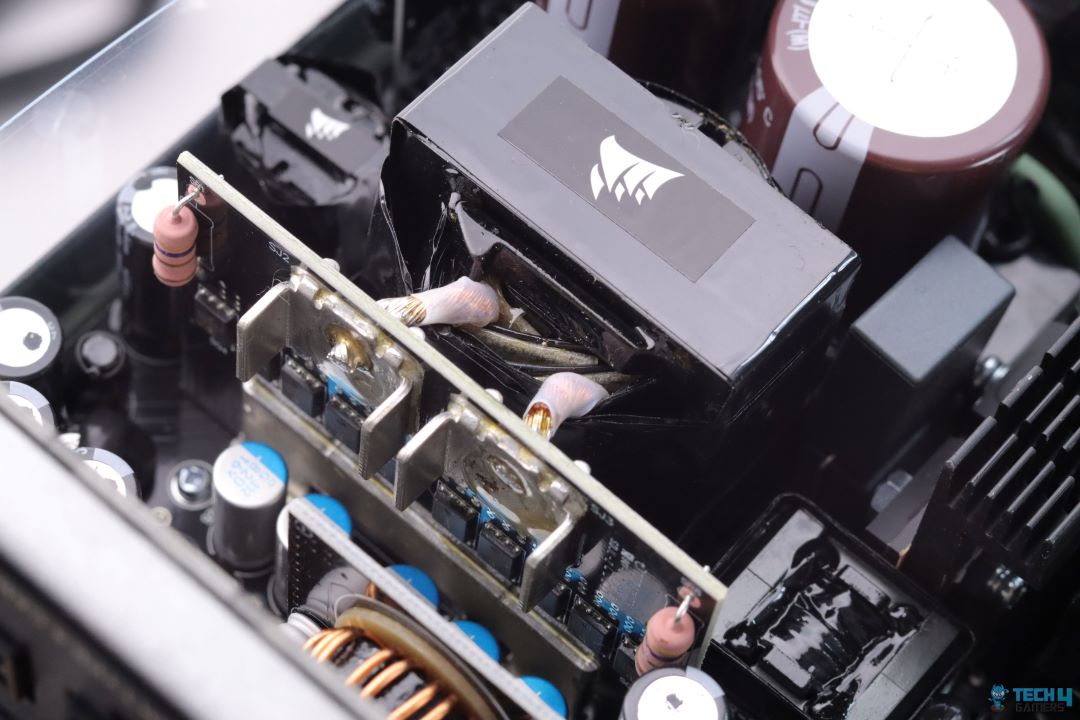
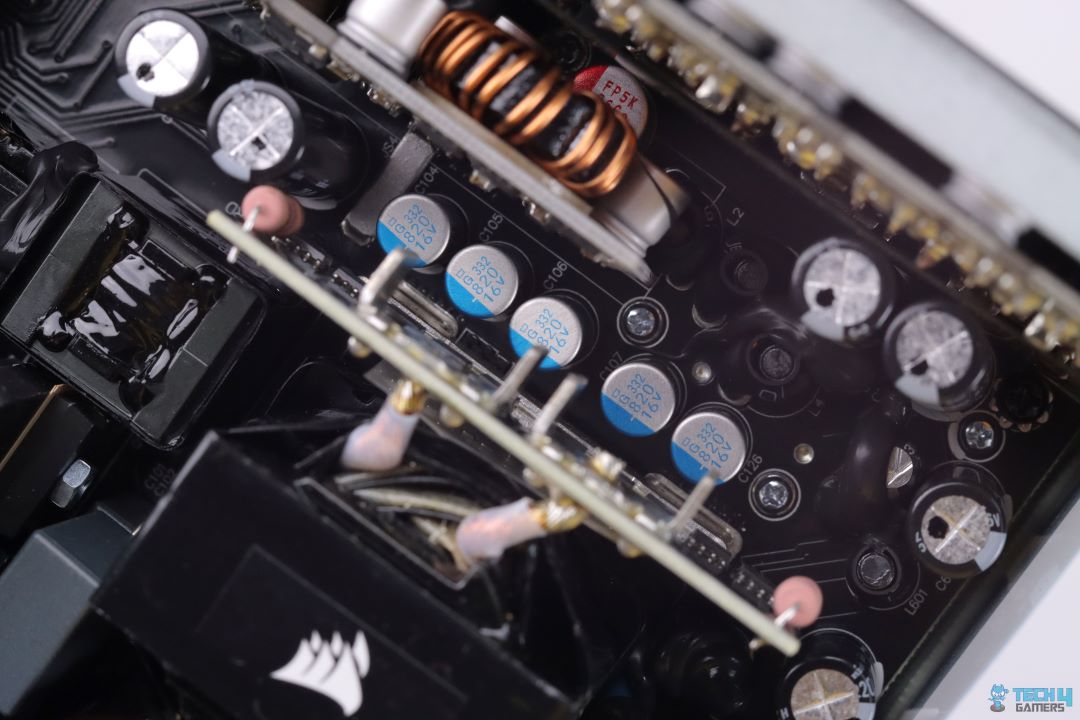
The main transformer which delivers 12V rail is being driven with the help of LLC topology in an effort to reduce switching losses. The Transformer is directly soldered to the PCB on which 12V rail MOSFETs are soldered to further improve conversion efficiency. Minor voltage rails are being generated via a DC-DC converter board mounted vertically to save up some space.
Internals
1 of 3
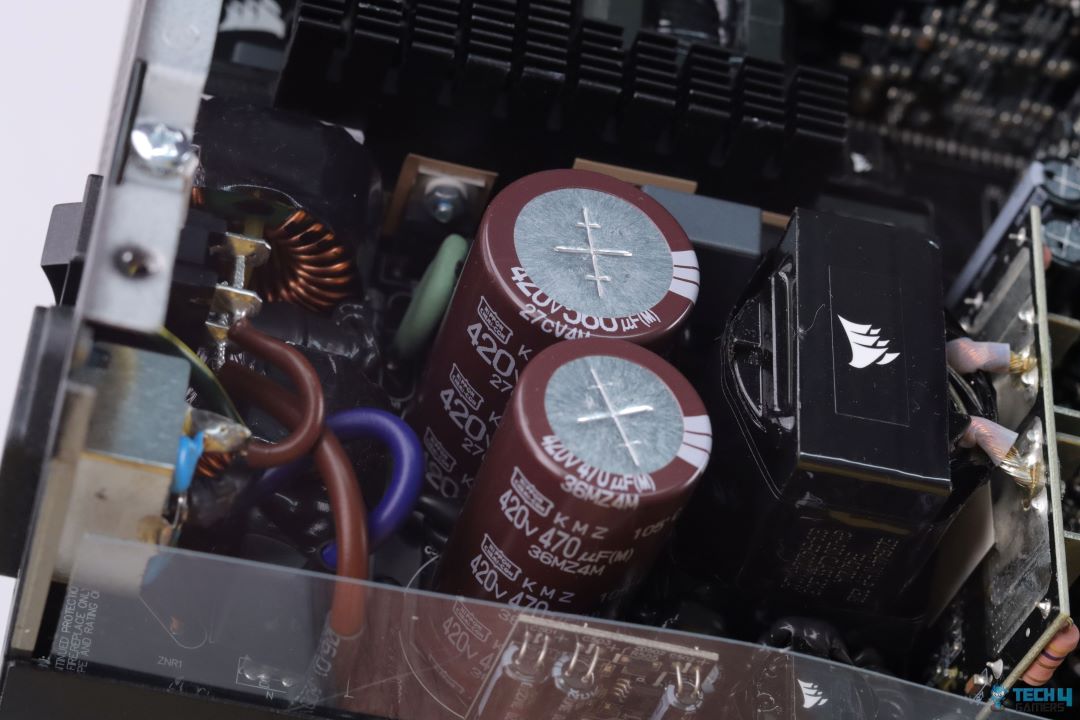
Bulk Electrolytic Capacitors from Nippon-Chemicon
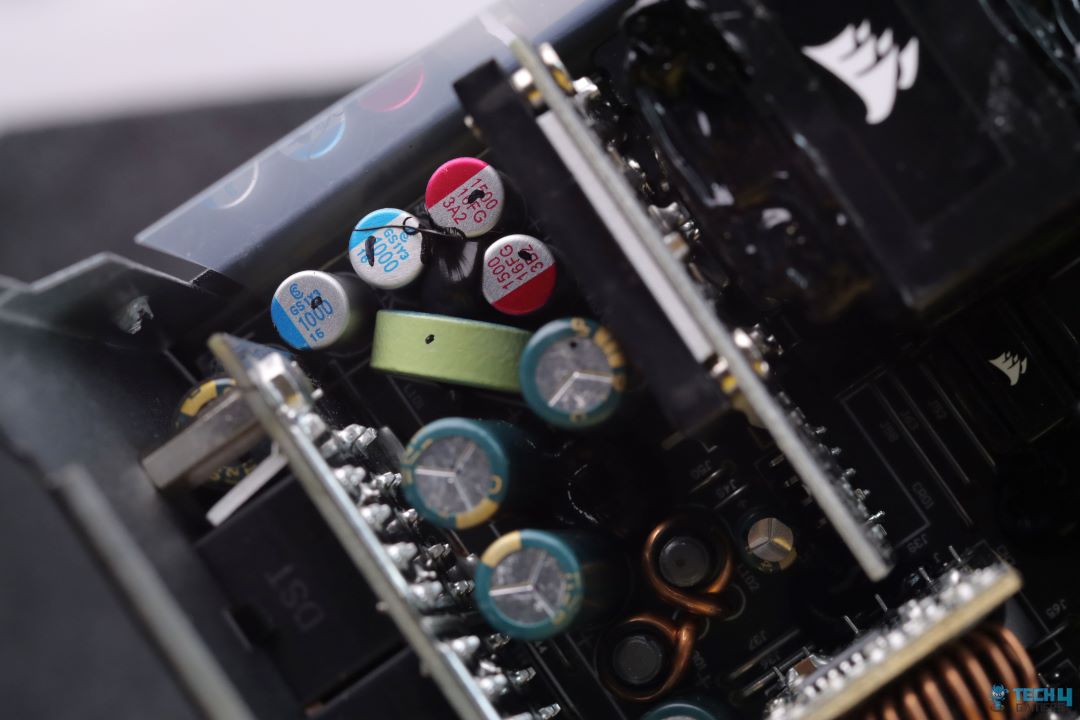
Electrolytic Capacitors from Nichicon
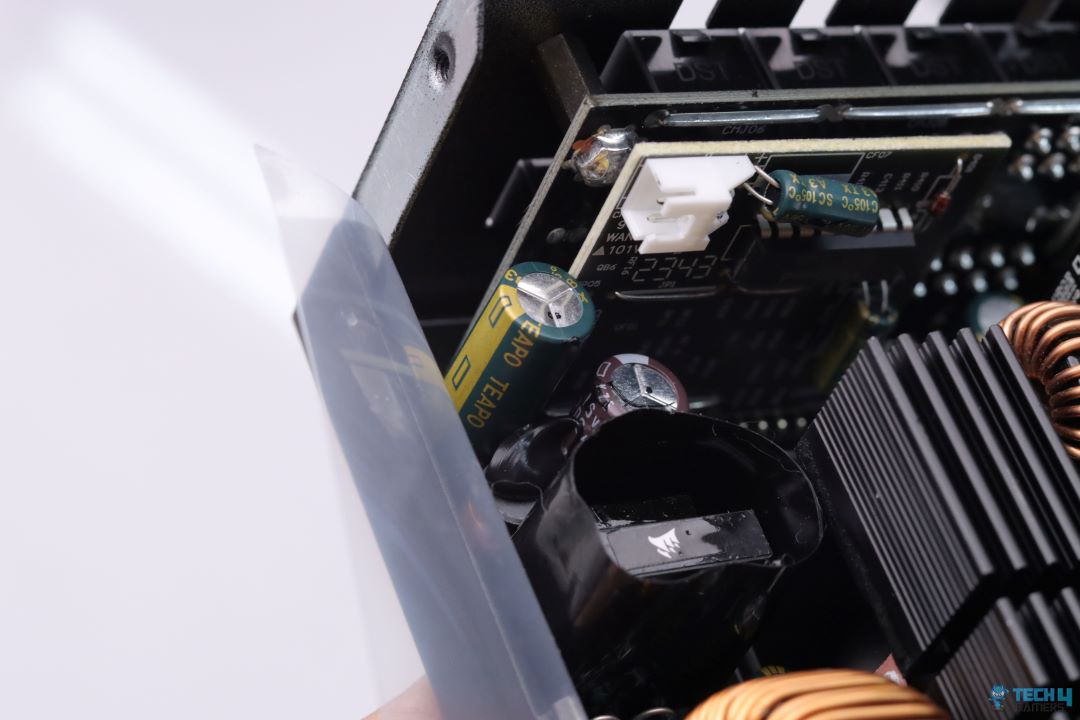
Polymer Capacitors from United-Chemicon
Being the best offering from Corsair, CWT has used high-quality components including top-of-the-line Japanese Electrolytic as well as Polymer capacitors from Nippon-Chemicon, Nichicon and United-Chemicon. Having such high-class components in a PSU can easily surpass 10 years of warranty duration.
Teardown Of The 140mm Fan (Image By Tech4Gamers)
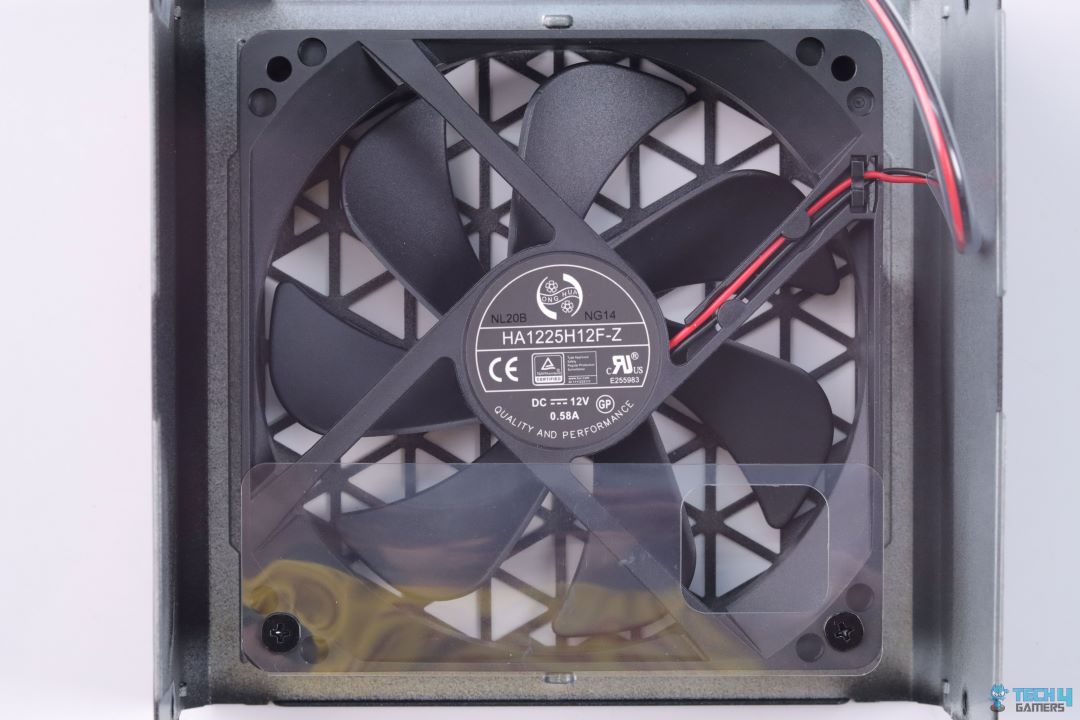
Unlike many other PSU brands that use Hong Hua’s fan in their PSUs, Corsair settles onto their own Fluid Dynamic Bearing fan for quieter operation. Corsair HX1000i offers hybrid fan functionality where the fan only spins when the load reaches specific levels.
PSU Load Testing
Testing The HX1000i (Image By Tech4Gamers)
12V & Minor Voltage Rails Regulation
Difference In Regulation (Image By Tech4Gamers)
Load in %
12V
5V
3.3V
20%
12.09V
5.08V
3.31V
50%
12.03V
5.07V
3.30V
70%
11.98V
5.07V
3.30V
90%
11.98V
5.07V
3.30V
100%
11.98V
5.07V
3.30V
Voltage regulation could be better. Though Intel with the new ATX specifications allows 12V rail to drop further than what was allowed previously, and HX1000i’s voltage drop is nowhere close to those lower allowed limits, but still, tighter voltage regulation reflects better design PSU especially when it is a Platinum-rated.
PSU Efficiency
Average Efficiency (Image By Tech4Gamers)
Load in %
Efficiency
Power Factor
20%
92.72%
0.968
50%
93.73%
0.992
70%
92.99%
0.996
90%
92.40%
0.997
100%
92.12%
0.998
HX1000i’s efficiency performance was not on par with the Platinum PSUs we have tested so far. A semi-digital PSU should perform better in this test. Corsair and CWT should further tune this platform for higher efficiency.
Corsair with its high-end PSUs is known for sweeping out the competition in this specific test. Extremely lower voltage ripples (under 10mV) require intensive re-engineering and modifications which Corsair has achieved in the past for their AXi series PSUs that have sadly been long discontinued.
This time around though, HX1000i clearly manages to live up to the same old tradition with its exceptional voltage ripple results.
Temperatures
Thermal Performance
1 of 3
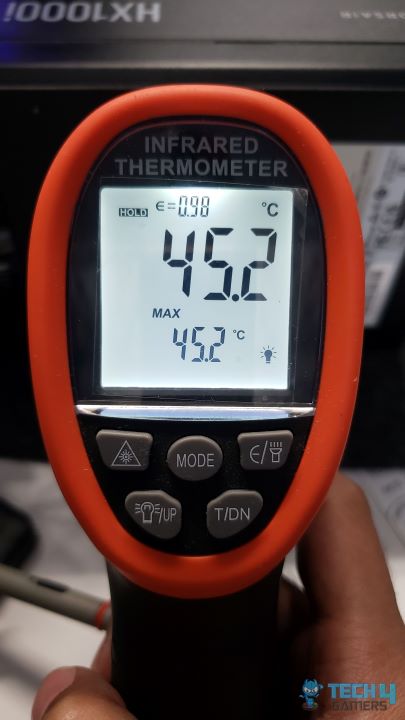
Max Temp at Back (Image By Tech4Gamers)
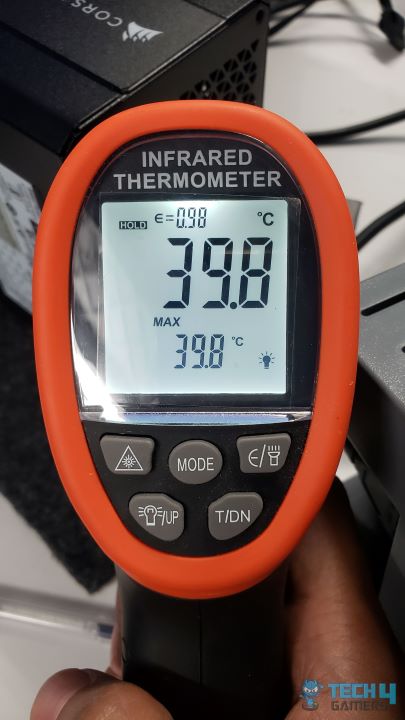
Max Temp Exhaust (Image By Tech4Gamers)
Max Temp Cables (Image By Tech4Gamers)
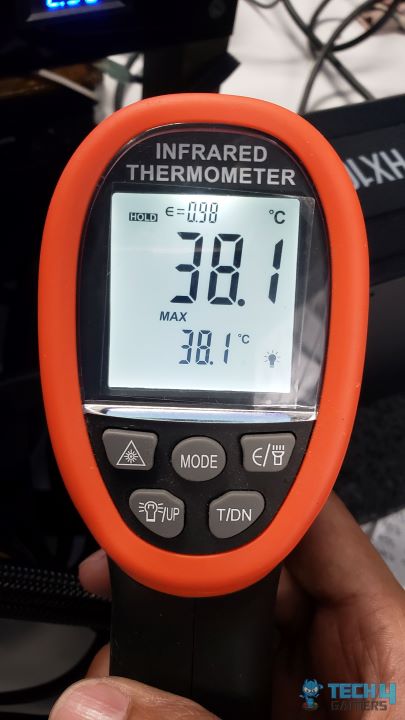
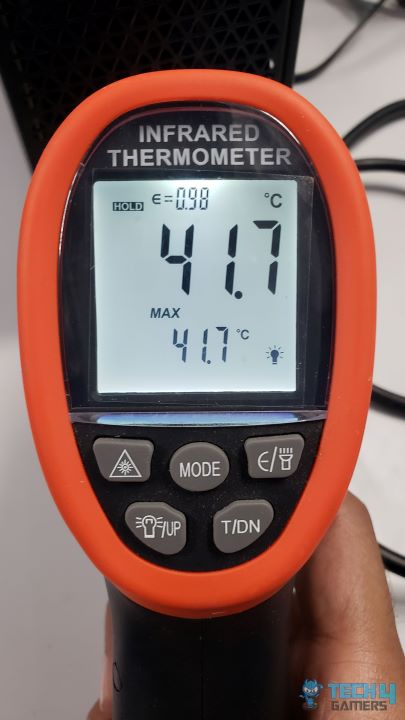
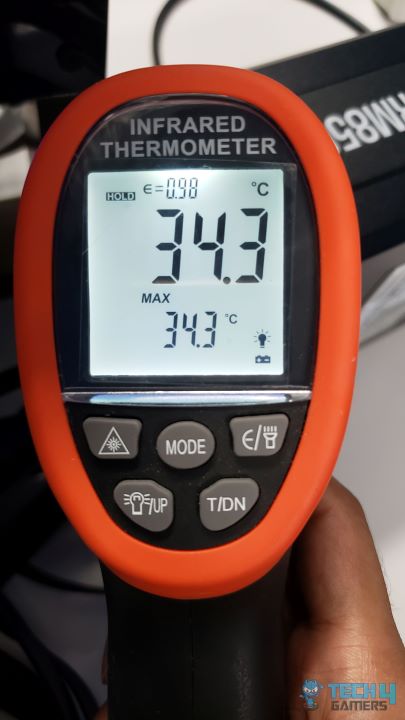
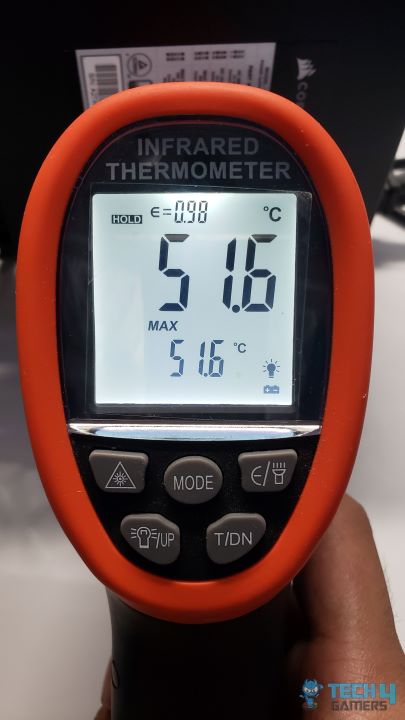
PSU performed pretty silently throughout and the fan only started spinning at around 640W. Temperatures were well controlled with the max hottest point on the back only hitting 45.2C.
Should You Buy It?
Buy It If
✅You want an investment that can last: 1000W PSU these days should be a minimum investment to handle the most power-demanding components of current and upcoming generations. With Corsair HX1000i’s 10 years of warranty, your money will be well spent on.
✅You are into extreme OC: With its exceptional voltage ripple performance and individual 12V control over iCue software, overclockers will not have much trouble in reaching the top score charts with HX1000i.
Don’t Buy It If
❌A 1000W PSU is an overkill for your PSU: If you won’t be pairing an extremely high-end system with this PSU then you may find it excessive for your use.
My Thoughts
Corsair once again tried to get on top with its semi-digital HXi series PSUs with the latest ATX 3.0/3.1 compliance and though HX1000i did achieve better results than some of the competitors and managed to maintain exceptional voltage ripple performance still I was expecting better results in other tests as well.
At T4G, my task is to cover the latest news around the gaming globe ASAP and with the utmost precision. I adore all the games and respect all the devs behind the amazing games that we get all year. So, whether it’s a PC or a Console game, I got it all covered.
Story Highlights
Forza Motorsport has lost most of its player base just a year after its launch.
The game currently averages less than 1000 players daily, and the number is going down.
Its overall Steam player base is down by a whopping 80%, making it difficult to play online in full lobbies.
Forza Motorsport was released last year and promised to be among the best racing simulators ever. However, things took a turn in the opposite direction. It didn’t receive the best reception and launched to mostly negative reviews on Steam.
While it never had a huge player base, to begin with, fans who stuck with Forza Motorsport seem to be moving on. The game currently averages below 1000 concurrent Steam players daily.
Why it matters: Forza Motorsport was supposed to tower above other racing simulators. However, a poor progression system and other issues led to the game performing below expectations.
Forza Motorsport has now lost most of its player base
As it stands, the game is down to just 20% of its launch players.
Fans on IconsEra have stated that the lobbies are in a very dire state. Previously, they used to be matched in lobbies with more than 30 players, but now they are struggling to find 8 to 10 players. This is happening with cross-play between Xbox and PC.
The Forza franchise has always been loved by fans. Seeing it fail this way would be disappointing and astonishing for Microsoft, considering it has always had positive reviews. For context, Forza Horizon 5 currently has over 24K peak concurrent players.
Since launch, Turn 10 has made quite a few improvements to the game, but it seems these have not been very effective. Most people have already moved on, and the developer provides little incentive to return.
Forza Motorsport looks stunning but lacks good progression
Unfortunately, the game has been struggling ever since its launch. Just a few days after launch, Forza Motorsport dropped below the top 30 most-played games on Xbox. Peaking at just around 4K Steam players on release also shows the bigger picture.
While the game undoubtedly looks gorgeous, analysts concluded that Forza Motorsport fell behind Gran Turismo 7 in terms of visuals. Unfortunately, the latter isn’t planned for PC, but it did have a better overall reception.
Still, there is no denying the positive aspects of Forza Motorsport. It is still a solid racing game for those looking to experience the thrill of track racing. Perhaps the title will even go through a resurgence if Turn 10 continues to offer updates at a consistent pace.
At Tech4Gamers, I hold the role of a News Reporter, where I merge my passion for gaming with my knack for storytelling. This unique blend allows me to bring you the latest updates, reviews, previews, and features from the gaming world.
Story Highlight
Larian Studios CEO Swen Vincke recently reflected back on the studio’s history.
He stated that the team would have worked on Fallout or Ultima if not for Baldur’s Gate.
The developer eventually picked Baldur’s Gate because the license was free after Black Isle Studios shut down.
Larian Studios made a huge name for itself after the success of Baldur’s Gate 3. Working with Wizards of the Coast, the team has become one of the industry’s biggest names thanks to its exceptional skills in crafting RPGs.
However, CEO Swen Vincke recently highlighted that the team’s future could have been very different. Before its work on Baldur’s Gate began, the team was interested in two other IPs, including Fallout.
Why it matters: The Fallout series is one of the biggest names in the RPG genre. As such, a potential take on the series from Larian Studios would certainly have been interesting.
Baldur’s Gate 3 Set A New Bar For RPGs
Swen Vincke recently discussed his studio’s history with Edge magazine. In the interview, the CEO reflected back on the studio’s background of looking for an IP to create an RPG for.
At the time, Larian Studios wanted to create AAA projects that would help it reach a wider audience and find more success. When considering IPs for games, the CEO pointed to Fallout and Ultima.
It would have been Ultima, it would have been Fallout, it would have been Baldur’s Gate.
-Swen Vincke
Unfortunately, the team was never able to work with Bethesda, but Larian Studios’ take on Fallout would certainly lead to an interesting game.
It is important to note that the earlier Fallout games were much different. They featured turn-based combat with an action-point system, making them closer to the type of project Swen Vincke typically works on.
Nonetheless, the studio eventually worked on Baldur’s Gate because there wasn’t much else to choose from. Years of work culminated in Baldur’s Gate 3 winning Game of the Year and sweeping all industry awards last year.
Baldur’s Gate 3 Was A Great RPG
Larian Studios is now moving forward with high spirits. Its next project is not another Baldur’s Gate title, but the developer believes it has the potential to be better than anything it has released so far.
Baldur’s Gate 4 is set to move forward with a different developer, but it remains to be seen if it will reach similar heights without Swen Vincke and his incredibly talented studio.
At Tech4Gamers, I mainly cover new gaming news, leaks, and rumours. Aside from that, I love to write features about my favourite games while inserting my opinion about their different aspects.
Story Highlight
Concord’s beta was released today but failed to generate any buzz in the industry.
On Steam, it had just over 1000 concurrent players.
Over on social media, reactions range from negative to middling, with most people not being too impressed.
Concord was announced last year during the PlayStation Showcase, and fans were a little excited about this game. However, after recent gameplay was revealed earlier this year, many were left disappointed.
Concord looks like the most generic live service game ever, and PlayStation planning to release it for $40 does not seem like a great idea. Recently, the title’s beta went live, and it seems to be failing to create any buzz.
Why it matters: Concord is one of PlayStation’s biggest first-party releases for the second half of 2024. However, it may not reach the success that others like Helldivers 2 achieved.
Concord’s Beta Has Proven To Quite Underwhelming, Peaking At Just Over 1K Players
Grumzz on Twitter highlighted that the game couldn’t create any buzz. You can hardly see anyone talking about it on social media, and most reactions are far from positive.
Over on Twitter, fans have complained about slow gunplay and low damage. Others have also pointed to strange controls, with many claiming that Concord is a game for a very specific audience.
On Steam, the game has peaked at less than 1000 concurrent players. PlayStation players need a PS Plus subscription to play the beta, but accessing the beta on PC requires pre-ordering.
However, Firewalk is set to conduct an open beta next week for wider access.
Concord Is Shaping Up To Be One of The Biggest Disappointment of 2024
Nonetheless, the current beta does not seem to be doing too well. Only 372 users are currently playing this game, which is disappointing even for Concord. The beta was released 14 hours ago, and the all-time peak sits at a mere 1124 players.
While the player counts may be higher on PS5, the $40 price tag may be a huge problem for the game. As it stands, Concord shows little promise, and it may not be able to survive in the live service market.
It is important to note that not all reactions are negative. Some players have found the core gameplay enjoyable, while others have been indifferent. However, there seems to be little excitement for the game overall.
The team behind Concord seems to have ignored previous feedback after defending its work. This may have been a huge reason for the current outcome, but there is still time to win back players.
As a Hardware Expert at Tech4Gamers, I blend my Computer Science expertise with a love for technology. Through comprehensive reviews and comparisons, I guide our audience in making informed tech decisions.
Abdul Hannan
I’ve been the Journalist & Editorial Writer at Tech4Gamers since July 2022. I spearhead our hardware coverage, including overclocking GPUs, benchmarking CPUs, reviewing peripherals, and fine-tuning custom PC builds for every budget. Daily, I report on breaking gaming news, from major launches and studio updates to the latest industry trends, ensuring our community stays informed. Beyond news briefs, I write in-depth feature articles on gaming culture and emerging technologies. And by collaborating closely with the editorial team on content planning, SEO strategy, and our publishing calendar, I help us consistently hit our traffic and engagement targets.
Regarding external and internal capture cards, AVerMedia has a solid track record of creating top-notch products. Once again, the exceptionally talented folks at AVerMedia have developed an innovative PCIe 4K card that claims to take your content production to the next level as someone who just had the chance to try out the Avermedia Live Gamer Ultra 2.1. I am eager to see what the next generation of this capture card has to offer.
Various new noteworthy features are included in the Live Gamer 4K 2.1, particularly for gamers who need the highest possible capture or stream quality. This capture card enters the streaming and capture card market, which is currently experiencing an upward trend of rapid innovation, particularly in response to the needs of high-bitrate sources and state-of-the-art displays when used with platforms such as the PlayStation 5 and Xbox Series X.
The introduction of HDMI 2.1 brought along an extensive range of additional display features that were undersupported by earlier capture cards. To solve this, AVerMedia introduced the Live Gamer 4K 2.1 PCIe capture card. Its ultimate goal is to dominate the market for video game content creation. Although it is promising in theory, I will not be able to evaluate its performance until I put it through rigorous testing. So, let’s dive into it, Shall we?
Why Trust Tech4Gamers
Abdul Hannan is our peripherals expert who has been testing different mice, keyboards, headphones, microphones, and more for years.
130+ peripherals tested and reviewed by our team of hardware experts (Tech4Gamers Team).
500+ hours spent testing different peripherals for our reviews.
At Tech4Gamers, ensuring you get reliable information is our priority. That’s why every hardware round-up undergoes a meticulous review process by our team of experts and editors. Each review is carefully examined against our strict editorial guidelines, guaranteeing you trustworthy insights you can depend on.
Key Takeaways
The AVerMedia Live Gamer 4K 2.1 is a cutting-edge PCIe capture card that supports 4K60 HDR recording and offers ultra-low latency with advanced HDMI 2.1 features. It is ideal for high-end gaming and content creation. Moreover, its sleek, compact design and user-friendly software ensure a seamless and visually appealing setup.
You should buy the AVerMedia Live Gamer 4K 2.1 if you seek top-tier 4K HDR capture capabilities and demand low latency performance for seamless streaming. Additionally, it has a compact design and advanced HDMI 2.1 features that are crucial for enhancing your gaming setup.
You should not buy the AVerMedia Live Gamer 4K 2.1 if your system lacks PCIe 3.0 or 4.0 slots necessary for compatibility or if budget constraints limit investment in the latest capture technology, and don’t have high-end gaming displays.
(W x D x H): 121 x 160.5 x 21.5 mm (4.76 x 6.32 x 0.85 in)
Weight
150.5 g (5.31 oz)
How Is Live Gamer 4K 2.1 (GC575) Different?
When placed side-by-side with competitors like the Elgato 4K60 Pro MK.2, the AVerMedia Live Gamer 4K 2.1 holds its ground with ultra-low latency and customizable RGB lighting, enhancing both performance and aesthetic appeal. The 4K60 Pro MK.2 offers similar capture capabilities but lacks HDMI 2.1 support and customizable RGB lighting, making the AVerMedia card a more attractive option for gamers looking to future-proof their setups
Box Contents
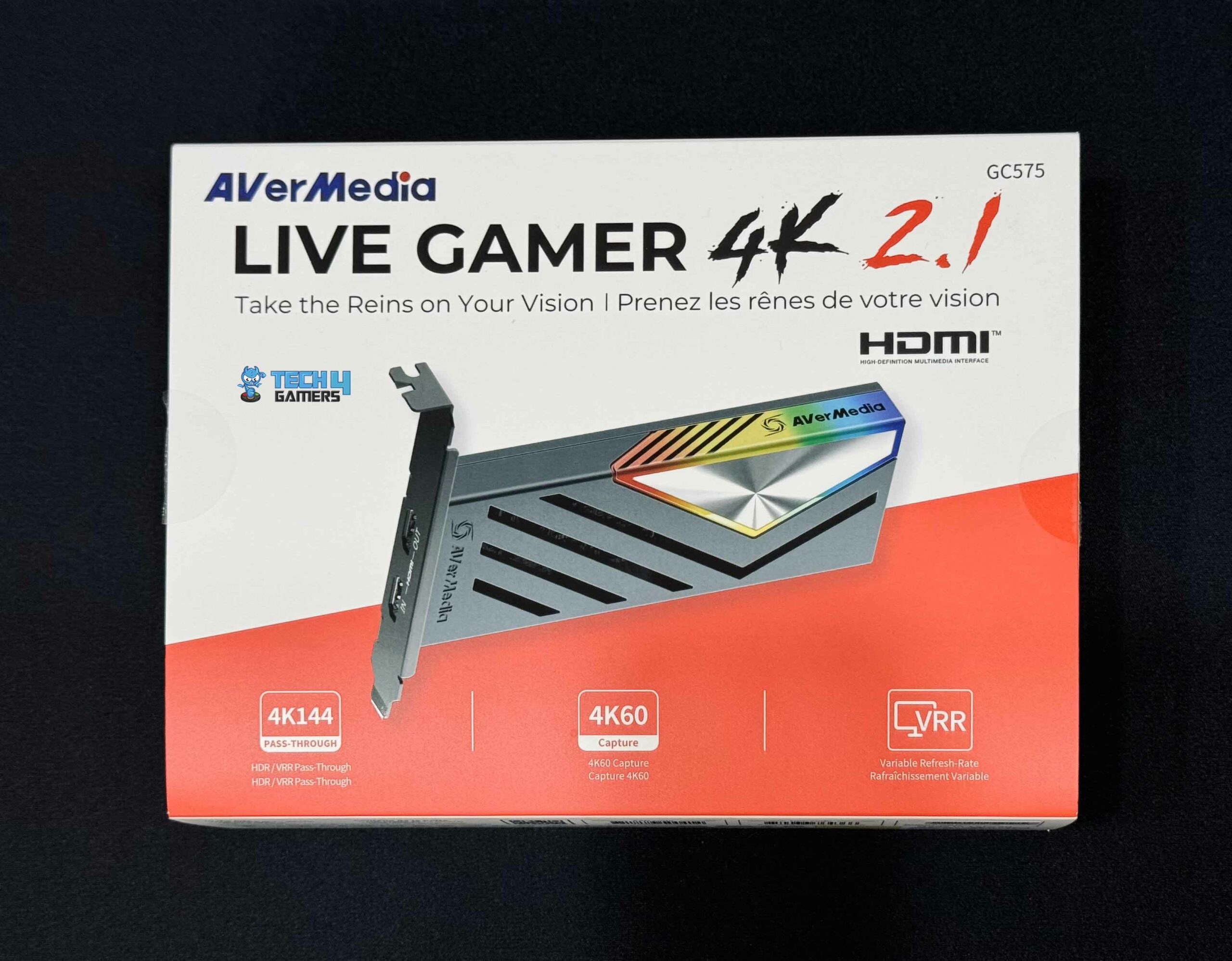
Packaging (Image By Tech4Gamers)
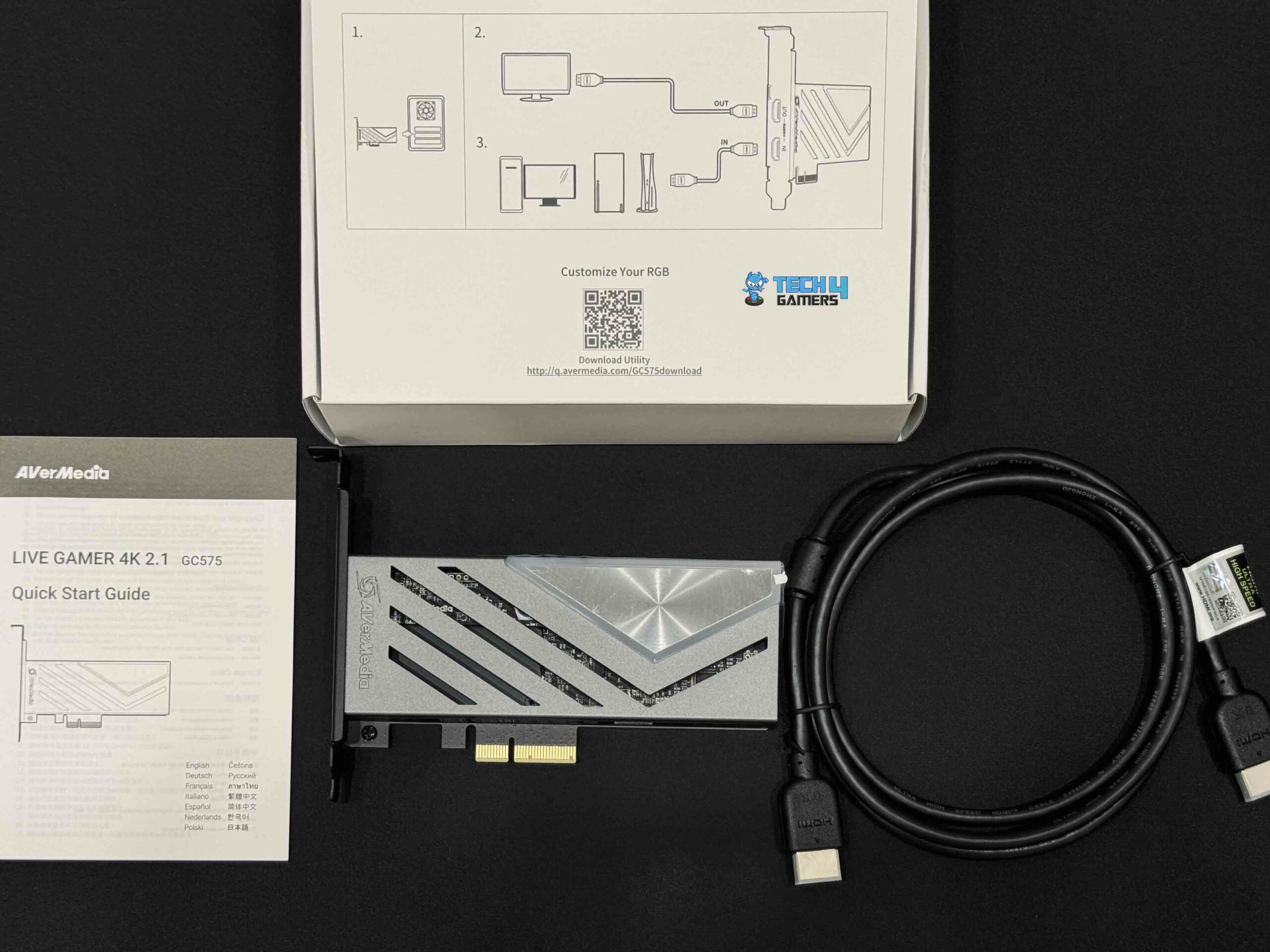
Box Contents (Image By Tech4Gamers)
Live Gamer 4K 2.1 (GC575)
HDMI 2.1 Cable
Quick Start Guide
This is all you need to get started right away. You can tell the AVerMedia Live Gamer 4K 2.1 GC575 is legit by looking at its minimalist packaging, which provides information about the card’s dimensions, ports, and technical specifications. A few of them have become outdated.
For instance, a firmware update enhanced the capture card’s passthrough capability from 1080p240 and 1440p144 to 1080p360 and 1440p240. The specifications of the AVerMedia Live Gamer 4K 2.1 impressed me from the minute I took it out of its packaging, particularly given its small size.
Design
Design (Image By Tech4Gamers)
The AVerMedia Live Gamer 4K 2.1 design perfectly blends modern minimalism and slick gaming aesthetics. It looks very high-end and keeps its internal components cool thanks to the gray metal shell that surrounds it on all sides. The AVerMedia Live Gamer 4K 2.1 has an RGB lighting system, similar to any other product designed for gaming.
Light is diffused and made more beautiful by covering the RGB LEDs with milky white plastic. Of course, you can change the effects and colors. You can do this under the AVerMedia Gaming Utility’s RGB Control section. Here, you can choose specific colors and effects or integrate them with third-party RGB light ecosystems like MSI Mystic Light or ASRock Polychrome Sync.
RGB Lighting (Image By Tech4Gamers)
Once installed, this is the card’s appearance in the system. There will be no need to tangle with power cords since it gets every watt of power it needs from the PCIe slot. Using the Live Gamer 4K 2.1 instead of the external version of AVerMedia’s card has several benefits, including the evident reduction of cable clutter.
Installing it on most computers is a breeze because of its small, single-slot design. This card is completely plug-and-play, thanks to its driverless support. Even though it is small, it has an eye-catching appearance when lit up. The card’s 121 x 160.5 x 21.5 mm dimensions make it exceptionally compact, helping it fit into even the tiniest capture rigs. This allows you to build up your system exactly as you want.
Setting Up
HDMI 2.1 Input and HDMI 2.1 Output (Image By Tech4Gamers)
Most users should have no trouble installing Live Gamer 4K 2.1 and getting it to work by recording footage because of how simple the setup process is. Simply inserting the card into your computer and setting up your preferred capture program should do the trick. The PCI Express Gen 3 x4 interface connects the card with the system. An HDMI 2.1 input and an HDMI 2.1 output are located on the front panel. Connect your source device, such as a game PC or console, to the HDMI 2.1 input, and your display will receive the signal.
If you’re gaming and streaming on the same machine, you can connect your graphics card’s HDMI output directly to the capture card’s input. It will act like you have connected a second monitor to your PC. Thanks to AVerMedia’s easy setup process, the setup takes no more than five minutes. Speaking from my experience, the AVerMedia Live Gamer 4K 2.1 is among the simplest capture cards I’ve ever installed since it doesn’t need additional drivers.
Capture Quality
The card uses the same Realtek RTD2801VPF SoC for processing and decoding as the AVerMedia Live Gamer Ultra 2.1 GC553G2 capture box. With a transfer throughput of up to 32 Gbps, more than three times that of 10 Gbps, USB-C PCI Express Gen 3 x4 provides higher bandwidth, which is the primary potential advantage of moving to this interface instead.
I used the card to record various gameplay from the PlayStation 5, and I performed capturing tests with many games at 4K60 HDR and 1440p120 VRR without any problems on my PC. During my tests, I did not notice any lag or choppy performance. The card never stutters or drops frames, even during lengthy recording sessions. This kind of reliability and consistency is evidence of the strong hardware that AVerMedia has created, which is something I really like about the company.
To put it simply, the video capture quality is superb. Many capture cards suffer from compression artifacts, but this one keeps all of the small details preserved in its crisp, colorful video. Thanks to the HDMI 2.1 standard’s flexibility, there is no more screen tearing, stuttering, or reduced capture quality. This includes variable refresh rates, faster refresh rates, and 4K60.
Software
Software
1 of 3
AverMedia Gaming Utility RGB Control (Image by Tech4Gamers)
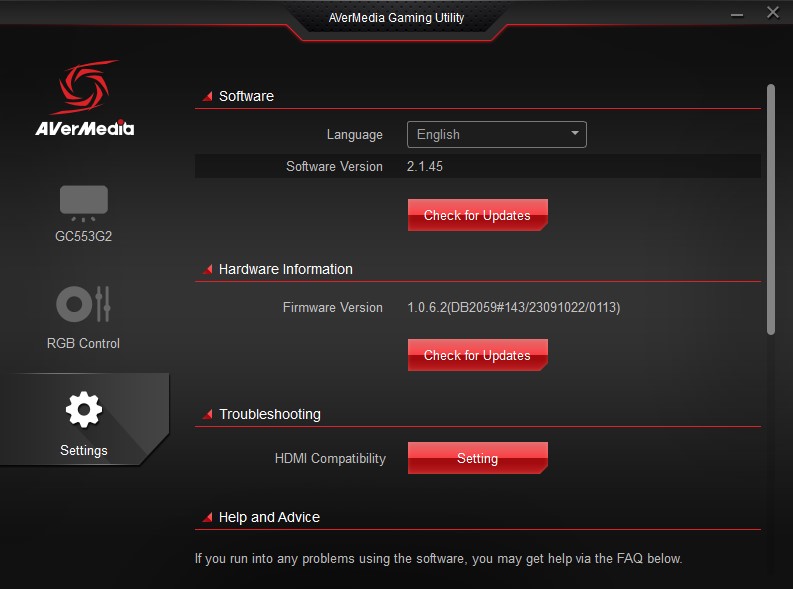
AverMedia Gaming Utility Settings (Image by Tech4Gamers)
AverMedia Gaming Video Source (Image by Tech4Gamers)
The official software package includes three Windows utilities: AVerMedia RECentral 4, AVerMedia Assist Central, and AVerMedia Gaming Utility. Software like AVerMedia Assist Central will notify you when firmware updates are available and then download and install them, as will the Gaming Utility.
AVerMedia has included its Gaming Utility software to manage the Live Gamer 4K 2.1. The software provides useful information on the capture card, including the input signal’s resolution, framerate, and audio status. It also allows you to upgrade the firmware and manage the RGB effects. Moreover, you can change the lights’ color, pattern, and intensity on a zone-by-zone basis.
Moreover, you can coordinate lighting effects alongside other components of your build or match their aesthetics. Although it isn’t completely necessary, it’s nice that AVerMedia provides options to maximize your card’s aesthetics, even if this specific feature is more for show than functionality. Moreover, in the unlikely scenario where any problems emerge with the capture card, this handy utility can be used for troubleshooting purposes.
Like other well-known streaming and recording programs, AVerMedia RECentral 4 is essentially a simplified version of Streamlabs, OBS Studio, and many others. It will walk you through the basics without overwhelming you with questions and even lets you create different scenes for the live broadcast. However, if you want to do anything greater than that, you must get familiar with OBS.
PRO TIP: Take full advantage of the AVerMedia Gaming Utility to customize the RGB lighting on your capture card. Using third-party ecosystems, you can sync it with other RGB components in your build.
Performance
The internal Live Gamer 4K 2.1 and the external Live Gamer Ultra 2.1 offer exactly the same passthrough and recording resolutions. To those whose motherboards lack a 10 Gbps USB-C connector, the AVerMedia Live Gamer 4K 2.1 GC575 could potentially be seen as an internal substitute for the GC553G2.
With the Live Gamer 4K 2.1 passthrough, you can use any of the most popular HDMI 2.1 display modes for gaming. Your GPU can send unaffected 4K144, 1440p240, and 1080p360 HDR data to your display. Also, it works well with different refresh rates to play low-latency games without tearing. To facilitate the use of various inputs and sources, the card supports a number of HDR video formats, including YUY2, RGB24, NV12, and P010.
A new standard in PCIe capture cards.
The passthrough performed as expected when I tested it with a 4K 120Hz screen. The transfer of VRR, chroma settings, and HDR tone mapping from the computer to the screen was flawless. Comparing this to a direct connection, I never saw any delay or visual degradation. Now, you do not need to sacrifice your gaming experience for the sake of recording.
Even as I was multitasking on the computer, everything went so smoothly. In my tests, the GPU usage increased by little more than a few percentage points, even while recording heavy 4K60 footage. Thanks to this little opportunity cost, recording in the background won’t slow down your gaming performance, which is great. You can record with multiple programs open on a PC, but if you want your recording to be flawless for whatever you’re doing, it’s better to limit the number of programs you use simultaneously.
Furthermore, compatibility is not a problem, given driverless support. It was also quite compatible with OBS. The only compatibility issue is the requirement for a PCIe 3.0 or 4.0 slot, which can be found on most current desktop motherboards. I wouldn’t recommend working with 4K video unless you have an up-to-date board supporting it.
Should You Buy it?
Buy it if
✅ You Require High-Quality 4K60 HDR Capture: The AVerMedia Live Gamer 4K 2.1 offers exceptional 4K60 HDR capture without compression, ensuring your content retains its visual fidelity.
✅ You Value Low Latency and Reliable Performance: With ultra-low latency and robust hardware, this capture card ensures smooth and consistent recording and streaming, even during long sessions.
✅ You Want a Compact and Aesthetically Pleasing Design: Its sleek, single-slot form factor and customizable RGB lighting make it a stylish and space-saving addition to your setup.
✅ You Need Advanced HDMI 2.1 Features: This card supports a wide range of HDMI 2.1 display modes, including 1440p240 and 4K120/144 with VRR, making it ideal for high-end gaming.
Don’t Buy it if
❌ Your System Lacks a PCIe 3.0 or 4.0 Slot: This capture card requires a modern motherboard with PCIe 3.0 or 4.0 slots. It won’t be compatible with older systems lacking these features.
❌ You’re on a Tight Budget: If your budget is limited, you might find more affordable capture cards that offer sufficient features for your needs without the high cost associated with HDMI 2.1 capabilities.
❌ Your Recording Needs Are Basic: If you don’t need the advanced features provided by HDMI 2.1 and 4K capture, the AVerMedia Live Gamer 4K 2.1 might be more than required, and simpler options could be more cost-effective.
❌ You Don’t Have High-End Gaming Displays: If your gaming setup doesn’t include high-resolution or high-refresh-rate displays that benefit from HDMI 2.1, the extra features of this card might be unnecessary.
Final Verdict
This capture card amazed me throughout testing and performed well overall. Regarding high-end HDMI 2.1 gaming, the Live Gamer 4K 2.1 provides outstanding, no-compromise 4K60 HDR gameplay capture and pass-through. Its higher level of quality and extensive format compatibility make it a better card than prior generations. Installing and using it is a breeze because of its compact design and self-regulating experience.
It appears to be built for content creators who would rather start to work than waste time tinkering with software. There are a few alternatives in space, but AVerMedia has jumped into the fray with Live Gamer 4K 2.1, a card that works flawlessly with the newest consoles without sacrificing performance or user-friendliness. I have no doubt that these competing manufacturers will eventually catch up, but the Live Gamer 4K 2.1 is your best bet for an internal card that meets all the current criteria.
As Tech4Gamers’ Founder and Editor-in-Chief, I bring over 13 years of PC Hardware Reviewing and 8+ years of IT Project Management experience. Certified in Google IT Support , my focus is on providing honest product reviews and analysis and fostering a strong gaming community with 130k+ members in PPG.
Abdul Hannan
I’ve been the Journalist & Editorial Writer at Tech4Gamers since July 2022. I spearhead our hardware coverage, including overclocking GPUs, benchmarking CPUs, reviewing peripherals, and fine-tuning custom PC builds for every budget. Daily, I report on breaking gaming news, from major launches and studio updates to the latest industry trends, ensuring our community stays informed. Beyond news briefs, I write in-depth feature articles on gaming culture and emerging technologies. And by collaborating closely with the editorial team on content planning, SEO strategy, and our publishing calendar, I help us consistently hit our traffic and engagement targets.
The Dutch Wooting brand has become a leading player in the gaming keyboard industry. When I used to hear the name Wooting, the first thought that pops into my mind is how this manufacturer contributed to getting magnetic switches back into the mainstream. While many credit the original Wooting Two with starting the trend, I think the Wooting 60HE+ really helped push the brand to where it is now.
Because of this product, their climb to popularity has been nothing short of spectacular. To figure out why this keyboard is so popular among competitive gamers, have a look at my comprehensive review of the Wooting 60HE+.
Why Trust Tech4Gamers
Abdul Hannan is our peripherals expert who has been testing different mice, keyboards, headphones, microphones, and more for years.
130+ peripherals tested and reviewed by our team of hardware experts (Tech4Gamers Team).
500+ hours spent testing different peripherals for our reviews.
At Tech4Gamers, ensuring you get reliable information is our priority. That’s why every hardware round-up undergoes a meticulous review process by our team of experts and editors. Each review is carefully examined against our strict editorial guidelines, guaranteeing you trustworthy insights you can depend on.
Key Takeaways
The Wooting 60HE+ is a compact 60% gaming keyboard known for its high customization, featuring hot-swappable Gateron Lekker Linear60 switches and extensive software support via Wootility. Its durable build, premium keycaps, and fast response times make it ideal for competitive gaming.
You should buy the Wooting 60HE+ if you want a compact and portable keyboard, value customization, need fast response times, appreciate high-quality build and keycaps, and enjoy RGB lighting.
You should not buy the Wooting 60HE+if you want wireless connectivity or prefer an ergonomic keyboard.
[toc]
Here are the specifications:
Keycaps
ANSI PBT
Case
ABS
Switches
Lekker Switches Linear60
Actuation Range
0.1 – 4.0mm
Feel
Linear
Audible Feedback
Silent
Key Start Force
40cN
Clicks Lifespan
100.000.000
Warranty
4 Years
Latency
<1ms
Onboard Memory
8MB
Weight
605g
Dimensions
11.89 x 4.53 x 1.5 inch
How Is Wooting 60HE+ Different?
The Wooting 60HE+ stands out primarily due to its use of Gateron Lekker Linear60 analog switches, which allow for customizable actuation points from 0.1mm to 4.00mm. This level of customization is not commonly found in other keyboards, offering a unique advantage for gamers who need precise control over keypress sensitivity. In contrast, the Logitech G PRO X 60, while also a strong competitor with swappable switches, lacks the analog functionality that makes the Wooting 60HE+ particularly versatile for both gaming and typing.
Packaging & Unboxing
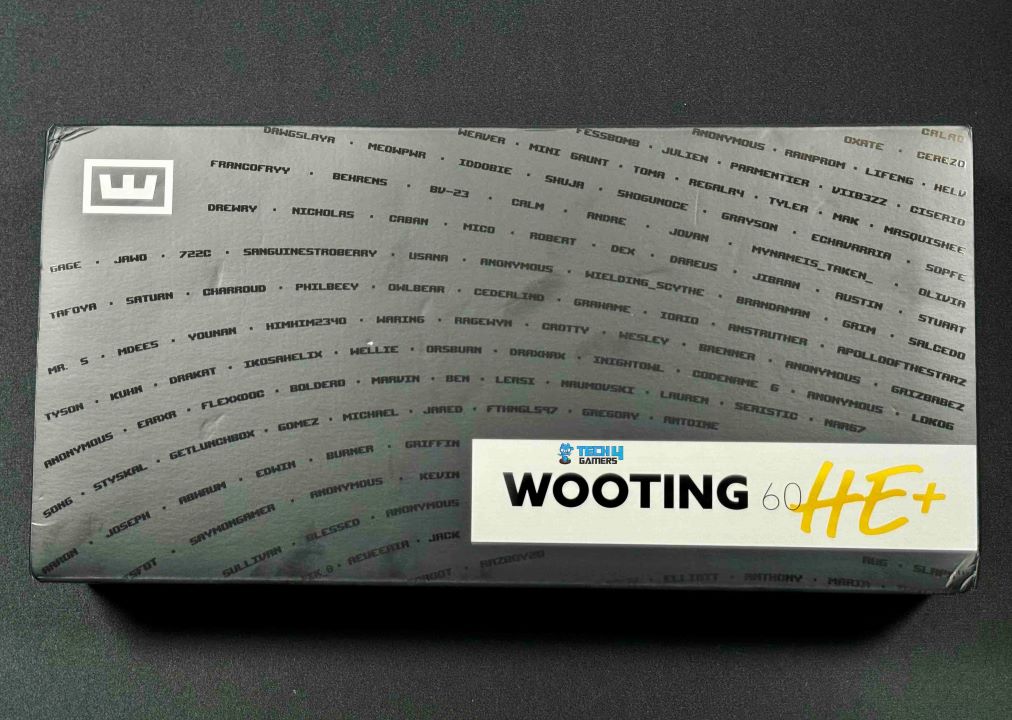
Packaging
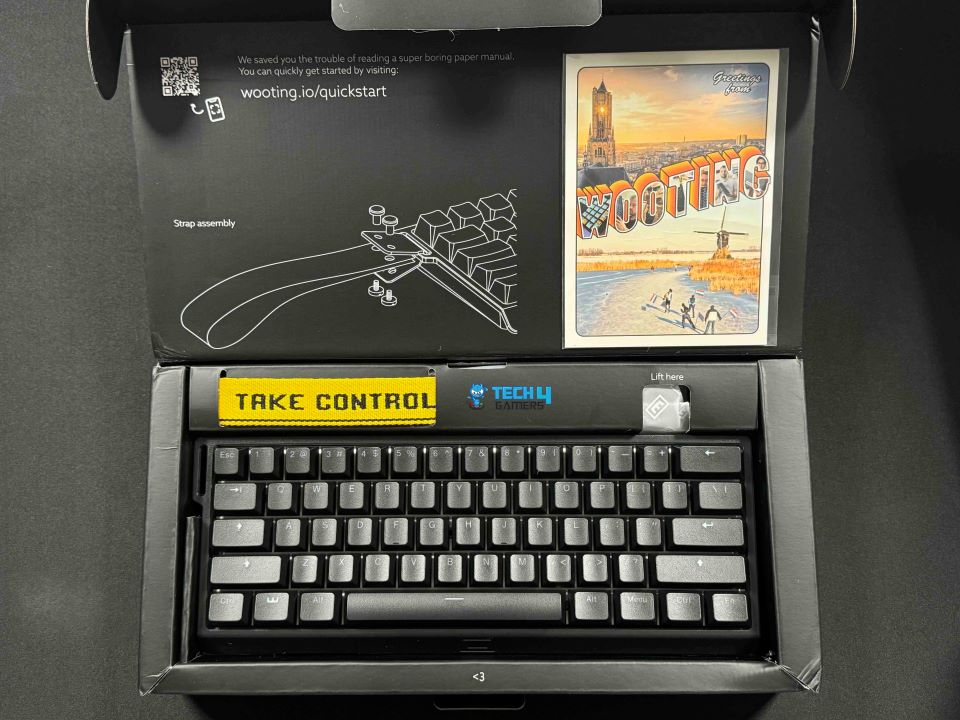
Unboxing
You can see that the designers spent a while designing the unboxing experience since they made it quite enjoyable. For instance, the “lift here” print makes removing the product from the packaging easier without damaging it. Wooting has also imprinted a <3 on the interior of the box. Yes, these are little details, but they do add a touch of refinement to the unboxing experience.
Box Contents
Box Contents (Image by Tech4Gamers)
Wooting 60HE+
USB-A to USB-C cable
2x Additional Gateron Lekker Linear60 switches
Keycap puller
Wooting postcard
Silicone attachment, Nylon strap, and screws
Design
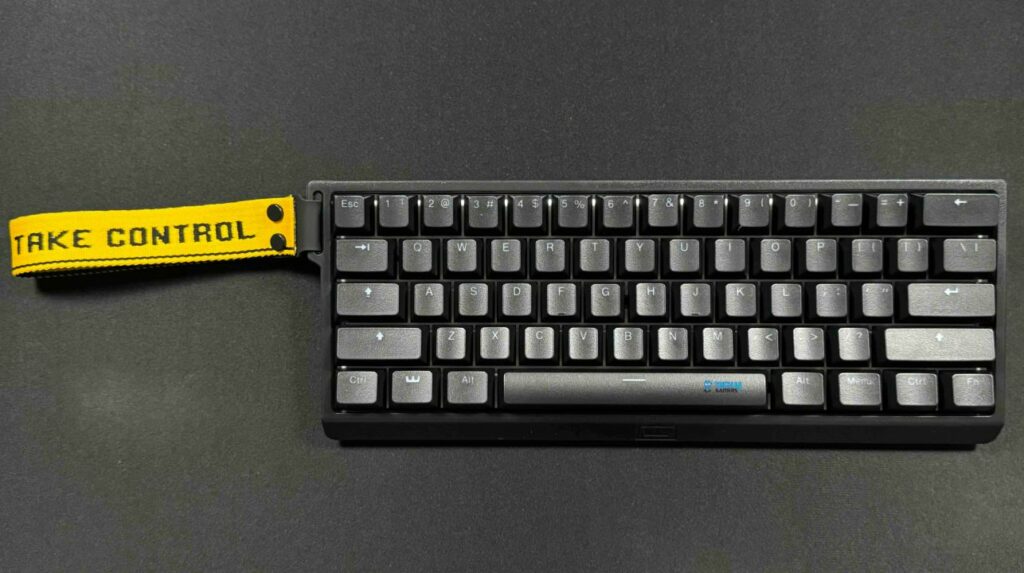
Design (Image by Tech4Gamers)
Everybody keeping up with gaming peripherals knows that the Wooting 60HE+ has remained widely available for quite a while now. So, I was prepared for what I would receive. A 60% keyboard that looks stylish but is really much smaller than a full-size keyboard. Even though it doesn’t have a numpad, arrow buttons, a cluster for navigation, or a function row, it’s much more portable and frees up more room on your gaming desk for mouse movements.
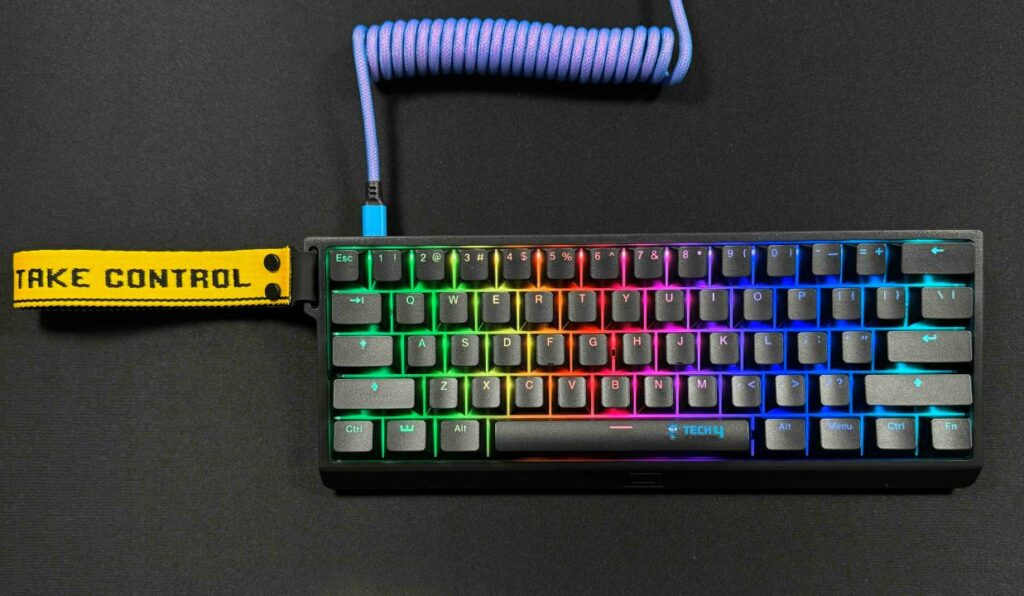
On the left side of the keyboard, you’ll find an attachment point for the accompanying “Take Control” nylon carrying strap. Thankfully, you can take this strap off. Its obvious purpose was to draw attention to the 60HE+. Actually, you can even purchase the keyboard without the strap if you would like since I find the thing’s aesthetics unsettling. I have no problem with its inclusion as long as it is an optional extra that won’t increase the product’s price. Generally speaking, I did not use it again after attaching the strap except for review pictures.
Build Quality
Build Quality (Image by Tech4Gamers)
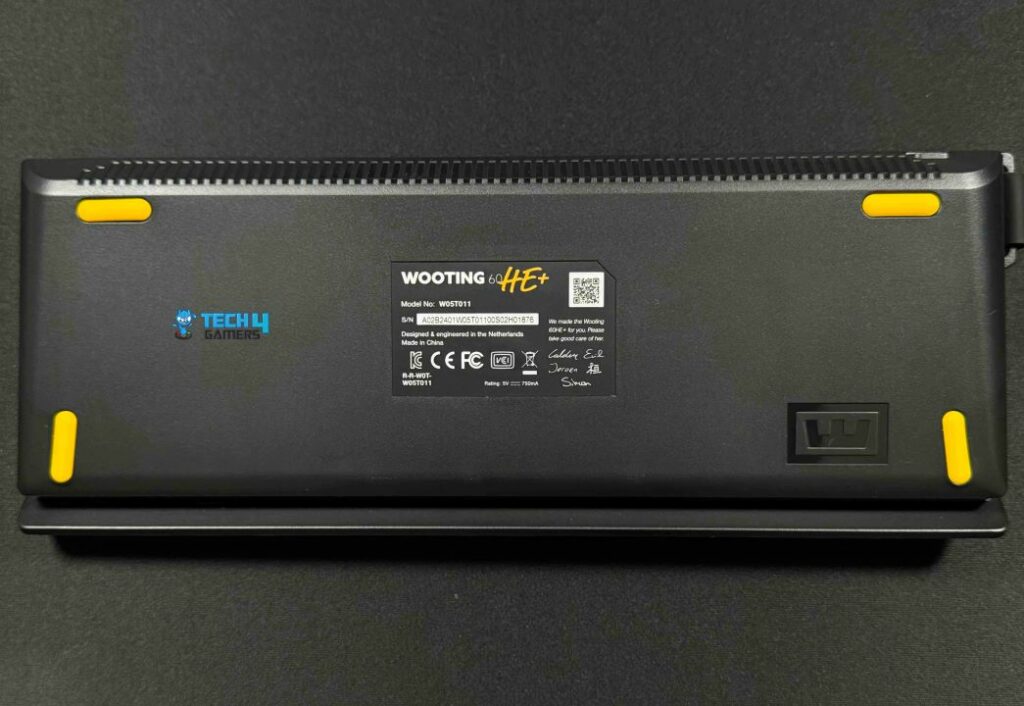
The whole build of the Wooting 60HE+ is made of plastic. Still, the plastic chassis is durable and has a solid feel. The keyboard does not get flexed or creaked. It also comes with a steel base plate. Despite the lack of flip-up adjustment feet, the four rubber feet on the underside of the keyboard do an excellent job of maintaining the keyboard’s position in place.
Underside (Image by Tech4Gamers)
In terms of ergonomics, this keyboard is mediocre. Without a wrist rest and with a fixed incline angle, it’s not really comfortable. If you intend to type on this keyboard for extended periods of time, you may get tired. However, this is more unlikely to be a problem when using it for gaming. Generally speaking, the construction of this keyboard is top-notch.
Connectivity
Take Control Nylon Carrying Strap (Image by Tech4Gamers)
Listen up, folks! This keyboard can only be used with a wired connection. It includes a braided USB-A to USB-C cord in black and yellow. Although it still has some packaging kinks, the cable has a high-quality feel. The USB-C connection has no recess so you can use any customized keyboard cable with it.
Keycaps
Keycaps (Image by Tech4Gamers)
These days, it’s normal for routine to have keycaps built of double shot PBT plastic with a subtle degree of roughness that makes typing on the Wooting 60HE+ an enjoyable experience. The legends are visible from any angle, and the typeface is neutral. Additionally, the caps include a considerable amount of texture, which aids with grip in certain fast-paced gaming situations. The keycaps are quite thick and remain comfortable to use throughout several hours of intensive gaming. Thus, in my opinion, they are of adequate quality.
Customizability
Customizability (Image by Tech4Gamers)
Because of its hot-swappable PCB, you can swiftly take out or replace switches on the Wooting 60HE+ without soldering. Nevertheless, it is only compatible with Hall Effect switches. Because these switches do not use the typical 3- or 5-pin sockets common to mechanical switches.
The default arrangement of the switches on this keyboard is North-facing. The Gateron Lekker switches are designed to be positioned either north or south-facing and will still work smoothly. If you’re planning to use Cherry MX-style keycaps and are concerned about North-Facing interference, you can flip the switches to avoid it.
As indicated by Wooting, users can swap out the internal components for a different casing thanks to the keyboard’s “universal tray mount” design. Especially intriguing to me is the manufacturer’s apparent emphasis on personalization. For instance, Wooting offers an aluminum casing, ensuring that the keyboard’s PCB would fit in most aftermarket cases. You can also get various wrist rests, keycaps, cables, and an entire toolbox to lubricate your switches on the Wooting website.
I think this positioning strategy is brilliant. The base model is a top-notch piece of hardware with all the performance traits you could want, but many add-ons are available to give your experience that extra something special. So, it’s great to see Wooting dive headfirst into the keyboard scene’s emphasis on tuning and trying new things.
Switches
Switches (Image by Tech4Gamers)
Wooting collaborated with Gateron on the 60HE+. It uses magnet-operated Gateron Lekker Linear60 switches instead of the more common metal contact points. In increments of 0.1mm, you can customize the pre-travel distance with these switches, which range from 0.1mm to 4.00. I like that two more switches are provided along with the keyboard. Not only is this useful in case a switch fails, but it also shows Wooting’s interest in customer satisfaction.
Because these analog switches are mostly responsible for the keyboard’s meteoric rise to fame, it’s fascinating to see them packaged in this manner. Notably, I really like these Lekker switches. While they are not the most pleasant-sounding stock switches today, I would certainly say they’re on the upper end when viewed alongside what other gaming keyboards are capable of.
They feel smooth right out of the box and are factory-lubed. However, their sound quality or smoothness isn’t what makes them special. Notably, the key selling point is being able to personalize these switches to a large extent. For instance, in racing games, you can change the customizing point of each key and use the switches as analog input actions comparable to a joystick.
RGB Lighting
RGB Lighting (Image by Tech4Gamers)
The white switch plate gives it an impressive RGB appearance. With complete RGB lighting and individually lighted keys, this keyboard is an attraction. The light reflects off of the plate pleasingly, creating a sense of evenly distributed lighting from all of the LEDs. The key legends are shine-through to make them easier to see in low light. Additionally, the analog switches allow for the selection of some remarkable and one-of-a-kind lighting effects.
For instance, in racing mode, you can see how hard it is to push the WASD keys as a gauge on the top row of keys. These fantastic effects have zero effect on performance, but the Wooting 60HE+ will surely delight any enthusiast of lighting effects. In general, the backlight clarity of this keyboard is top-notch. However, there is a little red tint to the white-only lighting.
Software
Software
1 of 6
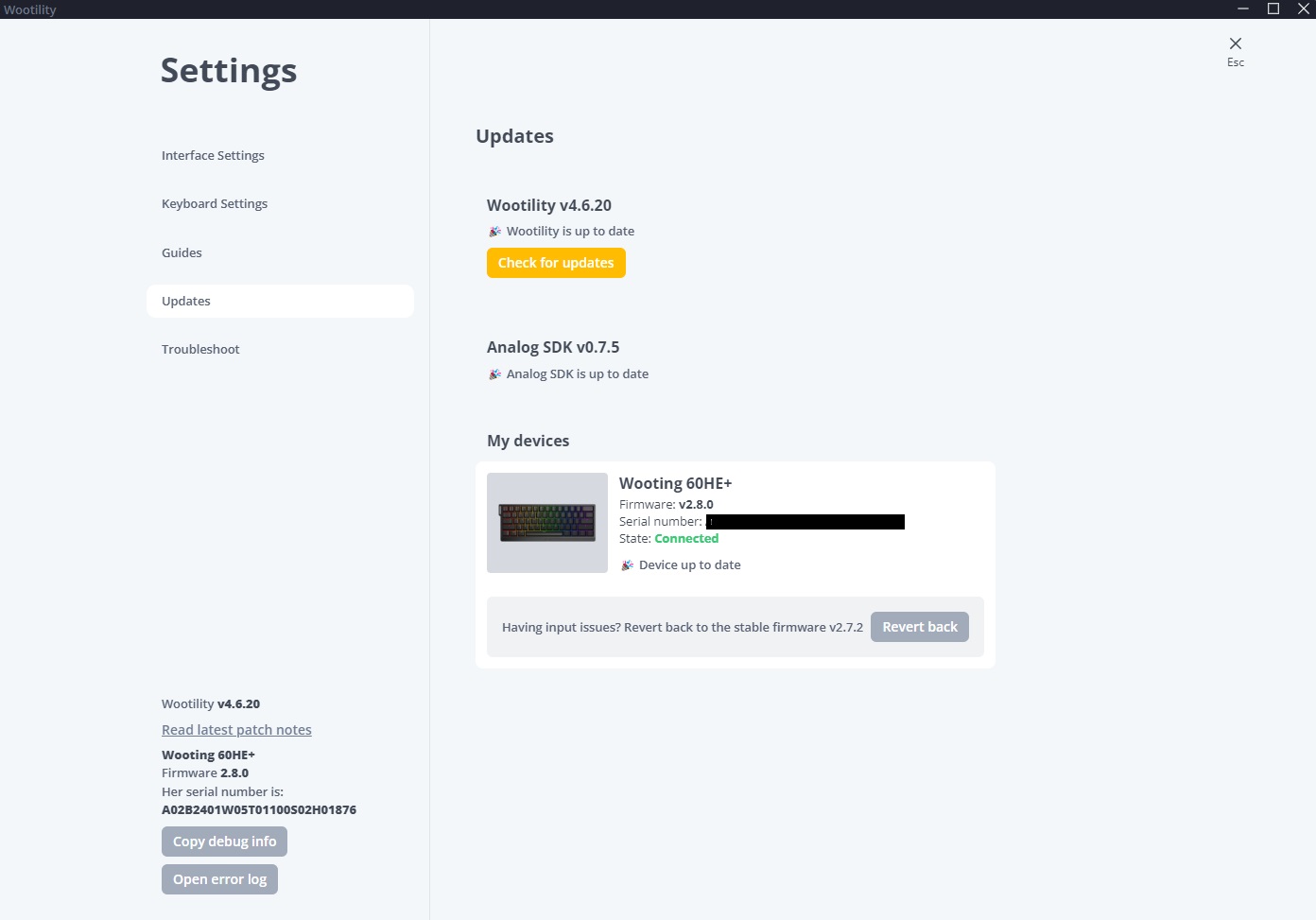
Software Update (Image by Tech4Gamers)
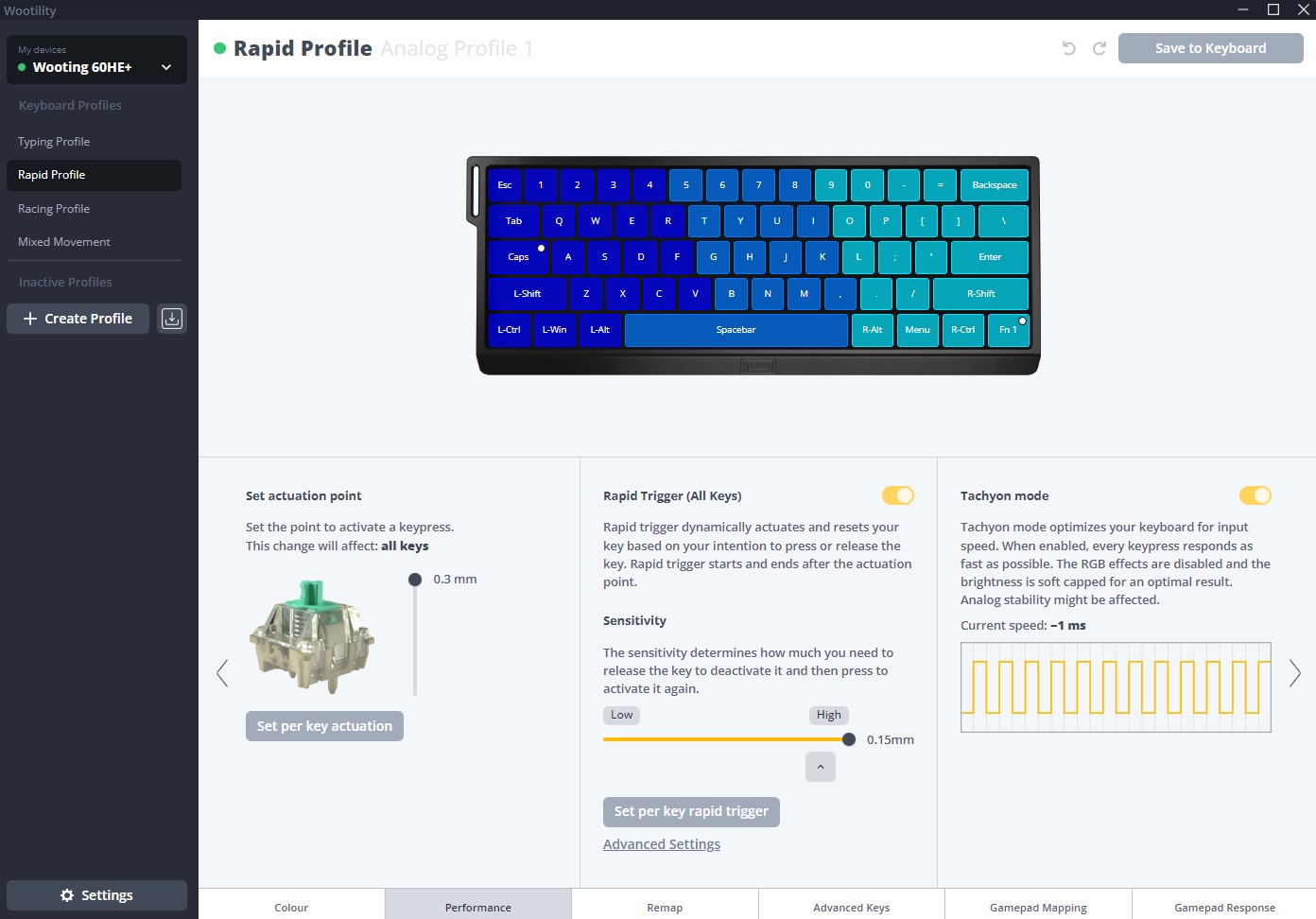
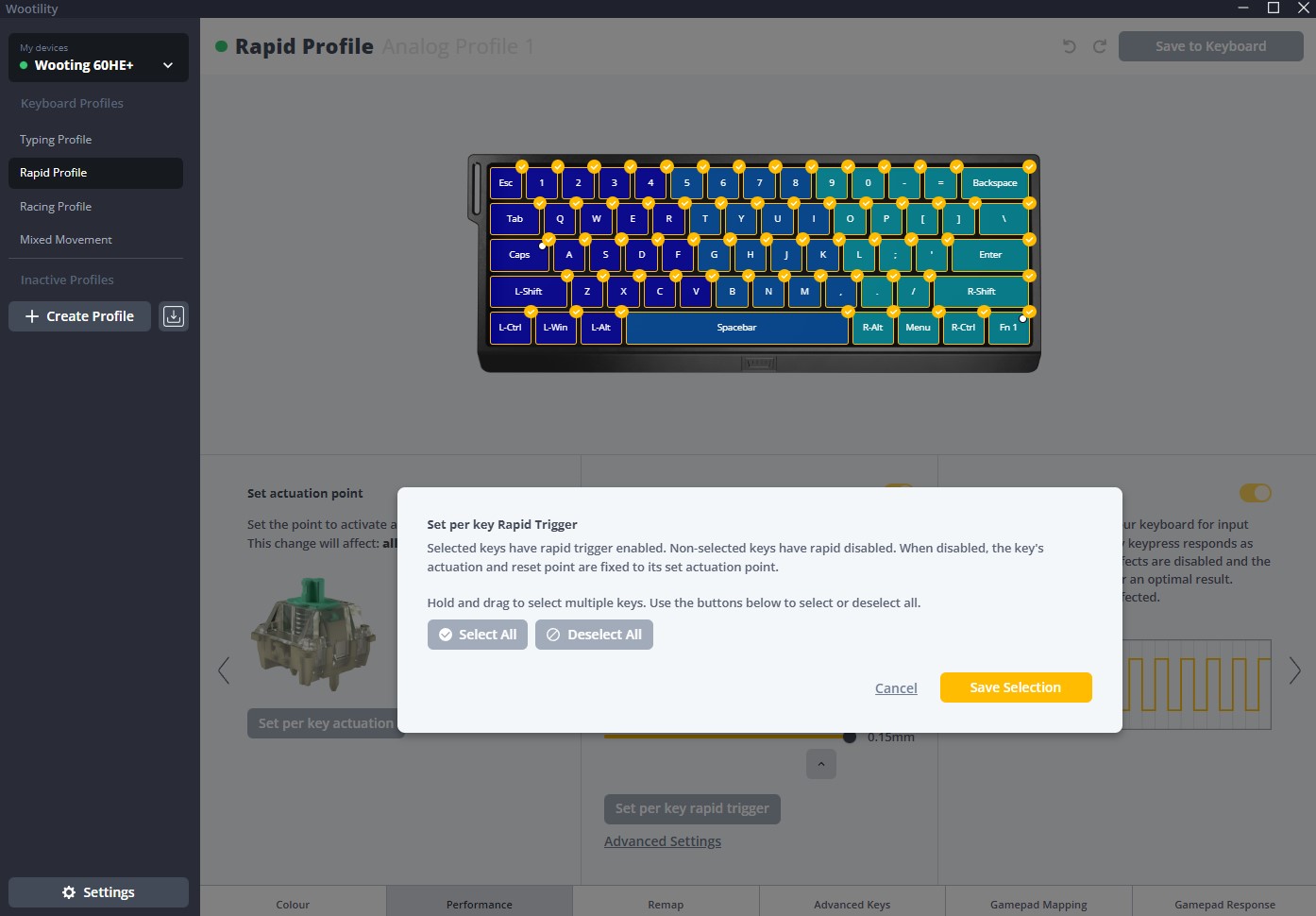
Rapid Profile - Performance Setting Image by Tech4Gamers)
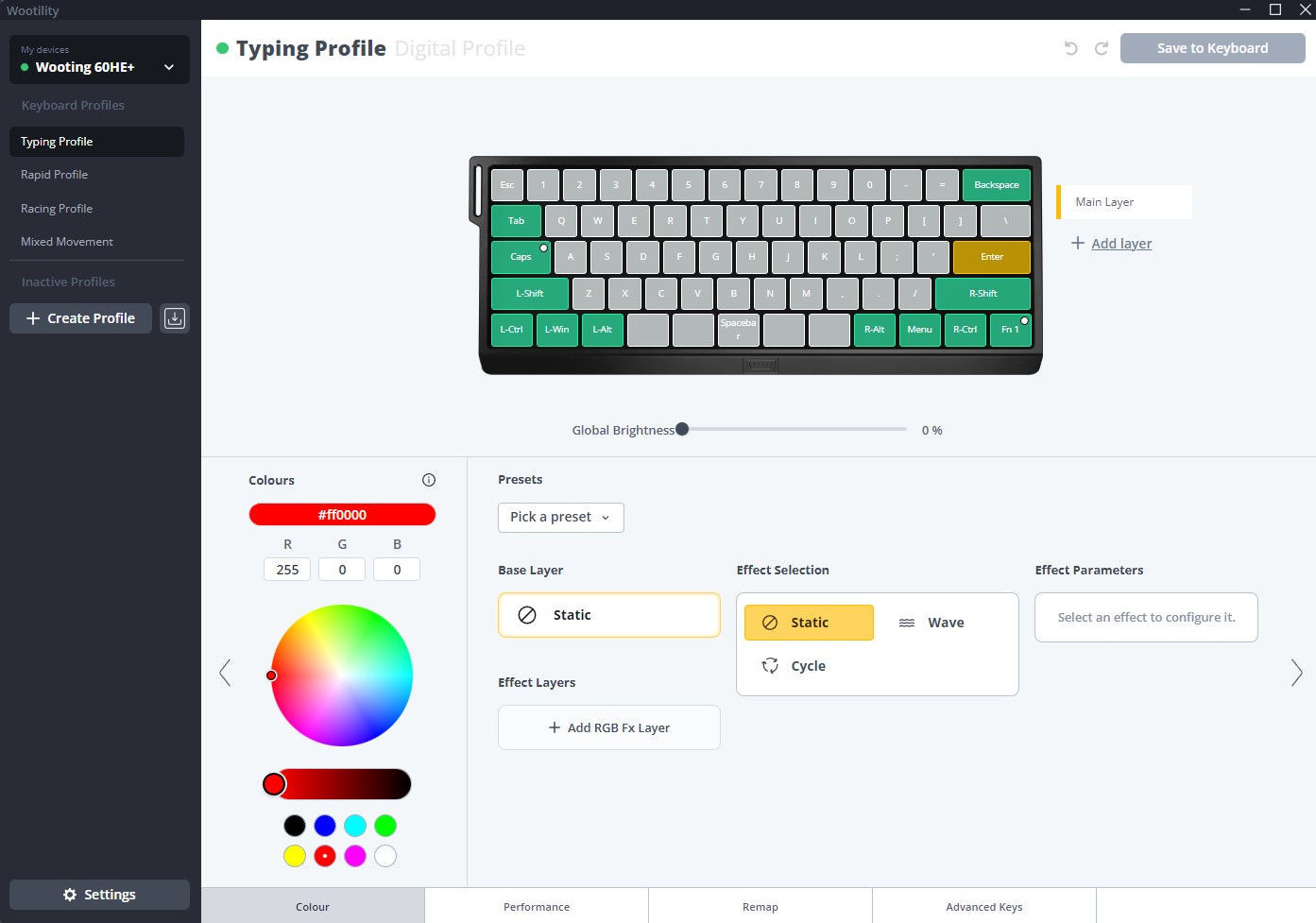
Typing Profile (Image by Tech4Gamers)
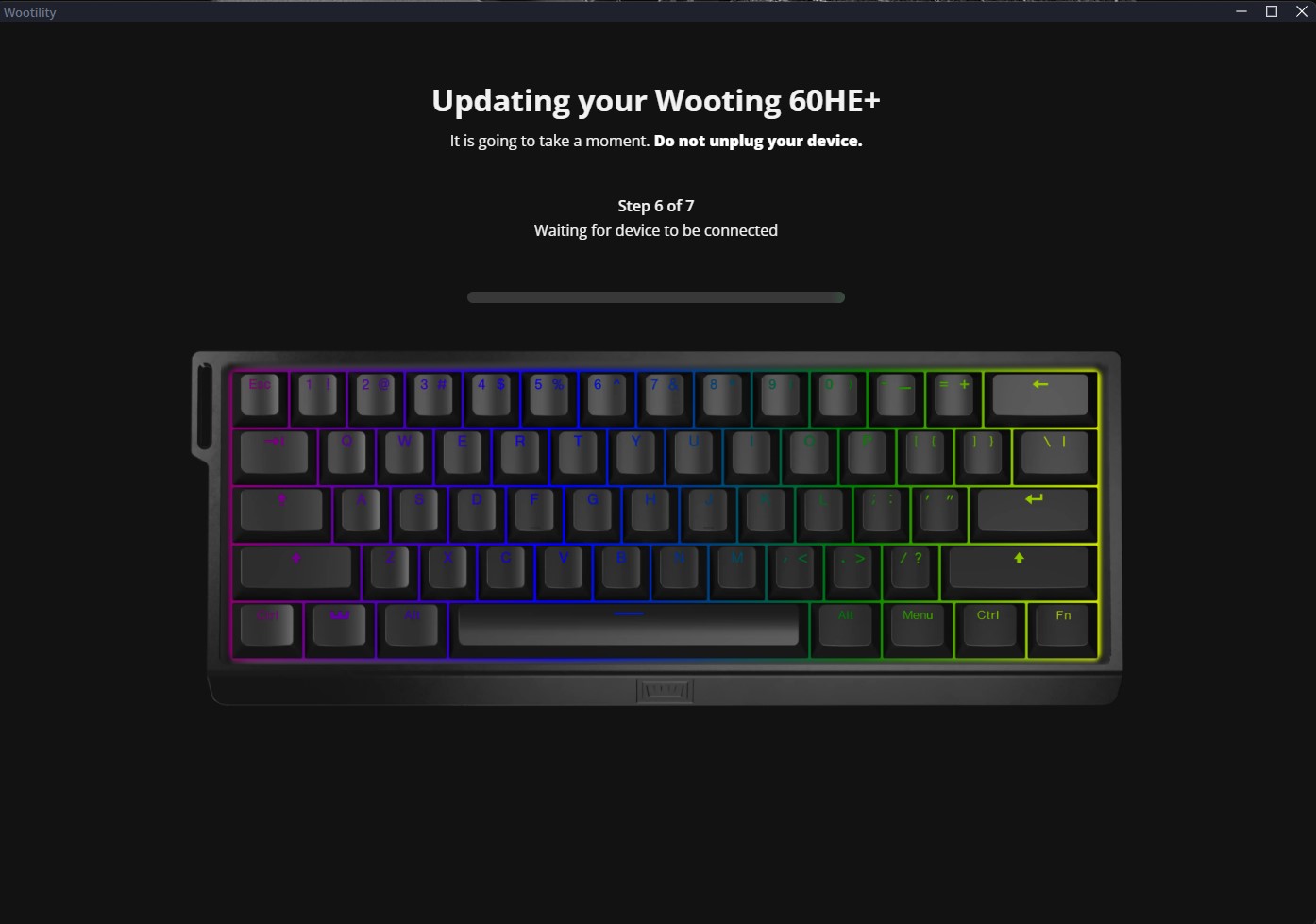
Firmware Update (Image by Tech4Gamers)
Per Key Rapid Trigger Drag Drop (Image By Tech4Gamers)
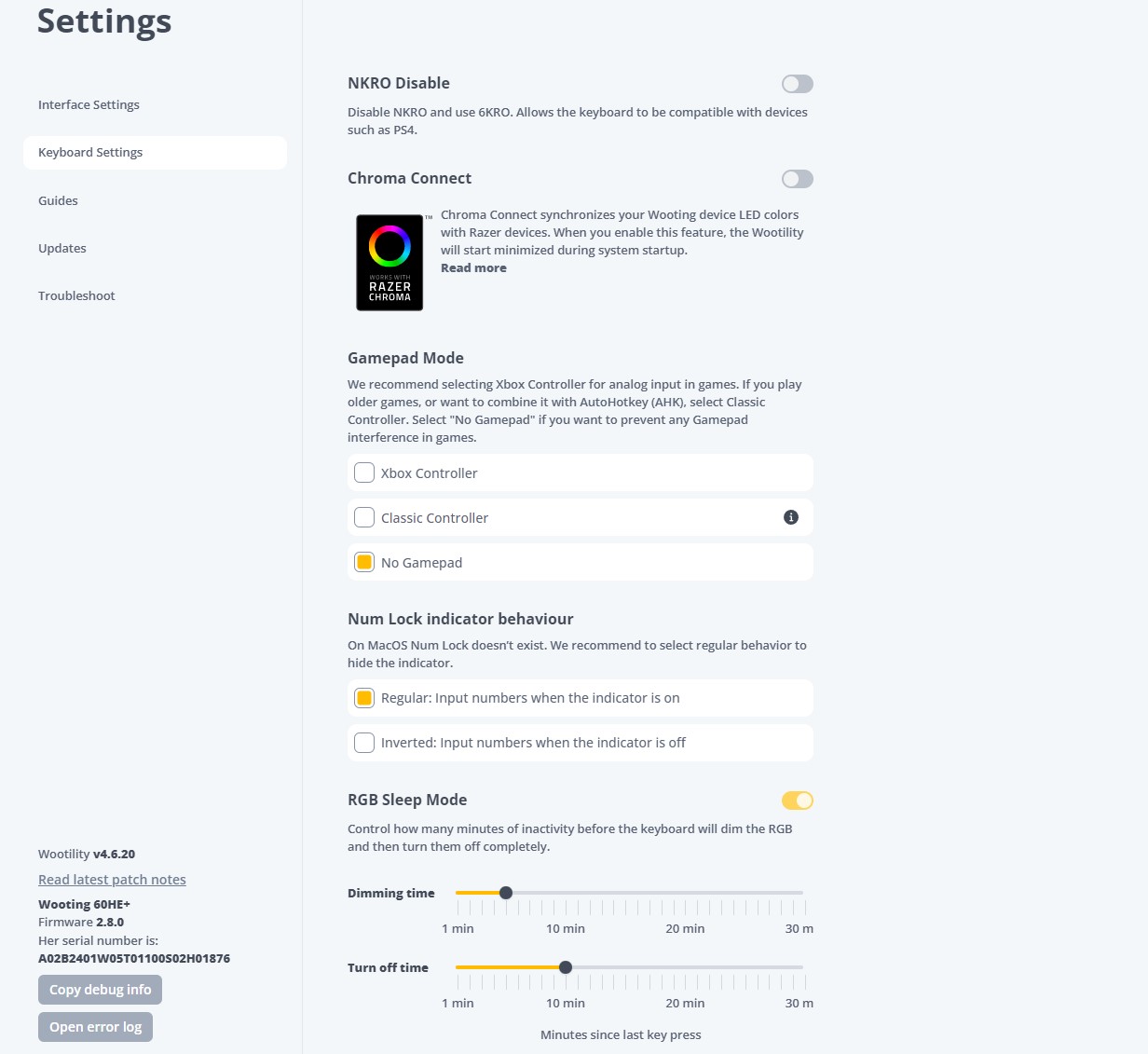
Keyboard Setting (Image by Tech4Gamers)
Wootility is the companion software compatible with this keyboard. The software is a joy to understand and use thanks to its intuitive layout. Accessing the settings takes more than one page, but at least some of the options have explanations. This software allows you to customize the pre-travel distance of certain keys and the usual macro programming, backlighting, and key mapping features.
Additionally, you can switch between analog and digital modes on the keyboard. By switching to analog mode, the keystrokes can resemble the feel of a joystick controller’s gradual inputs. If you prefer not to install the software on your PC permanently, a web-based version provides the same functionality.
Apart from Wootility, the main customizing software, there is Wootomation, additional independent software that allows you to assign macros to any key, further simplifying the process. Unfortunately, there are no macro keys on this keyboard. Therefore, programming macros is not possible only using the keyboard. Thankfully, this keyboard’s accompanying software is compatible with every major OS.
PRO TIP: Use the hot-swappable Gateron Lekker Linear60 switches and extensive customization options through Wooting’s software to tailor the keyboard to your gaming preferences and playstyle.
Typing Experience
With this keyboard, you can type with ease and precision. The double-shot PBT plastic keycaps have a nice, slightly textured surface, and the linear Gateron Lekker switches have a smooth feel. Since the Tab, Backslash, and Caps Lock keys are bigger and do not have stabilizers, they wiggle somewhat more than the other keys. On the other hand, the Enter and Spacebar keys, which are also bigger but have stabilizers, are very steady, but the little wobbling of the smaller keys is barely noticeable while typing.
However, you could get tired from using this rather upright keyboard for extended periods of time as it lacks a wrist rest. When you type on the Wooting 60HE+, you’ll hear a pleasant typing sound and no annoying high-pitched clicking. Therefore, typing on it won’t likely annoy anyone nearby. The keyboard is a little less noisy than average because of the pre-installed EPDM foam and poron layers.
WARNING: Be mindful of the lack of ergonomic features such as a wrist rest and adjustable incline, which may lead to discomfort during extended typing sessions.
Gaming Performance
Sleek-Looking 60% Keyboard (Image by Tech4Gamers)
With its lightning-fast response time and incredibly low single-key latency, the Wooting 60HE+ is perfect for gamers of all genres. Moreover, if you play games that demand you to press and hold numerous keys simultaneously, this keyboard is the way to go because of its exceptional multi-key latency performance. Additionally, I tested how changing actuation points in League of Legends and other MOBAs affects gameplay. Notably, accuracy and promptness are both improved by having the ability to lower the actuation points of individual keys.
Top choice for serious gamers!
Should You Buy It?
Buy it if
✅ You want a compact and portable keyboard: The 60% design of the Wooting 60HE+ frees up desk space and is easy to carry, making it ideal for gamers who need more room for mouse movements.
✅ You value customization: With hot-swappable switches, customizable pre-travel distances, and compatibility with aftermarket cases and accessories, this keyboard offers extensive personalization options.
✅ You need fast response times: The Gateron Lekker Linear60 switches provide lightning-fast response times and low latency, perfect for competitive gaming.
✅ You appreciate high-quality build and keycaps: The durable plastic chassis, steel base plate, and double-shot PBT keycaps ensure a comfortable and lasting typing experience
Don’t Buy it if
❌ You prefer wireless connectivity: The Wooting 60HE+ only supports wired connections, which may be a drawback for those who prefer wireless options.
❌ You need ergonomic features: Lacking a wrist rest and with a fixed incline, this keyboard may cause fatigue during long typing sessions.
Final Verdict
This Wooting 60HE+ has become renowned in the mechanical gaming keyboard market. In my opinion, it is well deserving of this position. This gaming keyboard has much room for customization, making it fit your style. There are other choices to consider if the way you type sounds and feels is more important. At the same time, it’s true that the Wooting can be customized heavily. However, other mechanical keyboards provide more value for the money than the 60HE.
Having said that, the Wooting 60HE remains unrivaled when considering the whole package, including software, hardware, and implementation. Nevertheless, there are fresh competitors in the gaming market that are capable of holding their own against it. Although it’s pricier, if you’re a dedicated competitive player, there should be no reason not to get this. It is well worth the price if gaming performance is your top priority.
As a Hardware Expert at Tech4Gamers, I blend my Computer Science expertise with a love for technology. Through comprehensive reviews and comparisons, I guide our audience in making informed tech decisions.
Arsalan Shakil
As a Hardware Expert at Tech4Gamers, I bring my decade-long expertise in electronics design, embedded solutions, and prototyping. My knack for exposing misconceptions in the tech world finds a perfect outlet here.
The latest PSU specifications from Intel in the form of ATX 3.0 and ATX 3.1 resulted in an increased power density to compensate for extremely high power excursions or power spikes generated by the latest GPUs and CPUs. But sadly, there has also been a significant spike in PSU prices lately. Corsair with their recent RMe series PSUs (not to be confused with RMx series) is trying to launch affordable ATX 3.0 spec PSUs ranging from 750W, 850W & 1000W.
The budget-oriented PSU segment has recently been caught up with a greater pace by many manufacturers thanks to Intel’s leniency for its ATX 3.1 specs which now allows PSUs to have slightly loose tolerances for Voltage Regulation and Hold-up time.
Why Trust Tech4Gamers
Arsalan Shakil is our power supplies expert who loves to put the latest PSUs through their paces and even take them apart.
20+ PSUs tested and reviewed by our team of hardware experts (Tech4Gamers Team).
180+ hours spent testing different power supplies for our reviews.
At Tech4Gamers, ensuring you get reliable information is our priority. That’s why every hardware round-up undergoes a meticulous review process by our team of experts and editors. Each review is carefully examined against our strict editorial guidelines, guaranteeing you trustworthy insights you can depend on.
Key Takeaways
The Corsair RM850e Gold is a budget-friendly, fully modular ATX 3.0 PSU offering solid performance and reliability, ideal for cost-conscious gamers.
You should buy the Corsair RM850e Gold if you want a bang-for-the-buck PSU that offers stable performance for a high-end gaming PC.
However, you should skip the RM850e Goldif you plan to upgrade your PC soon and your wattage requirement will exceed 850W. Plus, the fans get noisy as well.
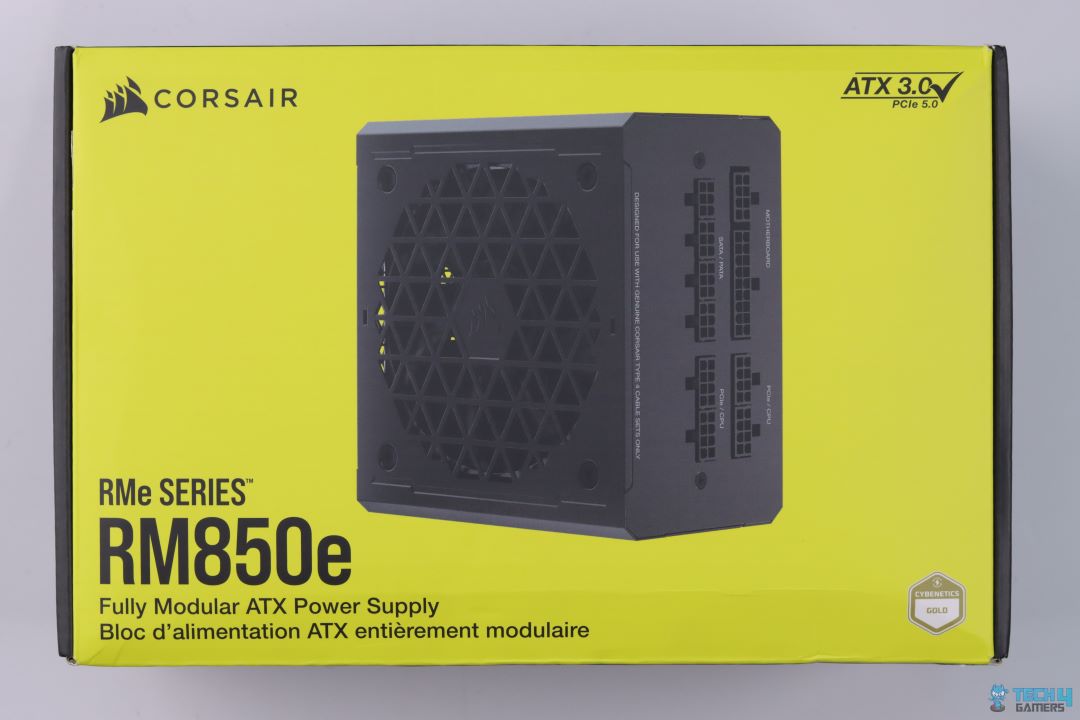
I have tested many PSUs from Corsair, and the RM850e packaging and styling fit right into their team. The front of the yellow box has a big picture of the PSU’s design, showcasing its vents and modular bay.
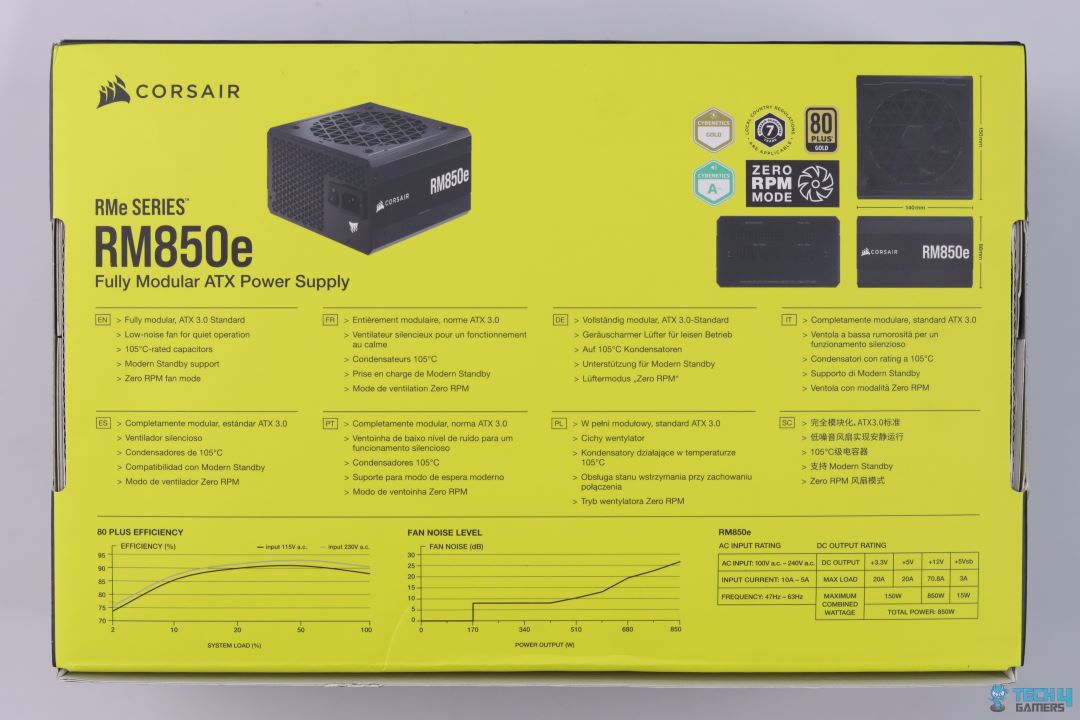
At the back, you’ll find all the main features written in multiple languages alongside Cybenetics and 80+ brand logos.
Open Box
Open Box
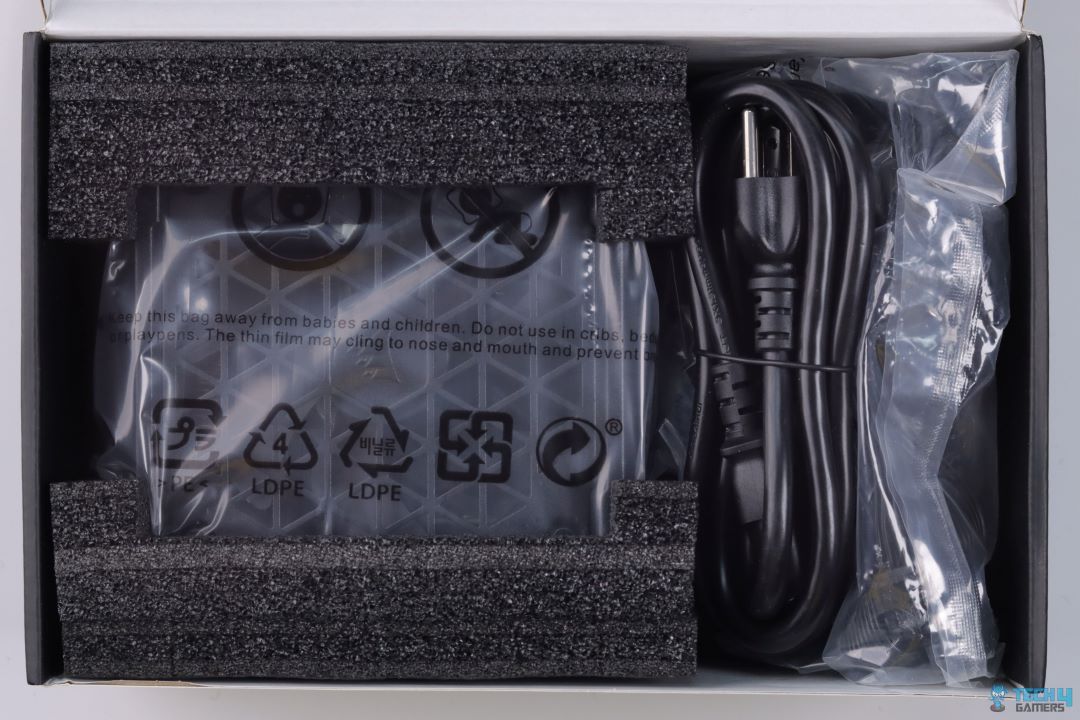
The power supply is protected with black foam. This is a standard measure that I have seen in pretty much all power supplies. The cables and the PSU come in a plastic pouch.
Design
PSU Front
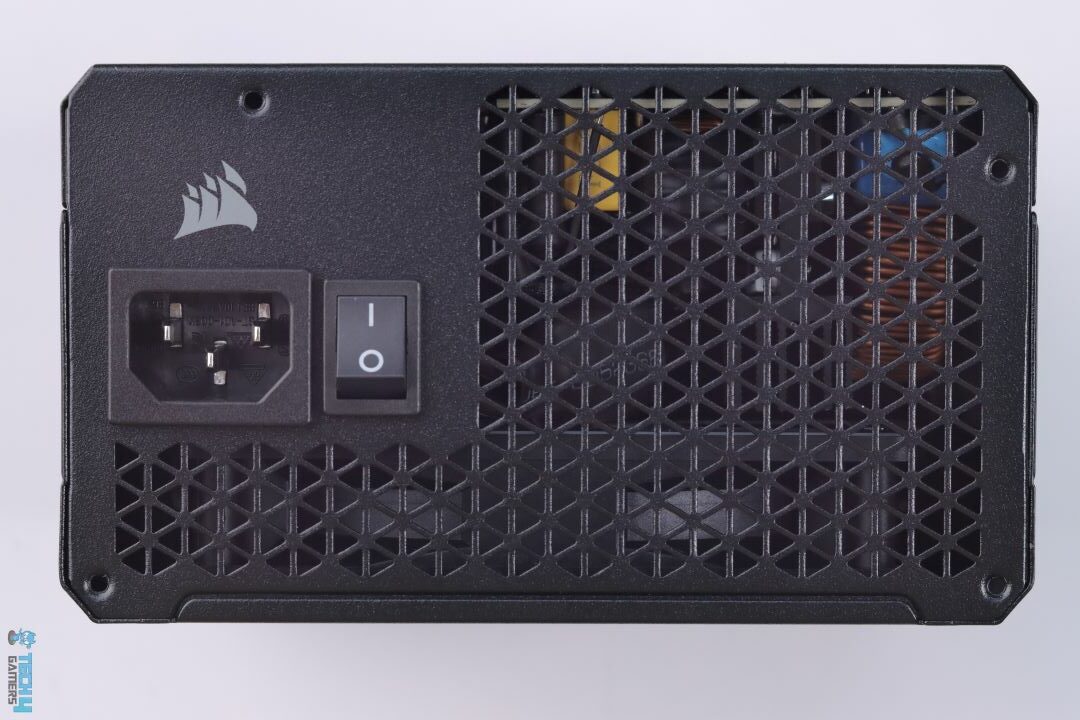
PSU Mains Input Power
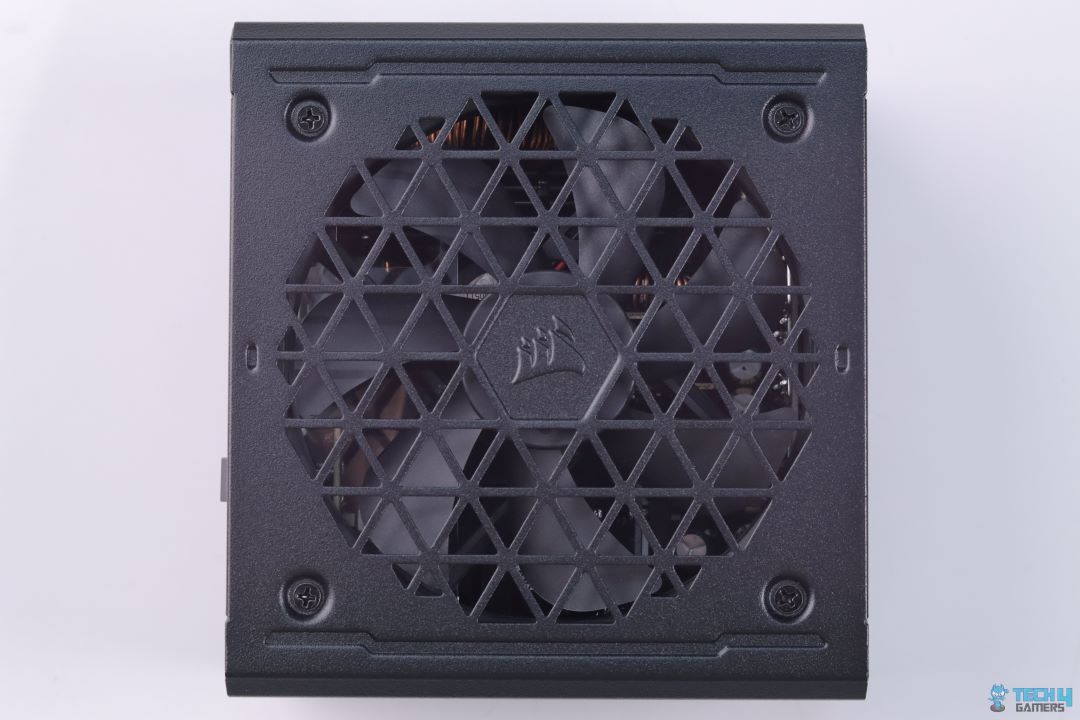
The RM850e Gold measures 140x150x86mm. It can easily work in any ATX chassis without any issues. The front of the power supply has triangular vents. I don’t know how I feel about the fan blades being the same color as the PSU casing. Most brands go for some accent designs.
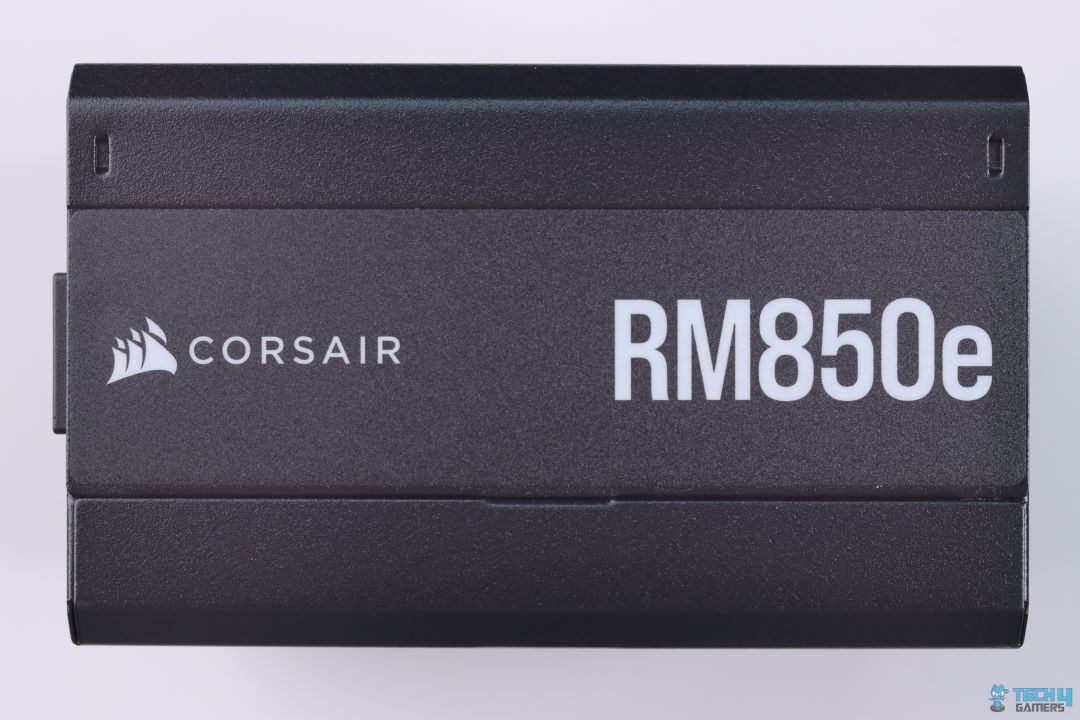
PSU Side
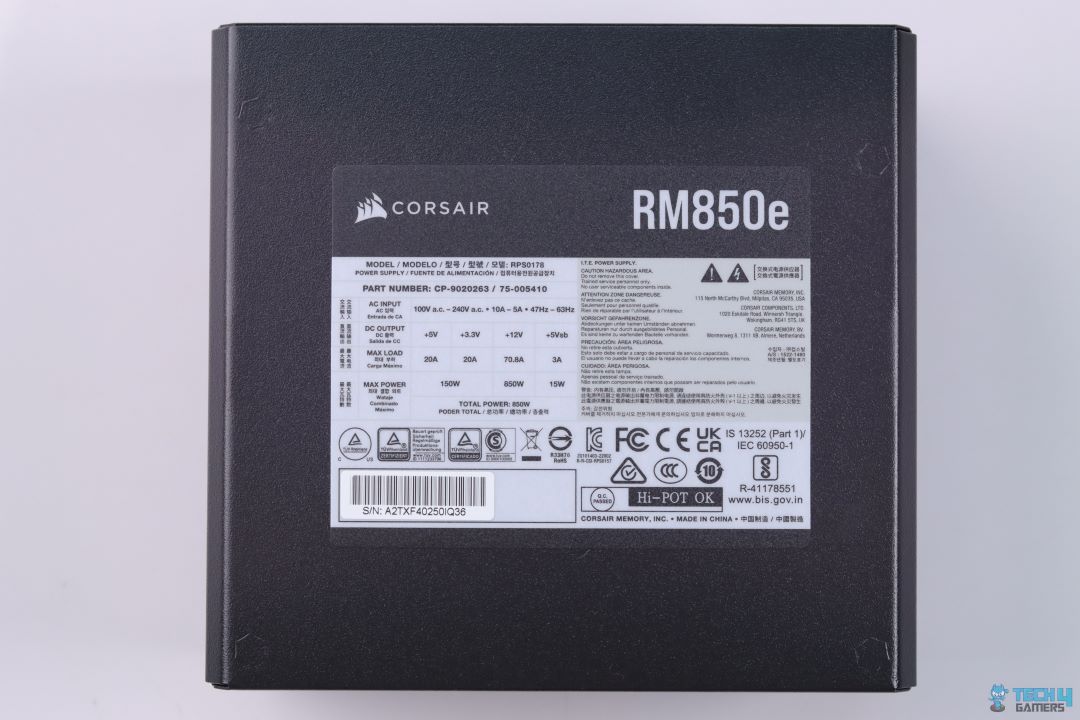
PSU Back
The PSU side has a big RM850E branding alongside the Corsair logo. At the back, you can read all the regulatory information and power specifications.
Cable & Connectors
Cables & Accessories (Image By Tech4Gamers)
Only the 24-pin ATX cable is sleeved, the rest are standard flat cables. Seeing that the RM850e PSUs are always aimed at budget gamers, the lack of sleeved cables is not that big of a deal.
Here is the list of all connectors:
Cable Type
Quantity
ATX Connector
1
EPS Connector
2
SATA Connector
7
PATA Connector
4
PCIe Connector
3
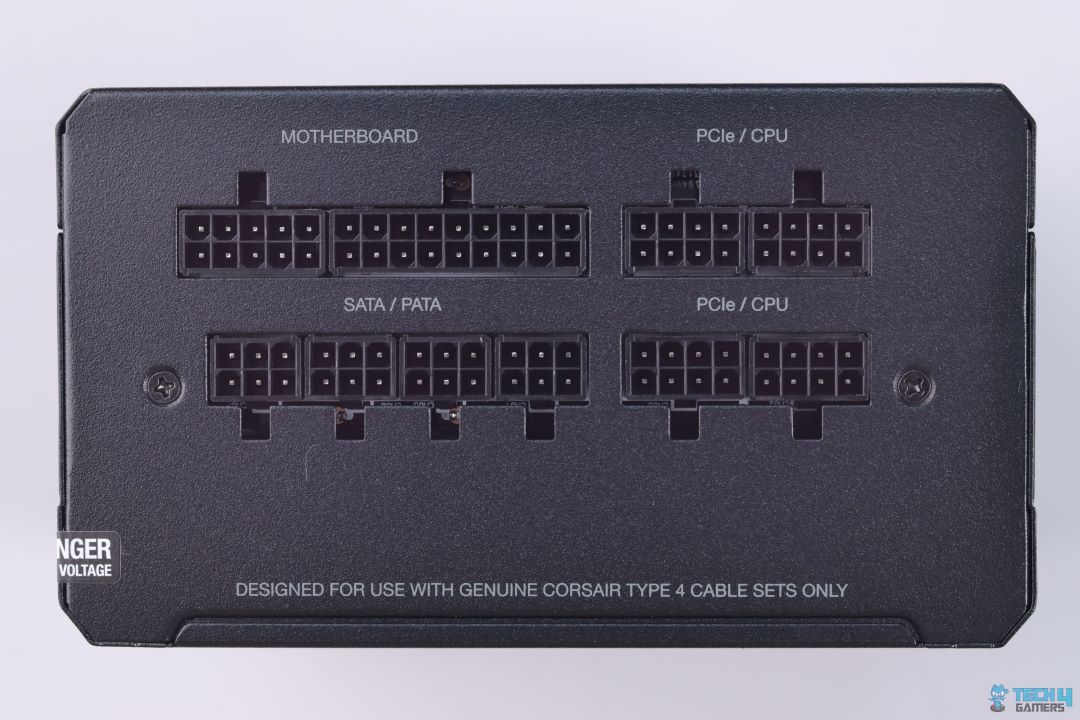
Modular Connector Side
No Native 12VHPWR Connector
As I have already expressed my disappointment in my Corsair HX1200i review for not having a native 12VHPWR connector, I will try not to criticise Corsair anymore because this time they may have done this for cost savings which hopefully they’re going to invest in native 12VHPWR connectors in their latest upcoming PSUs (I said I will try).
Teardown & Component Analysis
PSU Teardown (Image By Tech4Gamers)
We have seen Corsair’s heavy reliance on CWT for many of its PSUs, this time they went with an OEM that’s famous for its budget-friendly platforms HEC.
HEC has also made a few PSUs in the past for Corsair such as Corsair CV & Corsair CXF series and as we already know Corsair specifically asks its OEMs for slight design tweaks for their PSUs, I personally am pretty sure that we will not be witnessing some eyebrow-raising compromises in an effort to keep the cost low.
Internals
1 of 3
APFC Section
2x MOSFET Arranged in Half-Bridge Topology
DC-DC Converters for 5V & 3.3V
There’s a single block of aluminium heatsink which cools down all the Primary side components such as Bridge Rectifiers, APFC MOSFETs and its Boost Diode. It’s always good to see OEMs use fully potted APFC Inductors for reduced coil whine but sadly this isn’t the case here. Though we did not notice any coil whine during our extensive test so this isn’t a big deal I guess.
2 MOSFETs that drive the main transformer are mounted on their separate heatsink and they together make Half-Bridge topology.
Overall the design seems to allow adequate room for air to flow properly with not much of a hindrance and effectively cool down all the internal components.
Internals
1 of 3
Bulk Electrolytic Capacitor from Elite
Polymer Capacitors
Electrolytic Capacitor from Teapo
When I saw “7 years of warranty” on the box, the first thing that came to my mind was “so that’s where the cost-cutting went” because if a PSU is not marketed with 10 years of warranty, (which has become quite a common practice these days for Gold and above-rated PSUs) the reason has got to be the use of non-Japanese capacitors, and I was actually right!
High-end Japanese capacitors heavily affect the final cost. It is also really important to note that there are a few Taiwanese capacitors that have managed to match the performance of some well-known Japanese capacitors and among them is Elite which many manufacturers believe to be the best alternative to the Japanese capacitors. I can not say the same for Teapo though. There are also many Polymer capacitors for voltage filtering from the above-mentioned brands.
Main Transformer with 12V MOSFET Board
Rifle Bearing Fan from Hong Hua
The main transformer is fully potted with resin, most likely to silence the switching noises. In order to decrease conversion losses, the 12V MOSFETs board is directly soldered to the transformer. For just an 850W PSU, it’s quite unusual to see a flat aluminium heatsink covering 12V MOSFETs with a layer of thermal pad sandwiched in between. HEC & Corsair don’t seem to skip even this tiny detail to avoid increased temperature.
The fan is from Hong Hua but instead of using their superior quality Fluid Dynamic Bearing fan, Corsair has opted for a Rifle Bearing Fan as a cost-saving measure.
WARNING: The rifle-bearing fan, although effective, may not be as quiet or durable as higher-quality alternatives.
PSU Load Testing
Corsair RM850e Testing (Image By Tech4Gamers)
12V & Minor Voltage Rails Regulation
Difference Regulation (Image By Tech4Gamers)
Load in %
12V
5V
3.3V
20%
12.06V
5.00V
3.30V
50%
12.00V
4.99V
3.30V
70%
11.96V
4.99V
3.29V
90%
11.92V
4.99V
3.29V
100%
11.91V
4.98V
3.28V
Voltage regulation is not that impressive. I have seen better results in similar price offerings.
It’s important to note that for an end-user this shouldn’t be of any concern, tight voltage regulation defines a better design aspect of a PSU which a reviewer like me gives higher preference especially if we are getting better results from competitors.
PSU Efficiency
Average Efficiency (Image By Tech4Gamers)
Load in %
Efficiency
Power Factor
20%
90.81%
0.911
50%
93.20%
0.957
70%
92.85%
0.968
90%
92.12%
0.974
100%
91.59%
0.977
The Corsair RM850e is well-tuned for its efficiency and easily achieves Gold-rated levels of performance without struggling much.
Just as we saw the effects of cost-cutting in our previous test, similarly Corsair RM850e’s voltage ripple performance doesn’t seem to reflect the high standards set by Corsair either. But if we think of RM850e for its high affordability, then these numbers become quite impressive.
Temperatures
Thermal Performance
1 of 3
Max Temp at Exhaust
Max Temp at Connector Side
Max Temp at Back
Due to its average efficiency of 92% and fan spinning all the time, the operation has been much cooler throughout.
Should You Buy it?
Buy it if
✅You are tight on the budget: If you have already spent most of your budget on a decent Gaming PC with Ryzen 7 7700X & RTX4080 (or similar TDP system) and have no further upgrade plans for your PC.
Don’t Buy it if
❌You plan to upgrade soon: There is not enough output power for upgrading to high-end components later down the line.
❌You want quieter operations: Being only limited to 850W, you will mostly be using RM850e to its 25% capacity even on normal use, which can spin the fan to audible levels.
My Thoughts
Corsair with its RMe series lineup, provides a superb price to performance PSU for the tight-on-the-budget Gamers who want to have better protection and peace of mind for their beloved Gaming PCs.
At Tech4Gamers, I mainly cover new gaming news, leaks, and rumours. Aside from that, I love to write features about my favourite games while inserting my opinion about their different aspects.
Story Highlight
Elden Ring managed to set a high bar for open-world games in 2022.
Shadow of the Erdtree continues to impress with an incredibly fleshed-out open world.
The DLC presents various mysteries, interesting areas, and more to keep the open world interesting at all times.
Shadow of the Erdtree has received criticism due to its difficult bosses. However, it hasn’t received any shred of criticism for the world and level design. Elden Ring’s open-world was so good that it managed to raise the bar for open-world games.
The DLC is no different, and the bar is arguably even higher now. I still find it hard to believe how FromSoftware managed to make the open-world and level design of the DLC better than the base game.
Why it matters: I already had high expectations from the DLC, but FromSoftware still managed to exceed them by a mile.
Unparalleled Sense of Discovery
Only FromSoftware Can Surpass This New Bar Now | Image Credits: Tech4Gamers
By now, you would already know that Elden Ring doesn’t hold your hand, and you have to explore and find most things yourself. There might be a few hints every now and then, but the exploration requires careful examination of the surroundings. Staying true to this nature, the DLC is no exception; in fact, it takes things to the next level.
I have explored everything Shadow of the Erdtree offers after 70 hours. Wasn’t the DLC supposed to be only 30 hours long? If you are going to explore it thoroughly and beat every boss, then no, it isn’t going to be this short.
The level design is so unique that the map won’t help you much. You only have yourself in the DLC, and I am being literal here. Not only are the boss fights harder, but the complexity of the open world has been cranked up a notch.
Hidden walls, maze-type rooms, ruins to distract you, and obvious yet not-so-obvious paths, you will find everything in the DLC. It confuses you so much that you might begin to question the most linear of paths for secrets that don’t exist.
Shadow of the Erdtree is a great example of how there can be more to a game than meets the eye. As such, you’ll probably have to rely on thorough exploration to have any luck finding the best gear, weapons, and more.
The Level Design Is Mindblowing
Rauh Ruins and Shadow Keep Feature The Best Level Design FromSoftware Has Ever Made | Image Credits: Tech4Gamers
I think no game released this generation has a better-designed open world than Elden Ring and its DLC. I still remember finding the way to Messmer The Impaler in Shadow Keep, but it wasn’t easy.
It took me around 30 minutes to find the path leading to the last floor, and it was far from easy to find. Shadow Keep might just have the best level design FromSoftware has ever created.
This is basically the core of the new content, or I believe it to be so. You can go to the Rauh Ruins from here, which is basically an end-game area. You can choose to fight Messmer, who is sitting on his throne, or you can simply go to the most haunted area of Elden Ring, Abyssal Woods, or fight Messmer’s Commander.
Getting to Messmer’s Commander is another tricky part, and it is as hard as getting to Messmer. So, if you are still in the early stages, you are in for one hell of an experience.
It Just Keeps Getting Better
Abyssal Woods Is Scary And Navigating The Way Is Extremely Hard | Image Credits: Tech4Gamers
I had the best experience in Shadow Keep, but there was just one small problem. It was packed with enemies. This is understandable to some extent, as Messmer The Impaler was at war with Hornsents.
Other than that, I really liked the level design of Rauh Ruins. You must have looked at the map and wondered where the last missing map fragment is, and I can relate. Who would have thought that the Rauh Base would be connected to a place no one would have imagined it to be?
Unless you are blindly going anywhere on the map, I don’t think it is possible to find it. However, if you have free time to play the DLC thoroughly, I can guarantee you will enjoy the overall experience.
For these reasons, I’ve found myself completely absorbed by Shadow of the Erdtree’s gorgeous yet treacherous world. Each new corner presents the promise of more gear, stories, and discoveries, but the danger of death lurks ever closer.
This balance is perhaps why Shadow of the Erdtree’s open world is so much better than everything you’ll find in most open-world games.