At T4G, my task is to cover the latest news around the gaming globe ASAP and with the utmost precision. I adore all the games and respect all the devs behind the amazing games that we get all year. So, whether it’s a PC or a Console game, I got it all covered.
Story Highlight
Geoff Keighley recently posted about the next-gen Xbox, calling it a PC-based device.
The post has received a lot of backlash as fans argue that it’s still a console, not a PC.
It will likely feature all current Xbox features with PC elements on top of that.
Xbox just revealed that its next generation of console is codenamed Project Helix. As confirmed by months of rumors, it is indeed a hybrid console. However, in between the announcement, a headline caught attention for all the wrong reasons.
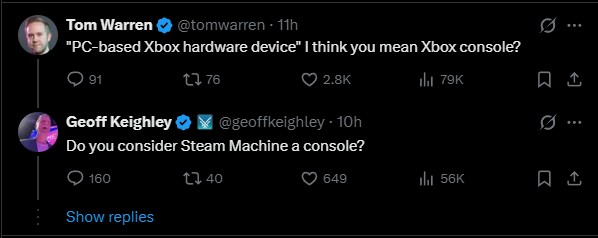
Geoff Keighly posted that Xbox has announced Project Helix, a “PC-based Xbox hardware device”, which has attracted a lot of backlash from the fans. They’re calling out Keighley for calling it a PC-based Xbox device.
Why it matters: While it is indeed a PC-console hybrid, Xbox’s head, Asha Sharma, described it as the next generation of Xbox console, therefore Keighley’s remarks are catching a lot of unwanted attention.
1 of 3
The award show host’s post is filled with replies from angry Xbox fans. They claim that he is fooling people just like he did with Highguard, and should at least wait for Microsoft to explain the exact architecture.
Fans argue that most people were calling the Steam Machine a console, despite it being a mini PC. And considering that Project Helix will be able to do everything the current Xbox does, plus add PC elements, it’ll still be called a console.
The Xbox head clearly labelled the next generation of hardware a “console.”
This does make sense, and even Asha Sharma calls it a console. So, yes, it is going to integrate PC elements, but on the surface, it’s still very much a next generation of Xbox consoles, expected to release in 2027.
What are your thoughts on Geoff Keighley being criticized for calling the next-gen Xbox a PC-based device? Let us know your opinions in the comments or join the discussion at the official Tech4Gamers Forum.
At Tech4Gamers, I contribute as a Senior News Reporter, combining my skills and gaming enthusiasm to keep our audience updated on the latest developments.
Story Highlight
The PS6 is said to be capable of 4K 120FPS gameplay, all while keeping ray tracing enabled.
An insider says the console should outperform the PS5 Pro by 3-6x in terms of ray tracing and 2x in raw performance.
This is achieved thanks to a CPU with 10 Zen 6 cores and a GPU with 54 RDNA 5 CUs.
The PS6, currently expected to debut in late 2027 or early 2028, has had plenty of rumors making the rounds already. Expected to ship with AMD RDNA 5 and Zen 6 hardware, the console is shaping up to offer quite a jump over the base PS5 hardware.
According to a prominent leaker, the PS6 will also be capable enough to handle 4K and ray-traced gameplay simultaneously. In fact, he says that the PS6 will achieve 4K 120FPS in most games.
Why it matters: Sony’s upcoming hardware might cost up to $800 at release, so the company will have to justify this price with impressive performance improvements over its current-gen PS5.
This leak comes courtesy of Moore’s Law is Dead, who has been on top of the PS6 hardware specifications for a while.
As per the insider, the PS6 should offer roughly 3-6x faster ray-tracing performancethan the PS5 Pro and 2x the rasterization performance. Moore’s Law is Dead also points out that the PS6 is likely to support an even more advanced version of upscaling than the already impressive PSSR 2.
Extrapolating the numbers and rough performance of the PS5 and PS5 Pro, the leaker says that 4K 120FPS gameplay with ray tracing should be very achievable for the PS6. In the same video, he says that the next-gen Xbox Magnus, officially revealed with a codename recently, should be up to 25% more powerful on paper than the PS6.
As a quick recap, the PS6 is said to ship with 10 Zen 6 cores (8 Zen 6c + 2 Zen 6 LP cores). The console should also sport 54 RDNA 5 CUs (52CUs usable), and Sony is reportedly deciding between 30GB and 40GB of usable memory for the hardware.
The insider reckons this type of setup should bring the PS6 somewhat close to the RTX 5090’s real-world performance.
I think they will fully saturate 4K 120FPS ray tracing.
RE9 Shows The True Potential Of The PS5 Pro
As for when the PS6 will launch, opinions are mixed on the matter. While 2027 seemed like a solid bet in the past, recent reports suggest Sony has delayed the console to 2029 due to the ongoing memory crisis.
At Tech4Gamers, I contribute as a Senior News Reporter, combining my skills and gaming enthusiasm to keep our audience updated on the latest developments.
Story Highlight
After Requiem’s incredible success, Resident Evil 10 is reportedly in development at Capcom.
A prominent leaker says that the title was being planned by Capcom for a while and has even been rebooted once.
He points out that the game is still several years away at this point.
Resident Evil Requiem has rejuvenated an already thriving Capcom franchise. Now the fastest-selling title in the series, this entry has set a new bar for future titles to meet, and it appears the team is already prepared to face this challenge.
According to the latest reports, Capcom has begun work on Resident Evil 10.
Why it matters: Because Capcom’s Resident Evil output has been so consistently great in recent years, fans are open to any and all content from the series that comes their way. Therefore, this report is quite welcome.
Resident Evil 10 Development Discussed By Insider | Image via Twitter
According to leaker Dusk Golem, Resident Evil 10 is currently being worked on. In fact, he says that the game began development over six years ago.
As per the leaker, the project has also been rebooted once already, which isn’t surprising given Capcom’s initial vision was quite different for Resident Evil Requiem as well, leading to the game being rebooted.
The insider says that Capcom aims to release new Resident Evil games quickly, which entails work on 4 to 7 projects at a time. However, Dusk Golem also prefaces this leak by saying that the title won’t be out for a few more years.
For reference, Resident Evil Code Veronica and Zero remakes are expected to be the next big releases for the series.
Resident Evil Code Veronica Remake
In other news, the leaker recently stated that Capcom had begun early work on a remake of the very first Resident Evil. All in all, the Japanese gaming giant seems to be working on numerous titles to keep fans busy with a constant stream of new releases for the next decade or so.
At Tech4Gamers, I contribute as a Senior News Reporter, combining my skills and gaming enthusiasm to keep our audience updated on the latest developments.
Story Highlight
Marathon is now available worldwide, reaching over 85K Steam players on launch day.
The extraction shooter has also topped Steam’s best-seller charts, beating out the likes of Resident Evil Requiem.
This performance has given Bungie a slightly underwhelming start for its highly anticipated title.
Following plenty of back and forth, Marathon is now officially available worldwide. Bungie’s first new release since Destiny 2 marks the team’s shift to extraction shooter gameplay, leading to cautious optimism among gamers worldwide.
With many writing off Marathon even before it was released, the game always had its doubters. However, it seems the title isn’t doing much to prove them wrong. Bungie’s extraction shooter has accumulated just over 85K concurrent players on Steam.
Why it matters: Even the recently released Slay The Spire 2 is outperforming Marathon’s day-one numbers by quite a huge margin.
SteamDB shows that Marathon’s concurrent player count has peaked at 86,718 players on day one.
Marathon has also topped the Steam best-sellers charts on launch day, making it a trending title on the platform. The game is even beating out the critically acclaimed Resident Evil Requiem for now.
As for the player count itself, the numbers are certainly lower than expected, even with the $40 price tag. In the past, paid multiplayer games like Helldivers 2 and Arc Raiders performed much better at launch, so the same was thought to be possible for Marathon.
The saving grace here is that the extraction shooter might put better numbers on the board once the weekend rolls around.
Marathon Is Leading The Charts | Image via SteamDB
For now, the big question is whether Bungie will be able to sustain this momentum moving forward and grow the existing player base. If games like Destiny and Destiny 2 are any indication, the team will support Marathon for many years to come, so all hope is not lost.
Currently serving as a News Reporter at Tech4Gamers, I have the privilege of combining my love for gaming with the art of storytelling. My role involves crafting engaging narratives that keep our audience abreast of the latest developments in the gaming world.
Story Highlight
Xbox has officially announced its next-gen console, titled “Project Helix.”
The console is confirmed to play both PC and Xbox games.
More details are expected at the upcoming GDC conference.
On a random Thursday, Xbox revealed the codename for its next-generation console, titled “Project Helix.” A short teaser for the console was dropped on social media, with more details expected at the GDC that is taking place just a few days from now.
Why it matters: It seems that Microsoft is cutting the life of the Xbox Series X|S since it has announced the next-gen console this early. Anyhow, this new console will be the make-or-break for the gaming giant.
Asha Sharma Revealing Details Regarding The Next-Gen Xbox || X
While the official Xbox account where the teaser was first dropped didn’t have information to share, the gaming giant’s new CEO, Asha Sharma, wrote this on her new post.
She confirmed the console’s ability to play both PC and Xbox games, a rumour that has long circulated for at least a couple of years. It seems that this new console will be a PC-hybrid, aligning with the gaming giant’s current strategy to expand the Xbox ecosystem beyond just a console.
Asha Sharma Has Big Shoes To Fit In After Phil Spencer’s Departure
Anyhow, more details on Project Helix are expected during the GDC, which is taking place from March 9-13. An announcement this early does align with our previous report that this console will release in 2027.
This means that Team Green will have an edge over PlayStation with an early next-gen release and also since the latter company plans on extending the PS5 lifecycle as much as they can. The only issue for Xbox to tackle is the memory shortage, which will inevitably raise the console’s price, which paints a bad picture considering its beefy specs already hint at a higher price.
Currently serving as a News Reporter at Tech4Gamers, I have the privilege of combining my love for gaming with the art of storytelling. My role involves crafting engaging narratives that keep our audience abreast of the latest developments in the gaming world.
Story Highlight
Nvidia CEO says that gaming was built in his time.
He also takes the credit for creating the modern video game industry.
Moreover, he claims that they’re the largest video game platform today.
Nvidia’s focus on enterprise has made it the world’s largest company as it stands at a market cap of $4.35 trillion today. The GeForce makers have undoubtedly made many contributions to the gaming world, but likely not as many as its CEO claims.
As per the CEO’s words, the video game industry was created in his time, which is pretty baffling to say, considering video games have been around for 50+ years, long before Nvidia was even created.
Why it matters: For a CEO of a company this big scale to make this bold statement is wild. Nvidia is a major player in the video game industry, but certainly not an inventor.
Tennis For Two (1958) Is Widely Considered The First Video Game || Image Credits: Parker Shaw
Yesterday’s Morgan Stanley Media and Telecom Conference had Jesen Huang hog all the spotlight, for all the wrong reasons. Reminiscing on the company’s growth, he touched on video games, noting that computer graphics were used to animate movies and that Nvidia applied them elsewhere, helping create the gaming industry.
And the whole videogame industry was created in my time.
NVIDIA was created in 1993, whereas video games have existed since 1958. Before Team Green was even created, video games had become a phenomenon, with titles like Pac-Man and The Legend of Zelda released in the 80s.
The reason why we’re so beloved in the videogame industry and we’re so deep in it still is, in a lot of ways, we created the modern videogame industry.
Jensen further took credit for all developments in the gaming industry, citing Unreal Engine as an example, since the engine heavily leverages Nvidia technology.
Nvidia’s Shift To AI Has Led To The Neglect Of Gamers
He also touched on algorithms, most importantly RTX, saying that the gaming industry would be nothing without it.
That’s the reason why all the games run best on Nvidia for good reason. That’s the reason why Nvidia is the world’s largest game platform.
While normally it would be understandable for Nvidia to call itself the world’s largest gaming platform, they just recently claimed that it’s not a ‘gaming company’ anymore, especially since the majority of its revenue was coming from enterprise.
As Tech4Gamers’ Wiki Editor, I dissect gaming products, offering detailed perspectives on a variety of PCMR hardware ranging from the Best Motherboards and CPUs to the Best GPUs, RAM, and PSUs.
Story Highlight
Neural Processing Units operate as part of the latest-generation motherboards without any sort of surveillance or monitoring and cannot be controlled by your anti-virus software.
NPUs feature a DMA controller that allows them to manipulate system RAM, threatening the integrity of your PC and your sensitive data stored within.
Numerous serious vulnerabilities have already been discovered, necessitating security patches to address these potential threats.
Tucked away in the latest high-end boards from ASUS, MSI, and Gigabyte, lies a new soldered-on component, i.e., an NPU (Neural Processing Unit).
It is marketed as a convenience feature, a way to enable clever optimizations like AI overclocking or network traffic prioritization.
But the more I dig, the more I see a permanent, un-auditable surveillance device embedded at the heart of our systems.
And frankly, it is a privacy nightmare waiting to happen.
The Below-The-OS Watcher You Cannot See
For starters, a motherboard NPU has Direct Memory Access, or DMA.
In plain English, this means it can read and write data directly to your system RAM without involving your CPU at all.
Your CPU, and by extension your operating system and all its security tools, simply do not see it happening.
The ARM developer documentation for embedded NPUs reveals the reality.
It states plainly that “there is no protection provided for privileged or unprivileged memory access from the NPU.”
It goes on to recommend that the NPU “should be made available to unprivileged software, only if the risk of unprivileged software accessing privileged memory is acceptable”.
Let that sink in.
The very architecture of these embedded AI chips treats memory protection as optional.
They are designed with a level of system access that would make any security engineer blanch.
The “Optimization” Trojan Horse: Convenience At What Cost?
Manufacturers pitch these NPUs as magical problem solvers.
For example, ASUS talks about “AI Overclocking” that learns your cooling capabilities.
In another instance, MSI advertises “AI Lan Manager” that prioritizes gaming traffic.
These features sound helpful. But think about what they require to function.
For starters, AI Overclocking needs constant monitoring of your voltage readings, clock speeds, and thermal data.
Moving on, AI LAN Manager requires deep packet inspection, meaning it analyzes the content of your network traffic in real time.
This is how MSI’s AI LAN Manager works. Sounds vague, no? (Image credits – MSI)
Where does all this behavioral data go?
Is it processed entirely on the NPU and then discarded?
Is it stored in firmware?
Is any of it, even aggregated anonymized telemetry, sent back to the manufacturer?
There are no answers. The process is opaque. The data path is invisible.
We are essentially installing a black box on our motherboards that has unfiltered access to our system’s most intimate operations, all in exchange for a slightly more convenient overclocking experience?
The Zero-Day Time Bomb: A Hacker’s Dream Backdoor
Any hardware component with this level of system privilege is a massive attack surface.
They presented research titled “Attacking NPUs of Multiple Platforms,” where they systematically explored the security of NPUs in devices from Samsung, Apple, and Qualcomm.
Their findings were alarming.
Firstly, Baidu Security discovered that the very complexity of NPU communication, from DMA mapping to command queuing, introduces a cascade of potential vulnerabilities.
Moreover, they were able to successfully execute arbitrary code on NPUs and even escalate privileges within the Android system.
What’s worse is that this research focused on mobile NPUs.
Motherboard NPUs, with even deeper system integration, present the same risks amplified.
The Evidence Is Already In The CVE Database
Unsurprisingly, the CVE (Common Vulnerabilities and Exposures) databases are already filling with NPU-related vulnerabilities.
To begin with, CVE-2023-33114 revolves around a memory corruption issue in an NPU that could lead to system compromise or data leakage.
Secondly, CVE-2024-33037 involves an NPU firmware flaw where invalid messages can leak information.
Even Intel, a major proponent of on-device AI, has had to patch multiple NPU driver vulnerabilities, including CVE-2025-35992 and CVE-2025-32735, which could allow denial of service or privilege escalation.
An overview of the risks that CVE-2025-35992 poses to the average unsuspecting user. (Image credits – CVEfeed)
The pattern is unmistakable. NPUs are complex, privileged, and vulnerable.
An exploit targeting the motherboard NPU would be the ultimate backdoor.
It would operate below the OS, invisible to every security tool you run.
A skilled attacker could plant firmware-level malware that persists across reinstalls, reads every keystroke, exfiltrates every file, and you would never know.
The Path Forward: Demanding Transparency And Control
The industry is hurtling toward an AI-enabled future, so NPUs aren’t going to disappear anytime soon.
But we, as consumers and builders, must demand fundamental rights over these components.
We need transparency. Manufacturers must disclose exactly what data these on-board NPUs collect, how it is processed, and whether any of it leaves the system.
We need control. There must be a way to disable these NPUs at the firmware level, completely and verifiably, for users who do not consent to always-on AI monitoring.
We need accountability. Hardware security researchers must have access to audit these NPU implementations, and manufacturers must commit to rapid, transparent patching when flaws are discovered.
After all, your system’s most sensitive data deserves better protection than a marketing slide.
As Tech4Gamers’ Wiki Editor, I dissect gaming products, offering detailed perspectives on a variety of PCMR hardware ranging from the Best Motherboards and CPUs to the Best GPUs, RAM, and PSUs.
Story Highlight
Higher frequency RAMs don’t necessarily translate to higher effective speed when it comes to real-world RAM performance in gaming.
For AMD users, DDR5-6000 is the sweet spot thanks to the 1:1 ratio of the RAM’s frequency itself to the CPU’s UCLK (Unified Memory Controller Clock).
The global RAM shortage has caused prices to shoot industry-wide making it very difficult to find 6000 MHz CL30 kits in stock at justifiable prices, let alone 8000 MHz kits.
The Speed Illusion: Frequency Is A Liar
For starters, we have been conditioned to think bigger numbers are better. A higher GHz CPU, a higher TFLOPS GPU, and higher MHz RAM.
But with memory, frequency is only one part of a much more complex equation.
Why? That’s because the real performance you feel is dictated by a delicate balance of three parameters: CAS Latency, memory timings, and finally, that headline frequency.
Think of it like a delivery service. Frequency is how many delivery vans you have on the road.
CAS Latency is how long it takes to load each van at the warehouse.
You can have a hundred vans, but if loading each one takes forever, your overall throughput is terrible. This is precisely the trap of ultra high frequency RAM.
The Inevitable Trade-Off: Looser Timings For Bigger Numbers
Here is the fundamental law of memory physics. As you push frequency higher and higher, it becomes exponentially harder to maintain low CAS latencies and tight timings.
Moving on, the memory controller must work harder, requiring more voltage and generating more heat, which forces the system to relax those timing numbers to maintain stability.
We took the G.Skill Trident Z5 Royal Neo DDR5-8000 CL38 RAM Kit for a spin, and while it performed wonderfully, it’s price still remains unjustified. (Image Credits – Tech4Gamers)
Consequently, a DDR5-8000 kit like the G.Skill Trident Z5 Royal Neo will be running at a much looser CL38. In contrast, a DDR5-6000 kit like the G.Skill Ripjaws S5 will run at a crisp CL30.
As a result, you are gaining raw bandwidth on paper, but you are also adding significant latency. This trade-off often cancels out the benefit entirely in real world applications, especially gaming.
The Real-World Test: Negligible Gains At A Catastrophic Cost
If I’m being straightforward, you’ll find that moving from a standard DDR5-6000 CL30 kit to a bleeding edge DDR5-8000 CL38 kit typically yields FPS gains of up to 1-5% at most when gaming in 1440p or 4K.
As far as 1080p gaming is concerned, let’s be honest; you’ll see slightly higher performance gains here (up to 10-12% in cherry-picked CPU-dependent titles).
Nonetheless, if you’re spending $300-500 extra for the Best DDR5 RAM, the chances are you have a upper midrange or flagship GPU that’s quite capable of powering your high refresh rate monitors in 1440p or even 4K.
Meanwhile, that money could have been redirected towards a full tier jump in your GPU, easily delivering a 20% to 40% performance uplift.
The Instability Tax And Platform Limitations
However, the cost is not just financial. The pursuit of 8000 MHz stability is a part time job.
Achieving such high frequencies require a premium Intel Z890 or AMD X8670E motherboard with a top tier power delivery design for the memory circuitry, a CPU with a golden sample IMC, and even then, you may face random BSODs or game crashes.
Furthermore, your CPU platform is a hard gatekeeper. AMD’s Ryzen 7000 series, for example, has a memory controller that generally peaks at a 3000 MHz clock.
Since DDR5 transfers data twice per cycle, this gives us that 6000 MHz 1:1 sweet spot.
Pushing RAM faster forces the system into an asynchronous gear, introducing massive latency penalties that can actually hurt performance.
On the other hand, Intel’s Core Ultra (15th Generation “Arrow Lake”) CPUs are more flexible, but running 8000 MHz RAM reliably usually demands one of the Best Z890 Motherboards, which aren’t cheap by any means.
The Final Nail: A World In RAM Shortage
Now, let us consider the broader market, because it makes this entire conversation almost absurd.
We are in the grip of a severe global RAM shortage. Major manufacturers like Micron and Samsung have confirmed they are allocating production to more profitable lines like HBM for AI data centers.
As a result, prices for standard DDR5 have skyrocketed.
TEAMGROUP has quintupled the price for its T-Force Delta 32 GB (2x16GB) RGB DDR5-6000 CL30 RAM Kit since October 2025. (Image Credits – CamelCamelCamel)
Therefore, seeking out an exotic, low volume DDR5-8000 kit is an exercise in futility and extravagance in this economic climate.
You are fighting for a product you do not need, in a market that can barely supply the products you do need.
Save your money, buy a reliable DDR5-6000 CL30 kit, and put every single dollar you saved towards a better GPU.
Your frame rates will thank you, your system will be stable, and your wallet will not be empty. That is a win in anyone’s book.
As Tech4Gamers’ Wiki Editor, I dissect gaming products, offering detailed perspectives on a variety of PCMR hardware ranging from the Best Motherboards and CPUs to the Best GPUs, RAM, and PSUs.
Story Highlight
“AI-Optimized” is a marketing label, not a technical spec. It often means (SSD) firmware tuned for write speeds, which hurts reading performance in gaming while adding a price premium.
Real AI storage innovation lives in enterprise data centers costing thousands, not on retail shelves in the form of consumer “AI-Optimized” SSDs that are essentially repackaged standard drives.
Ignore the marketing terminologies and select SSDs based on random read performance while remembering that a consumer-grade high-end SSD will be faster and cheaper for almost all of the day-to-day users and even gamers.
Naturally, after more than a decade of covering PCMR hardware, I have seen a variety of marketing buzzwords come and go.
But the current AI frenzy has birthed something truly absurd. Walk into any electronics retailer today, and you will see them.
I’m talking about SSDs emblazoned with stickers screaming “AI-Optimized.” They promise next-level performance for the AI era. They carry premium price tags.
And for 99.9% of buyers, they are complete and utter nonsense.
Here is the uncomfortable truth storage manufacturers do not want you to know.
The Firmware Trick: Read-Centric vs. Write-Centric
To understand the deception, you need to understand how SSDs handle data.
Most consumer SSDs are tuned for a read-heavy workload.
You boot your PC (reads), launch a game (reads), open a document (reads). Writes happen less frequently.
This is why standard SSDs use a fast SLC (Single Level Cell) cache to absorb those occasional write bursts and then trickle the data into slower TLC (Triple level Cell) or QLC (Quad Level Cell) NAND in the background.
However, an “AI-Optimized” drive shifts this balance.
To put this into perspective, academic research on AI storage confirms that AI workloads in data centers require entirely different firmware characteristics.
They demand intelligent data placement, dynamic channel load redistribution, and adaptive wear leveling algorithms to handle the sustained, massive write loads of AI dataset training. This is a write-centric workload.
For an actual AI researcher training large language models, this makes sense.
But for a gamer loading Cyberpunk 2077? It is a disaster.
The Best Gaming SSDs like this Kingston Fury Renegade 2TB SSD we reviewed will always prioritize read over write speeds. (Image Credits – Tech4Gamers)
Why? Well, games are read-intensive. They require rapid random reads to stream textures and assets.
By tuning the firmware for sustained writes, you can actually degrade random read performance, the very metric that matters for gaming.
Even worse, aggressively writing data to optimize for AI workloads can accelerate NAND wear, shortening the drive’s lifespan for zero benefit.
The Real Target (And Why It Is Not You)
Here is the critical distinction. True AI-optimized storage exists, but it lives in enterprise data centers, not on retail shelves.
For instance, companies like Micron have developed drives like the 9550 SSD, explicitly designed for AI servers.
It delivers 14.0 GBps sequential reads and is optimized for GPU-to-SSD data transfer methods like Nvidia’s BaM (Big Accelerator Memory).
This drive is for hyperscalers and data center operators, built to handle the punishing workloads of AI training clusters.
What you are seeing at Best Buy is a pale imitation. It is consumer-grade hardware repackaged with a trendy label.
The academic literature confirms that true AI storage innovation involves integrating ARM cores and specialized AI instruction sets directly into the SSD controller.
That is not happening in your $120 1TB NVMe drive. It is happening in enterprise gear that costs ten times as much.
The real irony? Market research shows the global AI Storage SSD market was valued at just $164 million in 2024. That is a rounding error compared to the broader SSD market.
Yet the term is being slapped on millions of consumer drives, diluting its meaning to sell you a product you do not need.
The Crucial Reality Check
The AI boom is genuinely reshaping the storage industry, but not in the way the marketing suggests.
Micron, one of the world’s largest memory manufacturers, recently announced it is pulling its consumer brand Crucial from the market entirely.
The reason? Production capacity is being radically reorganized to focus on high-margin enterprise products like HBM (High Bandwidth Memory) and specialized enterprise NAND for AI data centers.
This means two things. First, the AI-Optimized SSDs you see are increasingly a last gasp from a market segment manufacturers are abandoning.
The Teamgroup MP44 2TB was priced at under $90 when we reviewed it back in September 2023. Fast forward to March 2026 and it’s changing hands for over $320. (Image Credits – CamelCamelCamel)
Second, the AI boom is actually driving prices up for consumers by diverting production capacity away from the drives we actually need.
The Better Buy: Standard High-End Consumer SSDs
So what should you actually buy?
For 99% of users, any of the six medalists in our Best SSDs For Gaming roundup will prove to be faster, cheaper, and more reliable.
But if you want to experiment with other brands/models, just look for SSDs with:
Strong random read performance (IOPS): This is what loads your games and boots your OS.
Phison or Silicon Motion controllers with proven track records.
TLC NAND for a good balance of speed and endurance. QLC can be acceptable for pure storage but avoid it for an OS drive.
I’ve been the Journalist & Editorial Writer at Tech4Gamers since July 2022. I spearhead our hardware coverage, including overclocking GPUs, benchmarking CPUs, reviewing peripherals, and fine-tuning custom PC builds for every budget. Daily, I report on breaking gaming news, from major launches and studio updates to the latest industry trends, ensuring our community stays informed. Beyond news briefs, I write in-depth feature articles on gaming culture and emerging technologies. And by collaborating closely with the editorial team on content planning, SEO strategy, and our publishing calendar, I help us consistently hit our traffic and engagement targets.
QCY H3 Pro is one of those budget-friendly wireless headphones that promise a bit of everything without asking for much in return. I’ve spent the last few weeks with it, testing music and calls just to see if it actually holds up. On paper, it ticks a lot of boxes, but specs alone don’t tell the whole story. How it feels in your ears, how it sounds, and whether it actually blocks out that hum from your AC unit are what truly matter.
A few months ago, I had the chance to review the QCY H3S, so I already had a sense of what this brand tends to do. The H3S felt solid for its category. Coming into the H3 Pro, I was eager to see how they improved. This review isn’t going to sugarcoat anything. I’ll talk about what works, what feels a bit off, and whether the performance makes sense at this price. By the end, you’ll know whether the H3 Pro is just another budget pair or if it actually has something worth your attention.
Why Trust Tech4Gamers
Abdul Hannan is our peripherals expert who has been testing different mice, keyboards, headphones, microphones, and more for years.
130+ peripherals tested and reviewed by our team of hardware experts (Tech4Gamers Team).
500+ hours spent testing different peripherals for our reviews.
At Tech4Gamers, ensuring you get reliable information is our priority. That’s why every hardware round-up undergoes a meticulous review process by our team of experts and editors. Each review is carefully examined against our strict editorial guidelines, guaranteeing you trustworthy insights you can depend on.
Key Takeaways
The QCY H3 Pro is a well-rounded budget ANC headphone that offers long battery life, adaptive noise canceling, and LDAC support, all in a clean, practical design.
You should buy the QCY H3 Pro if you want flexible sound options, reliable wireless performance, personalized ANC control, long battery life, and versatility
You should skip the QCY H3 Pro if you’re sensitive to warm earpads, want a premium build feel, expect studio-grade microphone quality, and are looking for more immersive sound.
Here are the technical specifications:
Type
Over-ear
Audio codec
LDAC/SBC
Compatible system
iOS/Android
Charging port
USB Type-C
Weight
231g
Effective Bluetooth range
10m
Supported Protocols
HFP/A2DP/AVRCP
Battery capacity
550mAh
Battery life
40H with ANC ON, 55H with ANC OFF
[toc]
What Makes QCY H3 Pro Different?
The QCY H3 Pro stands out among budget ANC headphones by bringing Bluetooth 5.4 for a more stable connection and LDAC support with Hi‑Res Audio certification, letting compatible devices stream higher‑bitrate audio. The H3 Pro also steps up with adaptive ANC and a three‑mic setup with AI‑assisted voice pickup. Finally, the inclusion of wired 3.5 mm playback, low‑latency gaming mode, and multipoint connection gives it more flexibility than many rivals at the same price point.
Packaging & Unboxing
Packaging
1 of 2
Frontside of the Box
Backside of the Box
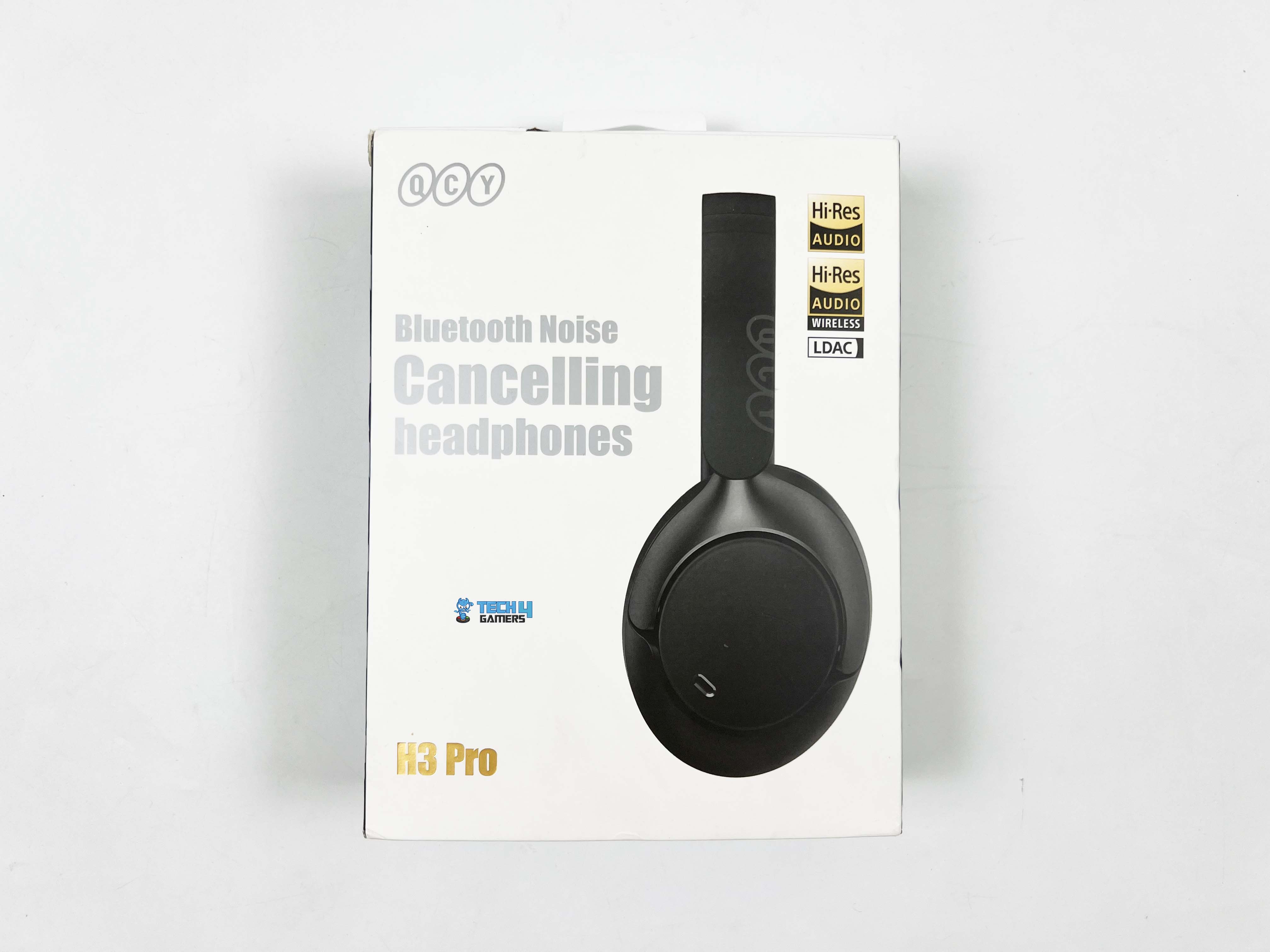
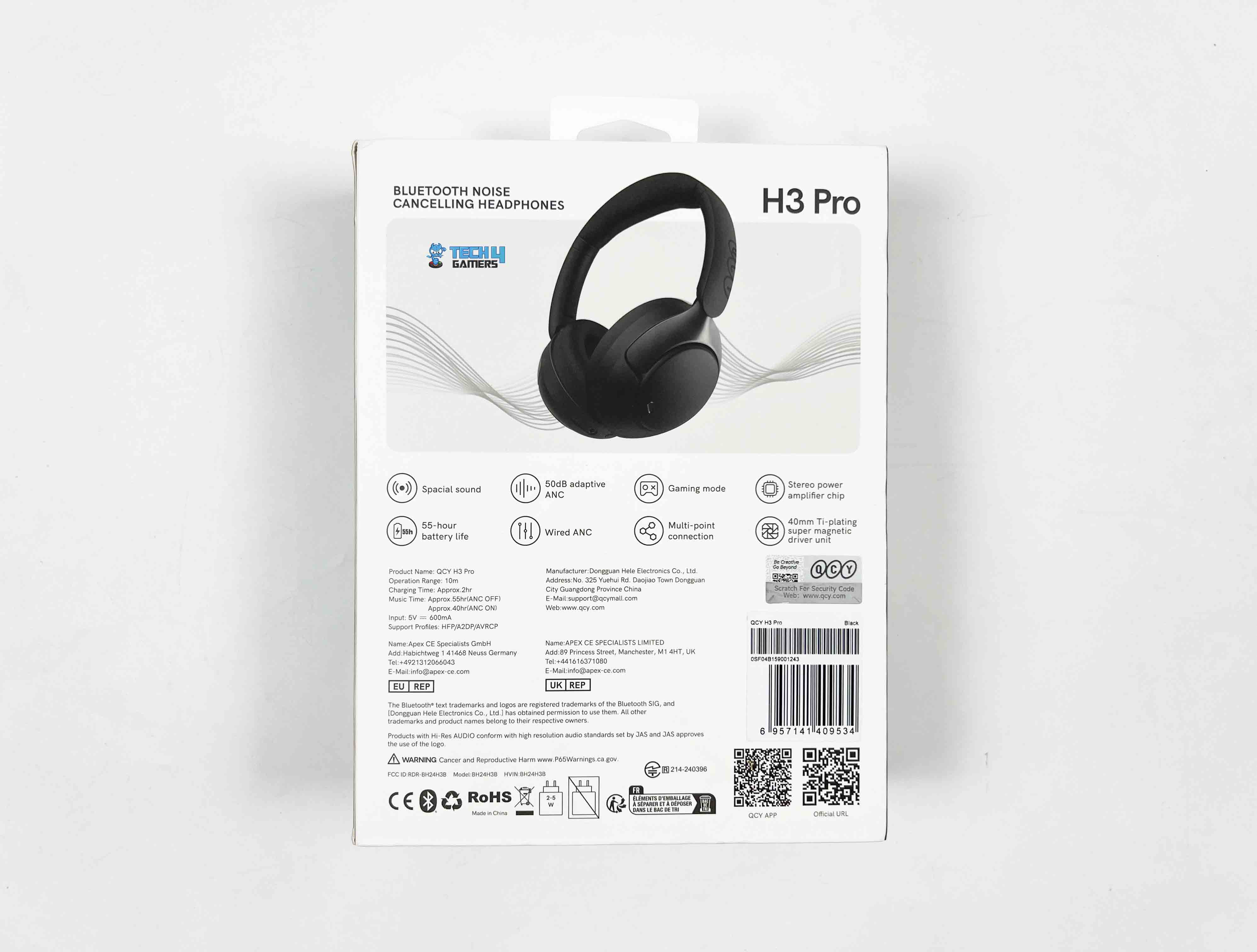
The front side of the QCY H3 Pro box shows a side profile of the headphones, and right next to it are a few badges letting you know it’s LDAC and Hi-Res Wireless certified. The front also makes it clear that these are Bluetooth noise-cancelling headphones, with the QCY logo and the model name. Flip the box over, and you’ll see a full image of the headphones. There’s a short list of notable features, technical specifications, and manufacturer info.
Unboxing
1 of 2
Unboxing
Box Contents
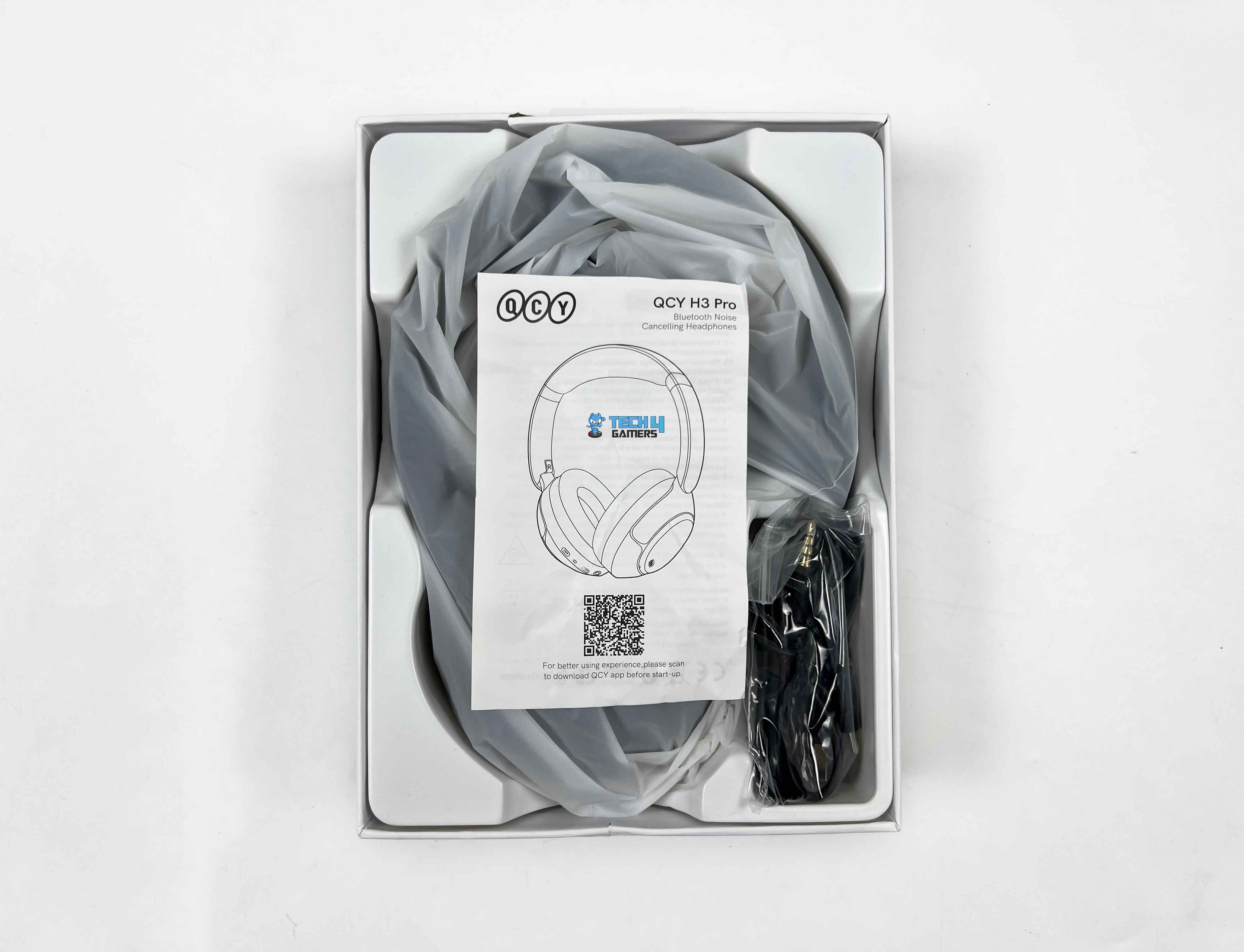
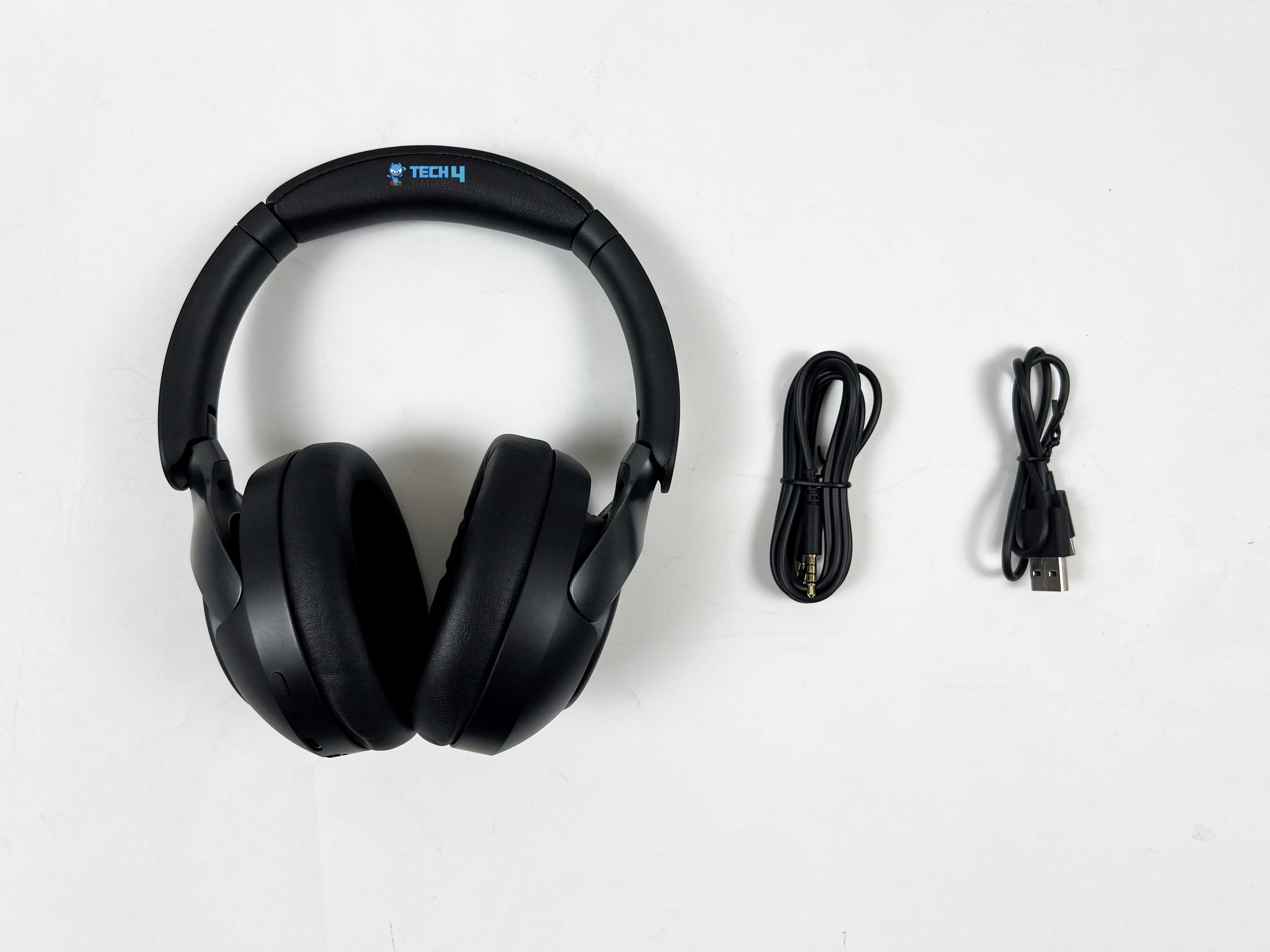
The unboxing is a little layered. There’s a sleeve over the top of the box, which you slide off first. Underneath that is the main box, the kind with a lid that lifts up to reveal its contents. Inside, the headphones are wrapped in a thin plastic sleeve to keep them pristine. Right on top of them sits the user manual. On one side of the box, you’ll find the 3.5mm aux cable and the USB Type-C charging cable, neatly tucked into their compartments.
Design
Design
1 of 3
Design
Folding Hinges
QCY Branding
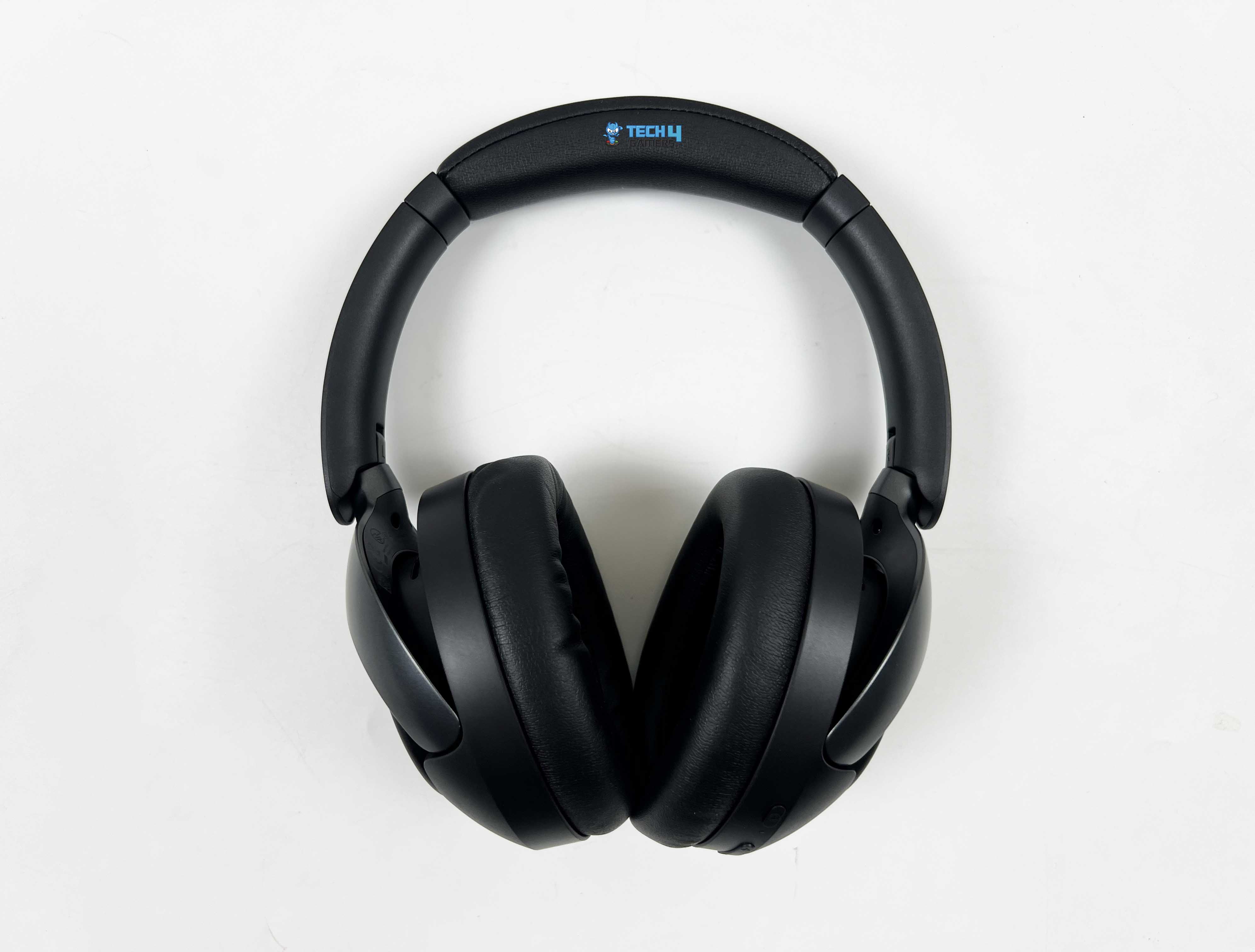
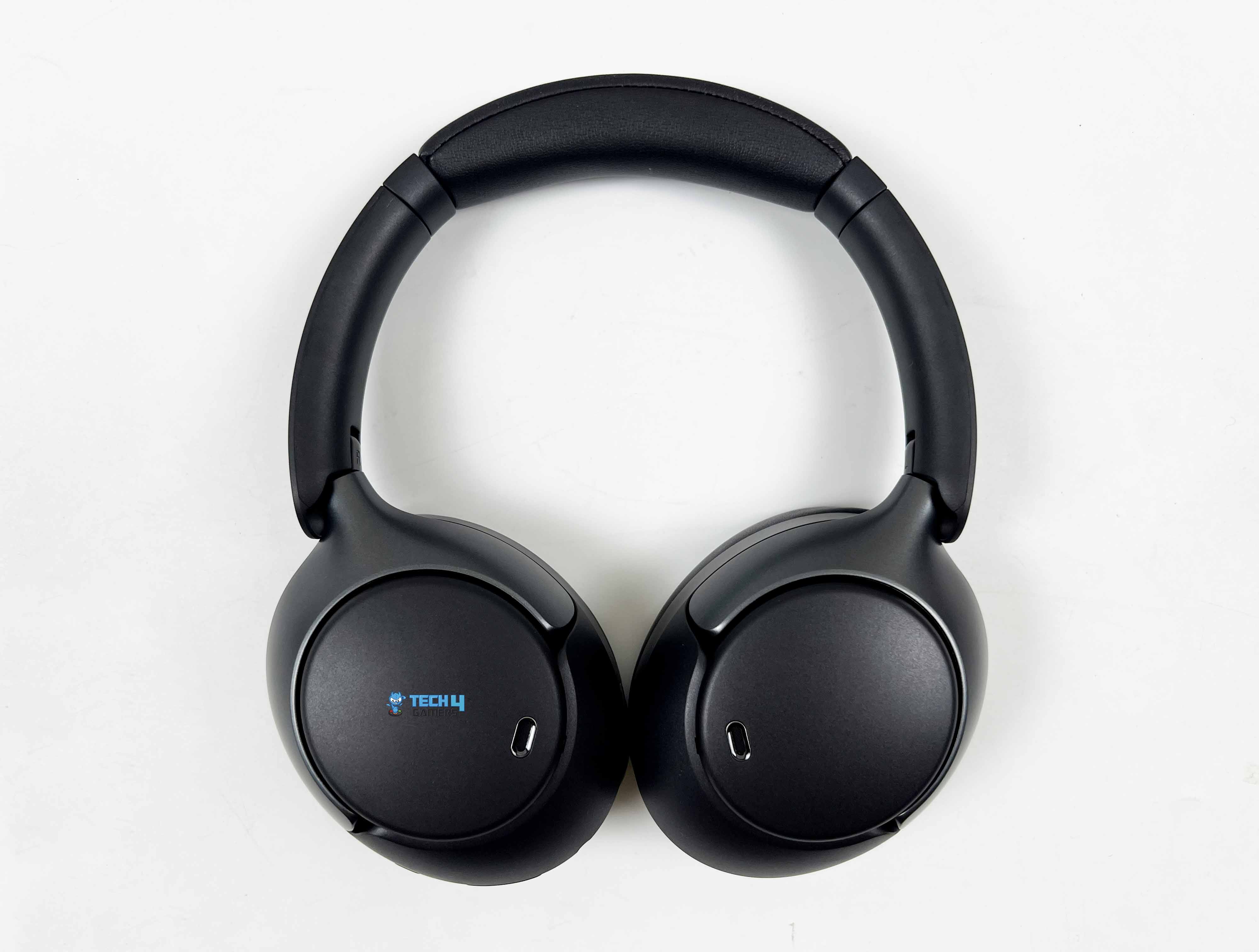
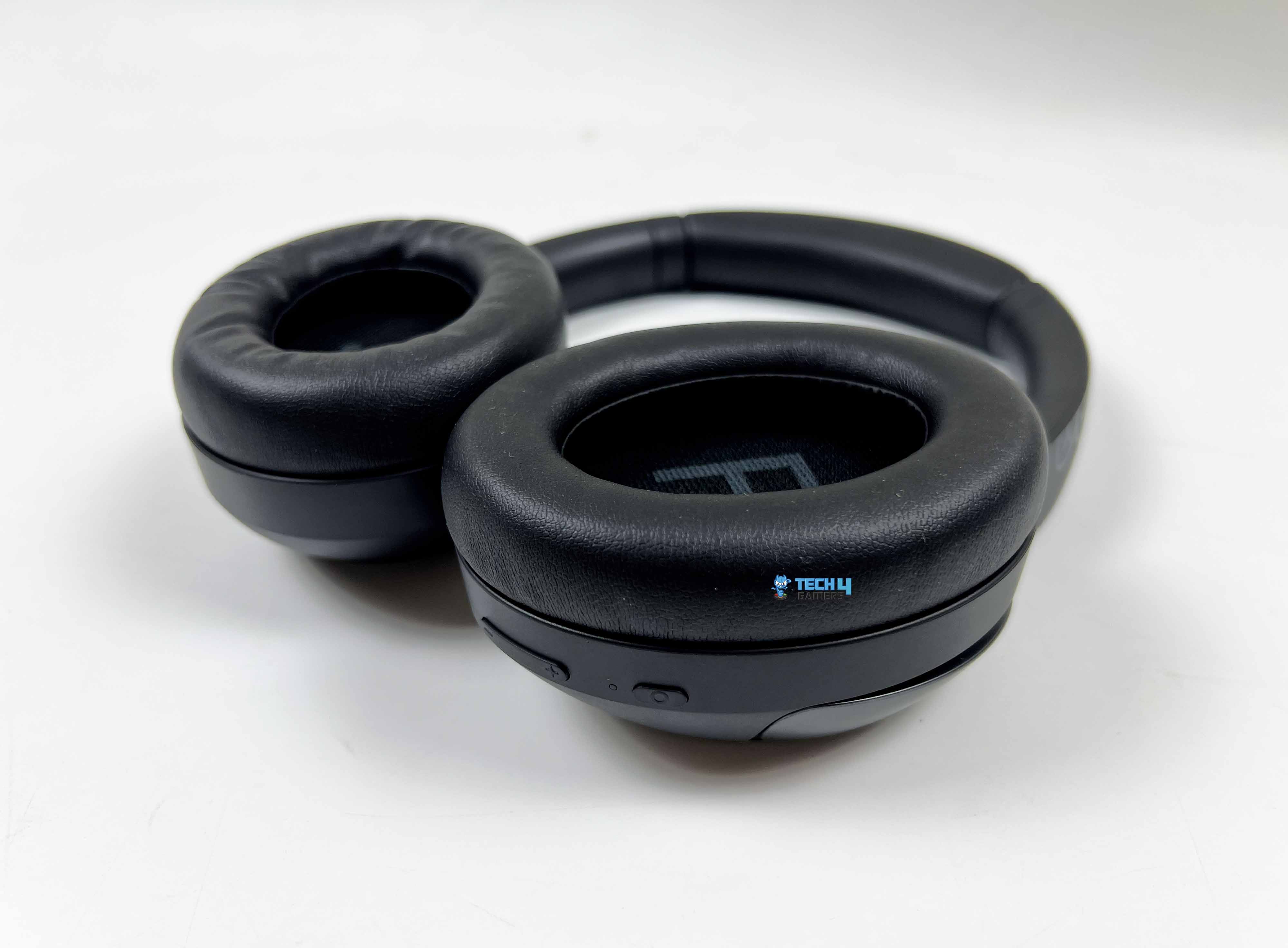
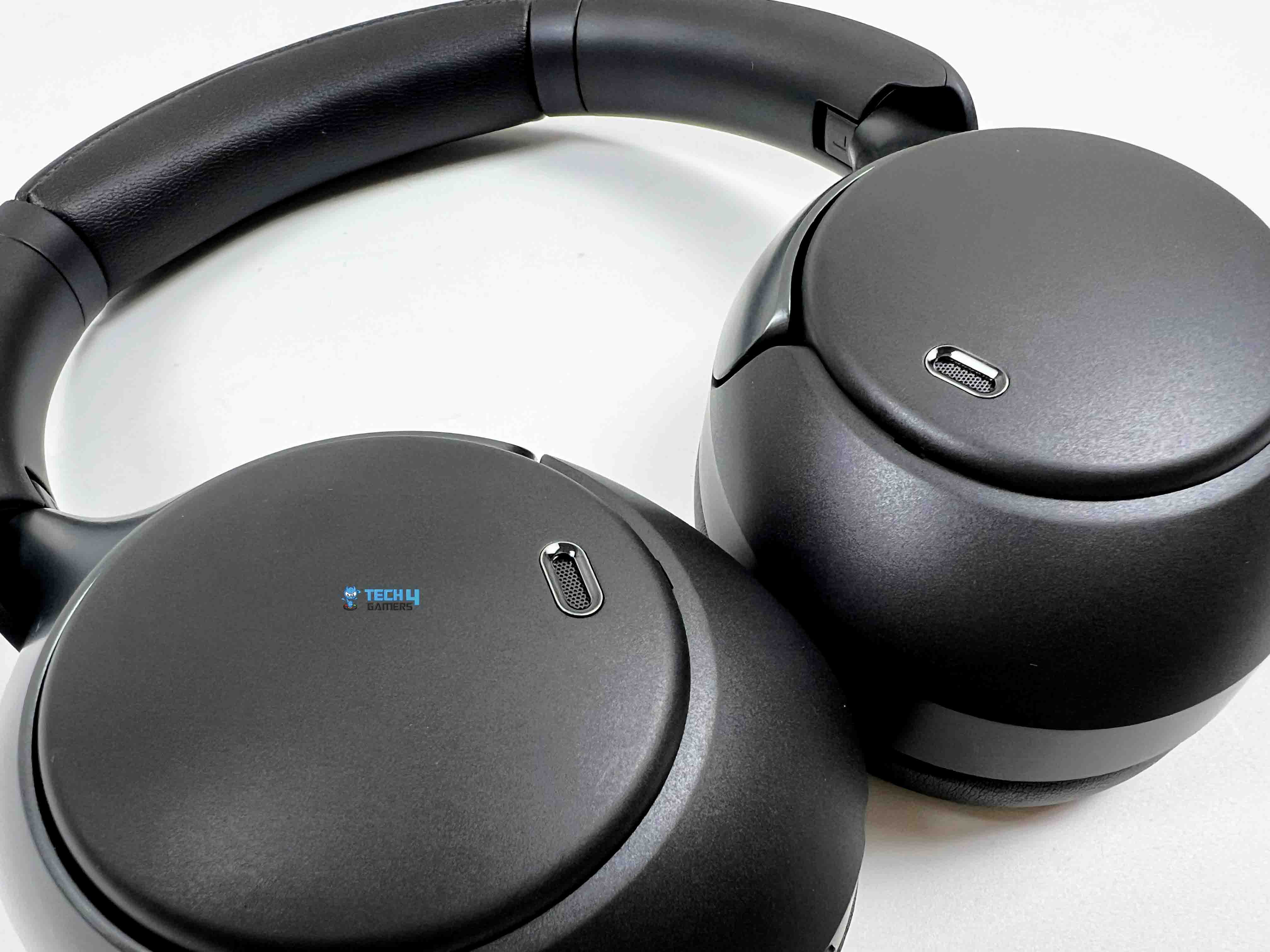
When I look at the QCY H3 Pro, the first thing that stands out is its overall silhouette. It’s minimalist with a hint of sporty flair, neither over-the-top nor flashy. You could easily wear it in an office setting without it feeling out of place. The headphones come in four color options: black, white, purple, and blue. My review unit arrived in black. The matte black finish covers the headband, earcups, and hinges uniformly, so there’s nothing that feels mismatched.
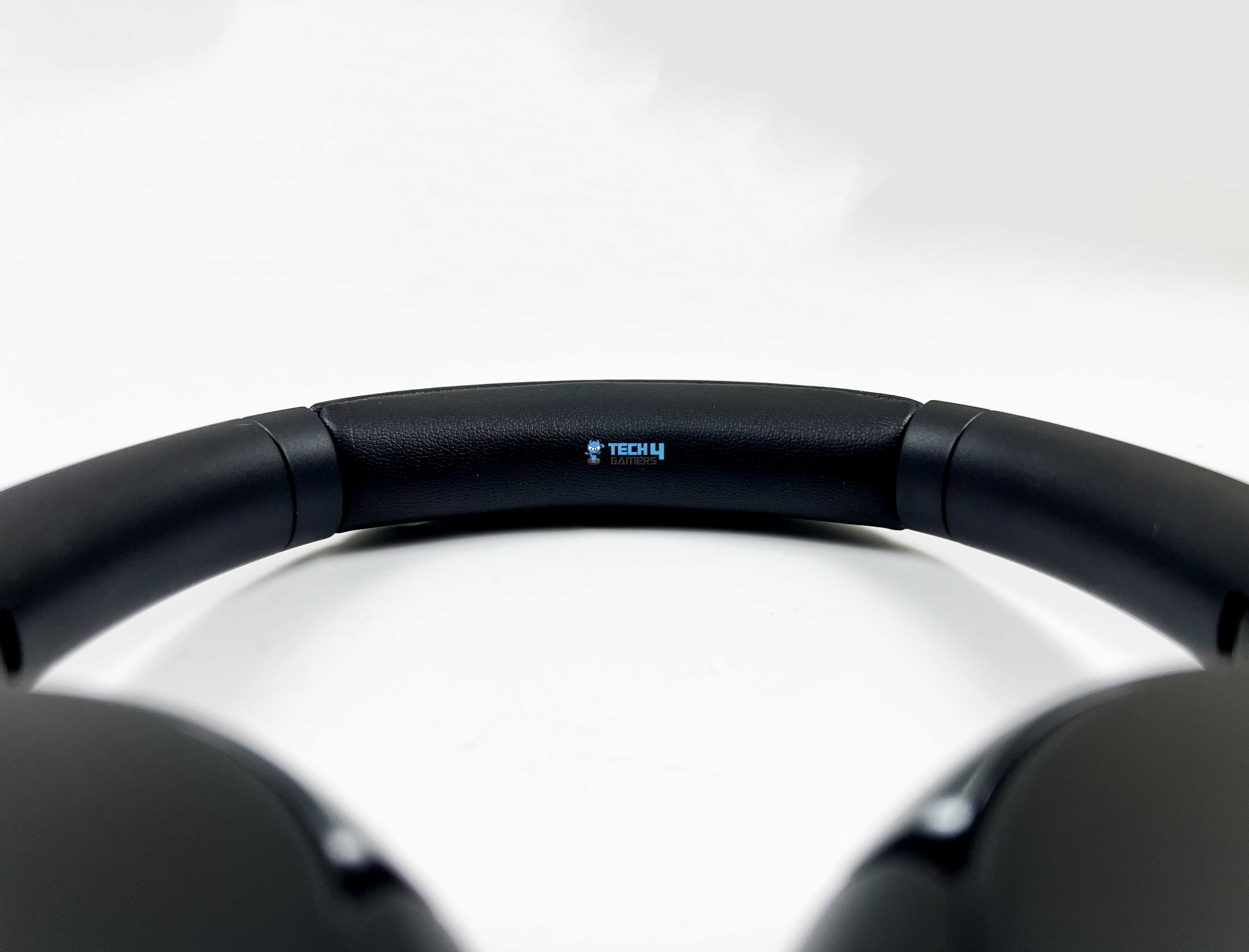
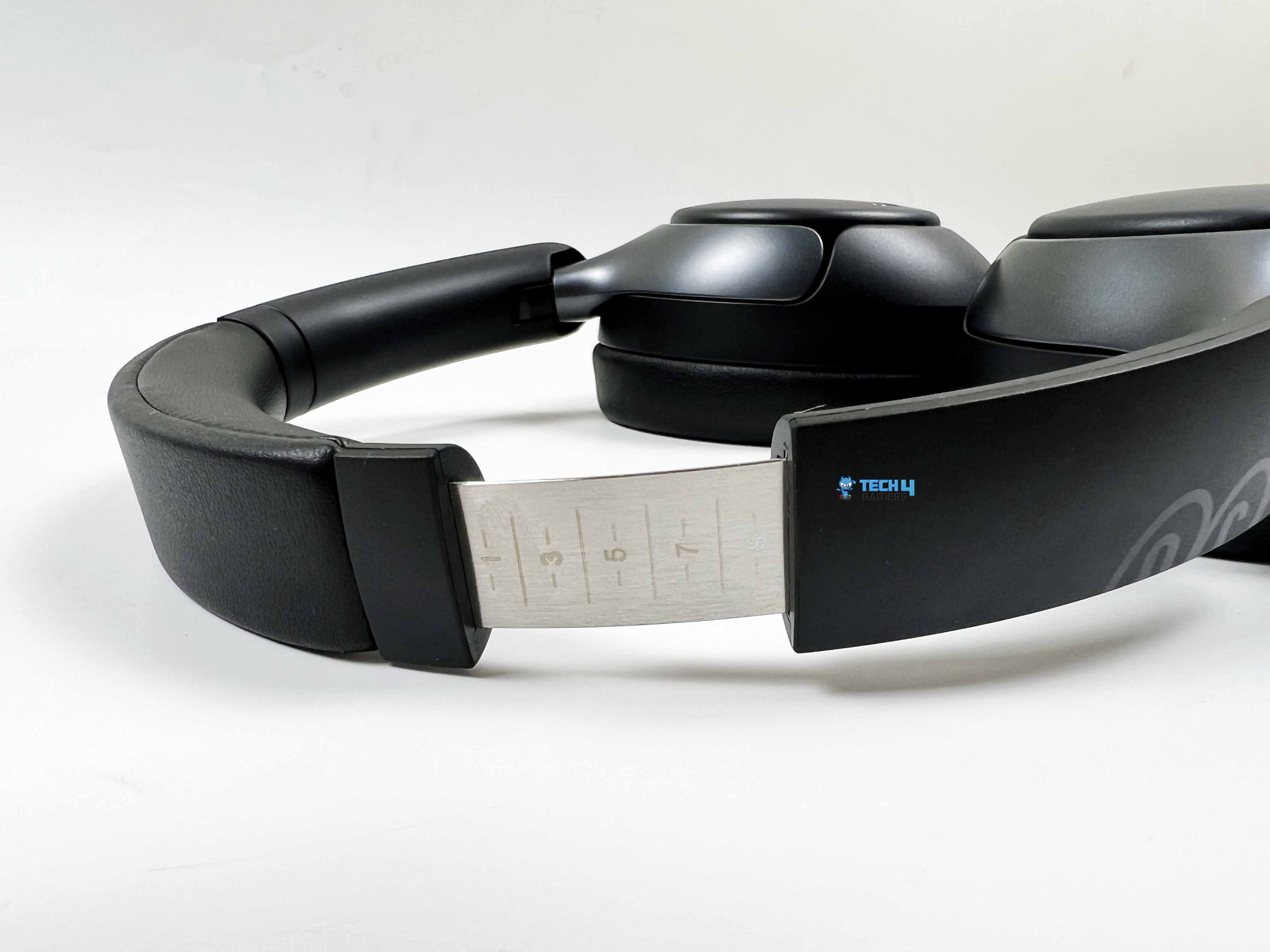
Black is also a color that blends into daily life. It won’t clash with your outfit, and it doesn’t show minor scratches or smudges as easily as lighter colors might. The earcups rotate inward, and a folding bracket built into the hinges lets you easily tuck the headphones into your bag. The headband slider has markings up to 10, which is handy for remembering your preferred size.
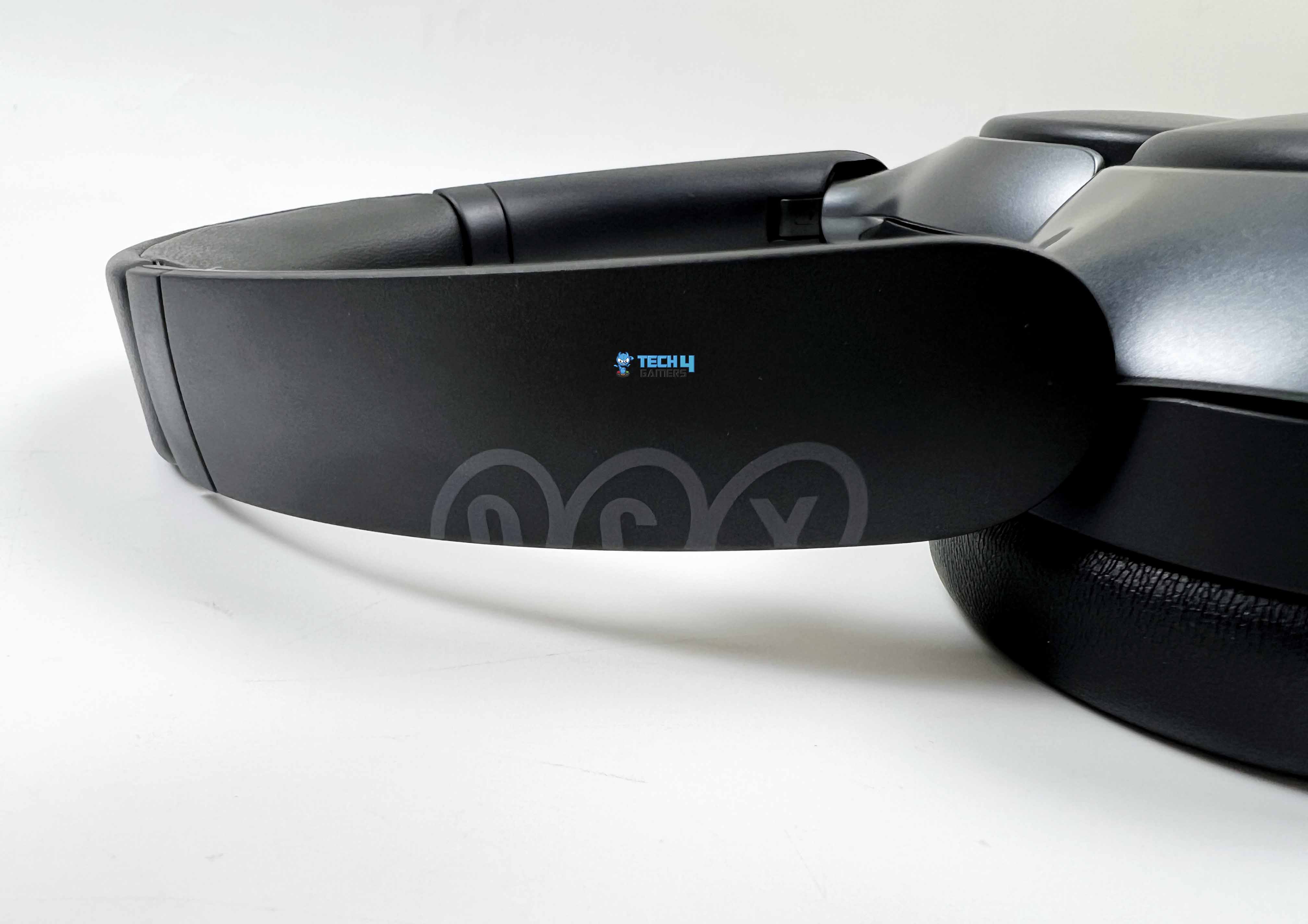
Instead of slapping a big logo on one side, the branding is placed across both yokes. The QCY logo is split in half, with one part on the left yoke and the other on the right. The logo itself is printed in a soft gray tone, which works really well against the black finish. In terms of size, the QCY H3 Pro measures roughly 183mm in length and 145mm in width. They are big enough to feel like proper over-ears but not so big that they become awkward to carry around.
Comfort
Comfort
1 of 2
Earcups
Protein Leather
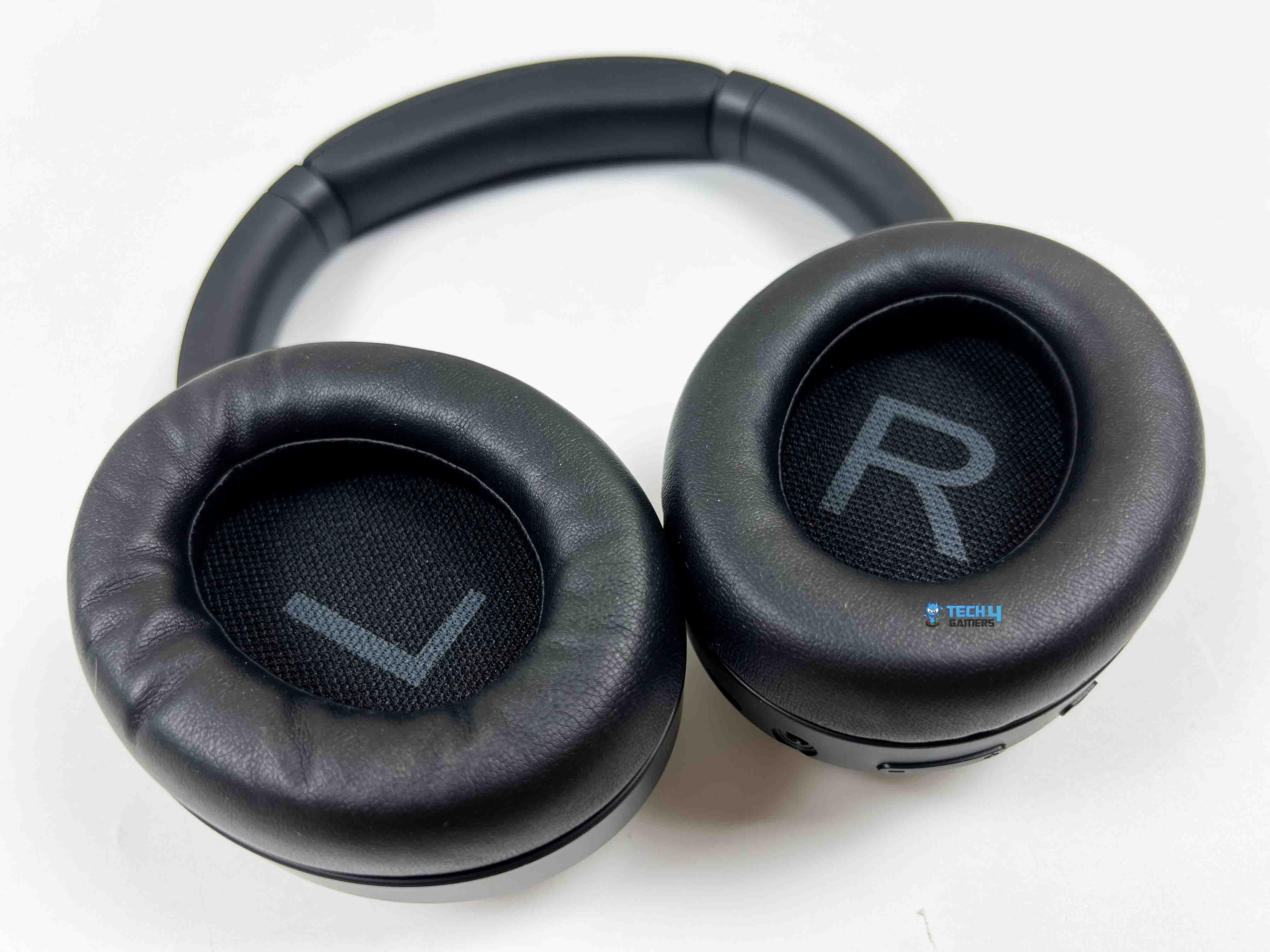
None of the features matter much if you can’t wear the headphones for more than 30 minutes. The clamping force on the QCY H3 Pro felt moderate. It is not tight enough to squeeze my head, but not loose either. I wore it for about several hours straight the first day, just listening to music while working, and I didn’t feel any sharp pressure points. The earcups are properly over-ear. My ears fit inside without touching the drivers, which is always something I check.
The padding is soft to the touch and has a slight rebound when pressed. It’s not super plush like higher-end models, but it doesn’t feel stiff. After a few hours, I noticed a bit of warmth building up around my ears. That’s expected with synthetic leather pads, especially in a warmer room. It wasn’t uncomfortable, just noticeable. Walking around with them felt stable. They didn’t shift even when I moved my head quickly.
I also tried leaning back in a chair just to see if the 231g weight would start to concentrate in one spot, but it didn’t. The weight distribution feels fairly balanced. I also tested them with glasses on. That’s usually where comfort can go sideways. Surprisingly, the seal around the earcups stayed intact without pressing too hard against the frames. There was a slight pressure after a couple of hours, but nothing that made me want to take them off immediately.
Build Quality
Build Quality
1 of 3
Build Quality
Headband
Slider
The QCY H3 Pro has a bit of substance. When you hold it in one hand and gently flex the headband, there’s some give. It bends slightly, then returns to shape without creaking. The frame is mostly plastic. That’s obvious the moment you tap on the earcups with your fingernail. The outer shell has a smooth, slightly matte finish. It doesn’t attract fingerprints the way glossy plastic does. After a few days of use, I didn’t see noticeable smudges building up.
Minor scuffs might show over time, especially if you toss them into a backpack without a case. I usually pay close attention to the hinges. This is often the weak spot in affordable headphones. On this pair, the adjustment sliders extend with a light resistance. You can hear a faint sound as you pull them down or upwards. I extended them fully a few times, then pushed them back in. The mechanism didn’t feel loose or wobbly.
The folding motion is smooth. There’s a bit of play if you deliberately wiggle them. The headband padding is wrapped cleanly. There is no uneven stitching along the edges. When you press into it, you can feel the foam compress evenly across the strip. The protein leather covering on the earcups feels decently thick. If you pinch the material between two fingers, you can feel some structure beneath it.
Control Scheme
Control Scheme
1 of 2
Controls
USB-C Port
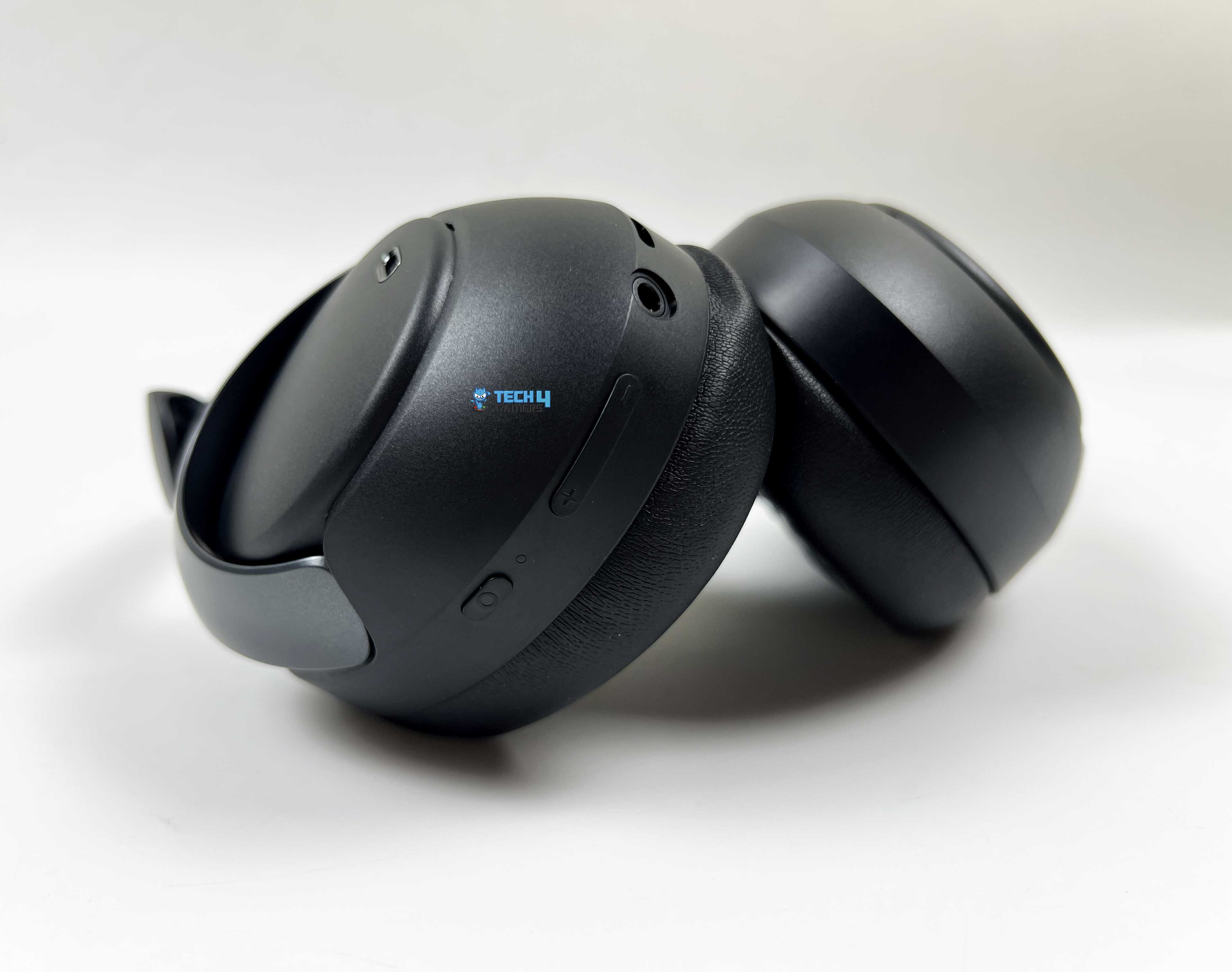
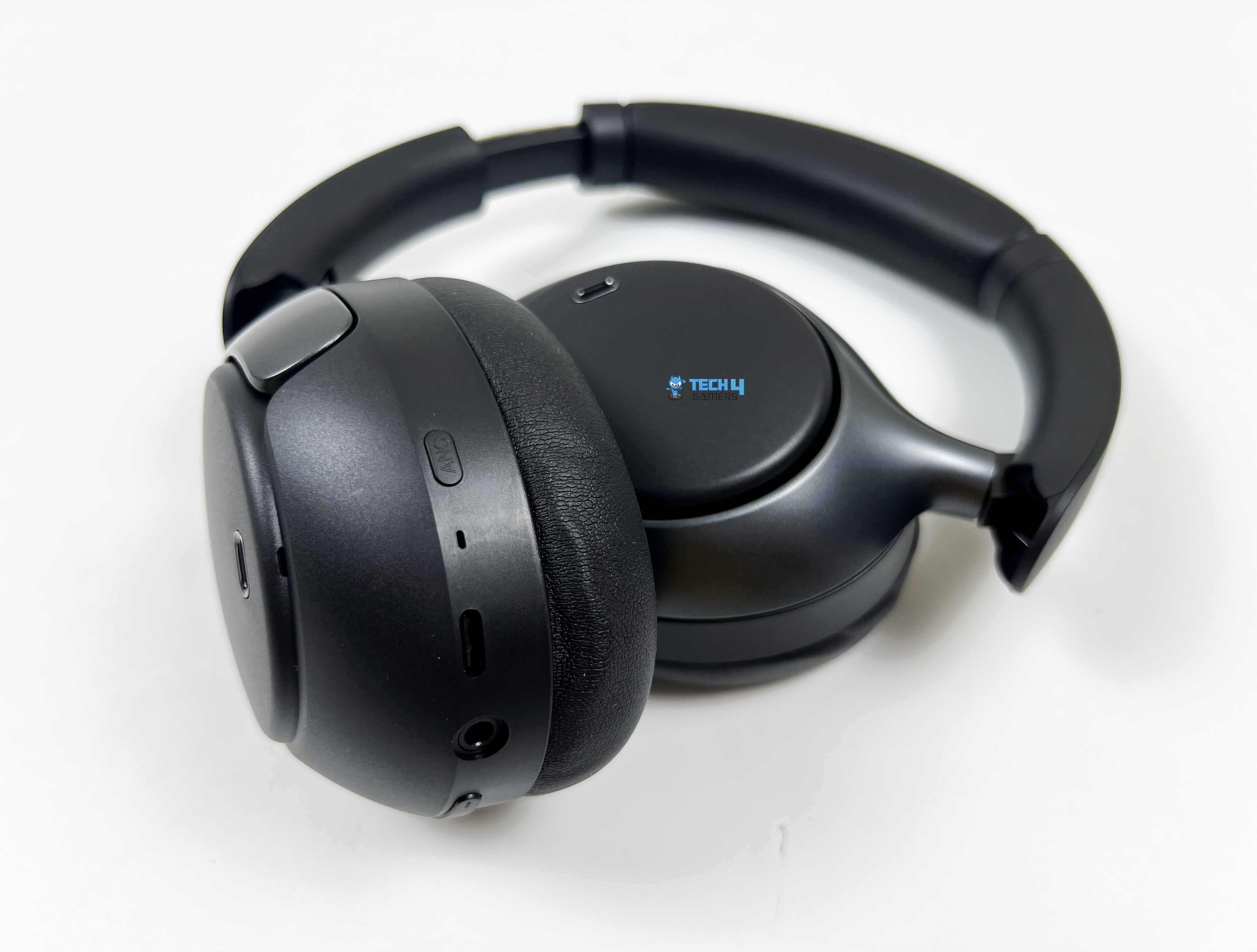
All controls are on the right earcup. That includes the multifunction button, LED indicator, volume up/down, 3.5mm aux port, USB Type-C port, and the ANC button. The left cup stays completely clean. Once you realize everything lives on the right side, it simplifies things a lot. To power it on, you hold the multifunction button for about two seconds. To power it off, hold it for about 4 seconds. For calls, a single press answers or ends them.
To ignore a call, hold the multifunction button for 2 seconds. Playback control is also tied to that same button, where a single press pauses, and another resumes. Track skipping is handled by the volume buttons. Holding Volume+ for about a second jumps to the next track. Holding Volume– for a second goes back. A quick press on Volume+ or Volume– adjusts loudness. The steps feel incremental rather than huge jumps.
Low-latency mode is triggered by double-pressing the MFB. I tried this while watching YouTube and playing a few games, and noticed slightly tighter audio sync in supported scenarios. Triple-pressing the MFB activates the voice assistant on your connected device. The ANC button is separate from the rest. A single press cycles between ANC On, ANC Off, and Transparency mode. When ANC is on, double-pressing the ANC button toggles Adaptive ANC.
Connectivity
USB-C and 3.5mm Aux Cables
The QCY H3 Pro runs on Bluetooth 5.4. I powered on the headphones, and they automatically entered pairing mode. On my phone, the pairing name showed up as “QCY H3 Pro.” I tapped it, and within a few seconds, it was connected. The Bluetooth effective range is rated at 10 meters. Indoors, that felt about right. The connection felt steady, even when I moved around the house with my phone in my pocket.
The headphones support common Bluetooth protocols like HFP, A2DP, and AVRCP. In practical terms, that means calls worked normally, music streamed without quality degradation due to compatibility issues, and playback controls synced properly on both Android and Windows. I briefly tested the call quality, and the call connected without delay. Media controls worked as expected across apps.
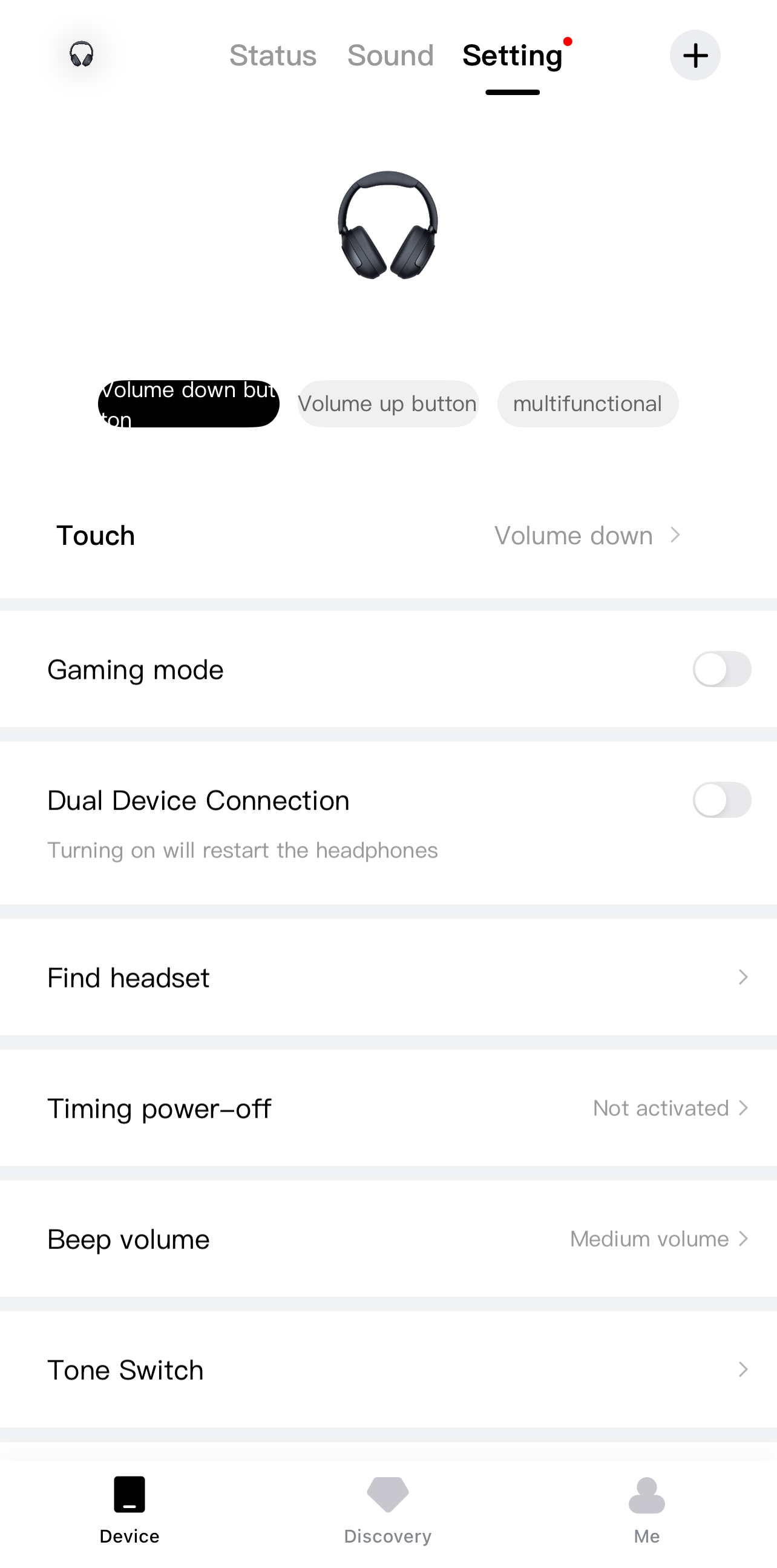
There’s also multi-point support, though it’s turned off by default. You need to enable it through the QCY app first. I tried it between a phone and a laptop, and it worked flawlessly. Wired mode is available through the 3.5mm aux port. I plugged it into a PC and later into a handheld console. Both times, the audio played immediately. That’s useful if you forget to charge them.
Sound Performance
Before even getting into how it sounds subjectively, it’s worth mentioning what’s happening inside. The QCY H3 Pro uses a dual-chip setup. One chip handles signal processing, while a separate amplifier chip pushes the output. It also supports LDAC and carries Hi-Res Audio certification. When connected to a compatible Android device, LDAC enables higher-bitrate audio over Bluetooth. I tested this with a few audio files.
The difference isn’t night and day, but there’s a slight increase in clarity compared to standard SBC. Subtle background elements feel a bit more defined. The drivers inside are 40mm dynamic units with a titanium-coated diaphragm. In practice, what I noticed was controlled bass and fairly clean treble. The low end doesn’t distort when pushed. It stays rounded and composed. Bass has presence, and there’s a warm tilt to the tuning.
On tracks with deep sub-bass, you feel the rumble gently building up. QCY claims up to 50dB of noise reduction with Adaptive ANC. In real-world use, I experienced a significant reduction in low-frequency sounds. Sudden high-pitched sounds aren’t eliminated completely, but they’re softened. Adaptive ANC adjusts based on surroundings, and while you don’t see it working, you notice that background noise feels more suppressed in busier environments.
Microphone Performance
The QCY H3 Pro uses a three-microphone setup. There’s a feedforward mic, a dedicated calling mic, and a feedback mic. On top of that, QCY integrates AI-based noise processing. What it means is the headphones are constantly listening not just to your voice, but also to the noise around you. I tested the mic the way most people actually use it. Regular phone calls first, then a few WhatsApp voice notes and after that, a short Discord call on my laptop.
In a quiet room, it sounds clear enough. It’s not studio-grade clarity like a standalone mic, but natural enough that no one questioned it. There’s slight compression. You can hear that it’s being processed, and that’s expected with Bluetooth headsets. Still, consonants come through distinctly. I also tested it with background noise, with a ceiling fan running. The background didn’t vanish completely, but it faded enough that the person on the other end could focus on what I was saying.
Battery Life
Battery Level
The QCY H3 Pro packs a 550mAh battery. That number on its own doesn’t mean much. What matters more is how often you reach for the charger. In my case, not that often. QCY rates it at up to 40 hours with ANC on and up to 55 hours with ANC off. Those figures always depend on volume and usage habits. I kept mine around 60-70% volume most of the time.
ANC stayed on during commutes. With that usage, I was getting close to that 40-hour mark. Not in one straight stretch, obviously, but spread across several days. Charging is done via a USB Type-C port. You can use the included USB Type-C cable for it. From nearly empty to full took about 2 hours or maybe a little over. Another thing worth mentioning is that the headphones didn’t heat up noticeably while charging.
Software
Software
1 of 7
Sound Effects
EQ Settings
Noise Cancelling Modes
Sound Settings
Additional Settings
Add Device Menu
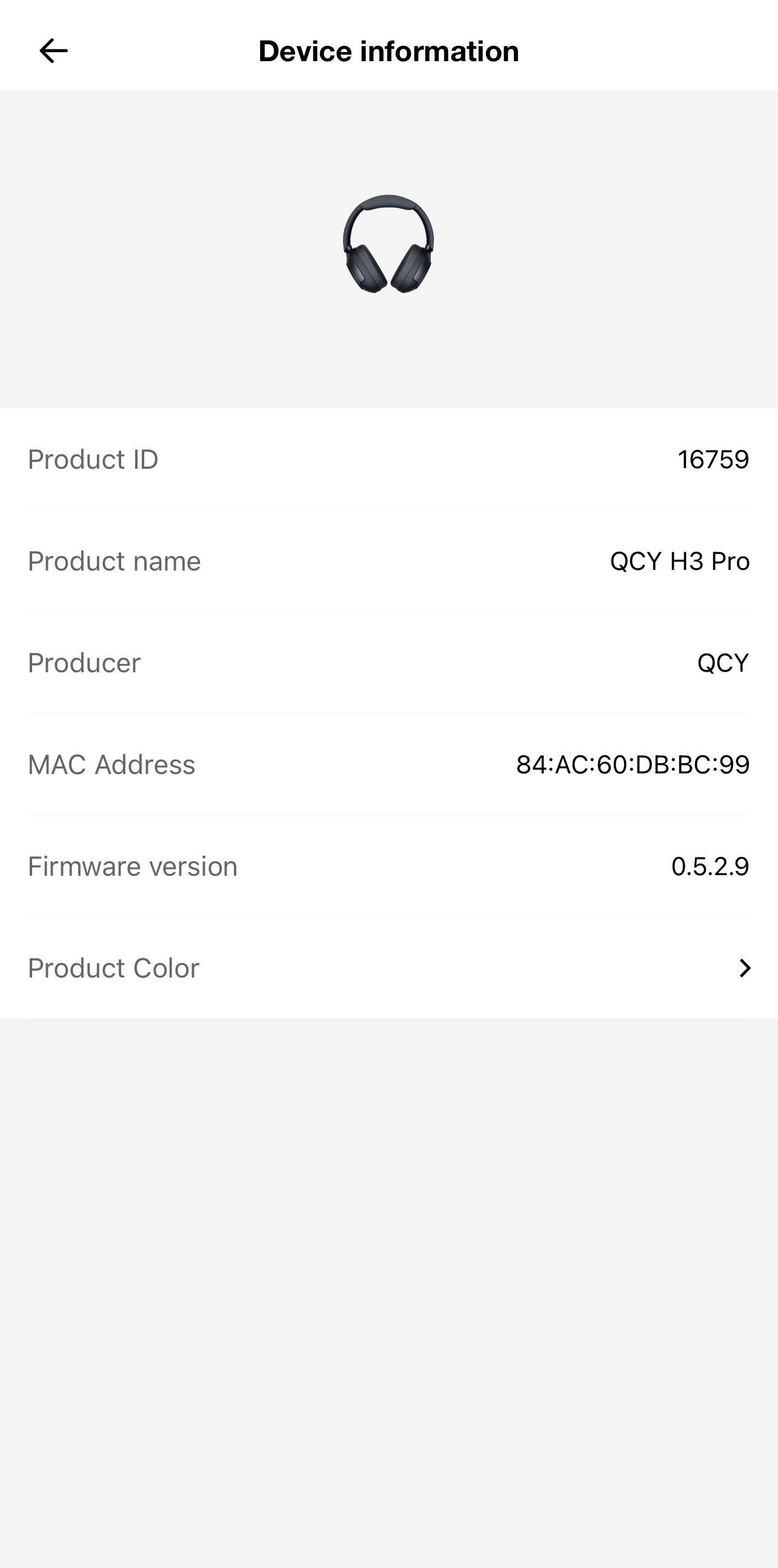
Device Information
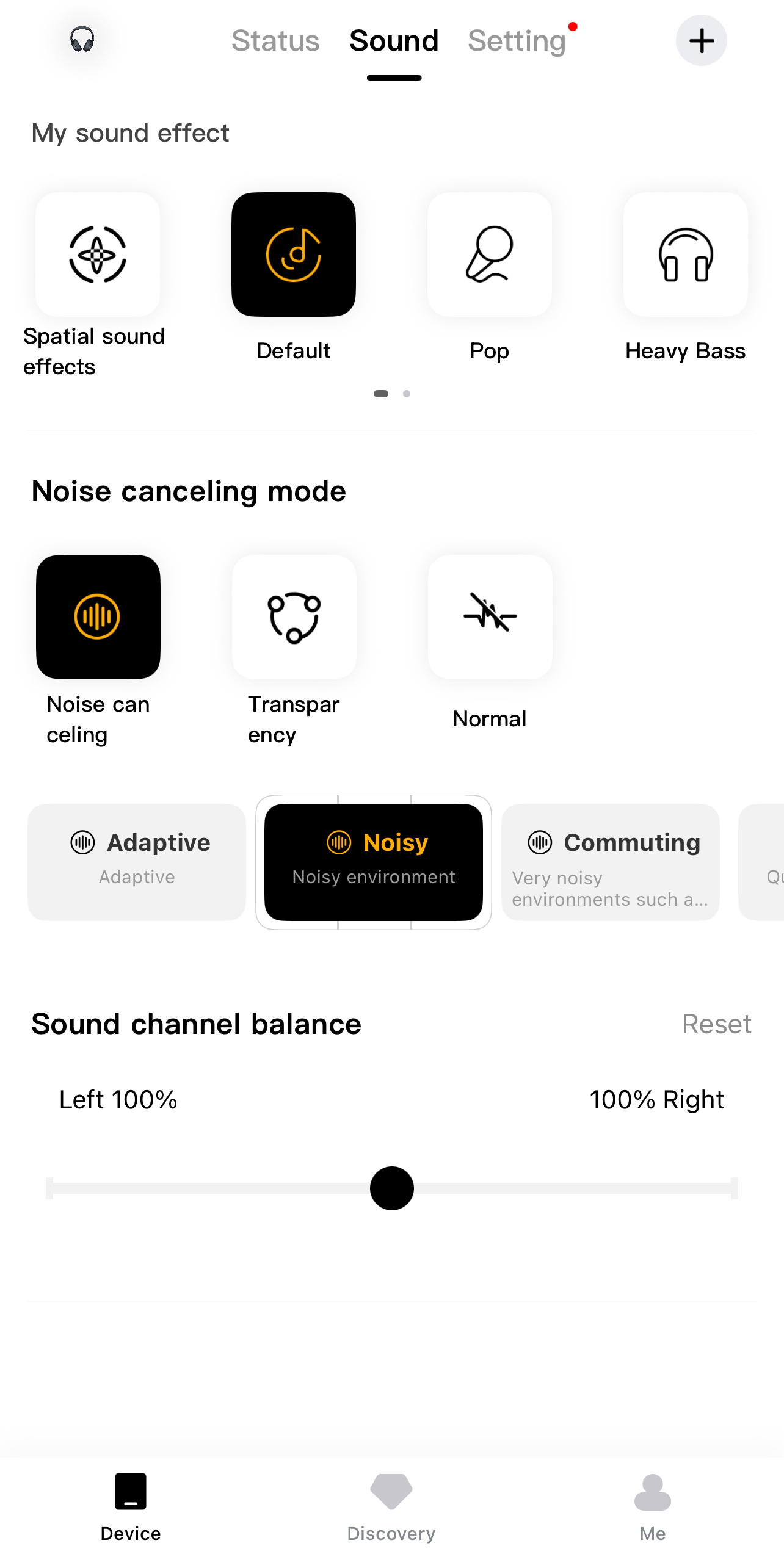
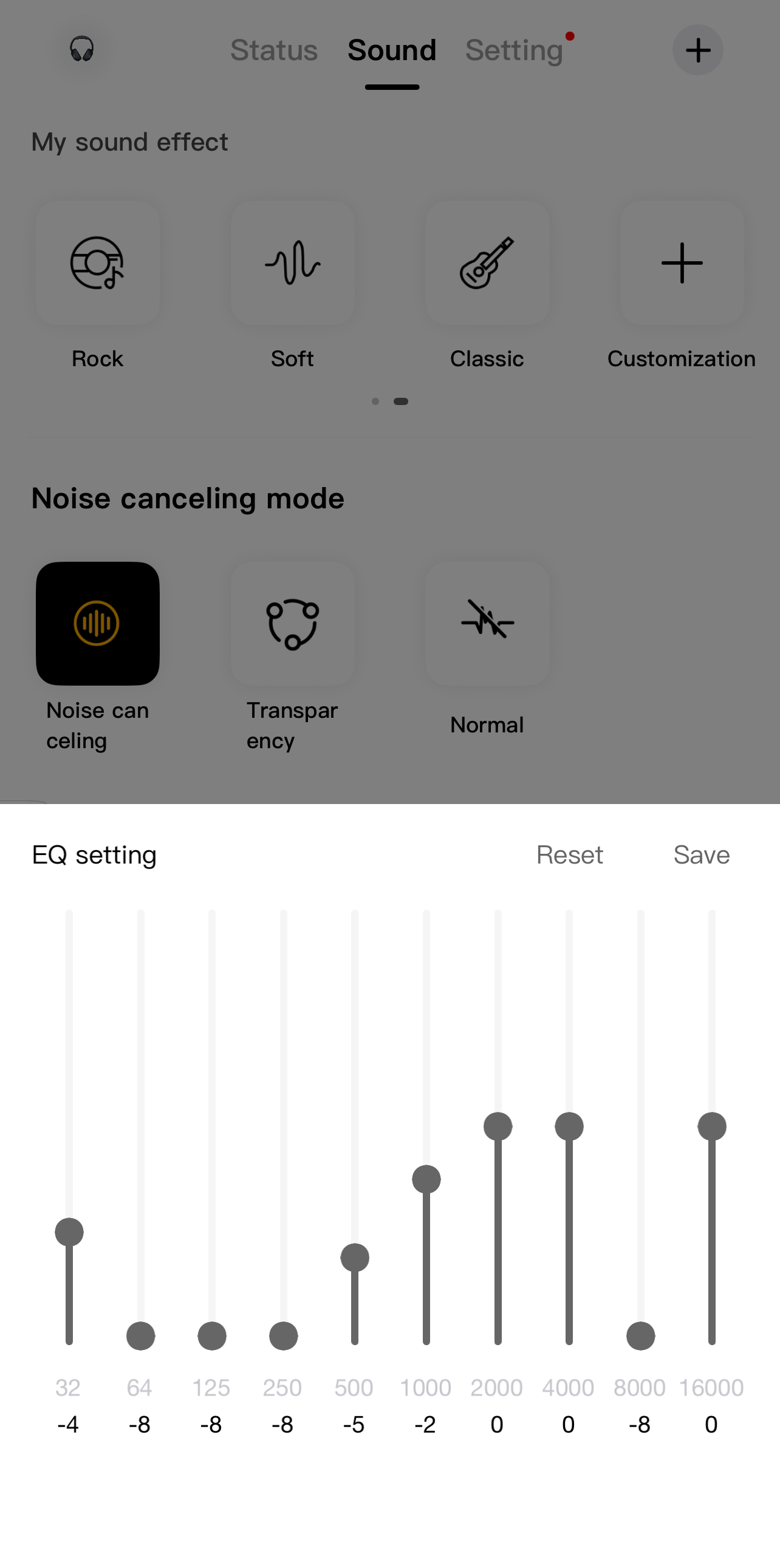
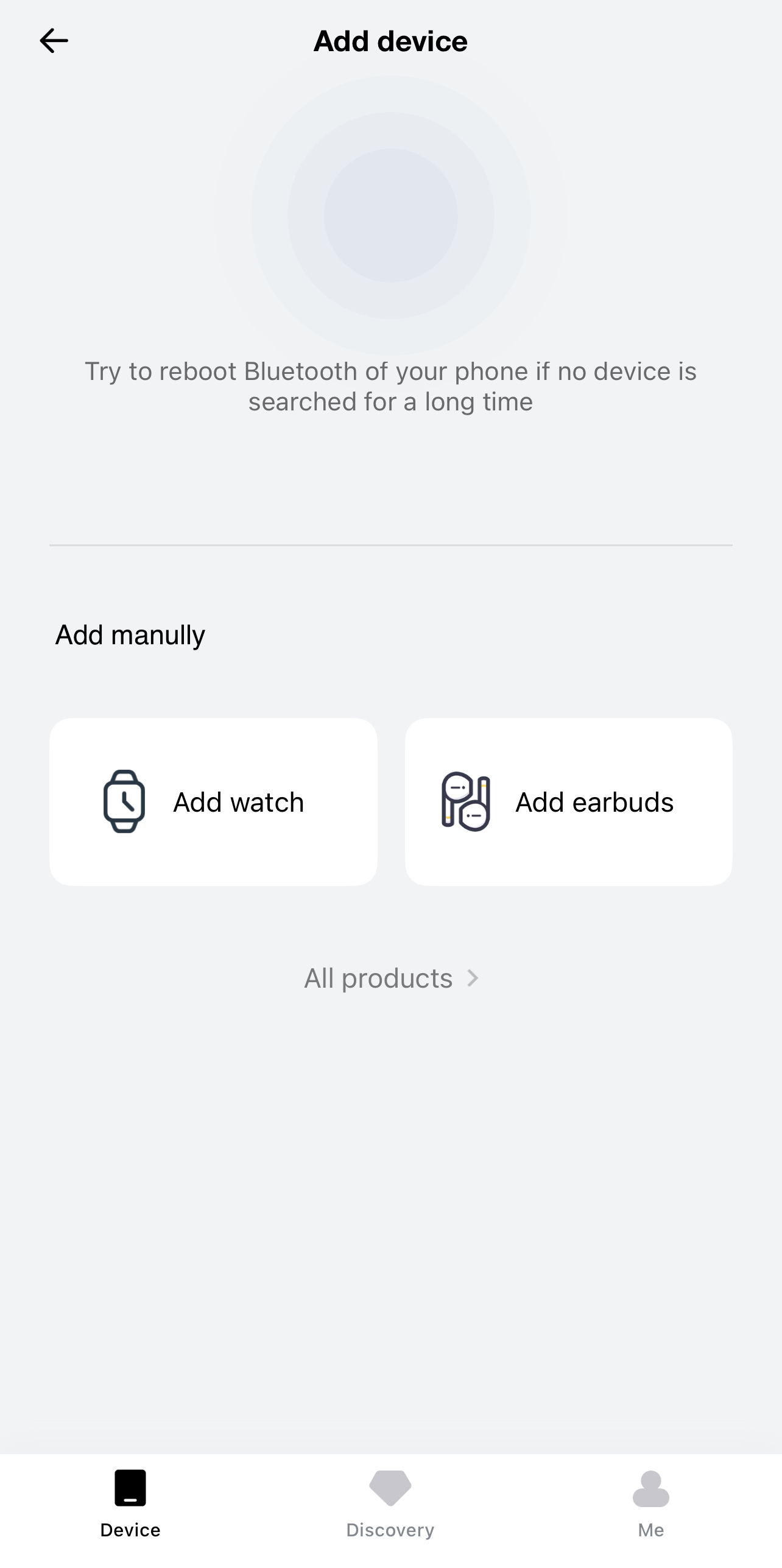
I spent a fair bit of time inside the QCY app while using the QCY H3 Pro. Once the headphones connect, you land on the status page. Right there, you can see the battery level displayed as a percentage. Next to that section is the sound settings area. There are several preset sound effects already built in. Default is the starting point. Then you have Pop, Heavy Bass, Rock, Soft, and Classic. The differences aren’t extreme between them, but they’re noticeable if you pay attention.
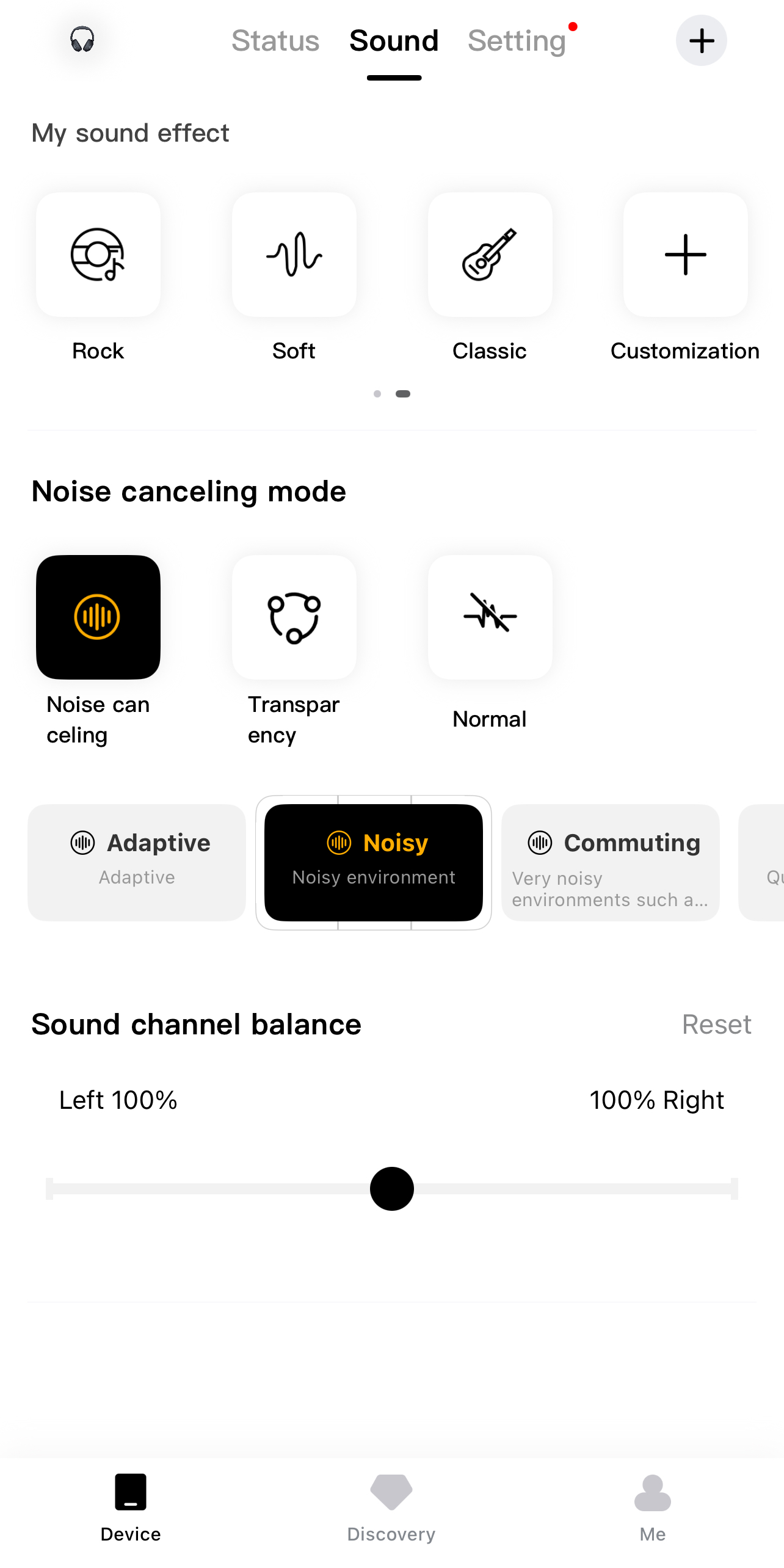
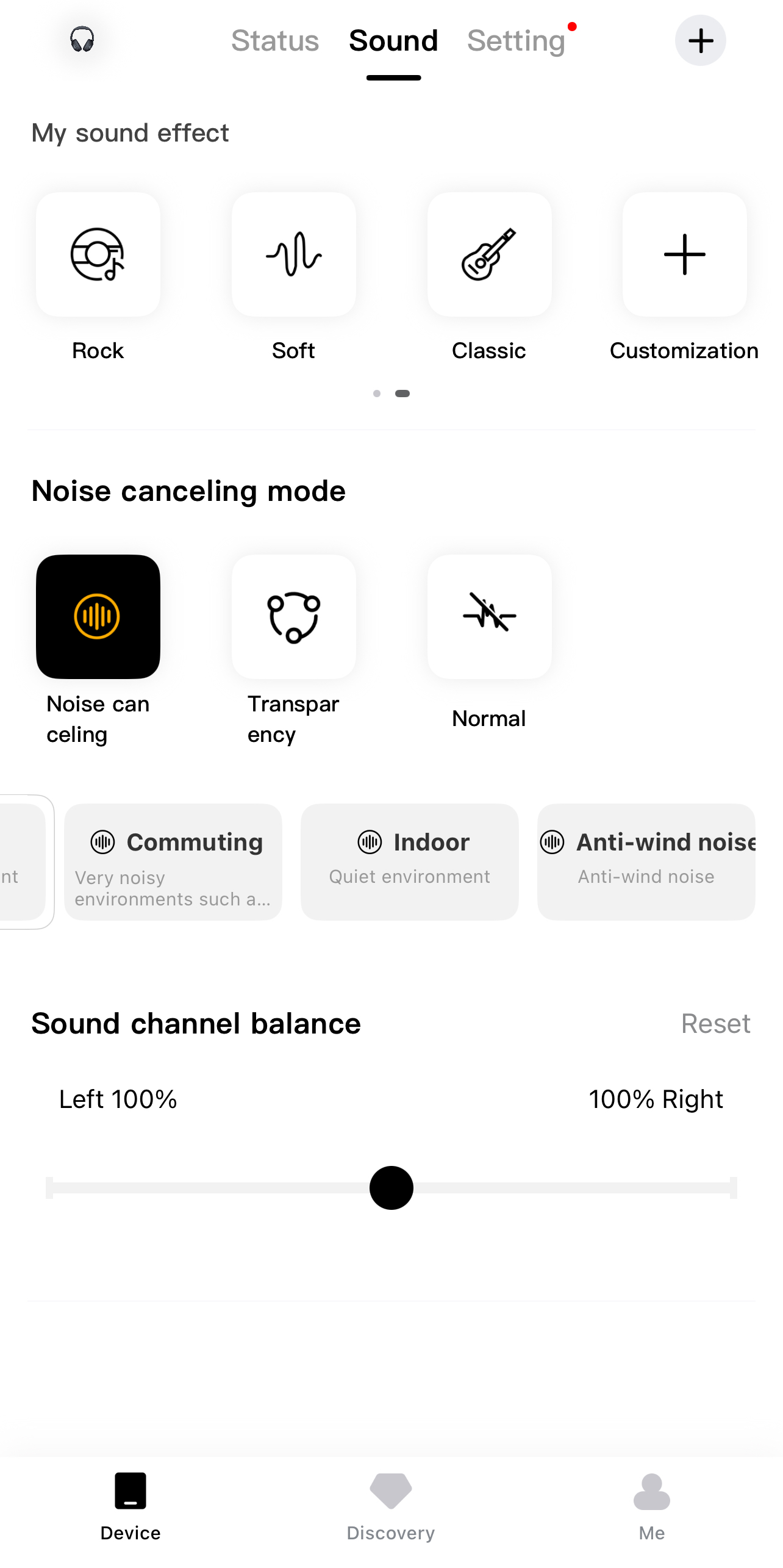
There’s also an option to enable spatial sound effects. When I turned it on, the soundstage felt slightly wider. If presets don’t suit you, the manual EQ is there. You can drag the frequency sliders yourself. Noise-cancelling modes have their own section as well. You can switch between normal mode and transparency. Then there are more specific ANC options, including Adaptive, Noisy, Commuting, Indoor, and Anti-wind noise mode.
Should You Buy it?
Buy it if
✅ You like flexible sound options: With LDAC support, Hi-Res certification, preset sound effects, and a manual EQ in the app, you can fine-tune the audio to your taste.
✅ You need long battery life and versatility: With up to 40 hours with ANC on and 55 hours with ANC off, plus USB Type-C charging and the option to plug in via a 3.5 mm cable, these headphones can keep up with everything.
Don’t Buy it if
❌ You want a premium build feel: If metal frames and fancy finishes matter to you, the mostly plastic construction here will feel noticeably more budget than flagship.
❌ You’re looking for a more immersive sound: These don’t create that wide, open audio feel you might hear on pricier headphones. If you like your music to feel spacious, this might feel a bit more in your head.
Final Verdict
After spending several solid weeks with the QCY H3 Pro, it’s clear that this pair of headphones knows what it’s aiming for. For everyday music, YouTube, and streaming, it performs well. At the end of the day, it covers the essentials without trying too hard to impress. You get strong battery life, adaptable noise canceling, decent call clarity, and enough sound tuning options to shape it to your taste. During my time with them, the headphones never gave me any reason to regret picking them up. At $65.99, they offer great value.
I’ve been the Journalist & Editorial Writer at Tech4Gamers since July 2022. I spearhead our hardware coverage, including overclocking GPUs, benchmarking CPUs, reviewing peripherals, and fine-tuning custom PC builds for every budget. Daily, I report on breaking gaming news, from major launches and studio updates to the latest industry trends, ensuring our community stays informed. Beyond news briefs, I write in-depth feature articles on gaming culture and emerging technologies. And by collaborating closely with the editorial team on content planning, SEO strategy, and our publishing calendar, I help us consistently hit our traffic and engagement targets.
The Logitech Pro X2 Superstrike walks into a pretty crowded room, with dozens of ultra-light wireless mice on the market. Evidently, Logitech already has a strong grip on the competitive scene, and for many players, the Pro name carries weight on its own. So when I first saw this mouse, I didn’t think, “Oh wow, something totally new.” Instead, I thought, “Alright, what would they be changing this time?”
Because that’s the thing. When a brand like Logitech updates a Pro mouse, it’s rarely a wild redesign. It’s usually a careful adjustment. But in competitive gaming, small moves matter a lot. On paper, the Pro X2 Superstrike looks like it’s aiming straight at competitive esports players. This feels like a mouse built for someone who loads into ranked every night. So the real question isn’t whether this mouse is good. It’s whether it’s different enough to stand out from the rest.
Why Trust Tech4Gamers
Abdul Hannan is our peripherals expert who has been testing different mice, keyboards, headphones, microphones, and more for years.
130+ peripherals tested and reviewed by our team of hardware experts (Tech4Gamers Team).
500+ hours spent testing different peripherals for our reviews.
At Tech4Gamers, ensuring you get reliable information is our priority. That’s why every hardware round-up undergoes a meticulous review process by our team of experts and editors. Each review is carefully examined against our strict editorial guidelines, guaranteeing you trustworthy insights you can depend on.
Key Takeaways
The Logitech Pro X2 Superstrike is a lightweight esports mouse that combines precision tracking with extensive customization. Its Hero 2 sensor and adjustable HITS clicks make it suitable for competitive play.
You should buy the Logitech Pro X2 Superstrike if you want a lightweight, competitive esports mouse with fully customizable clicks and a versatile design that works across different grip styles.
You should skip the Logitech Pro X2 Superstrike if you’re a casual gamer on a budget.
Here are the technical specifications:
Sensor
Hero 2
Resolution
100 – 44,000 DPI
Max. acceleration
88 G
Max. speed
888 IPS
Max wired report rate
1000 Hz
Max Lightspeed report rate
8000 Hz
Tracking
Zero smoothing/acceleration/filtering
Battery Life
90 h
Dimensions (HxWxD)
125 mm x 63.5 mm x 40 mm
Weight
61 g
Number of Buttons
5
Compatibility
Windows or macOS
Warranty
2-Year Limited Hardware Warranty
[toc]
What Makes the Logitech Pro X2 Superstrike Different?
The Logitech Pro X2 Superstrike brings a fundamentally new way of thinking about mouse clicks to a market that’s been dominated by mechanical switches for years. Instead of the standard physical microswitches that most gaming mice rely on, the Superstrike uses a Haptic Inductive Trigger System (HITS) that detects how far you press and delivers real-time haptic feedback, letting you tune both actuation depth and reset points through software in ways Logitech’s previous models couldn’t offer.
Packaging & Unboxing
Packaging
1 of 2
Frontside of the Box
Backside of the Box
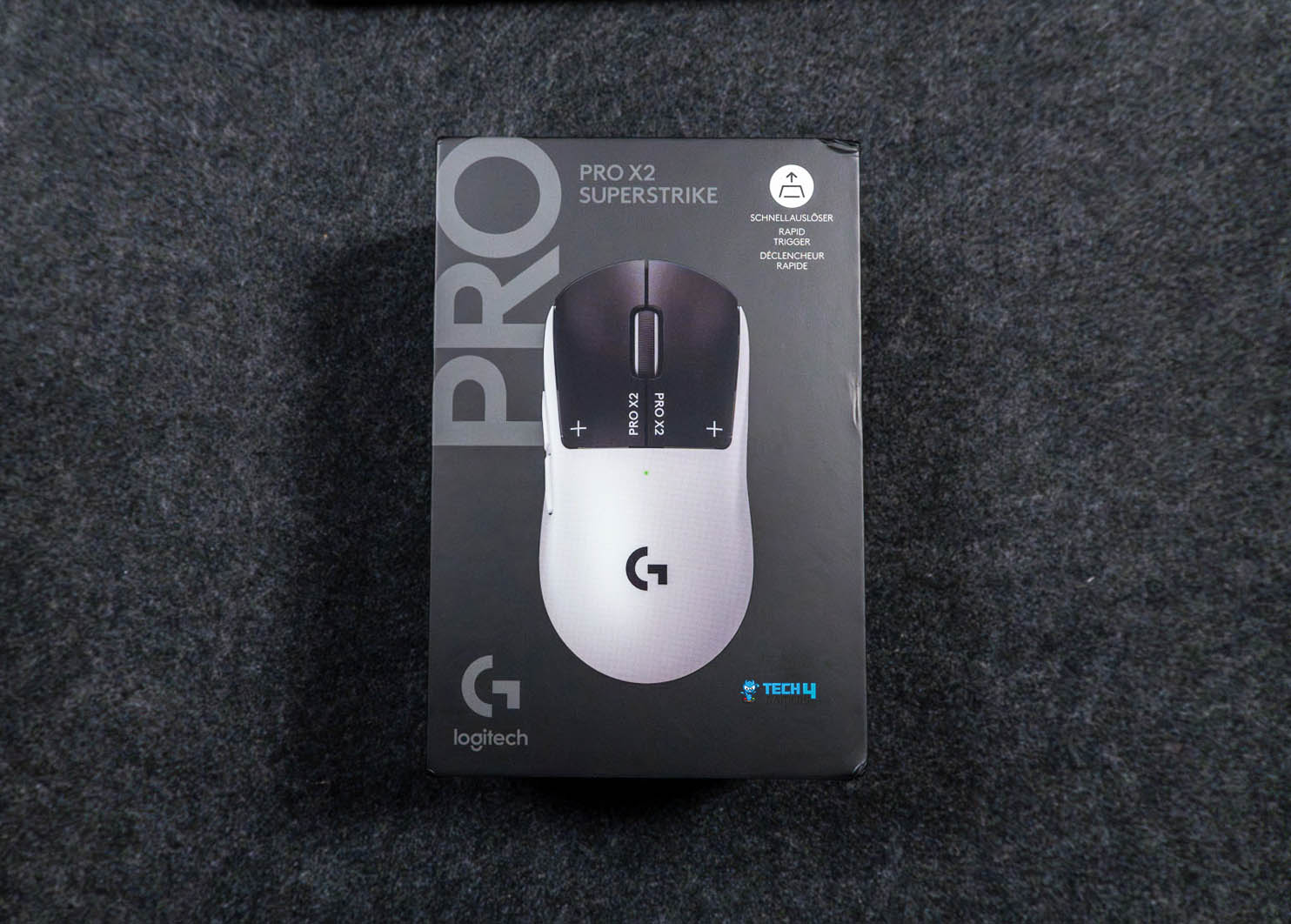
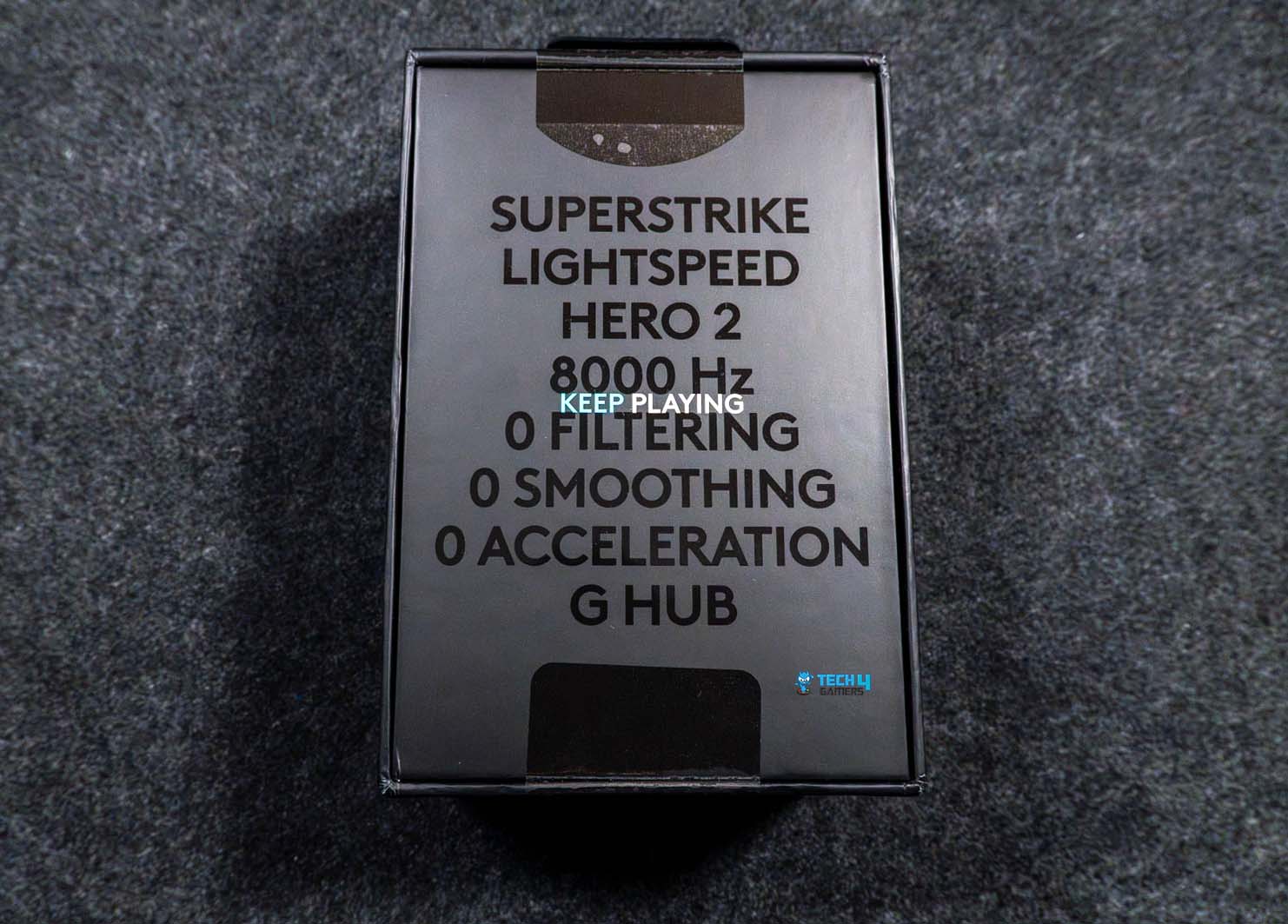
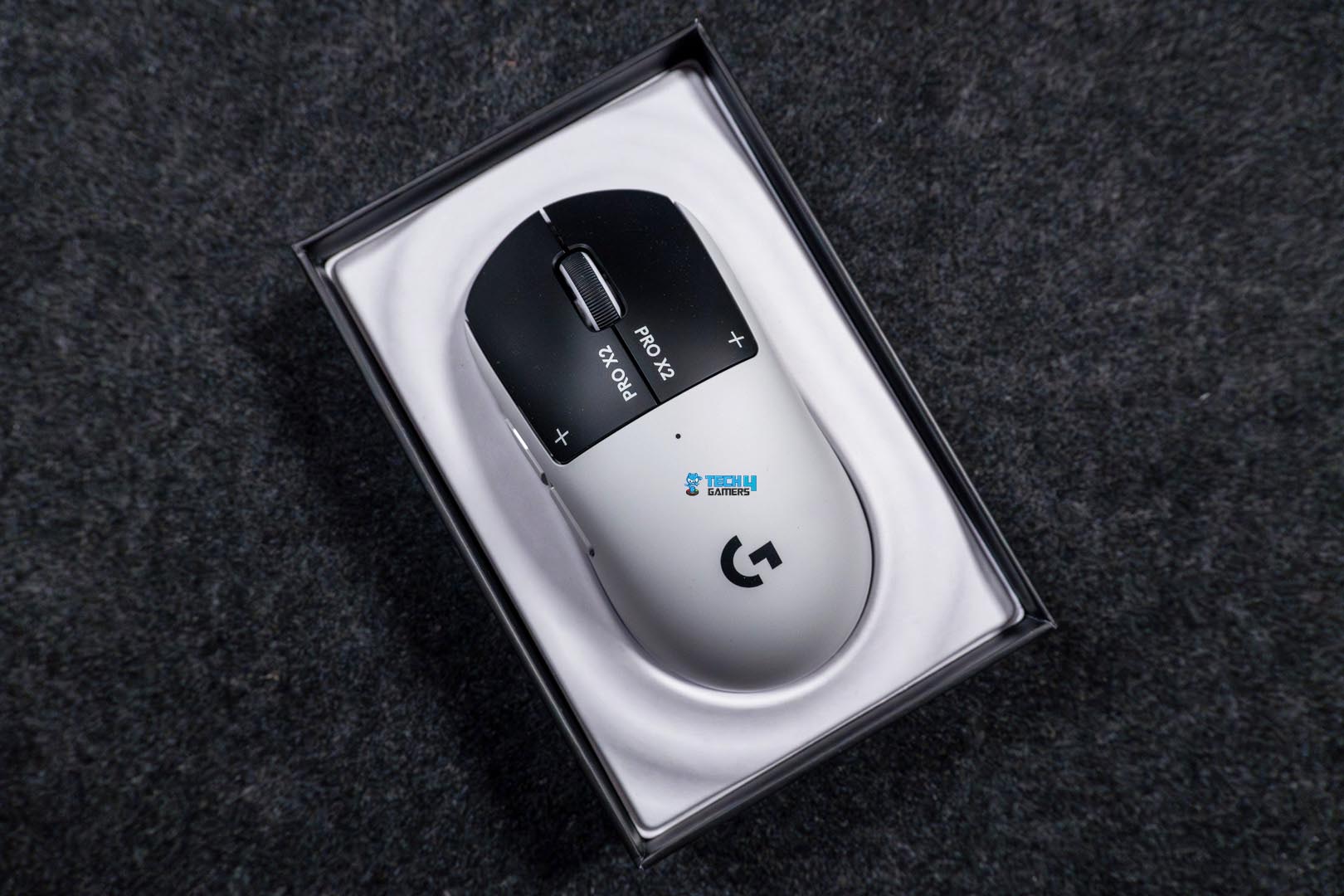
The box for the Logitech Pro X2 Superstrike is black, with a large image of the mouse on the front. Right next to it, you get the “Pro” branding and the model name. One side of the box lists the technical specs. On the other hand, you’ll spot logos of esports organizations. Flip the box around, and you’ll find a short list of notable features at the back. Now, when you open the box, the mouse is the first thing you see. It sits right on top in an insert.
Unboxing
1 of 2
Unboxing
Box Contents
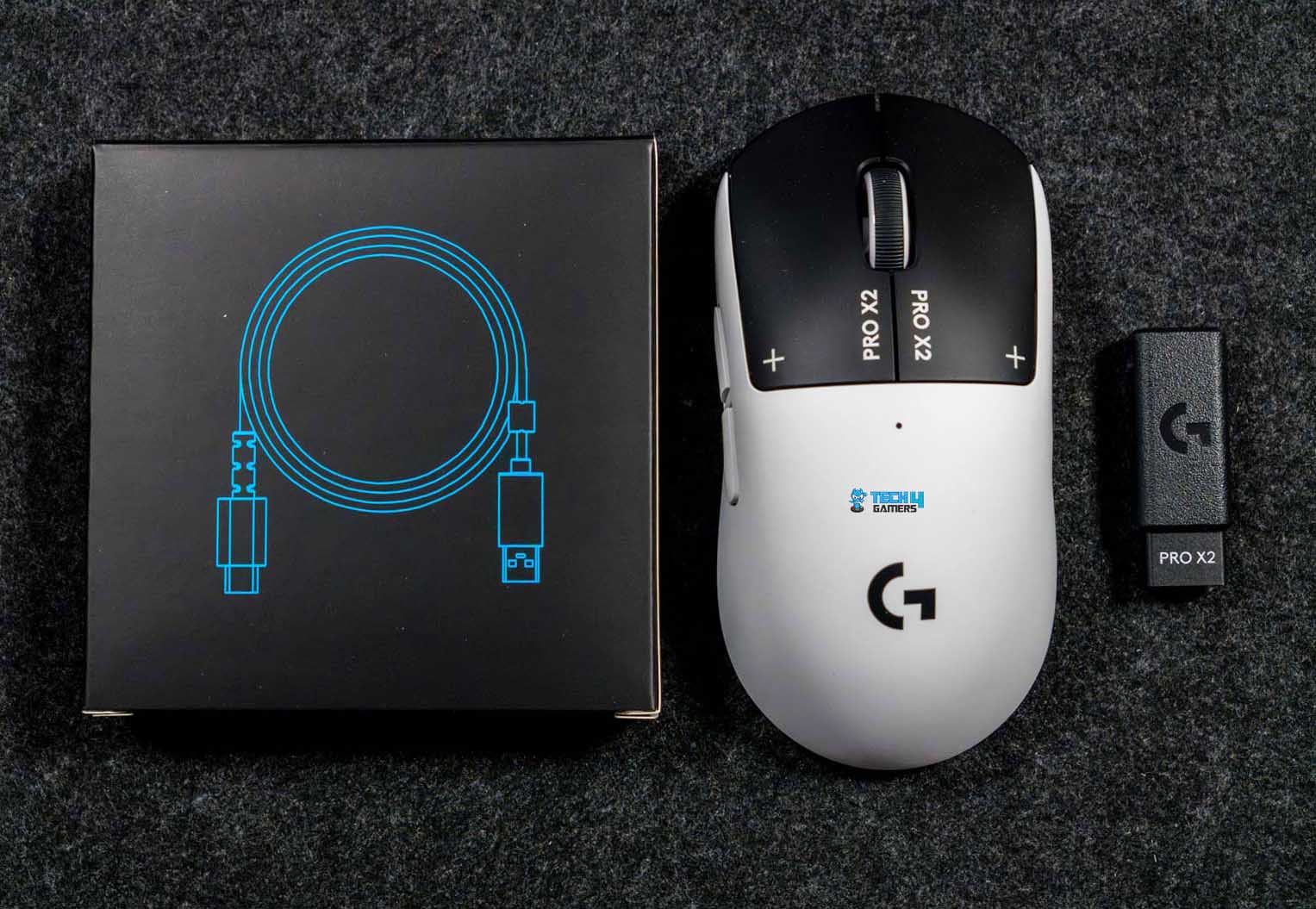
Underneath the mouse, the Lightspeed wireless receiver is already plugged into the receiver extension adapter. Above that section, there’s a separate small box holding the rest of the accessories. Inside, you’ll find the USB-A to USB-C charging and data cable. There’s also the Powerplay aperture door with a PTFE foot. Logitech also includes optional grip tape. There’s even a small cleaning cloth, which feels thoughtful. And of course, you get the usual user documentation.
Design
Design
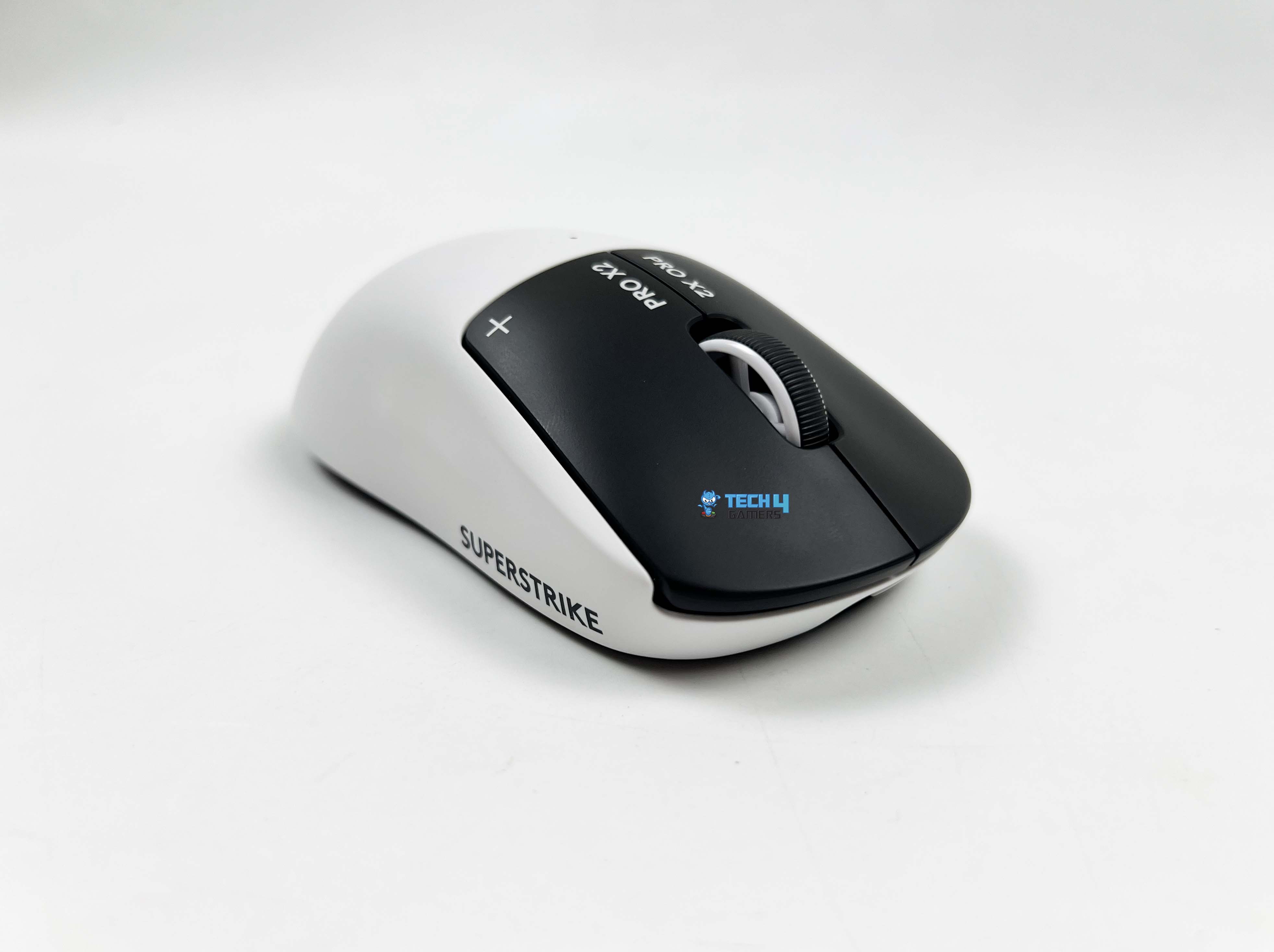
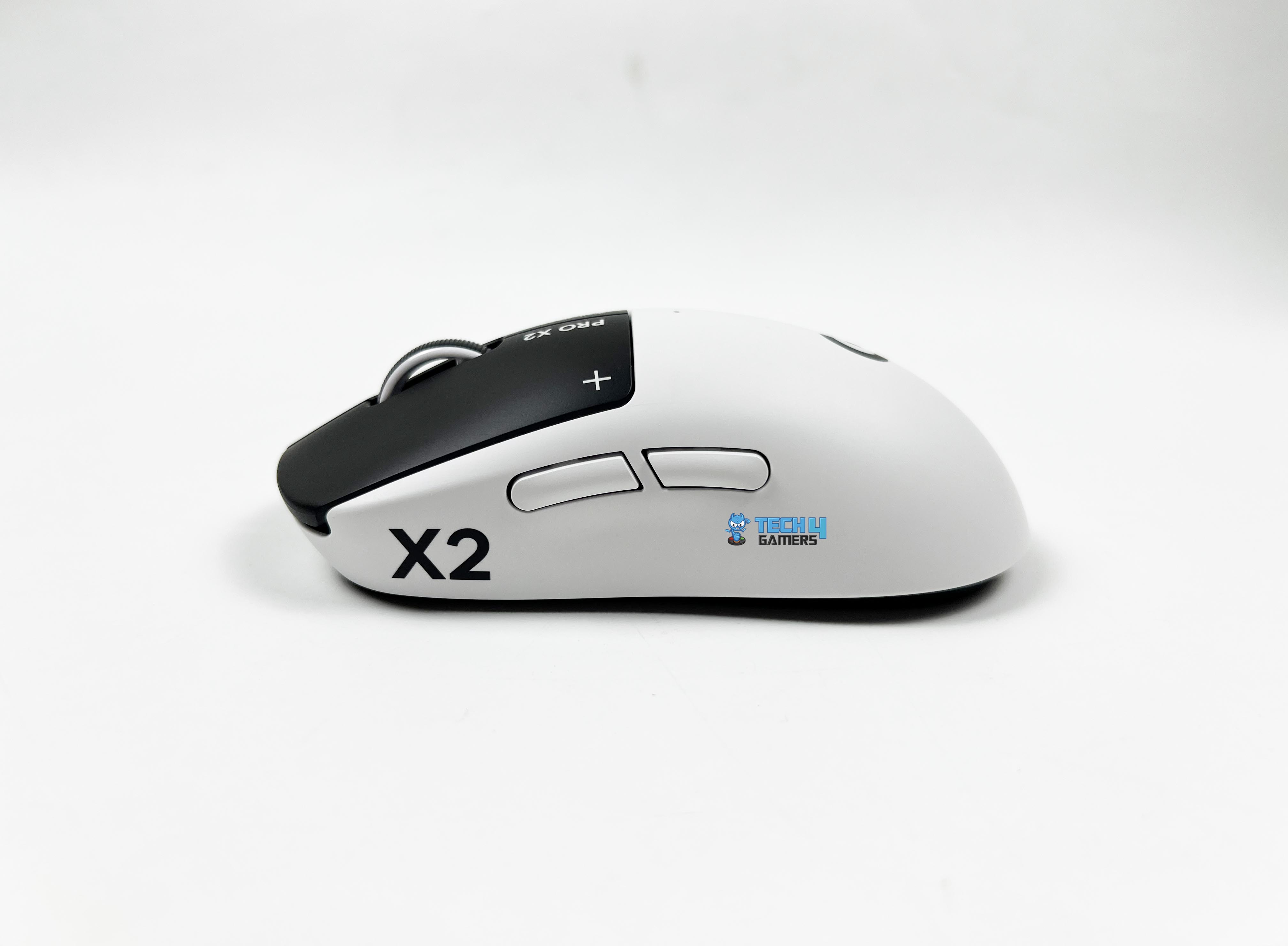
The Logitech Pro X2 Superstrike comes in the Lunar Eclipse colorway. In simple terms, it’s a mix of black and white. The shell and the sides are white. Then the primary buttons switch things up with a black finish. That contrast stands out right away. It’s not extravagant, but it’s noticeable. The black buttons frame the top of the mouse. It gives the design a bit of character. On the primary buttons, you’ll see “PRO X2” printed near the front. Next to it, there’s a small symbol. You could perceive it as a plus sign or maybe a crosshair.
The scroll wheel follows the same two-tone idea. The center is black, and the outer sides are white. It’s a small detail, but it ties the whole look together. Logitech calls this an iconic symmetrical design, and that description isn’t far off. If you’ve followed competitive mice over the past decade, you’ve probably used something with a very similar silhouette. Logitech also leans heavily on collaboration with esports pros for this model. According to them, over 100 players contributed to the development of this design.
Coating
Coating
The Logitech Pro X2 Superstrike has a matte finish. There’s a very light micro-texture across the shell. It adds a bit of resistance with a faint grip layer between your skin and the surface. The coating doesn’t suddenly turn slick once your hands heat up during longer sessions. If your hands get really sweaty, you’ll feel moisture, which is unavoidable. But the surface doesn’t amplify it. There’s the possibility of slight polishing on high-contact spots after a while.
The primary buttons, being black and a touch smoother, are less noticeable for their shine. The white shell might show wear sooner simply because of the color contrast. Compared to other plastic mice I have used in the past, this coating definitely has more friction. Here, there’s a subtle drag when you shift your grip. The coating feels consistent across most of the shell. The top and sides share the same matte finish, though the left side panel sometimes feels a hair more textured under the thumb.
Weight
Hump
The Logitech Pro X2 Superstrike weighs 61 grams. The weight isn’t so light that the mouse floats uncontrollably, and it’s not so heavy that small adjustments feel sluggish. Micro-adjustments feel precise. I was able to trace fine lines in aim trainers without noticing any twitchy movements. The mouse feels very balanced in motion. When I perform start-stop movements, there’s minimal perceived inertia. It doesn’t feel like it’s dragging behind your hand. That makes it easy to switch targets while aiming.
At the same time, it doesn’t overshoot unexpectedly. Flicks land where you intend them to, which is something I really pay attention to when testing esports-oriented mice. The balance of weight makes it easy to flick around without thinking too much, while still giving enough heft to feel controlled. Even when lifting and repositioning the mouse mid-game, the balance holds steady. That kind of consistency is easy to overlook in specs, but it’s immediately obvious when you start playing competitively.
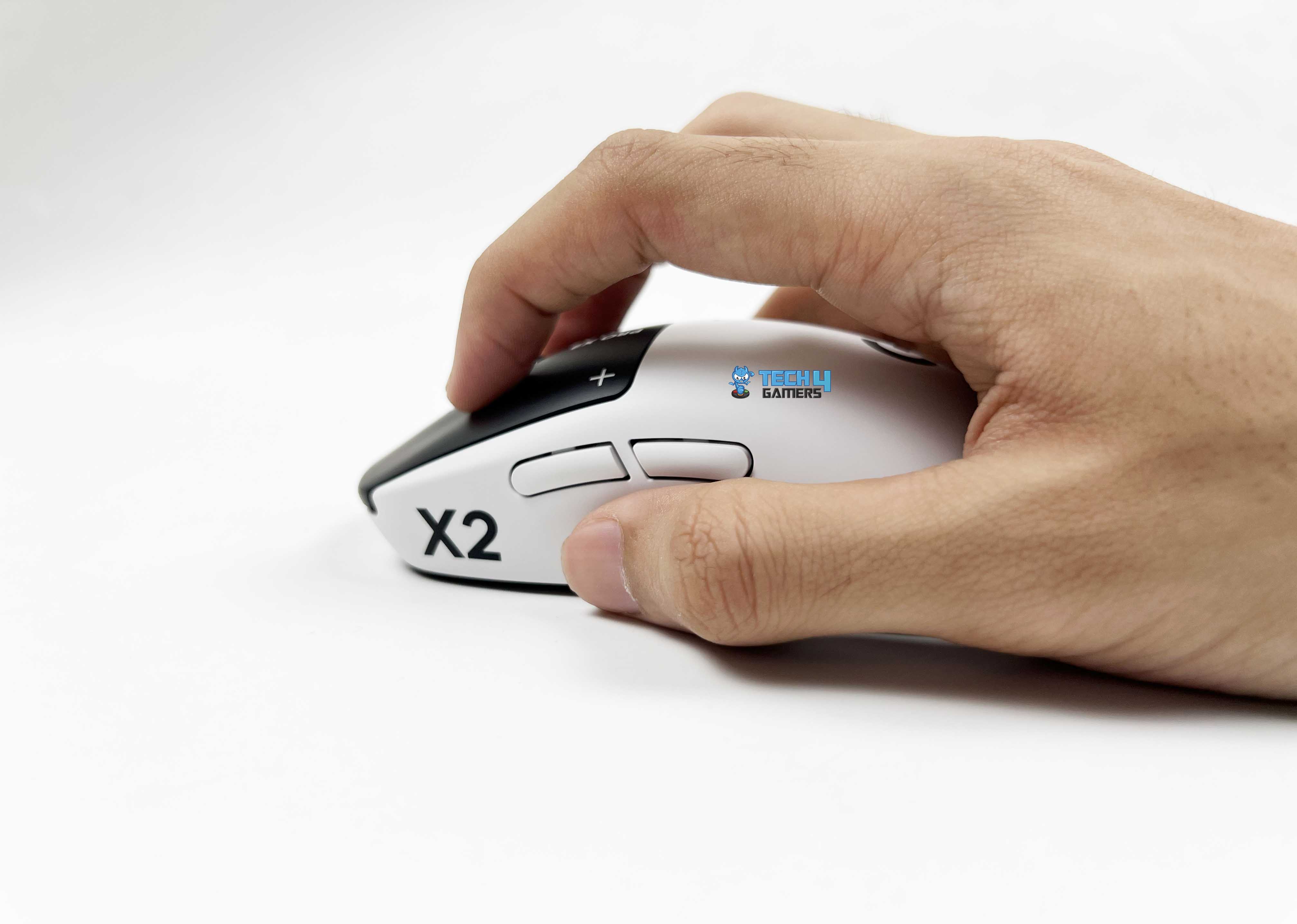
Grip Styles
Grip Styles
1 of 3
Palm Grip
Claw Grip
Fingertip Grip
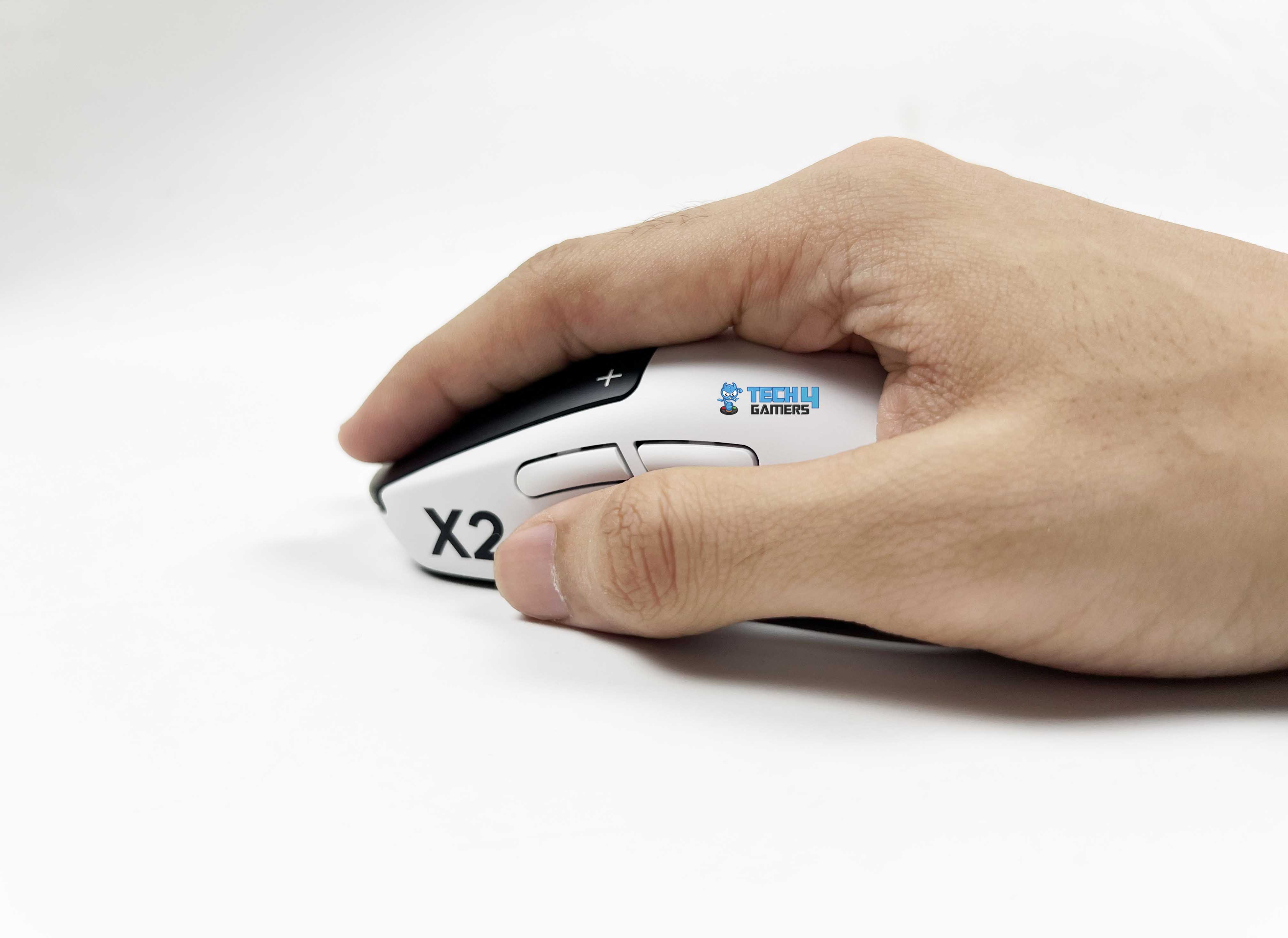
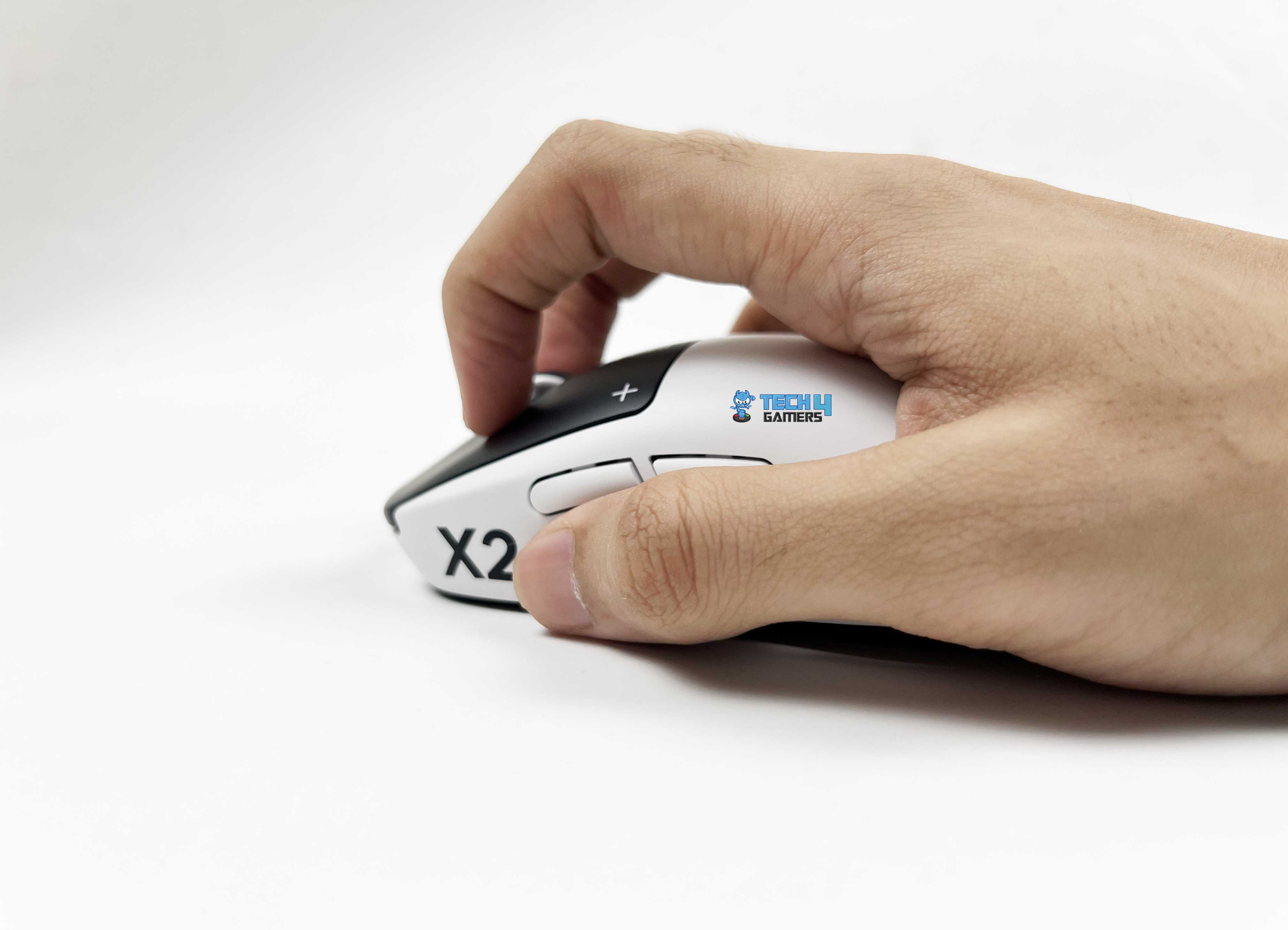
The Logitech Pro X2 Superstrike adapts to a variety of grip styles without feeling awkward, and I took some time to see how it performs across different hand sizes and playstyles. Firstly, the palm grip feels comfortable. The middle-back hump matches my hand perfectly, allowing my palm to rest comfortably. My fingers stretch naturally over the buttons, and there’s enough side support for the thumb and pinky. Even during long sessions, fatigue stays low because your hand isn’t fighting the shape.
For claw grips, the shape is surprisingly stable. Even during aggressive aim flicks, the mouse doesn’t slide under your palm. The hump provides just enough contact to stabilize the palm without forcing it down, so you can stay relaxed while still executing fast movements. Fingertip grip feels precise. The lightweight and symmetrical shell lets you maneuver the mouse easily with just your fingers. Small wrist adjustments translate smoothly to cursor movement. For high-sensitivity wrist aiming, this grip feels effortless.
Underside
Underside
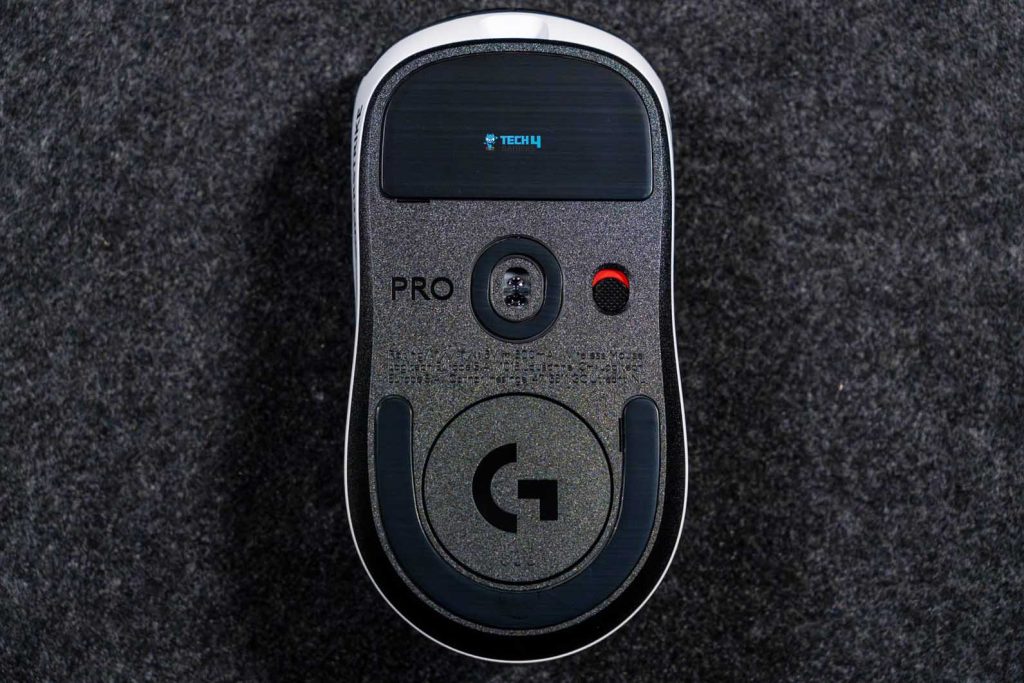
Flipping over the Logitech Pro X2 Superstrike, the underside is black, matching the primary buttons on top. Right in the middle sits the sensor cutout. Just beside that, there’s the power on/off switch and a small “Pro” branding etched into the plastic. The PTFE feet are positioned at the top and bottom of the base. The top foot is larger and covers more surface area, giving stability during glides. The bottom foot is smaller, leaving some space for the aperture door.
That difference in size doesn’t feel unbalanced. In fact, it makes lift-offs smoother and prevents any awkward sticking at the edges. You can remove the aperture door to access a little storage slot for the Lightspeed USB receiver. This keeps the receiver safe when you’re on the go. Logitech also provides an optional aperture door with an extra foot that can replace the default one. Installing it doesn’t change the glide much, but it adds a tiny bit more surface contact, which could appeal to players who want a slightly different feel on the pad.
Build Quality
Build Quality
The first thing I usually do with a lightweight mouse is squeeze it. Not aggressively, but just enough to see if anything flexes. With the Logitech Pro X2 Superstrike, the shell barely moves. I pressed along the sides near the thumb area, back, and the front corners. There was no creaking and no soft spots. It feels tighter than you’d expect from a lightweight mouse like this. The top shell has a solid, almost dense feel when you tap it, as there’s no hollow echo.
That’s something I’ve noticed on some ultra-light mice. They shave off weight, but you feel it in the structure. Here, the reduction in weight doesn’t come across as a structural compromise. I also checked for side flex while gripping tightly. In clutch situations, I tend to squeeze more without realizing it. The side panels hold up well. They don’t bow inward. That matters especially in high-pressure rounds where your grip tightens automatically. Even the underside feels carefully assembled. The seam lines between the top and bottom shells are clean.
Buttons
Buttons
1 of 2
Primary Buttons
Side Buttons
The Logitech Pro X2 Superstrike doesn’t use traditional mechanical microswitches under the primary buttons. Instead, it uses Logitech’s Haptic Inductive Trigger System. When you press the left or right click gently, you don’t get that classic metal snap you’re used to in mechanical switches. Here, the actuation feels cleaner and more controlled. The click still has tactility, but it’s delivered through a different mechanism. It feels steady rather than springy. You can adjust the actuation points; to begin with, I lowered them.
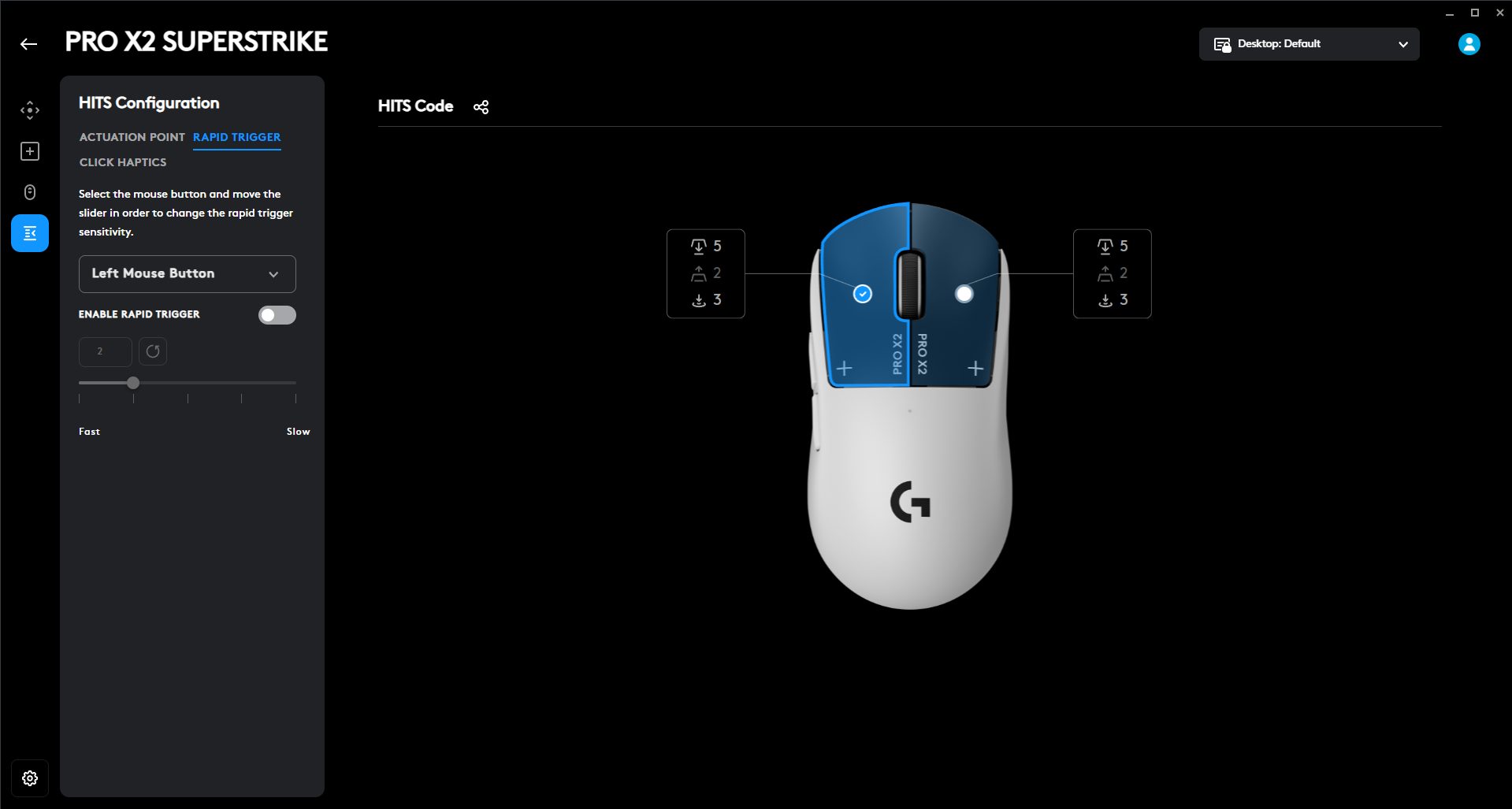
The clicks registered earlier in the travel, as you don’t have to bottom out. Then I increased it just to compare. The difference is noticeable. It changes how deep your finger needs to go before the shot fires. That’s not something you normally get to tweak on a mouse. The reset point can also be adjusted. This is where rapid trigger comes into play. Instead of waiting for the button to fully return to its original position, you can set it to reset earlier. The buttons felt more responsive on quick taps.
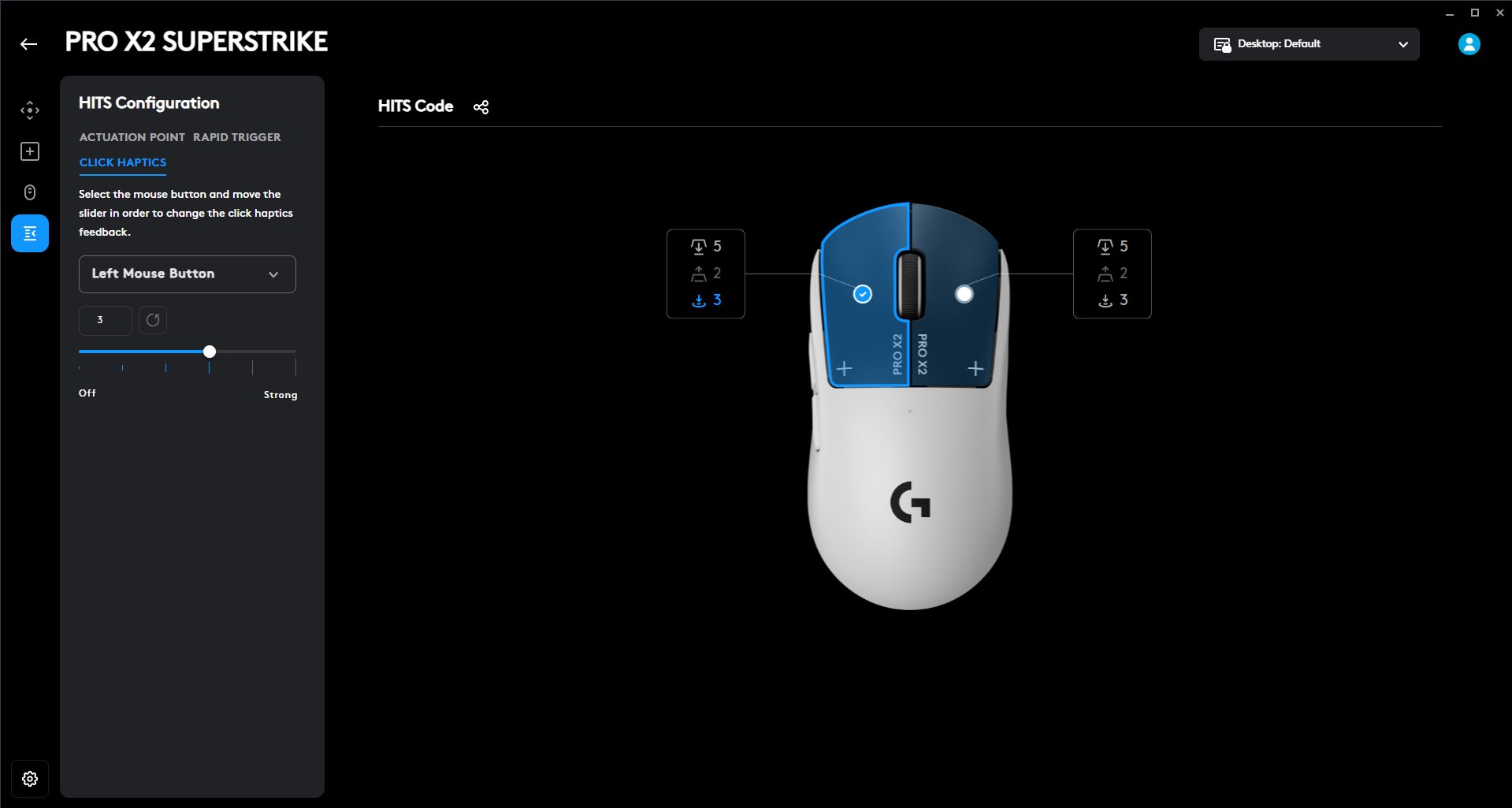
Because there’s no physical metal contact inside like a traditional microswitch, the click signal is registered differently. Logitech claims a 30 ms reduction in click delay, and while I can’t measure milliseconds by feel alone, the clicks do feel immediate. Then there’s the haptic feedback tuning. You can adjust how strong the tactile feedback feels when the actuation point is crossed. I tried different intensity levels. Lower settings feel softer, almost subtle. Higher settings give a more pronounced tactile bump right when the click triggers.
Scroll Wheel
Scroll Wheel
The scroll wheel on the Logitech Pro X2 Superstrike feels deliberate the moment you roll it. It’s rubberized, with a defined texture running around the circumference. I tried scrolling it quickly, and it stayed consistent throughout. Each step is clearly defined. When you scroll slowly, you can feel each notch distinctly. When you scroll faster, it still tracks cleanly without skipping steps. I didn’t run into accidental double scrolls or weird jumpy behavior while cycling weapons in-game.
There’s also a scroll-wheel setting in the software that affects how the wheel behaves in-game. It’s called BHOP mode. While enabled, the mouse ignores the first scroll input. If a second scroll event happens within a short time window, which you can adjust with a slider. Then it registers the action. If nothing follows, that initial movement gets discarded. This changes how the wheel feels in competitive shooters. If you deliberately spam scroll for bunny hopping, the motion is fast enough that both scroll signals land within the defined window.
Connectivity
USB Cable and Wireless Receiver
The Logitech Pro X2 Superstrike can be used wired and wirelessly. I used it both ways just to see if there was any meaningful difference. Wireless is handled by Logitech’s Lightspeed 2 receiver, a small USB-A dongle. Setup is straightforward. Plug the USB-A-to-USB-C cable into your PC first. Then you attach the small extension adapter to the other end of that cable. The receiver goes into that adapter. After that, turn on the mouse. It is advisable to position the receiver closer to the mouse rather than leaving it behind a PC case.
The cable is 1.8 meters long. You can run it across the desk and place the receiver right next to your mousepad. I tried it both ways, directly into the PC at the back, and extended onto the desk. Both worked, but with the receiver on the desk, the mouse feels more locked in, even if that’s partly psychological. Logitech recommends keeping the mouse within 20 cm of the receiver for optimal wireless performance. They also suggest keeping it more than 2 meters away from heavy 2.4 GHz interference sources, such as Wi-Fi routers.
Performance
X2 Branding
The Logitech Pro X2 Superstrike uses the Hero 2 sensor, which handles everything from micro adjustments to fast swipes without breaking a sweat. Resolution ranges from 100 to 44,000 DPI. I mostly stuck to 400–800 DPI in shooters, but it’s impressive that it can scale that high if needed. Max acceleration sits at 88G, and max speed is 888 IPS. This means you can fling the mouse across a large pad without losing tracking. I tested it with fast 180-degree flicks, and it kept up perfectly, even during rapid micro-corrections with the fingertips.
Lift-off distance is consistent as well, which helps during repositioning. Wired mode goes up to 1000 Hz, and Lightspeed wireless hits 8000 Hz. Honestly, it feels almost like a wired mouse, even though it’s wireless. Swipes, flicks, and micro adjustments all feel immediate. I didn’t notice any jitter or skipped input, even in intense aim training sessions. When you move your hand, the cursor moves exactly where you expect. All of this is powered by a 32-bit ARM microprocessor. It handles sensor calculations and click input with no perceptible delay.
Battery Life
Battery Life
Logitech claims up to 90 hours of battery life on the Logitech Pro X2 Superstrike, and that seems believable based on my experience. Charging is done through the USB-A-to-USB-C cable. While it’s charging, the LED pulses green. If the battery drops to around 15%, the LED flashes red. The mouse also supports Logitech’s Powerplay system if you don’t want to worry about charging at all, though that’s sold separately. After a full week of mixed usage, the battery stayed consistently reliable, and I only had to charge once towards the end.
Software
Software
1 of 8
Curated Presets
Assignments
Actuation Point Configuration
Rapid Trigger Configuration
Click Haptics
General Settings
Gaming Surface Mode
Onboard Mode
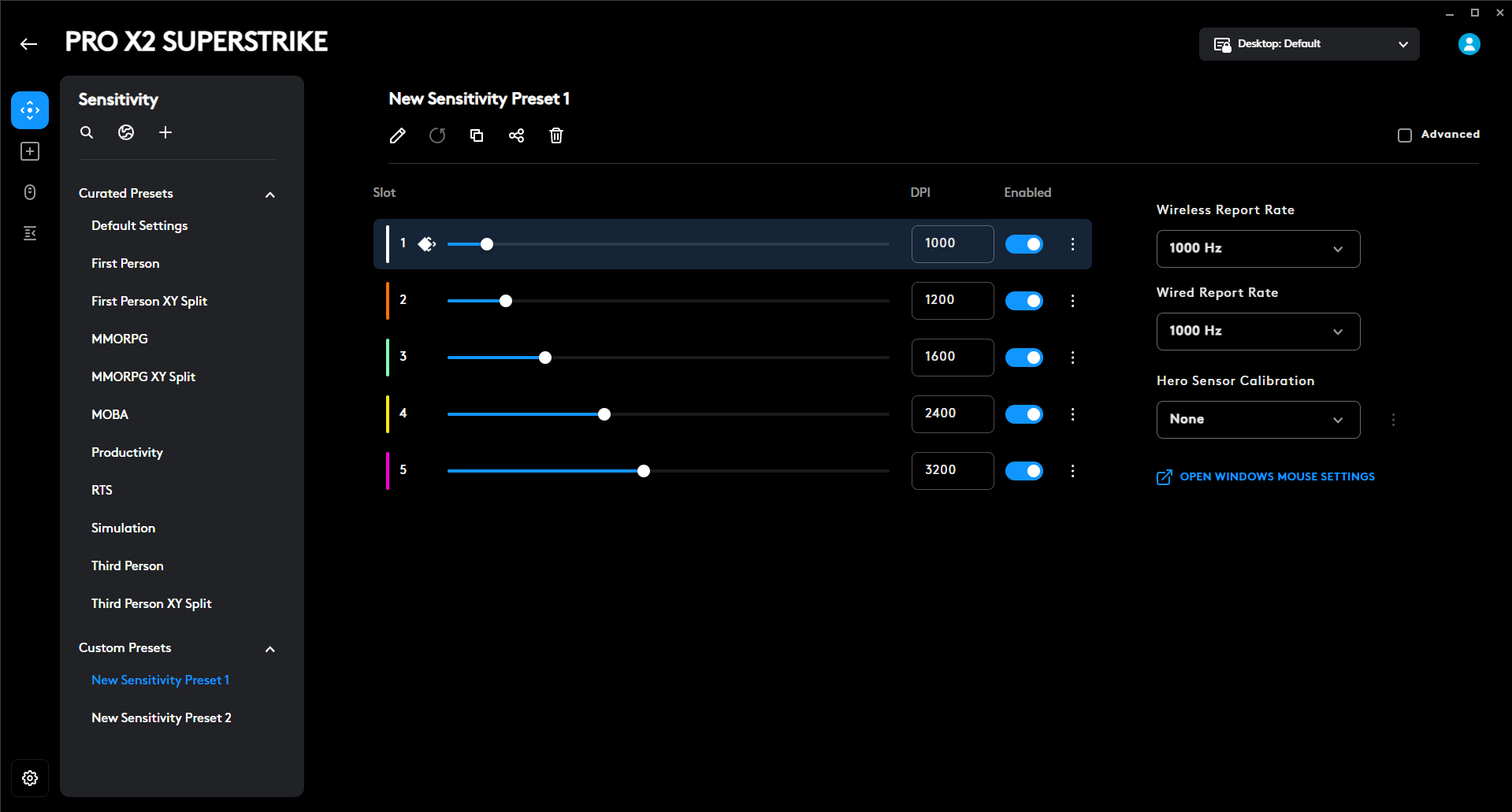
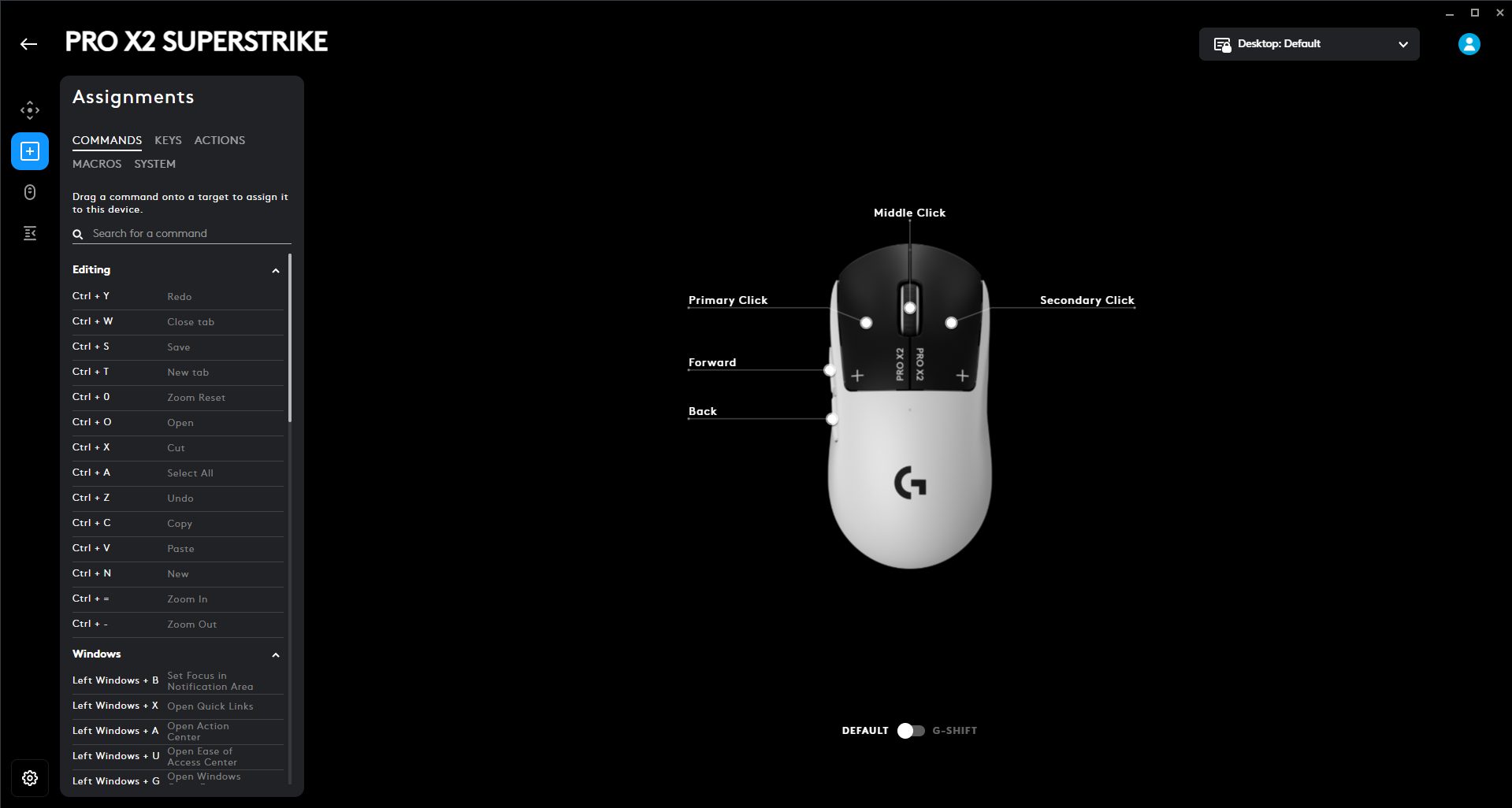
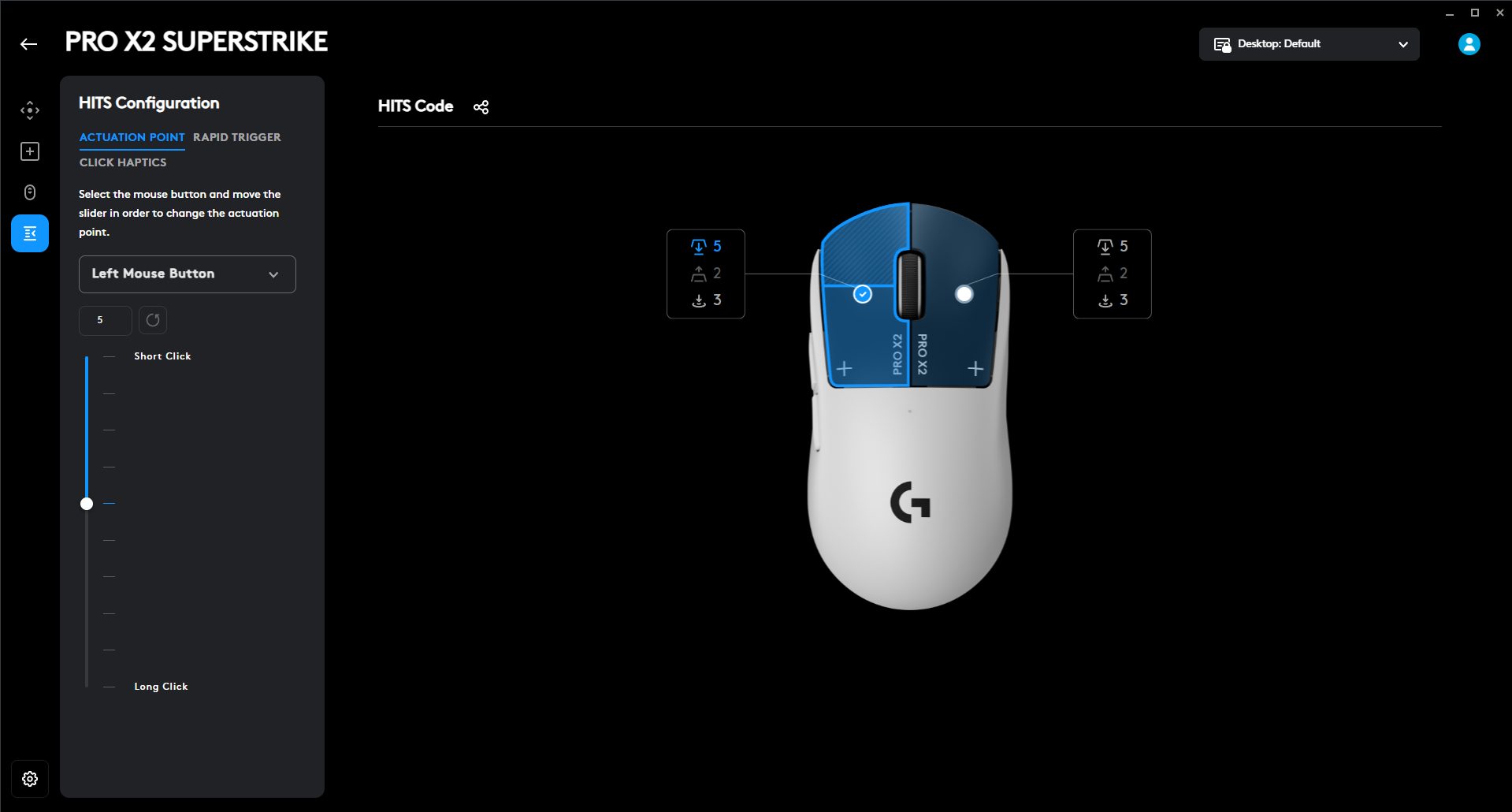
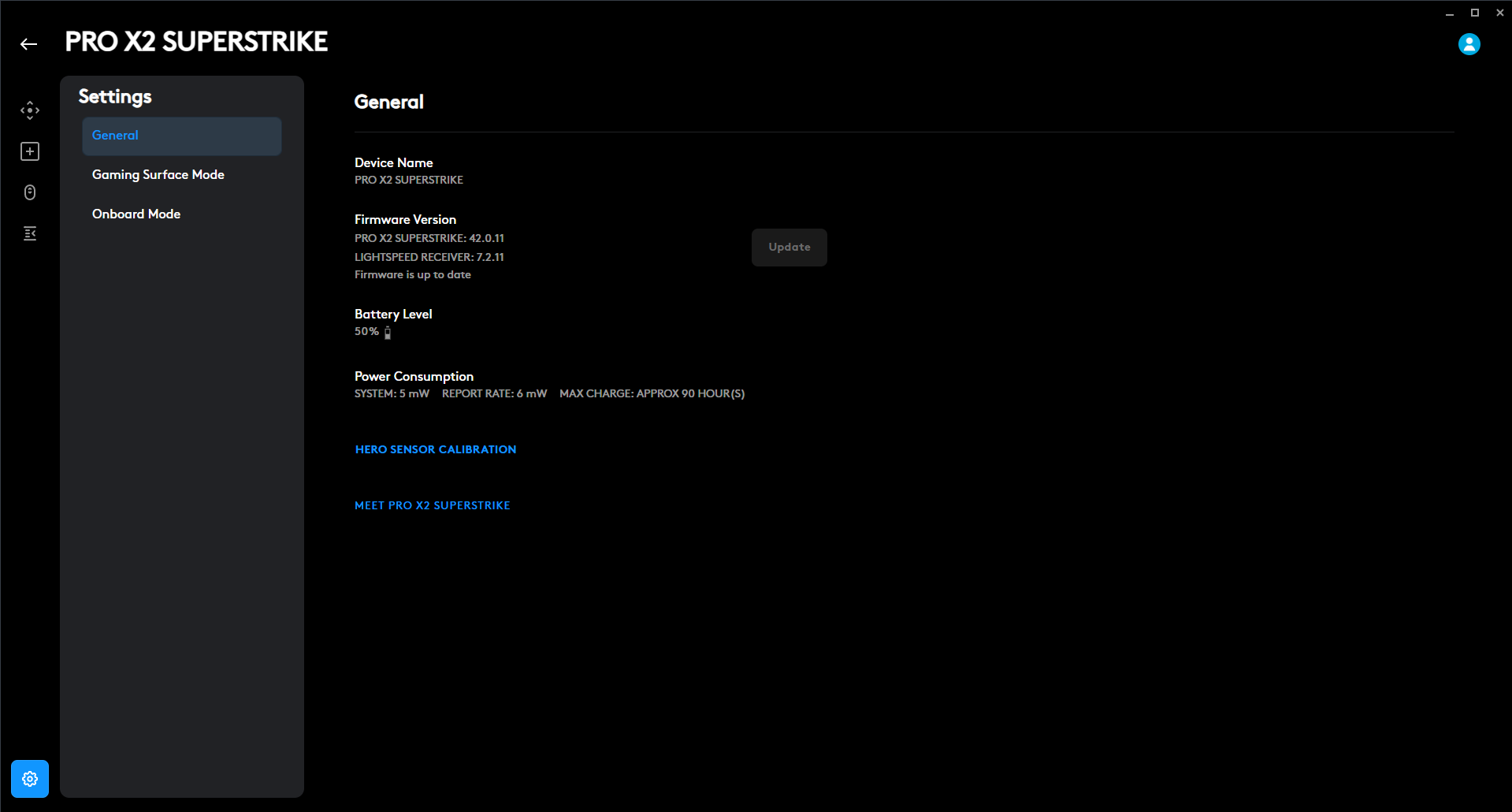
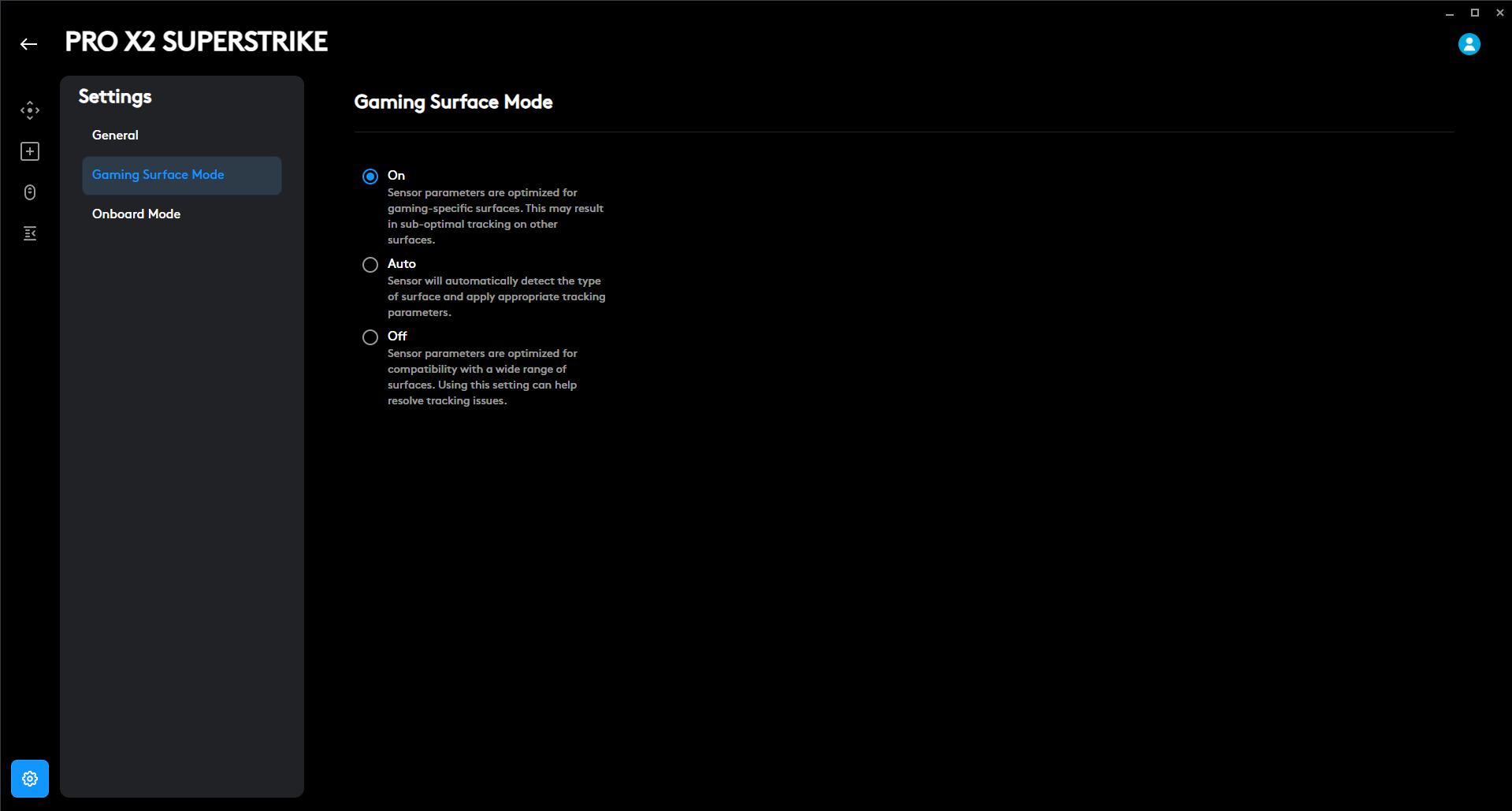
The Logitech Pro X2 Superstrike is deeply customizable with G Hub. You can tweak almost everything about how the mouse clicks, from how far you have to press to register to how quickly it resets. There are ten actuation steps, so you can dial in super-sensitive clicks or whatever suits your playstyle. You can pick which button you’re adjusting either from a dropdown menu or by clicking the mouse graphic directly in the software. The Rapid Trigger feature is adjustable with five levels, so you can experiment and find the sweet spot for yourself.
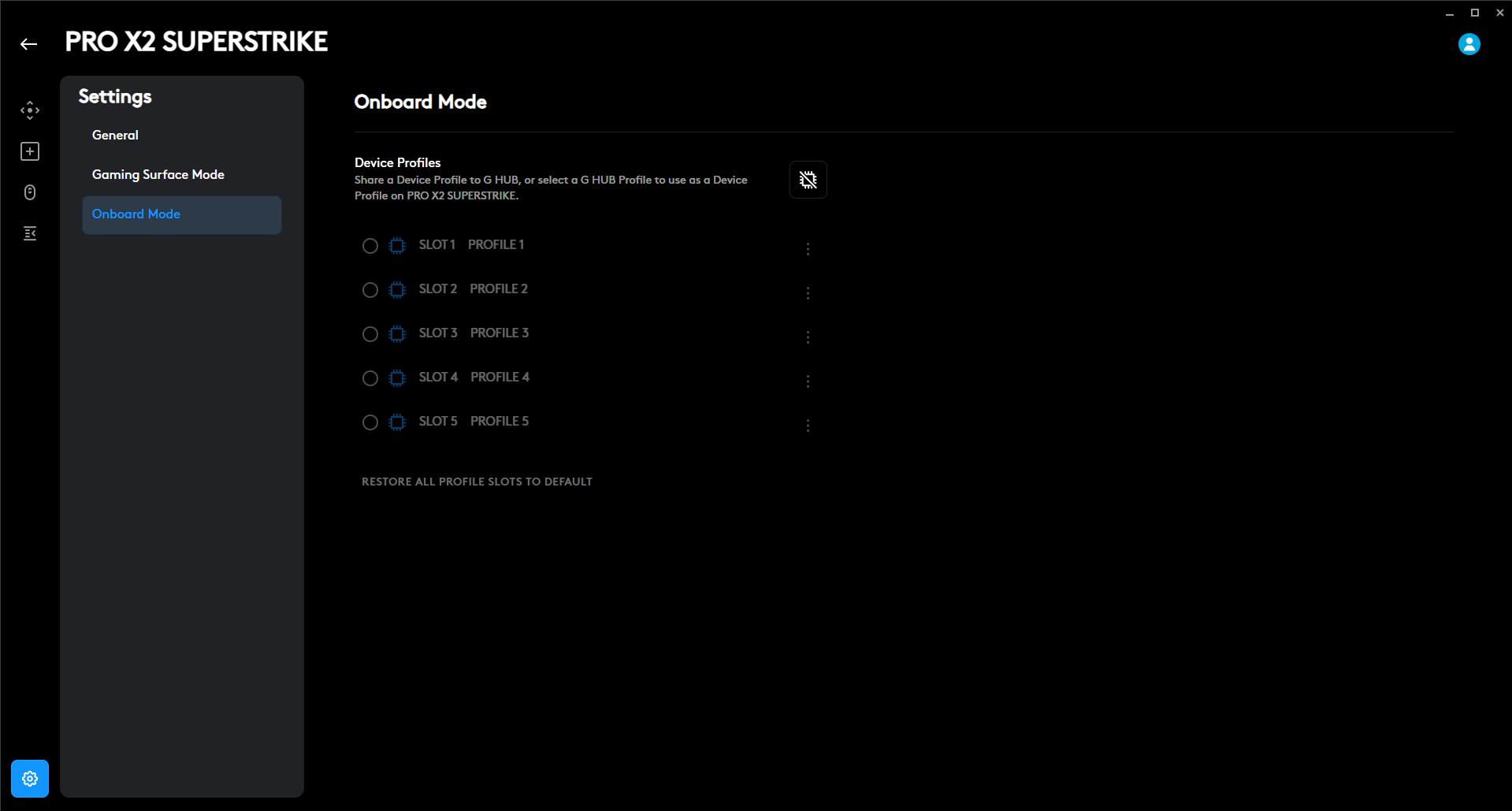
Another layer is Click Haptics. You get six levels, including an option to turn it off. Higher intensity gives a sharper tactile snap, while lower intensity keeps it subtle and slightly lighter on the battery. If you want, you can load your favorite pro gamer’s exact click setup. Just import a HITS Code, and your mouse acts like theirs. You can also share your own setup with friends if you’ve dialed in something that feels perfect. Lastly, the mouse has onboard memory, and you can store upto five profiles on it.
Should You Buy it?
Buy It If
✅You’re serious about competitive gaming: The Logitech Pro X2 Superstrike is clearly built with esports players in mind. It delivers the kind of precision and responsiveness that matters in ranked matches and professional tournaments.
✅You want click customization: The Haptic Inductive Trigger System sets this mouse apart from the rest of the competition. Being able to adjust the actuation depth and haptic feedback intensity gives you a level of control that most gaming mice simply don’t offer.
Don’t Buy It If
❌You’re a casual gamer: This mouse is a serious investment at $179.99. You may not fully benefit from what you’re paying for if you don’t plan to use the advanced customization features.
❌You’re budget-conscious: There are many high-performance wireless mice available at lower price points. The premium pricing may be hard to justify unless the advanced click tuning and esports-focused performance matter to you.
Final Verdict
For anyone looking to step up their competitive game, this mouse is made with you in mind. Of course, it won’t magically aim for you, but it does give you extensive customization options to get better. I’m a failed esports hopeful. I really tried to go pro in Valorant, but well, it didn’t happen. If I’d had this mouse back then, maybe things would’ve been different. Maybe I’d be packing for tournaments instead of writing this review. At $179.99, it’s a worthwhile purchase. It justifies the price for players who take their gaming seriously.
At Tech4Gamers, I’m the PC Hardware Specialist, primarily contributing to the “Best-Ofs” section. I provide thoughtful buying advice based on thorough testing and personal expertise. I also review hardware products and games to keep things fresh.
The AM5 socket-based 800 series has been out for a good while now. However, we’re still seeing some refresh variants being released from time to time. Same is the case with this new MSI MPG X870E Carbon Max WiFi motherboard. The motherboard offers some new features and upgrades that might make it a better pick over its predecessor in the similar price range.
This Max series motherboard brings an upgrade to its BIOS memory capacity and a dedicated OC engine chip, which are also the main highlights of this refresh release. So, without further ado, let’s dive straight into our review!
Why Trust Tech4Gamers
Usman Saleem is our hardware tester who loves to put all the latest GPUs, CPUs, RAM, and motherboards for a spin.
40+ motherboards tested and reviewed by our team of hardware experts (Tech4Gamers Team).
800+ hours spent testing different motherboards for our reviews.
At Tech4Gamers, ensuring you get reliable information is our priority. That’s why every hardware round-up undergoes a meticulous review process by our team of experts and editors. Each review is carefully examined against our strict editorial guidelines, guaranteeing you trustworthy insights you can depend on.
Key Takeaways
The MSI MPG X870E Carbon Max WiFi is MSI’s high-end X870E offering, and is mostly up in the performance charts while also providing excellent aesthetics as well as plenty of USB ports and EZ features.
You should buy the MSI MPG X870E Carbon WiFi if you’re looking for a board offering high performance while also having features that could make things easier to work around.
Don’t get the MSI MPG X870E Carbon Max WiFi if you already have the non-Max variant or if you’re in search of a 10G LAN port.
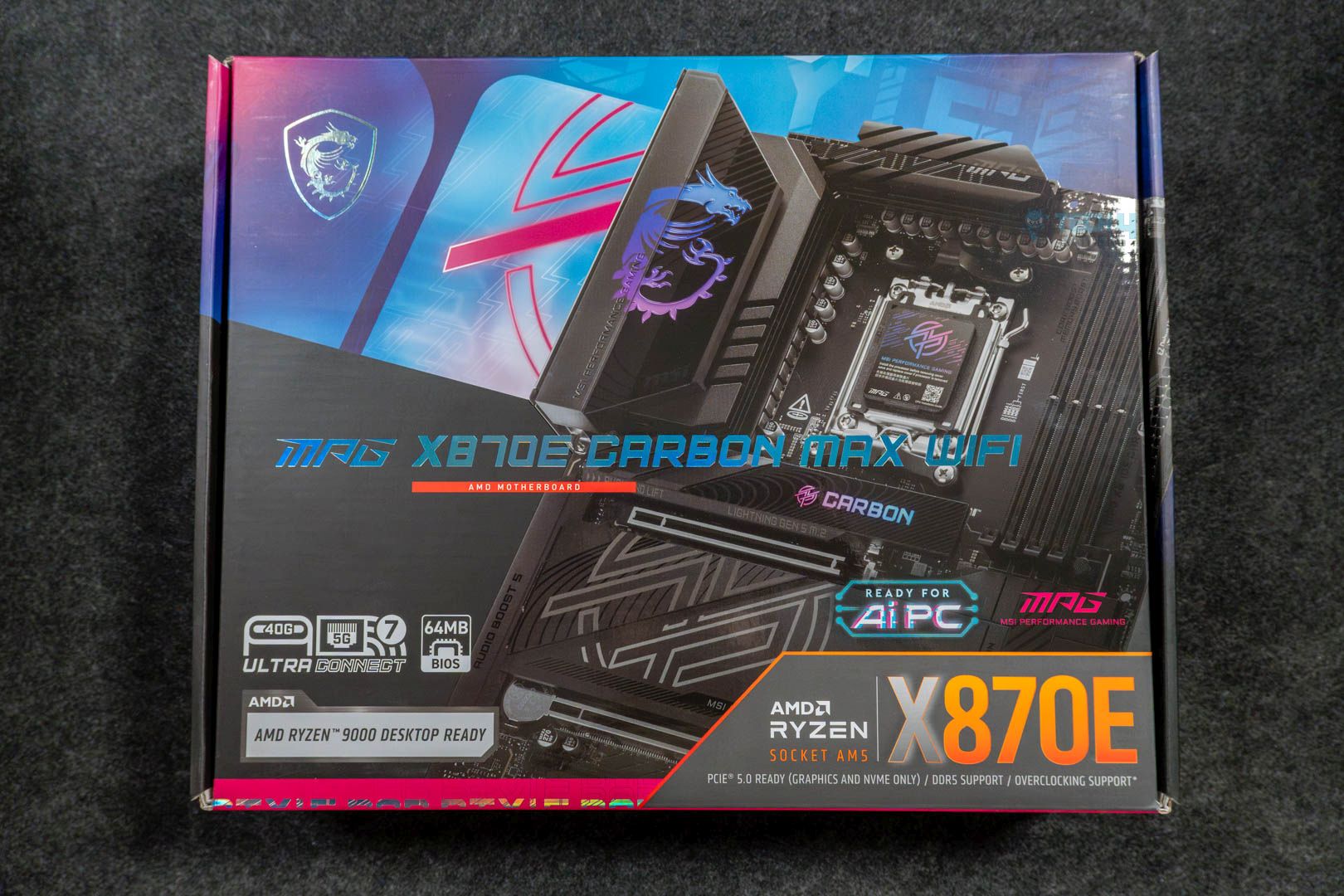
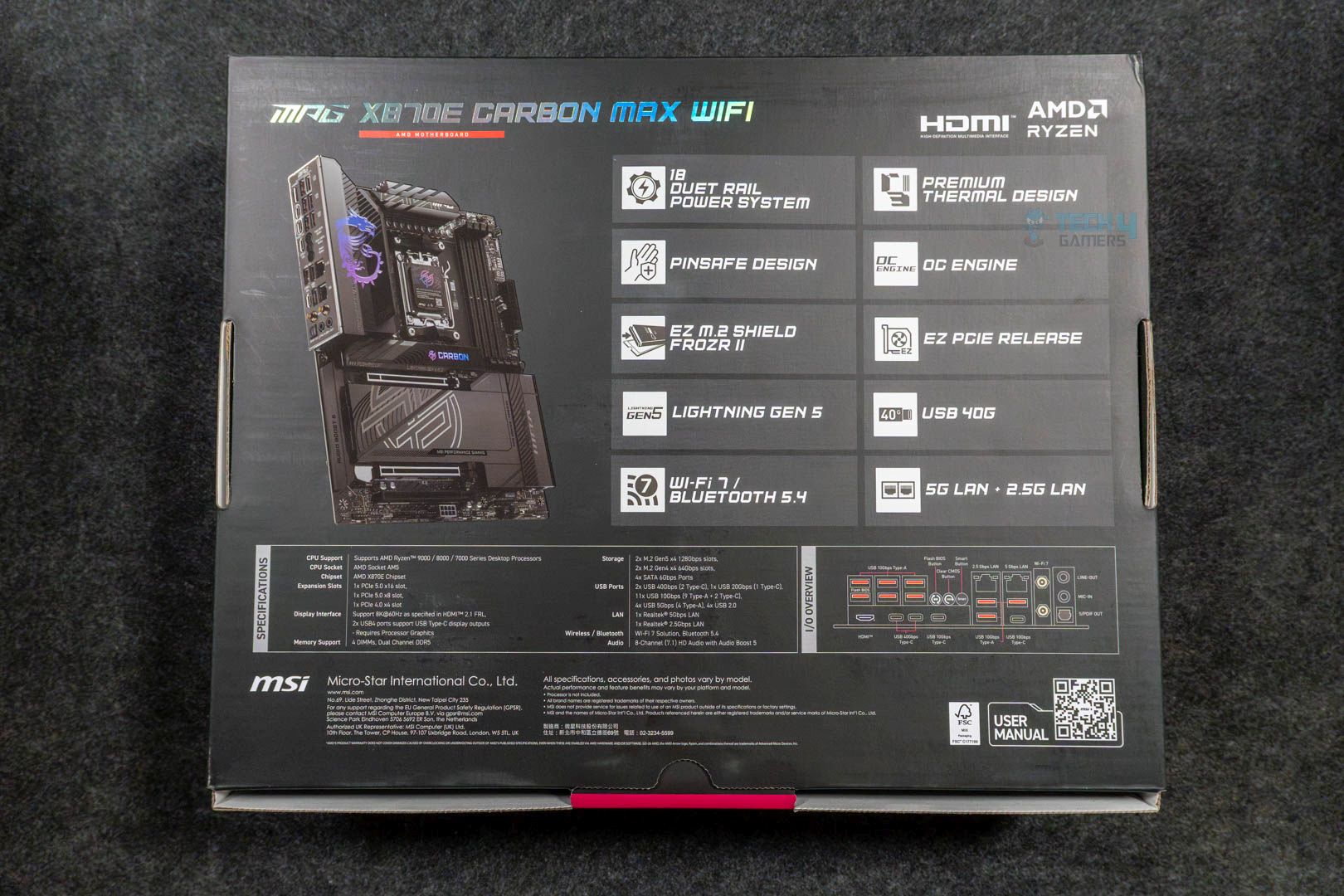
The board comes with a cardboard box fairly similar to its non-MAX variant, with differences only in its name and visuals of the motherboard itself. Another difference that you can notice is the badging of BIOS with 64 MB memory instead of the standard 32 MB that the majority of boards come with.
MSI MPG X870E Carbon Max WiFi – Box Front
MSI MPG X870E Carbon Max WiFi – Box Back
Upon opening the box, we get these accessories:
EZ M.2 Clip II
EZ M.2 Clip II Remover
1 to 3 EZ Conn-Cable (V2)
2x SATA Cables
1x ARGB Extension Cable
EZ Front Panel Cable
EZ WiFi Antenna
1x Cable Sticker Sheet
Quick Installation Guide
EU Regulatory Notice
The included stuff is similar to its predecessor, which is good enough, as the bundled EZ Front Panel Cable and 1 to 3 EZ Conn-Cable (V2) make the whole cable management job somewhat easier and quicker.
Design
MSI MPG X870E Carbon Max WiFi—Front Design (Image by Tech4Gamers)
The board boasts the same design, and the only difference we could notice is that the motherboard’s model isn’t as prominent as it was on the non-Max variant. Not to mention, the board has an 8-layer server-grade PCB design with a TVS feature for swift transfer speeds and overcurrent protection. These safety features are a no-brainer as they ensure the longevity of the motherboard.
Block Diagram
Similarly, since it incorporates the same chipset, the distribution of ports and other components is also the same. Like PCI_E1, PCI_E2, RAM, USB4 Type-C ports, Gen5 M.2_2, USB3.2 Gen2 ports, M.2_1, and HDMI 2.1 port being powered by the AM5 CPU. The rest of the ports, such as SATA ports, 5G & 2.5G LAN ports, Wi-Fi 7, and the remaining USB & audio chips, are handled by Chipset 1 & 2. All of this is visualized in detail in the block diagram.
Power Delivery To Socket
MSI MPG X870E Carbon Max WiFi – CPU Socket (Image by Tech4Gamers)
The motherboard comes with an 18+2+1 phase VRM design coupled with Smart Power Stages. Both the VCore & SoC stages deliver a full 110A, while the single Misc stage goes upto 55A only. Not to forget, the whole VRM design is based on the Duet Rail Power System, meaning there’ll be fewer delays as two stages are getting signals at once from every controller. This is an adequate VRM setup that can easily handle a decent amount of overclocking shenanigans.
VRM Cooling
MSI MPG X870E Carbon Max WiFi – VRM & I/O Shield (Image by Tech4Gamers)
When it comes down to this robust VRM setup, the motherboard has more than enough to take care of it all. As there are two big matte-black extended heatsinks tied together via a single heatpipe, which works great. Moreover, there are also 7W/mK thermal pads underneath for the MOSFETs. Although this entire setup is quite standard for motherboards of this category, it’s ample enough that there’s no need for something exclusive.
DIMM Slots
MSI MPG X870E Carbon Max WiFi – DIMM Slots (Image by Tech4Gamers)
The memory situation is a decent one, too, as the board offers four DIMM slots with each having support for a 64 GB stick. So, using all four slots totals out at 256 GB with a speed up to 8400 MT/s. Besides that, both the EXPO and X.M.P profiles are supported, and there’s even support for CUDIMM memory. Currently, that’s only possible via Clock Driver bypass mode, so there’s not much to get excited about for now. However, non-ECC memory support works as intended without bypass mode or any other workaround.
Editor`s Note
What You Should Know About the New OC Engine & 64 MB BIOS Chip?
Since this refreshed motherboard features a 64 MB BIOS chip, it offers a more feature-rich BIOS experience with a more user-friendly, detailed UI, as well as support for a wider range of upcoming CPUs. Meaning you don’t have to lose or update much to support the newer processors. Additionally, some key drivers will also be pre-installed, such as WiFi drivers, so you don’t have to do it each time you install Windows or change your drive.
As far as the OC Engine goes, it’s a dedicated chip that this new board features, and it helps with a more stable and superior overclocking experience by enabling the independent BCLK control. In layman’s terms, clocks can be adjusted without affecting other components such as iGPU, PCIe, or NVMe slots.
– Dr. Usman Saleem
Storage
The MSI MPG X870E Carbon Max WiFi offers four M.2 slots. Two of them are PCIe Gen5, while the other two are PCIe Gen4. Fortunately enough, all the M.2 slots have dedicated heatsinks to keep the NVMe drives nice and tidy. As far as the NVMe size support goes, all the M.2 slots have support for 2280/2260 cut drives.
MSI MPG X870E Carbon Max WiFi – Gen5 M.2 Slot (Image by Tech4Gamers)
There’s also EZ M.2 installation in place, which is MSI’s way of making it seamless by removing the need to use screws. This is especially great for newcomers as it helps save quite a bit of time. The difference between all these slots is that the primary M.2 shield also features the Carbon branding that is RGB-enabled. It does enhance the aesthetics of the board overall. Lastly, there are four SATA 6G ports as well, in case you want to utilize old HDDs or SATA SSDs.
PCIe Slots
MSI MPG X870E Carbon Max WiFi – PCIe Slot (Image by Tech4Gamers)
As far as the PCIe slot situation is concerned on this motherboard, it offers plenty. There are three slots in total that you can use; however, each has a different bandwidth. Like, the primary slot is a PCIe Gen5 and runs at full x16 mode. Whereas the 2nd slot is limited to x8 mode, which is fine and standard. The 3rd slot is a PCIe Gen4 and only runs at x4 mode.
Do note that the primary slot also features the EZ-PCIe release mechanism, which makes removing the GPU snappy, as all you need to do is press the release button. The remaining two slots have the standard latch system, which makes sense as they aren’t used as much.
USB Connectivity
Looking at the USB side, the motherboard offers ample ports, totaling up to 22 USB ports:
2x USB 40 Gb/s Type-C (Rear)
1x USB 20 Gb/s Type-C (Front)
2x USB 10 Gb/s Type-C (Rear)
9x USB 10 Gb/s Type-A (Rear)
4x USB 5 Gb/s Type-A (Front)
4x USB 2.0 (Front)
The ASM4242 chip is responsible for the USB 40 Gb/s ports, whereas the 10 Gb/s Type-A ports are tied to the RTS5420 chip from Realtek.
Network and Connectivity
While there are two LAN ports on this board, neither of them isn’t a 10G one, as one is a Realtek 8126 5G LAN, and the second is a Realtek 8125 2.5G LAN. They’re more than sufficient for the majority of the cases, but a 10G LAN would’ve been nice to see as an upgrade over its predecessor. Nevertheless, WiFi 7 and Bluetooth 5.4 are still intact, though they need at least Windows 11 version 24H2 to work at their full potential.
Audio Solution
Like almost every other motherboard of this budget, this one also uses the Realtek ALC4080 Audio Codec, which serves its purpose well. It supports all the basic features, such as the 7.1-channel audio and up to 32-bit/384 kHz playback on the front panel. As long as you’re not an audiophile who requires every bit of fine-tuning, this is everything you could possibly want.
Internal Connectors
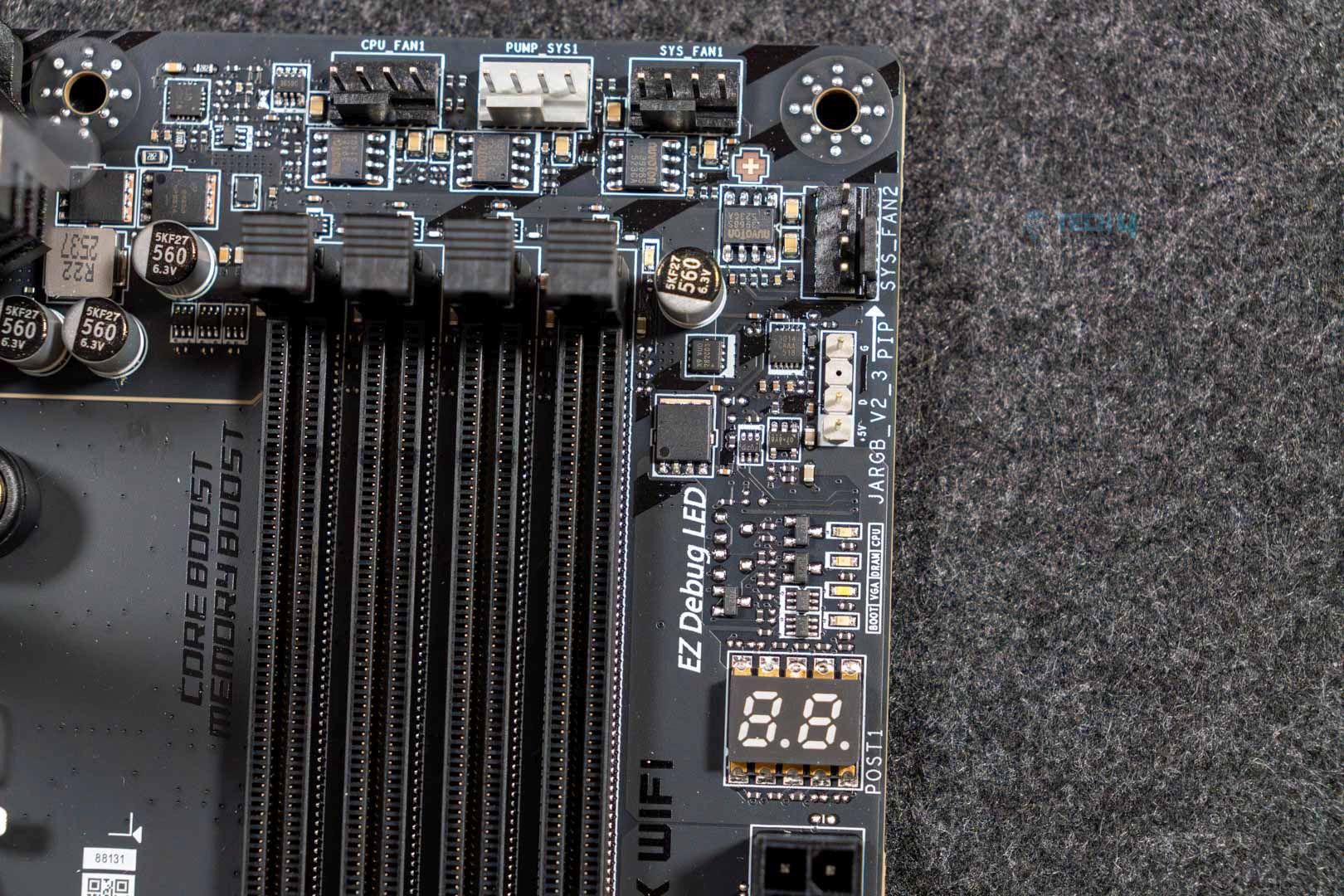
Now, when it comes to the internal connectors, the motherboard has a plethora of connectors, including some useful features. One of them is the EZ Digit Debug and EZ Debug LEDs being present right above the 24-pin power connector. These come in handy while troubleshooting your PC.
MSI MPG X870E Carbon Max WiFi – Connectors (Image by Tech4Gamers)
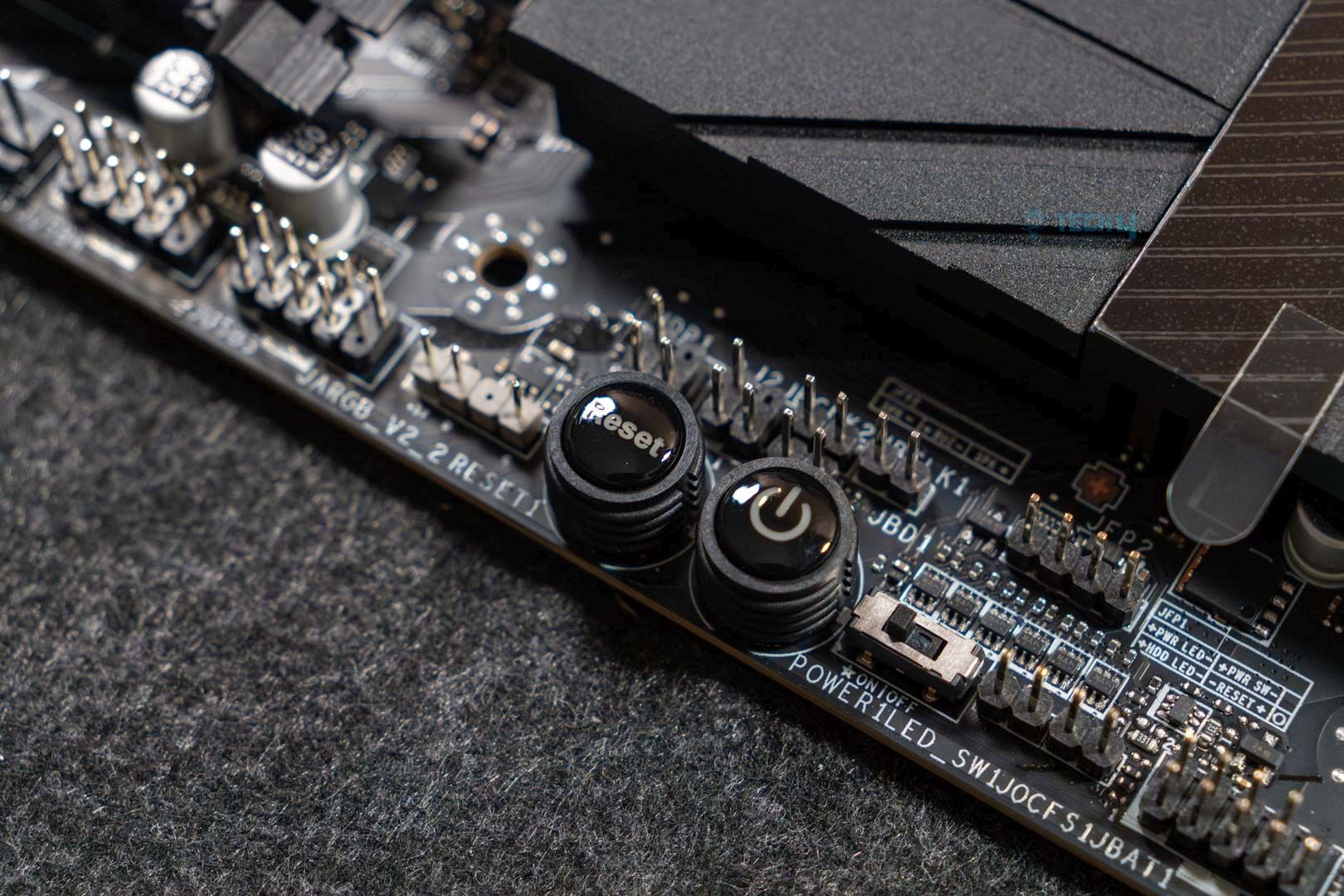
MSI MPG X870E Carbon Max WiFi – Reset and Power Buttons (Image by Tech4Gamers)
Anyways, here’s the list of every connector present on this board:
4x EZ Debug LEDs
1x Digit Debug LED panel
1x Power Connector (ATX_PWR)
2x Power Connector (CPU_PWR)
1x Power Connector (PCIE_PWR 8pin)
4x USB 2.0 ports
4x USB 5 Gb/s Type-A ports
1x USB 20 Gb/s Type-C ports
1x CPU Fan
1x Combo Fan (Pump_Sys Fan)
5x System Fan
1x EZ Conn-header (JAF_2)
2x Front Panel (JFP)
1x Chassis Intrusion (JCI)
1x Front Audio (JAUD)
1x Thermal Sensor connectors (T_SEN)
3x Addressable V2 RGB LED connector (JARGB_V2)
1x RGB LED connector (JRGB)
Rear I/O Panel
On the rear, we get:
2x USB 40 Gb/s Type-C
1x USB 10 Gb/s Type-C
6x USB 10 Gb/s Type-A
1x USB 10 Gb/s Type-C
3x USB 10 Gb/s Type-A
Wi-Fi 7/Bluetooth
Optical S/PDIF Out
Flash BIOS Button
Clear CMOS Button
Smart Button
Audio Connectors
HDMI™
2.5G LAN
5G LAN
Besides all the connectors, the board has a pre-installed I/O shield with proper labeling of each port. Moreover, there’s also a smart button that is customizable via BIOS to set specific commands such as safe boot, RGB light toggle, system reboot, or Turbo fan mode.
Starting with Blender, the difference is nonexistent: the MSI MPG X870E Carbon Max WiFi performed the same as its non-Max variant.
Cinebench 2024
During the Cinebench run, the single-core score remained the same. However, there was a 1-point improvement in multicore testing.
Corona 11
We also saw improvements during the Corona 11 test run; the Carbon Max was able to complete the whole run in 0.3 seconds faster.
Geekbench 6
The same improvements are also present in Geekbench 6; the new motherboard has an advantage of 2 scores over its previous iteration.
V-Ray
The MSI MPG X870E Carbon Max WiFi again has a lead of 2 scores over its non-Max variant in the V-Ray benchmark run.
Gaming Benchmarks
Gaming Benchmarks
1 of 2
Cyberpunk 2077
Starfield
As far as the gaming performance is concerned, we couldn’t find any difference between the two in both games that we tested.
Boot Time
Boot Time
The MSI MPG X870E Carbon Max WiFi boots up in the same 21-second mark as its non-Max variant and other motherboards.
VRM Temperatures and Power Consumption
VRM Temperatures
The X870E Carbon Max WiFi tops out at 56 °C, which is 1 degree less in comparison and a welcome improvement. Meaning that everything is going well within safe temperature limits.
Power Consumption
To offer all those tiny bits of improvements, the motherboard also eats a little more in terms of power. Though it still isn’t the most power hungry on the list.
Should You Buy It?
Buy It If:
✅You’re searching for a future-ready board: The new X870E Carbon Max comes with a 64 MB BIOS that makes it already fit for future chips, considering it can contain microcodes of many CPUs at once.
✅You use a lot of USB ports: If your use case requires a lot of USB ports, and that too quite fast. Then this board offers 22 of them, which are plenty.
✅You want performance: The motherboard comes with a dedicated OC engine chip, which can help you with the overclocking side of things alongside the 18+2+1 VRM design to produce ample horsepower.
Don’t Buy It If:
❌You already own a non-Max variant: If you already have a non-Max variant, then there’s no need to upgrade, as the non-Max board is already a decent one and isn’t too far behind this new one.
❌You want a 10G LAN port: The lack of a 10G LAN port again is a kind of deal breaker, so if you’re someone who could really use those extra bits of speed, then skip this board.
My Thoughts
The MSI MPG X870E Carbon Max WiFi comes with a few upgrades while keeping most of its personality the same as its previous iteration. The board itself has impressed us with decent performance in both synthetic and gaming benchmarks. Not to mention, it runs quite cool as well under load, thanks to MSI’s excellent cooling design. Similarly, MSI also provided some of its useful EZ features, such as the EZ PCIe release. Besides all that, the motherboard is recommended for those who are seeking one for their new build. Simply because it offers more while costing just about the same.