Home Blog Page 58

Obsbot Tiny 3 Lite Review: Making AI Webcams More Accessible

Webcams have changed a lot over the past few years. Nowadays, they’re not just something you clip to your monitor for Zoom calls anymore. These days, people expect more. That’s where Obsbot comes in. The brand has been leaning hard into AI-driven webcams for a while now. The Obsbot Tiny 3 Lite is on the more affordable side of that lineup. It’s clearly meant to lower the entry point, not replace the Tiny 3, which I have recently reviewed.

A Lite label usually means fewer controls, trimmed-down specs, and some features leftout.  Although performance doesn’t always drop in obvious ways. I’ve been using the Tiny 3 Lite for a while now by sitting at a desk, leaning back during calls, and standing up now and then. That’s what this review is all about. I’m not here to look only at specs or marketing claims, but to see how the Obsbot Tiny 3 Lite performs in real-world use.

Why Trust Tech4Gamers
  • Abdul Hannan is our peripherals expert who has been testing different mice, keyboards, headphones, microphones, and more for years.
  • 130+ peripherals tested and reviewed by our team of hardware experts (Tech4Gamers Team).
  • 500+ hours spent testing different peripherals for our reviews.
  • Objective testing criteria (See how we test peripherals).

At Tech4Gamers, ensuring you get reliable information is our priority. That’s why every hardware round-up undergoes a meticulous review process by our team of experts and editors. Each review is carefully examined against our strict editorial guidelines, guaranteeing you trustworthy insights you can depend on.


Key Takeaways

  • The Obsbot Tiny 3 Lite is a compact AI webcam that offers 4K capture with a built-in gimbal for smooth pan-and-tilt tracking. It’s a capable webcam for streaming, meetings, and casual recordings.
  • You should buy the Obsbot Tiny 3 Lite if you want AI-powered tracking, need 4K or high-FPS video recording, value flexibility, and prefer a compact design.
  • You should skip the Obsbot Tiny 3 Lite if you want the absolute best image quality, need extra specialized features, and rarely move on camera. 

Here are the technical specifications:

Size 41mm x 41mm x 58mm
Weight 73g
Image Sensor 1/2” CMOS
Effective Pixels 48 M
Aperture ƒ/1.8
FOV (D) 79.1° (4:3), 72° (16:9)
FOV (H) 66.9°
Equivalent Focal Length 25mm
Minimum Focus Distance 10cm
ISO Range 100-6400
Exposure Value ±3EV
Digital Zoom 1-4x
Focus Type AF (PDAF) / MF
HDR Support
Controllable Range Pan: ±130°; Tilt: 32° (down) ~ -60° (up)
Mechanical Range Pan: ±150°; Tilt: ±90°
Max Controllable Speed 120°/s
Audio Input 1 Omnidirectional+2 Directional Mics
Auxiliary Functions Gesture Control, Voice Control, Voice Locator, Voice Tracking
Power 5V/0.5A
[toc]

What Makes Obsbot Tiny 3 Lite Different?

The Obsbot Tiny 3 Lite differs from its predecessors by making the core idea of a motorized tracking webcam more accessible. It trims down sensor size and some advanced modes while keeping the essence of what made earlier models interesting. Compared with competitors’ fixed-lens webcams, the Tiny 3 Lite’s gimbal allows for more responsive framing. Moreover, its combination of gesture and voice controls adds an extra layer of interactivity that most standard webcams simply don’t offer.

Packaging & Unboxing
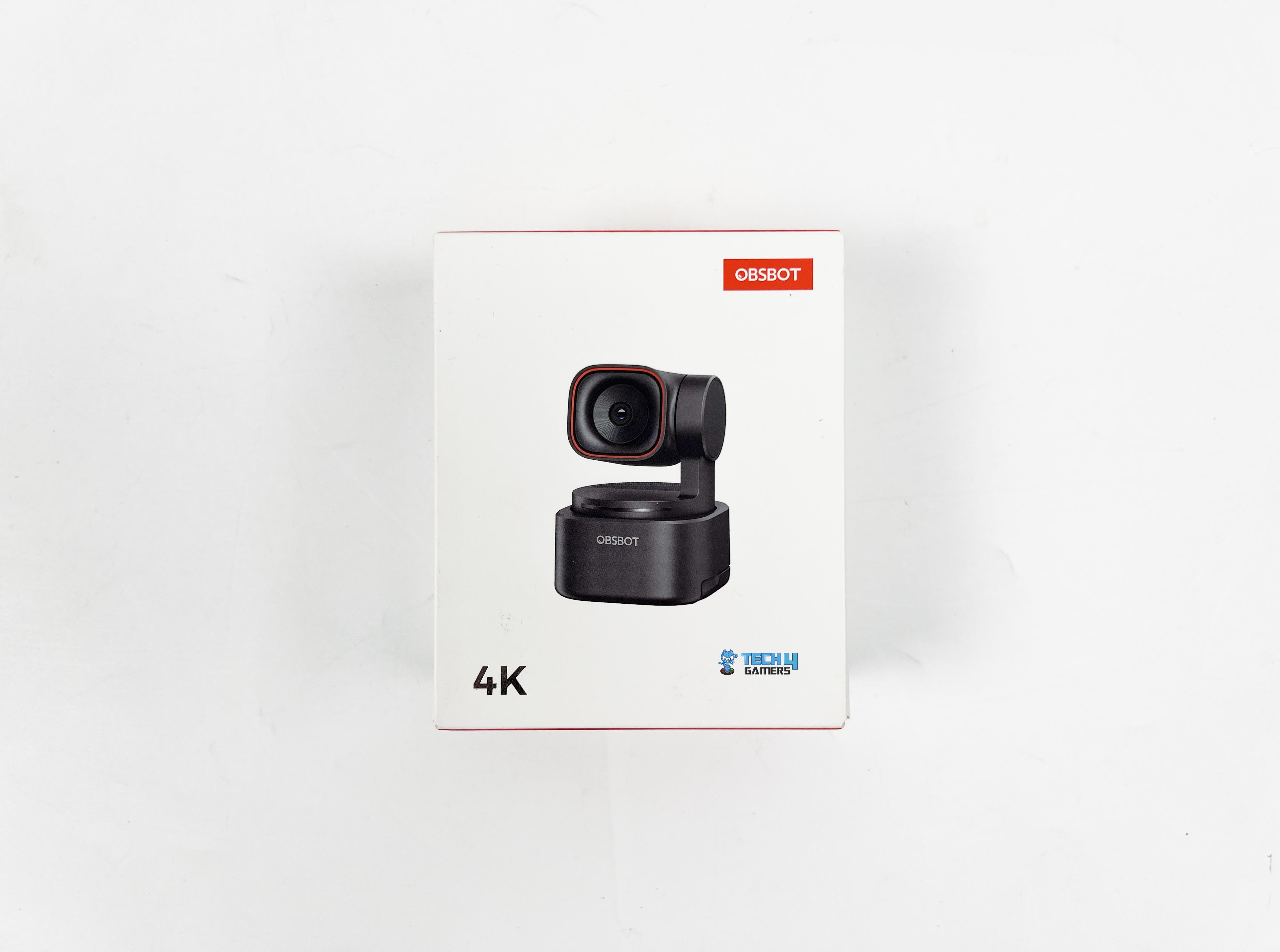
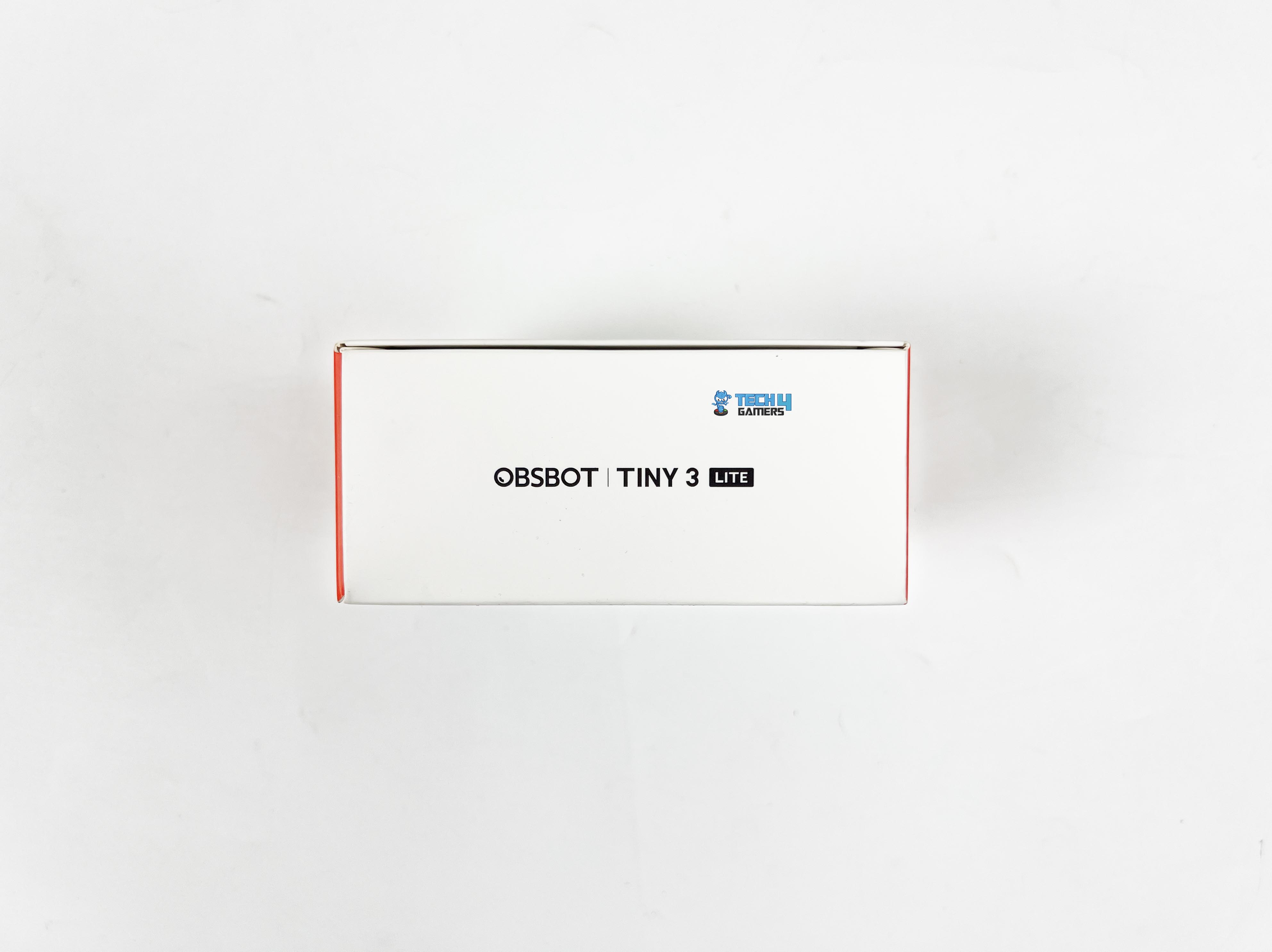
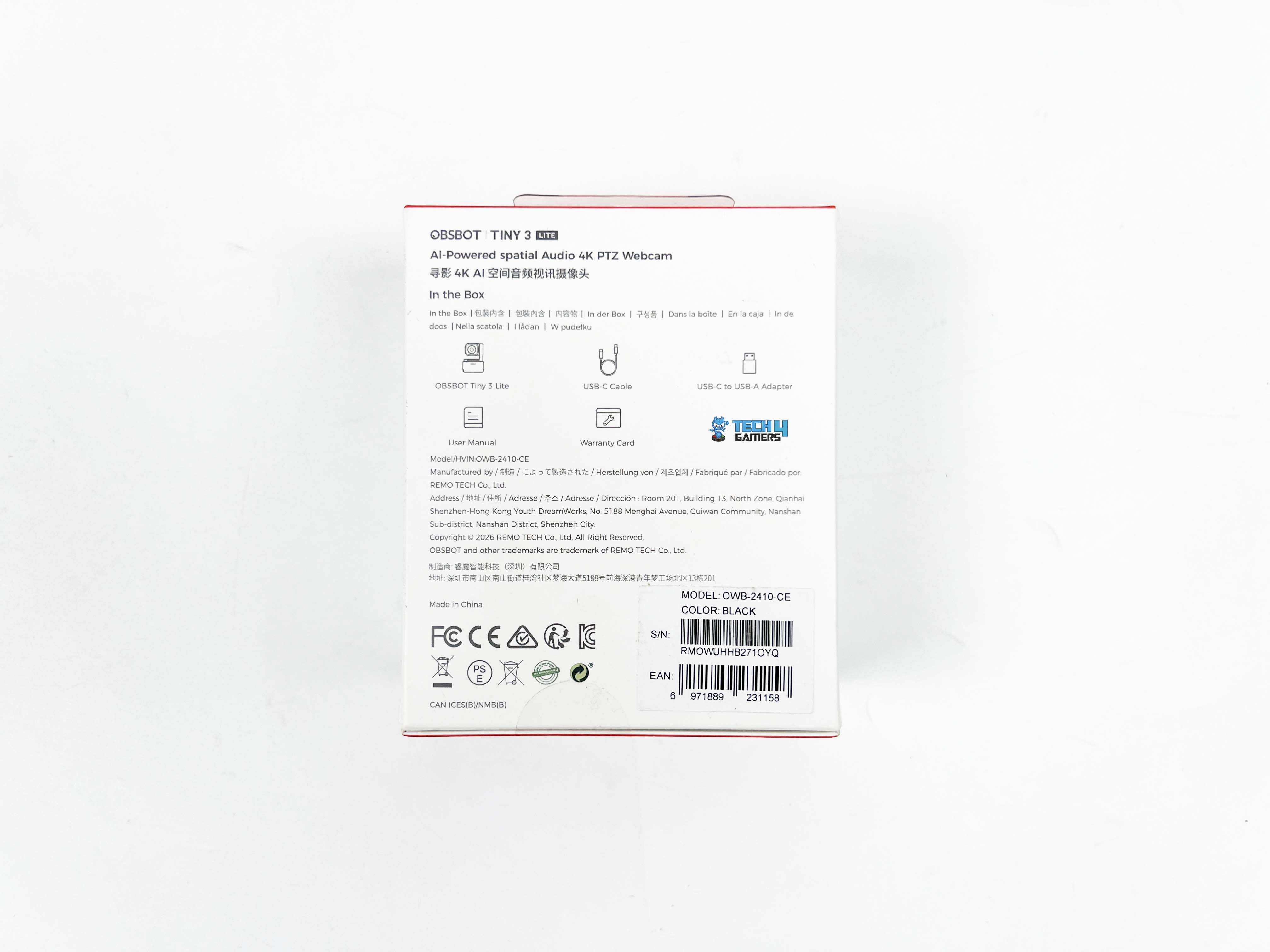
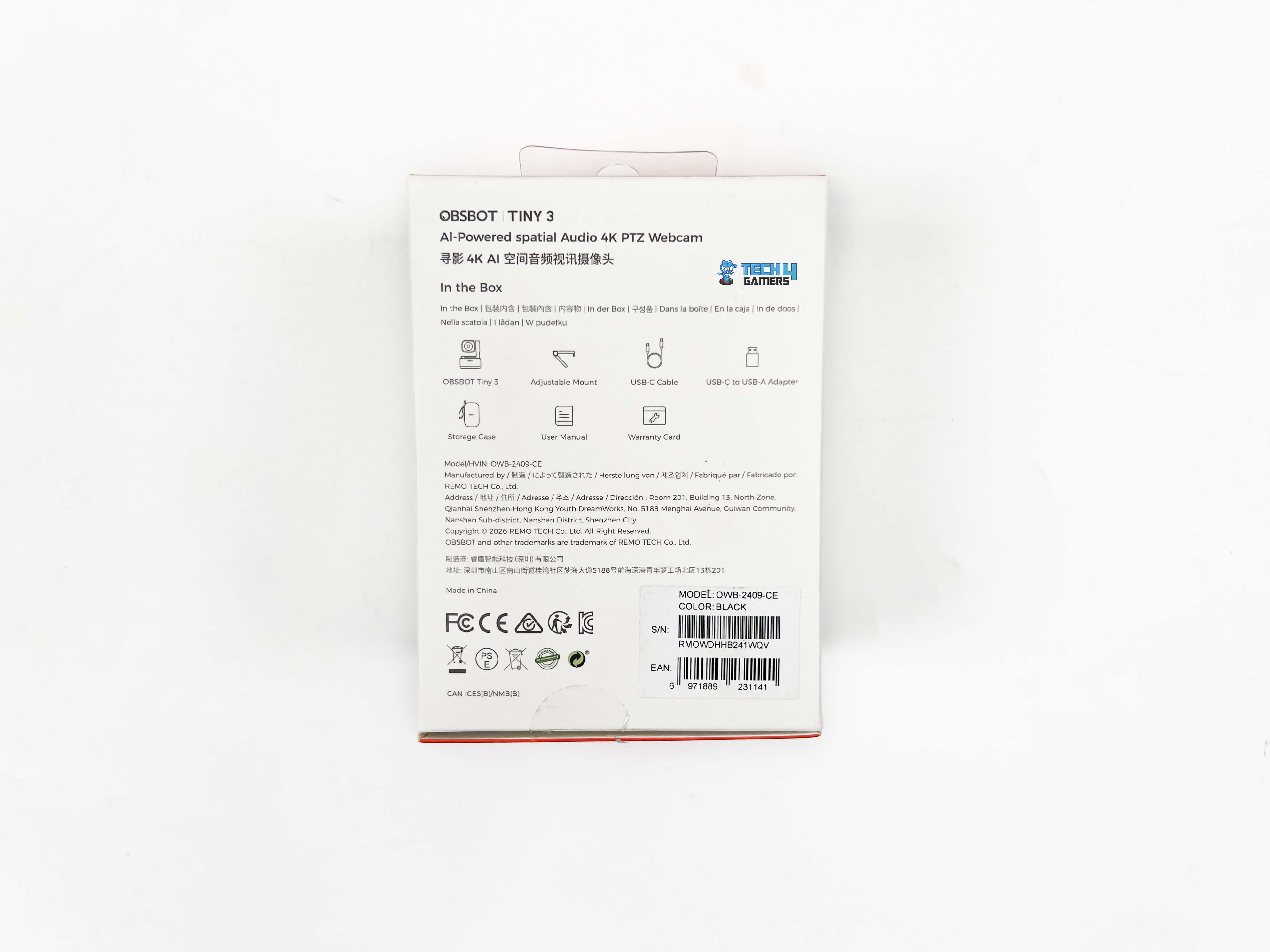
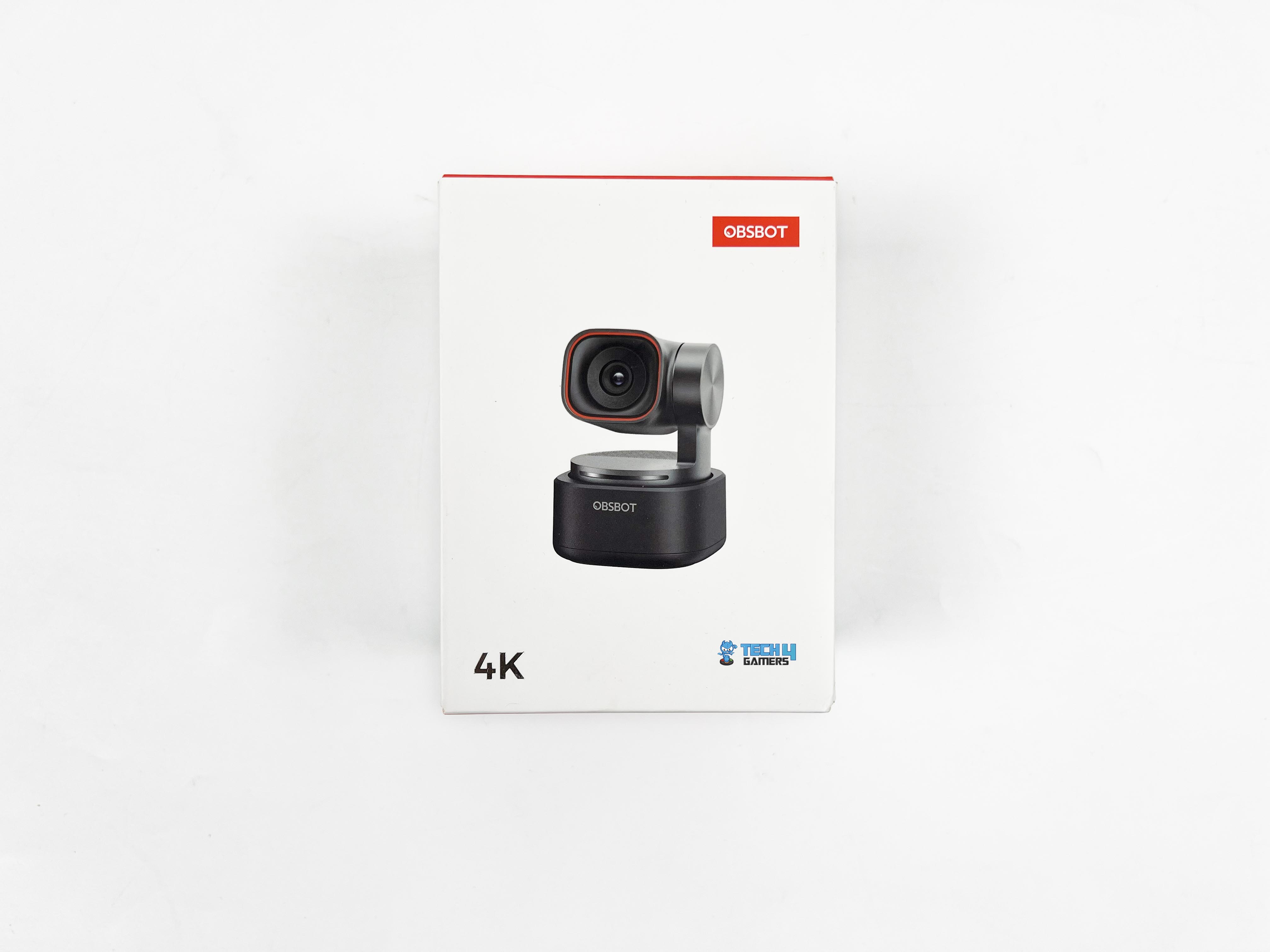
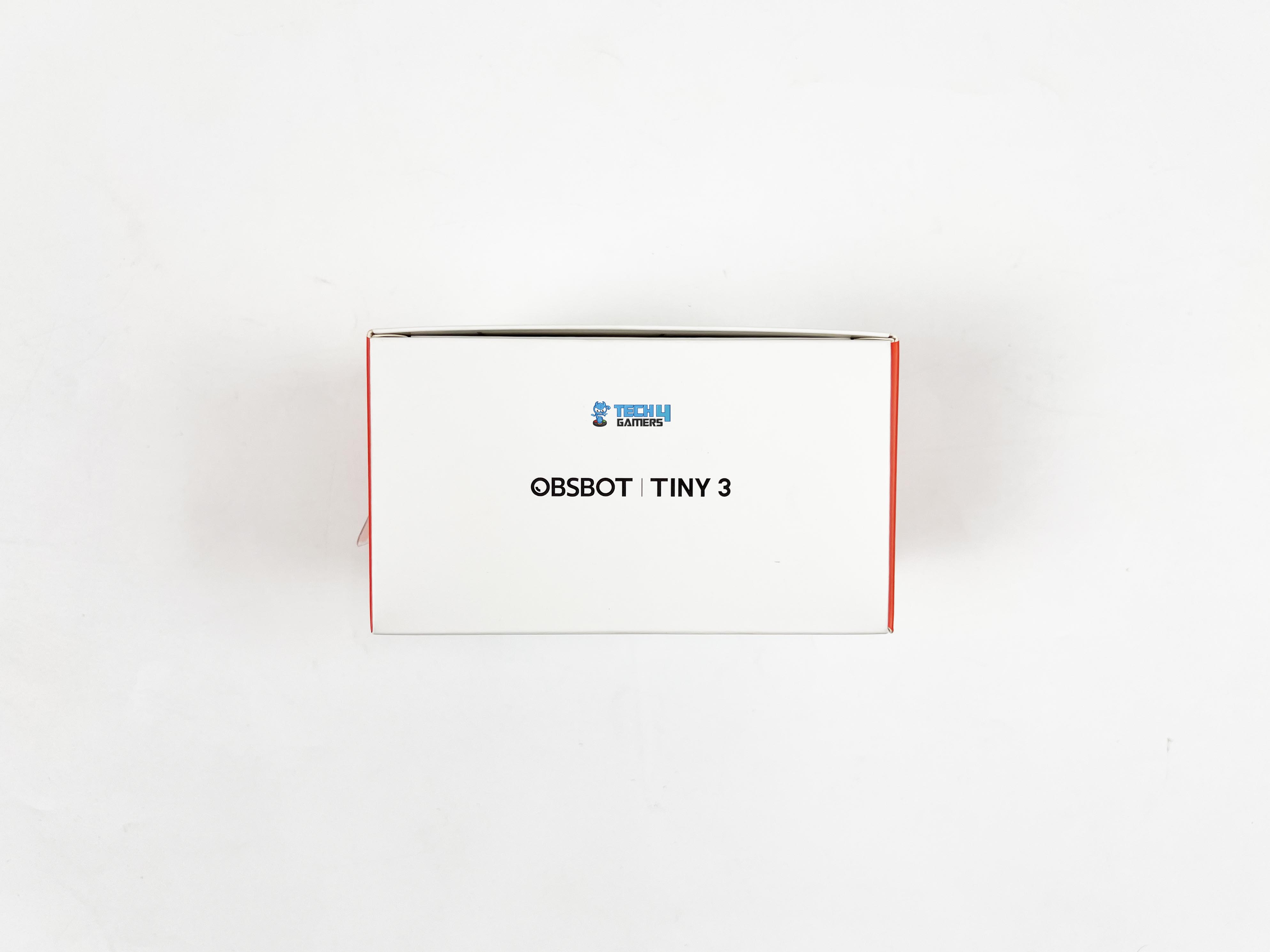
The Obsbot Tiny 3 Lite comes in a relatively compact box. On the front, there’s a photo of the webcam and a callout highlighting 4K recording. On the back, you’ll find the manufacturer information and a list of what’s included in the box. Along the sides, you’ll find the model name written. 
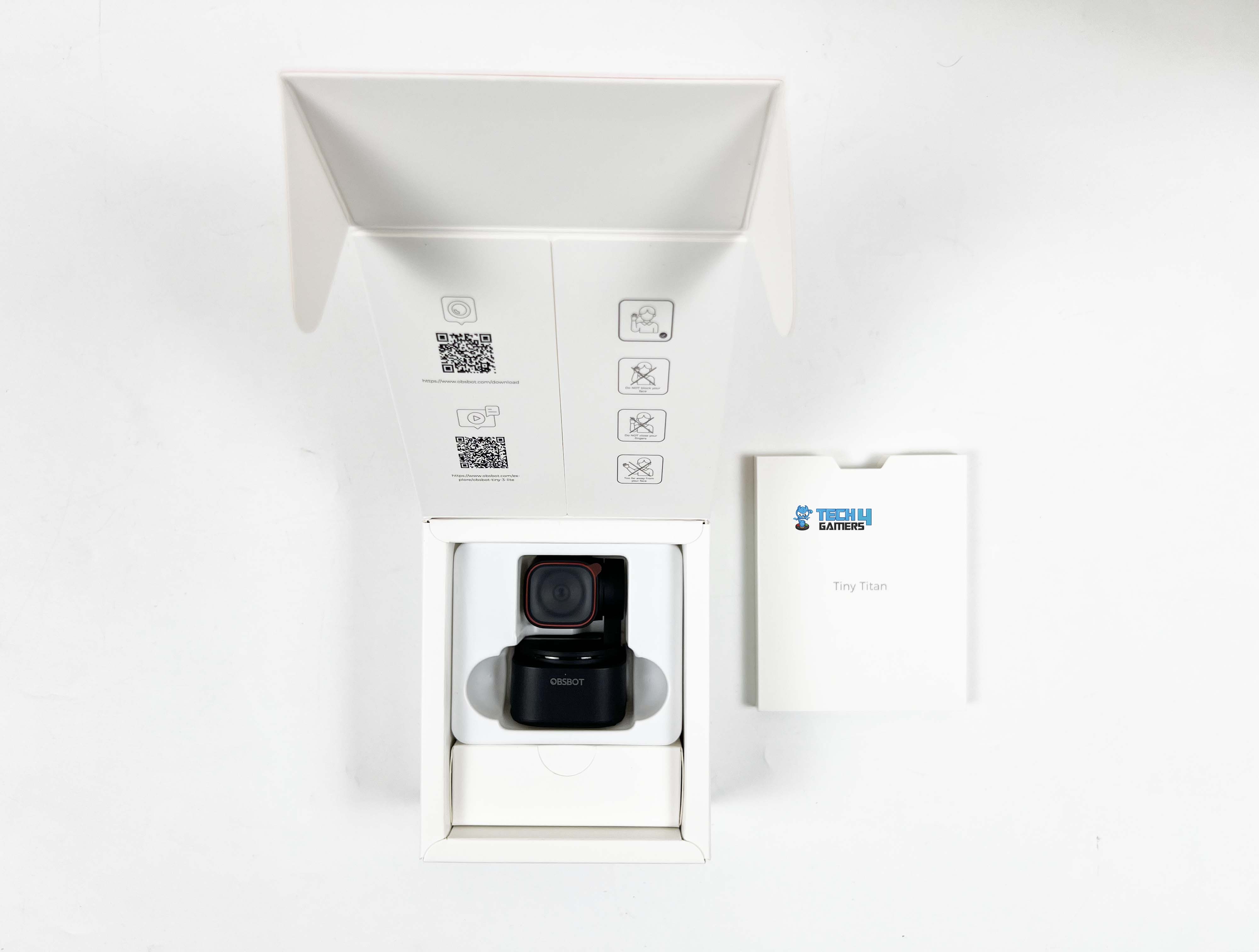
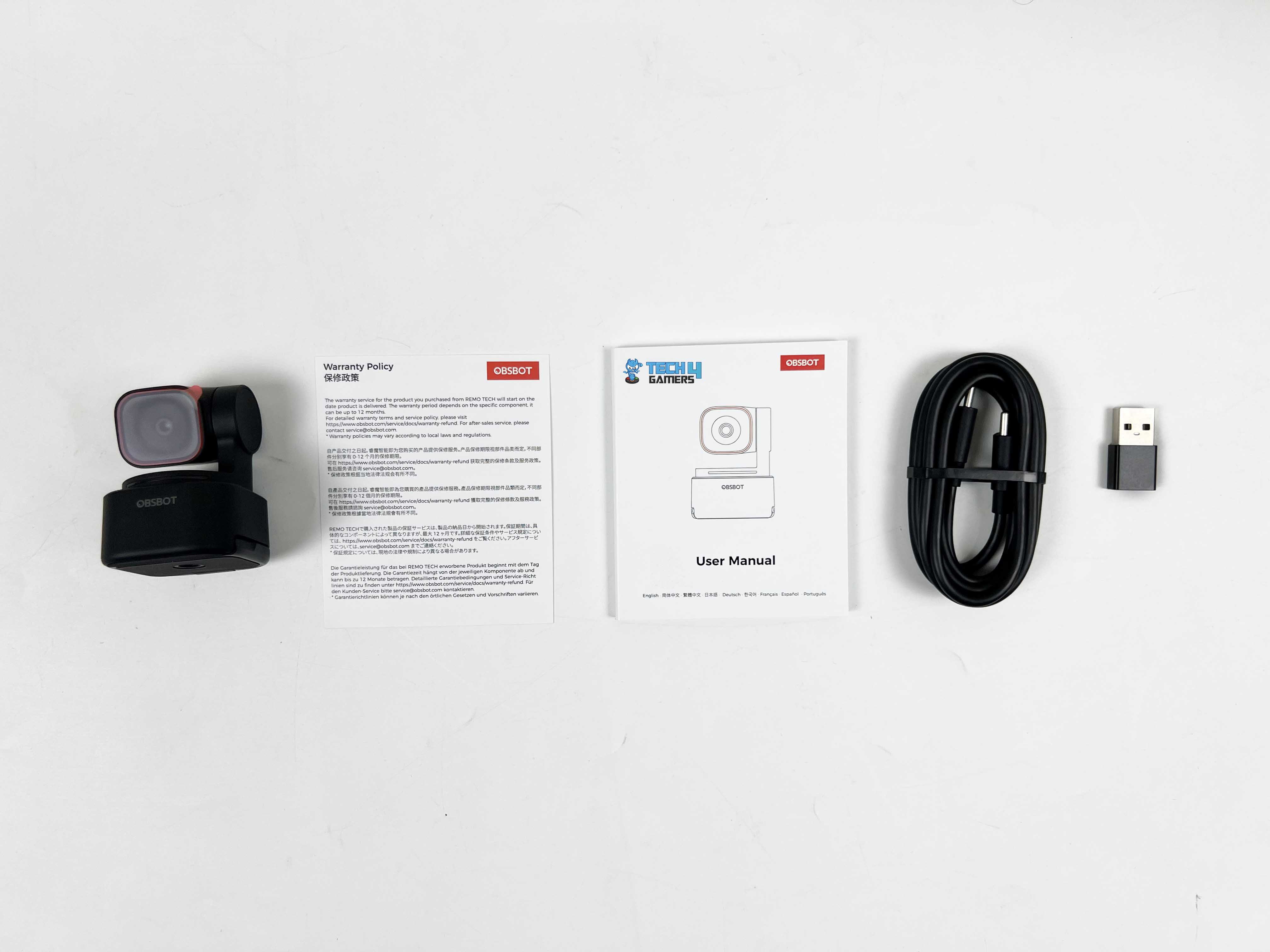
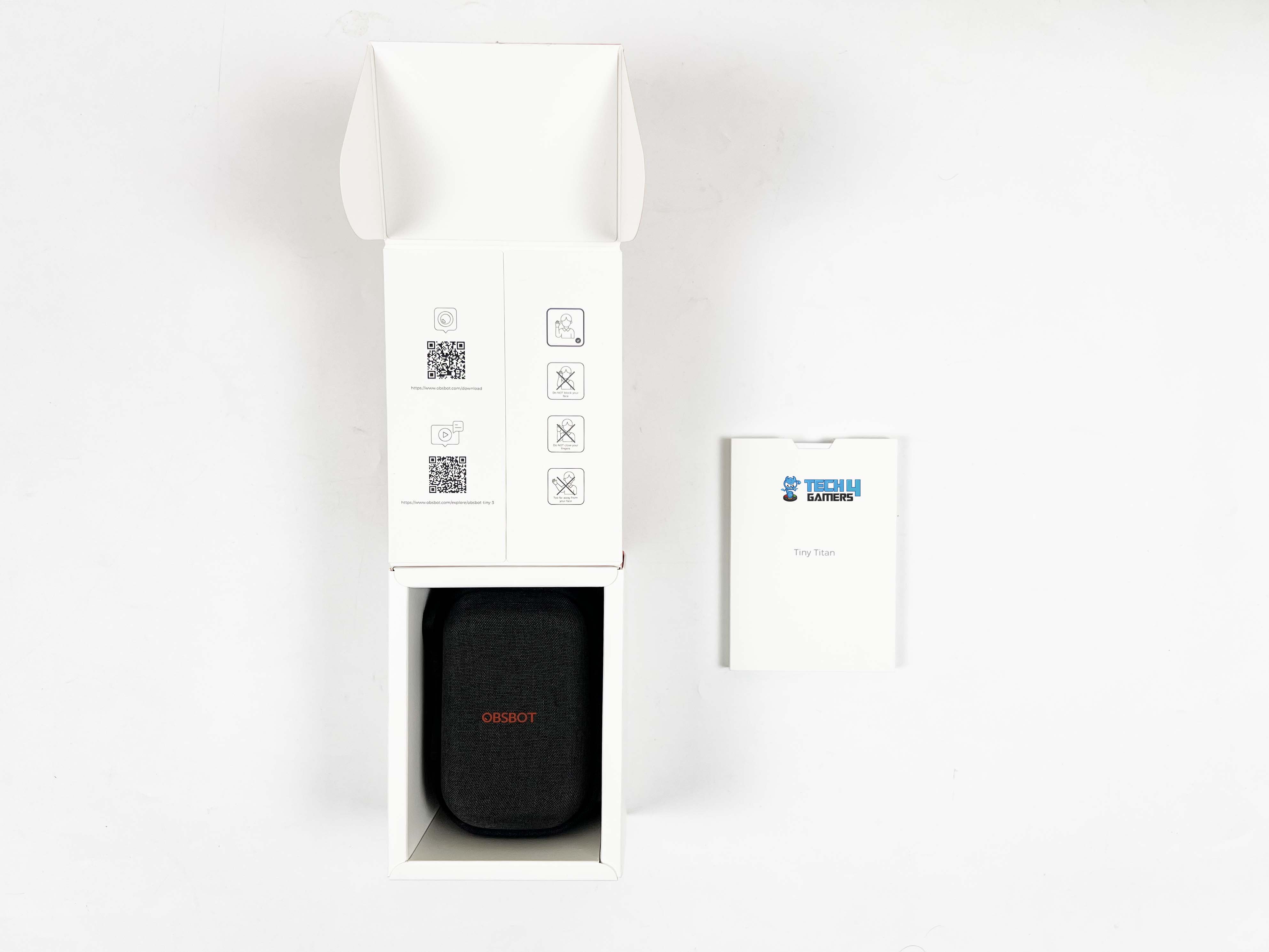
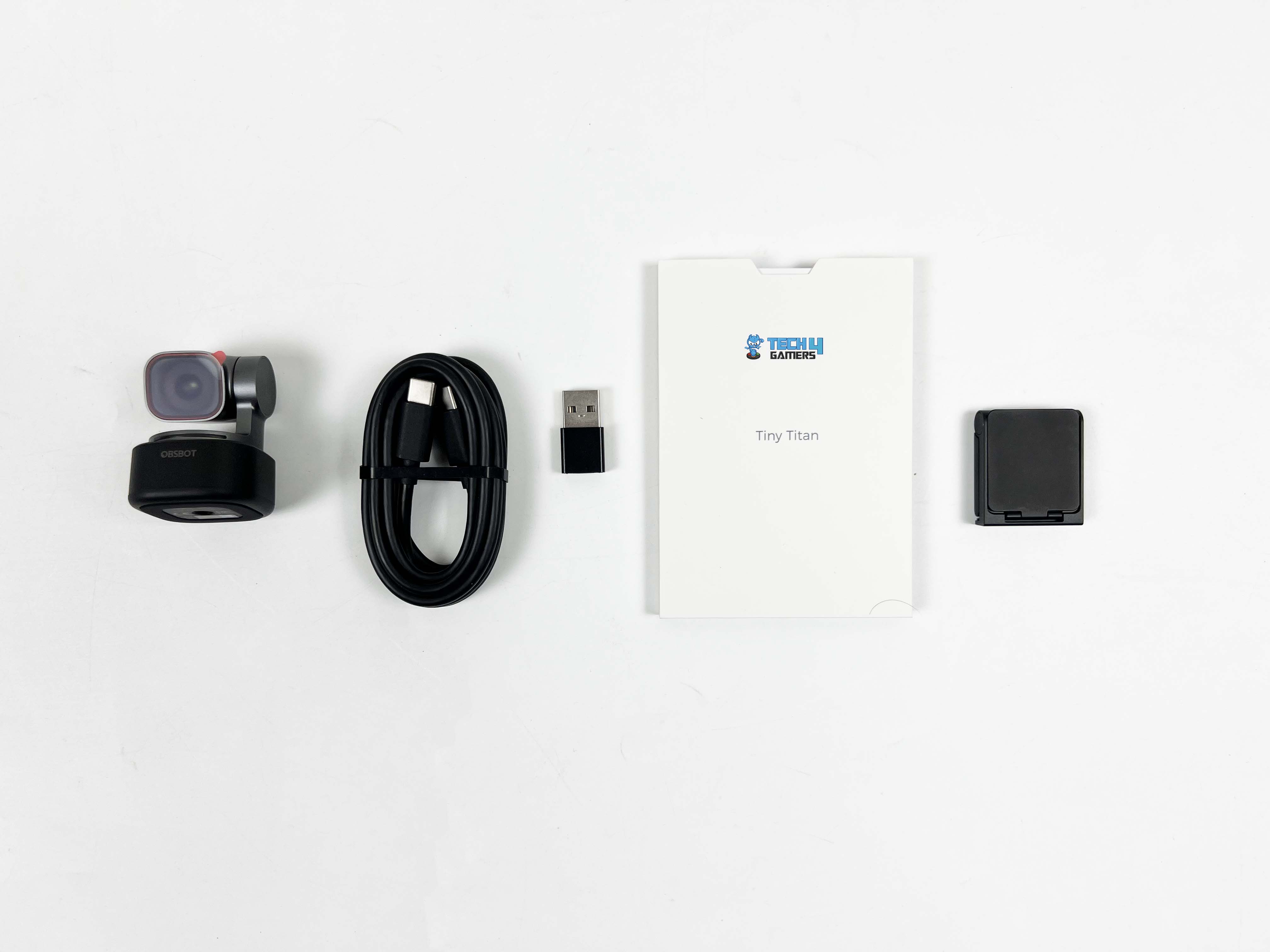
Opening the box, you’ll see a white cardboard sleeve containing the user manual and warranty card. Pulling that out, the webcam is placed behind that. Underneath the webcam, there’s a smaller box containing the USB-C cable and a USB-C to USB-A adapter. There’s no dedicated storage case included, unlike the Tiny 3, which is a bit of a bummer, but it’s understandable given the webcam’s price point.

Design
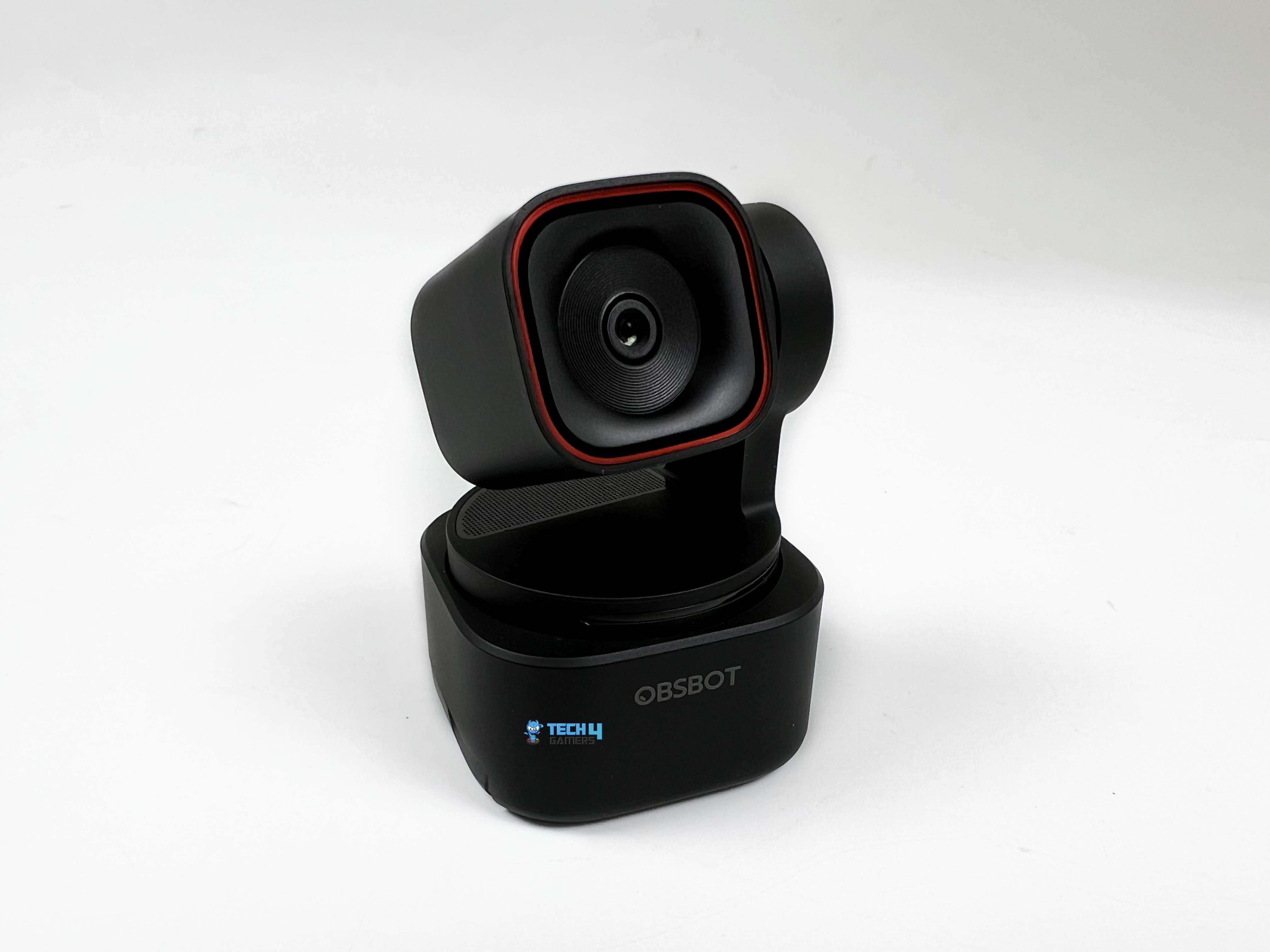
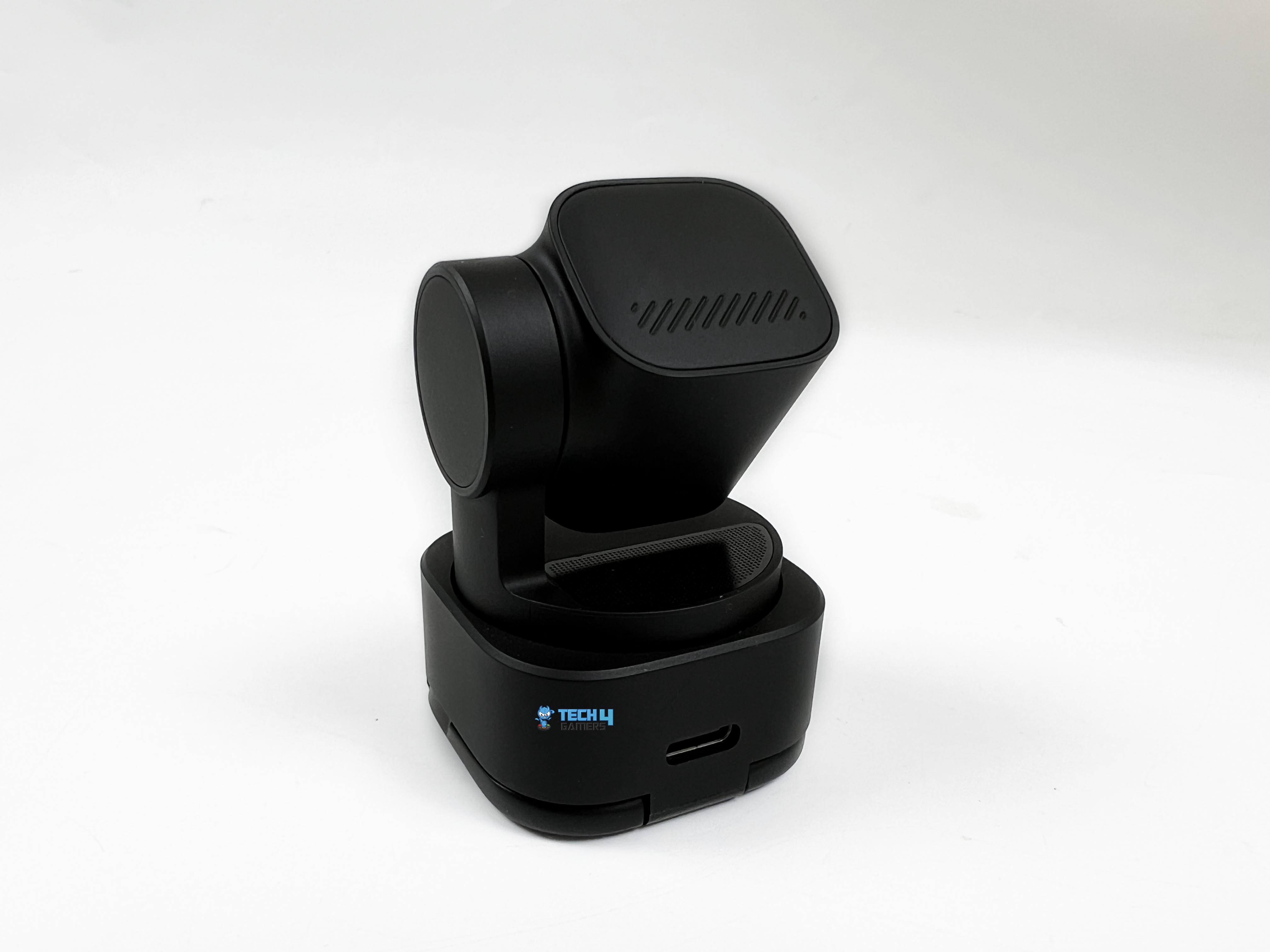
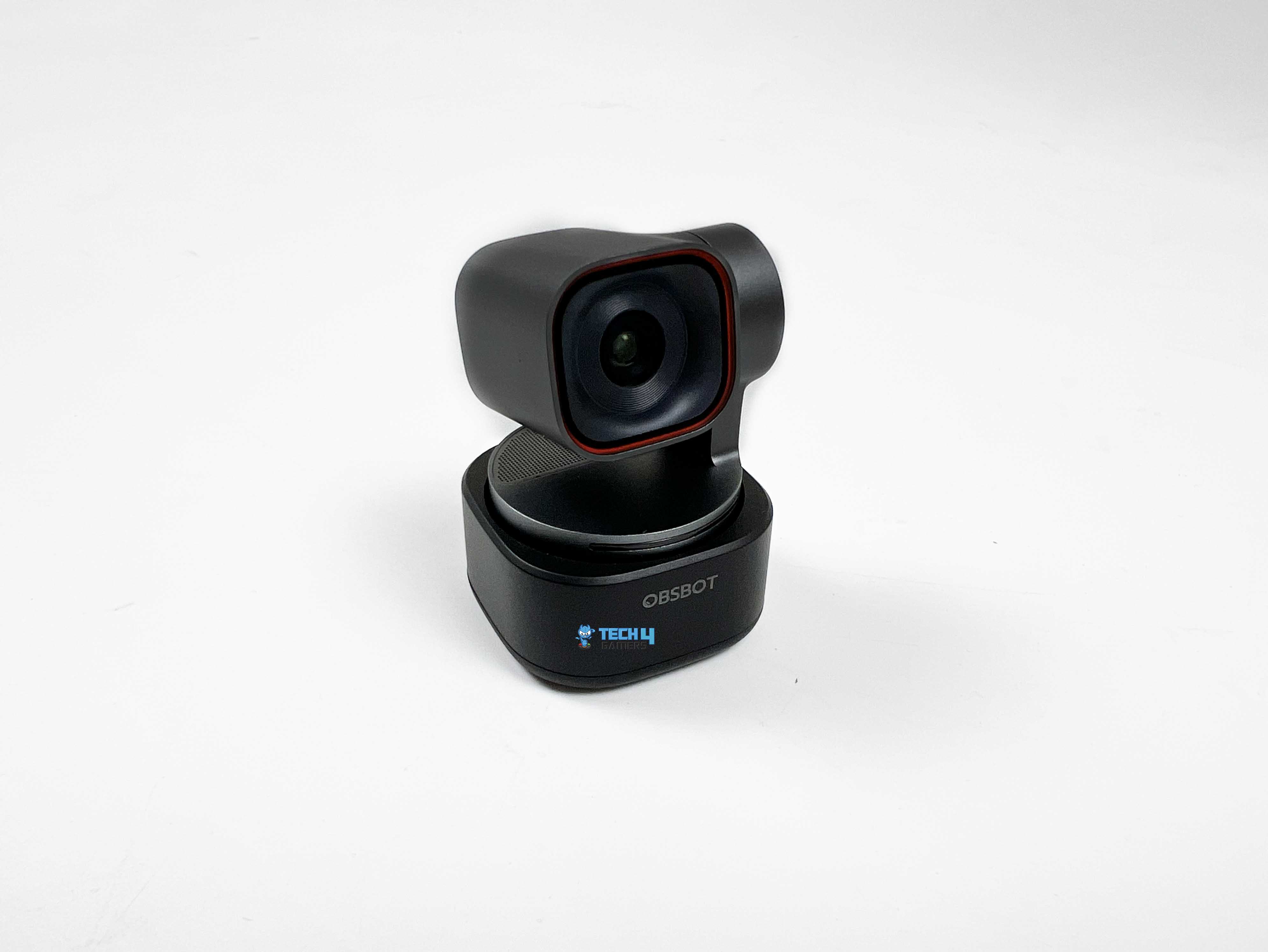
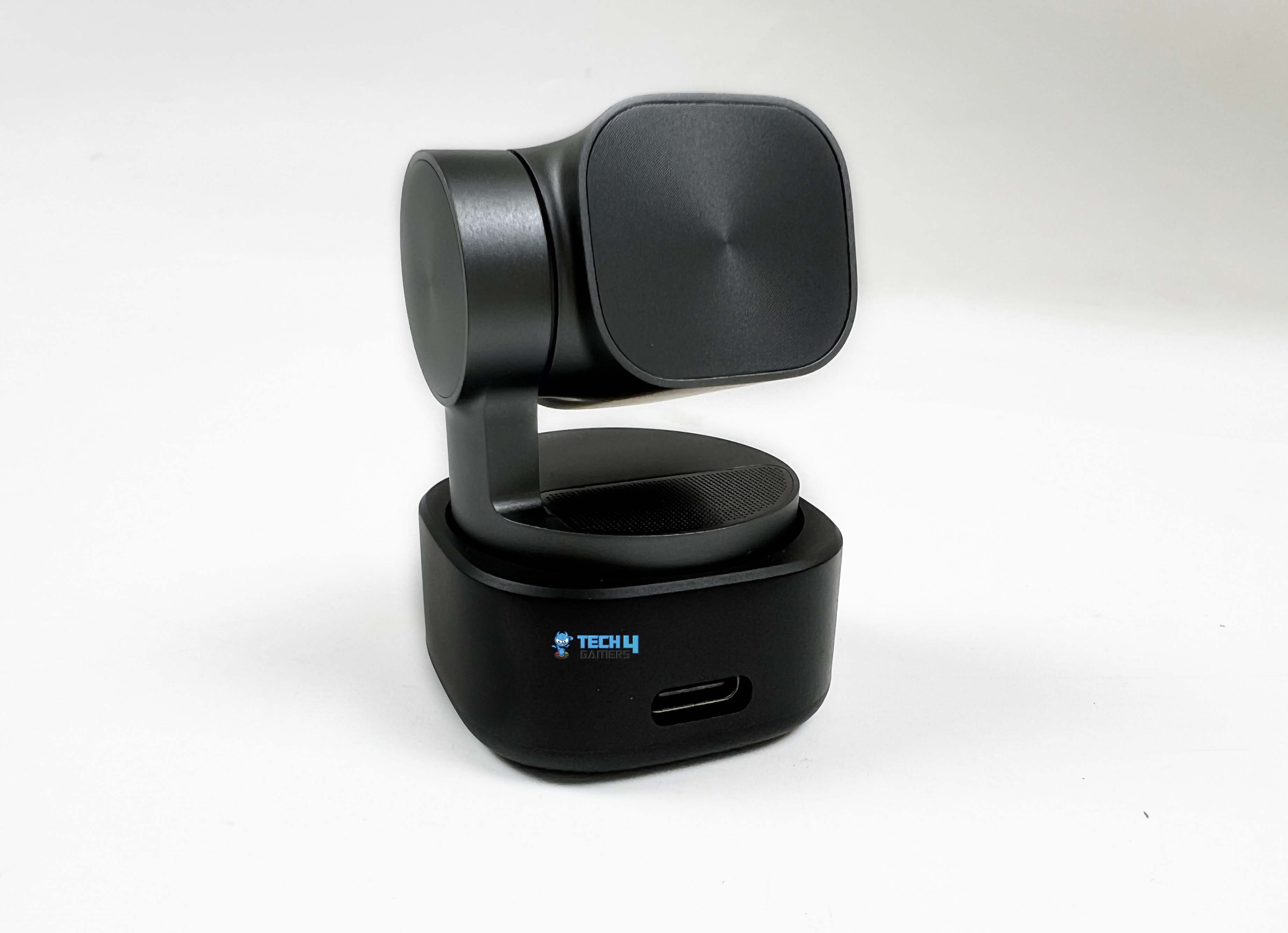
One thing that’s hard to miss once you place the Obsbot Tiny 3 Lite on a monitor is just how small it is. Even compared to older models, it feels trimmed down. If you’ve used the Tiny 2 before, this one takes up a bit less space at 41 by 41 by 58 millimeters. The Tiny 3 still wins the size contest, but the difference isn’t dramatic unless you’re measuring side by side. It uses the same basic layout Obsbot has been using for a while.

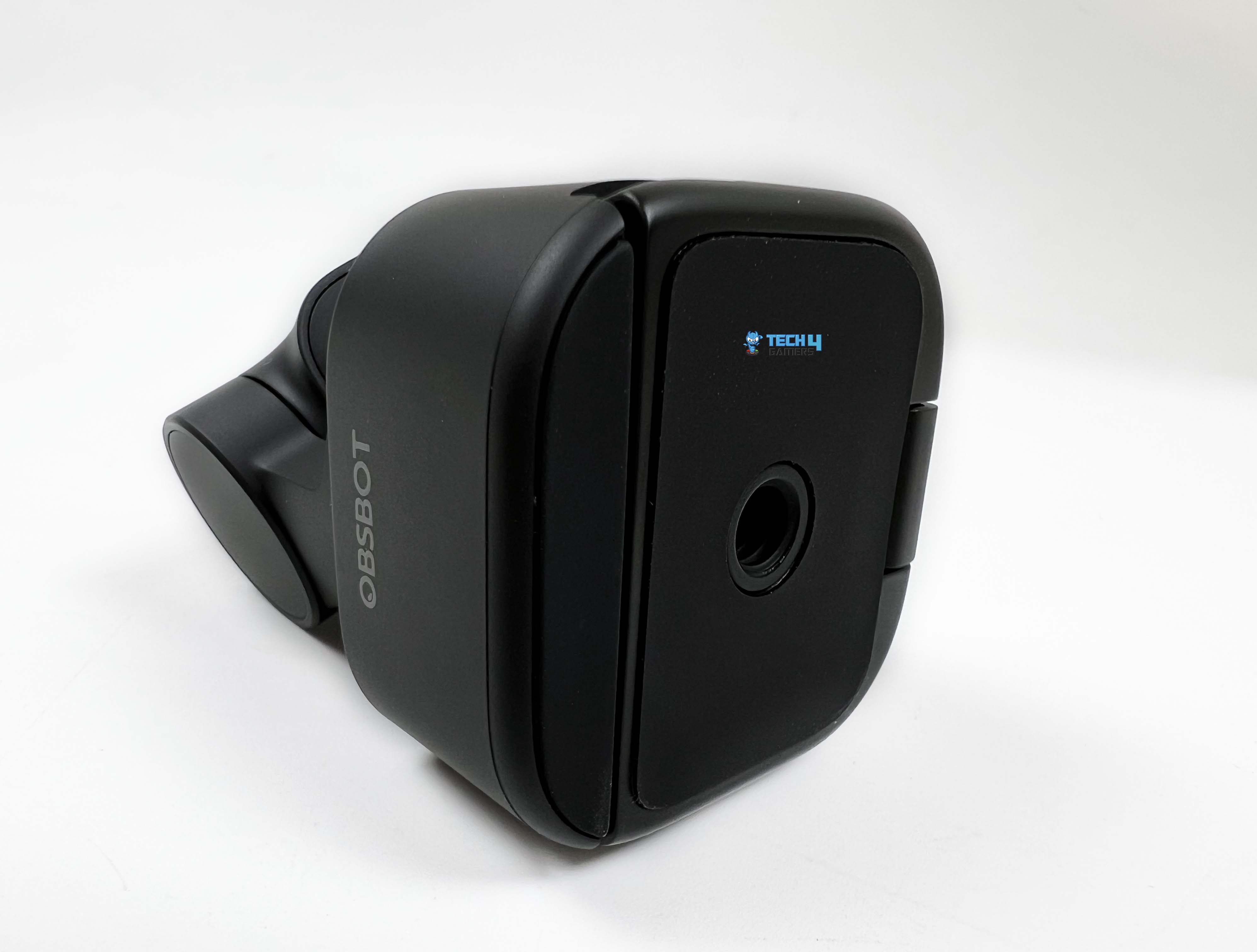
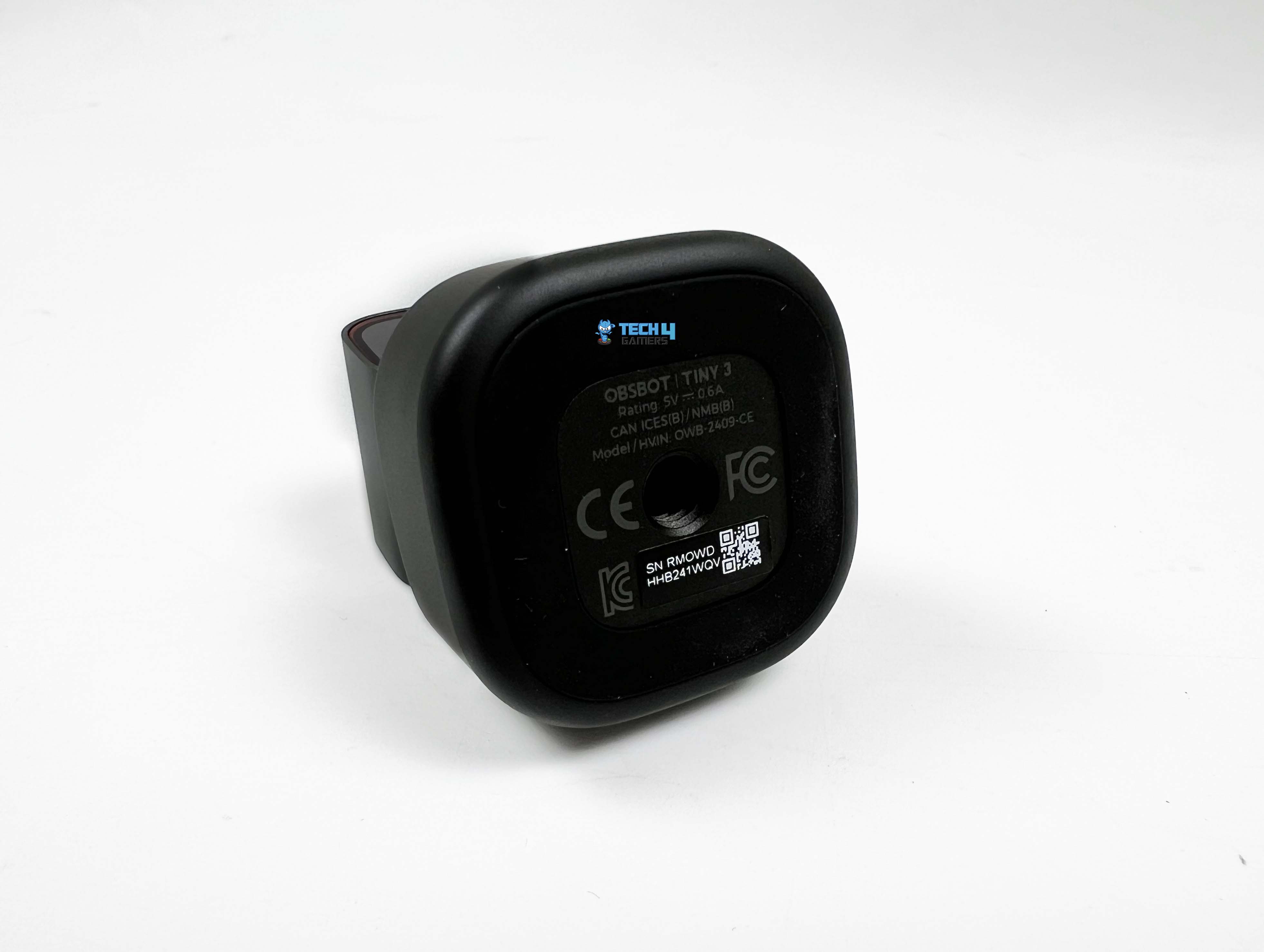
The whole thing is finished in black plastic, which is a step down from the darker metal used on the more expensive models. Although in day-to-day use, that distinction doesn’t feel significant. Once it’s on top of a monitor, it doesn’t look like the budget version by any means. If you don’t want it on a monitor, there’s a UNC 1/4-20 threaded mount underneath. That opens the possibility to attach it to tripods. Around the back, you’ll find a USB-C port.

There’s also a thin light strip along the front edge of the base. It changes color depending on what the camera is doing. The lighter weight is also noticeable. Compared to Tiny 2, it’s lighter, weighing 73 g rather than 91.4 g. This one feels noticeably easier to attach and reposition. Side by side, the difference is hard to miss. You feel it when mounting the camera, especially on thinner laptop lids where heavier webcams can feel top-heavy.

Setup

USB-C Cable and USB-C to USB-A Adapter

Setting up the Tiny 3 Lite is pretty straightforward, at least on the surface. It comes with an integrated folding stand, unlike the Tiny 3, which works well with most monitors and laptop screens. You simply flip the stand open, rest the camera on top of your display, and adjust the hinge until the base sits flat and feels secure. You need to be careful when setting it up, especially if your monitor has slim bezels or a curved back. If you prefer a more grounded setup, the camera can also sit directly on your desk.

Placed on Top of the Monitor

This works particularly well for standing desks or when the monitor placement doesn’t give you ideal framing. Once placed, connecting the Tiny 3 Lite is as simple as plugging it in. The webcam supports both Windows and macOS, and it uses a standard USB connection. Obsbot includes a USB-C cable and a USB-A adapter if your system doesn’t have a USB-C port. After plugging it in, the camera is detected automatically. Just give the system a few moments to recognize the device, and it’s ready to go.

Software

Beyond basic controls, Obsbot Center is also where the Tiny 3 Lite starts to feel less like a plug-and-forget webcam and more like a controllable device. You can download it directly from Obsbot’s site. Install it like any other desktop app, and the camera shows up instantly the first time you plug it in. Once it’s detected, the software gives access to additional features. Digging a little deeper into Obsbot Center, you start to see where the real flexibility lies.

The software doesn’t lock you into auto mode unless you want it to. All the basic image controls are there, laid out plainly. Contrast and sharpness can be nudged up or down. Exposure has its own adjustable settings, with manual access to ISO and shutter speed. What stands out is how selective you can be. You can leave exposure on auto while taking control of white balance or keep focus locked while handling brightness.

It’s less about tweaking everything at once and more about fixing the one thing that looks off in your setting. There’s a simple on-screen control that lets you manually pan or tilt the lens, along with a zoom slider that responds accurately. Preset angles can be saved, too. Once set, switching between them takes a single click. Then there’s the AI side of things. Tracking options are right next to manual controls. You can let the camera follow you automatically, or you can turn it off and use it as a fixed webcam.

Image Quality

Normal Lighting
Normal Lighting

The Obsbot Tiny 3 Lite uses a 1/2-inch CMOS sensor, like the Tiny 2 Lite. It captures video using a 48MP sensor, which is smaller than the one in the Tiny 3 but larger than what you’d find in the budget Tiny SE. The webcam can record 4K at 30 frames per second or 1080p at 120 frames per second. High frame rates give motion a smoother feel, especially if your display can keep up. It can also record in slow motion at 1080p30. Slow-motion saves footage at a quarter speed, which is useful for short clips.

While using high frame rate or slow-motion mode, the webcam saves video and audio as separate files. It’s quite handy if you want to edit later. All of the aforementioned modes worked reliably in testing. Just note that all these modes require a decent system to handle the recording. Obsbot recommends a recent M1 Mac or a 10th-gen Intel i5 PC with at least 8GB of RAM. This feels generous on paper. However, I have noticed during my usage that when other apps are running, performance can dip.

Low Lighting
Low Lighting

In well-lit spaces, the webcam performs as you’d expect from an Obsbot webcam. My face came through clearly on video, with decent detail in hair strands and my Inter Miami t-shirt. Although it’s not as crisp as an Obsbot flagship camera. Fine edges, like individual beard hairs, can look a little soft. Zooming in too far quickly exposes the sensor’s limits, but at normal framing for calls or streaming, it’s entirely usable. Low-light performance is where the difference between the flagship and the lite model becomes noticeable.

If you rely mainly on a display light, noise starts coming in. Even smooth walls or consistent backgrounds show a grainy pattern. Faces and objects remain visible, but fine details blur more than in bright conditions. This isn’t unusual for a webcam at this size and price, but it does highlight how much the smaller sensor affects performance compared with the Tiny 3. The difference between them isn’t about one being bad and the other good, but more like good versus great. For most people, that “good” would be plenty enough.

Auxiliary Functions

The Tiny 3 Lite isn’t just a camera mounted to stream video. It also includes a set of auxiliary functions that respond to voice and gestures, which is a bit of a novelty compared with most webcams. You can tell it to track me to follow your movements, or unlock me to stop following. Zooming and preset angles can be controlled this way too, say zoom in closer or position two, and the camera responds. There’s even a sleep command to put it to sleep. These commands work reliably.

I didn’t have to repeat myself, and the camera usually picked up what I meant right away. Moreover, gestures are simple and intuitive. Raising an open hand toggles AI tracking on or off. Making an L with your thumb and index finger zooms in or out by a preset amount, and holding both hands up in a U shape lets you zoom by pushing in or pulling out. It’s all fairly consistent once you get the hang of it. What’s nice is that you don’t need Obsbot Center open for these to work.

Tracking Performance

One of the main reasons to choose a Tiny webcam over something like Obsbot’s Meet 2 is its physically rotating gimbal. The 2-axis gimbal lets the Tiny 3 Lite follow you around the room, not just stay static like most fixed webcams. This moving design has been a hallmark of the series for years, and honestly, it’s what makes these webcams feel a step above the rest. Even with other AI webcams on the market, few handle movement as naturally as it does. It can automatically keep you in frame in various ways.

You can choose a close-up of your face, your upper or lower body, or the full body. It can also follow your hands or lock onto a specific object you select in the software preview. The webcam can even follow you based on your voice using its built-in microphones. Unfortunately, a couple of features from the Tiny 3 didn’t make it into the Lite version. You won’t find the vertically flipped desk mode and the whiteboard mode. For most, these modes wouldn’t matter, but it’s worth knowing if this matters to you.

In day-to-day use, tracking feels reliable with a 79-degree diagonal field of view. I moved around the room, walked out of frame, and came back, and the camera tracked me again without any issue. Object tracking is similarly effective. You can select a specific item, and the Tiny 3 Lite will follow it smoothly. It’s not perfect for extremely fast movements. Even at 1080p120, if you move the camera quickly or move your hands wildly, it can’t keep up perfectly. 

Audio Quality

Intelligent Directional Mic System

The Obsbot Tiny 3 Lite’s microphone feels very much in line with what Obsbot has done with the Tiny 3. It has a similar audio system with one omnidirectional mic and two directional mics. The audio turned out to be better than I expected from a webcam in this category. Compared to most webcams, the gap is noticeable. Voices don’t come through flat or washed out, which is usually where built-in mics fall apart. When I listened back to test recordings, my voice sounded close to how it does in the room. 

Although there’s a clear ceiling. Once you’re sitting farther back from the camera, your voice naturally loses some presence. It never quite reaches that close, broadcast-style sound you’d expect from a dedicated audio setup. For video calls and work meetings, that doesn’t really matter. You now get multiple audio modes inside the software, each tuned for a slightly different situation. There’s a pure option that records the microphones as-is, with no processing applied. Then there are modes that actively shape how sound is picked up.

This also directly ties into one of the more interesting features of the Tiny 3 series, which is voice-based tracking. The webcam responds well to the sound’s location. Obsbot also gives you a way around the distance issue. The Tiny 3 series works with the company’s VOX SE microphone system through the Obsbot Center software. You can pair up to two VOX SE microphones at once, keeping audio locked in at a consistent level even if you’re moving around the room. It’s not something everyone will use, but it’s a flexible option to have.

Should You Buy it?

Buy it if

You want AI-powered tracking: The Obsbot Tiny 3 Lite can follow your face, body, and hands, making it far more interactive than a standard fixed webcam.

You need 4K or high-FPS video: With 4K30 and 1080p120 recording, it’s capable of smooth, detailed video for streaming, content creation, or professional calls

Don’t buy it if

You want the absolute best image quality: The smaller 1/2-inch sensor shows its limits in low light, producing some noise and softer detail than the Tiny 3.

You need extra specialized features: Desk mode and whiteboard mode are missing here, so if you rely on these for presentations, you might feel restricted.

Final Verdict

The Tiny 3 pan-and-tilt system is the main draw, and it performs as you’d expect. The built-in microphones perform better than most webcams, so you don’t necessarily need to plug in anything else for everyday calls. Its smaller sensor shows its limits, especially in low light. Noise appears more than on the Tiny 3. Still, the camera does a decent job of keeping your face visible, even when the room isn’t doing it any favors. At its $199 asking price, the Tiny 3 Lite is in a pretty specific niche.

You’re paying for 4K capture paired with a built-in gimbal. If that combination matters to you, there aren’t many direct competitors that feel as complete. The Tiny 3 does edge it out with slightly cleaner image quality and a few extra tracking features, so if your budget stretches that far, it still feels like the better option despite its arguably steep price. However, the Lite variant holds its own as the more approachable entry point to Obsbot’s tracking-focused ecosystem without feeling like a stripped-down compromise.
 

Obsbot Tiny 3 Review: When A Webcam Starts Acting Like A Camera

The Obsbot Tiny 3 has a bit of history behind it. Obsbot’s Tiny series has been around since 2020, starting with the first AI-powered PTZ webcam, and each model has built on the last. They’ve refined things with the Tiny 4K, Tiny 2, and even more budget-friendly options like the Tiny SE and Tiny 2 Lite. It feels like they know what works and what doesn’t. The Tiny 3 series continues that trend by releasing two models, the full version Tiny 3 and the lighter version Tiny 3 Lite.

The Tiny 3 got a few upgrades that are noticeable right away. In this review, I’ll go through how it behaves in real use, such as image quality, tracking performance, software experience, and all those small details that actually matter when spending hours on the camera. By the end, you’ll have a sense of whether the Tiny 3 is something you’d buy or if it’s just another webcam with fancy promises.

Why Trust Tech4Gamers
  • Abdul Hannan is our peripherals expert who has been testing different mice, keyboards, headphones, microphones, and more for years.
  • 130+ peripherals tested and reviewed by our team of hardware experts (Tech4Gamers Team).
  • 500+ hours spent testing different peripherals for our reviews.
  • Objective testing criteria (See how we test peripherals).

At Tech4Gamers, ensuring you get reliable information is our priority. That’s why every hardware round-up undergoes a meticulous review process by our team of experts and editors. Each review is carefully examined against our strict editorial guidelines, guaranteeing you trustworthy insights you can depend on.


Key Takeaways

  • The Obsbot Tiny 3 feels like a step above typical webcams, offering AI-powered gimbal tracking and a three-mic setup. It handles low-light conditions well, keeps you perfectly framed during movement, and lets you tweak extensive settings in the software.
  • You should buy the Obsbot Tiny 3 if you make creative or dynamic content, need a built-in mic that actually works, and want flexible image control. 
  • You should skip the Obsbot Tiny 3 if you only join occasional calls, price is a concern, you prioritize simplicity over features, and you aren’t willing to dive deeply into software settings.

Here are the technical specifications:

Size 37 mm x 37 mm x 49mm
Weight 63g
Image Sensor 1/1.28” CMOS
Effective Pixels 50 M
Aperture ƒ/1.8
FOV (D) 82.4° (4:3), 74° (16:9)
FOV (H) 70°
Equivalent Focal Length 24mm
Minimum Focus Distance 14cm
ISO Range 100-12800
Exposure Value ±3EV
Digital Zoom 1-4x
Focus Type AF (PDAF) / MF
HDR Support
Controllable Range Pan: ±130°; Tilt: 32° (down) ~ -60° (up)
Mechanical Range Pan: ±150°; Tilt: ±90°
Max Controllable Speed 120°/s
Audio Input 1 Omnidirectional+2 Directional Mics
Auxiliary Functions Gesture Control, Voice Control, Voice Locator, Voice Tracking
Power 5V/0.6A
[toc]

What Makes Obsbot Tiny 3 Different?

The Obsbot Tiny 3 feels like a clear evolution of the Tiny lineup, building on models like the Tiny 2 and Tiny 2 Lite. The sensor is larger and more capable than its predecessors, and the image system handles highlights and shadows with a steadiness that feels closer to a much larger camera. It uses an audio setup with triple silicon MEMS microphones with multiple pickup modes that shape how sound behaves, rather than the basic microphones most webcams use.

Packaging & Unboxing

The Obsbot Tiny 3 comes in a red and white box, which is pretty much what you expect from their branding. On the front, there’s a photo of the webcam itself, and they’ve listed the max resolution with the Obsbot logo at the top. The sides have the model name printed. Flipping it over, you’ll find the usual manufacturer info along with a short rundown of what’s inside the box.

Opening it up, the first thing that pops out is a white cardboard sleeve. Inside, you’ve got the warranty card and the user manual. Once that’s out of the way, there’s a small storage case. Open it up, and on the right side, you’ll see the webcam itself. Beneath it is an adjustable mount. On the left side of the case, there’s a USB-C cable, and alongside it is a USB-C to USB-A adapter. 

Design

When I picked up the Obsbot Tiny 3, the first thing that I noticed was how small it actually is. At 37 by 37 by 49 millimeters and 63 grams, it’s lighter and smaller than most standard webcams, but it still feels solid in the hand. The Tiny 3 manages to cram professional-grade tech into this tiny frame without feeling fragile. It is made from a high-quality metal alloy and sits on a dual-axis gimbal that allows the camera to pan and tilt smoothly.

The body stays pleasantly cool during usage. There’s no strange warmth or buzzing from the motor. It’s clear that the Tiny 3 is designed to keep going for hours. The low power draw at 5V/0.6A, combined with efficient heat dissipation, means it’s not going to feel warmer over time. The small size makes it portable, too. I tried clipping it to a laptop for a quick test, and it stayed put without tipping or sliding. It’s the kind of webcam you could throw in a bag and carry for remote work or travel.

Setup

USB-C Cable and USB-C to USB-A Adapter

Getting the Obsbot Tiny 3 ready to use is simple. The camera comes with an adjustable mount that clips onto a monitor, and it also has a standard 1/4” thread if you want to use a tripod. For a monitor, you just open the stand, place the camera on top, and tilt it until it’s framing you nicely. On a desktop, you can place it directly on the surface or use a tripod, depending on your preference.

Placed on Top of the Monitor

I tried both setups, and it stayed solid in each case. Plug in the USB-C cable, wait a few seconds, and Windows or Mac will automatically recognize it and install the necessary drivers. Once it’s ready, it works with all the usual video call apps, including Zoom, Google Meet, Microsoft Teams, and many more.

Software

The Obsbot Center software is where the Tiny 3 really starts to feel like more than just a plug-and-play webcam. It’s hard to ignore what it adds to the experience. The interface is clean. When you open it for the first time, nothing feels buried. The main controls are right there, including tracking modes, framing options, pan, and tilt. AI tracking is the headline feature here. If you turn off auto exposure, you get access to manual curves.

This part feels more camera-like than webcam-like. Shadows, mid-tones, and highlights are adjusted separately. You can darken a bright area or lift shadows, and you see the difference right away on screen. White balance control follows the same idea. Instead of a single temperature slider, you can adjust red and blue gain independently. This came in handy for me under mixed lighting.  A small tweak pulled skin tones back to a natural look, so I wasn’t orange.

There’s also an option to shift auto white balance. Beauty features have also returned. The standout here is Nvidia’s eye contact feature. When it’s on, your eyes stay aligned with the lens, even when reading from a side monitor. The effect is accurate. It doesn’t lock your stare or freeze expressions. Background handling is solid. Blur looks clean, even around hair and shoulders. Replacement backgrounds look better than I expected, especially in uneven lighting.

If you’re using a green screen, there’s a background-removal feature that tightens the edges. Then there are the extras. Picture-in-picture lets you layer a screen capture over your camera feed. Overlays work the same way. Text, images, and even small widgets appear on the canvas. There’s also a built-in teleprompter. UVC mode opens things up further. With it, you can stream a camera feed to a phone for monitoring.

Image

Normal Lighting
Normal Lighting

A lot of what you see on screen depends on the sensor, and the Obsbot Tiny 3 uses a fairly large one for a webcam. The 1/1.28-inch CMOS sensor handles light with a bit more restraint. That’s noticeable when the room isn’t perfectly lit. The resolution numbers sound solid on paper with fifty megapixels. You see it when you crop in digitally. At up to 4x zoom, the image remains presentable. The lens is set to f/1.8, which explains why the camera doesn’t struggle as much in low light.

It pulls in light without overexposing. Faces remain visible, and backgrounds soften slightly. Field of view lands in a comfortable middle ground. At the widest, you’re looking at 82.4 degrees in 4:3. Switching to 16:9, and it tightens up at 74 degrees. It frames shoulders and a bit of background without feeling cramped. The equivalent focal length sits around 24mm. Your face doesn’t distort when you lean closer. At the same time, the minimum focus distance is short at 14cm.

Low Lighting
Low Lighting

I could bring small objects close to the lens and still get sharp focus. The ISO range is from 100 to 12800, though HDR caps it at 6400 when enabled. During usage, the webcam rarely pushes to the extreme unless the room is genuinely dark. When it does, grain shows up, but detail doesn’t vanish completely. Video resolution options are flexible. 4K tops out at 30 frames, which is expected. Drop to 1080p, and you can go all the way up to 120 fps. Motion looks much cleaner at higher frame rates.

Slow-motion clips come out smooth if you want to try them out. Codec support is split between MJPEG for higher resolutions and YUV for lower ones. Autofocus uses all-pixel phase detection, and you feel that speed immediately with focus snapping in. Manual focus is also available if you want full control. During close-up shots, the webcam doesn’t drift. HDR supports up to 60 fps, which is useful if you want a smoother experience. The shutter speed range is wide enough to handle both bright daylight and indoor lighting.

Tracking

Tracking is handled by the physical gimbal itself. The Tiny 3 uses a two-axis gimbal setup, so all movement is controlled by pan and tilt. The gimbal isn’t removable, and that makes sense here. Everything feels tightly integrated. There’s no looseness when the webcam changes direction. The movement stays consistent with no slow sag over time. Pan range is generous, with a controllable ±130° and a mechanical ±150°, allowing the camera to follow you well past the edges of a standard desk without hitting a hard stop.

Tilt range is 32° down to 60° up, controllable and ±90° mechanically, which is limited compared to pan, but still sufficient. The webcam keeps up without forcing you to reframe manually. Mechanical limits being wider than the software-controlled range is a good thing. You never feel the camera stop within its boundaries. As you move toward the edge of the controllable range, motion naturally slows. The camera can move quickly at up to 120° per second.

It is fast enough to catch sudden movement and slow enough to avoid looking frantic. When you move quickly, the camera responds without overshooting. When you stop, it settles almost immediately. There’s no bounce-back or jitter at the end of a movement. The webcam seems better at knowing what to care about and what to ignore. With AI Tracking 2.0, the camera keeps you perfectly framed whether you’re presenting or streaming. You can even lock onto objects, not just people.

Framing features like auto zoom, composition lines, face framing, and group tracking give you a lot of control without ever having to touch the camera. Auto Zoom adjusts the frame based on how close or far you are. It lets you choose a close-up, upper-body shot, or a full-body view. Composition Lines are easy to tweak. It lets you place your subject off-center or follow the rule of thirds. Face Framing adds another layer. This automatically adjusts the frame when someone turns their head, which is handy for podcasts.

Audio

Intelligent Directional Mic System

The Obsbot Tiny 3 uses a three-mic audio system built around silicon MEMS microphones. One omnidirectional mic is paired with two directional ones. You don’t really notice that until you start switching audio modes and hearing how the pickup pattern changes. Pure Audio Mode is the most literal option. Left and right channels stay separate. No processing layered on top. What you say, and how the room sounds, all come through as-is. It’s a bit raw.

Spatial Audio adds a layer of shaping. Voices feel more anchored in space rather than sitting flat in the middle. During calls or recorded conversations, it’s easier to tell where the sound is coming from. This is especially true when more than one person is talking. Smart Omni Mode is only available when you’re using the webcam at 1080p and 120fps. It listens in all directions, then tries to keep voices balanced against whatever else is happening in the room. In a group that works well enough.

In Directional Mode, sound from straight ahead gets priority, while side chatter and room noise fade into the background. It’s noticeable when you switch it on. Your voice steps forward. This is the mode that feels most presenter-focused. Dual-Directional Mode is more situational, but useful when it fits. It listens front and back, while ignoring the sides. In a face-to-face setup, it keeps both speakers clear without dragging in too much off-axis noise. It’s not something you’ll use every day, but it’s nice that it’s there.

Outside of Pure Audio Mode, all of these rely on automatic gain and AI noise reduction. Still, the processing stays fairly restrained and levels adjust smoothly. It can also be paired with Vox SE, which opens up a bit more flexibility if you’re already within Obsbot’s ecosystem. For a built-in webcam mic system, it’s more configurable than most people expect and flexible enough to adapt to how you actually use the webcam, rather than forcing a single audio profile on you.

Should You Buy it?

Buy it if

You make creative or dynamic content: If you record tutorials, product showcases, or social content where movement matters, Tiny 3’s object and hand tracking give you framing freedom most webcams can’t match.

You need a built-in mic that actually works: The three-mic MEMS audio system adapts to your environment with directional and spatial modes, giving you usable audio without necessarily reaching for a separate microphone.

Don’t Buy it if

You only join occasional calls: If your video time is minimal or mostly static, Tiny 3’s tracking, gimbal, and software depth are overkill.

Price is a concern: This isn’t a budget webcam. If you’re looking for something simple and inexpensive, Tiny 3 offers more features than you might actually use.
My Thoughts

After spending time with the Obsbot Tiny 3, it’s clear this isn’t a webcam you just plug in and forget about. It wants to be tweaked for specific scenarios. When you do that, it shows where the value actually sits. The image quality holds up in situations where most webcams start to fall apart. Low light doesn’t immediately turn into mush. Autofocus stays locked even when you move closer or farther than most webcams would tolerate.

These things don’t appear on a spec sheet, but you notice them during your use. Tracking is what sets it apart from the competition. The gimbal movement feels deliberate and smooth. You can walk, turn, lean, sit back down, and the camera doesn’t overcorrect. After a while, you stop thinking about it. That’s probably the best compliment you can give to a motorized webcam.

The software side leans more toward camera controls than casual webcam sliders. That’s a good thing if you care about how your image looks under mixed lighting or if you want framing to stay consistent. If you just want a static picture with no setup, a simpler webcam would suffice. Audio is better than expected for something built into a webcam. The different modes actually change how sound behaves.

The Tiny 3 isn’t cheap at $349, and it isn’t trying to be. It makes the most sense for creators, remote workers, or anyone who spends long hours on camera. If you only jump on calls occasionally, most of this would be useless to you. For everyone else, the Tiny 3 feels like a polished continuation of what Obsbot has been building toward for years. It has refined the idea that already worked and pushes it a little further. And once it’s set up the way you like, it quietly does its job in the background.


Modders Unlock Multi-Frame Generation Alongside FSR 4, Results Shown On The RX 7900

Story Highlight
  • Modders have now managed to run multi-frame gen across all DX12 GPUs.
  • The tech can now be run alongside AMD’s FSR technology.
  • Using the INT8 files, the latest FSR4 can be unofficially run on older GPUs alongside Frame Gen.

Upscaling technologies like Nvidia’s DLSS and AMD’s FSR are exclusive to newer GPUs, but can be enabled on older models via software such as OptiScaler.

For Frame-gen, however, the AI-frames creator is exclusive to newer models: 2X for the RTX 40-Series (older GPUs too if enabled via FSR Frame Gen or third-party apps), and 4X is strictly exclusive to the latest Nvidia Blackwell and Intel integrated Arc-B series.

Fortunately, modders have now managed to run this technology on all DX12 GPUs via a DLSS emulation layer, enabling software-based frame generation. Now, one YouTuber injected multi-frame gen via optiscaler on top of FSR 4 in Cyberpunk 2077 running on a now nearly 4-year-old RX 7900 XTX.

Why it matters: Multi-frame gen cannot work with FSR4; it only works with Nvidia’s DLSS technology. For modders to run these 2 technologies together without official AMD support is simply amazing.

Showcased by Ancient Gameplays on YouTube, the DLSS enabler now allows FSR4 and multi-frame generation to run together across all DX12 GPUs. With INT8 files, gamers can enable FSR 4 on older GPUs, including RDNA 2/3 GPUs.

The YouTuber explained the manual process in his video, which involves copying files into the game directory. It is worth noting that DLSS enabler 4.0.0.4 is in the experimental stage and must be installed on top of version 3.0.

For testing, he ran Cyberpunk 2077, and the results were disappointing. Artifacts are quite visible, and the YouTuber preferred using 3X frame gen, but it still looked poor in motion. Still, this is a viable option for those willing to sacrifice visuals for more frames.

fsr redstone
AMD FSR Redstone Will Have Third-Party Support

Since this mod messes with the game files, it should not be used in online games since it can interfere with various anti-cheat software.

Nevertheless, official support would definitely be better, taking into account all these issues, especially artifacting, etc. Since modders have already made it possible, what’s stopping AMD now?

What are your thoughts on this story? Let us know in the comments below, or at the official Tech4Gamers Forums.

Ex-Rockstar Dev Praises Crimson Desert: “I’m Impressed With The Game”

Story Highlight
  • Crimson Desert has received a new overview trailer, detailing the open-world, characters, and other elements of the RPG.
  • Former Rockstar developer Mike York has been left extremely impressed by this footage.
  • The developer has praised Pearl Abyss’ work on the animations, visual effects, and more.

Following much anticipation and a sudden delay last year, Crimson Desert is just over two months out. The game has also gone gold now, and developer Pearl Abyss has shared even more exciting information in a new Features Overview trailer.

This trailer has garnered plenty of attention, including that of former Rockstar developer Mike York. Reacting to the latest footage, the veteran developer has praised Crimson Desert, noting that the RPG has thoroughly impressed him so far.

Why it matters: Crimson Desert has made all sorts of bold claims so far, promising native 4K/60FPS gameplay on consoles and a story worth nearly 100 hours of gameplay. Many believe the game looks too good to be true.

Mike York, a veteran developer who has previously worked on hit games like Red Dead Redemption 2 and God of War Ragnarok, recently posted a 20+ minute video reacting to the entire gameplay breakdown of Crimson Desert.

The developer shared words of praise for the RPG throughout this reaction video. In particular, he seemed to enjoy the sheer scope of the world on display in Crimson Desert and the more mystical elements of the open-world.

The developer also praised elements like the facial animations at various points in the video. He noted that although the game does not appear to be using a technology like MetaHuman, the results are solid nonetheless.

Elsewhere, Mike York was impressed by the combat and traversal. Even with this brief glimpse at Crimson Desert’s world, the developer immediately expressed an interest in the game.

He also admitted that Pearl Abyss seems to be mixing multiple genres into one while adding its own touch to round things up in a neat package.

I’m impressed with the game. I think they’ve done a really good job. The animations look pretty good. The visual effects look really good. I really want to play it.

-Mike York

Crimson Desert
Crimson Desert Launches In March 

Despite the heaps of praise, Mike York also shared some criticisms of the game. He discussed the fact that Crimson Desert appears to suffer from clipping issues frequently, something persistent across objects in the world and the characters. Overall, however, the RPG left an incredibly positive impression on the developer.

Do you agree with Mike York’s thoughts on Crimson Desert? What do you think about the RPG? Let’s discuss in the comments and on the Tech4Gamers Forums.

Resident Evil Requiem Will Be Less Scary Than RE7, But Still An Improvement Over Village

Story Highlight
  • Resident Evil Requiem’s director reveals the game is less scary than RE7.
  • The game will still have more toned-down horror elements compared to Village.
  • Requiem is the perfect balance between two extremes due to its contrasting protagonists.

Resident Evil Requiem has become one of the most anticipated releases of this year, so fans can’t wait to explore Raccoon City as Capcom focuses on the series’ main storyline. However, those who expected it to be the scariest in the whole IP might be in for a letdown.

The game’s director has confirmed that Requiem will be less frightening than Resident Evil 7, which focused on extreme terror elements. Therefore, the developers settled on dialing down the horror so a wider audience can enjoy the game.

Why it matters: Resident Evil Requiem aims to strike a perfect balance between action and horror, but its toned-down horror elements might be a setback for gamers who really enjoyed the amplified terror in RE7.

Requiem Zombies
Resident Evil Requiem features zombies with nearly 100 unique personalities.

In an interview with PlayStation Japan, Requiem director Koshi Nakanishi explains that the upcoming experience is still more terrifying than Village for fans who found it to be a bit too mellow.

some players found it hard to finish Resident Evil 7, so we toned down the horror a bit in Resident Evil Village.

Resident Evil Requiem Director, Koshi Nakanishi.

Requiem’s structure allows it to switch between action-packed moments and dreadful terror segments because of different protagonists. 

This game may be scarier than Resident Evil Village, but it alternates between tension and relief, so it isn’t a continuous, suffocating experience.

Since Leon is more experienced, his gameplay snippets will lean more towards exhilarating and action-focused gameplay. Grace, on the other hand, will live through the most horrifying moments in more traditional survival gameplay due to her lack of experience.  

Resident Evil Requiem
Alongside Leon, the game features a new protagonist who is easily spooked in comparison.

This gameplay loop results in a more alternating experience instead of being suffocatingly frightening all the time like RE7.

On a side note, Requiem features advanced zombies that will mimic and repeat their old human behaviors, making the game all the more terrifying. 

Do you think Resident Evil Requiem, being a less scary experience than 7, will turn out to be a letdown for horror enthusiasts? Let us know your thoughts in the comments below, or join the discussion on the Tech4Gamers forum.

Xbox Currently Working On An Unannounced Horror First-Person Shooter

Story Highlight
  • Xbox has an unannounced horror first-person shooter with military themes in the works.
  • This project holds the potential to add further variety to Xbox’s already diverse first-party lineup.
  • The gaming giant also appears to be working on an unannounced open-world RPG.

Xbox’s first-party output has improved considerably over the last few years. This year alone, the gaming giant is set to launch four big titles, including new entries for the Halo, Forza, and Gears trio and the Fable reboot.

At the same time, the company has made strides to diversify its first-party games portfolio. A discovery now reveals that Xbox is also internally working on a horror first-person shooter.

Why it matters: The horror games genre has seen a massive uptick in recent years, but most recent big-budget releases are limited to third-person gameplay.

Xbox Horror First-Person Shooter
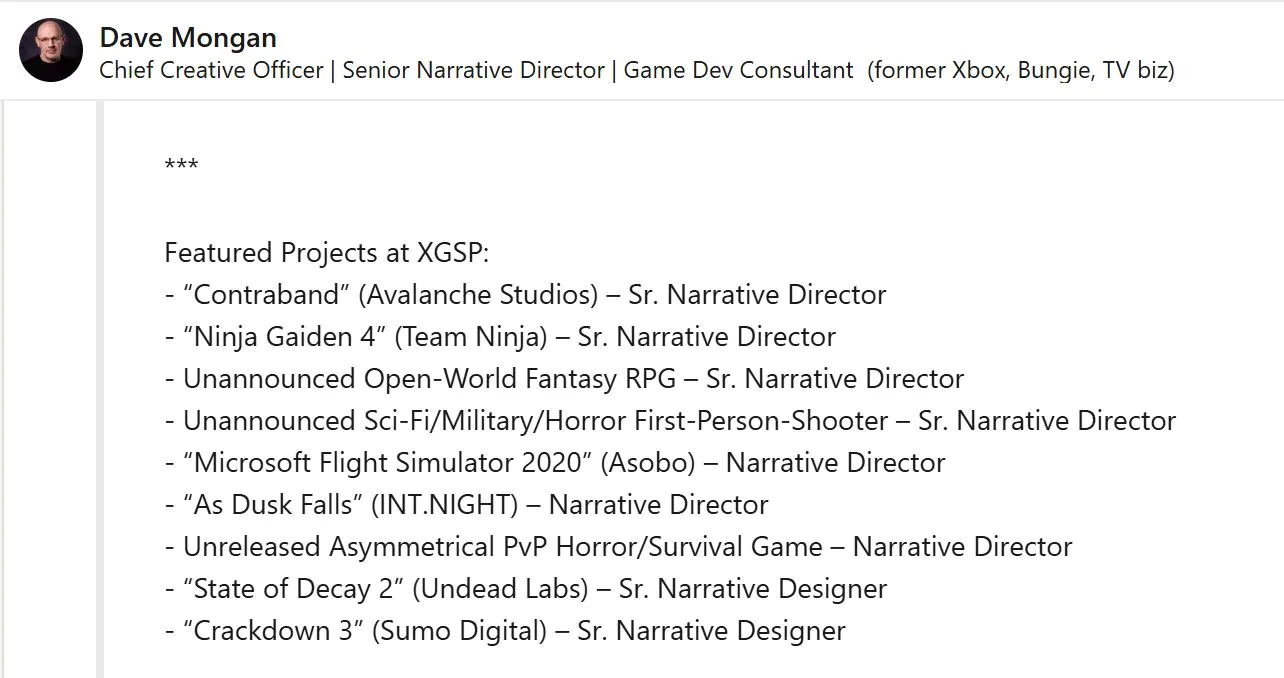
Xbox Has Two Big Unannounced Projects In The Works | Image via LinkedIn

This information comes from the LinkedIn profile of Dave Mongan, who worked as the Senior Narrative Director at Xbox Game Studios for over 10 years.

His portfolio lists multiple projects that have now been released, including Ninja Gaiden 4, As Dusk Falls, and more. However, it also reveals two unannounced projects, a horror first-person shooter and an open-world fantasy RPG.

The former sounds particularly interesting since it hints at first-person horror combined with military themes. Not many recently released games feature similar themes, so this project could stand out in a major way for Xbox.

According to the LinkedIn profile, this first-person shooter horror project has been in the works for at least a few years now. As such, an official announcement could be coming sooner rather than later.

The Coalition’s Gears of War: E-Day is aiming for a similarly brutal experience, but this project features first-person gameplay.

Doom: The Dark Ages
Doom: The Dark Ages Shows A Glimpse of What Xbox’s First-Person Horror Title Could Look Like

The Xbox Game Studios umbrella has grown so large in the past years that it’s hard to guess which studio is working on this first-person shooter horror title.

One team that comes to mind is id Software, since past Doom titles have featured themes of horror. However, id Software has only recently begun hiring for its next first-person shooter.

What do you think about a new military/sci-fi themed horror first-person shooter from Xbox? Share your opinions in the comments below, or visit the Tech4Gamers Forums for more interesting topics.

Rockstar Is Building a Special Team to Engage With GTA 6 Content Creators and Fans Ahead Of Launch

Story Highlight
  • Rockstar is seeking an associate director to lead its dedicated creator team.
  • The group focuses on engaging with content creators, bloggers, and fans.
  • It will lead the GTA 6 creator campaigns for marketing and promotional purposes.

GTA 6 is being touted as the biggest game in history, meant to launch in the fall this year. While past rumors suggested a possible delay, many internal signals are already pointing towards community engagement building and marketing preparations ahead of launch.

Rockstar Games has posted a new job listing seeking an associate director whose goal is to lead a dedicated creator team. This special group will focus on engaging with GTA 6 bloggers, content creators, and fans to build a close-knit and thriving community. 

Why it matters: The associate director will lead the team to collaborate with GTA 6 players and promotions through paid creator campaigns. The listing also suggests that marketing for GTA 6 is picking up the pace. 

Rockstar Games is hiring an Associate Director to create a dedicated team for content creator and fan engagement.
Rockstar Games is hiring an associate director to lead a dedicated team for content creators and fan engagement.

The listing seeks a ‘creative strategist’ who will lead a team to promote Rockstar’s games across social media and creator platforms while serving as the first point of contact for creators.

This initiative points towards Rockstar building a robust team to lead organic and paid creator sponsorships for GTA 6, improving communication with the community in the process. 

Constantly be on the lookout for ways to nurture, engage and grow our Creator community.

The listing also implies that Rockstar could be ramping up marketing efforts for GTA 6 soon, as the associate director is meant to align creator campaigns with ‘broader marketing goals.’ 

The developer might be amping up marketing efforts for GTA 6 soon.

Rockstar has been working on improving its communication with the GTA 5 and RDR2 Online fans in recent years, so the new lead for the dedicated team could bring the GTA 6 and Online players even closer to the developers.

On a side note, Rockstar reportedly approved letting a terminally ill fan play GTA 6 early ahead of launch, a move that was much appreciated by the fans.

Do you think Rockstar Games will engage with the fans and content creators more often in the future with the creation of this special team? Let us know your thoughts in the comments below, or join the discussion on the Tech4Gamers forum.

Deadlock Player Count Crosses 100K As Valve Begins Unlocking New Heroes

Story Highlight
  • Deadlock was initially released over a year ago as an invite-only title.
  • It is still invite-only, but despite this managed to push past 100K players yet again.
  • The sudden surge in players is led by the game’s update, adding new heroes.

Deadlock has been active since the summer of 2024 and has been an invite-only title. It initially garnered a lot of attention, and early reviews pointed towards a hit. Now that Valve is updating it once more, it has been pushed back into the limelight. 

Valve has updated the game with a brand new hero, which has led players to jump right back into Deadlock, reaching 100K players for the first time in a long time. The new update is set to add 6 total characters. 

Why it matters: Deadlock’s release is still nowhere in sight despite it feeling quite polished. However, considering the response, we can assume that the launch will be quite successful despite the saturated genre. 

Deadlock players
Deadlock crossed 100K players thanks to its recent update

The first hero out of the 6, Rem, has already made its way into the MOBA shooter. 2 heroes will come to the game each week as a part of the Old Gods, New Blood update, which is currently live. 

So, it’s safe to say players will have plenty of content in the upcoming days. On the surface, Valve’s shooter is nothing new, but it manages to set itself apart with distinctive gameplay elements, characters, and style. 

The game has been invite-only ever since its initial release in 2024

It is certainly impressive that so many people are interested in Deadlock, and it managed to push 100K despite still being invite-only. Nonetheless, the studio still hasn’t revealed a launch window and wants to polish it more before full launch. 

What are your thoughts on Deadlock crossing 100K players again with the new update? Let us know your opinions in the comments or join the discussion at the official Tech4Gamers Forum

Nioh 3 Confirmed To Be PlayStation Exclusive For 6 Months; Xbox Series S|X Release On The Table

Story Highlight
  • Nioh 3 launches later this week on February 6 for the PS5 and PC.
  • The game’s latest trailer confirms its status as a timed PS5 console exclusive for six months.
  • Once this period ends, Team Ninja’s upcoming Souls-like could launch on the Xbox Series S|X.

The Nioh franchise has been one of gaming’s better attempts at recapturing the FromSoftware formula. Team Ninja’s knack for combat-centric gameplay, combined with the Souls-like formula, has always made the series appealing to longtime fans of the genre.

With Nioh 3 on the horizon, excitement for the franchise is on the rise once again. Like its predecessors, Nioh 3 will be limited to PlayStation among consoles at release, but a new discovery has given Xbox fans hope. Team Ninja’s upcoming title is confirmed to be a PlayStation console exclusive for just six months.

Why it matters: The Nioh series has a solid reputation among Souls-like titles, and it would greatly benefit from a multiplatform release during the current era of this genre’s popularity.

Nioh 3 6 Month Timed Exclusivity On PS5
An Xbox Series S|X Launch Could Be Under Consideration By Team Ninja

The Noh 3 – Features Trailer on the official PlayStation channel features a small disclaimer at the very end. It states that the game is also available on PC, but it won’t be available on other consoles for six months.

Not available on other consoles until at least 6 months after February 6, 2026.

The interesting part here is that the Nioh franchise has never been available on Xbox consoles. Similarly, the series has yet to make its way to the Nintendo Switch.

The disclaimer implies that Team Ninja is at least considering the possibility of bringing the IP to Xbox. If this ends up being the case, Nioh 3 could be the first title in the franchise to break away from the PlayStation platform.

Because exclusivity, in general, is not nearly as popular today as it once was, the possibility of Nioh 3 on Xbox Series S|X or the Nintendo Switch 2 certainly sounds interesting. Perhaps this release could even pave the way for the past two titles of the series to be released on these platforms.

Team Ninja’s relationship with Xbox has also improved significantly over the last few years. In particular, the launch of Ninja Gaiden 2 Black and Ninja Gaiden 4 has brought the two companies closer, further increasing the chances of Nioh 3 arriving on Xbox Series S|X.

What do you think about Team Ninja and PlayStation agreeing on 6 months of exclusivity for the title? Let’s discuss in the comments and on the Tech4Gamers Forums.

1000Hz vs 8000Hz Mouse Polling: The Real Competitive Edge

Story Highlight
  • 8000Hz cuts mouse report timing from 1ms to 0.125ms, but real gains depend on your whole latency chain.
  • Some systems see higher CPU overhead and worse frame pacing at 8K, especially in CPU-bound games.
  • The best polling rate for Valorant and similar shooters is often 1000Hz or 2000Hz unless you have serious headroom and a 360Hz+ setup.
  • Testing should focus on frametime consistency, not just theoretical latency.

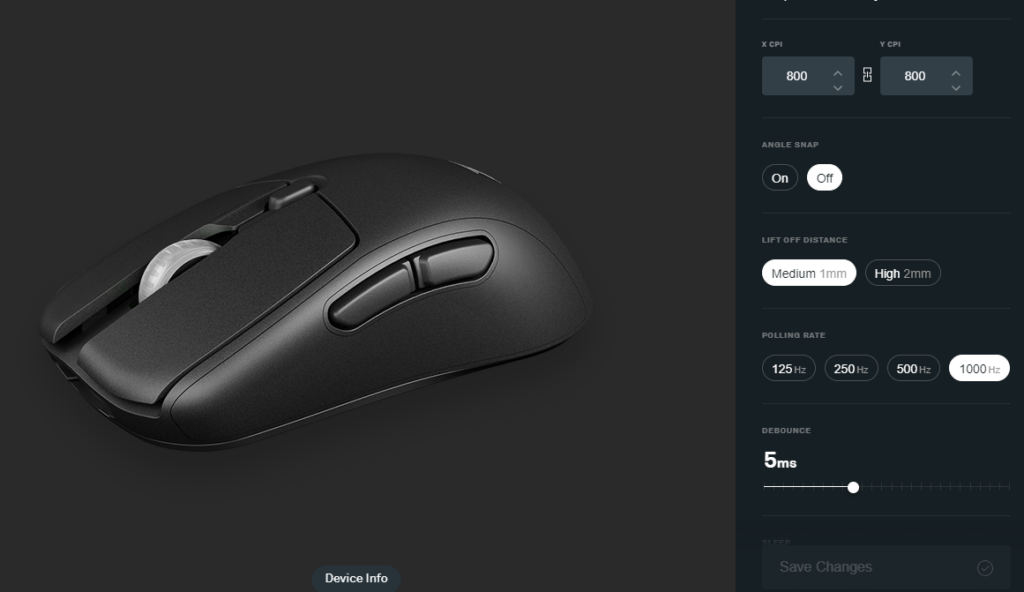
When you buy an 8000Hz mouse, you are not really buying “8x faster aim.” You are buying the chance to shave off a fraction of a millisecond, assuming your whole PC can actually use it. For competitive FPS players, that promise is tempting. For everyone else, it can be a quiet performance trap.

What Happened: How 1000Hz Stopped Being “Enough”

8K Polling Rate
8K Polling Rate – Image Credits (Razer)

For most of the 2010s, 1000Hz became the standard for esports-focused mice. It was fast, stable, and easy for games and operating systems to digest.

Then, in January 2021, Razer pushed the conversation forward with its HyperPolling tech and the Razer Viper 8KHz, marketed around a “true 8000Hz” polling rate.

That opened the door for more high polling rate mice across the market. Fast forward to October 14, 2025, and Corsair is publicly talking about wireless 8K polling as a mainstream feature on its SABRE line, framing it as a jump to 0.125ms report timing.

At this point, “mouse polling rate 8000Hz” is no longer a niche spec for forum nerds. It is a systems-level setting that can help or hurt depending on how you play and what your PC is doing every millisecond.

Why It Matters: High Refresh Makes Input Gaps Easier to Notice

System Latency Terminology
System Latency Terminology – Image Credits (NVIDIA)

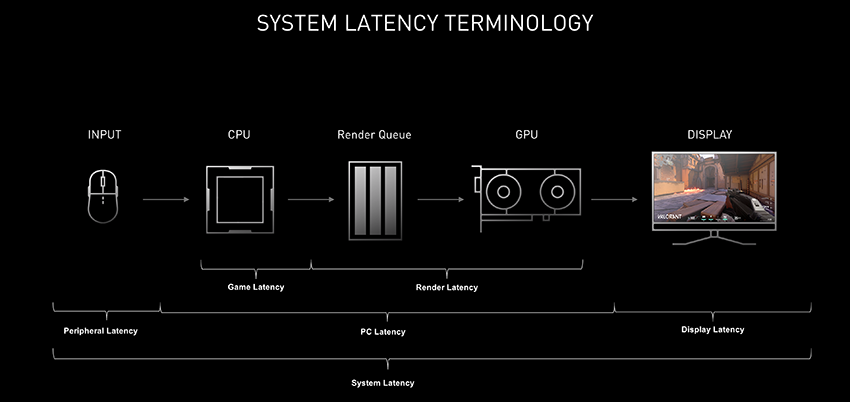
The big shift is not just mice. It is everything around them. As 240Hz, 360Hz, and even higher refresh displays become normal in competitive setups, small timing issues become more visible. Your screen updates more often, so uneven input delivery can feel like roughness or tiny hitching during fast swipes.

Latency is also being attacked from multiple angles now. NVIDIA built NVIDIA Reflex specifically to reduce and measure render latency, focusing on how the engine schedules work and how the GPU queue behaves. The point is simple: once you optimize FPS and ping, you start hunting smaller bottlenecks. Mouse polling is one of the few remaining knobs players can still turn.

The Math in Plain English: 0.875ms Is the Best-Case “Win”

HyperPolling Technology
HyperPolling Technology – Image Credits (Razer)

Here is the clean version of the 1000Hz vs 8000Hz mouse latency argument:

  • 1000Hz means the mouse reports to the PC every 1 millisecond.
  • 8000Hz means it reports every 0.125 milliseconds.

So yes, the report interval is shorter. The best-case timing difference is roughly 0.875ms. But that is only one piece of the chain. Your input still has to survive:

  • When the game samples mouse input,
  • How the CPU schedules that work,
  • How the frame is rendered,
  • How the display scans out the final image.

This is why “does 8000Hz mouse improve aim?” is a tricky question. The math is real. The outcome is situational.

Where 8000Hz Actually Helps (and Why It Feels “Cleaner”)

Polling Rates
Polling Rates – Image Credits (Tech4Gamers)

360Hz-plus monitors and very high FPS

If you are running a 360Hz display and pushing extremely high, stable FPS, you give those extra mouse reports more opportunities to land inside a frame window. That can translate into slightly more up-to-date motion data, especially in rapid camera movement.

High DPI and fast flicks

At high DPI, a fast hand movement produces a lot of motion data quickly. A higher polling rate can capture more granular snapshots. In the right game, that can feel like smoother micro-corrections.

Modern competitive shooters with strong input handling

Games built for competitive precision, like VALORANT, already care deeply about responsiveness. If you have the CPU headroom, you may see a tiny improvement in “connected” feel, especially when everything else is tuned.

If you want a deeper explainer on the practical side, I have already broken down the real-world value of 8K in a dedicated guide.

Where It Backfires: High Polling Rate CPU Usage Is Real

Corsair M65 RGB Elite Tunable FPS Gaming Mouse Review
Corsair M65 RGB Elite Tunable FPS Gaming Mouse – Image Credits (Tech4Gamers)

The uncomfortable truth is that 8000Hz can create work your system did not previously have to do.

Every report has to be processed. More reports can mean more CPU overhead, more interrupts, and sometimes worse frame time consistency. The player experience often does not fail due to “lower FPS.” It fails as a micro-stutter during fast mouse movement. That is why “mouse stutter high polling rate fix” has become a common search in competitive communities.

This is also why the split exists. Some players swear 8K feels cleaner. Others turn it on, get uneven frametimes, and immediately drop back to 1000Hz.

How to Test It As It Matters: Consistency Beats Theory

Most casual testing is flawed because it looks at averages. Competitive feel lives in the spikes. A better methodology:

  • Test GPU-bound and CPU-bound scenarios.
  • Run uncapped FPS and a realistic FPS cap (your typical ranked settings).
  • Track frametime variance during aggressive mouse movement, not just idle aim.
  • Watch per-core CPU behavior, not only total CPU usage.

If 8000Hz introduces frametime spikes, it can erase its own theoretical advantage. In that situation, 2000Hz or 4000Hz can be the sweet spot.

The Practical Take: So What’s the Best Polling Rate?

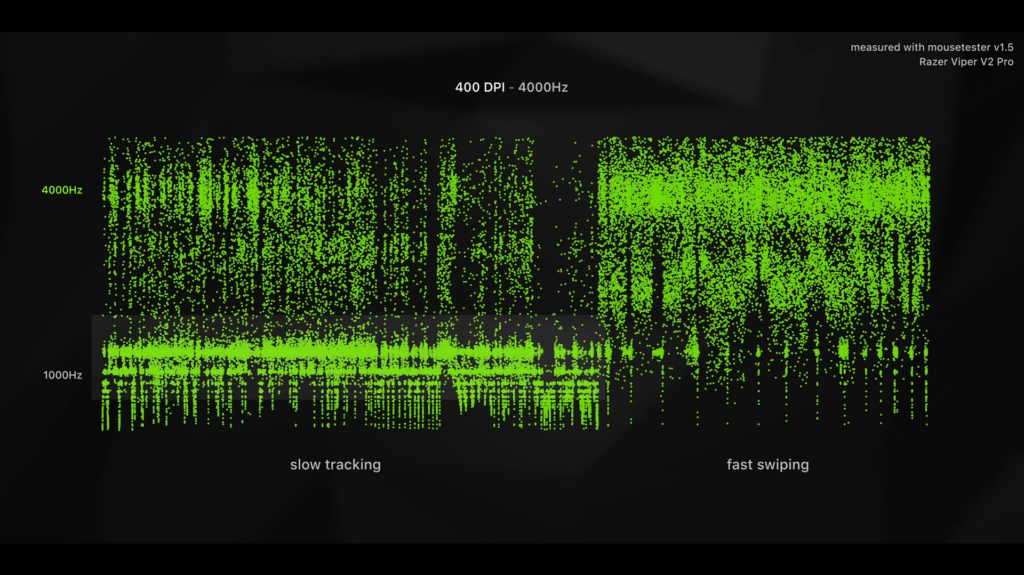
400 DPI At 4000 Hz
400 DPI At 4000 Hz – Image Credits (Optimum)

For most players, 1000Hz remains the default for a reason. It is stable across systems, engines, and background-heavy Windows installs. If you are chasing the best polling rate for Valorant or CS-style shooters, a sensible ladder looks like this:

  • 1000Hz if you want the safest, most consistent experience.
  • 2000Hz to 4000Hz if you have CPU headroom and want to experiment.
  • 8000Hz if you run a high-refresh display, very stable high FPS, and you have tested for stutter.

What’s Next: The Spec War Will Calm Down, the System War Won’t

8000Hz is not fake. It is just not magic. It highlights a bigger truth about modern competitive gaming: once you push beyond “good enough,” every upgrade becomes dependent on the whole pipeline.

High polling rates will likely keep spreading, especially as CPUs, USB controllers, and game input paths become more resilient. Until then, the smartest move is not to chase the biggest number. It is to chase the smoothest frametime graph.

Why Rockstar Will Never Revisit The Manhunt Franchise

Story Highlight
  • While the horror genre is seeing a surge, franchises like Manhunt are yet to make a comeback.
  • Despite its narrow success, Rockstar is unlikely to revisit the franchise due to its controversy, which would cause more harm to the publisher today.
  • With its unique immersive experience and stealth gameplay, Manhunt remains a genre-defining series that evokes strong reactions to its graphic content.

The horror genre has seen a surge in this decade, with many of the classic franchises from the late 90s and early 2000s, such as Silent Hill, being revived. There are still more franchises that I’d love to see return, but the best would be Rockstar’s Manhunt games.

The Manhunt games were psychological horror stealth games that were brutal and pushed the boundaries of gore within a video game. Manhunt is unlike any other horror game; it blends society’s ugly realities with sarcasm and survival aspects.

I’ll tell you how notorious Manhunt is to this day and why, out of every other franchise Rockstar has, they’re unlikely to visit Manhunt again.

Why it matters: Manhunt is one of those horror games that shivers you to the core, but due to the heavy controversy surrounding the game, we may see Rockstar return to it.

What Made The Manhunt Games So Disturbing

manhunt game
Manhunt Is One Of The Most Terrifying Games To Date

Now, to give a little context about the Manhunt games, they were everything you don’t expect from a video game, but from an R-rated film or a documentary on psychopathic killers. They were so over the top that it even made the developers working on them feel icky.

The game featured some of the most gory and violent executions in a video game that had to be toned down to sell. It went on to inspire other games like Marvel’s Punisher.

The level design is where these games shine the most; arguably, the atmosphere in the Manhunt game outdoes any other Rockstar game just because of how immersive it feels. The claustrophobic dark and gritty alleys filled with the added effect of disturbing audio really amp up the horror feeling in the game.

The original Xbox version of Manhunt also included headset features, and the director (the game’s main antagonist) spoke to the player directly through headphones, making him feel present throughout the game. Even a slight whisper in the mic would alarm nearby enemies, making you feel like you were living in the game.

The Manhunt Effect

manhunt link to murder
Manhunt 1 Was Linked To A Murder

Manhunt has caused more outrage than any other video game. Unlike other games, it doesn’t offer players a moral choice but instead forces them to make tough decisions.

The first game was also rated M, but the sequel took things further up a notch. Manhunt 2 is among the few games rated AO (adults only). Due to its violence, the sequel was banned in a few countries, such as England, and stores like Target pulled copies from their shelves.

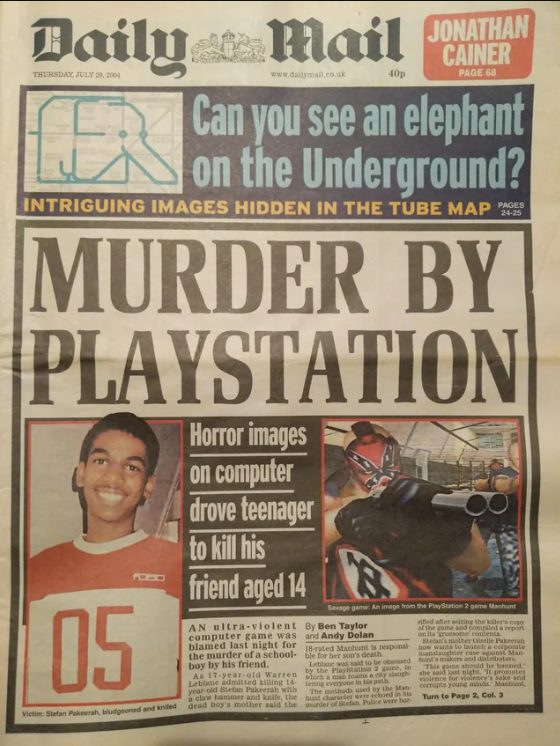
The first game was also linked to the murder of Stefan Pakeerah by his friend, to which the police reported that a copy of Manhunt was found in the 17-year-old Warren Leblanc’s bedroom.

The victim’s family also pushed for a ban on the second game’s release when it first came out, but was rejected in court.

One could say that the Manhunt games don’t glorify violence; instead, they disgrace it, which is evident in the entire plot of the two games, where protagonists are forced to commit crimes for their freedom. If you enjoy the enforced violence in the game’s immoral choice, then the player is to blame, and developers are shaming you for feeling that way.

Why Rockstar Is Unlikely To Revisit The Franchise

GTA 6 Red Dead Redemption 2
Rockstar Is Only Committed To GTA And RDR Franchises

Aside from the controversies, Manhunt games are pretty amazing and one of the most unique games you’ll ever play. The gameplay is more immersive and scary than any other game, in my opinion.

Manhunt also shares the same universe as GTA, and it has been referenced many times in GTA games. 

Rockstar can work on another Manhunt game, but this time, it’s toned down significantly, but it’s not their way of doing so. The franchise is also too big to focus on these types of controversies, which can significantly damage its reputation. Moreover, GTA and RDR are too successful for them to focus on games that have made significantly lesser profits.

The subject matter of snuffy films and mental illness is way too sensitive to revisit the franchise in this era. With more internet exposure and a significant number of youth playing video games, Manhunt is too much of a risk, even for a company like Rockstar.

Publishers Struggling To Get Their Games Running Smoothly On Switch 2, Says FF7 Remake Director

Story Highlight
  • The team behind Final Fantasy 7 Remake worked hard to port the first game in the series to the Nintendo Switch 2.
  • Director Naoki Hamaguchi states that multiple publishers he knows are struggling to get their games performing optimally on the hardware.
  • Still, he intends to bring the entire trilogy to the console, including Final Fantasy 7 Rebirth and its follow-up.

The Nintendo Switch 2 is rapidly approaching its first anniversary. Since its debut, the console has seen plenty of third-party support, garnering interest from third-party teams all around the globe.

Much has also been said about the specifications of the system itself. Recently, the Final Fantasy 7 Remake director has joined the conversation, claiming that multiple teams are struggling with the hardware.

Why it matters: Nintendo hopes to support the console for a long time, so optimization challenges could prove to be make-or-break for the hardware as time goes on.

Nintendo Switch 2
The Switch 2 Features Decent Specs For A Hybrid Console

Discussing the Nintendo Switch 2 in a recent interview, director Naoki Hamaguchi noted that Final Fantasy 7’s arrival on the Nintendo platform has been a major moment for the franchise, one that he is looking forward to.

On the subject of the console itself, the director noted that the Nintendo Switch 2 isn’t the strongest console available today. He also confirmed that multiple studios are struggling to achieve desired performance targets on the hardware at the moment.

Fortunately, Square Enix appears to have done a solid job with Final Fantasy 7 Remake on the hardware.

Switch 2 is a great piece of hardware. That said, compared to other consoles, the specs are a little bit on the lower-end side. I have seen a lot of publishers struggling to get their games to work very smothly on the Nintendo Switch 2.

-Naoki Hamaguchi

Final Fantasy 7 Rebirth
Final Fantasy 7 Rebirth is the latest entry in the franchise’s remake saga

Director Naoki Hamaguchi also discussed how the team would tackle the next game in the series on the Nintendo Switch 2.

He hopes to share more information soon, admitting that Final Fantasy 7 Rebirth, expected to also arrive later this year, would be a more challenging port due to its bigger world map and more ambitious structure.

What do you think about Naoki Hamaguchi’s statement on the Nintendo Switch 2? Let’s discuss in the comments and on the Tech4Gamers Forums.