- Higher-end mice have recently started offering extremely high polling rates, with some even going up to 8000 Hz.
- Polling Rates can make a lot of difference in the overall responsiveness of your mouse, which makes them important for gaming.
- While higher polling rates will provide a smoother experience, going beyond 1000 Hz might not guarantee a staggering improvement.
Lately, I’ve seen a growth in mice that offer incredibly high polling rates. 2000 Hz or even 4000 Hz rates have become a lot more common within the sphere, which got me wondering: Do higher polling rates even matter? Or are they only used for marketing by manufacturers to drive more attention?
Does Polling Rate Make A Difference?
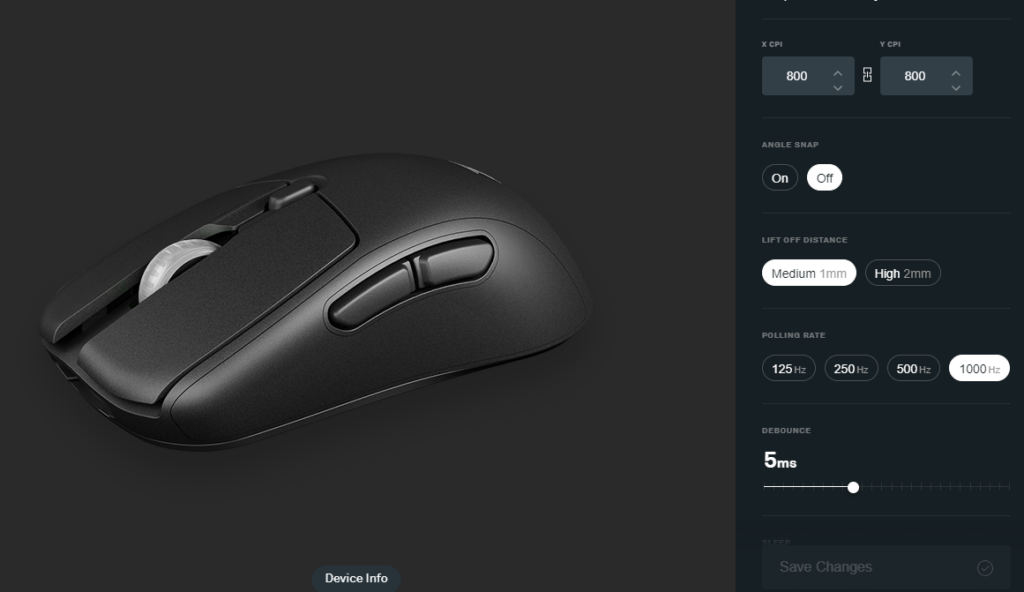
As explained in our guide covering Polling Rate, it essentially refers to the frequency at which your mouse sends its position to the PC. This means that a higher polling rate will guarantee a smoother overall experience.
| Polling Rate ( Hz ) | Delay (ms) | Usecase |
|---|---|---|
| 125 | 8 | Adequate for office tasks. |
| 250 | 4 | A slight improvement over 125 Hz, but still not for suitable gaming. |
| 500 | 2 | Mouse movement is updated every 2 milliseconds, an overall responsive experience. |
| 1000 | 1 | Very precise, perfect for gaming |
| 4000 | 0.25 | Perfect for those gaming at refresh rates higher than 240 Hz |
A higher polling rate will result in less delay between your mouse and computer, which is exactly why pushing for such higher frequencies has become a strategy for a lot of manufacturers.
In my experience, gaming at a lower polling rate such as 125 Hz or 250 Hz can worsen your performance in games, especially ones that require fast-paced movements. If you have the option to, I would recommend cranking things up to at least 1000 Hz if you want a fair chance in competitive titles.
The Sweetspot For Polling Rates
Despite the shift to higher polling rates in premium mice, most mid-range entries have continued to stick with the 1000 Hz polling rate, and there’s a good reason for that. You see, after the 1000 Hz point, the differences you are going to see between each upgrade is going to be minimal.
Simply put, if you have a mouse with a polling rate of 1000 Hz, upgrading to something higher wouldn’t necessarily result in monumental improvements. That is exactly why I still consider 1000 Hz to be the sweet spot for polling rates in terms of gaming mice.
Don’t get me wrong, you can get an advantage out of these higher polling rates, but that might only be possible if you are competing at the highest level possible. Truth be told, shifting to these incredibly higher polling rates beyond 1000 Hz is not necessarily enough to give you an edge over anyone those using 1000 Hz.
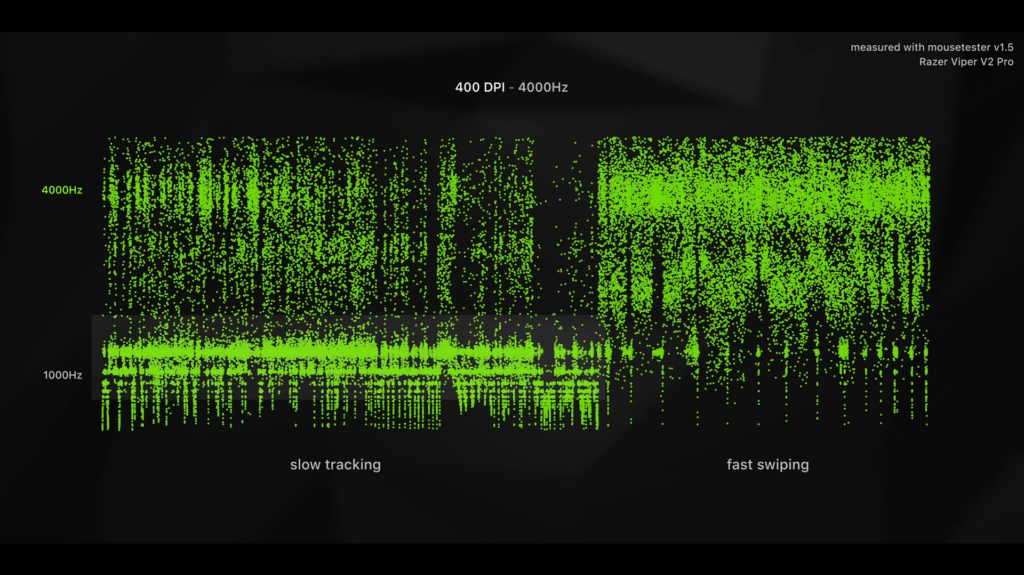
As shown by the tests conducted by Optimum, if you are using a lower DPI while running at 4000 Hz, you are effectively going to get the same performance as 1000 Hz since your sensor won’t even require that many updates every second.
On the other hand, while switching to a higher DPI does allow you to benefit from higher polling rates, that’s not going to make much of a difference either. As explained in the same video by Optimum, the differences in practical use are barely noticeable, especially considering how smooth 1000 Hz already is.
Not to mention, the difference you get with lower refresh rate monitors is going to be even less drastic.
Polling Rates Do Matter
If you are in the market for a gaming mouse, polling rates will make a lot of difference. That said, most modern mice come with a 1000 Hz polling rate, which is going to be more than enough for the average gamer, especially considering that the differences between extremely high polling rates are barely noticeable.
So, while switching from a lower polling rate to 1000 Hz will result in a drastic difference, the same cannot be said for any mice that offer frequencies beyond 1000 Hz.
Thank you! Please share your positive feedback. 🔋
How could we improve this post? Please Help us. 😔

[Hardware Reviewer & Editor]
After many years of exploiting various pieces of hardware, Abdul Hannan now serves as an editor at Tech4Gamers. He’s been in the PC hardware reviewing industry for almost a decade, and his staff of passionate geeks and reviewers is second to none.
Abdul Hannan is constantly seeking new methods, you will always see him running into New Computer Courses to improve the performance of his computer components since he is an ardent overclocker. He is well-known for providing the most extensive and unbiased analysis of the newest and greatest hardware for PC gaming, including everything from GPUs to PSUs.
 Join Our Community