Home Blog Page 527

Ultimate Spider-Man (2005) Is A Treat For Comic Book Fans

Story Highlights
  • Ultimate Spider-Man brings comic books to life with its comic-themed environment, consisting of jittery effects, comic panels, and more.
  • The gameplay, combat system, and web-swinging are smooth and fun and carry the vibe of comics.
  • The game’s various missions and enemies also make it worth revisiting occasionally.

Spider-Man is one of the most loved comic book characters of all time. Fans always show their love for the web-slinger, whether he is in the movies, cartoons, or even video games. Of all these entertainment products, it wouldn’t be wrong to say that Spider-Man video games have seen the most success.

No matter the era, there has always been hype for Spider-Man games, and they have delivered most of the time. Every Spider-Man game has had a unique vibe, introducing our favorite neighborhood superhero in a different way than before. But Ultimate Spider-Man(2005) is probably the most visually different game due to its comical visuals, and it is a hella underrated one.

Comic-Themed Vibe Provides A Unique Experience

Ultimate Spider-Man is like a comic book brought to life in video games. The game looks like a comic, as the art style and theme are precisely like that. The characters look cartoonish with vibrant colors, dark outlines, and comic-like body types.

The buildings look like they have been hand-drawn, the trees feel like they are made of paper, and the cars are also drawn similarly. The facial textures of the characters add more to the cartoonish vibe, as everyone has a face you would see in comics. The overall look of the game feels like a 3D comic.

Comic-Themed Vibe
Comic-Themed Vibe (Image By Game Fabrique)

Apart from the visuals, the developers also took care of the animations and made sure they reflected the comic book effect in the game. Each animation, from character movement to attacks, feels accurate to the theme.

The animations have a jittery effect that makes them feel real concerning the environment. Adding onomatopoeia texts like “BOOM!” and “POW!” on the screen whenever you hit an enemy significantly boosts the comic effect. 

Engaging Gameplay Makes You Endlessly Roam The Open-World

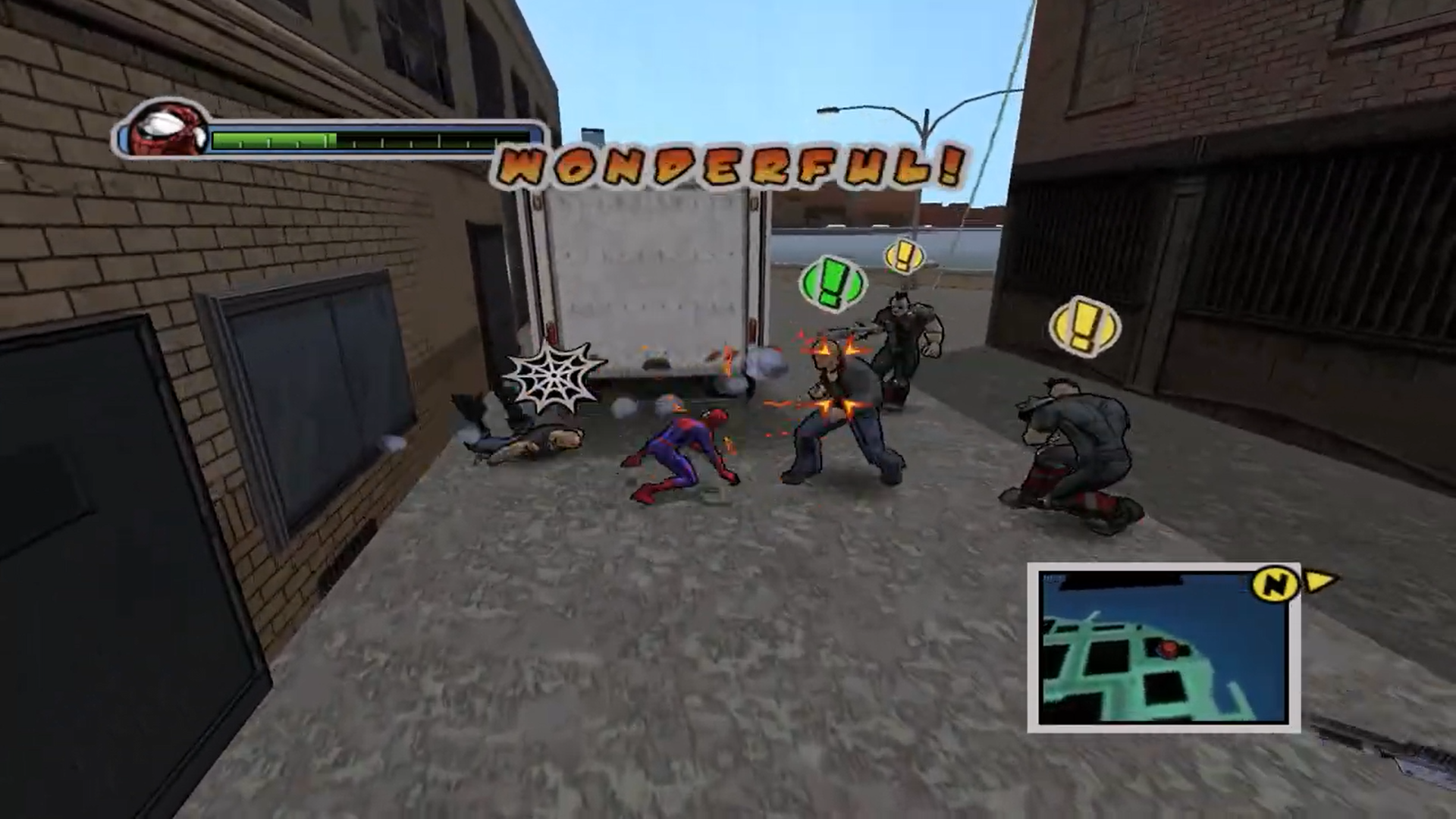
Other than the vibe, the gameplay is also so much fun. Beating up enemies feels so fluid. There are a variety of combat moves you can use to take down your opponents. From aerial offense to web tricks, this game gives you a lot of choices to beat up the bad guys.

You also perform several different combos using hand-to-hand combat and web shooters. This variety of combos keeps the player hooked in beating up the enemies. This combat aspect of the game increased its value so much.
Combat System
Combat System (Image By YT/Shtrudel)

One of the best things about this game’s gameplay is its incredible web swinging. The swinging mechanics were ahead of their time, as you could swing at high speed with full control of your movements. It was very fancy, but the fluid animations and movement stability made the web swinging easy and fun.

You couldn’t do flips and other tricks like in Insomniac’s Spider-Man, but it still wasn’t any way near less fun than the modern-day web-swinging.

There weren’t also many web tricks, but you could still web zip and web climb, which is climbing a zipped web to gain some height while swinging or to get to the building the web is zipped on.

You could also trap enemies with the web and perform different attacking combos using the web like pulling opponents closer and strong-kicking/punching them, or swing them around with the web and throw them away to cause damage.

Variety Of Spectacular Missions

The missions are so interesting to play as well. From the start of the game, you are given missions that keep you hooked up. Like, in the first mission, you must encounter Venom without any of your gadgets. You must dodge his attacks and lure him to certain areas and objects in the environment to cause damage.

This simple mission adds uniqueness to the game by introducing a unique scenario, which helps increase a player’s interest. As you progress in the game, you will encounter Rhino and chase him through the town. He keeps destroying the city, and you must save people caught in the chaos while keeping track of him.
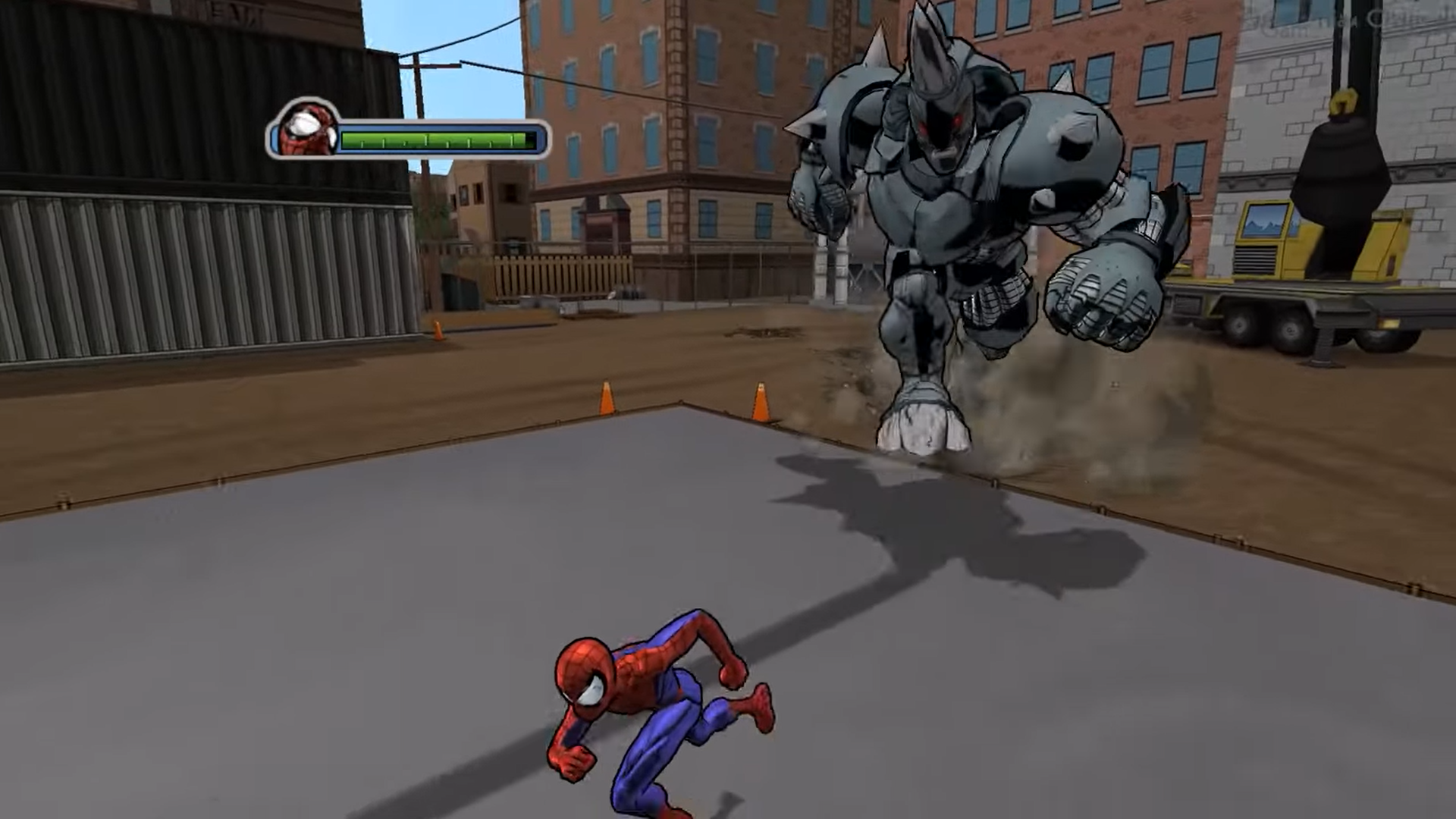
The Rhino Encounter
The Rhino Encounter (Image By YT/Gamer Max Channel)

When you get to him, you have to trick him into hitting you, and when he crashes, you have to get on his back and keep attacking him to destroy his suit. These unique scenario missions kept the fun element alive throughout the game.

Will Cheaper Vision Pro And AR Glasses Boost Apple’s VR Ambitions?

Story Highlights
  • Apple’s high-priced Vision Pro headset will debut a more affordable version by late 2025 and a second-generation model by late 2026.
  • To cut costs, Apple is seeking new suppliers for micro-OLED displays and adjusting chipsets for affordability.
  • Despite manufacturing challenges, Apple focuses on VR and AR innovation, positioning its upcoming AR glasses as transformative amid industry complexities.

It’s widely acknowledged that Apple’s Vision Pro headset is the most advanced on the market, offering powerful specifications and an immersive experience unmatched by rivals. However, its $3,499 price tag has been a significant barrier for many consumers, impacting sales.

In response, Apple is planning to release cheaper Vision Pro and augmented reality (AR) glasses to make their technology more accessible and boost sales.

According to Bloomberg’s Apple specialist Mark Gurman, Apple plans to launch a more affordable Vision Pro in late 2025 at the earliest, followed by a second-generation mainstream Vision Pro around late 2026.

Additionally, Apple is working on a set of much-anticipated augmented reality (AR) glasses, though Gurman believes these are still several years away from release.

Cheaper Vision Pro With Reduced Features

Vision Pro
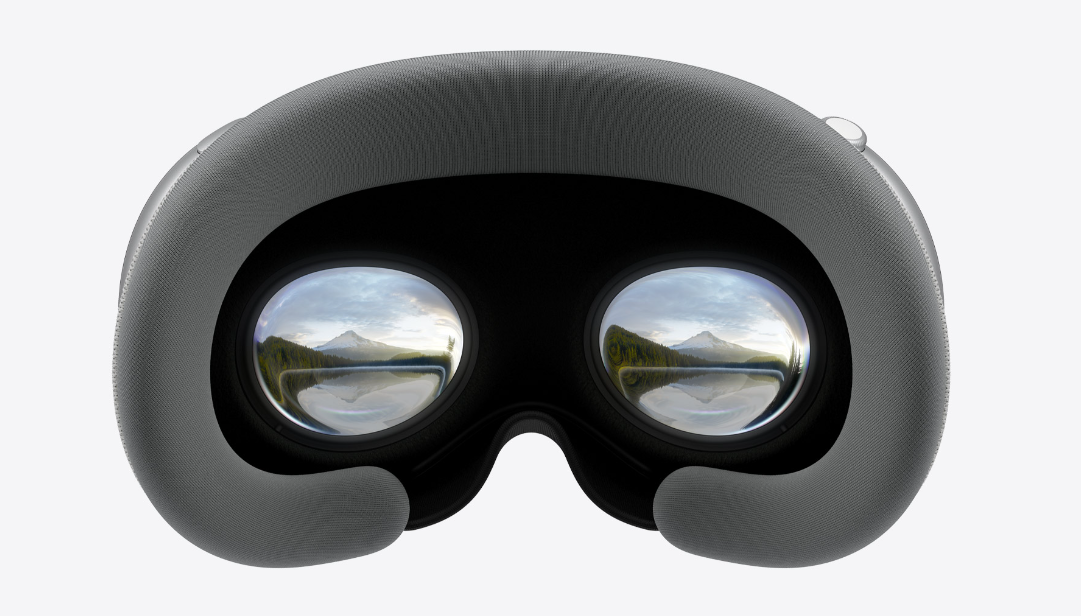
Apple Vision Pro – Image Credit (Apple)

Apple expects to price the cheaper Vision Pro between $1500 and $2500, compared to the Vision Pro’s $3500. The cheaper headset will have a different chipset and omit the EyeSight feature, making it more affordable but also less advanced compared to the Vision Pro.

It will use an A-series chipset, possibly the A18 Pro or A19 Pro, instead of the M-series, and will not include the EyeSight feature. This feature is a foundational design goal of the Vision Pro but contributes significantly to its high cost.

Apple aims to lower costs by reducing the price of high-resolution micro-OLED displays, now being manufactured directly onto silicon wafers. Sony, Apple’s current supplier, can produce enough displays for 500,000 headsets this year, marking a shift towards mass production.

Apple is also considering additional suppliers like BOE and SeeYa Technology, though maintaining high yields and quality standards remains challenging. Balancing cost reduction with preserving the Vision Pro’s technological superiority is a significant challenge for Apple.

Strategies For Addressing Manufacturing Challenges

Perhaps focusing on optimizing production processes, sourcing more cost-effective materials, or refining the design to reduce manufacturing complexities could be potential strategies.

Apple AR Glasses
Apple Augmented Reality (AR) Glasses – Image Credit (Apple)

It seems like Apple is positioning its AR glasses as a transformative product, potentially surpassing even the iPhone in impact. Emphasizing a lightweight, user-centric experience reflects Apple’s philosophy of seamless technology that enhances user experiences.

This approach tackles VR headset challenges while reaffirming Apple’s commitment to innovation and user-centric design. If Apple succeeds in achieving this vision, it could revitalize interest in its VR products such as the Vision Pro, and establish a new benchmark for augmented reality technology, potentially influencing the broader tech market.

Navigating Challenges And Future Prospects

Vision Pro
Vision Pro – Image Credit (Apple)

Apple is navigating significant challenges and strategic decisions concerning its Vision Pro headset and upcoming AR glasses. The investment in future technologies like AR glasses raises questions about Apple’s long-term commitment to a rapidly evolving industry.

Despite these challenges, Bloomberg’s Gurman suggests that Apple’s continued hiring and investment in the Vision Products Group indicate a determination to persevere. Apple aims to validate the feasibility of AR glasses over the coming years.

Apple is currently refining the Vision Pro, leveraging past successes like the iPhone and Apple Watch to enhance its features. Whether adjusting prices or prioritizing key features, Apple’s strategy aims to sustain interest and innovation in VR and AR. They are also preparing for the launch of AR glasses.

The future success of Apple’s VR and AR ambitions will depend on how effectively it navigates these challenges and opportunities in the coming years.

Geralt Confirmed To Be Returning For The Witcher 4

Story Highlight
  • Geralt is set to return in The Witcher 4.
  • His voice actor has confirmed that Geralt will not be a main character, but he will play an important role.
  • This announcement has made fans excited to see Geralt in the next entry.

The Witcher 3 came out nine years ago, and its open-world remains one of the best in the industry. Geralt, the main character, also remains quite popular.

That is exactly why fans want to see the return of this legend in the upcoming Witcher game. Fortunately, Geralt’s voice actor from The Witcher 3 reveals that the fan-favorite character is indeed returning.

Why it matters: Geralt of Rivia is arguably the best and most well-known character from the series, making it a no-brainer to bring him back.

The voice actor recently made a video discussing iconic lines from The Witcher series. Doug Cockle later revealed some interesting information. He has confirmed that Geralt is indeed coming back in The Witcher 4, but not as the main character.

Geralt will be a part of the game. We just don’t know how much, and the game won’t focus on Geralt, so it’s not about him this time. 

-Doug Cockle

The voice actor is just as excited as we are to find out what his role is going to be in the upcoming Witcher. It seems like he already has somewhat of an idea but is not allowed to discuss the character’s involvement in too much detail.

The Witcher 3
CDPR Has Confirmed That The Upcoming Witcher Won’t Be Witcher 3 in New Clothing

There are tons of endings in The Witcher 3, so it is difficult to predict which route CDPR will take for The Witcher 4.

Previous rumors hinted that the new protagonist would belong to the school of Lynx, potentially hinting at Ciri taking up the mantle as the new main character. However, it’s difficult to say if this is indeed the direction CDPR is heading.

Nonetheless, Geralt’s return should steal the show, even if he isn’t the main character this time.

The Witcher 4 is said to be CDPR’s most advanced game ever, and it should eclipse Cyberpunk 2077 in scope. The studio is also aiming to break the RPG boundaries, so fans are excited to see what the team can do.

Sony’s DualSense Controller Is An Elaborate Scam, It’s Claimed

Story Highlight
  • Sony’s strategy of selling controllers that are prone to stick drift has been called a scam.
  • A complex repair process, poor customer support, and the limited stock of replacement stick modules for the DualSense Edge leave customers with no option but to buy another controller.
  • Sony has still not done much to address stick drift despite facing a class action lawsuit over the issue in the past.

Sony’s latest controller revision is dubbed the DualSense. Building on the foundations of the DualShock, this controller introduces adaptive triggers, haptic feedback, and more.

The gaming giant also offers a pro variant of the DualSense. However, despite the impressive tech found in these controllers, they are still prone to stick drift, something that Sony has struggled with for a while.

As reported by Major_Trenton, Sony seemingly goes out of its way to make the process of replacing these sticks or claiming warranty as difficult as possible, making its controllers come across as a major scam.

Why it matters: The DualSense costs $70 per controller. While this does not seem too expensive on paper, the costs can quickly add up if users find themselves going through multiple worn-out controllers.

The video starts with describing Major_Trenton’s experience attempting to replace a Cosmic Red DualSense that developed stick drift in just a few months.

He immediately ran into a hurdle when customer support asked for the controller’s serial number. The user no longer had the box, and the serial number at the back had faded away after a few months of use.

Sony’s customer service clarified that a warranty could not be claimed without the serial number. However, once the user was able to provide this serial number, he ran into another problem.

Major_trenton claims that Sony made the warranty process complex on purpose. He also argues that the DualSense Edge isn’t much help here since the replacement stick modules are almost always out of stock.

PlayStation Stick Module
Stick Module Out of Stock via Amazon

They already cost $20, and since they’re hardly ever available to buy, users cannot easily swap out the faulty sticks, even if they know their way around DualSense repairs. The user concludes that Sony has done this on purpose to force users into buying new controllers.

He goes on to point out that the company previously faced a class action lawsuit for this issue, yet it has done little to fix stick drift in newer revisions.

It’s a great scam, I mean, business strategy.

-Major_Trenton

PlayStation Direct Stick Module
Stick Module Out of Stock via PlayStation Direct

The video concludes that Sony has created a problem that should not exist. Even with the DualSense Edge, the gaming giant seems to have made very few stick modules to address the problem.

These stick modules are still unavailable on PlayStation Direct at the time of writing. While there is some hope Sony may offer better controllers in the future, the gaming giant has mostly ignored stick drift for nearly four years of the PS5’s lifespan.

With controllers being more popular than ever, it’s quite disappointing to see Sony offering subpar quality control on its best controller to date.

I Tested AMD’s Fluid Motion Frames 2 In 5 Games – Here Are The Results

Story Highlight
  • AFMF 2 brings huge upgrades over its predecessor, with most single-player games benefitting a lot from the performance uplift.
  • On the other hand, competitive fast-paced shooters also fare well with the technology, since latency issues weren’t noticeable in my testing.
  • AFMF 2’s capabilities shine with entry-level hardware or integrated graphics.

AMD’s latest iteration of their Fluid Motion Frames 2 could really be a game-changer for anyone who owns newer AMD GPUs. To me, that’s very exciting news, especially considering how the first variant of the technology couldn’t really live up to everyone’s expectations.

To find out whether AMD has made a significant enough improvement, I decided to test five games in my library with AFMF turned on. Here’s the result.

Double Your FPS, But At What Cost?

Before we start, let’s make one thing clear. AFMF 2 isn’t necessarily the same thing as FSR 3 frame generation. So, despite working mostly similarly, it won’t do as good of a job at frame generation as in-game FSR3 Frame-gen support.

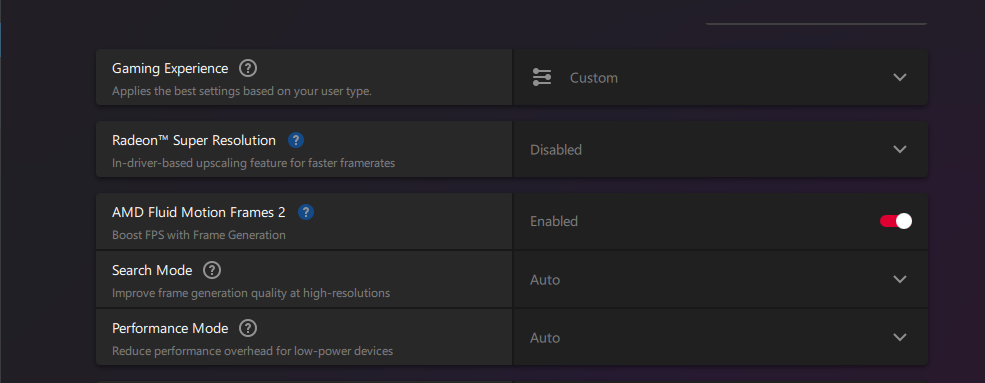
Now, without a doubt, AMD’s AFMF 2 is a pretty substantive upgrade over its predecessor, and that shows right off the bat through AMD’s software section, which now includes two additional options. 

AFMF 2 In AMD's Software
AFMF 2 In AMD’s Software (Image By Tech4Gamers)

So, how does it perform in-game?

Specifications I’m working with:

  • CPU: Intel Core i5-12400
  • Motherboard: ASUS Prime H610M-K
  • GPU: Gigabyte Radeon RX 6600 XT
  • RAM: XPG Spectrix D60G 16GB DDR4 3200 MHz

Cyberpunk 2077

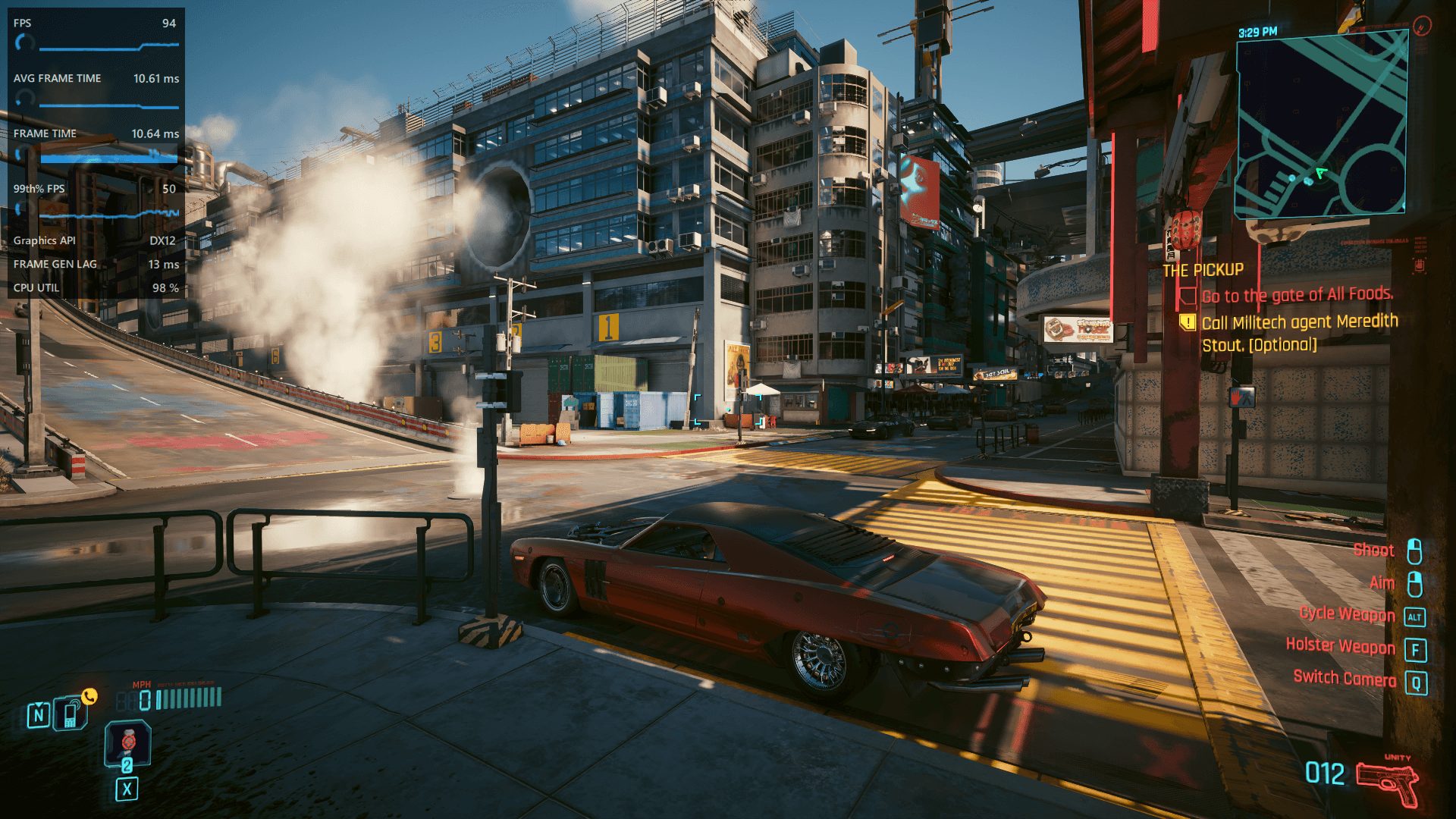
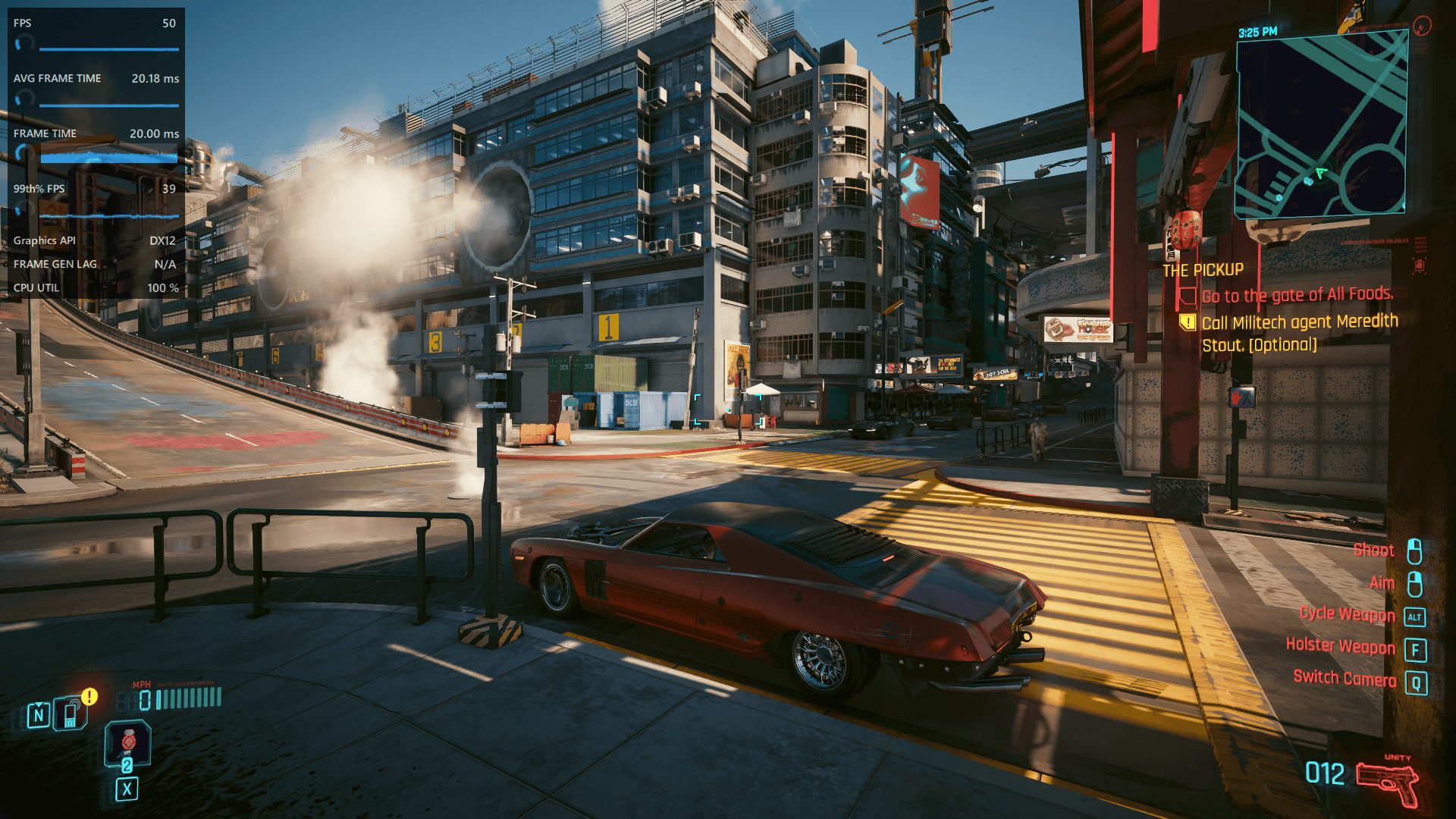
In my tests, enabling AFMF nearly doubled my frames in Cyberpunk 2077, with the game reaching upwards of 90 FPS. An additional 13ms of latency was also gained as a result of the frame generation; however, it wasn’t as noticeable as I was expecting it to be.

Of course, the experience did not feel as good as actual 90 frames, but that is almost a given for a driver-level frame generation technology such as this one. Fortunately, I didn’t experience any ghosting or artifacts during my 10-minute drive through Night City either, which is a huge bonus.

Considering the amount of frames I gained here, I would actually prefer playing the game with AFMF enabled, since the game feels a lot smoother than just 50 frames per second. That said, sudden movements will still result in a drop in FPS, but it is nowhere as noticeable as it was in the first version of AFMF.

Elden Ring

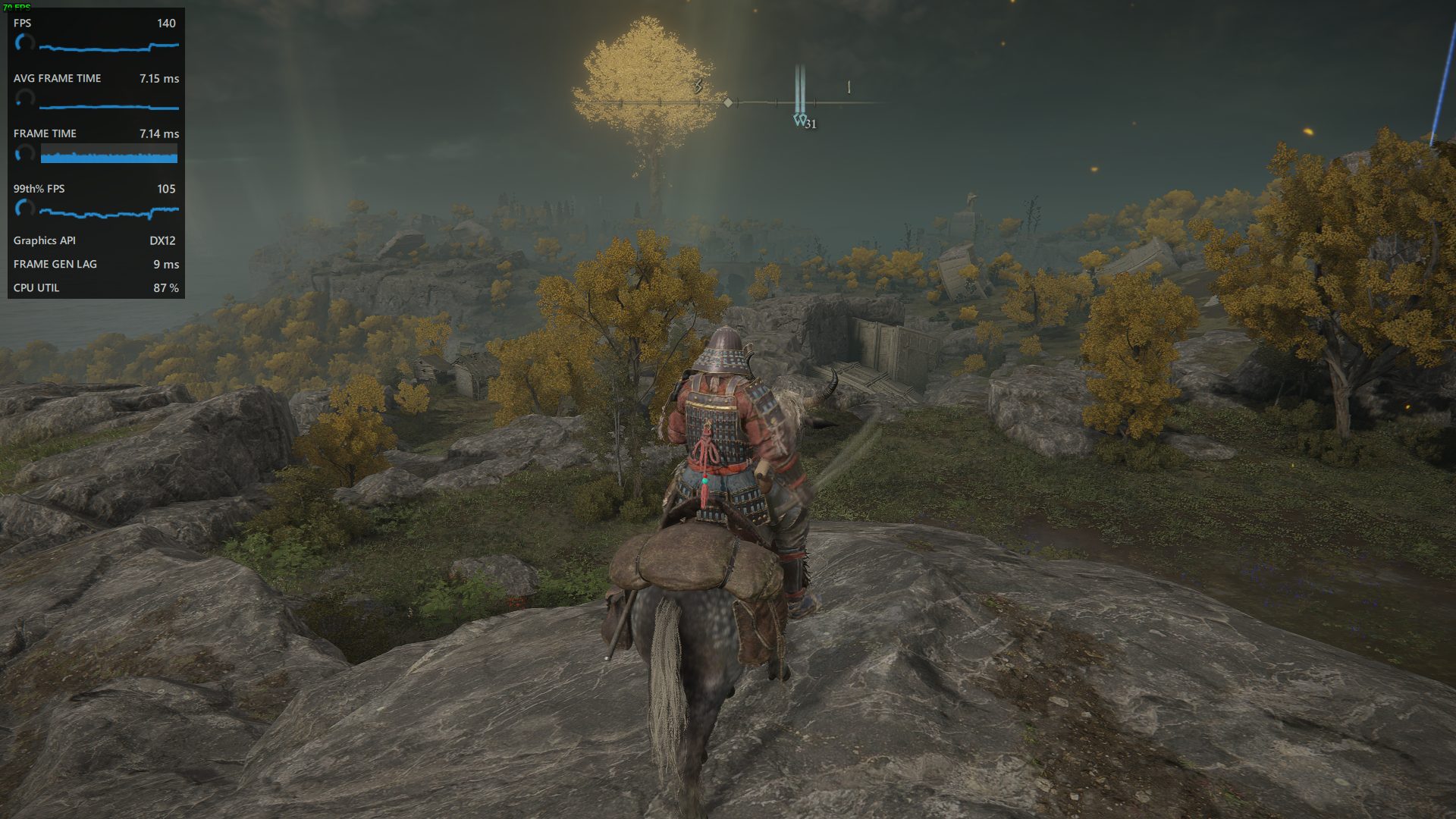
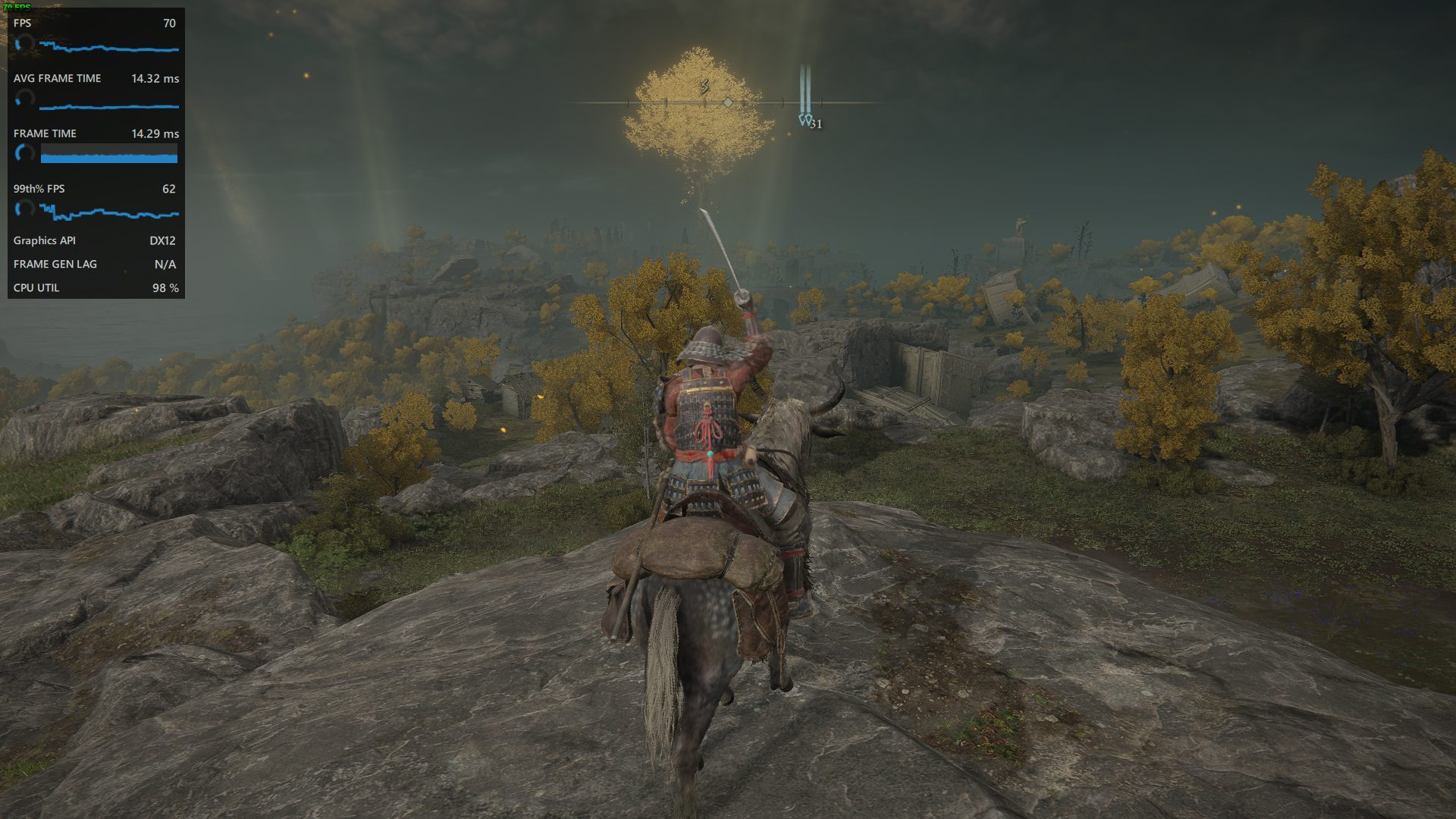
For Elden Ring, I decided to uncap the FPS using a mod to see how the game would perform without Frame Gen enabled. While the experience was more than playable, achieving a high refresh rate experience would not be possible.

Here, AFMF did exactly what I was hoping to do. My frame rates doubled into the lower mid-140s and there was a significant improvement in the game’s smoothness. The best part is, I didn’t even notice the frame dips when I was playing on a controller, given how you can’t make sudden movements with your joysticks.

Palworld

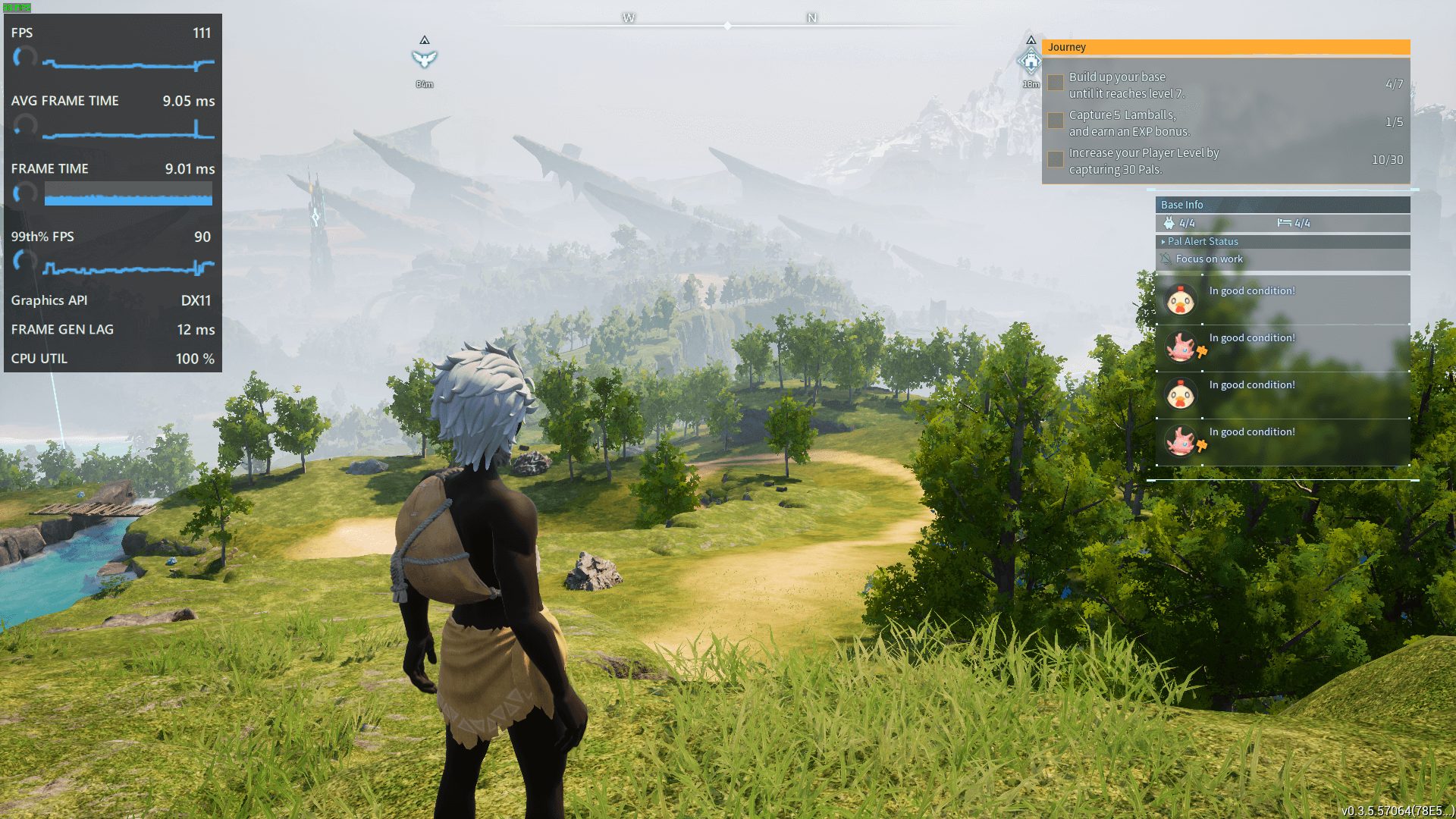
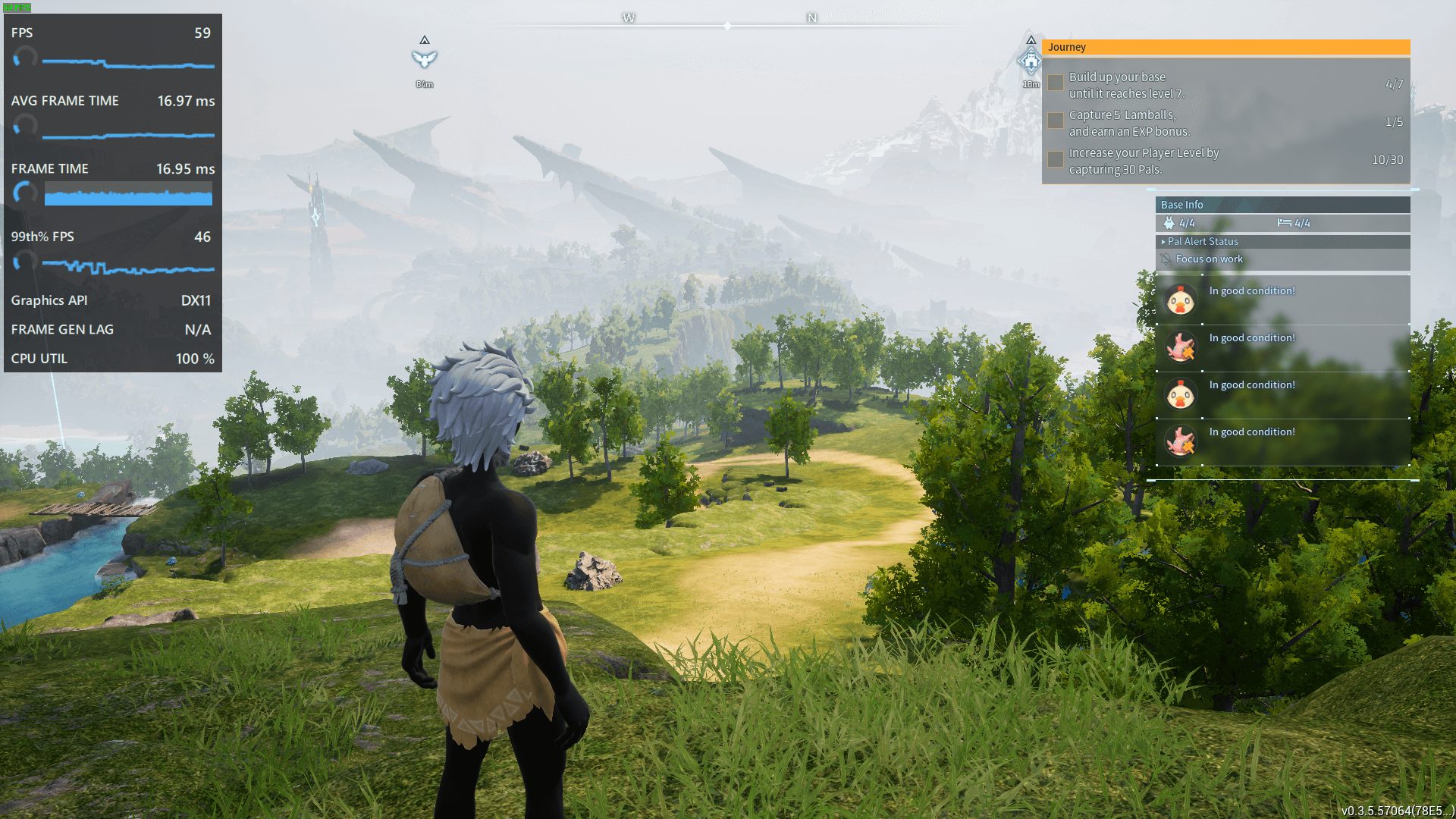
The results were similar with Palword with the only difference being the slight latency increase. Even then, the experience felt very similar to a high-refresh-rate one, just not as consistent.

What About Competitive Titles?

One thing that I have been inquisitive about since the announcement of AFMF 2 was its performance in fast-paced competitive titles. To find out, I decided to use AFMF on Fortnite and Valorant, and to my surprise, it handled things fairly well. 

Valorant

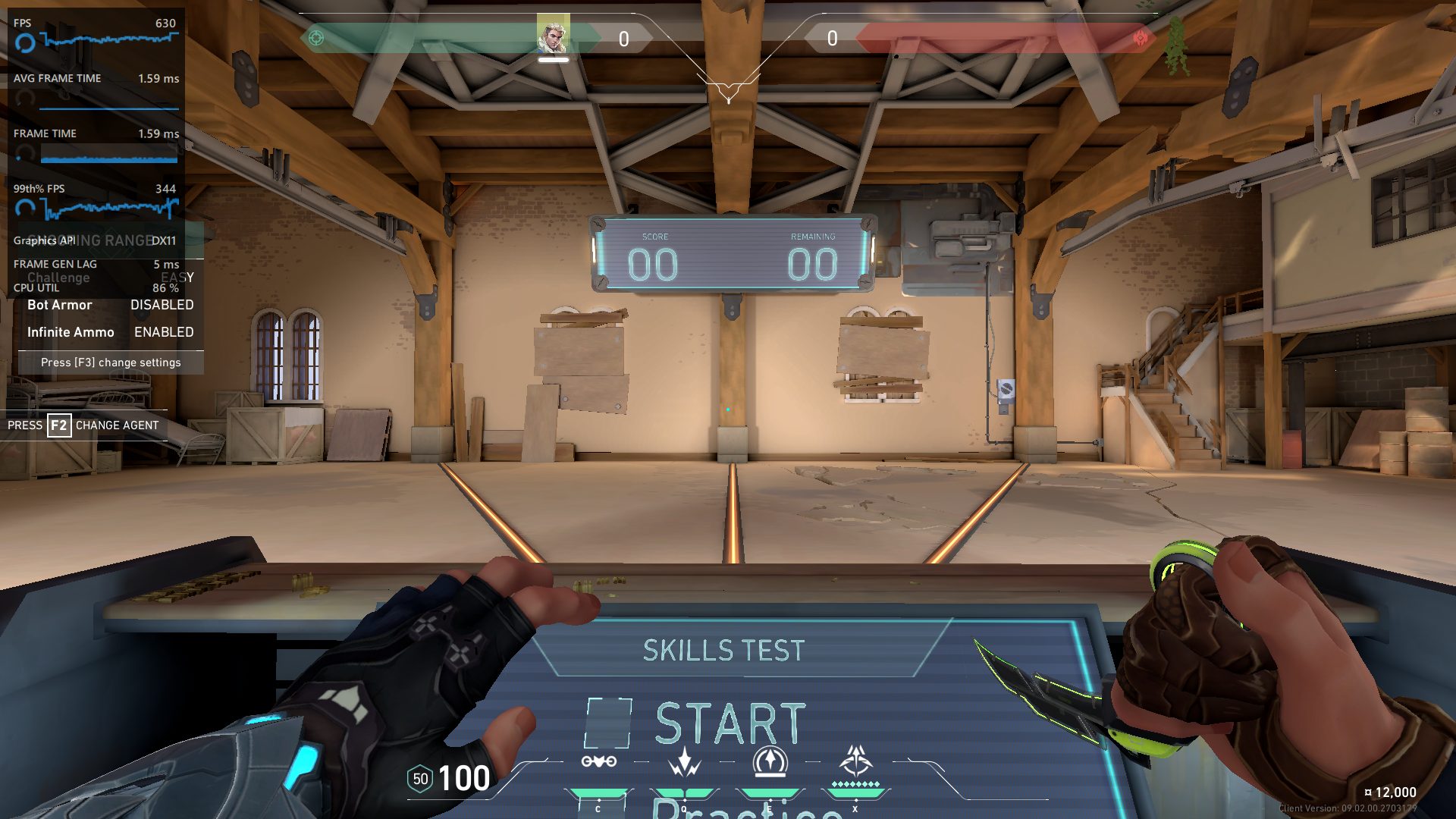
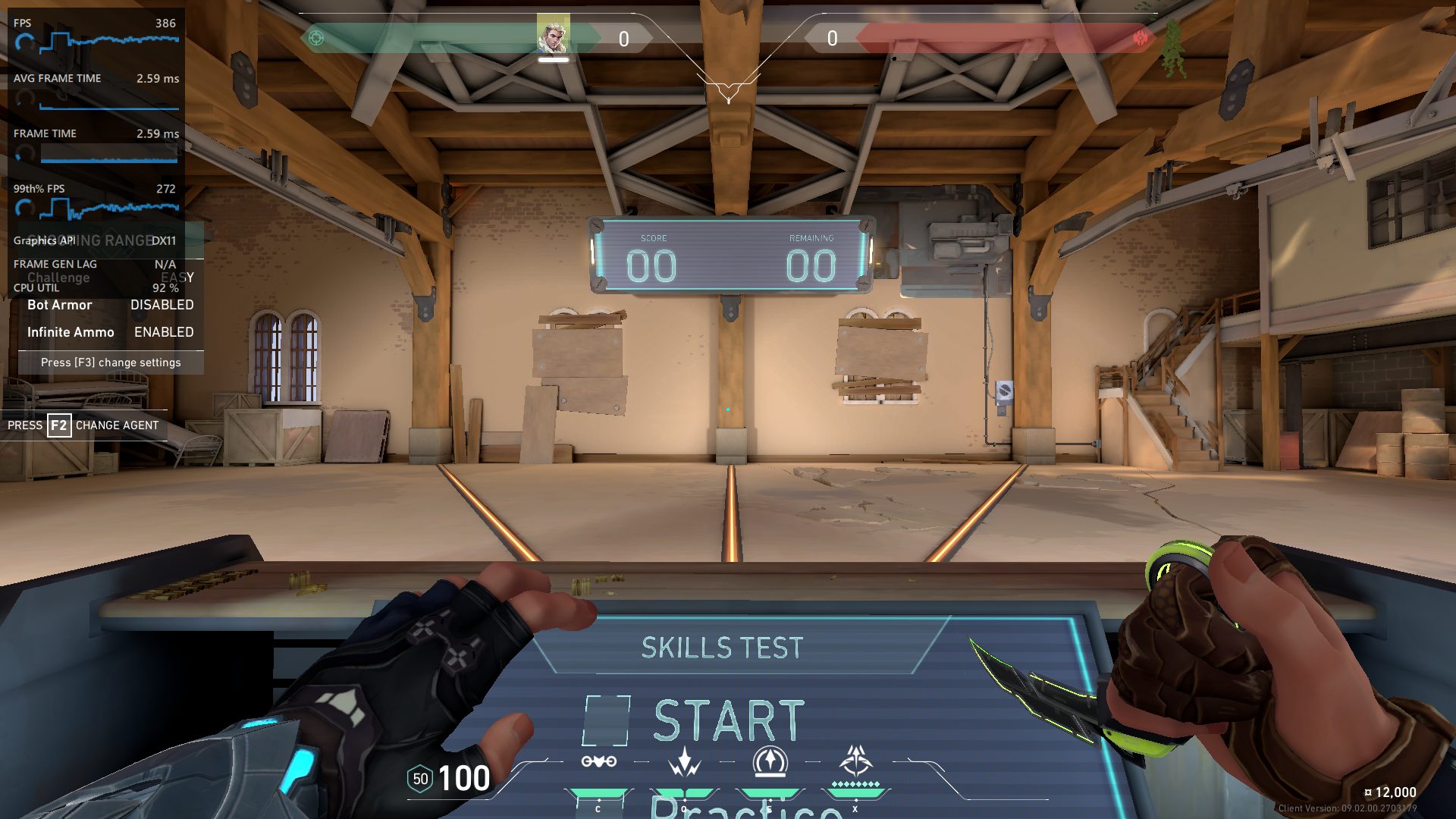
Valorant only got a 5ms additional frame-gen latency, which was noticeable but didn’t impact my gameplay a lot. Of course, I still wouldn’t turn AFMF 2 on for Valorant, especially considering that the framerate without it was perfectly acceptable, but I can see it being a huge improvement for lower-end systems.

Fortnite

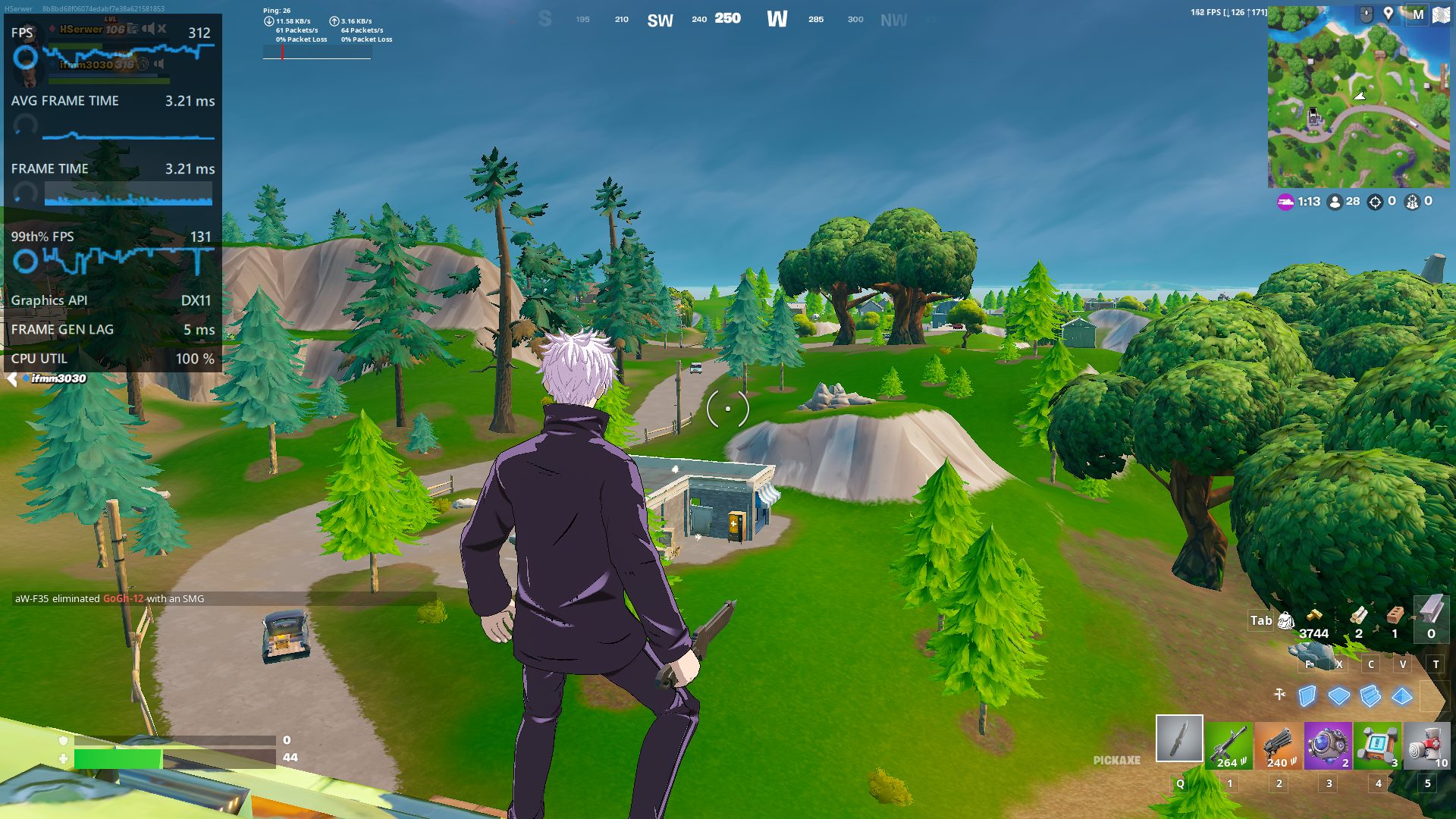
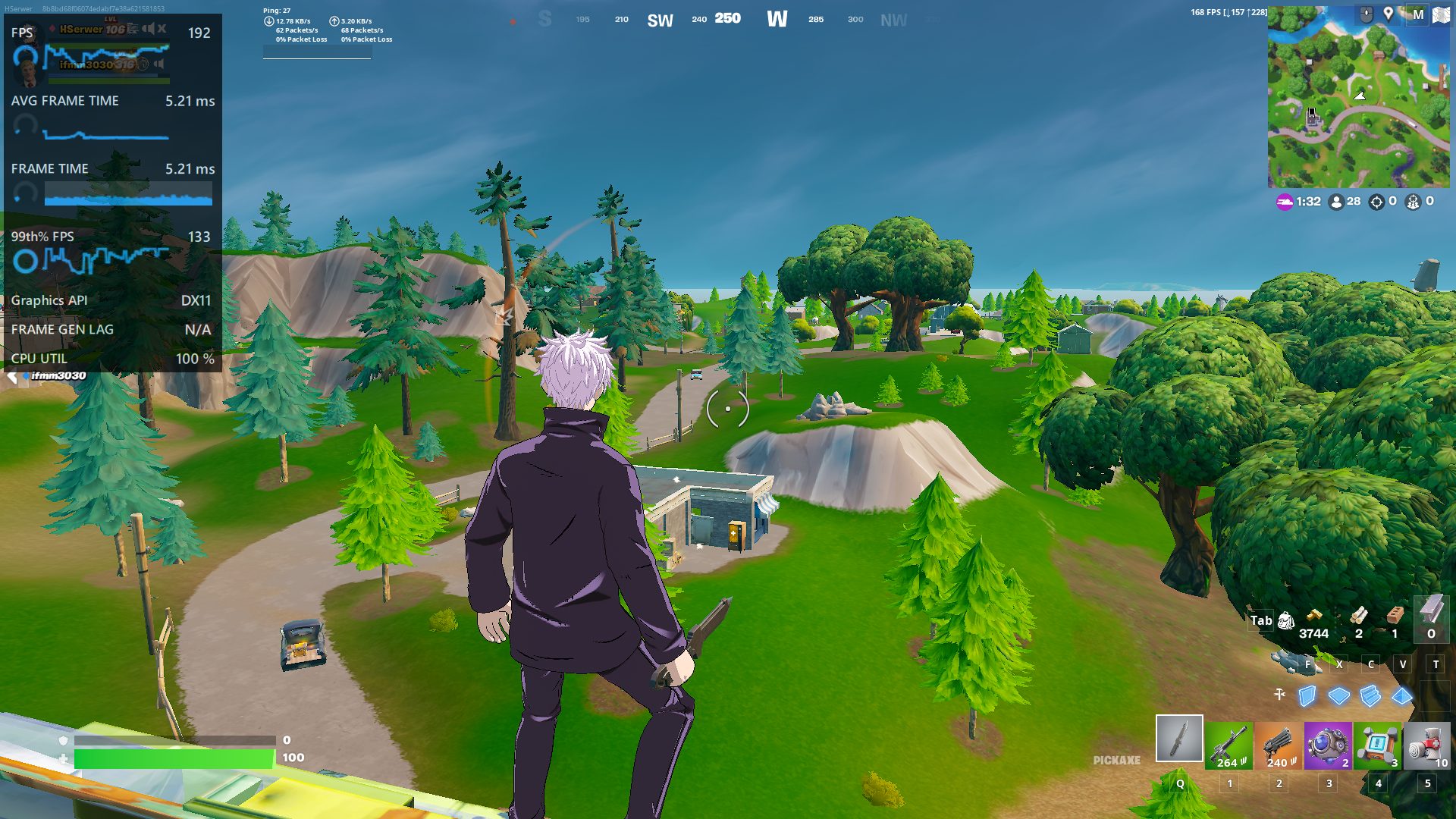
My experience on Fortnite was a lot similar to Valorant, just with a lot more dips, which is expected in a BR title. The native FPS also seems to drop quite a lot when using AFMF, which could also be a reason why I noticed a lot of frame dips.

Actually Useful, For The Most Part

So, as it turns out, AFMF 2 is not only a huge improvement over its predecessor, but it makes for a viable option for those working with lower-end AMD GPUs. Of course, it is far from perfect, and you will undoubtedly run into some issues, but that doesn’t mean it’s not worth turning on. In fact, I’d even prefer playing most single-player games in this way if my GPU is not capable 

Why Snap Tap Is Going To Be Next Big Thing In Gaming Keyboards

Story Highlight
  • Snap Tap eliminates movement overlap by only activating the last pressed key, enabling seamless directional changes.
  • This feature enhances counter-strafing and jiggle strafing, boosting gaming precision and performance.
  • Snap Tap’s acceptance in ESL tournaments sparks debate on its fairness, hinting at a potential new standard in gaming keyboards.

Recently, there has been a lot of buzz about Razer’s new feature, Snap Tap. It is a free update available on the Razer Huntsman keyboard series. We need to discuss this feature as it could potentially be the next big thing in gaming keyboards.

Razer Analog V2 With Wrist Pad
Razer Analog V2 With Wrist Pad (Image By Tech4Gamers)

Problem With Standard Keyboards 

Standard mechanical keyboards usually have a 2mm actuation point. Below and above that point, the key activates and deactivates. The main issue here is that there is a lot of delay between the points when you press a key to perform an action and when that action takes place.

Wooting’s Solution

Mainly Wooting fixed this issue when they introduced their adjustable actuation point keys, which are actually a trait of magnetic switch keyboards. They also introduced a new feature called rapid trigger, which allows the switch to instantly reset when it starts lifting. As a response to Razer’s Snap Tap, Wooting also did a poll on X (formerly Twitter).

Wooting 60HE
Wooting 60HE (Image By Tech4Gamers)

But there’s one more thing: It is still possible to overlap your movement keys if you start pressing in one direction before releasing the other. Hence, you are technically actuating both keys at the same point. In most games, this will give you no input. This is where Razer’s new feature, Snap Tap, comes into play.

Enter Snap Tap: Razer’s Innovative Solution

Snap Tap only activates your last pressed input, making it impossible to overlap your movement keys. If you hold down one key and press the opposite direction key without releasing the other, you will start moving in that new direction.

With Snap Tap, there is no movement overlap at all. There is no delay between the left and right movement. You can move in one direction in one frame and instantly get input in the opposite direction in the next frame. No other keyboard can do this.

The Impact Of Snap Tap On Competitive Gaming

Snap Tap might look very simple, but its effect is enormous. In games like Counter-Strike, the most essential technique to learn is counter-strafing. It’s basically the sideways movement of your character while taking aim or shooting.

The faster you strafe, the easier to take your enemy down. However, this technique is challenging to master. It requires precise timing to release and press the new key in the heat of the battle without any movement overlaps and input delays. This keyboard, though, can do it perfectly every single time.

I have played Counter Strike enough times to know that my movement is pretty bad. But this keyboard has boosted my counter-strafing skills to the next level. It makes it so easy to do strafing even in the pressure of a 1v1.

Perfect Jiggle Strafing with Snap Tap

In addition to all this, I noticed something even more broken. If you hold down in one direction and keep tapping the opposite direction key, you can do perfect jiggle strafing again without any movement overlap or input delay. 

This feature makes micro-correcting with little strafe inputs extremely easy. You can do perfect jiggle peaks around the corner effortlessly. This kind of strafe is impossible on any other keyboard.

Snap Tap Vs Null Cancelling Movement

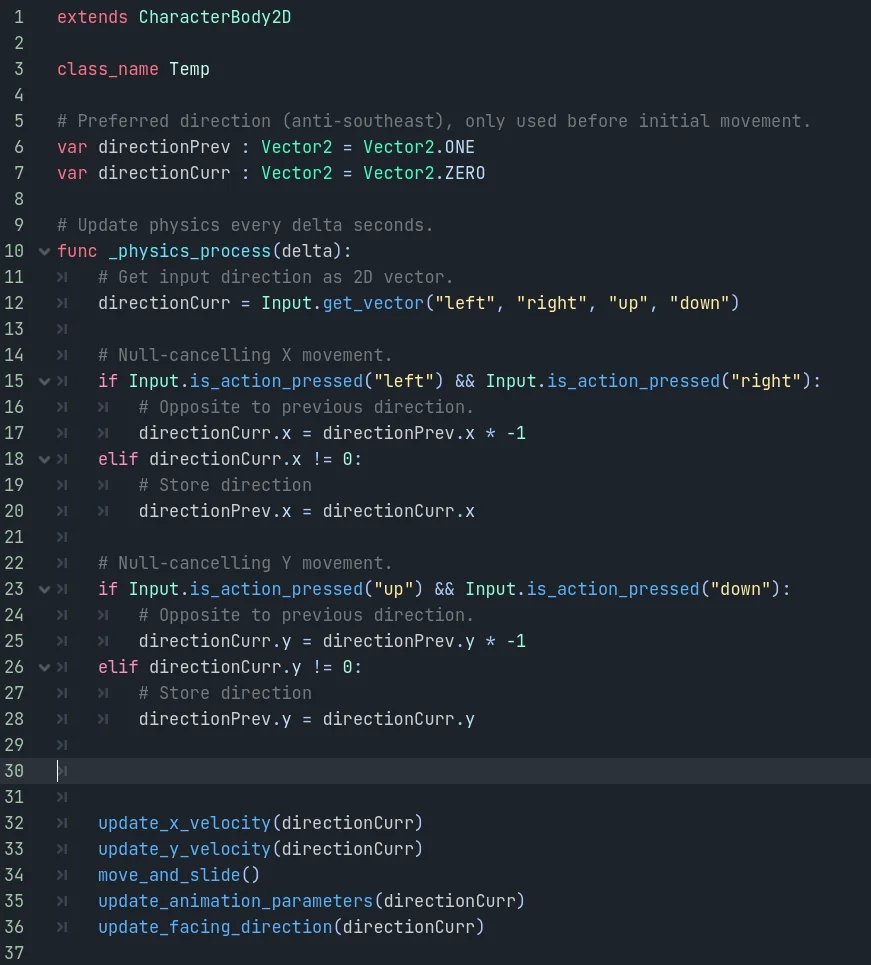
This Snap Tap feature is nothing new. It’s been around for a while in Team Fortress 2 and Counter-Strike, with something called Null Cancelling Movement. It’s a script that does almost the same thing on any keyboard. But at the competitive level, it wasn’t allowed to use this feature, especially for games like Counter-Strike.

Null Cancelling Movement Script (Image via Reddit)

Razer’s snap tap, however, is allowed at the highest level of ESL tournaments, which is a big thing. For most people using this keyboard to rank up online, though, I don’t think it’s bannable or detectable since it’s doing it at the hardware level. We are at an exciting time with gaming keyboards.

The Controversy: Is Snap Tap Cheating?

The majority of people consider this feature cheating. I think it’s up to the game developers and tournament referees to decide. I understand why many pro players want this feature excluded from competitive games. Game movement is also a skill, just like your aim, and it takes thousands of hours of practice. With this keyboard, though, you are kind of cheating your way to a perfect input.

The fact that I can pick up this keyboard and have strafing inputs better than pro gamers is broken. Whatever happens with this feature in the future is still a thing to be seen. But for the time being, it’s a game changer. Who knows, this keyboard could become a standard in the future.

Why We Need A Viper Mini Wireless

Story Highlight
  • The Razer Viper Mini was considered the perfect gaming mouse by many enthusiasts, which led to a demand for a wireless variant.
  • Razer has released the Viper Mini Signature Edition, which is wireless; however, it is essentially inaccessible for many considering the $280 price tag.
  • The Razer Cobra Pro, which was released as a replacement to the Viper Mini Wireless also couldn’t quite match Viper Mini’s standards due to its different characteristics.
  • That essentially means that there is still a huge demand for the Viper Mini Wireless, and Razer has yet to capitalize on it.

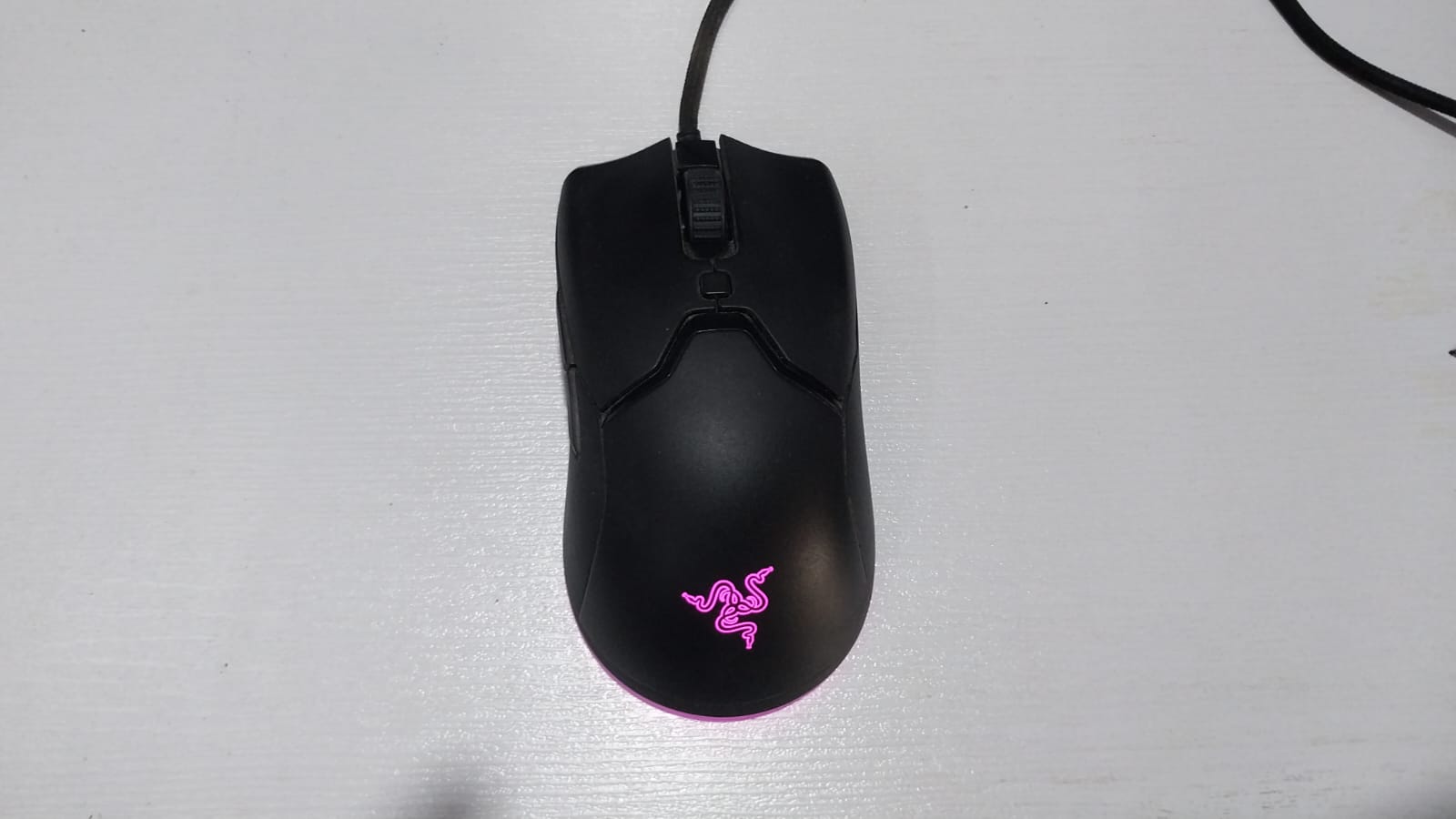
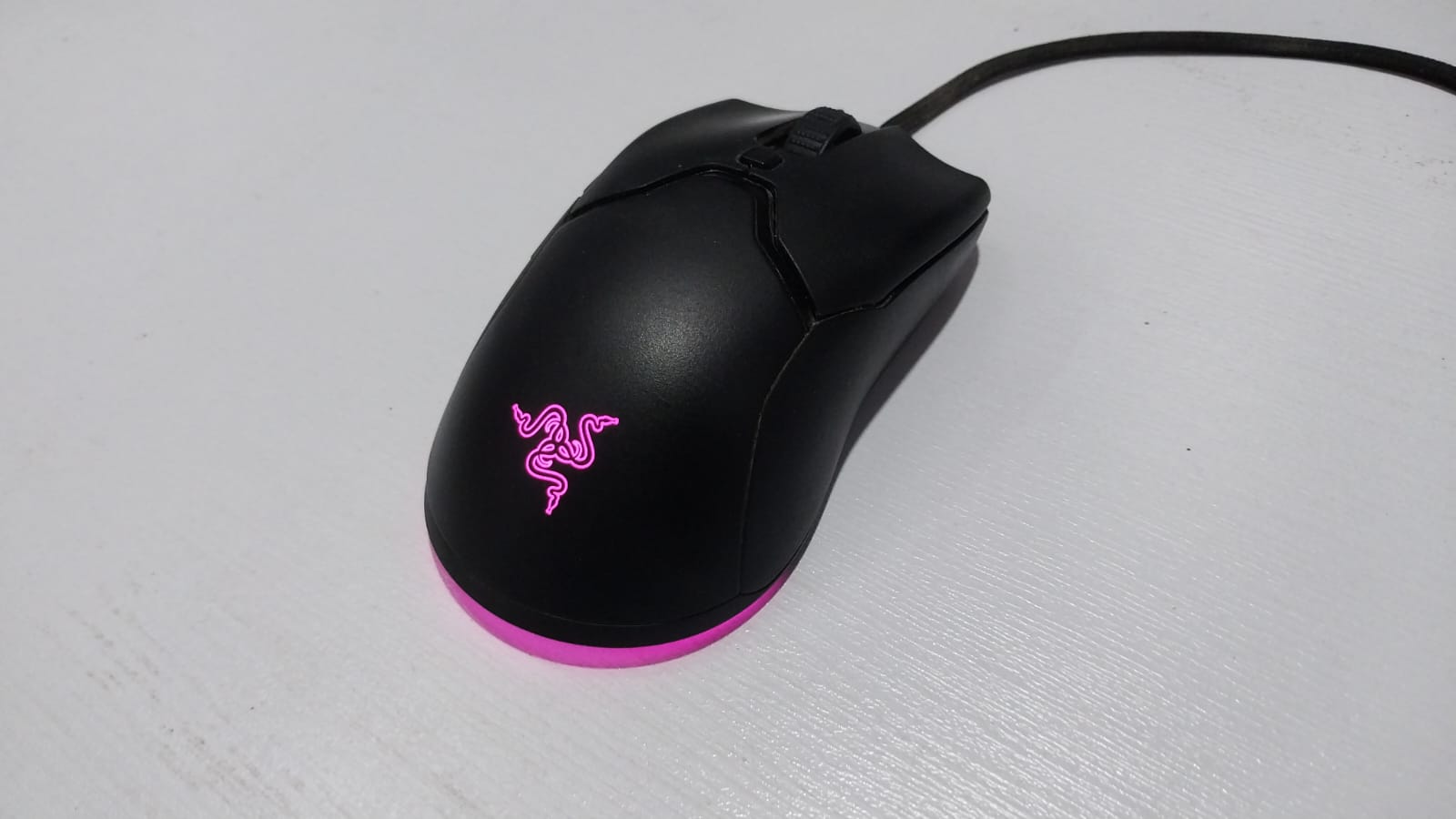
The Razer Viper Mini is among my favorite mice of all time, and there are also a lot of people who think the same way. In fact, even after switching to a supposedly higher-end wireless mouse, I still found myself coming back to the Viper Mini, and if it weren’t for its wired connectivity, I wouldn’t have switched in the first place.

To me, it almost feels like there’s a definite hole in the market that’s only going to be filled with a wireless variant of the Viper Mini. Here’s why I believe that to be the case.

The Viper Mini Was Perfect, For Many

A lot of people, including myself, adored the original Viper Mini, and for good reason too. In fact, it was so perfect for my needs that I went out of my way to purchase three separate copies simply because there was no other mouse that could match its versatility for me.

Now, the Razer Viper Mini does have some obvious flaws, which need to be addressed; however, for the price you got the mouse for, it was still an incredible bargain. Not only that, but its shape made it perfect for both aggressive claw grip and fingertip users.

Of course, I’m not expecting the wireless variant to cost as low as the original, but, a somewhat affordable price tag resembling that of Razer’s mid-range lineup could make it Razer’s most popular mouse yet. The best part is, that Razer doesn’t even need to equip it with the best possible components to achieve that either.

Signature Edition Is Not It

Razer Viper Mini Signature Edition
Razer Viper Mini Signature Edition (Image Via Razer)

Let me get one fact out of the way first, the Razer Viper Mini Signature Edition isn’t a true wireless variant of the Viper Mini. Sure, it has all of the high-end features you would want out of a mouse, but the cost that it comes in at simply isn’t justifiable, even for the highest-end mice out there.

What’s more, the Viper Mini Signature Edition also lacked a proper Viper Mini structure due to the addition of the holes on the back. The honeycomb design coupled with its hefty price tag made it a complete deal-breaker for anyone who was looking for a Viper Mini Wireless.

The Cobra Pro Disappointment

Razer Cobra Pro
Razer Cobra Pro (Image Via Razer)

Fast Forward a couple of months, Razer releases the Razer Cobra Pro as a replacement for the Viper Mini. Unfortunately, the Cobra lineup also couldn’t quite hold a candle to the Viper Mini, for very obvious reasons too.

Don’t get me wrong, the Razer Cobra Pro did have a lot of improvements over the original Viper Mini including an improved sensor, better switches, and increased polling rates.

Yet, at the same time, Razer also ended up changing key elements that made the Viper Mini good in the first place. This included the addition of rubberized side grips, as well as an increased weight of 77 grams, which is a disappointing figure for Viper Mini enthusiasts.

To make matters even worse, the introduction of the Cobra lineup essentially resulted in the discontinuation of the Viper Mini series, which meant that enthusiasts had no other choice but to settle for a mouse with far different characteristics than the Viper Mini. 

We Need A Proper Viper Mini Wireless

There’s simply no denying that the market lacks a proper Razer Viper Mini Wireless. While the Razer Cobra Pro comes fairly close to achieving that, it still wasn’t able to cater to the needs of everyone waiting for a proper wireless Viper mini variant.

In my opinion, all Razer needs to do is pack Viper V2 Pro’s specifications into a Viper Mini shape without charging an egregious amount, and most enthusiasts will be satisfied with that offering. I also believe that a mouse with those specifications can be a game-changer in the community, as long as it is priced adequately.

Here’s What You Should Know Before Buying A Monitor In 2024

Story Highlight
  • Choose 24-inch for 1080p, 27-inch for 1440p, and 32-inch or above for 4K. Larger screens provide more screen area and better clarity at higher resolutions.
  • A 144Hz refresh rate monitor and 5ms or less response time enhance smoothness and provide lower latency for gaming and work.
  • IPS offers accurate colours and viewing angles; VA provides high contrast and brightness; OLED excels in colour accuracy and deep blacks.

There is no such thing as a perfect monitor. It ultimately depends on what you are going to use it for. Is it for gaming? Is it for casual browsing, professional colour editing, etc.? Do you want a larger or faster refresh rate monitor for gaming or one with many built-in apps and features?

Remember that you don’t upgrade these things for several years, so it is often worth paying a little more upfront. With all that in mind, you can start to hone in on the best display for you.

Size And Design

The truth is that size does matter. Monitor sizes usually vary a lot. Depending on your preference, you can have a 24-inch monitor or a super ultrawide 49-inch monitor. Now, 3 inches may not seem a lot, but going from 24” to 27” gives you roughly 25% more screen area. 

GIGABYTE M27Q-P 1440p 165Hz
GIGABYTE M27Q-P 1440p 165Hz (Image By Tech4Gamers)

If you are going to stare at your monitor all day or all night for gaming, then you want it to be flexible. It’s worth examining whether your monitor has height adjustments, pivoting, rotating, and tilting. Some monitors allow you to fully rotate them up to 90 degrees, which offers an excellent portrait mode. This is great for coding or editing content and even some gamers prefer this.

Samsung Odyssey G9 Ultrawide Gaming Setup With Lian Li Dynamic O11 Casing
Samsung Odyssey G9 Ultrawide Gaming Monitor 

The Resolution Makes A Huge Difference.

The majority of displays are either 1080p or 1440p. 4K is also becoming increasingly common nowadays. Almost all 24-inch monitors have a 1080p or full HD resolution. This gives you a nice, sharp image, but when you jump up to 27 inches, that 1080p resolution is stretched slightly, and the image looks less sharp.

So, my rule of thumb is 24 inches for 1080p, 27 inches for 1440p, and 32 inches or above for 4k. You can get 4k at 27 inches, but I would avoid that. For gamers, 1440p monitors are the best choice.

Amazing Display of ASUS TUF VG27AQ3A
ASUS TUF VG27AQ3A 1440p Monitor (Image by Tech4Gamers)

Refresh Rate And Response Time Shouldn’t Be Overlooked!

The higher the refresh rate, the smoother the image. The vast majority of typical monitors are 60Hz, which is the standard. But of course, you can get a 75, 120, 144, 165, 180, 240, 360, 480, and even a 500Hz monitor. 144Hz is still considered to be the sweet spot by many, including myself.

Refresh Rate
Difference in Refresh Rates 

Generally, people think the refresh rate is just for gamers, but as someone who uses his monitor for editing and other work-related tasks, I find it nice to have a good refresh rate monitor. A higher refresh rate will also give you a lower latency and fast response time, but it will cost more.

Regarding response time, ideally, monitors offering 5ms or less response time are more than enough for gamers. Some graphics cards, like AMD’s Anti Lag or NVIDIA’s Reflex, have built-in features to reduce latency or response time. Therefore, even if you don’t buy a monitor that offers very little response time, your graphics card can compensate for that.

Which Panel Type To Choose?

Nowadays, the majority of monitors have either IPS or VA panels. These two have differences, but you can’t go wrong with either type. Although IPS is a lot more common, and to be honest, it looks excellent with accurate colours and better viewing angles.

On the other hand, VA panels are for high contrast and brightness, which is great for HDR, but they come at the cost of less accurate colors and a drop in viewing angle quality. The thing to note is that both IPS and VA are LCD-based panels backlit by an LED.

EASE-G24I28
EASE G24I28 Gaming Monitor With An IPS Panel (Image by Tech4Gamers)

The panels that do not use LED are Mini LED and OLED panels. OLED panels offer one of the most incredible gaming displays I have ever seen. There is no light bleed or blooming in these panels, but the compromise is that they can’t get as bright as many LEDs. But for vibrant, accurate colors, accurate viewing angles, and those deep inky blacks, as the cliche goes, OLED is the king.

In Short

Consider a 24-inch 1080p or 27-inch 1440p monitor with a USB C port for everyday productivity. Content creators may prefer a 32-inch 4K monitor with any panel type and a 60Hz refresh rate.

For average gamers, a 24-inch 1080p or 27-inch 1440p monitor with a 144Hz refresh rate and IPS or VA panel is recommended. High-end gamers may opt for a 4K monitor with a 165Hz refresh rate and ultrawide OLED displays for immersive effects.

I Improved My GPU’s DLSS Performance To The Next Level – Here’s How

Story Highlight
  • Performance and image quality can be changed further via DLSSTweaks Mod’s scaling factor and locked presets.
  • DLAA can also be infused into games that do not officially offer it with the mod.
  • Each game requires separate settings and adjustments, meaning no one-for-all setting.

Who would have thought that one day you would be able to boost frames and image quality without any upgrades on the hardware side? And certainly, I didn’t either, but now it’s possible. I dug in a little more to see if there’s anything more that developers hide other than the DLSS’s 3 present presets.

To my surprise, there’s plenty of stuff hidden under the carpet, which I was able to discover with this DLSSTweaks Mod that I found over the internet. 

Purpose of The Mod

What does this mod actually do, you may ask? To put it simply, it allows users to utilize the locked DLSS presets and scaling factors. This is what I found after using it, and I was able to change the percentage of the internal resolution that the presets use.

DLSSTweaks (Image credit: Nexus Mods)

So, while the performance preset uses 50% internal resolution to scale up the image, I can change the percentage to 60% or any other number of my choice. 

Moreover, I was also able to infuse DLAA (Deep Learning Anti-Aliasing) when I raised the resolution slider all the way to 100%. Though, it can only be done with games that feature Nvidia’s DLSS upscaling tech.

What this actually does is that it makes the image look more crisp as well as stable, while also mitigating the artifacts that pop up on the screen. You can notice differences in side-by-side comparison by Jacob Roach of Returnal with DLAA on and off.

The Locked Presets

As I was saying there are hidden presets that the game developers intentionally hide after the upscaling optimization process. These presets can be enabled and used with DLSSTweaks, and obviously, I had to try it while I was playing with the mod anyway. 

Upon proceeding further, I found a total of six presets, which Nvidia has also described. Each preset has different resolutions and DLAA settings to differentiate from each other.

  1. Preset A: Made for Quality/Balanced/Performance modes and is essentially an older version that fits best to face-off ghosting for elements with missing inputs such as motion vectors.
  2. Preset B: It’s focused on Ultra Performance mode only, slightly similar to the first preset but for Ultra Performance mode.
  3. Preset C: Focused on Performance/Quality/Balanced modes like the first one. Usually favors current frame information; fits well with fast-paced game content.
  4. Preset D: Default preset for Quality/Balanced/Performance modes and favors image quality.
  5. Preset E: Although it’s available with DLSS 3.7, still there’s no official description for it.
  6. Preset F: Stock preset for DLAA and Ultra Performance modes.

Comparison of The Presets

While Presets D and C are the primary presets that go into the games, DLSSTweaks gives the freedom to use any of the six presets if the results with these two aren’t according to your liking. You can see that the default presets don’t do a good job of preserving the fine details of the weapon.

Instead, the preset F is the one that shines here and doesn’t destabilize the details in this particular game, called Atomic Heart. Thanks to Jacob Roach again for uploading this comparison video of all the presets for you to judge them yourself.

On the flip side, this is only noticeable when you zoom in a little too much. As for normal gaming, from a respectable distance, you won’t notice a thing in action. 

Different Game? Inject Again

Another important thing I want to highlight here is that it’s not a seamless solution, as I had to put it in every game separately that supports DLSS. So, you have to follow the same path to use its features. Moreover, I found myself only using it for injecting DLAA in the games to get better image quality. Because most games that have DLSS don’t offer DLAA for some reason.

Don’t Bother If You Oppose the Hassle 

There’s no denying that the mod does wonders, as it opens gates toward several upscaling presets to choose from for your game. As well as the option to infuse DLAA into games that lack it. However, if you’re one of those people who can’t bother with injecting it into every game you want to play, then better stay away from it.

Personally, though, I would recommend it only for the DLAA as it makes the game quality look more crisp and stable. 

2025 Is PlayStation’s Most Important Year This Gen, Says Trusted Leaker

Story Highlight
  • A reliable leaker predicts 2025 is going to be a pivotal year for PlayStation.
  • Sony’s current silence suggests they’re actively preparing for a strong 2025 lineup.
  • The upcoming PlayStation Showcase might give us a preview of these plans, including the PS5 Pro and big game releases.

A reliable source says 2025 will be a crucial year for PlayStation in this console generation.

According to the insider, Sony’s current silence in 2024 shouldn’t be misconstrued as inactivity; instead, it indicates that the company is diligently preparing for what is likely to be its strongest year yet.

Why it matters: With the release of the much-anticipated GTA 6 in 2025, it will be exciting to see what Sony has planned for the next year.

It looks like Sony is preparing something big, especially after the positive buzz around this year’s Xbox Showcase. While speaking on his podcast, Nate The Hate shared a small update about PlayStation’s plans for next year.

2025 will be their [PlayStation’s] stronger years. I do think it will be one of their best years this generation.

-Nate The Hate

Nate mentioned that Sony’s plans for 2025 might change the direction of the PlayStation 5’s lifecycle. The PlayStation Showcase could also show up later this year, as Nate believes we will hear more about this event from Sony soon.

I’m confident we will hear more from Sony this Q3.

Analysts think Sony will use this showcase to introduce the PS5 Pro and highlight a strong lineup of exclusive games for the coming year.

Several major game releases are planned for the PS5 in 2025. Reports from various sources suggest that Sony’s studios are working on multiple titles for 2025, including sequels to popular franchises and multiple new IPs.

PS5 Pro GTA 6
GTA 6 is expected to be marketed with PS5 Pro.

Sony has also reaffirmed to customers that the company remains focused on developing blockbuster titles for the PS5. This lines up with the previous report suggesting multiple new IPs are in development for the console.

Next year is more than just about new games and hardware updates for PlayStation. It marks a key moment as the PS5 moves into its later years. With Xbox stepping up its game, Sony needs to give gamers strong reasons to stick with its platform.

Moreover, if the PS5 Pro launches in 2025, it will be key to keeping PlayStation at the cutting edge of technology.

The upgraded console is expected to be twice as fast as the base model and introduce new features like PSSR upscaling. With GTA 6 arriving next year, the PS5 Pro could be the best platform for this game.

Sony Says PlayStation Remains Focused On Releasing “Hit Titles”

Story Highlight
  • PlayStation says that it intends to continue delivering hit titles.
  • The gaming giant is optimizing its development to ensure this is made possible.
  • It could strive for a balance between bigger and smaller titles since fans have reacted positively to a reveal like Astro Bot.

The PlayStation business has always been at its best when releasing games that set the bar for everyone else. While Sony’s biggest studios haven’t done much this year, it seems the gaming giant remains firm on following this approach.

The company has recently stated that there are plans to consistently and continuously release hit games one after another.

Why it matters: PlayStation has yet to share a roadmap for the future, so this claim is quite interesting.

PlayStation
PlayStation’s Studios Have Remained Quiet For A While Now

PlayStation’s latest earnings FY 2024 call outlined the company’s ambitions going forward. It has been stated that PlayStation Studios plans to release the same big games fans have come to love and expect.

The Studio Business Group is strengthening its development schedule management and optimizing development projects to consistently and continuously release hit titles.

-Sony

Not only this, but the report further stated that the company is working on maintaining and expanding the active PlayStation users while also working on user engagement.

However, PlayStation’s goals could be thwarted by the rising budgets and development timelines of modern AAA productions. Perhaps the gaming giant will turn toward more AA releases like Helldivers 2 for consistent output in the future.

Smaller games like Astro Bot have been quite well-received recently, so it seems a mixture of big and smaller titles is the best option moving forward.

Sony PlayStation
PlayStation’s Studios Own Some of The Biggest IPs

Elsewhere, Sony confirmed that the PS5 has sold more than 61 million units already. It continues to dominate the competition as the best-selling home console.

The next year is said to be quite exciting for PlayStation. Ghost of Tsushima 2 is almost certainly expected to arrive in 2025, and Insomniac might also have new Spider-Man content to offer.

Hopefully, studios like Naughty Dog and Santa Monica are prepared to share new looks at their future projects too, making for an exciting time for all PlayStation fans.

Fans Believe AC Shadows Has Potential To Be Better Than Ghost of Tsushima

Story Highlight
  • Fans are quite excited about Assassin’s Creed Shadows.
  • They believe Ubisoft has the potential to offer a very different experience than most games set in feudal Japan.
  • With historical figures, dynamic seasons, and more, fans believe there is potential for the title to be even better than Ghost of Tsushima.

Assassin’s Creed Shadows has been the subject of one controversy after another. Whether it be criticism of Yasuke or Ubisoft’s actual gameplay, there’s no shortage of negativity for this title.

It’s great to see, then, that some fans are quite positive about the RPG. As fans look forward to the release, many believe that Assassin’s Creed Shadows even has the potential to outperform Ghost of Tsushima.

Why it matters: Ubisoft had a high bar to meet after Ghost of Tsushima changed the whole outlook of games based on Japan.

Assassin's Creed Shadows
Ubisoft Is Quite Optimistic About The November Launch

A recent post on Reddit outlines why some fans believe Assassin’s Creed Shadows can be better than Sucker Punch Productions’ hit from 2020. As u/IuseDefaultKeybinds points out, Ghost of Tsushima lacked or didn’t focus on key elements that Ubisoft is adding to the experience.

The user points to castles, diverse seasons, historical figures, and more as the selling points of Ubisoft’s Japanese adventure. u/IuseDefaultKeybinds even believes that Assassin’s Creed Shadows could be the dream feudal Japan game.

Ghost of Tsushima didn’t even have most of those things.

-u/IuseDefaultKeybinds 

Other users in the thread seem to agree, suggesting that they will probably be obsessed with the RPG once it arrives.

While Ghost of Tsushima did feature elements like parkour and castles, most of the game revolved around open fields and massive landscapes. Assassin’s Creed Shadows has the opportunity to focus on busier environments, exploring the architecture in feudal Japan.

This is perhaps the most exciting part about Ubisoft’s approach since it would be beneficial in more ways than one. At the same time, fans can expect dense forests and open fields to explore like in past Assassin’s Creed RPGs.

Assassin's Creed Shadows
Yasuke And Naoe Offer Different Playstyles

Since fans have wanted this franchise to visit Japan for well over a decade, many are more excited than ever now that it is finally happening.

It was also said that initial pre-orders were very strong. Ubisoft is currently expecting a huge release, and all signs are pointing at major success despite the obvious controversies around historical accuracy and the portrayal of Japanese culture.