I’ve previously worked for eXputer as a Senior News Writer for several years. Now with Tech4Gamers, I love to devoutly keep up with the latest gaming and entertainment industries. I have a Bachelor’s Degree in Computer Science and years of experience reporting on games and breaking exclusive stories. Besides my passion for gaming journalism, I love spending my leisure time farming away in Stardew Valley. VGC, IGN, GameSpot, Game Rant, TheGamer, GamingBolt, The Verge, NME, Metro, Dot Esports, GameByte, Kotaku Australia, PC Gamer, and more have cited my articles.
Story Highlight
Red Dead Redemption 2 was initially doubted internally due to its budget overruns, according to Dan Houser.
The team was behind schedule, and there was a lot of pressure as the game wasn’t coming together.
According to Houser, the action-adventure was a creative risk and very stressful to develop.
The game has been voted as the greatest sequel of all time by fans and has consistently sold in millions every year, hitting its Steam CCU peak in 2025. However, at one point, there was even doubt inside Rockstar about how the adventure title would turn out.
Why it matters: Dan Houser sticking to his original vision and premise of the game despite doubt shows how important creative control is.
While speaking to Lex Fridman, Dan Houser, the co-founder of Rockstar Games, stated that there was a lot of pressure on the studio while making Red Dead Redemption 2, as the team went way over budget.
With Red Dead 2 We Were Behind Schedule And we were over budget so much i didn’t want to think about it.
Houser explains that Rockstar Games was behind schedule and the parts weren’t coming together, leading to widespread doubt about whether the sequel would be successful.
According to the Rockstar co-founder, Red Dead Redemption 2 also took many creative risks, which made the entire experience even more stressful. The main storyline followed a cowboy dying of TB, which Houser’s Grandfather inspired, and it wasn’t something easy to put together.
But, as we all know, Red Dead Redemption 2 was a massive success on launch, breaking sales records set by GTA V. Houser doubled down on praise for the cowboy adventure, saying that people looking for life amidst all the violence in the title helped connect it to a wider audience.
Red Dead Redemption 2 had an emotional story that helped connect it to a wider audience.
Do you think Red Dead Redemption 2 is the best video game Rockstar has made? Tell us in the comments below or head to the Tech4Gamers forum for discussion.
I’ve previously worked for eXputer as a Senior News Writer for several years. Now with Tech4Gamers, I love to devoutly keep up with the latest gaming and entertainment industries. I have a Bachelor’s Degree in Computer Science and years of experience reporting on games and breaking exclusive stories. Besides my passion for gaming journalism, I love spending my leisure time farming away in Stardew Valley. VGC, IGN, GameSpot, Game Rant, TheGamer, GamingBolt, The Verge, NME, Metro, Dot Esports, GameByte, Kotaku Australia, PC Gamer, and more have cited my articles.
Story Highlight
The IWGB is accusing Rockstar Games of union-busting in the UK.
The company fired 40 people for being in a union chat on Discord and trying to organize a union, per IWGB.
On the other hand, Rockstar claims the employees were fired for gross misconduct.
Job security is not the most prominent benefit of working in the gaming industry, as layoffs have become increasingly common in this era of AI. Amazon just fired many employees working in its gaming division, while Ubisoft’s Massive Entertainment label also let go of many developers.
With such minimal protection given to developers, unions have been growing in the gaming world, with developers at CD Projekt Red also forming one recently. However, it seems that one of the world’s largest developers doesn’t share the same opinion about unions.
Why it matters: A company as big as Rockstar busting unions is not a good sign for job security in the industry.
Rockstar is currently working on GTA 6, which is planned to launch next year.
According to Bloomberg, Rockstar has fired up to 40 employees this week for actively participating in a Union or trying to organize one inside the company. The Independent Worker’s Union of Great Britain (IWGB) is accusing the company of carrying out the most ruthless act of union busting in UK history.
According to the IWGB, all individuals who were relieved of their duties were part of a private union chat on Discord and were already involved with one union or another. The American publisher fired these employees from its offices in both Canada and the UK.
Alax Marshall, the president of IWGB, described this move as contemptuous of the lives of the workers and an insult to the fans who have helped make Rockstar a billion-dollar company. Marshall also confirmed that his organization will take legal action against Rockstar and that the union at the company remains intact.
Responding to this situation, Alan Lewis, the head of global communications at Take-Two, explained that a small number of employees were fired for gross misconduct and that the parent company fully supports the decision made by Rockstar.
Do you think Rockstar did the right thing by busting a union in its company? Tell us in the comments below or head to the Tech4Gamers forum for discussion.
At Tech4Gamers, I contribute as a Senior News Reporter, combining my skills and gaming enthusiasm to keep our audience updated on the latest developments.
Story Highlight
The Assassin’s Creed IP has been going strong for nearly 20 years.
A major director believes the IP has the potential to go on forever.
He states that this is because each game features a new lead, location, and more.
The Assassin’s Creed franchise has a rich history dating back to 2007. Since then, the franchise has evolved in numerous ways, going from a linear action-adventure style to a completely different RPG format in recent years.
This shift has also brought about other changes that make the series quite different today. According to the director behind Assassin’s Creed 3, the franchise can practically live on forever.
Why it matters: Very few IPs have the brand value that Assassin’s Creed does, putting it in a unique position compared to most other IPs.
Ubisoft Recently Released AC Shadows (Image Credits – Eurogamer)
Speaking to FRVR, creative director Alex Hutchinson discussed how Assassin’s Creed is among the few games worthy of being considered “forever brands.”
He pointed to the fact that each game has a separate protagonist, location, and story. This effectively means that Ubisoft is under no restrictions and can do as it pleases with Assassin’s Creed.
It’s sort of a forever brand right? It’s because each game has a new lead in a new place in a new period with new stuff.
Hutchinson also noted that Assassin’s Creed is among the few IPs to have suddenly made the transition to a different genre. He stated that this was done because Ubisoft supported creativity and allowed the series to take a lot of risks.
Ultimately, he believes the series can continue on the same path as long as Ubisoft wants it to.
Assassin’s Creed 4 Black Flag Remake Is In The Works
The Assassin’s Creed 3 director’s statement is supported by the fact that recent titles in the IP have been very different. From the Baghdad-set Mirage to the series’ Japanese debut, the last two games have highlighted how Ubisoft has kept the IP fresh with new settings and gameplay styles.
At Tech4Gamers, I take on the role of Hardware Reviewer with pride. My responsibilities involve a thorough examination of essential hardware components like motherboards, graphics cards, processors, PC cases, and CPU coolers, among others, focusing on their complexities and functionalities.
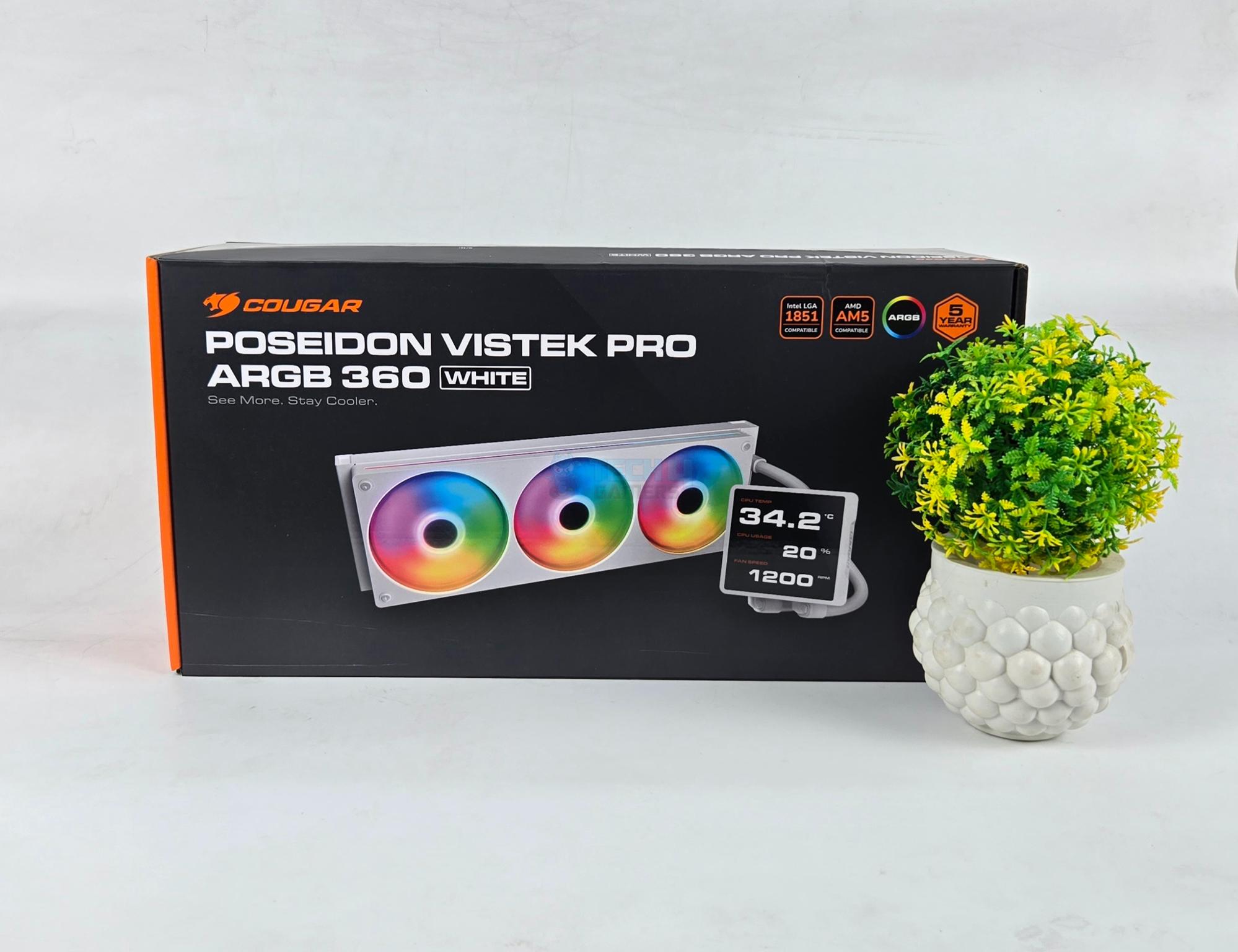
The market is filling with display screen-enabled coolers in recent times, but with one particular observation. Earlier, such coolers were expensive, but this time, brands are coming out with cost-effective solutions providing the best of both worlds. Cougar is also catching up with the trend and has released its new liquid cooler named Poseidon Vistek Pro ARGB. The cooler is available in black and white colors and in 240mm and 360mm sizes.
Obviously, the main or key point is a large-sized screen measuring 3.95” with 720×720 resolution and 60Hz refresh rate. It is an IPS panel, and the software allows full customization. In addition, Cougar has used a single fan assembly on this cooler, which reduces the cable clutter and provides a uniform look.
Why Trust Tech4Gamers
Nauman Siddique is our hardware expert who has been testing graphics cards, motherboards, processors, and AIOs for more than a decade.
80+ coolers tested and reviewed by our team of hardware experts (Tech4Gamers Team).
900+ hours spent testing different CPU coolers for our reviews.
At Tech4Gamers, ensuring you get reliable information is our priority. That’s why every hardware round-up undergoes a meticulous review process by our team of experts and editors. Each review is carefully examined against our strict editorial guidelines, guaranteeing you trustworthy insights you can depend on.
I am taking a look at the 360mm white edition of the cooler. It is compatible with Intel LGA 1366/115x/1200/1700/1851 and AMD AM2/AM3/AM4/AM5/FM1/FM2 sockets. The MSRP of this variant is USD 149.90 with 5 5-year warranty.
Radiator Dimension
392x121x27mm
Radiator Material
Aluminum
Pump Speed
2700 ± 10% RPM
Pump Connector
3-Pin DC
Base Material
Copper
A-RGB Lighting Connector
Standard 5V, 3-Pin
LCD Screen Size
3.95”
LCD Display Resolution
720×720 px
LCD Display Brightness
300 nit
Fan Dimension
363.3x125x25mm
Fan Speed
700 – 2500 RPM ± 10%
Fan Air Flow
78.2 CFM
Fan Air Pressure
5.4 mmH₂O
Fan Noise
38 dBA
Fan Power Consumption
10.2W Fan/8W LED
[toc]
What Makes The Cougar Poseidon Vistek Pro 360 Different?
The Cougar Poseidon Vistek Pro 360 ARGB white features a crisp display screen, offering full customization. A single fan bracket simplifies the outlook and cable management. Cougar provides a 5-year warranty. Overall, the cooler offers competitive performance at a good price, providing a good value.
Packing And Unboxing
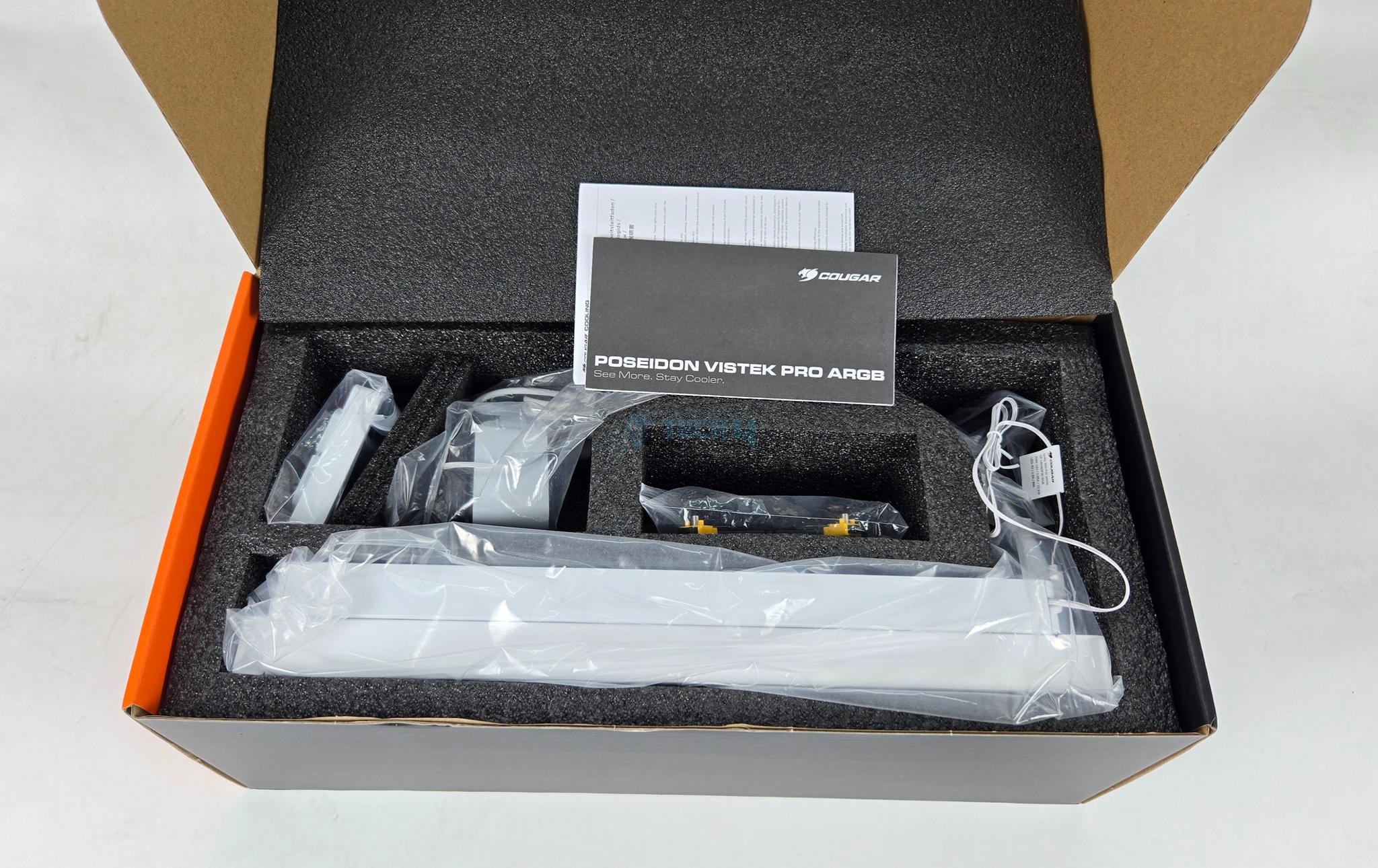
Unboxing
1 of 3
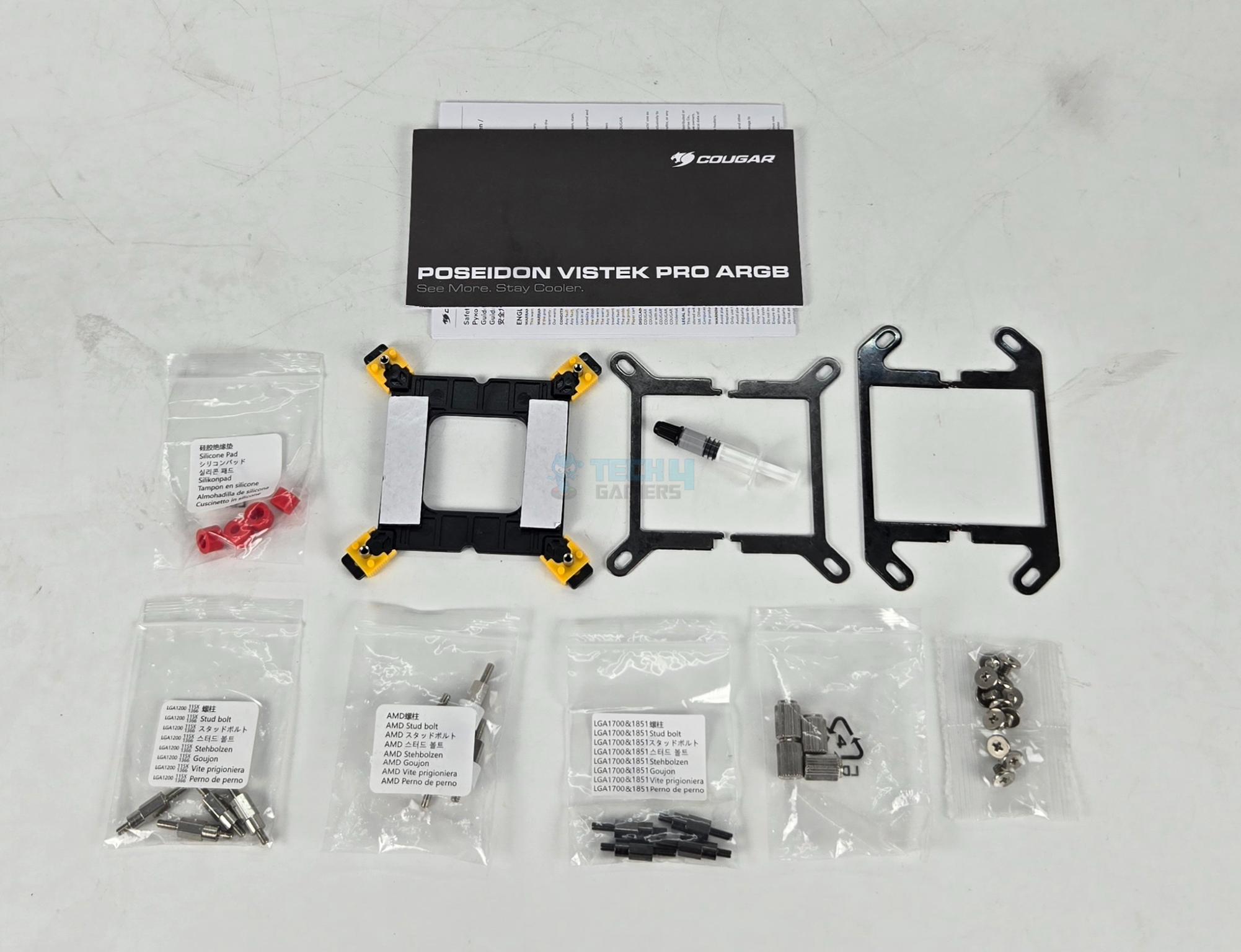
This cooler comes inside a paperboard packing box with Cougar’s standard black and orange colors theme. The thick Styrofoam-based carton is provided inside that contains the cooler and accessories. The following are provided:
1x Intel Backplate
2x Intel Mounting Brackets
2x AMD Mounting Brackets
4x Silicone Pads
4x AMD Stud Bolts
4x Intel LGA115x Stud Bolts
4x Intel LGA1851 Stud Bolts
4x Thumb Nuts
12x Radiator Screws
1x Thermal Paste
1x User Guide
1x Safety Paper
Design
Let’s take a look at the unit.
Radiator
1 of 3
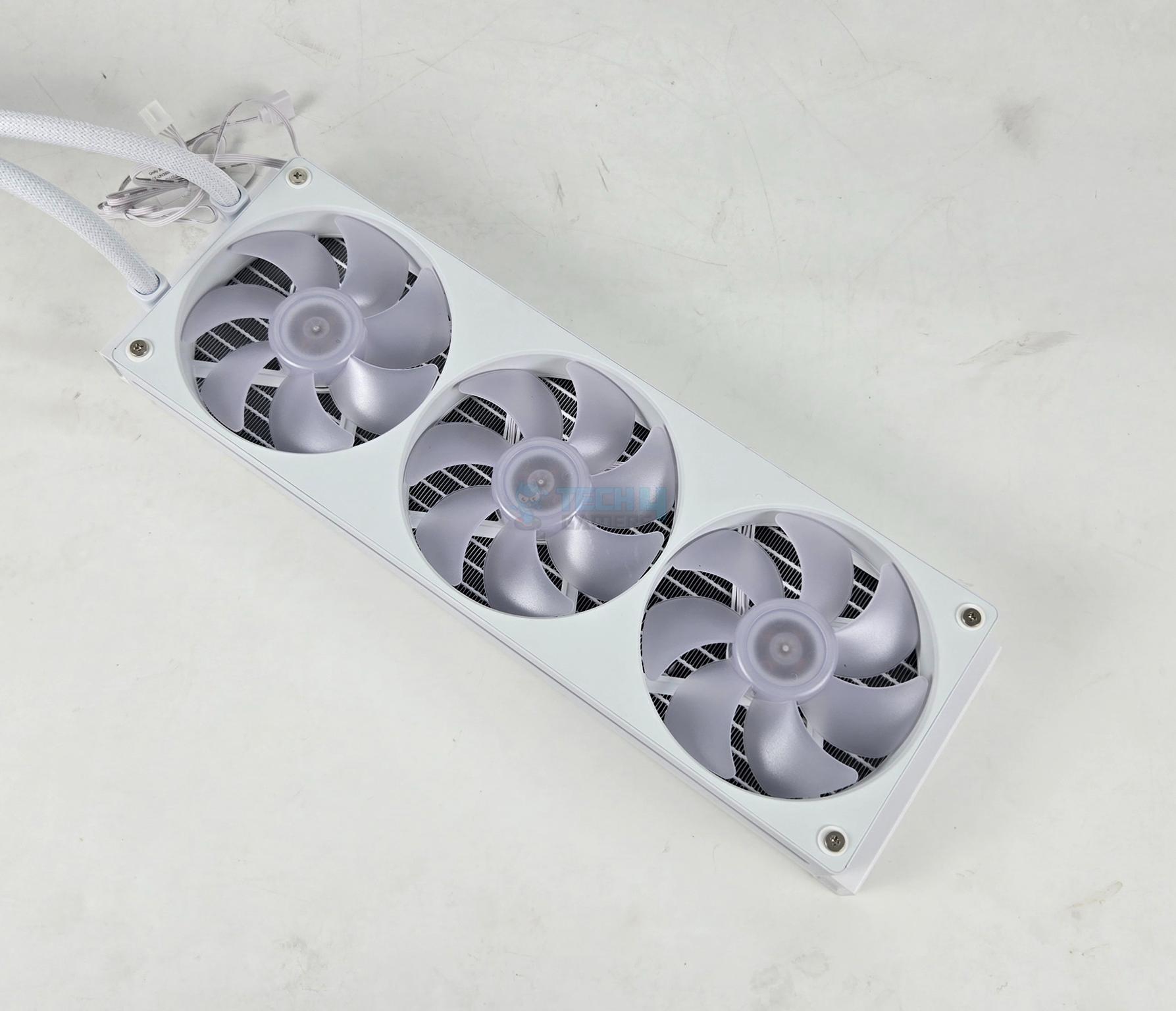
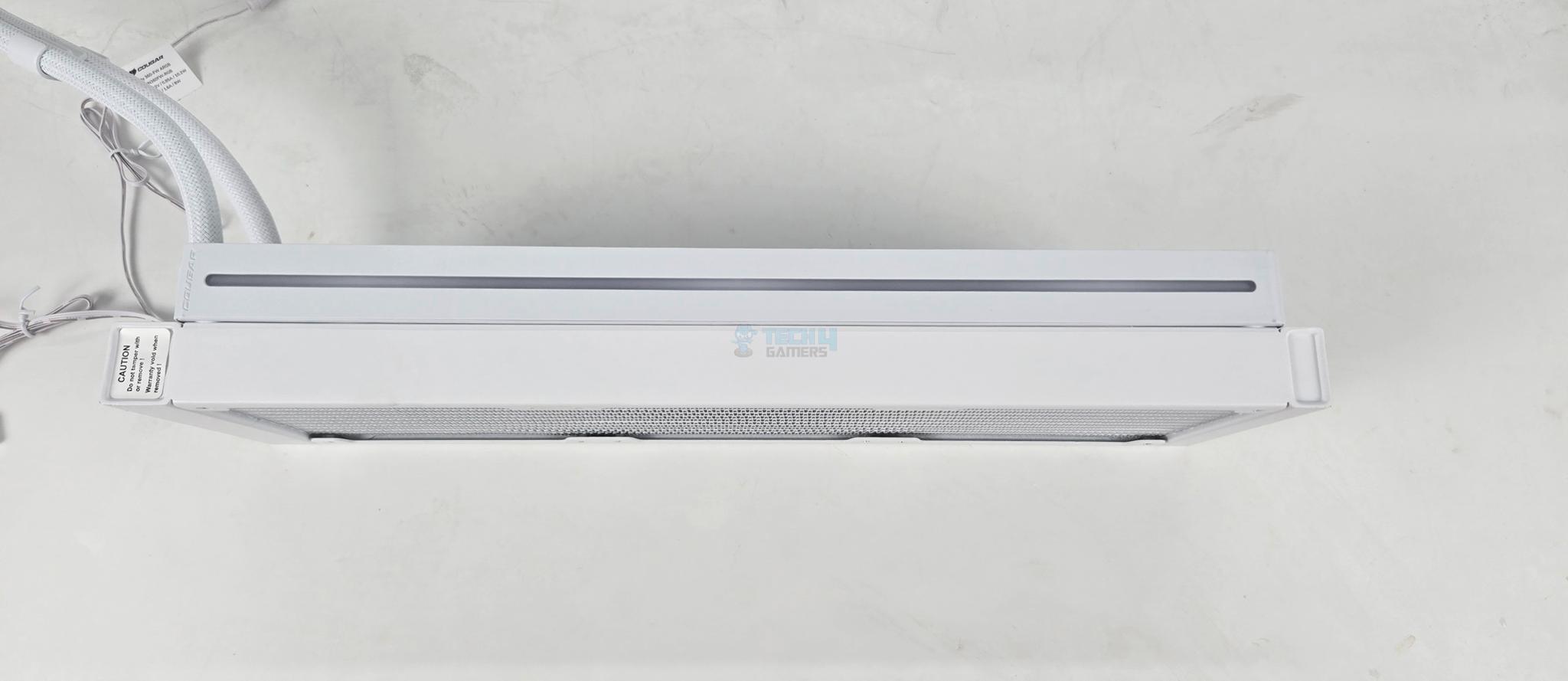
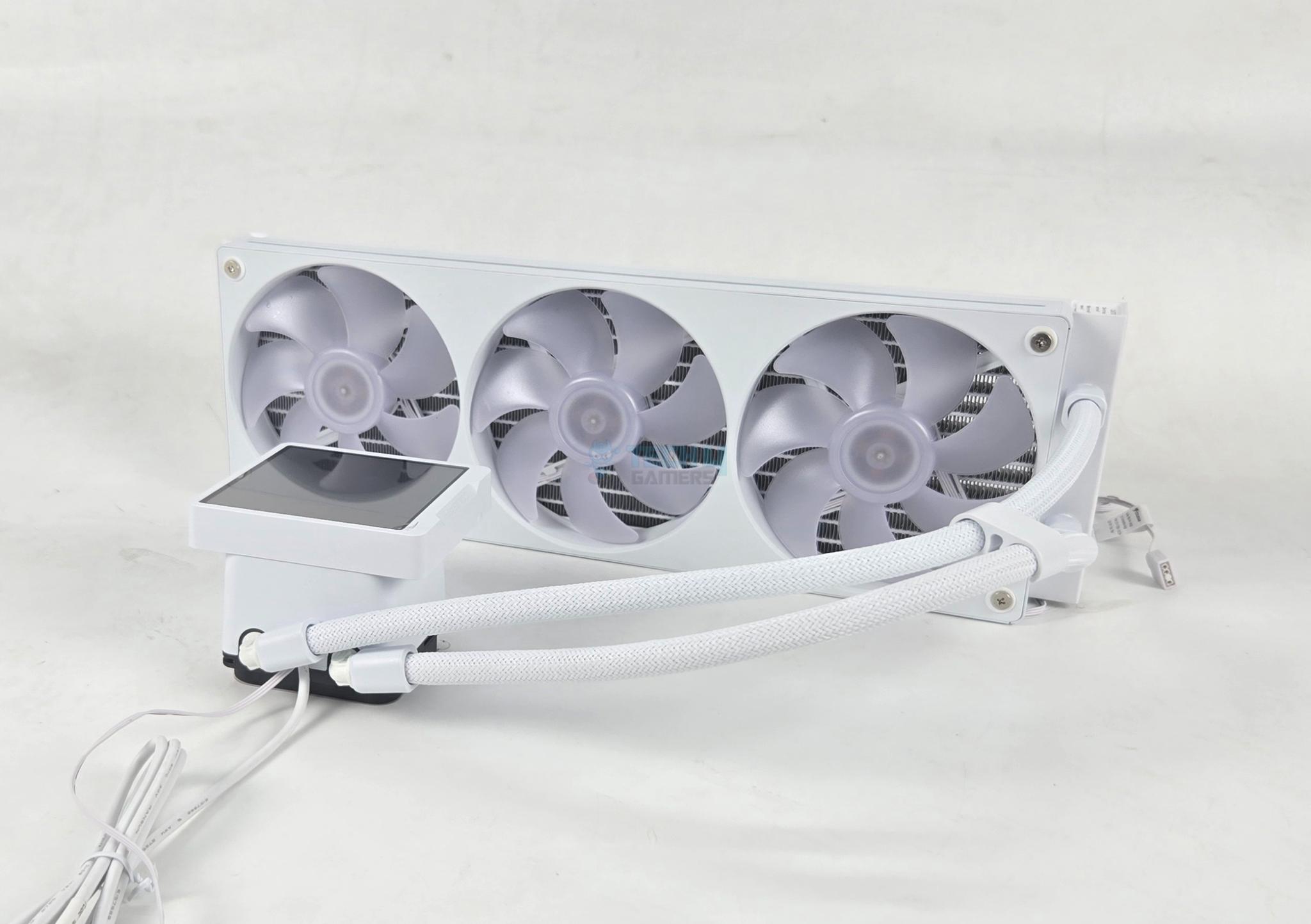
The fan assembly comes pre-installed over the radiator. You can see a unified body with three blades and motor assemblies. The integrated fan assembly is installed using 4x screws over the radiator. The width of the fan assembly exceeds the width of the radiator itself. One side of the fan assembly has a diffuser line running along almost the entire length.
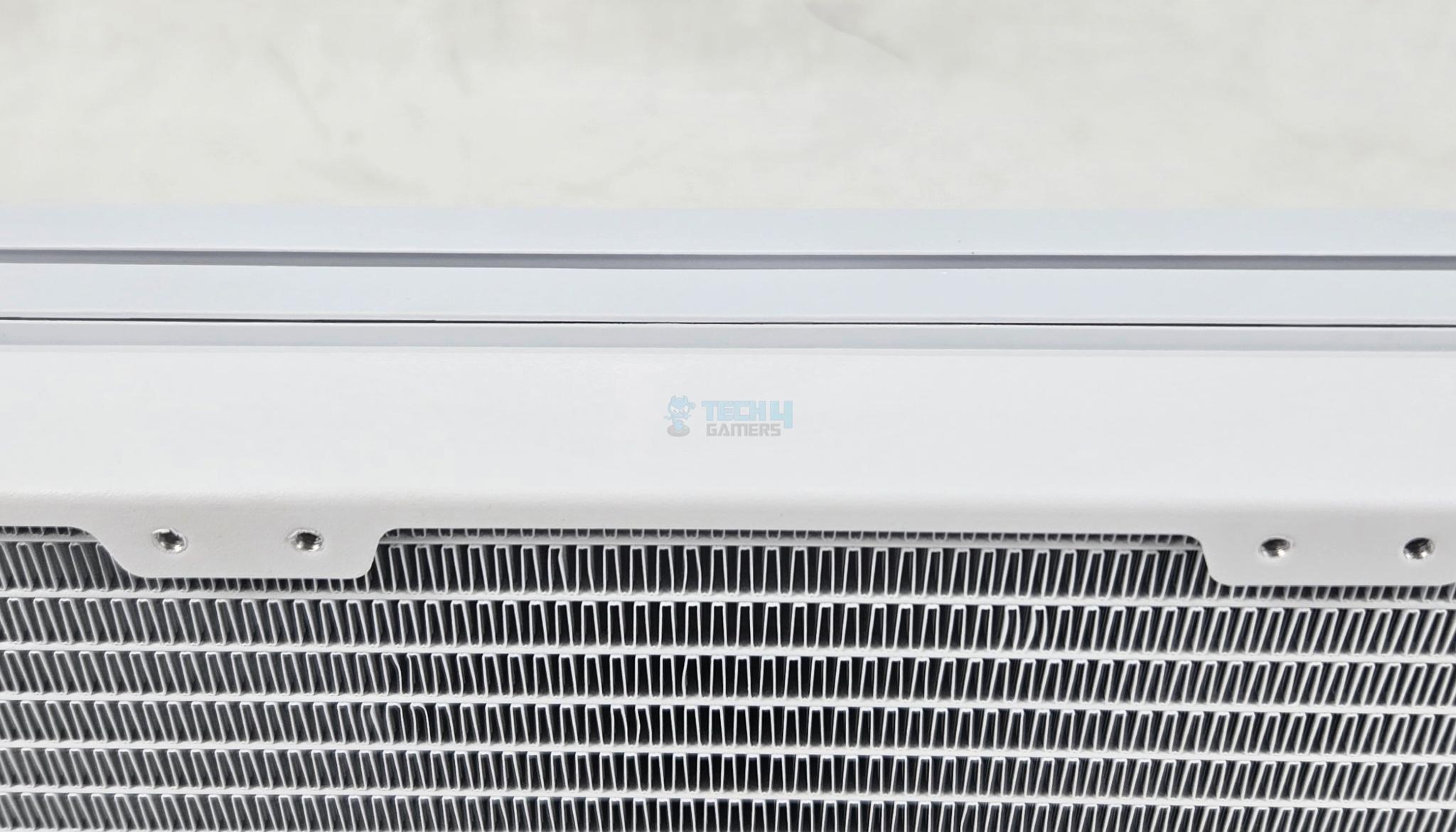
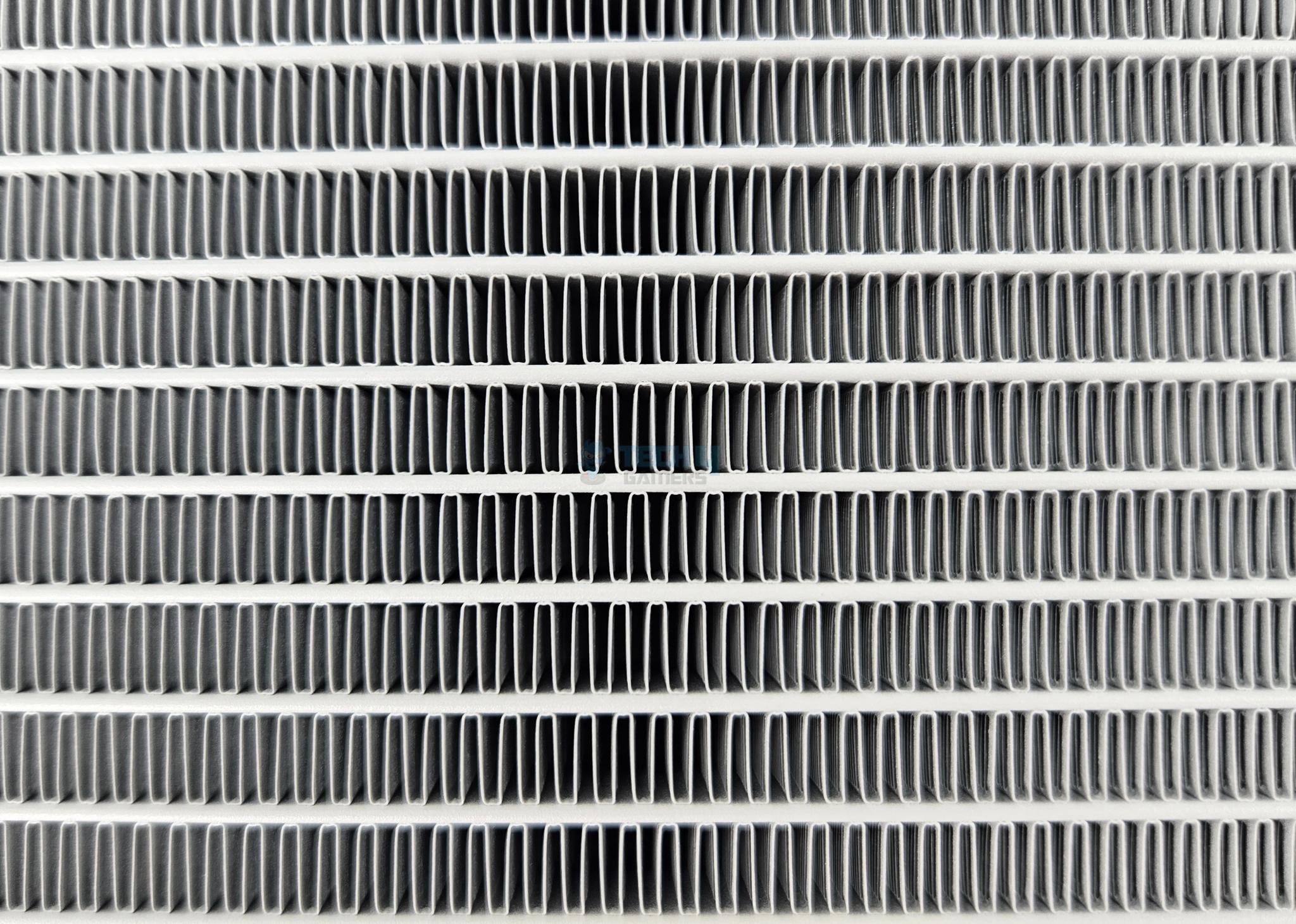
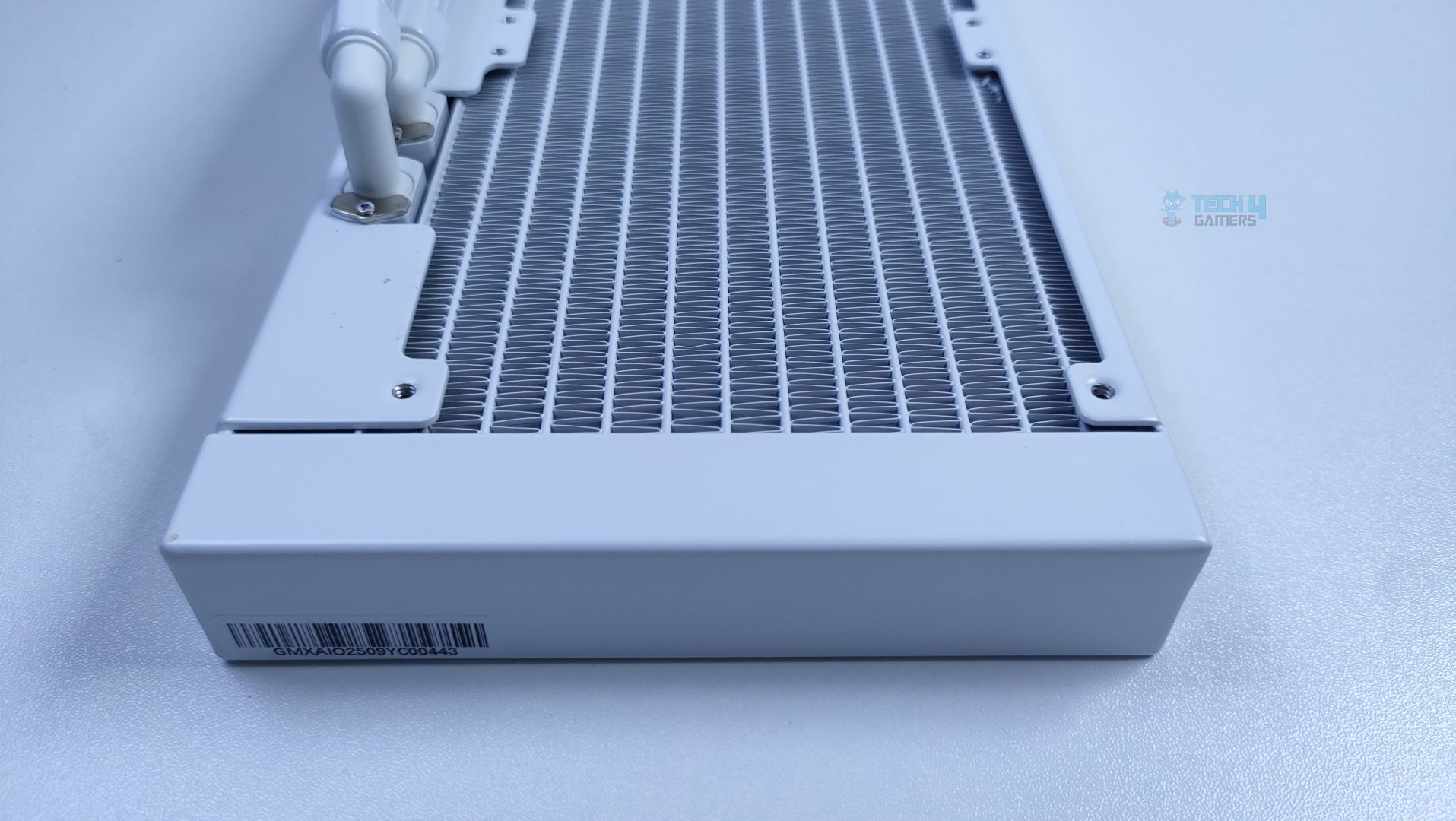
This cooler has 360mm size radiator made of aluminum material and has an overall dimension of 392x121x52mm. 52mm height is with the fans. The assembly has 12 channels for coolant flow with an FPI count of 20. The radiator fins are contoured at a right angle. This increases the surface area of this radiator, which results in better thermal efficiency.
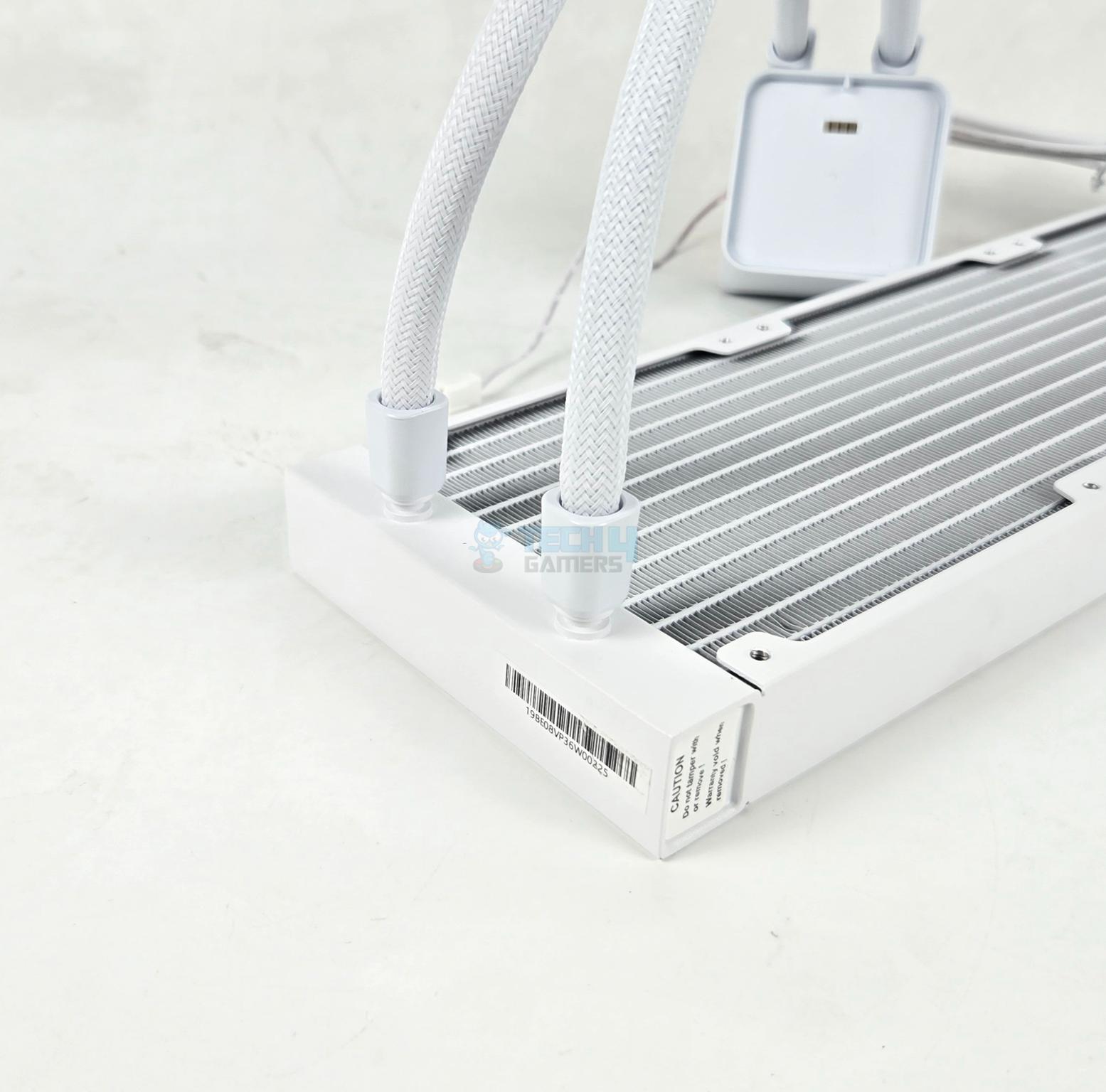
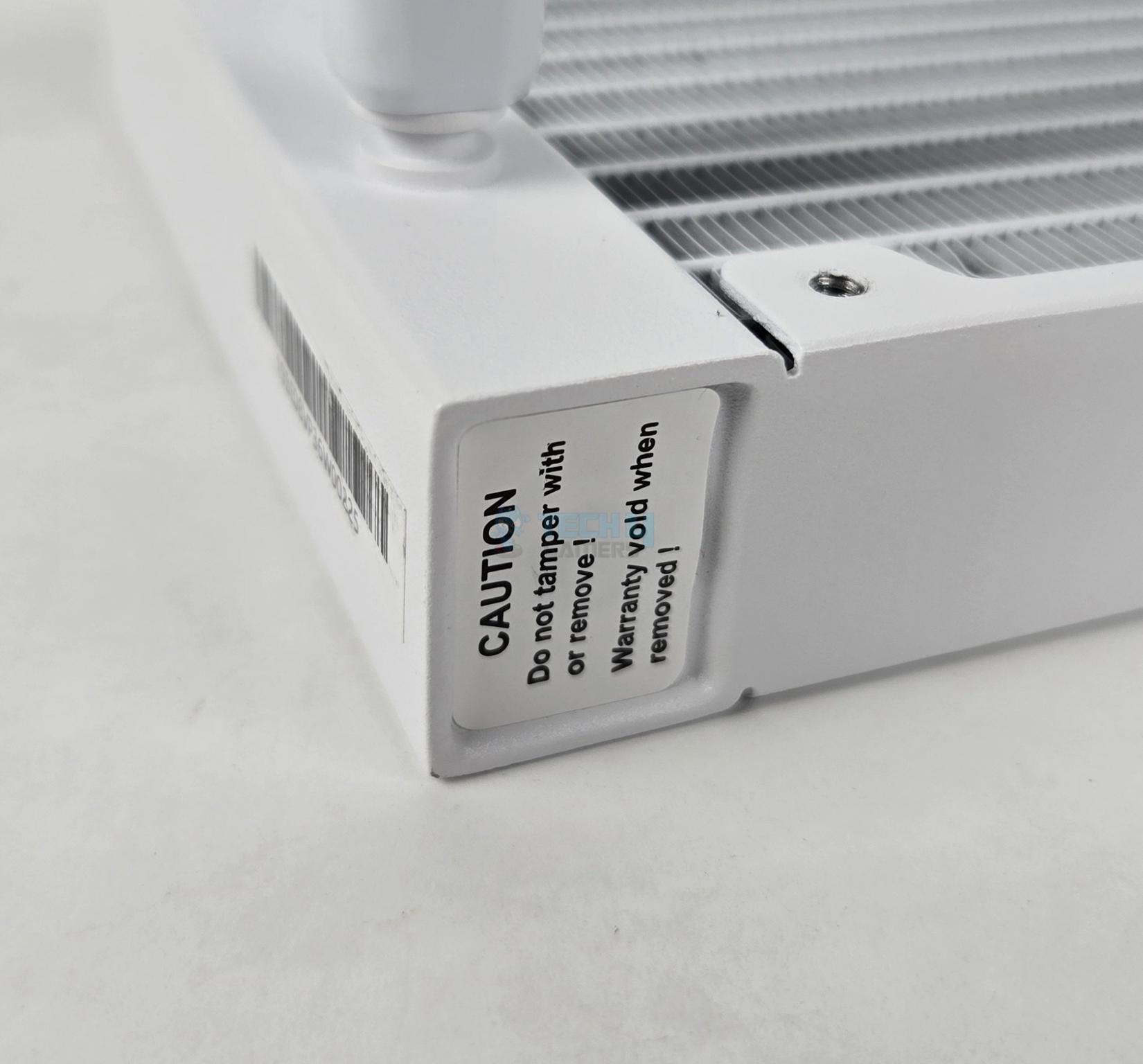
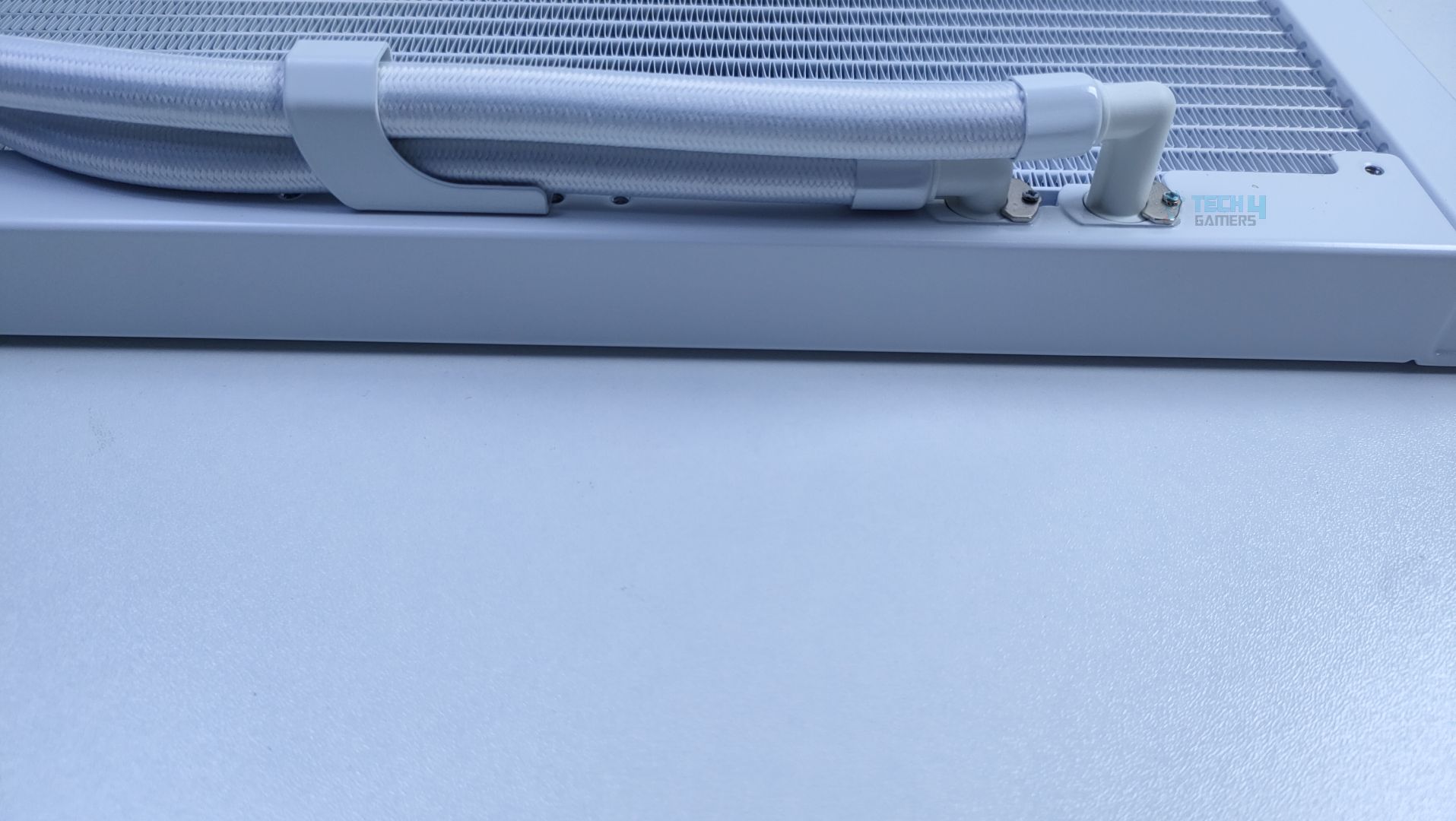
The tube connections are well concealed using white clamps. A sticker shows the serial number of the unit. Another sticker can be seen on one side of the radiator. Tampering with this sticker would void the warranty. I guess a port is there under the sticker, which is factory use reserved.
The side frame of the radiator housing has no branding. The fan assembly has Cougar branding on one side. Cougar uses a rubber tube with a white nylon braided mesh sleeve. These tubes have a length of approximately 395 mm.
Display Screen
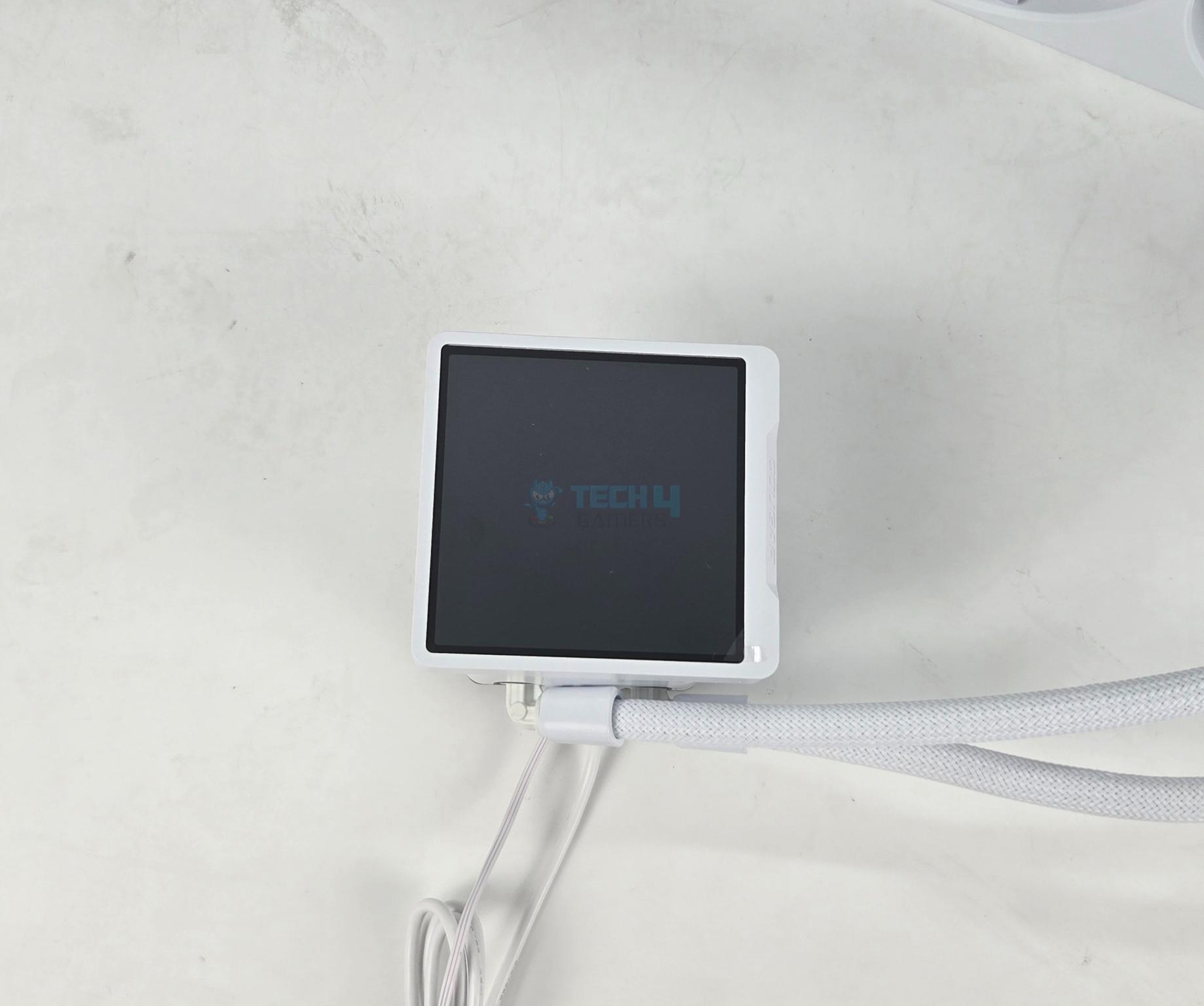
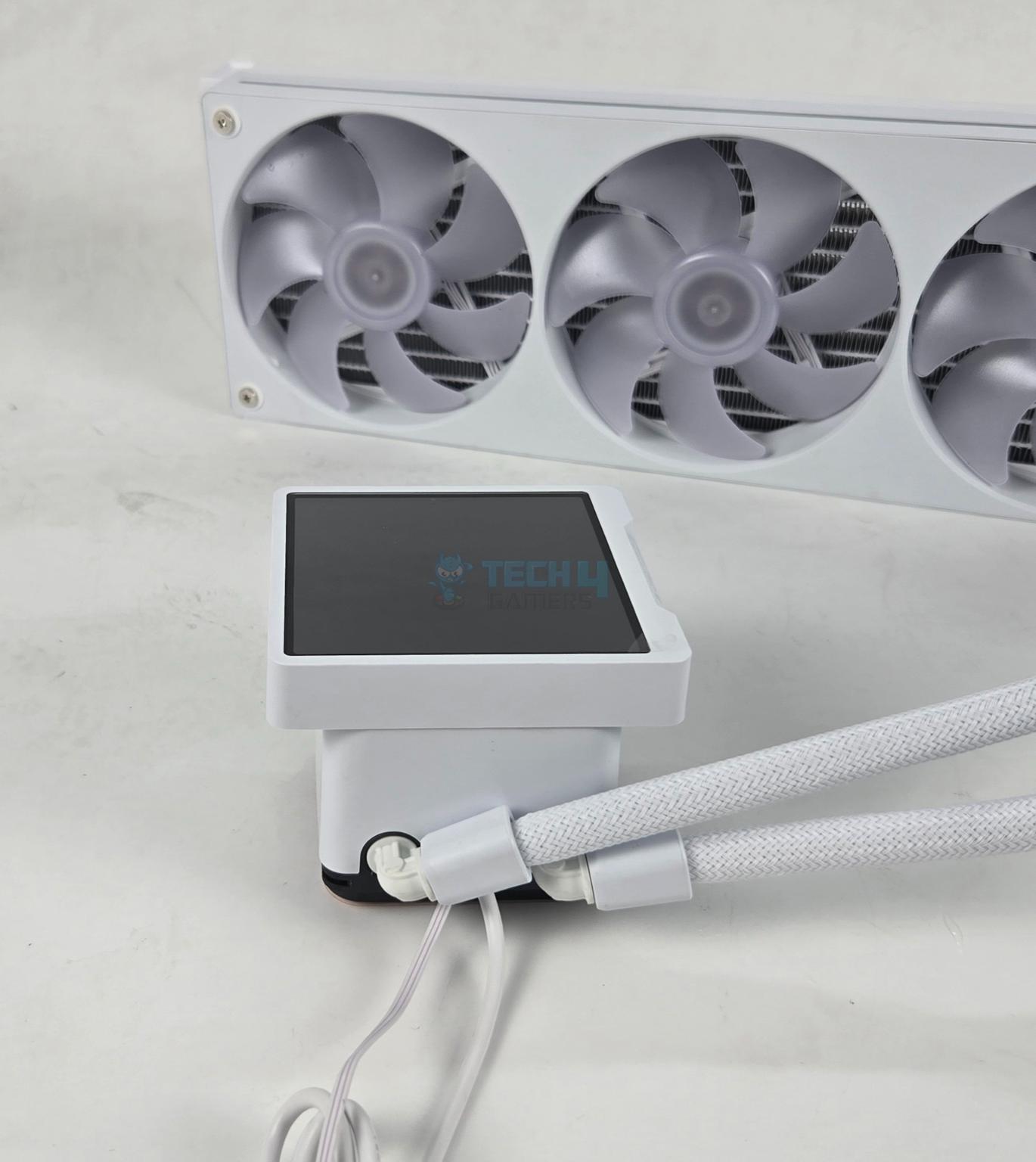
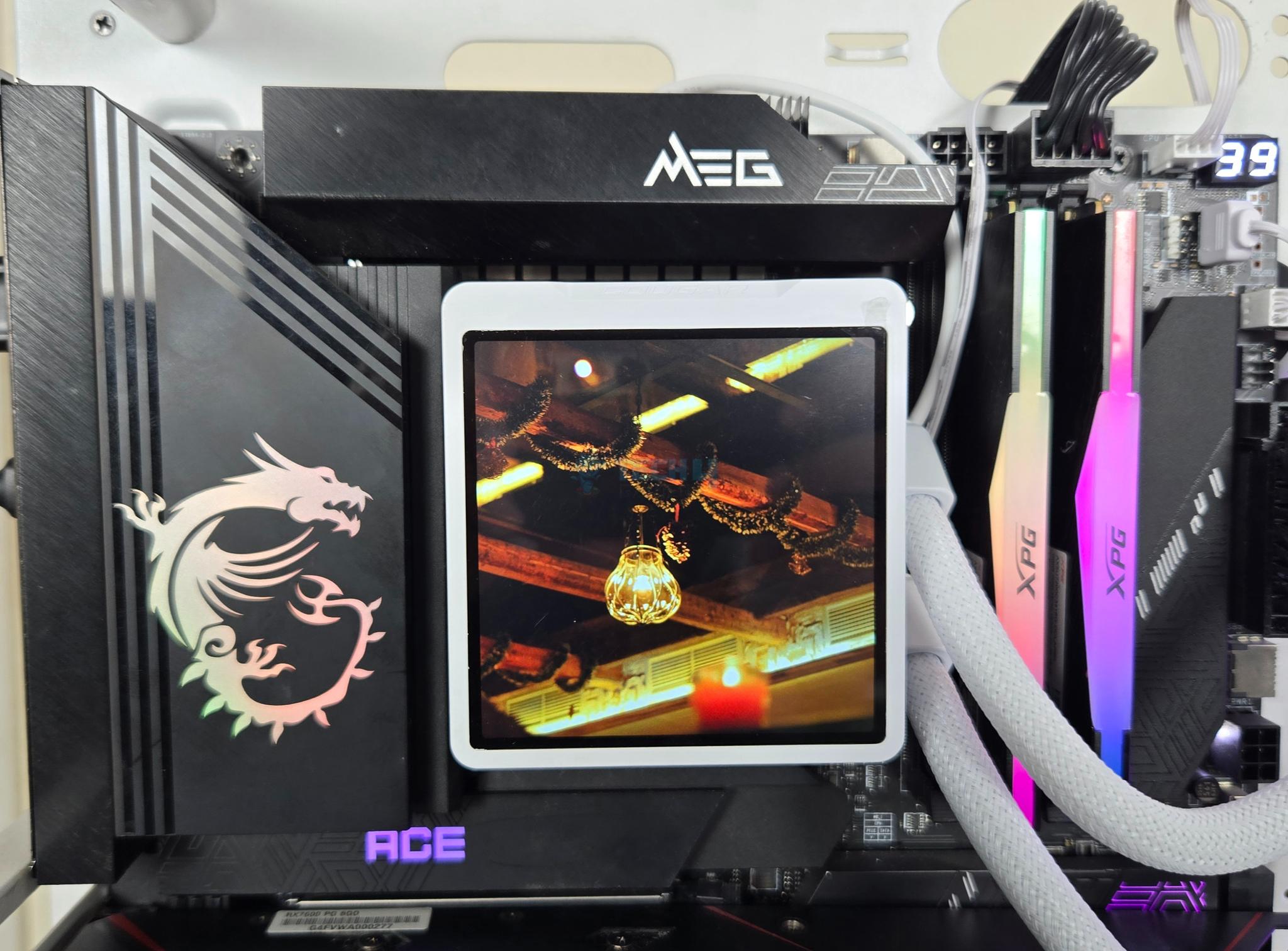
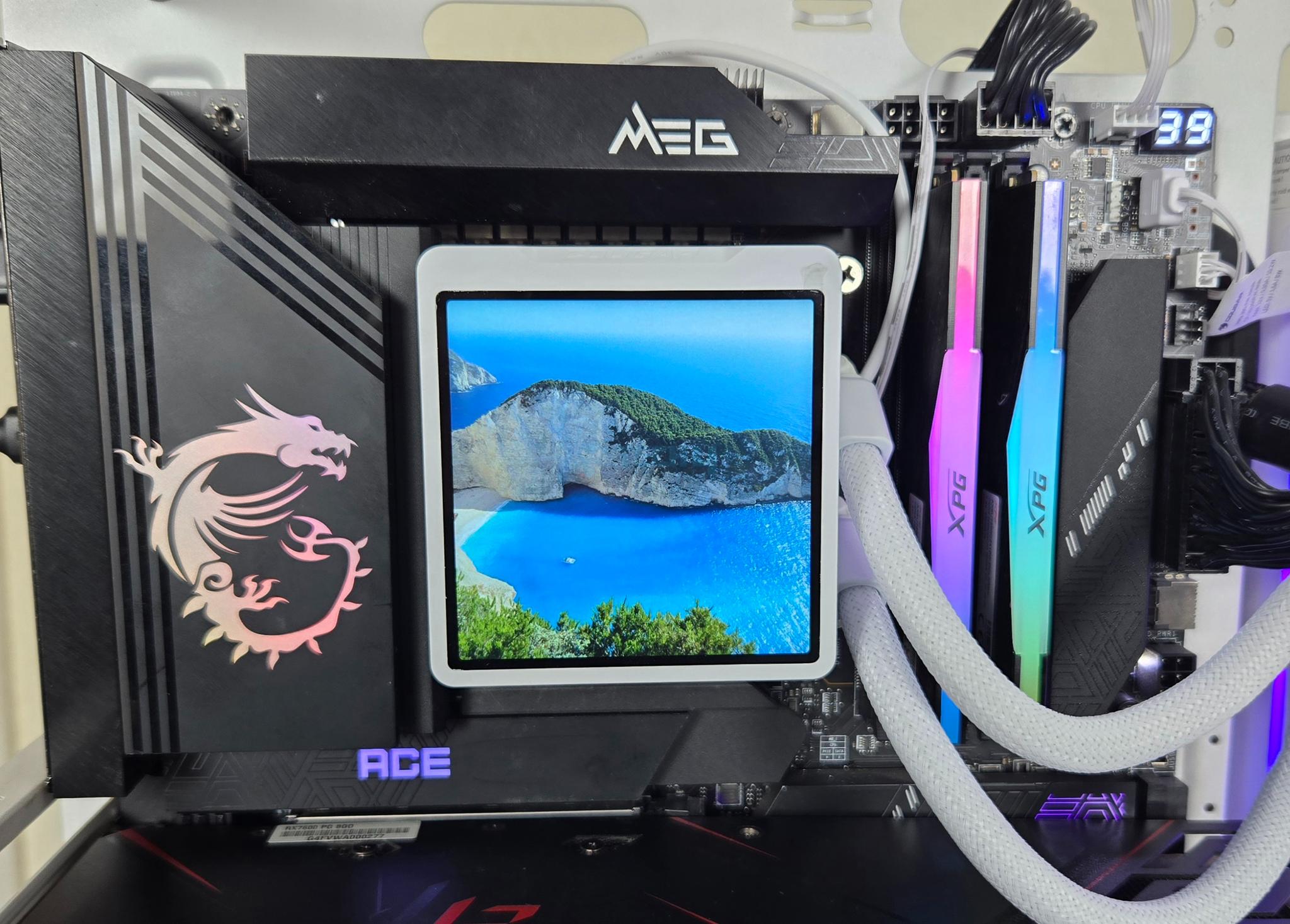
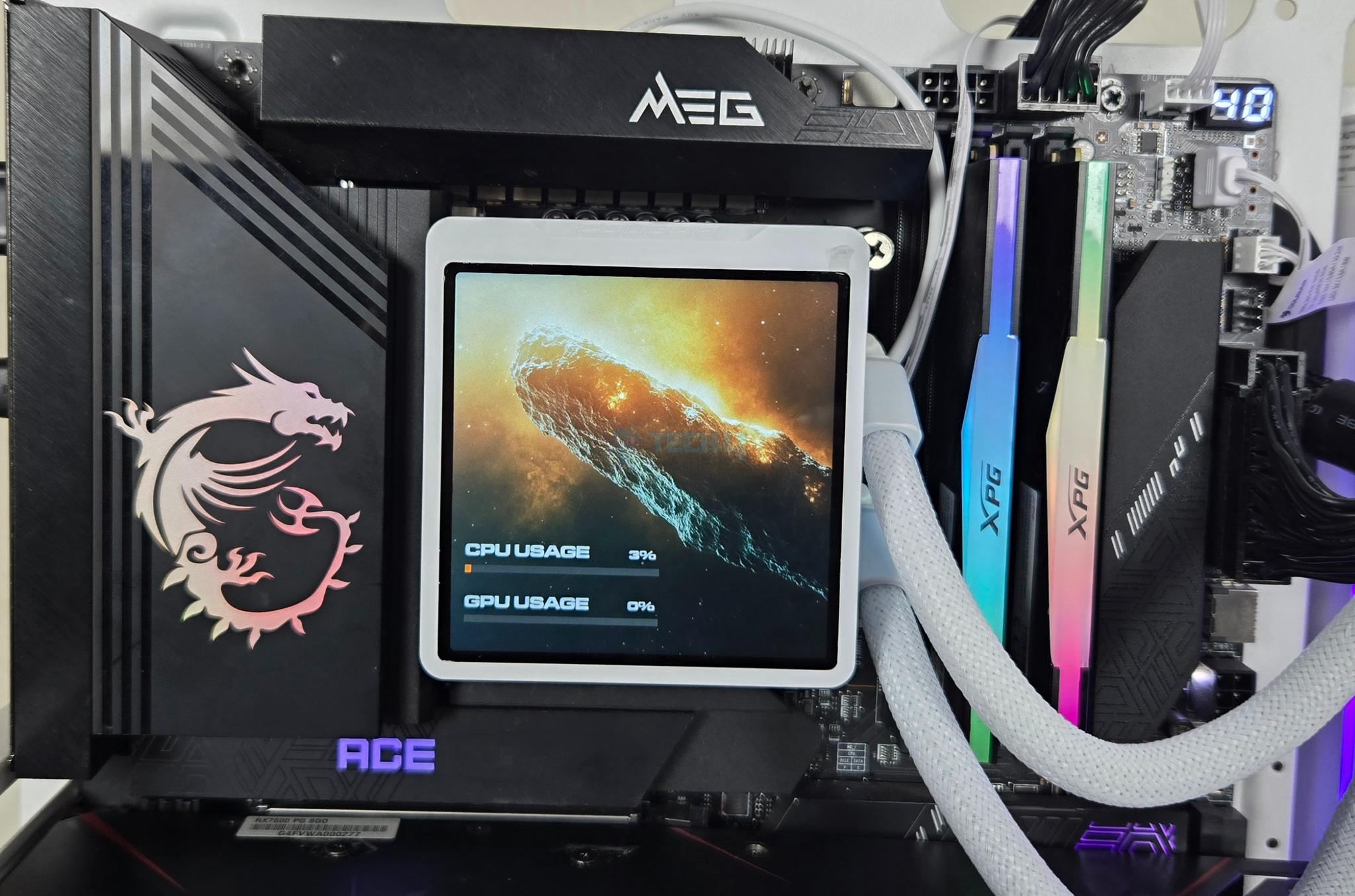
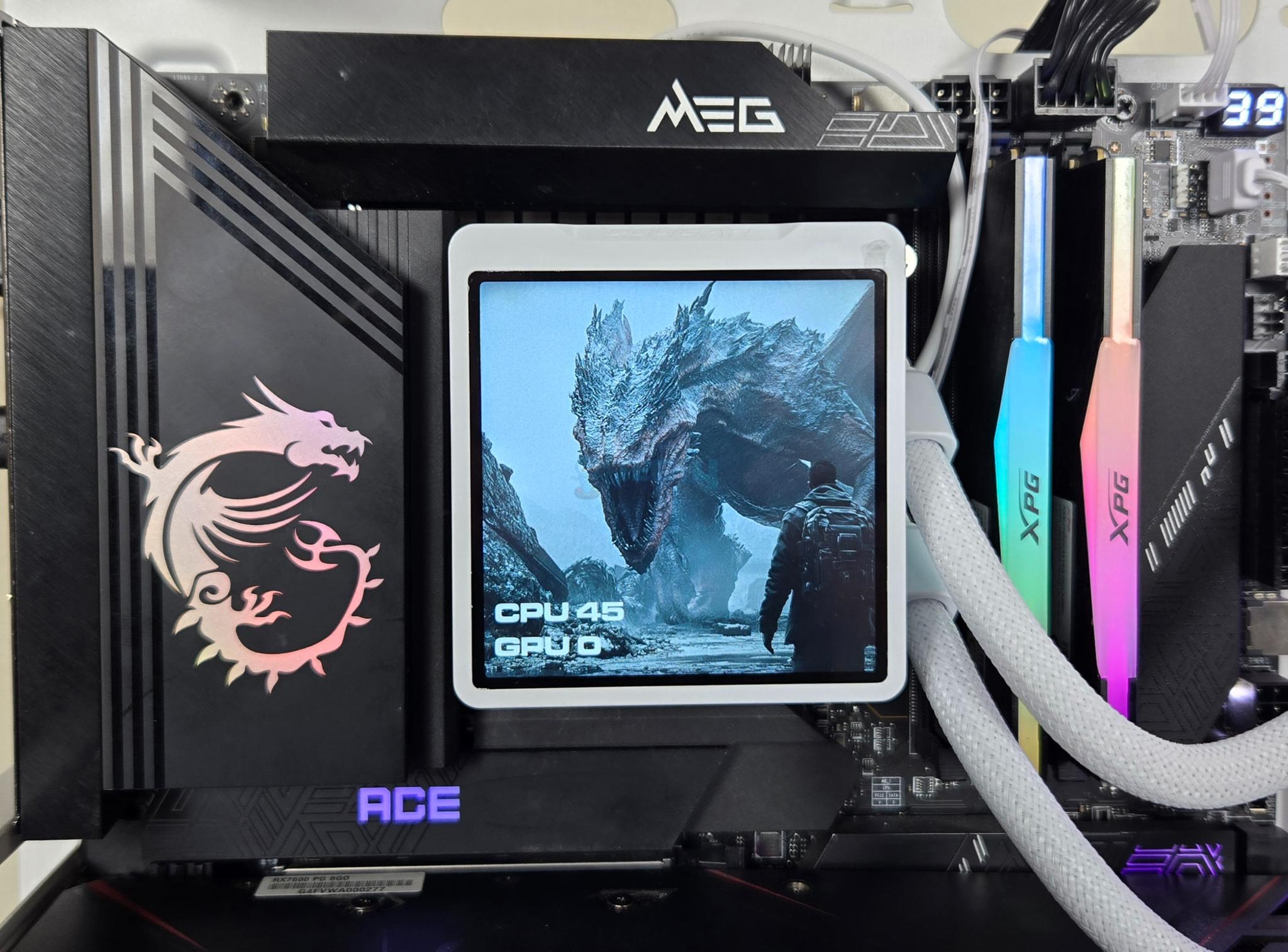
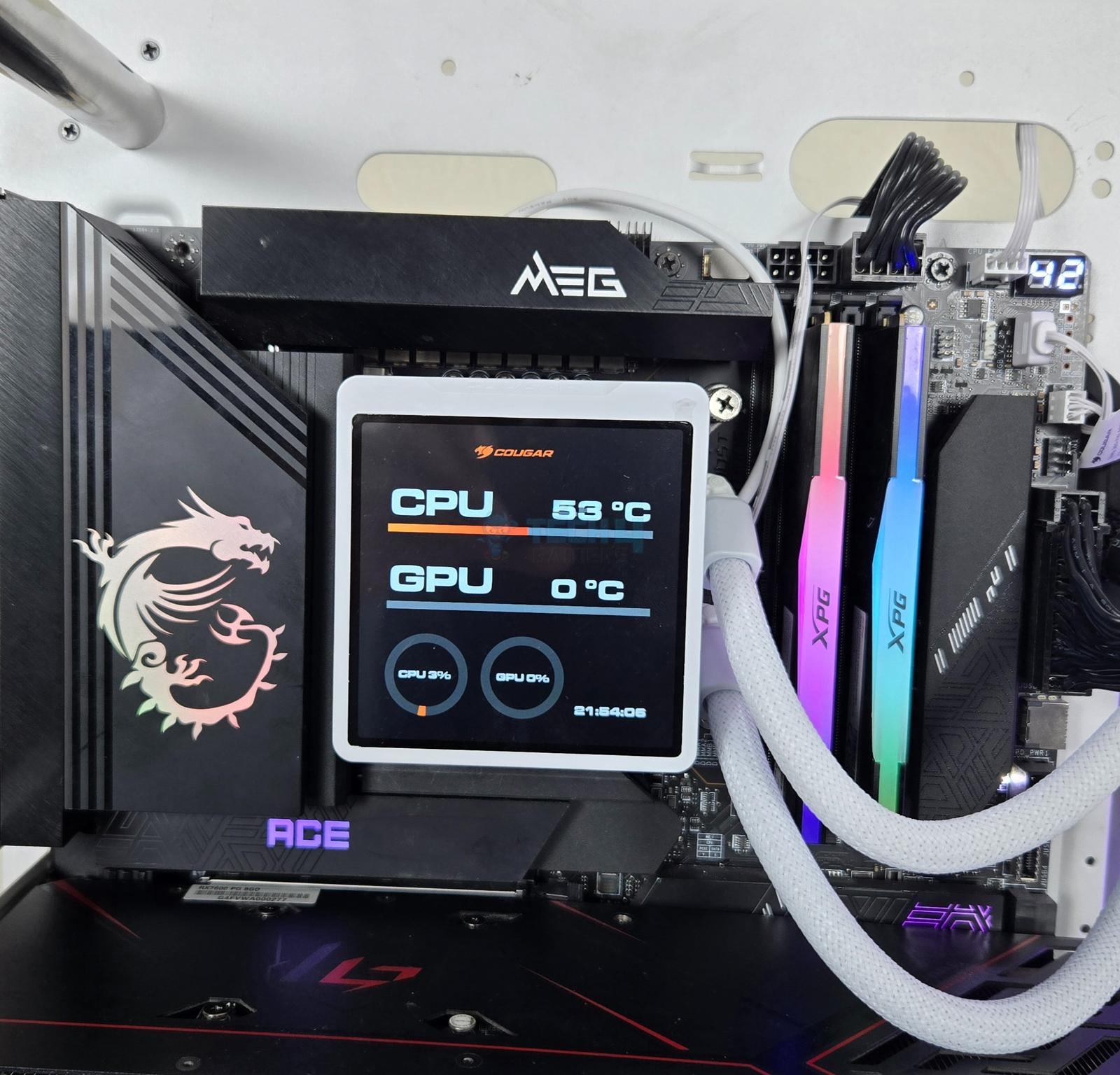
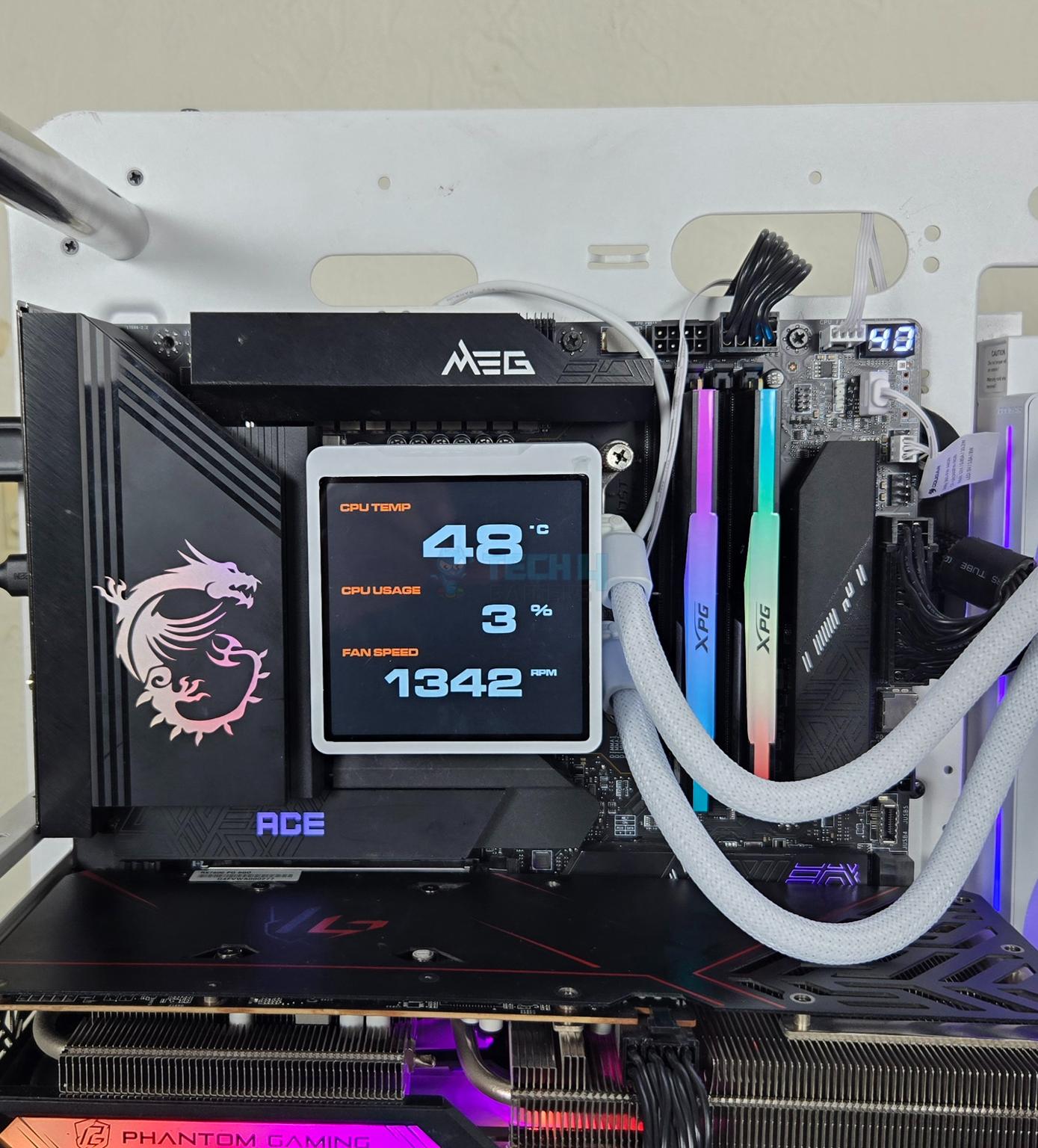
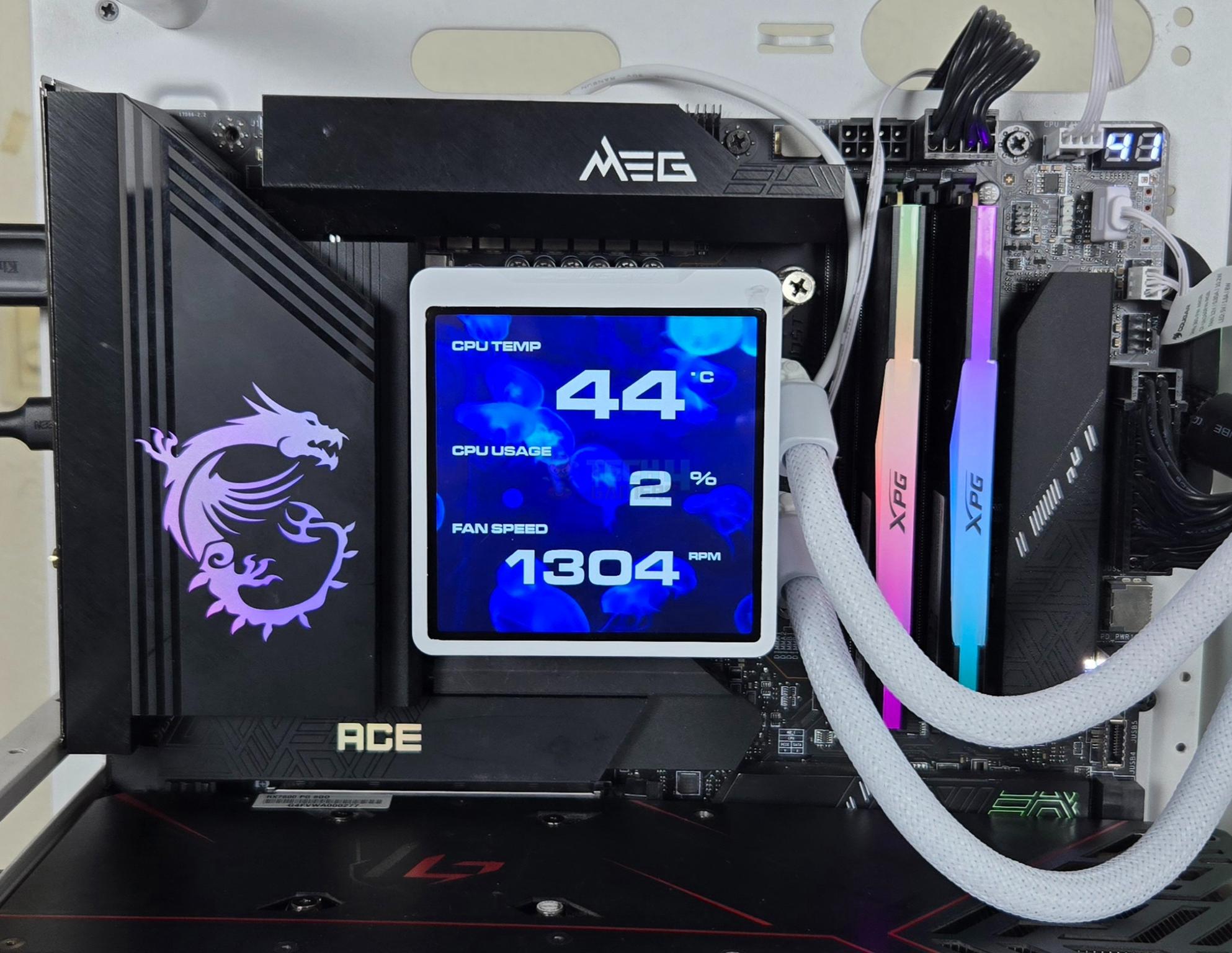
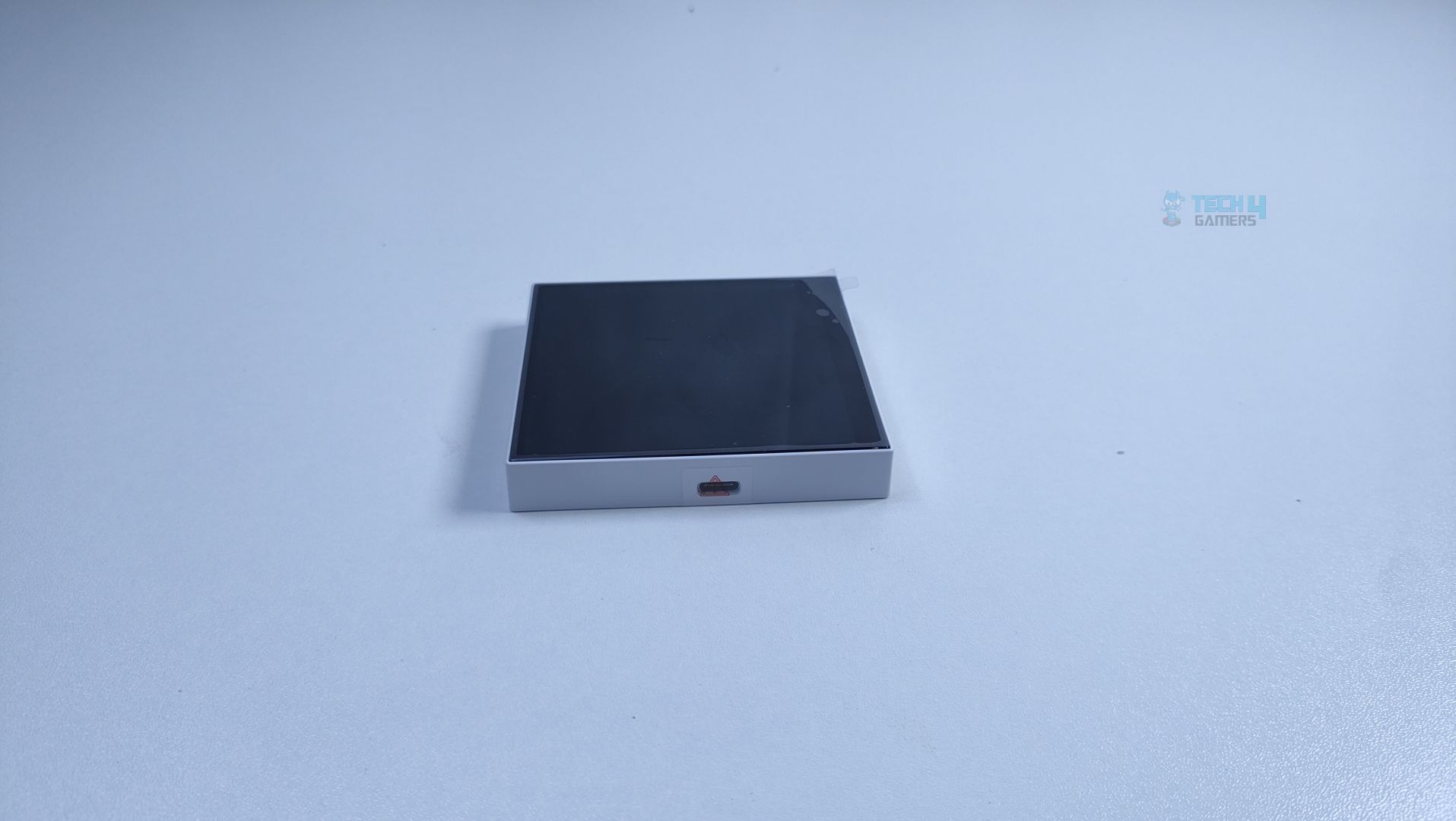
Cougar has provided a display screen separately from the main block. This is also a new trend in which the screen is removable. The magnetic attachment is there, but since this screen does not have a dedicated USB cable connection, it needs an active connection from the block itself.
The screen has a 3.95” size and has a resolution of 720x720px with a 60Hz refresh rate.
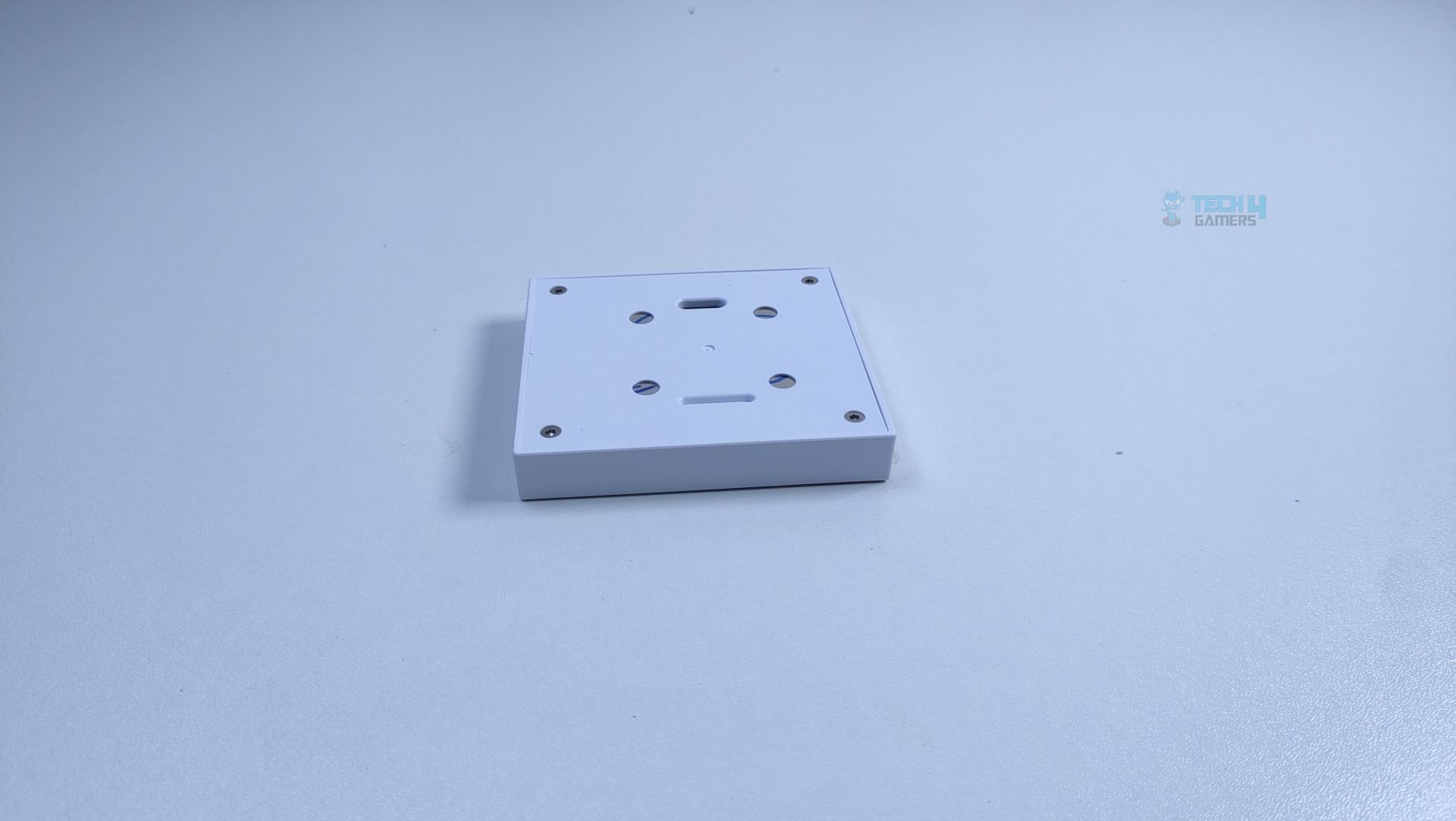
The backside of the housing has four contact pins. These make a connection with the pads on the housing. This implies another limitation, that the screen can only be installed in one direction. However, software allows the rotation of the screen.
Cougar branding is visible on the top inset.
Block
The block itself has white housing measuring 88x838x67mm. The housing is almost in a square design. It has no branding or design on either side.
Looking at one of the sides, you can see insets in the black frame. This is where the mounting brackets are inserted for the installation.
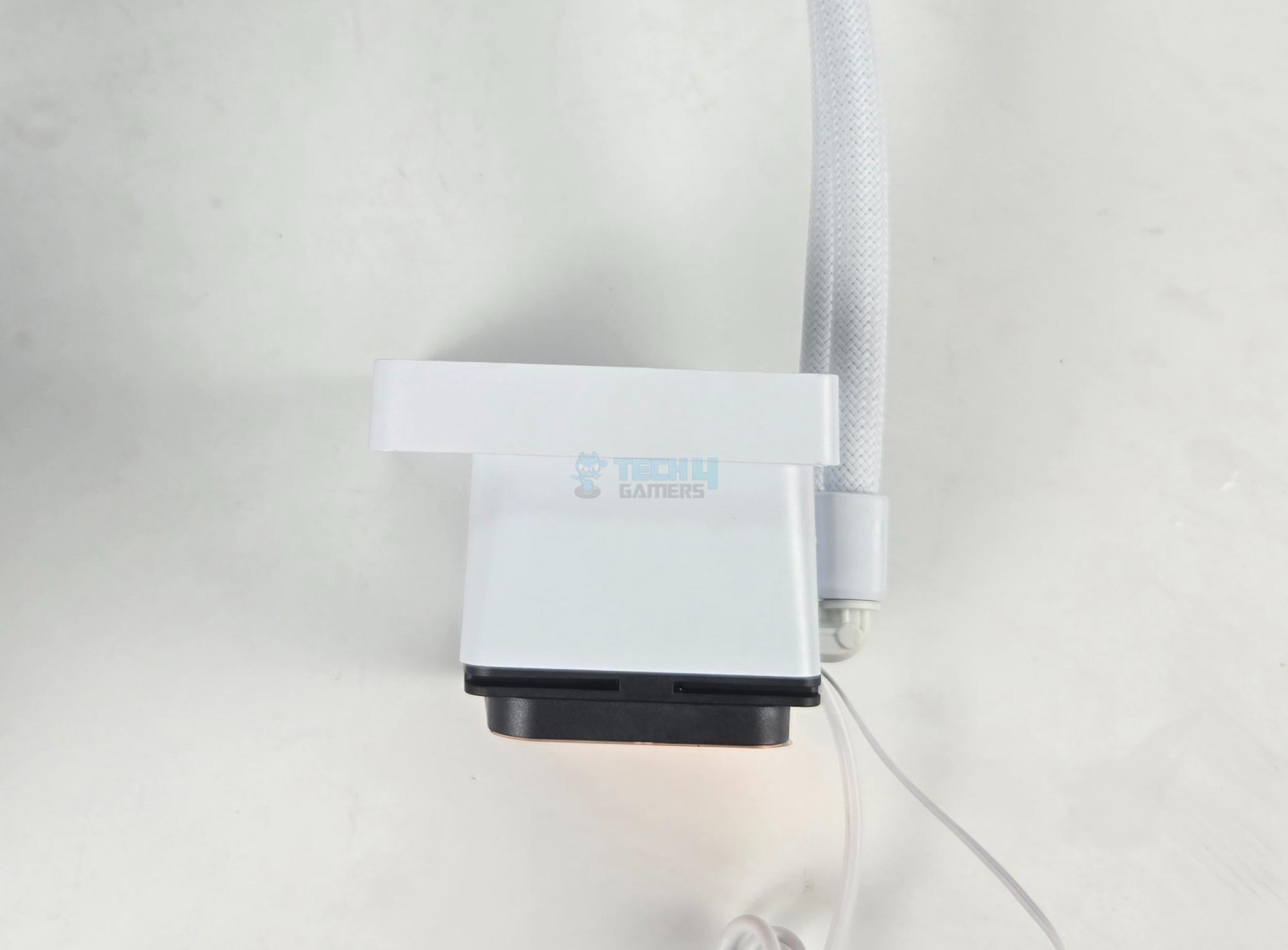
Looking at the top, you can see a deep inset in which the offset housing of the screen is resting. The 4x pads are also visible, giving a hint on how to place the screen on top of the block.
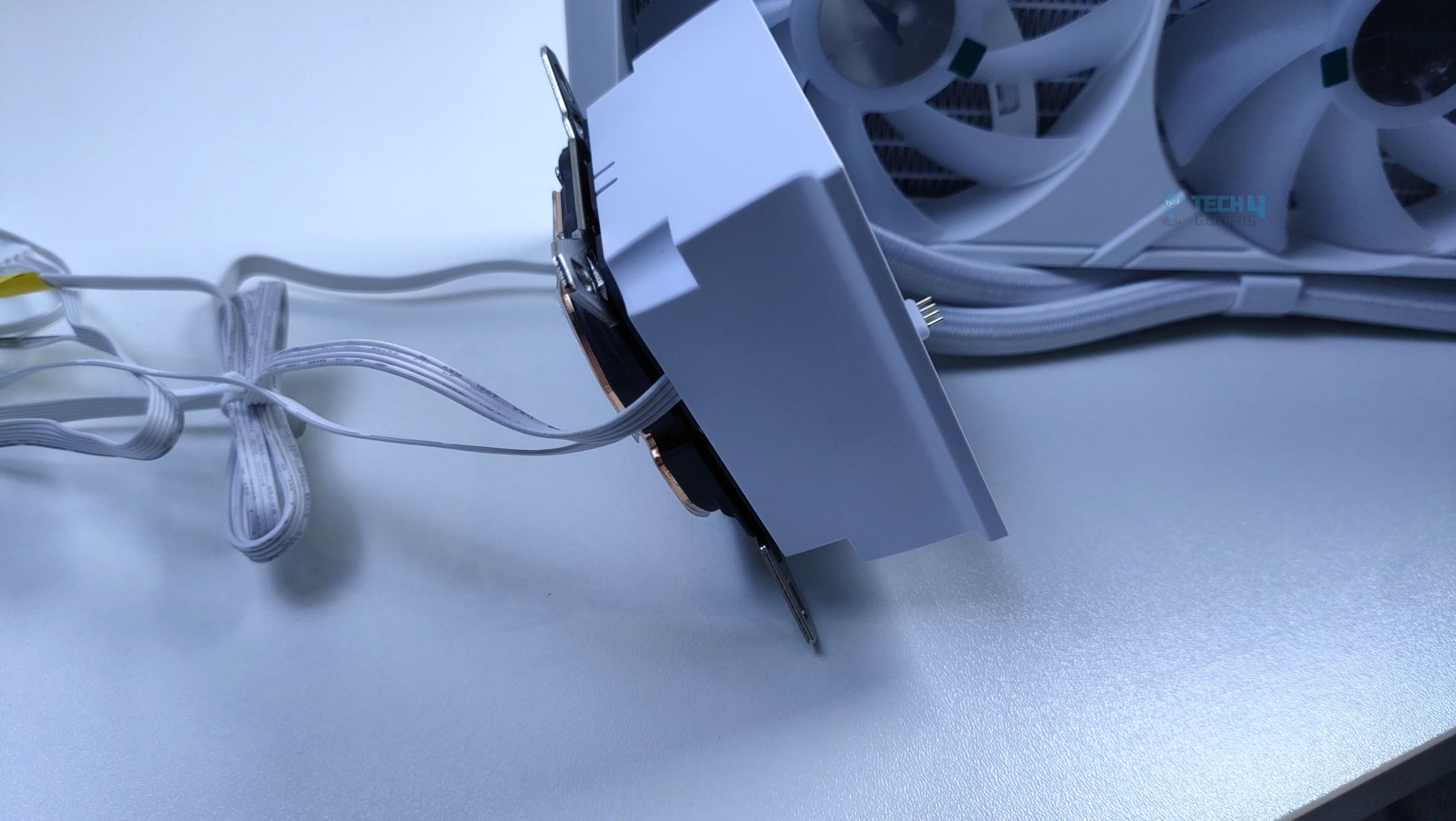
Cougar has used white clamps on the block as well, which is a nice touch. The barb fittings are at a 90ᵒ angle so that tubes can be rotated as per requirement. Two cables are visible coming out from the base.
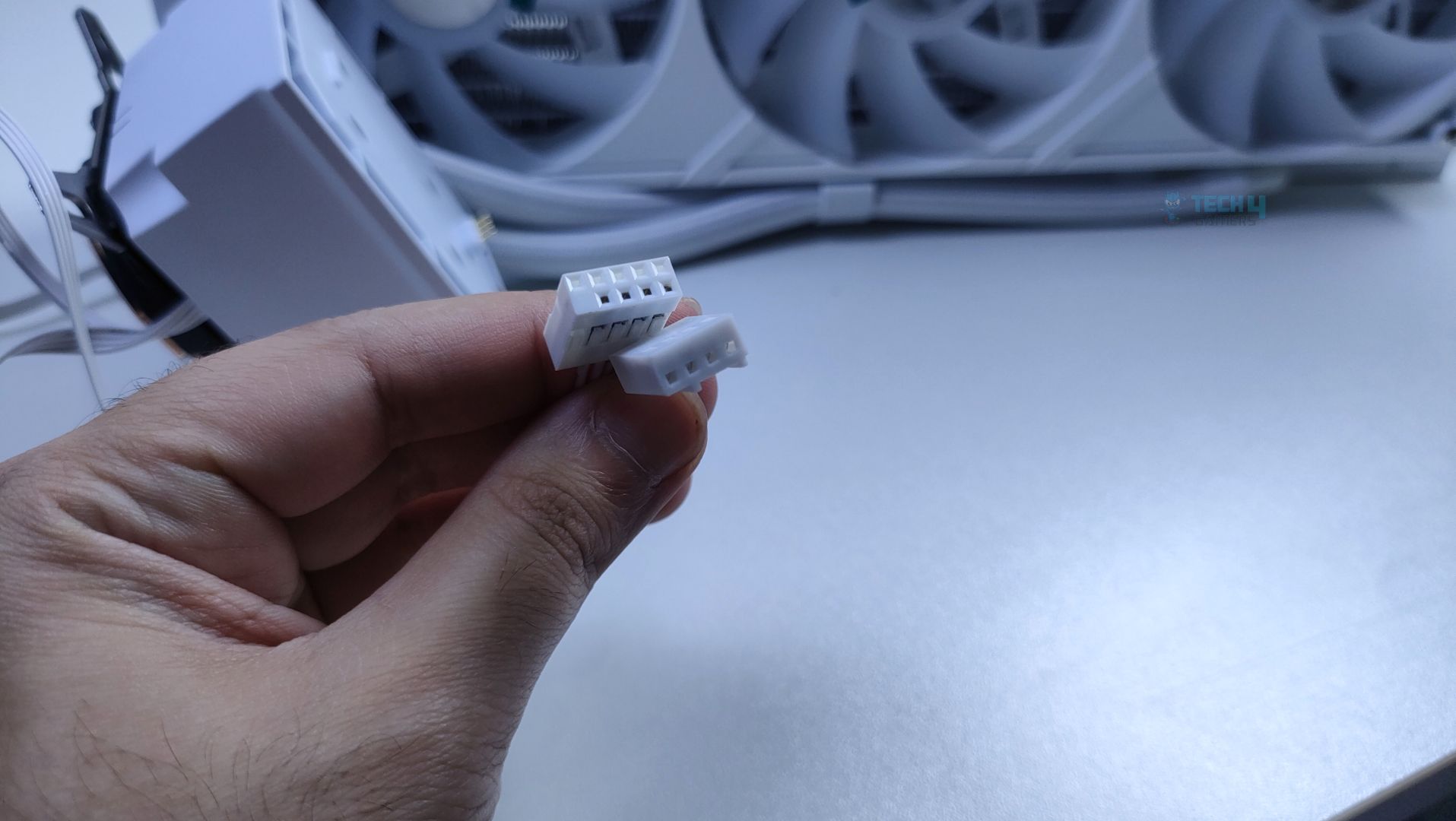
The pump is regulated using a 3-pin DC connector. The pump is rated for 2700 ± 10% RPM speed. The other connector is a 9-pin USB 2.0 that is needed for the software-based control. You would need a spare USB 20 header on the motherboard.
The cooler has a copper base. It has a protective sticker. Don’t forget to peel it off. Cougar has increased the surface area on the cold plate, which increases coolant contact area by 21% compared to the previous generation. This enhances the thermal efficiency.
Block Design w/ Screen
1 of 4
The above pictures show the screen attached to the block or pump top.
Fans
Cougar has used a single frame assembly for three fans, providing a simplified and unified solution. All three fans have translucent blades and a center. The center of each fan has no branding. Four circular anti-vibration pads can be seen on the mounting corners.
The backside of each fan has a 4-arm assembly.
The fans are PWM regulated, for which a single 4-pin PWM connector is provided. The A-RGB LEDs are powered by a standard 3-pin, 5V ARGB Connector.
Installation
The cooler is tested on the MSI MEG Z790 ACE MAX motherboard using the Intel Core i7 13700k. The installation steps include:
Place the backplate on the motherboard’s backside.
Place silicon pads under the studs and install studs on the standoffs of the backplate.
Place the Intel mounting brackets on the block.
Apply thermal paste on the CPU.
Remove the protective cover from the base of the cooler.
Place the block on the CPU so that the threaded portions of the screw/studs pass through the holes on the arms of the brackets.
Use thumb nuts/screws and start tightening the screws until the threads run out.
Install the screen on the pump top.
Install the radiator assembly in the PC case.
Connect the cables to the motherboard.
Installation is completed.
This cooler has a limitation on the AMD platform coming from the brackets. These are long length brackets. This means the block or pump top can only be installed in either of two orientations, as shown in the picture.
Clearance
This cooler has a dimension of 392x121x52mm with fans. Make sure your PC Case supports this dimension.
Software
Software Overview
1 of 4
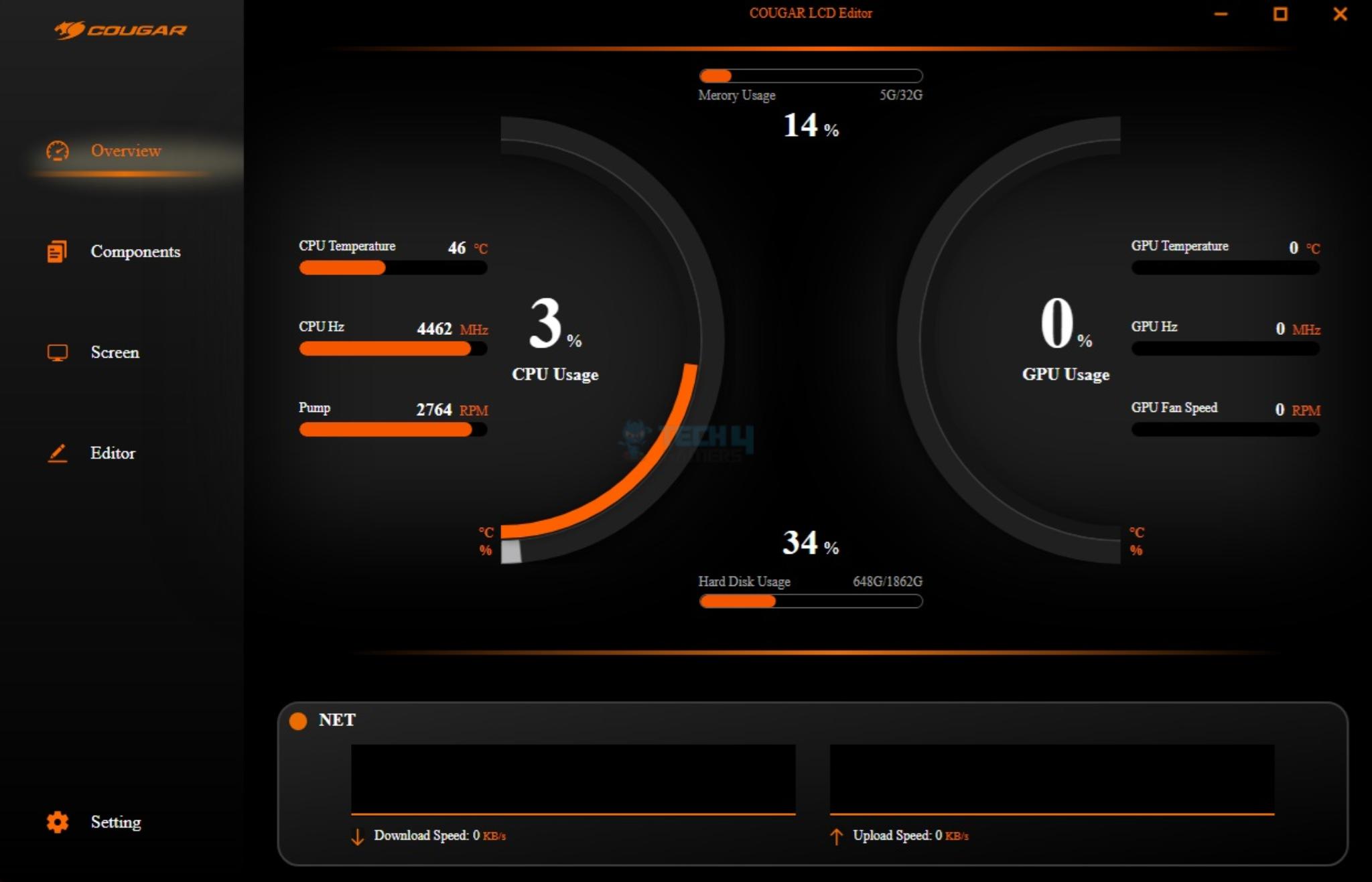
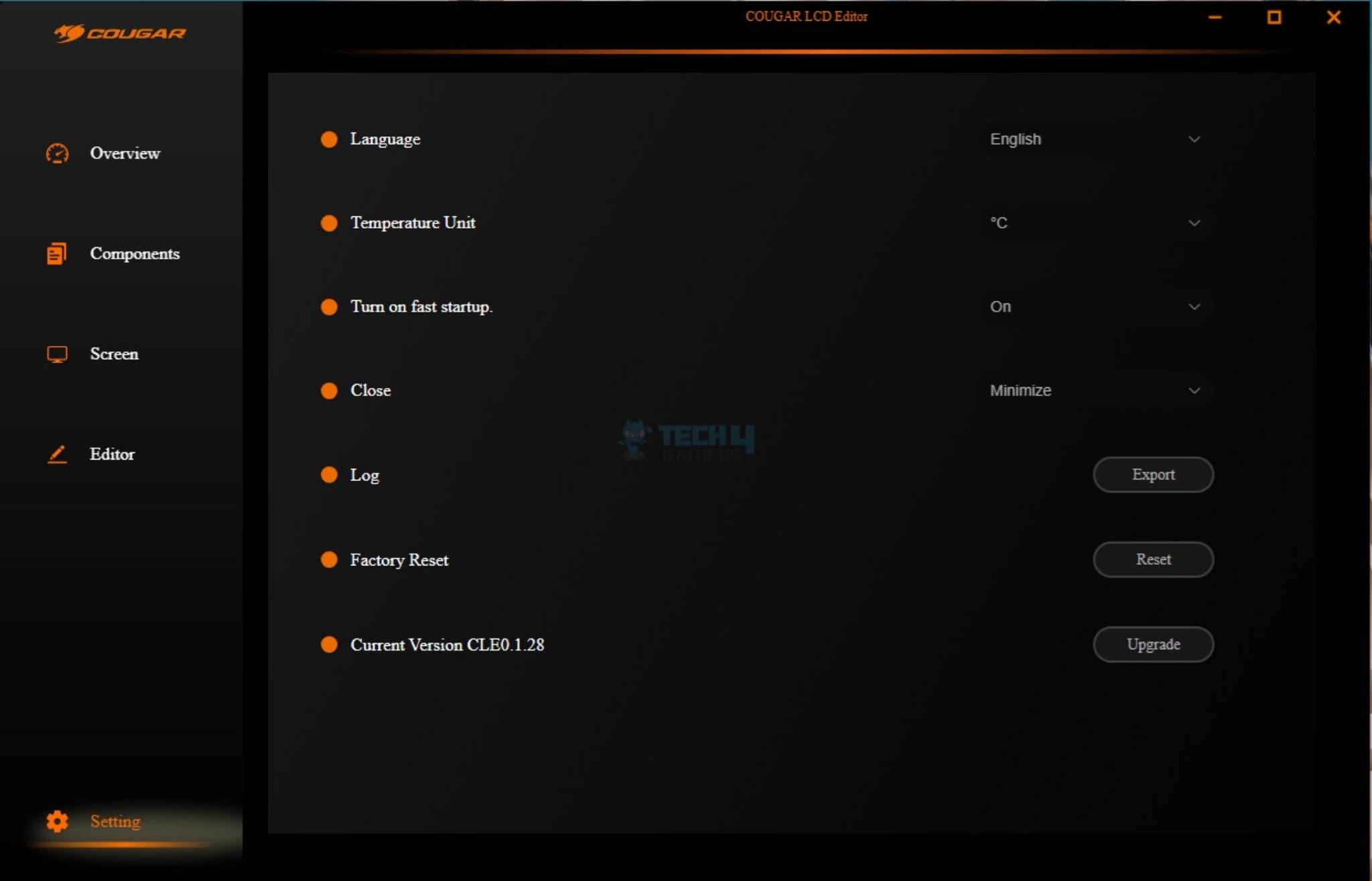
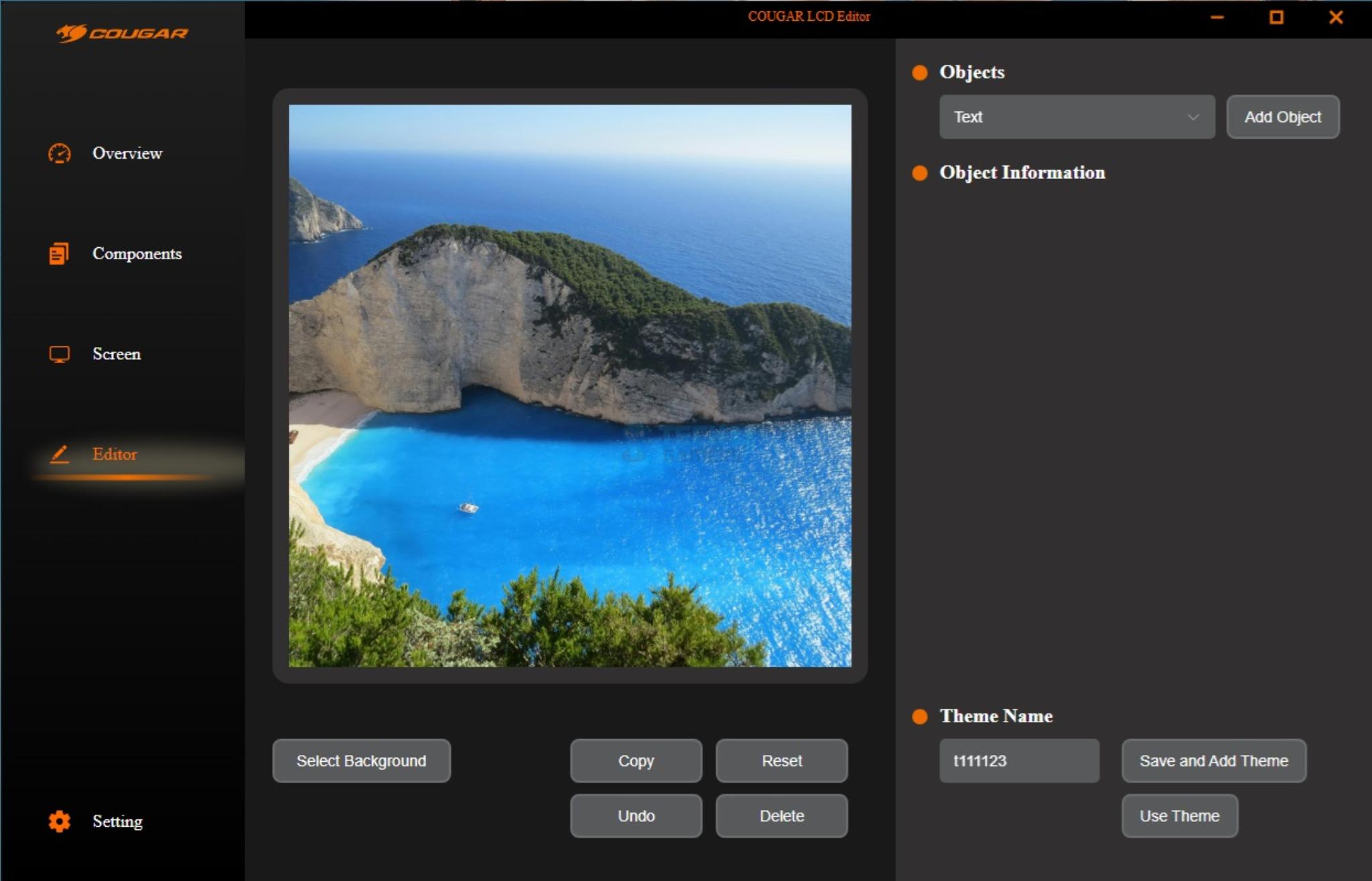
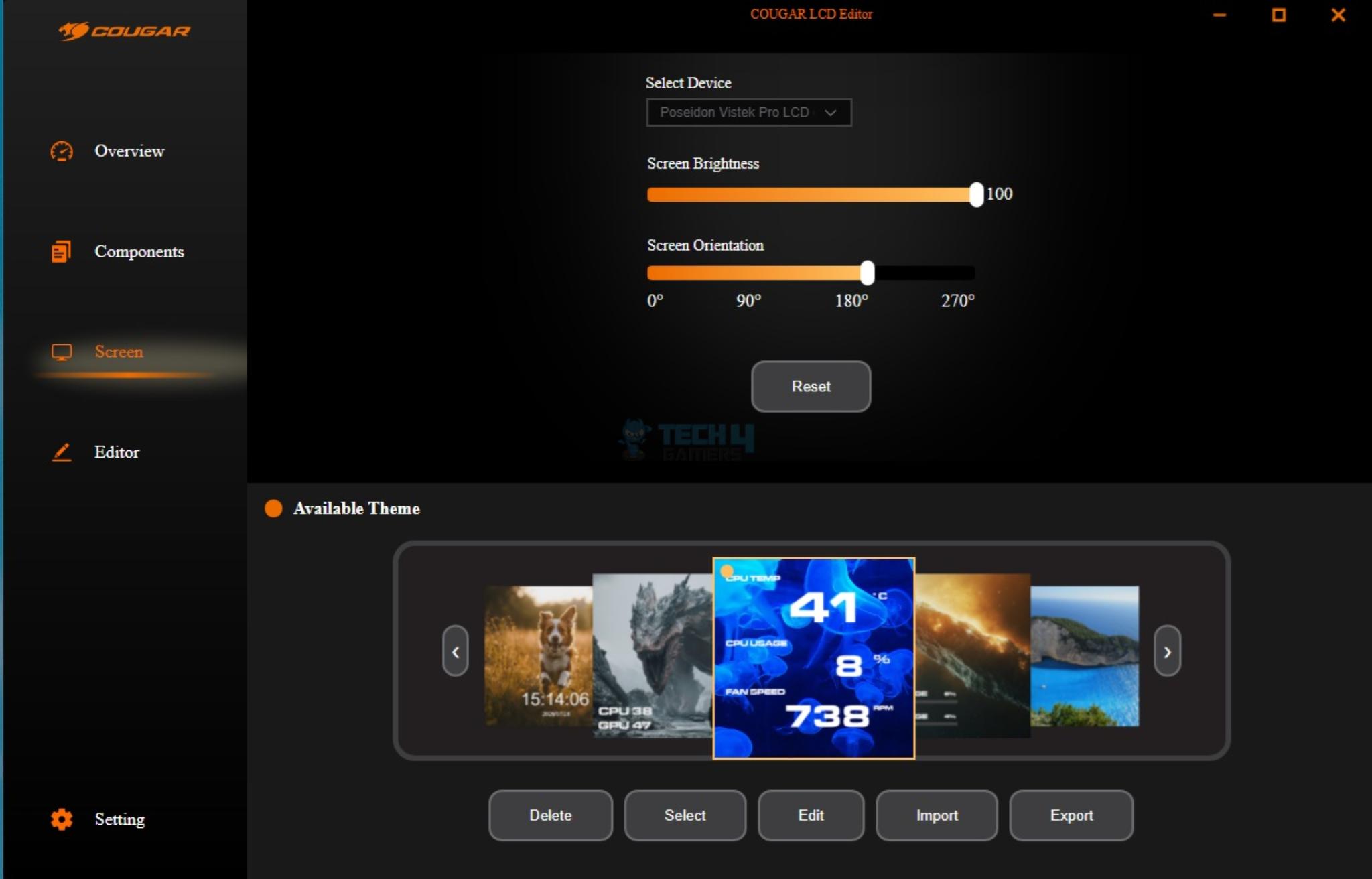
Cougar LCD Editor is divided into four categories. The first page shows the summary or overview of CPU and GPU sensor data. The components page lists every PC component in detail.
You can control the screen rotation, brightness, and available theme from the Screen page. The editor page allows you to customize the display further. In my opinion, this page may be refreshed for a user-friendly layout.
Software needs further optimization, as sometimes it randomly shows the windowed display.
A-RGB Lighting
This cooler uses a standard 5V, 3-Pin A-RGB connector on the fans, making it compatible with the RGB sync technology of motherboard manufacturers, including:
ASUS Aura Sync
ASROCK-Polychrome Sync
GIGABYTE RGB Fusion 2.0
MSI Mystic Light Sync
1 of 11
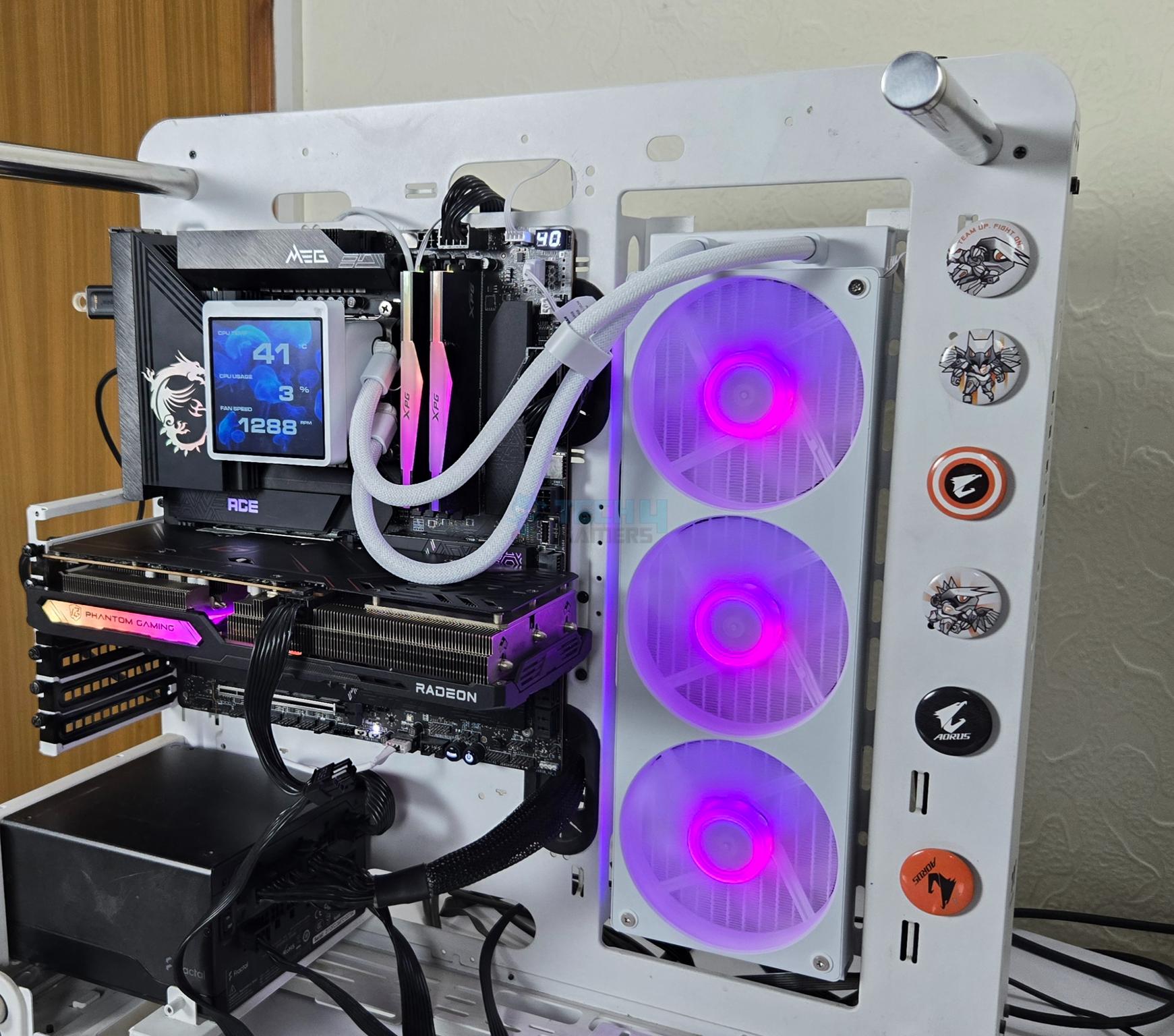
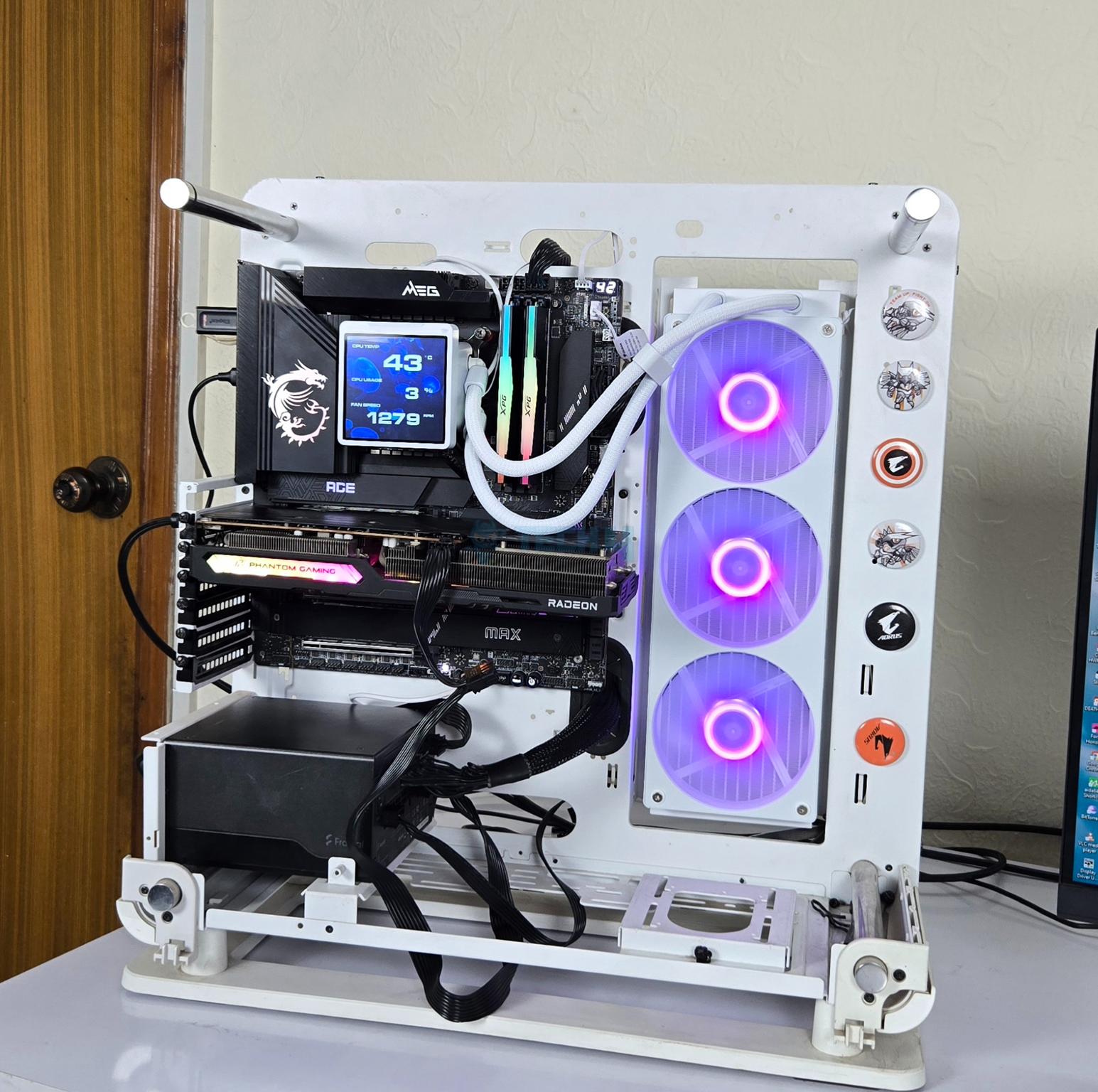
The cooler is tested on the MSI MEG Z790 ACE MAX WiFi motherboard, and it was responding well to the changes in the Mystic Sync app. The lighting foils are adding a magic to the outlook of this cooler.
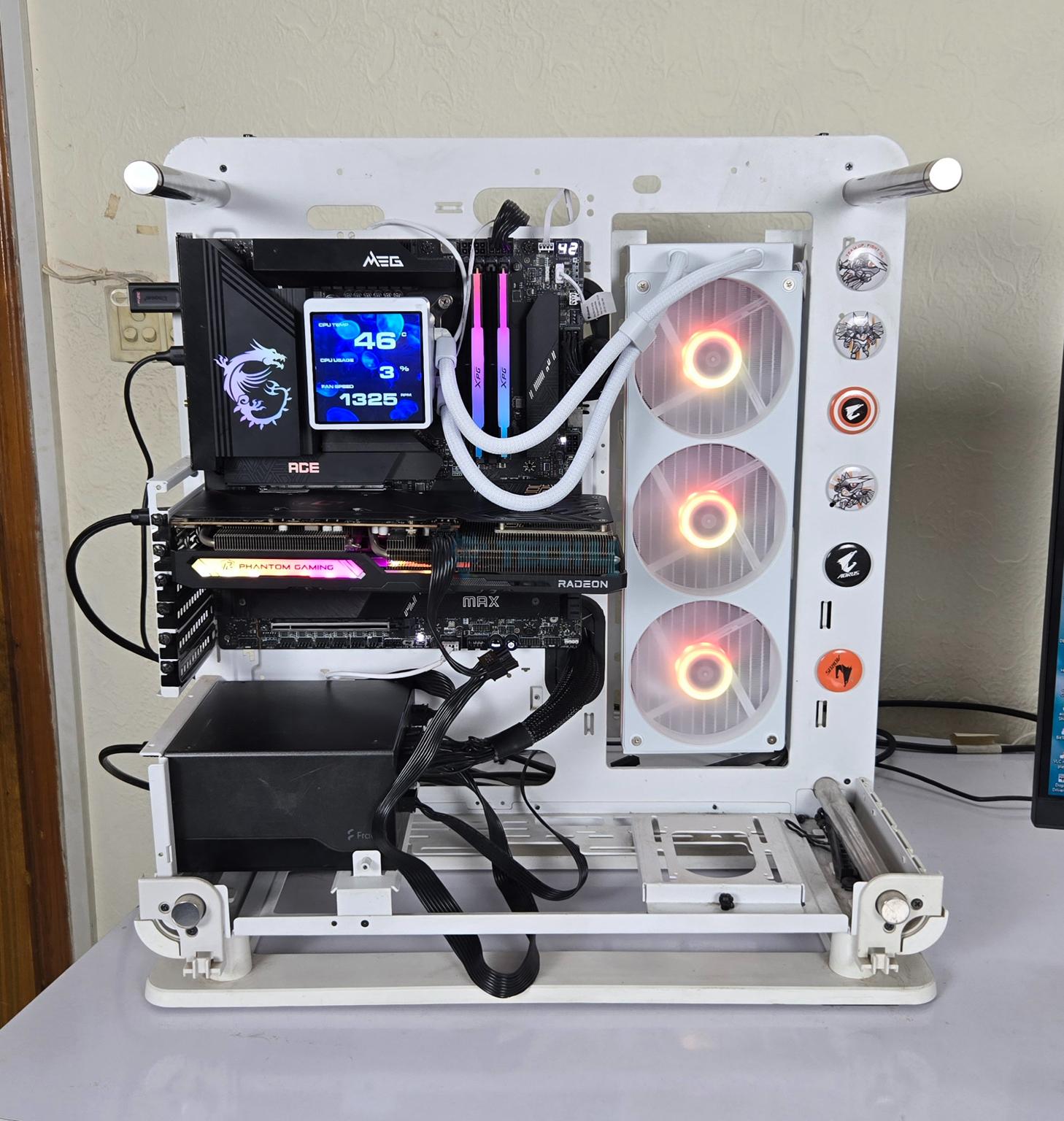
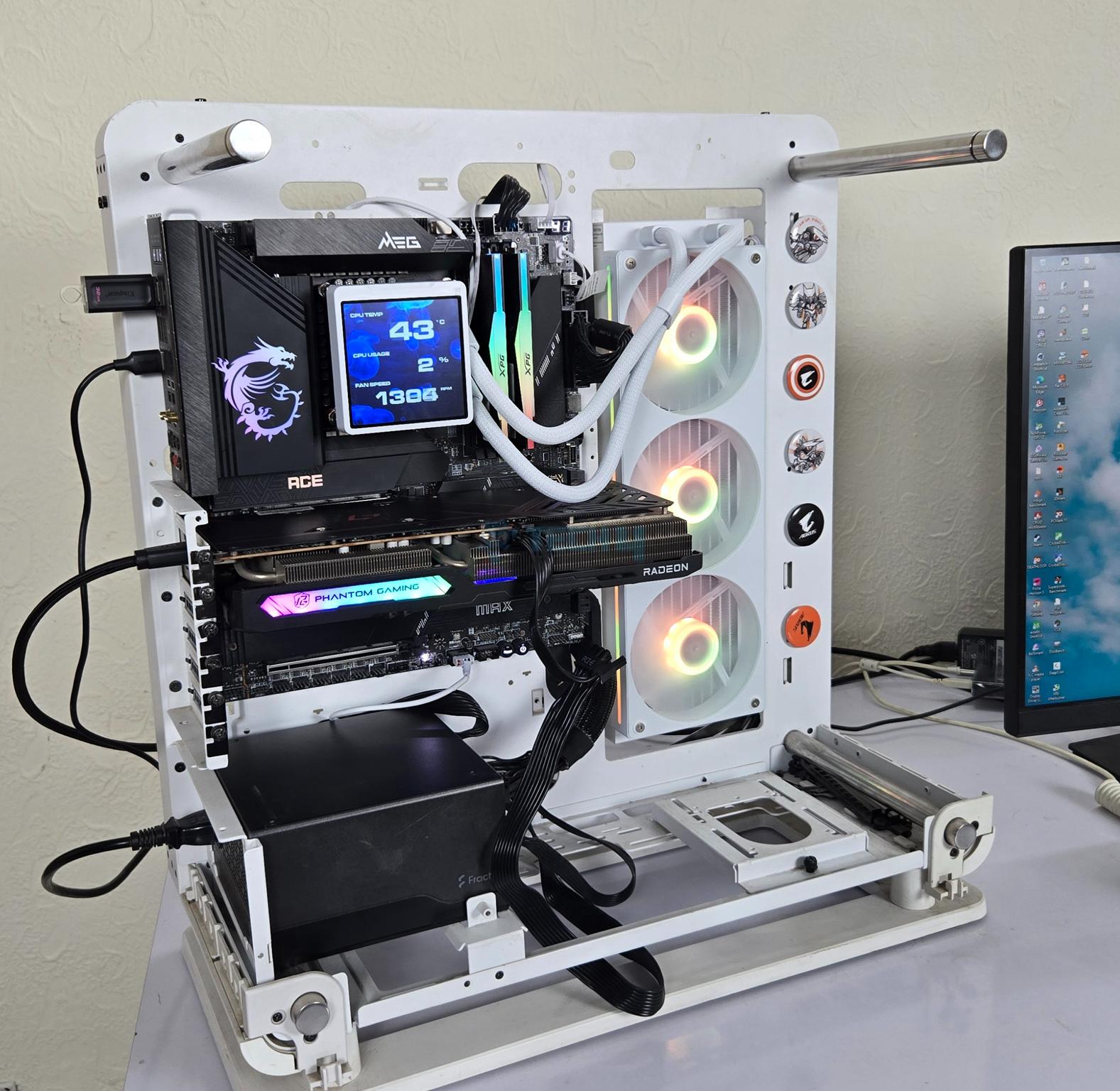
Thermaltake Core P6 TG Snow Edition in an open frame layout
Here is the settings table for testing:
Clock (MHz)
Auto
Voltage (V)
Auto
Power Profile
Intel Default
Thermal Paste
Noctua NT-H2
Thermal Paste Application
Center Line
Test Run Time
30 minutes
Idling Time
10 minutes
All Fans Speed
100% PWM Duty Cycle
Pump Speed
Stress Software
CINEBENCH R23.2
Monitoring Software
HWINFO64
Test Result
Cougar Poseidon Vistek Pro 360 ARGB White packs a solid performance in this price range with the given features set. However, the fans are loud at full speed. I suggest using a custom fan curve or the Auto PWM function, and you are good to go.
Should You Buy It?
Buy It If
Looking for a high-performance cooler: The Cougar Poseidon Vistek Pro 360 ARGB White offers good performance out of the box.
Looking fora bigger display screen: The 3.95” IPS screen offers 720×720 px resolution with a 60Hz refresh rate. It offers full customization.
Reduced Cable Clutter: Cougar has deployed an integrated fan assembly and three fans use a single cable for PWM regulation and a single cable for ARGB backlighting.
Good value cooler: Coming in at USD 149, this cooler offers a good value for your bucks.
Don’t Buy It If
Already have a good liquid cooler: Skip this cooler if you already have a liquid cooler that is doing you well.
Conclusion
We have tested a new cooler from Cougar named Poseidon Vistek Pro 360 ARGB White. This cooler comes equipped with a 3.95” IPS screen having 720x720px resolution and 300 nits brightness control. This cooler features an aluminum radiator with dimensions of 392x121x52mm with the fans. It is compatible with Intel LGA1386 / 115x / 1200 / 1700 / 1851 and AMD FM1 / FM2 / AM2 / AM3 / AM4 / AM5 sockets.
This cooler is also using the utterright fins design wherein fins are contoured at a right angle, hence providing more surface area. However, the main difference comes from the refined cold plate that offers 21% more surface area for the coolant, hence providing better cooling efficiency.
The nylon braided sleeved rubber tubes have a length of 395mm, which could have been a bit longer. The pump is rated for a 2700 RPM ±10% speed and is not PWM regulated. The pump top has a simple layout without any branding/style on the frame.
The screen is rested on an inset area over the pump top and makes a connection using four pins. The screen can’t be used on its own since it does not have a USB connection.
This cooler comes with a single fan assembly. The fans are rated for 700-2500 RPM ±10%. The airflow rating is 78.2 CFM, and the air pressure is impressive, 6.4mmH₂O. The noise rating is at 38dBA.
Installation of this cooler on the Intel LGA1700 socket requires 15 items to install the block/pump top over the CPU. The block or pump top of this cooler can only be installed in either of two orientations on the AMD AM5 platform. This is probably due to long length brackets that can only be placed vertically.
This cooler has an MSRP of USD 149.90. This cooler packs a good overall performance in a good price tag with a lot of features, including a single fan bracket and a display screen. This cooler comes with a 5-year warranty.
At Tech4Gamers, I contribute as a Senior News Reporter, combining my skills and gaming enthusiasm to keep our audience updated on the latest developments.
Story Highlight
Raid Shadow Legends is one of the world’s most popular mobile games at the moment.
Between various champions, armor sets, and more, the game offers a lot of variety and strategic gameplay elements.
Picking the right champions, claiming rewards, and joining clans can help newcomers get a head start.
The mobile gaming industry is rapidly evolving, and Raid Shadow Legends stands out as one of the most popular options on the market today. Between its many champions and complex systems, the game has much to offer, but it can also come across as overly complex to newcomers.
However, there is no need to worry. Here’s a quick beginner’s guide to get you up and running while avoiding common rookie mistakes.
Why it matters: Mobile gaming has become bigger than ever today, thanks to Apple and others making a huge push in the market. Even among its competitors, Raid Shadow Legends is a highly popular title.
Picking A Champion
The first part of doing well in Raid Shadow Legends is picking a suitable champion. Initially, players are presented with the choice of four starter champions: Kael, Athel, Elhain, and Galek, and here’s a breakdown of their unique strengths.
Kael boasts Magic Affinity and plays the Nuker/Debuffer role. He’s great at dishing out damage when needed for single targets, and his Poison debuffs make him effective against the likes of Clan Boss and Dragon. Essentially, Kael is the most versatile of the starter champions, and he works well in Campaign, Arena, and Dungeons.
Athel, on the other hand, is more suited to Support roles. She offers various AoE attacks alongside the ability to self-buff with increased attack damage and extra turns. These strengths make her great for support roles in both Campaign and Arena.
Elhain belongs to the High Elves and offers Pure Nuker gameplay. Her AoE damage is made more effective by the fact that she becomes stronger as allies are killed. Moreover, Elhain’s skillset is simple and effective, making her a solid pick for beginners. Although Elhain is less versatile than someone like Kael, her straightforward approach works well in Campaign and Arena.
Shifting away from Magic Affinity, Galek brings Force Affinity to the table. Galek’s kit makes him great at applying debuffs to enemies while dealing massive single-hit damage. Ultimately, the character is great for early-game parts.
Although the final pick largely depends on player preference, Kael is considered the best pick for most people. His versatile damage, strong poison debuffs, and solid scaling put him above the rest of the starter champions.
Claiming Free Rewards Early
Raid Shadow Legends’s Core Gameplay Is Very Enjoyable
Raid Shadow Legends promotes various codes and links for free champions, gear, and resources. For example, in 2025, the best link code for new players is the F2P 2025 link, thanks to granting access to Uugo and Tagoar.
Promo codes also grant useful resources to speed up the early-game experience, and for those not willing to spend too much time on codes, using a Raid Shadow Legends Promo Code generator can be a great way to speed things up.
Such tools “snatch” the legit and active Raid Shadow Legends Promo Codes in just a few clicks, offering free champions, energy, silver, and brews/potions.
Build Around Efficiency
Resource management is a key part of finding success in Raid Shadow Legends. New players must avoid summoning with Mystery Shards unless food champions are needed.
Moreover, Ancient and Void Shards should be saved for x2 summon events. Players should also preserve gems for energy refills. In terms of upgrades, focusing on 3-star or higher gear with good substats is recommended, with early resources mostly going into the main party(DPS, Support, Tank).
Gearing Up The Smart Way
The right gear for the right champion can make a huge difference when starting with Raid Shadow Legends, so here are a few options for the starter champions.
For Kael, the Lifesteal Set (4 pieces) is a great pick. It keeps him alive during Campaign and Clan Boss by healing him with each attack. On the other hand, the Speed Set (2 pieces) ensures Kael takes more turns, applying more Poison and dealing more damage.
These sets focus on Attack, Crit Rates, and Speed while also improving attributes for Poison. When put together, these combinations allow Kael to solo Campaign stages effortlessly.
Moving on to Athel, the Lifesteal Set(4 pieces) helps her survive waves and boss fights. Taking a different approach, the Speed Set(2 pieces) allows her to dish out more frequent AoEs and buffs.
These sets prioritize Attack, Crit Rate, and Speed, in addition to HP. Ultimately, this combination allows Athel to stay alive while also dealing as much damage as possible.
Elhain can use the same Lifesteal Set(4 pieces) for early Campaign farming and wave clearing. On the other hand, the Crit Rate Set(2 pieces) enhances burst damage. Buffing Attack, Crit Rate, Speed, and Crit Damage, these sets allow Elhain to act as an AoE nuke when needed.
Join A Clan
Clans are generally great for any game, and joining a clan in Raid Shadow Legends unlocks Clan Bosses.
Even weaker players, who may be unable to deal enough damage, can earn Clan Chests, Shards, Gears, and other rewards by participating in these battles. Therefore, it’s a good idea to find clans that tackle Easy or Normal bosses daily.
Master The Basics
Raid Shadow Legends Features Various Modes
Because Raid Shadow Legends features so many activities, some are more useful than others. For instance, daily log-ins, quests, and challenges are great at providing quick rewards that add up in the long run.
Arena and Faction Wars are also great at providing quick rewards for newcomers. Finally, joining Events and Tournaments is recommended for all players.
Of course, there’s a lot more to Raid Shadow Legends. The game is extensive and features plenty of strategic elements, so players should continue to experiment and find what works for them for the best possible experience.
As a Senior Hardware Reviewer at Tech4Gamers with over a decade of hands-on experience, I dive deep into benchmarking GPUs, CPU coolers, and motherboards, pushing hardware to its limits. Passionate about overclocking and fine-tuning performance.
If you are not familiar with this brand, Game Max was founded in 2013 in China and later expanded internationally. It’s a budget gaming brand that produces gaming PC hardware, including PC cases and cooling components such as air and liquid coolers. This brand has consistently adapted to market trends and evolved. Some of its products closely resemble premium offers in terms of design and aesthetics, yet are available at a more affordable price point.
Why Trust Tech4Gamers
Usman Sheikh is one of our most senior and experienced hardware reviewers. He loves spending hours (sometimes days) in his lab, testing and comparing different GPUs, CPUs, coolers, and more.
80+ coolers tested and reviewed by our team of hardware experts (Tech4Gamers Team).
900+ hours spent testing different CPU coolers for our reviews.
At Tech4Gamers, ensuring you get reliable information is our priority. That’s why every hardware round-up undergoes a meticulous review process by our team of experts and editors. Each review is carefully examined against our strict editorial guidelines, guaranteeing you trustworthy insights you can depend on.
Today, we are looking at their brand-new product, an All-in-one LCD Cooler with a massive 3.95-inch Magnetic LCD and a hidden tube design. Now, this cooler features a very LCD compared to the other coolers we have reviewed, and it supports the HD resolution of 720×720, preloaded with exclusive themes and animations. We’ll deep dive and see how it performs!
Let’s start with the specifications
Game Max Glacier 360 Specifications
Socket Support
Intel:LGA115X/1200/136/1700/1851
AMD: AM5 / AM4
CPU Block / Panel Type
3.95-Inch 720x720 IPS LCD, 300-Nits, 60Hz
Magnetic Design
Material: Aluminum
Dimension: 395 x 139 x 27mm
Tube Length: 263mm
Radiator Fans
360mm Integrated Fans ( 800 - 2000 RPM)
Features
3.95-Inch High Resolution Magnetic LCD.
Side Mounted Tubes Design.
Integrated 360mm Fans.
Wide Socket Support.
Warranty
5-Year
MSRP
$169.99
[toc]
What Makes The Game Max Glacier 360 Different?
A few aspects that caught my attention include the large, high-resolution display, the side-mounted tube design, and the integrated 360mm fans at an affordable price, which is unique among all-in-one liquid coolers. Additionally, it provides wide-ranging socket support for Intel platforms, something often lacking in top-tier brands like Lian Li and Arctic. At least, GameMax has ensured continued support for older generation sockets.
What About The Availability & Pricing?
The Game Max Glacier is available in two different sizes 240mm and 360mm and colors black and white. The 240mm has the set MSRP of $149.99 and the 360mm is priced at $169.99 which is only $20 more.
Model
Color
MSRP
Glacier 240
Black/White
$149.99
Glacier 360
Black/White
$169.99
At the time of writing the review, we did not find any listings on any website for this cooler. As it was recently launched, it might take some time to appear on shelves.
Packaging
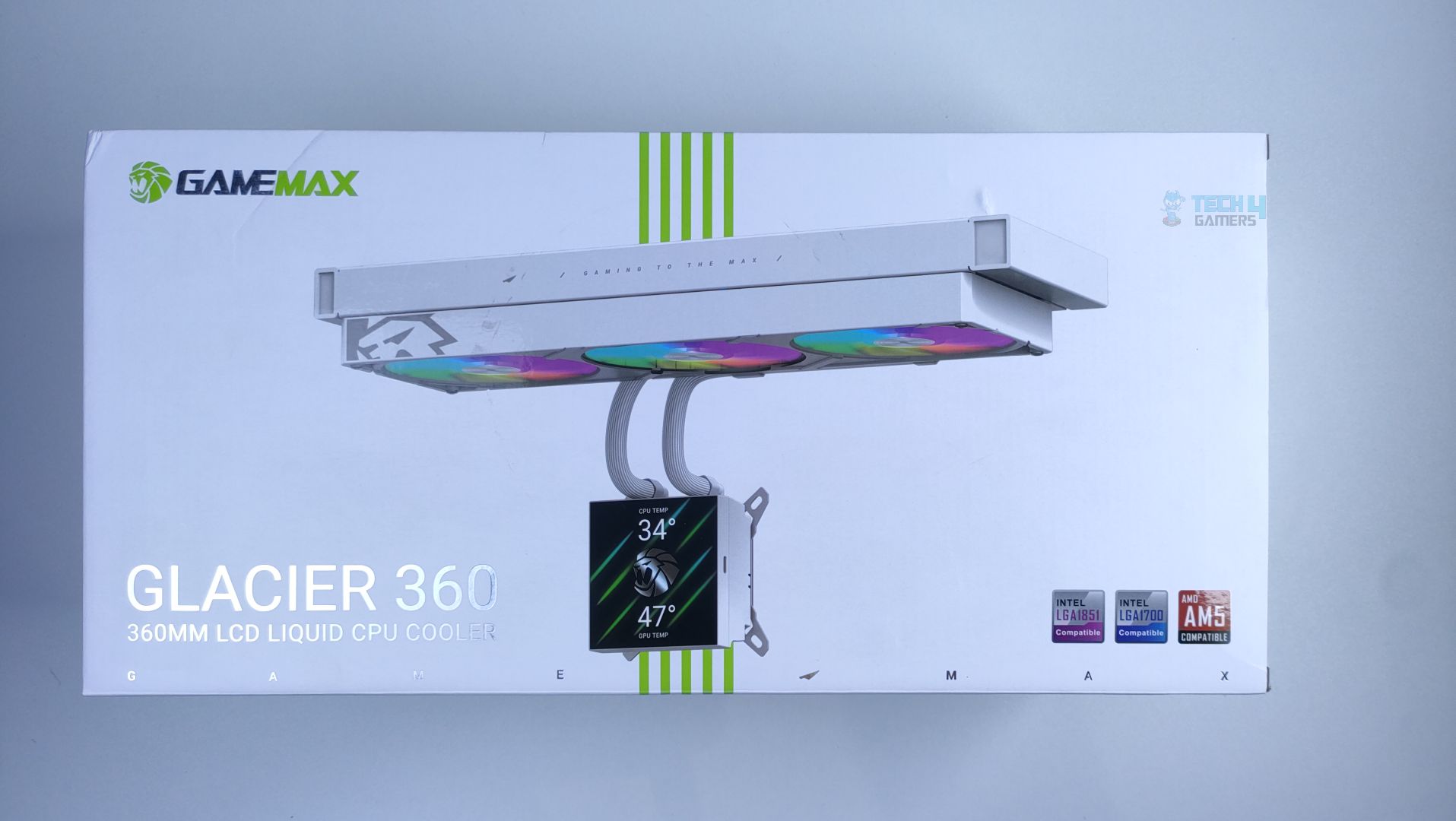
Game Max Glacier 360 comes in very neat packaging; the outer box gives a gift-like vibe. The cooler image is rendered on a box, and the Intel LGA1851, LGA1700, and AM4/AM5 badges are cleanly displayed.
Front – Game Max Glacier 360
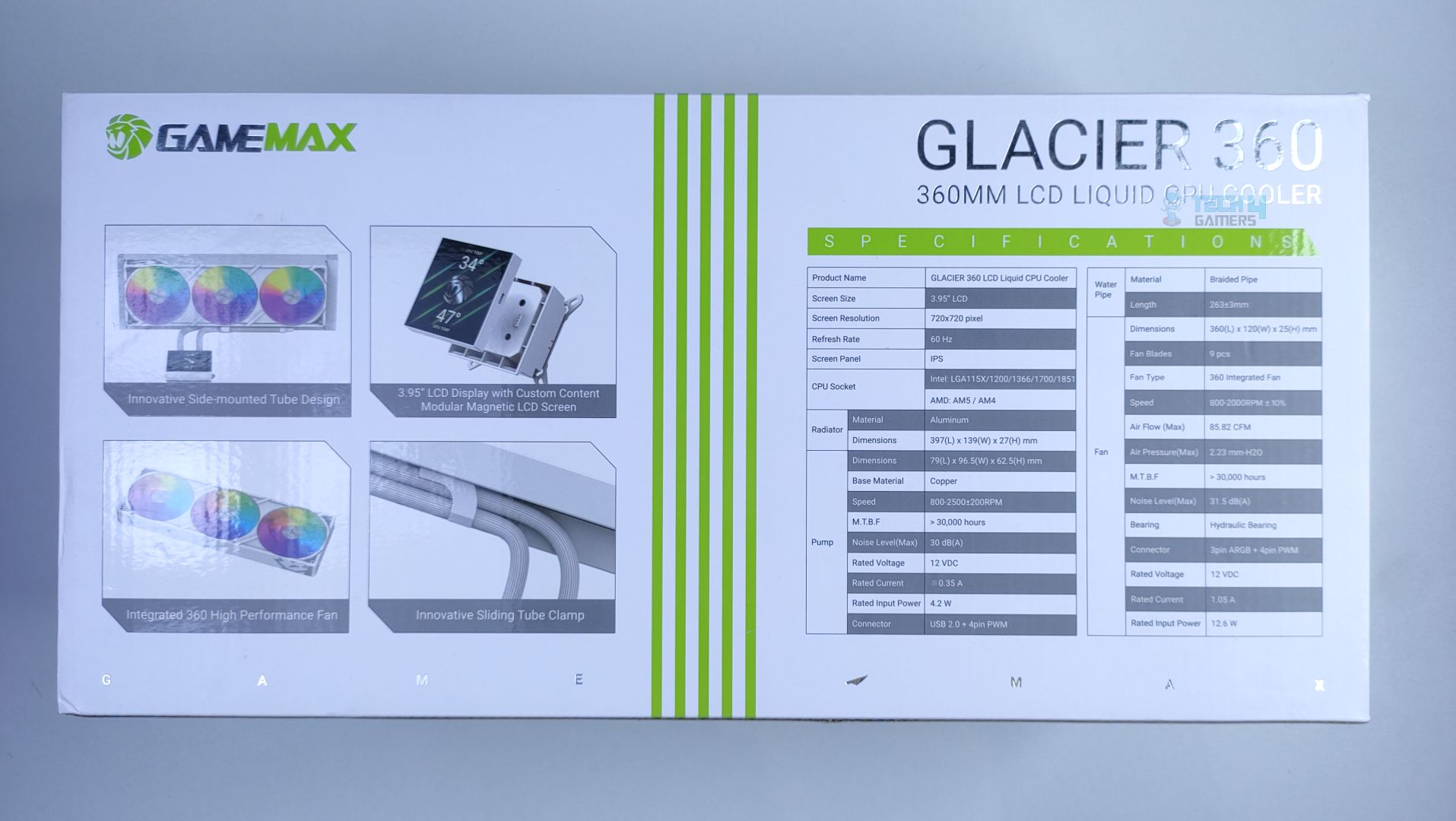
Back – Game Max Glacier 360
At the back of the box, Game Max has highlighted the cooler’s features and specifications.
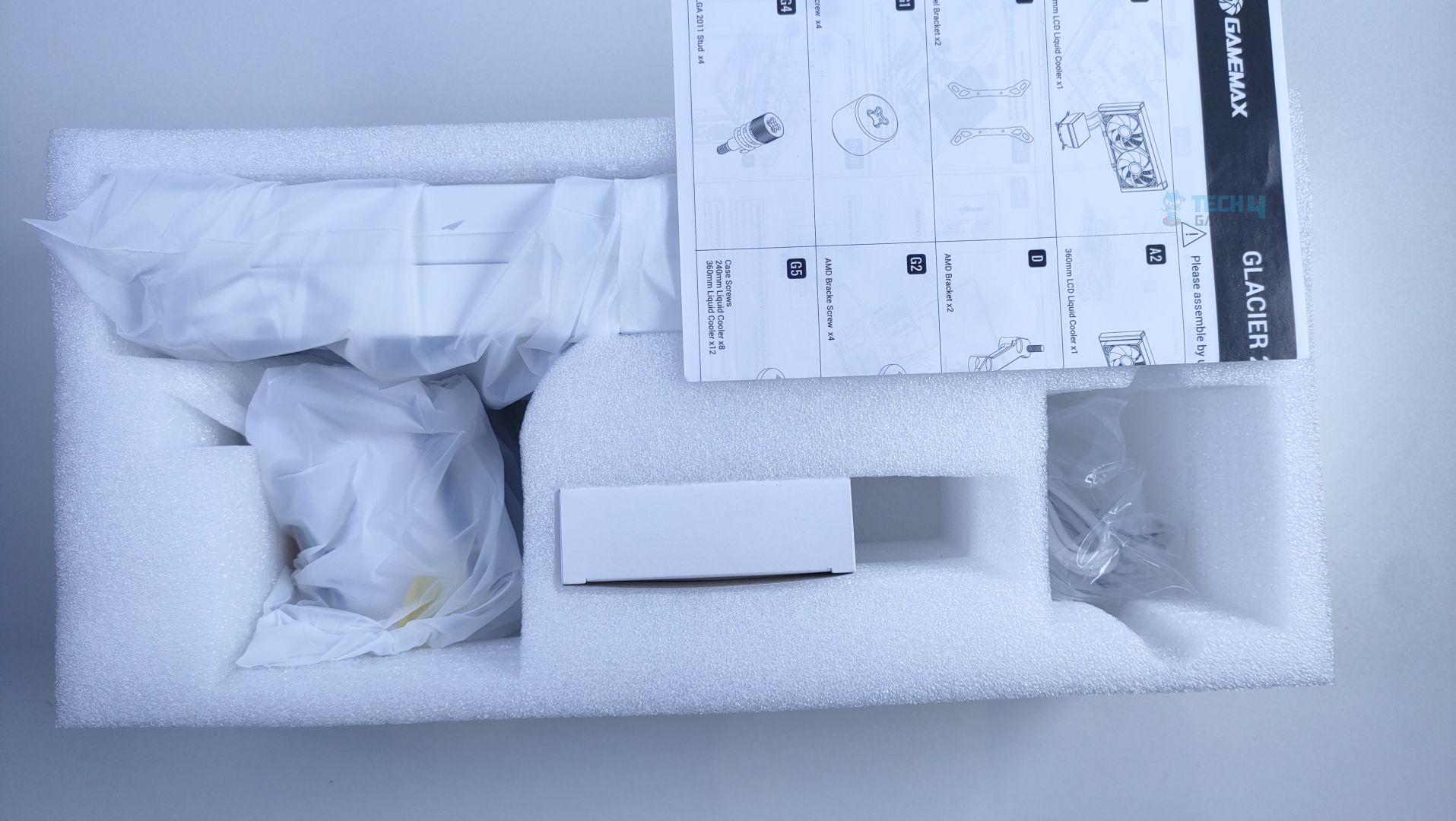
Inside the Box – Game Max Glacier 360
Inside, the cooler components are secured in a thick molded foam; the radiator, block, fans, and cables are wrapped in plastic. They have also provided the installation manual, and the accessories are secured in a white box.
Accessories
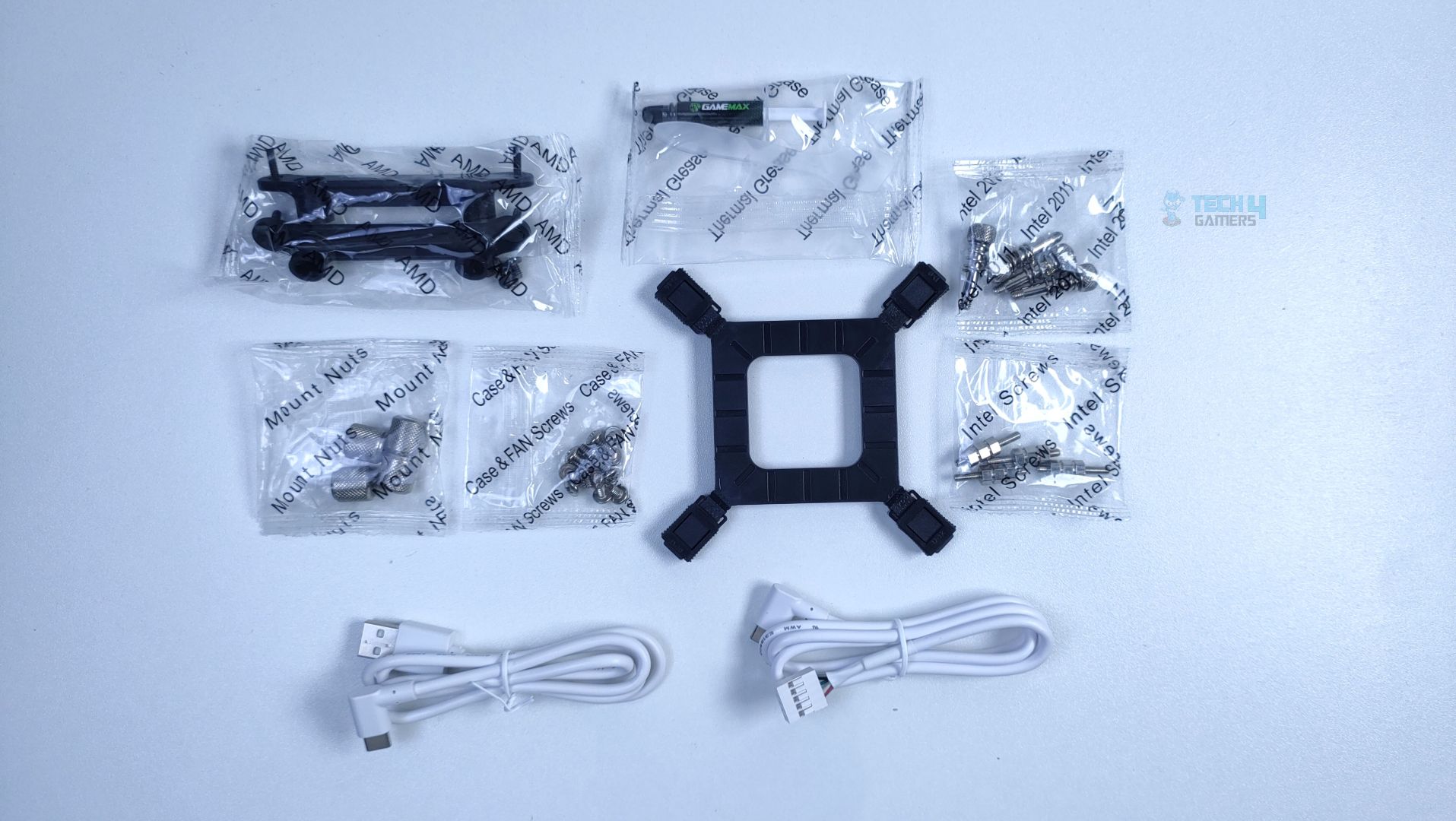
Now, looking at the accessories, I was expecting a large number of accessories given its extensive compatibility with Intel platforms. The two type-C cables are also provided if you want to install the LCD outside of the case. Each accessory bag is clearly labeled.
Accessories – Game Max Glacier 360
Accessories
LCD Panel
3.95-Inch Magnetic LCD
1x
Mounting Hardware
AMD Bracket / AMD Screws
2x / 4x
Intel Backplate
1x
Intel Brackets
2x
Intel Screws
4x
Intel LGA 2011 Screws
4x
Mount Nuts For Intel/AMD
4x
Radiator Screws
12x
Tools
Thermal Paste
1x
LCD Extra Cables
Type-C to USB 2.0
1x
Type-C to USB-9 Pin
1x
Close Look At The Radiator and Assembly
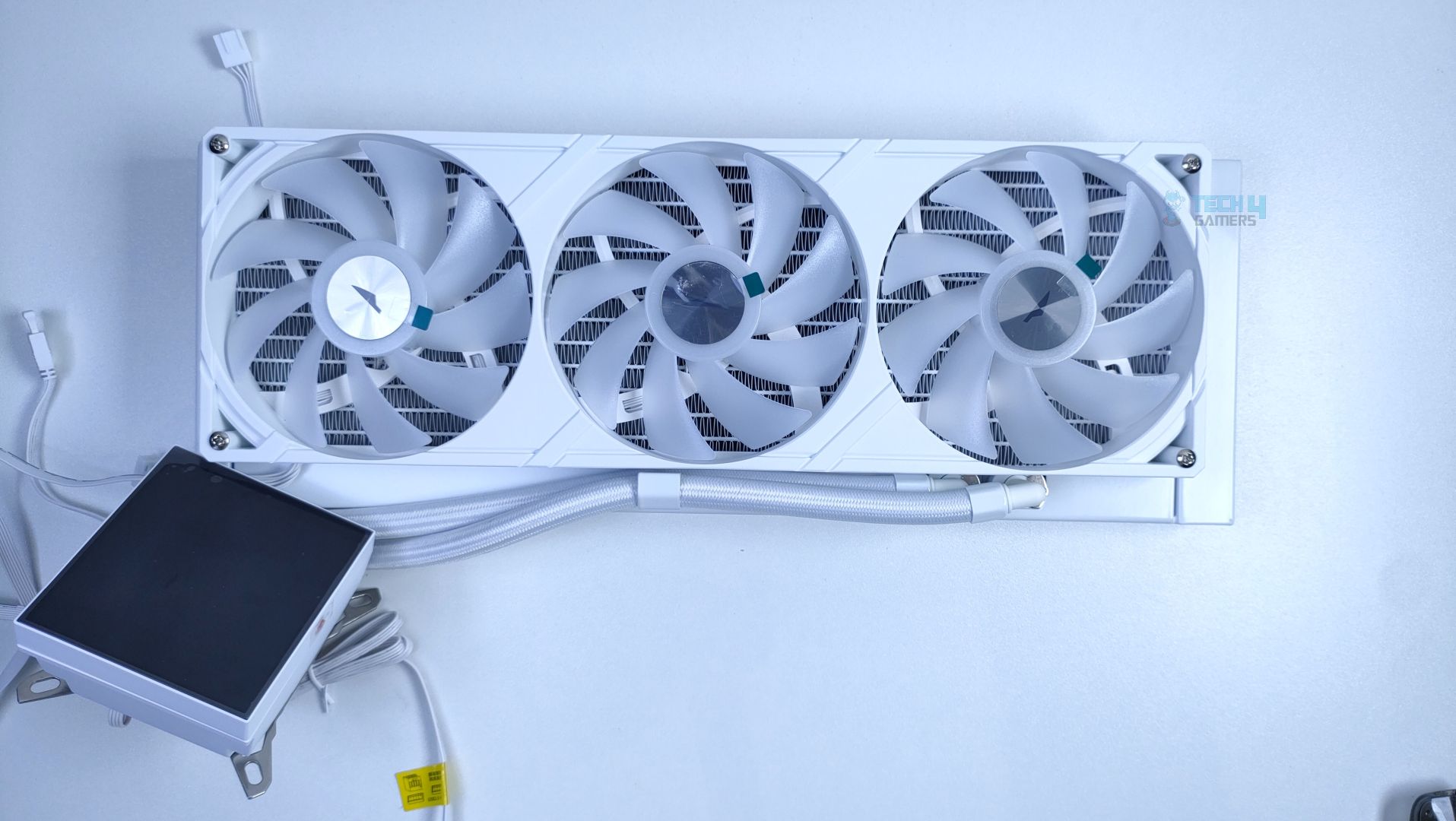
Now, let’s first look at the assembly you’ll get out of the box. The Fans are preinstalled on a cooler.
Assembly – Game Max Glacier 360
Assembly – Game Max Glacier 360
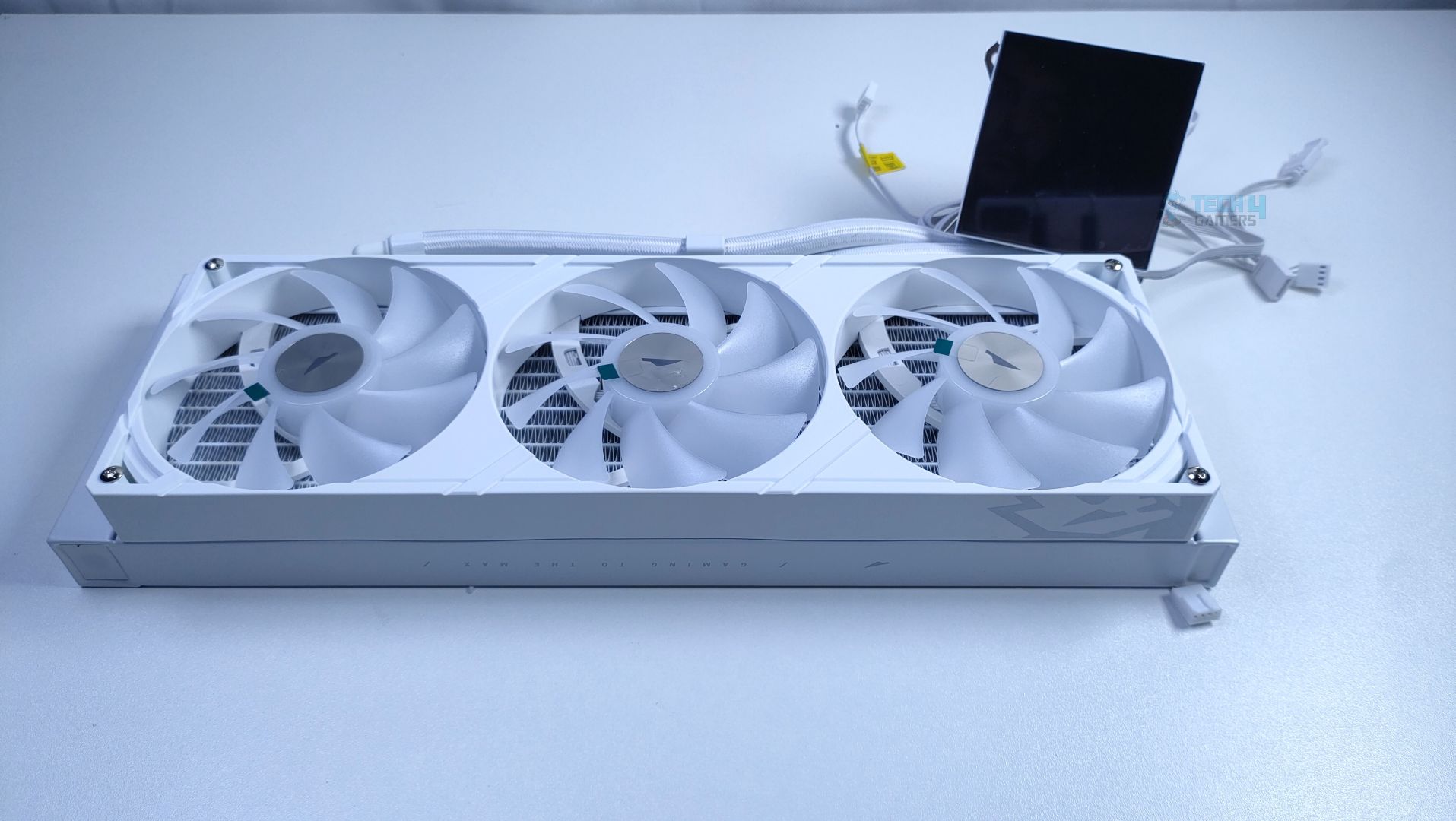
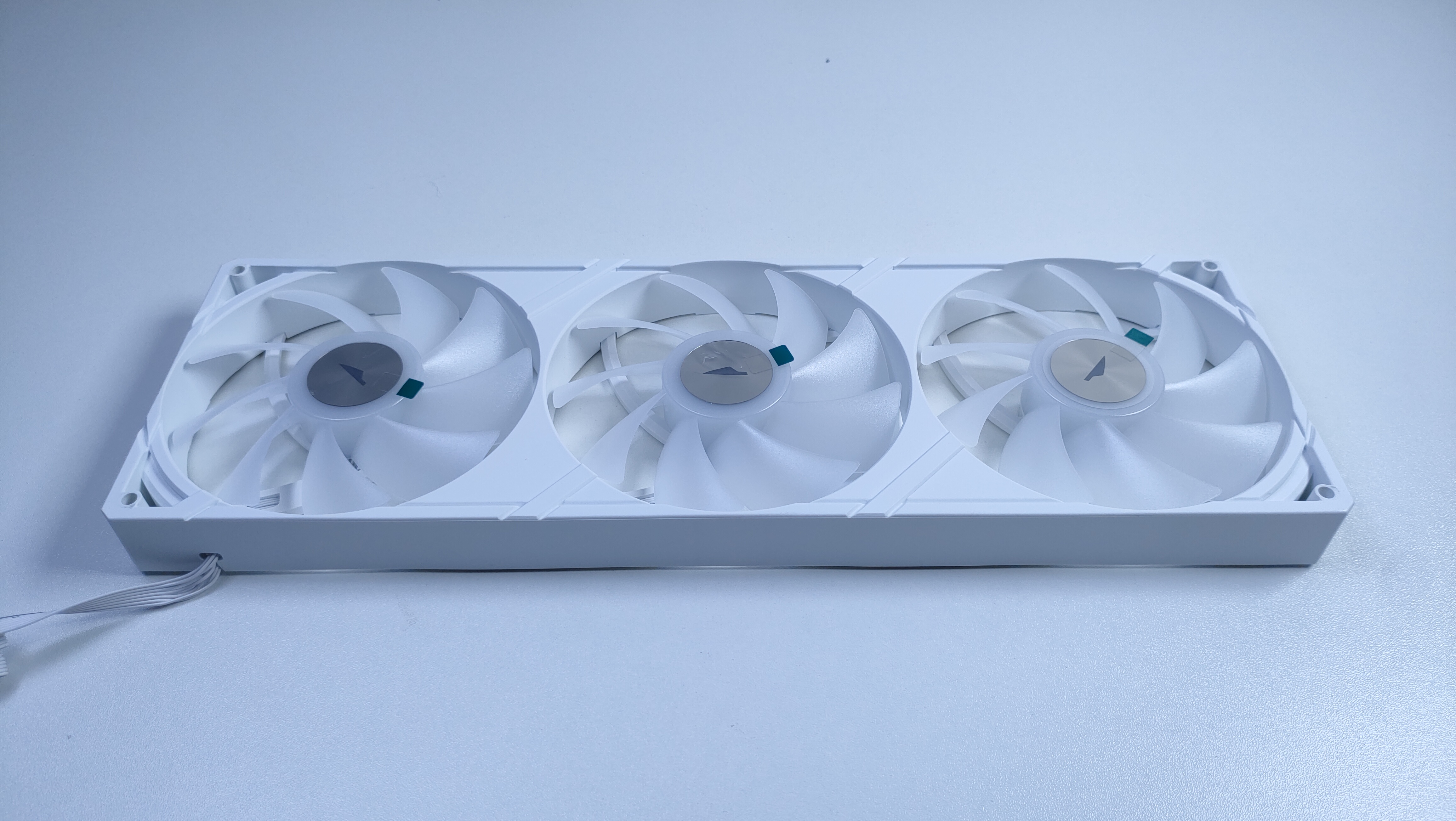
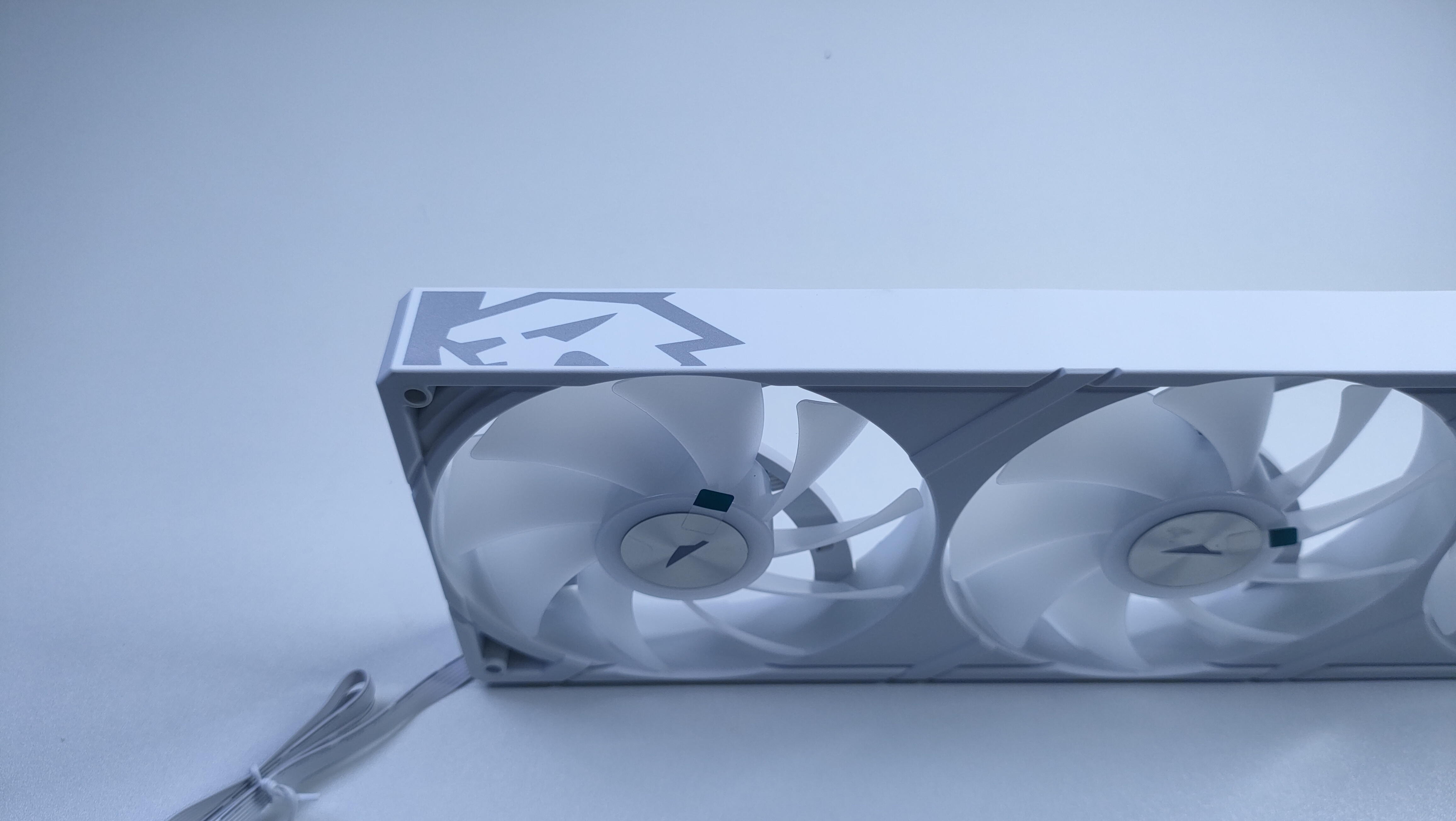
It’s not like the traditional fans you see on other coolers; these fans are installed in a single frame, which could enhance internal airflow. Four screws on a radiator secure the frame.
Side Mounted Tubes – Game Max Glacier 360
Side Mounted Tubes – Game Max Glacier 360
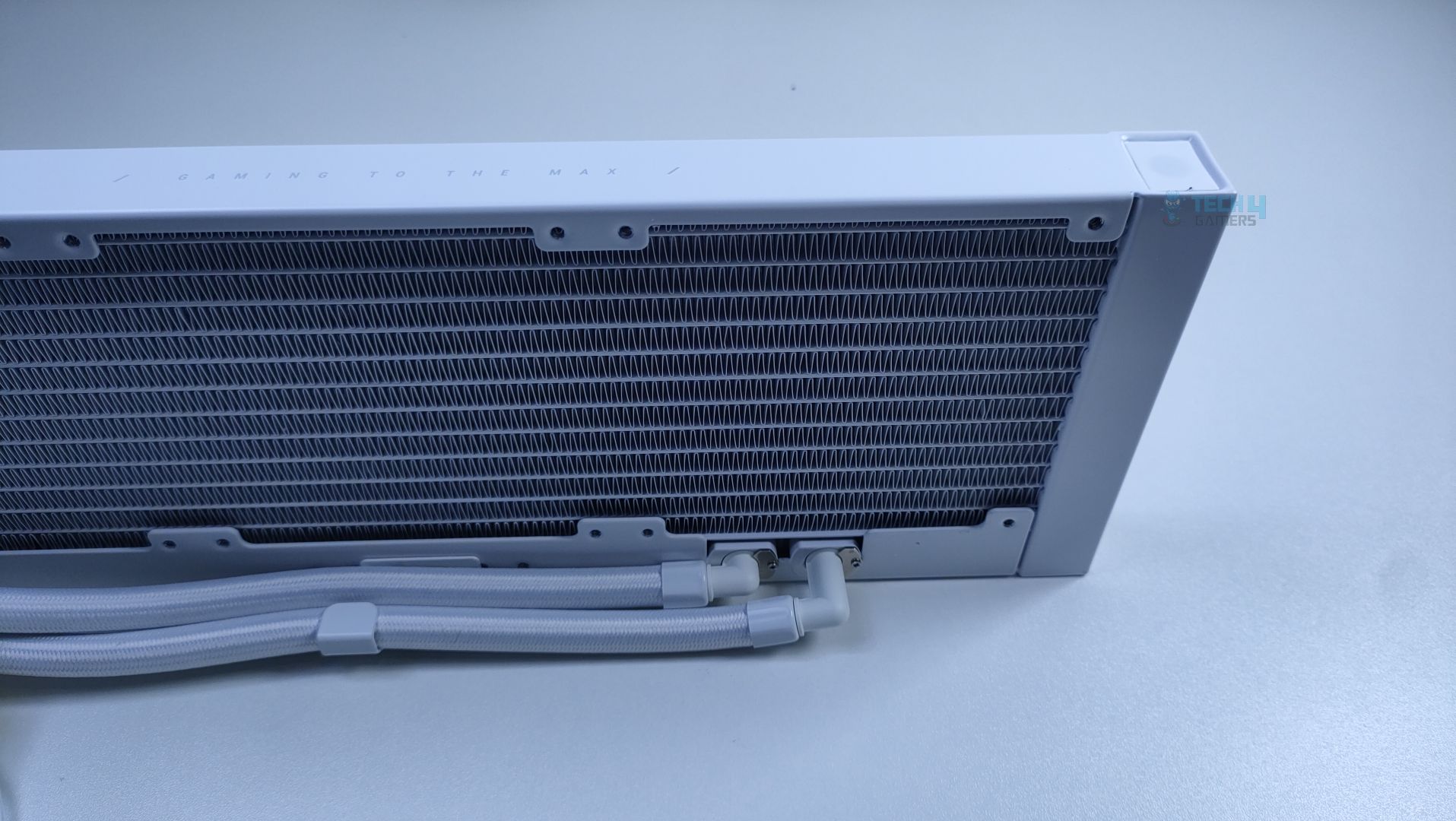
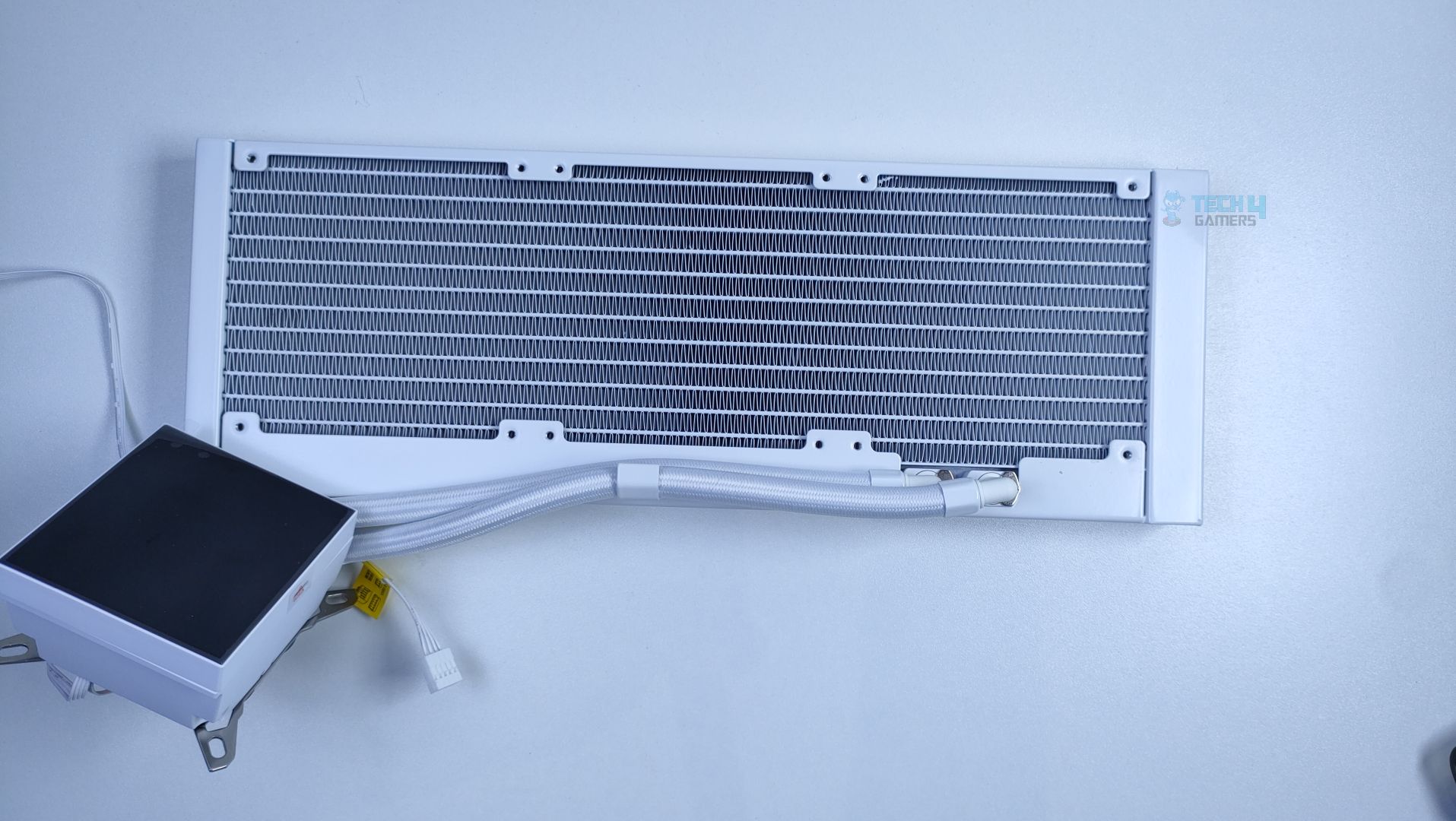
The tubes are secured to the radiator with a single clamp. Since the tube lengths are short, it is more suitable to mount the radiator at the top of the chassis. There is also a coolant fill port on the top right edge.
Radiator – Game Max Glacier 360
Radiator – Game Max Glacier 360
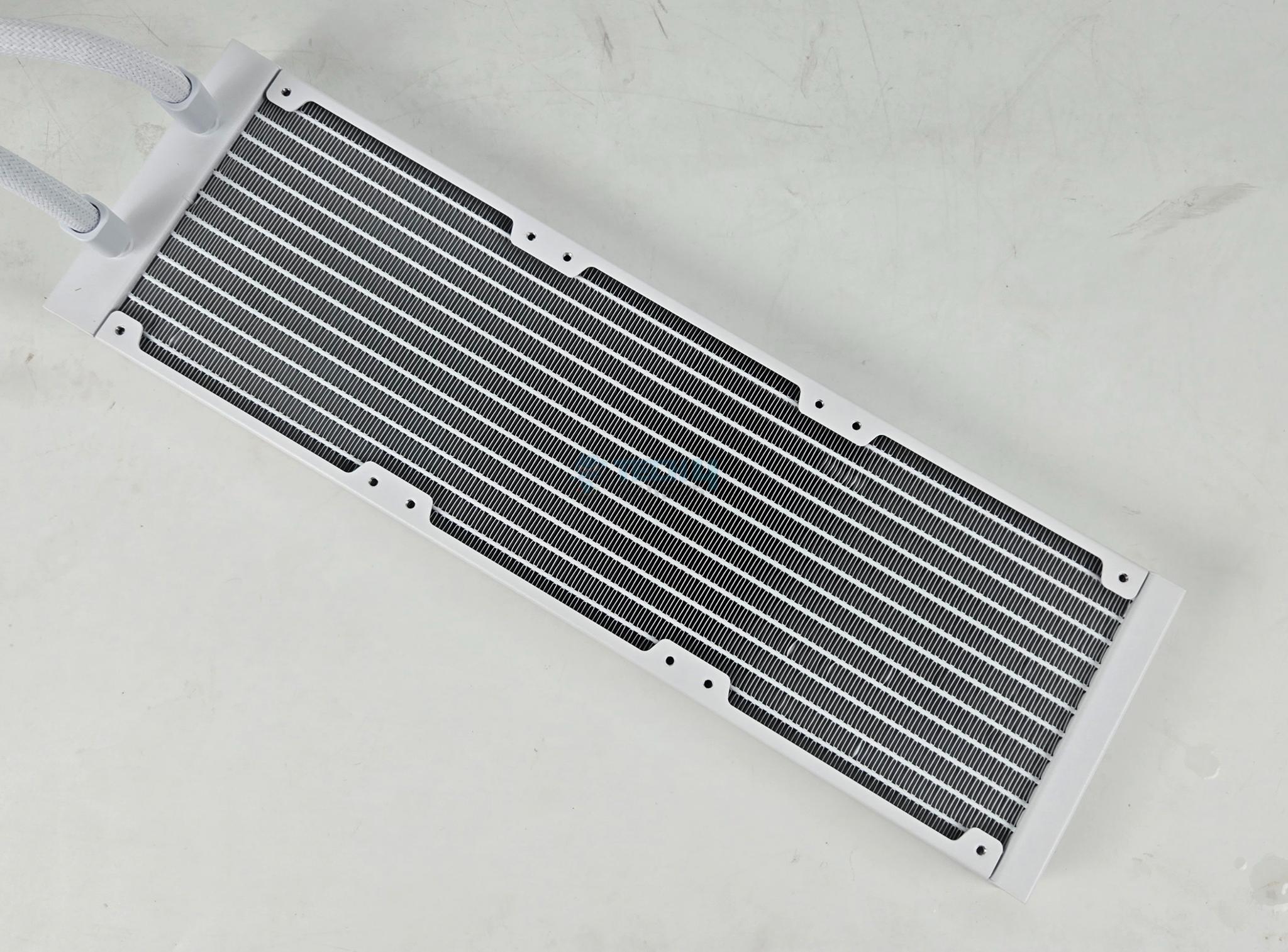
The radiator has dimensions of L395 x W139 x H27mm, features 13 water flow channels, and has an FPI (Fins per Inch) of 20, which is standard.
Pump Design / Housing
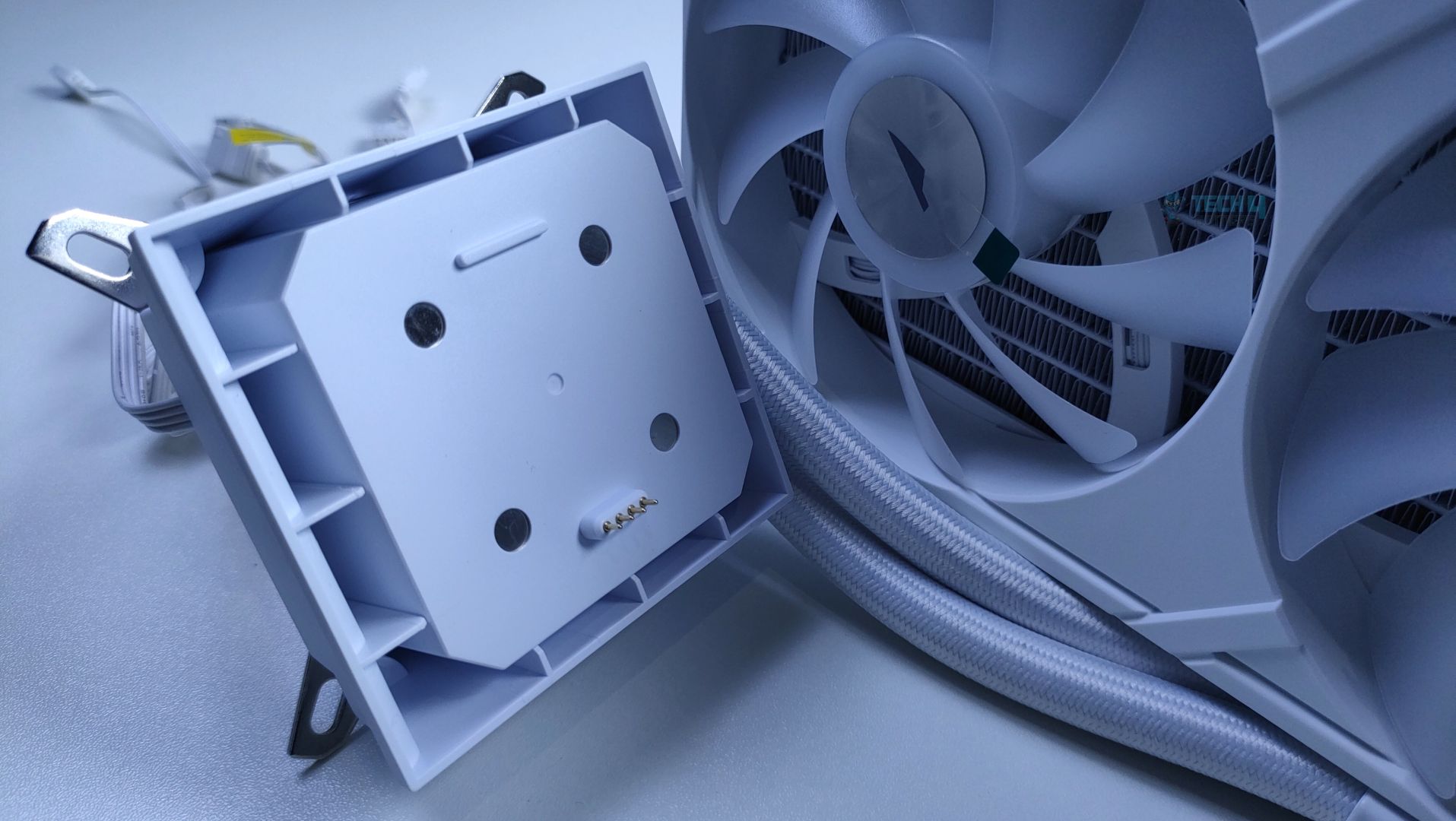
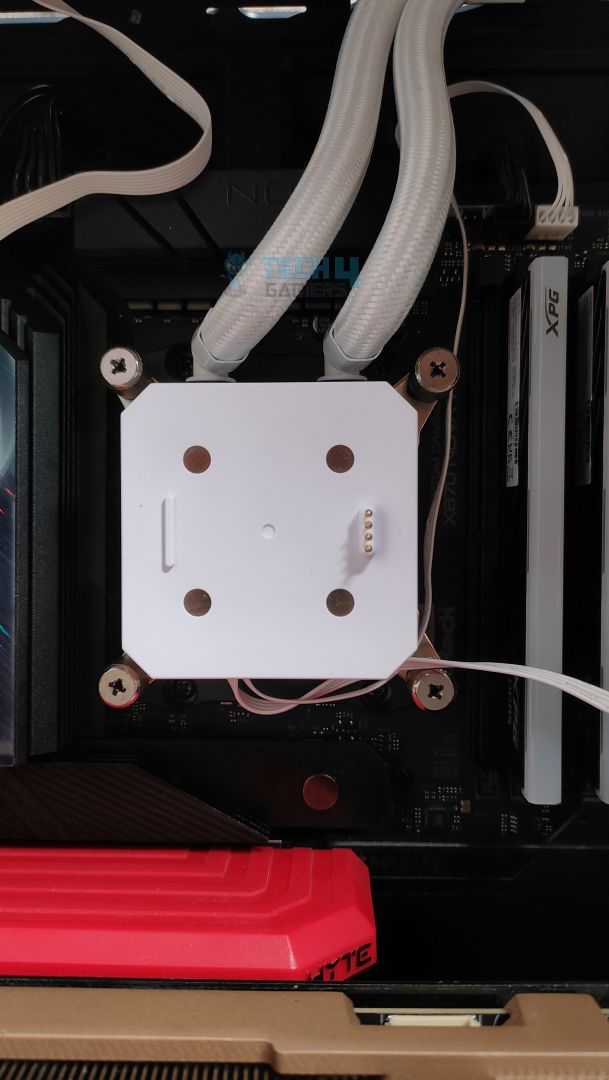
The pump block features a clean, matte white finish. The detachable LCD can be installed via a gold-plated pin connector, and four magnets on the block to secure the LCD in place.
Block – Game Max Glacier 360
Block – Game Max Glacier 360
The mounting arms are pre installed on a block that is universally compatible with AMD and Intel platforms.
Cables – Game Max Glacier 360
Two cables exit the pump: a 4-pin PWM cable for the pump and a 9-pin USB cable for the LCD panel.
Display
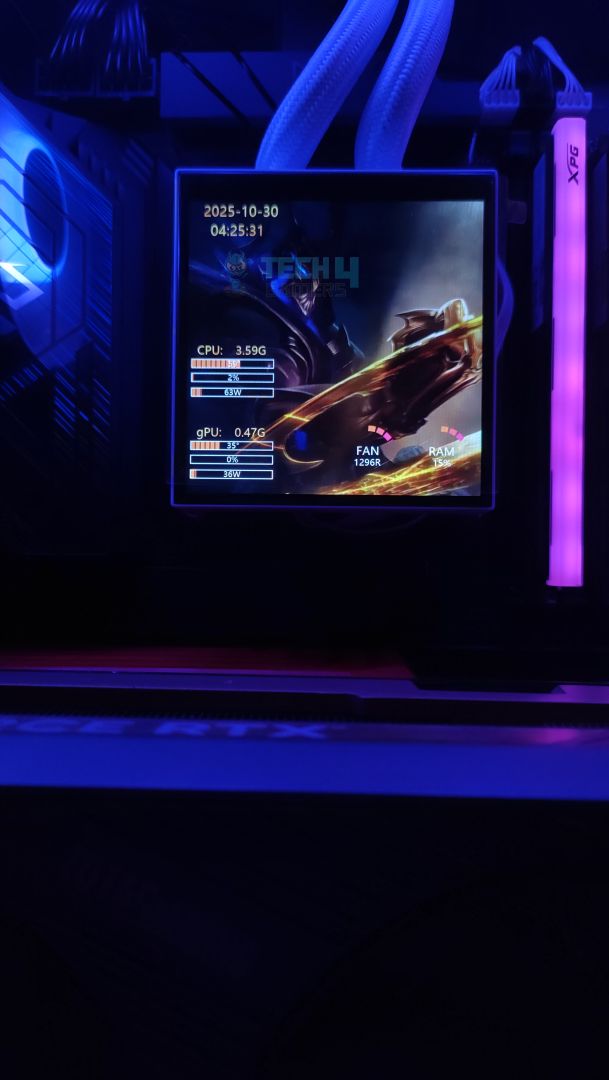
Game Max has really taken the LCD seriously this time, and it’s a large 3.95-inch display. Almost a decade ago, we had cell phones at this size. The LCD is not only large, but it also supports a resolution of 720×720, a brightness of 300 Nits, and a refresh rate of 60Hz.
LCD – Game Max Glacier 360
LCD Mounting – Game Max Glacier 360
However, there are several ways you could make use of this LCD. The display can be powered via the provided Type-C cable for use as a secondary DIY screen on your chassis, or it can be left on a block. However, Game Max should have provided an additional accessory to hide the pump block’s connectors if you intend to use the LCD as the secondary display.
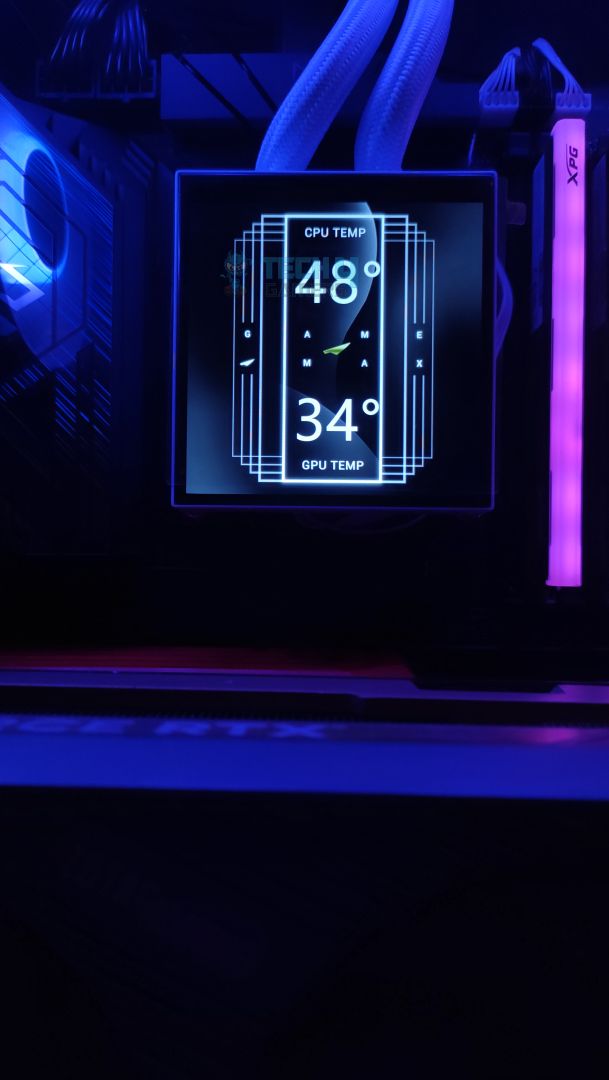
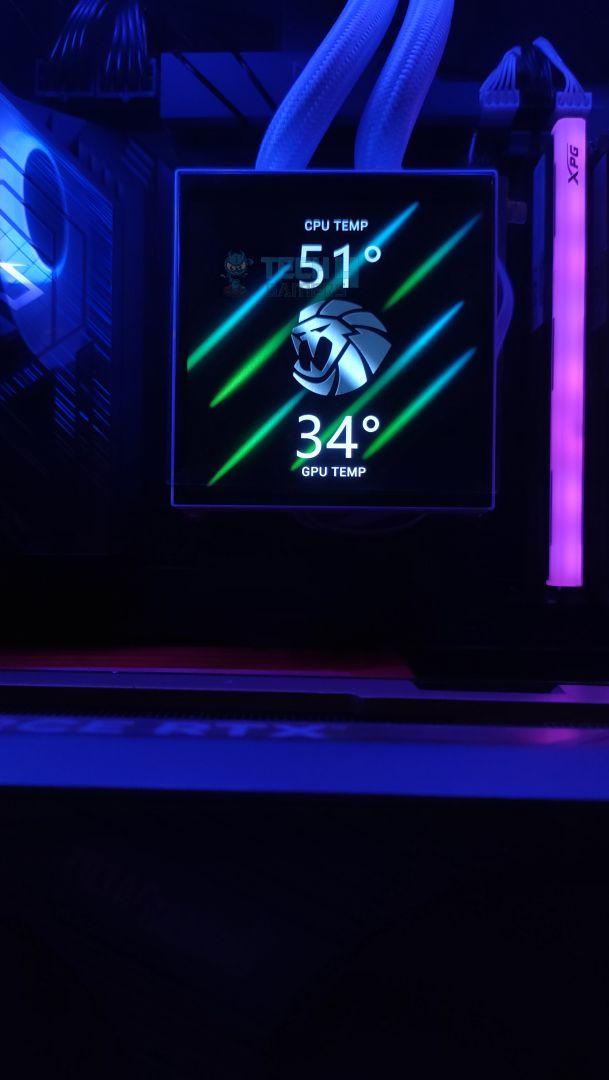
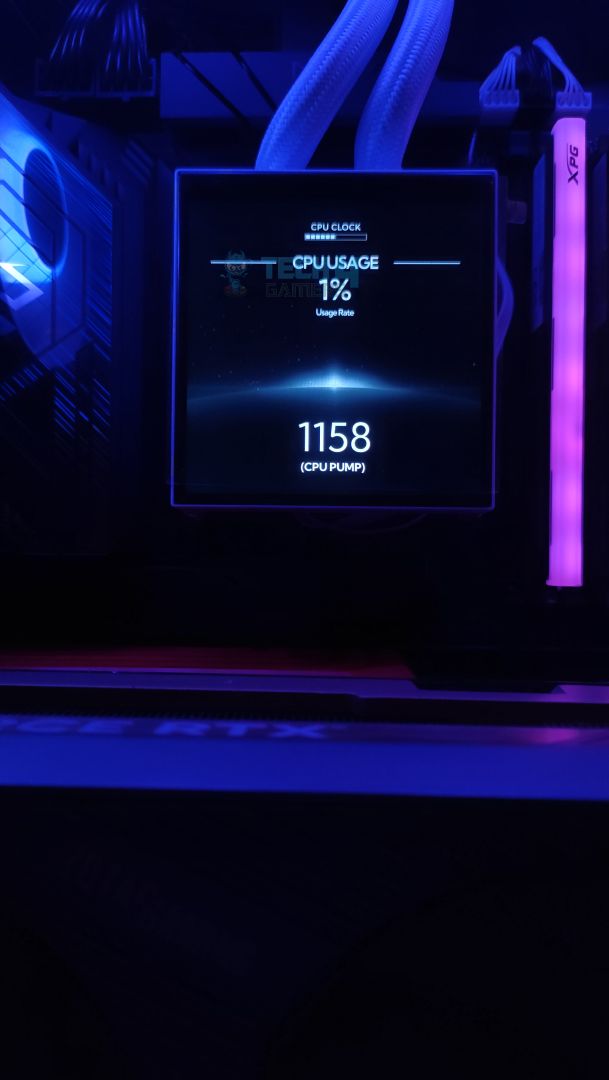
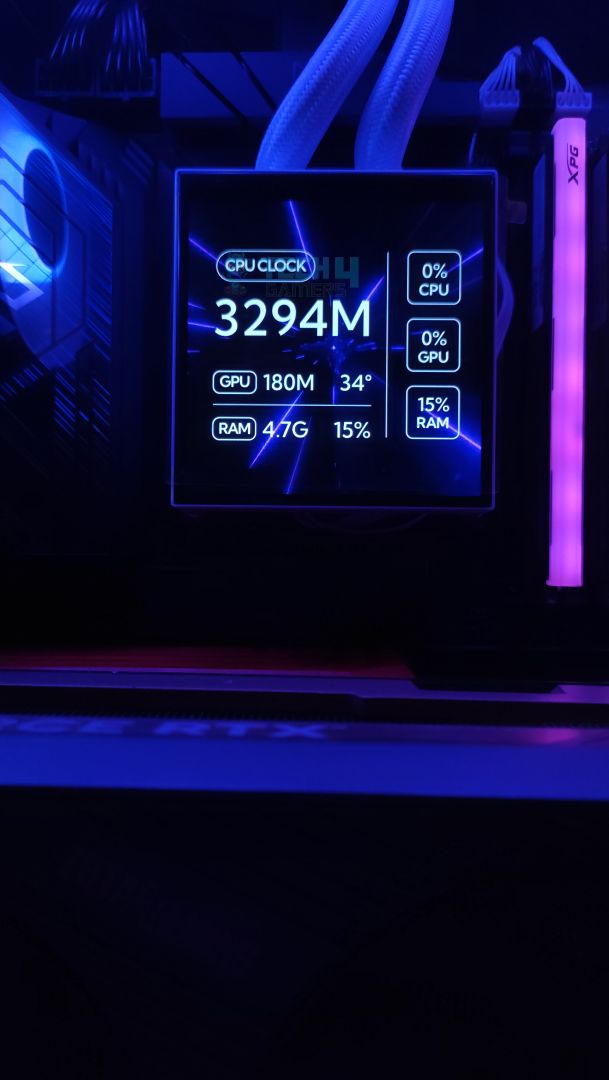
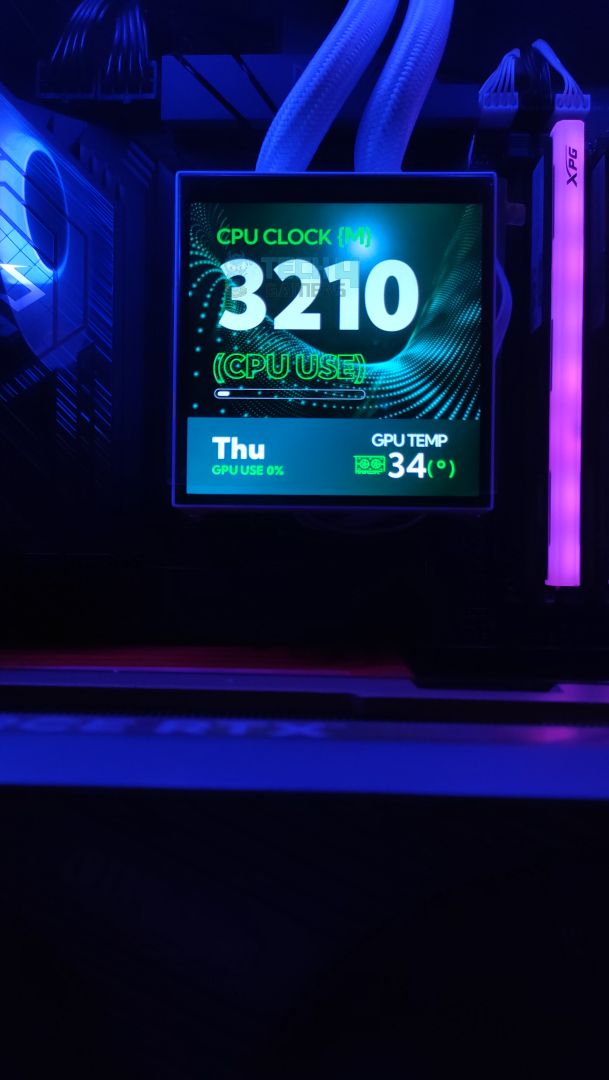
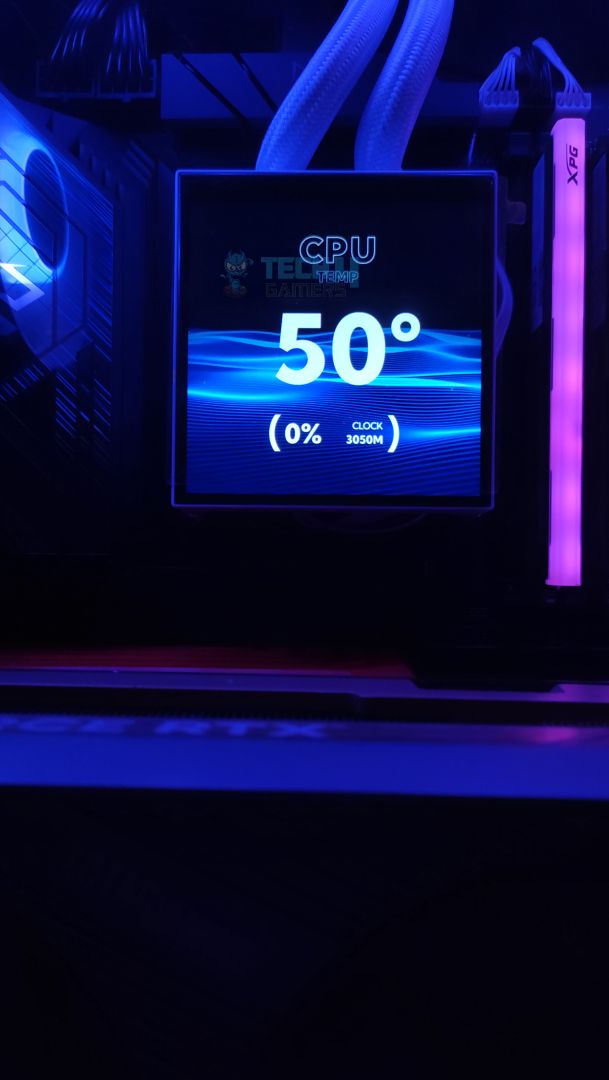
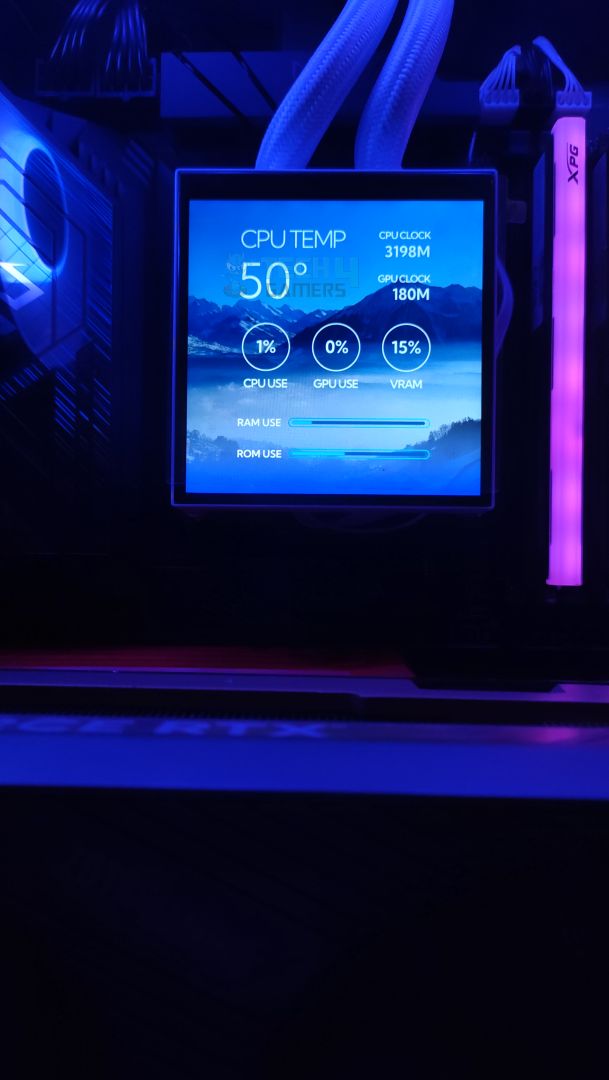
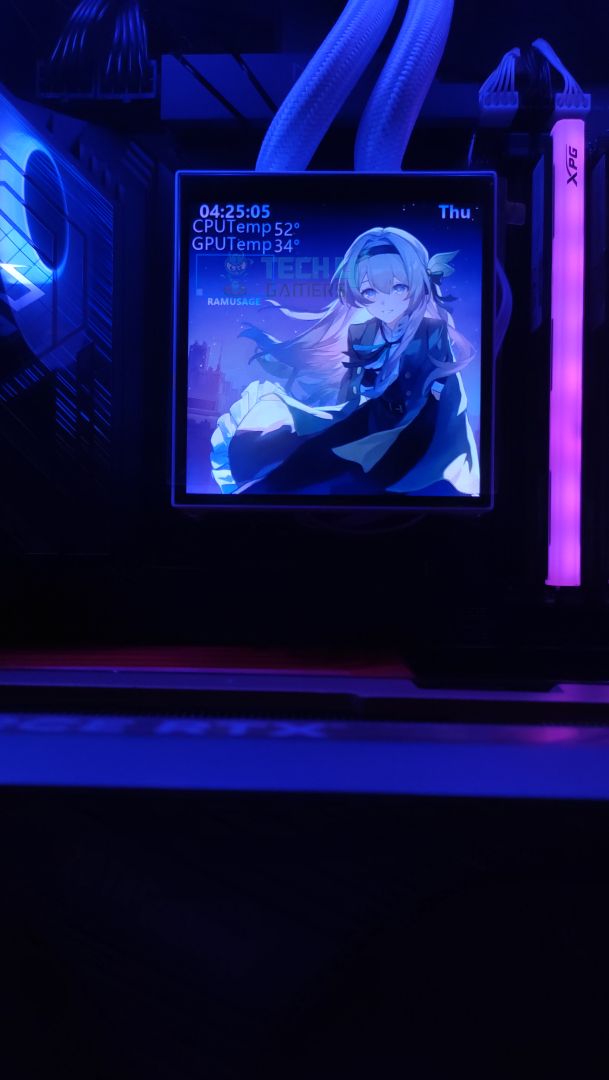
Here are a few demo examples showcasing the display with its preinstalled themes.
Display Modes
1 of 9
Software Experience
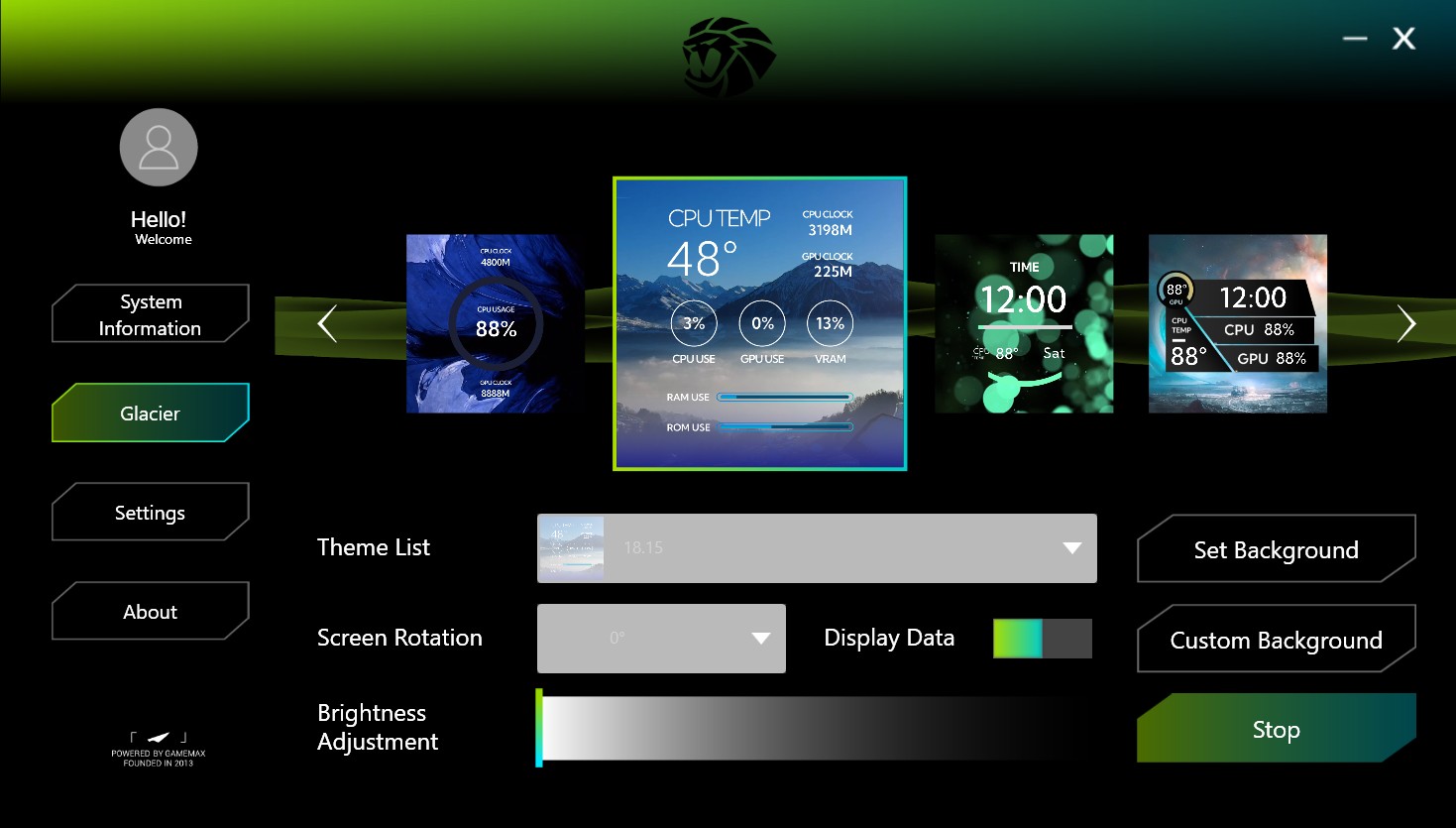
To customize the LCD, you need to download their software from their website, available on the downloads page, which weighs 370MB. During testing, we encountered a few issues indicating that the software is still in an unfinished state. For instance, there were minor typographical errors on the system information page, and the CPU clock frequency was reported incorrectly. Additionally, changing themes requires manually stopping the current layout before applying a new one, which disrupts the user experience.
On a positive note, the software is lightweight, utilizing only around 200–250MB of memory, and includes 26 preloaded themes. Overall, it’s simple, functional, and not cumbersome to use despite the minor bugs.
To take things further, the user can personalize the themes and upload videos/GIFS/images; however, the display cannot be used in secondary display mode in the default setup. For that, you would have to connect the LCD externally with the provided Type-C adapter.
Fans
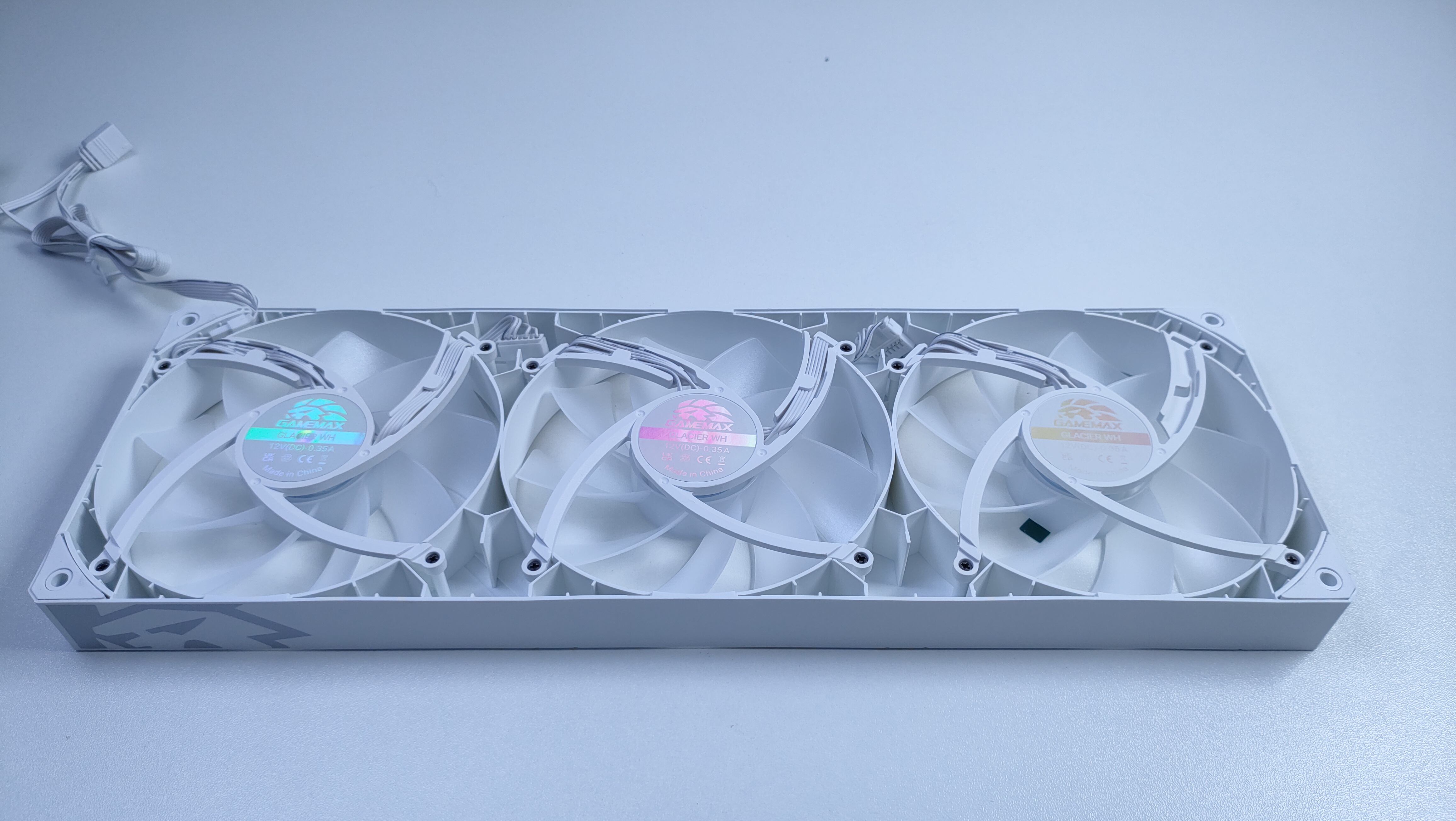
The fans are ARGB and mounted on a single frame, which is also daisy-chained. The single frame could enhance the airflow efficiency. In total there are 9 translucent fan blades.
Fans Front – Game Max Glacier 360
Fans Back – Game Max Glacier 360
The top edge of the frame prominently features the brand’s signature ‘Lion’ logo.
Fans Frame – Game Max Glacier 360
Cables – Game Max Glacier 360
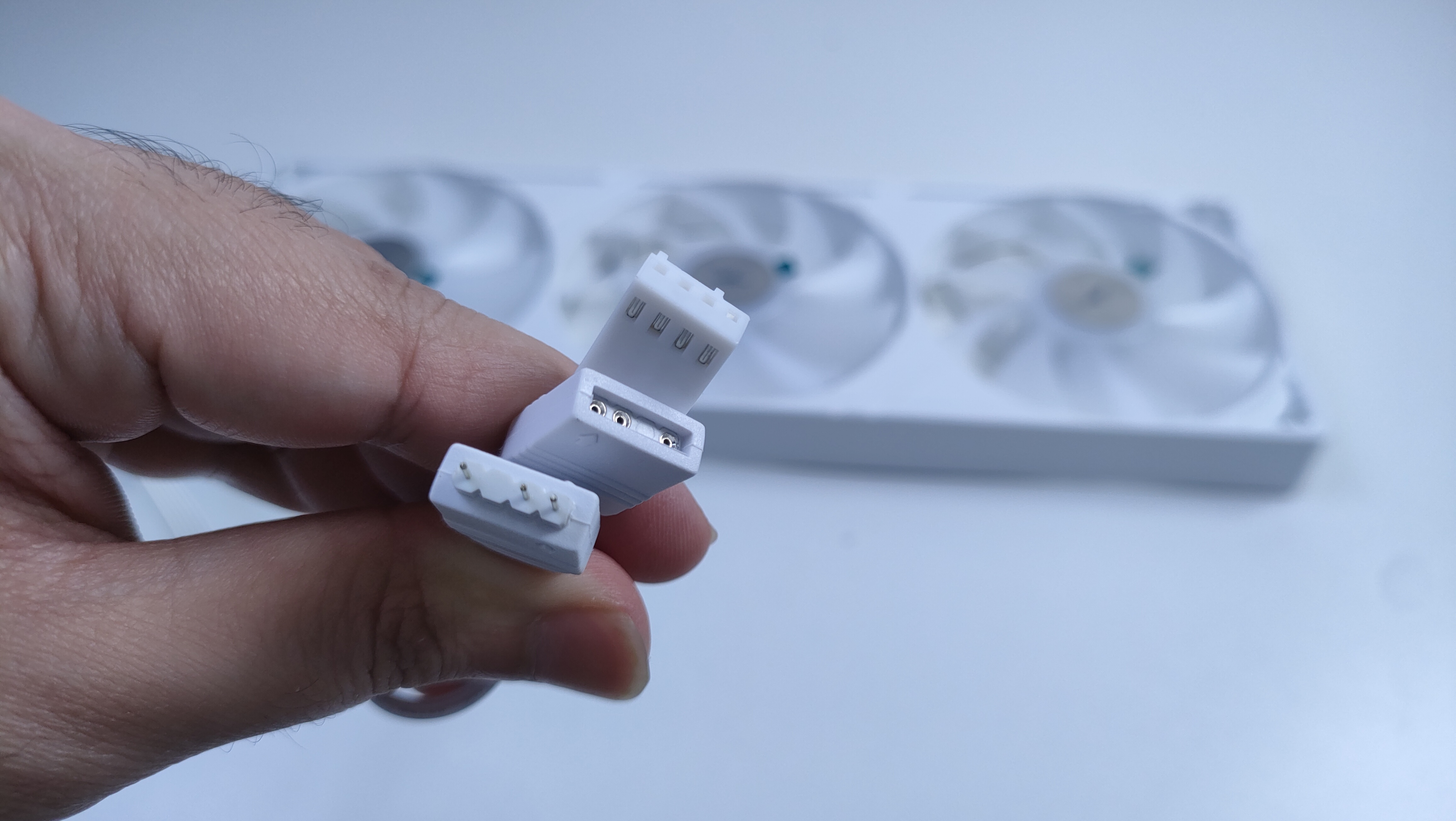
Two white cables extend from the frame: one is a 4-pin PWM cable, and the other is a 5V ARGB lighting cable.
Here is the specifications for the fans.
Specifications
Dimensions
L360mm x W120mm x H25mm
Fan Speed
800~2000 rpm ± 10%
Fan Bearing
Hydraulic bearing
Air Pressure
2.23mm - H2O
Air flow
85.82 CFM
Noise
31.5db(A)
Mode of control
PWM, ARGB
Rated Voltage
DC 12V
Rated Current
1.05 A
Rated Input Power
12.6 W
Installation (AMD)
We’re using the AMD platform, so our installation steps will only be provided for that.
Prepare the socket
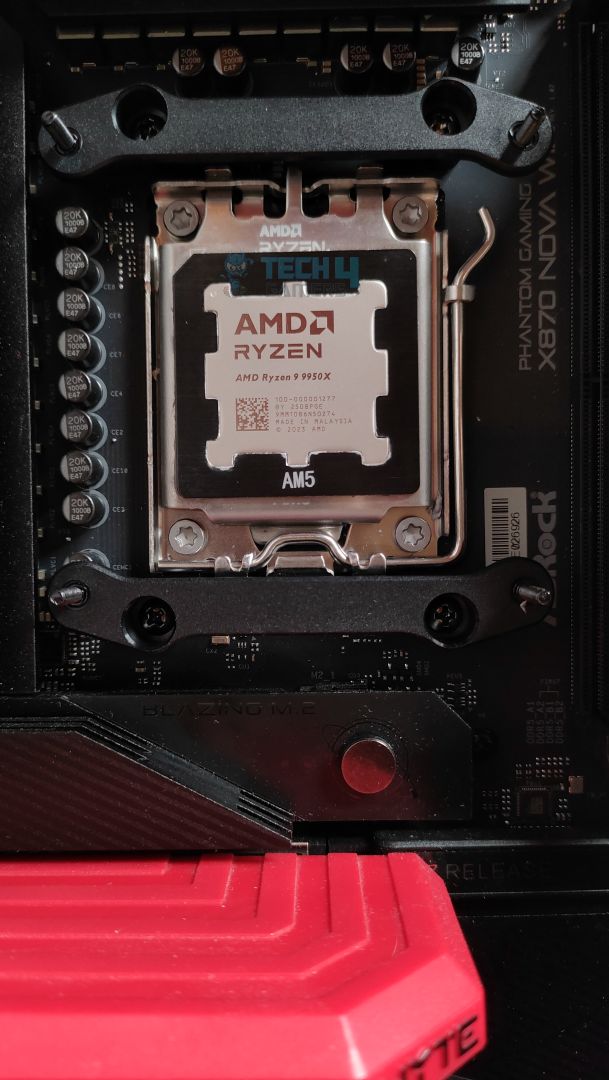
First, you need to remove the motherboard stock retention brackets from your AM4/AM5 motherboards. Then, you must install the (AMD) provided bracket. Secure the bracket in place with its bracket screws. Do not over-tighten the screws.
Brackets Installed
Thermal Paste Applied
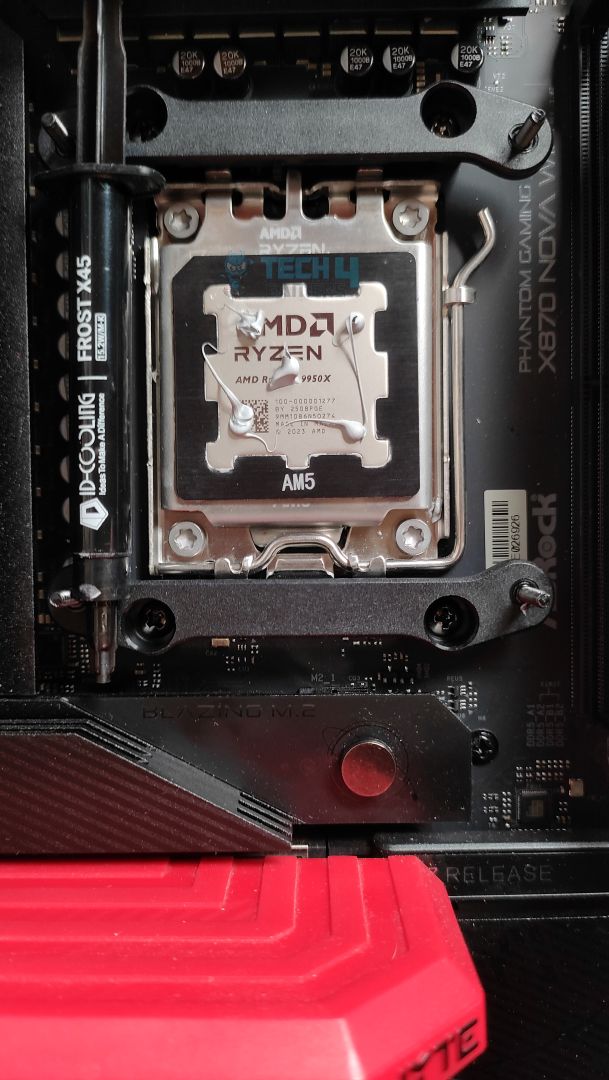
Now, apply the thermal paste to the CPU. Position the block into the brackets. Now secure the block with the bracket nuts. Once it’s done, secure the LCD onto the pump. It’s magnetic; you will know once it’s secured.
Block Installed
Finished Look
The installation was straightforward, and we encountered no issues whatsoever. However, the tube routing does not achieve perfect vertical alignment, as it slightly extends to the right. I’d have loved the Lian-Li approach here, where the tubes are perfectly vertically straight.
Cabling
Now that you have installed the cooler, it’s time to install the cables. My rule of thumb is always to configure the fan cables first. Two cables extend from the fan frame: the 4-pin PWM cable, which you must connect to the CPU_Fan header, and the ARGB cable, which will be seated on the 3-pin 5V-ARGB connector.
Since you have already installed the block, two cables are extending from it. One of them is a 4-pin PWM cable to power the pump, which will go to the CPU_OPT or the PUMP on your motherboard. Usually, it’s located at the top edge of the motherboard. The other cable is the 9-pin USB cable for powering the LCD, which will be plugged into the USB header at the bottom of the motherboard. However, if you wish to install the LCD outside the case and use it as a secondary display, you can skip this step and use the provided Type-C cable instead.
In total, four cables need to be installed. We had no issues whatsoever.
Testing Methodology
CPU Configuration:
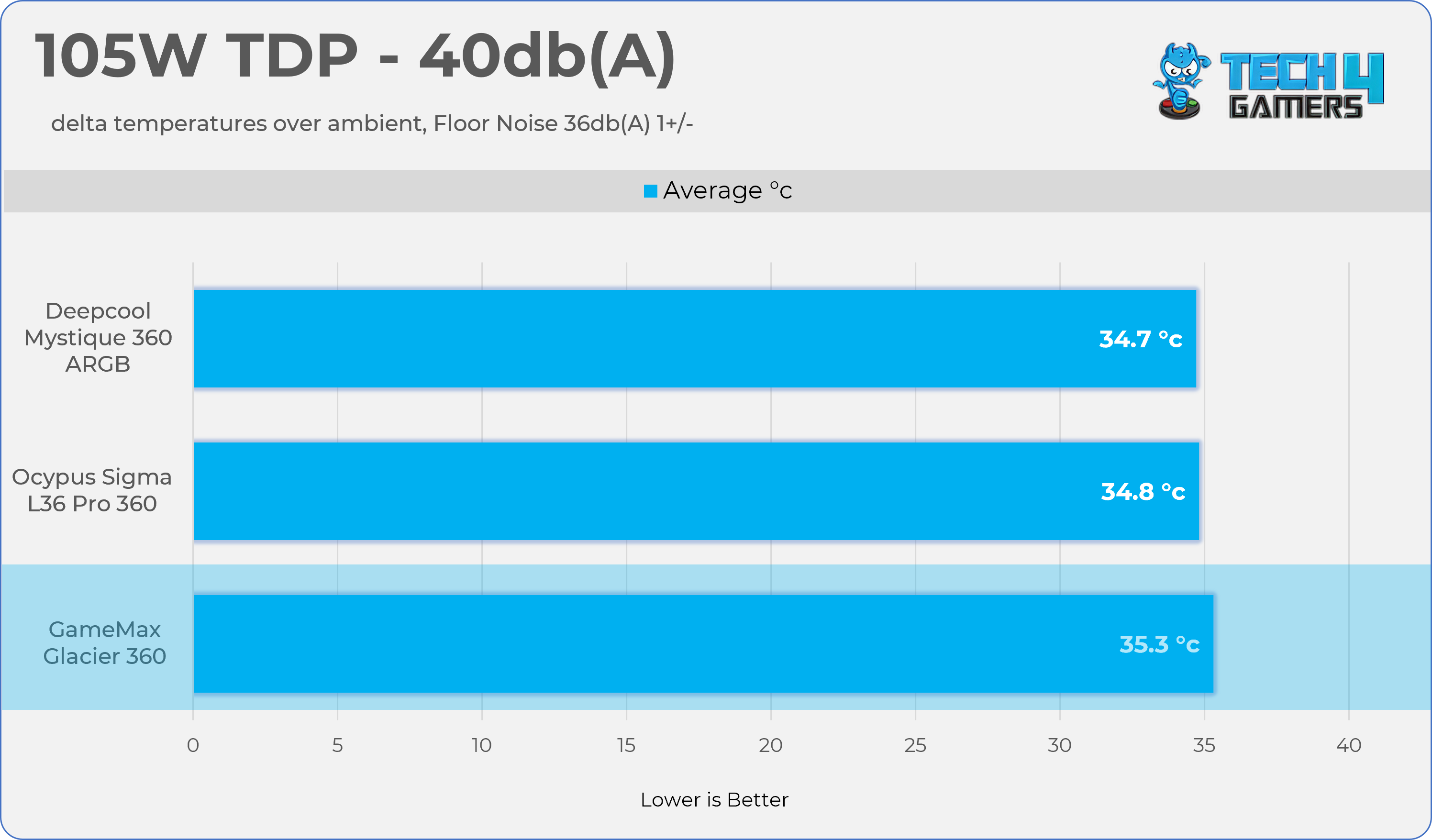
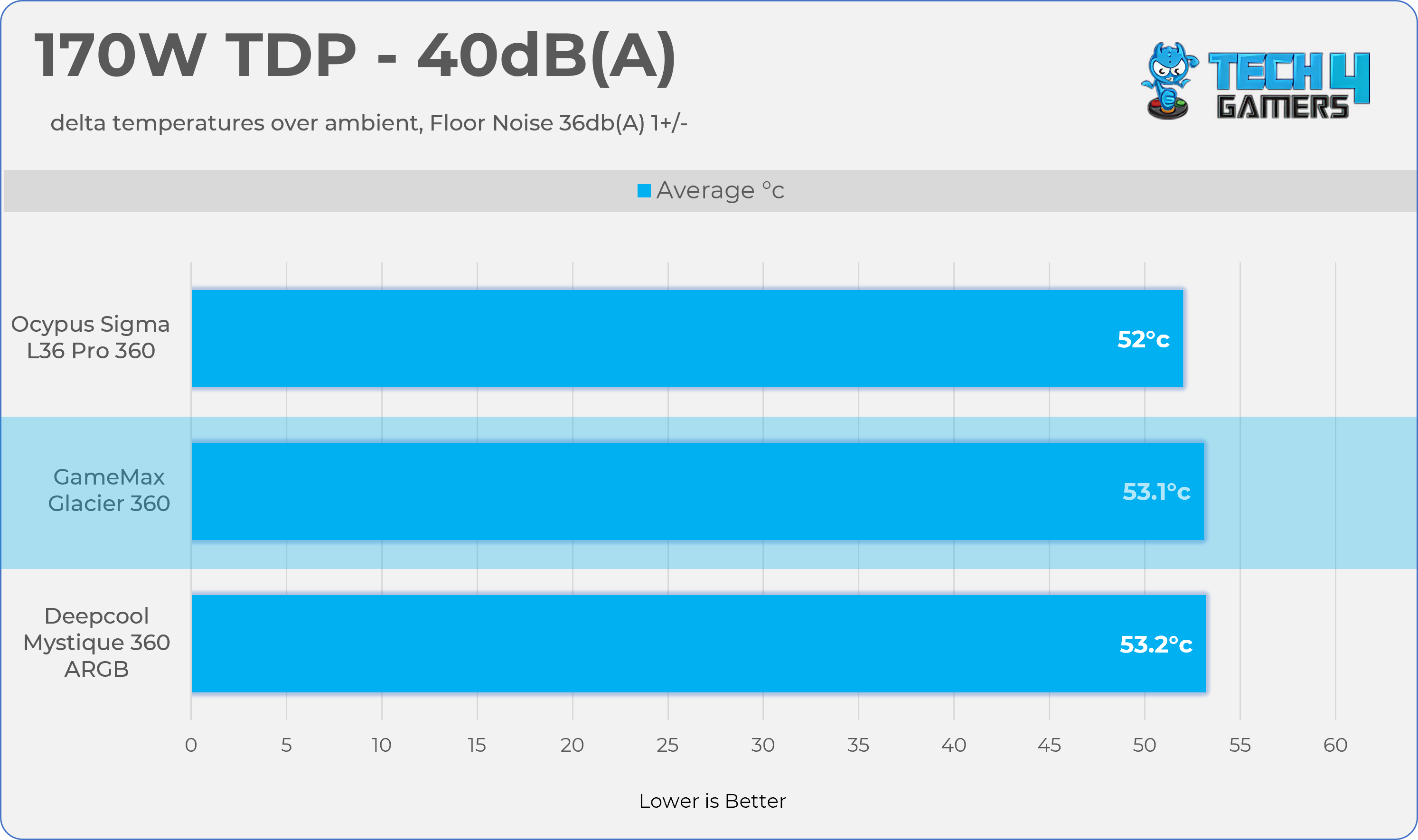
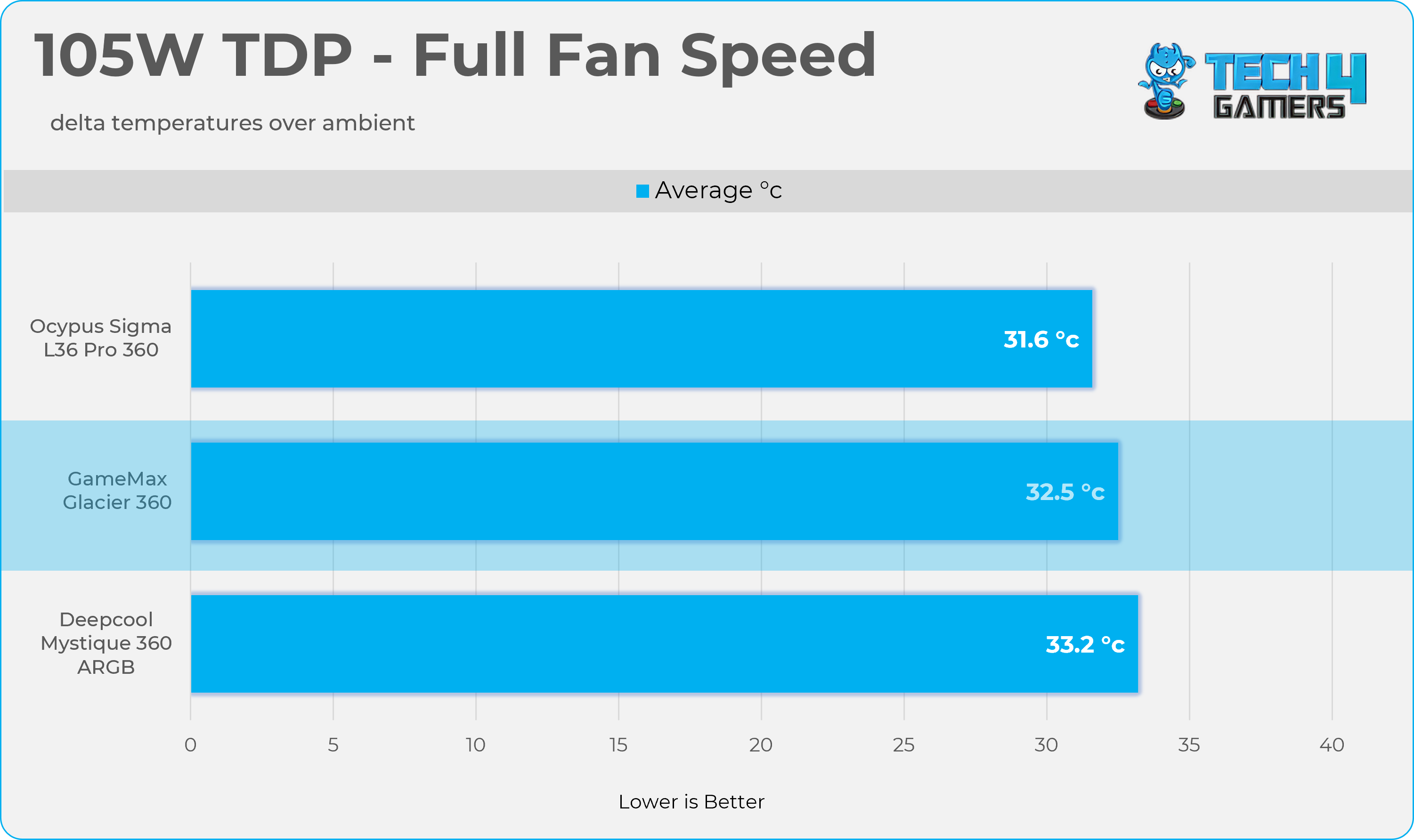
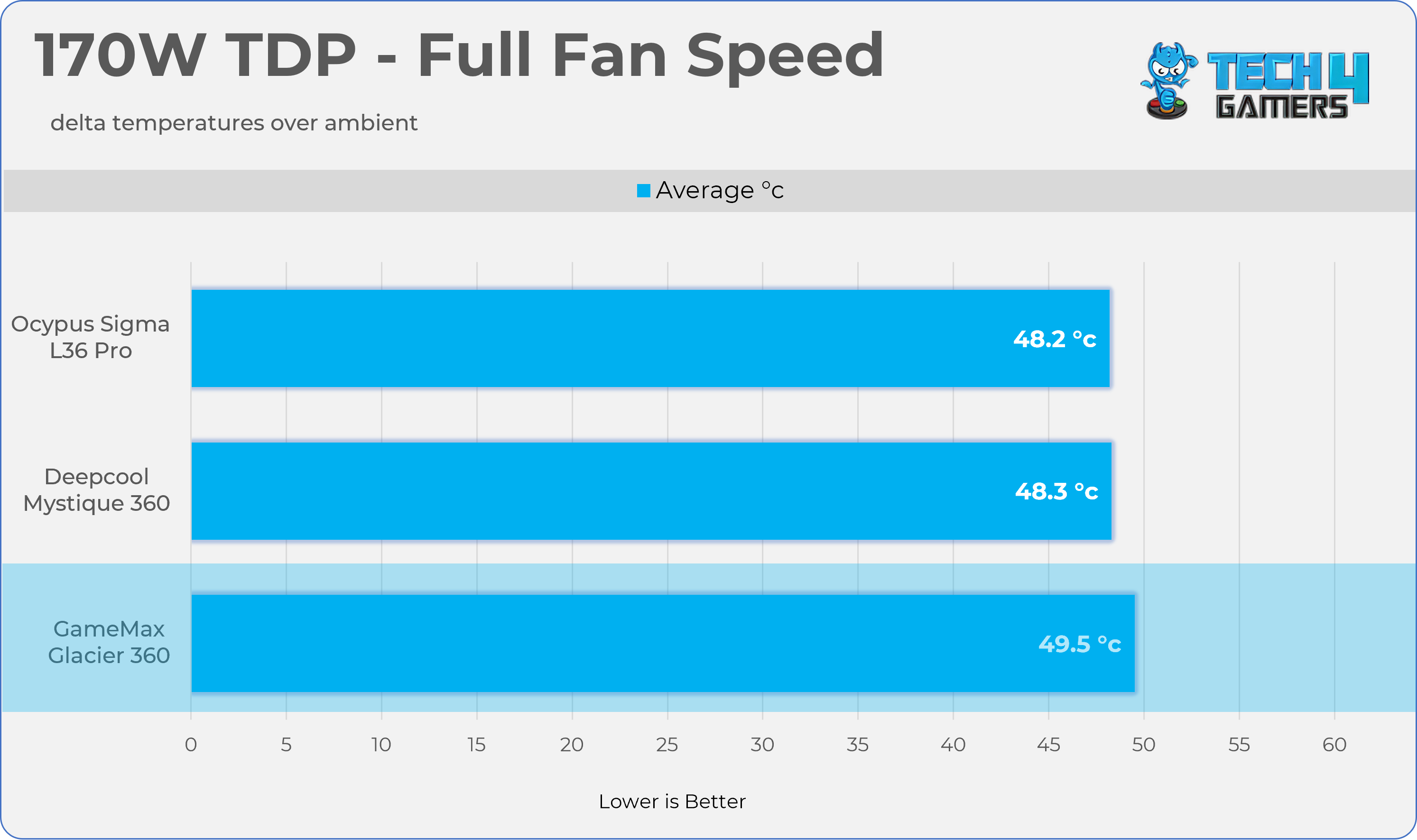
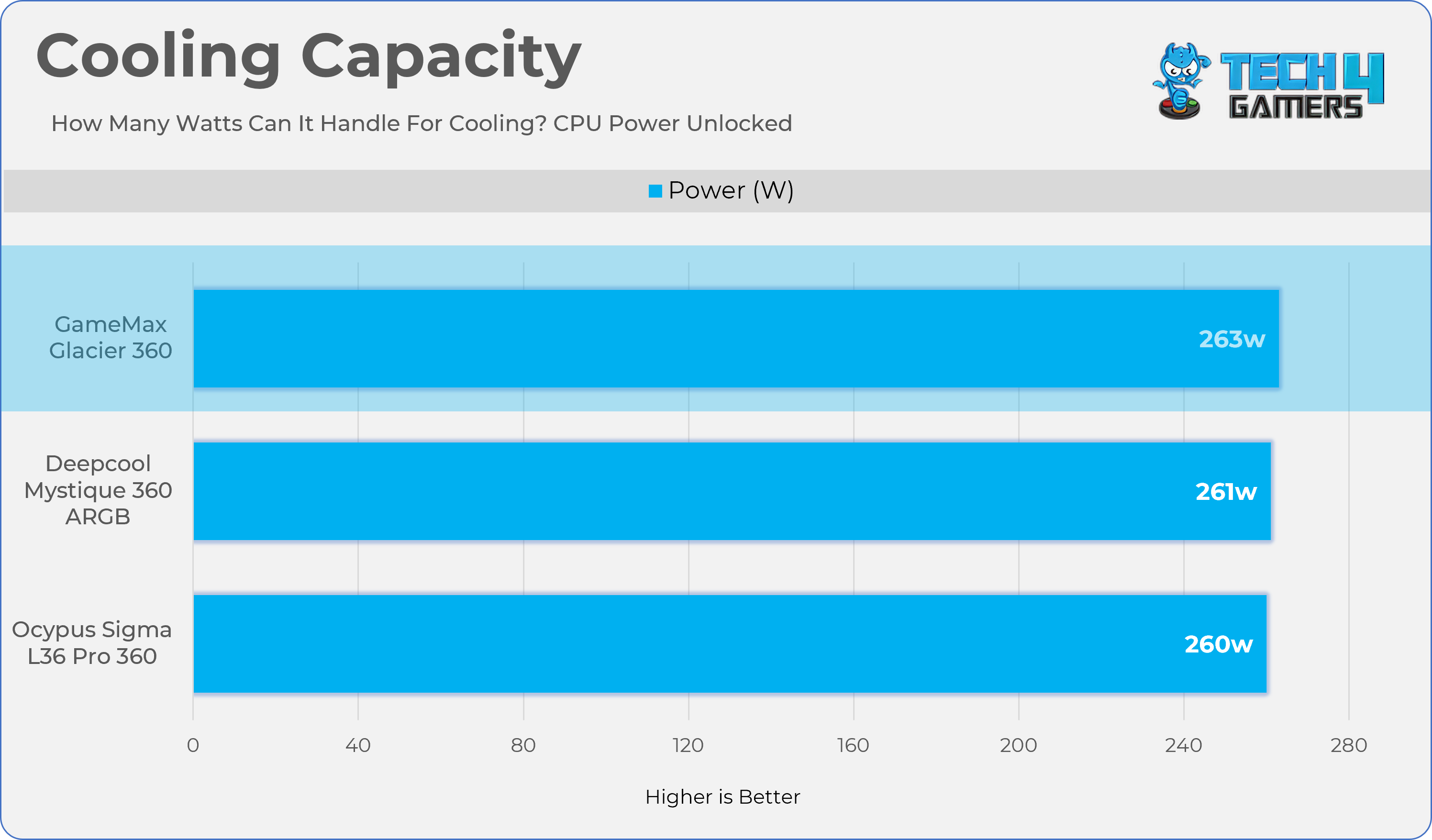
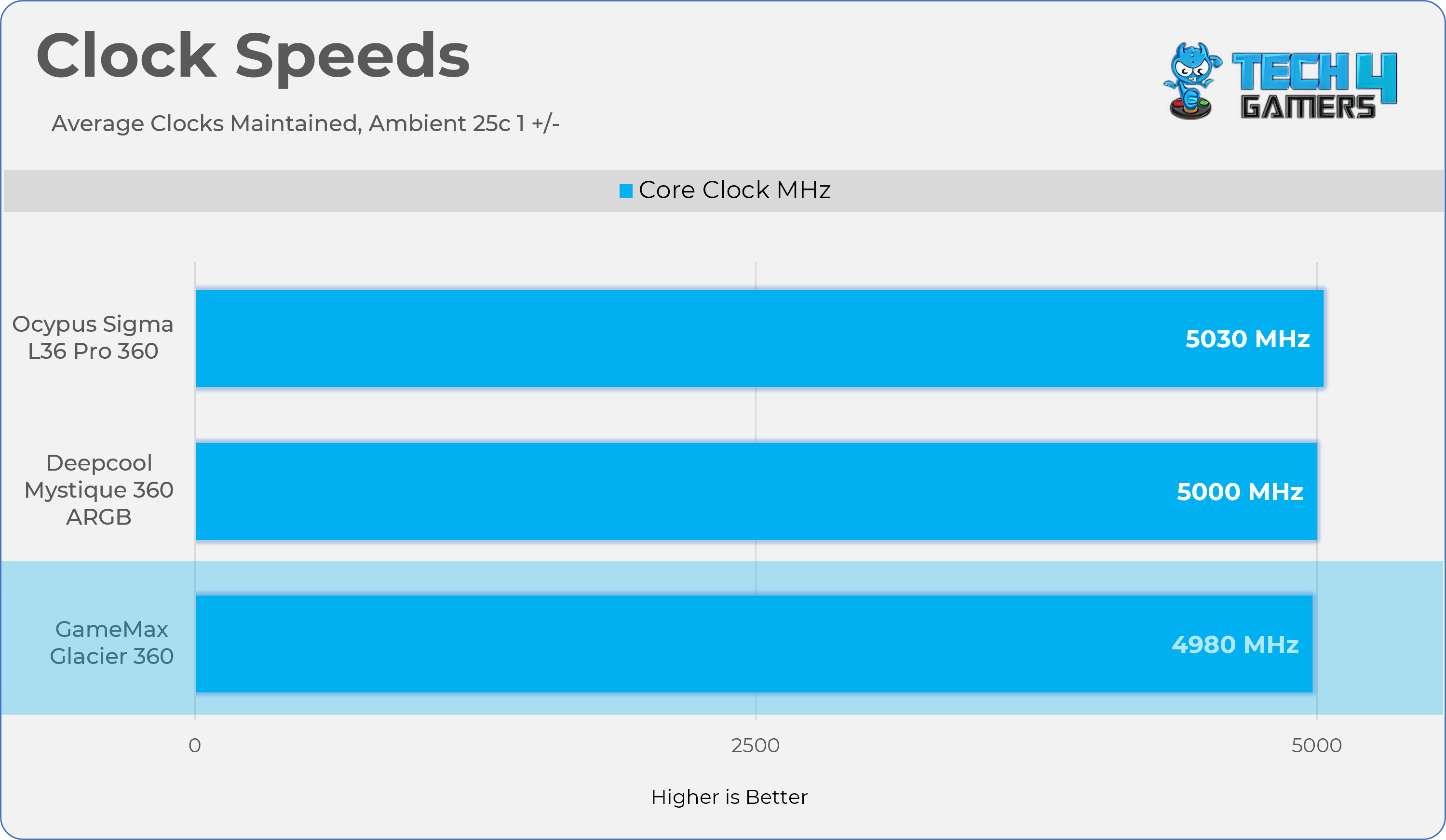
We evaluate the cooler’s performance using three different benchmark methods. Noise-normalized testing is performed at 40dB(A) at the 105W TDP and 170W TDP (Stock) of the Ryzen 9 9950X. We then test the cooler’s performance at the maximum PWM speeds for both TDP configurations. After that, we unlock the power limits of the CPU to see how much cooler it can dissipate the heat in terms of watts at the maximum PWM Speeds.
Controlled Environment:
We have eliminated the influence of ambient temperatures in our data, and all results are presented as deltas over the ambient conditions. The tests were done in a controlled environment with a room temperature of 25°C.
Preparing System:
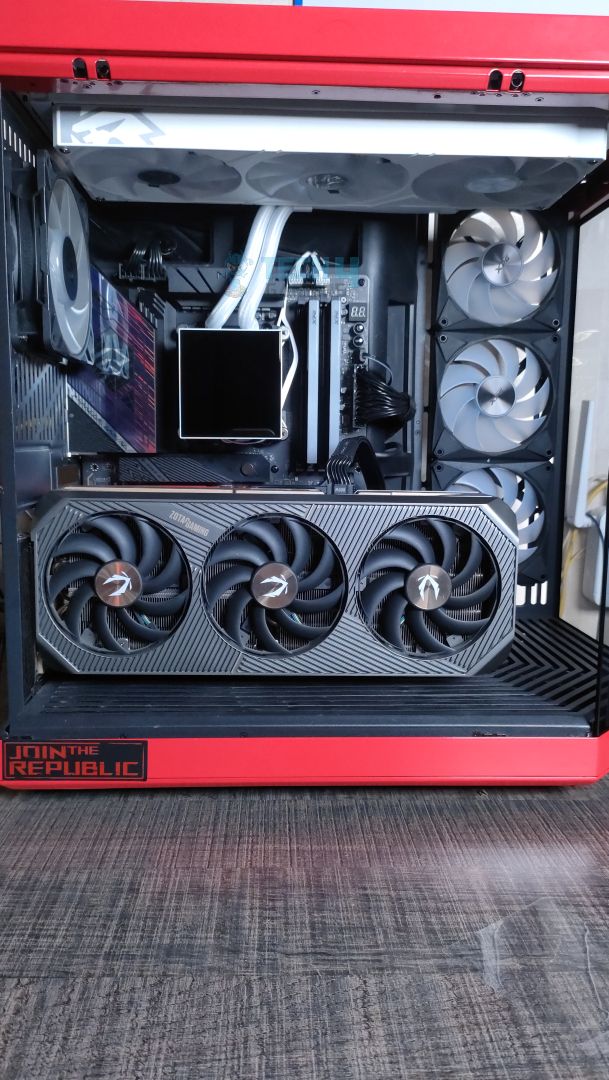
The Coolers are tested in realistic conditions. We don’t use the open bench system; instead, we have installed the cooler in our HYTE Y70 case, mounted at the top. We ensure the airflow is adequate in the case and that the case fans are running at the fixed PWM speeds.
We are using ID-Cooling X45 thermal paste for all coolers.
Software:
We have ensured that no other software is running on the computer that could influence the CPU load.
We’ll be using the Cinebench R23 Loop for 20 minutes after the warm-up test has been completed. Each test has a 10-minute cool-down time.
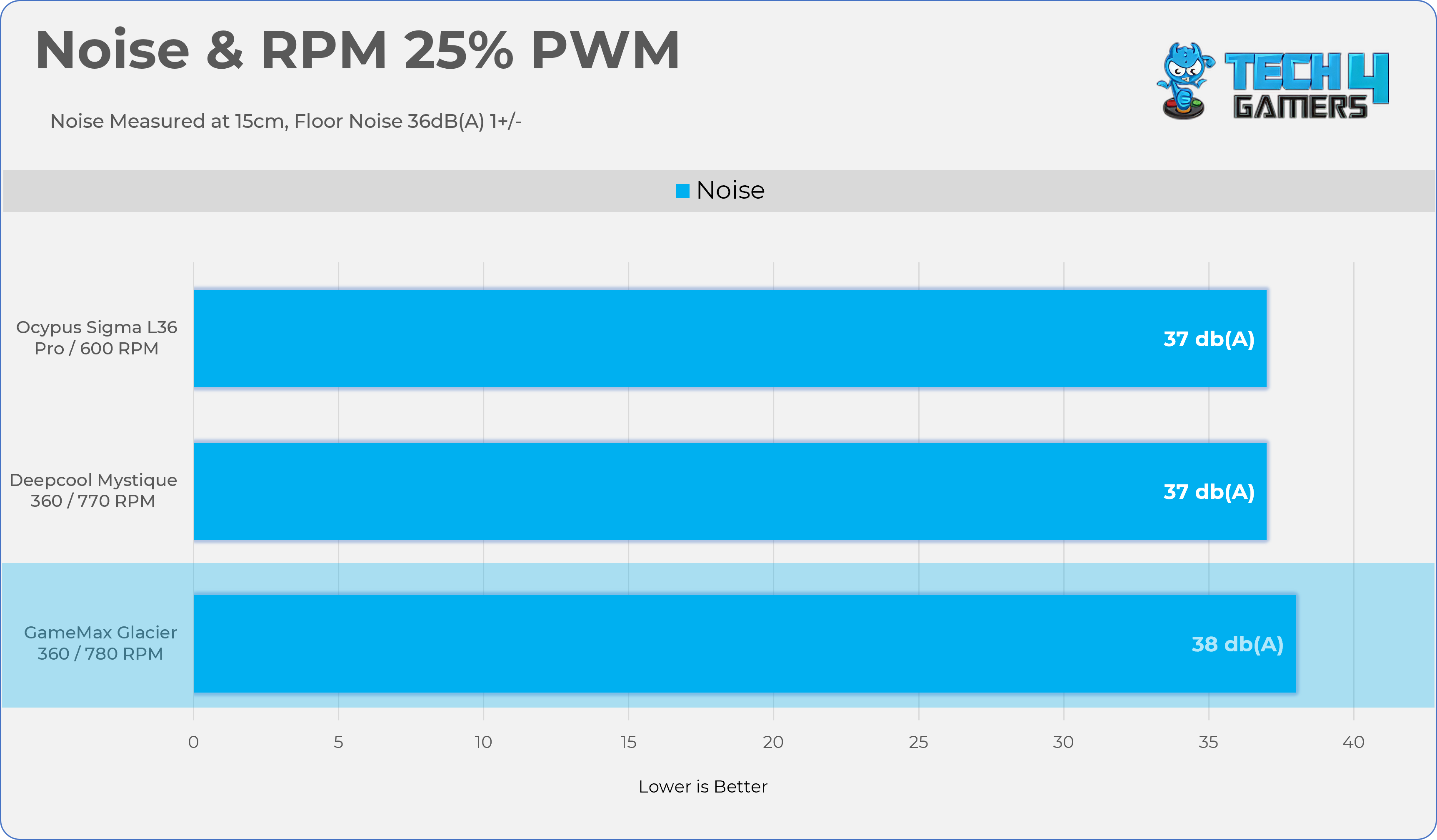
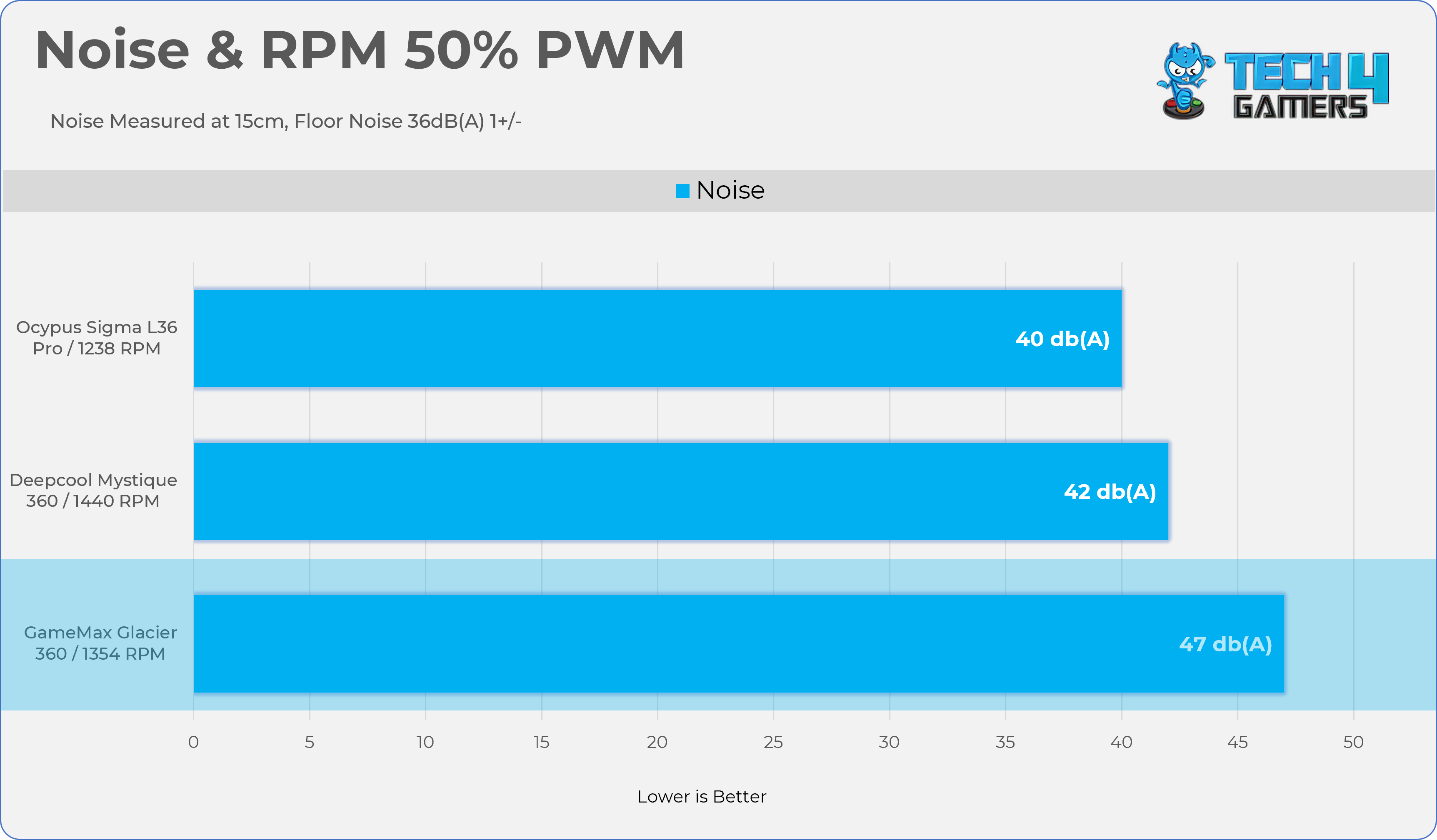
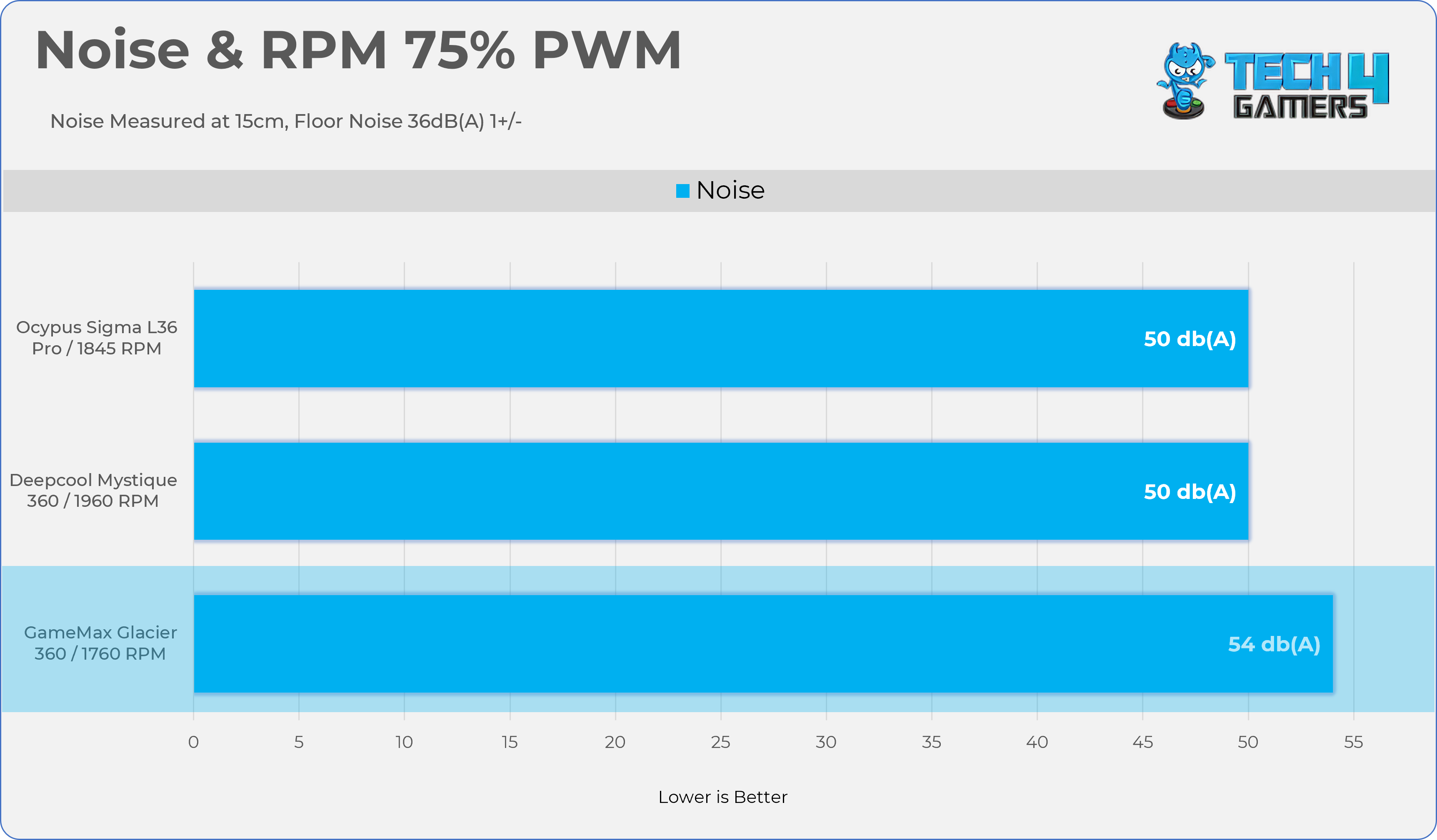
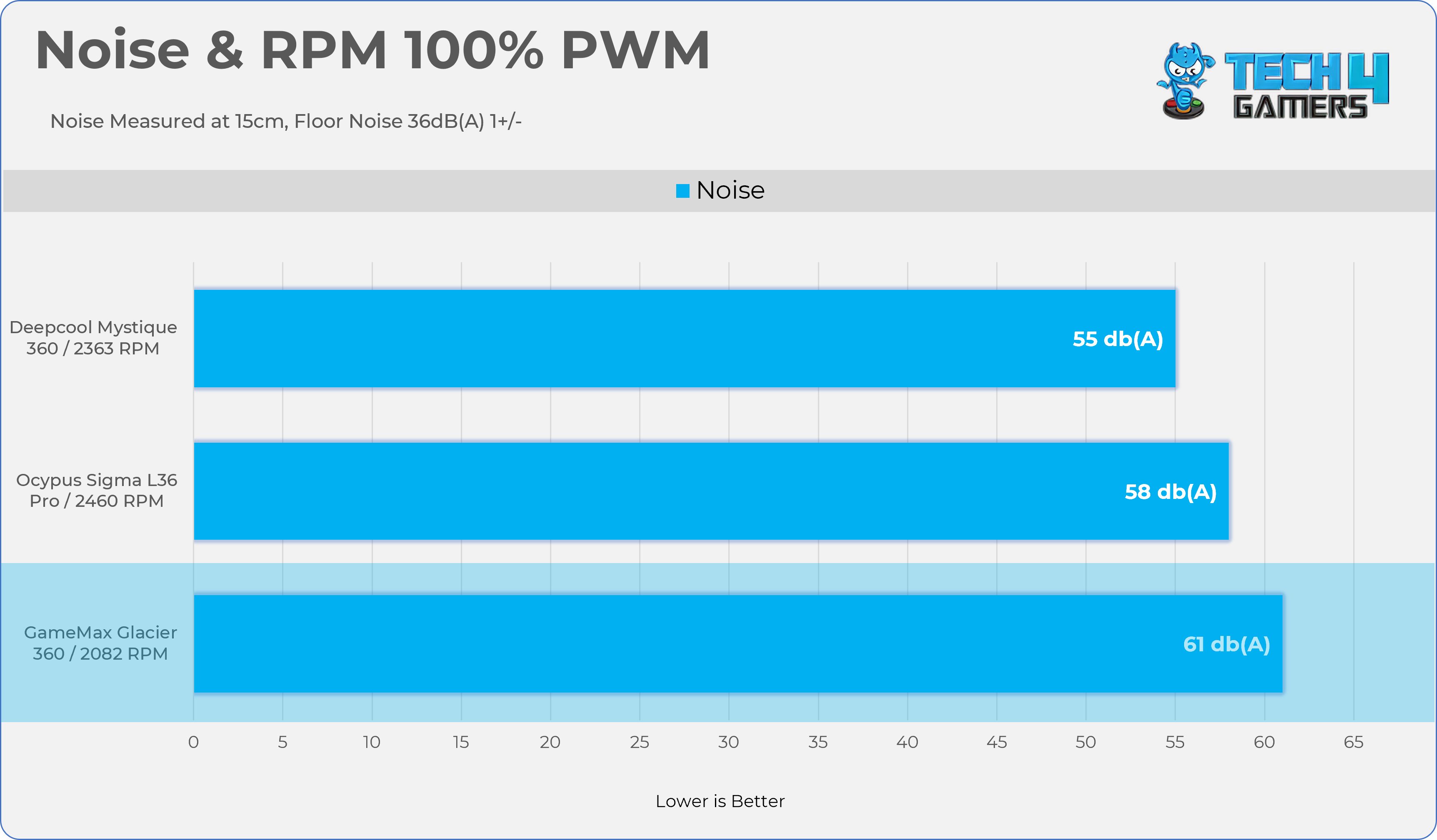
Let’s take a look at the Noise and RPM Readings. We conducted tests across four different PWM range levels.
25-50% PWM
25% PWM
50% PWM
75-100% PWM
75% PWM
100% PWM
Here is the structured table illustrating fan noise levels at various PWM percentages. The Floor Noise Level is 36dB(A).
PWM (%)
RPM
Noise dB(A)
25%
780 RPM
38 dB(A)
50%
1354 RPM
47 dB(A)
75%
1760 RPM
54 dB(A)
100%
2082 RPM
61 dB(A)
Should You Buy It?
Buy It If
✅ You Want An Exceptional Cooling: GameMax Glacier 360 delivers top-tier performance, cooling AMD’s Flagship Ryzen 9 9950X across various heat loads.
✅You Want a Huge Display: This cooler comes equipped with a large 3.95-inch IPS display that supports 720p HD resolution and a 60Hz refresh rate.
✅ You Want the Peace of Mind: The GameMax Glacier 360 comes backed by a comprehensive 5-year warranty.
Don’t Buy It If
❌ If Your Chassis Does not Support Top-Mounted Radiator Installation: GameMax Glacier 360 cannot be mounted on the side or bottom of the chassis.
Final Thoughts
We spent several days testing this cooler across various TDP (Thermal Design Power) and noise level ranges. Overall, the results were satisfactory. The cooler delivers reliable thermal performance and should not disappoint in terms of cooling efficiency. However, the accompanying software needs improvement; it remains buggy but is still functional.
GameMax has taken a different design approach this time, inspired by Lian Li’s tubeless concept, but refinement is still needed, particularly in tube alignment, which isn’t yet perfect. As not all chassis are the same, and not all motherboards and CPUs are mounted in the same location, it is essential to consider the specific details of the chassis and motherboard. Game Max should have provided more adjustments to manage the tube. We have a large case; due to its size, the tubes feel a bit stretched. If the tubes were a little longer, it wouldn’t be an issue.
On a positive note, the LCD can function as an external secondary display, and the inclusion of a Type-C cable adds a nice DIY-friendly touch. One limitation is that the fans are integrated into a single frame and cannot be replaced individually. Additionally, during our testing, the fans were noticeably loud under load.
I’m loving the display so far for its size, which adds a very nice touch to the aesthetics if customized properly. It’s a high-resolution display. If you’re sitting a little farther away, say 40-50cm, you could read the screen data or check what’s happening on the LCD. The big screen size is as big as an iPhone 5, which was launched in 2012.
Cooling Performance And Noise
From a performance perspective, the cooler performed very well and easily handled the Ryzen 9 9950X even at the unlocked power level. However, I still have a few complaints about the cooler’s noise. The pump was barely audible, but the fans were much louder in our tests than those of its competitors.
Build Quality
The overall build quality of the cooler did not disappoint, but it could still be improved. LCD magnets are not strong enough to hold the screen in place. The screen can easily shift out of position with a slight touch. No, the LCD wouldn’t fall on its own, but still take the precaution if you’re moving your PC to the other room. However, the tubes could have been slightly longer for perfect alignment. Apart from these small issues, the cooler is durable and delivers good build quality.
MSRP & Value
This cooler is priced at an MSRP of $169.99, and in terms of value, we believe it’s an excellent choice. We’ve tested several other liquid coolers within this price range or slightly higher that delivered comparable performance and features. However, given its larger size, high-resolution display, and impressive 5-year warranty coverage, this cooler stands out as a strong option.
At Tech4Gamers, I contribute as a Senior News Reporter, combining my skills and gaming enthusiasm to keep our audience updated on the latest developments.
Story Highlight
Star Citizen features complex and deep ship customization.
Loadouts offer various ship types, components, and intricate elements that must be taken care of.
Optimizing ships to their absolute limits can yield impressive results and transform the Star Citizen experience.
Star Citizen remains one of the most interesting multiplayer games to date. Featuring combat, scouting, and survival tasks, the gameplay offers plenty of interesting activities for players to pursue in outer space.
Naturally, then, ships play a major role in Star Citizen’s core gameplay. Customizing these ships is also an important activity, making it essential to understand the intricacies of ship systems for optimal performance.
Players must also buy Star Citizen aUEC to gain access to special loadout features for the right balance between power and performance. Here’s a quick guide on what to look out for when building your dream ship in Star Citizen.
First, it’s important to understand why ship customization matters. Even in tight situations, like dogfights, cargo transport, mining, and long-range exploration, customization can make a major difference.
Ships feature component slots called hardpoints, which dictate what size and type of part can be equipped. These components are divided into three characteristics: size, grade, and class.
Size refers to the capacity of the slot, while Grade refers to the quality, with each component divided into four tiers from A to D. On the other hand, Class refers to the function type, including Military, Civilian, Stealth, Industrial, or Competition.
Star Citizen Ships Comprise Multiple Parts of Differing Quality
A light fighter has components that size out at 1 or 2, and heavier vessels use size 3 and up. Moreover, most ships come with Grade C parts, which, when upgraded to Grade B or A, perform quite well.
Also, bigger is not always better since overheating and power drain need to be accounted for. This is why paying attention to the Power Plant, Shield Generator, Thrusters, Coolers, and Quantum Drive is important since they serve as the base of the ships.
Upgrading Core Components
The three core components, including Power Plant, Shields, and Thrusters, must be upgraded to make the most of the ships in Star Citizen.
As for the power plant, it essentially fuels every ship system. A higher-output model boosts capabilities, but high power draws can eventually cause blackouts during combat.
Military-grade power plants are also great options since they provide strong power output, but they come with a major drawback since the heat and electromagnetic signatures make them easier to detect.
Shields serve as the main line of defense for any ship, and a fast, robust shield generator can be a game-changer. Military and Competitive variants are great for absorbing damage, while stealth and civilian models offer lower detectability.
Thrusters dictate the ship’s movement, controlling acceleration, turning, and braking. Manoeuvering thrusters are best suited to small fighters, while main and retro thrusters work well for larger ships.
Other elements include coolers and batteries. The former component manages system heat, including weapons and quantum drives, while batteries provide temporary backup power in case a plant fails to keep vitals up and running.
In addition to different grades (from A to D), aircraft are divided into several classes, including Military (powerful), Civilian (general), Industrial (durable), Stealth (low signature), and Competition (high speed).
Weapon And Ordinance Loadouts
Star Citizen’s weapons can be divided into two categories: energy and ballistic. The former category boasts the benefit of infinite ammo in exchange for overheating, and the latter relies on more traditional ammunition in exchange for higher damage and shield penetration. Ultimately, most people prefer a mix of both.
Torpedoes and missiles are also essential. In particular, the size of the missile rack determines the size of the payload. Smaller fighters use quick-lock missiles designed for pursuing fast enemies, while larger vessels carry torpedoes for battles against capital ships.
Ultimately, a weapon loadout should be decided based on the ship’s role itself. Light fighters work best with gimballed guns and precision missiles, and heavy fighters are better off with fixed high-calibre cannons and torpedoes.
Star Citizen Ships Fit Into Various Roles
When choosing a loadout, power drain and heat buildup must also be accounted for since they can impact the power plant and coolers in more ways than one.
As one would expect, more firepower usually equals more system stress. You can buy Star Citizen Ships to equip your preferred ships for faster progress and better upgrades.
Balancing Power, Signature, and Specialization
Because Star Citizen has so many systems at play, the game can feel overwhelming at times. However, it is important to take care of a few key elements. For starters, every upgrade comes with a drawback. For instance, increasing weapon power leads to more power draw and heat and a more prominent radar signature.
Power management is also essential since one plant can only output so much energy. If components are overloaded, they shut off, so it is important to understand the balance of power consumption.
Staying off the grid is just as crucial, so Star Citizen players must understand heat and EM signatures. Stealth and exploration ships are at their best here since they usually avoid overclocking, which raises heat and wear in exchange for temporary boosts.
Elsewhere, specialized loadouts are typically best suited to specific roles like combat, mining, or exploration. Additionally, more versatile builds can strike a fine balance, and organizations can maintain ships suited to a separate role.
Maintenance and repair costs also need to be taken care of. High-grade parts, while incredibly useful, are usually costlier to replace and require periodic maintenance.
Choosing The Best Loadout
Ultimately, building the best loadout is about figuring out the purpose of a ship and testing it for optimal performance. Be it combat, exploration, or cargo, every subsequent choice should reinforce that role.
Each Loadout Is Personal In Star Citizen
Core components like the power plant, shield generator, and thrusters must be given priority, and later, weapons and utility models must be refined. Additionally, power, cooling, and mass must be balanced.
When all of these elements work together, Star Citizen’s ships truly come into their own. Each upgrade also brings notable improvements. For reference, a solid medium fighter loadout could include a Military-grade power plant, a shield with fast recharge, two gimbal energy weapons, and a small missile rack.
In conclusion, Star Citizen’s ship customization requires a lot of thought and planning. A solid grasp of the power, heat, shielding, and weapon systems is required to fully understand how everything comes together, and there is no one loadout that suits each situation.
Loadouts must be optimized and changed to suit each situation. At the end of the day, a player’s ship is arguably the most important part of the Star Citizen experience, so plenty of thought should go into ensuring it performs as well as possible.
Currently serving as a News Reporter at Tech4Gamers, I have the privilege of combining my love for gaming with the art of storytelling. My role involves crafting engaging narratives that keep our audience abreast of the latest developments in the gaming world.
Story Highlight
Dispatch is a narrative-driven, episodic game developed by ex-Telltale Games staff.
On the PlayStation Store, it’s rated 4.94/5, more than heavy-hitters like Clair Obscur, Death Stranding 2, and others.
The game follows a retired superhero in the task of managing supervillains.
Telltale Games’ narrative-driven titles have been sorely missed since the studio shut down in 2018 after filing for bankruptcy, and even after a revival, nothing more ever came out of them. However, some of the developers from the studio have now returned with an all-new banger that is dominating the PlayStation store.
Dispatch, a brand-new episodic game following the framework of earlier Telltale games, has now debuted on the PlayStation Store with a near-perfect 4.94/5 score. This makes it one of the highest-rated games on the platform, even beating titles like Clair Obscur and Death Stranding 2.
Why it matters: Episodic narrative games are highly regarded due to their interactive experience and the players’ ability to control the entire narrative. It’s great to see some Telltale Games’ developers, pioneers of this genre, back in action.
Dispatch takes place in a universe where superheroes are quite common, and the protagonist is a retired superhero who has since retired after his giant armor suit was destroyed.
Robert Robertson is now tasked with handling a team of ex-supervillains, somewhat like DC’s Suicide Squad. If Robert does a good enough job, he can regain his superhero status with a new armor.
Just like all Telltale games, there are choices in dialogue and opportunities that change the entire narrative of the game. However, a new feature has been added, allowing players to control and adjust the stats of their supervillain teammates.
So far, the game has been receiving immense praise, and since Adhoc Studio is a new player in the industry, the game isn’t as well-known as of now. Hopefully, these strong ratings and positive feedback will soon give the game the popularity it deserves.
Currently, five episodes of the game are available, with new ones dropping at an interval of just a few days. Each episode features new characters that are cast by well-known celebrities like Aaron Paul, Jacksepticeye, Jeffrey Wright, and more.
At Tech4Gamers, I contribute as a Senior News Reporter, combining my skills and gaming enthusiasm to keep our audience updated on the latest developments.
Story Highlight
Silent Hill 2 Remake has been rated for the Xbox Series S|X.
An official announcement is likely imminent following this rating.
The rating also implies Konami will continue supporting the platform with future Silent Hill titles.
Keeping the excitement going, the gaming giant appears to be ready for yet another release. Silent Hill 2 Remake has now been rated for the Xbox Series S|X.
Why it matters: The game originally launched as a PlayStation console exclusive, skipping the Xbox Series S|X. This rating suggests the exclusivity period has ended.
This is a surefire sign that the game is on its way to the two consoles. Of course, Konami has yet to make an official announcement, but with the rating officially issued, an announcement should also be around the corner.
Perhaps the horror remake will be on the Xbox consoles by the end of the year. Also, it should be noted that the remake was rumored for the two consoles and potentially the Nintendo Switch 2, following a recent update to the web page.
Konami Is Also Working On A New Remake Following SH2
Elsewhere, the remake was recently updated to remove compatibility issues with the PS5 Pro. This should mean that the Xbox Series S|X port will be fully optimized to make the most of the hardware once it arrives in the near future.
What do you think about Silent Hill 2 Remake for the Xbox Series S|X? Do you plan on picking the title up for this platform? Let’s discuss in the comments and on the Tech4Gamers Forums.
Currently serving as a News Reporter at Tech4Gamers, I have the privilege of combining my love for gaming with the art of storytelling. My role involves crafting engaging narratives that keep our audience abreast of the latest developments in the gaming world.
Story Highlight
Arc Raiders developer says it won’t add goofy and out-of-place skins like Call of Duty.
Instead, the game will stick to cosmetics that best fit its tone.
Arc Raiders is shaping up to be a terrific release.
Call of Duty, once regarded as an authentic military FPS experience, has been reduced to a shadow of its former self due to Activision’s mistreatment of the IP. In an effort to make the game more appealing, the publisher has collaborated with prominent pop stars and franchises, resulting in some of the most outrageous cosmetics in a video game.
The so-called ‘goofy’ skins do worse than look out of place; they ruin the gameplay experience, too. With Activision setting such a bad precedent for FPS games, no other franchise wants to follow in its footsteps.
Embark Studios, the developer behind Arc Raiders, has also assured fans that it will not add unfitting cosmetics to its game and will continue to adhere to its own theme and tonality.
Why it matters: Activision made it pretty clear long ago that they’ve stopped caring about the Call of Duty games. Hopefully, with the entire industry and fans rebelling against Activision’s approach, they’ll get a wake-up call.
Arc Raiders Peaked At Nearly 200k Players In Alpha
In an interview with PCGamesN, Embark Studios talked about their approach to in-game cosmetics for Arc Raiders:
I think it was said a little while ago in a meeting we would never, say, make a Santa Claus outfit, but we may make something that is of our own tone and our own aesthetic that evokes a Santa Claus.
Now, to say that Arc Raiders would add a Santa Claus skin, it would only be possible if it matches the visual identity and tone of the game. Therefore, expect nothing similar to Call of Duty, which features skins for Nicki Minaj, Stan Smith from American Dad, and the list goes on.
Black Ops 7 Beta Was One Of The Series’ Worst
Battlefield 6 has also made it pretty clear that the Call of Duty approach isn’t possible for them and even dropped a live-action trailer right before the game’s launch, throwing shade at the rival franchise.
Still, after all this, Activision isn’t ready to part ways with such practices. Black Ops 7 releases soon and will launch with ‘goofy’ skins despite Treyarch promising such won’t be the case.
At Tech4Gamers.com, I cover the latest news and rumours in the gaming industry, from new game releases to hidden gems and video game leaks. Furthermore, I occasionally write tech articles about video game consoles, providing insights into the hardware and software that powers our gaming experiences.
Story Highlight
Gaming accounts on platforms like Steam or Battle.net are valuable targets because they hold payment details, personal data, and valuable digital items.
Hackers try to steal these accounts to take assets, make unauthorized purchases, or sell the accounts.
Be cautious of phishing scams and use unique passwords, along with two-factor authentication (2FA), to secure your accounts.
The gaming world has evolved into something far greater than mere entertainment. It’s a global community, a competitive arena, and in many cases, a serious investment of both time and money.
With billions of players around the world and gaming platforms like Battle.net, Riot Games, and Steam serving as the central hubs for millions of accounts, the stakes are higher than ever. Players store payment details, personal information, in-game assets, and digital collectibles worth real money in these accounts.
Unfortunately, that kind of value draws attention from the wrong crowd. Hackers and cybercriminals are continually seeking ways to exploit weak passwords, outdated security settings, or simple human errors. A survey found that around 30 million Steam accounts have experienced some kind of unauthorized access.
If you’ve ever seen someone lose years of game progress or expensive skins to a hacker, you know how devastating it can be. Securing your account isn’t just about avoiding inconvenience; it’s about protecting your identity, privacy, and investments.
Here’s a simple guide to help you keep your valuable gaming accounts safe.
Why You Should Secure Your Gaming Accounts
Your gaming accounts are more valuable than you think.
Your gaming accounts represent more than just access to your favorite titles. They hold years of achievements, rare in-game items (CS2 or Dota skins), digital currencies, and sometimes even friendships built over time. Losing access to one can feel like losing a part of your gaming history.
Many players underestimate how much personal and financial data is tied to their accounts. Payment cards, billing addresses, phone numbers, and email logins are often connected to gaming profiles.
Once a hacker gets in, they can steal your assets, make unauthorized purchases, or even sell your account on black markets. The emotional stress and frustration that follow such an incident can easily spoil the joy of gaming.
Create Strong and Unique Passwords
The first and most basic step toward protecting your account is choosing a strong password. Short or easy-to-remember passwords are convenient, but they’re also easy to crack.
A secure password should be long, complex, and completely unique to that specific account. Avoid using personal information, such as your name, birthday, or gamer tag.
Using a different password for each platform may seem like a hassle, but it’s very important. If one account gets compromised, the others stay safe.
To make it easier, consider using a reliable password manager that generates and securely stores complex passwords on your behalf.
Enable Two-Factor Authentication (2FA)
Even the strongest password can be stolen or guessed, which is why adding a second layer of protection is essential. Two-factor authentication, or 2FA, requires you to verify your identity through an additional step, typically by entering a code generated by your phone or an authentication app.
Platforms like Battle.net, Riot, and Steam all support 2FA. On Battle.net, you can activate it through the Blizzard Authenticator app. Riot players can turn it on in their account settings. Steam users can enable Steam Guard through the mobile app.
Once activated, even if someone discovers your password, they won’t be able to access your account without your device.
Use a VPN for Safer Gaming
A VPN can encrypt your internet connection, making it safer to log in, especially on public Wi-Fi.
A Virtual Private Network (VPN) does more than help you access games not available in your region. It also secures your internet connection by encrypting your data and hiding your IP address.
This makes it much harder for hackers to track your activity, intercept your login credentials, or target you with DDoS attacks.
If you frequently use public Wi-Fi or shared networks, using a VPN for PC provides an essential layer of protection. It ensures your connection stays private and your personal information remains hidden.
Recognize and Avoid Phishing Attempts
Phishing is one of the most common and dangerous online scams. It often comes in the form of fake emails or messages pretending to be from official gaming platforms, offering rewards, requesting verification, or warning that your account will be banned.
These scams are designed to trick you into revealing your login details or clicking on malicious links.
To stay safe, always double-check the sender’s address and avoid clicking links in unexpected emails or messages. If something feels off, like a too-good-to-be-true offer or a sense of urgency, it’s likely a phishing attempt.
The best practice is to visit the official website directly by typing the address yourself rather than following a link. Remember, official platforms rarely, if ever, send attachments or ask for passwords via email.
Safe Network Practices While Gaming Online
Connecting to a VPN service on multiple devices. Image credits: Zifilink.
Public Wi-Fi networks, such as those found in coffee shops or airports, are notorious for being unsafe. They’re often unencrypted, meaning anyone on the same network could potentially intercept your data.
Logging into your gaming accounts while connected to public Wi-Fi puts you at unnecessary risk.
If you must connect, use the best VPN to secure your connection. And avoid signing into your gaming profiles on shared or unfamiliar computers, as they could contain keyloggers or malware designed to steal your credentials.
On the other hand, security updates might feel annoying, but they’re often your best defense against vulnerabilities. Developers release patches to fix issues that could otherwise let hackers in.
Keeping your operating system, antivirus software, and game clients up to date ensures your devices are running with the latest security protections.
Enabling automatic updates is a straightforward way to stay protected without needing to check for them manually. Regularly running antivirus scans can also help detect any hidden threats before they become serious problems.
Final Thoughts
Your Battle.net, Riot, and Steam accounts are part of your digital identity—a collection of memories, experiences, and investments that deserve protection. In an era where hacking tools are readily available and cyber threats are more sophisticated than ever, securing your accounts is no longer optional.
The good news is that most of the steps to protect yourself are simple. Strong passwords, two-factor authentication, awareness of phishing scams, and basic online hygiene go a long way. Spending a few minutes today setting these up can save you months of stress later.
At Tech4Gamers, I contribute as a Senior News Reporter, combining my skills and gaming enthusiasm to keep our audience updated on the latest developments.
Story Highlight
AMD has confirmed plans to move on from the RX 5000 and RX 6000 GPUs.
Future game-specific optimization driver updates will be exclusive to RDNA 3 and RDNA 4 GPUs, like the RX 7700 XT and RX 9070 XT.
It remains to be seen how this decision will impact RDNA 2-based handhelds and consoles.
AMD’s RDNA 2 series is among the gaming giant’s most successful. Indeed, this lineup of GPUs is found across a slew of gaming PCs, in addition to current-gen consoles and various handhelds.
Both RDNA 1 and RDNA 2 have received extensive support from AMD over the years, but the gaming giant has confirmed that this is set to change soon.
Why it matters: AMD recently debuted its RDNA 4 lineup and saw plenty of praise. The gaming giant has teased that it is now focusing on these products and what the future holds for them.
The RDNA 1 and RDNA 2 GPUs made their initial debut in 2019 and 2020, respectively. Since then, both lineups have enjoyed plenty of software support from AMD, with the RDNA 2 series being among the most stable lineups from the gaming giant.
However, AMD has officially confirmed that its optimization focus will now be limited to RDNA 3 and RDNA 4 products, including the likes of the RX 7700 XT and RX 9070 XT.
Future driver updates with game optimizations will focus on RDNA 3 and RDNA 4.
-AMD
According to the company, the previous two RDNA generations will still receive security and bug fixes through software updates, but specific game optimizations will be limited to the last two GPU generations.
The 8070 XT Is One of AMD’s Most Successful Recent Releases
What makes this statement so interesting is that recent handhelds like the ROG Xbox Ally use RDNA 2 hardware. Similarly, the PS5, Xbox Series S, and Xbox Series X make use of this architecture for their hardware. FSR4 INT8 was also recently rumored for GPUs belonging to this family.
Since RDNA 2 products, at the very least, are still so popular in the market, this announcement comes across as a bit tone deaf on AMD’s end. The brand has since received much criticism over this decision.
On the other hand, AMD is actively investing in new technologies for the future. The RX 9070 XT and others in the RDNA 4 lineup have also been quite successful, so the company seems to be doing the right thing from its perspective.
Nonetheless, it will be interesting to see what the future holds for the RX 5000 and 6000 GPUs now that driver support is being fizzled out.