Currently serving as a News Reporter at Tech4Gamers, I have the privilege of combining my love for gaming with the art of storytelling. My role involves crafting engaging narratives that keep our audience abreast of the latest developments in the gaming world.
Story Highlight
CDPR posted revenue of $121 million in the last 6 months.
Cyberpunk 2077 accounted for $72.2 million of the total amount, with the Switch 2 port selling quite well.
Almost 99 employees have joined the studio in the last 6 months, ramping up development for The Witcher 4 and Cyberpunk 2.
CDPR has had a lot to learn from the disastrous launch of Cyberpunk 2077, but later went on to redeem itself and thereby created one of the best RPGs of all time. Since then, the studio has been on a roll and is continues to grow.
Despite not releasing any projects since 2020, CDPR has still posted a revenue of $121 million in the past 6 months. Surprisingly, 60% of that revenue was driven by Cyberpunk 2077.
Why it matters: It’s pretty astonishing for a game to sell this well 5 years after its release, let alone a single-player title. Cyberpunk 2077’s redemption story is the biggest in gaming history.
All Profit And Loss Accounts For CDPR During H1 2025 || Source: CDPR
For the months recorded between January and June 2025, CDPR recorded a 35% profit margin on $121 million in revenue. With the launch of Switch 2, the Cyberpunk 2077 port for the handheld was released.
The Switch 2 port sold like hot cakes, and overall, Cyberpunk 2077 is estimated to have generated $72.2 million of the total revenue. In comparison, the entire Witcher series only made $17.1 million.
In the next financial report, expect similar results since a Mac port was also released on July 17th. CDPR is still working on Cyberpunk 2077 and isn’t planning to stop anytime soon, with more future updates teased.
Among other news, CDPR continues to expand even in an era where most companies are downsizing due to budget cuts. The studio now comprises 1248 employees, an increase of 99 employees.
Currently, 444 people are working on The Witcher 4, while the Cyberpunk sequel has 116 employees. Cyberpunk 2 is currently in pre-production and, as per the normal development cycle for a CDPR project, is expected to release in 2029-2030
What are your thoughts on this story? Are you excited for the Cyberpunk sequel? Let us know in the comments below, or at the official Tech4Gamers Forums.
Currently serving as a News Reporter at Tech4Gamers, I have the privilege of combining my love for gaming with the art of storytelling. My role involves crafting engaging narratives that keep our audience abreast of the latest developments in the gaming world.
Story Highlight
Battlefield 6’s technical director wishes he didn’t have to enable secure boot.
Still, he says that it is the strongest countermeasure against cheaters.
Coupled with a kernel-level anti-cheat, Battlefield 6 won’t have a significant cheating problem.
In an attempt to stop cheaters, EA added a reinforcement barrier for Battlefield 6, requiring players to turn on Secure Boot to play the game. This decision heavily backfired for the publisher and has caused significant controversy in the Battlefield community.
EA is aware of this issue, and now, the Battlefield 6 technical director has come forward to address it. The director admits that Secure Boot is a hassle for gamers, but it is a necessary evil that players will have to accept.
Why it matters: Many developers have started to normalize the use of Secure Boot for their games. Still, people with older hardware or a lack of expertise face many problems with enabling the option.
Battlefield 6 To Focus On Optimization Rather Than Relying On Upscalers
In an interview with Eurogamer, Christian Buhl expressed his sadness over players not being able to play the game without Secure Boot.
The fact is I wish we didn’t have to do things like Secure Boot — It does prevent some players from playing the game.
During the Battlefield 6 beta, many players ended up bricking their PCs while attempting to enable Secure Boot. Others with older hardware could not enable the setting at all.
Buhl further added the importance of enabling Secure Boot and how it added an extra layer of protection against cheaters. Overall, this ensures a better experience for the gamers.
Unfortunately these are some of the strongest tools in our toolbox to stop cheating. Again, nothing makes cheating impossible, but enabling Secure Boot and having kernel-level access makes it so much harder to cheat
Despite the Secure Boot requirement and the kernel-level anti-cheat EA used in Battlefield 6, the beta was still plagued by cheaters left and right. Still, Buhl seemed quite pleased with the anti-cheat’s performance.
It is notable that over 300k cheaters were banned during the beta alone. Moreover, with the paid version of the game, cheaters will likely think twice before attempting to use any kind of exploits, since the beta was free after all.
As Tech4Gamers’ Wiki Editor, I dissect gaming products, offering detailed perspectives on a variety of PCMR hardware ranging from the Best Motherboards and CPUs to the Best GPUs, RAM, and PSUs.
Story Highlight
Trump will be allowing Nvidia and AMD to resume sales of licensed AI chips to China in exchange for a 15% revenue cut.
China has been sending notices to the nation’s biggest tech and AI players to dissuade them from buying Nvidia’s AI chips like the H20, citing security risks.
Nvidia’s stock dropped 3.5% following its Q2 earnings report with Jensen Huang justifying the outcome by highlighting the lack of H20 sales this year.
Let’s cut through the noise for a second.
When headlines flashed that former President Trump was relaxing export restrictions on AI chips to China, it seemed like a lifeline for Nvidia.
Finally, a chance to claw back some of the billions in lost revenue from one of its most critical markets, right? Well, not so fast. As someone who’s been tracking this geopolitical tech saga closely, I’m here to tell you that this so-called “win” might be a Pyrrhic victory.
In fact, Nvidia’s sales could still take a massive hit—and the reasons have less to do with American politics and everything to do with Chinese defiance, economic self-preservation, and a fundamental breakdown of trust.
The H20 Chip: A Band-Aid On A Geopolitical Wound
First, some context.Back in April 2022, the Biden administration dropped a hammer on Nvidia’s China ambitions, slapping export restrictions on flagship AI GPUs like the A100 and H100.
Nvidia’s response was ingenious, if not desperate: create a purpose-built, downgraded chip for the Chinese market—the H20.
But then, in a characteristically unpredictable move this past April, Trump extended the ban to include even these neutered H20 chips.
The goal? To further destabilize China’s AI development, both economically and militarily.
Nvidia’s future in China seems uncertain. (Image Credits – Getty Images)
The result? An absolute nightmare for Nvidia.
Subsequently, the company took a staggering $5.5 billion hit in its Q1 2025 earnings, all while incurring massive holding costs for a growing stockpile of unsold H20 inventory sitting in warehouses.
The “Unconstitutional” Export Tax: A Baffling Compromise
Now, in a sudden about-face, Trump has agreed to allow Nvidia and AMD to resume exports of their China-specific chips.
But there’s a catch—a whopper of one. The deal mandates that Nvidia hand over 15% of the total revenue from every H20 chip sold to China directly to the U.S. government.
Some legal scholars have gone as far as to call it an unconstitutional “export tax.”
Frankly, this leaves financial analysts and industrial experts utterly perplexed.
You either have a national security problem or you don’t.
She went on to add:
If you have a 15% payment, it doesn’t somehow eliminate the national security issue.
Frankly, this “deal” leaves financial analysts and industrial experts utterly perplexed.
If these chips were deemed such a critical national security threat that they warranted an outright ban just months ago, how does slapping a 15% fee on them suddenly alleviate that risk? It doesn’t.
Consequently, this move feels less like a strategic policy and more like a revenue-generating gambit that fundamentally misunderstands the playing field.
China’s Backlash: Trust Issues And A Push For Self-Reliance
Here’s where the situation gets even messier. Instead of greeting this relaxation with open arms, the Chinese government has reacted with deep suspicion and outright hostility.
Beijing is now strongly advising and somewhat mandating Chinese firms and industrialists to avoid Nvidia’s H20 chips entirely, publicly raising the specter that they may contain concealed tracking technology and remote-access backdoors.
Think about that for a moment. The very market Nvidia is desperate to re-enter is being told its products could be Trojan horses.
However, Nvidia CEO Jensen Huang has personally denied these allegations, stating that he is in constant discussions to provide reassurance to the Chinese government.
But the damage to trust may already be done.Unfortunately for Nvidia, In the high-stakes world of national AI infrastructure, perception is often reality.
As a result, Nvidia has begun slowing down H20 production to align its supply chain with the current market conditions.
Of course, the Chinese government’s suspicion isn’t surprising considering that Congress passed a Chip Security Act in May which would compel semiconductor companies like Nvidia to incorporate security mechanisms and location verification systems in their hi-tech AI chips.
The Rise Of Domestic Alternatives: Cutting Out The Middleman
Beyond the distrust, there’s an even larger, more existential threat to Nvidia: China’s ferocious drive toward self-sufficiency.
Beijing isn’t just telling companies to avoid U.S. chips; it’s actively pouring billions into its domestic semiconductor industry with the clear goal of eliminating reliance on Western hardware altogether.
Companies like Huawei are already making significant strides with their Ascend series of AI accelerators.
For many Chinese firms, buying from a domestic supplier isn’t just a patriotic choice—it’s a strategically safe one, free from the whiplash of unpredictable U.S. export policy.
Why would a Chinese tech giant invest in a politically fraught supply chain when a homegrown alternative is being aggressively championed by its own government?
The $17 Billion Question: A Market On The Brink
When you step back and look at all these factors, the picture becomes alarmingly clear for Nvidia.
To begin with, its annual sales in China, which have historically exceeded $17 billion, are not safe. They are hanging in the balance.
(Image Credits – Bullfincher)
Moving on, the 15% export tax erodes Nvidia’s profit margins, making its chips even more expensive in a market that is already skeptical of their value and security.
Meanwhile, Beijing’s campaign for technological independence is gaining powerful momentum.
Even if some Chinese firms continue to buy the H20 for its superior performance in the short term, the long-term trend is unmistakable: China is closing its doors.
Zain is our hardware expert, known for deep-dive reviews and round-ups on motherboards, CPUs, RAM, GPUs, and cooling systems. He focuses on performance and value, skipping the marketing hype to give you honest, no-nonsense advice.
Story Highlight
The PS5 Pro didn’t have the smoothest launch last year, which is due to multiple reasons.
Since its launch, many games have finally started justifying the PlayStation 5 Pro’s existence.
Unreal Engine 5 titles are still a mess and give a hard time even to the strongest console, aka the PlayStation 5 Pro.
This generation of consoles has been a disaster since its launch, whether it’s the availability of the hardware itself or the inflated prices in the initial years of PS5 and Xbox Series consoles. However, after almost 4 years, Sony released a mid-gen refresh of its PS5 console. This refresh was inevitable considering the same happened in the PS4 generation. Though this time around, the reception of the Pro console wasn’t the same as the PS4 Pro’s.
Why The PS5 Pro Wasn’t Received Well
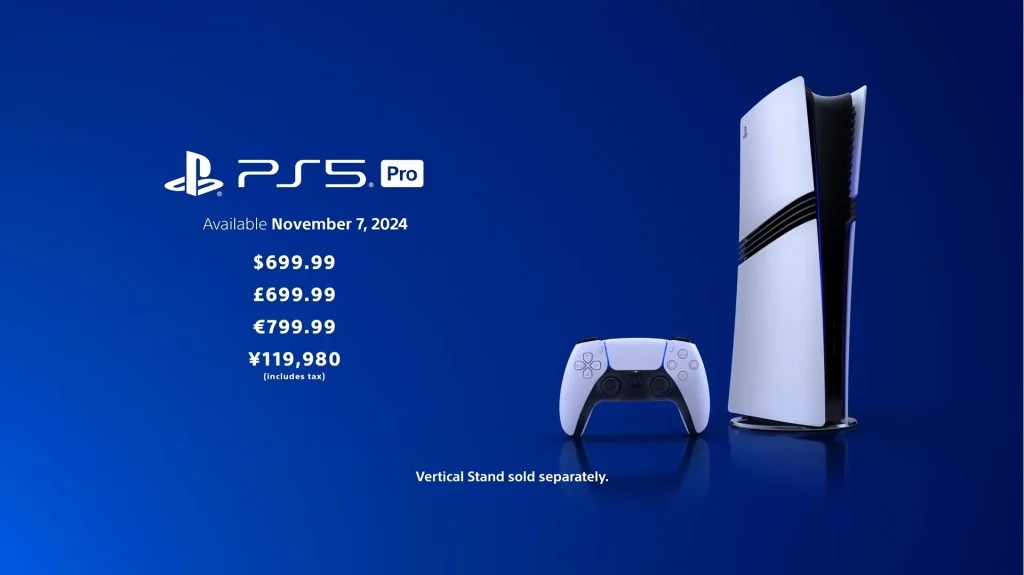
The PS5 Pro was revealed back in September 2024 and has received mixed reactions from hardcore Sony fans as well as other gamers and reviewers. The main problems with the console are its price, the absence of a disc drive, and the lack of many current-gen-only first-party titles. At $700, many considered the console to be a bad value, even though it does offer double the amount of storage (2 TB instead of 1 TB) to add to its value factor.
PS5 Pro Launch Price (credit: Sony)
Devs Are Finally Catching Up
Now, almost one year with this refresh, more and more developers have started to understand and make use of the extra horsepower that PS5 Pro offers. For instance, the first-party title Death Stranding 2: On The Beach is a great example that showcases the true potential of the Pro console, thanks to the great optimization done by the devs.
The team at Digital Foundry did a deep dive into reviewing Death Stranding 2. They stated that the PS5 Pro runs at a much higher fidelity than the base PS5 while delivering a solid 60 FPS experience, which just isn’t possible with the base machine without some visual cutbacks.
Not just this, Indiana Jones and the Great Circle is another excellent example of why the PS5 Pro is the definitive place to play games if you’re not into PC gaming. In Digital Foundry’s analysis of this game, it was found to be running at a relatively higher resolution on the Pro console while maintaining RTGI and a solid 60 FPS. You can see the actual numbers in the comparison chart below.
Indiana Jones target resolution across all consoles (credit: Digital Foundry)
While these are already released titles, the upcoming ones aren’t far off in terms of utilizing the available horsepower to provide a better experience. One of Capcom’s most anticipated titles, which is Resident Evil Requiem, is found to be targeting 60 FPS with ray tracing enabled, according to Digital Foundry. This is another great feat for the PS5 Pro, as the base machines will most likely target 30 FPS with RT and 60 FPS without RT. Other than these few examples, there are many other titles that take full advantage of the PS5 Pro’s hardware.
The Inevitability of PSSR 2.0
Another feature that the Pro console brings to the table is a new in-house upscaler called PlayStation Spectral Super Resolution (PSSR). This feature is exclusive to the PS5 Pro console, as it operates more like DLSS than AMD’s FSR, which relies on software rather than dedicated hardware. The PSSR is another plus point for the PS5 Pro, as it creates a much clearer and sharper image than the base console with FSR. Moreover, the PSSR also resolves the shimmer and trail effect that is typically found in FSR upscaled images.
The famous trusted leaker “Moore’s Law Is Dead” in his stream said that currently, the PSSR requires 864p as the base resolution to render the image and upscale it to 4k using AI. And that Sony is also working on a new PSSR version that would significantly enhance visuals and performance on the Pro console. This was also confirmed by Mark Cerny himself in a Q&A session with Digital Foundry, who is the lead system architect of the PlayStation 5 Pro.
Unreal Engine 5 Titles Are Still A Big Mess
Unreal Engine 5 is still a Stutter Engine 5, as pretty much every game made using this engine ends up getting performance issues on consoles as well as high-end PCs. Developers need to focus on using or creating their own in-house engine unless EPIC games comes up with a universal solution for such grave performance and visual hiccups on its UE5 engine. Metal Gear Solid Delta: Snake Eater is the latest victim of Unreal Engine 5’s poor optimization. It doesn’t run as smoothly as other games that use proprietary game engines and dips frames right into the 40s range, even on the Pro hardware.
Metal Gear Solid Delta: Snake Eater performance issue (credit: Digital Foundry)
A True Powerhouse If Utilized Correctly
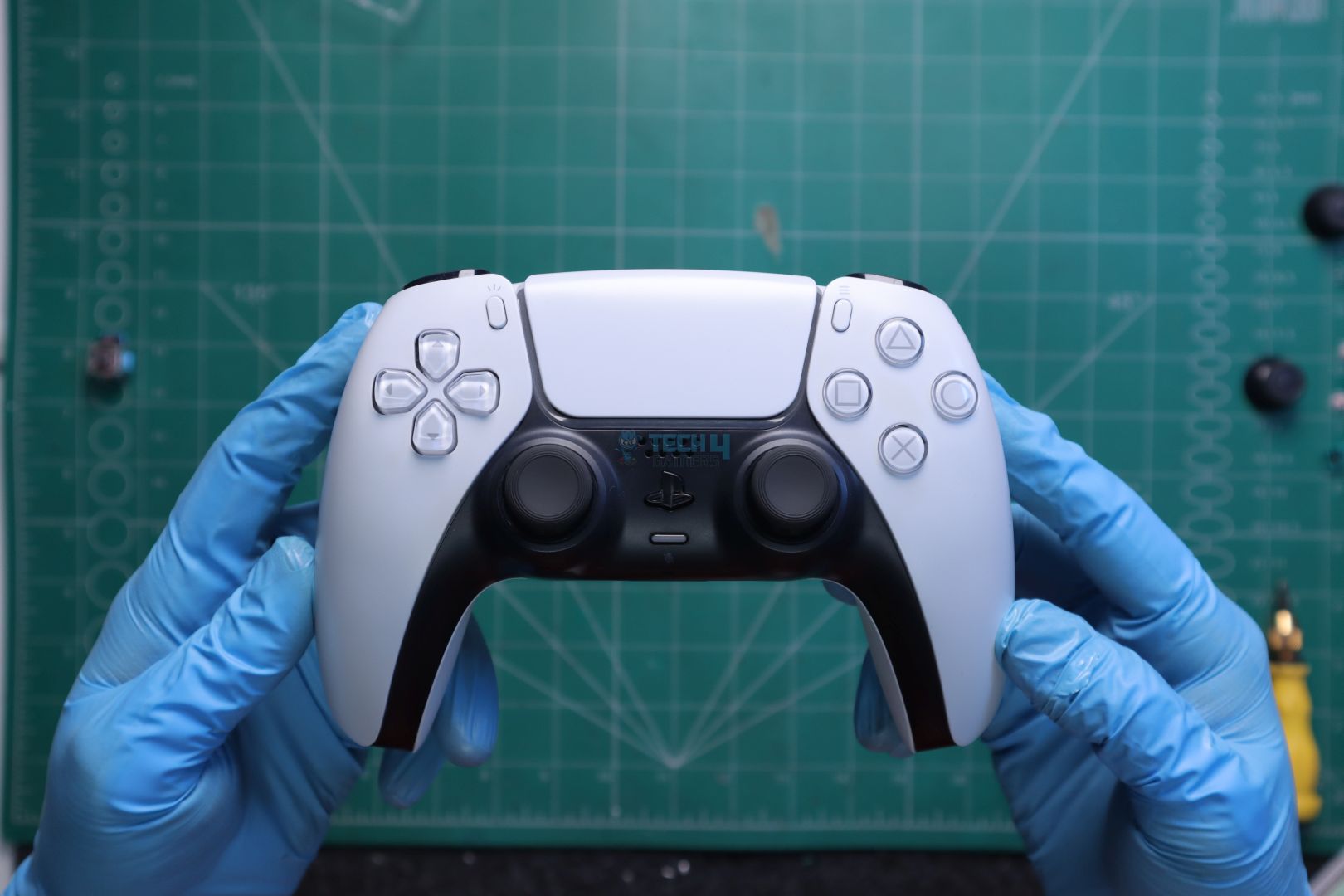
PS5 DualSense Wireless Controller
With each passing month, the library of games that offer superior performance and visuals on the PS5 Pro is increasing. Furthermore, upcoming titles like Resident Evil Requiem, Ghost of Yotei, and Grand Theft Auto 6 will be delivering a better experience on the Pro, especially once PSSR 2.0 gets released in the same year. Though, as of now, we have enough selection of games that advocates for the PS5 Pro to be the definitive place to play games, even with the current PSSR.
I’ve been the Journalist & Editorial Writer at Tech4Gamers since July 2022. I spearhead our hardware coverage, including overclocking GPUs, benchmarking CPUs, reviewing peripherals, and fine-tuning custom PC builds for every budget. Daily, I report on breaking gaming news, from major launches and studio updates to the latest industry trends, ensuring our community stays informed. Beyond news briefs, I write in-depth feature articles on gaming culture and emerging technologies. And by collaborating closely with the editorial team on content planning, SEO strategy, and our publishing calendar, I help us consistently hit our traffic and engagement targets.
As things are currently, if you’ve casually spent some time in enthusiast keyboard forums or watching gaming keyboard reviews lately, you’ve probably seen the word Hall Effect switches appear occasionally, maybe in a Reddit post, under a YouTube review, or during some heated debate about the “perfect” type of switch.
So, what’s behind all this buzz? Are Hall Effect keyboards worth the hype? And more importantly, should you, as a gamer, care? Let’s break it down.
What Are Hall Effect Switches, Really?
Inside a Hall-Effect Switch (Image Credits – Famichu)
Hall Effect switches aren’t just some fancy marketing term thrown into keyboard specs to sound cool. There’s a legitimate scientific basis behind them, where they use magnets and sensors to detect keypresses. In comparison, regular mechanical switches, which rely on physical contact, have parts inside the switch that touch each other to send a signal. Whereas, Hall Effect switches work without that direct contact.
When you press a key, the magnet inside shifts closer to the sensor, and that tiny change in the magnetic field tells the keyboard you’ve made a press. Because there’s no constant metal-on-metal contact, the parts don’t wear and tear out as quickly. For gamers, that also means the keys can register with incredible speed and precision. Here, you can adjust how deep you want your key to register a press by activating with a light feather tap or a deeper press to prevent accidental keystrokes.
Precise Gameplay (Gunplay)
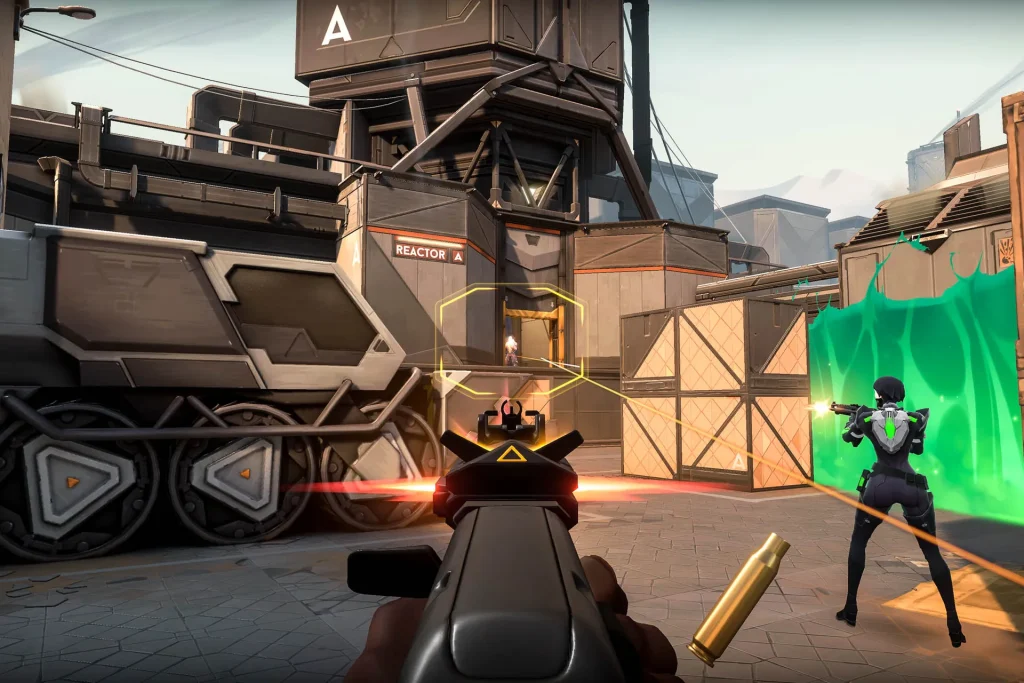
Valorant Gameplay (Image Credits – Riot Games)
One of the incredible things Hall Effect keyboards bring to the table is analog input, which is quite similar to what we usually find in controllers. Because of how the Hall Effect switches register keypresses, they measure how far down a key is pressed, not just whether it is pressed or not. That means the sensitivity of each key can be fine-tuned, which helps in setting up different activation points.
It is pretty evident in competitive FPS titles where responsiveness is required on your movement or ability keys. It helps in counter-strafing, pre-firing around corners, or adjusting your peeking speed. Moreover, racing games or flight sims benefit from this as well, like hardly pressing a key to accelerate or turn around a corner, something that’s usually limited to analog sticks or triggers on a controller.
Rise of the DIY Keyboard Culture
Hall Effect keyboards are surely making quite a noise in competitive gaming, but they’ve also found a sweet spot with keyboard enthusiasts, and it’s not hard to see why. These folks care just as much about how a board feels and sounds as how it performs. The neat thing about Hall Effect switches is that they use magnetic sensors instead of the usual metal contacts, so there’s less physical wear over time.
That means the keyboard’s feel stays consistent, even after extensive use. On top of that, they offer some fun customization options. For instance, hot-swappable PCBs with analog support, custom actuation curves, and software tweaks that let you really personalize your experience, since we have started seeing it in some of the most talked-about custom and semi-custom builds.
Notably, Brands like Wooting have led the scene with their full analog keyboards that are almost entirely community-driven. Additionally, Akko has also dipped its toes into the Hall Effect with prebuilt boards. Lastly, there’s Keychron, which has released Hall Effect boards aimed at DIY fans with lots of flexibility right out of the box.
Should You Upgrade in 2025?
Wooting 80HE in all its glory (Image by Tech4Gamers)
So, is 2025 the year you hop on the Hall Effect bandwagon? Honestly, it comes down to your preferences. The upside is pretty evident. You’re getting a keyboard that has a fast response time, is built to last, and offers a level of customization you just don’t get with typical mechanical switches. Adjustable actuation points and rapid trigger can genuinely improve your reaction time in competitive games, and the lack of physical contact means your switches will probably outlive your GPU.
However, these keyboards aren’t always cheap. While brands are offering more affordable options, the best Hall Effect boards are still priced in the mid-to-high range. If you’re a casual gamer or mostly use your keyboard for typing, the difference might not be worth the cost. If you’re into the idea of making your keyboard match your exact playstyle, you should probably go for it.
And if you’ve decided to buy a Hall Effect keyboard for the long run, here’s a list of the best magnetic gaming keyboards to help you get started. But if you’re happy with your current setup and don’t play in highly competitive esports titles, it’s fine to wait until prices drop and the tech becomes even more mainstream.
As Tech4Gamers’ Wiki Editor, I dissect gaming products, offering detailed perspectives on a variety of PCMR hardware ranging from the Best Motherboards and CPUs to the Best GPUs, RAM, and PSUs.
Story Highlight
Nvidia is being sued by German tech firm ParTec AG for the allegedly unlawful use of proprietary technologies like dMSA in Nvidia’s DGX AI-based supercomputers.
ParTec demands financial compensation while also asking for the sale of DGX products to be banned in the 18 European countries where the firm holds patent protection.
Nvidia has stopped supplying GPUs to ParTec ever since the former filed similar lawsuits against Microsoft, causing spectators to cite antitrust laws.
Let’s be clear: Nvidia can’t seem to catch a break in 2025.
Just as the catastrophic RTX 50 Series launch was already making headlines for all the wrong reasons—another storm is brewing.
This time, it’s not just disgruntled gamers; it’s a German tech firm taking the semiconductor giant to court in a move that could shake Nvidia’s dominance in Europe’s AI infrastructure.
A Perfect Storm Of Problems: The RTX 50 Series Debacle
Before we dive into the legal battle, it’s worth recapping just how badly Nvidia has fumbled its consumer gaming lineup.
The RTX 50 Series launch has been nothing short of a disaster.From Day 1, drivers have been unstable, causing frequent blue screens of death that have left even loyal customers frustrated.
Scalpers, taking full advantage of a severe demand-supply mismatch, have driven prices to astronomical heights, making it nearly impossible for average consumers to buy these GPUs at reasonable rates.
Then came the hardware flaws. Reports of missing ROPs emerged, with Nvidia downplaying the performance hit as “just 4%”—a claim that did little to reassure buyers paying premium prices.
Even more alarming were the findings from Igor’s Lab, which revealed dangerous power delivery overheating hotspots, threatening the long-term stability and performance of these high-end cards.
To make matters worse, Trump’s tariffs forced Nvidia to raise prices by 10-15% across the board, further alienating budget-conscious buyers.
(Image Credits – Wccftech)
And now, verified leaks from Chinese board channels suggest Nvidia is slashing RTX 50 Series production by 20-30% to divert resources toward its lucrative AI GPU division.It’s clear where Nvidia’s priorities lie, and it’s not with gamers.
The German Lawsuit: ParTec AG Takes On Nvidia
Just when it seemed things couldn’t get worse, Nvidia is facing a formidable legal challenge in Europe.For starters, German tech firm ParTec AG has filed a third patent infringement lawsuit against Nvidia at the Unified Patent Court in Munich.
Moving on, the lawsuit alleges that Nvidia’s manufacturing and sale of its DGX line of supercomputers constitute patent infringement.
Keeping in mind that the DGX supercomputers are a critical part of AI infrastructure powering a variety of industrial sectors from healthcare to automotive and finance, the stakes couldn’t be higher.
To elaborate, dMSA allows various types of microprocessors, such as CPUs and GPUs, to dynamically coordinate and share workloads even during active calculations in an efficient manner thanks to Unified Memory.
Needless to say, for AI supercomputers handling massive data and compute tasks in real time, this architecture is nothing short of revolutionary.
How Nvidia & ParTec’s Relationship Soured
The history between these two companies adds layers of intrigue to this dispute.
To begin with, ParTec had initially explored collaboration with Nvidia back in 2019, sharing detailed copies of its patented ParaStation software and dMSA concepts, but Nvidia ended up backing down from a full-fledged joint venture.
While Nvidia declined to jointly develop GPUs for supercomputers, the two companies continued working together on various projects where Nvidia supplied GPUs.
However, tensions escalated when ParTec initiated patent lawsuits—including a high-profile case against Microsoft in Texas involving the same core technologies.
ParTec’s official announcement of its lawsuit against Microsoft. (Image Credits – ParTec)
In response, Nvidia abruptly ceased discussions about supplying GPUs for upcoming European supercomputer projects with ParTec.
This move has been interpreted as a strategic retaliation, highlighting the cutthroat nature of the AI hardware space and how even tech giants like Nvidia can be prone to antitrust lawsuits.
What ParTec Wants And Why It Matters
Simply put, the lawsuit demands that Nvidia stops selling its essential DGX products across 18 European countries where ParTec holds patent protection.
Additionally, ParTec is seeking detailed sales disclosure to report and reclaim significant damages, underscoring the financial stakes of this dispute.
Of course, even beyond the courtroom, the implications are profound.
Firstly, the dMSA patent represents a critical innovation in how supercomputers allocate processing tasks across heterogeneous architectures—a key factor in AI model training efficiency and scalability.
If ParTec succeeds, Nvidia could be compelled to alter how it designs and sells its AI systems in Europe and/or negotiate licensing deals with firms like ParTec, which would be a huge win for the European AI industry, collectively speaking.
The Bigger Picture: Europe’s AI Independence At Stake
This legal clash underscores a deeper, more systemic conflict within the global AI industry: Europe’s growing and uncomfortable reliance on American tech titans such as Nvidia and Microsoft for its most critical computational infrastructure.
ParTec’s CEO, Bernhard Frohwitter, has repeatedly warned that this overwhelming dependence threatens to undermine Europe’s strategic autonomy and its future as an innovative, competitive force in advanced AI technology.
By protecting its intellectual property, ParTec isn’t just fighting for itself; it’s fighting for Europe’s place in the global AI race.
At T4G, my task is to cover the latest news around the gaming globe ASAP and with the utmost precision. I adore all the games and respect all the devs behind the amazing games that we get all year. So, whether it’s a PC or a Console game, I got it all covered.
Story Highlight
Microsoft says that the Windows 11 update isn’t the reason SSDs are getting bricked.
Instead, something else is causing it, and they’re investigating reports to monitor it.
The previous report claimed that storage devices with a Phison controller are at risk.
Recently, Windows 11 got a new security update that reportedly bricked SSDs and hard drives for some users. The update titled ‘KB5063878’ is the latest security update for the systems, but Microsoft has now denied the allegations.
In a new statement, Microsoft says that they’ve thoroughly researched and found out that the new Windows 11 security update is not responsible for bricking users’ storage devices, and the reason is something else.
Why it matters: Since the news broke, fans have been worried that they might run into the same issue if they update their systems, but Microsoft now claims that this won’t be the case.
Microsoft says Windows security update isn’t the reason SSDs are getting bricked.
According to the user who shared the story, the issue occurs if your SSD goes through an extended period of writing. They experienced it themselves while updating Cyberpunk 2077 right after installing the security update.
Now, according to Microsoft, their investigation resulted in no link between the update and storage bricking; instead, it happens due to something else. However, they are still taking feedback and trying to see why it happened.
They’re trying to investigate further to understand the issue.
After thorough investigation, Microsoft has found no connection between the August 2025 Windows security update and the types of hard drive failures reported on social media.
The issue reportedly occurs on SSDs and HDDs with Phison controllers onboard. However, since Microsoft says that the update isn’t causing it, everything becomes trickier because there is no definitive reason anymore.
What are your thoughts on Windows 11 security update bricking SSDs? What do you think could be the reason? Let us know your opinions in the comments or join the discussion at the official Tech4Gamers Forum.
I’ve previously worked for eXputer as a Senior News Writer for several years. Now with Tech4Gamers, I love to devoutly keep up with the latest gaming and entertainment industries. I have a Bachelor’s Degree in Computer Science and years of experience reporting on games and breaking exclusive stories. Besides my passion for gaming journalism, I love spending my leisure time farming away in Stardew Valley. VGC, IGN, GameSpot, Game Rant, TheGamer, GamingBolt, The Verge, NME, Metro, Dot Esports, GameByte, Kotaku Australia, PC Gamer, and more have cited my articles.
Story Highlight
The Blood of Dawnwalker devs have teased sequels for the upcoming RPG.
The director revealed the team has a rough idea of where the IP could go.
However, any chance of a sequel depends on the game’s success.
Described as a narrative sandbox with a non-linear story structure where you have limited time to save your family, The Blood of Dawnwalker has garnered a lot of interest due to its unique identity, and the developers are thinking about continuing the IP with more sequels.
Why it matters: A concept like The Blood of Dawnwalker, which actually tried to push the RPG genre forward, should definitely get the chance to expand on its lore.
The Blood of Dawnwalker will give you 30 days to save your family.
While talking to IGN, director Konrad Tomaszkiewicz revealed that Rebel Wolves has further plans for the overarching story of the main protagonist, Coen, but it all depends on the success of the game itself. The director explained that there is a whole world that the devs want to explore, and it has much more than just vampires.
Furthermore, Tomaszkiewicz stated that the developers are leaving a lot of fuel for the sequel with hopes of exploring the IP and its world in potential sequels. And, there will be bread crumbs in the game for fans regarding where Coen and his story could go in a follow-up.
We want to leave a lot of fuel for the sequels and so on.
But, as of now, no sequel to The Blood of Dawnwalker is guaranteed, and as of now, Rebel Wolves only have a rough idea of where the franchise could go, without any confirmation. There is certainly a lot of hype around the game, with director Konrad Tomaszkiewicz aiming for the quality that The Witcher 3 had.
The Blood of Dawnwalker has a unique day and night cycle.
The unique story structure and main character of The Blood of Dawnwalker have also enticed a lot of players, with the ability to skip straight to the ending in addition to the night and day vampire cycle, giving the game a creative edge.
Currently serving as a News Reporter at Tech4Gamers, I have the privilege of combining my love for gaming with the art of storytelling. My role involves crafting engaging narratives that keep our audience abreast of the latest developments in the gaming world.
Story Highlight
Ubisoft has stopped sharing sales data with the leading analyst firm, Circana.
The firm’s executive director has confirmed this.
The decision to stop sharing data could be an attempt to hide bad sales or avoid negativity, but either way, it reflects poorly.
Despite their desperate attempt to make a comeback, Ubisoft still couldn’t hit the mark with the recent Star Wars Outlaws and Assassin’s Creed: Shadows. While the latter was a success in the publisher’s book, the same cannot be said for Star Wars Outlaws.
Regarding sales, Ubisoft has kept the official sales numbers for these games close to its chest. That is, they’ve stopped sharing figures with other sources, such as leading analyst firm Circana.
Why it matters: For Ubisoft to stop sharing sales figures means that their recent titles performed poorly. Perhaps they’re trying to control the sales narrative by not revealing figures and instead labeling the games’ performance as good.
Circana Director Confirms Ubisoft’s Absence From Top-Selling Games List || Social Media
Until June, Ubisoft was sharing sales data with Circana as Assassin’s Creed: Shadows came in third place as the best-selling game in the US. The title wasn’t present in the July sales chart, not because the game’s sales dropped, but because Ubisoft stopped sharing data with Circana.
On social media, Mat Piscatella, executive director of Circana, confirmed this.
Ubisoft’s absence from this list could be to avoid negativity. Assassin’s Creed: Shadows and Star Wars: Outlaw attracted significant controversy, each due to their own issues.
As such, dropping sales in the following month from these games’ release could once again spiral hate from fans. Still, Ubisoft would have benefited from sharing sales data of games like Assassin’s Creed: Shadows at least.
Shadows was also the EU’s best-selling new release of 2025 and the second-best-selling game in the US. Still, their refusal to share sales data would paint a bad picture for the French publisher, making it seem like they’re controlling the narrative.
What are your thoughts on this story? Do you think Ubisoft is covering up bad sales, or is it a different story? Let us know in the comments below, or at the official Tech4Gamers Forums.
As a Senior Hardware Reviewer at Tech4Gamers with over a decade of hands-on experience, I dive deep into benchmarking GPUs, CPU coolers, and motherboards, pushing hardware to its limits. Passionate about overclocking and fine-tuning performance.
Lian-Li is now viewed as one of the top-tier brands in the PC industry, recognized for its innovative designs. It’s not a boring company that makes the same product and relaunches it with minimal design changes. You will always see them trying something new. This brand caters to PC enthusiasts, professionals, and creators who cherish aesthetics, build quality, and performance. Lian-Li is setting the standard for their products, whether it is a case, fan, or cooler. We previously reviewed the Lian-Li O11D Mini V2 and were impressed by its quality and modularity.
Why Trust Tech4Gamers
Usman Sheikh is one of our most senior and experienced hardware reviewers. He loves spending hours (sometimes days) in his lab, testing and comparing different GPUs, CPUs, coolers, and more.
80+ CPU coolers tested and reviewed by our team of hardware experts (Tech4Gamers Team).
900+ hours spent testing different coolers for our reviews.
At Tech4Gamers, ensuring you get reliable information is our priority. That’s why every hardware round-up undergoes a meticulous review process by our team of experts and editors. Each review is carefully examined against our strict editorial guidelines, guaranteeing you trustworthy insights you can depend on.
We’re taking a look their one of their brand new liquid-cooler, Lian Li Hydroshift II LCD-C 360TL, the refined successor of the previous Hydroshift Series. They have made a few changes, starting with further enhanced display control options, a slimmer and more compatible radiator, a rotatable circular LCD ring, and much more we will discuss later in the article.
Let’s start with the specifications
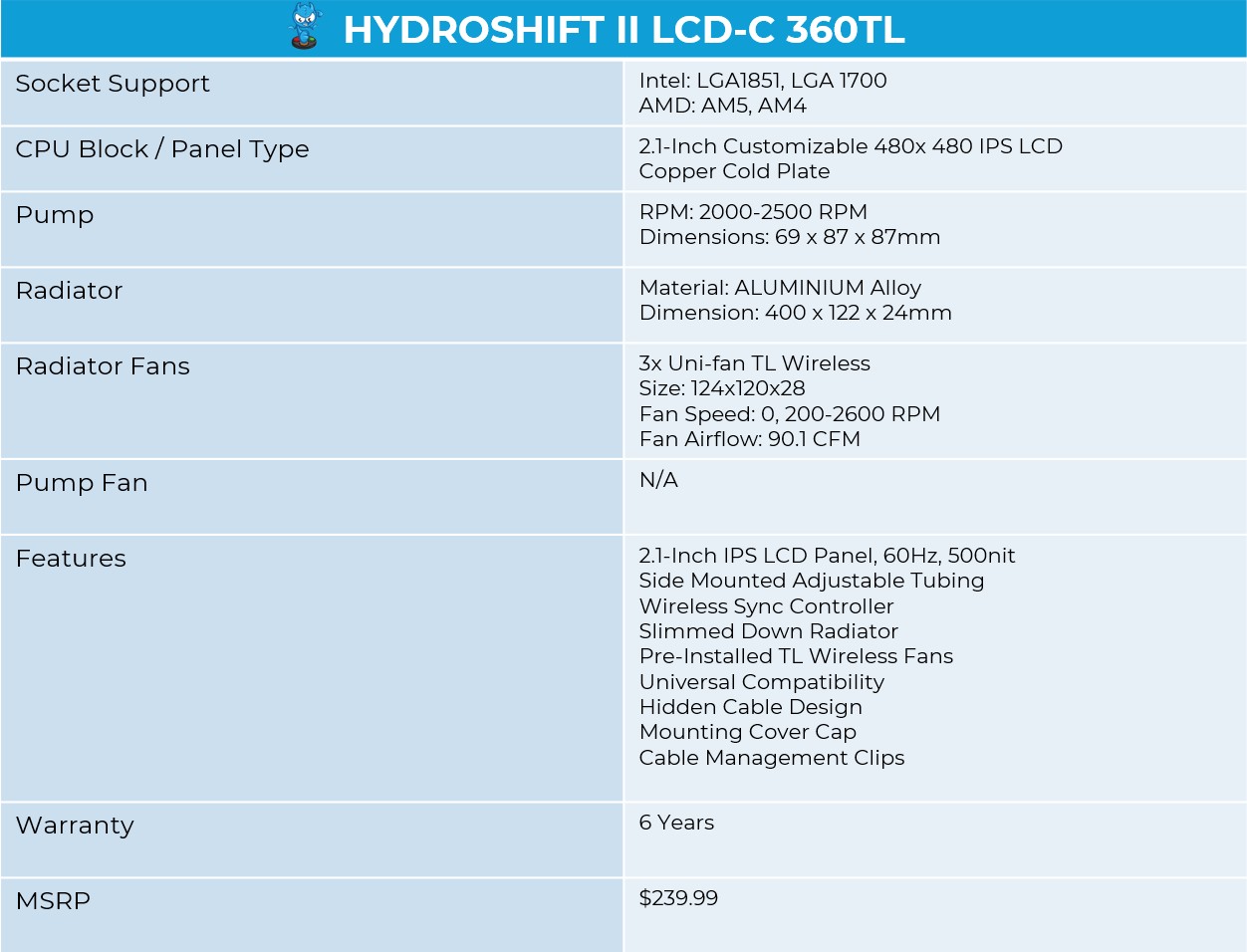
Hydroshift II LCD-C 360TL Specifications
[toc]
What Makes The Lian Li Hydroshift II LCD-C 360TL Different?
Lian Li has made some new changes to their Hydroshift Series. Firstly, the radiator has been slimmed down to 24mm in thickness to offer improved case compatibility. The LCD has now transitioned to a round design, offering three connectivity modes: Offline, Wireless, and USB.
The tube management has also been improved with a sliding clamp that allows for adjustable tube placement. There are three different variants to choose from: the 360TL, which is the one we are using and comes with the Uni-Fan TL Wireless, the 360CL, which includes Uni-Fan CL Wireless for quieter operations, and the fanless version, called 360N.
Packaging
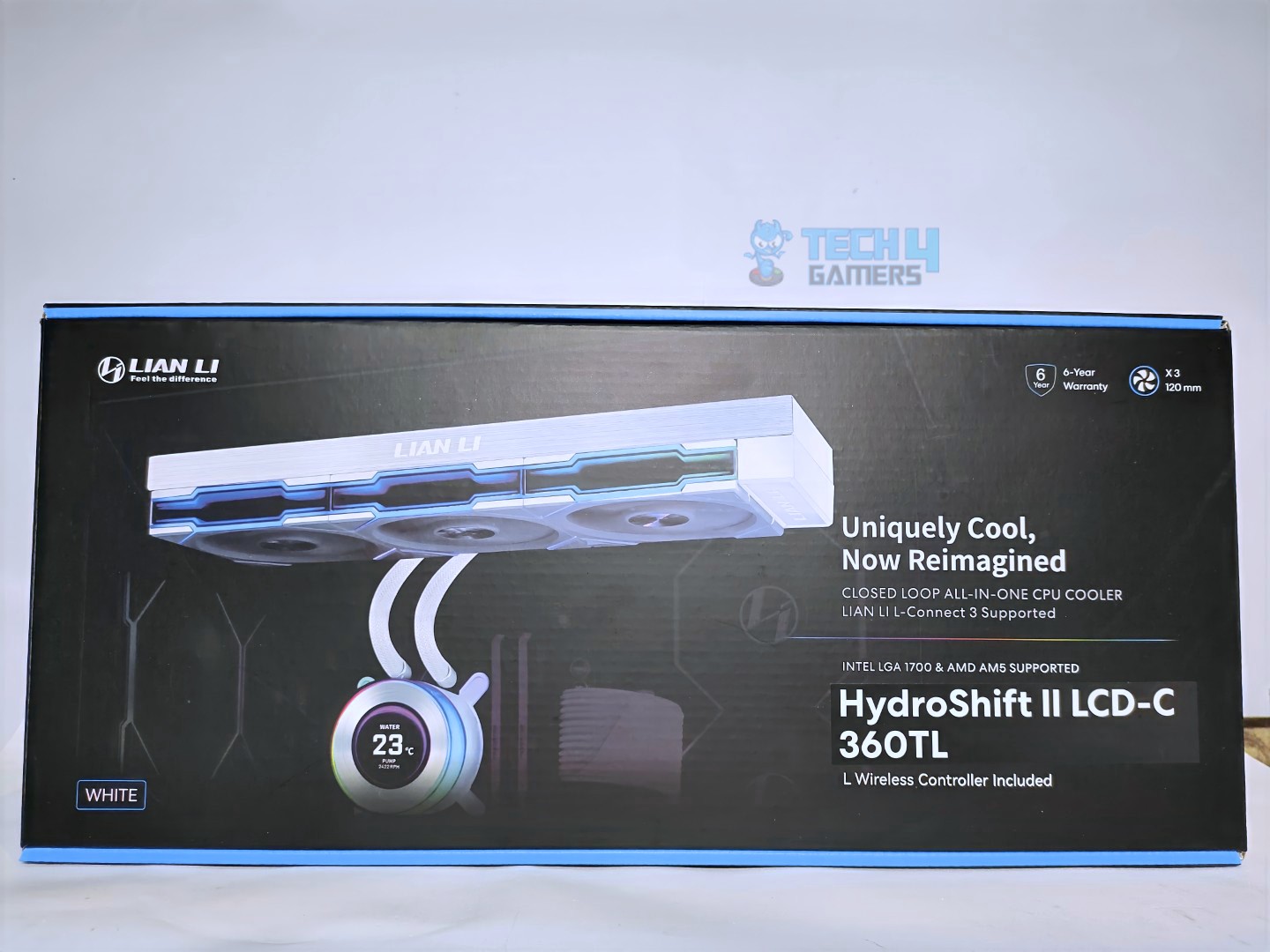
The Lian Li Hydroshift II LCD-C 360TL comes in sturdy cardboard packaging. The box features the blue and black colour scheme. On the front of the box, a render of the cooler is also visible. The front also mentions that a “L Wireless Controller” is included, as well as socket support for Intel and AMD platforms, and a 6-year warranty.
Front
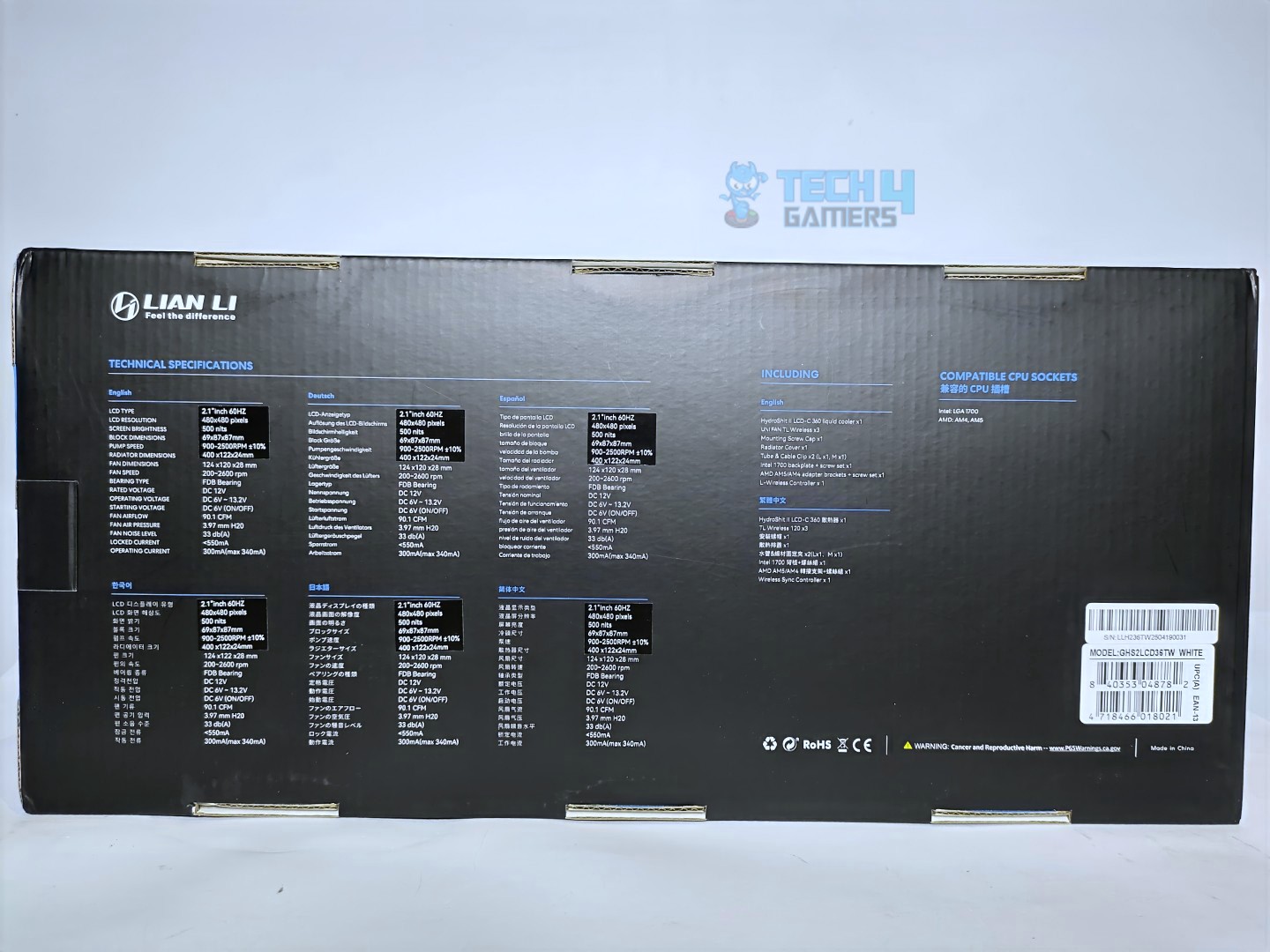
Back
The back features the detailed specifications about the cooler in different languages and the accessories that are included.
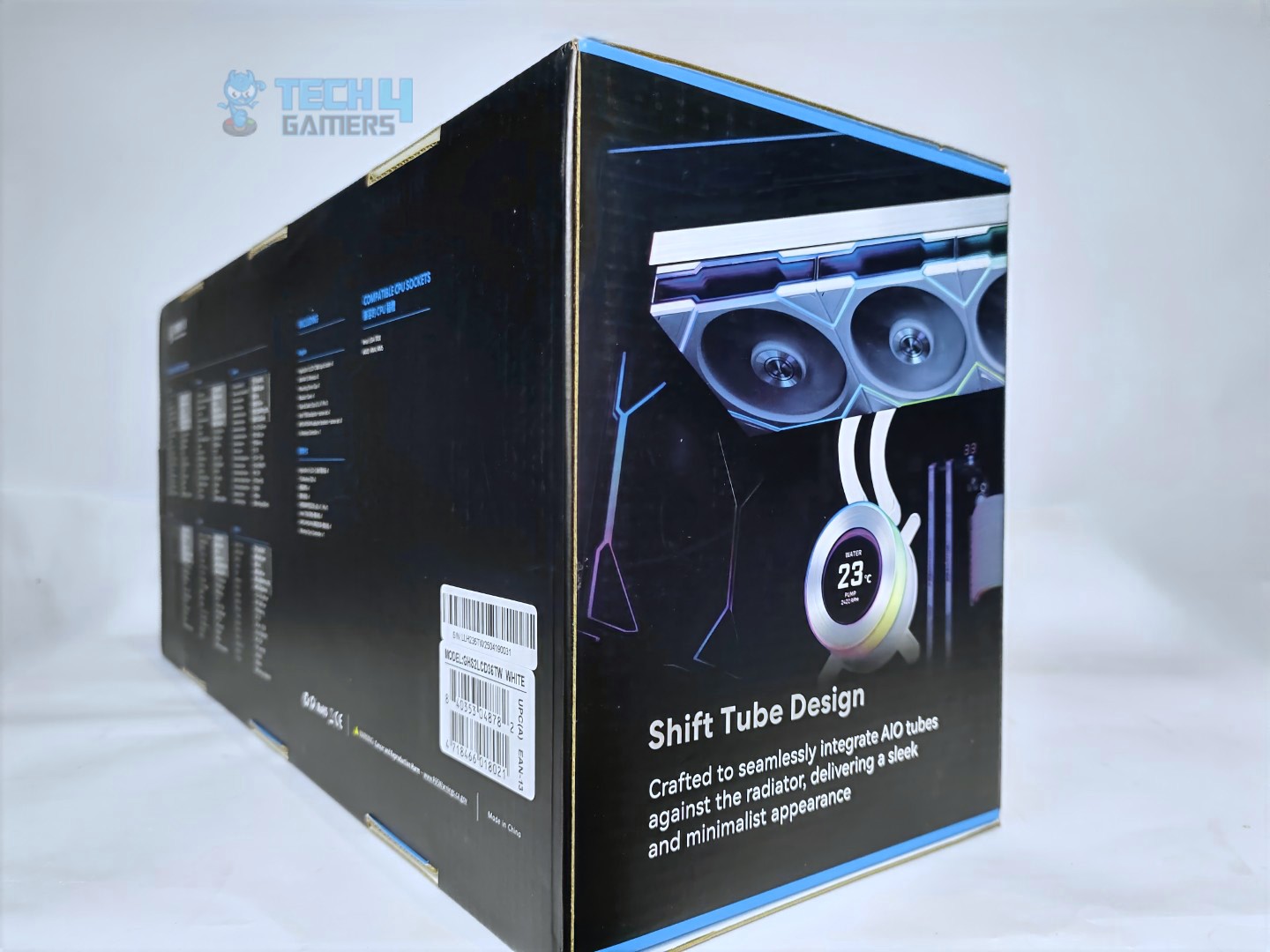
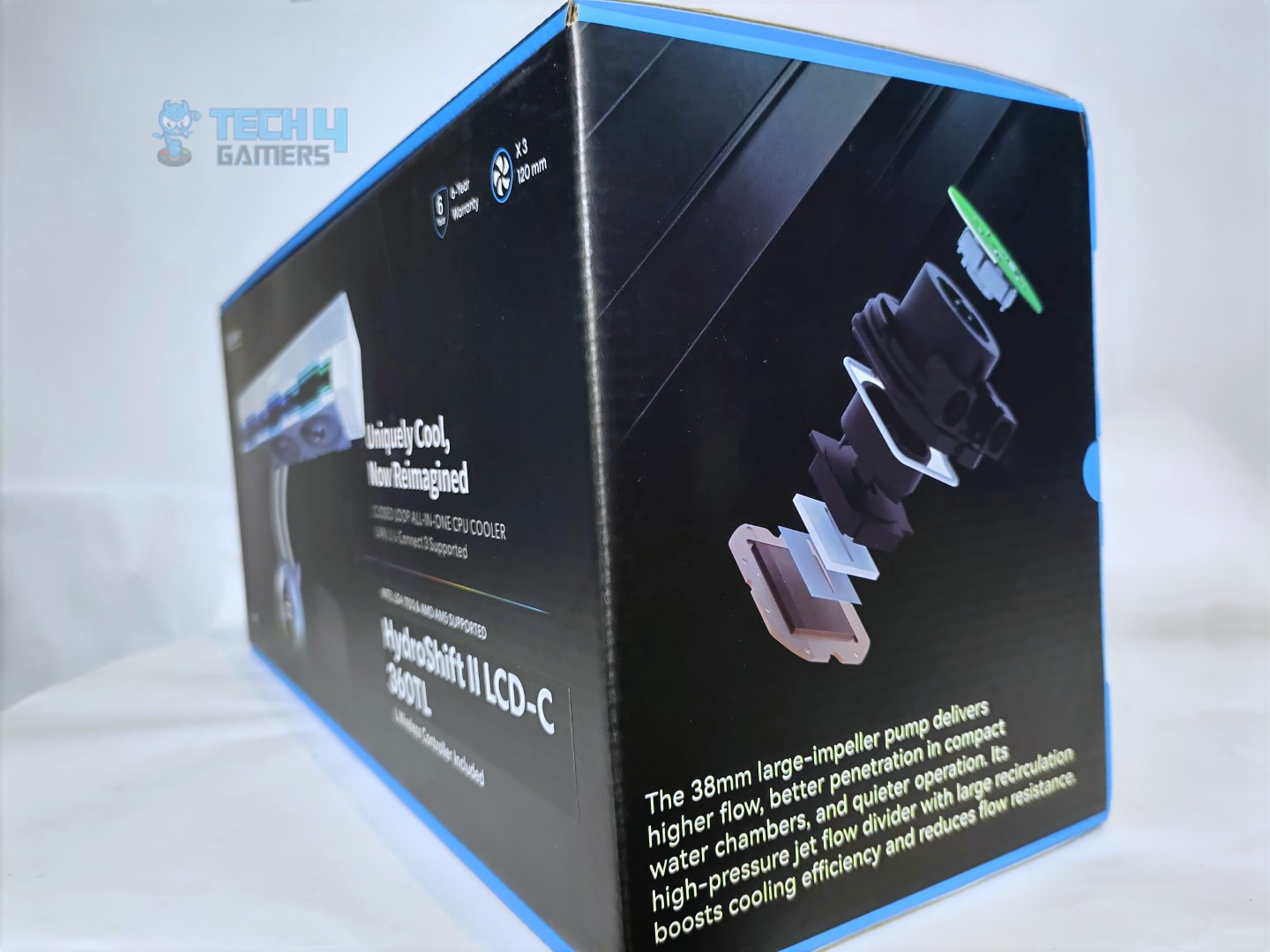
Side
Speaking of sides now, one side of the box highlights the pump’s features, while the other side talks about the tube design of this cooler.
Unboxed
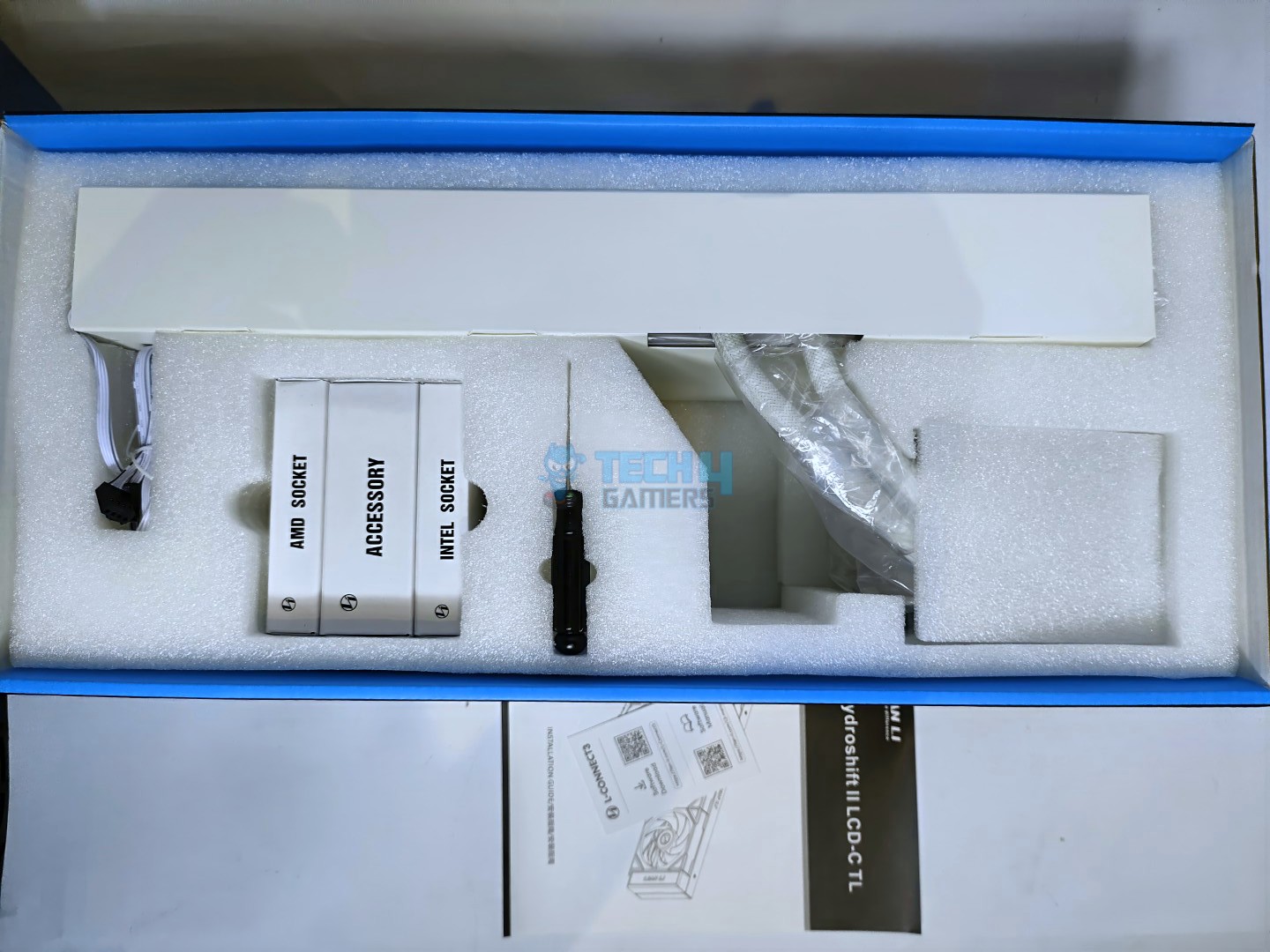
Upon opening, the box reveals the contents in moulded foam inserts, which feel very high quality and durable. The packaging couldn’t have been better, full marks to Lian Li here.
Accessories
Let’s take a look at accessories
Accessories
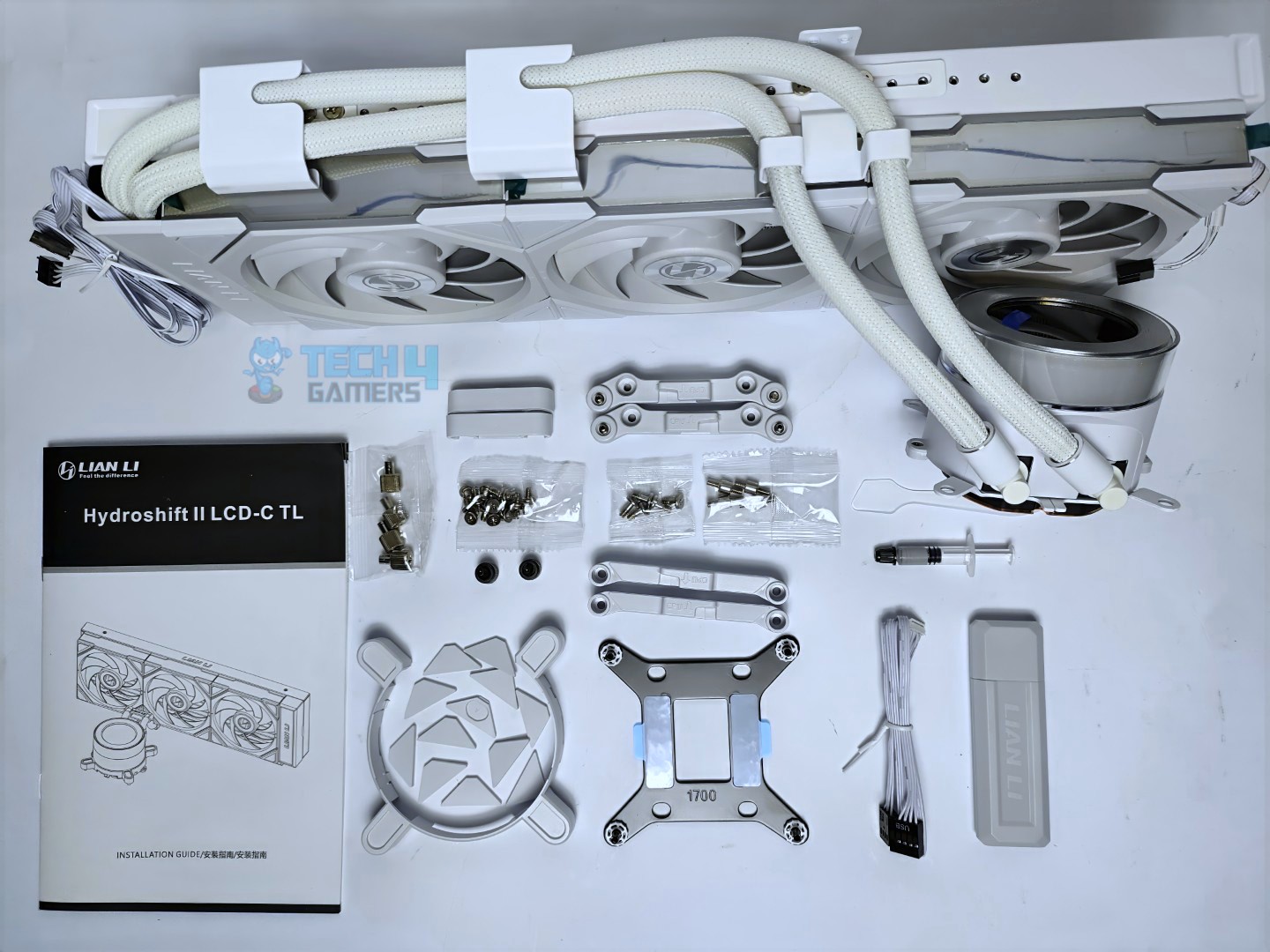
Here is the structured table of what you get inside the box:
Quantity
Components
12x
Radiator screws
12x
Fan screws
4x
Standoffs
4x
Bracket nuts
4x
AMD mounting bracket screws
2x
AMD mounting brackets
2x
Intel mounting brackets
2x
Tubing clips
2x
Thumb screws for radiator offset mount
1x
Intel backplate
1x
Tube thermal paste
1x
Hex driver
1x
Fan ARGB receiver
1x
USB + PWM cable
1x
Paste spreader
1x
Manual
Close Look At The Radiator and Assembly
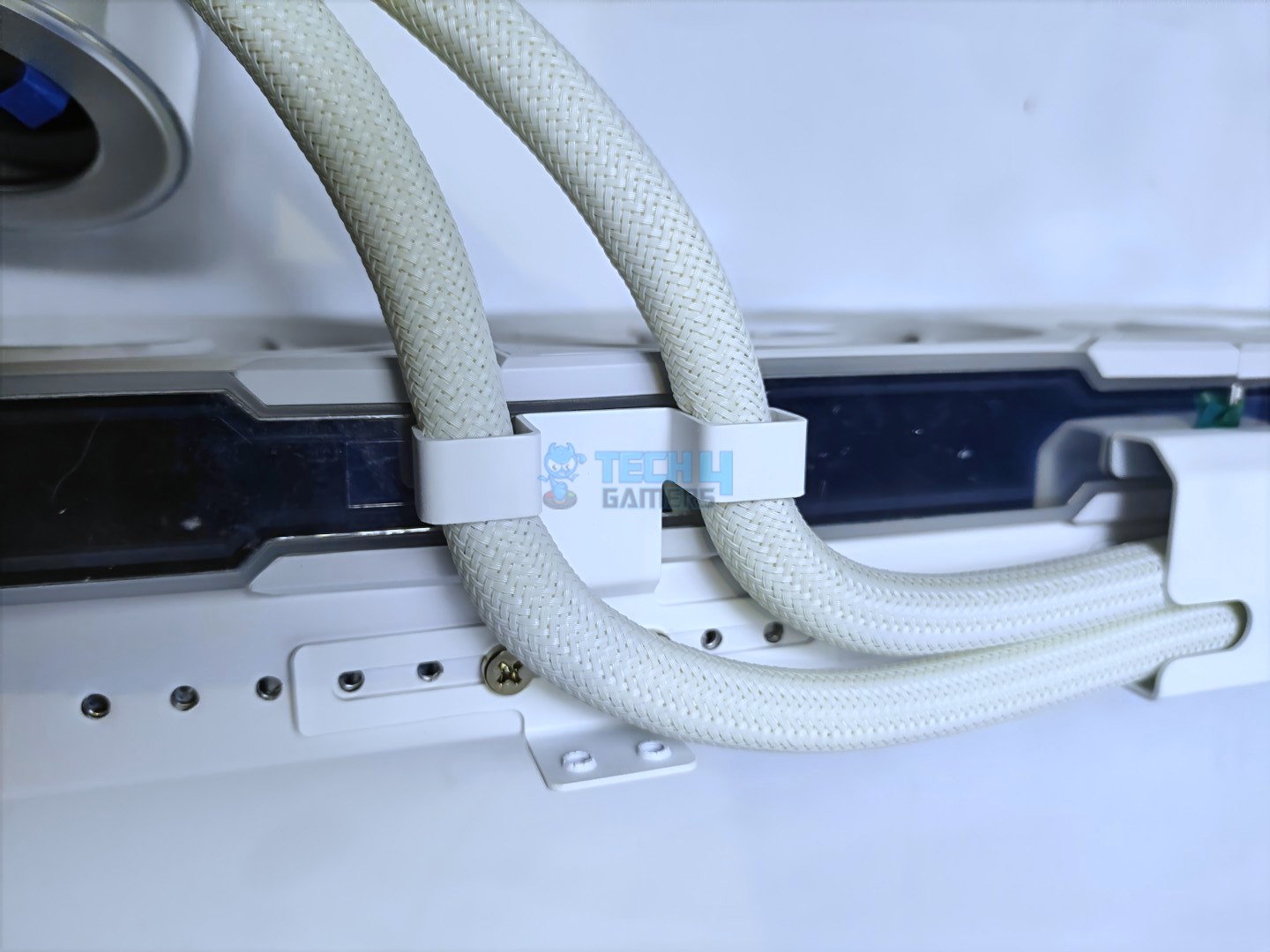
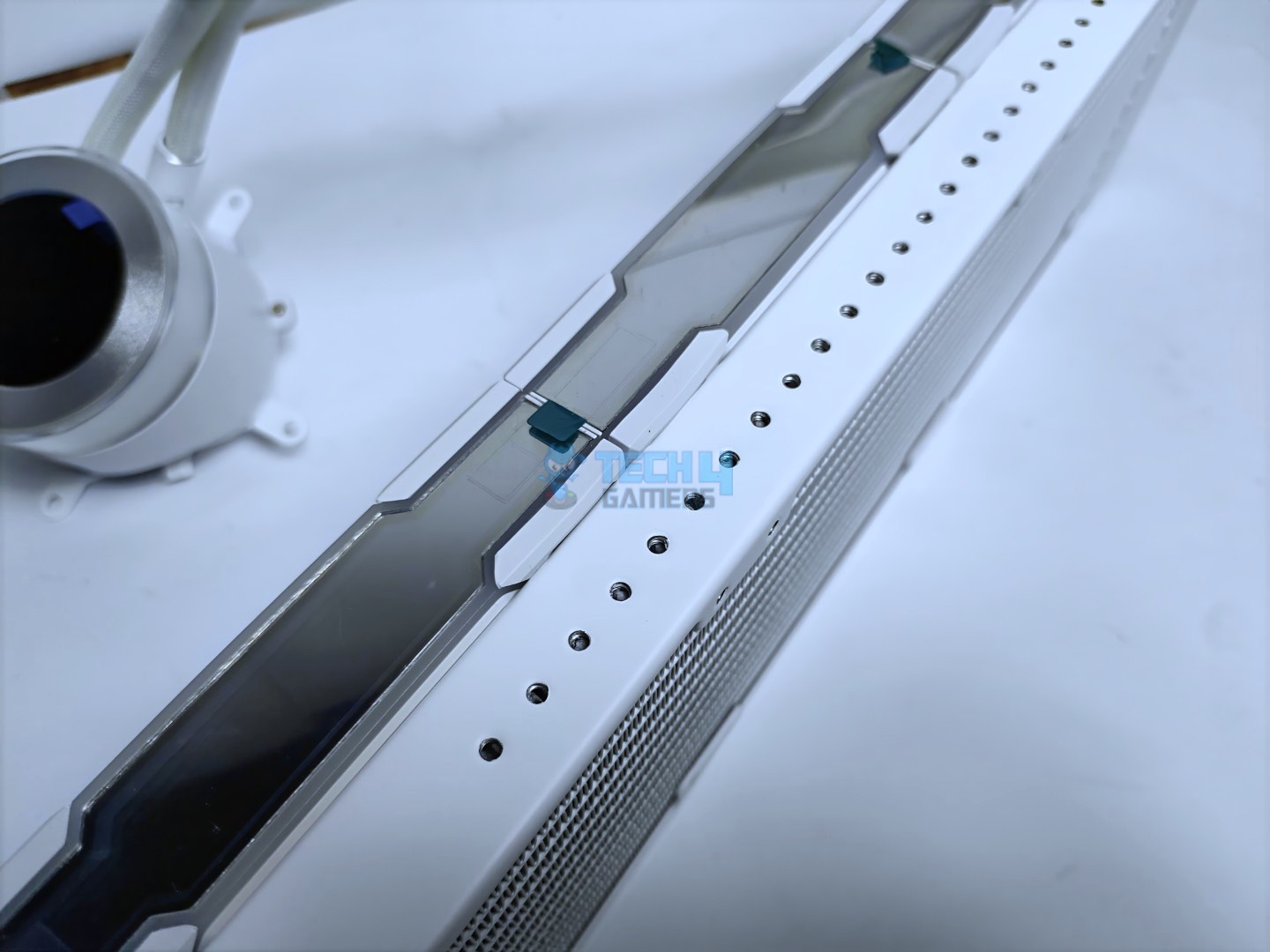
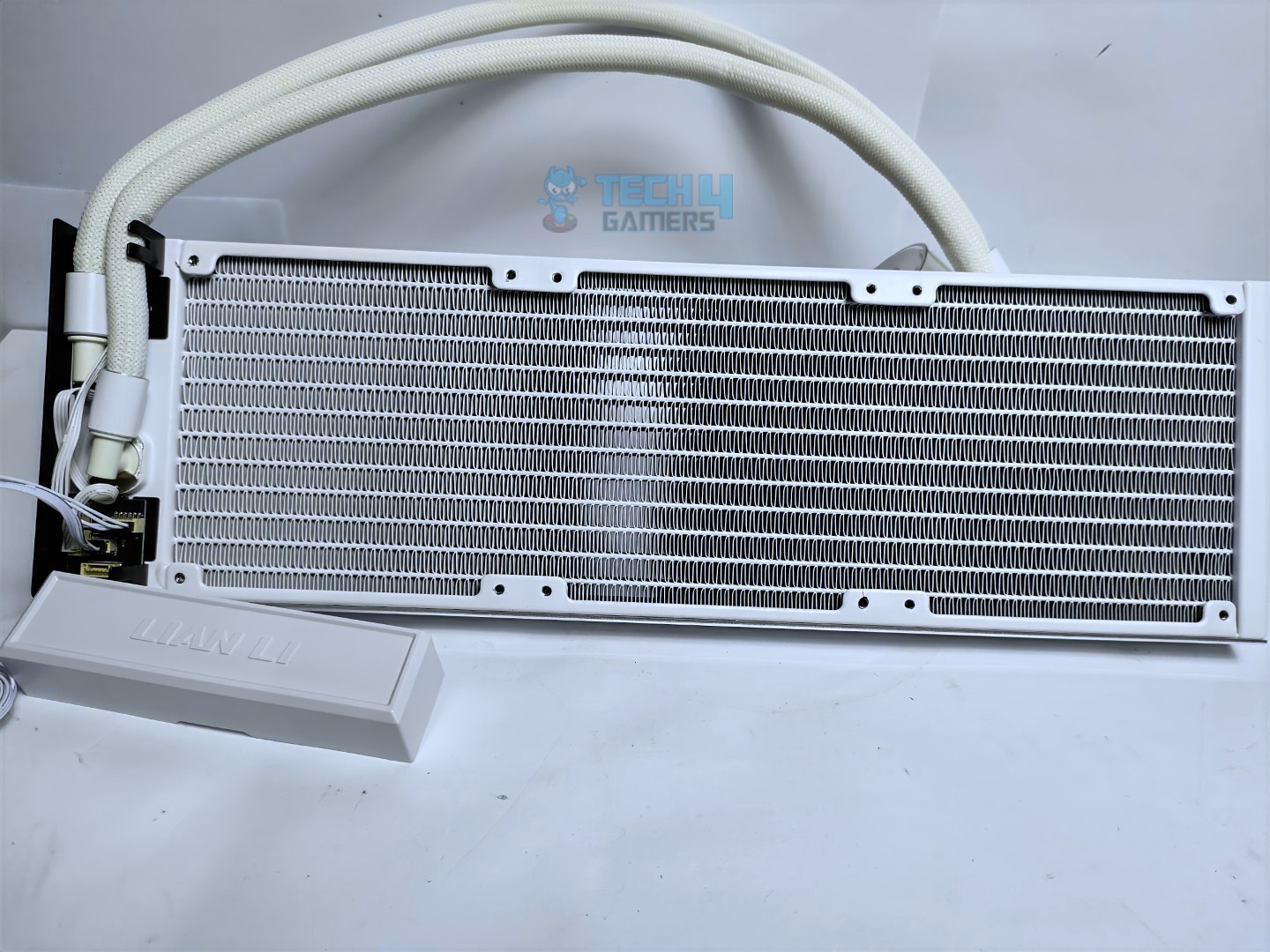
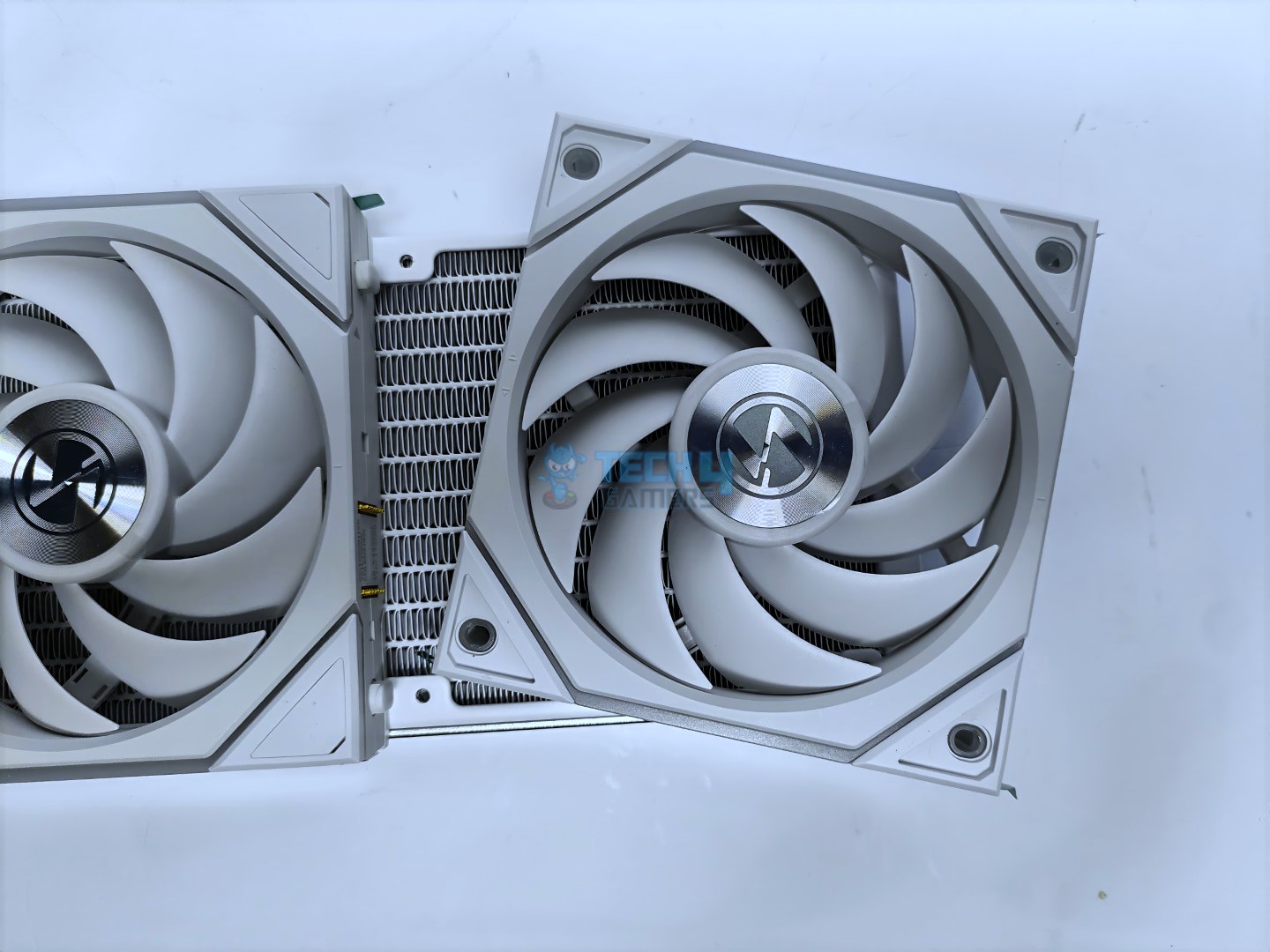
First, examining the assembly, the water tubes are mounted on the radiator, with three adjustable metal brackets holding the tubes in place.
Adjustable Tube Mounting Bracket
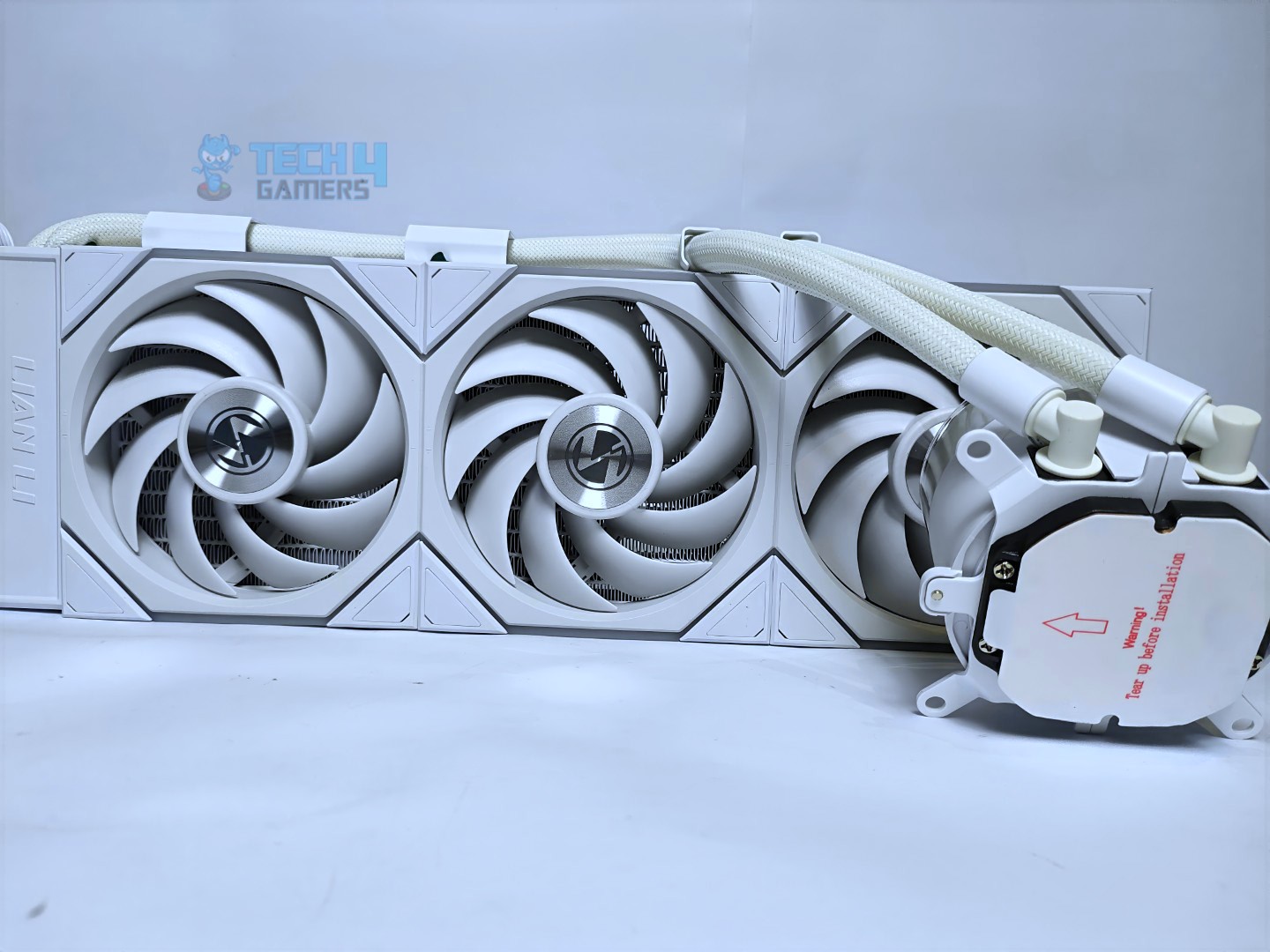
Cooler Out of The Box
Users can adjust or remove the support bracket for the tubes on the radiator. If there is limited clearance between the radiator bracket and the motherboard, you can reposition them to increase clearance.
Threaded Holes For Tubes Bracket
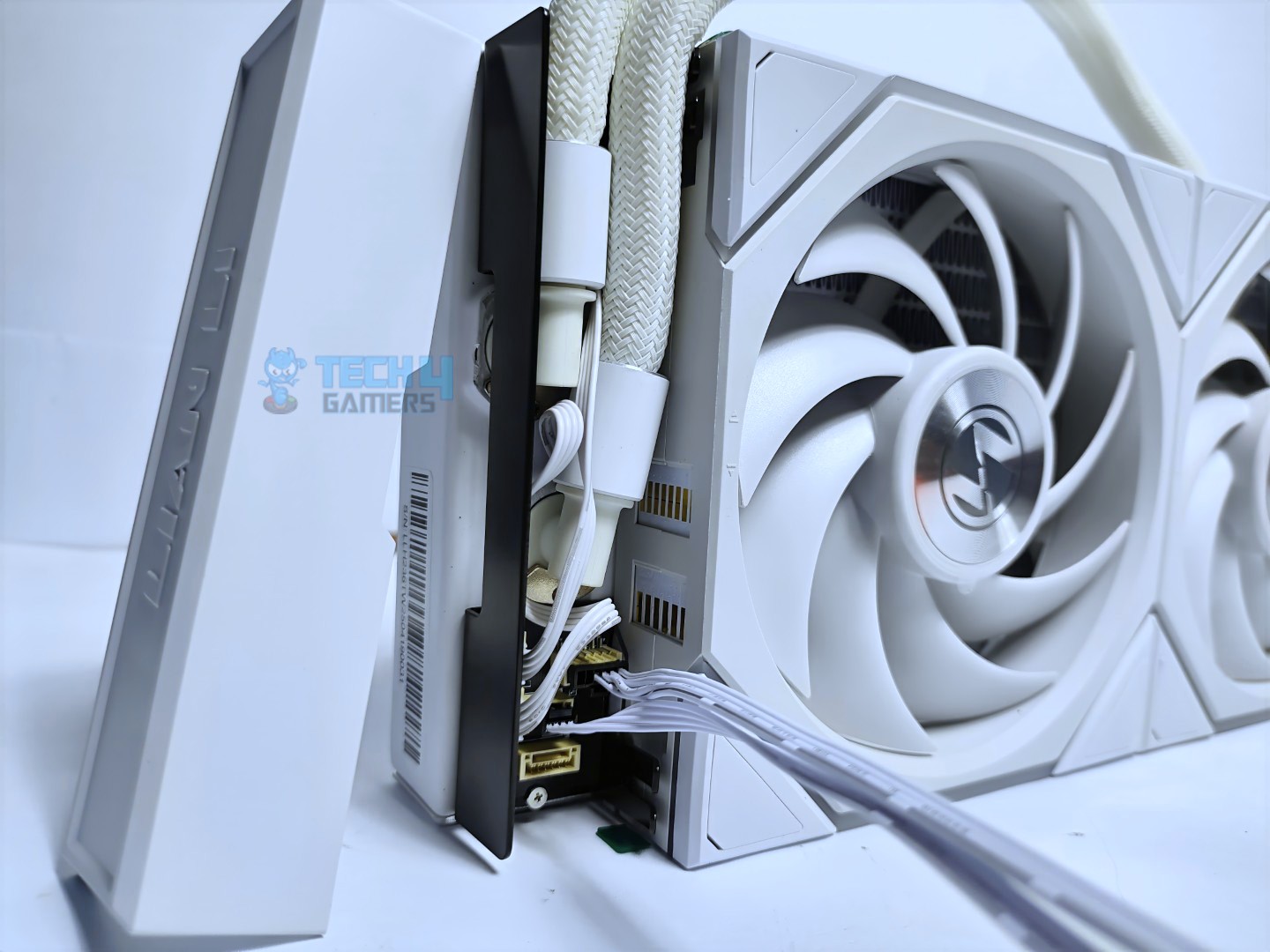
For a clutter-free experience, the USB cable and CPU PWM Fan cable are hidden under a plastic cover. The USB cable can be removed if you do not wish to install it, and to control the cooler in wireless mode.
Cover Removed
Cables Hidden Inside The Cover
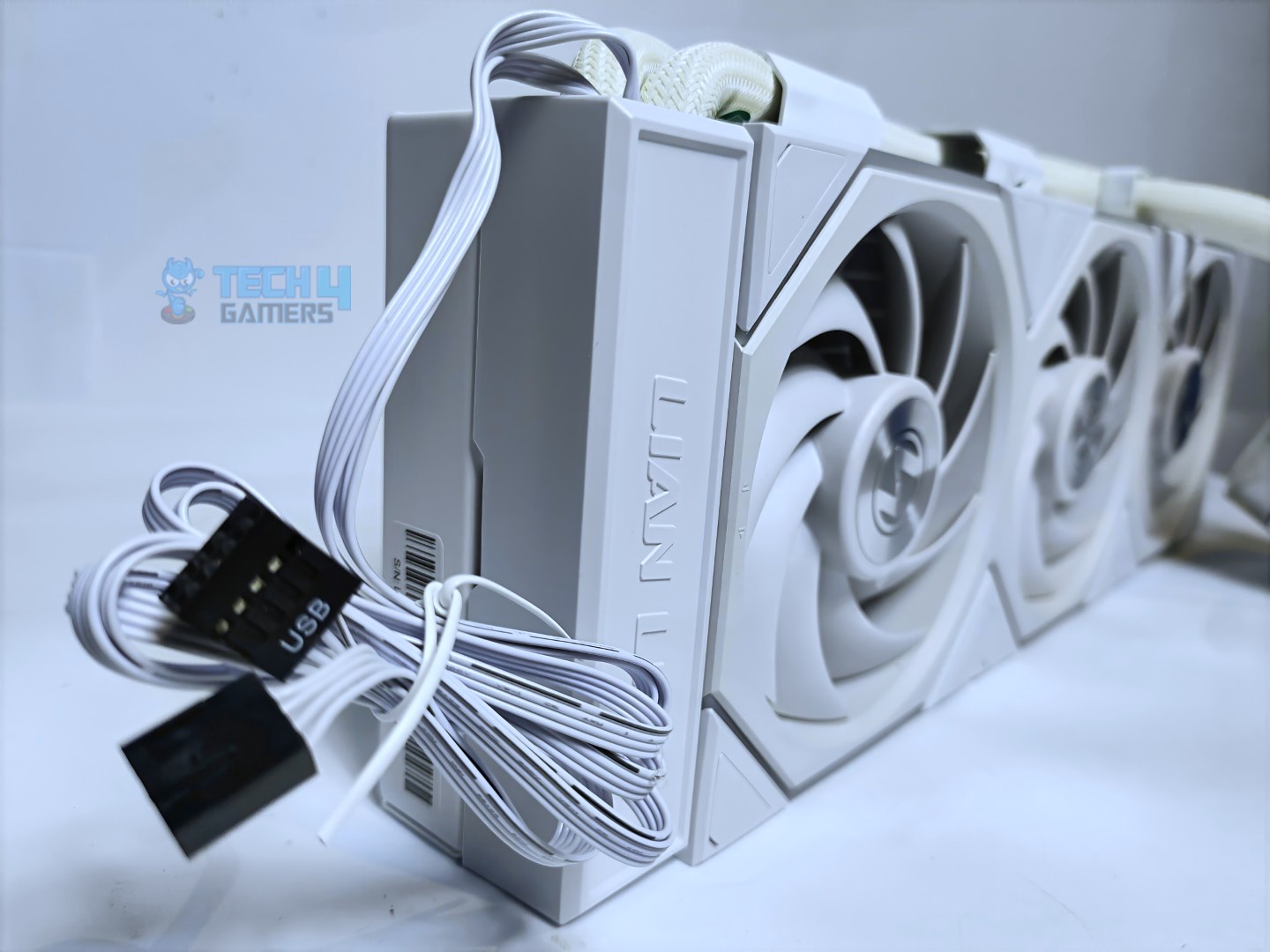
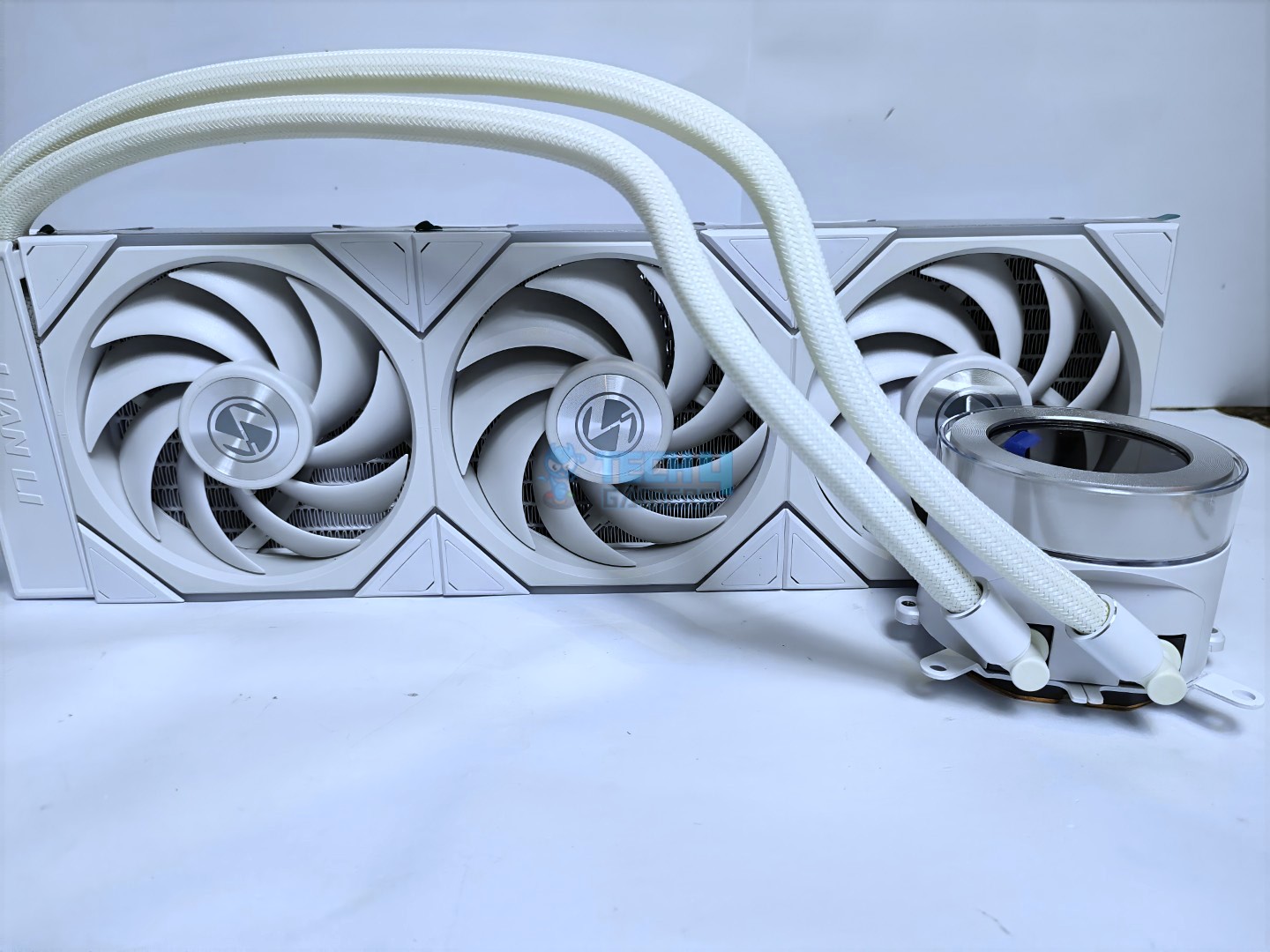
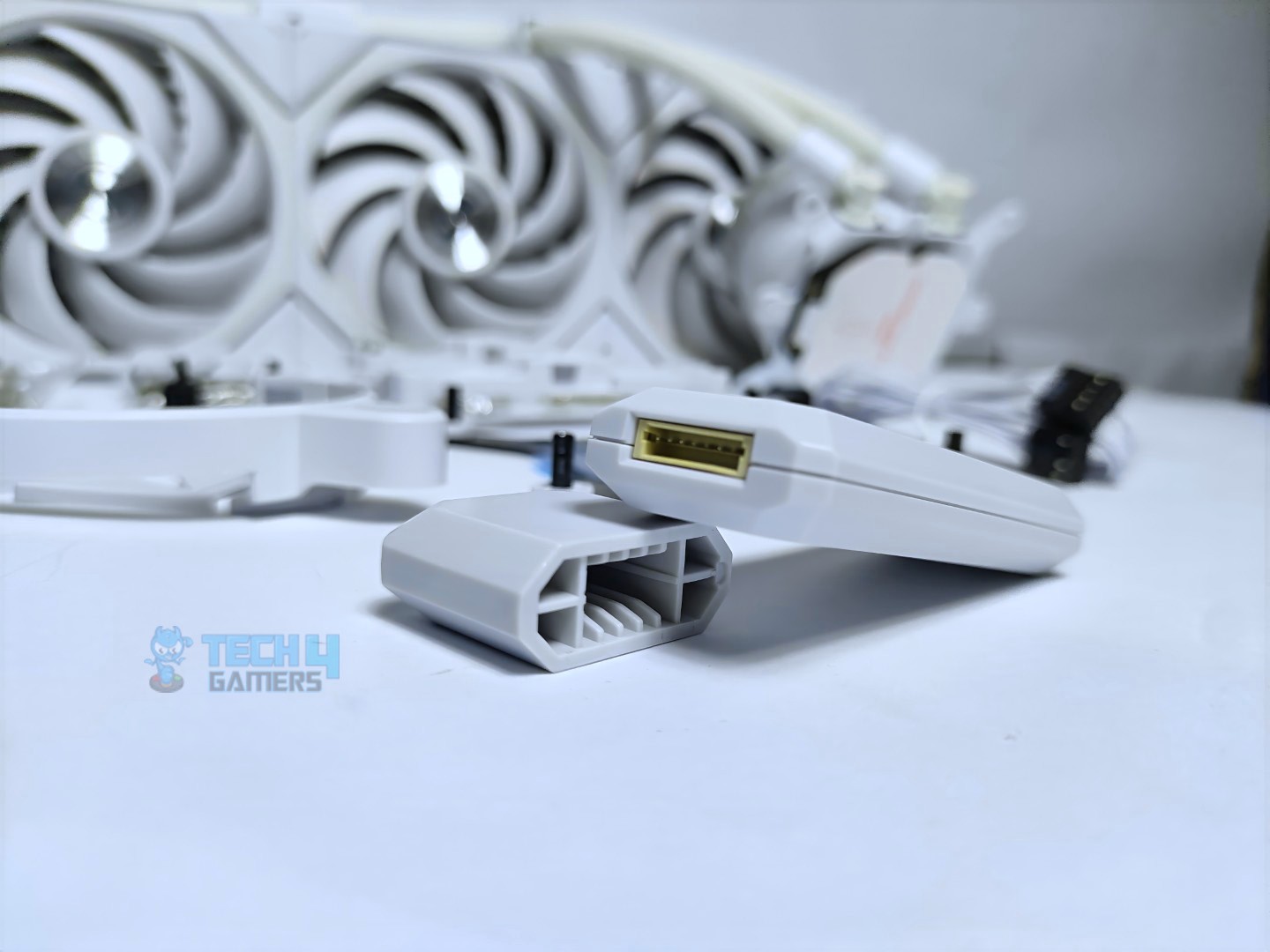
The Uni-fan TL Wireless comes pre-assembled on the radiator, with the wireless receiver attached to the fan. It features a PWM cable that connects to the motherboard PWM header for power and control.
Uni Fan TL Wireless Receiver Connector
Uni Fan TL Wireless Receiver
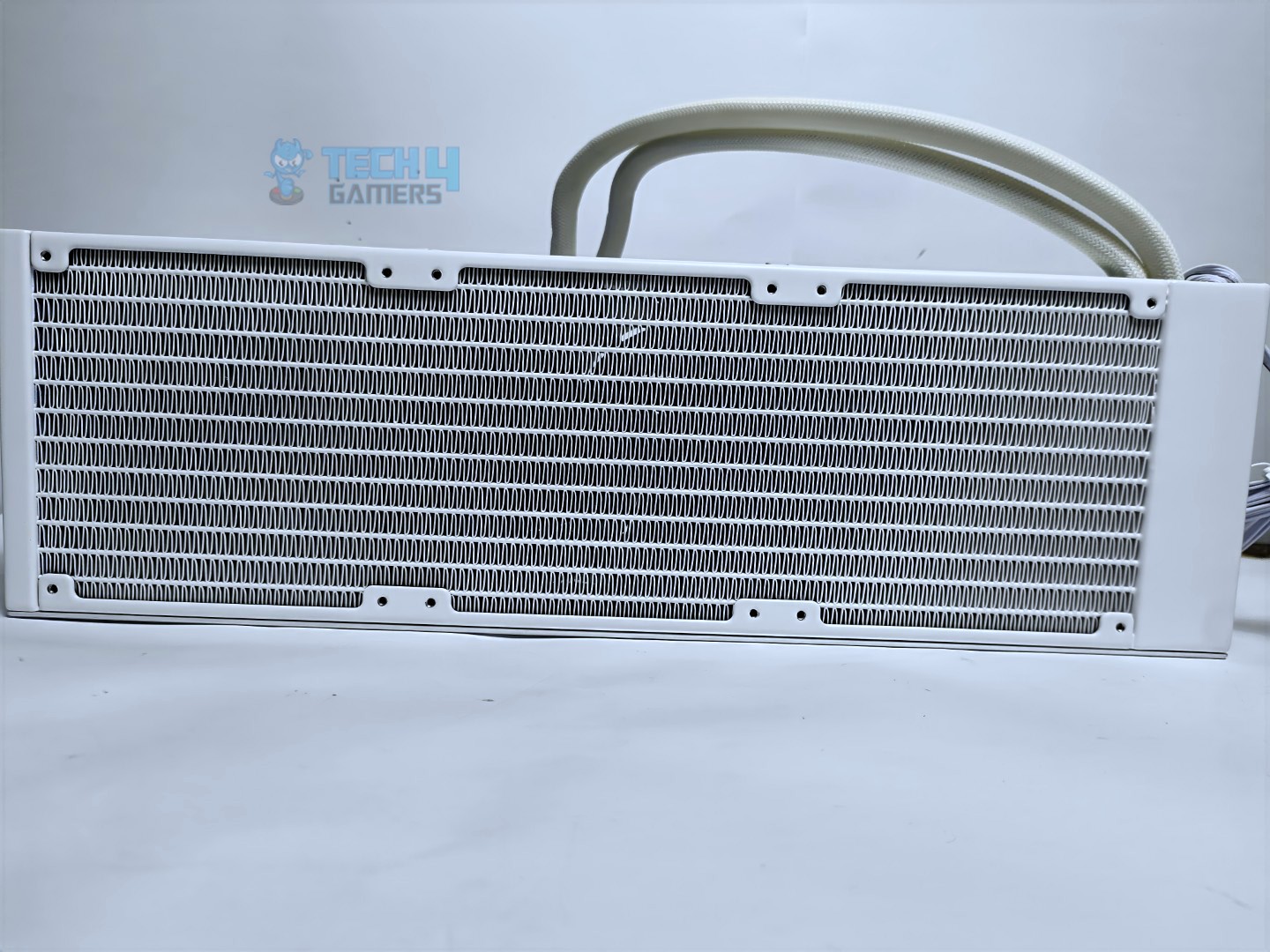
Now, taking a look at the radiator, it’s surprisingly very slim, with only 24mm of thickness, which is below the standard size of 27mm. The radiator has 12 water flow channels, and the FPI (Fins per inch) is 20, which is standard for liquid coolers.
Radiator Front View
Radiator Back View
The total dimensions of the radiator are 400 × 122 × 24mm.
Tubes
The tubing length is 450 to 475mm.
Pump Design / Housing
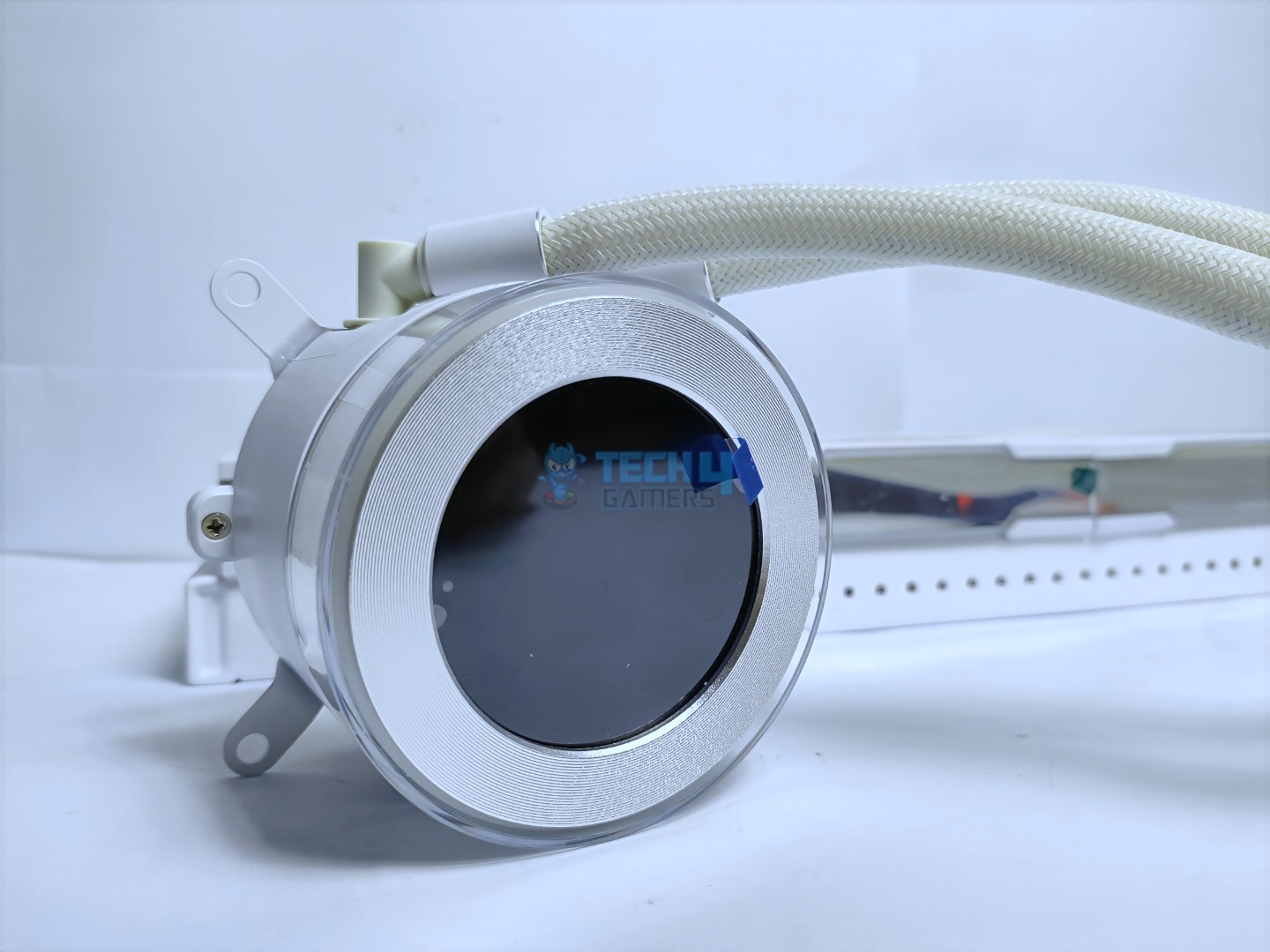
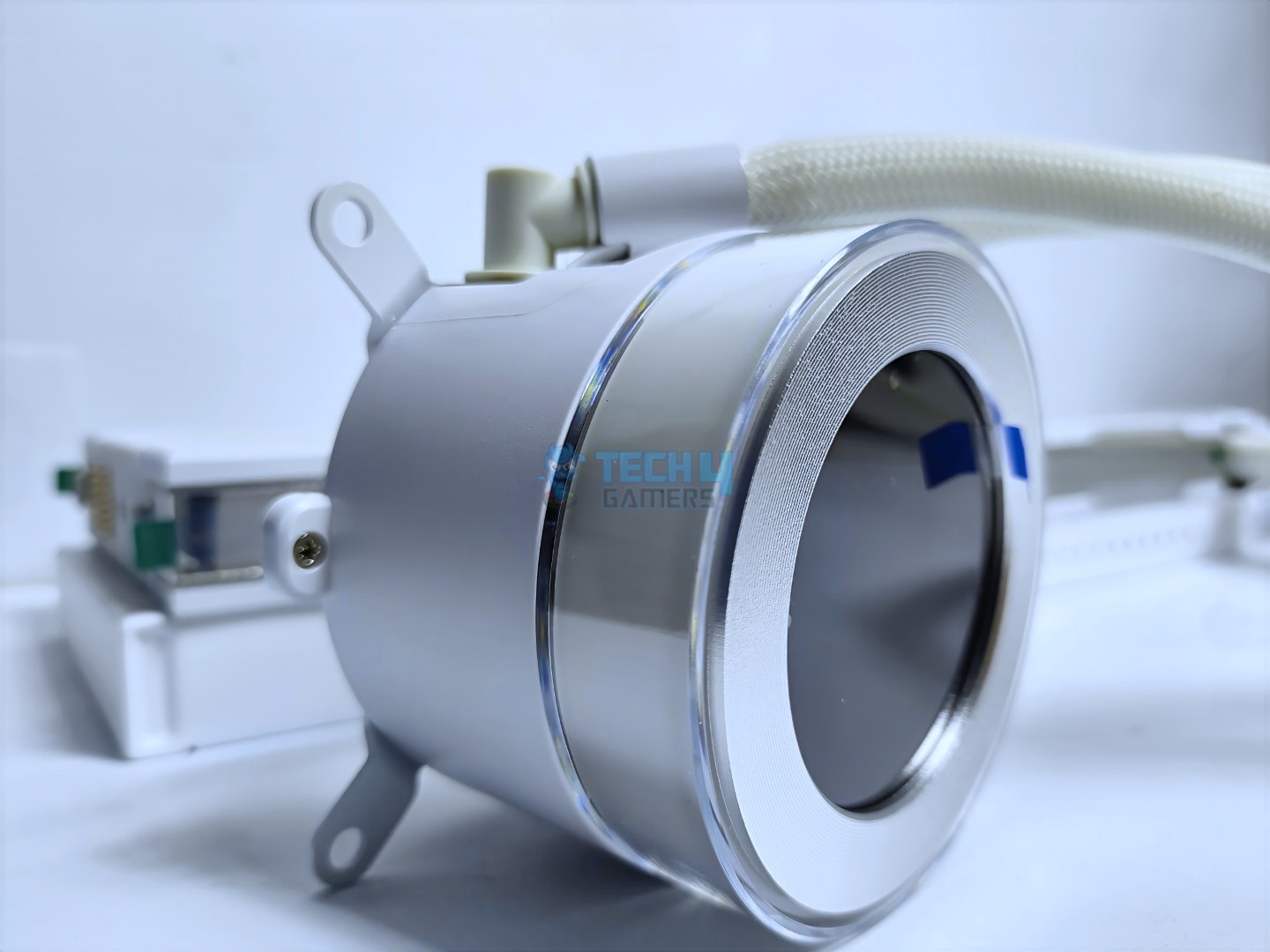
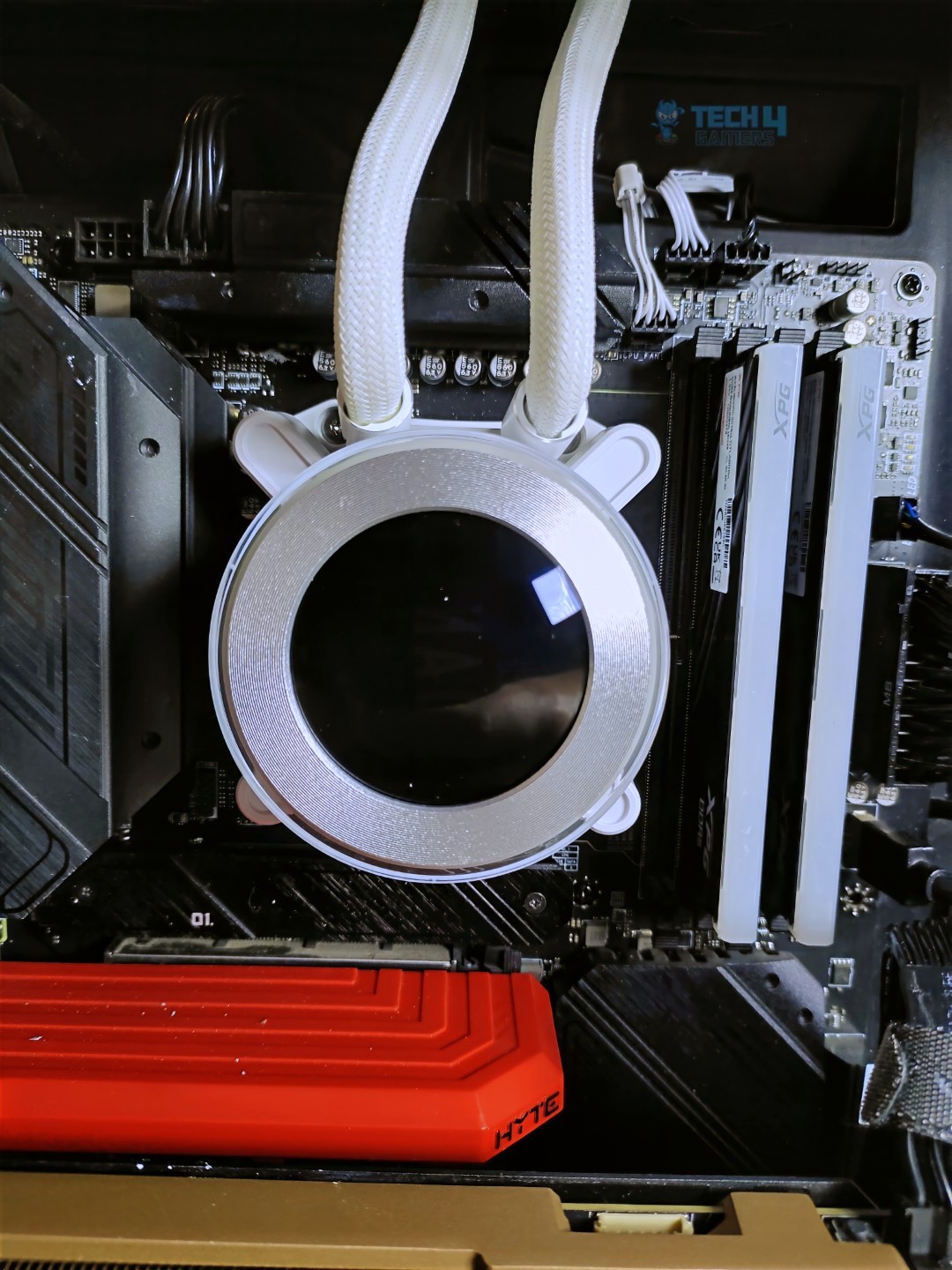
The block features a clean, white matte finish with an illuminated ARGB ring that has a sleek, circular design.
LCD
ARGB Rotatable Ring
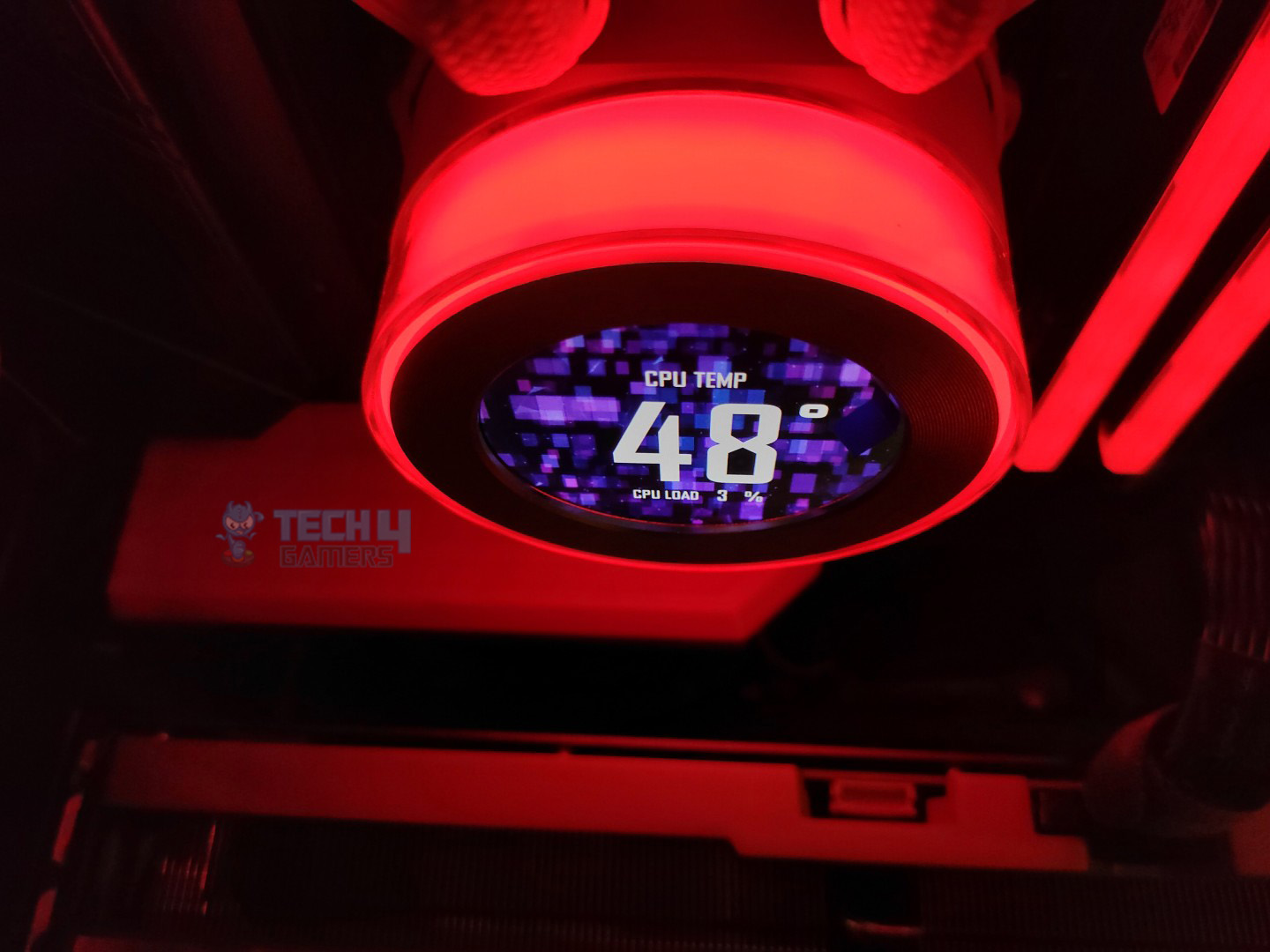
The ring houses the IPS display and can be rotated clockwise and counterclockwise to cycle through screen backgrounds and lighting effects, eliminating the need for a USB connection. If you want to customize themes and display sensor readings, you need a USB connection or the L-wireless 2.4G controller.
90 Degree Angled Tubes Coming Out From The Pump
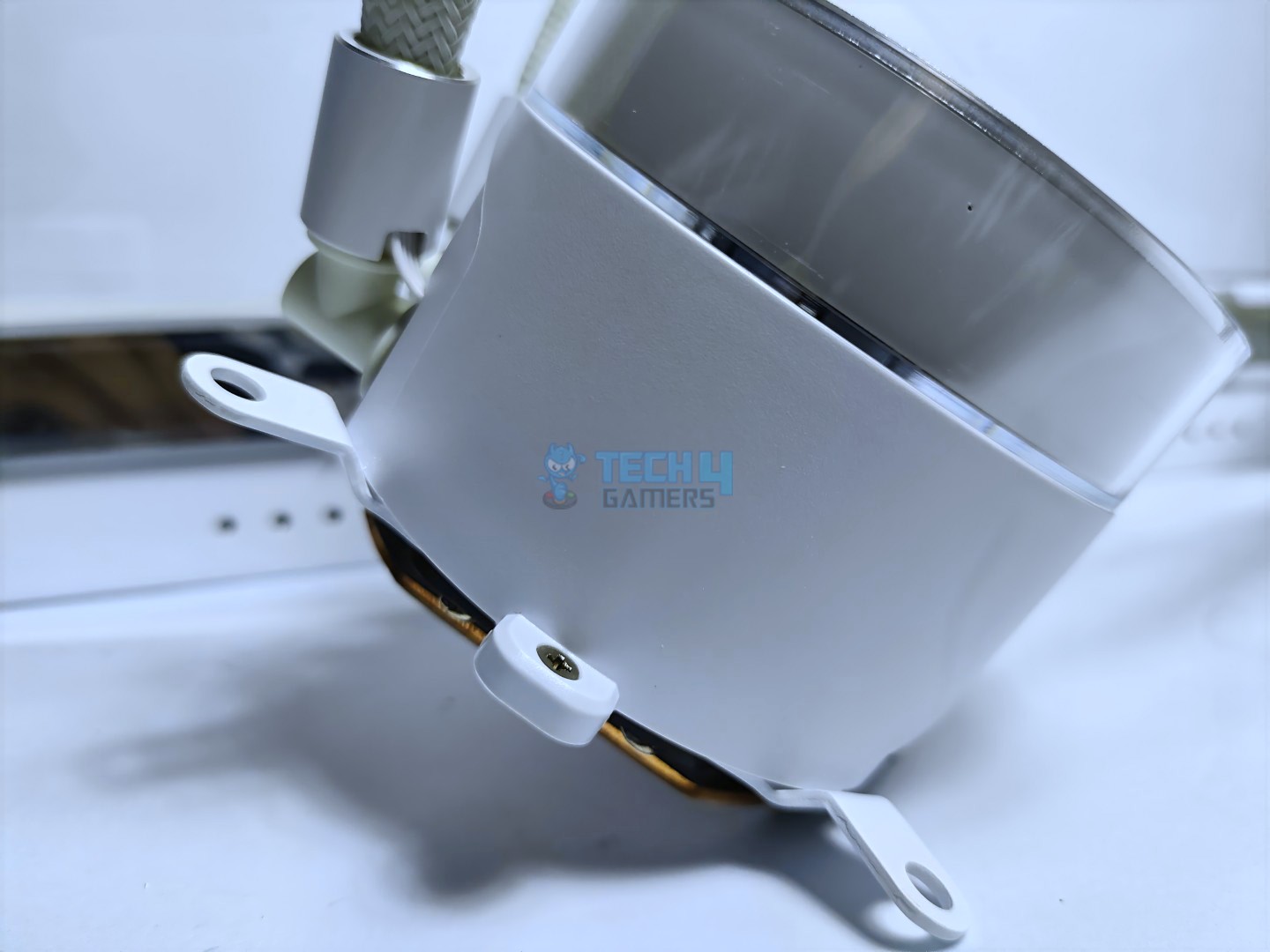
The mounting arms are preinstalled on the block for easy installation across different platforms. The block features a 2.1-inch IPS LCD.
Universal Mounting Arms Prefitted On The Block
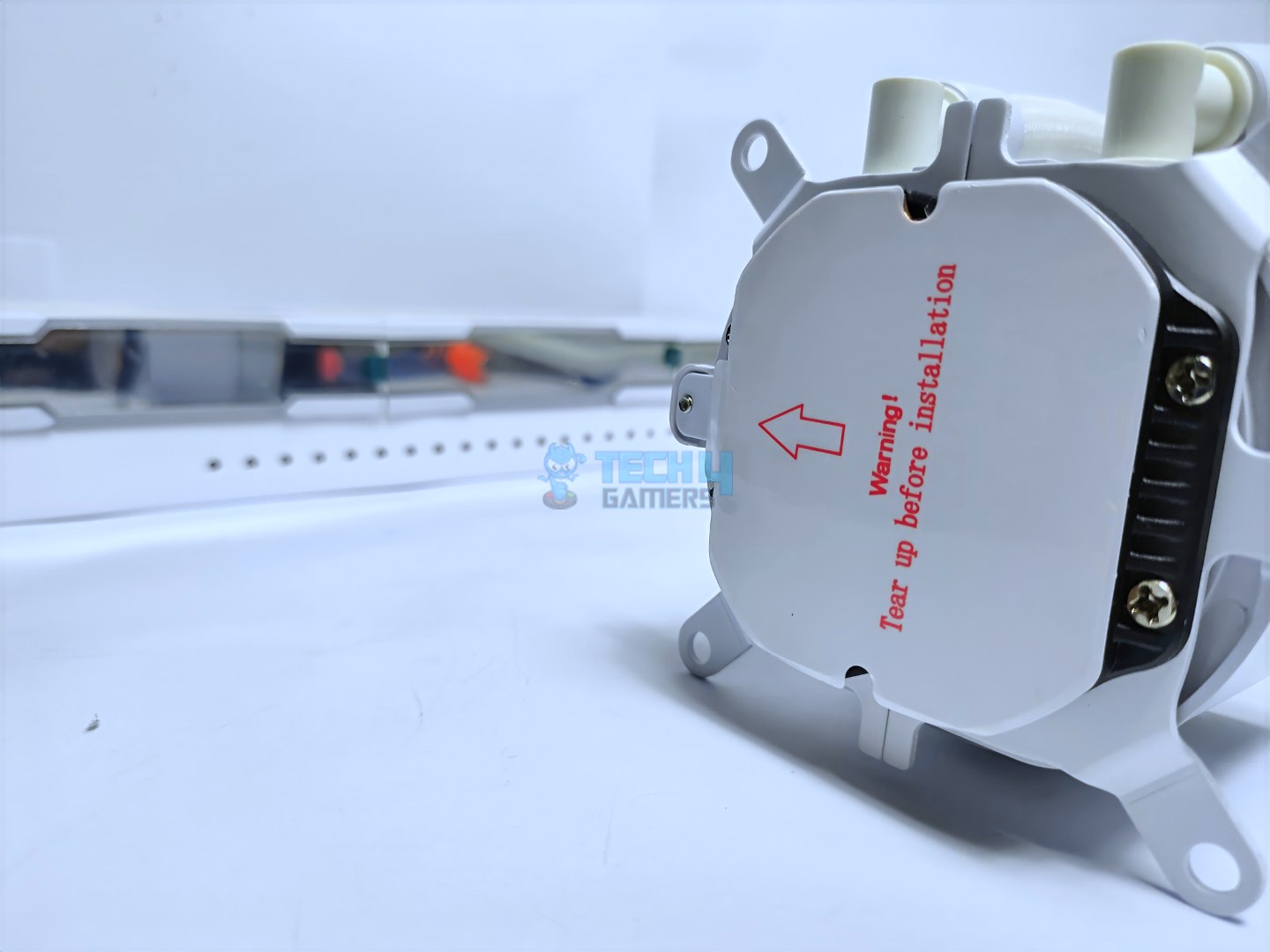
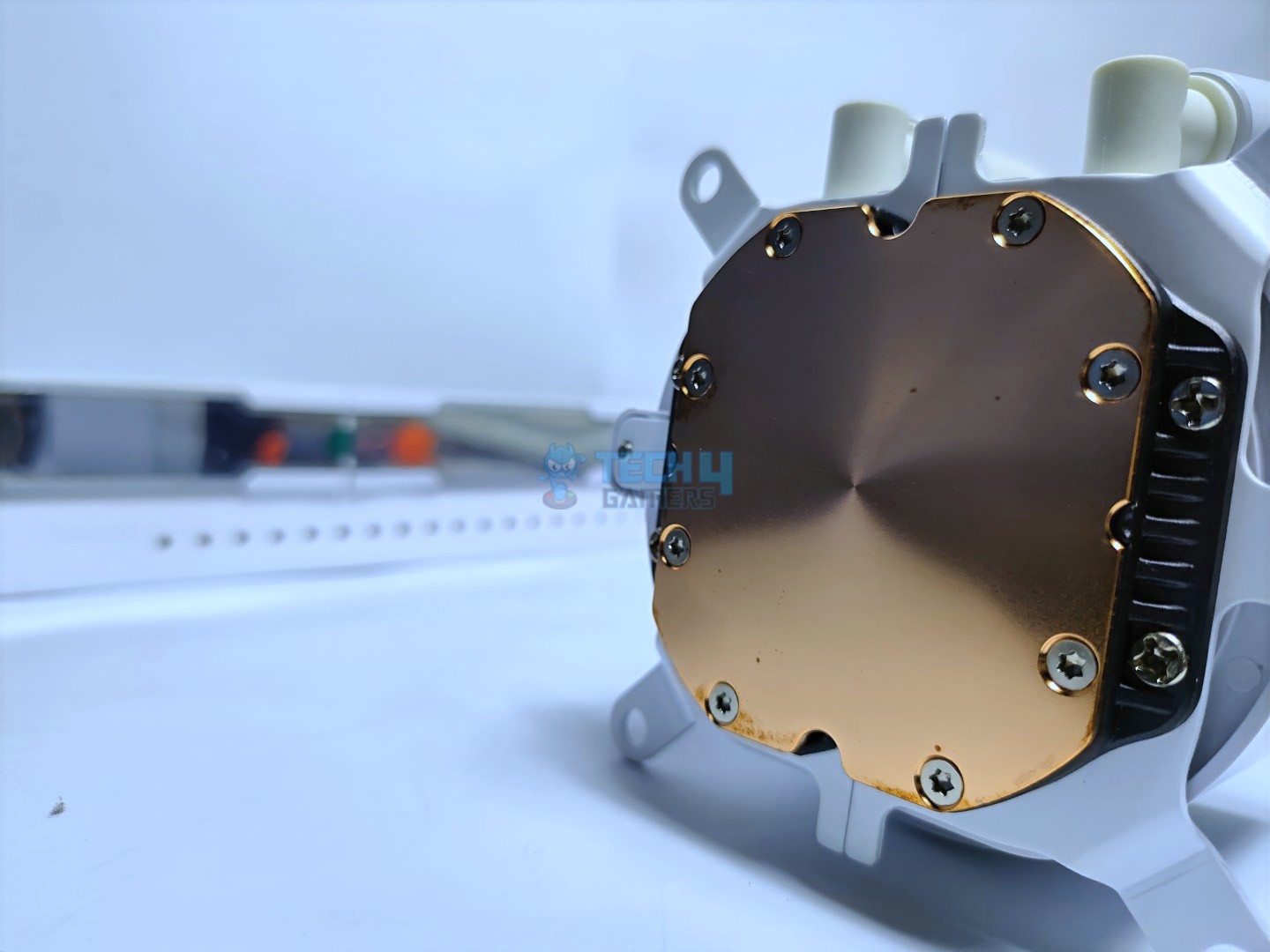
The Hydroshift features a full copper cold plate, with a warning sticker also visible.
Safety Sticker On The Copper Base
Copper Cold Plate
Ensure the sticker is removed before installing the cooler. There is no pre applied thermal-paste on the cold plate.
Display
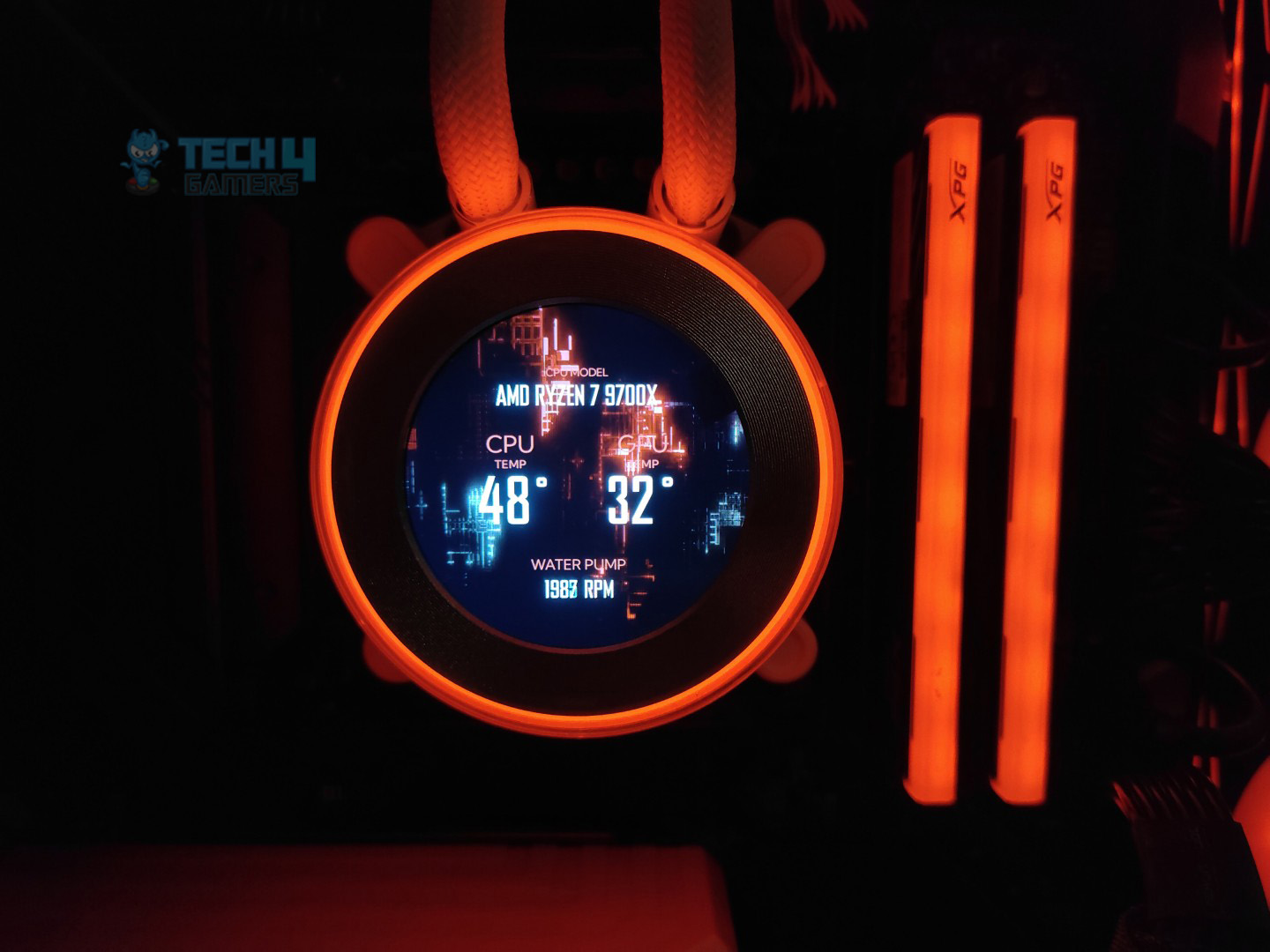
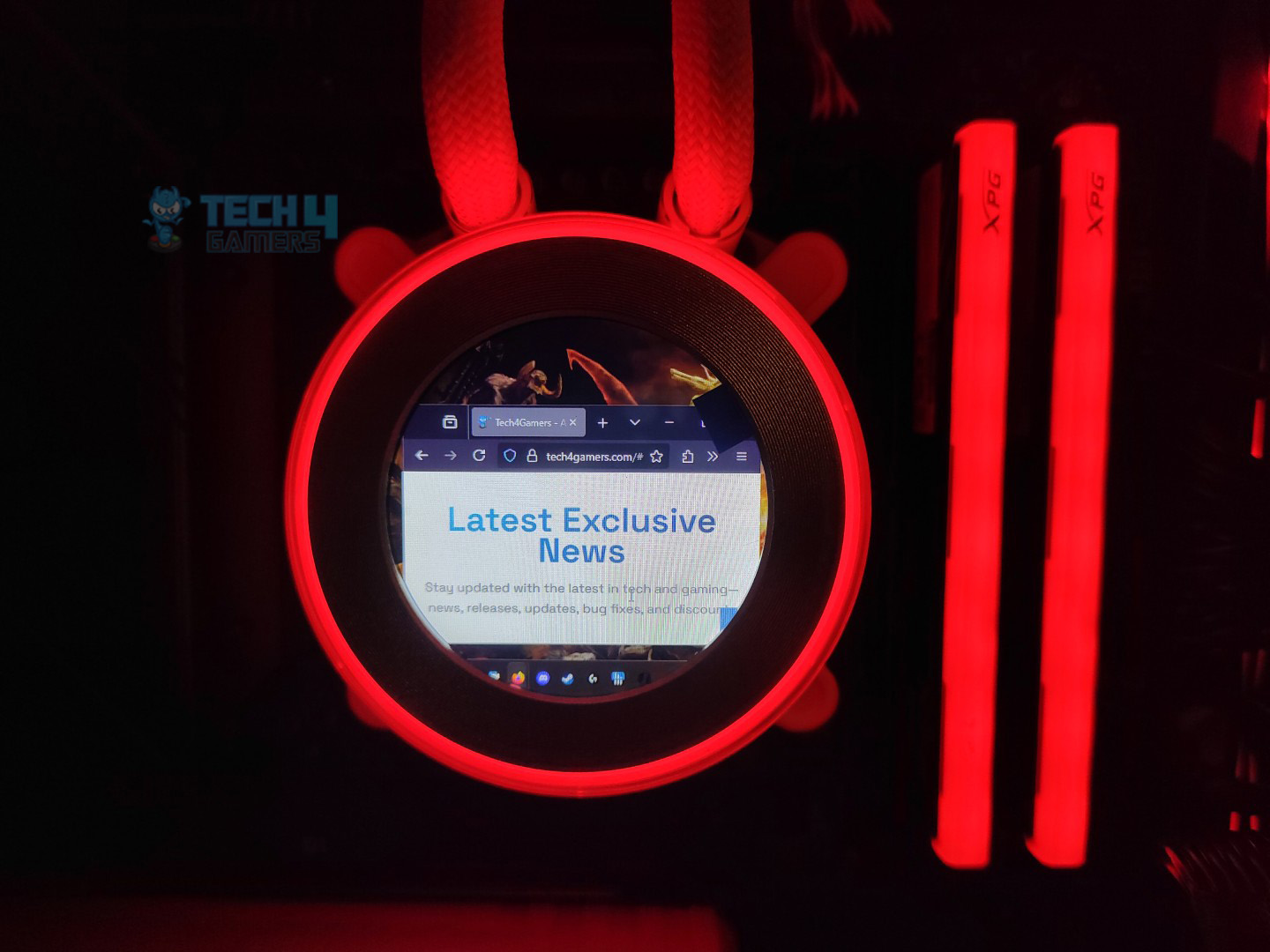
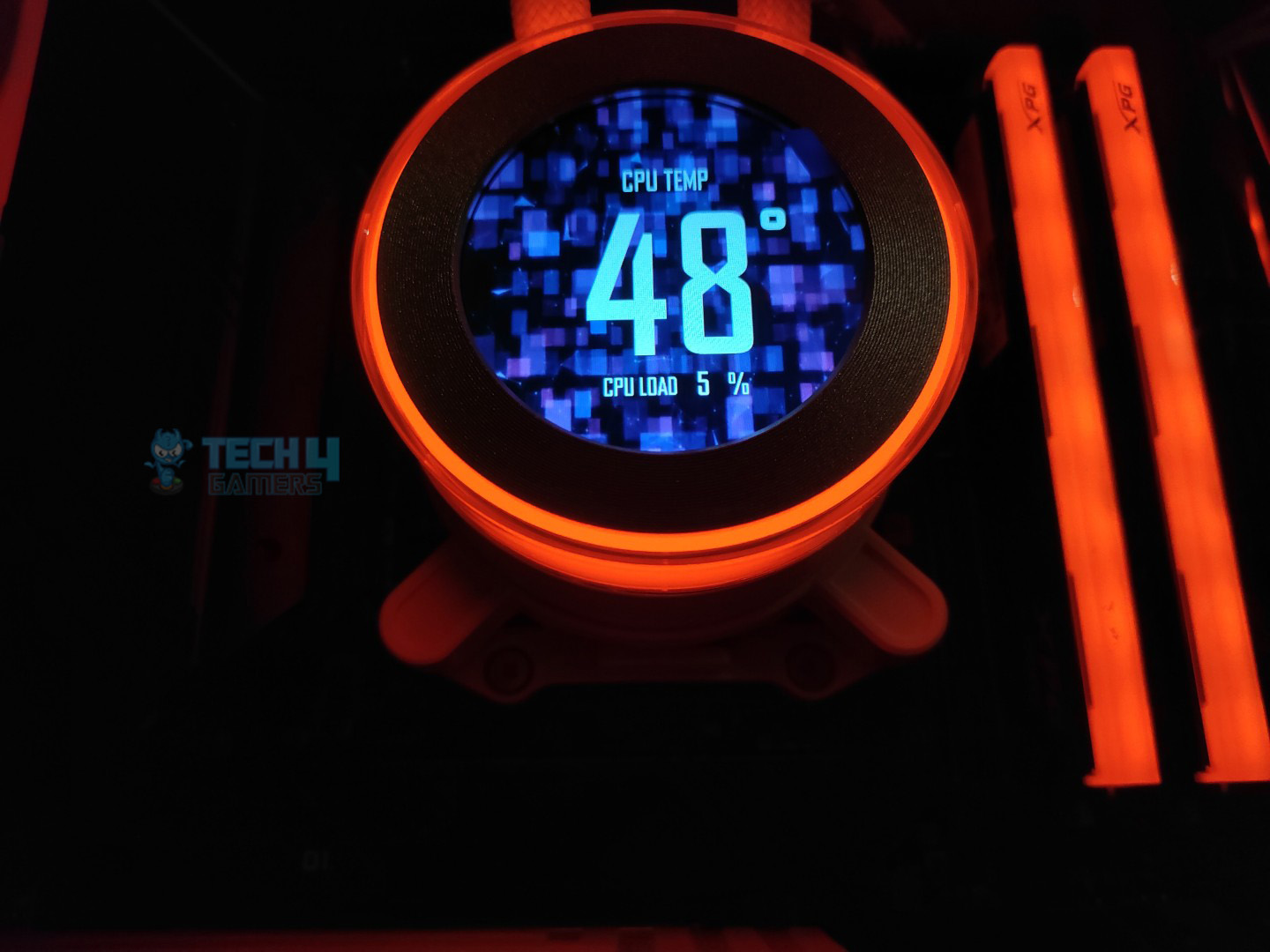
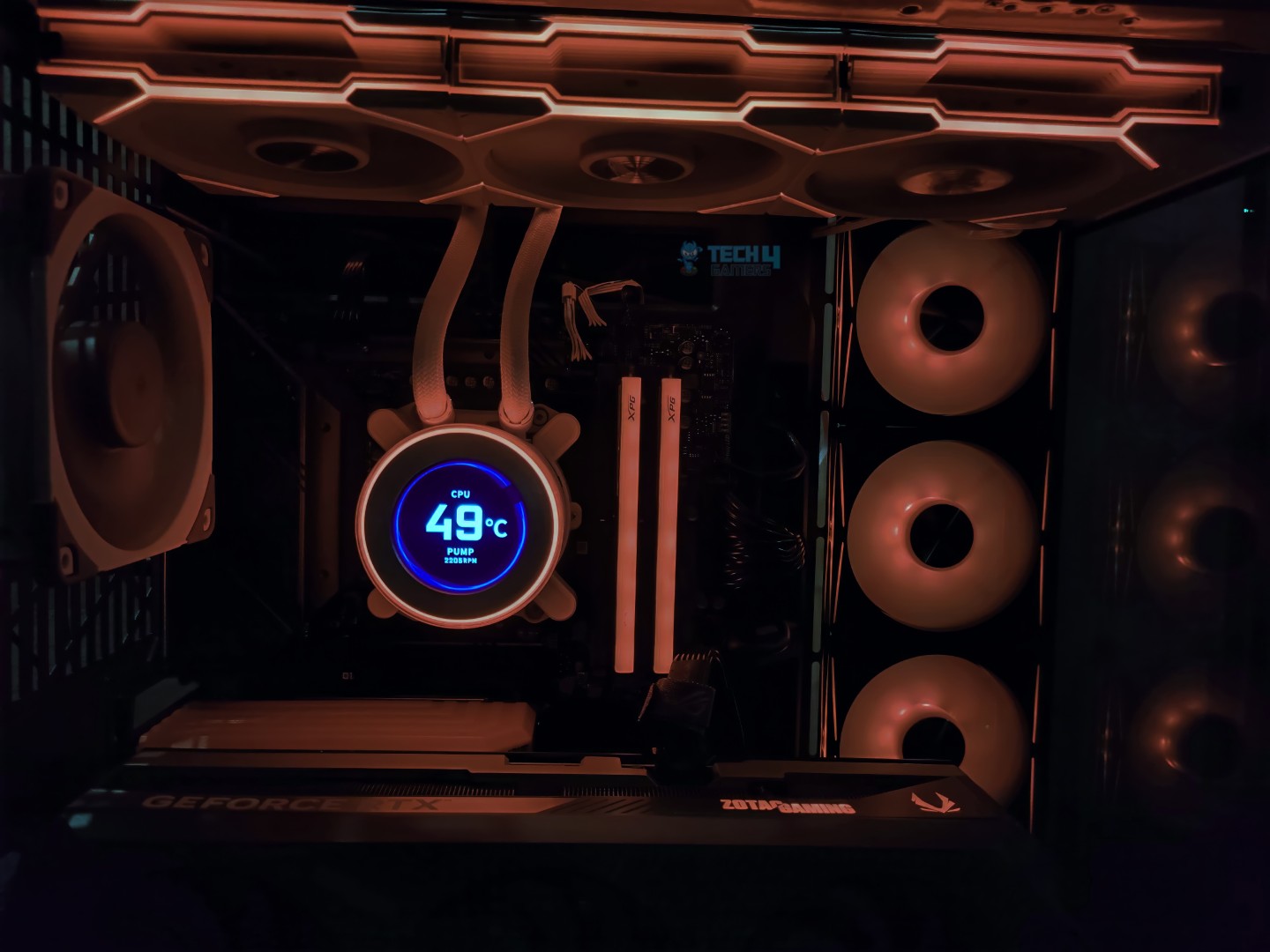
The Display is a circular 2.1-inch IPS panel that features a 60Hz refresh rate and 500 nits of brightness. When you power on the system, the system greets you with the Lian-Li logo. You can also use the Display as your secondary Display.
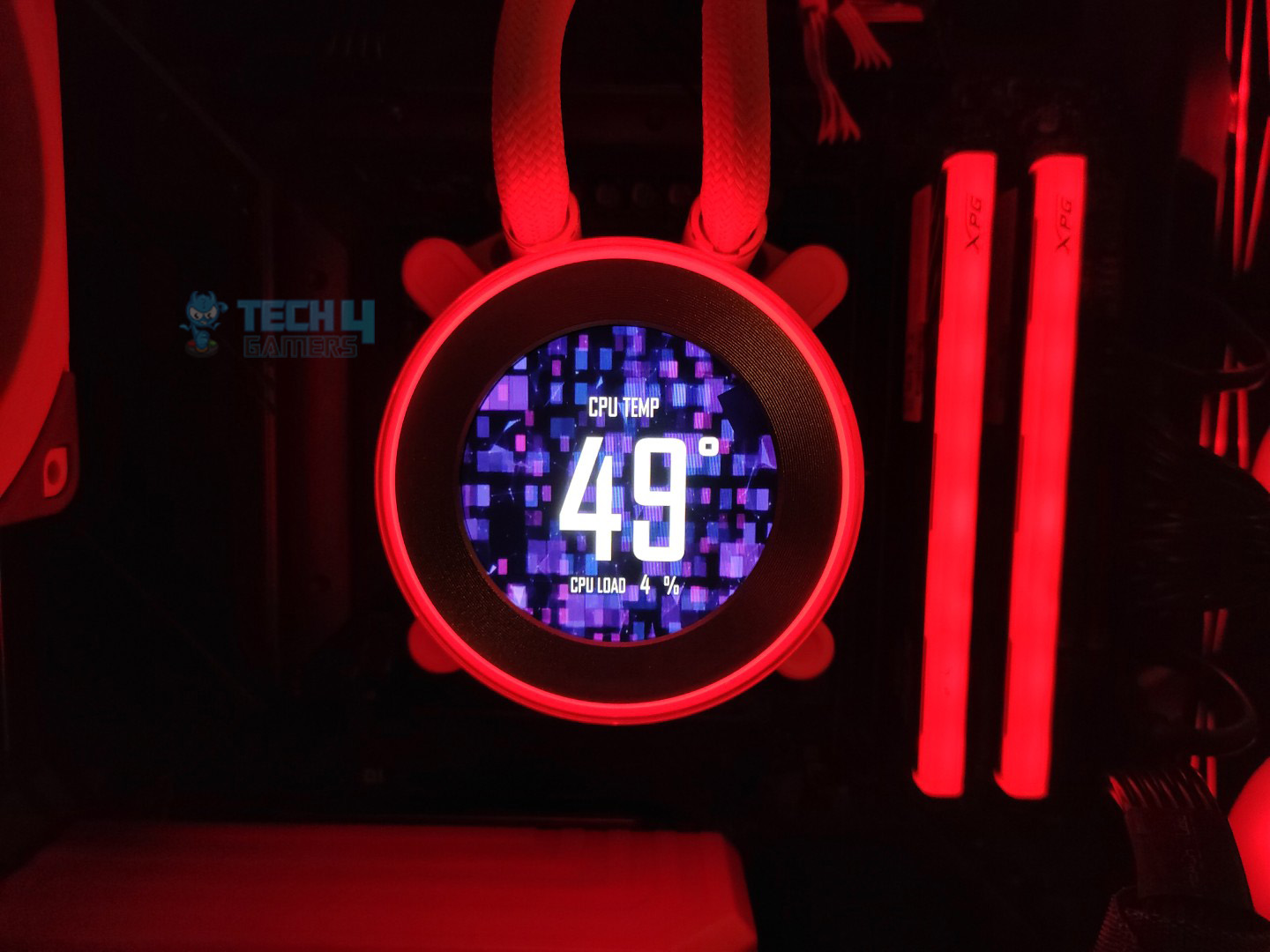
Animated Theme
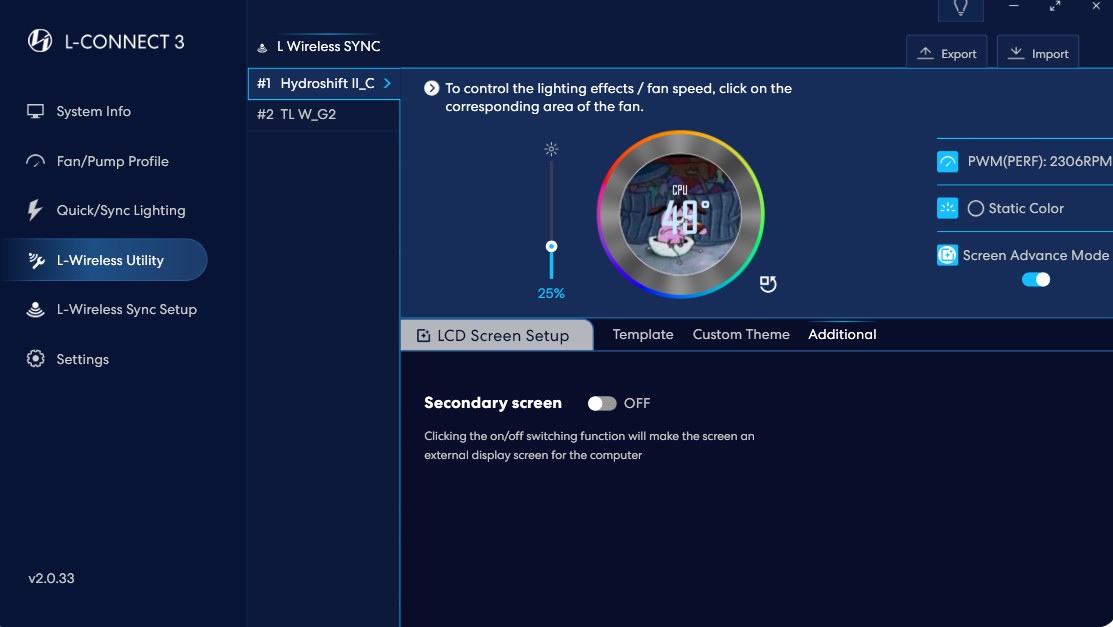
Secondary Display Mode
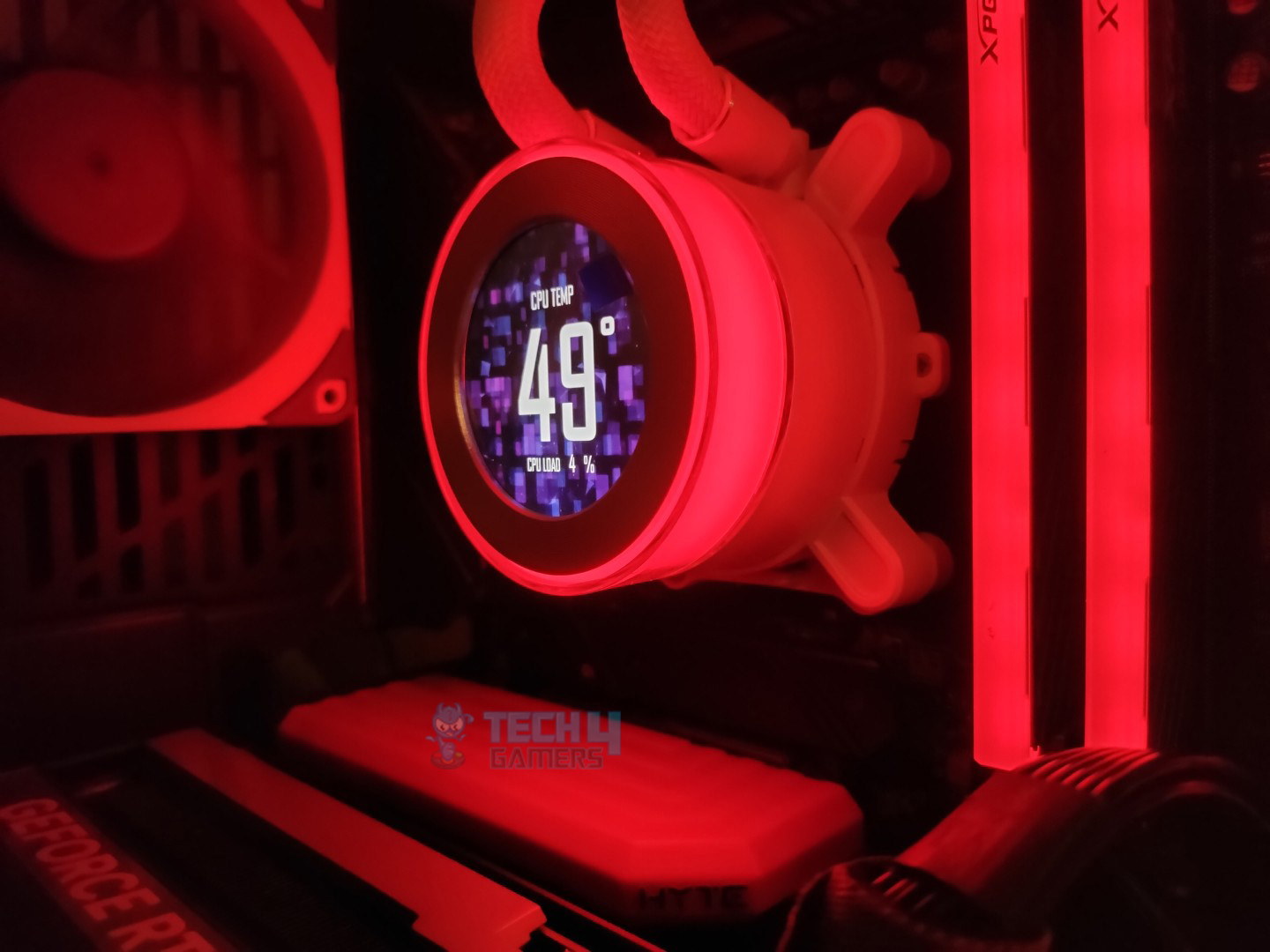
One thing I have loved is that you can rotate the pump cap ring to switch themes, selecting from 13 different presets or adjusting the lighting. The brightness is also adjustable. The colors are sharp and striking, and don’t seem too warm. Even from different viewing angles, the Display remains crisp and clear.
View Angle – Front
View Angle – Side
View Angle – From The Top
View Angle – Bottom
The sensor setup on the panel also appears pleasing to the user’s eye, not cluttered with numerous sensors on the small screen. In the predefined templates, the display shows the reading from up to 2 sensors; in our case, the pump reading was displayed every time on the wireless mode. The sensors can cycle through different readings from the CPU and GPU on default presets, unless you manually customize the layout. In this case, you can set the date and time, custom text, or use one of the provided layouts.
Controls / Modes
Lian-Li has provided various connectivity options to take control of your cooler, allowing you to choose the one that suits your needs.
Offline Mode: No need for any USB connections or the dongle. You can control it by rotating the transparent ring. Clockwise rotation switches screen themes, and counterclockwise changes the lighting effects.
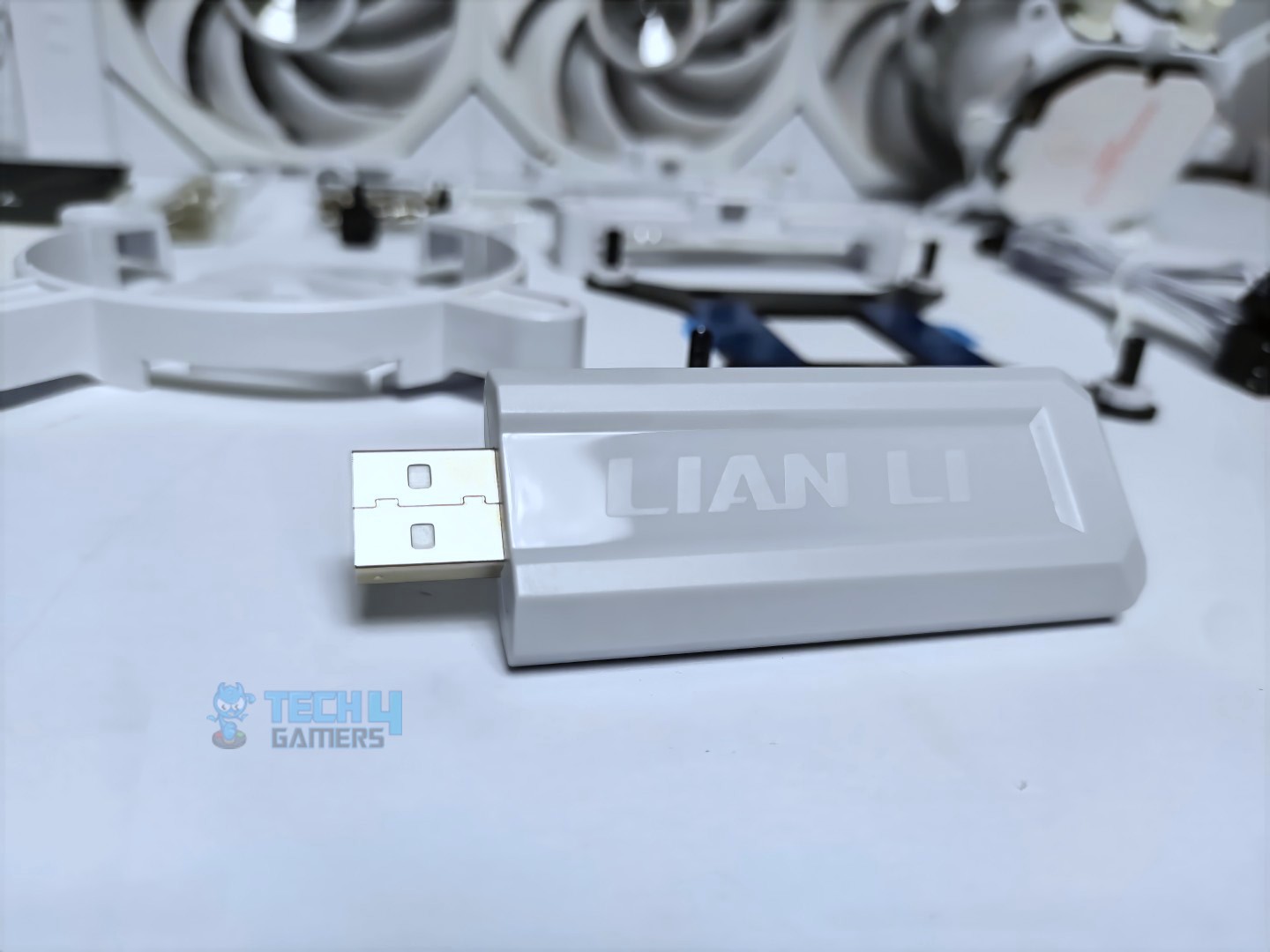
Wireless Mode: In wireless mode, you still don’t need the motherboard USB connection. Plug the provided L Wireless 2.4GHz Dongle into the USB port and install the L-connect software for customization. This software allows you to change themes, select lighting effects, and choose different sensors to monitor on your IPS display.
Wireless Dongle
Wireless Dongle Connection (Optional)
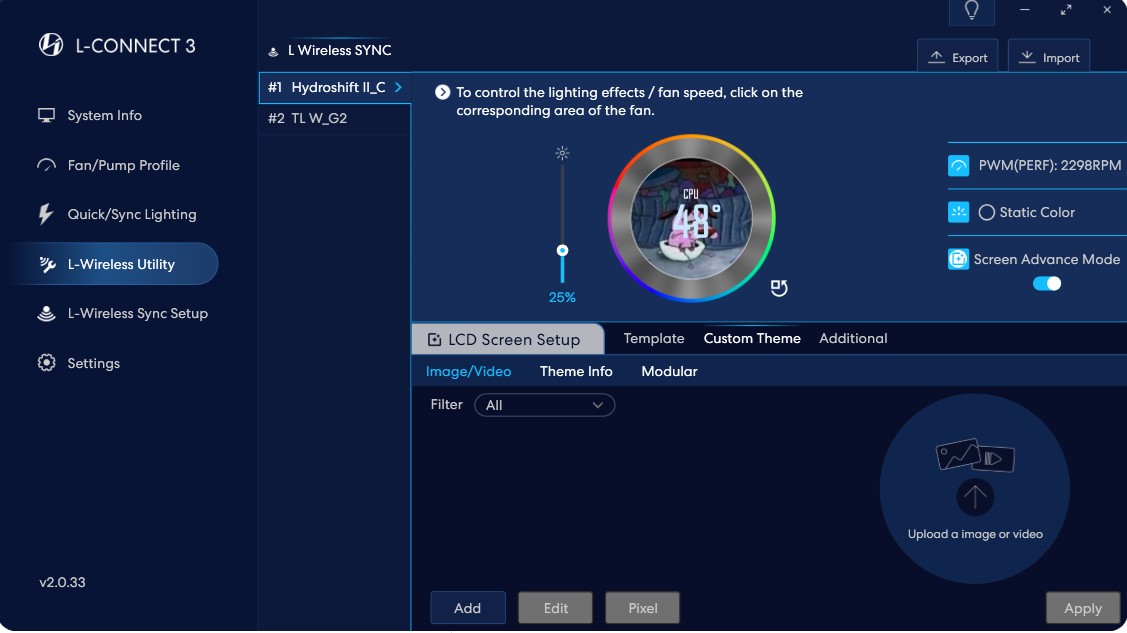
Wireless Mode (Advanced): The advanced mode requires a motherboard USB connection, which unlocks full LCD customization, allowing you to upload images and videos.
Streaming Mode: It’s purely USB-driven; Streaming Mode is the same as Wireless Mode Advanced, without the wireless sync.
Software Features
You need to download and install the L-Connect 3 Software to access the cooler’s LCD, adjust the Fan/Pump Profile, enable ARGB lighting, and set up the L-wireless connection. In our case, we are only using the wireless mode (Advanced). However, if you don’t want to upload images, videos, or customise themes, then I suggest using the wireless mode only. Additionally, you don’t have to keep the L-connect open all the time; you can end the task, and the animations and sensors will still work.
Wireless Mode
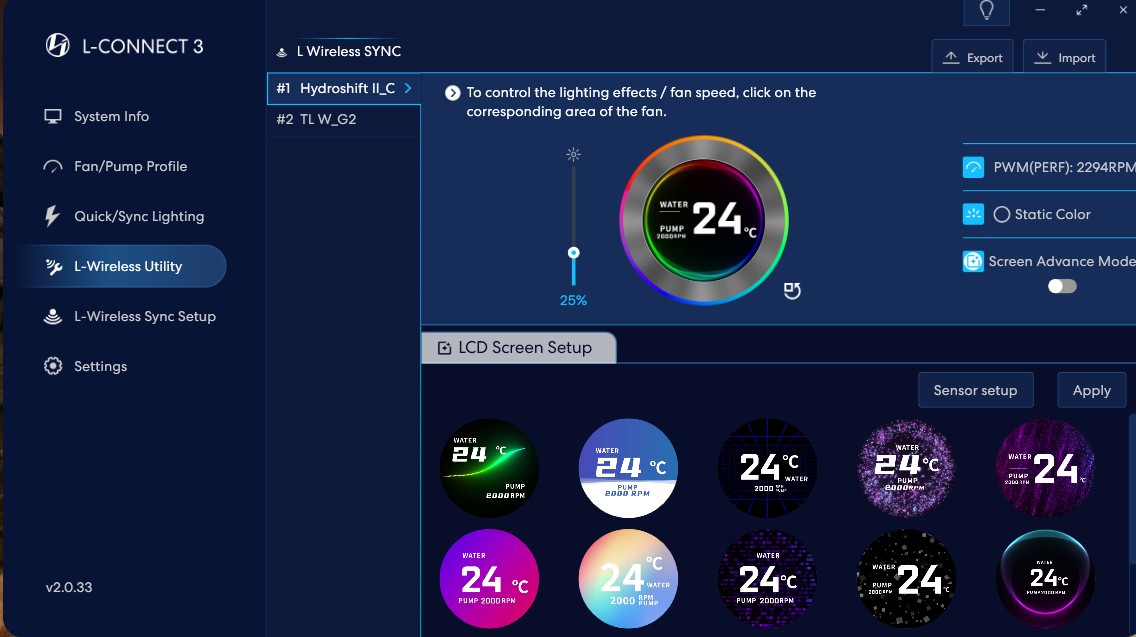
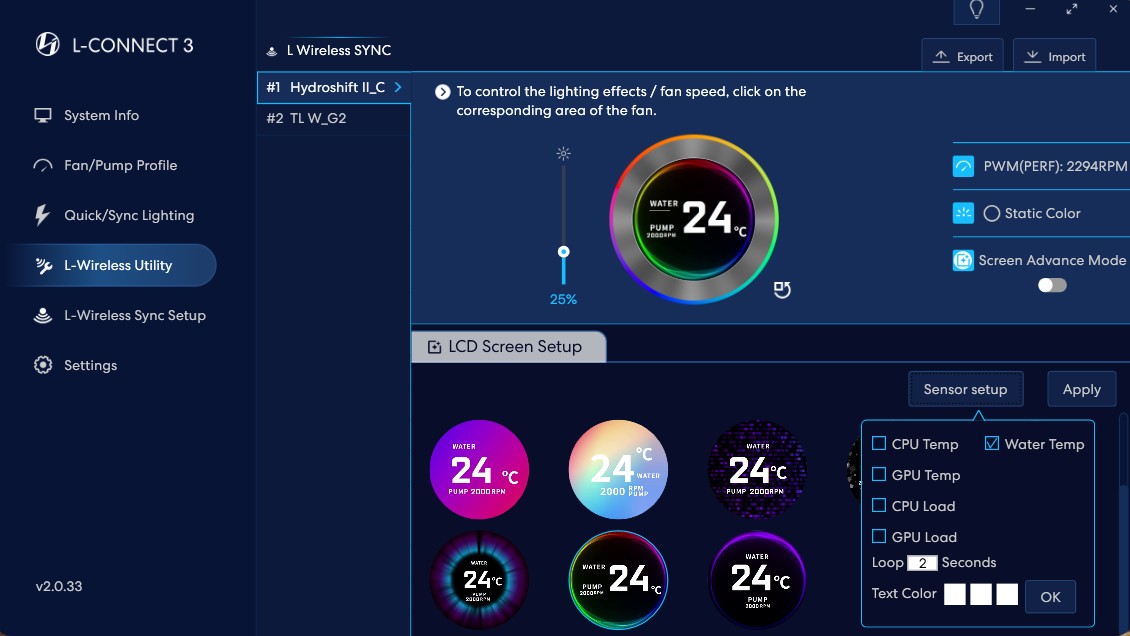
There are 13 display templates for the wireless mode. Right above the layouts, there is an option for the sensors, which you can select to display the device’s readings on the screen, including CPU Temp, CPU Load, GPU Temp, GPU Usage, and water temperature.
L Connect 3 Wireless Mode Templates
L Connect 3 Wireless Mode Sensor Setup
Wireless Mode (Advanced)
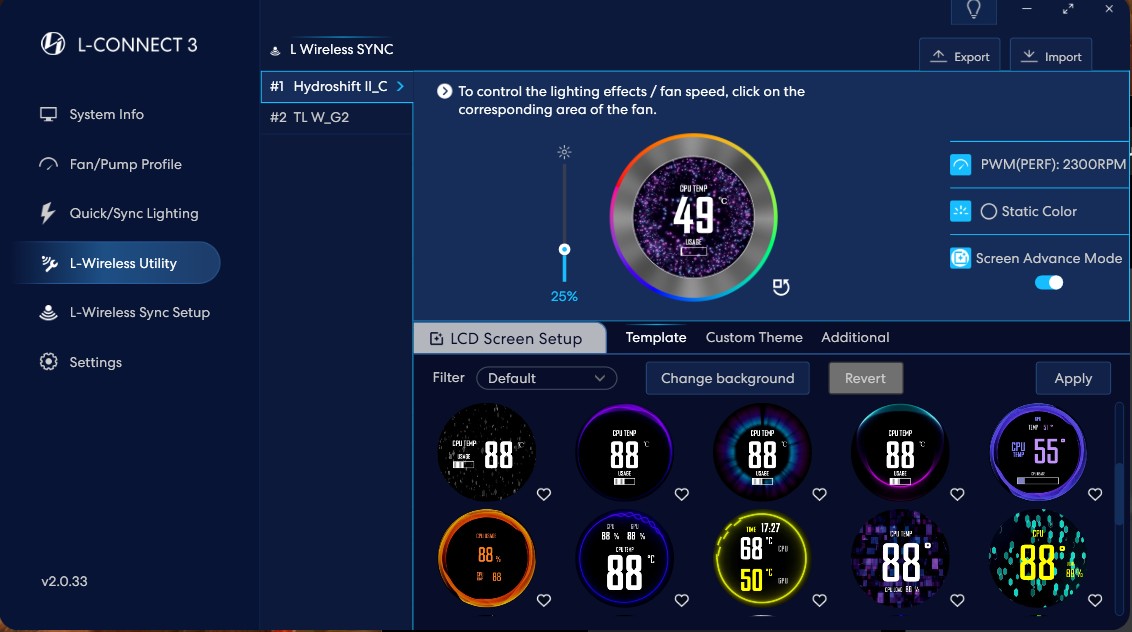
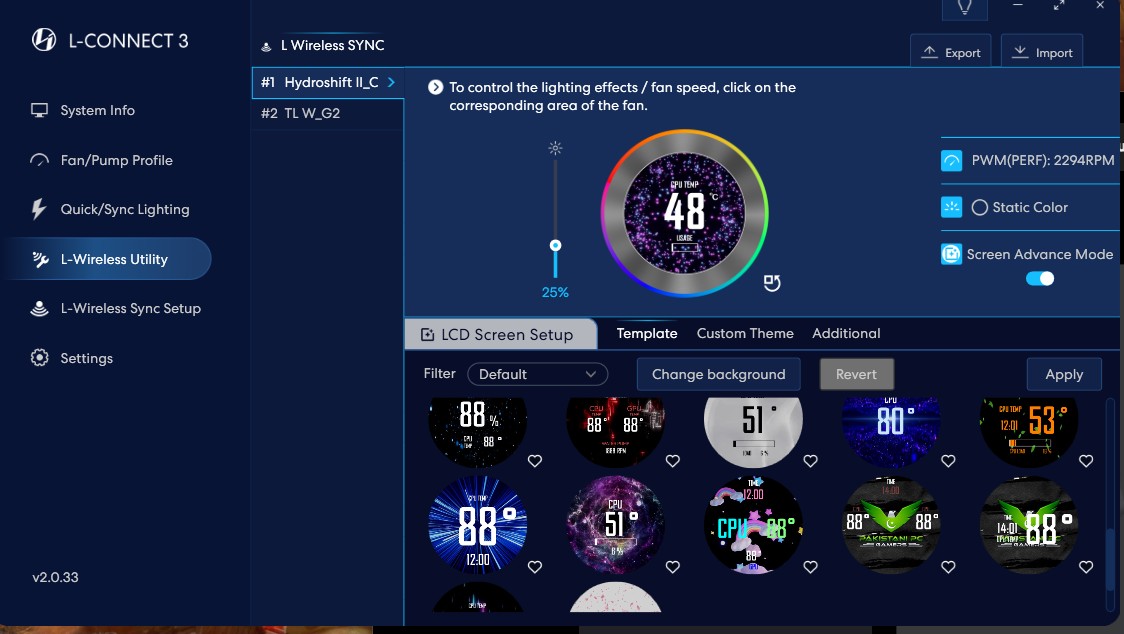
The advanced mode requires the USB connection. Assuming you have already plugged the cable into the motherboard, you need to open the wireless utility again and then activate the advanced mode. This will unlock the full LCD customization, allowing you to upload images and videos, GIFs, or create themes.
L Connect 3 Wireless Advanced Templates
L Connect 3 Wireless Advanced Templates
L Connect 3 Wireless Advanced Custom Theme
L Connect 3 Wireless Advanced Secondary Screen Option
Advanced mode also features 15 additional templates, along with the ability to customize the themes and utilize the LCD on your cooler as a secondary display.
Software Usage
The L-connect 3 software weighs 1.17GB if you’re downloading, which we feel is too much for the cooler configuration. However, the software does not require a significant amount of resources from your RAM and CPU.
L-Connect 3 Software Usage
In our system, the software utilizes only 60-70 MB of memory when the program is opened. When customizing or setting up something, the usage can increase to 150 to 250 MB, which is still acceptable for modern systems, and the CPU usage is minimal. Overall, the software’s User interface is smooth, and applying layouts and configuring sensors was snappy.
Fans
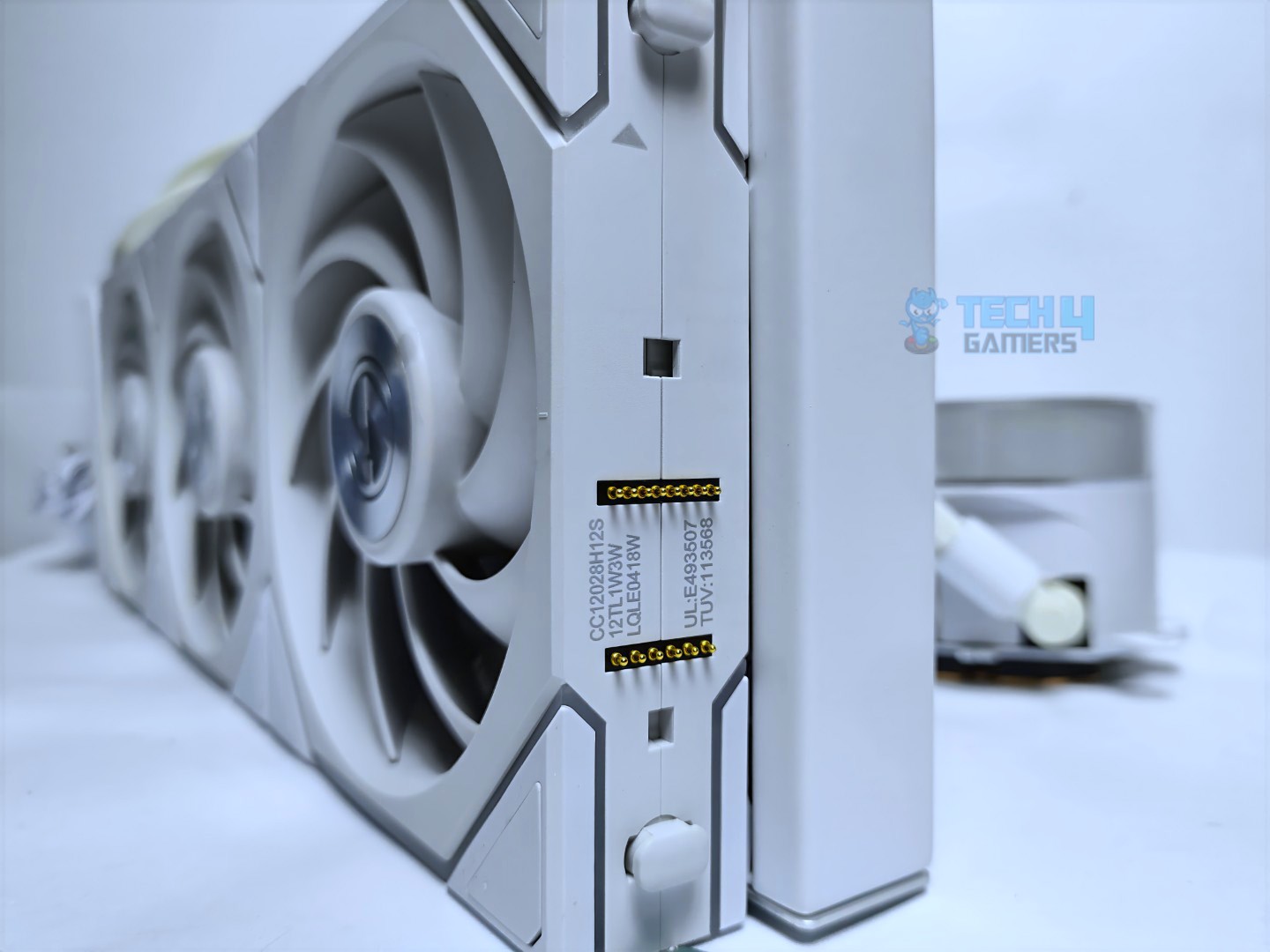
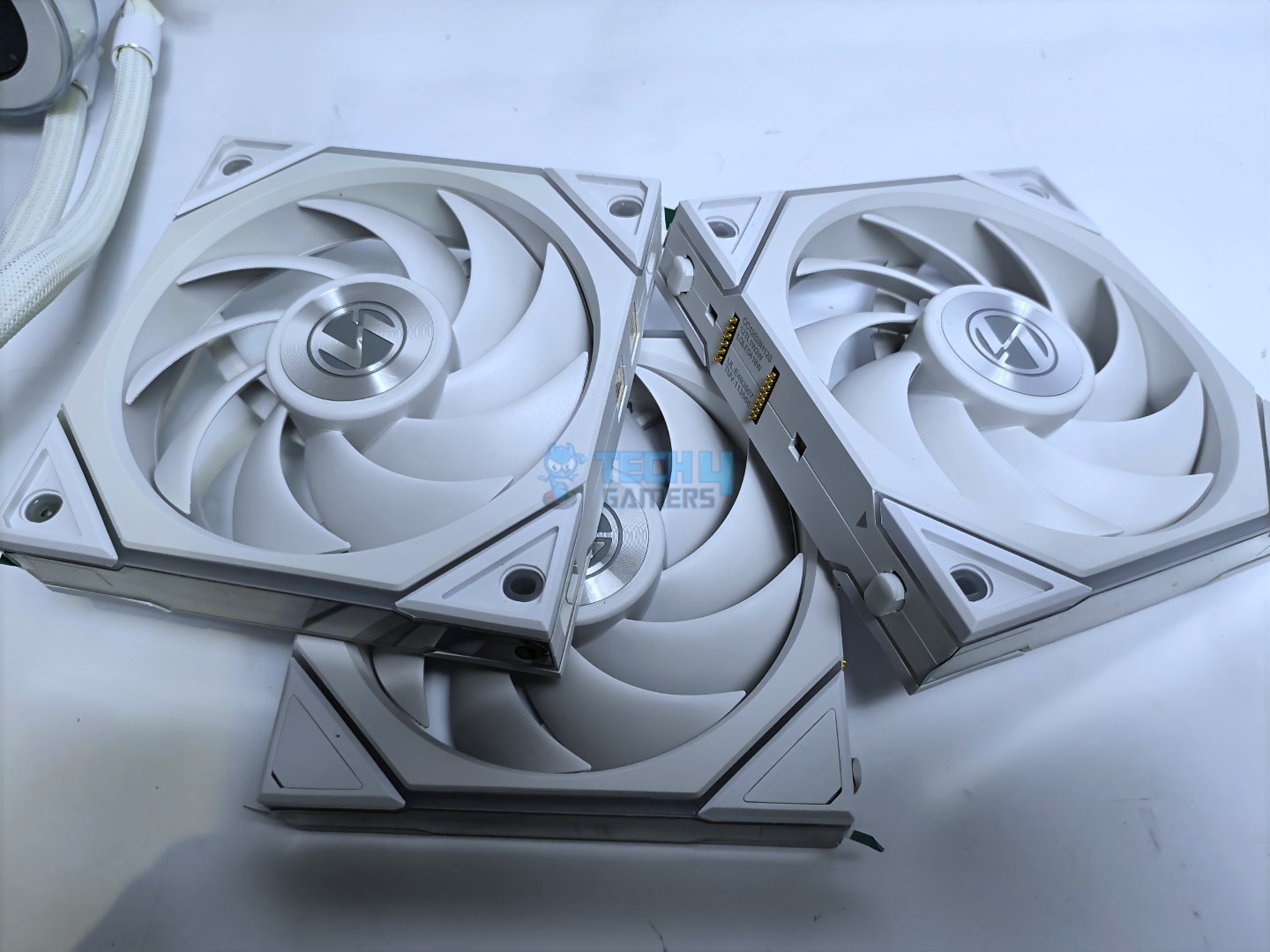
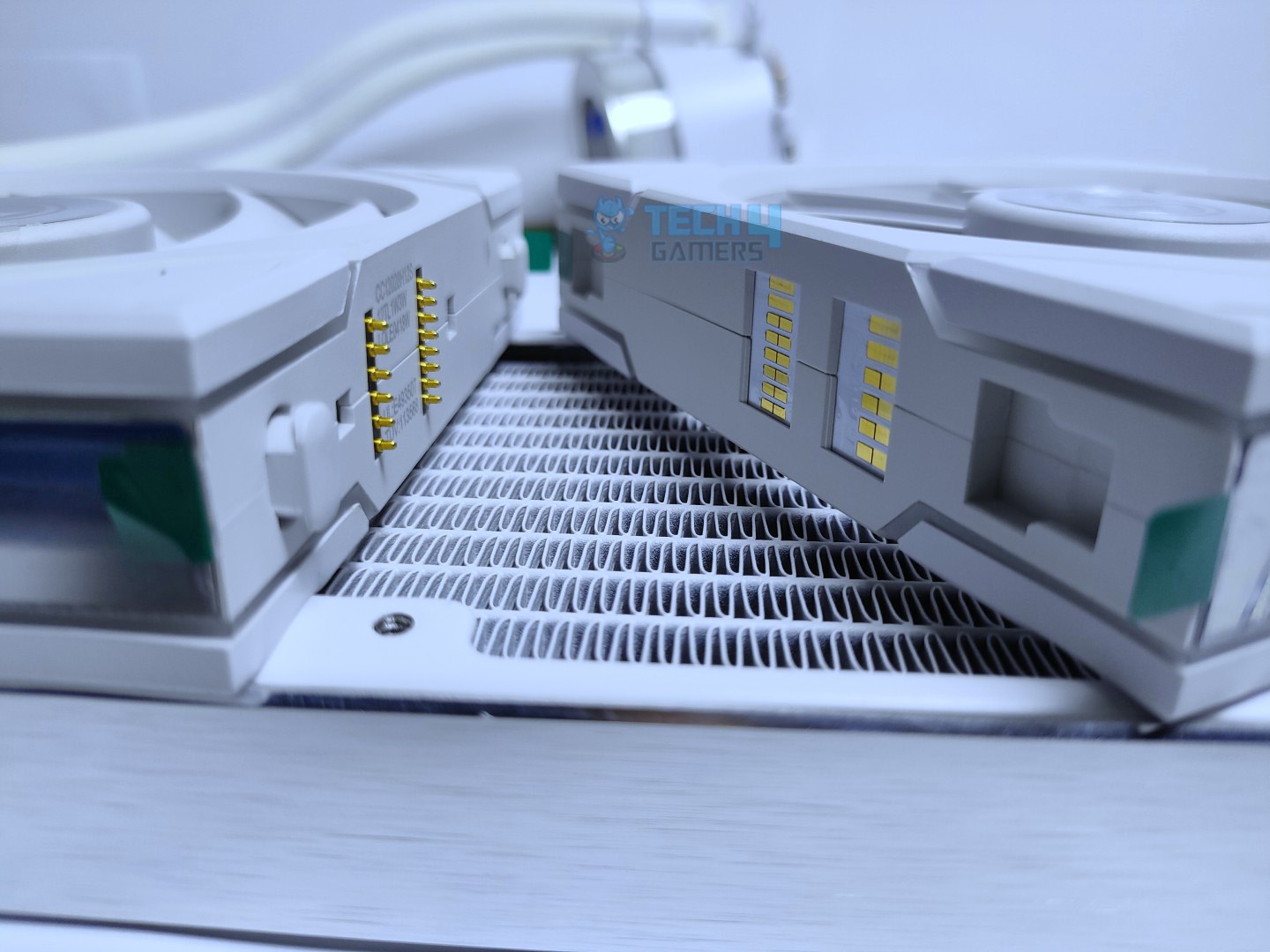
Lian-Li is utilizing the Uni Fan TL wireless for this liquid cooler, which features Lian Li’s Interlocking System for a clutter-free experience.
Closer Look At The Uni Fan
Uni Fan Interlocking Mechanism
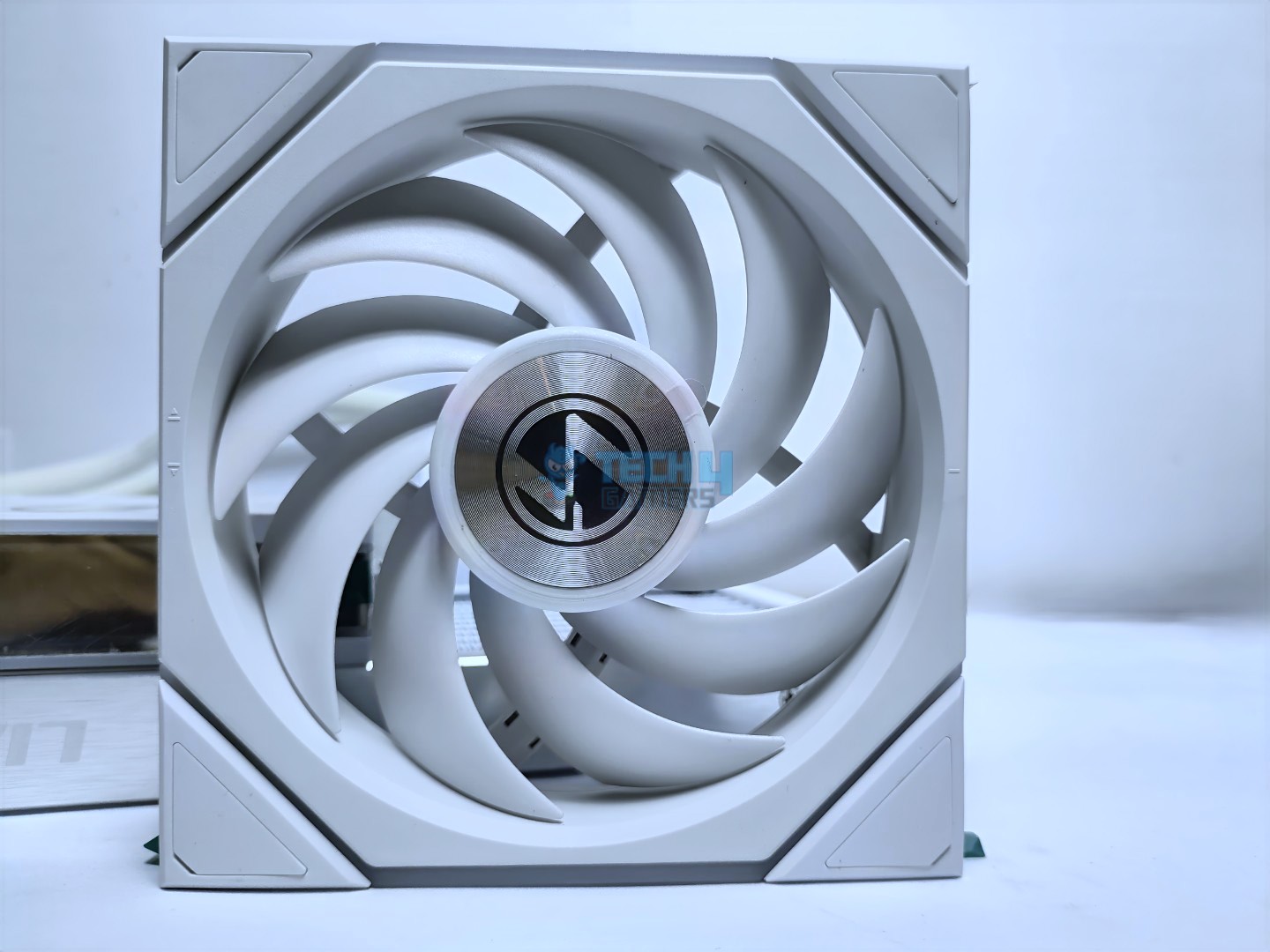
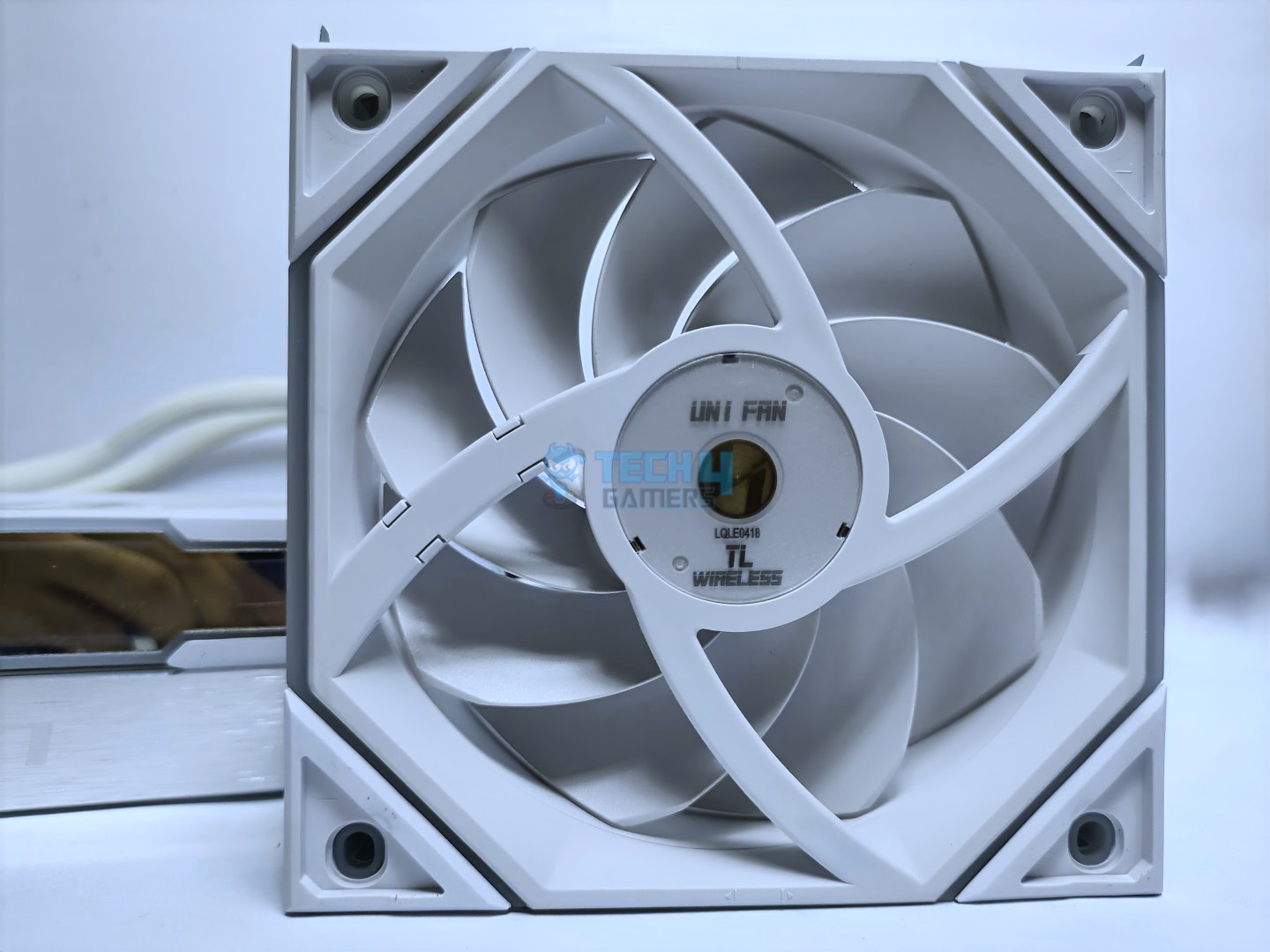
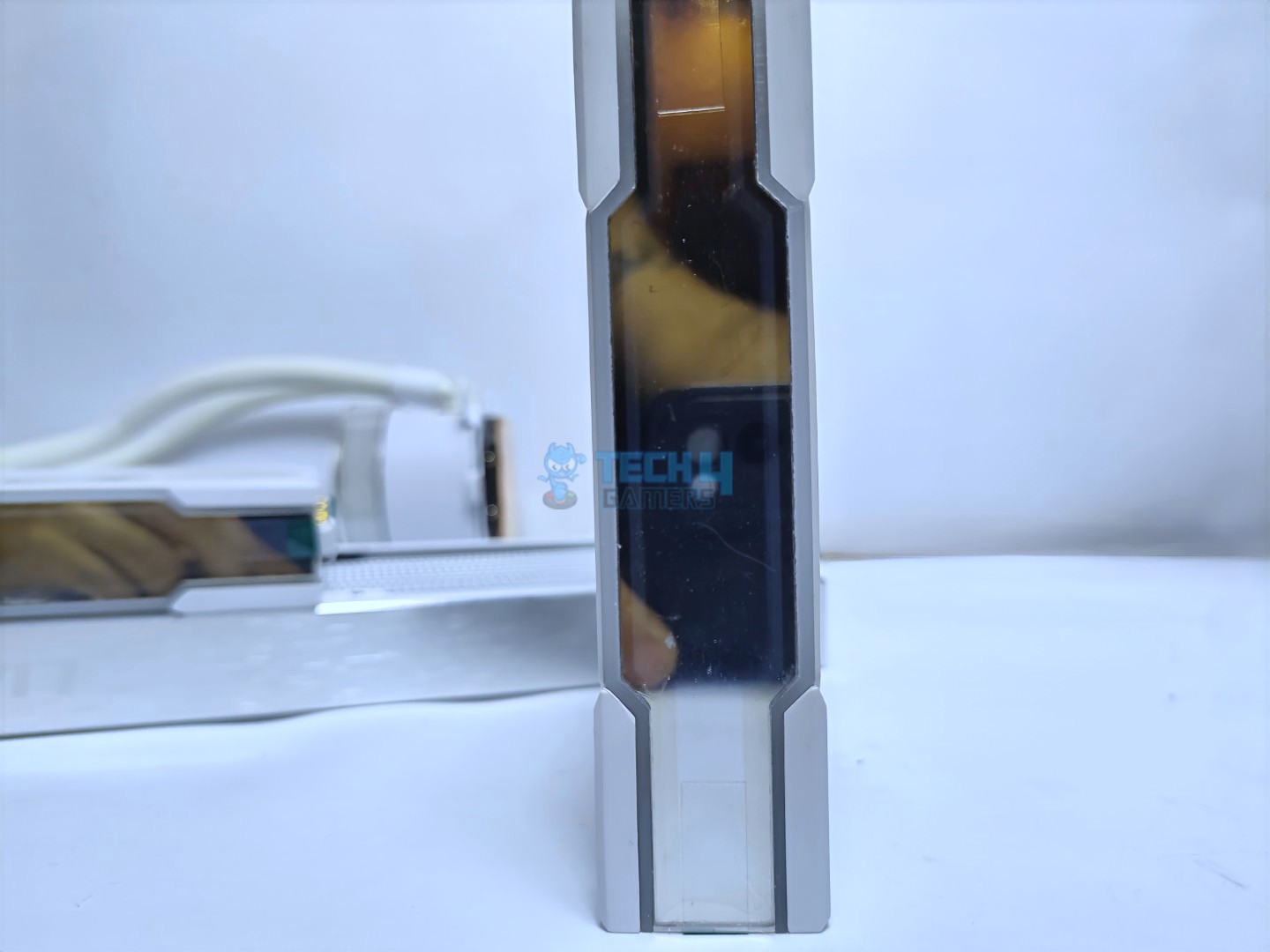
The fans feature dual-zone lighting effects and also include the Infinity Mirror, which incorporates 26 LEDs. The fan also has the anti-vibration pads.
Front
Back
Infinity Mirror Side
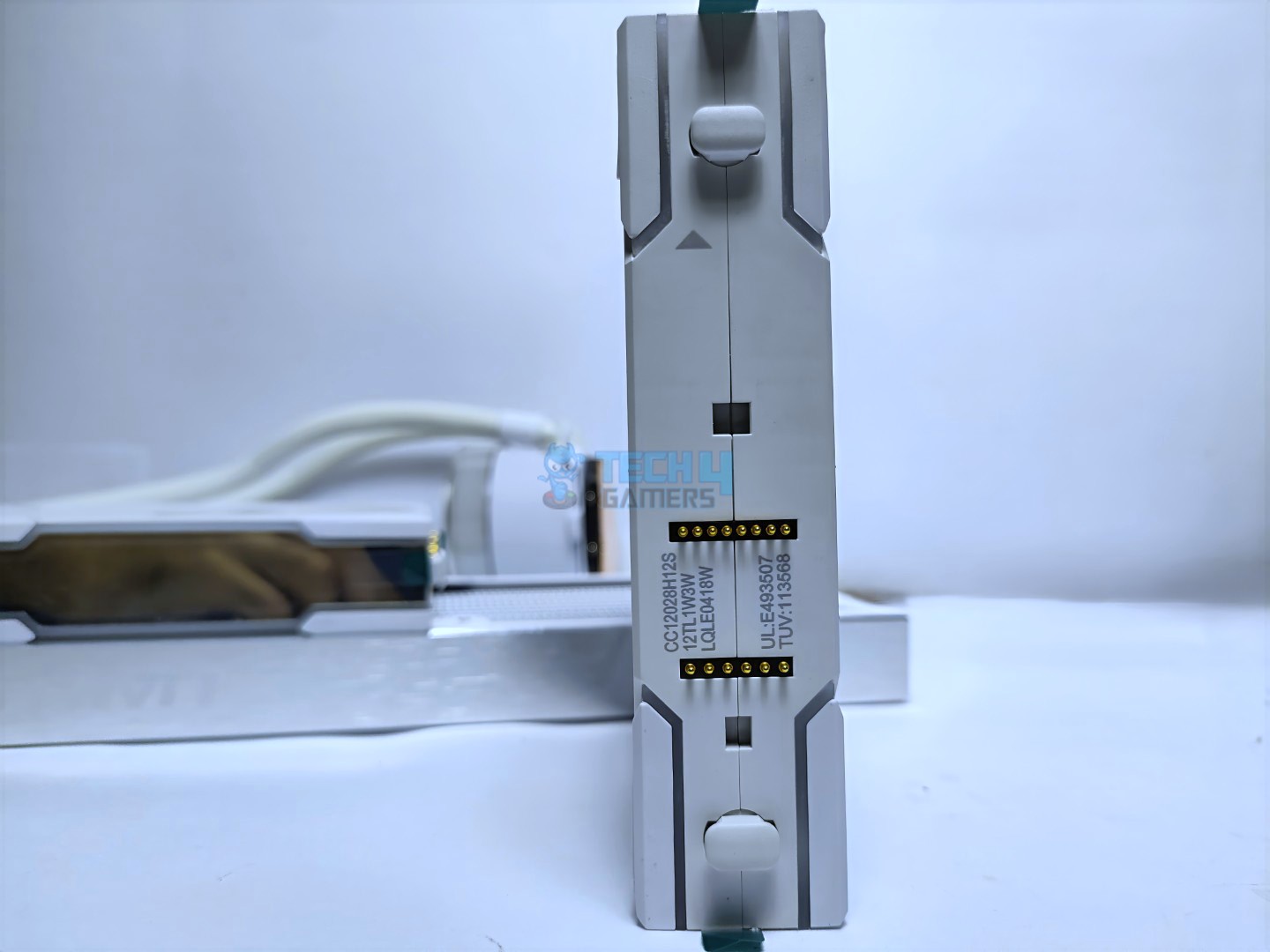
Side – Connection For The Wireless Receiver
For the connection, the fans come with a Wireless Receiver that attaches to the fan. The fan uses the fluid dynamic bearing, which is long-lasting. The frame design is solid and 28mm thick.
Uni Fan TL Wireless
Overall, the fan features a strong construction.
Here are the specifications for the fans:
Uni-fan TL Wireless
Specifications
Dimensions (W x D x H)
124 x 120 x 28 mm
Air Flow
90.1 CFM
Bearing Type
Fluid Dynamic Bearing (FDB)
Speed
0, 200~2600 RPM
Acoustic Noise
33 dB(A) Max
Input Power
5.8W
Rated Voltage
DC 12V (FAN) & 5V (LED)
PWM Control
Yes
Connector
L-Wireless Receiver
Installation
Its time to install the cooler.
Prepare the socket
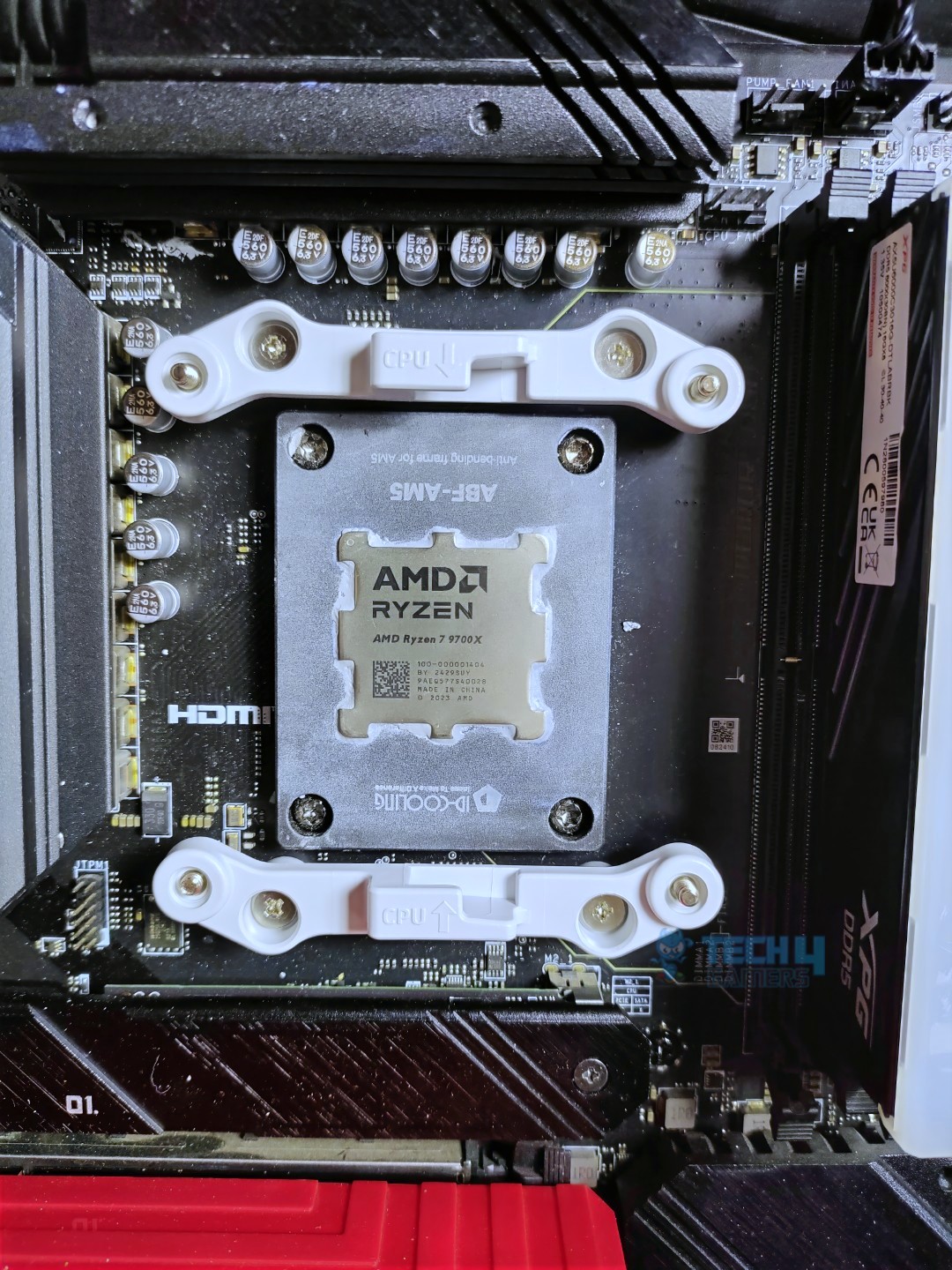
As we are using the AMD platform, we will be installing our AM5 system only. The first step here is to remove the stock retention bracket from the motherboard.
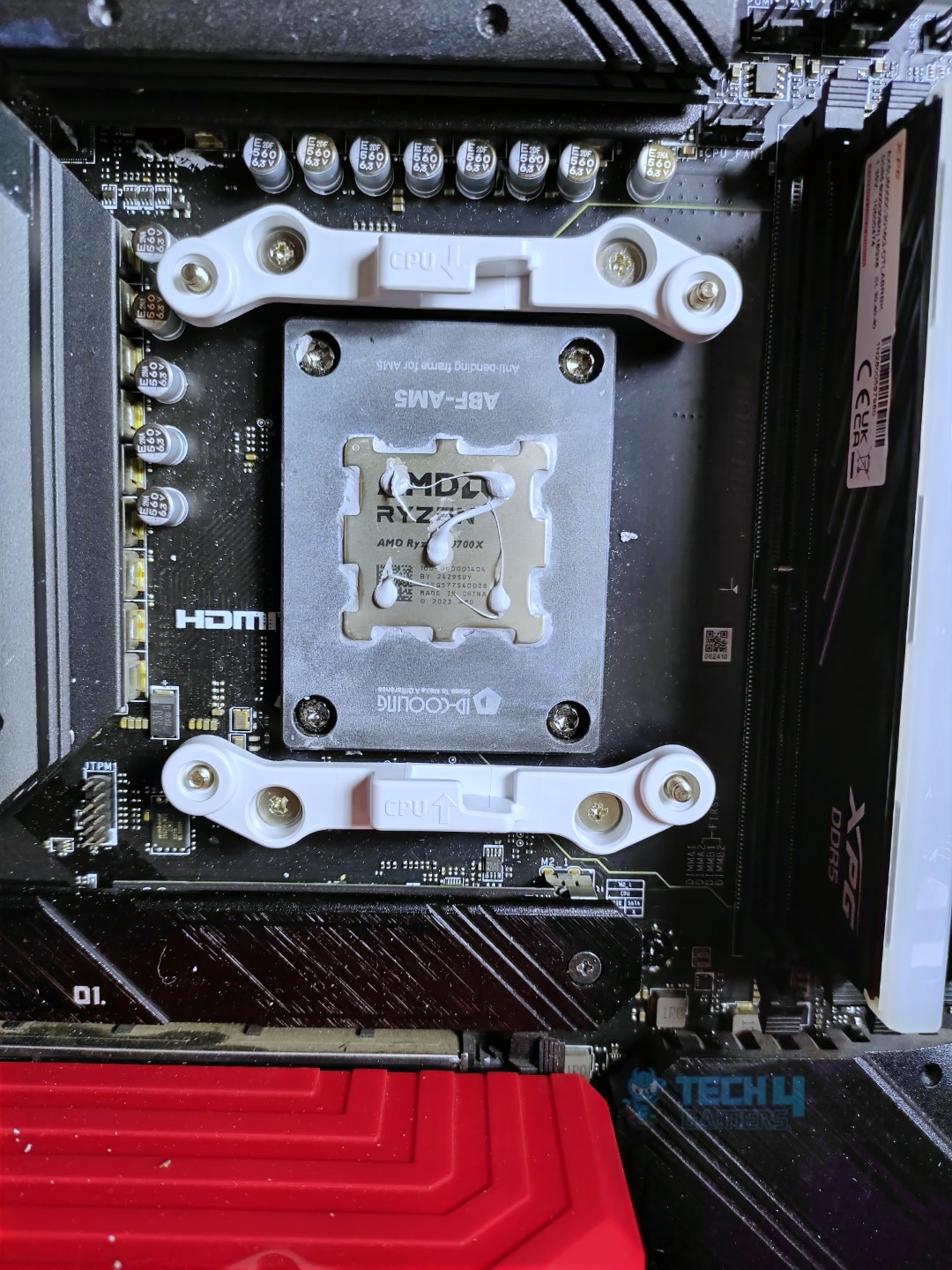
Next, install the AMD-compatible retention bracket onto the motherboard using the provided AMD screws. Apply the thermal paste to your CPU. We’re using ID-Cooling X45.
Brackets Installed
Thermal Paste Applied
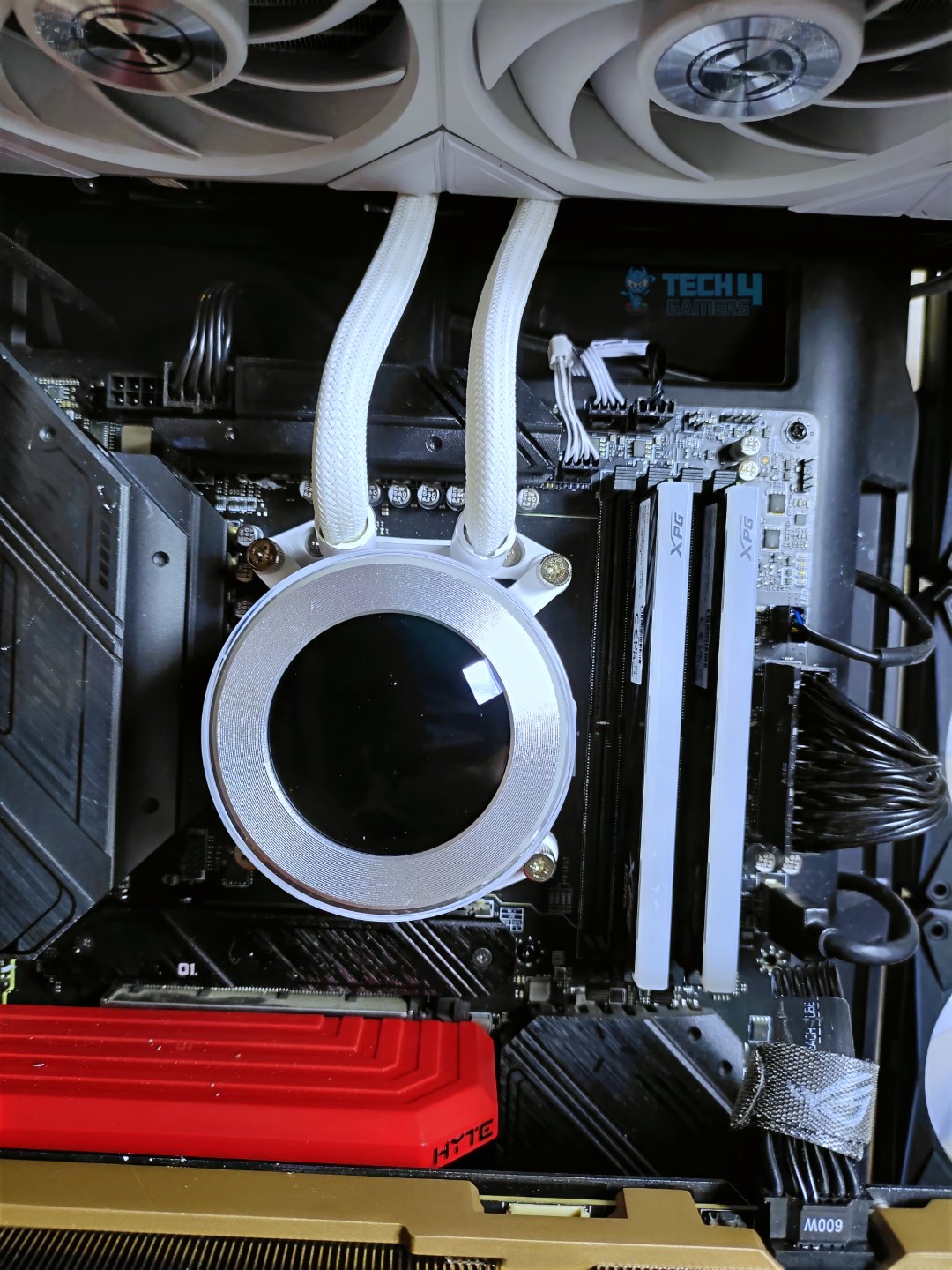
Now it’s time to mount the block. Once the block head is in place, diagonally secure the block to the mounting bracket using the provided screws. Then, position the decorative cap over the screws to achieve a clutter-free appearance.
Block Installed
Decorative Cap Installed
We had no problems with the installation, and it was remarkably easy.
Cooler Assembled
The cooler is now fully assembled.
Cabling
As we have already completed the installation, the remaining task is to connect the cables, assuming the radiator is installed, two cables are exiting from the radiator, one cable goes into the USB header on your motherboard that allows you to control the LCD through the software, which is optional and still works without installing the cable, but some features would not work. The other cable is the PWM cable, which connects to the pump header on the motherboard to control the pump speed.
Since we have the TL version, it comes with the Uni Fan, which features a controller with two PWM power cables. One cable is a 4-pin type that plugs into the CPU_Fan PWM header, and the other is a 2-pin cable that serves as auxiliary power. If insufficient power is detected, connect that cable to the PWM header on the motherboard.
Overall, the cable process was very easy and clutter-free. No ARGB cables are coming from the coolers; the wireless dongle has taken that job.
Testing Methodology
CPU Configuration:
For the Noise Normalized Testing, we have fixed the CPU at a fixed voltage and frequency. The noise levels are set at the desired levels of 40 to 45 dB(A). Then we test the cooler at the maximum speed possible.
Controlled Environment:
We have eliminated the influence of ambient temperatures in our data, and all results are presented as deltas over the ambient conditions. The tests were done in a controlled environment with a room temperature of 25°C.
Preparing System:
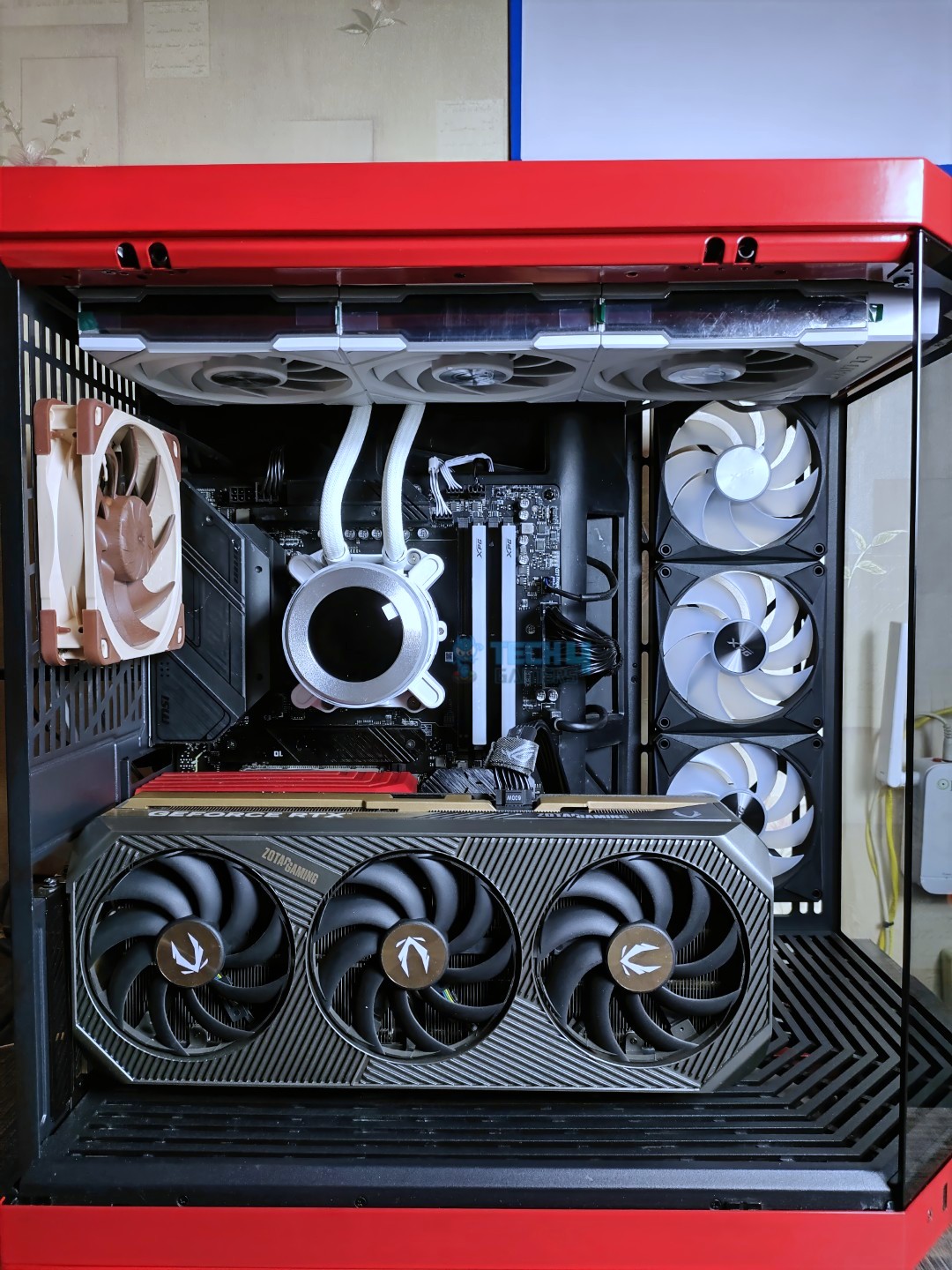
Since we don’t have a separate open test bench, all the coolers are installed in our primary test case, which is the HYTE Y70, but all the panels have been removed.
All the case fans are operating at the minimum PWM level possible to avoid interfering with any noise results. All coolers are tested at the fixed configurations. Only the coolers are swapped in the whole scenario.
We are using ID-Cooling X45 thermal paste for all coolers.
Software:
We have ensured that no other software is running on the computer that could influence the CPU load.
We’ll be using the Cinebench R23 Loop for the 15 minutes.
Windows Version: Windows 11 24H2 (OS Build 26100.4652)
Test Setup
Test Results – Noise Normalized 40 dB(A)
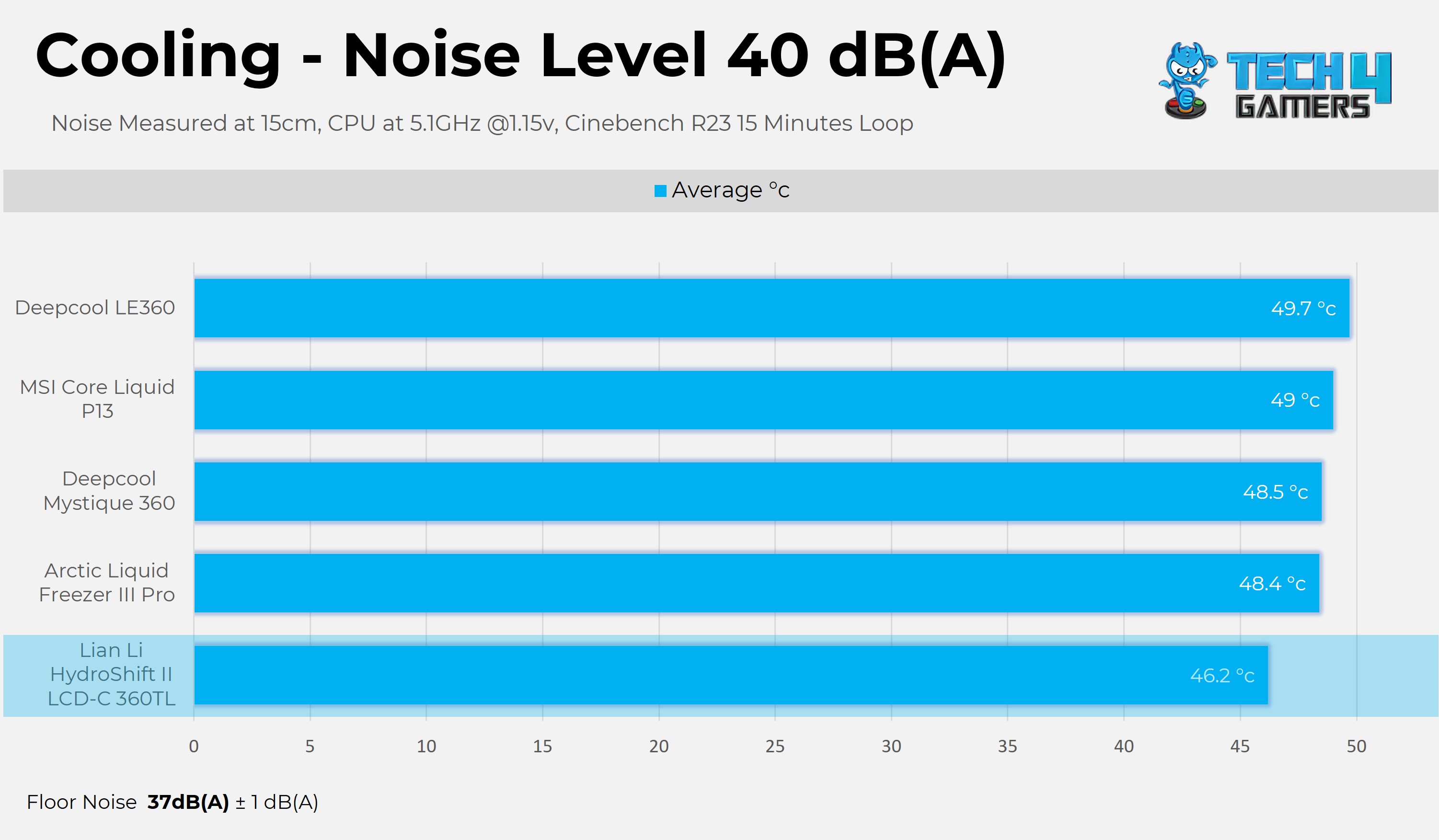
Results at the fixed noise level at 40dB(A)..
Noise Normalized 40 dB(A) Cooling – Lower is Better (Delta)
First, we are examining the fixed 40dB(A) noise-normalized conditions; Lian-Li has nailed it in terms of performance, thrashing all the liquid coolers in the chart.
Test Results – Noise Normalized 45 dB(A)
Results at the fixed noise level at 45dB(A).
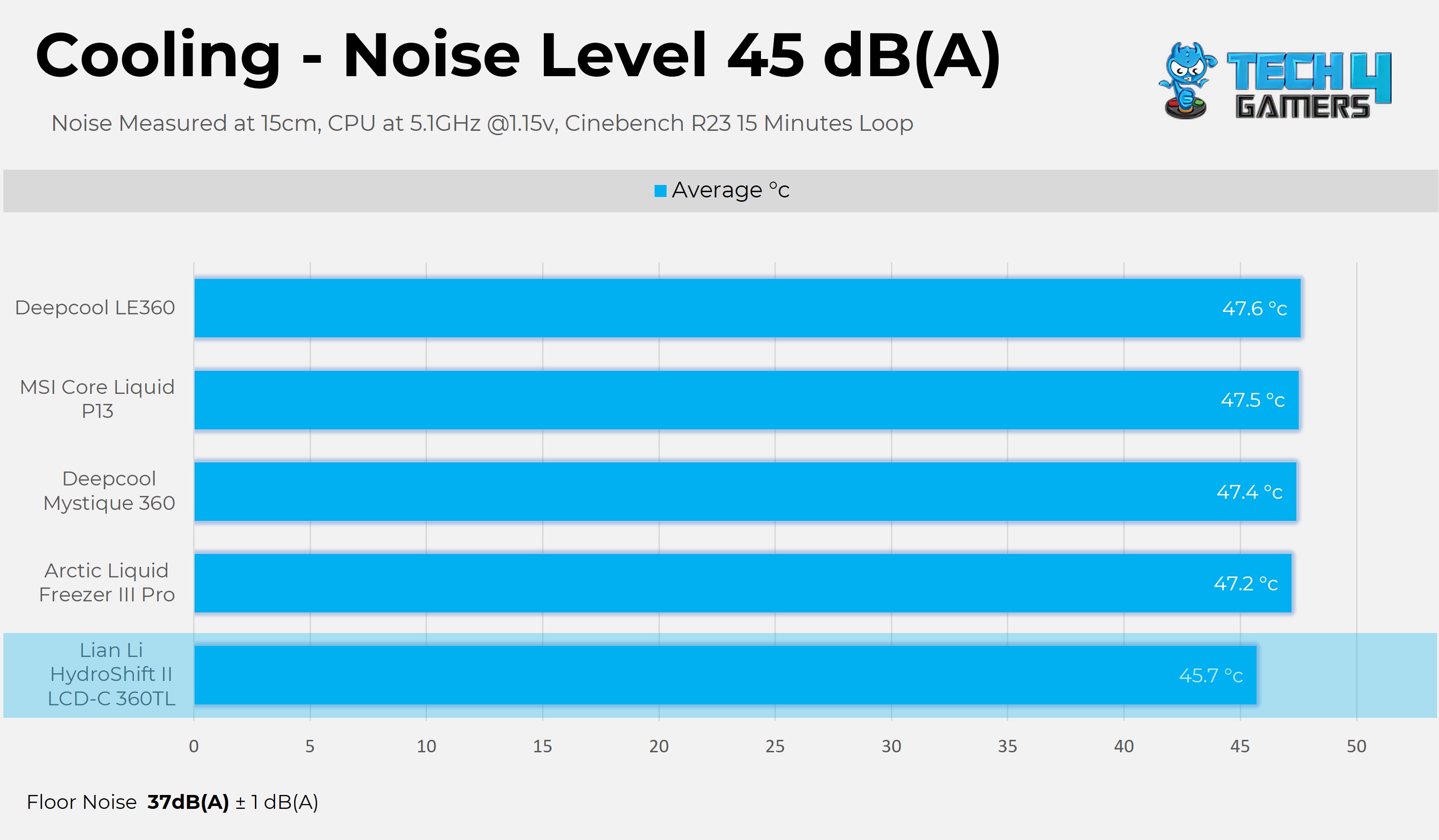
Noise Normalized 45 dB(A) Cooling – Lower is Better (Delta)
A similar story unfolds at 45dB(A) Noise Normalized Conditions, where Lian-Li still maintains the title of performance leader, but the lead is shrinking. Let’s head to the next chart at the maximum PWM level.
Test Results – Maximum Speed
Results at the Maximum PWM Speed.
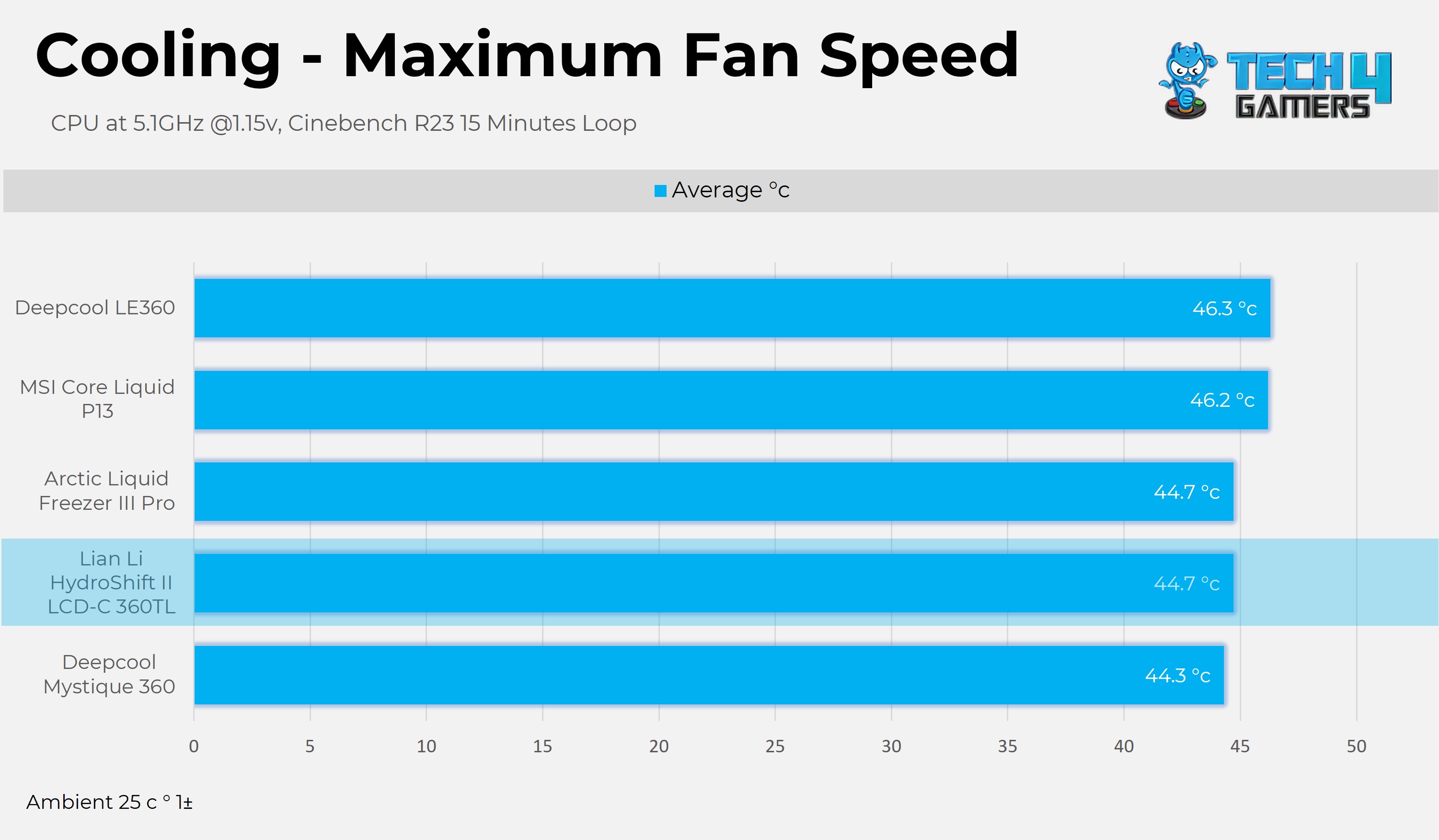
Maximum Fan Speed – Lower is Better (Delta)
Lian-Li takes the second spot here, but the difference is almost negligible. In our performance test, the cooler performed excellently overall.
Noise and RPM Readings
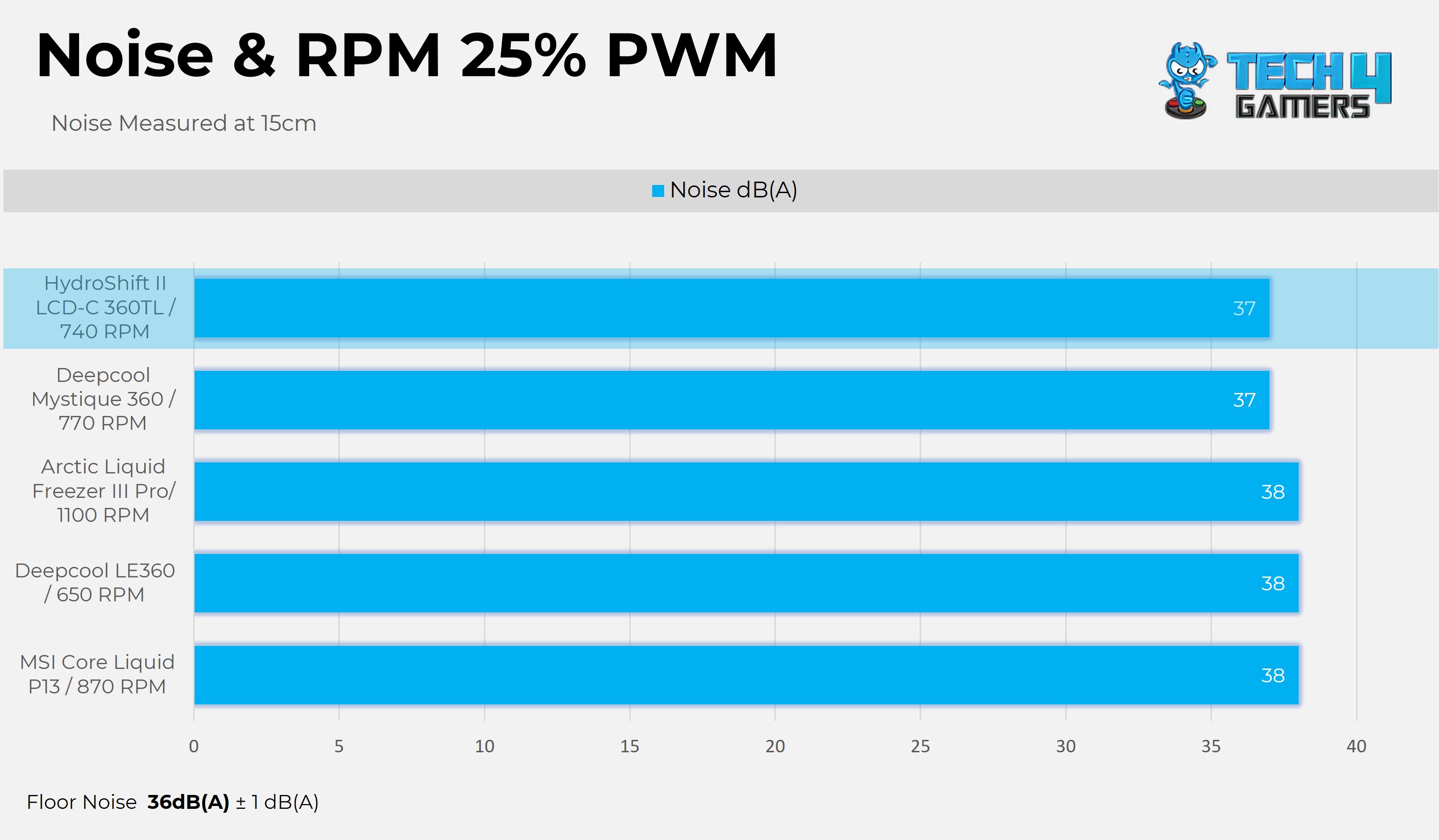
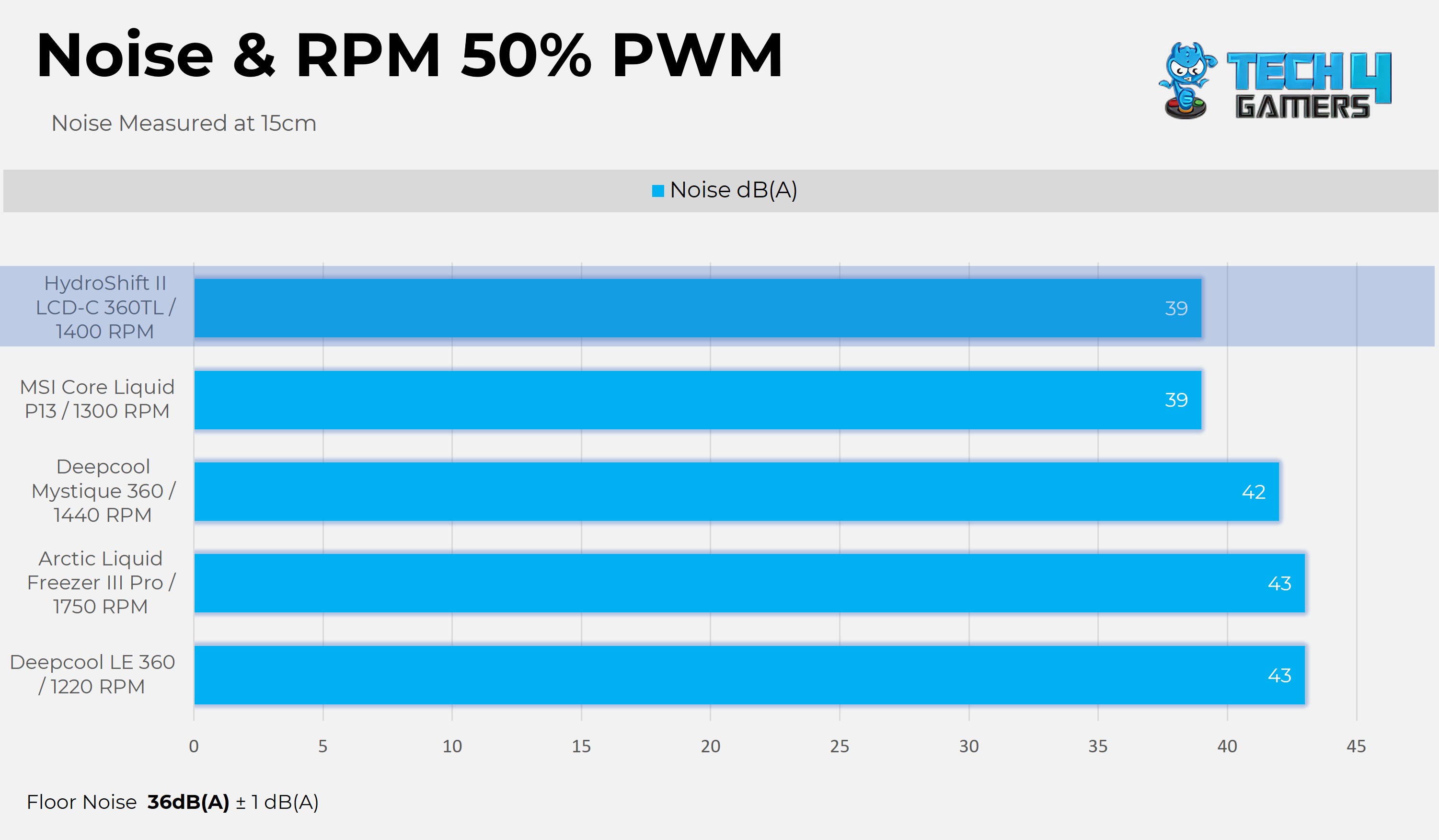
Now, let’s examine the fan’s performance, specifically how much noise and RPM it produces at certain PWM levels.
1 of 2
25% PWM
50% PWM
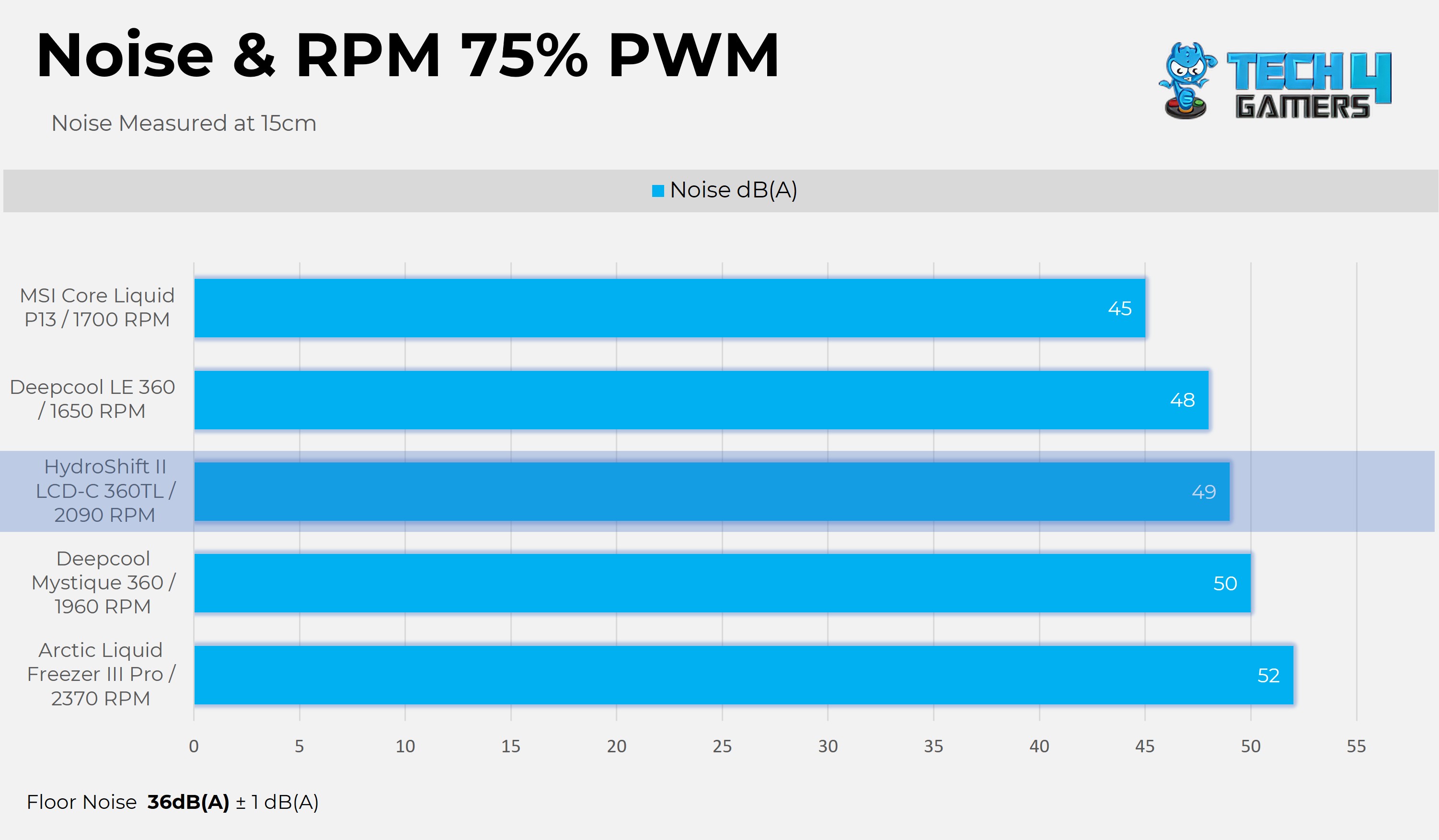
I’m really impressed with the Uni Fan TL wireless fans here. At the 25% and 50% PWM levels, they are the quietest, and the rotation per minute speed of the fans is excellent compared to other liquid-cooler fans.
1 of 2
75% PWM
100% PWM
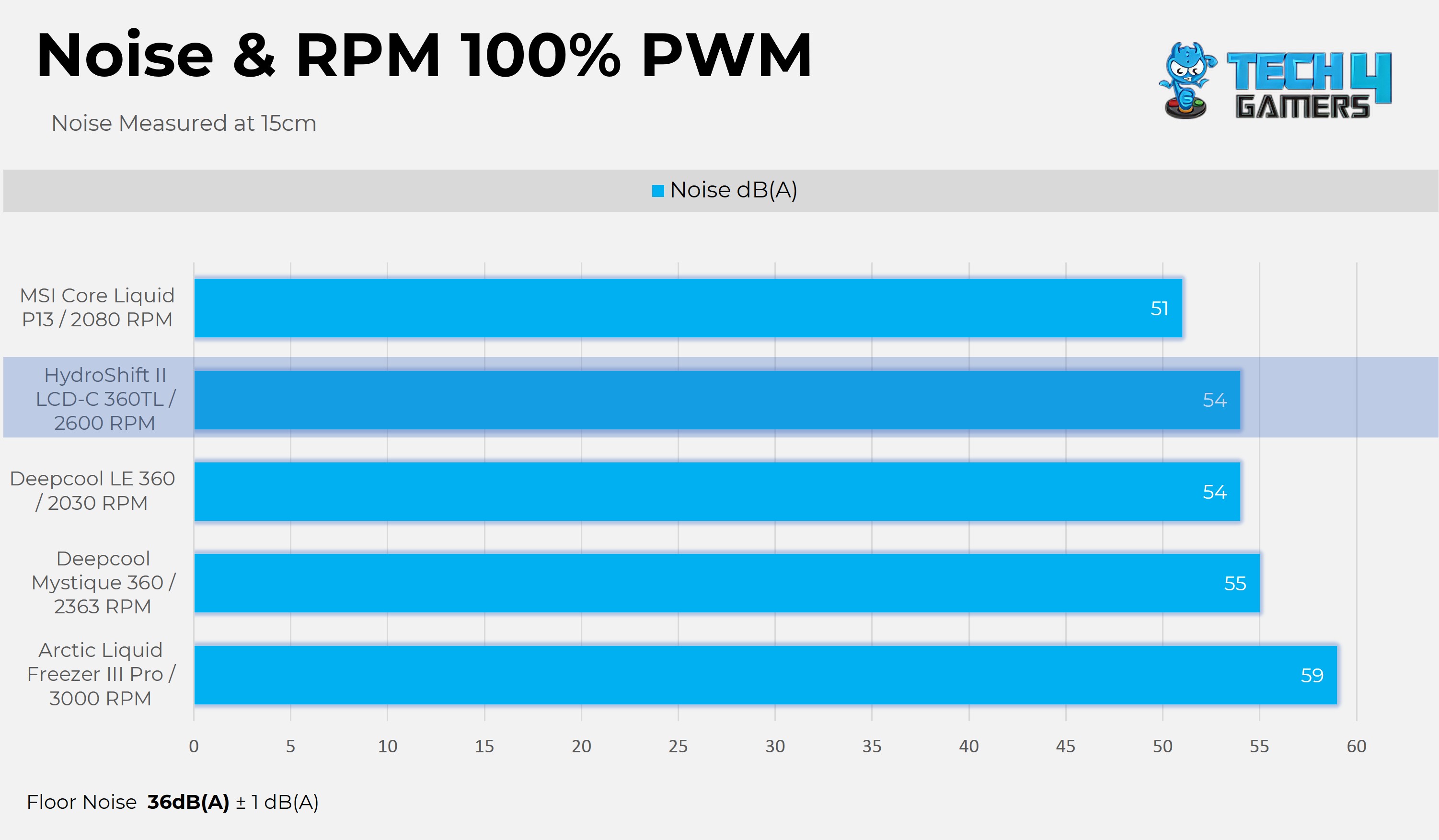
At a similar range, Uni Fan produces more RPM at the given PWM level with reduced noise, demonstrating exceptional fan performance and reliability. At the maximum fan speed, the Uni-fan produces 55dB(A) of sound in our tests, while the fan runs at a whopping 2600 RPM, which is better than some other liquid coolers in the charts. The noise level per RPM is very good.
Should You Buy It?
Buy It If
✅ You Want An Exceptional Cooling: The Lian Li Hydroshift II LCD-C 360TL displays exceptional performance in our cooling tests, especially at noise-normalized conditions. The cooler is the new chart leader and one of the best 360mm AIOs currently available.
✅You Want a Clutter-Free Experience: The Cooler features side-mounted tubing with a hidden cable design. It also includes Uni Fan wireless TL fans with a wireless receiver, which reduces cable clutter in the bonus. The A-RGB is also controlled wirelessly, so you don’t have to install the ARGB cable to the motherboard. The display can be customized and controlled without the need for a USB cable to be connected to the motherboard.
✅ You Want a Vibrant and Customizable Display: The cooler features a 2.1-inch LCD with a 480×480 resolution, 500 nits of brightness, and a 60Hz display, which can also be controlled wirelessly.
✅ You Want the Peace of Mind: The Lian Li Hydroshift II LCD-C 360TL is backed by a 6-year warranty.
Don’t Buy It If
❌If Aesthetics Are Not Your Top Priority: Lian Li Hydroshift II LCD-C 360TL is an expensive cooler. However, there are budget-friendly options that provide similar cooling performance.
❌If You Don’t Want the Software to Control Your Cooler: To ensure the Lian Li Hydroshift II LCD-C 360TL functions properly, you must install the L-Connect 3 Software on your PC.
Final Thoughts
We’re very impressed with the Lian Li Hydroshift II LCD-C TL, but certain aspects may not appeal to everyone. If you’re not particularly tech-savvy or enthusiastic, configuring the wireless setup can become a complex task. The cooler features wireless connectivity, but it still requires the software function and cables. While the wireless options look great on paper, they do not offer any advantage in real-time. For complete control, you still need to work with cables and the Lian-Li software.
Cooling Performance And Noise
Hydroshift II delivers an exceptional performance in our tests, almost beating every other in all the benchmarks. We’ve found the cooler to be very quiet compared to the noise-normalised operations of the competition. However, the cooler gets loud at 100% PWM speed and produces a noise level of 55dB(A). We suggest using the custom profile and keeping the fan below 60-65% for adequate cooling and minimal noise levels.
Wireless
There are still some connections that need to be installed in the motherboard, such as the PWM connectors for the pump and the fans. Apart from this, the cooler’s ARGB and display (with limited controls) can be controlled wirelessly, eliminating the need for any additional connectors. However, if you want to take complete control of your display, you still need the USB installed on the motherboard. So far, I’m loving this wireless approach; it worked as intended, but you still need the L-connect to control.
Build Quality
The build quality is excellent and works as intended. We have had no complaints so far. One of the unique features we have appreciated is the ability to route cables using adjustable clips, which gives the setup a clean, professional look. The mounting hardware is also quite good, and we haven’t had any issues in installing and removing the cooler. The offline control of the LCD works exceptionally well; rotating the ring around the LCD provides a very premium feel. Regarding cable management, we are impressed that the cables are routed from the radiator rather than the block, which gives it a clean appearance.
Value
Lian Li Hydroshift II LCD-C 360TL costs $239.99, which is a very premium price tag. The price has increased from the previous generation, which was $179.99. If you’re performance-focused, there are many budget options available in the market at a significantly low price.
At Tech4Gamers, I mainly cover new gaming news, leaks, and rumours. Aside from that, I love to write features about my favourite games while inserting my opinion about their different aspects.
Story Highlight
Helldivers 2 has sold more copies on PC than PS5, according to analyst firm Alinea Analytics.
The report claims 12 million copies sold on PC compared to 5 million on PS5.
Following its recent Xbox launch, the game has reportedly sold over 600,000 copies in just a few days on the platform.
However, the company never revealed how many copies were sold individually on the platforms. While there is no official record, an analyst firm has revealed that Helldivers 2 has sold more than twice as many copies as it sold on the PS5.
Why it matters: With Sony gradually embracing a multiplatform strategy, its approach to exclusivity is changing. Looking ahead, this could mean more PlayStation titles arriving on PC at launch, potentially even day-one releases.
Helldivers 2 Sales Breakdown on All Platforms By Alinea Analytics
According to analyst firm Alinea Analytics, Helldivers 2 has sold 12 million copies on Steam alone, while PlayStation 5 sales are estimated at 5 million units. Since its recent launch on Xbox, the game has already sold 600,000 copies in just a few days.
This brings the total sales to around 18 million copies. The figure aligns with expectations, considering Sony last reported 12 million sales over a year ago, meaning an additional 6 million copies sold in that period isn’t surprising.
As of yesterday, Helldivers 2 has sold through 12M+ Steam copies, 5M+ PlayStation copies and 600K+ Xbox copies.
-Alinea Analytics
These figures highlight the dominance of the PC market, which may encourage Sony to release its games on the platform sooner and more frequently. However, it’s essential to note that these numbers are based on analyst estimates, not official confirmations.
So, while we recommend taking this with a grain of salt, if accurate, it’s huge news for PC players.
What are your thoughts on the dominance of the PC platform? Share them with us in the comments section below or join the official Tech4Gamers forums for discussion.
At Tech4Gamers, I mainly cover new gaming news, leaks, and rumours. Aside from that, I love to write features about my favourite games while inserting my opinion about their different aspects.
Story Highlight
Steam has introduced an age verification system in the UK for ESRB 17+ games.
Many acclaimed AAA titles carry the ESRB 17+ rating, meaning unverified players won’t be able to access them.
Even accounts that are over 18 years old must still go through the verification process.
The UK’s new online age verification system for accessing adult content is facing heavy criticism from the public. While the government insists the move is meant to protect children, many view it as an overreaching and controlling strategy.
Gamers are not exempt from these changes. In the UK, players will now need to verify their age before accessing ESRB 17+ games on platforms like Steam. Without verification, these titles will remain inaccessible.
Why it matters: Countless ESRB 17+ games on Steam will be inaccessible without age verification, a move that is likely to spark widespread criticism.
Steam Has Rolled Out The Age Verification Requirement For UK Players | Source: Steam
To access mature-rated games or their community hubs on Steam, you must be signed in with age-restricted content enabled. However, for UK users, the opt-in process will now require age verification.
Even UK Steam Accounts Over 18 Years Old Must Verify Age to Access Mature Games | Source: Twitter
The document explains that in the UK, you must be 18 years old to obtain a credit card. This makes credit cards a straightforward way to verify age when accessing or purchasing ESRB 17+ games, though other verification methods may also be used.
However, this move drew criticism, as even accounts nearly 20 years old must verify age. Many argue that accounts active for over 18 years should be auto-verified, but they aren’t.
What are your thoughts on Steam applying these new rules for the UK players? Share them with us in the comments section below or join the Tech4Gamers forums for discussion.