At Tech4Gamers, he is recognized for his insightful features and opinion pieces, where he blends his passion for gaming with a keen understanding of technological trends. His work, marked by depth and accessibility, makes him a respected voice in the tech and gaming community.
Story Highlights
Steam’s algorithm favors games with long playtimes and extensive marketing, limiting visibility for small indie titles.
Achievements, trading cards, and major promotions are locked behind sales thresholds, further disadvantaging small games.
Despite these challenges, community support and positive reviews can still help elevate lesser-known titles.
As a long-time Steam user, I’ve found myself continuously drawn to the platform’s vast and diverse library. Steam has undoubtedly revolutionized how we access and enjoy games, offering everything from AAA titles to the most niche indie projects.
Yet, amidst this sea of content, there’s a troubling trend that’s been bothering me: Steam’s smaller games, the hidden gems, indie experiments, and passion projects are increasingly struggling to stay afloat, leaving us questioning whether it is worth developing indie games.
Indie Games Are Often Overshadowed By AAA Titles
Indie and AA games are more creative and full of potential. But despite their potential, these games often fall through the cracks, overshadowed by the platform’s massive ecosystem. Here’s why I believe Steam struggles with its smallest games.
The Algorithm’s Favoritism
People say Steam’s algorithm prioritizes games that offer long playtime, giving them priority in features like the “Your Friends Are Playing” popup, Discovery Queue, and playtime-based showcases.
The Steam discovery algorithm killed developer sales by favoring popular games and limiting visibility for new or indie titles. Developers argue this prioritizes established franchises, restricting opportunities for smaller games.
Previously, anyone with a creative idea and a $100 submission fee could get their game on Steam. The fee will be refunded once your game earns $1,000 in gross sales on the Steam store.
From personal experience, I’ve often stumbled upon fantastic games entirely by accident, titles like Celeste that, had I not seen a random YouTube recommendation, I might never have discovered.
The algorithm hates small games by heavily favors games with longer development cycles and extensive pre-launch marketing campaigns. If your game doesn’t usually have around 10,000 wishlists before launch or a substantial number of positive reviews shortly after, it’s likely to be buried under other releases.
This approach makes sense from a business standpoint, but smaller games with less exposure are often overlooked. It’s frustrating to think about how many great games remain obscure simply because they don’t fit the algorithm’s criteria for visibility.
Moreover, Every time I log into Steam, I’m flooded with new games, many of them small indie titles. A standout example is Sable, which struggled to stay visible despite its unique art style. This shows how even high-quality small games can get lost in the constant influx of new content.
Steam’s Achievements And Discounts
Steam players love achievements and trading cards so much that they often buy games specifically to earn them. But here’s the catch: Steam doesn’t initially allow new games to offer these features. They must first reach a certain sales or review threshold to unlock them.
In short, you can’t offer trading cards or achievements until you’ve proven your game’s worth. However, it’s difficult to prove your game’s worth without offering features that attract players.
Steam Mostly Recommends AAA Titles On Top
Steam’s sales events are famous for their massive discounts, which attract significant traffic and give visibility to smaller games that might go unnoticed. Daily Deal, a powerful Steam promotion, offers massive exposure.
These promotions can help indie developers reach new audiences who might not consider their games at the total price. One developer offered it after 4.5 years of early access.
However, there’s growing frustration with how some discounts are presented. Substantial discounts are often misleading. Games might appear to have significant markdowns, but in reality, only a portion of the deal is discounted, while other bundled titles receive the bulk of the discount.
This deceptive practice wastes buyers’ time and raises concerns about transparency in advertising. While consumers should demand honesty, constant discounts on small games can also lower the perceived value of indie titles.
Community Support
Despite challenges, Steam’s community features like reviews and forums offer hope for small games. Positive reviews and endorsements from content creators can significantly elevate a game’s visibility. An example is Slay the Spire, which gained popularity through community backing.
As much as I love Steam, it’s clear that the platform has room for improvement in supporting its smallest games. For now, the best thing we, as players, can do is actively seek out and support these hidden gems.
Although Steam’s system can be tough on small games, knowing how it works can help you navigate it better. Using small games to test ideas and improve your skills may increase your chances of creating a successful game on the platform.
As Tech4Gamers’ Founder and Editor-in-Chief, I bring over 13 years of PC Hardware Reviewing and 8+ years of IT Project Management experience. Certified in Google IT Support , my focus is on providing honest product reviews and analysis and fostering a strong gaming community with 130k+ members in PPG.
Mussab Ali
At Tech4Gamers I test and write about different hardware configurations to show other PC users what they can expect from their build. My end goal is to educate the masses to make the right decision when they are looking for new PC parts to buy
Today, we are taking a look at the G. Skill Trident Z5 Neo RGB DDR5-6400 kit. This is a 32GB (2×16) single-rank kit. We’ve already taken a look at the DDR5-6000 kit, and this follows the exact same design. DDR5-6400, of course, is the sweet spot for the Ryzen 9000 series CPUs if you hit your luck in the silicon lottery (more on that later). For now, let’s get into the review.
Why Trust Tech4Gamers
Mussab Ali is our PC expert who has a decade-long experience in building, testing, and troubleshooting PCs.
70+ RAM tested and reviewed by our team of hardware experts (Tech4Gamers Team).
200+ hours spent testing different RAM kits for our reviews.
At Tech4Gamers, ensuring you get reliable information is our priority. That’s why every hardware round-up undergoes a meticulous review process by our team of experts and editors. Each review is carefully examined against our strict editorial guidelines, guaranteeing you trustworthy insights you can depend on.
Key Takeaways
The G. Skill Trident Z5 Neo RGB DDR5-6400 CL30 is a 32GB kit from G. Skill’s all-familiar series, offering the same pleasing aesthetics and impressive performance at $119.
You should buy this kit if you’re looking for an ideal memory kit for your Ryzen 9000 CPU without needing to overclock and/or if you prefer a kit with nice, balanced aesthetics.
Don’t get this memory if you have a Ryzen 7000 series CPU (the memory will likely run at a 2:1 ratio with UCLK) and/or are running a bulky air cooler whose RAM clearance is less than 42mm.
Compared to the DDR5-6000 kit, this one operates at 1.40V with EXPO. Memory timings have been tightening at 30-39-39-102. CAS Latency is the same, so the kit’s overall latency is 9.375ns.
WARNING: Refer to the Qualified Vendors List to ensure compatibility with your motherboard.
DDR5-6400: Ryzen 9000’s Sweetspot
With a few tweaks from AMD to the memory controller on the Ryzen 9000 chips, it is now possible to run these CPUs coupled with DDR5-6400 memory at a 1:1 ratio. The 1:1 ratio is, of course, between the memory clock (MCLK) and the unified memory controller clock (UCLK). With increasing memory speeds, it becomes difficult for the memory controller to catch up. That’s why the Ryzen 7000 CPUs switch to a 1:2 ratio beyond DDR5-6000.
Ryzen 9000: Ideal frequencies (Image by Tech4Gamers)
Only in the rarest of cases you’ll end up with a Ryzen 7000 CPU that will run DDR5-6400 memory at a 1:1 ratio. For the Ryzen 9000, the chances are greater, but it still depends on your luck in the silicon lottery, whether or not you’ll end up with a CPU memory controller good enough.
Editor`s Note
We generally do not recommend purchasing this kit for a Ryzen 7000 series CPU and would instead recommend a DDR5-6000 kit. Our Ryzen 7 7800X3D was able to support this kit while maintaining the 1:1 ratio, but again, this is an exceptional case that you likely won’t experience.
– Mussab Ali
Packaging and Unboxing
Let’s take a look inside the box.
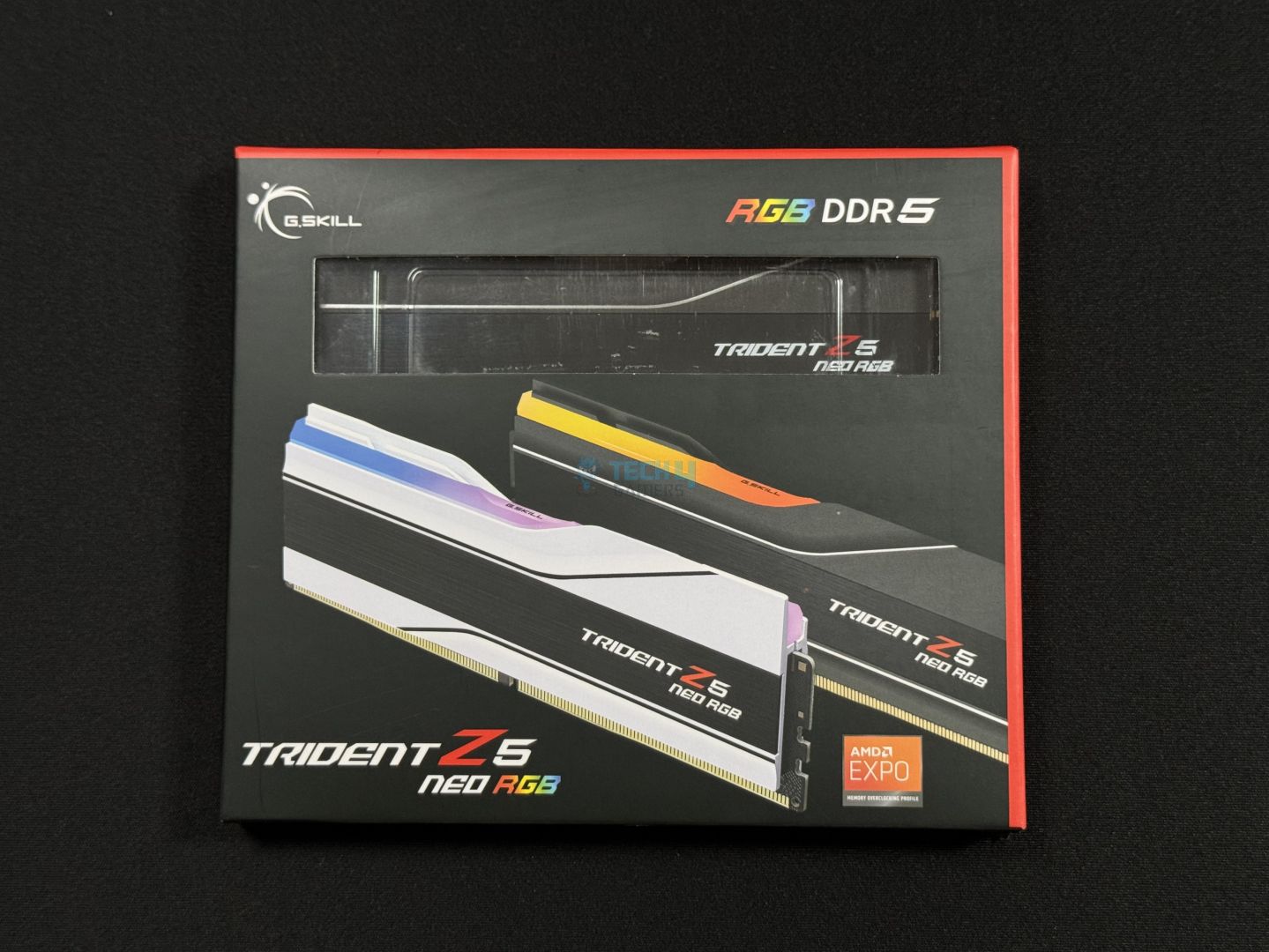
Box front
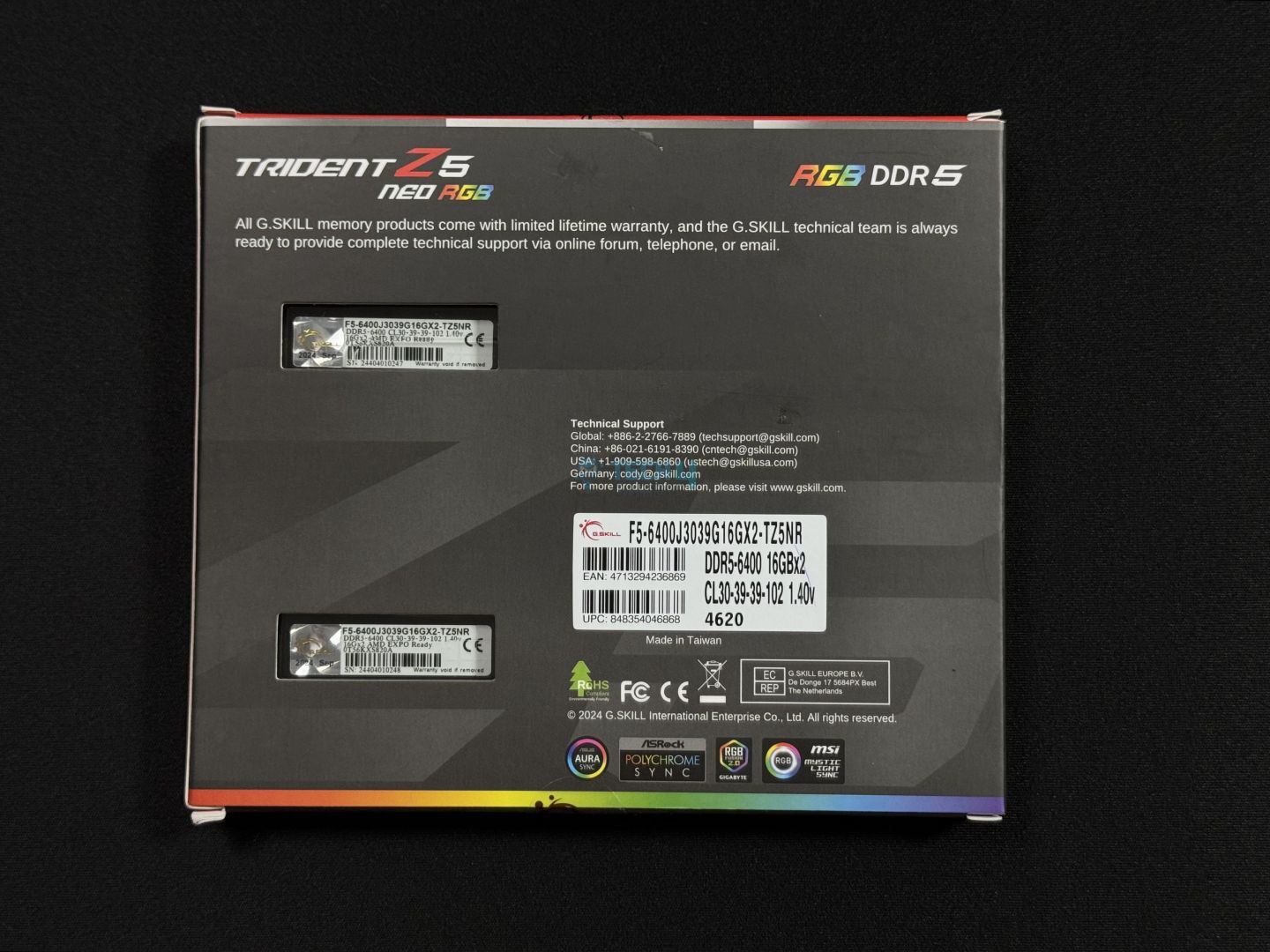
Box rear
This is the same packaging as the DDR5-6000 kit we tested. Up front, we have a print of the kits in front (this kit is also available in white), and EXPO support is mentioned. A cut-out shows us the memory kit inside a plastic clamshell packaging.
The back of the box shows us cut-outs for the memory again, displaying the sticker on which you can find the memory’s key specifications. We get some certification marks and compliance symbols and assurance that the RGB can be controlled by different motherboard software.
Box contents (Image by Tech4Gamers)
We get the memory itself, a card that gives us some basic tips, tricks, and cautions about the RAM, and a G. Skill sticker to proudly don on your chassis.
Design
It’s time to dive a bit deeper into the design.
Front and Back Design
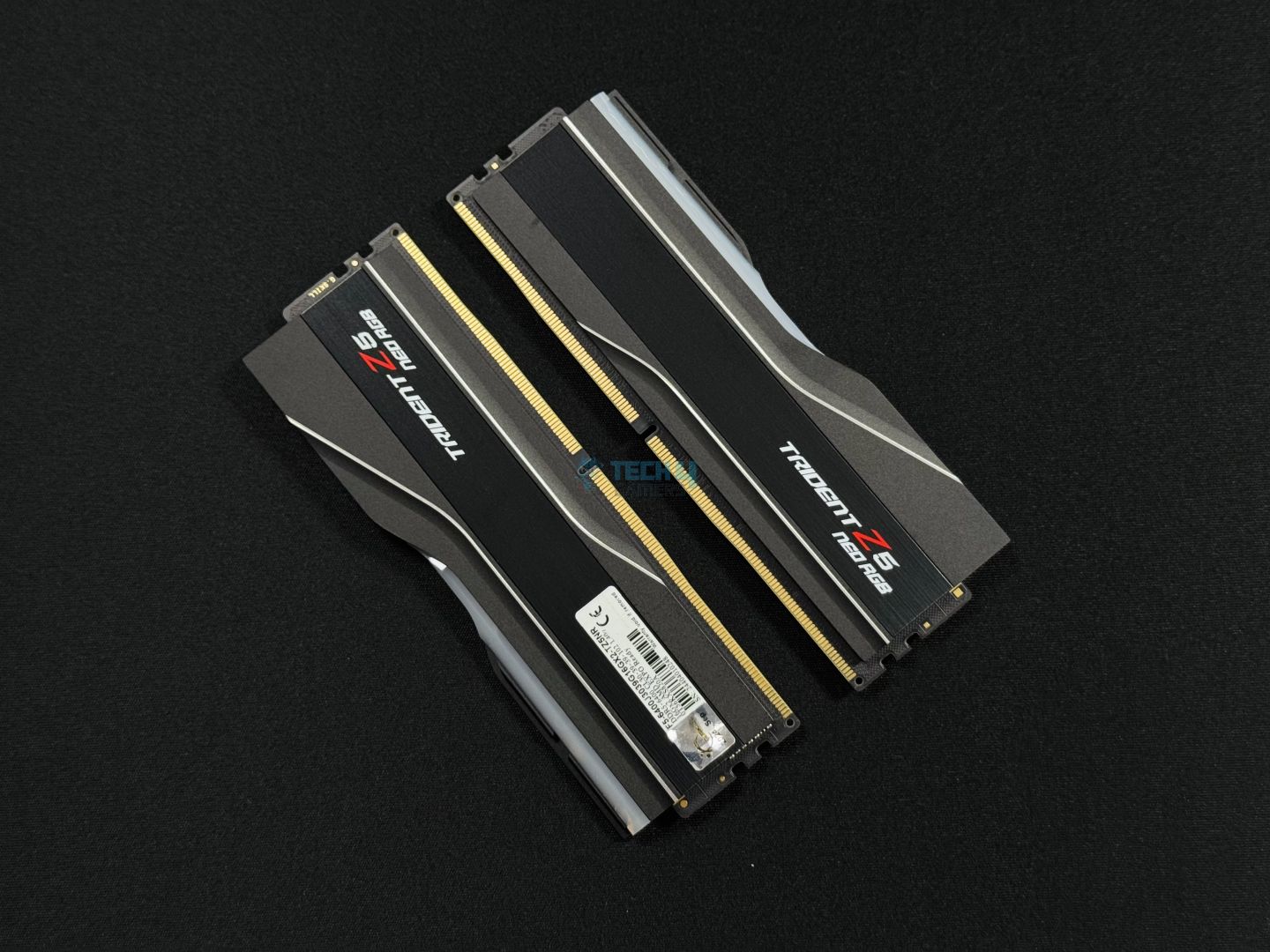
Closer look of the G.Skill Trident Z5 Neo RGB 6,400MHz. (Image By Tech4Gamers)
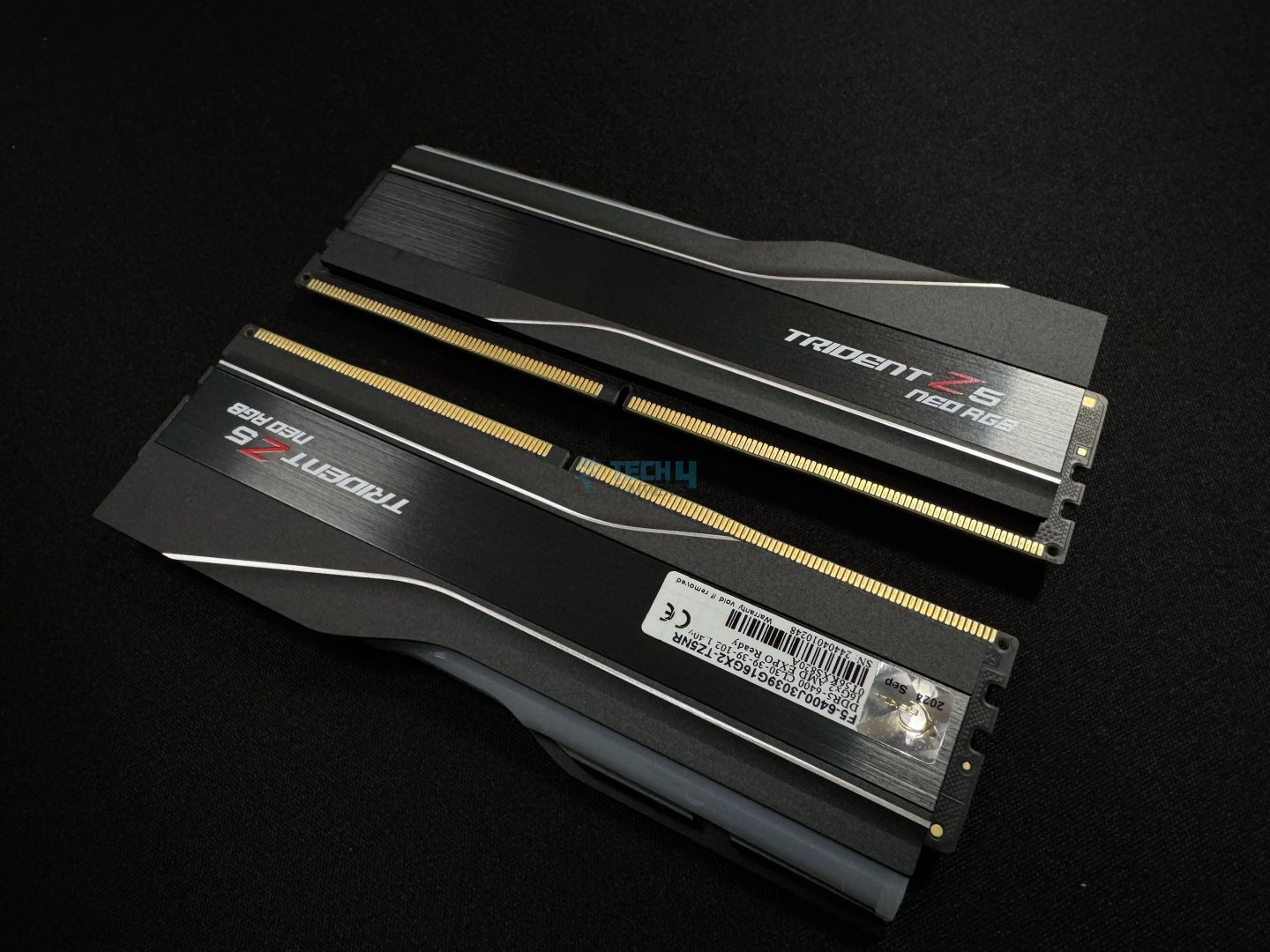
The Trident Z5 Neo RGB black variant matches the other kits we’ve looked at from this lineup; nothing new. You get a matte black + solid black aesthetic on the heat spreaders, with two silver linings running across the kit. The exterior is matte black, while the central inlay has a brushed aluminum texture and the “Trident Z5 Neo RGB” branding.
Of course, we also have the all-familiar light bar up top, which is definitely our favorite part of these kits. We’ll look at the RGB illumination in a little bit. The RGB lighting can be controlled through G. Skill’s software or your motherboard vendor’s utility. It supports ASUS Aura Sync, ASRock Polychrome Sync, Gigabyte RGB Fusion 2.0, and MSI’s Mystic Light Sync software.
Design (Image by Tech4Gamers)
The memory height comes in at 42mm, again, like any Trident Z5 kit you’ll come across. This height makes it ideal for most setups without any clearance issues.
Module sticker (Image by Tech4Gamers)
Looking at the sticker, we have some basic information about the kit, including the serial number. We can also note that this uses A-die ICs from SK-Hynix, evident from the letters and numbers above the barcode. This is a 2x16G kit. Do not remove the sticker, as that will void the warranty.
RGB
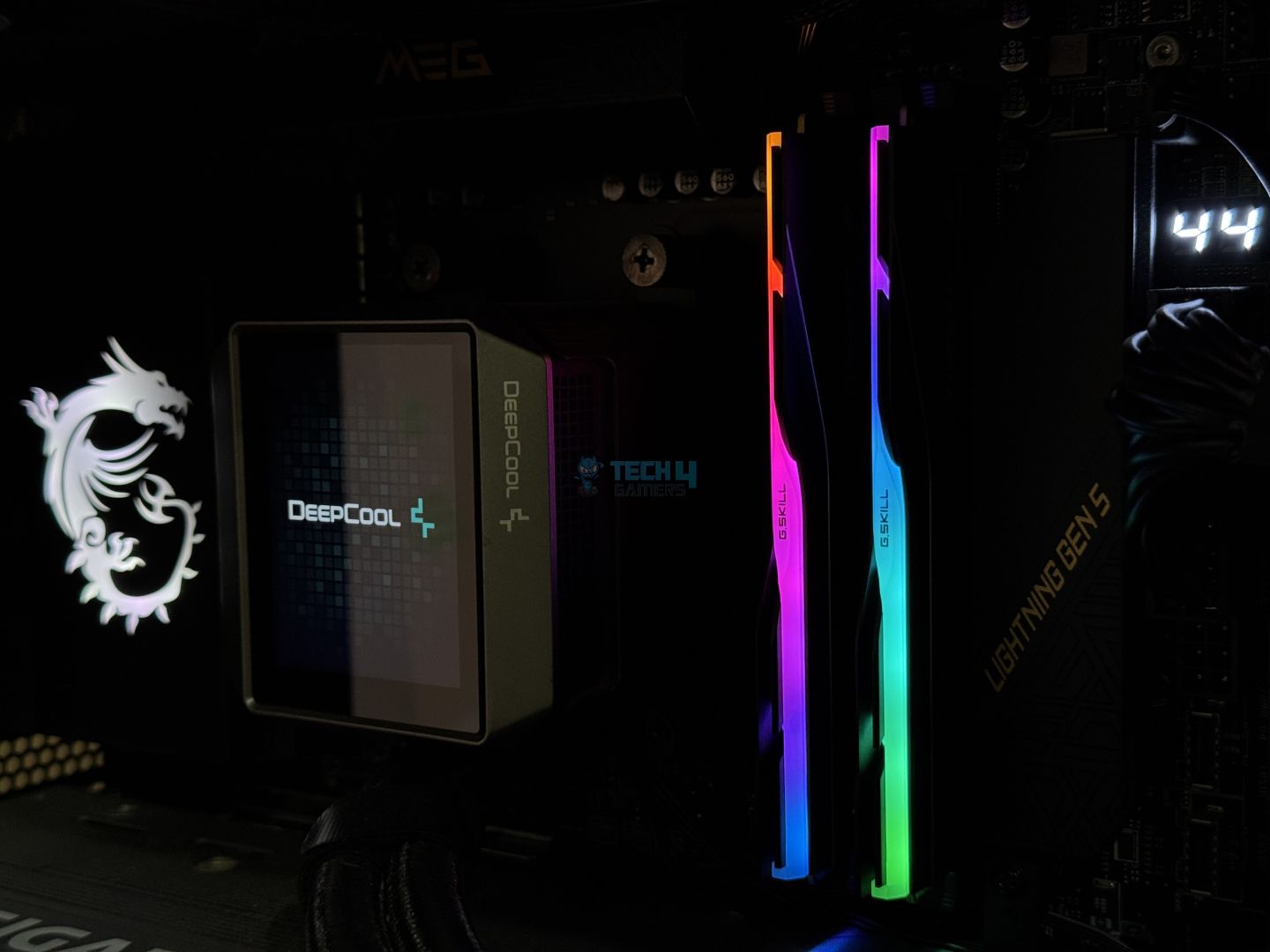
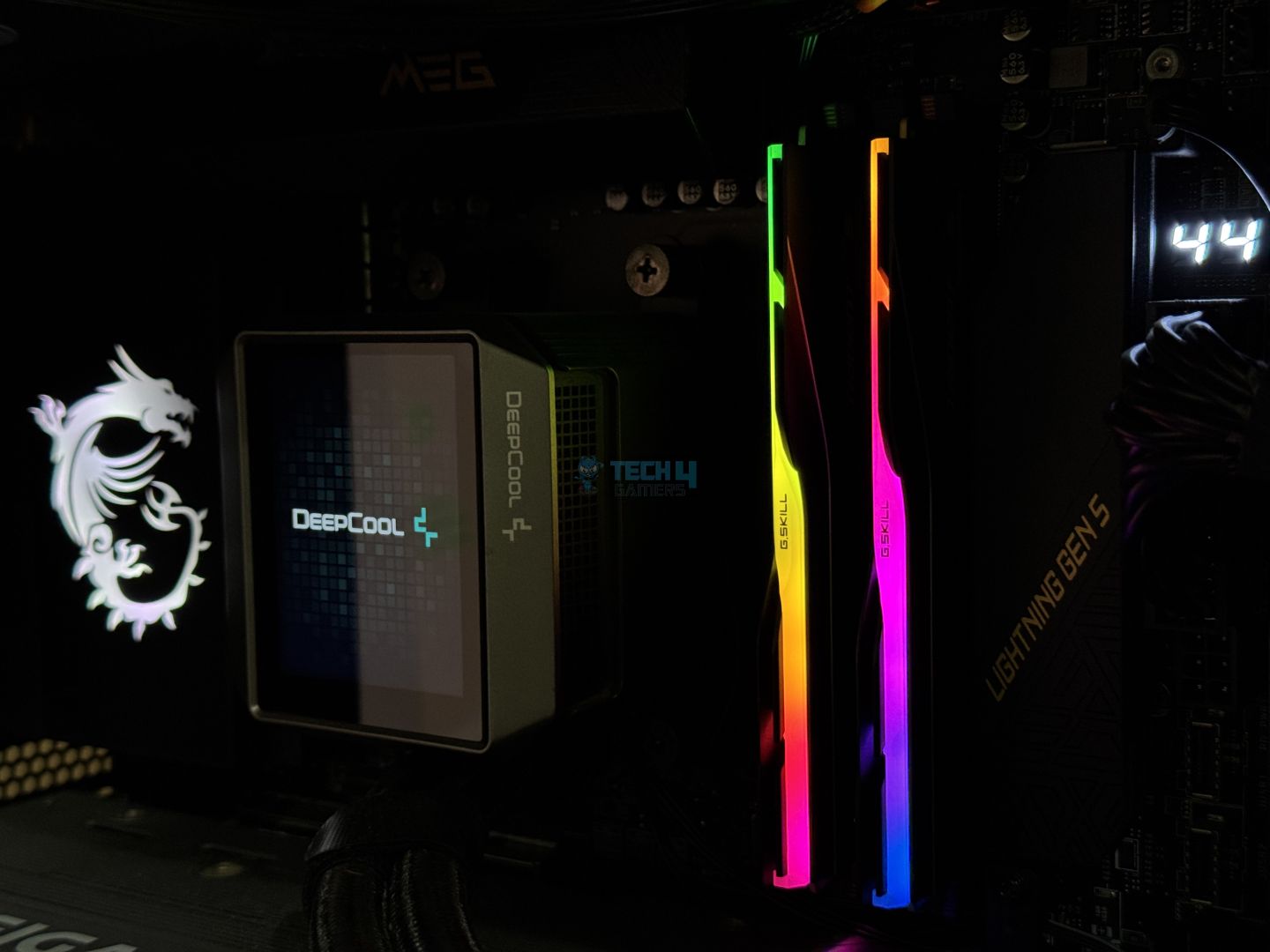
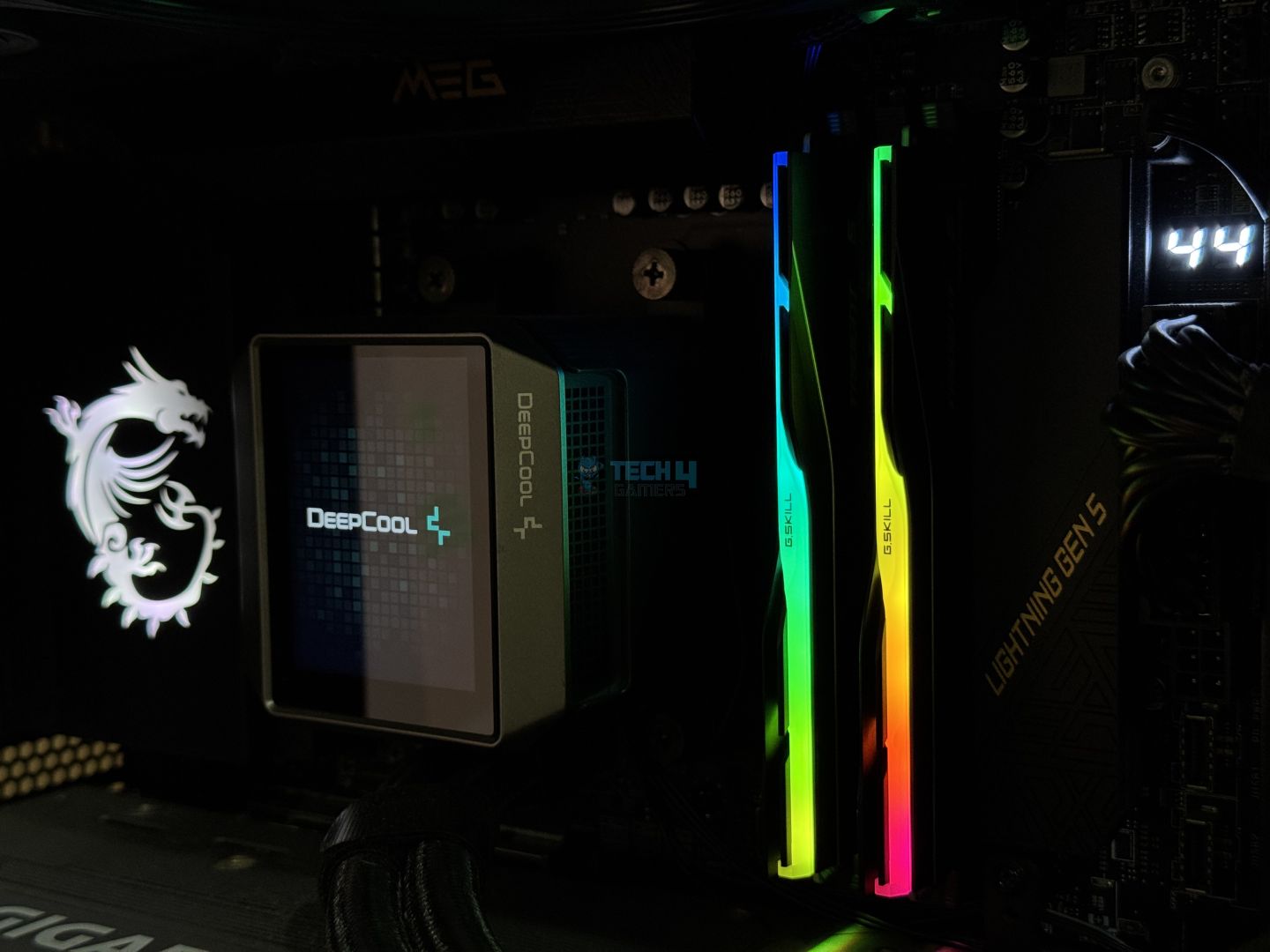
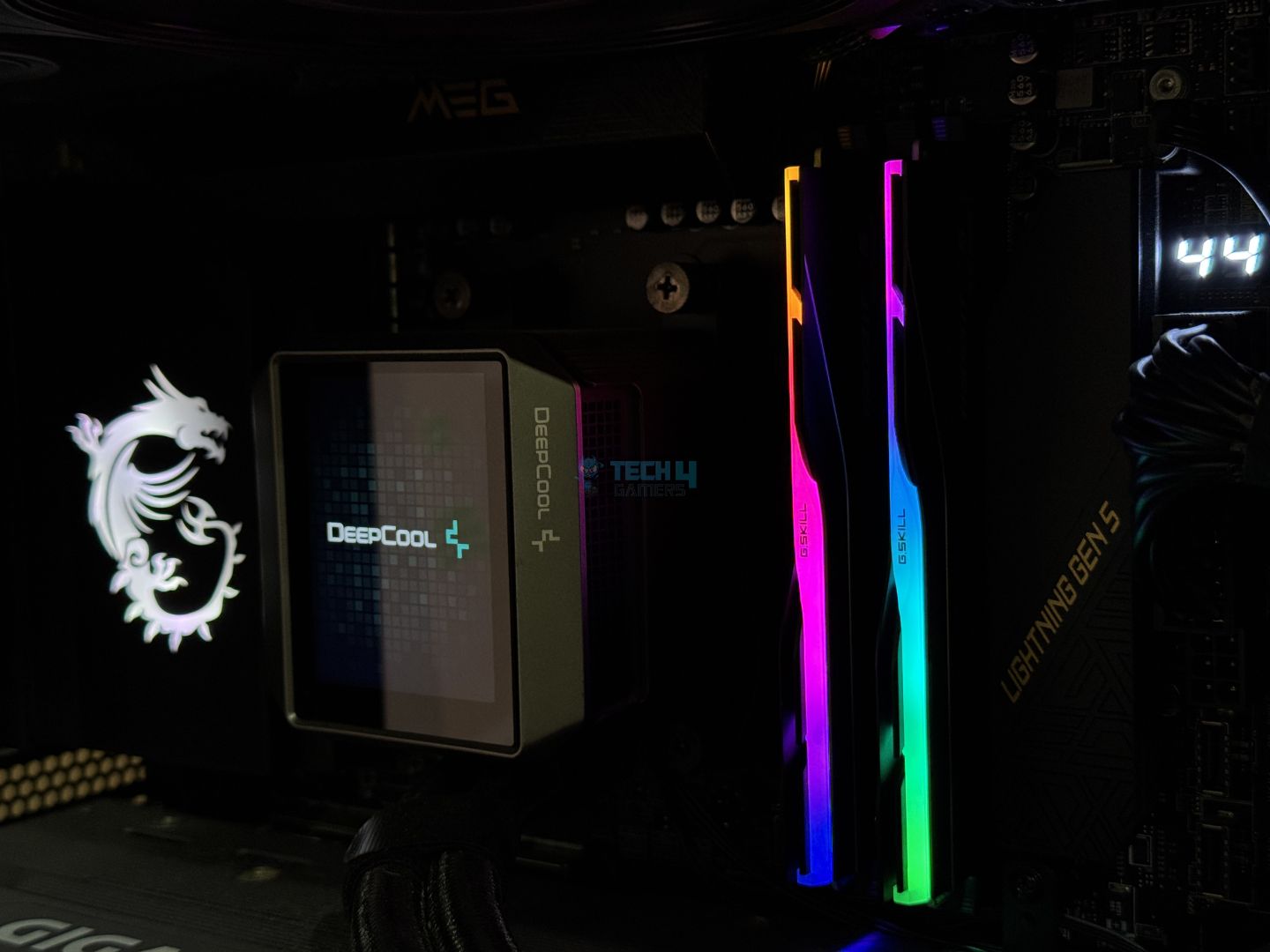
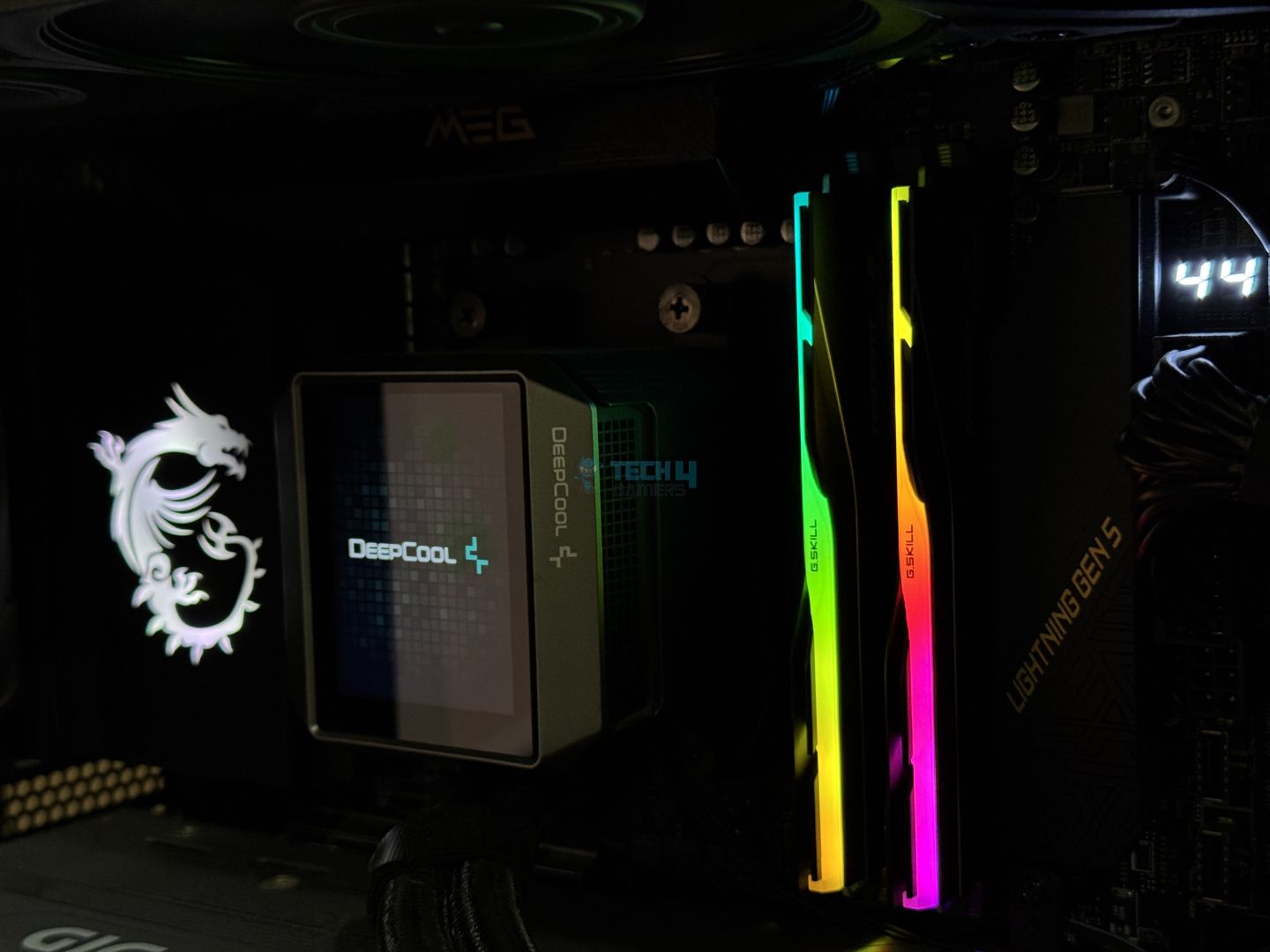
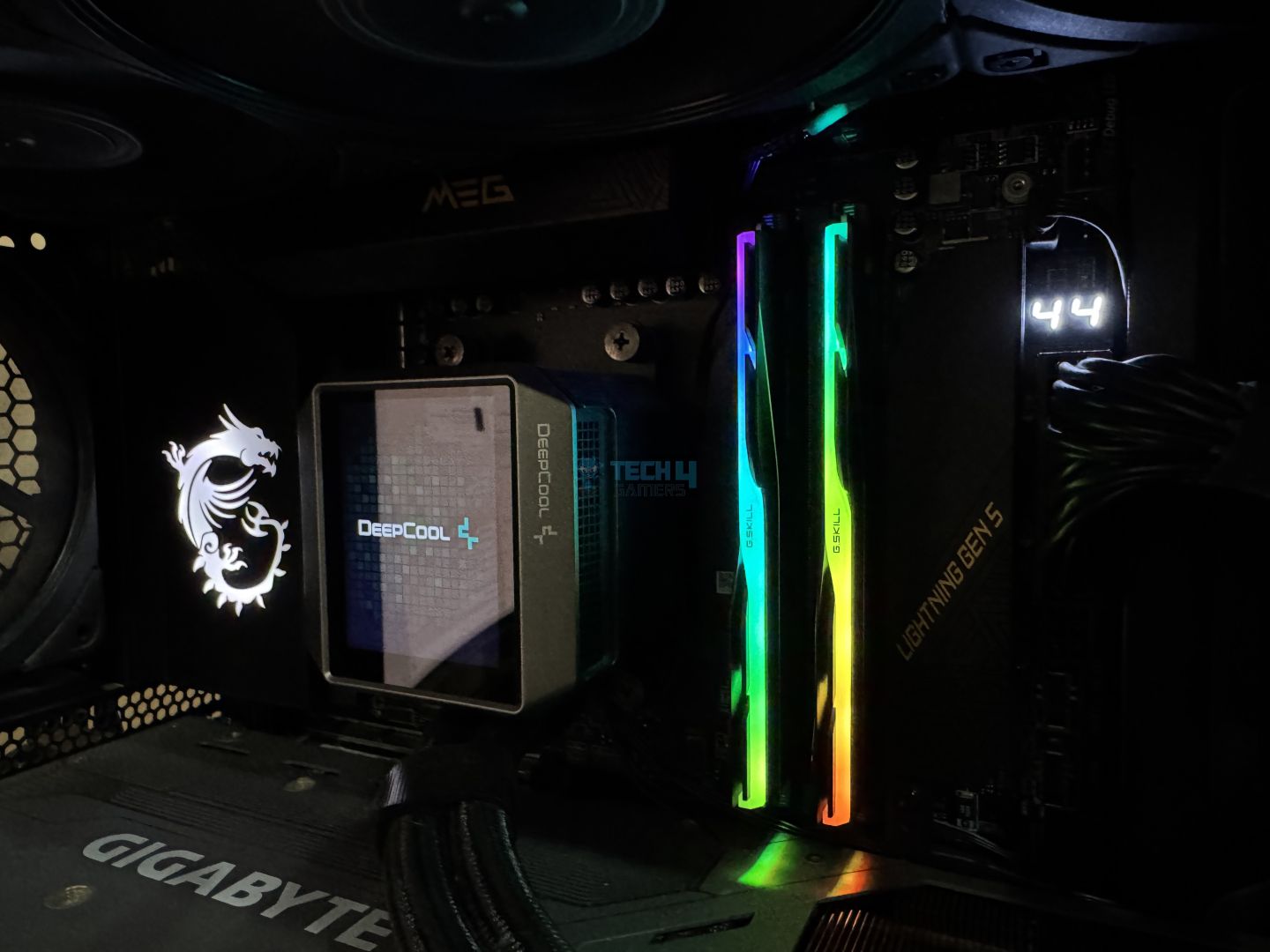
Here’s a gallery of some RGB goodness. The kit’s lighting looks fantastic, and we had no problems controlling it through MSI’s Mystic Light software on our test bench.
We used Cinebench R23 and the AIDA64 suite for testing. Here is a look at the CPU-Z configuration for our setup:
CPU-Z (Image by Tech4Gamers)
Let’s take a look at the ZenTimings menu.
Memory timings via ZenTimings (Image by Tech4Gamers)
We successfully ran our kit at 3200 MHz (DDR5-6400) while maintaining the 1:1 ratio between MCLK and UCLK. Also, we pushed the Infinity Fabric clock (FCLK) to 2133 MHz, marking that sweet spot 2:3 ratio of FCLK to MCLK and UCLK.
Test Results
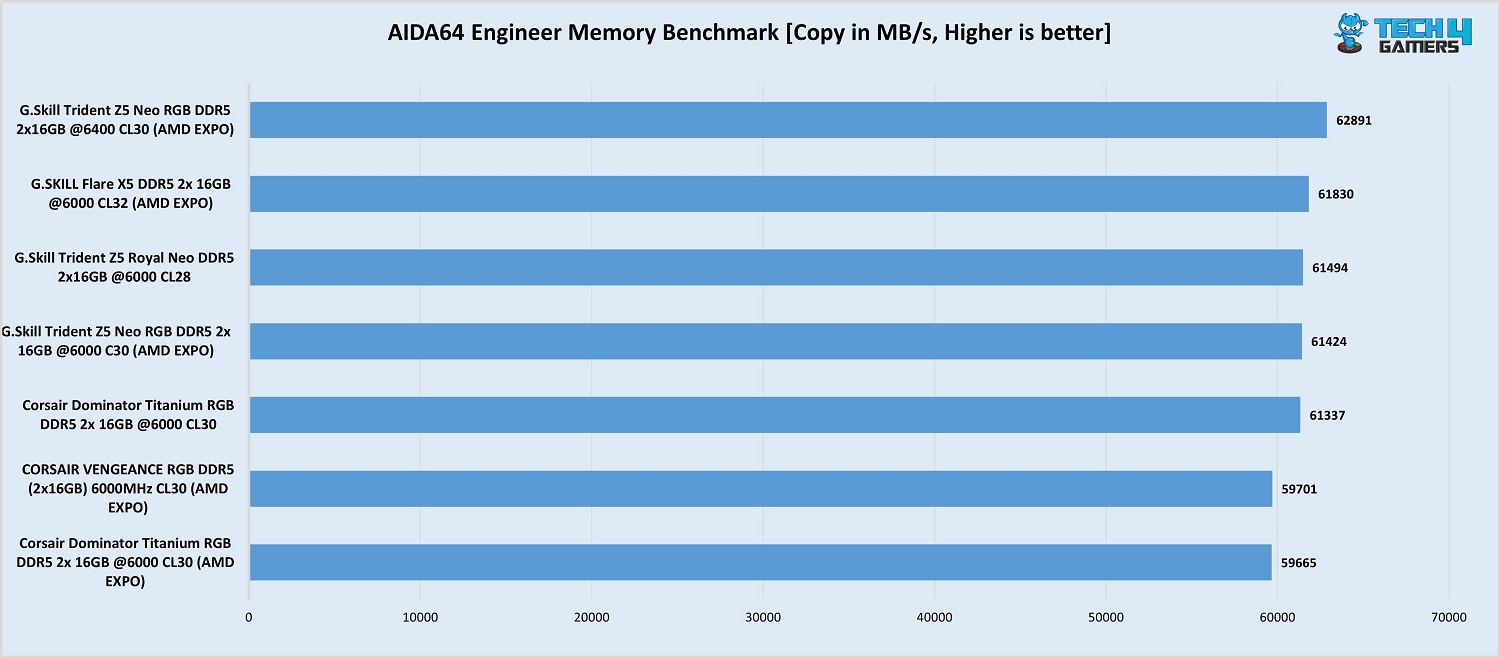
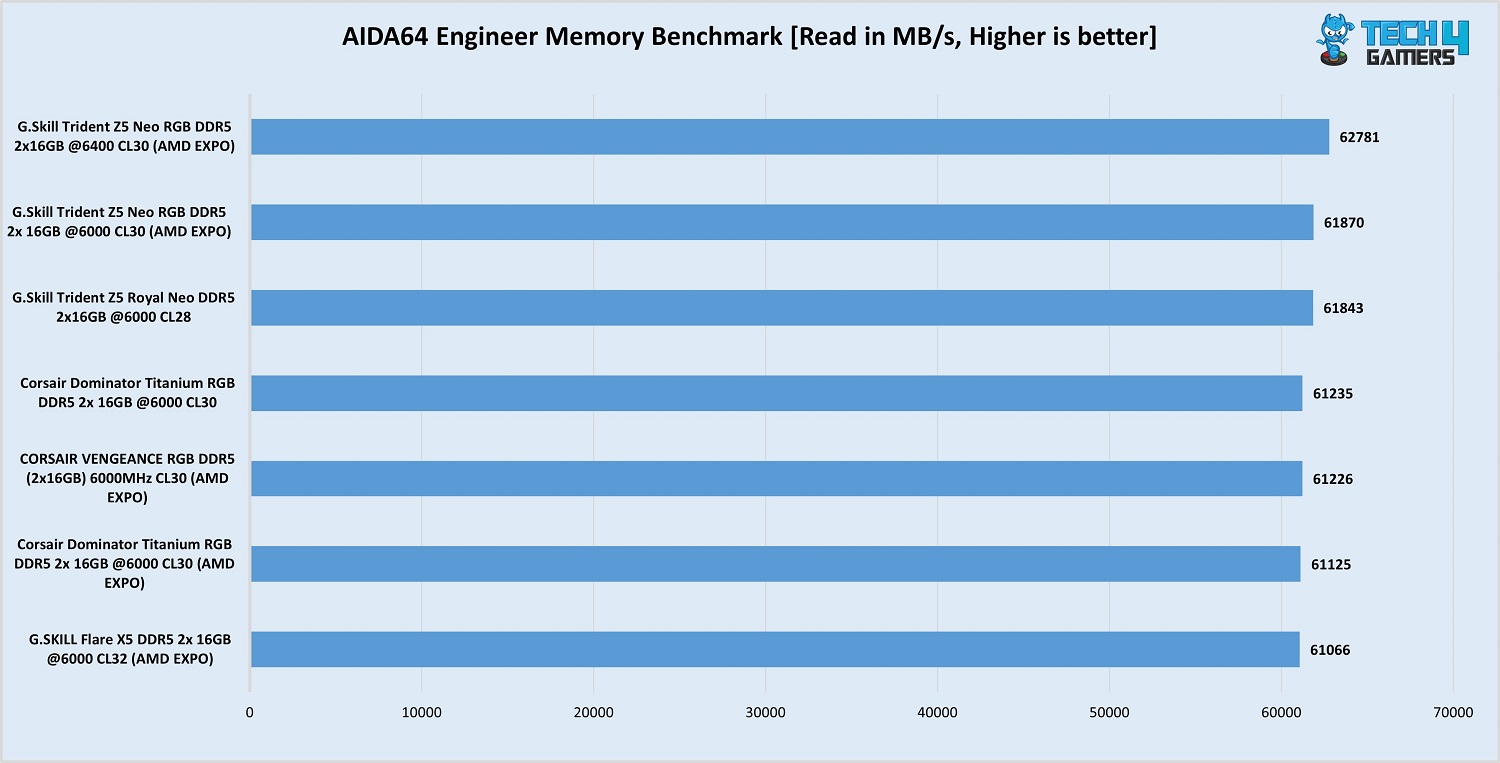
Let’s get into the test results. We have compared this kit’s performance to the following other kit to get the best idea of its performance:
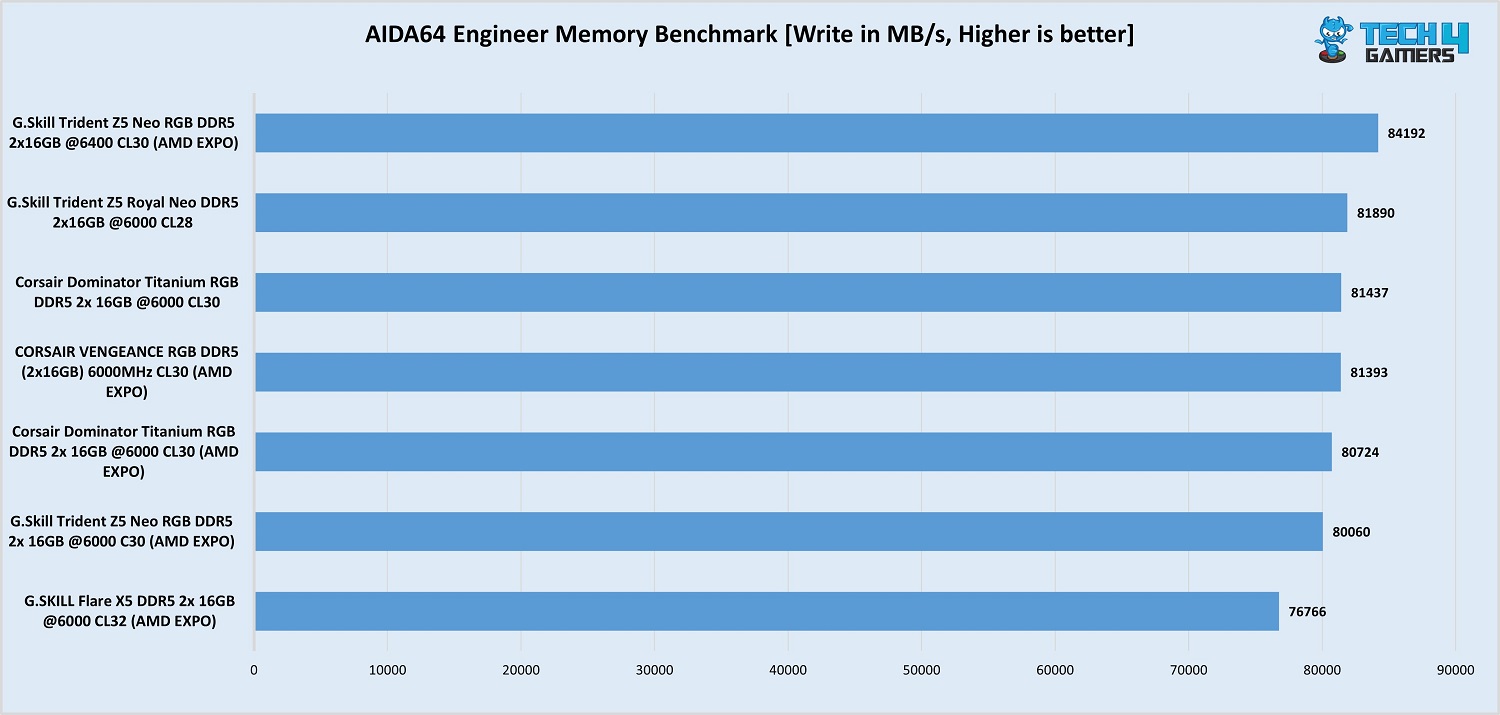
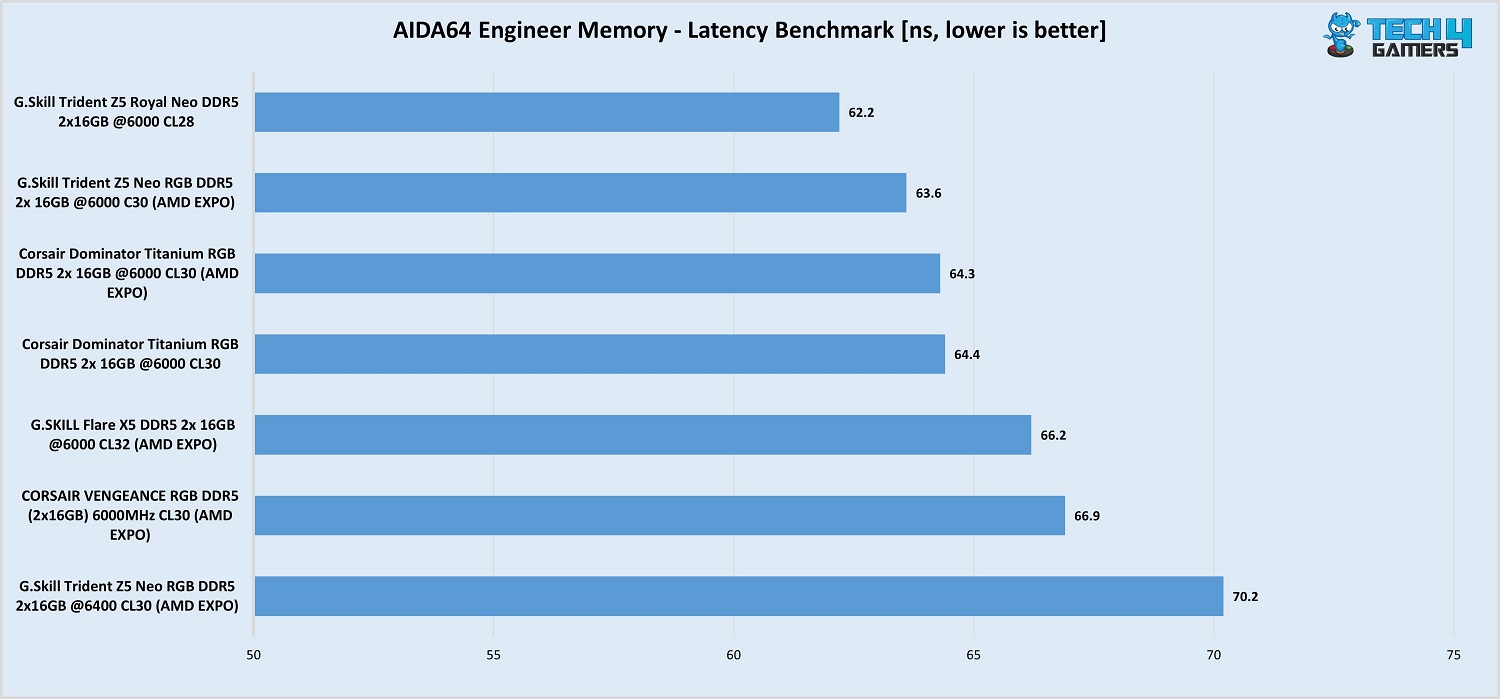
Our Trident Z5 Neo RGB DDR5-6400 kit stood out in read, write, and copy operations, beating all competitors in our list. However, the memory latency test proved problematic; it was the slowest of the bunch, at 70.2 nanoseconds.
Of course, there is plenty of room to obtain better memory latency through some manual tunings, like increasing the tREFI and using power-down mode. However, we decided to stick with stock settings to determine how this stick performs with only its EXPO profile.
Cinebench R23.200 CPU multi-core test (Image by Tech4Gamers)
Our CPU is also top-scored in the Cinbench R23.200 multi-threaded benchmark, albeit by a very narrow margin.
Overall, the performance numbers are great and up to the mark, but this kit did fall behind the rest in latency numbers, despite us hitting ideal clock settings.
Should You Buy It?
Let’s conclude.
Buy It If:
✅ You want fast memory for Ryzen 9000: If you want the best memory speeds for your Ryzen 9000 CPU without needing to tune anything manually, this is the kit for you.
✅ RGB is a priority: If you like a memory kit that lights up, the G. Skill Trident Z5 Neo RGB kits offer some of the best implementations we’ve seen, with a dedicated light bar.
✅ You need RAM that won’t interfere with your CPU cooler: With its 42mm height, most air coolers should fit right in with the kit.
Don’t Buy It If:
❌ You’re running older Ryzen 7000 CPUs: Unless you’re running one of the X3D Ryzen 7000 CPUs, you’ll probably be better off with a DDR5-6000 kit, as the memory controller will most certainly run at half the frequency with this kit.
❌ You want the best out-of-the-box performance: Mushkin’s Redline Lumina and ST kits offer better timings at DDR5-6400 than this kit, at around the same price.
My Thoughts
The G.Skill Trident Z5 Neo RGB is an excellent kit, and there’s no doubt about it, as we’ve tested other kits out of this lineup before. For a Ryzen 9000 CPU, the kit should serve you well, as these CPUs are more likely to allow DDR5-6400 memory to run at a 1:1 ratio between MCLK and UCLK.
A little recap of the specifications, this kit operates at timings of 30-39-39-102 at a voltage of 1.40V (with its EXPO profile). At default, it runs at the JEDEC speed of 4800 MT/s at 1.10 volts.
The kit offers the same mix of solid black and matte black and an RGB light bar that looks fantastic when lit up. Aesthetically, the design stands out for us; it’s not too extravagant (like the G. Skill Trident Z5 Royal Neo kits) and not too simple (G. Skill Flare X5). This kit is also available in white.
Its intermediate height of 42mm should make it fit with most air coolers, though some big dogs, like the Noctua NH-D15 G2, won’t fit in their dual-fan configurations.
G.Skill is one of the first to offer DDR5-6400 kits to couple with the new Ryzen 9000 CPU, and the kit is priced at $119.99. That is $10 more than the G. Skill Trident Z5 Neo RGB DDR5-6000 (CL30) for a mild overclock. Competing kits are Mushkin’s Redline Lumina ($124.99) and G.Skill’s Trident Z5 Royal Neo ($149.99). The Redline Lumina has tighter timings than this kit for $5 more.
As Tech4Gamers’ Founder and Editor-in-Chief, I bring over 13 years of PC Hardware Reviewing and 8+ years of IT Project Management experience. Certified in Google IT Support , my focus is on providing honest product reviews and analysis and fostering a strong gaming community with 130k+ members in PPG.
Huzaifa Haroon
Being a keyboard enthusiast, I specialize in reviewing, modding, and critiquing them for the people. If you’re a Razer fanboy, my only goal is to convert you to the dark side 😈.
Epomaker is no stranger when it comes to dabbling into the eccentricities of the keyboard hobby. They’ve come a long way from the early days of offering generic GK61 OEM rebrands. Over time, they’ve evolved into more of a distributor for niche brands like Aula and Akko, bringing their products to a broader Western audience.
This time, though, we’re looking at one of Epomaker’s own creations: the Shadow X. Initially released in a black colorway and now available in multiple different configs, it’s been a top seller for some time. It’s a unique keyboard with a lot to offer, but does it nail the fundamentals? Let’s dive in and find out.
Why Trust Tech4Gamers
Huzaifa Haroon is our keyboard expert with years of experience in building and testing custom keyboards.
130+ peripherals tested and reviewed by our team of hardware experts (Tech4Gamers Team).
500+ hours spent testing different peripherals for our reviews.
At Tech4Gamers, ensuring you get reliable information is our priority. That’s why every hardware round-up undergoes a meticulous review process by our team of experts and editors. Each review is carefully examined against our strict editorial guidelines, guaranteeing you trustworthy insights you can depend on.
Key Takeaways
Epomaker Shadow X is a great budget keyboard that ticks all the boxes and then some while coming in at an affordable price.
Buy it if you want a thocky, well-built keyboard that genuinely sounds great out of the box.
Avoid it if you’re looking for a more traditional layout that uses its space better and prefers a volume knob.
Here are the key specs:
Specification
Details
Model
EPOMAKER Shadow-X
Number of keys
70 keys + 1 knob
Connectivity
Wireless and wired
Battery
3000mAh
Structure
Gasket-mounted
LED Direction
South-facing LED
Keycap Profile
SA-like profile / Cherry profile
Keycaps
Double-shot PBT material
Plate material
PC
Hot-swappable
Yes
Bottom layer
Silicon pad
Sandwich layer
Poron foam, IXPE switch pad
Compatible system
Win/macOS/Linux/Android/iOS
Dimension
370.4 x 129.8 x 47.8 mm
Weight
Around 0.8kg
[toc]
What Makes the Shadow X Different?
While there are a lot of nice prebuilts out now with deep, thocky sound signatures, none of them ace all the aspects of a good keyboard while carrying two gimmicks—one of which ends up serving as more of a useful tool.
Epomaker Shadow X is built well, sounds good, feels fantastic if you’re into tactiles, has solid software support and, above all, has perfect stabilizers out of the box. All that with a screen that can play silly GIFs while helping you control the RGB easily, and an entire knob to switch connections, what more could you ask for?
Unboxing Experience
The Epomaker Shadow X comes in a fairly ordinary but nonetheless clean cardboard box with ample branding all around. There are some product specs at the back, a large illustration of the keyboard upfront, and some pull tabs at the bottom for opening.
Epomaker Shadow X has a simple box (Image by T4G)
Once inside, we find the keyboard wrapped in plastic, with no dust cover included. There’s a manual underneath and accessories up top, which include some extra accent keycaps in yellow to break the monotony of black and grey.
Here’s everything included in the box:
1x Epomaker Shadow X
1x Manual
1x USB Type-C cable
1x Keycap/Switch Puller
3x Extra Switches
7x Extra Accent Keycaps
Epomaker includes some nice additions with the Shadow X (Image by T4G)
Design & Build
While you don’t usually expect the design or build quality to be subpar in this price range, you don’t expect it to be outstanding either. The Epomaker Shadow X breaks both those rules. At first glance, it easily fools anyone as an aluminum keyboard thanks to the annodized-esque finish of its top case.
Epomaker Shadow X from the front (Image by T4G)
This gives the board a two-tone look since the bottom case is a less exciting black plastic that ends up accentuating the boring box-on-wedge side profile. It does blend in well with the sleek design of the board, more so than other boards like the Record Alice, so I can’t fault it too much.
Epomaker Shadow X has a standard box-on-wedge side profile (Image by T4G)
The board feels heavier than its contemporaries like the Aula F75 and F87 Pro but it does have a tad bit more case flex than them. There’s no creaking, though, despite the large top and bottom bezels. If you look beyond those, you’ll find the USB dongle neatly tucked inside a dedicated cutout under the USB port, which makes it harder to lose.
There’s a convenient spot to store the dongle (Image by T4G)
Up front, we see a neutral black and grey color scheme on an interesting layout that includes the arrow keys and nav cluster but ditches the function row. There’s also a knob in the top-right corner, but it’s not a rotatory encoder, rather just a fancy 5-step switch for changing between connection modes.
The “knob” is actually not a knob (Image by T4G)
It does not click in, nor can it be reprogrammed to do anything else. Nevertheless, it’s made out of metal, and the clicks are deeply satisfying. Looking toward the left, there’s a bunch of LEDs for Caps Lock, Win key lock, and the 2.4 GHz wireless connection — all of whom are strangely dim for some reason.
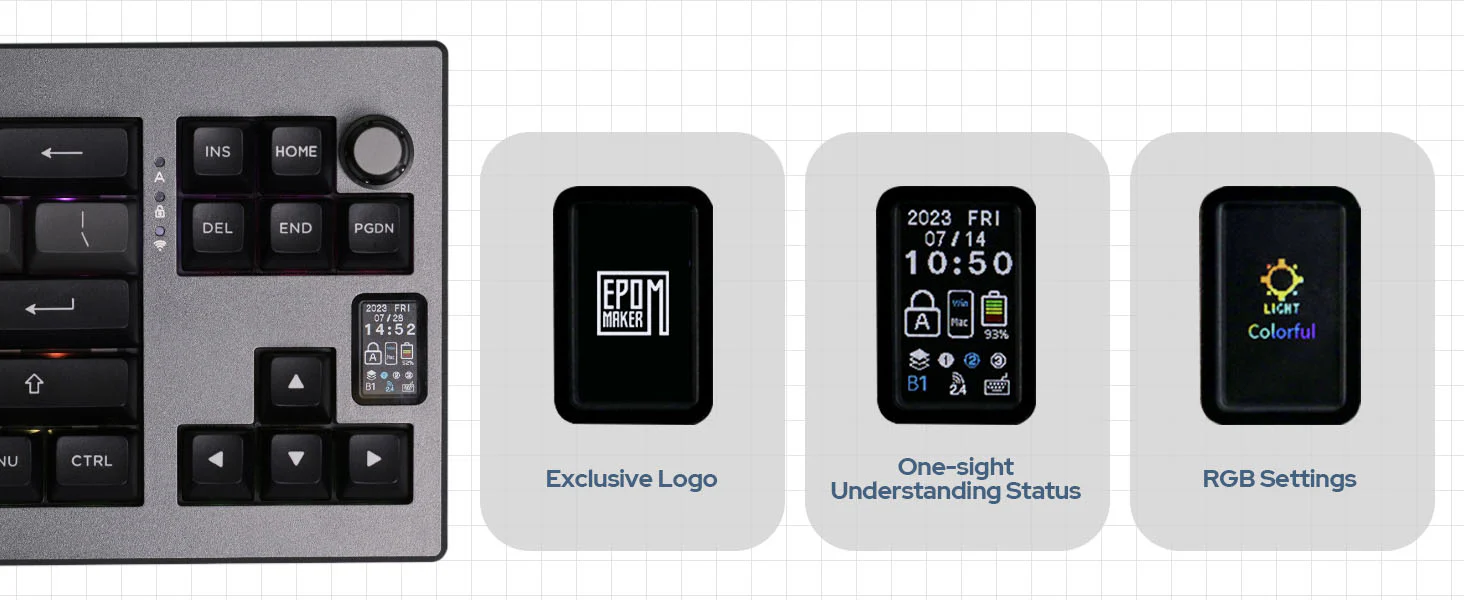
Right below that, we see a screen, and it looks like the same one found in the GMK87, just turned vertical. It’s infinitely more useful here, as Epomaker has baked in all of the lighting controls onboard. Imagine you’re playing a fullscreen game and want to check the time. Just glance at the screen, and you’re good. More on this in the software section.
Epomaker Shadow X has a screen that’s not a gimmick (Image by T4G)
Overall, from the unique layout to the premium build quality and a clean aesthetic, the Epomaker Shadow X certainly leaves a strong first impression, perhaps even the strongest in this category.
Layout & Features
The Epomaker Shadow X is a wireless gasket-mounted mechanical keyboard with a 70% layout. Unlike a standard TKL, the Shadow X lacks the function row, making this an FRL TKL, a highly coveted layout in the hobby most recently donned by the Cycle7. In reality, though, this just ends up taking more space than it needs to.
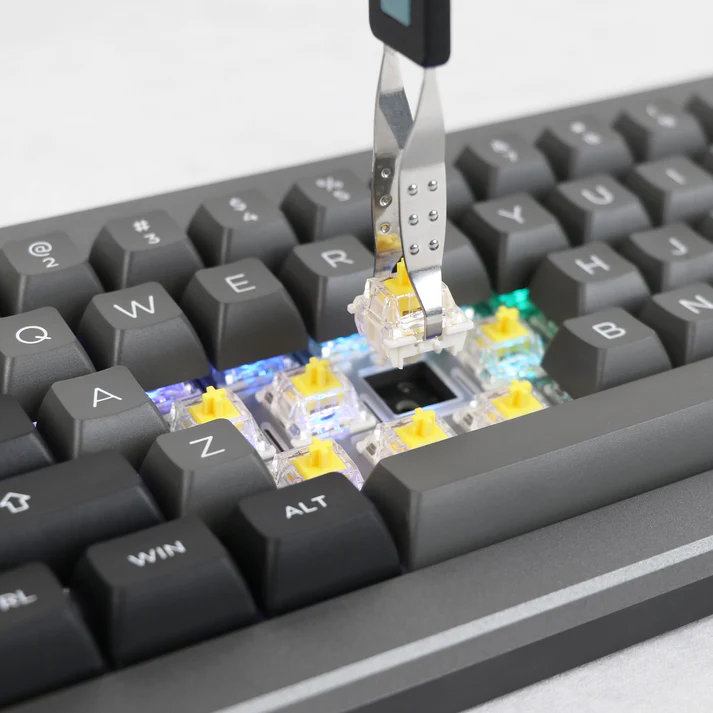
The board is fully hot-swap with 5-pin south-facing sockets that have per-key RGB. It comes with standard plate-mount stabs with support for screw-ins on the PCB. Speaking of which, the plate is made of polycarbonate and is filled with a ton of flex cuts, but thankfully, the PCB is not; it’s a standard 1.6mm thick design.
Epomaker Shadow X has a hotswab PCB | Epomaker
As mentioned above, the board also has a knob switch that’s an interesting addition but ultimately, a standard volume knob would’ve been far more useful. How many times are you changing connection modes? Not as often as you want to control your volume or play/pause media, that’s for sure.
The screen also makes me feel the same but I’m impartial to it since it doesn’t replace something better, it’s just there as an extra. And for that purpose, it’s a great accent piece that has bonus functionality. It took me some time to get used to the function key shortcuts to navigate the menus, but once you get the hang of it, it’s effortless.
What’s Inside?
Upon opening the keyboard, you see pretty barebone insides; the USB port is on a daughterboard and connects to the PCB with a ribbon cable, just like the battery. We also see that the gaskets are on the plate and not the PCB; they’re not made out of foam but somewhat stiff silicone.
The screen is directly connected to the PCB, so you don’t have to worry about any tethered cable ripping apart when taking off the top case. There are three layers of foam inside: plate foam, a PE foam sheet, and a siliconedampener at the bottom serving as case foam. I should mention that the board is very easy to take apart as well.
Epomaker Shadow X doesn’t have a whole lot going on under the hood (Image by T4G)
The Fundamentals
The Epomaker Shadow X is on the right track so far. A good, neutral, safe design with enough character and solid build quality to back that up. But a lot of manufacturers can do that, it’s what underneath that differentiates all these boards and it’s no surprise Aula’s dominance in this exact area is what has kept them at the top. So, does Epomaker deliver?
Keycaps
Epomaker has kitted out the board with doubleshotPBT keycaps in a profile they aptly call “SA-like. There’re also Cherry profile configs available on their site with different switches. The keycaps here are really nice; they’re thick, have sharp legends, no blemishes or warping and are comfortable to type on.
The keycaps are high-quality with a low-pitched sound (Image by T4G)
Compared to other doubleshot keycaps, they look and feel identical to Akko’s SA profile and given the two companies’ extensive history they might as well be coming from the same factory. I do wish the extra yellow accent keycaps they include had black text instead of white for improved eligibility.
Switches
There are a bunch of switches available to choose from, but this board, in its original black colourway, launched with the EpomakerBudgerigar switches, so that’s what we’ve got.
These are 55g tactile (that’s the initial actuation force) with a bottom out at 60g, so they’re on the heavier side, but that doesn’t make them sluggish. They feature a 47g double-stage spring that is snappy and nicely oiled from the factory. I was surprised to see that the entire stem is actually factory-lubed, given how tactile these feel.
The Budgerigar switch is a great tactile (Image by T4G)
Both the top and bottom housings are made from nylon, while the stem is a long pole and is made of POM. The tolerances are tight, leading to almost no stem wobble. These are fantastic tactile switches with absolutely no spring ping or any weird crunchiness; they also have consistent factory lubing across the board.
The sound is deep and thocky, it works well with the tall keycaps on top to create a low-pitched keyboard. I tried these in different boards and they sounded somewhat muted in most foamless configs, so Epomaker did right pairing it with a deep keyboard like the Shadow X.
Stabilizers
We see standard plate-mount stabilizers on the Epomaker Shadow X with support for screw-in stabs on the PCB. I found the stock stabs to be absolutely perfect out of the box. These might be the best plate-mount stabs I’ve heard in a prebuilt plastic board.
They match or sometimes even beat the Aula boards, which have been the gold standard for me previously. There’s no rattle or ticking in any stabilized key, and the factory lubing job is meticulous to the point you won’t ever need to touch them up. I even tried a GMK spacebar with an HMX Xinhai switch as a curveball, yet it still sounded great.
The plate-mount stabs are among the best, if not the best on the market (Image by T4G)
Connectivity & Performance
Epomaker Shadow X is a wireless keyboard with a single 3000mAh battery that Epomaker doesn’t claim any numbers on. It has support for both 2.4 GHz radio and Bluetooth. In my testing with the board at 100% running on the 2.4Ghz dongle with RGB on, it lasted a full day which would equate to 8-10 hours.
After recharging it, I’ve been using it without RGB for the past 3 days and the screen is showing 30% battery remaining. There were absolutely no lag or disconnection issues while playing wirelessly, but the latency is on the higher side for competitive gaming, so stick to the wired USB-C mode for that.
Typing Experience
Since the board is so easy to disassemble, we’ll be trying a modded config later on. Before that, here’s how the stock config sounds:
As you can hear, the board is very thocky, low-pitched and deep. It’s the perfect sound signature for newcomers to the hobby. I personally am no longer a fan of this kind of sound and these tactiles feel too heavy for me, but I can still appreciate this being so full-sounding. There’s absolutely no hollowness so the tall keycaps only help the sound.
Despite having a polycarbonate plate with flex cuts on all the alphas, the board is not bouncy at all. In fact, I’d hesitate to even call this soft. This is mainly due to the 1.6mm PCB and the silicone stuffed in the bottom that gives the board no room to flex. And I can’t end this section without shouting out those stabs; they’re once again perfect.
Editor`s Note
I ended up trying a modded build with HMX Hyacinth switches and GMK Metropolis switches, and it turned out awesome. The board adopts a more creamy and marbly sound, similar to Aula boards, when paired with linear and Cherry profile keycaps, but it’s not suitable for clacky builds.
– Huzaifa Haroon
The Software
Epomaker bundles its own proprietary software with the Shadow X, as there’s no VIA/QMK compatibility onboard. The software is easily downloadable from their site and has all the basic features you’d expect. There is macro recording, function layer adjustments, key remapping, lighting controls and even a “Share” tab for user-uploaded GIFs.
I’d say it’s a tier above the software for Lucky65, but you’re still quickly humbled when you have to wait 2-3 minutes for your GIF to upload on the screen. There is an account tab as well, but you’re not required to sign in until and unless you want to share your own GIFs with the world and have them show up for other users to download.
Screen Overview
I really appreciate what Epomaker has done with the screen here. You can easily upload any GIF you want in the software, it even shows you all the frames broken down with further settings like frame delay. You can preview any animation within the software before uploading it which is a great add-on.
Before all that, by default, you see a homepage with a lot of useful info at quick glance like the battery level, what connection you’re using, what function layer you’re on, whether you have Mac or Windows keys enabled and even a Caps Lock indicator.
You can do a lot with the Shadow X’s screen | Epomaker
The day, date and time needs to be synced from the Epomaker software, just like any pictures or GIFs you need to show on the screen. There’s a total of 6 you can set and cycle through at a time using Fn+Menu+PgDn, and it’s saved to the board. The animations play at a smooth frame rate and the resolution is actually, surprisingly decent.
All the text is sharp, eligible and there’s no fringing or weird colors off-axis. It’s bright enough to use even under a monitor light bar. No need to pick up your phone to check the time anymore.
As for the RGB controls, you can press Fn+Menu+Enter to bring them up. There’re options for brightness, color, speed, and what mode you’re on. You cycle through these by pressing left or right arrow while holding Fn+Menu, and press Enter to select, then use the arrows again to, for instance, choose cyan color for the Raindrop effect.
If this all feels like a lot to you, you can still control the RGB directly with standard Fn key combinations or in the software, which also has per-key RGB control and fan-made RGB profiles/animations. These GIFs are abundant in quantity, and you’re bound to find one you like quickly, they also upload very quickly on the screen.
Should You Buy It?
Buy It If
✅You want a screen on your keyboard that’s more than just a gimmick or a simple aesthetic addition.
✅Design and build quality are important to you, and you’ll appreciate owning a keyboard with a bit of character.
✅You like thocky-sounding keyboards with no compromises and perfect stabilizers out of the box.
Don’t Buy It If
❌You want a compact layout that makes efficient use of its space, and you cannot make do without function keys.
❌A knob is a must for you and the somewhat gimmicky knob switch is not going to cut it.
❌QMK/VIA compatibility is a deal-breaker and you don’t want to bother with unintuitive Chinese keyboard software.
The Epomaker Shadow X is a solid keyboard all around
My Thoughts
The Epomaker Shadow X is an amazing budget keyboard that doesn’t cut corners to achieve its goal of being a great value. I got this board on sale and even without the discount, I’d happily recommend this to anyone who wants a slightly more unique keyboard compared to the Aulas of the world.
Don’t get me wrong, they’re great too, but this board does just a bit more with its screen, and the sleek design helps a lot. Some people might not be a fan of those chunky bezels, but I don’t mind them at all. There’s not a single glaring flaw here except maybe the average software experience, but even then, nothing else really comes close.
As a Hardware Expert at Tech4Gamers, I blend my Computer Science expertise with a love for technology. Through comprehensive reviews and comparisons, I guide our audience in making informed tech decisions.
Arsalan Shakil
As a Hardware Expert at Tech4Gamers, I bring my decade-long expertise in electronics design, embedded solutions, and prototyping. My knack for exposing misconceptions in the tech world finds a perfect outlet here.
Power Supplies were no fun back in the day, and with the pace at which the rest of the PC components & peripherals were getting all the modern updates and features, we hardly saw any brand wanting to show their cool tech ideas for power supplies specifically. This is one of the reasons we still have very few brands, especially OEMs, in the PSU business.
Knock knock! “Who’s there?”
PSU, “PSU who?”
PSU with the latest ATX 3.X specifications along with 12VHPWR connector.
“Hey! Come on in. We have been waiting for you for so long”
New ATX 3.X specifications proved to be a kind of special milkshake that finally started to bring all the PSU boys (brands & OEMs) to the yard! I know this is more of a silly joke, but believe me, I have not seen this much activity, energy, and willingness in brands and even the brands/OEMs we had not heard of before; all of a sudden every one of them dialed in their R&D to 11 and have started manufacturing 80 Plus Platinum rated PSUs!
Gamemax has long been in the ATX PSU business, and if I have to be honest, it really didn’t get that much traction because of its mediocre PSUs. But for the past couple of years, Gamemax has been pumping out some decent PSUs with 80 Plus Gold certifications.
This time around, Gamemax wants to show its real capabilities with even more challenging specifications set out by Intel for today’s insanely high power-demanding CPUs & GPUs combined, which demand upto 2x the rated power from the PSU! For that, Gamemax has launched two PSU lineups: Gamemax RGB-Smart and Gamemax GX Rampage, both of which are the latest ATX 3.X (3.0 & 3.1) and PCIe 5.X (5.0 & 5.1) compliant PSUs.
Why Trust Tech4Gamers
Arsalan Shakil is our power supplies expert who loves to put the latest PSUs through their paces and even take them apart.
20+ PSUs tested and reviewed by our team of hardware experts (Tech4Gamers Team).
180+ hours spent testing different power supplies for our reviews.
At Tech4Gamers, ensuring you get reliable information is our priority. That’s why every hardware round-up undergoes a meticulous review process by our team of experts and editors. Each review is carefully examined against our strict editorial guidelines, guaranteeing you trustworthy insights you can depend on.
Key Takeaways
The Gamemax GX Rampage 1050W Platinum PSU delivers reliable power and efficiency, with quiet cooling and strong performance under load.
You should buy the GX Rampage 1050W if your main priority is top-notch efficiency without a high noise output.
The only reason to skip the GX Rampage 1050W Platinum is if you want a hybrid-fan mode.
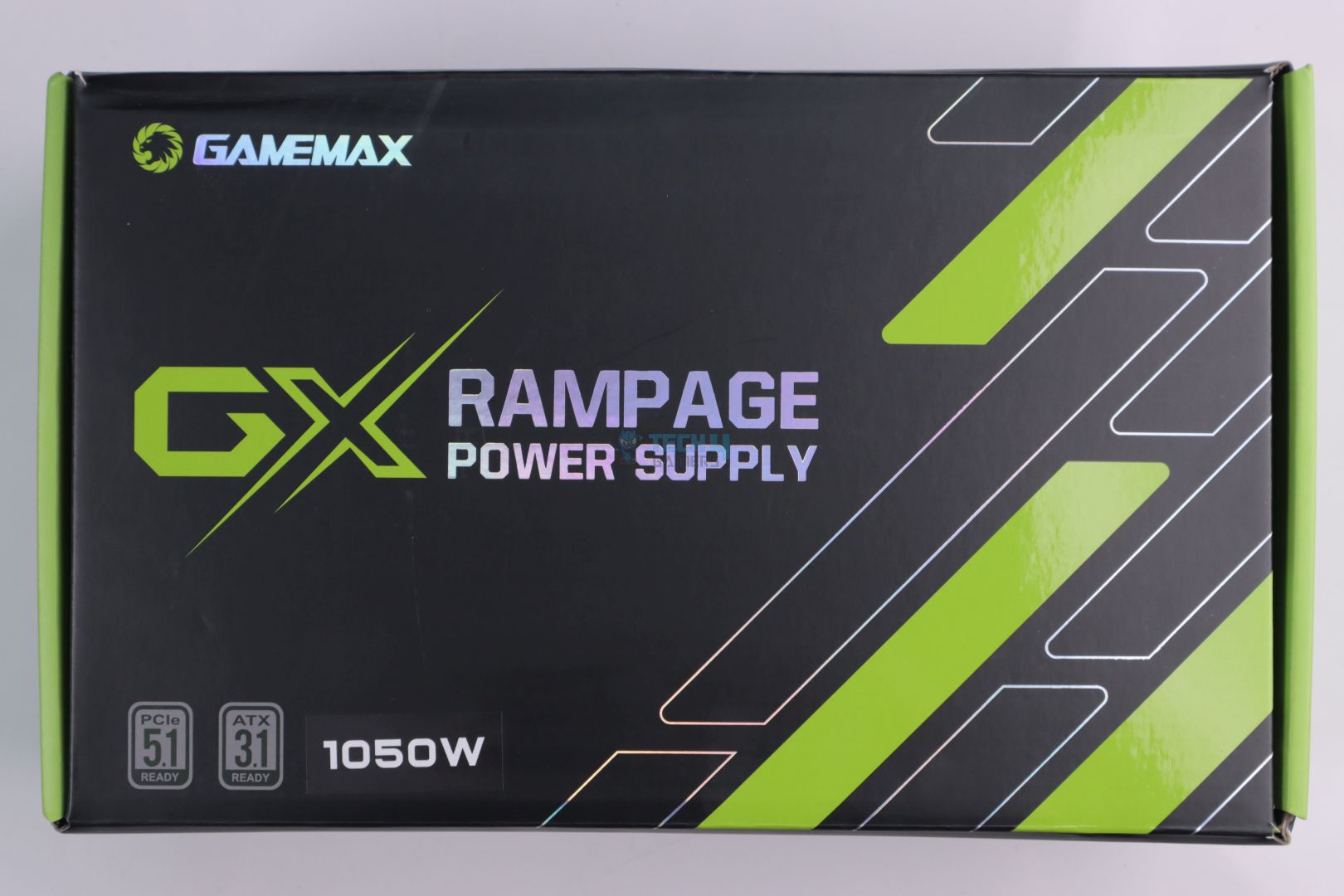
I love the packaging. The green-black theme is one of my favorites, and it definitely adds a touch of aggression. There is no PSU picture at the box and very minimal branding, unlike some other manufacturers that paste a logo for every little feature at the front.
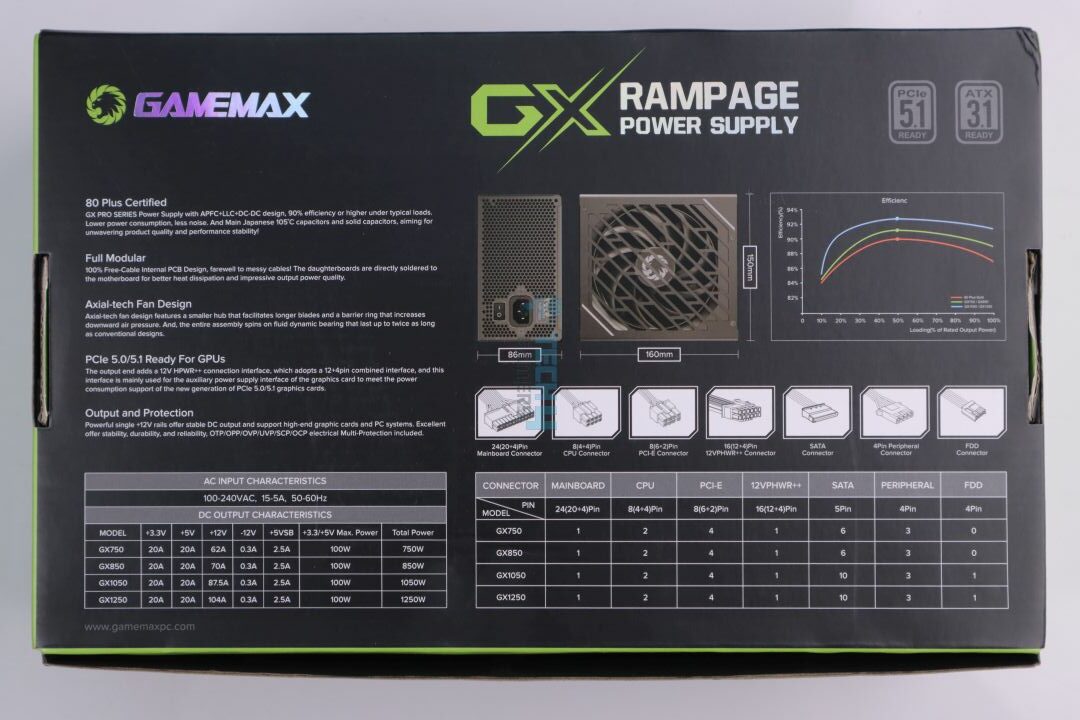
The back of the box has all the details about the PSU, including its power specs, dimensions, connector info, and more.
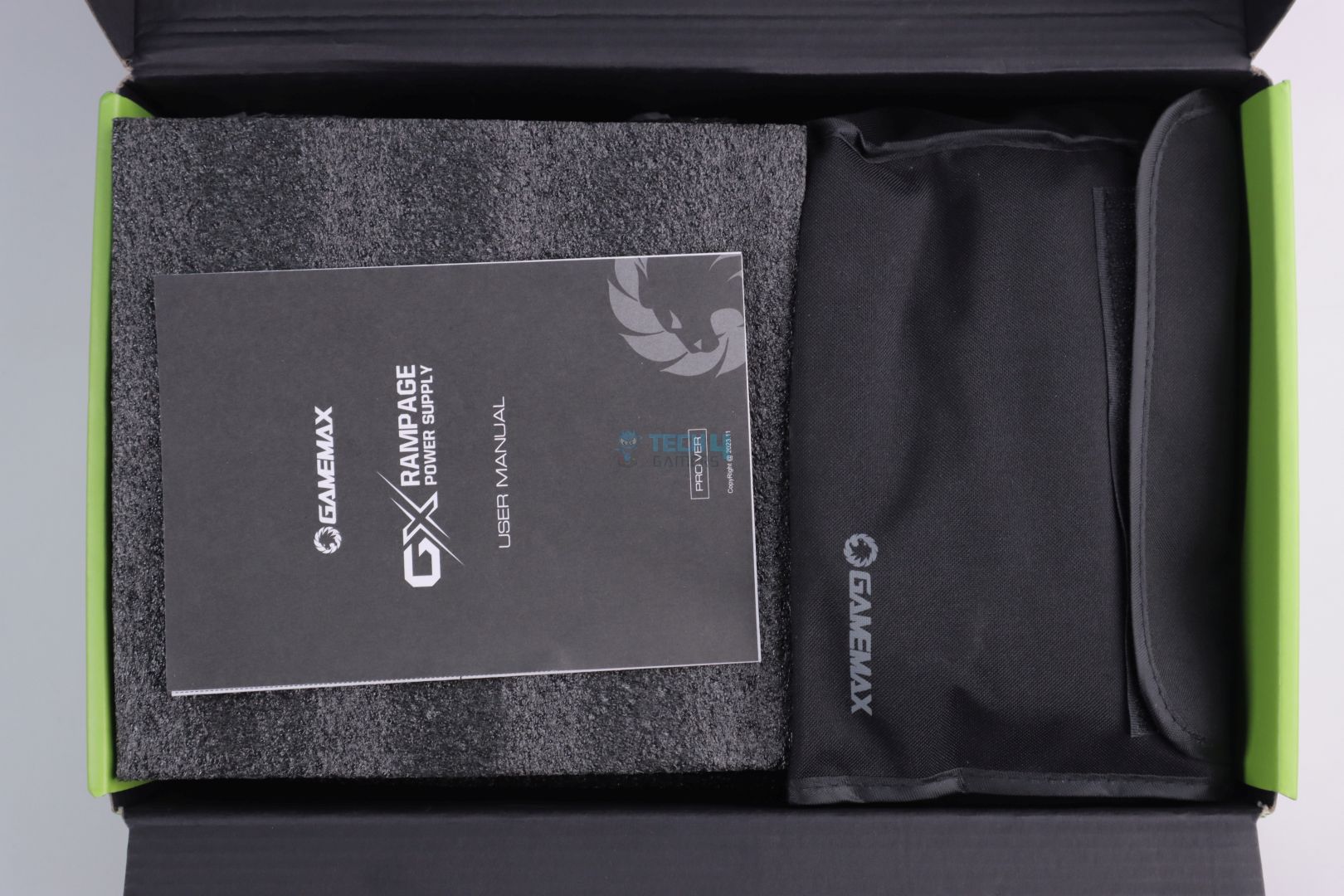
Box Open
Box Open
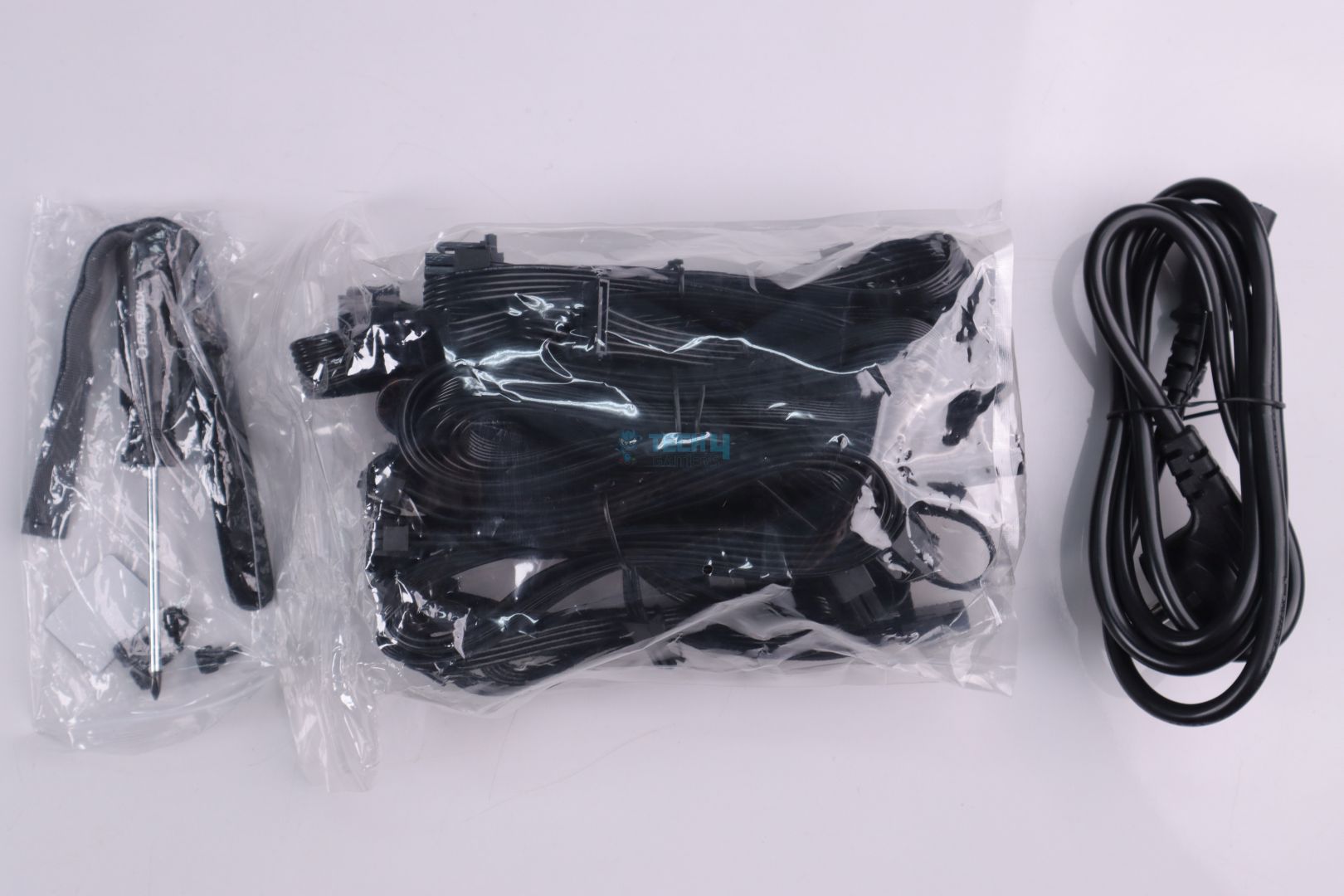
Opening the box, you’re greeted with a user manual. The PSU comes in protective foam, while the cables have their own pouch. So far, Gamemax is on point with the packaging.
Design
PSU Front
PSU Power Connector
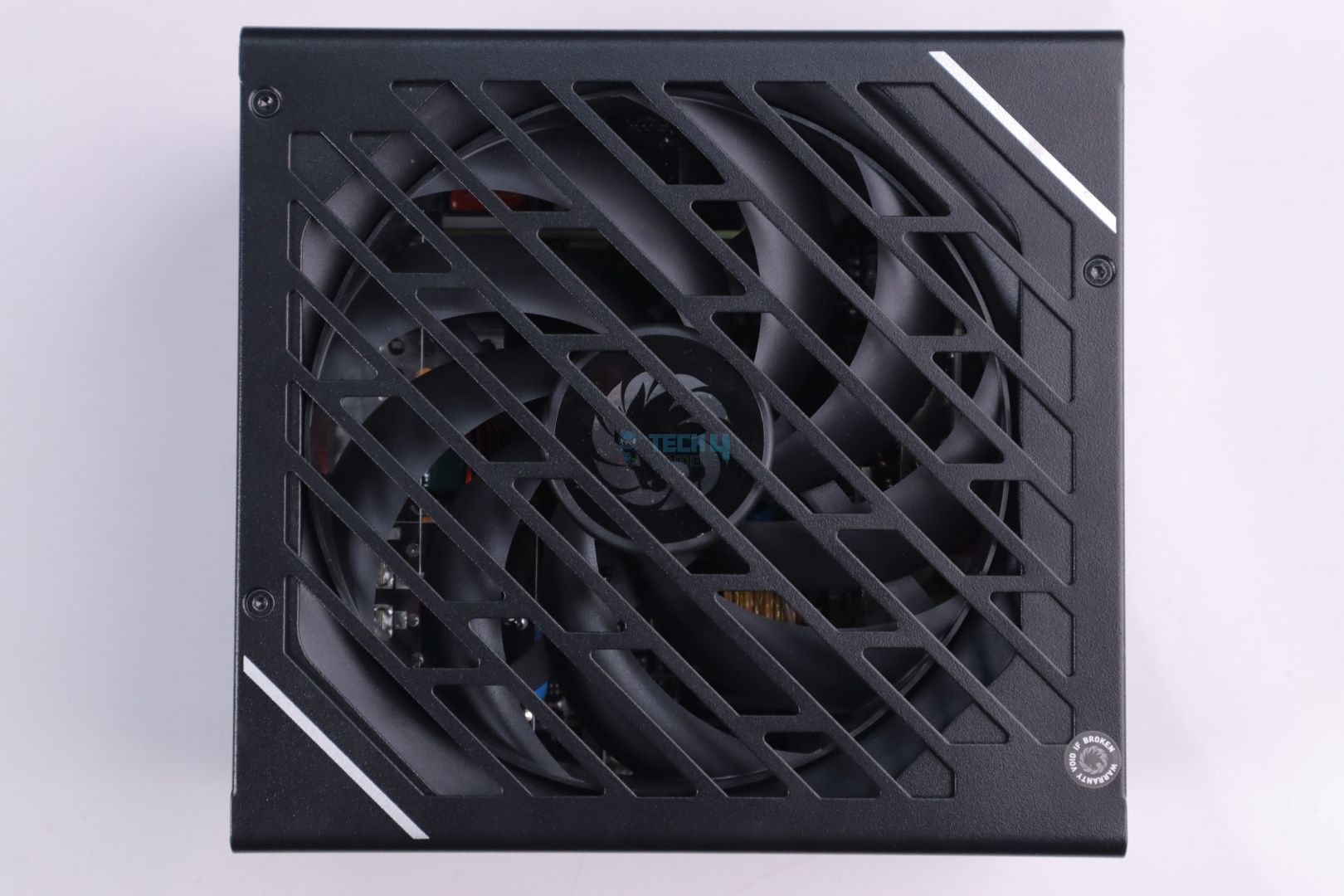
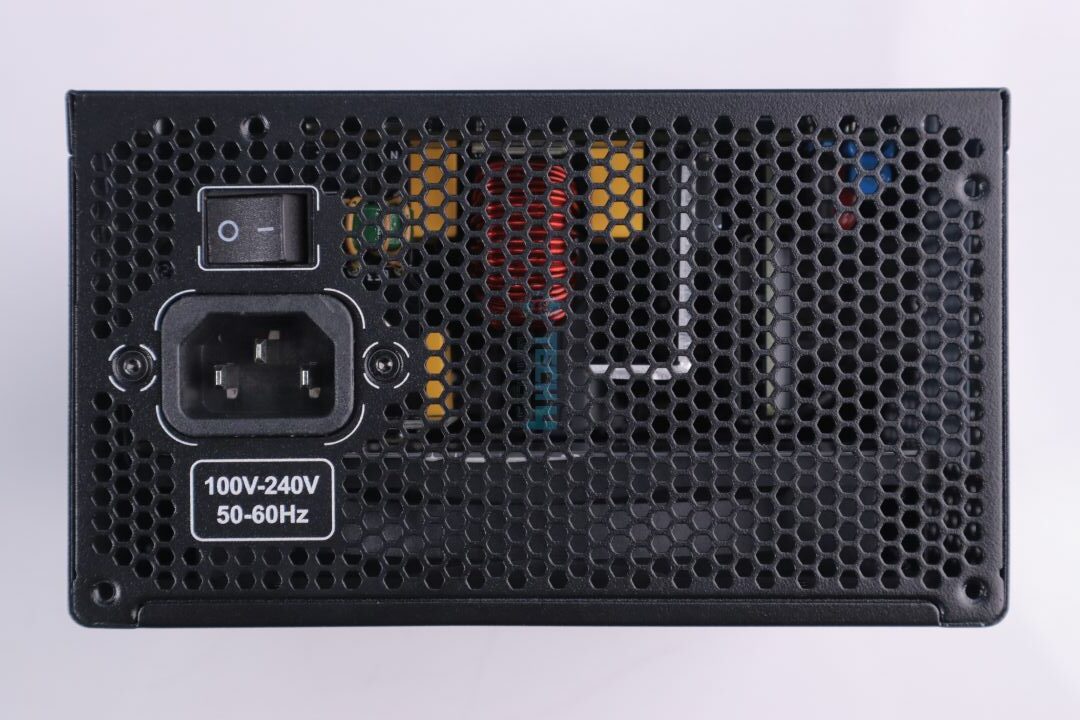
The PSU has a black-on-black theme with big grills for good airflow. It is pretty decent, and nothing to complain about. The power connector side is also standard.
PSU Modular Bay
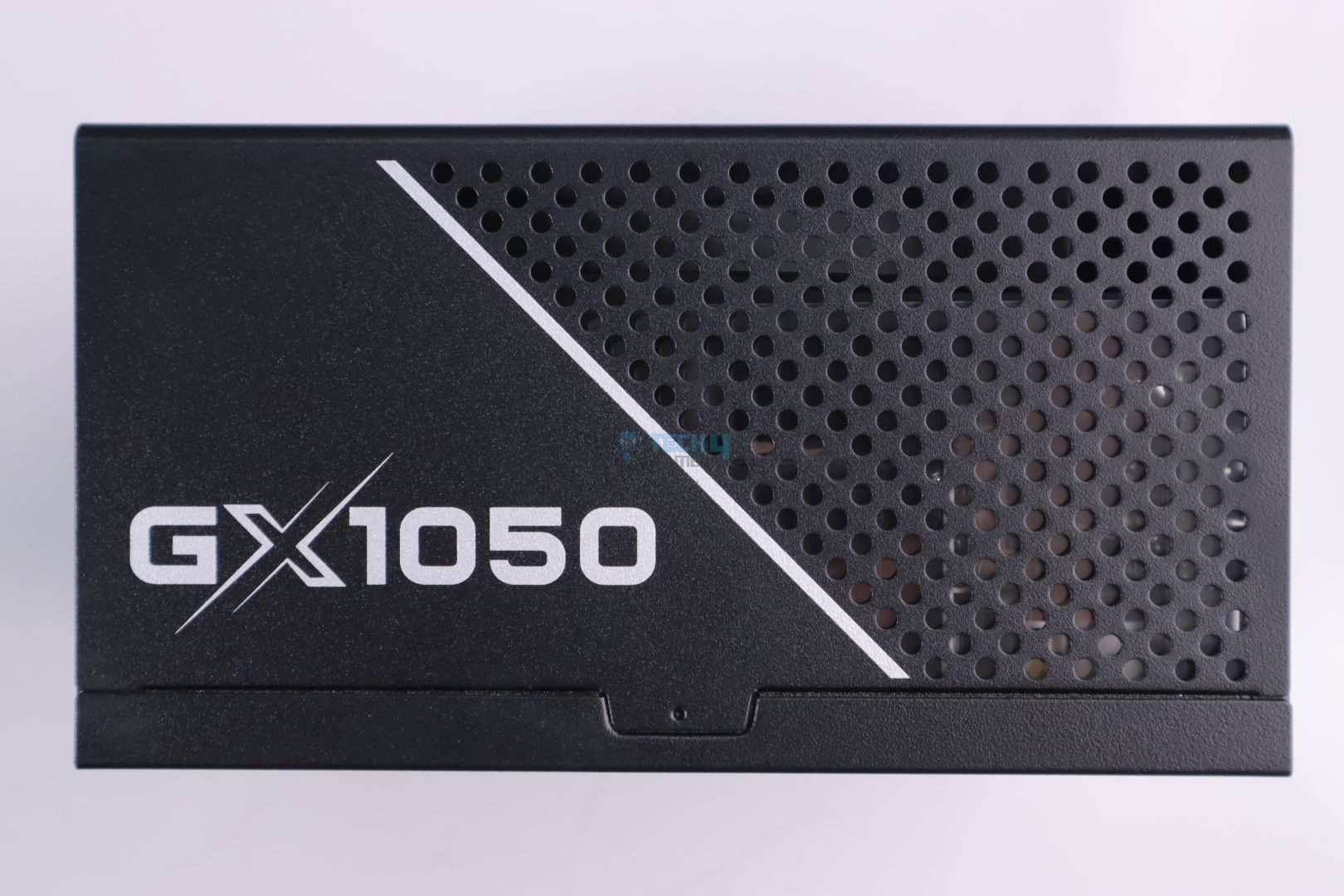
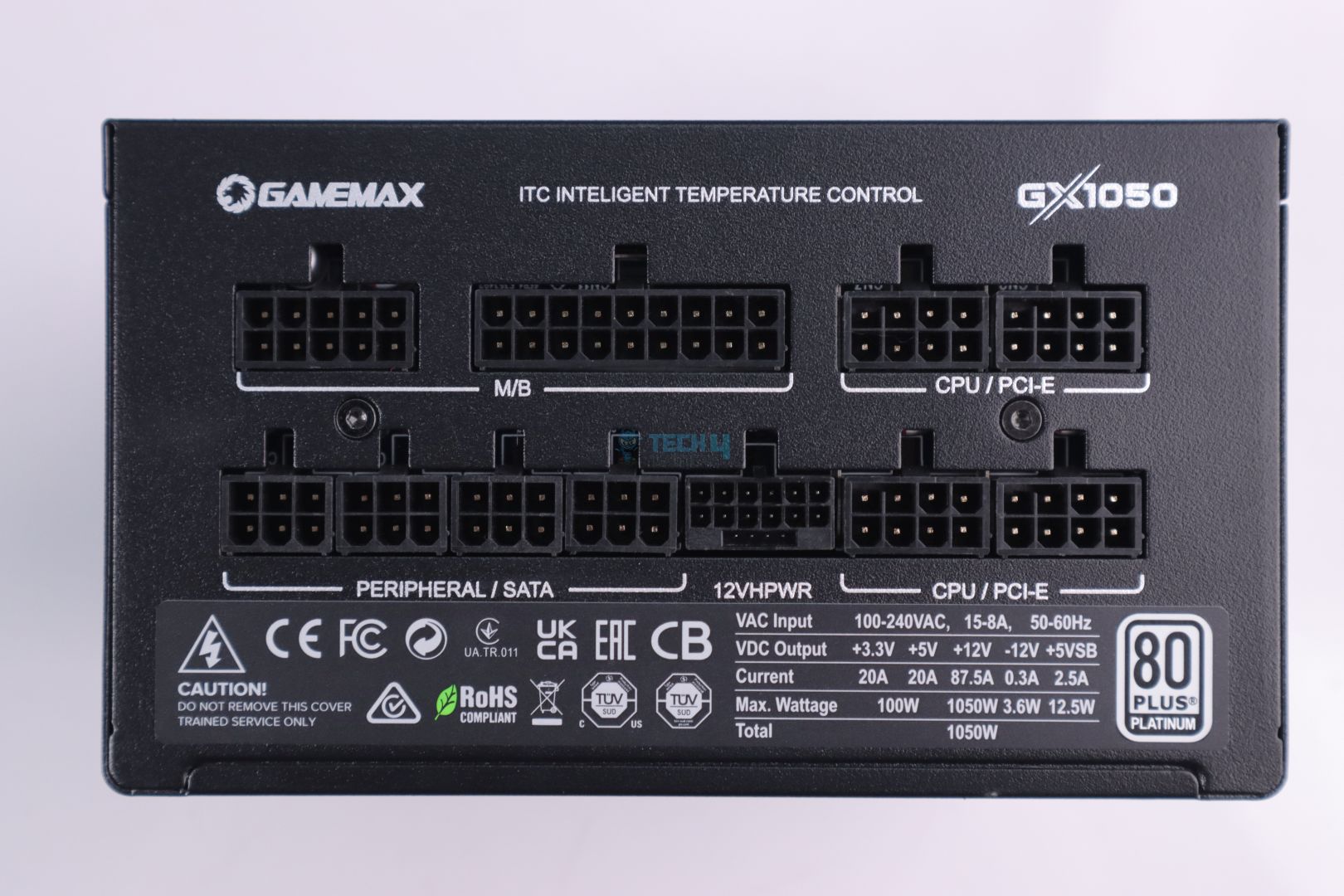
The PSU side has more vents for improved airflow. This is something we don’t see very often. Of course, the PSU is fully modular, so you only have the plug in the key cables for improved cable management.
Cable & Connectors
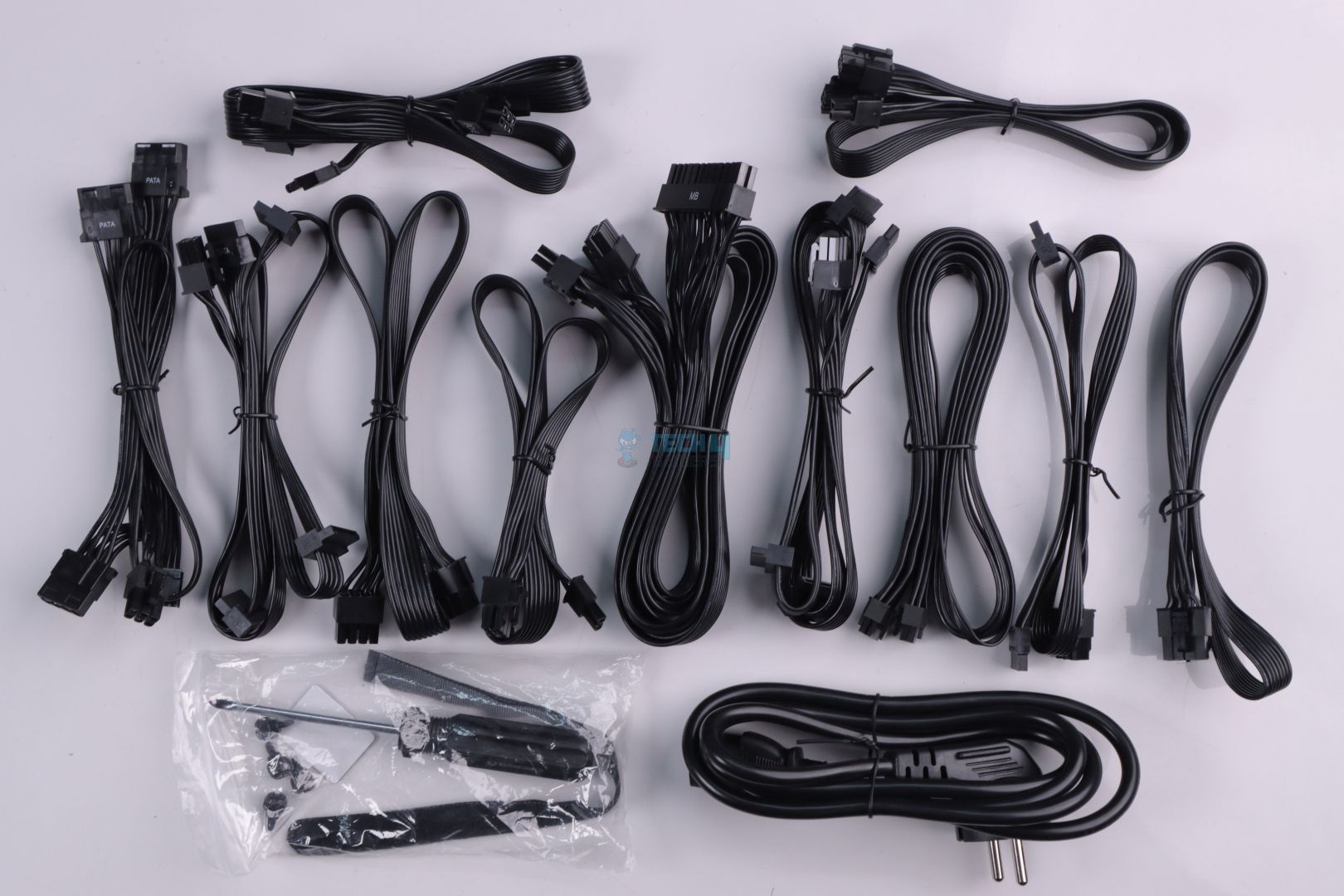
Cables & Connectors
1 of 5
Cables
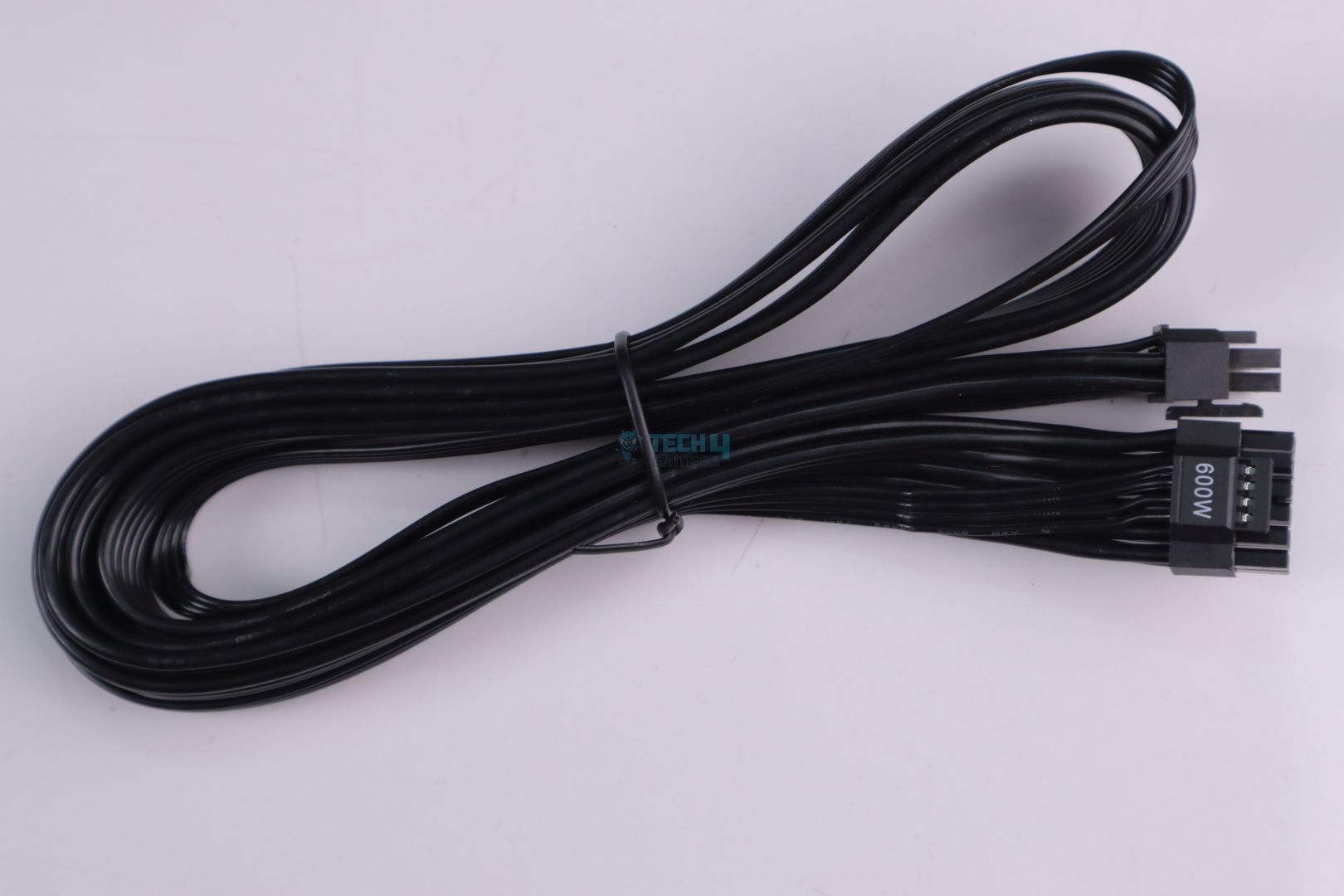
600W Rated 12VHPWR Cable
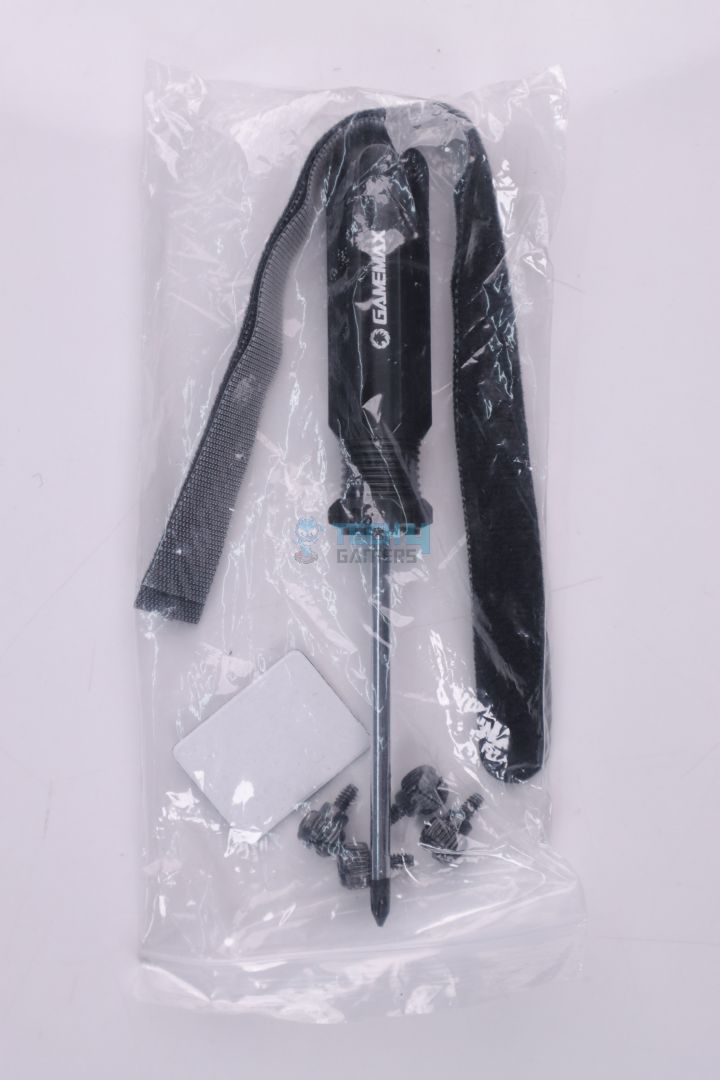
Accessories
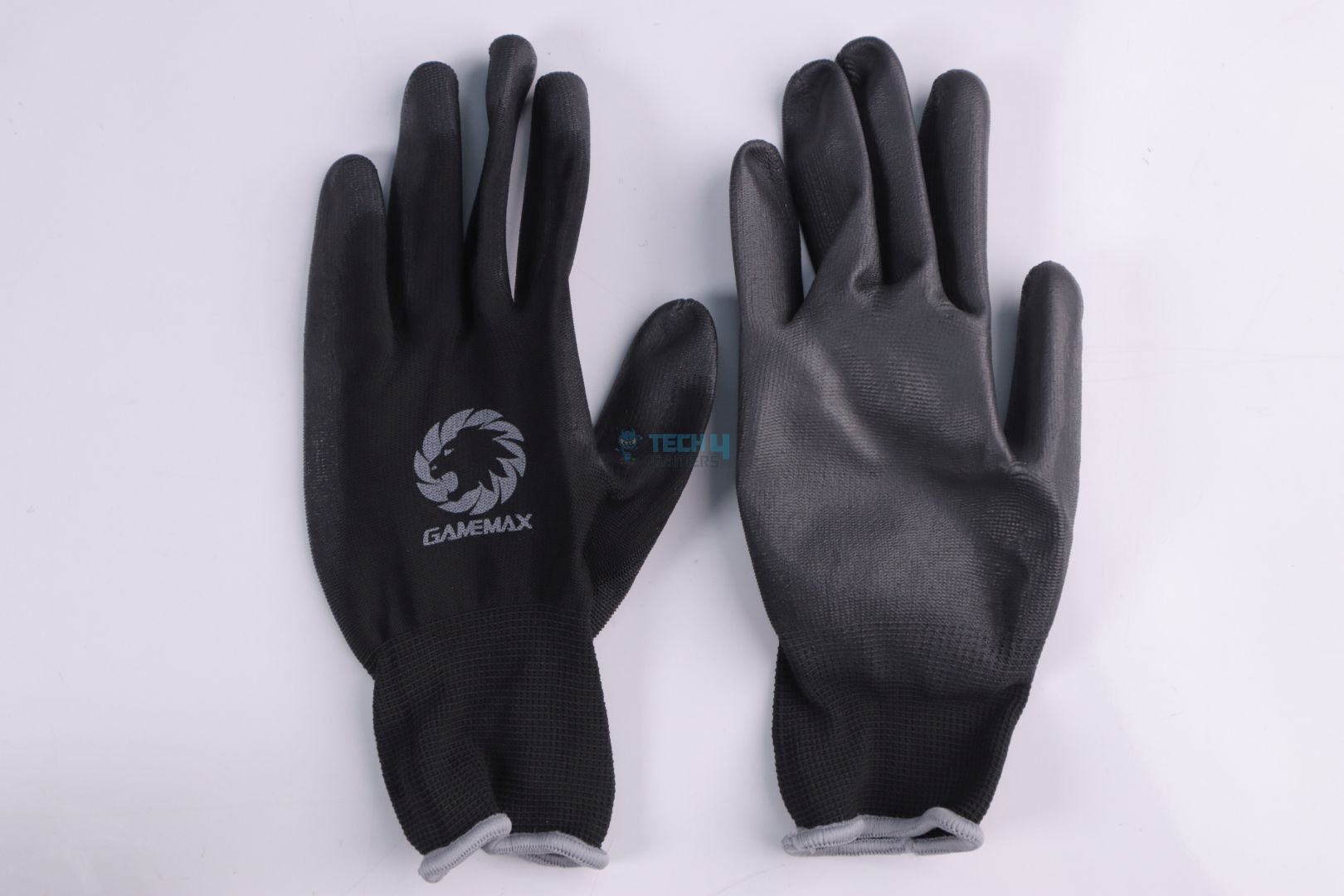
Gloves
Screwdriver
Good job Gamemax! They have included gloves and a screwdriver, which is a nice touch. As for the cables, they are of an adequate length and shouldn’t cause an issue in a typical ATX build.
Connector
Quantity
Mainboard (24(20+4)Pin)
1x
CPU (8(4+4)Pin)
2
PCI-E (8(6+2)Pin)
4x
12V-2×6 (16(12+4)Pin)
1x
SATA (5Pin)
10x
Peripheral (4Pin)
3x
FDD (4Pin)
1x
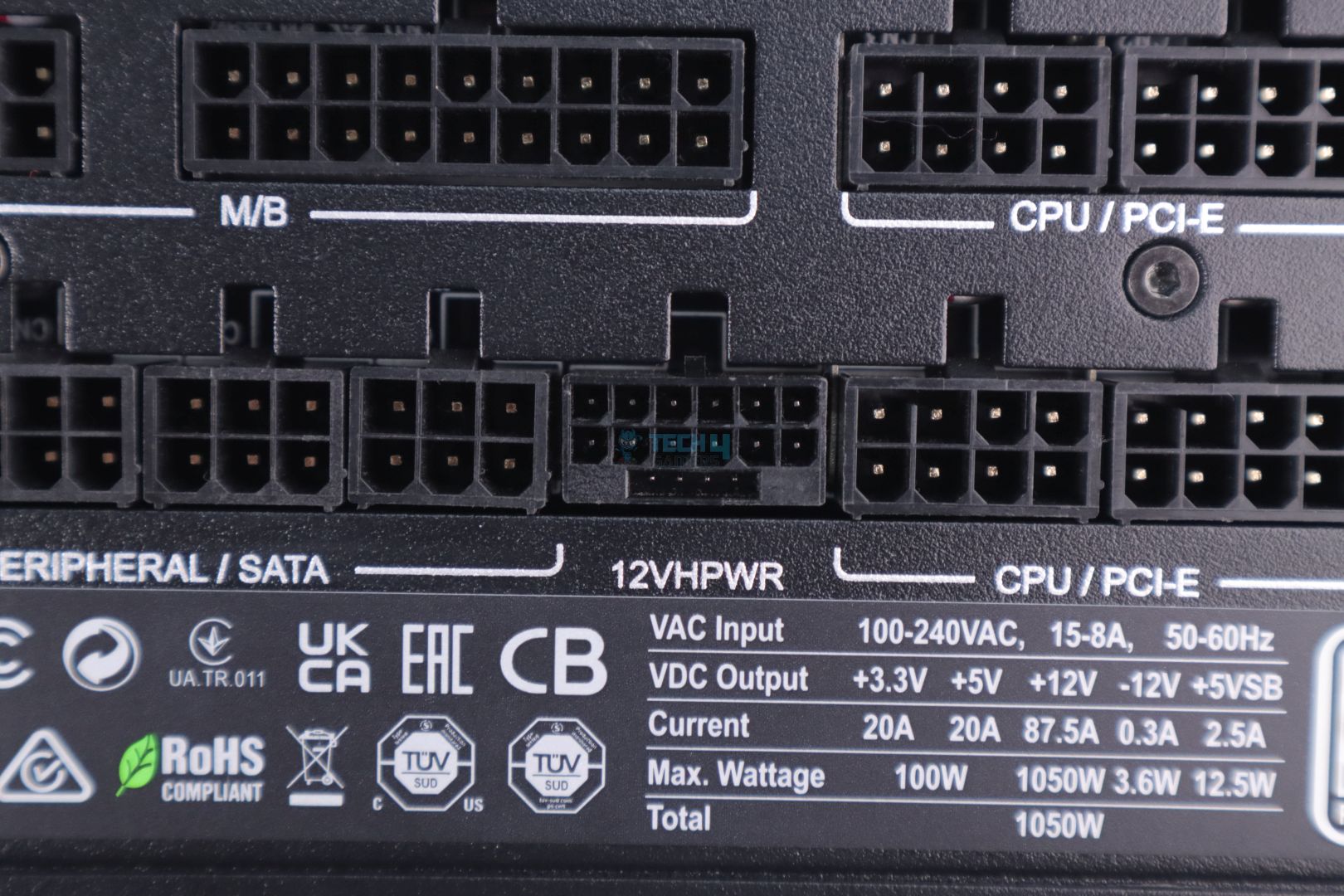
12V-2×6 Connector (Image By Tech4Gamers)
Gamemax GX Rampage 1050W Platinum, being an ATX 3.1 & PCIe 5.1 compliant PSU, correctly uses a 12V-2X6 GPU power connector, which is an updated version of the 12VHPWR connector.
Teardown & Component Analysis
Unlike almost any other brand that is acquiring existing or well-known OEM platforms for their PSUs these days, Gamemax went quite bold, or I should say Gamemax’s parent company, Guangdong Sohoo Technology, maxed up their game this time and put their R&D to literally design and develop an in-house PSU platform to be used for their PSUs. I say it’s a bold move because it’s already very challenging for a new OEM to master a PSU platform, let alone with massive power spikes allowed per the new ATX requirements.
Sadly, HWBusters, guys behind Cybenetics (and whom I am hugely inspired), had recently tested Gamemax’s RGB-Smart PSU, which, though performed decently well, had its fair share of quirks. But It must be noted that the PSU I have today for the review, though seems to be from the same OEM and similar-looking platform, does have minor changes on its PCB (because it’s from the GX series and not from RGB-Smart), which kind of gives me hope that it just may survive and perform pretty good in our tests.
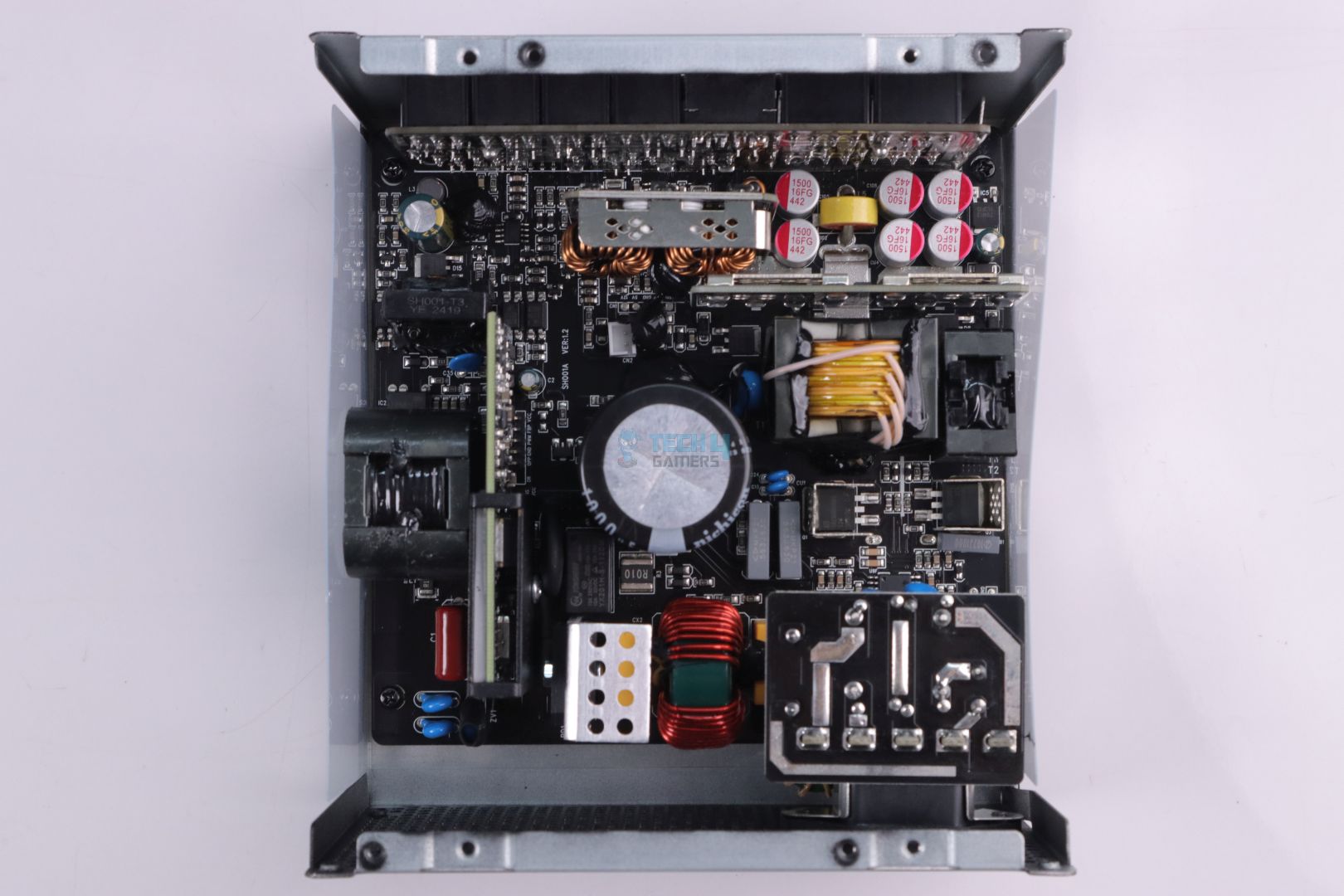
Teardown (Image By Tech4Gamers)
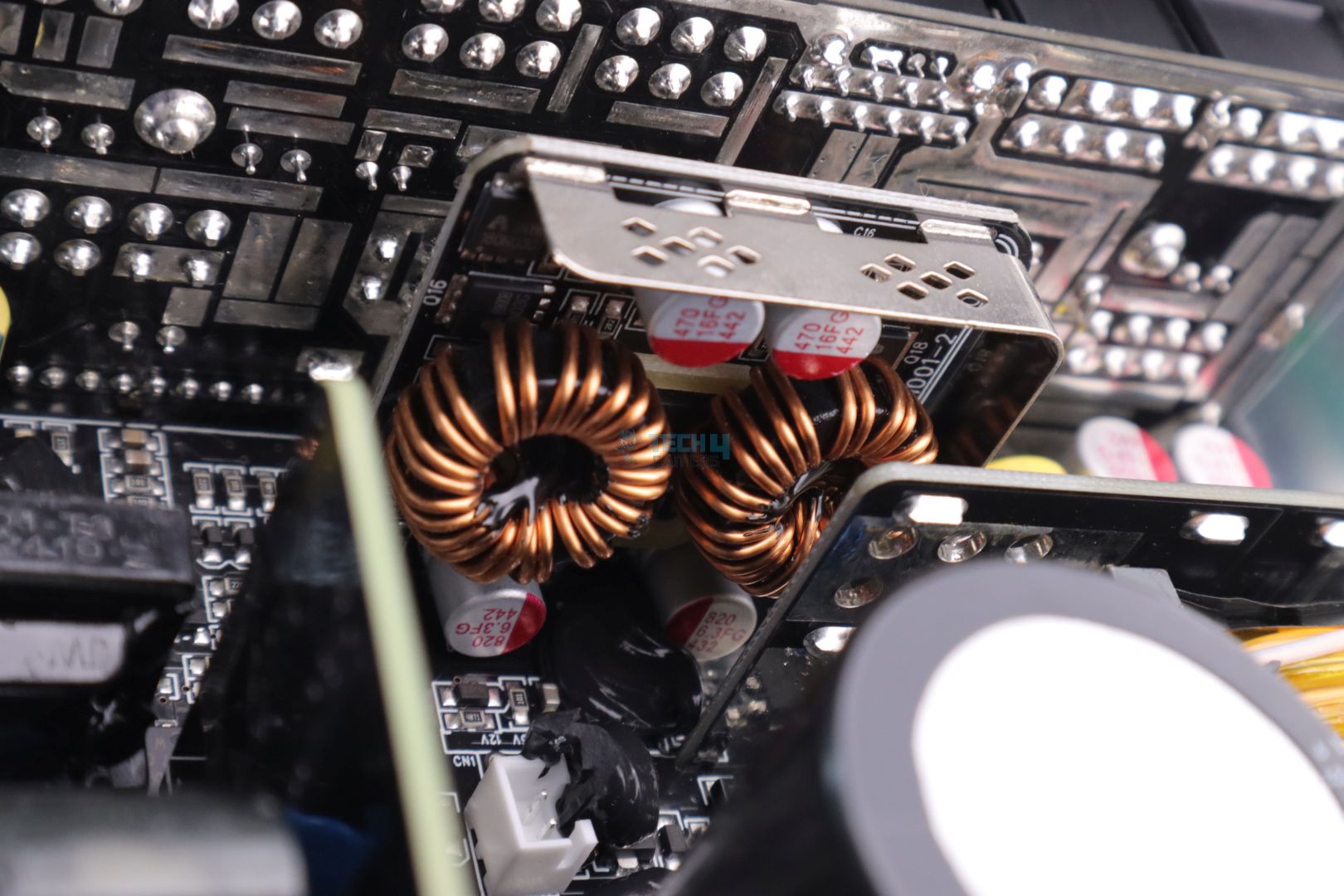
The platform looks very neat and has all of its components mounted/soldered on the front side of the PCB. The layout and intensive use of SMD components make this platform spacious and this will very easily benefit from having better airflow and keeping everything cooler inside.
Internals
1 of 3
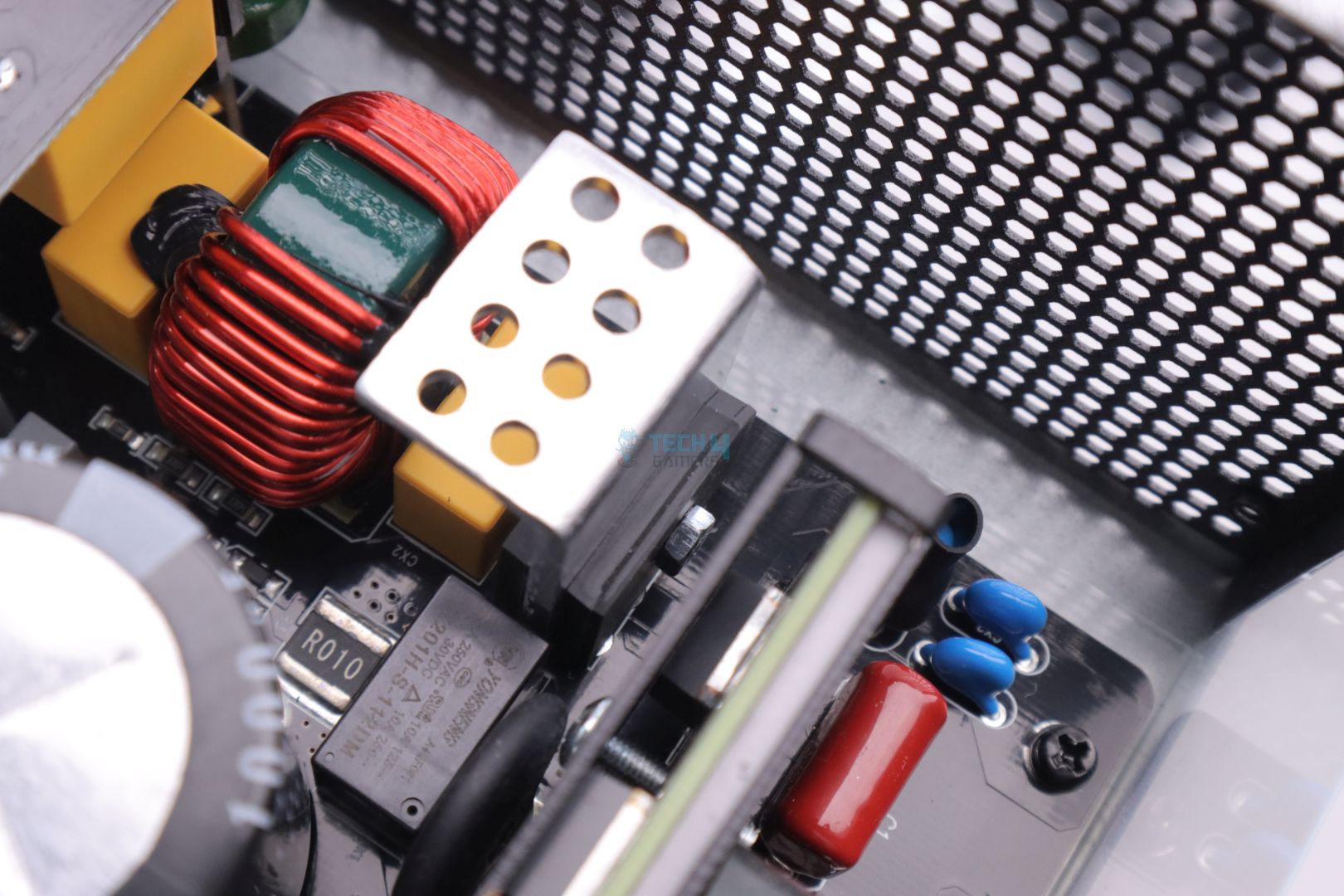
APFC Section
2x Half-Bridge MOSFETs
2x Bridge Rectifiers
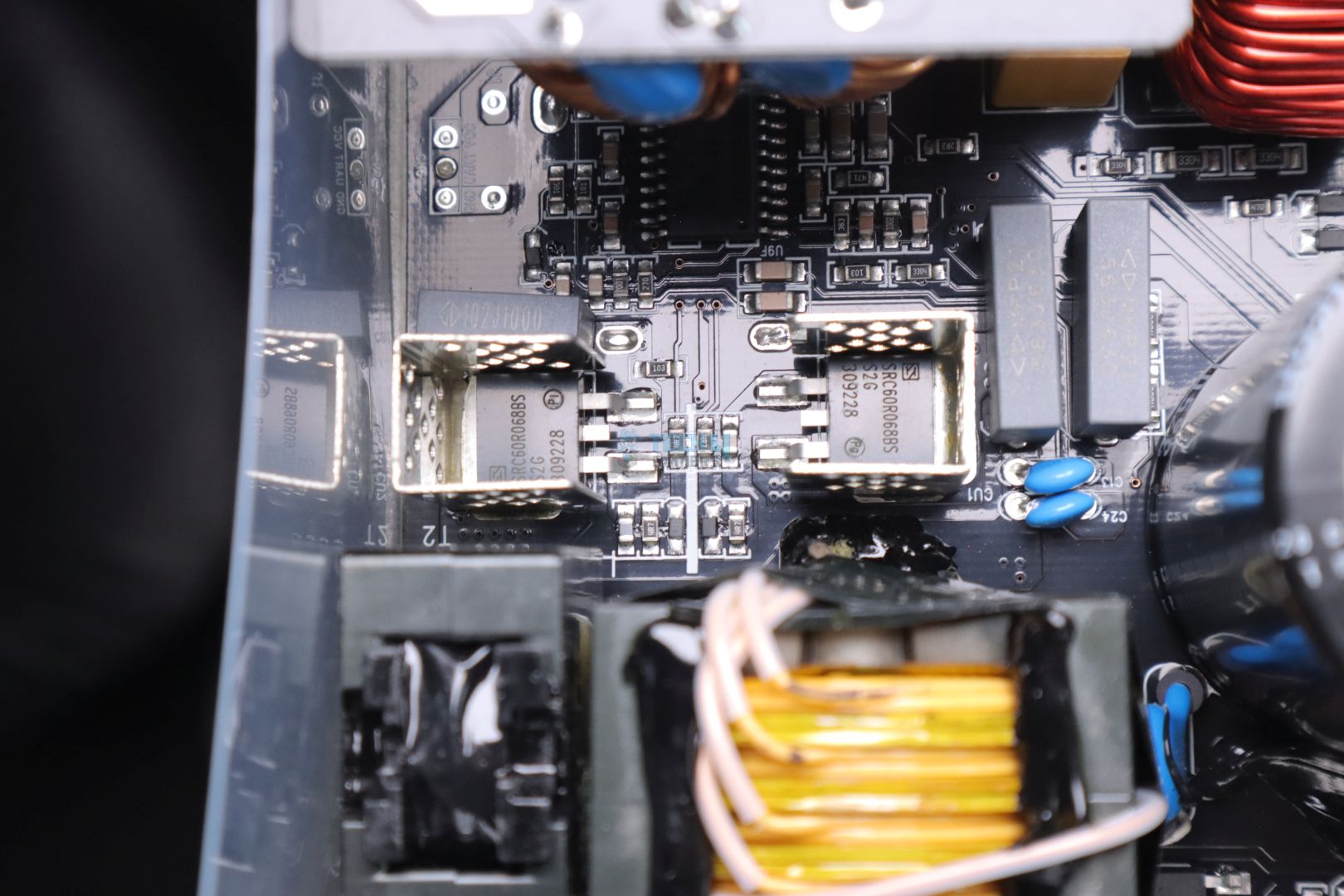
If you have been reading/watching PSU reviews then you must have seen casual aluminium heatsinks for major components standing tall with their fins spreading out in an effort to catch more air and cool down the components attached to it. Well, according to Gamemax, “We don’t do it here” as they are using SMD power components, that are surface mount devices soldered directly onto the PCB.
From the APFC MOSFETs and its Boost Diode to the Half-Bridge LLC MOSFETs (except for the two Bridge Rectifiers), all are soldered on the PCB and are surrounded by small heatsinks because SMD components also dump their heat onto the PCB’s copper planes.
Having SMD MOSFETs may reduce slight EMI and ripple noise and also have slightly better voltage regulation (if done correctly, of course), all of which we will see in our upcoming tests. It is important to note that this design still utilizes Active PFC topology on its primary side, which is surprising to see in an 80-plus platinum-rated PSU. Only a handful of PSUs I have tested managed to achieve a Platinum rating with this older topology, which is found vastly in Gold-rated PSUs.
Internals
1 of 3
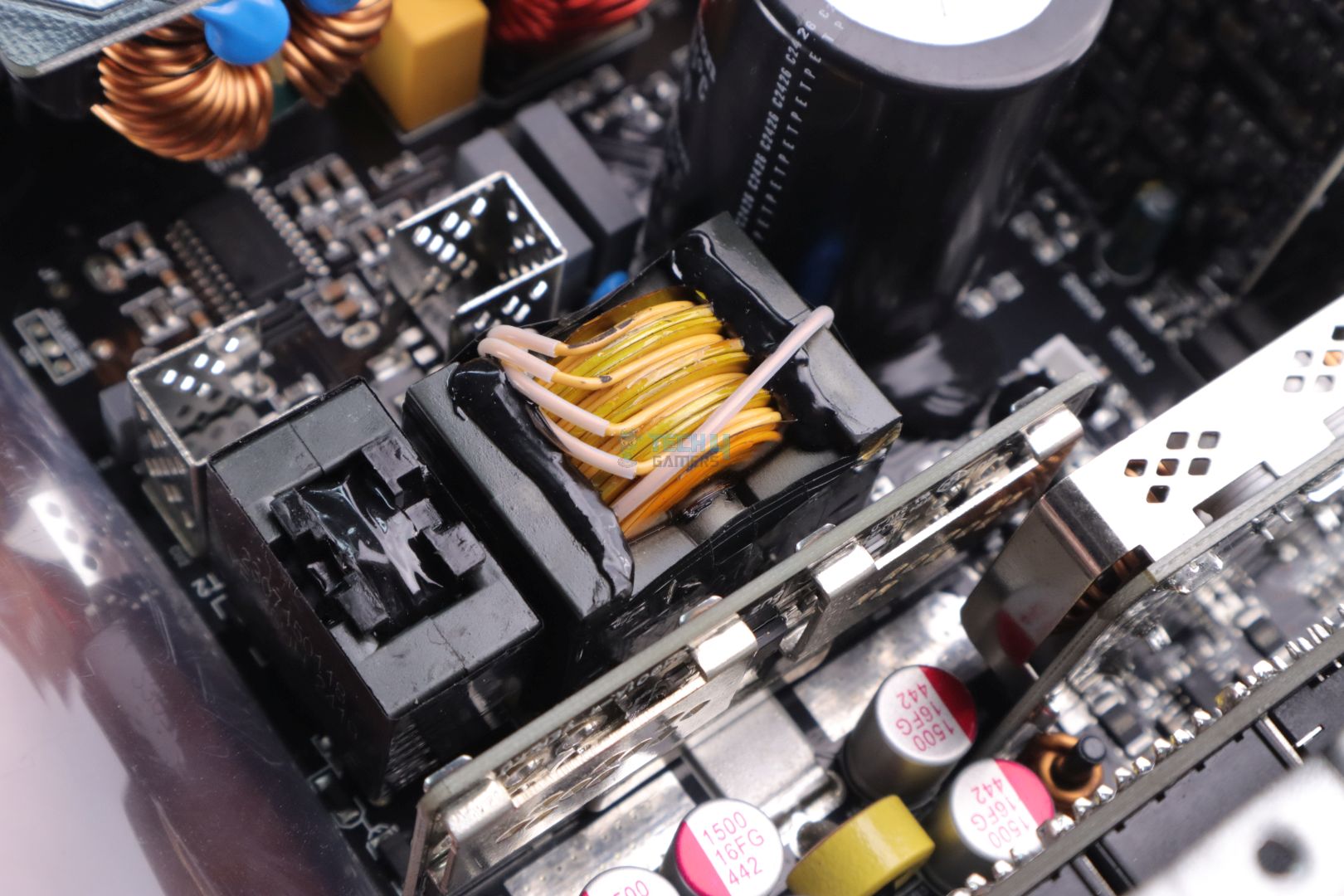
Main Transformer
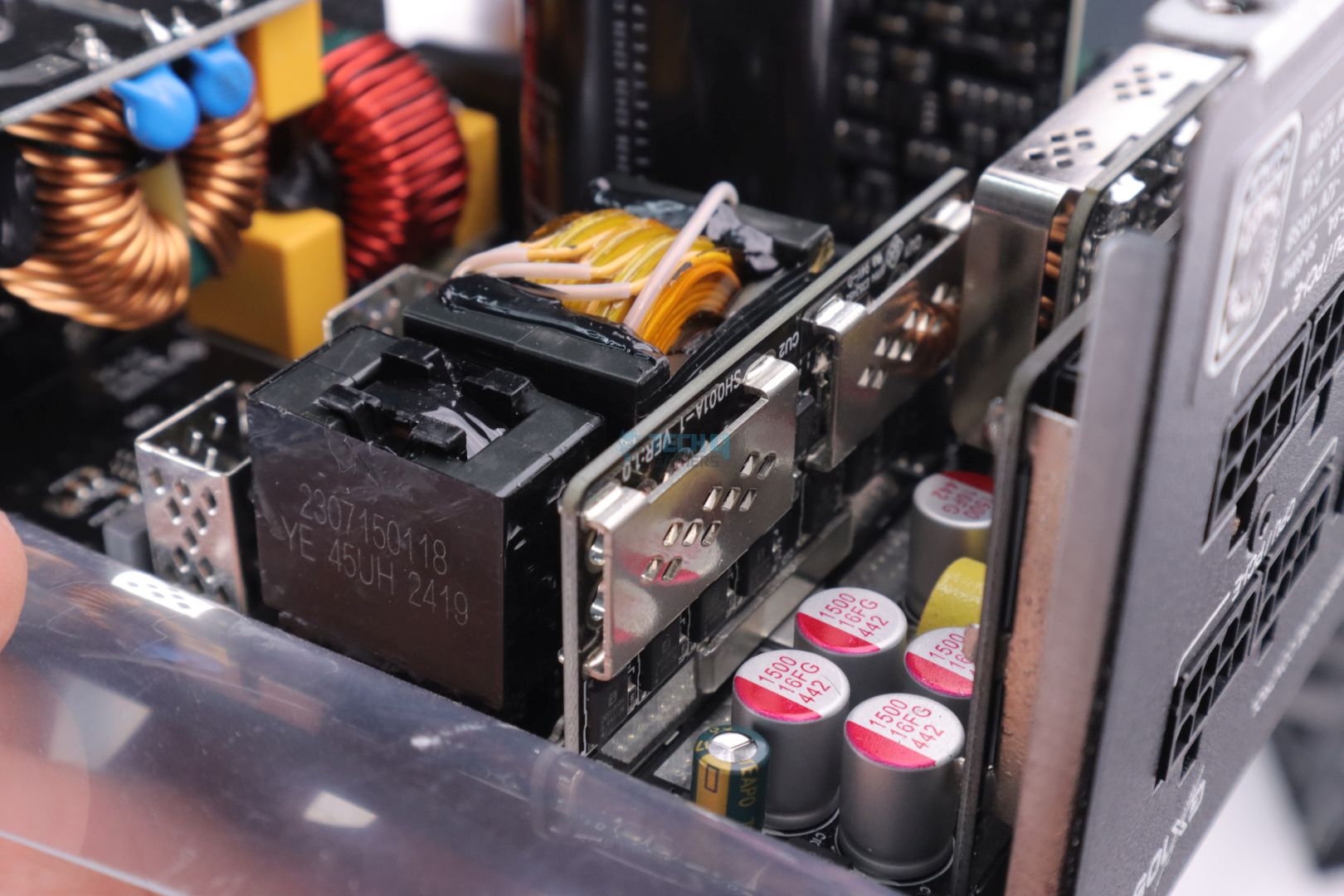
12V Rail MOSFETs on Vertical PCB
DC-DC Converter for 5V & 3.3V
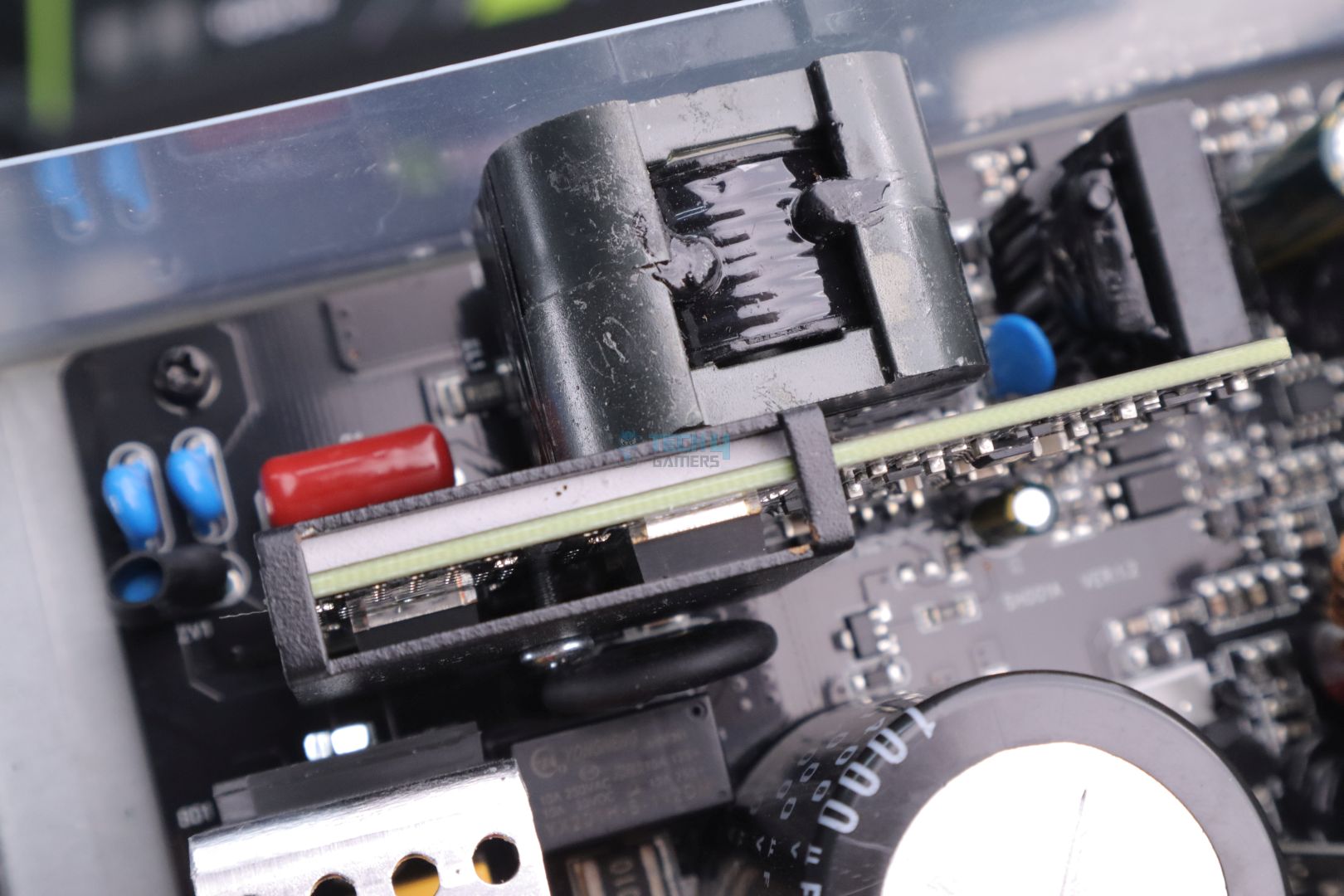
Primary transformer which is responsible for converting high voltage signal from the primary side to lower voltage rail i.e 12V which further gets chopped off into minor 5V & 3.3V via a DC-DC converter, has a rather small design for a 1050W rated PSU.
There’s a vertically mounted PCB for 12V rail MOSFETs surrounded by two large metal tabs acting as heatsinks.
Internals
1 of 3
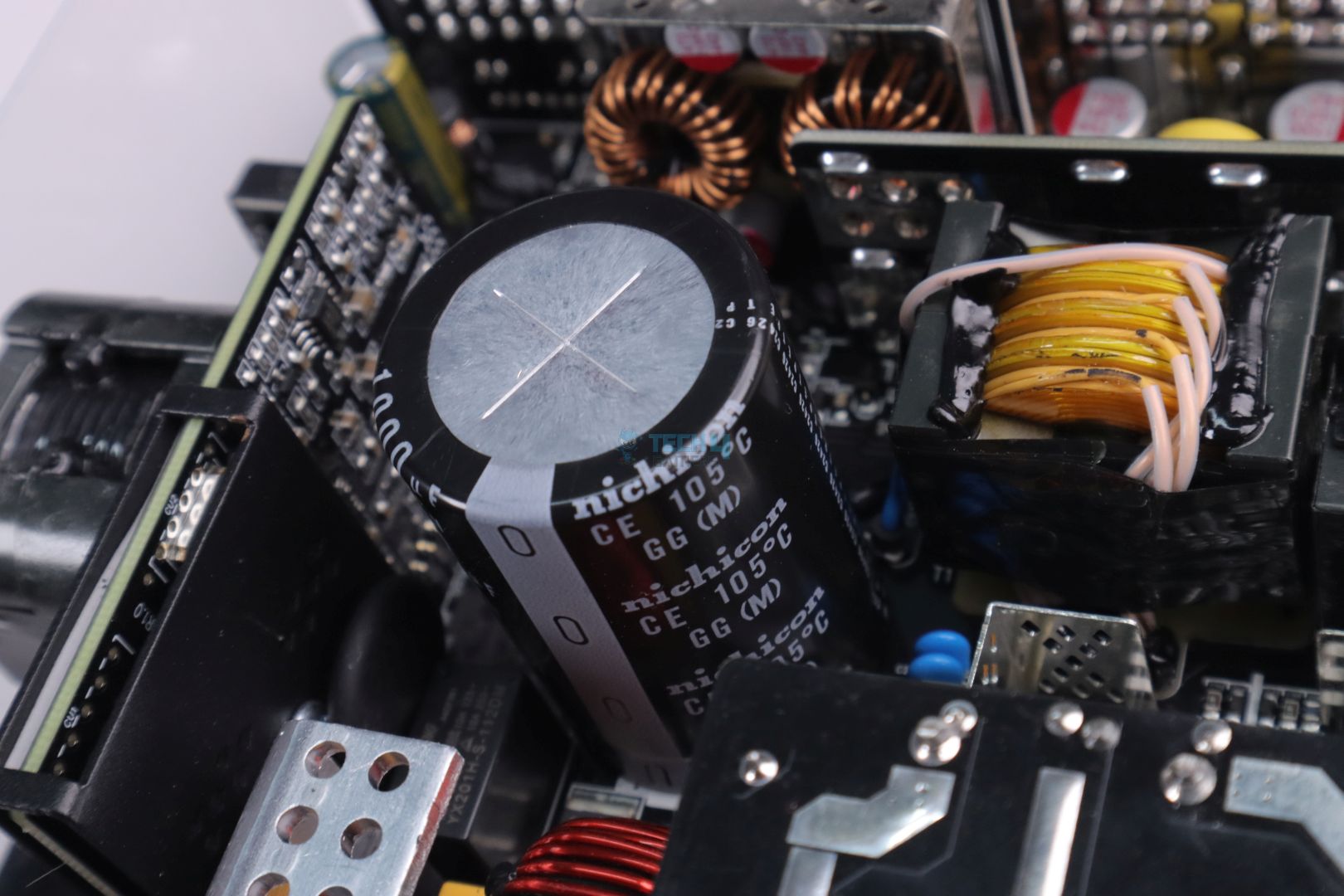
Bulk Electrolytic Capacitor from Nichicon
Primary Side Electrolytic Capacitor from Teapo
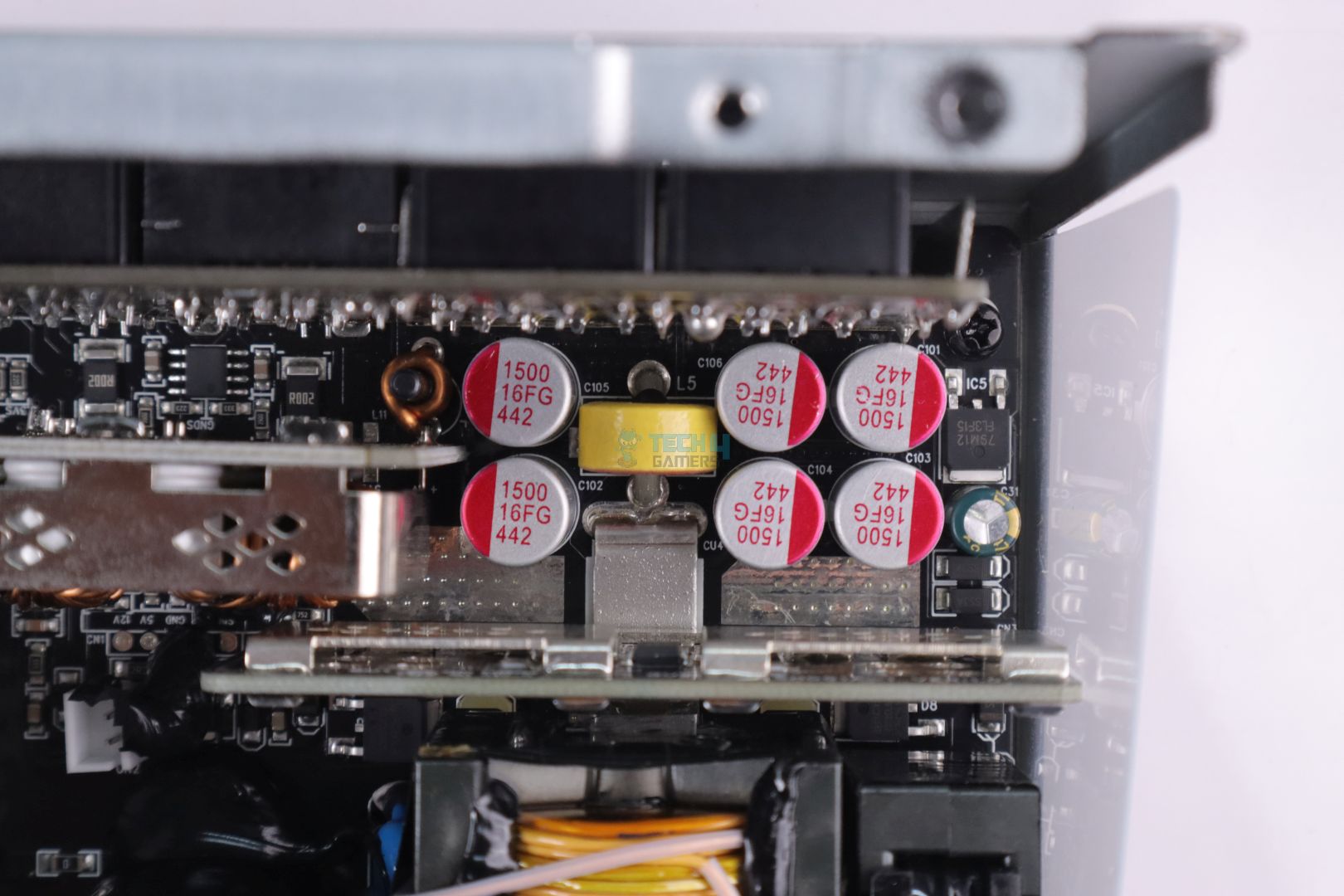
Primary Side Filtering Polymer Capacitor from Teapo
Gamemax to my surprise has used a high quality Japanese Electrolytic bulk capacitor on its primary side by Nichicon. I think this is the first time that I have seen a whopping 1000uF electrolytic bulk capacitor in a PSU, whereas in every PSU they use two capacitors having less capacitance value in parallel to double the final capacitance value and this also greatly reduces capacitor’s ESR (Equivalent Series Resistance).
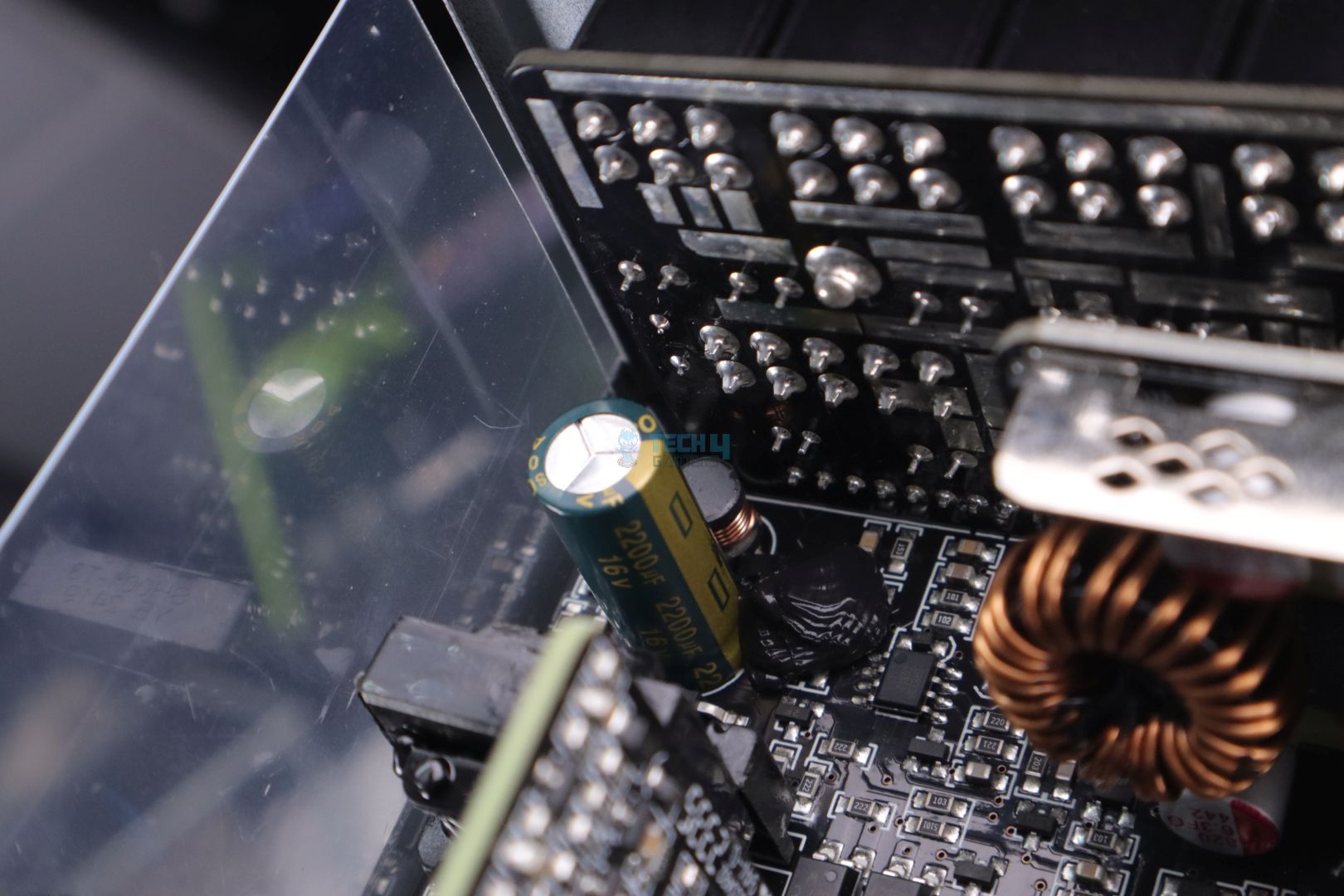
The rest of the electrolytic as well as polymer capacitors are from a low-tier brand, Teapo, which isn’t bad compared to the ones that are being used by many brands these days in an effort to cut down the cost. There are only a handful of electrolytic capacitors and the majority of them are polymers. Polymer capacitors tend to have much better quality and lifespan as they have a much better temperature endurance than electrolytic ones, so there shouldn’t be any issues for this PSU to easily surpass its warranty period, which is 10 years!
I do think that Gamemax should change their marketing material where they talk about capacitors as “Main Japanese 105C Capacitors and Solid Capacitors”. This kind of misguides readers into thinking that Solid Capacitors (Polymer capacitors) are also from a Japanese manufacturer which isn’t the case here.
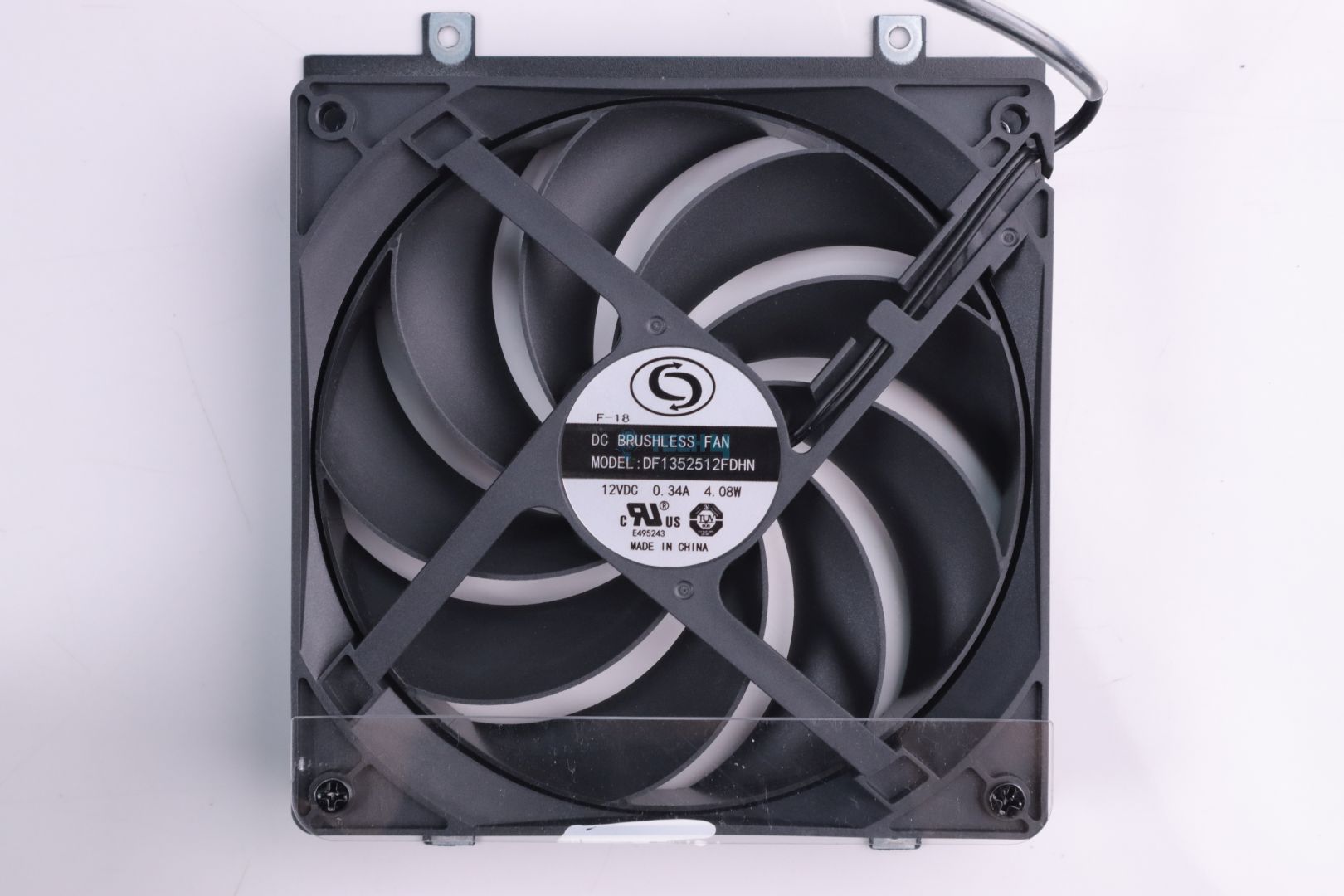
135mm FDB Fan (Image By Tech4Gamers)
There’s a 135mm fan which appears to be (but not sure) a Fluid Dynamic Bearing fan from a brand I couldn’t find any info online. The fan had an outer circular ring which is the first time I have seen it in a PSU.
PSU Load Testing
Voltage Regulation
Regulation Difference (Image By Tech4Gamers)
Load in %
12V Rail
5V
3.3V
20%
12.07V
5.08V
3.36V
50%
12.02V
5.07V
3.35V
70%
11.98V
5.07V
3.35V
90%
11.94V
5.07V
3.35V
100%
11.94V
5.07V
3.35V
Voltage regulation is good, and the PSU had no trouble keeping up with the maximum load. Having fewer capacitors inside didn’t have any effect on this test, which is really impressive.
PSU Efficiency
Average Efficiency (Image By Tech4Gamers)
Load in %
Efficiency
Power Factor
20%
90.32%
0.952
50%
93.28%
0.988
70%
93.33%
0.992
90%
92.73%
0.991
100%
92.10%
0.991
Though Gamemax GX Rampage 1050W easily reaches the Platinum level of efficiency, I have seen even Gold-rated PSUs achieving similar or even better results these days, so maybe there is a slight bit of tuning needed to be done for its efficiency.
Voltage Ripple Performance
Max Ripple (Image By Tech4Gamers)
Load in %
12V Ripple
20%
4.8mV
50%
6.4mV
70%
8.0mV
90%
16.0mV
100%
18.0mV
Similar to voltage regulation, having fewer filtering capacitors may cause significantly poor results in this test, but thankfully, Gamemax didn’t cut down on the use of polymer capacitors, which is considered an essential component for better voltage ripple performance.
I was really surprised to see sub 10mV results at even 70% of the load and only at 100%, which I saw 18mV, which is still very good. I even pushed this PSU to 1450W, which is 138.1% of its rated power, where it just tripped its OPP, and still, the voltage ripple was kept to a much lower value of less than 25mV. A very impressive job indeed!
Temperatures
Thermal Tests
1 of 3
Max Hottest at Connector's Side
Max Hottest at Exhaust
Max Hottest Back Temp
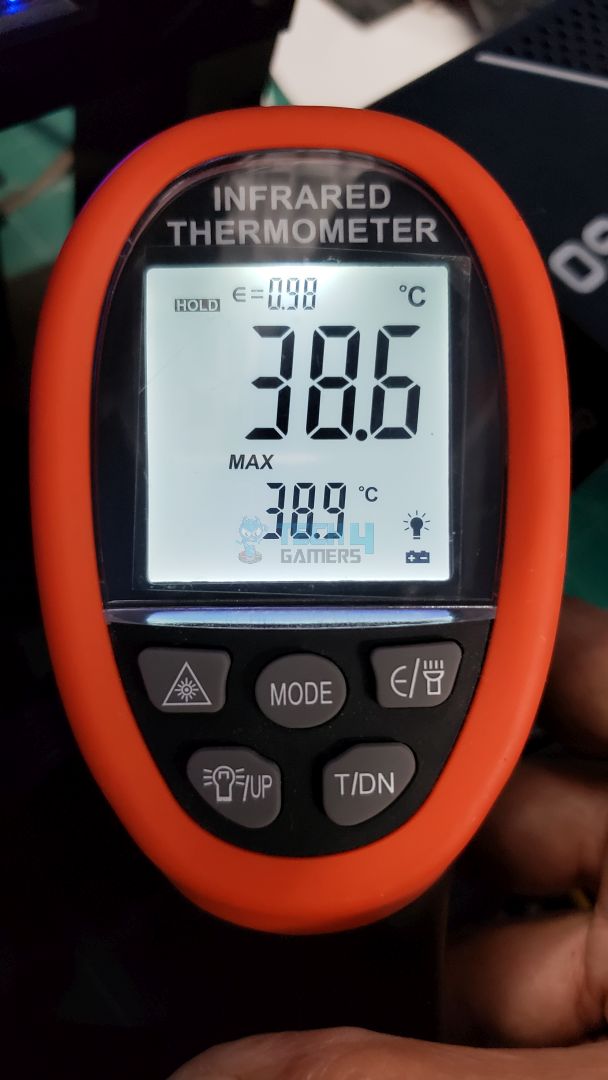
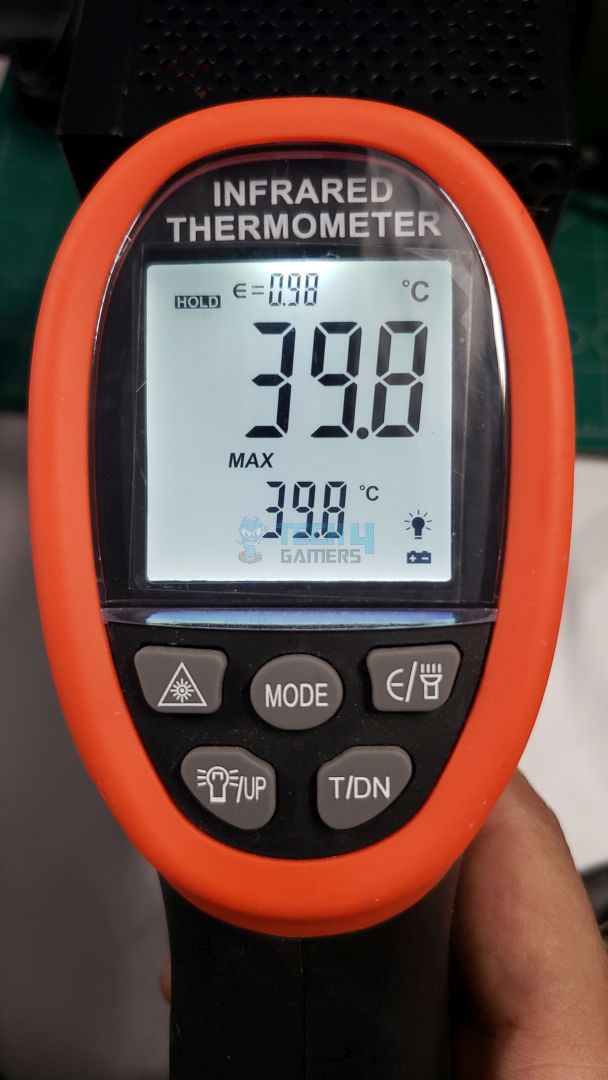
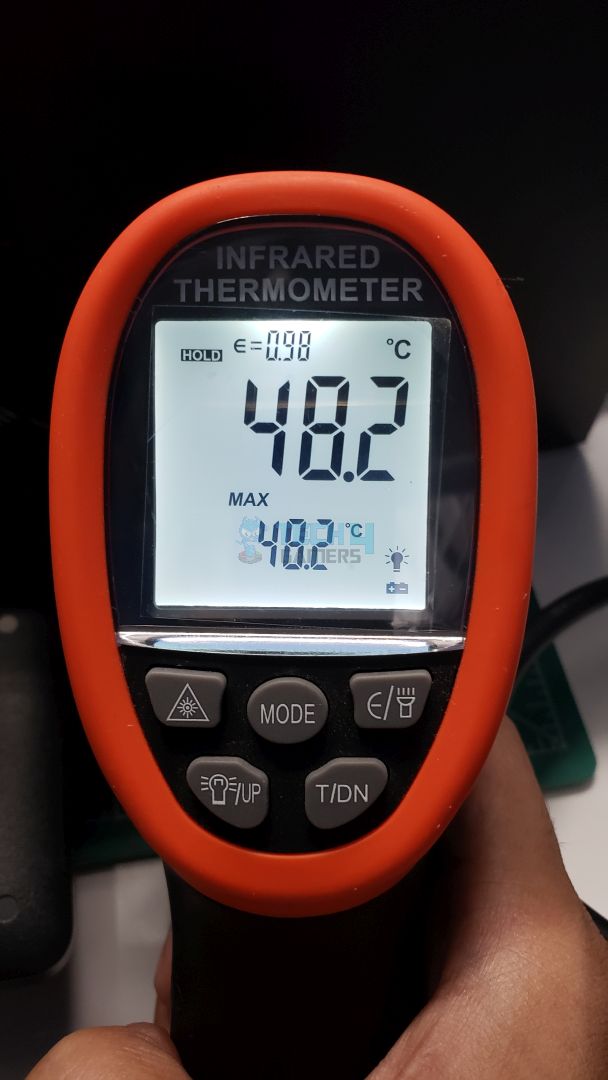
Thanks to its unique fan design and surface mount power components on the front of the PCB, the PSU ran very cool throughout different load variations. Also, the 135mm Fluid Dynamic Bearing fan was very quiet, only at max load it started to become slightly audible. Gamemax could have easily implemented a hybrid fan mode, considering the high efficiency and cooler operation of GX Rampage 1050W.
Should You Buy it?
Buy It If
✅ Quiet & Efficient: You want an efficient and quiet PSU that’s going to be easy on both your ears and power bills.
Don’t Buy It If
❌ Stranger danger: Though Gamemax GX Rampage 1050W performed exceptionally well in our tests, gamemax is still a brand that is not well-trusted in the PSU business, and I believe it does require some time to establish itself as a strong contender.
My Final Thoughts
Gamemax has spread its wings with the help of its parent company, Guangdong Sohoo Technology, which came out to be quite a capable OEM for the PSU. This OEM has potential to partner with other major brands and only in doing so can Gamemax gain the trust as well as market share for its PSUs. I am really surprised seeing the performance of Gamemax GX Rampage 1050W Platinum and I wish them the best!
The Gamemax GX Rampage 1050W Platinum PSU is a big improvement for the brand, showing they’ve stepped up their game from earlier models. With its ATX 3.1 and PCIe 5.1 compatibility, it’s built to handle the hefty power demands of the latest CPUs and GPUs. The fully modular design, neat internal layout, and the use of quality components like the Nichicon capacitor highlight Gamemax’s focus on reliability. Plus, the PSU’s solid voltage regulation and low ripple performance under load make it a strong contender for high-performance builds.
That said, there are a few areas where it could be better. The lack of a hybrid fan mode feels like a missed opportunity, especially given how efficient and cool the PSU runs. Also, while it meets Platinum efficiency standards, some Gold-rated PSUs are hitting similar numbers, so there’s room for a bit more optimization. Overall, the Gamemax GX Rampage 1050W Platinum is a reliable and well-rounded option for power-hungry systems, and I am very exited to see what Gamemax comes up with next.
At Tech4Gamers, I contribute as a Senior News Reporter, combining my skills and gaming enthusiasm to keep our audience updated on the latest developments.
Story Highlight
A former PlayStation head has spoken out against the industry’s current focus on blockbuster titles.
He believes AA gaming needs to return.
The executive is in favor of more creative and less expensive games.
The former head of PlayStation, Shawn Layden, has spoken in favor of indie and AA games on multiple occasions. Despite highly successful AA releases like Astro Bot, the gaming industry is primarily focused on AAA blockbusters today.
Shawn Layden believes this focus could spell disaster for the industry.
Why it matters: AAA projects require much more extensive budgets and development cycles, making them risky endeavors that don’t leave much room for creativity.
The Executive Has Decades of Experience In The Industry
Recently, the executive spoke out against the arms race for more powerful console hardware. During another interview, he emphasized that focusing on blockbusters only is not the way to go.
If we’re just going to rely on blockbusters, that’s a death sentence.
-Shawn Layden
The former PlayStation head discussed how teams like THQ fit right in the middle of indie and AAA gaming in the past, but this space has been left unoccupied today. Most developers are trying to capture the success of big IPs, but this is not always feasible.
For instance, a title like Concord became a huge failure since it brought nothing new to the table.
Concord Led To Millions In Losses For Everyone Involved
Ultimately, Shawn Layden hopes to see teams taking more risks in the industry. He also argues that AA games have the advantage of arriving quicker on the market as opposed to an ambitious project like GTA 6 that requires a full decade.
Do you agree with Shawn Layden’s perspective? Have you found any particular AA releases enjoyable in recent years? Let’s discuss this in the comments and the official Tech4Gamers Forums.
At Tech4Gamers, I contribute as a Senior News Reporter, combining my skills and gaming enthusiasm to keep our audience updated on the latest developments.
[Press Release] Lian Li’s latest innovative fans and extension cables make use of 2.4GHz wireless technology, offering a dazzling display of lights with commendable performance.
The Uni Fan SL is the first of the two new products and offers quiet operations, speeds up to 2000 RPM, and high-performance cooling. Dynamic lighting is also a highlight of the Uni Fan SL, which is easily controlled through the L-Connect 3 software and L-Wireless SYNC Controller.
Similarly, the SL Wireless LCD boasts fan speeds of up to 1900 RPM, in addition to a 1.6″ LCD. With a resolution of 400×400, the fan can be customized to display GIFs, JPGs, and MP4 files through the L-Connect 3 software.
Lian Li also confirms that the SL Wireless LCD and SL Wireless can be paired together in various combinations, leading to a flexible PC-building solution.
The SL Wireless LCD Is Fully Customizable
Besides the fans, Lian Li is introducing Strimer Wireless. This new ARGB extension cable relies on 2.4GHz wireless and eliminates the need to run wiring to and from a controller hub.
The Strimer Wireless eliminates dead zones through redesigned light guides. Lian Li also states that the motherboard 24-pin lighting guides now pop directly out of the motherboard.
A similar setup is used for GPU Strimers, where the lighting guides are based on a single piece. Moreover, the 12V-2×6 connector works with various types of GPU alignments.
The CPU 2x8pin Strimer Wireless also offers similar options to elevate PC builds.
The Strimer Wireless Series Is Highly Customizable
Wrapping up Lian Li’s list is the L-Wireless Sync Controller. Plugged directly into the rear I/O USB port, this controller can manage up to 10 groups of the aforementioned fans. Similarly, PC users can manage 3 Strimer Wireless connections with the L-Wireless Sync.
These products are now available to pre-order from Lian Li, with the Strimer Wireless CPU 2×8 pin pre-orders also starting from November 7th.
As Tech4Gamers’ Founder and Editor-in-Chief, I bring over 13 years of PC Hardware Reviewing and 8+ years of IT Project Management experience. Certified in Google IT Support , my focus is on providing honest product reviews and analysis and fostering a strong gaming community with 130k+ members in PPG.
The launch of AMD Ryzen 9000 disappointed many AMD users, resulting in poor sales. Stores were giving huge discounts to get rid of the current stock to make space for the upcoming Ryzen 7 9800X3D, which has already been leaked.
They were announced at Computex 2024, and AMD Ryzen 9000 CPUs began shipping approximately a month later. Due to this, AMD outperformed rival Intel and released the new generation of CPUs far earlier than expected.
Why it matters: The price seems fair enough as the CPU is pictured as the ultimate processor for elite gaming, and a leaked benchmark shows clock speeds between 5.6 and 5.7GHz.
This decision wasn’t entirely successful. The new CPUs didn’t appear viable compared to the Ryzen 7000 because of their poor performance. Updating Windows 11 to the latest version was the only option to get them to function better and remain viable.
It seems reasonable that the originals will be less expensive before the X3D versions are released in an effort to attract new clients. The Ryzen 9 9950X is currently 7% cheaper at $599 on sites like Newegg, while the Ryzen 9 9900X is now 14% cheaper at $429.
In contrast, the Ryzen 7 9700X is now down 8.9% at $326.75, while the Ryzen 5 9600X is down 3.8% at $249 that same day. These processors are less expensive, and they also come with free copies of Unknown 9: Awakening and Warhammer 40,000: Space Marine 2.
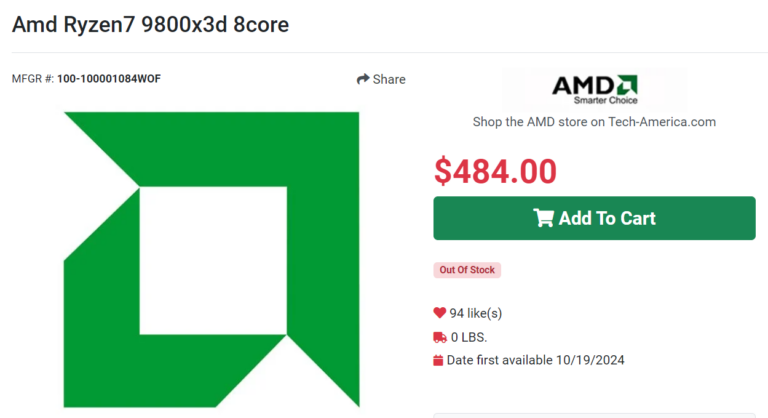
On the other hand, the price of the Ryzen 7 9800x3D appears to be around $484 to $524.64. The first listing of the product, Ryzen 7 9800x3D, can be seen on TechAmerica and ShopBLT with the product code 100-000001084.
This 8-core, 16-thread 120W processor is set to outperform Intel CPUs in gaming performance. The Ryzen 7 9800x3D is expected to be announced on October 25th. The Ryzen 9000 CPUs are on Newegg at a price below the MRSP.
At Tech4Gamers, I mainly cover new gaming news, leaks, and rumours. Aside from that, I love to write features about my favourite games while inserting my opinion about their different aspects.
Story Highlight
AMD is set to announce the Ryzen 7 9800X3D later this week.
However, the first leaked benchmark has appeared, showcasing what a beast it is going to be.
The leaked benchmarks reveal its potential, which shows that it can fill the shoes of Ryzen 7 7800X3D.
After much hype and anticipation, AMD is set to release the Ryzen 7 9800X3D very soon. It is being pictured as the ultimate processor for elite gaming. If the rumors are only half true, it might just become the worthy successor to the Ryzen 7 7800X3D.
For those unaware, 7 7800X3D is considered to be the best gaming CPU, but that might change soon. Just recently, a leaked benchmark for the much-anticipated 9800X3D has appeared online, revealing some interesting information.
The CPU is said to have a turbo clock of 5.2GHz, but in the first leaked benchmark, it is reportedly running at clock speeds between 5.6 and 5.7GHz.
Why it matters: The 7800X3D has a cap of 5.0GHz, so 9800X3D reaching over 5.6GHz could be a game changer in the CPU market. Such improvements to the Zen5 architecture will definitely catch the attention of consumers.
AMD Ryzen 9800X3D Benchmark Leak By Igor_Kavinski
A member of AnandTech forums, Igor_Kavinski, shared the first benchmarks of the Ryzen 7 9800X3D. As mentioned before, the CPU is reportedly running at clock speeds between 5.6 to 5.7GHz, which is way more than the 7800X3D.
Do note that the benchmark doesn’t show the supposed CPU by name as that part has been retracted except for the Architecture, Max Core Frequency, Max Effective Clock, Max Core Temp, Bus Frequency, and Memory.
However, the notes mention the CPU’s name. It also appears to be using Precision Boost Overdrive with a BCLK change and an offset. Now, let’s see how the CPU compares to the current beast in the market.
As per the Cinebench results, 9800X3D seems to be way ahead both in single-core and multi-core. 7800X3D with PBO usually scores around 18 to 19K points, which is pretty good. However, the Ryzen 7 9800X3D scores over 22k points in the single-core test and over 25k in the multi-core test.
Given that this CPU is being pictured as the ultimate processor for elite gaming, the benchmarks don’t come as a surprise. However, nothing has been officially confirmed, and the CPU’s announcement is nearing its release date, so it is better to take this with a pinch of salt and wait for the official reveal.
What do you think of the alleged benchmarks of the upcoming beast from AMD? Do you think it will become a worthy successor to 7800X3D? Share your thoughts with us in the comments section below or join the official Tech4Gamers forums.
At Tech4Gamers, I contribute as a Senior News Reporter, combining my skills and gaming enthusiasm to keep our audience updated on the latest developments.
Story Highlight
Skins are an integral part of the CS2 experience.
Buying rare skins can be an effective way of turning a profit on highly demanded cosmetics.
You should consider the top 10 rarest skins in the game for the best results.
The concept of rare skins is something you’ll encounter frequently when researching CS2 skins. But how much do you really know about it? Are you aware of what you need to know?
Nowadays, understanding rarity has become essential knowledge for CS2 players. If you’re unsure, don’t worry! In this article, we aim to provide you with everything you need to know. Let’s dive in and explore what’s out there.
An Overview of Skin Rarity in CS2
The Rarest Skins Can Fetch Thousands of Dollars In CS2
Skin rarity in CS2 refers to how often or how likely a particular skin can be obtained, influencing its demand and market value.
The rarer a skin is, the harder it is to acquire, and this scarcity makes certain skins more valuable and desirable among players. Rarity is determined by factors like the method of acquisition, market trends, and visual appeal.
1. The Impact of Rarity on Skin Value
Rarity directly influences how much a skin is worth in CS2. The rarer the skin, the higher its market value due to limited supply.
Players often seek out these unique designs or patterns, driving up demand. As a result, rare skins sell for significantly more than common ones and are considered prized possessions among players and traders.
2. How Rarity Determines Acquisition Difficulty
The rarity of a skin also affects how hard it is to obtain. Case openings or CS2 case battles, for example, have a lower chance of dropping rare skins, leading many players to turn to trading or special events.
Therefore, we recommend trying case-opening simulators before aiming to acquire rare and valuable skin. Securing rare skins typically requires significant time, money, or luck.
3. Why Rarity is Key to Skin Investments
When investing in CS2 skins, rarity is crucial in determining both value and potential profits. Rare skins tend to appreciate over time, especially if they become even scarcer due to changes in the game’s economy or player preferences.
In the skin market, rarity creates exclusivity—fewer available skins result in higher demand, which naturally drives up prices. Investors who focus on these items can often turn a larger profit, as rare skins become lucrative when players are willing to pay a premium for something hard to come by.
How to Get Rare CS2 Skins for Free
Opening Cases Is One Of The Most Engaging Activities In CS2
Luckily, there are a few methods you can use to snag CS2 skins without spending any money. Here are they:
1. Opening Cases
In CS2, you can earn cases as random drops by simply playing the game. Every week, there’s a chance you’ll receive a case after a match, especially if you rank up.
These cases contain a wide variety of skins, ranging from common to ultra-rare, and the best part is—you don’t have to spend a dime to get them. However, while getting a case is free, you will need a key (which costs money) to open it.
2. Contests and Competitions
Many players win free CS2 skins by participating in community-run contests or giveaways. Streamers, esports organizations, and gaming forums often host these events to engage with their audience.
You can enter these giveaways through simple actions like following their channels, sharing posts, or participating in their events. Note that some competitions require you to complete in-game tasks, like achieving a certain rank or score.
Top 10 Rare CS2 Skins in 2024
Here are the top 10 rare skins in CS2 that players love for their cool designs and value:
1. AK-47 | Case Hardened (661)
The AK-47 | Case Hardened (661) is one of the most recognizable and valuable skins for the AK-47. It gained attention after being sold for $500,000 in a trade involving a Karambit knife skin, making it the second-largest trade in Counter-Strike history.
Its worth comes from its rare pattern number 661, characterized by a unique blue hue. The skin’s value increases significantly if it’s in Factory New condition or if it’s a StatTrak version, making it extremely desirable and pushing its price to remarkable heights.
2. Sports Gloves | Vice
To acquire the Sports Gloves | Vice, whether in Battle-Scarred or Factory New condition, you’ll need to spend anywhere from $526 to $17,500. These gloves feature a stylish design with black and pink textures complemented by light blue accents.
3. Souvenir AWP | Dragon Lore
Souvenir AWP | Dragon Lore has an impressive eight-year legacy and has consistently been highly valued in the trading market.
Currently, in Factory New condition, it trades for around $68,000, a substantial increase from its $20,000 value in early 2019. This means that someone who bought it for $20,000 has made a $48,000 profit.
4. Butterfly Knife | Doppler Ruby
Let’s kick things off with one of the most valuable knife skins in CS2: the Butterfly Knife | Doppler Ruby.
This skin features StatTrak functionality, and the Factory New variant with StatTrak is currently valued at around $15,000. While it may not be the rarest in the “Butterfly Knife | Doppler” series, it remains one of the pricier options.
5. AK-47 | Wild Lotus
The AK-47 | Wild Lotus stands out as another significant and pricey skin in the AK-47 lineup.
With prices starting at around $2,000, its value can soar to nearly $11,000 on third-party platforms. Notably, this skin does not have Stattrak or Souvenir variations, which sets it apart.
6. Driver Gloves | King Snake
As we move down the list, prices are starting to decrease, but the Driver Gloves | King Snake can still be found for between $200 and $10,000.
This skin remains relatively accessible despite its high wear levels, making it a popular choice among players. Notably, it’s also worn by professional players like Device, KennyS, and NBK-.
7. AWP | Medusa
The AWP | Medusa may not be as popular among the general player base, but it stands out as one of the most expensive and sought-after weapons among professionals.
While a skin’s design typically plays a crucial role in determining its price, the AWP | Medusa defies this trend. Its sleek black appearance, which may appear straightforward, carries a hefty price tag of approximately $5,000.
8. AK-47 | Vulcan
Like the AK-47 | Case Hardened, AK-47 | Vulcan was released in 2013 as part of “the Hunt Begins” update.
In terms of pricing, it is considered expensive, with costs ranging from $60 for the Battle-Scarred version to $1,200 for the Factory New version that includes the StatTrak feature.
9. M9 Bayonet | Gamma Doppler
The M9 Bayonet | Gamma Doppler is a favorite among players, showcasing a vibrant, colorful blade.
Released around seven years ago with the Gamma Exposure update, it has gained significant traction in the gaming community. Prices for this skin typically range from $760 to $1,200 across various platforms.
10. Bowie Knife | Gamma Doppler
The Bowie Knife | Gamma Doppler features five different variants, each showcasing subtle design differences.
Generally, the blade is finished with metallic paints and features a pattern of translucent wavy lines that resemble smoke. Prices for all versions usually stay under $500, often hovering around $370.
Conclusion
In this article, we focused on some of the rarest skins. We wish you the best of luck and lots of fun in your adventure, hoping you fill your inventory with the most valuable and rare items.
At Tech4Gamers, I contribute as a Senior News Reporter, combining my skills and gaming enthusiasm to keep our audience updated on the latest developments.
Story Highlight
Both Ethernet and Wi-Fi offer various benefits, but the former offers the best connectivity.
Wi-Fi can be advantageous for mobile devices and internet connections on the go.
Gaming PCs also benefit the most from Ethernet-based connections, but Wi-Fi is a great choice for portable systems or handhelds.
Ever since the 2000s started, internet services have become more accessible. At first, they were limited to cables and wires only. First came the commercialization and active usage for work and study purposes, where the user had to be directly connected to a transmitting medium.
Over time, that facility took a residential turn, and domestic benefits were also provided equally alongside business ones. However, now, the internet is more portable than ever, and you can transport and enhance signals at your convenience, which led to the beginning of a competition between Ethernet and Wi-Fi.
Ethernet relates to cable internet systems designed for LAN and metropolitan networks. This is a conventional technology that connects devices in a local or wide area. On the other hand, we have Wi-Fi, which uses a wireless network of radio signals to connect, communicate, and spread data across a certain space.
Now that we have established the core definitions, let’s move on to the age-old question: which one is better? We can only answer this through a detailed comparison. Let us get to it!
Differences
Ethernet
Connecting Cable to Router (Image By Tech4Gamers)
Uses a network of wires and cables
Based on IEEE 802.3 specifications
Not portable and limited flexibility
High speed and low latency
Dedicated connection
Takes time and effort to install
Non-encrypted data transfer
Not affected by devices
Utilizes Packet Switched LAN
Offers more in terms of security
Wi-Fi
Router Hooked to a Wall – Image Credits (Tech4Gamers)
Uses wireless radio signals
Based on IEEE 802.11 specifications
Offers portability and mobility
Low speed and high latency
Vulnerable and open-to-all
Easy to set up and get started
Encrypted data transfer
Affected by compatible devices
Has a lot of versions in IEEE specs
Less secure than Ethernet
Assessment Factors
File Transfer and Email
Ethernet usually has a committed Cat6A structure that it can use to digitalize any system. So, if you have to send a 50Mb PDF or a small document that weighs KBs, Ethernet is the perfect choice to achieve this with a gigabit-level speed. It will make sure that the connection your upload needs is not interrupted by any other function before it’s done.
However, you cannot expect the same from Wi-Fi as it is discoverable and easily available for all users in the vicinity. This isn’t just a phenomenon between brands. Even the same products from the same company can react differently.
So, make sure you get a provider with authentic customer support. It does create a clear impact. Just like if you experience Xfinity customer service, you know you can surely rely on it for any connectivity-related matter.
2. Shopping and Transactions
Trading has become a very common practice across the globe, thanks to e-commerce. There are phases of online transactions and payments that hold a little more importance than the other steps.
For instance, you can add something to a cart easily, regardless of the connection type, but when it comes to card details, you need a secure portal and gateway that can protect your information and ensure that it doesn’t get replicated.
This is achievable through both Ethernet and Wi-Fi, but the extra secure connection of Ethernet makes you the sole owner of any action you perform.
3. Studying and Research
The Internet was introduced through some primary mediums first, one of which is education. From research to assignments and online tests, there is a lot to scan and submit.
Given all that needs to be done, it’s only fair that students get to have a sturdy and reliable connection. The all-rounder academic persona can be built quicker with an option like Ethernet.
It instills the condition of punctuality and allows students to focus without offering any excuses for speed, availability, or cyber safety. With Wi-Fi, they will need to share the signals, which can damage their priority skills and impact productivity.
4. Communication and Social Networking
Social media platforms were crafted with the intent to connect people. With time, they have evolved to serve an amazing variety of purposes. You can chat, share multimedia, do audio and video calls, and more. The list goes on. Such a versatile network deserves a form of internet with an equally strong force.
Let us consider a household of five with a Wi-Fi router. If two people are studying and three are using social media, both parties will be impacted by the constant distribution and signal shift. Neither will be able to enjoy a high-speed performance without the other four parties either lowering the usage or switching off the network entirely.
However, it’s not as simple. The best features and interface of social sites can only be gained through a smartphone or similar gadget. These resources are compatible with Wi-Fi. In this case, the convenience of Wi-Fi or cellular data can conquer the overall experience quality of Ethernet.
5. Work and Meetings
Corporate structures and businesses use Ethernet and LANs for their ultimate security features and connectivity. Regardless of the industry or sector, every workplace needs a fast and robust internet medium.
Their sensitive data and privacy call for a network that can handle the load and perform well under pressure. All of these things can be achieved through an Ethernet. Wi-Fi may seem like a good option for remote work, but with a mass workforce, companies need something steadier.
Providers usually come up with corporate packages and offers that are designed to facilitate businesses and can perform optimally. However, quality differences can be observed between Ethernet and Wi-Fi services.
6. Video and Music Streaming
Unlike other objectives in this list, this one is the most casual. While a smooth-running streaming session is satisfying, it doesn’t have any detrimental impacts or consequences.
People use hotspot Wi-Fi or data to stream videos and shows on their devices, but the exceptional visuals, pixel quality, and loading time reduction can all be achieved through Ethernet in a better way.
However, there are no strict limitations to this form of usage, and the network preference is determined by the user’s convenience. It could be the nifty interface of a small device or the widespread visibility of a desktop.
7. Online Gaming
‘Which internet should I choose for gaming?’ is one of the most popular online queries concerning this subject. This is another field where latency comes into question. Direct and immediate responses are needed that can be supplied via a fast internet.
For instance, consoles and portable stations work better with less complicated and more aesthetic choices, such as Wi-Fi, whereas a static gaming PC functions best with a fixed internet connection. However, experts suggest using good-bandwidth Wi-Fi, if not ethernet, for a stellar gaming experience.
The Winner
Switch to a wired connection (Image By Tech4Gamers)
Ethernet has proven itself to be the champion in all the contrasts we have performed so far. This form of connection is not just immovable but also impenetrable. Moreover, half of the stuff we want to do can be simply executed with a low latency level.
However, user preferences could also make this a personalized experience that cannot be applied to all audiences. We praise Ethernet for its sturdiness but cannot overlook Wi-Fi for how compatible, adaptable, and convenient it can be.
FAQs
1. Which is better, ethernet or Wi-Fi?
If you are operating a dedicated system like a PC or desktop, Ethernet could be extremely useful, but for devices with mobility, Wi-Fi options can be a lot more convenient. However, in terms of performance and quality, we can say that Ethernet exceeds expectations.
2. What is the best internet for gaming?
Gaming PCs can use the interrupted nature and speed of Ethernet, but portable systems like consoles and smartphones can function better in the presence of Wi-Fi connections.
3. Is VPN better with Wi-Fi or ethernet?
Depends on which device it is being implemented. Mobile devices work better with Wi-Fi, but if your plan has data limitations, it can compromise the overall usage. For desktops, ethernet can work almost as well as Wi-Fi when VPN is active.
At Tech4gamers, I cover all sorts of gaming news. Whether it’s a leak of any upcoming game or an update, an announcement, or a rumour, I like to write about it all. Over the weekend, I sit and write features where I talk about games that I miss or want to see return.
Story Highlight
Red Dead Redemption could be developed for PS5.
A LinkedIn profile of one of Rockstar Games developers suggests that they may be working on a PS5 port of the title.
While it could also be a typo, nothing is confirmed at the moment.
Just over a decade after its initial launch, Red Dead Redemption was finally released on Nintendo Switch and PlayStation 4 last year, and a PC version is set to launch later this month.
While the game is now available on last-gen consoles and was made available for modern consoles, it appears that the original game may also be coming to PS5.
Why it matters: Fans have waited a very long time to enjoy the franchise on the modern console until the remastered version was released last year.
PS5 Version Red Dead Redemption Could Be In Development – Source: LinkedIn
Just now, we spotted a LinkedIn profile of a production coordinator at Rockstar Games, which suggests that the team may be working on a PS5 version of Red Dead Redemption.
-> Red Dead Redemption:
– PS5/Switch Release
-Emma Anderson
Since the game was released last year on Switch & PS4 and is now on its way to PC, there could be a chance that the developers may be working on a version for the current-gen consoles.
Red Dead Redemption Is Also Coming On PC Later This Month
However, there is also a chance that the developer meant to write PS4 instead of PS5 in the LinkedIn post.
Nonetheless, we will look forward to any news regarding this if there’s any more to it, but at the moment, it appears that the fans’ demand for the current-gen consoles may finally be heard.
What do you think about this? Do you think the game should be released on the current-gen consoles, or is it too late? Drop your opinions in the comments or be a part of Tech4Gamer’s Official Forums.
As a News Reporter at Tech4Gamers, I bring the latest findings from the tech industry to our readers. Specializing in processors, graphics cards, and more, I strive to deliver detailed insights that keep our audience well-informed and engaged. Periodically, I also delve into the vibrant world of gaming to share captivating stories.
Story Highlight
AMD has expanded the AM4 platform with the Ryzen 9 5900XT and 5800X3D, releasing over 145 CPUs in nine years.
Upcoming Ryzen 5 5600T and 5600XT are both 6-core CPUs, with the 5600T being a Vermeer desktop version.
The Ryzen 5600XT is expected to have a base frequency of 3.8 GHz, while the 5600T is anticipated to be 3.5 GHz, both with a 65W TDP.
AMD expanded the AM4 platform with the release of the Ryzen 9 5900XT and Ryzen 7 5800X3D in July. That being said the AM4 platform has been one of the most successful platforms from AMD so far.
Given that it has released over 145 CPUs in the last nine years, AMD wants the AM4 platform to remain relevant. According to recent listings on motherboard pages, AMD is reportedly planning to release the Ryzen 5 5600T and 5600XT processors.
Why it matters: The expansion of the AM4 platform shows AMD’s commitment to providing diverse, high-performance options for consumers by introducing the AMD 5 5600T and 5600XT.
The 5600T and 5600XT, both 6-core processors, are now included in the lists of compatible CPUs. The 5600XT is anticipated to utilize the same chip, as confirmed by MSI’s page, while the 5600T is a Vermeer processor.
This implies that buyers will receive a legitimate desktop version comparable to the 5600X/5600 instead of a modified mobile APU.
In terms of specs, the Ryzen 5600XT is expected to feature a 3.8 GHz base frequency, whereas the 5600T delivers a 3.5 GHz base clock, according to early specifications. While we do not yet know the turbo clocks, we do know that both are 65W processors.
AMD may not deliver these CPUs as it hasn’t verified them yet. However, it deserves praise for keeping the AM4 socket alive for such a long time. Now that there are so many options available, we’re not sure if anyone will be interested in purchasing these CPUs.
That said, if AMD was able to price them right, there might be many users on the market still looking for an upgrade with a limited budget.