I’ve previously worked for eXputer as a Senior News Writer for several years. Now with Tech4Gamers, I love to devoutly keep up with the latest gaming and entertainment industries. I have a Bachelor’s Degree in Computer Science and years of experience reporting on games and breaking exclusive stories. Besides my passion for gaming journalism, I love spending my leisure time farming away in Stardew Valley. VGC, IGN, GameSpot, Game Rant, TheGamer, GamingBolt, The Verge, NME, Metro, Dot Esports, GameByte, Kotaku Australia, PC Gamer, and more have cited my articles.
Story Highlight
Valve has been hit by a class action lawsuit in Washington, which alleges that the company extracts money from loot boxes through illegal gambling mechanics.
The law firm wants to hold Valve accountable for putting consumers, including children, at risk.
Furthermore, according to the lawsuit, the loot boxes qualify as a gambling method in Washington.
In addition, Valve was sued by the state of New York over a week ago for letting adults and children irresponsibly gamble with loot boxes. Now, the Steam owner has been presented with another challenge, in the form of a consumer class-action lawsuit once again related to loot boxes.
Why It Matters: Considering how Steam lootboxes have been up for over a decade, the lawsuits are a bit late, but they could end up holding weight if judicial experts are correct.
Law firm Hagens Berman has filed a lawsuit on behalf of consumers all over America, alleging that Valve has engineered its loot boxes to work as a revenue model that can extract money from the consumers through illegal gambling methods in games like Counter-Strike 2 and Dota 2.
The class-action lawsuit accuses Valve of deliberately designing the Steam Community Market and loot boxes to enable the sale of digital items on third-party marketplaces, so that the company can profit from them.
To really drive home the point, the press release goes on to say that Valve has been especially careless, as they have exploited children to generate billions of Dollars through casino-like methods.
The lawsuit alleges that Valve’s digital marketplace has been engineered for profit through casino-like methods.
Moreover, under Washington law, where the suit has been filed, loot boxes do constitute a form of gambling. According to the law firm, users are putting real money on an unpredictable outcome that can then be sold for a material amount on Valve’s own marketplace, where the company gets a cut.
In the lawsuit, the law firm goes on to say that it wants to hold Valve accountable for stacking odds against players without making them aware of the risks and will put money back in the pockets of consumers.
At T4G, my task is to cover the latest news around the gaming globe ASAP and with the utmost precision. I adore all the games and respect all the devs behind the amazing games that we get all year. So, whether it’s a PC or a Console game, I got it all covered.
Story Highlight
EA has reportedly laid off an undisclosed number of staff at its Battlefield studios.
They have officially informed the employees that it’s part of a realignment across the studios.
After an explosive launch, Battlefield 6 hasn’t been doing too well in recent months.
Battlefield 6 promised a massive return for the franchise after many underwhelming years. It certainly did so with an explosive launch that even beat Call of Duty’s highest-ever CCU. However, months later, the game has fallen off drastically.
Now, according to a new report, EA has laid off an undisclosed number of employees across its multiple Battlefield teams, which include Criterion, Dice, Ripple Effect, and Motive Studios, as Battlefield 6 continues to struggle.
Why it matters: EA says that the measure has been taken as part of a realignment across Battlefield studios. However, despite its initial success, people are worried this could be due to the steep slope the latest release has fallen down.
Battlefield 6 studios are facing layoffs as part of a realignment
IGN has learned that the layoffs have been made across different Battlefield teams. This is a rather strange move, considering Battlefield 6 was released in October 2025 and was claimed to be the best-selling shooter game of the year.
However, EA claims all this is due to realignment across its studios, but based on the initial success, this move will receive a lot of backlash. However, the current state of Battlefield 6 must be a worrying sign for them.
The title has had a huge fall-off after an outstanding initial few months
At launch, it had Mostly Positive reviews on Steam, which have fallen to Mixed now. It is averaging just around 50-60k players, despite initially averaging over 400K. Even the new season update couldn’t pull it back up.
What are your thoughts on EA laying off employees at its multiple Battlefield studios? Let us know your opinions in the comments or join the discussion at the official Tech4Gamers Forum.
At Tech4Gamers, I contribute as a Senior News Reporter, combining my skills and gaming enthusiasm to keep our audience updated on the latest developments.
Story Highlight
A new leak suggests Xbox Project Helix will ship with 32GB of RAM.
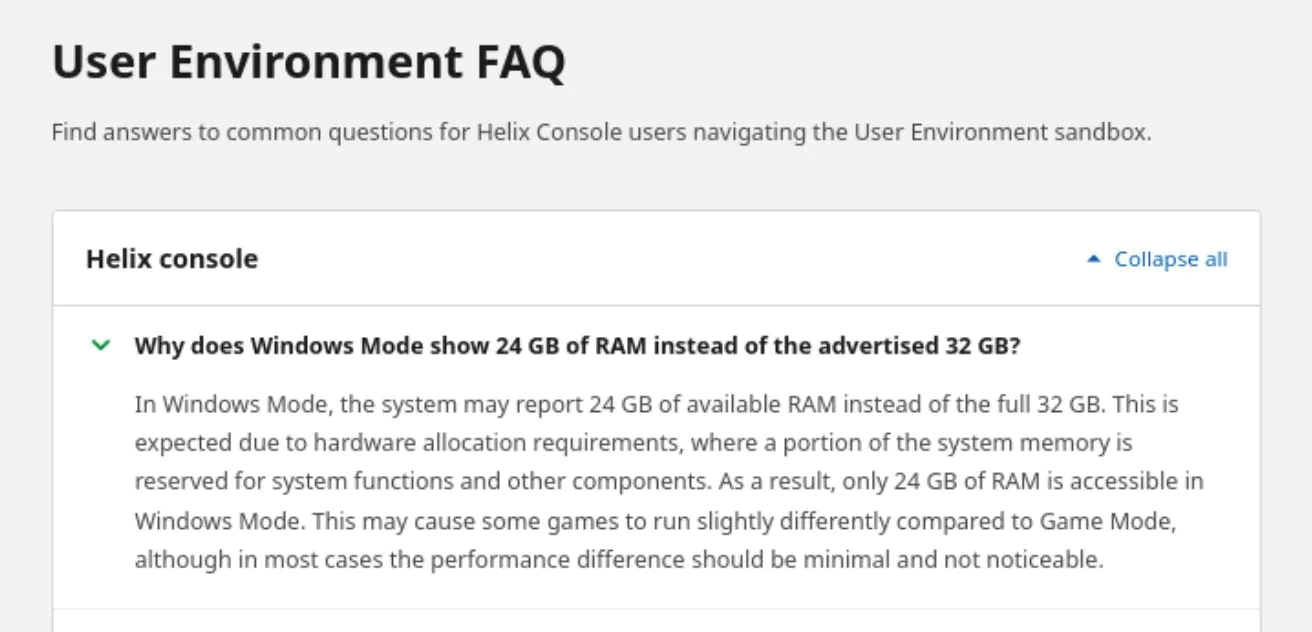
It is said that the console will feature Windows and Game Mode, limiting the memory to 24GB in Windows Mode.
The leak also shows that Game Mode will require a subscription for online gameplay, while Windows Mode will offer free online gameplay.
Microsoft officially confirmed the next-generation console as Project Helix recently, and more leaks have now surfaced regarding the hardware. This system aims to merge both PC and console gaming, and this leak shows a small glimpse of how this will be done.
It also shows that the console will function with different memory depending on which mode is being used. In total, Xbox Project Helix will ship with 32GB of memory.
Why it matters: The current-generation Xbox Series X and PS5 ship with 16GB of RAM, so the 2x bump should be a solid increase for future games.
Xbox Project Helix 32GB RAM Revealed via Microsoft Leak
According to a leaked Xbox Project Helix portal screenshot, the console will feature and advertise 32GB of total system memory.
The leak also confirms that the PC-console hybrid experience will be powered via two modes: Windows (PC) and Game (console). Elsewhere, the leak reveals that Windows Mode will feature just 24GB of usable system memory.
This is because the remaining 8GB will be reserved for the operating system and other functions. The leak shows that Microsoft provides a small disclaimer stating that certain games might perform differently between the two modes because of this difference.
Other important points of interest from the leak include details on how Microsoft plans to handle subscriptions. It is said that Windows Mode will allow online gameplay without subscriptions, but Game Mode will require Game Pass Core for online play.
All of this is very interesting and shows how Xbox could be on track to release its most unique hardware yet. Still, because this leak comes from 4Chan, we recommend taking this information with a grain of salt until further confirmation.
Xbox Project Helix Might Launch Soon
These details become even more intriguing after considering the fact that the PS6 is said to feature 24GB of RAM.
Therefore, Xbox Project Helix should be able to comfortably match or outdo the PS6 in this department. In general, Microsoft’s console is expected to be more capable in the hardware department.
At Tech4Gamers, I contribute as a Senior News Reporter, combining my skills and gaming enthusiasm to keep our audience updated on the latest developments.
Story Highlight
A former employee has raised questions regarding Ubisoft’s mismanagement in a recent interview.
He states that the studio has become hated by a large part of the public and internal development teams.
Despite the current situation, the ex-employee believes it’s not impossible for Ubisoft to make a comeback.
Ubisoft’s fall from grace has been quite well documented by now. Once a premier open-world developer, the team is now plagued with a live-service focus, layoffs, game cancellations, and mismanagement.
Amid the chaos, hopes for the French gaming giant making a true comeback are almost non-existent. Even a former Ubisoft developer has admitted that hate for the studio is running rampant.
Why it matters: Ubisoft is still fondly remembered as one of the pioneers of open-world games, so it is surprising to see the gaming giant fall as low as it has.
Far Cry And Assassin’s Creed Are Set To Be The Big IPs For The Team Moving Forward
As reported by GameFile, an anonymous ex-Ubisoft developer recently commented on the studio and its current state.
According to the developer, Ubisoft’s biggest failure is not being able to identify its pattern of mismanagement, leading to the spiral that has slowly degraded the team. He says that nobody at the top questions themselves, leaving the developers to take the brunt of the damage.
Moreover, the ex-employee stated that it’s no secret that Ubisoft has become hated as a game studio today. According to the developer, this sentiment also exists within the team itself since many Ubisoft employees hate the studio.
Ubisoft is now hated by a big part of the public for a decade of disappointing releases, hated by many of its own developers.
Ubisoft Has Its Priorities All Wrong
Toward the end of the interview, the former developer noted that in spite of everything that has happened within the French company recently, there is hope for a comeback. He believes that the team could still make a major hit in the future.
It’s tough to imagine Ubisoft making a big hit again. Tough but quite far from impossible.
What do you think about the developer’s comment? Do you agree that the studio has become hated today? Let’s discuss in the comments and on the Tech4Gamers Forums.
I’ve previously worked for eXputer as a Senior News Writer for several years. Now with Tech4Gamers, I love to devoutly keep up with the latest gaming and entertainment industries. I have a Bachelor’s Degree in Computer Science and years of experience reporting on games and breaking exclusive stories. Besides my passion for gaming journalism, I love spending my leisure time farming away in Stardew Valley. VGC, IGN, GameSpot, Game Rant, TheGamer, GamingBolt, The Verge, NME, Metro, Dot Esports, GameByte, Kotaku Australia, PC Gamer, and more have cited my articles.
Story Highlight
Ghost of Yotei’s PC port was scrapped despite being nearly complete, claims insider.
Sources were surprised at Sony’s cancellation of the port, as it was extremely far along in development.
Furthermore, many expected the launch to move forward due to the upcoming Legends multiplayer mode, but the PC edition has been scrapped completely.
After several years of underwhelming PC ports, Sony has finally pulled back on its PC release strategy. Many things could have influenced this decision, including the lackluster sales of these games on PC and the rumored Xbox-Steam integration in Project Helix that would make PlayStation first-party titles playable on Xbox.
Whatever the case, PlayStation fans are very happy with this outcome, with over 70% approving of the Japanese giant’s decision. However, on the other hand, PC players won’t be keen to learn that titles like Ghost of Yotei won’t release on the platform anymore, despite being completely ready for launch.
Why It Matters: Sony could have benefited from the extra players Ghost of Yotei’s Legends mode attained on PC, and scrapping this port could turn out to be a hasty mistake.
Source: DetectiveSeeds
According to insider DetectiveSeeds, the Ghost of Yotei PC port was “extremely far along” and had almost finished development, with a 2026 launch date set in stone before the strategic shift from PlayStation.
As per the leaker’s sources, the cancellation of the Saros port did not surprise anyone at the company, but many expected Ghost of Yotei to end up on PC because its development was close to completion.
Furthermore, the insider also predicted Sony would go ahead with the release as the player base on PC would help the upcoming Legends multiplayer mode launching in Ghost of Yotei on March 10, 2026.
Ghost of Yotei’s upcoming multiplayer mode would have been boosted by a PC port.
However, as reported earlier, the PC edition of the Sucker Punch adventure game has been completely scrapped alongside Saros and won’t see the light of day thanks to the new PlayStation strategy.
Do you think scrapping the Ghost of Yotei PC port is a good idea, considering how far along it was? Should Sony have released the game on Steam to attract more players for the Legends mode? Tell us in the comments below or head to the Tech4Gamers forum for discussion.
At T4G, my task is to cover the latest news around the gaming globe ASAP and with the utmost precision. I adore all the games and respect all the devs behind the amazing games that we get all year. So, whether it’s a PC or a Console game, I got it all covered.
Story Highlight
A new report from 2016 has resurfaced, revealing that Xbox Helix has been in the plans for 10 years.
Microsoft has the intention of integrating 2 of its major divisions into a single powerful hardware.
Project Helix will be a PC-hybrid console and is expected to be released in 2027.
Microsoft recently announced its next-gen console, Xbox Project Helix, which is expected to release somewhere in 2027. It is set to be a PC-hybrid device that will run the full suite of Xbox library, and will feature multiple storefronts.
The leaks of the hybrid console only started to appear a couple of years ago, a new report reveals that Microsoft has been working on Project Helix for the last 10 years. The Xbox and Windows integration had been a long time coming.
Why it matters: It seems that Microsoft didn’t come up with the idea of a hybrid console after the Xbox Series failures, and has been in fact in plans for the longest time.
Report reveals that Xbox Helix has been in the works for over 10 years
Tom Warren posted a screenshot of a 2016 article from Kotaku, which discussed the existence of a ‘Project Helix’. Microsoft was already clear at that point that they wanted both their flagship brands to work together.
Releasing games both on Xbox and Windows was sort of Microsoft’s step towards integrating both platforms into one. And it seems like after over 10 years, the vision is finally turning into a reality next year.
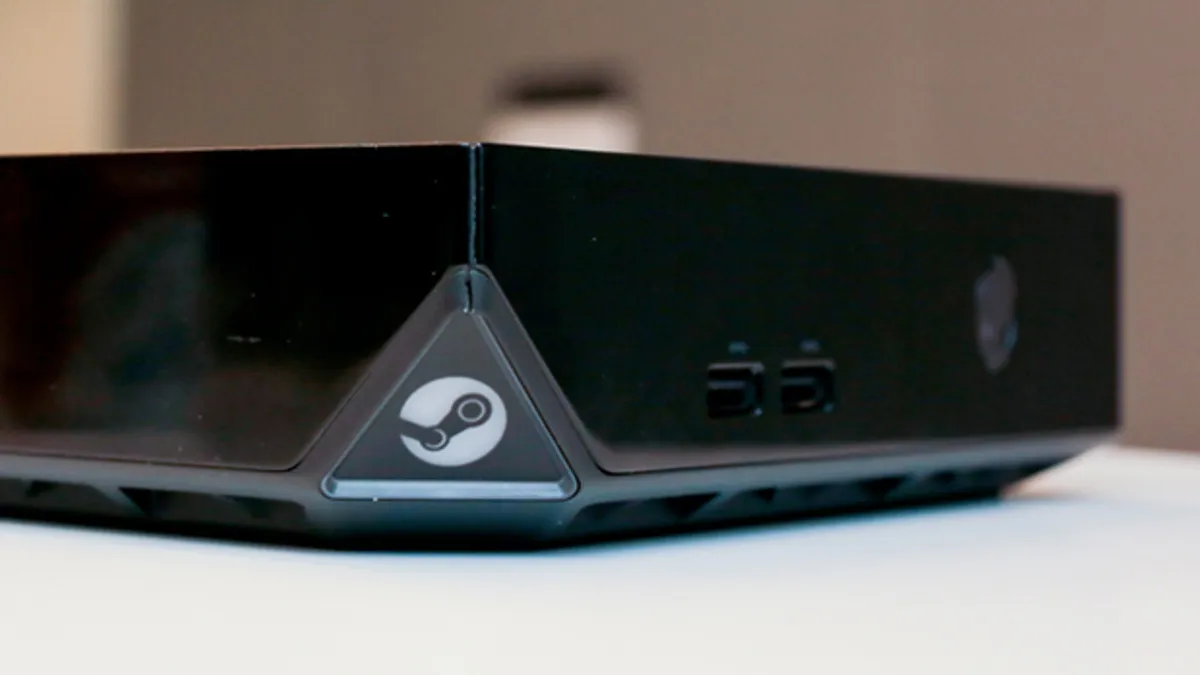
Anyways, Project Helix is gearing up to be the next big thing. However, since the Steam Machine is releasing this year, and the basic concept is the same as the Xbox, it will likely face heavy competition from Valve’s new hardware.
What are your thoughts on Microsoft working on the Project Helix for over a decade? Let us know your opinions in the comments or join the discussion at the official Tech4Gamers.
At Tech4Gamers, I contribute as a Senior News Reporter, combining my skills and gaming enthusiasm to keep our audience updated on the latest developments.
Story Highlight
Microsoft CEO Satya Nadella and Xbox lead Asha Sharma recently addressed the team.
Satya Nadella stated that he would continue to back Xbox and invest in the gaming industry.
He discussed the passion and creativity that go into games, which make this form of entertainment special for the entire world.
Xbox has announced its next-generation console, dubbed Project Helix. This hardware is rumored to bridge the gap between traditional consoles and PCs, but recent rumblings have also suggested Microsoft might pull the plug on its gaming division afterwards.
Fortunately, a new report shows that CEO Satya Nadella is quite hopeful about the future of Xbox.
Why it matters: Several years ago, Microsoft already considered shutting down Xbox altogether. Fans will be glad to know that the tech giant is not rethinking its choices right now.
Satya Nadella secured over $30 million in funding despite seeing over 2500+ job cuts.
According to Windows Central’s reporting. Satya Nadella recently addressed the Xbox team to mark the occasion of CEO Asha Sharma’s arrival.
In his message, the Microsoft CEO appeared quite enthusiastic about gaming moving forward, promising to support the passion that goes into this creative industry.
Even when admitting the inherent risks associated with games, he noted that Microsoft is willing to take these risks.
For me, we’re long on gaming. We’ll continue to invest, and we’ll always do so.
-Satya Nadella
Later, the CEO noted that when games are at their best, they uplift Microsoft as a whole. He believes games leave an emotional impact on consumers in a way that very few other forms of entertainment can match.
Xbox Has Abandoned Exclusivity Altogether
Following this message, it seems that Xbox is safe, at least for now. Microsoft’s shifts have been so radical in recent years that it’s hard to draw any definitive conclusions from a few recent statements.
Only time will tell how the Xbox brand evolves under the new leadership of Asha Sharma and Satya Nadella, but it seems the two are quite hopeful for the time being.
Currently serving as a News Reporter at Tech4Gamers, I have the privilege of combining my love for gaming with the art of storytelling. My role involves crafting engaging narratives that keep our audience abreast of the latest developments in the gaming world.
Story Highlight
Slay the Spire 2 hits 574k peak player count 4 days into the game’s release.
This makes it the indie roguelike’s biggest launch of 2026 so far.
Fans praise the sequel and call it a step-up from the original in every way.
Indie and AA titles never fail to surprise us, and we already have another case of an unexpected hit in 2026. The sequel to 2019’s roguelike deck-building title just came out and, in less than a week from launch, has become the biggest release of this year so far.
Slay the Spire 2 hit a 574k peak player count on Steam after 4 days from release and holds a 94% overwhelmingly positive rating based on overall 25k+ reviews.
Why it matters: In an era where AAA games are failing to realize what the audience wants, Indie titles are more connected with the masses and are creating passion projects that the gamers actually need.
The Game’s Player Will Likely Increase More In The Coming Days || SteamDB
Even though it is a deckbuilder, Slay the Spire 2 has attracted an audience with its beautiful art style and an improvement over the near-perfect original, with newer game mechanics and an increased array of characters and cards aside from the returning ones.
Still in early access, Slay the Spire 2 also has a nice progression system with tons of lore and a system that actually rewards the players and keeps them hooked, whether they’d want to play solo or in co-op.
One of the reasons behind the title’s success is also it’s lower price point at just $25 in an era where publishers are pushing for $80 releases for AAA titles.
Compared to the original, the sequel has found unparalleled success, having hit a peak player count of nearly 10X more.
Have you had a chance to check Slay the Spire 2 out? Let us know what you thought of the game in the comments below, or at the official Tech4Gamers Forums.
As Tech4Gamers’ Founder and Editor-in-Chief, I bring over 13 years of PC Hardware Reviewing and 8+ years of IT Project Management experience. Certified in Google IT Support , my focus is on providing honest product reviews and analysis and fostering a strong gaming community with 130k+ members in PPG.
Story Highlight
Valve confirms Steam Machine release for 2026.
The current delay is due to the ongoing RAM crisis.
The console’s price will make or break its success.
Despite never having an official release date, the launch of the Steam Machine has reportedly been pushed back due to the ongoing state of the RAM market. This has also delayed the delivery of the company’s new controller, the Steam Controller, as well as its virtual reality headset, the Steam Frame.
Also, there are rumours of Half-Life 3 being delayed, as Valve wanted this highly anticipated sequel, starring Gordon Freeman, to premiere on the Steam Machine. At the very least, Valve has confirmed that this new hardware family will be available in early 2026.
This was still visible on the Steam Hardware homepage and in the product listings. Valve updated the FAQ section in February, extending the release window to the first half of 2026 while admitting that memory and storage shortages made it difficult to settle both the pricing and the release date. Valve has now changed the information again, removing this reference.
Valve Plans To Release 3 Hardware Pieces
Recently, Valve released its “Steam Year in Review 2025,” which provides a yearly summary of the platform, including a section dedicated to hardware (the three products mentioned previously).
Valve has once again pushed back on a probable release date for the Steam Machine, controller, and VR headset. Specifically, a considerably more unclear remark appeared, which is that Valve claims it “expects” to release the items by 2026. Thus, we’ve progressed from early 2026 to the first part of 2026, and now we’re simply talking about anytime in 2026.
The word “expects” has once again caused worries, implying that Valve no longer wishes to commit to the earlier release timeline they had been promising. After the knowledge spread, Valve was forced to publish an official statement. Specifically, they stated that “nothing has really changed” in their plans and that the three items are still scheduled for 2026.
Furthermore, the company changed the post’s language to make it more explicit. The message itself has not altered much. The conversation has changed from “we expect to launch it in 2026” to “we will ship all three products this year .”
With The Console Based On Linux, It Probably Won’t Run Games With Anti-Cheat Kernel
Previously, Valve stated that the memory and storage crisis is the primary reason the Steam Machine has not been released, and there is no set launch date. The company didn’t need to say anything as it was obviously clear, and the situation had entirely shifted.
What was supposed to be an affordable SteamOS computer/console has now evolved into a product that will be pricey. Unless Valve decides to lose money on hardware sales and regain it through software sales. SteamOS gets a 30% share of every purchase made by any player on Steam, whether it’s a game or in-game content. So, in the long term, it’s the greatest choice for Valve.
SteamDB indicates that the Steam Machine received a registration update yesterday, on March 6, 2026, but is still classified as “Coming Soon.” Additionally, the Steam Controller remains listed as an upcoming release. About the price of the Steam Machine, Valve will likely calculate it based on the average cost of the memory modules they purchased earlier and the more expensive ones they are buying right now.
At T4G, my task is to cover the latest news around the gaming globe ASAP and with the utmost precision. I adore all the games and respect all the devs behind the amazing games that we get all year. So, whether it’s a PC or a Console game, I got it all covered.
Story Highlight
Sony is reportedly scaling back on releasing its single-player exclusive titles on PC.
A new poll reveals that fans are in favor of keeping first-party titles on PlayStation only.
The decision has allegedly been made as Sony considers Steam Machine a threat.
A recent report revealed that after a few years of porting its exclusives to PC, Sony is now finally reverting to its old strategy. This means that the recent or upcoming releases like Ghost of Yotei, Saros, Wolverine, and more will be only on PS5.
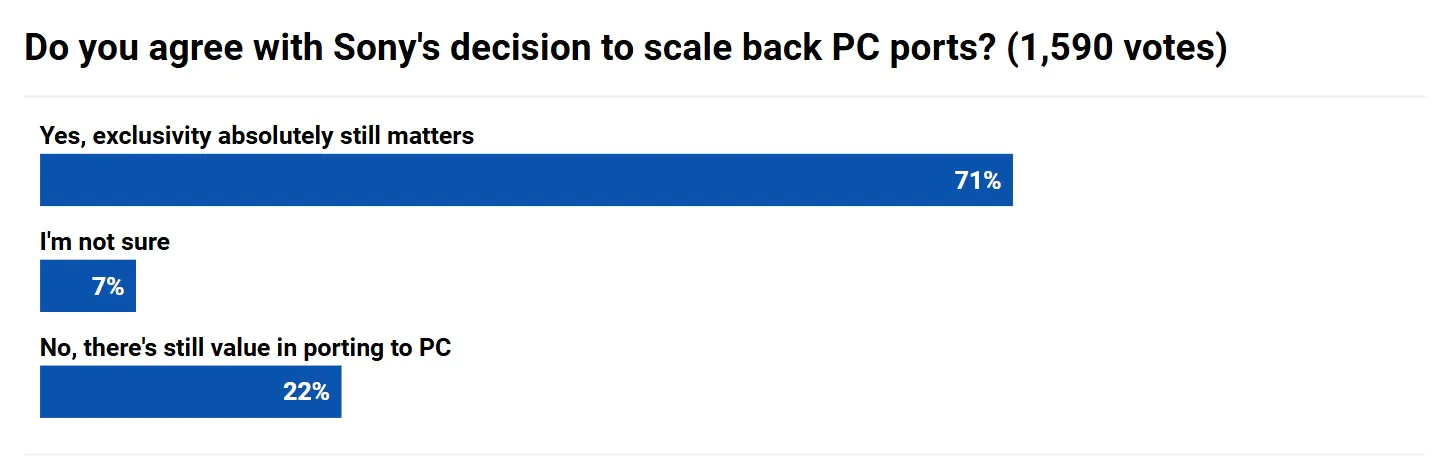
Even when Sony first started to make PC ports, PlayStation fans were against the decision. Now, a new poll reveals that the fans are absolutely in favor of PlayStation scaling back on the PC ports, and call it the right decision.
Why it matters: While this is undoubtedly a move to increase the value of their console, the PC ports didn’t seem to be hurting Sony too much. PS5 has sold like hot cakes, even topping charts now, years after the release.
A poll reveals that fans are in favor of Sony scaling back on PlayStation PC ports
In a recent poll by Push Square, over 70% of the people voted in favor of exclusivity, and just 22% voted that PC ports still hold value. So, as Sony scaled back on PC ports, fans also want the company to do the same.
Initial PlayStation exclusives on PC were massive hits. Horizon Zero Dawn was a blockbuster on Steam. According to an estimate the ports have generated at least $2.3 billion in revenue.
Sony sees Steam Machine as a threat therefore it allgedy made the decision
This is a huge number considering the ports aren’t expensive to develop. Recently, a journalist also supported Sony’s decision to scale back, saying that the company has made the right call for the future.
Steam Machine and Xbox Helix will be PlayStation’s competitors next generation. As the Machine and Helix are kind of a PCs running Steam, they would’ve had access to Xbox and Steam (PS Ports) games, making it a threat for PlayStation.
What are your thoughts on Sony scaling back on releasing PlayStation exclsuive game ports on PC? Let us know your opinions in the comments or join the discussion at the official Tech4Gamers Forum.
I’ve been the Journalist & Editorial Writer at Tech4Gamers since July 2022. I spearhead our hardware coverage, including overclocking GPUs, benchmarking CPUs, reviewing peripherals, and fine-tuning custom PC builds for every budget. Daily, I report on breaking gaming news, from major launches and studio updates to the latest industry trends, ensuring our community stays informed. Beyond news briefs, I write in-depth feature articles on gaming culture and emerging technologies. And by collaborating closely with the editorial team on content planning, SEO strategy, and our publishing calendar, I help us consistently hit our traffic and engagement targets.
A few months ago, I had the chance to review the Corsair MAKR 75, which was a DIY keyboard. I still remember sitting at my desk with parts spread out in front of me. A case on one side and a plate on the other. Switches lined upwaiting to be pressed in. It wasn’t just another keyboard review. It felt like a small project. Building it from scratch was honestly a lot of fun. There’s something unique about DIY keyboards. So when I found out I’d be reviewing the Corsair MAKR PRO 75, I got excited again right away.
This time, though, things were a bit different. The Pro version arrived pre-assembled. So, I missed out on the fun of snapping pieces together. And to be honest, I didn’t mind that. I’ve already built the original MAKR 75. I know how that process feels. So instead of repeating the same steps, I could focus entirely on what matters here: how this Pro version improves, changes, or maybe even rethinks the formula. So in a way, this review feels like a continuation of that first one.
Why Trust Tech4Gamers
Abdul Hannan is our peripherals expert who has been testing different mice, keyboards, headphones, microphones, and more for years.
130+ peripherals tested and reviewed by our team of hardware experts (Tech4Gamers Team).
500+ hours spent testing different peripherals for our reviews.
At Tech4Gamers, ensuring you get reliable information is our priority. That’s why every hardware round-up undergoes a meticulous review process by our team of experts and editors. Each review is carefully examined against our strict editorial guidelines, guaranteeing you trustworthy insights you can depend on.
Key Takeaways
The Corsair MAKR PRO 75 combines Hall Effect gaming performance with enthusiast keyboard build quality. Its aluminum chassis, layered acoustic design, and adjustable actuation switches make it a versatile option for both gaming and daily typing.
You should buy the Corsair MAKR PRO 75 if you care about premium build quality, want adjustable actuation with Hall Effect switches, and plan to use advanced features like Rapid Trigger and FlashTap SOCD handling for competitive gaming.
You should skip the Corsair MAKR PRO 75 if you’re looking for a more affordable keyboard, prefer simple plug-and-play functionality without software customization, or want wireless connectivity included out of the box.
Here are the technical specifications:
Media and Volume Controls
Yes
Keyboard Report Rate
Up to 8,000Hz with AXON
On Board Memory
8MB
Onboard Profiles
5
Keyboard Product Family
NA
Adjustable Height
Yes
Wired Connectivity
USB Type-A
Keyboard Connectivity
Wired
Keyboard Cable Material
Braided
WIN Lock
FN Shortcut
Key Rollover
Full Key (NKRO) with 100% Anti-Ghosting
Key Switches
CORSAIR MGX V2
Keyboard Layout
NA (North America)
Keyboard Warranty
2 Year
Weight
1.282kg
[toc]
What Makes the Corsair MAKR PRO 75 Different?
Compared with competing keyboards from other manufacturers, the Corsair MAKR PRO 75 HE blends two categories that are usually separate. Many Hall Effect keyboards on the market prioritize gaming performance but often skip enthusiast-grade build or customizability. On the other hand, custom keyboard brands tend to emphasize build quality and acoustics but rarely integrate features such as 8,000Hz polling, Rapid Trigger tuning, or per-key actuation control. Corsair’s approach aims to combine both ideas into a single keyboard.
Packaging & Unboxing
Packaging
1 of 3
Frontside of the Box
Backside of the Box
Topside of the Box
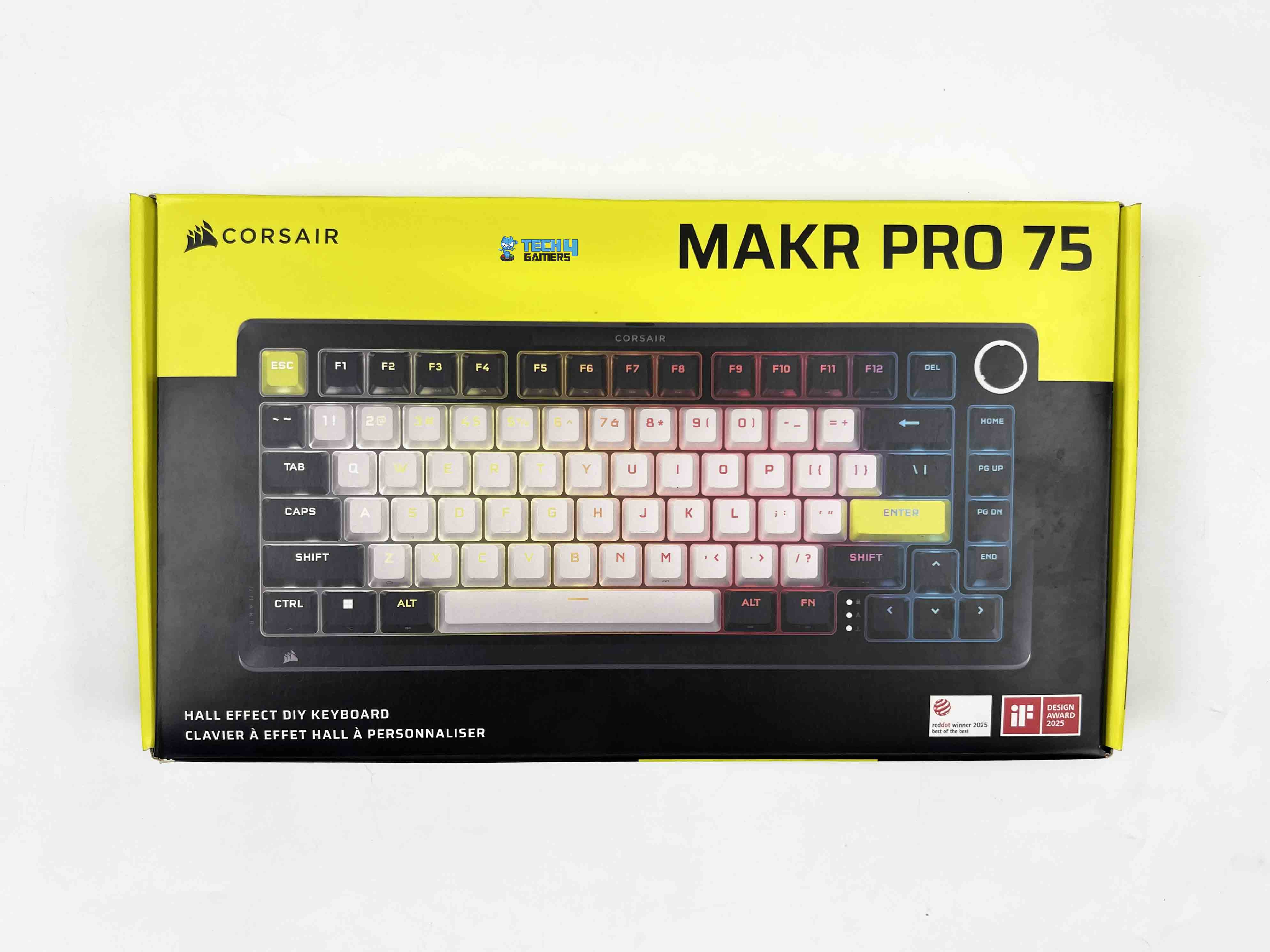
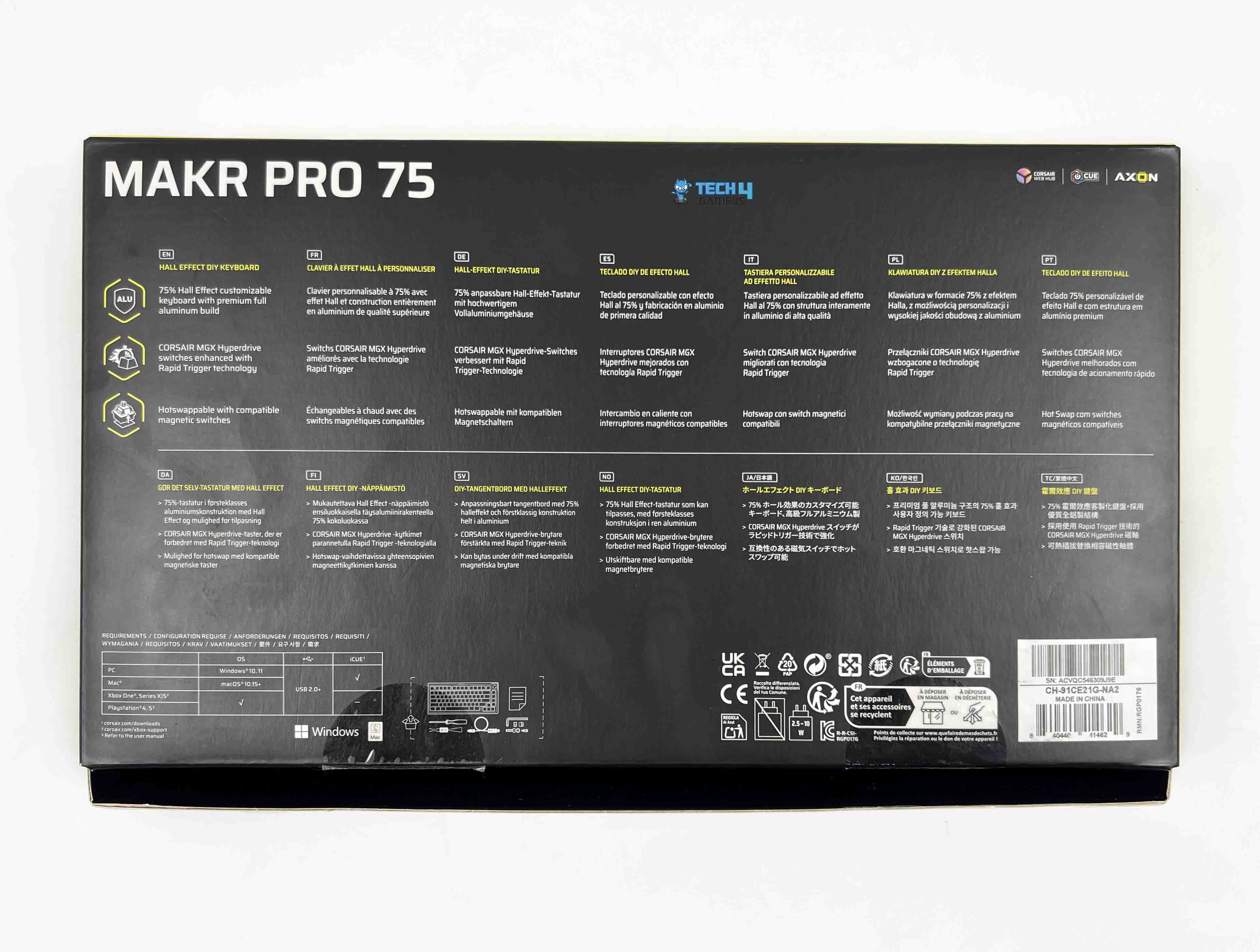
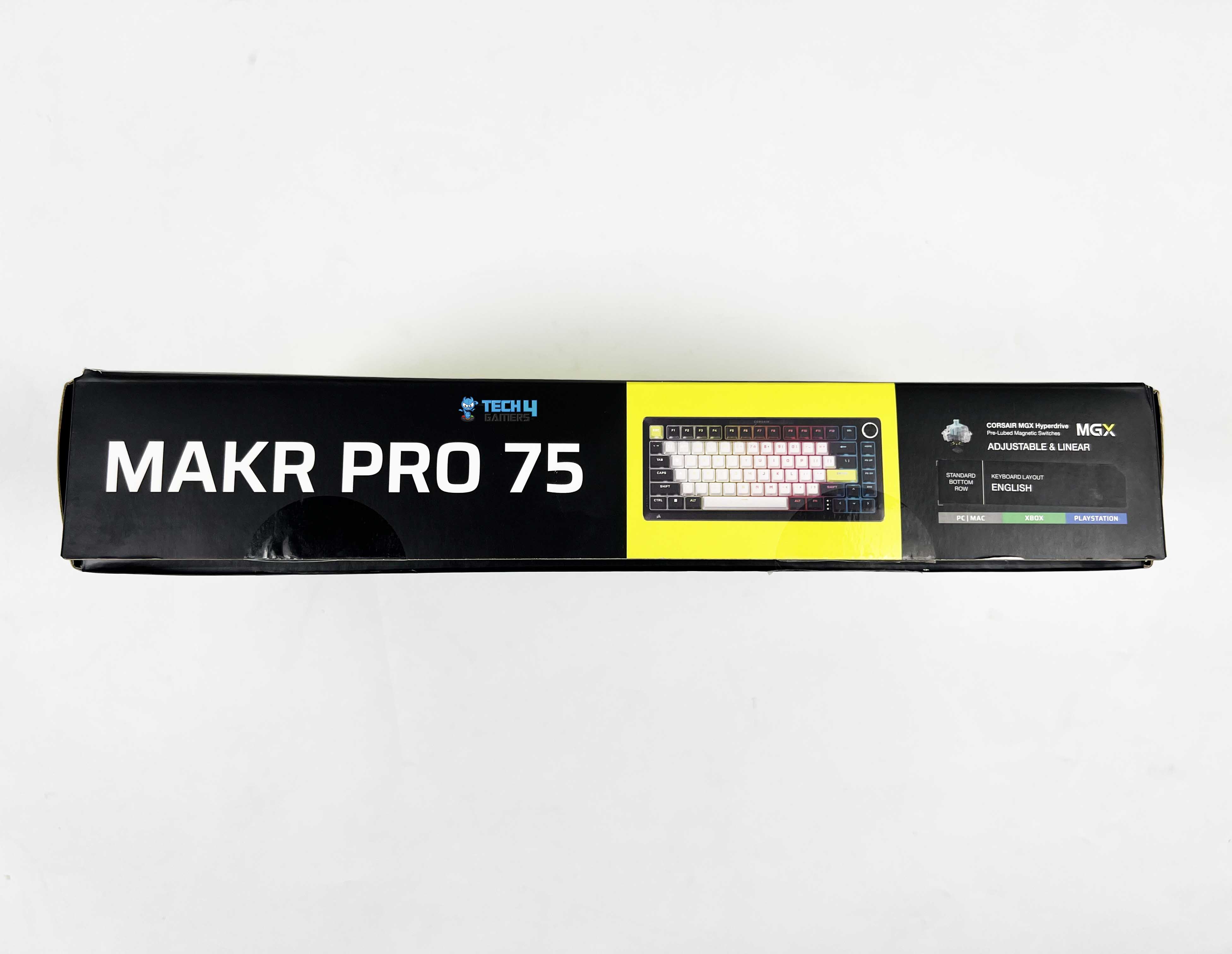
The Corsair MAKR PRO 75 arrives in packaging that feels familiar if you’ve used Corsair products before. At the front, a large image of the keyboard is centered. Corsair branding sits up top along with the model name. At the bottom, you’ll see the Hall Effect DIY Keyboard written out. Flip the box over, and you’ll find a breakdown of the keyboard’s key features. They’re printed in multiple languages. You’ll also see platform compatibility mentioned there.
Unboxing
1 of 2
Unboxing
Box Contents
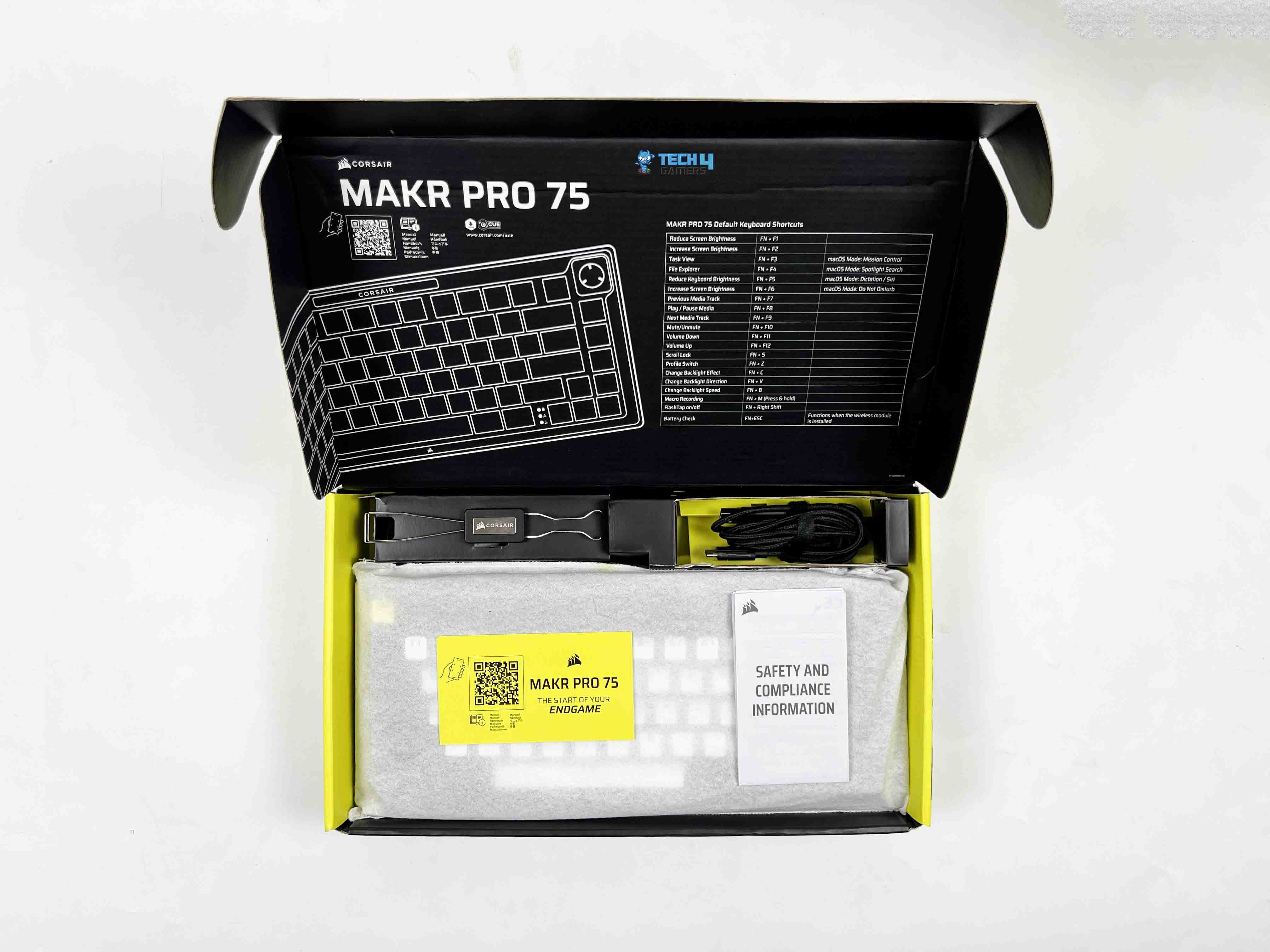
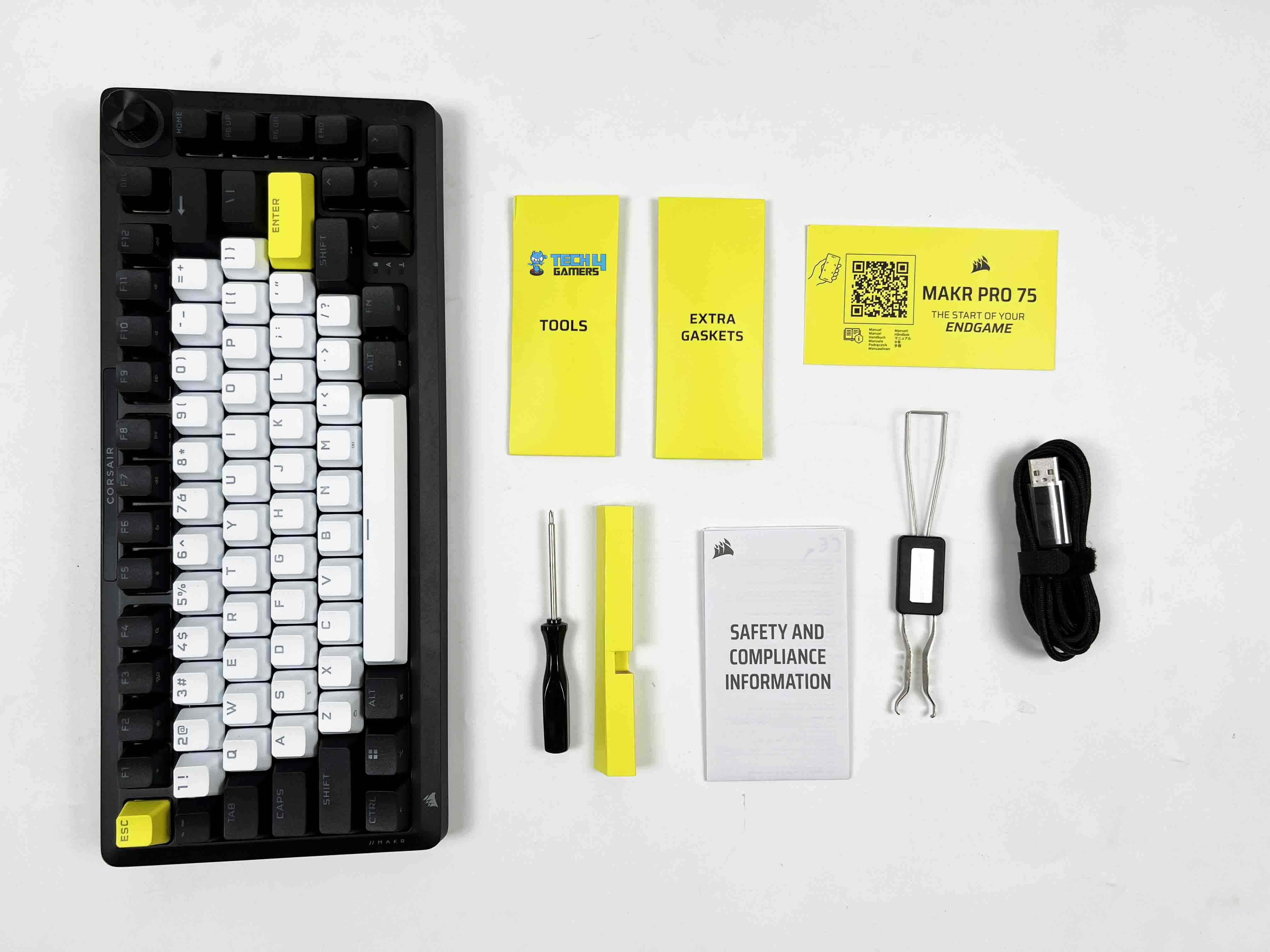
Opening the box, the keyboard is placed at the bottom wrapped in a soft protective sleeve. Above the keyboard, there’s a separate compartment for accessories. The first thing you’ll likely notice is the 2-in-1 key switch and keycap puller. It’s a single tool that handles both tasks, which makes sense for a DIY-focused product. Next to it, there are extra tools and spare gaskets tucked into their own section. You’ll also find a screwdriver included, along with the USB cable.
Design
Design
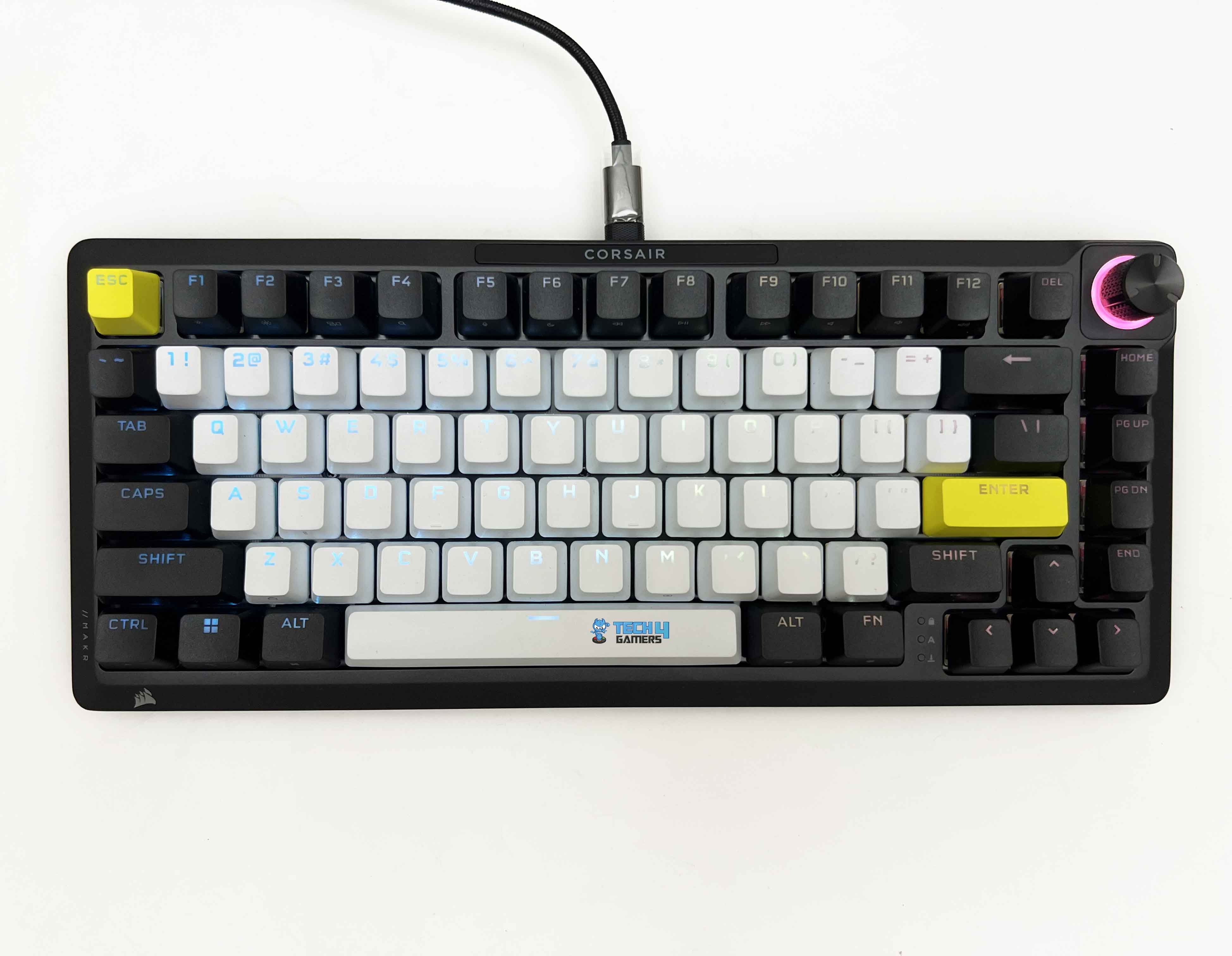
I’ll just say it straight. The Corsair MAKR PRO 75 is one of the best-looking keyboards I’ve had on my desk. Corsair calls this colorway Eclipse, and honestly, that name fits. It’s a mix of black, white, and yellow. That combination could’ve gone wrong very quickly. Instead, it looks good. The contrast between the black and white sections gives the keyboard an elegant look. It doesn’t look random. The yellow Enter and Esc keys break the monotony in a subtle but noticeable way.
They draw your eyes without overpowering the layout. I have a mix of black-and-white peripherals on my desk. White mouse on a black desk mat, with a monitor with thin, dark bezels. So when I placed this keyboard in the center, it didn’t clash with anything. It actually tied the setup together. That doesn’t happen often. Usually, you’re compromising somewhere. One thing worth mentioning is that this design has won major awards, including the iF and the Red Dot Design Award 2025.
Layout
Layout
The Corsair MAKR PRO 75 has a 75% form factor. The dimensions are 332 mm long, 145 mm deep, and about 50 mm tall at its highest point. I actually measured it against my desk mat to see how much space it took up. It leaves a significant gap on both sides compared to a full-size keyboard. You don’t get a numpad, as that space is gone.
In its place, you get a tighter footprint that pulls your mouse closer to the keyboard. I noticed that immediately during longer gaming sessions. My right arm didn’t stretch as far out as it usually does with a full-size board. It’s compact without looking cramped. The arrow keys are separated just enough from the main typing block to be found by touch. On the right side, the navigation keys are stacked vertically.
Rotary Dial
Rotary Dial
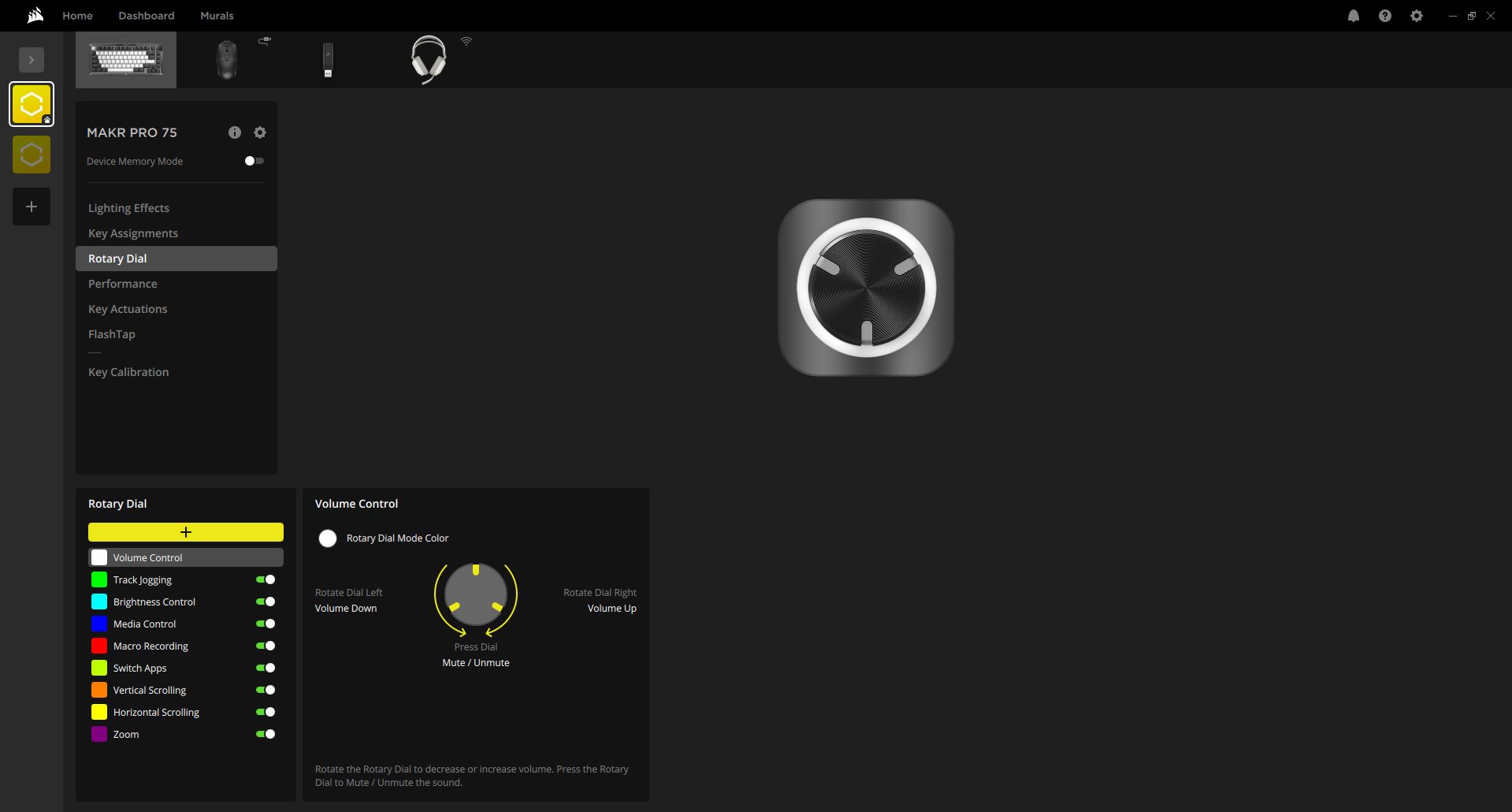
The Corsair MAKR PRO 75 has a rotary dial placed in the top-right corner. By default, it controls volume, which is how I tested it first. When you spin it, the resistance feels just right. It clicks through each step in a way that’s tactile without being noisy. You can feel each notch under your fingertip. That’s the kind of detail you don’t often notice until it’s wrong, and here it isn’t.
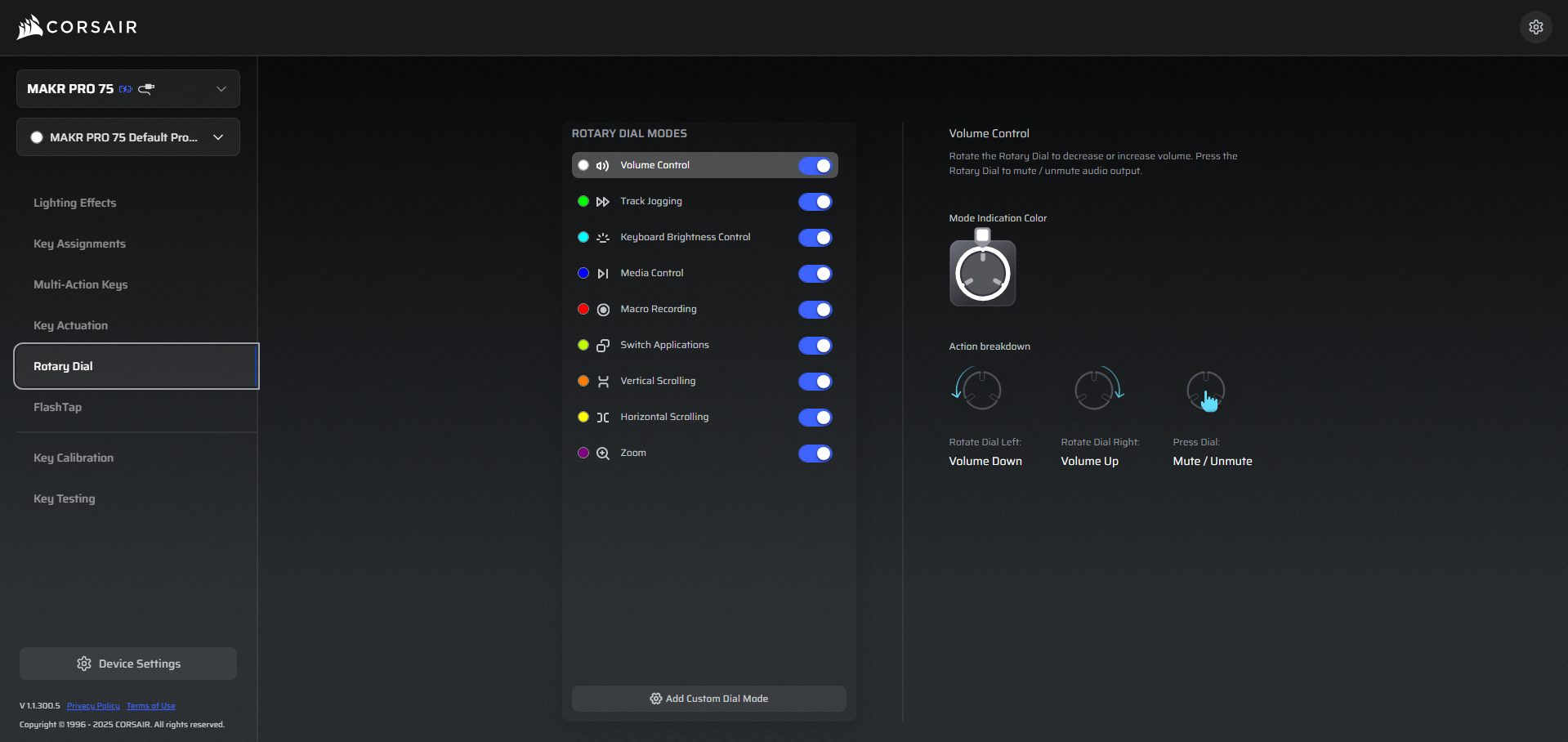
The rotary dial also has multiple modes that you can cycle through by holding it for about 2 seconds. For enthusiasts, there’s also the option to replace the dial with a vibrant 1.3-inch LCD module. This module lets you monitor system stats if you like seeing real-time info, such as CPU usage. It’s priced at $49.99, and honestly, whether it’s worth it is up to you.
Underside
Underside
Flipping the Corsair MAKR PRO 75 over shows subtle Corsair branding right in the center. Around that, the surface isn’t just flat plastic. There is a series of raised lines and patterns running across the panel. They don’t serve a mechanical purpose, really, but they make the underside look more considered. There are four rubber feet, one on each corner, but not all are made the same.
The bottom two are wide and simple. They sit flat against the desk and do a solid job of keeping the keyboard from sliding. The top two feet have a unique shape. They’re designed to work with the keyboard’s magnetic height adjustment system. Instead of traditional flip-out risers, the keyboard uses magnetically secured feet. These attach to the bottom plate, providing the keyboard with a slight, comfortable typing angle.
Build Quality
Build Quality
The first thing you notice when you pick it up is the weight. The Corsair MAKR PRO 75 weighs 1.3 kg, and that number feels accurate the moment it leaves the desk. It’s not absurdly heavy, but it’s dense. I tried applying pressure near the corners and around the function row. There’s no hollow sensation and light plastic flex. Even twisting it slightly with both hands doesn’t produce creaks. It feels solid in your hands. Both the top cover and the bottom case are made from full aluminium.
That changes the experience immediately. When you tap the chassis with your knuckle, you get a muted, firm sound rather than a thin echo. The aluminium top frame feels rigid, and the bottom, also aluminium, adds to that sense of density. Some keyboards use a metal top and a plastic bottom. You can usually feel the difference right away. Here, the consistency between top and bottom makes the structure feel unified. There’s a certain cohesiveness to it.
Keycaps
Keycaps
The Corsair MAKR PRO 75 uses PBT double-shot keycaps. PBT has a slightly drier texture and a soft grain. When you run your finger across the surface, the keycaps don’t feel slick. After a few weeks of use, I checked for shine. Especially on the spacebar. That’s usually the first to give it away. So far, nothing dramatic. The profile is OEM with medium height, and there is a slight sculpt from row to row. Your hands don’t sit flat as they rest in a slightly arched position.
Each row sits at a different angle, so your fingers follow a natural curve as you move from the number row down to the spacebar. The double-shot construction means the legends aren’t printed on top of the keycaps. They’re molded as a second layer of plastic inside the keycap. You can’t scratch them off. Even if you try scratching at the legend with a fingernail, nothing fades. That’s reassuring if you plan to keep the keyboard for years.
RGB Lighting
RGB Lighting
1 of 2
RGB Lighting
RGB Lighting in Dark
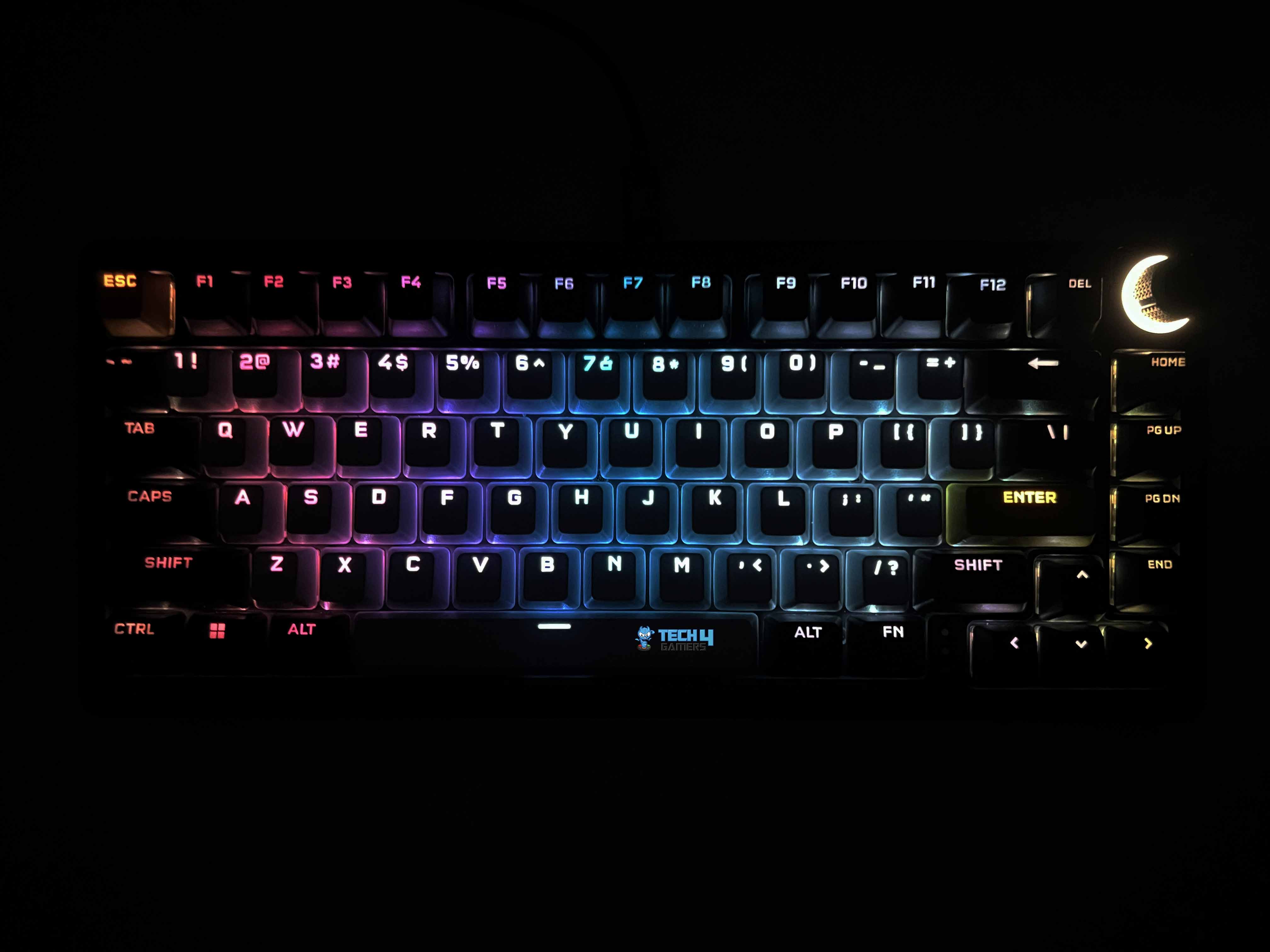
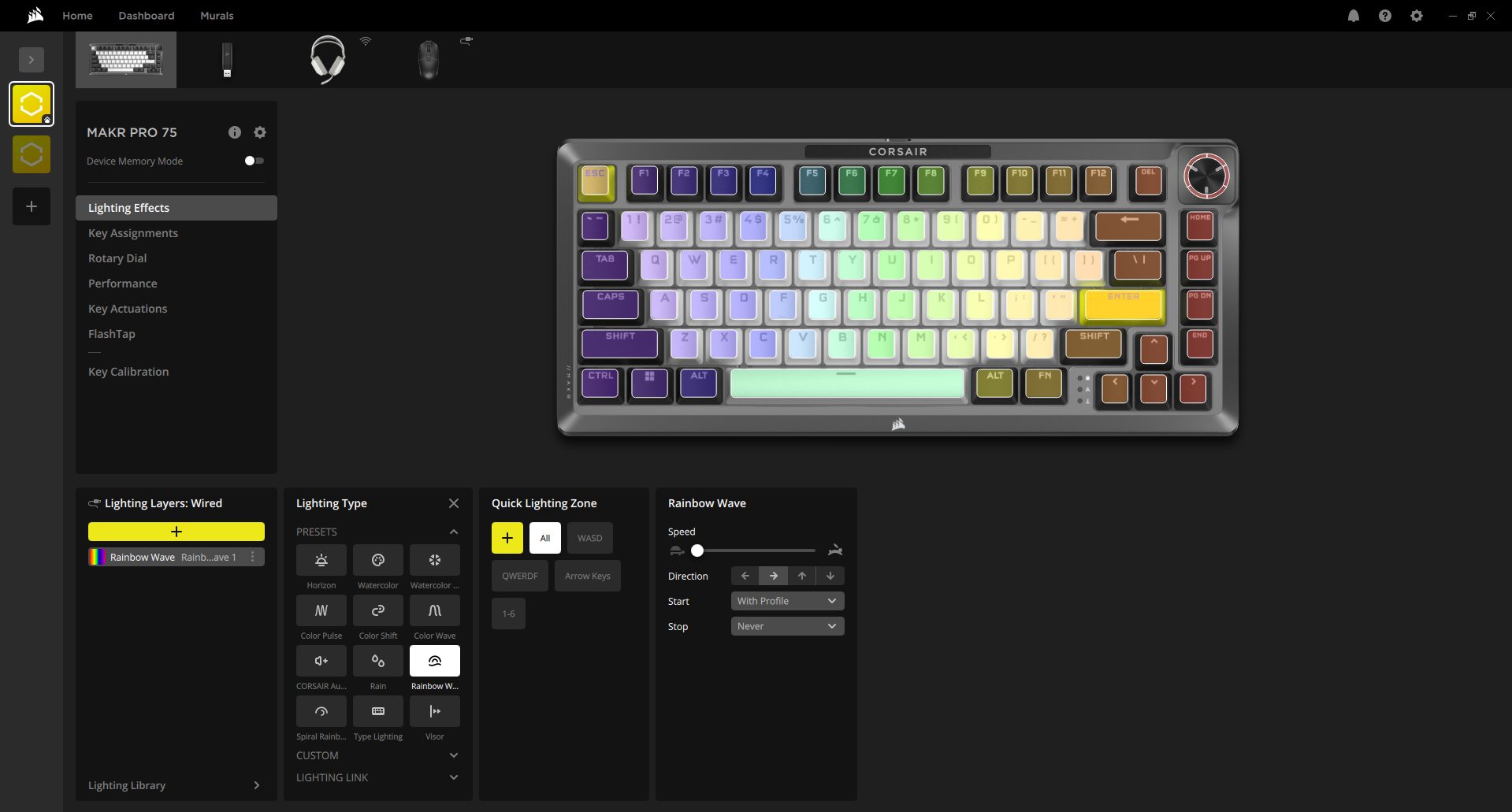
I kept the RGB on the entire time I was testing the Corsair MAKR PRO 75 because it looked that good. This keyboard uses individually LED-lit keys, and each key is fully programmable. When you set different colors across the layout, the separation looks clean. You can isolate just the arrow cluster or highlight only WASD. Because it’s full RGB, you’re not limited to preset tones. You can dial in almost any color you want. The transitions between colors are smooth.
Brightness is sufficient to remain visible in daylight. I have a window to my left, and even with natural light coming in, the legends remain readable. The white keycaps reflect more light, so colors look slightly more vivid there. The black keycaps absorb more light, giving the layout a layered appearance when mixed-color effects are used. The PBT double-shot legends glow sharply since light passes through cleanly.
Switches
Switches
1 of 2
Switches
Switch Housing
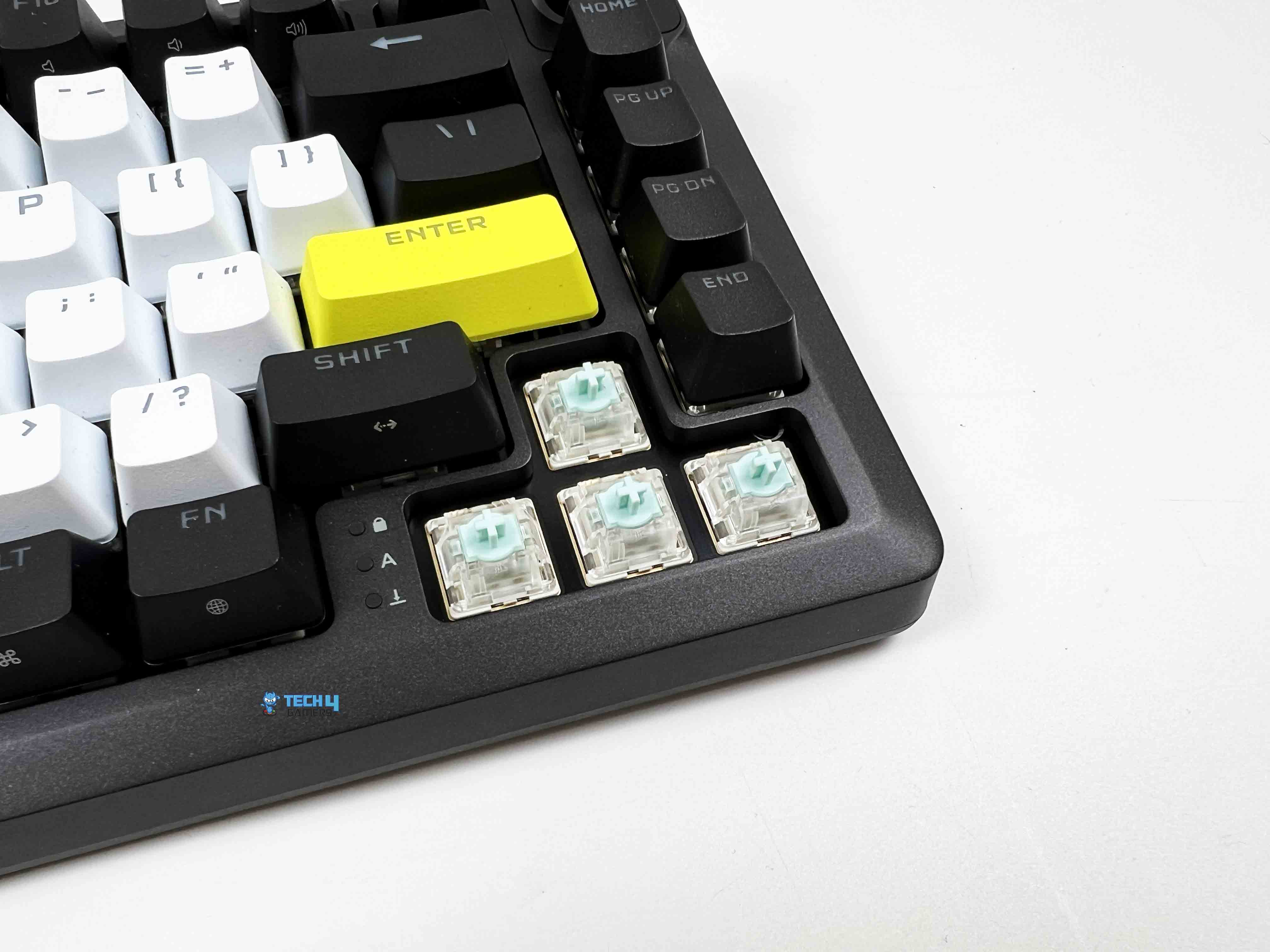
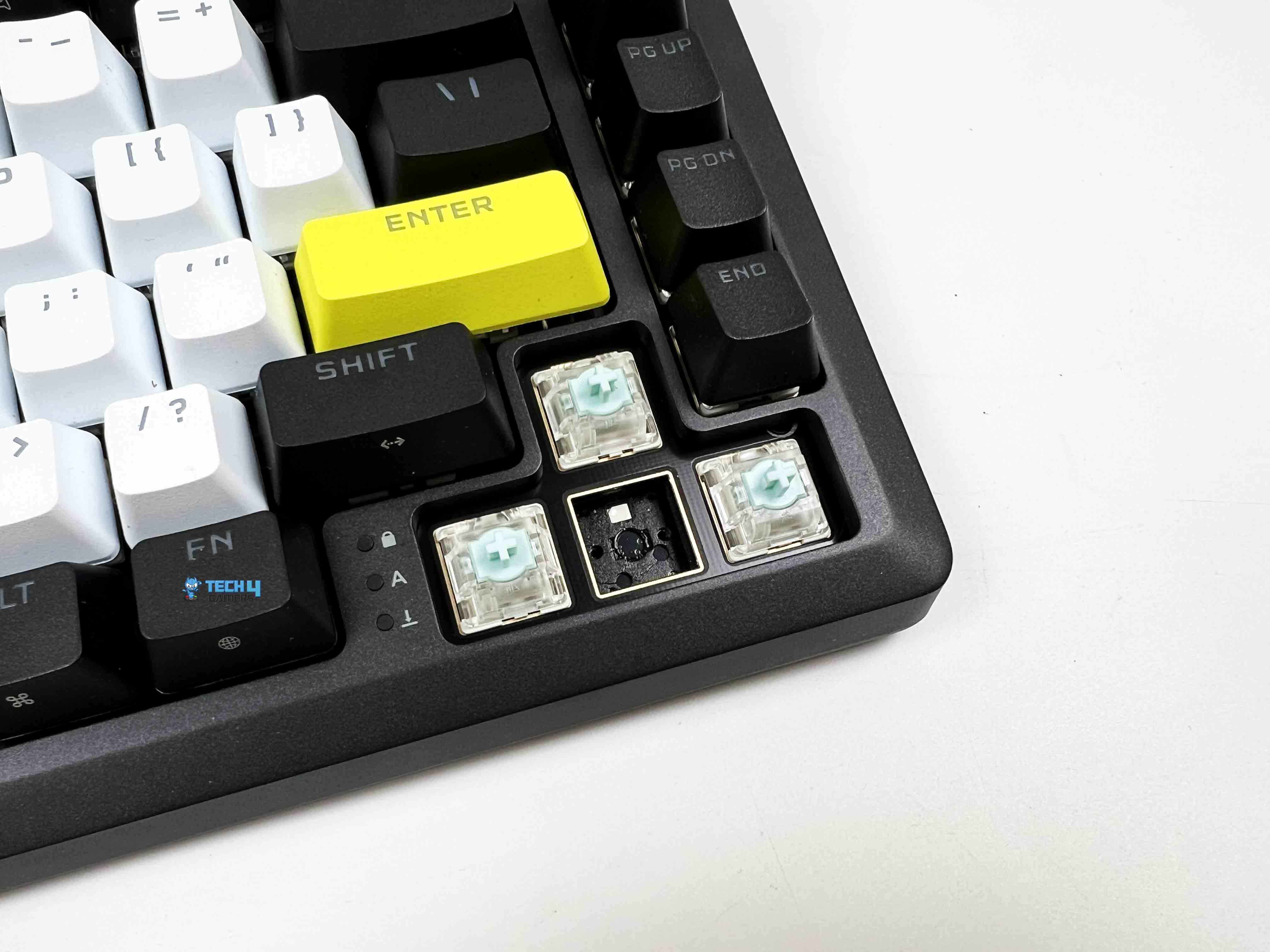
The Corsair MAKR PRO 75 features MGX Hyperdrive magnetic switches. So right away, we’re in Hall Effect territory. Out of the box, they feel like regular linear switches with smooth presses and no tactile bump. If you didn’t know they were magnetic, you could type on them for a while and assume they were just well-lubed linears. And yes, they are pre-lubricated from the factory. You can easily feel it. There’s no scratchiness even during slow presses. I deliberately pressed a few keys as slowly as possible to check for friction.
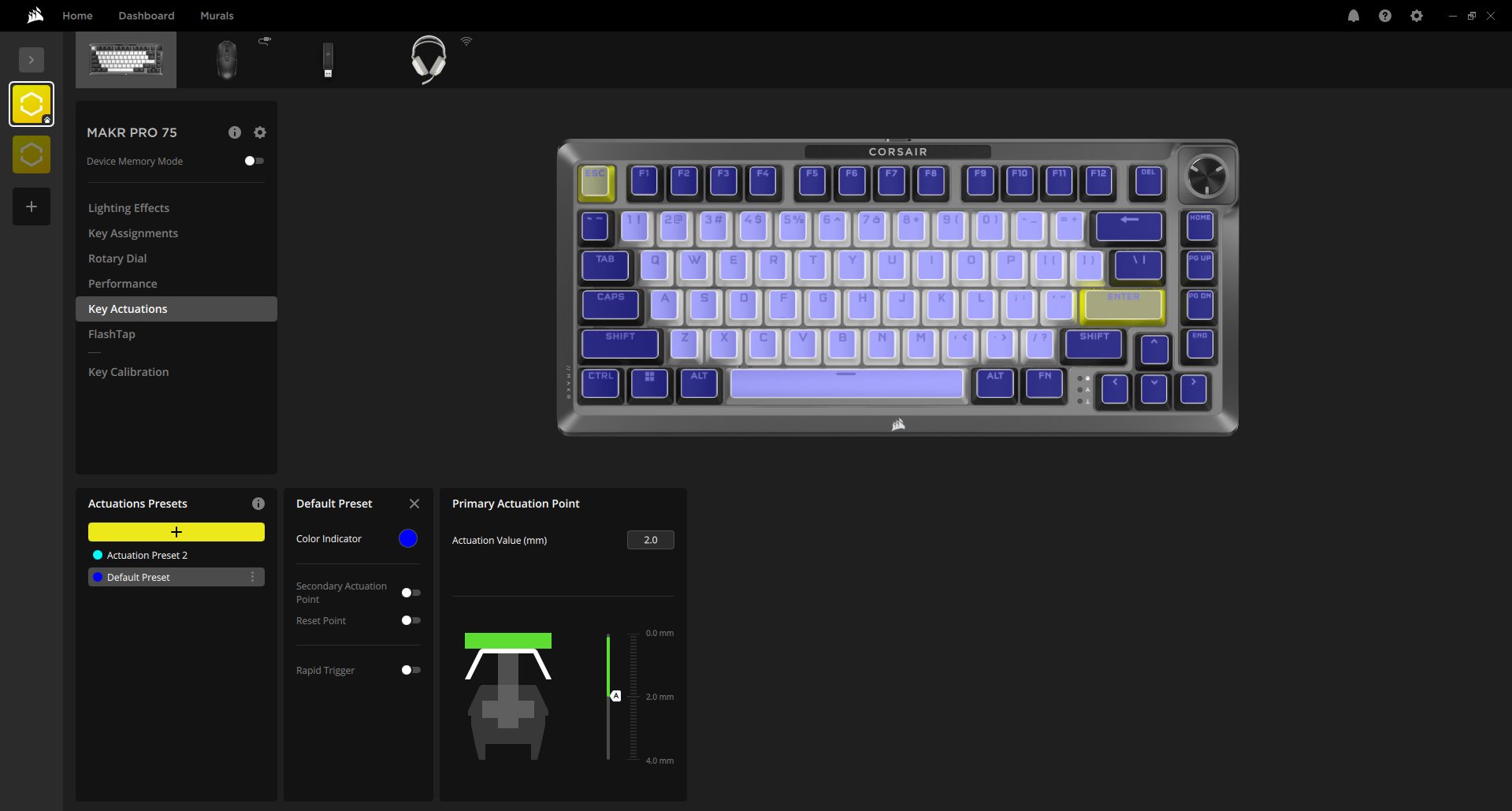
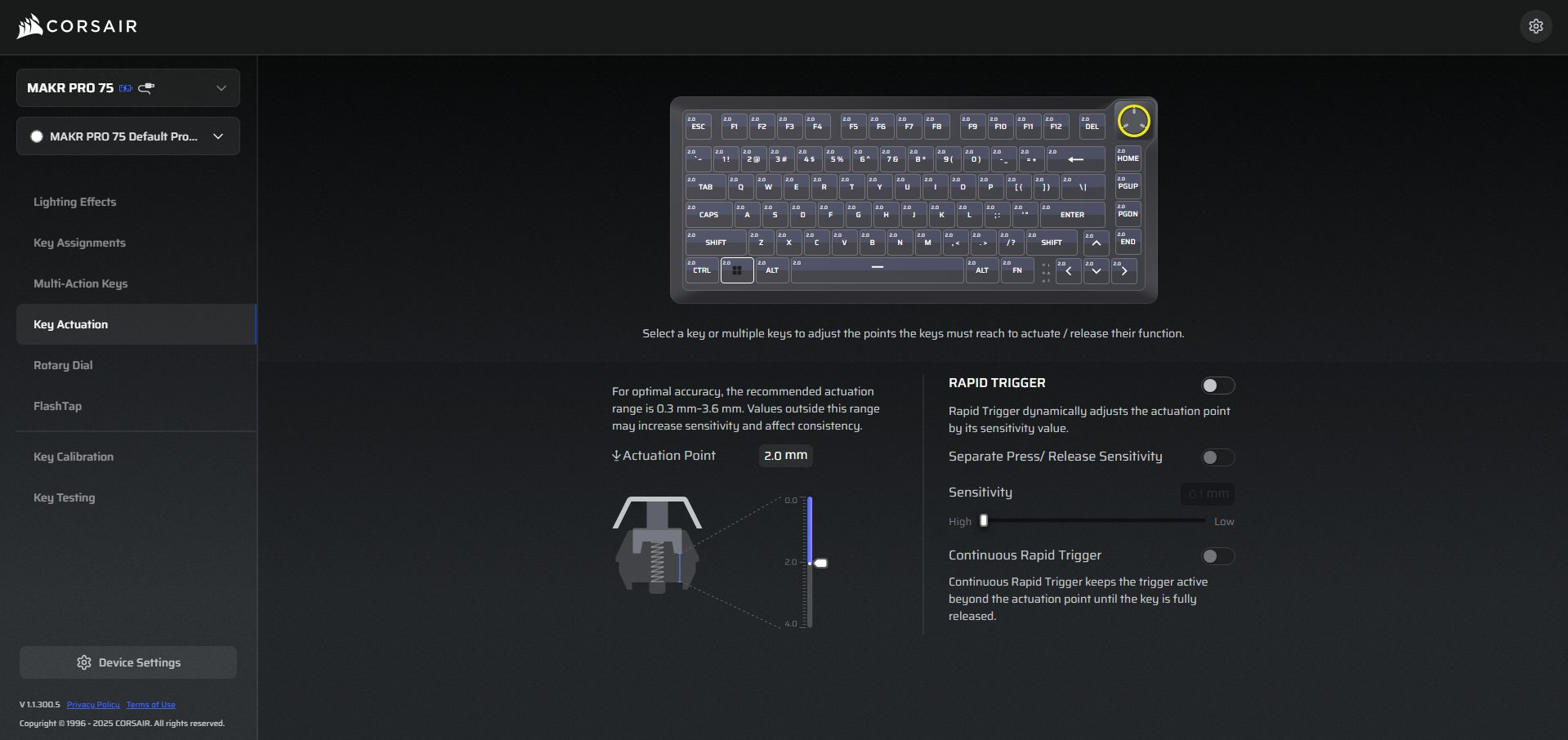
The travel feels clean from top to bottom, with a total travel distance of 4.1mm. So you get a full, traditional depth if you bottom out your keys. The actuation distance is adjustable anywhere between 0.1mm and 4.0mm, and you can tweak it in 0.1mm increments. Its default setting sits at 2.0mm, which honestly feels like a standard mechanical linear. If you’re interested in exploring other keyboards using similar switches, our guide on the best magnetic gaming keyboards covers several alternatives.
Typing Experience
I wrote a few thousand words on the Corsair MAKR PRO 75 before forming a solid opinion. That’s usually how I figure out whether a keyboard actually works for me. At the default 2.0mm actuation, the switches feel familiar. There’s enough travel before the actuation to feel deliberate. My fingers naturally curved across the rows. I didn’t have to adjust my hand position. The sculpted layout keeps your wrists in a comfortable arc, especially with the magnetic feet installed. My hands didn’t feel tired even after several hours of typing.
The sound profile leans controlled. Each keystroke produces a defined, slightly muted tone that doesn’t echo back at you. When typing quickly, the sound blends into a steady cadence. Corsair went with an eight-layer internal stack. From top to bottom, it’s plate foam, then transparent PET backing, IXPE switch foam, a PET film layer, socket foam, PU pad foam, pad foam with another PET backing, and finally a silicon rubber pad at the base. Each layer changes the board’s acoustics in small but noticeable ways.
Connectivity
Connectivity
The Corsair MAKR PRO 75 ships wired and offers a simple setup. You get a 1.8-meter USB Type-C to Type-A cable. It’s detachable, thick, tangle-resistant, and finished in black rubber. It feels both durable and flexible. There is a Win/Mac switch tucked under the left side of the keyboard’s underside. It works with consoles as well, including Xbox One, Xbox Series X|S, PlayStation 4, and PlayStation 5. Corsair also lets you go wireless, though it’s an extra $79.99.
With the wireless module installed, the keyboard can run untethered for up to 50 hours, as per the company’s claims. You can choose between 2.4GHz for low-latency gaming or Bluetooth for easy pairing with laptops and other devices. I haven’t tested the wireless module yet, but on paper, it gives you the freedom to move the keyboard around without compromising performance. If wireless connectivity is a priority in your setup, it’s also worth checking out our roundup of the best wireless gaming keyboards.
Performance
Corsair Branding
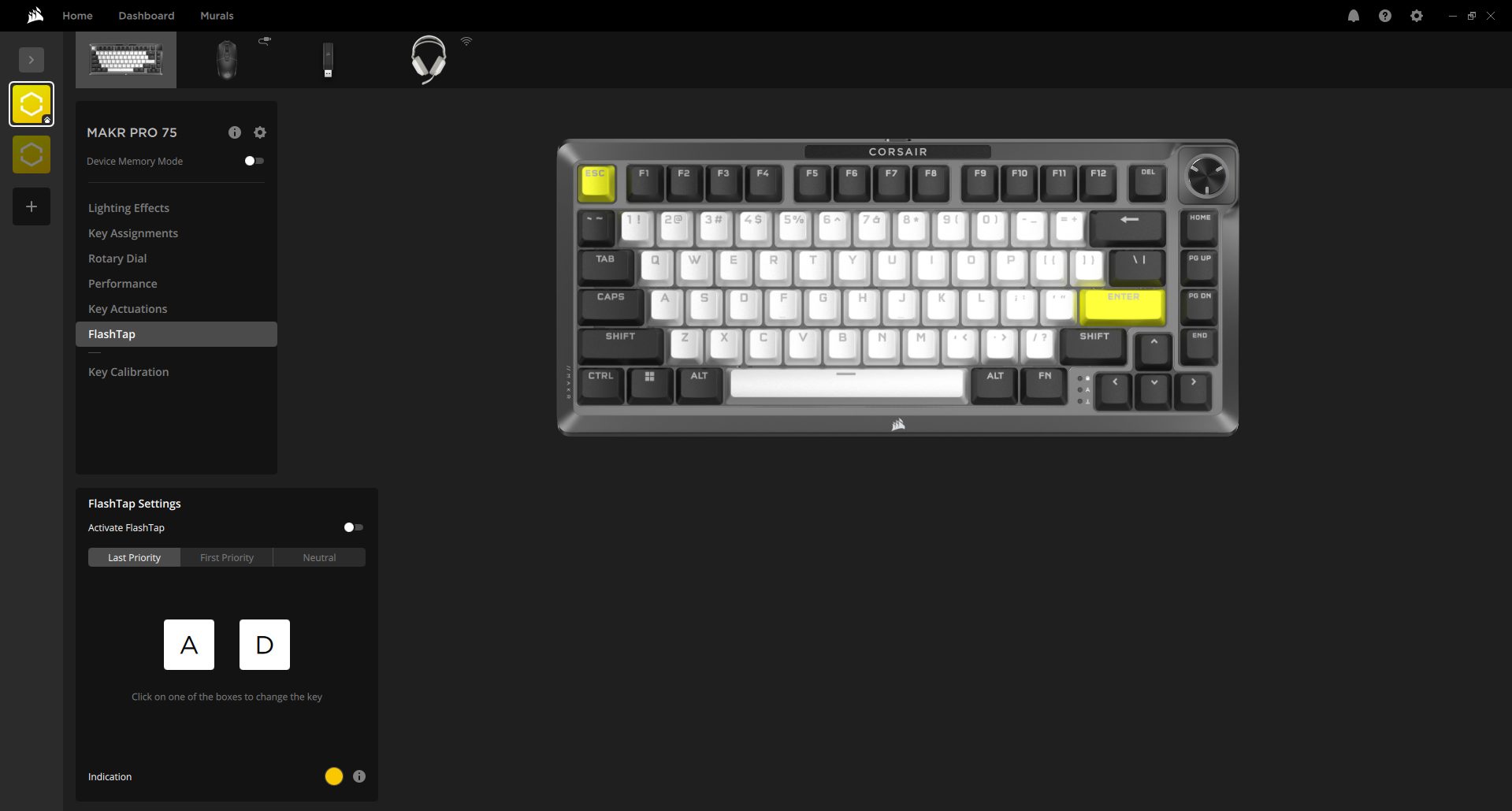
The Corsair MAKR PRO 75 is built around full key rollover, so every keypress is registered, no matter how many you hit at once. Anti-ghosting is 100%, which means even in the most intense gaming moments, there’s no chance of phantom inputs sneaking in. The keyboard supports hyper-polling up to 8,000Hz. That’s not just a fancy number. It means keystrokes are reported to your PC nearly instantly. Corsair’s FlashTap SOCD handling is also included in the features list.
If you accidentally press conflicting keys simultaneously, the keyboard interprets it correctly based on your settings. It’s subtle, but for competitive gamers, it removes little annoyances that can otherwise throw off gameplay. During rapid strafe testing, the keyboard kept up with fast, alternating key presses without missing any inputs. For FPS games like Valorant, the keyboard felt almost instantaneous. Every movement was registered the moment I pressed the key.
Software
iCUE
1 of 7
iCUE - Lighting Effects
iCUE - Key Assignments
iCUE - Rotary Dial
iCUE - Performance
iCUE - Key Actuations
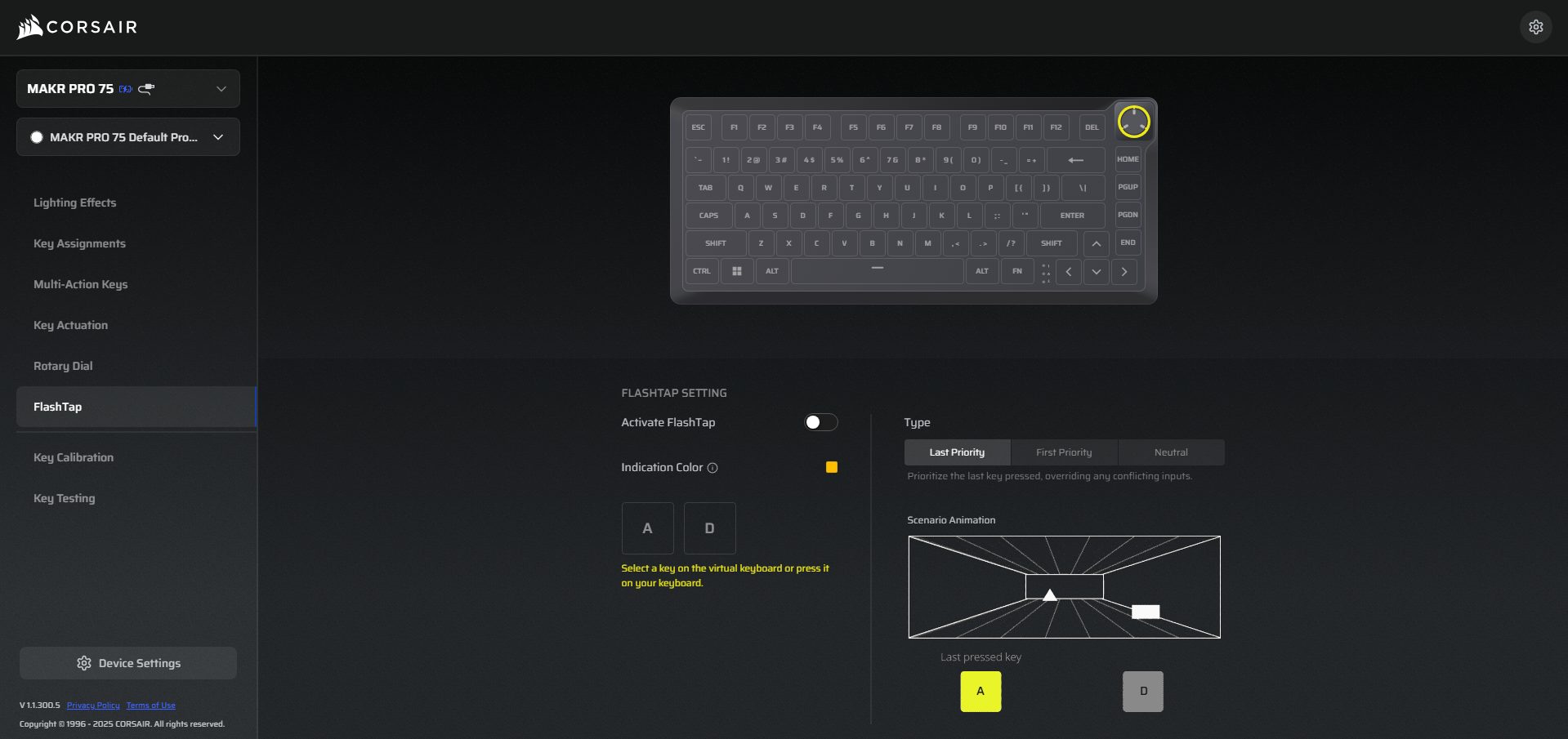
iCUE - FlashTap
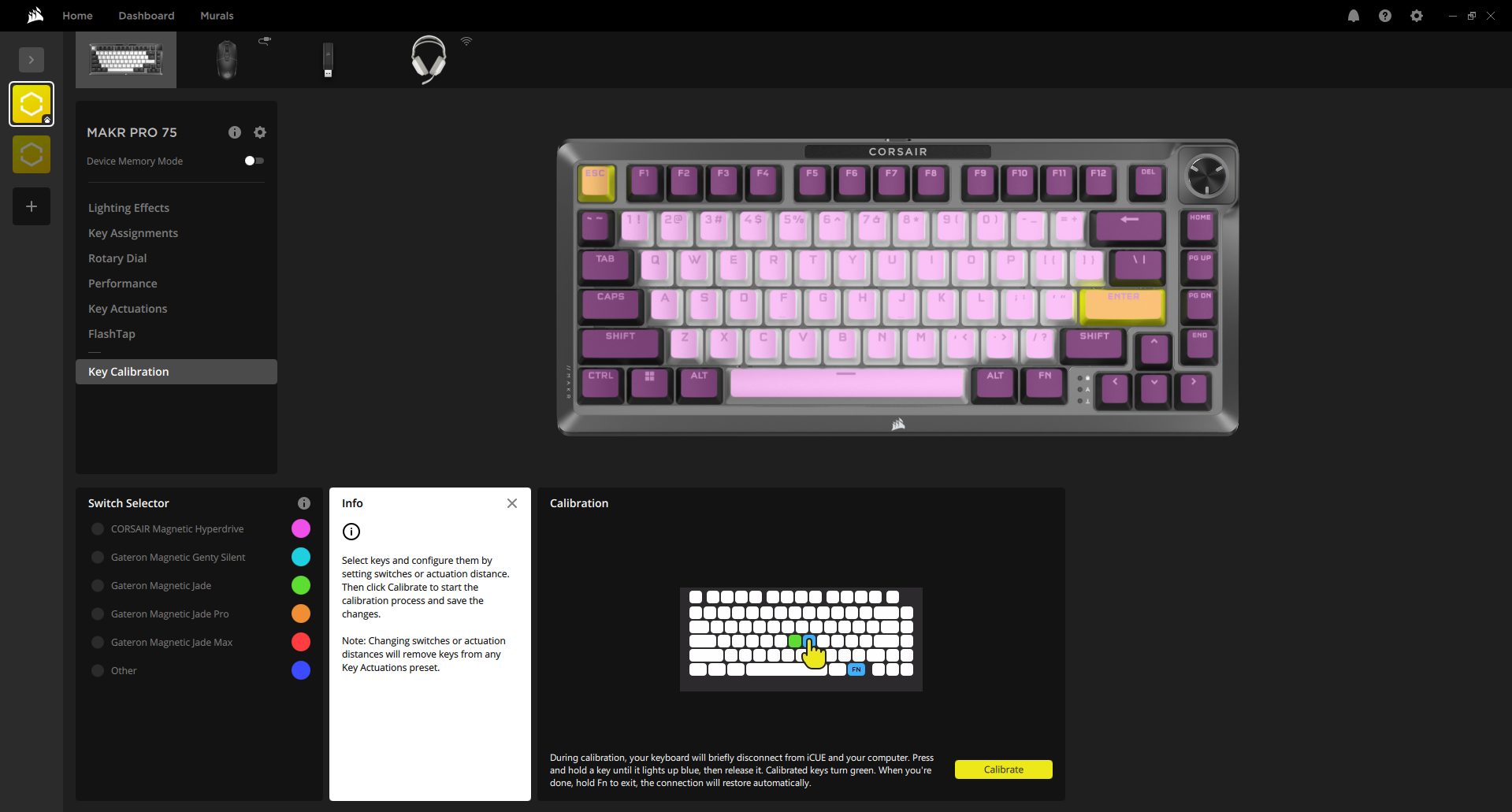
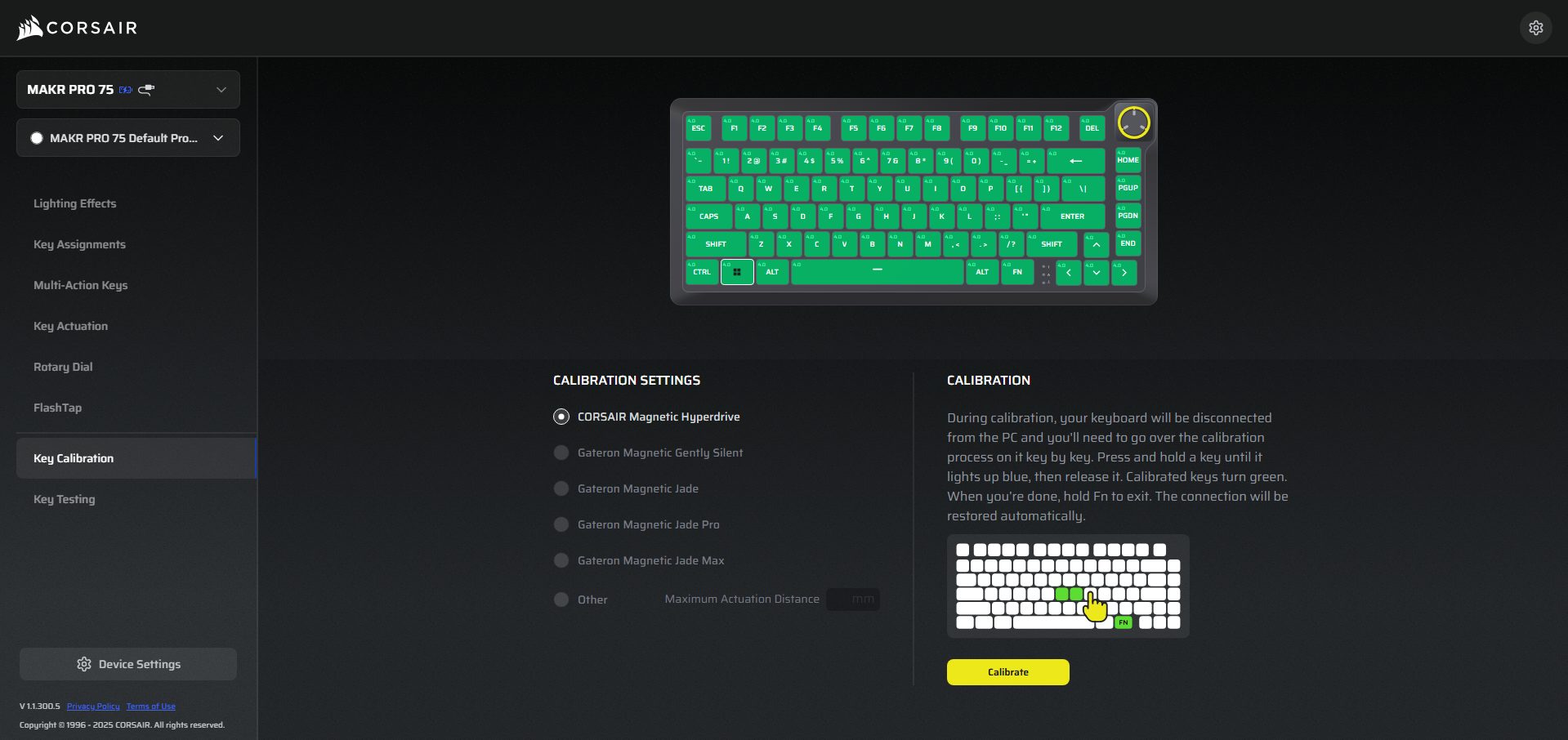
iCUE - Key Calibration
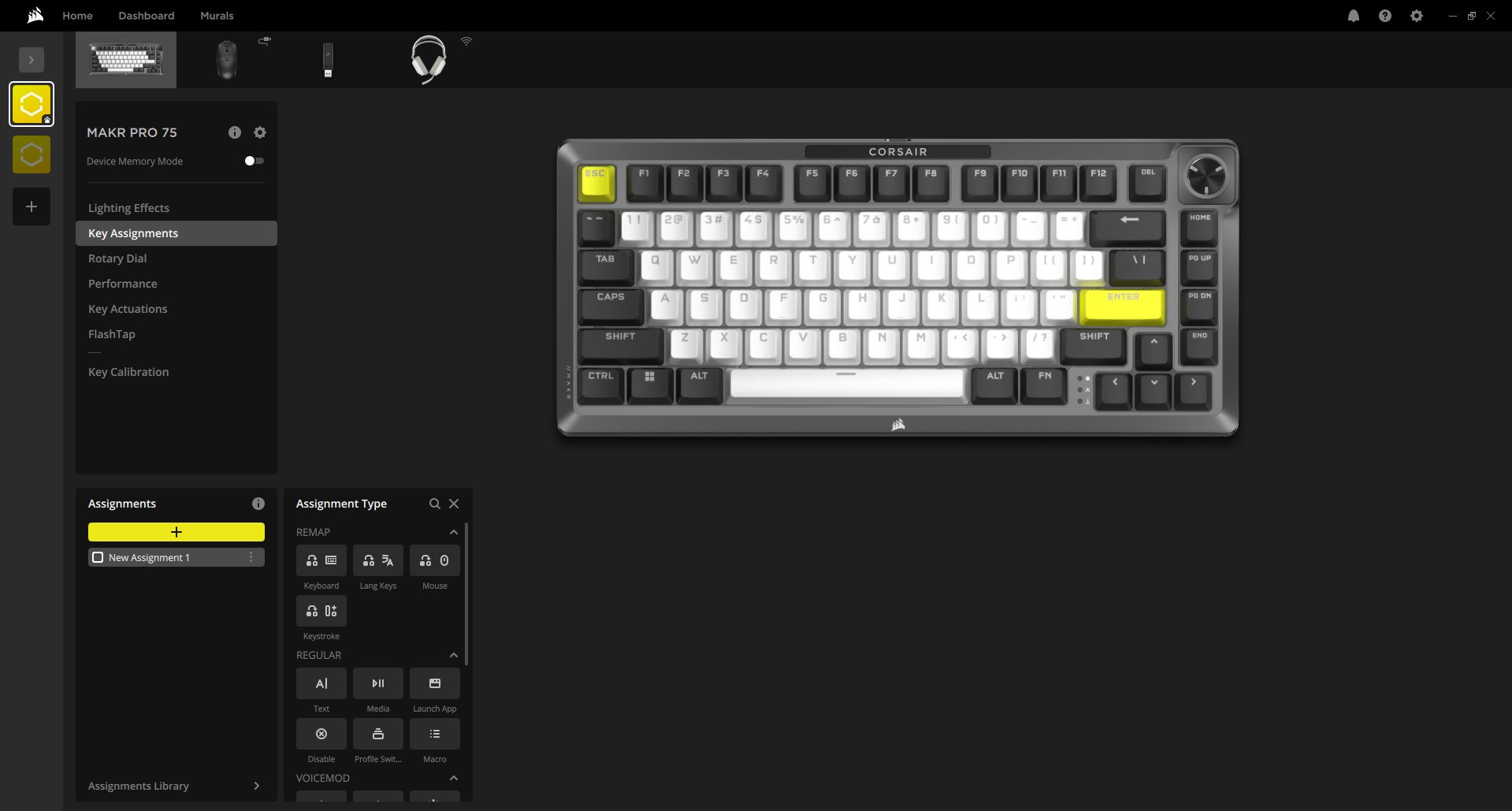
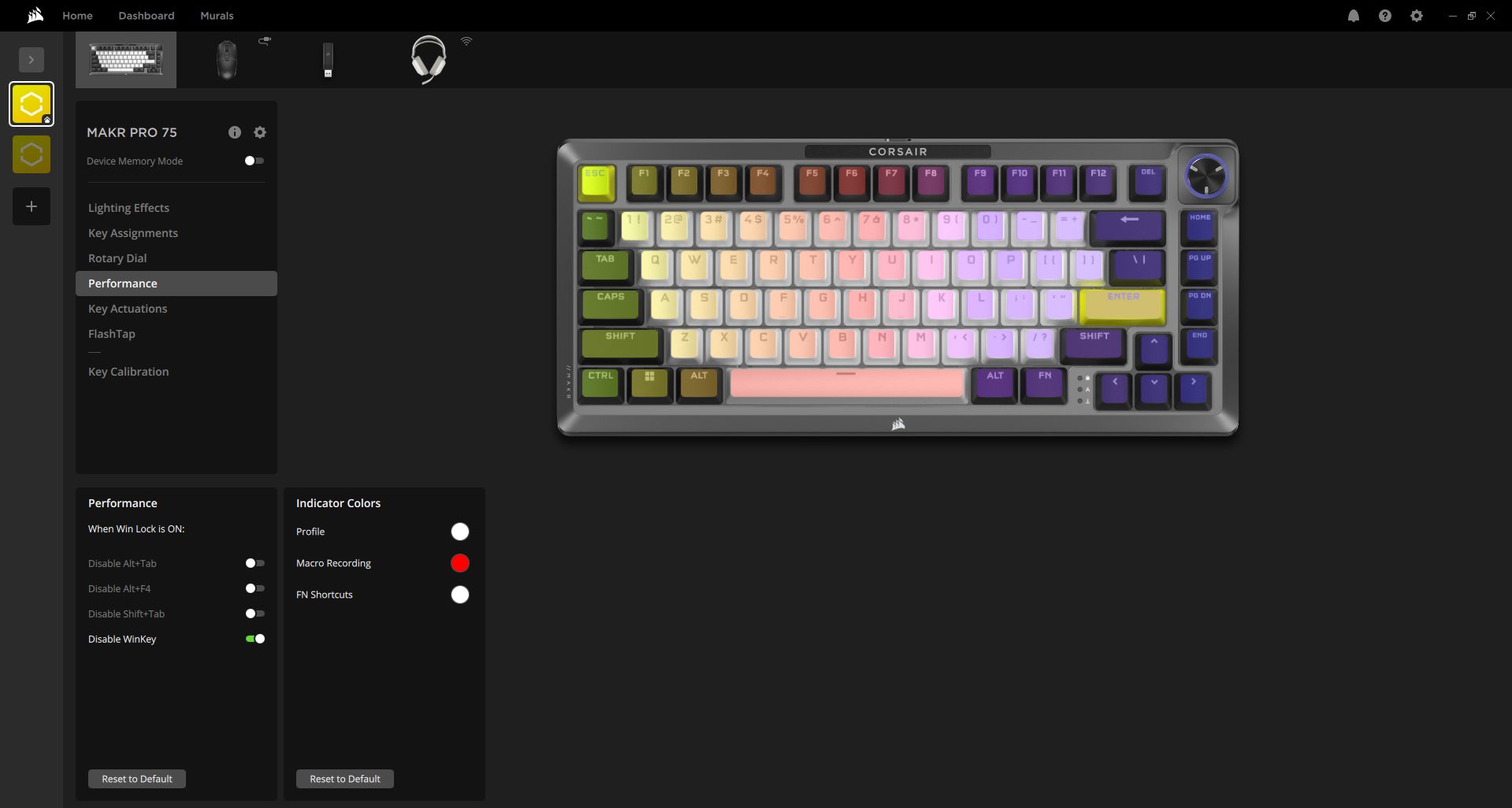
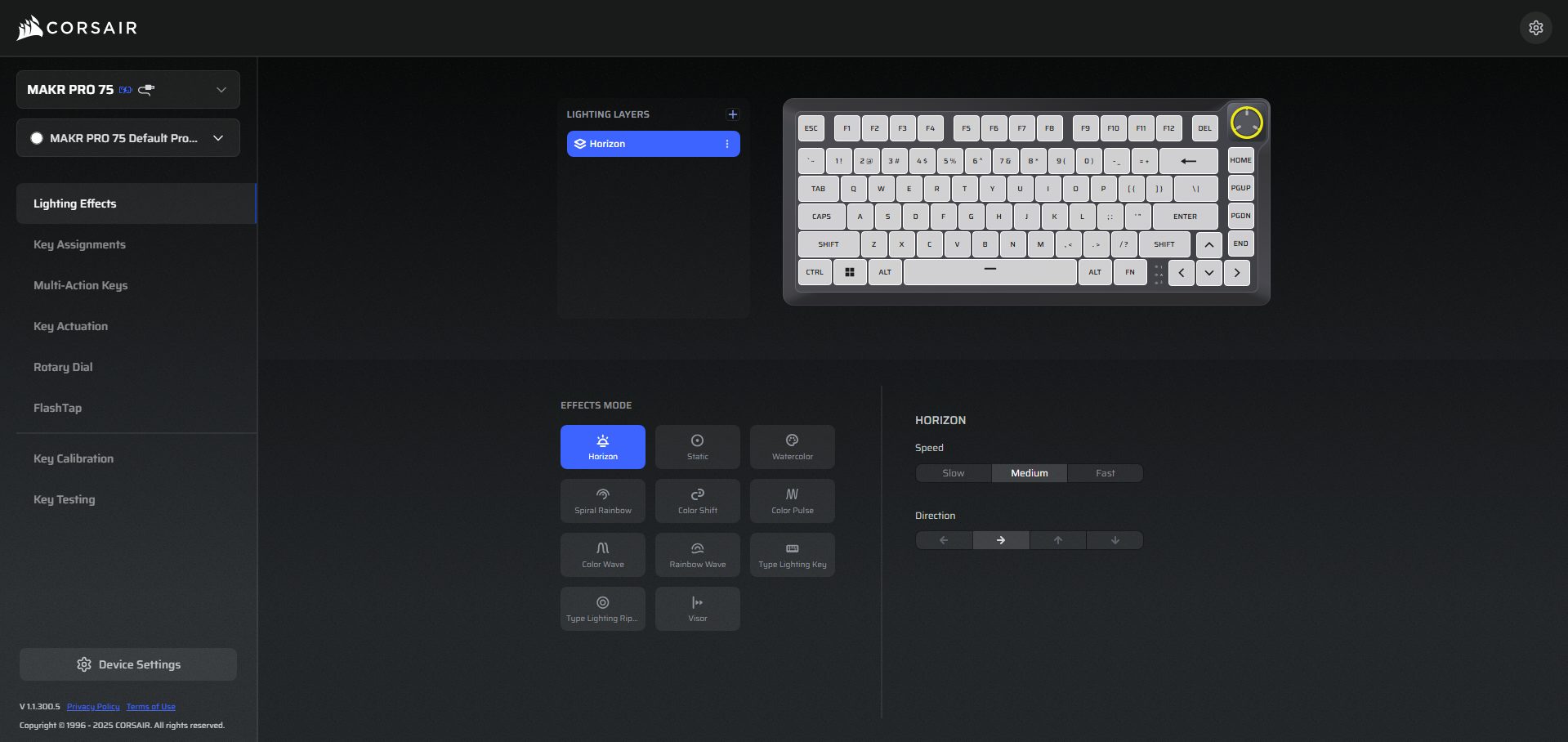
The Corsair MAKR PRO 75 works with two different software programs. You can use Corsair iCUE, a desktop software, or use the Corsair Web Hub, which runs directly in your browser. That second option is interesting. You plug the keyboard in, open the Web Hub page, and it’s automatically detected. There is no installation or anything running in the background. If you don’t want another program sitting in your system tray, that’s a practical alternative.
Web Hub
1 of 9
Web Hub - Lighting Effects
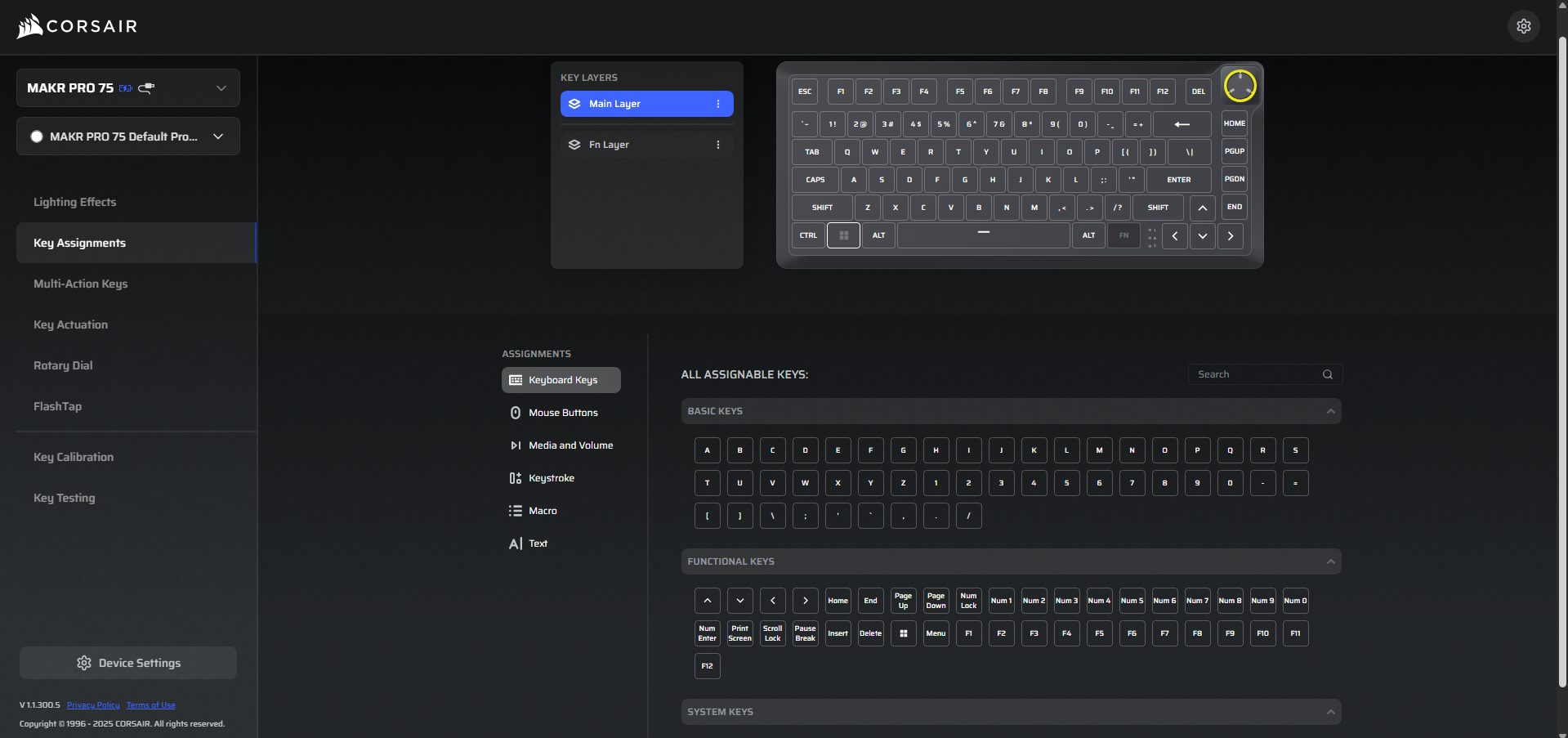
Web Hub - Key Assignments
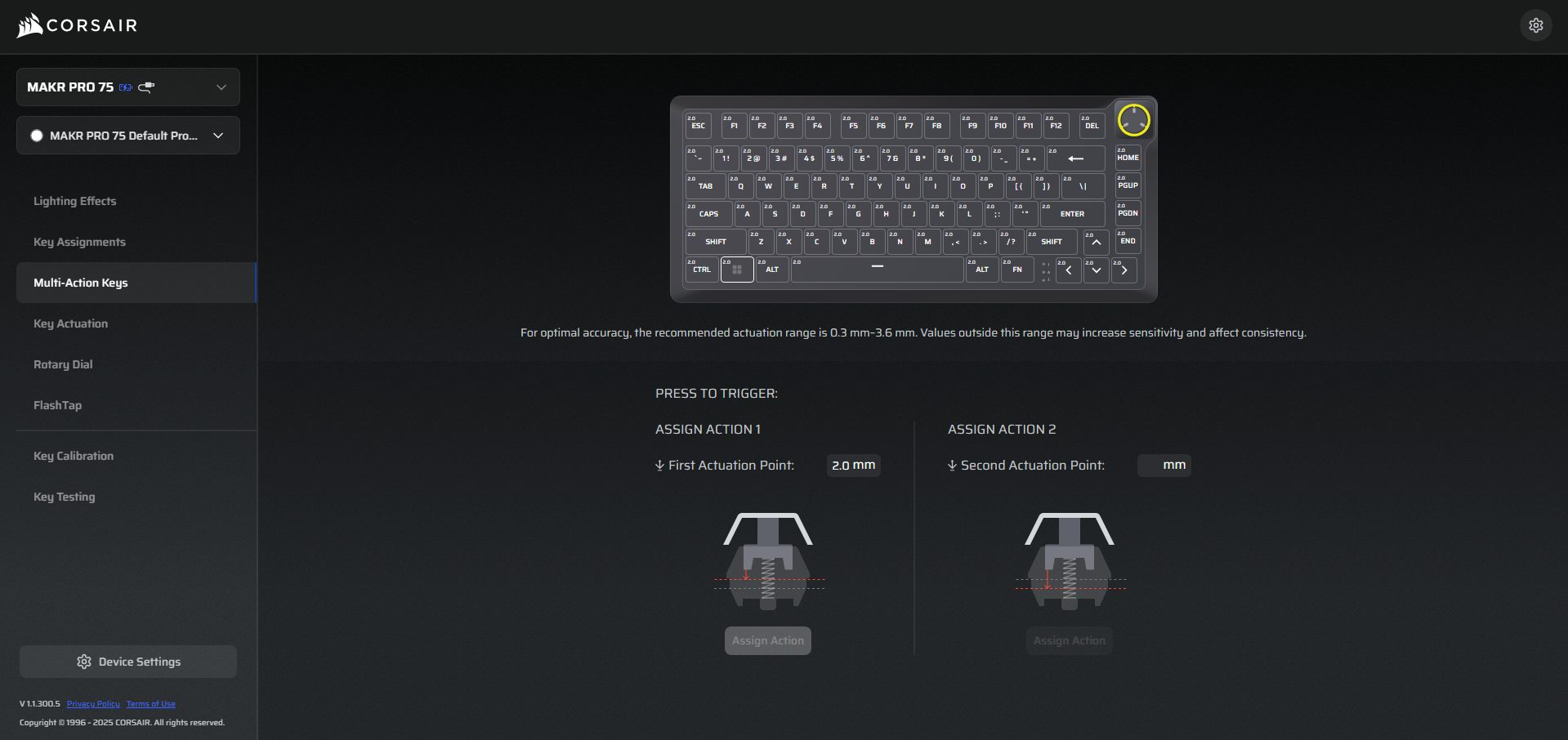
Web Hub - Multi-Action Keys
Web Hub - Key Actuation
Web Hub - Rotary Dial
Web Hub - FlashTap
Web Hub - Key Calibration
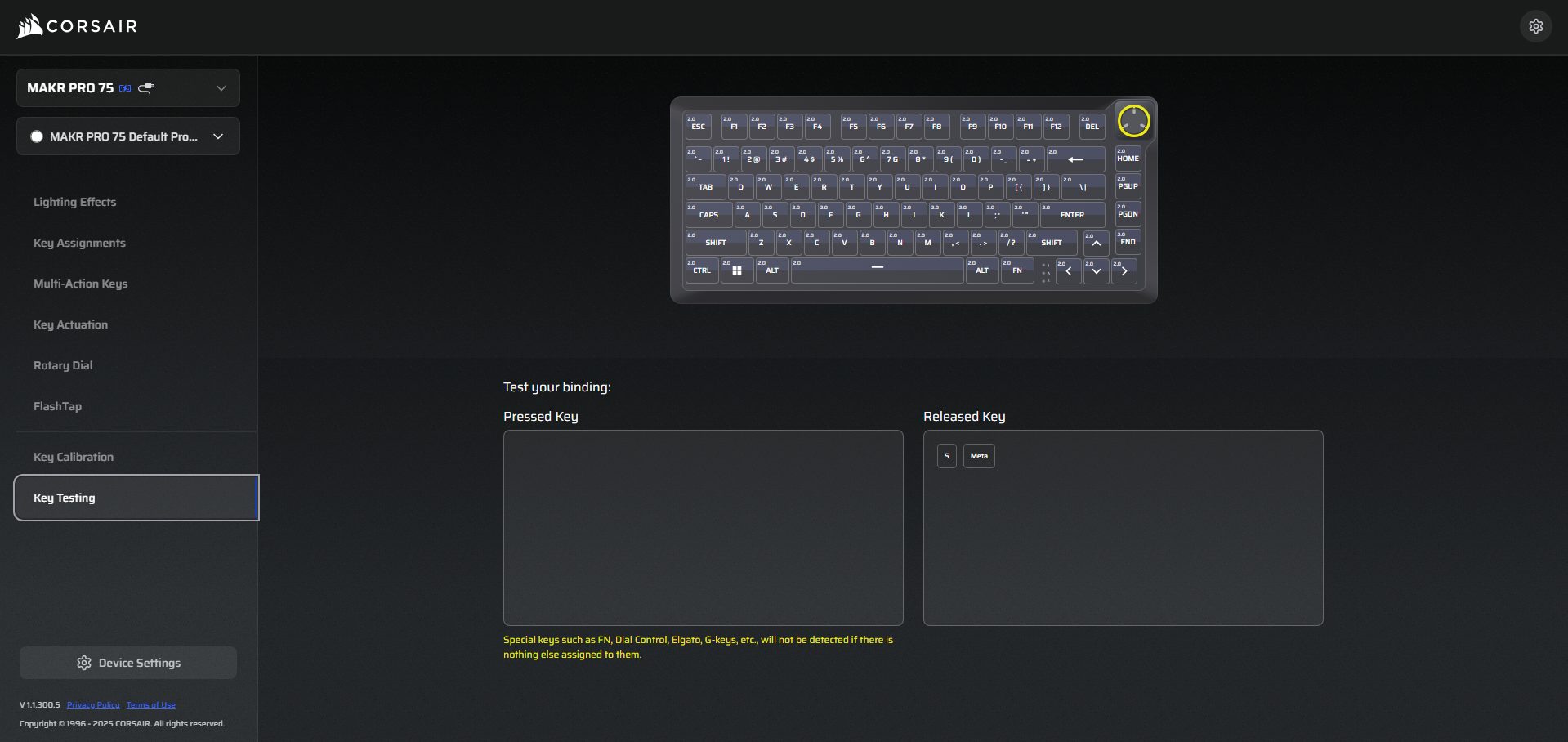
Web Hub - Key Testing
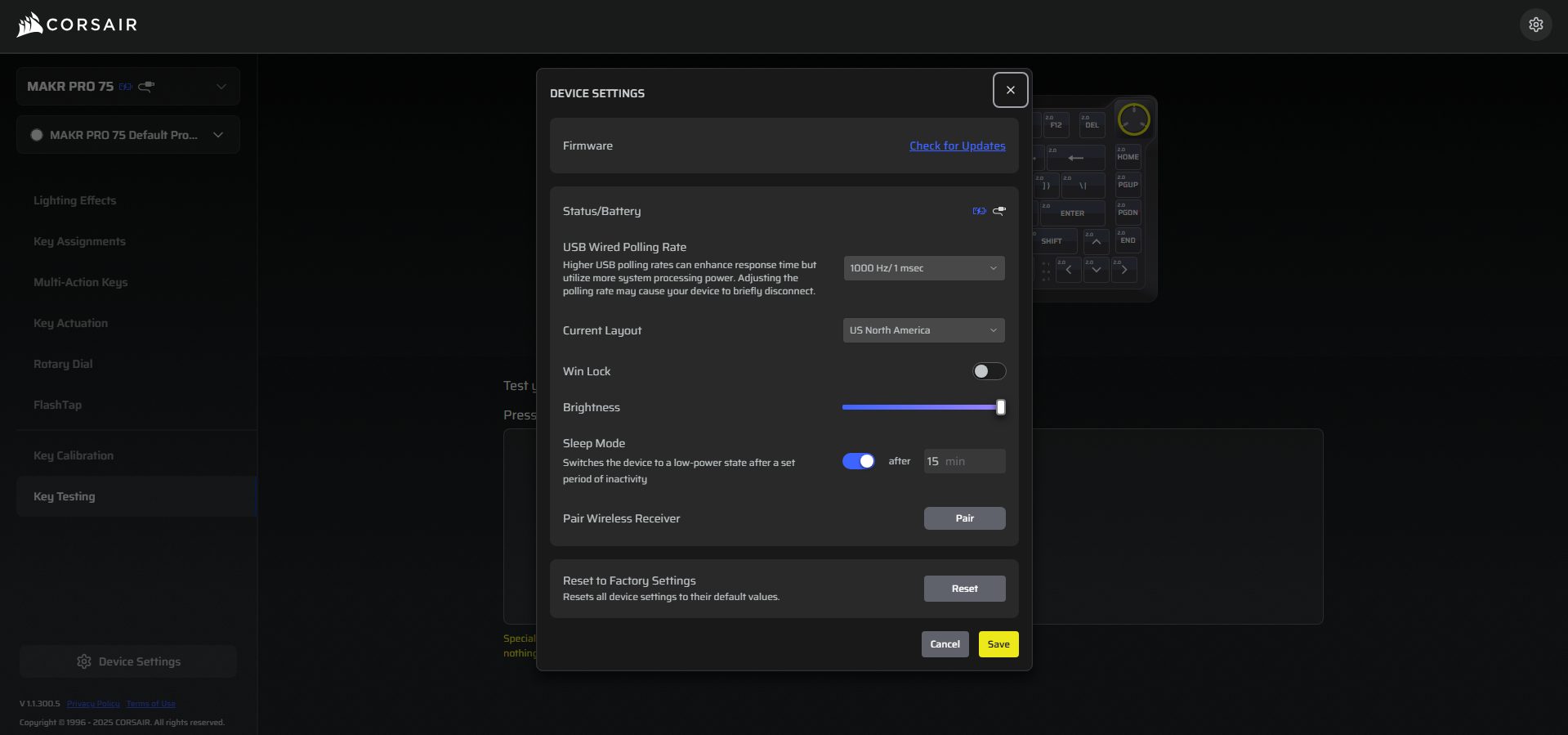
Web Hub - Device Settings
Once inside either interface, the layout revolves around sections rather than a single giant dashboard. You’ll see tabs for Lighting Effects, Key Assignments, Multi-Action Keys, Key Actuations, Rotary Dial, FlashTap, and Key Calibration. It doesn’t feel cramped, but it does feel dense at first glance. The features of Web Hub and iCUE are similar. iCUE feels heavier and more integrated if you use other Corsair hardware. In comparison, Web Hub is for quick adjustments.
Should You Buy it?
Buy it if
✅ You want a premium Hall Effect keyboard with deep customization: The Corsair MAKR PRO 75 HE DIY offers adjustable actuation from 0.1mm to 4.0mm, Rapid Trigger support, and per-key tuning. If you enjoy dialing in how each key behaves rather than relying on fixed switch behavior, this keyboard gives you that level of control.
✅ You care about build quality and typing acoustics: The full aluminum construction and eight-layer internal sound-dampening stack give the keyboard a dense feel and a controlled typing sound. It doesn’t feel hollow or lightweight, which makes it more satisfying for both long writing sessions and gaming.
Don’t Buy it if
❌ You’re looking for a budget or mid-range keyboard: At $249.99, the MAKR PRO 75 HE sits firmly in the premium category. If you only need a good typing keyboard without advanced magnetic switch features, there are many cheaper alternatives.
❌ You want wireless connectivity out of the box: The keyboard ships as a wired device by default. Wireless support requires purchasing an additional module, which increases the overall cost.
Final Verdict
After living with the Corsair MAKR PRO 75 HE DIY for a while, I don’t think of it as a flashy Hall Effect experiment. It feels engineered first and marketed second. That difference shows up in many places over the keyboard. Performance is where the “PRO” label starts to make sense. The premium feel is there, but it’s not in-your-face. Now the harder question. Is it worth the $249.99 cost?
If you care about adjustable actuation, magnetic reset behavior, high polling rates, acoustic tuning, and software-level control, the value becomes easier to understand. If you’re curious about how different keyboards compare across categories, we’ve already covered several options in our roundup of the best gaming keyboards, where we tested a variety of models across different price ranges and use cases.
I intitally started by writing CPU comparisons and since then have written articles of all kinds, from Wikis and How-Tos to dedicated CPU reviews. Currently, I test and review CPUs, motherboards, and sometimes, RAM.
MSI has recently released updated versions of its motherboards for the AMD 800-series chipset. The main highlight is the upgrade to a 64 MB BIOS chip, up from the 32 MB chips found in the original releases. One of the motherboards in the lineup is the MSI MAG B850 Gaming Plus Max WiFi, which is a refresh of the original non-”max” board, and we’re reviewing it today. Other than the addition of the Max tag, which makes its name an unnecessary mouthful, there aren’t any “major” changes (as is the case with the rest of the boards (two of which we have already reviewed); nonetheless, let’s get into the review.
Why Trust Tech4Gamers
Ali Touseef is our hardware reviewer who tests and reviews different components, including coolers, RAM, motherboards, and processors.
40+ motherboards tested and reviewed by our team of hardware experts (Tech4Gamers Team).
800+ hours spent testing different motherboards for our reviews.
At Tech4Gamers, ensuring you get reliable information is our priority. That’s why every hardware round-up undergoes a meticulous review process by our team of experts and editors. Each review is carefully examined against our strict editorial guidelines, guaranteeing you trustworthy insights you can depend on.
Key Takeaways
The MSI MAG B850 Gaming Plus WiFi is a $260 board with decent performance, upgraded 64 MB BIOS ROM, a clean, white aesthetic, and a dedicated BCLK generator
Get this board if you’re building a white setup, want 5G LAN, or want some extra overclocking room through the external BCLK generator.
Don’t get the board if you want the best value at this price point.
The specifications remain the same. The motherboard provides a fairly good selection of I/O and is clearly focused more on the budget side, though the 5G LAN is one feature that you’d probably not expect, and could have even been cut down to make it more affordable.
[toc]
Packaging and Unboxing
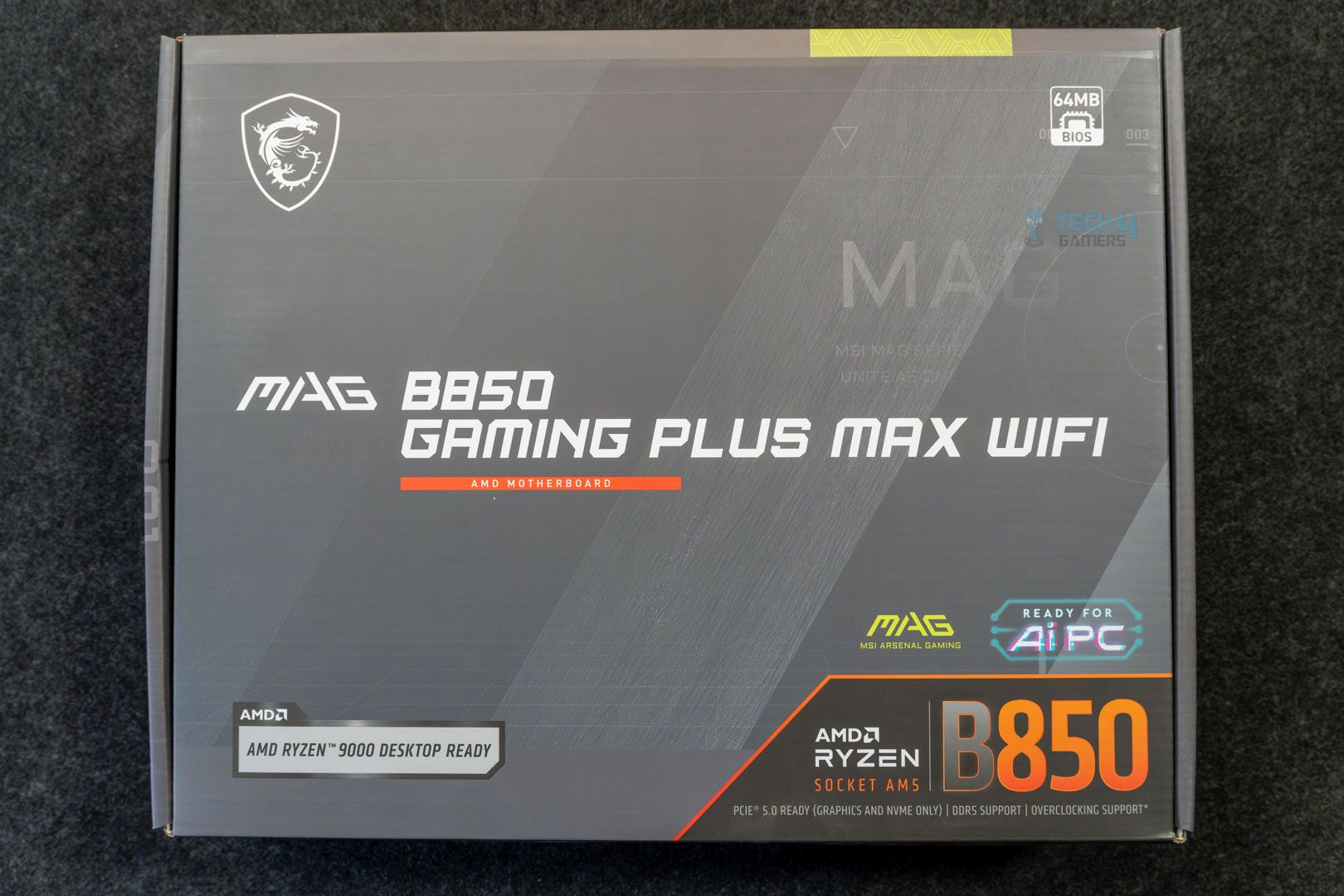
Front
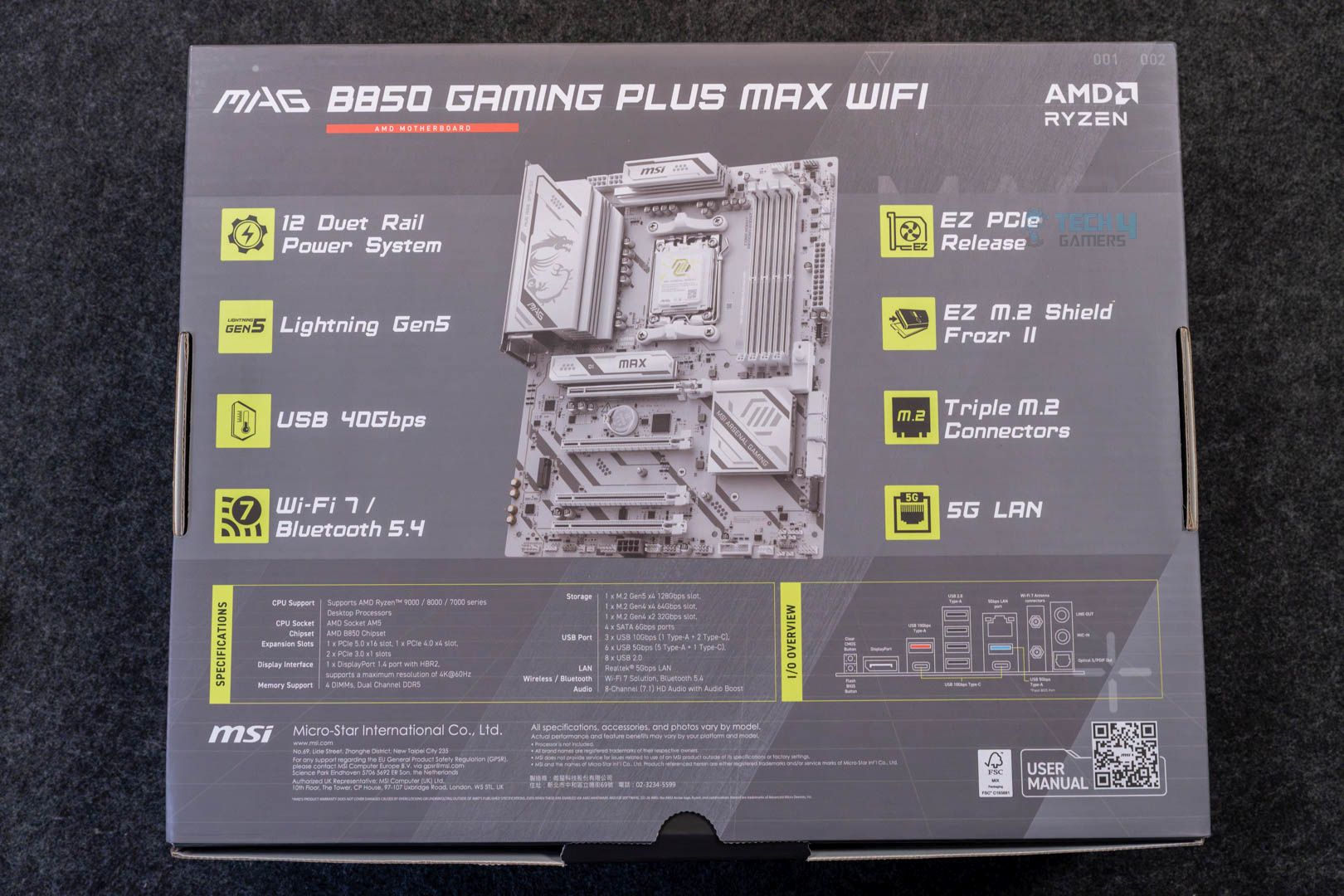
Rear
The packaging of the motherboard is the same as the previous version, again, only with the “Max’ added. We get a silver-colored cardboard box, the back of which lists the specifications and the highlight features.
Inside the box, we get:
A quick installation guide
EU regulatory notice
1x SATA cable
1x EZ M.2 Clip II
1x EZ M.2 Clip II Remover
EZ WiFi Antenna
1-to-2 EZ Conn-Cable (V1)
EZ Front Panel Cable
Cable stickers
Again, these are the same accessories we received with the original board. Compared to costlier MSI boards, there’s no EZ front panel cable, which simplifies the front panel connections, and we only get the 1-to-2 conn-cable (instead of the 1-to-3), which combines fan and RGB connection for ARGB fans.
Design
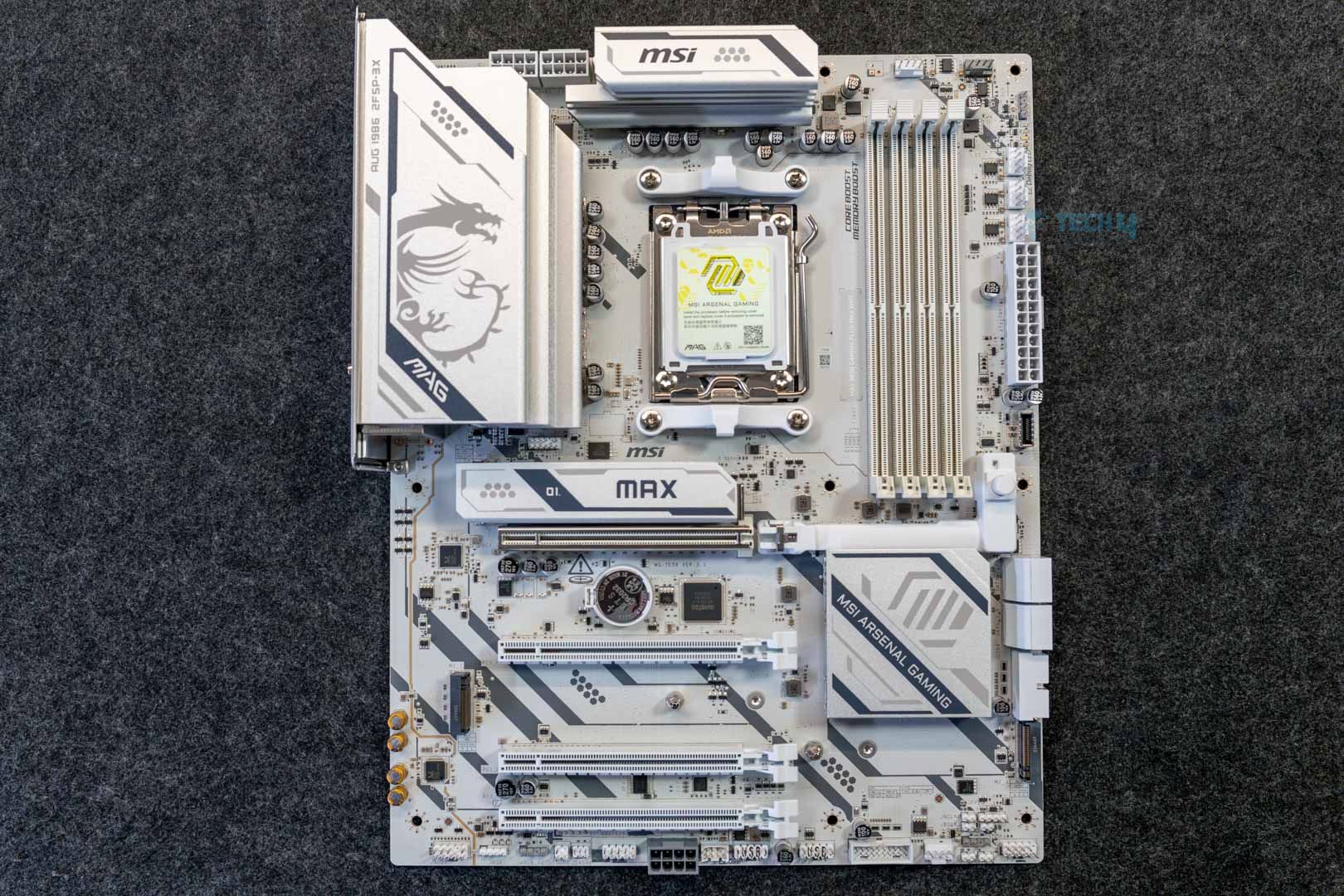
On the looks, MSI has mixed things up in a different way this time. While the original board featured a black PCB with white heatsinks, this one has a white PCB and heatsinks, only with black diagonal lines running through them. I really like this refinement and feel it fits better than the original design, where the black and white felt like they were conflicting. The rest of the elements on the board remain the same (in terms of branding the shapes printed on the heatsink). The heatsink design and layout are also the same. There’s no on-board RGB.
The motherboard is built on a 6-layered PCB with 2oz copper. MSI mentions “PCB Fabric Technology” on their page for this board, which emphasizes minimal signal loss and higher transfer speeds. We get built-in overvoltage and overcurrent protection, and MSI’s patented design to suppress electromagnetic interference through copper rings is also present. The board also features an external clock generation (BCLK controller), which can allow better overclocking of CPU and RAM without forcing other clocks to go out of sync.
Block diagram
The motherboard gets its PCIe Gen 5 connections and DDR5 support from the CPU, while most of the remaining I/O is powered by the B850 chipset, including SATA ports, secondary PCIe slots, and M2_3, audio, WiFi, and USB ports.
CPU Socket and Power Delivery
Upper half of the board
The B850 Gaming Plus Max WiFi uses the AM5 (LGA1718) socket and offers out-of-the-box support for Ryzen 7000, 8000, and 9000 series CPUs.
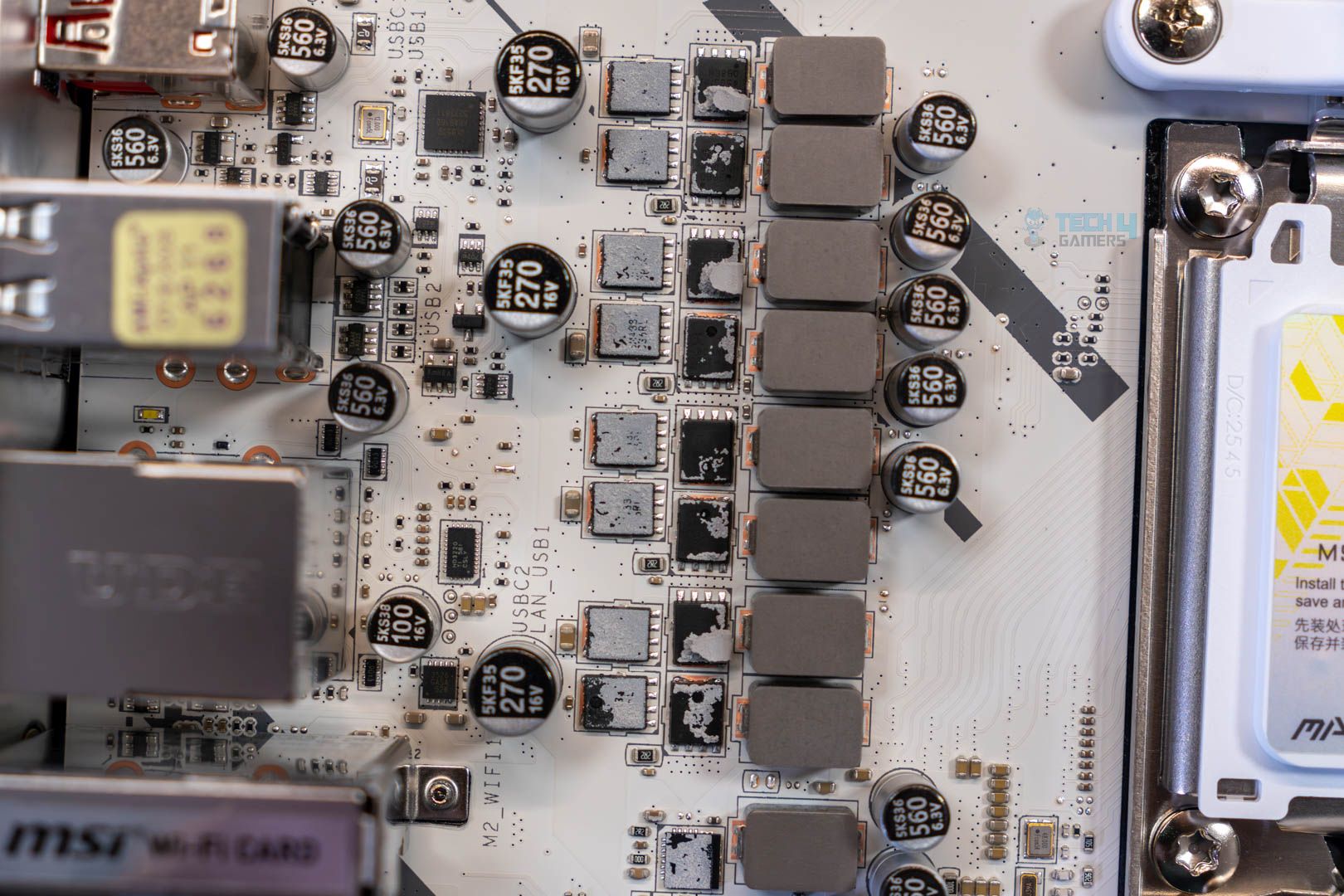
VRMs closeup
VRMs closeup, 2
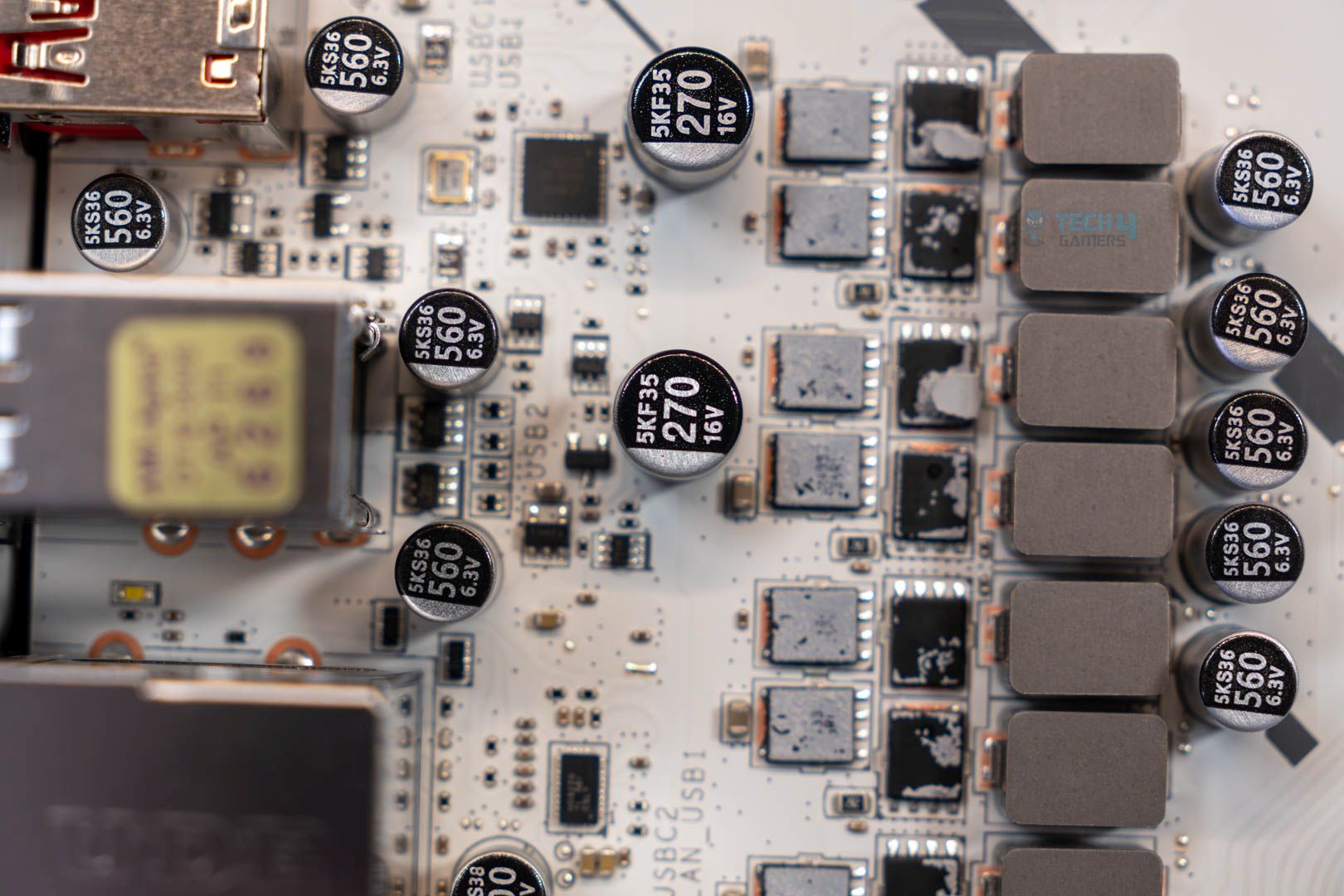
Power is provided by a 12+2+1 (VCore + SOC + MISC) power phase setup, each delivering 50 amps. These are discrete MOSFETs, rather than the DrMOS or SPS you find in most motherboards nowadays. In case you don’t know, DrMOS/SPS designs combine the high and low MOSFETs and the driver into one package; they are more efficient and provide more stable power delivery.
VRMs, upper side
Discrete designs are common in lower-end boards, but not something I’m excited to see in a $260 board. In short, you can expect fairly toasty VRMs and limited overclocking room. A closer look reveals that the board is using Sinpower’s SM4337 (high-side) and SM4503 (low-side) MOSFETs. The controllers in question are the Richtek RT3672EE and RT3678BE PWM controllers.
EPS connectors
VRM heatsinks removed
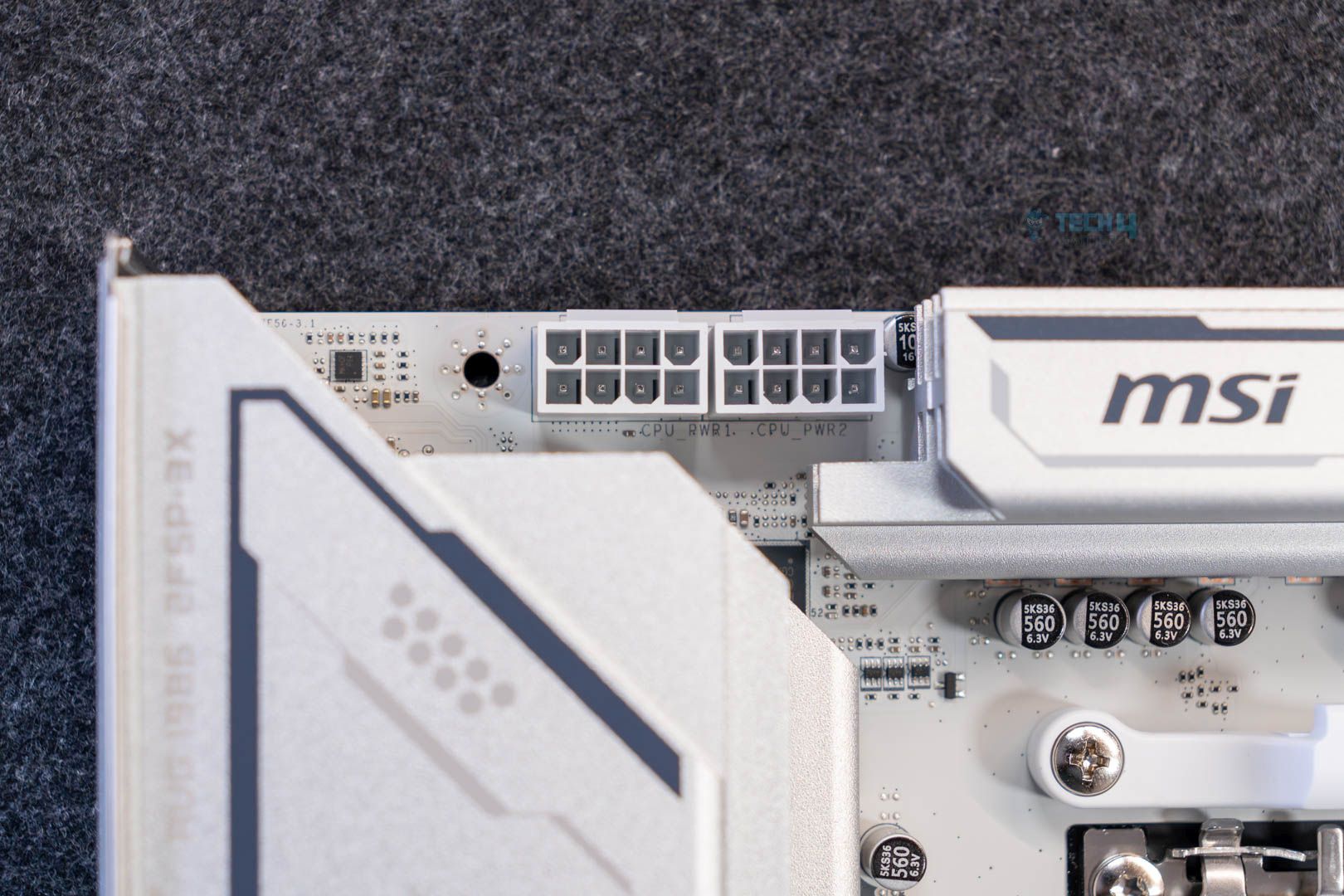
Initial power to the CPU comes from dual 8-pin EPS connectors using MSI’s solid-pin design (which they claim provides more stable power delivery through lower impedance and better durability). With each connector providing 150W, they can theoretically provide up to 300W, which could be enough for any supported Ryzen chip.
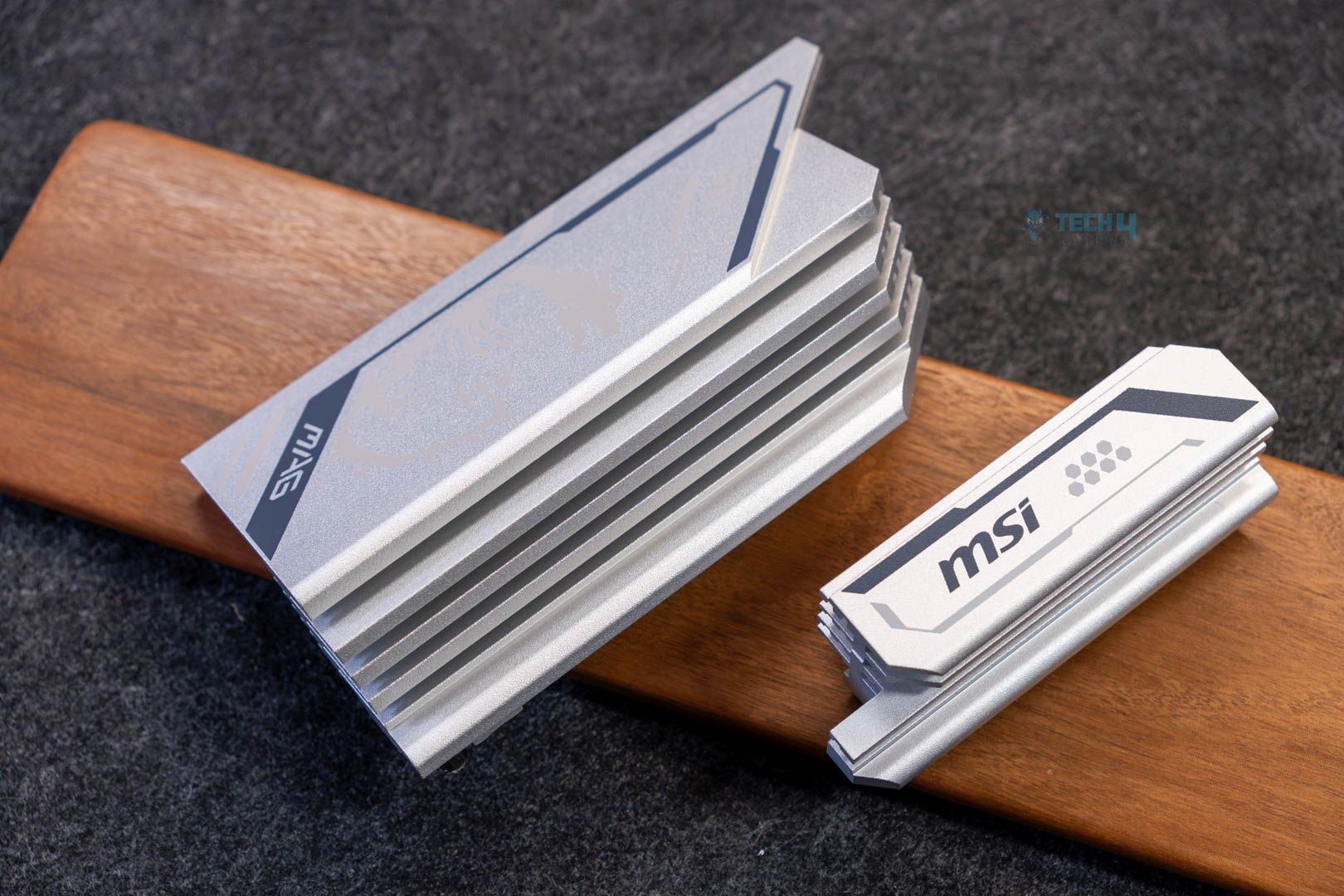
As for the heatsinks, they use a stacked fin design and feature 7W/mK thermal pads for the MOSFETs. There’s no heatpipe connecting the two VRM heatsinks
DIMM Slots
DIMM slots
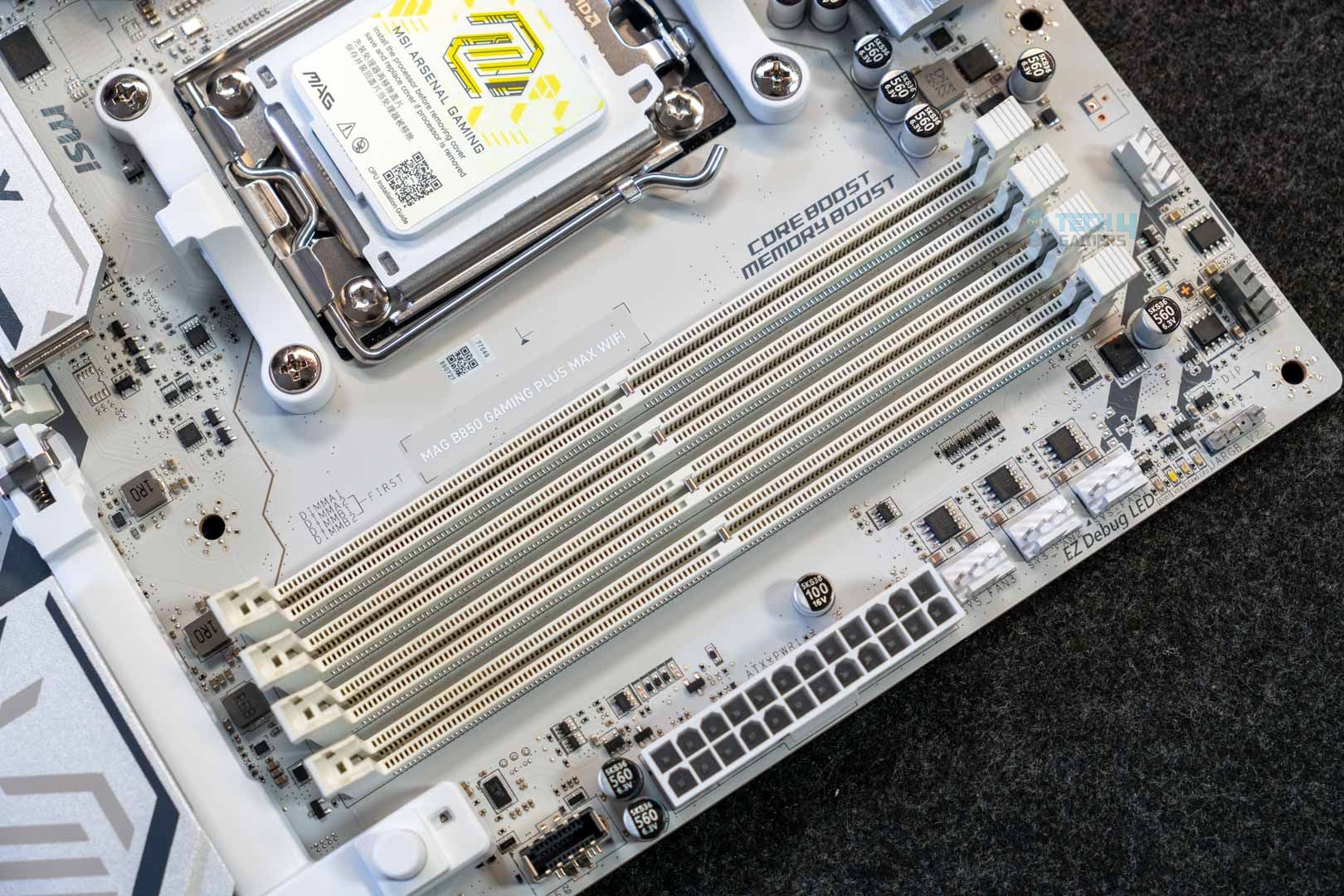
The motherboard has four DIMM slots, capable of supporting up to 256 GB across them. The maximum memory speed is 8200 MT/s at 1 DIMM per channel (single-rank); here’s the maximum speed supported across the various configurations:
1DPC 2R = 6400+ MT/s
2DPC 1R = 6400+ MT/s
2DPC 2R = 6000 MT/s
There’s no support for ECC RAM. CUDIMMs are supported, but only in clock driver bypass mode, which negates their benefit. The dedicated clock driver on the DIMMs eliminates the need for a signal from the CPU (as with regular DIMMs), allowing you to achieve higher speeds. Again, in clock driver bypass mode, the RAM behaves like regular DIMMs.
Editor`s Note
While the maximum memory speed supported is DDR5-8200 MT/s, it’s more practical to invest in a 6000 MT/s or 6400 MT/s for the Ryzen 7000/9000 series, as that’s the maximum speed they support while still staying in sync with the CPU’s memory controller. The high memory speed support sounds fancy, but it is not really practical for most since you need to push well beyond 8000 MT/s to see any significant difference in most applications, and faster RAM is also more expensive. It also costs a lot more.
– Ali
PCIe slots
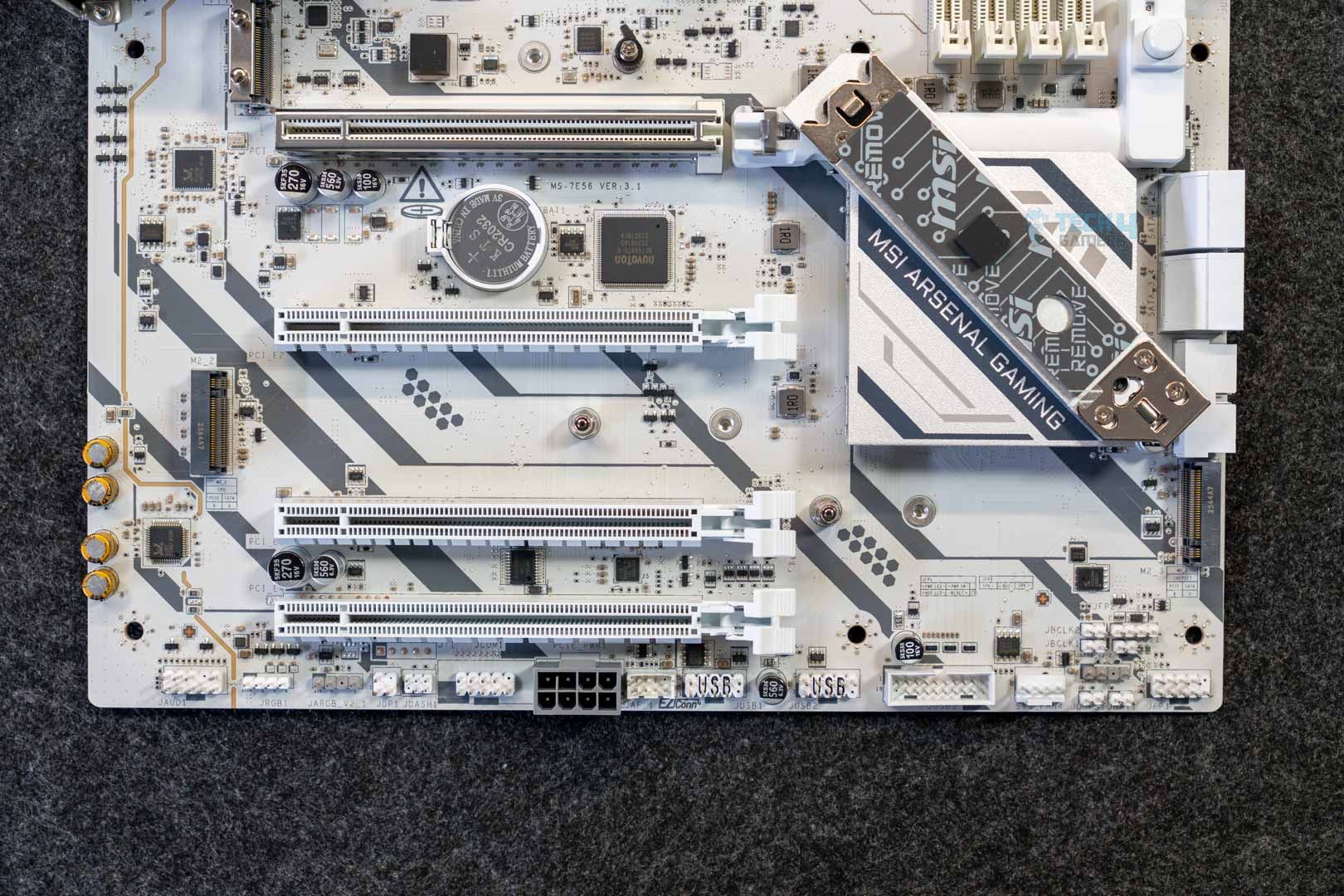
Lower-half of the board
EZ PCIe release
The board has four PCIe slots, with one full-speed PCIe Gen 5 x16 connection. The second, third, and fourth slots are Gen 3 x1, Gen 4x 4, and Gen 3 x1, respectively. These latter three share bandwidth, and so PCIe_E3 and will run at x2 speed if you occupy the second or fourth one.
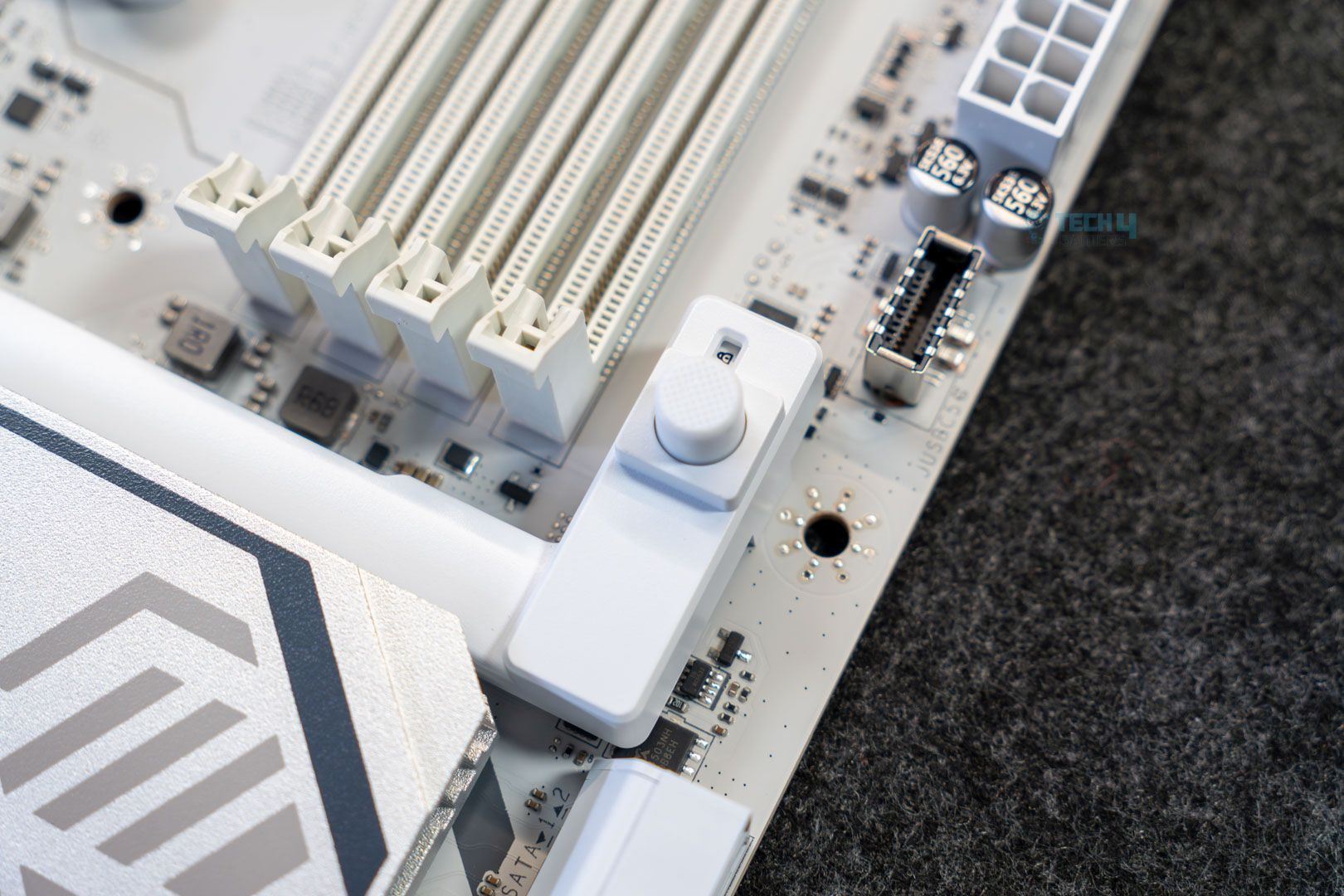
The main slot doesn’t appear to be steel reinforced, as you’ll find on higher-end MSI motherboards. However, it does feature the EZ PCIe release design, which simplifies GPU installation and removal. Removing/installing the GPU only requires pressing the button (when you put the GPU in place, you have to lock it in with the button), and a padlock icon indicates whether it’s locked or unlocked.
Storage options
Primary M.2 heatsink
Storage options on the board include three M.2 slots and 4x SATA ports, which is a fairly good selection. Thankfully, there’s no bandwidth sharing here, allowed by the lack of high-speed USB. There are two full-speed M.2 slots (one being Gen 5; the other Gen 4), while the third one is a PCIe 4.0 x2. You can run a Gen 3×4 NVMe drive at full speed on that.
Unfortunately, MSI also cut down the M.2 cooling compared to higher-end offerings. You only get one for the Gen 5 slot, so you’ll need a dedicated heatsink for those beefier Gen 4 drives. This slot features an EZ release mechanism for the heatsink and the drive (through the EZ M.2 Clip II). This heatsink is not double-sided, so even the Gen 5 slot is sacrificing a bit on cooling and might not work so well with those double-sided Gen 5 SSDs.
WARNING: Make sure to remove the sticker on the thermal pads before installing your SSD.
You do get pre-installed EZ M.2 clip II on the remaining M.2 slots for easy installation there as well; good to see.
RAID 0 and RAID 1 modes are supported for both SATA and NVMe drives. M2_1 and M2_3 support 2280/2260 drives, while M2_2 supports 22110/2280 drives.
USB connectivity
The motherboard has 17 USB ports, including:
Connectors, bottom-right
4x USB 2.0 (Rear)
4x USB 2.0 (Front)
1x USB 5Gbps Type A (Rear)
4x USB 5Gbps Type A (Front)
1x USB 5Gbps Type C (Front)
1x USB 10Gbps Type A (Rear)
2x USB 10Gbps Type C (Rear)
The board not only does not include the optional USB4, but also does not have 10G USB either. Again, I feel for the price tag, 20G USB should’ve been a part of it. The rear USB ports are powered by the Genesys GL805 controller.
Network and Connectivity
WiFi card
One of the more premium aspects of this board is the inclusion of 5G LAN courtesy of the Realtek 8126VB controller. On the WiFi side, there’s support for WiFi 7 and Bluetooth 5.4, both of which require Windows 11 24H2.
Audio Solution
Audio controller
The MSI MAG B850 Gaming Plus WiFi uses the Realtek ALC987 controller, which is quite dated, and you’d expect the ALC4080 or ALC4082 solutions at this price point. On more high-end audio gear, you might notice the difference between the two codecs, but if you’re running budget or mid-range gear, there’s no need to worry.
MSI advertises “Audio Boost,” which is meant to provide high-end audio through “high-quality” capacitors, depop protection, separate PCB layers for right/left audio, and more.
Internal Connectors and Components
Here’s what we get in terms of connectors and extra features:
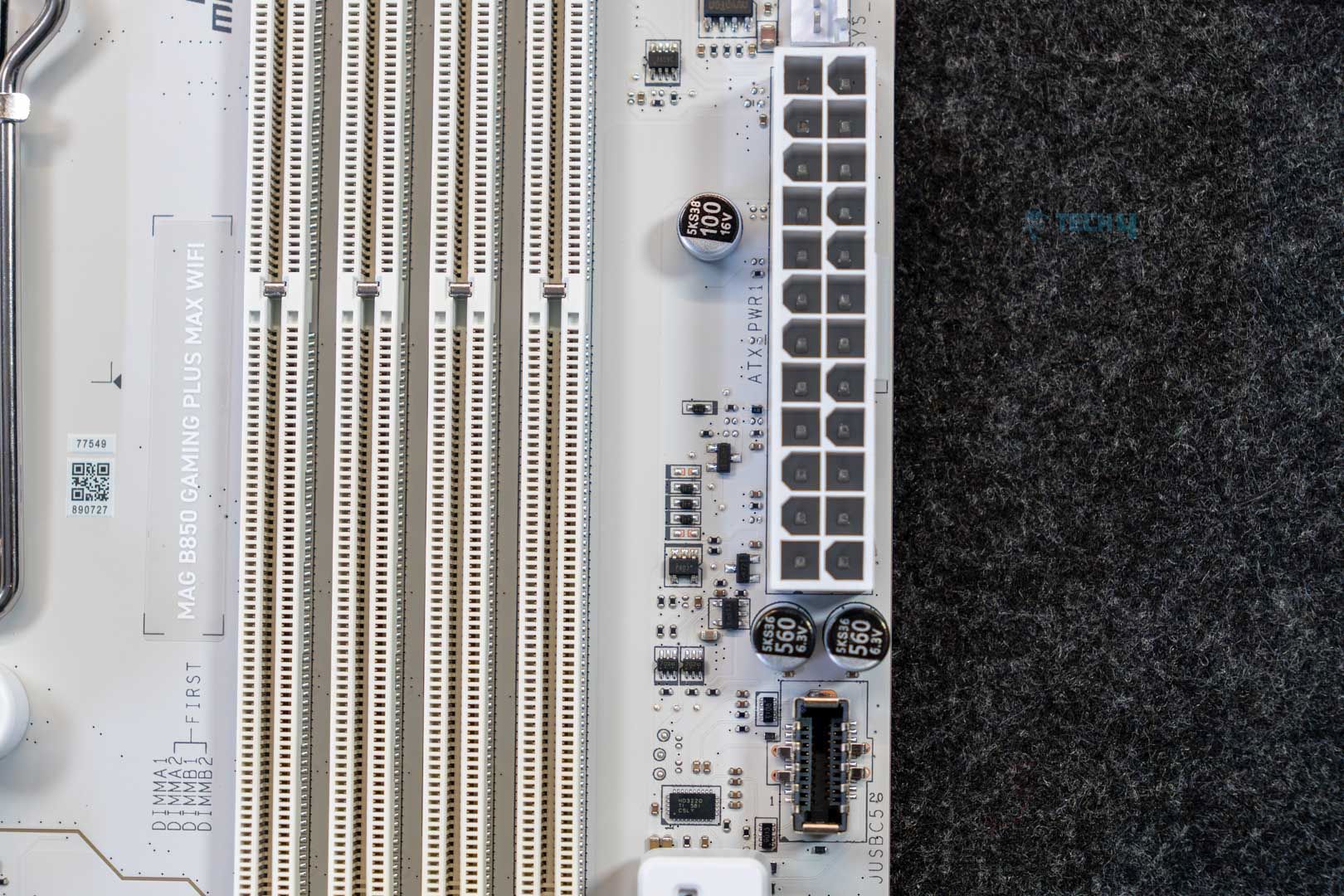
ATX connector
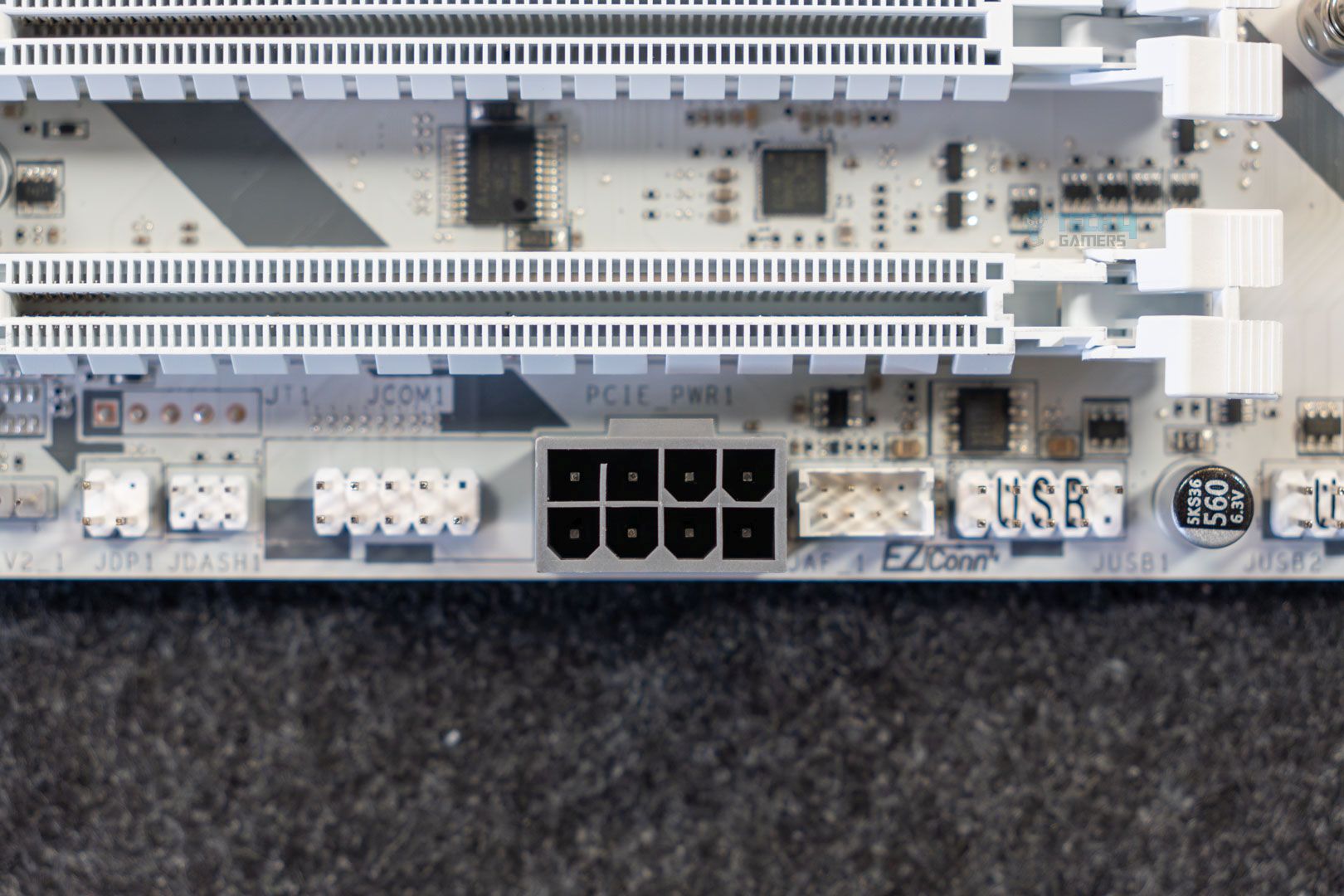
8-pin PCIe connector
1x ATX Power Connector
2x CPU EPS Connectors
1x PCIe 8-pin Power Connector
1x CPU Fan
1x Combo Fan
4x System Fan
1x EZ Conn-header
2x Front Panel
1x Chassis Intrusion
1x Front Audio
1x Com Port
1x Tuning Controller connector
3x Addressable V2 RGB LED connector
1x RGB LED connector
1x TPM pin header (supports TPM 2.0)
2x Direct OC Jumper (JBCLK)
4x USB 2.0 ports
4x USB 5Gbps Type-A ports
1x USB 5Gbps Type-C ports
The Direct OC Jumper allows BLCK adjustments through the OS and consists of 2x 2-pin connectors. These are paired with MSI’s OC Engine for the adjustments. The extra 8-pin power connector can provide up to 252W of additional power and 2.5X power excursion for the PCIe slots through the ATX 3.1 standard. This means a theoretical 165W can be available to the GPU through the PCIe slot, but again, this is a short-burst of power for modern GPUs that boost aggressively. The PCIe slot is still limited to the normal 75W.
Both the ATX and the PCIe connectors use the solid pin design as well.
We also get 4x debug LEDs to troubleshoot issues related to CPU, GPU, memory, or the OS/boot drive. There is no debug code LED panel, though, which is expected at this price point.
Super I/O controller and CMOS battery
The board uses Nuvoton’s NCT-6687D-R controller for fan control along with monitoring (temperature, fan speeds, and more).
Rear I/O Connectivity
Here’s what we get on the back of the motherboard:
MSI MAG B850 Gaming Plus Max WiFi – Rear I/O
Clear CMOS Button
1x USB 10Gbps (Type-A)
2x USB 10Gbps (Type-C)
4x USB 2.0
USB 5Gbps (Type-A)
5G LAN
Wi-Fi / Bluetooth
Audio connectors
Flash BIOS Button
DisplayPort
2x USB 10Gbps (Type-C)
S/PDIF-OUT
Again, this is a pretty standard selection of components. The I/O shield is stainless steel and comes pre-installed on the board.
In the Geekbench 6 multi-core test, the board in question scored 21677 points.
V-Ray
In V-Ray, the board scored 48808 points.
Gaming Benchmarks
Cyberpunk 2077
In Cyberpunk 2077, the B850 Gaming Plus Max WiFi averaged 143 FPS, with a minimum of 108.
Far Cry 6
Moving on to Far Cry 6, we noted an average of 183 FPS with a minimum of 139.
Starfield
Lastly, the Starfield benchmark saw our setup score 108 FPS on average, dropping to 79 at the lowest.
Power Consumption and VRM Temperatures
Let’s take a look at the power consumption numbers across idle, gaming, and stress workloads. We used the Cinebench 2024 multi-core test for the stress benchmark.
Power consumption numbers
The board’s numbers include 105 watts at idle, 112 watts during gaming, and 355 watts under full multi-core stress.
VRM temperatures
As for VRM temperatures, we noted a peak temperature of 64 degrees Celsius, which is on the toastier side.
Boot Times
Lastly, let’s look at the boot times.
Boot time, Windows 11 23H2
We saw a 22-second boot time with our setup on this board.
Should You Buy It?
Is it the right board for you?
But It If:
✅ You want 5G LAN on a “budget:”: Among the boards at this price point, this is probably the only one that offers 5G LAN. The MSI PRO 850-P WiFi is the only other one I found (…which is actually cheaper!)
✅ You’re after a sleek white design: The board’s distinct white design with black elements on the PCB and heatsink creates a great look, and it’s a fantastic option for white-themed builds.
Don’t Buy It If:
❌ You want the best value: At this price point, MSI’s own B850 Tomahawk Max WiFi and several ASRock offerings are a better choice.
❌ You want more from the USB: While the number of USB ports is still good at 17, there’s no USB4 or even 20 Gbps USB to be found.
❌ Overclocking is important to you: While the dedicated BCLK adjustment is a helpful feature, the board is not the best option if you’re looking to add overclocking to the mix, given the modest VRM setup and higher than average temperatures noted in our testing.
Our Verdict
The MSI MAG B850 Gaming Plus Max WiFi is an overall decent board, but like the other boards, it doesn’t offer a whole lot compared to the previous, original version of the board. We get a BCLK generator, a 64MB BIOS chip, and (in my opinion) an improved aesthetic. At $260, the features on the board don’t really justify what’s on offer.
The board has a nice all-white aesthetic with black tones (diagonal lines running across the PCB and the heatsinks which makes for a nice look. There’s no RGB, but you, of course, get dedicated connectors, and the board is overall a great choice for white builds, in my opinion.
Coming to the performance, the board has a 12+2+1 VRM setup with discrete 50A phases. This is a very budget-oriented setup, and it’s one of the factors that don’t impress us, given the price. The VRM temperatures were also on the higher side compared to the B850 board in our testing list. The addition of a BLCK generator, which allows separate adjustments to the CPU and memory clocks and can help with overclocking, is worth noting. Overall, this makes it an ideal offering for budget and mid-range CPUs, though it doesn’t rule out high-end chips.
As for I/O, the board’s main plus point is 5G LAN, which is paired with WiFi 7 through the provided antenna. You get one full Gen 5 PCIe and M.2 slot, along with additional slots which provide more than enough room for most users. The selection of USB ports disappointed us, as there are no 20 Gbps connections available. We get the ALC897 audio codec from Realtek on the board, another disappointment for the price point, but still enough for most users.
As we’ve seen with this generation of MSI motherboards, the QoL (quality of life) features are really good and help them stand out compared to other manufacturer’s offerings (though some of them are present in other boards too). EZ M.2 removal, PCIe release, front-panel connector, and one-click overclocking are some of the handy features on board.
Overall, I’d only recommend the board for its aesthetics, 5G LAN, and QoL features (though the latter can be found in other budget MSI offerings as well). Otherwise, there are many other fish in the sea that rival it at and around this price point.