I’ve previously worked for eXputer as a Senior News Writer for several years. Now with Tech4Gamers, I love to devoutly keep up with the latest gaming and entertainment industries. I have a Bachelor’s Degree in Computer Science and years of experience reporting on games and breaking exclusive stories. Besides my passion for gaming journalism, I love spending my leisure time farming away in Stardew Valley. VGC, IGN, GameSpot, Game Rant, TheGamer, GamingBolt, The Verge, NME, Metro, Dot Esports, GameByte, Kotaku Australia, PC Gamer, and more have cited my articles.
Story Highlight
Valve has stated that 5,863 games on Steam generated over $100K in sales revenue each in 2025.
The platform’s discounted deals greatly helped this figure, as 8.6 million customers bought titles via Daily Deals.
However, over 5,000 products on Steam also failed miserably, generating no profit even at $100.
Considering how the digital platform also reached a new high in concurrent players in 2025, these numbers are not a surprise. As it turns out, Valve’s overwhelming success is positively impacting developers, as more than 5,000 titles generated over $100K in sales revenue on Steam last year.
Why it matters: Steam’s success is the focal point of PC gaming’s growth, and if the company keeps setting new highs, it will benefit both developers and players.
During its GDC panel, Valve revealed that a whopping 5,863 titles earned more than $100k in Steam sales in 2025. A big reason for this uptick in revenue was the discounted titles that Valve offers on the platform, as 8.6 million customers purchased games via Daily Deals.
Furthermore, Valve also stated that 125% more users purchase games through deals and other associated discounts than at normal pricing. As previously revealed, sales of indie titles played a big role in this success, with over 25% of Steam’s revenue last year coming from indie titles, including major hits like Hollow Knight: Silksong and R.E.P.O.
However, there is another side to the story. Despite such a large number of games making a hefty profit, over 5,000 other titles didn’t even manage to earn $100 in sales, with the bottom 30% earning only $37 in profit overall.
Indie games like Schedule 1, R.E.P.O., and Hollow Knight: Silksong accounted for 25% of overall Steam revenue in 2025.
Do you think Valve will have another year that reaches new heights in revenue? Tell us in the comments below or head to the Tech4Gamers forum for discussion.
I’ve previously worked for eXputer as a Senior News Writer for several years. Now with Tech4Gamers, I love to devoutly keep up with the latest gaming and entertainment industries. I have a Bachelor’s Degree in Computer Science and years of experience reporting on games and breaking exclusive stories. Besides my passion for gaming journalism, I love spending my leisure time farming away in Stardew Valley. VGC, IGN, GameSpot, Game Rant, TheGamer, GamingBolt, The Verge, NME, Metro, Dot Esports, GameByte, Kotaku Australia, PC Gamer, and more have cited my articles.
Story Highlight
Resident Evil Requiem is not the conclusion of Leon’s arc in the franchise, according to the character’s voice actor.
Nick Apostolides stated that Leon was brought back to continue the momentum built up from his appearance in the remakes.
Requiem is a continuation of his narrative in the present day, not a conclusion.
Arguably, one of the biggest reasons for this overwhelming success is the return of Leon Kennedy to the series. The character’s inclusion helped Resident Evil Requiem become the perfect blend of action and horror, and if Leon’s voice actor is to be believed, the character is set to return in future entries of the franchise.
Why It Matters: Leon is a primary cause for Resident Evil’s popularity. Hence, his returning to the series in future installments makes complete sense.
Leon’s return created much-needed anticipation for Resident Evil Requiem.
In a new interview with GamesRadar, Leon Kennedy’s voice actor, Nick Apostolides, confirmed that Resident Evil Requiem isn’t the end of the character’s storyline in the series.
I think there’d just been so much momentum with Resident Evil 2 Remake and 4 Remake, his story, his arc. And they just wanted to, not complete it, but just continue that arc and find out where he is now in current day.”
While talking about the character’s storyline, Leon’s voice actor revealed that Capcom wanted to bring him back to continue the narrative that has been in motion since the Resident Evil 2 remake. Hence, the purpose of Leon’s homecoming wasn’t to complete his arc, but to resume it in the modern day.
Apostolides further stated that it made complete sense to feature Leon in Resident Evil Requiem, as the title centers on Raccoon City. However, the game isn’t a resolution to his storyline, but instead ties into the narrative that has been gaining momentum in the remakes.
At T4G, my task is to cover the latest news around the gaming globe ASAP and with the utmost precision. I adore all the games and respect all the devs behind the amazing games that we get all year. So, whether it’s a PC or a Console game, I got it all covered.
Story Highlight
The Witcher 4 is set to use Nvidia RTX Mega tech for better Path Tracing with reduced VRAM usage.
High VRAM usage is one of the biggest issues of modern gaming, which leads to visual compromises.
CDPR revealed that it’s working with Nvidia and Epic to improve Unreal Engine tech for the whole industry.
The Witcher 4 is undoubtedly set to be one of the biggest events in gaming following GTA 6’s release. While we don’t currently have a release window, it is already shaping up to be a great aspect, especially with its visuals.
CDPR has confirmed that The Witcher 4 will use Nvidia RTX Mega Geometry technology, which was introduced with the Blackwell RTX 50 series GPUs. This tech basically allows for better visuals while using reduced VRAM usage.
Why it matters: The GPU VRAM bottleneck has become a huge problem in the current gaming landscape, as even 8GB isn’t considered enough. This tech could technically allow improved visuals without a performance compromise.
In a new GeForce Community Update, Nvidia partnered with CDPR to show off some of the upcoming tech with The Witcher 4. It uses RTX Mega Geometry, which helps in Path Tracing, while using less VRAM and providing better performance.
What it does is it clusters millions of triangles that create a frame in the game. These clusters are cached and compressed over many frames, and are then reused as you continue with your game.
This puts less load on the GPU, leading to less VRAM usage and consequently better Path Tracing performance. This allows for much better visuals, lighting, shadows, and especially foliage in tough environments.
So, you can have full pathtracing without any rasterization. The best part is that this tech will work with all Nvidia RTX GPUs; the RTX 50 series has some added technology due to which it’ll have much better optimization.
What are your thoughts on The Witcher 4 using Nvidia’s RTX Mega Geometry tech? Let us know your opinions in the comments or join the discussion at the official Tech4Gamers Forum.
At Tech4Gamers, I contribute as a Senior News Reporter, combining my skills and gaming enthusiasm to keep our audience updated on the latest developments.
Story Highlight
Crimson Desert offers 1080p 60FPS gameplay on both the PS5 and Xbox Series X with ray-tracing.
The Xbox Series S is limited to 720p 40FPS in Performance mode with no ray-tracing.
The PS5 Pro aims for upscaled 4K 60FPS, utilizing PSSR 2 for crisp visuals and smooth gameplay.
According to Pearl Abyss’ latest social media post, the game also targets 1080p 60FPS on the base consoles.
Why it matters: Pearl Abyss has made plenty of promises when it comes to optimization, but the team has been oddly quiet about the console performance.
Crimson Desert Console Performance Details via Twitter
According to the official graphic, Crimson Desert targets 1080p 60FPS on both the PS5 and Xbox Series X in Performance mode. It should be noted that this mode also supports ray-tracing, and frame-rates can be pushed beyond 60FPS with a VRR-supported display.
Elsewhere, both consoles support upscaled 4K 30FPS and 40FPS gameplay using FSR 3, with the quality of ray-tracing and the base resolution being the differentiating factor between the two modes.
The Xbox Series S, on the other hand, is limited to 720p 40FPS in Performance mode and 1080p 30FPS in Quality mode. Unfortunately, Crimson Desert skips ray-tracing entirely on this console.
Perhaps the most impressive of the bunch is the PS5 Pro here, since it offers 4K 60FPS+ gameplay using PSSR 2 upscaling with ray-tracing set to High. The console also supports 40FPS with PSSR 2 upscaled 4K resolution for those looking for even sharper visuals.
Crimson Desert Will Be One of the Few Games To Support PSSR 2 At Launch
Quality mode on the PS5 Pro is said to run Crimson Desert at native 4K 30FPS. All in all, these performance and resolution targets certainly sound impressive.
It should be noted that Crimson Desert is one of the few games to support PSSR 2 from the get-go. Previously, Resident Evil Requiem launched with PSSR 2 support, and many were left very impressed by the results.
At Tech4Gamers, I contribute as a Senior News Reporter, combining my skills and gaming enthusiasm to keep our audience updated on the latest developments.
Story Highlight
Crimson Desert has officially received system requirements ahead of its release.
The game lists 2016’s GTX 1060 as the GPU needed for a base 1080p 30FPS experience.
These requirements also list the RTX 5070 Ti for 4K 60FPS gameplay, pointing to an optimized PC port.
Crimson Desert is shaping up to be one of the most anticipated games of 2026, and all signs point to a highly optimized release for both consoles and PC.
The good news regarding Pearl Abyss’ upcoming title continues with the recently released minimum system requirements. In the team’s latest graphic, Crimson Desert lists the decade-old GTX 1060 in its minimum requirements.
Why it matters: The GTX 1060 has all but disappeared from system requirements today, so this is a good sign that Pearl Abyss is looking out for PC gamers of all sorts.
Crimson Desert System Requirements | Image via Twitter
According to the graphic shared on Twitter, Crimson Desert will offer upscaled 1080p 30FPS gameplay at the Low graphics preset when using hardware as old as the GTX 1060 and Ryzen 5 2600X. Pearl Abyss says that the game was upscaled from 900p when testing with this type of hardware configuration.
Those looking for a more favorable experience should consider a graphics card like the Radeon RX 6700 XT or RTX 2080 and Ryzen 5 5600 or Intel Core i5-11600K for 1080p 60FPS gameplay at the Medium preset.
At the top end, Crimson Desert is said to run at 4K 60FPS using an RTX 5070 Ti and Ryzen 7 7700X combo. 16GB of RAM is recommended across all configurations, and the title will take up a whopping 150GB of storage.
Crimson Desert Console Specifications via Pearl Abyss
Over on the console side, the game will offer plenty of options, featuring modes for both 30FPS and 60FPS across all consoles. The most impressive of the bunch appears to be the PS5 Pro, which offers 60FPS gameplay running at an upscaled 4K resolution.
At T4G, my task is to cover the latest news around the gaming globe ASAP and with the utmost precision. I adore all the games and respect all the devs behind the amazing games that we get all year. So, whether it’s a PC or a Console game, I got it all covered.
Story Highlight
Resident Evil Requiem story DLC is currently in the works, confirms game director.
Additional content will be released, including a photo mode and a mini-game.
The title was excellently recieved so expectations from DLC will be really high.
Resident Evil Requiem has been breaking all sorts of records. It is the highest-rated mainline game in the last 20 years and the fastest-selling Resident Evil game ever, and Capcom has now confirmed more content coming our way.
The game director has officially confirmed that a story DLC for Resident Evil Requiem is now in the works. Additionally, the team is also working on releasing a photo mode and a mini-game, which will be released in May.
Why it matters: Requiem has had an excellent reception with its deep-rooted story and brilliant characters. There was also foreshadowing of things to come, so expectations are once again really high.
Capcom has officially confirmed Resident Evil Requiem story DLC
Koshi Nakanishi has confirmed that Capcom is indeed working on a DLC; however, it will take some time. Nonetheless, they still plan to continue supporting the title with more content in the future, starting with the mini-game.
From the cards that Nakanishi shows in the announcement, the mini-game seems to be a card game with Victor Gideon. Many would also appreciate the addition of the upcoming photo mode, based on how brilliant the visuals are.
The DLC is expected to continue the game’s story
We can only guess as to what the DLC will be. SPOILER ALERT: If you haven’t played it yet, at the end, Chris Redfield is mentioned, and some forces take out the BSAA agents, so it could be something related to that.
The game also fails to acknowledge Ada Wong, who has been central to Leon’s plot points, so we might see her returning as well. But that’s just us wishing out loud; whatever Capcom is preparing will hopefully be as good as the base game.
What are your thoughts on Capcom working on a Resident Evil Requiem DLC? Let us know your opinions in the comments or join the discussion at the official Tech4Gamers Forum.
As Tech4Gamers’ Founder and Editor-in-Chief, I bring over 13 years of PC Hardware Reviewing and 8+ years of IT Project Management experience. Certified in Google IT Support , my focus is on providing honest product reviews and analysis and fostering a strong gaming community with 130k+ members in PPG.
Story Highlight
Xbox Project Helix could launch between $999 and $1,200, based on estimated component costs.
The system is rumored to function more like a living-room gaming PC than a traditional console.
A powerful RDNA 5 GPU, Zen 6 CPU, and high-bandwidth memory could push hardware costs close to around $900.
Rumours about the next Xbox, currently known as Project Helix, are starting to give us a clear idea of what the earliest price estimates could be. Some leakers have already discussed its pricing, but only one has dared to propose a definite figure based on its Bill of Materials (BOM), estimating a price between $999 and $1,200.
With this price range, you may wonder if that really makes sense, but it is not your traditional console. It is essentially a PC designed to behave like a console, combining the flexibility and power of a gaming computer with the simplicity of a living-room gaming system.
First to understand where these price figures come from, we must first examine the Bill of Materials (BOM), which is the cost of the components that make up the device, as well as the concept proposed by Microsoft, because the Helix design appears to move away from the traditional console concept and closer to that of a gaming PC optimized for the living room. It is, in a sense, their response to Steam Machine, aimed to compete with Valve.
The graphics block built into the system’s SoC, developed in collaboration with AMD, would be the most expensive component, since everything points to a GPU based on the RDNA 5 architecture, which would share technology with the successor to the Radeon RX 9070 XT (RDNA 4).
Sony is doing the same with the PS6, a hybrid of both architectures. If we look at the PC market, a graphics card of such a level would cost between $500 and $600, implying that the graphics component alone would account for a significant amount of the entire cost of Project Helix.
Furthermore, other essential factors emerge that we cannot ignore. Memory is one of the most critical components, as a system at this level would require a significant amount of high-bandwidth RAM to support high resolutions, improved ray tracing, and new artificial intelligence functions. According to the leak, that aspect alone might add almost $200 to manufacturing costs, as we are already dealing with a memory shortage.
The CPU would be the next essential component in the SoC, and it would be based on Zen 6 cores built on a highly advanced node such as TSMC’s N2, raising the silicon cost even higher. According to estimates, this component adds about $100 to the manufacturing budget.
If Microsoft were to mass-produce Xbox Project Helix, the estimated hardware cost would be around $900. This explains why the final pricing could be about $999 if the corporation decides to offer the device at cost to strengthen its ecosystem. And If profit margins or variants with additional memory and storage are added, the price might easily reach $1,200, which is unimaginable for such a console/PC in 2026.
Even in that case, the strategy would make sense if Helix positions itself as a hybrid device capable of competing with much more expensive gaming PCs thanks to its optimization which would perfectly align with the direction Xbox has been hinting at for some time which is moving beyond being just a console and becoming a much broader gaming platform.
In the end, if Helix truly delivers on that promise, it could mark an exciting step forward for Xbox and for gamers in general.
I’ve been the Journalist & Editorial Writer at Tech4Gamers since July 2022. I spearhead our hardware coverage, including overclocking GPUs, benchmarking CPUs, reviewing peripherals, and fine-tuning custom PC builds for every budget. Daily, I report on breaking gaming news, from major launches and studio updates to the latest industry trends, ensuring our community stays informed. Beyond news briefs, I write in-depth feature articles on gaming culture and emerging technologies. And by collaborating closely with the editorial team on content planning, SEO strategy, and our publishing calendar, I help us consistently hit our traffic and engagement targets.
A comfortable mouse grip can improve your mouse precision. Furthermore, finding the appropriate grip is a crucial foundation for enhancing gaming proficiency. I suggest you try various mouse grips if you don’t know the right one for you. If you excel with palm-grip and are looking for the right mouse for you, I have compiled a list of the best palm-grip gaming mice available in the market. So, let’s find out the right one for you!
Why Trust Tech4Gamers
Abdul Hannan is our peripherals expert who has been testing different mice, keyboards, headphones, microphones, and more for years.
130+ peripherals tested and reviewed by our team of hardware experts (Tech4Gamers Team).
500+ hours spent testing different peripherals for our reviews.
At Tech4Gamers, ensuring you get reliable information is our priority. That’s why every hardware round-up undergoes a meticulous review process by our team of experts and editors. Each review is carefully examined against our strict editorial guidelines, guaranteeing you trustworthy insights you can depend on.
Take a look at my Best Palm Grip Mice selections here:
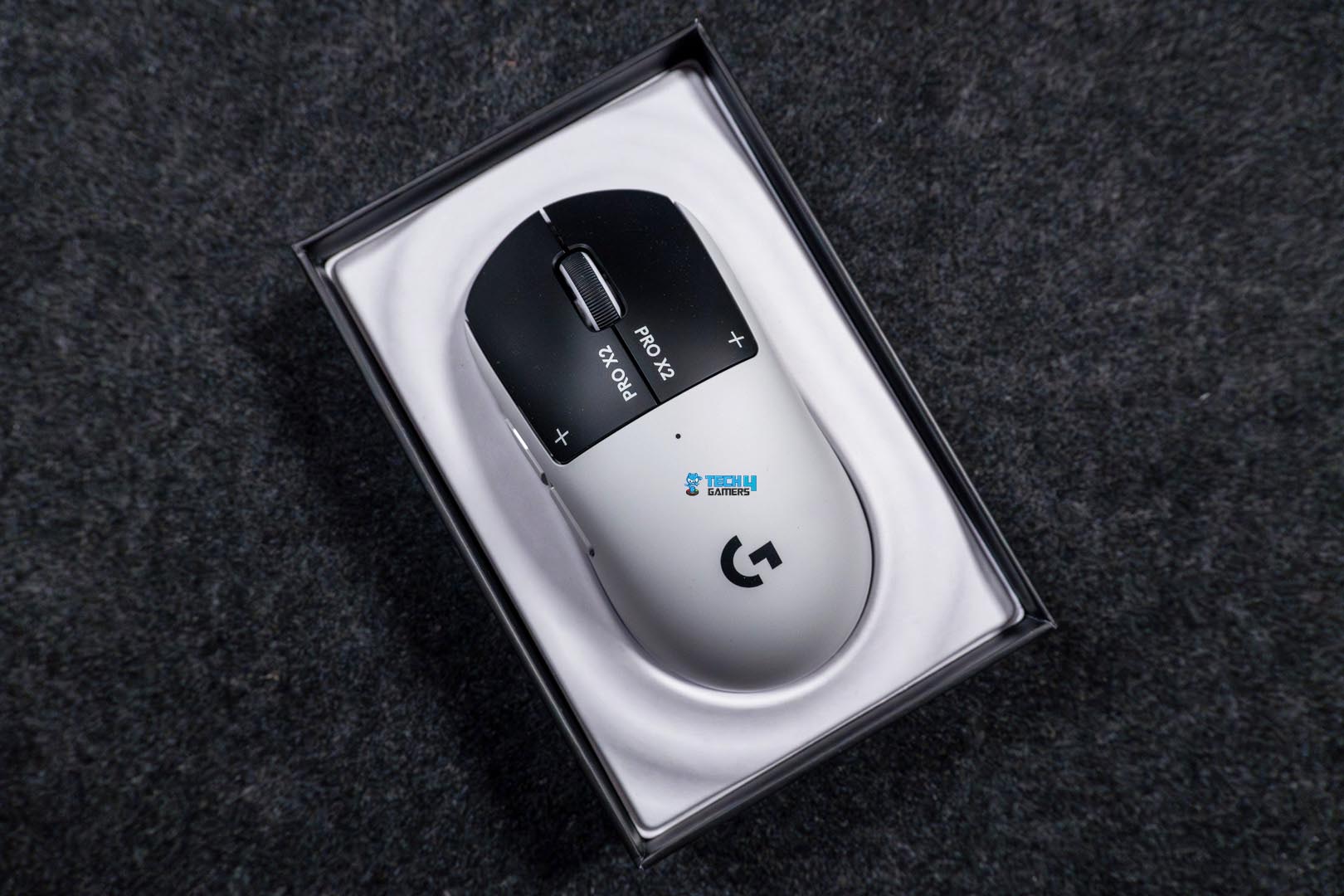
Design and Build Quality: The mouse has a surprisingly cool-looking design with its black & white color scheme. Also, the highlighting feature of this mouse would be its ultra-lightweight design, as it only weighs 61g and retains side buttons. The symmetrical form factor helps greatly in making it a comfortable mouse to have under your palms. Similarly, as far as the build quality goes, it passes the test as it feels premium, and there’s no creaking noise or flex that I could see.
Performance: The Logitech Pro X2 Superstrike incorporates the Hero 2 sensor that is responsible for delivering exceptional performance. This very sensor is the reason this mouse can go as high as 44K DPI in sensitivity. Furthermore, with an acceleration of 88G and a maximum speed of 888 IPS. These numbers are great, and in my testing, I found it very precise and rapid, even while performing 180-degree flicks during gaming sessions.
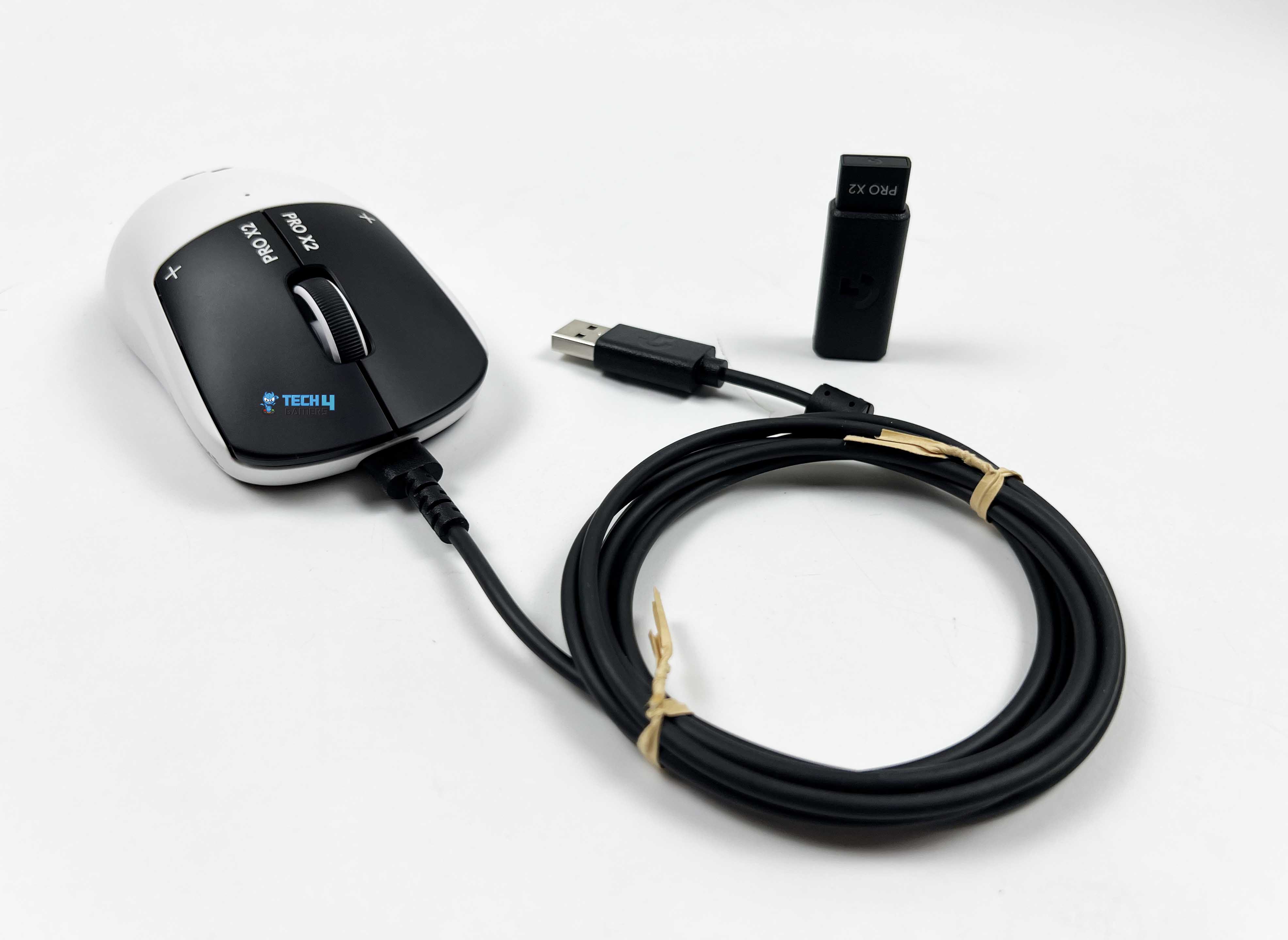
Connectivity & Battery Life: The mouse offers both wireless and wired connectivity options. It uses Logitech’s Lightspeed 2 wireless receiver for seamless connectivity. Whereas if you want to use it wired or try to charge it, the included USB-A to USB-C cable is the way to go. However, you won’t be needing that too often as the mouse provides up to 90 hours of battery backup on a single charge.
The mouse impressed me quite a bit, so I can safely say:
The Logitech Pro X2 Superstrike is a lightweight, esports-focused wireless mouse designed for precision and responsiveness. It features the Hero 2 sensor with up to 44,000 DPI, Lightspeed 2 wireless technology, and a 61g symmetrical design that works well for palm, claw, and fingertip grips.
✅Buy It If
Here are some shots from our review:
1 of 3
Unboxing
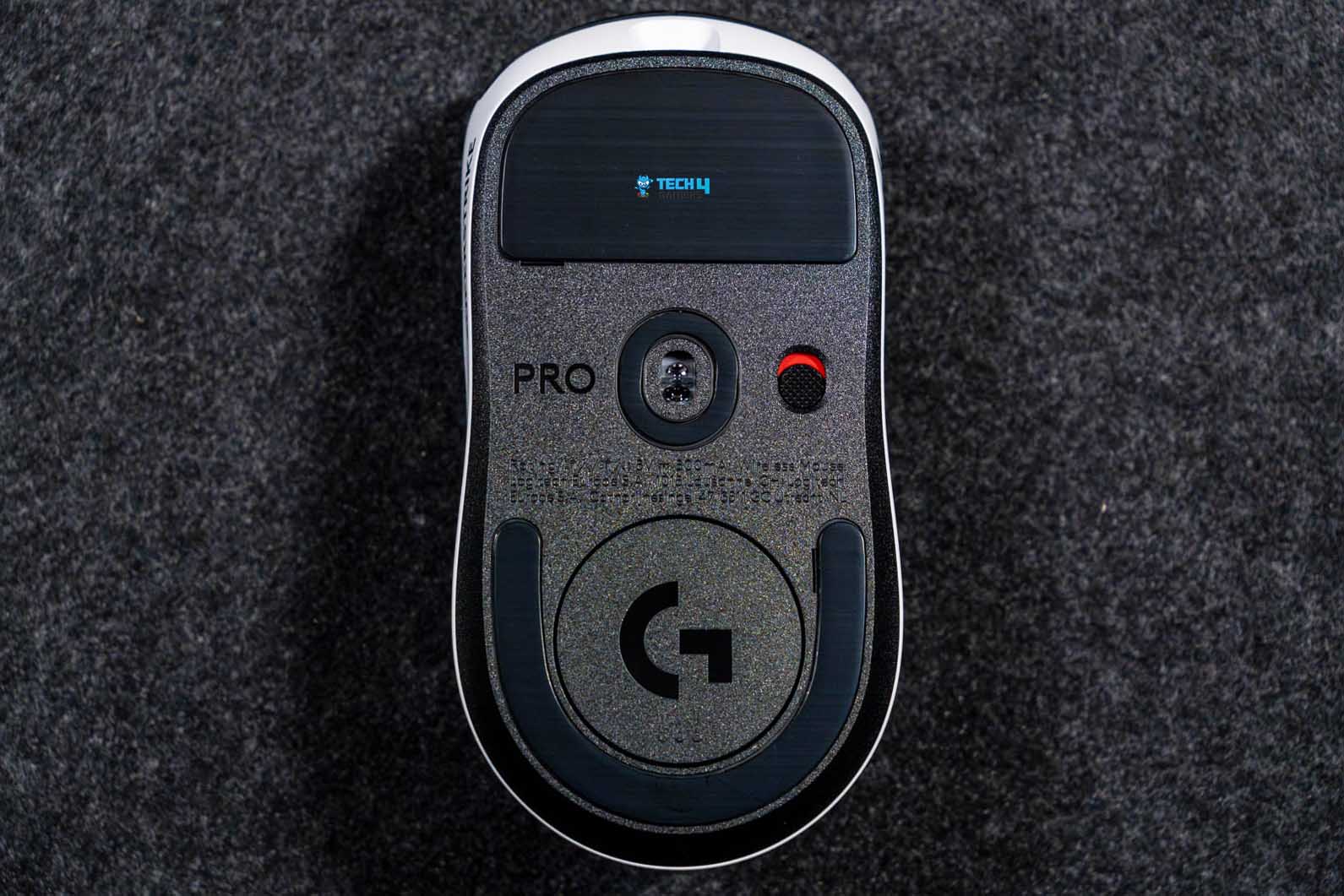
Underside
USB Cable and Wireless Receiver
You Prioritize Competitive Performance: If you’re a competitive player and precision means a lot, then Logitech Pro X2 Superstrike is exactly what you need due to its excellent competitive performance, thanks to its Hero 2 sensor’s capabilities.
You Want Customization: The mouse comes with Haptic Inductive Trigger System, which, coupled with Logitech’s G-Hub software, provides decent customization by allowing you to set haptic feedback intensity & actuation depth to give you more control.
You Want Great Battery Life: If having excellent battery life on your mouse is your concern, then there’s nothing to worry about here, as this mouse works for up to 90 hours once fully charged.
❌Don't Buy It If
Your Budget is Limited: If your budget doesn’t allow you to spend a fortune on a mouse, then this one isn’t for you, considering its steep MSRP of $179.99.
What Makes It The Best Overall Palm Grip Gaming Mouse
The Logitech Pro X2 Superstrike improves on what was already considered great in its previous iteration. The mouse offers a fairly comfortable palm grip design with impressive build quality all around. Moreover, the Hero 2 sensor and features like HITS set this one apart from the competition. Lastly, the excellent battery backup is the cherry on top for what could be considered the Best Overall Palm Grip Gaming Mouse.
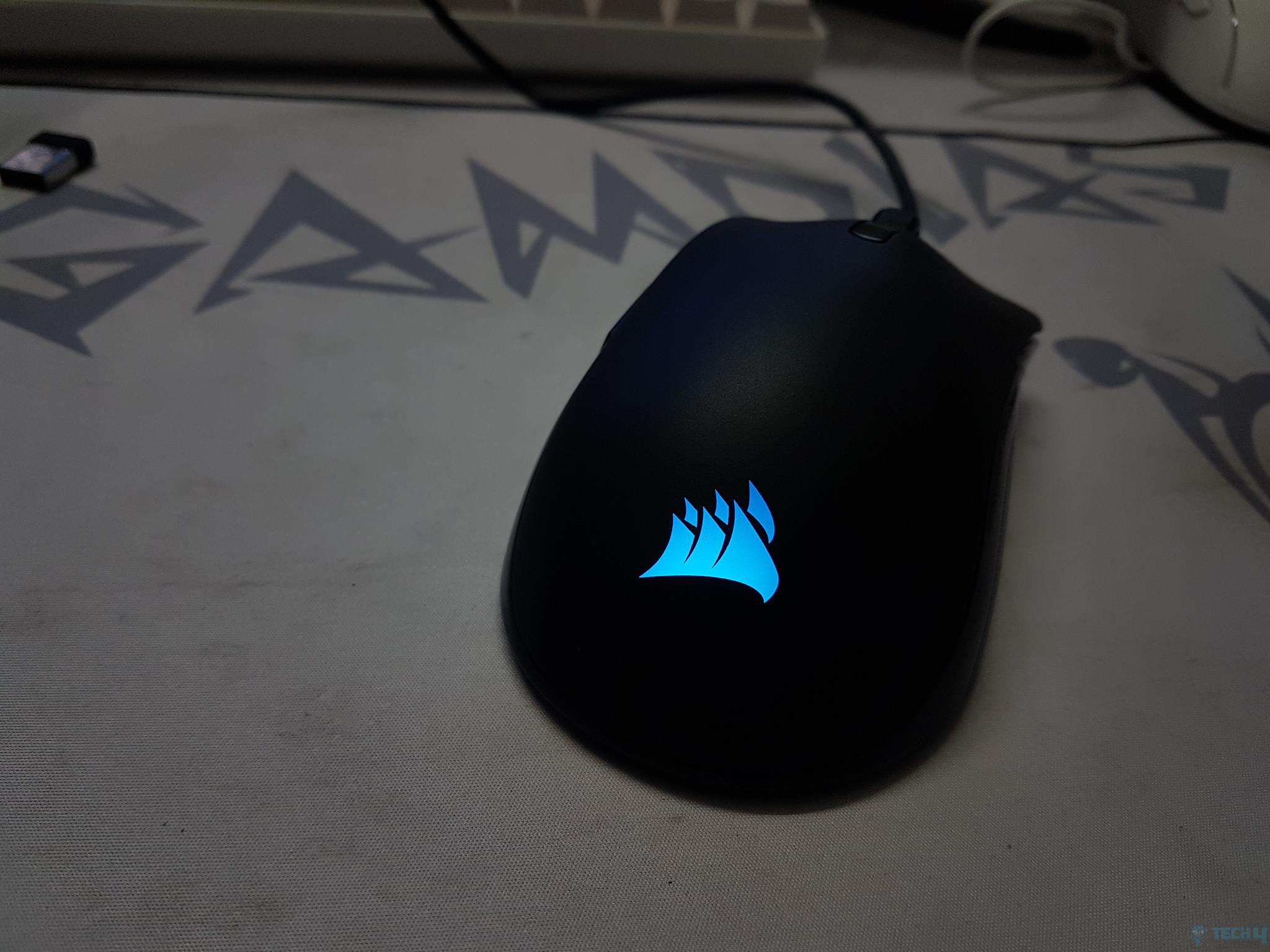
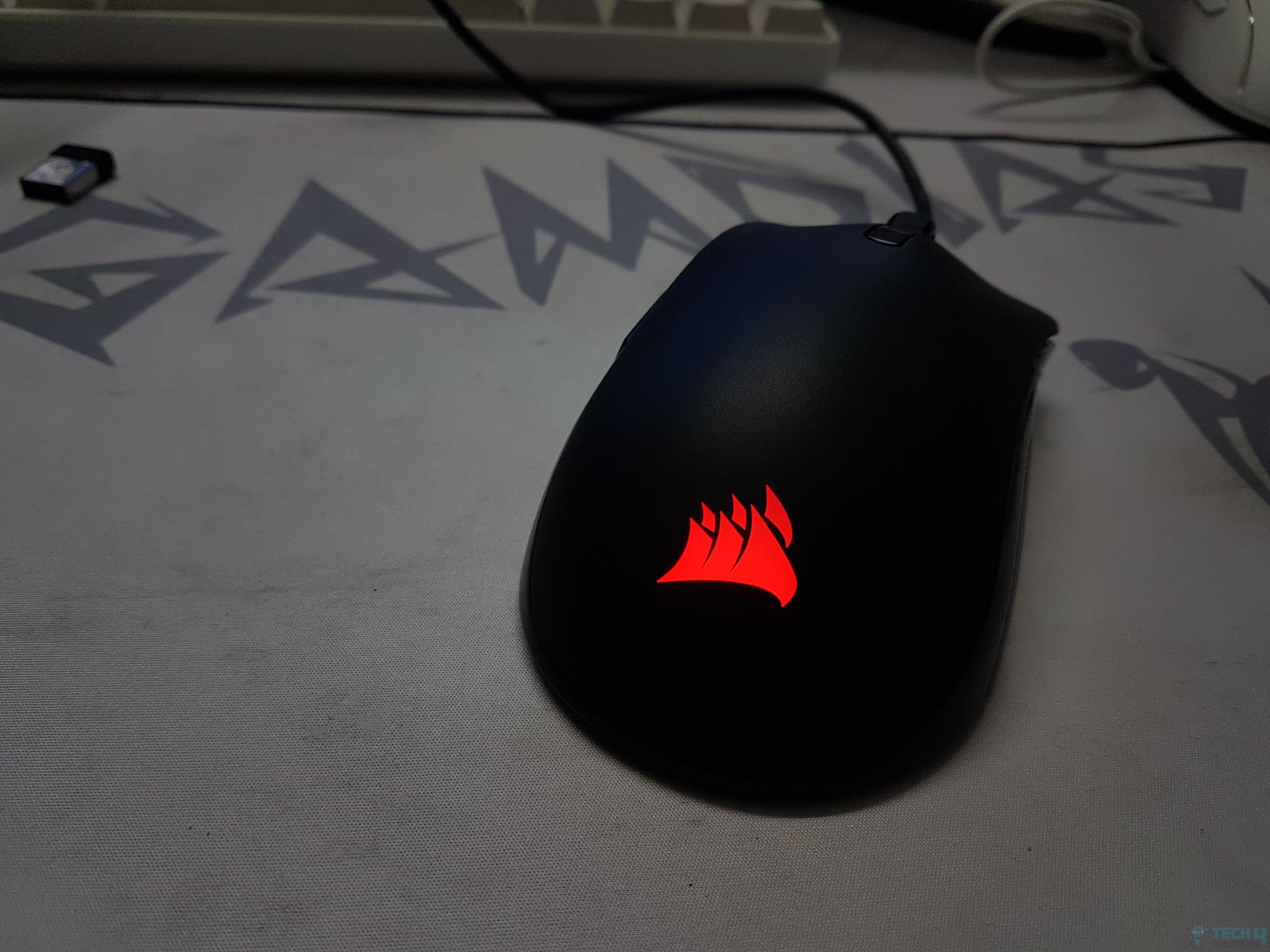
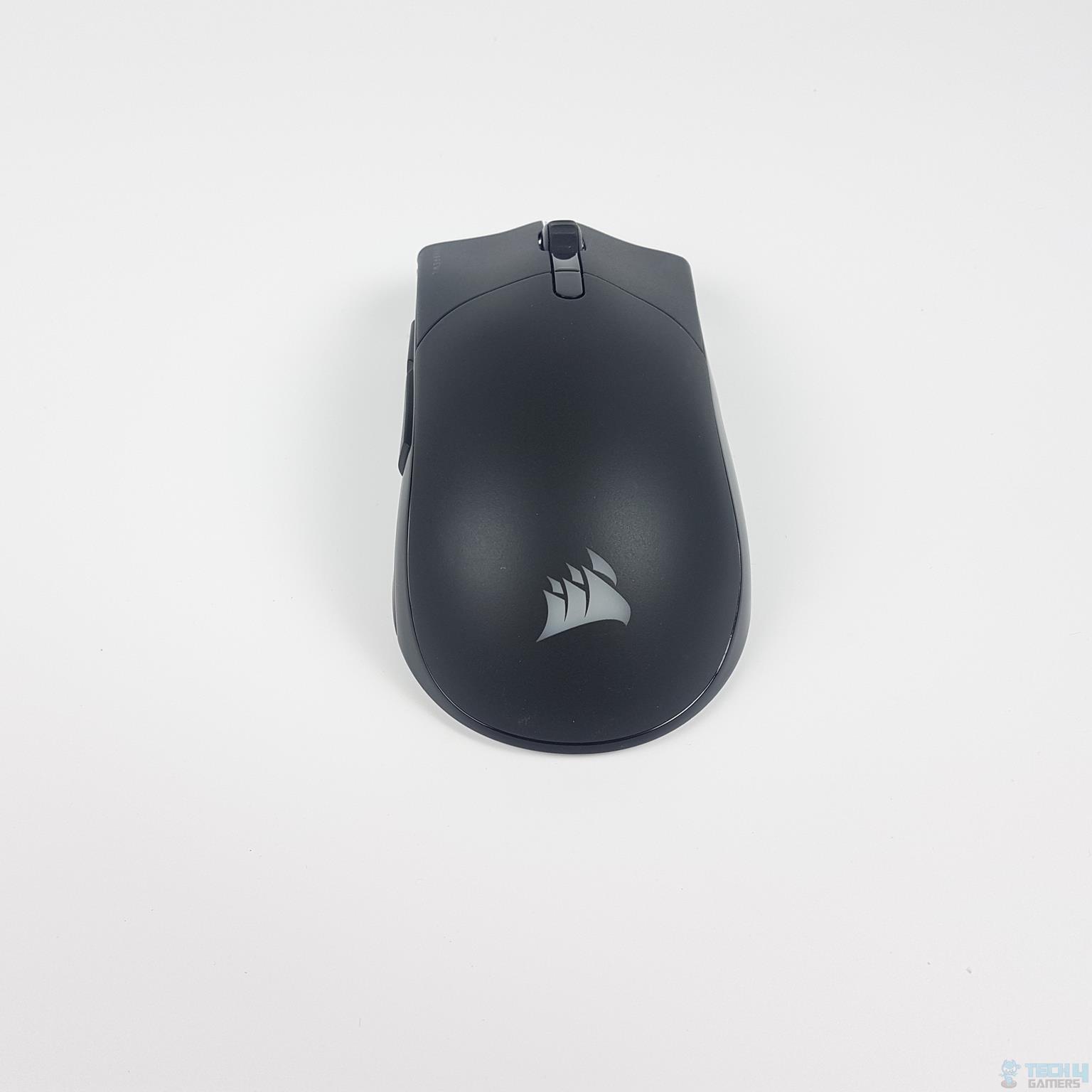
Design and Build Quality: The Corsair Sabre RGB Pro Wireless boasts a sleek, muted appearance with black plastic construction. It features a minimalist design with fewer sharp angles and subtle RGB lighting on the palm rest. When I used it, it gave a solid feel to my hand with minimal flexing and a comfortable grip.
Performance: Equipped with the Marksman 26K sensor, the Corsair Sabre RGB Pro Wireless delivers excellent click latency, a hyper polling rate of 2000Hz, and Omron switches with a 50 million click durability. In my experience with FPS games, the mouse ensured precise tracking and responsiveness, giving me a competitive edge over other players despite being wireless.
PRO TIP: Experiment playing at different sensitivity settings until you find the right one for you.
Connectivity & Battery Life: Utilizing Corsair’s Slipstream wireless technology, the Sabre RGB Pro Wireless offers seamless wireless connectivity with a USB receiver or Bluetooth, providing flexibility for users. The mouse delivers up to 60 hours of continuous use via 2.4GHz Slipstream and up to 90 hours through Bluetooth, catering to extended gaming sessions without frequent recharging.
This is what our hardware reviewer, Nauman Sadique, has to comment on this:
“Having hands-on experience with the Sabre RGB Pro Wireless mouse, I’m impressed by its sleek design featuring shiny accents and a textured grip on the scroll wheel.”
✅Buy It If
Below are some shots from our review:
1 of 4
RGB Lighting - Blue
RGB Lighting - Red
Front View
Back View
You Need A High Polling Rate: If you are looking for a high polling rate of up to 2000Hz, opt for this mouse for smooth tracking and responsiveness.
You Prefer Minimal Design: If a minimalist design with subtle RGB lighting appeals to your aesthetic preferences, you should go with the Corsair Sabre RGB Pro.
You Want Extended Battery Life: The Corsair Sabre RGB Pro can offer a battery life of up to 90 hours on Bluetooth.
❌Don't Buy It If
You Are On Budget: The Corsair Sabre RGB Pro is a premium-priced mouse that may not align with the budget of some users.
What Makes It The Best Mid-Range Palm Grip Gaming Mouse
The Corsair Sabre RGB Pro Wireless is the best mid-range palm grip gaming mouse due to its exceptional click latency, high polling rate, Omron switches, and impressive battery life. Its sleek design, customizable RGB lighting, and reliable wireless performance make it a top choice for gamers seeking a balance of style and functionality.
Design and Build Quality: The Corsair M75 Air Wireless features a sturdy and ergonomic design tailored for palm grip users with large hands. Its matte black plastic build, coupled with glossy black accents and side buttons, provided me a firm and durable feel even for long use. Moreover, its symmetrical shape enhances adaptability to different grip styles and gameplay preferences.
Performance: Equipped with the Marksman 26K Optical Sensor boasting up to 26,000 DPI, the M75 offers exceptional performance with a polling rate of up to 2000 Hz. It ensures a smooth and responsive gaming experience, detecting movements at 650 IPS and a maximum acceleration of 50G. The mouse’s straightforward design contributes to its comfortable and precise usage.
Connectivity & Battery Life: With versatile connectivity options, including Slipstream Wireless and Bluetooth, the M75 Air Wireless caters to various user preferences. The 2.4GHz Slipstream wireless connection exhibits less than 1 millisecond of latency, ensuring a seamless gaming experience. To my surprise, the mouse can last for 34 hours and 100 hours on 2.4GHz and Bluetooth, respectively.
Quoting a statement from my review of Corsair M75 Air Wireless:
“The Corsair M75 Air Wireless mouse is a dream for competitive gamers, blending a lightweight design with the ultra-precise Marksman 26K Optical Sensor for fast, accurate gameplay, especially in FPS games.”
✅Buy It If
Here are some shots from our review:
Corsair M75 Air Wireless Pictures From Our Review
1 of 3
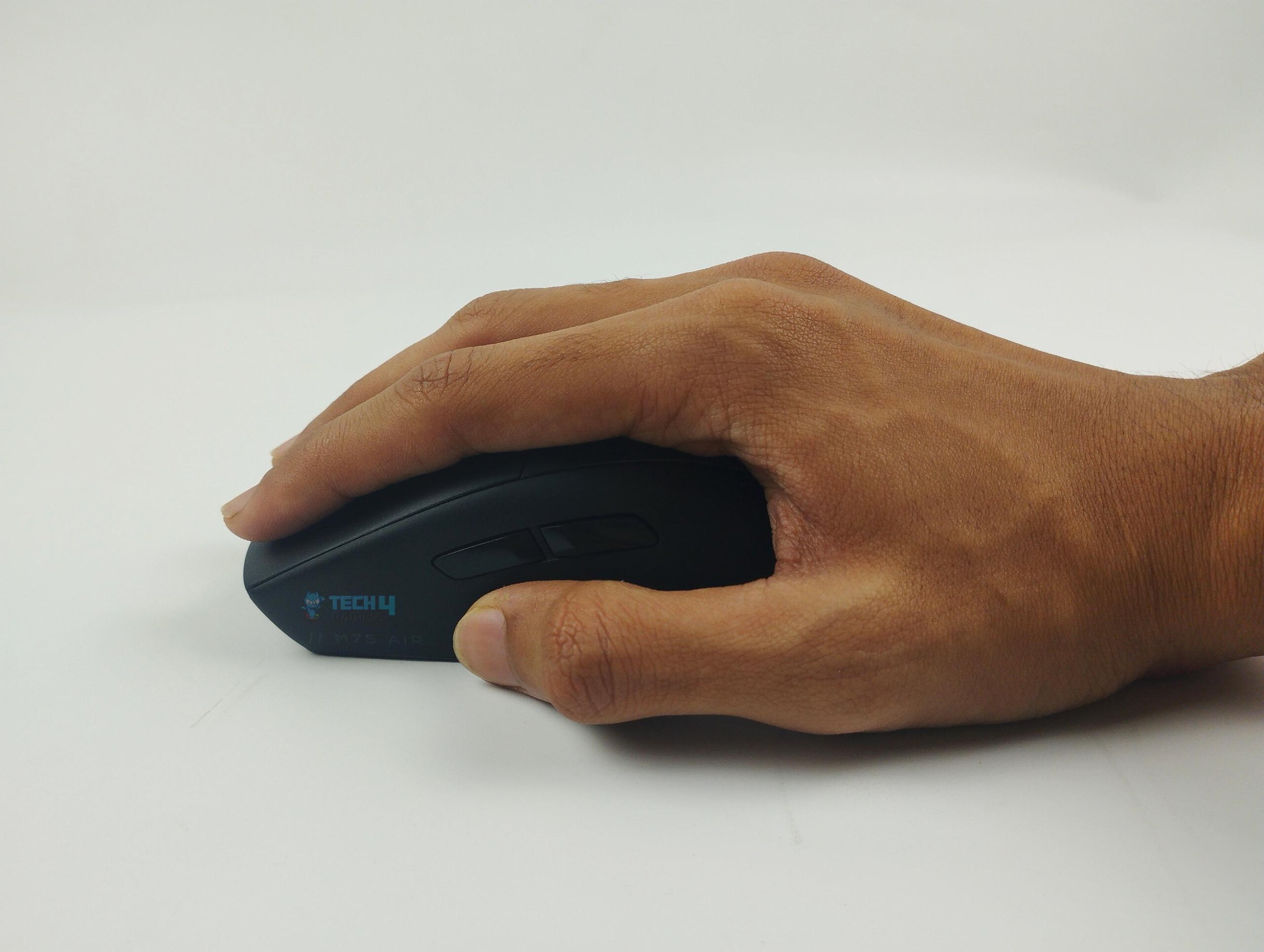
Trying the palm grip
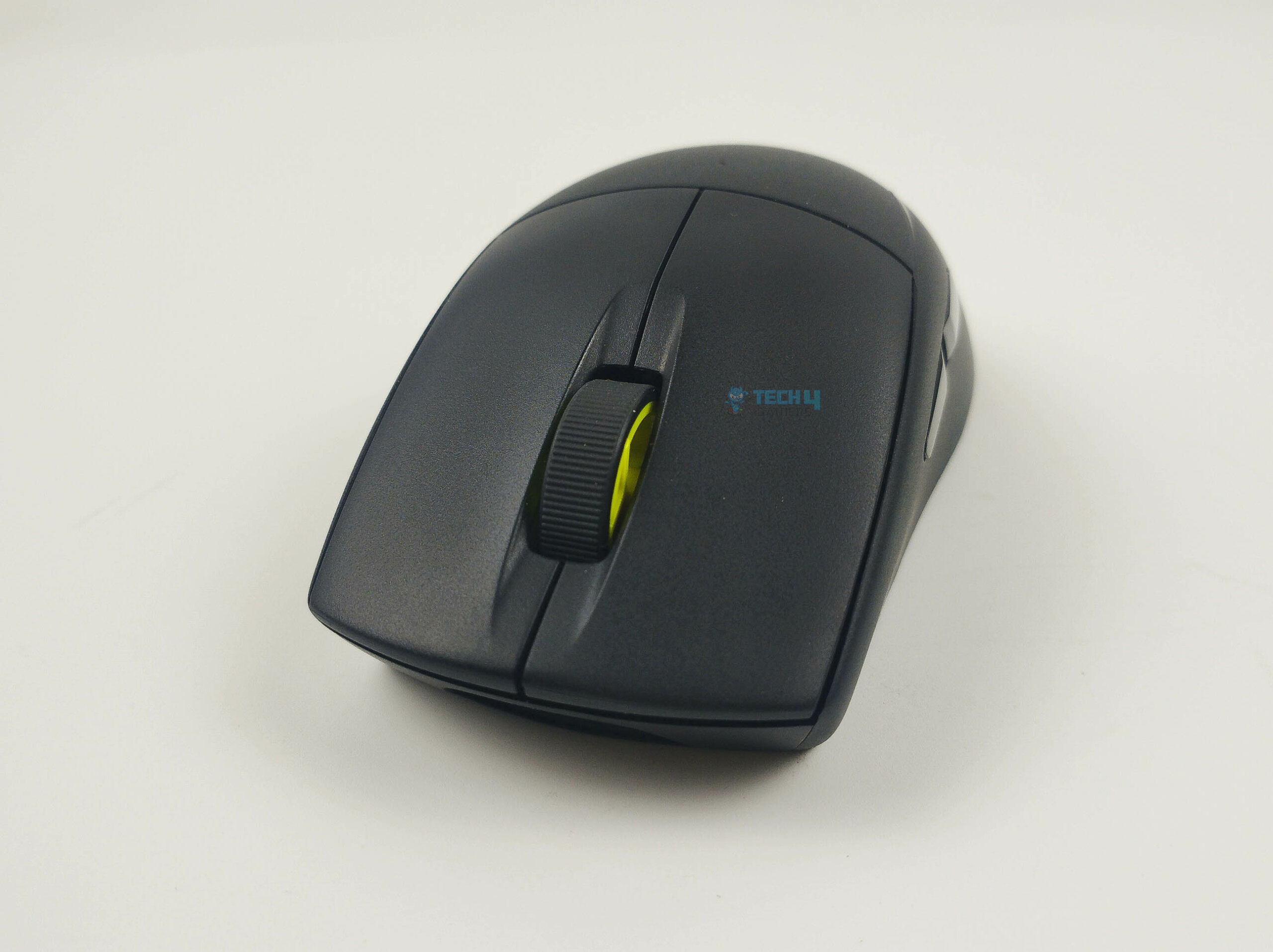
Scroll wheel
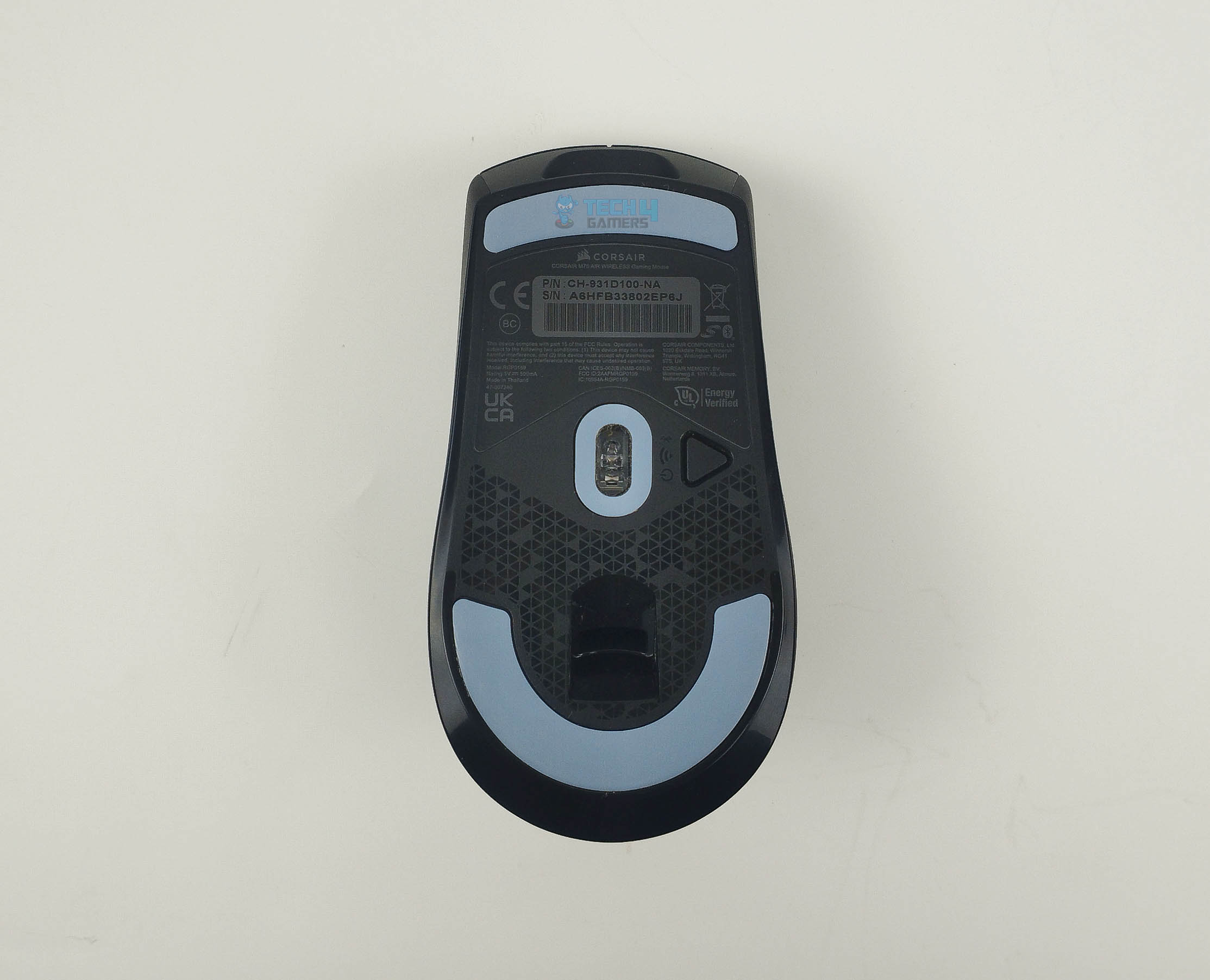
Underside
You Have Large Hands: The M75 Air Wireless is specifically designed for comfort during prolonged gaming sessions for users with large hands.
You Prefer Versatile Connectivity: With wired, 2.4GHz Slipstream wireless, and Bluetooth options, this mouse adapts to different setups seamlessly.
You Want Responsive And Precise Gaming: The Marksman 26K Optical Sensor, coupled with a high polling rate, provides excellent control and responsiveness, especially in FPS games.
❌Don't Buy It If
You Want Customization Features: The M75 Air Wireless lacks RGB features and programmable buttons, which may be a drawback for users seeking more customization options.
You Need A Dedicated DPI Button: If quick DPI adjustments are crucial to your gaming style, the absence of a dedicated DPI changer button might be a limiting factor.
What Makes It the Best Palm Grip Mouse For Large Hands
The Corsair M75 Air Wireless earns the title of the best palm grip mouse for large hands due to its tailored ergonomic design, Marksman 26K Optical Sensor performance, and versatile connectivity options. It prioritizes comfort, responsiveness, and adaptability, making it an ideal choice for users with larger hands, favoring the palm grip style.
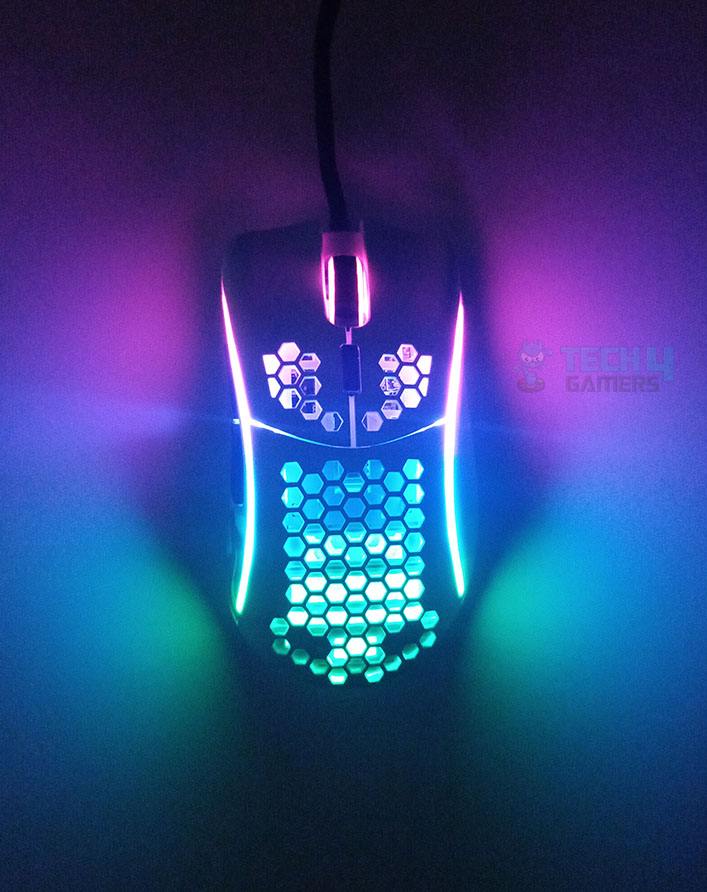
Design and Build Quality: Designed with minimal weight and size for small hands, the Glorious Model D Minus excels in simplicity, featuring two primary buttons, a scroll wheel, two side macro buttons, and a DPI-switching button. The mouse’s lightweight (61 grams) and ergonomic form ensures a comfortable grip for palm users. When I used it for casual gaming, it gave a solid feel despite the partial honeycomb shell design.
Performance: Equipped with a Pixart PMW-3360 sensor, the Glorious Model D Minus delivers precise tracking up to 12,000 DPI, 250 IPS tracking speed, and 50G acceleration. The Omron switches in the right and left buttons, combined with the four G-Skates PTFE feet, contribute to swift and accurate performance, making it an ideal choice for gamers seeking responsiveness and tactile feedback.
Connectivity: Emphasizing cost-effectiveness, the Model D Minus features wired connectivity. Equipped with a 2-meter cable, it delivers an unobstructed gliding experience. In terms of latency, the device boasts a fixed polling rate of 1000Hz, ensuring prompt responses. It’s worth noting that the polling rate is not adjustable.
From my review of Model D Minus:
“Functionality-wise, this mouse is a beast in FPS games. The Pixart PMW 3360 sensor excels at low DPI settings, providing precise and dependable performance.”
✅Buy It If
The following pictures are from our review:
Closer Look
1 of 4
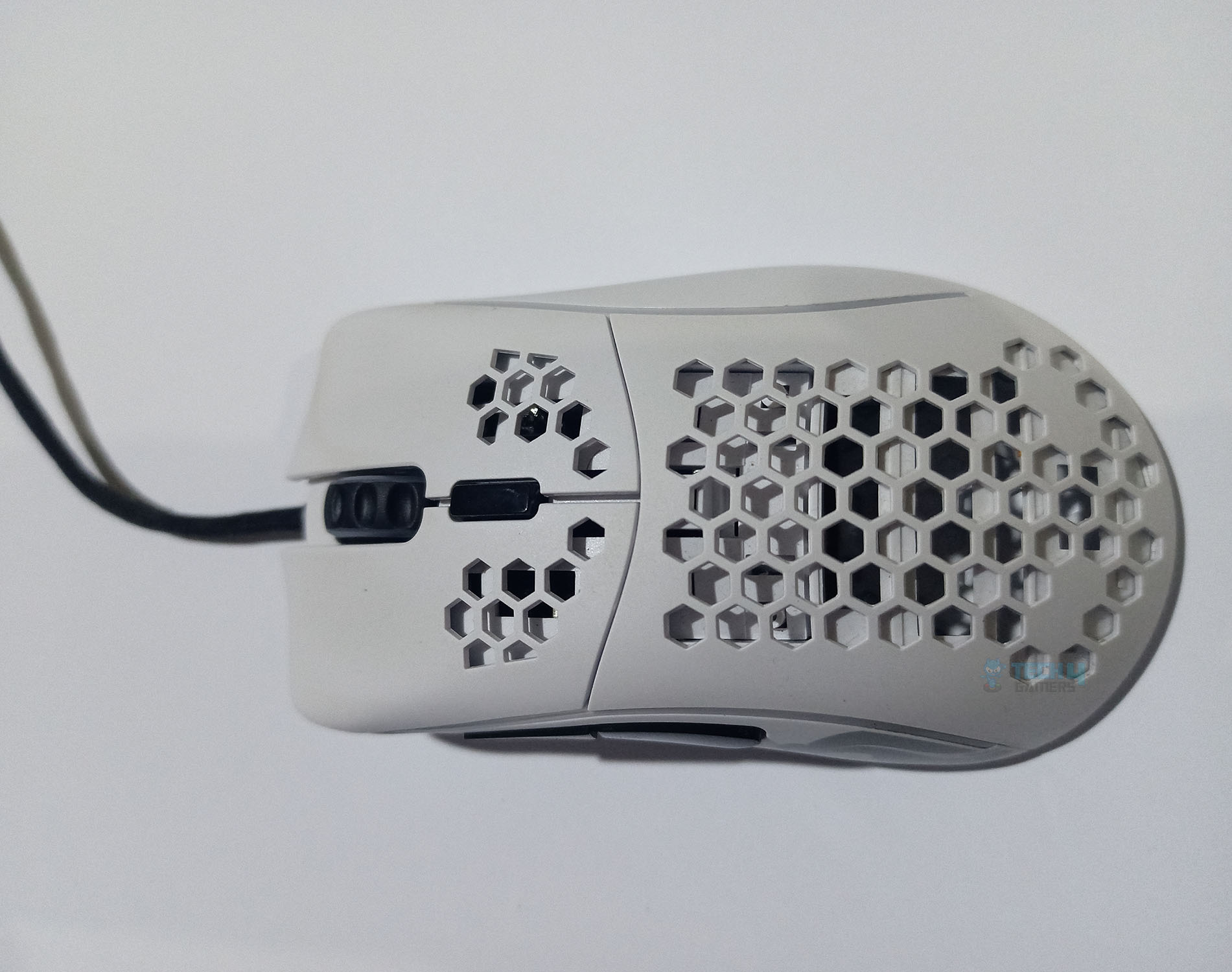
Mouse top view
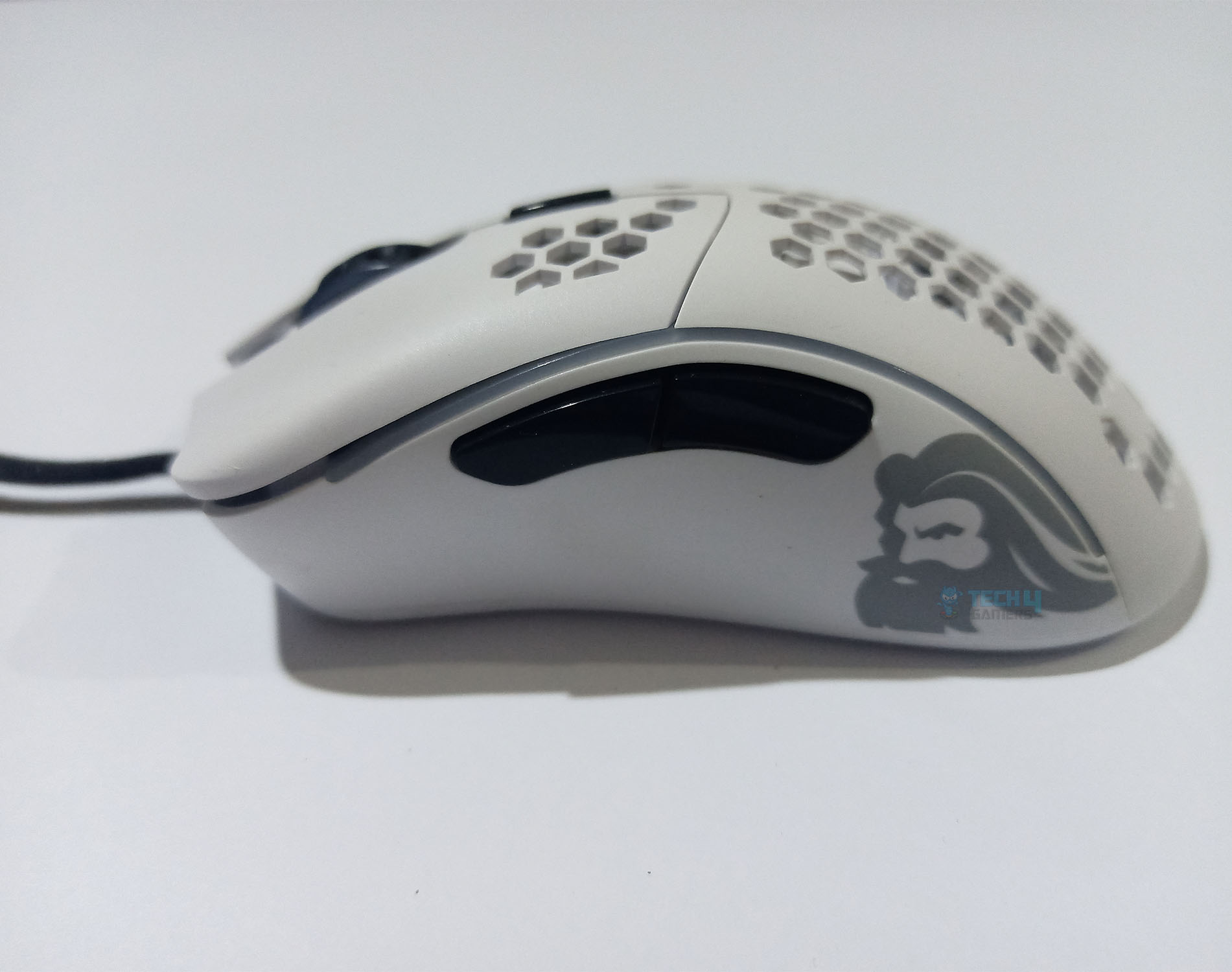
Side Buttons
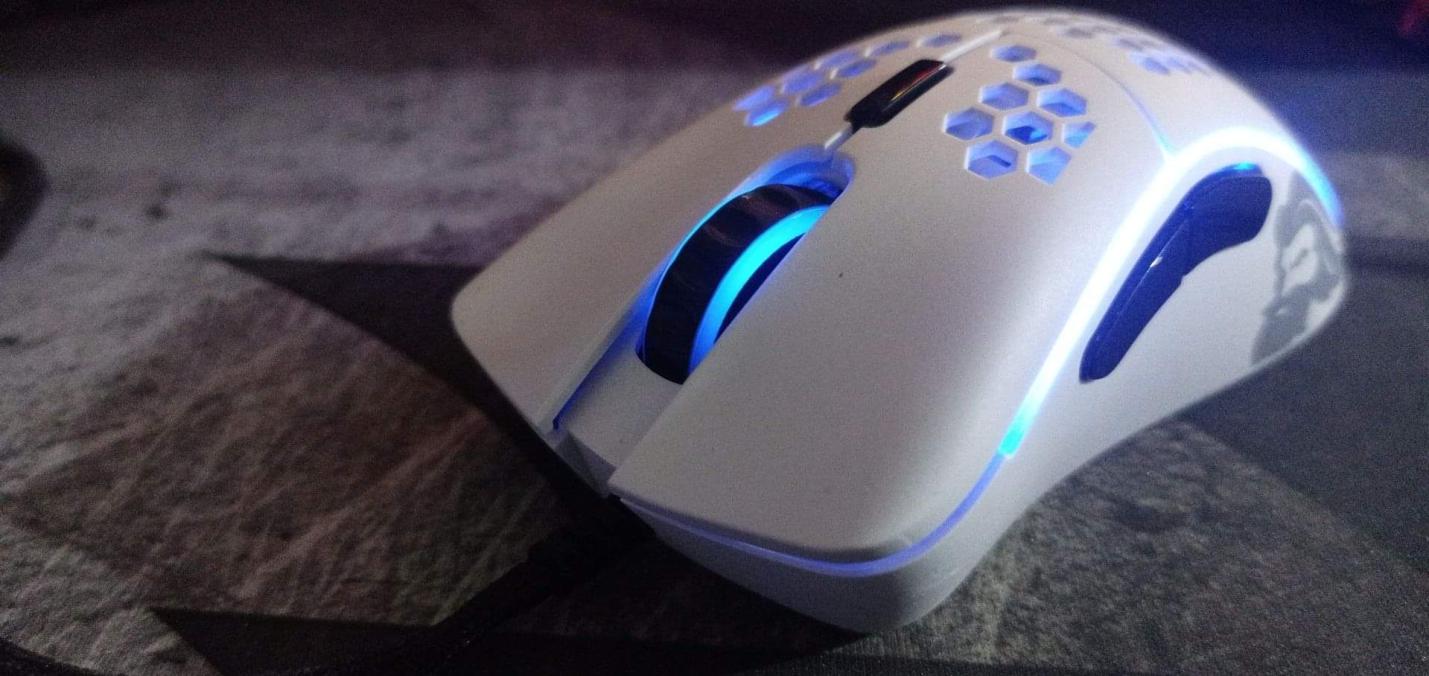
Scroll wheel RGB
RGB Lights
You Have Small Hands: The ergonomics and size of Glorious Model D Minus are specifically intended for users with small hands.
You Want Responsiveness: Go for Model D Minus if superb sensor accuracy and instant Omron switch response are essential for your gaming preferences.
❌Don't Buy It If
You Want Onboard Memory: If onboard memory is a crucial feature for storing customization settings, then its absence in this mouse might be a deal-breaker for you.
You Want A Professional Look: Excessive branding on this mouse might rule it out for you if you prefer a clean and unobtrusive appearance.
What Makes It The Best Palm Grip Mouse For Small Hands
The Glorious Model D Minus stands out as the best palm grip mouse for small hands, offering minimal weight, a comfortable ergonomic design, and high-performance components. With superb sensor precision, responsive switches, and an ascended cord for a wireless-like feel, it caters to gamers who prioritize agility and tactile feedback.
Design and Build Quality: The XTRFY M4 RGB Mouse stands out in our cabinet with its lightweight design and honeycomb structure. Specifically crafted for right-handed users, its ergonomic shape accommodates various hand sizes and grips comfortably. The honeycomb design enhances grip, and strategically placed side buttons ensure accessibility. The mouse features RGB lighting in multiple areas, including the scroll wheel, chassis, and front end.
Performance: The XTRFY M4 features the Pixart 3389 sensor with a maximum DPI of 16,000. Boasting an IPS of 400 and acceleration up to 50G, it ensures precise and rapid cursor movements. I felt no obstruction in gliding this mouse over various surfaces due to its high-quality PTFE feet. Despite minor cable issues, the exceptional build quality, ergonomic shape, and high-quality feet provide a comfortable and reliable gaming experience.
Connectivity: Coming with an ultra-light XTRFY EZcord cable, the M4 offers an experience similar to the wireless mouse. The EZcord cable is lighter and more flexible compared to other cables. Moreover, it also has a customizable polling rate ranging from 125Hz to 1000Hz which is a plus point for users seeking customization.
WARNING: If you don’t protect your honeycomb design mouse from weather conditions, i.e., dust, debris, and moisture, it can result in decreased performance as the parts in such mice are more exposed to the environment.
✅Buy It If
You Prefer A Palm Or Claw Grip: Consider the XTRFY M4 if you prioritize a lightweight and ergonomic mouse designed for palm or claw grip, suitable for average to large hands.
You Want High Sensor Precision: Opt for this mouse if you appreciate the Pixart 3389 sensor offering a broad CPI range and a maximum DPI of 16,000, ensuring precise cursor movements.
You Want Honeycomb Design With RGBs: Choose the XTRFY M4 if you desire RGB lighting incorporated in a honeycomb design.
❌Don't Buy It If
You Want Software Customization: Avoid the XTRFY M4 if you need software support and onboard memory for advanced customization.
You Have Cable Concerns: Steer clear if you are concerned about the cable’s rigidity and potential minor scratchy sound on hard surfaces, as it may impact your ideal gaming experience.
What Makes It The Best Palm Grip Ergonomic Mouse
The XTRFY M4 earns its title as the best palm grip ergonomic mouse due to its lightweight honeycomb design, exceptional build quality, and satisfying performance. The mouse’s aesthetic appeal, RGB lighting, and compatibility with various grip styles make it an attractive choice for gamers seeking comfort and style in their peripherals. While lacking customization features, its overall design and performance contribute to an enjoyable gaming experience.
Design and Build Quality: The Logitech G403 Hero offers a wired alternative to the Logitech G403 Prodigy Wireless. It features two side buttons on the left. Its dark matte black finish contributes to a sleek appearance. I am a fan of its customizable RGB lighting on the scroll wheel and back logo, which adds a touch of personalization. You can customize it through the Logitech G Hub Software.
Performance: Packing a Hero 25K sensor, the G403 offers a DPI of up to 25,600 with a tracking speed of 400IPS and 40G acceleration. Users of various hand sizes can comfortably reach all six programmable buttons. A claw grip is also accommodated, although the bulky design may hinder fingertip grip for those with smaller hands. Thanks to its premium feet, I could swiftly move it when playing FPS games with this mouse.
Connectivity: The G403 Hero comes with an approximately 2.1m long cable. It has a non-adjustable polling rate of 1000Hz or 1ms latency which is good enough to ensure excellent responsiveness. Its wired connectivity makes it a budget-friendly option without compromising on any of the important features.
Editor`s Note
Of all the mice I keep coming across, the Logitech G403 is one of the most value-for-money mice that incorporates most of the premium features at an affordable price.
– Abdul Hannan
✅Buy It If
You Want A Budget-Friendly Mouse: The Logitech G403 is the ideal choice if you want a budget-friendly palm grip mouse with low click latency and remarkable sensor performance.
You Want Customization: Logitech’s G Hub software’s user-friendly interface and extensive configuration options might appeal to you if you desire customization.
❌Don't Buy It If
You Want Infinite Scroll: If you prioritize a mouse with infinite scrolling capabilities, the Logitech G403 Hero’s incremental scroll design might not suit your needs.
You Have Small Hands: A bulkier design may pose challenges for fingertip grip, and you prefer a mouse tailored for smaller or medium-sized hands.
What Makes It The Best Budget Palm Grip Mouse
The Logitech G403 Hero earns its title as the best budget palm grip mouse by offering a combination of low click latency, comfortable design, and remarkable sensor performance at an affordable price point. The mouse’s sturdy build quality, customizable RGB lighting, and compatibility with different grip styles make it an appealing choice for budget-conscious gamers.
Performance: 8.5/10
Value: 10/10
Features: 8.5/10
Design: 9/10
How We Picked The Best Palm Grip Mouse
Choosing a mouse requires several factors. Any high-end mouse may provide excellent performance, but selecting the best mouse for palm grip is difficult since there are several good options with high-end features on the market. Below are some factors that guided my selections:
Value For Money: A good value-for-money gaming mouse should be reasonably priced and provide features and performance that improve the gaming experience. All of the mouse that we have mentioned in this best palm grip gaming mouse has a good mix between the two.
Performance: A high-performance gaming mouse ought to be precise, responsive, and pleasurable, enabling gamers to move quickly and precisely without latency or delay. Consequently, all of the mice in the best palm grip gaming mouse have exceptional sensors aimed at a diverse category of games.
Features: Adjustable sensitivity, precise sensors, programmable buttons, lightweight designs, and other features allow for faster responses and more pleasant movements. Therefore, all the mice in the best palm grip gaming mouse have outstanding features that set them apart from the competition, and you can tinker with them according to your personal preferences.
FAQs
How do you get good at palm grip mice?
Rest your hand on the mouse and let your fingers grip. There should be no gap between your fingers and palms while holding the mouse. With a palm grip, you can move more freely, improving your aim and tracking. Moreover, it allows you to have more control over your mouse movements.
How do you hold a palm grip mouse?
Your palm should rest gently on the mouse’s backside while you use it. The natural resting place for your fingertips should be on the primary mouse buttons. Moreover, your index finger must be positioned over the left-click button and your middle finger over the right-click button. If you want to use the mouse’s side buttons, rest your thumb there. Avoid having your wrist rest flat on the mouse pad by elevating it slightly. Make sure your grip is comfortable and flexible. Holding the mouse too firmly might lead to discomfort and fatigue in your palms.
Recent Updates
March 10, 2026: After our latest batch of mice testings, we have updated our recommendations to include the Logitech Pro X2 Superstrike as the best overall choice for palm grip users.
February 28, 2024: A few text and grammar changes to improve readability. One product was changed.
I’ve previously worked for eXputer as a Senior News Writer for several years. Now with Tech4Gamers, I love to devoutly keep up with the latest gaming and entertainment industries. I have a Bachelor’s Degree in Computer Science and years of experience reporting on games and breaking exclusive stories. Besides my passion for gaming journalism, I love spending my leisure time farming away in Stardew Valley. VGC, IGN, GameSpot, Game Rant, TheGamer, GamingBolt, The Verge, NME, Metro, Dot Esports, GameByte, Kotaku Australia, PC Gamer, and more have cited my articles.
Story Highlight
Resident Evil Requiem has received a graphical downgrade on PS5 Pro thanks to a new patch.
Ray Tracing has been disabled in Leon’s Raccoon City sections to improve image clarity and address glitches.
The rest of the game is unaffected, as the changes mainly influence the ray-traced global illumination in Raccon City.
Resident Evil Requiem has become an overwhelming success story for Capcom so far, selling 5 million copies in just five days and setting new records for the franchise. Among many things that the sequel has been praised for, the graphical quality of the title has been singled out repeatedly.
Why It Matters: Resident Evil Requiem has so far been a milestone on the PS5, becoming the first game on the console to use the new PSSR tech. Hence, this downgrade from Capcom is a disservice to fans.
According to YouTuber ElAnalistaDeBits, Patch 1.11 for Resident Evil Requiem has disabled ray tracing in the first area of Raccoon City on PS5 Pro. This change has been made to address the noisy images caused by the ray tracing, which has also affected image clarity.
In some areas, like dark environments, the patch has improved the graphics and reduced the side effects of ray-traced global illumination. However, it is an overall graphical downgrade and makes the Raccoon City section look a lot more drab compared to before.
According to an analysis by Digital Foundry, Capcom has basically deployed a denoiser to improve image clarity in Resident Evil Requiem. But the result has made the environment dull by removing the reflections that added some personality to Raccoon City, downgrading it graphically.
The difference in the graphical quality of Raccoon City with and without ray tracing.
Capcom could have provided players with an option to remove ray tracing on the PS5 Pro if they wanted better image clarity, but the publisher has opted for the easier fix.
Regardless, only the first areas of Raccoon City seem to be influenced negatively by the patch, and the rest of Resident Evil Requiem is still basking in all of its ray-traced glory.
Do you think this patch has improved graphics on the PS5 Pro or worsened them? Tell us in the comments below or head to the Tech4Gamers forum for discussion.
At Tech4Gamers, I contribute as a Senior News Reporter, combining my skills and gaming enthusiasm to keep our audience updated on the latest developments.
Story Highlight
Modders have managed to push the RTX 5070 Ti to its limits in a new memory overclock.
The GPU has been overclocked to run at over 36 Gbps, marking a nearly 30% improvement overall.
These modders also plan to test a different variant of the GPU in the future.
The RTX 5070 Ti, like many of the other RTX 5000 GPUs, has a lot of potential when it comes to overclocking.
This potential shines in a new video experiment from Brazilian overclockers TecLab and Area Burti. In a new video, the modders managed to push the RTX 5070 Ti beyond 36 Gbps, marking a nearly 30% uplift in the GPU’s base memory clock.
Why it matters:Overclocking can unlock extra performance for graphics cards. Moreover, enthusiast PC builders simply take joy in pushing hardware as much as they can.
In the video, the overclockers managed to push the GeForce RTX 5070 Ti nearly to its limits. During this experiment, the Galax 1-Click OC variant’s boost clock exceeded 3.3 GHz.
The RTX 5070 Ti also features GDDR7 memory running at 28 Gbps. Effectively, this memory runs at 15,000 MHz, and traditionally, the memory in the RTX 50 series graphics cards cannot be overclocked beyond 3,000 MHz, but the modders managed to exceed this limit through a smart workaround.
Doing so allowed the modders to apply a 3,000 MHz memory overclock to the 1-Click OC RTX 5070 Ti, in addition to a further 500 MHz core boost clock. This setup resulted in a score of 11,722 in Unigen Superposition.
For reference, the Galax graphics card running at base settings recorded a score of 9922 points. According to the modders, the card was then overclocked to over 36 Gbps memory and over 330 MHz core clock, resulting in a whopping 11,993 points in the benchmark.
Superposition Benchmark via Teclab And Area Burti
However, TecLab and Area Burti were able to push the Galax 1-Click OC RTX 5070 Ti even further to ultimately achieve their highest score of 12,001 in the benchmark.
Because the RTX 5070 Ti now costs a hefty amount, it’s interesting to see the GPU’s true potential being brought forward. The modders have also confirmed that they will test the Galax RTX 5070 Ti HOF in the future for even more interesting mods in the coming days.
At T4G, my task is to cover the latest news around the gaming globe ASAP and with the utmost precision. I adore all the games and respect all the devs behind the amazing games that we get all year. So, whether it’s a PC or a Console game, I got it all covered.
Story Highlight
Nintendo is selling the Japan-only variant of the Switch 2 at around a $160 loss.
The manufacturing cost is higher than the selling cost, leading to negative revenue.
The company has a huge customer base in Japan, and seems to be fine with the loss.
The Nintendo Switch 2 was released back in June 2025 and was an instant hit, and by November 2025, it had already sold over 10 million units. Its biggest sales region is Japan, and the company wants its dominance to stay intact.
A new report suggests that Nintendo is selling the Switch 2 at around a $160 loss in Japan. The region-locked version is the more popular choice among the Japanese audience and is much cheaper than the international variant.
Why it matters: Consoles are generally sold at somewhat of a loss initially, but Nintendo hasn’t raised the prices despite memory prices skyrocketing; it is okay with taking a loss rather than compromising on sales.
Nintendo Switch 2 is reportedly being sold at a loss in Japan
According to Toyo Securities analyst Hideki Yasuda, the more affordable, Japanese SKU is being sold at a loss of around 25,000 yen or $160. The company’s revenue significantly increased, but it is lagging behind sales.
So, while it recorded a massive 99.3% year-on-year revenue growth, the Switch 2 (Japanese) sales were higher than the generated revenue. This is because those consoles are being sold at a loss by Nintendo.
The handheld’s manufacturing price exceeds the selling price
As per his estimates, Switch 2 takes about $400 to manufacture. This includes $300 worth of semiconductors and $80 worth of the rest of the parts. The retail price is less than that, which puts Nintendo in negative profitability.
He notes that the profitability is deteriorating with every console sale. Even then, Nintendo has suggested that the prices will remain stable despite the memory prices, but it remains to be seen what the company eventually does.
What are your thoughts on the Switch 2 Japanese variant being sold at a $160 loss? Let us know your opinions in the comments or join the discussion at the official Tech4Gamers Forum.
Currently serving as a News Reporter at Tech4Gamers, I have the privilege of combining my love for gaming with the art of storytelling. My role involves crafting engaging narratives that keep our audience abreast of the latest developments in the gaming world.
Story Highlight
Shinji Mikami formed a new studio, Unbound Games, after departing from Tango Gameworks in 2023.
They’re now working on a new AAA game based on original work that will be a multiplatform release.
Tech4Gamers has found a job listing that reveals the game will most likely feature fantasy elements.
Shinji Mikami, often dubbed the father of Resident Evil games, departed Capcom in 2007, after which the developer formed PlatinumGames and then left to join Tango Gameworks. Following Tango Gamework’s closure, the legendary video game creator had formed a new studio, Unbound Games, during the same time period.
Now, Tech4Gamers has gotten a gist of what the studio is working on and what its first project would be. They’re now working on a new AAA title based on original work, most likely a fantasy title, that would be a multiplatform title built on Unreal Engine.
Why it matters: Shinji Mikami is one of the biggest names in the Japanese video game scene and has a part in the success of Capcom’s core IPs, i.e., Resident Evil and Dino Crisis. As such, it will be exciting to see the developer lead his own studio and work on an original project.
Details On The Studio’s First Project || Unbound Games
The Effects (VFX)/Effects Designer position at Unbound Games involves designing effects like fire, water, explosions, magic, and hit marks.
This implies that the studio’s first project will involve fantasy elements, as the listing above mentions magic. Other effects also imply that this will be an action-focused game.
In any case, don’t expect it to be a horror title, as Shinji Mikami previously expressed that he wants to expand his horizons beyond the survival horror roots. Further in the job listing, the eligibility section mentions experience with Unreal Engine.
The Game Will Be Based On Unreal Engine
As for the studio, it currently comprises 50 staff members, including developers who have worked on titles such as Dino Crisis, Resident Evil, Silent Hill, Devil May Cry, and other series. They do plan to expand the studio to around 150 people.
With so much talent on board, led by one of the greatest names in Japanese video game development, it’ll be exciting to see what Unbound Games has in store for gamers.