Lead the comparison and blog writing teams at Tech4Gamers.
Oversee teams with a keen eye for detail and precision.
Ensure hands-on writing, with benchmarks and testing as guiding principles.
Guarantee the delivery of the best possible results in concise yet impactful tech tales.
Story Highlights
Nintendo has upset the gaming community by abruptly raising its console and game prices.
This goes against Nintendo’s value, which was accessibility. While loyal fans are buying it, it won’t be too long until they stop caring about it.
They could very well benefit along with the community by introducing game bundles, subscription services, and an online ecosystem.
Nintendo has always been the company everyone cheered for, and has become one of the recipients of major hate and criticism. With their Switch 2, they’ve gone way ahead, leaving the gaming community frustrated and disappointed.
What Really Went Wrong?
What was once a company everyone cheered for has become one of the recipients of major hate and criticism. This is because Nintendo raised the prices of its console and its exclusive games.
Console and Game Price Hikes Spark Backlash
To put it into perspective, now the Switch 2’s cost starts from $450, which is $150 more expensive than the Switch 1. Moreover, their games will go as much as $80, which is a pill that is hard to swallow for the community.
But why did Nintendo decide to raise its prices? Well, for starters, Nintendo says, “Obviously, the cost of everything goes up over time…” This response isn’t assuring for the people who are startled by their decision.
Even if we consider that Trump Tariffs and all the technical details that make the Switch 2’s price tag justifiable, it still won’t be convincing enough because the games aren’t that top-notch, if we’re being honest.
Exclusivity Does Not Justify $80
If there should be any game that costs as much as $80, it should be GTA 6. Even for GTA 6, most fans aren’t willing to pay more than $70. At least we’re getting graphics, narrative, and mechanics with tons of features that are worth the price.
Expensive Exclusives (Image Credits – GameRant)
But to play a Nintendo classic, no matter how improved it gets, still doesn’t justify the price tag. However, an ex-Sony executive disagrees and says Nintendo has the right to charge $80 if they are exclusives.
Stuck In Nostalgia?
Exclusivity can be a selling point, but only if Nintendo decides to innovate. If they rely heavily on nostalgia and iconic characters, their value will be diminished in the eyes of the community.
Nintendo Is Abandoning Its Identity
Although the Switch 2 has been sold out immediately, it’ll give people a chance to try it out and realise that the company isn’t what it started out to be. A company that gave people an affordable console with their exclusives.
AAA Games On Switch 2 (Image Credits – Instant Gaming News)
Apart from the exclusives, Nintendo has made its console with upgraded hardware and is getting over 45 third-party games, many of which will be AAA titles. This is something that isn’t the core of Nintendo.
Even PlayStation’s former boss, Shuhei Yoshida, wasn’t too pleased with the Switch 2. He thinks that Nintendo is losing its identity, which is true because now it feels like you’re paying for the brand rather than for the actual value.
Loyalty Won’t Last Forever
If Nintendo is going to take the route of competing with the big leagues like PlayStation and Xbox on raw specs alone, it will risk losing the charm that attracted a large audience in the first place.
Despite the hate, the Switch 2 selling out immediately as pre-orders went live indicates that gamers are willing to pay for this hobby. This also shows the loyalty of the true fans who had stuck with them despite the hate.
However, this loyalty doesn’t mean blind acceptance. There’s always a point where even the most loyal fans start questioning their beloved console companies. This means Nintendo has to be extremely careful.
How Can Nintendo Make A Comeback
Currently, Nintendo stands at a crossroads. Nintendo could see a massive decline if it neglects the community entirely. They have to rethink their pricing strategy and prioritise innovation to make a substantial comeback.
Nintendo Can Make A Comeback (Image Credits – Evening Standard)
Bundle Games
Instead of removing the high game prices, they could introduce bundled offers for discounts to reassure their fans and win back their trust. If not that, then at least launch bundles with accessories and game vouchers.
Expand Their Online & Social Ecosystem
If they’re willing to compete with other consoles, they should do it by expanding their online ecosystem, which is better than Xbox Live and PlayStation Plus. They should introduce cloud saves, cross-play, and proper voice chat.
Subscription Service Model
Since Xbox Game Pass has been monumental for gaming, Nintendo should strive to outperform it by launching a similar service for indie and retro titles. They should also give good games away as surprise drops.
Subscription Service On Switch 2 (Image Credits – GamingIndustry.biz)
Giving early access to their games, launching exclusive demos, and rotating the classic games from the Wii and GameCube era can all work in their favour. The subscription model will make them more money if they only realise it.
At Tech4Gamers, I mainly cover new gaming news, leaks, and rumours. Aside from that, I love to write features about my favourite games while inserting my opinion about their different aspects.
Story Highlight
Digital Foundry has just recently released an in-depth analysis of Doom: The Dark Ages.
The game seems to run better on the Xbox Series consoles than on the PlayStation consoles.
Xbox Series X offers better performance than the PS5 Pro, and Oliver said that the PS5’s frame fluidity seems lower than that of the Series S.
Doom: The Dark Ages, one of the games that the fandom is looking forward to the most, will be released in just a couple of days. The game’s review score is pretty good, but not as good as the fans were expecting.
Despite that, the fandom is excited and awaiting the true Doom experience. On PC, it seems to have some performance concerns, but it seems like some consoles have it worse. While the game runs pretty good on each device, it seems like the Xbox devices have the upper hand over the PlayStation ones, even the Series S.
Why it matters: Many developers hate the Xbox Series S because it makes it difficult to optimize games on it. It also doesn’t have that good hardware compared to the base PS5 and Series X. However, despite that, it managed to one-up the base PS5, which is absolutely crazy.
Oliver from Digital Foundry has done an in-depth review of the game on Xbox Series S|X, PlayStation 5, and PlayStation 5 Pro. The latter two consoles don’t seem to run the game at a fixed 60fps, while Xbox Series X managed to do so.
PS5 drops frame rates regularly during demanding encounters. Our two stress points in levels 2 and 6, and during some less challenged fights as well. The overall frame rate fluidity is lower than Series X by a good margin and actually feels a bit lower than the Series S.
-Oliver [Digital Foundry]
Oliver has hailed the Series X as the king, even when compared to the recent mid-gen refresh PS5 Pro. However, what’s more surprising is that the frame rate fluidity of the base PS5 feels lower even when compared to the Xbox Series S.
Xbox Series S Offers A Solid Doom: The Dark Ages Experience
Do note that Oliver isn’t saying that the Series S is actually superior to the PlayStation in Doom: The Dark Ages. He is simply stating the fact that frame rate fluidity is better on one console than the other.
There are dips in the Series S during the demanding encounters, but the PlayStation 5 seems to have even more.
What do you think about the in-depth analysis of Doom: The Dark Ages by Oliver on Xbox Series S, Xbox Series X, PS5, and PS5 Pro? Which console do you think is better for this game? Share your thoughts with us in the comments section below or join the official Tech4Gamers forums for discussion.
At Tech4Gamers, I contribute as a Senior News Reporter, combining my skills and gaming enthusiasm to keep our audience updated on the latest developments.
Story Highlight
GTA 6 trailer 2 shows a huge leap in visuals for open-world games.
Fans have shown concerns regarding the game’s visuals and performance on Xbox Series S.
Many believe the game will run poorly and look pixelated on the budget hardware.
The latest GTA 6 footage has stunned everyone by setting a potential new standard for open-world titles this generation. Rockstar Games has also confirmed that the in-game footage was all recorded on a base PS5, making the visuals all the more impressive.
However, because the game looks so impressive, fans have expressed concerns that GTA 6 will become a problem for the Xbox Series S. Many are wondering whether Microsoft’s budget hardware will provide an acceptable experience of Rockstar Games’ upcoming blockbuster.
Why it matters: The Xbox Series S recently received a price hike, slightly reducing its value proposition. Optimization across the hardware has also been a problem in the past.
Fans Are Concerned About The Xbox Series S Version of GTA 6 | Image via X
On Twitter, many fans have debated how Rockstar Games will port GTA 6 to the Xbox Series S.
Some fans believe the game will be heavily downgraded compared to the PS5 and Xbox Series X versions, while others are confident Rockstar Games will find a way to support the title on lower-end hardware.
For context, GTA 6 is set to utilize RTGI (ray-traced global illumination), ray-traced reflections, and other technologies for one of the industry’s most ambitious titles. Because the game seems to be built around RTGI, disabling ray-tracing might not be an option.
The studio might decide to drastically reduce resolution and asset detail to accommodate the lower-end hardware of the Xbox Series S, but for the time being, not much has been revealed about the Xbox versions of GTA 6.
Amid the concerns, many fans have even begun to make light of the situation, posting pixelated and choppy videos to depict GTA 6 running on the Xbox Series S.
GTA 6 Trailer 2 Has Already Broken Many Records
The silver lining here is that Rockstar Games is not concerned about PC optimization for now, leaving the team with just four main platforms to focus on. This should help the studio make the best Xbox Series S version possible.
I’ve previously worked for eXputer as a Senior News Writer for several years. Now with Tech4Gamers, I love to devoutly keep up with the latest gaming and entertainment industries. I have a Bachelor’s Degree in Computer Science and years of experience reporting on games and breaking exclusive stories. Besides my passion for gaming journalism, I love spending my leisure time farming away in Stardew Valley. VGC, IGN, GameSpot, Game Rant, TheGamer, GamingBolt, The Verge, NME, Metro, Dot Esports, GameByte, Kotaku Australia, PC Gamer, and more have cited my articles.
Story Highlight
The performance and FPS issues in Oblivion Remastered get worse the more you play a save over time, new testing has revealed.
The issue persists across all consoles, with a fresh boot improving performance noticeably.
It likely occurs because of a major memory leak issue. The PS5 Pro’s performance was also dubbed disappointing.
New testing reveals that Oblivion Remastered has major issues across all consoles. The remaster retains all the bugs and optimization issues of the original and suffers from a constant decline in FPS and performance, the more you play over time.
This decline in FPS accumulates across all consoles until you make a fresh boot of the save.
Why it matters: New testing reveals that Oblivion Remastered is still suffering from a motley of performance issues across all consoles. These issues include poor frame pacing, frame rate drops, and crashes.
During intensive new testing by Digital Foundry, the 60 FPS performance degrades with continuous playtime of 15 minutes or more across the PlayStation and Xbox consoles. In comparison, a fresh boot of Oblivion Remastered often gives a significantly higher frame rate.
So, a simple reset delivers a better experience, but it is a lousy fix that breaks immersion. The tester clarifies that this continuous decline in performance is because of a memory leak issue.
All consoles also suffer a crash after a while after booting the same sequence of save points in a row. Reloading that save point works after a fresh boot-up, which proves that a memory leak occurs.
Despite the performance issues, Oblivion Remastered has still been selling like hotcakes on sale.
Each console sees equally sizeable stutters at the same points in Oblivion Remastered, which is disappointing for the PS5 Pro. The PS5 Pro owners don’t see a game-changing performance boost or massive visual changes, but a notable resolution increase exists.
In performance mode on PS5 Pro, the RPG runs at a 1620p target resolution in the inventory screen or simple dungeons, with drops to 1188p during gameplay. In quality mode, the console bumps the gameplay resolution up to around 1620p.
Do you think Oblivion Remastered will see performance and FPS improvements in the subsequent patches, or are they too ingrained in the RPG to be fixed? Let us know your thoughts in the comments below, or join the discussion on the Tech4Gamers forum.
At Tech4Gamers, I contribute as a Senior News Reporter, combining my skills and gaming enthusiasm to keep our audience updated on the latest developments.
Story Highlight
New testing shows the Nintendo Switch 2 can rival the GTX 1050 Ti in docked mode.
This puts it far behind both the Xbox Series S and PS5.
Handheld performance is similar to that of the GTX 750 Ti, a budget GPU from 2014.
A lot has been said about the power of the Nintendo Switch 2 and its technical capabilities. Nintendo’s latest hardware is said to be 10x more powerful than its predecessor, but testing reveals that it still falls behind modern consoles by a lot.
Even lower-end consoles like the Xbox Series S are significantly more capable, as new testing shows the Nintendo Switch 2 performance to be in line with the GTX 1050 Ti.
Why it matters: The GTX 1050 Ti was released all the way back in 2016, and it was only considered impressive as a budget offering at the time.
YouTuber Geekerwan recently managed to obtain a real Nintendo Switch 2 motherboard.
Testing of this motherboard revealed that the console packs a total of 1536 CUDA cores for its GPU, which is largely in line with the past leaks. The GPU itself is also based on the Ampere architecture, though it comes with more than a few modifications.
For performance, Geekerwan decided to test the Nintendo Switch 2 using a laptop RTX 2050. This particular RTX 2050 features 2048 CUDA cores and a 64-bit memory bus. The GPU was also massively downclocked to mimic Nintendo’s new hardware.
The YouTuber’s testing concluded that the Nintendo Switch 2 offered results similar to the GTX 1050 Ti in docked mode, achieving a score of 2205 in 3DMark. For reference, a rough simulation equivalent to the Xbox Series S achieved a score of 3786 in the same test.
Moreover, the PS5 proves to be over 4x as capable in the same test. Looking at the handheld results, Nintendo’s hardware could manage performance similar to the Nvidia GTX 750 Ti, putting it close to the PS4 and Steam Deck’s results.
Nintendo Switch 2 Simulated Performance Comparison via Geekerwan
All in all, the console is still far behind the current industry standard, but it offers a major jump over the older Nintendo Switch from 2017.
I’ve previously worked for eXputer as a Senior News Writer for several years. Now with Tech4Gamers, I love to devoutly keep up with the latest gaming and entertainment industries. I have a Bachelor’s Degree in Computer Science and years of experience reporting on games and breaking exclusive stories. Besides my passion for gaming journalism, I love spending my leisure time farming away in Stardew Valley. VGC, IGN, GameSpot, Game Rant, TheGamer, GamingBolt, The Verge, NME, Metro, Dot Esports, GameByte, Kotaku Australia, PC Gamer, and more have cited my articles.
Story Highlight
Compared to other gaming giants, Nintendo remains the only company that has suffered few layoffs since last year.
Now, the firm has ramped up hiring as employee count has crossed over a huge 8K figure for the FY ending March 2025.
The employee count growth is a 6.2% YoY increase as the company’s workforce continues to expand consistently.
In recent years, Japanese gaming companies have become more stable than many Western giants in terms of avoiding layoffs and value growth. Therefore, Nintendo became the only major company with no layoffs last year, as the rest of the industry suffered.
Nintendo’s financial report for the fiscal year ending March 2025 confirms that it has ramped up hiring instead of facing layoff fears. The firm now boasts 8,205 employees, a notable increase from the 7,724 reported last year.
Why it matters: The new data further suggests that Nintendo is quite stable compared to the Western gaming giants in the industry. The firm has seen a staggering employee increase because of recent growth spurts.
Nintendo’s number of employees chart throughout the last few decades suggests a stable increase. | Chart source: Analyst Daniel Ahmed
According to the financial report, the employee count has continued to grow steadily, with a 6.2% YoY increase as of FY 2024/2025. This ramp-up in hiring is likely related to Switch 2 and an increase in research and development initiatives.
The same growth pattern was observed during the Wii and DS eras, when Nintendo saw equally impressive growth. The increase is also in stark contrast to the rest of the industry, which is currentlystagnating or, at worst, suffering layoffs.
For those not in the know, Nintendo has avoided layoffs by only expanding realistically over the years, and the company chose to sacrifice average salary last year instead of firing anyone.
At the moment, Nintendo is projecting to sell 15 million Switch 2 consoles for the fiscal year ending 2026, while the software forecast is hovering at 45 million. It will also keep releasing gamesfor the original handheld’s 100 million users.
Do you think Nintendo will remain stable and grow in its Switch 2 era as the rest of the industry struggles? Let us know your thoughts in the comments below, or join the discussion on the Tech4Gamers forum.
At Tech4Gamers, I take on the role of Hardware Reviewer with pride. My responsibilities involve a thorough examination of essential hardware components like motherboards, graphics cards, processors, PC cases, and CPU coolers, among others, focusing on their complexities and functionalities.
PC fans come in various sizes with 120mm and 140mm being the mainstream stay for obvious reasons. Recently 160mm fan size is getting attention. There are sizes below 120mm which are specific for the workstation, server-grade, and SFF setups.
Why Trust Tech4Gamers
Nauman Siddique is our hardware expert who has been testing graphics cards, motherboards, processors, and AIOs for more than a decade.
80+ coolers tested and reviewed by our team of hardware experts (Tech4Gamers Team).
900+ hours spent testing different CPU coolers for our reviews.
At Tech4Gamers, ensuring you get reliable information is our priority. That’s why every hardware round-up undergoes a meticulous review process by our team of experts and editors. Each review is carefully examined against our strict editorial guidelines, guaranteeing you trustworthy insights you can depend on.
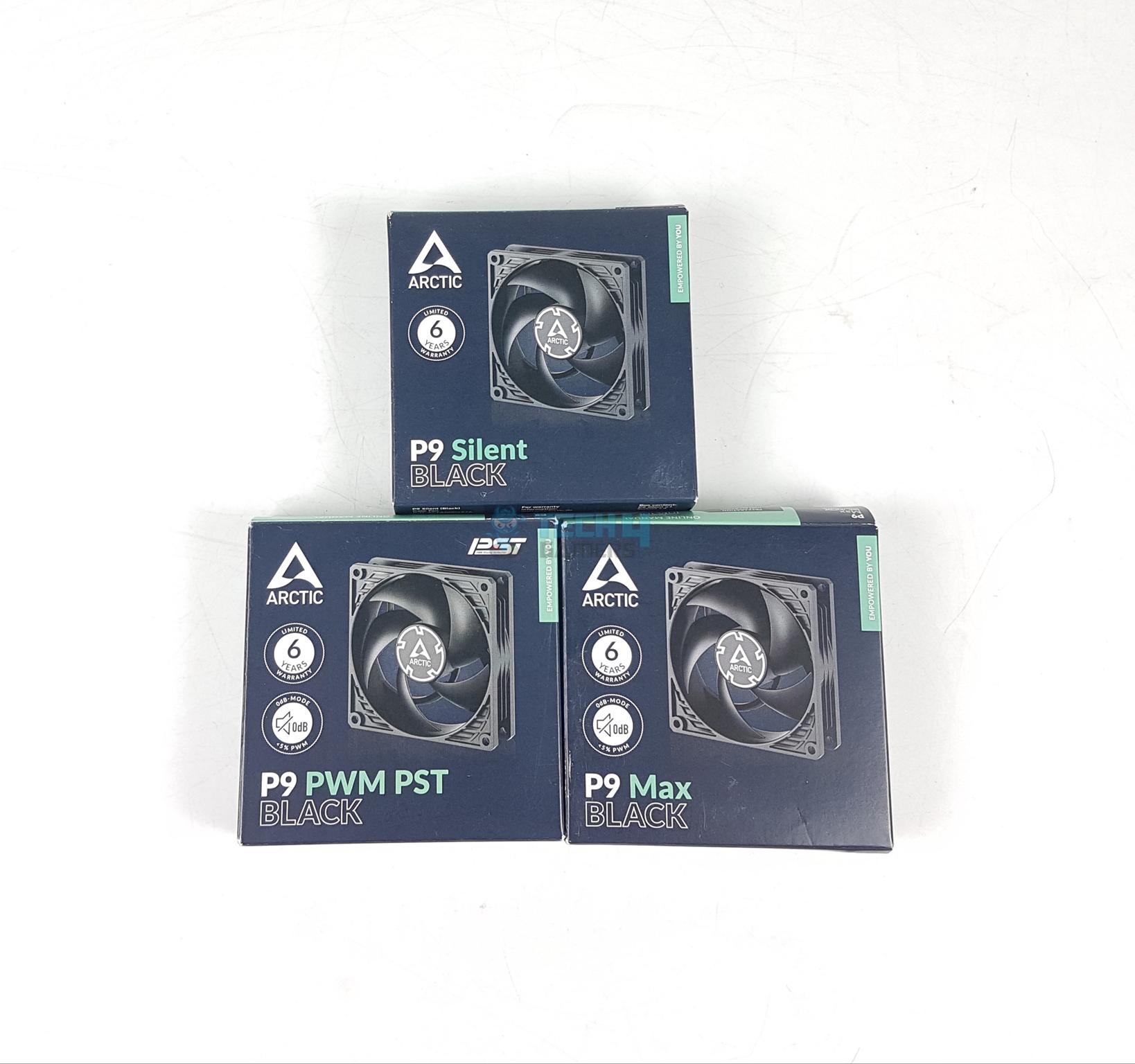
ARCTIC has released P9 series fans recently. Four variants are available in the same size of 92x25mm. These fans cater perfectly to the SFF and workstation builds. ARCTIC has retained the footprint of P series fans on these fans as well.
I am taking a look at three different P9 fans in this article:
ARCTIC P9 Silent (Black) [MSRP €9.99]
ARCTIC P9 PWM PST (Black) [MSRP €10.99]
ARCTIC P9 Max (Black) [MSRP €13.99]
Key Takeaways
The ARCTIC P9 series are compact 92mm fans designed for small builds, offering a range of noise and performance options to fit both silent and high-performance setups.
You should go for these fans if you’re building an SFF build with a big focus on both noise and performance.
You should skip these fans if you’re not looking for 92mm fans. There are plenty of 120mm and 140mm fan options to pick from.
The key specs of all three fans are:
P9 Silent
P9 PWM PST
P9 Max
Dimension
92x92x25mm
Fan Speed
1900 RPM
200 to 3000 RPM
450 to 4300 RPM
Air Flow
23.96 CFM
38.83 CFM
58.25 CFM
Static Pressure
1.32 mmH₂O
3.12 mmH₂O
6.17 mmH₂O
Current Draw
0.08A
0.12A
0.34A
Voltage
12VDC
12VDC
12VDC
Startup Voltage
5VDC
5VDC
5VDC
Power Draw
0.96W
1.44W
4.08W
PWM Controlled
No
Yes
Yes
Bearing
Fluid Dynamic Bearing
Warranty
6-Year
[toc]
What Makes The ARCTIC P9 Fans Different?
The ARCTIC P9 series of fans comes in four different models. Each model serves a specific purpose though all can be used for case ventilation and heatsink/radiator. The P9 Max is a wild beast with unrivaled performance whereas P9 PWM PST is the best pick of all. These fans come highly recommended by me.
Packaging And Unboxing
Unboxing
1 of 3
Packing Box Front
Packing Box Back
Contents
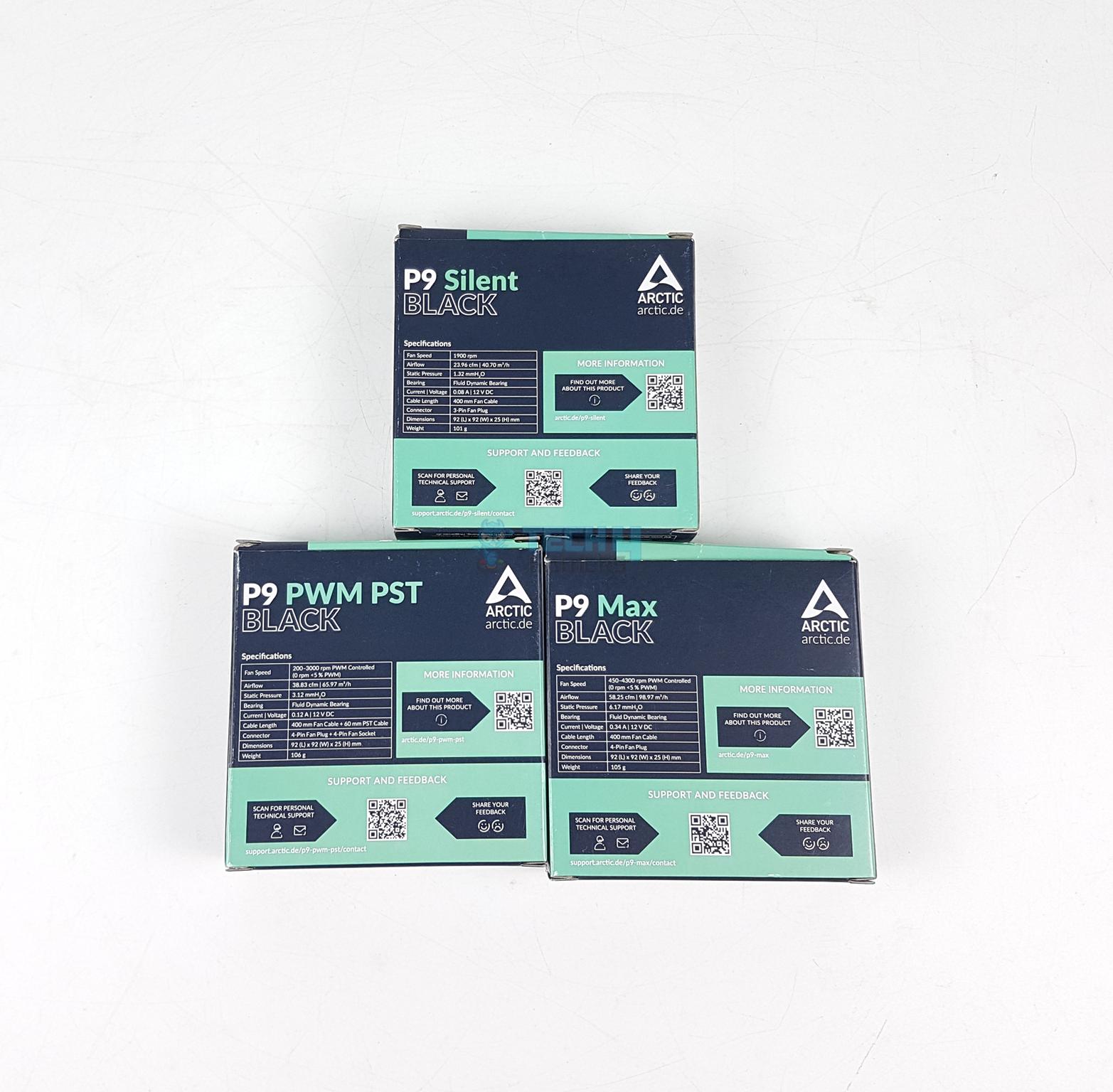
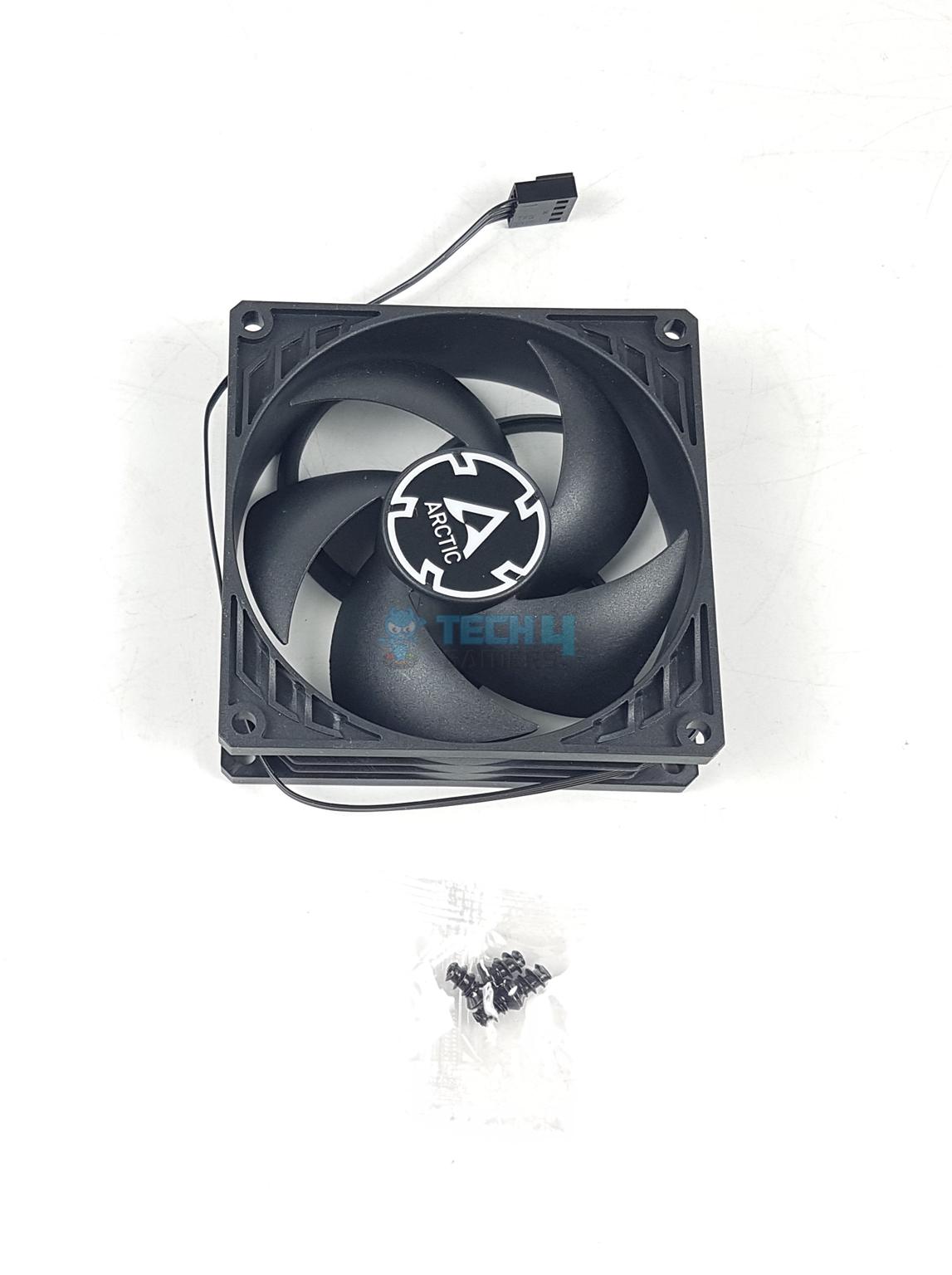
ARCTIC at present has not released any kit of these fans hence these fans are available in a single fan pack. The packing box has an ARCTIC theme on the front and back. Specifications are printed over the backside. The following are provided:
1x Fan
4x Self Tapping Screws
Design
Let’s start taking a look at these fans starting with salient features:
Wide PWM Range on P9 Max
High Air Flow Design
High Static Pressure Design
Fluid Dynamic Bearing
PWM Sharing Technology
0dB Mode
Fans
Front View
Side View
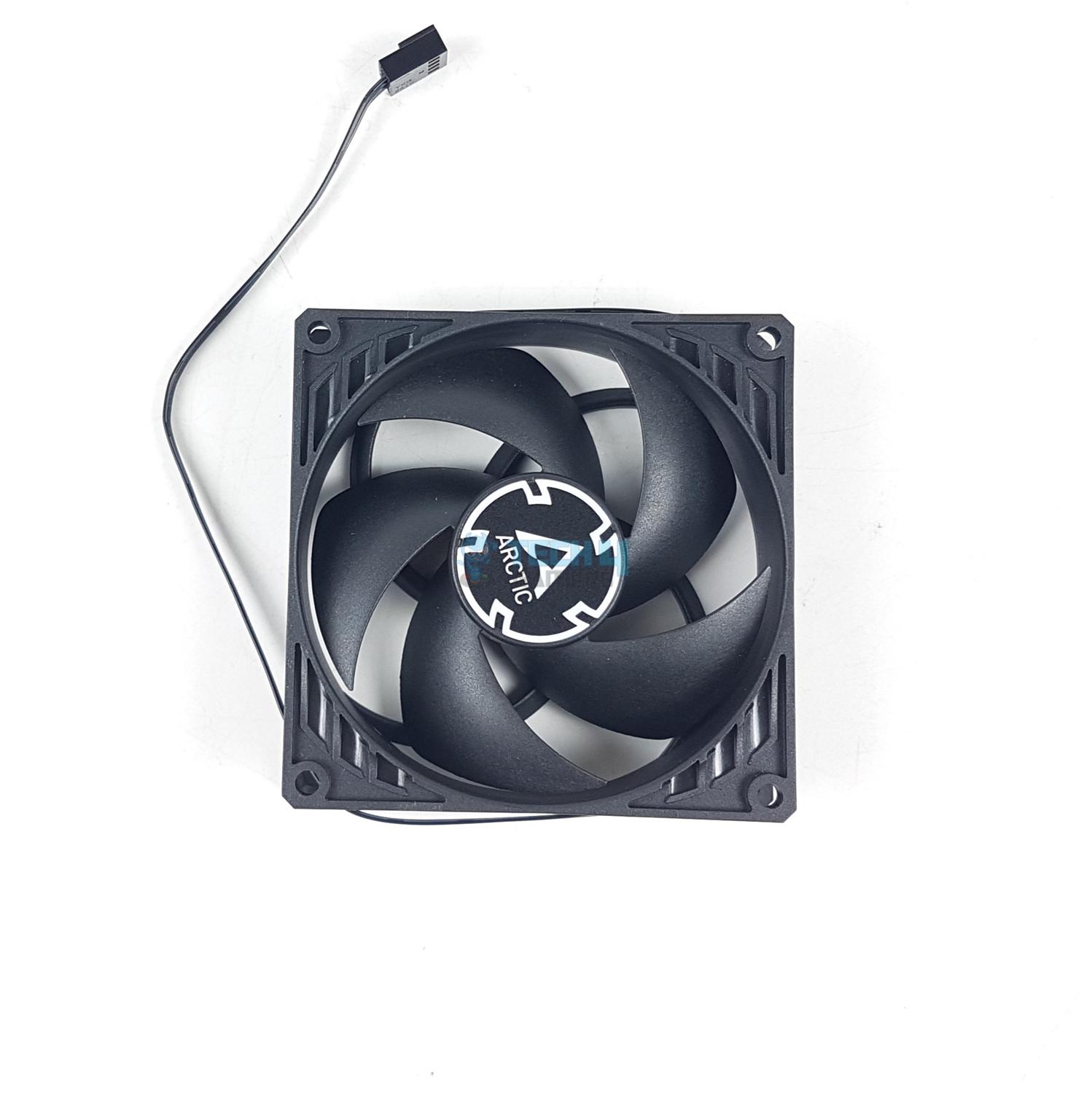
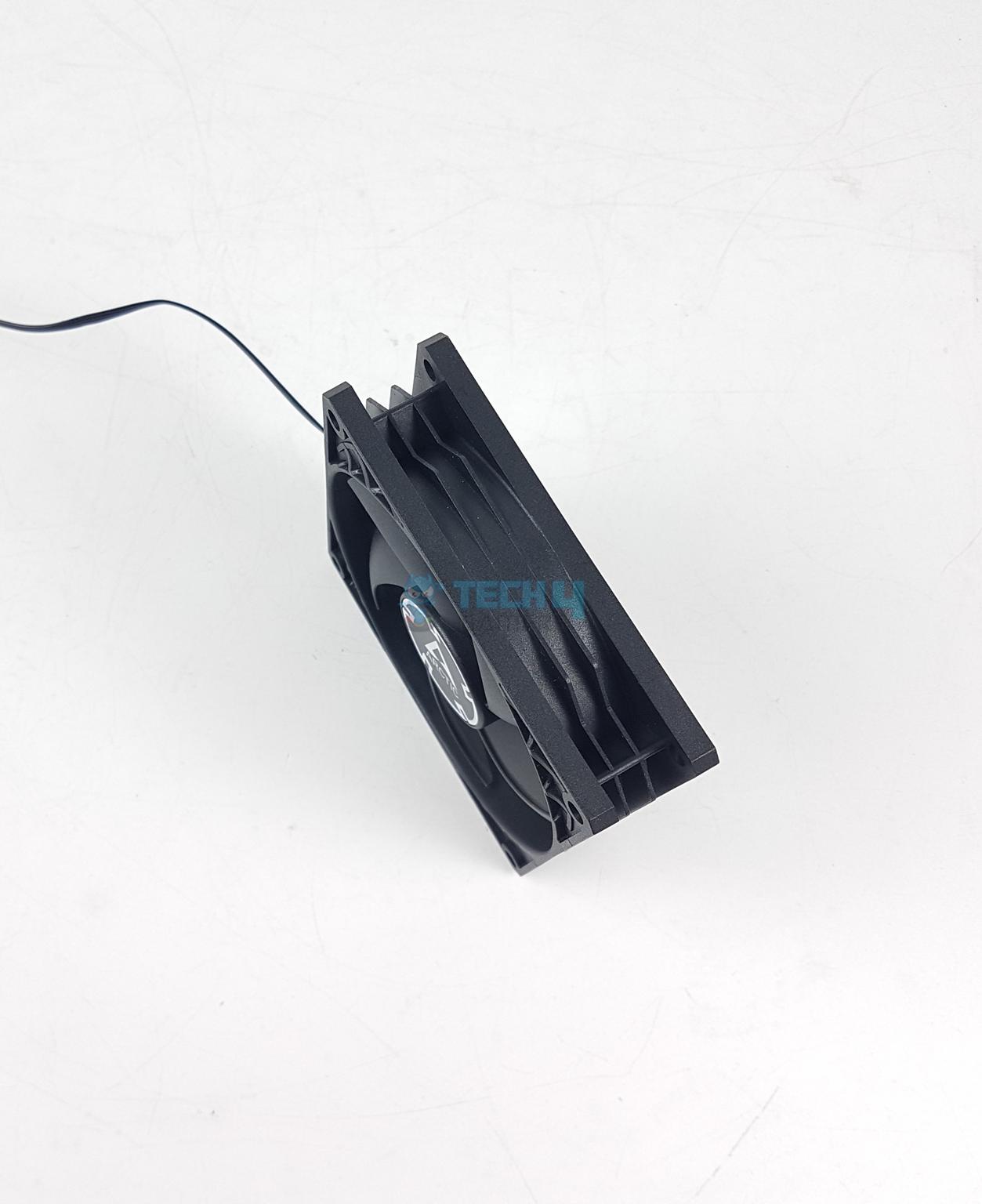
All fans have the same design hence I am showing the P9 Max (Black) in the pictures. Each fan has 5x blades in a special geometrical layout that has been a hallmark of P series fans from ARCTIC. A circle on the inner frame encapsulates the blade assembly.
These fans have more tip clearance on the edge. The mounting holes don’t have anti-vibration pads. The lack of pads caused issues during installation over the heatsink for the testing but it was still a good fit. The center has ARCTIC branding.
The main frame has a layered design on the side. The frame is quite rigid and well-built. The arrow markers are almost not visible. These are there to provide identification of airflow through the fan and the direction of blades spin.
Backside Design
The backside of the fan has a spiral-shaped 4-arm assembly securing the blade assembly to the main frame. These fans generate direct or focused airflow. The power rating of the fans is printed here as well. These fans come equipped with Fluid Dynamic Bearings. These bearings on P9 Max fans could see them wear out quickly but ARCTIC’s 6-year warranty covers that.
Connectors
Each type of fan comes with a different connector or a combination of. Let’s take a look at these connectors.
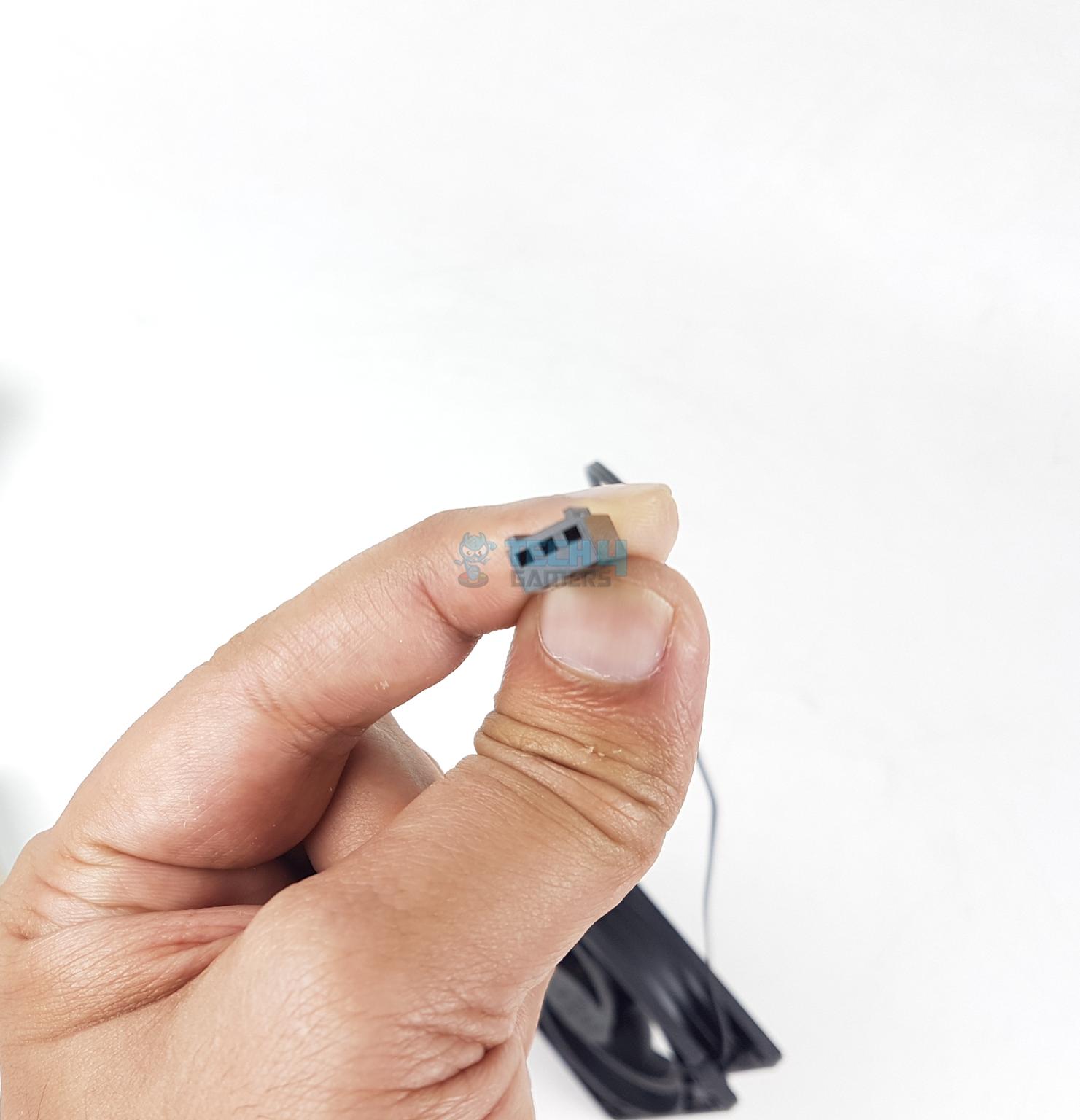
ARCTIC P9 Silent Fan Connector
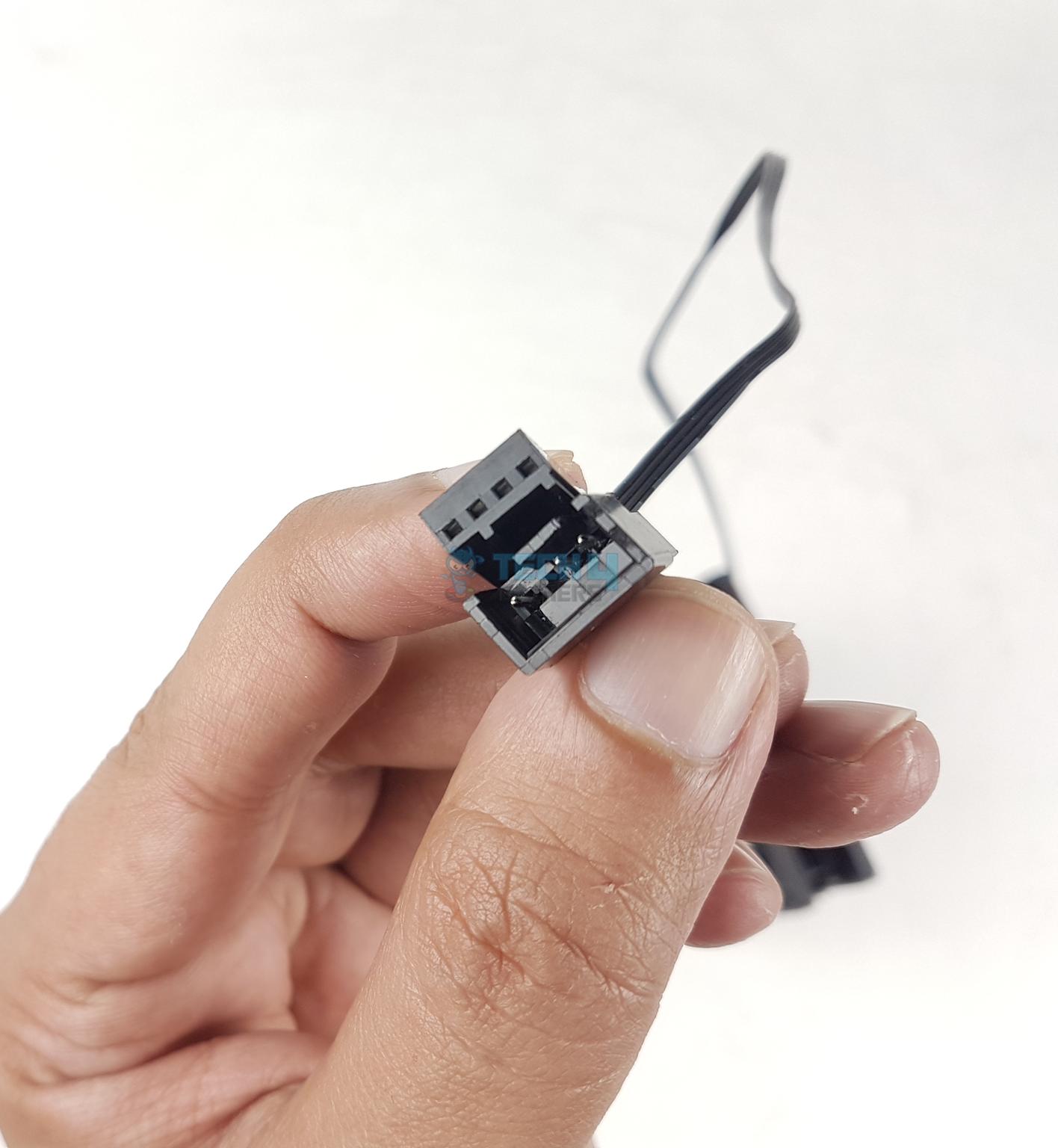
ARCTIC P9 PWM PST Fan Connector
The P9 Silent (Black) fans have a 3-pin connector. These are DC controlled unlike the PWM controlled. But hey, you can still regulate their speed much like PWM regulation from UEFI BIOS.
The mainstream P9 PWM PST (Black) has a 4-pin PWM connector as well as a 3-pin socket. This allows you to daisy-chain these fans for synchronized control.
ARCTIC P9 Max Fan PWM Connector
The P9 Max (Black) fan has a 4-pin PWM regulation. Since a single fan has a power draw of 4.08W hence ARCTIC has wisely not enabled the PST feature on these.
Three fans in a daisy-chain setup will draw power above the 12W. Many fan headers are rated for 12W maximum. You might want to check the motherboard’s manual first to determine the maximum allowed power per header.
Thermal Testing
I have used below mentioned configuration to test the performance of these fans: –
Thermaltake P6 TG Snow Edition in an open frame layout
Here is the settings table for testing:
All Cores
Auto, Stock
VCore (V)
Auto
PBO
105W Eco Mode
Power
105W
Thermal Paste
Noctua NT-H2
Test Run Time
30 minutes CINEBENCH R23.2
Idle Time
10 minutes
Fan/Pump Speed
100% PWM Duty Cycle
Monitoring Software
HWInfo64
Final test build with the fan installed:
The following fans are used for the comparison:
Noctua NF-A9 PWM
Arctic P9 Silent (Black)
Arctic P9 PWM PST (Black)
Arctic P9 Max (Black)
Below is a comparison of all four fans that are used in this testing.
Fan
Speed (RPM)
Static Pressure (mmH₂O)
Airflow (CFM)
Current Rating (Amps)
P9 Silent
1900
1.32
23.96
0.08
P9 PWM PST
200 – 3000
3.12
38.83
0.12
P9 Max
450 – 4300
6.17
58.25
0.34
Noctua NF-A9 PWM
2000
2.28
46.47
0.09 to 0.1
Test Results
Voila! P9 PWM PST and P9 Max have performed absolutely best of the best. My praise is for the P9 PWM PST fan in particular as it does not sound much compared to the Noctua’s fan and yet it provides 3ᵒC over the Noctua. The P9 Max performance is unrivaled. However, there is a catch. It makes a helicopter sound. Check next graph
The P9 Max fan did a horrendous 48.9 dB(A). The Noctua once again set a benchmark standard with 38 dB(A) noise level. The P9 PWM PST managed a good closure with the Noctua. The P9 Silent is better of all but this level comes at the cost of the highest thermals in this set.
All fans were operating near their rated speed in RPM.
PWM And DC Range
The P9 PWM PST and P9 Max fans feature 0dB mode in which they stop spinning below 5% WPM duty cycle provided your motherboard supports this feature. My motherboard does and you can see that in the picture above.
P9 Max has a strong and wide PWM range making it a perfect candidate for any requirement, be it a case ventilation or use on a cooler. You can even reduce the speed to normalize the sound and these would still generate a solid performance punch. This I have already tested on another platform.
Should You Buy It?
Buy It If
✅You want high-performance 92mm fans: If you are hunting for powerful fans in 92x25mm size, look no further as ARCTIC has got you covered for good.
✅You need the best silent fan for case ventilation: The ARCTIC P9 Silent (Black) fan makes 36.8 dB(A) in my testing. They are completely inaudible yet generate decent airflow.
Don’t Buy It If
❌92mm size is not your thing: Skip these fans 92x25mm size is not a requirement.
Final Words
Every fan size caters to a different market segment and sometimes the given size might not make sense to you simply because you are not the target market user. ARCTIC P9 series fan is that size which may not be conventional for a regular desktop PC user but it might be for an SFF user.
I have tested three variants in this article and they have my high praise and it is not without a good reason. These fans retain the P series fan’s basic design model. These have a size of 92x92x25mm where 25mm is the thickness of these fans.
The P9 Silent fan uses a 3-pin DC-based connector whereas the rest of the fans feature 4-pin PWM regulation. I was surprised to see the Max category in this generation but I must say, ARCTIC has nailed it with the P9 Max. It is like one fan to rule them all. Yes, I am a big-time fan of The Lord of the Rings.
These fans use Fluid Dynamic Bearings and PWM versions feature 0dB mode applicable below 5% PWM duty cycle. The Silent version is rated for 1900 RPM speed whereas the PWM PST version is rated for 200 to 3000 RPM and the Max fan is rated for 450 to 4300 RPM. They generate good airflow at high static pressure in this size.
When it comes to performance, the P9 PWM PST would be my top pick followed by P9 Max. The P9 Silent is better reserved for case ventilation. These fans have delivered a top performance in my testing. However, the P9 Max will generate loud noise at full speed. ARCTIC is offering a 6-year warranty on these fans.
I’ve been the Journalist & Editorial Writer at Tech4Gamers since July 2022. I spearhead our hardware coverage, including overclocking GPUs, benchmarking CPUs, reviewing peripherals, and fine-tuning custom PC builds for every budget. Daily, I report on breaking gaming news, from major launches and studio updates to the latest industry trends, ensuring our community stays informed. Beyond news briefs, I write in-depth feature articles on gaming culture and emerging technologies. And by collaborating closely with the editorial team on content planning, SEO strategy, and our publishing calendar, I help us consistently hit our traffic and engagement targets.
I recently had the opportunity to review the Epomaker Cypher 81, a feature-rich keyboard with Epomaker Flamingo Linear Switches that blends performance and aesthetics in a small 75% layout.
This particular model of the Epomaker Cypher series is mid-sized. This recent product line, the Cypher family, may not be as extensive as their TH series, but it is gradually expanding. After using it for gaming and working for a few weeks, I’m excited to give my impressions.
Why Trust Tech4Gamers
Abdul Hannan is our peripherals expert who has been testing different mice, keyboards, headphones, microphones, and more for years.
130+ peripherals tested and reviewed by our team of hardware experts (Tech4Gamers Team).
500+ hours spent testing different peripherals for our reviews.
At Tech4Gamers, ensuring you get reliable information is our priority. That’s why every hardware round-up undergoes a meticulous review process by our team of experts and editors. Each review is carefully examined against our strict editorial guidelines, guaranteeing you trustworthy insights you can depend on.
Key Takeaways
The Epomaker Cypher 81 is a feature-packed 75% keyboard that delivers a premium typing experience with its gasket-mount design, six-layer sound dampening, and factory-lubed Flamingo linear switches, all under a compact footprint.
You should consider the Epomaker Cypher 81 if you need a space-saving 75% layout, appreciate on-board controls, and value extensive customization and acoustics.
You should skip the Epomaker Cypher 81 if you’re looking for more colorways or an aluminum chassis, prefer a larger display, and prioritize battery life for multi-week wireless use.
Here are the technical specifications:
Specification
Detail
Layout
75% ANSI US Layout
Number of Keys
81 Keys, one knob, 1 Interactive 0.85′ TFT Screen
Battery
4000mAh
Connectivity
Type-C Wired, 2.4GHz, Bluetooth 5.0
Compatibility
Mac/WIN/Android/Linux
Case Material
ABS Plastic
Position Plate
PC
Stabilizers
Plate-Mount Stabilizer (Compatible with PCB Stabilizer)
Mounting Structure
Gasket-Mount
Sound Dampening
IXPE Switch Pad, Poron Sandwich Foam, PET Sound-Enhancement Pad, Poron Switch Pad, Bottom Silicone, Spacebar EVA Foam
Keycaps Profile
Cherry Profile
Keycaps Material
PBT Plastic
Keycaps Manufacturing Technique
Double-Shot
Hot-swappable
Yes, 3/5-pin mechanical switches
RGB
South-facing, per-key RGB
Polling Rate
1000Hz (USB, 2.4Ghz), 125Hz (Bluetooth 5.0)
Latency
12-13ms (USB/2.4Ghz), 20ms (Bluetooth)
Anti-Ghosting
N-Key Rollover
Keyboard Dimensions
335*145*44mm
KeyboardWeight
1.2kg
[toc]
What Makes The Epomaker Cypher 81 Different?
For the first time in the Cypher family, the Cypher 81 provides a 0.85″ TFT screen directly into the board alongside a multifunctional knob for on-the-fly adjustments. Moreover, it has refined its gasket-mount architecture with six distinct layers of foam and damping materials, providing a more thocky and vibration-free typing experience. Against the broader market, it undercuts similarly equipped keyboards by offering double-shot PBT keycaps, a lightweight build, tri-mode wireless connectivity, and hot-swappable flexibility at an affordable price.
Packaging & Unboxing
Packaging & Unboxing
1 of 3
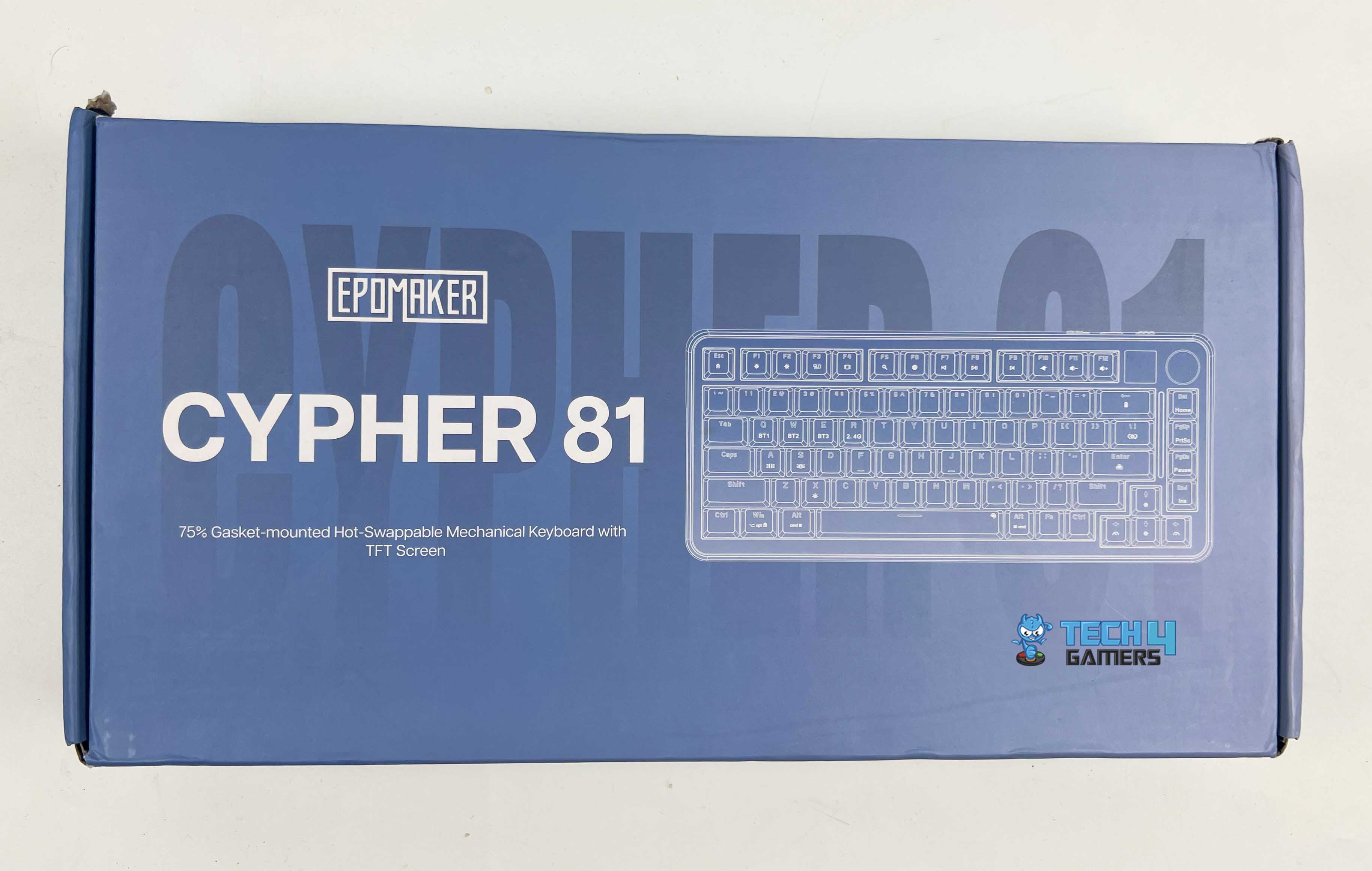
Frontside of the Box
Backside of the Box
Unboxing
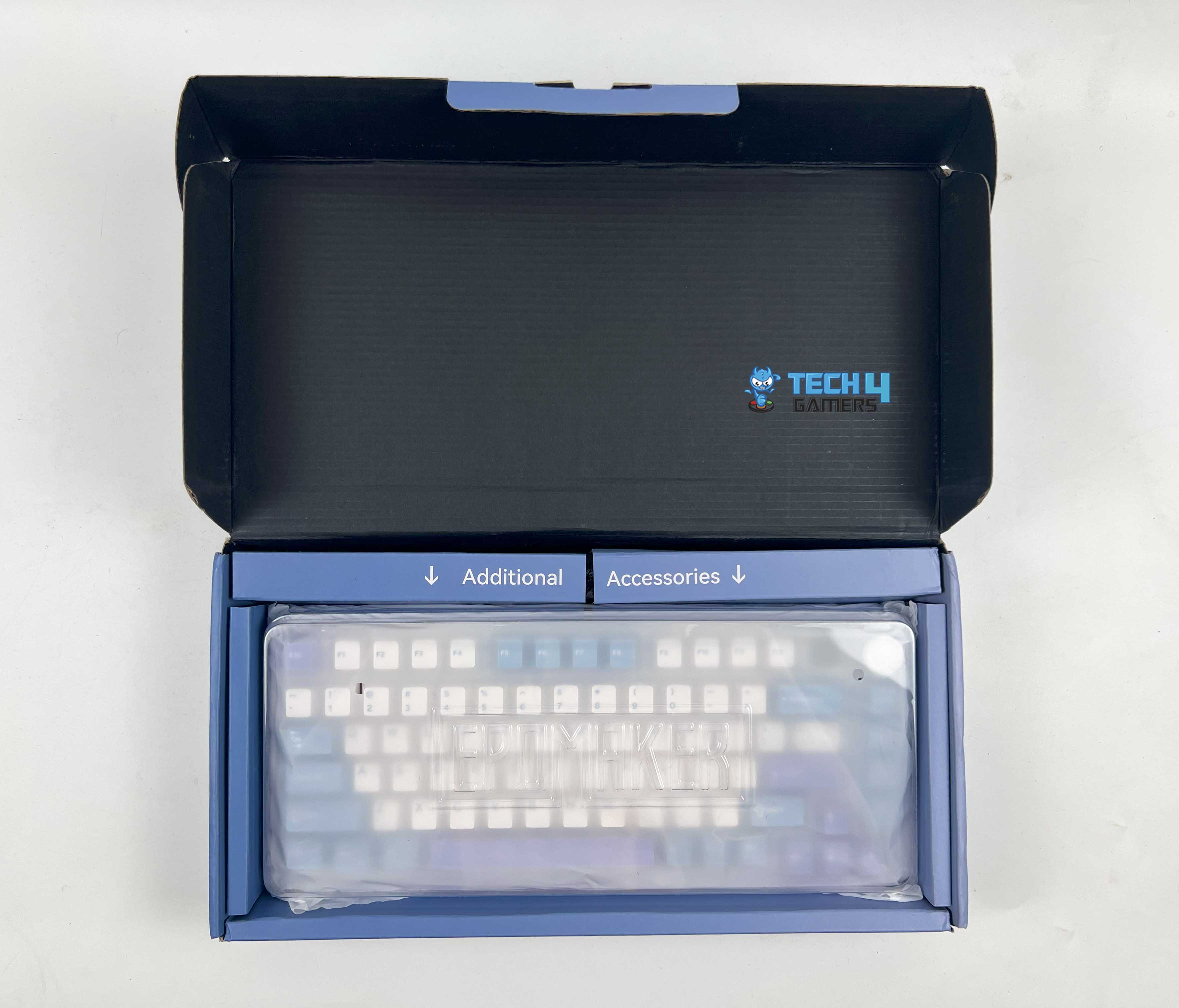
First, let’s talk about the unboxing, which is usually the most interesting part if you love keyboards as much as I do. The Cypher 81 came in a tidy box with a blue design. The box was simple yet included a dust protection case and a plastic cover for the keyboard.
Box Contents
Box Contents
Here is the list of everything you’ll find inside the box:
Epomaker Cypher 81
USB Cable
User Manual
Keycap Puller
3x Extra Switches
Design
Design
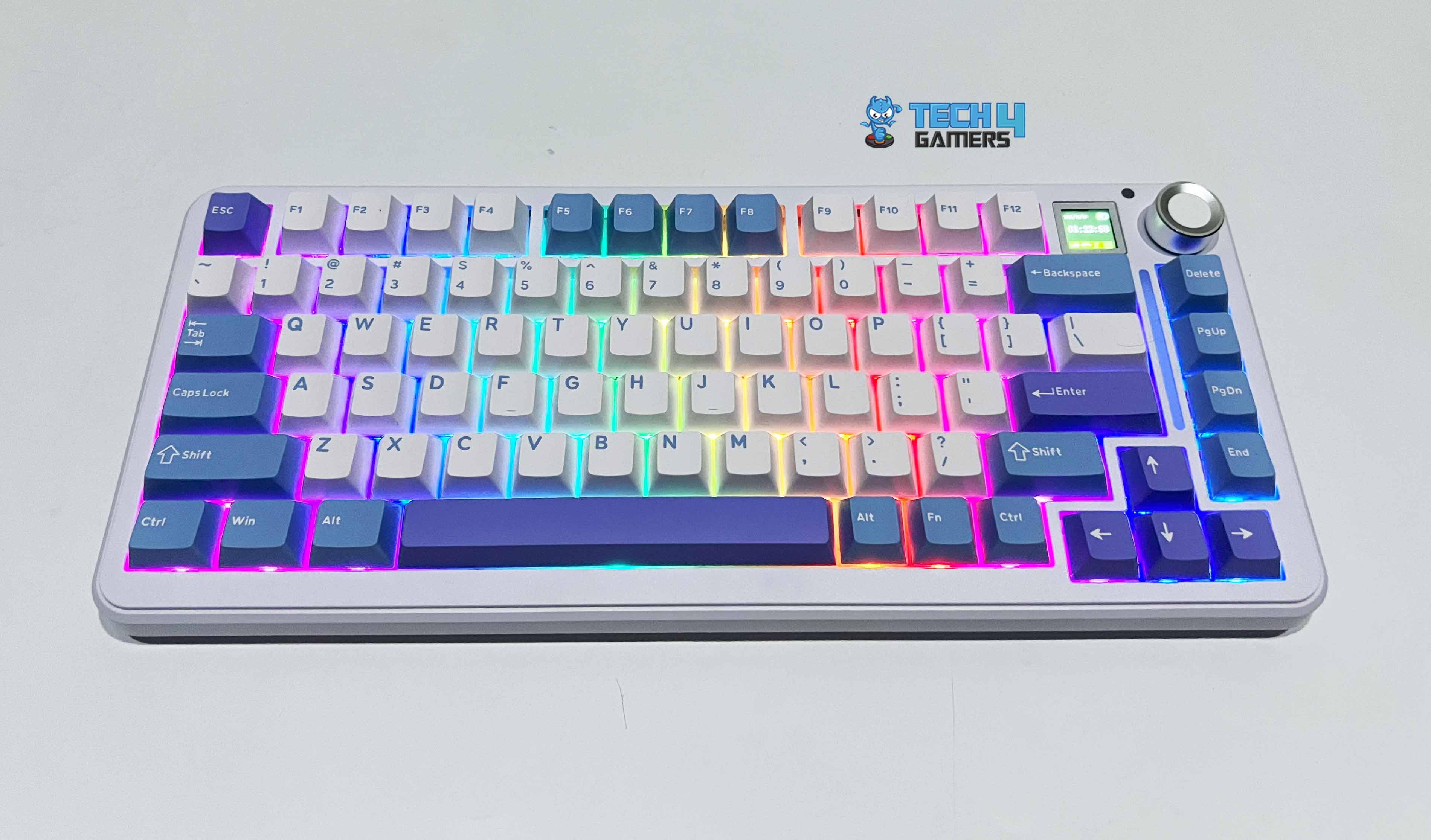
Getting it out of the box, the keyboard’s blue and white color scheme looks neat and fresh on my desk. Although it isn’t available in any more colors except the one I’m reviewing, the overall appearance is so wonderful that I don’t mind. You can also grab a keycap set that matches your taste, thanks to the Cypher 81’s hot-swappable design, so don’t worry if blue and white aren’t your type of colors.
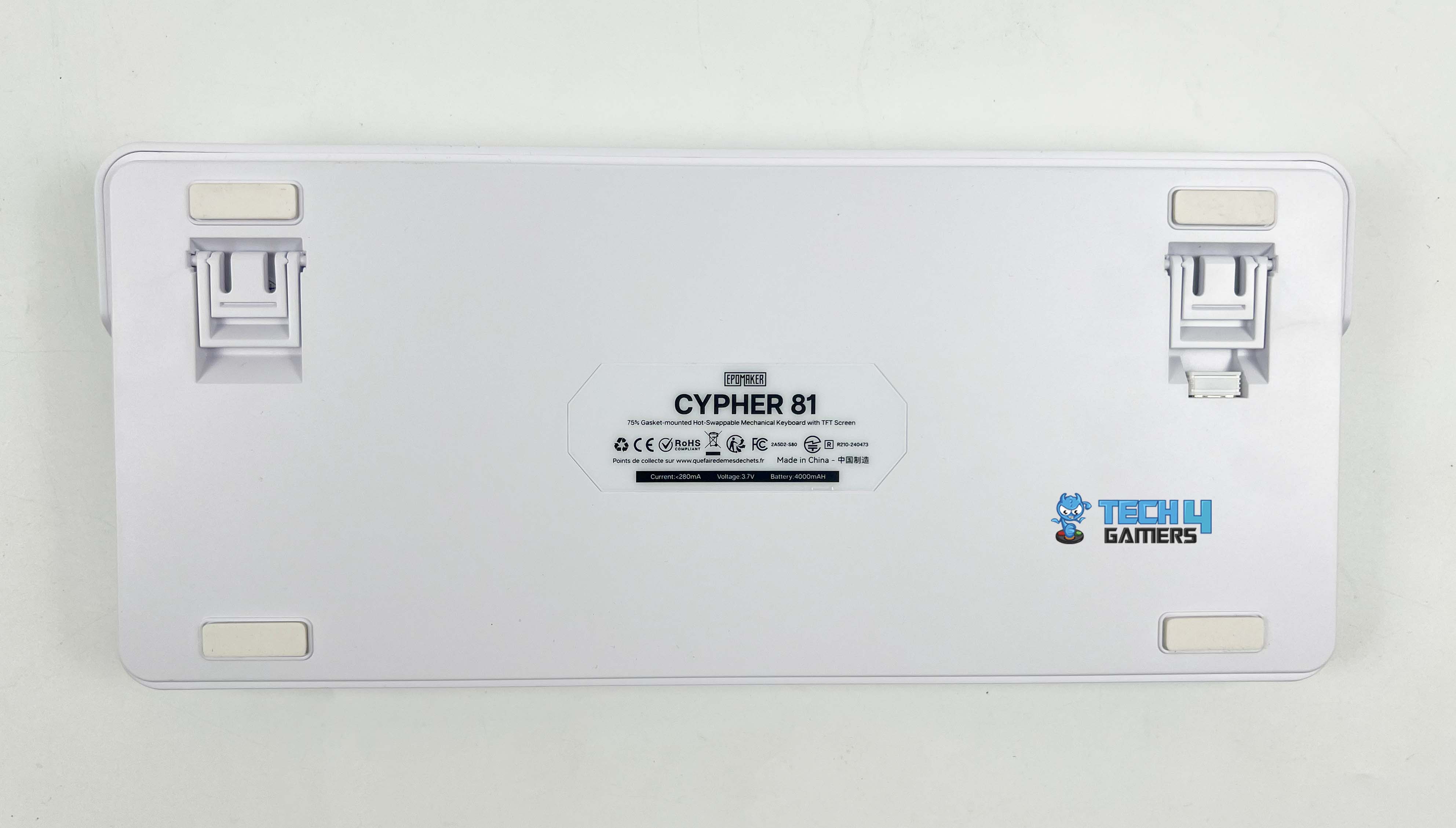
Underside
Underside
Adjustable Feet
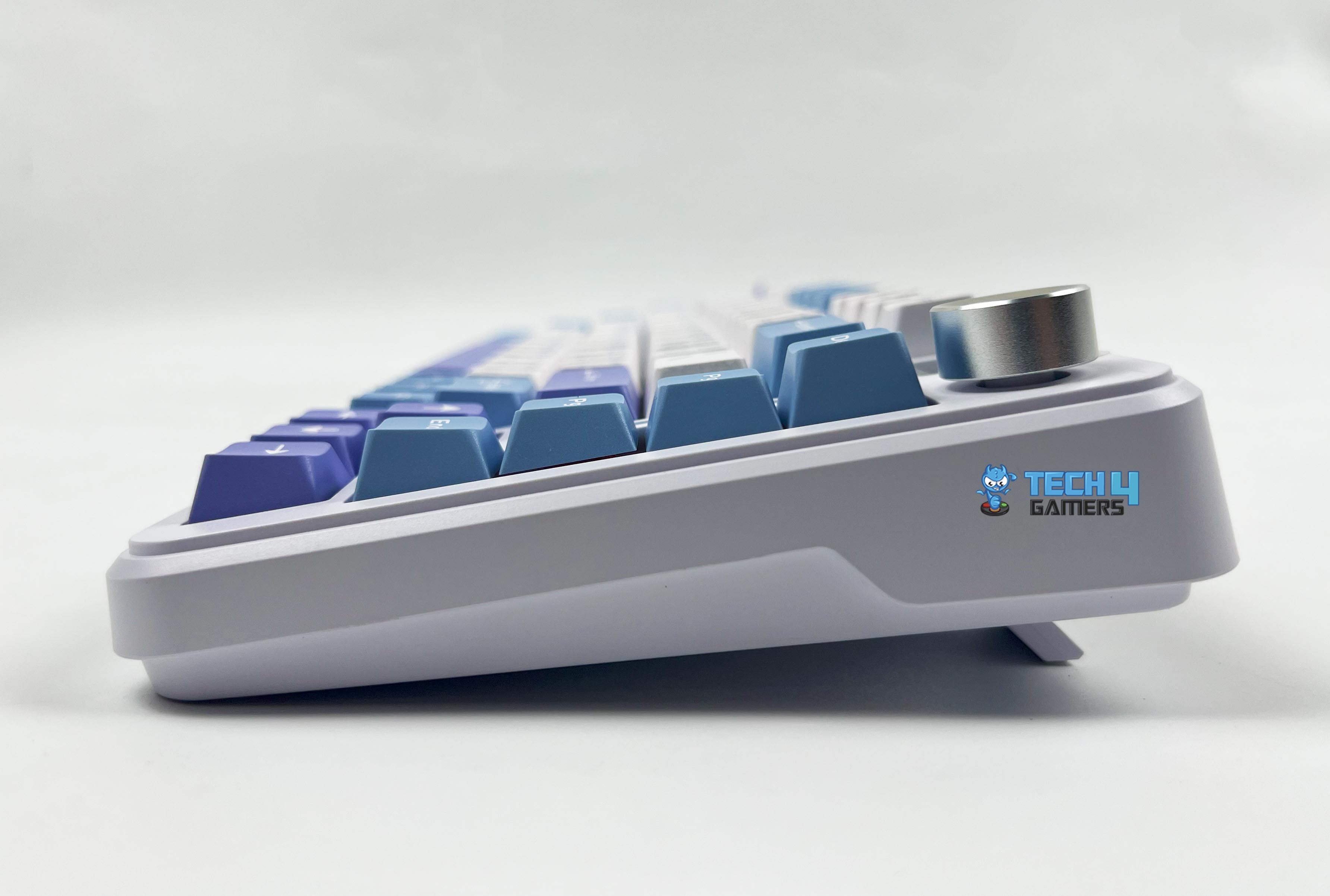
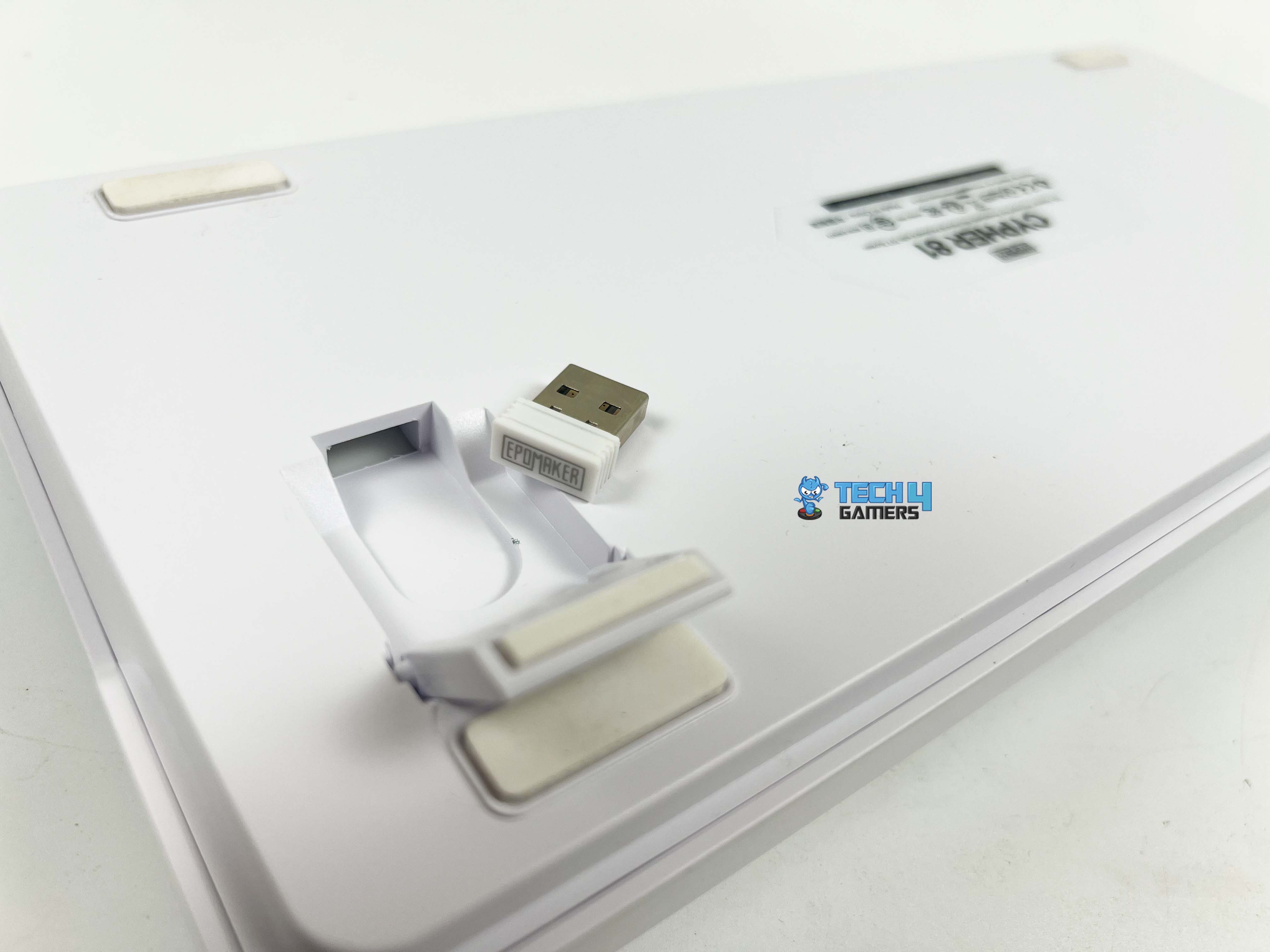
There are four silicone feet, two-positioned adjustable stage feet, and storage space for the wireless receiver under one adjustable foot. Storing the dongle behind one foot is an excellent design choice. Overall, the beautifully angled keyboard feet made typing comfortable.
Screen
0.85-inch TFT screen
The 0.85-inch TFT screen is the most prominent part of the design. At first, I didn’t think much of it, but I found the display both useful and cool. The clever design combines menu and setting management with an option to adjust lighting patterns, speed, brightness, color, and display relevant information, making it a pleasant complement. For instance, it shows the date, time, and battery.
Although the display screen is significantly smaller than many of its competitors, the information displayed here is more organized and noticeable than other keyboards. Of course, you could also turn off the screen if you’d like.
Layout
Layout
With 81 keys, a knob, and a display screen, the Epomaker Cypher 81 features a 75% layout. Compared to TKL and bigger sizes, it keeps a considerably small and less uncomfortable form factor while having full functionality and a design that provides directional keys, a navigation cluster, and the entire Function keys row.
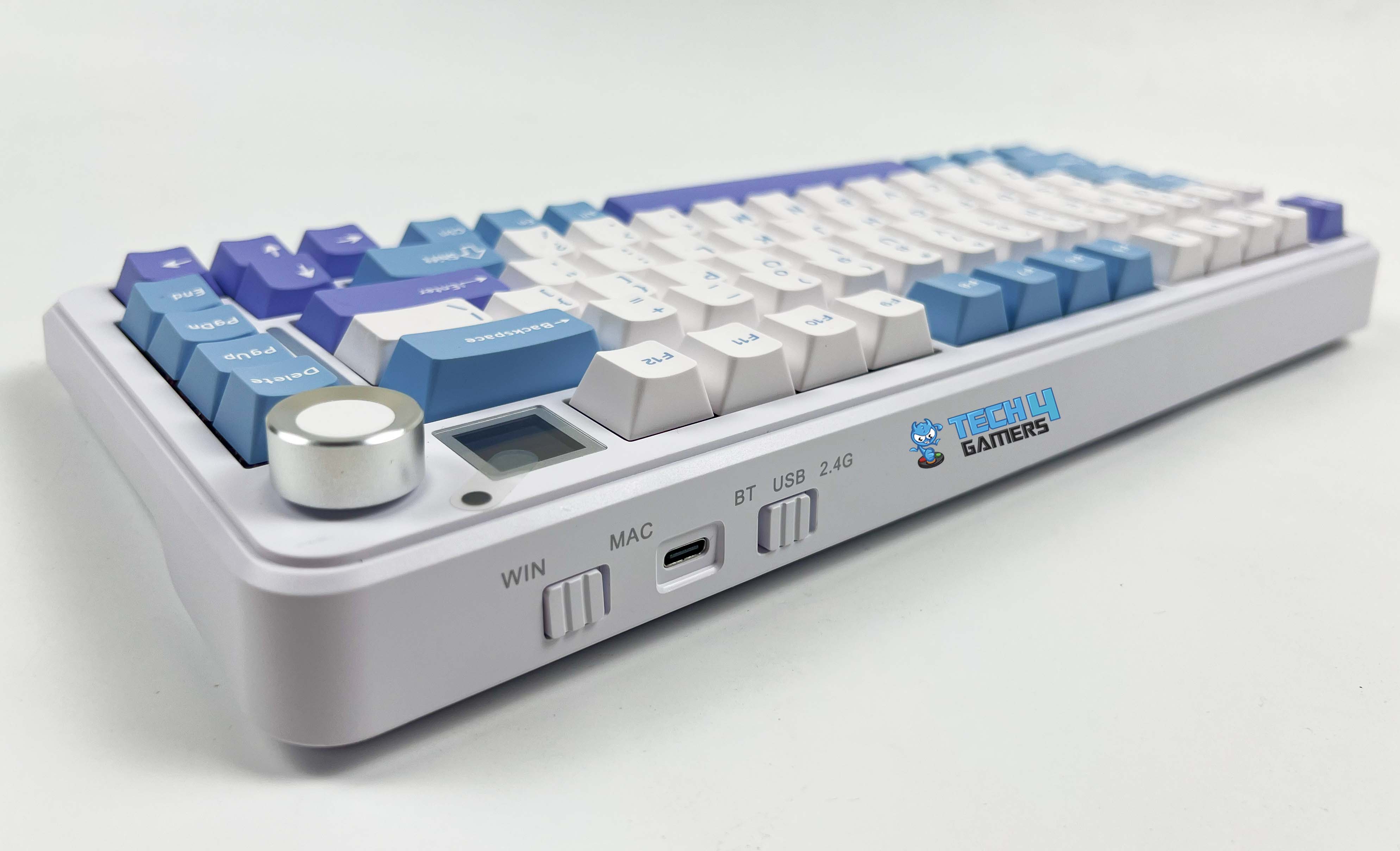
For those who are only familiar with full-size keyboards, the 75% layout might need some time to get used to. Moreover, a rotating knob that offers multi-function button functionality with a white and silver color scheme sits next to the display screen in the upper right corner. With it, you can change the light settings without opening any software.
Notably, the knob rotates smoothly. However, I did notice some wobbling. There are no audible clicks, but it responds with touch feedback for each notch. Additionally, you can change the volume by pressing the FN key and rotating the knob. Lastly, a strip light is positioned at the same place as an aesthetic detail. It also functions as a status indicator with a visual separation between the navigation and primary keys.
Build Quality
Build Quality
I always appreciate it when a keyboard looks fantastic and feels solid together. The Epomaker Cypher 81 hits both marks and impresses with its high-end build quality. The premium ABS plastic used to make the keyboard’s case maintains its lightweight at 1.2 kg without appearing flimsy or hollow. I’ve reviewed many keyboards that use multi-layering for sound dampening, but the Epomaker Cypher 81 impressed me by having even more layers than high-end keyboards.
It includes the IXPE Switch Pad, Poron Sandwich Foam, PET Sound-Enhancement Pad, Poron Switch Pad, Bottom Silicone, and Spacebar EVA Foam. Additionally, the board is compatible with both 3-pin and 5-pin switches and is hot-swappable. It also features a polycarbonate plate, plate-mount stabilizers, and a gasket-mount design that gives it a sturdy and solid feel.
Keycaps
Keycaps
The Cypher 81 comes with a Cherry profile and PBT double-shot keycaps that are resistant to grease and fading, which means that the legends on these keycaps won’t discolor easily. They have a buttery smooth finish and an even better grip than keycap sets with a lot of texture. This gives them a visual appeal and a refreshing look. The material adequately grips your fingers, making it suitable for casual gaming and lengthy work sessions.
RGB Lighting
RGB Lighting
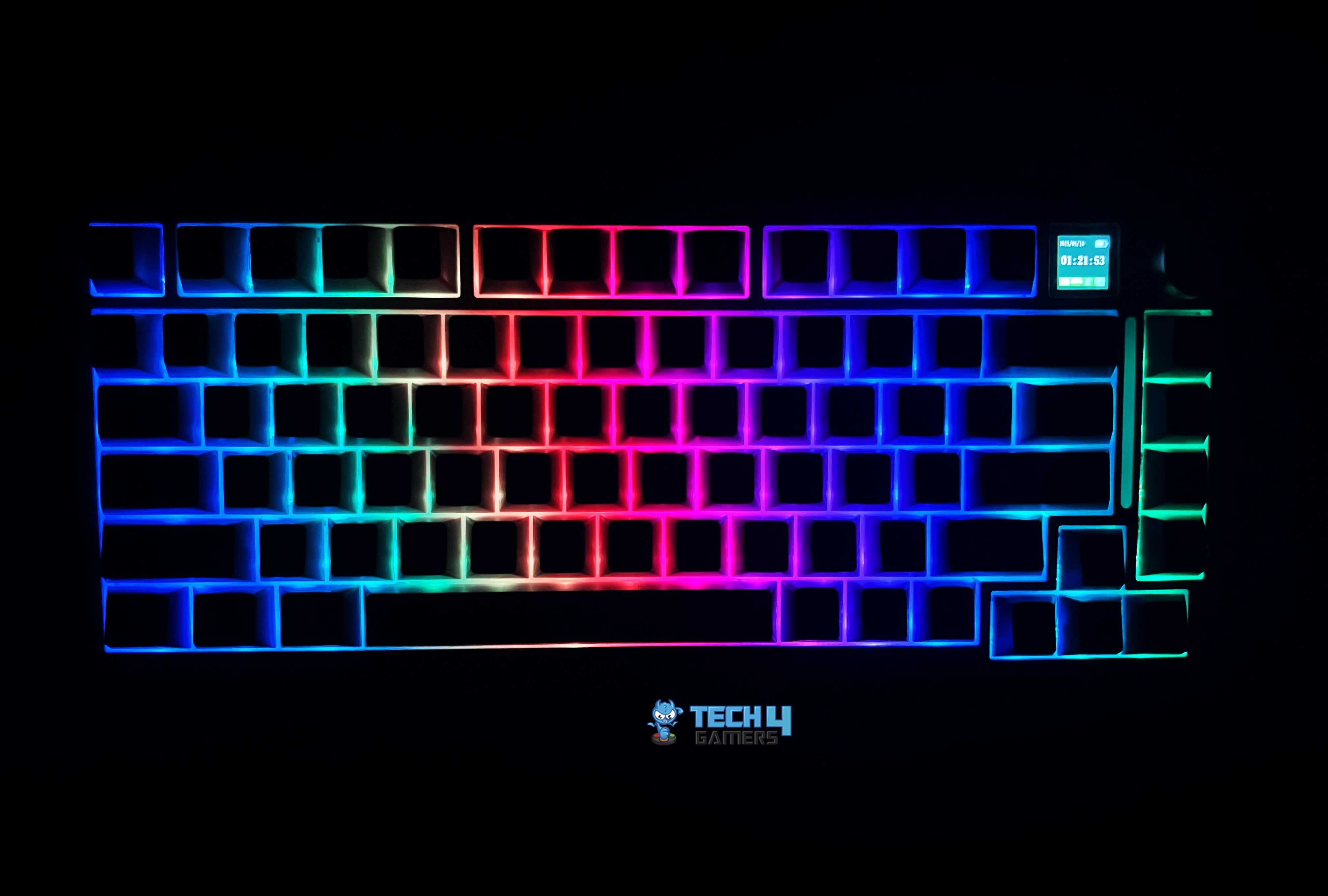
RGB Lighting in a Dark Environment
The Epomaker Cypher 81 south-facing RGB LEDs look great with the white casing and light-colored design. At this price range, it is among the brightest keyboards I’ve seen. The rotating knob makes it very easy to adjust the lighting effects.
Switches
Epomaker Flamingo Linears
Here are the switch specs:
Switch Name
Epomaker Flamingo Linear Switch
Switch Type
Linear
Pins
5 Pins
Factory Lubed
Yes
Material
POM stem, PC housing, dual spring
Initial Force
35gf min
Actuation Force
47±5gf
Bottom-out Force
60gf max
Actuation Travel
1.50±2.00mm
Lifespan
100 Million of Stokes
Epomaker Wisteria and Flamingo are two switch variants available for the Epomaker Cypher 81. These two linear switches are among the most well-liked switches from the manufacturer. They provide a buttery-smooth, sturdy, and bouncy keystroke. Because they are linear switches, typing is smooth without accidental clicks or tactile bumps.
3-pin and 5-pin Compatibility
I got the latter, with the review unit, which performs well. It provides a pleasantly gentle, thocky sound that is pleasant to the ears. Notably, only a high-end keyboard or meticulously time-consuming manual modification of a decent keyboard can provide the amazing sound profile that Epomaker Cypher 81 provides with these linear switches.
It gives off a sophisticated sound featuring a little pop, and there aren’t any noise problems like resonance or pinging. The factory lubing that Epomaker does over the stabilizers is also flawless. It works without a mushy feel or rattling noises and doesn’t require further lubrication.
Connectivity
Connectivity
1 of 3
Connectivity
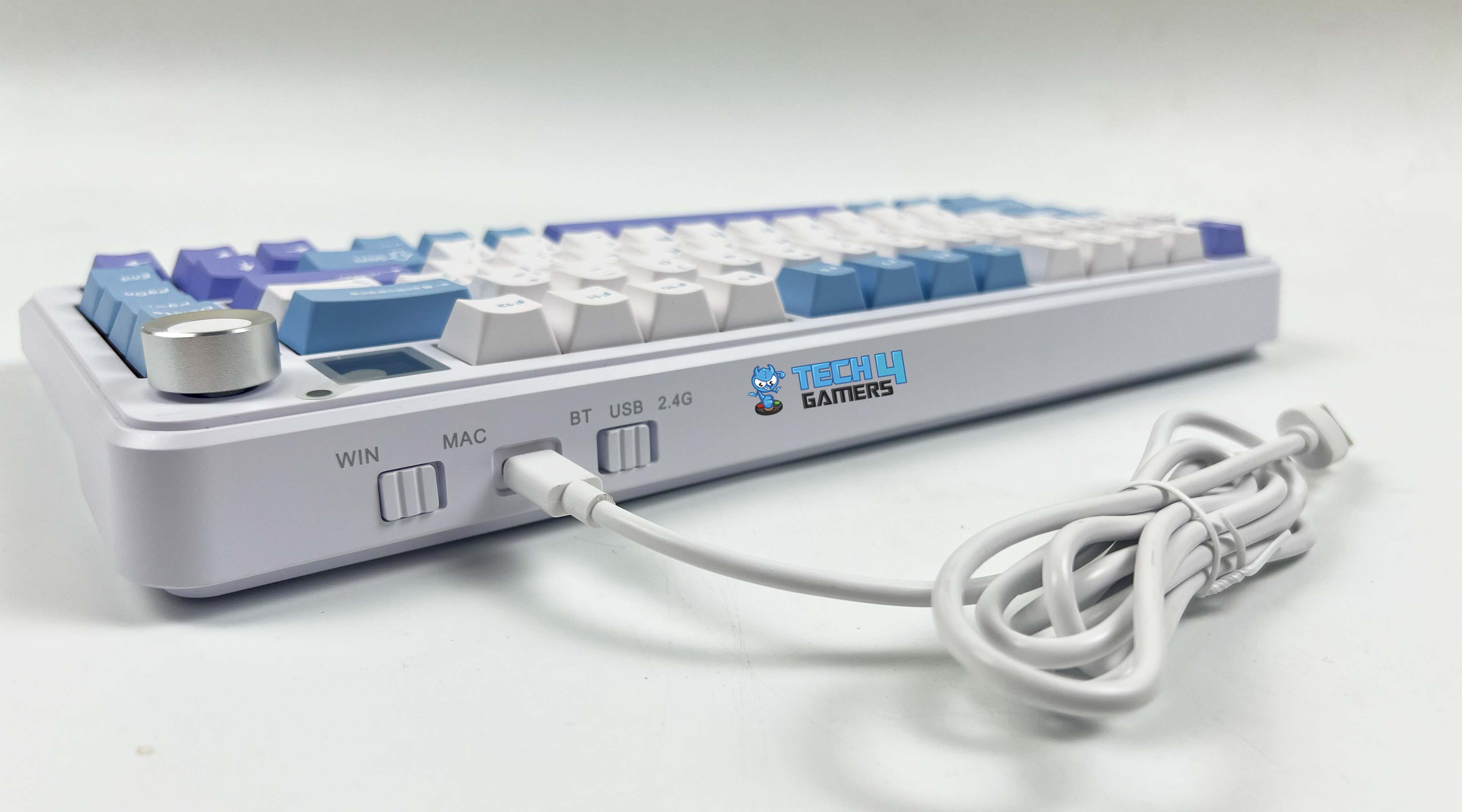
Type-C USB Cable
Wireless Dongle
I especially liked the tri-mode connectivity, which provides cable, Bluetooth, and wireless connections. A USB-C connector and two switches with clearly marked labels on the back allow you to use the keyboard in Windows/Mac and the preferred connection mode. Performance-wise, there was hardly any noticeable latency, whether working or playing games.
The 1000Hz polling rate on the wired and wireless connection did a great job because there was no response lag, which is essential to gaming, and only has a latency of 12ms. On the other hand, it just performed adequately with the Bluetooth connection, which has a polling rate of 125Hz and a latency of 25ms, which is a letdown.
Battery Life
The Cypher 81’s battery has a 4000mAh capacity, which is normally the standard for 75% of keyboards. Still, having a larger battery inside could have been better because of the beautiful strip light and display screen. With full RGB and screen on, I roughly got 35–40 hours of continuous use on a single charge at full brightness. On the other hand, with them being turned off, I got 180-200 hours of usage before the low-battery warning. Therefore, turning off the RGB strip and TFT display can multiply runtime and push a single charge to 8 days of typical use.
Typing Experience
Typing Experience
Let’s now discuss what matters most, the typing experience. I’ve used the Cypher 81 for work and casual gaming for several weeks. It’s been a pleasant experience, whether writing reviews like this, responding to emails, or preparing reports.
Using it to type has been enjoyable. It is comfortable without being too clicky, and the switches’ smooth, tactile feedback is just what I was looking for. The gasket-mounted design absorbs vibrations when pressed, giving just the soothing sound of keystrokes. During lengthy writing sessions, I found that it successfully minimizes discomfort caused by keystrokes.
My hands didn’t get tired even after several hours. The smooth Poron fillings inside significantly improve typing. This one is considerably quieter than other keyboards, and each keystroke feels seamless. Its nearly silent keystrokes will appeal to those who type frequently or are intolerant of noise.
Software
Software Walkthrough
1 of 5
Screen Settings
Macro Settings
Fn Settings
Main Settings
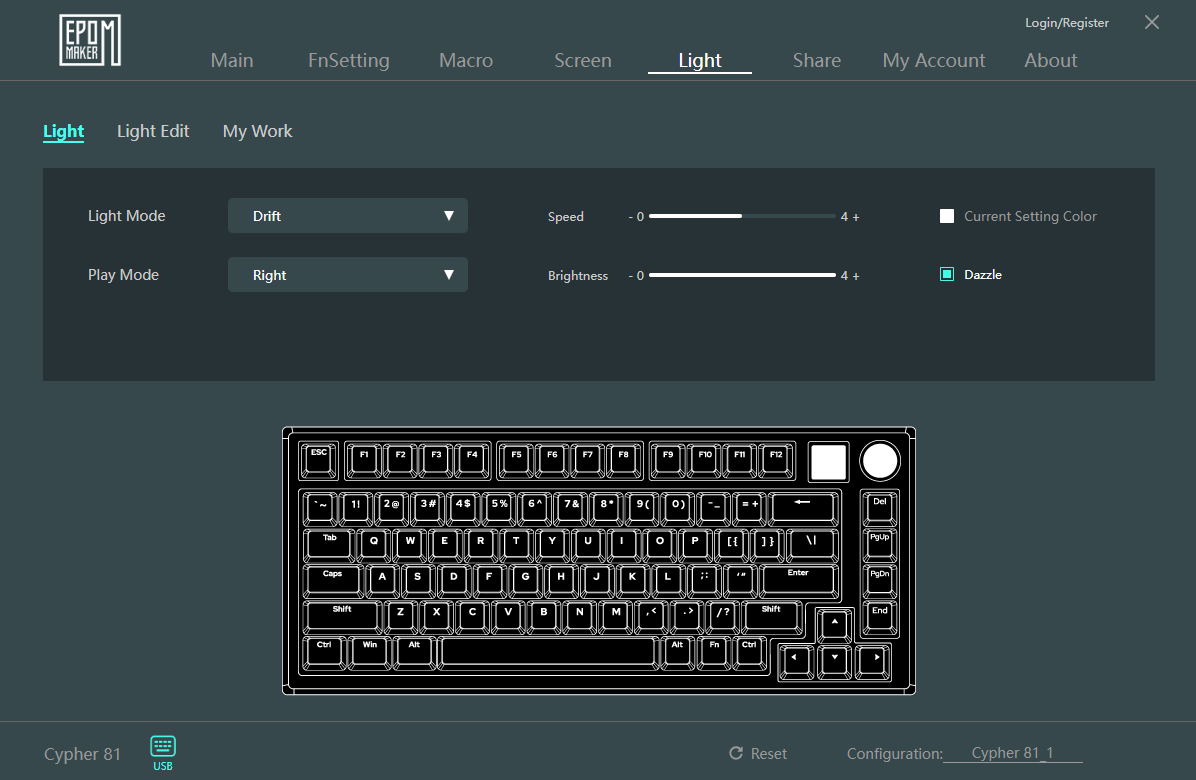
Light Settings
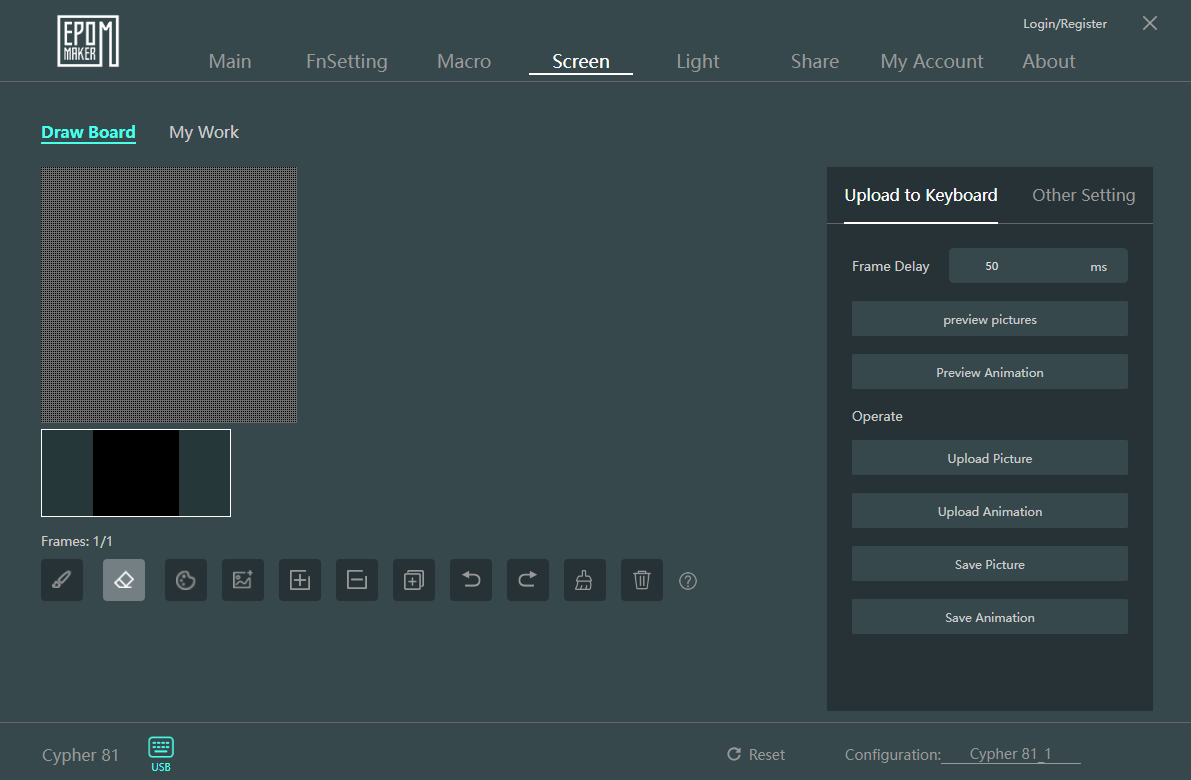
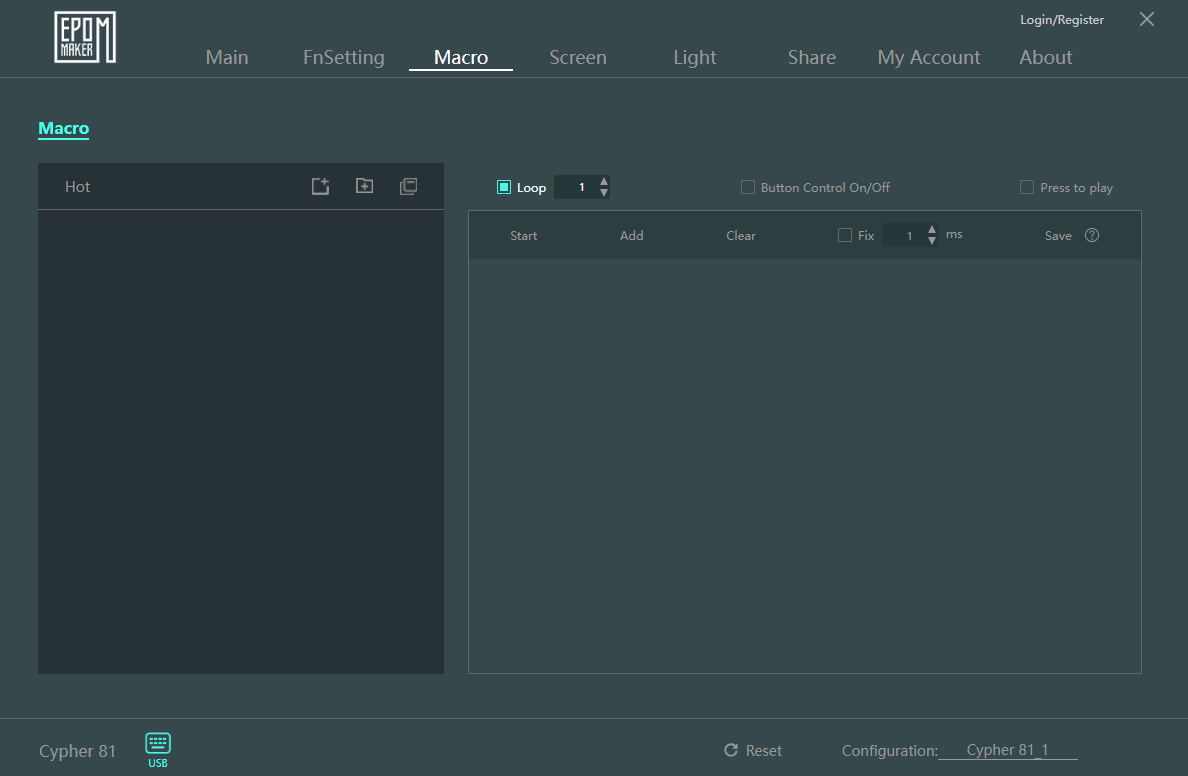
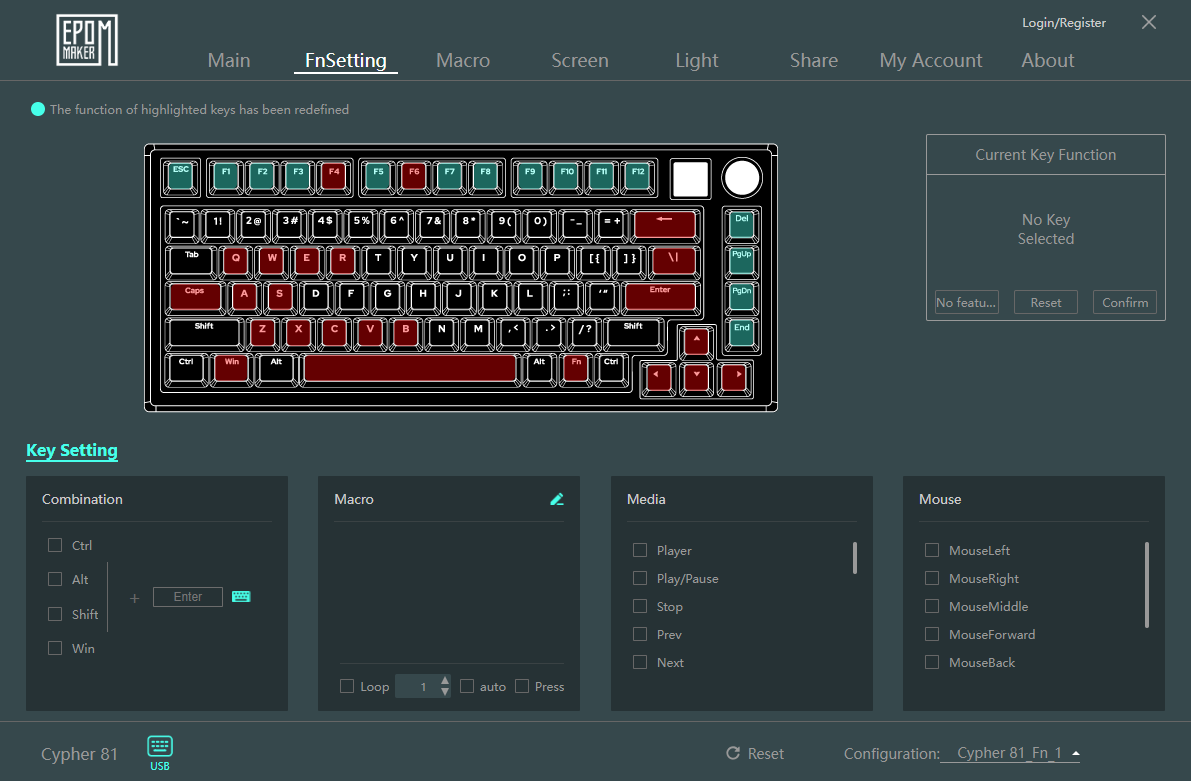
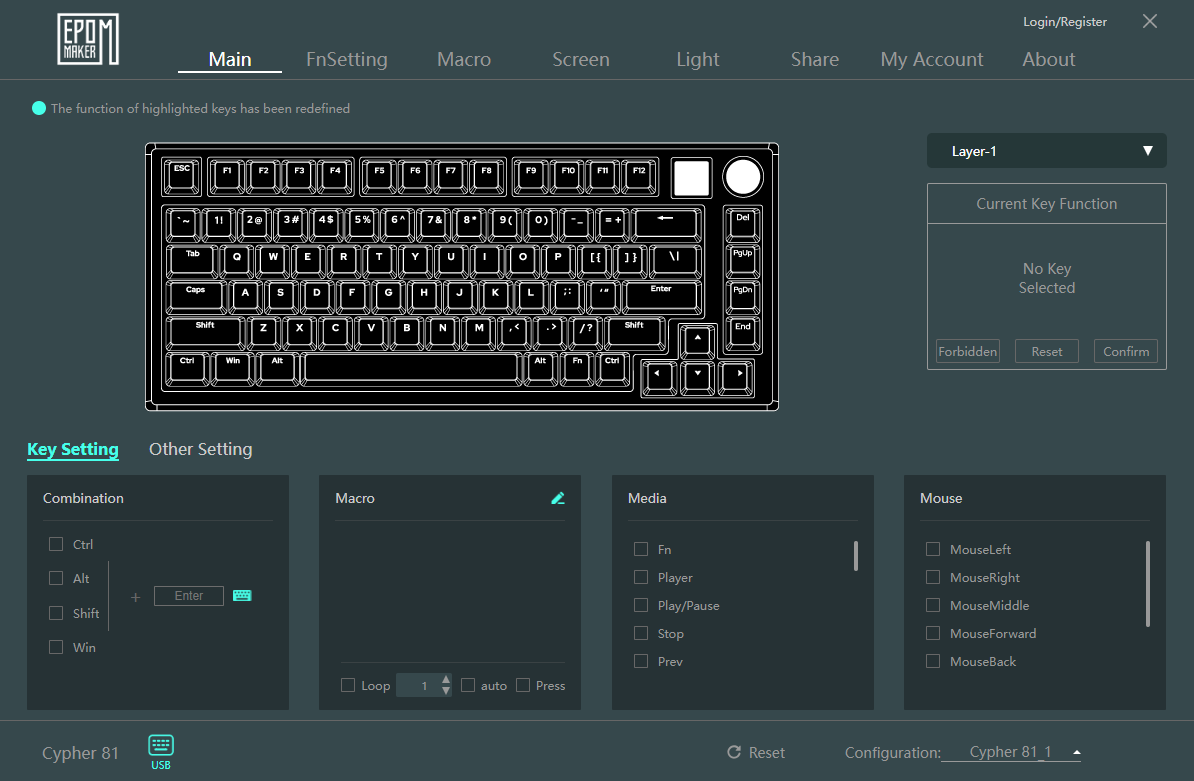
You’ll be happy to hear that this keyboard’s software lets you experiment with settings. It can be downloaded directly from Epomaker’s official website. Once installed, you can create macros to streamline complex key arrangements or remap keys to additional layers for extra functionality. Additionally, you can share your lightning preferences with other community members and customize the lighting patterns to match your setup.
Should You Buy It?
Buy It If
✅ You need a space-saving 75% payout: The Epomaker Cypher 81 condenses a full-function row, arrow keys, and navigation cluster into a compact form factor ideal for minimalist desks.
✅ You appreciate onboard controls: With its 0.85″ TFT screen and multifunctional knob, you can switch lighting modes, adjust volume, and view battery level without opening the software.
✅ You prefer extensive customization: For under $90, you can have fully hot-swappable 3/5-pin sockets, factory-lubed linear switches, six-layer foam dampening, and nearly unlimited remapping or macro option, making the Cypher 81 one of the best custom keyboards currently available.
Don’t Buy It If
❌ You prioritize battery Life for multi-week wireless use: The 4000 mAh battery capacity can drain faster under heavy RGB and screen use. If you need a keyboard that can last for a couple of weeks on a single charge, look elsewhere.
My Thoughts
The Epomaker Cypher 81 is a comfortable and reliable keyboard that checks all the boxes by finding an ideal balance between customization, performance, and design in a small form factor. This can be a perfect fit for anyone who wants to save room without compromising functionality.
It easily satisfies both requirements, whether you’re a professional searching for a multipurpose, aesthetically pleasing keyboard for your workspace or something that can keep up with your gaming sessions. After using it for a while, I can say with confidence that it has been an enjoyable ride because of the Flamingo Linear switch’s smooth, sturdy, but soft feel and its small yet functional 81-key layout.
If you’re looking for a keyboard that provides outstanding performance, is aesthetically appealing, and is packed with features, then it is unquestionably worth considering. That’s everything for only USD 89.99, which is an excellent value. Finally, a huge thank you to Epomaker for providing me with this keyboard to try out.
At T4G, my task is to cover the latest news around the gaming globe ASAP and with the utmost precision. I adore all the games and respect all the devs behind the amazing games that we get all year. So, whether it’s a PC or a Console game, I got it all covered.
Story Highlight
Gearbox CEO reveals that Borderlands 4 has double the budget of Borderlands 3.
He says that because of the higher budget, the game could cost $80, like other publishers.
However, the final price will be revealed soon after pre-orders go live.
Borderlands 4 debuted its first look at The Game Awards 2024 and stunned with its epic visuals and chaotic gameplay. However, there might already be some bad news for fans waiting for the title.
Gearbox CEO says that while he doesn’t know how much Borderlands 4 will cost exactly, it has almost double the budget of its predecessor and could turn out to be an $80 game, just like Xbox and Nintendo.
Why it matters: Mario Kart World debuted at $80 with its reveal on the Nintendo Switch 2. Other publishers are also jumping on the trend, as Xbox has already announced the price hike, and Gearbox could do the same.
Gearbox boss Randy Pitchford was asked about Borderlands 4 pricing at the PAX East Panel. He replied that he didn’t know what the game would cost right now, but he wouldn’t rule out following Xbox and Nintendo’s $80 price tag.
We’re gonna have a price set soon, might be the new price that Nintendo and Microsoft have led with.
– Randy Pitchford
Gearbox could debut its first $80 game with Borderlands 4.
He says that the pricing is a sensitive matter nowadays, considering it’s a competitive market and you want to sell as many copies as possible. However, some people understand the growing budgets and are fine with price hikes.
Pitchford further said Borderlands 4 has almost double the budget of Borderlands 3, but its pricing isn’t finalised. Pre-orders will start soon, and until then, the pricing will be decided and revealed. The title releases on September 12, 2025.
What are your thoughts on Borderlands 4 costing $80? Will you be willing to buy it? Let us know your opinions in the comments or join the discussion at the Tech4Gamers forum.
I’ve previously worked for eXputer as a Senior News Writer for several years. Now with Tech4Gamers, I love to devoutly keep up with the latest gaming and entertainment industries. I have a Bachelor’s Degree in Computer Science and years of experience reporting on games and breaking exclusive stories. Besides my passion for gaming journalism, I love spending my leisure time farming away in Stardew Valley. VGC, IGN, GameSpot, Game Rant, TheGamer, GamingBolt, The Verge, NME, Metro, Dot Esports, GameByte, Kotaku Australia, PC Gamer, and more have cited my articles.
Story Highlight
Sandfall Interactive has quelled DLC rumours for Clair Obscur: Expedition 33, saying there are no concrete plans yet.
The team has revealed that writer Jennifer Svedberg-Yen’s comments were taken out of context.
Furthermore, the team is focused on improving the current version of the JRPG instead of making additional content.
Despite heavy competition from fellow RPGs and a small development team, Clair Obscur: Expedition 33 has beaten all odds to become the biggest breakout hit of 2025 so far. The title has received universal acclaim from critics and is also making waves on the commercial front.
Unsurprisingly, fans want more from the world of Clair Obscur: Expedition 33, and even though it seemed like plans for a DLC were solid, new info from the development team has revealed nothing is certain.
Why it matters: Sandfall is trying to improve the current game instead of rushing to create a DLC shows the title is going in the right direction.
Clair Obscur: Expedition 33 has no future DLCs arriving as of now.
While talking to the Washington Post, Guillaume Broche, the game’s director, stated that there are currently no concrete plans for a DLC. The developer explained that Sandfall Interactive is focused on improving the current version of the JRPG instead of making additional content.
Rumours regarding a DLC and more content for Clair Obscur: Expedition 33 stemmed from Instagram messages by the writerJennifer Svedberg-Yen, in which she said that a sequel or DLC is possible, considering the positive reception of the game.
However, the game’s writer has returned to her statement, saying that her words were taken out of context and no such plans are in place. The developers also mentioned in the interview that they were very tired as they put everything into the JRPG.
At Tech4Gamers, I mainly cover new gaming news, leaks, and rumours. Aside from that, I love to write features about my favourite games while inserting my opinion about their different aspects.
Story Highlight
A recent analysis from Digital Foundry has revealed in-depth information about Doom: The Dark Ages’ performance on Xbox Series X, PS5, and PS5 Pro.
The game seems to run best on the Xbox Series X, as per the analysis.
Oliver confirmed that in his experience, there weren’t any drops in frame rates when playing on Series X, but there were several when using PS5 and the Pro variant.
However, there may be some concerns with the performance, as on PC, except for the 5090 and the 4090, no other GPU can do 60 FPS at 4K max settings. On consoles, it seems to offer a solid 60 FPS experience, but Xbox Series X has the upper hand, even when compared to the current-gen beast, PlayStation 5 Pro.
Why it matters: Sony released a mid-gen refresh that offers better performance than the PS5, while Xbox didn’t. That is why it is surprising to see Series X performing better than the PS5 Pro.
In a recent in-depth analysis by Digital Foundry, Oliver reveals that while the PS5 Pro does offer quite better performance than the base console, but can’t beat the Xbox Series X.
Frame rates are generally good here, with a stable 60 FPS in most content. But those two particularly demanding combat still provoke minor frame rate dips, which isn’t ideal. It’s no major concern, and the performance is better than the PS5 by a good margin, but Series X remains king.
-Oliver
Digital Foundry reveals that the game offers solid performance on all machines, but of course, there are going to be some differences. Everyone may have already anticipated the PS5 Pro to offer better performance, but Xbox Series X seems to have the upper hand.
The comparison to PS5 with the Series X is even more surprising. The resolution seems to be the same in both consoles, at around 1080P in demanding areas and tops out at 1440P. However, Oliver then reveals that the PS5 comes in a little lower than the Xbox Series X.
Doom: The Dark Ages Drops To 54 FPS on the PS5 Pro But Stays At Solid 60 FPS on the Xbox Series X
The more surprising part is that PS5 consistently drops frame rates during encounters, meanwhile Series X stays locked at 60 FPS. Oliver also pointed out that in his gameplay, he didn’t experience a single frame while playing on the Xbox Series X, but it may be possible that the console drops frames in the latter sections.
What do you think about the Xbox Series X having better performance than the PS5 and PS5 Pro in Doom: The Dark Ages? Which team are you on? Share your thoughts with us in the comments section below or join the official Tech4Gamers forums for discussion.
At Tech4Gamers, I contribute as a Senior News Reporter, combining my skills and gaming enthusiasm to keep our audience updated on the latest developments.
Story Highlight
Doom: The Dark Ages is quite demanding for every type of PC.
Testing shows that only the RTX 4090 and 5090 can achieve 60FPS on average at 4K Ultra Nightmare settings.
The game also runs below 60FPS at 1080p when using mainstream cards like the RTX 3060.
Doom: The Dark Ages has received plenty of press coverage today. Following very positive reviews and praise for the title online, PC benchmarks have also begun to show up, highlighting the performance expected from id Software’s latest title.
According to testing across various PC setups, Doom: The Dark Ages will be quite challenging to run at maximum settings.
Why it matters: Mainstream graphics cards like the RTX 4060 and 3060 will struggle to run id Software’s latest title due to its heavy reliance on ray tracing.
Doom: The Dark Ages PC Benchmarks via Hardware Unboxed
As per Hardware Unboxed’s charts, 4K Ultra Nightmare settings in Doom: The Dark Ages rarely result in an average of 60FPS. In fact, only the RTX 4090 and 5090 can achieve these results at the maximum settings.
Even very capable graphics cards like the AMD RX 7900 XTX and 9070 XT manage an average of around 55FPS, putting the last two Nvidia flagships in a league of their own.
Other Nvidia graphics cards like the RTX 5080 and 4080 Super achieve similar results as AMD’s top graphics cards, staying close to the 55FPS average. Although disappointing, these results reflect the intensity of Doom: The Dark Ages’ ray tracing implementation.
id Software’s latest engine is quite hard on the GPU because ray tracing is present all throughout Doom: The Dark Ages. Fortunately, turning down settings can net quite the frame rate boost, and it doesn’t impact visual quality much.
In fact, Hardware Unboxed’s testing shows that the game looks largely similar across all presets. Upscalers like DLSS and FSR should also come in handy for those looking to play the game on more modest PCs.
All in all, the game will certainly be quite testing for a lot of PC builds. Even at 1080p, Doom: The Dark Ages is expected to prove challenging for mainstream GPUs like the RTX 3060, making it essential for PC users to adjust settings as much as possible.
What are your thoughts on this breakdown? Is your PC ready to handle the Doom Slayer’s latest outing? Let’s discuss in the comments and on the Tech4Gamers Forums.