Currently serving as a News Reporter at Tech4Gamers, I have the privilege of combining my love for gaming with the art of storytelling. My role involves crafting engaging narratives that keep our audience abreast of the latest developments in the gaming world.
Story Highlight
Take-Two boss doesn’t expect delays for the next-gen consoles.
Both PS6 and Xbox Project Helix are currently aiming for a holiday 2027 release.
It’ll be interesting to see how Sony and Microsoft tackle the high component prices.
The AI-driven memory shortage has soared hardware prices beyond comprehension, even delaying some hardware releases. Currently, analysts expect this shortage to last throughout 2026 and maybe even till 2027.
As such, next-gen console delays seemed pretty likely given all these factors. However, Take-Two boss Strauss Zelnick doesn’t expect any delays for the PS6 and Xbox Project Helix, even with current high memory prices.
Why it matters: Delaying next-gen consoles could impact the entire industry, while releasing them at high cost could affect sales. Both Microsoft and Sony are in a tight spot right now.
Speaking to The Game Business, Strauss Zelnick was asked whether the high component prices could affect the release dates for PS6 and Xbox Project Helix.
We don’t see it affecting the delivery of consoles to the market.
Zelnick’s words do weigh a lot in this regard since such a big name in the industry would be familiar with plans for the next-gen console releases. Moreover, publishers would want the next-gen lifecycle to kick off as quickly as possible to take advantage of all the new features that come with it.
For Project Helix, Microsoft plans to send out alpha kits to developers starting early 2027. As history goes, Xbox consoles are released a few months after the alpha kits.
We also expect Sony to announce the PS6 officially soon, possibly later this year. Currently, insider expects PS6 APU manufacture to begin in mid-2027.
At Tech4Gamers, I contribute as a Senior News Reporter, combining my skills and gaming enthusiasm to keep our audience updated on the latest developments.
Story Highlight
Modern games look so incredible that they invite players to engage in virtual photography.
The existence of photo modes in most titles also makes this act extremely enjoyable.
Entire communities now exist around sharing gorgeous captures from scenic parts in the latest games.
Video game graphics have come a long way, and with new introductions like DLSS 5, things are only going to improve further.
Even without AI-based technology, the likes of Red Dead Redemption 2 have shown just how great games look when treated with love and care. Such games often force players to stop and marvel at the sheer beauty on display, and Hideo Kojima’s Death Stranding 2 is no different.
This is also why many games attract enthusiasts who go the extra mile to capture the best screenshots possible. These images are then shared across social media and various other platforms.
Why it matters: Thanks to new hardware and technology like ray-tracing, games have never looked better, making it a perfect time to share their beauty.
Why Scenic Games Pull Players In
Death Stranding 2 Hits PC On March 19
There’s no secret to why games love taking screenshots so much. The simple fact is that many games present such gorgeous and scenic views that gamers can’t really help themselves.
The likes of a misty road in Silent Hill 2, or a large open field in Death Stranding 2, present the perfect opportunity for gamers to take a break and capture screenshots that remain memorable years later.
This is one reason why visually impressive releases attract attention beyond reviews and benchmark talk. With Hideo Kojima’s latest title set to launch on PC soon, gamers will look for a Death Stranding 2 Steam key for moving experiences and even more screenshot opportunities.
Credit also goes to modern photo modes, which make the act of capturing screenshots more engaging through settings like camera control, filters, focus settings, and character posing.
The Influence of Screenshot Culture
Death Stranding 2 Makes Full Use Of The PS5 and PS5 Pro
It’s clear that screenshots can sway entire conversations in gaming. Gorgeous backdrops and impressive character models can, for example, lead to more interest from audiences in a game.
Images can also help portray a game’s atmosphere and tone, which can itself be a reason for someone committing to a purchase. On the subject of purchases, gamers have more options than ever today.
However, a third-party storefront like Eneba stands out as one of the best ones in today’s market, since it offers discounts, a huge catalog, competitive pricing, and a lot more.
Ultimately, this is only the beginning of screenshot culture. As games become more gorgeous, they practically invite players to capture the best images possible.
As someone who has spent plenty of time messing about with photo modes, this is extremely fun, and with a title like Death Stranding 2 heading to PC soon, there has never been a better opportunity to jump in.
At T4G, my task is to cover the latest news around the gaming globe ASAP and with the utmost precision. I adore all the games and respect all the devs behind the amazing games that we get all year. So, whether it’s a PC or a Console game, I got it all covered.
Story Highlight
Crystal Dynamics, the studio behind Tom Raider, has yet again laid off employees.
This is the 4th time they’ve reduced the headcount since March last year.
The studio currently has 2 Tomb Raider games in development, but the future looks shaky.
Crystal Dynamics revealed a couple of new Tomb Raider projects at The Game Awards 2025. While it states that the work on the games is still going strong, the studio has once again laid off another bunch of people.
In a recent post, the Tomb Raider studio announced that it is laying off another 20 people. This is rather alarming, considering this is the 4th time the studio has laid off its employees in a period of just under a year.
Why it matters: Crystal Dynamics hasn’t had a good reputation over the past few years, based on failures like Marvel’s Avengers and constant layoffs. This new round would tarnish that reputation even further.
Tomb Raider studio has been hit with yet another round of layoffs
In a LinkedIn post, Crystal Dynamics shared the news about the 20 employees being laid off. The studio says that, as it’s currently in development and entering its next phase, the measure seems necessary to manage costs.
The first time it cut jobs in this period of a year was back in March 2025. After that, layoffs happened in August, then in November, and now again in March. This makes people skeptical about its upcoming projects.
The studio says it’s still committed to both in-development Tomb Raider games
The studio currently has Tomb Raider: Legacy of Atlantis in development, which is being handled by People Can Fly. Tomb Raider: Catalyst, a new title, is also in the works, but based on the current situation, the future seems uncertain.
What are your thoughts on the Tomb Raider studio facing its 4th round of layoffs in a year? Let us know your opinions in the comments or join the discussion at the official Tech4Gamers Forum.
At T4G, my task is to cover the latest news around the gaming globe ASAP and with the utmost precision. I adore all the games and respect all the devs behind the amazing games that we get all year. So, whether it’s a PC or a Console game, I got it all covered.
Story Highlight
Crimson Desert reviews just came out, and it received mixed reviews with a 78 score.
Following the mixed reception, Pearl Abyss’s stocks have plummeted by around 30%.
The title was expected to boast a score in the upper 80s before the reviews came out.
Crimson Desert’s reviews recently came out, and they are a mixed bag. Some are absolutely glorifying the title, calling it a generational leap in the RPG genre, while others say that the game feels quite underwhelming overall.
As of earlier today, Pearl Abyss was trading at 46,600 won, which is now down to 19,000 won, leading to around 30% fall in stocks. This comes after Crimson Desert didn’t receive the universal acclaim most people had expected.
Why it matters: Even before the score became official, Metacritic’s prediction put the title’s score at around 87. Furthermore, early previews and trailers promised a much better experience than the reviews suggest.
Pearl Abyss stocks fell following the mixed Crimson Desert reviews
The mixed reviews have led to Pearl Abyss losing around 30% of its stock value, which is a shame considering Crimson Desert was promising a lot. However, it releases today, and maybe the audience reception is better.
In fact, it is really hard to judge the title based on these numbers, considering it has some really high scores as well. While some media outlets had low scores, others, such as Forbes, gave it a nearly perfect score.
The title received a score of just 78 on Metacritic
But this will be disappointing for Pearl Abyss, considering the expectations from the title are massive, and even despite the less-than-expected score, people are still pretty much interested in the massive open-world title.
Interestingly, it is promising to be a financial success, as it has already sold around 400K copies pre-launch. So, it will be interesting to see if the reviews take a hit on sales when it finally comes out in a few hours.
What are your thoughts on Pearl Abyss’s stocks falling due to mixed Crimson Desert reviews? Let us know your opinions in the comments or join the discussion at the official Tech4Gamers Forum.
I’ve been the Journalist & Editorial Writer at Tech4Gamers since July 2022. I spearhead our hardware coverage, including overclocking GPUs, benchmarking CPUs, reviewing peripherals, and fine-tuning custom PC builds for every budget. Daily, I report on breaking gaming news, from major launches and studio updates to the latest industry trends, ensuring our community stays informed. Beyond news briefs, I write in-depth feature articles on gaming culture and emerging technologies. And by collaborating closely with the editorial team on content planning, SEO strategy, and our publishing calendar, I help us consistently hit our traffic and engagement targets.
Gamers understand the importance of peripherals and how much difference they can make. For instance, a mouse is a valuable component in a gamer’s armory that can significantly impact their skill level. If we focus on the mechanics of CS2, you require excellent precision, accuracy, and timing to take out your enemy. With a superior mouse, a player of equal skill will mostly defeat you one-on-one. Therefore, I tested a variety of mice to find the best options for CS2 that will help you unleash your full potential. Let’s dive in.
Why Trust Tech4Gamers
Abdul Hannan is our peripherals expert who has been testing different mice, keyboards, headphones, microphones, and more for years.
130+ peripherals tested and reviewed by our team of hardware experts (Tech4Gamers Team).
500+ hours spent testing different peripherals for our reviews.
At Tech4Gamers, ensuring you get reliable information is our priority. That’s why every hardware round-up undergoes a meticulous review process by our team of experts and editors. Each review is carefully examined against our strict editorial guidelines, guaranteeing you trustworthy insights you can depend on.
Here are my best picks for CS2 mice and their comparison:
Mouse
Logitech Pro X2 Superstrike
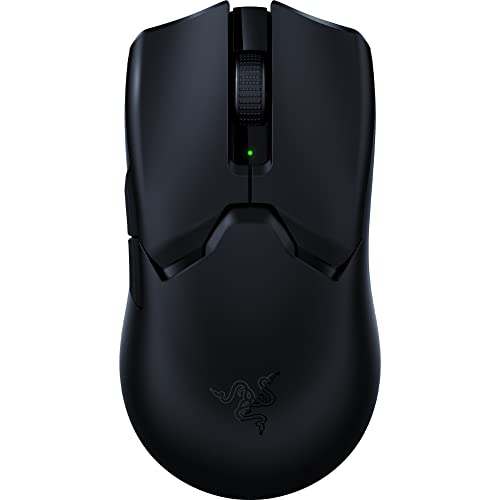
Razer Viper V2 Pro
Razer DeathAdder V3 Pro
Corsair M75 Air Wireless
Glorious Model D Minus
Logitech G305
Preview
Award
Best Overall Mouse for CS2
Best Wireless Mouse for CS2
Best Claw Grip Mouse for CS2
Best Palm Grip Mouse for CS2
Best Fingertip Grip Mouse for CS2
Best Budget Mouse for CS2
What We Liked
Customizable haptic inductive trigger system, Comfortable for multiple grip styles, Long battery life
Wireless Connectivity, Battery Life, Response
Impressive Ergonomic Design, Good Response, Excellent Battery Life
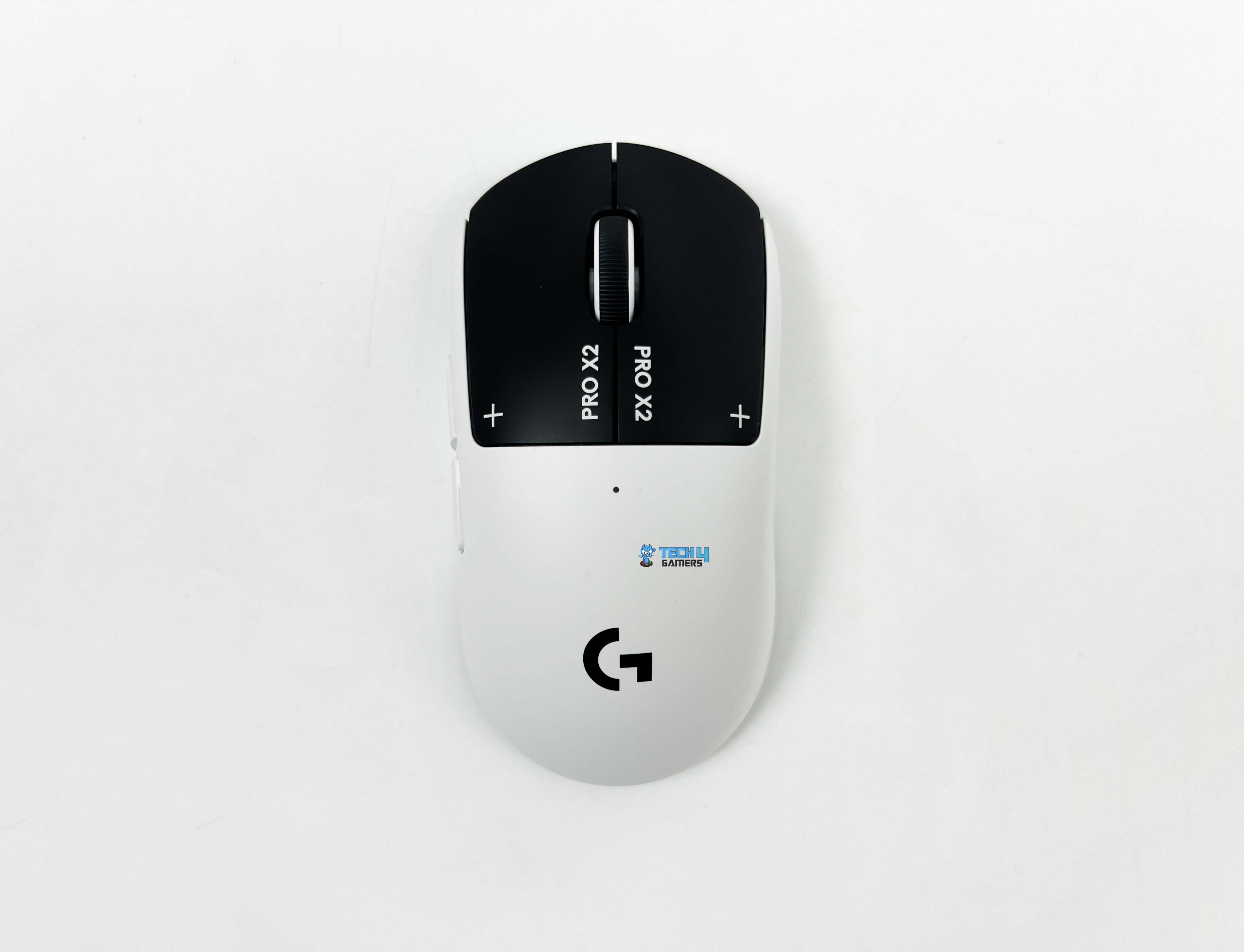
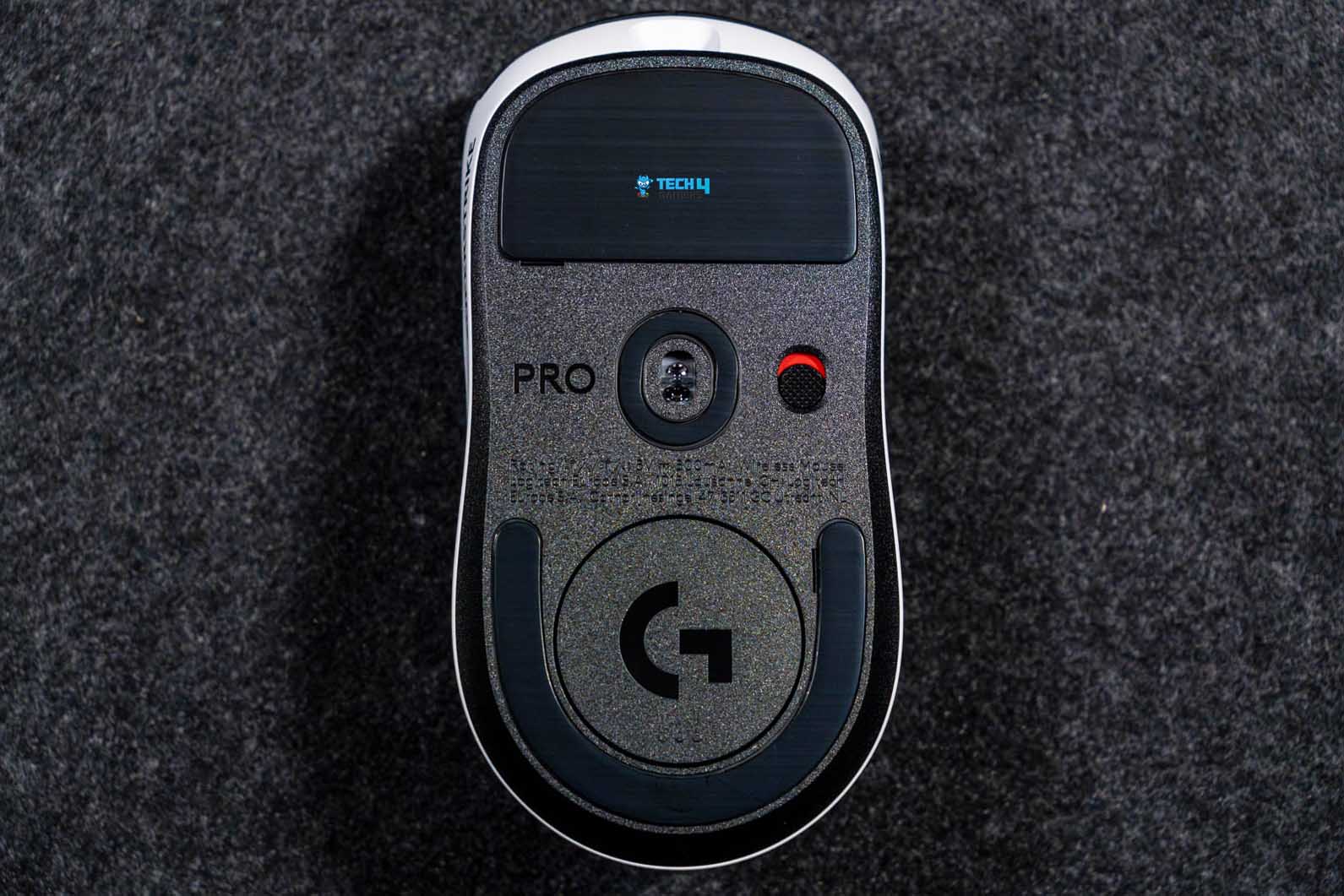
Let’s start with the newest Logitech Pro X2 Superstrike. Talking about its weight, the low 61g weight is perfect for competitive gamers. During my review, the weight’s balance made it easy to flick around, and it didn’t seem sluggish, providing accurate micro-adjustments. The mouse also features sturdy build quality, despite its weight. Most lightweight mice flex under pressure, but when I squeezed it, the shell barely moved.
The design is pretty straightforward but stands out for its clear black-and-white contrast. The bottom half and sides are white, while the buttons are black. The same scheme follows with the scroll wheel. Because the Pro X2 Superstrike is built for competitive gamers and over 100 esports players have contributed to its production, its performance truly stands out. I will expressly mention Logitech’s Haptic Inductive Trigger System over here, which allows users to customize the mouse click’s activation point. It’s an amazing innovation that makes it stand out from the competition.
PRO TIP: By importing a HITS Code in Logitech’s G HUB, you can load your favorite esports player’s exact click setup and make your mouse act like theirs.
Here are my exact words from when I was reviewing the mouse:
There was no creaking and no soft spots. It feels tighter than you’d expect from a lightweight mouse like this. The top shell has a solid, almost dense feel when you tap it, as there’s no hollow echo.
✅Buy It If
You want to customize your clicks: If you’re curious to customize your mouse clicks and whether that’ll improve your game, look no further because the X2 Superstrike is the only one in the market that lets you customize your mouse clicks.
You’re a serious, competitive gamer: The Logitech Pro X2 Superstrike is designed for serious esports gamers who can fully leverage its capabilities. If you can properly utilize the customizable buttons, the sturdy build, and improve your game, this mouse is definitely for you.
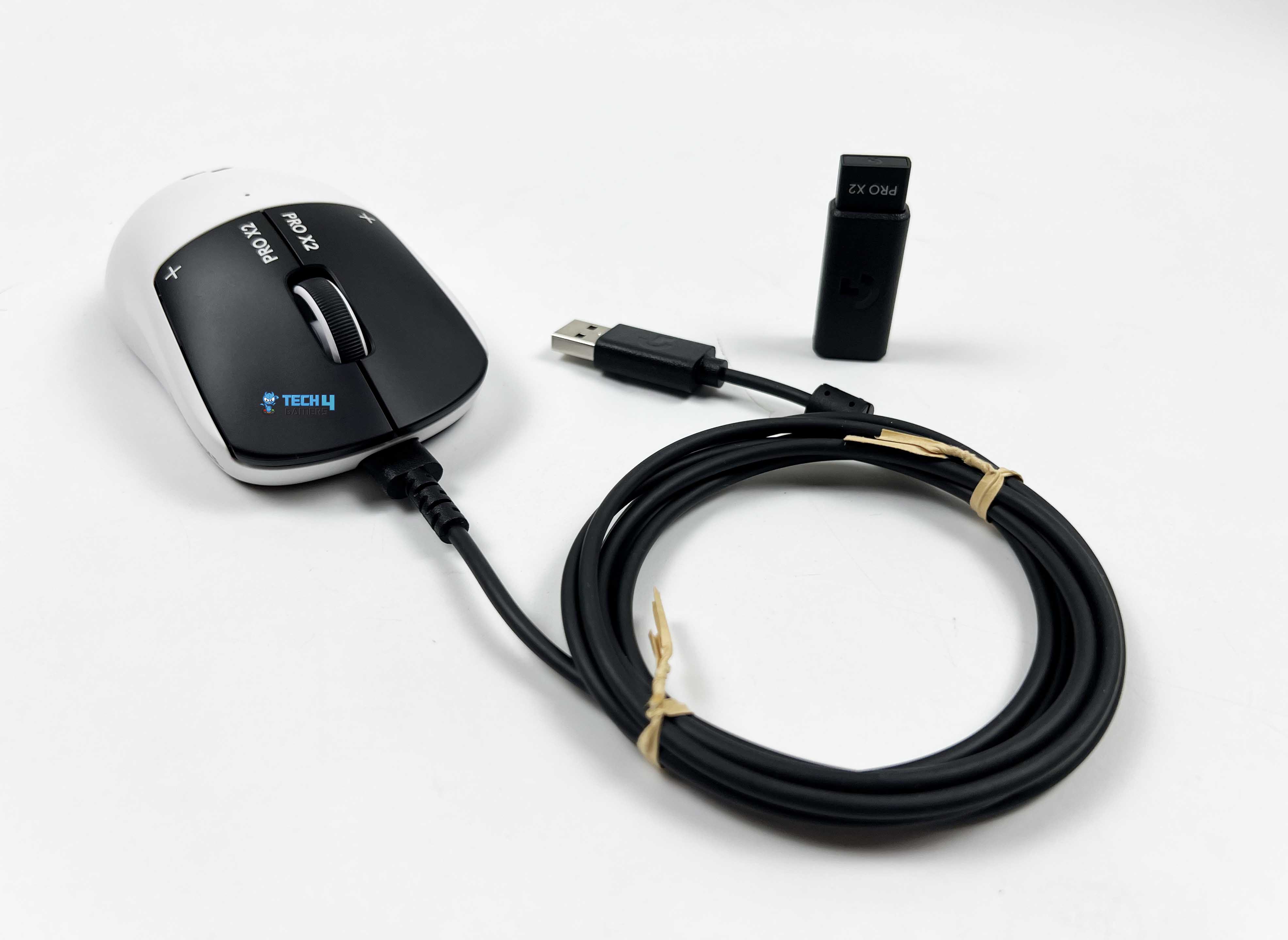
You want multiple connectivity options:If you’re looking for a mouse that performs just as well in wireless mode as in wired mode, then the Logitech Pro X2 Superstrike is what you need to eye. During my testing, it honestly felt like a wired mouse, even though it’s not.
❌Don't Buy It If
You’re a casual gamer: In case you’re a casual gamer, the X2 Superstrike might be overkill for your needs. You can play CS2 and achieve greatness with a slightly lower-end mouse (which you can find further down in this listicle!)
What Makes It The Best Overall Gaming Mouse for CS2?
The Logitech Pro X2 Superstrike offers superb customization, a lightweight yet sturdy build, and is perfect for swipes, flicks, and micro-adjustments during clutch fights. Couple that with its wired and wireless capabilities, decent 90-hour battery life, and comfortable design meant for multiple grips, and you figure out it’s the best overall gaming mouse for CS2.
Performance: 10/10
Value: 7.5/10
Features: 10/10
Design: 8.5/10
Razer Viper V2 Pro
Best Wireless Mouse for CS2
Razer Viper V2 Pro
Specifications:Weight: 58g | Connectivity: Razer™ HyperSpeed Wireless and Wired – Speedflex Cable | Onboard Memory: Yes | Feet: 100% PTFE Feet | Buttons: 5 | Sensor: Focus Pro 30K Optical Sensor | Resolution: Max. 30000 DPI | Max Acceleration: 70g | Max Speed: 750 IPS | Report Rate: 1000Hz, 4000Hz | Battery Life: Up to 80 hours at 1000Hz, Up to 24 hours at 4000Hz
Pros
Remarkable weight reduction
Excellent response
Good battery life
Impressive optical switches provide similar feedback to mechanical switches
The Razer Viper V2 Pro is impressively lightweight at just 58g, and I did not see any compromise in its durability. However, I, like the remaining Razer fanbase, am not fond of the decision to exclude RGB lighting and side grips. Still, I enjoyed the mouse’s sleek, ergonomic coupled with its smooth PTFE mouse feet.
The Viper V2 Pro features the Focus Pro 30K Optical Sensor providing up to 30,000 DPI, 750 IPS max speed, and 70g max acceleration while the HyperPolling Wireless dongle offers a maximum report rate of 4000Hz. And, not to brag, but in my testing, I executed excellent flick shots in CS2, and I’m a rookie!
As for connectivity, the mouse offers both wired and wireless connectivity option. Wireless connection is based on the Razer HyperSpeed, and wired one is achieved through Speedflex cable. In my dedicated testing, the battery life in constant motion lasted almost 80 hours at 1000Hz, and its rated to last 24 hours at 4000Hz.
WARNING: The Viper V2 Pro’s design is not suitable for left-handed users as its side-buttons are on the left side only.
Buy It If
Want to see more of the Viper V2 Pro? I’ve got you covered:
Razer Viper V2 Pro Pictures From Our Review
1 of 3
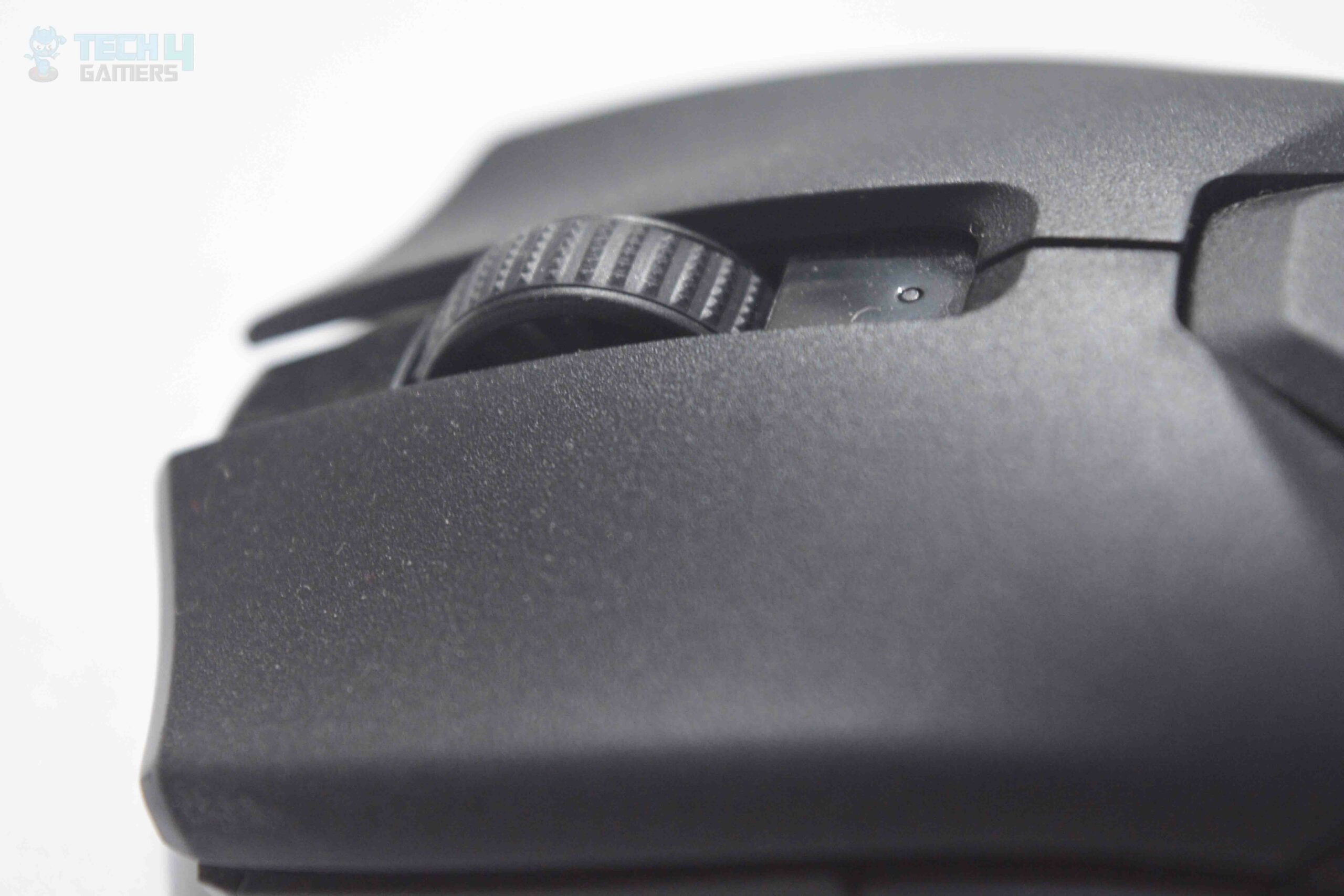
Scroll wheel
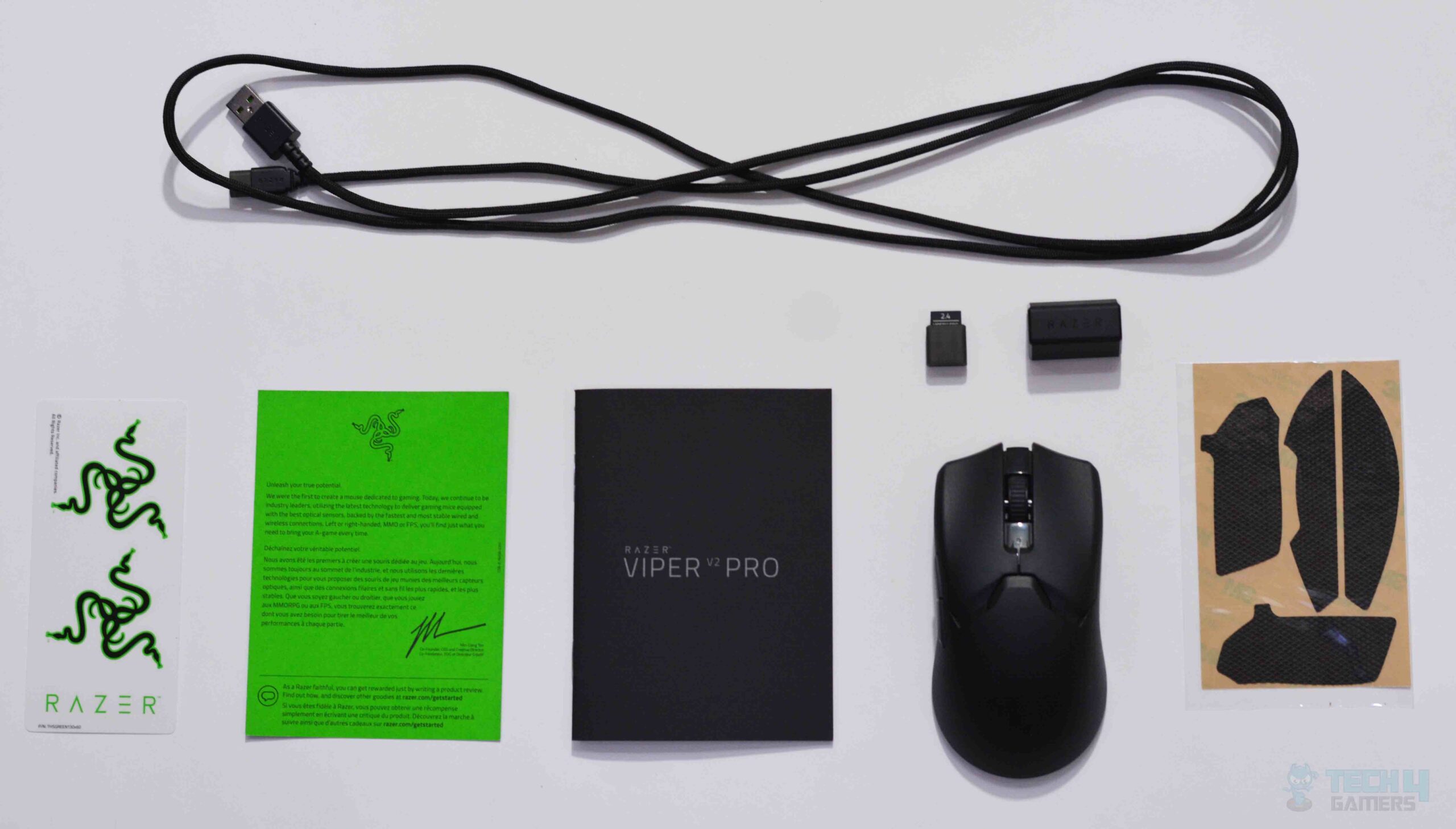
Contents of the box
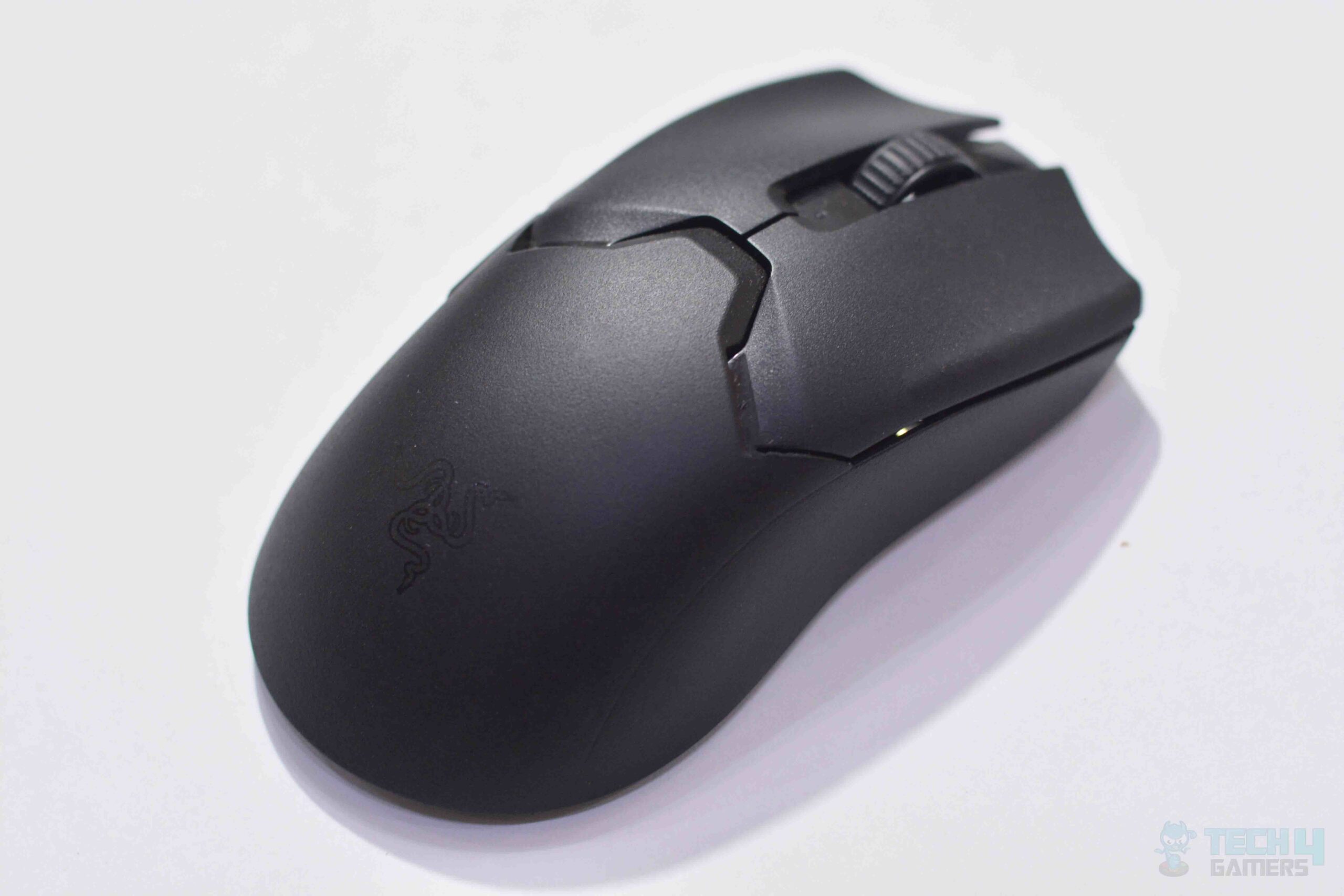
Aerial view of the mouse
✅ You prioritize lightweight design: At just 58g, this is one of the lightest wireless mice in the market.
✅ You seek precision in FPS gaming: The Razer Viper V2 Pro offers spot-on accuracy and seamless precision, making it ideal for FPS gamers.
Don’t Buy It If
❌ You seek RGB: If you like to have RGB in your mouse, you’ll have to explore other options.
❌ Price is a concern: The price point, especially considering the compromises in features like RGB and side grips, may not justify the investment for some users.
What Makes It The Best Wireless Mouse for CS2?
While it may have faced some controversy, Razer is clear and transparent that they entirely went for weight reduction and exceptional responsiveness in this wireless mouse. It led to the innovation of the Razer Viper V2 pro, which demonstrated excellent accuracy, precision, connectivity, and movement in my testing. Due to this, I choose it as the Best Wireless Mouse for CS2.
The DeathAdder V3 Pro continues Razer’s tradition of great ergonomic designs, providing a comfortable and adaptable design that quickly felt like home when I first used it. Additionally, it has a split-key design instead of a unibody shell. I felt no discomfort after a good hour of of testing the mouse in CS2.
Razer has used their Focus Pro 30K Optical Sensor which provides an impressive sensitivity of up to 30,000 DPI, a 750 IPS max speed, and 70g of max acceleration. The switches used are optical switches Gen-3, which provide a similar feedback to mechanical mice. Executing flick shots in CS2 was made fun for me thanks to this mouse.
The mouse uses Razer’s HyperSpeed 2.4 GHz dongle which offers a polling rate of 1000Hz and this can be upgraded to 4000Hz by purchasing the Razer HyperPolling Wireless Dongle separately. During my testing, battery in constant motion at 1000Hz lasted around 90 hours, which was reduced to 23 hours while operating at 4000Hz.
Editor`s Note
The DeathAdder V3 Pro is an absolute beast with great performance, a smooth ergonomic design and impressive battery timing numbers! What’s more, you can get a polling rate of a staggering 4000Hz if you can bear the expense of the HyperPolling Wireless Dongle.
– Abdul Hannan
Buy It If
✅ You Prioritize Performance and Comfort: This mouse delivers excellent performance for gaming while its ergonomic design offers maximum comfort and you can use it for hours without trouble.
Don’t Buy It If
❌ You’re left-handed or prefer palm grip: This mouse is primarily designed for right-handed users who prefer claw grip.
What Makes It The Best Claw Grip Mouse for CS2?
The excellent ergonomic design of the Razer DeathAdder V3 pro is optimized for various grips like a natural claw grip and offers great comfort. Along with that, the mouse shows great responsiveness and battery timing, making it my undeniable Best Claw Grip Mouse for CS2.
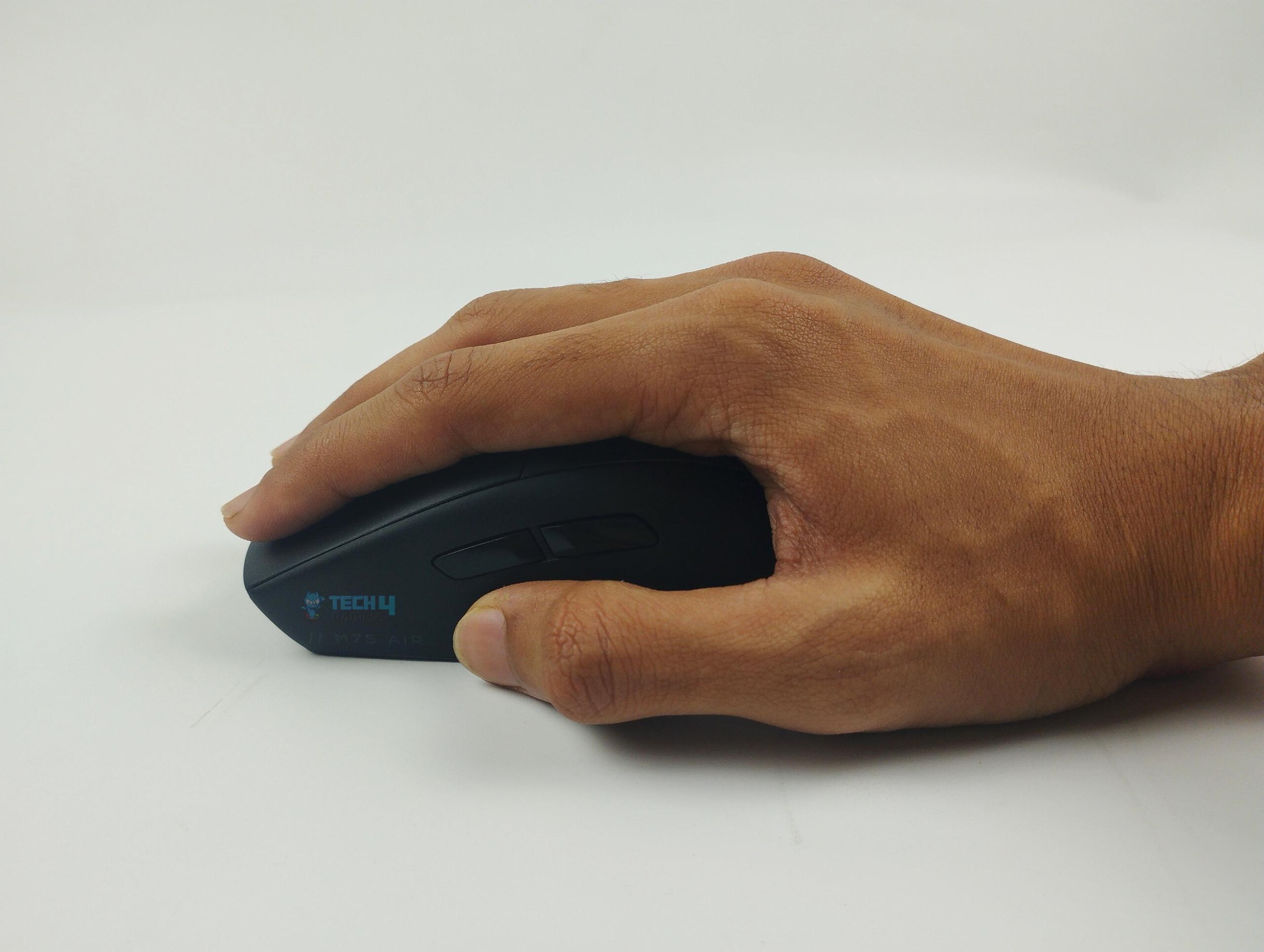
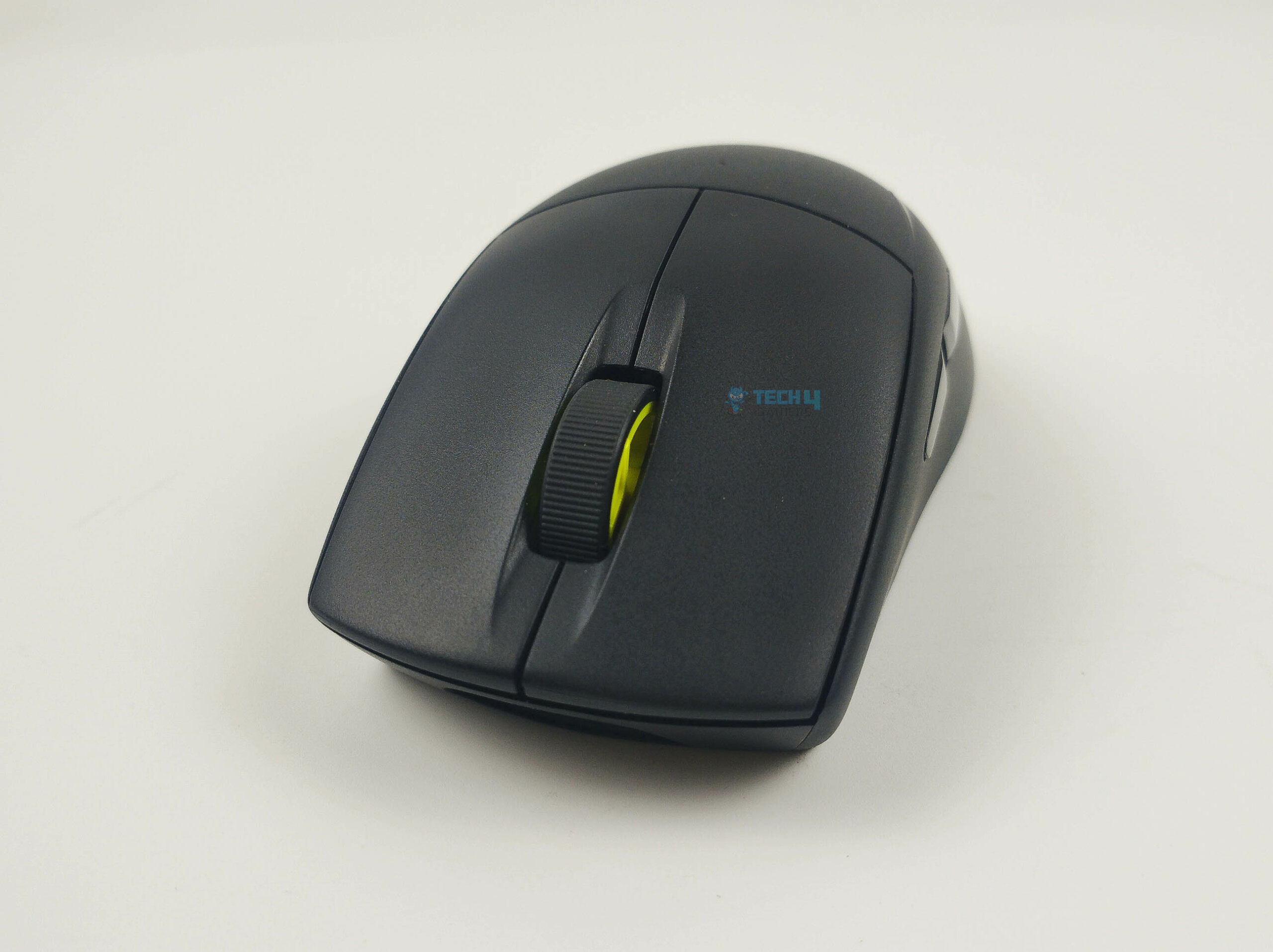
The Corsair M75 Air Wireless features a straightforward ergonomic design, and its curved shape allowed me to easily adjust to my grip style (palm grip). Its matte black plastic build feels firm and durable and it has glossy black accents across its body as well as side buttons.
The M75 uses the Marksman 26K Optical Sensor (up to 26K DPI) which delivers a polling rate of up to 2000 Hz. It can detect movements at 650 IPS and a maximum acceleration of 50G. I used this mouse with the Button Response Optimization feature turned off and a polling rate of 2000 Hz and absolutely loved the control I felt with the mouse while playing CS2.
The mouse has wired, wireless (2.4GHz Slipstream), and Bluetooth connectivity options. Its 2.4GHz Slipstream wireless connectivity showed a latency of less than 1 millisecond in my dedicated testing. The battery was fully charged in just about 74 minutes, and lasted nearly 34 hours as I tested it in a variety of shooters.
Our reviewer Abdul Hannan has great things to say about the mouse:
The Corsair M75 Air Wireless mouse is a dream for competitive gamers, blending a lightweight design with the ultra-precise Marksman 26K Optical Sensor for fast, accurate gameplay, especially in FPS games.
Buy It If
We took more pictures of the mouse during our review:
Corsair M75 Air Wireless Pictures From Our Review
1 of 3
Trying the palm grip
Scroll wheel
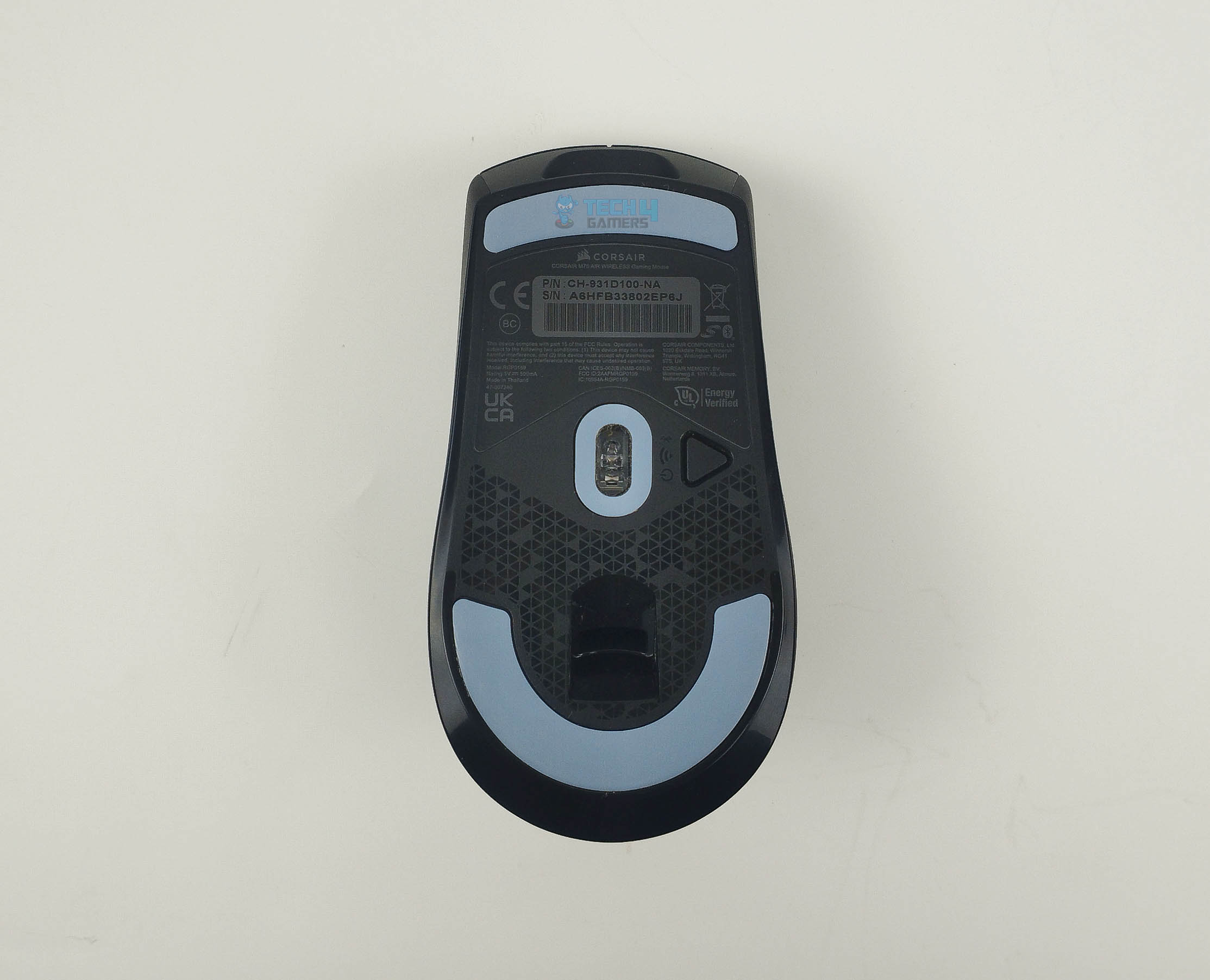
Underside
✅ You Want a Comfortable and Precise Mouse: The M75 Air Wireless showed amazing responsiveness and unnoticeable latency in my testing, and its super comfortable. If these factors matter to you, its a great option.
Don’t Buy It If
❌ You Want More Customization: The mouse lacks RGB and programmable buttons and also doesn’t have a DPI adjuster button.
What Makes It The Best Palm Grip Mouse For CS2?
The M75 Air Wireless is designed while keeping in view the comfort of gamers. The ergonomic design is suitable for prolonged gaming. Also, the sensitivity and latency are good enough to ace FPS games like CS2 flawlessly. All these factors make made it my choice for the Best Palm Grip Mouse for CS2.
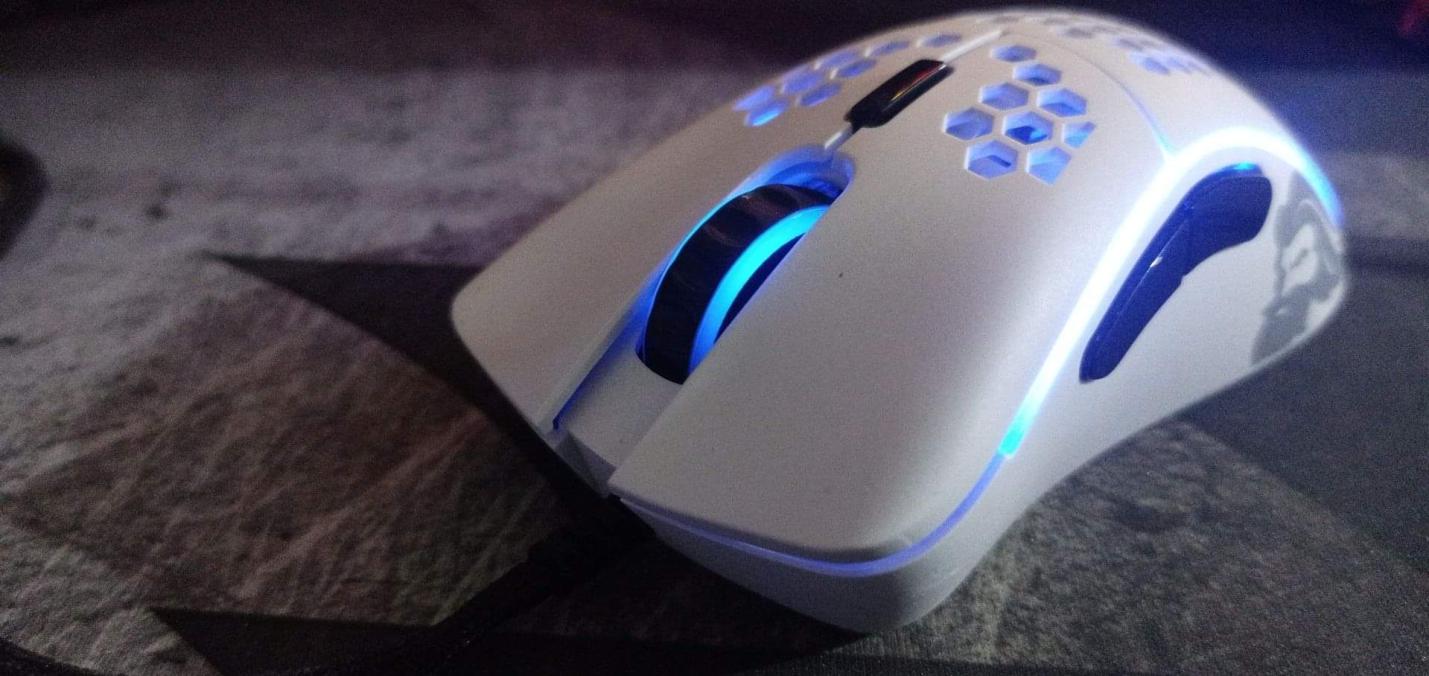
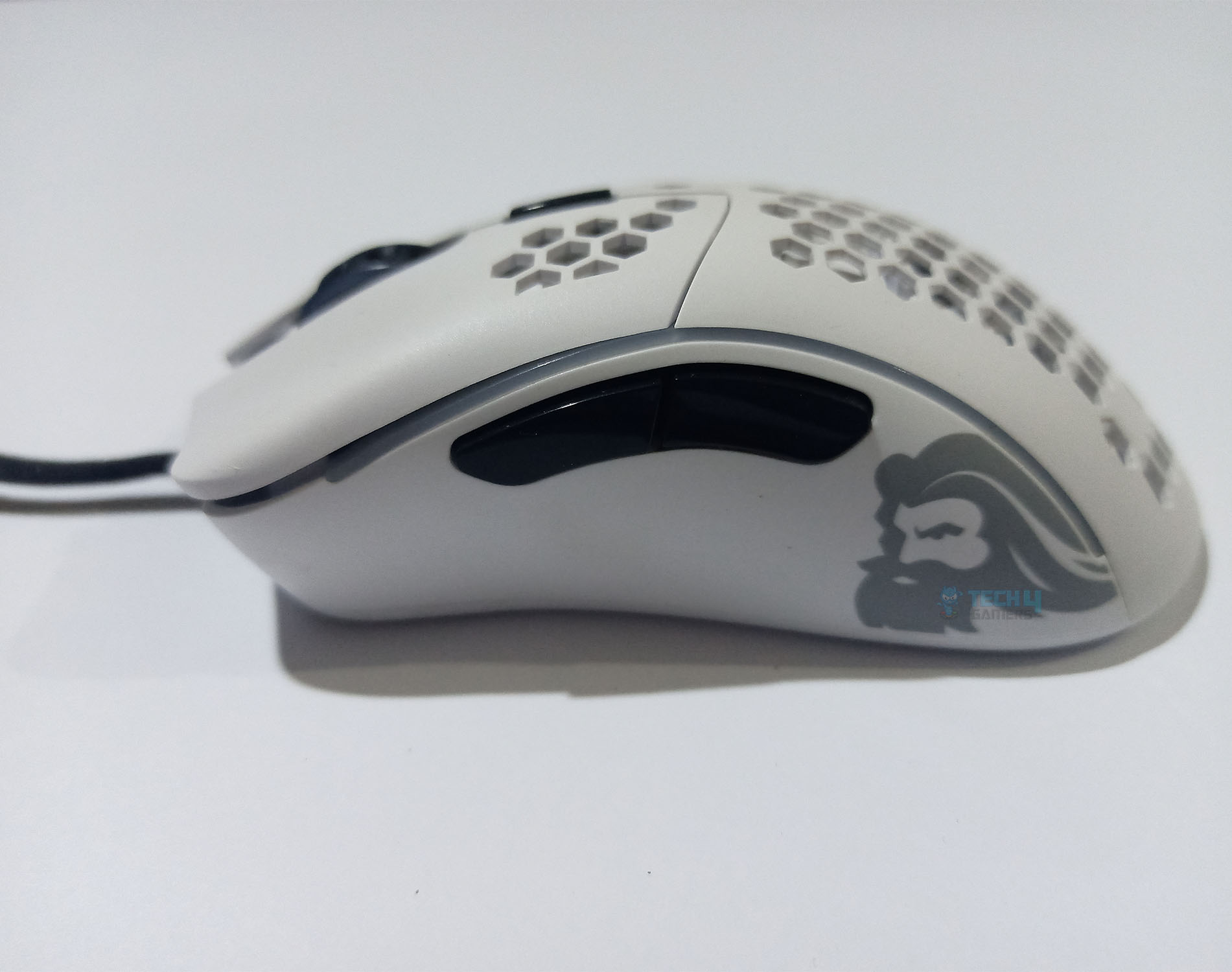
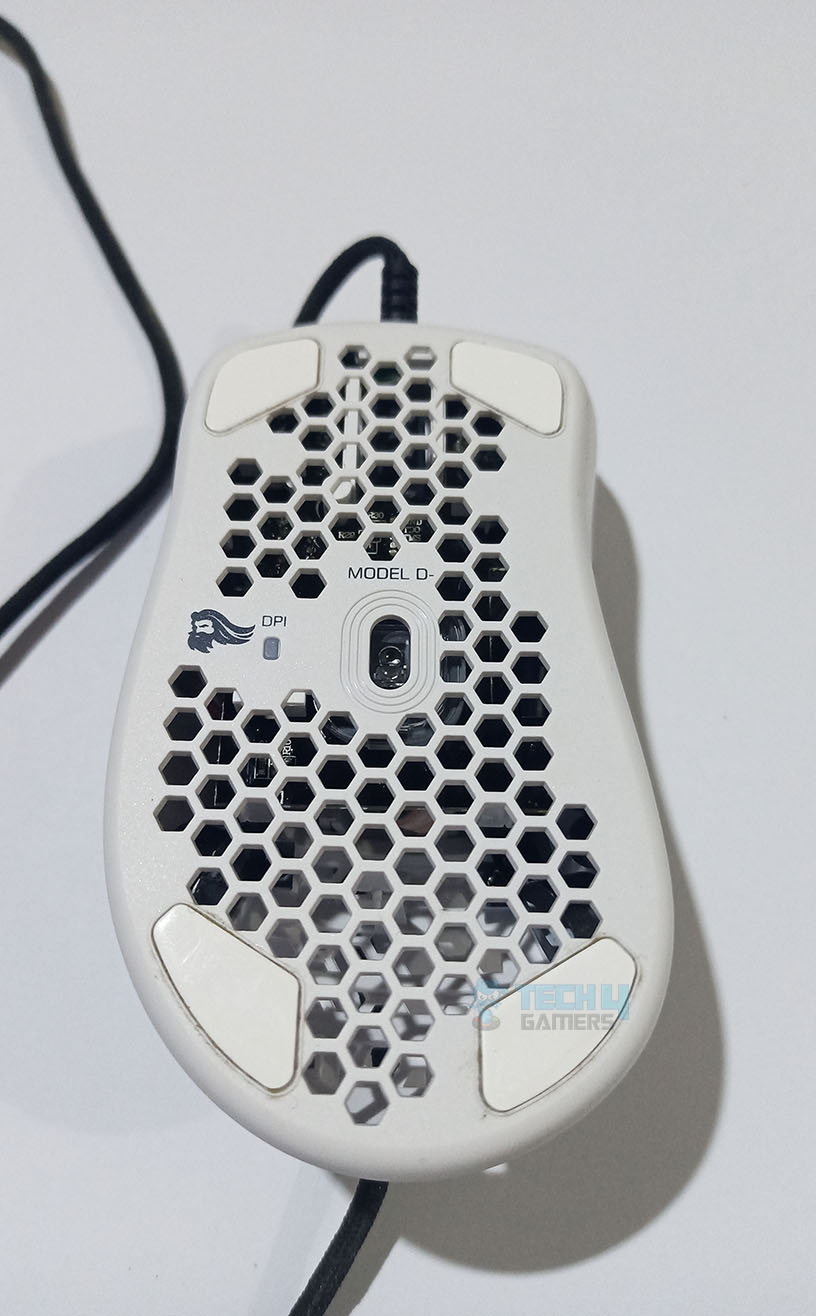
The Glorious Model D Minus is a smaller version of the Model D designed for small hands and fingertip grips. Its lightweight build and honeycomb design (aimed at reducing weight) cater to FPS gamers. For the RGB lovers, it has several customizable RGB lighting zones. The only flaw I noticed was that some buttons were slightly wobbly during my usage.
The mouse has a Pixart PMW-3360 sensor, supporting up to 12000 DPI sensitivity, a maximum tracking speed of over 250 IPS, and acceleration up to 50g. I noticed no latency thanks to its 1000 Hz polling rate and found the mouse extremely dependable and accurate at low DPI in CS2.
The mouse offers both wired and wireless (2.4GHz connectivity). In my testing, the fully charged D Minus lasted around 70 hours, which is right around its 71-hour rated specification. However, I found that with the RGB enabled, the battery timing dropped down significantly. You can use the mouse while it charges though, so overall, my experience was satisfactory.
Buy It If
Check out some more pictures of the honeycomb-styled mouse from our dedicated review:
Glorious Model D Minus Pictures From Our Review
1 of 3
Scroll wheel RGB
Side Buttons
Bottom View
✅ You have small hands or use fingertip grip: The mouse is ideal for those with small hands and fingertip grip users that seek a performance, lightweight mouse with RGB features.
PRO TIP: Consider using a mouse bungee to manage the cable and reduce drag. This can improve your mouse’s responsiveness and prevent the cable from interfering with your movements during gameplay.
Don’t Buy It If
❌ You rely on onboard memory: The absence of onboard memory might be a deal-breaker for those who require it for customized settings.
What Makes It The Best Fingertip Grip Mouse for CS2?
Glorious Model D Minus is a small-sized mouse with a honeycomb design for weight reduction. It suits players with small hands who require high-precision movements and pinpoint accuracies. Its small size, good performance, customizable RGBs, and reasonable price are they key factors that led me to pick it as the Best Fingertip Grip Mouse for CS2.
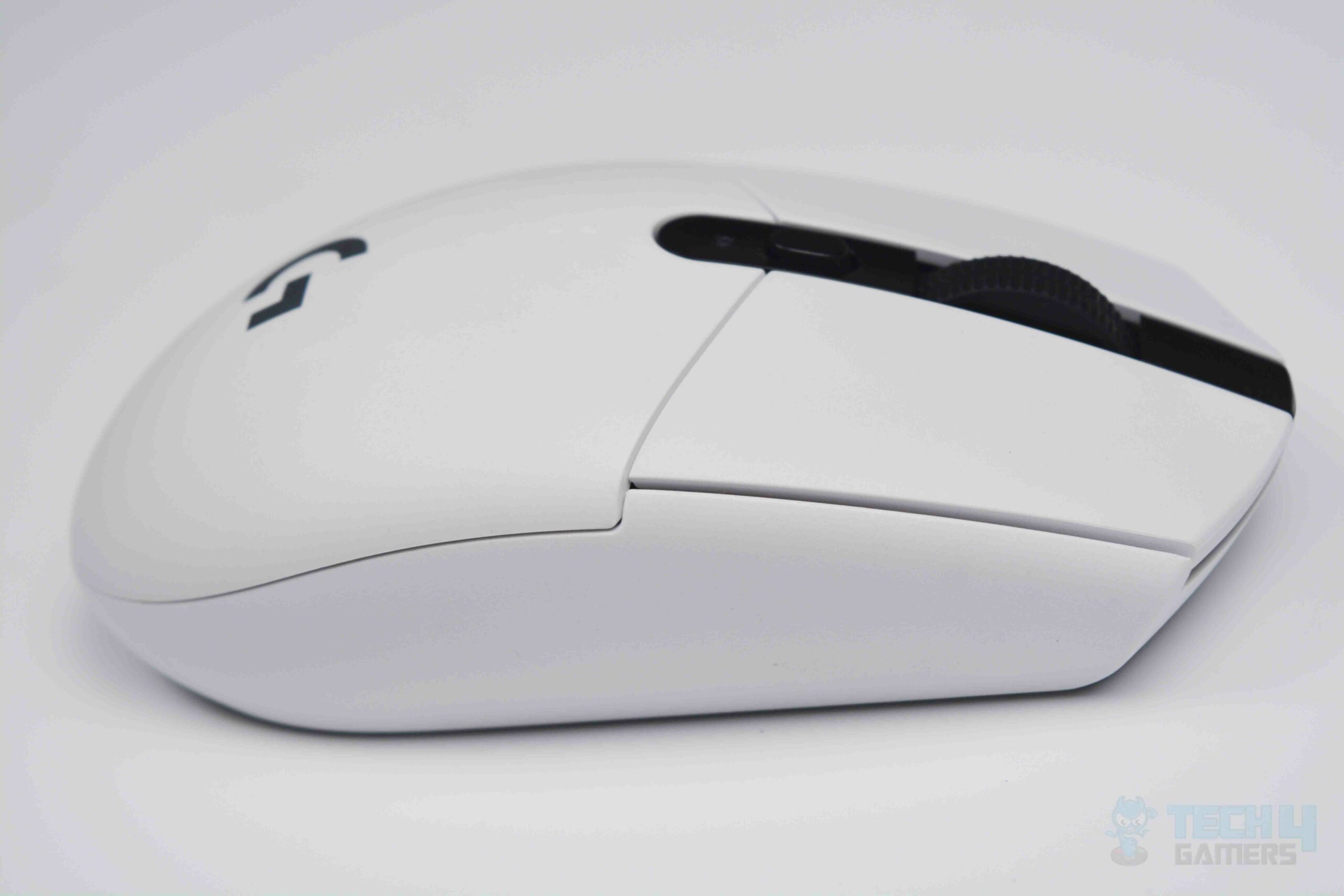
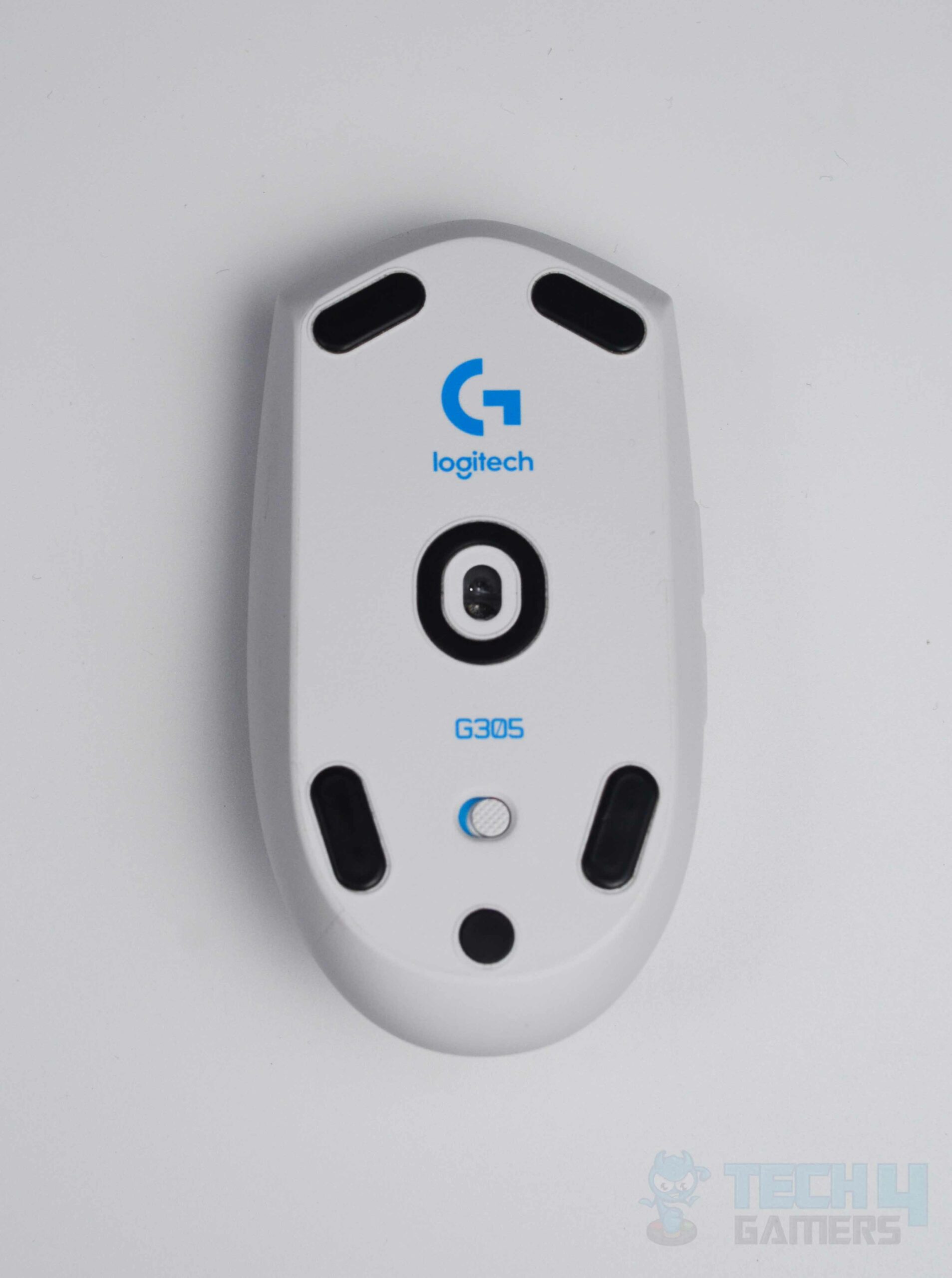
The design of the Logitech G305 is fascinating. You get to see a flawless and appealing appearance. Additionally, the buttons are well-placed and do not have post-travel or pre-travel, which is quite a good design feature. Its lightweight build and smooth gliding capabilities meant I had a comfortable experience using it for a few hours with a claw grip.
The G305 uses Logitech’s HERO sensor providing up to 12,000 DPI and 40g of max acceleration at a speed of 400 IPS. It was mighty impressive in my testing and I even broke my best record in Aimlabs using this mouse. I also experienced a significant improvement in my gameplay in many FPS games, including CS2.
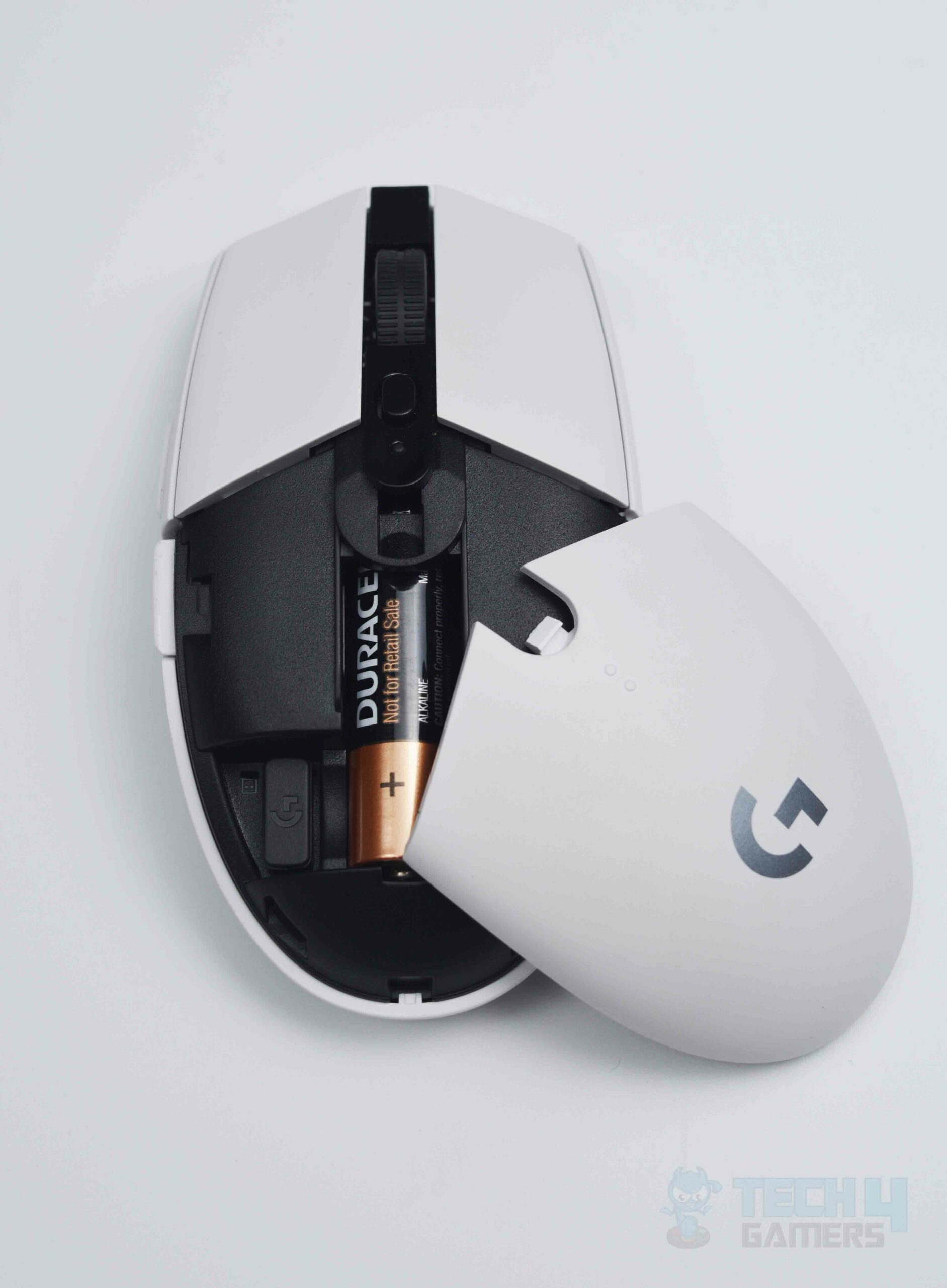
The G305 features a polling rate of 1000Hz and minimal latency of just one millisecond. It, however does not have a rechargeable battery, which is fine given the price. It utilizes a standard AA battery that Logitech claims lasts about 250 hours. I suggest always having spare batteries if you opt for the G305.
Our expert peripheral reviewer Abdul Hannan’s thoughts on the mouse:
The Logitech G305 Lightspeed is ideal for gaming and everyday use, and it is portable. Nevertheless, it needs an AA battery, while similarly priced competitors are rechargeable.
Buy It If:
Logitech G305 Pictures From Our Review
1 of 3
Smooth sides
Alkaline battery
Underside
✅ You’re seeking great performance on a budget: The mouse is budget-friendly and displays top-notch wireless performance in my testing.
Don’t Buy It If:
❌ Rechargeable battery is a must: If you prioritize the convenience of rechargeable batteries over price, you may look for other, slightly pricier options.
What Makes It The Best Budget Mouse for CS2?
Logitech G305 is one of the few good-performance wireless mice with a reasonable price range. The impressive features you get at a moderate price made it my pick for the Best Budget Mouse for CS2.
I considered the following key factors while reviewing the different mice to pick the best of the best.
Software: Besides the excellent hardware build, software support can be beneficial in the long run. You can customize and safely troubleshoot any issues with your mouse through the official software support. This is why I considered the availability and quality of software support while shortlisting the best mouse for CS2.
Performance: The performance of a mouse depends on various aspects. It is essential to consider them all when picking the best mouse for gaming. Therefore, whether it was the polling rate, DPI, IPS, latency, acceleration or button travel distance, lift-off distance, or repeat actuation, I scrutinized the best mouse for CS2 over every factor.
Comfort: While comfort may not be a factor for a casual gamer, it is essential for professional players who do extensive gaming, which lasts several hours. So, I also considered features like the shape, layout of buttons, mouse texture, weight, and overall movement when choosing my recommendations.
Durability: Most gamers do not want to lose their regular gaming equipment once they get used to it. This is where durability comes in. I made sure to test the structural integrity along with the chassis, design, button wobbles, battery timing, and cable quality to determine the best mouse for CS2.
Recent Updates
19 February, 2026: After recent testing, we have added the Logitech Pro X2 Superstrike as the best overall mouse for CS2 for its incredible customizations and overall performance.
18 February, 2023: Few text and grammar changes to improve readability. Added images galleries. Also, As CS:GO was discontinued, some products have been refreshed for CS2 e.g., the Zowie EC2-B was replaced by Corsair M75 Air Wireless, which offers better performance.
FAQs
What is the best mouse grip for CS2?
The palm grip style is the most effective for first-person shooter (FPS) games like CS2 and Valorant.
What is the best sensitivity and DPI setting to set your mouse at for CS2?
Most professional players prefer a DPI of 400 and in-game sensitivity between 1.5-2.0 in CS2. While these preferences may differ for you, the rule of thumb is to use low-DPI settings in CS2.
What is the best type of mouse for CS2?
Generally, professional gamers prefer light and agile mice with quality sensors and low latency. You will also need to consider ergonomic design to ensure comfort while playing.
How to determine the best sensitivity and DPI for CS2?
The right combination of sensitivity and DPI for CS2 requires some experimentation. I advise starting with a low DPI of around 400 and trying it at different sensitivities from 1.0 to 2.0.
As Tech4Gamers’ Wiki Editor, I dissect gaming products, offering detailed perspectives on a variety of PCMR hardware ranging from the Best Motherboards and CPUs to the Best GPUs, RAM, and PSUs.
Story Highlight
NVIDIA’s enterprise infrastructure already enables remote GPU management, automated provisioning, and cluster-wide monitoring across thousands of data center cards. The technology is proven and widely deployed.
The same driver stack running on your gaming PC shares code with these enterprise tools. Background processes like “NVIDIA Container” already maintain diligent connections with company servers.
The question is not capability, but consent. Nothing technically prevents NVIDIA from reserving idle GPU cycles for distributed cloud workloads. Your driver updates could quietly deliver a new business model.
We’re approaching the second quarter of 2026, which means I’ve spent the past few weeks dissecting NVIDIA’s enterprise documentation. What I found genuinely unsettles me.
While gamers obsess over frame rates and driver optimization, NVIDIA has quietly built a parallel infrastructure. One that treats your GPU architecture as a remote-controllable node in a vast network.
The question nobody asks is this: if NVIDIA’s enterprise software can remotely manage thousands of data center GPUs, what stops those same technologies from reaching into your consumer card?
The Enterprise Playbook Is Already Written
Let me show you what I uncovered.
To begin with, NVIDIA’s AI Enterprise documentation describes a comprehensive infrastructure for remotely managing entire fleets of GPUs.
Moving on, the GPU Operator tools automate “the management of all NVIDIA software components needed to provision GPUs” across Kubernetes clusters.
To elaborate, these tools enable clusters to discover GPU nodes, install drivers remotely, and make GPU resources “schedulable and usable” across entire networks.
Just to be clear, this isn’t mere speculation. This is published, documented architecture. NVIDIA’s own Data Center GPU Manager (DCGM) APIs allow for tracking “accounting, performance and errors during the lifetime of a GPU process”.
The infrastructure exists. The access protocols are defined. The only missing piece is the command to activate it on consumer hardware.
The “Optimization” Trojan Horse
Now consider how NVIDIA markets to you. They promote GeForce NOW cloud streaming, which requires ongoing driver communication with their servers through dedicated SDKs and APIs.
They advertise “enterprise-grade, GPU-optimized software” that boosts performance and reduces costs. The messaging always frames this as convenience, as unlocking hidden potential.
But look closer at those background processes. The “NVIDIA Container” service you see idling in Task Manager. The persistent telemetry connections. The regular callbacks to company servers. What if these are doing more than checking for driver updates?
Uninstalling GeForce Experience has usually proven successful in alleviating 100% disk usage problems associated with NVIDIA Container. (Image Credits – Tech4Gamers)
The technology for remote GPU orchestration is already mature. NVIDIA’s cloud partners like Akamai are deploying “thousands of NVIDIA Blackwell GPUs” to create globally distributed AI platforms designed for low-latency inference across over 4,400 locations worldwide.
Yotta is building a $2 billion supercluster with over 20,000 Blackwell Ultra GPUs in India alone, supported by a four-year, $1 billion commercial agreement with NVIDIA.
The infrastructure scales seamlessly from data centers to edge devices. Your gaming PC is just another edge device on that continuum.
The Ownership Question We Must Confront
Here is the uncomfortable truth. When you buy an NVIDIA graphics card, you legally own the hardware.
But the driver software that makes it run is a black box you cannot inspect.
NVIDIA’s documentation makes it clear that GPU Operator can automatically install and manage “all software components needed to run GPU-accelerated applications” on newly added nodes.
That language describes cloud infrastructure management. Yet the same codebase, the same driver architecture, runs on your gaming PC right now.
Some users have also chosen to disable Nvidia’s telemetry services in order to prevent abnormally high disk usage. (Image Credits – Tech4Gamers)
I’m not making a conspiracy claim, neither am I saying NVIDIA is currently farming your GPU cycles without consent.
What I’m saying is that the architecture to do so has already been deployed and is operational. Therefore, the monitoring capabilities exist.
Not only that, the remote management protocols are also proven. What’s more, the terms of service are written broadly enough to accommodate almost anything.
The Billion-Dollar Temptation
Let’s evaluate this ethical dilemma from an economical standpoint.
For starters, millions of gaming PCs sit idle for most of the day. Each PC contains a powerful GPU with tensor cores designed specifically for AI workloads.
Needless to say, the aggregate compute capacity is staggering, worth billions in cloud rental value. And for better or for worse, the technical infrastructure to tap that capacity exists today. The only barriers are legal and ethical.
To be perfectly clear, the question is not whether this technology exists. It does.
The question is whether we trust any corporation, let alone one as dominant and influential as NVIDIA, to resist the temptation of millions of idle GPU cycles, cycles that could be repurposed for inference workloads and sold back to enterprises at premium prices.
You never know, your next driver update might deliver more than performance improvements.
It might quietly onboard your GPU into a distributed cloud network.
And you will never see a notification, never click a consent box, never know your hardware is working a second shift.
Like I said, the architecture is already in place.
The only question is when they decide to flip the switch.
At T4G, my task is to cover the latest news around the gaming globe ASAP and with the utmost precision. I adore all the games and respect all the devs behind the amazing games that we get all year. So, whether it’s a PC or a Console game, I got it all covered.
Story Highlight
Crimson Desert has managed to score an underwhelming 78 on Metacritic.
The review embargo just lifted, and the reviews aren’t as positive as expected.
Reviews suggest a beautiful open-world design, which is flawed in lots of places.
We are just around halfway through March, and 2026 is already serving us. After the immense success of Resident Evil Requiem, we are just 1 day away from Crimson Desert, and the reviews have finally been dropped.
Crimson Desert has amassed an underwhelming 78 score on Metacritic, which is much lower than what was expected. Despite the hype being so high, the game hasn’t received universal love due to some issues.
Why it matters: Pearl Abyss’s title was undoubtedly the most sought-after game of the year after GTA 6, and now, based on the reviews, it might not be in line for the Game of the Year award after all.
The Metacritic score is much lower than expected.
Following are Crimson Desert’s scores from some major outlets:
Forbes: 9.5/10
Comicbook: 9/10
IGN 8.5/10
TheGamer: 8/10
Gamespot: 7/10
Eurogamer: 6/10
Metacritic: 77
Metacritic just dropped Crimson Desert’s reviews with a score of 77. We are honestly really surprised, given that an early review leaked yesterday and called the title one of the best games they had ever played.
It doesn’t seem like it’ll have a similar legacy to The Witcher 3 or Elden Ring, and reviews certainly don’t suggest a classic in the making for now. The reviews praise it for the breathtaking open world, which immerses you into the title.
The title had already reportedly sold around 400k copies before launch on Steam
Additionally, many reviews also commend the puzzles, boss fights, and the overall experience. However, the mixed opinions are around its quests. While some say the massive open world is entertaining, some feel it’s bland.
However, it is really hard to judge based on current reviews, considering it has received multiple perfect scores, but the mixed reviews are where the problems really occur, and maybe the reception is better from the players.
What are your thoughts on Crimson Desert scoring an 78 on Metacritic? Let us know your opinions in the comments or join the discussion at the official Tech4Gamers Forum.
Currently serving as a News Reporter at Tech4Gamers, I have the privilege of combining my love for gaming with the art of storytelling. My role involves crafting engaging narratives that keep our audience abreast of the latest developments in the gaming world.
Story Highlight
Most developers were unaware of DLSS 5 and learnt about it with the public.
NVIDIA claims that it worked with Capcom developers for DLSS 5, but this report reveals that they weren’t even aware of the technology.
So far, the sentiments of the mass public on DLSS 5 have been more than negative.
DLSS 5 is facing plenty of backlash from the community, as the latest upscaler changes the artistic direction of the game. Nvidia denies such claims, stating that it’s just neural rendering that fixes shadows, lighting, and textures, helping make the result as it was originally intended.
At the reveal presentation showcasing Resident Evil Requiem with the feature enabled, Nvidia claimed it worked alongside Capcom developers on DLSS 5. Now, a new report states that developers were kept in the dark about DLSS 5 and, in fact, found out about it with the rest of the public.
Why it matters: It makes sense that developers wouldn’t know about a technology that alters their original creations into something that looks so AI-cliche.
Inisder Gaming spoke with developers and artists of those studios whose games were showcased using DLSS 5.
Here’s what one Ubisoft developer told the publication:
“We found out at the same time as the public,”
As for Capcom, Nvidia said in the presentation that it had been working with artists and developers on DLSS 5, but this report suggests that’s now false, as they claim they didn’t even know about the technology, let alone be involved in it at any capacity.
Moreover, Capcom has historically been apathetic toward Generative AI, so their involvement in something like DLSS 5 wouldn’t make sense.
CEO Jensen Huang Says DLSS 5 Isn’t Generative AI But “Content-Control Gen AI”
However, it could very well be Nvidia working with specific and limited people on DLSS 5. Even John Linneman from Digital Foundry was unaware of their video on the topic and expressed his disinterest.
The report further reveals that developers are, in fact, fearful that DLSS 5 might shift publishers’ perspective on Generative AI, making it more widely accepted.
Anyhow, the mass appeal has already decided its verdict on the technology, and nobody seems to be a fan of it.
At Tech4Gamers, I contribute as a Senior News Reporter, combining my skills and gaming enthusiasm to keep our audience updated on the latest developments.
Story Highlight
Shift Up’s Project Spirits is said to be inspired directly by Clair Obscur: Expedition 33.
The game offers turn-based combat and is expected to launch at some point in 2027.
It is said that development has been primarily outsourced to China, with Shift Up focusing on the Stellar Blade sequel.
Shift Up, the team behind Stellar Blade, is currently busy working on multiple projects following its success with the first game. In addition to a Stellar Blade sequel, which is expected to take a multiplatform approach, the team is working on Project Spirits.
Not much is known about Project Spirits at the time of writing, but a new report reveals various details, including the fact that the game is directly inspired by Clair Obscur: Expedition 33.
Why it matters: Clair Obscur: Expedition 33 won Game of the Year and inspired several teams to follow in its footsteps. It seems these inspirations are now beginning to show up in upcoming titles.
As reported by Needs4Gamers (via LunaticIgnus), Project Spirits is targeting a release next year in 2027.
In terms of the Clair Obscur: Expedition 33 inspiration, it is said that Shift Up has been inspired by Sandfall Interactive’s success and is now pursuing a turn-based combat system.
The report also reveals that the project is not being made in-house by Shift Up. Instead, it is said that almost everything is being handled by Chinese developers, and interestingly, those at Shift Up don’t seem to be enthusiastic about the project. For now, the main Korean developers are busy with the Stellar Blade sequel.
Stellar Blade Became A Fan-Favorite In No Time
Other details about the project reveal that it uses gacha mechanics, something that fans might not necessarily appreciate. Anyhow, Project Spirits seems to be coming along just fine based on this report.
At Tech4Gamers, I contribute as a Senior News Reporter, combining my skills and gaming enthusiasm to keep our audience updated on the latest developments.
Story Highlight
Paradox Junction uses a split version of Nuketown where players switch between a clean past and a ruined future.
The main objective involves a lengthy process of unlocking Pack-a-Punch, solving a piano-based puzzle, and completing soul-collection steps before a final boss.
Runs often fail due to poor timing on timeline shifts or wasting money on redundant doors.
Paradox Junction dropped with Season 02 Reloaded for Call of Duty: Black Ops 7, and honestly, it’s one of those Zombies maps that feels simple at first… until it really isn’t.
You’re thrown into a twisted version of Nuketown split across two timelines: one clean and untouched, the other a full-on nuclear nightmare. It’s a cool idea, but more importantly, it actually changes how you play. And if you’re not ready for it, this map will chew through your time and your patience.
So, What Makes Paradox Junction Different?
The whole “flip between past and future” mechanic isn’t just for show. You’re constantly switching timelines mid-match, and the game doesn’t hold your hand while doing it.
The biggest issue is how the map handles progression. Doors you open in one timeline don’t stay open in the other, which means you’ll often spend Essence twice just to move through areas you already unlocked. On top of that, switching timelines wipes out zombies, which sounds helpful but can completely mess up your flow if you’re in the middle of setting something up.
At first, it feels like a gimmick. After a few rounds, it becomes the reason your run fails.
And yeah, bringing Nuketown back again raised eyebrows, but the map does enough differently to stand on its own, especially if you’re into longer easter egg hunts.
The Stuff That Actually Matters (Enemies & Gear)
You don’t need a deep dive here, just a clear idea of what to expect.
Rad-Hounds are fast and aggressive, and when they die, they leave behind radioactive clouds that linger for a few seconds. If you’re playing too close to your teammates or backing into tight spaces, these will take you out quickly.
The Blundergat returns as the main wonder weapon, and it still hits hard. Once upgraded into the Sundergat, it becomes even more useful thanks to multiple firing modes that help in different situations, especially during heavy waves or quest steps.
Perks are randomized each match, which forces you to adapt instead of relying on the same setup every game. If you’re chasing a specific perk, you’ll likely end up using Wunderfizz more than usual.
Paradox Junction’s main quest is long enough to demand a full session. It’s not overly complicated, but it does require focus from start to finish.
You’ll spend your time unlocking Pack-a-Punch in the past timeline, building and upgrading the Blundergat, solving a piano puzzle that can slow you down if you’re unprepared, and working through a series of mini-games and soul-filling steps. Eventually, everything builds up to a boss fight against the Dark Heart.
It’s rewarding when you finish it, but getting there can feel like a grind, especially if something goes wrong late into the run.
What Usually Ruins a Run
Paradox Junction doesn’t punish you with impossible difficulty. Instead, it chips away at you through small mistakes.
A lot of runs fall apart because players forget that doors don’t carry over between timelines, which leads to wasted Essence and bad positioning. Rad-Hound gas is another common problem, especially when players clear a space and then run right back through it. Timing also matters more than usual. Switching timelines at the wrong moment can completely break your progress, especially during setup phases.
Then there’s the piano step, which depends on having the right setup ready. If you’re missing what you need when it triggers, you’re either waiting or scrambling to recover.
The reality is that Paradox Junction isn’t just about the satisfaction of finishing the easter egg. It’s tied to seasonal rewards, limited-time challenges, and leaderboard progress. If you don’t have hours to sink into repeated attempts, it starts to feel like you’re running out of time more than anything else.
Maximizing Rewards and CoD Points
For players looking to skip the heavy grind for seasonal cosmetics or ensure they have enough CoD points for the latest bundles, checking out trusted marketplaces like PlayerAuctions can be a smart move to keep your inventory updated without the constant stress of the ticking seasonal clock.
That’s where CoD boosting starts to make sense for some players.
It’s less about skipping the game and more about avoiding the frustration of failed runs. Playing with experienced players who already know the map can make a huge difference, especially when you’re aiming for specific rewards before the season ends.
The same idea applies to Ranked play. Between resets, uneven matches, and the overall skill gap, progress can slow down fast. Having a strong squad can push you past those walls much quicker than grinding solo.
Final Thoughts
Paradox Junction is one of those maps that grows on you over time. It can feel messy and unforgiving at first, but once you understand how it works, it becomes a lot more enjoyable.
If you’ve got the time, it’s worth learning and mastering on your own. If not, speeding things up is a valid option, especially when seasonal content is on a timer.
As Tech4Gamers’ Founder and Editor-in-Chief, I bring over 13 years of PC Hardware Reviewing and 8+ years of IT Project Management experience. Certified in Google IT Support , my focus is on providing honest product reviews and analysis and fostering a strong gaming community with 130k+ members in PPG.
Story Highlight
Microsoft canceled plans to put Copilot into the notification system and the Settings app.
Concerns over the “Recall” screen-recording feature caused delays and forced a broader rethink of the AI strategy.
AI will remain in the OS but will move toward being a contextual tool rather than the main focus of the interface.
Microsoft has decided to step back from its decision to adopt Windows 11 as the main base for AI Copilot in next-generation OS systems. The change comes from the result of strong feedback from customers; what looked inevitable has now become true, and the Redmond business is removing several Copilot capabilities at the last minute. These are not small adjustments, but major changes that could reshape how AI fits into everyday use on Windows 11.
According to Windows Central, the company has officially cancelled projects that have been in development for some time, such as Copilot’s integration into the notification system or its direct presence in the Settings app. Both features were consistent with Microsoft’s initial vision of introducing AI to every aspect of the system, but they never materialized in preview versions, indicating that something wasn’t quite right internally and that there were severe worries about the company’s leadership.
When we look back a few months, the main reason is clear. Microsoft has faced criticism relentlessly, prompting many users to see the company’s activities as an oversupply of AI in Windows 11, with Copilot perceived as unhelpful, redundant, or intrusive. Instead of improving things, having Copilot everywhere has been met with criticism from a large percentage of users, who believe it adds more noise than true support.
Also, the feature Recall has sparked a privacy controversy, causing Microsoft to postpone it and reconsider its approach. Basically, it enables continuous recording of on-screen activities and AI-powered search. This move was not an isolated incident, but rather it influenced other decisions on the Copilot plan, eventually leading to its termination from Windows 11. And that’s saying something, given that it’s Microsoft in 2026.
The strategic shift can be seen clearly. Microsoft is not lying; it has no plans to abandon Copilot AI. However, it is currently being rumored that it is about to shift its primary focus away from Copilot.
This could appear weird, but it is not. AI will still exist, but in a more subtle, contextual, and, most of all, less intrusive manner for the user. This concludes that Windows 11 will continue to include increasingly intelligent features while not turning the entire system into an unpleasant AI showcase.
Although it is not what we all want, it’s a starting point. As Microsoft has finally realized something fundamental that it had previously overlooked, which is that AI must be an aid, not a detriment. What remains to be seen is if this repair is just a superficial clean-up of Windows 11 or the start of a far more realistic strategy within the OS.
At T4G, my task is to cover the latest news around the gaming globe ASAP and with the utmost precision. I adore all the games and respect all the devs behind the amazing games that we get all year. So, whether it’s a PC or a Console game, I got it all covered.
Story Highlight
Jensen Hunag defends Nvidia’s new DLSS 5 tech amid people calling it AI slop.
He says the tech isn’t generative AI; it is content-control generative AI.
The developers will be able to fine-tune it according to their artistic style.
Nvidia just introduced the new iteration of its upscaling tech, DLSS 5, and let’s just say it garnered some interesting attention. The tech received heavy criticism, as it seemingly pasted an AI overlay to improve visuals.
Amid heavy backlash, Nvidia’s boss has defended DLSS 5 and says that the people have got it completely wrong. The technology they’ve used isn’t generative AI; instead its “content-control generative AI.”
Why it matters: Content control or not, the showcase looked weirdly out of place. Instead of just upscaling the image, the showcased DLSS 5 completely altered the art style, making characters appear very different from the original.
The DLSS 5 showcase completely altered the original art style
In a recent Q&A, Jensen Huang spoke to Tom’s Hardware about DLSS 5. He said that the tech doesn’t alter the art style; it provides the developers with control over how to fine-tune the image according to their style.
Well, first of all, they’re completely wrong. All of that is in the control, direct control, of the game developer. This is very different than generative AI; it’s content-control generative AI.
– Jensen Huang
The majority expressed their apathy over the latest DLSS iteration
Huang said that this isn’t post-processing at the frame level, it’s generative control at the geometry level. This is very different from generative AI; that’s the reason they are calling it content-control generative AI.
This is essentially neural rendering. It is good to find out that developers have the full artistic control over this, considering what Nvidia showcased was horrendous, but we’ll get a better idea of the tech when it launches later this year.
What are your thoughts on the Nvidia boss defending DLSS 5 amid backlash? Let us know your opinions in the comments or join the discussion at the official Tech4Gamers Forum.