I’ve previously worked for eXputer as a Senior News Writer for several years. Now with Tech4Gamers, I love to devoutly keep up with the latest gaming and entertainment industries. I have a Bachelor’s Degree in Computer Science and years of experience reporting on games and breaking exclusive stories. Besides my passion for gaming journalism, I love spending my leisure time farming away in Stardew Valley. VGC, IGN, GameSpot, Game Rant, TheGamer, GamingBolt, The Verge, NME, Metro, Dot Esports, GameByte, Kotaku Australia, PC Gamer, and more have cited my articles.
Story Highlight
Paramount has put the Teenage Mutant Ninja Turtles: The Last Ronin project on hold.
The studio is indefinitely putting it on the back burner to work on a more family-friendly adaptation.
However, the project could be put into development at a later date.
The Teenage Mutant Ninja Turtles have remained relevant in pop culture for over 40 years, thanks to numerous media adaptations. Paramount, which owns the rights to the IP, announced a project some time ago based on the universally acclaimed Last Ronin comic run.
It was intended to be the franchise’s first non-animated installment in ten years, and would tell the story of the last surviving Turtle avenging the deaths of his brothers. The project attracted a lot of interest from fans due to the darker, more mature nature of the original comic run. However, Teenage Mutant Ninja Turtles fans will have to wait a little bit to see this come to life.
Why it matters: Paramount shelving a project based on the fan-favorite comic run is one of the reasons Teenage Mutant Ninja Turtles are suffering under its leadership.
Teenage Mutant Ninja Turtles: The Last Ronin is one of the most acclaimed comic runs based on the characters.
According to Hollywood Reporter, Paramount has put the movie adaptation of Teenage Mutant Ninja Turtles: The Last Ronin on hold. The live-action movie was only announced by the American media giant last year, and if reports are accurate, it will be shelved for the time being.
Paramount doesn’t want the first live-action Teenage Mutant Ninja Turtles in over a decade to be a bloodier story that is not family-friendly. According to the report, the company intends to grow the franchise in a similar PG-13 direction to Sonic’s.
Hence, a new live-action Teenage Mutant Ninja Turtles movie is in development with a more family-friendly tone, and it won’t be based on The Last Ronin.
All is not lost for the fans of the comic run, however, as Paramount is open to revisiting the movie on a later date. But, for now, The Last Ronin is on the back burner.
A game based on the comic run is also in development.
Nothing was revealed about the darker Teenage Mutant Ninja Turtles game announced back in 2023, which was also set to adapt The Last Ronin. Hopefully, the game will come out before the movie does.
At Tech4Gamers, I contribute as a Senior News Reporter, combining my skills and gaming enthusiasm to keep our audience updated on the latest developments.
Story Highlight
Clair Obscur: Expedition 33 has won across 7 categories at the Golden Joystick Awards 2025.
In addition to the Ultimate Game of the Year, the title has won awards for its visual design, soundtrack, narrative, and more.
It is also expected to sweep The Game Awards in a similar manner next month.
Clair Obscur: Expedition 33 has become a record-breaking title despite being on the market for less than one year. Setting a record for the most nominations at The Game Awards, the title is currently the frontrunner for winning Game of the Year next month.
Ahead of this show, Sandfall Interactive’s first RPG has also won Game of the Year at the Golden Joystick Awards 2025. Moreover, the game has successfully won in every nominated category at this event.
Why it matters: Sandfall Interactive made its debut with this title, and many were convinced the team had made history. It seems these thoughts have been validated after the recent victories at various award shows.
Expedition 33 Has Swept The Golden Joystick Awards 2025
Besides winning Ultimate Game of the Year, Clair Obscur: Expedition 33 currently has over six other victories at the event. The RPG won the following awards in total:
Ultimate Game of the Year
Studio of the Year
Best Storytelling
Best Soundtrack
Best Visual Design
Best Lead Performer – Jennifer English
Best Supporting Performer – Ben Starr
Looking at these categories, the game’s victories are not too surprising. Clair Obscur: Expedition 33 presented a mesmerizing story earlier this year, combining this strong narrative with a gorgeous aesthetic and memorable soundtracks.
Similarly, many of the game’s voice actors delivered stunning performances that are still hard to match for games that came after this RPG. Interestingly, Clair Obscur: Expedition 33 has been nominated across similar categories at The Game Awards 2025.
Expedition 33 Stunned In More Than A Few Ways
Also, the total count of 7 victories makes it the title with the single most wins at the Golden Joystick Awards 2025. If this is any indication, the RPG will likely dominate The Game Awards in a similar manner next month.
I’ve previously worked for eXputer as a Senior News Writer for several years. Now with Tech4Gamers, I love to devoutly keep up with the latest gaming and entertainment industries. I have a Bachelor’s Degree in Computer Science and years of experience reporting on games and breaking exclusive stories. Besides my passion for gaming journalism, I love spending my leisure time farming away in Stardew Valley. VGC, IGN, GameSpot, Game Rant, TheGamer, GamingBolt, The Verge, NME, Metro, Dot Esports, GameByte, Kotaku Australia, PC Gamer, and more have cited my articles.
Story Highlight
Ghost of Yotei has won Console Game of the Year at the Golden Joystick Awards.
The action-adventure title also took home the award for best audio design.
However, it lost the rest of its nominations, like Ultimate Game of the Year, to Clair Obscur: Expedition 33.
Despite many trying to boycott Ghost of Yotei, it has been a massive success since its launch last month. The action-adventure game has already sold over 3.3 million copies. It is also among the top 10 best-selling games in the US this year.
Ghost of Yotei’s critical reception has also been terrific so far, with the game getting 8 nominations at The Game Awards and winning a major honour at the Golden Joystick ceremony.
Why It Matters: For a game that players doubted after its reveal, Ghost of Yotei has turned the tide in its favour by being a brilliant piece of art.
Ghost of Yotei has snatched console GOTY from Death Stranding 2.
At the Golden Joystick Awards last night, Ghost of Yotei took home the Console Game of the Year award, beating out fellow PlayStation exclusive Death Stranding 2 and Nintendo Switch 2 juggernaut Mario Kart World.
The Sucker Punch game was also able to snatch another honour, winning Best Audio Design against the might of the successful Battlefield 6 and Bloober Team’s Cronos: The New Dawn.
Ghost of Yotei failed to win the biggest award of the night, however, with Clair Obscur: Expedition 33 taking home the Ultimate Game of the Year and also beating out the action-adventure title for two other awards, best visual design and best performance.
However, losing only half your nominations to a game that swept the Golden Joystick Awards is not a bad result for Ghost of Yotei.
Ghost of Yotei has become Sony’s biggest first-party launch since Spider-Man 2.
High-profile devs in Japanese gaming have also been in awe of Ghost of Yotei, with reviews praising it as a beautiful samurai adventure. Additionally, with a potential DLC that continues Atsu’s journey on the way, the game’s story is just starting.
Do you think Ghost of Yotei deserved to win console game of the year at the Golden Joystick Awards? Tell us in the comments below or head to the Tech4Gamers forum for discussion.
At Tech4Gamers, I contribute as a Senior News Reporter, combining my skills and gaming enthusiasm to keep our audience updated on the latest developments.
Story Highlight
Tides of Annihilation has returned with new footage, highlighting new combat mechanics.
The gameplay shows off a destructive enemy boss and the Dual Frontline Battle System.
In its current state, the title also seems to suffer from various dips in frame rate and stutters.
The action games genre seems to be going through a major resurgence currently. Following the return of Ninja Gaiden, upcoming titles like Phantom Blade Zero and Tides of Annihilation have garnered everyone’s interest.
Tides of Annihilation, in particular, appears to be very interesting since it draws inspiration from the genre’s biggest IPs, including Devil May Cry. In a new video showcased during the Xbox Partner Preview livestream, this title stuns yet again with its combat and boss gameplay.
Why it matters: Tides of Annihilation is quickly shaping up to be one of the most exciting titles of 2026 for action games since the genre has been through a major drought over the years.
The latest gameplay video highlights a boss battle against Tyronoe, The Ferryman. Like the previous footage, combat is once again shown to be quite explosive and full of high-octane combos.
Tyronoe also shows various interesting moves and boss mechanics throughout the footage. Dubbed the Mirror Combat Trailer, this trailer highlights Tyronoe’s ability to ability to create Folded Realms, making for several interesting situations throughout the battle.
The trailer shows a few very interesting gameplay mechanics for Gwendolyn as well, as she teams up with Lamorak, unlocking new dual-character combat moves and maneuverability options.
This part of the gameplay is meant to show off the Dual Frontline Battle System, where Gwendolyn teams up with the Knights of the Roundtable.
Tides of Annihilation Is Set To Launch Next Year
One thing that stands out in the latest footage is the game’s rough technical condition. Tides of Annihilation depicts various frame rate drops and stutters throughout the trailer, suggesting it needs more work on this front before release.
Still, going by the gameplay alone, this title appears to be a treat for hack-and-slash fans, combining the best of the genre’s biggest IPs.
At T4G, my task is to cover the latest news around the gaming globe ASAP and with the utmost precision. I adore all the games and respect all the devs behind the amazing games that we get all year. So, whether it’s a PC or a Console game, I got it all covered.
Story Highlight
Clair Obscur: Expedition 33 has bagged the Ultimate Game of the Year Award.
It was up against competition from Death Stranding 2, KCD2, Silksong, and more.
Additionally, it has also won awards in 6 other categories.
If there is one game that truly stood out this year, it has been Clair Obscur: Expedition 33. Sandfall Interactive took a stagnant turn-based genre and transformed it into a magical masterpiece with remarkable characters, a great storyline, and music.
Clair Obscur: Expedition 33 has swept the awards at today’s Golden Joystick Awards 2025, but most importantly, has been crowned the Ultimate Game of the Year award. Based on the game’s success, it totally deserved the accolade.
Why it matters: These awards were something everybody saw coming, considering the masterpiece Expedition 33 is, and it is also the most nominated game at the upcoming The Game Awards in December.
Expedition 33 wins the Ultimate Game of the Year Award.
It was up against heavy-hitters like Death Stranding 2, Kingdom Come 2, Silksong, and more, but emerged victorious with 31% of the votes. In total, it has been awarded 7 times at the Golden Joystick, and the awards include:
Best Storytelling
Best Visual Design
Best Soundtrack
Studio of the Year
Best Supporting Performer (Ben Starr for Verso)
Best Lead Performer (Jennifer English for Maelle)
Ultimate Game of the Year
The title had nearly perfect review scores from all outlets.
This has been a clean sweep for Expedition 33, and the same is expected at TGA. The title proved that if you put enough love and creativity into a game, you can reach a massive audience even with a less popular genre.
Sandfall has nailed everything with the game. It excels in everything from character development and storytelling to voice acting and soundtrack, making it the definitive best release in a year filled with many other great releases.
What are your thoughts on Clair Obscur: Expedition 33 winning the Ultimate GOTY? Let us know your opinions in the comments or join the discussion at the official Tech4Gamers Forum.
At T4G, my task is to cover the latest news around the gaming globe ASAP and with the utmost precision. I adore all the games and respect all the devs behind the amazing games that we get all year. So, whether it’s a PC or a Console game, I got it all covered.
Story Highlight
Hollow Knight: Silksong has bagged the Indie Game of the Year award at the Golden Joystick Awards 2025.
The title was among the most anticipated games in years and totally delivered.
It has been highly successful, even leading to widespread storefront issues due to high traffic.
Hollow Knight: Silksong was perhaps one of the most anticipated indie releases in years. The title was first announced in 2019, and after multiple delays released in 2025, breaking multiple store servers at one point due to massive traffic.
Now, rightfully so, Hollow Knight: Silksong has bagged the Game of the Year award for the best self-published indie game. This is a massive achievement for the title, which has been among the best releases of the year.
Why it matters: 2025 has been the year of indie games, and we’ve had some of the best work we’ve seen in recent years, including Silksong, Expedition 33, Dispatch, Hades 2, and more.
Hollow Knight: Silksong has won the indie GOTY at the Golden Joystick Awards
At today’s Golden Joystick Awards 2025 ceremony, Silksong was announced as the Indie GOTY, defeating all of the competition. It was up against the likes of Hades 2, PEAK, Sword of the Sea, Keep Driving, and more.
The others have been great indie releases as well, but fans would agree that Hollow: Knight Silksong was the obvious choice. Fans even believe that at $20, they are underpaying for the game as it provides immense value.
The title was among the most anticipated games of the year
The indie game had an incredible release with over 500K players on Steam. Moreover, as of mid-September, it had already sold over 4 million copies, and we can expect the number to be even higher now. All-in-all, it’s been a great year for indies.
What are your thoughts on Hollow Knight: Silksong winning the Indie GOTY award? Let us know your opinions in the comments or join the discussion at the official Tech4Gamers Forum.
At Tech4Gamers.com, I cover the latest news and rumours in the gaming industry, from new game releases to hidden gems and video game leaks. Furthermore, I occasionally write tech articles about video game consoles, providing insights into the hardware and software that powers our gaming experiences.
[Press Release] TEAMGROUP has introduced the T-CREATE EXPERT P35S Destroyed External SSD, the first portable drive with built-in data destruction. This device is designed for situations where sensitive information must be erased instantly and permanently, and it sets a new standard for hardware-level data security in mobile storage.
The P35S uses a patented two-stage safety button that prevents accidental activation. A red warning indicator and a dual-damping structure add an extra layer of protection, making sure the destruction process is intentional.
The one-click destruction circuit combines dual-mode data destruction with physical chip destruction, ensuring that removed data cannot be recovered. This gives users a fast, reliable option for eliminating critical information during emergencies.
While its destruction feature is the highlight, the P35S is also built for daily use. It weighs only 42 grams and has a smooth, compact shape for easy one-hand operation. It supports USB 3.2 Gen2 plug-and-play performance and is available in 256GB, 512GB, 1TB, and 2TB capacities. This makes it suitable for professionals who need both secure storage and consistent speed on the go.
TEAMGROUP subjects the P35S to strict testing to ensure stable operation and includes a one-year warranty. The screwless structure and all-paper packaging make the device recyclable, reflecting the company’s push toward sustainable product design.
At Tech4Gamers, I contribute as a Senior News Reporter, combining my skills and gaming enthusiasm to keep our audience updated on the latest developments.
Story Highlight
Black Ops 7 initially achieved an average Metascore of 84/100 after 10 reviews.
Since then, the critic score is down to 69/100.
The latest reviews have harshly criticized the game, with some even scoring the first-person shooter 20/100.
Black Ops 7 has widely become known as one of Call of Duty’s worst releases. A lackluster campaign, use of AI art, and growing franchise fatigue have all contributed to users quickly losing interest in the series’ latest entry.
However, Black Ops 7 still boasted a solid overall critic score on Metacritic, at least initially. With more reviews now available on the platform, the critic score too has taken a major nosedive.
Why it matters: Initially, Black Ops 7 had a much higher rating, even beating EA’s best-selling Battlefield 6 by a small margin.
Black Ops 7 Average Metacritic Review Scores
Looking at Metacritic, Black Ops 7 currently boasts an average score of 69/100 after 37 critic reviews.
This score was as high as 84/100 after the first wave of reviews, leading to a huge discrepancy between the critic and user reviews. Although this difference still exists, many would say that Black Ops 7’s critic score now more accurately reflects the game’s overall quality.
Certain outlets have scored the game as low as 40/100, while others have given Black Ops 7 a rating of 75/100. Reviews are as mixed as they can get here, so the average score has settled just below 70. Here are a few of the most recent scores:
Everyeye – 75/100
VideoGamer – 40/100
Radio Times – 60/100
DualShockers – 55/100
GamingBolt – 50/100
Still, Black Ops 7 boasts better critical reception than Modern Warfare 3. Ultimately, the campaign holds it back, with many reviews acknowledging the merits of the multiplayer and zombie experience.
More negative reviews, however, have even dubbed the multiplayer stale. Comparisons against Battlefield 6 are also largely unfavorable for the title in reviews.
Black Ops 7 Critic Reviews
Recent comments from Activision suggest the game isn’t doing the best. Compared to last year’s announcement of record-breaking results, the gaming giant has simply thanked players for appreciating its latest Black Ops release in a vague social media post.
At T4G, my task is to cover the latest news around the gaming globe ASAP and with the utmost precision. I adore all the games and respect all the devs behind the amazing games that we get all year. So, whether it’s a PC or a Console game, I got it all covered.
Story Highlight
Valve states that the Steam Machine is a PC and will be priced like a PC, but competitively.
So, it won’t feature console pricing of around $500, which many were expecting.
This puts the Steam Machine under a different category, and gamers are curious.
Valve recently introduced its Steam Machine, a console-like PC designed to deliver the ultimate couch gaming experience. It’s a step away from traditional consoles, and that could be imminent from the pricing as well, once it’s revealed.
A recent update shared by Valve suggests that the Steam Machine won’t have console pricing; instead, it is a PC, and will be priced like a PC. So, for those hoping for $500-$600 machine, we have some bad news for you.
Why it matters: A good price would’ve made the Machine an obvious choice with the potential to disrupt the market led by PlayStation and Xbox, but high pricing could make things a lot different.
In a recent The Wan Show Episode, Linus said that he asked Valve about the potential pricing for the Steam Machine. They clearly hinted that it would not have console pricing, but would be a competitively priced PC.
Valve asked what I meant by console price, and I said $500. Nobody said anything, but the energy in the room wasn’t great.
– Linus Sebastian
Valve said that for traditional consoles, companies subsidize them through software sales and keep the hardware prices down; the Steam Machine doesn’t have the same liberty. So, we could be looking at well over $500.
The Steam Machine isn’t expected to be priced at $500 anymore
This puts the hardware in a very weird spot. If we consider the PS5 Pro or Xbox Series X 2TB, both of which can go up to $800, the Steam Machine‘s price could be a lot higher than what we all have been expecting.
However, based on the comments and reactions, while console pricing would’ve been more tempting, people will be fine even with a $700 price tag, but nothing more. But let’s just wait and watch out for the final pricing.
What are your thoughts on the Steam Machine not having console pricing? Let us know your opinions in the comments or join the discussion at the official Tech4Gamers Forum.
I’ve previously worked for eXputer as a Senior News Writer for several years. Now with Tech4Gamers, I love to devoutly keep up with the latest gaming and entertainment industries. I have a Bachelor’s Degree in Computer Science and years of experience reporting on games and breaking exclusive stories. Besides my passion for gaming journalism, I love spending my leisure time farming away in Stardew Valley. VGC, IGN, GameSpot, Game Rant, TheGamer, GamingBolt, The Verge, NME, Metro, Dot Esports, GameByte, Kotaku Australia, PC Gamer, and more have cited my articles.
Story Highlight
43% of children in the US want in-game currency for Christmas.
37% of the participants are planning to ask their parents for physical games.
On the other hand, consoles are also in high demand, with over 39% of kids expressing interest in buying a console.
Microtransactions have unfortunately become ingrained in gaming culture, with 58% of PC gaming revenue last year coming from in-game purchases. Major gaming publishers, like Ubisoft, also claim that they enhance the overall experience as a way to shoehorn them into games.
Despite consumer interest, many creatives are against the use of microtransactions in the gaming medium. But, if new research from the Entertainment Software Association (ESA) is anything to go by, in-game purchases are here to stay.
Why It Matters: In-game currency is predatory, and with consumers hell-bent on buying it, microtransactions are here to stay for a long time.
Games like Fortnite still make hundreds of millions from in-game currency.
According to research conducted by ESA, 43% of kids in the US are asking their parents for in-game currency this Christmas. Out of the 700 children surveyed, 3 out of 5 are planning to buy gaming-related products in the holiday season.
And, almost half of this spend involves in-game currency or microtransactions in one way or another. Furthermore, physical games are still in high demand despite the rise of digital media, with 37% of the children surveyed asking parents for hard copies.
Consoles are also among the top 3 gaming items that US children want for Christmas, with over a quarter of the 700 participants opting to buy a console.
ESA also discovered that many children want video games as a way to spend more time with their families. Most of the participants expressed interest in the medium as a way to connect with people close to them.
The research also took a survey of adults, and almost 33% are going to buy gaming products like consoles and in-game currency for their children on Christmas.
39% of kids want consoles for this year’s Christmas.
With so much insistence on video games, this holiday season will definitely boost the sales of consoles like PlayStation 5 and Xbox Series. And, with GTA 6 set to arrive next holiday season, the gaming industry may see unprecedented levels of revenue.
Do you think microtransactions should be abolished, or are they good for the industry as an alternative revenue source? Tell us in the comments below or head to the Tech4Gamers forum for discussion.
As a Senior Hardware Reviewer at Tech4Gamers with over a decade of hands-on experience, I dive deep into benchmarking GPUs, CPU coolers, and motherboards, pushing hardware to its limits. Passionate about overclocking and fine-tuning performance.
ID-Cooling has been in the market for some time and is recognized for delivering excellent cooling performance at a reasonable price. We have previously reviewed several of their products, including the AF-127-K ARGB fans and the Frozn A620 SE, and were particularly impressed by the performance of their thermal paste, ID-Cooling X45, which topped our thermal paste charts. With such a track record, expectations are understandably high. Today, we turn our attention to their newly launched FX360 LCD cooler. Unlike the previous FX360, this model features an LCD, along with several design updates and upgrades, which we will explore in detail later in this review.
Why Trust Tech4Gamers
Usman Sheikh is one of our most senior and experienced hardware reviewers. He loves spending hours (sometimes days) in his lab, testing and comparing different GPUs, CPUs, coolers, and more.
80+ CPU coolers tested and reviewed by our team of hardware experts (Tech4Gamers Team).
900+ hours spent testing different coolers for our reviews.
At Tech4Gamers, ensuring you get reliable information is our priority. That’s why every hardware round-up undergoes a meticulous review process by our team of experts and editors. Each review is carefully examined against our strict editorial guidelines, guaranteeing you trustworthy insights you can depend on.
Today, we are looking at the ID Cooling FX360 LCD, which is a budget all-in-one with a display panel with a Gen-7 Pro Pump (Likely from Asetek). It also comes with the AS-120 V2 ARGB fans, designed for efficient, quieter operation.
Let’s start with the specifications.
ID-Cooling FX360 LCD Specifications
Socket Support
Intel: LGA1851/1700/1200/115X
AMD: AM5/AM4
CPU Block / Panel Type
1.48 inch LCD, 240x240 Resolution, Backlight 300cd/m², Color 18-bit, 262K
1.48 Inch LCD
Silent ARGB Fans
Gen 7 Pro Pump
Universal Bracket
Warranty
3 Years
MSRP
$89
[toc]
What Makes The ID-Cooling FX360 LCD Different?
The ID-Cooling FX360 LCD is the latest all-in-one liquid cooler in the budget-focused FX lineup. Its design is inspired by the previously successful FX360 INF liquid cooler. However, there are no changes to the pump, radiator, or fans. Several FX360 variants were released in 2025, including one with a digital display that is approximately $10 cheaper than the LCD version.
So, what makes this AIO special? Simply put, the price is unbeatable. We haven’t seen another LCD-equipped cooler in this range yet. Still, we need to evaluate how it performs across all TDP and noise-normalized tests, as shown below, as the review does not end here and I won’t spoil the results for you.
What About The Availability & Pricing?
The ID-Cooling FX360 LCD is available in three variants, offered in both black and white, and in 240mm and 360mm sizes. The second variant is the FX360 LCD PE (Performance Edition), which features AP-120-K non-ARGB fans instead of the AS120 ARGB fans used in the non-PE model. The third SKU is the ID-Cooling FX360 TD, available in black and white but only in a 360mm size. Its main difference is the digital LCD, which displays temperature readings only.
The coolers were officially announced on 7 November 2025 and are now available to purchase.
Model
ARGB
Color
MSRP
FX360 LCD
Yes ✅
White/Black
$89.99
FX240 LCD
Yes ✅
White/Black
$74.99
FX360 LCD PE
No ❎
White/Black
$99.99
FX240 LCD PE
No ❎
White/Black
N/A
FX360 TD
Yes ✅
White/Black
$79.99
Packaging
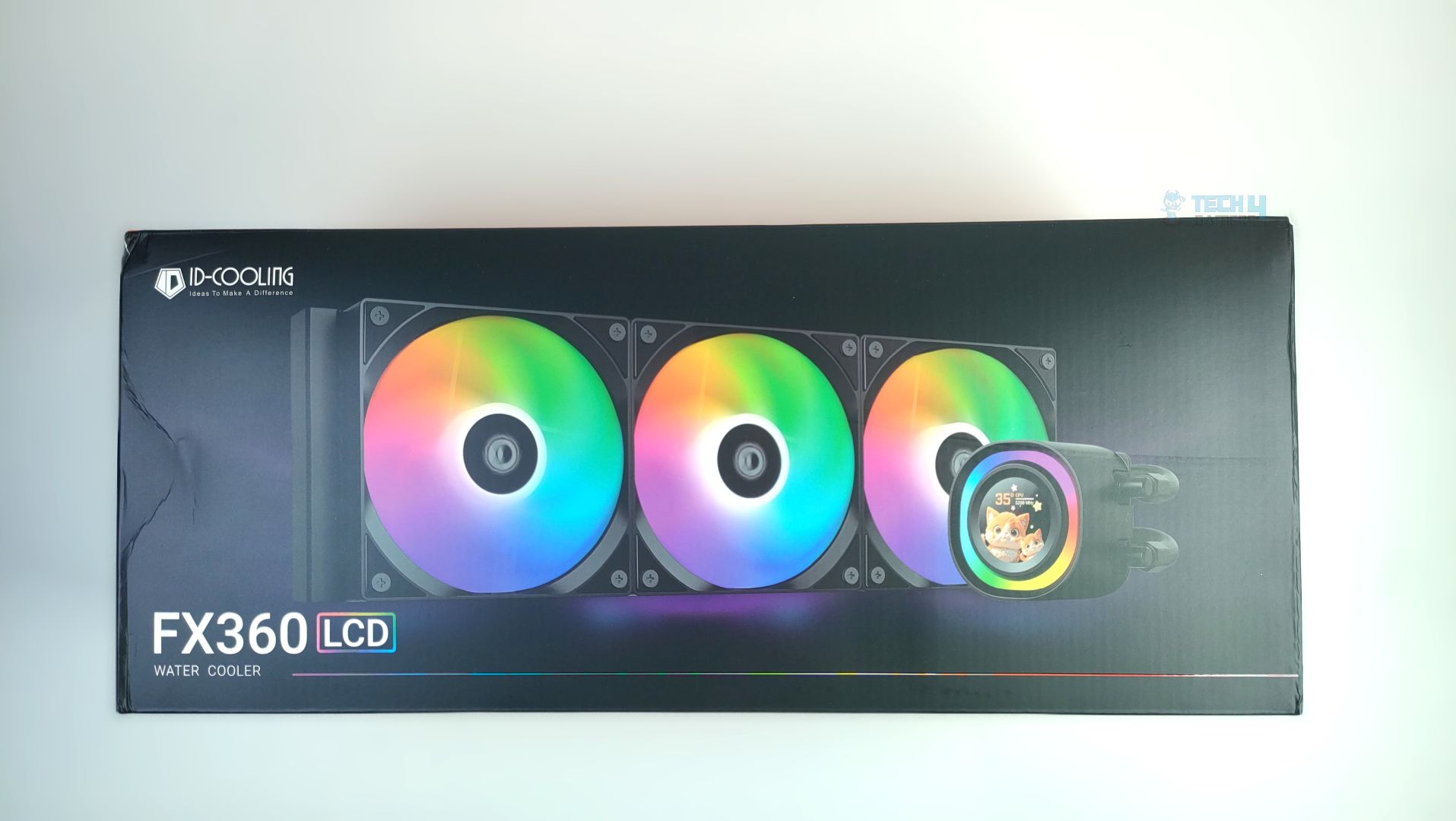
The FX360 LCD AIO comes in sturdy cardboard packaging with a signature black-and-orange design. The front prominently displays a rendered image of the cooler, accompanied by its model. ID-Cooling keeps the packaging minimal, with no compatibility badges like we see on other all-in-one liquid coolers at the front.
Front – ID Cooling FX360 LCD
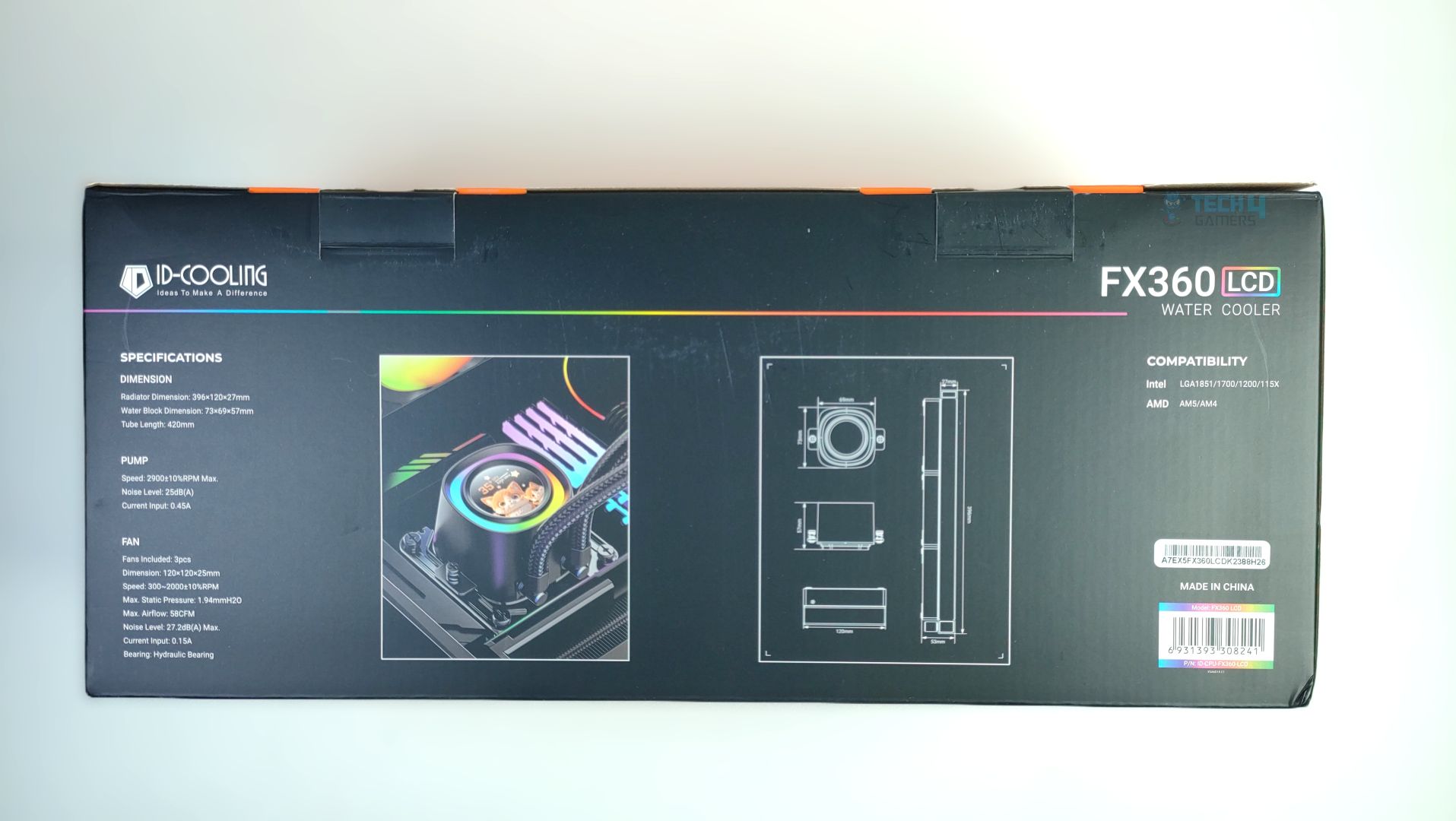
Back – ID Cooling FX360 LCD
The details and specifications are on the back of the box, highlighting the cooler’s features and supported features.
The packaging is straightforward; on the other panels, you see ID-Cooling Branding.
Branding – ID Cooling FX360 LCD
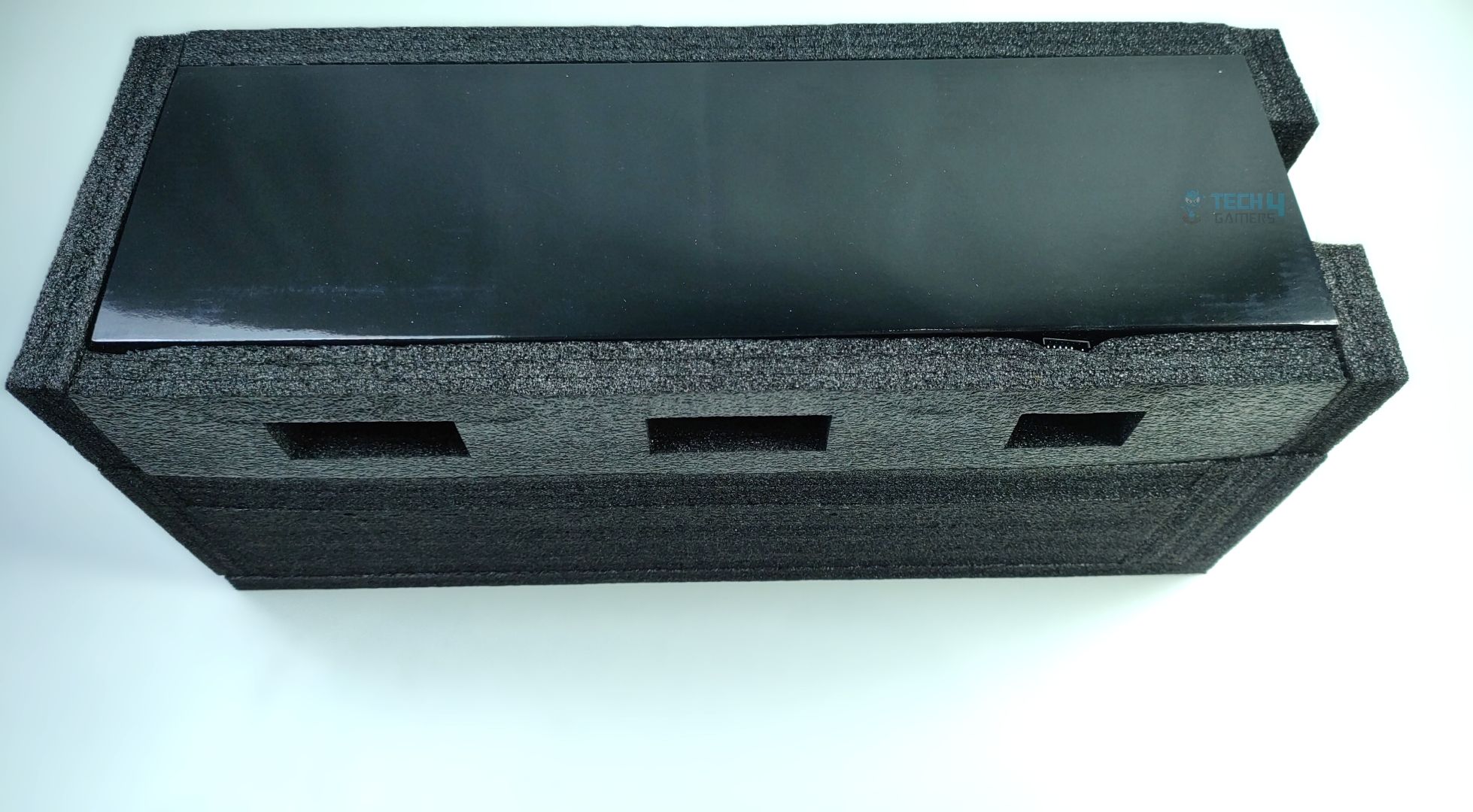
Unboxing – ID Cooling FX360 LCD
Upon unboxing, the cooler is securely nestled in protective foam, providing adequate support to keep it stable during transit which is lovely.
Accessories
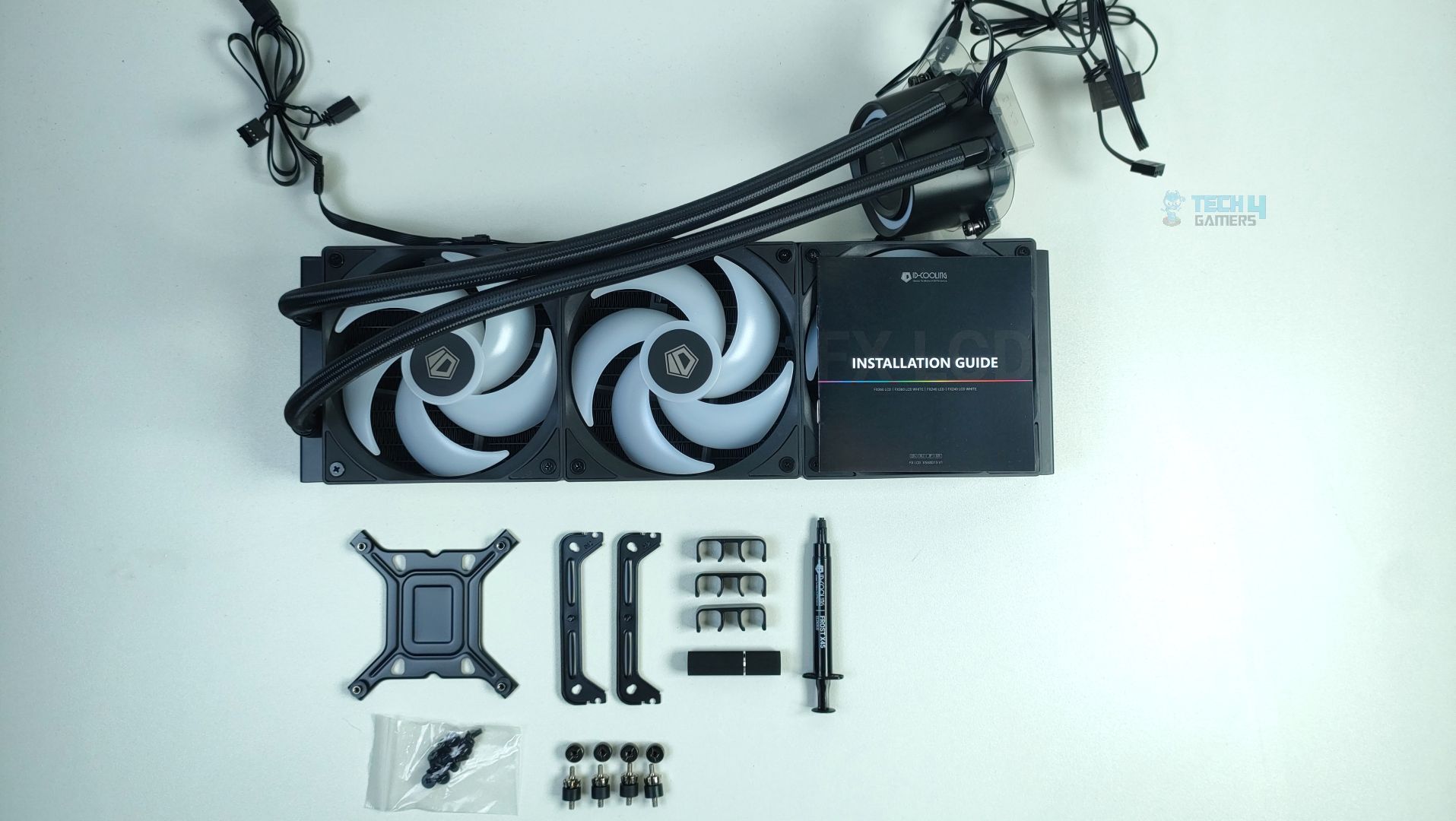
Here are the accessories, and I appreciate the reduced mounting hardware for the CPU coolers, as ID-Cooling incorporates the ”X25 Mounting System”, which includes a universal mounting bracket for Intel and AMD. So you don’t need the different brackets for each platform. ID has also provided us with X45 Thermal Paste, a top-tier thermal compound, and a bunch of tubing clips to make the setup look cleaner and more appealing. The manual also includes detailed instructions.
Accessories – ID Cooling FX360 LCD
Here is the structured table of what you get inside the box:
Category
Item
Quantity
Fans
120 mm ARGB fans
3x
Connectivity
1x Fan extension cable
1x
Radiator Screws
Screws for the Radiator
12x
Mounting Hardware
Universal Bracket For Intel/AMD
2x
Universal Stands Off For Intel/AMD
4x
Thumb Screws
4x
Socket Backplate For Intel
1x
Tools
Thermal Paste
1x
Tubing Clips
3x
User Manual
1x
Close Look At The Radiator and Assembly
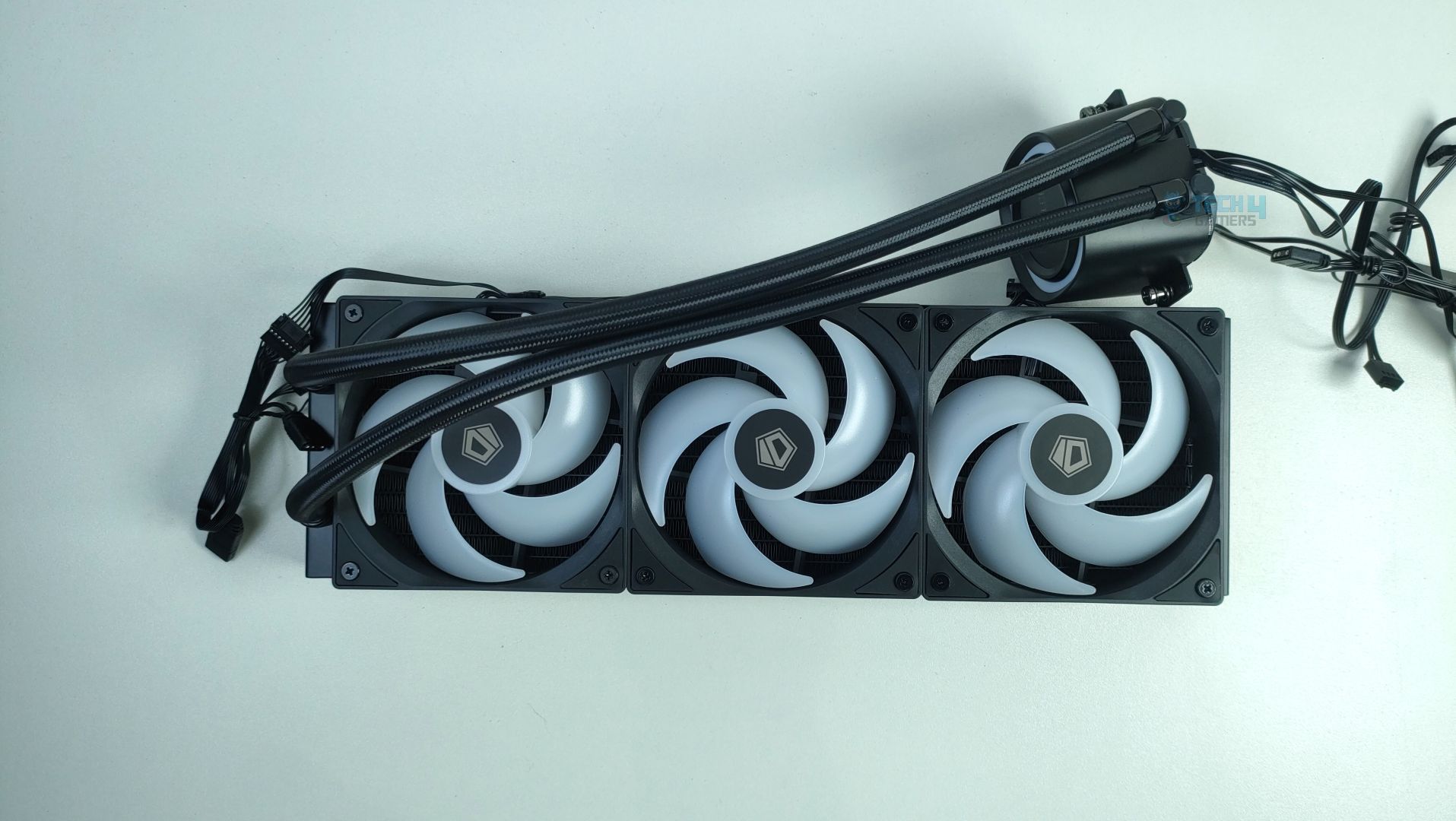
Let’s take a look at the assembly first. The fans come pre-installed on the radiator.
Assembly – ID Cooling FX360 LCD
The block has pre-fitted metal retention screws, which are universally compatible with both Intel and AMD platforms. Cable management is streamlined, so there’s no clutter of fan cables.
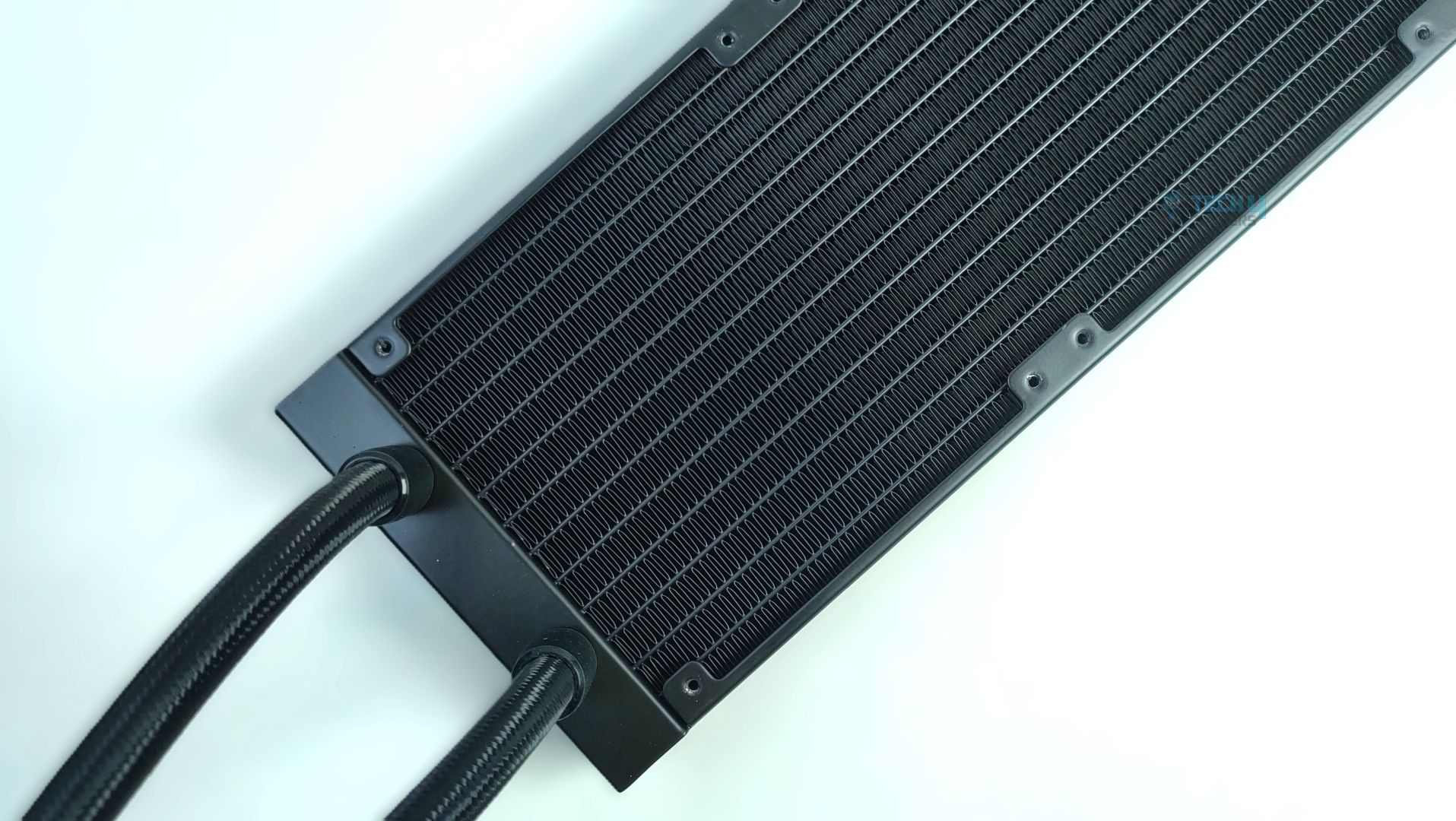
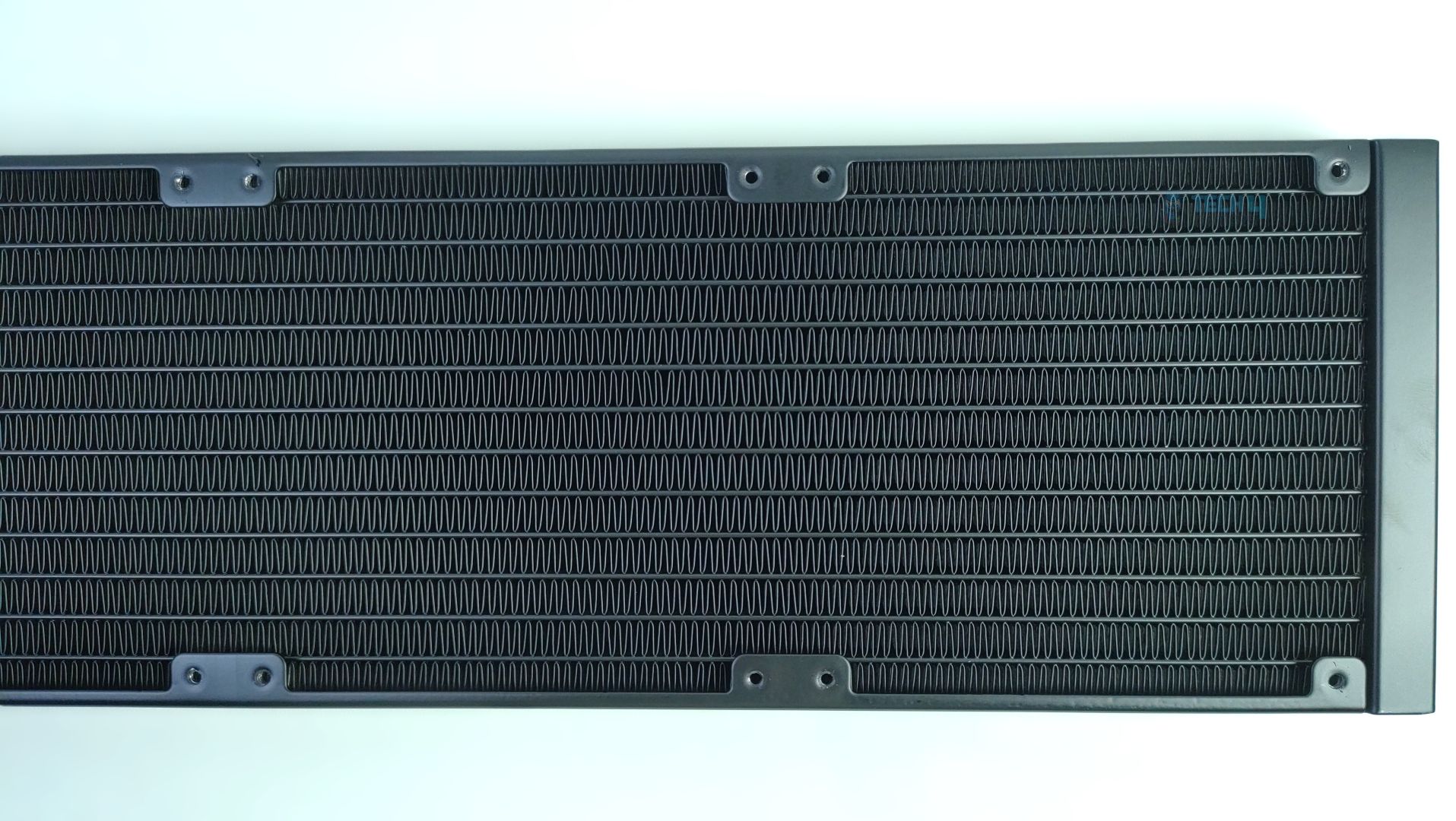
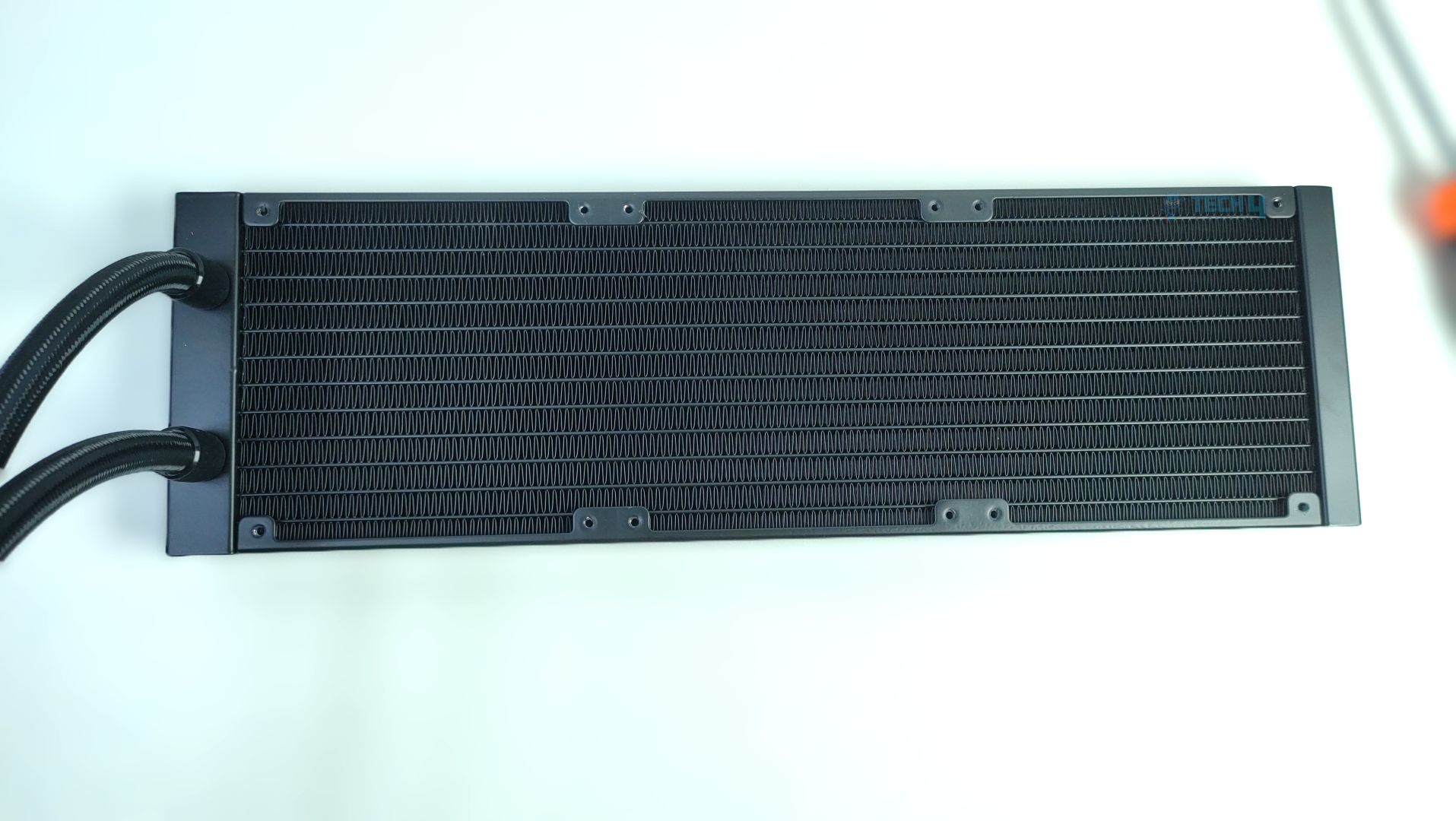
The radiator features 12 water-flow channels with an FPI (fins per inch) of 20, a standard design.
Radiator – ID Cooling FX360 LCD
Radiator – ID Cooling FX360 LCD
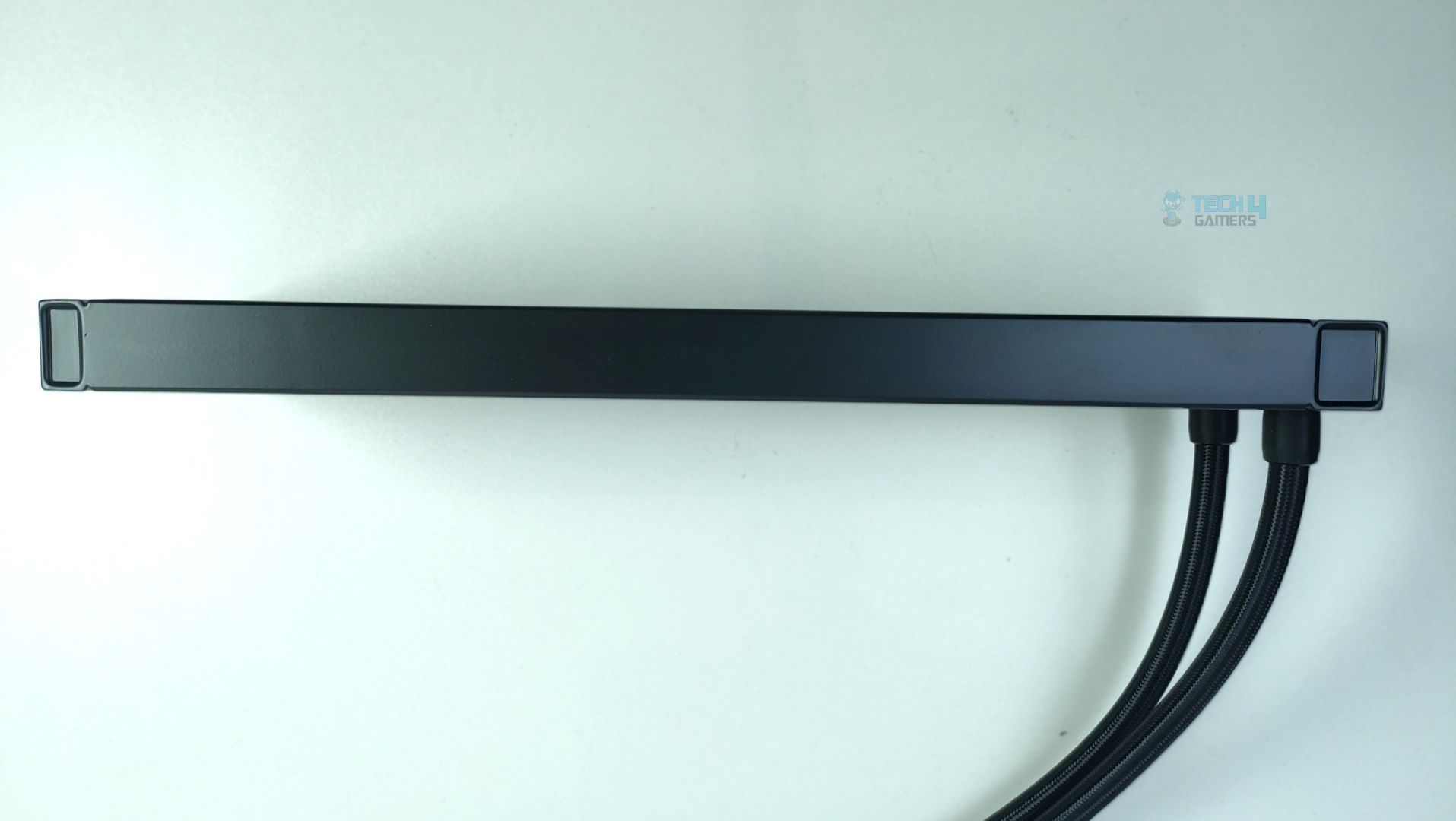
It also comes with matte-black fittings and nylon-sleeved tubing; however, the tube is slightly shorter at 420mm. While other 360mm AIOs often have tubes in the 450–460mm range, 420mm is still more than sufficient.
Radiator – ID Cooling FX360 LCD
Radiator – ID Cooling FX360 LCD
The radiator dimensions are 396 × 120 × 27 mm.
Pump Design / Housing
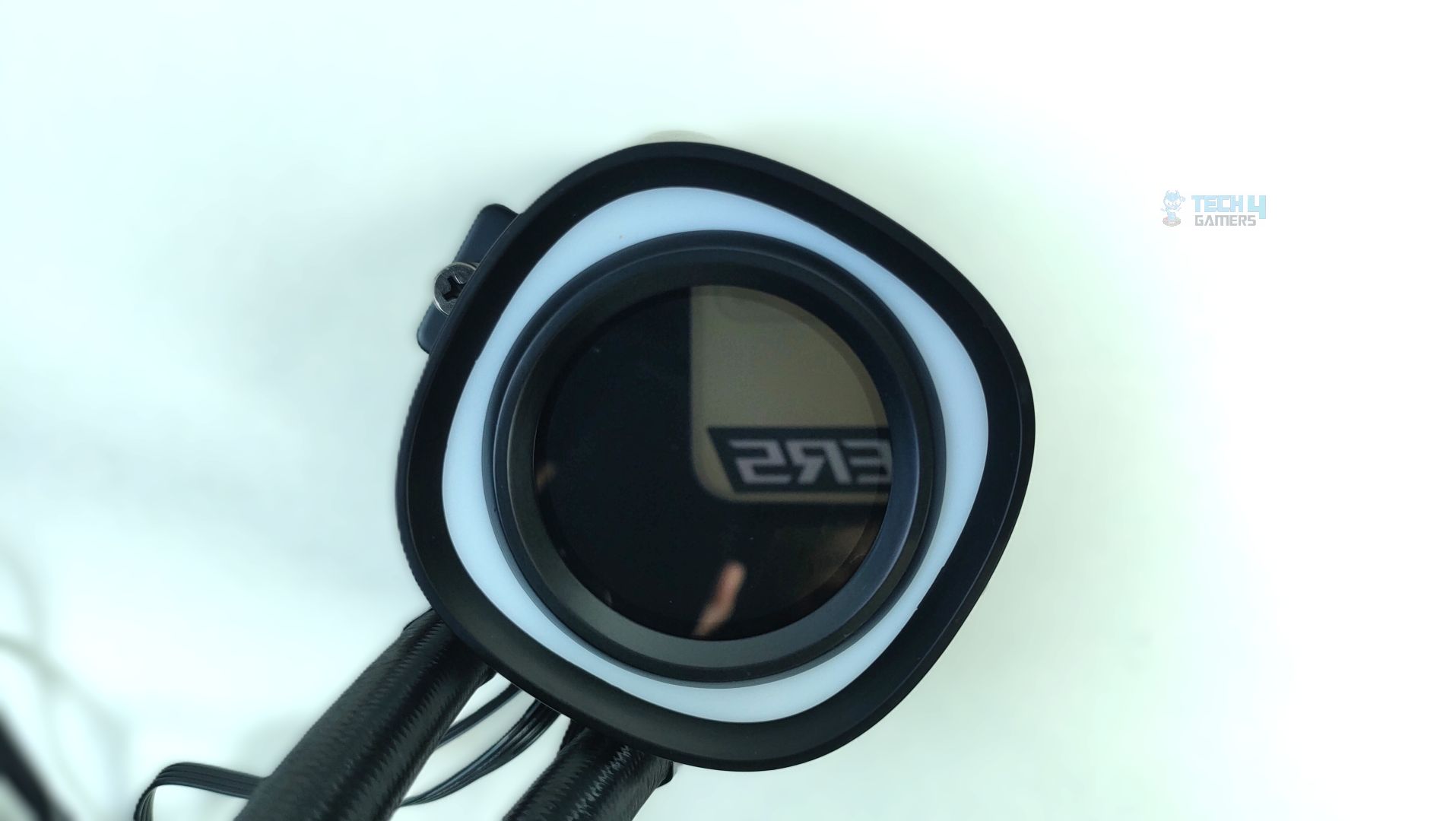
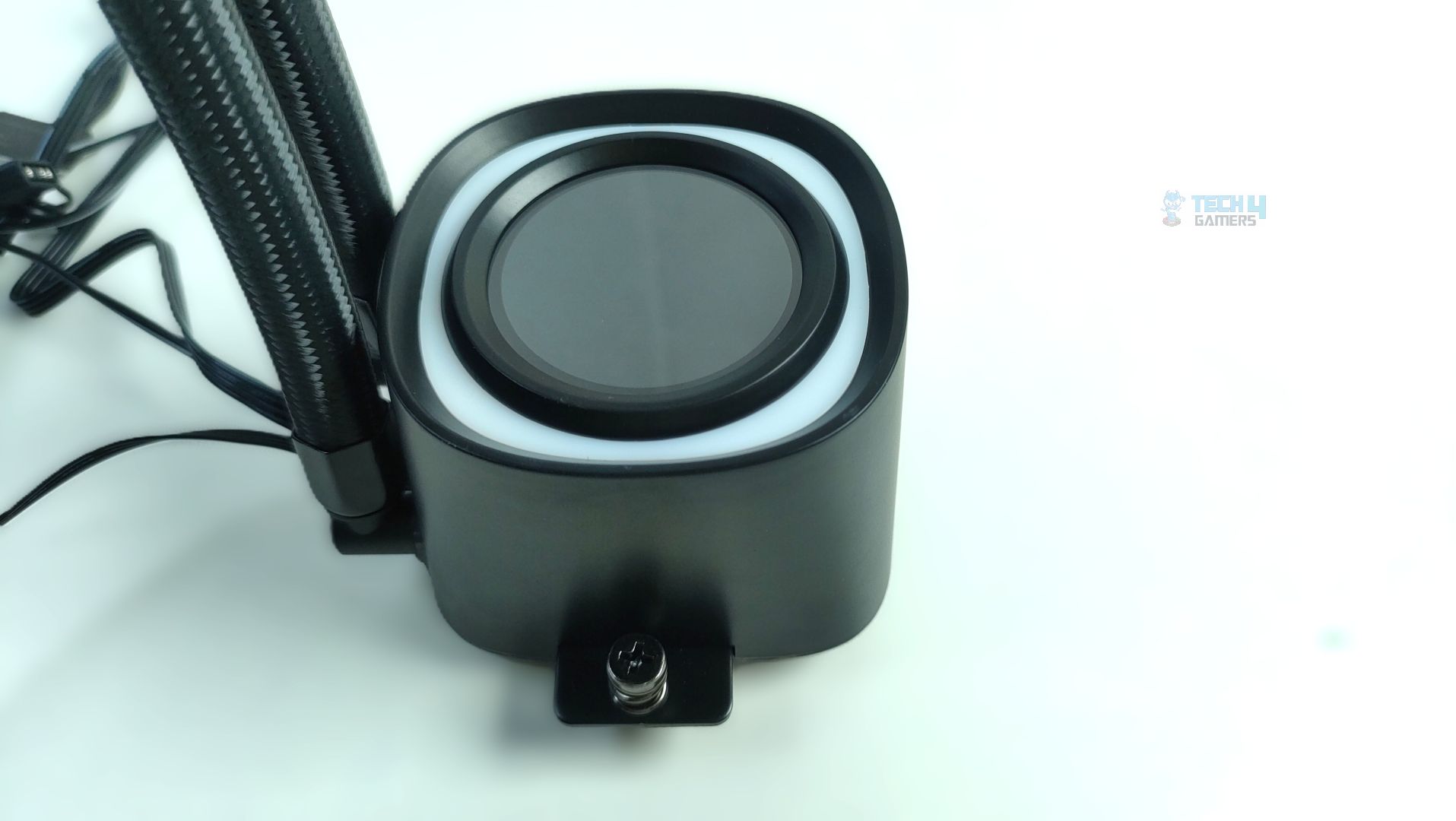
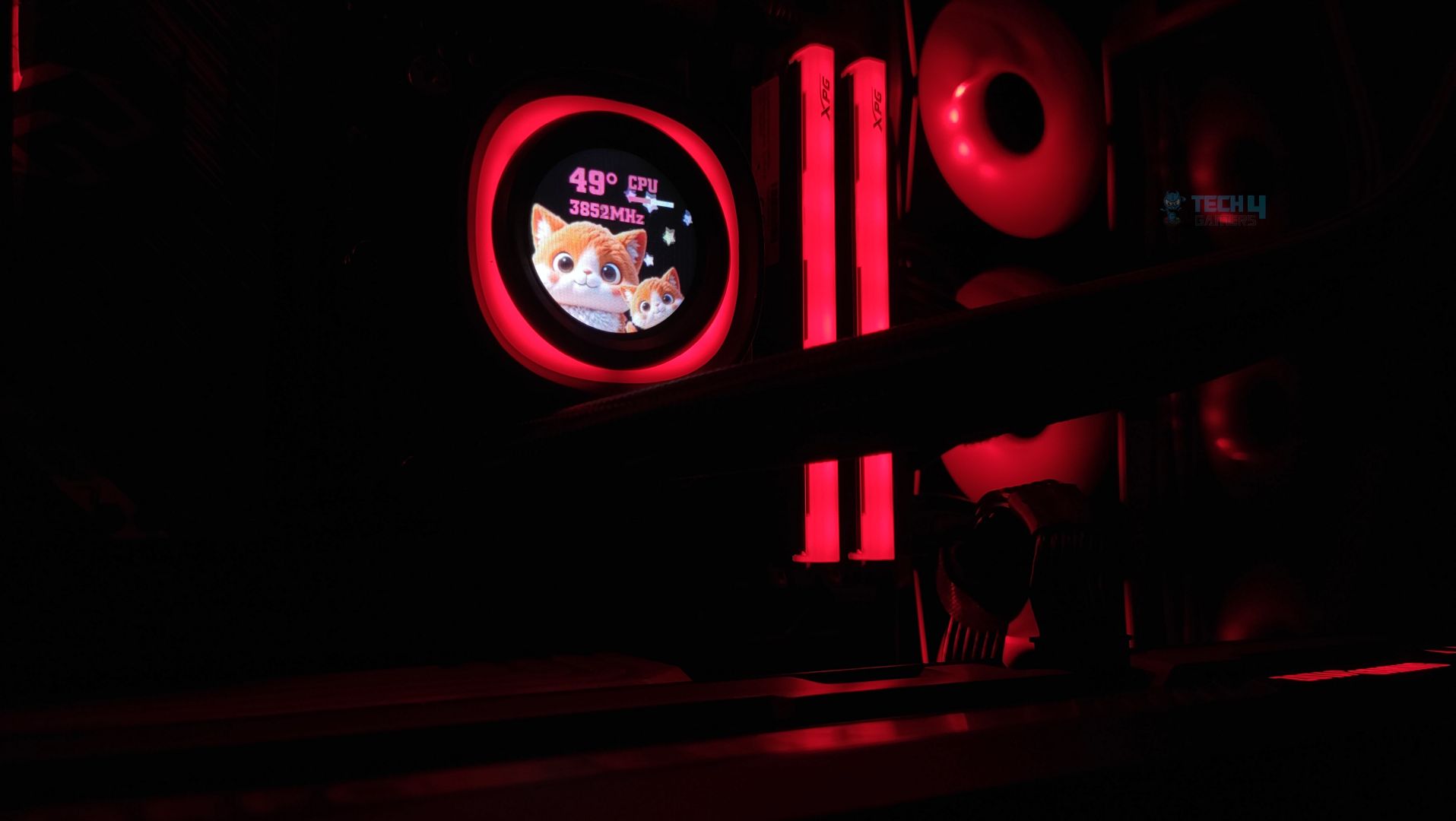
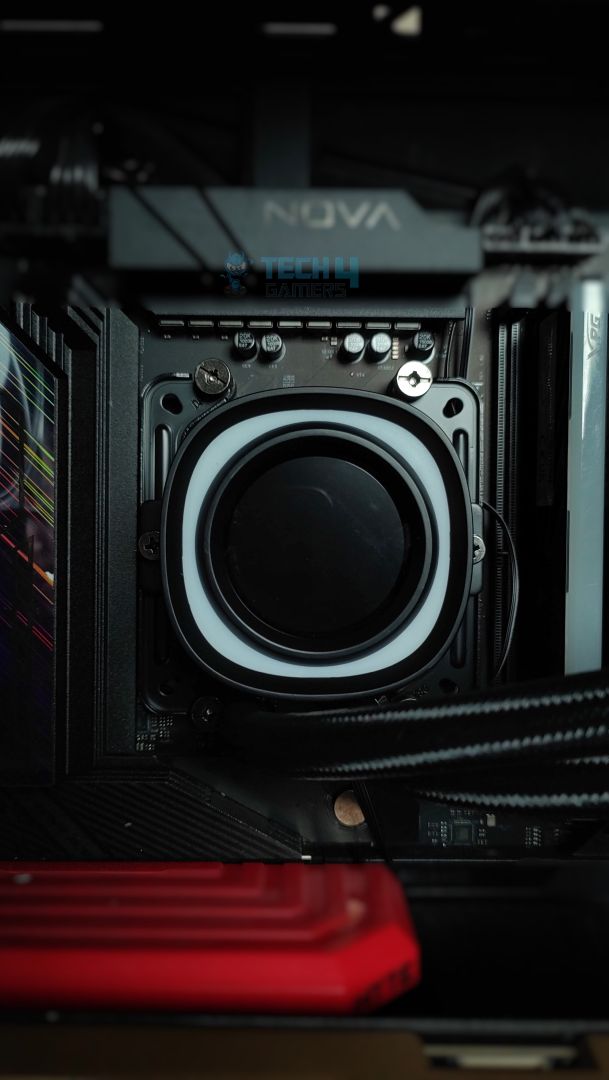
Taking a peek at the block and its housing. This Cooler features a Gen-7 Pro Pump with a ceramic bearing under the hood, spinning at about 2900 RPM. There is also a vibrant ARGB ring that surrounds the display. The center features a 1.48-inch full-color display with a 240×240-pixel resolution and is customizable.
Block – ID Cooling FX360 LCD
Block – ID Cooling FX360 LCD
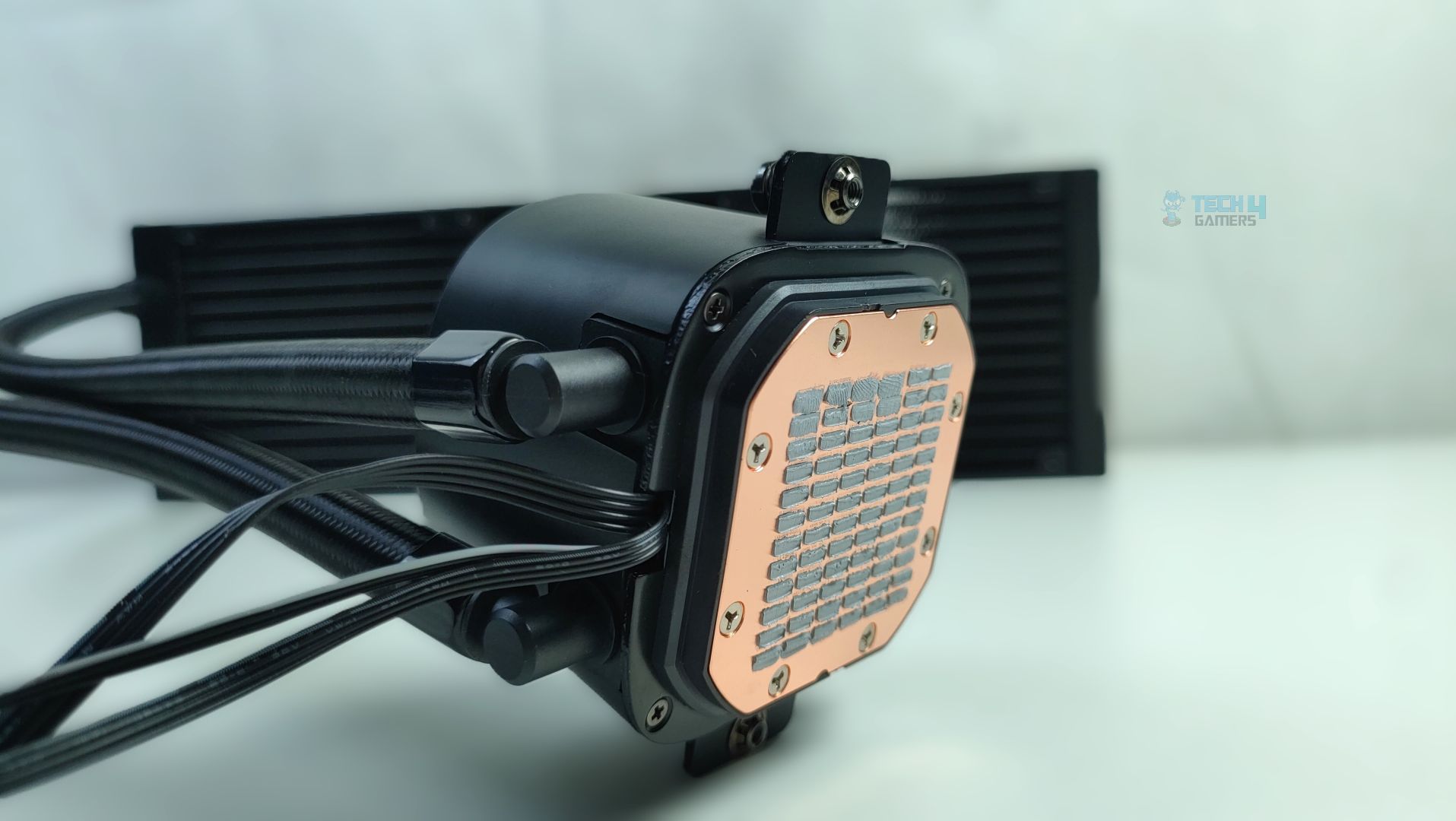
Furthermore, the pump has 90 Degree fittings for the tubes. You can also see the spring-loaded screws on each side, which allow for mounting on Intel and AMD platforms. The cables are also routed cleanly out of the base of the pump, which is nice.
Block Cables
Block Pre-Applied Thermal Paste
The block comes with pre-applied thermal paste, and the cold plate is nickel-free and made of solid copper.
Display
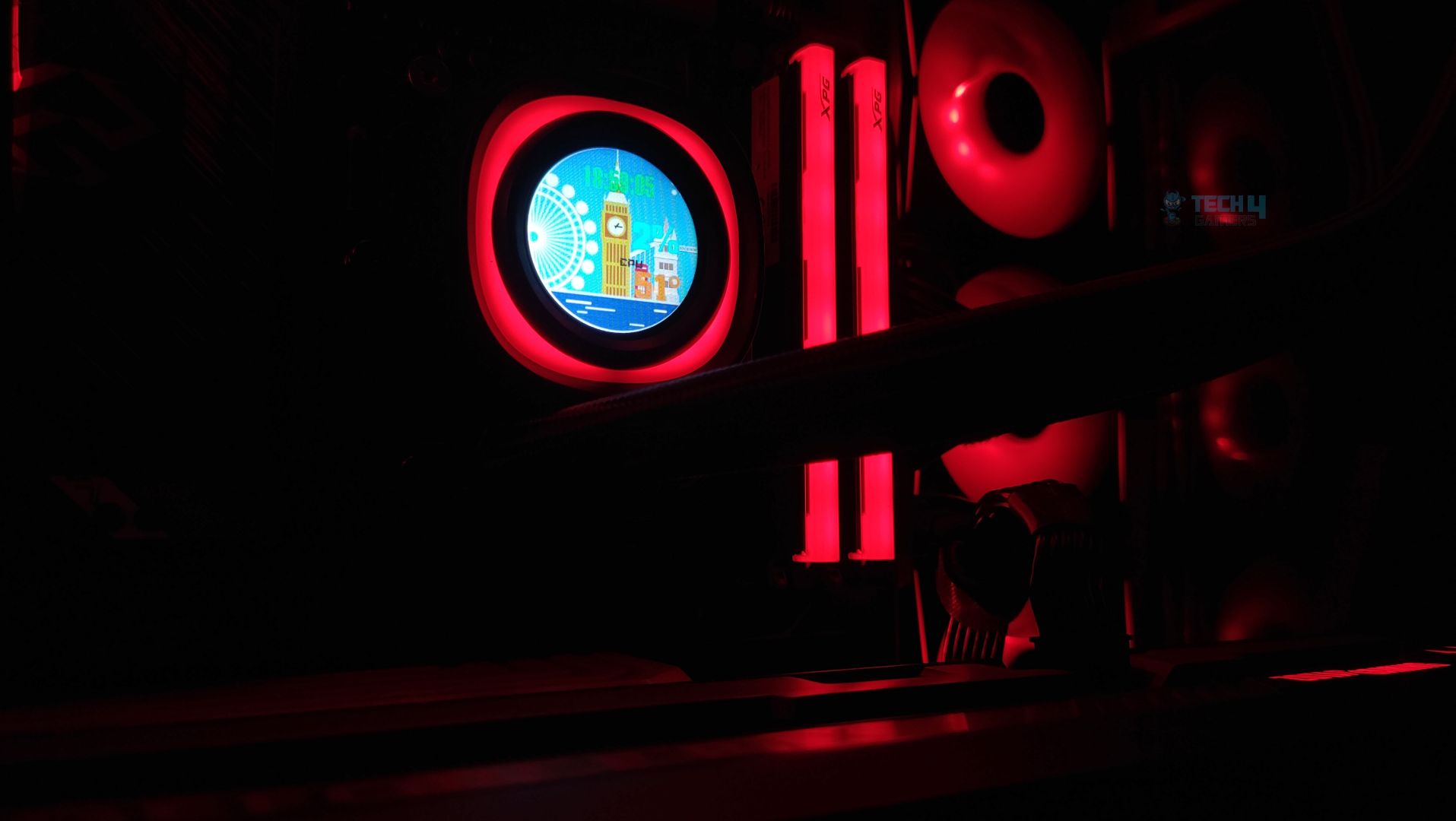
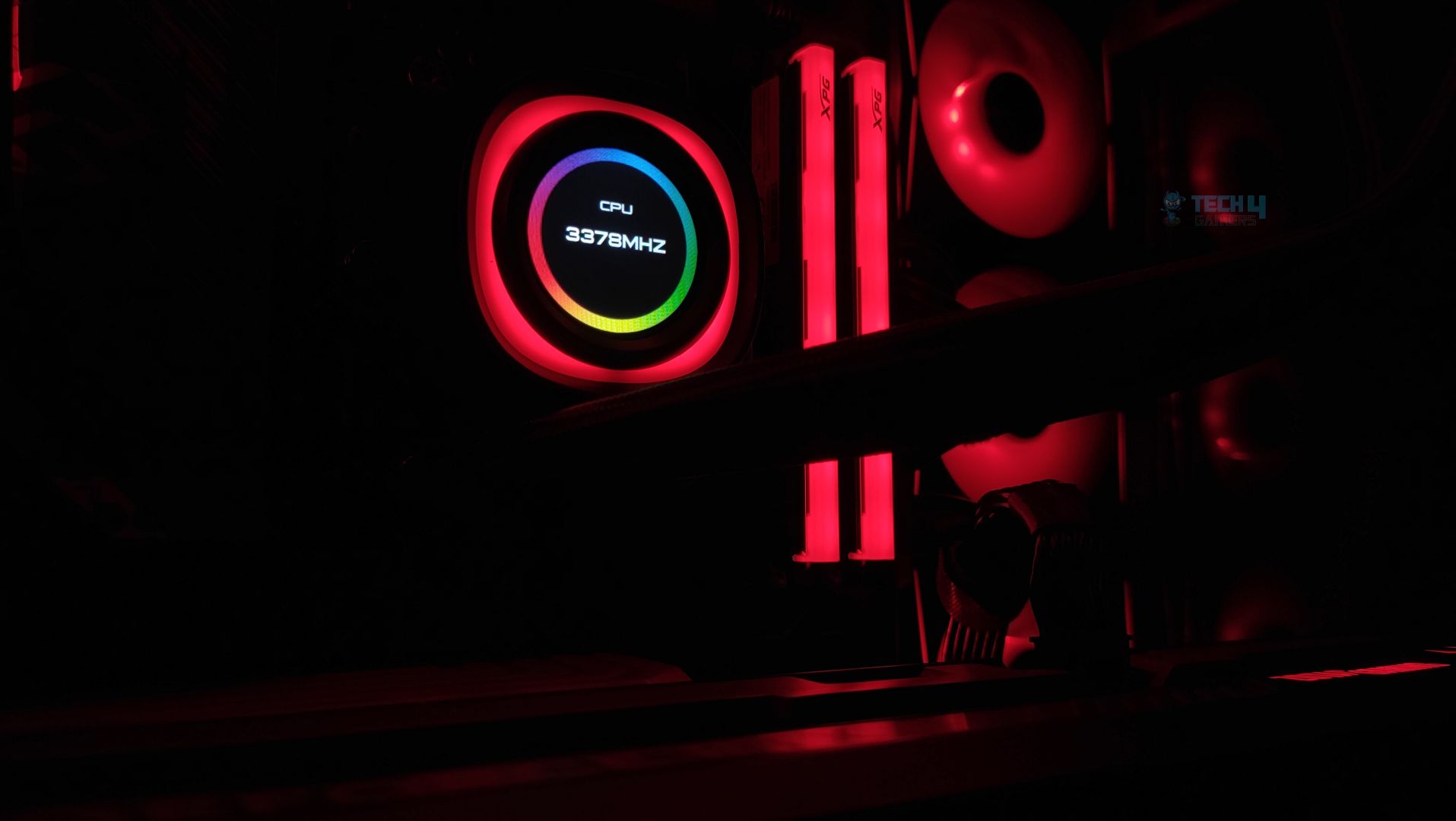
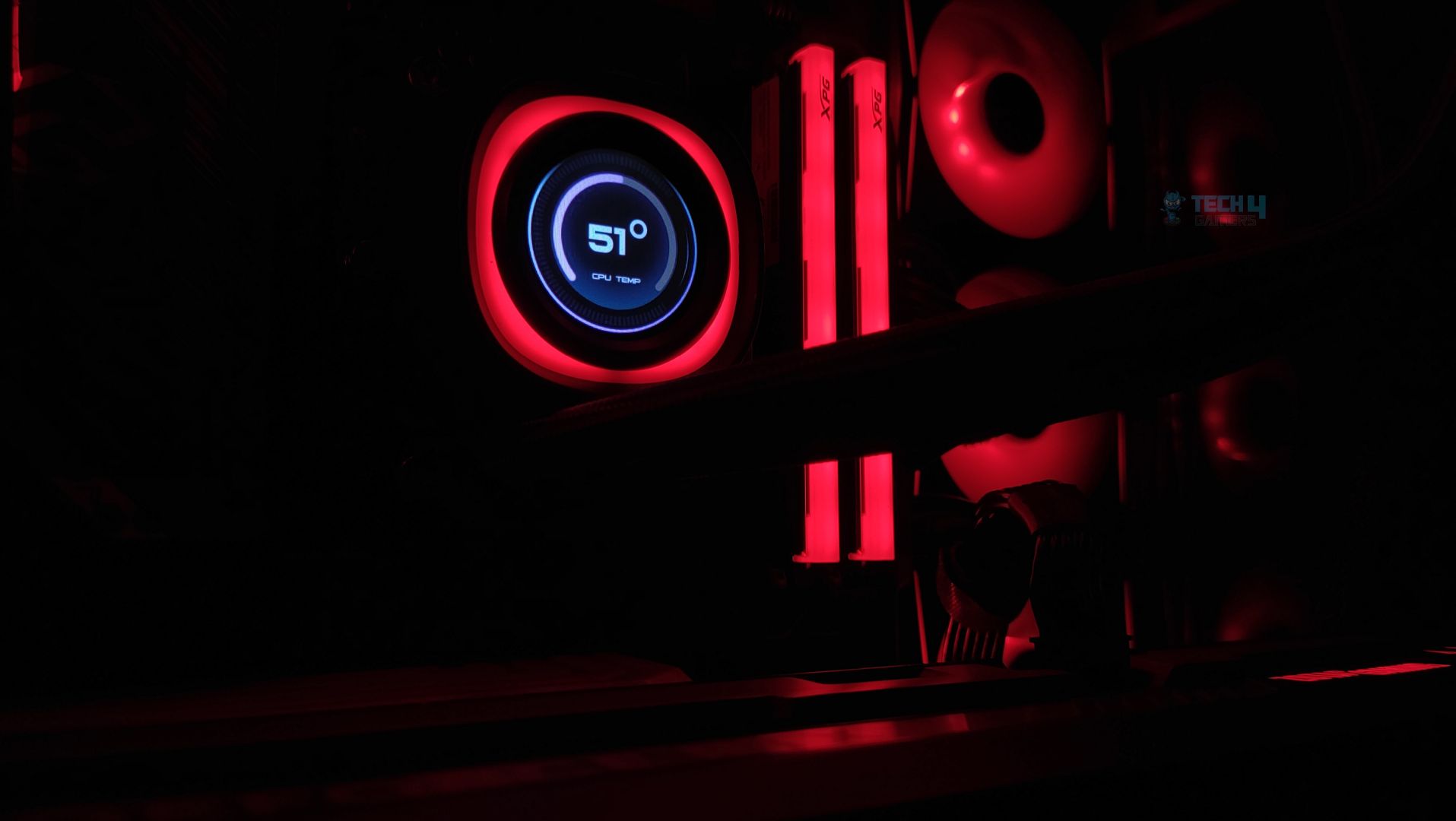
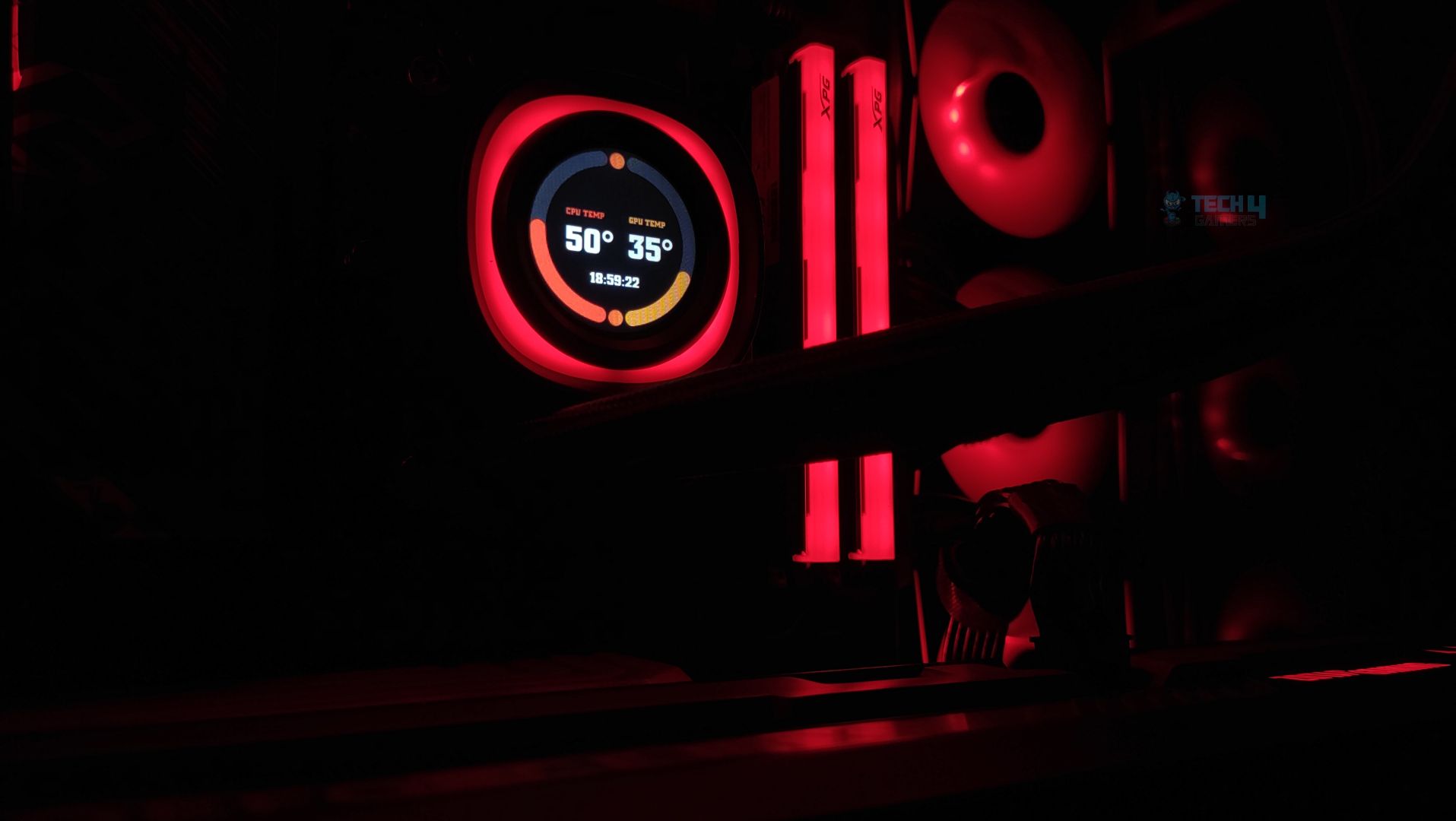
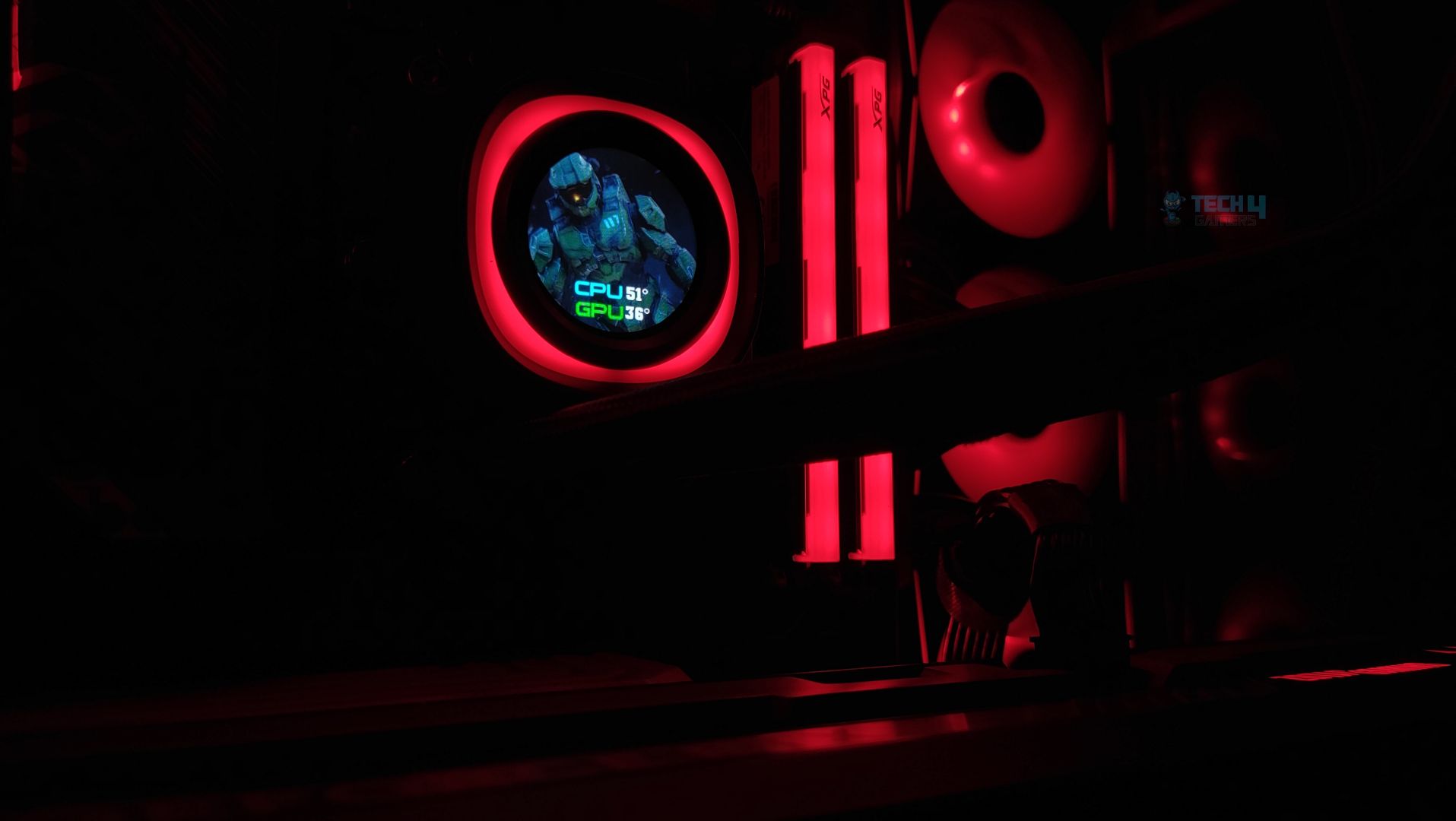
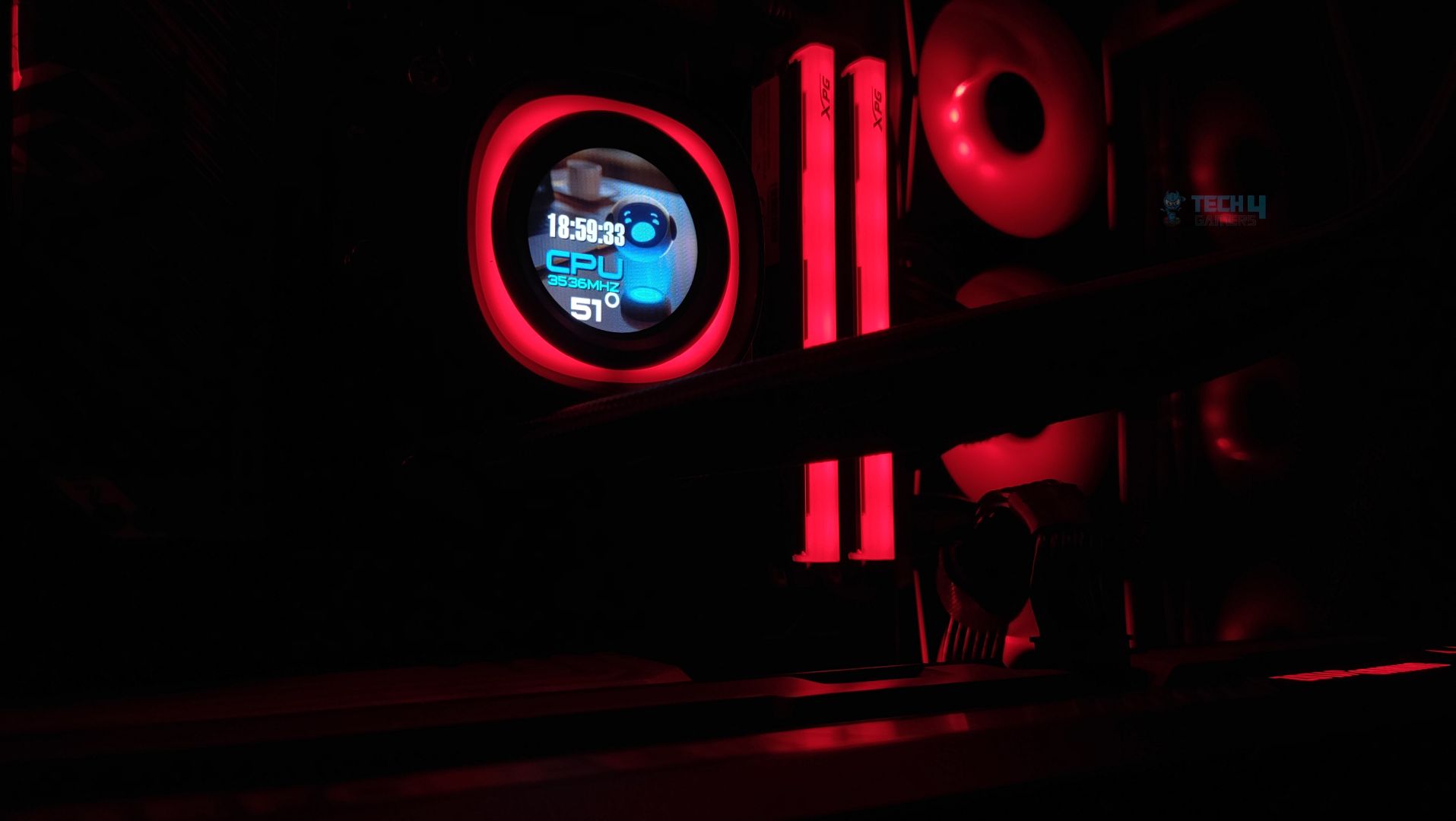
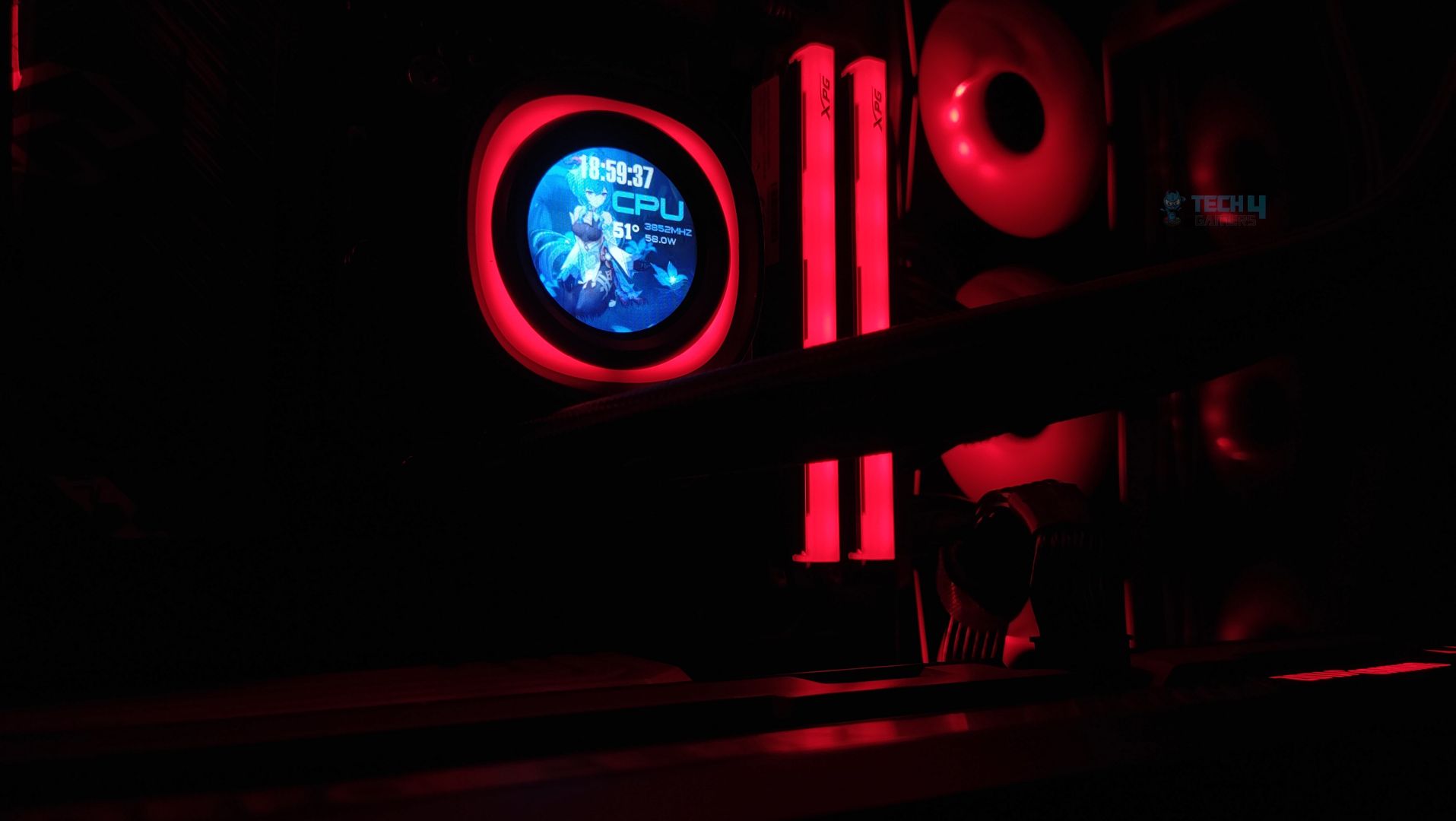
The display is not very large by today’s standards, as brands are producing AIOs with larger LCDs these days; however, ID-Cooling has taken a different approach this time to make the cooler more customizable while keeping it within budget. The display is 1.48 inches in Size overall, with a resolution of 240×240. You will get a PPI (Pixels Per Inch) of 229.1, which is in a reasonable range. It has the peak brightness of 300 cd/m² which is decent for this Size. We’ll further inspect the display and its customization just in a moment.
Here are a few demo examples showcasing the display with its preinstalled themes.
Templates
1 of 9
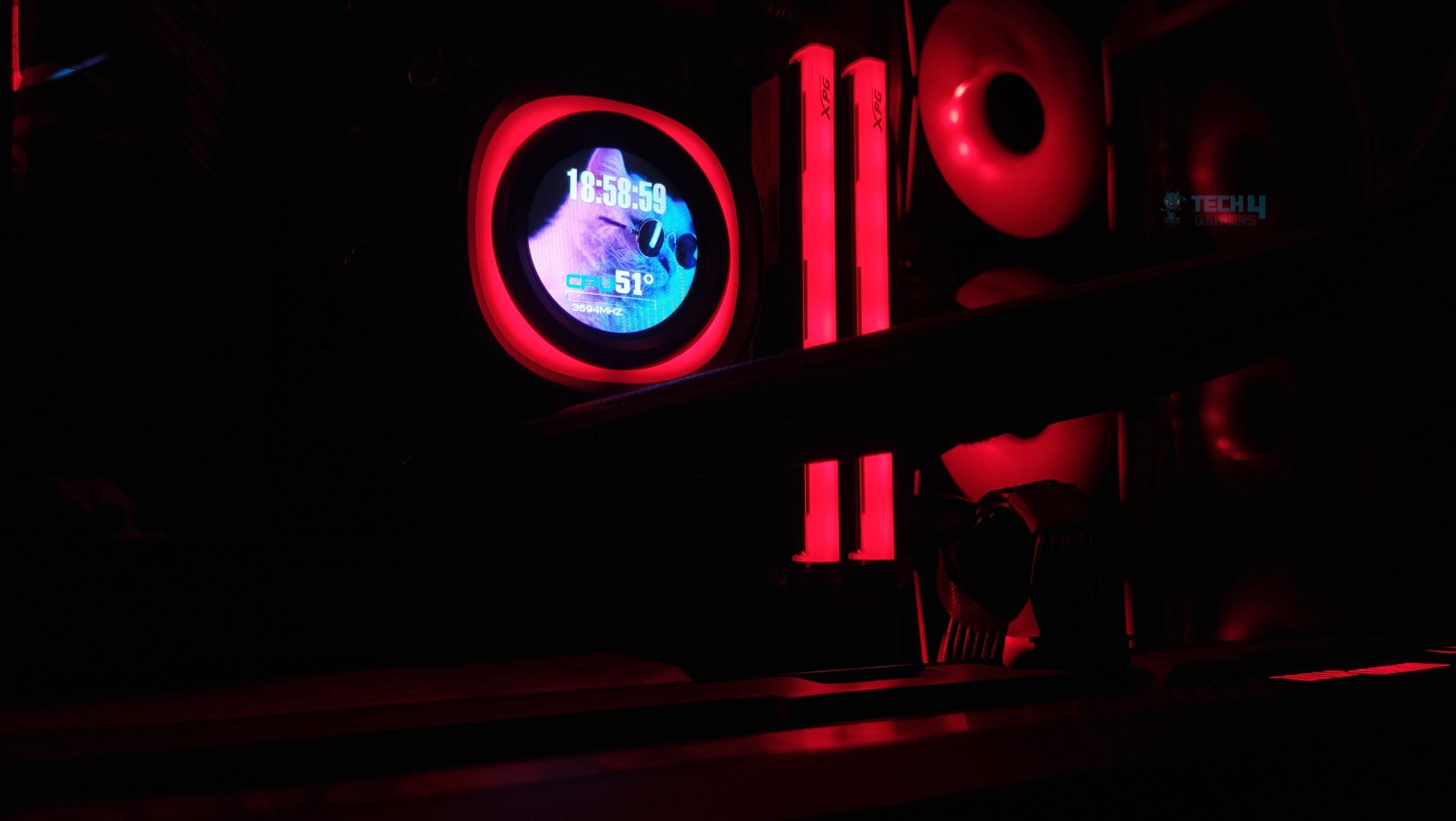
You get nine pre-installed layouts to choose from. You can also adjust the brightness and orientation of the display. Additionally, you can upload your own image to the LCD and customize it further with settings that include a progress bar, date, time, text, or even a weather widget.
The display works as intended. Although it’s not a very high-definition experience, the brightness works quite well, especially during the day, and it wasn’t distracting at night. Defused ARGB ring surrounds the display panel really well. I don’t notice any lighting glow on the LCD screen.
Fans
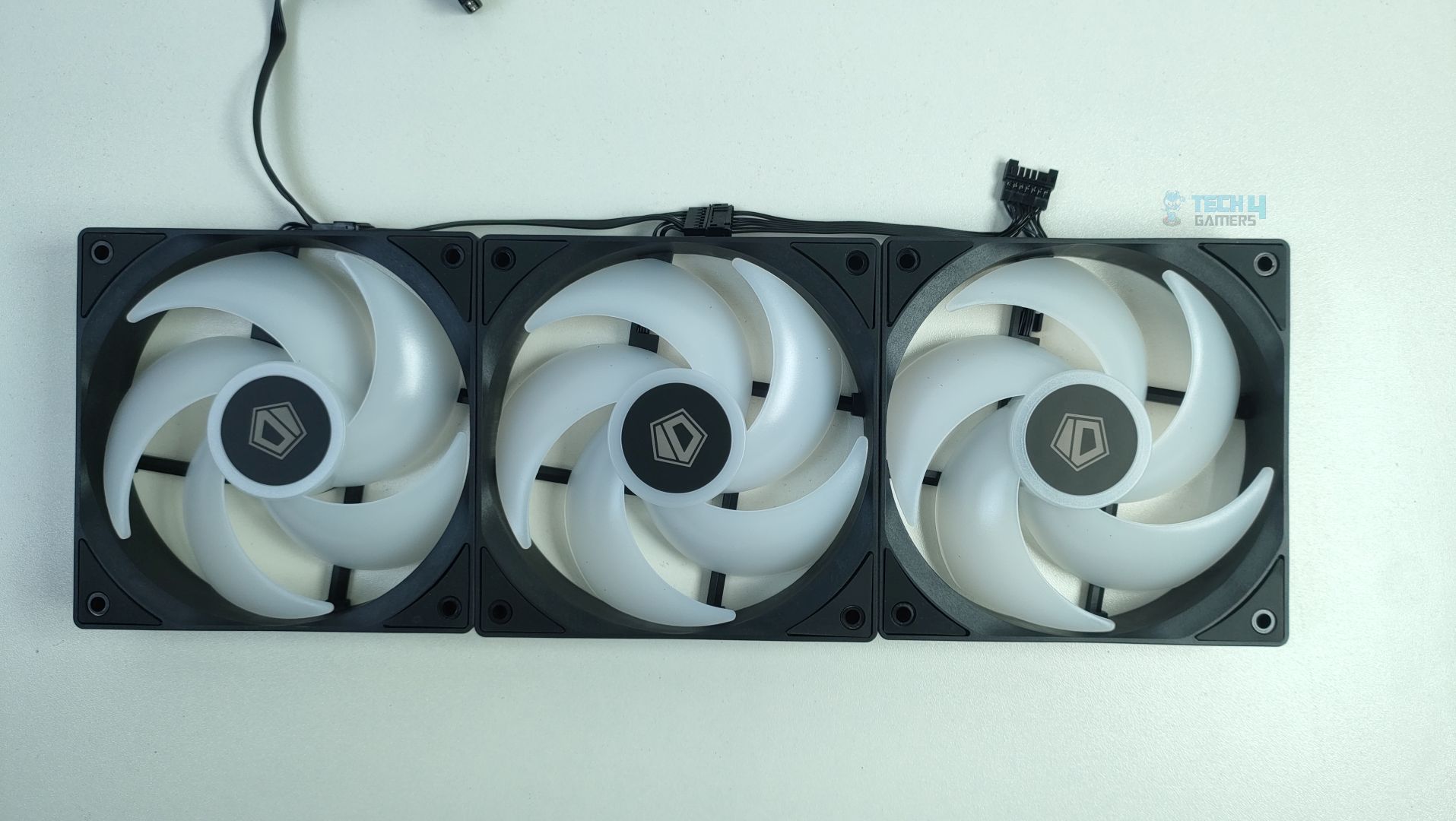
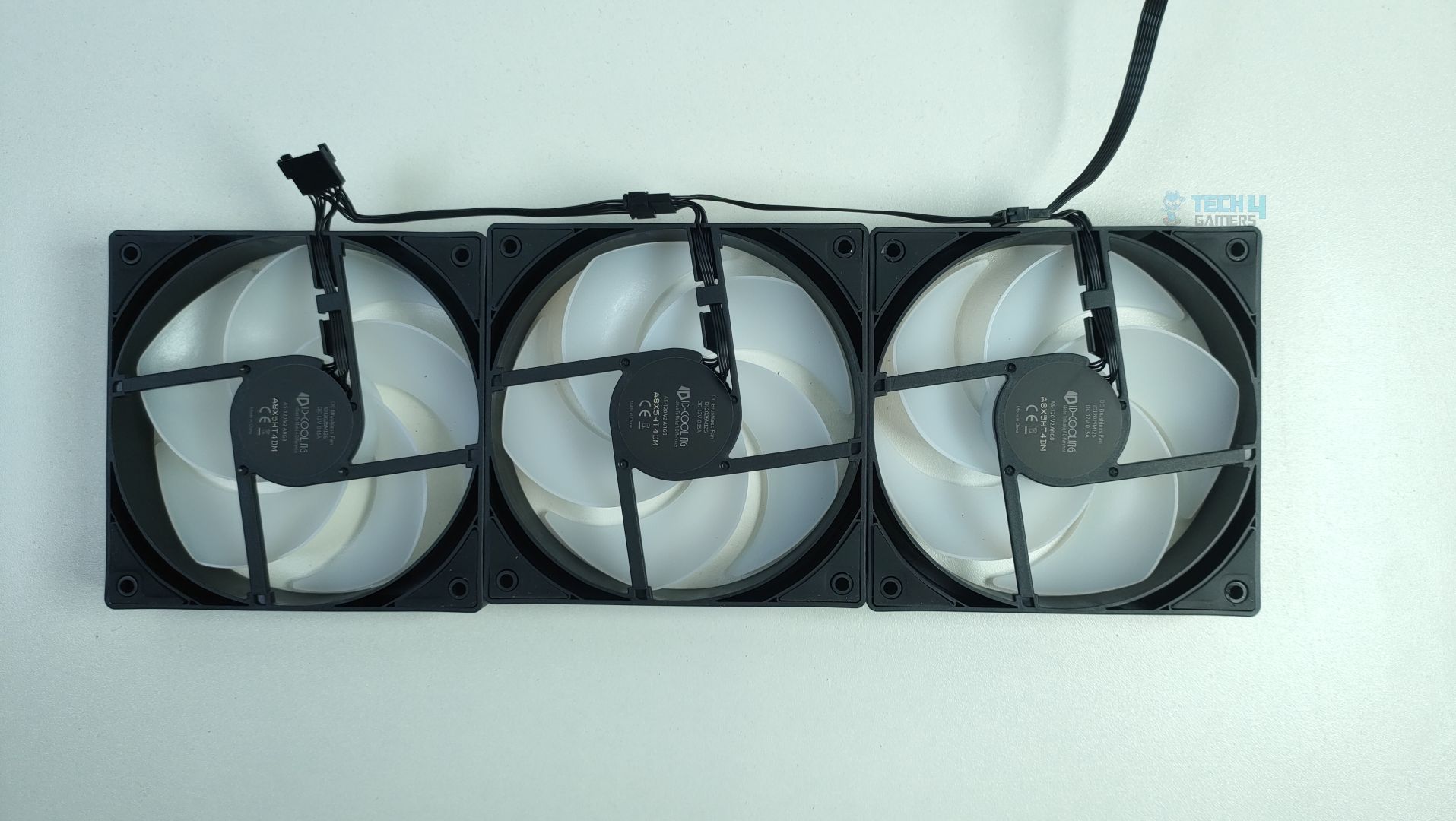
The fans in question are ID-Cooling AS-120 ARGB V2, which incorporate a hydraulic bearing. The fans feel very durable in hand and feature large anti-vibration rubbers on each corner for sound dampening. For the ARGB, the fans have 11 individual addressable LEDs.
Fans – ID Cooling FX360 LCD
oplus_256
The frame appears to be constructed from PBT (Polybutylene Terephthalate) and features five translucent blades with very tight blade-tip clearance. The fan spins at 2000 RPM at maximum, producing 58 CFM, and is designed for quiet operation. We’ll see how it performs at certain PWM levels in our noise benchmarks below.
AS-120-ARGB V2 Specifications
Fan Dimension
120×120×25mm
Fan Speed
300~2000±10%RPM
Max. Air Flow
58CFM
Max. Static Pressure
1.94mmH2O
Noise
27.2dB(A) Max.
Bearing Type
Hydraulic Bearing
Connector
7-pin (4-pin PWM + 5V 3-pin ARGB)
Installation (AMD)
We’re using the AMD platform, so our installation steps will only be provided for that.
Prepare the socket
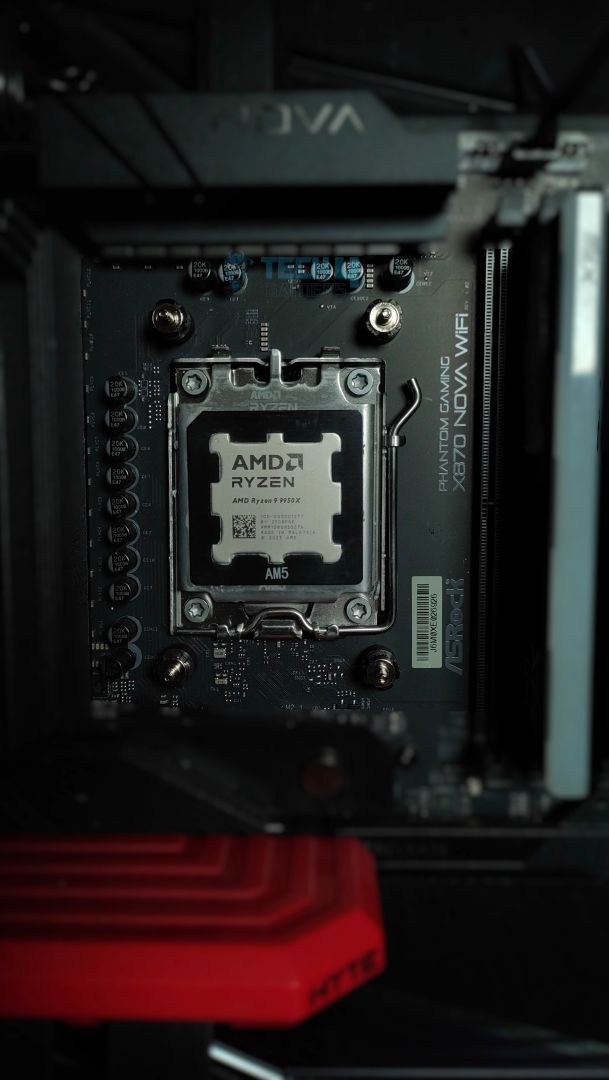
First, remove the stock retention brackets from your AM4/AM5 motherboard. Then, install the ID-Cooling standoffs, which can be secured using the provided tool. Next, attach the mounting brackets for the block by placing them onto the standoffs and securing them with the included thumb screws.
Install the screws
Install the brackets onto screws
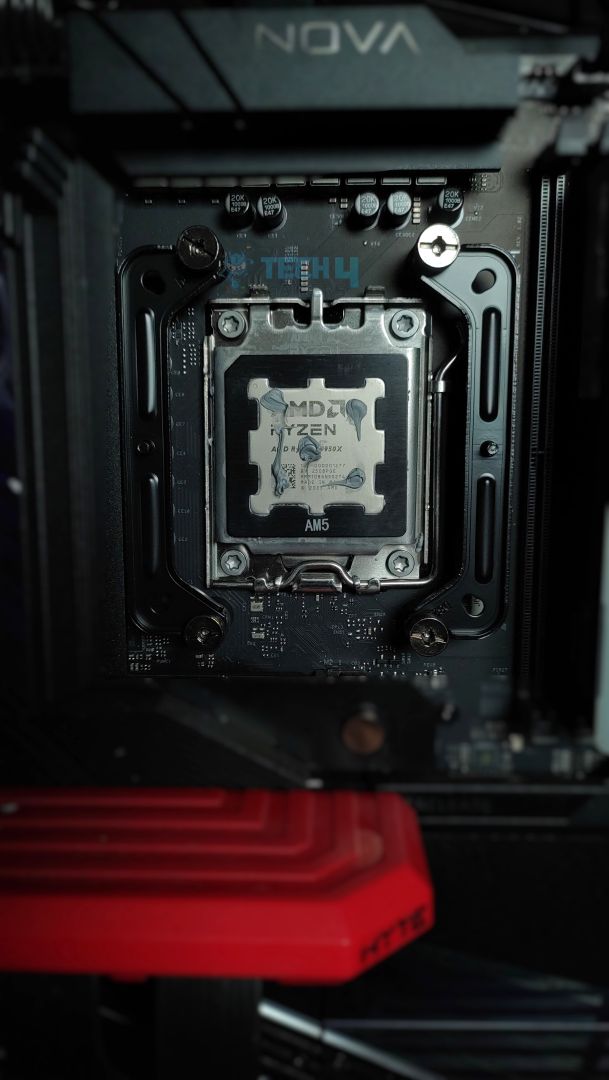
Now it’s time to apply the thermal paste. We use ID-Cooling X45 across all of our cooler tests and reviews. After making sure everything is properly aligned, secure the block onto the brackets and tighten the retention screws on each side. DO NOT overtighten them! Tighten each screw gradually and evenly to ensure balanced mounting pressure.
Block Installed
The installation was straightforward. Also, we appreciate the solid mounting mechanism on this cooler, as the block features a universal mounting bracket that works on Intel and AMD platforms without requiring additional steps.
Cabling
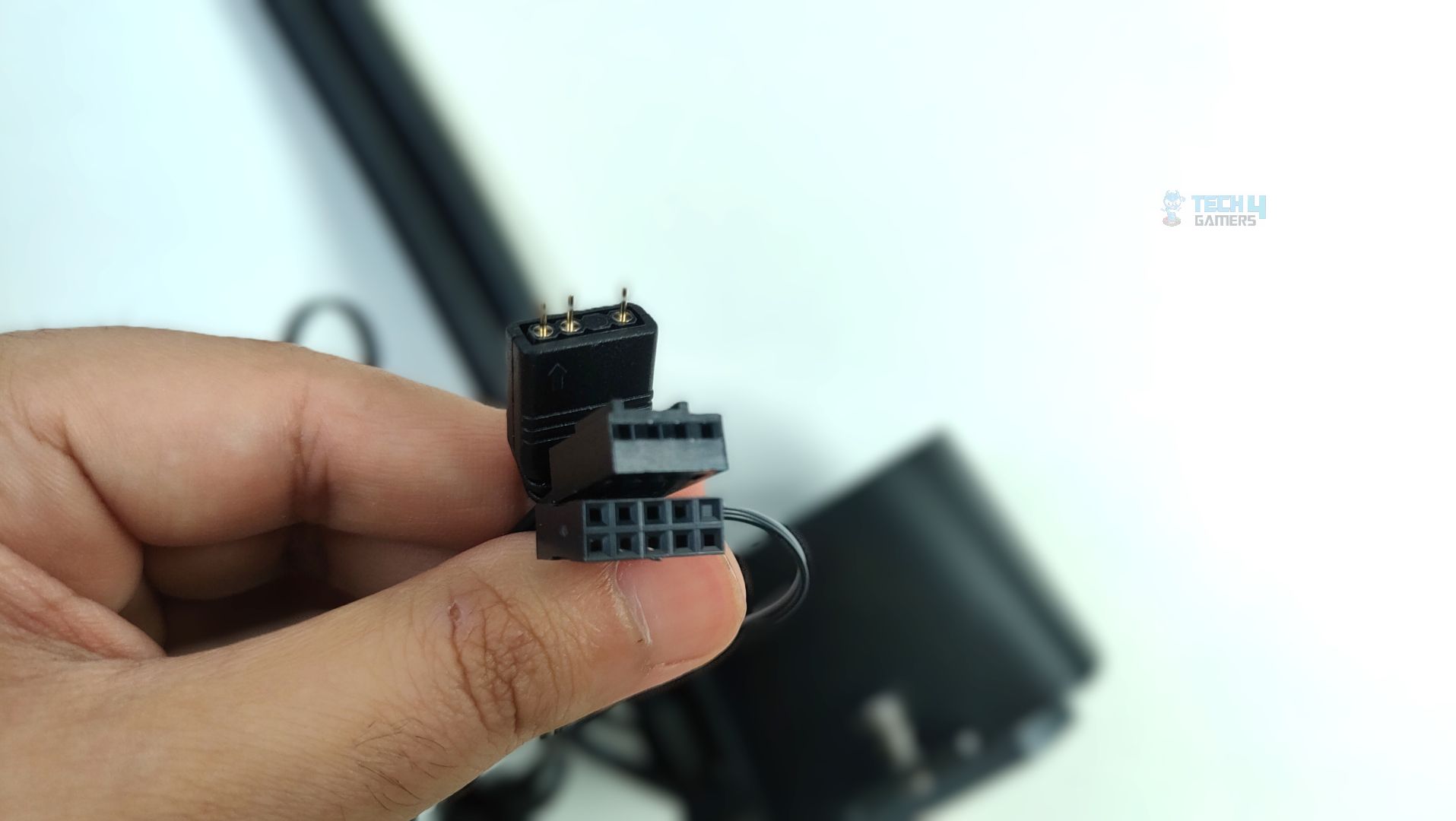
Now that the AIO installation is complete, it’s time to connect the cables. The good news is that the fans are daisy-chained, so you don’t have to deal with excessive cable clutter. The fans have two connectors: a PWM connector, which should be connected to the CPU_FAN header on your motherboard for speed control, and a 5V 3-pin ARGB connector, which goes into the corresponding ARGB header on your motherboard.
The CPU block also has a few cables: one for the ARGB lighting around the LCD, one to power the pump, and another to power the LCD through the 9-pin USB header on your motherboard.
Finished Looks
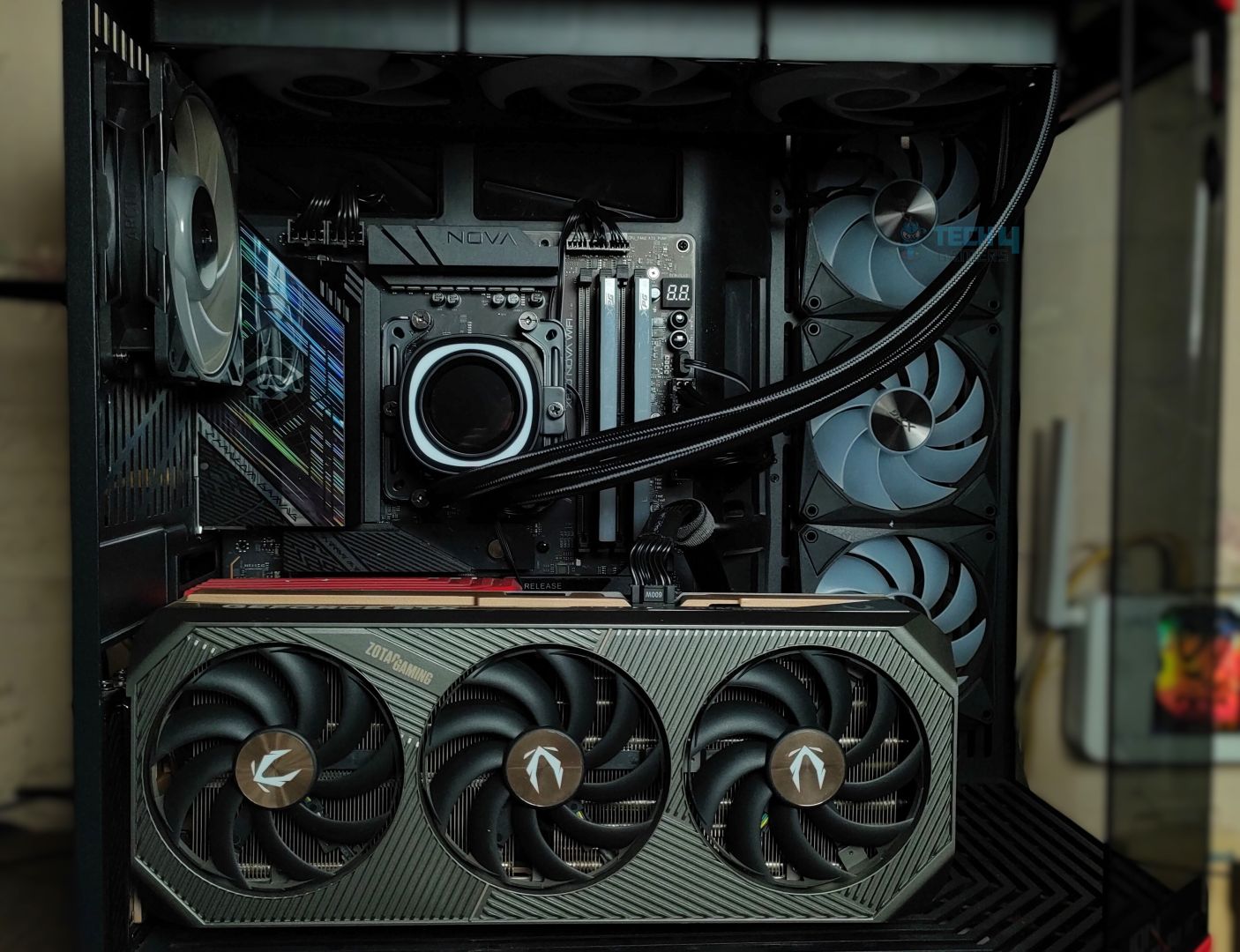
The completed installation of the cooler within the HYTE Y70 chassis is shown below. The unit is mounted at the top and configured for exhaust operation.
Testing Methodology
CPU Configuration:
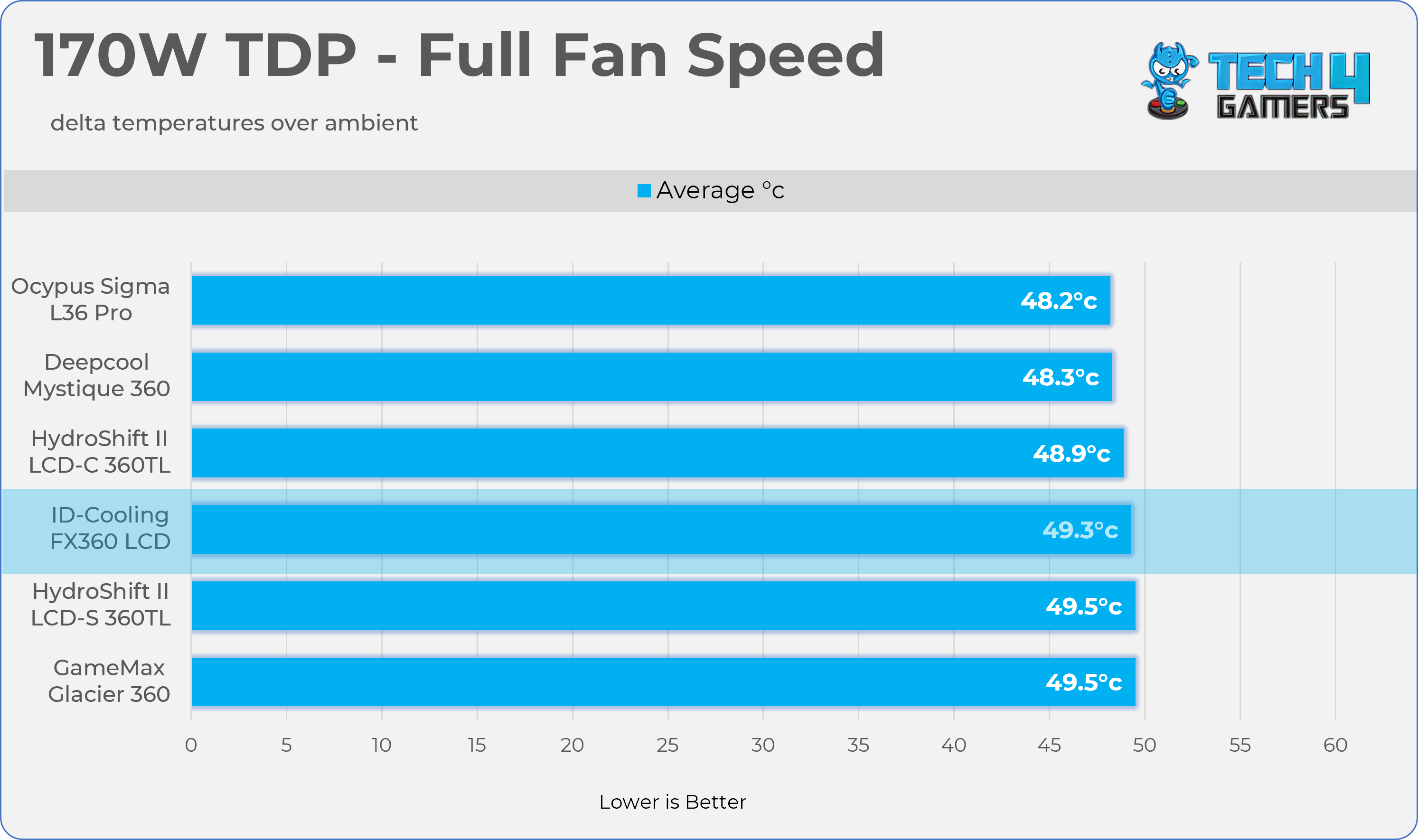
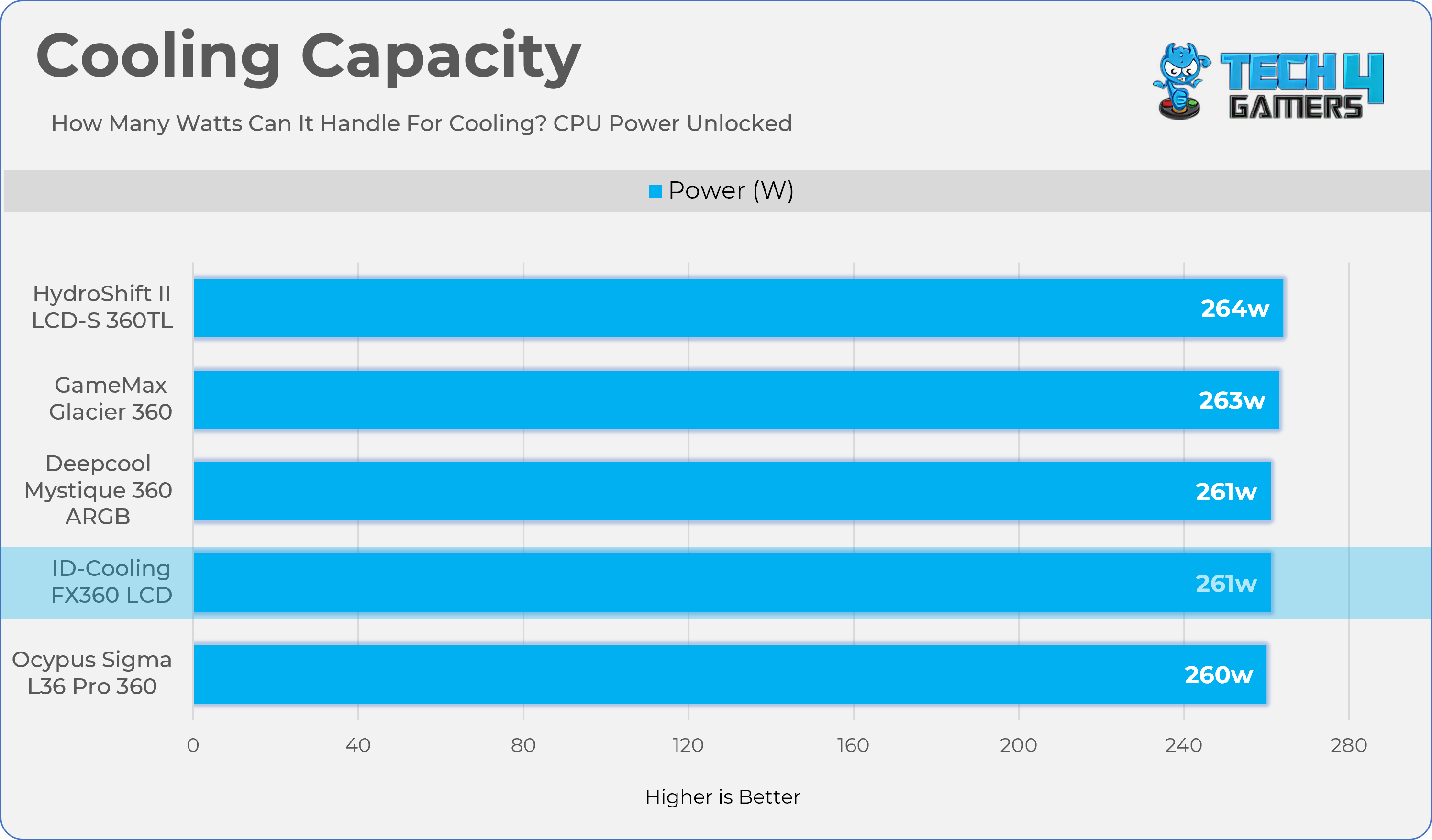
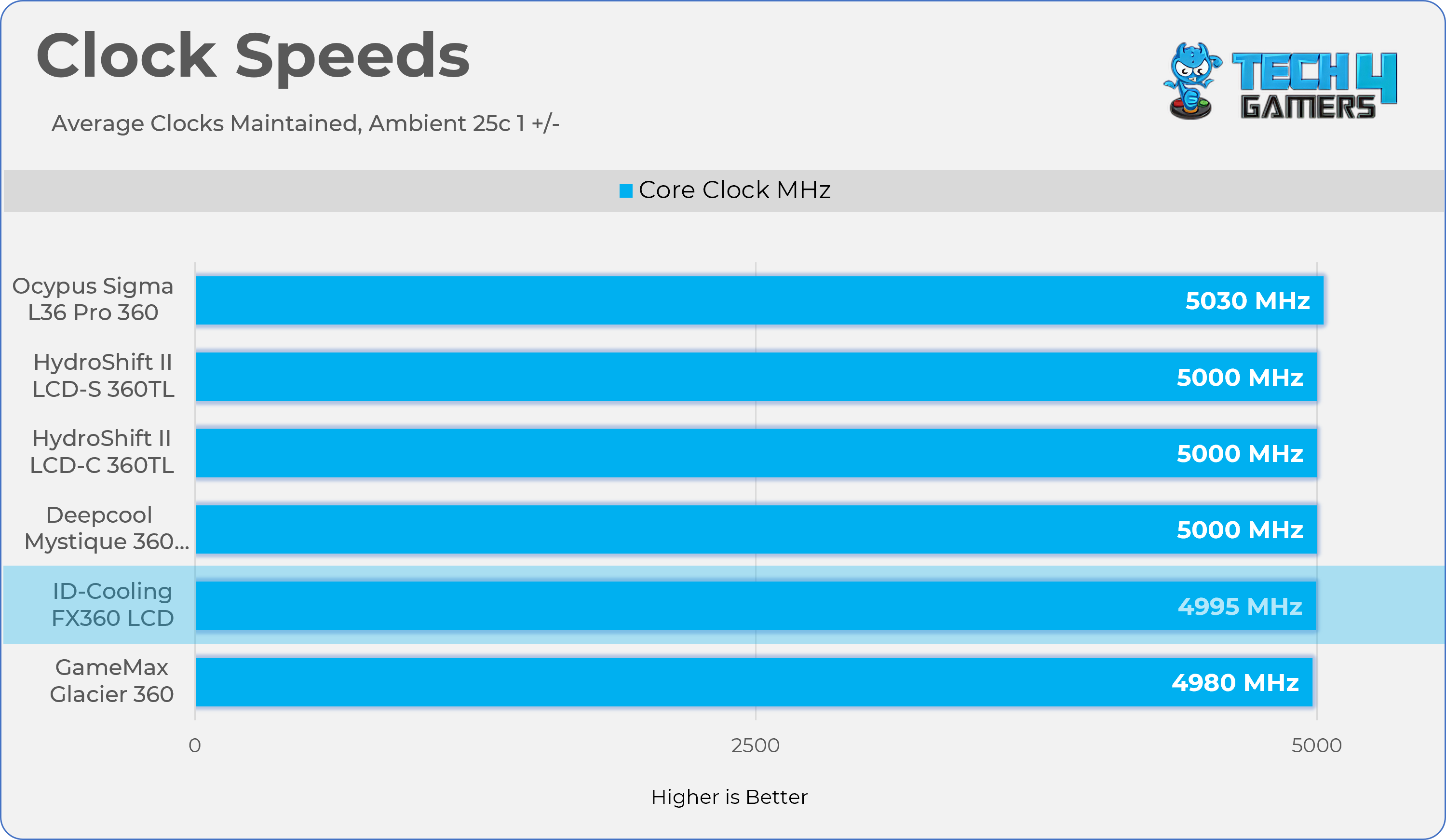
We evaluate the cooler’s performance using three different benchmark methods. Noise-normalized testing is performed at 40dB(A) at the 105W TDP and 170W TDP (Stock) of the Ryzen 9 9950X. We then test the cooler’s performance at the maximum PWM speeds for both TDP configurations. After that, we unlock the power limits of the CPU to see how much cooler it can dissipate the heat in terms of watts at the maximum PWM Speeds.
Controlled Environment:
We have eliminated the influence of ambient temperatures in our data, and all results are presented as deltas over the ambient conditions. The tests were done in a controlled environment with a room temperature of 25°C.
Preparing System:
The Coolers are tested in realistic conditions. We don’t use the open bench system; instead, we have installed the cooler in our HYTE Y70 case, mounted at the top. We ensure the airflow is adequate in the case and that the case fans are running at the fixed PWM speeds.
We are using ID-Cooling X45 thermal paste for all coolers.
Software:
We have ensured that no other software is running on the computer that could influence the CPU load.
We’ll be using the Cinebench R23 Loop for 20 minutes after the warm-up test has been completed. Each test has a 10-minute cool-down time.
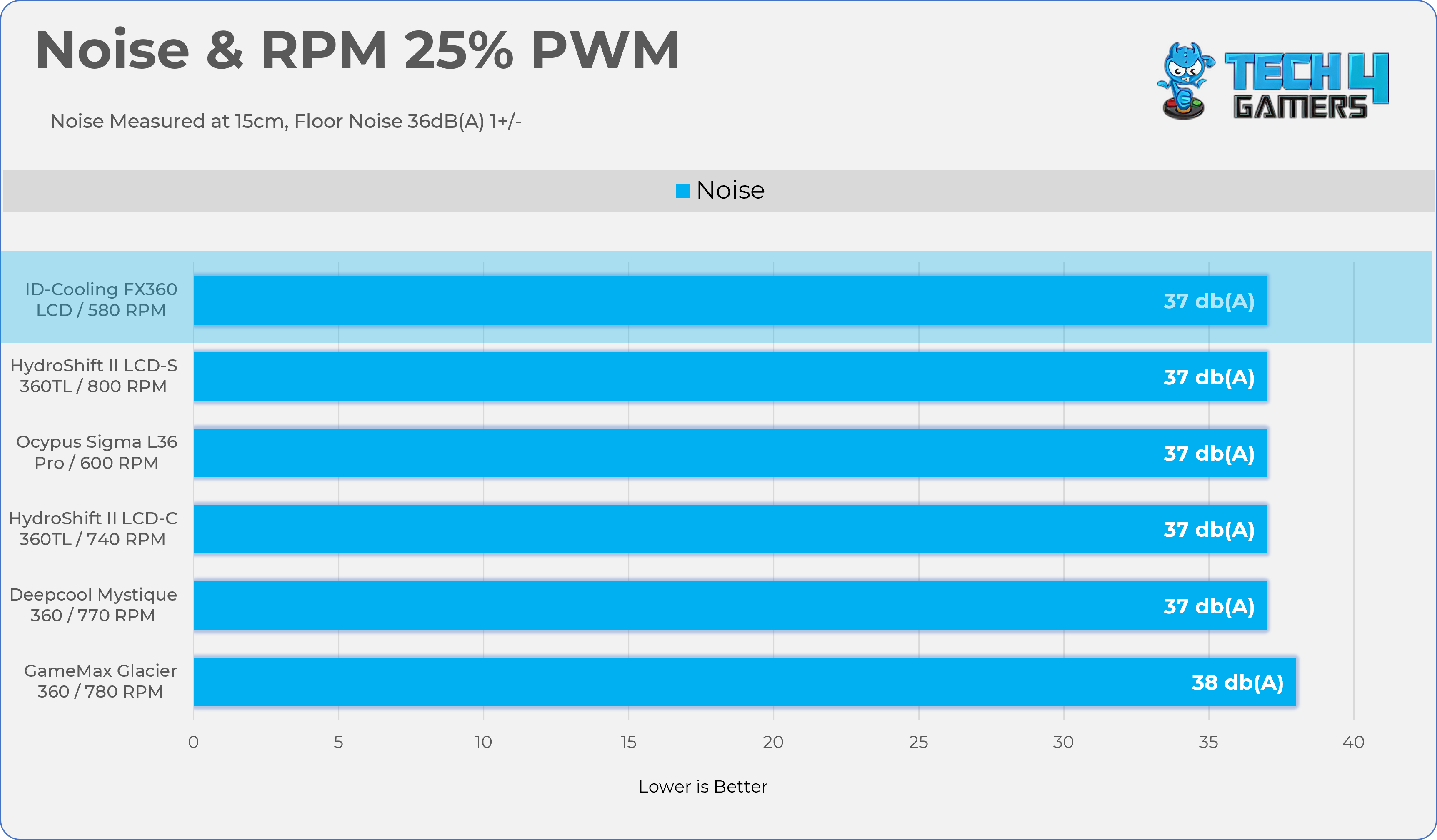
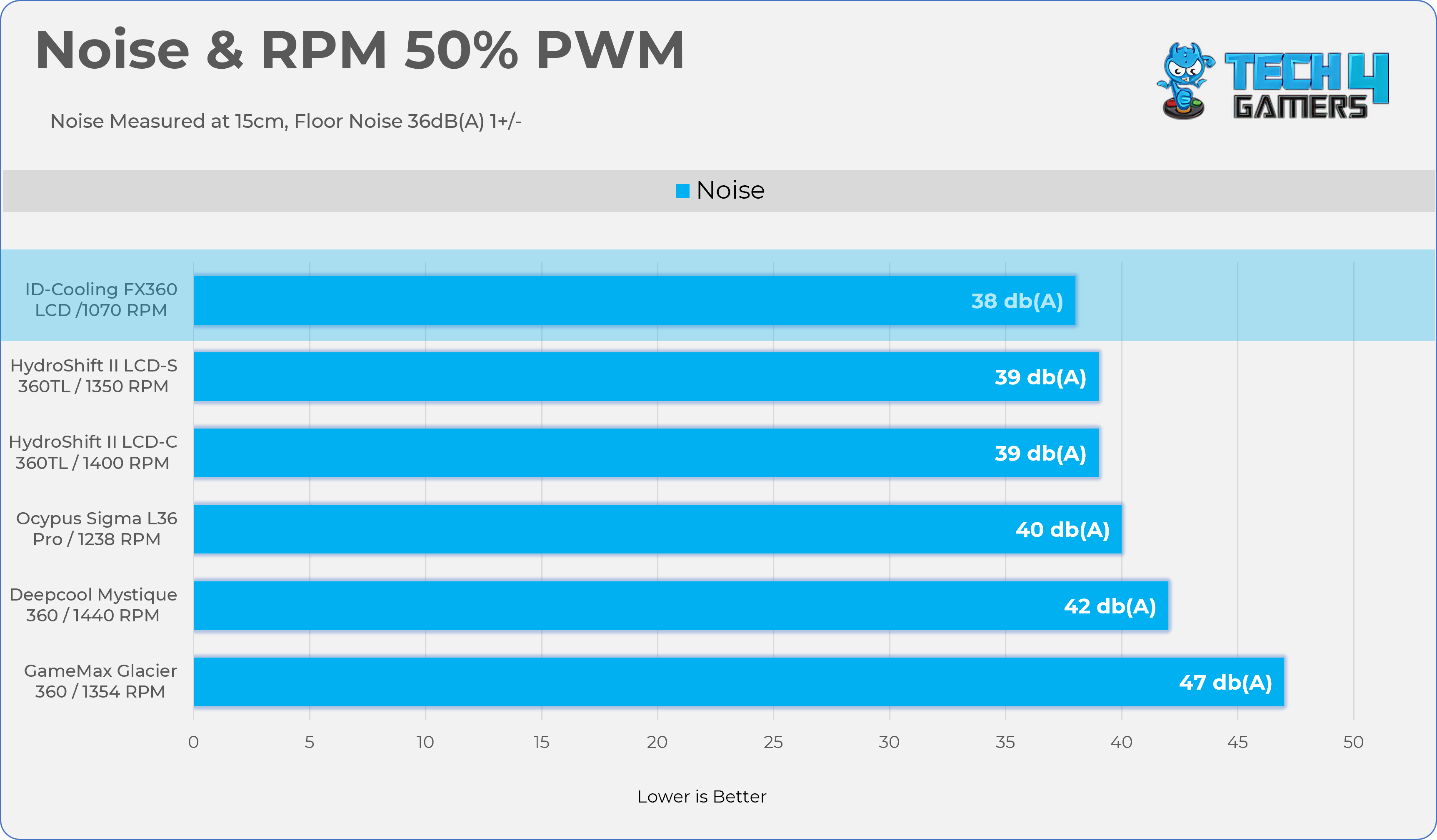
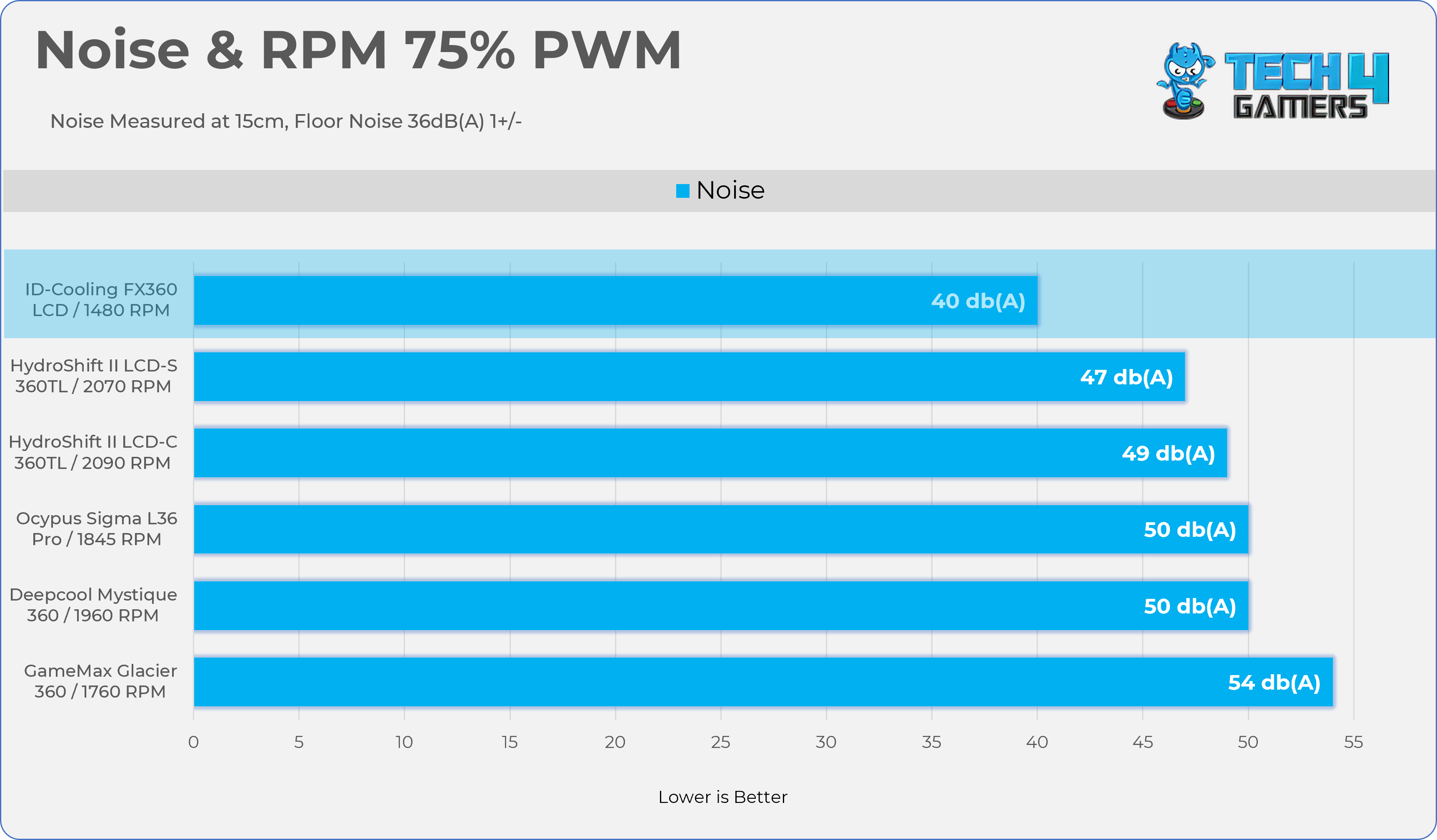
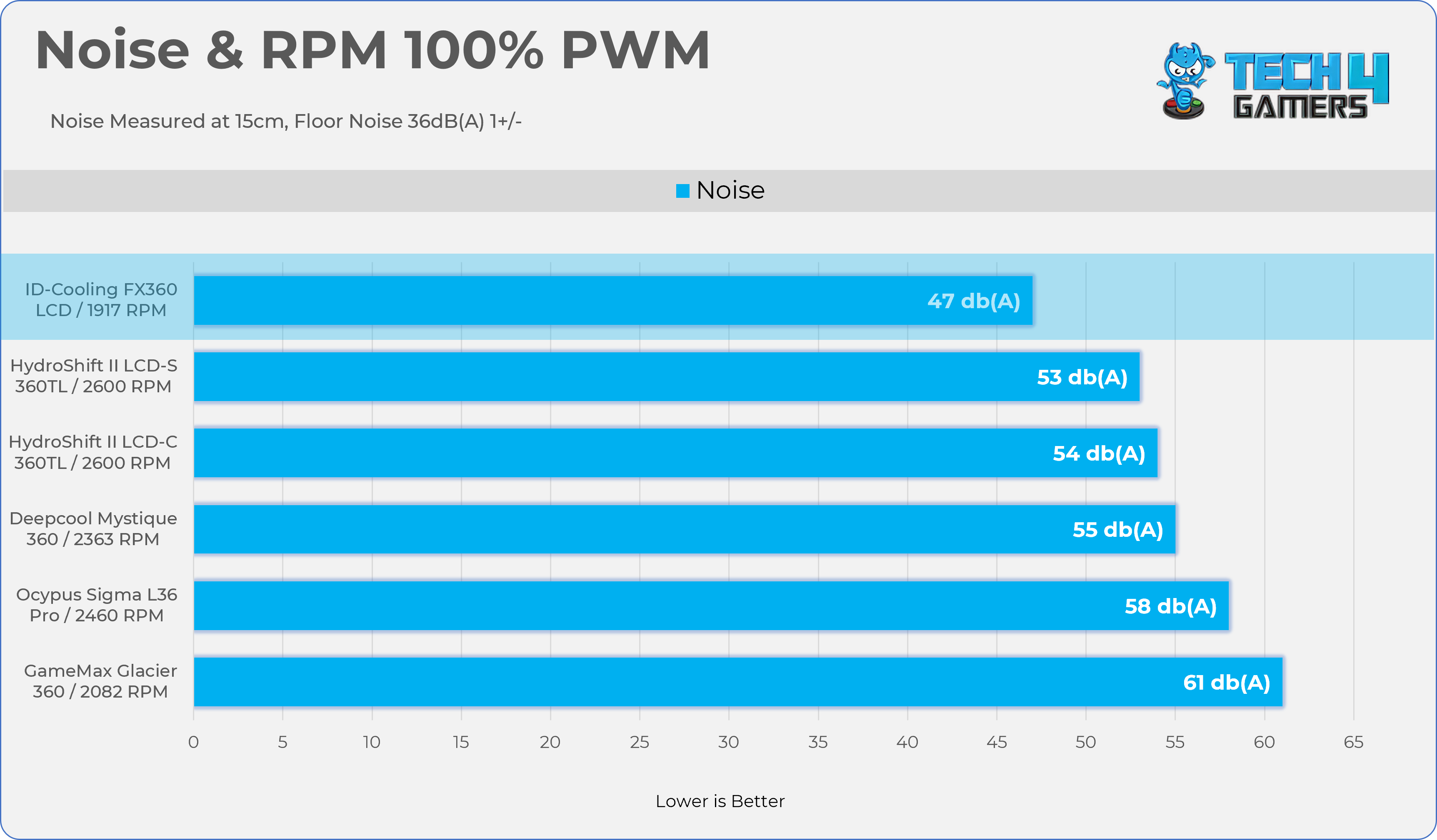
Let’s take a look at the Noise and RPM Readings. We conducted tests across four different PWM range levels.
25-50% PWM
PWM 25%
PWM 50%
75-100% PWM
PWM 75%
PWM 100%
Here is the structured table illustrating fan noise levels at various PWM percentages. The Floor Noise Level is 36dB(A).
PWM (%)
RPM
Noise dB(A)
25%
580 RPM
37 dB
50%
1070 RPM
38 dB
75%
1480 RPM
40 dB
100%
1917 RPM
47 dB
Should You Buy It?
Buy It If
✅ You Want Decent Cooling: FX360 LCD delivers solid performance across all the TDP ranges and noise normalized benchmarks. If you’re looking to upgrade your cooler from your old one, this is a great choice.
✅ You Seek Good Aesthetics Without Overspending: The key advantage of this cooler is its value, offering a 1.48-inch LCD and ARGB fans, features not available from other brands at this price point.
✅ You Want Good Acoustics: The Fans are designed for quieter operations and deliver decent performance at lower noise levels.
Don’t Buy It If
❌ If You Prefer to Avoid Software or LCD Complexity: Customizing the LCD requires ID-Cooling’s software. If you’re not concerned with LCD customization, you may consider other coolers.
Final Thoughts
To conclude, we’d like to share our final observations.
Cooling Performance And Noise
The cooler performed really well across all TDP and noise ranges, and it handled our AMD Flagship Ryzen 9 9950X well.
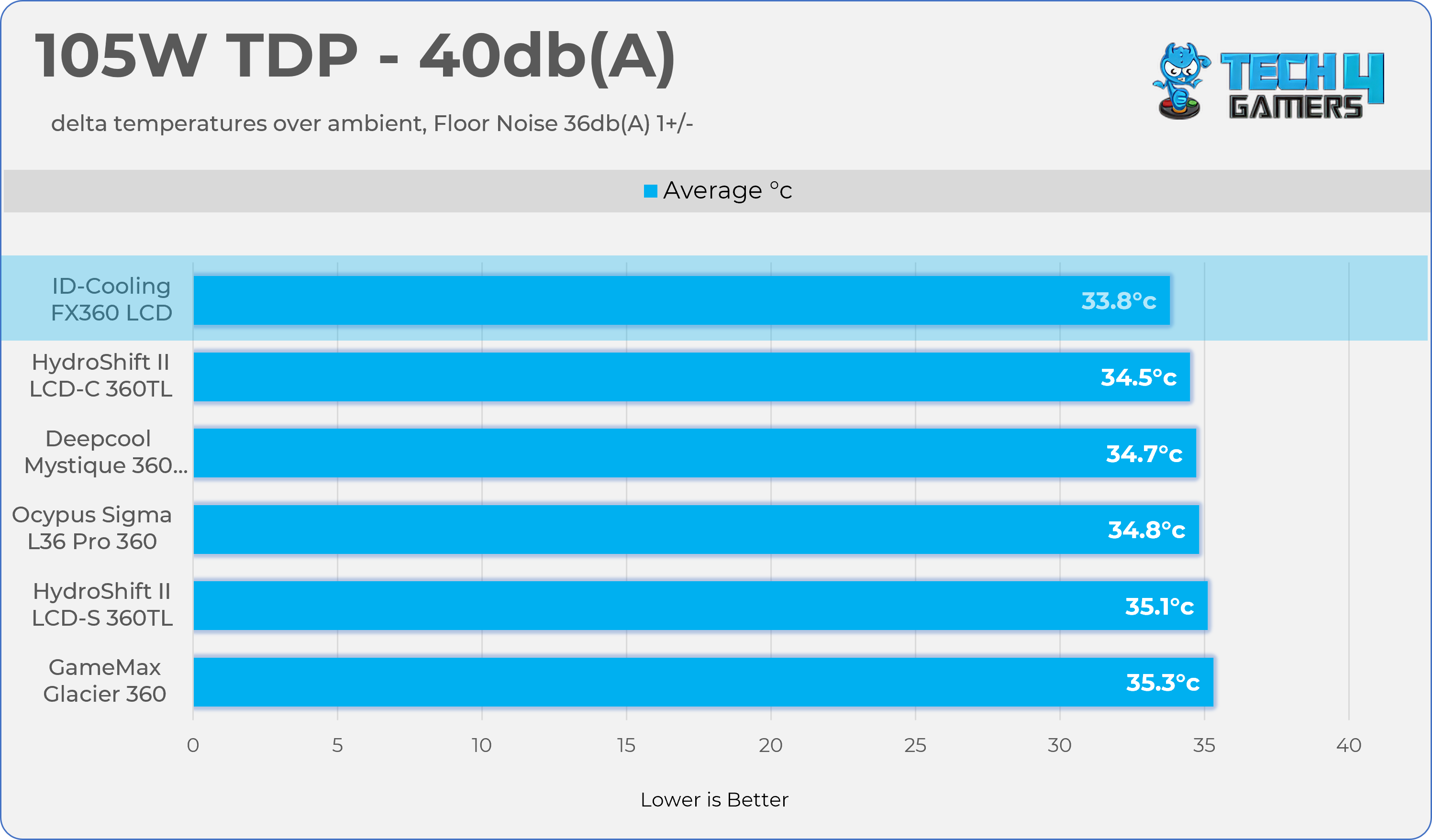
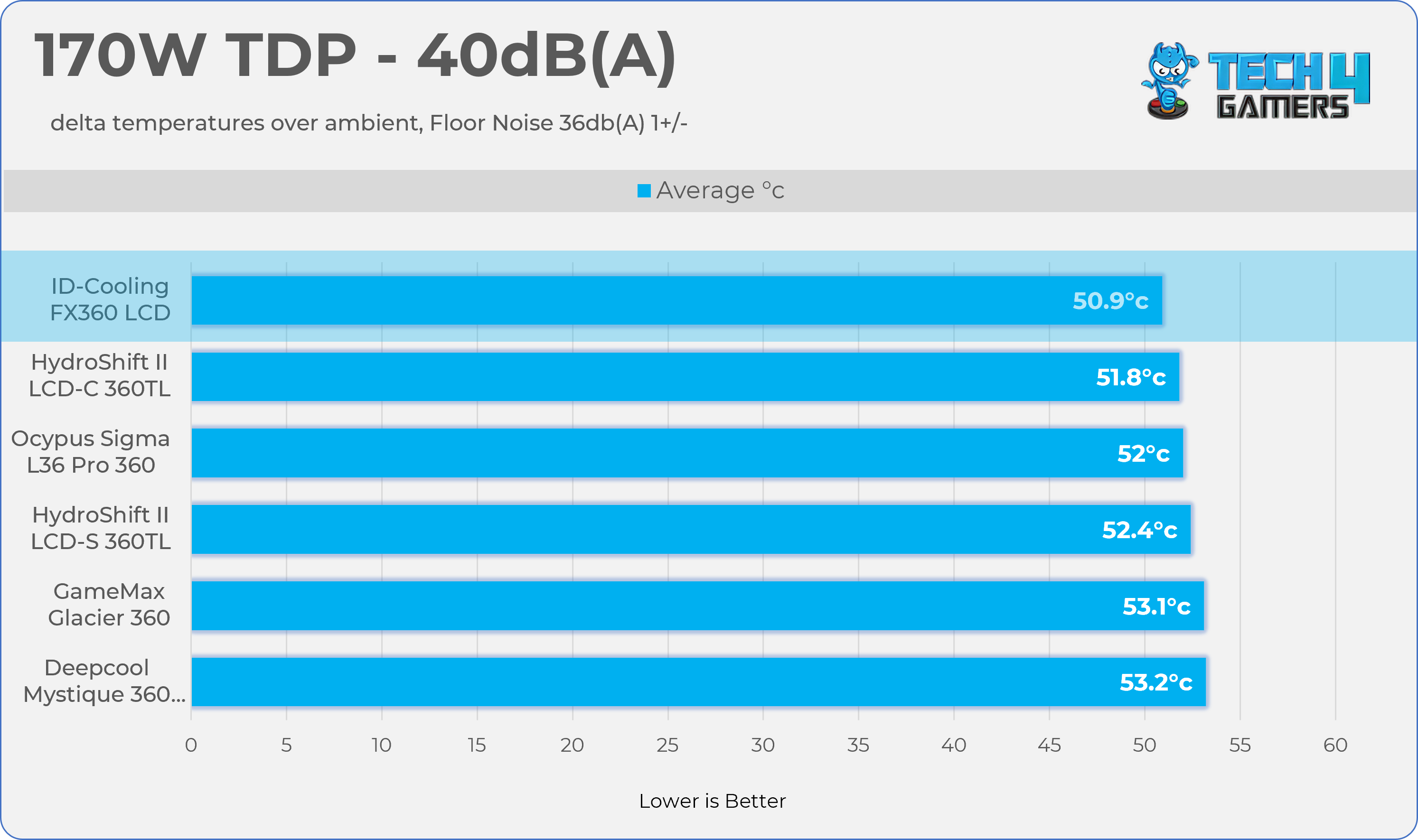
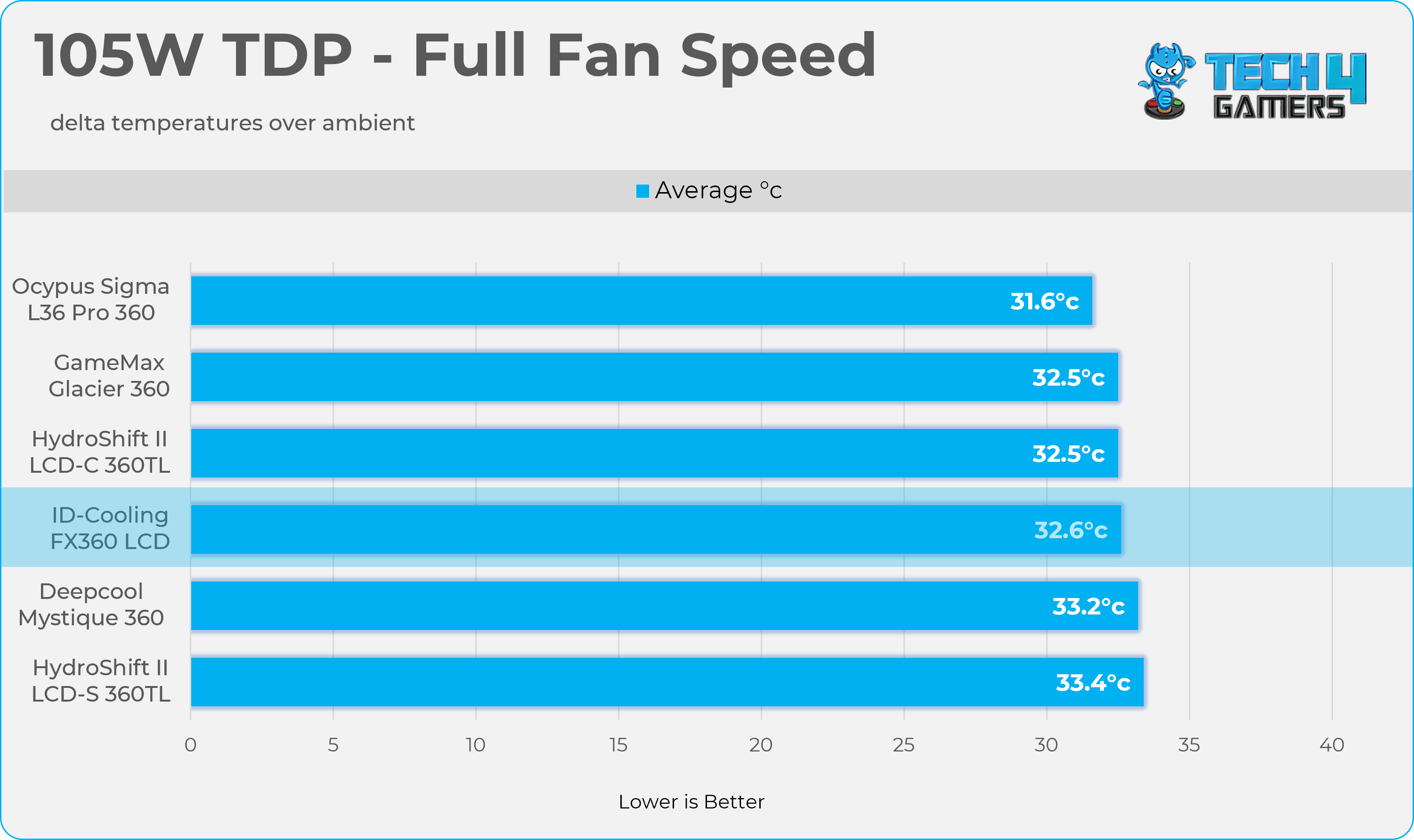
In our noise-normalised testing, the ID-Cooling FX360 LCD performed better than other coolers we have tested. However, at full-fan speed, the ID Cooling suffered a bit, as the fans on this cooler are tailored for silent operation. Of course, there will be trade-offs in overall cooling performance. The fans are the quietest; at 75% PWM, they produce 40dB(A), but they run around 1500 RPM.
Better fans would have put this cooler in the top-tier coolers’ performance category at the full-fan-speed charts. ID-Cooling has the FX360 LCD PE (Performance Edition), which comes with much more powerful fans and is only $10 more, but should you get that variant? It won’t be worth it, as at best the best-performing fans would only drop 1-2 °C at the highest level. In a nutshell, I’m satisfied with its cooling performance, and the value this cooler provides is outstanding.
Build Quality
So far, I haven’t encountered any issues with the cooler. The mounting hardware is robust and works very well. The fans come preinstalled and are daisy-chained, so there’s minimal cable clutter on the radiator side. We didn’t notice any grinding or unusual noises from the pump, although it may be slightly louder at maximum speed.
The radiator fans, on the other hand, are relatively quiet. They aren’t as powerful as those found in some other liquid coolers, but they perform the job effectively. Considering the price, this is understandable. I would have preferred a 5-year warranty instead of 3 years, but at this bargain, it’s hard to complain. ID-Cooling has also included the X45 thermal paste, which retails for $6 on its own. They didn’t cut corners as much as I expected.
Value
ID-Cooling has genuinely raised the bar this time. The FX360 LCD delivers top-tier performance, featuring ARGB fans, a 1.48-inch customizable LCD, and the separate ID-Cooling X45 thermal paste. In terms of value, ID-Cooling has outdone itself. Offering both strong CPU cooling and appealing aesthetics at this price is hard to beat. The Cooler is priced at $89.99 with a 3-year warranty. Whether you’re a new PC builder or upgrading from an older cooler, this is an excellent option.
At Tech4Gamers, I take on the role of Hardware Reviewer with pride. My responsibilities involve a thorough examination of essential hardware components like motherboards, graphics cards, processors, PC cases, and CPU coolers, among others, focusing on their complexities and functionalities.
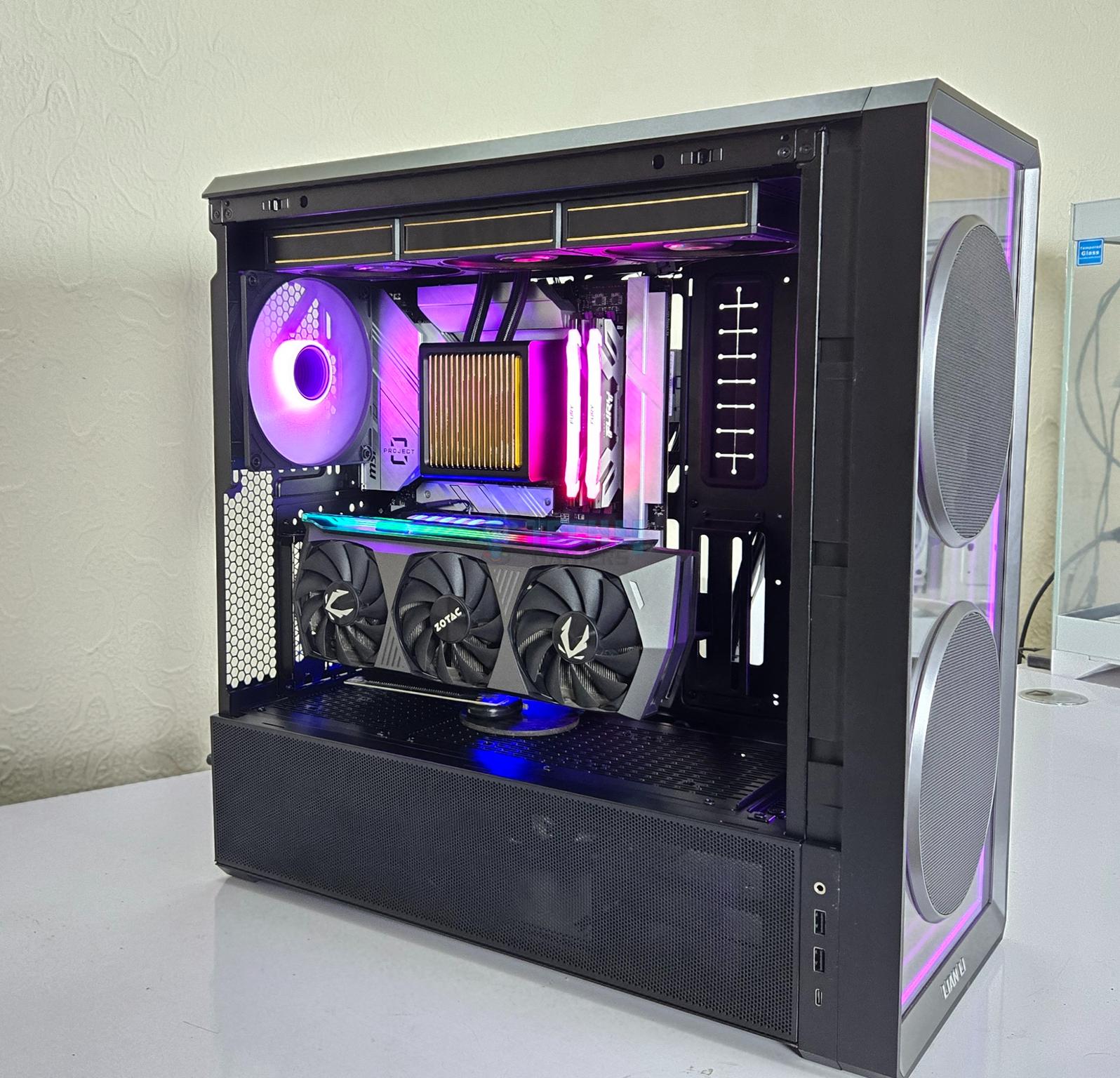
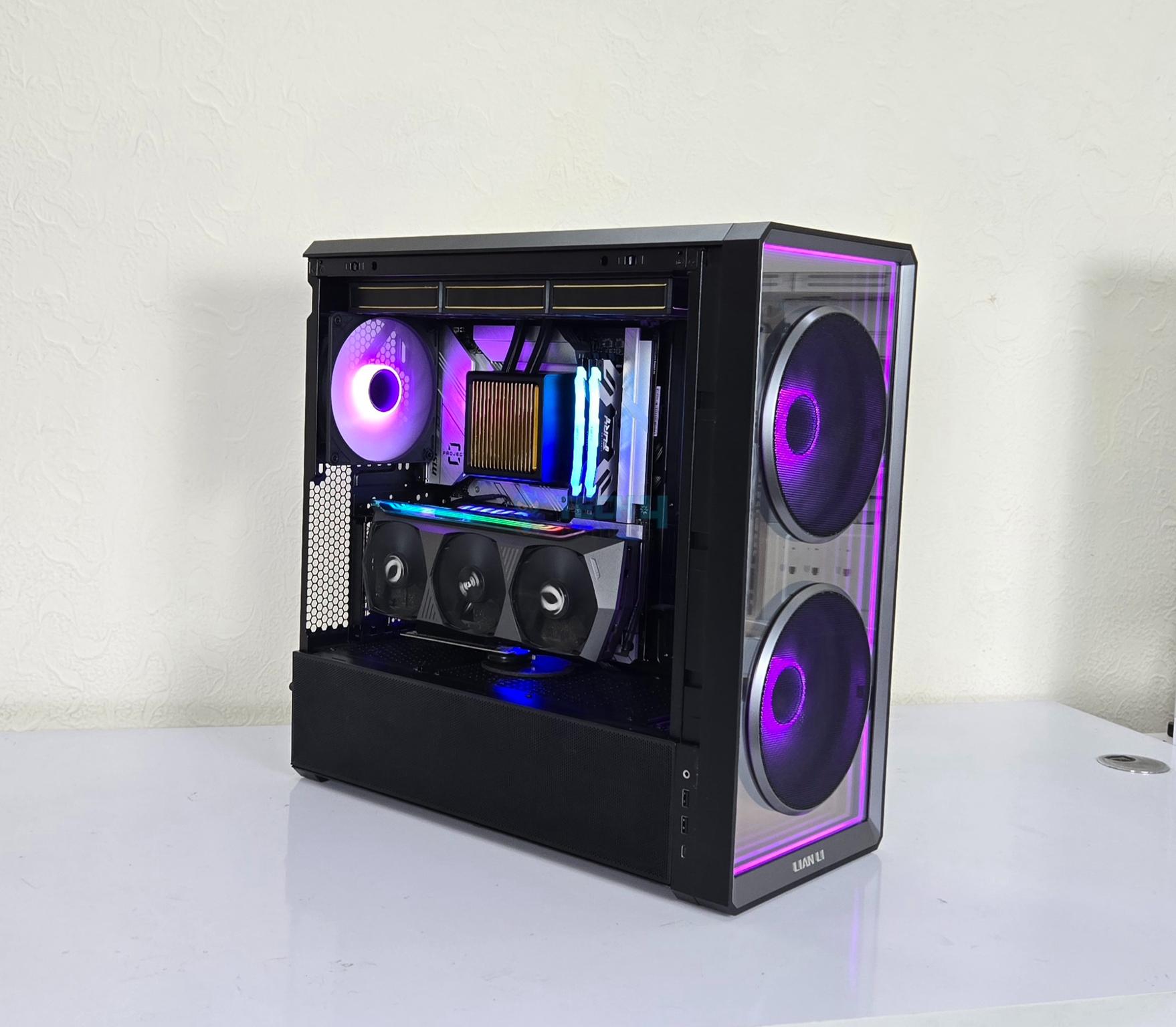
Lian Li needs no introduction and on the same grounds, LANCOOL needs no introduction. The PC Cases under LANCOOL category are ever popular among users alike O11 and later series. Lian Li has launched LANCOOL 217 INF recently. This case is available in white and black color options. The exterior of the case makes it different from the regular LANCOOL 217 with some key features that I would highlight in this article:
The tempered glass front panel features a stunning and vivid infinity-mirror design.
Dual 170 mm front fans on the front generating ton of airflow.
140 mm rear fan delivering efficient system cooling.
This case comes equipped with wireless fan and ARGB lighting control through L-Connect 3 in addition to regular I/O buttons and/or motherboard sync. Controller is not provided.
The case supports back-connect motherboards.
This case is PPLP S-Class Thermal Performance certified.
Why Trust Tech4Gamers
Nauman Siddique is the most senior hardware tester at Tech4Gamers. He brings an ocean of knowledge to the table, including unmatched expertise in PC cases.
40+ PC cases tested and reviewed by our team of hardware experts (Tech4Gamers Team).
600+ hours spent testing different PC cases for our reviews.
At Tech4Gamers, ensuring you get reliable information is our priority. That’s why every hardware round-up undergoes a meticulous review process by our team of experts and editors. Each review is carefully examined against our strict editorial guidelines, guaranteeing you trustworthy insights you can depend on.
I have tested black variant which has MSRP of USD 124.99. The white variant comes in at USD 129.99.
2x Hard Drive Cages with 1×2.5”/1×3.5” drives per cage [Total 4x]
PSU Cover: 3x 2.5” Drives
MB Tray: Up to 2x 2.5” Drives
Expansion Slot
7x
GPU Support
Up to 380mm Length
CPU Cooler Support
Up to 180mm
PSU Support
Under 200mm length in regular mount
Under 180mm length in the rotated mount
Fan Size Support
Front: 2x 170mm
Top: 3x 120mm or 2x 140mm
Rear: 1x 120mm/140mm
PSU Shroud: 3x 120mm on top or 2x 120mm under the shroud
Radiator Size Support
Top: Up to 360mm
[toc]
Packaging And Unboxing
Unboxing
1 of 4
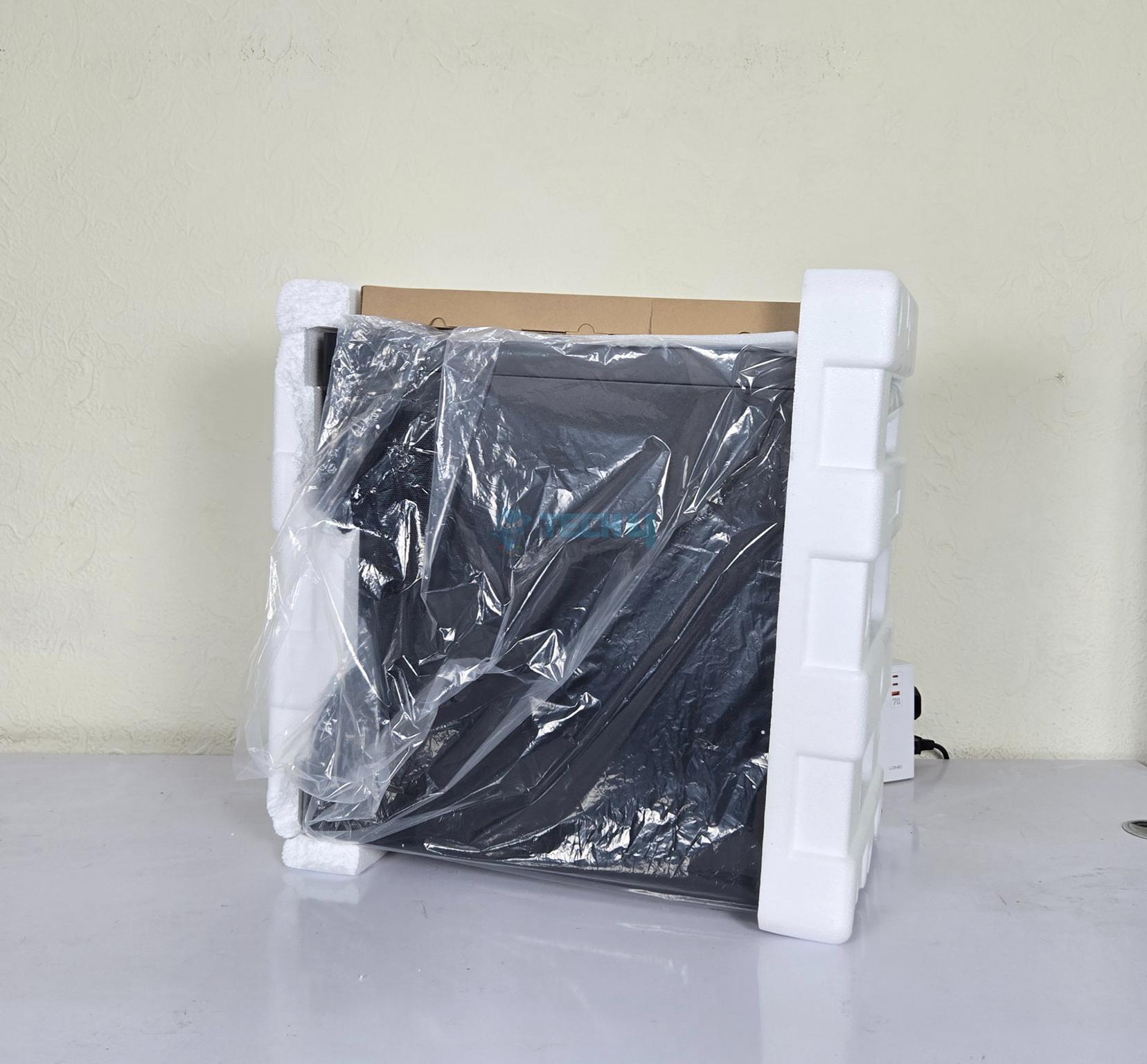
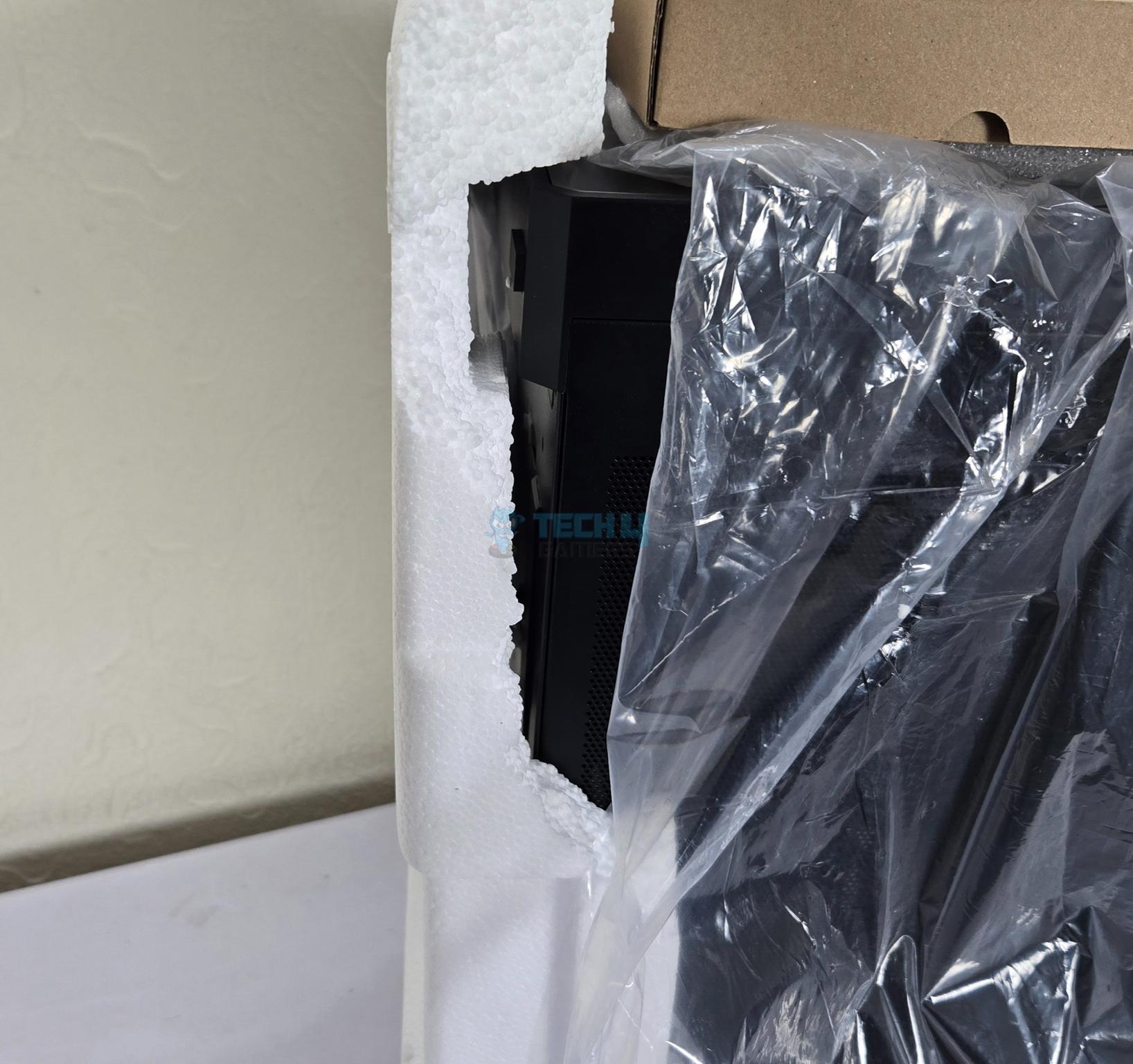
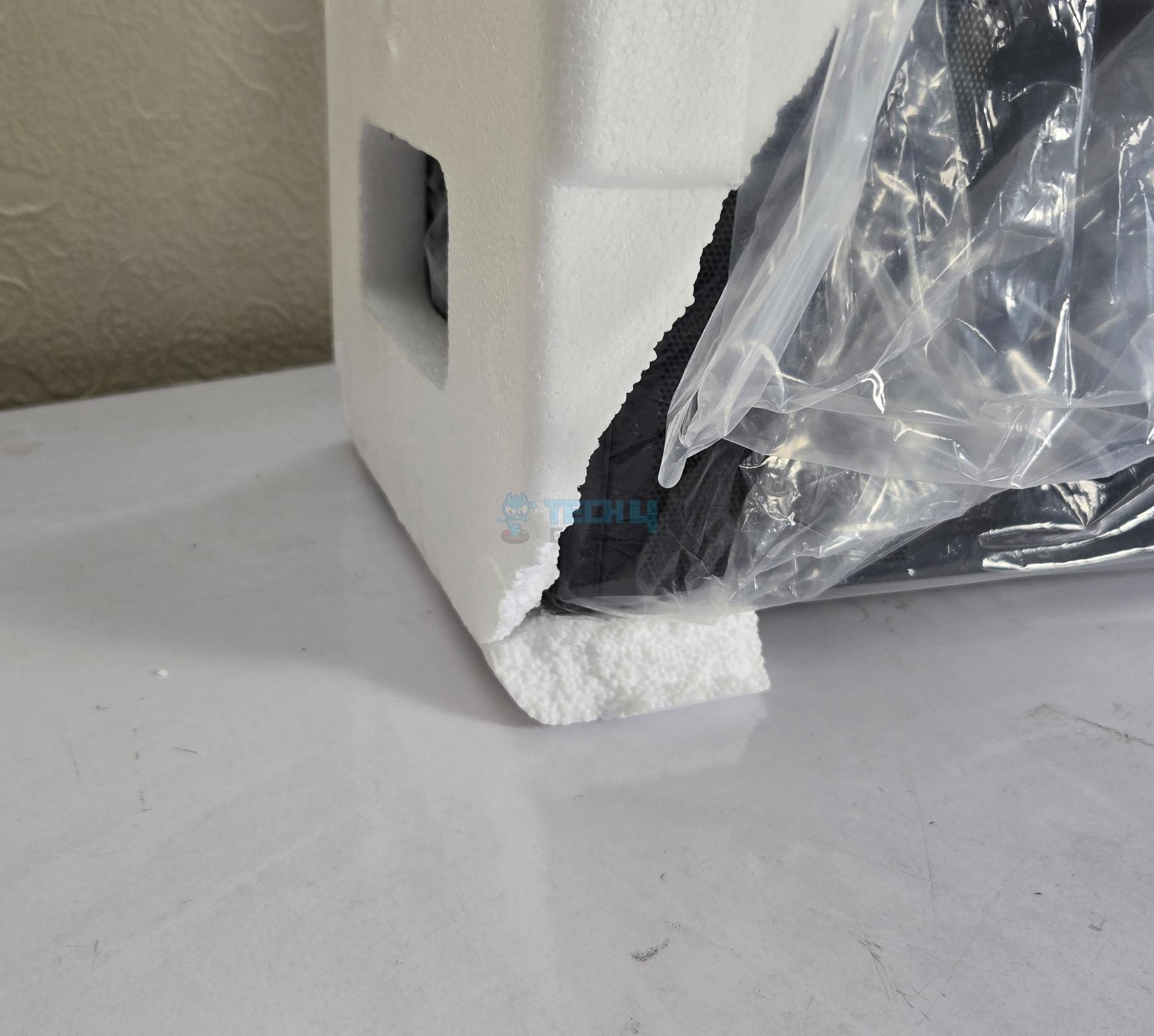
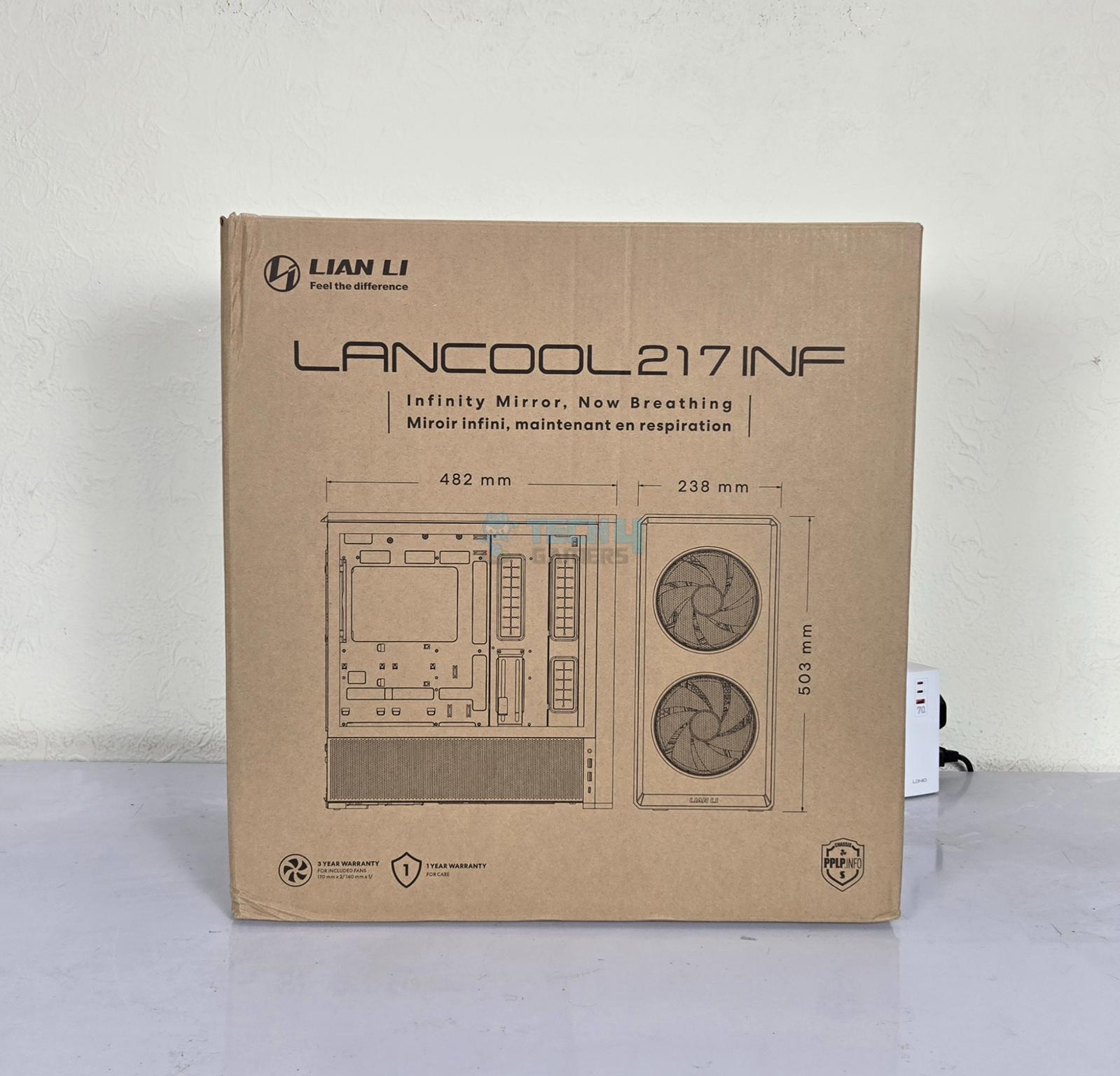
The case is shipped inside a standard brown colored cardboard box. This box shows salient features and specifications of the case along with picture. Two Styrofoam pads encapsulate the case. However, in our case, these pads come broken from several places. They still did the job fine since the case was delivered fully intact.
A separate brown color box is placed on top that has the necessary brackets and the accessory container inside. The following are provided with the case:
1x Installation Guide
Zip-Ties
Motherboard Tray Stand-off Screws
Storage drive screws Screws
PSU Screws
Long Standoff Screws for GPU Vertical Bracket
Non-function IO bracket for filling
PSU Shroud Bracket for fan
PSU Shroud Cover for graphics card bracket mounting
Design
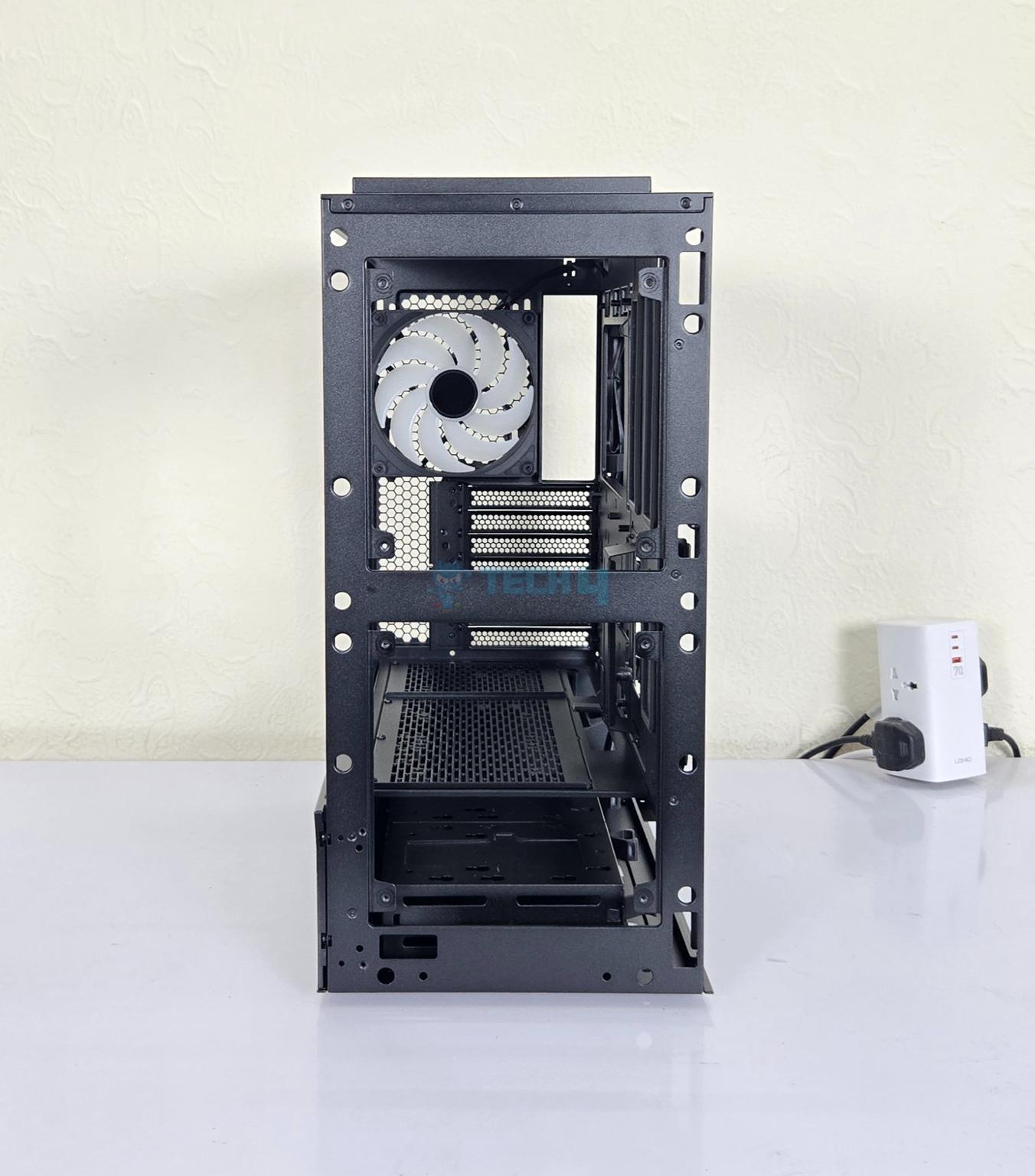
LANCOOL 217 INF is a futuristic design with elegance, versatility, modularity incorporated into its design philosophy. This is backed by infinity-mirror design with tempered glass on the front and Fan/IO hub with wireless control. It is made of SPCC material with 4mm tempered glass. The case supports the back connect motherboards and despite being mid-tower, it is quite spacious.
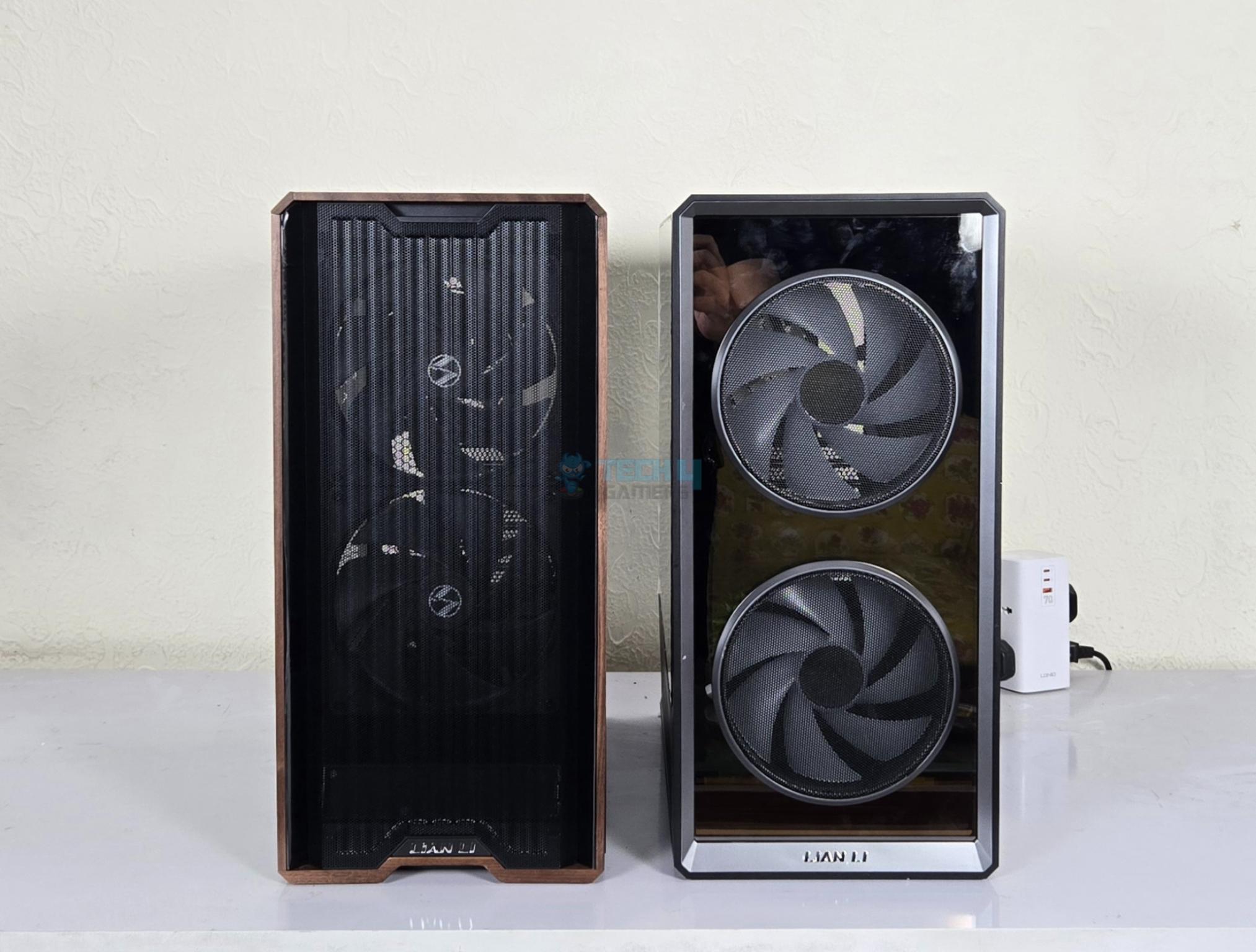
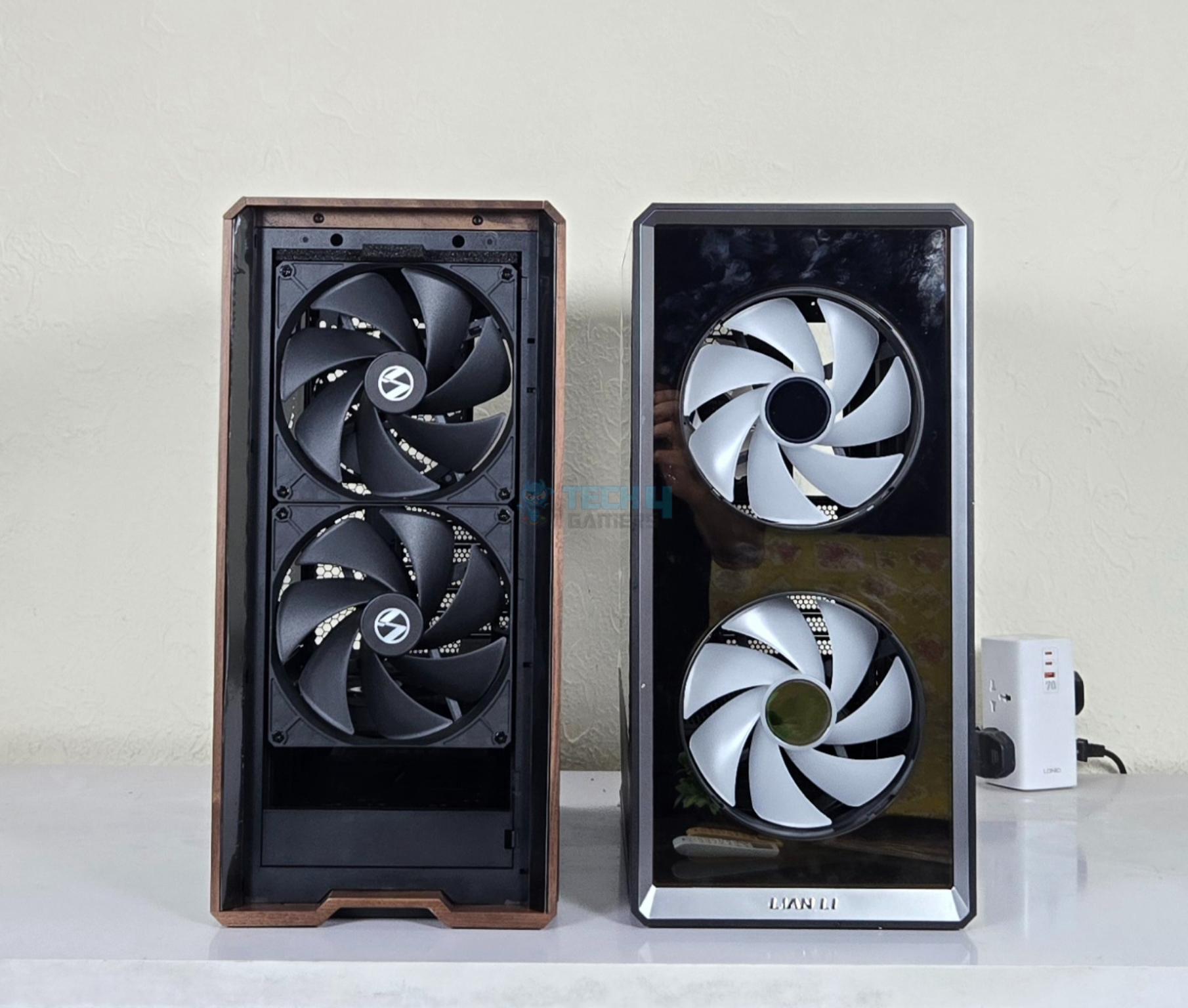
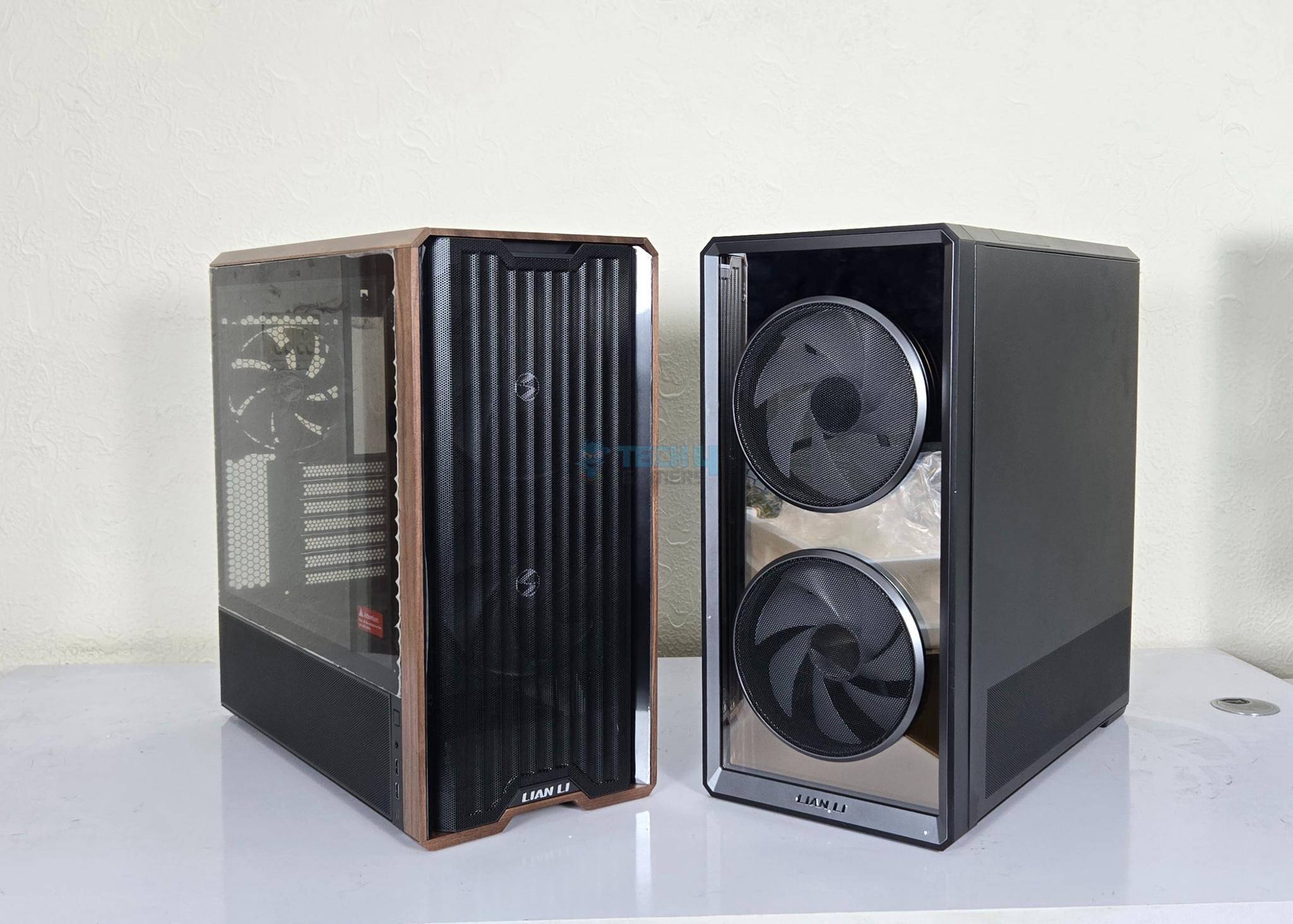
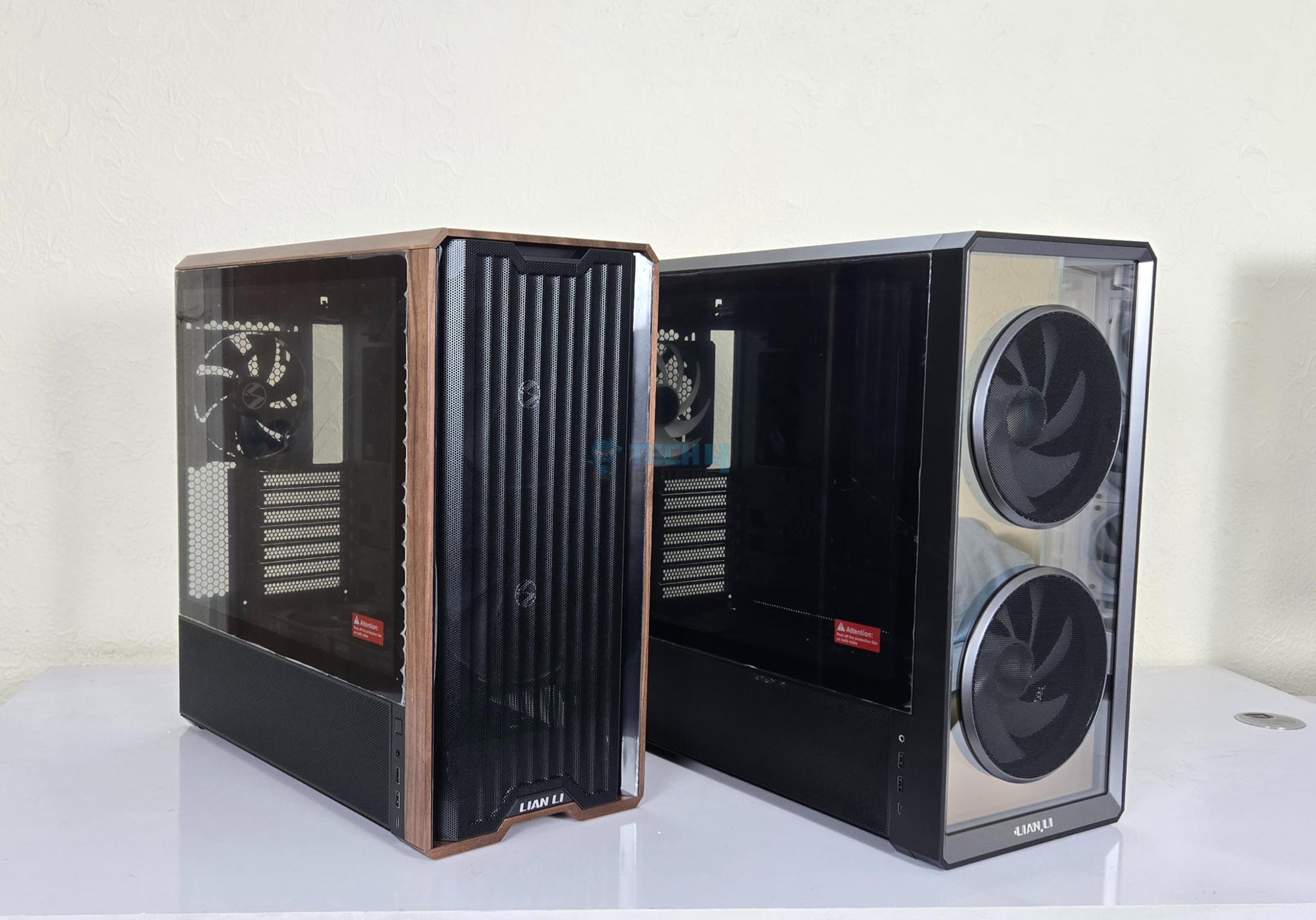
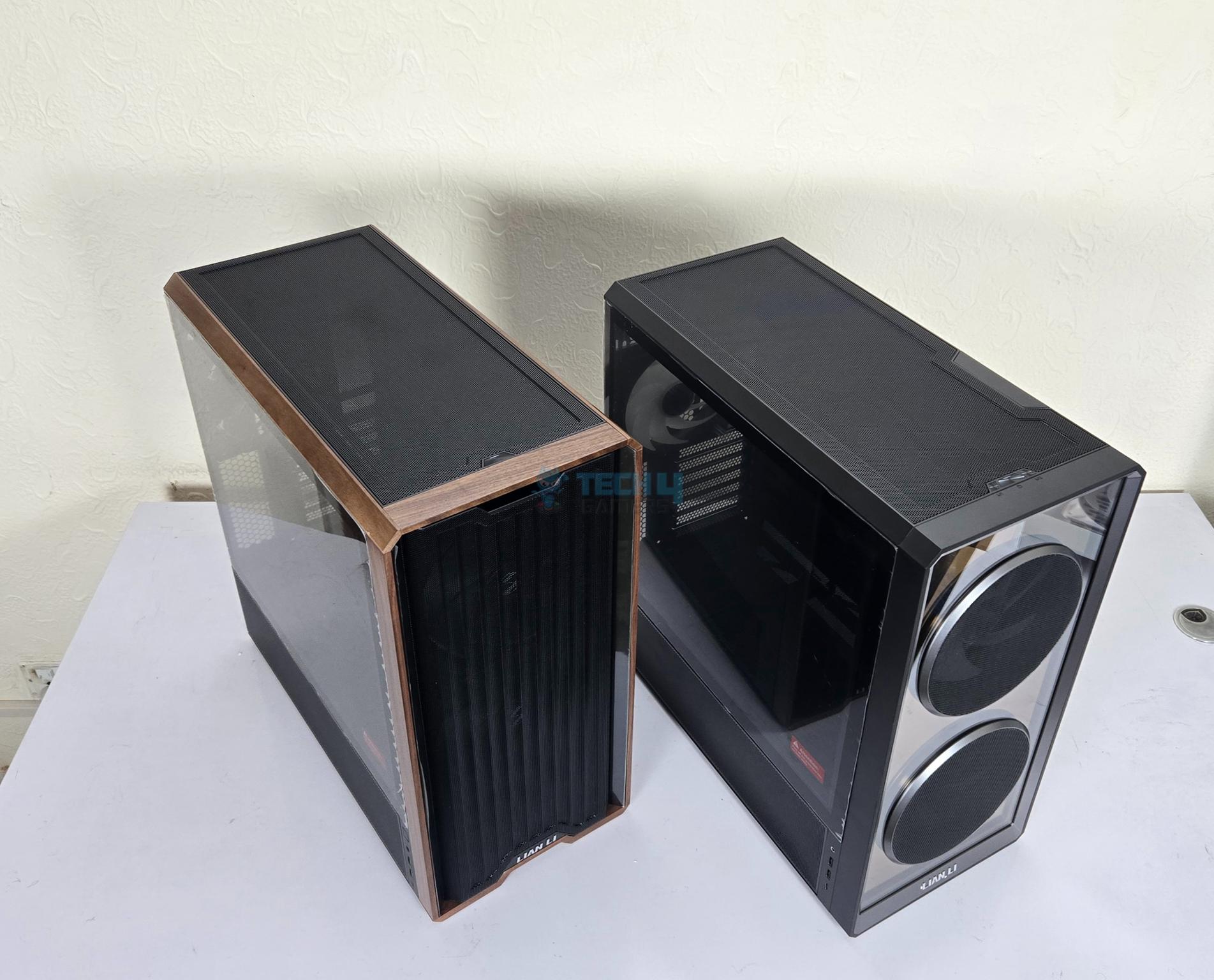
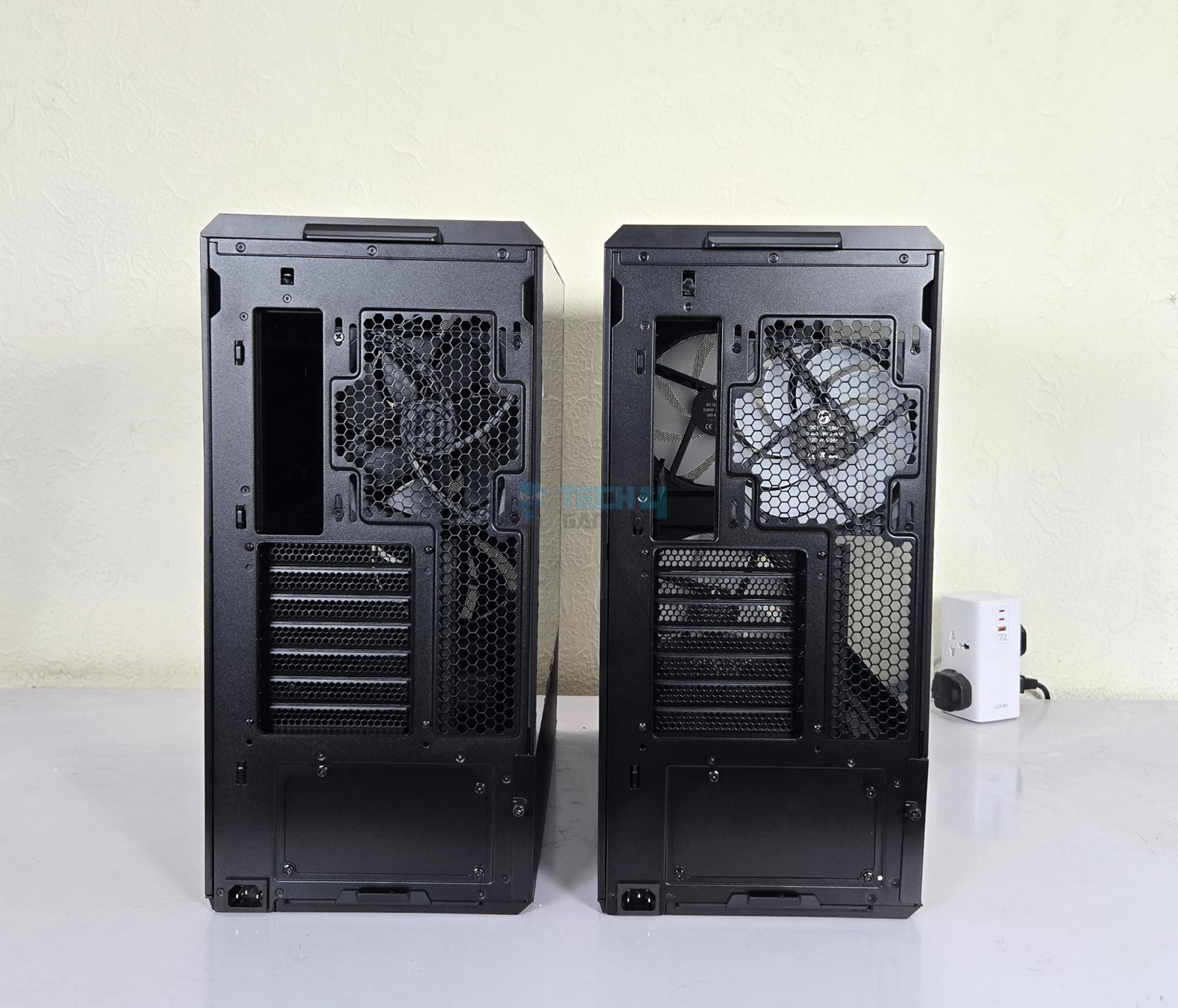
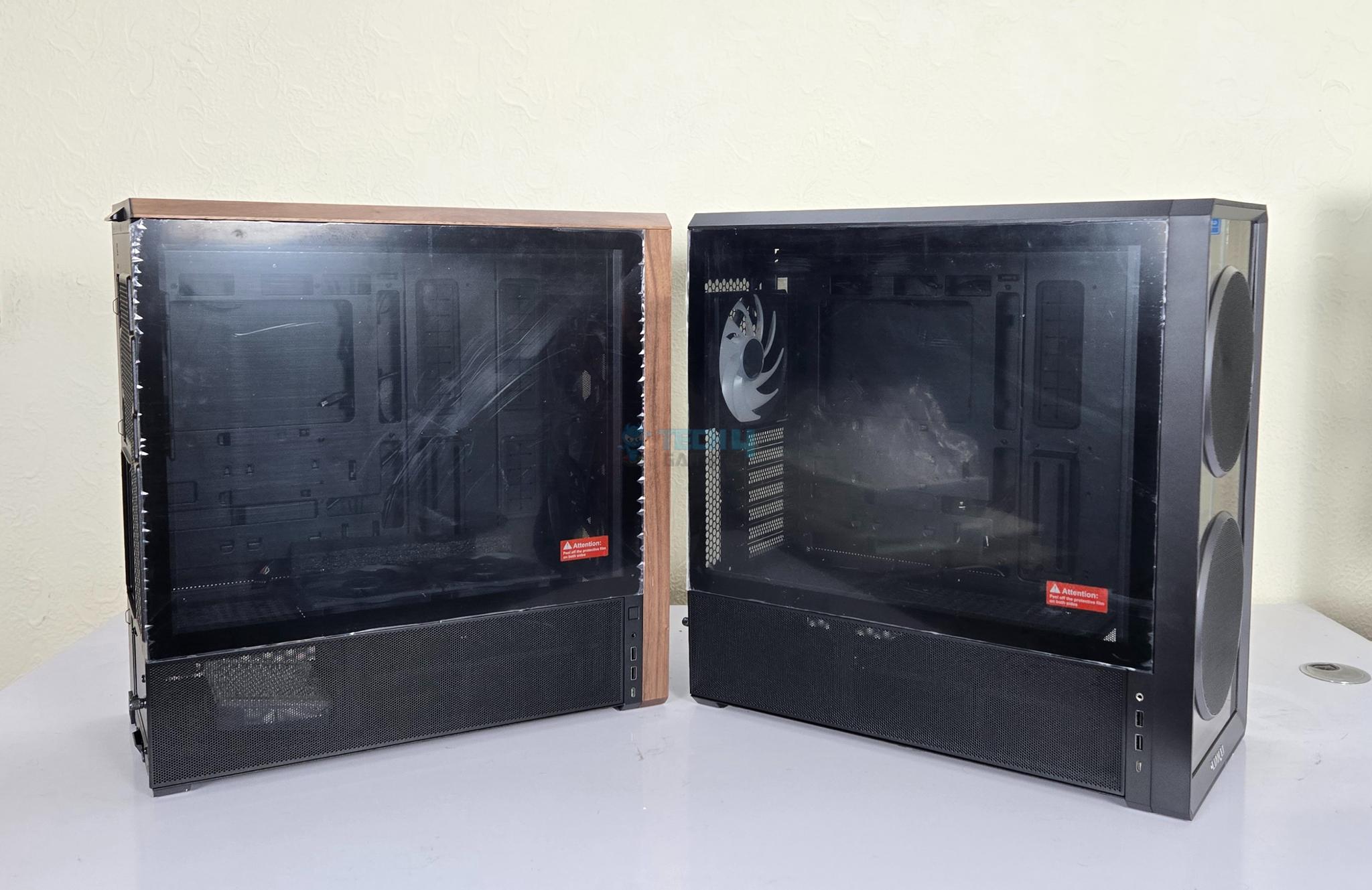
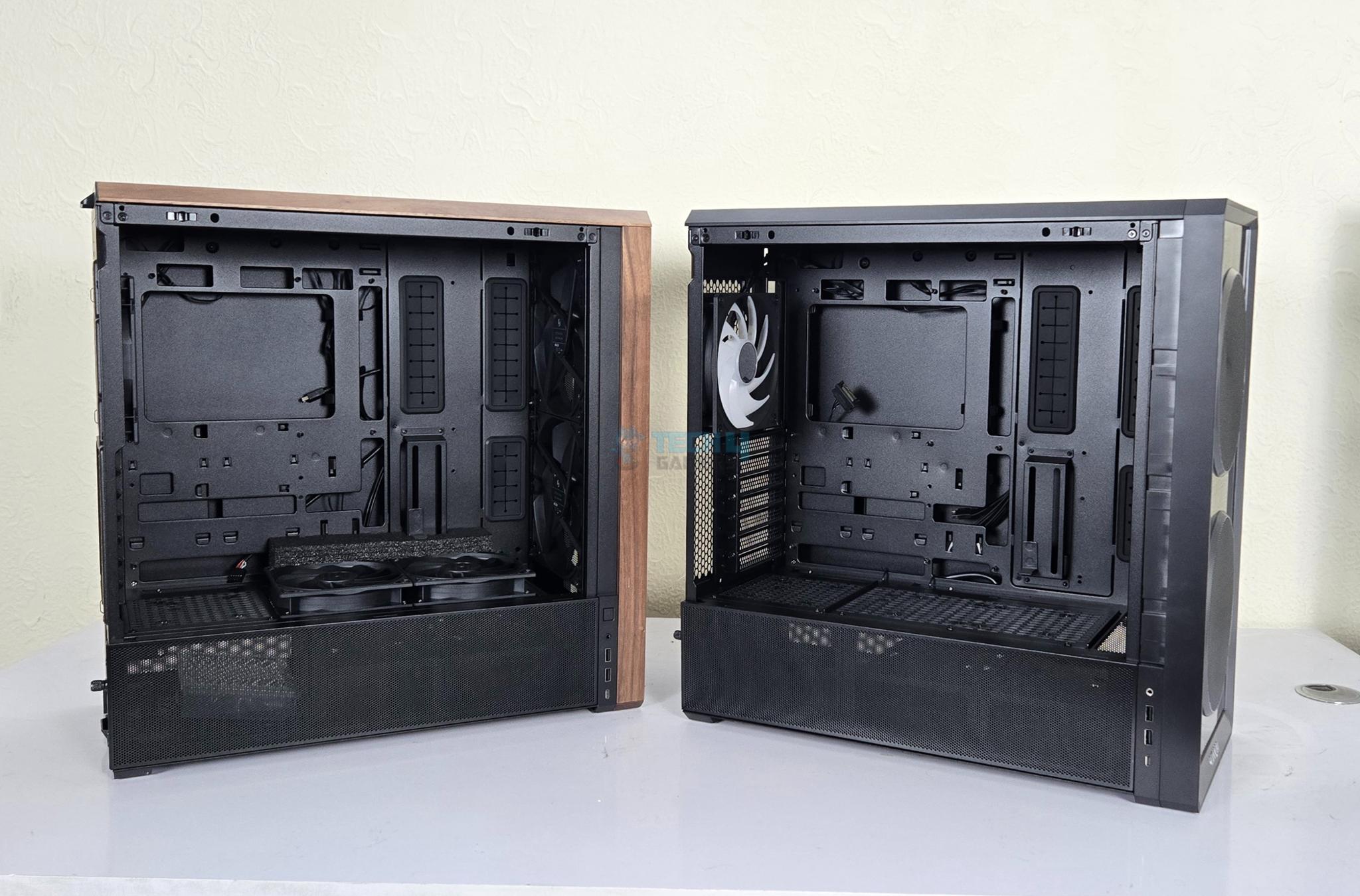
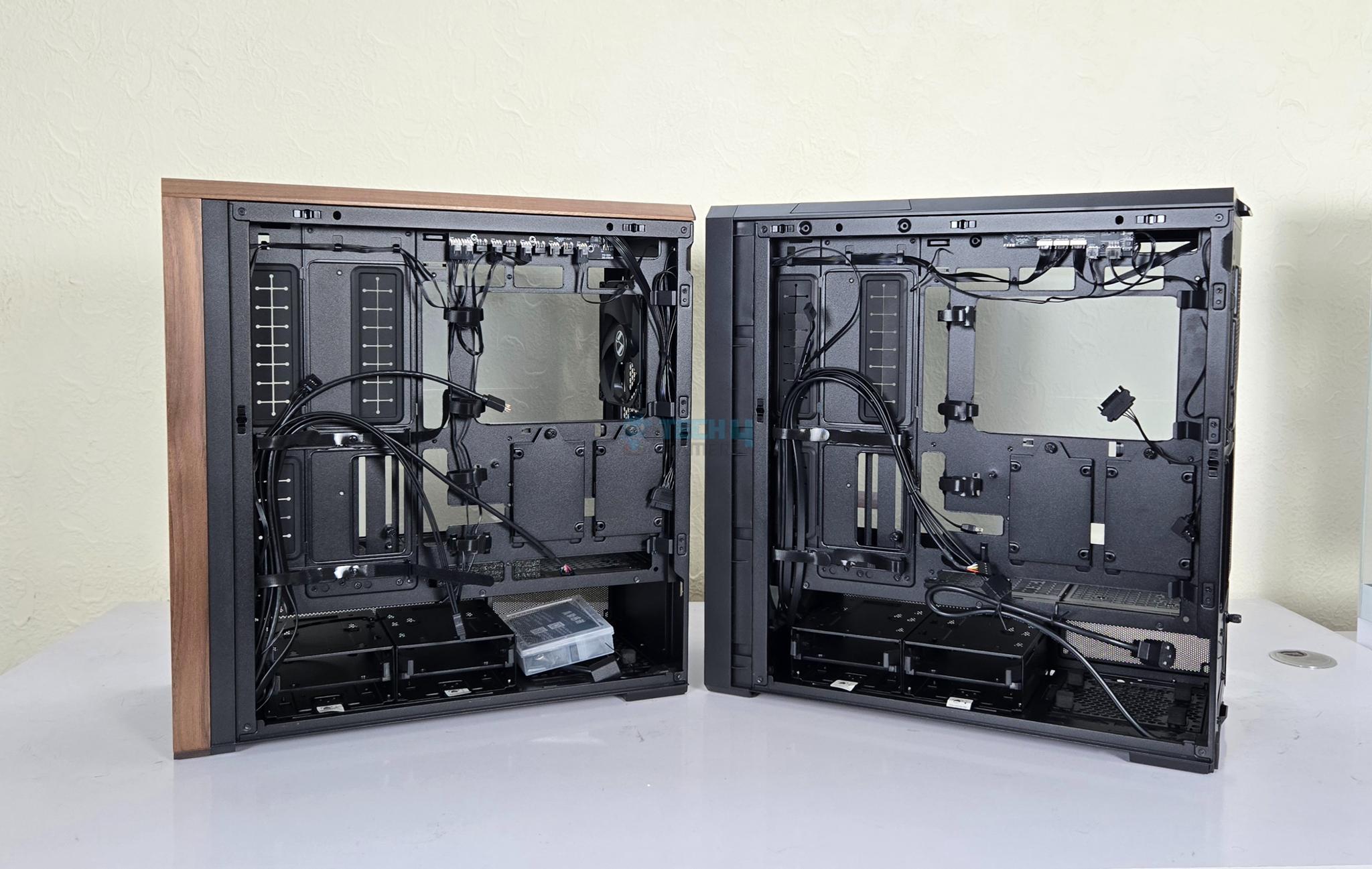
LANCOOL 217 INF Vs LANCOOL 217
Before we proceed further, let’s take a succinct view of the key differences between the two LANCOOL 217 cases.
LANCOOL 217 INF Vs LANCOOL 217
1 of 14
The main differences are:
Perforated Mesh on regular LANCOOL 217 compared to TG panel with infinity mirror.
Non-RGB 170mm fans on regular LANCOOL 217 compared to ARGB 170mm fans on INF variant.
Wooden texture on regular LANCOOL 217.
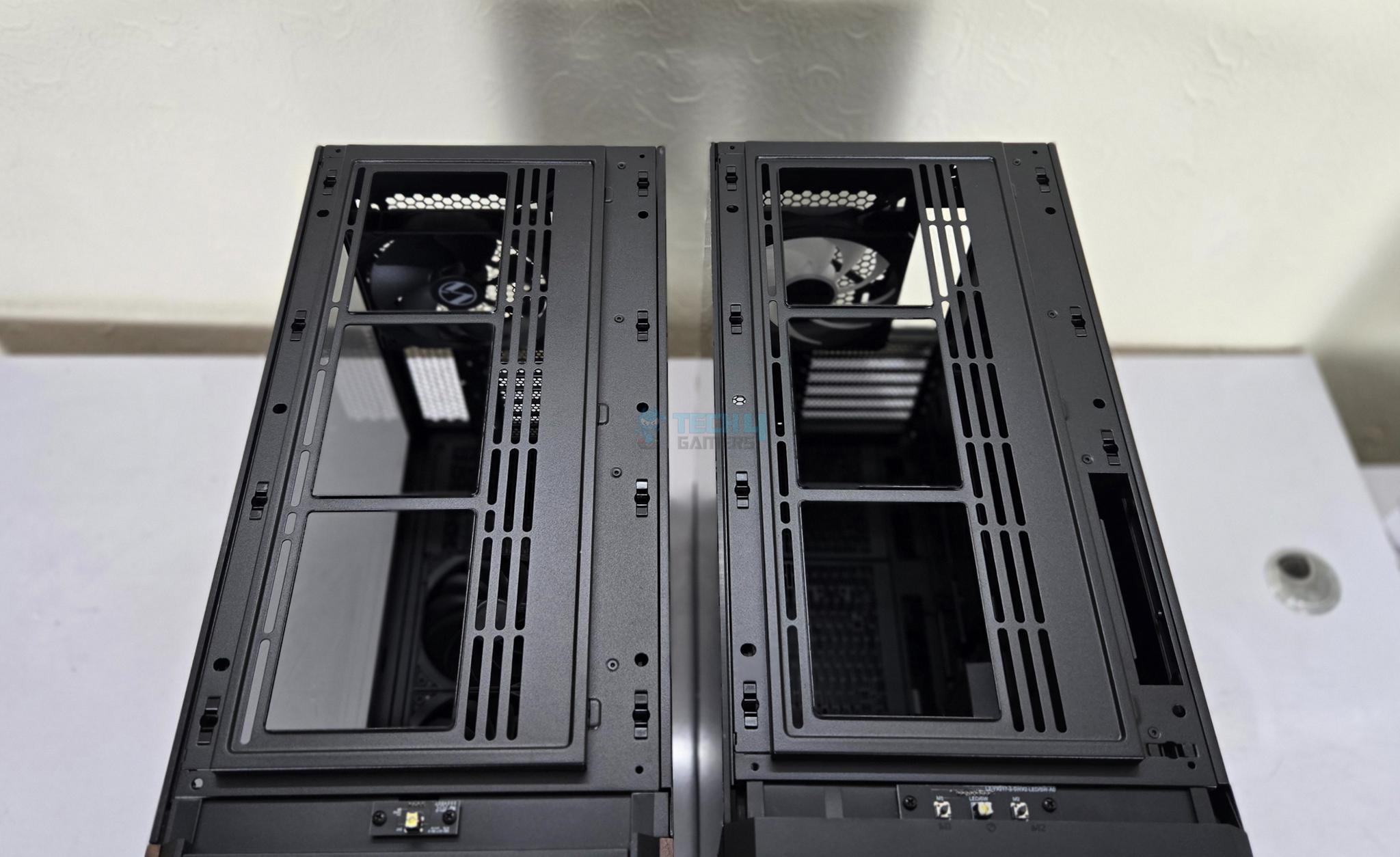
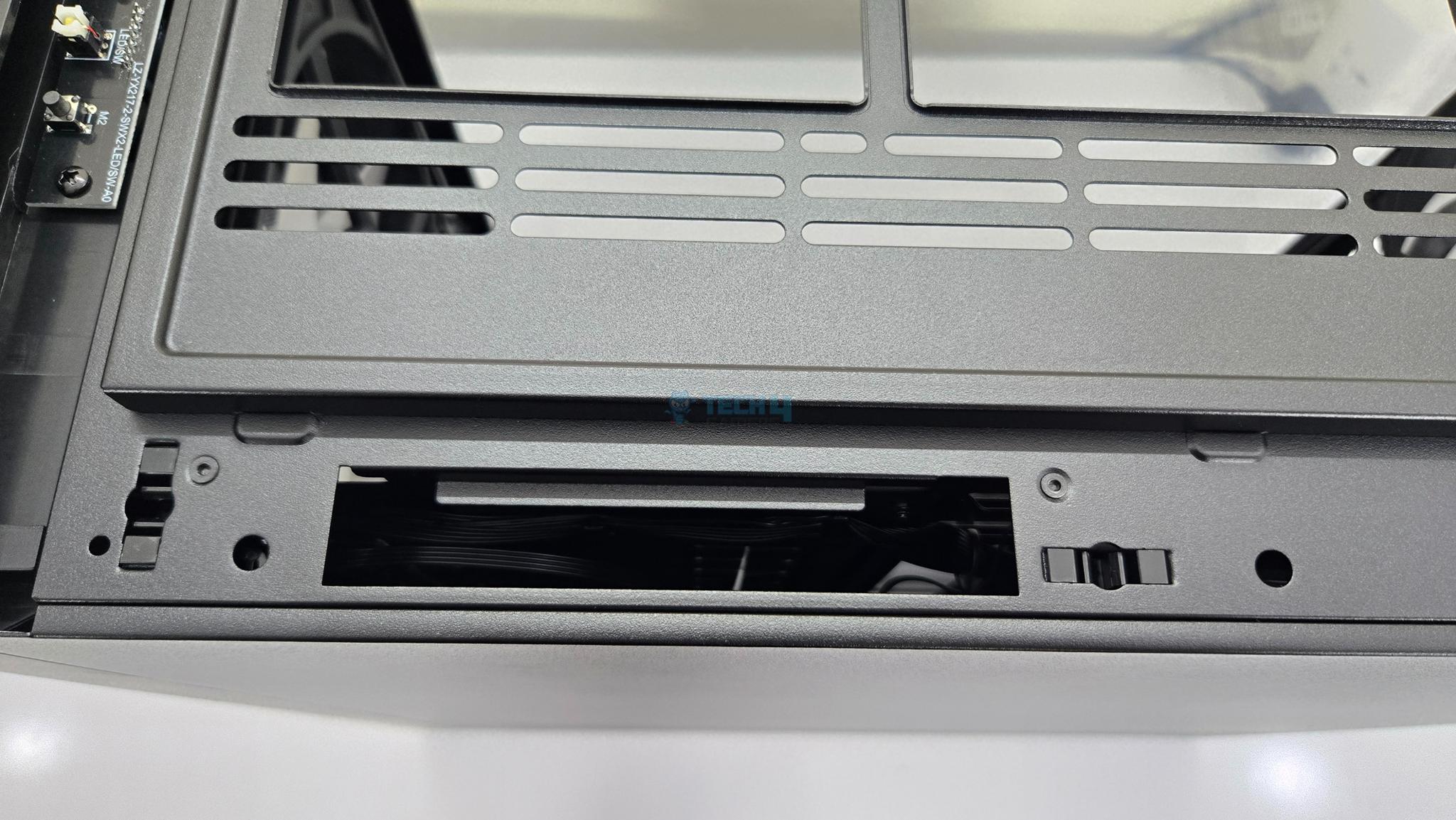
Top of the both cases is identical except that INF variant has a position where IO panel can be installed on side.
No difference on rear.
No difference on the glass panel side.
Similar inner layout except that regular 217 comes with two 120mm inverse fans installed on PSU Shroud.
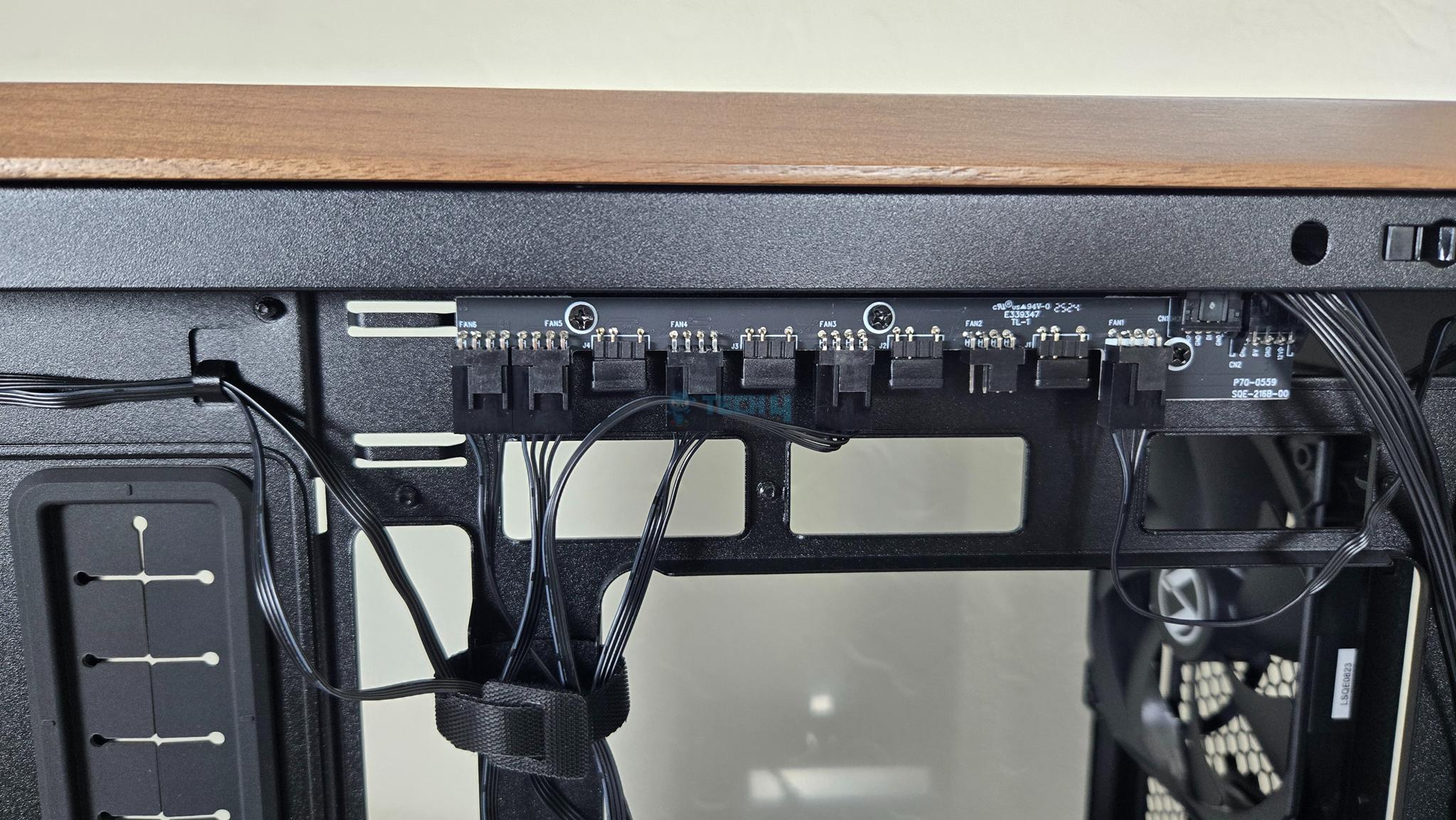
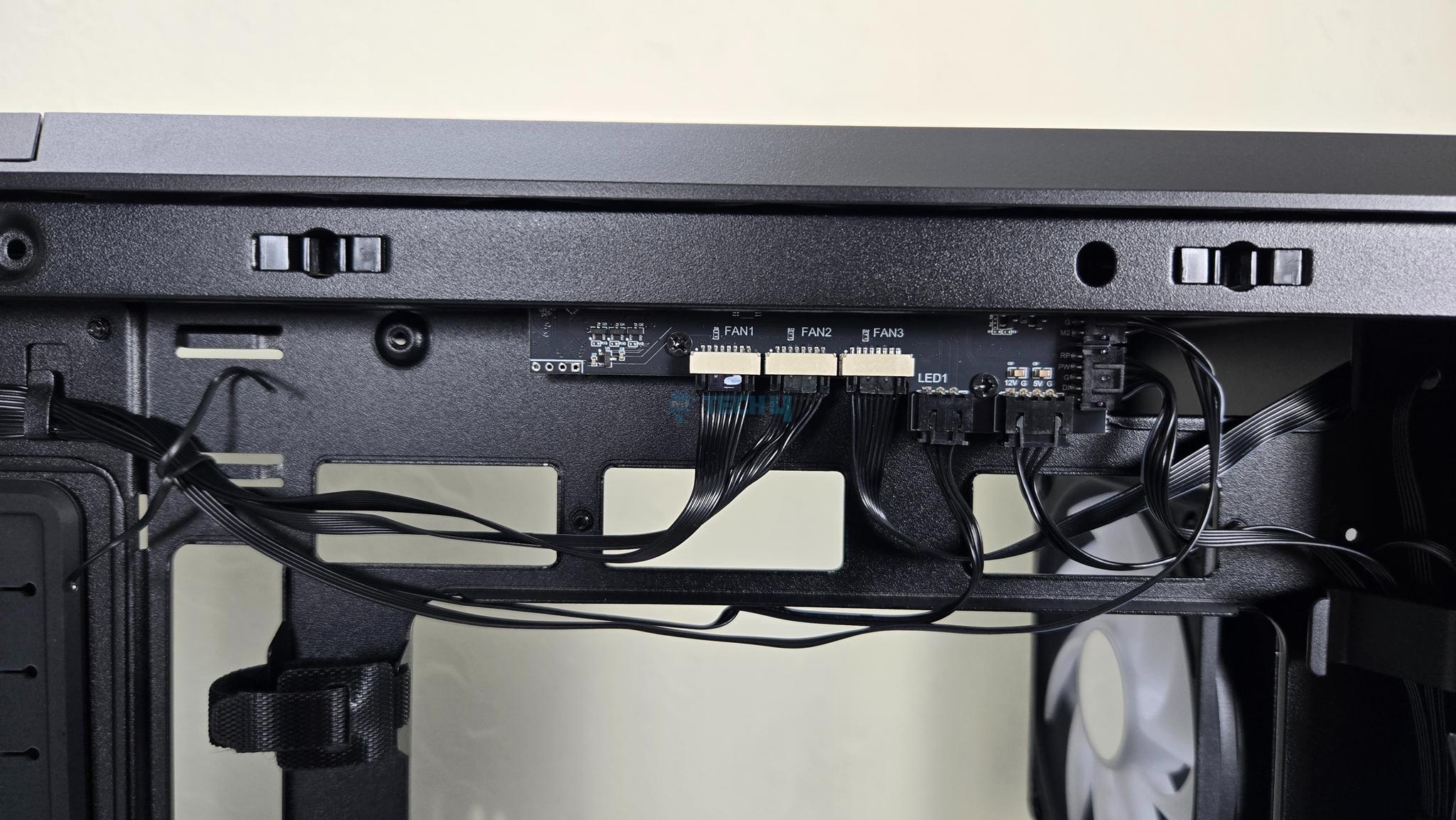
No difference on the backside except that 217 INF has wireless fan hub unlike the regular 217.
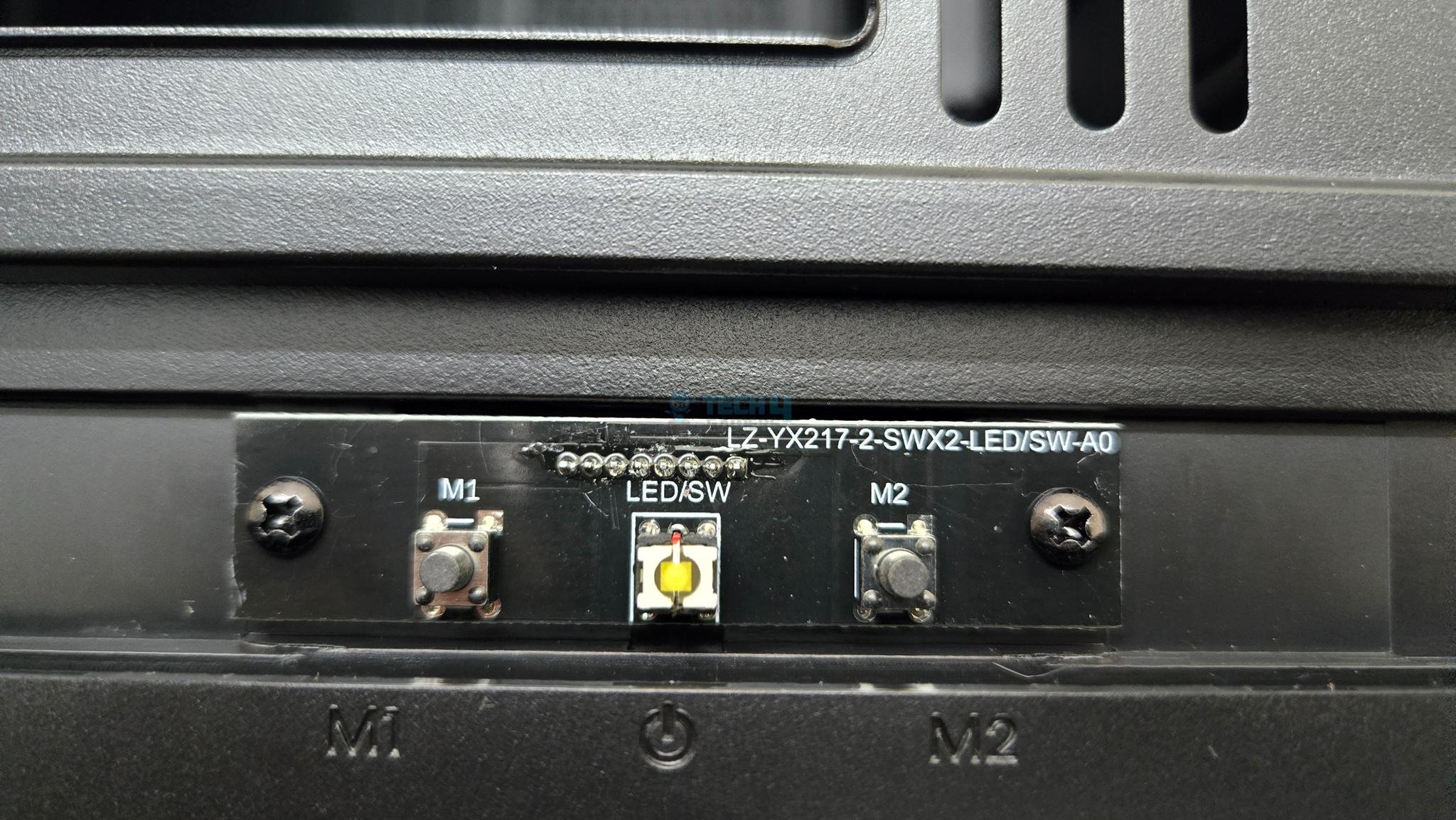
Regular LANCOOL 217 has a single power button on top whereas the INF variant has two lighting control zone buttons in addition as well.
Let’s start taking a closer look from Inside and Outside views being our major categories.
Front Panel
Front Panel Design
1 of 3
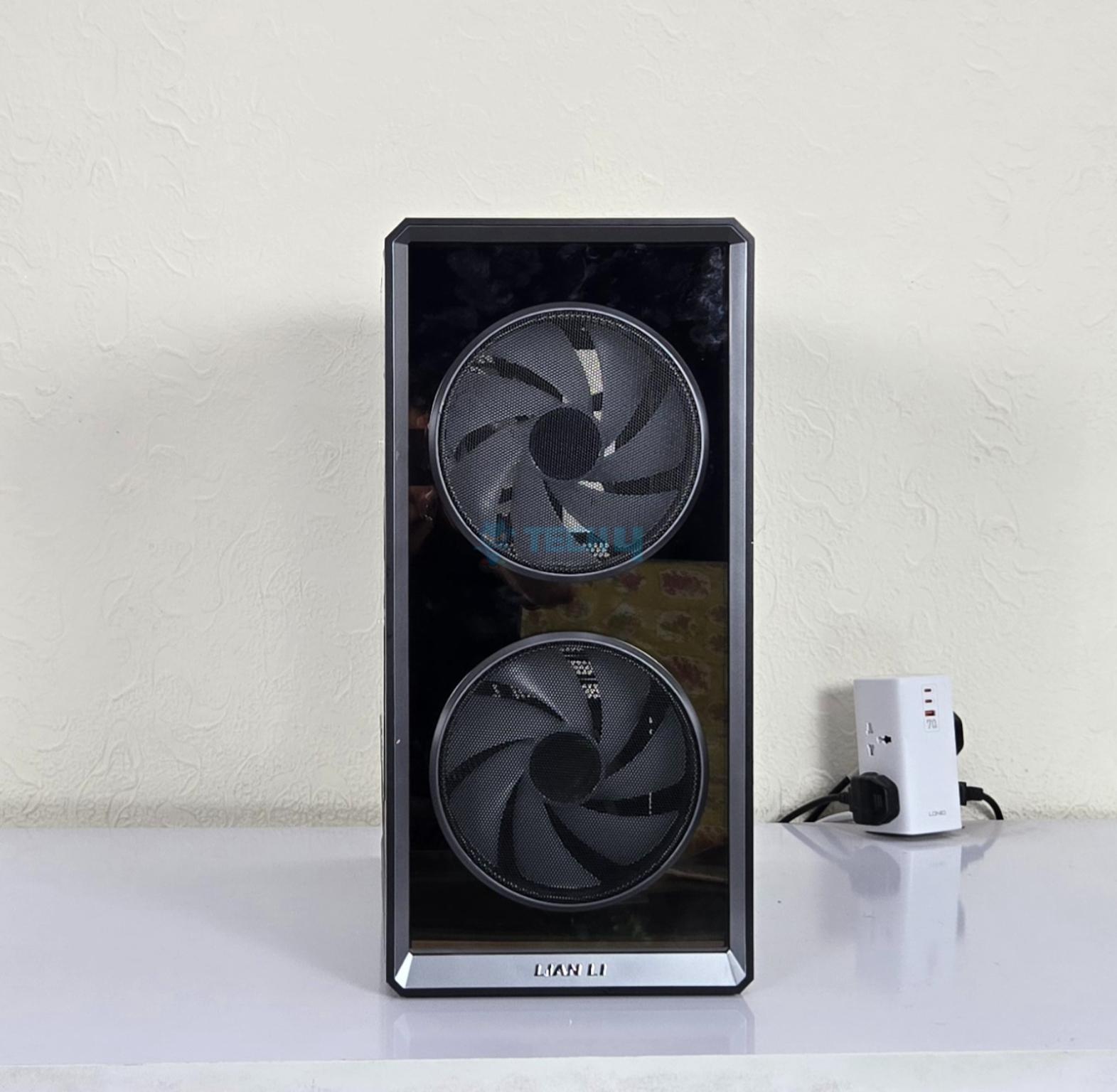
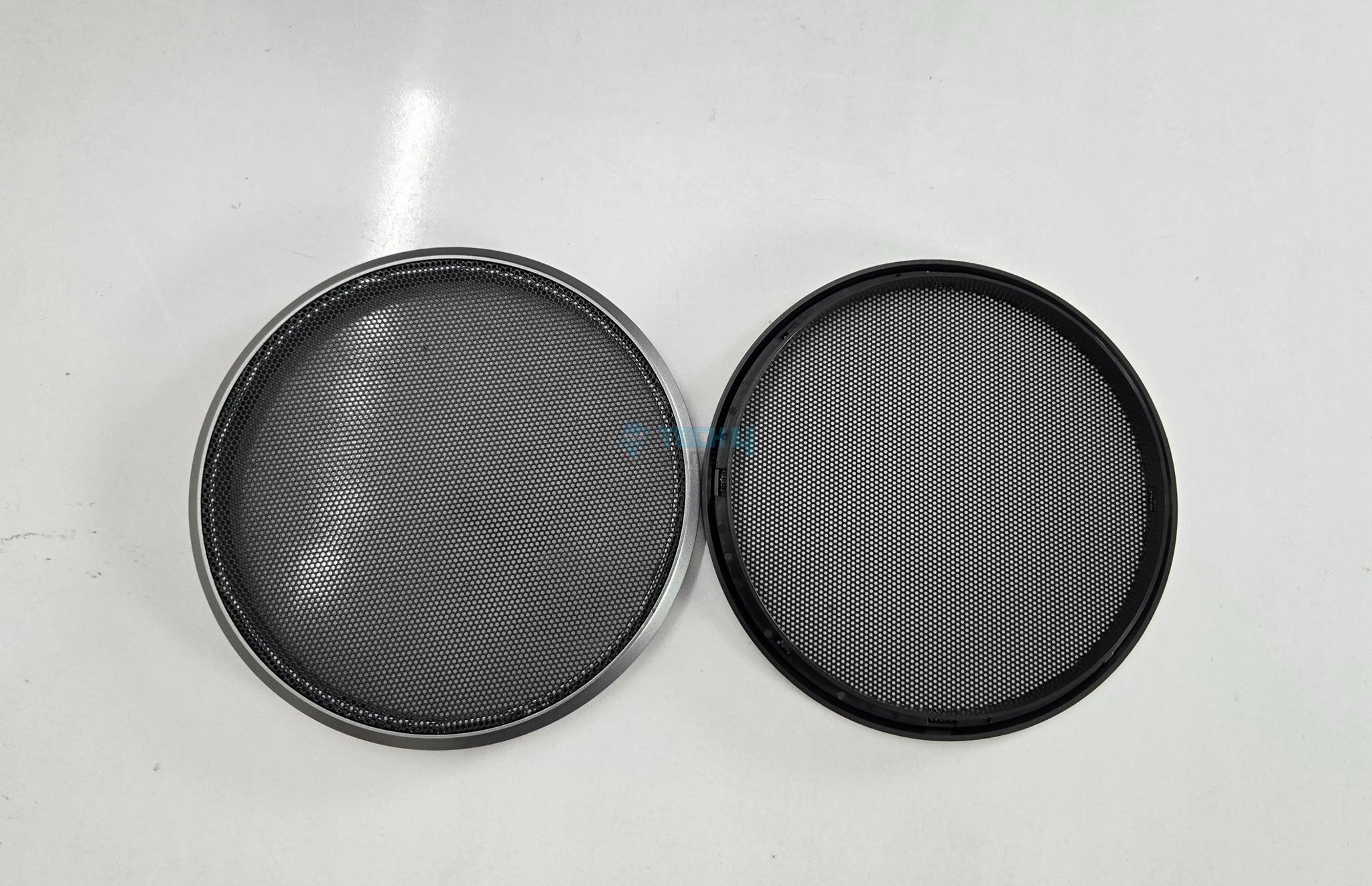
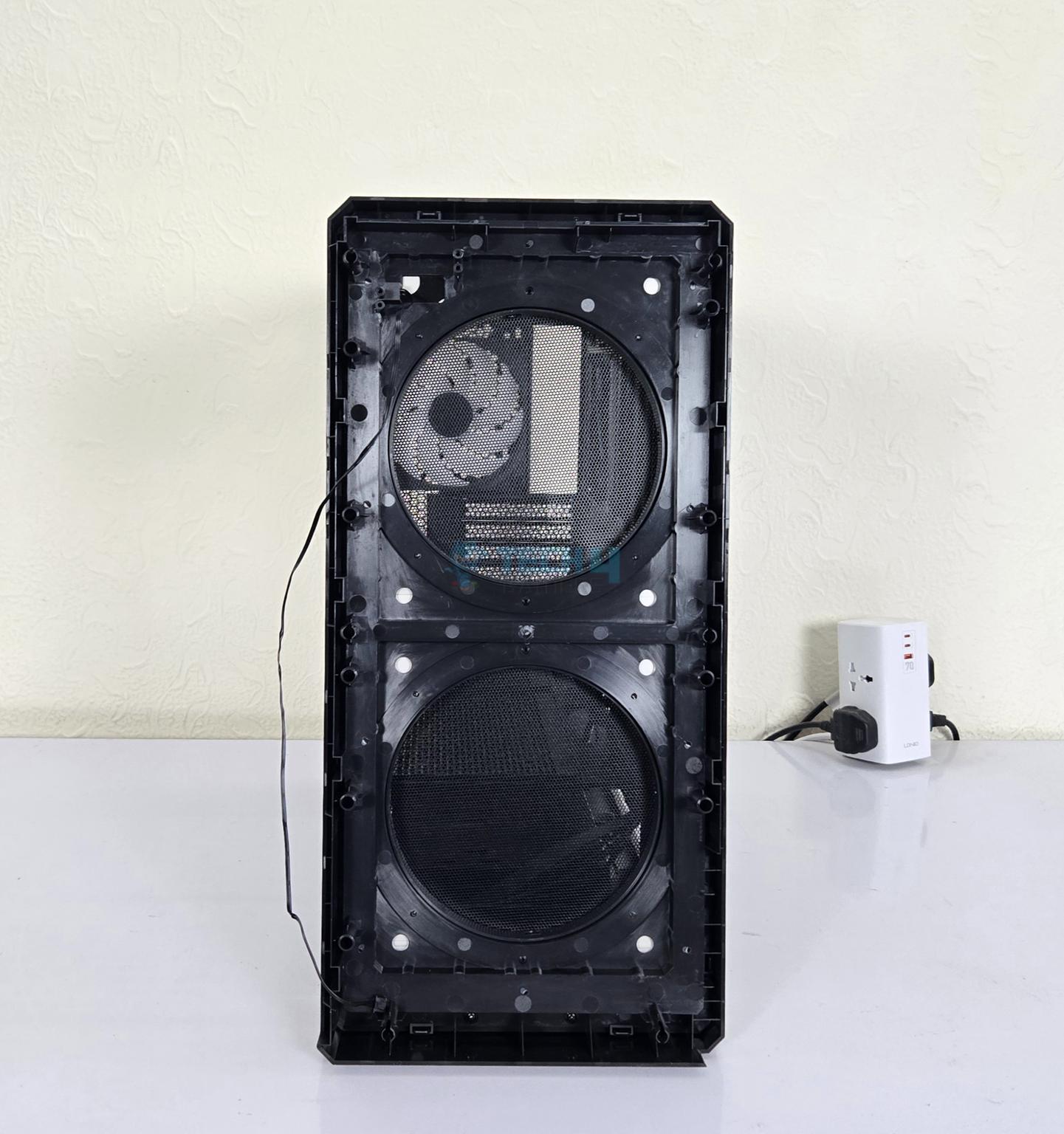
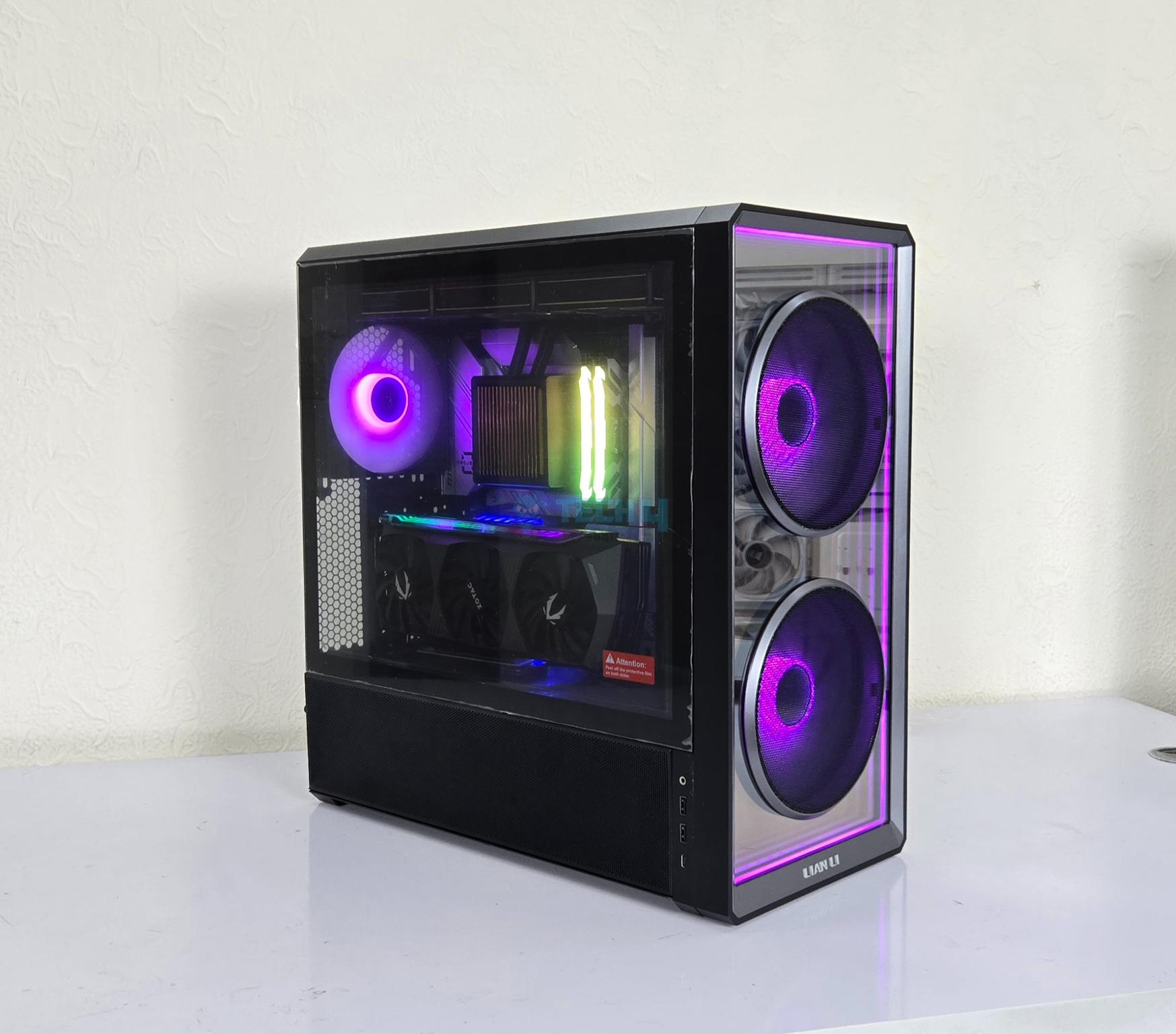
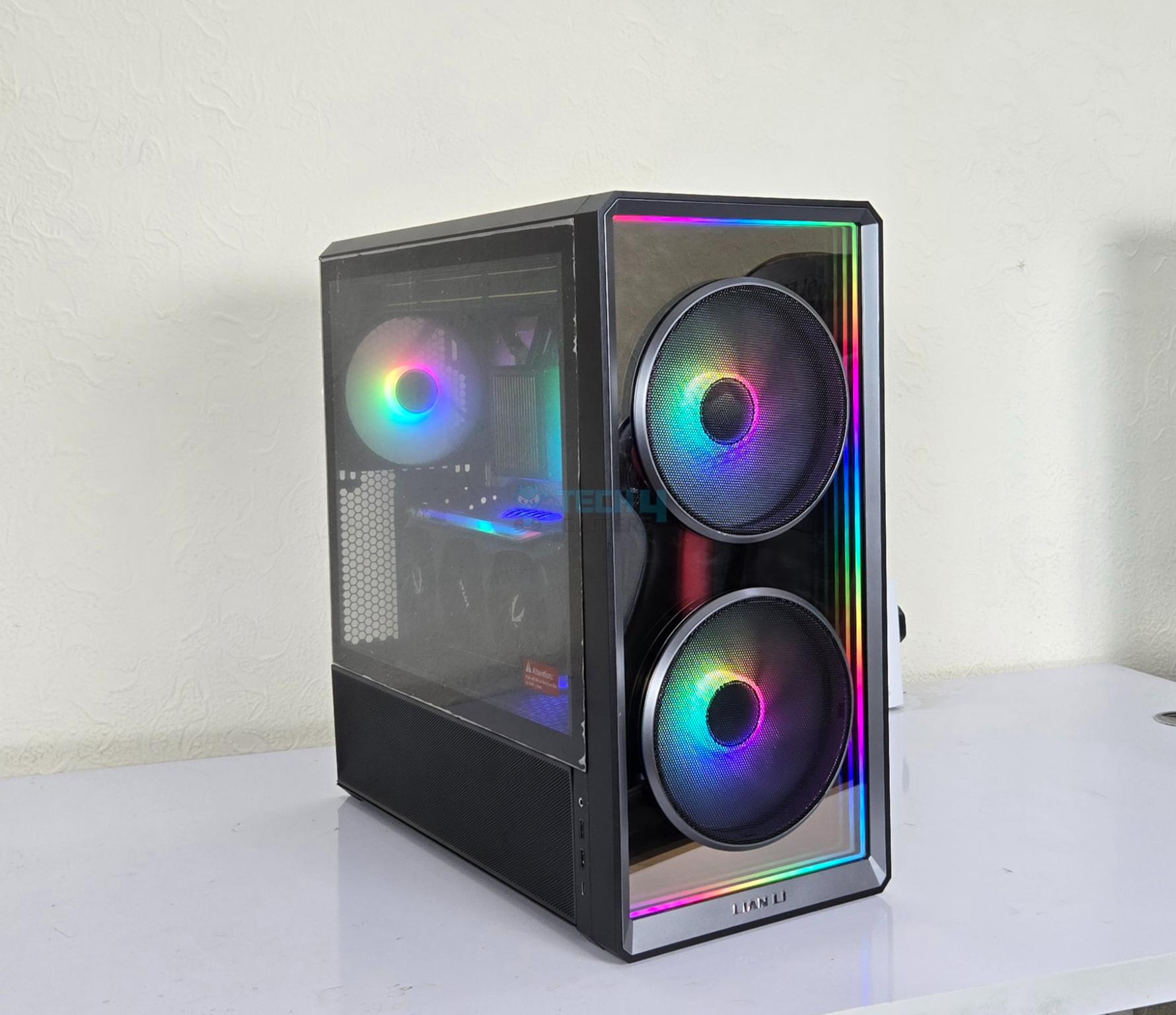
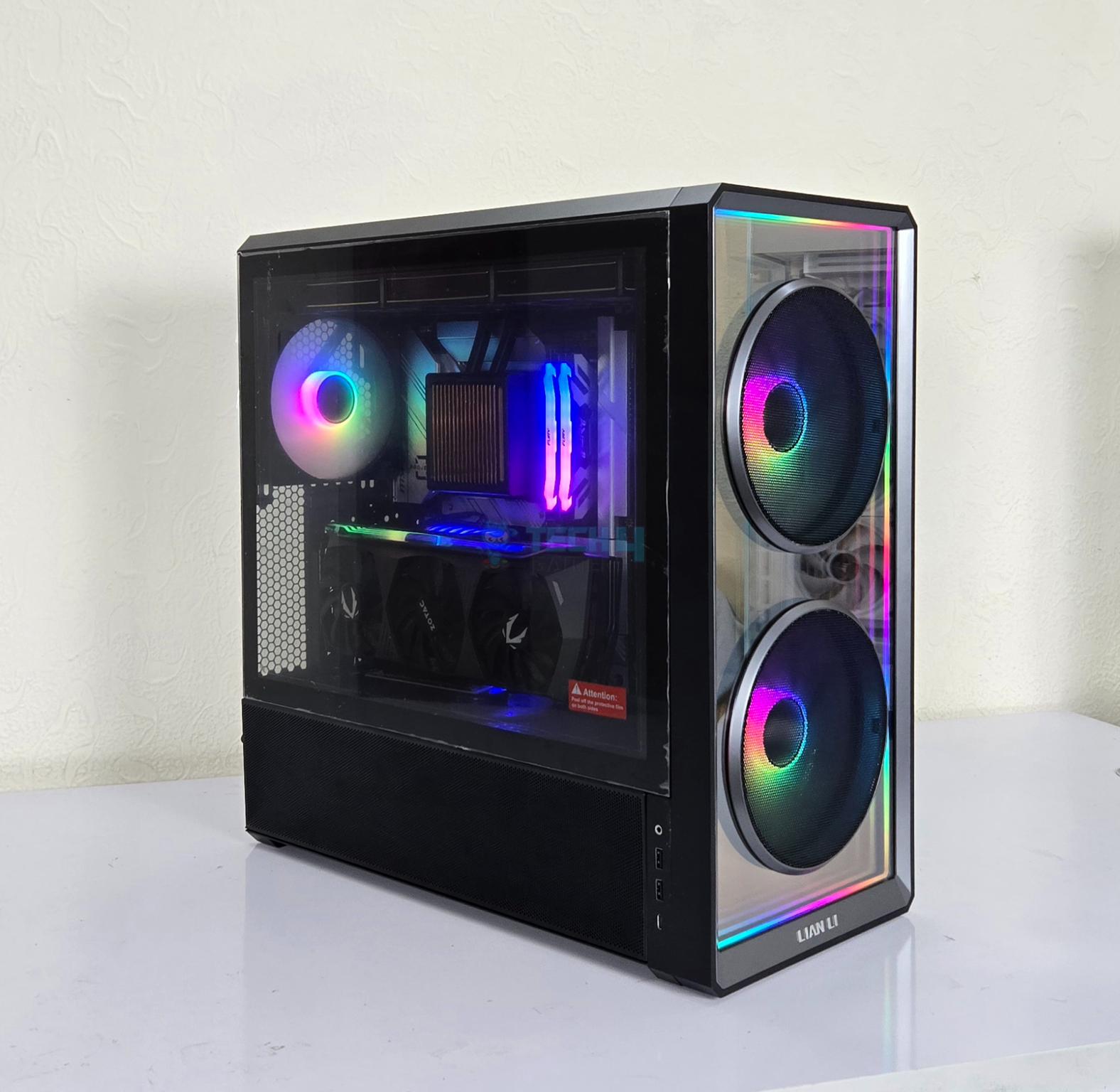
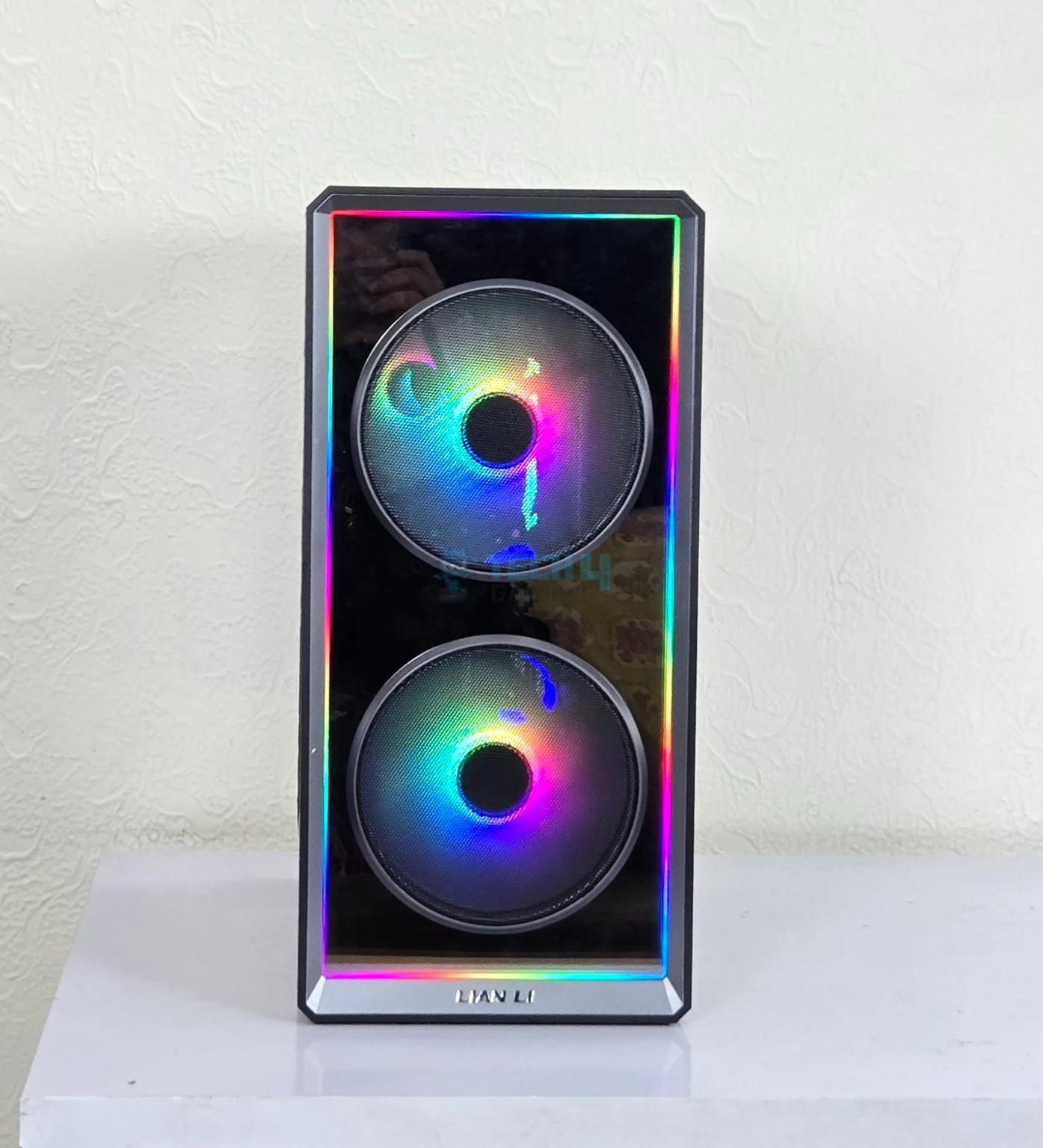
The LANCOOL 217 INF comes equipped with a reflective front panel that has infinity-mirror design. This is non-perforated design and before you think that it could impeded the airflow, this is not the case here. You can see two mesh style covers (although this look reminds me of stereo speakers! Pun intended) over the two 170mm ARGB fans.
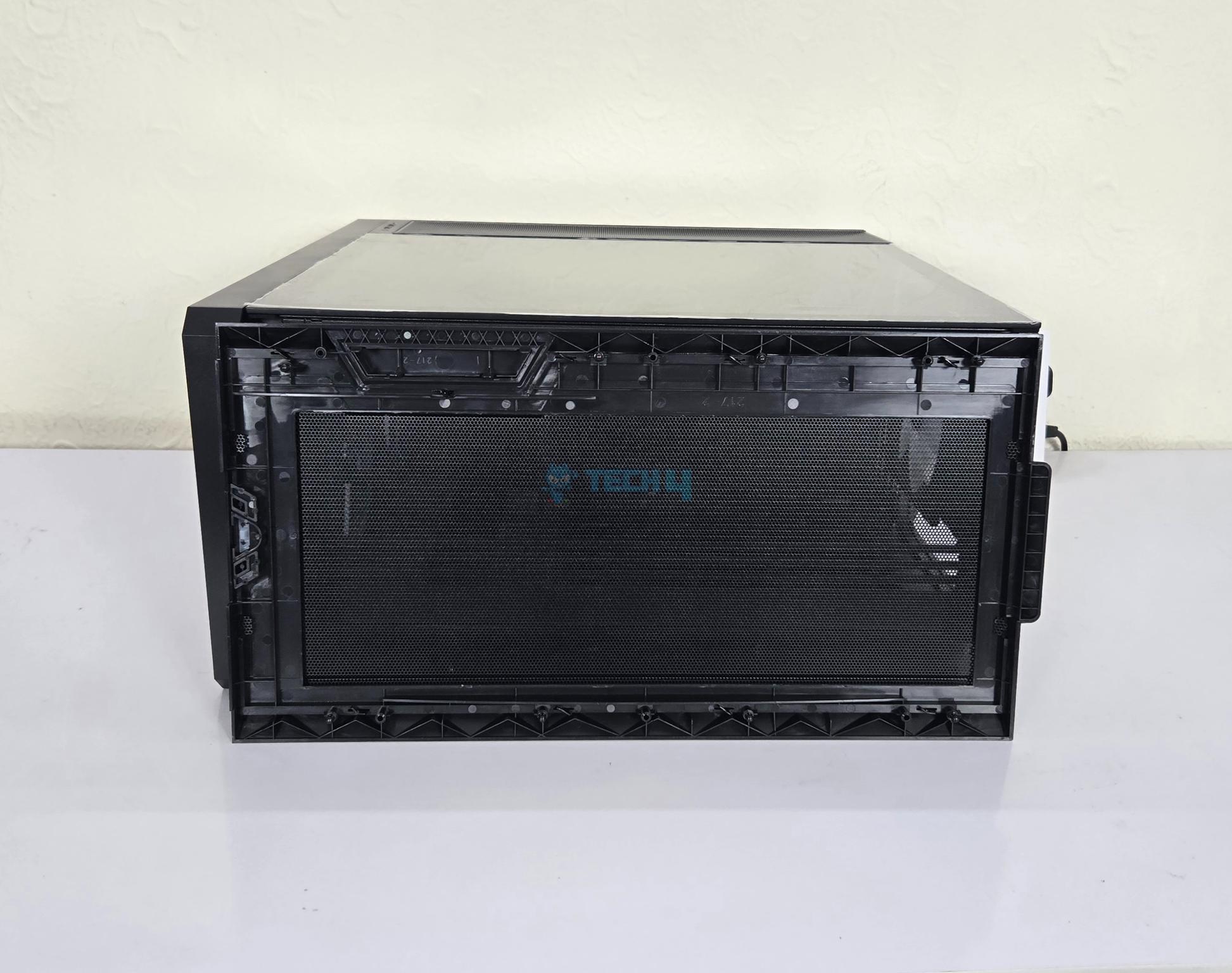
This design ensures maximum airflow generation from the front so that key components of the build can breathe. Removing and installing these mesh covers is so simple and convenient that it actually surprised me. Lian Li branding at the base adds the missing touch to premium look and feel of the case.
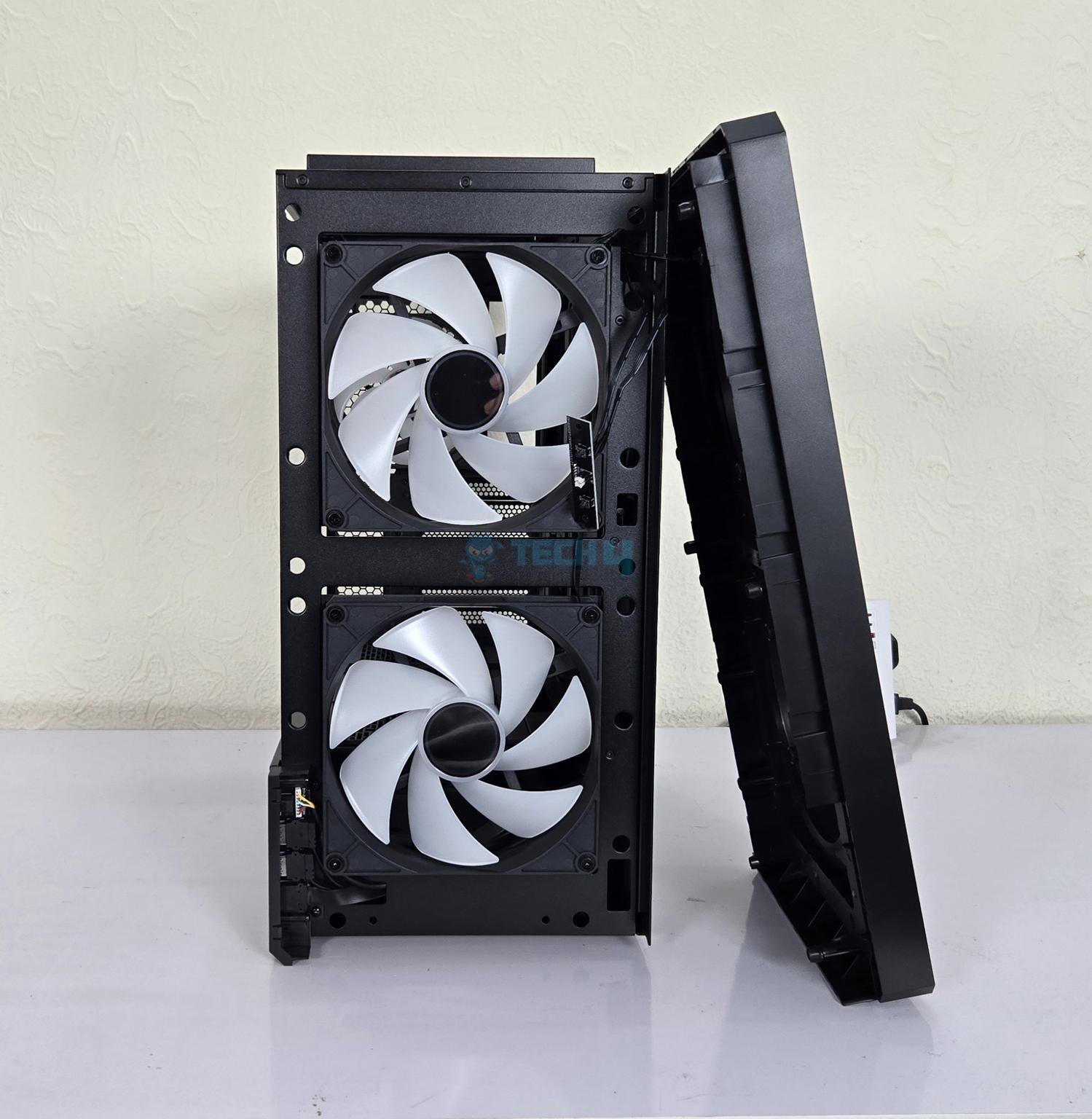
You can pop the front panel easily which is another wise design. You need to be careful since the cable from the panel goes through the side frame of the case towards the fan hub. The power and ARGB control buttons are on the front panel’s top.
Front Panel Design
1 of 3
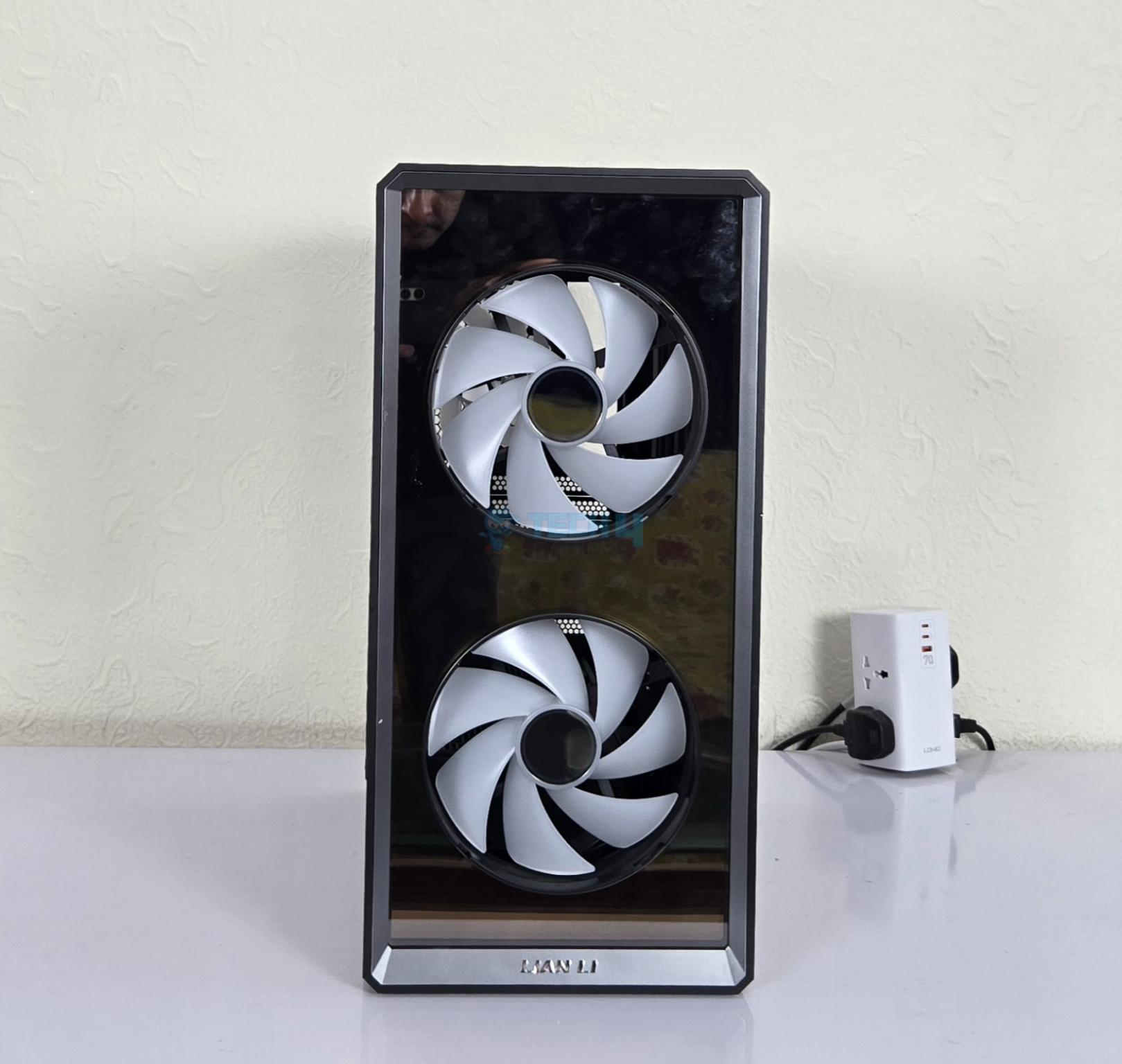
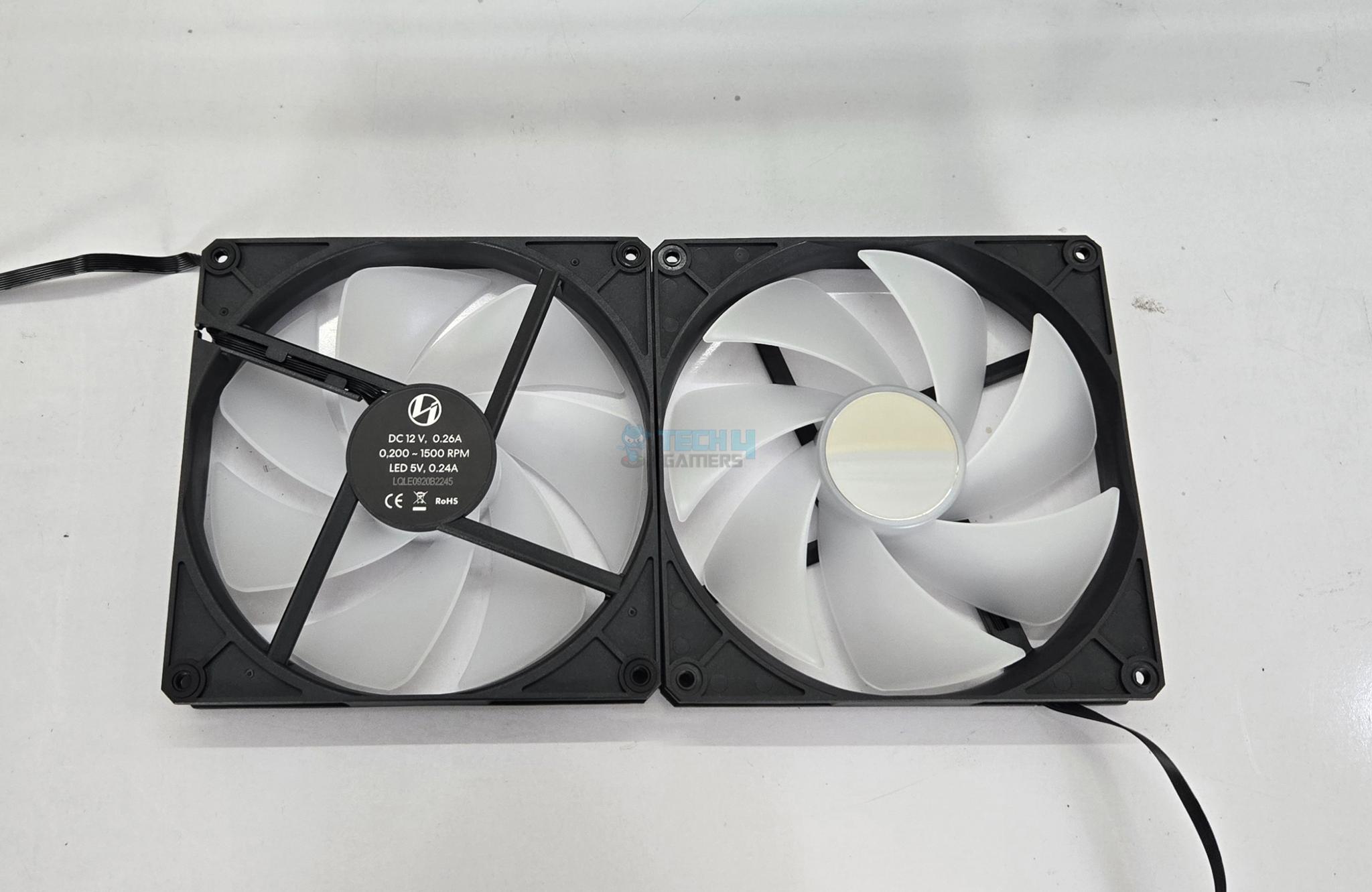
I have removed the 170mm fans from the front side. The two 170mm fans are ARGB and they used fluid dynamic bearings. They are capable of generating airflow up to 151.63 CFM at 12VDC. Their speed rating is 200 to 1500 RPM. They take 0.26A at 12VDC. The air pressure rating is 3.32mmH₂O with noise level rating of 35 dBA. These fans use proprietary connectors.
You can’t install any other fan like 120mm/140mm on the front. In my opinion, Lian Li should have designed it so that these 170mm fans could use the 140mm fan mount providing flexibility to the users to install any other fan of their choice.
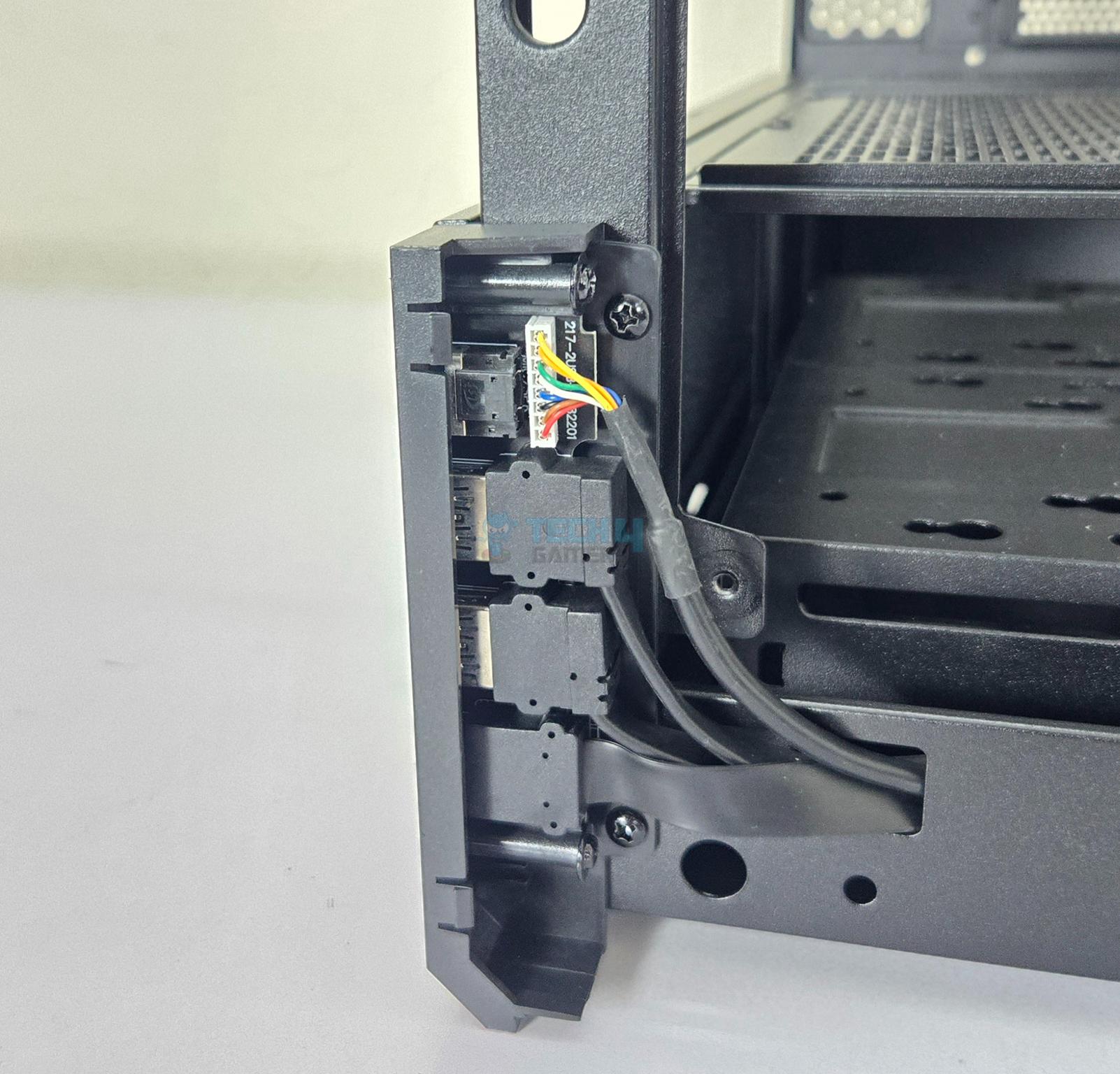
If you are careful enough to look closely in above pictures. You could see that front IO panel is also removed in one picture.
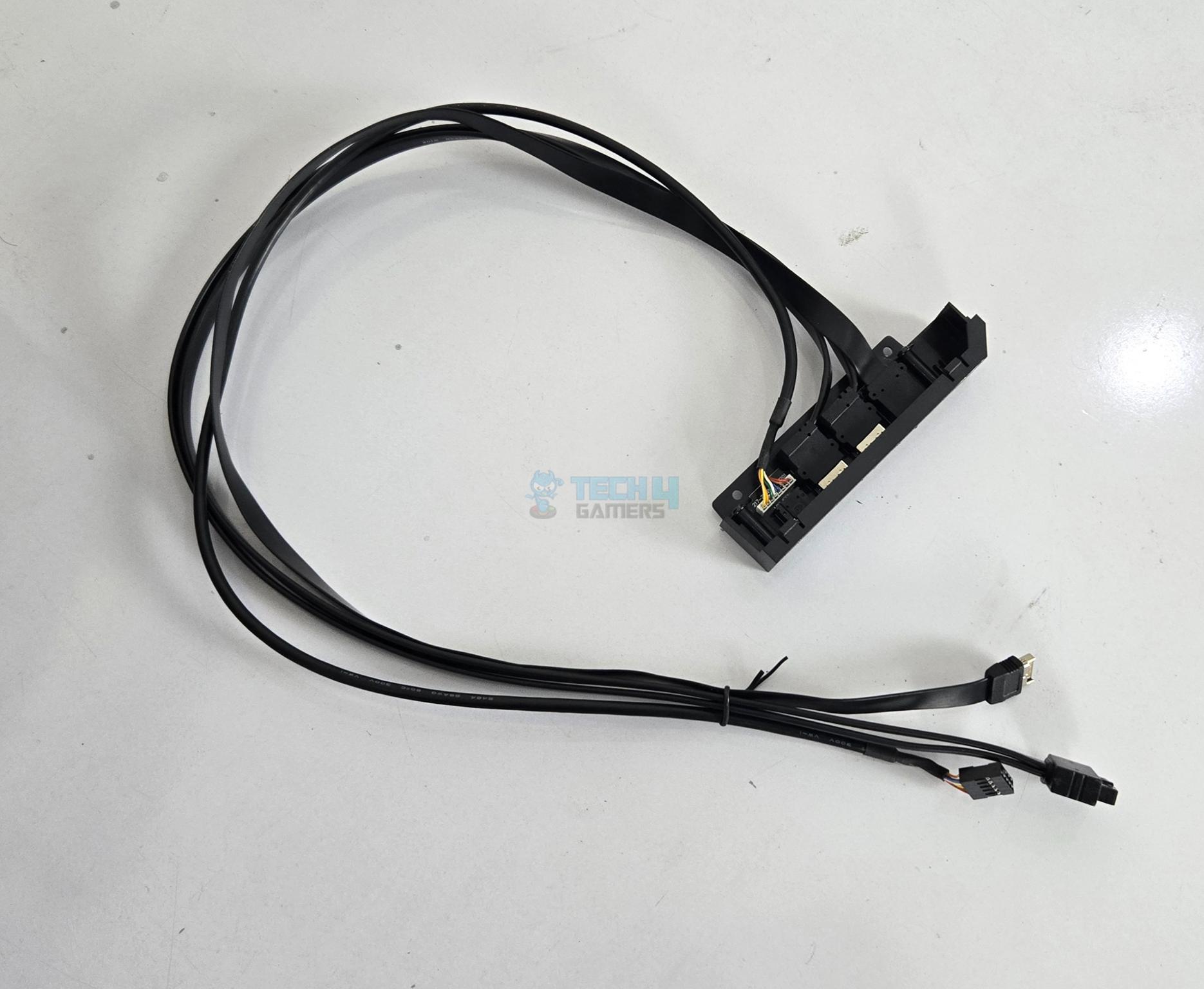
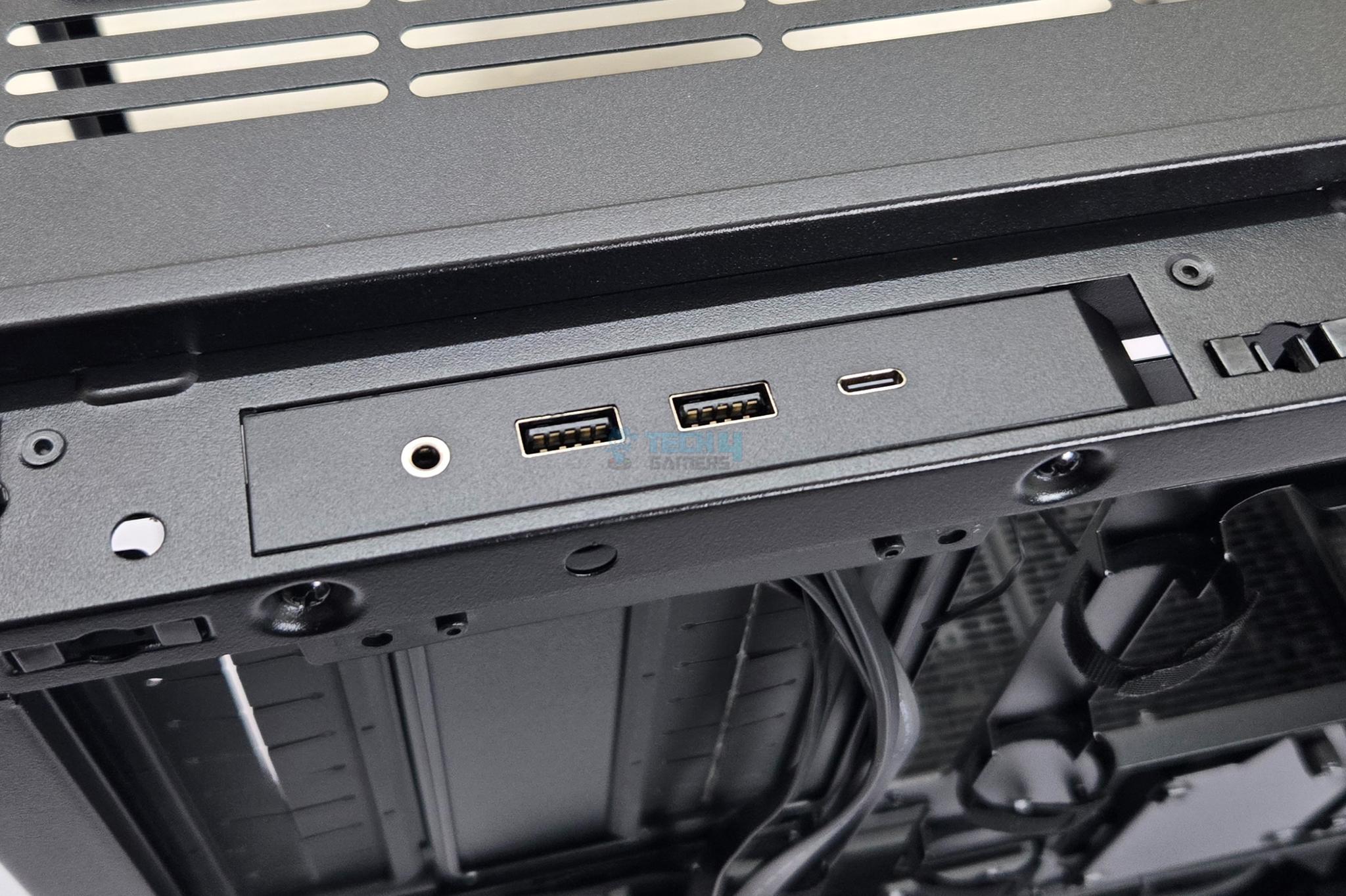
IO Panel
The IO ports include:
2x USB3.0 Type-A Ports
1x USB3.2 G20 Type-C Port
1x Hybrid Audio Port
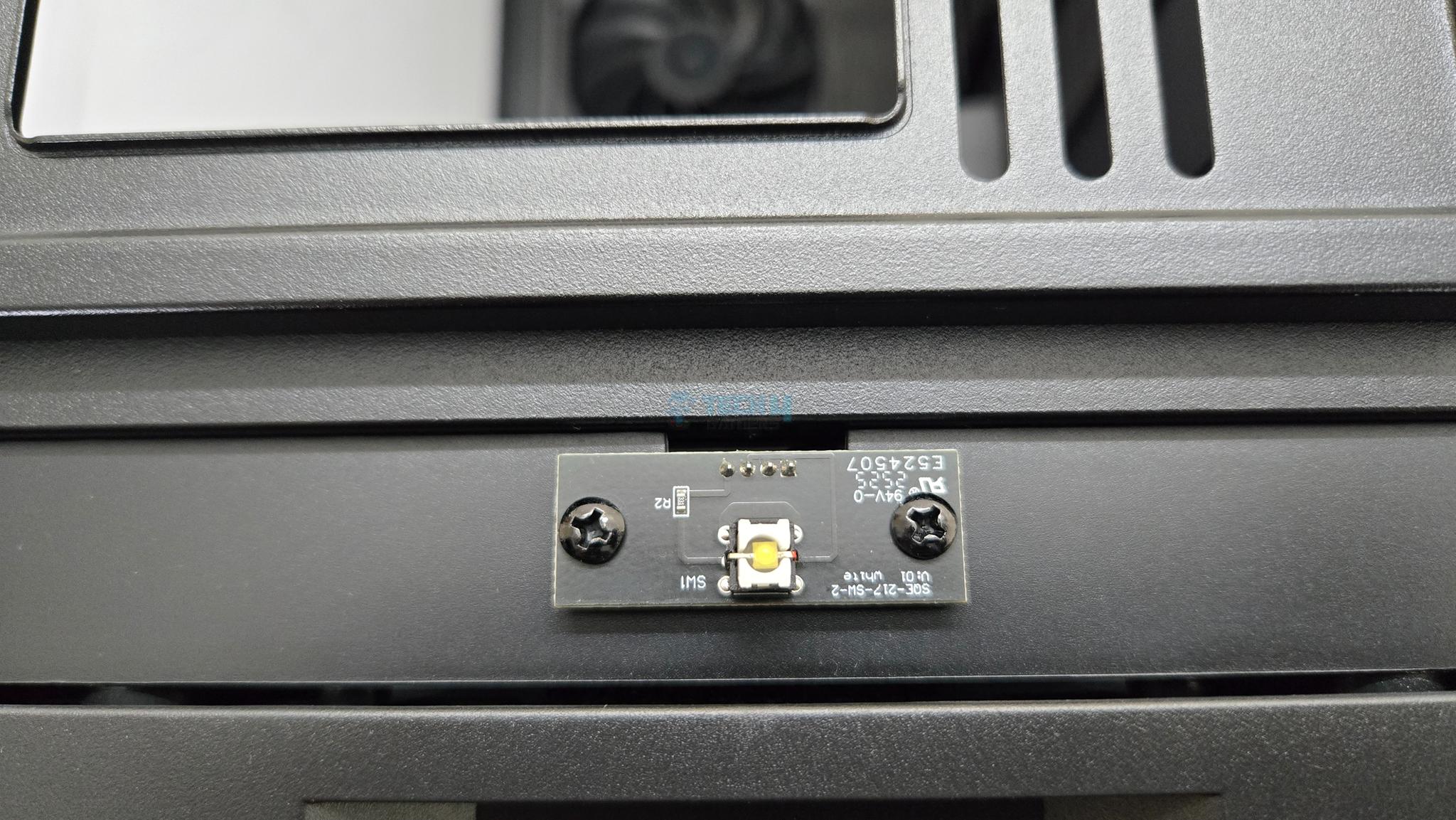
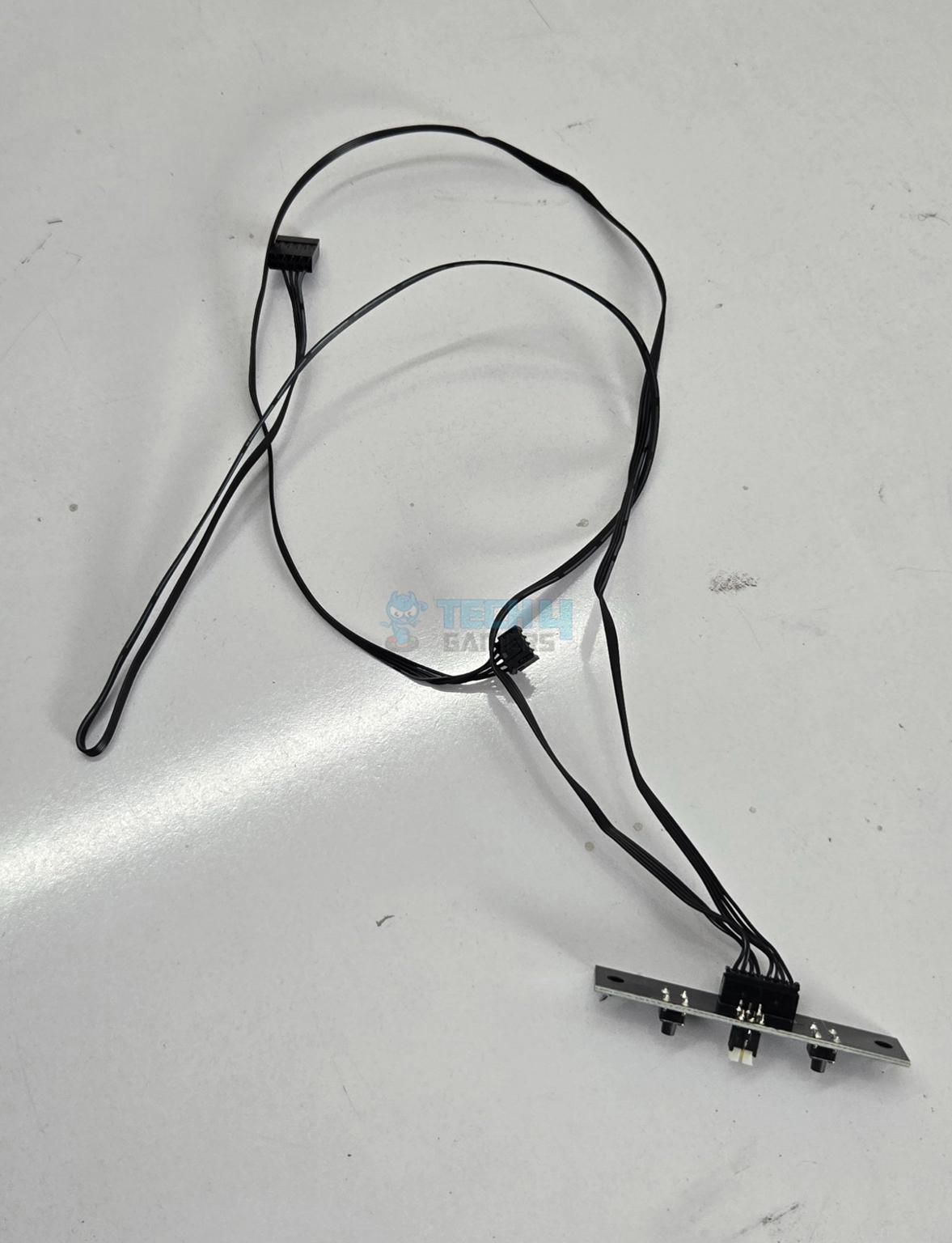
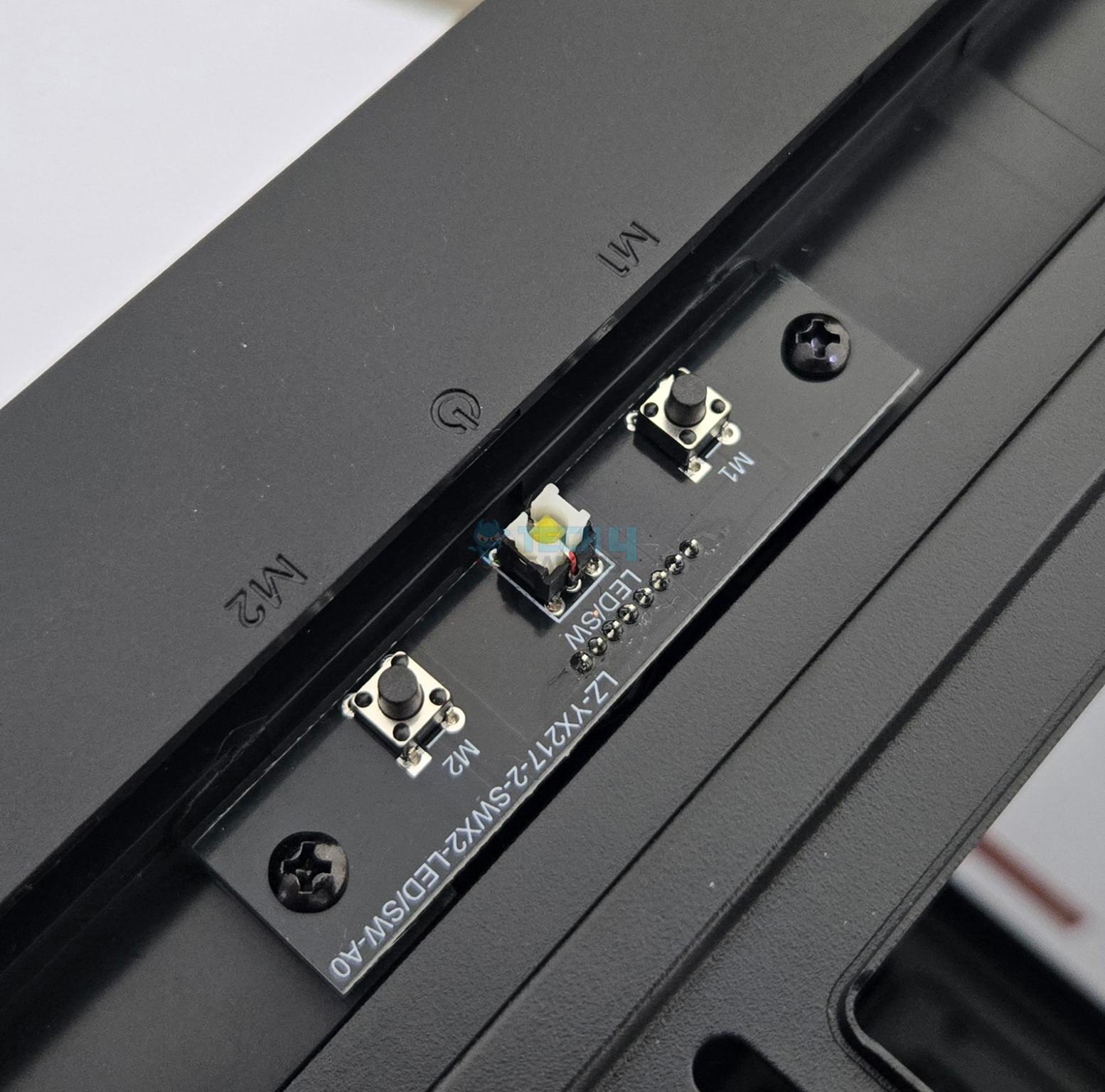
The power buttons are on a separate PCB located on the top of the front panel.
You can remove the IO panel by undoing two screws. Complete panel with cables is removable. If you decide to remove the IO panel from default position, you can fill that space using non-functional bracket provided in the accessory box.
IO Panel
1 of 4
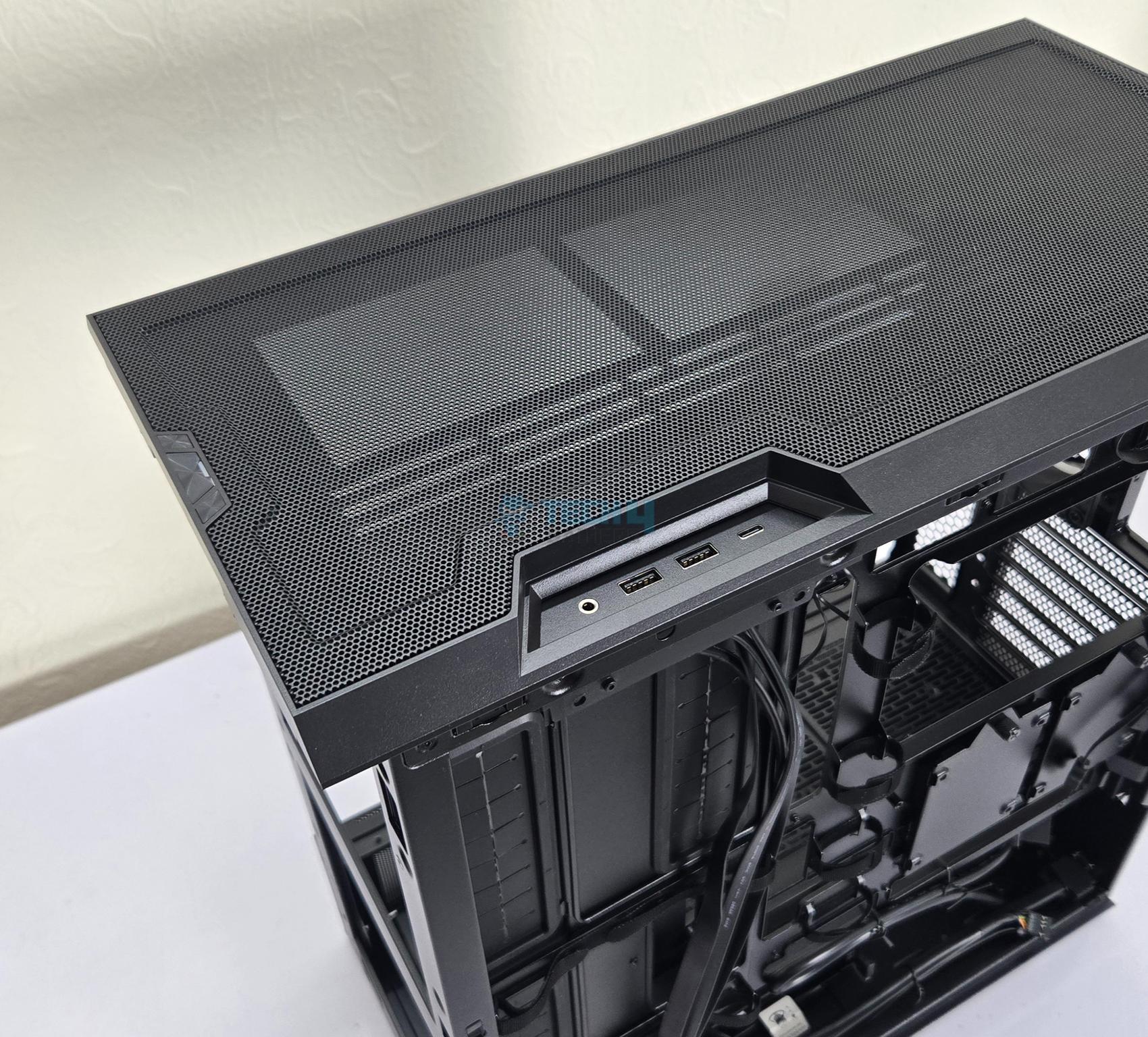
The top side of the case has a cutout on the side where the IO panel can be installed as well. Installation is simple. The cables management is bit different in both scenarios but the excellent cable management provision on the backside covers it conveniently.
Top Panel
Top Panel Design
1 of 4
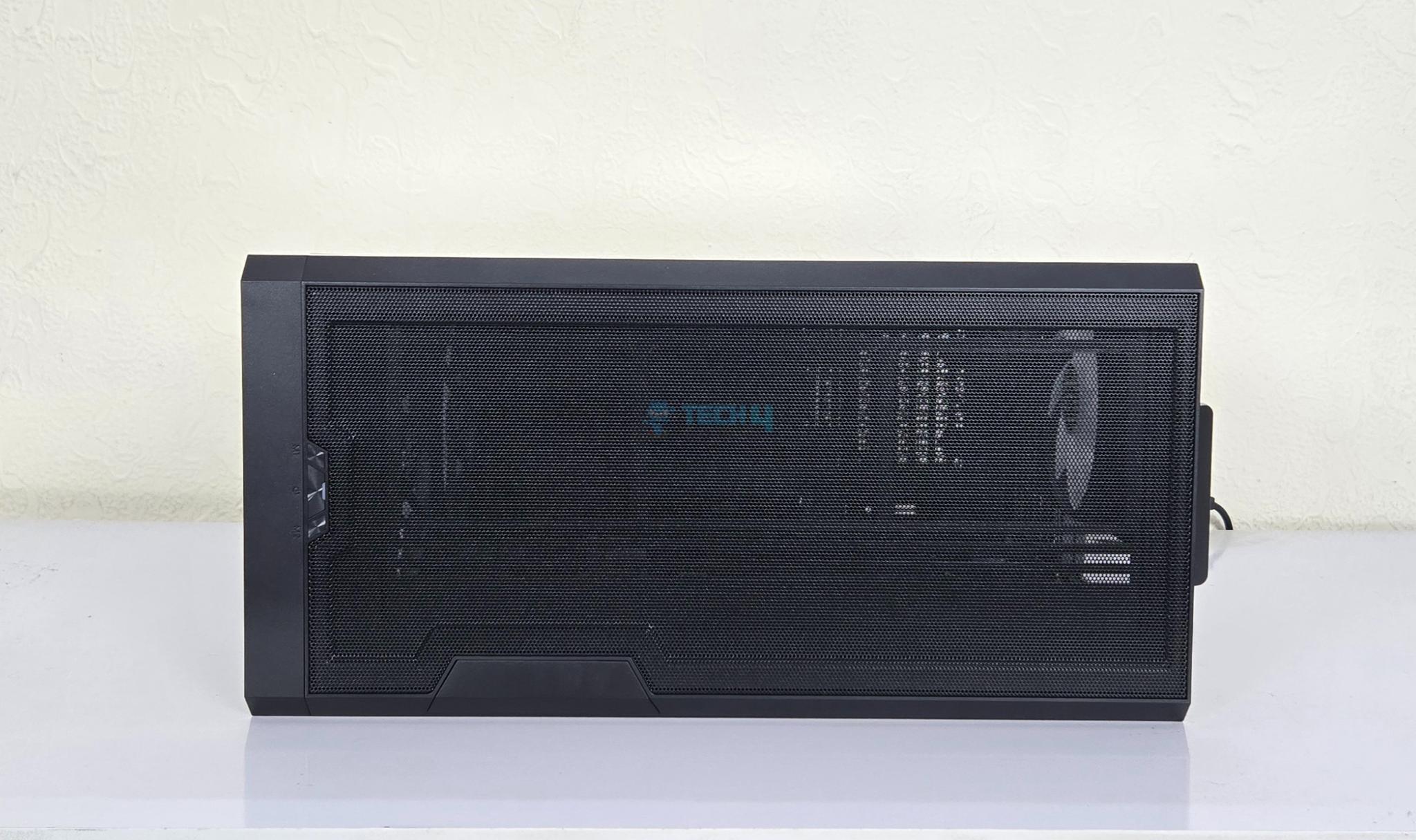
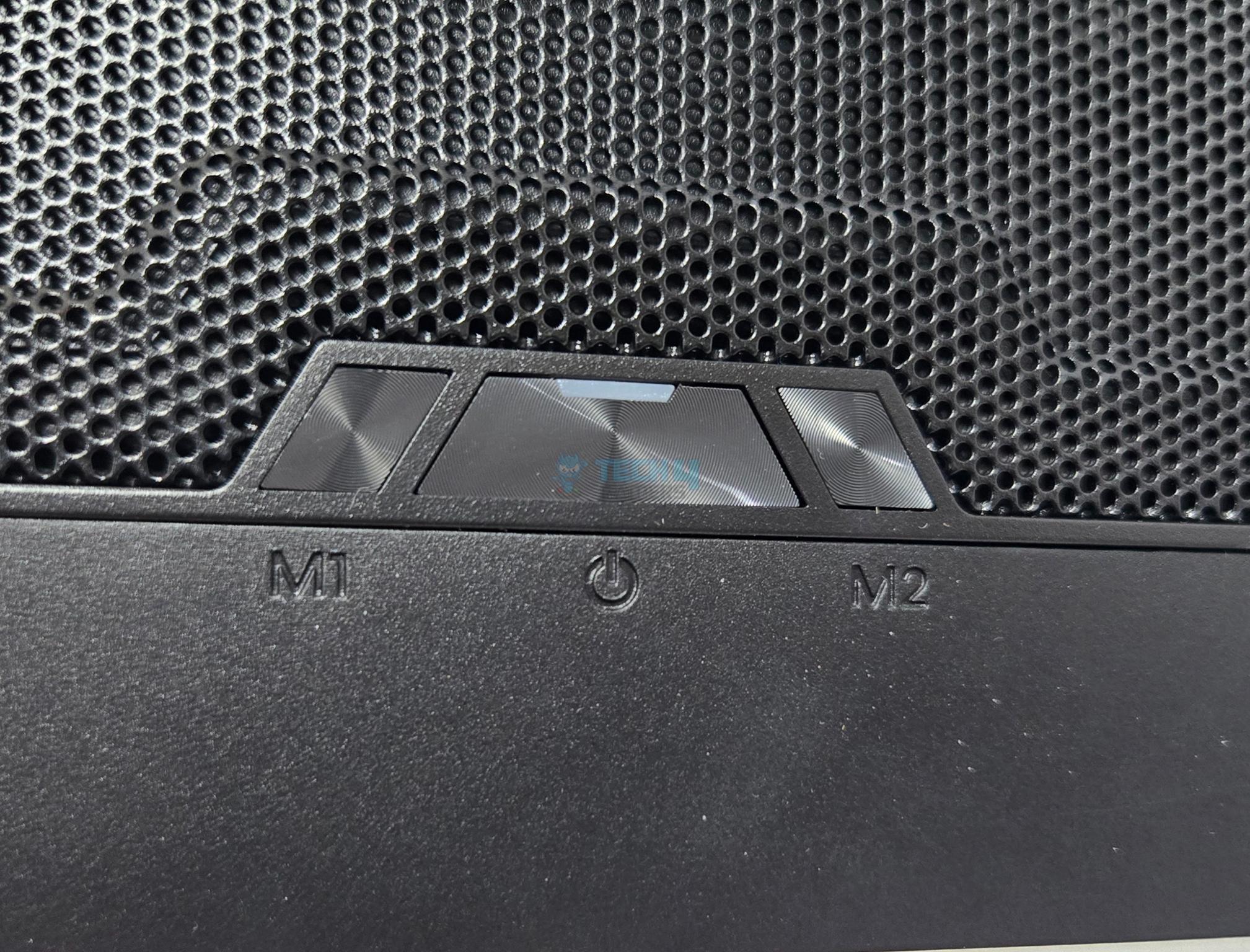
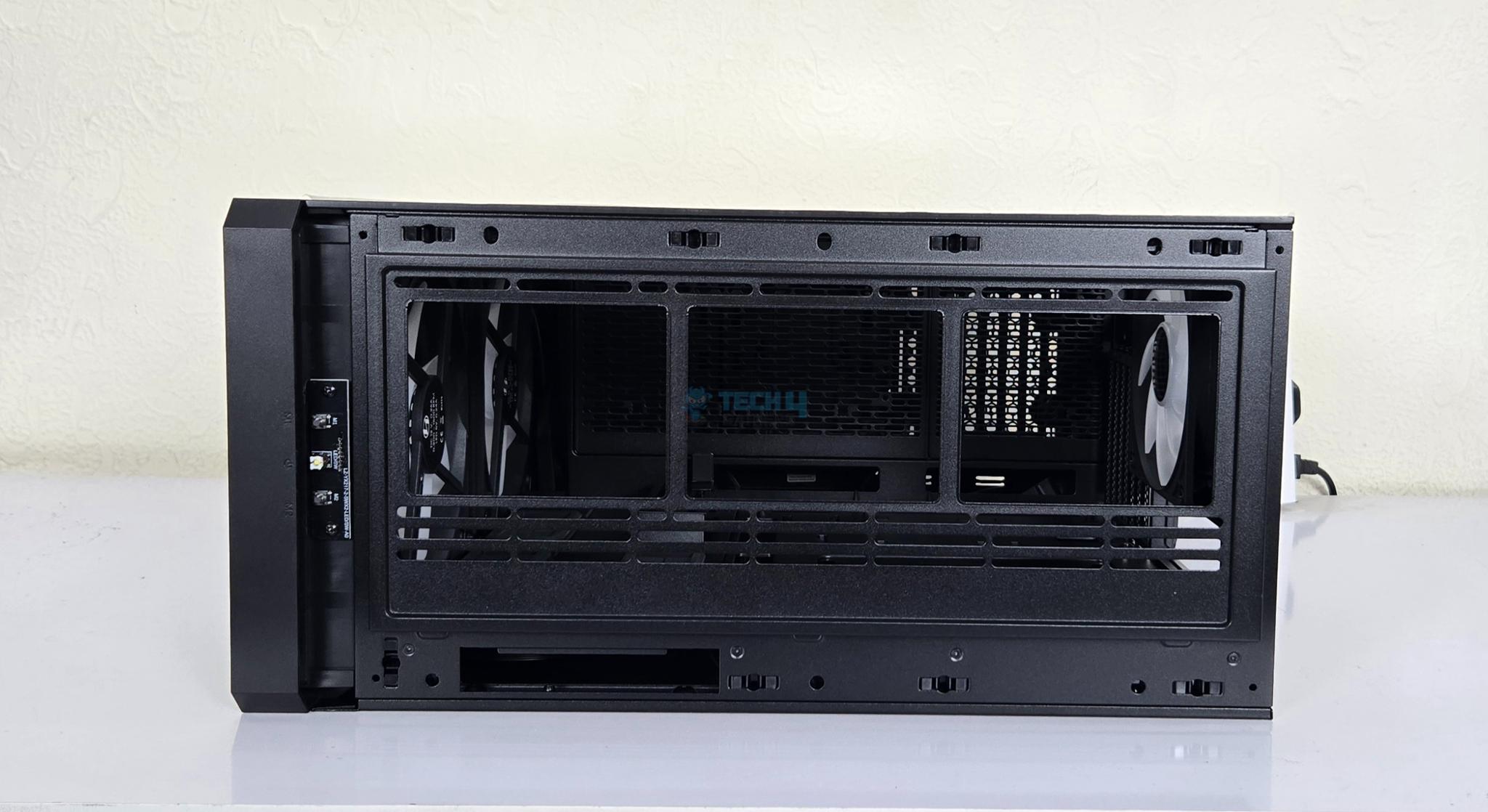
The top panel has a tool-less mesh cover with handle towards rear. The front side has three buttons. The central button is a power button whereas the M1 and M2 buttons are dedicated to the infinity-mirror ARGB lighting effects and pre-installed fans ARGB lighting effects respectively. The clicking of power button is not smooth.
The top panel is mesh and it seems like this mesh is also a dust filter since I don’t see any other filter under the panel.
Top Panel Design
1 of 3
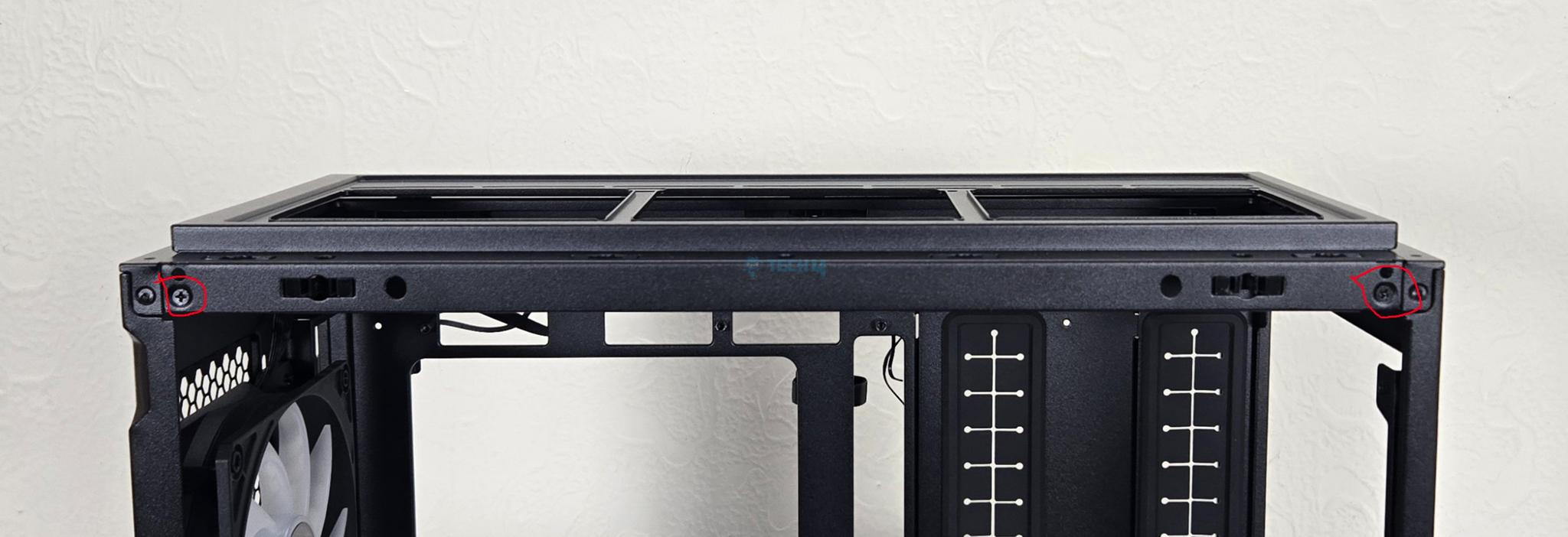
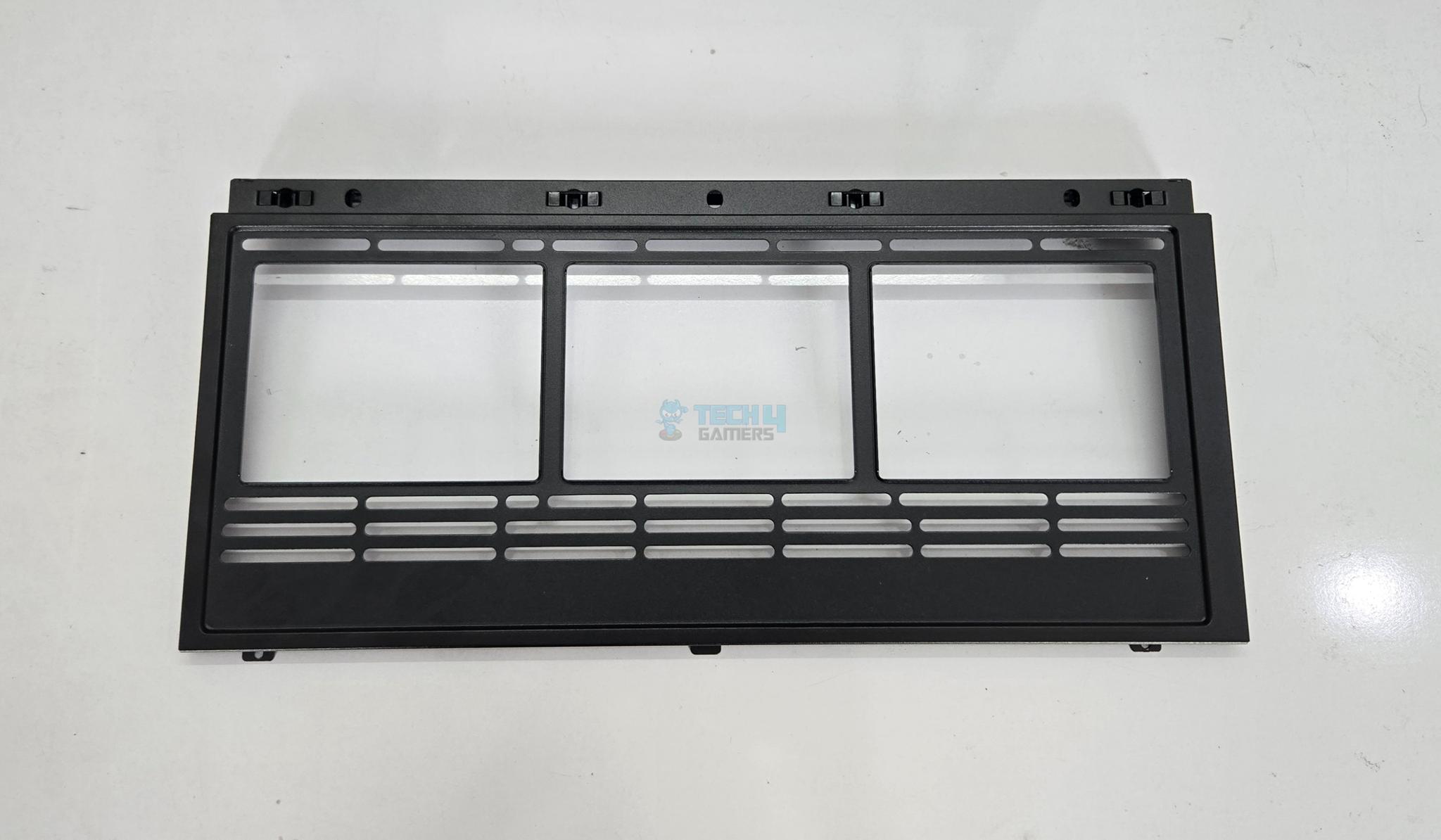
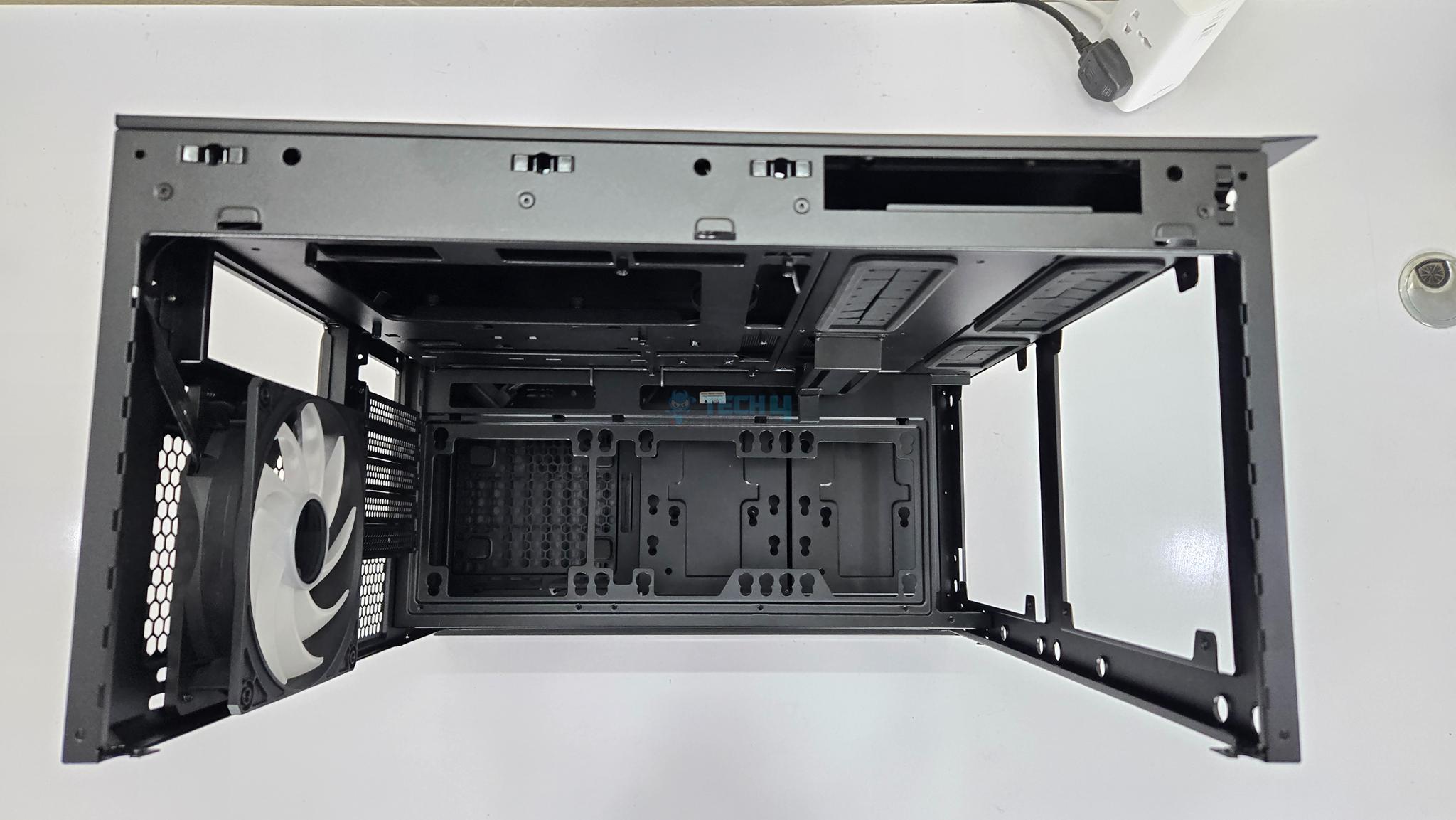
The fan bracket is removable. However, to release it, you need to have access on the glass side of the case. This is how I have seen in cases from Fractal Design, Phanteks, and be quiet!. The bracket has rail design for fan mount. You can install:
3x 120mm or 2x 140mm fans
120mm/140mm/240mm/280mm/360mm radiator
Removal of almost entire top gives plenty of room to the user for convenient installation.
Rear Panel
Rear Panel Design
1 of 3
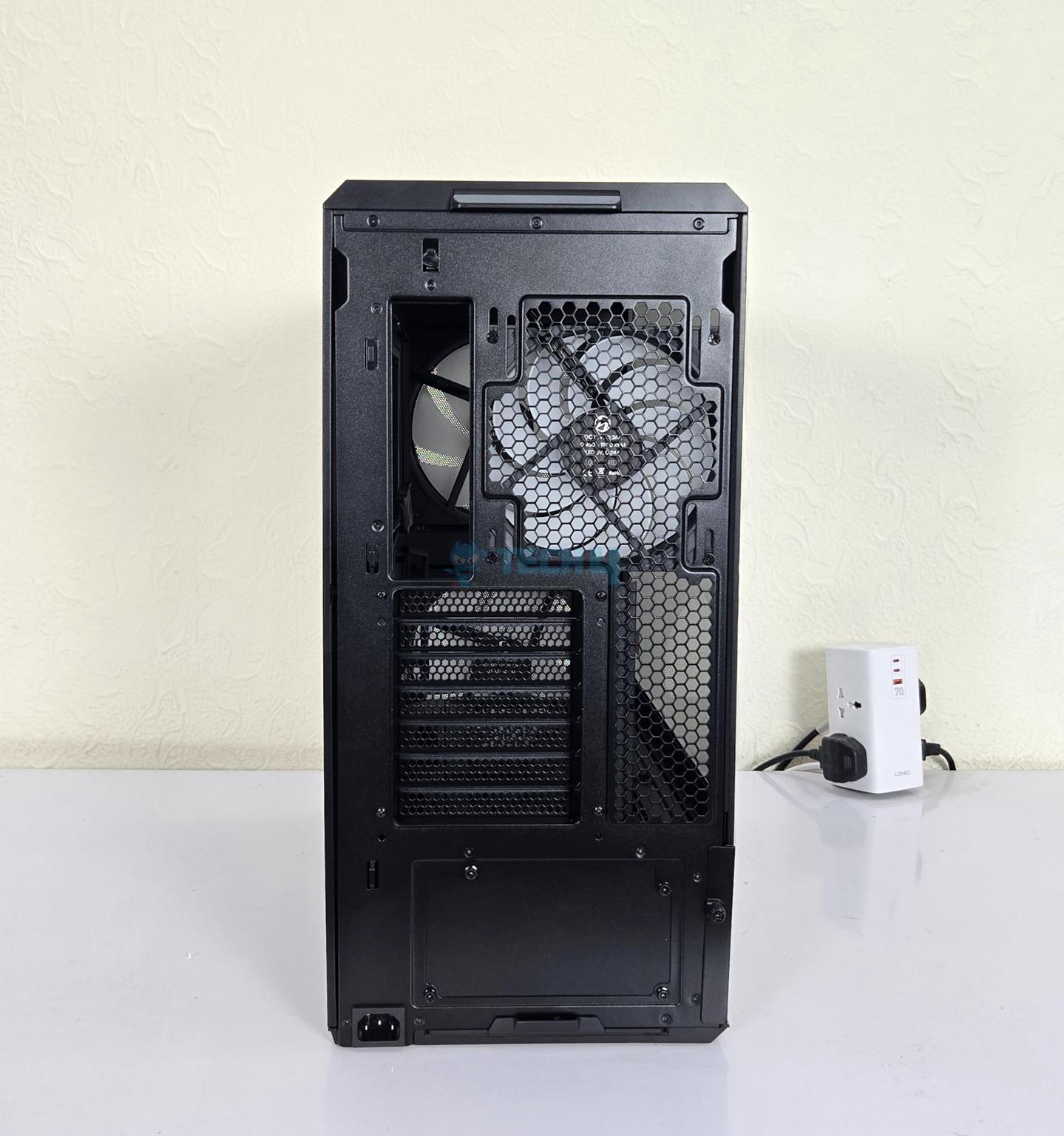
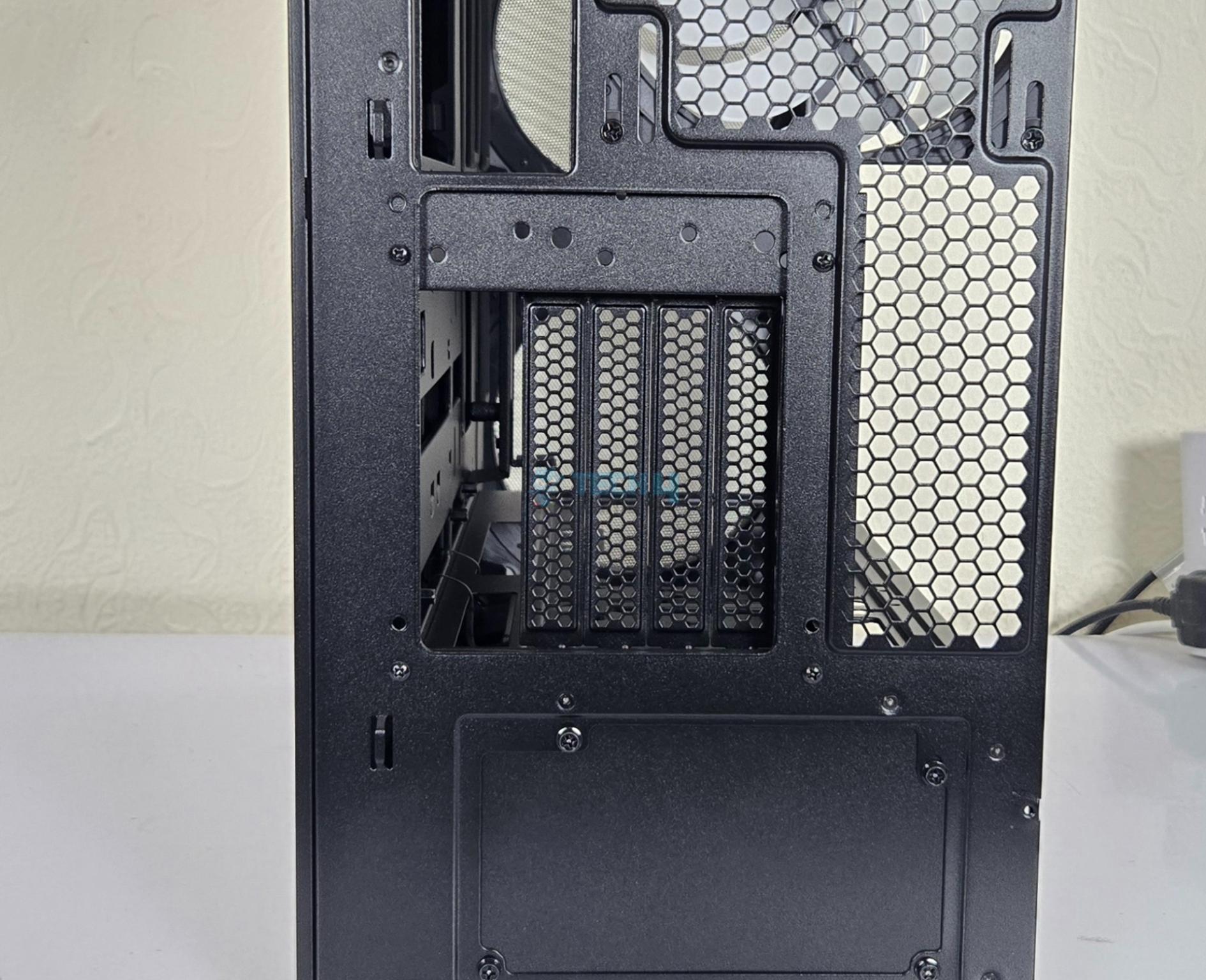
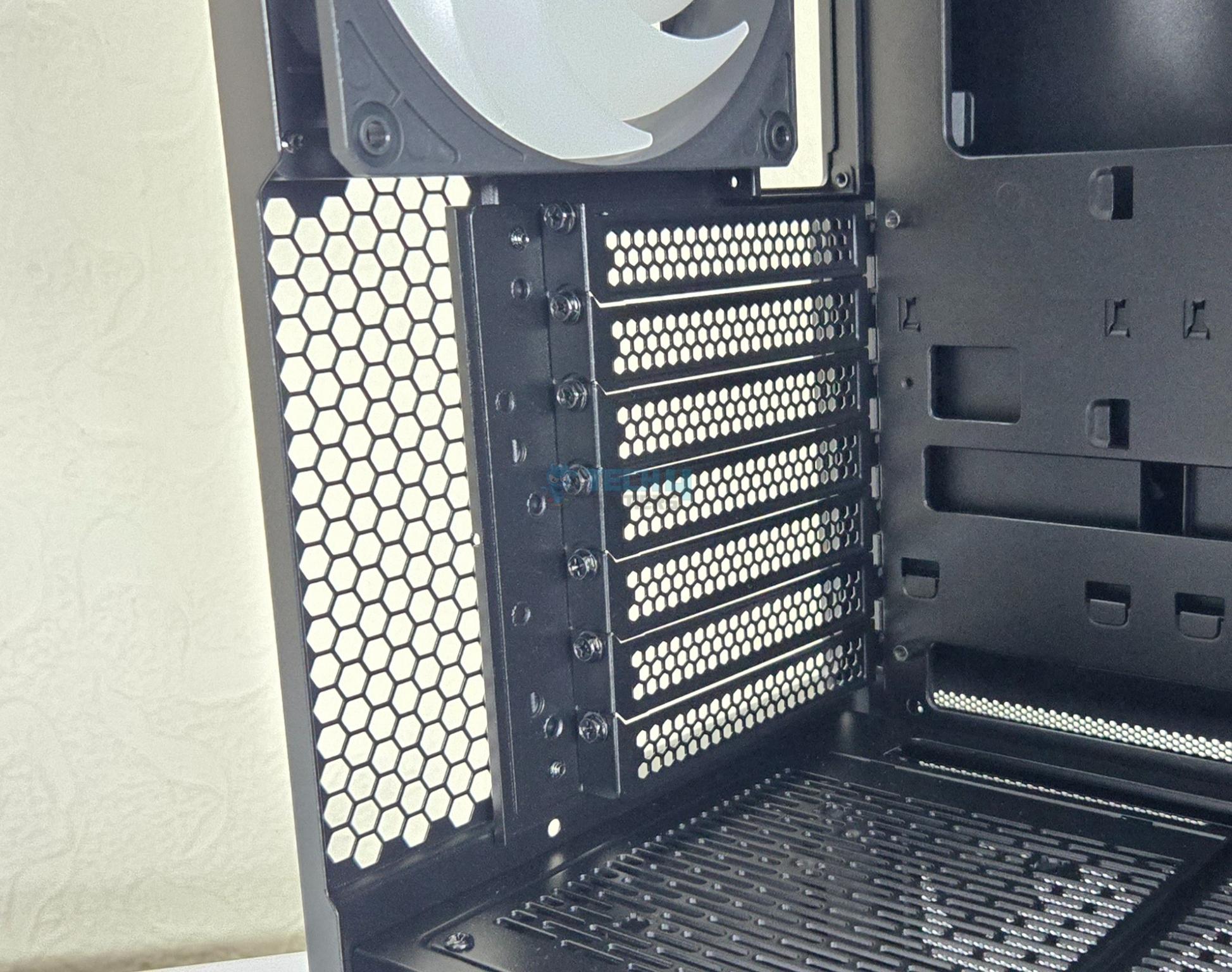
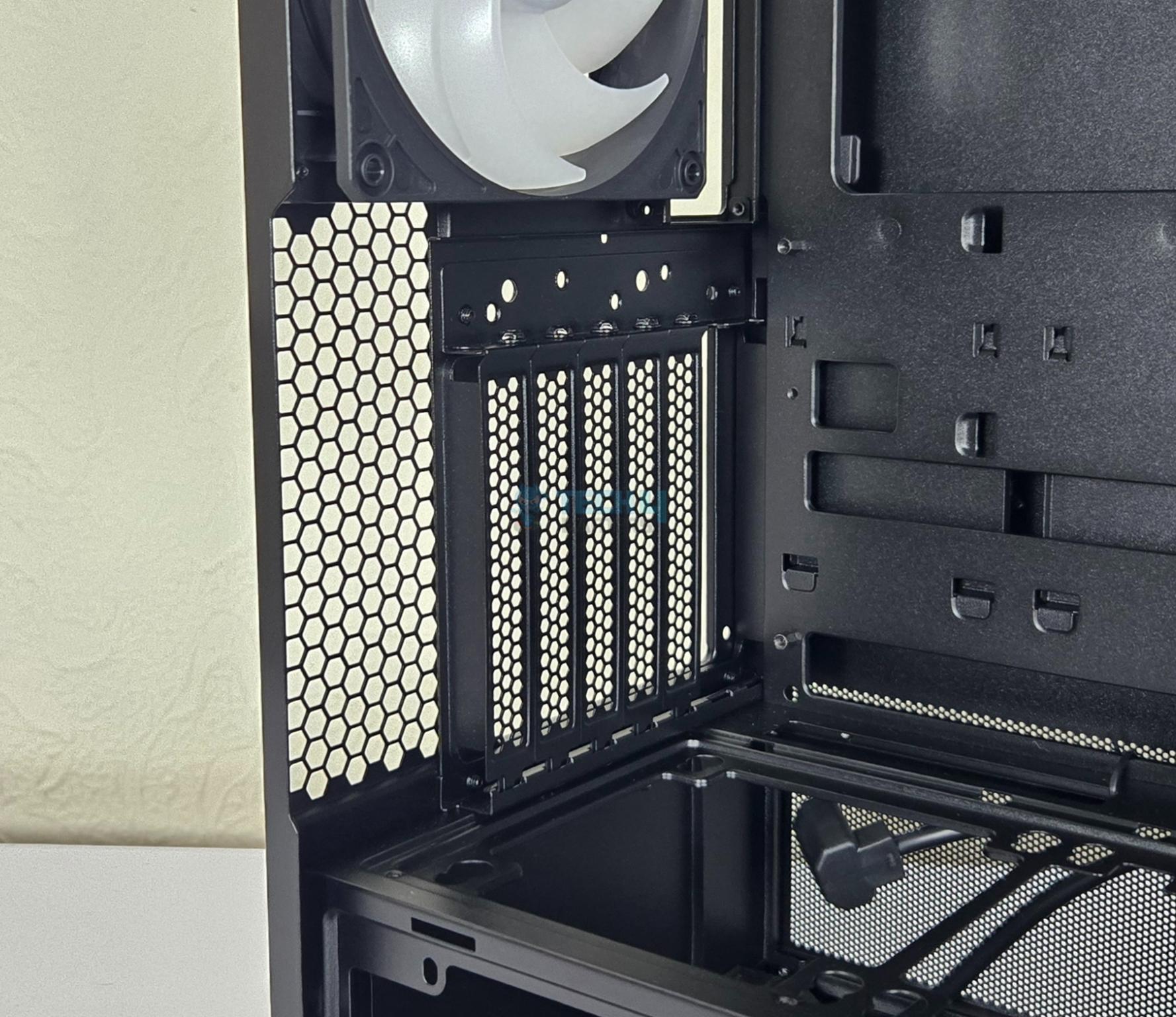
The rear of the case has a standard layout. Up top, you can see a cutout where the rear IO panel of the motherboard sit in. On its right is a rail mount for the 120mm/140mm fan. 1x 140mm fan comes pre-installed. The case has 7x PCIe slots.
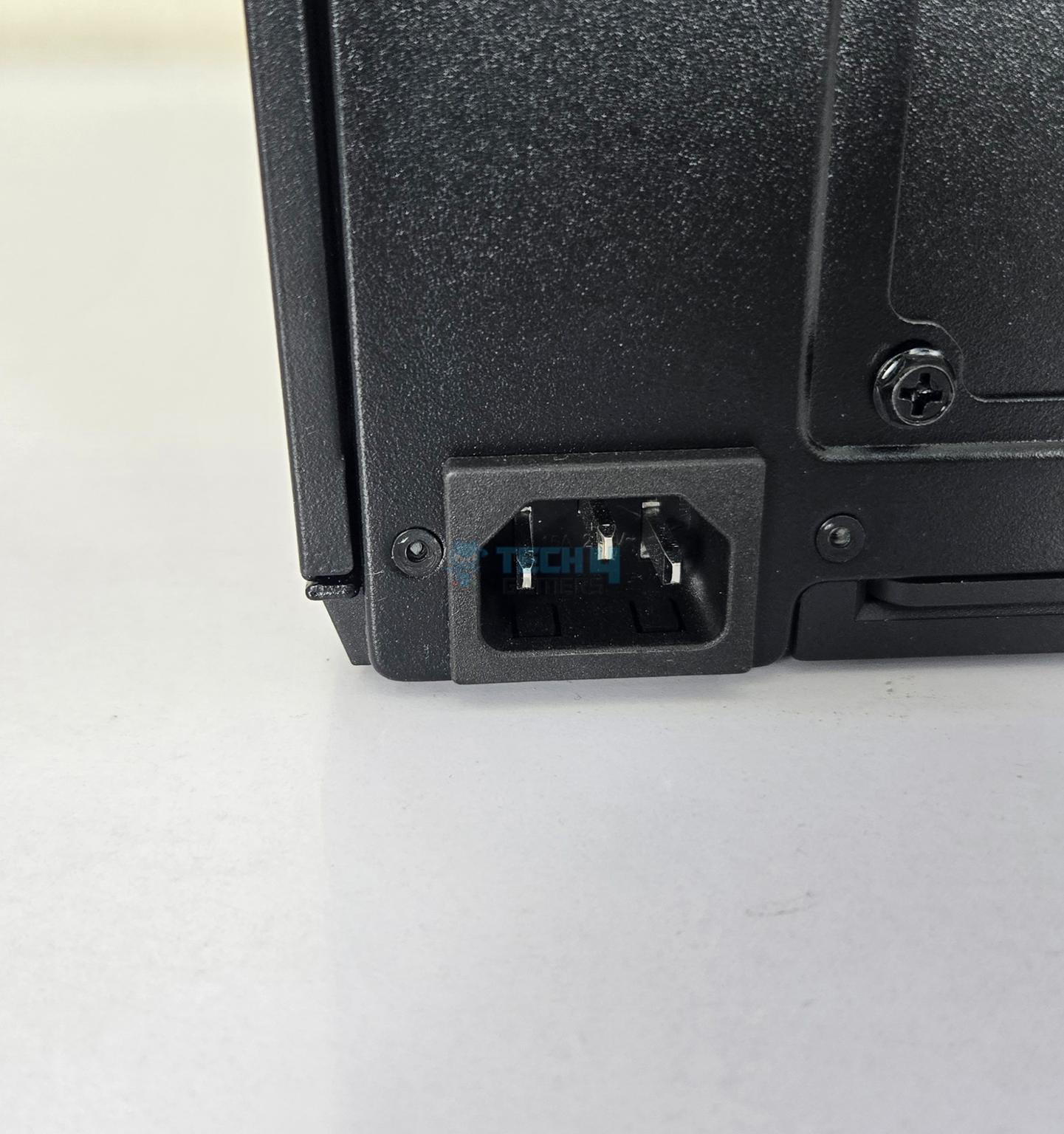
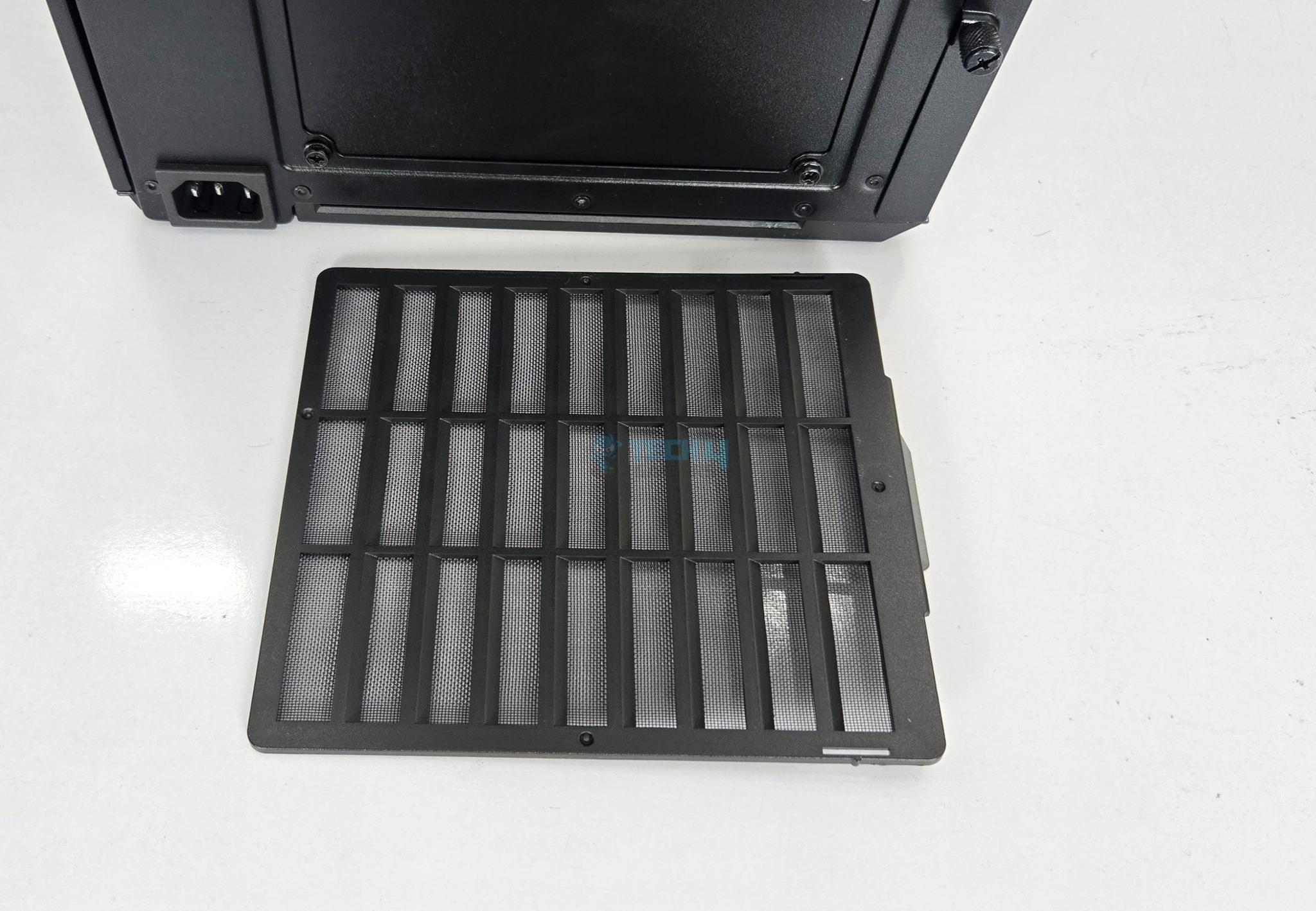
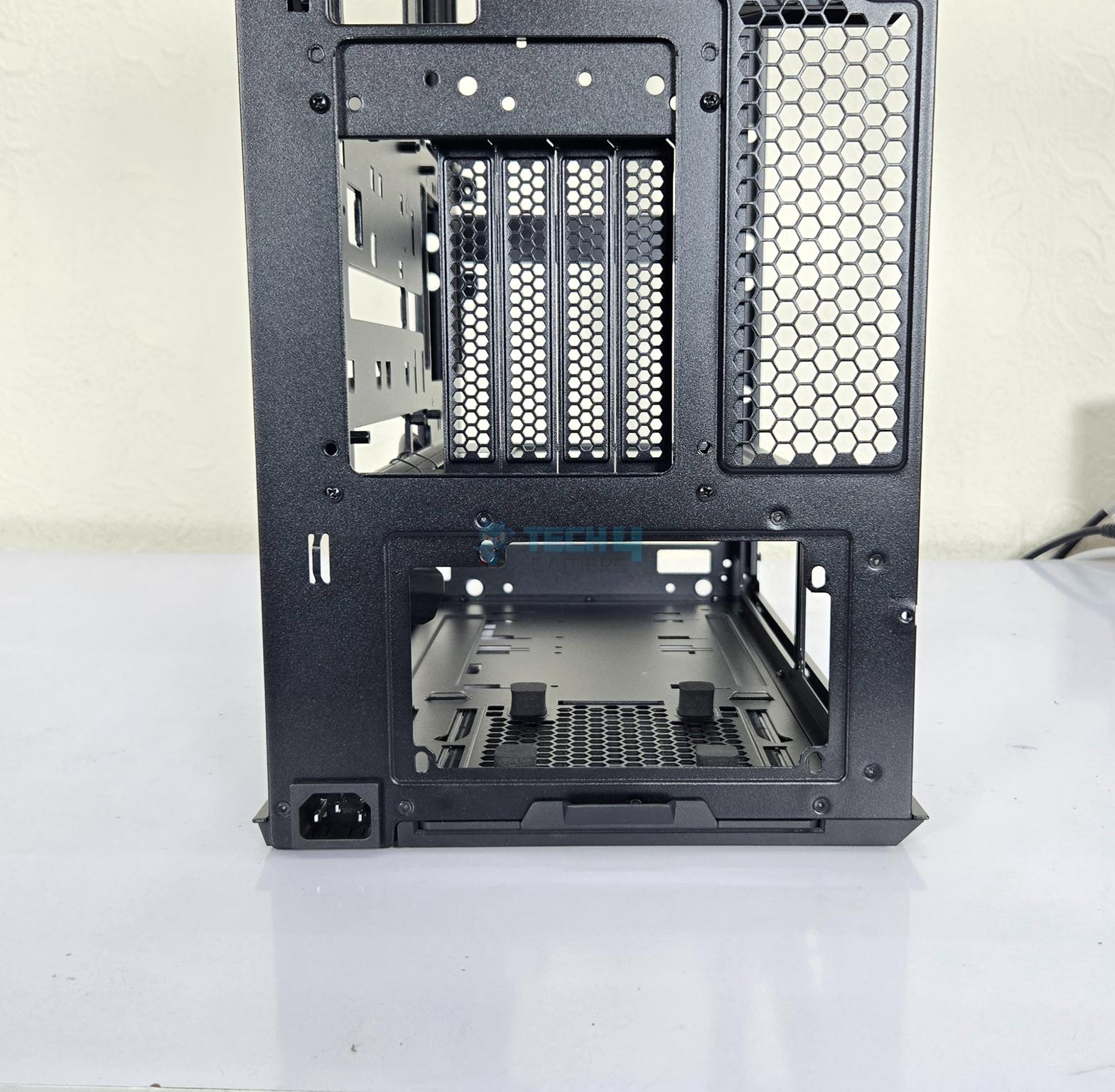
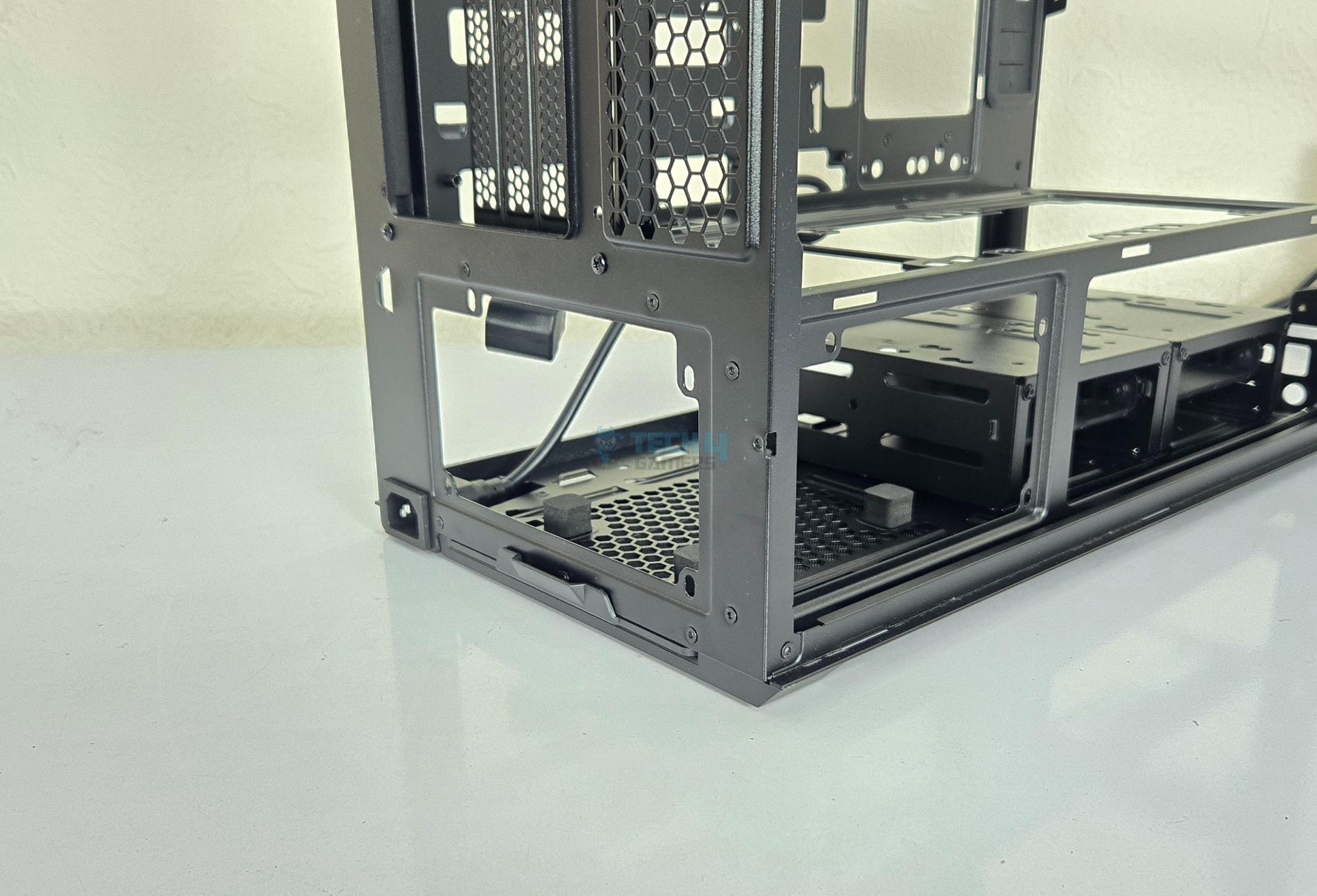
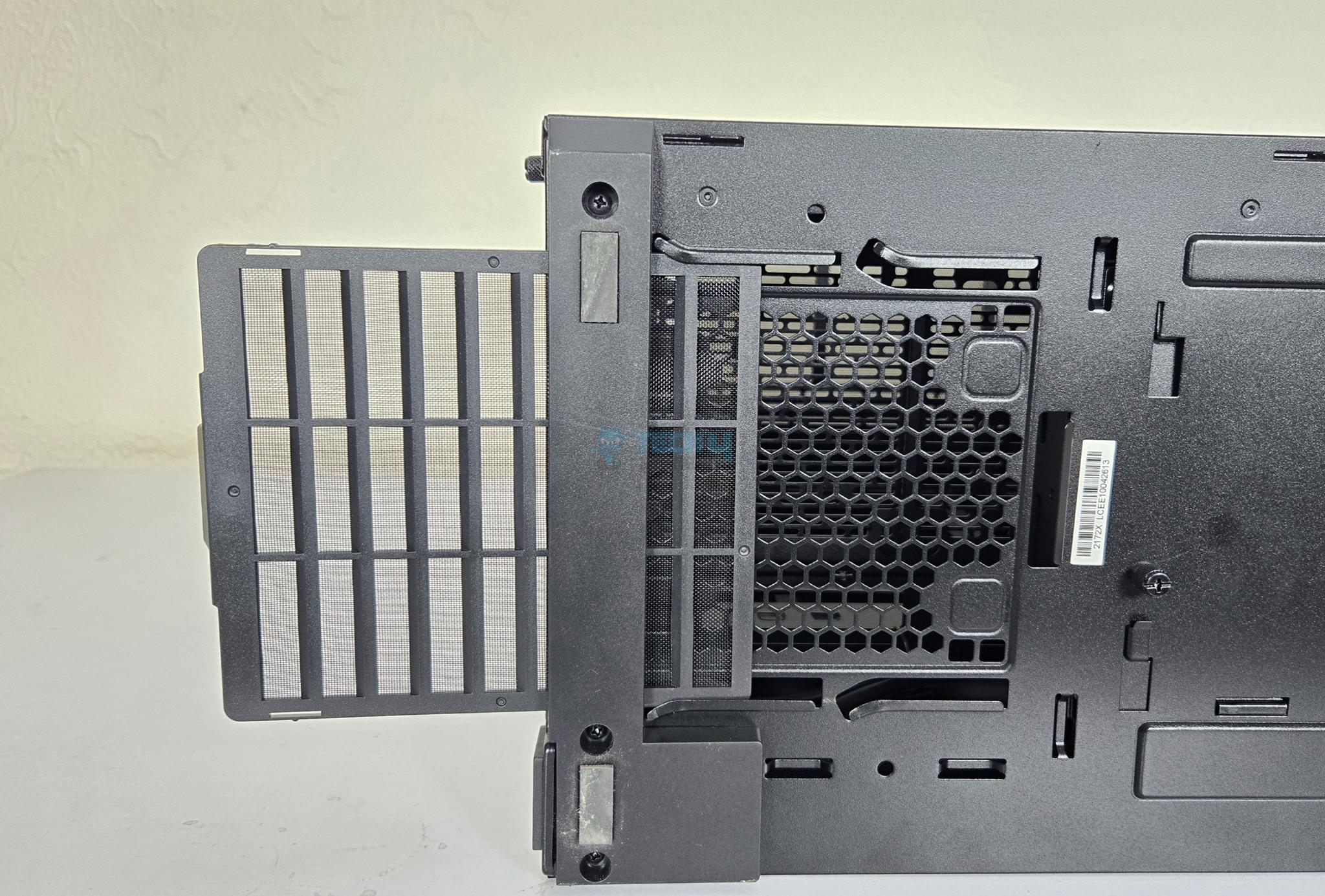
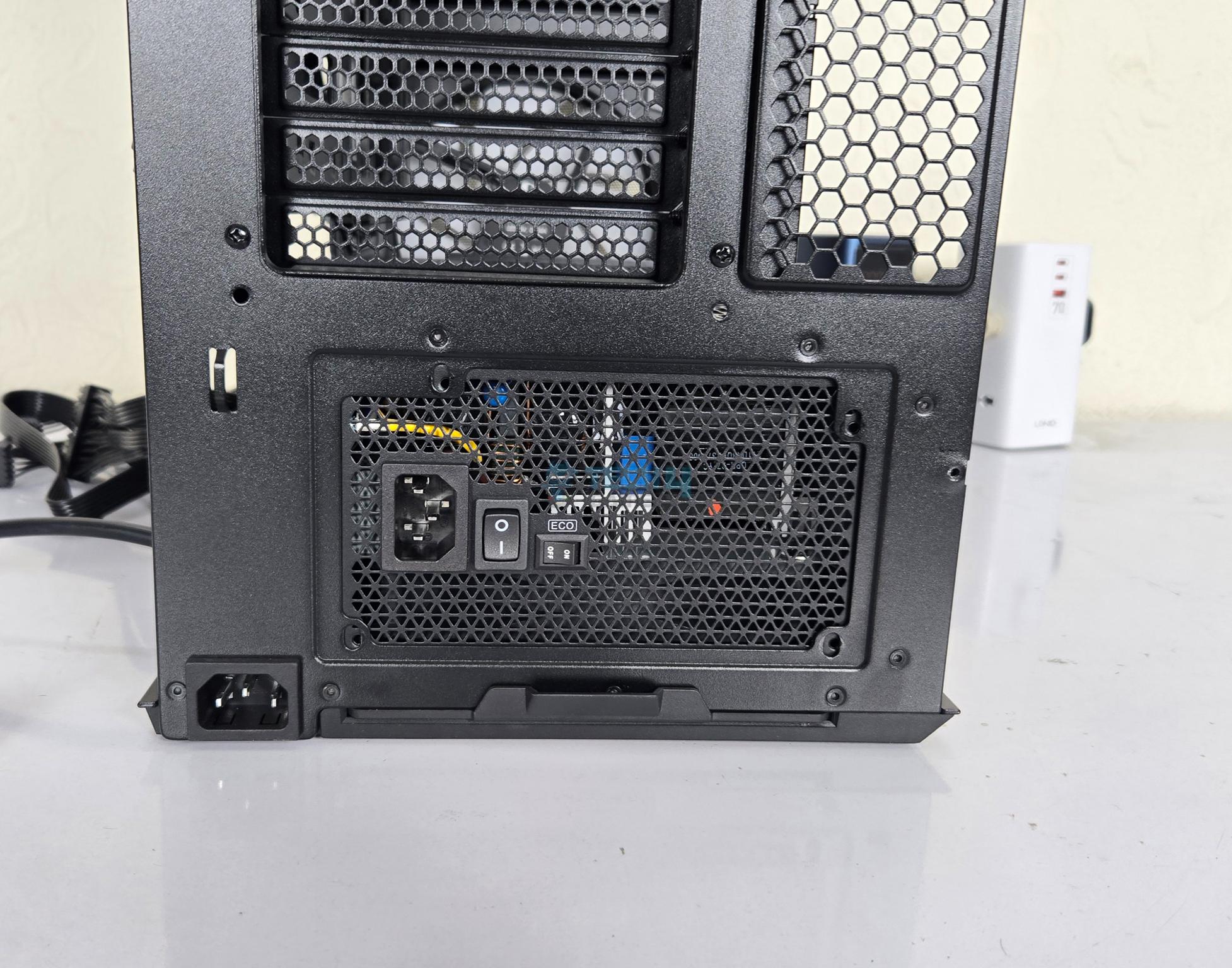
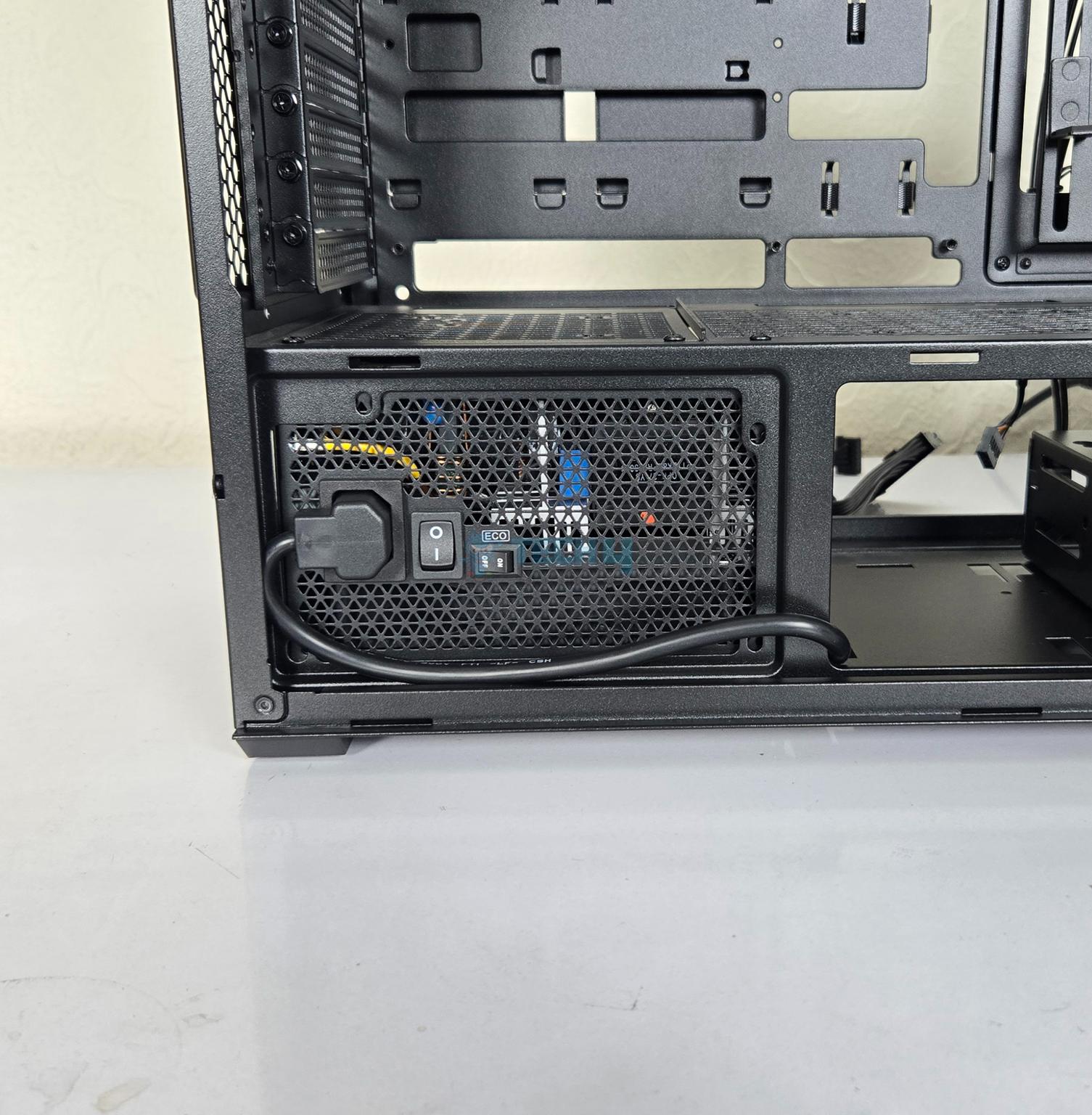
The bottom has a mount for standard ATX PSU. However, it has a solid cover and you can see a power port on the base as well. This is provided since you can install PSU in this case in two direction. One is standard and the other is rotated. You will know this better in our Installation section. The PSU area has a dust filter underneath which can be taken out from rear which is not a convenient location to access this flter.
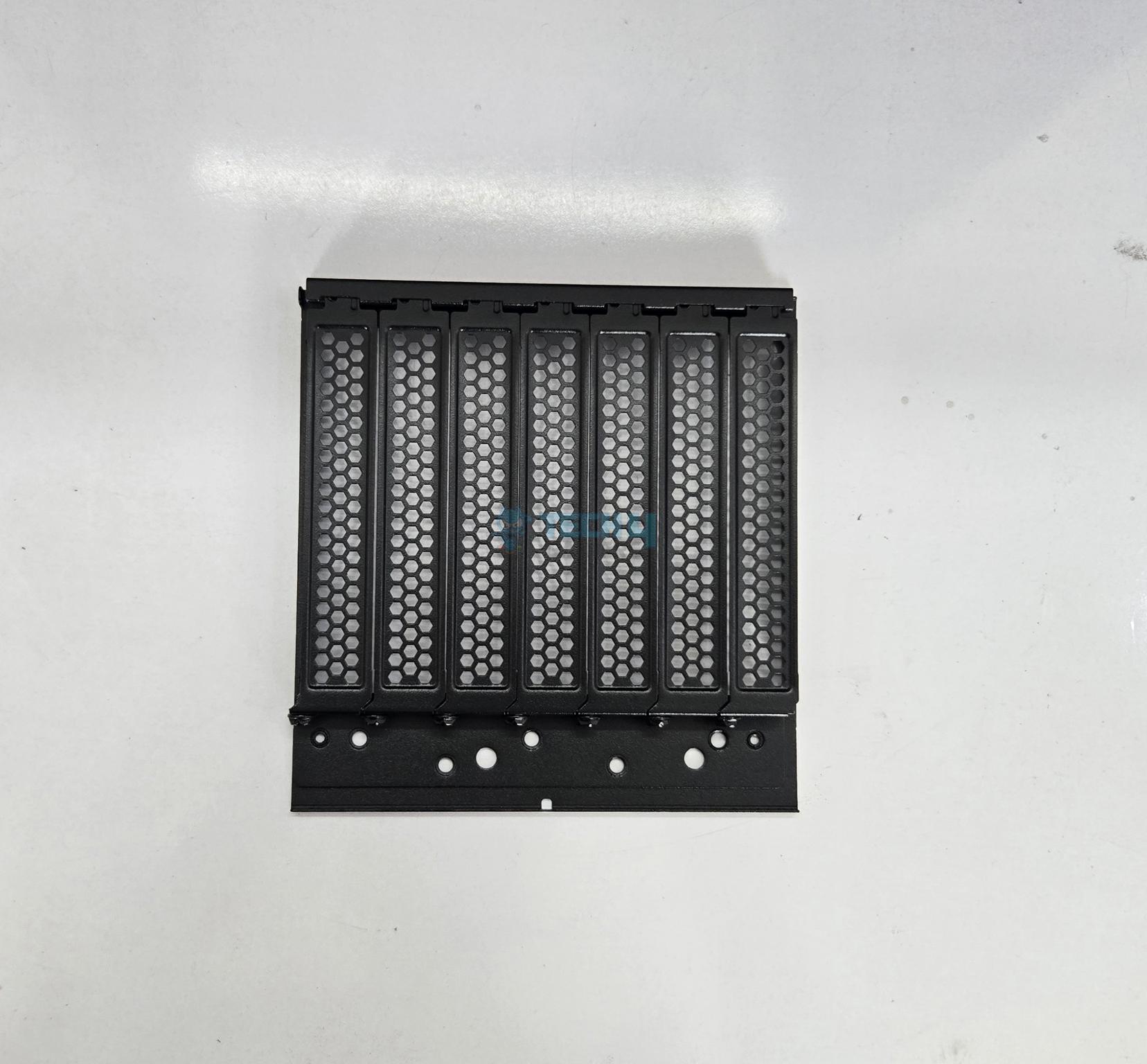
The mid-section has a PCIe bracket which is removable and rotatable. It has 7x expansion slots with reusable vented covers. On a closer look, you can see that screws of these overs are on the inside of the case not outside. Four screws are used to install the bracket. Lian Li has advised to remove the first two slot covers when setting this bracket in vertical layout for better clearance from the motherboard.
Bottom View
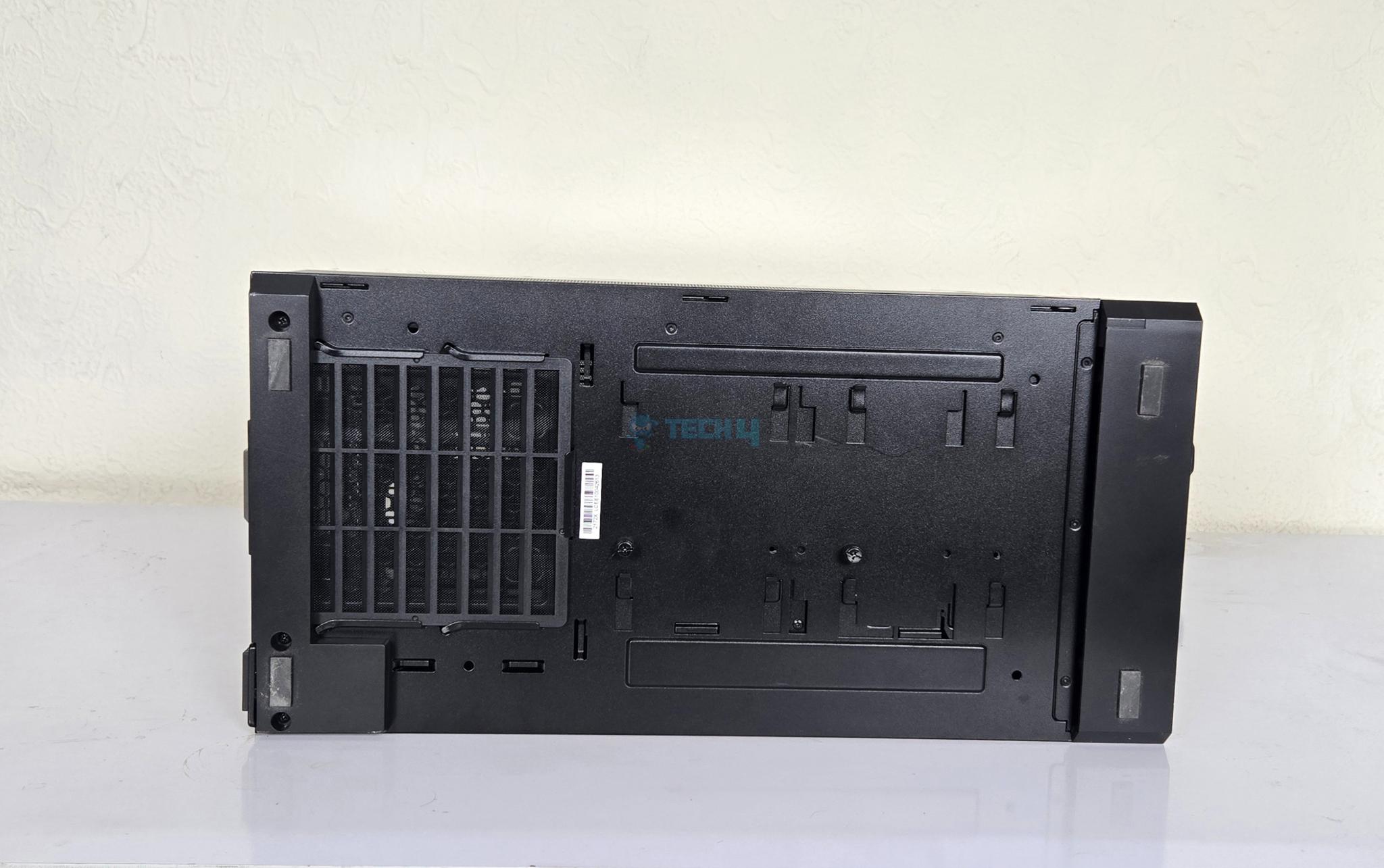
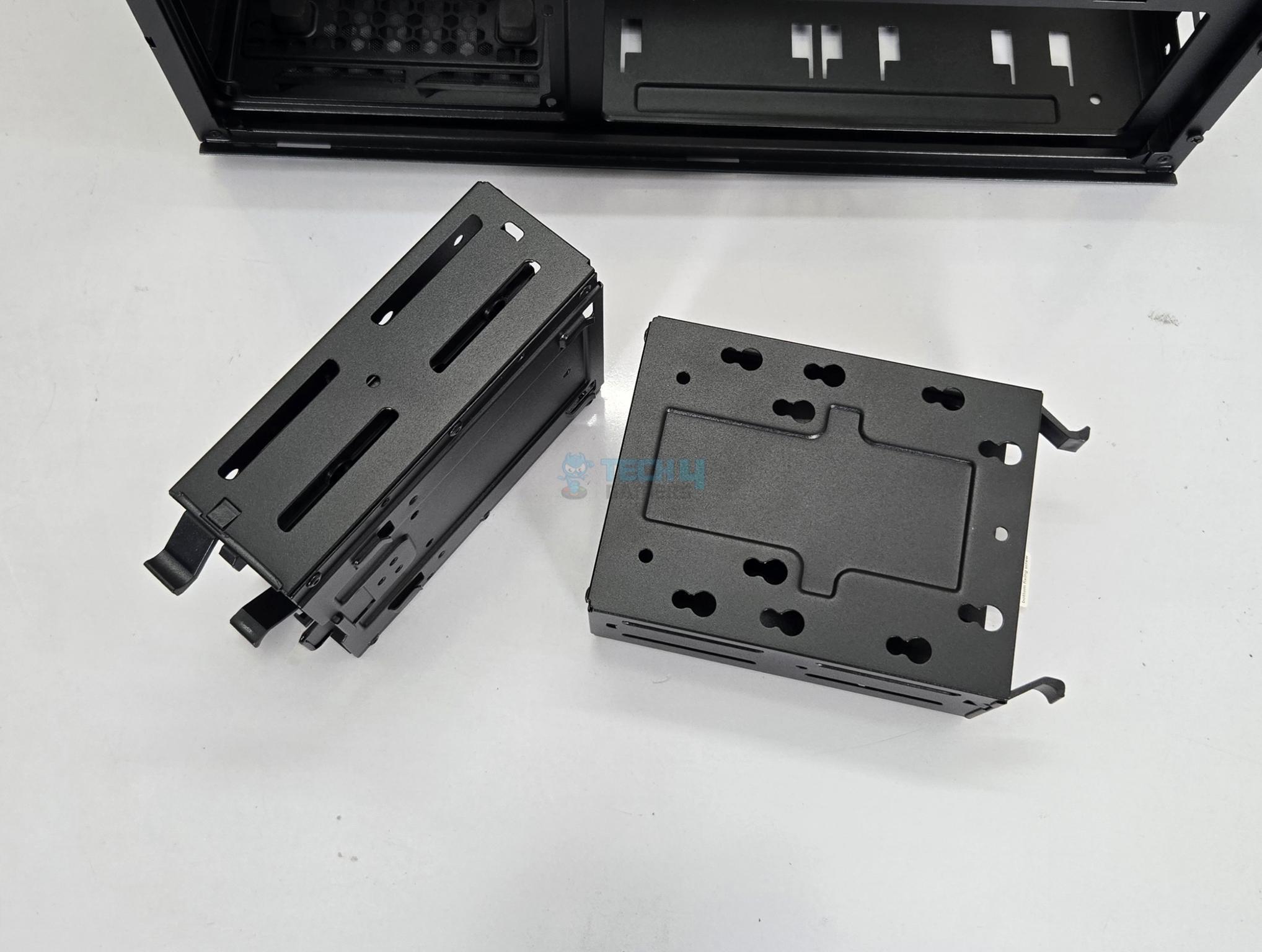
The bottom side of the case has a non-magnetic dust filter over the PSU bay. You can see channels indicating that storage cage can be installed in two places. Also, you can see two thumb screws. You would need to remove these to remove or install the drive cages. Hence plan your build in advance otherwise you will need to tilt over the case to access this area.
Internal Design
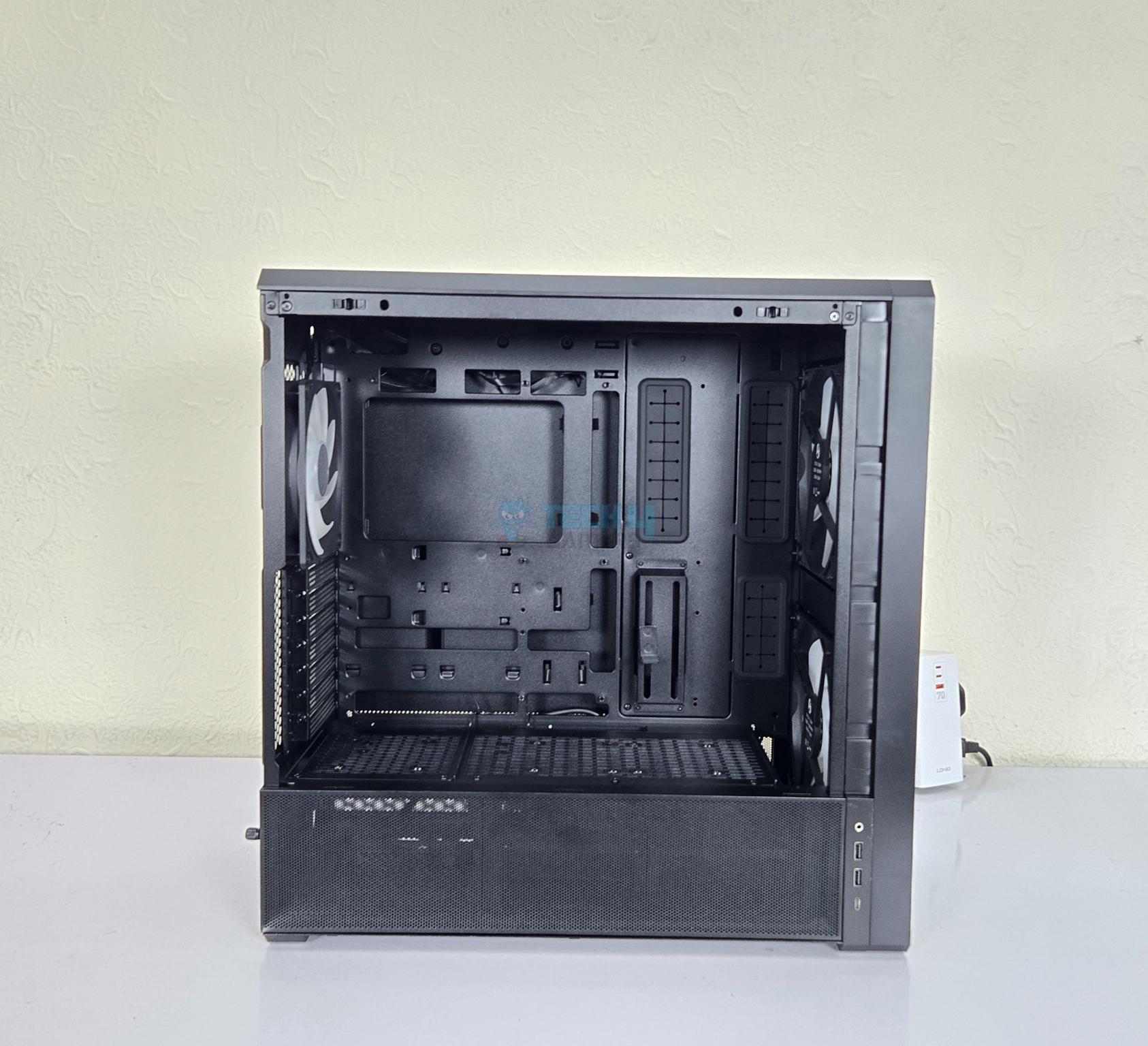
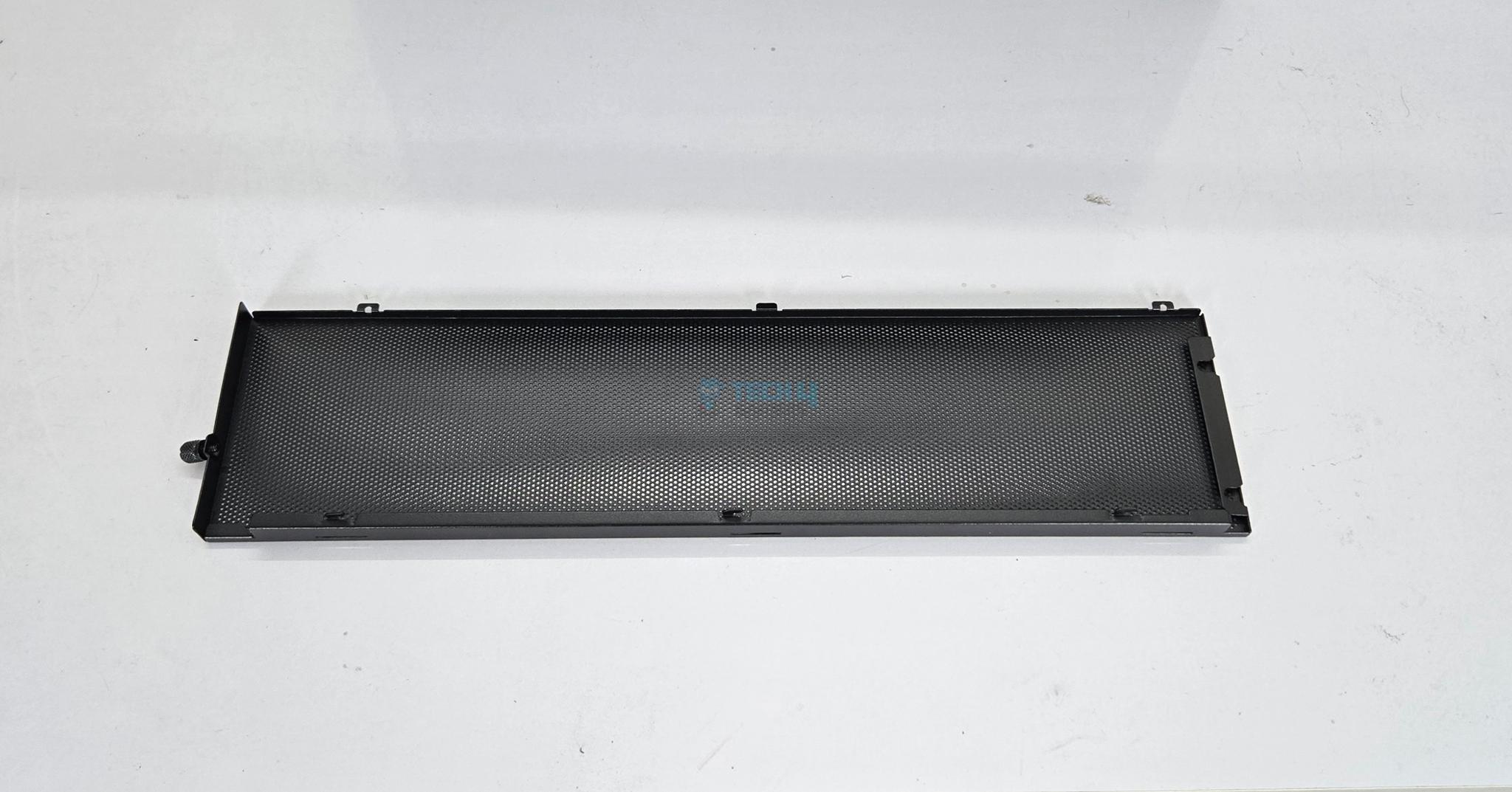
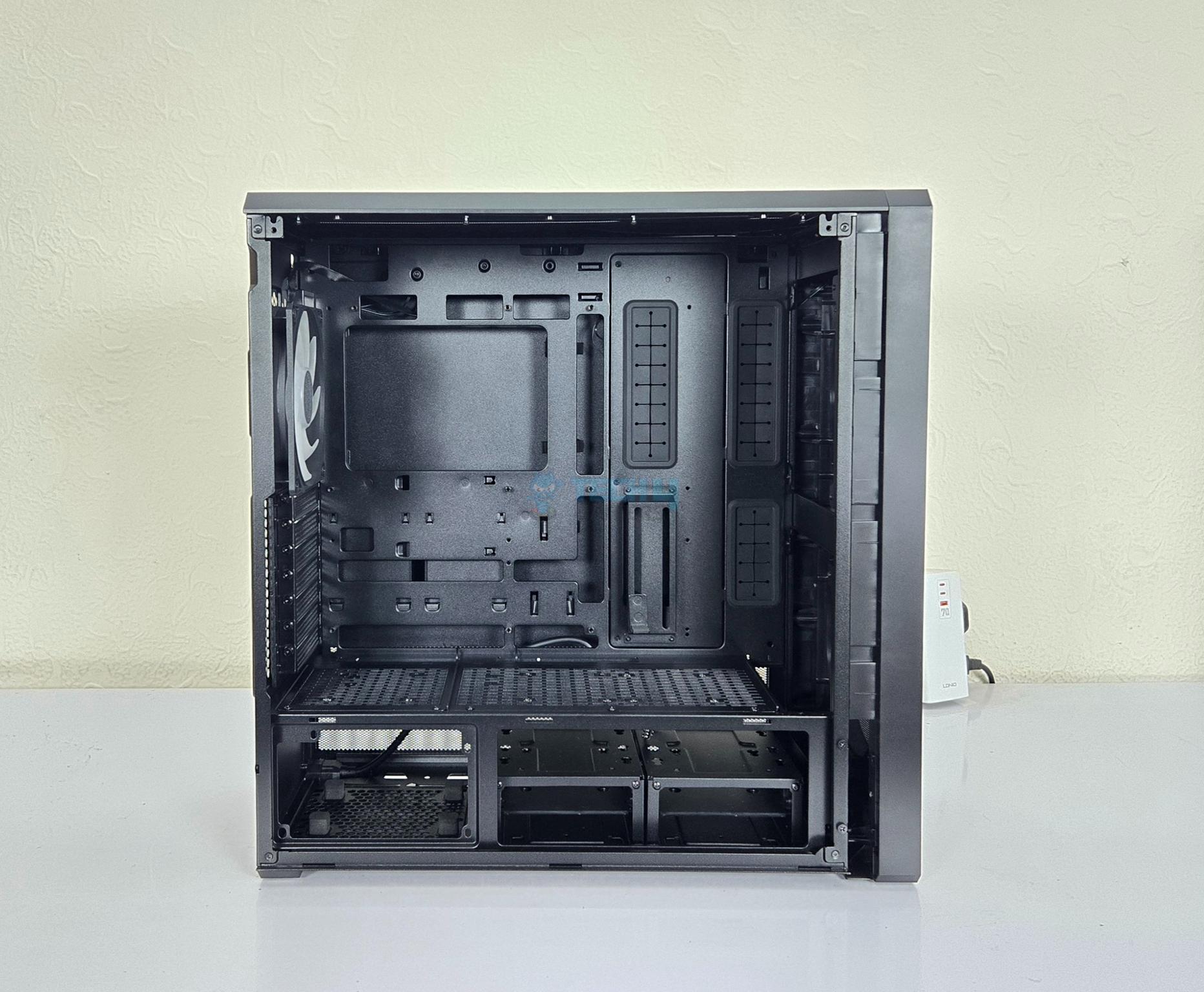
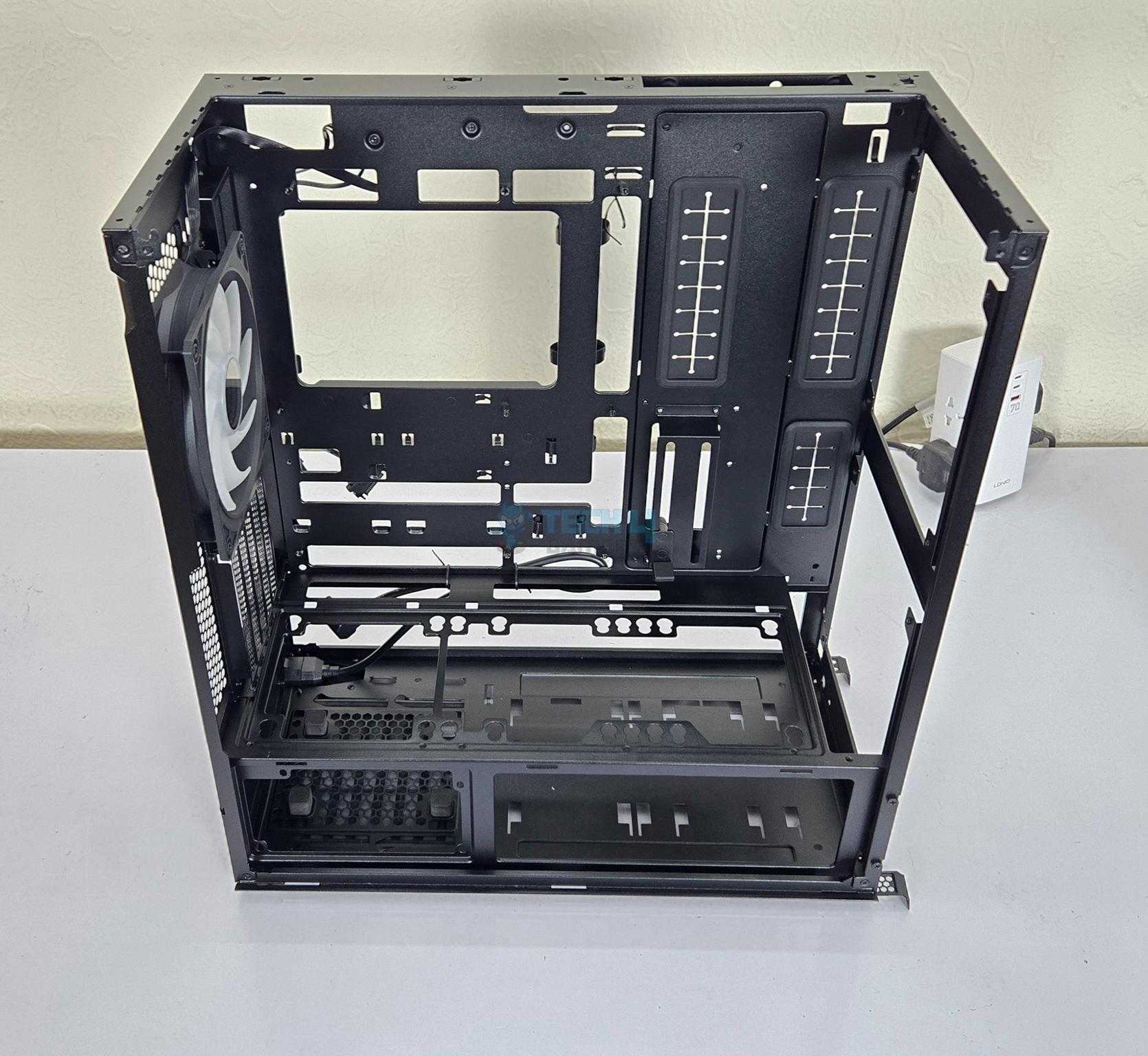
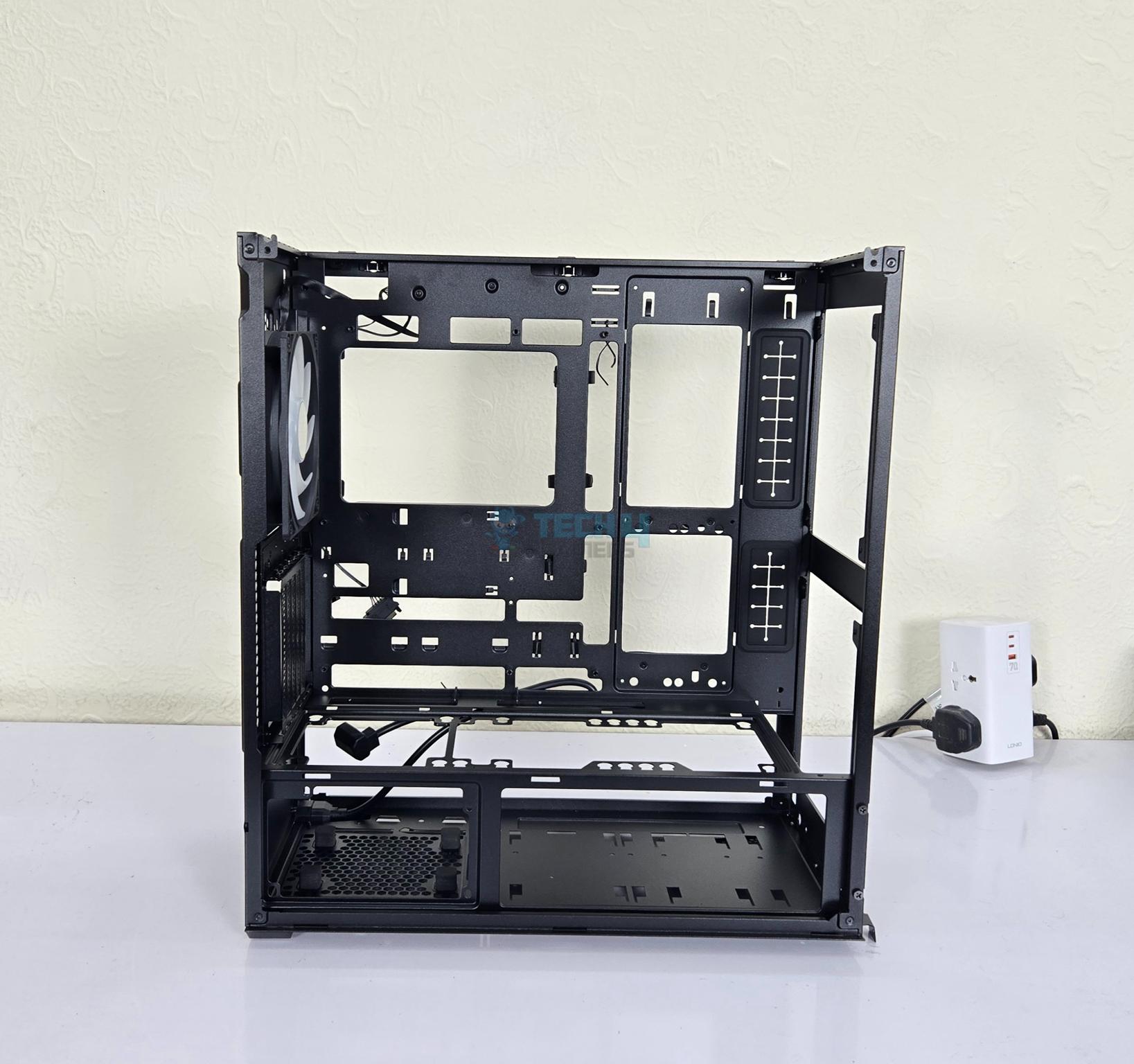
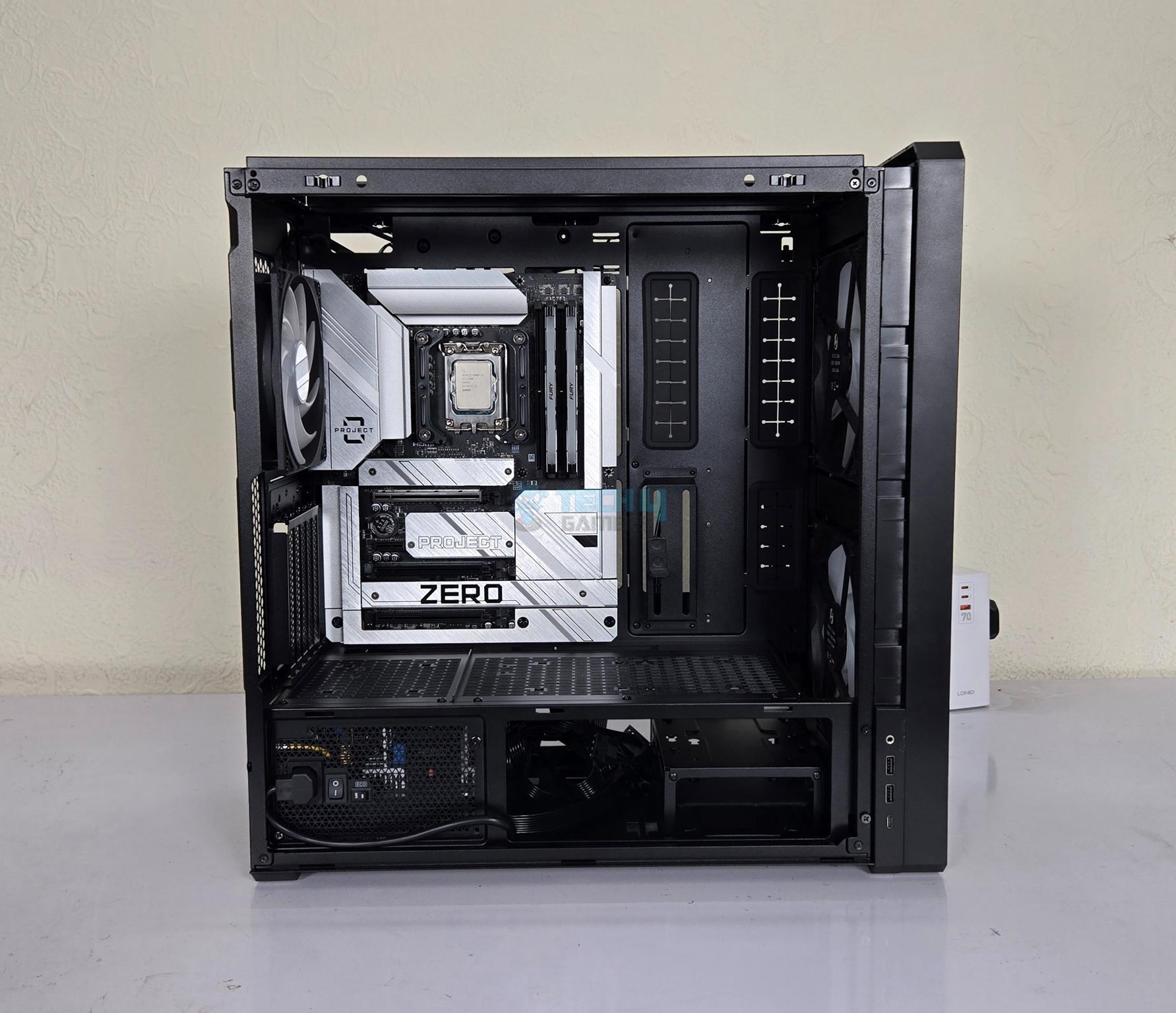
Lian Li has used a 4mm tinted tempered glass on the side of this case. It is a tool-less design which is a wise implementation. The bottom section or chamber has a perforated mesh cover which is removable. The IO panel is installed towards the front of this mesh cover. Lian Li has provided dual access to the second chamber.
Internal Design
1 of 4
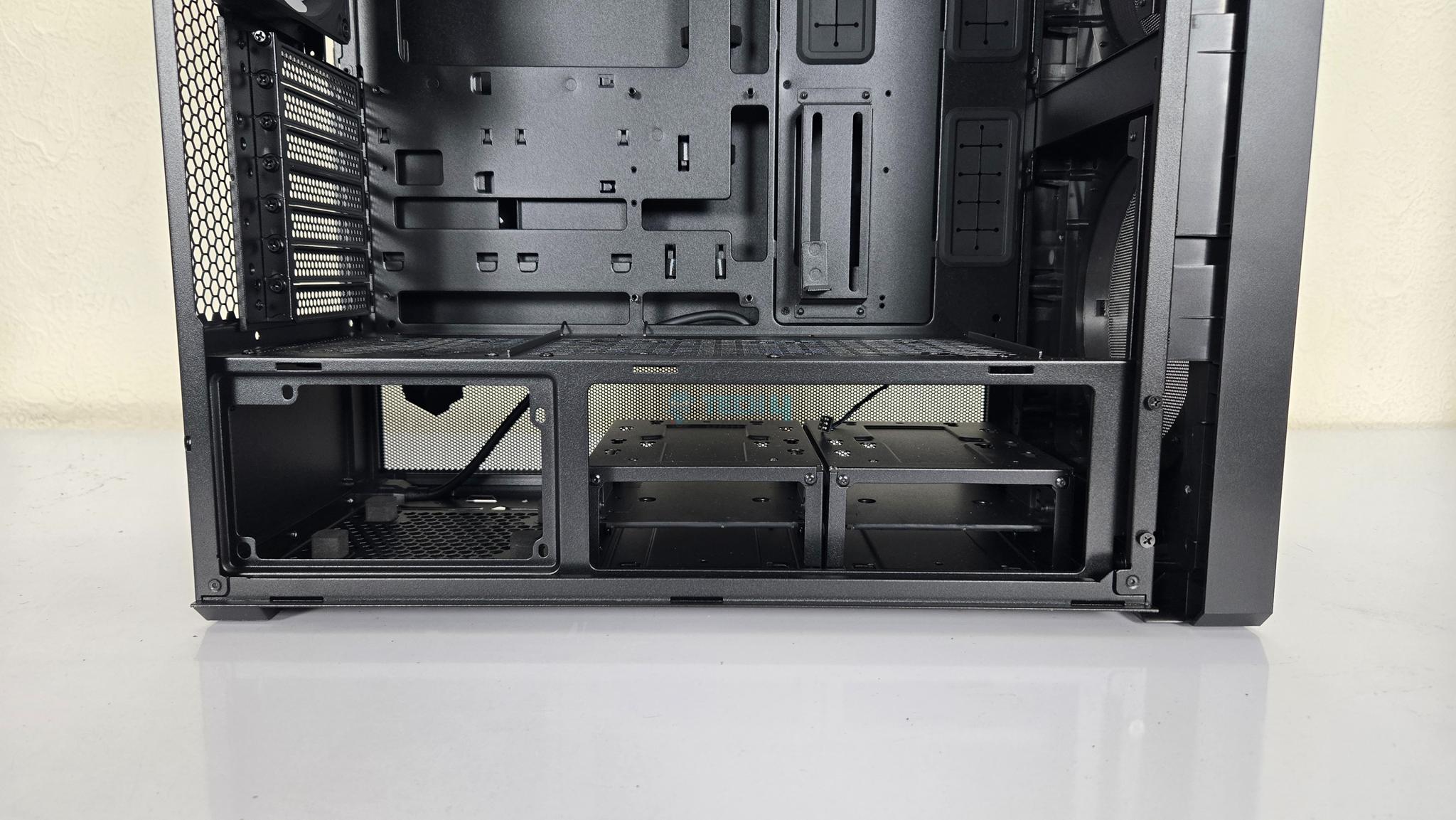
Despite being a mid-tower, Lian Li has designed this case to provide spacious layout for a convenient build regardless of the components. The mesh cover on the lower chamber is secured using a thumb screw on the rear. Removing it would show the PSU bay and HDD drive cages on the base.
The motherboard tray is solid built. It comes with 9x standoff screws. The cutout pattern clearly indicates that this case can house a back connect motherboard in ATX and mATX form factor. This is another plus for this case.
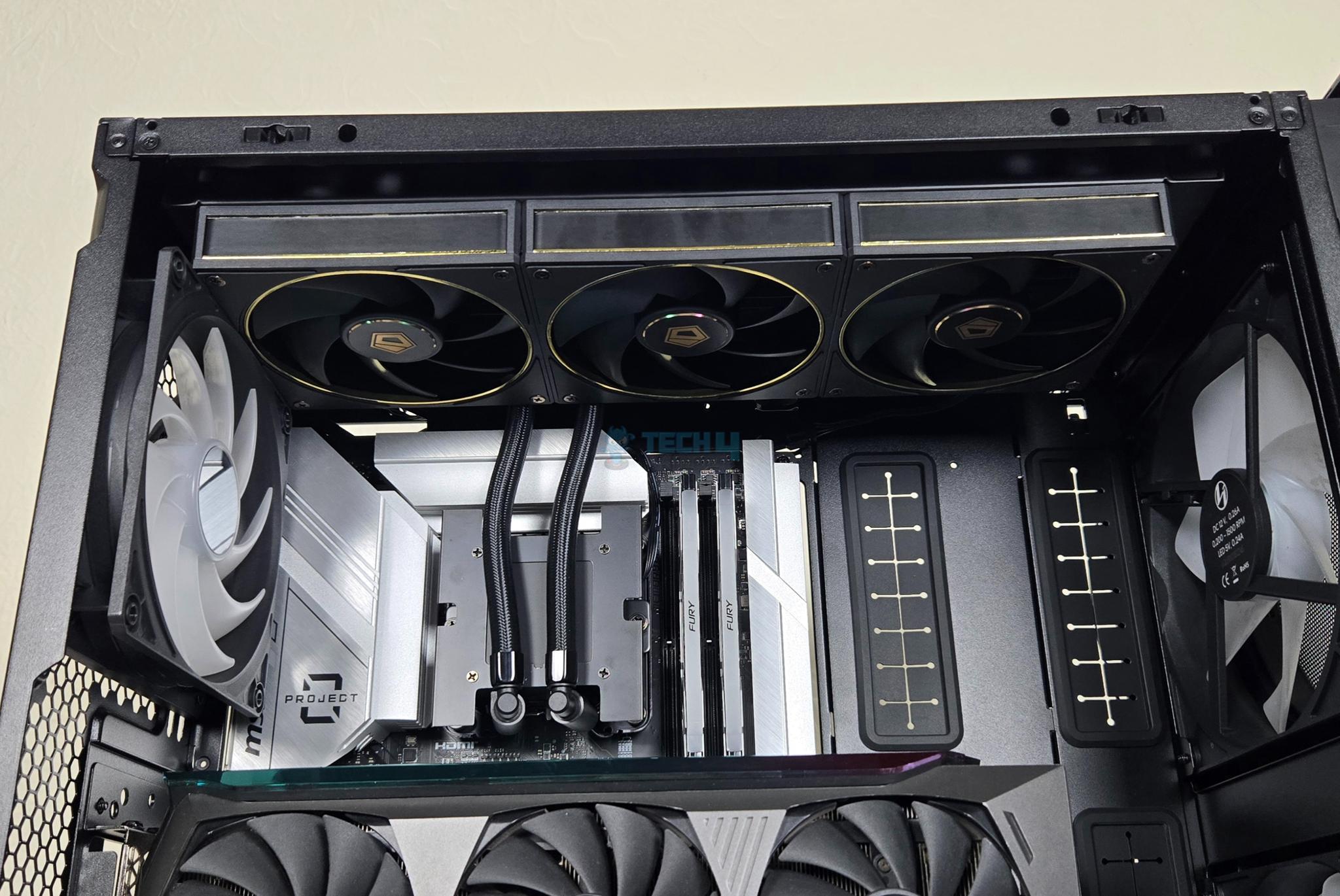
The top displacement is also excellent and installing a 360mm liquid cooler up top would still give you enough room to work with the top connectivity on the motherboard.
Internal Design
1 of 3
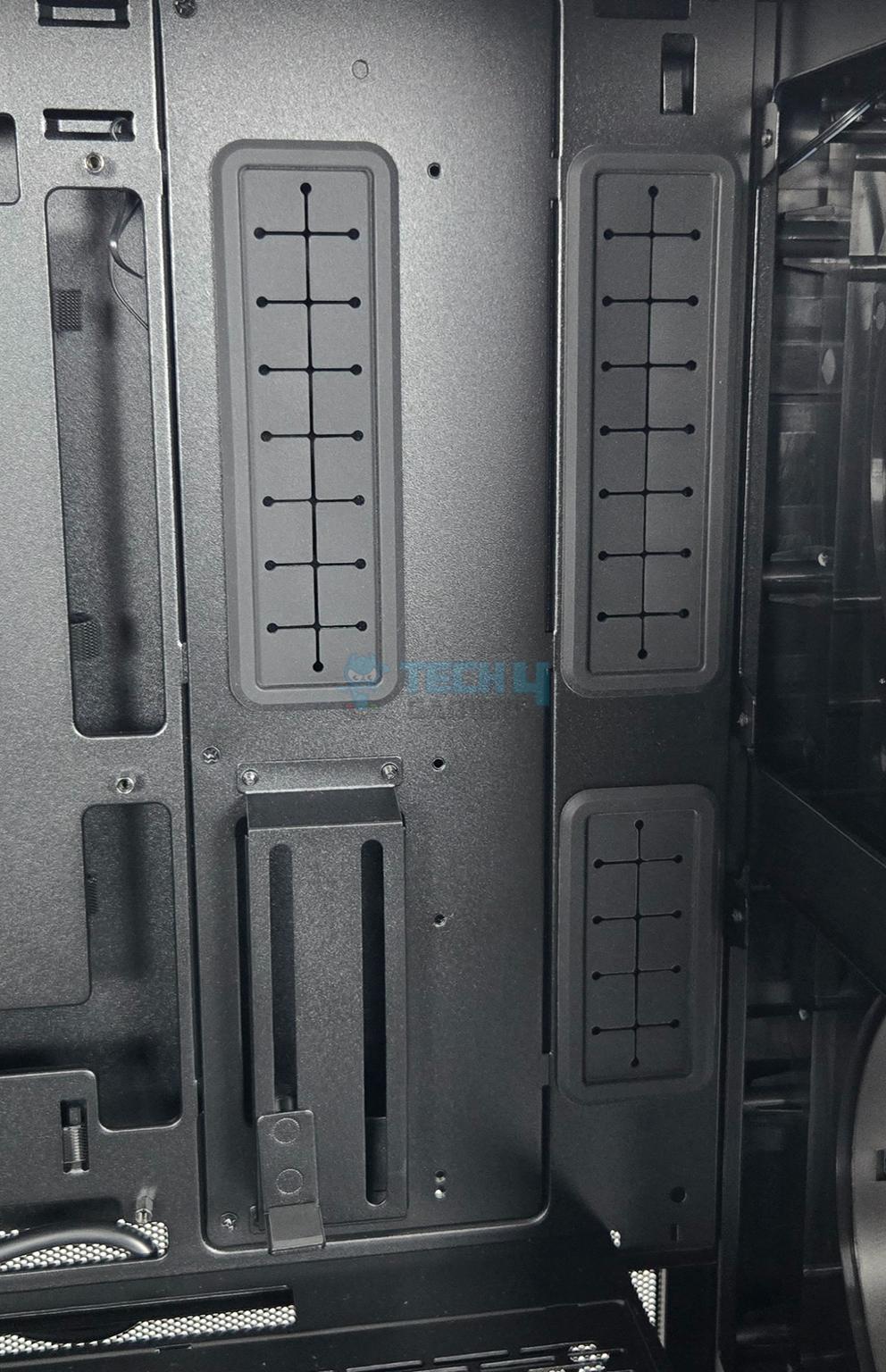
The side of the main motherboard tray has two columns of cutouts with rubber grommets. This is where the cables are routed towards the motherboard. The lower area on the first column has a vertical support for the graphics card with height adjustment.
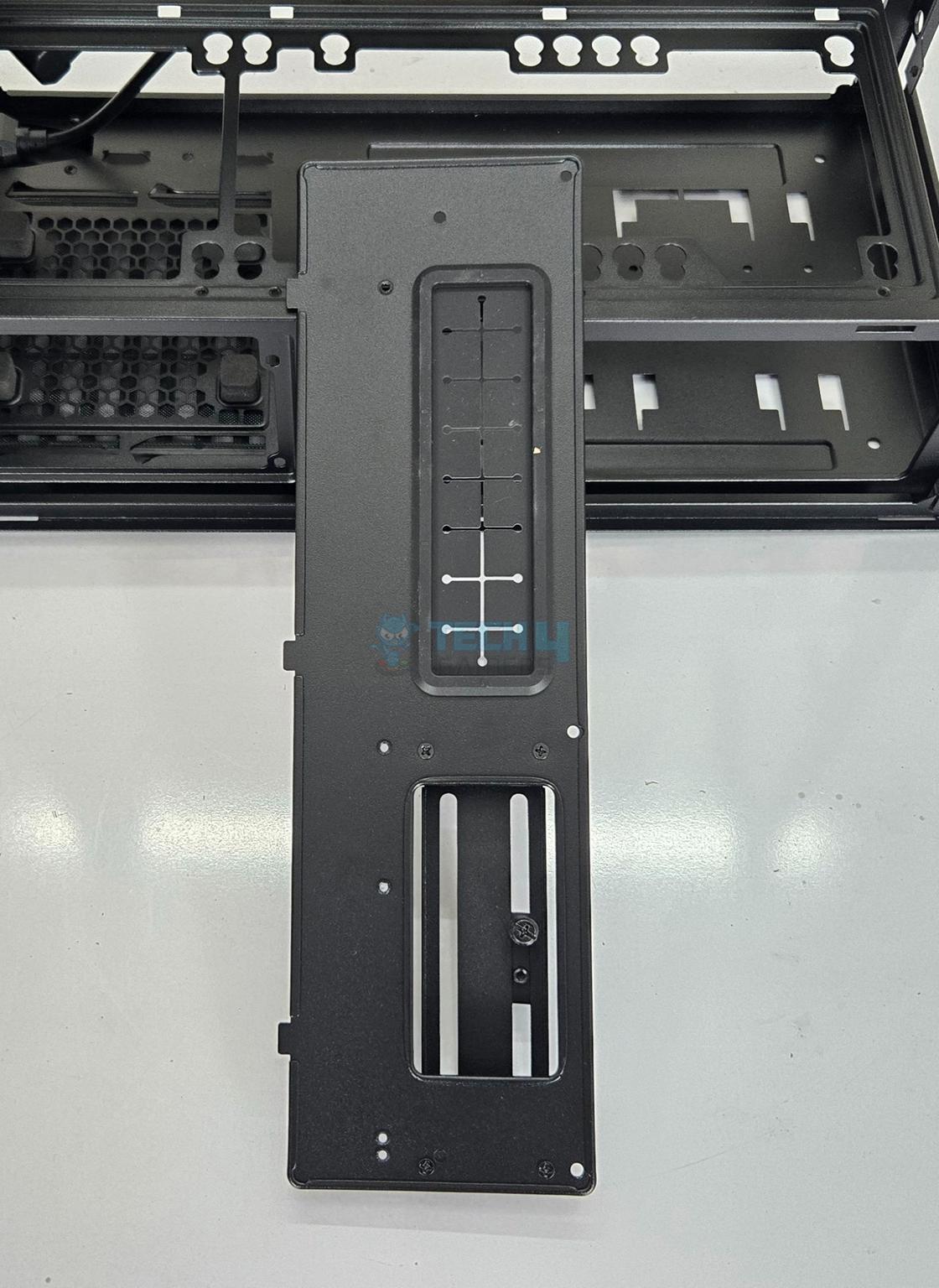
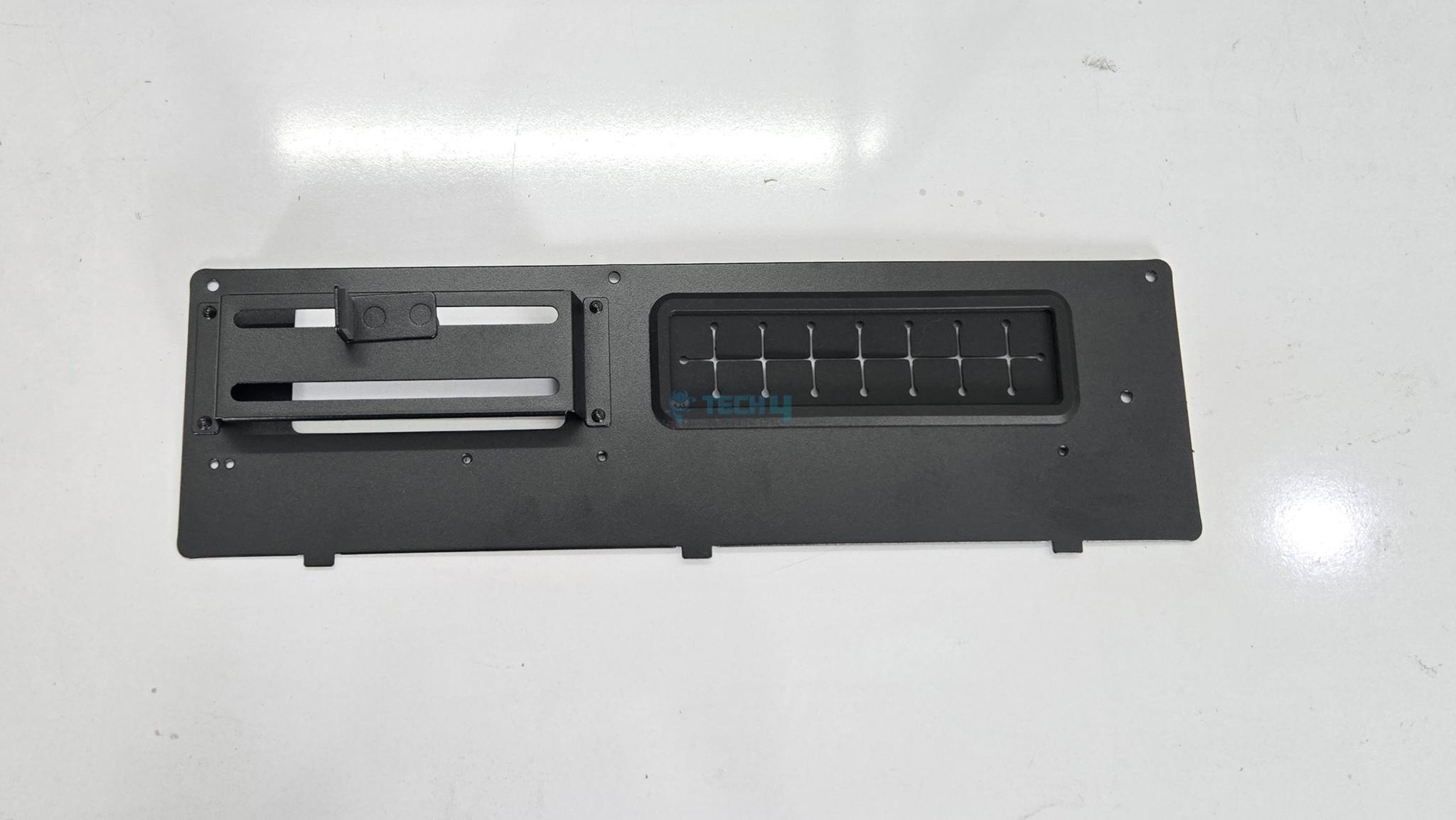
The first column is removable to make room for SSI-EEB motherboard for which the last column will provide cable routing. Lian Li has been paying attention to the minute details. The PCIe support bracket can be completely removed as well if so required.
Internal Design
1 of 3
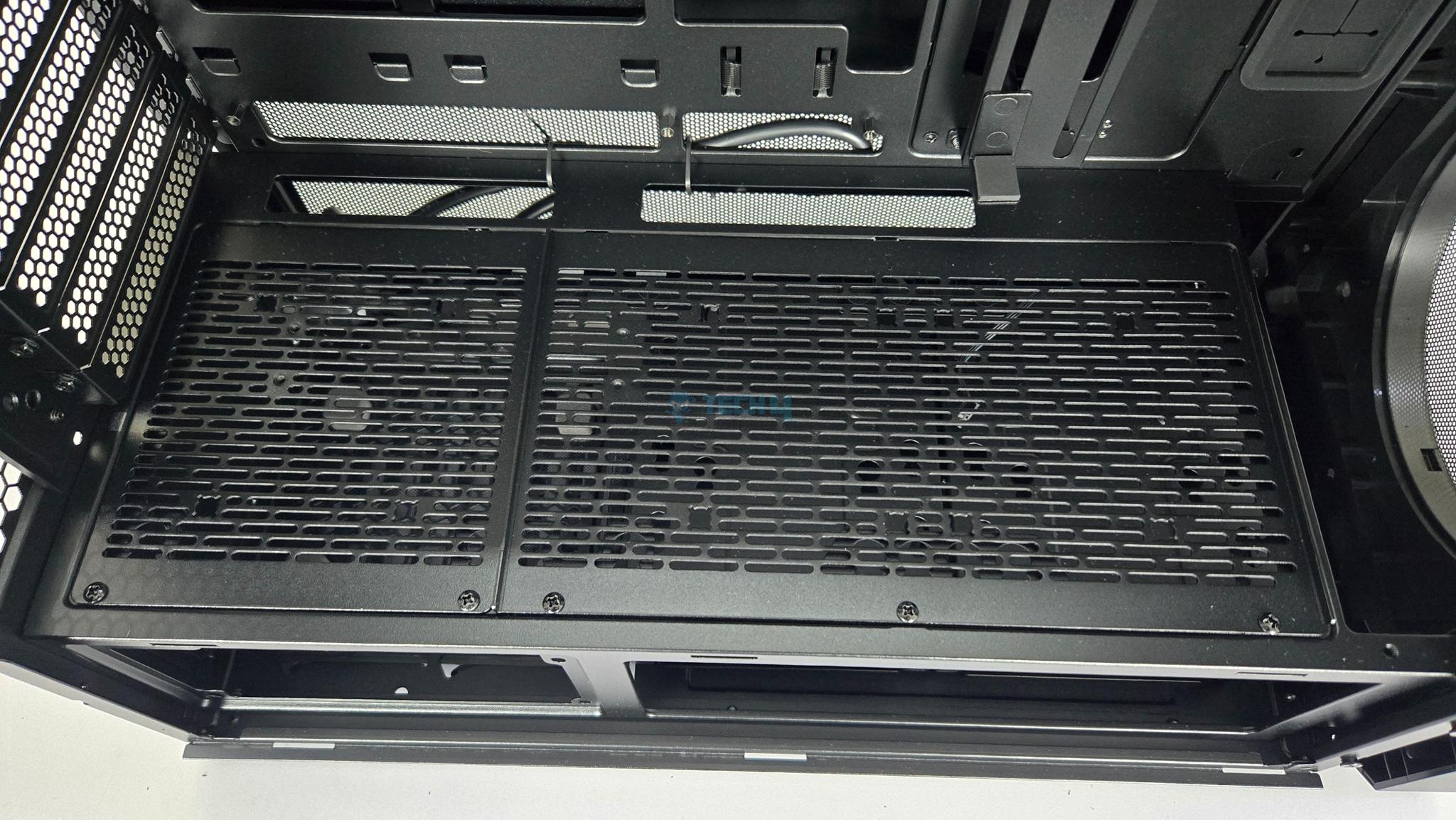
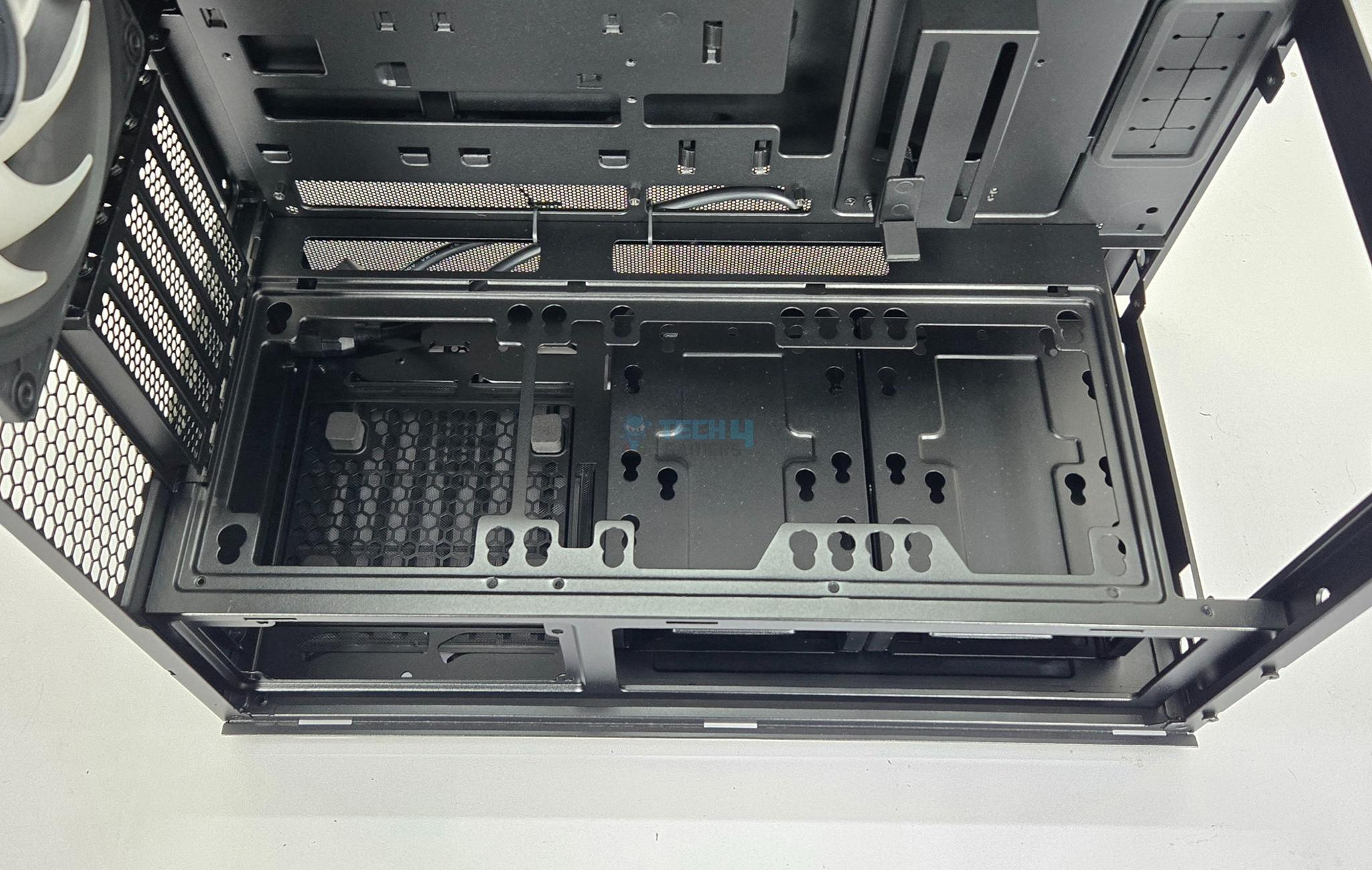
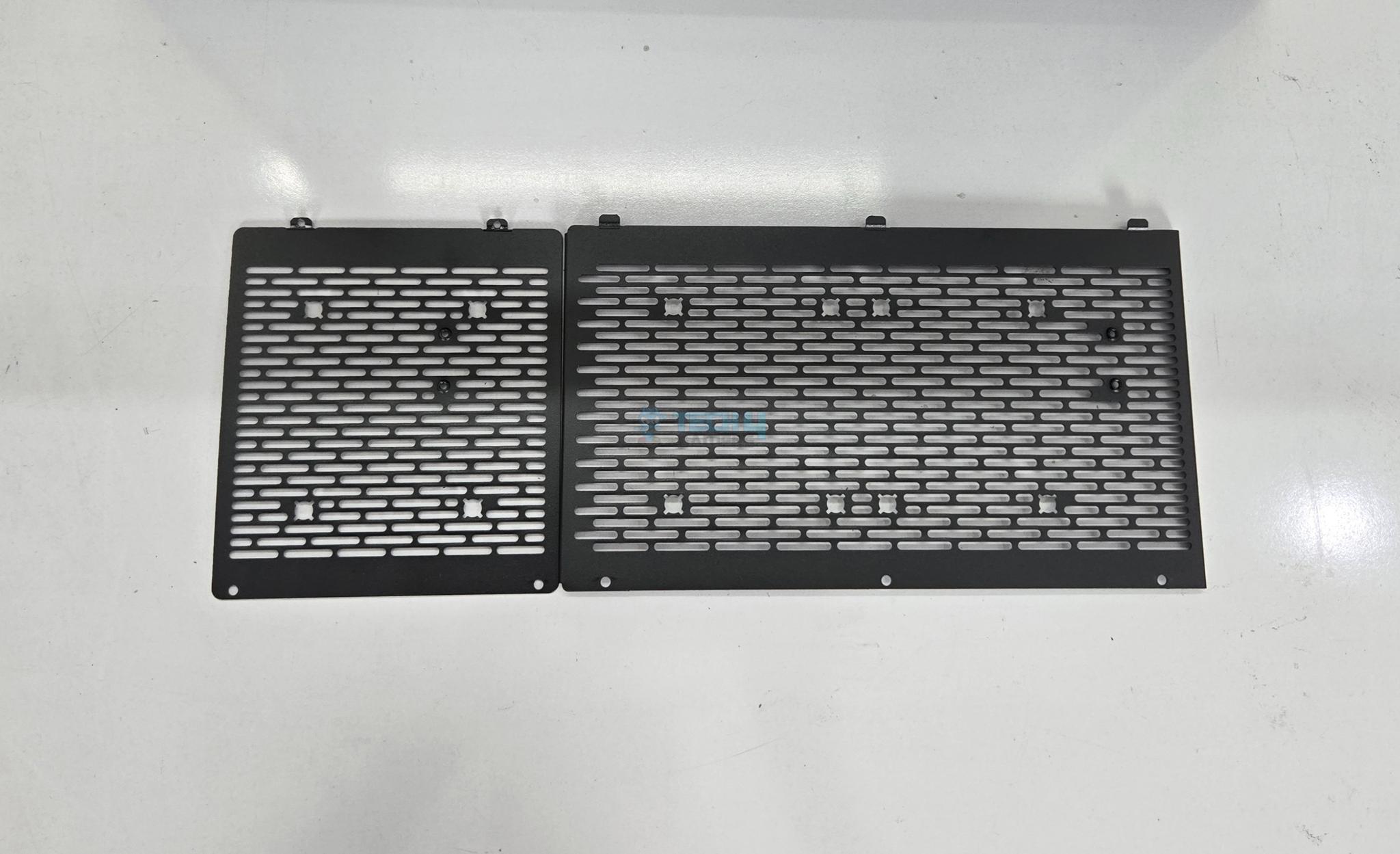
PSU shroud or cover is different on this case. It is a two part design. The first part is of 120mm size almost and secured using latches and screws. The second part is secured using three screws and latches. You can remove both covers.
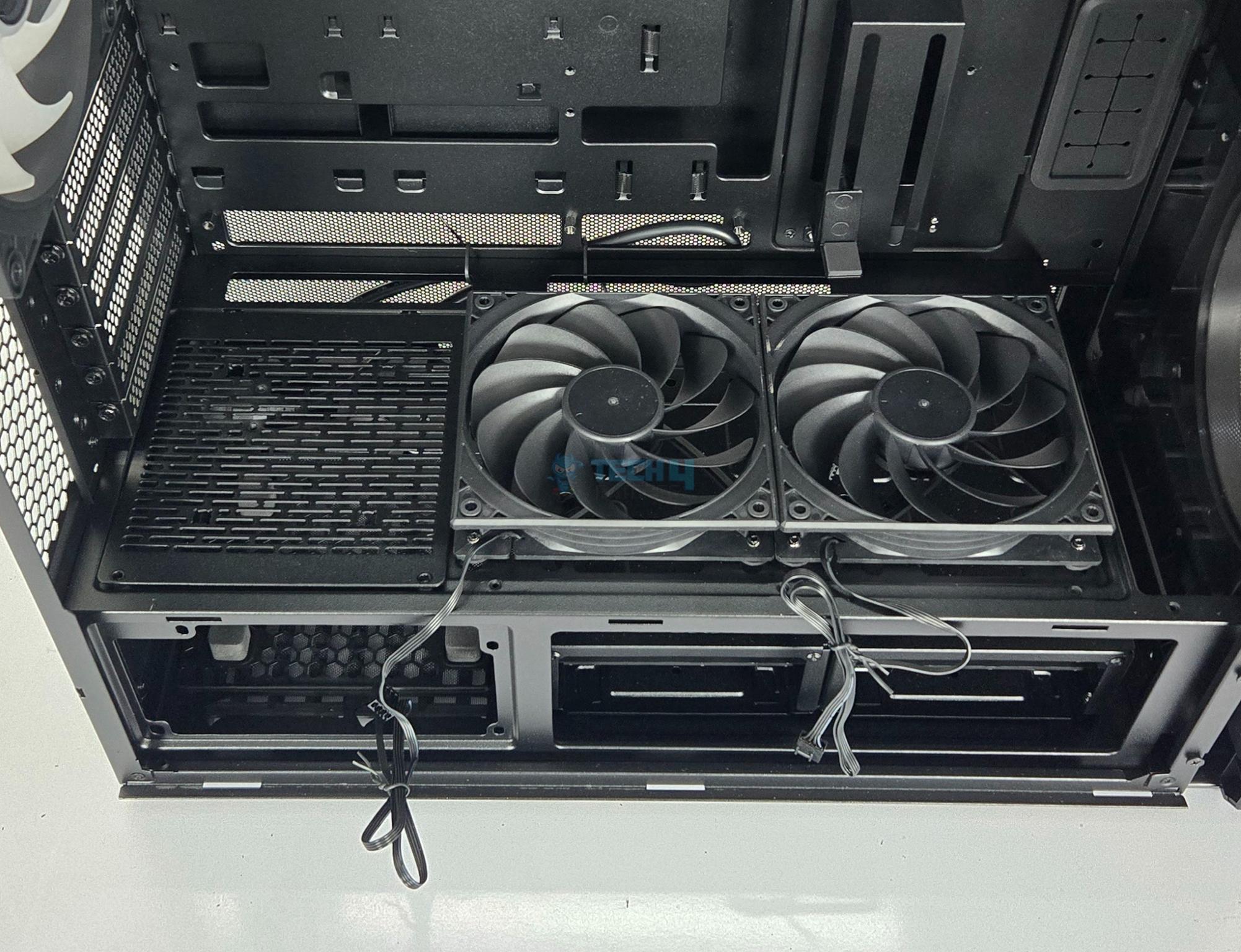
You can install up to 3x 120mm fans on top of this shroud or 3x 2.5” drives. Also, you can install 2x 120mm fans under the shroud on the longest cover side.
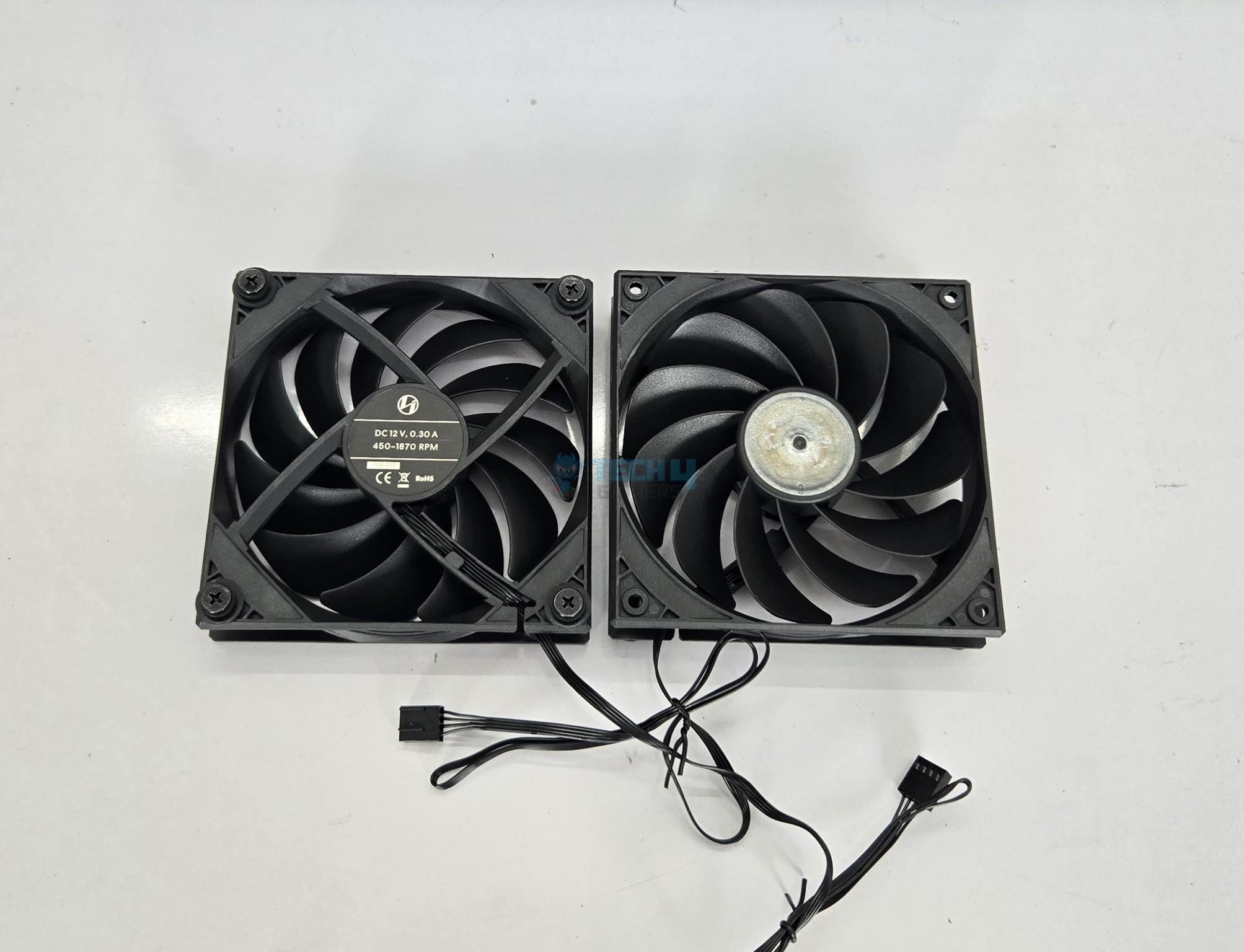
Lian Li has sent us two reverse blade fans so that we can test the thermal performance of this case using these fans as well. Providing these two fans would make up for the lack of fans compared to regular LANCOOL 217 that comes with these fans by default.
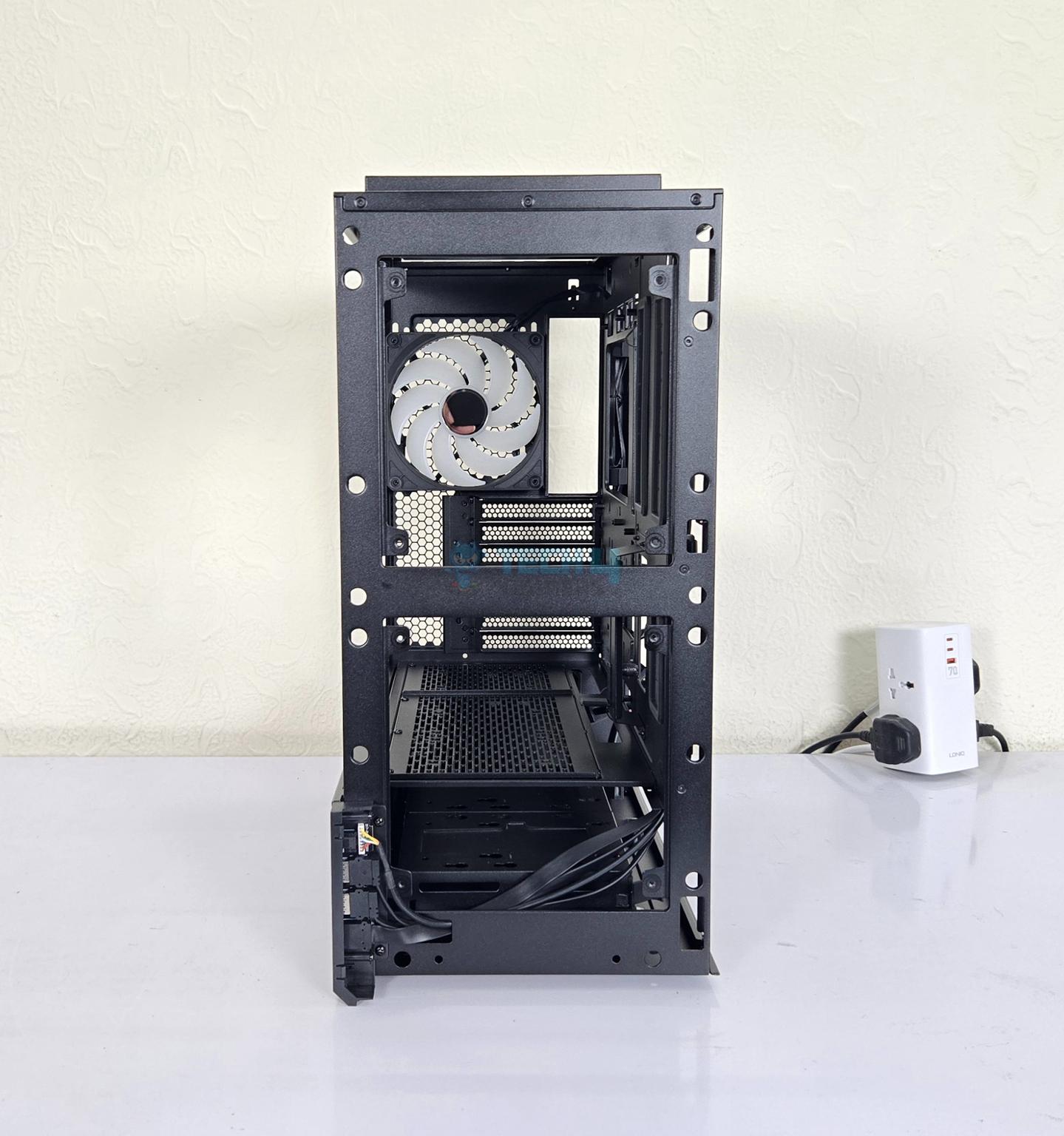
A 140mm ARGB fan comes pre-installed on the rear. It is rated for 450 to 1900 RPM generating 118.53 CFM airflow with an air pressure of 3.32mmH₂O at 12VDC. Its power rating is 0.26A at 12VDC. Its sound rating is 33.8dB(A).
You can install the PCIe bracket in horizontal as well as vertical layout. However, rise cable is not provided with the case. Lian Li has included a standoff screw for the riser cable bracket.
Internal Design
1 of 3
A tear down look of the LANCOOL 217 INF.
Clearances
While we are at it, let’s talk about the clearance:
The maximum CPU Cooler height is 180mm.
The maximum length of a graphics card is 380mm.
The maximum length of a PSU is under 200mm in standard layout.
The maximum length of a PSU is under 180mm in rotated layout.
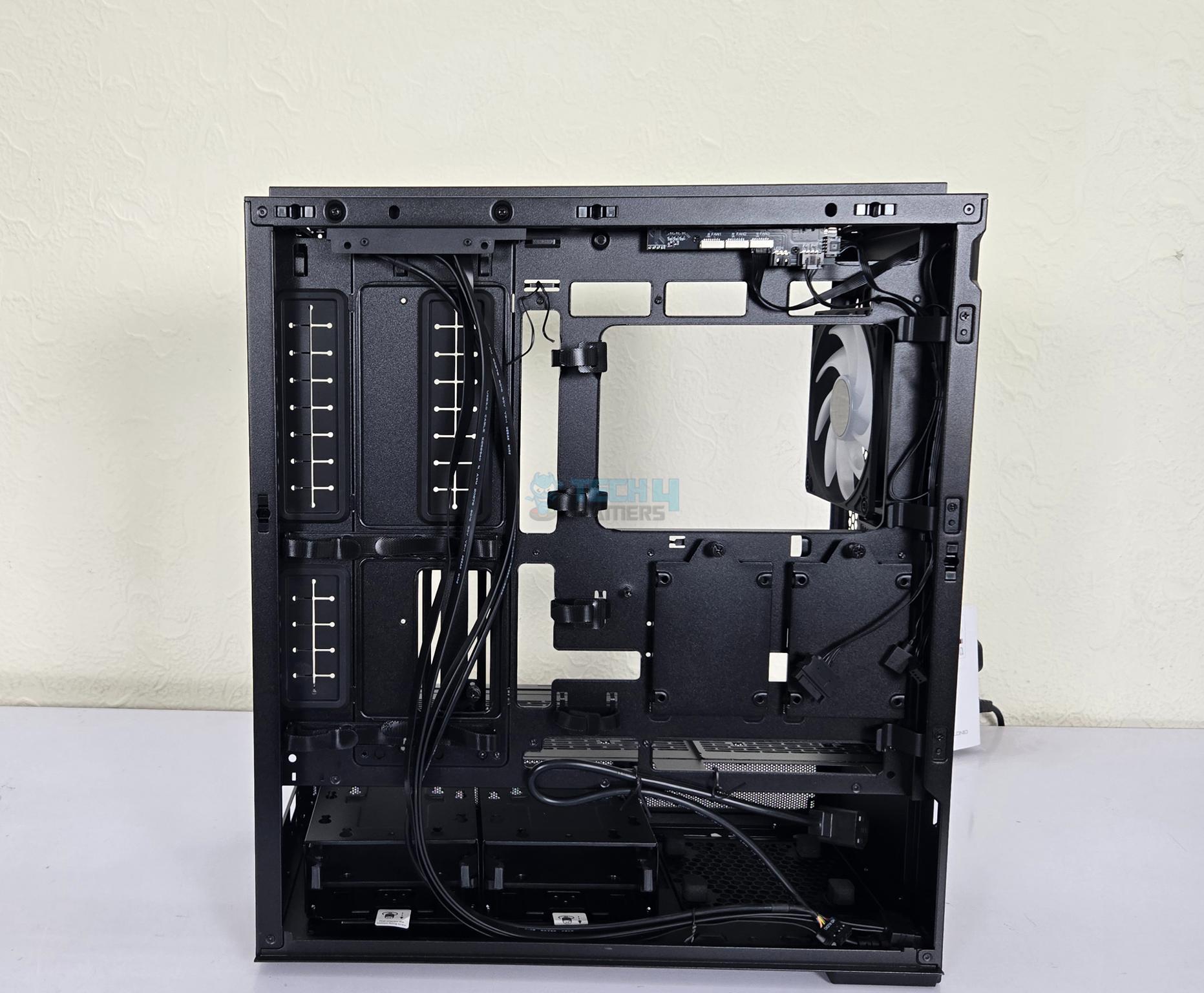
Backside Design
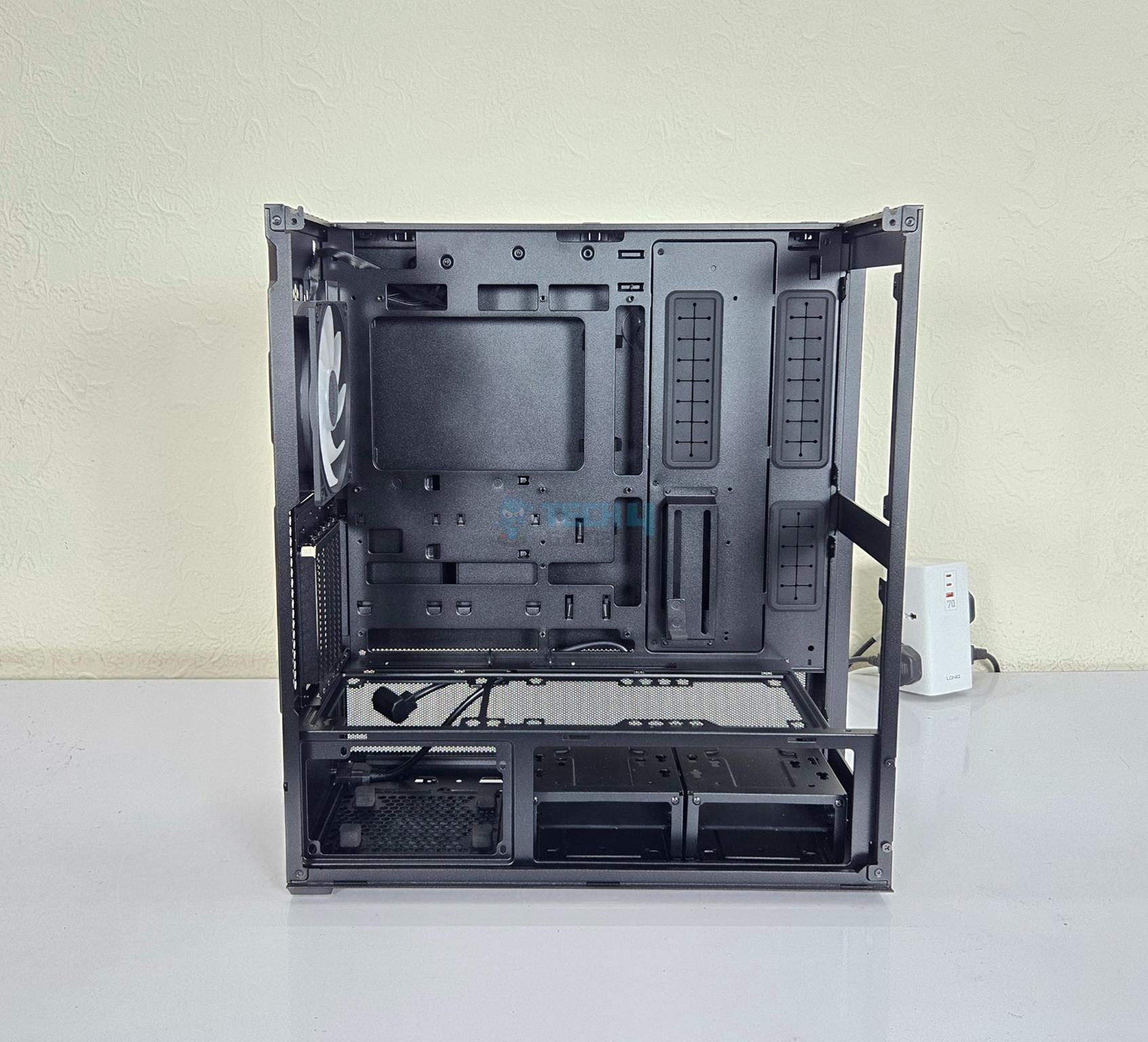
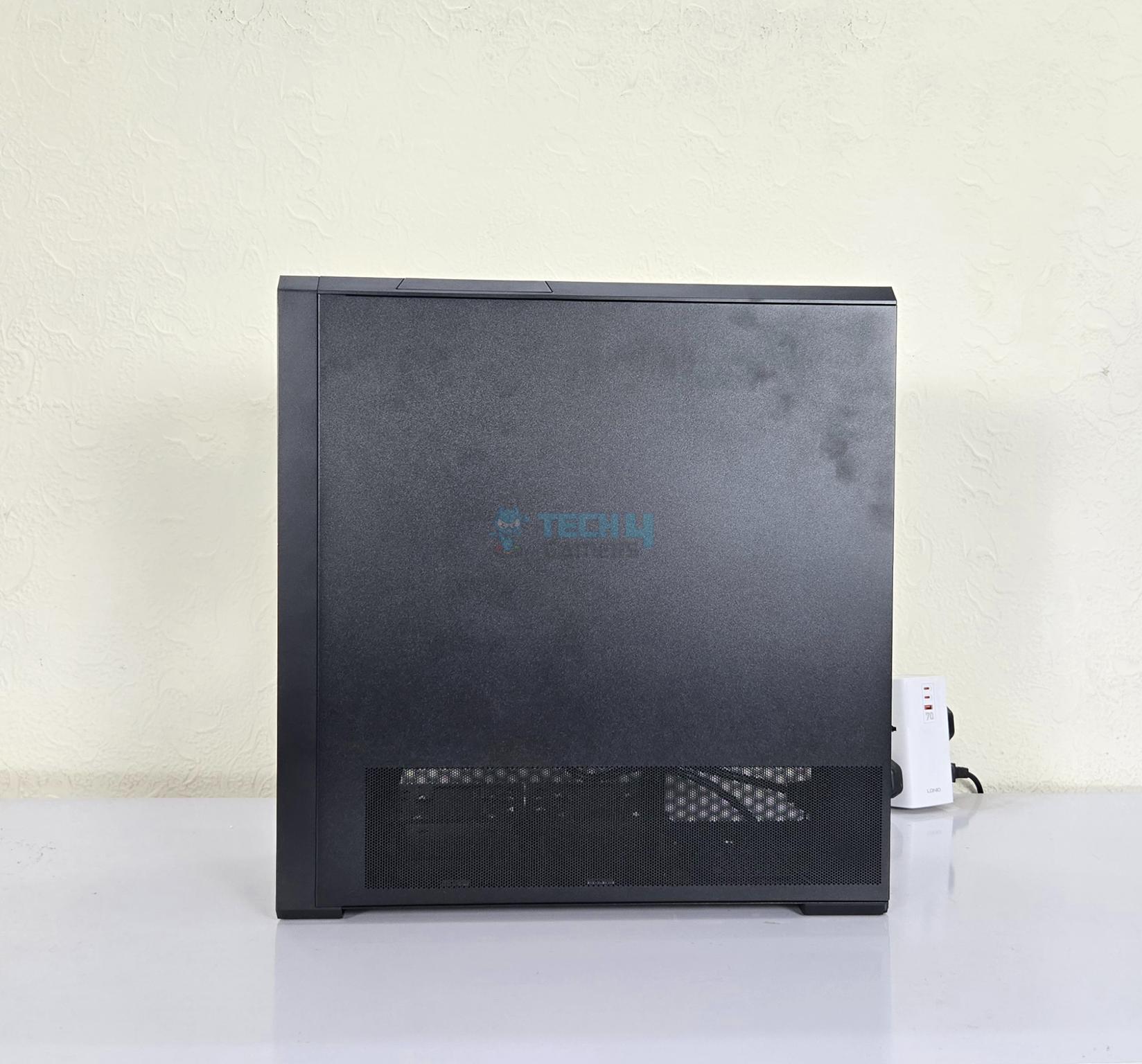
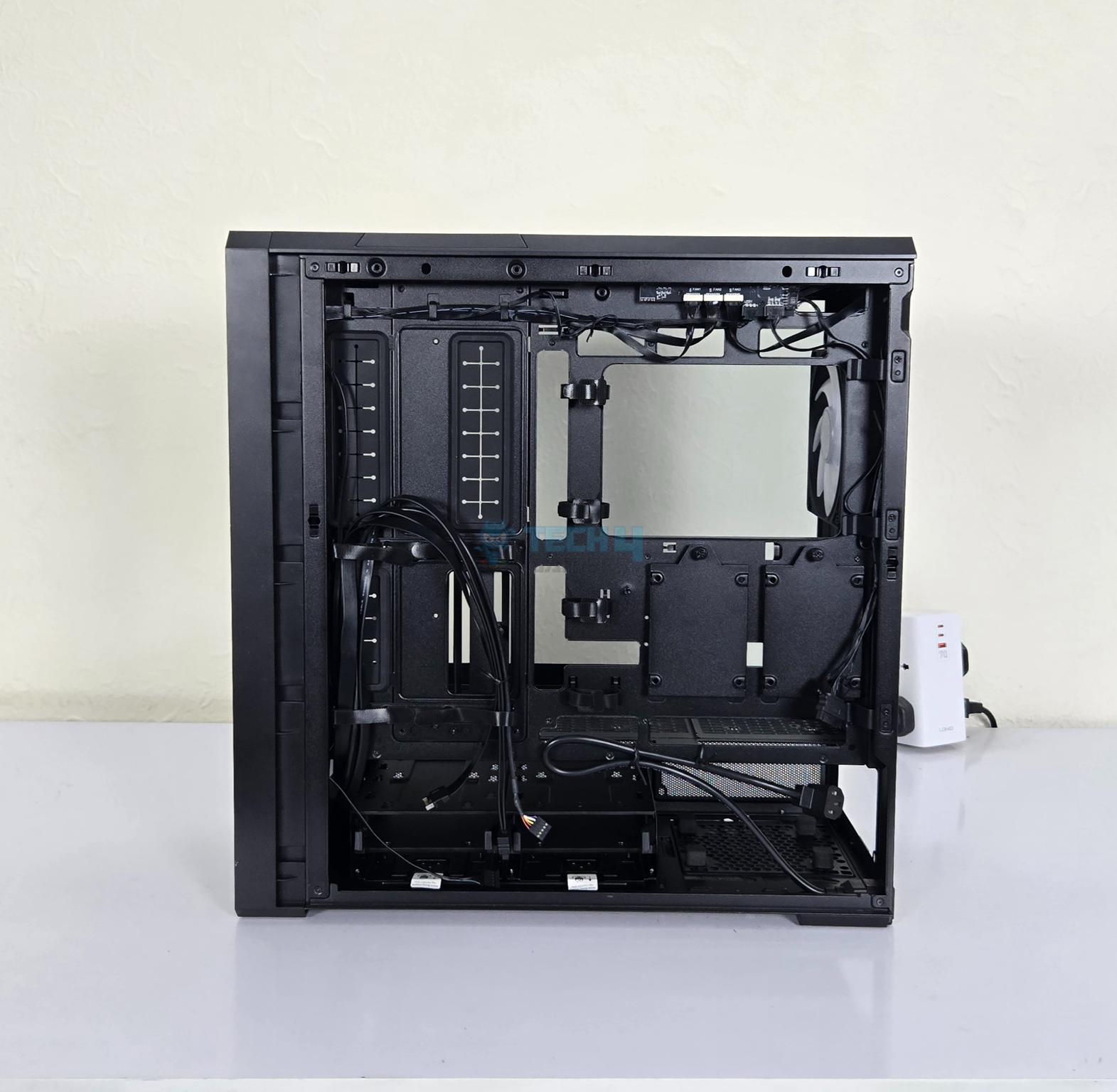
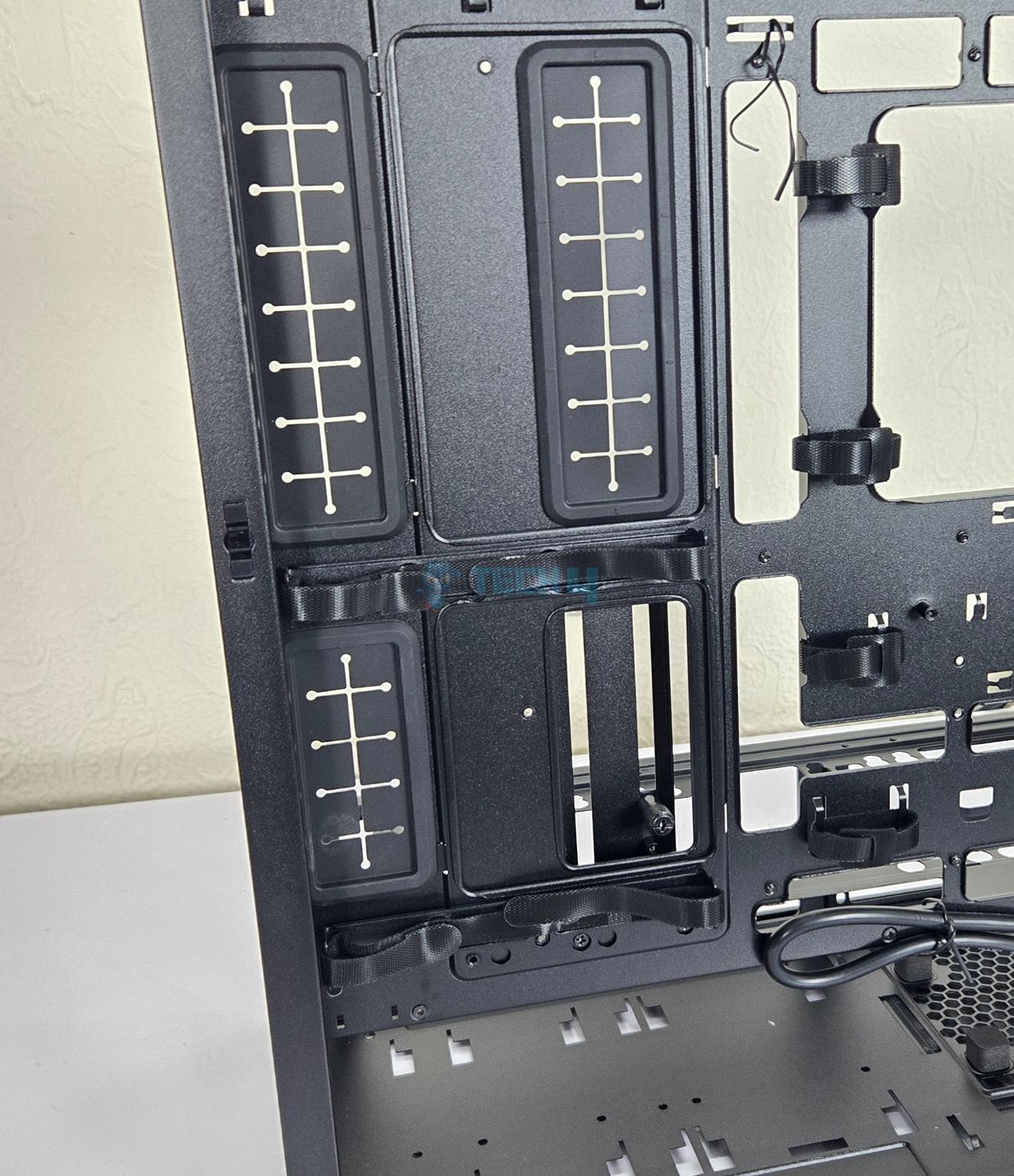
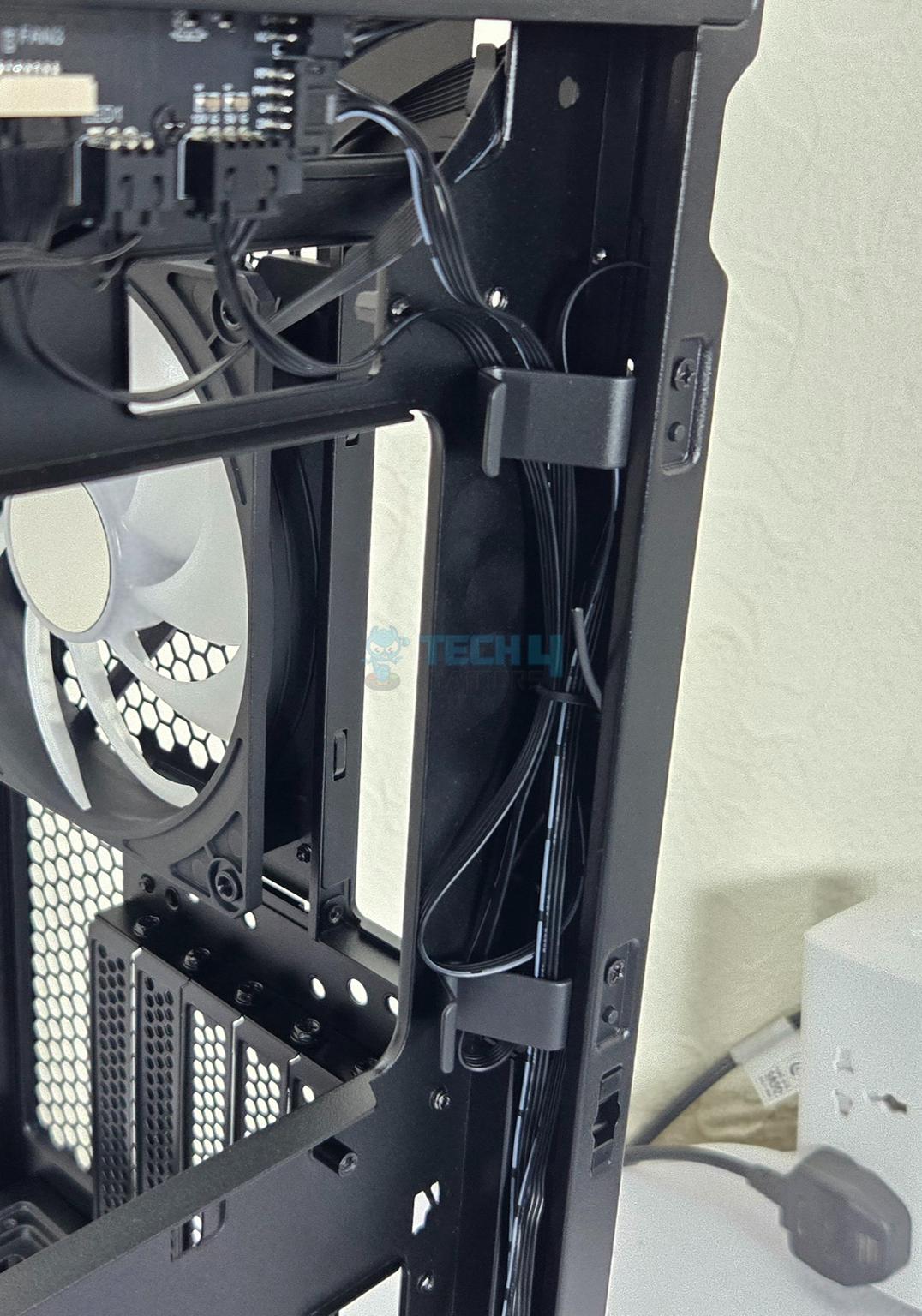
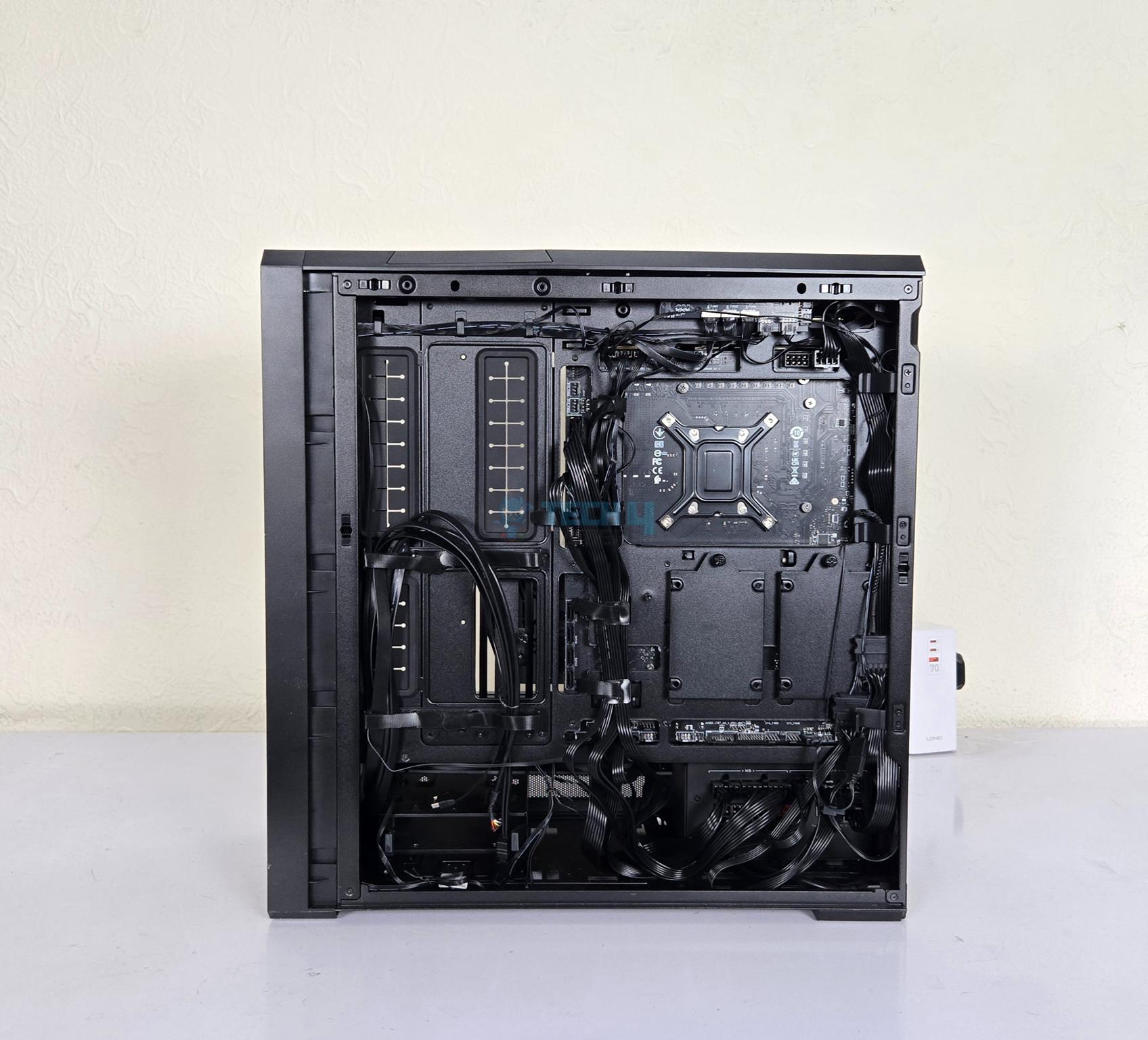
The backside panel is made of steel material and has perforated mesh on the base covering the lower chamber to provide airflow. It is also tool-less design. The main area has ample space for the cable management and Lian Li has provided cable ties, catchers, and tabs on key areas to do a neat and clean cable management.
You can see two bracket on the backside of the motherboard tray. These are for 2.5” drives. However, there is a catch. If you are installing a back connect motherboard, then you will have to remove one bracket.
Backside Design
1 of 3
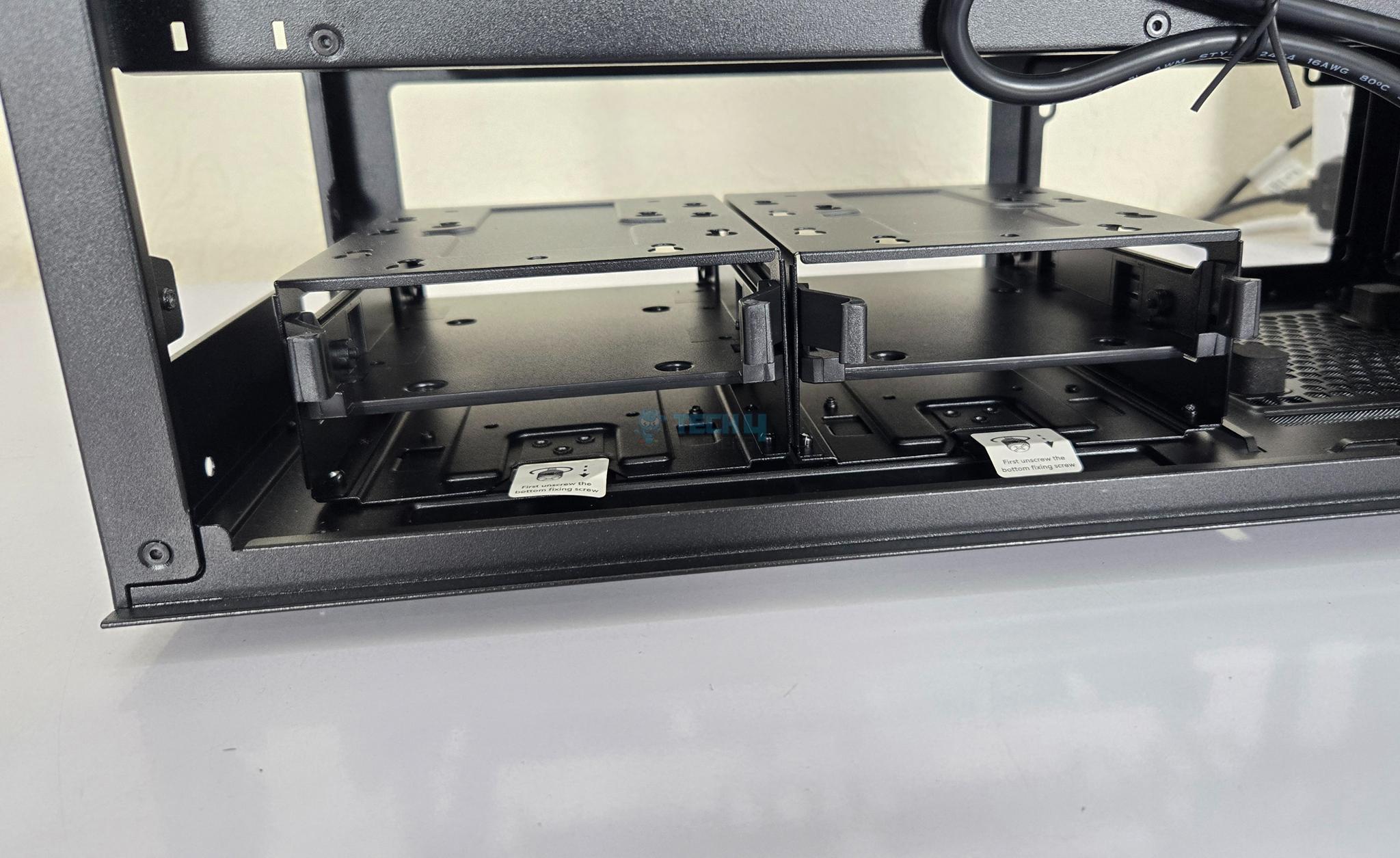
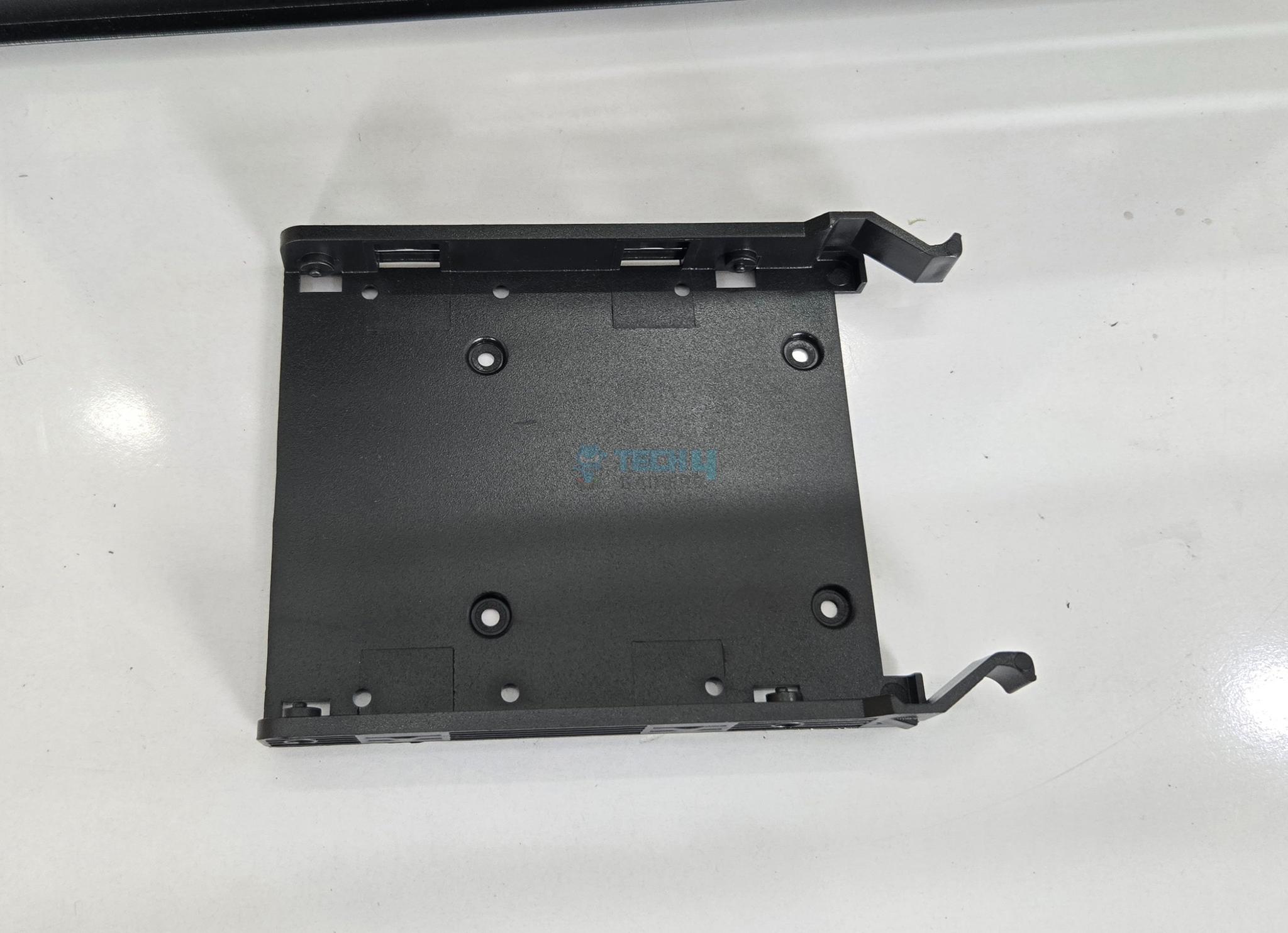
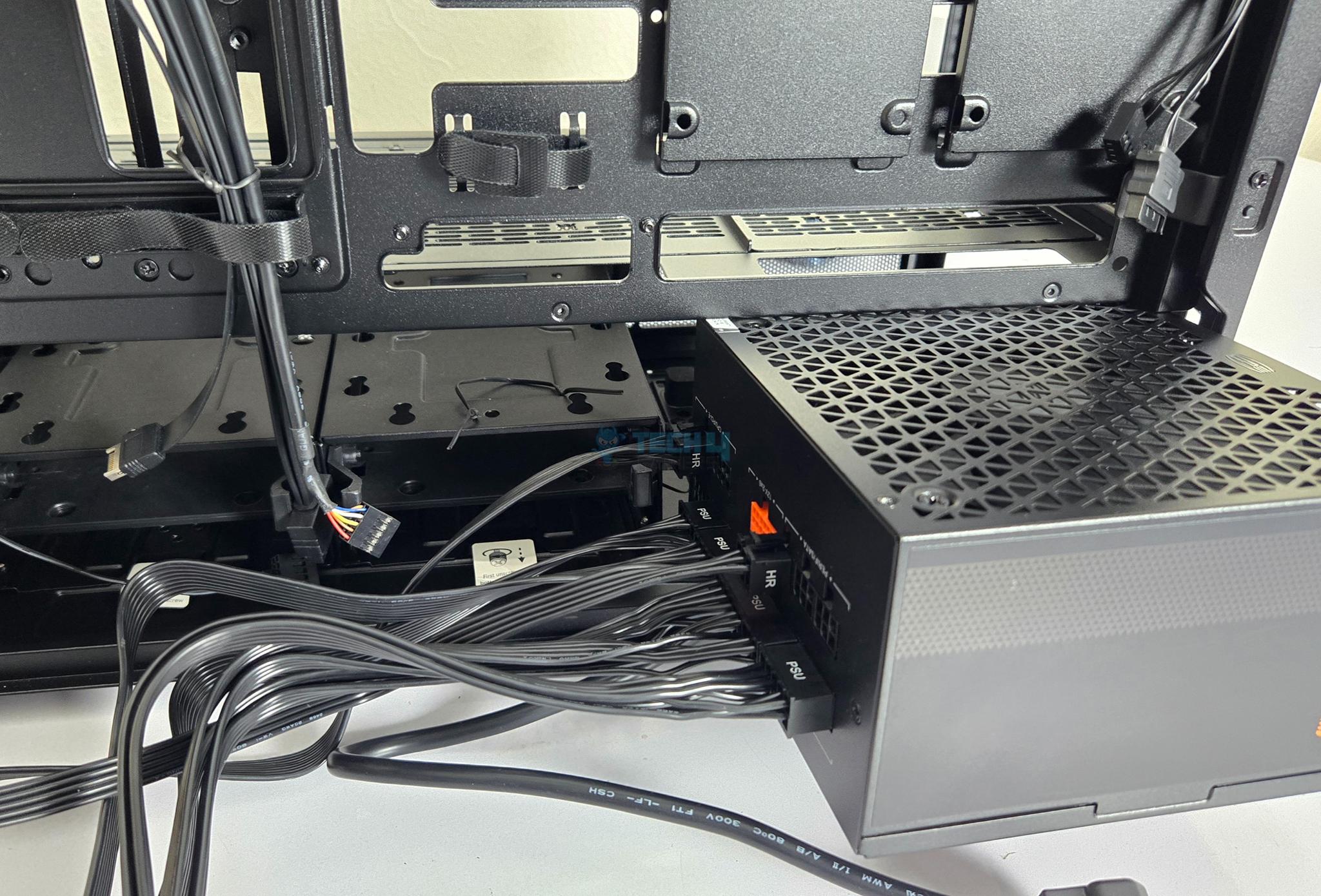
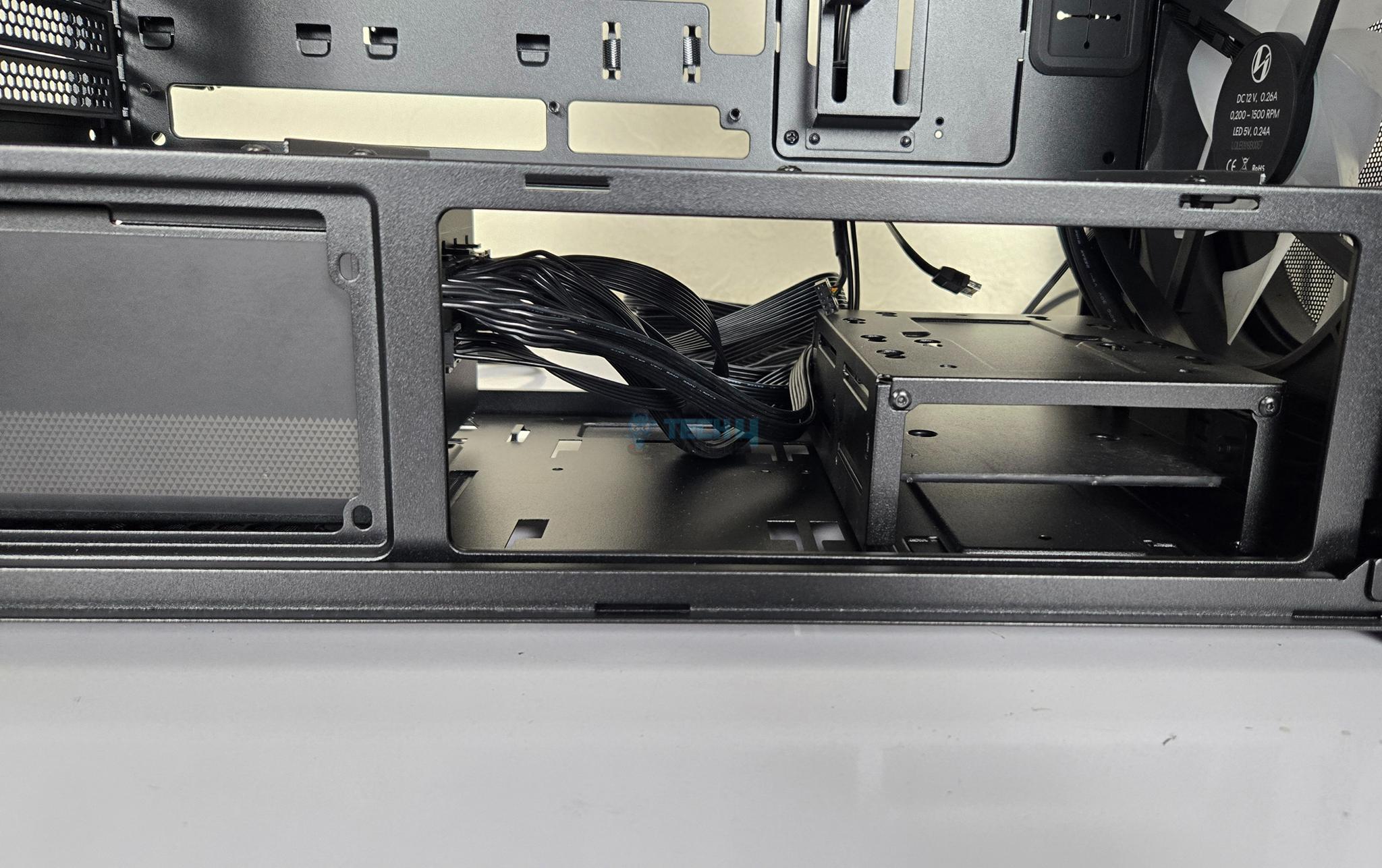
Lian Li has installed two drive cages each having a single slid or caddy. You can install 1x 2.5” and 1x 3.5” drives in each cage making a total count of 4x drives. However, the space between the PSU area and the drive cages is so narrow that you are required to remove at-least one drive cage in case PSU is installed in standard layout. This reduces the number of storage drive by design.
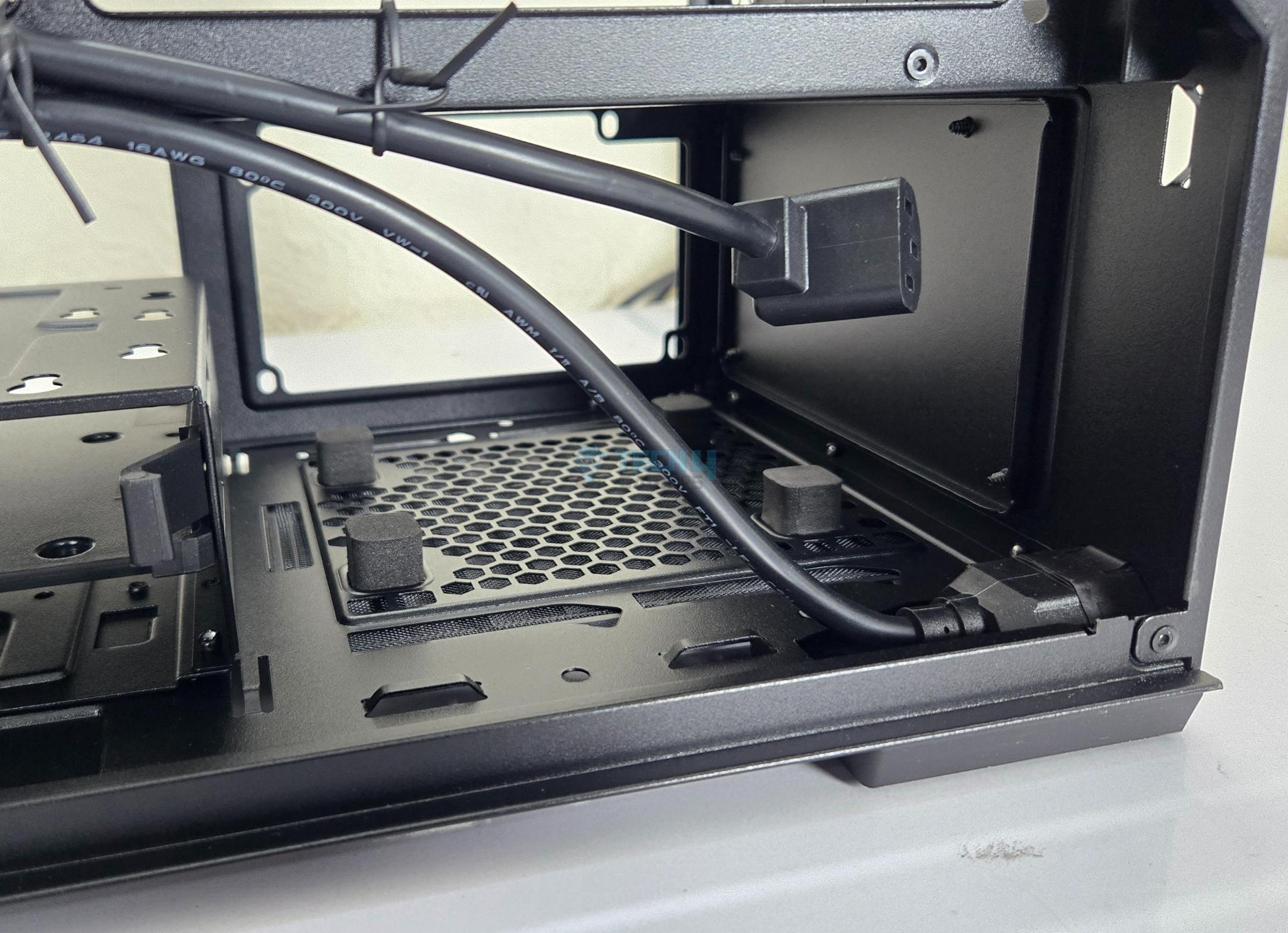
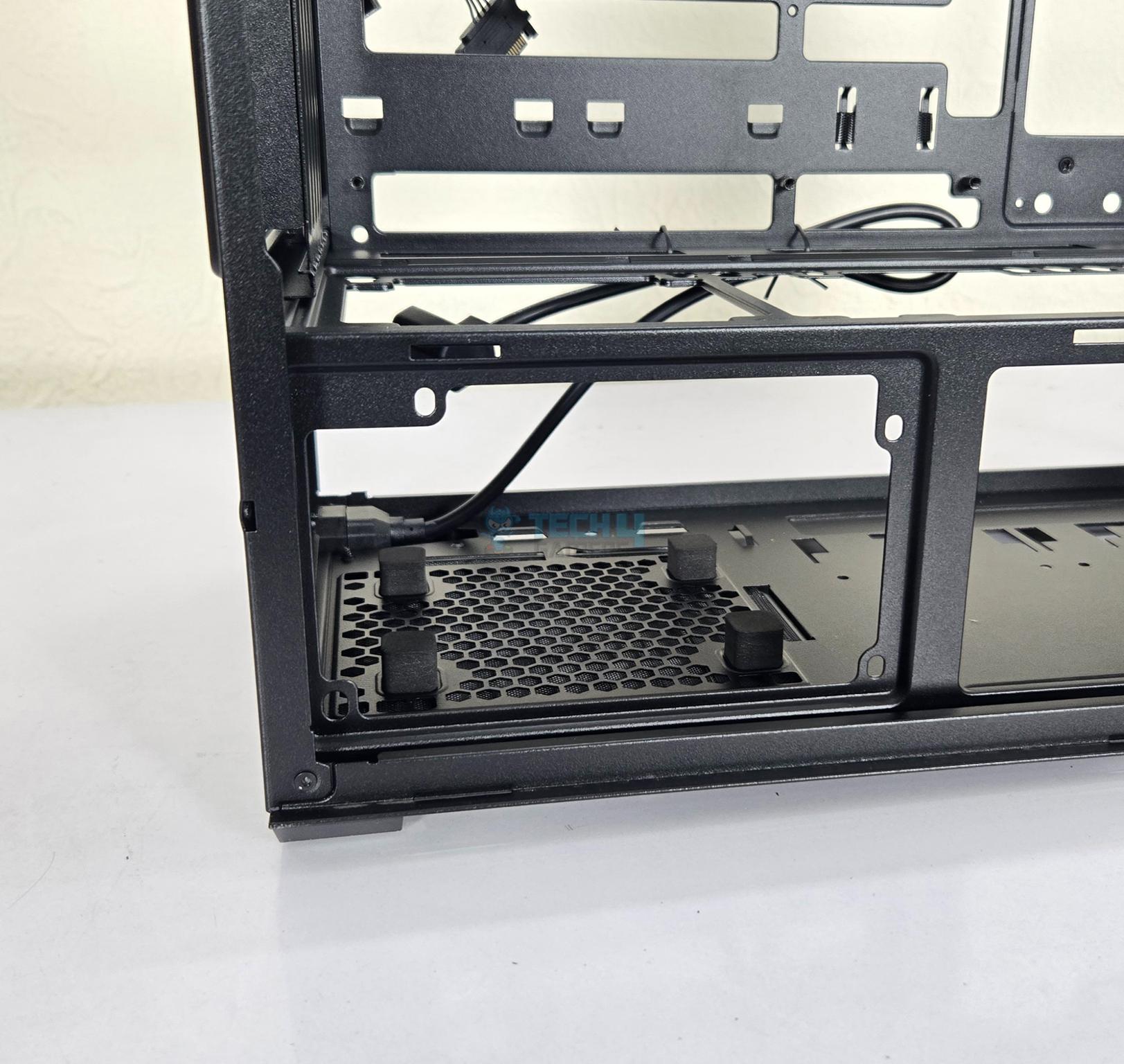
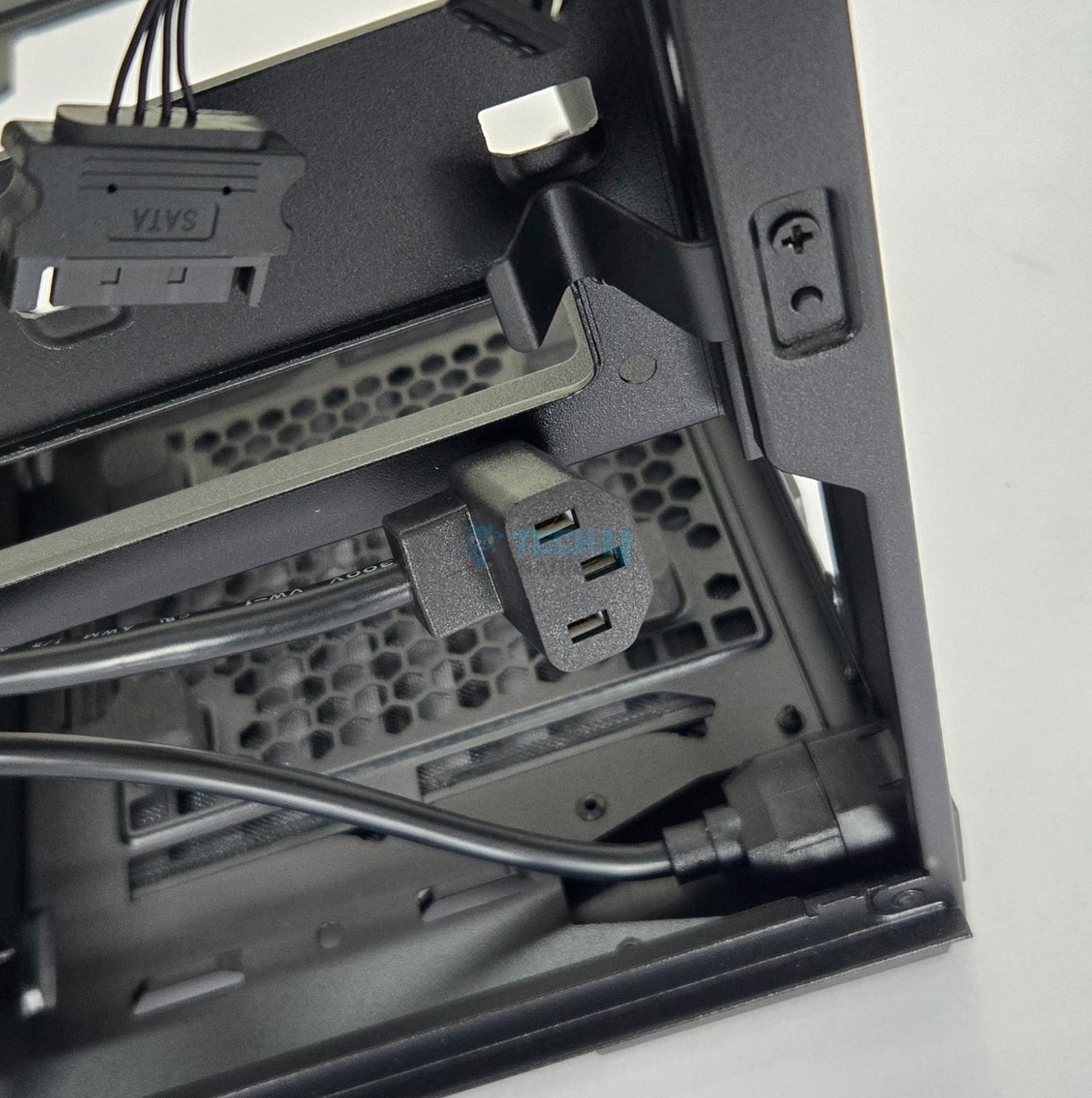
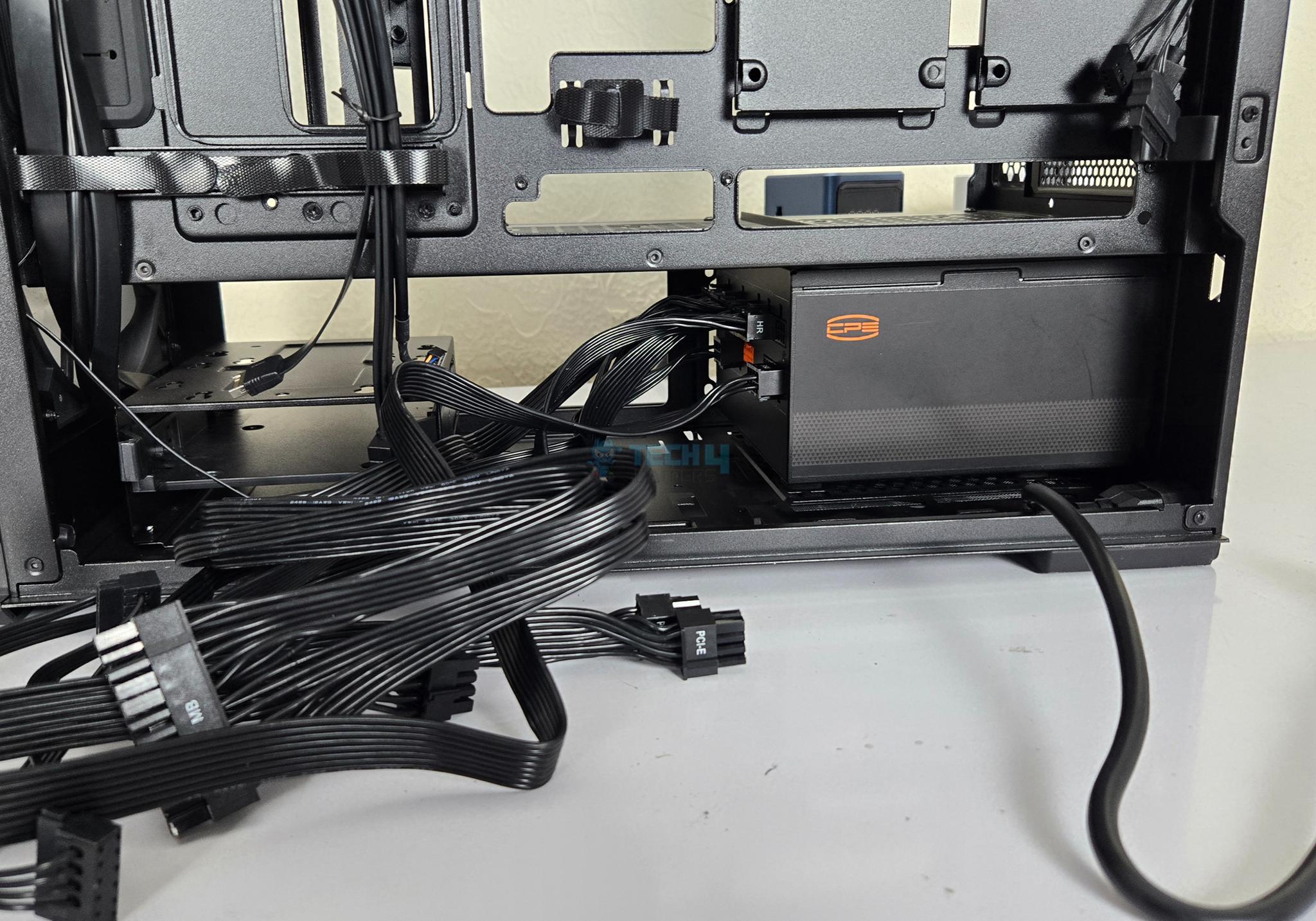
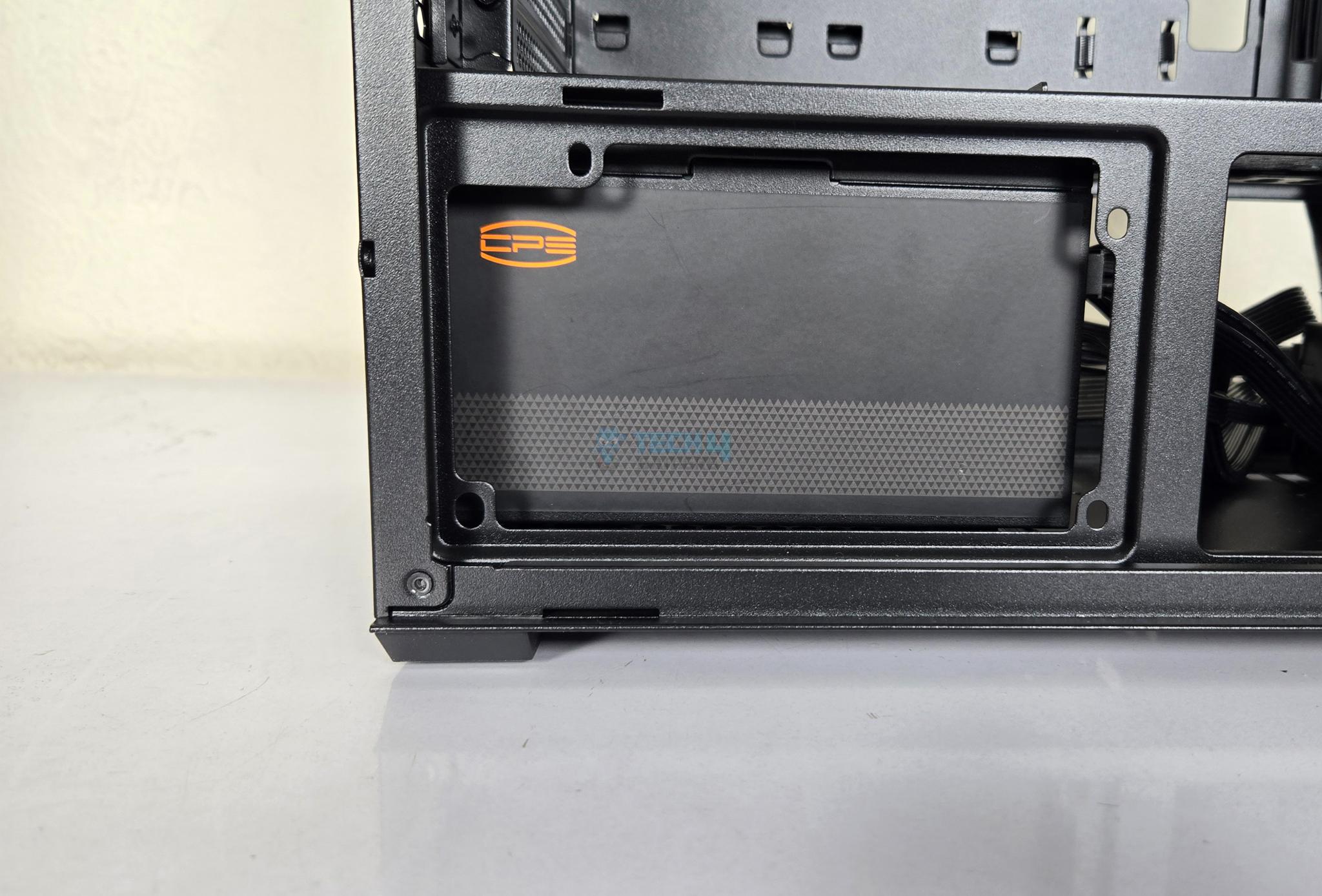
You can see 4 raised legs with rubber pads in the PSU bay. This height is actually needed so that you can route the power cord (visible in the picture) under the PSU. You can also see limited space between the PSU bay and the HDD cage. In case you are wondering why this power cord then it is because you can install PSU in either of two layouts. One with connector side facing the drive cage and the other in which connector side faces the side panel. The later would be handy for the back connect motherboard.
Backside Design
1 of 3
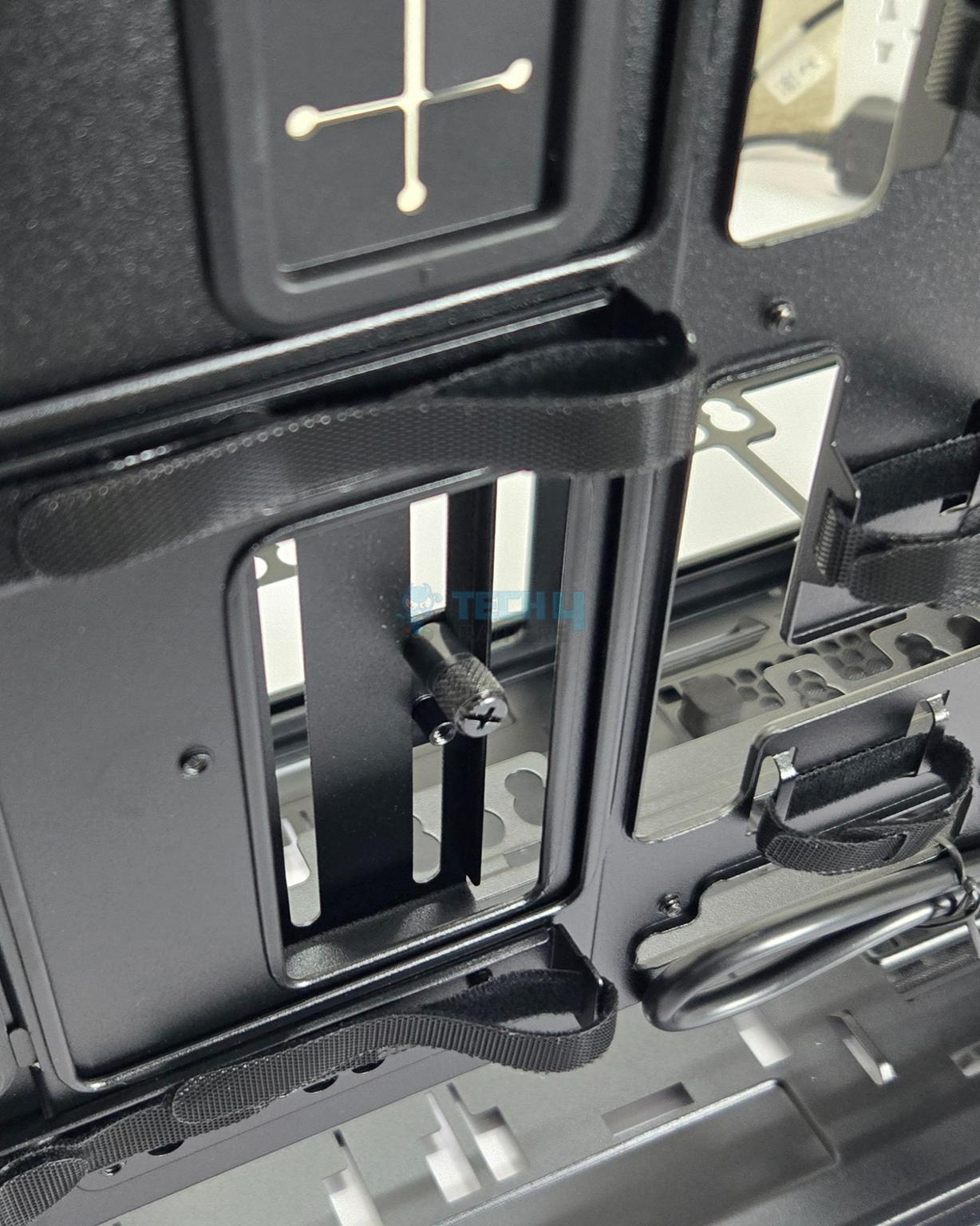
Lian Li has provided hook and loop or Velcro strips and catching tabs for the cable management. The GPU support bracket has a thumb screw. You need to lose this to adjust the height of the graphics card. This is a trivial design since you will need to remove both side panels to work on this aspect.
Lian Li has installed a fan hub with wireless connectivity as well as wired connectivity. It has integrated wireless receiver but no controller. For wireless connectivity via L3-Connect. It has only 3 ports and all are used for the pre-installed fans. Also, the wireless controller is not installed. You need to buy that separately. But they have provided cables to connect the hub to the motherboard. You can control the ARGB lighting effect either using the M1 and M2 buttons or transferring the control to the motherboard to sync all components. It is SATA powered.
A teared backside view of the LANCOOL 217 INF.
IO Cables
Cables
1 of 4
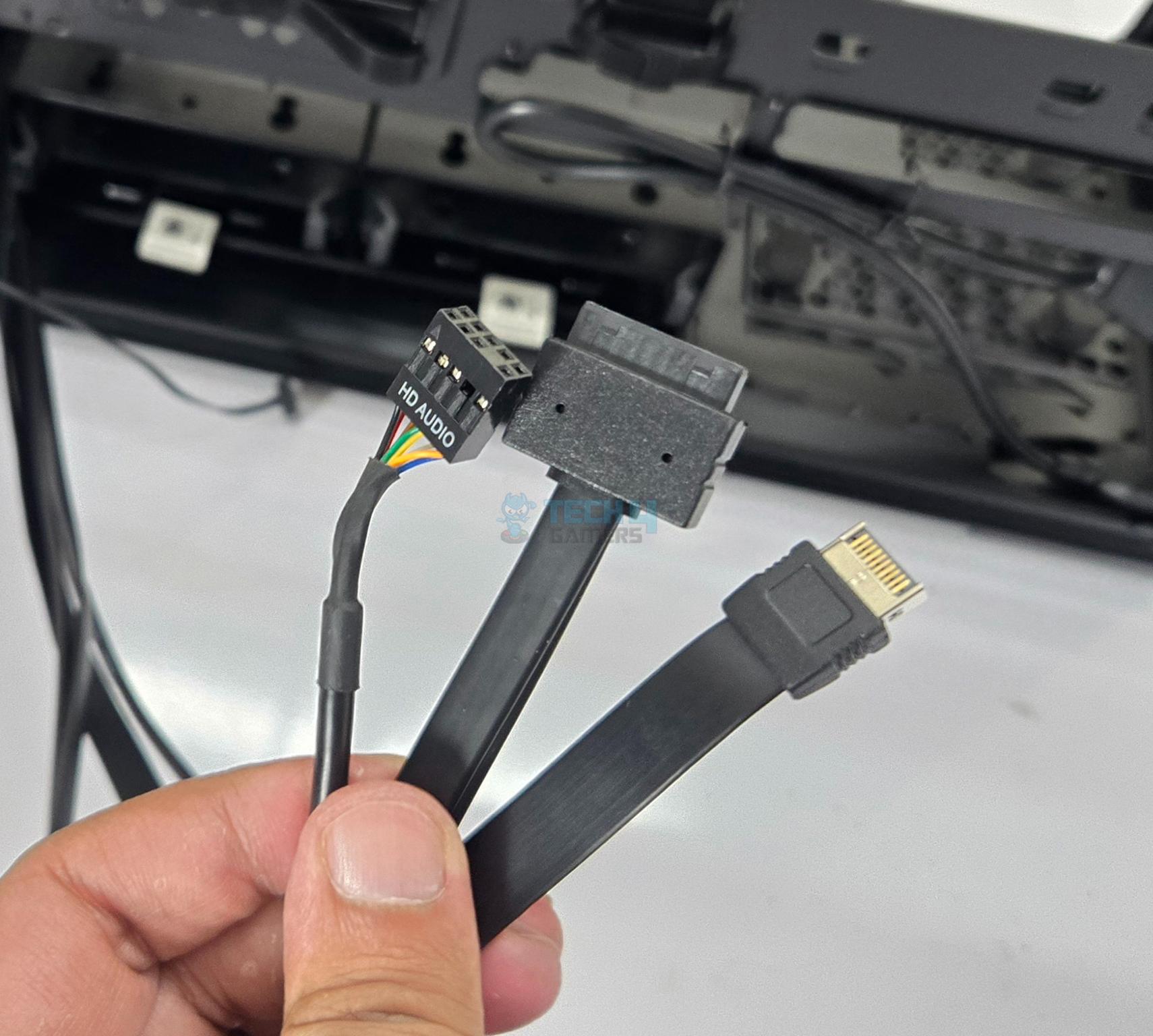
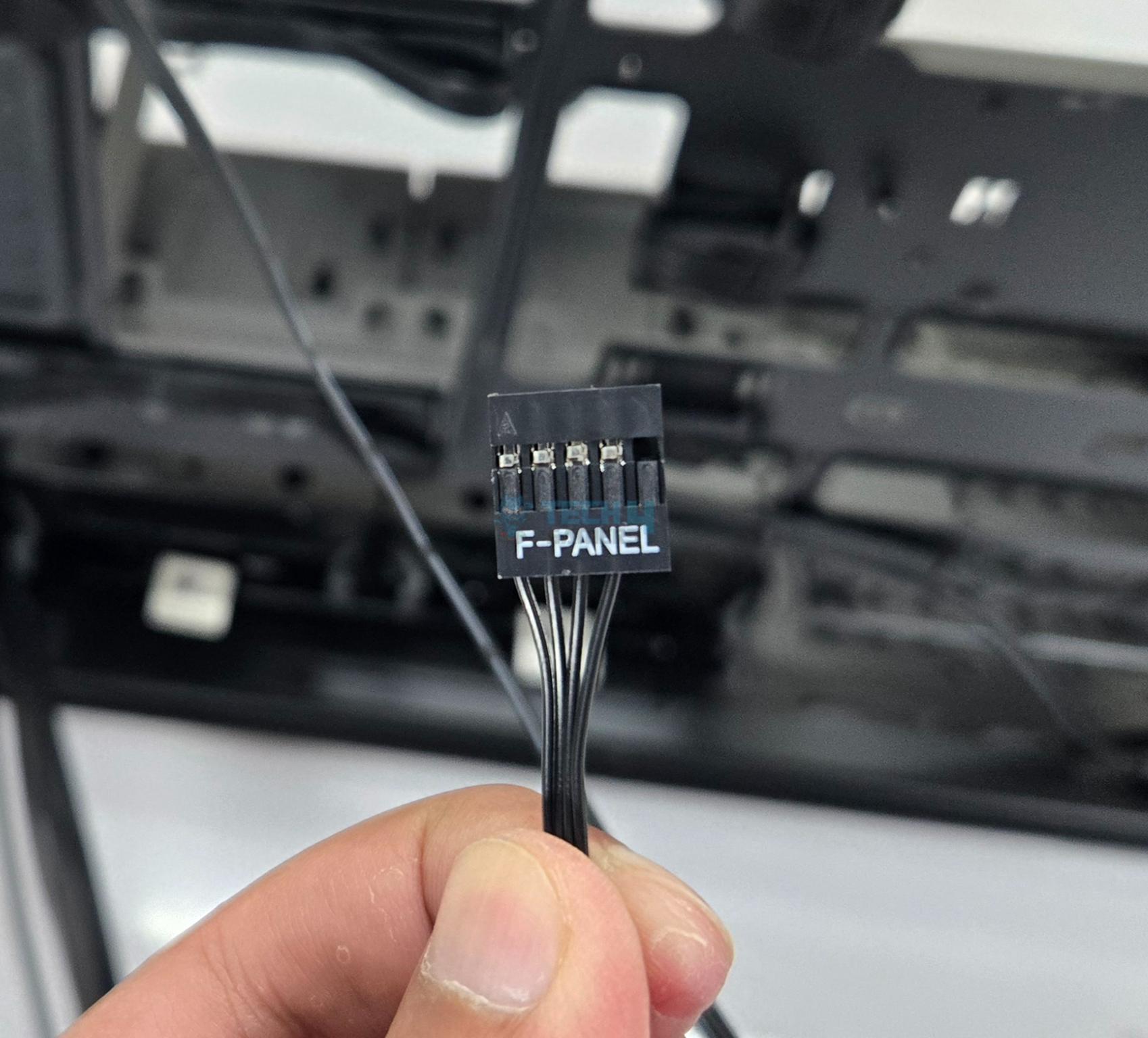
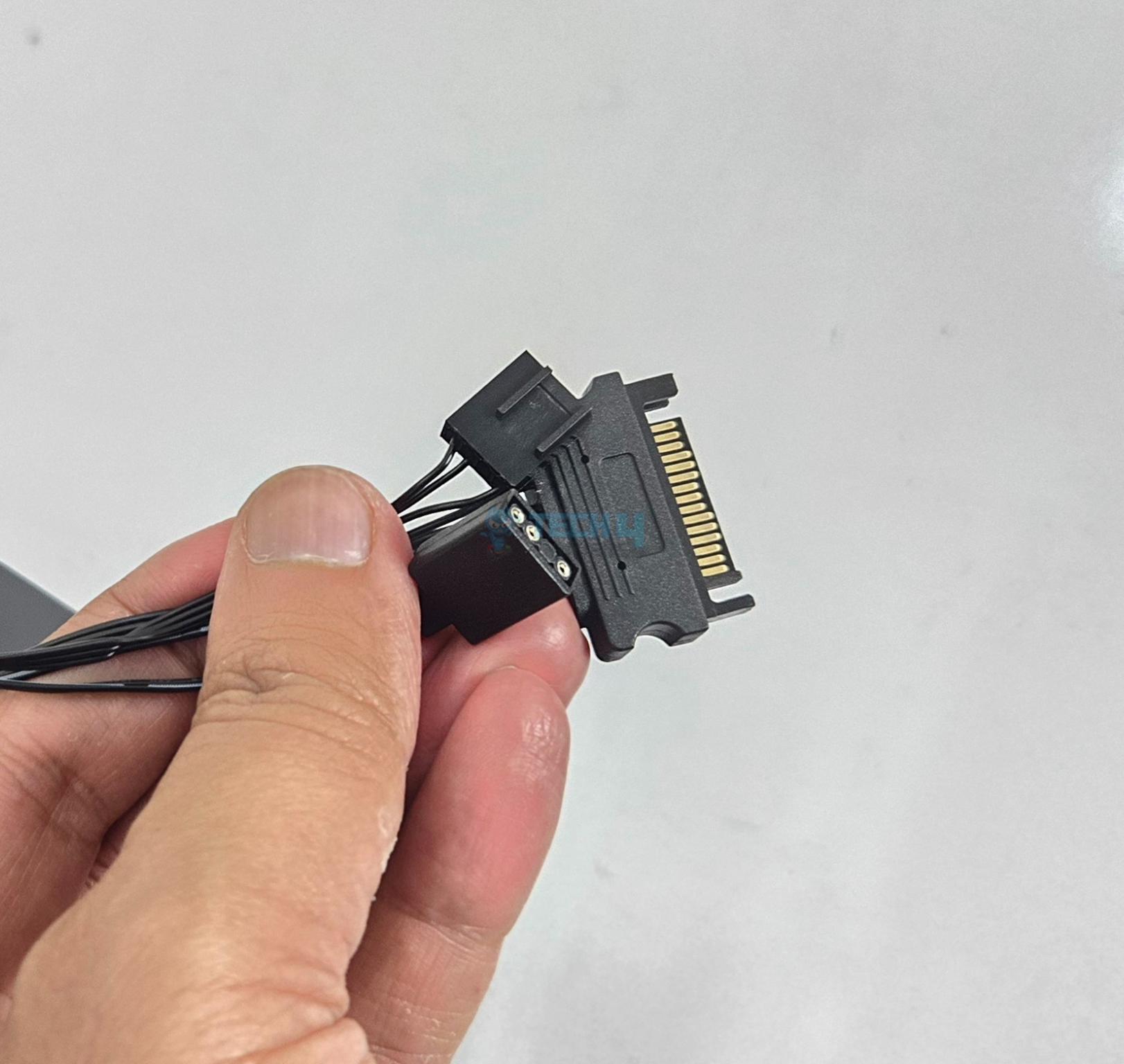
The following are provided:
1x Front Panel Connector
1x USB Type-E 3.2 Connector
1x USB 3.0 Connector
1x HD Audio Connector
1x Power Plug
1x SATA Connector
4-pin Connectors for the fans
3-pin ARGB Connector for the fans
Test Build and Experience
I have used following configuration for testing of this case:
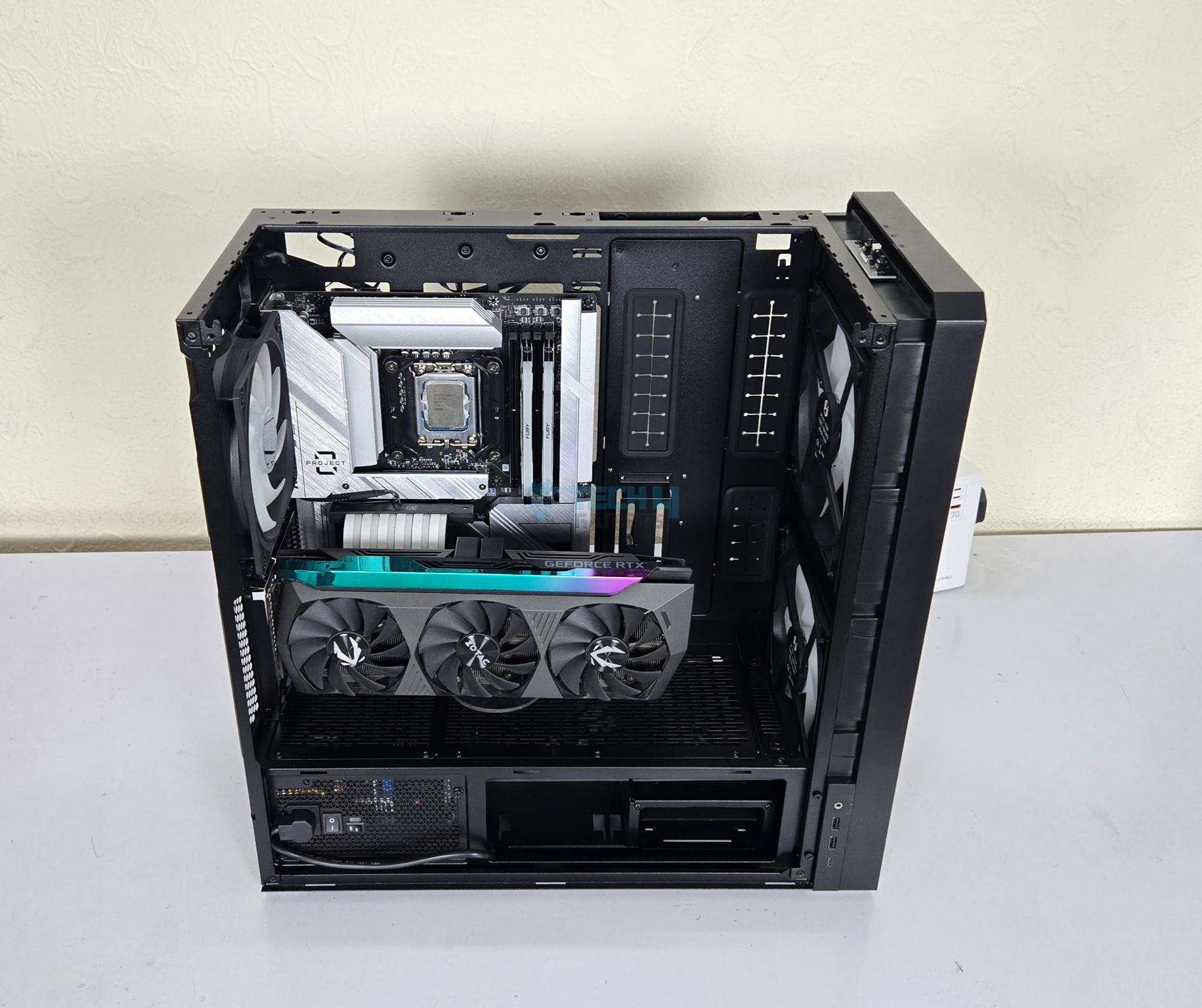
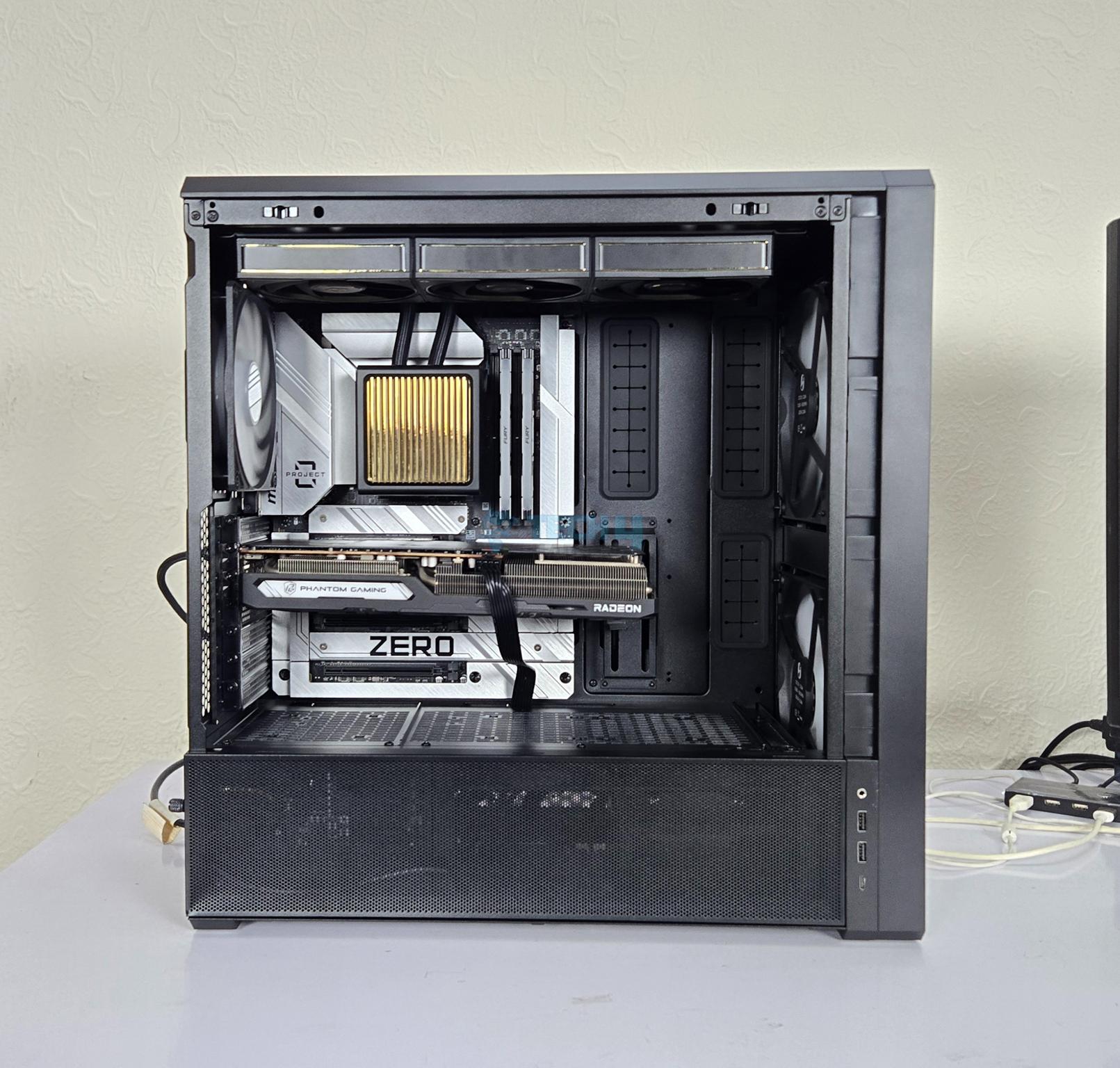
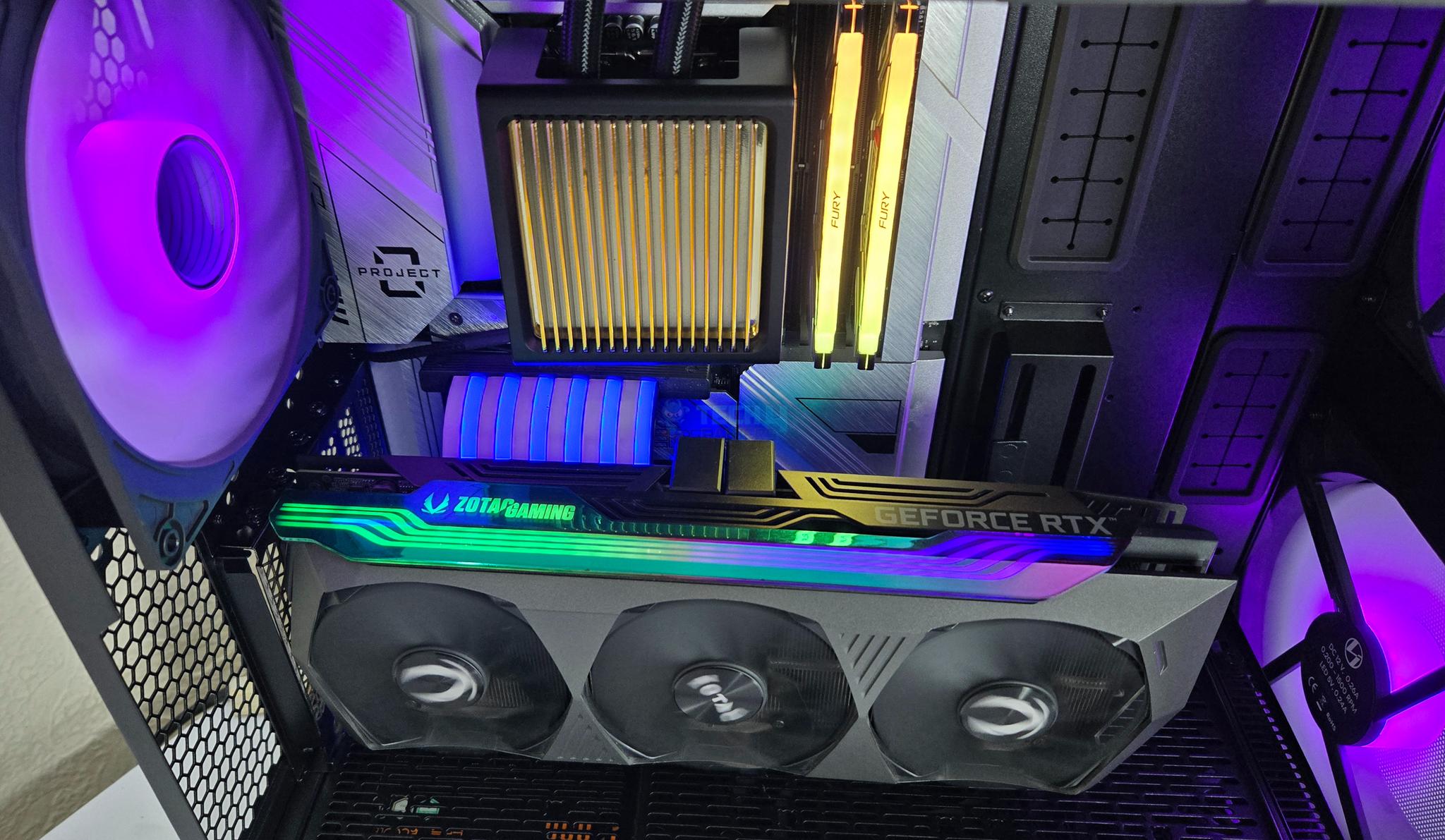
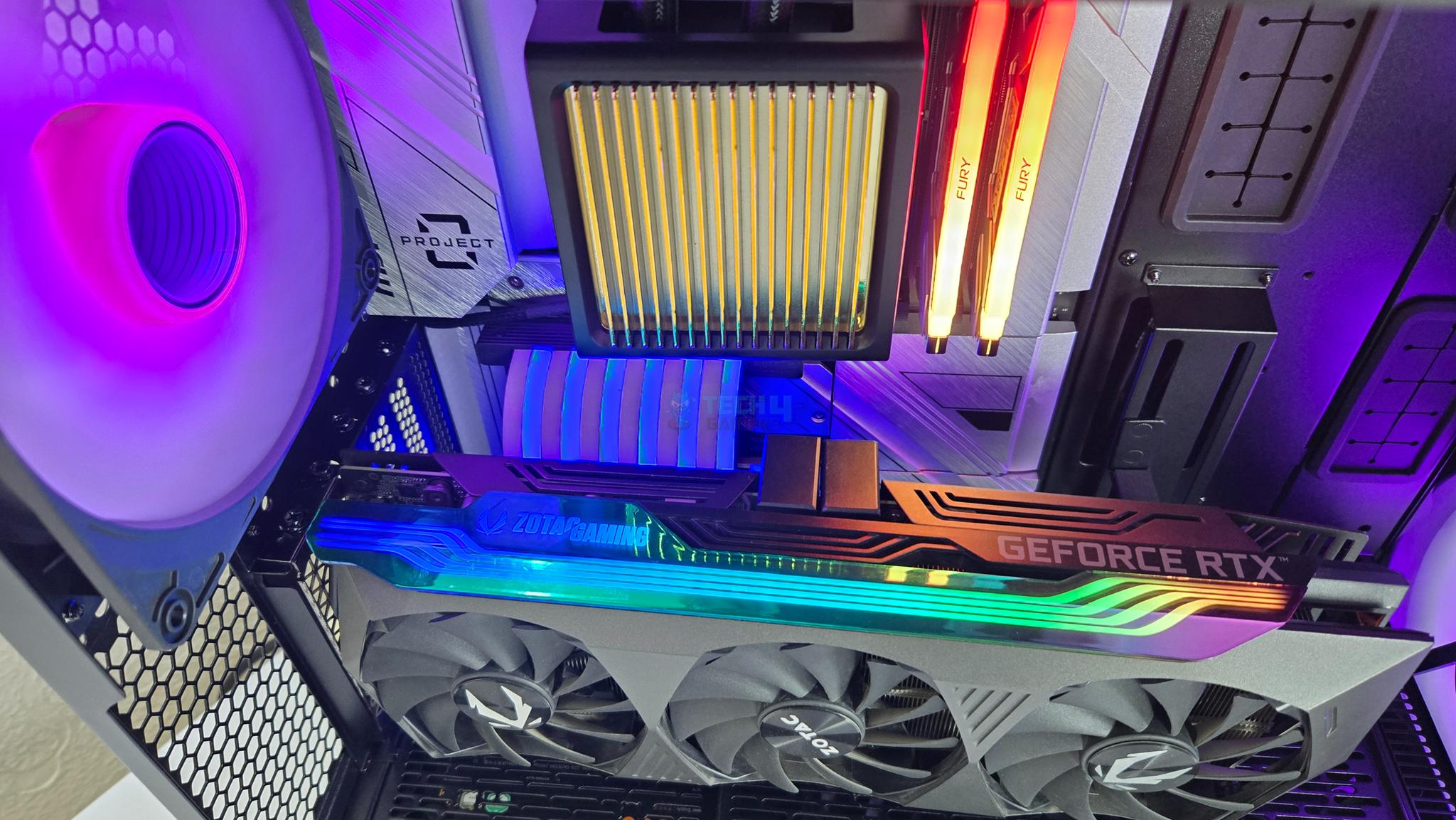
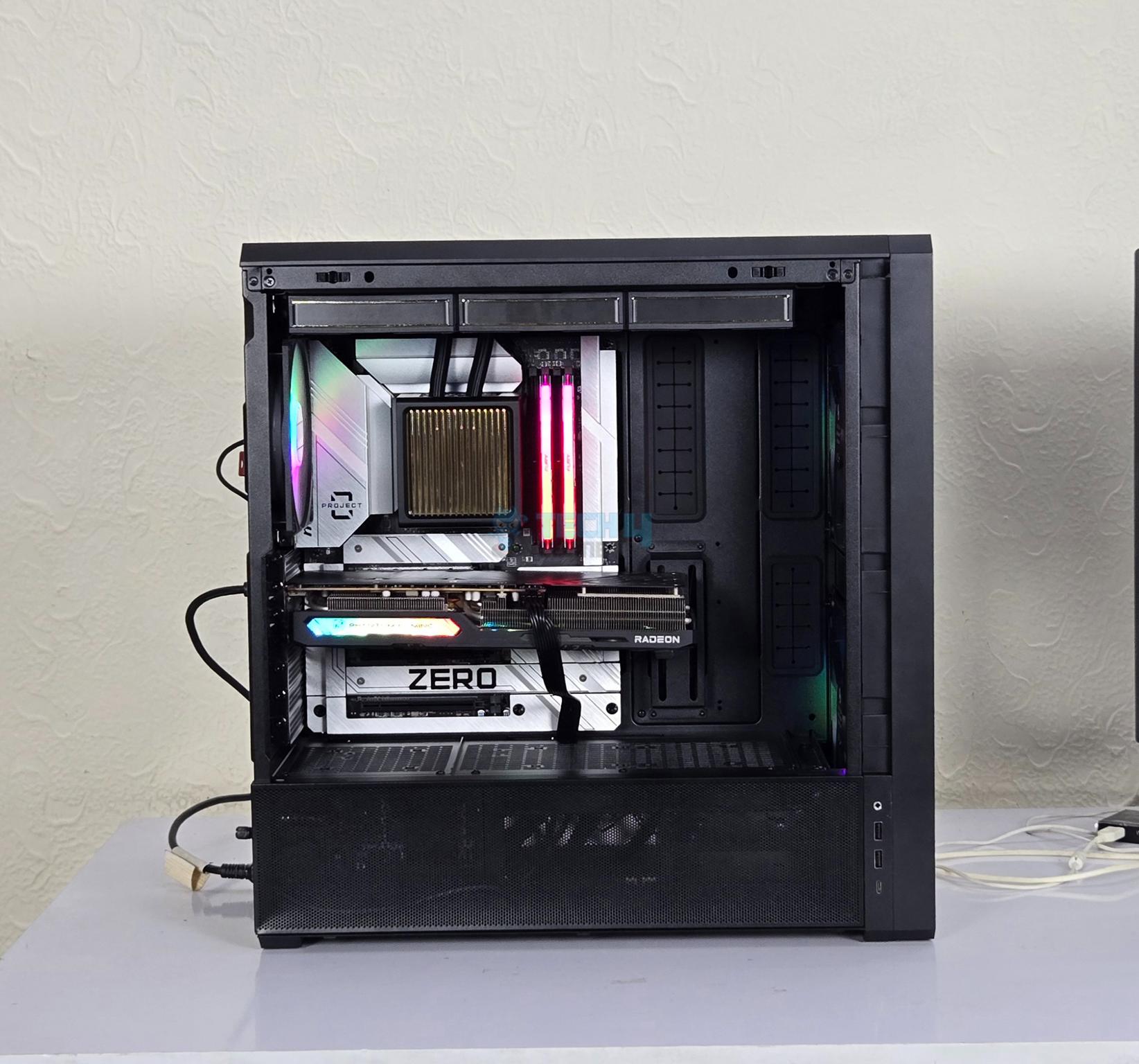
I started the build with motherboard’s installation. Since I have used a back connect motherboard, cables connectivity is not a concern on the front side. Then I set up the graphics card in vertical layout. However, this graphics card did not provide display so I switched it with the RX 7600 card. The cooler’s installation was smooth as well.
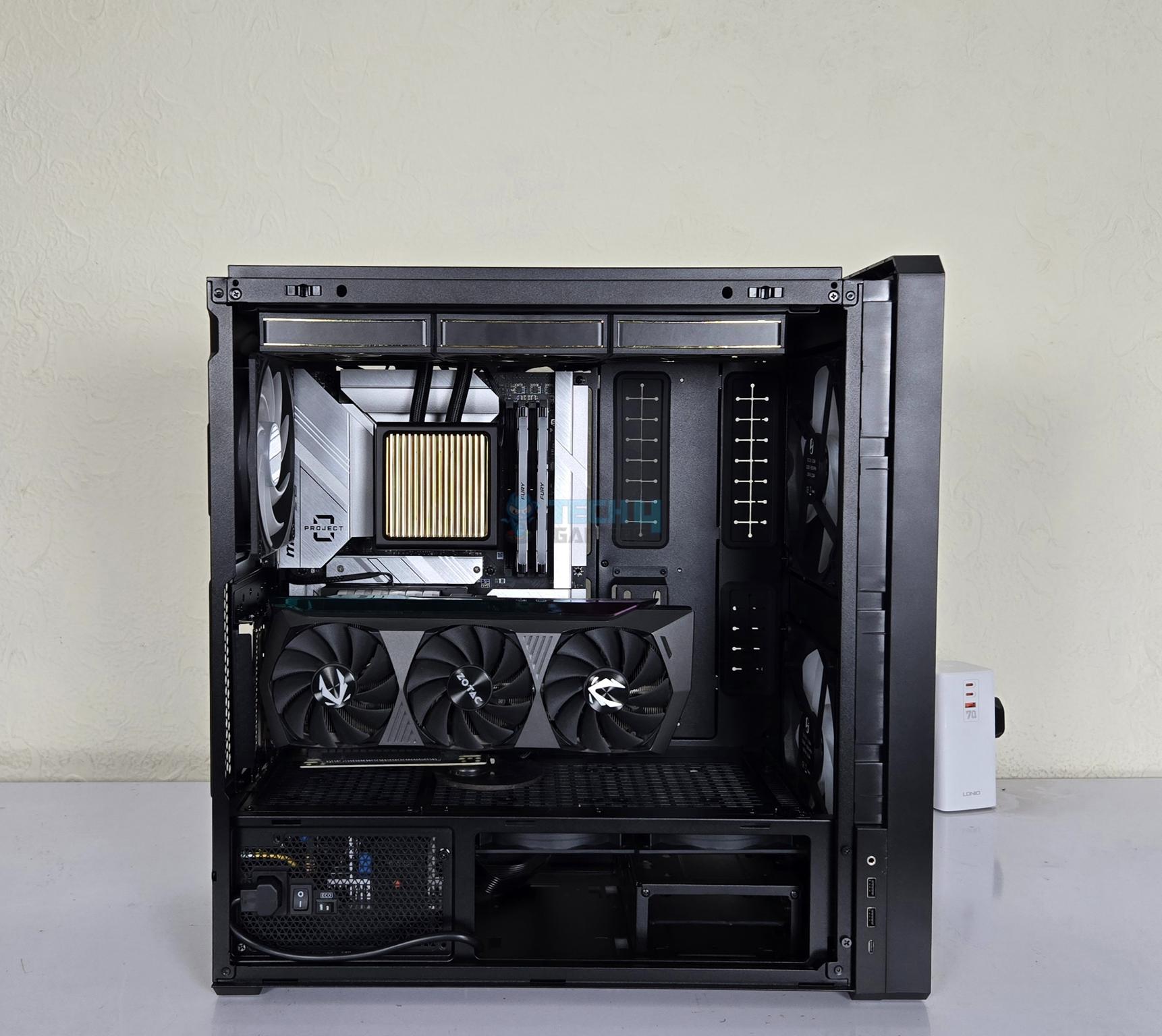
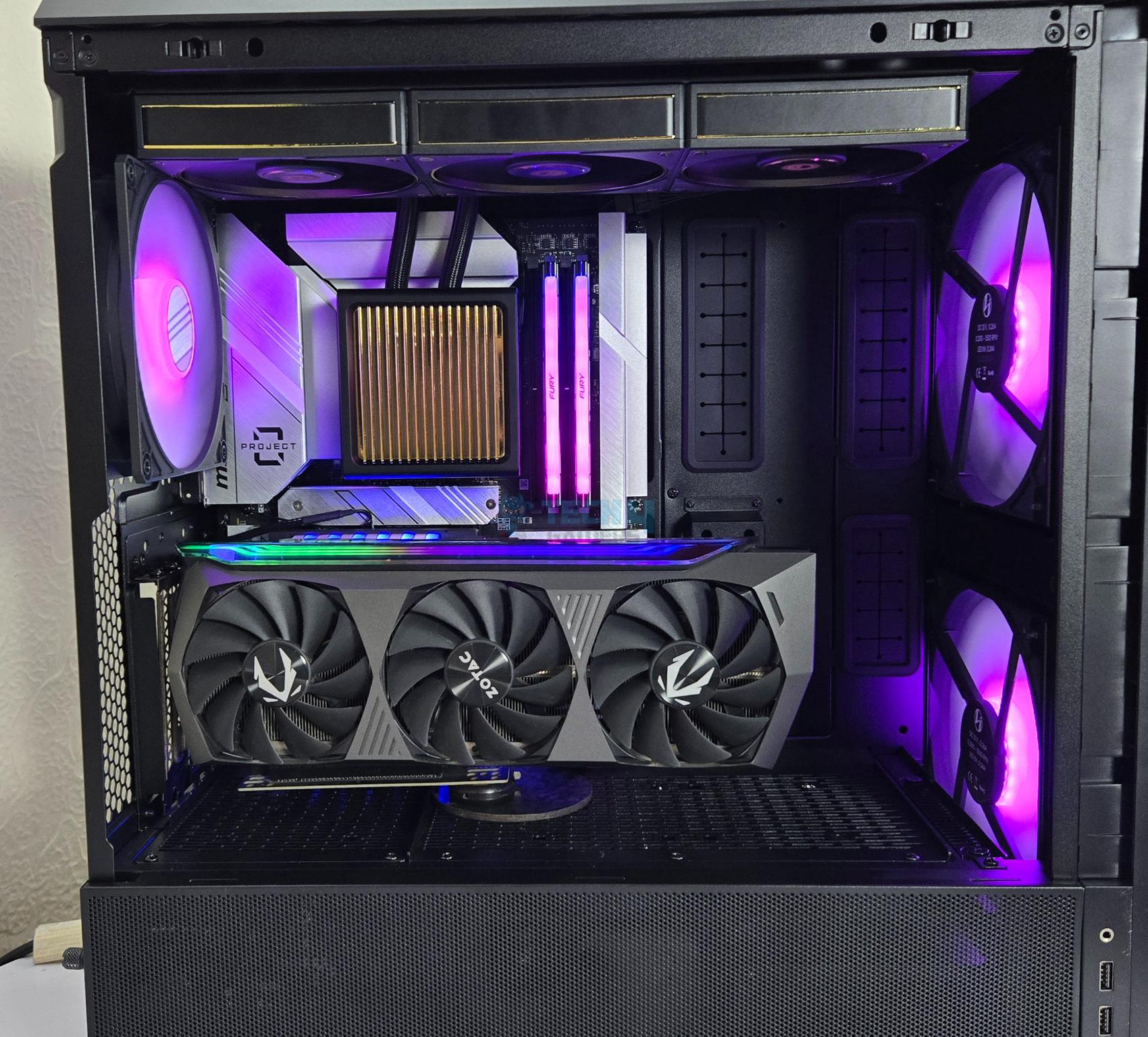
CPU and RAM were installed outside of the case. The cooler’s backplate was easily fit in this case from the back of the motherboard tray’s CPU cutout. The radiator placement over the top was a comfort fit as well. You can see in one picture that there is still ample space available in this case with this simple build. The cable management was easy as well.
I installed the PSU Shroud Cover bracket for the fan and install both separately provided reverse blade fans under the PSU shroud for neat and clean outlook.
Test Build
1 of 5
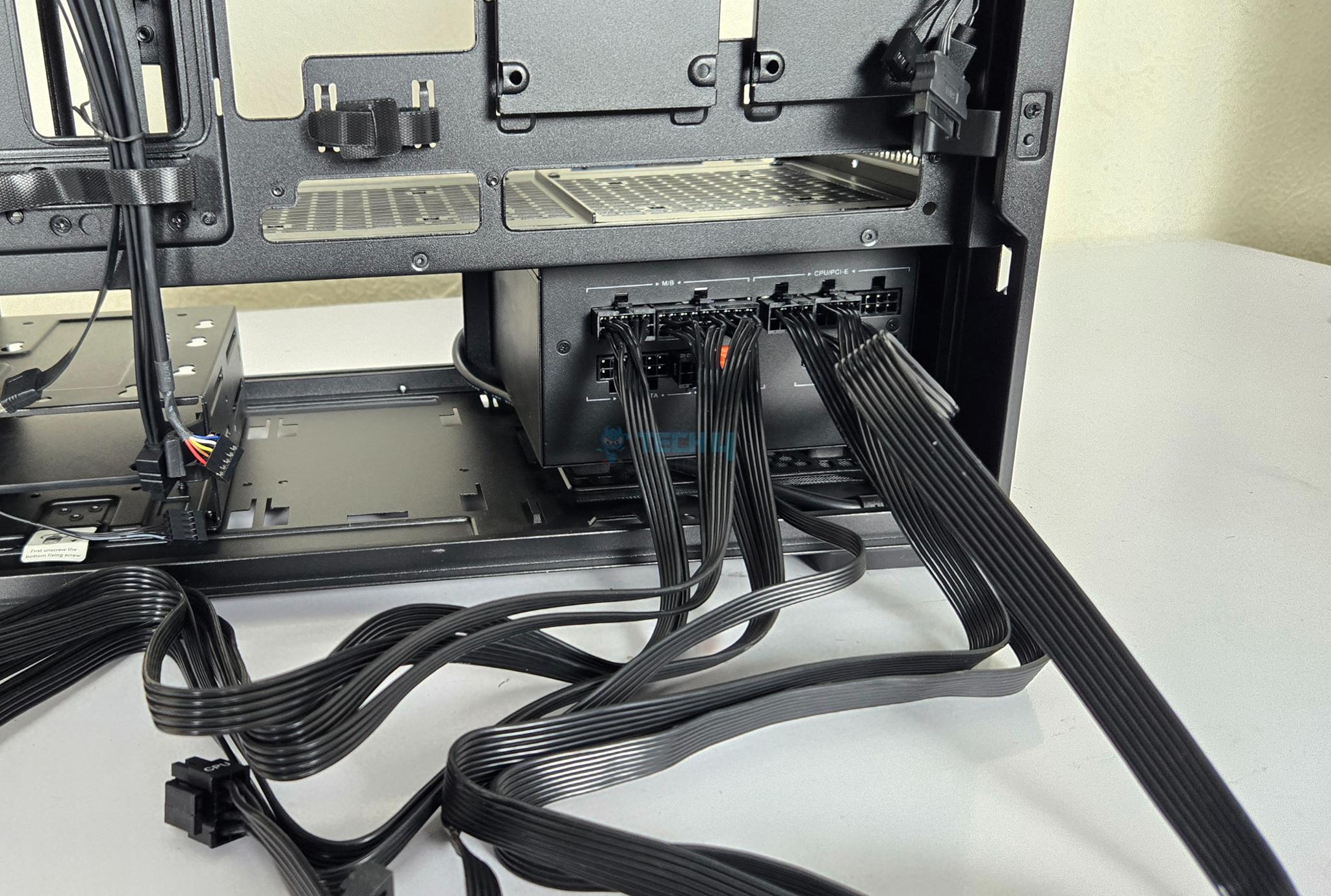
The purpose of these pictures is to show you that there is no space available to place the cables if installing the PSU in standard layout. You either have to remove one drive cage or carefully place the cables over the drive cages. In this standard layout, you don’t need to use the power cord.
Test Build
1 of 3
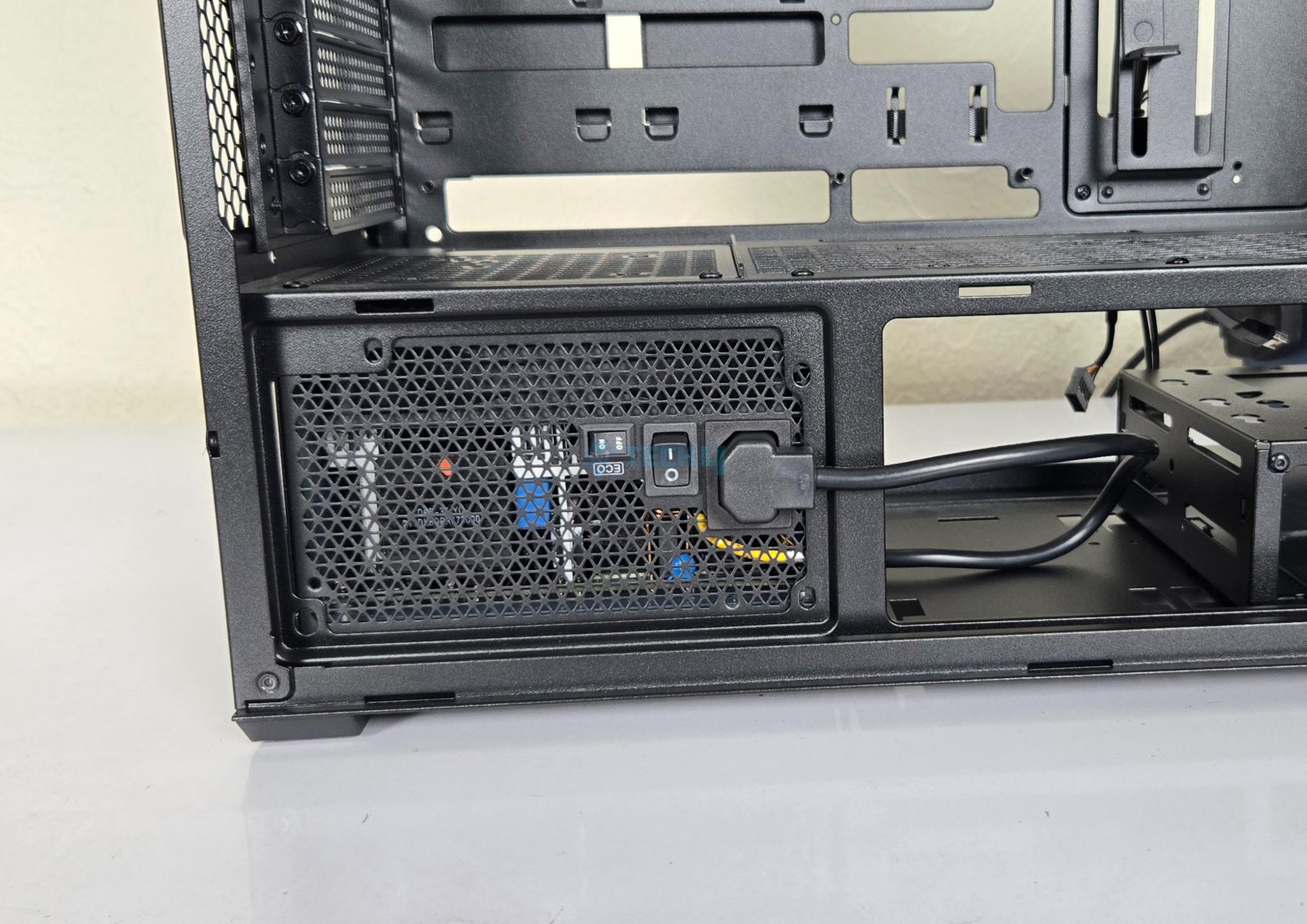
Now, I am showing PSU installed in rotated direction with connector side facing the side panel of the case. I was able to install the PSU with fan side down and still connect the power plug to the PSU without any issue. Don’t forget to power the PSU on for this configuration.
Final Build Pictures
1 of 12
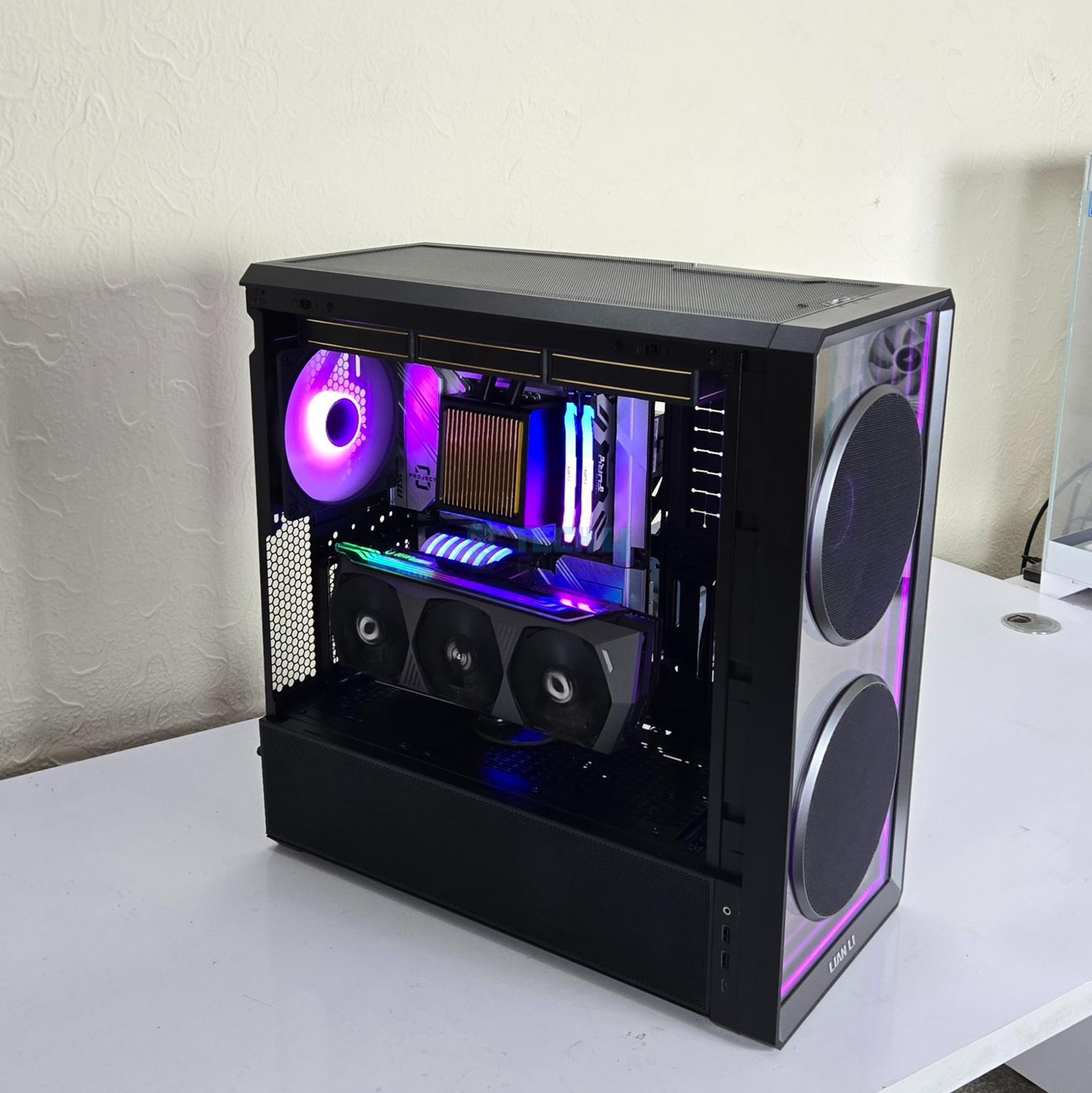
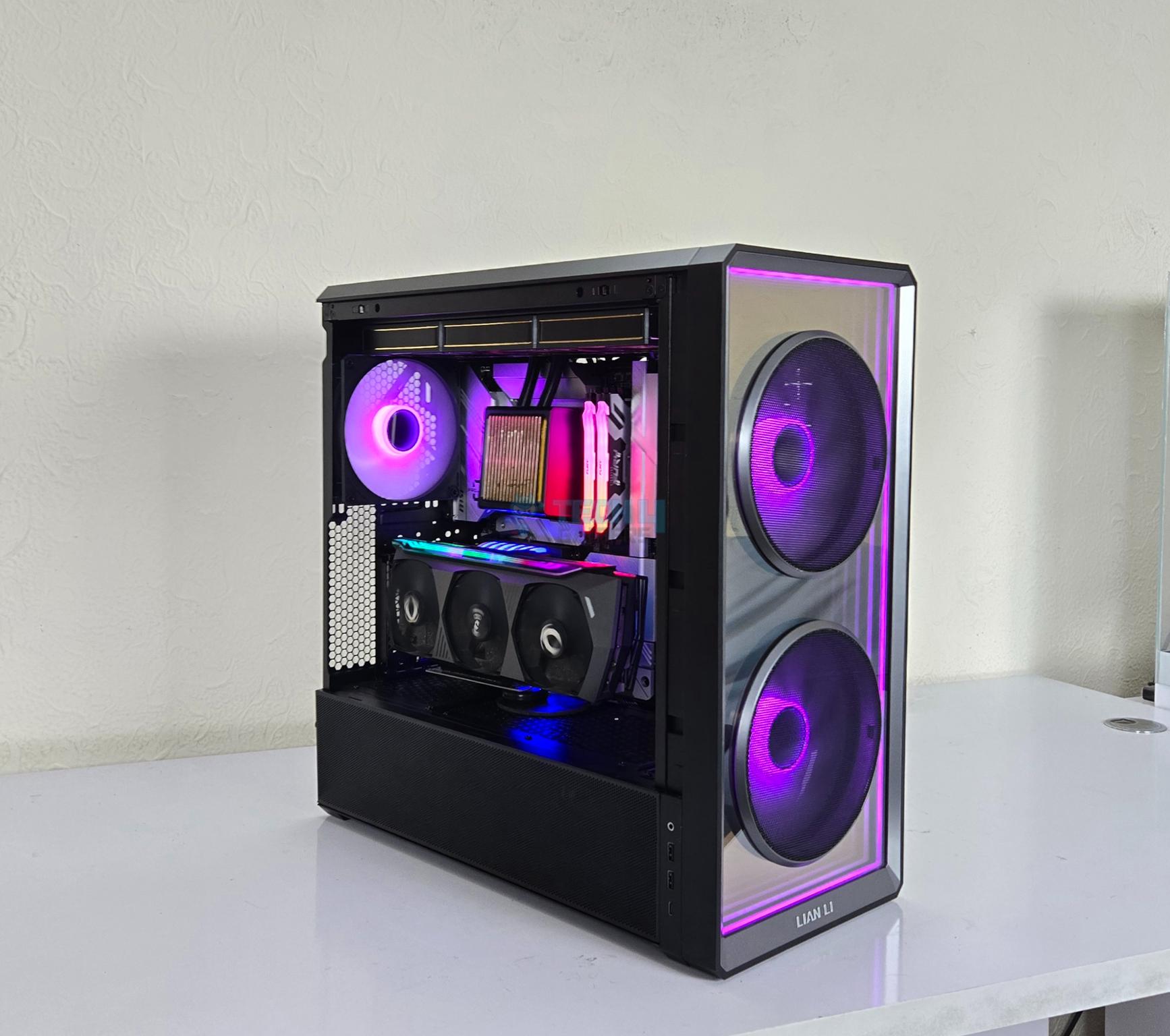
The above are a few pictures of the test build in action.
Thermal Testing
The thermal testing was done with an ambient temperature of 22ᵒC and I have used Cinebench R23.2 CPU Multi-Core and Unigine Superposition 1080P Extreme tests together to stress the CPU and graphics card at a time.
The LANCOOL 217 INF has a fantastic airflow even without reverse blade fans on the PSU shroud as is evident by the thermal performance.
Should You Buy It?
Buy It If:
✅If you need a good spec case: The Lian Li LANCOOL 217 INF is a feature rich PC Case with dual mount for PSU and IO bracket, 170mm and 140mm pre-installed fans, back-connect motherboard support and infinity-mirror design and much more.
✅Looking for an airflow case: This case has excellent airflow thanks to two mighty 170mm ARGB fans on the front and possibility to add three 120mm fans on the PSU shroud.
✅Wireless Connectivity: If you are in Lian Li ecosystem then wireless receiver in the installed fan hub makes it an idea choice to control the elements wirelessly using L3 Connect though you need to buy a controller.
✅If you need a best value case: Coming in at USD 124.99 and given the excellent features and impressive thermal performance, the LANCOOL 217 INF is your best value PC Case on the market.
Don’t Buy It If:
❌If you already have a good spec case: If you are using a PC Case that is serving you well, you may skip this case.
❌If you need serious water cooling: This case does not support radiator on the front which may be lacking for serious custom loop users.
Final Words
The best I can describe LANCOOL 217 INF in short summary is like describing an ocean in lake view. This case is feature rich design and Lian Li has left no corner uncovered. It is a mid-tower designed around maximum ventilation for good airflow. Lian Li has featured a closed front with infinity-mirror design and provides two 170mm ARGB fans with mesh covers to provide excellent airflow.
The motherboard support goes up to SSI-EEB (330mm) and this case also supports the backplug motherboard in ATX and mATX form factor. The case provides spacious layout for your build and its removable PCIe bracket can be installed vertically (riser cable not included) or horizontally.
The cooling provision is:
3x 120mm or 2x 140mm fans on top
1x 120mm or 140mm fan on rear [140mm ARGB Fan Pre-Installed]
2x 170mm fans on front [Pre-installed]
Up to 3x 120mm fans on the PSU Shroud [Optiona]
Up to a 360mm radiator on the top
This case can house 1x 2.5” and 1x 3.5” drives in one drive cage and comes with two such cages. In addition, you can install 2x 2.5” drives on the back of the motherboard tray and up to 2x 2.5” drives on the PSU shroud.
You can only use one bracket on the back of motherboard tray if using back-plug motherboard. You have to remove one drive cage with PSU being installed in standard layout. Speaking of which, you can install PSU in either of two directions. Similarly, you can install IO bracket on the side (default) or on the top.
You can install a CPU air cooler of maximum 180mm height, a graphics card of maximum 380mm length and ATX PSU under 180/200mm length. Doing a build in this case is a wonderful experience and I did not observe any issue to report.