At T4G, my task is to cover the latest news around the gaming globe ASAP and with the utmost precision. I adore all the games and respect all the devs behind the amazing games that we get all year. So, whether it’s a PC or a Console game, I got it all covered.
Story Highlight
Former GTA developer says game launches are now more stressful than the PS2 era.
Releasing a game and then not being able to iron out bugs with a patch is terrifying.
Back in the day, you would just release the final form, and that was it.
Game launches are in a very weird spot these days. There are hardly any games that don’t require a day 1 patch to play as they were originally expected to be. So, most titles require a lot of post-launch support to reach their final form.
However, things were very different back in the day when a launch was the final form of a game because you couldn’t send OTA updates or day 1 patches. A former GTA veteran says this makes current launches more stressful.
Why it matters: In the PS2 era, developers would just release the game and that was it, while now, they not only have to complete the development, but also prepare a patch to iron out any bugs at release.
Former GTA developer says PS2 era game launches were less stressful
Obbe Vermeij, former technical director at Rockstar Games, was asked what era of game development was more stressful. He responded that the current game launches are more stressful compared to the PS2 era.
Today’s approach seems more stressful to me. Approaching the launch date and not knowing whether you can fix everything in the day-1 patch seems terrifying
– Obbe Vermeij
Almost every major modern game release requires day 1 patch to iron out bugs
He further stated that with the current development cycle nearing the launch date and not knowing whether you’ll be able to fix the bugs is a terrifying thought. This wasn’t the case back in the days when there were no patches.
The PS2 era was essentially the last where you couldn’t send updates, after which day 1 patches became very common. Nonetheless, this also represents the case that developers should focus on releasing the final product instead of ironing out issues with a patch at launch.
What are your thoughts on game launches being more stressful now compared to the PS2 era? Let us know your opinions in the comments or join the discussion at the official Tech4Gamers Forum.
As a Senior Hardware Reviewer at Tech4Gamers with over a decade of hands-on experience, I dive deep into benchmarking GPUs, CPU coolers, and motherboards, pushing hardware to its limits. Passionate about overclocking and fine-tuning performance.
ID-Cooling has been in the market for some time and has been making significant progress in the cooling department. We previously reviewed the Frozn A620 PRO SE and were impressed with its cooling performance for the lower price; we tested its ID-Cooling X45 Thermal Paste, which was the chart-leading thermal paste.
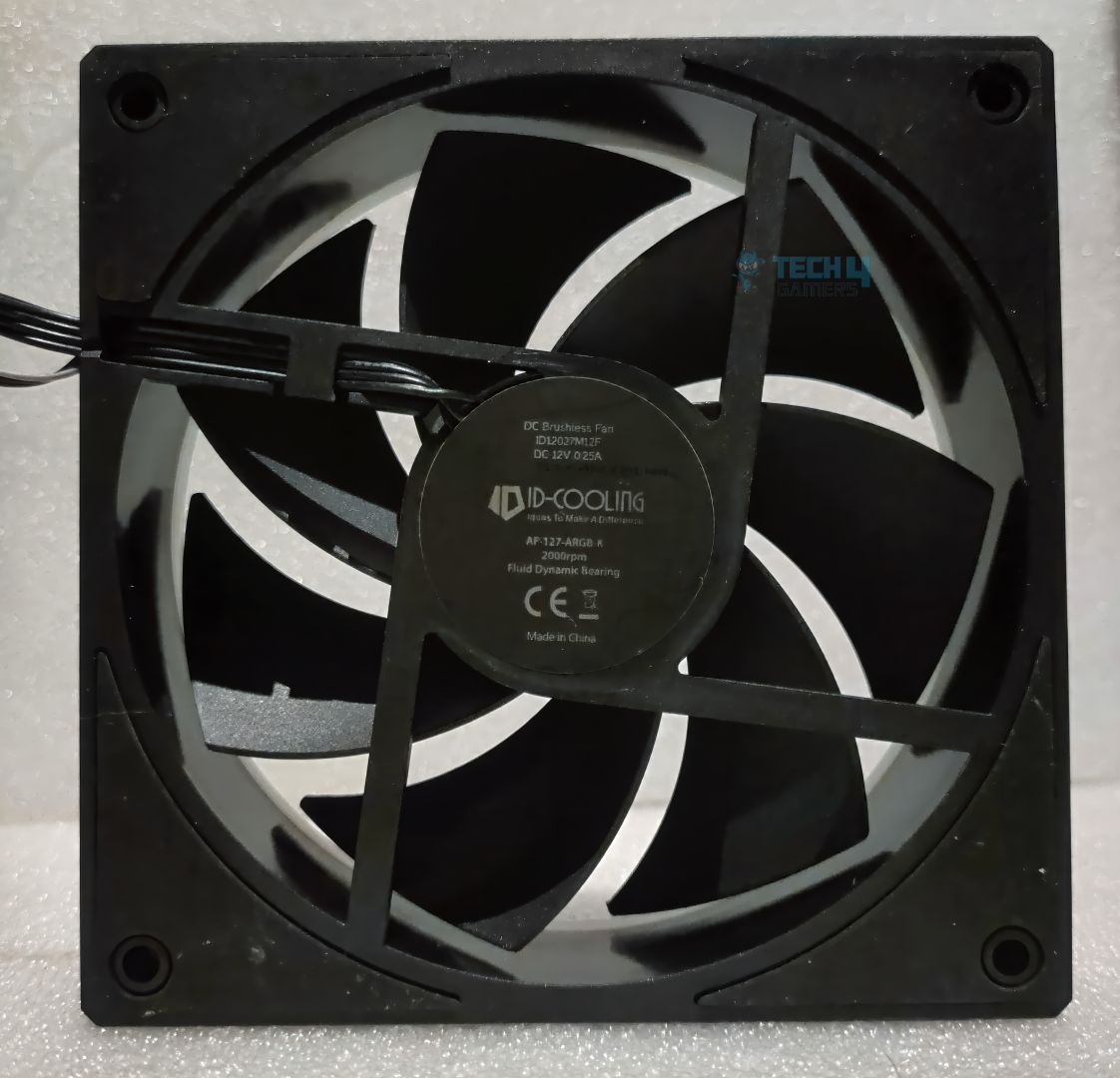
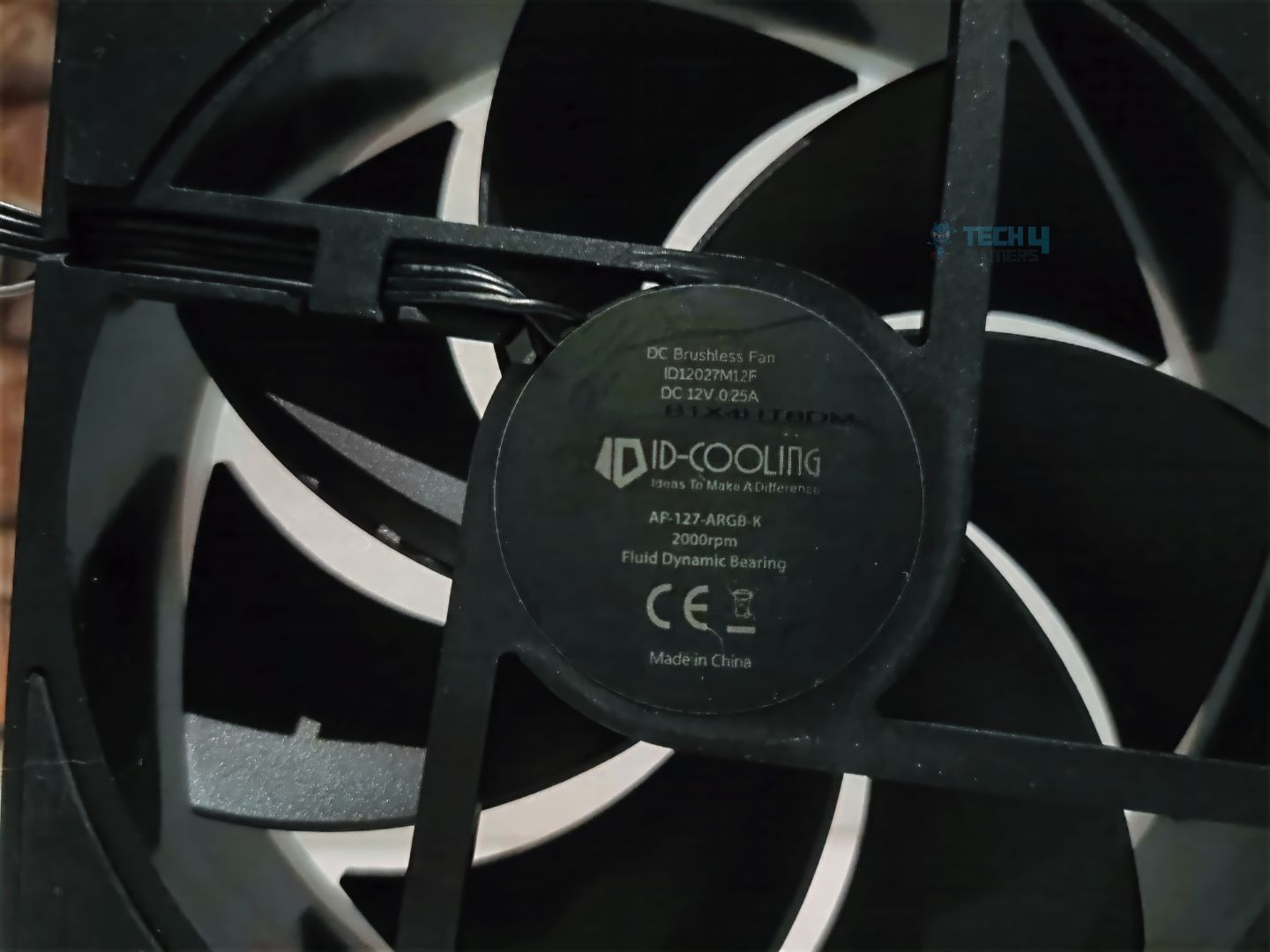
ID-Cooling mainly focuses on PC air coolers and liquid coolers. There is not much to say about the brand, as its performance already speaks for itself. We’re taking a look at their fans, known as AF-127-ARGB-K (Trio Pack), which are available in GDL (Gold & Black), White, Black, and Pink. These fans are very thick, measuring 27mm vs 25mm (standard fans). These are some of the best-performing fans in the ID-Cooling portfolio. These fans can also be purchased individually or in a three-pack.
Why Trust Tech4Gamers
Usman Sheikh is one of our most senior and experienced hardware reviewers. He loves spending hours (sometimes days) in his lab, testing and comparing different GPUs, CPUs, coolers, and more.
80+ CPU coolers tested and reviewed by our team of hardware experts (Tech4Gamers Team).
900+ hours spent testing different coolers for our reviews.
At Tech4Gamers, ensuring you get reliable information is our priority. That’s why every hardware round-up undergoes a meticulous review process by our team of experts and editors. Each review is carefully examined against our strict editorial guidelines, guaranteeing you trustworthy insights you can depend on.
Let’s start with the specs
Specification
Details
Fan Dimension
120 × 120 × 27 mm
Weight
180g (Net weight, fan only)
Rated Voltage
12V DC
Operating Voltage
10.8 ~ 13.2V DC
Starting Voltage
7V DC
Rated Current
0.25A
Power Input
3W
Bearing Type
Fluid Dynamic Bearing
Fan Speed
500 ± 200 ~ 2000 ± 10% RPM
Max. Air Pressure
2.68 mmH₂O
Max. Air Flow
78 CFM
Noise
29.9 dB(A) (Max.)
Connector
4-Pin PWM
[toc]
Packaging & Accessories
Unboxing
1 of 3
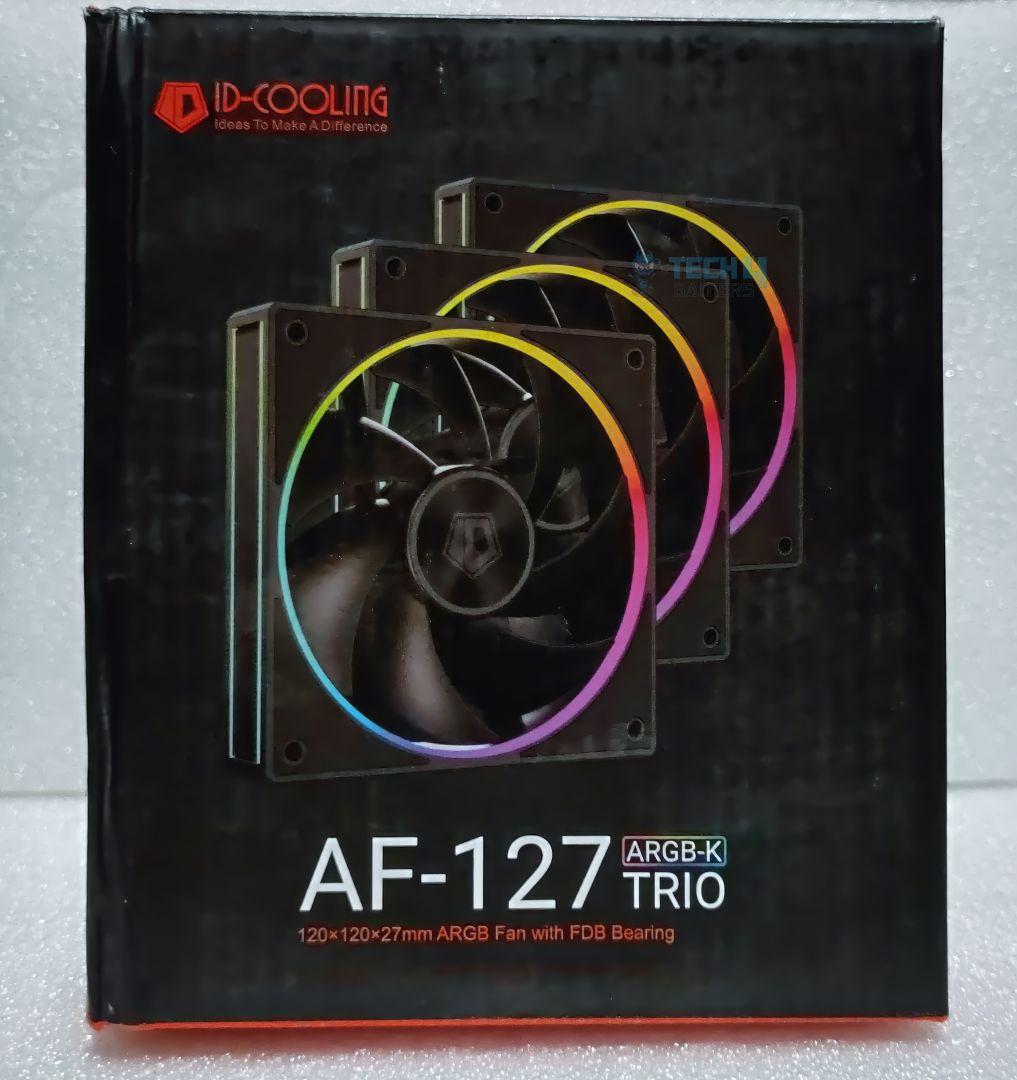
Box Front
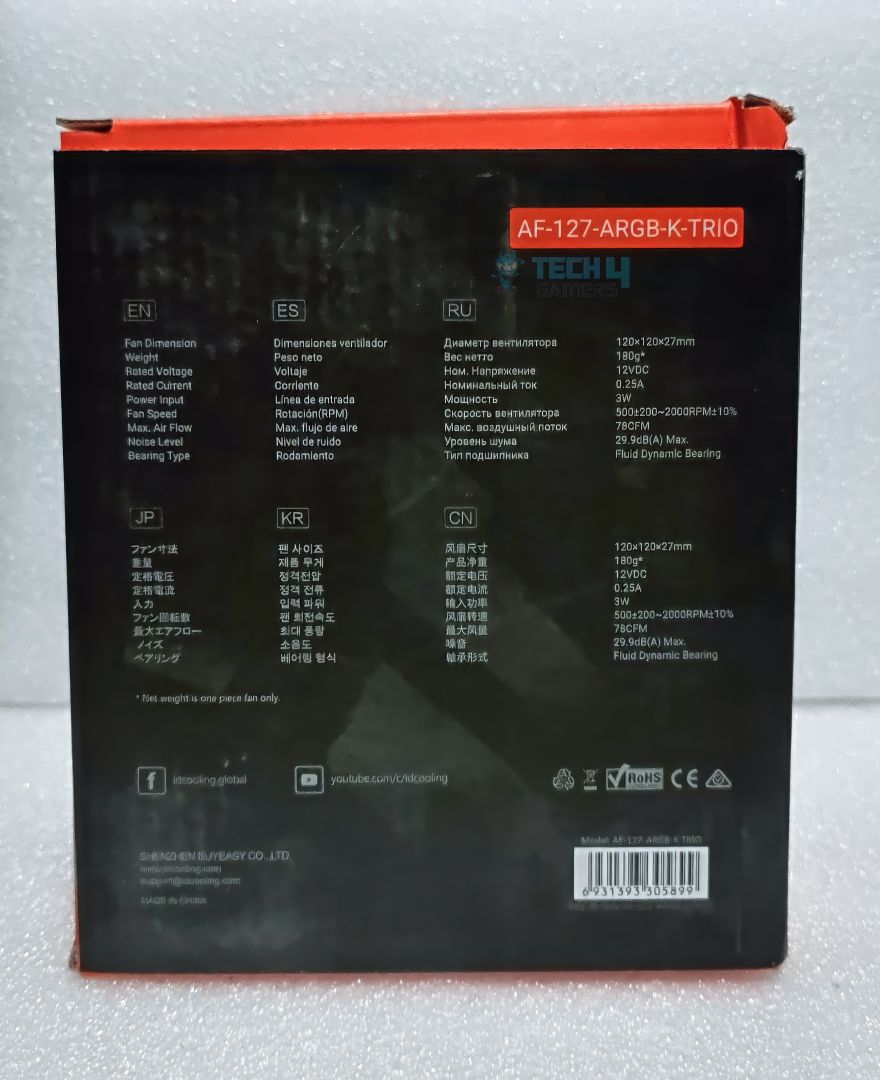
Box Back
Box Side
The packaging is straightforward and made of sturdy cardboard, containing three 120x120x27mm fans and screws. The box does not specify anything special or any specifications on the fans. The little details would have been nice. This would have helped buyers make their purchase decisions. However, the box theme highlights aesthetics and RGB lighting lighting features, with a prominent front display of the fans. Another point to note is that there is no start guide or manual inside the box, which could have been a nice representation of the fans and their specifications.
Cables
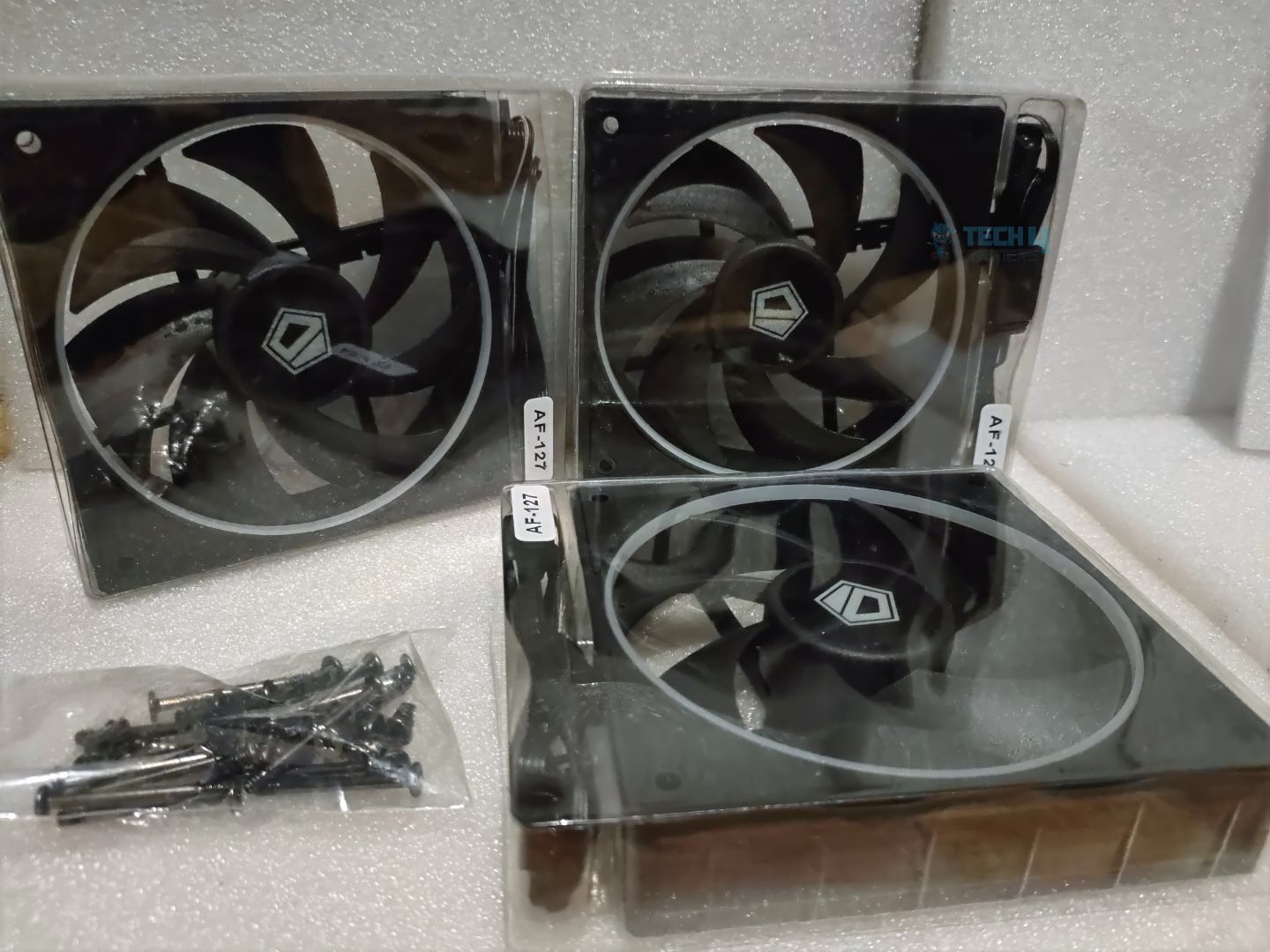
Fans and Accessories
Moving forward, in terms of accessories, there is nothing much to note. You receive a bag of screws. These are M5 and M3 (For Radiators) screws, standard screws used to secure fans to the case and liquid coolers. No extra fan or ARGB extension cable is included.
Accessory
Details
Start Guide
N/A
Fans Included
3
Cables
N/A
Screws
12x M3 For Case, 12x M5 For Radiators
Closer Examination & Build Quality
Design
1 of 5
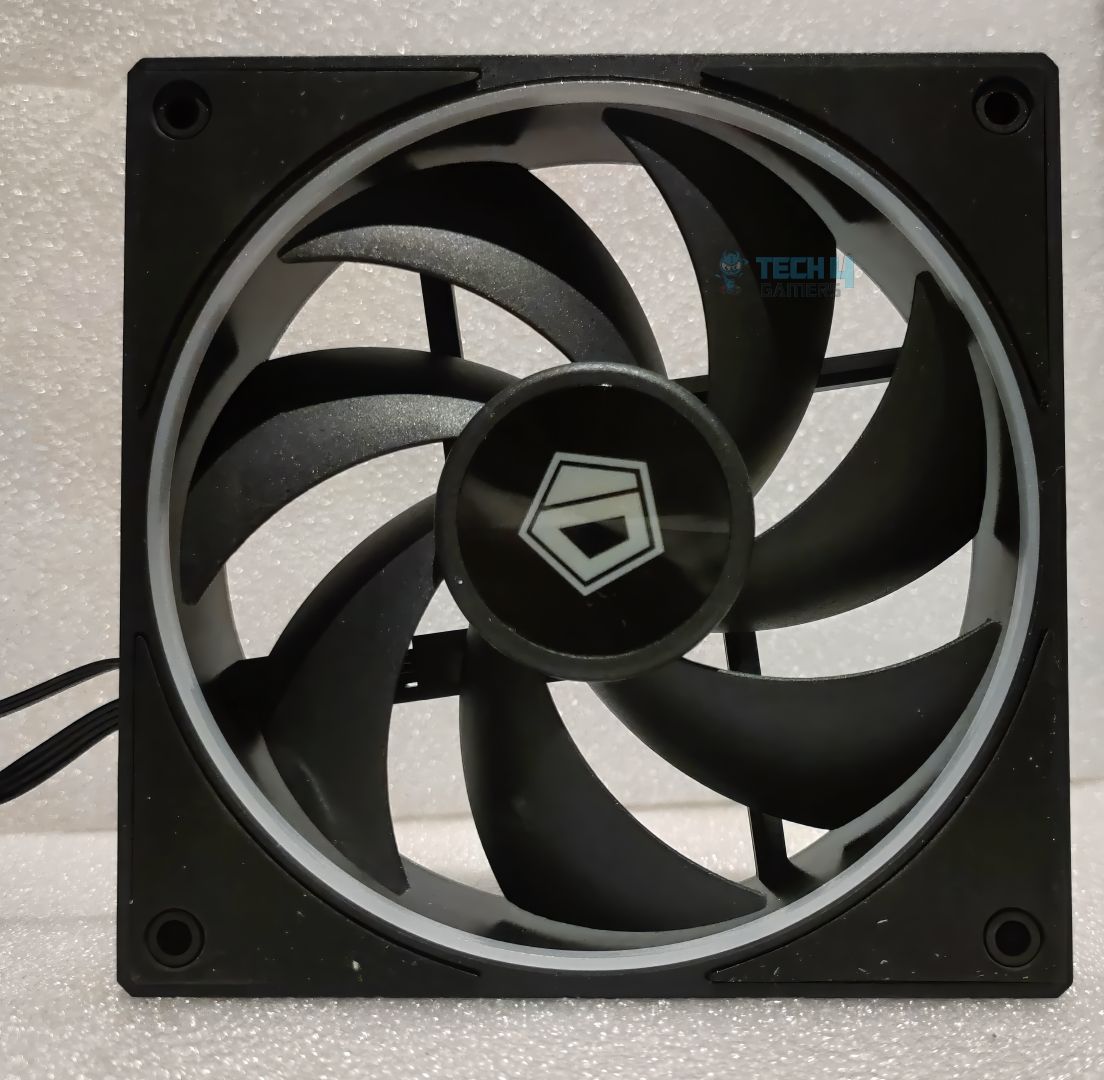
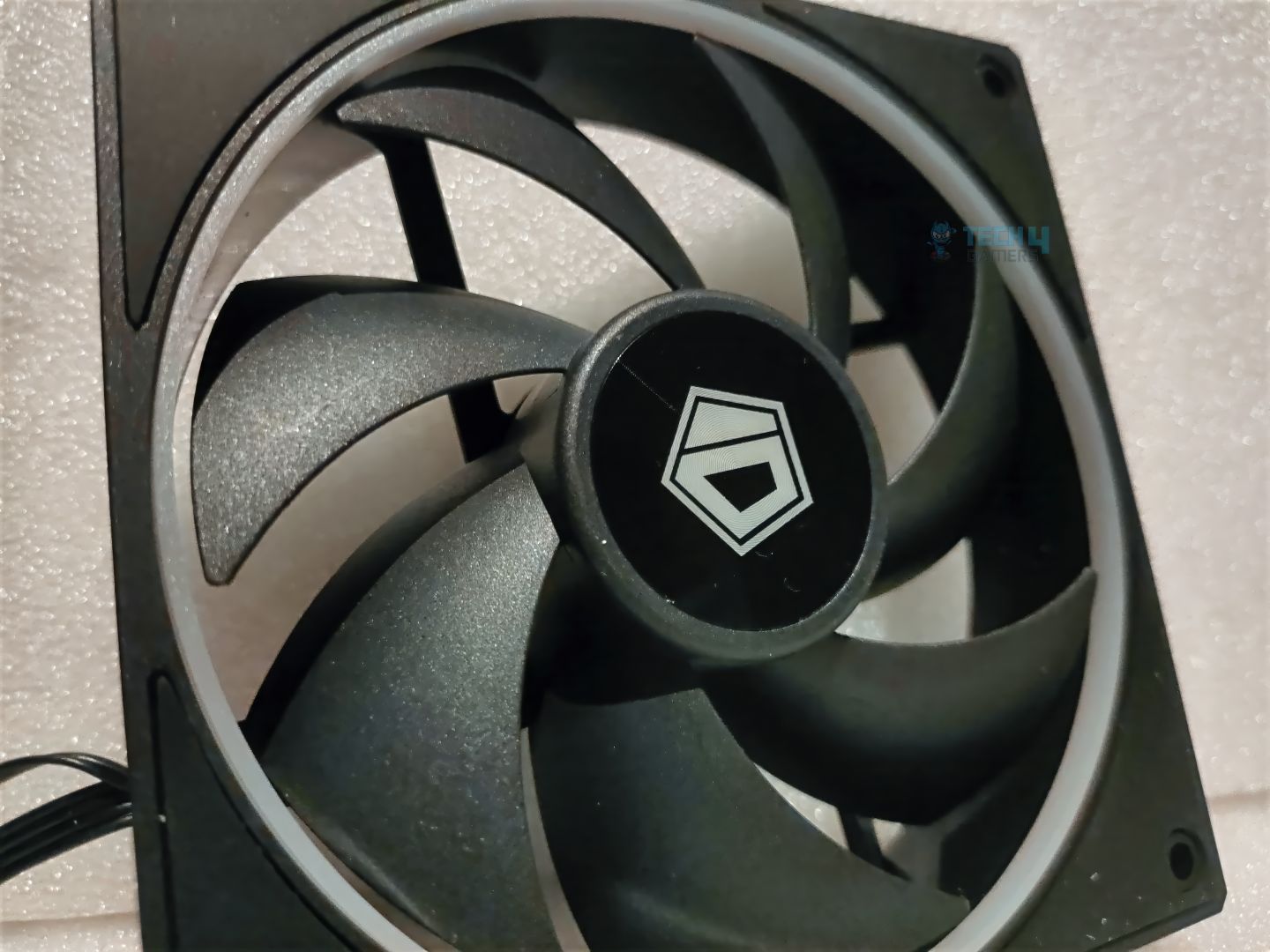
Regarding the build quality of the fans, the frame is made of plastic, and the mounting holes feature rubber grommets for vibration control. The fan features seven blades optimized for airflow and incorporates an FDB bearing, a fluid dynamic bearing known for its durability and reduced noise. Another crucial point to note is that this fan has a thickness of 27mm, which exceeds the standard size of 25mm.
The additional thickness accommodates aesthetics and provides more room for larger fan blades and additional ARGB, but if you are an ITX PC builder where every millimeter counts, be warned, as this might interfere with the motherboard or RAM. Overall, the build quality of these fans in the hand feels sturdy and premium.
ARGB Lighting
RGB Showcase
1 of 5
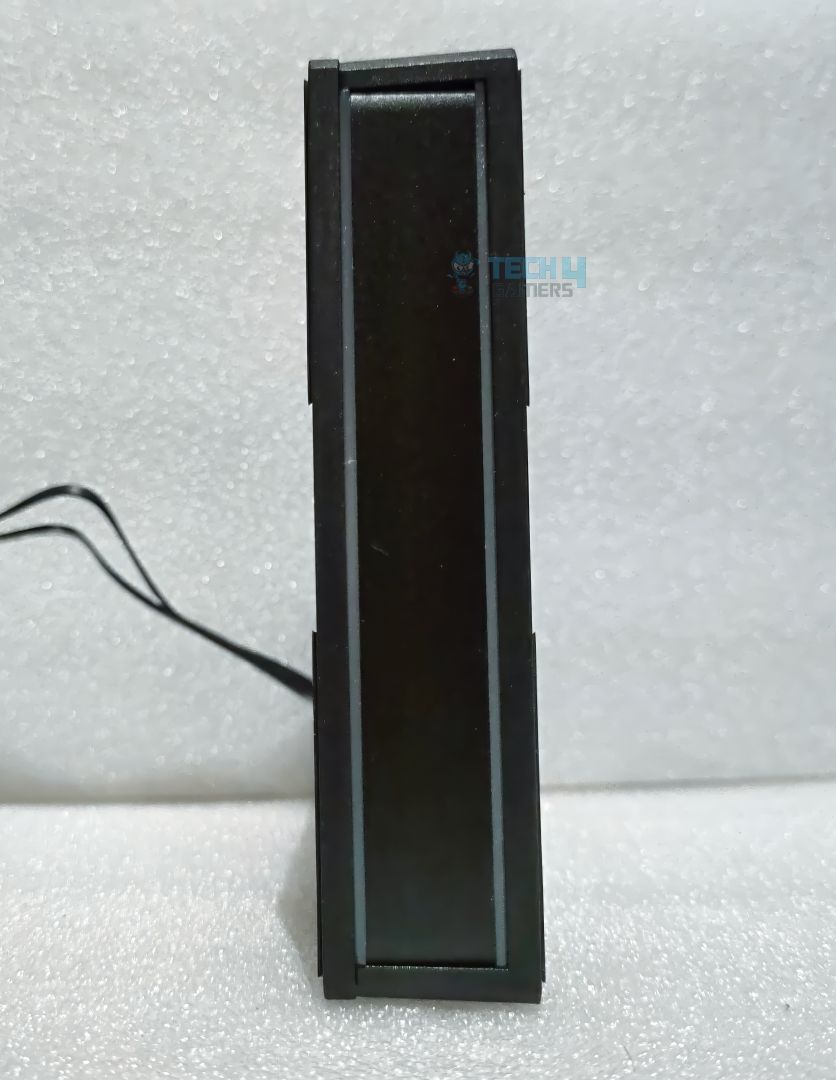
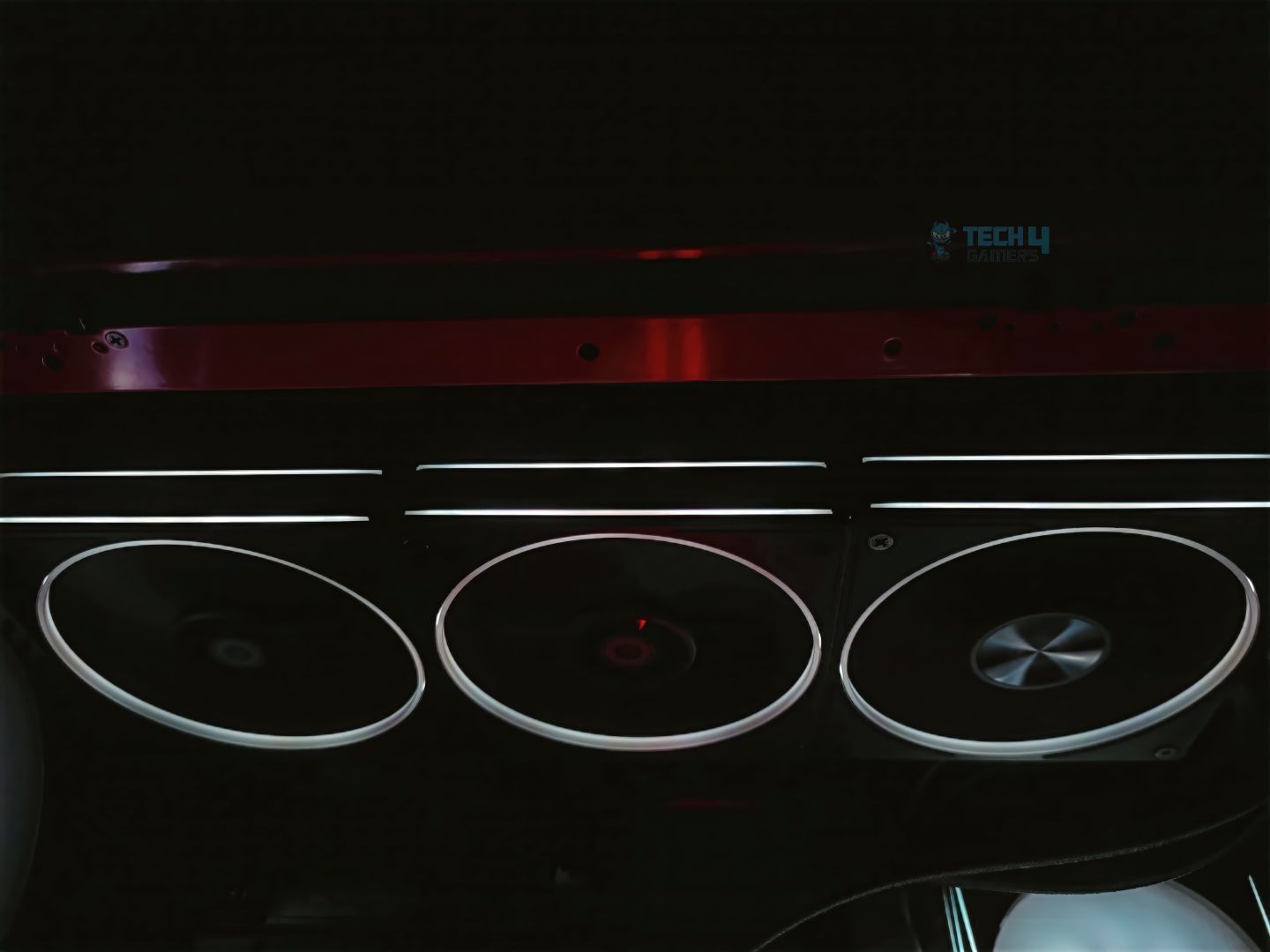
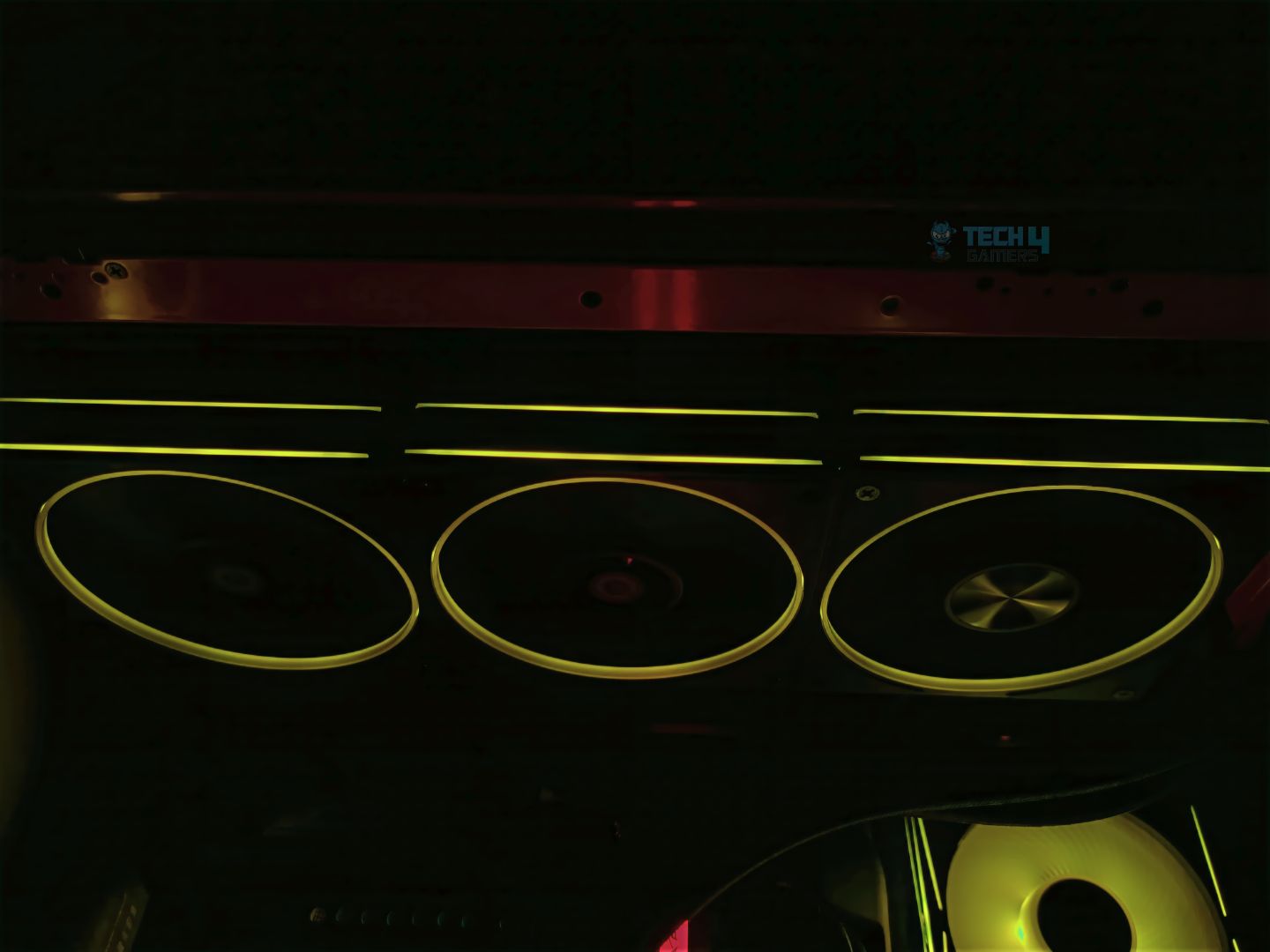
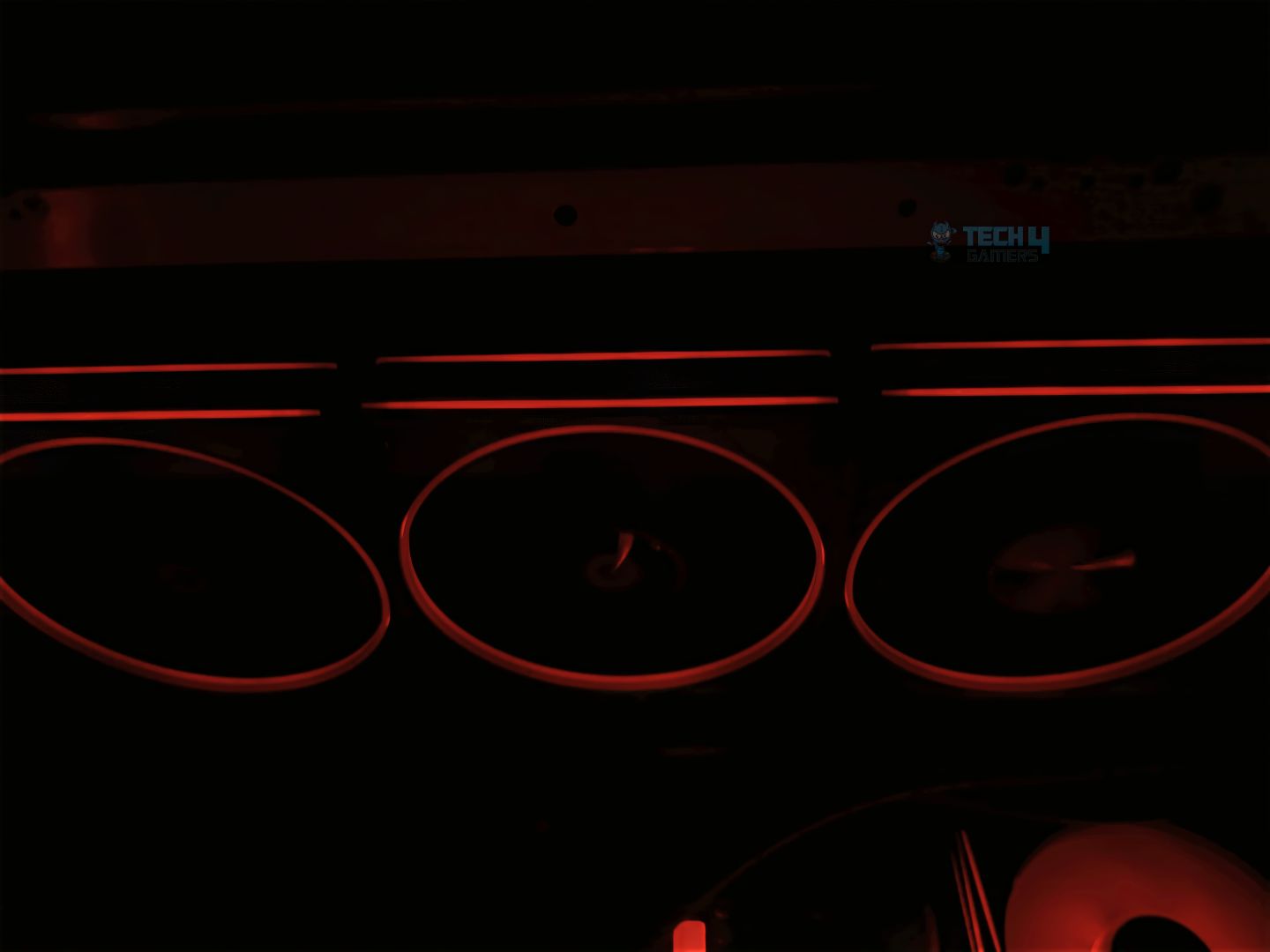
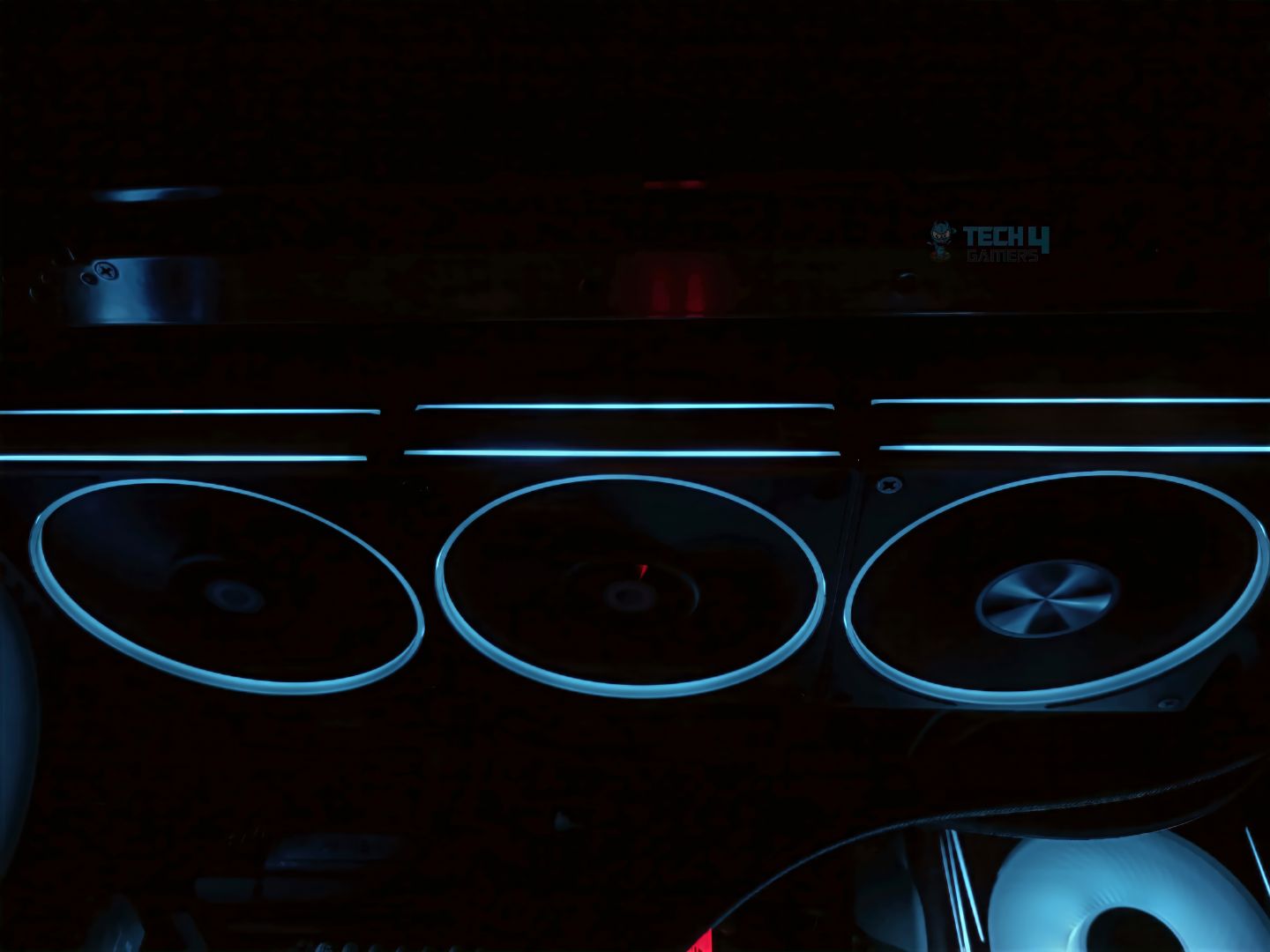
The ARGB on the fans is well thought out. It features a translucent ring around the inner edge of the frame. The sides of the fans have also been accommodated with ARGB, which maximizes the impact of its ARGB lighting, meaning that if you’re viewing the fans from either side or the front, you will see the defused lighting from all angles.
Well, quite honestly, few people wouldn’t like the ARGB ring design, but to be fair, these fans would blend well with most PC builds. The ARGB carries the 5V daisy-chain connector, which means you can synchronize all fans at once and then connect them to the motherboard. It’s software-controlled, which means the lighting can be adjusted using its software, and it’s compatible with third-party applications, such as OpenARGB and Signal ARGB.
Fans Connectivity
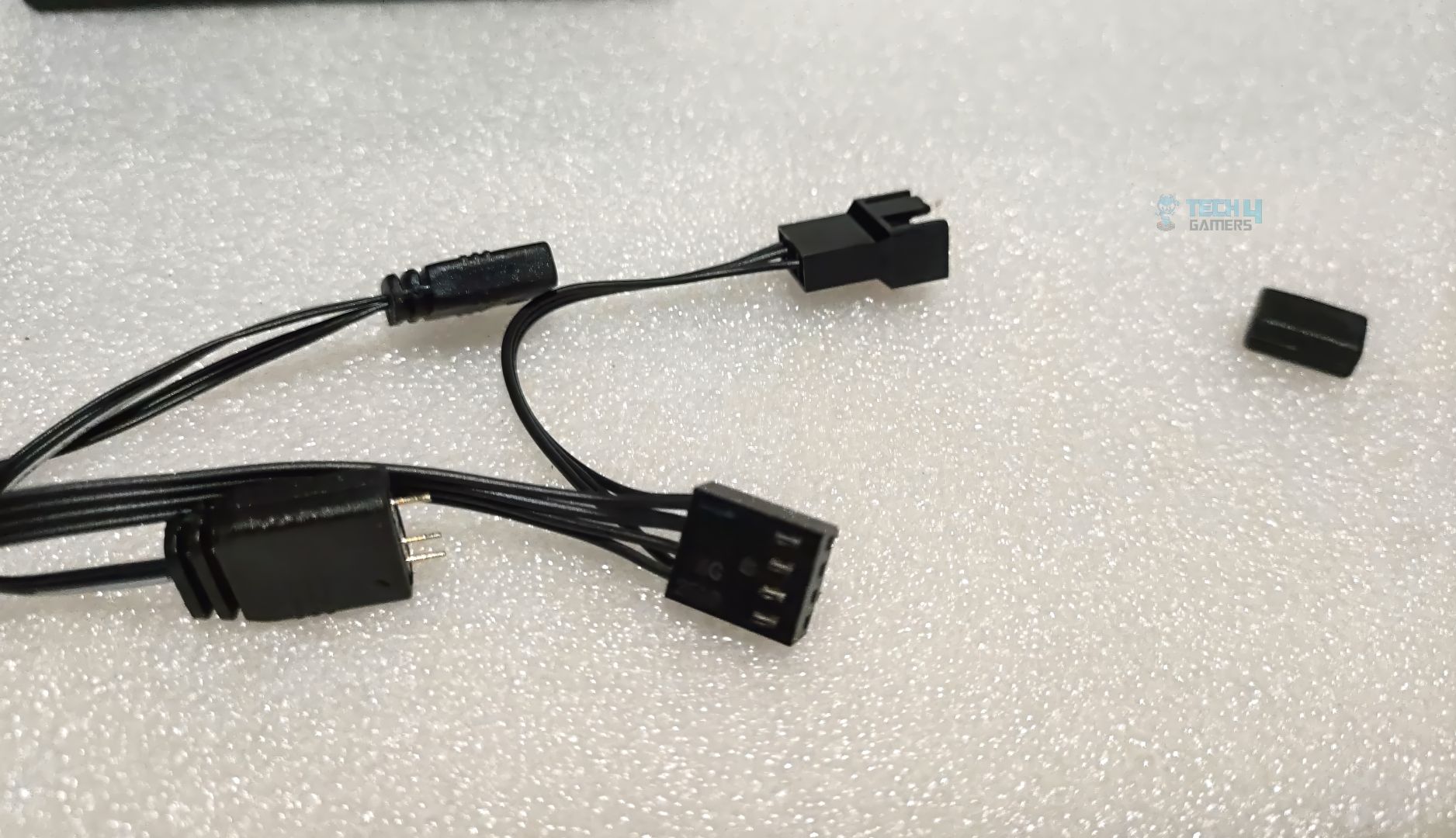
These fans can be daisy-chained together, and each fan carries a single cable that connects to the PWM (Fan Header) on the motherboard, as well as one ARGB 5V connector with a female and male connector. You would first need to ensure that all the fans are connected in a daisy-chained manner.
ID-Cooling Daisy Chain Connector
There is nothing special here, as most of the fans have a similar design, but there are a bunch of cables that you need to shove at the back side of the case. I wish that followed a similar pattern to Corsair, Lian-Li, XPG, and Seasonic, which offer magnetic connectivity. That would have been a lot easier for many builders, but I would have been happy if they had provided us with an ARGB extension cable, as most fan makers do nowadays.
Testing Methodology
We will be testing the fan’s cooling performance to see if it effectively cools the CPU. We have installed it on the radiator. We’re using Deepcool Mystique 360 on our Hyte Y70 case installed at the top as the exhaust. We have placed the fans on the radiator to check it’s effective cooling.
We have tested the four profiles (25%, 50%, 75%, and 100%) and validated each through multiple runs in the CPU stress test, using Cinebench R23 to stress the CPU for 10 minutes. In the comparison, we are using ID-Cooling AF-127-K ARGB and Stock Deepcool Mystique FD-12 Fine-Tuned Fans.
Here is our standard case fan configuration:
Component
Fan Model
Size
Quantity
Position
Direction
Cooler
Deepcool Mystique 360 ARGB
120mm
3
Top
Exhaust
Rear
Lian Li Uni-Fan
120mm
1
Rear
Exhaust
Side
Noctua NF-A12x25 PWM
120mm
2
Side
Intake
Bottom
Deepcool FD-12 PWM
120mm
3
Bottom
Intake
We are using a positive air pressure configuration in our case. All case fans are locked at 50% maintaining the adequate cooling in the case.
Windows Version: Windows 11 24H2 (OS Build 26100.4351)
Test Results And Observations
Let’s go through all the results and observations.
Fans RPM Readings
RPM Readings XPG Hurricane Mag
We’re taking a look at the fan readings here. The speed exceeds the advertised RPM of 2000. The fan can reach up to 2200 RPM. The fan profile curve seems to be slightly aggressive here. At 18% speed, the fan can reach up to 500; at 50% speed, it bounces between 1200-1300RPM and goes up to 2200RPM maximum at 100% RPM.
Cooling Performance
25% Fan Speed
XPG Hurricane Mag 25% Cooling Performance
50% Fan Speed
XPG Hurricane Mag 50% Cooling Performance
75% Fan Speed
XPG Hurricane Mag 75% Cooling Performance
100% Fan Speed
XPG Hurricane Mag 100% Cooling Performance
The ID-Cooling AF-127-ARGB-K performs exceptionally well, almost reaching the Deepcool FD12 Tuned at 75% and 100% speed and outperforming the latest XPG Hurricane Mag across all tests. These fans are recommended for actors’ Lland liquid coolers, providing excellent aesthetics at the same time.
Should You Buy It?
Buy It If
✅ You don’t want to compromise on cooling: these fans exhibit decent performance with a liquid cooler and effortlessly cool down the CPU. You can also use these fans for case cooling, as they have an airflow rating of 78CFM, which is in the high-end range.
✅ You’re a fan of RING RGB design: Thanks to its translucent ARGB ring design, which is very aesthetically pleasing.
✅ You don’t want to spend so much money on the fans: The fans can cost between $35 and $39, which is very decent for the trio pack while offering decent performance and good build quality.
Don’t Buy It If
❌ You want a clutter-free experience: These fans do not have to be connected individually due to their daisy-chain nature, but each fan carries a single cable with two connectors that are daisy-chained to the second or third fan, which must be routed behind the case, potentially creating a messy setup.
Final Thoughts
ID-Cooling has been in the headlines for quite some time due to its exceptional air-coolers and liquid coolers, which we have reviewed earlier. They’re doing an exceptional job in the cooling RND department and have come forward with incredible designs and performance. ID-Cooling is a brand that primarily focuses on PC air cooling and has developed some exciting products.
We have examined their fans, AF127, and are satisfied with the product overall. The fans overall are premium. Quite honestly, at this budget, it would be unfair to ask for the features that expensive fans offer, such as seamless connectivity through their magnetic design. The unboxing of the fans was straightforward and forward. There is nothing fancy, but at least they should have provided a guide menu as nobody would want to view their webpage and read the details. These are small details that can enhance the user experience.
In the accessories, ID-cooling has only provided the pack of screws for the radiators or case mount screws. However, I’d like to highlight one thing here: these fans are not entry-level fans, nor are they high-end; They are in between. Brands like Thermalright and other Chinese fan manufacturers have been flooding the market with fans priced under $20. they’re somewhat in between of those. They’re trying to cater to the mid-range category here for the people who don’t want to spend a lot but also want decent performance and excellent build quality.
They would have at least provided us with the bonus accessories, such as extra cables, ARGB extension, or PWM extension, which would have been a nice touch. However, speaking of performance, the fans exhibit decent results under the load. The fans managed to cool the CPU effortlessly.
The specifications on the paper are very competitive and decent compared to the high-end fans. The ARGB on the fans is very excellent. The fans are 27mm thick, which accommodates the stability of the overall frame design, reducing vibration noise. The sides also accommodate the ARGB lighting, which means you can view the LEDs not on the ring but on the sides as well.
As Tech4Gamers’ Wiki Editor, I dissect gaming products, offering detailed perspectives on a variety of PCMR hardware ranging from the Best Motherboards and CPUs to the Best GPUs, RAM, and PSUs.
Story Highlight
A combination of Nvidia’s inventory mismanagement and Trump’s tariffs has resulted in the immense scalping of the RTX 50 Series GPUs at ludicrous prices.
The desktop RTX 50 GPUs have been plagued with a myriad of issues ranging from melting power connectors to buggy drivers and a lack of stock.
Considering the current climate, gaming laptops have considerably improved in the price-to-performance ratio, which is why I think you should avoid building an RTX 50-equipped gaming PC for now.
Let’s be real—Nvidia’s RTX 50 Series launch has been a disaster.
And now, reports suggest Nvidia is slashing production to focus on AI chips, making the situation even worse.
So, what’s a gamer supposed to do?
Buy a gaming laptop.
No, seriously. While desktops usually offer better performance, the RTX 50 Series laptop market is shaping up to be the only sane way to get one of these GPUs without paying double MSRP.
Let’s break it down.
The RTX 50 Series Desktop Debacle: What Went Wrong?
1. Stock Shortages & Scalping Frenzy
The RTX 5060 ($299 MSRP) is selling for $549+
The RTX 5080 ($899 MSRP) is going for $1,799+
Even the RTX 5090 ($1,599 MSRP) is being scalped at $3,199+
2. Hardware & Driver Issues
Melting 12V-2×6 power connectors (yes, again)
Critical power delivery hotspot problems (some cards hitting 110°C+)
Driver instability (random crashes in DX12/Vulkan games)
Missing ROPs (gaming laptops were also affected, but not as widely)
Nvidia allegedly meddling in reviews (issuing review units for higher-spec GPUs under strict T&Cs)
3. Production Cuts To Focus On AI GPUs
Nvidia is reportedly reducing RTX 50 Series desktop GPU output to prioritize AI/data center chips like the GB200 and the upcoming GB300.
A credible leak from a Chinese source on Board Channels has claimed that Nvidia will be slashing RTX 50 Series production by up to 30% to divert more resources towards its leading AI-centric GPUs.
That means even fewer cards, even higher prices.
Nonetheless, this doesn’t come as a surprise as we’re all well-aware by now that consumer-grade GPUs don’t hold much financial importance for Nvidia anymore.
Why Gaming Laptops Are Suddenly A Smart Choice
Here’s the kicker: Laptop RTX 50 Series GPUs are actually available at (or near) MSRP.
Nvidia prioritizes OEMs (Asus, MSI, Dell, etc.) for mobile GPU supply, meaning:
No scalper markups (yet)
No power connector fires (laptops use standard barrel plugs or USB-C PD)
For starters, it’s common knowledge that Acer’s CEO has already confirmed a 10% price hike across its laptops range due to the new tariffs.
Moving on, Nvidia reported a $5.5 billion hit in its last quarterly earnings due to the additional expenditure associated with shifting manufacturing and production facilities to the U.S. while suffering from the export ban on AI GPUs.
The RTX 5070’s NVVDD (Nvidia Variable Video Data Decoders) hotspot can get pretty fiery. (Image Credits – Igor’s Lab)
To counter these new developments, Nvidia has also followed in Acer’s footsteps with a 10-15% price increase across its GPU lineup where the flagship RTX 5090 now commands a MSRP of $2,500.
Of course, you’re still not going to find it for that price.
What does this mean?
Laptop deals today might vanish in months
Desktop GPUs will get even more expensive
If you want an RTX 50 Series GPU at a sane price, buy a gaming laptop soon
Final Verdict: Should You Ditch PCs For A Gaming Laptop?
Who Should Get A Gaming Laptop?
✔ Gamers tired of GPU shortages/scalping
✔ Students/workers who need portability
✔ Anyone who wants an RTX 50 Series GPU without the headaches
Who Should Still Build A Gaming PC?
✔ Enthusiasts who want maximum performance
✔ Upgradability-focused users
✔ Those willing to wait (and overpay) for a desktop GPU
The Bottom Line
To sum it all up, the RTX 50 Series desktop launch has been a dumpster fire, but gaming laptops are emerging as a surprisingly smart alternative.
With tariffs looming and scalpers running wild, locking in a laptop deal now might be the best play for 2025.
Your move, Nvidia. Fix your mess—or watch gamers abandon desktops entirely.
I’ve been the Journalist & Editorial Writer at Tech4Gamers since July 2022. I spearhead our hardware coverage, including overclocking GPUs, benchmarking CPUs, reviewing peripherals, and fine-tuning custom PC builds for every budget. Daily, I report on breaking gaming news, from major launches and studio updates to the latest industry trends, ensuring our community stays informed. Beyond news briefs, I write in-depth feature articles on gaming culture and emerging technologies. And by collaborating closely with the editorial team on content planning, SEO strategy, and our publishing calendar, I help us consistently hit our traffic and engagement targets.
When you see the Epomaker teaming up with AULA, you can expect a good keyboard on its way. Both brands have been putting out solid keyboards. It’s not their first collaboration either, as I have reviewed the Epomaker x Aula F75 as well. They’ve worked together in the past, and the keyboards that resulted from that collaboration were surprisingly solid, well-built, and genuinely enjoyable to use.
So naturally, my expectations for this one weren’t low. I was hoping for the same level of quality, if not more. Going in, I expected it to be a decent but forgettable board in the budget category, but what I got was something that delivered well above its price. So, without any further ado, let’s dive into its detailed review.
Why Trust Tech4Gamers
Abdul Hannan is our peripherals expert who has been testing different mice, keyboards, headphones, microphones, and more for years.
130+ peripherals tested and reviewed by our team of hardware experts (Tech4Gamers Team).
500+ hours spent testing different peripherals for our reviews.
At Tech4Gamers, ensuring you get reliable information is our priority. That’s why every hardware round-up undergoes a meticulous review process by our team of experts and editors. Each review is carefully examined against our strict editorial guidelines, guaranteeing you trustworthy insights you can depend on.
Key Takeaways
The Epomaker x Aula F108 Pro is a feature-packed, full-size mechanical keyboard with a tri-tone aesthetic design, a gasket-mounted build, and per-key RGB lighting. Moreover, it offers smooth pre-lubed switches, a handy multifunction knob, and a customizable LCD screen.
You should consider the Epomaker x Aula F108 Pro if you want a premium typing feel on a budget, appreciate practical extras like a screen and knob, and need full-size functionality with wireless freedom.
You should skip the Epomaker x Aula F108 Pro if you rely heavily on dedicated media controls, prefer outstanding software support, and prefer lighter or more portable layouts.
Here are the technical specifications:
Layout
Full Size 100% ANSI US Layout, QWERTY
Number of Keys
104 Keys
Screen
1.14-inch LCD screen
Battery
8000mAh
Connectivity
Cable Wired, 2.4GHz, Bluetooth 5.0
Compatibility
Mac/WIN/Android
Keyboard Weight
1.2kg
Keyboard Width and Length
44.5*14.15cm
Keyboard Height
4.3cm
Case Material
ABS Plastic
Plate Material
PC Plate
Flex-Cut
Partial Flex-Cut
Stabilizers
Plate-Mount Stabilizer
Mounting Structure
Gasket-Mount
Keycaps Profile
Cherry Profile
Keycaps Material
PBT Plastic
Keycaps Manufacturing Technique
Double-Shot
Switch
5-pin Pre-Lubed Mechanical Switch
Hot-swappable
Yes, with 3/5-pin Mechanical Switches
RGB
South-facing, Per-Key RGB
Polling Rate
1000Hz (USB, 2.4Ghz), 125Hz (Bluetooth 5.0)
Latency
3ms in Wired Mode and 2.4Ghz Wireless Mode, 15ms latency in Bluetooth mode.
Anti-Ghosting
N-Key Rollover
[toc]
What Makes The Epomaker X Aula F108 Pro Different?
The Epomaker X Aula F108 Pro distinguishes itself from its simpler F108 model through the addition of a fully functional LCD screen and a multifunctional rotary knob. Moreover, it features an 8000 mAh battery, which is double that of the non-Pro model. Compared to the smaller Epomaker x Aula F75 and F99 variants, the F108 Pro offers full-size functionality with a dedicated numpad while retaining hot-swappability, south-facing RGB lighting, cherry-profile PBT keycaps, and many other outstanding features.
Packaging & Unboxing Experience
Packaging & Unboxing Experience
1 of 3
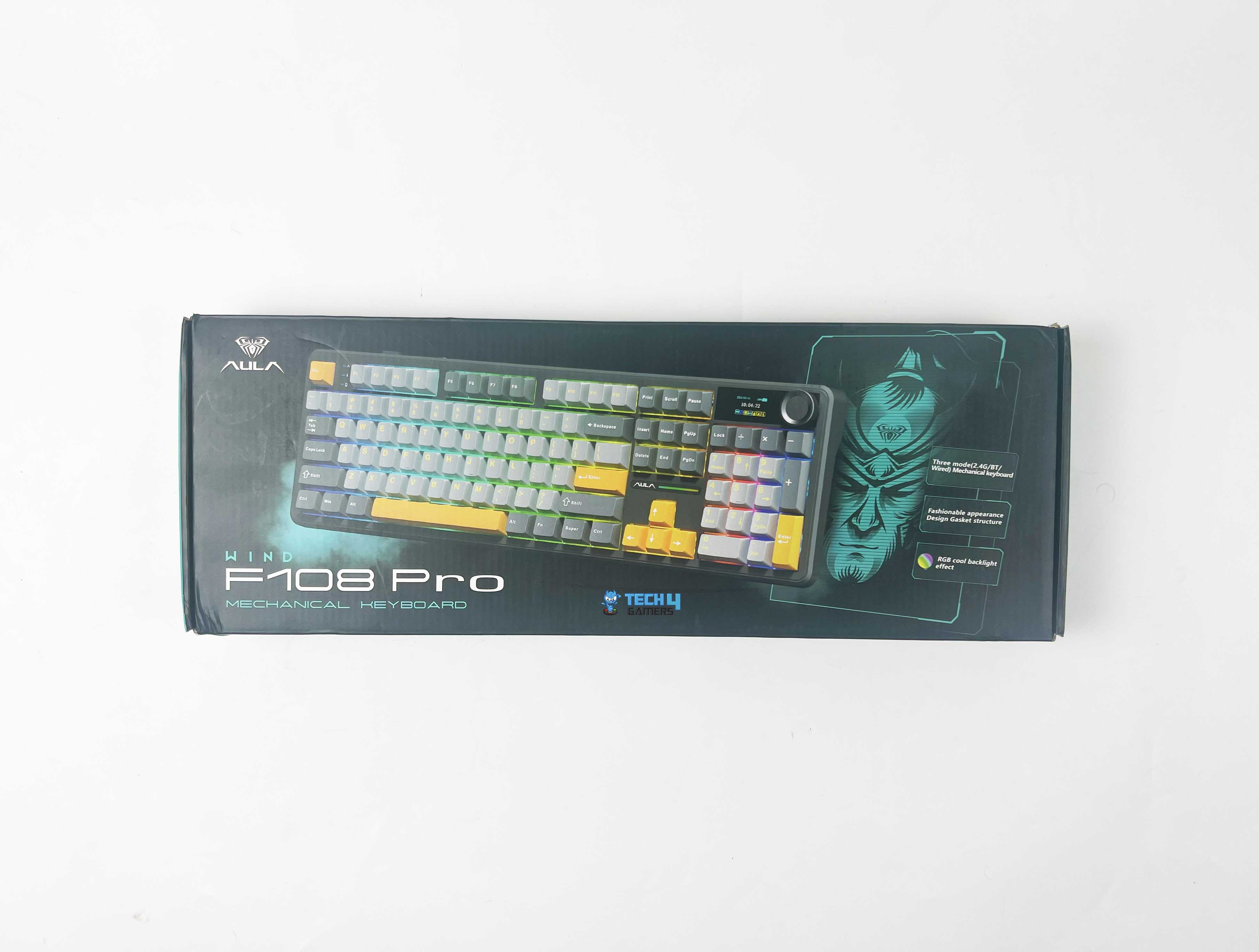
Frontside of the Box
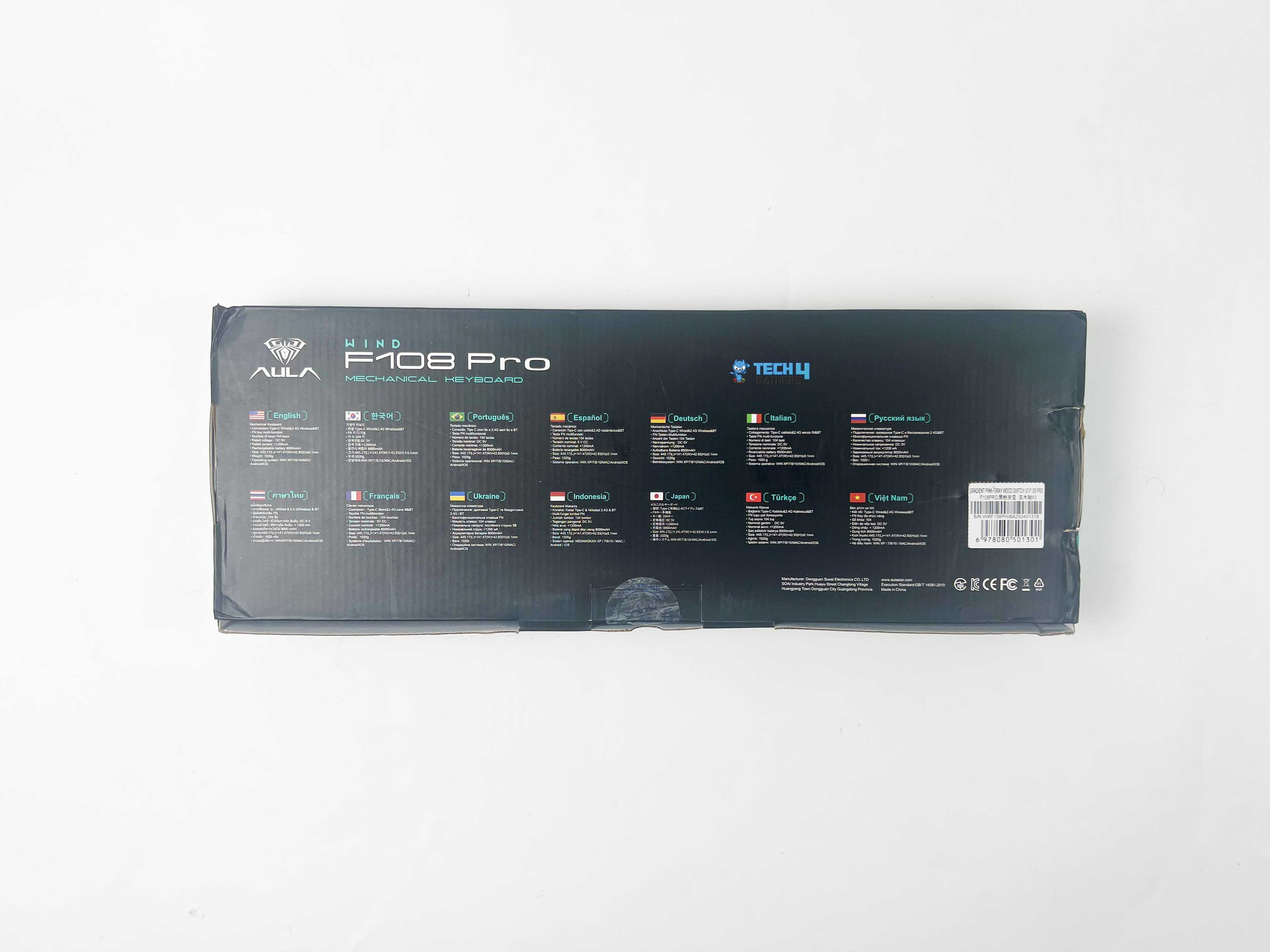
Backside of the Box
Unboxing
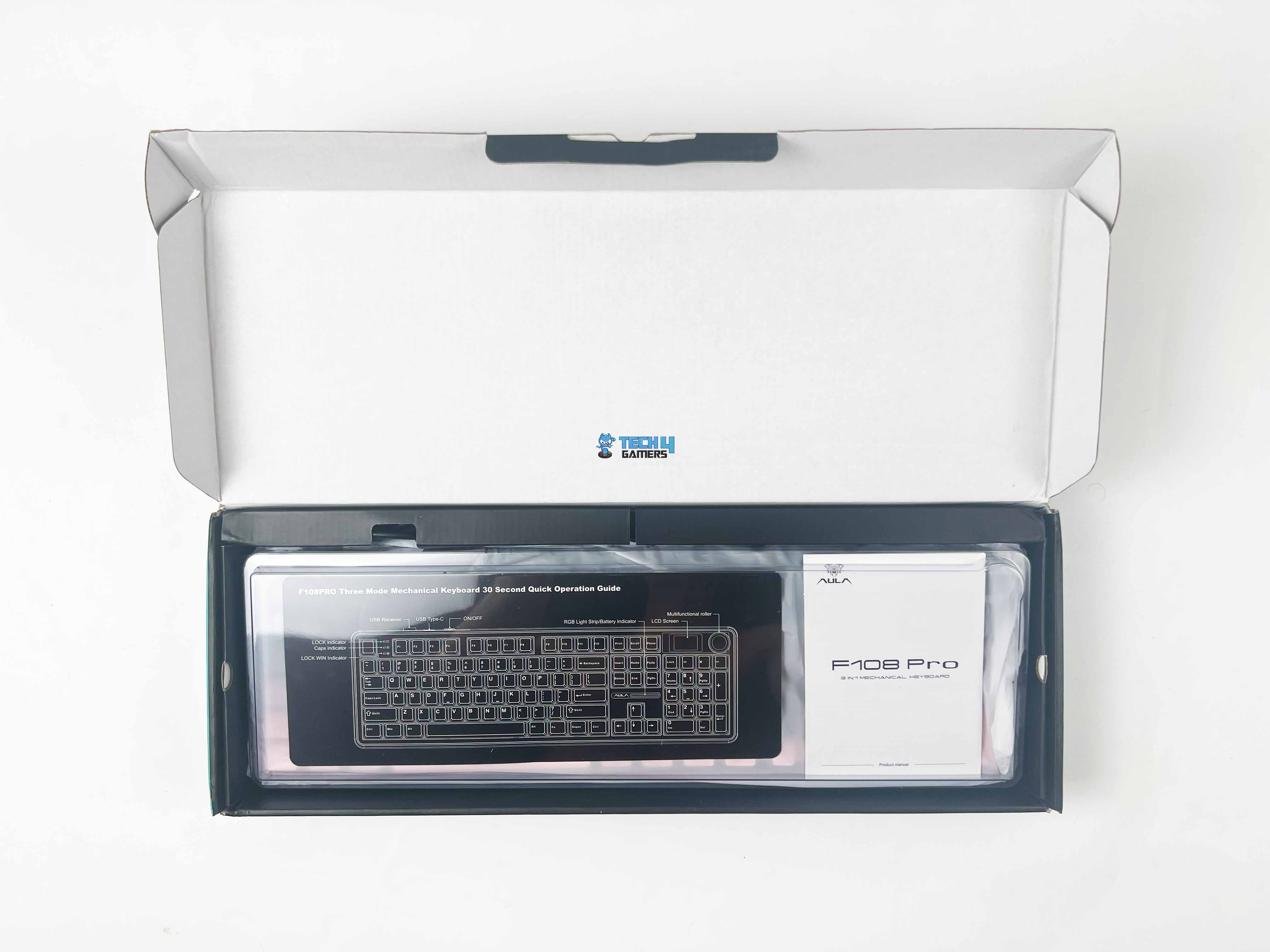
The packaging of the Epomaker x AULA F108 Pro is straightforward and minimal. Inside the box, everything is neatly packed and well thought out. The keyboard is wrapped in a sleeve under the dust protection cover. Right above it, you’ll find the accompanying accessories placed in two different compartments.
Box Contents
Box Contents
Here is the list of everything that you’ll find inside the box:
Epomaker X Aula F108 ProGaming Keyboard
2x Spare Switches
2-in-1 Keycap-and-Switch Puller
Detachable USB-A to USB-C cable
2.4Ghz Wireless Receiver
Multilingual Manual
Design
Design
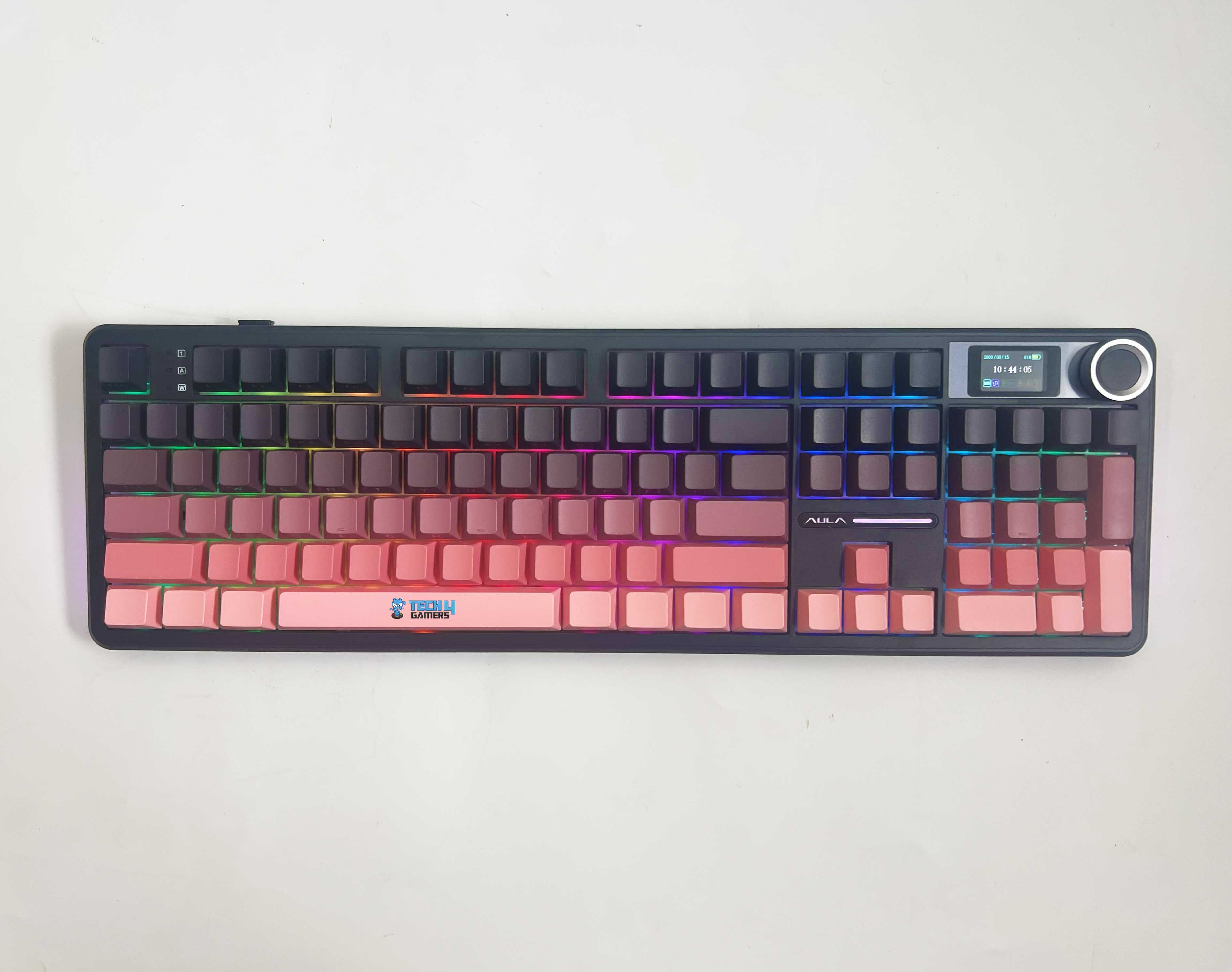
The Epomaker X Aula F108 Pro is not extravagant with an over-the-top design, but it still manages to stand out due to its uniqueness. It comes with a three-tone color scheme that immediately sets it apart from the generic black keyboards flooding the market. I also appreciate that there is only subtle branding on the front, above the directional keys, and it has rounded edges with a clean layout.
I’ve been using the Gradient Black Pink version for a while now. It’s primarily dark, with various shades of pink scattered around. The color scheme is not too bright, nor is it dull. It’s not something I thought I’d like, but the more I used it, the more it grew on me. It feels different from the usual all-black boards I’ve had in the past and doesn’t look out of place at all at my work desk, either.
Layout
Three-tone Color Scheme
The Epomaker X Aula F108 Pro features a full-size layout with a total of 108 keys. It includes a dedicated numpad, full-function row, arrow cluster, and even a knob and LCD screen placed on top right. There is no need to compromise here like you would on a 75% or TKL board. As for media keys, there’s no row of dedicated buttons, but you do get a multifunction knob that handles volume.
Personally, I would have liked dedicated play, pause, and skip buttons. Speaking of the function layer, it’s pretty standard. You can control RGB, screen brightness, media, and other similar things through it. It’s not as extensive as something like VIA or QMK, but it does the job. Additionally, you can mess with a lot of stuff directly from the knob and screen, so that cuts down on needing to memorize weird combos.
Screen
1.14 Inches Screen
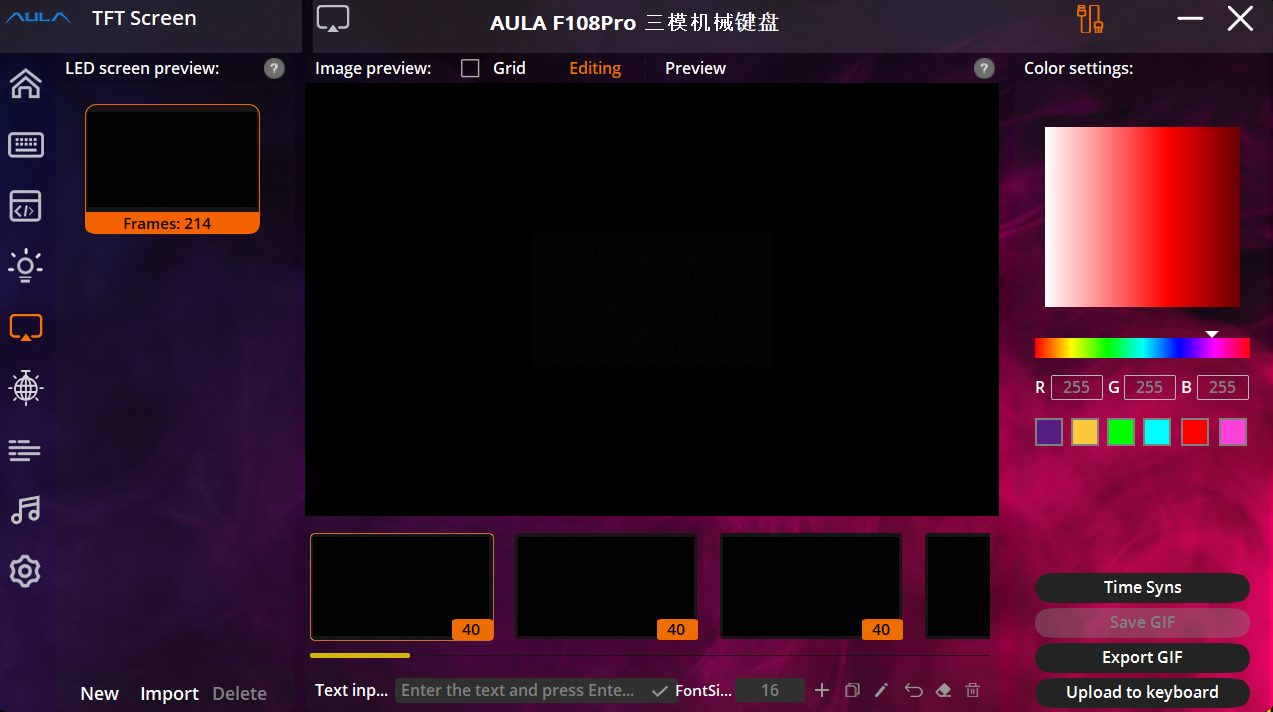
The screen on the Epomaker X Aula F108 Pro measures 1.14 inches in size and is actually useful, not just a pixel art gimmick. By default, it displays basic system information, including time, connection mode, and battery status. However, if you dive deeper into the software, you can achieve a lot more with it. You can adjust the RGB settings, switch between profiles, and even set custom graphics or GIFs.
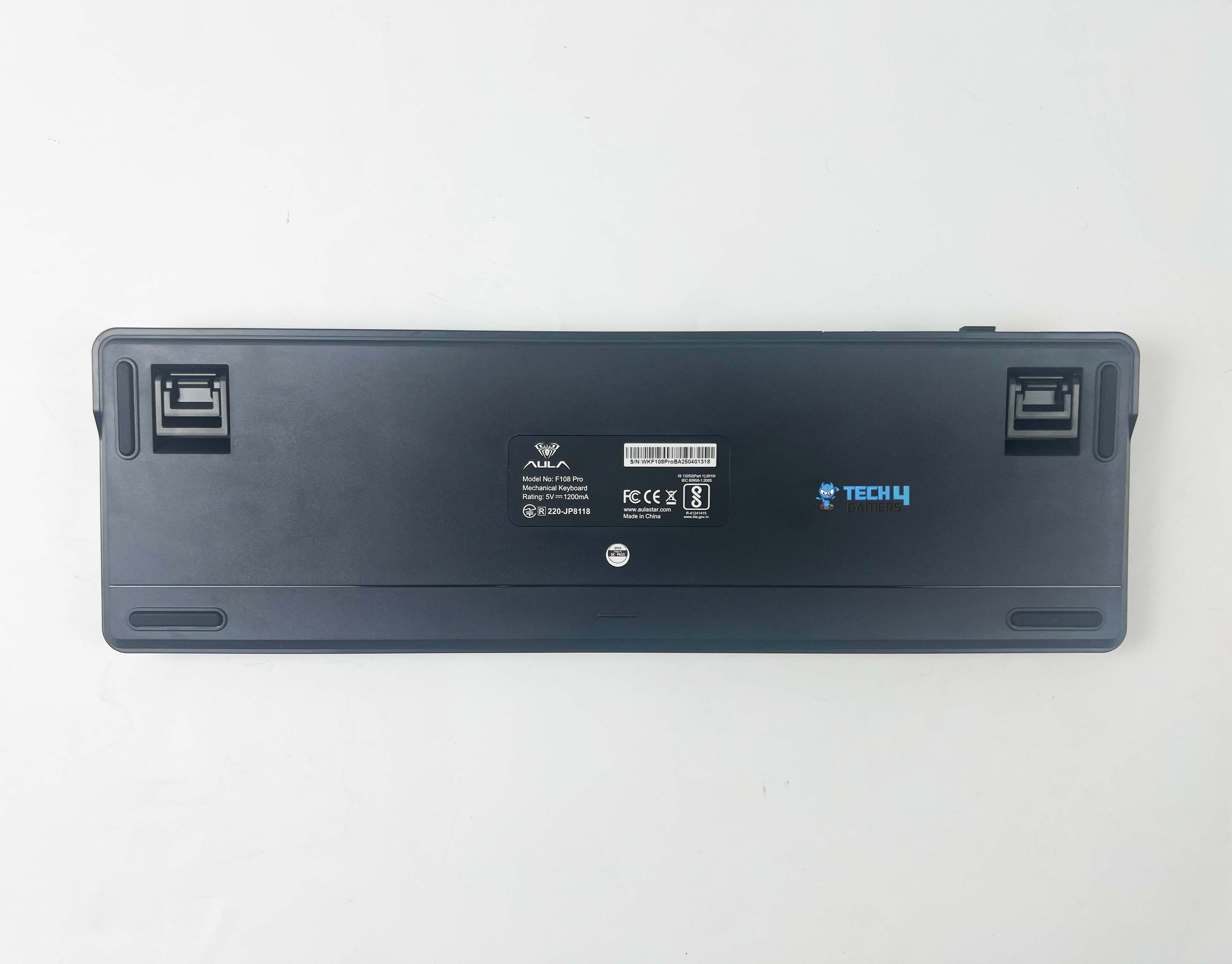
Underside
Underside
1 of 2
Underside
2-stage Kickstand Foot
Flipping the Epomaker X Aula F108 Pro over, you’ll notice four rubber feet in all the right spots, ensuring no wobbling or sliding. You also get a 2-stage kickstand foot that helps keep the keyboard almost flat or propped up at a sharper angle. This has helped me type on it for longer without wrist strain, and this is something I can’t say about most keyboards in this price bracket.
Build Quality
Build Quality
Despite using an ABS plastic case, the Epomaker X Aula F108 Pro has a surprising heft, which helps keep it stable during use. There is nothing here that feels hollow or flimsy. Picking it up and twisting it doesn’t produce any unwanted flex or creaking sound. Epomaker and Aula opted for a gasket-mount structure, a feature typically found in more premium builds.
It gives the board a slightly cushioned, softer bottom-out feel when typing. They have combined that with a Partial Flex-Cut PC plate, and you’ve got a bit of give that smooths out the keystrokes without feeling mushy. Overall, the casing is snug, the screws are securely fastened, and the entire chassis feels as though it has been assembled with care.
Keycaps
PBT Plastic Keycaps
Epomaker and AULA went with PBT plastic keycaps. It’s the preferred choice among enthusiasts because it’s much more durable and resistant to shine than cheaper ABS keycaps. This indicates that the keys won’t develop a worn-down look after a few months of heavy use. These are double-shot keycaps, and the legends aren’t printed on the usual top face of the keycaps.
Instead, they’re printed on the front-facing side, toward the user. In terms of shape and comfort, the keycaps follow the Cherry profile, which sits lower than OEM and has a more sculpted curve. This helps minimize finger fatigue from lengthy typing sessions and feels more ergonomic overall, especially with the board’s low front height and cushioned typing feel.
RGB Lighting
RGB Lighting
1 of 3
RGB Lighting
Keycaps Legends
Underglow RGB Strip
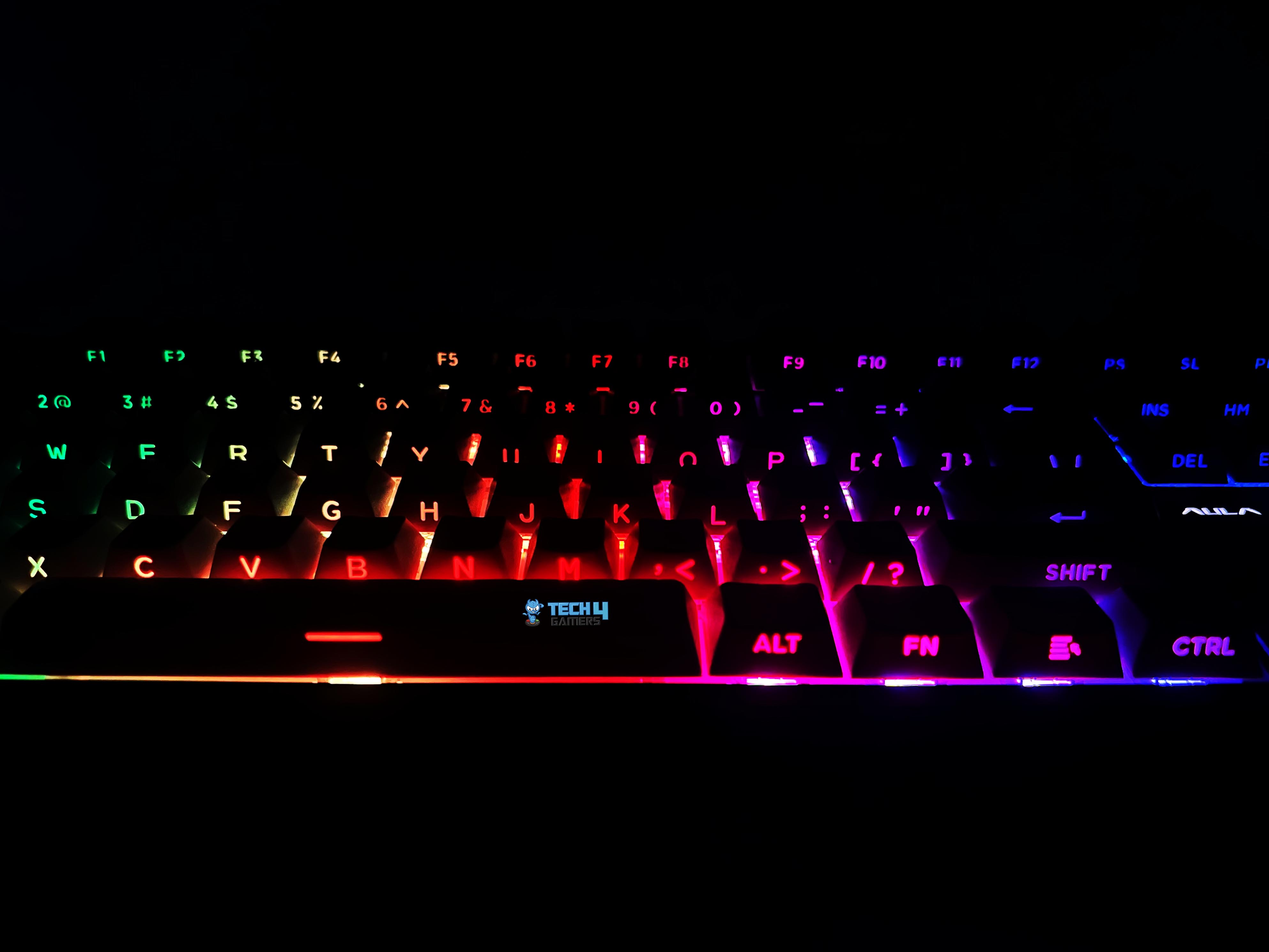
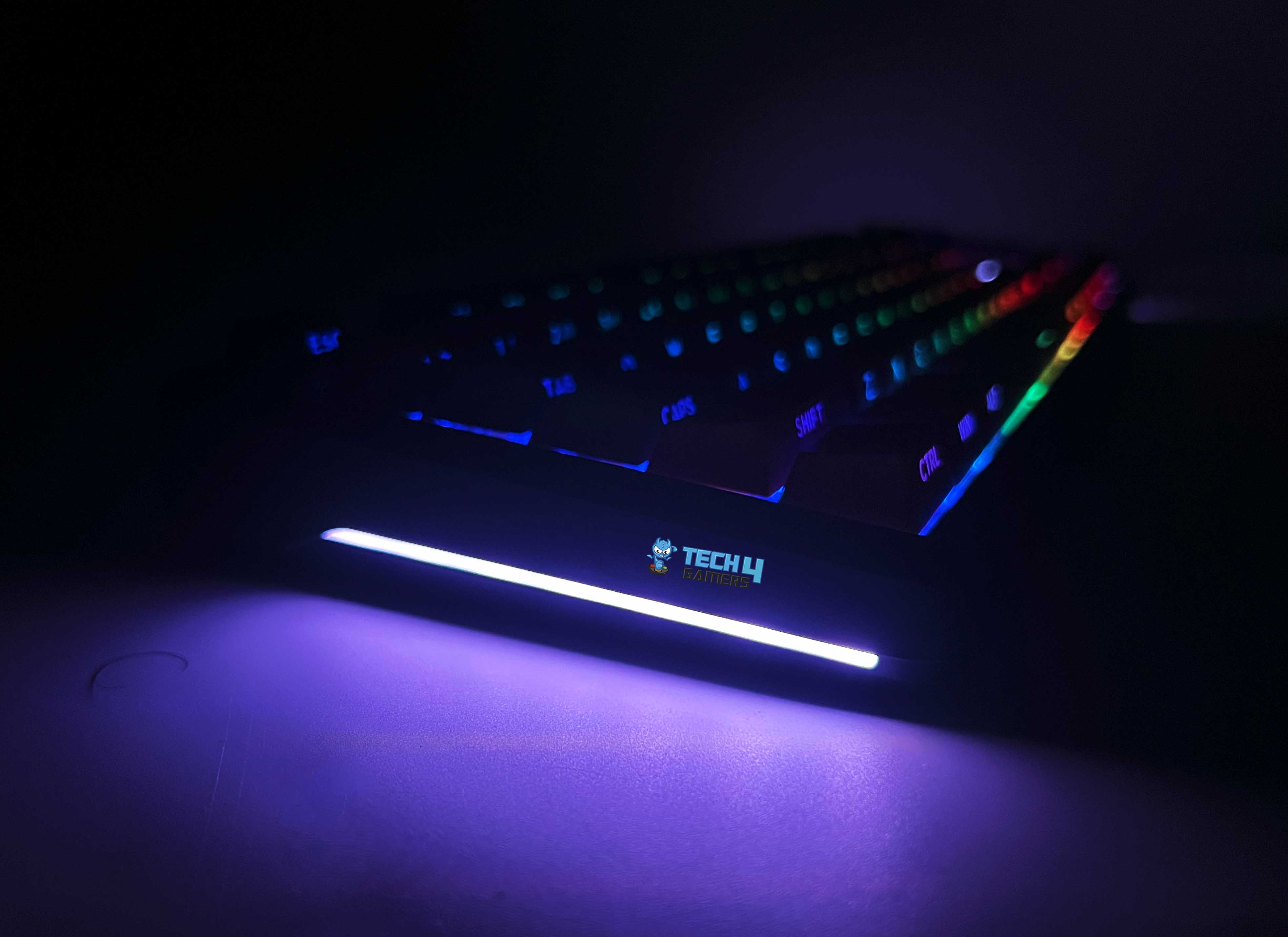
The Epomaker X Aula F108 Pro features vibrant per-key RGB and south-facing LEDs. The lighting feels adequate without being blinding. Even at maximum brightness, it maintains a good balance and is bright enough, but not so intense as to be distracting in a dimly lit room. For a keyboard in this price bracket, the overall consistency and evenness are surprisingly solid, with excellent color accuracy.
The LED placement seems dialed in, with minimal hotspots or dead zones, which helps make even basic effects look clean and uniform across the keyboard. Speaking of effects, you get the usuals such as breathing, wave, ripple, reactive, raindrop, and more. Transitions between them are smooth for the most part, but some of the animations felt a tad abrupt. However, that’s nitpicking for daily use.
Switches
Switches
1 of 2
LEOBOG Greywood V3 Linear Switches
3-pin and 5-pin Compatibility
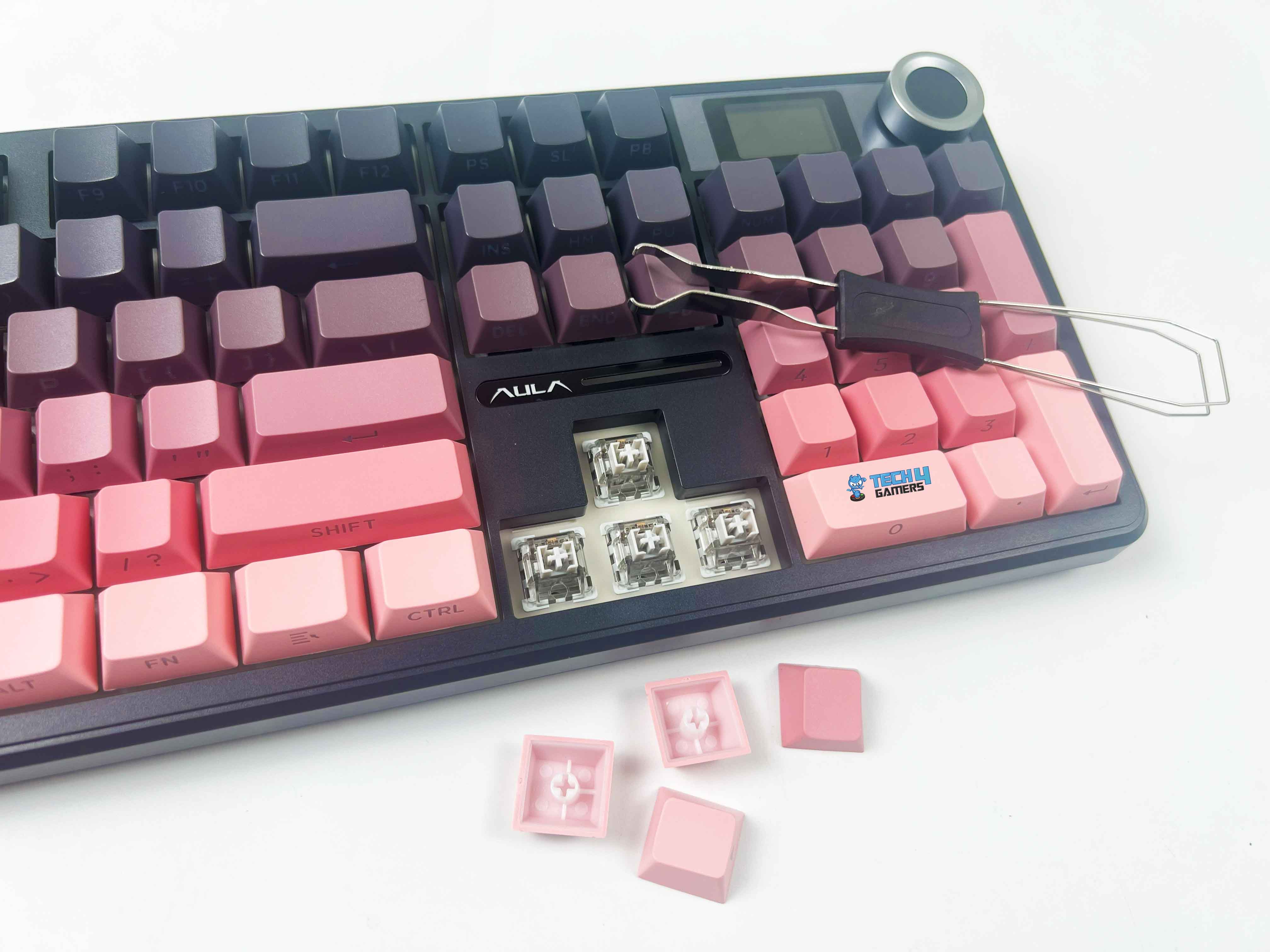
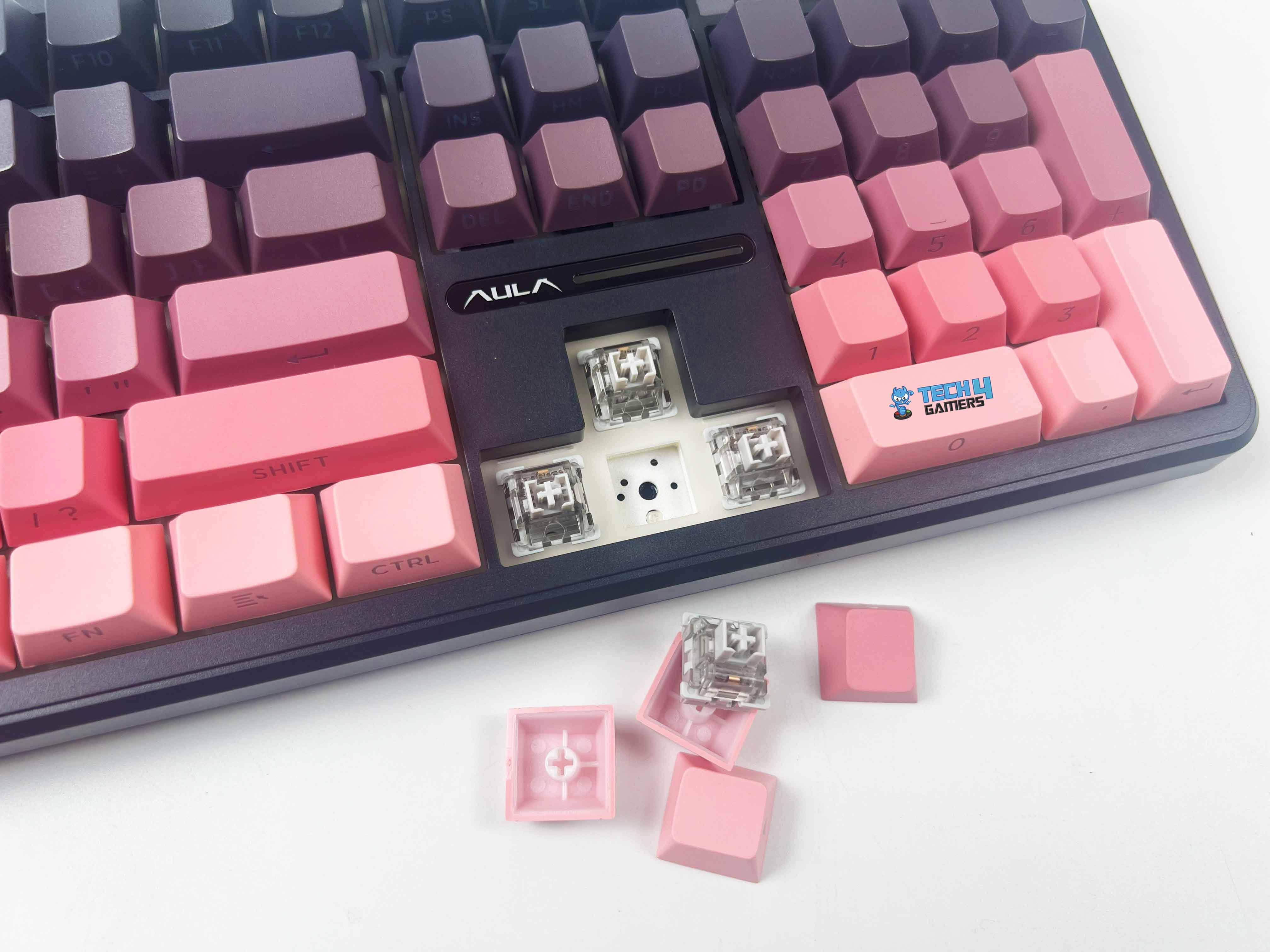
My Epomaker X Aula F108 Pro came equipped with LEOBOG Greywood V3 linear switches. They’re factory pre-lubed and have a smooth glide from top to bottom, with minimal friction and scratchiness. They have a 45g actuation force and bottom out at 55g, which places them in the comfortable middle ground, being light enough for fast typing or gaming, yet not so light that you accidentally activate keys.
As for customization, this board is hot-swappable. The PCB supports both 3-pin and 5-pin switches, allowing you to easily replace switches from Gateron to Akko to Kailh, with no soldering required. The stabilizers aren’t neglected either. These are plate-mounted and come pre-lubricated. Unlike most budget offerings, they sound decent.
There’s minimal rattle on larger keys, such as the Spacebar and Enter. While the Epomaker x AULA F108 Pro uses traditional mechanical switches, magnetic switch keyboards are getting quite popular nowadays. If you’re curious about the difference, then here’s our list of the best magnetic gaming keyboards.
Connectivity
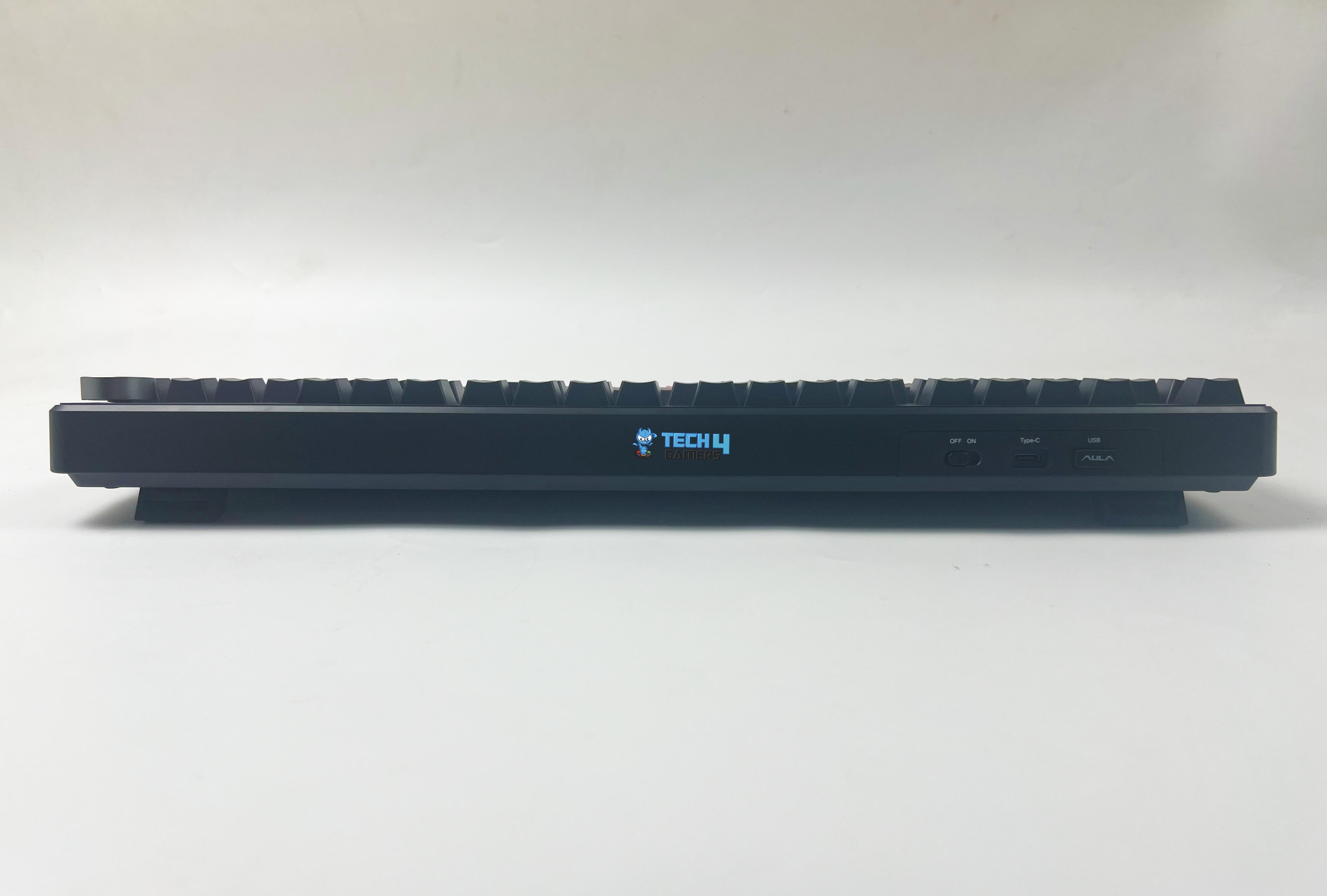
Connectivity Options
The Epomaker X Aula F108 Pro features tri-mode Connectivity. Starting with wired mode, it’s your standard USB-C connection. With it, you’ll achieve the lowest possible latency while supporting a 1,000Hz polling rate, making it suitable for competitive gaming. Using it in this mode, there was no input lag and no ghosting.
Similarly, the 2.4GHz wireless mode provides a near-wired performance with an equally high polling rate. It is free from random disconnects, lag spikes, or signal strength drops, even when used a few feet away from the dongle. Lastly, there’s Bluetooth 5.0, which supports multi-device pairing.
You can pair up to three devices simultaneously and switch between them using simple key combinations. The only downside of Bluetooth mode is that it reduces the polling rate to 125Hz, resulting in a noticeable but minor delay. If wireless connection is your priority, you might want to take a look at our list of the best wireless gaming keyboards, where we break down top-tier wireless options.
Battery Life
The Epomaker X Aula F108 Pro features a massive 8,000mAh battery, which is twice the capacity of most keyboards in this price bracket. Epomaker claims you can get up to 76 hours of continuous use with RGB at full brightness and the screen turned on. While that number might sound ambitious, my actual usage is surprisingly close to it.
I got roughly around 60 to 70 hours of heavy use with all of the things mentioned above. By turning them down, it further extends the battery life. This thing could easily go a whole week or more without needing a recharge. Moreover, if you turn off the screen and RGB, it can go toward 10+ days of moderate use. However, the charging time from dead to full isn’t fast, with around 3 to 4 hours.
Typing Experience
Typing Experience
The keys have a smooth, creamy travel that makes lengthy sessions comfortable. Whether I was writing reviews, sending emails, or casually gaming for hours, it never felt fatiguing. That’s partly thanks to the Cherry profile PBT keycaps and partly due to the gasket-mounted structure with multiple internal dampening layers.
Typing on this board gives you a subtle, low-pitched thock with just enough resistance to make each press satisfying. It’s not overly loud or plasticky, but it still provides tactile auditory feedback. I like how it sounds and feels, largely thanks to the five-layer internal dampening system, which includes a PO Sandwich Foam, PO Switch Pad, PET Sound-Enhancement Pad, PO Bottom Foam, and Bottom Silicone.
Software
Software
1 of 5
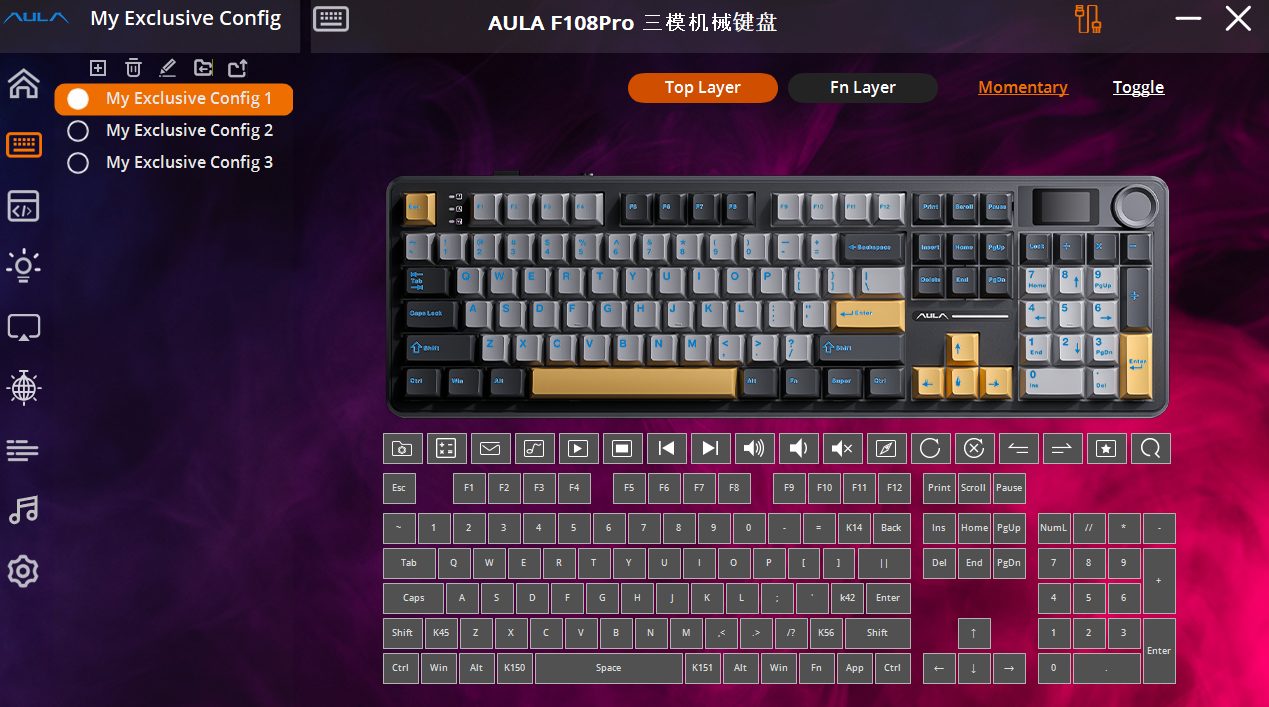
Configuration Settings
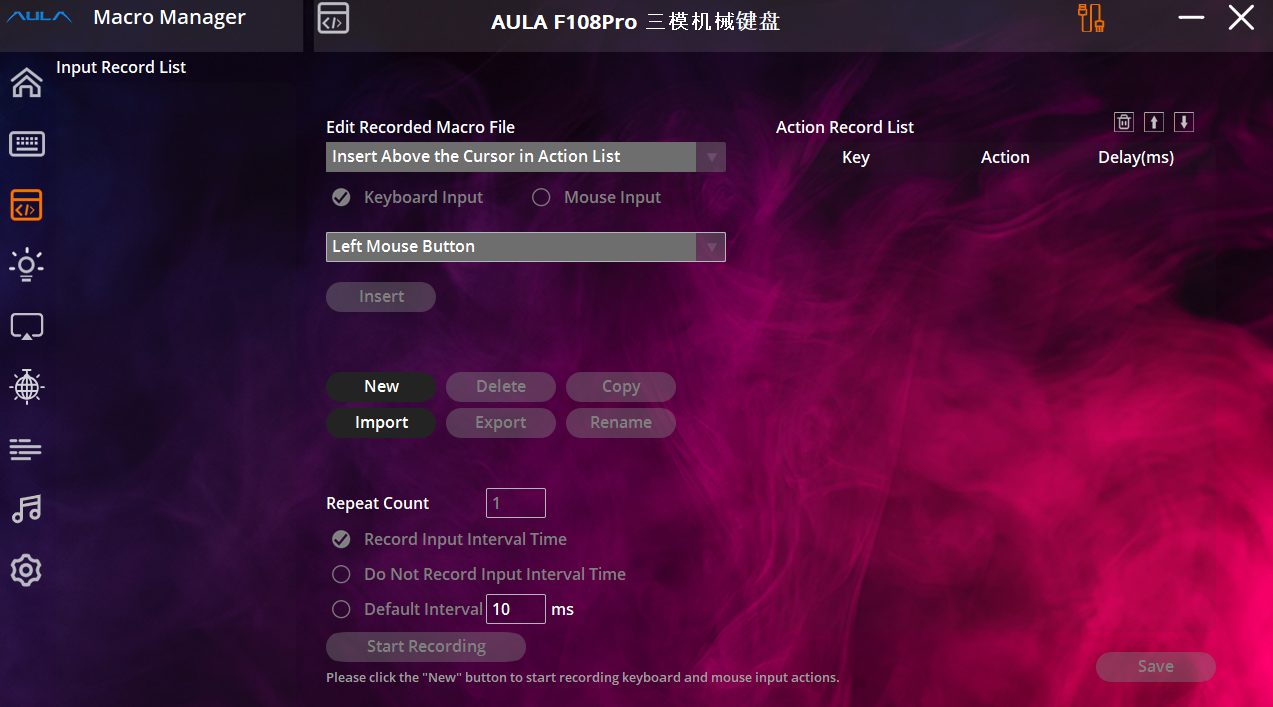
Macro Manager
LED Screen Preview
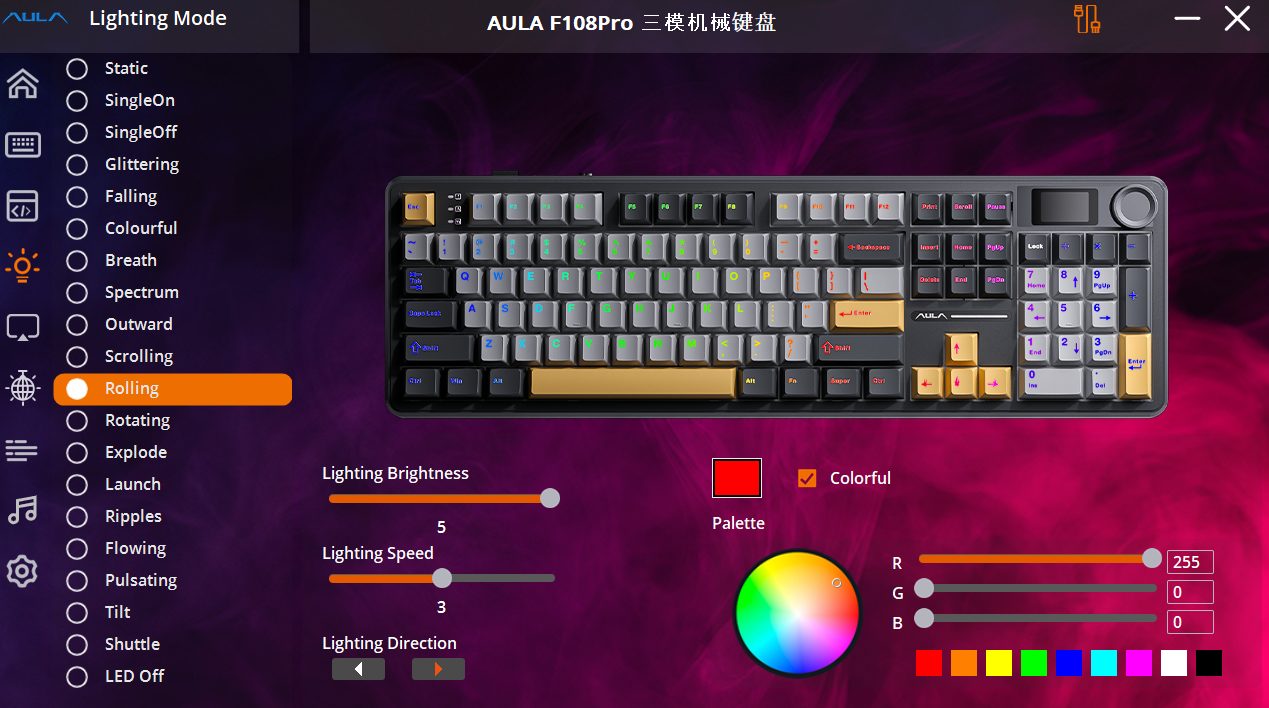
Lighting Mode
System Settings
The Epomaker x AULA F108 Pro Driver can help you create macros, per-key remapping, lighting effects, screen controls, and more. Once installed, the interface is functional but not polished to perfection. It leans slightly more towards the basic or utilitarian side. It gets the job done, but don’t expect the same level of refinement as Razer Synapse or Logitech G Hub.
Navigating the menus can feel clunky, and occasionally, there’s a bit of lag when applying settings. Thankfully, most of the essential controls can be adjusted directly using the keyboard’s function layer shortcuts and knob. That said, if you’re someone who enjoys customizing their keyboard, and macros, or would like to get the most out of that LCD screen, the software is worth a look.
Should You Buy It?
Buy It If
✅ You want a premium typing feel on a budget: The F108 Pro delivers a surprisingly high-end typing experience thanks to its gasket-mounted design, five-layer sound dampening, and smooth pre-lubed switches.
✅ You appreciate practical extras like a screen and Kknob: The inclusion of a customizable 1.14″ LCD screen and multifunction knob is quite helpful. You can control RGB, adjust volume, view system info, and even add custom graphics.
✅ You need full-size functionality with wireless freedom: If you’re someone who prefers a full layout with a dedicated numpad but still wants wireless flexibility, this board delivers it.
Don’t Buy It If
❌ You rely heavily on dedicated media controls: While the knob handles volume, there is no separate play/pause or skip buttons. You’ll need to use the function layer or program them through software.
❌ You prefer outstanding software support: The companion software can feel somewhat clunky and underdeveloped. While you can do most things on the board, getting the most out of the screen and macros will take some learning curve.
❌ You prefer lighter or more portable layouts: This is a full-size board with a solid weight and no compact design elements. If you’re someone who needs portability or favors smaller desk setups, this might be overkill.
My Thoughts
Going into it, I thought the Epomaker x AULA F108 Pro would be just another decent, feature-packed full-size board competing in an already saturated market. But the more time I spent with it, the more it started to feel like an outstanding option. The typing feel on it is buttery, with a cushioned thock that hits the sweet spot for me, and it has zero to little rattle.
I’ve reviewed a lot of boards, and this one feels like something I’d want to type on for hours. I usually swap out keyboards every few weeks, but this one has been kept at my desk for a long time. So, would I recommend it? Yes, especially if you’re someone who appreciates a premium-feeling keyboard but doesn’t want to spend a fortune.
At T4G, my task is to cover the latest news around the gaming globe ASAP and with the utmost precision. I adore all the games and respect all the devs behind the amazing games that we get all year. So, whether it’s a PC or a Console game, I got it all covered.
Story Highlight
Remedy Entertainment says its live service game, FBC: Firebreak, hasn’t met expectations.
Most of the game’s player base is from Game Pass and PS Plus, so sales are suffering.
Despite the poor reception, the studio plans to support it for a long time.
Live service games are a significant gamble for the industry these days, as they often fail to meet expectations. This is especially true for studios that primarily focus on single-player titles, but have given the genre a go, like Remedy Entertainment.
Talking about its latest release, Remedy has admitted that its latest live service title, FBC: Firebreak, didn’t meet sales expectations, and it anticipated way more from it. However, they will continue to support it.
Why it matters: FBC: Firebreak looked like a recipe for success, removing traditional live service elements like battle pass and microtransactions, and taking inspiration from hits like Helldivers 2, but it never really took off.
.FBC: Firebreak has failed to meet Remedy’s launch expectations
Speaking to GameSpot, Remedy’s communications director Thomas Puha talked about the underwhelming launch. He said that the company expected a lot, but FBC: Firebreak couldn’t meet its sales expectations.
Remedy recently revealed that the game had already hit 1 million players, marking a major milestone. However, because the game is available on both Game Pass and PS Plus, the majority of players used them instead of buying it.
FBC Firebreak only averages under 200 players on a daily basis
This clearly shows, as on Steam, it reached a peak player count of just under 2000, and is averaging less than 200 players daily. Nonetheless, on the surface, there isn’t much wrong with the game, but it is very bland.
Puha admits that people who haven’t played Control have difficulty understanding the game, and that’s a major letdown for many. Remedy is working on changing that and plans to support the game for a long time.
What are your thoughts on FBC: Firebreak not meeting sales expectations? Let us know your opinions in the comments or join the discussion at the official Tech4Gamers Forum.
At Tech4Gamers, I mainly cover new gaming news, leaks, and rumours. Aside from that, I love to write features about my favourite games while inserting my opinion about their different aspects.
Story Highlight
In a major poll, fans were asked which game mode they prefer, and nearly 1 million players voted for the single-player game mode.
Around 250k players voted for the multiplayer game mode, which shows the fandom prefers single-player titles.
This is because the community in almost every single multiplayer game is very toxic, and players want to avoid that.
There has long been a debate about whether single-player games are more popular than multiplayer games and what fans prefer. While there is a massive fandom that plays multiplayer games on a daily basis, it appears that there are more players for single-player games.
That is because not everyone has time to grind for multiplayer games. Another reason is that there are many try-hards in such games who just ruin the experience for other players. So, ultimately, single-player games have been preferred over multiplayer ones.
To prove this point, in a massive poll, over 70% players have chosen single-player mode as their preferred one.
Why it matters: Single-player games are available in a massive quantity, and most players choose this genre to escape reality after having a long day.
Single-Player Games Are Still Reigning Over Multiplayer Titles
FaulesGaming on YouTube recently posted a poll asking fans which game mode they play the most. Unsurprisingly, the majority of the votes are allocated to single-player games. Only 20% are allocated in the multiplayer mode, 5% is Co-op, and only 2% in battle royale.
It is worth noting that the poll has garnered over 1.3 million votes. So, using this as the basis to universally consider what fans prefer is reasonable.
Single Player games are the best. Especially bc you don’t have to deal with toxic players.
The older I get the more I start to appreciate Single Player games.
Single player feels more like playing in your own story with your own character, so that’s why I choose single player often.
-Fans
Single-player Games Are More Preferred By The Fandom
Fans have clearly demonstrated their appreciation for single-player games, as they want to enjoy the game without having to deal with toxic online players. It is true that the multiplayer games’ lobby is filled with toxic players, which can be mentally exhausting for some people, especially those who are more focused on practical life.
That being said, both genres are pretty enjoyable, and gamers should play whatever they feel like playing.
What do you think about gamers preferring single-player games over multiplayer ones? Which one do you prefer and enjoy the most? Share your thoughts with us in the comments section below, or join the official Tech4Gamers forums for discussion.
At Tech4Gamers, I contribute as a Senior News Reporter, combining my skills and gaming enthusiasm to keep our audience updated on the latest developments.
Story Highlight
Halo Studios has confirmed big plans for October.
The team will address rumors regarding the future projects at this year’s Halo World Championship.
A new remake is expected to be announced, with Phil Spencer teasing the series’ return for 2026.
The Halo IP is in a very interesting position at the moment. Following the downfall of Halo Infinite, the team behind the series underwent a rebranding and shifted development to Unreal Engine 5.
Rumors suggest that multiple projects related to the series are currently in the works, and the team is now teasing exciting news related to these projects.
Why it matters: Halo’s future remains a mystery for now, and fans have been curious to see where the team will take this series.
Halo’s Recent Games Have Failed To Hit The Mark
In an official blog, Halo Studios discussed the upcoming Halo World Championship event.
This event is set to go live in October, with last year’s event announcing the shift to Unreal Engine 5. As per the blog, Halo Studios will return with equally exciting and important news this year.
In particular, the studio has acknowledged rumors regarding the multiple projects currently in development. It states that this year’s championship will continue the conversation regarding these projects right where things were left off last year.
If you want an official scoop on what Halo Studios has been working on, you don’t want to miss this year’s championship.
Because Phil Spencer also confirmed the series’ return for next year, perhaps the much-anticipated Halo Remake will make an appearance in October.
Microsoft owns some of the most influential and profitable gaming franchises in the world.
The studio’s acknowledgement of the recent rumors also suggests that it will have more than a single announcement to share. Needless to say, longtime fans will want to keep an eye out for the event in a few months.
What do you think about this teaser? Are you looking forward to what comes next for this legendary Xbox IP? Let us know in the comments, or visit the Tech4Gamers Forums for more details.
At Tech4Gamers, I contribute as a Senior News Reporter, combining my skills and gaming enthusiasm to keep our audience updated on the latest developments.
Story Highlight
Both Minecraft and Roblox are popular sandbox games today.
Minecraft is more focused on creativity within a confined space, while Roblox offers a large variety of gameplay.
Either game can be a good starting point, so there is no harm in experimenting with both.
Roblox and Minecraft rule the sandbox universe, and for a good reason. Both are about creative freedom, social interaction, and hours of gameplay, but they present that experience in very different terms.
Some describe Minecraft as a peaceful and creative escape, while others claim that Roblox is all about multiplayer, particularly with friends. However, if you’d prefer to cut to the chase, you can obtain Roblox items and accounts from our partners at U7BUY. It allows you to skip slow progress and get to the goodies, rare pets, cosmetics, and more right away.
Why it matters: Both Minecraft and Roblox attract a wide audience of gamers and have been relevant for a long time.
Minecraft Is One of Gaming’s Biggest Releases To Date
The Core Difference
Roblox serves as a massive platform of games, offering thousands of small games built by fans of the medium. This means that Roblox effectively has something for everyone, including dragons, roleplay, and more.
Minecraft, on the other hand, is an independent world. You mine blocks, build whatever you want, fight off monsters, and survive. Therefore, it offers a lot of room for creativity, much like playing with digital Lego bricks.
Gameplay: Variety or Structure
Roblox drops you into a giant arcade of games. Every game is different, and some can pull you in for hours. It’s great if you like trying new things and hopping between styles.
Minecraft offers two flavors of gameplay. Creative offers a peaceful experience with unlimited resources, whereas Survival involves fighting and exploration while gathering resources. You stay in one world, and everything builds up from there.
Developer vs. Builder
In Roblox, you can create full games using Roblox Studio. It involves real scripting, so you can even try your hand at coding.
Minecraft is much simpler by comparison, so it only requires a bit of creativity. Ultimately, the choice lies between the different tools, as they both allow players to utilize their creativity.
Which One Is Easier For Beginners?
Roblox is easy to install and get started with. However, since every game plays differently, expect some trial and error.
Minecraft’s simplicity also remains consistent in this regard. The controls are the same no matter what world you’re in, and Creative Mode is beginner-friendly. Those who want a more streamlined experience should definitely consider Minecraft first.
Multiplayer And Community
Roblox Has A Very Active Multiplayer Community
Roblox is inherently social. Chatting and inviting friends are essential parts of the experience, but Minecraft is not far behind.
Although the game is certainly playable solo, using private servers and third-party setups can make for exciting multiplayer moments in Minecraft as well. Still, for a purely online-centric experience, Roblox is the more interesting option.
Learning Potential
Roblox teaches game logic, scripting, and even digital business skills. Players can earn Robux, create monetized games, and learn through trial.
Minecraft can also teach valuable skills, boosting creativity, problem-solving skills, and teamwork. Both games offer value beyond entertainment and can encourage gamers to apply these skills later in their lives.
Modding Scene
Roblox has in-game tools but limited modding outside its ecosystem. Minecraft, especially the Java Edition, is open to numerous community-made mods, ranging from flying dragons to building space stations.
If you want to tinker and completely transform your experience, Minecraft takes the lead.
Performance And Device System
Roblox functions flawlessly on PC, Xbox, PS5, iPads, and phones. But some user-made games can lag or break.
Similarly, Minecraft is available on almost everything. Java Edition is heavier, but Bedrock runs well even on budget devices. Both are accessible, but Minecraft is more stable overall.
In conclusion, either game would serve you well as an entry into the medium. Roblox offers more variety, but Minecraft offers unlimited potential for those looking to exercise their creativity.
No one choice is the obvious pick here, so it may be worth trying both to see which one suits your personal tastes the most.
Currently serving as a News Reporter at Tech4Gamers, I have the privilege of combining my love for gaming with the art of storytelling. My role involves crafting engaging narratives that keep our audience abreast of the latest developments in the gaming world.
Story Highlight
Insider expects fans to gear up for a ‘massive’ Ubisoft Forward event in 2026.
Meanwhile, Sands of Time Remake, Avatar’s Director’s Cut, and other DLCs are planned for release within the next 12 months.
Ubisoft is working on several big titles that will potentially help it recover its image.
Assassin’s Creed: Shadows was just the beginning of a long journey for Ubisoft, as the French Publisher is desperate to bounce back from recent failures and losses. They’re currently focusing on their core franchises only, which will potentially be the first profitable projects in years for them.
Ubisoft skipped a showcase this year despite internal reports suggesting multiple projects were being worked on. Another report also states that they delayed most of them to prioritise quality. Now, an insider states that Ubisoft Forward will be returning in 2026 and is expected to be ‘massive.’
Why it matters: For the longest time, Ubisoft has finally been on the right track. A big showcase is what the company needs and will help it recover its damaged reputation.
This news was part of the same report from Insider Gaming confirming a new Ghost Recon game. Additionally, the insider also stated that Ubisoft intends to keep the title under wraps for at least 12 months.
The report suggests that the Prince of Persia: Sands of Time Remake, Avatar’s Director’s Cut, and some DLCs are scheduled to release within the next 12 months.
Beyond that, titles expected to be announced at the Ubisoft Forward Event include the Splinter Cell Remake, Assassin’s Creed 4 Remake, the aforementioned Ghost Recon, two new Far Cry games, a brand-new Assassin’s Creed title, a new The Crew game, and possibly other projects that may be under wraps.
Ubisoft Has Suffered A Loss Of €100 million In Operating Income For FY 2024-25
Tencent and Ubisoft have also recently formed a new subsidiary with Tencent involving core franchises such as Assassin’s Creed, Far Cry, and Rainbow Six Siege. This new subsidiary looks promising and could potentially be the first step for Ubisoft in regaining its once-renowned status as a publisher.
I’ve previously worked for eXputer as a Senior News Writer for several years. Now with Tech4Gamers, I love to devoutly keep up with the latest gaming and entertainment industries. I have a Bachelor’s Degree in Computer Science and years of experience reporting on games and breaking exclusive stories. Besides my passion for gaming journalism, I love spending my leisure time farming away in Stardew Valley. VGC, IGN, GameSpot, Game Rant, TheGamer, GamingBolt, The Verge, NME, Metro, Dot Esports, GameByte, Kotaku Australia, PC Gamer, and more have cited my articles.
Story Highlight
Sony has published a new patent that will let gamers add and use virtual buttons with game controllers.
These virtual buttons will function using finger gestures, with multiple sensors detecting the gestures made by players during gameplay.
The patent also aims to introduce the feature for accessibility reasons to let an even broader audience enjoy PlayStation games.
Some gaming conglomerates have been engaged in an arms race to upgrade the console controller experience by securing patents. However, a new one, published by Sony, could change console gaming as we know it.
We’ve found a new Sony patent that wants to introduce the ability for gamers to create virtual buttons on existing controllers. These buttons will respond to finger gestures and do not require any physical changes to the layout.
Sony proposes using multiple sensors to detect finger gestures on controllers, allowing users to assign specific gestures to in-game tasks for enhanced immersion and accessibility.
The virtual-button can be identified on any surface of the controller where no real-buttons are disposed and the finger gesture on the virtual-button can be defined to be a single tap or a double tap or a press or a swipe in a particular direction, etc.
Why it matters: Sony is planning to make games even more convenient for PlayStation users by allowing them to create custom controls. This will let everyone finally surpass the limits currently set by the few physical buttons that exist on controllers.
The image illustrates a method for constructing an ensemble model to recognise gestures performed on a controller.
The patent discusses using data collected from sensors to detect gestures and perform the assigned input as if a virtual button were pressed.
For example, a PlayStation user may pinch on the controller surface to perform a specific assigned combo or tap the back casing to alternate between fire modes in an FPS entry.
inputs for a video game provided by a user using a hand-held controller have to be properly identified and correctly interpreted in order to accurately affect a game state of the video game. Relying just on a single mode of data (e.g., image tracking a finger gesture) can lead to erroneous outcome in the video game.
The image shows a simplified flowchart for verifying an input provided to a controller.
Similarly, the user can also assign inputs to control other applicationsvia the virtual buttons while engaging in gameplay, such as maintaining a music application simultaneously.
Users with disabilities could also use gestures to perform Morse code and have it translated to text or speech in a multiplayer game to communicate. Sony may even let disabled gamers play much of the game using virtual buttons alone.
Do you think having virtual buttons in controllers will make them feel more immersive? Let us know your thoughts in the comments below, or join the discussion on the Tech4Gamers forum.
I’ve previously worked for eXputer as a Senior News Writer for several years. Now with Tech4Gamers, I love to devoutly keep up with the latest gaming and entertainment industries. I have a Bachelor’s Degree in Computer Science and years of experience reporting on games and breaking exclusive stories. Besides my passion for gaming journalism, I love spending my leisure time farming away in Stardew Valley. VGC, IGN, GameSpot, Game Rant, TheGamer, GamingBolt, The Verge, NME, Metro, Dot Esports, GameByte, Kotaku Australia, PC Gamer, and more have cited my articles.
Story Highlight
A reliable insider teases that Ubisoft’s next mainline Tom Clancy’s Ghost Recon game will launch in fall 2026.
Codenamed Project Ovr, it is expected to enter internal alpha testing in the fall of this year, lasting approximately 12 months.
The new Ghost Recon title will be more grounded, resembling a tactical shooter like Ready or Not.
Every AAA offering that Ubisoft pushes out needs to be top-notch for the studio to get back on its feet. Therefore, every title currently in development by the company is under intense scrutiny from the fans and the shareholders, and the new Ghost Recon title is no different.
Now, a credible industry insider teases that the unannounced Ghost Recon title, codenamed Project Ovr, is aiming to launch sometime in Fall 2026. It is set to enter the internal alpha testing phase in the fall of this year, which is expected to last about 12 months.
Why it matters: A lot of expectations are riding on Ubisoft’s new Ghost Recon project, given the studio’s fumble with the last game.
Ghost Recon Project Ovr is still shrouded in mystery despite the new rumors.
Insider Gaming’s Tom Henderson says the new Ghost Recon game entering alpha later this year was confirmed by Ubisoft as part of internal announcements after the last major delays. The leak suggests that it could launch as early as Fall 2026, if there are no setbacks.
Ubisoft is reportedly not planning to announce it for the next 12 months. Instead, it wants to reveal the project with a bang by returning next year with a massive Ubisoft Forward event.
The leaked gameplay also reportedly suggests that Ubisoft has taken a more grounded approach with the Ghost Recon game. It is more of a mil-sim like the Modern Warfare series or the tactical shooter, Ready or Not.
The last Ghost Recon entry failed to satisfy the franchise’s core audience.
Ubisoft is currently expected to launch the Prince of Persia: Sands of Time remake and a director’s cut of Avatar: Frontiers of Pandora in the next 12 months. The studio is also working on a highly teased Assassin’s Creed 4 remake and the Splinter Cell remake.
Do you think the next Tom Clancy’s Ghost Recon game will manage to win the fans of the franchise over with a more grounded approach? Let us know your thoughts in the comments below, or join the discussion on the Tech4Gamers forum.
At T4G, my task is to cover the latest news around the gaming globe ASAP and with the utmost precision. I adore all the games and respect all the devs behind the amazing games that we get all year. So, whether it’s a PC or a Console game, I got it all covered.
Story Highlight
Call of Duty director says Black Ops 2 fans will love Black Ops 7.
Black Ops 2 competitive featured some of the best modes, maps, and weapons.
The upcoming title has already been announced as a sequel to the 2012 release.
For the last few years, fans have claimed that Call of Duty games have been stuck in a loop. While they’re still very successful, every new release is more or less pretty similar to the previous ones.
However, the Call of Duty director says that the fans who used to like Black Ops 2 will enjoy the upcoming Black Ops 7, indicating that the new title will take heavy inspiration from Activision’s 2012 release.
Why it matters: The franchise’s reputation has been gradually fading because it isn’t doing anything new, and it seems the teams working on it have lost the creativity required for a massive franchise.
Call of Duty Director says Black Ops 2 fans will love Black Ops 7
According to Treyarch’s Associate Design Director (via CharlieIntel), if you were a fan of Black Ops 2 back in the day, especially the competitive mode, you’re going to have a good time with Black Ops 7.
Now, Black Ops 2 is considered one of the decent entries in the franchise, although it does still have a low user score on Metacritic. One thing that everyone appreciated was its competitive play, because it featured arguably some of the best maps and modes.
If you’re a fan of Black Ops 2 back in the day, especially if you’re a fan of Black Ops 2 competitive, you’re gonna have a good time in Black Ops 7.
Black Ops 7 could be the first Call of Duty game with an $80 price tag
If Treyarch has somehow replicated that for Black Ops 7, combined with all the modern tech, fans will undoubtedly enjoy the title. However, based on the response on X, most fans are still skeptical about it all.
It was expected, considering Black Ops 7 is being treated as the sequel to Black Ops 2. Also, after The Outer Worlds 2 was announced as the first $80 Xbox game, Call of Duty games are expected to follow the trend as well.
What are your thoughts on Black Ops 2 feeling like Black Ops 7? Let us know your opinions in the comments or join the discussion at the official Tech4Gamers Forum.