Home Blog Page 102

Ocypus Sigma L36 ARGB Review: Coolest All-In-One!

We have reviewed their Ocypus Sigma L36 Pro Cooler earlier, and we were impressed by its futuristic design and its cooling performance. Ocypus aims to be innovative in its design and aesthetics. You will realize it’s not a boring brand if you look at their portfolio. The cooler we are looking at today is called Sigma L36 ARGB. The naming scheme could have been slightly different, as by the name, they may sound identical coolers, but there is a significant change in the pump head, and now it comes with the ARGB fans. I liked the floating LCD design in their Sigma Pro Cooler; however, this time it’s circular, with a smaller 2.4-inch IPS Display, providing a fresh look in the LCD cooler segment.

Why Trust Tech4Gamers
  • Usman Sheikh is one of our most senior and experienced hardware reviewers. He loves spending hours (sometimes days) in his lab, testing and comparing different GPUs, CPUs, coolers, and more.
  • 80+ CPU coolers tested and reviewed by our team of hardware experts (Tech4Gamers Team).
  • 900+ hours spent testing different coolers for our reviews.
  • Objective testing criteria (See how we test CPU coolers).

At Tech4Gamers, ensuring you get reliable information is our priority. That’s why every hardware round-up undergoes a meticulous review process by our team of experts and editors. Each review is carefully examined against our strict editorial guidelines, guaranteeing you trustworthy insights you can depend on.

The cooler is available in 360/240mm sizes and is available in black/white colors.

Let’s start with the specifications.

Ocypus Sigma L36 ARGB Specifications
Socket SupportIntel LGA: 115X/1200/1700/1851
AMD: AM4/AM5
CPU Block / Panel Type2.4 inch IPS, 320x240px LCD, ARGB CPU Block
PumpSpeed: 3100±10%RPM
Noise: ≤27dB(A)
Bearing: Ceramic Bearing
Motor: Three-phase Six-pole Motor
Radiator / Tube Length Dimension: 397x120x27mm(LxWxH)
Material: Aluminium
Radiator Fans Dimension: 120*120*25mm
Bearing: Hydraulic Bearing
Speed: 500~2000±10%RPM
Airflow: 73CFM
Features2.4-Inch Futuristic IPS Customizable Display
Cosmic Pump Design
Magnetic Mounting
High Performance Fans
Warranty5 Years Warranty
MSRP
N/A
[toc]

What Makes The Ocypus Sigma L36 ARGB LCD Different?

Ocypus Sigma L36 ARGB is a breath of fresh air in the PC Cooling and DIY market, featuring a futuristic design and a premium look, with a 2.4-inch IPS LCD, thanks to its circular frame and integrated ARGB lighting. The ARGB fans are also included this time and use a hydraulic bearing. The design does not look like a copy-paste of what other brands are doing these days, and it would blend well with most PC builds.

What About The Availability & Pricing?

This Cooler is available in two variants (240/360mm) and is offered in both black and white. The 240mm variant is called Sigma L24 ARGB. The cooler we are testing today is the Sigma L36 ARGB, a 360mm black cooler. All these coolers are offered with ARGB fans.

ModelARGB FansColor MSRP
Sigma L36 ARGBBlack/WhiteN/A
Sigma L24 ARGBBlack/WhiteN/A

Packaging 

Let’s take a look at the packaging!
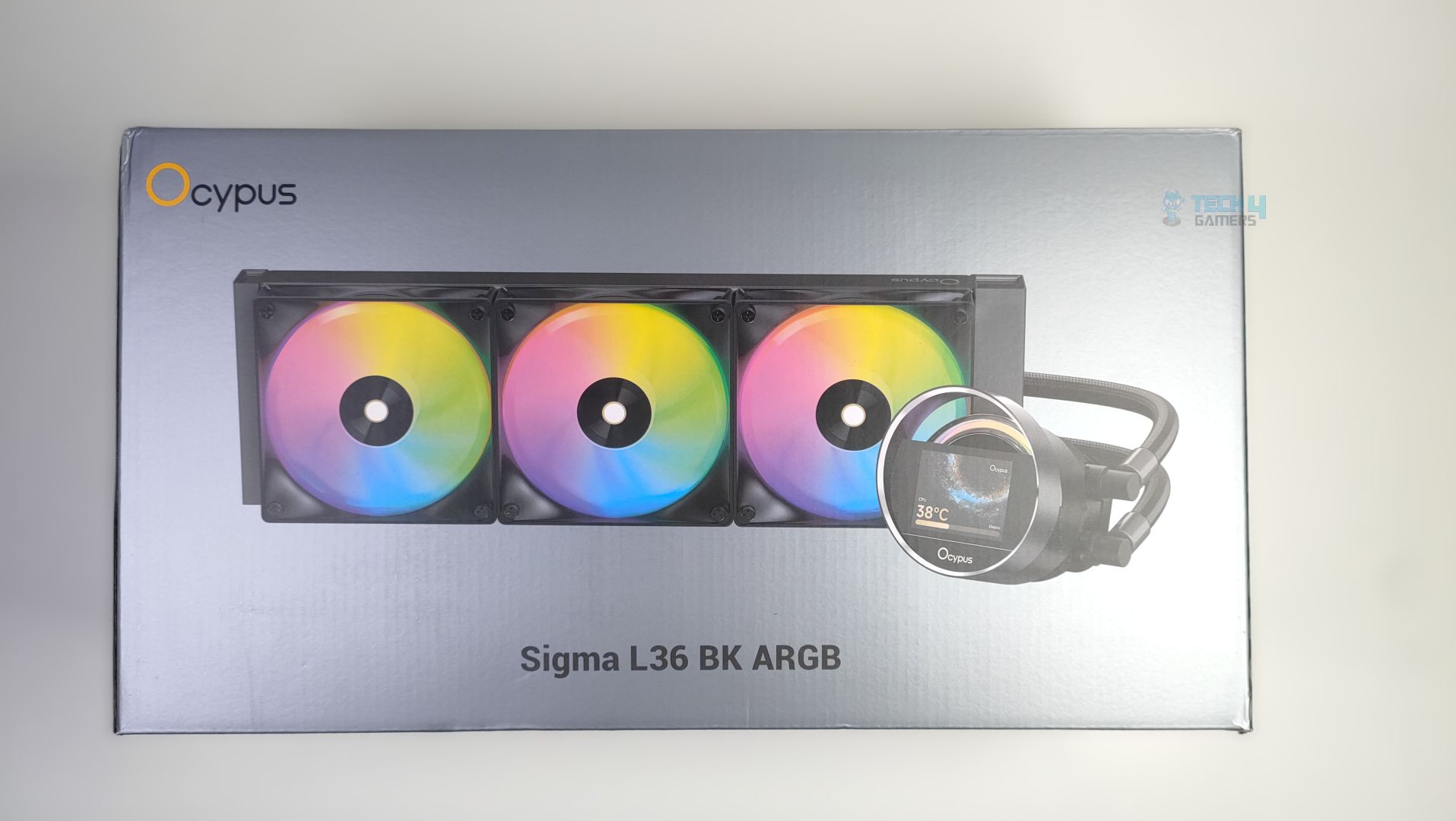
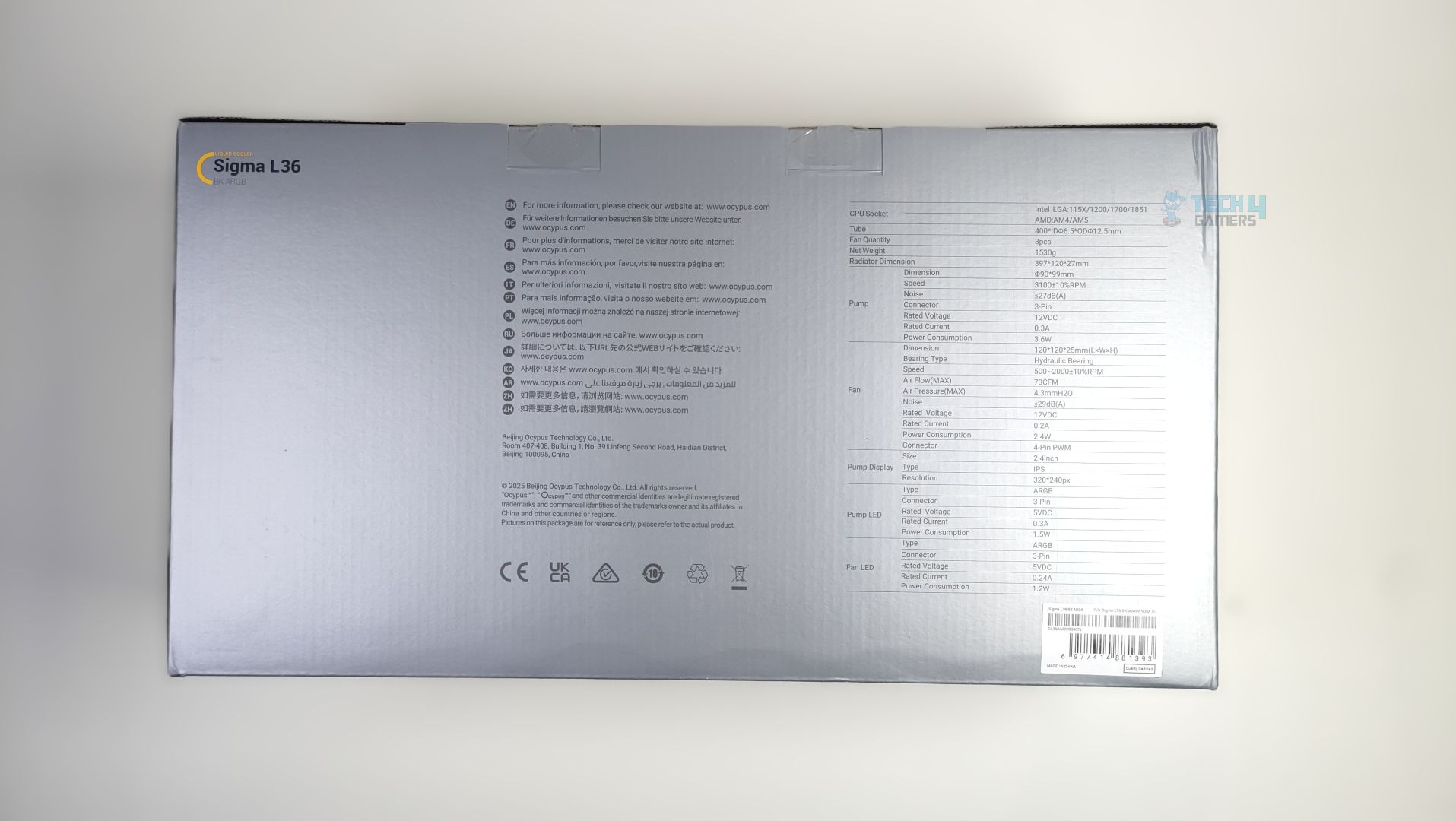
Ocypus Sigma L36 ARGB arrives in traditional grey colour scheme packaging, with the cooler itself displayed at the front, alongside the model and the Ocypus Logo. In the back, you will find the detailed specifications of the provided all-in-one liquid cooler.
Unboxing
Unboxing

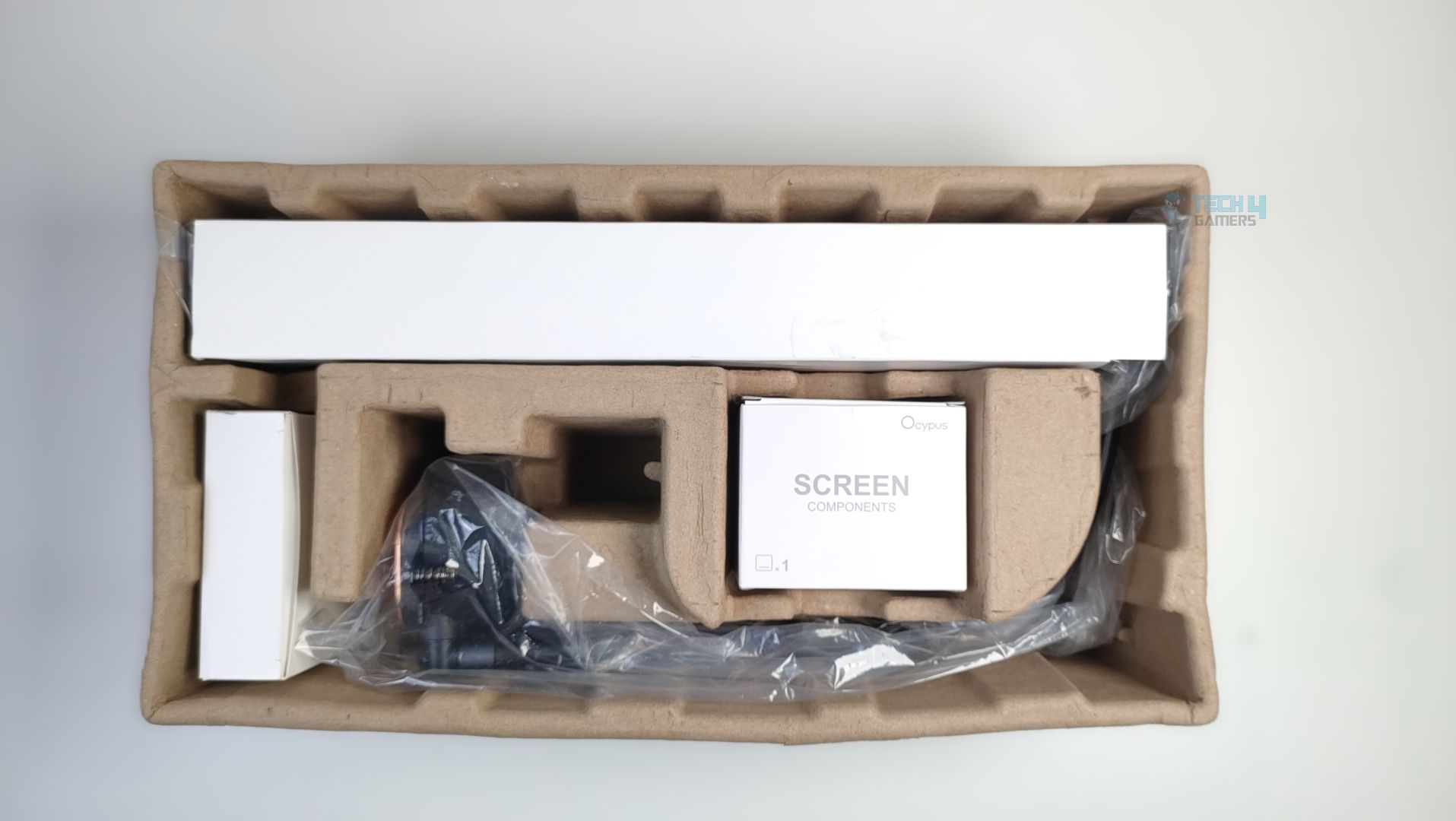
Upon Unboxing, The Cooler is protected by moulded pulp packaging, though there is not much cushioning inside, and the packaging does not feel sturdy. The packaging could have been improved by adding more foam inside.

Accessories

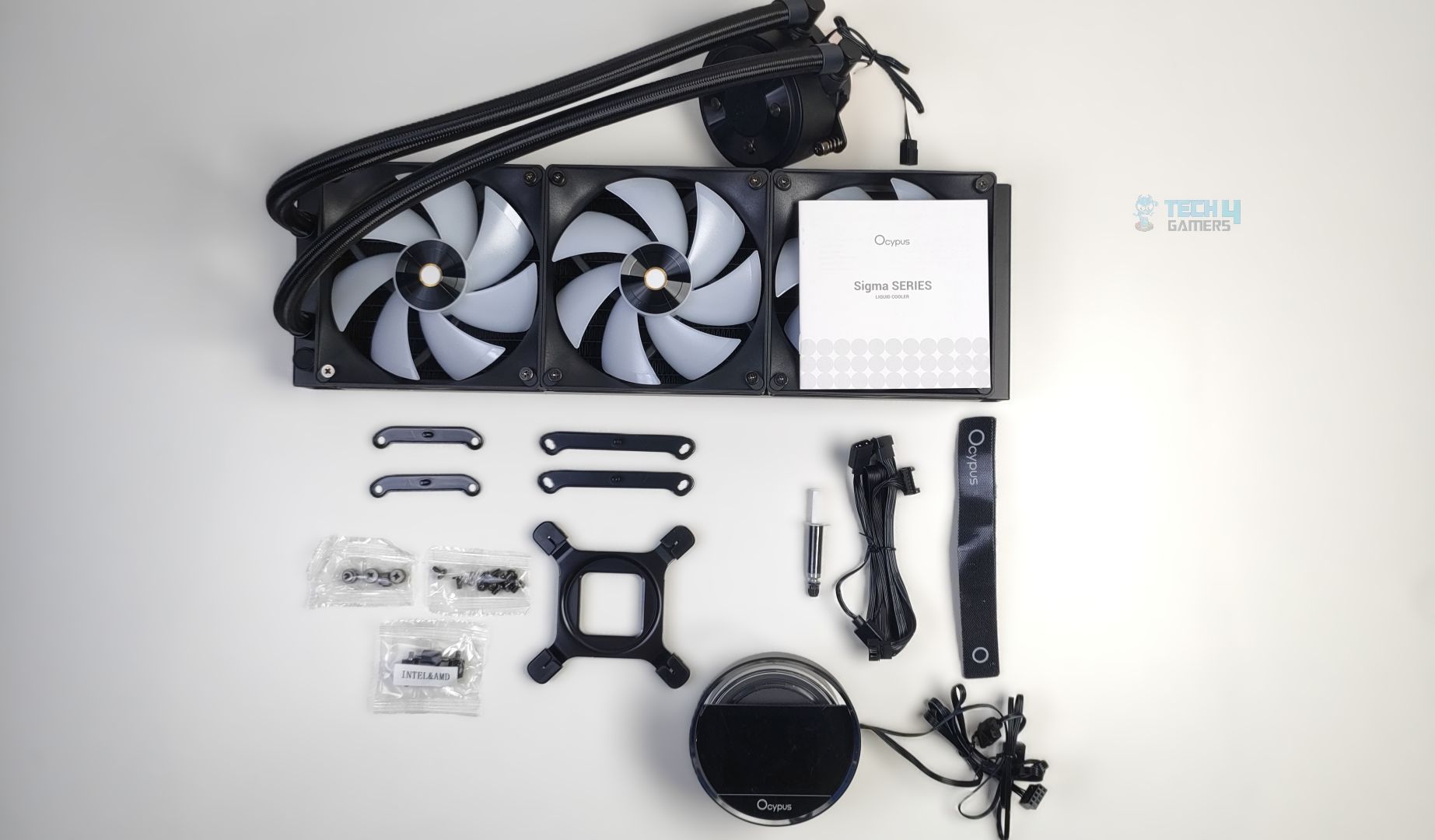
There aren’t many accessories here, which is nice. Ocypus has reduced the socket accessory clutter here, and we are seeing some changes in brackets, especially on the AMD bracket side, which is a step up from the previous Ocypus Sigma L36 Pro Cooler, which had issues during uninstallation. The LCD arrives in a separate box, and the single strap for the cable management and thermal paste for the CPU are also provided. You will also get the fan extension cables and a bunch of nuts and screws with the cooler.
Accessories
Accessories

Here is the structured table of what you get inside the box:

Category ItemQuantity
Mounting HardwareAM4/AM5 Bracket2x
Intel Bracket2x
Intel Mounting Backplate1x
Stands Off4x
Bracket Nuts4x
Radiator Screws12x
ToolsThermal Paste1x
Straps1x
Fan/ARGB Extension Cable1x

Close Look At The Radiator and Assembly

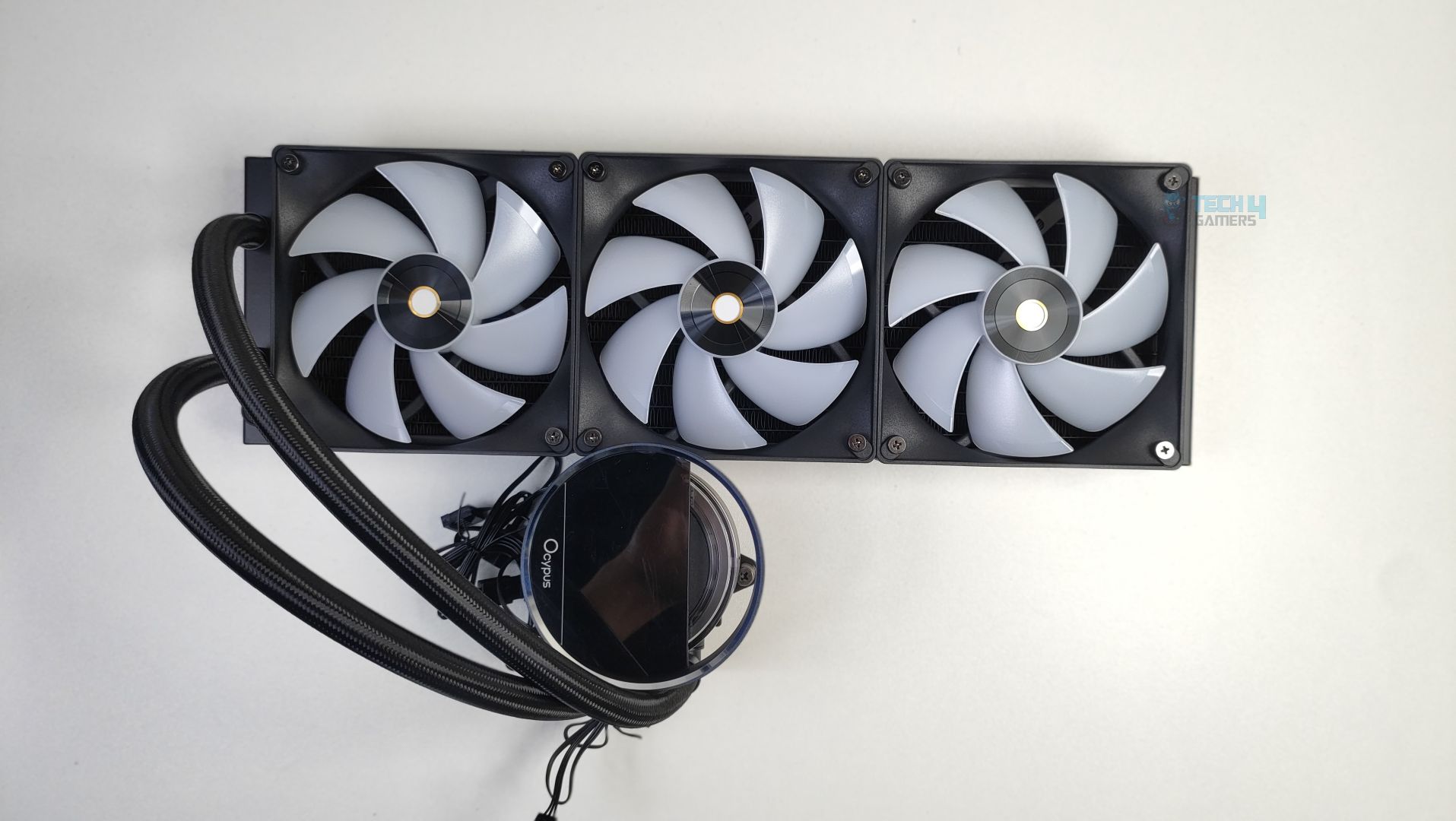
Let’s take a look at the assembly first. The ARGB fans are daisy-chained and come preinstalled on the radiator. The fans also have the Ocypus logo on the hub. The LCD comes separately in the packaging; however, the block design is identical to the Sigma L36 Pro we have reviewed earlier, and it’s round and feels premium in hand. We’ll talk more about the block in detail below. Overall, the assembly is clean, and nothing is wrong with it.
Assembly
Assembly

The radiator is identical to the other Ocypus cooler we reviewed earlier and is aluminium-built. As this cooler is 360mm supported, the dimensions are 397x120x27mm(LxWxH), not including the fan height yet. Make sure your case supports 360mm radiators and has enough clearance.
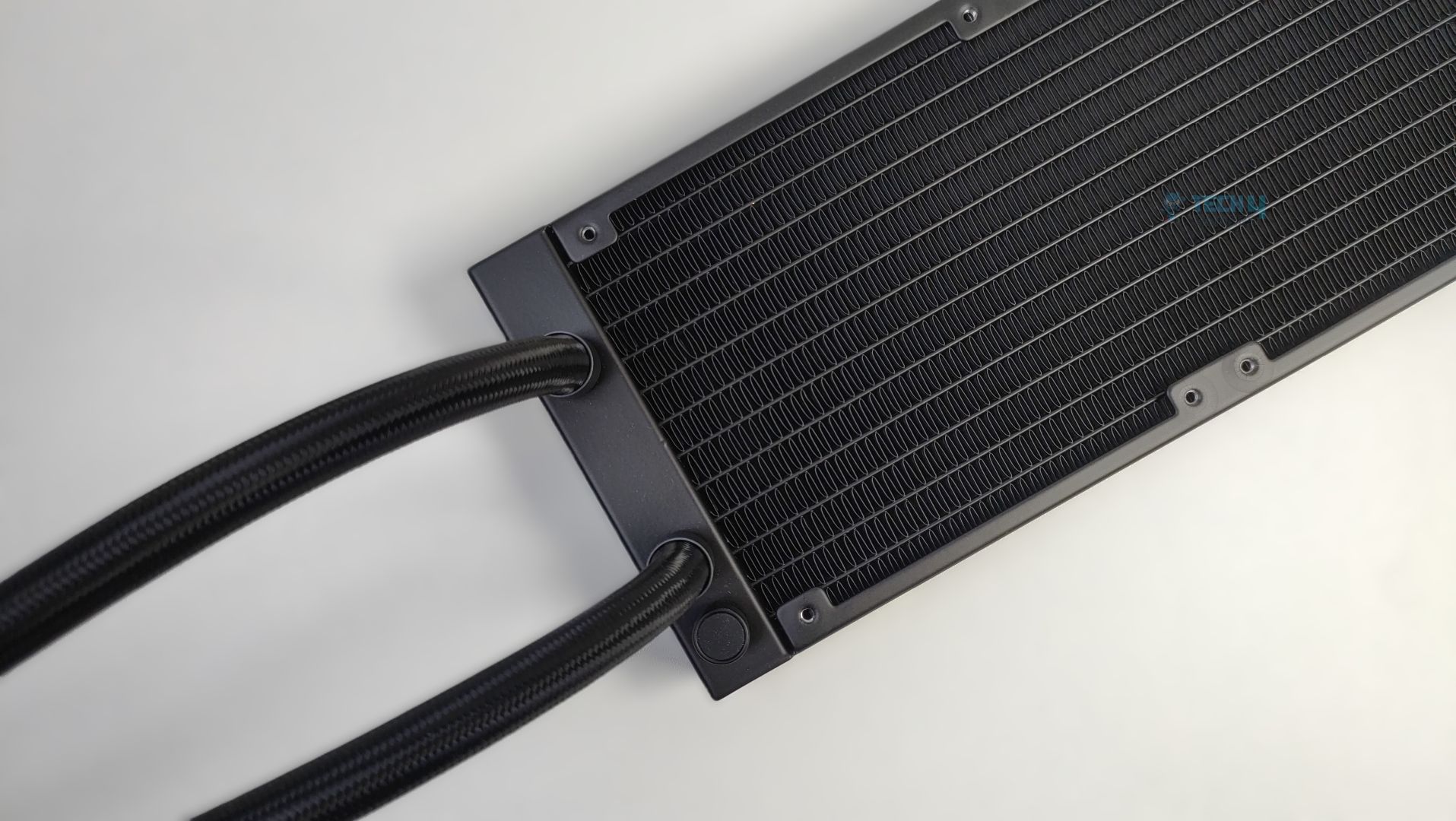
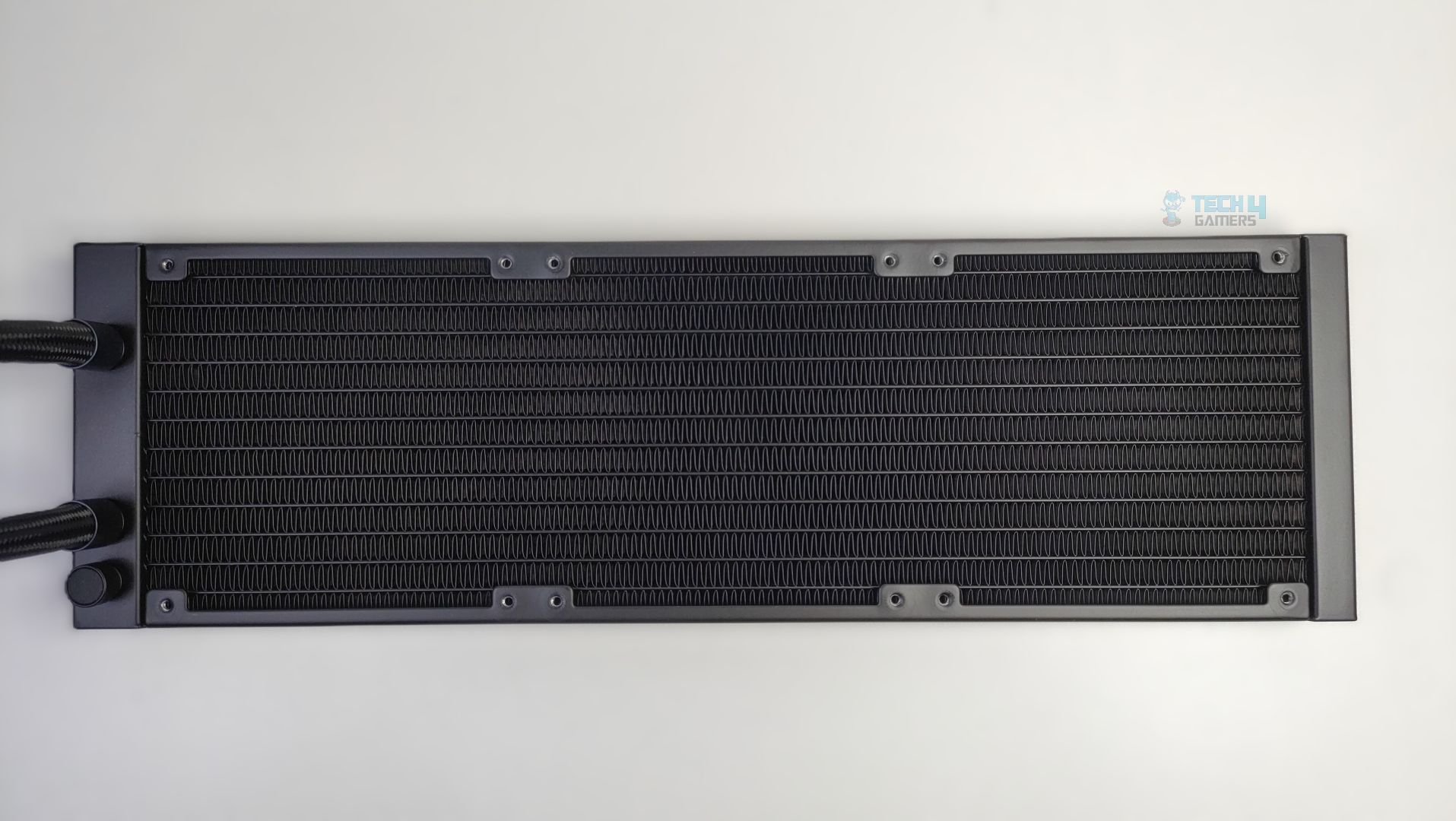
The radiator uses the standard dense fin-stack design. The FPI (Fins Per Inch) is 20, and the radiator features 12 water flow channels.
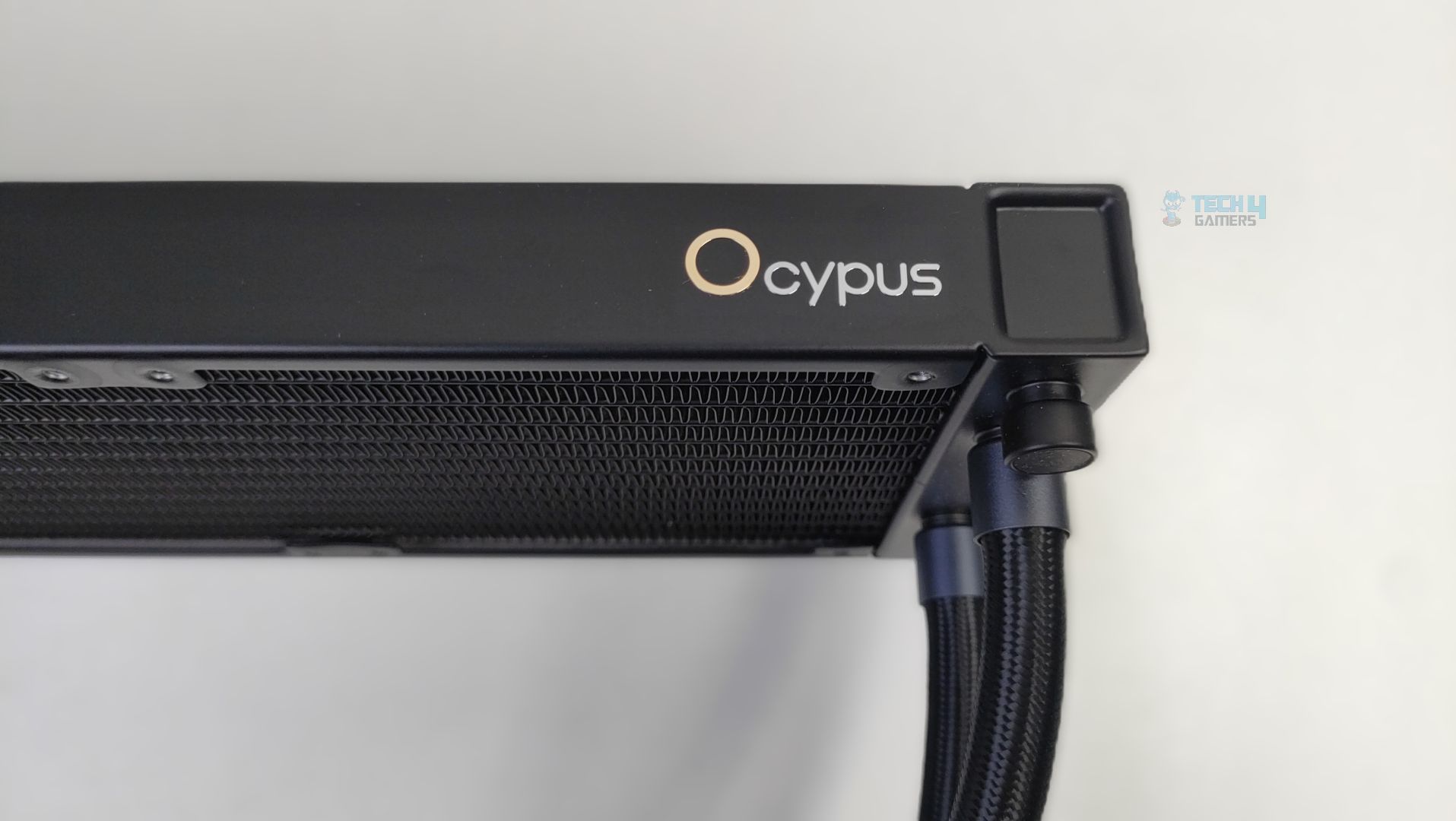
Radiator
Radiator

The Ocypus Logo can also be noticed on the side of the radiator.
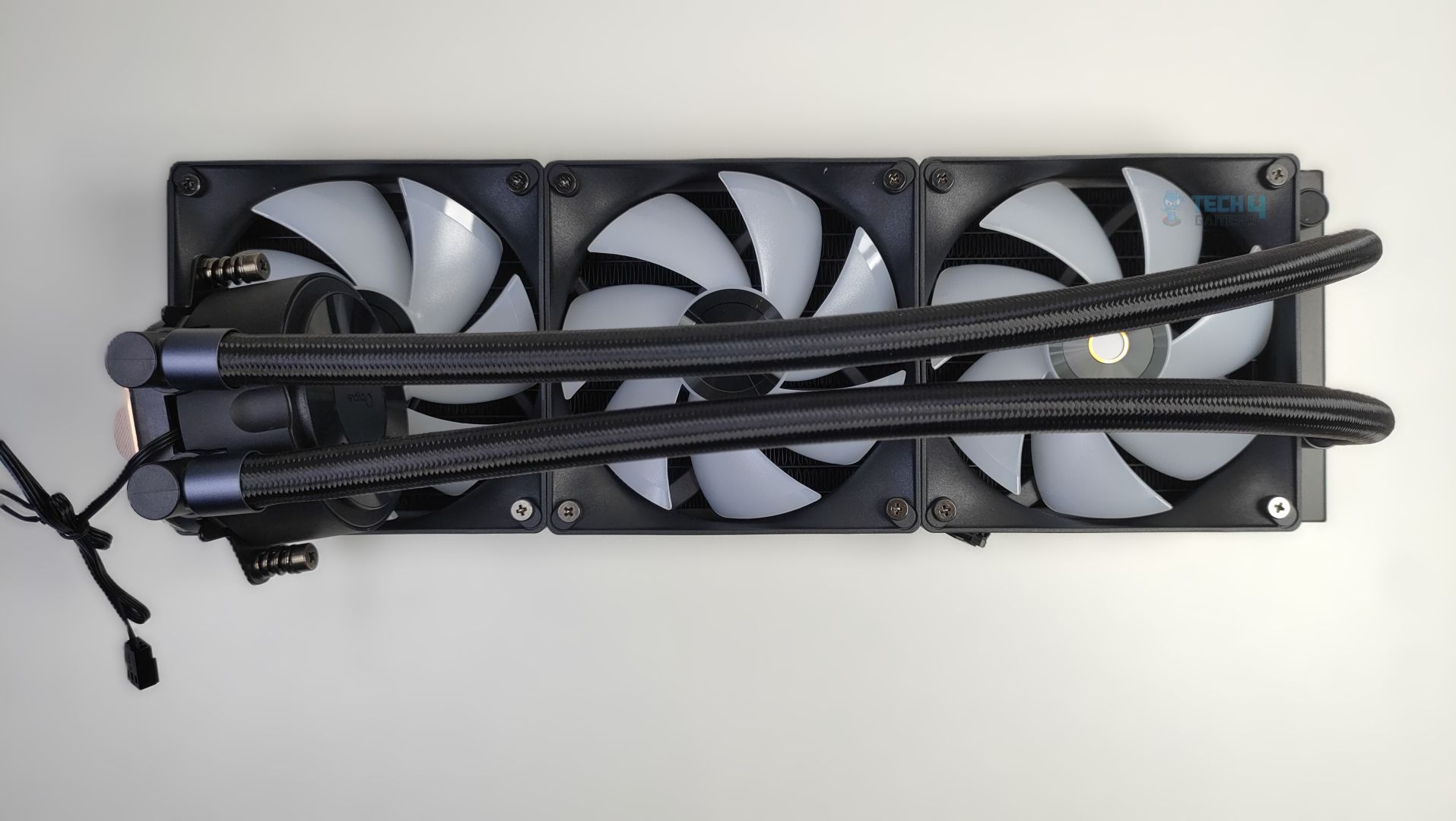
Tubes Length
Tubes Length

The tube length is 400mm in total, which is decent in length and likely uses nylon-braided rubber hoses. The round cap to the right, beside the tubes, is the filling port. This is a factory-sealed port, not recommended for user refills.

Pump Design / Housing

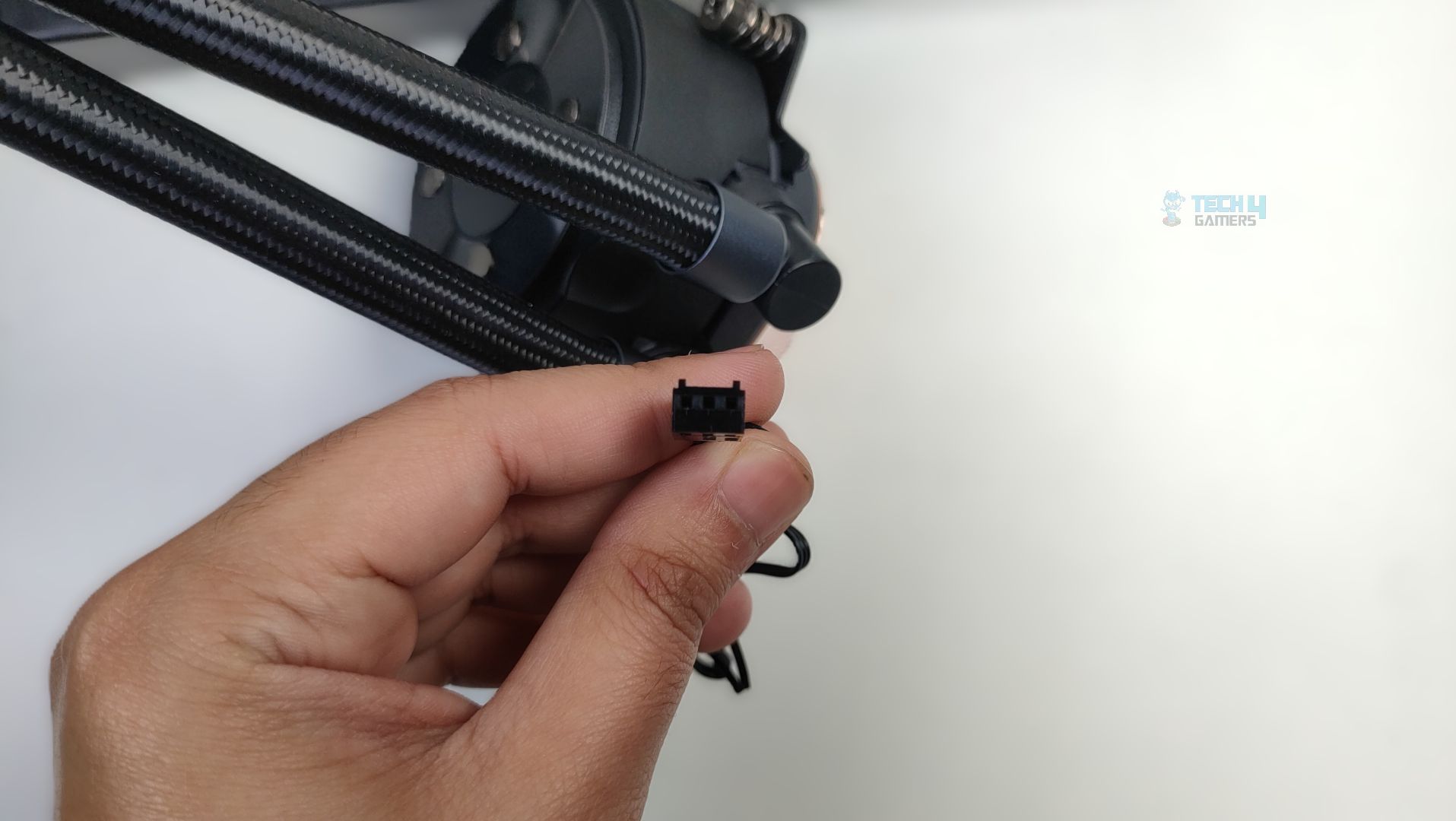
Again, the block is identical to that of the Sigma L36 Pro series. The block has a simple design; you don’t notice any fancy flow curves, and it’s made of ABS plastic. The pump houses a ceramic bearing with the three-phase Six-pole Motor, which ensures durability and smooth operation over an extended period. The pump rotates at 3100 RPM 10% +/- and is not PWM regulated. The 3-pin pump cable exits below the pump housing and the back side of the block.
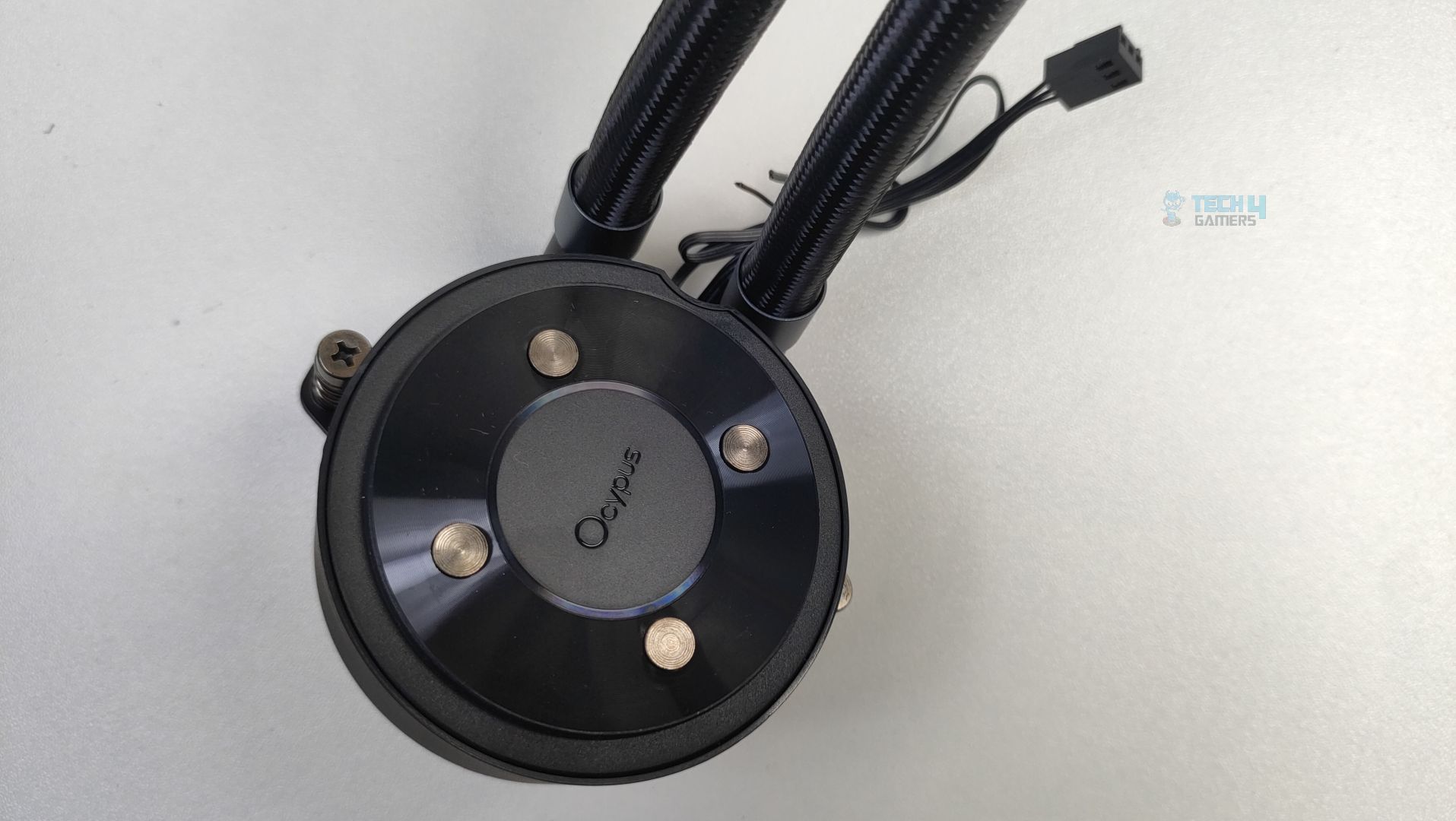
The block also features the swivel fittings that allow 180-degree rotation. Overall, we did not notice any issue with the pump block, and it feels really sturdy.
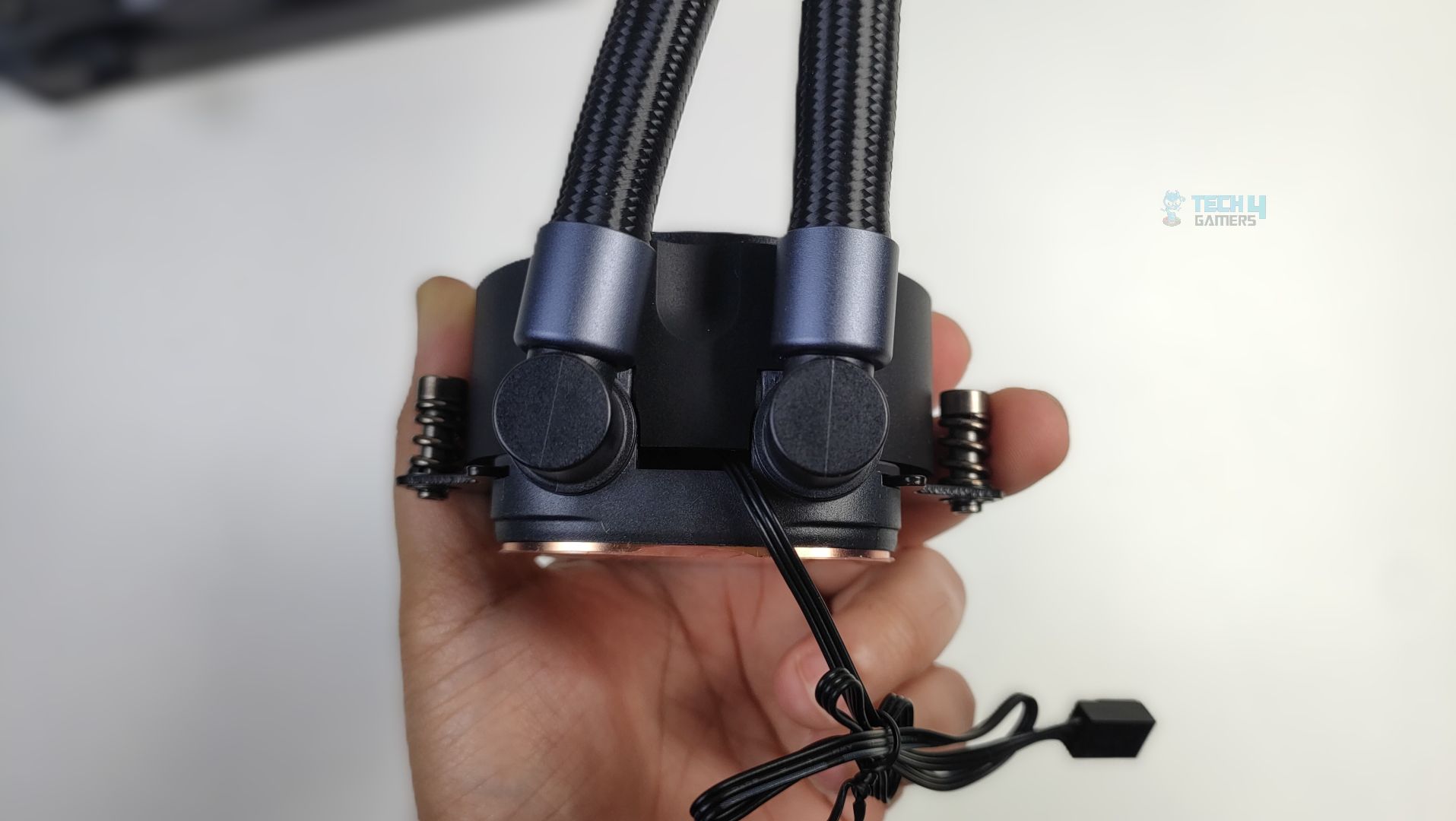
Pump Block Tubes Connection

Likewise, the cold plate is massive and made of copper, featuring a 0.1mm micro-channel architecture.
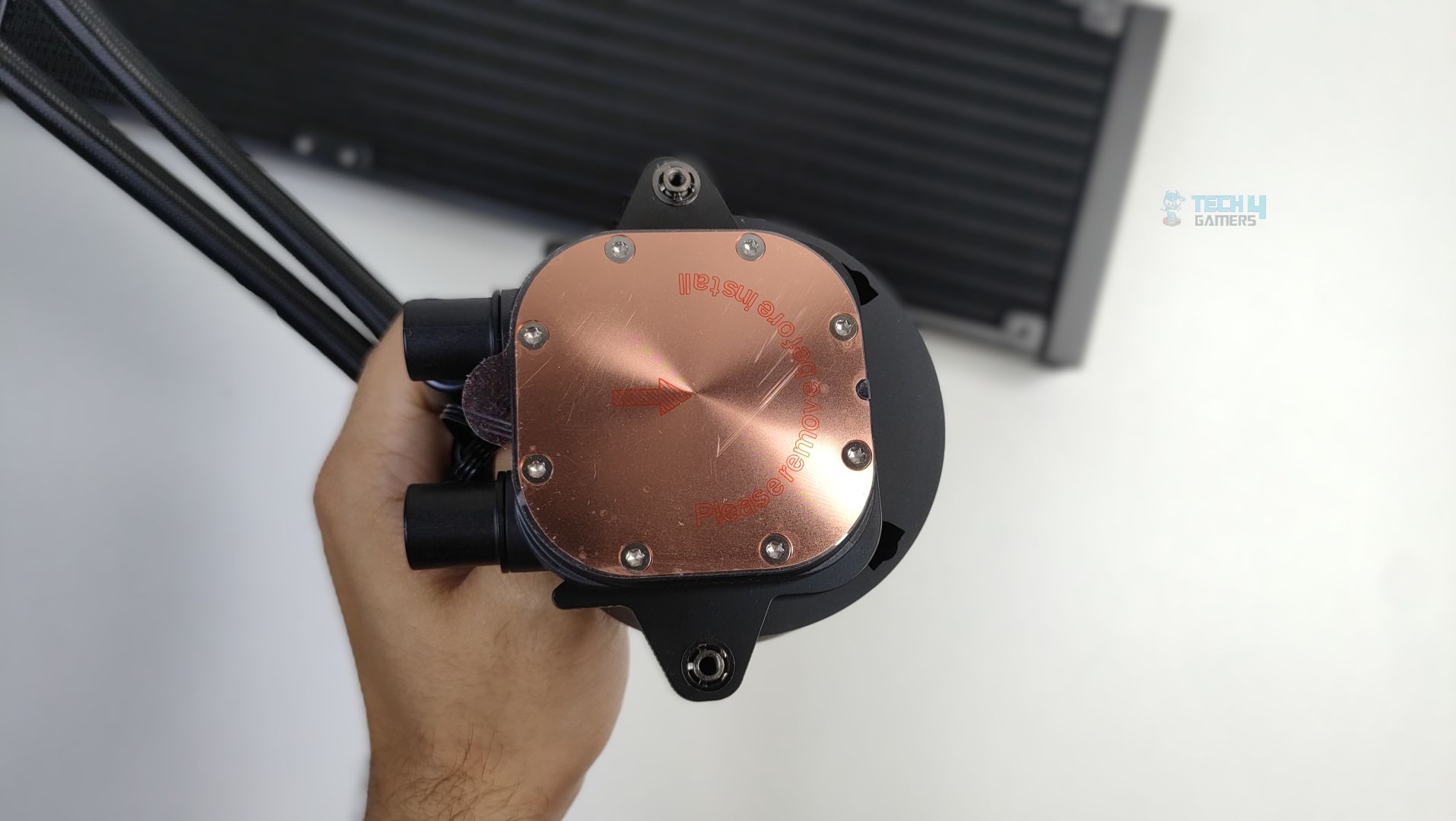
Copper Cold Plate
Copper Cold Plate

Twelve screws hold the copper cold plate in place, which could help apply uniform pressure across the CPU die.

Display 

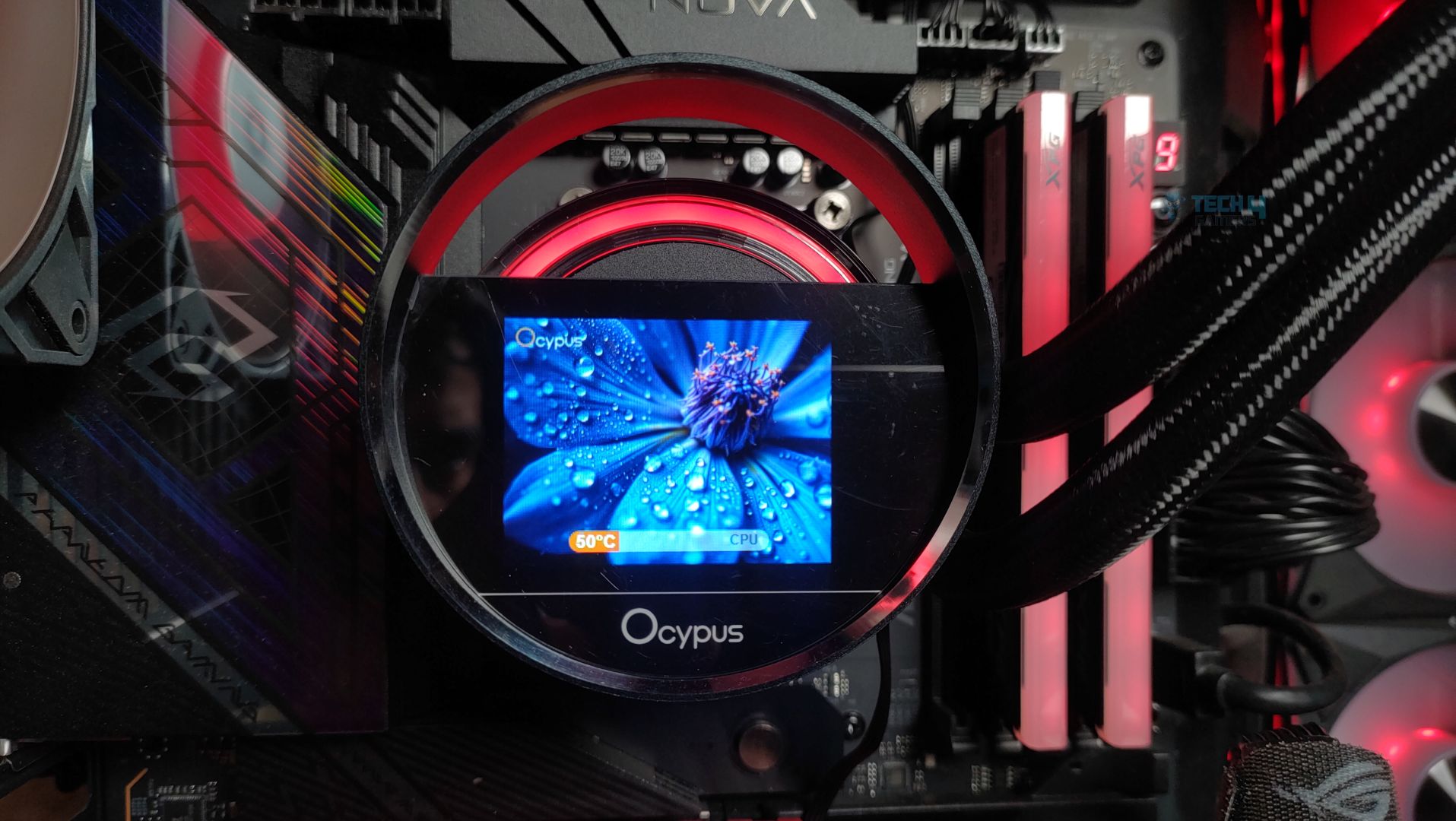
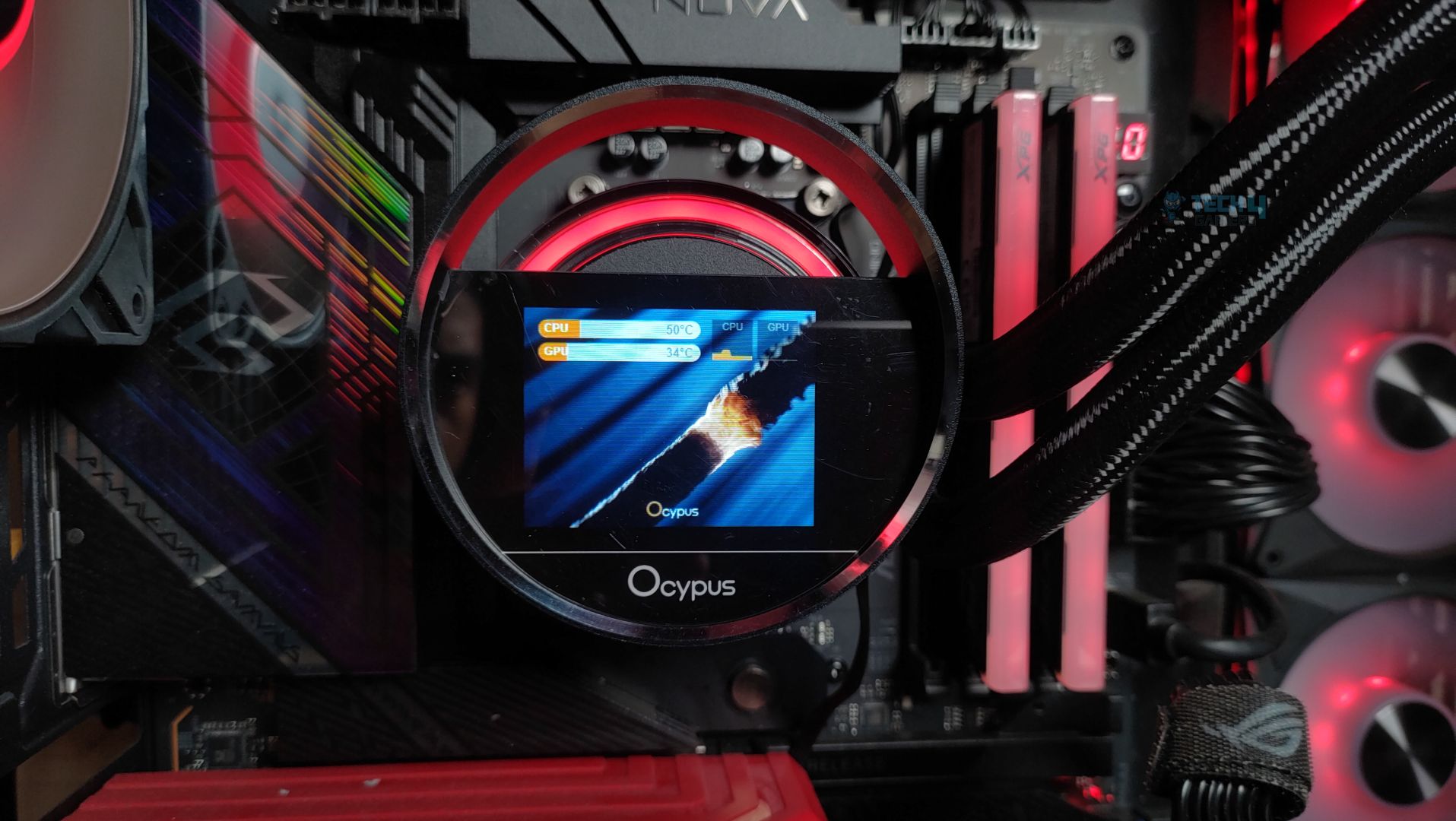
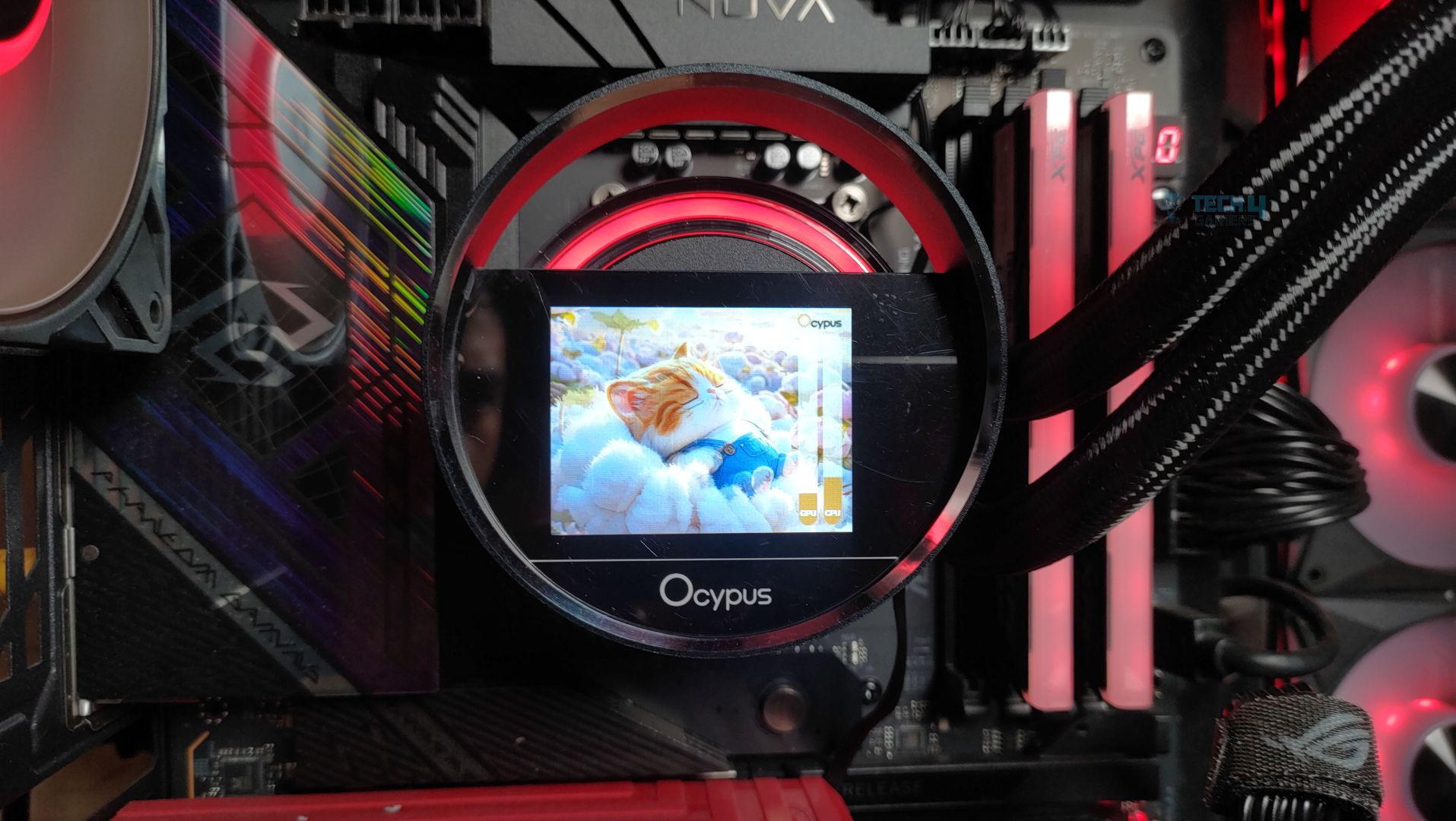
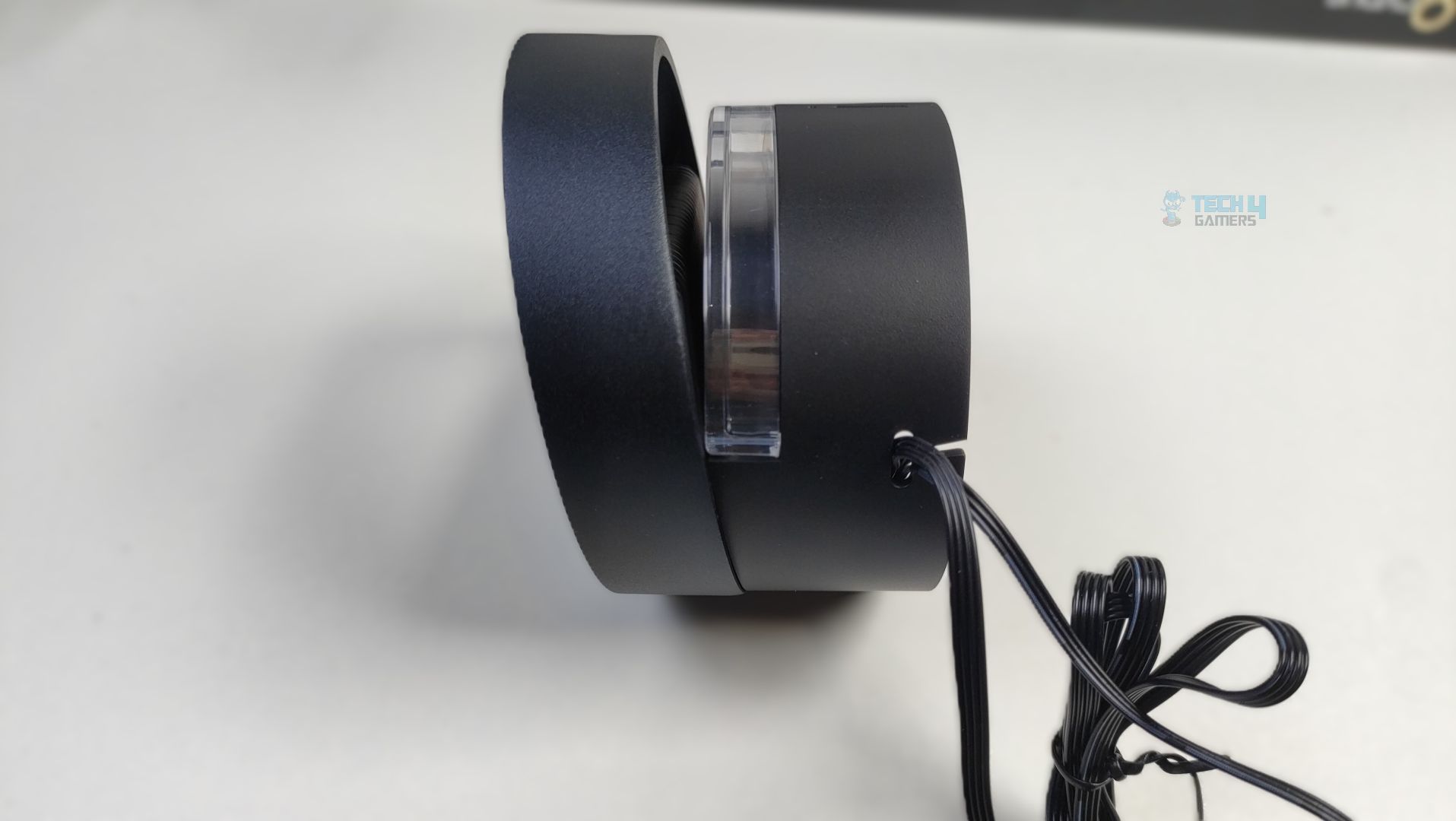
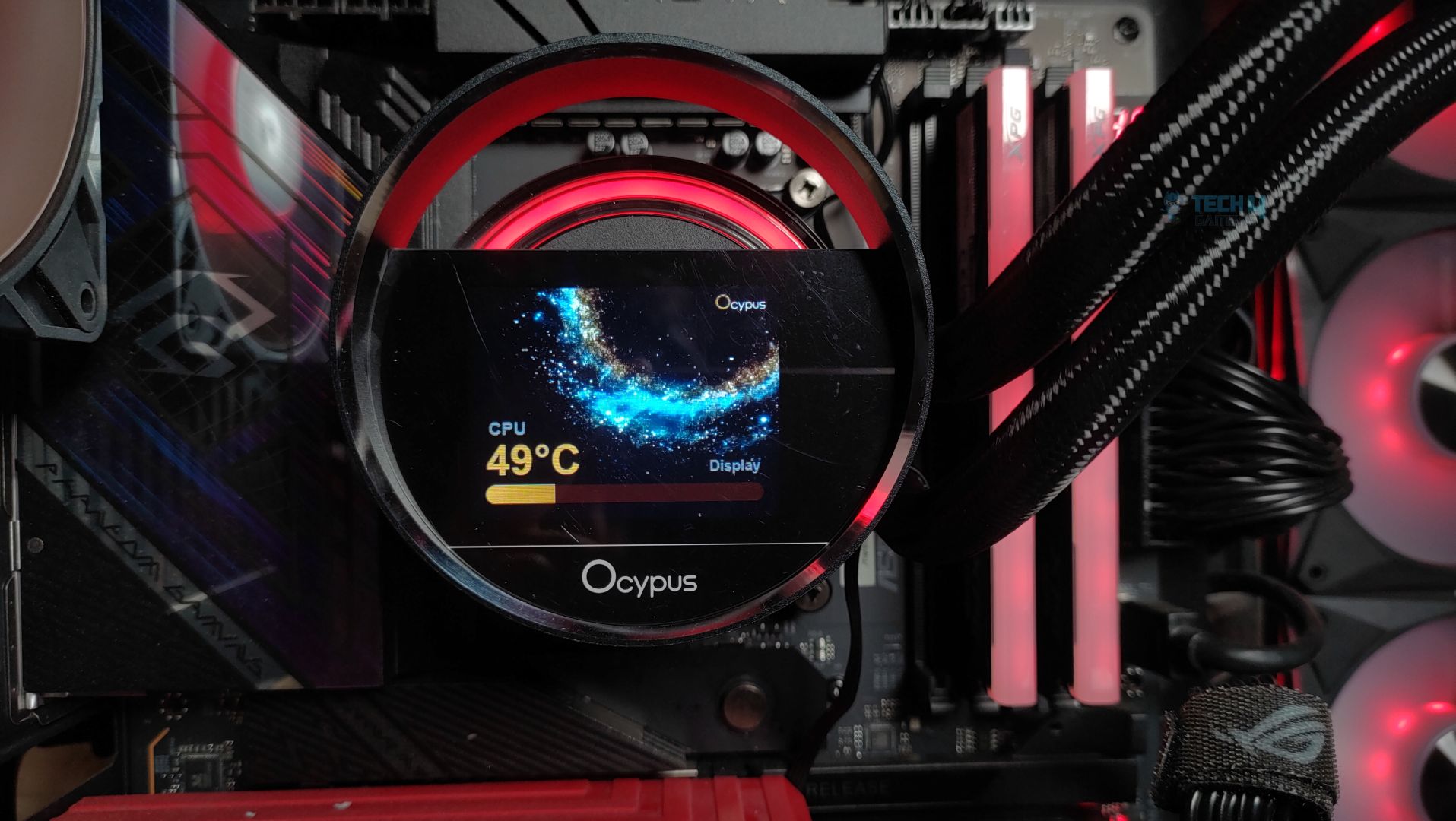
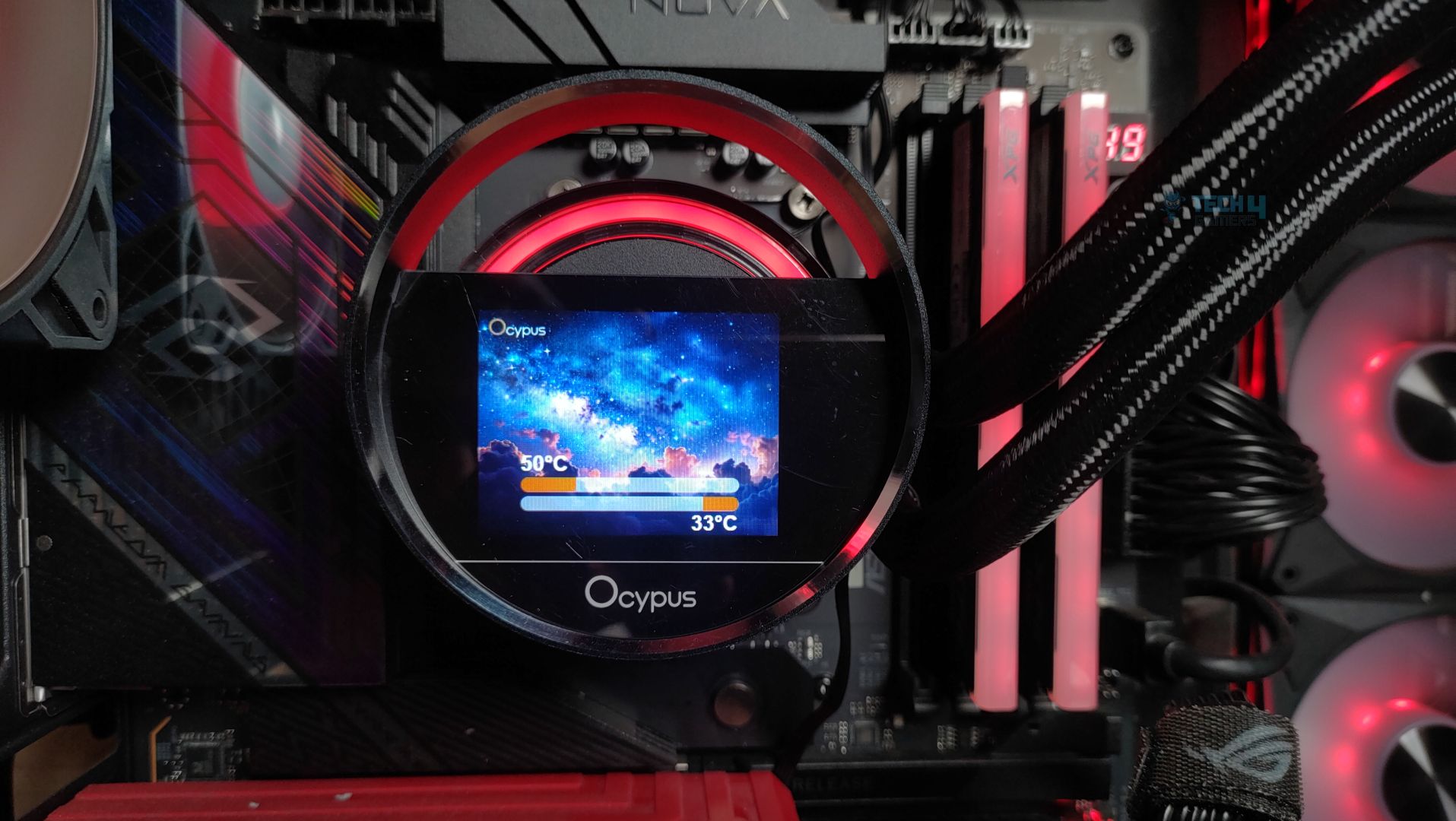
The display is 2.4 inches and supports a 320×240 resolution; it’s IPS. However, the LCD is smaller than the Sigma Pro series, so users looking for a larger LCD might opt for the Pro series. Previously, the cooler featured a jelly-like floating design, but this time Ocypus has introduced a fresh and innovative approach. The LCD module now incorporates a circular outer ring that frames the display. Ocypus refers to this as the ‘Cosmic’ design, inspired by the halo effect created by the RGB lighting behind the screen.
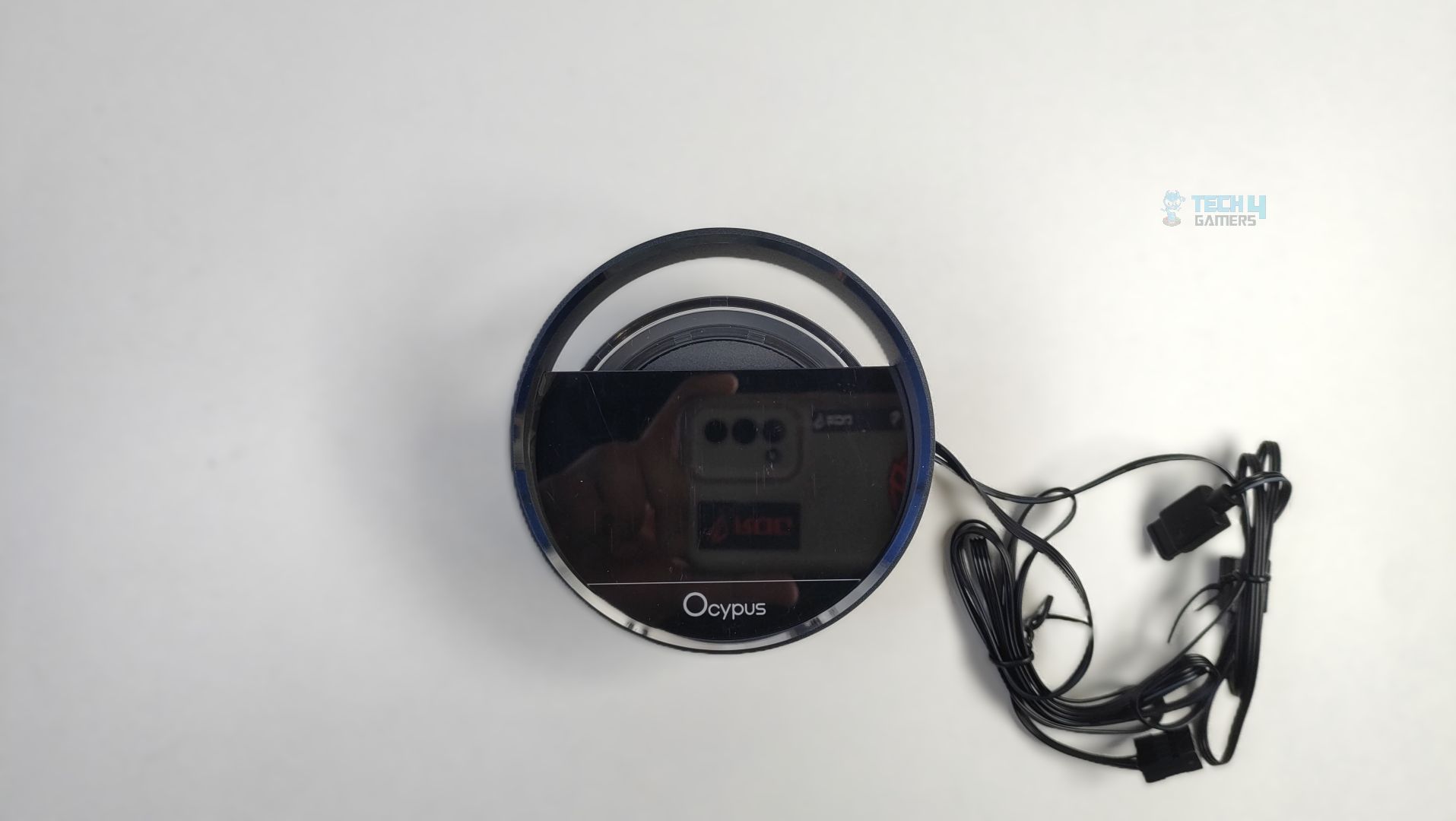
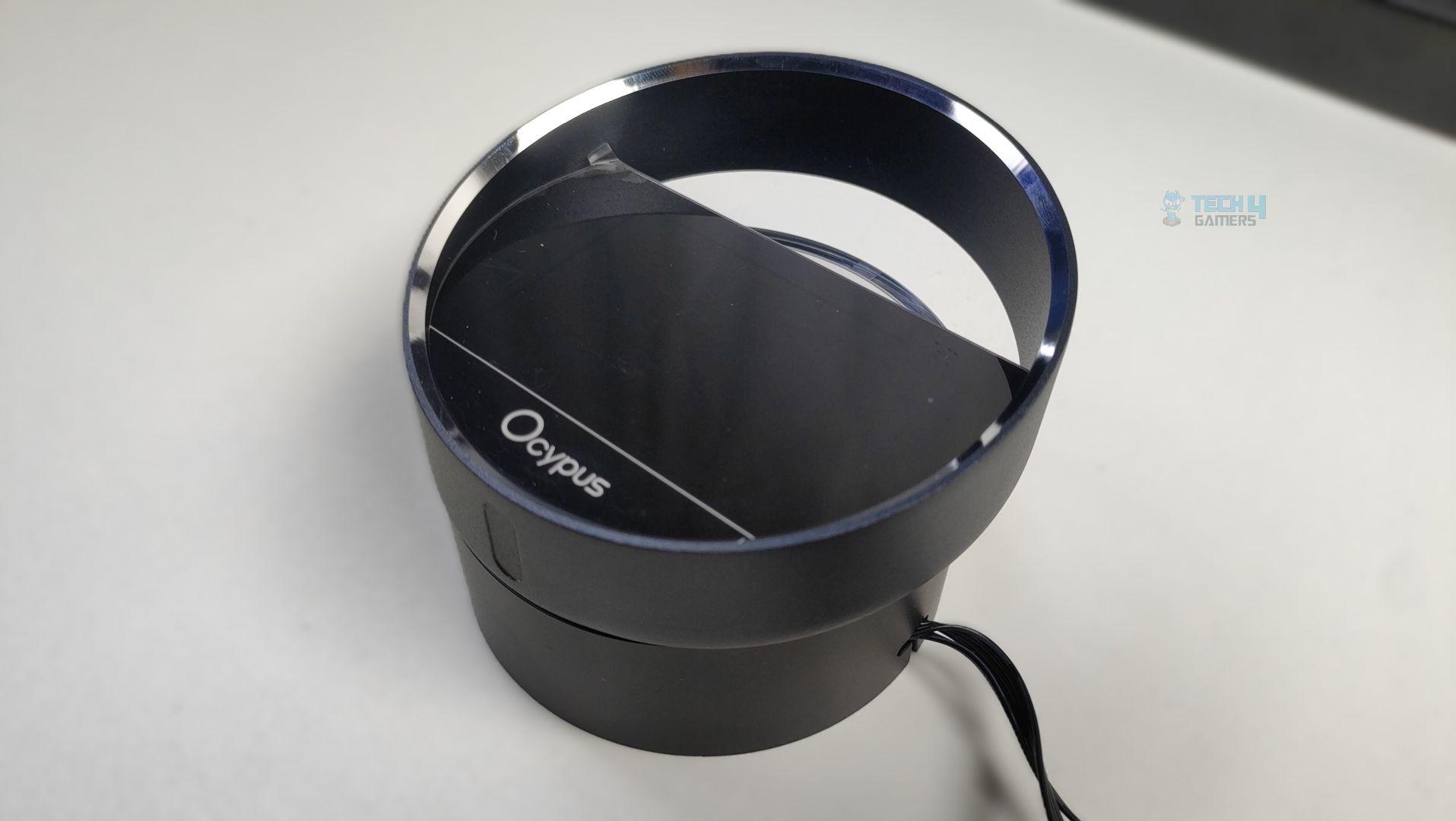
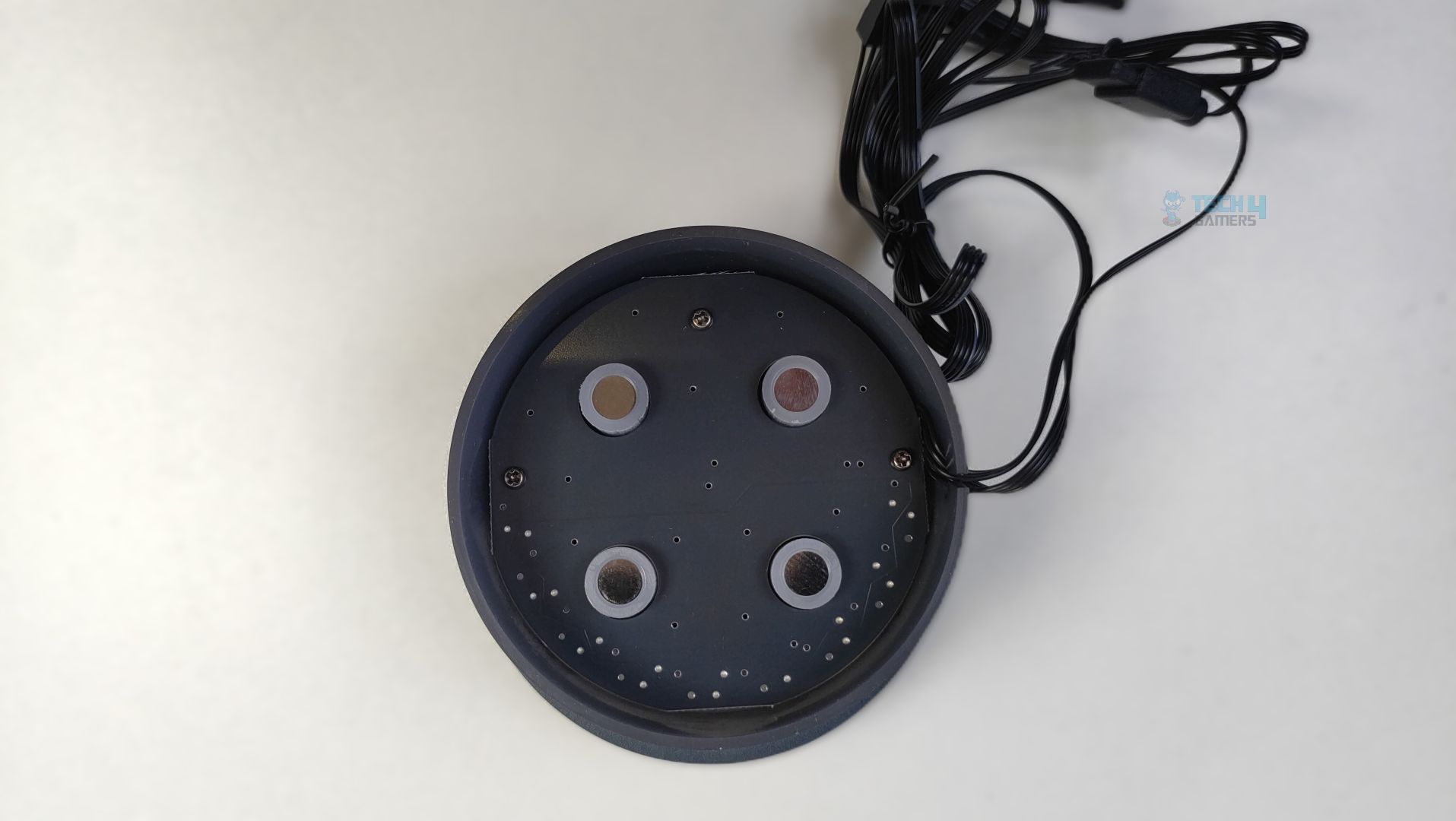
The LCD module has four magnet points that attach to the pump magnets. Though I had issues with the previous series, the display mounted on the block does not feel very sturdy, so if you’re moving your PC or cleaning the system, make sure to disconnect the LCD module to prevent it from falling. This is the area OCYPUS might need to improve.
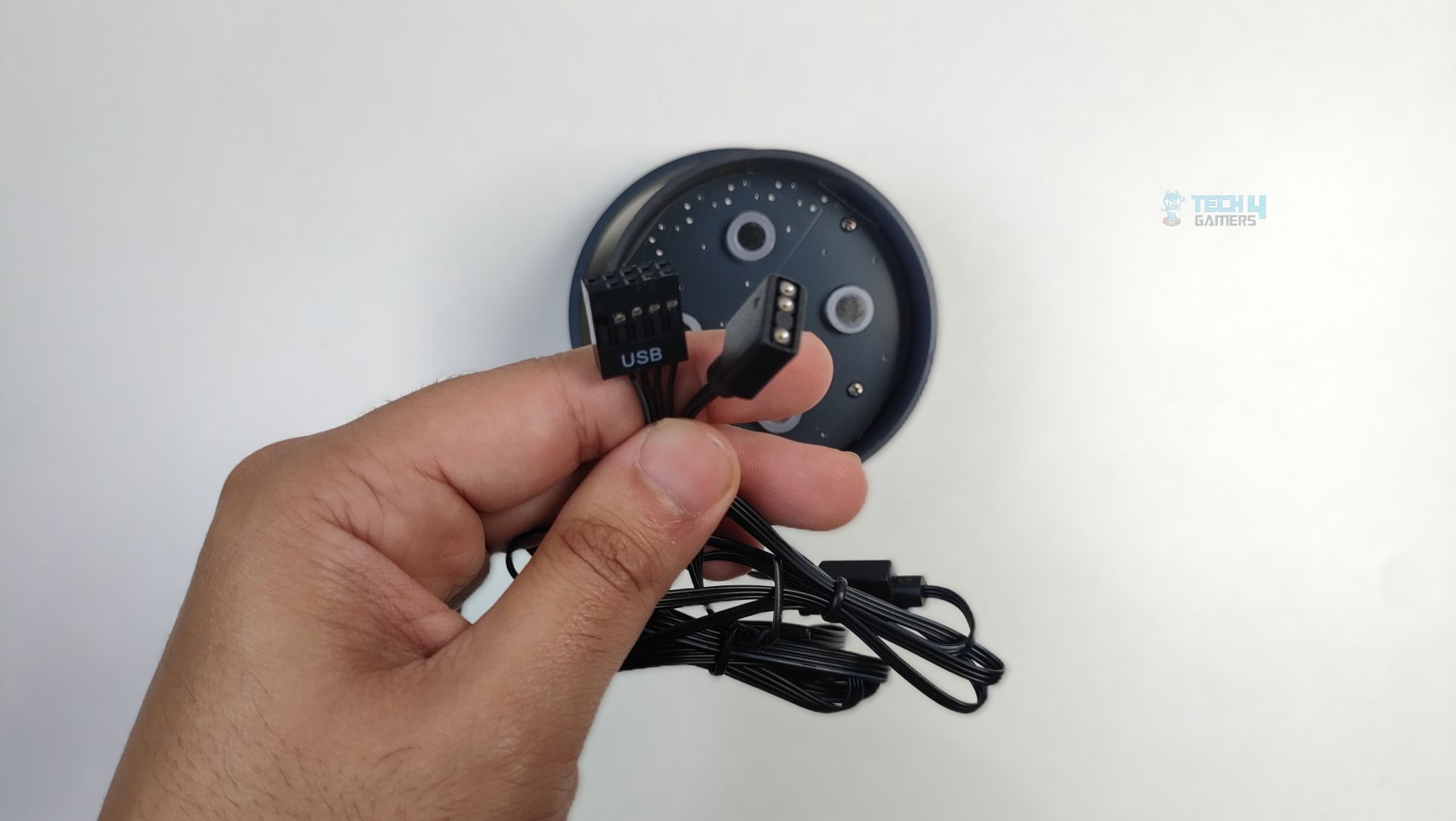
For connectivity, we have a 9-pin USB cable that connects to the motherboard and an ARGB cable for the lighting effects around the LCD.
LCD Connections
LCD Connections

The display can be customized through Ocypus Software. It supports sensor reporting, and the widgets and preinstalled themes are also included. The LCD also supports MP4 video playback and a wide range of formats, including JPEG, GIF, PNG, and BMP, on the panel.
Fans

Let’s discuss about the fans!
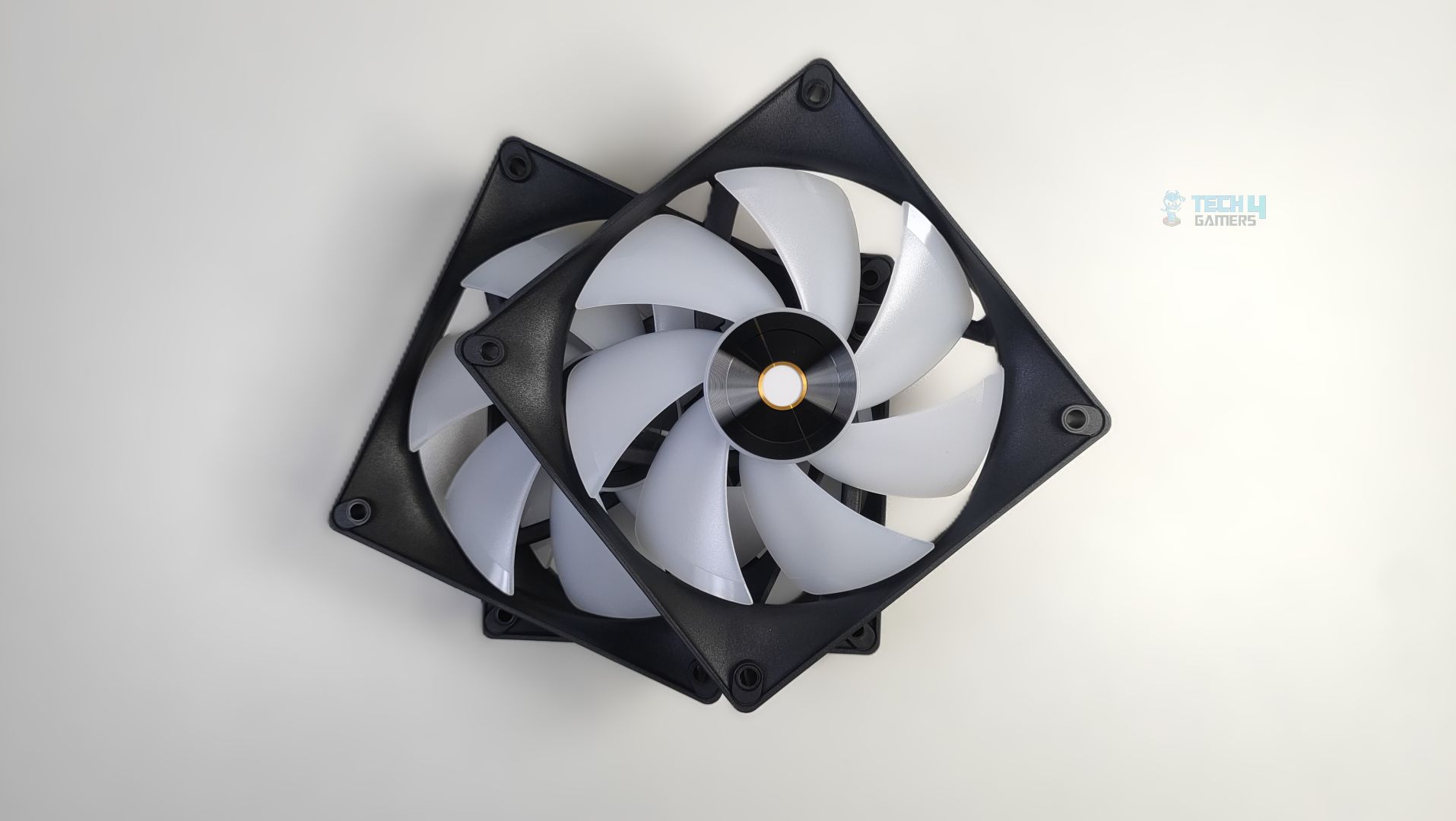
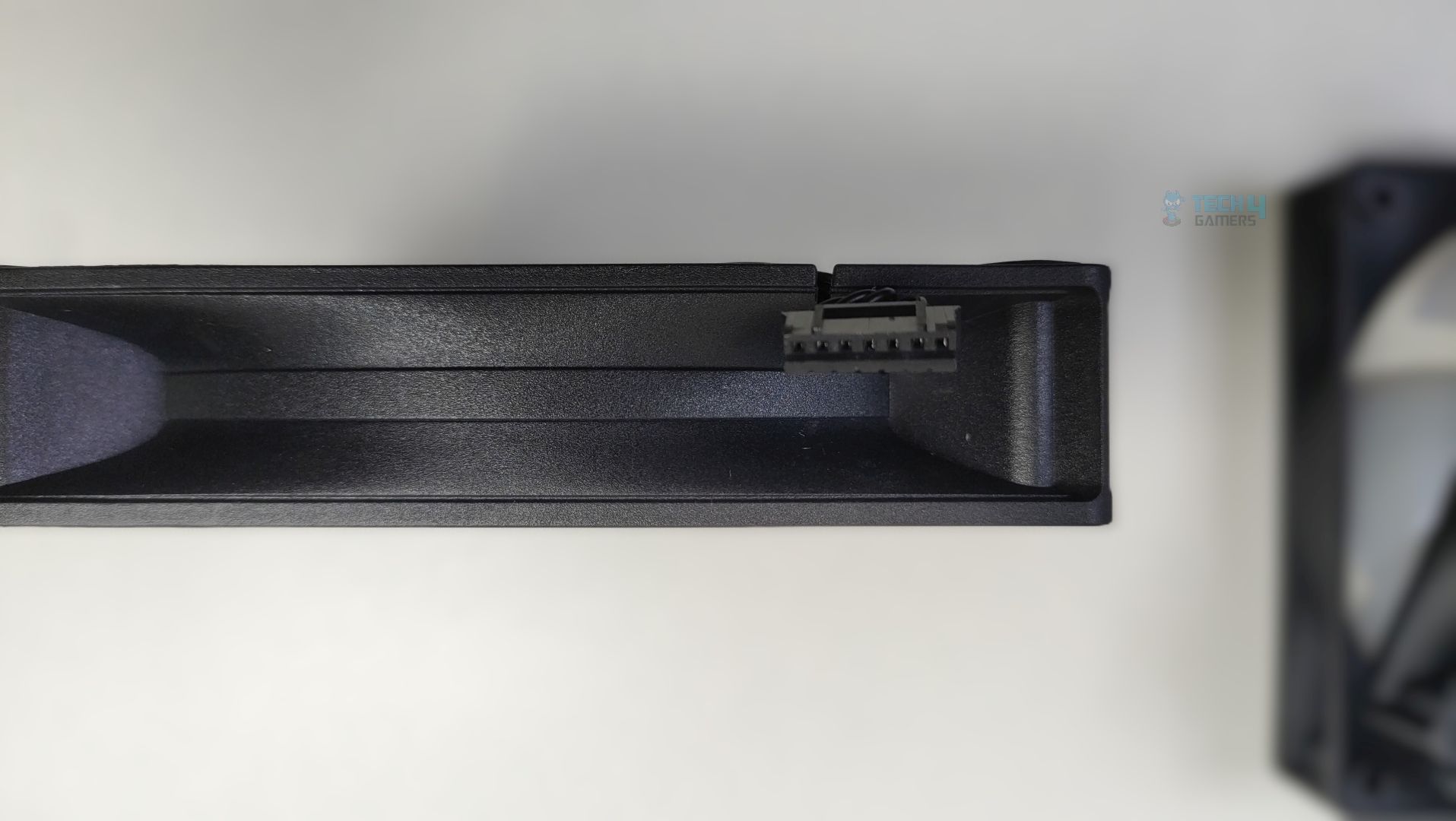
Ocypus has, this time, provided ARGB fans in the Sigma Series; however, they might not be as strong as the Sigma L36 Pro Cooler. The fan features seven frosted translucent blades and uses a square, rigid frame with reinforced corners to reduce vibrations. The mounting holes also feature rubber pads at the corners, which could improve overall acoustic performance.

The central hub also seems larger than usual, incorporates the ARGB LEDs, and uses the Hydraulic bearing. Speaking of connection, these fans use the Ocypus proprietary interlocking fan connector, not a traditional 4-pin PWM + 3-pin 5v ARGB connection. The PWM + ARGB signals are carried to the extension cable, which is provided in a box. This helps reduce cable clutter.

Here are the specifications of the fans.

Ocypus Sigma L36 Fans Specifications
Fan Dimension120*120*25mm (L×W×H)
Fan Speed500~2000±10%RPM
Max. Air Flow73CFM
Max. Static Pressure4.3mmH2O
Noise≤29dB(A)
Bearing TypeHydraulic Bearing
Connector 4-Pin PWM / 3-Pin 5v ARGB Connector

Installation (AMD)

We’re using the AMD platform, so our installation steps will only be provided for that.

Prepare the socket
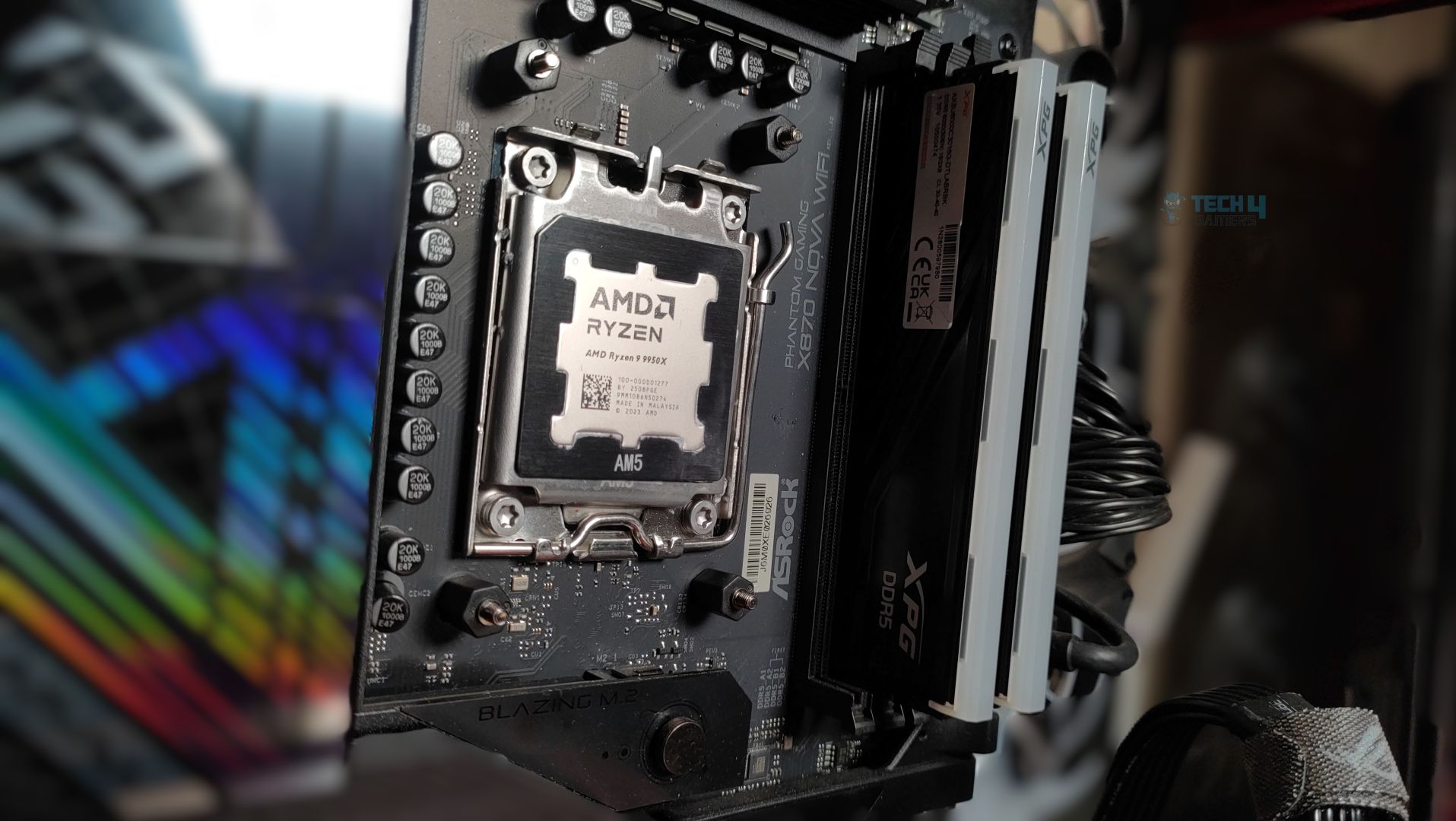
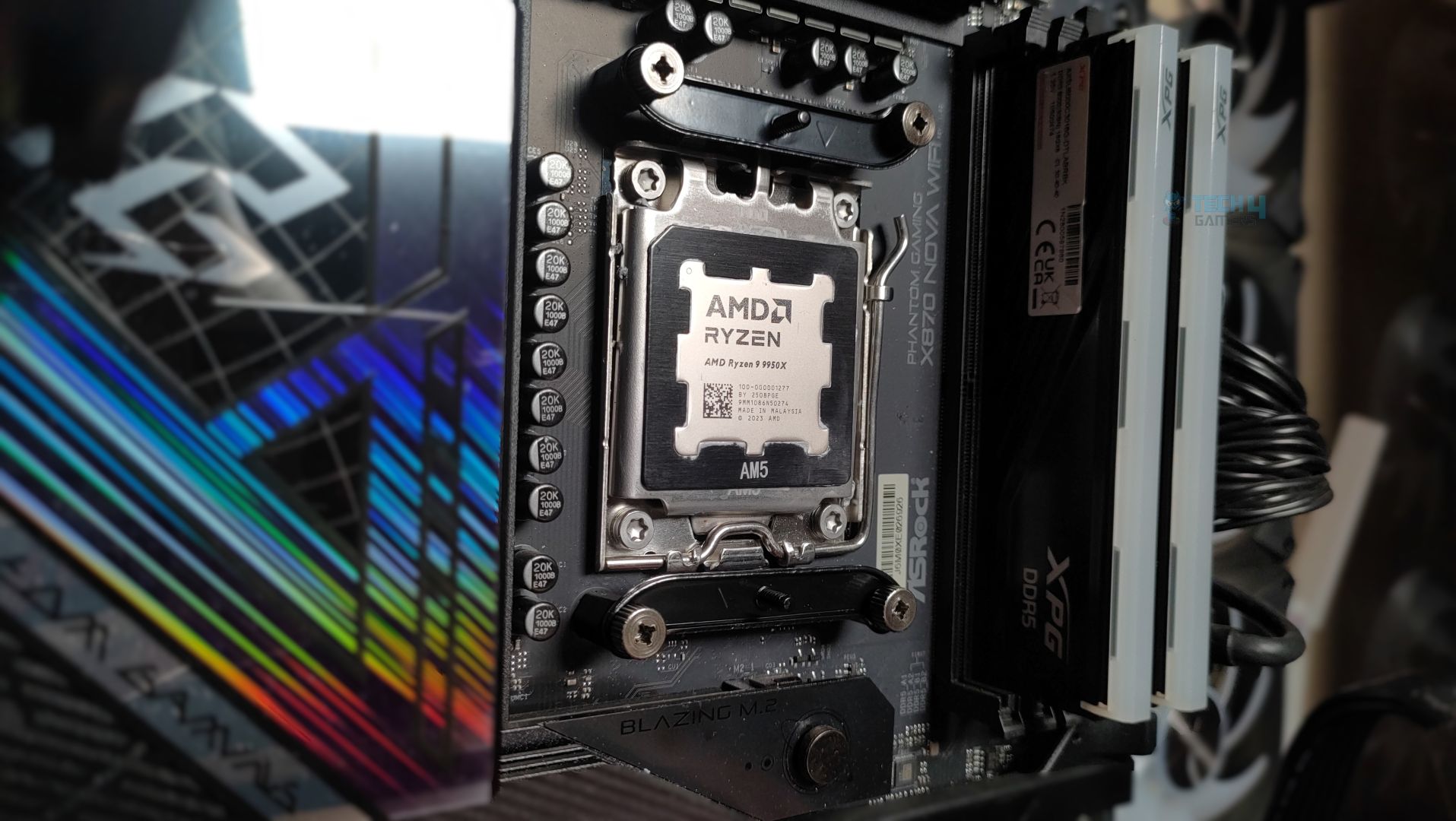
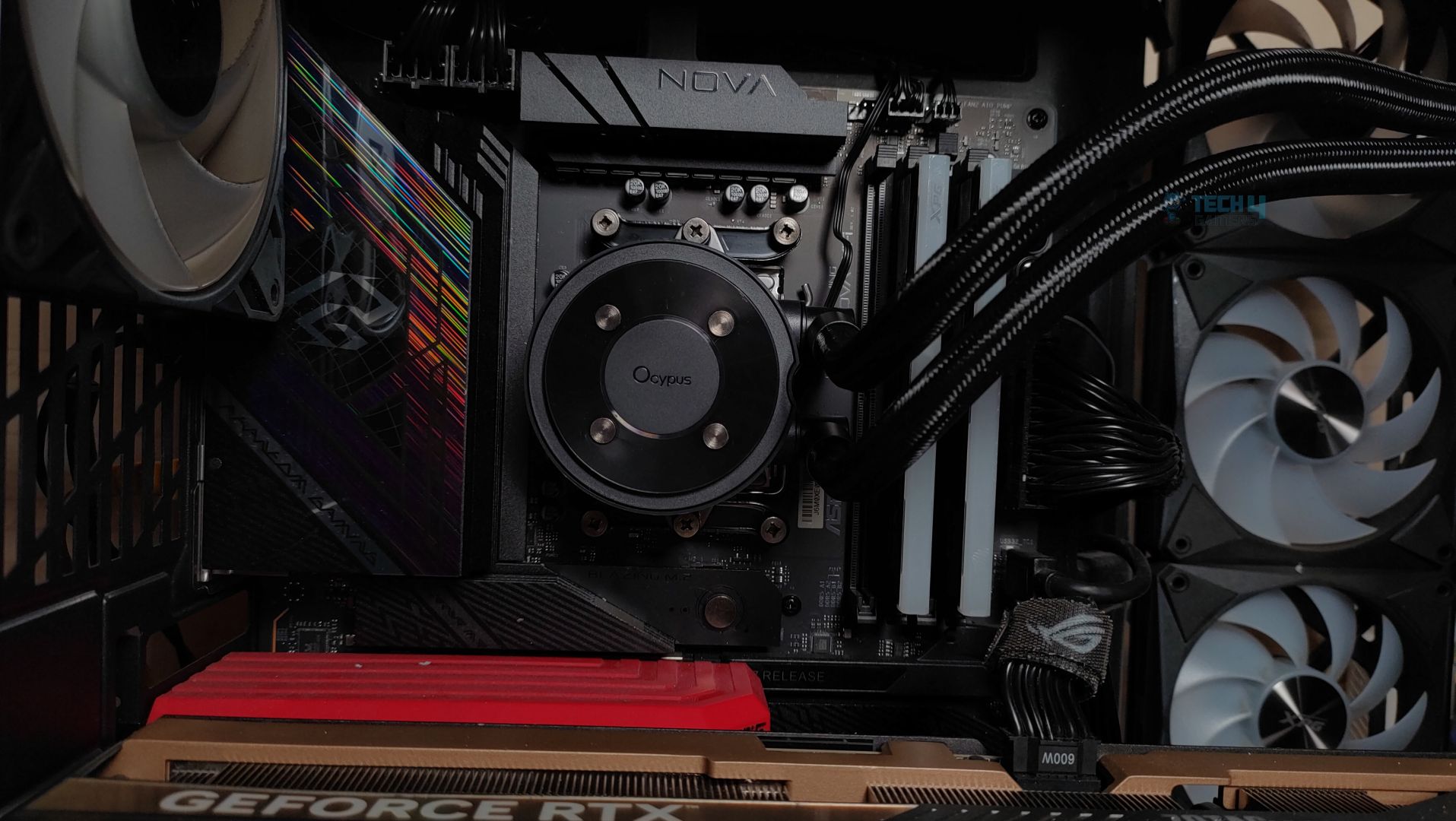
We’re using the AMD system. The first step is to remove the AMD stock retention brackets that come pre-installed on the motherboard. Install the provided standoffs in the mounting holes around the socket. Now, install the bracket onto the stands that we have just installed and secure the mounting plate with the provided nuts.
 

Make sure you have removed the sticker from the block. Do not forget to install the thermal paste; we are using ID-Cooling X45.
Block Installed
Block Installed
 
Now position the block on the bracket from each side, and tighten them up with even pressure from both sides. Do not over-tighten them.

Cabling

The installation was straightforward, but now you have to connect the cables. The pump is powered by the 3-pin DC cable, which must be installed on the AIO_Pump header. For the fans. OCYPUS has provided an extension cable with two exits: one for the PWM control and another for the RGB.
 
Now, prepare the fans by connecting each fan to the corresponding connector on the extension cable and plugging it into the CPU_Fan or CPU OPT header.
All the mandatory cables have now been installed. It’s time to install the panel.
 
The LCD panel comes with a 9-pin USB cable that plugs into the USB header, and a 3-pin ARGB cable that plugs into the motherboard’s 3-pin ARGB header to control lighting effects on the block.


Finished Looks

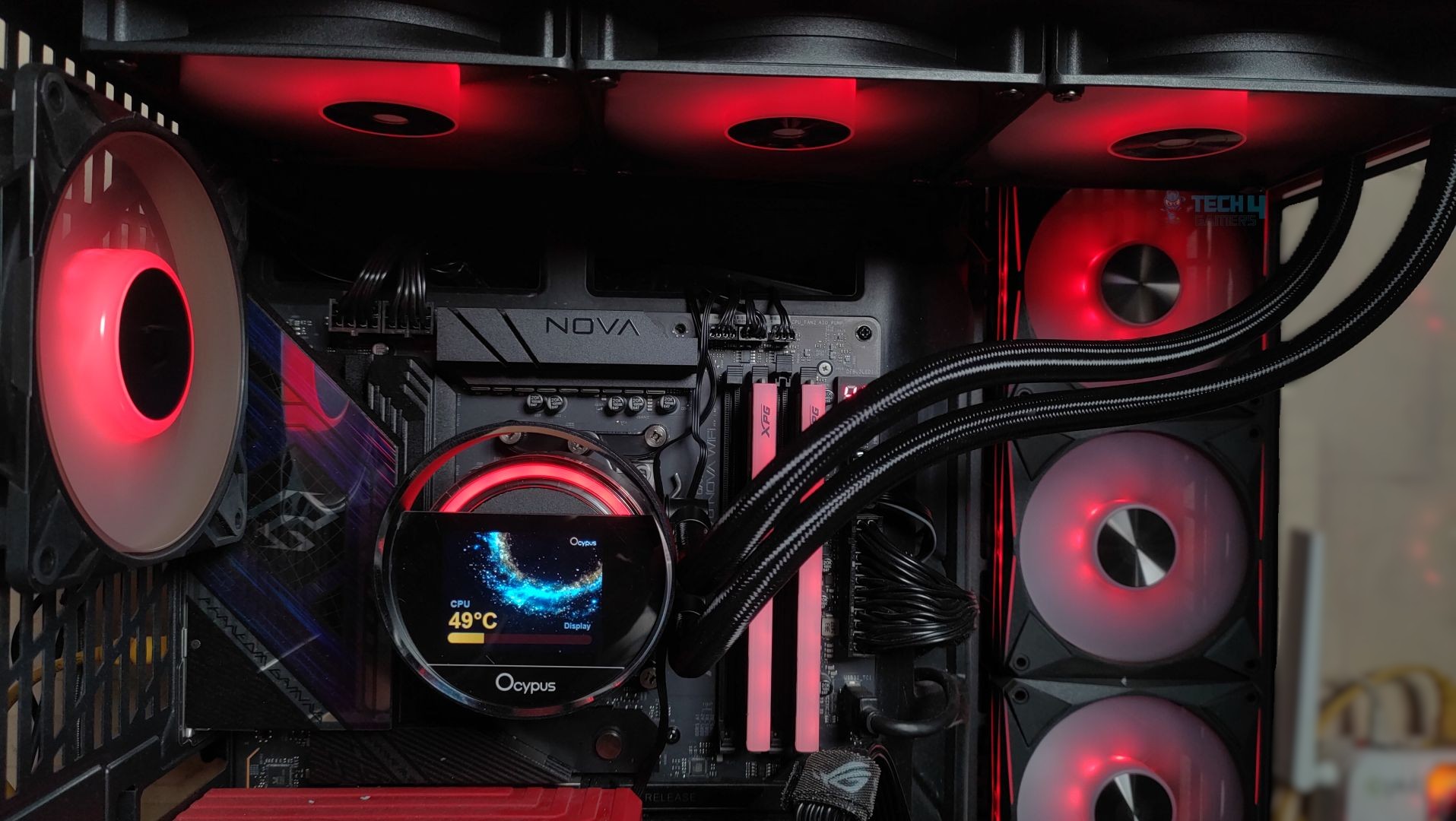
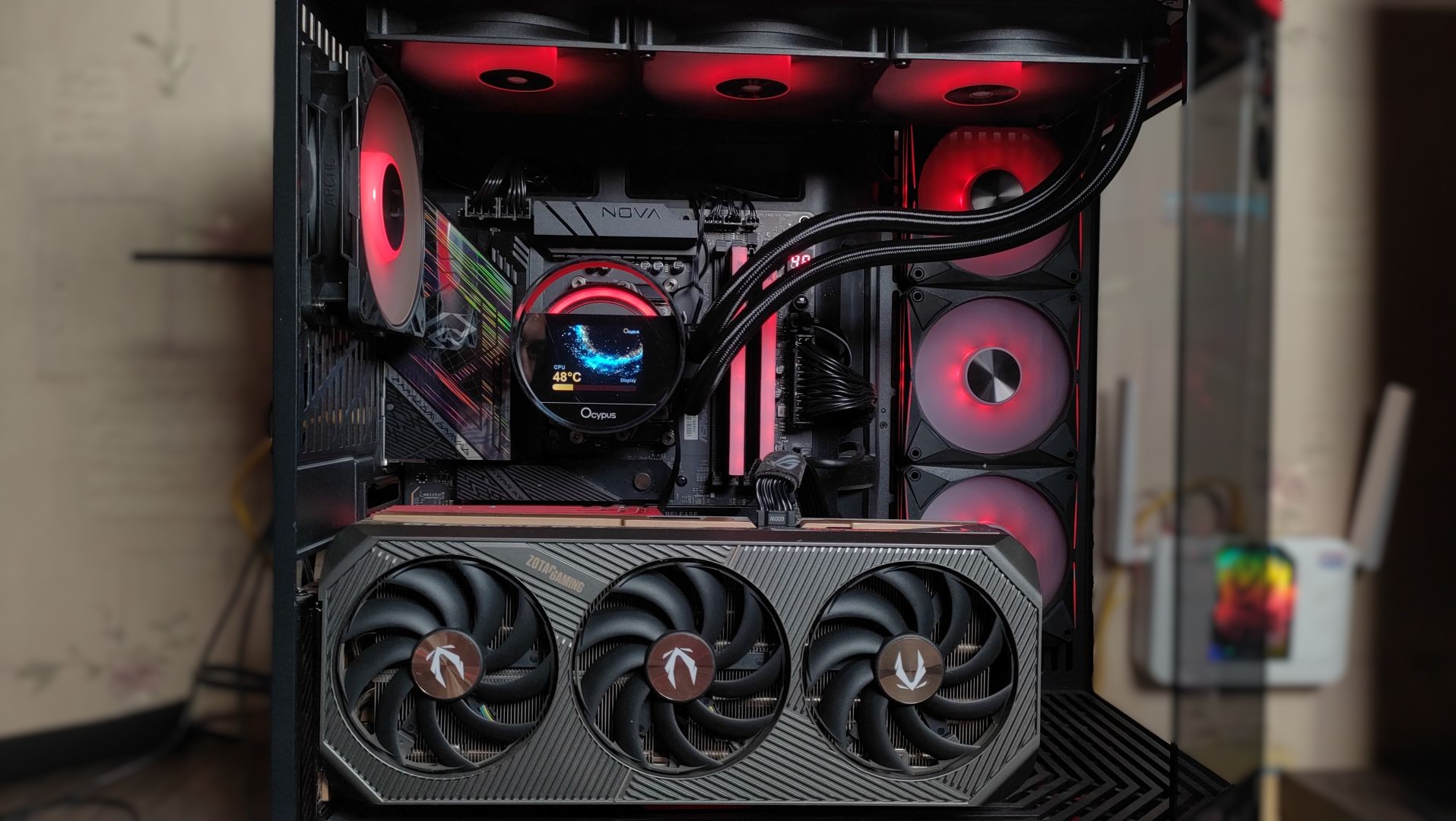
Here are some shots of Ocypus Sigma L36 ARGB assembled in Hyte Y70.
Testing Methodology

CPU Configuration:

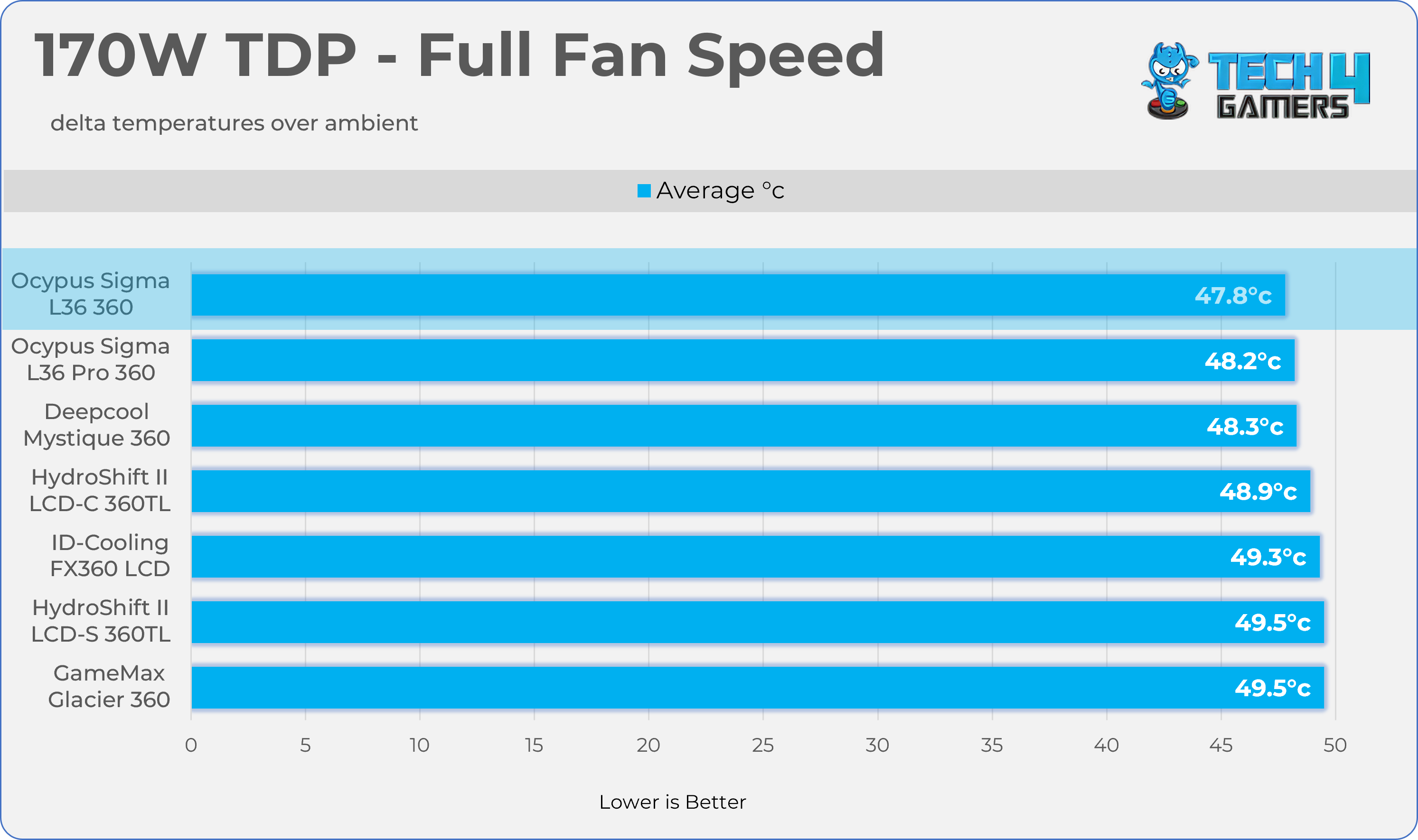
  • We evaluate the cooler’s performance using three different benchmark methods. Noise-normalized testing is performed at 40dB(A) at the 105W TDP and 170W TDP (Stock) of the Ryzen 9 9950X. We then test the cooler’s performance at the maximum PWM speeds for both TDP configurations. After that, we unlock the power limits of the CPU to see how much cooler it can dissipate the heat in terms of watts at the maximum PWM Speeds.

Controlled Environment:

  • We have eliminated the influence of ambient temperatures in our data, and all results are presented as deltas over the ambient conditions. The tests were done in a controlled environment with a room temperature of 25°C.

Preparing System:

  • The Coolers are tested in realistic conditions. We don’t use the open bench system; instead, we have installed the cooler in our HYTE Y70 case, mounted at the top. We ensure the airflow is adequate in the case and that the case fans are running at the fixed PWM speeds.
  • We are using ID-Cooling X45 thermal paste for all coolers.

Software:

  • We have ensured that no other software is running on the computer that could influence the CPU load.
  • We’ll be using the Cinebench R23 Loop for 20 minutes after the warm-up test has been completed. Each test has a 10-minute cool-down time.

Test Setup

Here is our test setup!

Our Primary Test System
ProcessorAMD Ryzen 9 9950X
MemoryXPG Lancer 32GB (16x2) 6000MT/s CL30
MotherboardASRock X870 Phantom Gaming Nova WiFi (BIOS: 3.5v)
Thermal PasteID-Cooling X45
Graphics CardZOTAC SOLID RTX 5080 ,
Power Supply UnitSuper Flower LEADEX VII Platinum PRO 850W

Test Results – Noise Normalized 40 dB(A)

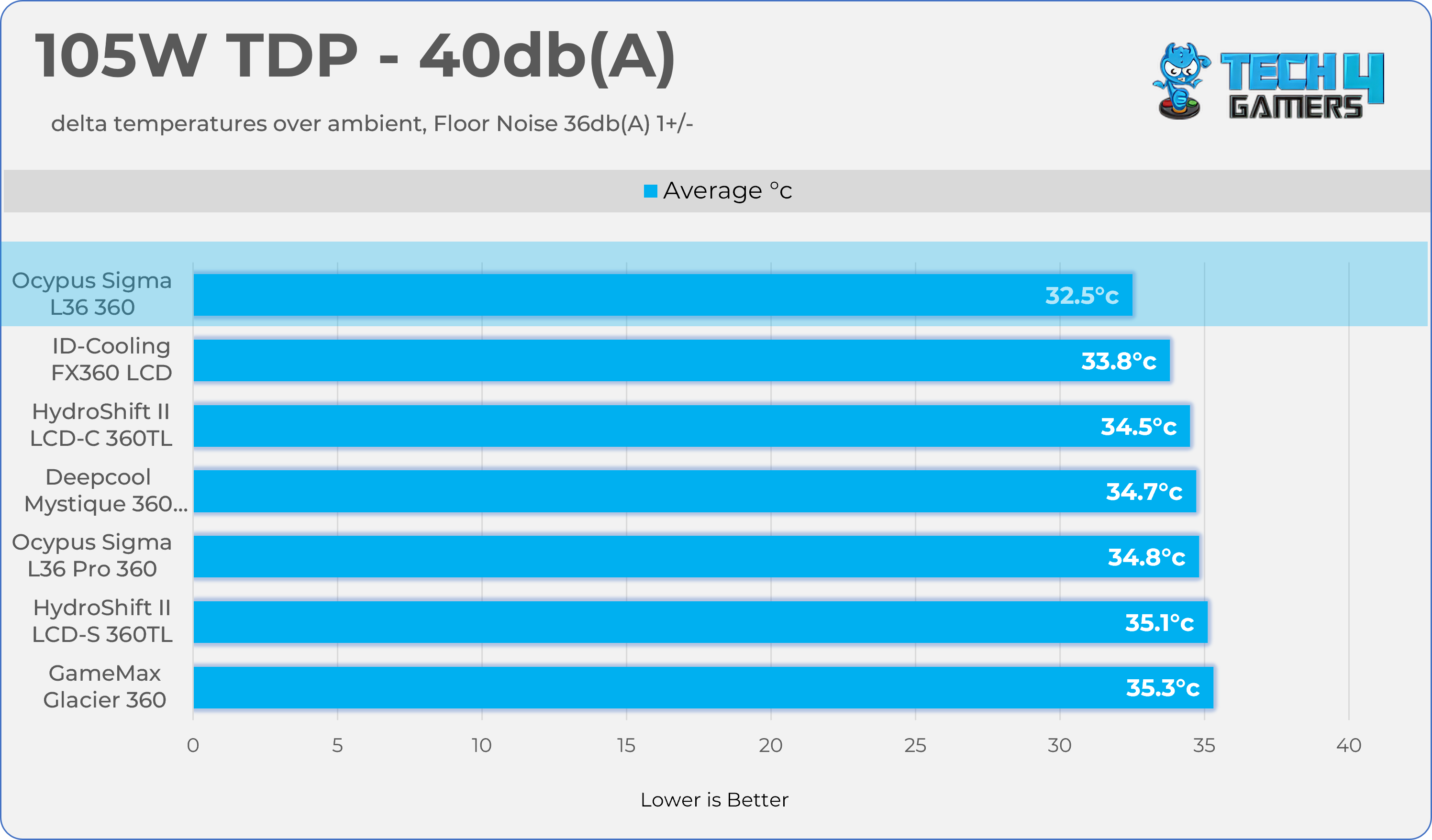
Results at the fixed noise level of 40dB(A).

105W TDP
40dB(A) - 105W
40dB(A) – 105W

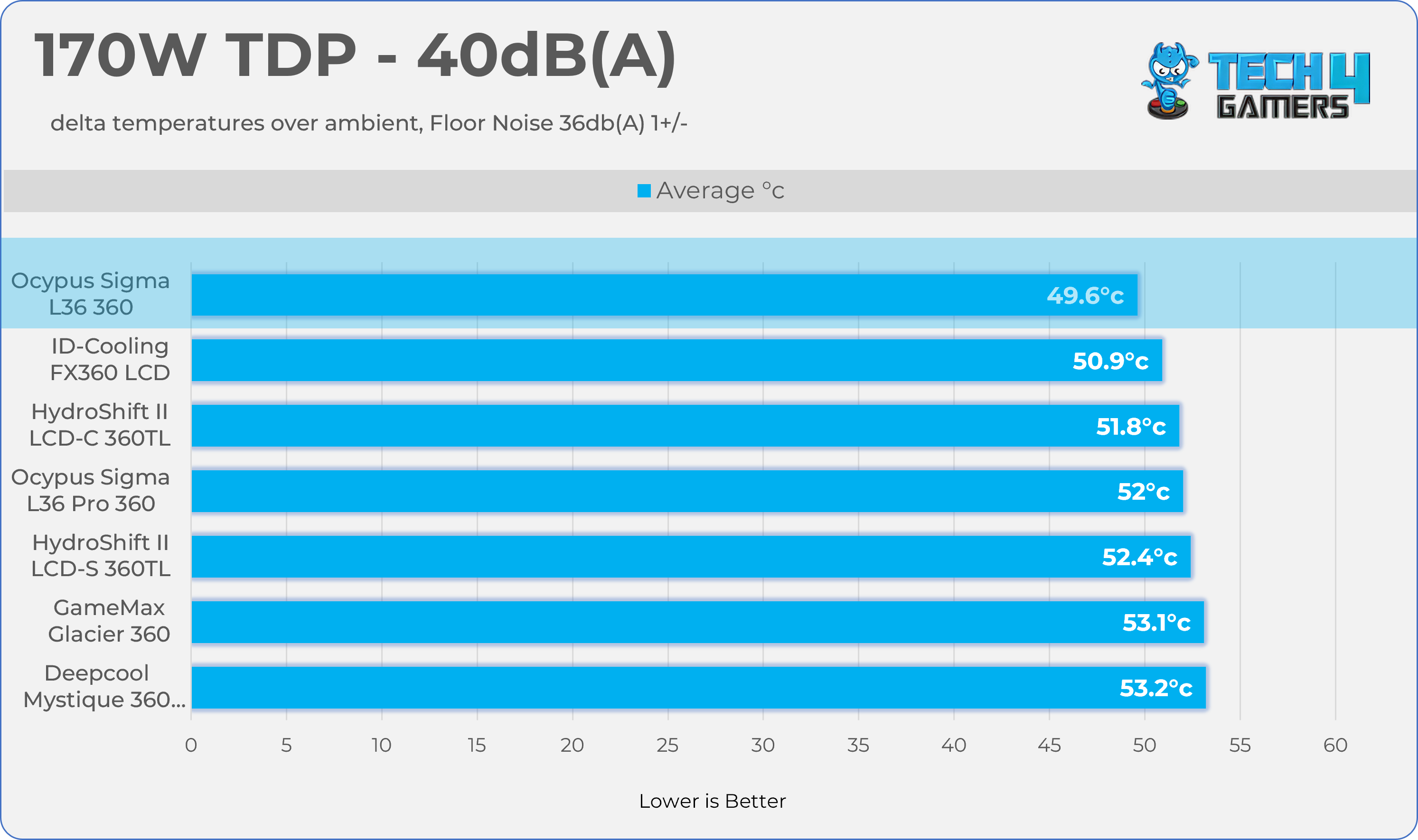
170W TDP

40dB(A) - 105W
40dB(A) – 105W

Test Results – Maximum Speed

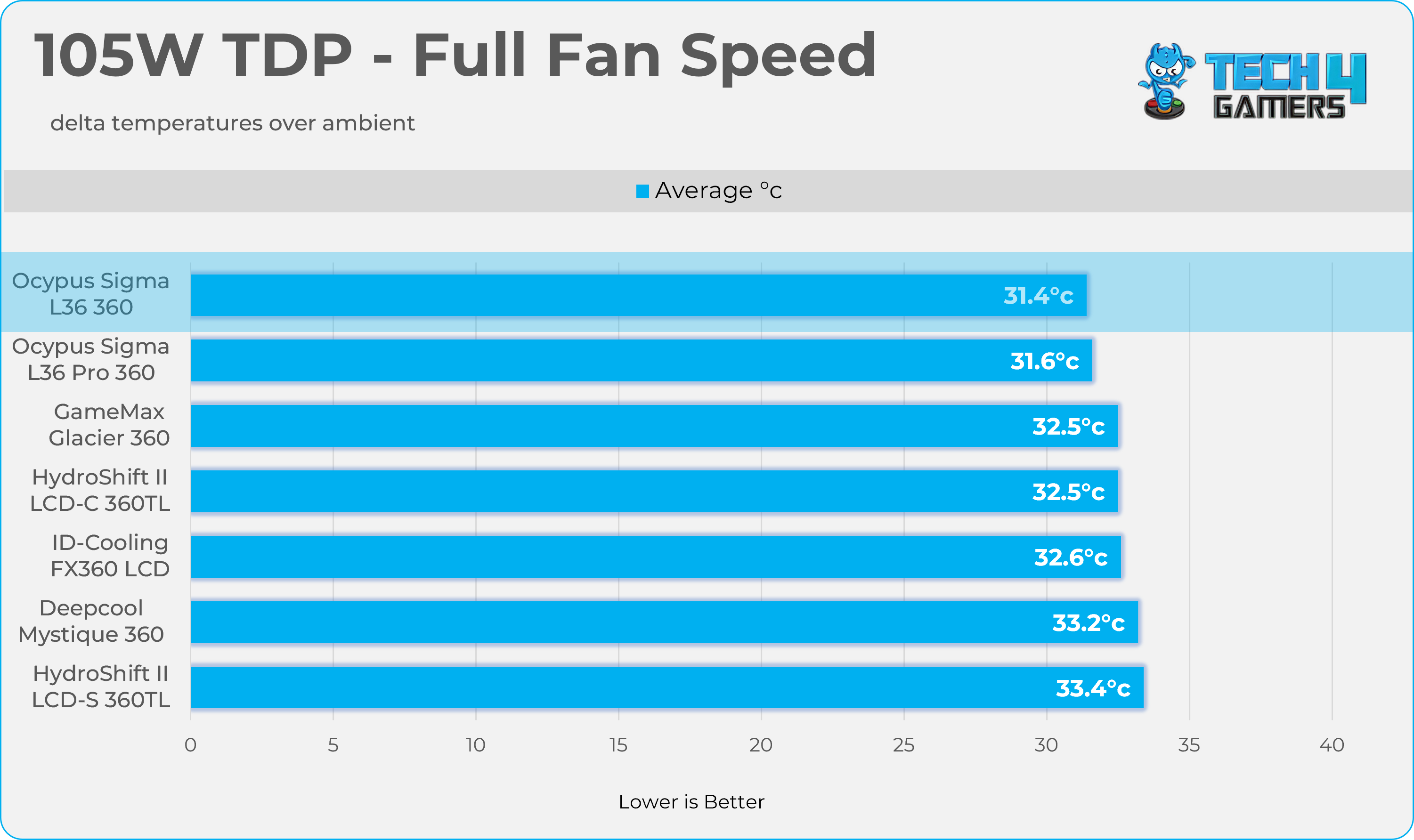
Results at the Maximum PWM Speed.

105W TDP
Max TDP - 105W
Max TDP – 105W

170W TDP

Max TDP - 105W
Max TDP – 105W

Noise and RPM Readings

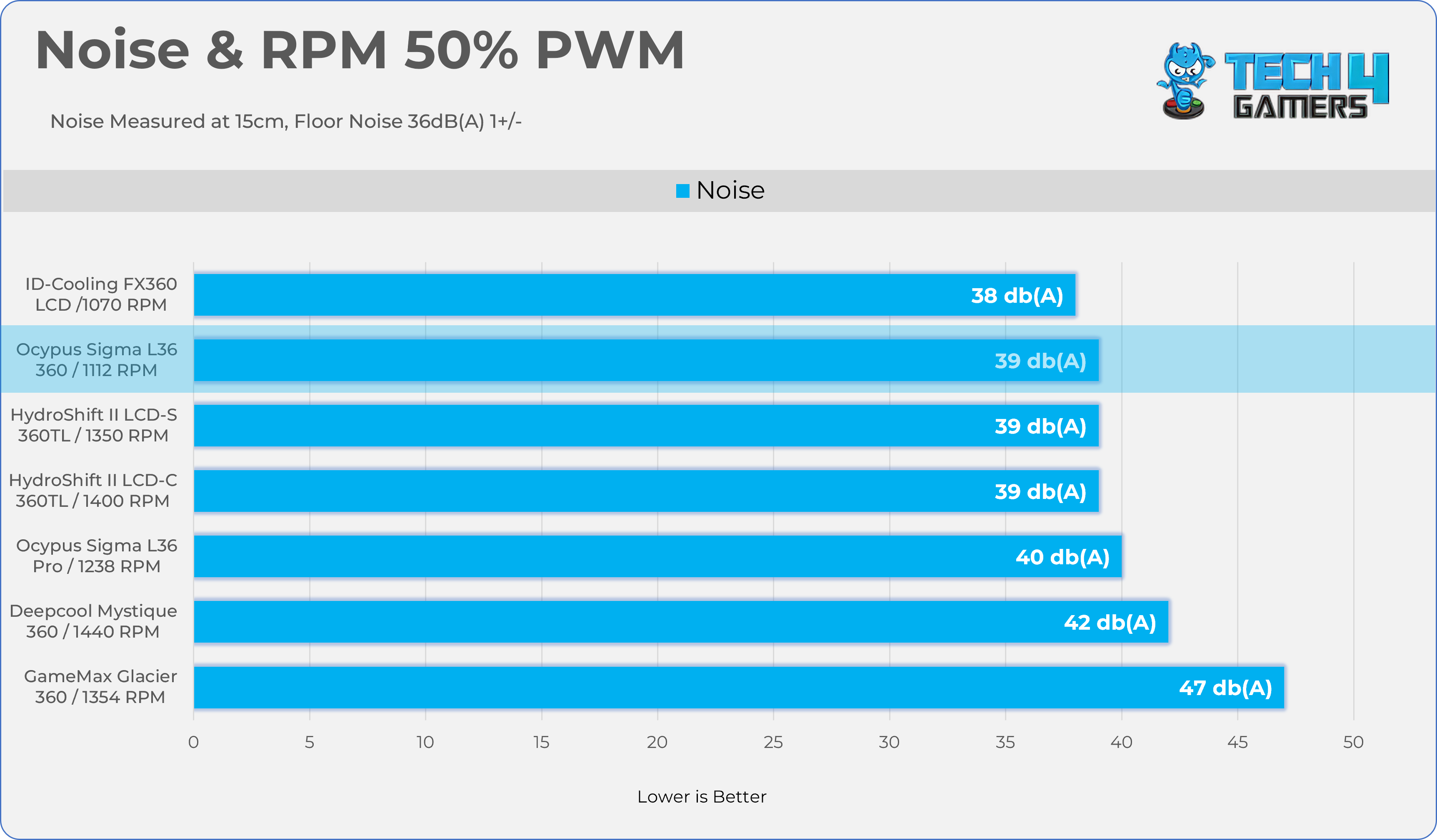
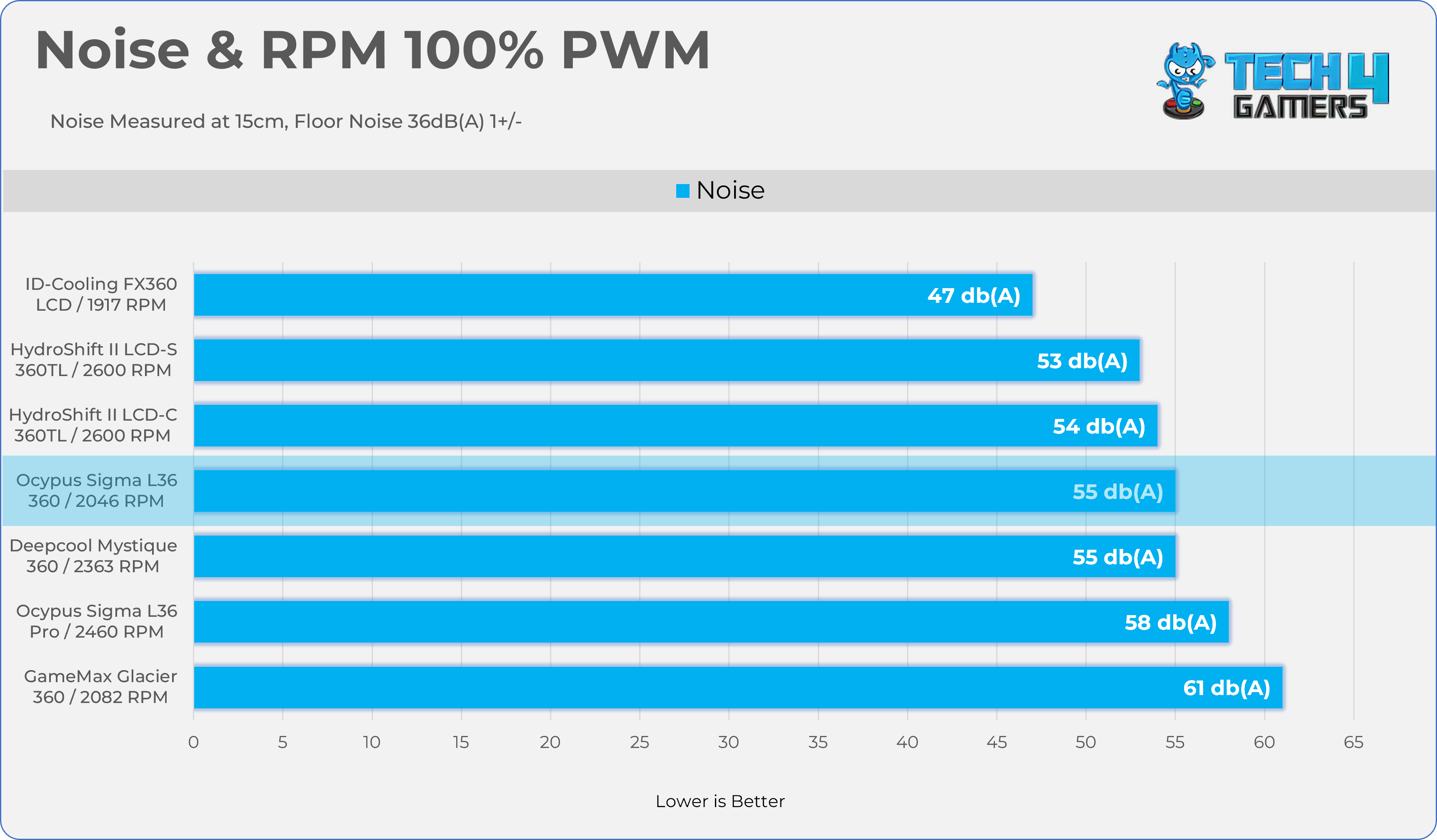
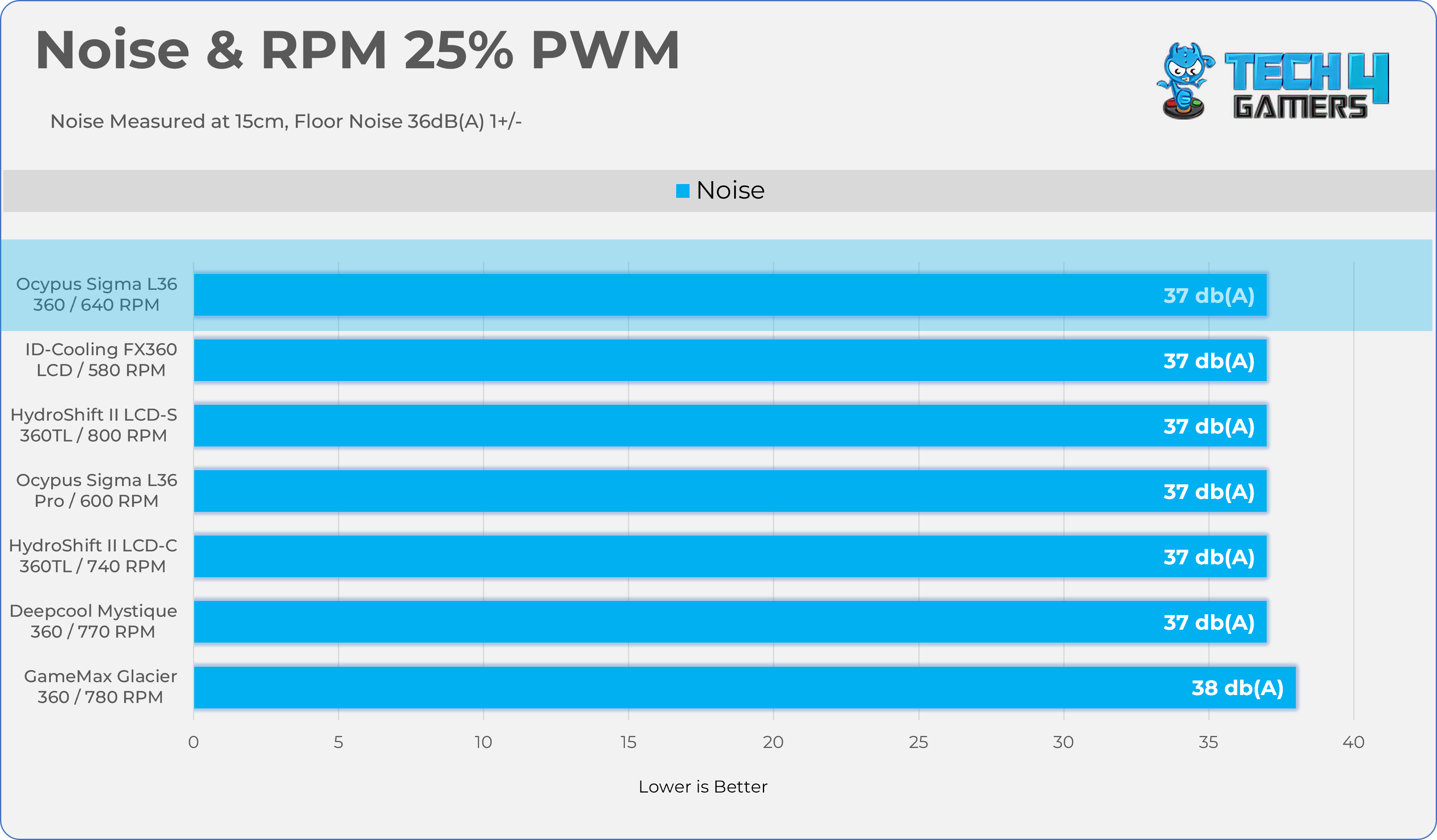
Let’s take a look at the Noise and RPM Readings. We conducted tests across four different PWM range levels.

25-50% PWM
75-100% PWM
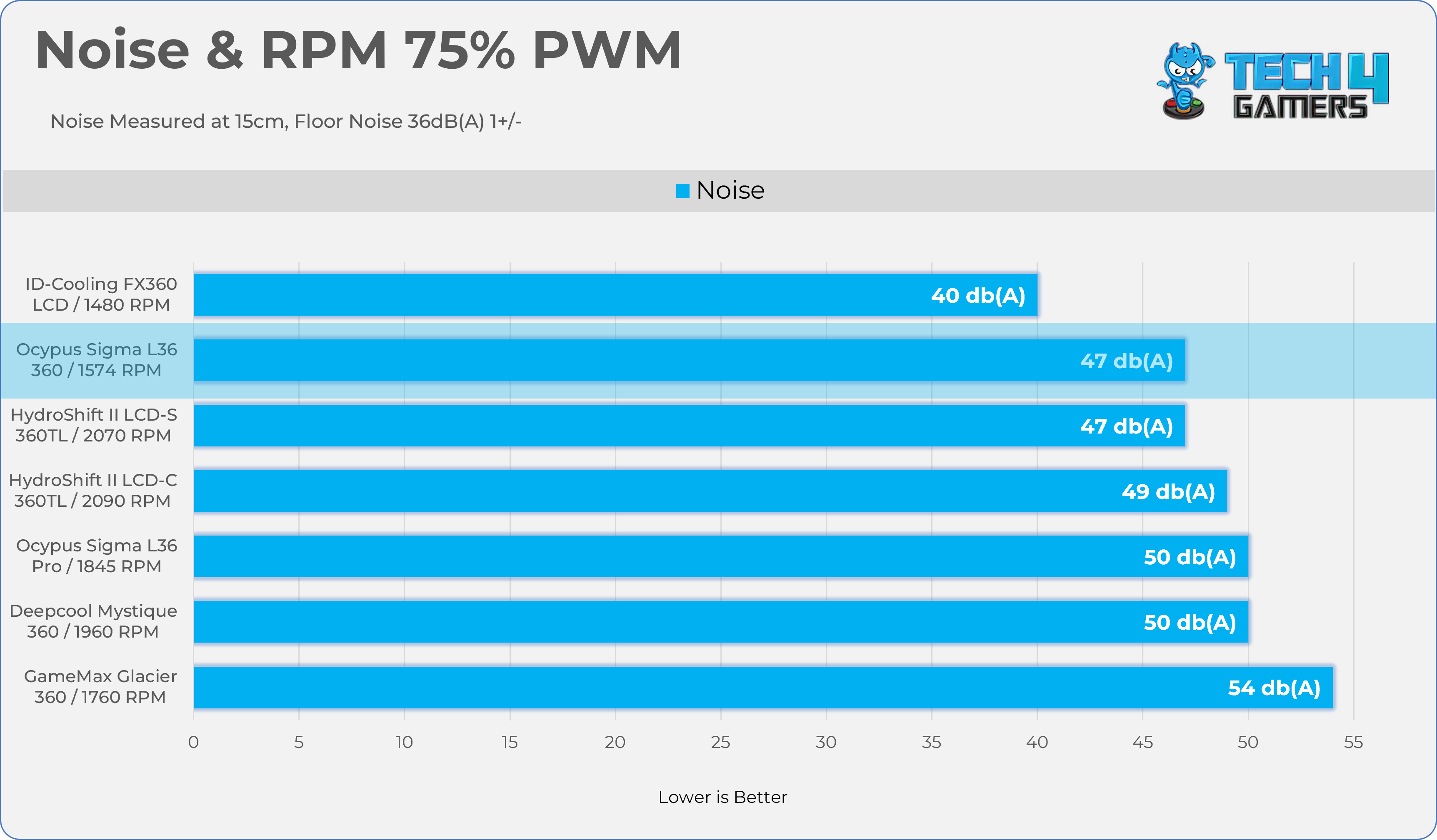
Here is the structured table illustrating fan noise levels at various PWM percentages. The Floor Noise Level is 36dB(A).

PWM (%)RPMNoise dB(A)
25%640 RPM37 dB
50%1112 RPM39 dB
75%1574 RPM47 dB
100%2046 RPM55 dB

Should You Buy It?

Buy It If

You Want Decent Cooling: Ocypus Sigma L36 ARGB demonstrates incredible cooling performance across all the thermal benchmarks on AMD Ryzen 9 9950X.

You Want Good Acoustics: The fans are incredibly silent at the 50% PWM.

Don’t Buy It If

Not Interested In ARGB / Display Aesthetics: The main highlight for this cooler is the futuristic cosmic LCD block head. If your priority is best cooling per dollar, you can skip this cooler and settle for a budget option.

Final Thoughts

To conclude, we’d like to share our final observations.

Cooling Performance And Noise

The performance is impressive across all the benchmarks, almost topping all the charts in the noise-normalized benchmarks. As for noise performance, the fans might not be as powerful as the Pros’ siblings, but they handle the job very well. At 40dB(A), the fans spin at 1205 RPM, resulting in 2 °C lower at full speed under the 170W TDP. If the noise on this cooler bothers you, you can set the fans to 50% PWM and call it a day.
 

Build Quality / Design

This is not an ordinary LCD all-in-one cooler design, and we believe it may not appeal to everyone, as people have different tastes and preferences for their builds. The CPU block is the main highlight of this cooler. This time, Ocypus has introduced a futuristic “Cosmic” design. In my experience testing coolers, this is something truly fresh after a very long time. I appreciate Ocypus’s approach, as they consistently innovate and introduce new designs in their AIO lineup.
 
There are things I’m disappointed about that could have been improved this time. The magnetic connection for the LCD is weak. It does not feel sturdy at all when it’s installed, a slight touch could change the orientation for the LCD, apart from this issue, I’m glad to report they have improved the installation on AMD platform, last time, I had problems with the Ocypus L36 Pro Sigma, where during the removal/uninstallation of the cooler, the stands off did not come off easily without using the steel piler which could lead to the damaging the capacitors near the socket or damage the PCB of the motherboard if not handled carefully. However, they really need to fix the magnetic connection between the block and the LCD panel; it doesn’t sit right.
 
The pump is housed in ABS Plastic; however, we noticed that when installed, the outer is slightly wiggly under hand movement. We can’t say with confidence whether it’s a manufacturing defect or it’s intended to be like that.
 
Apart from its LCD module and ARGB fans, and changes in the installation process, the cooler is the same as their Sigma Pro version, as it shares the same block and radiator build.
 

Value

At the time of writing this review, no listings for this cooler were available; however, it is expected to be priced lower than its sibling, the Ocypus L36 Sigma Pro.


Industry Should Focus More on Fun Games Instead of “Monetization and Customer Values”, Says Former PS Boss

Story Highlight
  • Former PlayStation boss calls out the industry for not making games fun anymore.
  • He says when people pitch him games, they are focused on monetization and engagement.
  • Games with lower budgets and 20-25-hour play time should make a comeback.

Add Tech4Gamers on Google 

The current trajectory of the gaming industry is hard to understand. While concepts like forced inclusivity and political statements are mostly behind us, the industry focuses on maximising profits without considering how games have lost their fun factor. 

A former PlayStation boss has weighed in on the matter and says that the industry should focus on making more “Fun Games”, instead of focusing on “Monetization” and “Customer Values”, which leads to a loss in quality. 

Why it matters: Indie games like Expedition 33 and Hollow Knight: Silksong proved this year that if you focus on creativity and making games fun, you don’t need to add monetization or anything else for financial success. 

In an interview, Shawn Layden spoke candidly about the gaming industry. He said that when people pitch him games these days, all they focus on is monetization strategies, addressable markets, and incentives. 

Sometimes a pitch will start and they’ll be: ‘this is the monetization and this is how we’re going to capture the total addressable market. I’ve had to stop some people and say: ‘Hey, hold—no, wait. What’s the fun part?’

– Shawn Layden 

He says he asks them Where is the fun part? While economics are important for a business, it is also essential to be creative and deliver something great. That’s what the industry is failing to do right now. 

Shawn Layden Featured
Layden is disappointed that the industry doesn’t focus more on fun games.

Studios now focus on creating 80-100-hour games for maximum player engagement; instead, they should return to 20-25-hour titles. This would also lead to double-digit million-dollar budgets, rather than triple-digit millions. 

Most players will agree with Layden’s words, as most games have lost that fun factor. However, some studios still focus on brilliant projects, such as Death Stranding 2, Expedition 33, Split Fiction, and more.

What are your thoughts on the comment that games don’t focus on being fun anymore? Let us know your opinions in the comments or join the discussion at the official Tech4Gamers Forum.

Generative AI Will Reduce AAA Development Cycle To Just 2 Years, Level-5 CEO Claims

Story Highlight
  • Level-5 CEO Akihiro Hino has claimed that generative AI can reduce AAA development cycles to just 2 years.
  • The Japanese developer stated that most studios are already using AI for efficiency gains but aren’t disclosing it.
  • According to Hino, viewing technology as evil will hinder industry progress.

Add Tech4Gamers on Google

Despite overwhelming negativity from fans, studios continue to use generative AI in game development. New reports have revealed that big names like Halo Studios are going all-in on the technology and will make it an essential component of any future development.

If you ask Level-5 CEO Akihiro Hino, generative AI will be essential in the future and can reduce the bloated AAA development cycles that currently plague the industry.

Why it matters: Generative AI is not well-received by fans, but its use to shorten lengthy development cycles could be revolutionary.

Level-5 Generative AI
Source: X

While trying to clear up misconceptions about X, Akihiro Hino stated that generative AI could reduce the AAA development period to just 2 years.

It might shift us from a world where developing the AAA games takes 5-10 years to one where we get to enjoy them every two years.

According to Level-5’s CEO, it takes 5-10 years for a studio to develop AAA titles that players enjoy, but AI has the power to change that. Considering how giants like Sony already have plans to speed up development by utilizing AI, Akihiro Hino’s prediction isn’t too incorrect.

Hino further explained that viewing AI as evil could be detrimental to technological development, and we should use it as a tool for progress instead. The CEO of Level-5 also claimed that many developers are already using generative AI to gain efficiency, but most are not publicizing their practices.

Level-5 and Akihiro Hino, who have developed games like Inazuma Eleven and Professor Layton, have been under constant fire recently for using AI tools like ChatGPT to design characters, further solidifying the extremely negative opinion fans hold of generative AI.

level-5 AI
Level-5 has received backlash from fans for its use of AI in titles like Inazuma Eleven.

Hence, while it’s hard to deny the impact generative AI will have on AAA game development, fans aren’t likely to come around any time soon.

Do you think it’s ethical to use AI for faster development cycles? Tell us in the comments below or head to the Tech4Gamers forum for discussion.

Best Ways to Optimize Columbina’s Playstyle in Genshin Impact

Story Highlight
  • Columbina relies on timing and positioning; button-mashing is ineffective.
  • She works as a fast-paced on-field driver or a quick-swap off-field support.
  • Avoid pure stat stacking. Mix HP, Elemental Mastery, and Crit based on her field time. High Energy Recharge (140%–190%) is mandatory to keep her kit functional.

Columbina is not the kind of character you can throw into your Genshin Impact team and expect instant results. She rewards players who enjoy planning rotations, watching enemy positioning, and timing their skills instead of button-mashing.

When she clicks, though, she feels incredibly satisfying, especially in teams built around the Lunar Reaction system.

This Columbina build guide is not about chasing perfect spreadsheets or selling “best-in-slot” gear. It is about how Columbina actually plays in real content and how to make her feel optimized, reliable, and worth the slot on your team.

At her core, Columbina is a Hydro Catalyst unit who shines as a support or sub-DPS. Her kit revolves around building Gravity, applying Hydro consistently, and then cashing everything in during Kuuvahki Interference.

That short window is where most of her value comes from, so how you prepare for it matters more than raw stats. Before touching artifacts or weapons, you need to answer one question: do you want Columbina on the field most of the time, or do you want her to pop in, set things up, and leave?

Playing Columbina On-Field

Columbina Optimized Setup
You can play Columbina on-field as a fast-paced driver for off-field attackers

On-field Columbina works best when the rest of the team can deal damage without staying active. Characters like Fischl, Xiangling, Yelan, or similar off-field attackers pair naturally with her. While they do their thing in the background, Columbina keeps Hydro applied and builds Gravity through her Normal Attacks.

This playstyle feels fast and aggressive. You are constantly swapping, reacting, and trying to line up one clean Kuuvahki window that wipes enemies or chunks bosses hard.

Stat-wise, on-field Columbina wants balance. Too much HP and her reactions feel weak. Too much Elemental Mastery, and she starts feeling fragile.

A comfortable setup usually looks like this:

  • HP% or Elemental Mastery on sands, depending on how safe you want to play
  • Hydro Damage on goblet
  • Crit Rate or Crit Damage circlet if she is contributing noticeable personal damage

If your weapon already gives a lot of HP, lean into Elemental Mastery on artifacts. If your Catalyst gives Elemental Mastery, it is perfectly fine to stack more HP instead.

On-field Columbina shines most in shorter fights where enemies do not survive multiple rotations.

Playing Columbina Off-Field

Off-field Columbina is the safer, more structured option. This works best when your main damage dealer needs uninterrupted field time and does not want to keep swapping out.

Here, Columbina enters the field, applies Hydro, builds a bit of Gravity, activates Kuuvahki Interference, and then steps aside. Her value comes from boosting reactions and enabling teammates rather than dealing damage herself.

For this style, HP and Energy Recharge matter more than Crit:

  • HP% sands and circlet are usually the safest
  • Hydro Damage goblet still adds value
  • Elemental Mastery can come from one main stat or substats
  • Enough Energy Recharge to burst every rotation

Support-focused Catalysts like Prototype Amber feel great here because they help with Burst uptime and add survivability to the team. This version of Columbina really shines in Spiral Abyss-style content where clean rotations repeat again and again.

Clean Rotations Matter More Than Stats

Columbina Optimized Setup
Proper rotation setup and enemy grouping matter more than raw character stats.

Even with good gear, Columbina feels bad if her timing is off. Gravity stacking, aura setup, and enemy positioning all need a little patience.

In Lunar-Bloom or Lunar-Charged teams, a simple approach works best. Set up Dendro and Electro or Pyro first, let their auras settle, then bring Columbina in to apply Hydro and stack Gravity.

Use Kuuvahki Interference right before your teammates dump their skills and Bursts, not at the start of the rotation. If enemies are spread out, take the extra second to group them. Hitting five enemies slightly later is always better than hitting one enemy perfectly on time.

For shield-heavy Lunar-Crystallize teams, the pace is slower but safer. Set shields first, preload off-field damage, then activate Columbina’s window when everything is already ticking. Against mobile bosses, it is often better to wait than to force Kuuvahki Interference into thin air.

Energy Management Tips

Columbina feels dramatically better when her Burst is ready every rotation. If it is not, nothing else really matters.

As a rough guideline:

  • In double or triple Hydro teams, around 140–160% Energy Recharge usually works
  • In mixed teams where she is the only Hydro, aim closer to 160–180%
  • In very fast rotations or messy fights, even 190% is not overkill

If your Burst is late, treat Energy Recharge as mandatory. You can always trade it away later once your artifacts improve.

A simple habit helps a lot: swap Columbina in right after teammates use their skills so she actually collects the particles.

Common Mistakes That Hold Columbina Back

Columbina Optimized Setup
Players often waste Columbina’s “Interference” window by triggering it too early or without enough Gravity stacks.

One of the biggest mistakes is using Kuuvahki Interference too early. If Gravity is not stacked or enemies are out of position, the entire window feels wasted. Take a second to set things up first.

Another common issue is overcommitting to one stat. Pure HP makes reactions feel soft. Pure Elemental Mastery makes her feel fragile and awkward. A mix almost always performs better.

Many players also overlevel her Normal Attacks even when she barely stays on the field. If she is off-field most of the time, focus on her Skill and Burst instead.

Finally, do not drop her big window away from buffs, debuffs, or grouped enemies. Timing matters more than speed.

F2P and Low-Investment Builds

Columbina is very friendly to free-to-play players. She does not need limited weapons to feel good.

Prototype Amber is a great starting point thanks to HP, Energy Recharge, and small healing. Favonius weapons also work well if you can maintain enough Crit Rate.

Artifact-wise, do not stress about full sets early on. Mixed pieces work just fine:

  • Two-piece HP% paired with Elemental Mastery or Hydro Damage
  • HP% sands, Hydro goblet, HP% or Crit Rate circlet
  • Prioritize Energy Recharge in substats until rotations feel smooth

Budget teams with characters like Xiangling, Fischl, Noelle, Barbara, or the Traveler still get good value from her Hydro application and Gravity support.

Optimizing Columbina is less about chasing perfect artifacts and more about understanding her rhythm. When to stay on the field, when to leave, and when to trigger her window matters far more than squeezing out a few extra stats.

Star Wars Jedi Titles Are Reportedly Heading To Nintendo Switch 2 As Fans Demand More AAA Titles

Story Highlight
  • The Star Wars Jedi games are reportedly releasing on Nintendo Switch 2 thanks to a new Disney mandate.
  • Disney wants all video games affiliated with its brands to launch on the handheld.
  • Hence, future Star Wars titles could also be playable on the Switch 2.

Add Tech4Gamers on Google  

Nintendo Switch 2 has had a debut year to remember so far, with the console even outselling Nintendo’s initial sales expectations. The handheld was a massive hit during the holiday season, selling 220,000 units in Japan alone last week.

With 10 million consoles already shipped worldwide, the Nintendo Switch 2 is expected to reach 20 million sales in its first year. If rumors are true, the console is about to get a couple of new Star Wars games to help it achieve this goal.

Why it matters: The Star Wars Jedi titles contain some of the franchise’s best work, and a Switch 2 port could be magical to behold.

Star Wars Jedi Nintendo Switch 2
Source: X

Insider Nash Weedle has revealed that Star Wars Jedi: Fallen Order and Star Wars Jedi: Survivor are set to release on the Nintendo Switch 2 in the near future. According to the insider, Disney wants all video games linked to its brands released on the handheld.

Hence, this could also mean that future Star Wars titles, such as the recently announced Fate of the Old Republic and EA’s Star Wars Jedi: 3 could launch on the Nintendo Switch 2.

Nash Weedle successfully leaked Metroid Prime 4 back in 2021, while also announcing Mario and Luigi’s return in May 2024 before Nintendo. In addition, the insider correctly predicted the Nintendo Direct held this July, indicating he has some credibility regarding Nintendo-related topics.

The handheld has already received a Star Wars game in the form of Ubisoft’s Star Wars: Outlaws, which was a technical success on the platform, running much better than many expected.

Star Wars Outlaws Nintendo Switch 2
Star Wars Outlaws ran incredibly well on the Nintendo Switch 2.

The Nintendo Switch 2 has proved to be an admirable device for graphic-heavy AAA titles so far. Resident Evil Requiem, which is supposed to launch in 2026, is already displaying impressive ray tracing on the handheld.

With titles like Red Dead Redemption 2 and Starfield also expected to drop on the Nintendo Switch 2, the Star Wars Jedi games will certainly have some AAA competition on the platform.

Do you think the Star Wars Jedi games will run well on the Nintendo Switch 2? Tell us in the comments below or head to the Tech4Gamers forum for discussion.

DDR5 RAM Prices Exploded by 123% This Year — 2026 Expected To Deliver Another Brutal 45% Surge

Story Highlight
  • DDR5 RAM prices increased by 123% this year, but in 2026, another 45% surge is expected.
  • These price hikes may even force delays for new PC product launches.
  • Similarly, GPU prices are also being raised as early as January 2026.

Add Tech4Gamers on Google  

The AI boom has caused a worldwide DRAM shortage, and as a result, RAM prices have risen faster than gold’s price gain in recent times. Unfortunately, this is just the beginning, and things are about to get much worse for the PC market in 2026.

Just for reference, RAM prices increased by 123% this year, but 2026 will see an unprecedented level of changes as DDR5 RAMs are about to get another 45% surge on top of this price.

Why it matters: With how rapidly things are worsening, building a PC might be practically impossible for the majority, since DRAM affects components beyond just RAM.

ram prices increasing ddr5
Update On DDR5 RAM Prices For 2026 || Chosun Biz

One Korean media outlet reported that DDR5 RAM prices are expected to increase by 45% on top of the existing rates. Currently, a gigabyte of DDR5 RAM costs $10 for sticks up to 32GB and beyond, prices are even higher.

This is the exact reason why manufacturers are thinking of scaling back new laptop releases to just 8GB of RAM, and the same goes for mobile phones, and 2026 may see a return of 4GB configurations.

Moreover, the report further reveals that these high costs are set to delay PC product launches till the DRAM situation calms down, and spoiler alert, it won’t for at least a couple of years.

We anticipate that changes in our market response strategy, such as postponing product launches or downsizing our premium lineup, will inevitably be necessary.

Aside from RAM, AMD and Nvidia are reportedly planning on hiking GPU prices since their contracts that are based on previous memory prices end soon, and the new agreements will undoubtedly be based on higher costs.

RTX 50 Series Nvidia
Nvidia Reportedly Cutting RTX 50-Series GPU Supply by 50%

The console side is experiencing a similar situation, and devices like the PS5, Xbox Series X|S, and the Switch 2 may see an increase of 10-15% on their retail price. Next-gen consoles are also expected to be delayed from their initial release.

With only a few days left in the holidays and in 2026 beginning, this is the time to upgrade or buy new hardware as prices won’t be this low for at least a few years.

What are your thoughts on this story? Let us know in the comments below, or at the official Tech4Gamers Forums.

RTX 5090 Catches Fire on Christmas Eve — Connector Charred Beyond Melting

Story Highlight
  • Another user has reported that their RTX 5090 caught fire after 9 months of use.
  • There was a smell first, and the connector not only melted, but also caught fire.
  • The connector issue has been a recurring problem for past Nvidia generations.

Add Tech4Gamers on Google 

Nvidia has had the connector burning problems for the past couple of generations. There have been so many reports that it has become a mainstream issue, with the GPUs even becoming a fire hazard and literally life-threatening in some instances. 

Imagine getting ready for the holidays, turning on your PC, and seeing fire emerging from your GeForce RTX 5090 GPU that you spent thousands on. That’s precisely what happened to a Reddit user, despite using the card for 9 months. 

Why it matters: The RTX 5090 has become a ticking time bomb, which is a grave issue and one that Nvidia doesn’t seem to be taking too seriously, and something that must be fixed with future iterations. 

RTX 5090 burning
Another RTX 5090 has suffered from burning due to the connector issues.

A Redditor posted on r/pcmasterrace to report another dead RTX 5090 GPU. The user claims that they first smelled something weird, and later, the 16-pin cable not only melted but also caught fire. 

The user reports that the PC was using a decent PowerSpec PS 1050 GFM PSU, which supports ATX 3.1, the standard Nvidia requires for the connector. It came with the 12V-2×6 cable, and he got it brand new only for the RTX 5090.

MSI GeForce RTX 5090 Suprim
This has been a recurring issue with flagship GPUs for the past couple of generations.

The 12V-2×6 connector has now become notorious for not being able to sustain higher temperatures. We’ve had multiple cases of melting and now even burning. Even users who haven’t had the issue thus far are scared. 

The situation has become quite alarming, meaning even GPUs that have been in use for such a long time are at risk of burning. Nvidia should work to resolve this as quickly as possible, as it could tarnish its reputation. 

What are your thoughts on another RTX 5090 burning due to connector problems? Let us know your opinions in the comments or join the discussion at the official Tech4Gamers Forum

AMD Still Dominates CPU Sales, But Soaring RAM Prices Push 34% of Buyers Toward AM4

Story Highlight
  • Recent data from Mindfactory shows AMD capturing over 91% of CPU sales, leaving Intel with less than 9%.
  • Due to rising RAM costs, many buyers are sticking with the older AM4 platform and DDR4 memory to save money.
  • The Ryzen 7 9800X3D is the top seller, while Intel’s most popular chip, the i7-14700KF, moved only 20 units.

Add Tech4Gamers on Google 

While Intel still has a greater market share than AMD, AMD has long been the leading supplier of PC and data centre processors. In servers, AMD EPYC and Ryzen Threadripper processors are clearly faster and less expensive than Intel Xeon equivalents. On the other hand, AMD PC processors lead the way due to a combination of higher performance/price ratio, fewer difficulties (they do not suffer from the instability of the 13th and 14th generation Core processors), and, of course, their X3D architecture.

In the final week of the year, AMD continues to lead, with Mindfactory reporting a large increase in AM4 CPU sales.

Christmas has arrived, and you know it’s the time of year when we’ll spend more money on gifts than at any other time. We’re talking about both essentials and occasional treats for ourselves (or others).

A PC isn’t an unusual Christmas gift, but with RAM prices like these, most people will have lost interest in purchasing anything computer-related and will prefer to wait. There will also be many who believe now is the perfect moment to buy before prices rise much further, as this is a long-term trend.

AMD CPU Amazon Top Sales 2025

People who need a computer or want to acquire RAM are seeking alternatives wherever they can because RAM has become so expensive. One solution was to purchase laptop RAM in SO-DIMM format and then use an adaptor to use it as a DIMM in a PC; however, this limited the base frequencies and latencies.

Another, simpler choice was to avoid DDR5 and stay with DDR4, whether they already had it in their PC or needed to purchase a new one.

Instead of purchasing the latest processors, we can choose CPUs from a few years ago that nevertheless work effectively. This was reflected in Mindfactory’s CPU sales in Germany during the final week of 2025, where AM4 accounted for 34% of total sales (715 units sold).

In comparison, 1,210 AM5 CPUs were sold, accounting for the remaining 57.45%, giving AMD 91.45% market share in week 51 of 2025. Because AMD sold a lot more of the cheaper AM4 CPUs, the average price per chip sold fell to €259.

AMD CPU 2025

This leaves Intel with just 8.55% of total sales and 180 units at an average selling price of €248. Intel’s sales are divided, with 130 units for socket 1700 and 50 for socket 1851. Looking at Mindfactory’s top-selling CPUs by the end of 2025, the Ryzen 7 9800X3D leads with 390 units, accounting for 18.2% of the total.

The Ryzen 7 7800X3D is far behind, with 170 units sold, and the Ryzen 7 5700X is third, demonstrating the great demand in AM4, with 160 units sold.

Several Ryzen 5000 series processors that are more than five years old may be found if we scroll down. An even older Ryzen 5 3400G can be found selling at the same price as Intel’s best-selling model. With just 20 units, the i7-14700KF is the best-selling processor in the blue team.

AMD Next-Gen RDNA 5 GPUs With TSMC N3P Nodes Reportedly Launching In Mid-2027

Story Highlight
  • AMD’s next-gen GPUs are expected to be launched sometime around mid-2027.
  • The RDNA 5 GPUs will still use TSMC N3P, despite rumors they’ll be using Samsung.
  • Companies are currently assessing markets based on the chip shortage and high prices.

Add Tech4Gamers on Google 

AMD really struck gold when it launched its RX 9000 series GPUs. The GPUs have reportedly sold really well and are an excellent value for their money. However, if you were waiting for a further upgrade, you might have to wait longer. 

A reliable insider has confirmed that the AMD next-gen RDNA 5 GPUs will be released sometime in mid-2027. There were rumors that they would be using Samsung-made nodes, but that too has now been negated. 

Why it matters: Many were wondering if AMD would be going a different route with its next-gen GPUs, but it seems they’re still following the usual launch cycle and will stick with TSMC for its GPUs. 

RDNA 5 release
AMD’s next-gen GPUs are expected to be launched in 2027.

Kepler_L2 took to X to reply to a rumor stating that AMD is set to use Samsung for its next-gen GPUs, revealing that the company is indeed sticking with TSMC and will use its N3P nodes based on a 3nm process. 

The RDNA 4 GPUs use N4P nodes, which are similar to the newest iteration but are based on a 5nm process. We can expect the new GPUs to deliver 5% higher speeds and 5-10% more power while being more efficient. 

AMD Sapphire Radeon RX 9070 XT NITRO+
Recent AMD GPUs have been really successful, presenting good value.

The RDNA 5 is especially important as it will power the next generation of consoles as well. Both PC-hybrid Xbox Magnus and PS6 are expected to ship with RDNA 5 graphics on board, but what’s troubling is the current market. 

Based on the DRAM shortage and inflated prices, companies have been reevaluating the market. However, the situation is expected to get better in 2027, but the production will likely begin in 2026, which could mean higher prices

What are your thoughts on AMD RDNA 5 GPUs launching in mid-2027? What GPU are you currently using? Let us know in the comments or join the discussion at the official Tech4Gamers Forum.

Halo Studios Goes All In on Gen AI, Making It a Core Pillar for Future Halo Game Development

Story Highlight
  • Halo Studios is making Generative AI a core pillar of development for Halo games. 
  • Earlier, it was also reported that Xbox has made AI workflows mandatory for all employees.
  • This puts the future of Halo games in jeopardy as it poses a threat to a huge public backlash and risk of poor development since AI can’t replace creativity.

Add Tech4Gamers on Google 

The Halo franchise is set to see new beginnings soon, as Xbox revamped the entire development team behind the iconic FPS series. The newly formed Halo Studios is now leading development on two new titles that are well into their development. 

However, this reset button might not be what long-term fans had expected. As spotted by the reliable Rebs Gaming, Halo Studios is now leveraging Generative AI as a major pillar for the development of Halo games.

Why it matters: The use of Generative AI has been highly controversial in the gaming industry, and such an adoption has only been rebelled against.

halo studio chief of staff
Chief Of Staff At Halo Studios || LinkedIn

For starters, Halo Studios recently appointed a new Chief of Staff, Angela Hession, who runs her own AI consultancy that helps integrate AI strategies across gaming, tech, and commerce companies.

Before this role, she had been a Microsoft employee for over a decade, working as a Global Head of Gaming Safety and Trust. Her experience in AI seems to be a major reason why she was hired for this position.

Interestingly, earlier reports also suggested that Xbox has made AI workflows mandatory for all of its employees after the huge wave of layoffs earlier this year. 

That isn’t all, though. Other Halo Studios employees, e.g, the engineering/operations director, are also using AI-driven automation to accelerate development at the studio.

halo studio director ai
Halo Studios’ Leadership Using AI For Workflows || LinkedIn

As for the evidence that the studio is using Generative AI, a bunch of manager-level employees at the studio recently acquired certifications in Generative AI for language models, project management, and more. 

The gaming community is also critical of this approach, claiming it sucks all the creativity out of these projects, and it seems that Xbox is digging its own grave in this pursuit.

One report even reveals that 63% gamers are against the usage of Generative AI in video games. 

Regarding the current development status of Halo games, earlier reports indicated leadership problems at the studio. The staff isn’t happy with the slate of upcoming projects either, which makes sense considering the direction they’re headed in.

What are your thoughts on Halo Studios doubling down on Generative AI usage? Let us know in the comments below, or at the official Tech4Gamers Forums.

GPU Prices Likely To Rise In January 2026 As AMD And Nvidia Face DRAM Shortages

Story Highlight
  • An Insider says that AMD and Nvidia will increase prices for their GPUs starting in January 2026.
  • 2026 will see several price hikes, the report reads further.
  • Gaming will become increasingly complex next year as the console side is expected to take a similar hit.

Add Tech4Gamers on Google

Gaming will become increasingly difficult in 2026 as we face several economic challenges and, most importantly, inflation in component prices due to the worldwide DRAM shortage, which is heavily affecting the consumer electronics market.

RAM and SSD price increases have already taken effect, and soon, other components will follow. GPUs could be next in line, as an insider states that AMD and Nvidia are preparing for a major price hike in 2026.

Why it matters: The RTX 50 and RX 90-Series GPUs turn a year old in 2026, and instead of getting discounts, their prices are being increased, which shows how terrible the market has become. 

gpu price increase 2026
GPU Prices To Be Increased As Soon As January 2026 || Board Channels forum

Insider states that AMD and Nvidia’s contract for memory chips at the previous prices ends in 2025. Memory prices will certainly be higher with the newer contracts, ultimately increasing production costs for GPUs.

For Nvidia, their new year begins in February, as January 2026 still counts as Q4 2025. As such, in February, Team Green will announce a price hike across all GPU offerings.

AMD, however, will end its Q4 of 2025 this month, meaning that starting January, expect Team Red to revise prices on its GPUs.

The report further states that the price hike in the next couple of months is just the beginning, and things are expected to get much worse as 2026 unfolds. Nvidia also reportedly plans to release the RTX 50 Super lineup sometime next year, and with the DRAM fiasco, the lineup may even be cancelled

Nvidia GeForce RTX 5070
Nvidia Already Telling AIB Partners To Source VRAM Themselves

Not only the PC side, but consoles are also expected to increase in price by 10-15% in the next year. If the memory shortage lasts longer than anticipated, manufacturers may even be forced to delay the next-gen consoles.

As such, we urge gamers who plan to buy or upgrade their gaming hardware to do so now, as they may not be able to within their planned budget after the holidays.

What are your thoughts on this story? Let us know in the comments below, or at the official Tech4Gamers Forums.

Cyberpunk Sequel Expected To Launch In Q4 2030 With Multiplayer, Says Analyst

Story Highlight
  • A Polish analyst states that the Cyberpunk sequel is expected to launch in Q4 2030.
  • The team plans to integrate multiplayer at launch, which has also increased the budget.
  • A team of 130 devs is working on it, but the number will double in the next years.

CD Projekt RED is currently hard at work on the Cyberpunk sequel. The studio has been in the process of hiring some of the best talent in the gaming industry to work on the title. While it’s still years away, a new rumor suggests when to expect it. 

A Polish analyst has predicted that the Cyberpunk sequel, called Project Orion, is slated to release in Q4 2030. Unlike the original, it will come with multiplayer mode, which will be integrated into the game right at launch. 

Why it matters: If the sequel indeed comes out in 2030, this would comprise a total of around 5 to 6 years of development, which will be substantially reduced from the original that took almost an entire decade. 

Cyberpunk Sequel release
Cyberpunk Sequel is expected to be released in 2030 with multiplayer

Polish analyst, Mateusz Chrzanowski, who has also predicted the launch of The Witcher 3 DLC, has stated that the Cyberpunk sequel is slated for a 2030 release. 132 developers are currently working on it, but it’ll double in a couple of years. 

Interestingly, because CDPR aims to launch multiplayer as well, the budget has climbed to a massive PLN 1.5 billion (roughly $400 million), putting the game’s base cost a lot higher than its predecessor. 

Cyberpunk 2077
It will have a shorter development period than the original, based on the current timeline

The title was initially expected a bit earlier, but it will now take more time due to the addition of multiplayer. This most certainly means that we can expect The Witcher 4, maybe by 2027 or 2028. 

However, fans will be a bit concerned based on how Cyberpunk 2077 launched in a broken state despite so many years of development. But CDPR must have learned from the mistakes, so that a repeat is highly unlikely. 

What are your thoughts on the Cyberpunk sequel launching in 2030, along with multiplayer? Let us know your opinions in the comments or join the discussion at the official Tech4Gamers Forum.