Threads
Worth It?
Review Summary
The MSI MAG B850 Tomahawk Max WiFi II is an excellent mid-range motherboard, featuring a slightly different design, BIOS ROM, and overclocking options compared to the original product. Thanks to its 14+2+1 VRM phase at 80A SPS, you can easily overclock any Ryzen 9000 series CPU. Even if you’re a beginner overclocker, the OC Engine chip will handle all the hard work while you reap the rewards. With decent connectivity, storage options, and thermals, it’s an amazing motherboard for its price.
Hours Tested: 13

Overall
-
Performance - 8/10
8/10
-
Value - 9/10
9/10
-
Features - 9/10
9/10
-
Design - 9/10
9/10
Pros
- Decent price
- 64MB BIOS ROM
- 5G LAN, WiFi 7, Bluetooth 5.4
- Decent EZ DIY features
- DDR5 support up to 8,400MT/s
- Sturdy 14+2+1 VRM phase
- Amazing VRM cooling
- OC Engine chip for simple overclocking
- Debug LEDs
- Impressive subtle design
Cons
- No USB 4.0 port
- No debug LED code panel

Recently, we’ve been seeing many AMD X870 and B850 motherboard refreshes, with subtle design and performance improvements. While the X870 chipset is best for AMD’s high-end CPUs, the B850 fits within a tight budget, providing amazing value and performance. Today, let’s take a look at the MSI MAG B850 Tomahawk Max WiFi II.
We have also reviewed the original B850 Tomahawk Max WiFi, and we have to say, the design improvements pleased us. Of course, it goes without saying that there are slight performance changes, too, mainly with the BIOS storage and BCLK jumpers for enthusiasts who want to overclock their CPU to the next level.
Here are the basic specifications of the motherboard:
| CPU Support | AMD Ryzen 7000, Ryzen 8000, Ryzen 9000 |
|---|---|
| Memory Support | 256GB DDR5 8,400+ MT/s (OC) |
| PCIe Slots | 1x PCIe 5.0 x16 slot, 1x PCIe 4.0 x4 slot, 1x PCIe 3.0 x1 slot |
| M.2 Slots | 2x M.2 Gen5 x4, 1x M.2 Gen4 x4, 1x M.2 Gen4 x2 |
| SATA Ports | 4x SATA ports |
| Audio | Realtek® ALC4080 Codec |
| Network & Connectivity | Realtek® 8126VB 5G LAN, WiFi 7, Bluetooth 5.4 |
| USB Ports | 19x USB ports including 1x 20Gbps (1 Type-C) |
| Size | 243.84 x 304.8mm |
| BIOS ROM | 64MB |
| Price | ~$239 |
Packaging & Unboxing
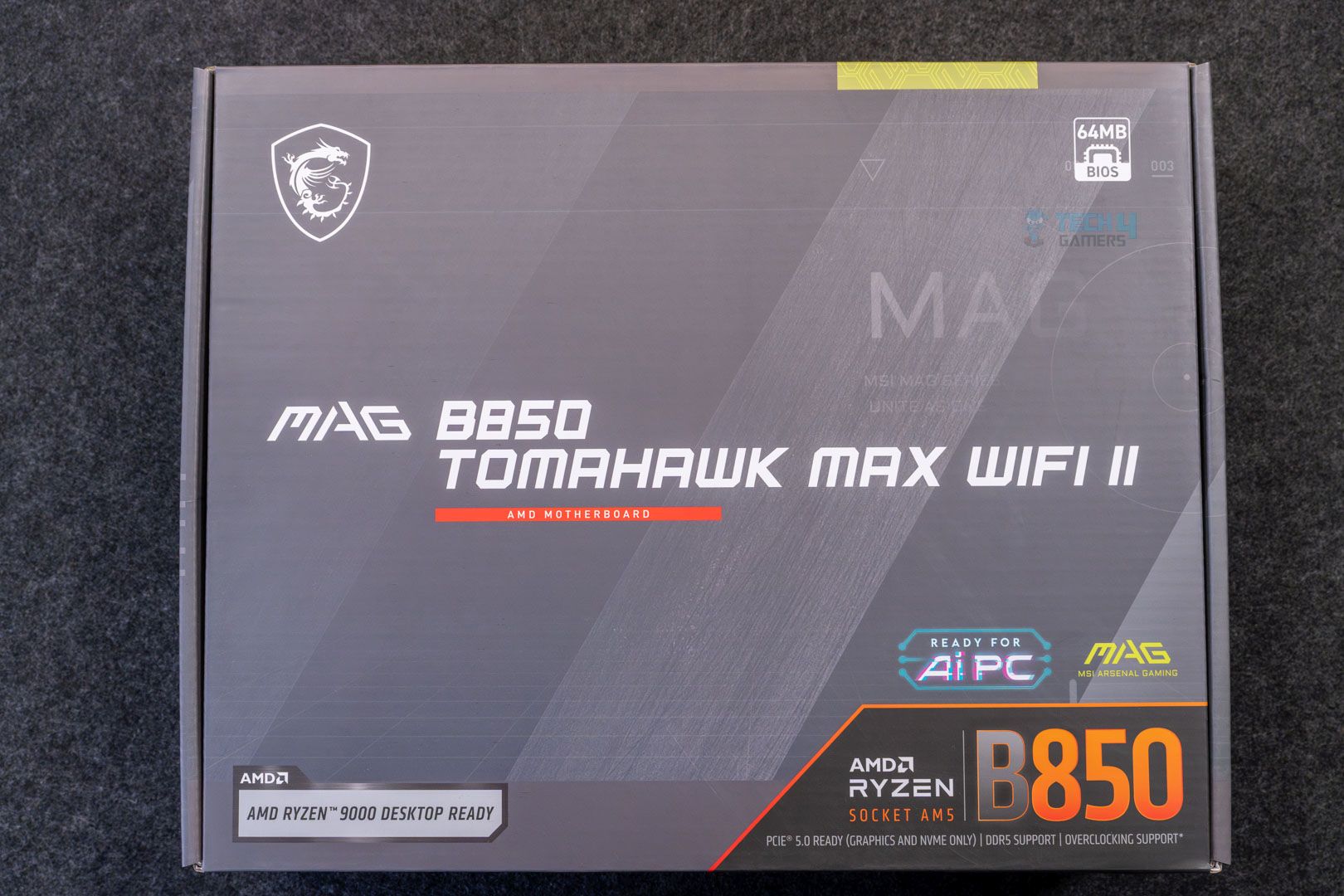
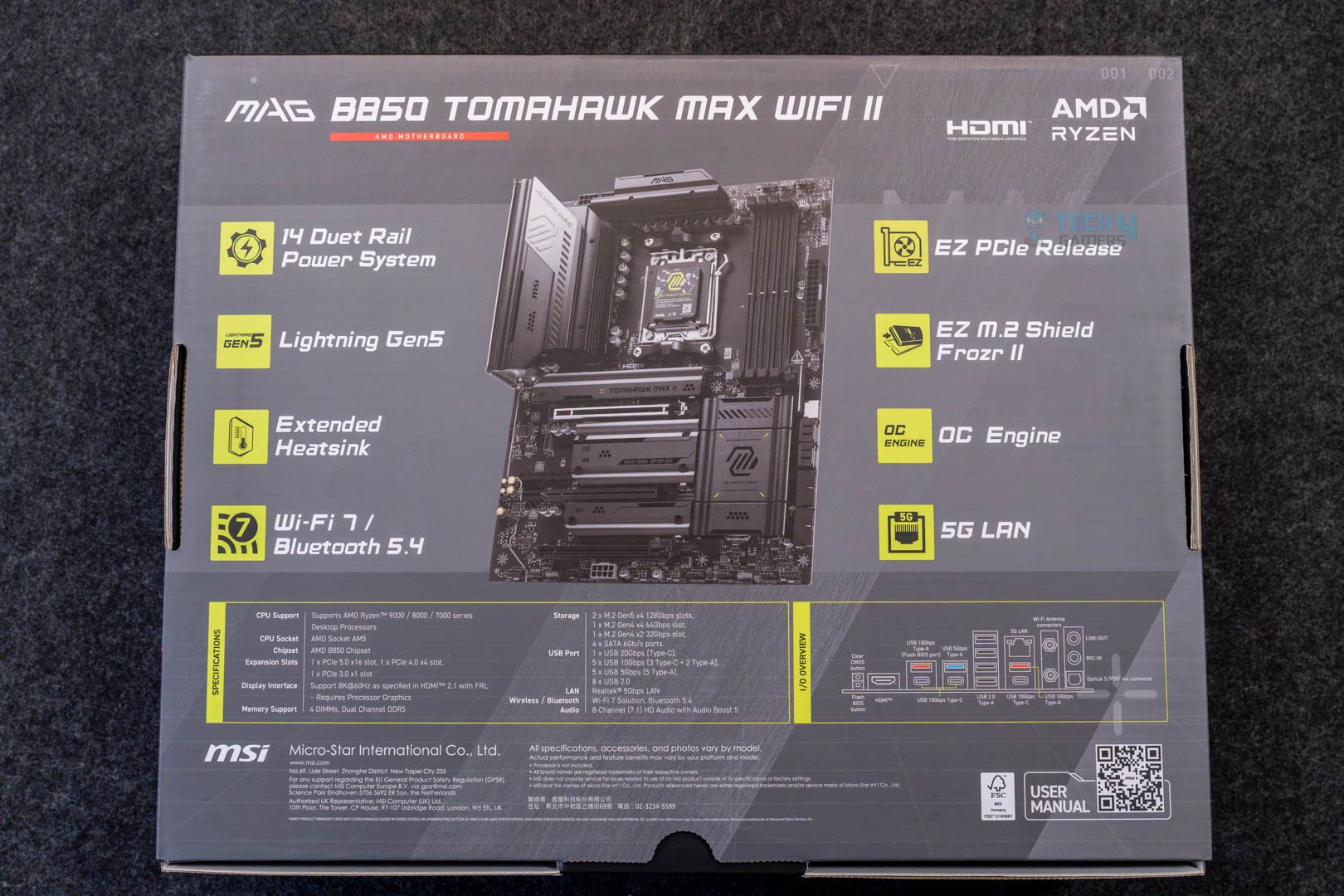
The motherboard comes in the standard packaging, as we’ve seen with the original Tomahawk Max WiFi and other Tomahawk models. The box is painted grey, with the back showcasing prominent features of the board.
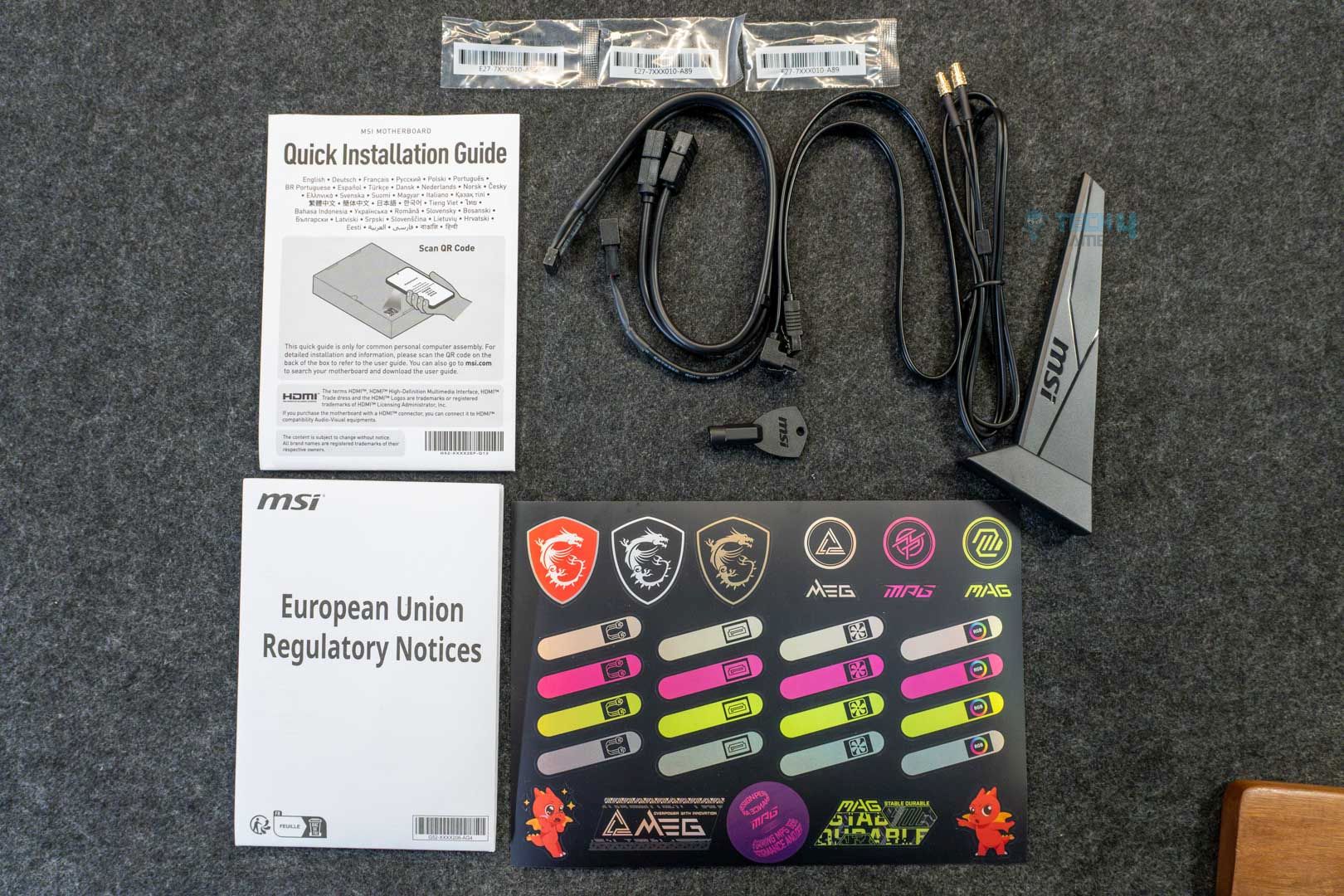
Upon opening the box, you are greeted with the following accessories:
- 1x ATX-sized motherboard
- Quick installation guide
- European Union Regulatory Notice
- 1x SATA cable
- EZ M.2 clips II
- EZ M.2 clip II remover
- Cable stickers
- EZ WiFi antenna
- 1 to 3 EZ conn-cable (V2)
The most intriguing accessory, aside from the motherboard, is the 1 to 3 EZ conn-cable, which combines USB 2.0, A-RGB, and fan connectors into a single connector, reducing overall cable clutter. This time, we weren’t given the EZ front panel cable, which makes cable management easier by combining the little LED and power cables into one.
The EZ WiFi antenna is, of course, always welcome for its handy magnetic attachment to the chassis. Lastly, the box has multiple EZ M.2 clips II and a clip II remover for an easier M.2 drive installation.
Design
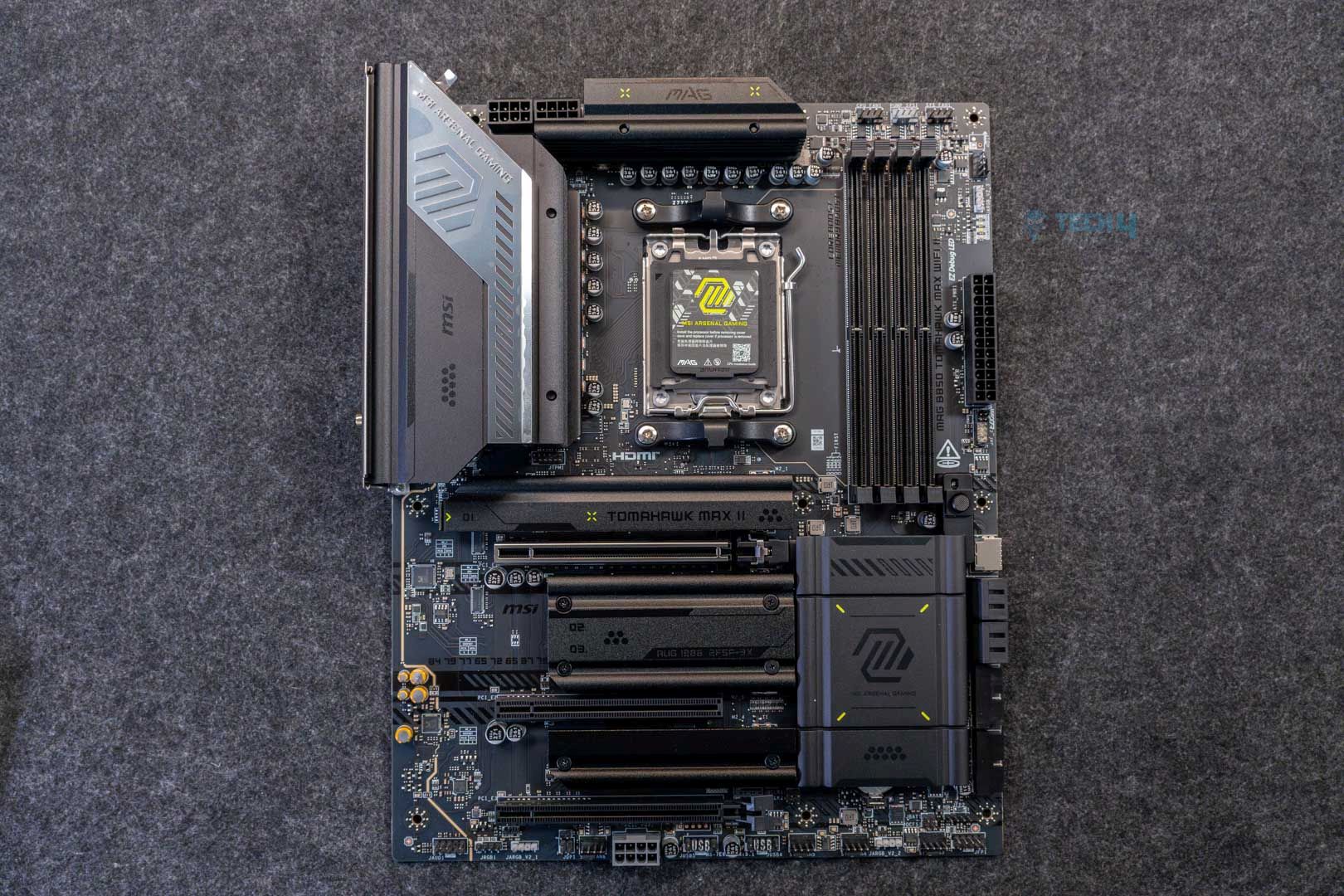
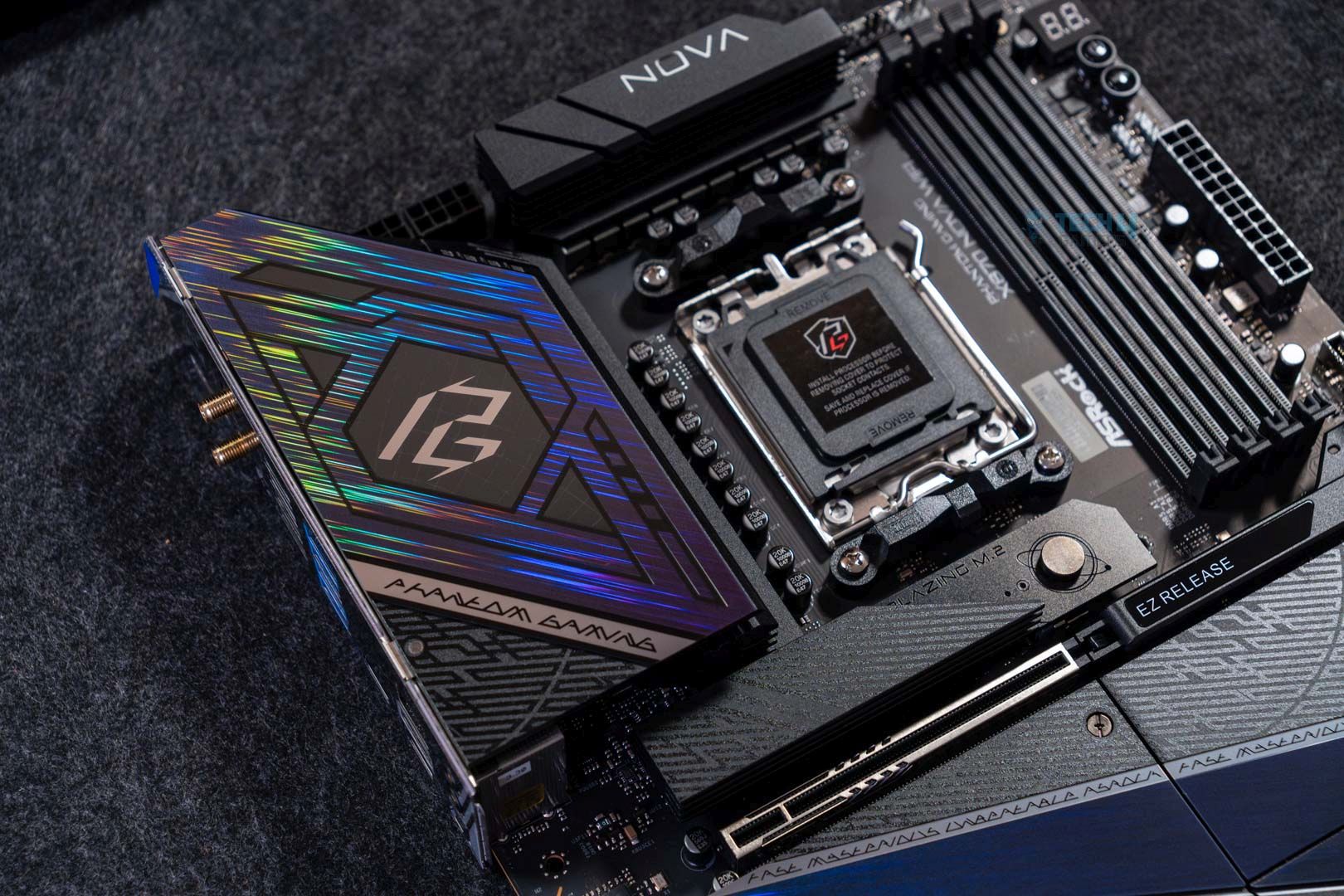
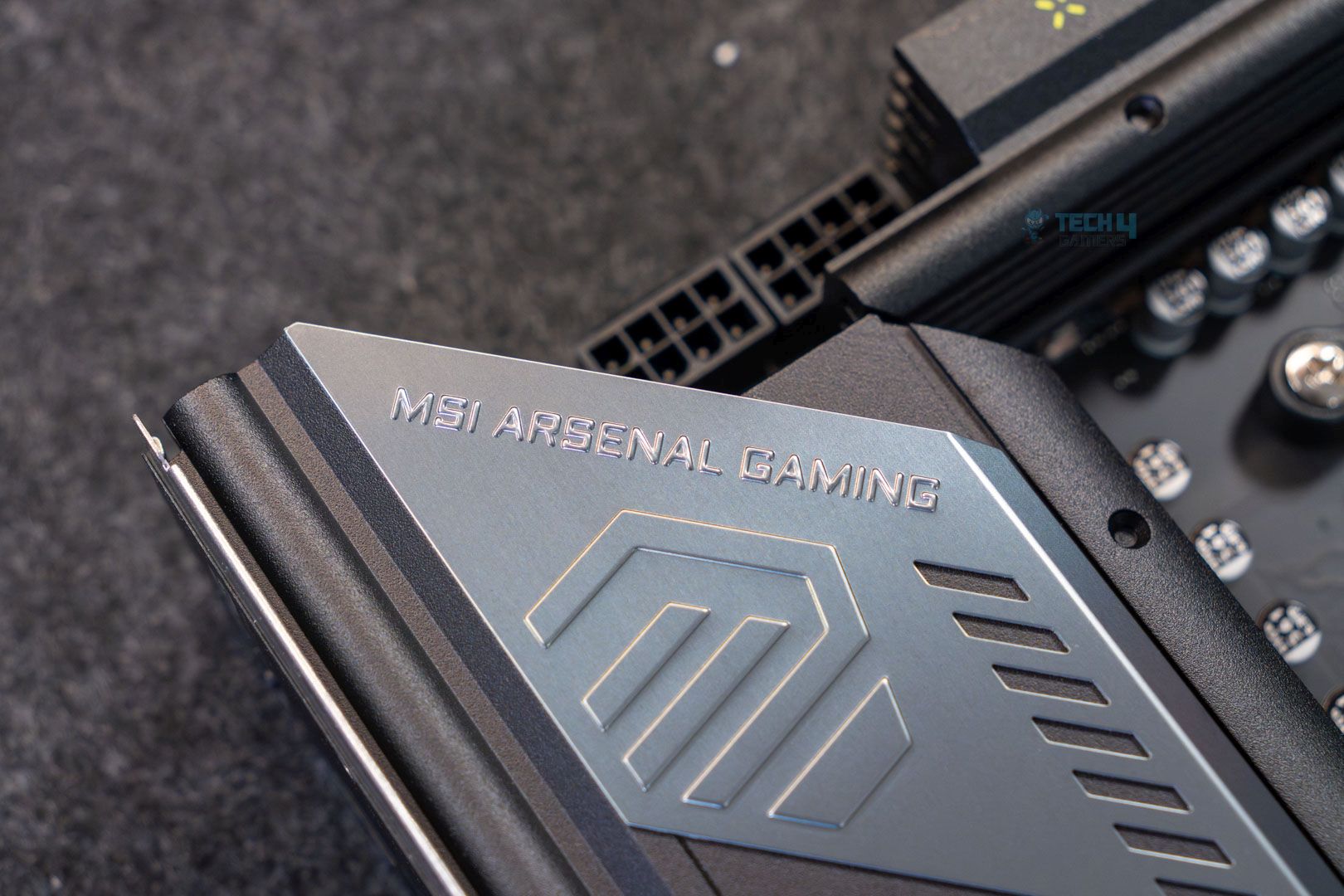
The MSI MAG B850 Tomahawk Max WiFi II’s refreshed look brings a wave of fresh air. It’s an elegant design, featuring a matte-black PCB and heatsinks, with a gunmetal-grey accent around the VRMs and shrouds. Meanwhile, the distracting yellow-green highlights of the previous version have been removed. The board doesn’t have any on-board RGB, but that’s to be expected.
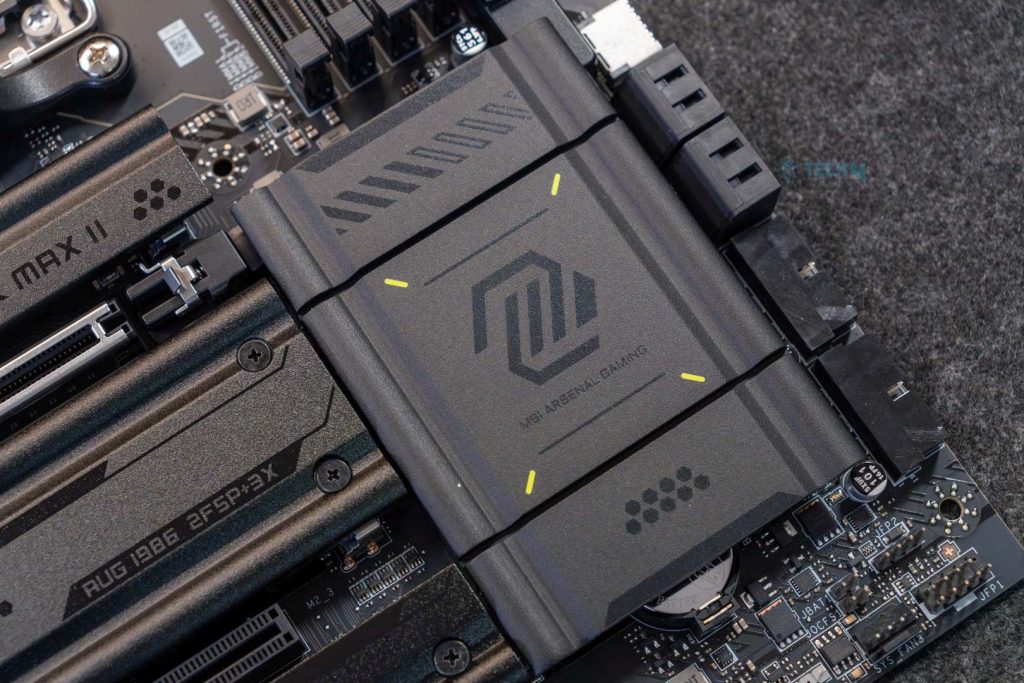
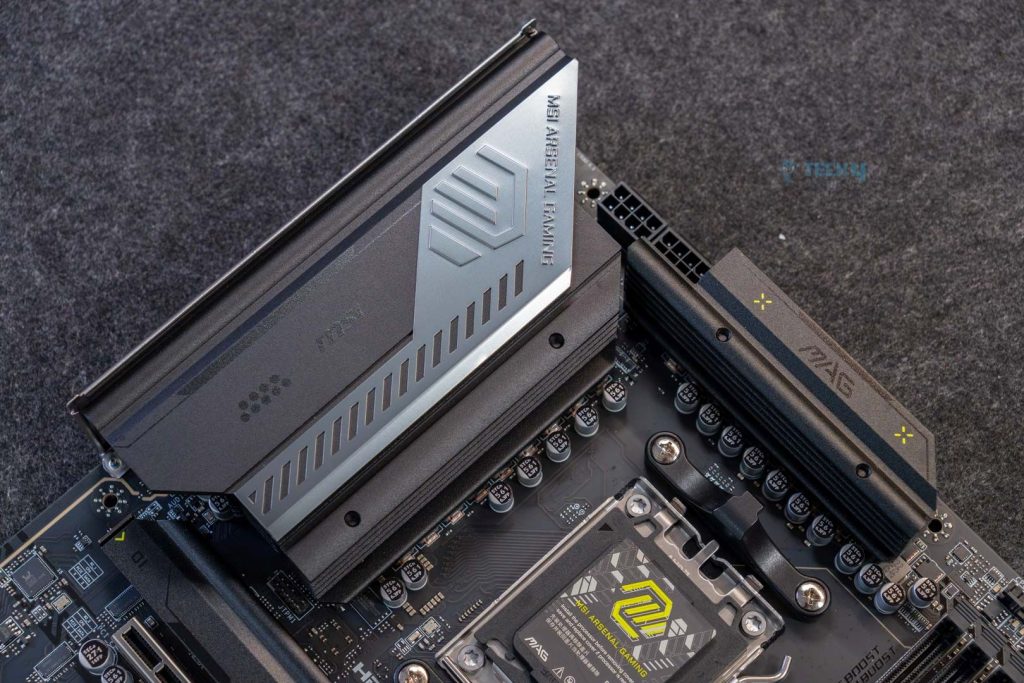
The motherboard utilizes an 8-layer NPG-170D server-grade PCB with 2oz thickened copper. Moreover, as is common practice, the VRMs are scattered around the AM5 socket to optimize current and voltage flow.
The CPU is responsible for powering the M.2s and PCIe Gen 5 expansion slots, 10Gbps USB, USB2, and DDR5 RAM. The chipset powers the PCIe slots, USB connectors, M.2 slots, SATA drives, WiFi 7, 5G ports, and the on-board audio.
Power Delivery System
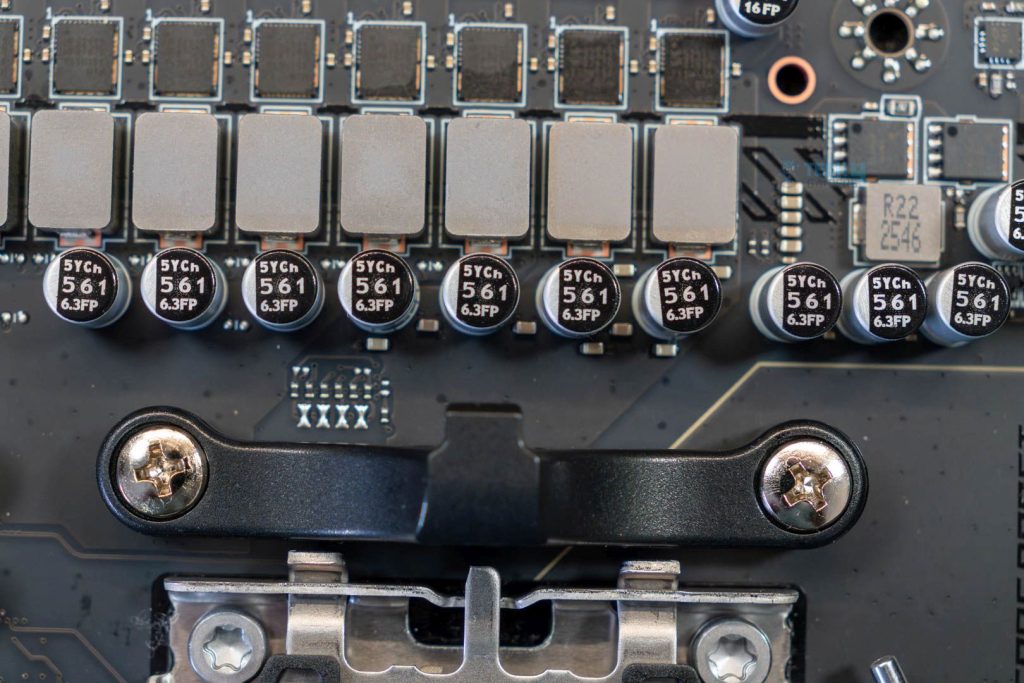
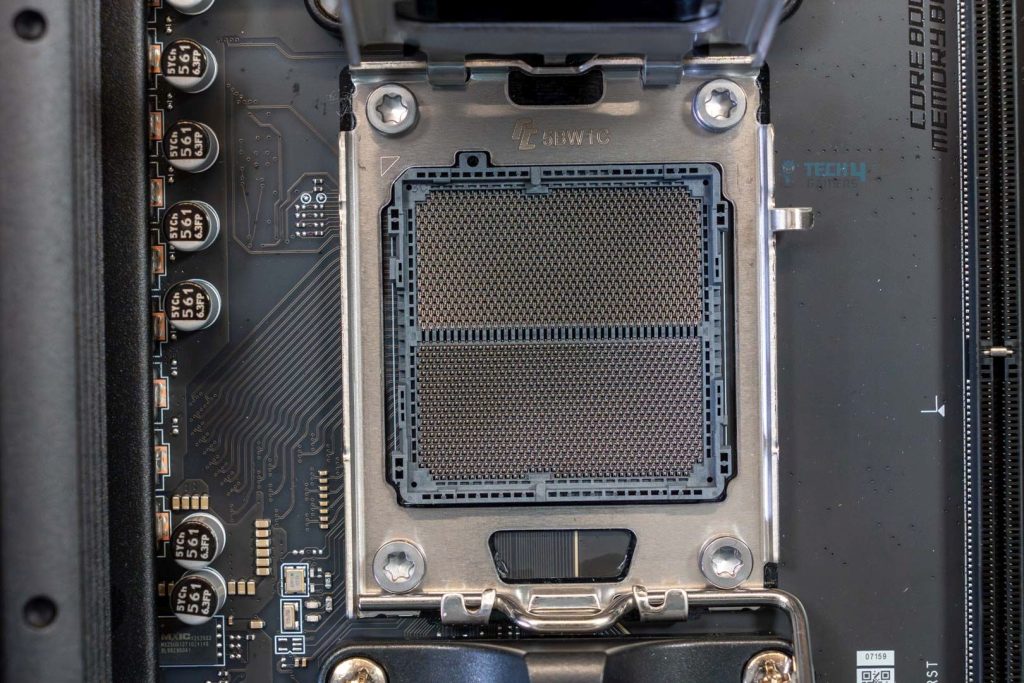
All B850 motherboards house AMD’s LGA1718 AM5 socket, powering the Ryzen 7000, 8000, and 9000 series CPUs out of the box. MSI uses PCB Fabric Technology, which delivers higher bandwidth and faster data transfer while minimizing signal loss. The technology also reduces thermals, allowing the board to endure harsher conditions.
Just like the original, the MAG B850 Tomahawk Max WiFi II features a 14+2+1 (VCore+SOC+Misc) phase Duet Rail power delivery with 80A, providing a theoretical 1120A capacity to the CPU. You can easily overclock your Ryzen 7000 or 9000 series processors on this motherboard without any worries. Extreme OCing is not recommended, though.
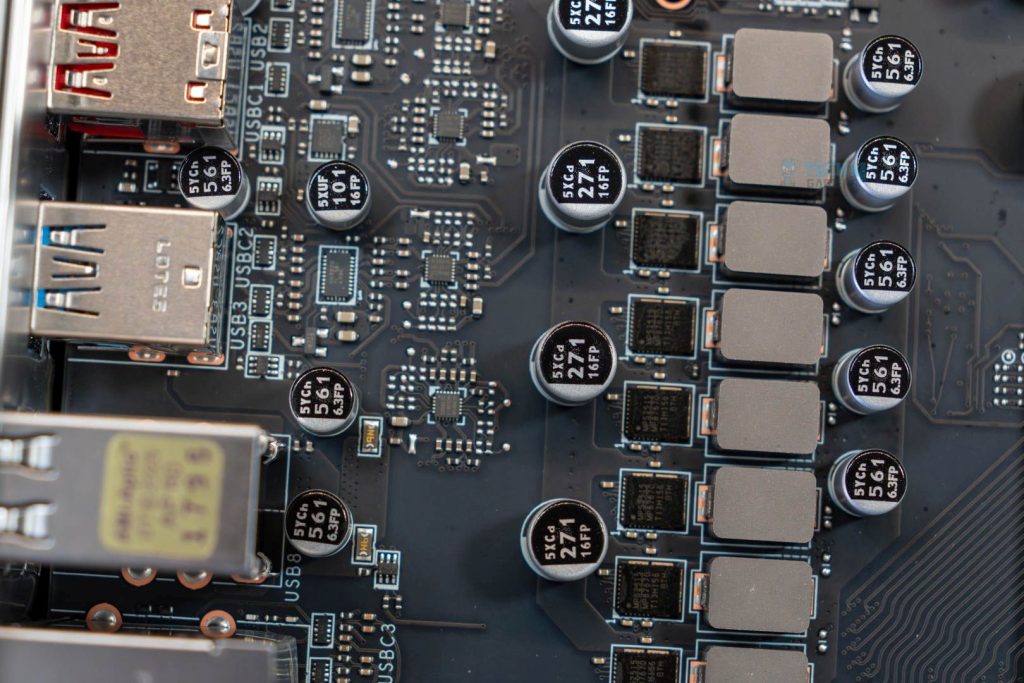
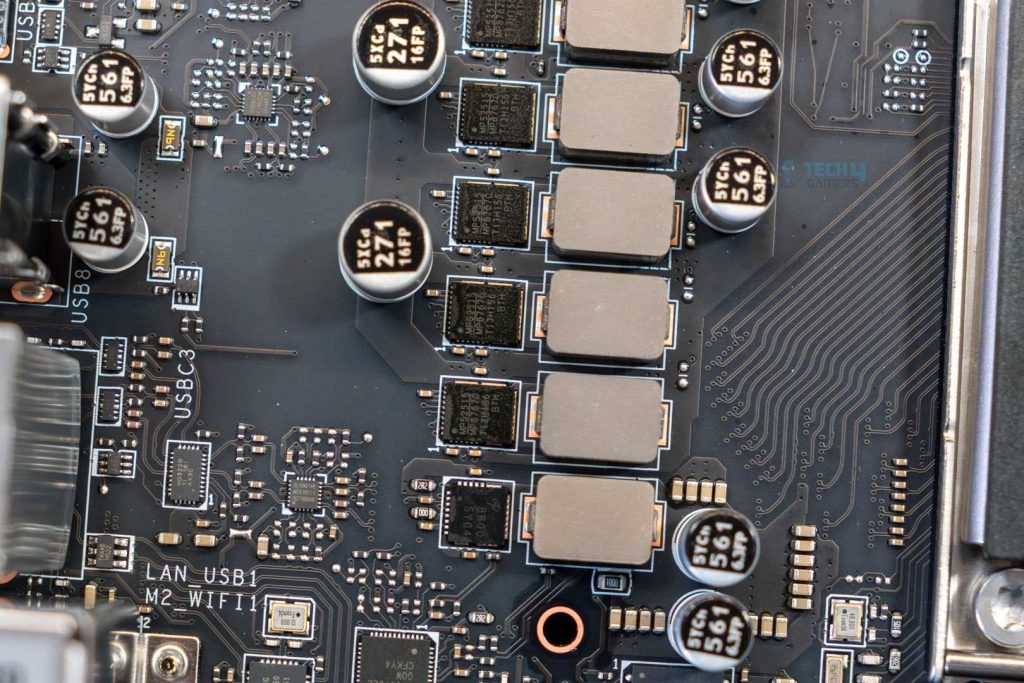
Upon closer inspection, we see an MP87670 VRM variant using MPS2516 for the 80A power stages. The board itself offers many overclocking tools, including the OC Engine, which enables independent Base Clock (BCLK) control for precise tuning in the MSI BIOS. You can also use EZ OC Tuning to achieve an instant performance boost.
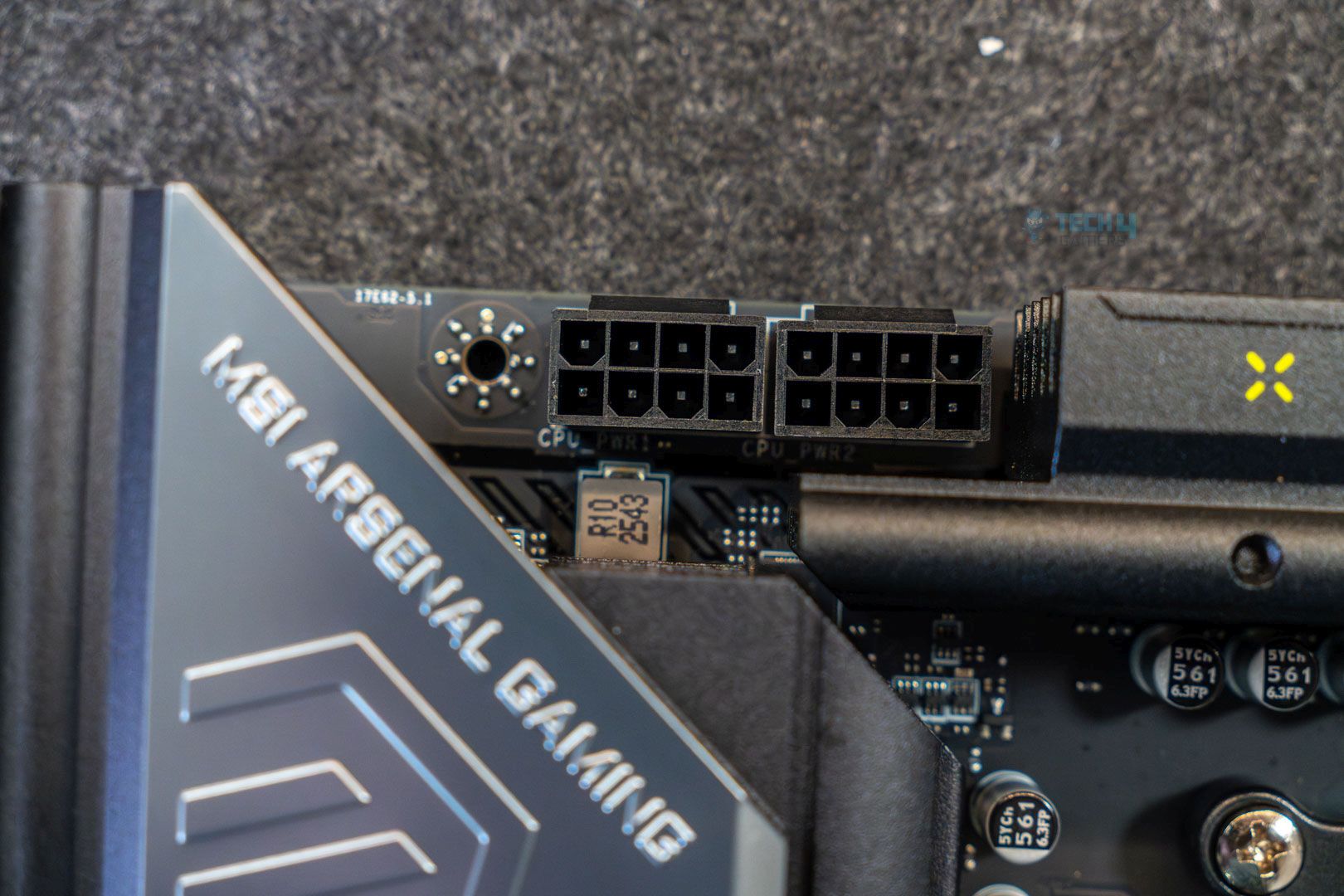
The CPU is powered via a 2×8 EPS connector that delivers up to 300W. AMD’s Ryzen 9000 series CPUs are pretty power-hungry, with the Ryzen 9 9950X requiring up to 220W. Hence, it should be easy to use any processor on this motherboard.
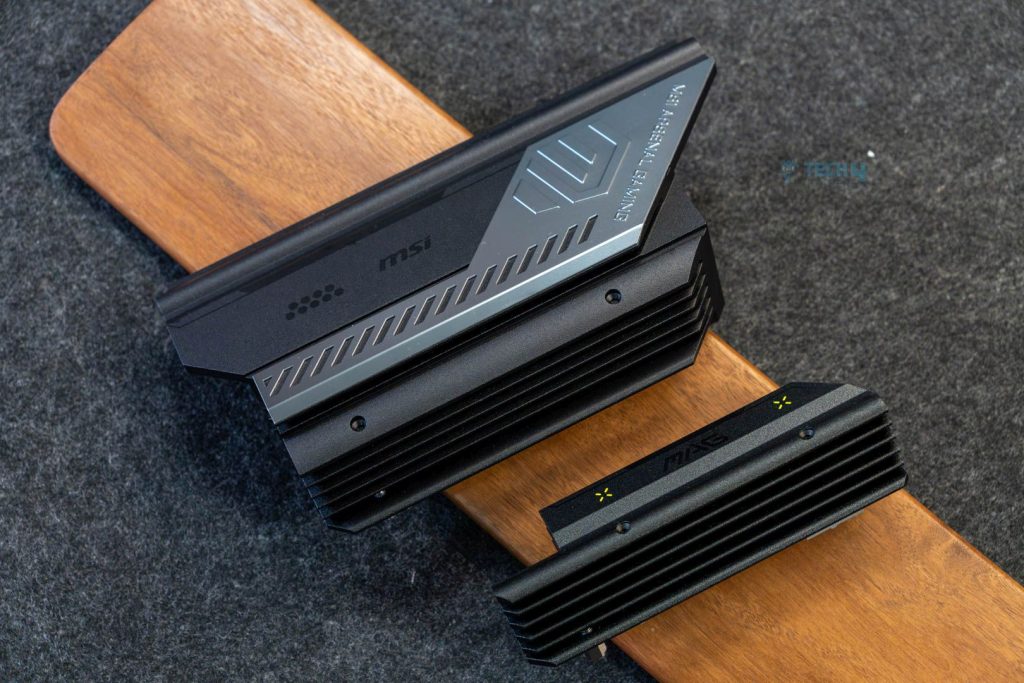
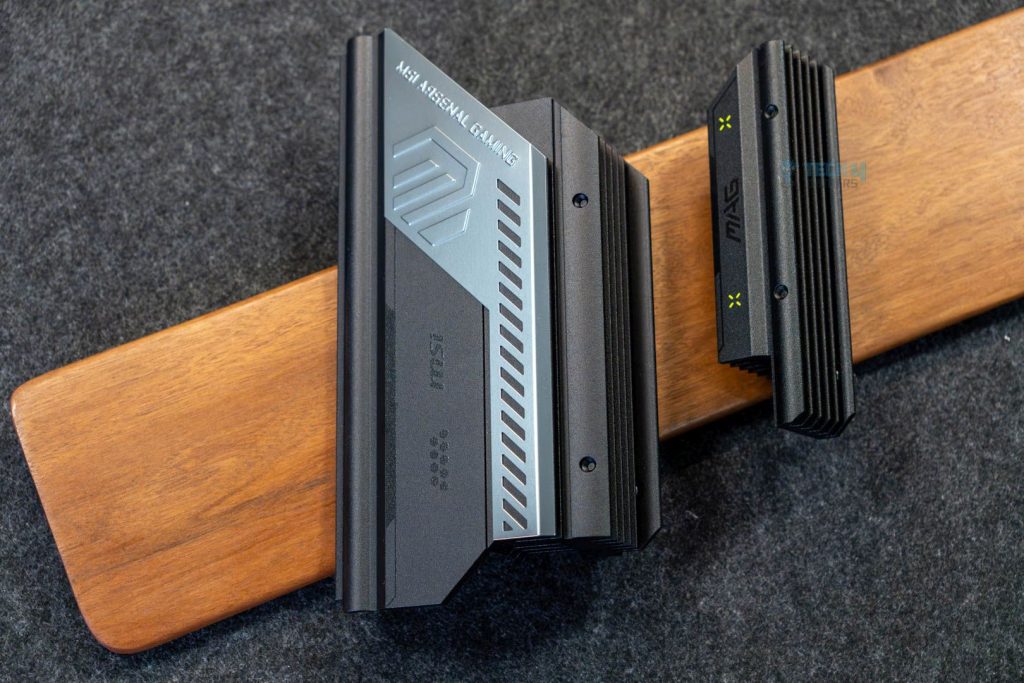
The VRM heatsinks don’t have a flashy design, but they look elegant with their matte-black and gunmetal-grey finishes. On the other hand, we see a similar stacked-fin design with 6 fins. The heatsink has 7W/mK thermal pads, so temperature shouldn’t be a problem.
DIMM Slots
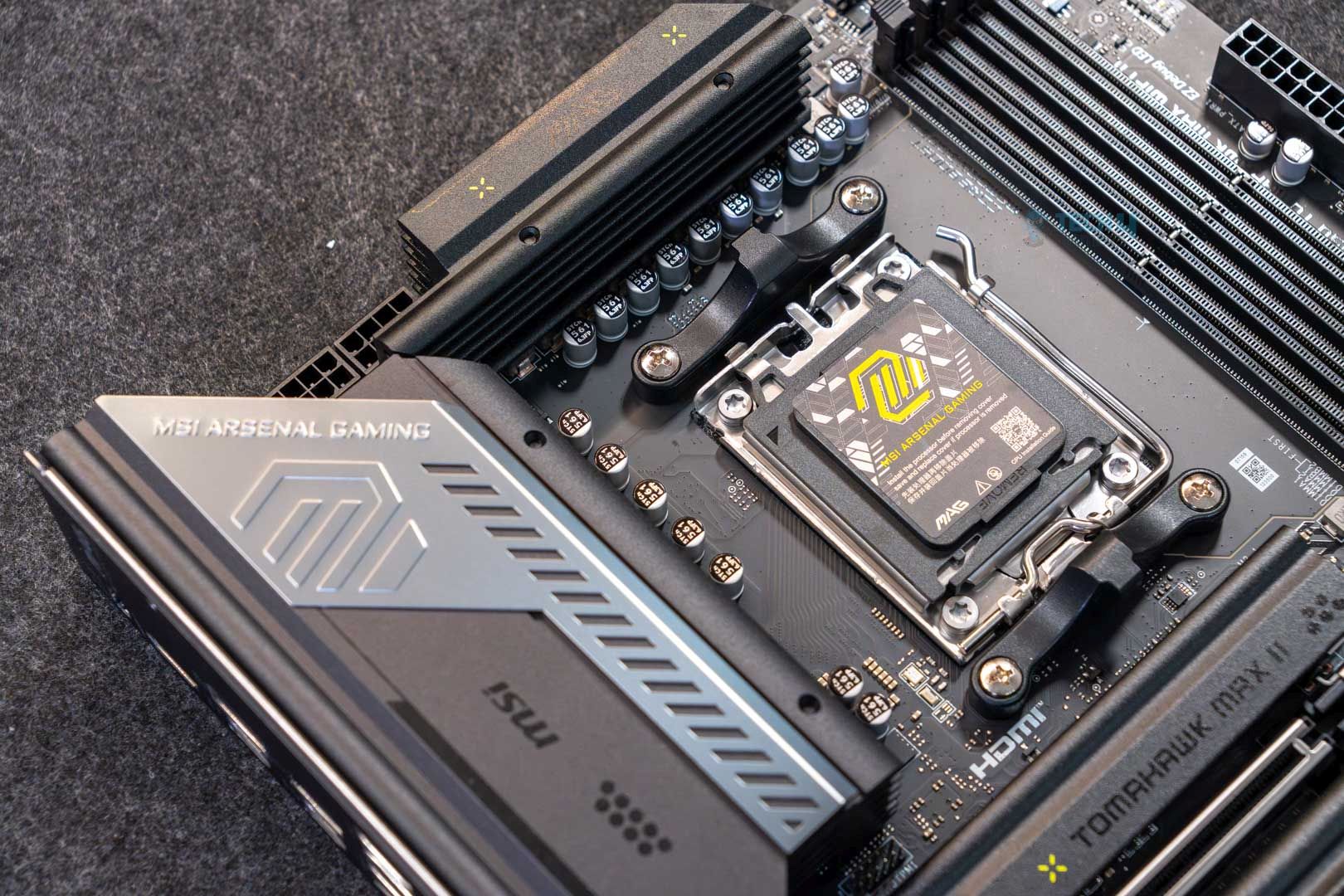
There’s not much to look at in the DIMM slots, as the motherboard offers standard 4x DDR5 slots with a RAM capacity of up to 256GB (64GB per slot). Also, the board supports a maximum speed of 8,400 MT/s. We also see MSI’s memory boost feature, which helps overclock RAM easily, along with two new features called “High Efficiency Mode” and “Latency Killer.
The former is designed to optimize memory performance by increasing bandwidth and reducing latency. MSI offers up to four sets of RAM timing settings to help choose the optimal CL timings. The latter can be enabled in the BIOS to reduce latency by up to 12% when running at higher frequencies.
Here are the maximum memory speeds supported at different configurations:
- 1DPC 1R up to 8,400+MT/s
- 1DPC 2R up to 6,400+MT/s
- 2DPC 1R up to 6,400+MT/s
- 2DPC 2R up to 6,400+MT/s

While the board supports CUDIMM RAM, it can only be run in Clock Driver bypass mode, which runs the CUDIMM kit as a regular UDIMM. While manual overclocking is possible after a restart, certain CPUs might not be compatible and refuse to boot.
– Dr. Usman Saleem
PCIe Slots
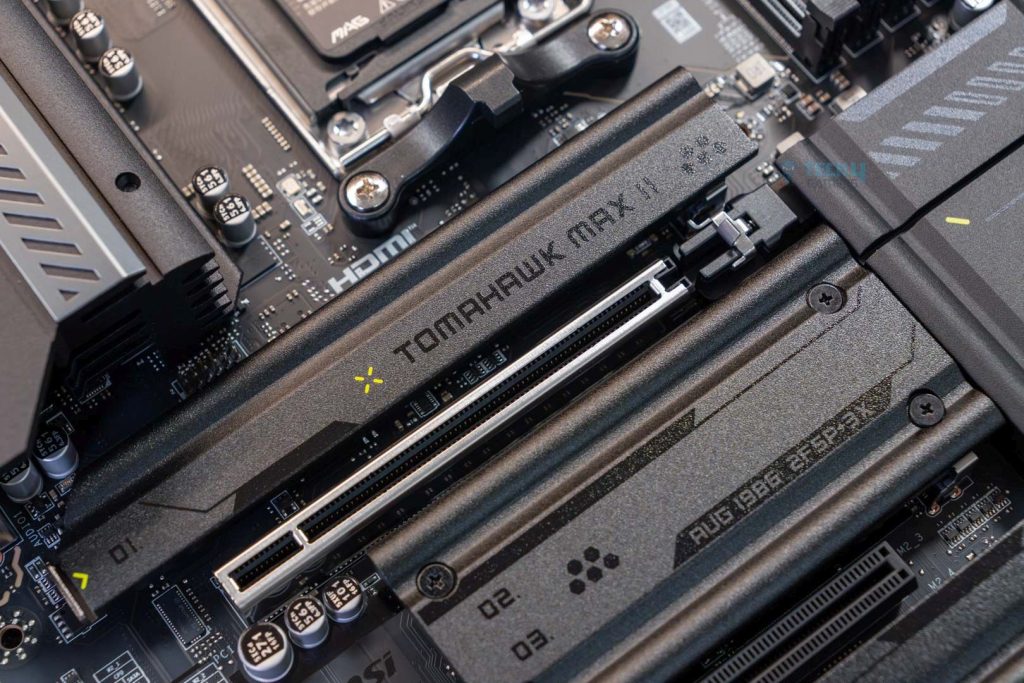
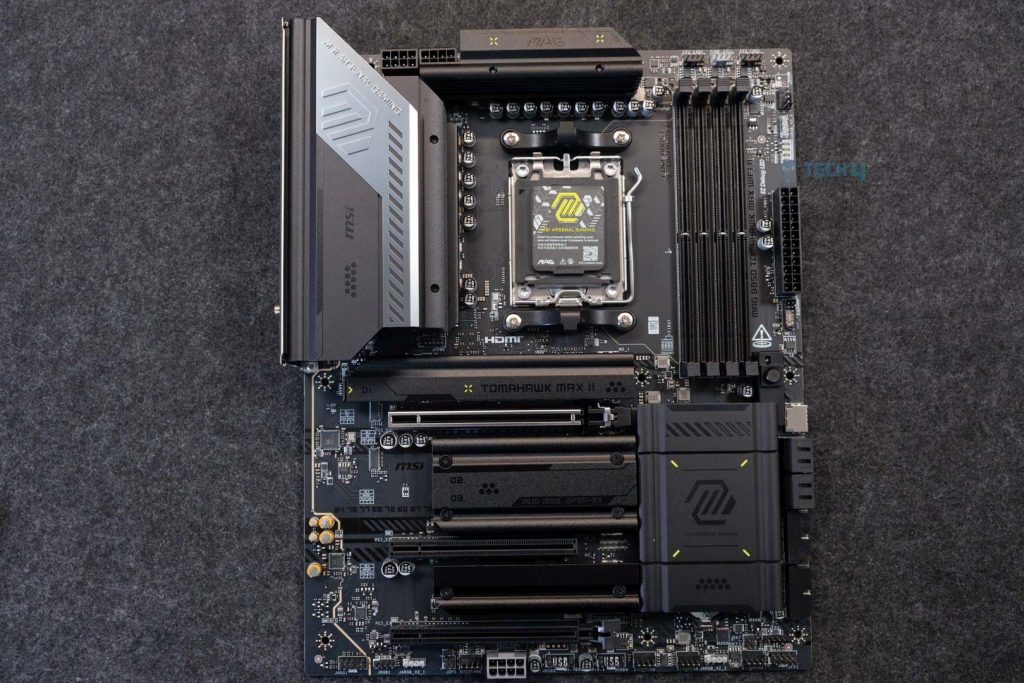
The MSI MAG B850 Tomahawk WiFi II motherboard features 3x PCIe x16 slots, with PCI_E1 being PCIe Gen 5.0, supporting up to x16 lanes from the CPU. The PCI_E2 Gen PCIe 3.0 supports up to x1 lanes from the chipset, and the PCI_E3 Gen PCIe 4.0 supports up to x4 lanes.
The PCIe Gen 4.0 slot shares bandwidth with the M2_3 slot, so if you install an SSD there, the PCIe slot will run at half speed. For the Gen 5.0, MSI features an EZ PCIe release mechanism, making GPU installation simple, effective, and quick. All you have to do is press the EZ PCIe release button, change your PCIe expansion card, and press the release button again to lock it in place. You can see a small padlock icon that indicates whether the slot is locked.
Storage
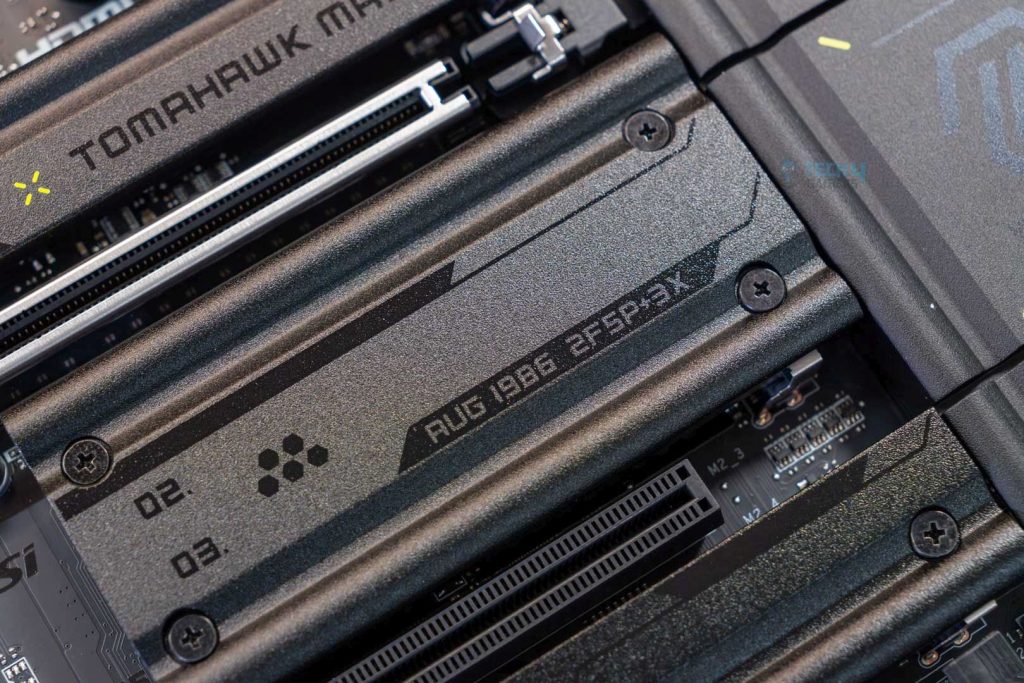
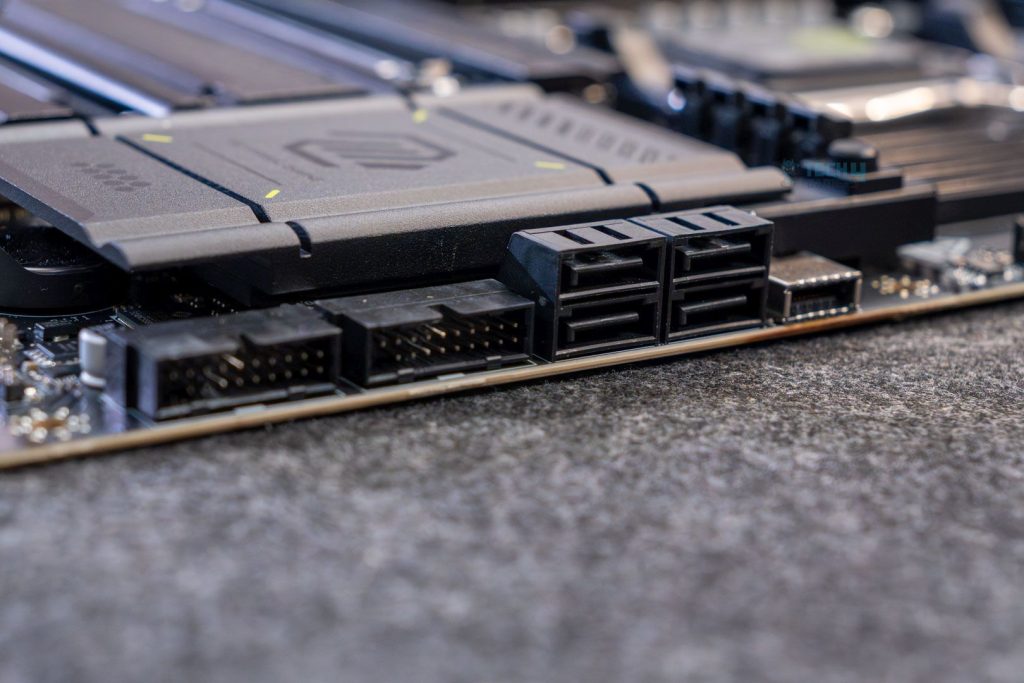
Although it’s an affordable motherboard, we see 4x SATA 6G drives and 4x M.2 slots. The M2_1 and M2_2 support PCIe 5.0 x4, while M2_3 supports PCIe 4.0 x2, and M2_4 supports PCIe 4.0 x4. All the M.2 drives support RAID 0, RAID 1, and RAID 10.
The board supports different NVMe M.2 sizes:
- M2_1: 22110/2280
- M2_2, M2_3, M2_4: 2280/2260
For cooling, we see three heatsinks are doing the job for four SSDs. The M2_2 and M2_3 are cooled by a single heatsink, while the M2_1 supports toolless removal and installation with the EZ M.2 Shield Frozr II. Here’s what they look like after removal.
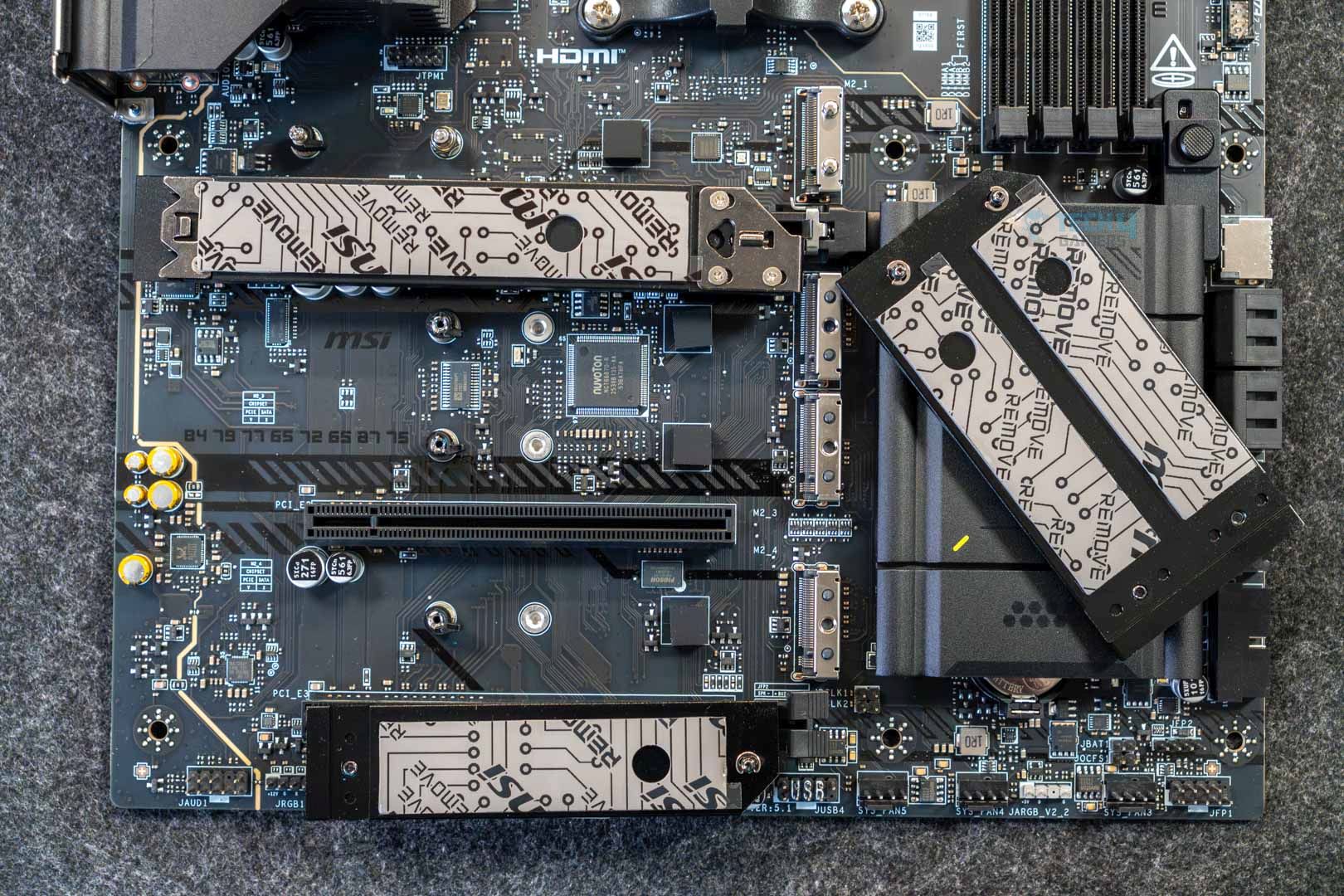
Unfortunately, like the original B580 Tomahawk Max WiFi, this board doesn’t have any double-sided thermal pads. We would have liked to see one, at least on the M2_1, which supports PCIe Gen 5.0 for better thermals. In any case, we do find thermal pads on all the heatsinks, which is pretty standard.
MSI boasts simple storage installation with EZ M.2 and EZ M.2 Clip II Remover. We see a mixture of latch designs and EZ clips II for SSD installation. The EZ M.2 Clip II Remover is a handy tool for switching or repositioning your EZ M.2 Clip II to another M.2 slot.
USB Connectivity
The motherboard offers 19x USB ports:
- 4x USB 2.0 (Rear)
- 4x USB 2.0 (Front)
- 1x USB 5Gbps Type A (Rear)
- 4x USB 5Gbps Type A (Front)
- 2x USB 10Gbps Type A (Rear)
- 3x USB 10Gbps Type C (Rear)
- 1x USB 20Gbps Type C (Front)
There are no changes to USB connectivity from the original motherboard, and it’s unfortunate that MSI did not include a USB 4.0 port, though understandable given the motherboard’s price.
Network and Connectivity
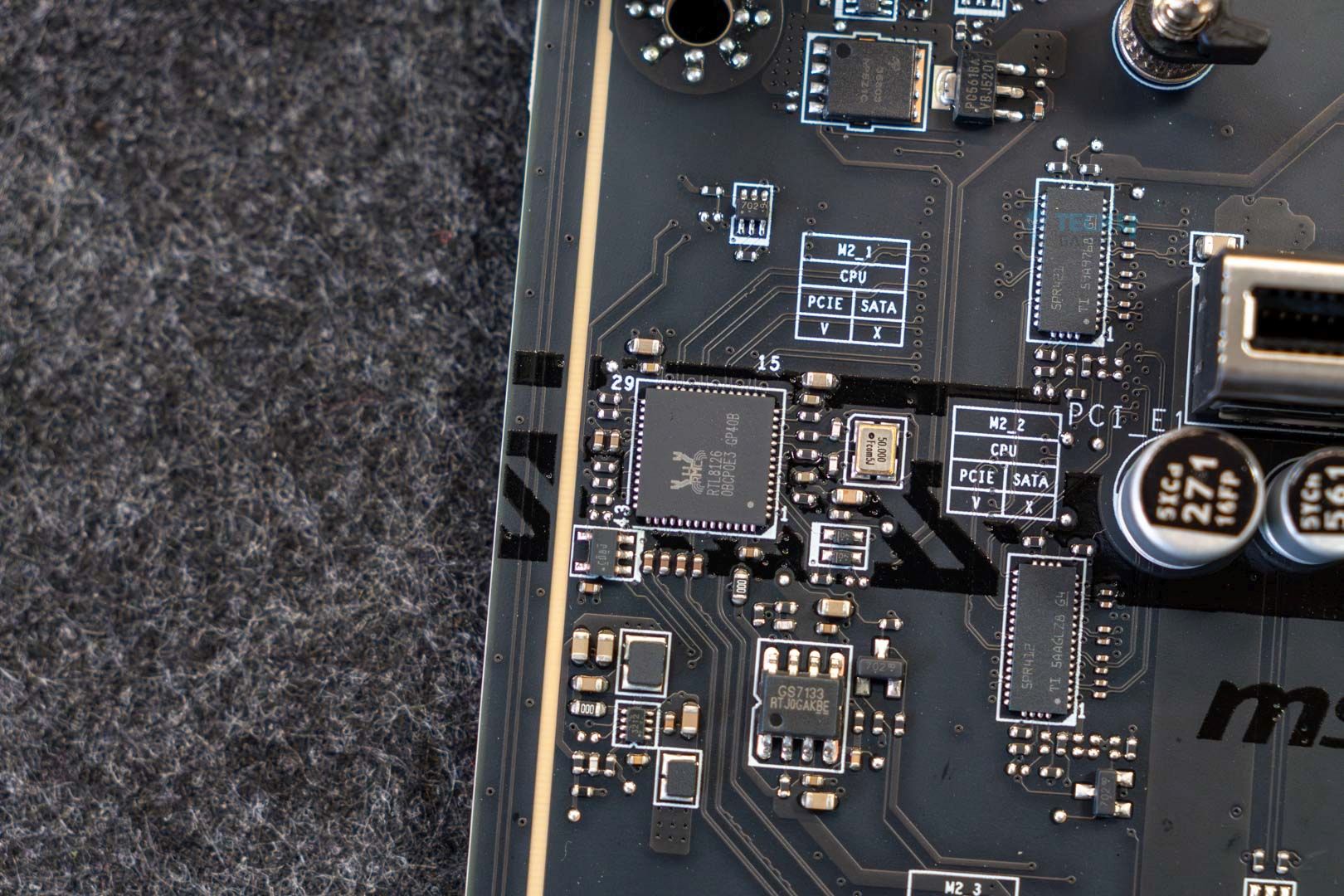
The MSI MAG B850 Tomahawk Max WiFi II motherboard offers several networking and connectivity options, including 5G LAN for wired connectivity and WiFi 7 and Bluetooth 5.4 for wireless connectivity. One of the more intriguing features of MSI motherboards in terms of connectivity is the MSI AI LAN Manager. This feature automatically prioritizes latency-sensitive applications for online games, providing the lowest latency.
To utilize WiFi 7 and Bluetooth 5.4, you need Windows 11 24H2.
Audio Solution
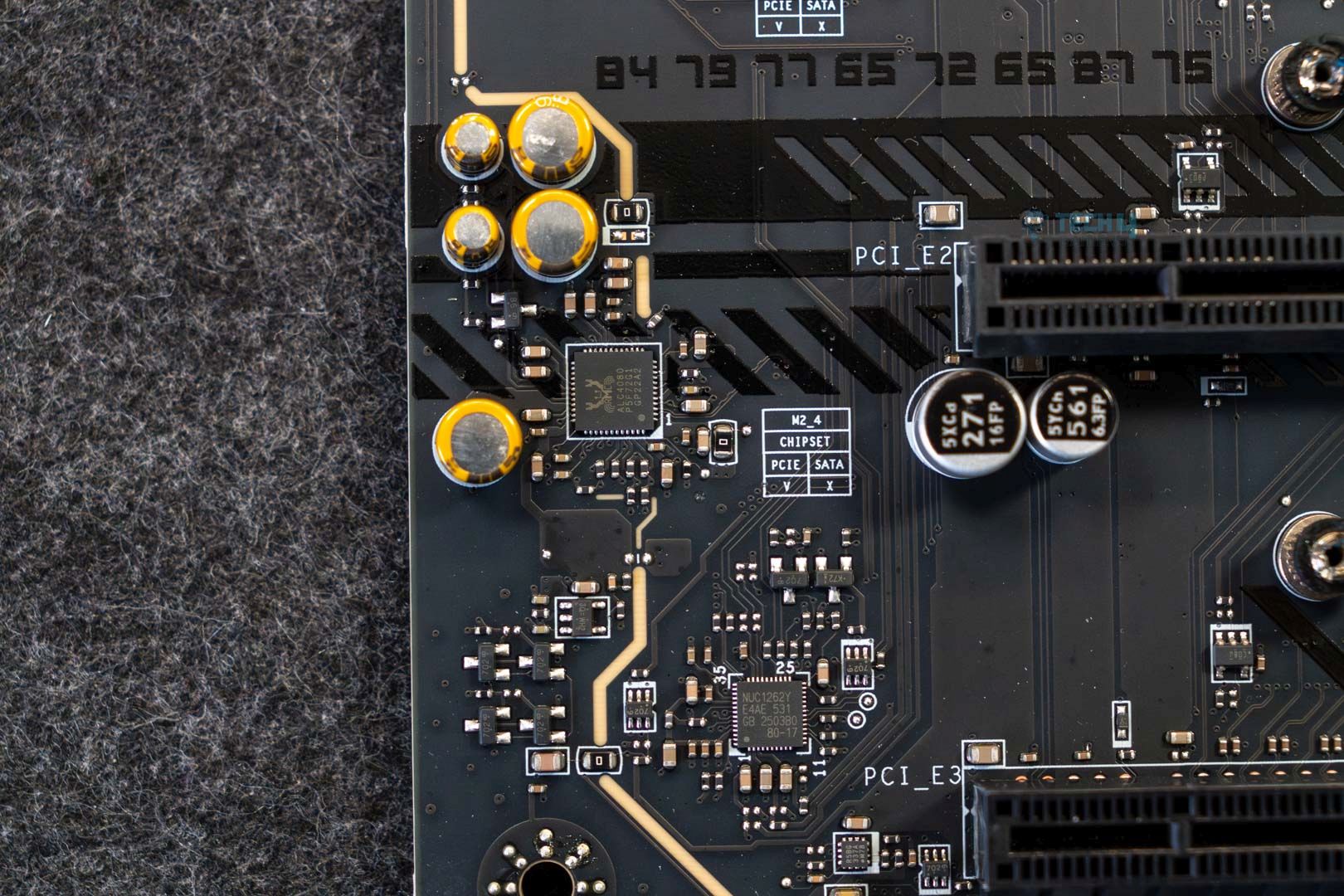
Utilizing the mid-range Realtek ALC4080 audio solution, we see MSI also promoting its Audio Boost 5 to deliver the best audio experience, featuring high-quality audio capacitors, high-quality audio jacks with S/PDIF, a dedicated headphone amplifier, and de-pop protection.
The board has isolated audio signals with separate PCB layers powering the left and right audio channels. This should, in theory, provide cleaner audio quality.
Internal Connectors And Components
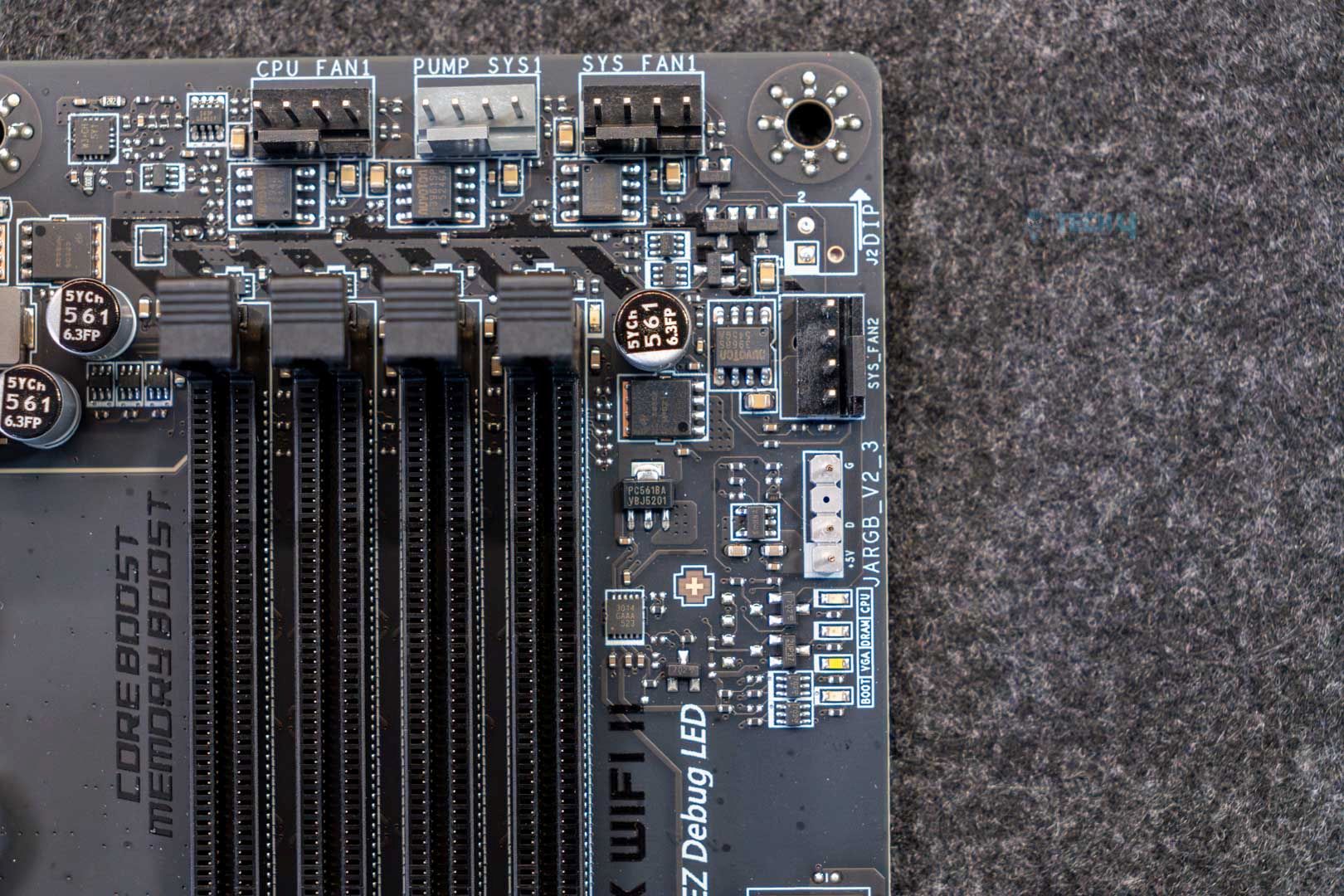
Here’s a list of all the connectors on the board:
- 1x Power Connector(ATX_PWR)
- 2x Power Connector(CPU_PWR)
- 1x Power Connector(PCIE_PWR 8pin)
- 1x CPU Fan
- 1x Combo Fan (Pump_Sys Fan)
- 6x System Fan
- 1x EZ Conn-header (JAF_2)
- 2x Front Panel (JFP)
- 1x Chassis Intrusion (JCI)
- 1x Front Audio (JAUD)
- 3x Addressable V2 RGB LED connector (JARGB_V2)
- 1x RGB LED connector(JRGB)
- 1x TPM pin header(Support TPM 2.0)
- 2x Direct OC Jumper (JBCLK)
- 4x USB 2.0 ports
- 4x USB 5Gbps Type A ports
- 1x USB 20Gbps Type C ports
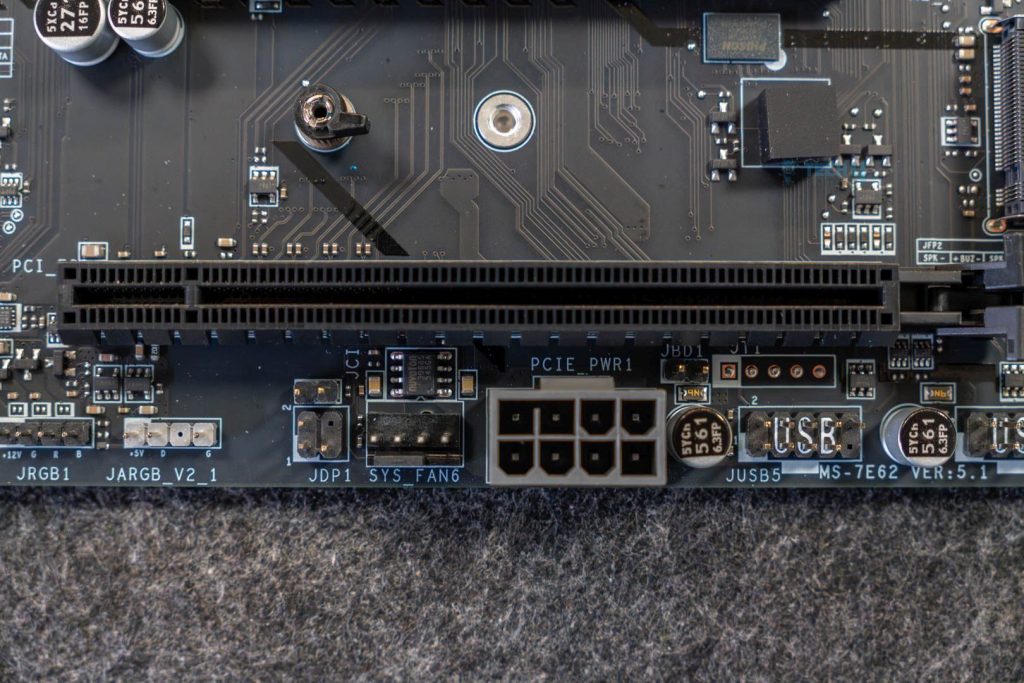
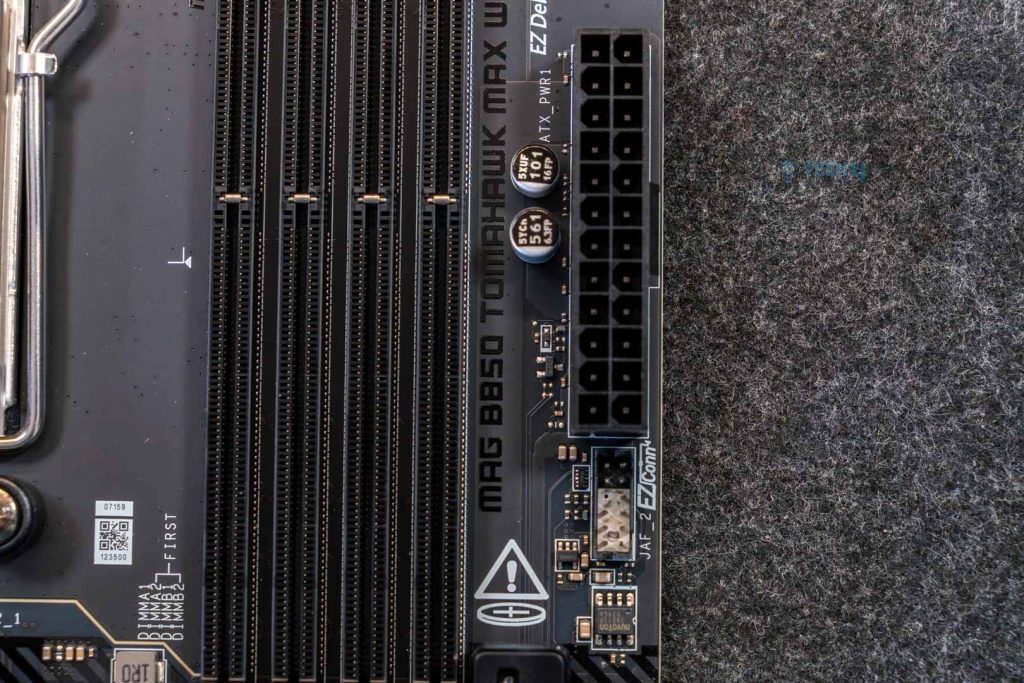
We don’t see any special connectors other than the 8-pin PCIe power connector, which provides up to 252W and up to 420W when combined with the 24-pin ATX connector. Both connectors use the solid-pin design, which increases their lifespan and makes them more durable.
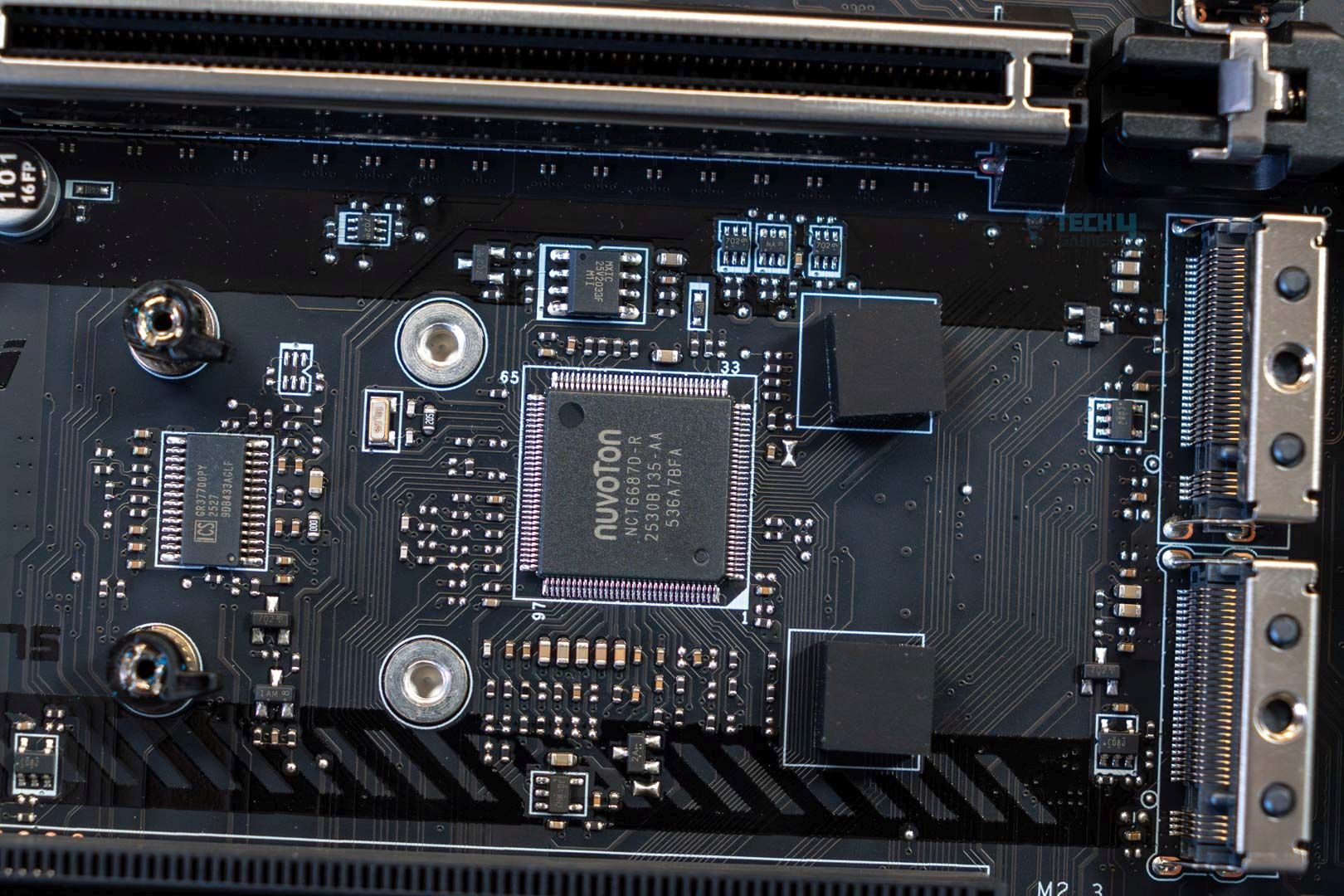
The board features Nuvoton’s NCT6687D super I/O controller to monitor voltages, temperatures, and fan speeds around the motherboard.
We see a bunch of debug LEDs around the corners of the motherboard, and dedicated LEDs for the RAM slots that light up when the system detects faulty memory in those slots. MSI has not included a debug code LED panel, which would have been a decent improvement, but the LEDs are still appreciated.
Heatsinks Removed
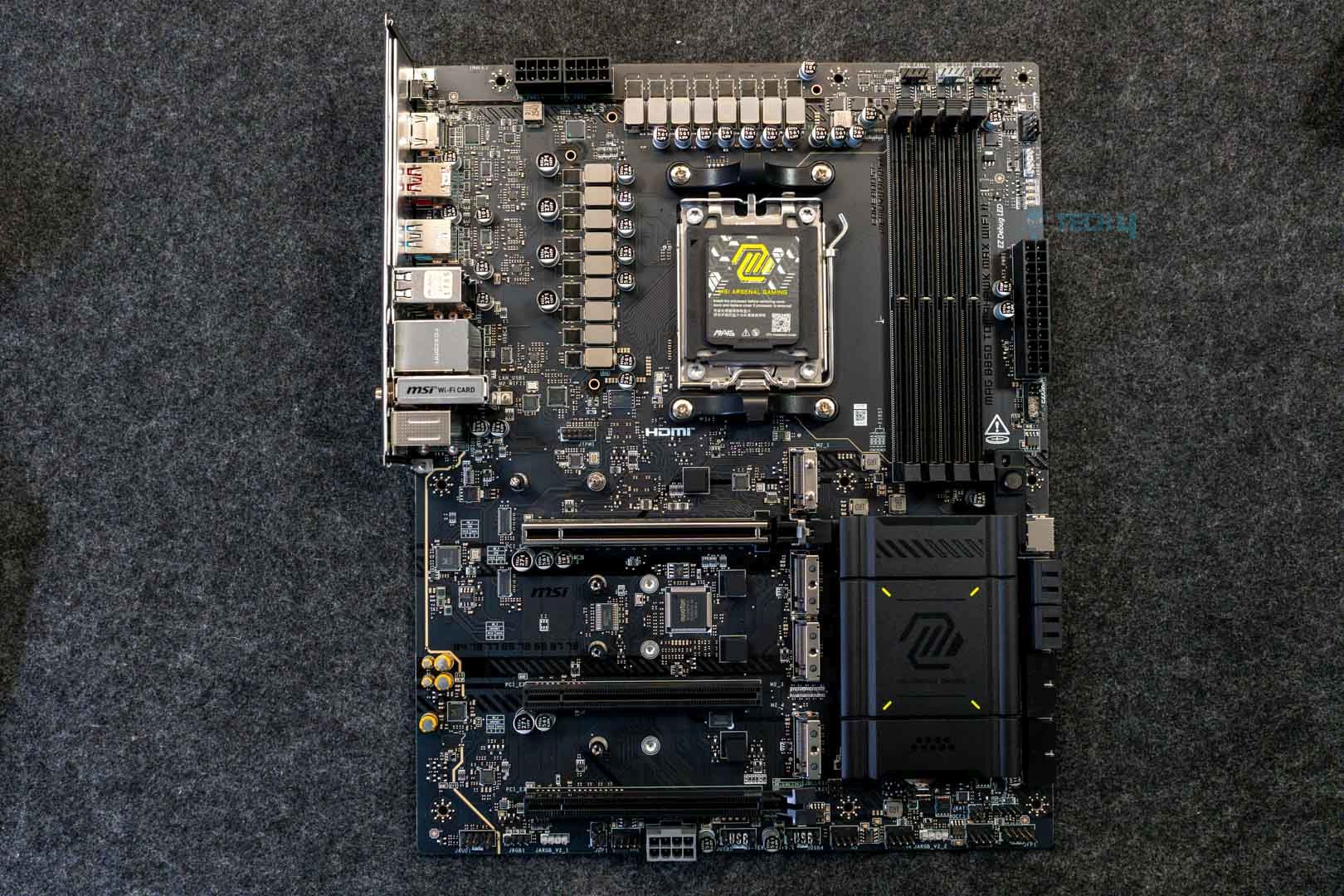
Here’s an image of the motherboard after removing all the heatsinks.
Rear I/O Panel
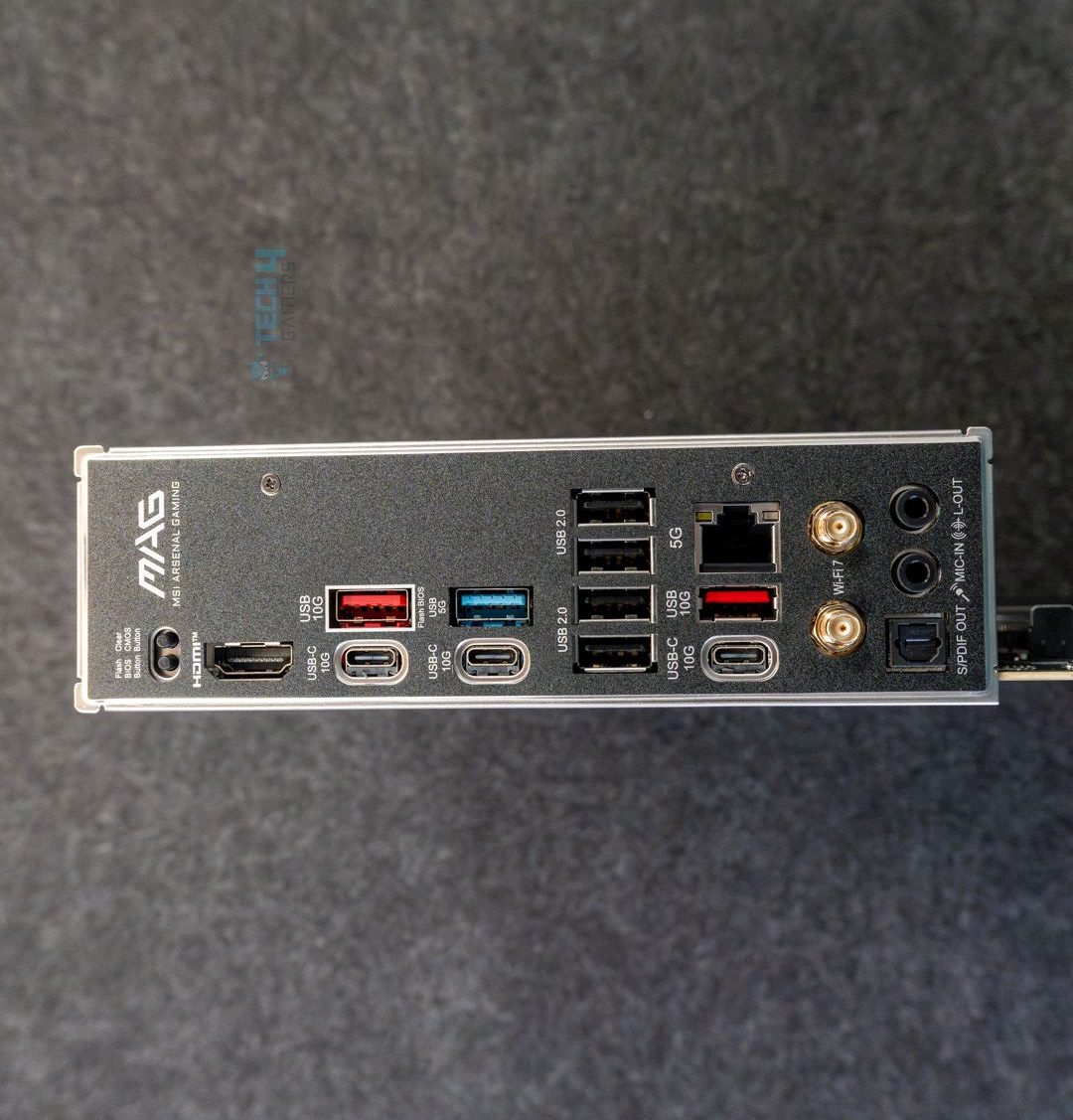
Here’s a list of all the rear I/O panel connections on the board:
- Clear CMOS button
- USB 10Gbps (Type-A)
- USB 5Gbps (Type-A)
- USB 2.0
- 5G LAN
- WiFi/Bluetooth
- Audio connectors
- Flash BIOS button
- HDMI
- USB 10Gbps (Type-C)
- USB 10Gbps (Type-C)
- USB 10Gbps (Type-A)
- Optical S/PDIF-OUT
The rear I/O panel houses a clear CMOS and flash BIOS button, both of which can be handy for troubleshooting. We see a total of six USB ports in the rear I/O shield, so you should be able to easily plug in all your devices without any issues.
It’s good that all the ports have been labeled, making it easier to identify and install devices accordingly. Lastly, the rear I/O shield is pre-installed on the motherboard, so you don’t have to go through the trouble of doing that yourself.
Test Bench
Here’s the rig we used to rigorously test the motherboard:
- AMD Ryzen 9 9950X 16C/32T
- ARCTIC Liquid Freezer II 420 Liquid CPU Cooler
- G. Skill Trident Z5 Royal NEO DDR5-8000 CL36 EXPO Kit (2×16 = 32GB)
- XPG Lancer RGB 32GB 7200MHz DDR5 RAM
- NVIDIA GeForce Gigabyte RTX 4090 Gaming OC
- Western Digital SN850 Black 500GB NVMe SSD [For OS]
- Sabrent Rocket 4 Plus 2TB Gen4x4 NVMe SSD [For Software]
- Sabrent Rocket 4 Plus 4TB Gen4x4 NVMe SSD [For Games]
- Sabrent Rocket NANO V2 4TB Portable SSD
- Corsair HX1200i Platinum PSU
- Windows 11 Pro Build 23H2
- BIOS Version 7E62v2A1
- AGESA 1.2.0.2 firmware
Synthetic Benchmarks
Let’s start off with the synthetic benchmarks.
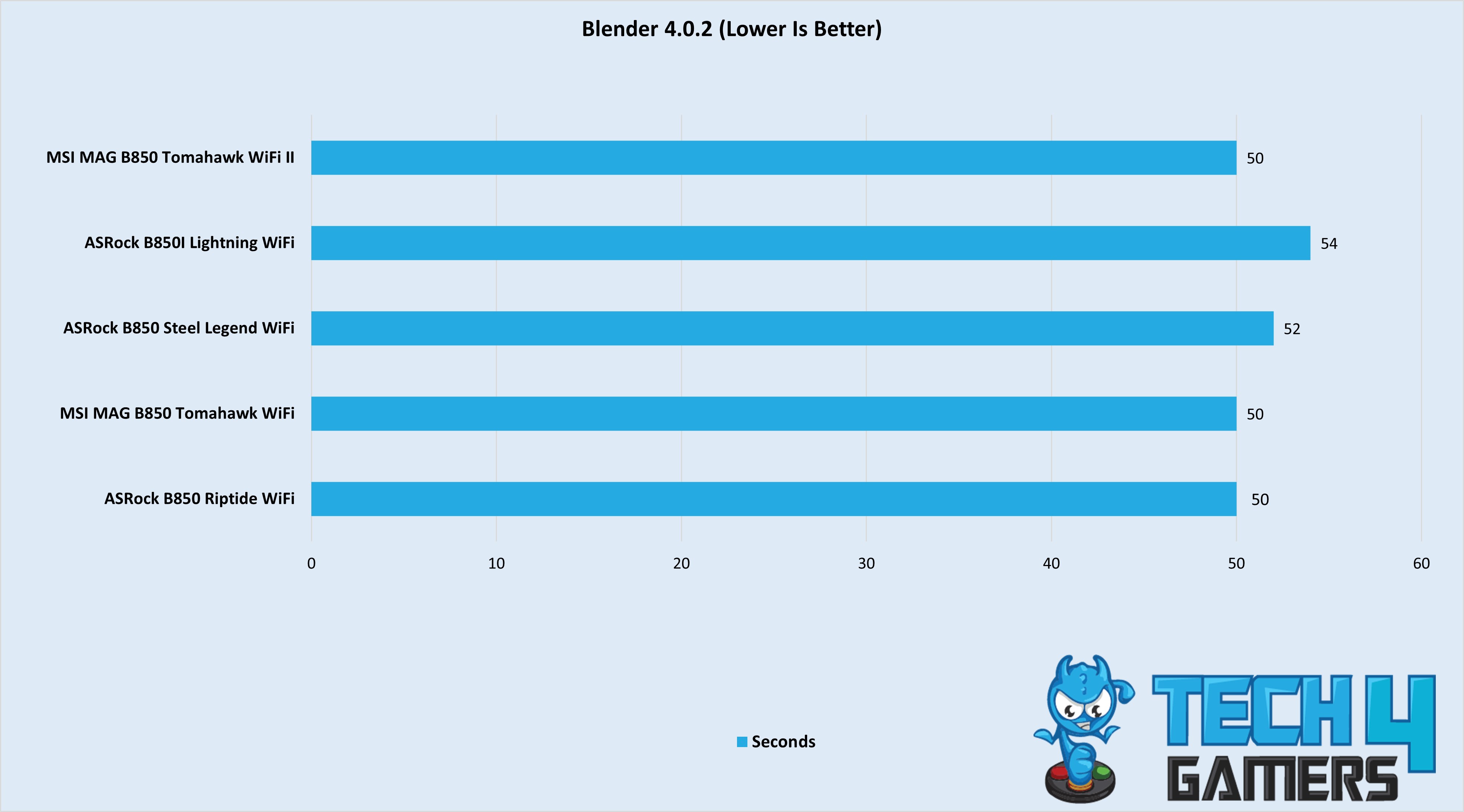
The motherboard has similar performance to the original, completing the render in 50 seconds.
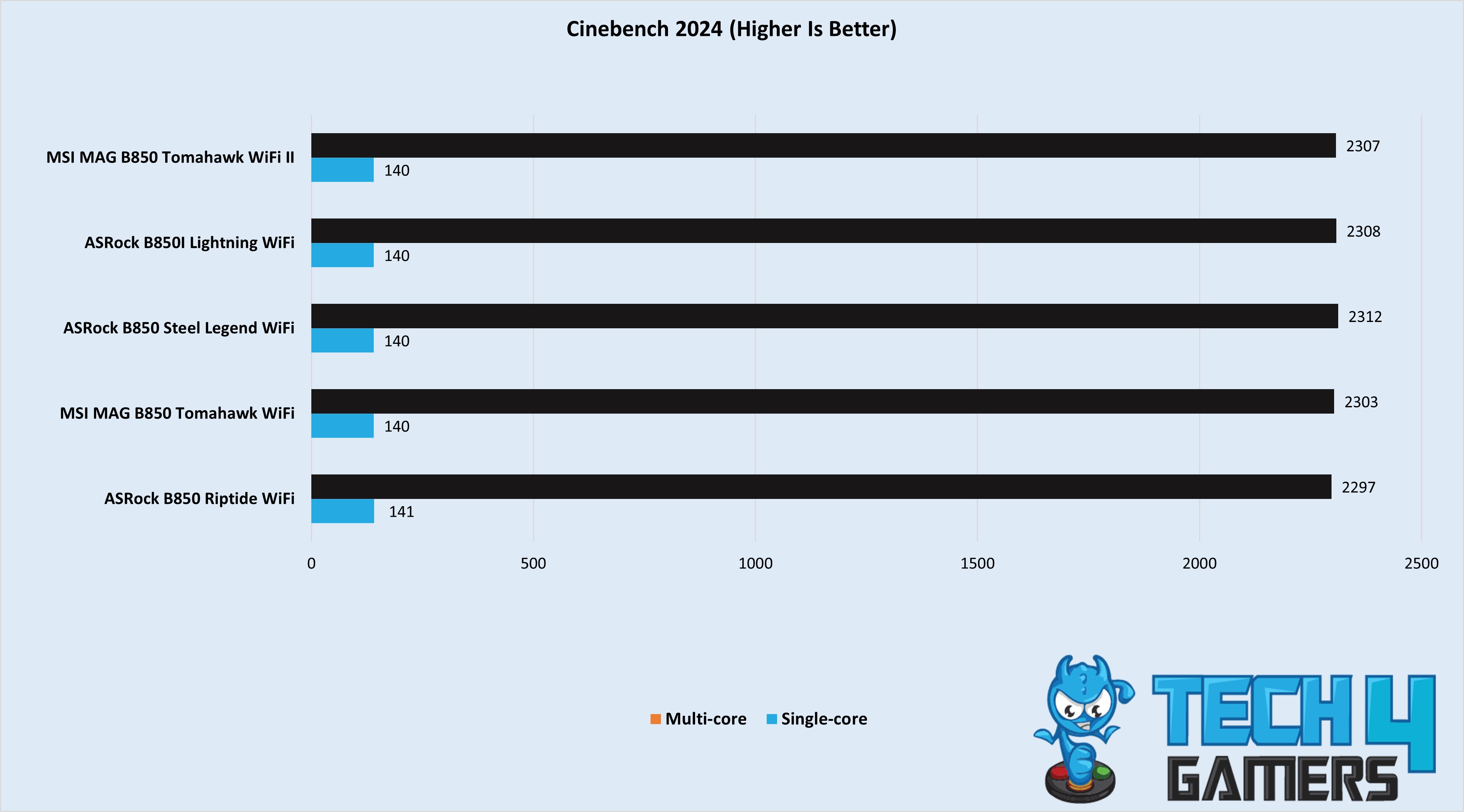
The MSI MAG B850 Tomahawk Max WiFi II averaged 2,307 points in the multi-core test in Cinebench 2024 and 140 points in the single-core test.
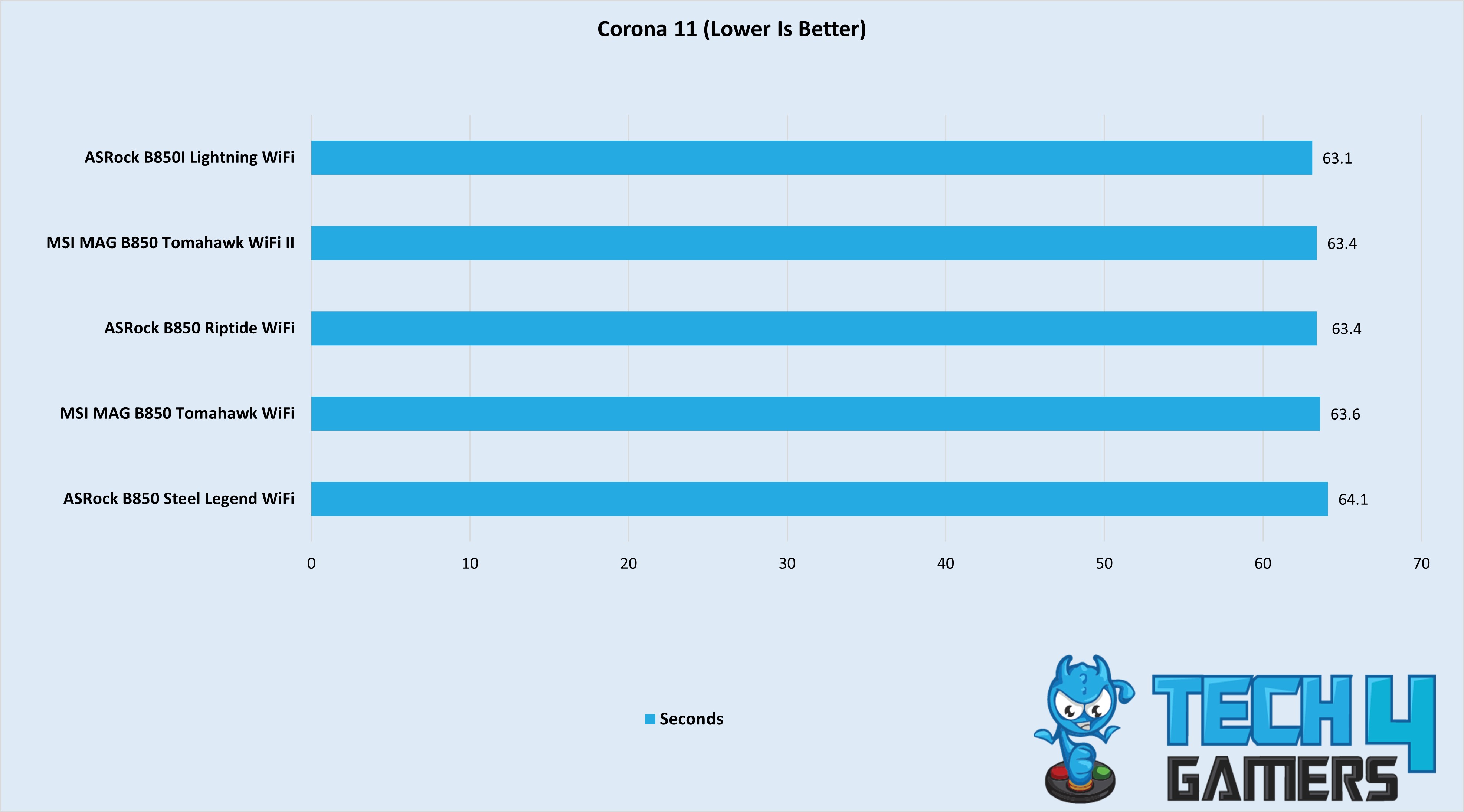
The board completed the render in 63.4 seconds, being slightly faster than its predecessor.
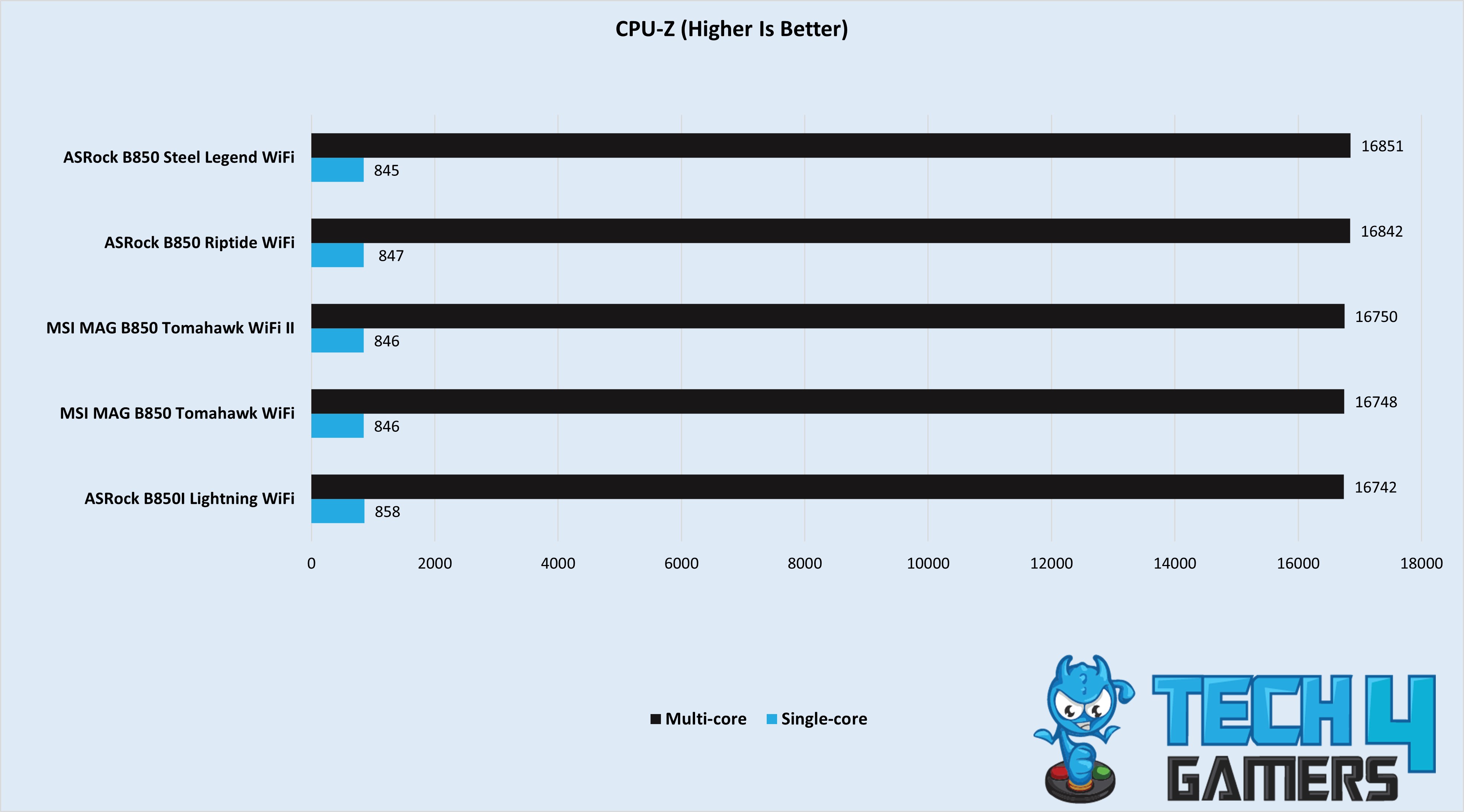
We don’t see much difference in the scores across the motherboards in this test.
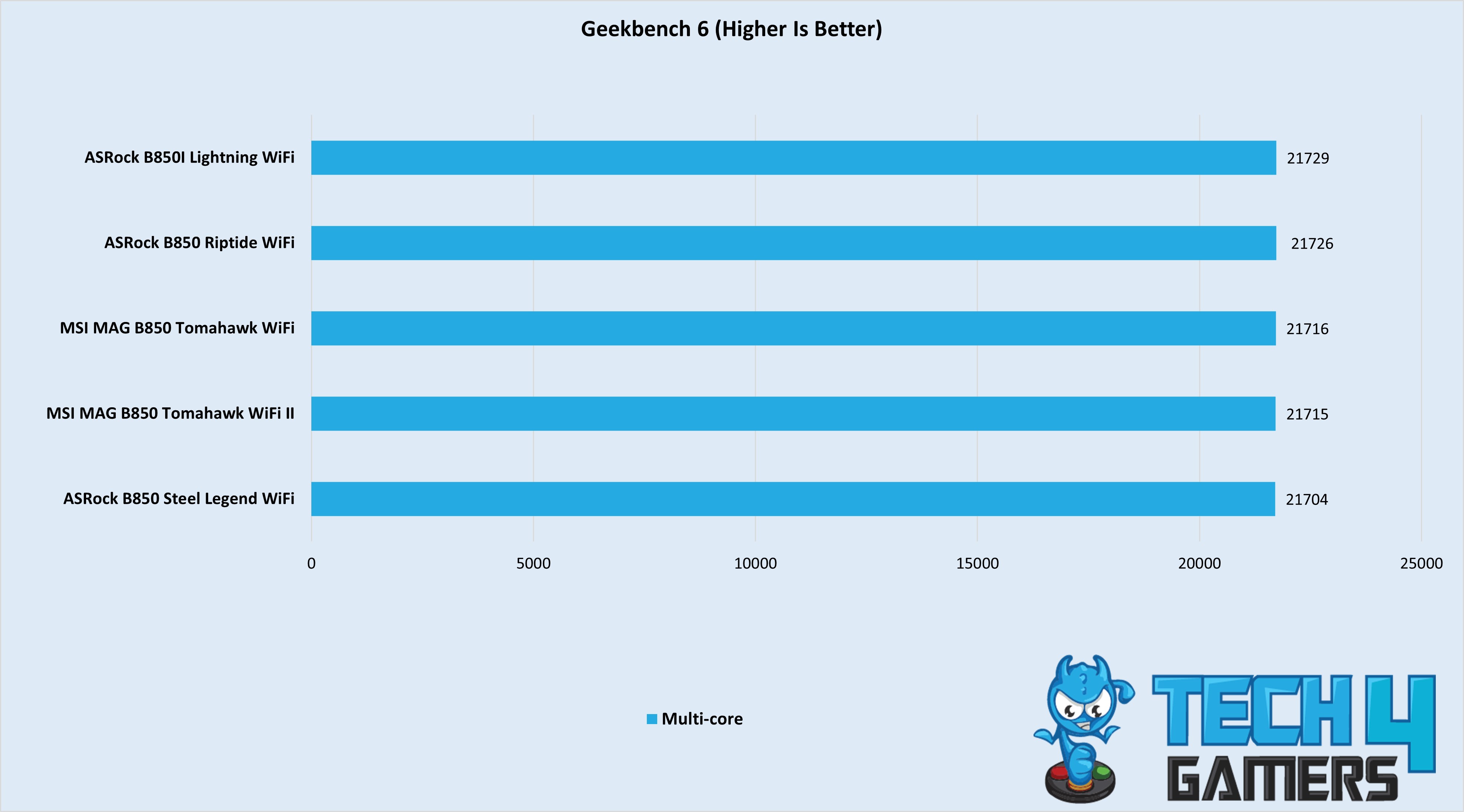
Surprisingly, in the Geekbench 6 test, the original Tomahawk WiFi beat the refreshed Tomahawk WiFi II by a single point, with the latter scoring 21715.
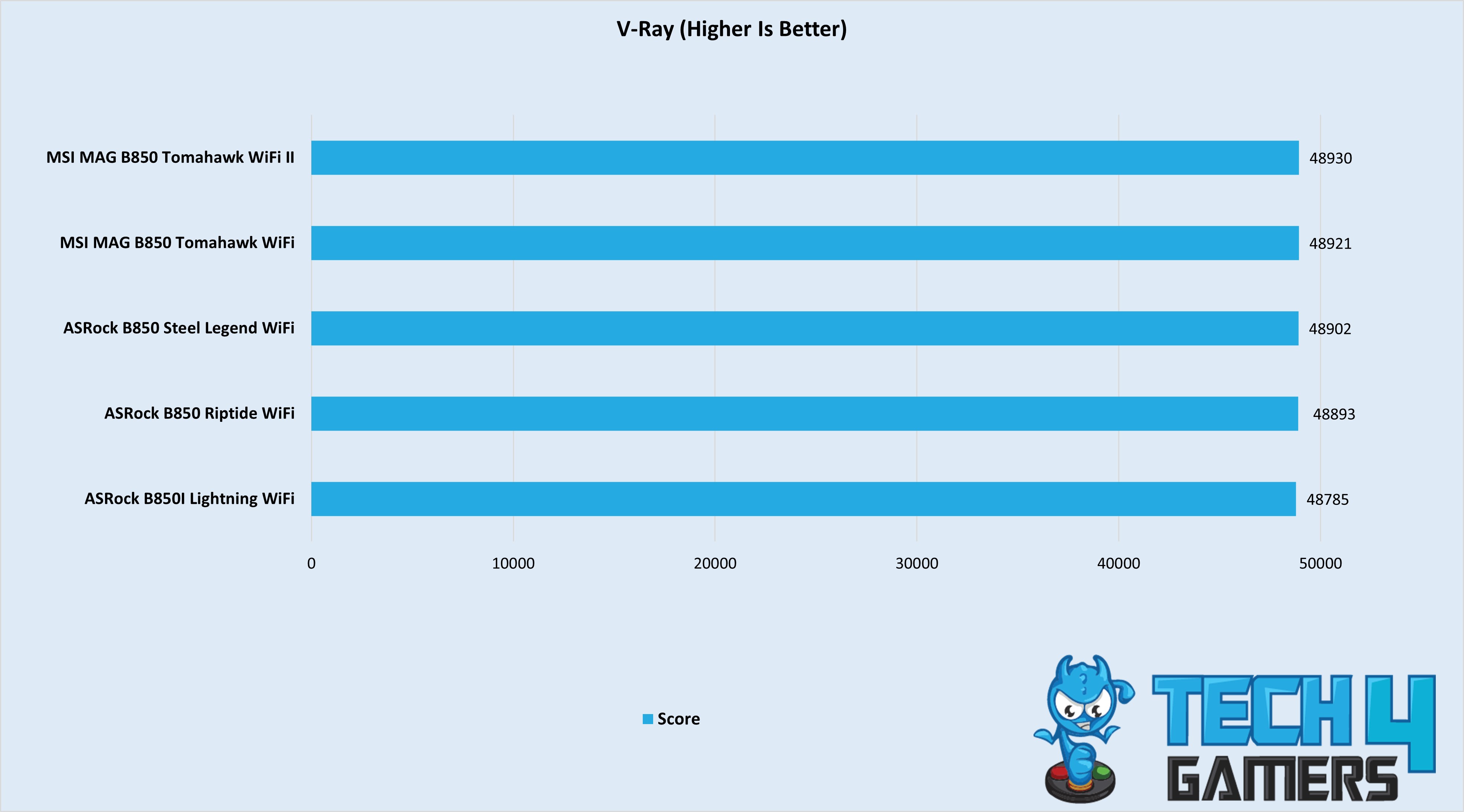
The MSI MAG B850 Tomahawk Max WiFi II motherboard takes the cake in this test, scoring 48,930 points.
Overall, both motherboards offer similar performance as we expected.
Gaming Benchmarks
We have three games in our gaming benchmarks, so let’s see how the motherboards perform in these tests.
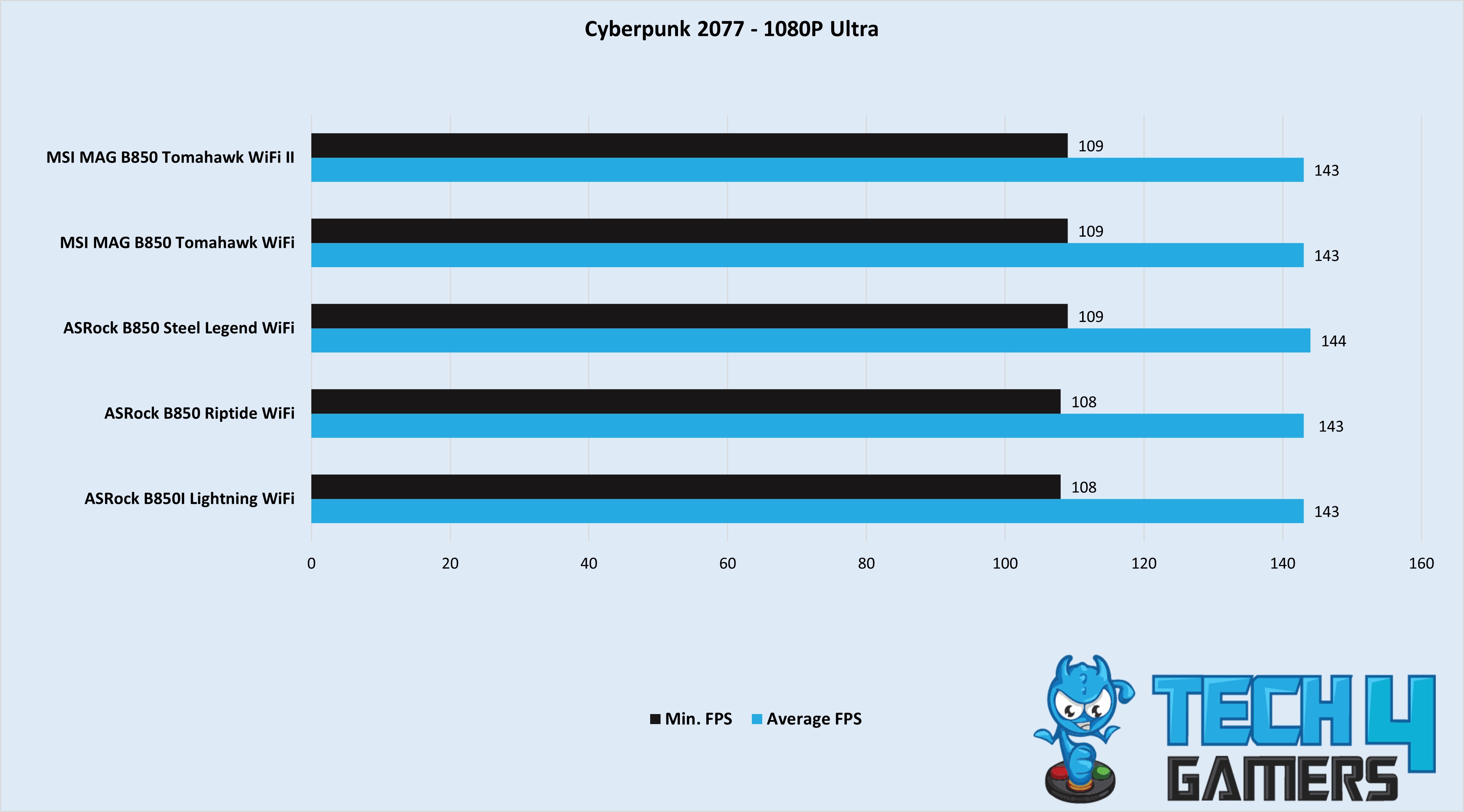
The board averaged 143 FPS with a minimum of 109 FPS.
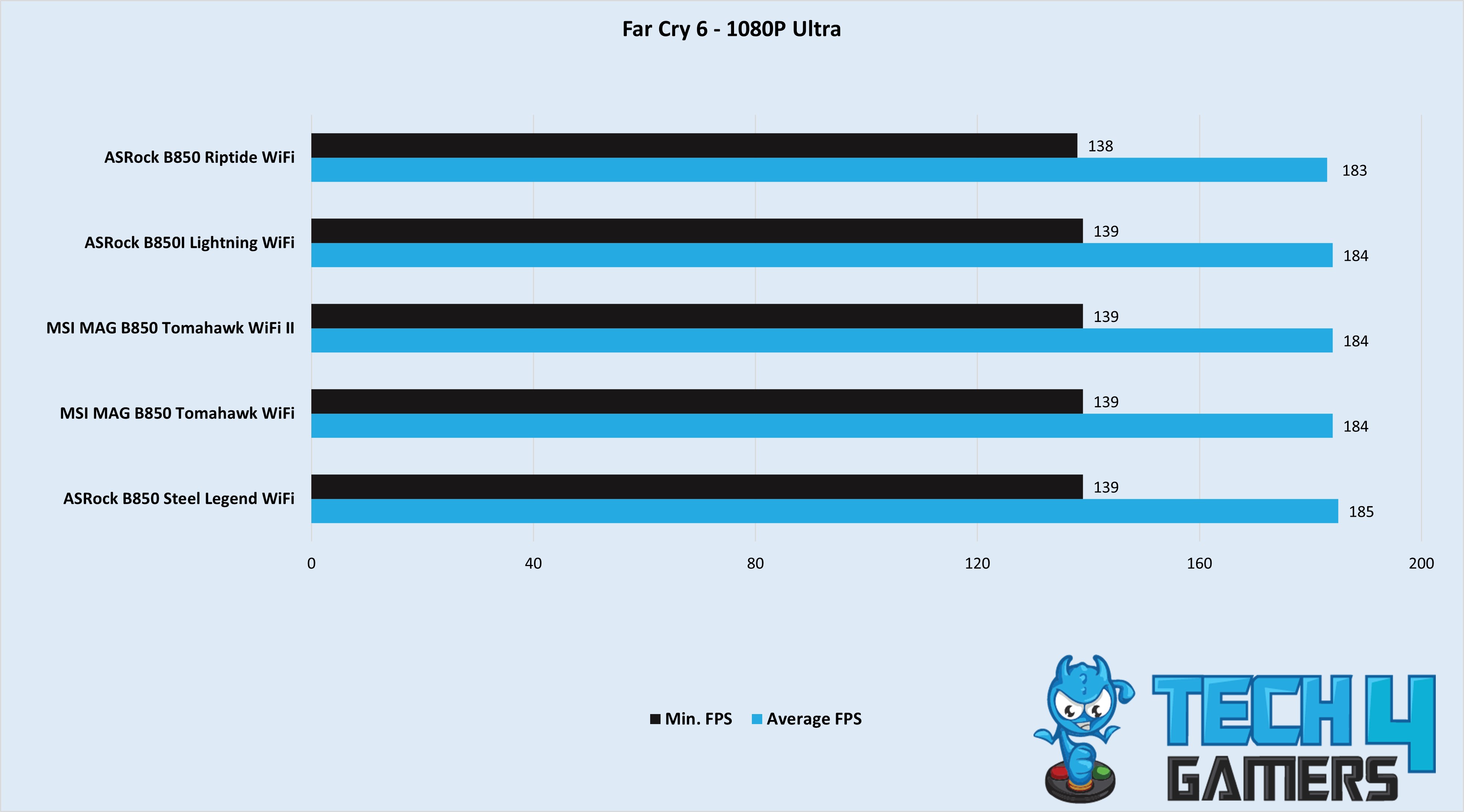
There’s almost no difference between any of the motherboards in Far Cry 6, with the Tomahawk WiFi II averaging 184 FPS.
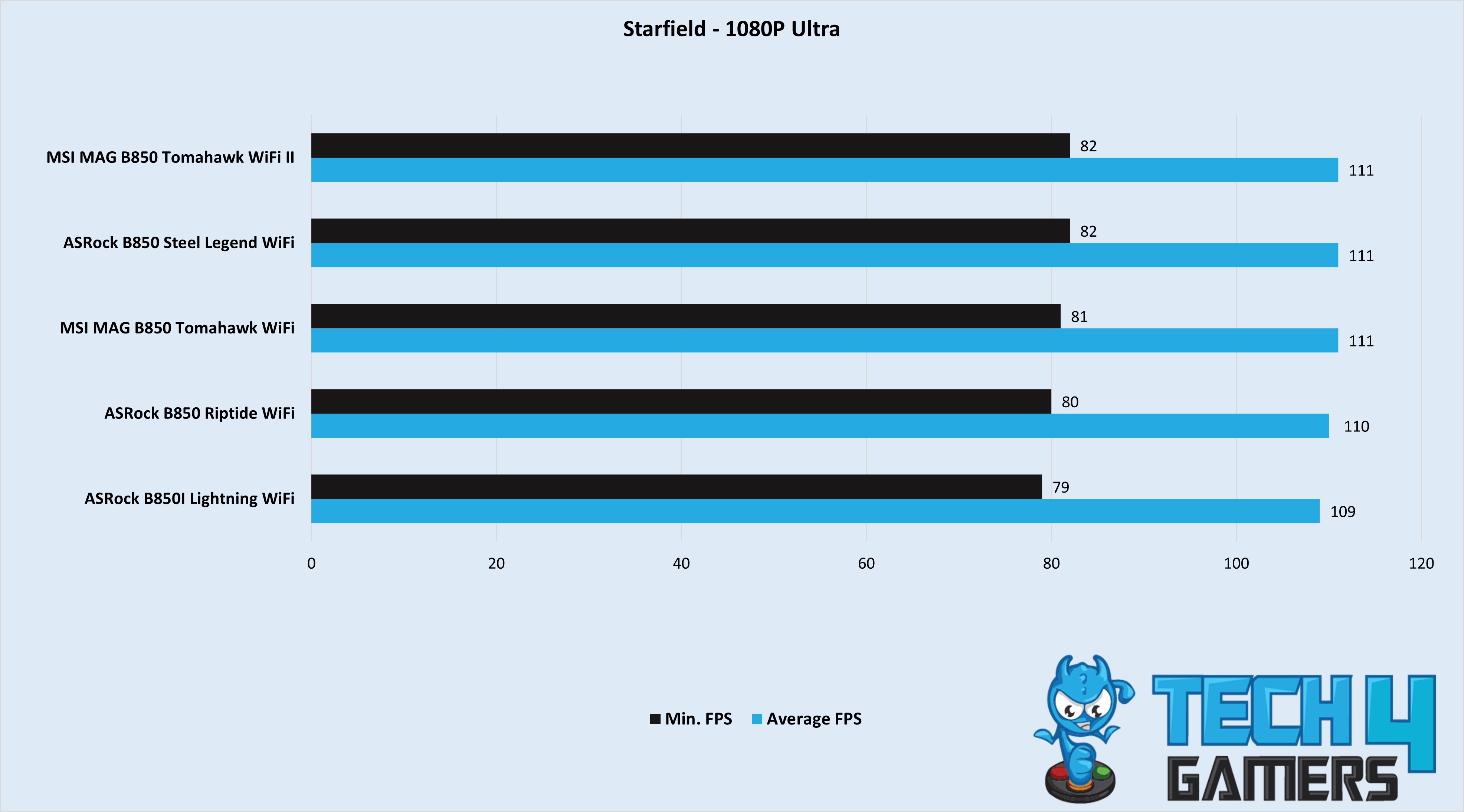
The Tomahawk WiFi II averaged 111 FPS in Starfield, with a minimum of 82 FPS.
Overall, all the motherboards deliver almost the same performance in games, but are decent at 1080p.
Power Consumption and VRM Temperatures
After the performance tests, let’s check the total power consumption and VRM temperatures. For this test, we have used Cinebench 2024.
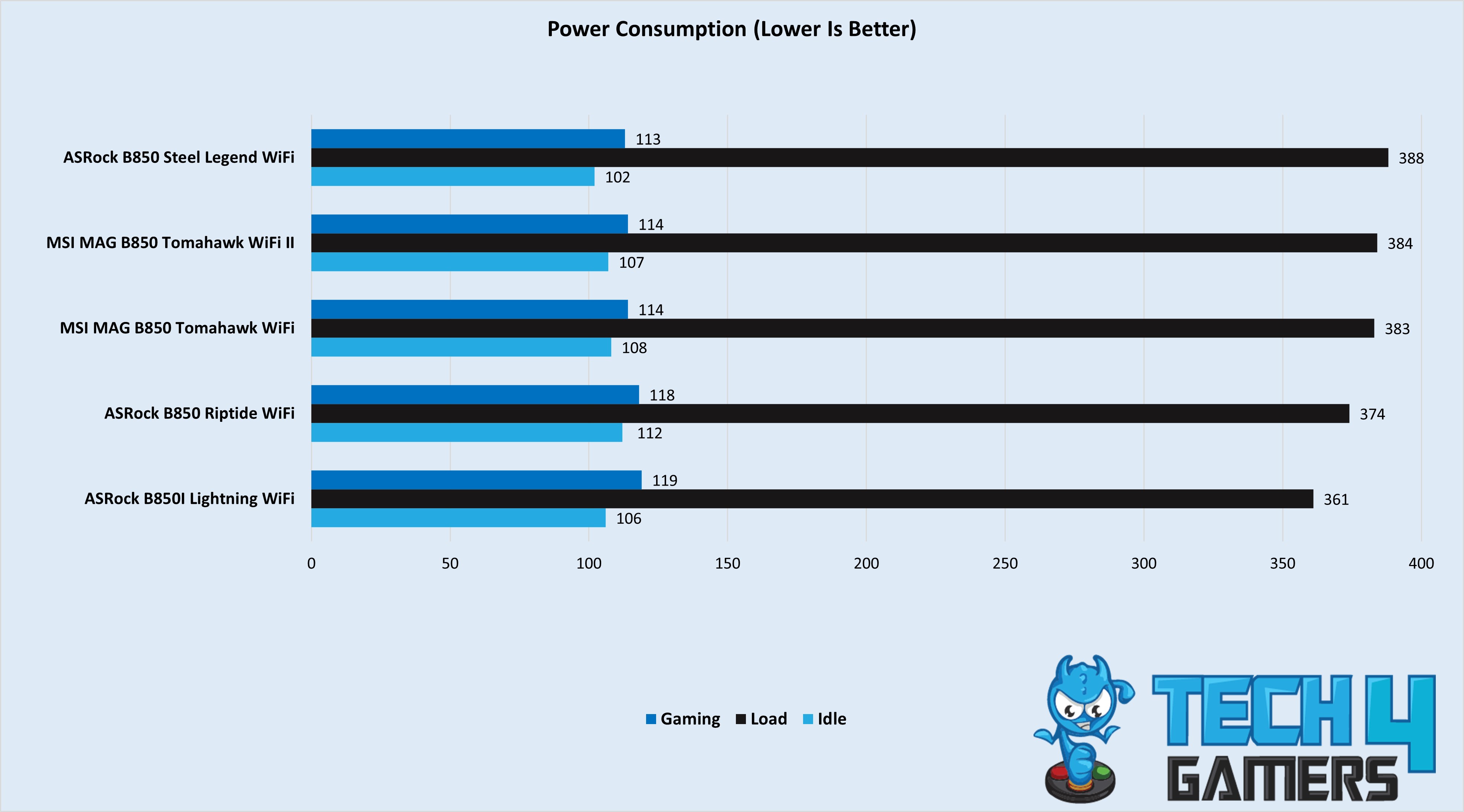
The MSI MAG B850 Tomahawk WiFi II has slightly higher power consumption under load at 384W, 114W in gaming, and 107W at idle. In retrospect, the ASRock B850I has the least power consumption under load at 361W.
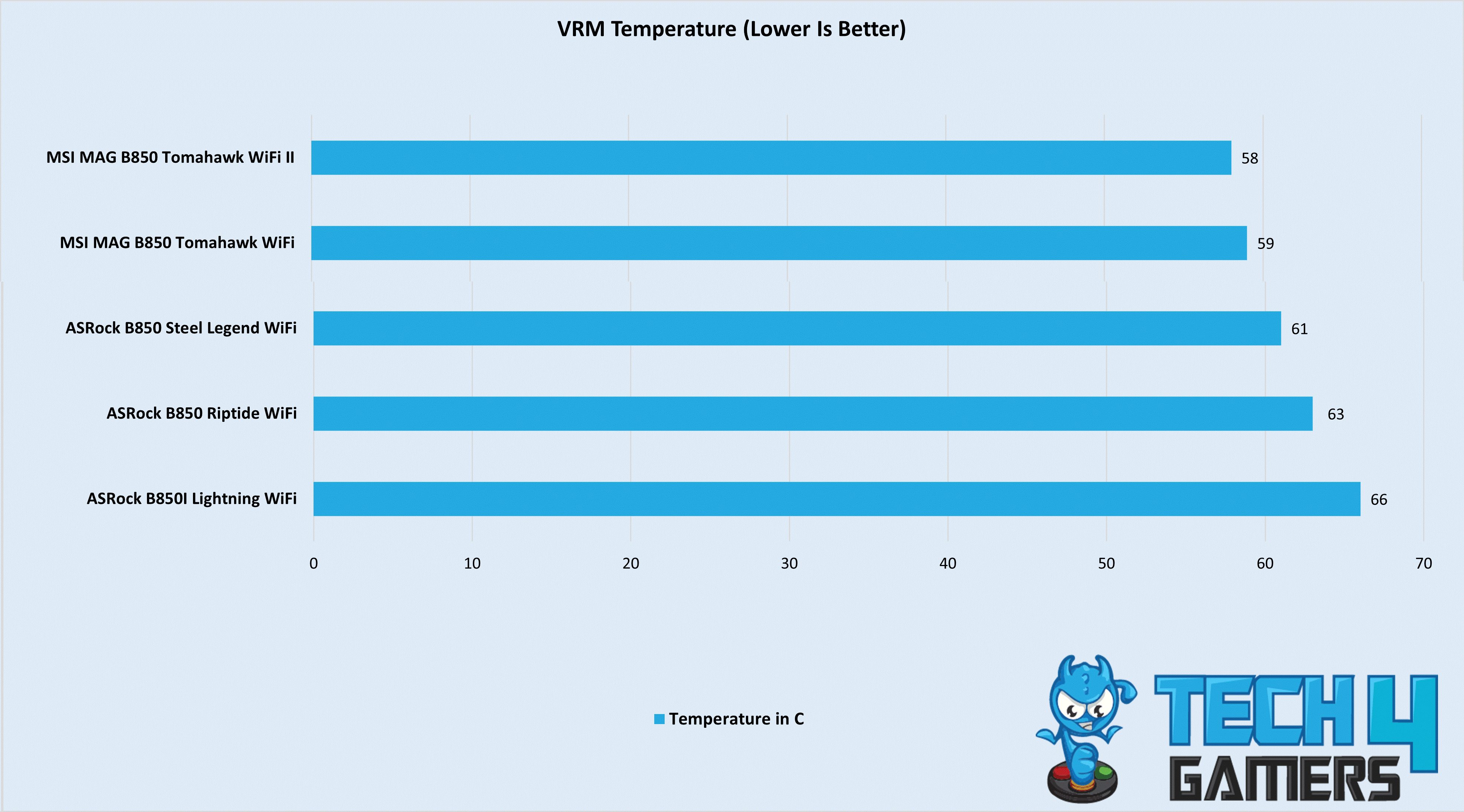
The thick VRM heatsink seems effective, as the motherboard’s VRMs averaged only 58°C during the entire Cinebench 2024 stress test. The original Tomahawk Max WiFi is right behind, sitting at 59°C, so it seems there isn’t a big difference.
Boot Times
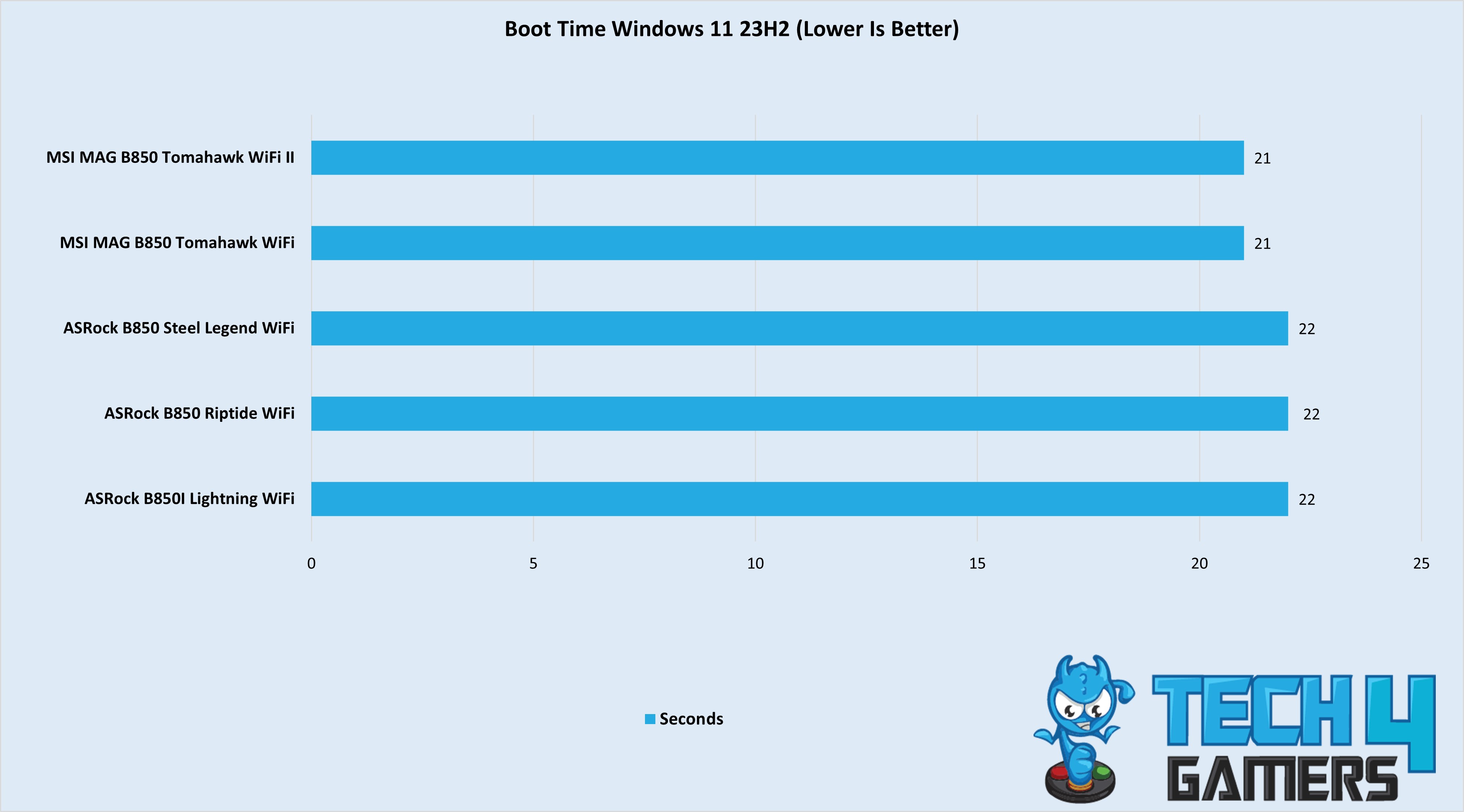
Both MSI motherboards beat the competition by booting into Windows in 21 seconds, gaining a 1-second advantage.
Should You Buy It?
Well, is it your cup of tea? Let’s find out!
Buy It If
 64MB BIOS ROM looks intriguing: If you’re new to PC building and don’t want to meddle in the BIOS, this motherboard might be perfect because of its 64MB BIOS storage, which comes with some pre-installed drivers and also ensures better compatibility.
You’re not looking for a flashy design: Unlike its predecessor, the MSI MAG B850 Tomahawk Max WiFi II has removed most of the green and yellow, leaving the motherboard with an elegant matte-black and gunmetal grey color.
You want to try basic overclocking: If you’ve been wanting to try basic overclocking, this motherboard might be a good fit thanks to its BCLK OC Engine, which makes overclocking as simple as possible, requiring only one click.
Don’t Buy It If
 You want more USB connectivity options: While the Tomahawk Max WiFi II offers decent USB connectivity, including a USB4-equivalent USB 20 Gbps Type-C front header, it doesn’t have a built-in USB4 port. If you want faster ports, you might want to look elsewhere.
My Thoughts
The MSI MAG B850 Tomahawk Max WiFi II is a refresh of the original Max WiFi motherboard, introducing only a few differences, most of which are positive. The motherboard’s price is around $239, keeping it at the original board’s MSRP. For its price point, we see some features that go beyond a “mid-range” offering, increasing its overall value.
While most of the technicalities remain the same between the two motherboards, the biggest differences come down to design changes and a higher BIOS ROM for the refreshed model. MSI decided to remove the distracting yellow-green accents and instead focused on a subtle matte-black and gunmetal grey finish, which makes the motherboard stand out in a different way.
In terms of BIOS storage, the upgraded 64MB ensures your board will be compatible with many future updates. Regarding performance, we see the same 14+2+1 VRM phase with 14x 80A SPS for the CPU VCore. The most notable feature was the VRMs’ cooling, which kept temperatures at 58°C throughout the Cinebench 2024 stress test.
Expansion slots and USB ports remain the same, with the motherboard providing 1x PCIe Gen 5 x16 slot. Meanwhile, the PCI_E2 Gen PCIe 3.0 supports up to x1 lanes, and the PCI_E3 Gen PCIe 4.0 supports up to x4 lanes. USB connectivity could have been better, but we do see a 20Gbps Type-C port and 5x 10Gbps ones.
Again, for a mid-range motherboard, most features are adequate, including WiFi 7, Bluetooth 5.4, strong Realtek ALC4080 audio drivers, multiple PCIe 5.0 M.2 slots, and a range of AI features that improve the overall user experience and performance.
Thank you! Please share your positive feedback. 🔋
How could we improve this post? Please Help us. 😔

[Reviews Specialist]
Usman Saleem brings 8+ years of comprehensive PC hardware expertise to the table. His journey in the tech world has involved in-depth tech analysis and insightful PC hardware reviews, perfecting over 6+ years of dedicated work. Usman’s commitment to staying authentic and relevant in the field is underscored by many professional certifications, including a recent one in Google IT Support Specialization.
8+ years of specialized PC hardware coverage
6+ years of in-depth PC hardware analysis and reviews
Lead PC hardware expert across multiple tech journalism platforms
Certified in Google IT Support Specialization
Get In Touch: usman@tech4gamers.com
 Join Our Community