Home Blog Page 76

ASRock Radeon RX 9070 XT Monster Hunter Wilds Edition Review

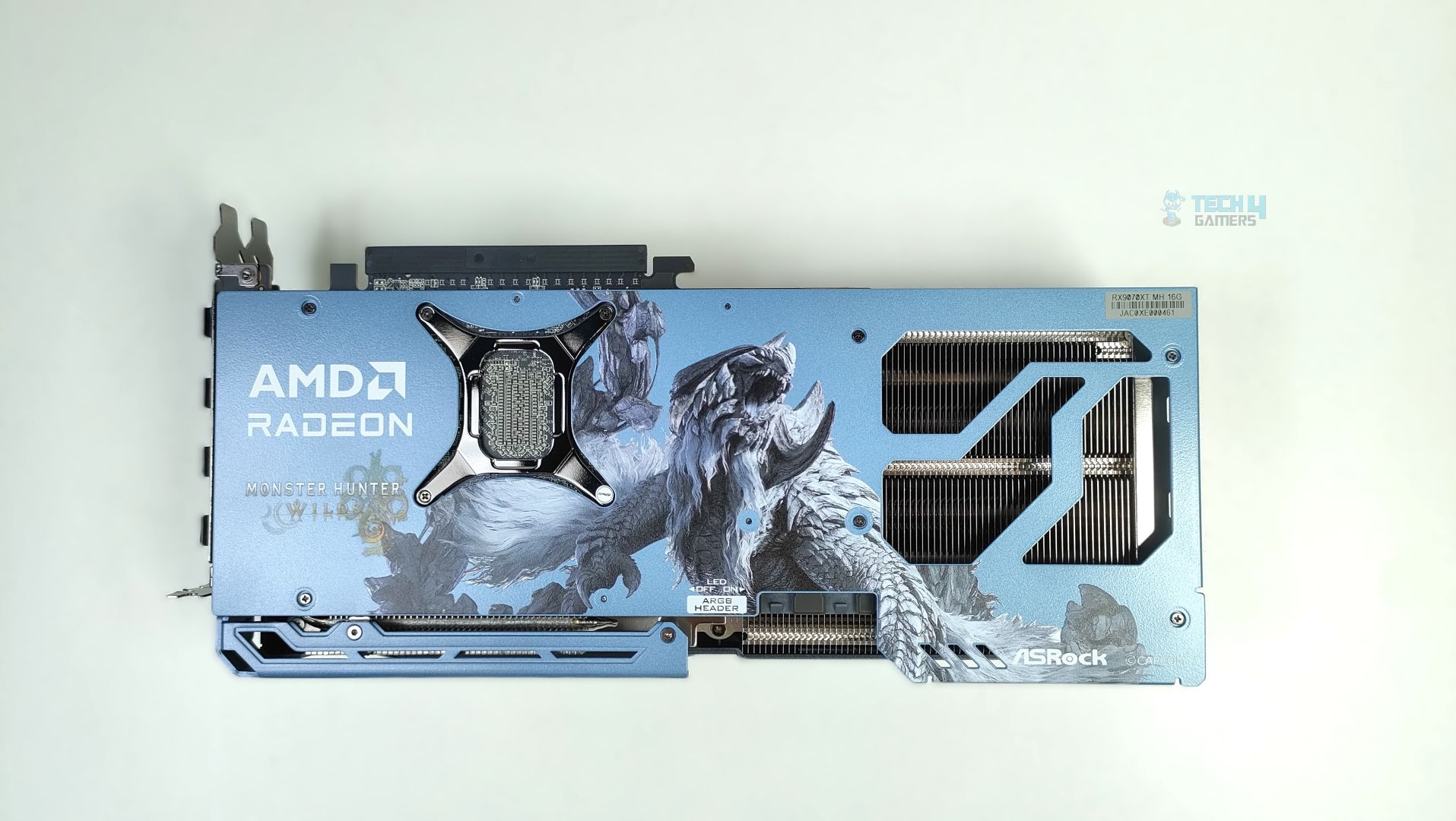
ASRock has dropped another RX 9070 XT on the market, inspired by Monster Hunter: World, an action role-playing video game launched in 2025. There are some prominent changes to its design: the shroud (exterior) uses a custom color scheme meant to evoke Arkveld’s icy, monstrous aesthetic, and a couple of other changes we will discuss in the review. However, beneath the custom aesthetics, the design is not entirely new; its basic build and internal design are identical to ASRock’s Steel Legend Design. This GPU is targeted more at the fans, users who want a unique aesthetic tied to a game they love.

This GPU is powered by the RDNA 4 architecture, based on the NAVI 48 GPU, a monolithic chip built on TSMC’s 4nm N4P node. RDNA 4 brought many improvements compared to its predecessors, especially in ray tracing and AI/machine learning workloads, which also power FSR4. The memory is 16GB across a 256-bit-wide memory interface. The 9070 XT has been out for quite some time; obviously, we won’t dig into the architecture details of RDNA 4, since we have already covered them in our ASRock RX 9070 Steel Legends Graphics-Card review. The main highlights of this review would be the ASRock RX 9070 XT Monster Hunter Wilds design, its aesthetics, and, of course, its performance and thermals.

Why Trust Tech4Gamers
  • Usman Sheikh is one of our most senior and experienced hardware reviewers. He loves spending hours (sometimes days) in his lab testing and comparing different GPUs, CPUs, motherboards, and more.
  • 65+ graphics cards tested and reviewed by our team of hardware experts (Tech4Gamers Team).
  • 1100+ hours spent testing different GPUs for our reviews.
  • Objective testing criteria (See how we test graphics cards).

At Tech4Gamers, ensuring you get reliable information is our priority. That’s why every hardware round-up undergoes a meticulous review process by our team of experts and editors. Each review is carefully examined against our strict editorial guidelines, guaranteeing you trustworthy insights you can depend on.

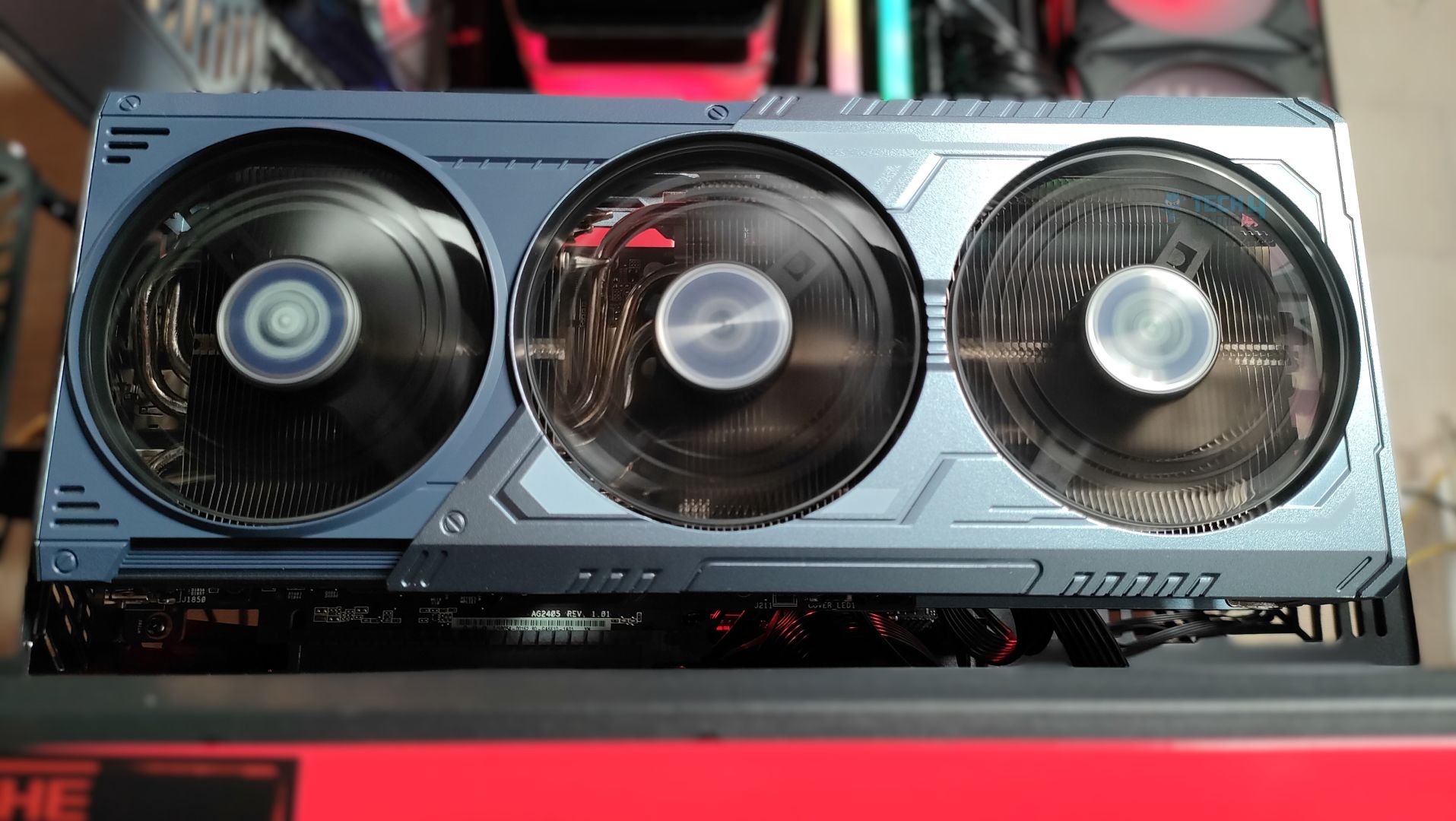
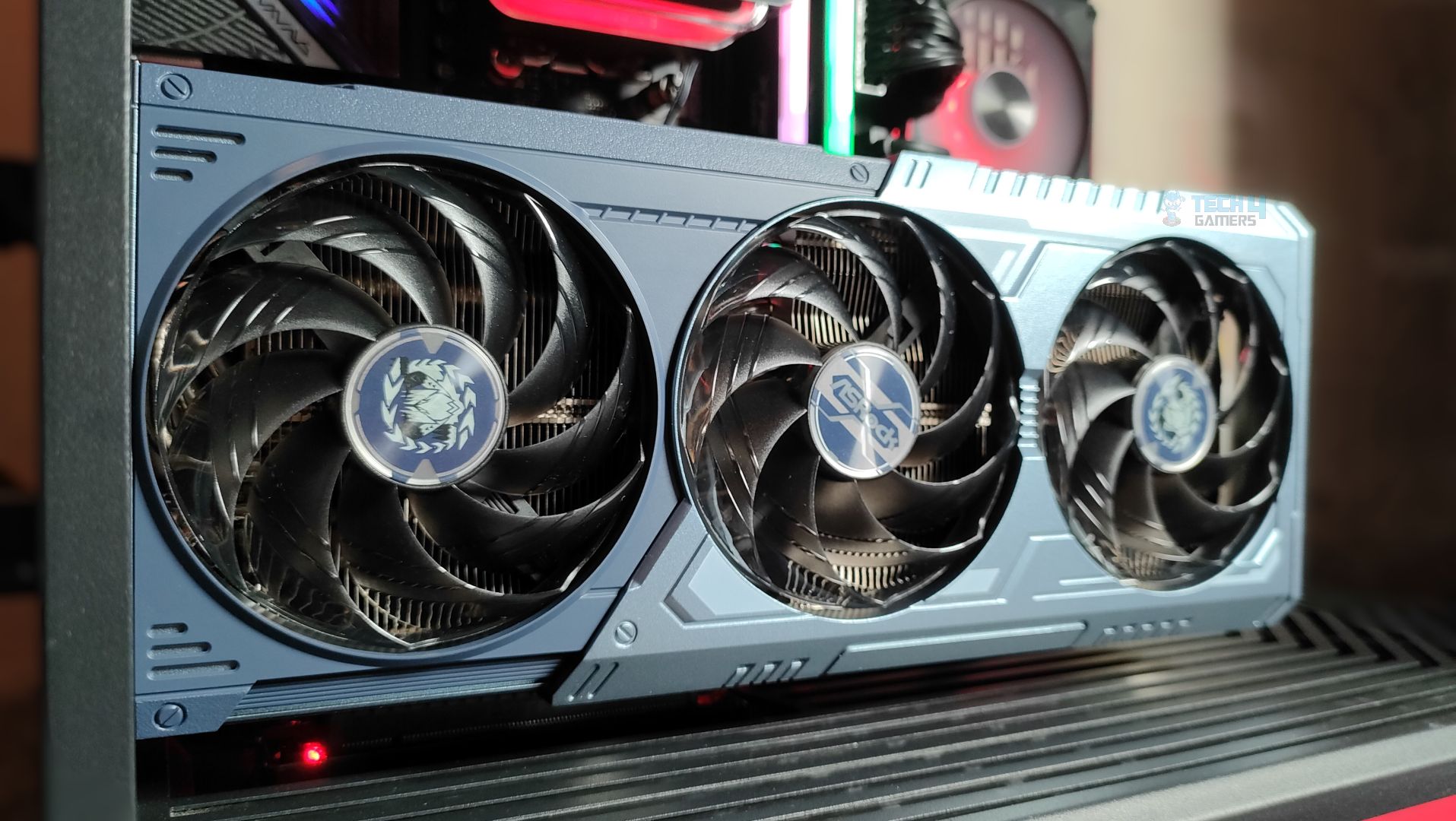
ASRock Radeon RX 9070 XT Monster Hunter Wilds Edition is a triple fan design with a 0dB fan-control design, that also features the reinforced metal frame to eliminate the sag and uses ASRock’s stripped ring fan focused on the high airflow also one of the thing which the enthausiasts will love the most is the ASRock is using HoneyWell PTM 7950, a phase change thermal pad for it’s cooling solution.

Let’s start with the specifications

DetailsASRock Radeon RX 9070 XT MH EditionBase RX 9070XT
Core Clocks:Game Clock: 2400MHz
Boost: Up To 2970MHz
Game Clock: 2400MHz
Boost: Up To 2970MHz
Cores 40964096
GPUNavi 48Navi 48
Memory16 GB, GDDR6, 256-bit16 GB, GDDR6, 256-bit
Memory Clock2518 MHz2518 MHz
ROPs128128
Transistors53900M53900M
PCI Express5.05.0
Key FeaturesPolychrome SYNC
Triple Fan Design
Art Theme Design
Striped Ring Fan
Reinforced Metal Frame
-
MSRP$699$599
[toc]

What Makes ASRock Radeon RX 9070 XT Monster Hunter Wilds Edition Different?

This GPU features game-inspired Arkveld Design, with a custom shroud, metal backplate, and fan-hub artwork inspired by the monster from Monster Hunter World. Internally, it is the same GPU as the standard RX 9070 XT, but with premium build touches, including a reinforced metal frame and backplate, stripped ring fans, and phase-change thermal pads. This GPU is recommended to those who like collector’s hardware in their system. 

Packaging

Let’s take a look at the packaging first.
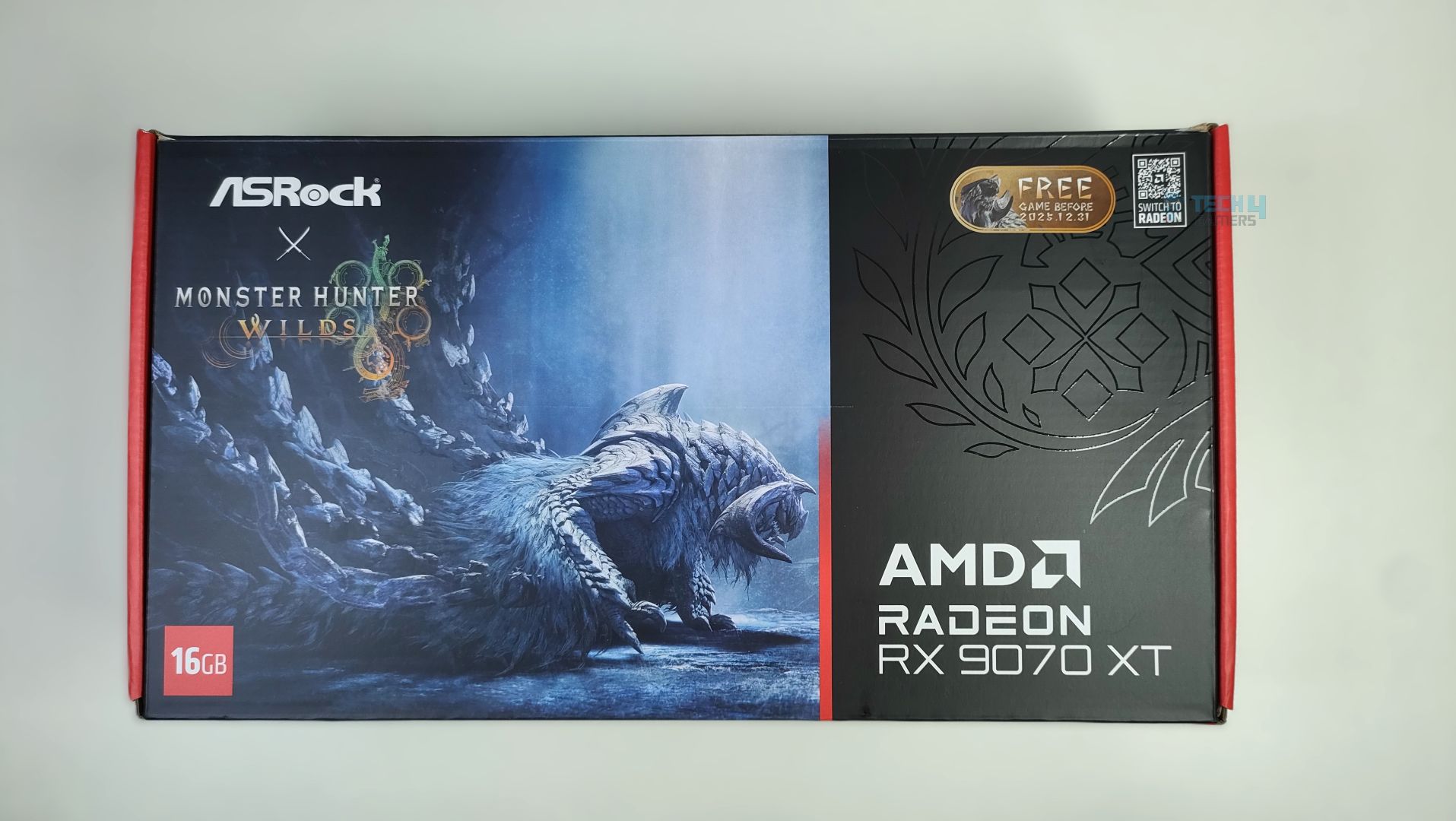
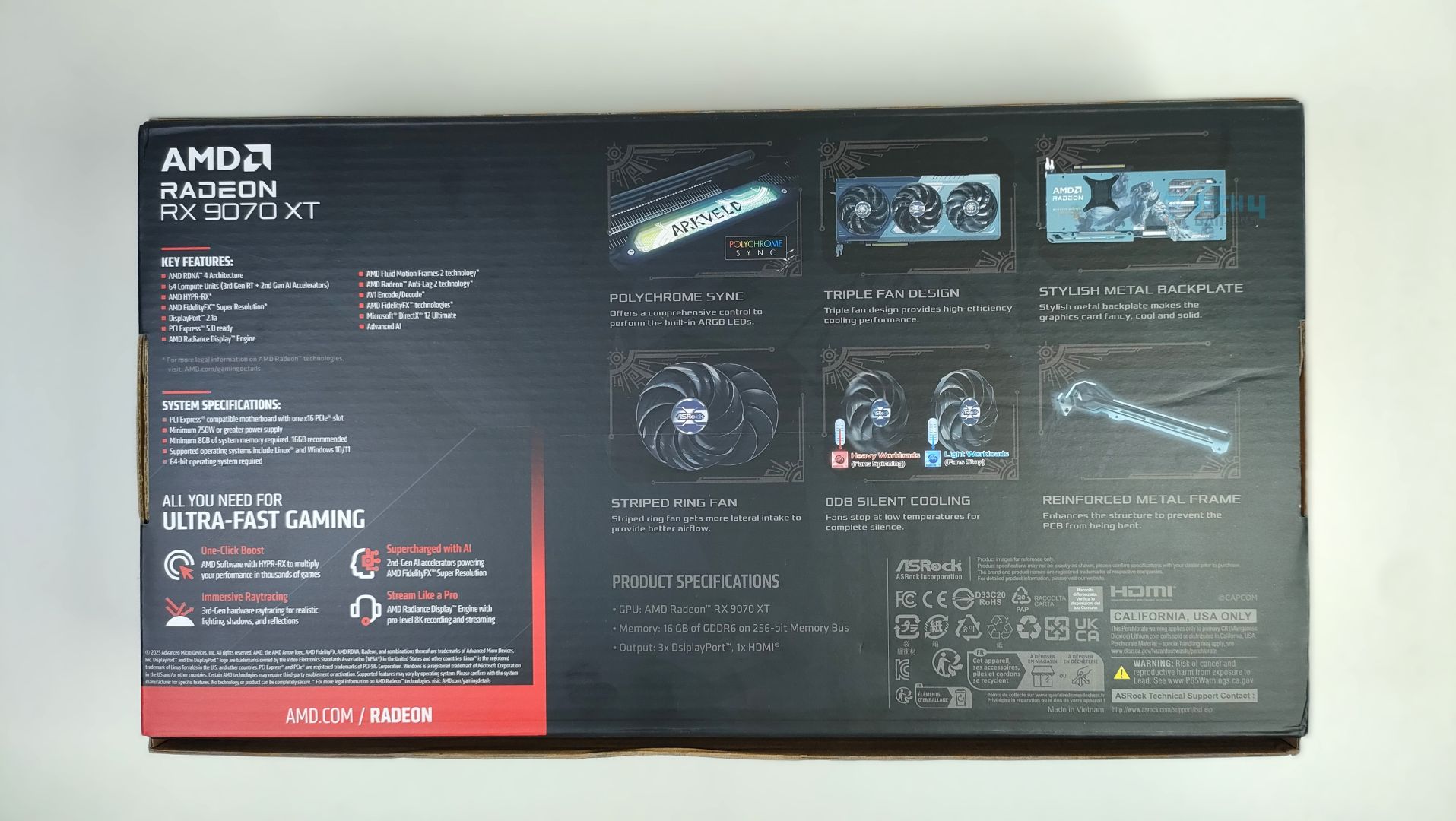
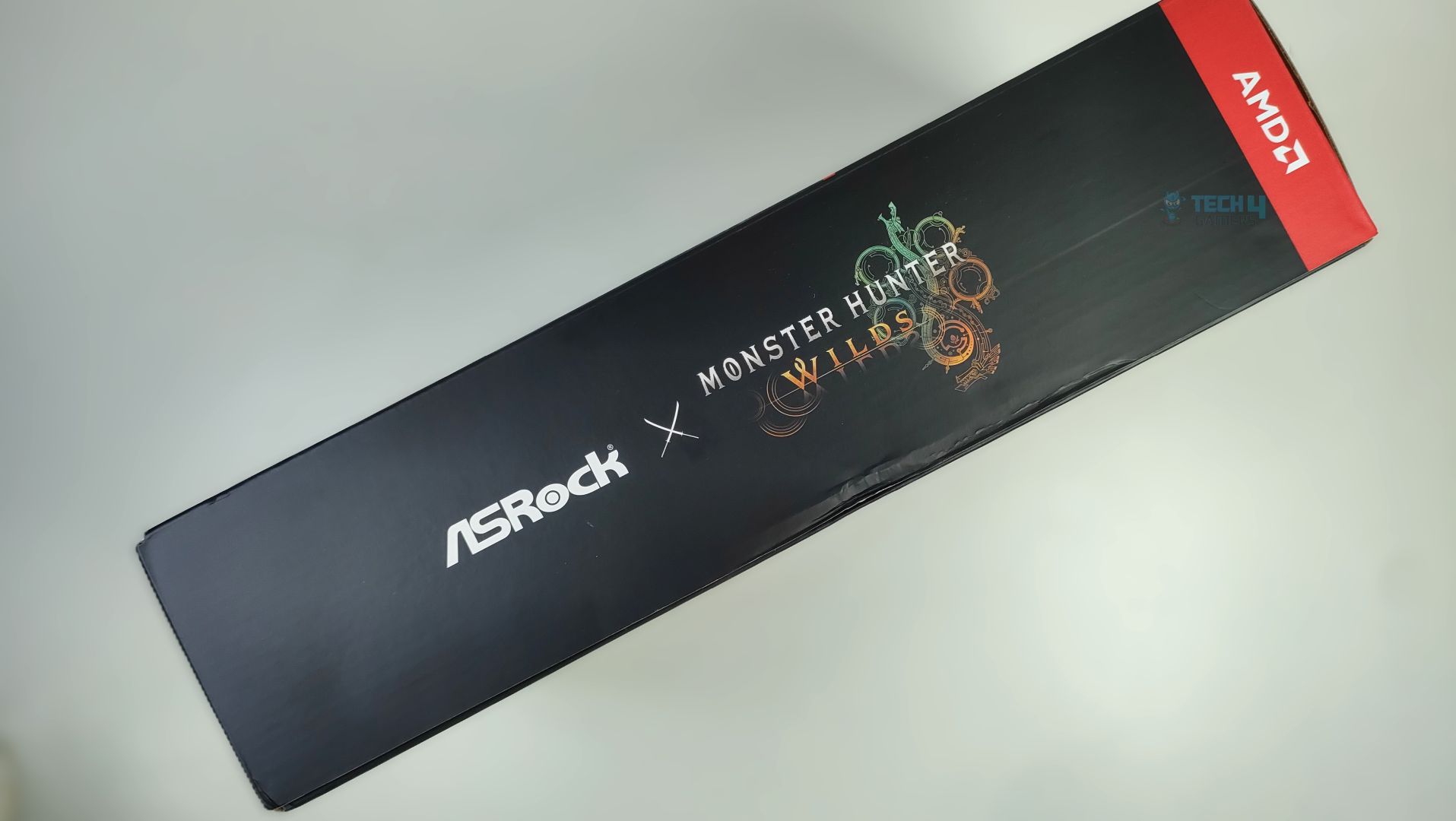
ASRock Radeon RX 9070 XT Monster Hunter Wilds Edition arrives in a thick corrugated cardboard box with a Monster Hunter Wilds artwork striking at the front. The branding looks clean and visually appealing. The ASRock Logo, GPU Model, and the 16GB VRAM badges are clearly visible at the front, and we also get a free copy of the game and a redeemable card included in the packaging. On the back of the box, key features of the GPU architecture are highlighted, and ASRock Exclusive features are also demonstrated, including support for Polychrome RGB Sync, Triple Fan Design, Metal Backplate, Stripped Ring Fan with 0dB Silent Cooling, and a reinforced metal frame. The back of the box lists the card’s standard specifications; there is nothing fancy except the front box artwork.

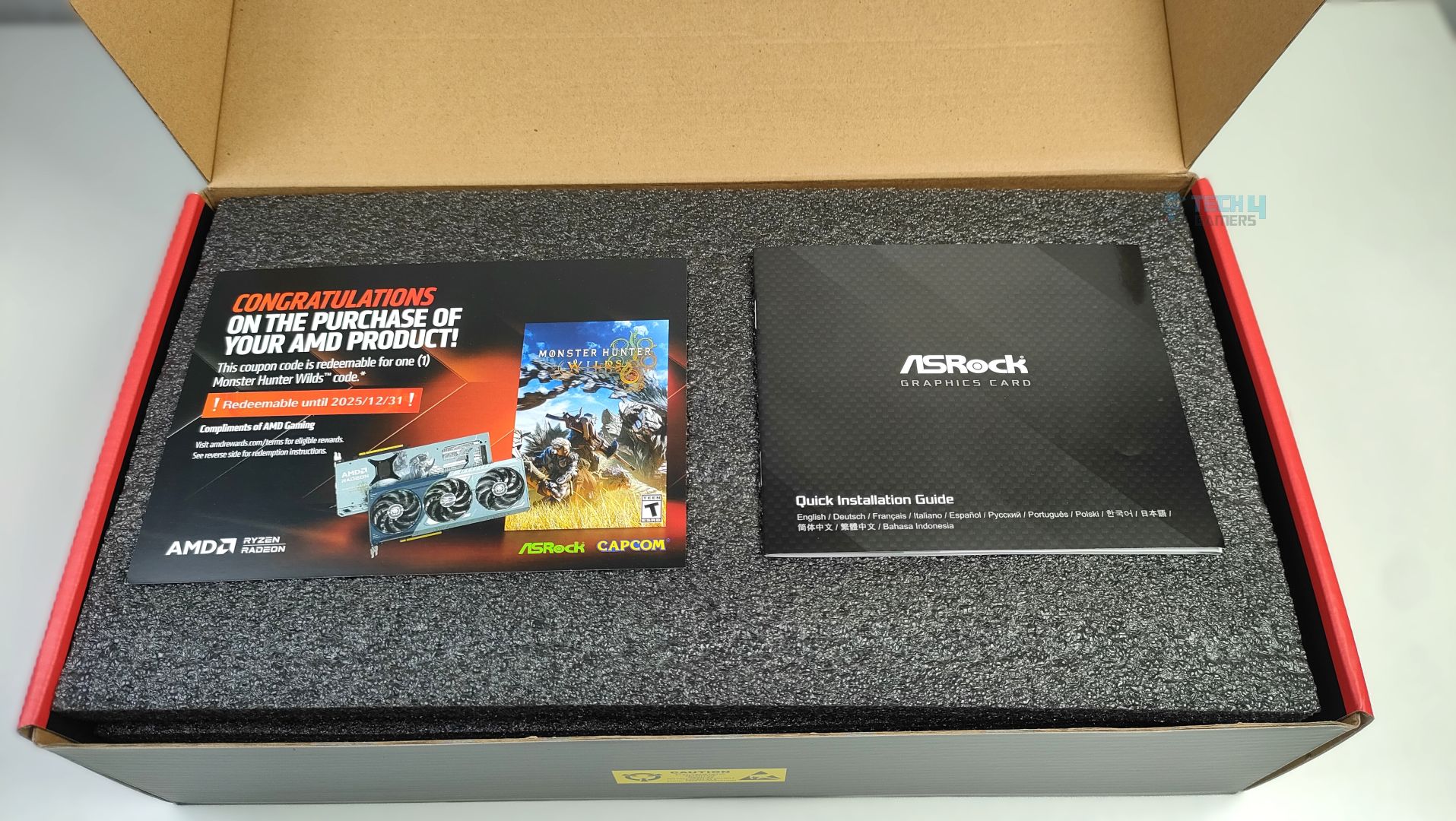
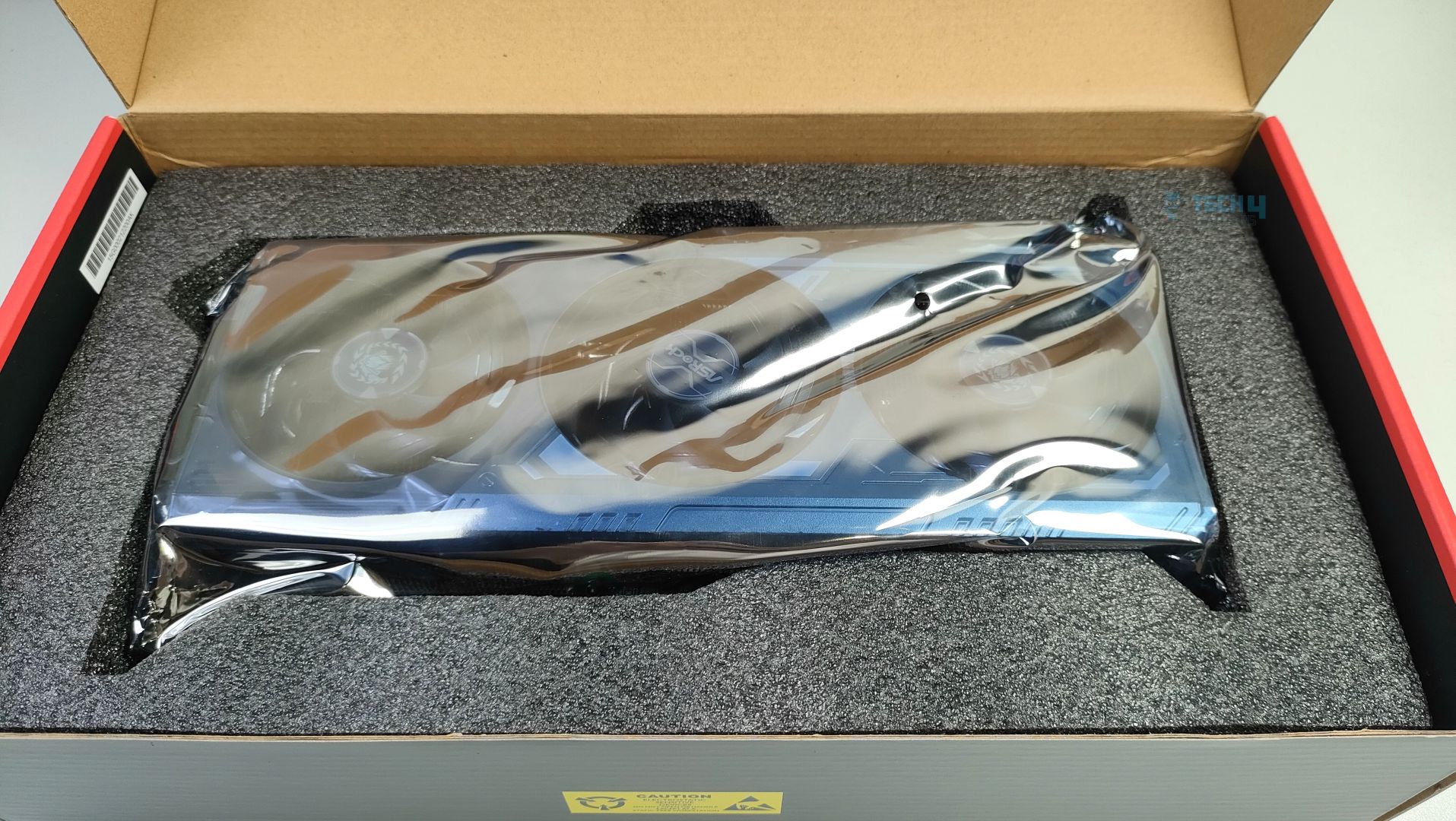
Inside, the GPU is secured with a thick, high-density foam. No additional accessories are included except the manual and the Coupon Card. Though I would like at least some extra Monster Hunter Wilds figurines, or at least some stickers.

Design

It’s time to talk about it’s design.
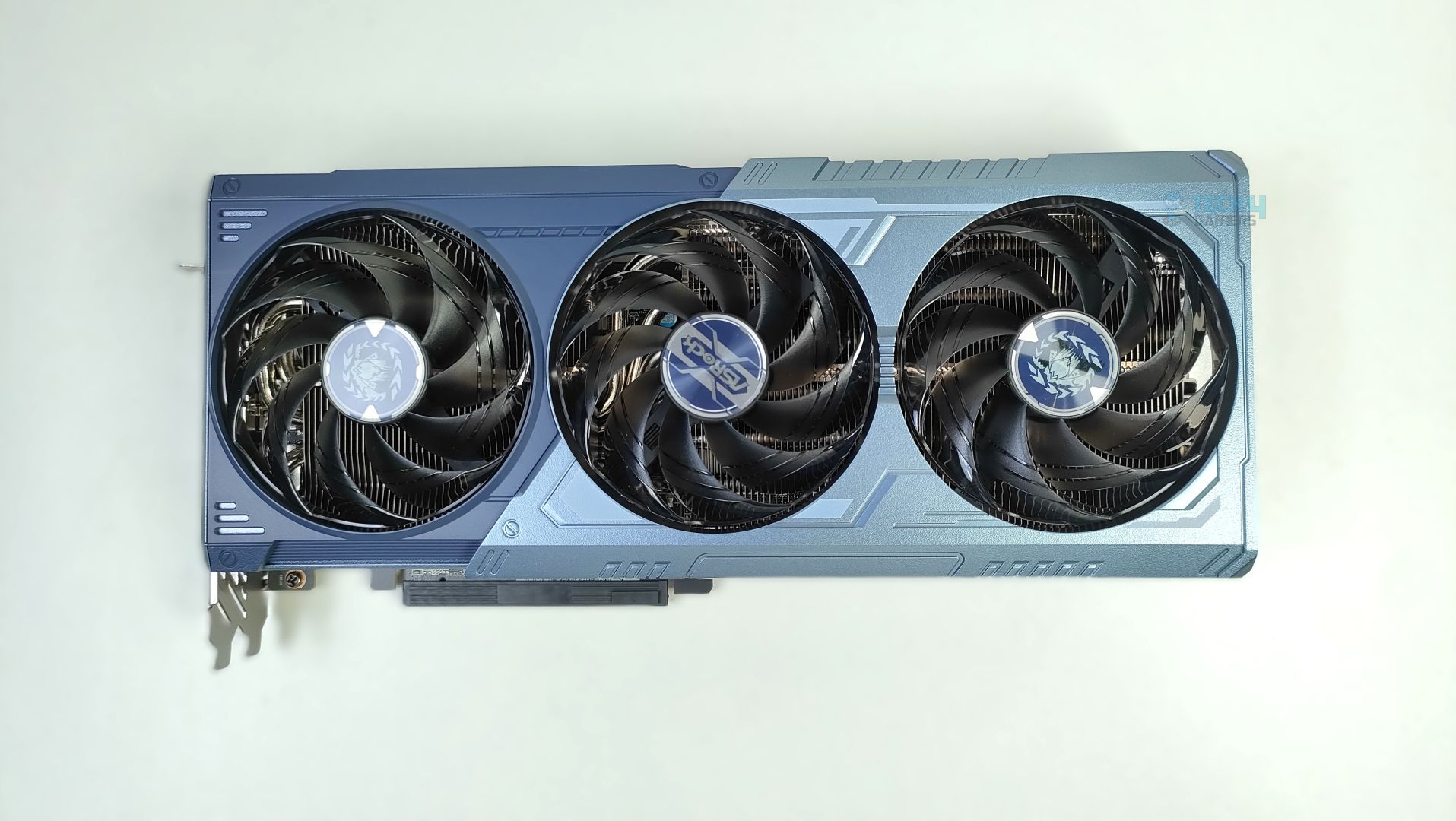
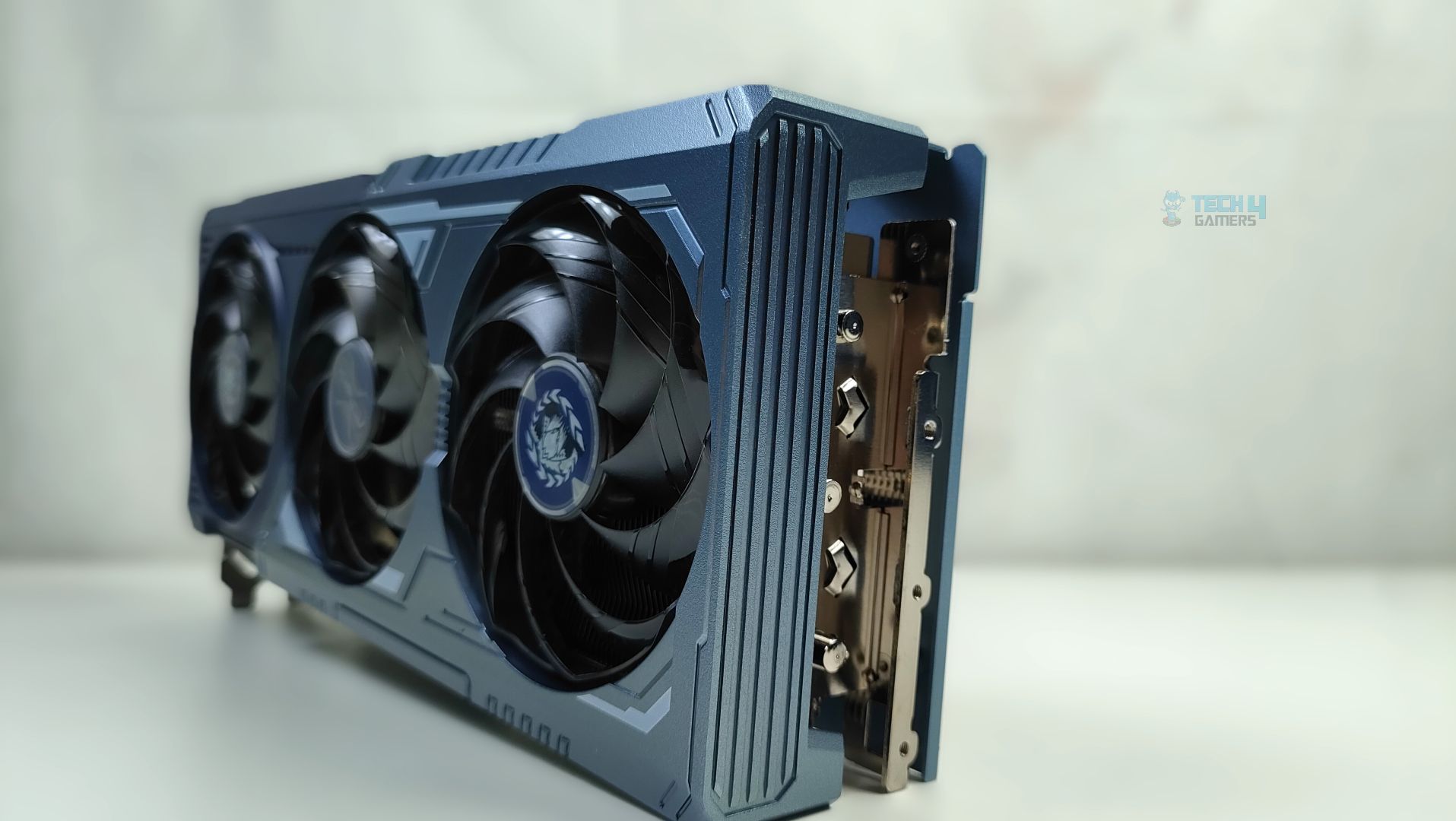
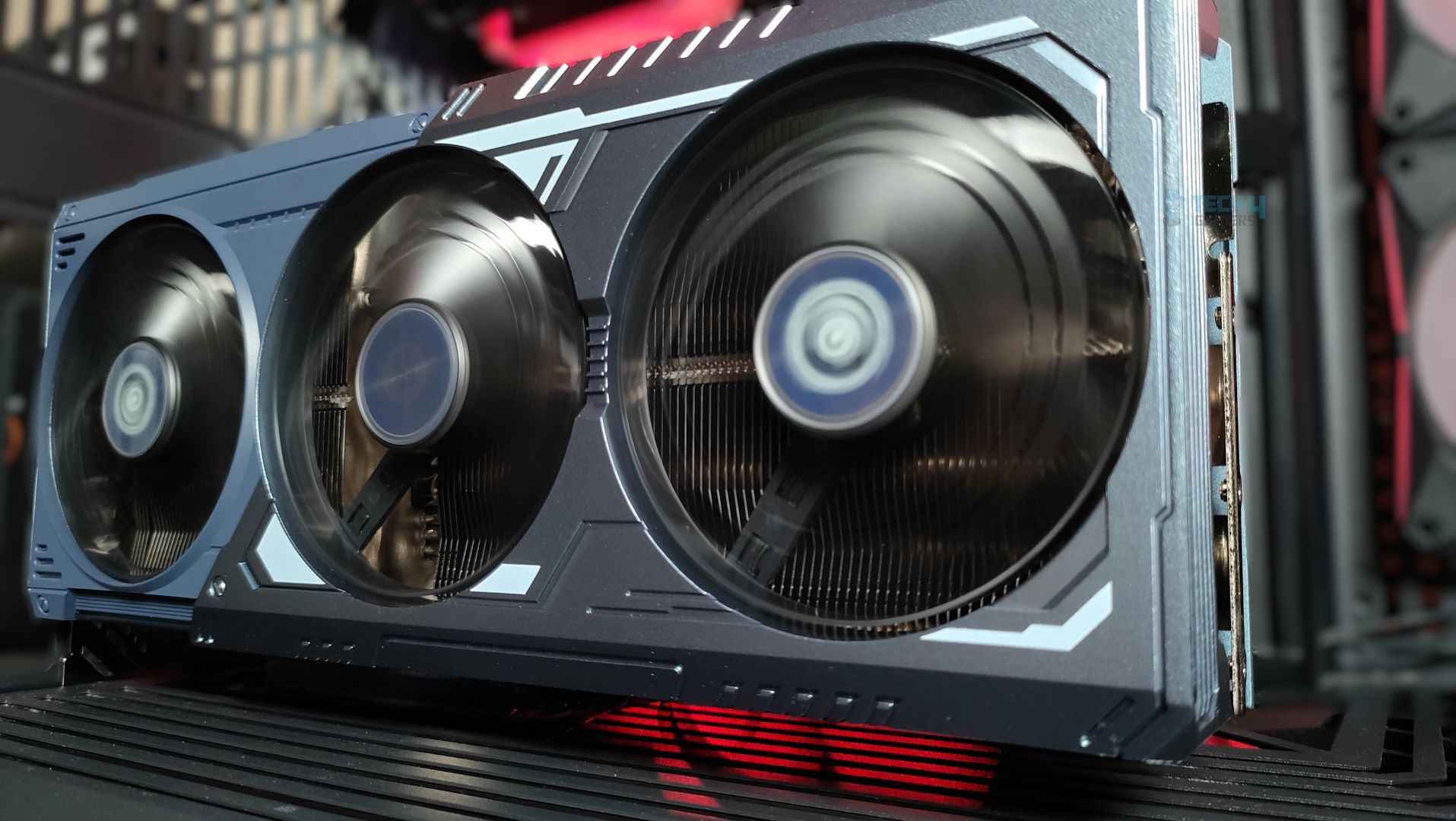
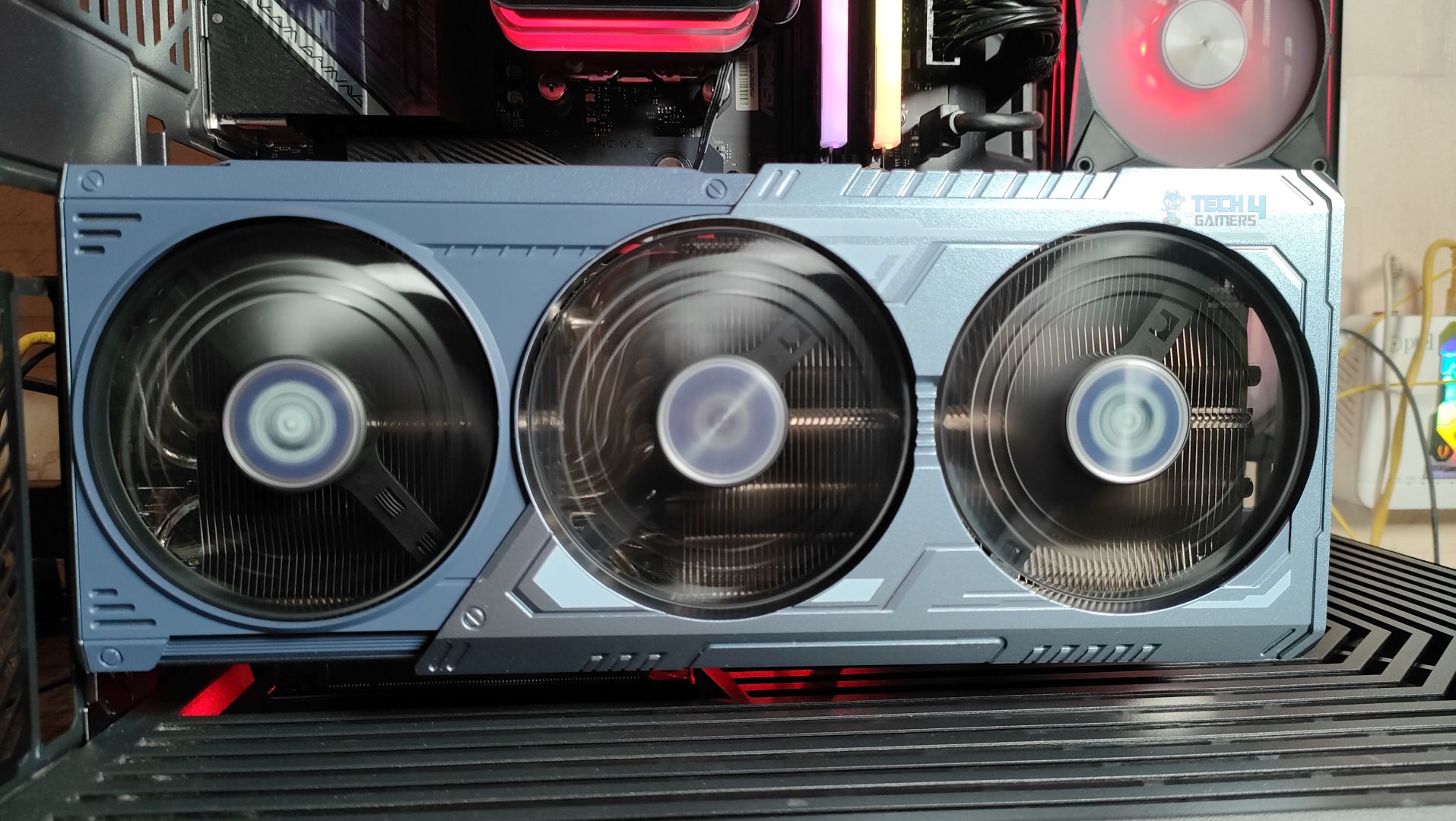
Taking a first look at the GPU now, starting from the front. This GPU features a three-ring striped fan design that supports stop-fan technology when the GPU is running at idle. The center fan rotates in the opposite direction, which could help reduce turbulence. The GPU uses a sophisticated Mystic Blue scheme at the front. The back plate is the show’s main highlight. It’s a full-length metal backplate showcasing the Arkveld’s high-quality network.
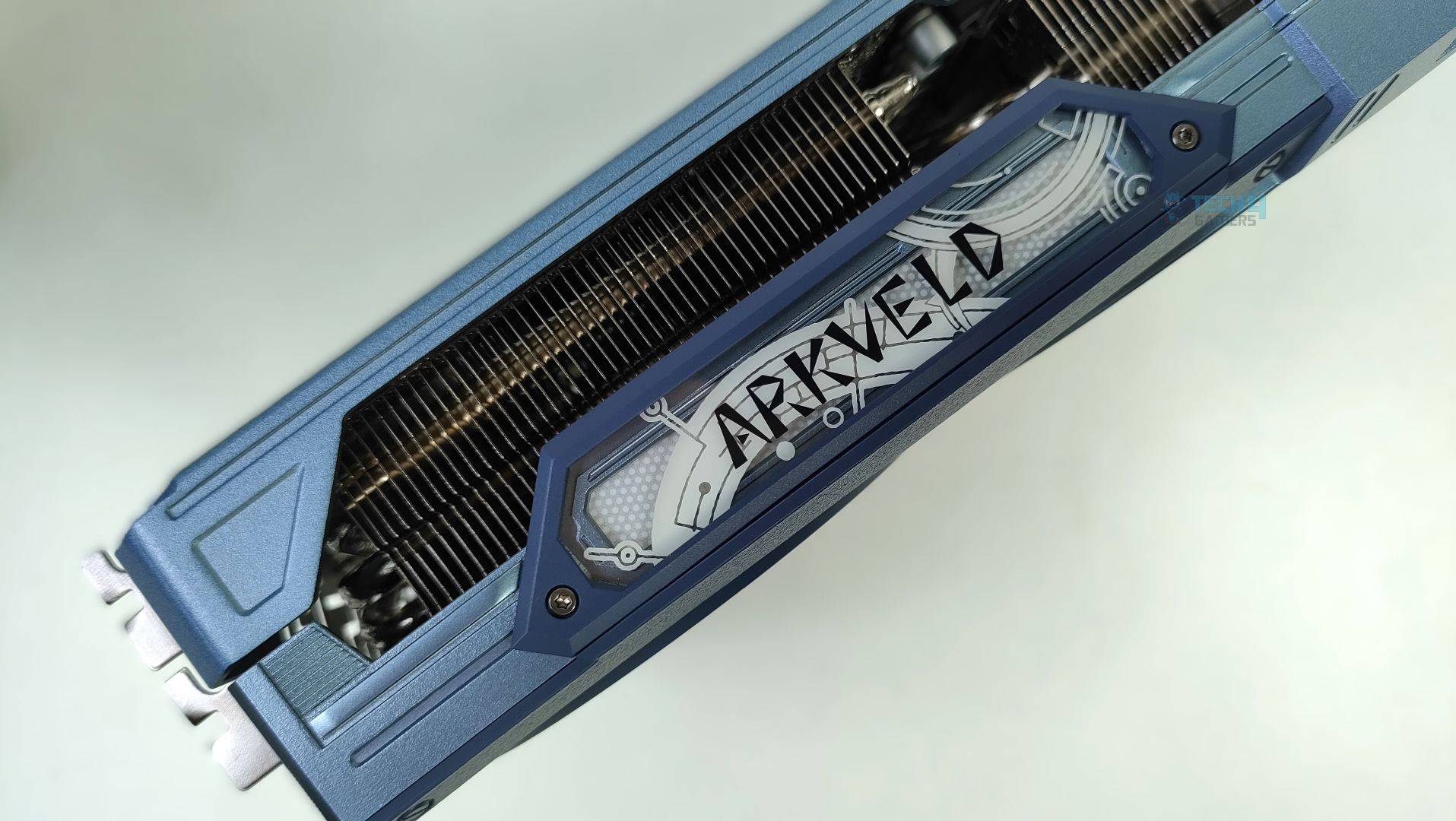
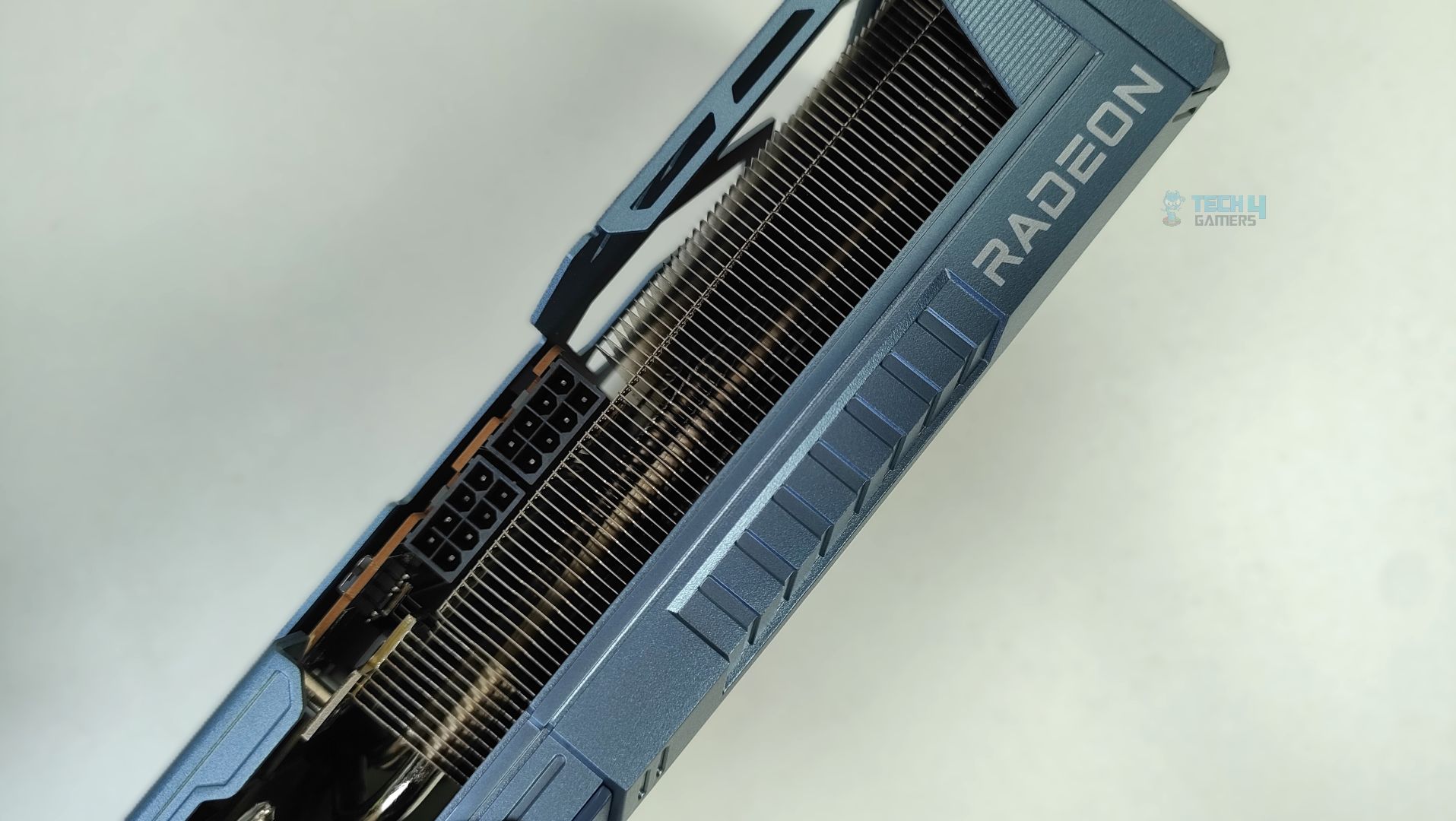
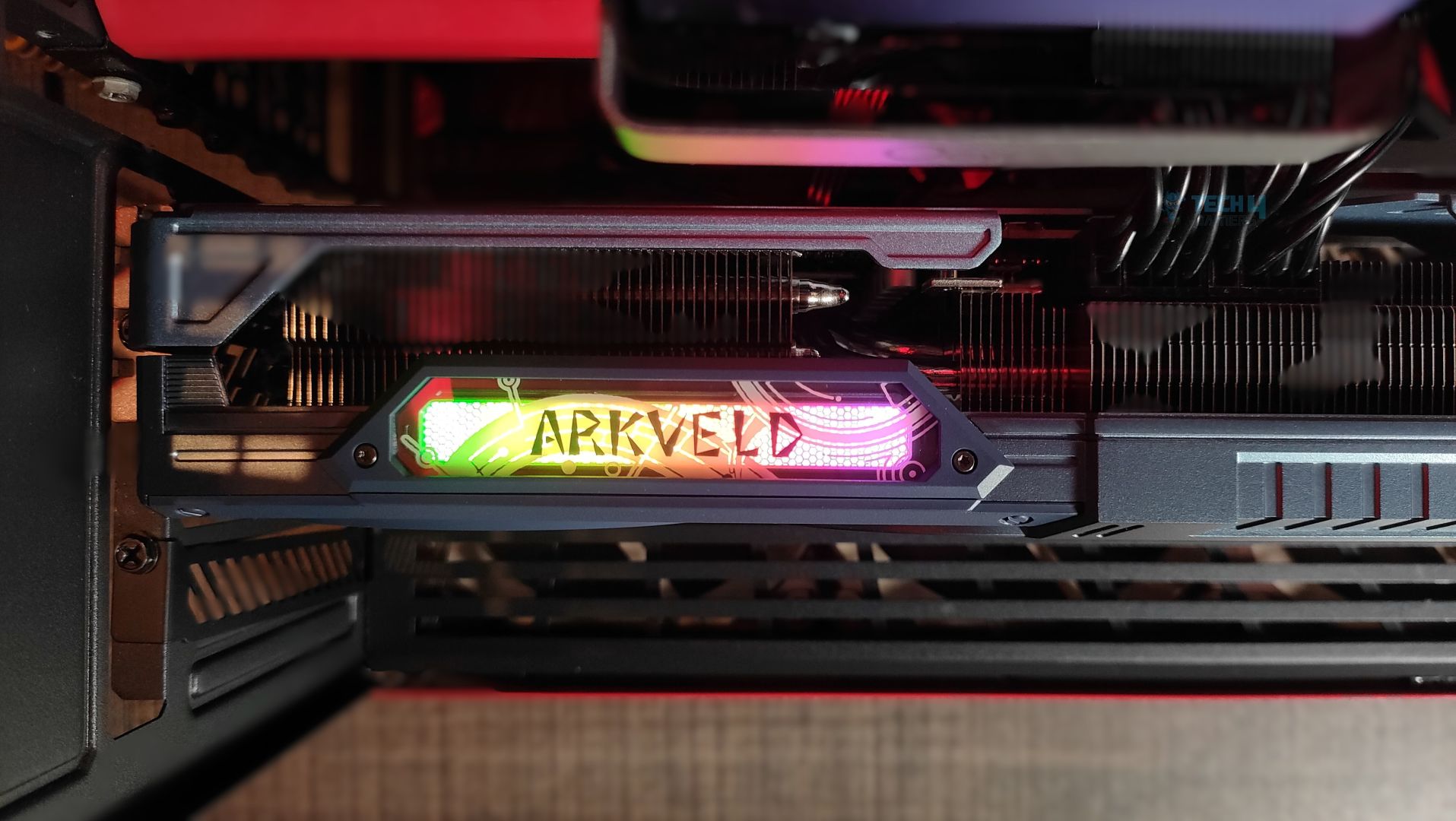
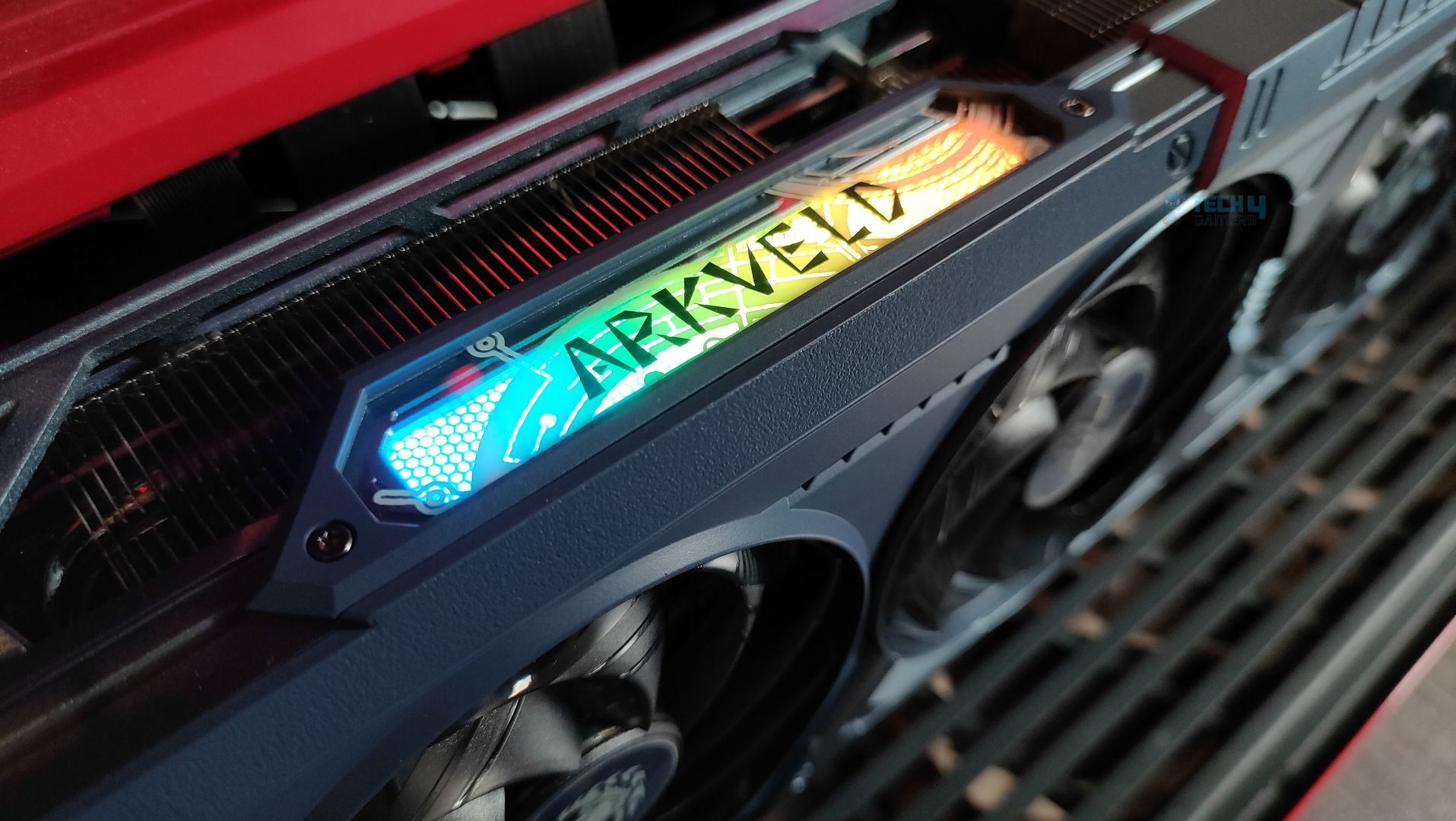
The side features a translucent acrylic Arkveld nameplate that glows with RGB effects. The design is very similar to the steel legends card. Moving forward, the GPU supports the 2×8-Pin GPU connectors. The Traditional Radeon Branding is also visible. The heatsink fins on the side profile are oriented vertically. The heatpipes are clearly visible from the sides as well.
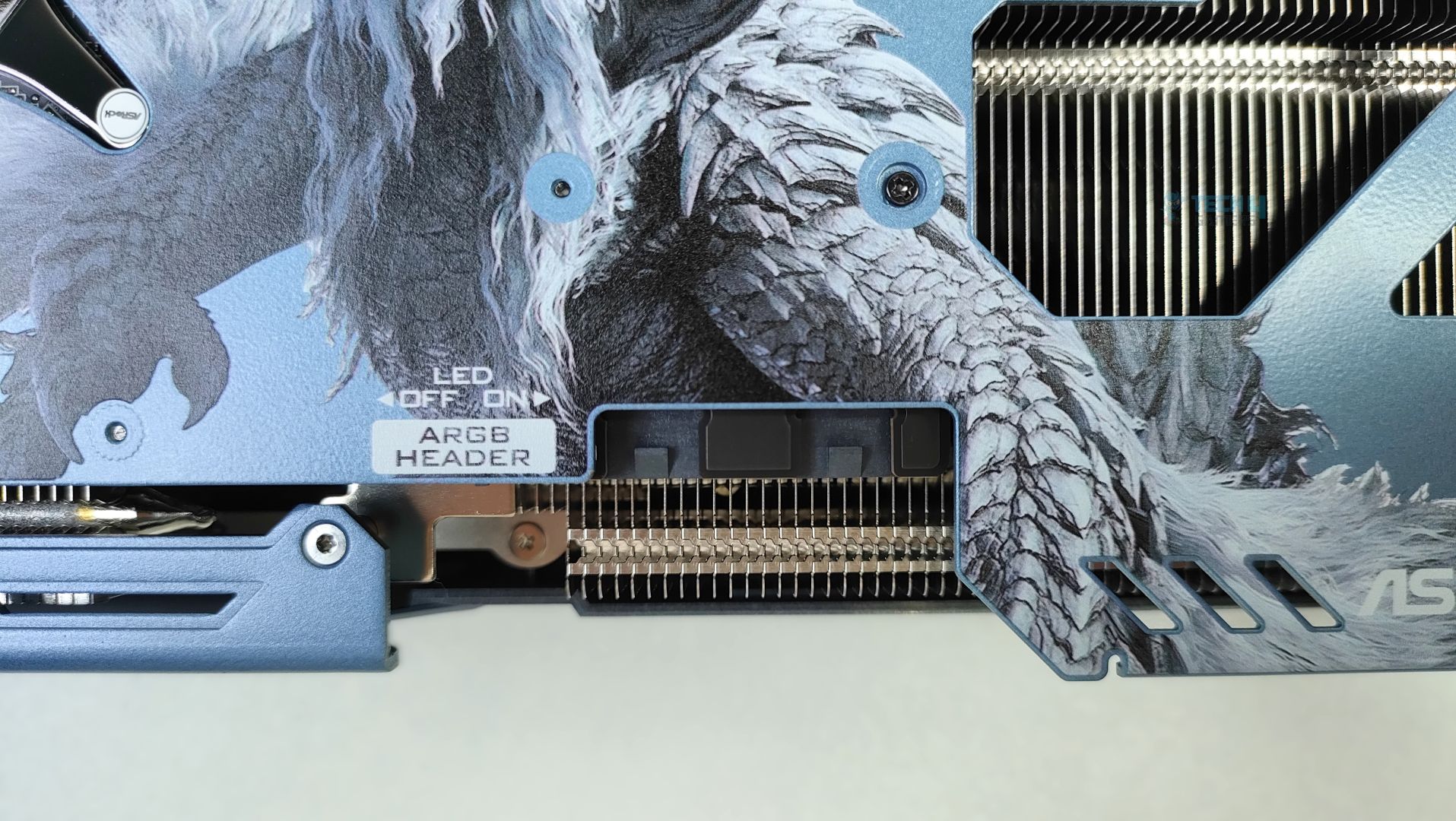
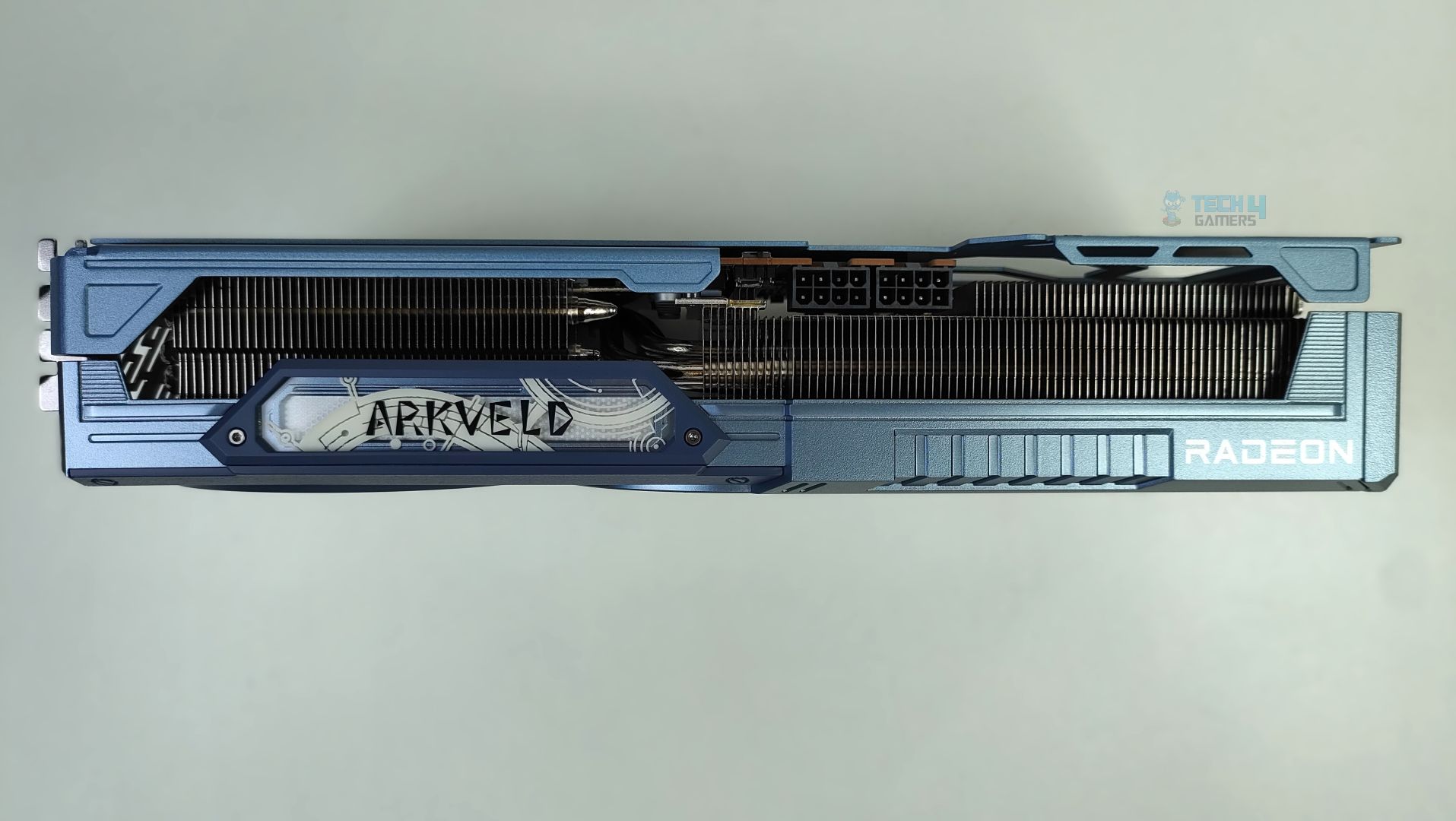
Besides the GPU connectors, there is a switch to turn the ARGB LED on and off, and an external ARGB header for ARGB sync, eliminating the need for ASRock’s Software. However, the ARGB connectors seem to be in a bit of a weird position, and not to my liking. 
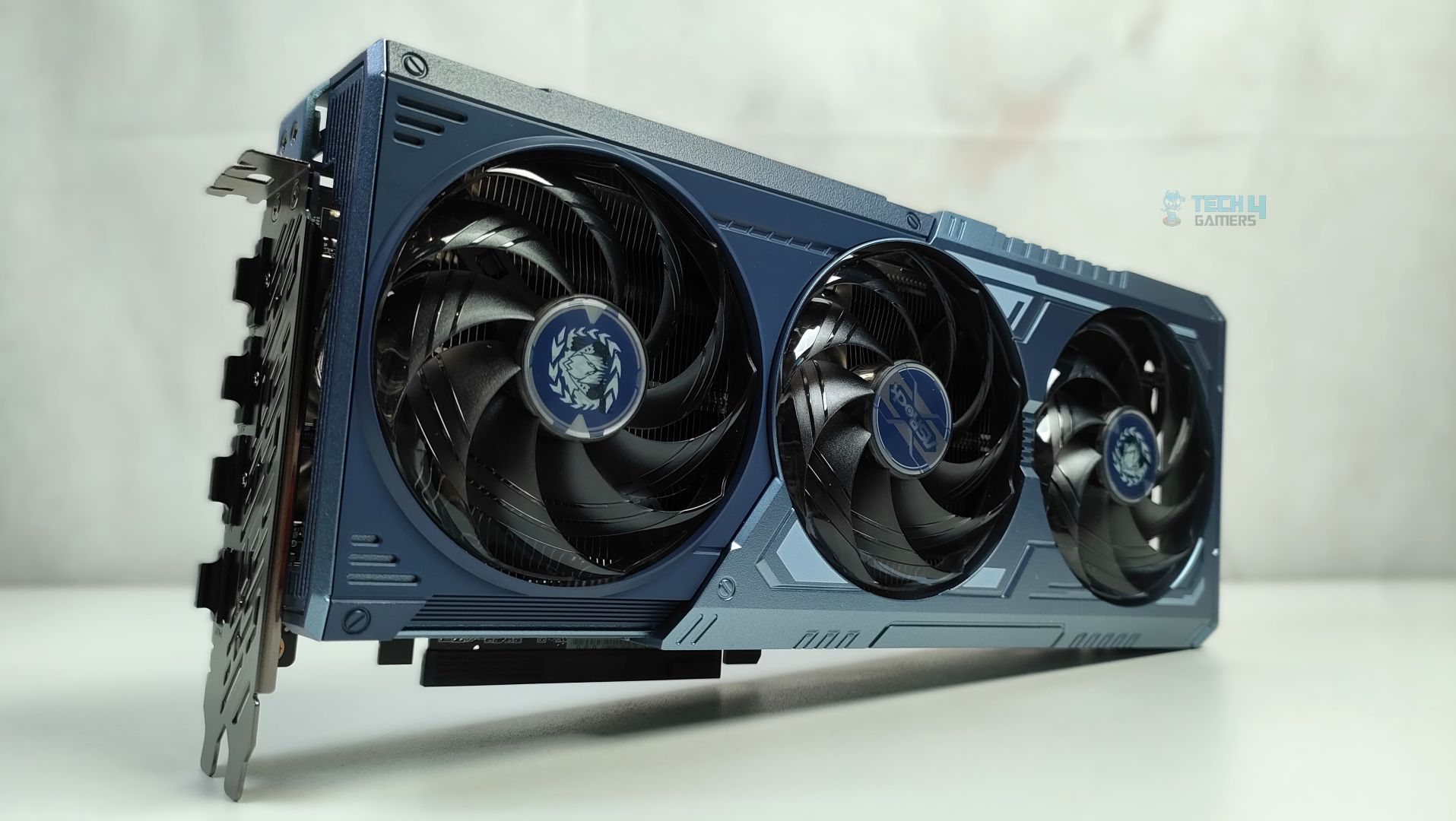
Overall, the dimensions of this GPU are 298 x 131 x 58 mm, and it’s a 3-slot GPU card, which is not very large compared to flagship GPUs such as the RTX 50, but it’s still a big GPU that will occupy three slots in your chassis. The tail of the card, at the back, has a large cut-out at the end of the metal backplate. The backplate is not just for the show-off; it also supports the reinforced metal support system. The internal metal frame is bolted directly to the I/O frame to prevent the GPU sag. Overall, the material used is high-quality aluminium, and ASRock did not cut any corners here in the design.
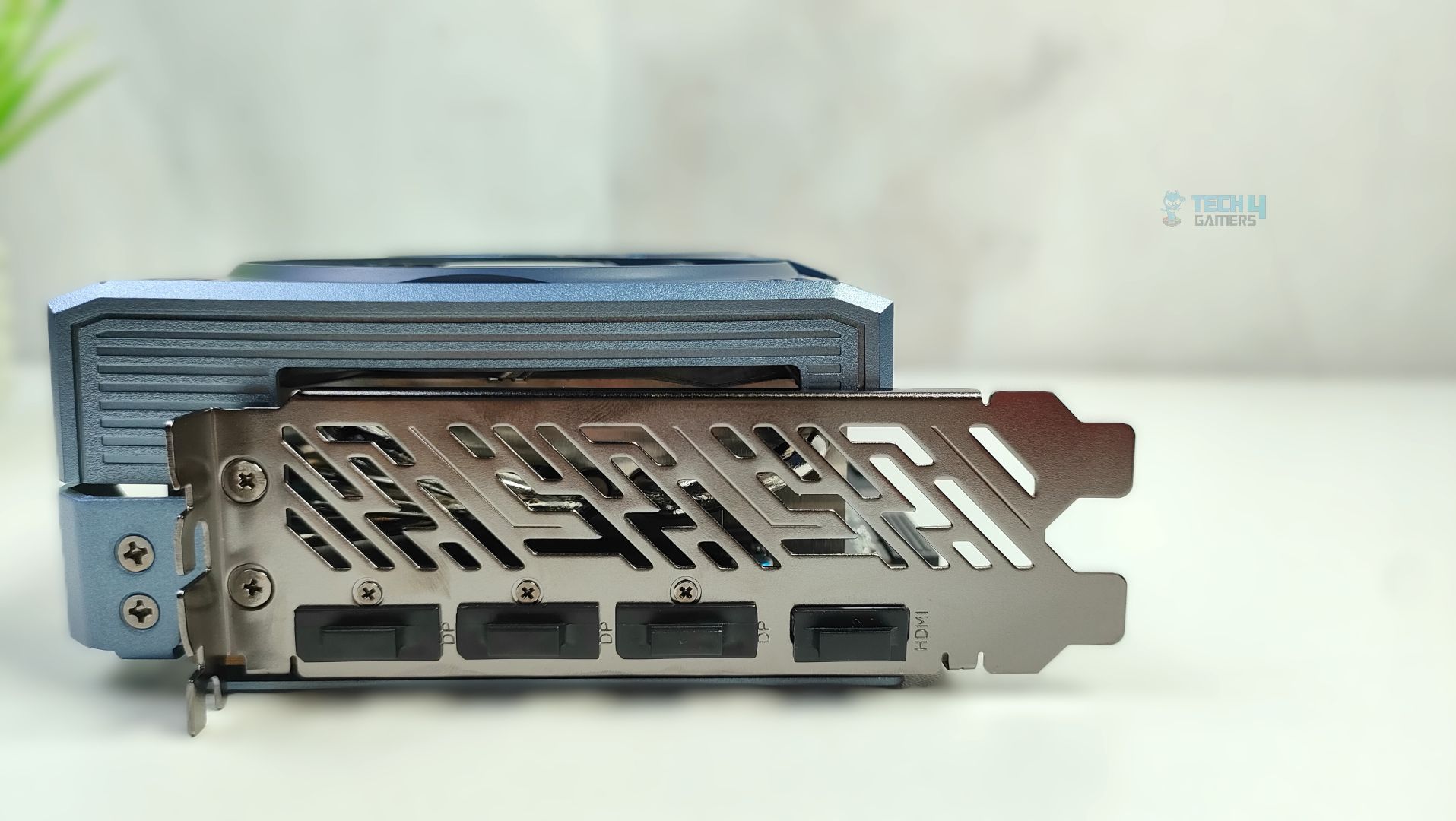
Lastly, we’re taking a look at the card’s I/O plate. It features a thick reinforced vented bracket. The GPU supports 3x DisplayPort 2.1a and 1x HDMI 2.1b connectors.

Assembled in Chassis

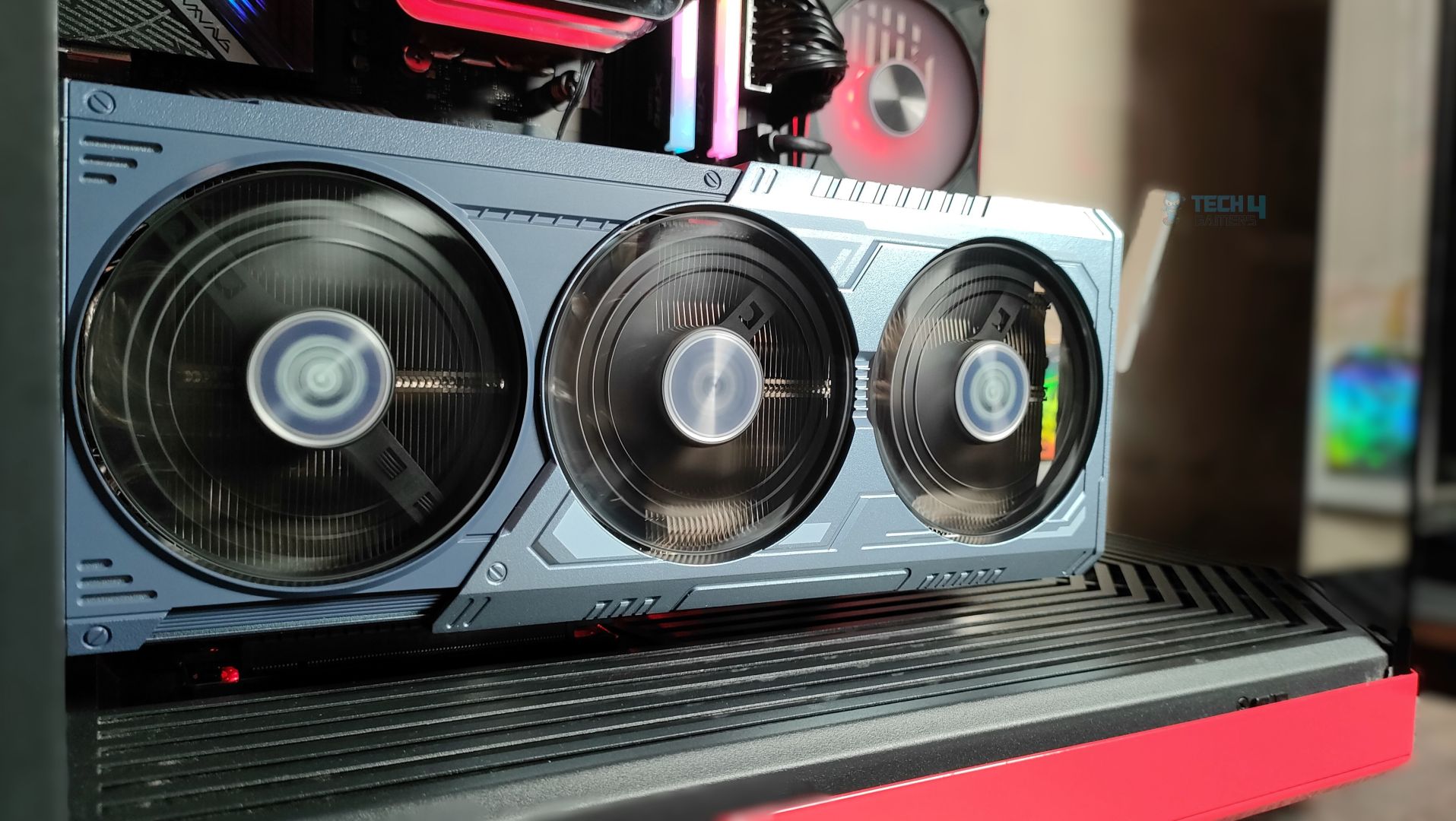
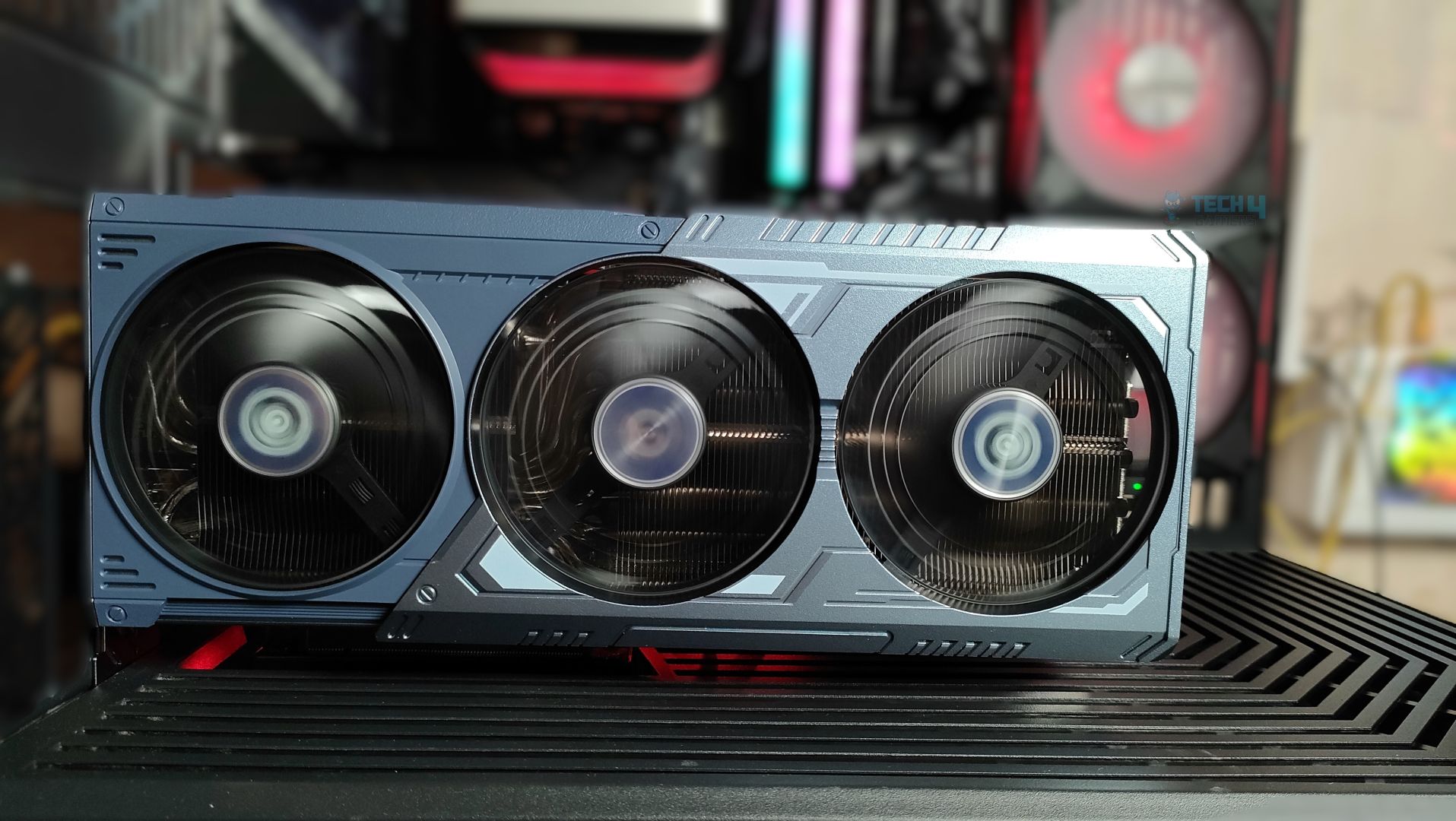
Here are additional shots of the ASRock Radeon RX 9070 XT Monster Hunter Wild Edition installed inside the case.
Test Setup

Our Test System
ProcessorAMD Ryzen 9 9950X
MemoryXPG Lancer 32GB (16x2) 6000MT/s CL30
MotherboardASRock X870 Phantom Gaming Nova WiFi (BIOS: 3.5v)
Power Supply UnitSuper Flower LEADEX VII Platinum PRO 850W
CPU CoolerOcypus L36 Sigma Pro
ChassisHyte Y70
Windows VersionVersion 25H2 (OS Build 26200.7462
Motherboard BIOSv3.5
Chipset Version7.11.26.2142
Nvidia Display DriverGame Ready v591.59
AMD Display DriverAMD Software Adrenalin: v25.12.1

Testing Methodology

Testing Setup

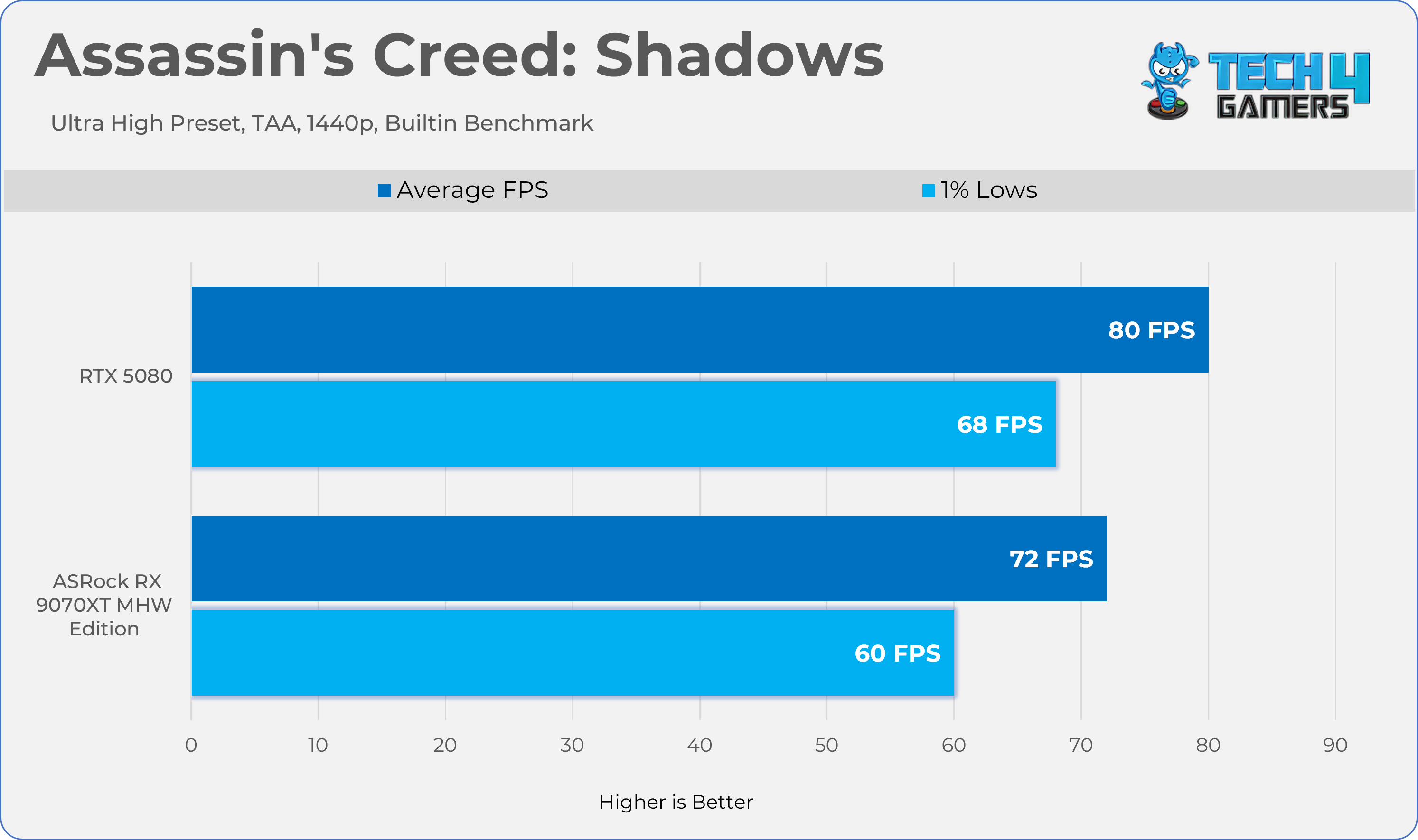
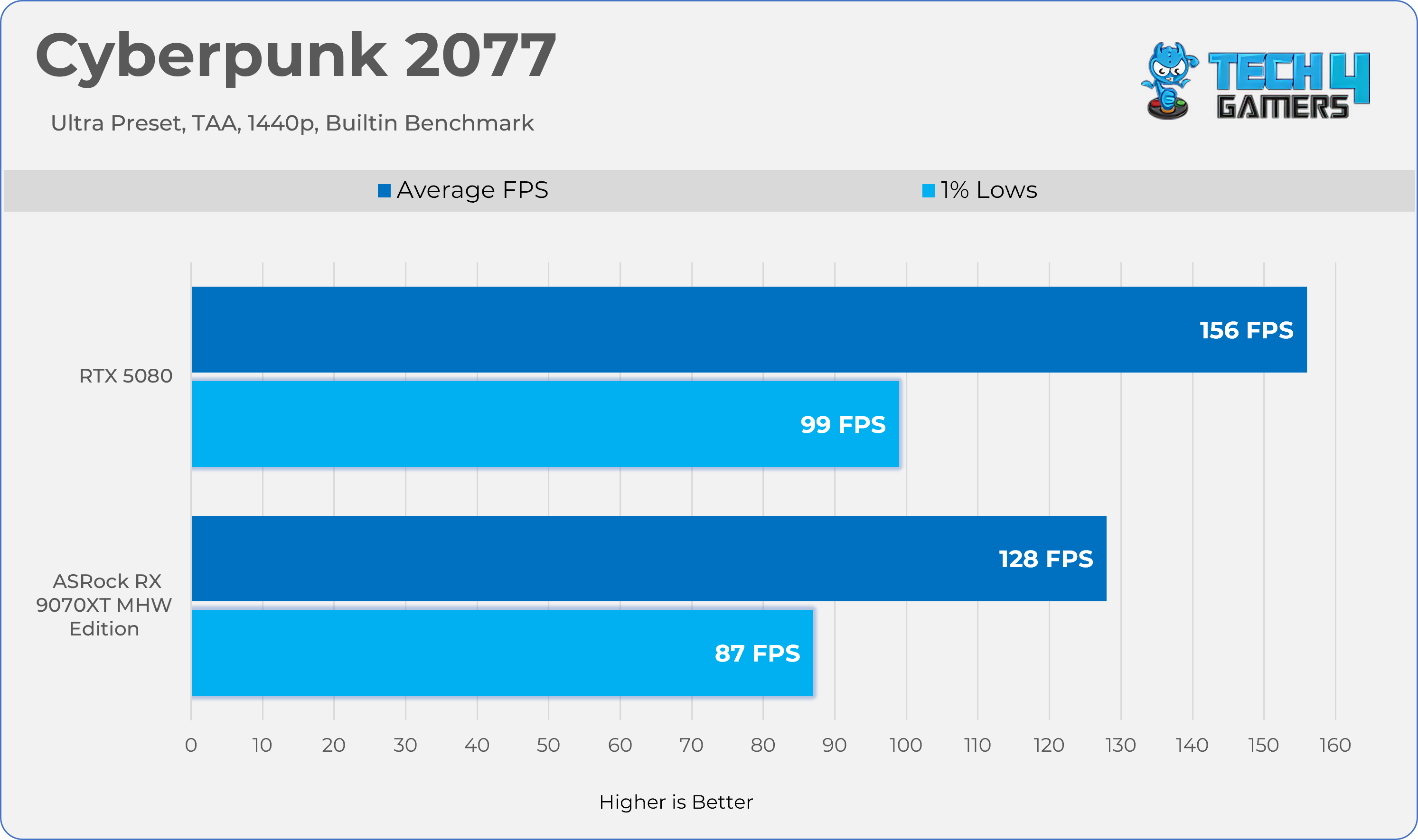
We tested all games and GPUs using the same settings, drivers, and software mentioned above. Every GPU ran the same version of each game, and we measured gaming performance at the game’s native resolution—without using any upscaling or frame-generation tools. We didn’t change any settings in the control panel; all adjustments were made directly within the game.

Upscalling / Anti Alising: 

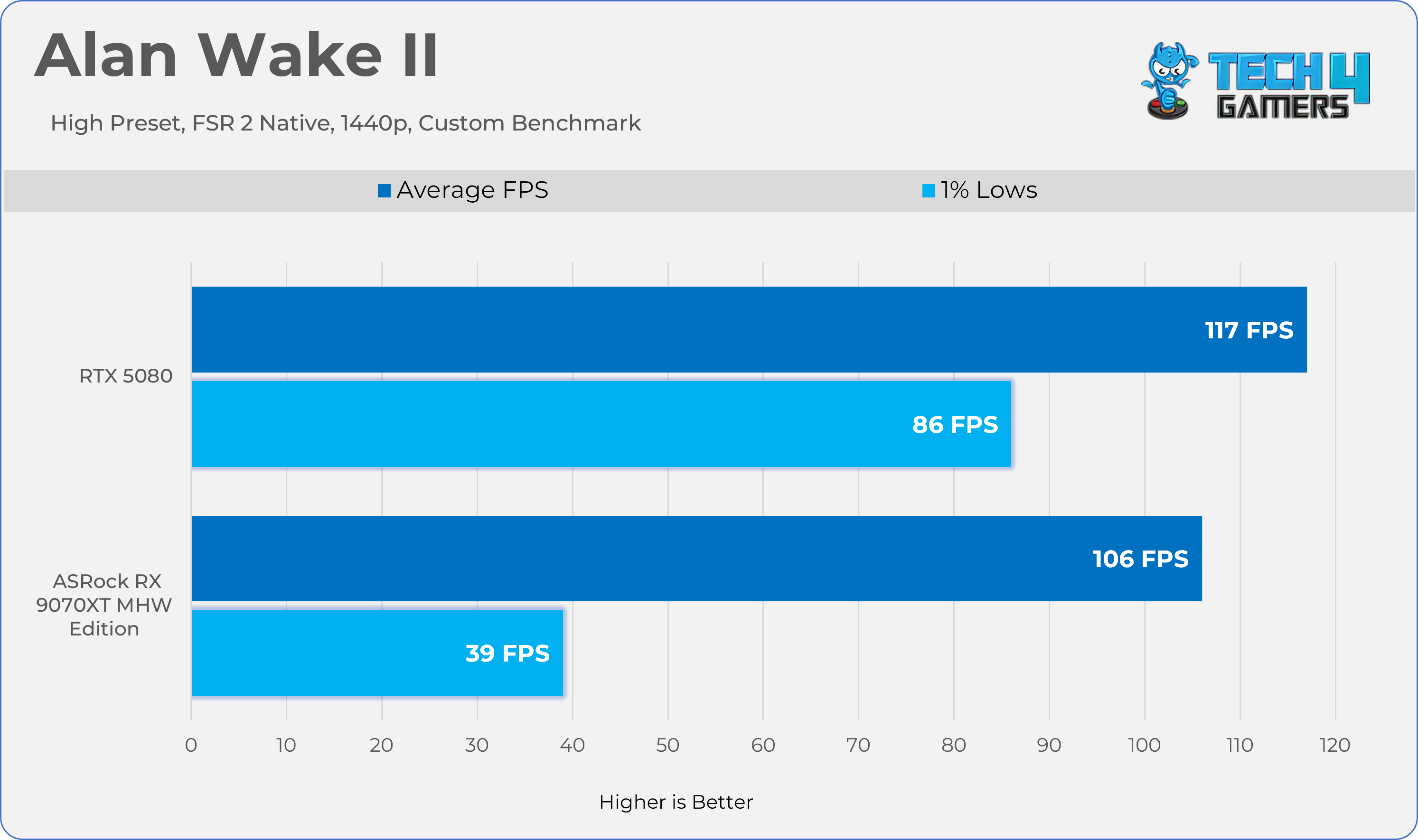
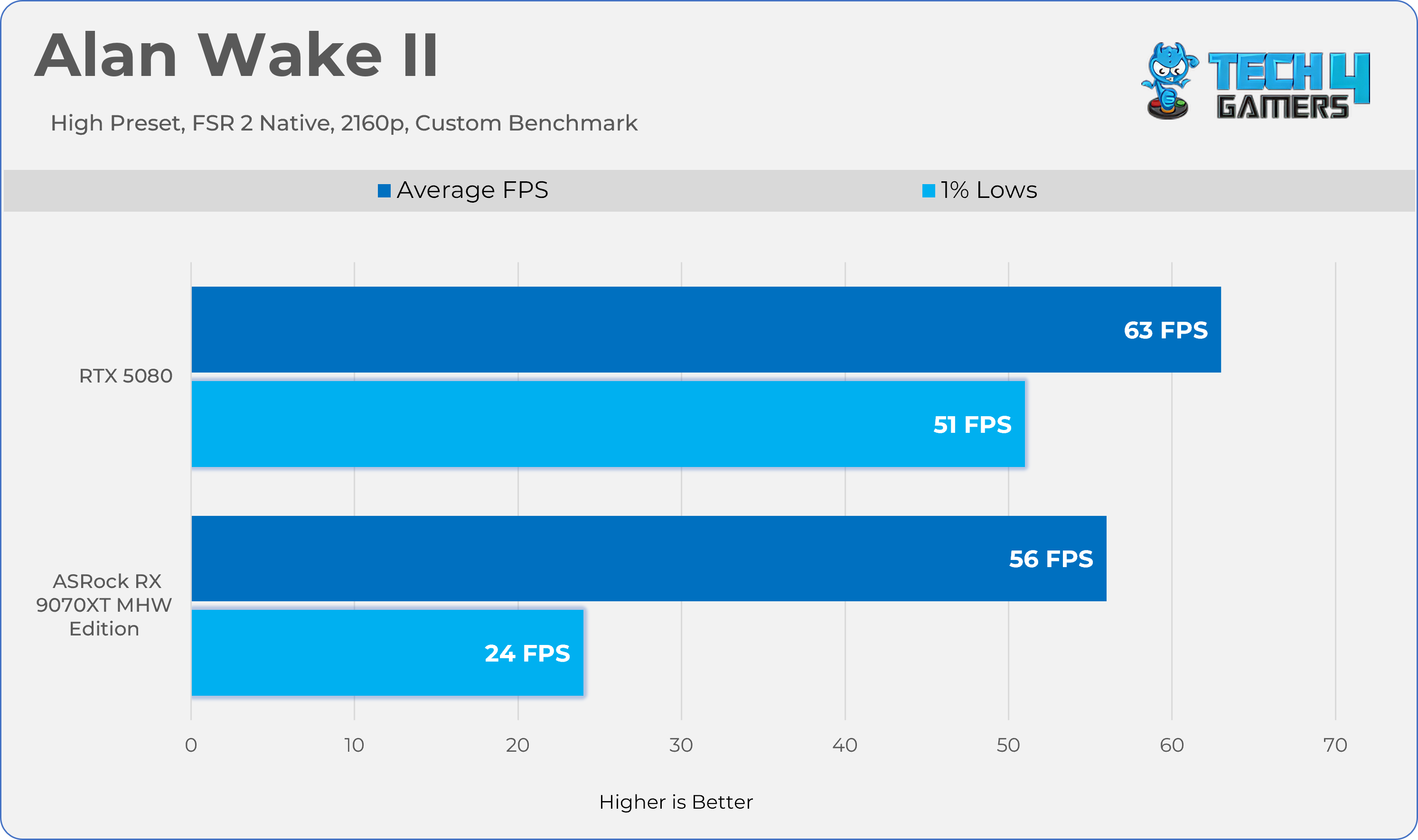
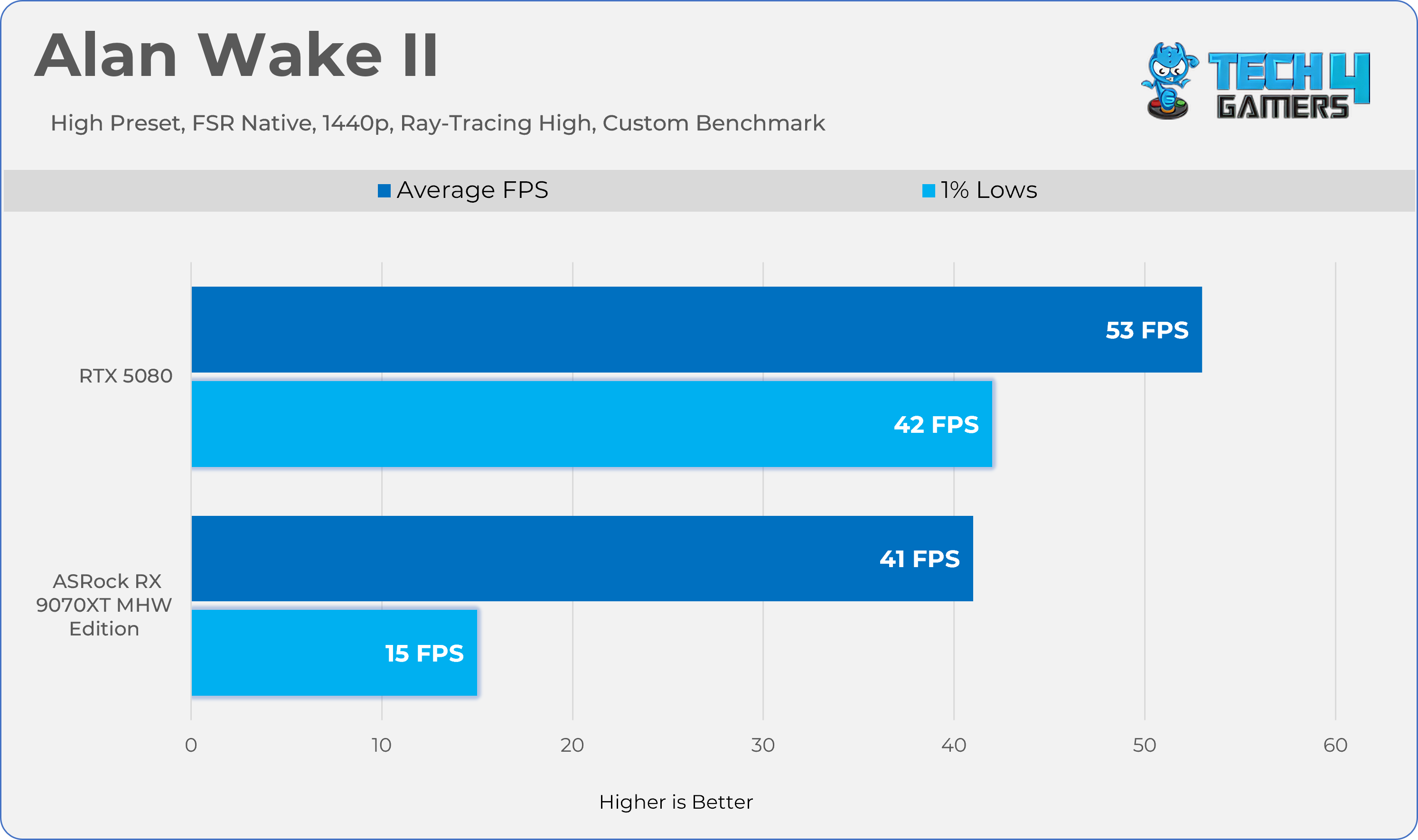
For games that don’t have their own upscaling or Temporal Anti-Aliasing (TAA), we used FSR Native because it works with every GPU. For example, this was the case with Alan Wake II.

Performance / Measurement Tools:

  • MSI Afterburner: recorded performance metrics.
  • HWINFO Pro: tracked clock speeds and measured both average and maximum power consumption.
  • NvAPP: NVIDIA shadow-play was completely disabled on RTX GeForce cards.

Benchmark Methods:

Some games used their built-in benchmarks, while others were tested with custom settings.

GPU Configuration:

None of the GPUs were modified, overclocked, or had their power limits increased during the tests. We also test the Graphics Card Cooler Noise, Fan Behavior, and Temperatures on the stock settings.

Screen Resolutions Tested:

  • QHD (2560×1440)
  • UHD (3840×2160)

Rasterization Performance

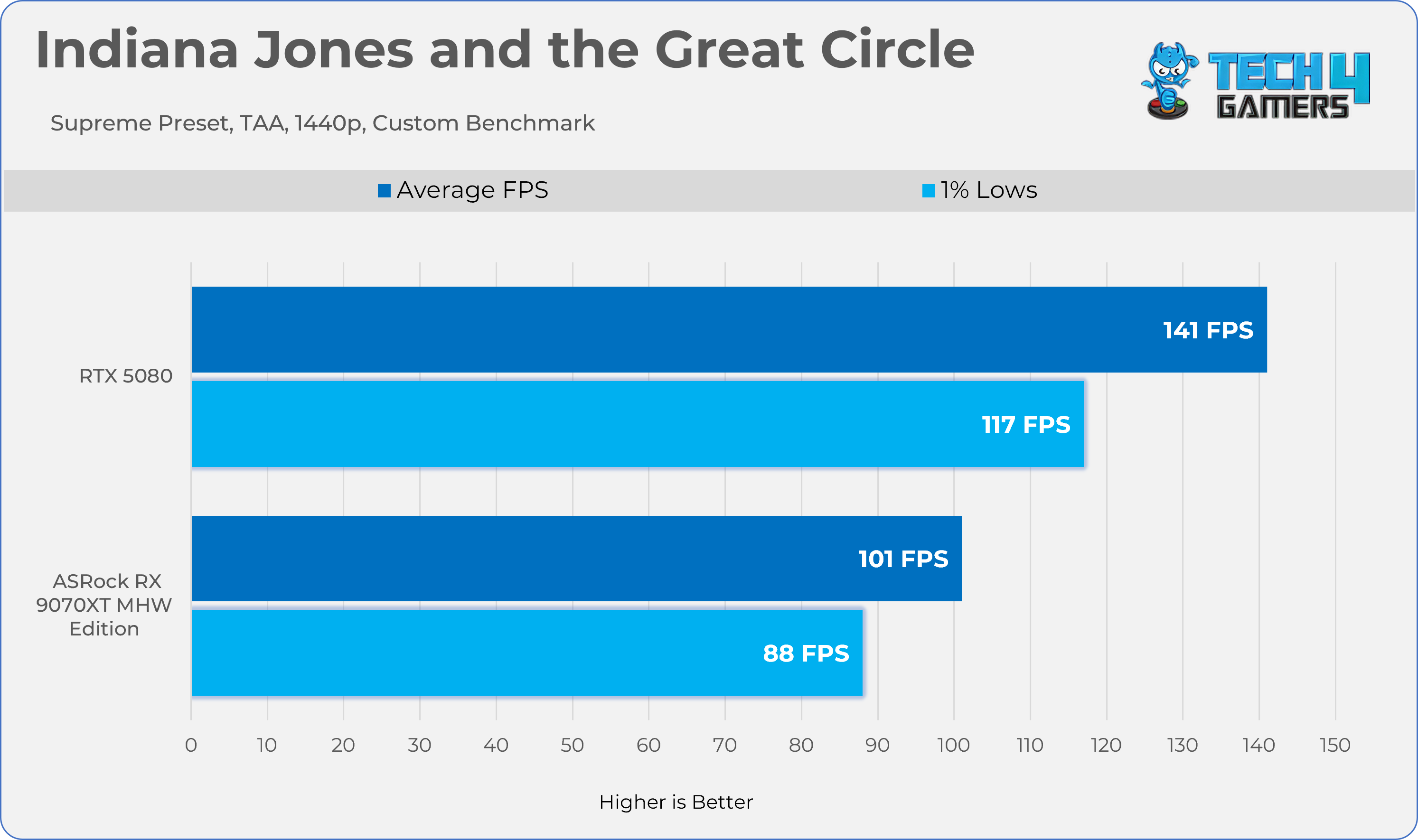
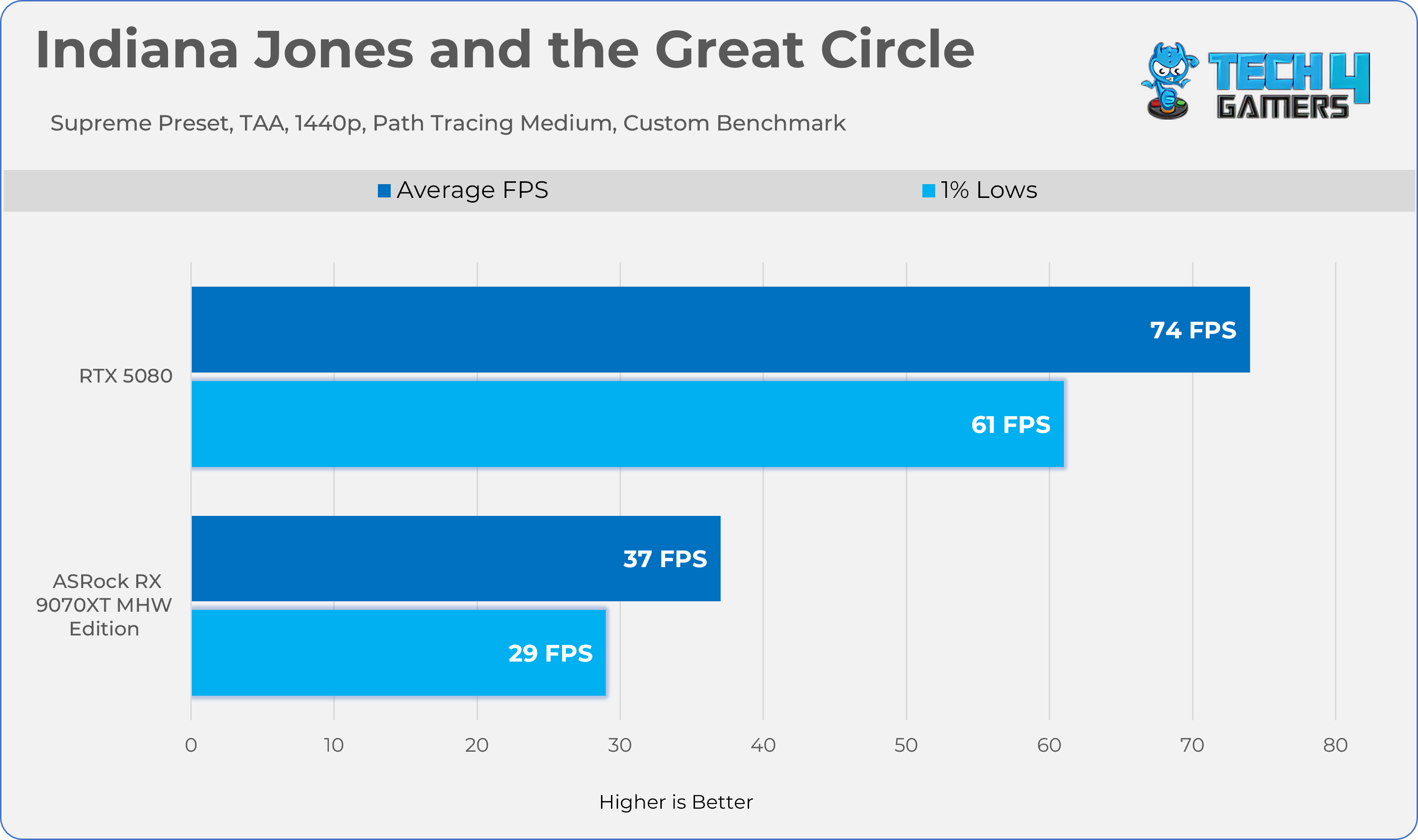
Gaming 1440p Benchmarks 
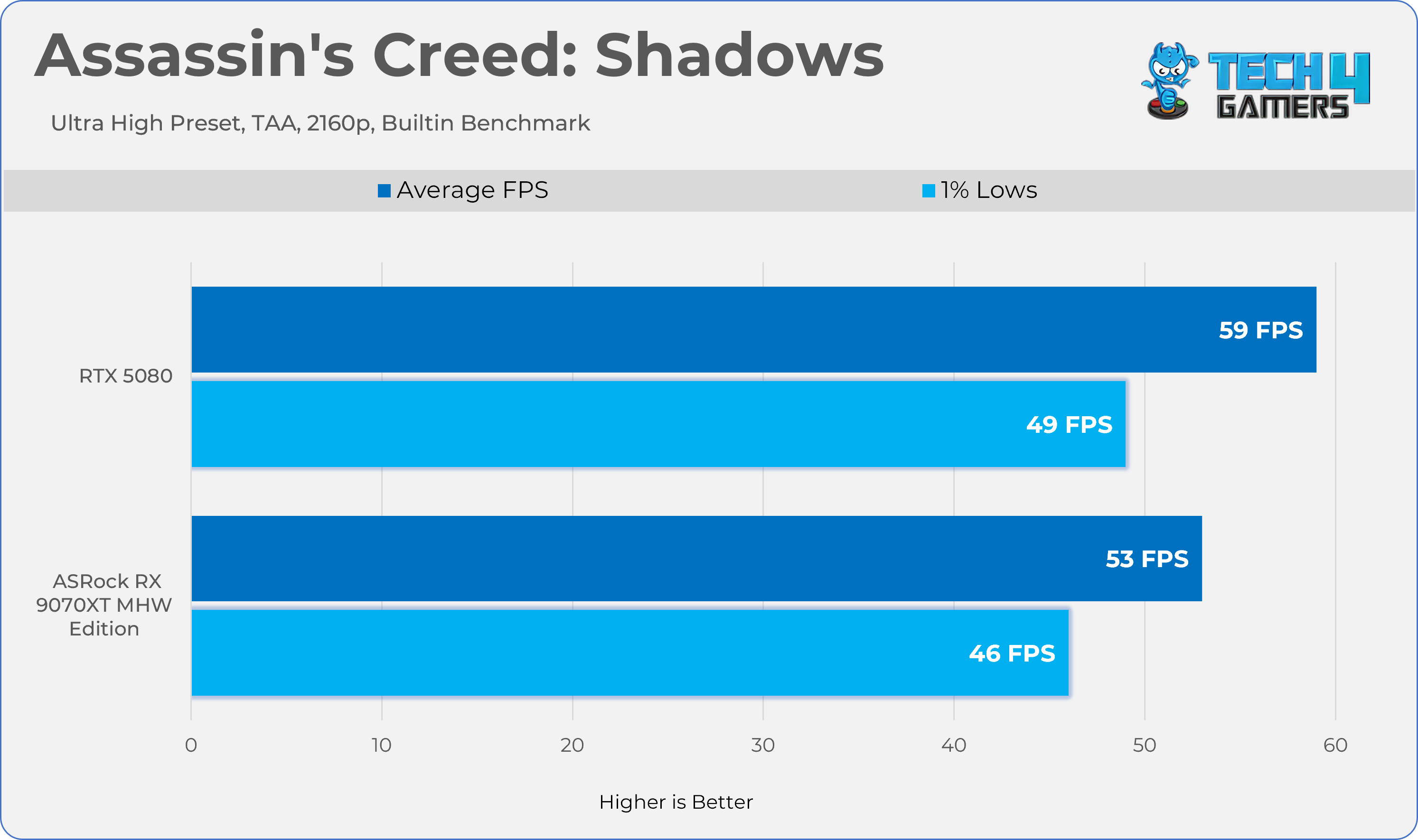
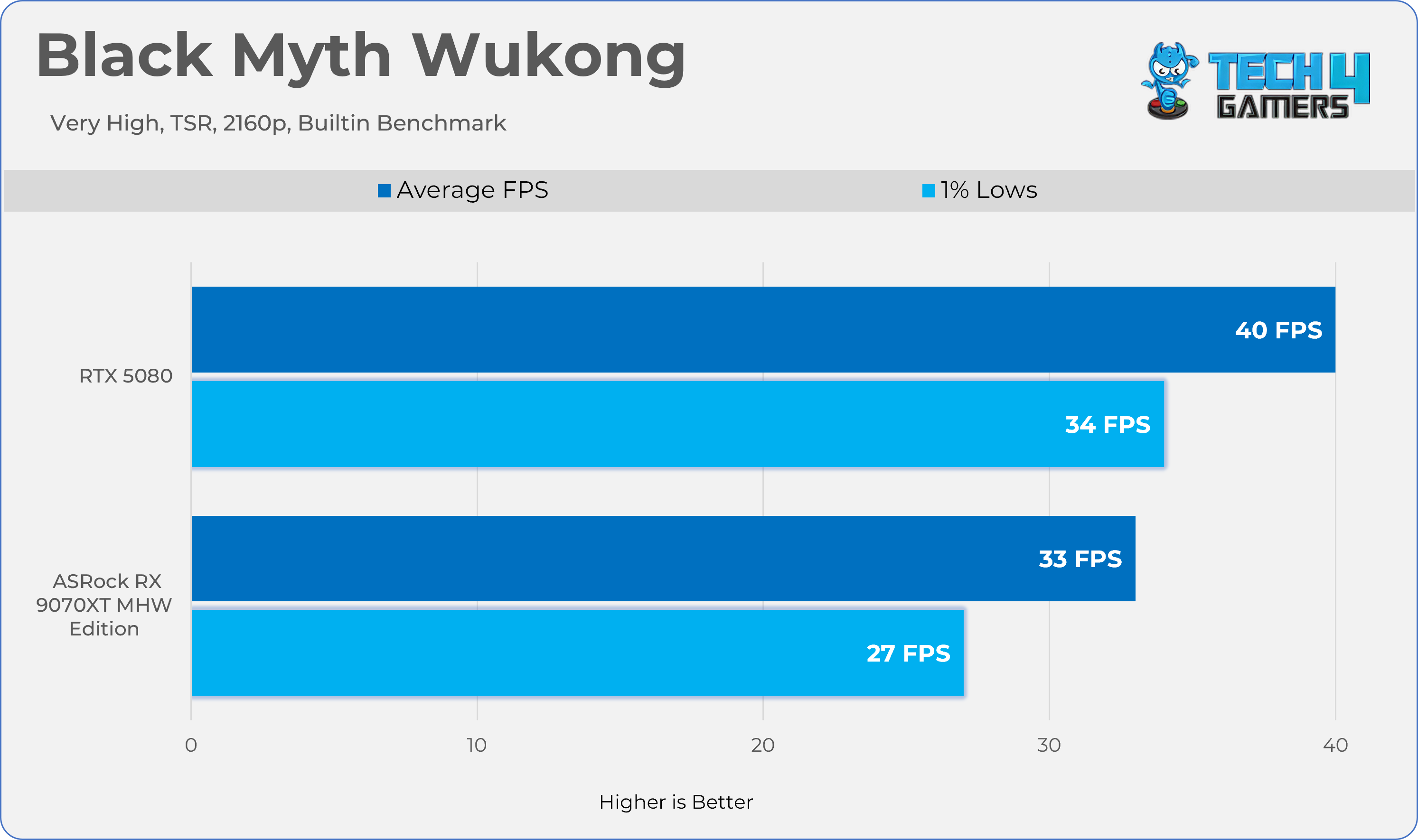
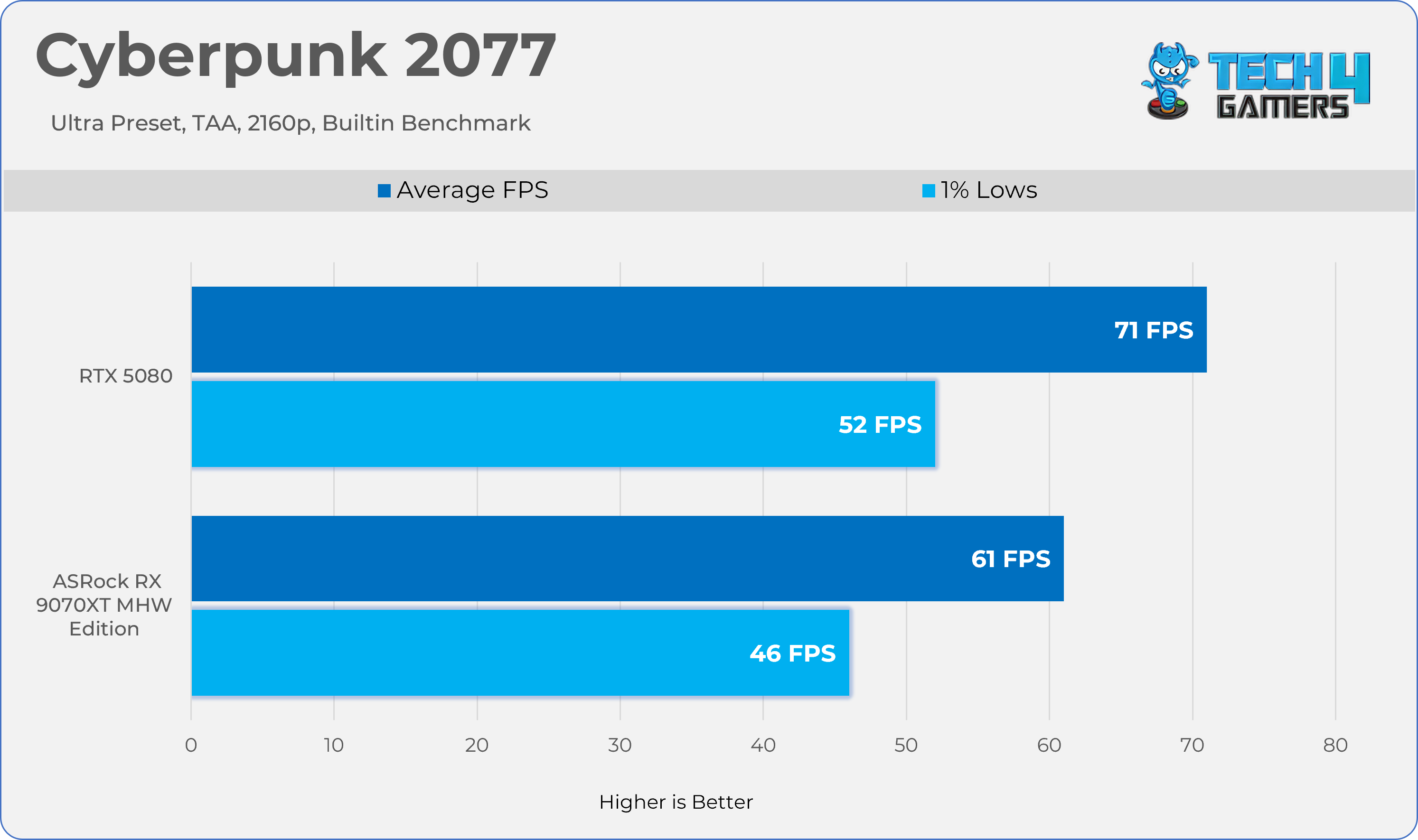
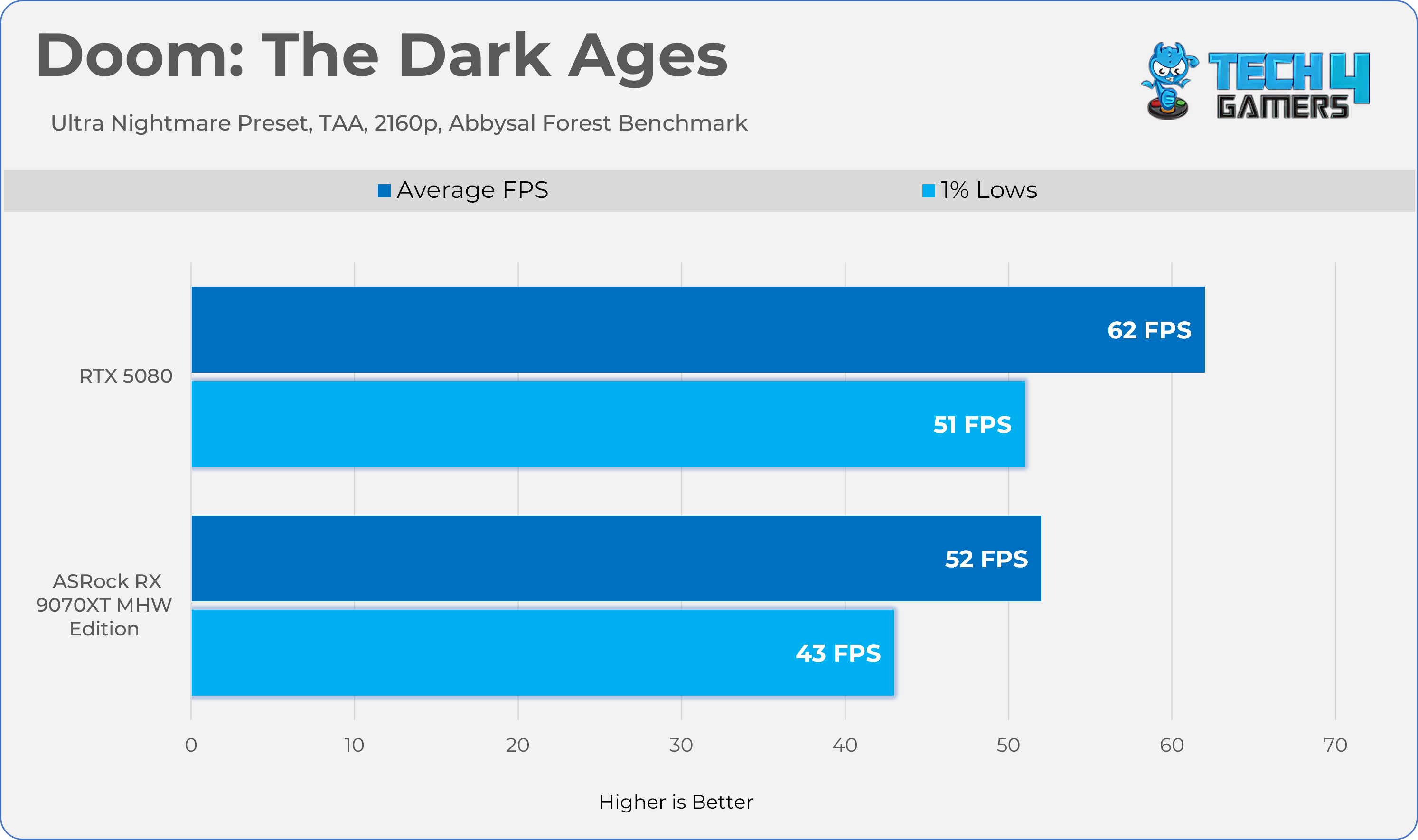
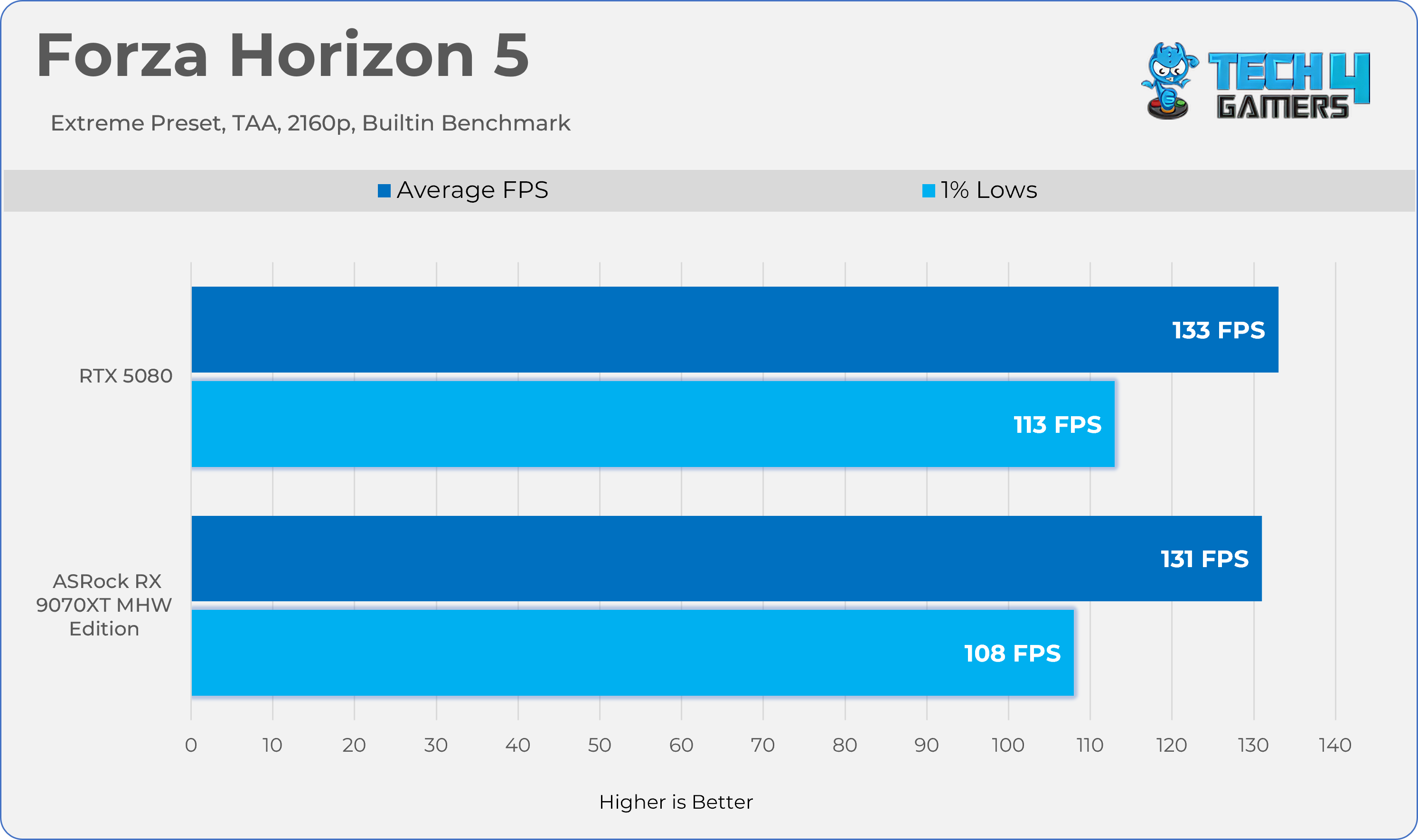
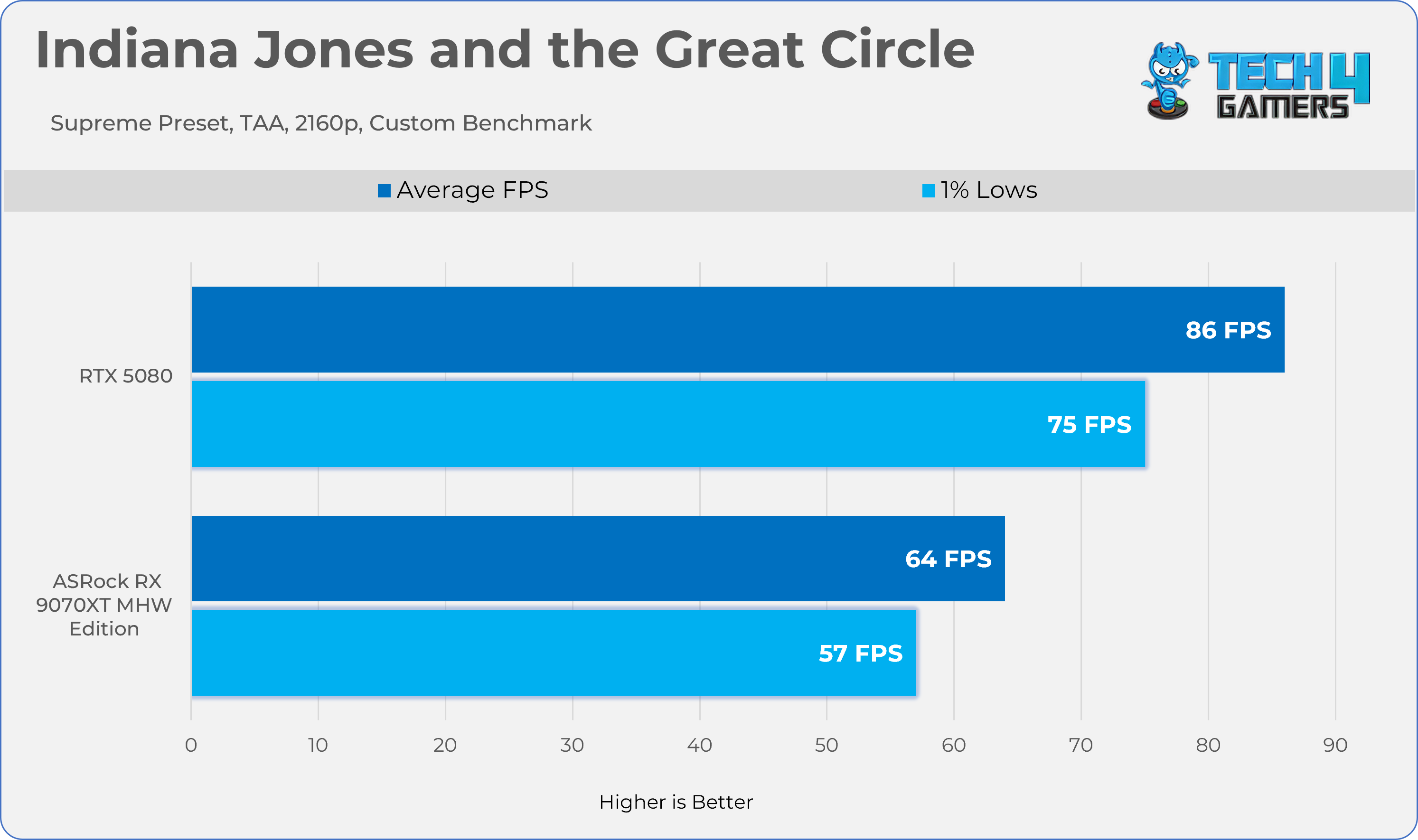
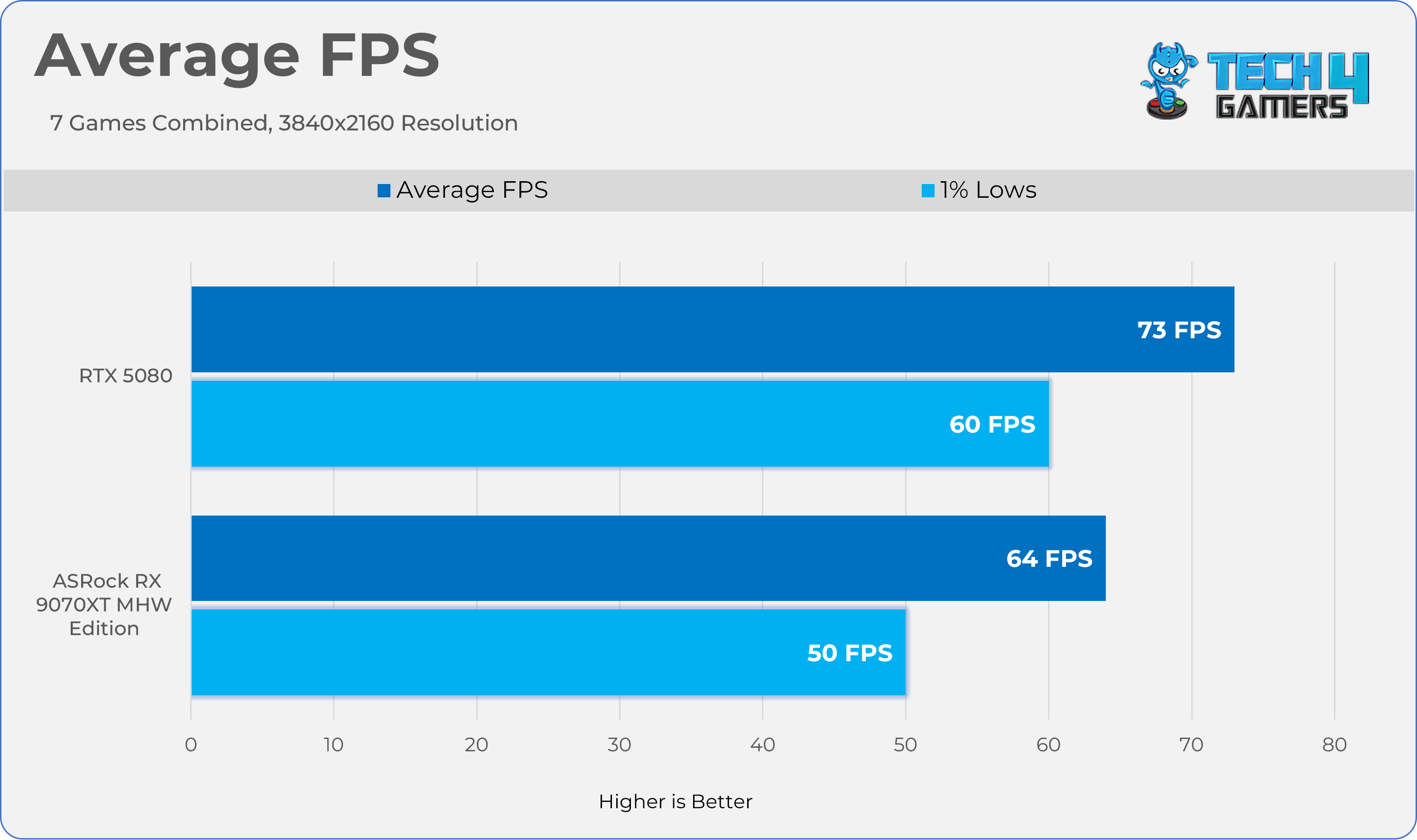
Gaming 2160p Benchmarks 

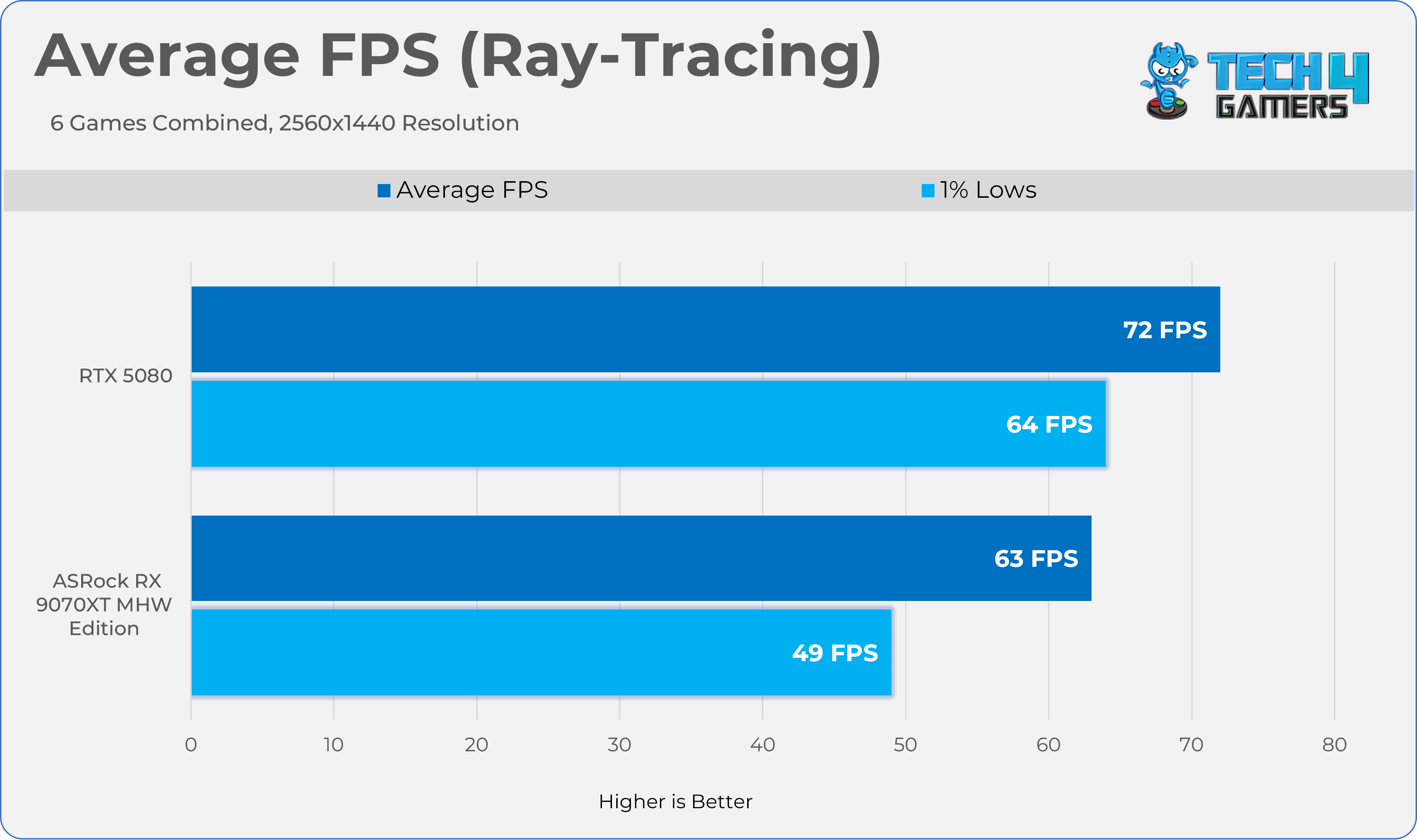
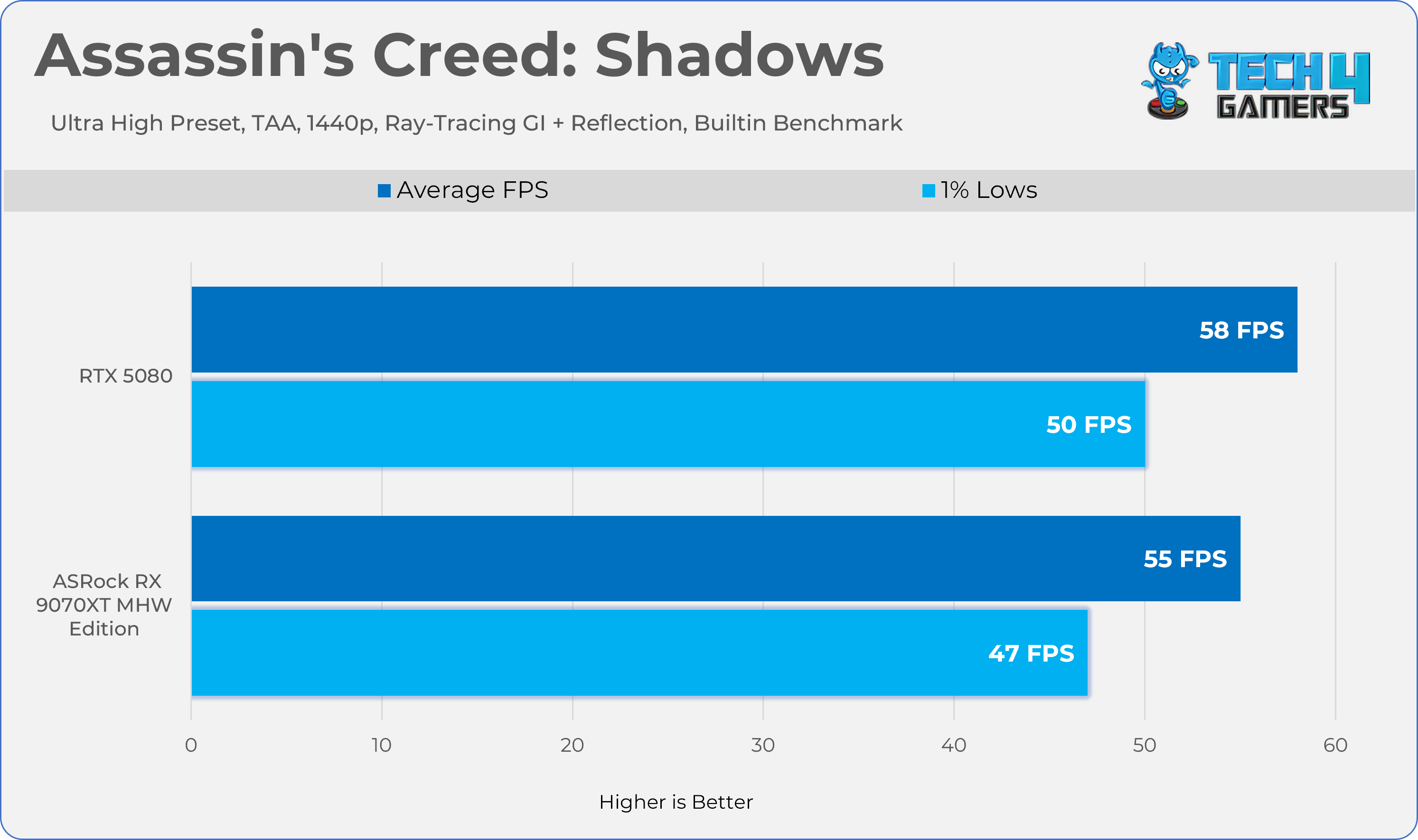
Ray Tracing Performance

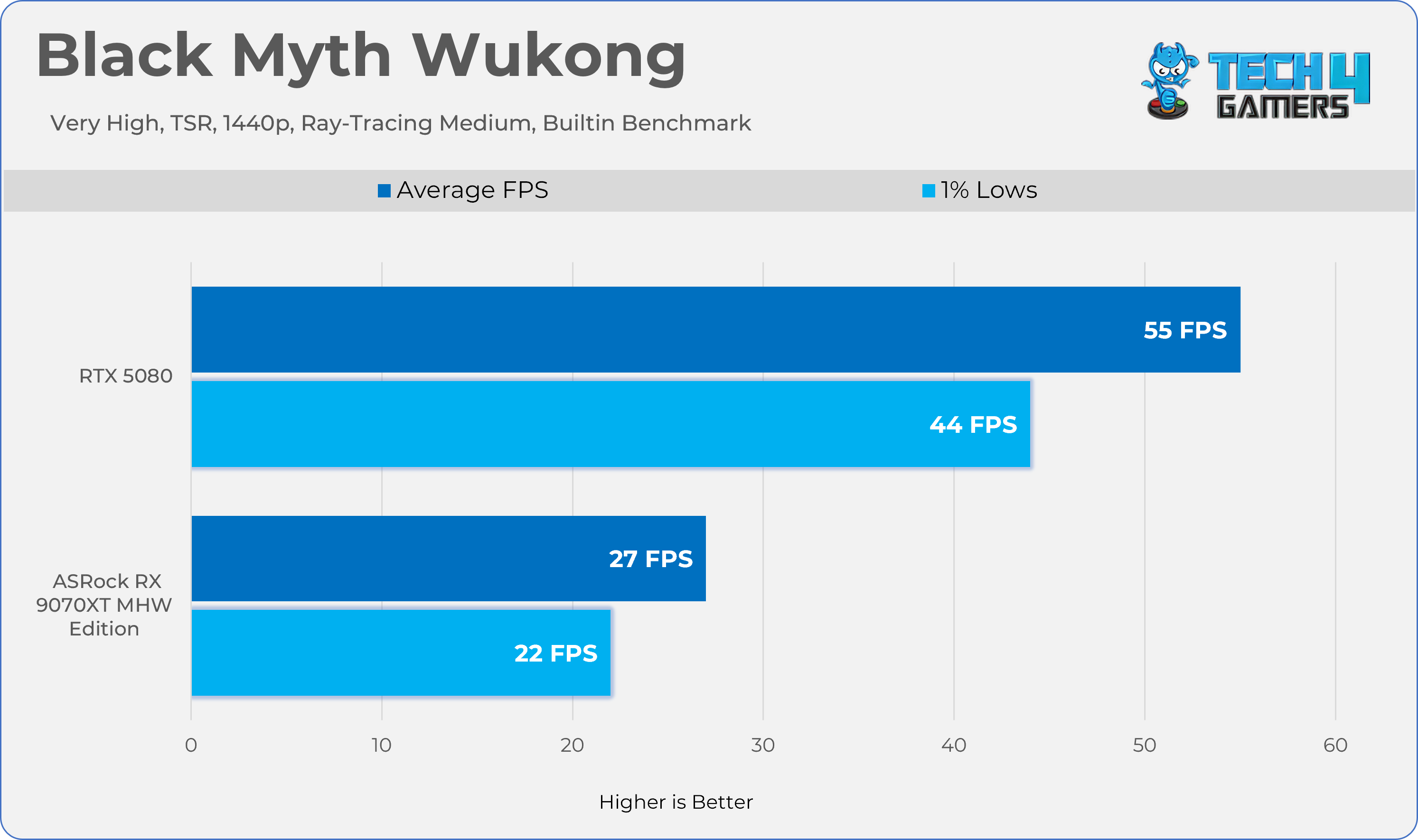
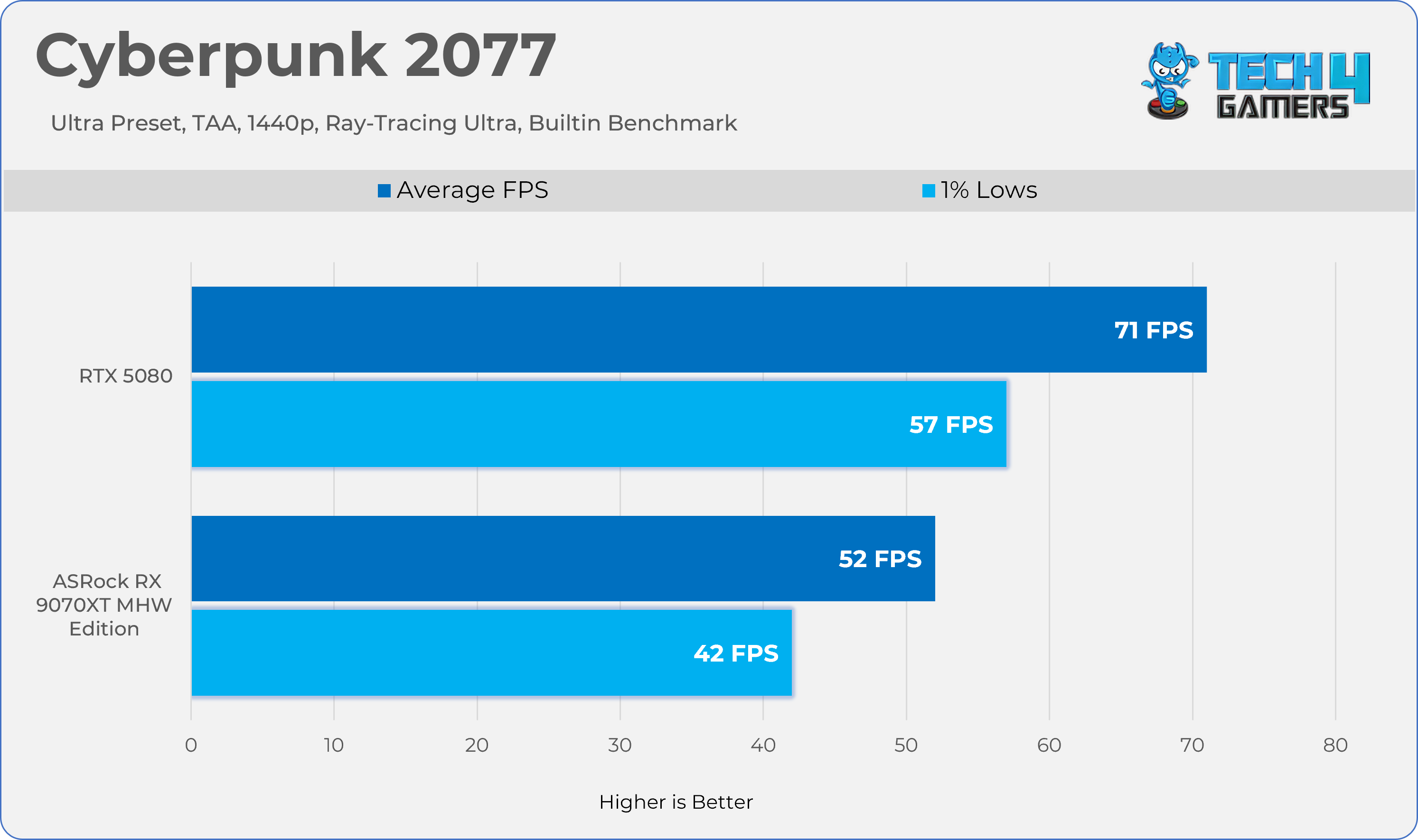
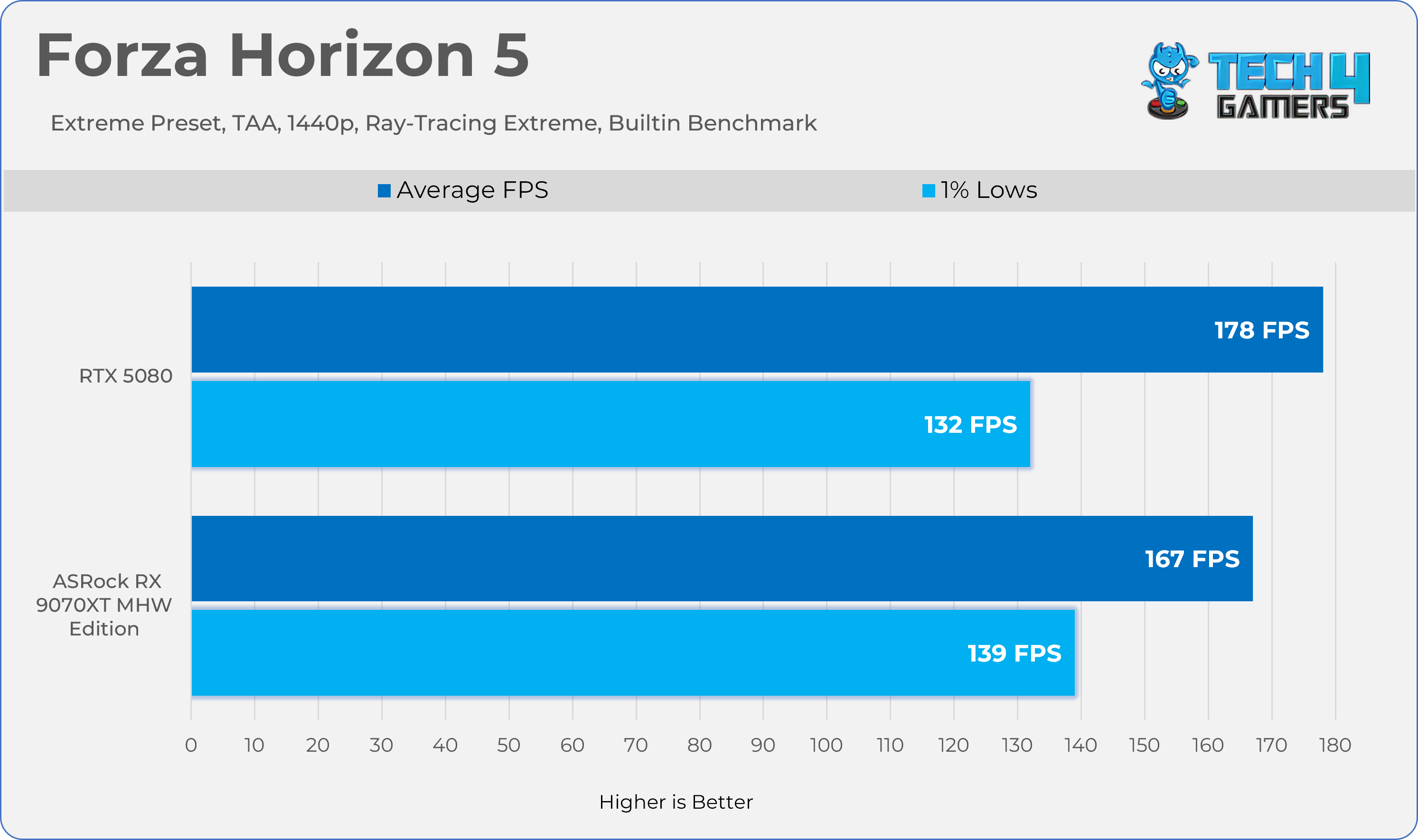
Gaming 1440p Benchmarks (RT)
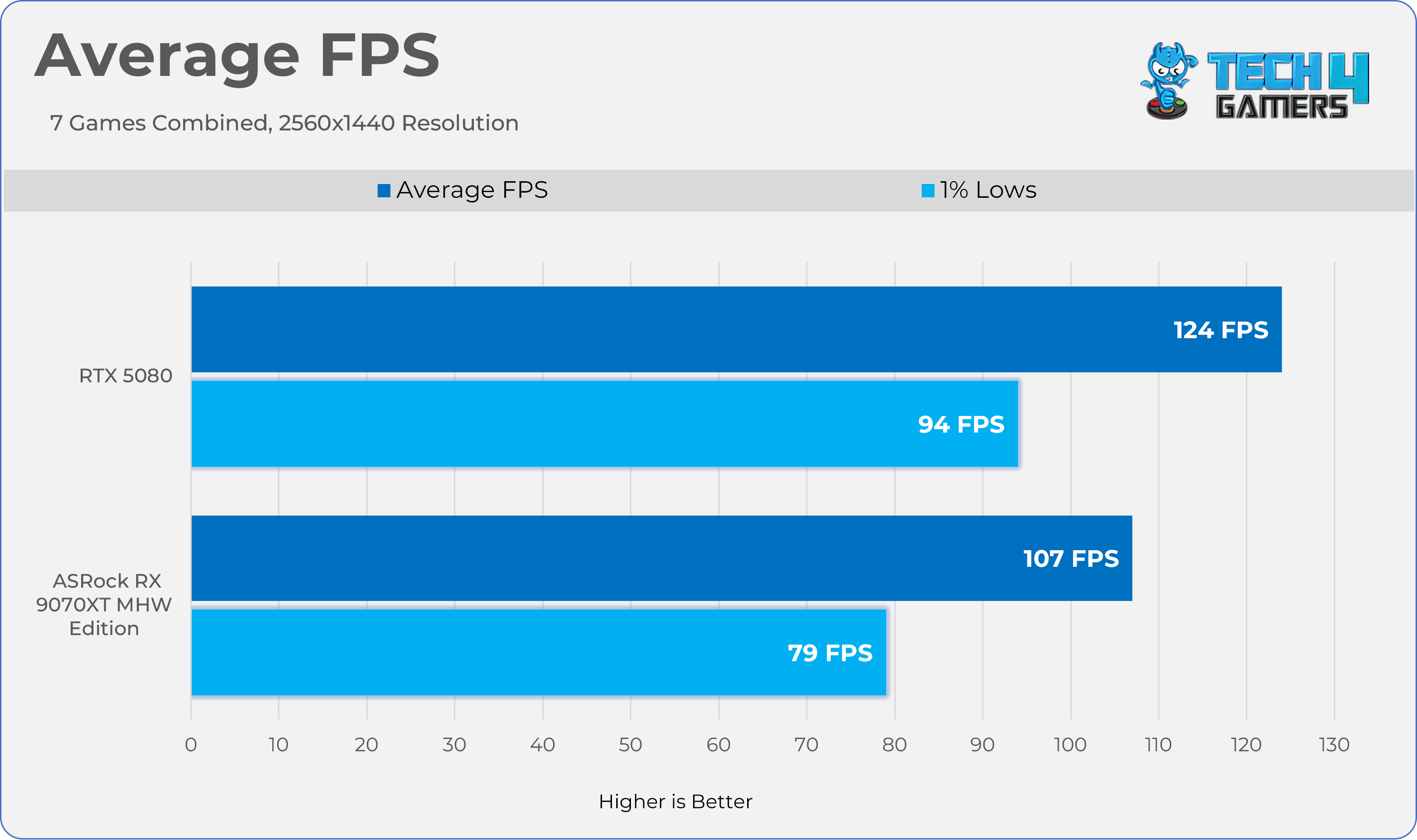
Average FPS

Average Frames Combined
Thermals, Power, Noise

We’ve tested Graphics-Card Thermals, Power, Noise, and Fan-RPM statistics in the two games Alan Wake II and Cyberpunk 2077, with ray tracing enabled at 1440p for 20 minutes each. To make this scenario more realistic, the GPU has been tested in the HYTE Y70 chassis, and we have calculated average sensor data. We have also added the Furmark test to evaluate the graphics card’s performance under stress. The room temperature is set to 20 °C ± 2

ApplicationCore °cHot Spot °cClock SpeedFan Noise Power
Cyberpunk 207759.6°c 85.7°c 2598 MHz 1543 RPM36.7 dB(A)303W
Alanwake II60.1°c 85.5°c 2733 MHz1536 RPM36.6 dB(A)303.5W
Furmark (Stability Test)56.6°c89.3°c 2953 MHz1744 RPM37.5 dB(A)303.5W

Overclocking 

Overclocking an AMD RX 9070 XT wasn’t difficult, but it was worthwhile; we gained another 7% in Cyberpunk 2077 by combining the memory and core over clock + under volt. If you are familiar with overclocking on AMD cards, you would know it’s slightly different from NVIDIA; on AMD, you have to set the target frequency offset in the AMD Adrenaline Drivers, and you need to lower the GPU voltage; however, increasing the power limit is necessary, which, in our case, on ASRock Radeon RX 9070 XT Monster Hunter Wild Edition, you can unlock 10% of power.
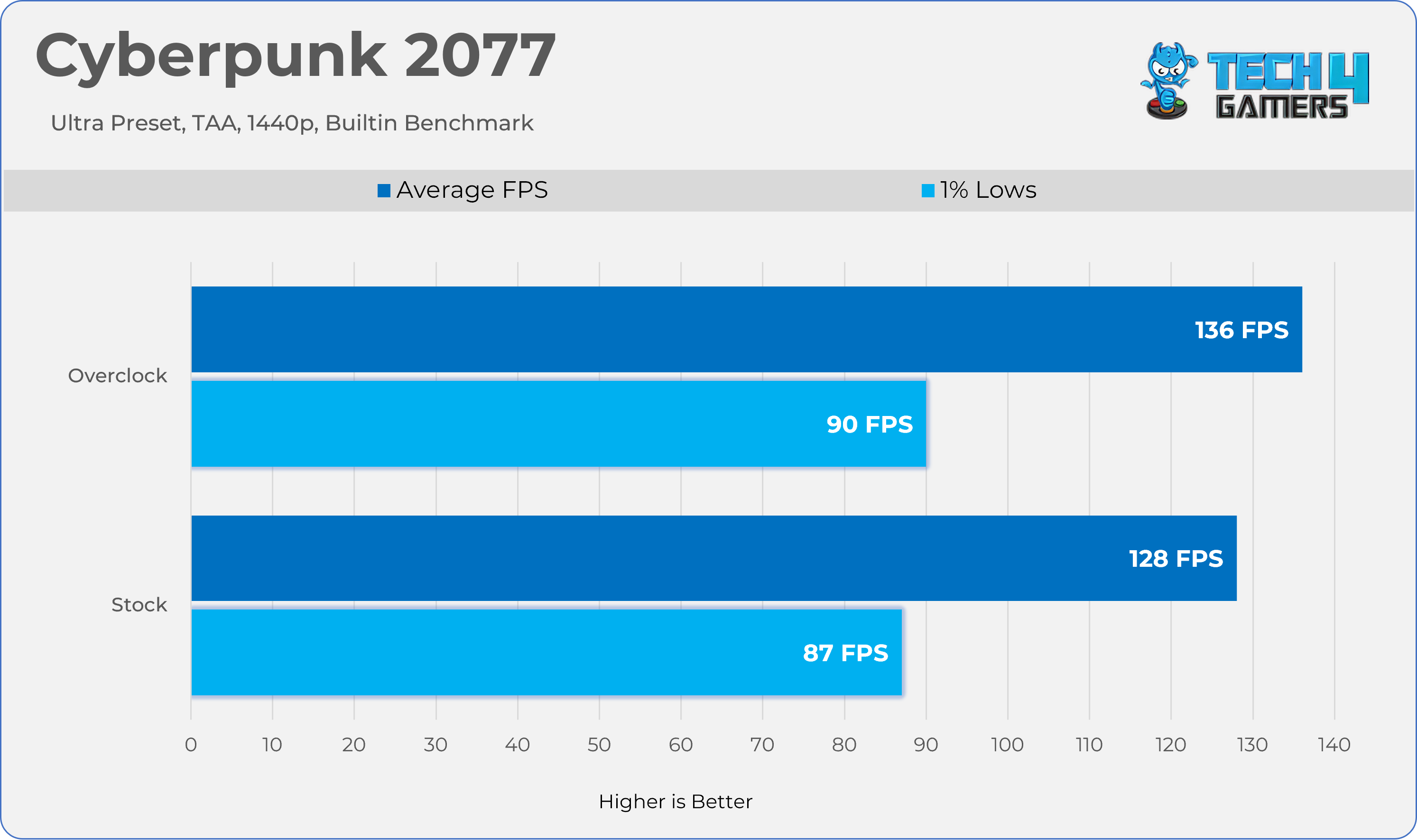
Overclocked vs Stock Results

How Did We Overclock An RX 9070 XT?

  1. Open the AMD Adrenaline Software
  2. In the top menu, select the Performance tab, then click Tuning.
  3. At the tuning control, set it to ‘Custom’
  4. Toggle the GPU Tuning Option to on.
  5. In Maximum Frequency Offset (MHz), set your desired frequency; in our case, we set it to +400 MHz.
  6. Below the Maximum Frequency Offset (MHz) Slider, you will find the Voltage Offset Option.
  7. You need to adjust the voltage offset to see the gains. In our case, we set the offset to -100mV
  8. After you have tuned your GPU cores, head to the VRAM tuning option below the Voltage Offset Slider
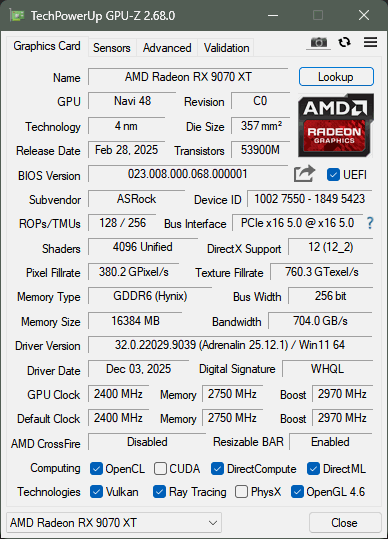
  9. Set your desired memory clock. In our case, we have overclocked our memory from 2518MHz to 2750MHz
  10. Finally, ensure you have unlocked the power limit; you can max out the slider. Our card has unlocked it to 110%, meaning a total power limit of 330W.
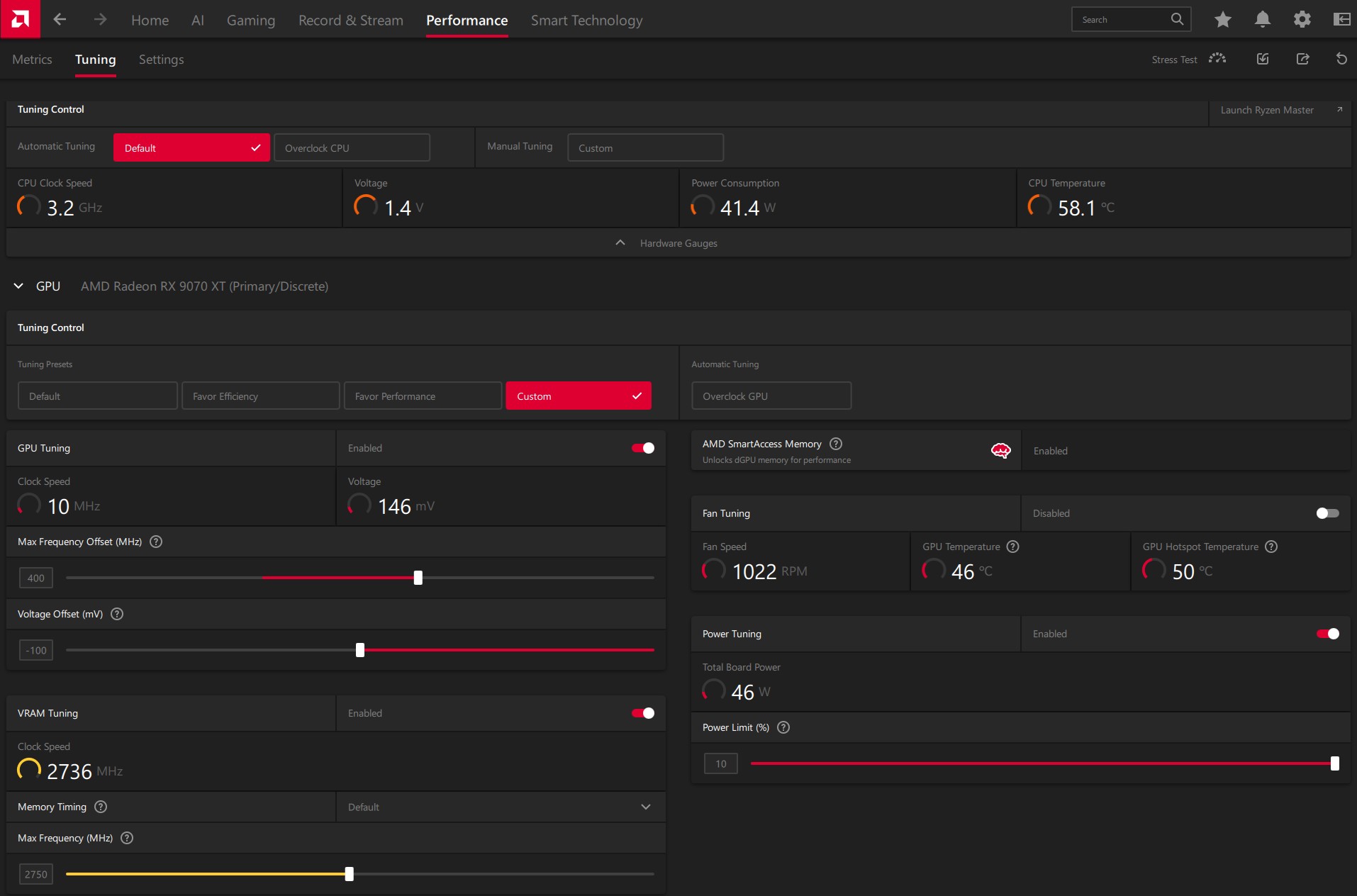
Overclock Settings
Overclock Settings

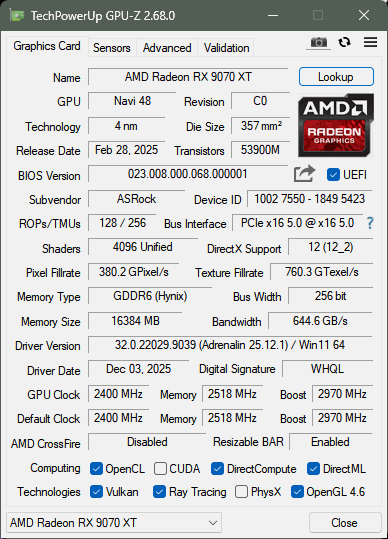
Here is a GPU-Z screenshot comparing the adjusted timings with the default timings.
Should You Buy It?

Buy It If

You Love The Monster Hunter Series: Due to the unique Monster Hunter: Wilds Edition Artwork, this GPU could be a cool collectible.

You Want Strong Gaming Performance: In Our Tests, the RX 9070 XT delivered very strong performance at 1440p and ran every game at the maximum possible settings at decent frame rates.

✅You’re Building A Themed/Showcase PC: If Aesthetics matter, RGB or themed colors, and you want your build to stand out, this GPU would be a great option.

Don’t Buy It If

You’re Not Focused On Themed/Showcase PC: Generally, these GPUs are more expensive than their standard counterparts because their unique design offers no meaningful performance improvements.

Final Thoughts

To conclude, we’d like to share our final observations.

Cooling / Performance And Noise

We have tested the GPU on several of the latest titles, including path-tracing titles, and this time, AMD did not disappoint. We have managed to play the games at a reasonable frame rate, even at  4K. However, for cooling, ASRock uses a Phase-Change Sheet on the GPU core, which is a nice addition to the graphics card’s longevity. The GPU ran very quietly, and the cooling stayed below 60 degrees while the fans were running at 35%, which was extremely quiet in our closed HYTE Y70 Chassis.

Build Quality / Design

ASRock’s Radeon RX 9070 XT Monster Hunter Wilds Edition is a unique piece of hardware inspired by the RPG Monster Hunter. First of all, this GPU shares a similar cooler design to the Steel Legend card. However, some prominent cosmetic changes to the GPU might appeal to users who want their PC to stand out and build a showcase/themed PC. I haven’t been much of a fan of this game, but the design has intrigued me. ASRock has really put some thought into the GPU aesthetics, such as the transparent acrylic Arkveld nameplate that glows with RGB effects. The build quality here is also incredible.

Value

The GPU has an MSRP of $699.99. At this price, I would highly recommend this GPU due to the lack of competition from NVIDIA, as they simply do not provide much value, especially at this price range. Also, the GPU includes a free copy of Monster Hunter: World, 16GB of video memory, and a high-quality build, including unique game artwork.


Blizzard’s New StarCraft Shooter Game Announcement Expected This Year

Story Highlight
  • A new report points to a new StarCraft announcement at BlizzCon 2026.
  • The new entry in this series is said to be a third-person shooter led by Dan Hay, who previously worked on Far Cry.
  • Two StarCraft shooters were also cancelled mid-development previously.

Rumors regarding a new StarCraft title from Blizzard have been making the rounds for a while. The studio is rumored to be working on a new shooter entry for the IP, and it seems an announcement is now closer than ever.

According to a new report, Blizzard’s next big StarCraft entry will be announced later this year.

Why it matters: Blizzard has mainly focused on Diablo and Overwatch lately, so a new StarCraft announcement would give the studio and its fans something fresh to look forward to.

StarCraft-3-Featured
StarCraft Fans Have Wanted A New Game For A While

Following reports from industry insiders like Jason Schreier, the latest information comes courtesy of Jez Corden.

He states that StarCraft will be the headliner for BlizzCon 2026 and will likely receive a formal announcement at the event. For those curious, BlizzCon 2026 is scheduled for September.

It is said that the latest entry will be a third-person shooter, with more information expected during BlizzCon. The event will also shed light on other Blizzard IPs, including Overwatch.

Additionally, the studio could share a new mobile game announcement as it continues to deliver exciting updates to the community.

Starcraft Shooter
A New StarCraft Announcement Is Around The Corner

As for StarCraft, this is not the first time a revival has been discussed regarding the series. Previously, Phil Spencer also teased work on the series, hinting at what is coming in the next few months.

Following multiple StarCraft-related cancellations, the current project is being helmed by Dan Hay. The developer brings experience from Far Cry into the mix, giving fans some hope for the future.

What do you think about the franchise coming back at BlizzCon 2026? Are you excited? Let’s discuss in the comments and on the Tech4Gamers Forums.

MSI MEG X870E ACE MAX Review: A Beefy X870E Refresh

It is about time that almost all motherboard AIB partners of AMD have released a refresh of X870E series motherboards that are also supposed to cover the next generation of Ryzen CPUs in addition to AMD’s new X3D2 series CPUs.

MSI has also released these refresh motherboards, and we are taking a look at MEG X870E ACE MAX flagship motherboard that sits at second number after GODLIKE in MSI motherboard series (we have also reviewed the MSI MEG X870E GODLIKE, make sure to give it a read if you’re interested in the GODLIKE line-up). This motherboard is a feature-rich solution offering extensive PCIe Gen5 connectivity with beefy VRM design and beefier VRM cooling.

Unlike the Z790 ACE MAX that we tested earlier, this motherboard has ATX form factor and comes with 5 M.2 NVMe slots and 3x PCIe slots. It also offers dual LAN ports offering 10GbE and 5GbE connections. This is in addition to built-in WiFi connectivity.

The salient features of the motherboard include:

  • It supports AMD Ryzen™ 9000 / 8000 / 7000 Series CPUs.
  • It supports DDR5 Memory in Dual Channel DDR5 8400+ MT/s (OC)
  • It offers top notch performance coming from 18+2+1 Duet Rail Power System, 110A SPS, OC Engine, dual 8-pin CPU power connectors, Core Boost, Memory Boost, 8-layer PCB made by 2oz thickened copper and server-grade level material.
  • The VRM cooling comprises Wavy Fin Design, Direct Touch Cross Heat-pipe, MOSFET Baseplate, 9W/mK thermal pads, Double-Sided M.2 Shield Frozr and Frozr AI software.
  • The user convenience is provided via EZ PCIe Release, EZ Magnetic M.2 Shield Frozr II, EZ M.2 Clip II, EZ Antenna and EZ Conn-Design.
  • The connectivity includes 10G LAN + 5G LAN, Full-speed Wi-Fi 7 Solution, USB4 and 64MB BIOS ROM.
  • This motherboard features premium ALC4082 audio processor combining ESS audio DAC and amplifier.

This motherboard is listed at USD 699.99.

Why Trust Tech4Gamers
  • Nauman Siddique is the most senior hardware tester at Tech4Gamers. He brings an ocean of knowledge to the table, including unmatched expertise in motherboards.
  • 40+ motherboards tested and reviewed by our team of hardware experts (Tech4Gamers Team).
  • 800+ hours spent testing different motherboards for our reviews.
  • Objective testing criteria (See how we test motherboards).

At Tech4Gamers, ensuring you get reliable information is our priority. That’s why every hardware round-up undergoes a meticulous review process by our team of experts and editors. Each review is carefully examined against our strict editorial guidelines, guaranteeing you trustworthy insights you can depend on.

The salient specifications include:

CPU Support AMD Ryzen 9000, 8000 and 7000 series desktop CPUs
Memory Support 4xDIMM Slots for DDR5 up to 8400MHz+ (OC)
Display Interface
  • Support 8K@60Hz as specified in HDMI 2.1 FRL
  • 2x USB-4 Type- Display Output supporting 4K@120Hz using HBR3
PCIe Slots
  • 1x PCIe Gen5 x16 slot
  • 1x PCIe Gen5 x8 slot
  • 1x PCIe Gen5 x4 slot
M.2 Ports
  • 2x M.2 Gen5x4 slots
  • 3x M.2 Gen4x4 Slot
SATA Ports 4x
Audio RealTek ALC4082
Network 10G and 5G LAN port and wireless connectivity using WiFi 7/BT 5.4
USB Ports Total 22x USB Ports (Front and Rear), including a USB 4.
Size 243.84mmx304.8mm, ATX Form Factor
[toc]

How MEG X870E ACE MAX Is Different?

ACE is a second highest flagship offering from MSI after GODLIKE. The X870E ACE MAX under MEG series is a feature-rich motherboard offering extensive PCIe Gen5 base connectivity where all three PCIe slots are Gen5 and wired to the CPU socket. The 5x M.2 ports, 4x SATA ports, V-Check points, beefy VRM cooling, 60W PD charging, EZ functions are among the salient highlight of this motherboard. It is one heck of a complete solution on standard ATX PCB.

Packaging And Unboxing

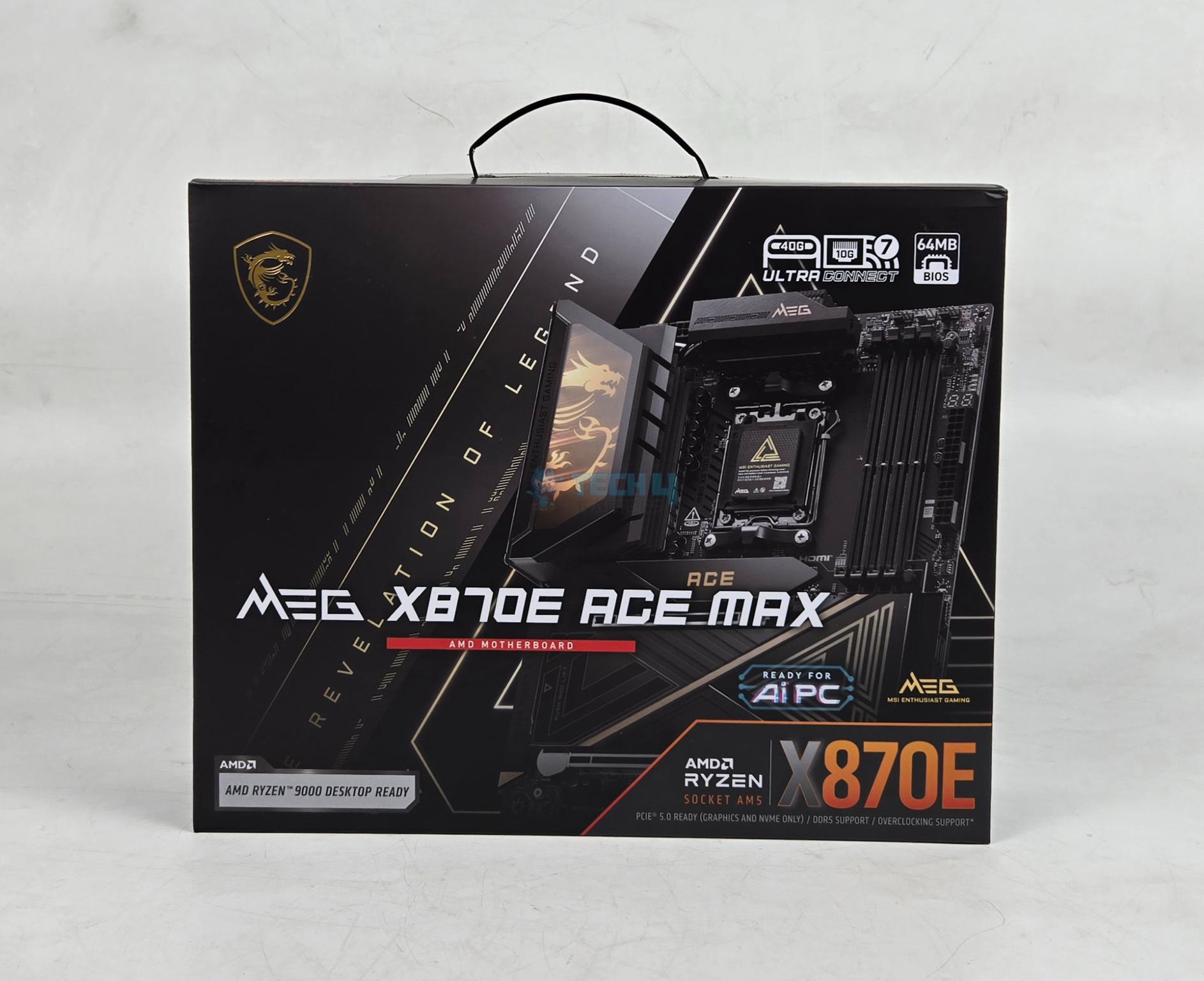
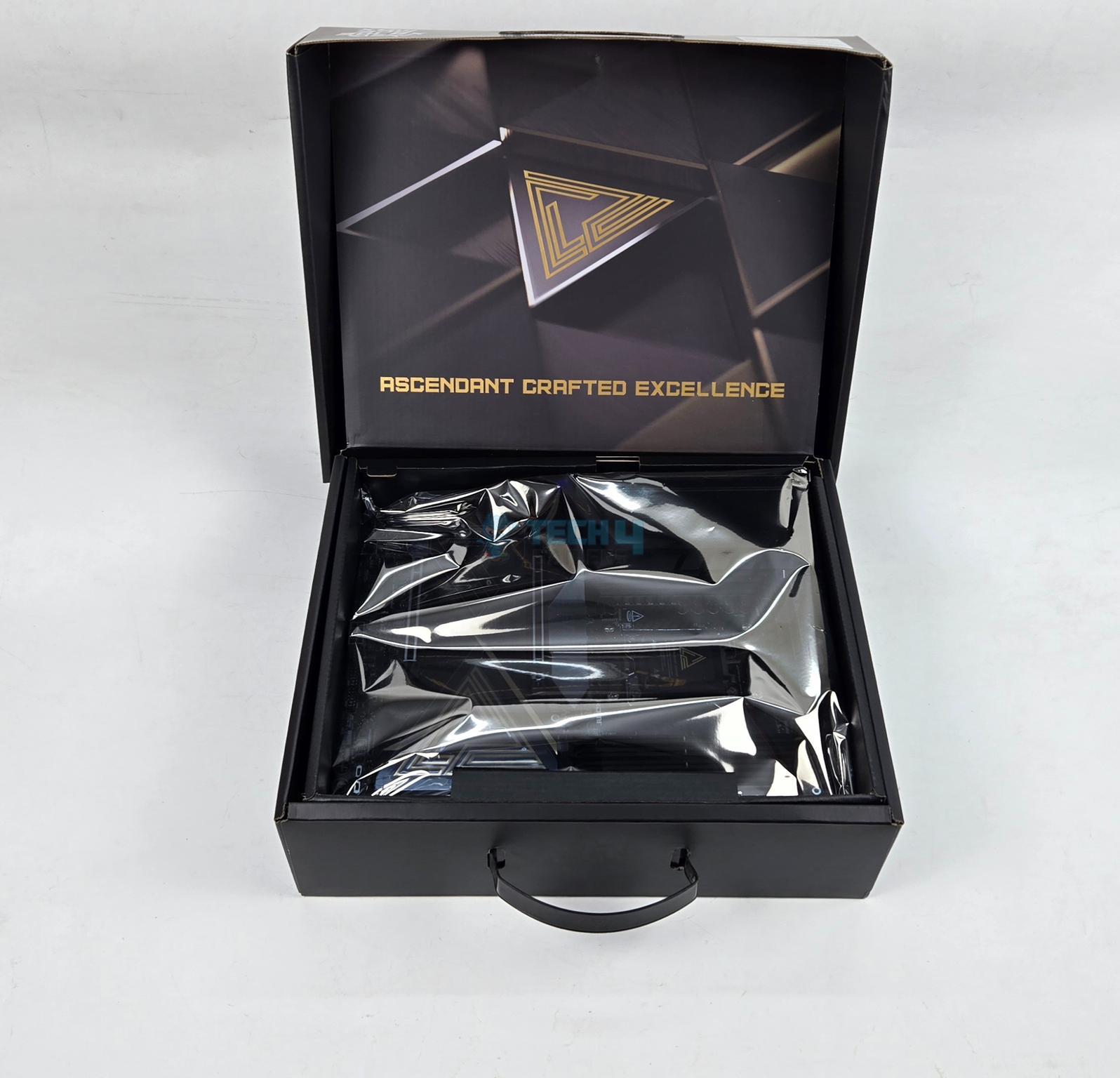
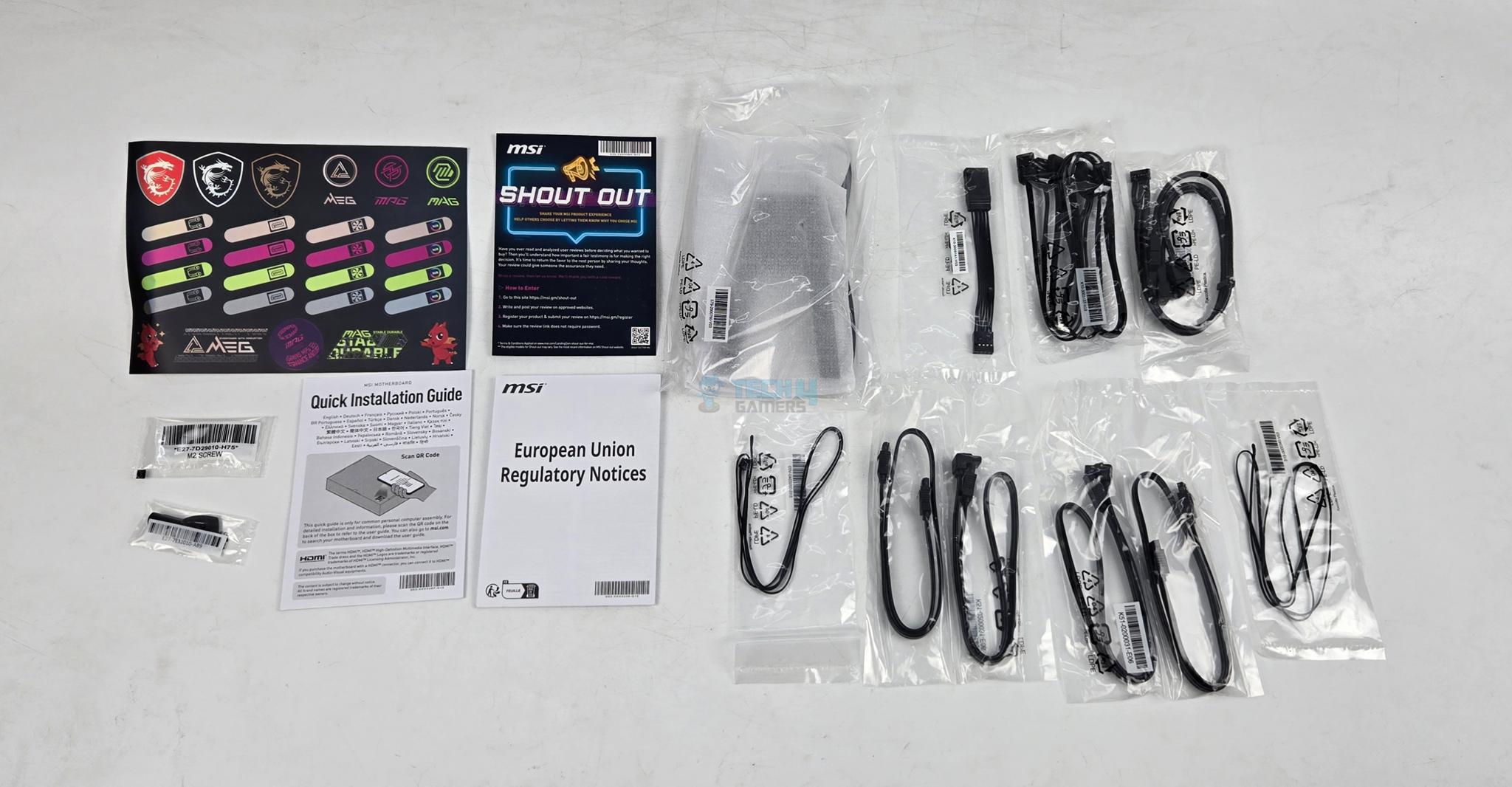
The motherboard is shipped inside a standard cardboard made packing box. MSI has included following in the box:

  • 1x ATX sized Motherboard
  • EZ WiFi Antenna
  • Cable Sticker
  • 4x SATA Cables
  • EZ Front Panel Cable
  • 1 to 3 EZ Conn-Cable V2
  • 1 to 3 ARGB Gen2 Extension Cable
  • 2x Thermistor Cables
  • USB Drive
  • EZ M.2 Clip II Remover
  • 3x M.2 Screws
  • Quick Installation Guide
  • European Union Regulatory Notice

Design

Main-View

This motherboard uses AMD AM5 socket that supports AMD Ryzen 9000, 8000 and 7000 CPUs. Since different SKUs have different level of support for PCIe, refer to user manual for more details. This socket provides 24 PCIe lanes for PCIe full length slot and 2x M.2 ports. This board comes equipped with 4x DIMM slots. The motherboard has 8-Layer Server Grade with 2oz Copper PCB using PCB Fabric Peak technology.

Motherboard

The on-board display coming from CPU socket via HDMI 2.1 supporting 8K@60Hz and 2x USB-4 Type-C ports. Two Gen5 M.2 ports are wired to the CPU socket in addition to full length PCIe Gen5x16 slot and second PCIe slot. The other M.2 and PCIe slots are wired to the chipset. Since this motherboard uses two chiplets, it has more PCIe lanes available compared to X870 and B850 series motherboards.

Power Delivery To Socket

CPU-Socket-Close-View

MSI uses AMD AM5 platform (LGA 1718). This socket supports the AMD Ryzen 9000/8000/7000 series CPUs. Ryzen 9000 series SKUs are supported out of the box.

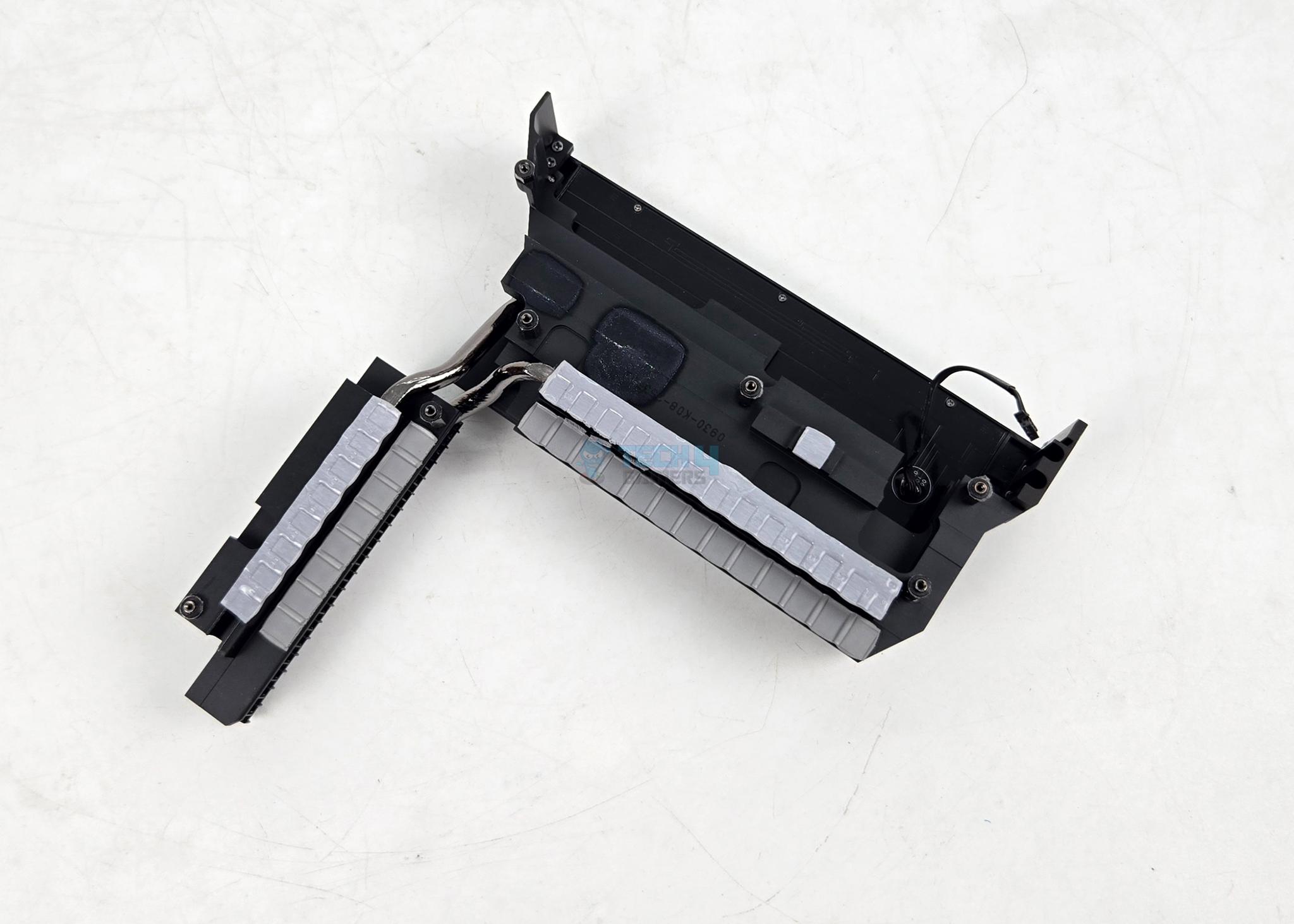
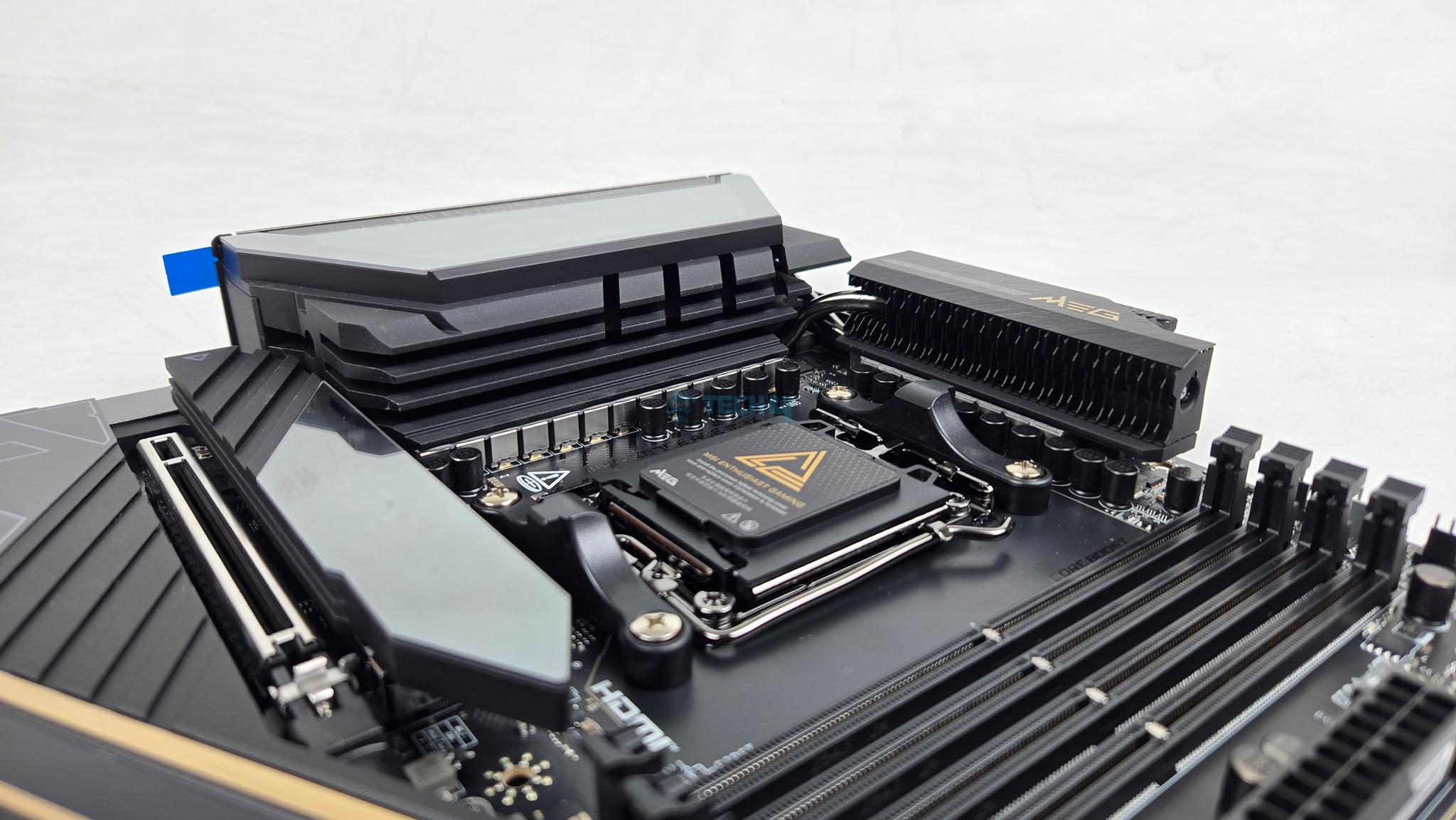
MSI has used two extended VRM heatsink covers along without cross heat pipes providing beefier cooling solution. The heatsink has Wavy Fin design for efficient heat transfer. The thermal pads are rated for 9W/mK to ensure effective heat transfer. It is clear that MSI has focused on VRM cooling in particular on this motherboard.

LCD-Display

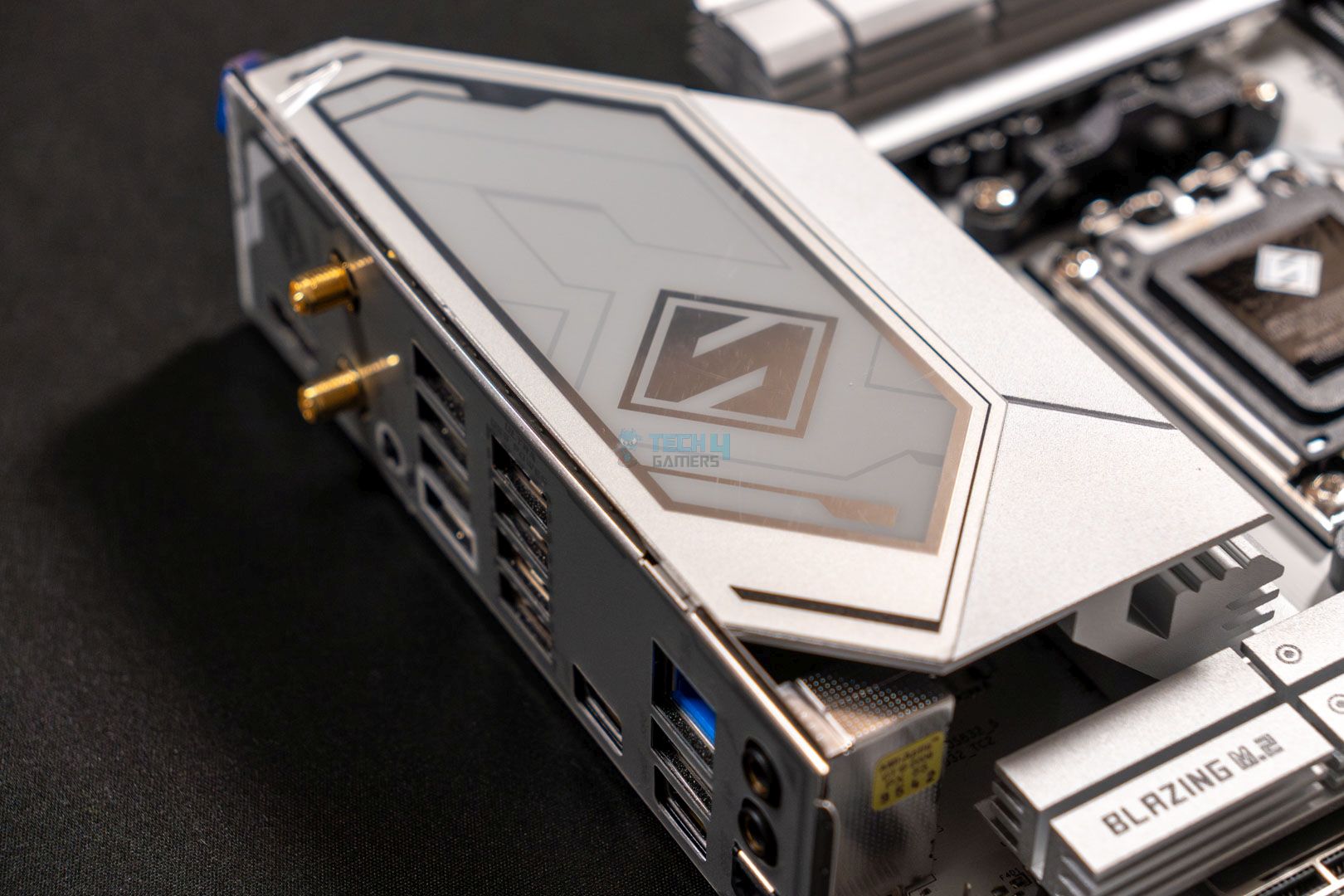
The cover on IO side of the motherboard seems to be LCD design. It is not a LCD display screen; rather, it has animated RGB backlighting on MSI Dragon logo.

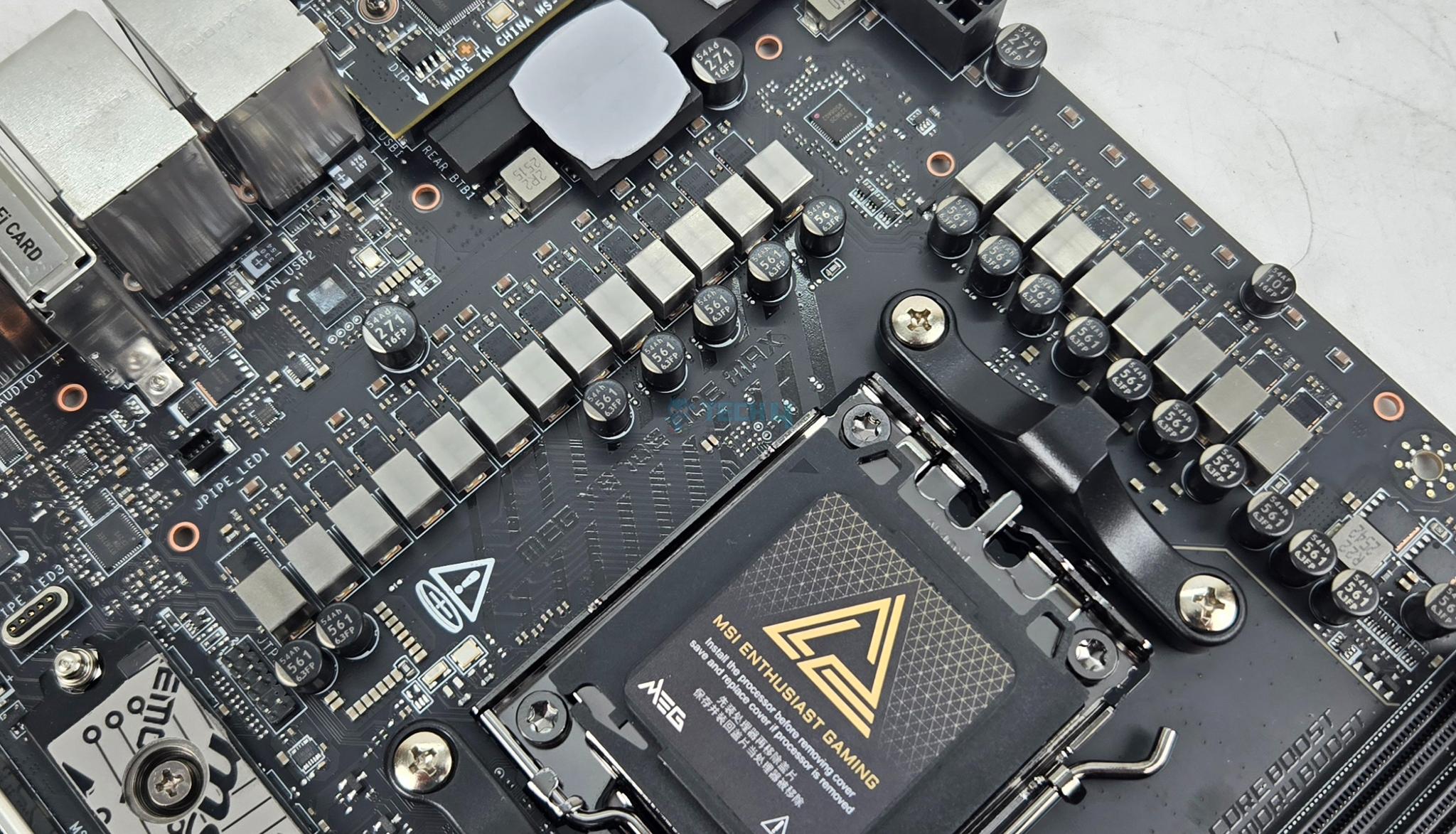
The MSI MEG X870E ACE MAX comes equipped with 18+2+1 Duet Rail Power System wherein the 18 phases are for VCore power, 2 are for SOC power and 1 phase for misc power. They are using 110A SPS MOSFETS.

VRM-Power-Phase

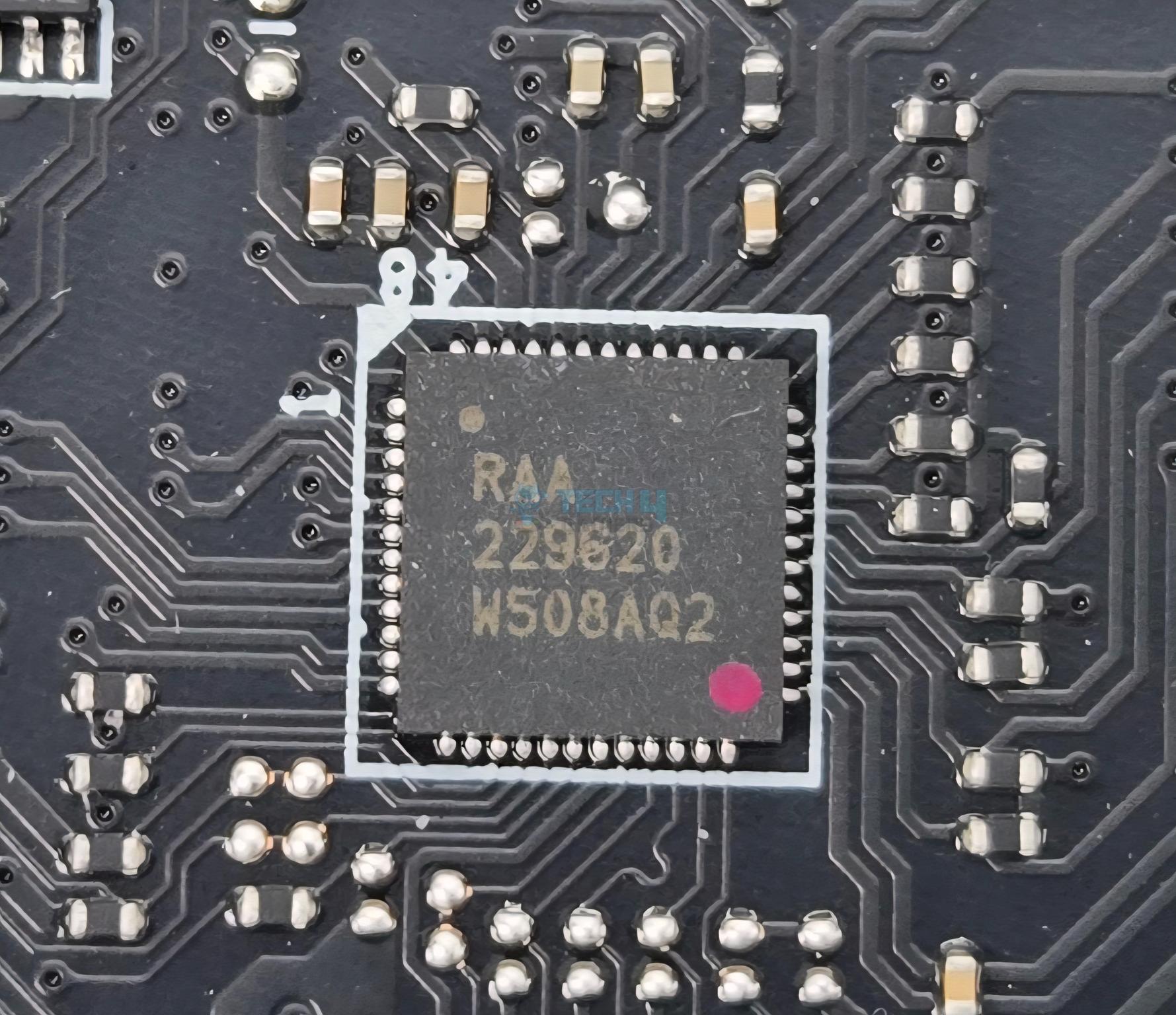
MSI has named it DUET meaning that every two stages will get the same PWM signal from the controller. The main driving force is RAA 229620 PWM controller whereas the 20 phases are R2209004 and BR00 5X5P.

DIMM Slots

MSI has deployed 4x DDR5 UDIMM slots. MSI has used the SMT welding process to install slots on the PCB for better performance. A total of 256GB capacity is supported along with a support for binary as well as non-binary memory kits.

DIMM-Slots

The maximum supported DDR5 frequency is 8400+ (OC) MHz on Ryzen 9000 series. I have tested the motherboard using a 8400MHz Teampgroup kit but it failed to POST. Maximum 8000MHz is tested to be working fine with this motherboard using my 9900X.

This motherboard supports AMD EXPO as well as Intel XMP with dual-channel and dual-controller modes. The supported memory is non-ECC and unbuffered. It also supports CUDIMM in clock driver bypass mode only.

Storage Options

This motherboard has 5x M.2 slots and 4x SATA ports. Four M.2 slots are on the front of the motherboard whereas one is on the backside of the PCB. The backside slot does not have any heatsink cover.

M.2-Ports

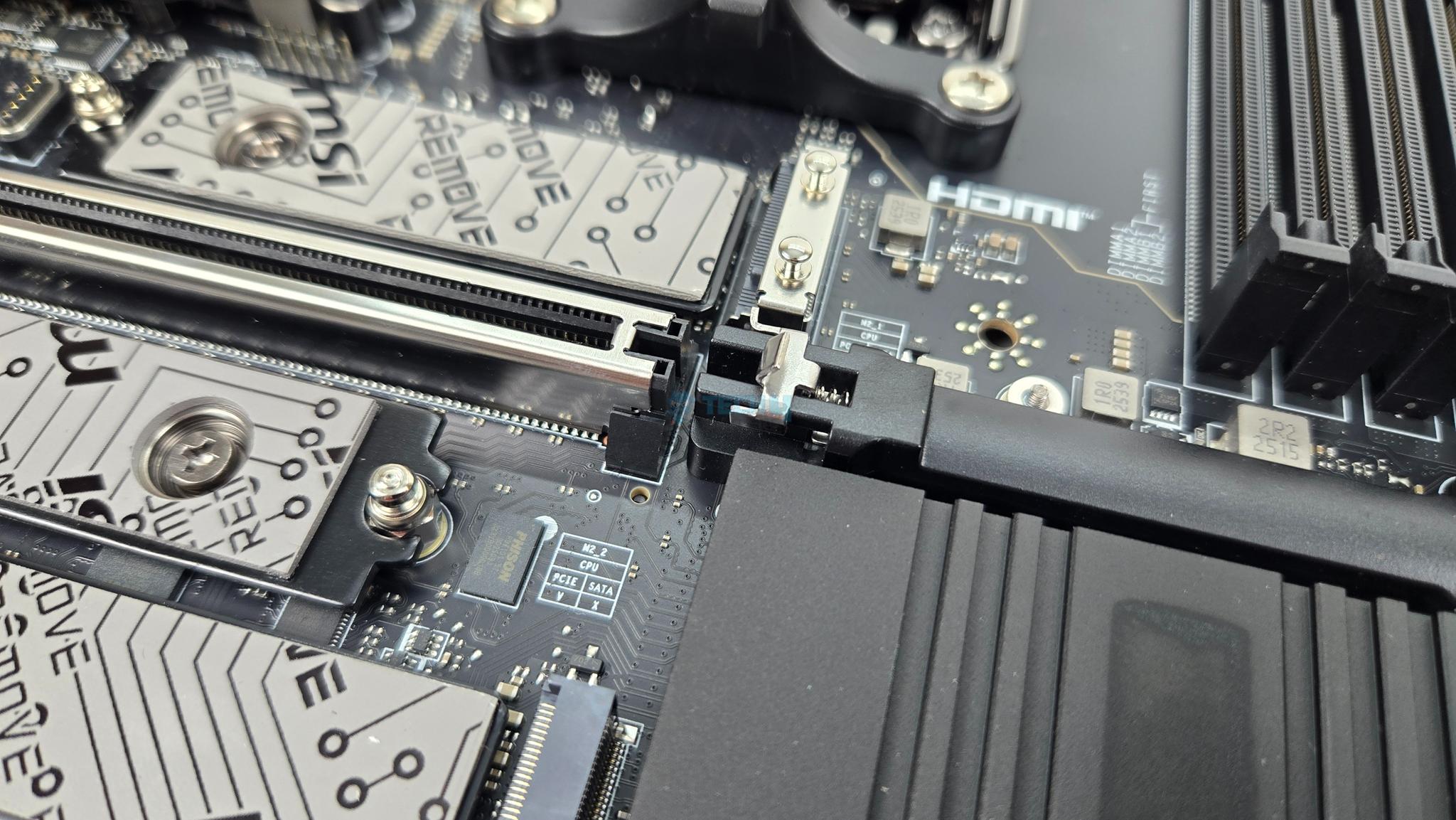
All front based M.2 ports have proper covers. The top slot has cover with magnetic attachment through which ARGB signal is processed for ACE symbol backlight. MSI has named it EZ Magnetic M.2 Shield Frozr II.

M.2-Ports

Both covers are tool-less design which is a wise move. You can see that each port has dual thermal pad design. The top two ports are PCIe Gen5x4 and wired to the CPU socket whereas the bottom two ports are PCIe Gen4x4 and wired to the chiplets. M2_3 port has 22110 form factor.

M.2-Port-Backside

The backside M.2 port does not have any thermal pad or cover. MSI has also provided EZ Clip Remover II for easy placement of M.2 sockets.

M.2-Ports-Covers

Both heatsink covers have thermal pads. All slots are Key M type. MSI has provided EZ Clip II remover tool as well to dismount and relocate the EZ Clip II as per the length of the drive.

M.2 Limitations

Following limitations are noticed:

  • M2_2 shares bus with USB 4.0 ports. Using this port will result in reducing the link speed to x2 mode.
  • User can manually set M2_2 to x4 mode but it will disable the USB 4 ports.
  • M2_1 and PCI_E3 share the bandwidth. M2_1 will run in x2 mode if using both at a same time.
  • User can manually set M2_1 to operate at x4 but it will disable the PCI_E3.
  • M2_1 and M2_2 will operate at x4 speed for Ryzen 8000 series CPUs.

SATA-Ports

Speaking of SATA ports, this motherboard has a total of 4x ports wired to the chipset.

PCIe Connectivity

PCIe-Slots

This motherboard has a total of 3x PCIe slots. All these slots are PCIe Gen5. Following operational data is for PCI_E1 and PCI_E2:

  • Supports up to PCIe 5.0 x16/ x0, x8/ x8 (For Ryzen™ 9000/ 7000 Series processors)
  • Supports up to PCIe 4.0 x8/ x0 (For Ryzen™ 8700/ 8600/ 8400 Series processors)
  • Supports up to PCIe 4.0 x4/ x0 (For Ryzen™ 8500/ 8300 Series processors)

PCIe-Slots

PCI_E1 and E2 are steel reinforced and all PCIe slots are wired to the CPU socket. MSI calls the steel reinforcement as Steel Armor and it has heavy soldered connections on the PCB to support the weight of heavy graphics card. MSI has used the advanced SMT technology for the PCIE slot to diminish interference and electrical noise.

PCI_E3 has following operational data:

  • Supports up to PCIe 5.0 x4 (For Ryzen™ 9000/ 7000 Series processors)
  • Supports up to PCIe 4.0 x4 (For Ryzen™ 8000 Series processors)

The PCI_E3 shares bandwidth with M2_1. They will both be at x2 if populate simultaneously.

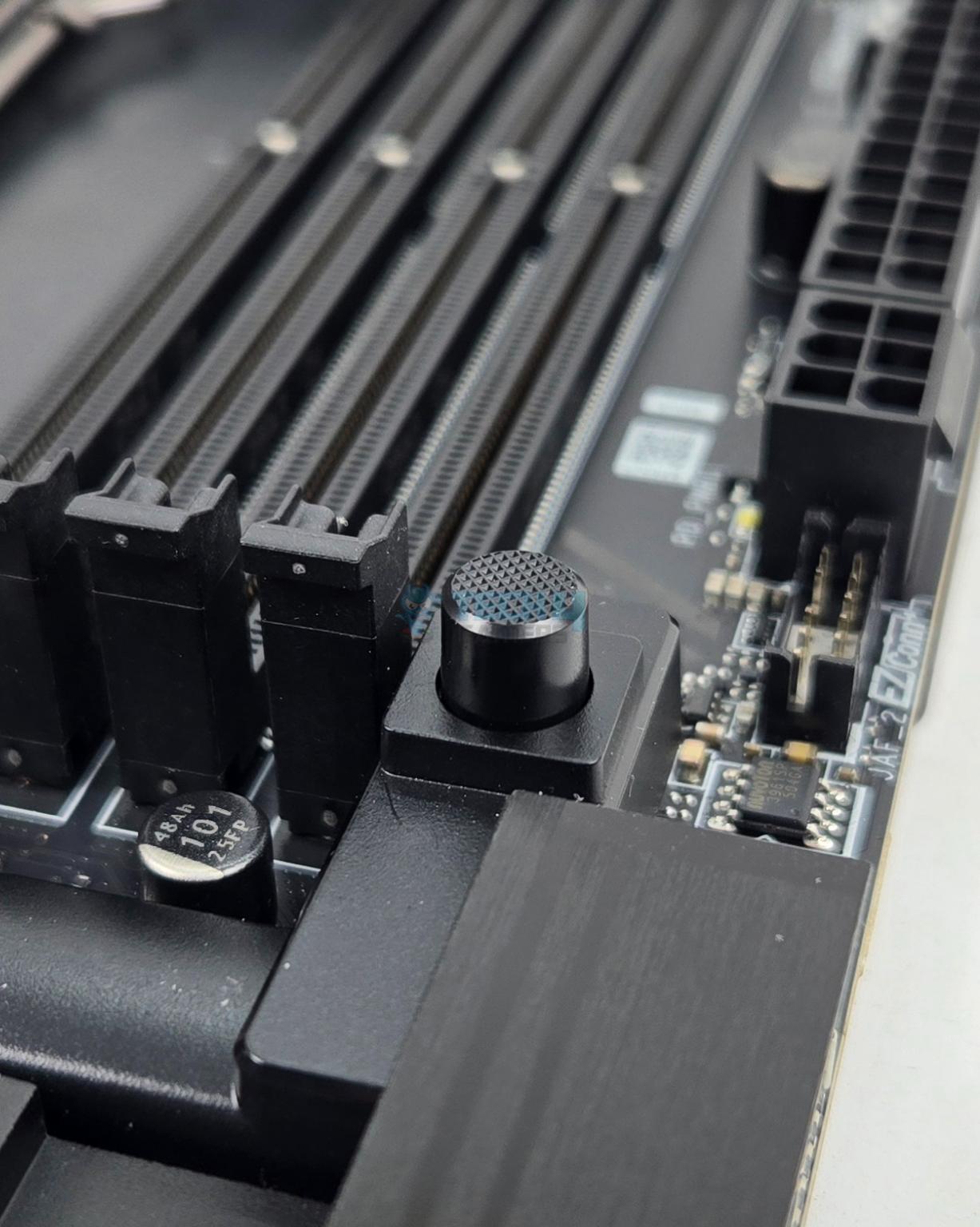
MSI has used PCIE EZ Release Button. Pressing it once will release the locker on the top PCIe slot whereas pressing it again will lock the latch.

USB Connectivity

USB-Port

This motherboard is packed with USB ports on the front, rear, and mid-board. It has:

  • 4x USB 2.0 (Front)
  • 4x USB 5Gbps Type A (Front)
  • 9x USB 10Gbps Type A (Rear)
  • 2x USB 10Gbps Type C (Rear)
  • 2x USB 40Gbps Type C (Rear)
  • 1x USB 20Gbps Type C (Front)

Chips/Controller

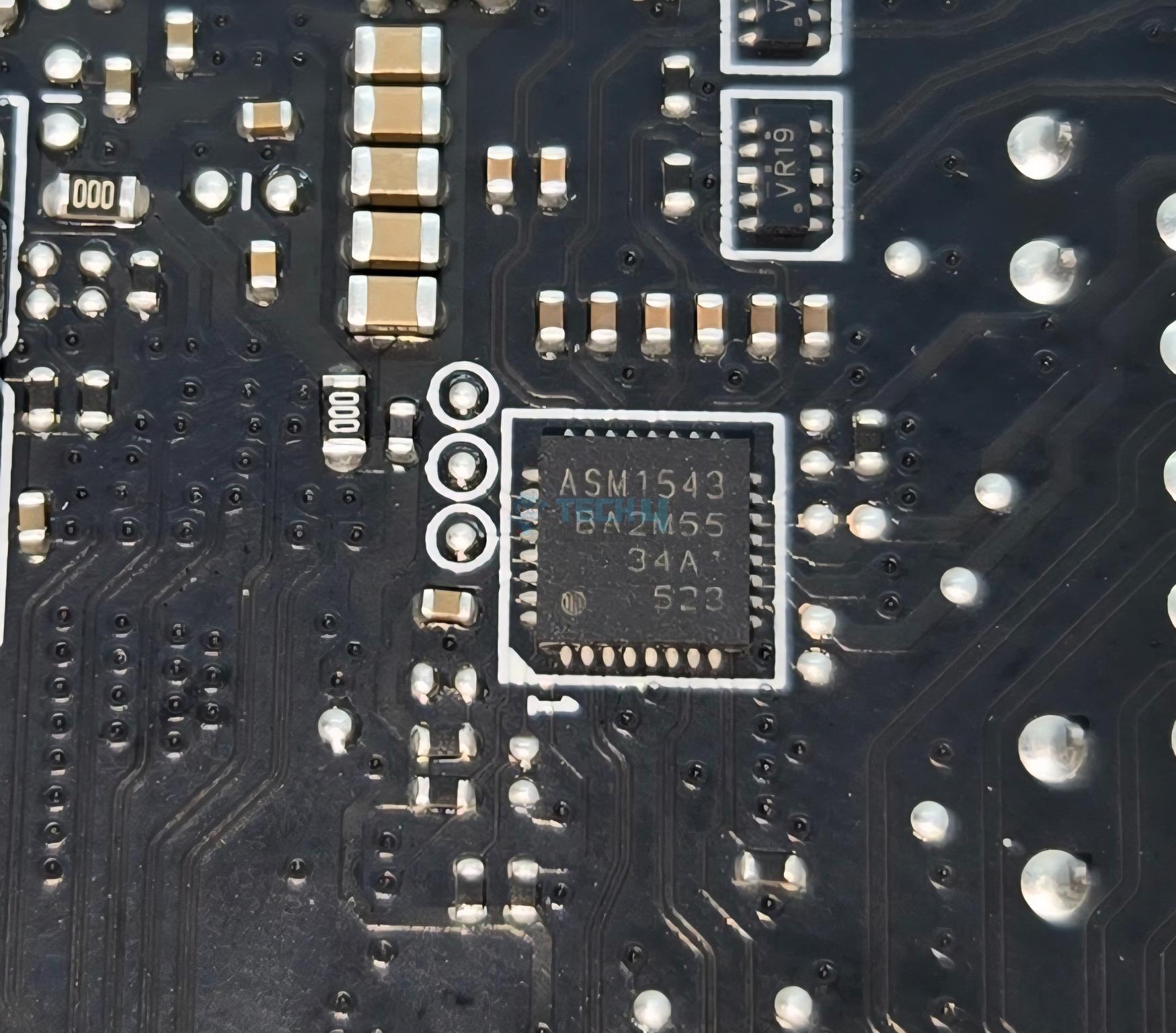
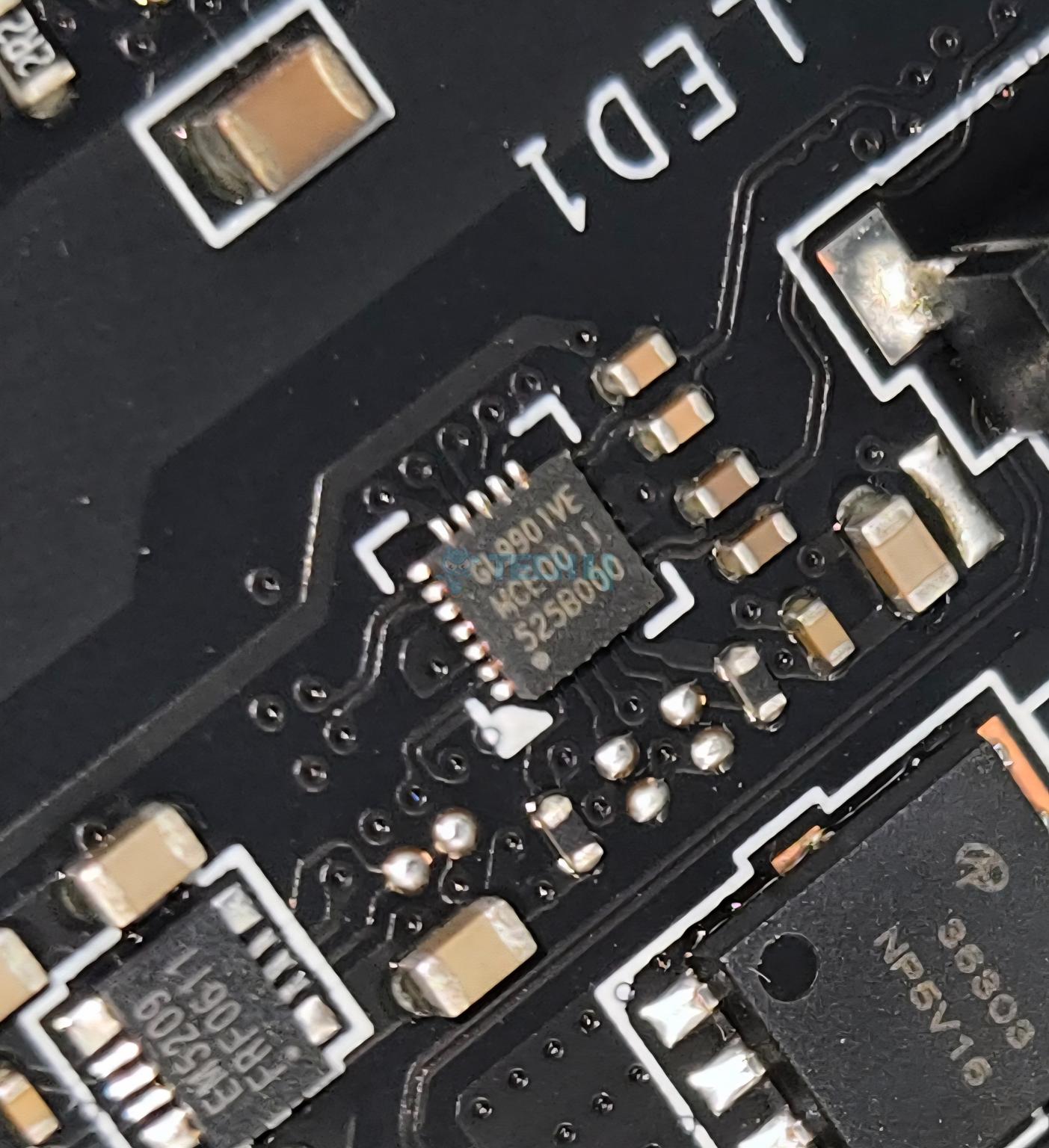
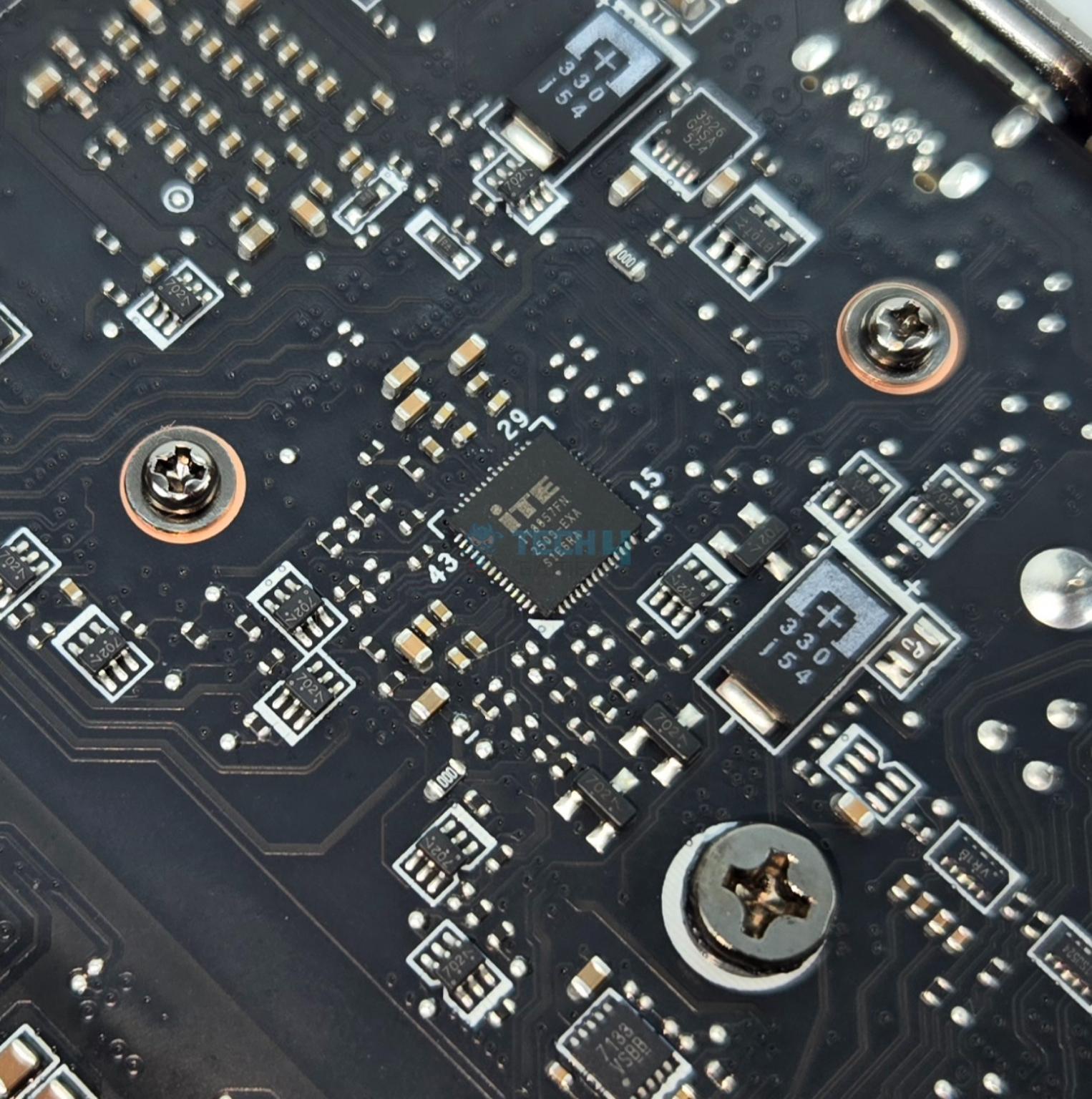
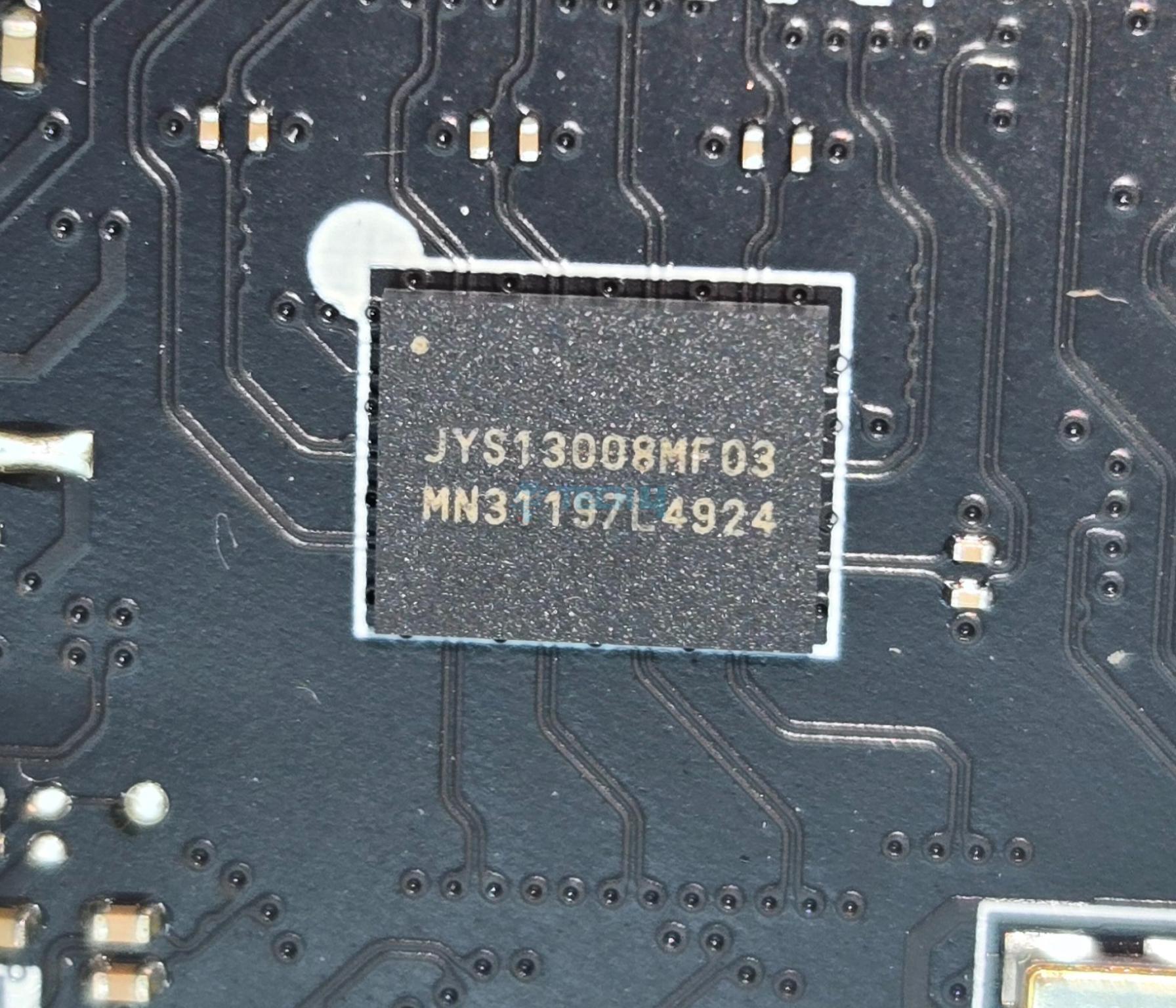
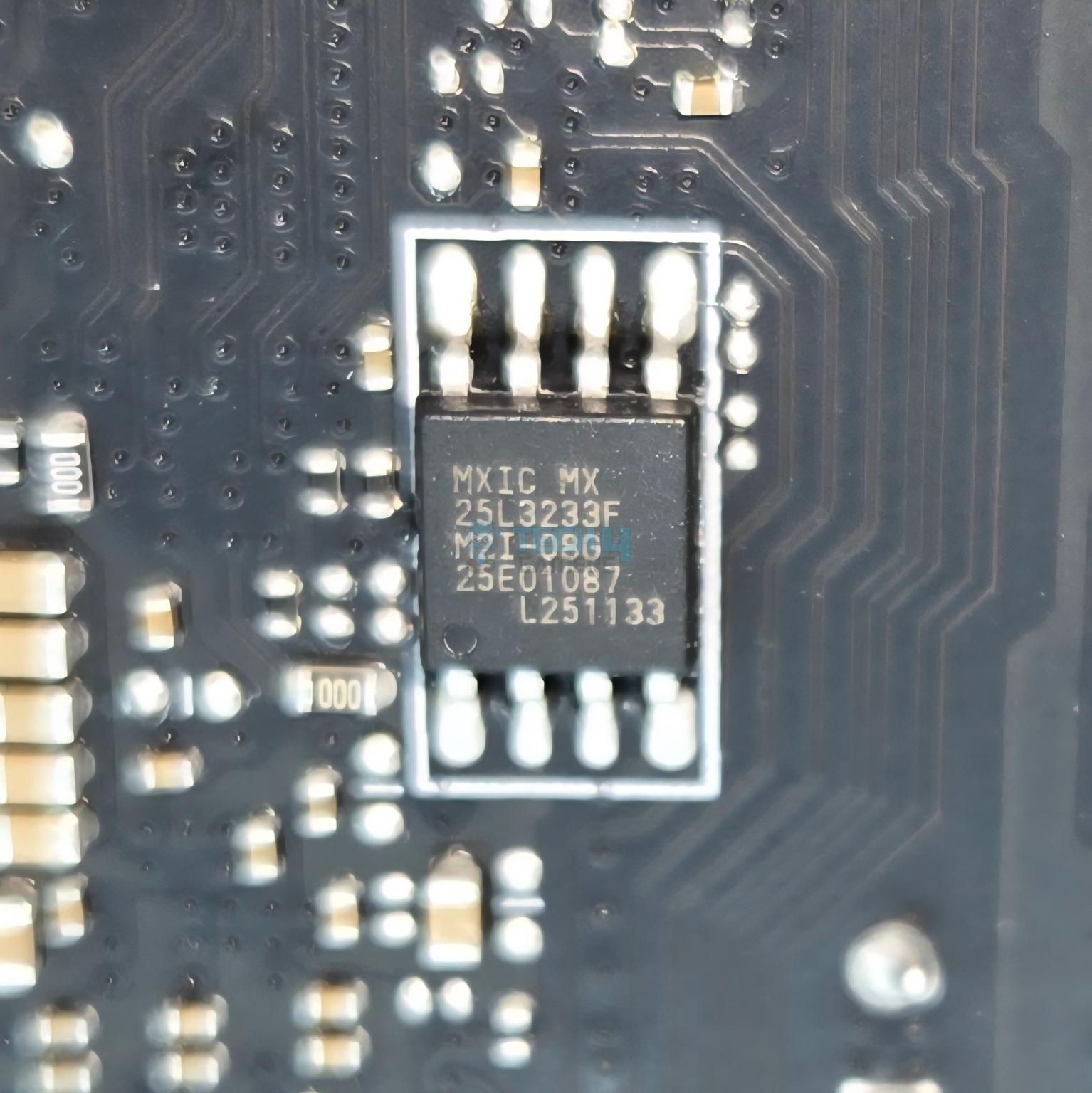
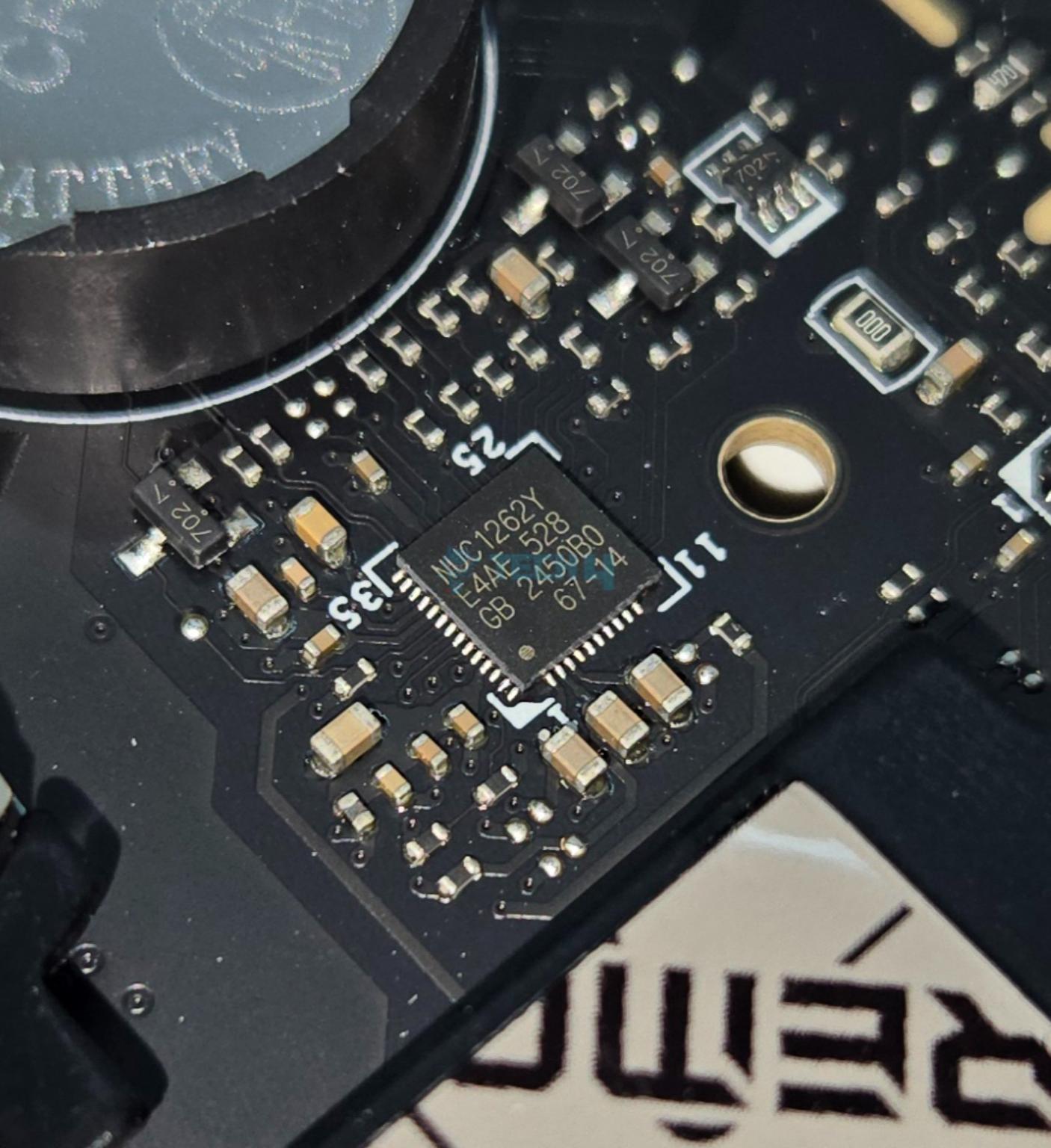
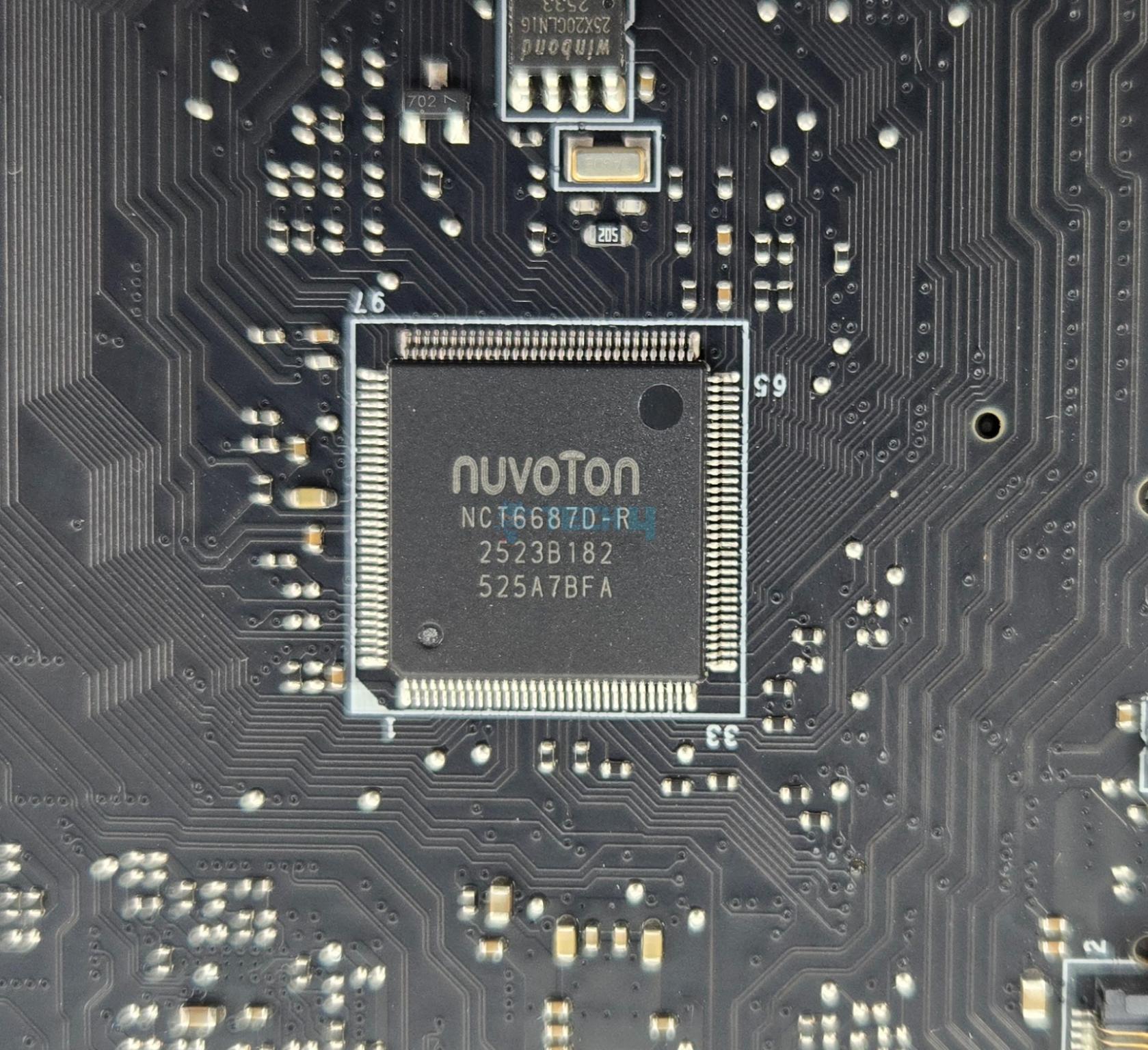
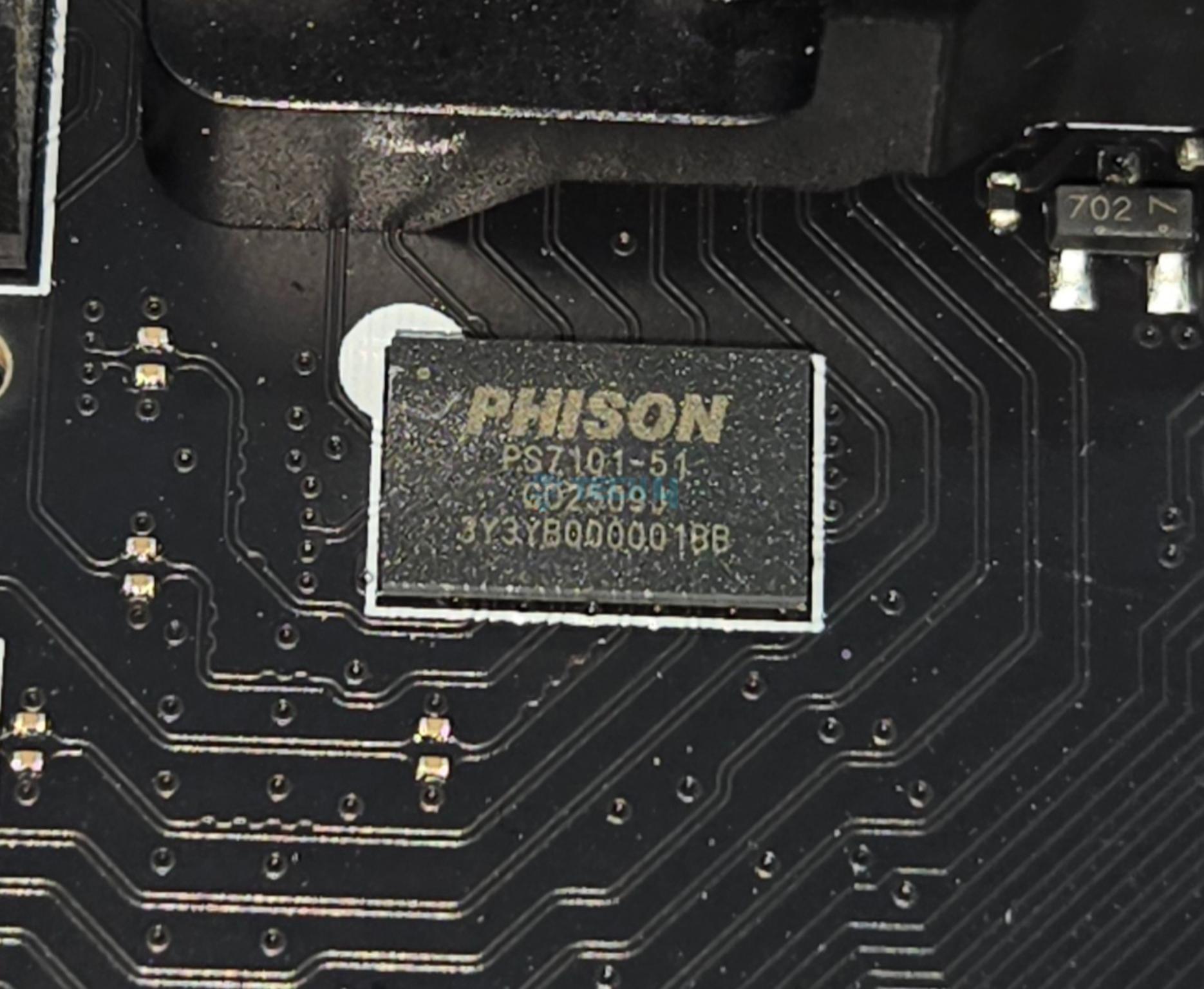
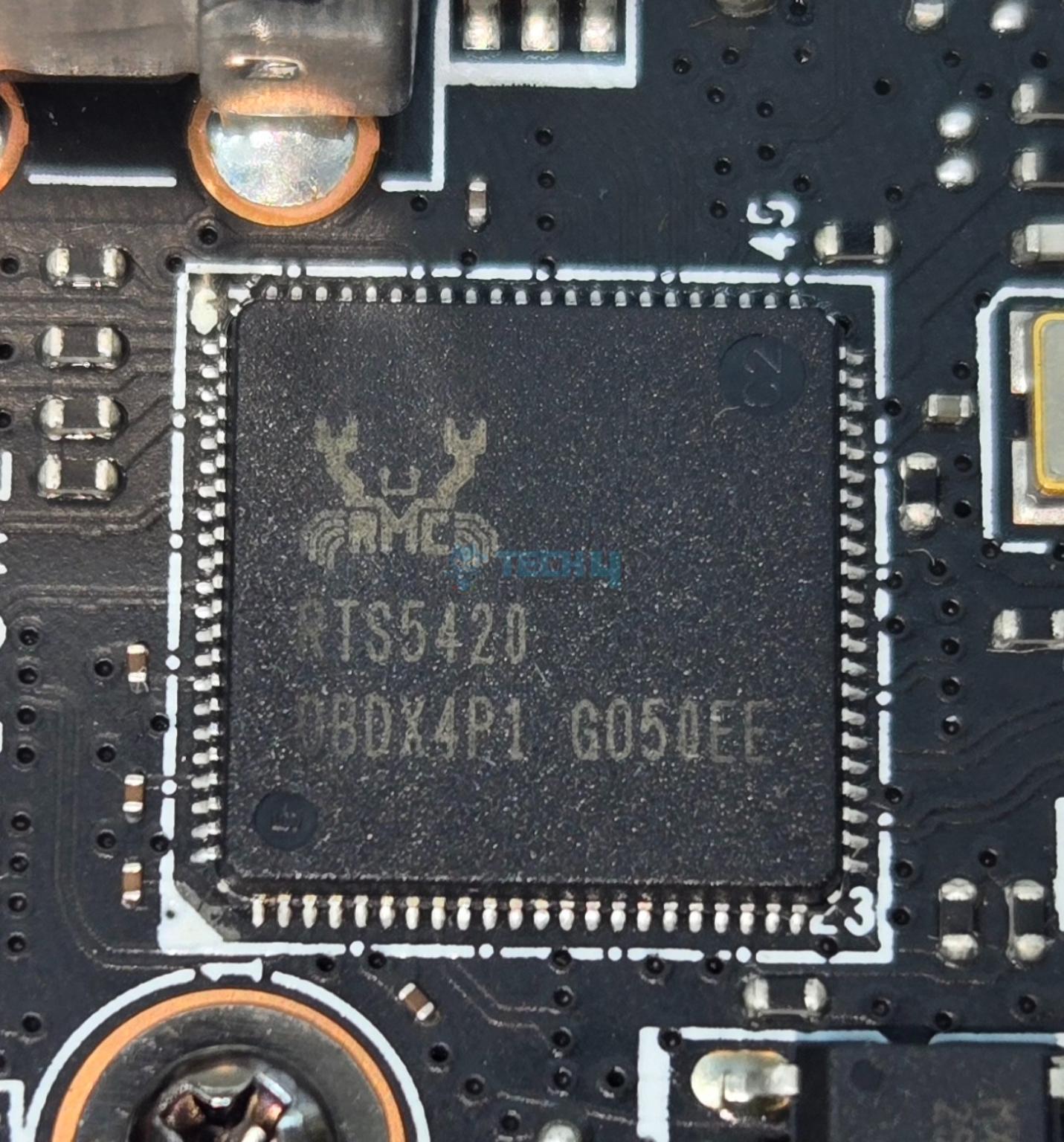
MSI has used multiple controllers on this motherboard including ASM1543, GL990, ITE IT8857, JYS13008MF03, MXIC MX 25L3233F, Phison PS7101-51, RTS5420 etc. The main IO controller is nuvoTon NCT6687D-R.

MSI has used PCIe Gen5 redrivers in the form of LeRain JYS13008MF03 with is liner equalize with Mux/Demux support and the Phison PS7101-51 which is an 2-lane high performance linear Redriver with integrated mux/de-mux designed for PCIe 5.0 applications that supports up to 32 Gbps data rate.

Networking Solution

Chips-RTL8126

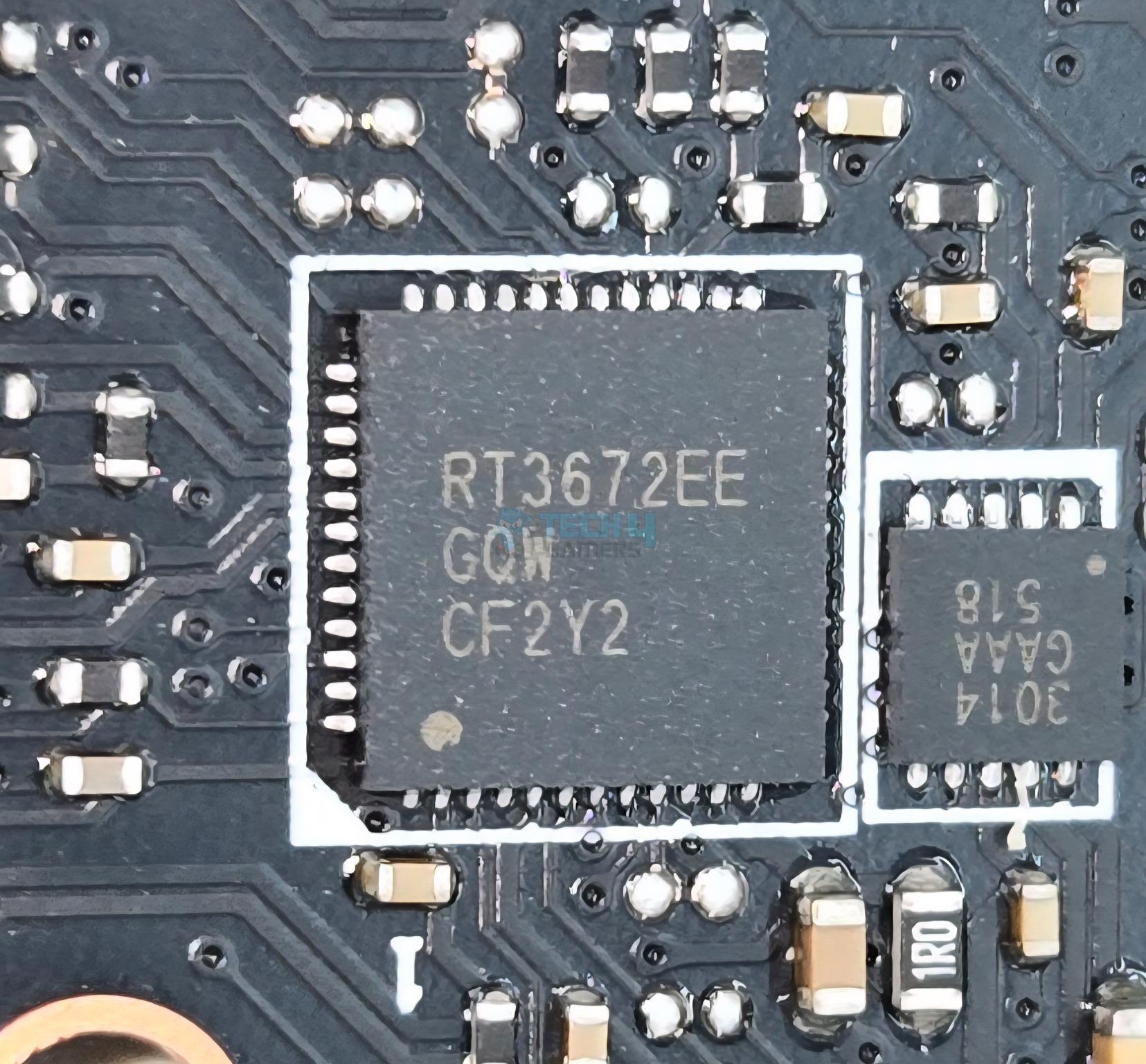
This motherboard comes equipped with 10GbE LAN port using AQC113CS controller and one 5GbE LAN port using RealTek  RTL8126 controller on the rear IO.

WiFi-Module

The wireless connectivity comprises WiFi 7 and Bluetooth 5.4. The Wireless module is pre-installed in the M.2 (Key-E) slot and supports MU-MIMO TX/RX, 2.4GHz/ 5GHz/ 6GHz (320MHz) up to 5.8Gbps. The antenna is magnetic making its placement convenient.

Audio Solution

Audio

MSI has implemented Audio hardware on two separate layers of the PCB. They have used RealTek ALC4082 codec in combination with high-performance Chemi-Con capacitors.

Audio

MSI has also ESS ES9219Q DAC/HPA. This is a 7.1 Channel audio solution that has S/PDIF output as well. It supports up to 32-Bit/384 kHz playback on front panel. MSI has designed the isolated analogy structure for the output on the rear panel.

Chiplets

I am showing X870E chipsets after removing its heatsink cover.

Chiplet-Cover

The above pictures show the chipset covers.

Let’s take a look at the connectors.

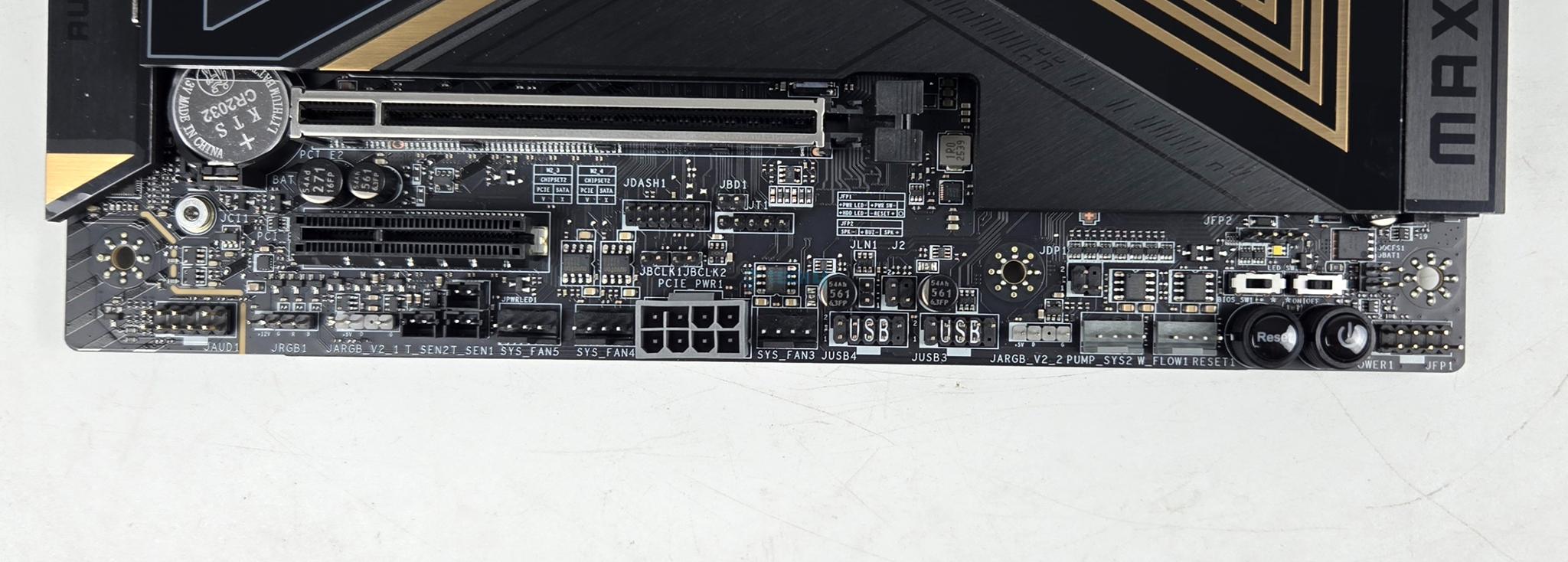
Internal Connectors

There are:

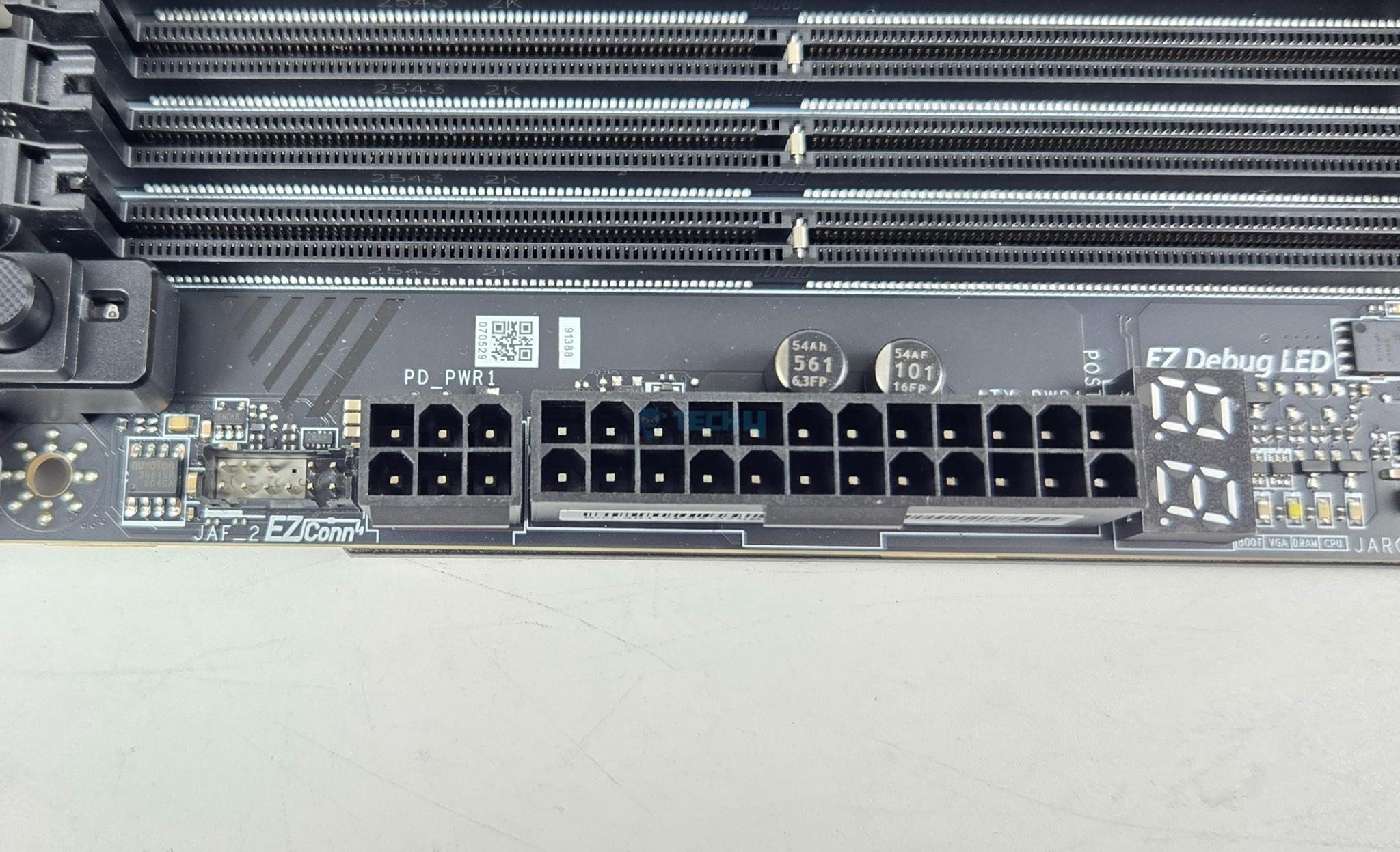
  • 1x 24-Pin Power Connector(ATX_PWR)
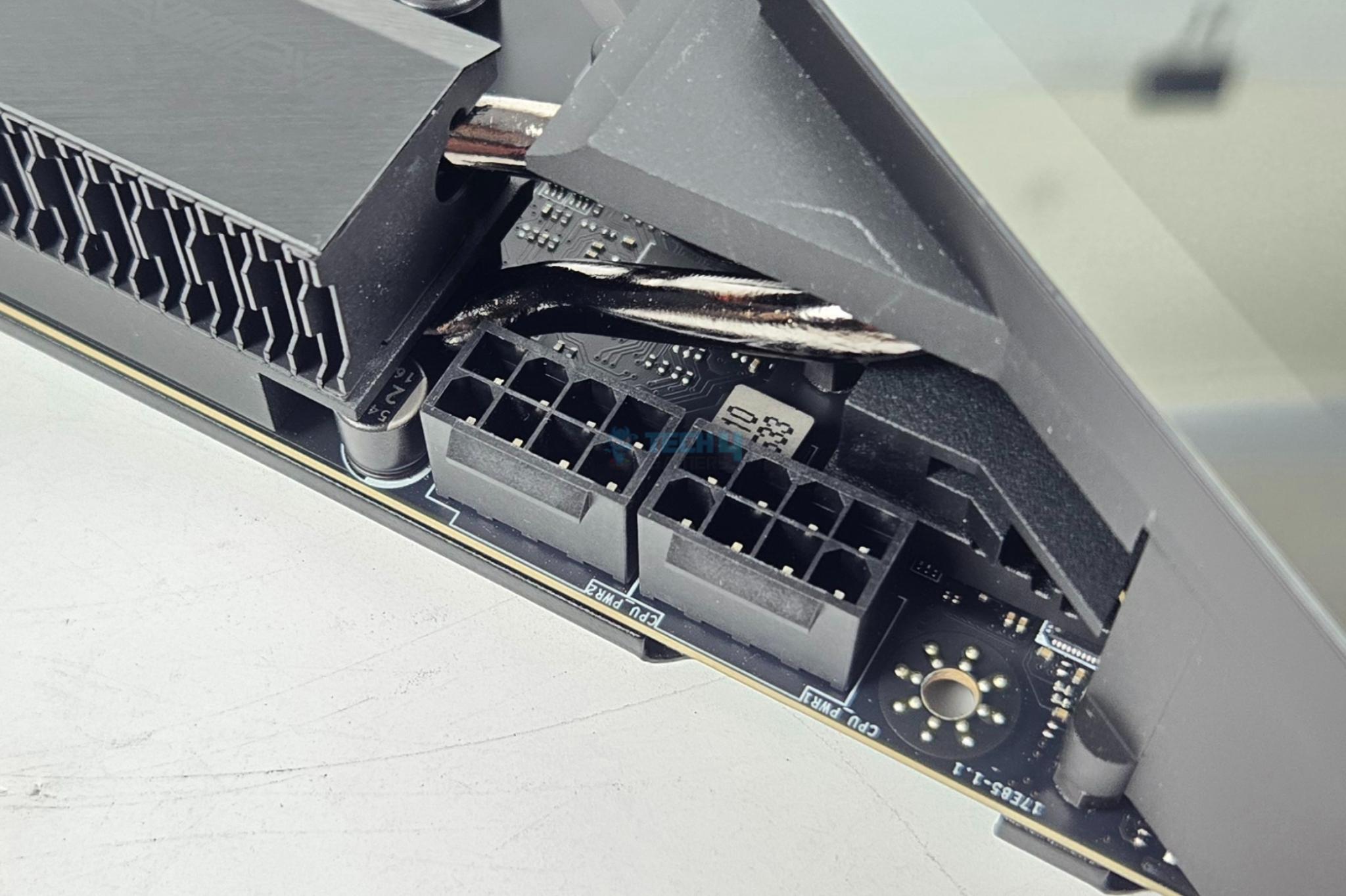
  • 2x 8-Pin Power Connector(CPU_PWR)
  • 1x Power Connector(PCIE_PWR 8pin)
  • 1x Front Type-C Quick Charge Connector(PD_PWR1)
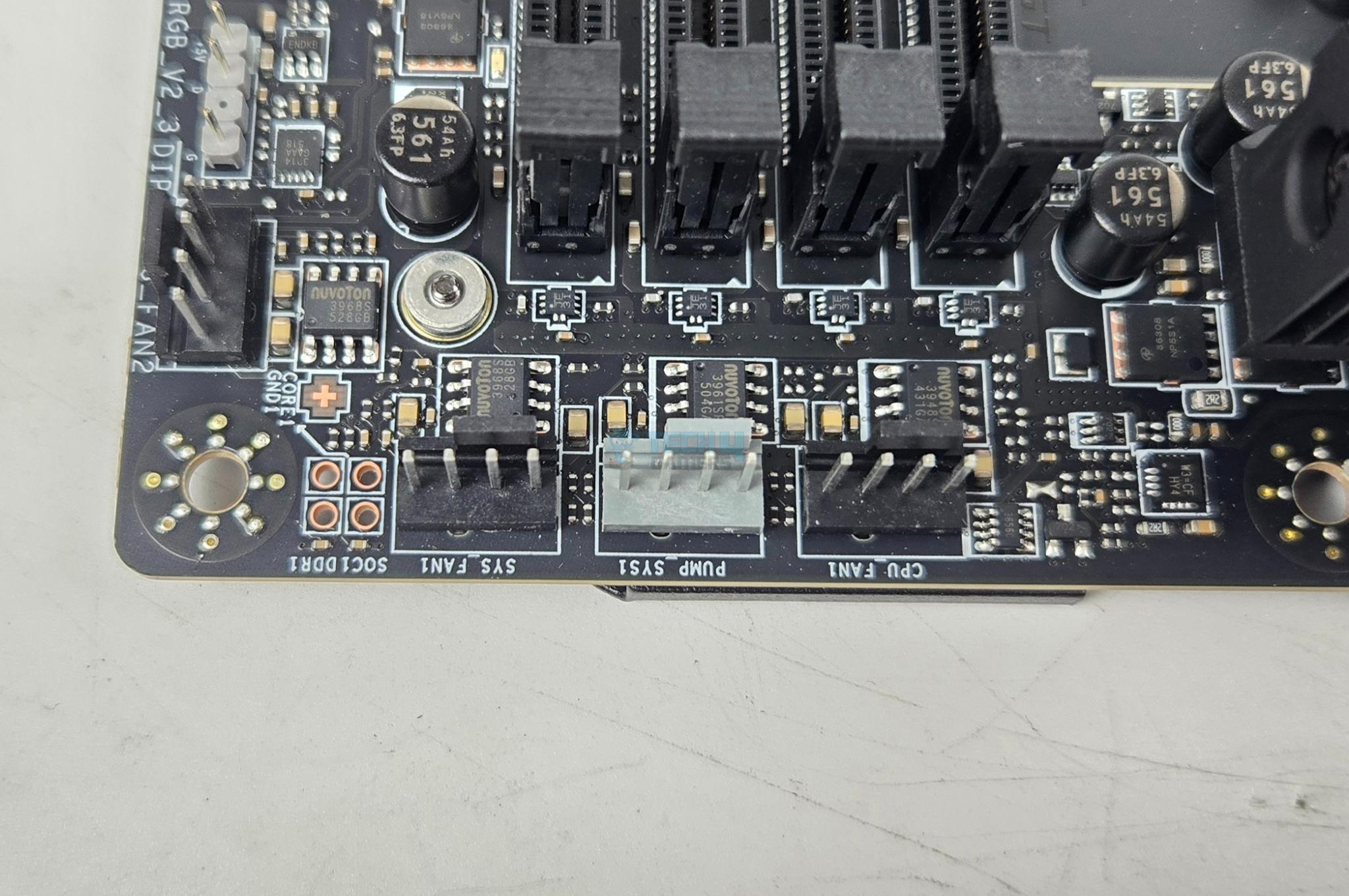
  • 1x CPU Fan
  • 2x Combo Fan (Pump_Sys Fan)
  • 5x System Fan
  • 1x EZ Conn-header (JAF_2)
  • 2x Front Panel (JFP)
  • 1x Chassis Intrusion (JCI)
  • 1x Water Flow connector
  • 1x Front Audio (JAUD)
  • 2x Thermal Sensor connectors(T_SEN)
  • 1x Tuning Controller connector(JDASH)
  • 3x Addressable V2 RGB LED connector (JARGB_V2)
  • 1x RGB LED connector(JRGB)
  • 1x TPM pin header(Support TPM 2.0)
  • V-check point
  • 2x Direct OC Jumper (JBCLK)
  • 4x USB 2.0 ports
  • 4x USB 5Gbps Type A ports
  • 1x USB 20Gbps Type C ports

Nuvoton-3968S

Each fan header is powered and controlled by nuvoTon 3968S. The CPU Fan header is rated at 2A, the pump header is rated at 3A whereas the system fan headers are rated for 1A each.

Troubleshooting-LEDs

The motherboard has 4x troubleshooting LEDs. In case of an issue the corresponding LED will remain lit until the issue is resolved. The motherboard also Digi Debug LED that shows two digits during posts for easy troubleshooting in case of any error. It also shows the temperature once Microsoft Windows is loaded.

In addition, there is an EZ Memory Detection LED which remains light up in case of faulty stick is loaded into the DIMM slots. 1x EZ LED Control switch is also provided.

Rear IO Panel

Rear-IO

There are:

  • USB 10Gbps (Type-A)
  • Flash BIOS Button
  • Clear CMOS Button
  • Smart Button
  • 10G LAN
  • 5G LAN
  • Wi-Fi / Bluetooth
  • HD Audio Connectors
  • HDMI™ 2.1 Port
  • USB 40Gbps (Type-C)
  • USB 10Gbps (Type-C)
  • USB 10Gbps (Type-A)
  • Optical S/PDIF-Out

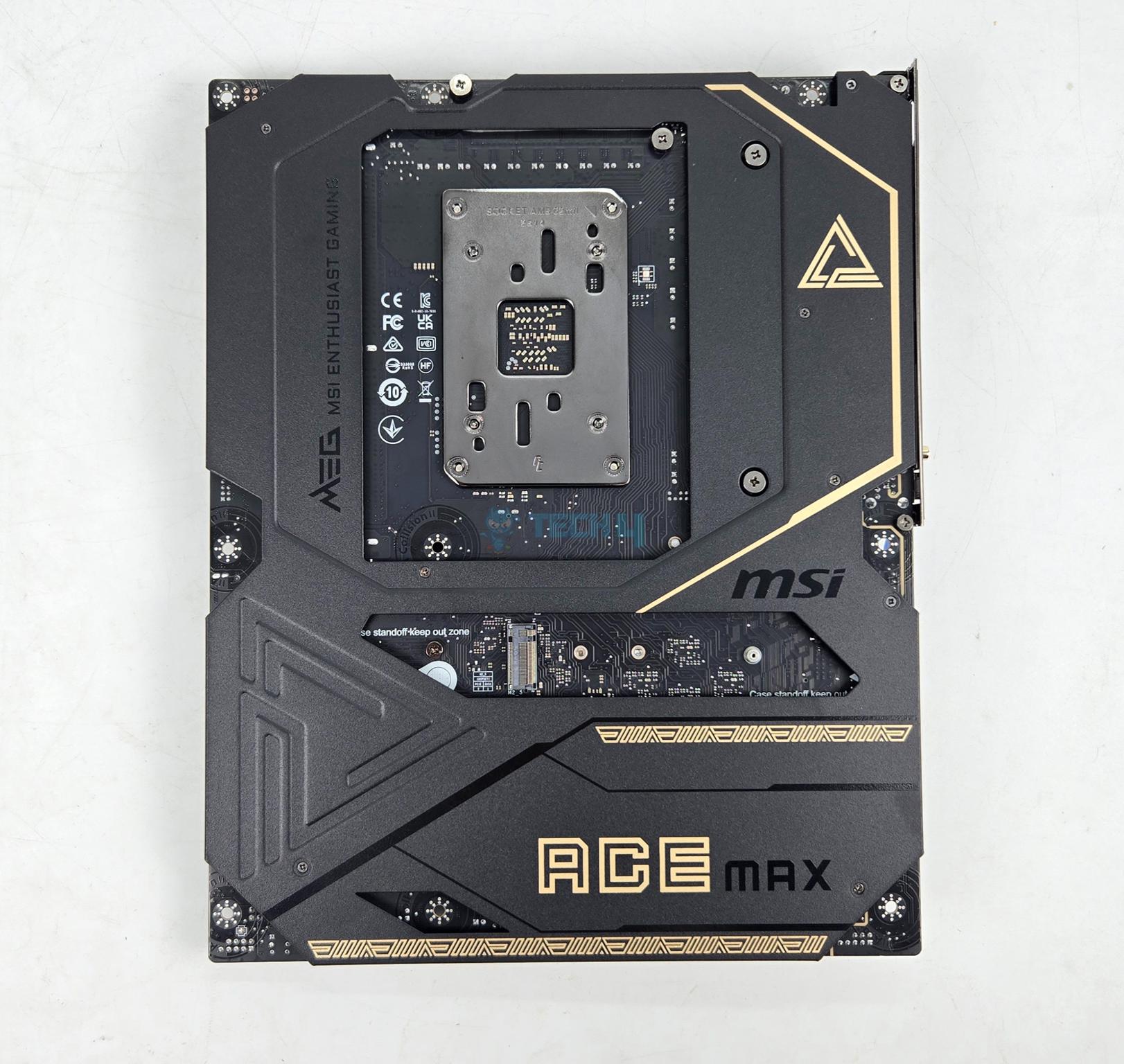
PCB-View

The above is a PCB front view after teardown.

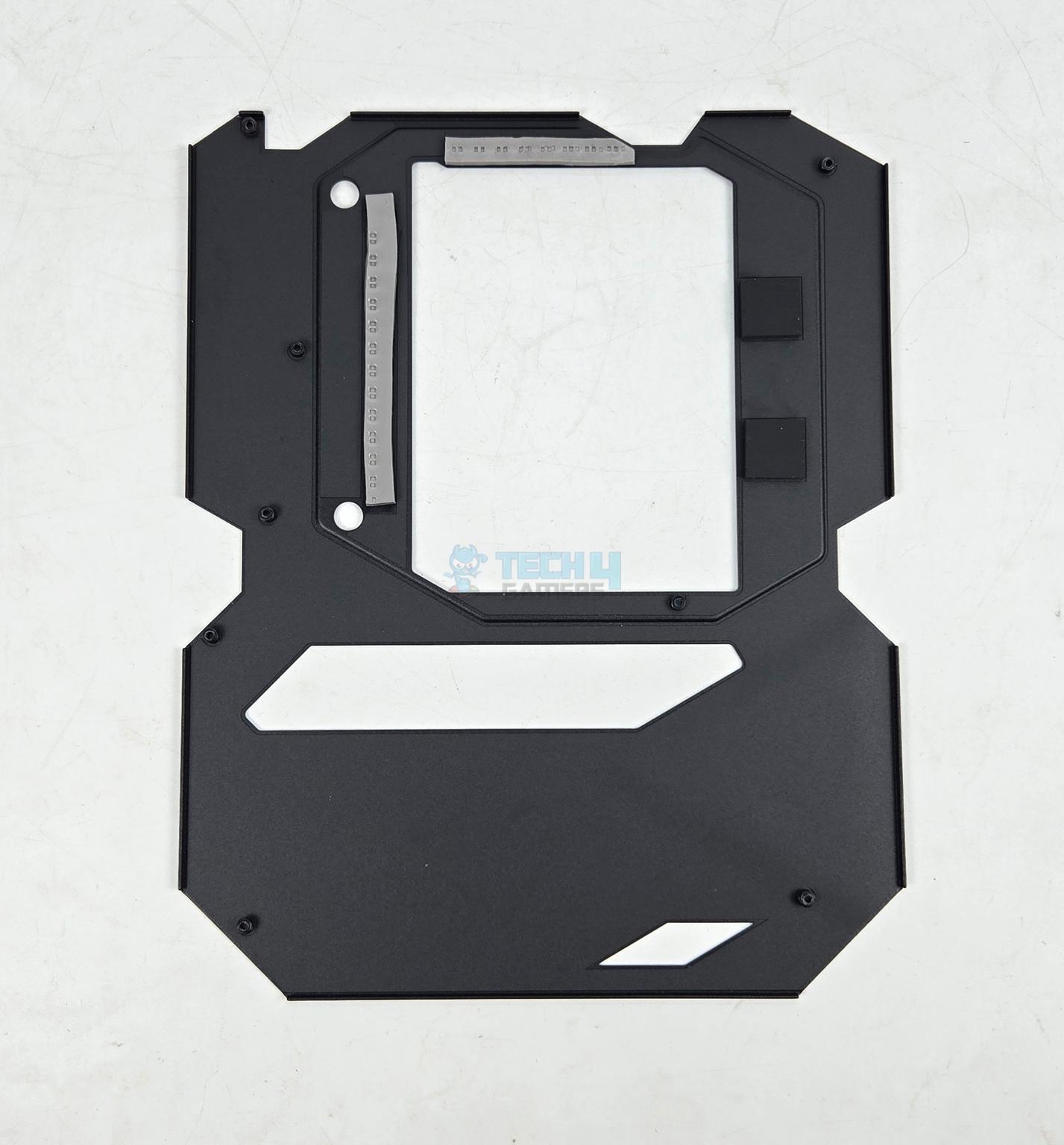
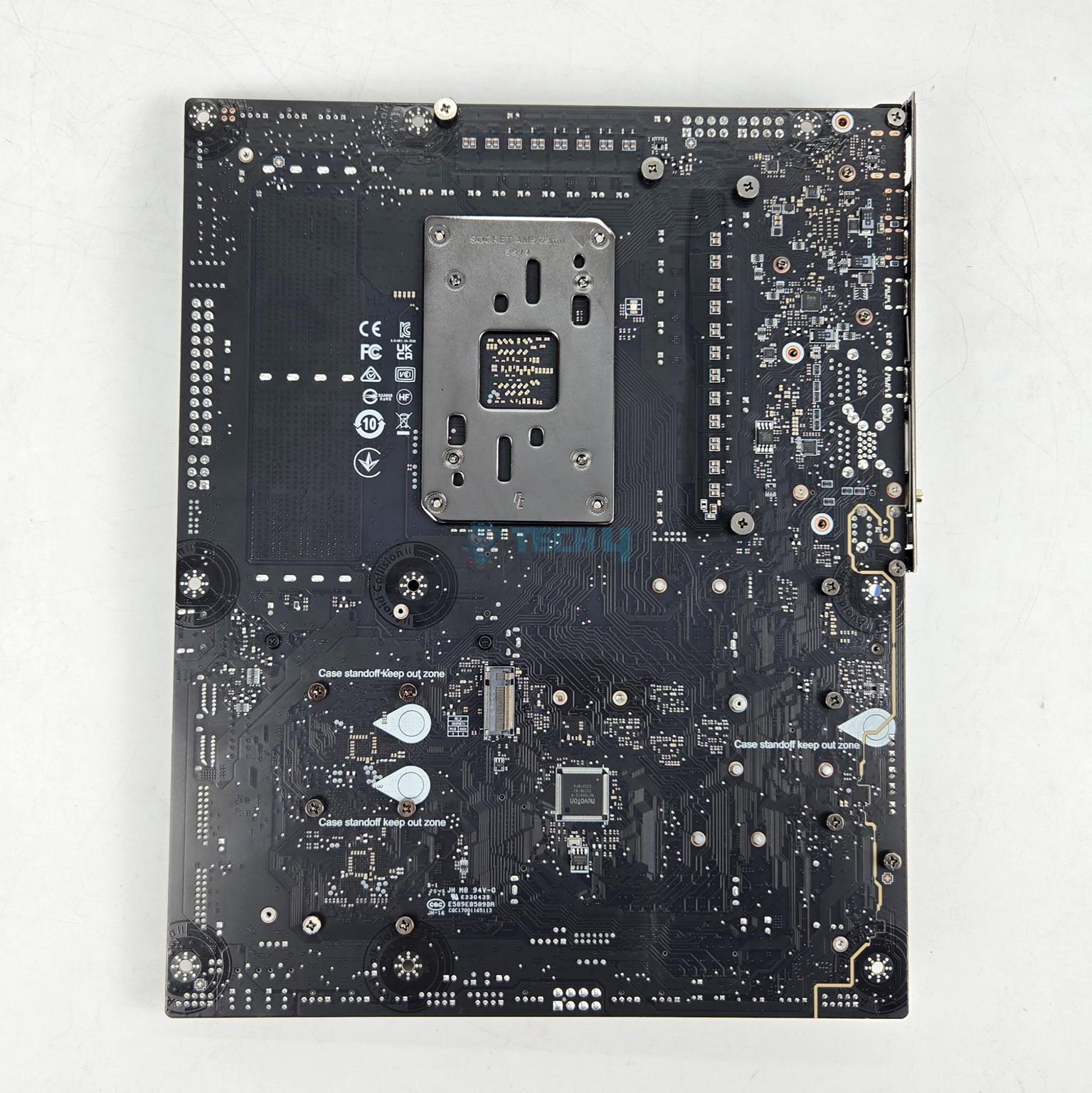
The motherboard has a metallic backplate on the backside. It has thermal pads between itself and the back of the MOSFETs for effective cooling of the power delivery area.

BIOS

BIOS-EZ-Mode

BIOS has a same interface that I have been seeing on other MSI motherboards that are tested on Tech4Gamers. MSI has streamlined the BIOS interface and named it Click BIOS X. It is easy to navigate and all the related settings are grouped.

I will not delve into the details, as we have provided extensive coverage of BIOS in previous articles.

Test Build

Test-Build

I have used the following configuration to test the motherboard:

  • MSI MEG X870E ACE MAX
  • AMD Ryzen 9 9900X [Stock, Auto and PBO]
  • ASRock Radeon RX7600 Phantom Gaming OC 8G
  • Lian Li GA-II Lite 360 Performance
  • Skill Ripjaw Z RGB 32GB 6400MHz CL30 DDR5 kit
  • Biwin NV7400 2TB NVMe SSD [For OS]
  • Teamgroup GC Pro 2TB NVMe Gen5 SSD
  • Sabrent Rocket NANO V2 4TB Portable SSD
  • Fractal Design ION+ 2P 860W Platinum
  • Praxis Wetbench

CPU-Z

The above is a picture showing a run of CPU-Z. You can see that graphics card is operating at x8 link. The RAM is operating at its tested speed of 6400MT/s after loading the EXPO.

We have divided the overall tests in four major categories. These are:

  • CPU and Memory Tests
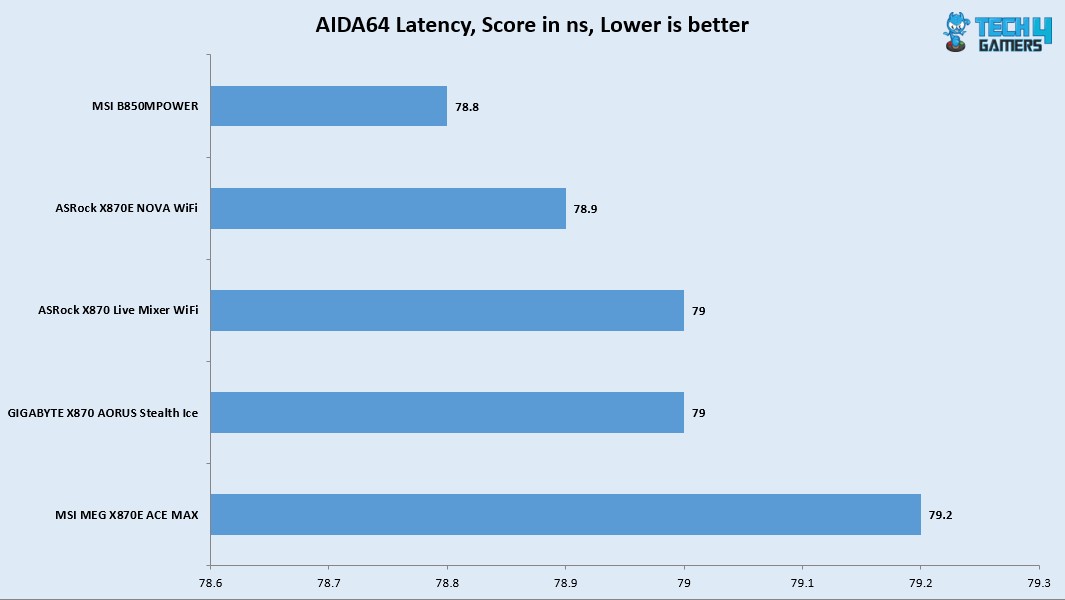
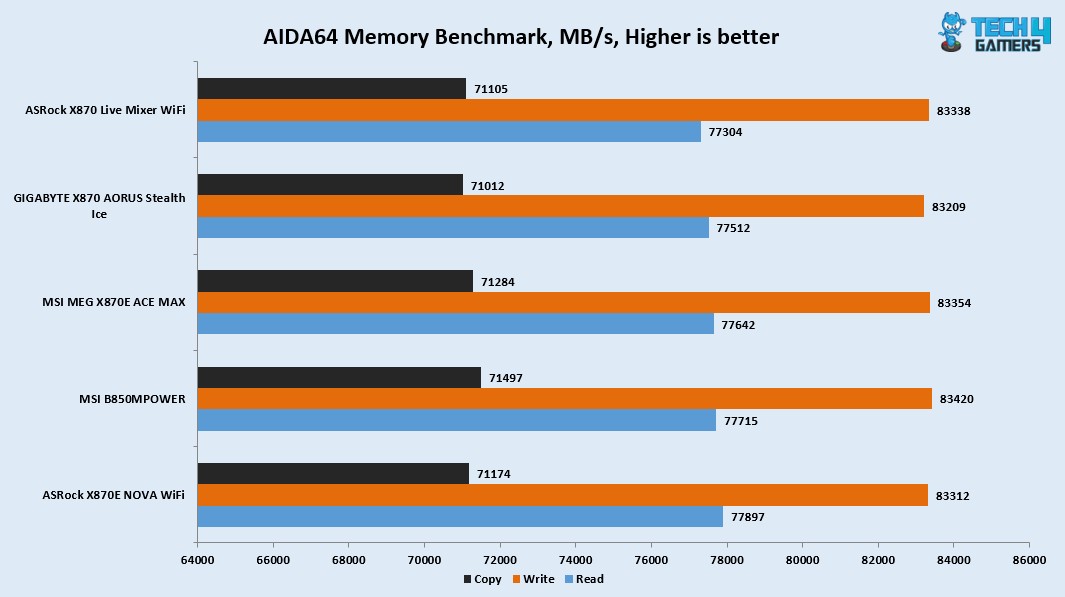
    • AIDA64 CPU and Memory Test
    • CINEBENCH R23.2
    • Blender Benchmark 4.5.0
    • 7-Zip Compression Benchmark
    • 3DMARK CPU Profile
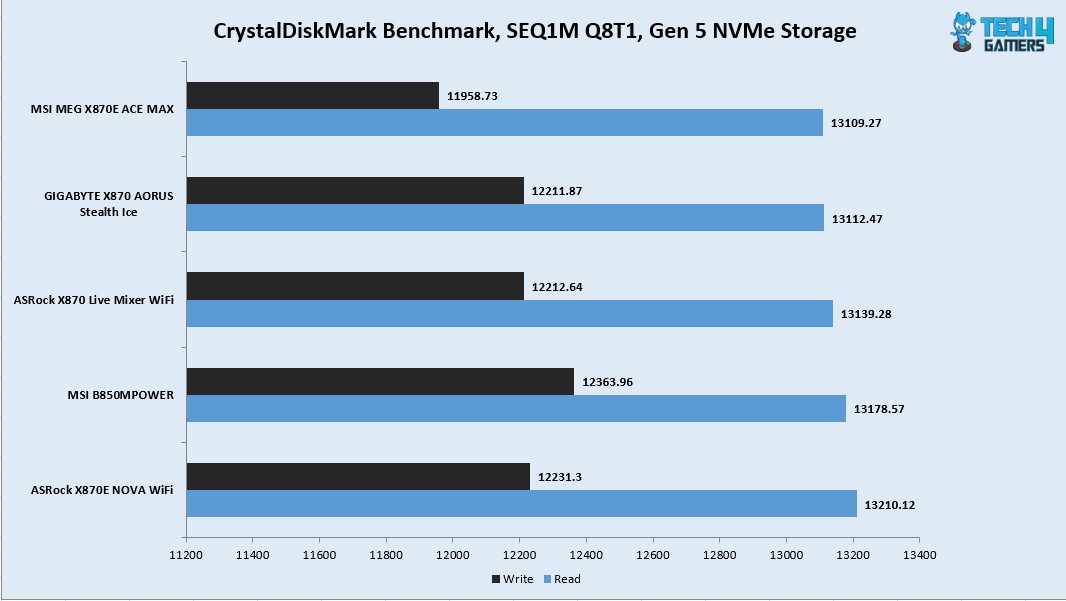
  • Storage Tests
    • CrystalDiskMark
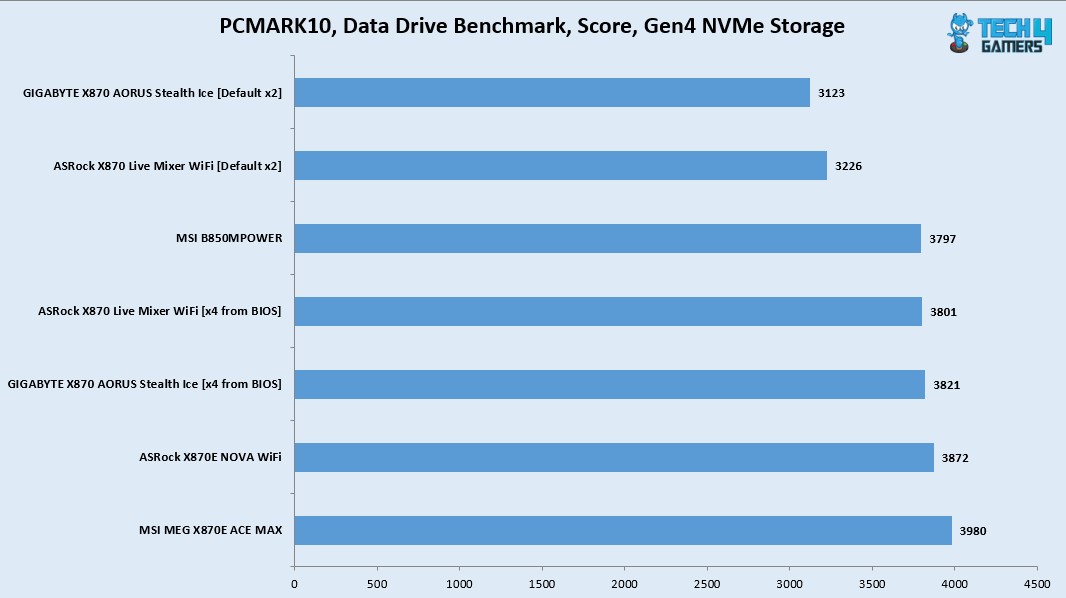
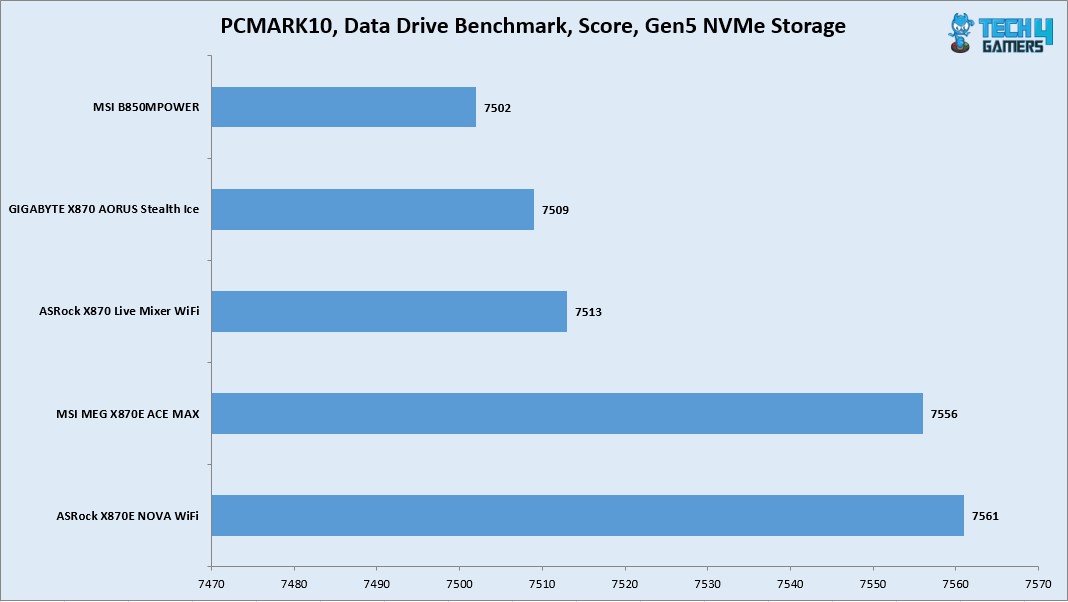
    • PCMARK10 Data Drive Benchmark
  • Gaming Tests
    • 3DMARK Speed Way
    • 3DMARK Time Spy Extreme
    • 3DMARK Steel Nomad
    • Read Dead Redemption 2
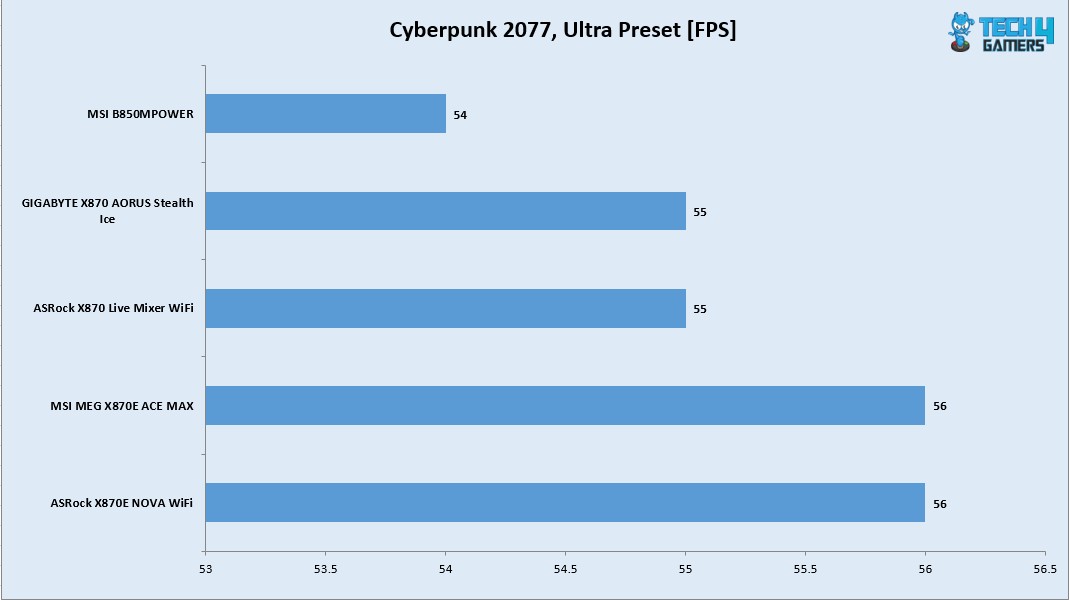
    • Cyberpunk 2077
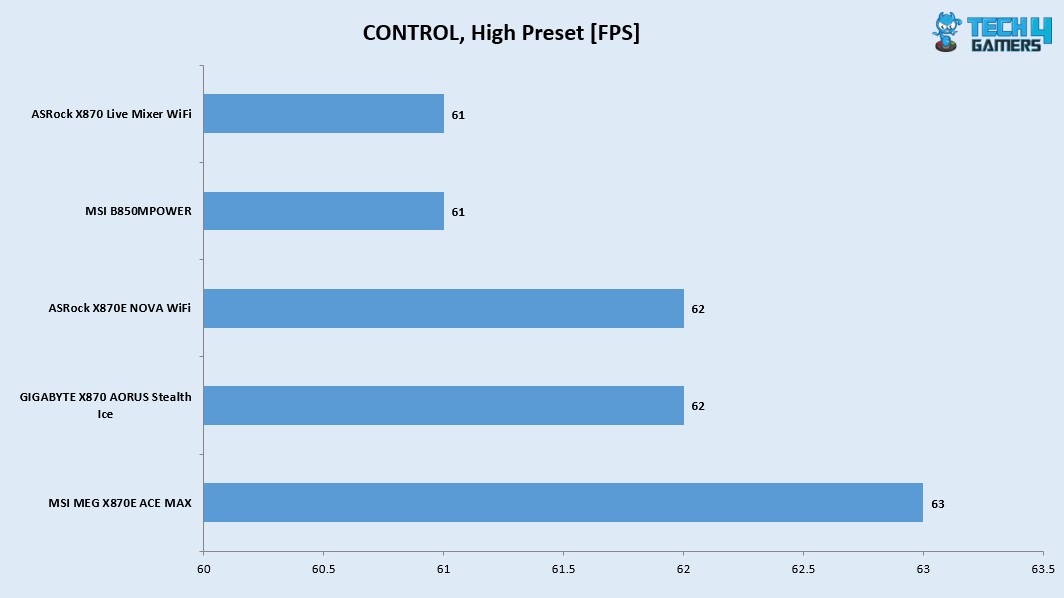
    • Control
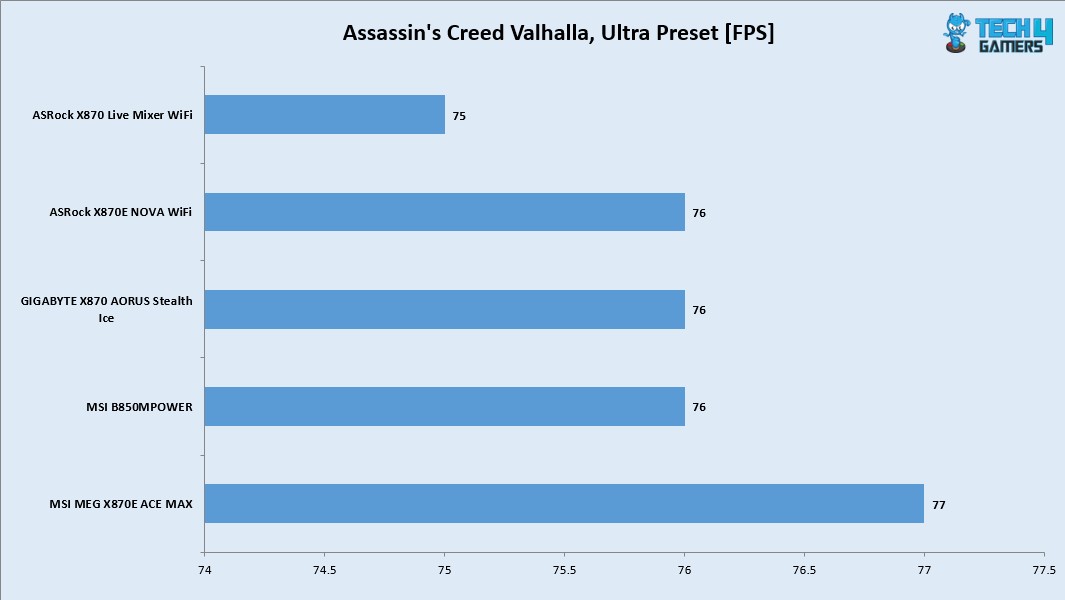
    • Assassin’s Creed Valhalla
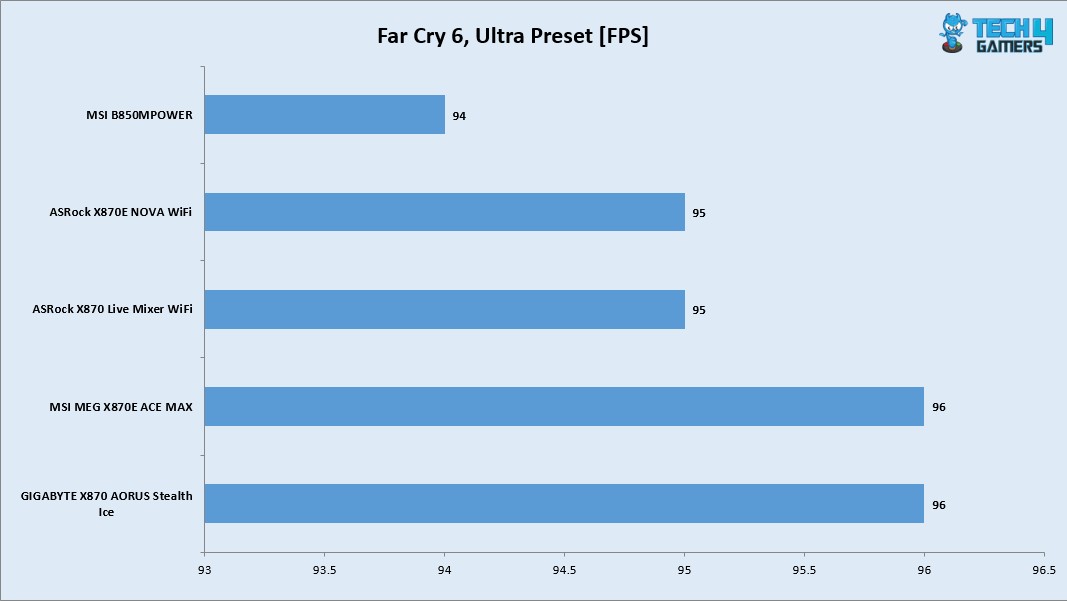
    • Far Cry 6
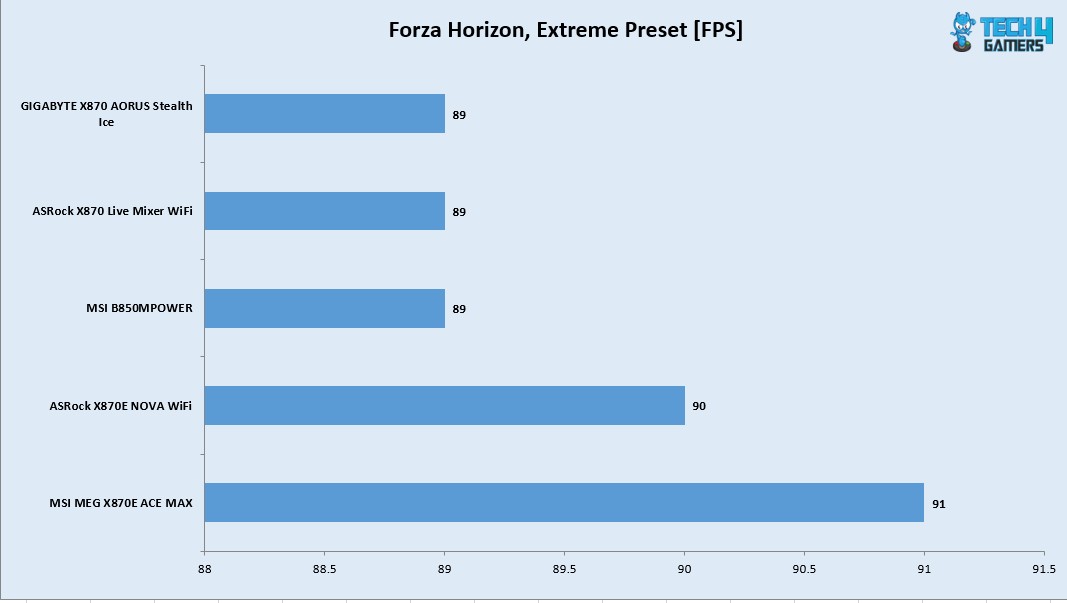
    • Forza Horizon 5
  • Overall System Tests
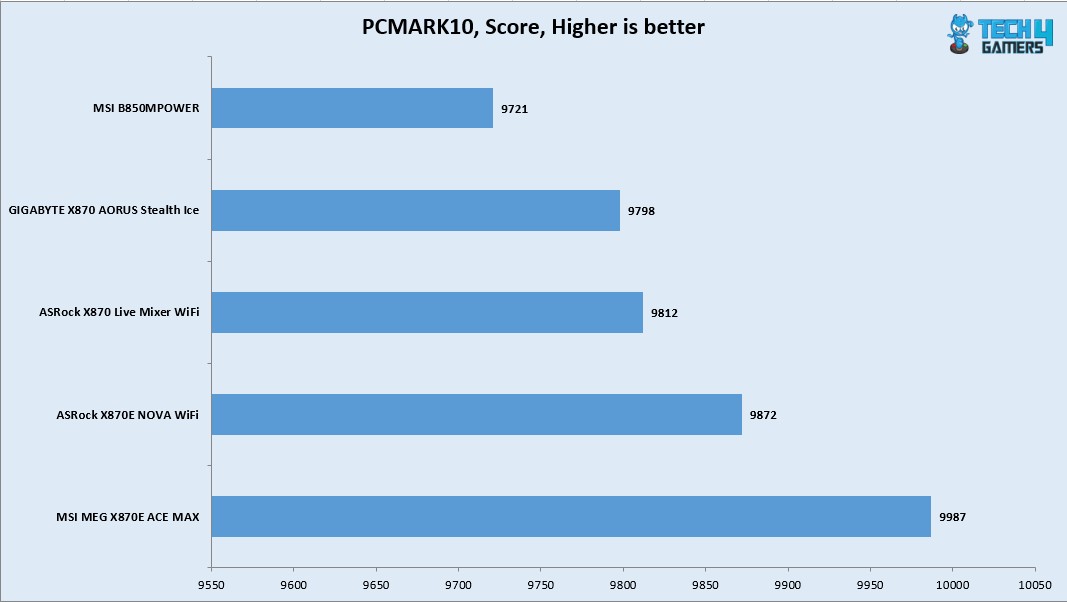
    • PCMARK10
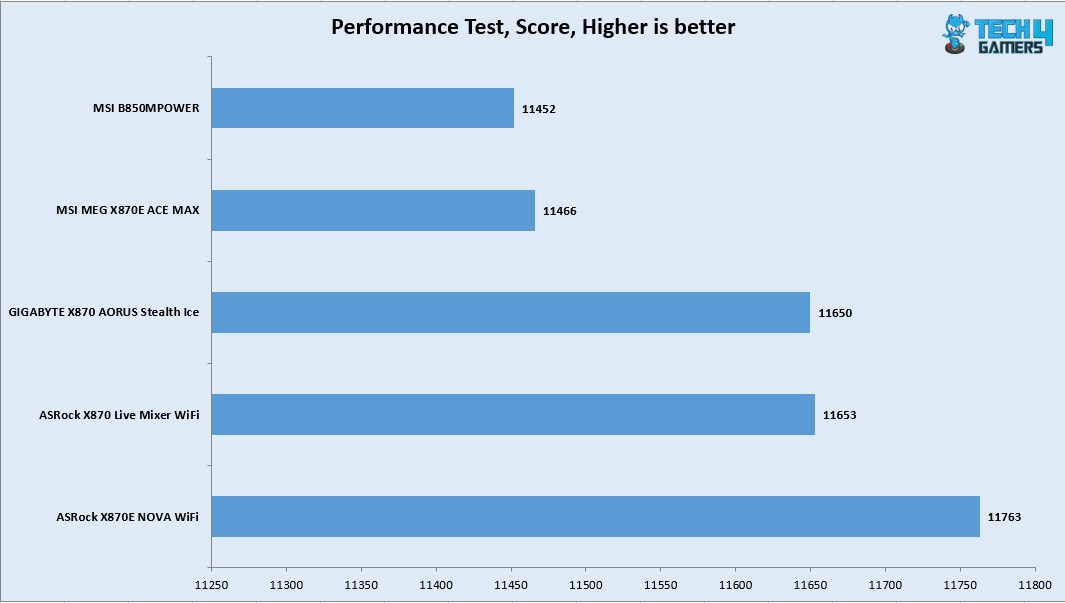
    • Performance Test

You can see A-RGB elements on the IO cover and top M.2 Frozr Shield II cover. This can be controlled via MysticSync app under MSI Center.

Test Result

The testing was done on stock settings with EXPO loaded. PBO was disabled.

CPU And Memory Benchmarks

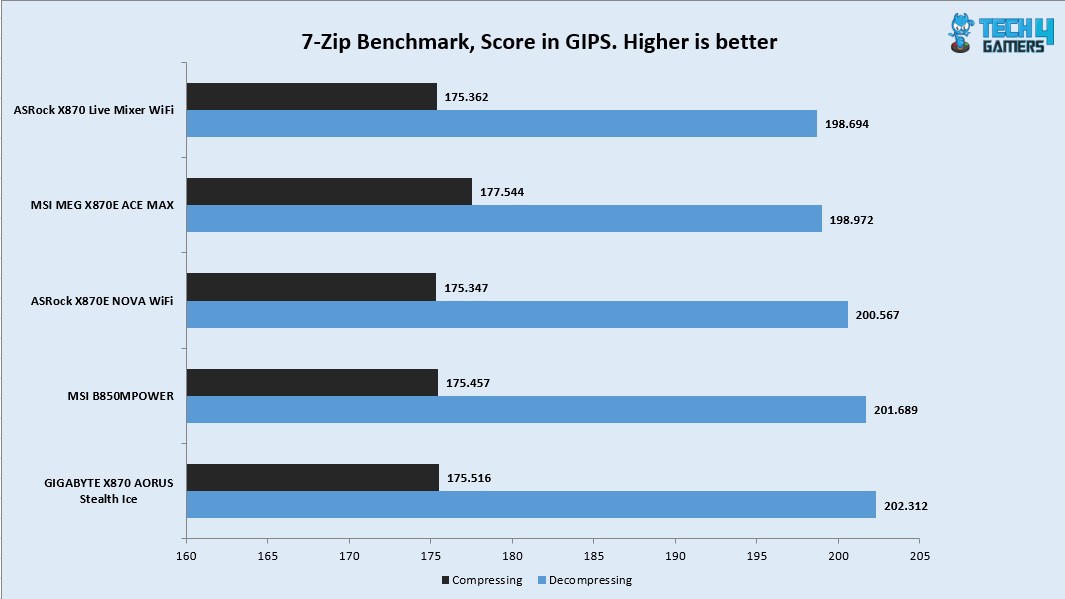
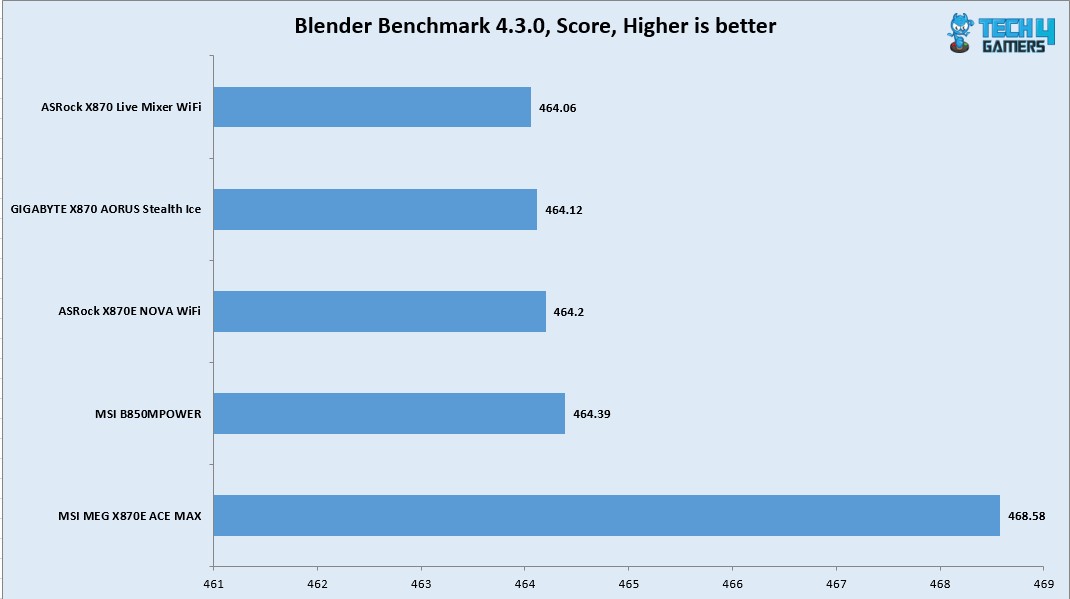
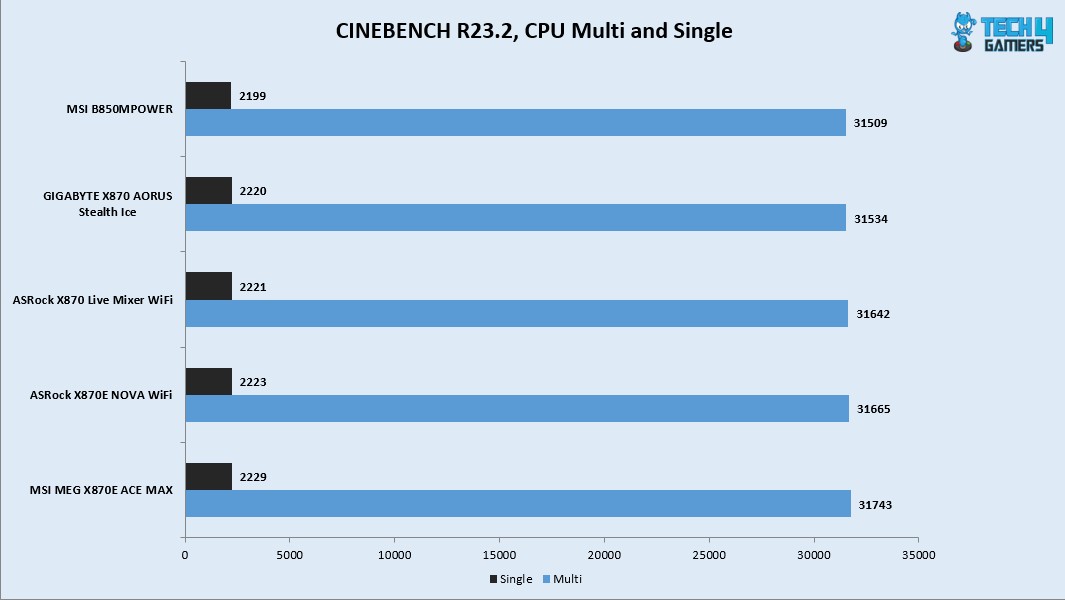
In Cinebench R23.2 the CPU scored 31743 points in CPU Multi Core load and 2229 points in a Single Core Load. The DDR5 kit has performed well at its tested speed of 6400MHz. The performance in 7-Zip benchmark is satisfactory as well with a compression result of 175.516GIPS and 202.312GIPS score in Decompression. The blender benchmark overall score was 468.58.

Storage Test

I have used:

  • Gen5x4 NVMe Drive
  • Gen4x4 NVMe Drive

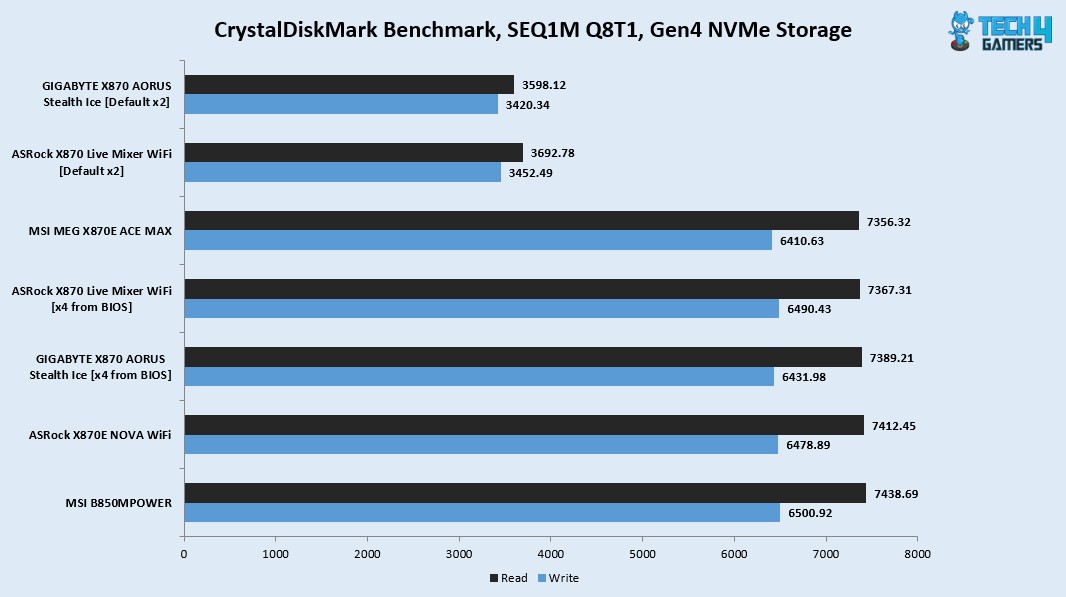
All drives passed their sequential speeds in the CrystalDiskMark. The performance in PCMARK10 Data Drive Benchmark is quite well.
Gaming Test

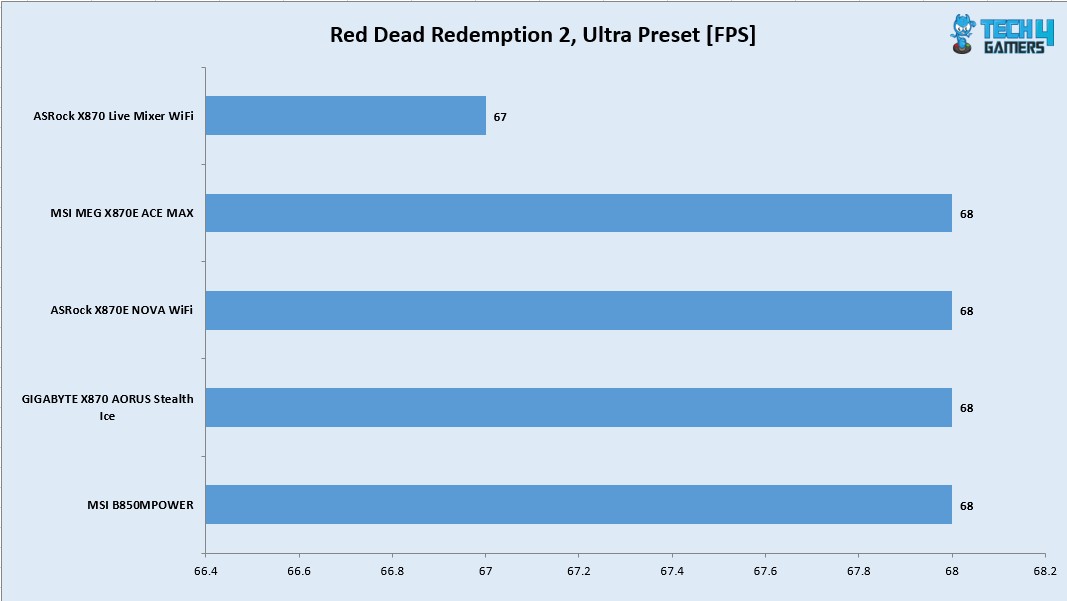
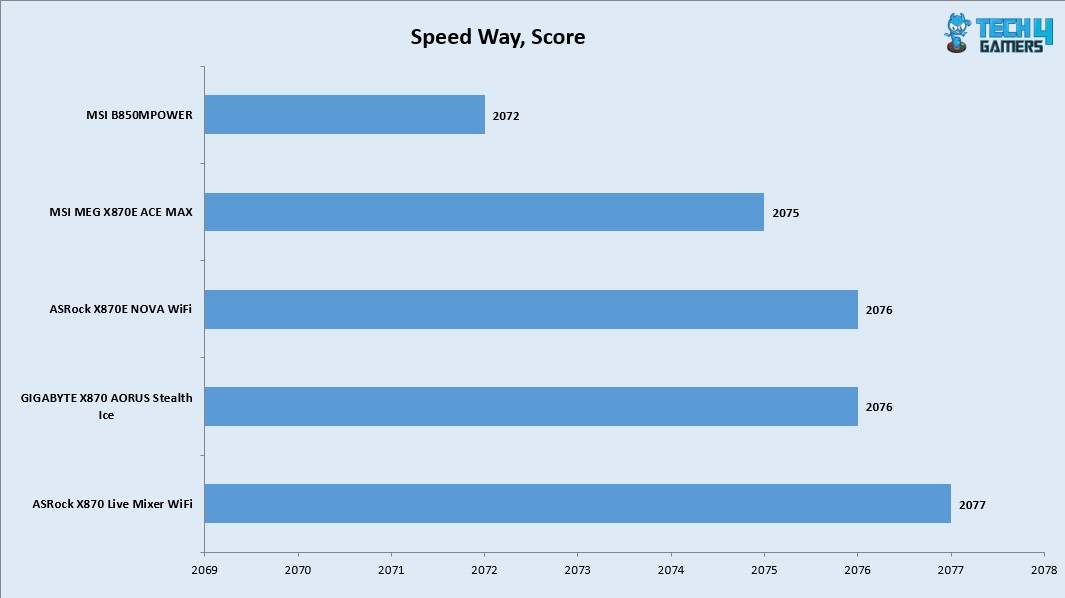
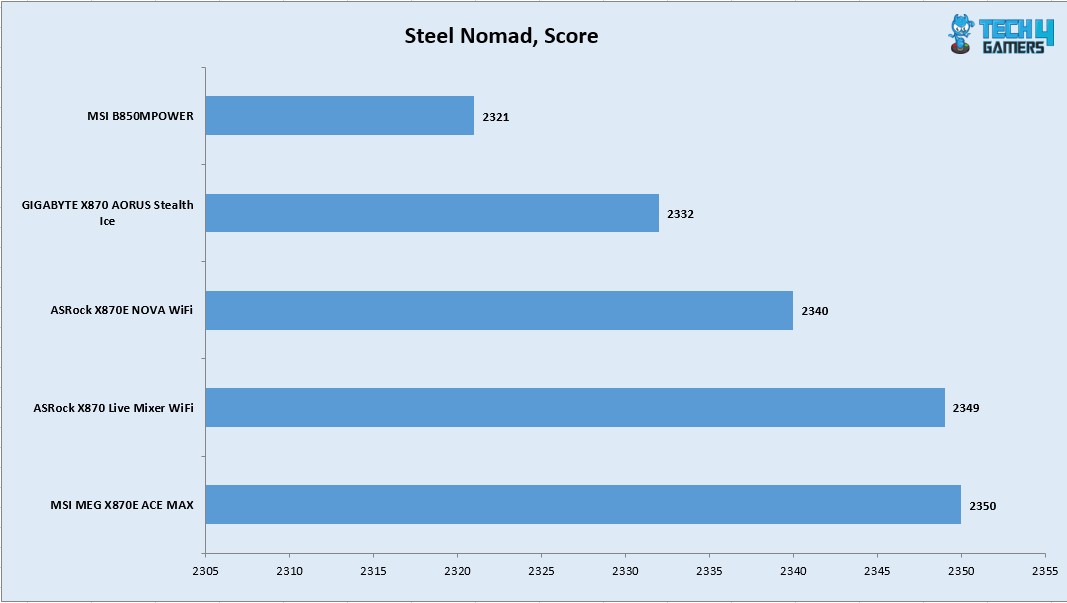
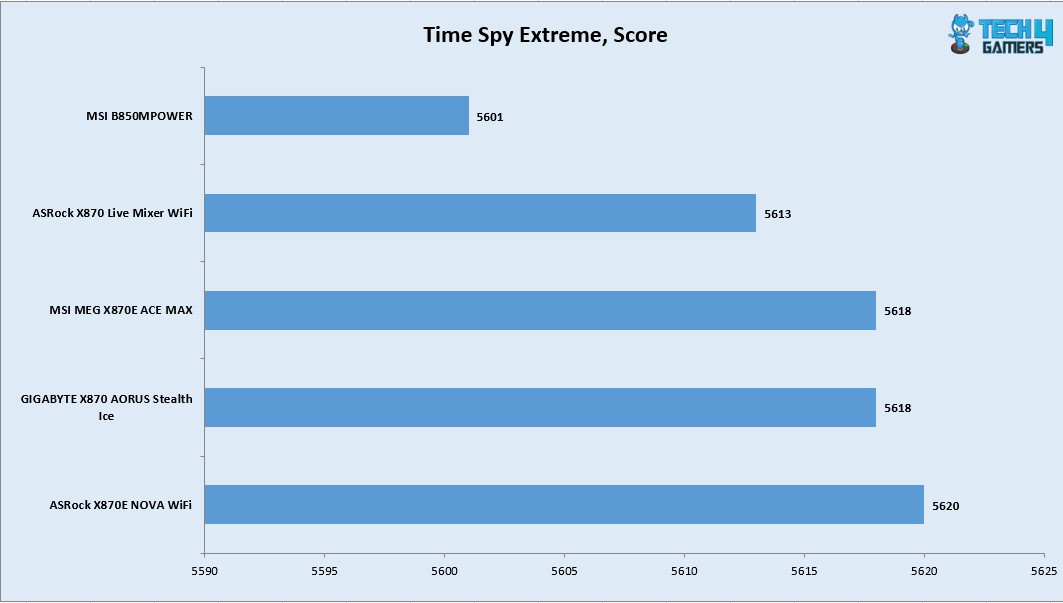
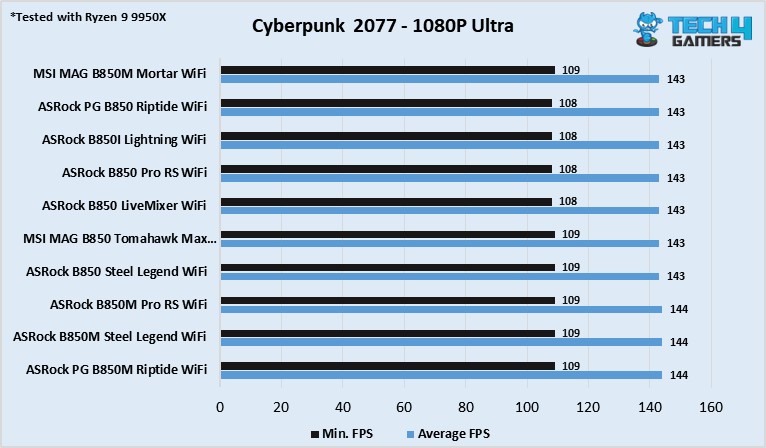
We have a good all round performance in the gaming benchmarks. This shows that this motherboard can handle the gaming load easily.

System Performance Test

The PCMARK10 score came to 9987 which is an excellent score and the Performance Test overall score was 11466.

Core Clock Behavior

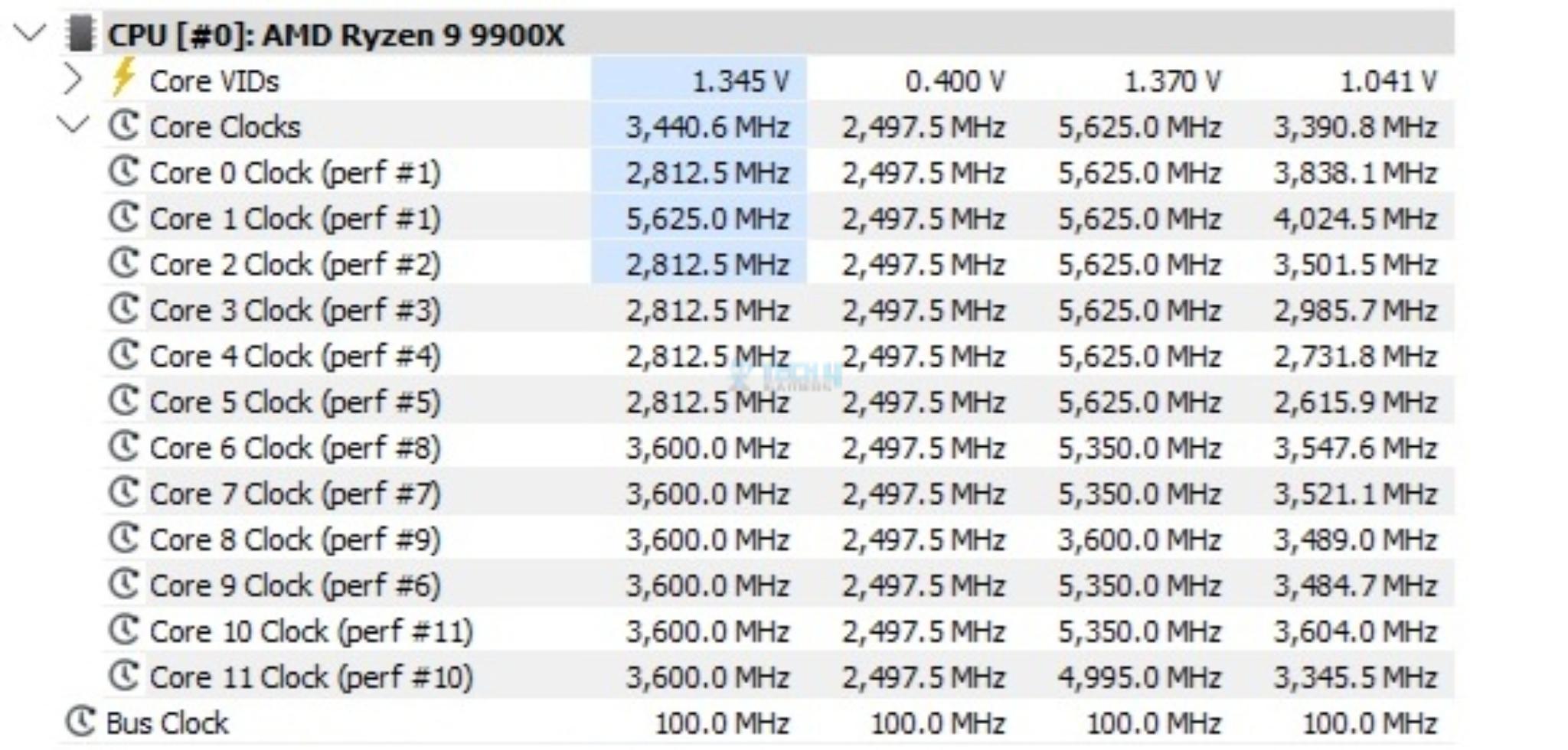
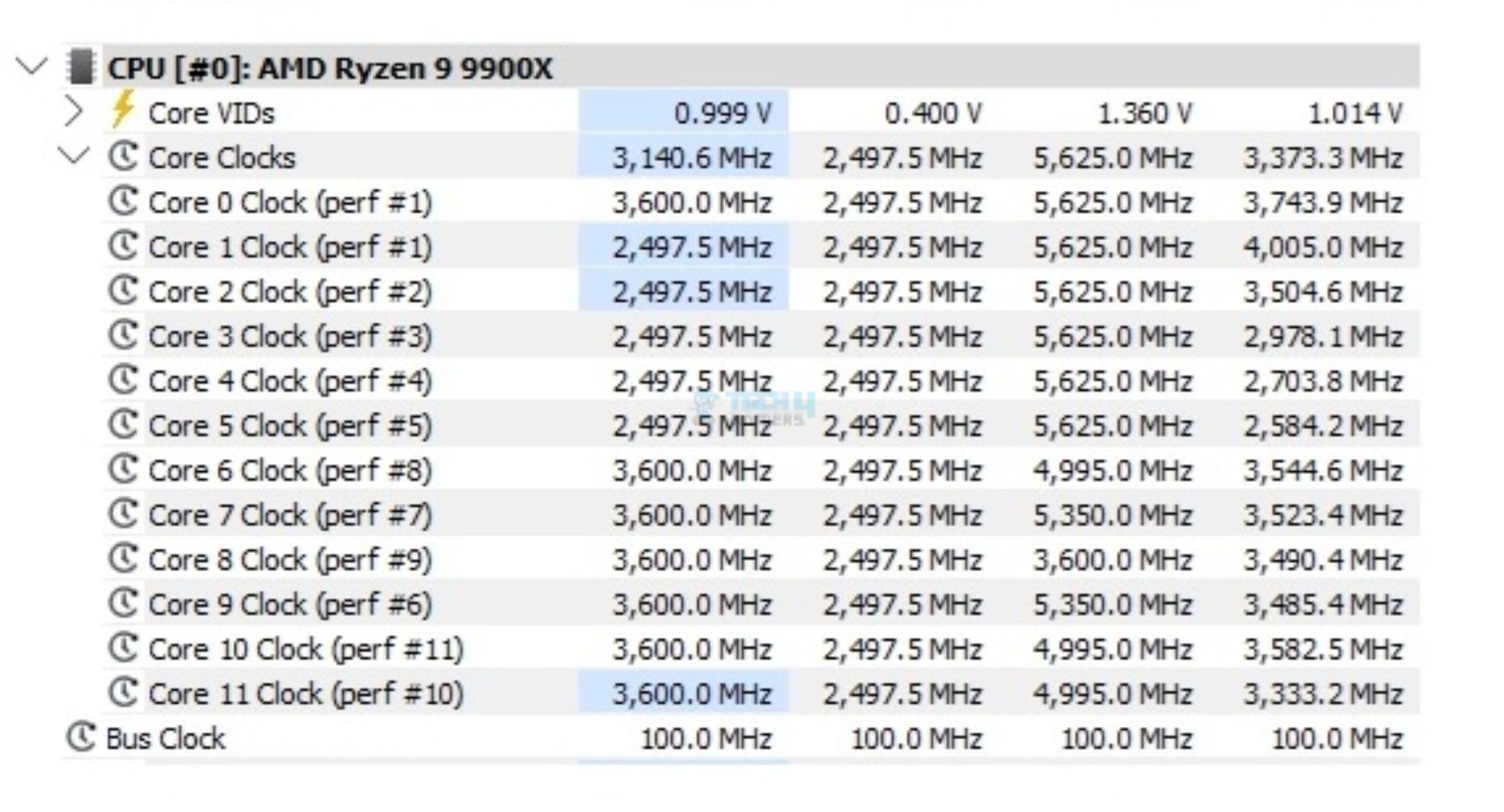
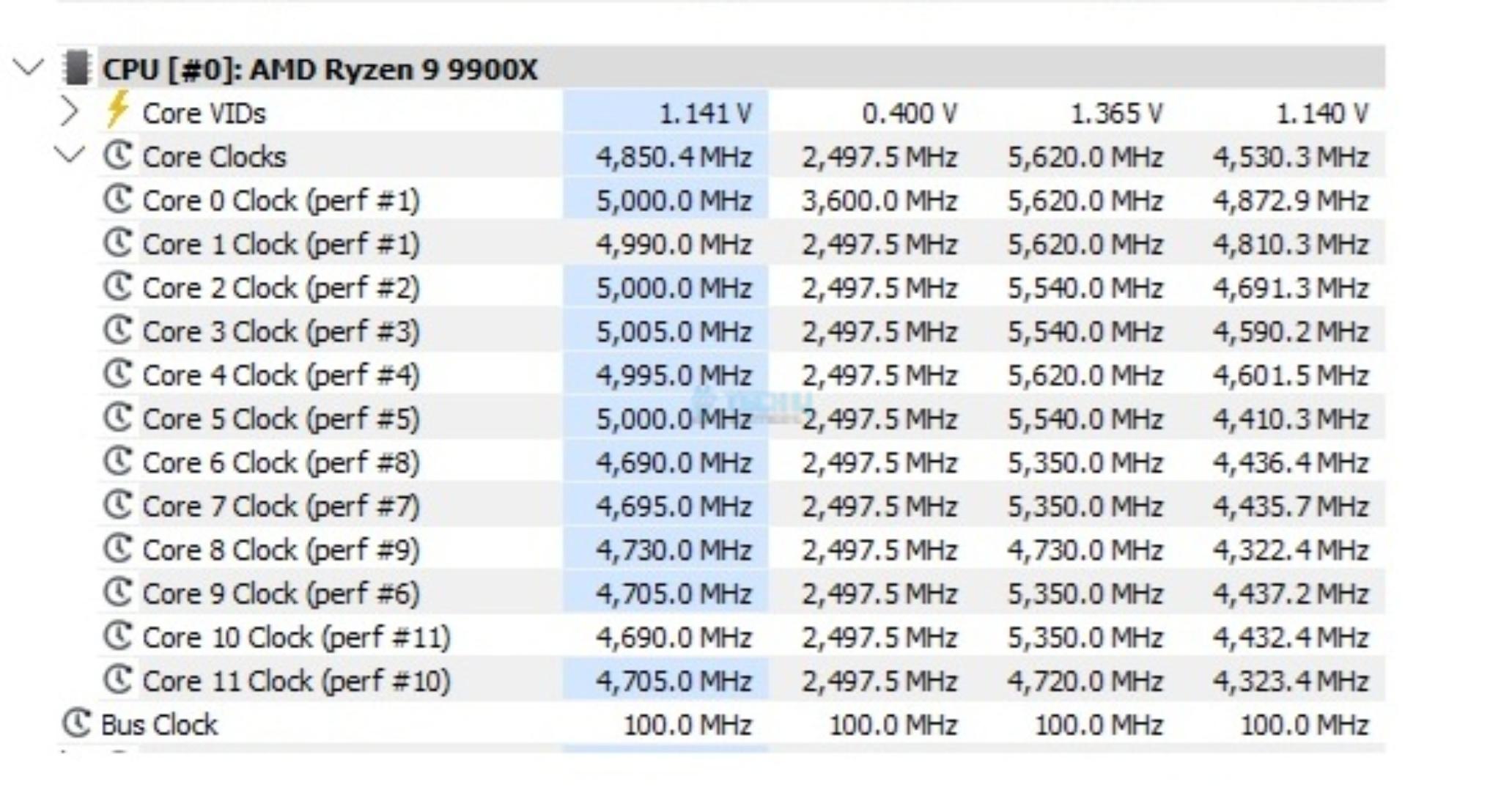
I have Balanced Power profile in Windows Environment. To record the idle temperatures, the system was put on idle for 10 minutes. The idle clocks were around 2497MHz. The cores boosted to 5.625GHz under 1T load using R23.2 whereas these cores boosted to 5.540GHz under all cores load.

Thermals And Power

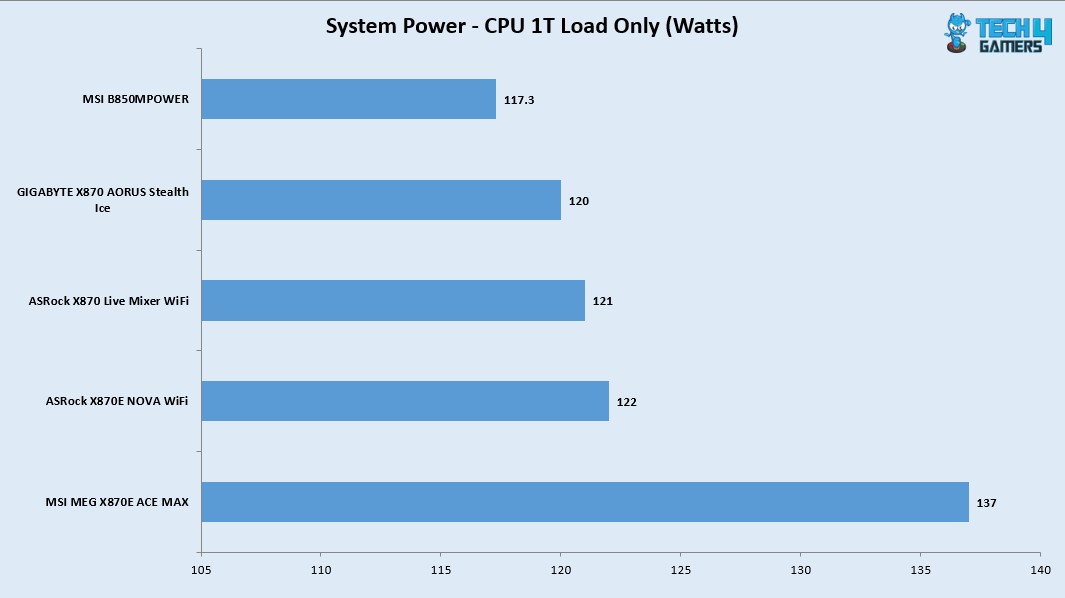
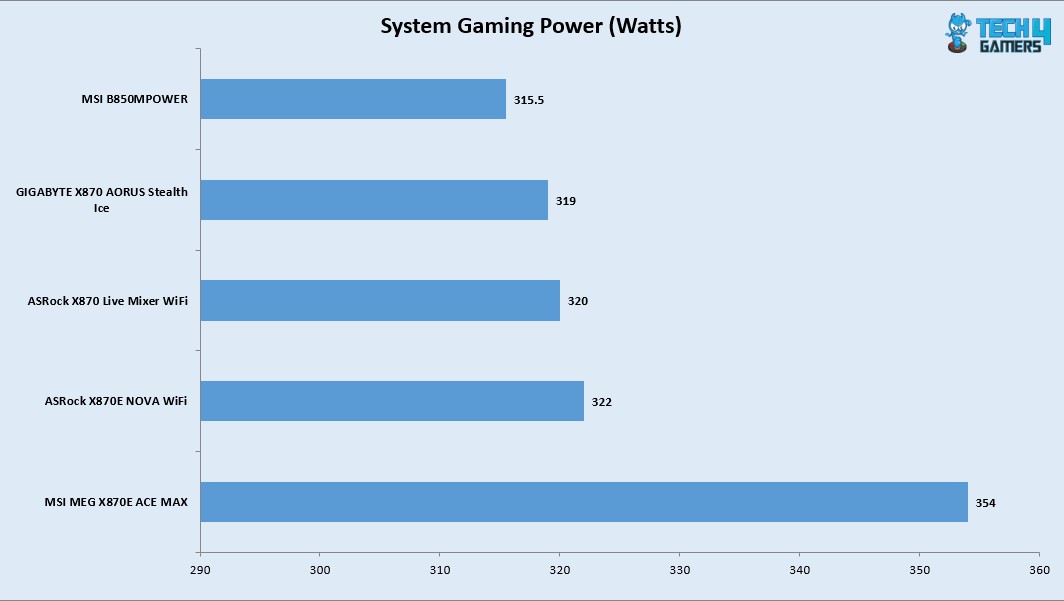
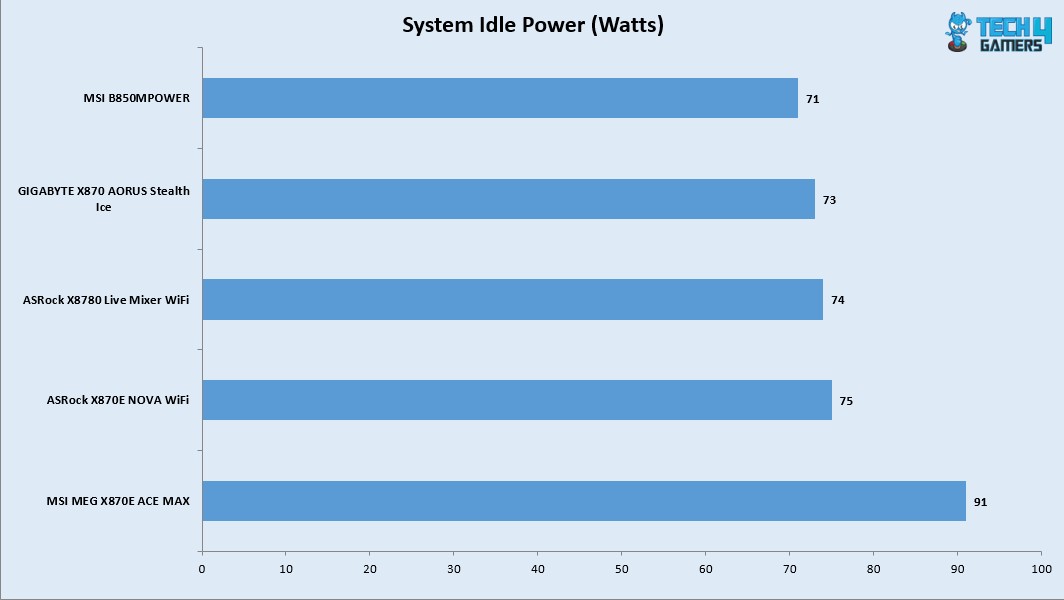
I have used Watt Meter to monitor the system wide power draw excluding the display LED monitor.

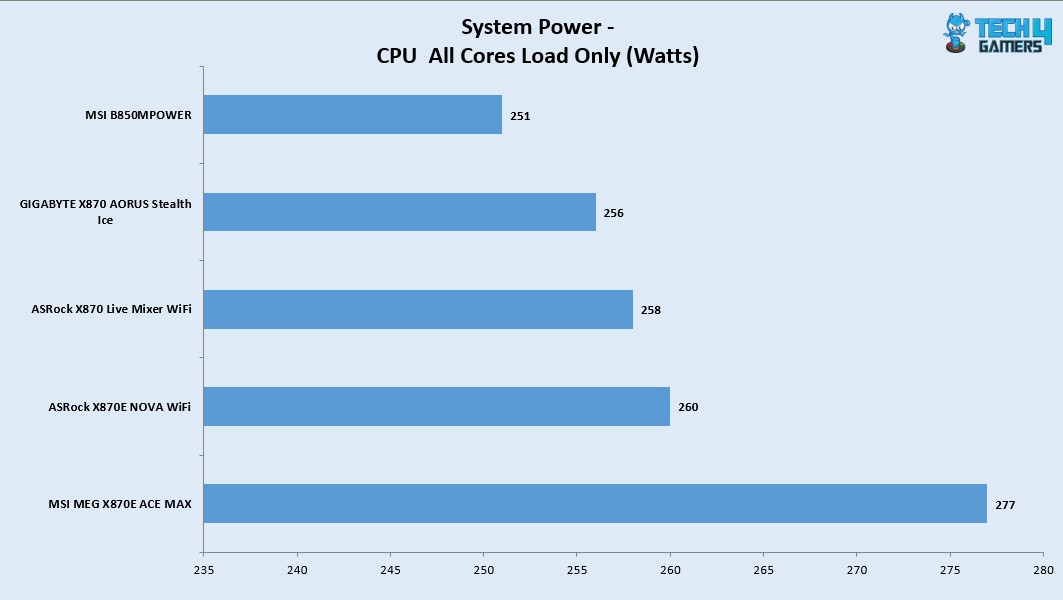
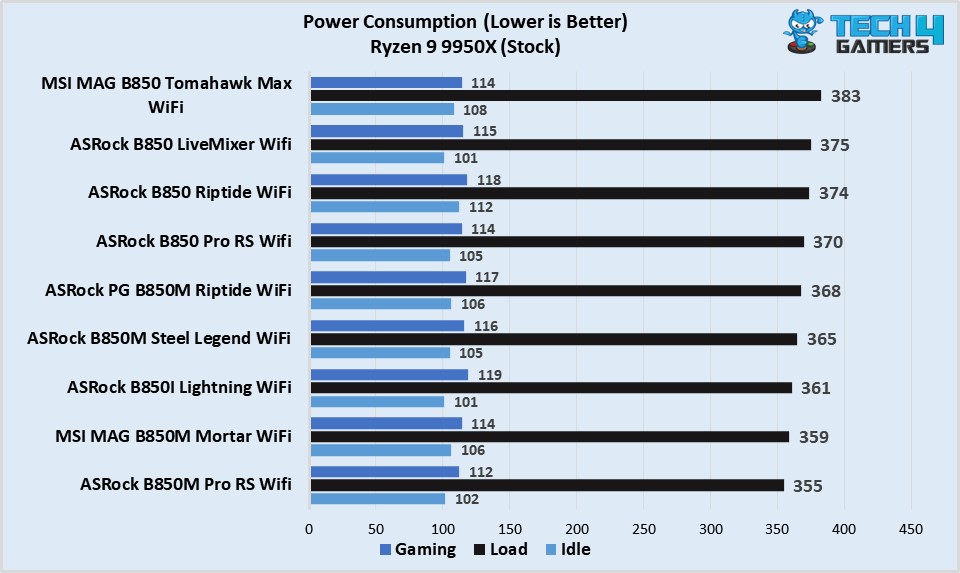
I am seeing this motherboard drawing more power compared to other motherboards in the graph which is strange. The gaming load power draw is 354W using a budget graphics card. This power draw would be high when a high-end graphics card is deployed.

Thermal-Performance

The VRM/MOSFET was doing 51ᵒC at an ambient of 16ᵒC on stock CPU settings whereas it did 53ᵒC on PBO with 238W load. Given the low ambient, the delta is actually high compared to the other motherboards in the graph.

Should You Buy It?

Buy It If

✅You are a PC Enthusiast: If you are a PC enthusiast who always on a look out for flagship performance with killer feature set then this motherboard seeks your attention.

✅You are on a RAM Overclocker: This motherboard supports CKD kits (with limitations) and is rated for up to 8400+ MHz speed depending on the CPU and IMC.

✅You want PCIe Gen5 Connectivity: This motherboard comes with two Gen5 M.2 slots and a 3x PCIe Gen5 slots using redriver providing the latest and fastest in the tech industry.

✅You prefer effective cooling for Power Stages: MSI has provided a good cooling solution for the power delivery circuit.

Don’t Buy It If

❌Tou already have AM5 motherboard: Skip this motherboard if you already have a AM5 motherboard in X870E/X870.

Final Words

I have tested a flagship motherboard from MSI after GODLIKE edition which is MEG X870E ACE MAX. ACE MAX indicates that it is refresh of original X870E. This motherboard packs 18+2+1 power phases (DUETS) with enlarged heat sinks, direct touch cross heat pipes, and 9W/mK thermal pads. The motherboard packs good safety features including over-current and over-voltage protection. The BIOS interface is same as I have seen on MSI motherboard.

The motherboard offers ton of PCIe Gen5 connectivity. It has 3x PCIe slots all of which are Gen5. It offers two Gen5 M.2 ports. One of these ports share bandwidth with USB 4.0 ports. In addition, this motherboard packs 3x M.2 Gen4x4 slots as well. Count of SATA ports is 4. All front mounted M.2 ports have dual sided thermal pads and aluminum covers for heat transfer. These covers are tool-less design.

The top two PCIe slots are steel reinforced and PCI_E1 slot uses EZ PCIe Release button for convenient locking/unlocking the PCIe slot. M.2 port M2_1 shares bandwidth with PCI_E3 (X4) slot. Also, all three PCIe slots are wired to the CPU socket.

This motherboard is beast in the memory department. It can house up to 256B memory with up to 8400+(OC) MHz frequency on Ryzen 9000 CPUs. The Mem Try and Extension modes are supported along with the AMD EXPO and Intel XMP profiles. This motherboard also supports the CKD Memory kits.

Speaking of USB connectivity, this board has a strong game with a total of 22 USB ports including a USB 3.2 Gen2x2 20Gbps port on the front panel and 2x USB 4.0 ports on the rear panel.

This motherboard has a 10GbE, 5GbE LAN ports, Bluetooth 5.4, and WiFi 7 connectivity and it comes with a handy WiFi Antenna. The on-board audio solution is ALC4082 codec combined with ESS DAC. The Rear IO panel has Clear CMOS, Smart, and Flash BIOS buttons.

The overall performance of this motherboard is good except its relatively high power draw. This motherboard retails at USD 699.99 and comes with a 3-year warranty.


Nvidia RTX 60 Series With GR20x GPUs Reportedly Launching In Late 2027

Story Highlight
  • Nvidia is said to be using the GR20x GPU chips for its RTX 60 graphics cards.
  • A reliable leaker states that these GPUs will arrive in the second half of 2027.
  • The gaming lineup is based on the same Rubin architecture used for Nvidia’s latest AI products.

Nvidia’s RTX 50 lineup is approaching its first official anniversary. Although rumor had it that the gaming giant would launch RTX 50 Super GPUs in early 2026, it seems plans have now shifted to focus on the future lineup.

A reliable insider has now shared more information on Nvidia’s RTX 60 series.

Why it matters: Nvidia is the current market leader when it comes to gaming GPUs. Therefore, millions look forward to every new product series that Team Green puts out.

Nvidia RTX 60 Series
The RTX 60 Lineup Is Expected One Year From Now

According to Kopite7kimi, Nvidia will use the GR20x series of GPUs for its upcoming RTX 60 graphics cards. This chip is based on the Rubin architecture, the same architecture utilized in the latest AI GPUs from the company.

The major difference here is the fact that Nvidia does not appear to be using the GR102 chip for its gaming lineup. Instead, GR100, designed for AI tasks and data centers, utilizes two GR102 chips.

Kopite7kimi also states that the RTX 60 series will launch in H2 2027. This timeline should allow Nvidia to account for the current memory shortages and ensure it produces enough graphics cards to meet global demand.

Not much else is currently known about the RTX 60 series, but rumors regarding the lineup should begin to show up in a few months. In particular, it’s worth keeping an eye out for any more information from Kopite7kimi since he is known to reveal a lot about Nvidia’s GPUs ahead of their release.

In other news, Team Green is expected to bring back the RTX 3060 as it battles memory shortages, like the rest of the industry.

Wolfenstein 3 Reportedly Being Discussed At MachineGames Following TV Series Reveal

Story Highlight
  • MachineGames is reportedly thinking about working on Wolfenstein 3 at the moment.
  • The team hopes to use the upcoming Amazon TV series to bring the IP to more people.
  • MachineGames is also focused on more Indiana Jones following its recent success.

MachineGames recently shifted its focus away from Wolfenstein after having focused on the IP for over a decade. Following the release of Indiana Jones and the Great Circle, more new games focused on Indy’s globetrotting adventures are expected from the studio, but demand for more Wolfenstein has not dwindled among the fans.

In fact, past rumors suggested that Wolfenstein 3 would eventually show up, and a new report from a reliable insider states that the team is now considering this sequel to its popular Wolfenstein reboot franchise.

Why it matters: Recent job listings led many to believe that the team was hiring for Wolfenstein 3. The response to these rumors was quite positive, so fans are clearly excited for more entries in the series.

Wolfenstein MachineGames
Wolfenstein Has Been Missing In Action For A While

According to Windows Central’s Jez Corden, Xbox’s first-party teams are expected to make major strides in 2026. Many new announcements are expected, and multiple projects are being discussed internally.

The insider notes that in MachineGames’ case, the team is now discussing a potential third mainline Wolfenstein title. This report comes after the announcement of the upcoming TV series based on the series from Amazon.

Wolfenstein’s last game saw the series venture into online co-op territory, and while Wolfenstein: Youngblood was largely panned by critics and fans alike, its predecessors remain strong single-player first-person shooter titles.

Of course, it would be tricky for MachineGames to balance work on Wolfenstein and Indiana Jones at the same time. The team has historically collaborated with id Software, which has also begun planning its next game after Doom: The Dark Ages.

Following its work on Indiana Jones, the developer also partnered with Bethesda’s Todd Howard, expanding its development further within the Bethesda Softworks umbrella. Anyhow, fans will be glad to know that there is now some hope for another Wolfenstein entry.

Wolfenstein Wyatt or Fergus
The Wolfenstein franchise throws tough choices at the players.

Elsewhere, the report discusses more future titles from Xbox’s first-party teams. Among various other things, it points to a new StarCraft announcement from Blizzard.

Would you play a new Wolfenstein title? Let’s discuss in the comments and on the Tech4Gamers Forums.

AMD Planning To Open Source FSR 4 Soon, Will Keep Core Technology A Secret

Story Highlight
  • AMD plans to make the Radeon 9000-series exclusive FSR 4 open source soon.
  • Its code was leaked last year, which led modders to use it to enable FSR 4 on older GPUs.
  • This seems like a good idea as AMD focuses a lot on being universal and open source.

AMD introduced its upscaling tech, FSR, as a direct competitor to Nvidia’s DLSS. At first, it was nowhere near the quality of DLSS, but over time, it has gotten a lot better. What really helps is the wide availability of FSR compared to DLSS. 

Currently, FSR 4 is AMD’s top-tier upscaling tech and is exclusive to RDNA 4-based Radeon 7000 series. However, earlier this year, the FSR 4 code leaked into the wild, but now AMD seems to be planning to make it open-source anyway. 

Why it matters: AMD quickly took down the leaked code, but even then, people had gotten access to it, and modders used it to enable FSR 4 on older-gen GPUs. So, now they could make it an official thing soon. 

AMD FSR 4 Exclusive to 9070 Series GPUs
The tech, for now, is exclusive to Radeon 9000 series GPUs

Tom’s Hardware revealed that during CES, AMD’s president of GPU Technologies and Chief Software Officer Andrej Zdravković hinted that FSR 4 would soon be made open source, although the core technology will remain a secret. 

AMD intends to work as openly as possible. [Making FSR 4 open-source] is the long-term plan

– Andrej Zdravković

FSR4 for RDNA2/3
Making it open source would help it run on older RDNA GPUs

When it was announced as Radeon 9000 exclusive, people were surprised, because AMD has always been about keeping things open source. For context, you specifically need an Nvidia card for DLSS, but FSR is universal. 

Now, considering that the tech is already out in the wild, it makes sense for AMD to officially open source it. FSR 4 is a big upgrade over its older versions, and it can help breathe new life into older RDNA and even Nvidia GPUs. 

What are your thoughts on AMD FSR 4 becoming open source? Let us know your opinions in the comments or join the discussion at the official Tech4Gamers Forum.

AMD Made Just 2 of 11 Announcements For Gamers At CES 2026 – The Rest Were For AI

Story Highlight
  • AMD announced more than 10 new products at the Consumer Electronics Show 2026.
  • Out of these announcements, only 2 were focused on games, with AI taking up the spotlight.
  • The gaming giant even showcased an AI server rack at the event.

AMD wrapped up its CES 2026 keynote recently, revealing a slew of upcoming products. Typically, CES 2026, as the name implies, is focused on consumer electronics, but AMD’s latest keynote would have you believe otherwise.

The gaming giant’s latest event revolved mainly around AI and data center products. In fact, just 2 of the 10+ big announcements were focused on gaming, with AI making up for the bulk of the new reveals.

Why it matters: Gamers anticipate the event each year, waiting patiently for new announcements and reveals from giants like Nvidia, AMD, etc.

AMD hosted a 2-hour keynote at CES 2026. The following announcements were made throughout the event:

  • Ryzen AI 400
  • Ryzen AI Pro 400
  • Ryzen AI Max
  • Ryzen AI Max+
  • Ryzen AI Halo
  • Ryzen 7 9850X3D
  • AMD ROCm 7.2
  • Helios Server Rack
  • AMD Instinct MI440X
  • AMD Instinct MI500
  • FSR Redstone ML Ray-Tracing

For starters, the Ryzen AI 400 series focused on AI-powered CPUs for AMD laptops coming soon. This lineup succeeds the existing Ryzen AI 300 lineup, focusing on Copilot+ and other AI features powered by up to 60 TOPS of NPU compute.

Similarly, new Ryzen AI Max SKUs promote AI acceleration for thin and light notebooks. AMD also promoted many of its new AI-based software features through ROCm 7.2, a seamless platform that focuses on AI development.

The tech giant even went as far as showing off a server rack at the consumer show, highlighting its impressive data center capabilities. Paired with this announcement was the reveal of the MI455X chip for higher-than-ever AI compute performance. This was followed by a teaser of the MI500 lineup, coming in 2027.

AMD Helios AI Rack
AMD Showcased The Helios AI Rack At CES 2026

Ultimately, AMD had just the announcement of the Ryzen 7 9850X3D and more details on FSR Redstone to share for gamers at CES 2026, neither of which was too impressive to begin with.

With all said and done, AMD went all in on AI at this year’s event. In fact, you would even be forgiven for thinking CES was an AI-centric event after watching the keynote.

If you thought the word ‘AI’ was repeated way too many times in this story, just wait till you watch the official keynote. Anyhow, this isn’t too big a surprise, considering the entire tech industry is focused on artificial intelligence at the moment.

The Best Motherboards For Ryzen 5 9600X In 2026 [With Benchmarks]

I have tested the Ryzen 5 9600X, and it is a great mid-range CPU that offers incredible performance at its price. However, you’ll need the best motherboard for the Ryzen 5 9600X to enjoy its benefits. Therefore, I have compiled a list of some of the best offerings for the processor based on my first-hand testing experience.

Why Trust Tech4Gamers
  • Usman Saleem is our hardware tester who loves to put all the latest GPUs, CPUs, RAM, and motherboards for a spin.
  • 40+ motherboards tested and reviewed by our team of hardware experts (Tech4Gamers Team).
  • 800+ hours spent testing different motherboards for our reviews.
  • Objective testing criteria (See how we test motherboards).

At Tech4Gamers, ensuring you get reliable information is our priority. That’s why every hardware round-up undergoes a meticulous review process by our team of experts and editors. Each review is carefully examined against our strict editorial guidelines, guaranteeing you trustworthy insights you can depend on.

Here’s a quick comparison table of all our top motherboard offerings:

Motherboard
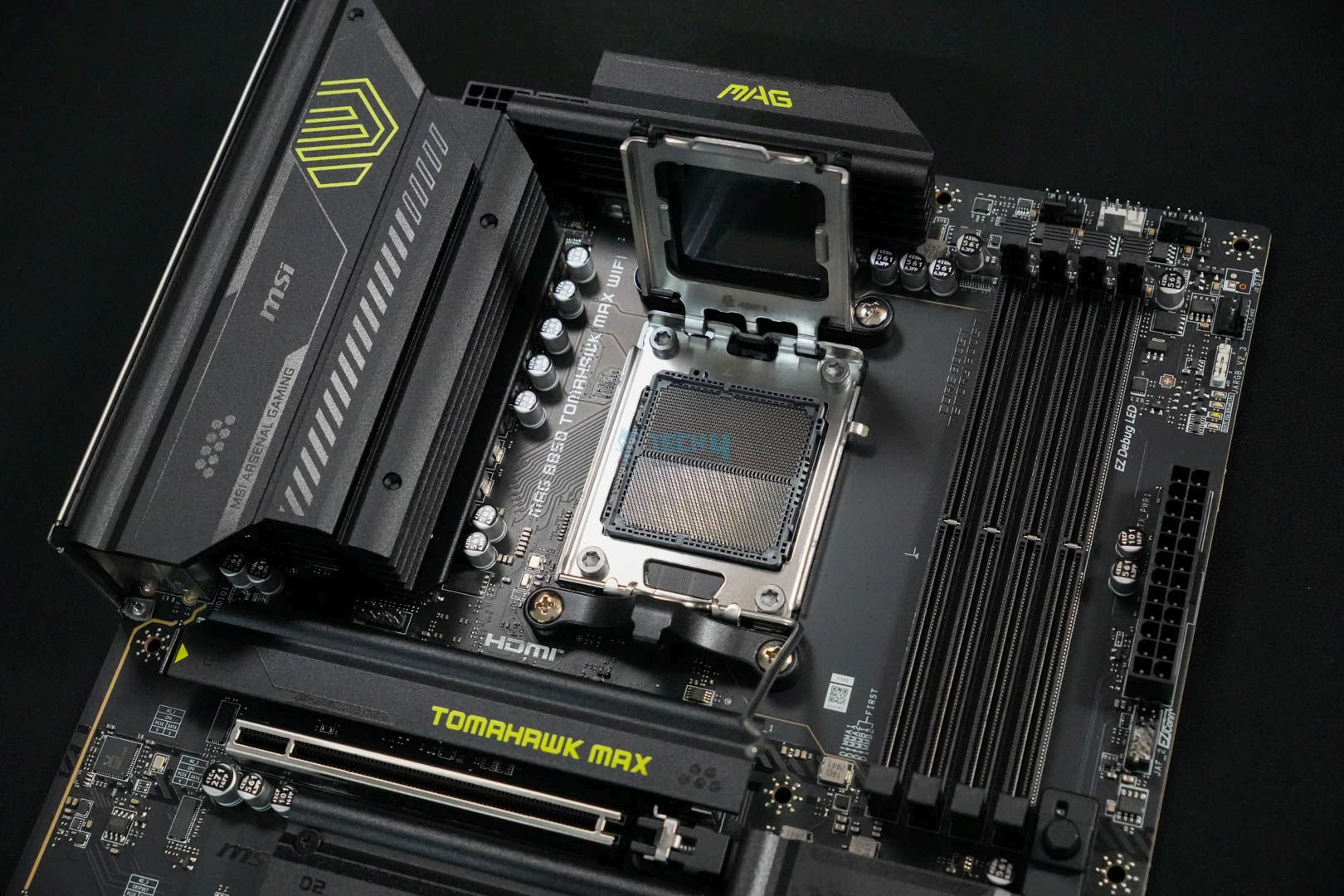
MSI MAG B850 Tomahawk Max WiFi
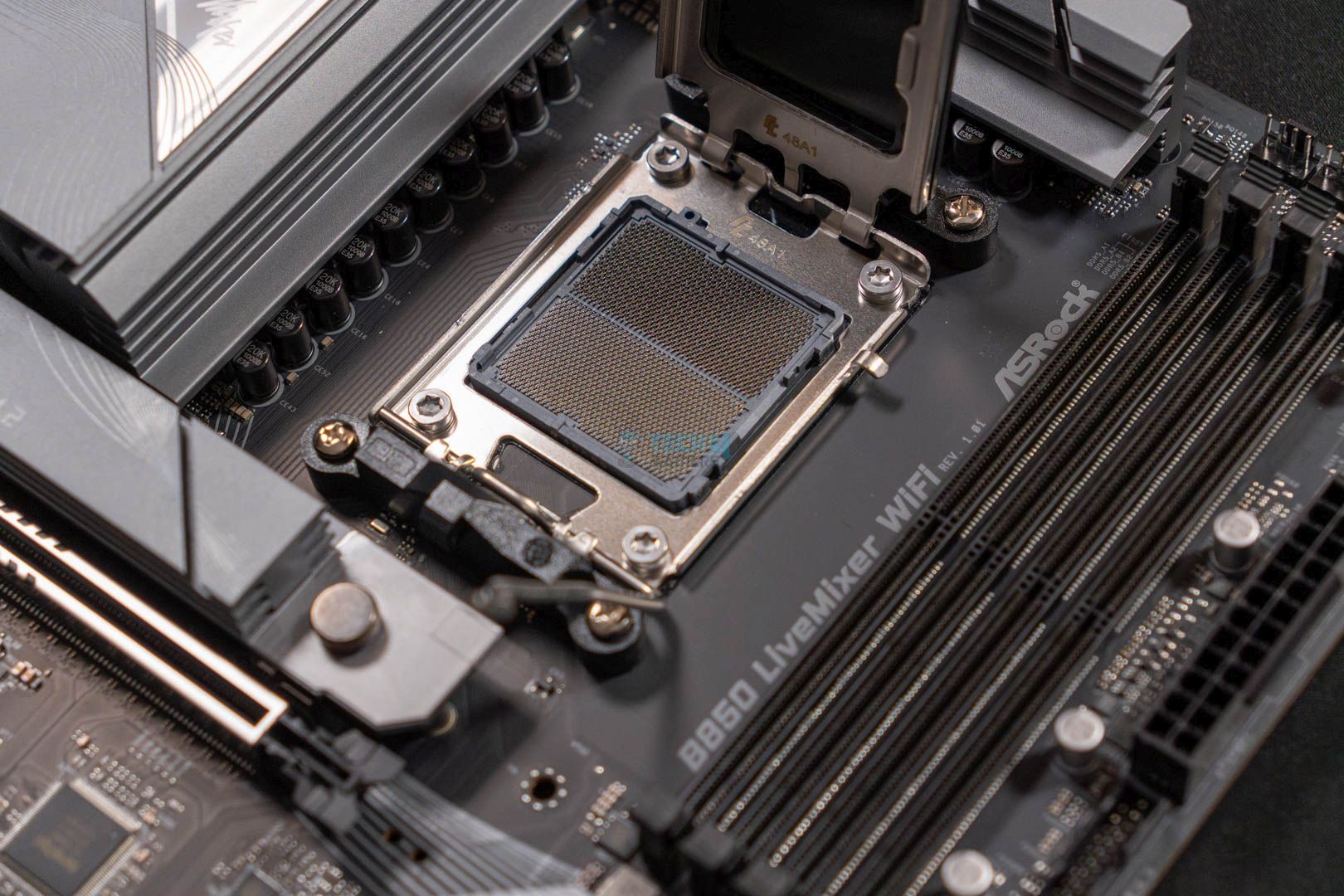
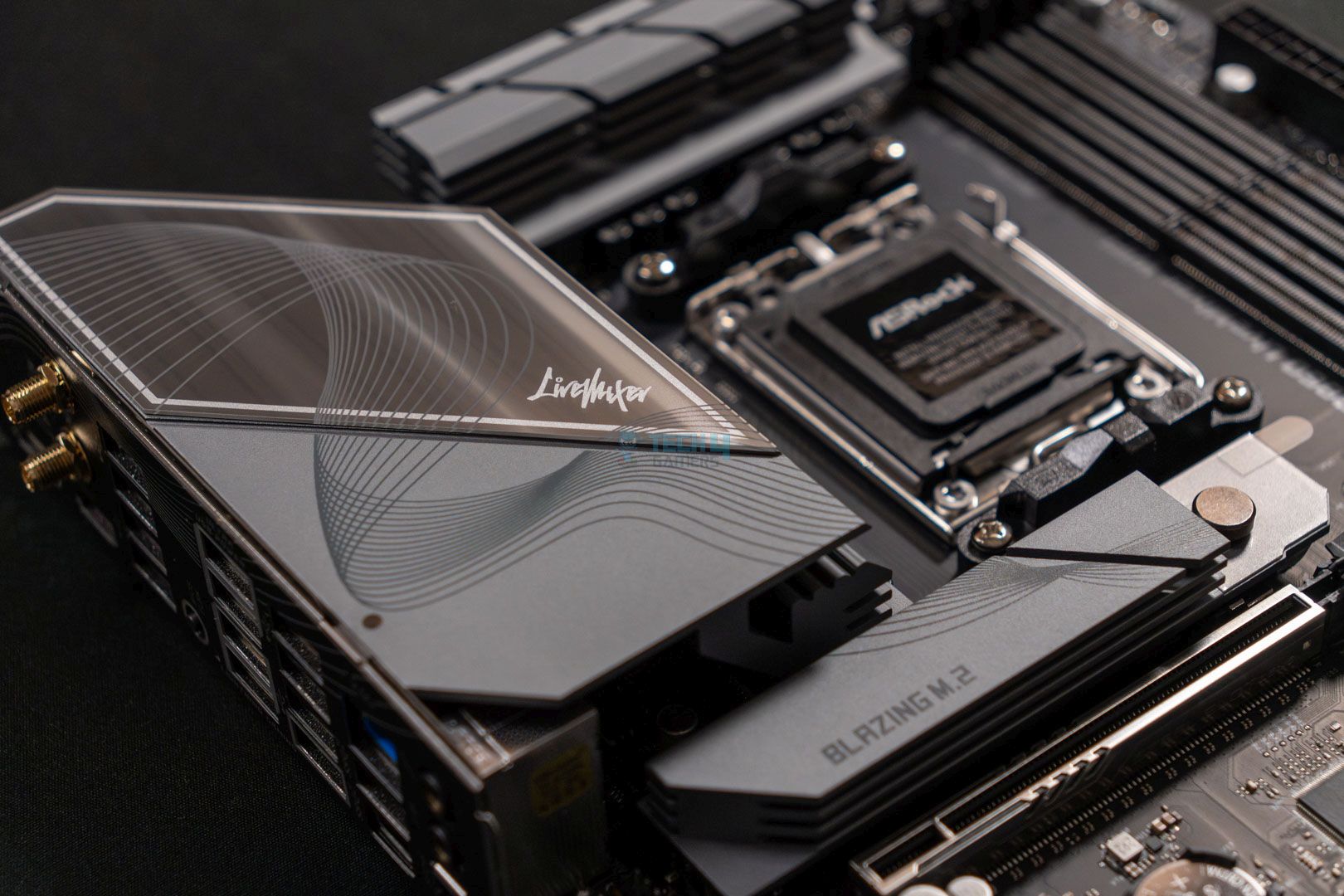
ASRock B850 LiveMixer WiFi
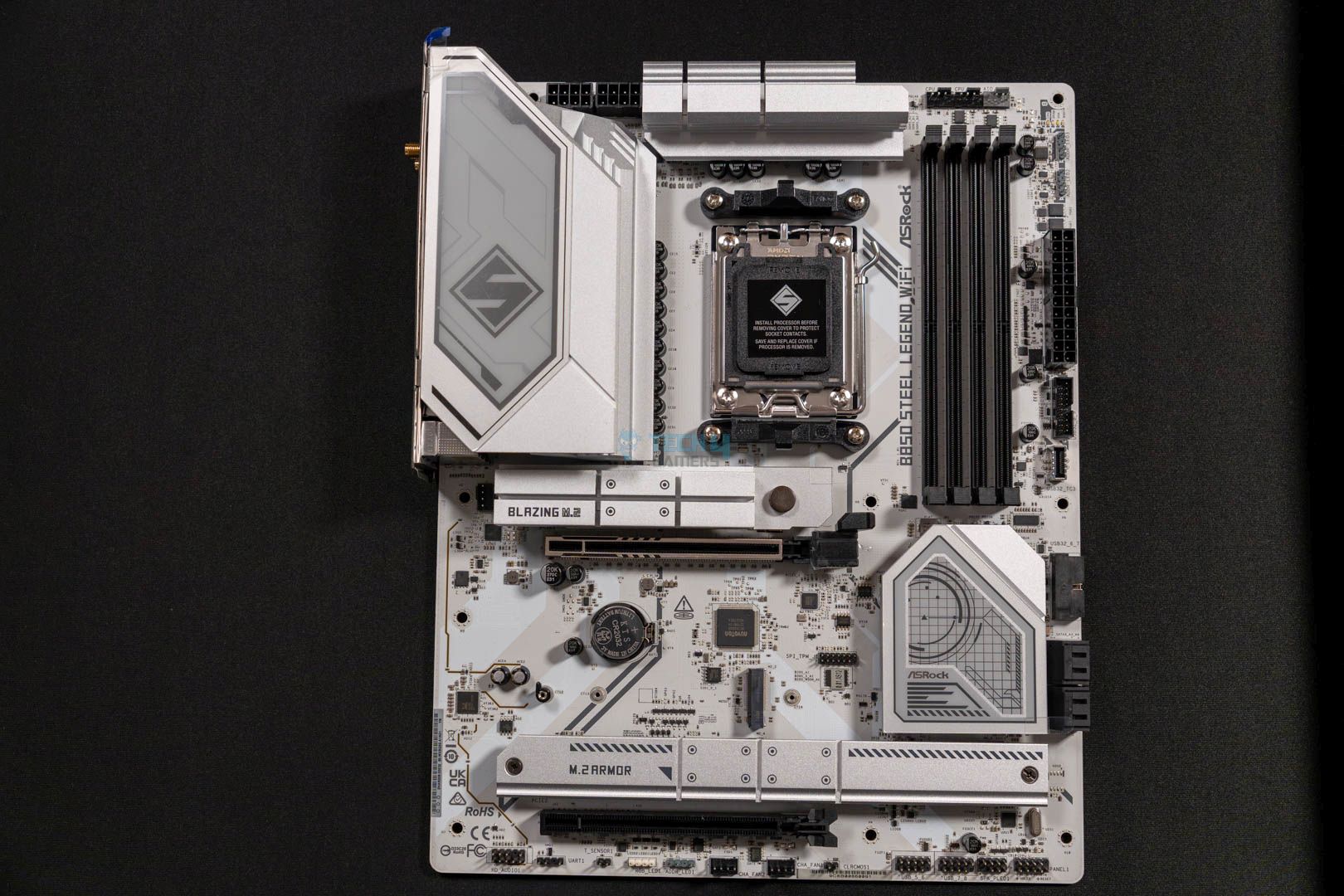
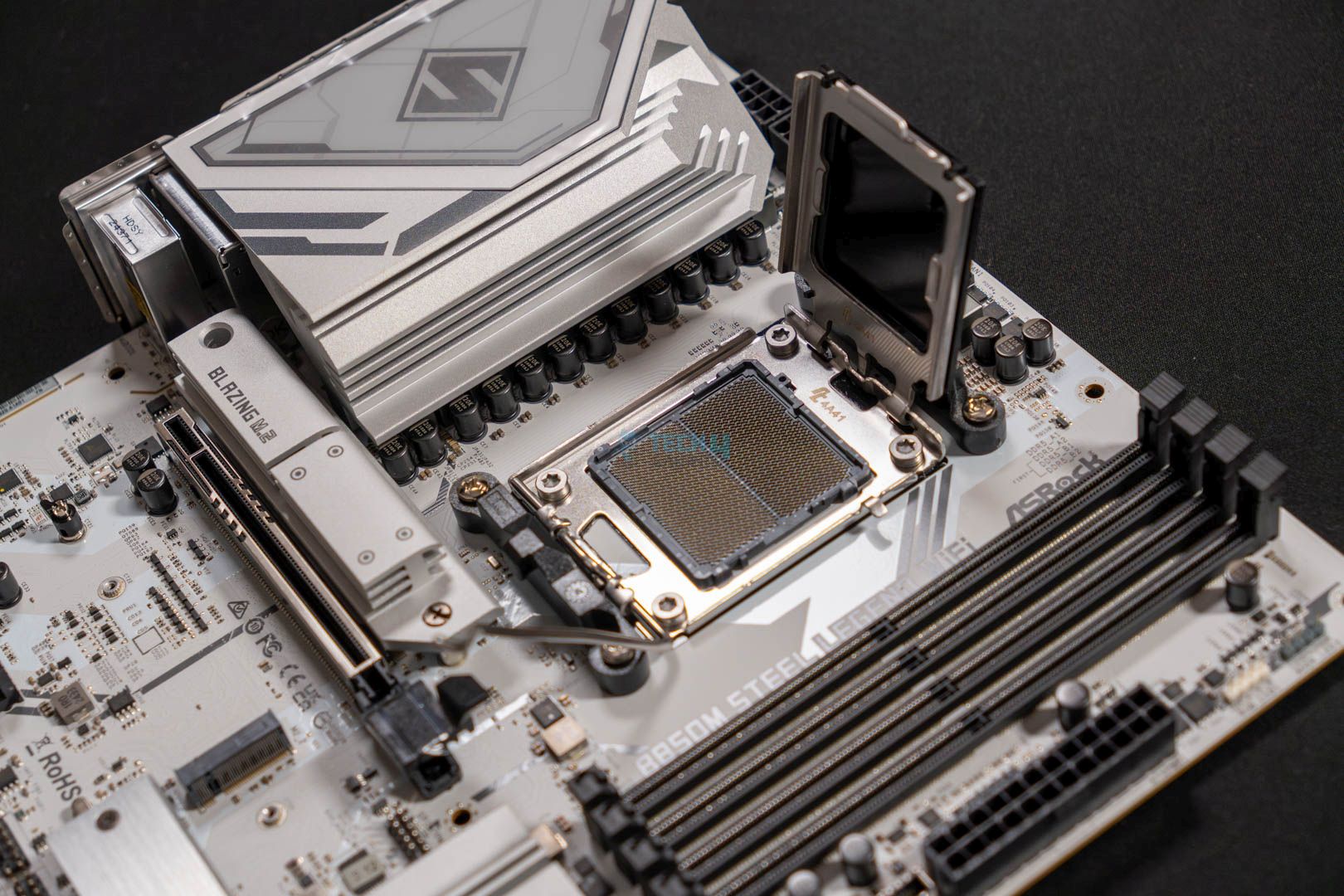
ASRock B850 Steel Legend WiFi
Looks
MSI MAG B850 Tomahawk MAX WiFi Motherboard, ATX - Supports AMD Ryzen 9000/8000 / 7000 Processors, AM5-80A SPS VRM, DDR5 Memory Boost 8400+ MT/s (OC), PCIe 5.0 x16, M.2 Gen5, Wi-Fi 7, 5G LAN
ASRock AMD B850 LiveMixer WiFi 7 Socket AM5 Ryzen 9000/8000/7000 Series DDR5 8000+ (OC) MHz 256GB ATX Motherboard M.2 SATA3 6.0 Gb/s PCIe 5.0 BIOS Flashback 1 HDMI 1 DisplayPort
ASRock B850 Steel Legend WiFi AMD AM5 ATX Motherboard, Supports AMD Ryzen 9000/8000/7000 Series Processors, DDR5 8000+ (OC), PCIe 5.0, 2.5G LAN, WiFi 7, 14+2+1 Power Phase
Award
Best Value Motherboard For Ryzen 5 9600X
Best White Motherboard For Ryzen 5 9600X
What We Liked
Good VRM configuration, Cooling is on point, Connectivity
Decent 14+2+1 phases VRM solution, A lot of USB ports, Gen5 PCIe x4 & x16 slots
Front USB with 20Gb/s speed, PCIe Gen5 M.2, RAM up to 8000 MT/s
What We Disliked
No USB4 port 
Two SATA ports
Lacks 5G LAN
Chipset
AMD B850
AMD B850
AMD B850
Memory
DDR5-8400 (OC)
DDR5-8000 (OC)
DDR5-8000 (OC)
VRM
14+2+2
14+2+1
14+2+1
Storage
4x M.2, 4x SATA
3x M.2, 2x SATA
4x M.2, 4x SATA
USB Ports
10x Rear, 9x Front
14x Rear, 9x Front
11x Rear, 9x Front
RGB
Motherboard
MSI MAG B850 Tomahawk Max WiFi
Looks
MSI MAG B850 Tomahawk MAX WiFi Motherboard, ATX - Supports AMD Ryzen 9000/8000 / 7000 Processors, AM5-80A SPS VRM, DDR5 Memory Boost 8400+ MT/s (OC), PCIe 5.0 x16, M.2 Gen5, Wi-Fi 7, 5G LAN
Award
Best Value Motherboard For Ryzen 5 9600X
What We Liked
Good VRM configuration, Cooling is on point, Connectivity
What We Disliked
No USB4 port 
Chipset
AMD B850
Memory
DDR5-8400 (OC)
VRM
14+2+2
Storage
4x M.2, 4x SATA
USB Ports
10x Rear, 9x Front
RGB
Amazon
Newegg
Review
Motherboard
ASRock B850 LiveMixer WiFi
Looks
ASRock AMD B850 LiveMixer WiFi 7 Socket AM5 Ryzen 9000/8000/7000 Series DDR5 8000+ (OC) MHz 256GB ATX Motherboard M.2 SATA3 6.0 Gb/s PCIe 5.0 BIOS Flashback 1 HDMI 1 DisplayPort
Award
Best Value Motherboard For Ryzen 5 9600X
What We Liked
Decent 14+2+1 phases VRM solution, A lot of USB ports, Gen5 PCIe x4 & x16 slots
What We Disliked
Two SATA ports
Chipset
AMD B850
Memory
DDR5-8000 (OC)
VRM
14+2+1
Storage
3x M.2, 2x SATA
USB Ports
14x Rear, 9x Front
RGB
Amazon
Newegg
Review
Motherboard
ASRock B850 Steel Legend WiFi
Looks
ASRock B850 Steel Legend WiFi AMD AM5 ATX Motherboard, Supports AMD Ryzen 9000/8000/7000 Series Processors, DDR5 8000+ (OC), PCIe 5.0, 2.5G LAN, WiFi 7, 14+2+1 Power Phase
Award
Best White Motherboard For Ryzen 5 9600X
What We Liked
Front USB with 20Gb/s speed, PCIe Gen5 M.2, RAM up to 8000 MT/s
What We Disliked
Lacks 5G LAN
Chipset
AMD B850
Memory
DDR5-8000 (OC)
VRM
14+2+1
Storage
4x M.2, 4x SATA
USB Ports
11x Rear, 9x Front
RGB
Amazon
Newegg
Review

Latest Update:


  • April 7th, 2025: We have tested plenty of AMD’s 800-series motherboards. As such, we have updated our recommendations for the Ryzen 7 9700X to reflect better options.

If you end up buying the 9600X, we’ve also tested and rounded up the top coolers and the best RAM for it.

[toc]

Best Motherboards For Ryzen 5 9600X

Here are the motherboards I have chosen for the Ryzen 5 9600X based on my hands-on testing experience and the features they come with:

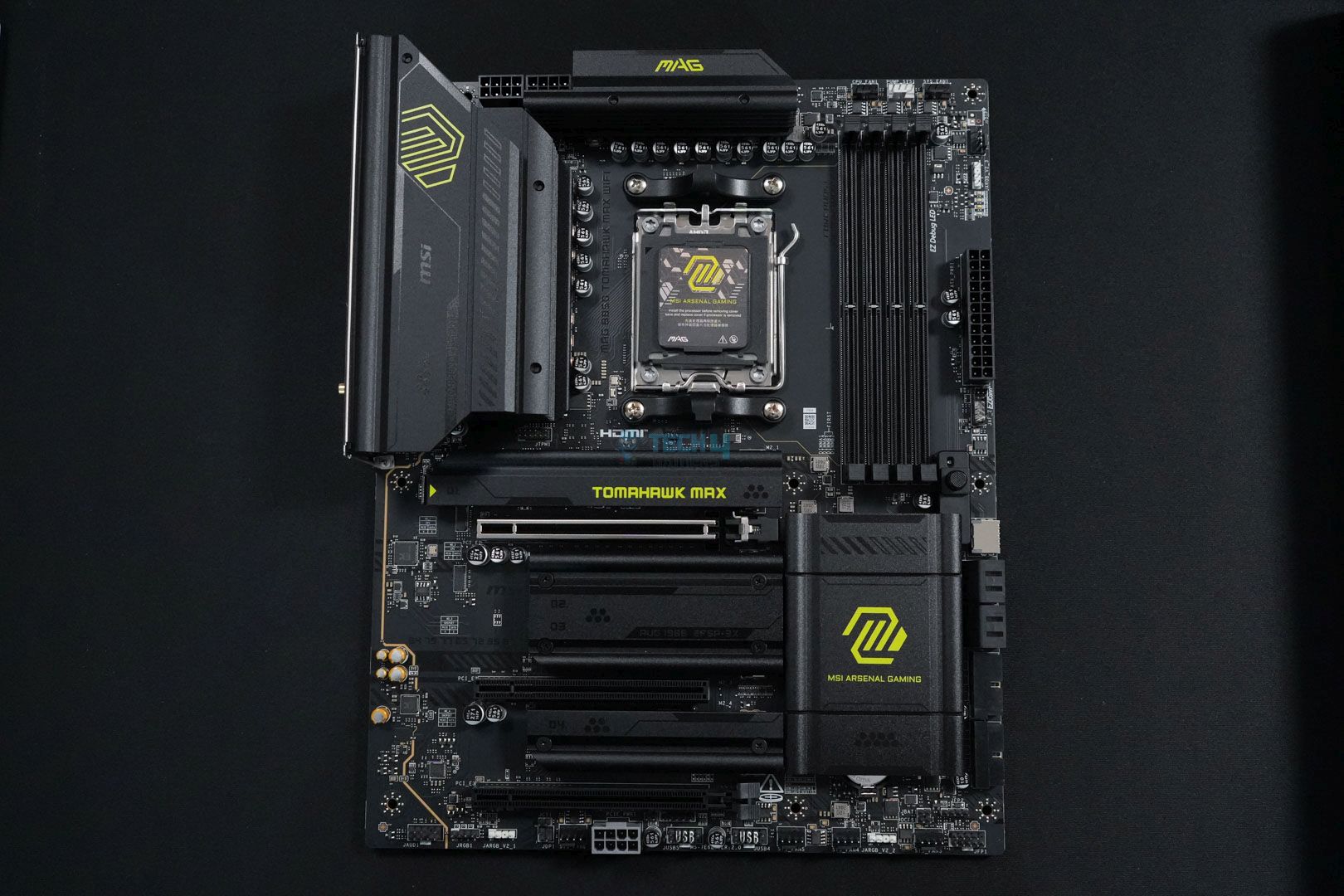
  1. Best Overall: MSI MAG B850 Tomahawk Max WiFi
  2. Best Value: ASRock B850 LiveMixer WiFi
  3. Best White: ASRock B850 Steel Legend WiFi

MSI MAG B850 Tomahawk Max WiFi

Best Overall Motherboard For Ryzen 5 9600X

Chipset: AMD B850 | Memory: DDR5-8400 (OC) | VRM: 14+2+1 | Video Outputs: 1x HDMI 2.1 port | RGB Lighting: No | Network: 1x Realtek 8126VB 5G LAN, AMD WiFi 7, Bluetooth 5.4 | Storage: 4x M.2, 4x SATA | USB Ports: 10x Rear, 9x Front

Pros

  • Good VRM configuration (14+2+1)
  • VRM cooling solution is on point
  • Not overpriced
  • WiFi 7, BT 5.4, and 5G LAN
  • Full of EZ DIY mechanism 
  • RAM speed up to 8400 MT/s

Cons

  • No USB4 port 

Read Our MSI MAG B850 Tomahawk Max WiFi Motherboard Review

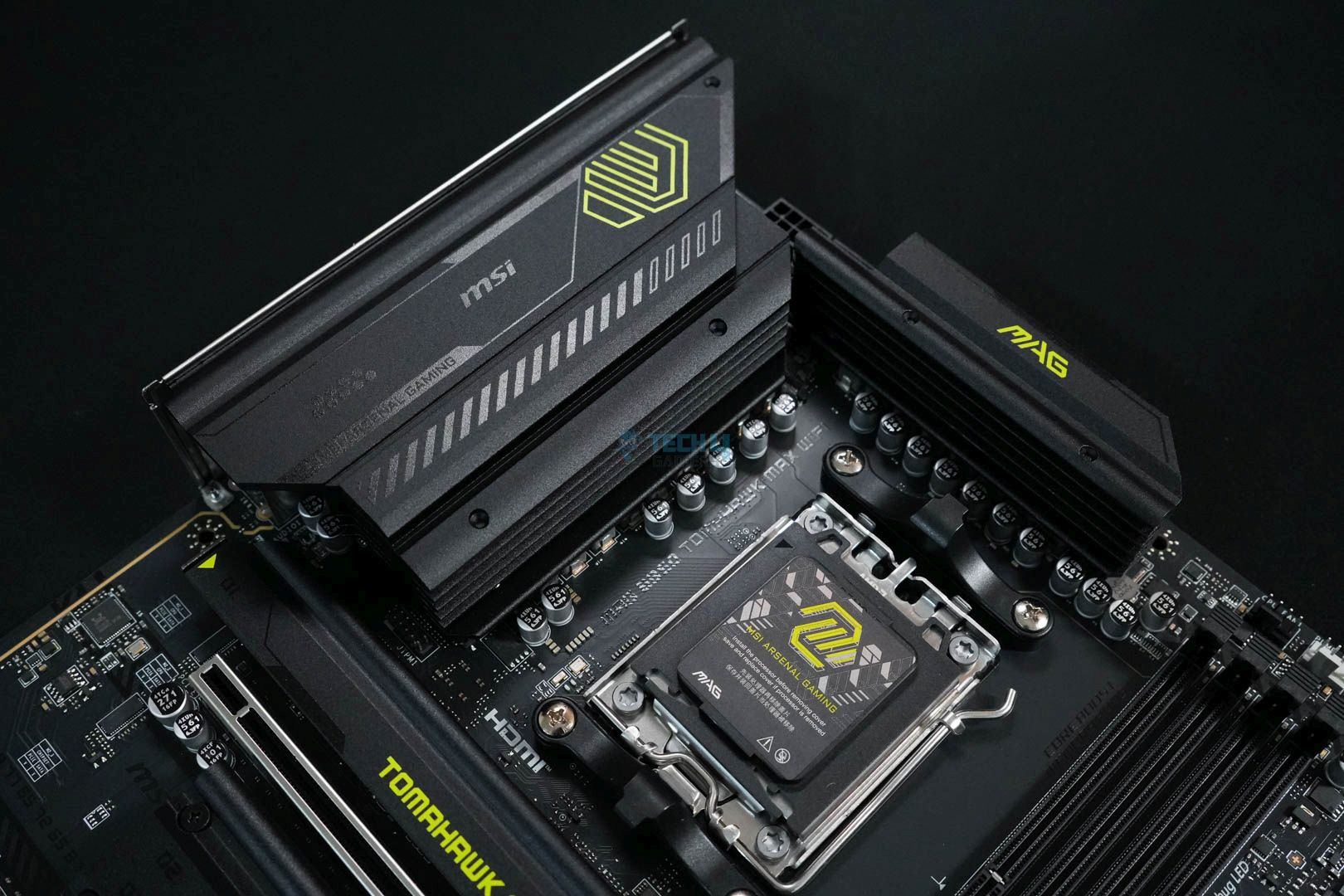
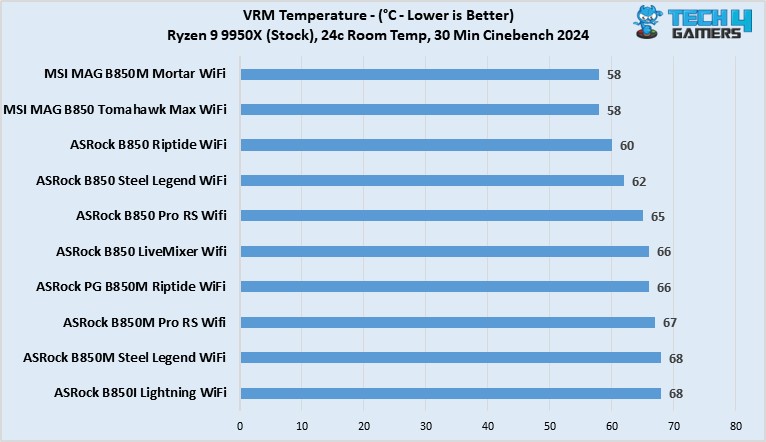
Let’s start off the list with something easy to recommend for almost everything. In that case, I find the MSI MAG B850 Tomahawk Max WiFi the ideal choice. The motherboard features a fairly neat VRM configuration with a 14+2+1 phase design. It’s more than sufficient to handle any new Ryzen 9000 series, especially the budget Ryzen 5 9600X. We liked its performance when we tested the motherboard personally. Additionally, we also appreciate its VRM cooling solution, which is flawless; during our 30-minute Cinebench 2024 stress test, it didn’t cross 59°C. This made it the coolest B850 motherboard on our list.

While the performance side is solid, it also offers great connectivity and EZ DIY options. Those include stuff like a total of four M.2 slots, two of which are PCIe Gen5, one is PCIe Gen4, and the last one is PCIe Gen4 x2. Not to mention, we also liked how the PCIe Gen5 x16 also has an EZ DIY PCIe release mechanism. Besides these, the board also bundles a total of 19 USB ports, many of which transfer data at up to 10 Gb/s and 5 Gb/s. However, the lack of USB4 is a little disappointing, but the overall package at $229 is pretty impressive.

After testing the motherboard personally, we came to this conclusion at the end:

The MSI MAG B850 Tomahawk Max WiFi is an excellent mid-ranger and a great option for stepping onto the latest platform with your Ryzen 9000 CPU. It has a decent 14+2+1 DRPS design with 14x 80A SPS for the CPU, enough for even the AM5 big dogs. 5G LAN, WiFi 7, dual Gen 5 M.2 slots, PCIe 5.0 x16, and EZ-DIY are the highlights on the board. The lack of RGB and dual-sided thermal pads for the Gen 5 M.2 slot are disappointments.

Buy It If
You’re looking for a jam-packed motherboard: I recommend going with this motherboard if you’re to hop onto the AM5 platform for not too expensive and still want to have a solid board with decent performance and other features.
Don't Buy It If
You want the best M.2 drive cooling: This motherboard might not be for you if you care about the best cooling for your M.2 drive, as it lacks double-sided thermal pads for them.

What Makes It The Best Overall Motherboard For Ryzen 5 9600X?

The motherboard comes with pretty much everything; its 14+2+1 phase VRM design ensures good performance. The enormous VRM cooling blocks keep the temps under favorable limits. The presence of high-speed memory support, as well as the EZ DIY features and several connectivity options, makes it the best overall motherboard for Ryzen 5 9600X.

Performance: 8.5/10 Value: 9/10
Features: 9/10 Design: 9/10

ASRock B850 LiveMixer WiFi

Best Value Motherboard For Ryzen 5 9600X

Chipset: AMD B850 | Memory: DDR5-8000 (OC) | VRM: 14+2+1 | Video Outputs: 1x HDMI 2.1, 1x DisplayPort 1.4 port | RGB Lighting: No | Network: 1x 2.5G LAN, WiFi 7, Bluetooth 5.4 | Storage: 3x M.2, 2x SATA | USB Ports: 14x Rear, 9x Front

Pros

  • Decent 14+2+1 phases VRM solution
  • A lot of USB ports
  • Gen5 PCIe x4 & x16 slots
  • Keeps the EZ DIY functionality
  • M2_1 has dual-sided thermal pads
  • Incredible value
  • Great for content creators

Cons

  • Two SATA ports

Read Our ASRock B850 LiverMixer WiFi Motherboard Review

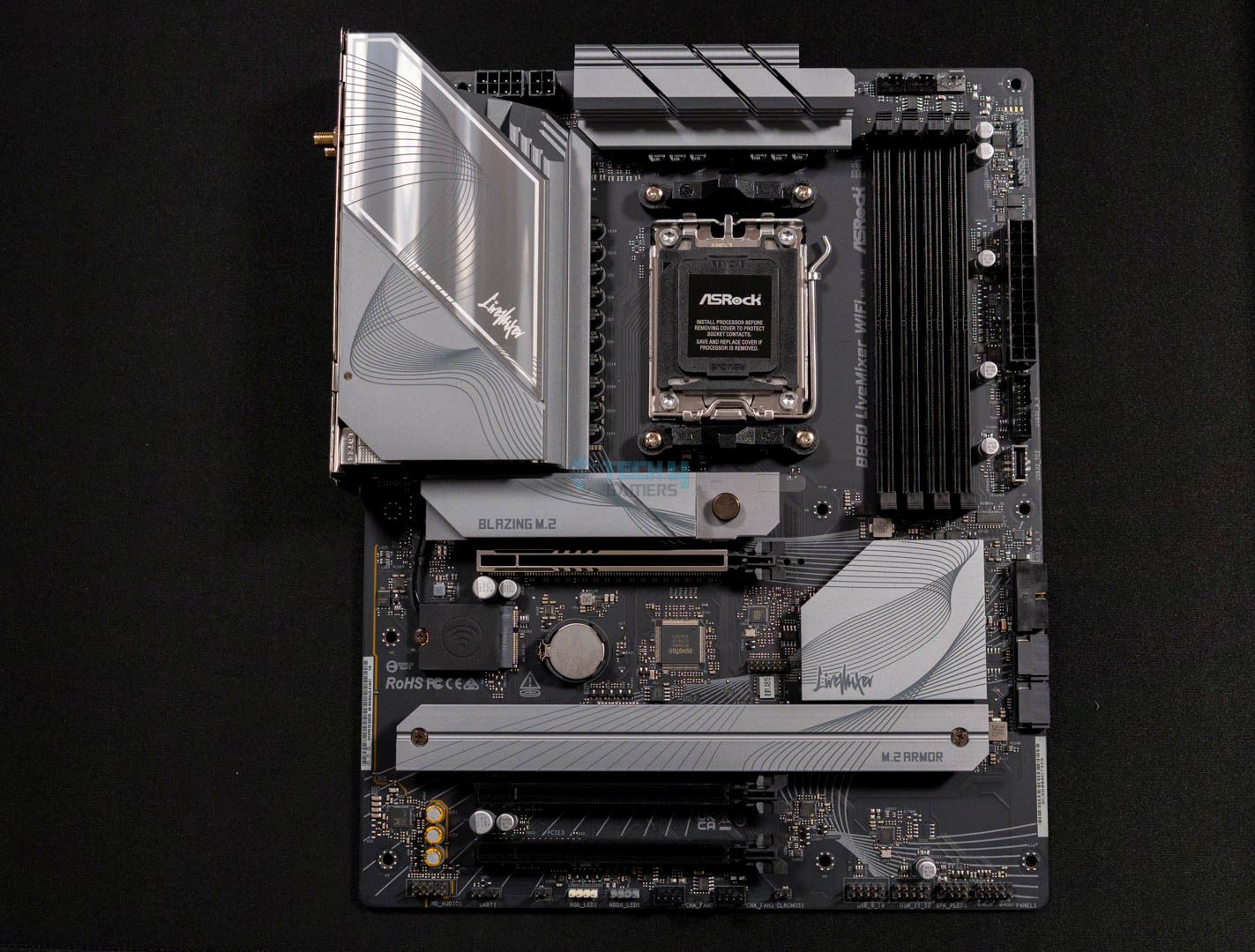
Next up is the ASRock B850 LiveMixer WiFi, I’m recommending this motherboard if you’re looking for absolute value for your new Ryzen 9000 series upgrade. The motherboard retains the core features such as a solid 14+2+1 phase VRM design. Similarly, we also liked the support of high-speed memory on this board, which goes as high as 8000 MT/s. Although, as far as its VRM cooling solution goes, they run slightly hotter than the Tomahawk Max at 66 °C.

Nevertheless, we like the motherboard for its incredible value because when you look at how much it costs, the differences make sense. However, the motherboard still manages to feature a plethora of USB ports, including the likes of USB 3.2 Gen2x2 Type-C ports. Moreover, it is also nice to see PCIe Gen5 slots for both the graphics card and M.2 drive. Not to mention, the M.2 drive slot comes with a double-sided thermal pad, unlike the more expensive Tomahawk Max. 

At the end of the review, this is how we summed up the whole motherboard:

The ASRock B850 LiveMixer WiFi is a good motherboard for streamers and content creators who want to use AMD’s latest CPUs. It features impressive 14+2+1 VRMs and 80A Dr.MOS 1000uF capacitors. In our stress tests, the VRM temperatures were slightly higher at 66°C, but they’re borderline acceptable. Showing support for 23 USB ports, three PCIe slots, and three M.2 slots showcases why it’s catered for content creators.

Buy It If
Your work benefits from a plethora of ports: If you’re someone who likes to keep a lot of devices connected to your PC via their USB ports, either because of work or anything else. Then I recommend going with the ASRock B850 LiveMixer WiFi because of the vast number of ports it comes with.
Don't Buy It If
You use lots of storage drives: If you’re someone who likes to install a lot of storage drives into your PC, then this board isn’t for you because of the limited number of SATA and M.2 ports.

What Makes It The Best Value Motherboard For Ryzen 5 9600X?

The ASRock B850 LiveMixer WiFi comes at the price of $190 and still comes with lots of cool features, such as a strong power delivery system and a total of 23 USB ports for all your connectivity needs. The motherboard also sports decent aesthetics, with its gray-colored heatsinks all over. What’s more noteworthy here is the inclusion of WiFi 7 and thermistor support, all of which collectively make it the best value motherboard for Ryzen 5 9600X.

Performance: 8/10 Value: 9.5/10
Features: 8.5/10 Design: 9/10

ASRock B850 Steel Legend WiFi

Best White Motherboard For Ryzen 5 9600X

Chipset: AMD B850 | Memory: DDR5-8000 (OC) | VRM: 14+2+1 | Video Outputs: 1x HDMI 2.1 port | RGB Lighting: No | Network: 1x 2.5G LAN, WiFi 7, Bluetooth 5.4 | Storage: 4x M.2, 4x SATA | USB Ports: 11x Rear, 9x Front

Pros

  • Solid 14+2+1 phase power delivery
  • White aesthetics are appealing
  • Front USB with 20Gb/s speed
  • PCIe Gen5 M.2
  • RAM up to 8000 MT/s
  • WiFi 7 & BT 5.4

Cons

  • Lacks 5G LAN

Read Our ASRock B850 Steel Legend WiFi Motherboard Review

Lastly, for the kind of motherboard that has the best white aesthetics of them all, I can only recommend the ASRock B850 Steel Legend WiFi. It not only looks good but also delivers on the performance side. We liked the same 14+2+1 phase power delivery configuration that allowed it to deliver impeccable performance both in gaming and productivity. Not to mention, the VRM cooling system is also not a disappointment and keeps the temperatures well under 62°C. 

Other than the performance figures, the motherboard offers plenty of features and ports. The storage side is a step up from the LiveMixer, as it features 1x PCIe Gen5, 3x PCIe Gen4 M.2 slots, as well as 4x SATA ports. Not only this, but like other ASRock motherboards, the thermistor support is a welcome addition here in my opinion. What’s more, we liked the fact that the board isn’t limited to having good looks, and is a decent option with up to 20 USB ports and WiFi 7 networking.

The board performed very well in our review, and this is how we describe it:

The ASRock B850 Steel Legend WiFi is a $209.99 motherboard that comes in an all-white color scheme that looks excellent. Moreover, the powerful VRMs with strong black capacitors give it enough juice to produce impressive performance on screen. The number of features is also quite impressive and makes it one of the best options in the sub-$250 motherboard category.

Buy It If
You want a solid all-rounder: While recommended for its white looks, the ASRock B850 Steel Legend WiFi is one of the best, all-rounded, motherboards we’ve ever tested. It nails benchmarks and offers a good selection of features for most use cases.
Don't Buy It If
You want high-speed LAN: If you’re someone who prefers a wired connection over a wireless one and wants it to be the best, skip this board as it features a 2.5G LAN port.

What Makes It The Best White Motherboard For Ryzen 5 9600X?

The ASRock B850 Steel Legend WiFi sports a solid power delivery system that enables the board to deliver stellar performance. Of course, the four M.2 slots and around 20 USB ports give the freedom to utilize quite a decent bit of storage drives with lots of connectivity. And not to forget, the white aesthetics give it a much-needed different and attractive look.

Performance: 8.5/10 Value: 9/10
Features: 9/10 Design: 9.5/10

Benchmarks Of Our Recommended Motherboards

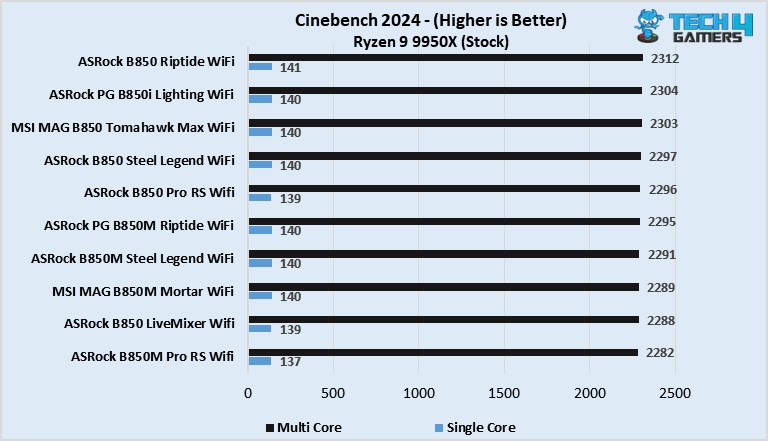
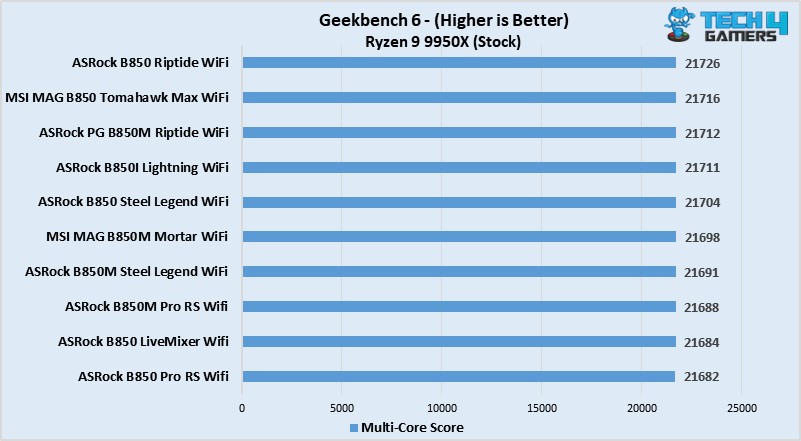
We tested more than 10 B850 motherboards to pick the top three options for the Ryzen 5 9600X. Here are our test results:

Why We Didn’t Add The Following Motherboards

Because we narrowed it down to only three motherboards, there are quite a few that didn’t make the list. However, these are some of the stronger contenders that showed great potential:
  • Gigabyte B650 Aorus Elite AX Ice: The motherboard’s lower-quality audio codec makes it unsuitable for high-end HiFi headphones, removing it from our list.
  • ASRock B650 Pro RS: Although amazing as a value motherboard, its lack of built-in WiFi and support for PCIe Gen 5 makes it inferior to many other competitors within the same price range.

Key Motherboard Terms

  • Chipset: Manages communication between the CPU, RAM, storage, and peripherals, keeping everything running smoothly.
  • VRM (Voltage Regulator Module): Circuitry that ensures stable voltage to the CPU and other parts.
  • CPU Socket: The slot where the CPU is installed, connecting it to the motherboard.
  • PCIe Slots: Slots for expansion cards like graphics cards, sound cards, and network adapters.
  • DIMM Slots: Slots for RAM modules, allowing the CPU quick access to temporary data.
  • Form Factor: The size and shape of the motherboard determine which cases it fits into. Common sizes include ATX, micro ATX, mini ITX, and E-ATX.

How I Tested These Motherboards

For this roundup, I tested a bunch of different motherboards following this strategy:

  • Power Delivery: When testing, I paid close attention to power delivery. The Ryzen 5 9600X is a great CPU, so we need to do it justice by pairing it with the right VRM structure.
  • Features: Modern motherboards come loaded with features, but some stand out more than others. I looked at storage, connectivity, and networking features to help you choose the right one.
  • Value For Money: For the Ryzen 5 9600X, I found the best options typically sit in the mid-range. As such, I focused on recommending motherboards that offer the best value for your money.

FAQs

Which motherboard chipset supports the Ryzen 5 9600X?

The Ryzen 9000 series processors support AMD 600 and AMD 800 series chipset motherboards.

Does the B550 support the Ryzen 9000 series processors?

Unfortunately, no. AMD’s 7000 series and 9000 series processors are only supported by AM5 motherboards.

Should I get a B650 or an X670 for the Ryzen 5 9600X?

B650 motherboards can run a mid-range CPU like the Ryzen 5 9600X. If you’re planning on upgrading your CPU soon, an X670 might be warranted.

Looking for more options? We have you covered:


AMD Could Bring Back AM4 CPUs to Tackle the Ongoing Global Memory Shortage

Story Highlight
  • AMD is planning to relaunch its older AM4 CPUs and APUs based on the Zen 3 architecture.
  • The AI boom has led consumers to go with DDR4 memory, so AMD wants to cater to them.
  • The unrealistic DDR5 prices have forced users to stick to older-gen components.

A discounted 64 GB DDR5 RAM now costs more than a PlayStation 5. The ongoing memory crisis has led to such absurd circumstances that we never thought we’d see. People are going back to DDR4, and AMD wants to cater to those consumers. 

AMD’s boss at CES discussed the current situation and hinted that the company is looking to relaunch its older processors based on the Zen 3 architecture. Those chips mainly use DDR4 memory, so they could help PC builders. 

Why it matters: Many gamers who were looking to upgrade their older systems or were building new PCs were going back to DDR4 due to high prices. This also led to a price increase with older AM4 chips, which AMD wants to address. 

AMD AM4 chipset
AM4 could soon return as AMD looks to relaunch Zen 3 chips

Tom’s Hardware was present at a CES interview with AMD chief, David McAfee. He hinted that AMD could be returning to Zen 3 chips, presumably the Ryzen 5000 series CPUs and APUs, to meet the sudden demand for the older-gen chips. 

[AMD] is certainly looking at everything that [it] can do to bring more supply and kind of reintroduce products back into the [AM4] ecosystem to satisfy the demands of gamers.

– David McAfee

TEAMGROUP T-Force Delta RGB DDR4
DDR4 prices are still reasonable compared to DDR5

While DDR4 RAM has also seen a price increment, you can still find it at reasonable prices at local retailers. The Ryzen 5000 series was a great hit, and people still use it to date. The 5800X3D is an excellent option for those who don’t want to overspend. 

Because the demand has spiked, AMD wants to increase its supply. This will allow users to upgrade their AM4 system without having to rebuild the entire system. Good news is that manufacturers as still making DDR4 memory, so its prices won’t skyrocket. 

What are your thoughts on AMD relaunching its older Zen 3 chips? Let us know your opinions in the comments or join the discussion at the official Tech4Gamers Forum.

DLSS 4.5 Isn’t Free: 4K DLAA Testing Shows 20–30% Performance Hit on RTX 5070 Ti

Story Highlight
  • A user has benchmarked some games and concluded that DLSS 4.5 leads to performance loss.
  • In 4K gaming with DLAA, DLSS 4.5 showed a 20-30% performance drop on the RTX 5070 Ti.
  • They even witnessed a few graphical glitches that weren’t present with the older model.

Nvidia announced its latest generation of upscaling technology, DLSS 4.5, at CES 2025. It is now available on all RTX cards, even older generations. However, testing shows that the glaring issues with it can’t be ignored.

A user has benchmarked a couple of games using both DLSS 4 and DLSS 4.5, and no, the tech isn’t free; it comes at a 20-30% performance hit, at least on the RTX 5070 Ti.

Why it matters: The visual quality with DLSS has now reached a point where it doesn’t feel like you are compromising on anything, but based on the performance loss, it’ll ultimately depend on the user’s preference. 

DLSS 4.5
DLSS 4.5 shows a visible performance loss with RTX 5070 Ti.

A Reddit user tested Nvidia’s latest tech on their RTX 5070 Ti with Horizon games and Final Fantasy 7 Rebirth, both on 4K with maximum visual fidelity, and the results are surprising. DLSS 4 showed better performance than DLSS 4.5.

In Horizon, using DLAA (DLSS 4), the game averaged 90 FPS, whereas with DLSS 4.5, it dropped to 67 FPS. The trend was similar across DLSS modes like Quality, Balanced, and Performance, with DLSS 4 performing much better. 

It has somewhat better visuals, but at a cost of performance.

Even in Final Fantasy, DLSS 4.5 showed over a 20-30% drop in performance, signalling an issue with the newer iteration. Only in Performance mode is the drop less prominent, but DLSS 4 still showed better results

The user said they had some graphical glitches in Final Fantasy with DLSS 4.5, which were absent with DLSS 4. It could be due to the aggressive sharpening with the newer iteration, but overall, it’s underwhelming. 

The Redditor recommends that if you use DLSS override in the Nvidia App, you should stick to “Custom K” in the global profile and use the “Latest” model in a select few circumstances when using the performance mode.

What are your thoughts on this? Let us know in the comments or join the discussion at the official Tech4Gamers Forum.

Microsoft Gearing Up For New Wave of 10-20K Layoffs Amid Rising AI Costs

Story Highlight
  • Microsoft is reportedly preparing for thousands of layoffs in January 2026.
  • It is said that the Azure, Xbox, and sales divisions will be impacted most by these job cuts.
  • Sources suggest Microsoft’s AI investments are primarily to blame for the layoffs.

Microsoft has been among the companies at the forefront of the AI revolution, investing billions of dollars into the technology. As part of this endeavor, the tech giant has pushed AI features across all its offerings, including the massively popular Windows platform.

However, this focus on AI has also come at a cost. The last year saw Microsoft reduce its workforce considerably following multiple rounds of layoffs. It seems this isn’t stopping any time soon, as rumors suggest more layoffs are on the way.

Why it matters: Last year’s layoffs led to Microsoft letting go of 15,000 workers. At the same time, the company’s financials improved drastically, setting the stage for more layoffs.

Satya Nadella Microsoft CEO
Satya Nadella Insists On Using AI Now More Than Ever

The latest report comes courtesy of Tipranks via Resetera, which states that a new round of job cuts could come from the company as soon as January. Current estimates suggest up to 22,000 workers could lose their jobs.

The report states that an official announcement could be made during the third week of January. In particular, the Azure cloud teams, the Xbox gaming division, and the global sales department are expected to be hit the hardest by these job cuts.

Meanwhile, Microsoft will continue moving forward with its AI-focused investments. The gaming giant is said to be heavily spending on data centers and other AI-focused tools as it looks to the future.

Xbox Sales
Xbox hardware sales have significantly declined

Because the Xbox division has been hit quite hard in the past by layoffs, this report does not bode well for Microsoft’s gaming division. Previously, the gaming giant even shut down various first-party teams as part of its layoffs.

Between Halo, Forza, and Gears coming back, 2026 is expected to be a huge year for Xbox, so it would be a true shame to see the excitement sullied by the news of division-wide job cuts.

What do you think about Microsoft cutting even more jobs in 2026? Do you think its investment in AI technology will pay off in the long run? Let’s discuss in the comments and on the Tech4Gamers Forums.

Nvidia CEO Suggests Older RTX GPUs Could Return With New AI Features To Meet Demand

Story Highlight
  • Nvidia has recently acknowledged the possibility of reviving older GPU generations.
  • The company’s CEO has also admitted that these GPUs could receive newer AI features like Frame Generation.
  • Recent rumors suggest the RTX 3060 will be brought back in Q1 2026 to tackle the ongoing memory crisis.

The ongoing memory shortage has been quite troublesome for the PC gaming industry, manufacturers and consumers included. Specifically, graphics cards, like Nvidia’s RTX series, are expected to go through major price hikes over the next few weeks and months.

Recent rumors even suggest that Nvidia is considering reviving the RTX 3060 to deal with the situation, and in a recent interview, CEO Jensen Huang has suggested that this is certainly on the table. In fact, he even teased the addition of new AI features to these GPUs.

Why it matters: Nvidia’s older generation graphics cards, like the RTX 3060 and RTX 2070 Super, remain viable for modern AAA titles. Many of them are still extremely popular.

RTX 3060
Many PC Gamers Still Use The RTX 3060

Tom’s Hardware had the opportunity to raise the subject of older GPUs coming back when attending a Q&A session with Nvidia at CES 2026.

When asked whether Nvidia would consider bringing back older generation GPUs due to higher production capacity on older process nodes, Jensen Huang noted that the idea certainly sounds plausible.

He went on to say that, depending on the generation of GPUs, newer AI features could be introduced to potential refreshed versions. Jensen Hunag admitted that this would require a fair amount of effort, but could still happen.

Yeah. And we could, depending on which generation, bring the latest generation AI technology to the previous generation.

-Jensen Huang

Jensen Huang Nvidia CEO
Jensen Huang Is Leading The Charge In The Ongoing AI Revolution

Because the RTX 3060 is already rumored to be returning, Nvidia could bring the GPU back with potential features like Frame Generation.

Many have even asked for more VRAM with these older graphics cards, but it’s hard to say how viable that would be, considering the ongoing memory shortage all over the world.

As for the future, Nvidia recently announced its newest set of AI features for the gaming lineup of GPUs. The company has revealed DLSS 4.5 and 6x Frame Generation, highlighting a huge focus on software-based features yet again.