I’ve previously worked for eXputer as a Senior News Writer for several years. Now with Tech4Gamers, I love to devoutly keep up with the latest gaming and entertainment industries. I have a Bachelor’s Degree in Computer Science and years of experience reporting on games and breaking exclusive stories. Besides my passion for gaming journalism, I love spending my leisure time farming away in Stardew Valley. VGC, IGN, GameSpot, Game Rant, TheGamer, GamingBolt, The Verge, NME, Metro, Dot Esports, GameByte, Kotaku Australia, PC Gamer, and more have cited my articles.
Story Highlight
Insider Jason Schreier has revealed that GTA 6 is still not content complete and could be delayed further.
Schreier said that no one inside Rockstar is 100% sure about the November release date, but considers it more realistic than before.
Take-Two will delay the game if it isn’t perfect instead of delivering a subpar product.
After numerous delays and over a decade of waiting, GTA 6 is finally set to release in November this year. The game has been rumored to be content complete for a while now, according to insiders, but Take-Two is letting Rockstar take its sweet time to avoid a Cyberpunk 2077 situationat launch.
Now, according to a new leak, GTA 6 could require more time to polish, meaning another delay into 2027 is not entirely impossible for the Rockstar title.
Why This Matters: GTA 6 is expected to give the entire gaming industry a major push, so another delay is not ideal for any party involved.
GTA 6 developers are still finalizing the game’s content.
While talking on the Ringer-Verse Button Mash Podcast, insider Jason Schreier stated that he wouldn’t be surprised if GTA 6 gets delayed again, as the game is still unfinished. According to his sources, developers are still adding content to the game and deciding which missions and levels will make the final cut.
The last I heard it was still not content complete. That is to say that people were still finishing things up, still finalising levels and missions.
Schreier also stated that this isn’t unusual for Rockstar, as the studio had a similar release cycle for Red Dead Redemption 2, announcing it for Fall 2017 but then releasing it a year later. However, the insider claimed that no one at Rockstar is 100% sure about meeting the November release date.
Stakes are especially high for Take-Two as a broken and buggy GTA 6 can tank the company; hence, letting the release date slip a little to deliver a perfect game is a risk the company is willing to take, according to Schreier.
GTA 6 will be like a PS5 exclusive at launch, per Jason Schreier.
The insider also highlighted the importance of GTA 6 for PlayStation 5, saying that Sony is planning its entire calendar year around the game thanks to the lack of a PC release. Even though Jason Schreier thinks sales on Xbox will be a “non-factor,” the American company is also increasing console production in anticipation of GTA 6.
At Tech4Gamers.com, I cover the latest news and rumours in the gaming industry, from new game releases to hidden gems and video game leaks. Furthermore, I occasionally write tech articles about video game consoles, providing insights into the hardware and software that powers our gaming experiences.
[Press Release] BIOSTAR is showcasing its latest edge AI technology at CES 2026 in partnership with MemryX. The showcase is running from January 6 to January 9 at the Palazzo Tower, Floor 48, Suite 903. This year, we are focusing on efficient, low-power AI systems for real-time edge processing.
The EdgeComp MU-N150 industrial system is powered by the Intel Twin Lake N150 processor and built for compact, reliable deployment. Its fanless design and low thermal output make it suitable for continuous operation in industrial environments.
The system includes dual 2.5 Gigabit Ethernet LAN ports, dual HDMI outputs, USB 3.2 connectivity, and an M.2 Key-M 2280 slot for expansion, supporting use cases such as automation control, HMI terminals, smart retail, and digital signage.
Paired with the system is the MemryX MX3 M.2 AI accelerator, which enables efficient AI inference in a compact form factor. Built on MemryX’s scalable architecture, the module delivers high throughput with low latency while keeping power consumption low.
With onboard memory and support for TensorFlow, PyTorch, and ONNX, deployment is streamlined across Linux, Windows, and Android using MemryX’s development tools.
Together, the EdgeComp MU-N150 and MemryX MX3 provide a dependable edge AI platform focused on real-time performance and efficiency. The solution supports applications such as machine vision, robotics, safety monitoring, and real-time analytics, helping bring AI processing closer to where data is generated.
At T4G, my task is to cover the latest news around the gaming globe ASAP and with the utmost precision. I adore all the games and respect all the devs behind the amazing games that we get all year. So, whether it’s a PC or a Console game, I got it all covered.
Story Highlight
The analyst who previously predicted The Witcher 3 DLC has reiterated their statement.
CDPR needs to meet a certain incentive goal, and it will release new content for that.
The DLC is more likely, but the studio could also release a small-scale title instead.
The Witcher 3 base game is certainly one of the best RPGs ever developed. Its expansions, Hearts of Stone and Blood and Wine, are exceptional DLCs that feel like two separate games on their own, and we could be getting more.
Previously, a Polish analyst stated that CDPR is working on another The Witcher 3 DLC. Now, they have reiterated the previous report, claiming that they are 100% sure that the expansion is real and will indeed be released in 2026.
Why it matters: All reports point out that the new content could be a new paid add-on expansion, and if it’s anything remotely close to the previous DLCs scope, fans of the franchise are in for a massive treat.
The Witcher 3’s new DLC seems inevitable now
Eurogamer reached out to the analyst, Mateusz Chrzanowski, to confirm the authenticity of their recent report. They stated that their information comes from a mix of publicly available sources and conversations with CDPR.
I’m 100 percent certain CDPR will release significant new content this year, as the incentive program is still 700 million PLN short.
– Mateusz Chrzanowski
Chrzanowski says that CDPR has an incentive program that it needs to meet. To meet the requirement the the studio has to make PLN 2bn (£412m) cumulative net profit between 2023 and 2026, and is still short of it.
The game’s older DLCs are some of the best ones ever released
To meet the first threshold of this program, the studio needs to each a certain goal, and it needs to release new content for that, and therefore it has planned to release a new DLC for its critically acclaimed The Witcher 3.
While the expansion is more likely, Chrzanowski says there could be a smaller-scale game instead. Nonetheless, we are definitely getting something from CDPR soon before the Witcher 4’s 2027 expected release.
What are your thoughts on The Witcher 3 DLC being inevitable? Let us know your opinions in the comments or join the discussion at the official Tech4Gamers Forum.
At T4G, my task is to cover the latest news around the gaming globe ASAP and with the utmost precision. I adore all the games and respect all the devs behind the amazing games that we get all year. So, whether it’s a PC or a Console game, I got it all covered.
Story Highlight
Testing shows DLSS 4.5 provides better quality than native in Cyberpunk and RDR 2.
The image quality is much sharper and better, providing a huge upgrade over DLSS 4.
However, the performance does take a hit, as DLSS 4 provides better FPS.
When the upscaling technologies like DLSS and FSR were first introduced, they were treated more like a liability because, yes, they did improve performance, but at a severe cost to picture quality. That has now significantly changed.
Years later, we are at a point where upscaling tech has become so much better that the quality is indistinguishable from the native resolution. In fact, testing shows that DLSS 4.5 delivers better quality than native in some titles.
Why it matters: Since upscaling is now a basic demand for almost every AAA title, it needed to be significantly improved. Nvidia seems to have just done that with the latest iteration of its DLSS technology.
MxBenchmarks tested Cyberpunk 2077 and Red Dead Redemption 2 on RTX 5080 at different resolutions and settings, and surprisingly, in certain cases, DLSS 4.5 provided much better quality than native resolution.
In Cyberpunk 2077, the image quality between DLSS 4 and DLSS 4.5 is a night-and-day difference. There were cases of blurred textures and smearing during motion that have been fixed with DLSS 4.5.
The lighting and sharpness even feel better than native resolution in most cases. The difference is even more noticeable in Red Dead Redemption 2, where everything looks much sharper, brighter, and overall better than native.
The image quality is certainly improved, but that does come at a cost of performance. In both titles, we can see that DLSS 4 clearly has higher FPS in almost every scenario. So, it ultimately depends on the user.
What are your thoughts on DLSS 4.5 providing better quality than native resolution? Let us know your opinions in the comments or join the discussion at the official Tech4Gamers Forum.
As Tech4Gamers’ Wiki Editor, I dissect gaming products, offering detailed perspectives on a variety of PCMR hardware ranging from the Best Motherboards and CPUs to the Best GPUs, RAM, and PSUs.
Story Highlight
Modding your keyboard doesn’t always need to be expensive; the most noticeable typing improvements can be achieved with a couple of dollars and a few hours of your time.
Tape and foam mods come first after which seasoned gamers can then think about lubricating their keyboard’s stabilizers and switches.
The most complex mods involve investing heavily in specialized gasket mounts or expensive casings crafted from sound dampening material like aluminum or brass in addition to custom PCBs; the refinements are pronounced, but there is a diminishing law of return.
Let’s be honest: it’s incredibly easy to fall down the keyboard enthusiast rabbit hole.
One minute you’re typing happily on your good ol’ mechanical board, the next you’re staring at a shopping cart filled with the Best $200 Custom Gaming Keyboards and their relevant prized accessories like limited-edition keycaps. I’ve been there.
We crowned the Lucky65 V2 as the Best Overall Custom Gaming Keyboard of 2025, but it doesn’t come cheap; it’s $100 for just the barebone keyboard, i.e., it doesn’t come with any switches or keycaps. (Image Credits – Tech4Gamers)
That said, what if I told you that the single biggest upgrade to your typing experience doesn’t come from your wallet, but from a roll of masking tape and an afternoon of tinkering?
After modding more keyboards than I can count, I’ve learned that the soul of a great typing experience isn’t its price tag. It’s the meticulous, personal touches you add yourself.
Best of all, the most impactful modifications cost literal pennies.
Forget saving for a new board; here’s how I transform any keyboard from clunky to glorious (no pun intended) on a shoestring budget.
The Foundation Of Sound: Tape And Foam Modding
We must begin with the absolute cornerstone of budget modding: the Tape Mod.
This is my number one recommendation for anyone, regardless of their keyboard. The process is hilariously simple.
You open up your keyboard case, flip the printed circuit board (PCB) over, and apply one to three layers of painter’s tape or masking tape directly onto the back. Then, you simply reassemble everything.
Why does this work? The tape absorbs the harsh, high-frequency vibrations that travel through the PCB when you type.
The result is a dramatically deeper, softer, and more consistent sound profile. That cheap, hollow plastic echo vanishes, replaced by a satisfying, muted thock.
Cherry on top, the entire process takes five minutes and the tape might cost you thirty cents. The acoustic transformation, however, is priceless.
Next, we tackle Case Foam.
Why? Well, the empty space inside your keyboard case is an echo chamber.
By cutting a piece of packing foam, shelf liner, or even an old sponge to size and placing it inside the case, you eliminate that hollow reverb.
The Corsair K70 Core TKL sports a foamed-up spacebar to maximise sound dampening. (Image Credits – Tech4Gamers)
Combined with the tape mod, these two changes will make your $50 keyboard sound and feel like a premium instrument. I promise you, the difference is not subtle.
The Magic Of Lubrication
If your keyboard has a rattly spacebar or scratchy switches, lubrication is your salvation.
This is the step that elevates the feel from good to buttery smooth.
You don’t need a $40 lube station; a small vial of Krytox 205g0 or a cheaper dielectric grease will last for years.
The primary target is always the stabilizers, i.e., the mechanisms under your larger keys like the spacebar, Enter, and Shift keys.
An example of what stabilizers look like on the Epomaker Shadow X, i.e., a premium gaming keyboard. (Image Credits – Tech4Gamers)
A dab of dielectric grease on the wire ends and a light coating on the plastic stems will murder that awful rattle instantly.
It’s a fifteen-minute job that yields a professional-level result.
For the truly adventurous, lubing the switches themselves is the final frontier.
This involves carefully opening each switch and applying a microscopic amount of grease to the sliding parts.
It’s a meditative, time-consuming process, but the reward is an impossibly smooth and quiet keystroke. The feeling is addictive; every press feels premium and intentional.
Hot-Swap Freedom vs. Soldered Permanence
Perhaps the most fun upgrade is swapping your switches.
Maybe you want a heavier spring for gaming or a tactile bump for typing.
Thankfully, the rise of hot-swappable PCBs has made this easier than ever.
If your keyboard is hot-swap, you can just pull the old switches out and push new ones in; no tools required. It’s like giving your keyboard a new personality in minutes.
If your board has a soldered PCB, the process is more involved, requiring a soldering iron to desolder each switch.
It’s a skill worth learning, but it certainly has a higher barrier to entry.
Nevertheless, the payoff of being able to choose from thousands of different switches is a game-changer for your typing feel and sound.
The Verdict: Your Perfect Keyboard Is Already In Your Hands
Ultimately, the journey to typing bliss isn’t about how much you spend, but how much time you invest.
The most satisfying keyboard I own isn’t my most expensive one; it’s an old board I brought back to life with fifty cents of tape and a few hours of devotion.
I picked up this prebuilt wireless mechanical 60% keyboard along with a wired RGB gaming mouse for less than $40 from Havit and swapped out the stock ABS keycaps for Redragon’s Double-shot PBT Scarab A130 Pudding Keycaps. Ain’t she a beauty? (Image Credits – Tech4Gamers)
These mods provide an instant impact on acoustic feedback, typing feel, and even your speed, as a smoother, more pleasant board invites you to type more.
So before you click “checkout” on that expensive new kit, open up your current keyboard first.
I can almost guarantee that with a little time and even less money, you can build the typing experience you’ve been dreaming of.
As Tech4Gamers’ Wiki Editor, I dissect gaming products, offering detailed perspectives on a variety of PCMR hardware ranging from the Best Motherboards and CPUs to the Best GPUs, RAM, and PSUs.
Story Highlight
ValueLicensing sued Microsoft for $270M in the UK CAT citing monopolistic and anti-competitive behaviour.
Microsoft responded by claiming that some of its software included original works of creative art, which would mean that ValueLicensing’s business practices constituted copyright infringement.
However, the judges dismissed Microsoft’s witty argument and validated the fairness of ValueLicensing’s business model, but Microsoft has announced its decision to appeal the ruling.
To elaborate, they buy up old, perpetual licenses for products like Windows and Office from companies that do not need them anymore.
Then, they resell those licenses at a discount to other businesses. It is a classic second hand market, like a used car lot for bits and code.
Understandably, ValueLicensing argues this is not just smart business, it is fair business, protected by European law. Their entire model is built on a landmark 2012 ruling from the European Court of Justice in the UsedSoft vs. Oracle case.
That decision was clear. Once a software company sells a perpetual license, it is sold. The buyer owns that copy and has the right to resell it, just like a book or a chair.
The principle is called “exhaustion of rights,” and it is meant to prevent companies from controlling a product forever.
ValueLicensing saw this ruling as a green light. Microsoft, however, apparently saw it as a problem to be solved with some creative contract writing.
Microsoft’s Stealthy Move And The $270 Million Lawsuit
Here is where the plot thickens. ValueLicensing alleges that Microsoft did not take the UsedSoft ruling lying down.
Instead, the company quietly slipped new clauses into its volume licensing contracts with organizations.
Microsoft demanded that licenses purchased under volume licensing must be sold in their entirety rather than in multiple batches of small portions.
It was a clever, if sneaky, end run around the law. By contract, they were trying to strangle the second hand market at its source.
For ValueLicensing, this was an existential threat. If you cannot buy old licenses, you cannot sell them. So, they sued.
They took Microsoft to the UK’s Competition Appeal Tribunal, demanding a staggering $270 million in damages.
Their claim was simple. Microsoft’s covert contractual maneuver was an anti-competitive abuse that deliberately damaged their business.
A Creative Defense: Microsoft Claims Office Is An Art Gallery
Now, Microsoft’s response was, to put it mildly, imaginative. They did not just argue about contracts. They reached for a truly novel legal theory.
Microsoft lawyers contended that their software, specifically Office, was not just a functional product. They claimed it was a work of creative art, protected under different copyright rules.
I am not joking. Their argument pointed to the icons, the fonts, the clip art, even the help files as original artistic works.
Microsoft is delusional enough to think that Office qualifies as an original work of “creative art”. (Image Credits – Office Watch)
Therefore, reselling a license was not like reselling a tool, it was like illegally copying a painting. This was their attempt to sidestep the UsedSoft ruling entirely by claiming their products were special, artistic creations.
When I first read this, I laughed. It seemed like a parody of corporate legalese. The humble Office Assistant, Clippy, reborn as a protected masterpiece.
It was a breathtakingly witty argument, but also a deeply desperate one.
The Court’s Verdict: Common Sense Over Clip Art
Fortunately, the UK court was not buying what Microsoft was selling.
In a resounding ruling, the Competition Appeal Tribunal dismissed the “creative art” argument entirely. The judge saw it for what it was, a transparent attempt to circumvent well established law.
The court reaffirmed the principle from the UsedSoft case. Microsoft’s perpetual software licenses can be resold. Full stop. The contractual clauses meant to block this were anti competitive.
Why This Fight Matters For You And Your Wallet
So, why should you care about a squabble between a tech titan and a software reseller? Because this is about your wallet.
A healthy, legal second hand market for software licenses creates downward pressure on prices. It gives businesses, schools, and non profits a legitimate way to save significant money on essential software. It challenges the move towards subscription only models by giving value to what you already own.
Microsoft’s attempt to kill this market was, at its core, an attempt to control pricing and eliminate a cheaper alternative. Their loss is a win for competition.
In the end, Microsoft’s relentless drive to stop you from getting a discount may cost them far more than $270 million. It may cost them a measure of their control, and that is a price they never wanted to pay.
The appeal is coming, but for now, the little guy has won a major battle. And that is a story worth knowing.
I’ve been the Journalist & Editorial Writer at Tech4Gamers since July 2022. I spearhead our hardware coverage, including overclocking GPUs, benchmarking CPUs, reviewing peripherals, and fine-tuning custom PC builds for every budget. Daily, I report on breaking gaming news, from major launches and studio updates to the latest industry trends, ensuring our community stays informed. Beyond news briefs, I write in-depth feature articles on gaming culture and emerging technologies. And by collaborating closely with the editorial team on content planning, SEO strategy, and our publishing calendar, I help us consistently hit our traffic and engagement targets.
The Epomaker RT82 feels like one of those keyboards that doesn’t look flashy in that “look-at-me” way that some keyboards go for. But that makes sense when you remember how Epomaker has been releasing products lately, experimenting with lots of new ideas in a crowded segment. They take ideas from what people online talk about and filter them down into something a bit more accessible. If you’re exploring the broader landscape of compact boards, you might want to check out our best gaming keyboards list.
Why Trust Tech4Gamers
Abdul Hannan is our peripherals expert who has been testing different mice, keyboards, headphones, microphones, and more for years.
130+ peripherals tested and reviewed by our team of hardware experts (Tech4Gamers Team).
500+ hours spent testing different peripherals for our reviews.
At Tech4Gamers, ensuring you get reliable information is our priority. That’s why every hardware round-up undergoes a meticulous review process by our team of experts and editors. Each review is carefully examined against our strict editorial guidelines, guaranteeing you trustworthy insights you can depend on.
Key Takeaways
The Epomaker RT82 is a 75% keyboard that focuses on typing feel and build quality while offering a layout that stays familiar without feeling cramped.
You should buy the Epomaker RT82 if you care about typing feel, want flexible connectivity, enjoy customization, and fun extras.
You should skip the Epomaker RT82 if you prefer ultra-light keyboards, are picky about aesthetics, and want a flashy RGB showpiece.
Here are the technical specifications:
Layout
QWERTY, ANSI US Layout,75% Mechanical Keyboard
Number of Keys
80 Keys
Screen
1.14-inch LCD Screen
Battery
4000mAh Rechargeable Battery
Battery Life
14 hours (RGB On & Screen On); 17 hours (RGB On & Screen Off); 45 hours (RGB Off & Screen On); 115 hours (RGB Off & Screen Off)
Sandwich Latex, IXPE Switch Pad, PET Sound-Enhancement Pad, Bottom Foam, and Bottom Silicone
Keycaps Profile
Cherry Profile
Keycaps Material
PBT Plastic
Keycaps Manufacturing Technique
Dye-Sublimation Printing
Switch
Pre-Lubed Mechanical Switch
Hot swappable
Yes, compatible with 3/5-pin mechanical switches
RGB
Yes, has a customizable RGB backlight with south-facing per-key LEDs
Polling Rate
1000hz in Wired and 2.4Ghz Wireless Modes, 125hz in Bluetooth Mode
Latency
3ms in Wired Mode, 5ms in 2.4Ghz Mode and 15ms in Bluetooth Mode
Anti-Ghosting
Yes, supports N-Key Rollover
Keyboard Dimensions
326.7*143.2*39.8MM
Keyboard Weight
about 1kg
[toc]
What Makes Epomaker RT82 Different?
Unlike many of its predecessors in the RT lineup, the Epomaker RT82 doesn’t just lean on retro styling. It builds on it with modern features that aren’t usually found together at this price. Into the wider competition, the RT82 pairs its ABS shell with thoughtful engineering so it feels more like a premium keyboard than its plastic might suggest. The combination of retro aesthetics and customizability gives a significant edge in the market.
Packaging & Unboxing
Packaging & Unboxing
1 of 3
Frontside of the Box
Topside of the Box
Backside of the Box
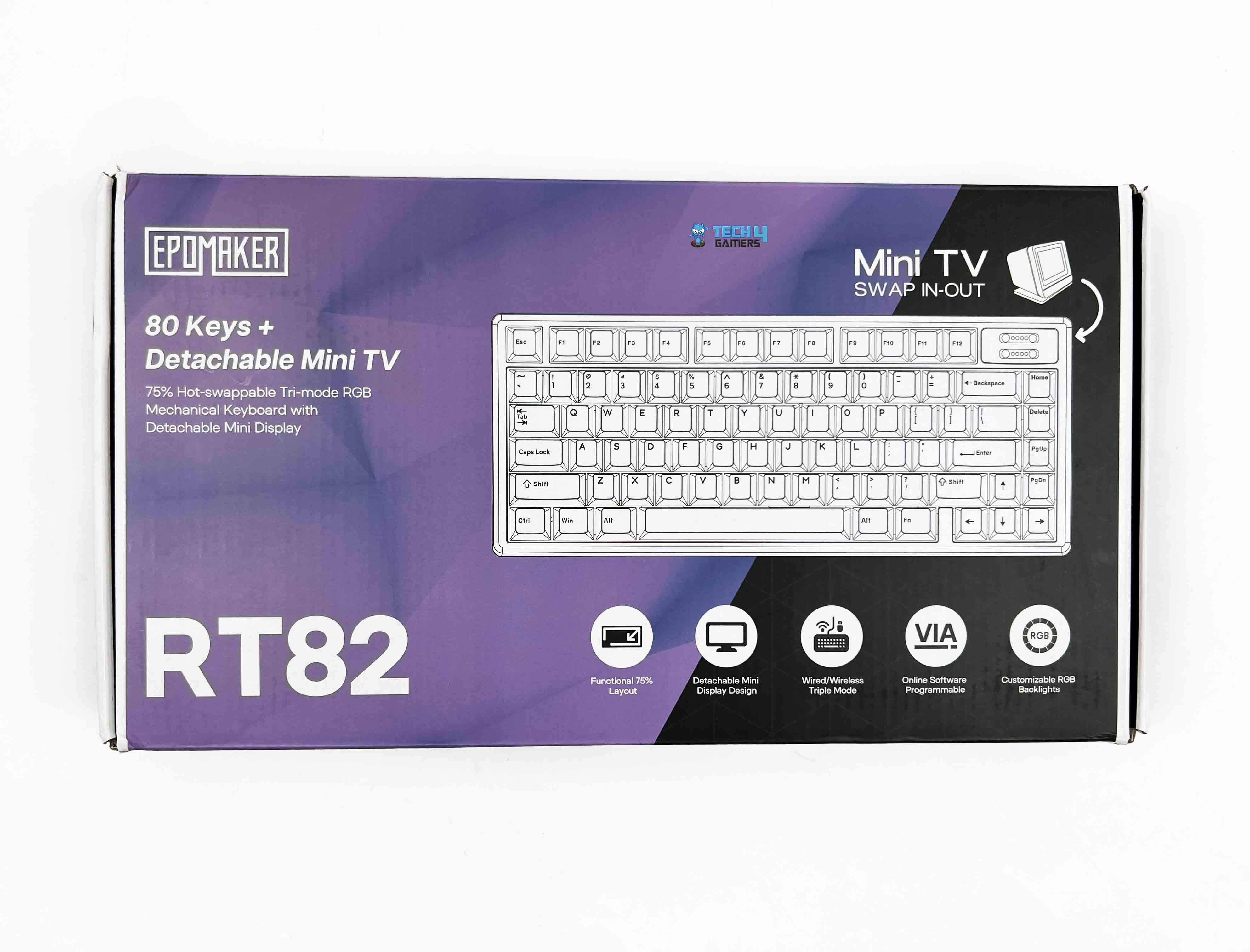
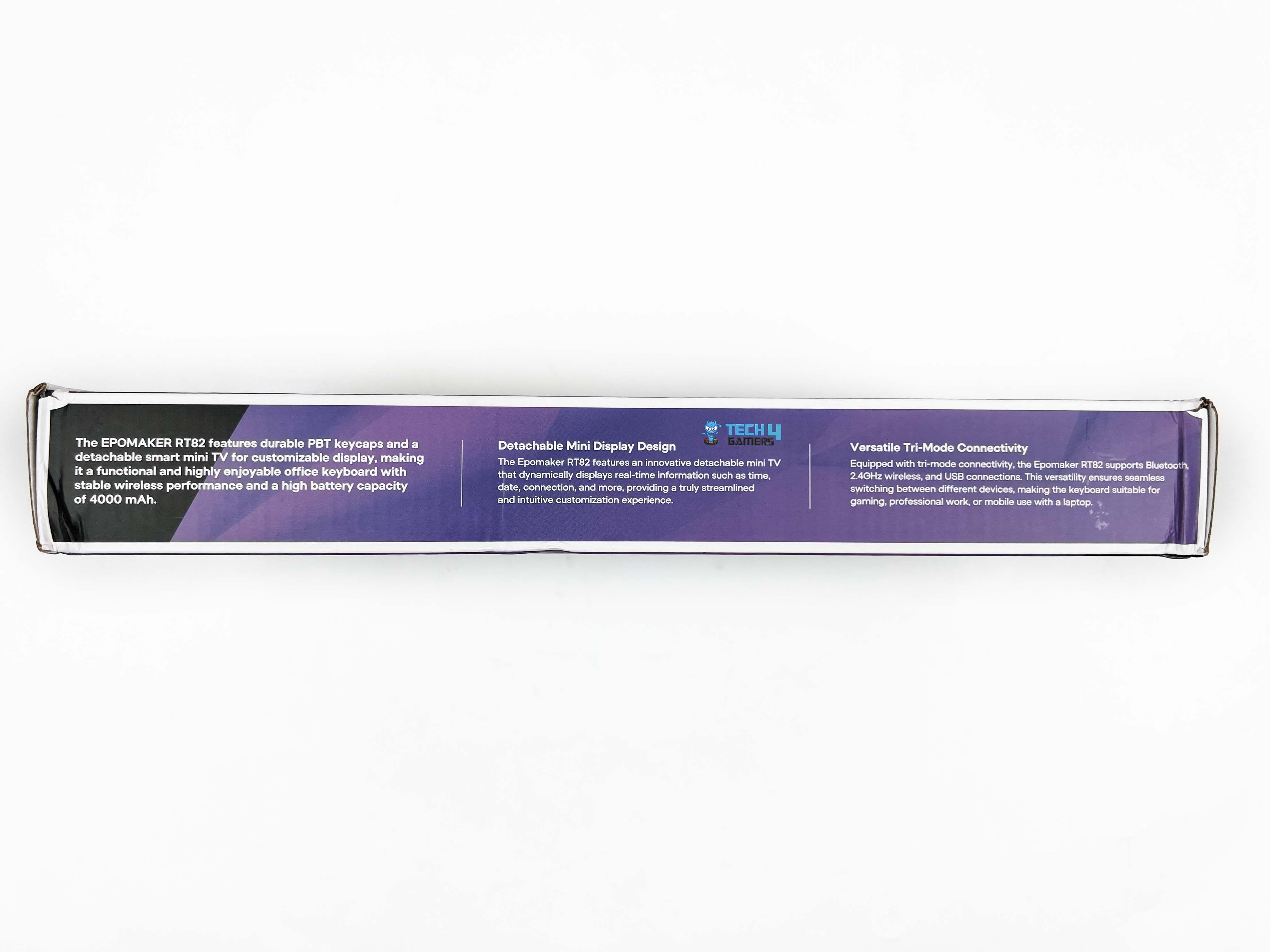
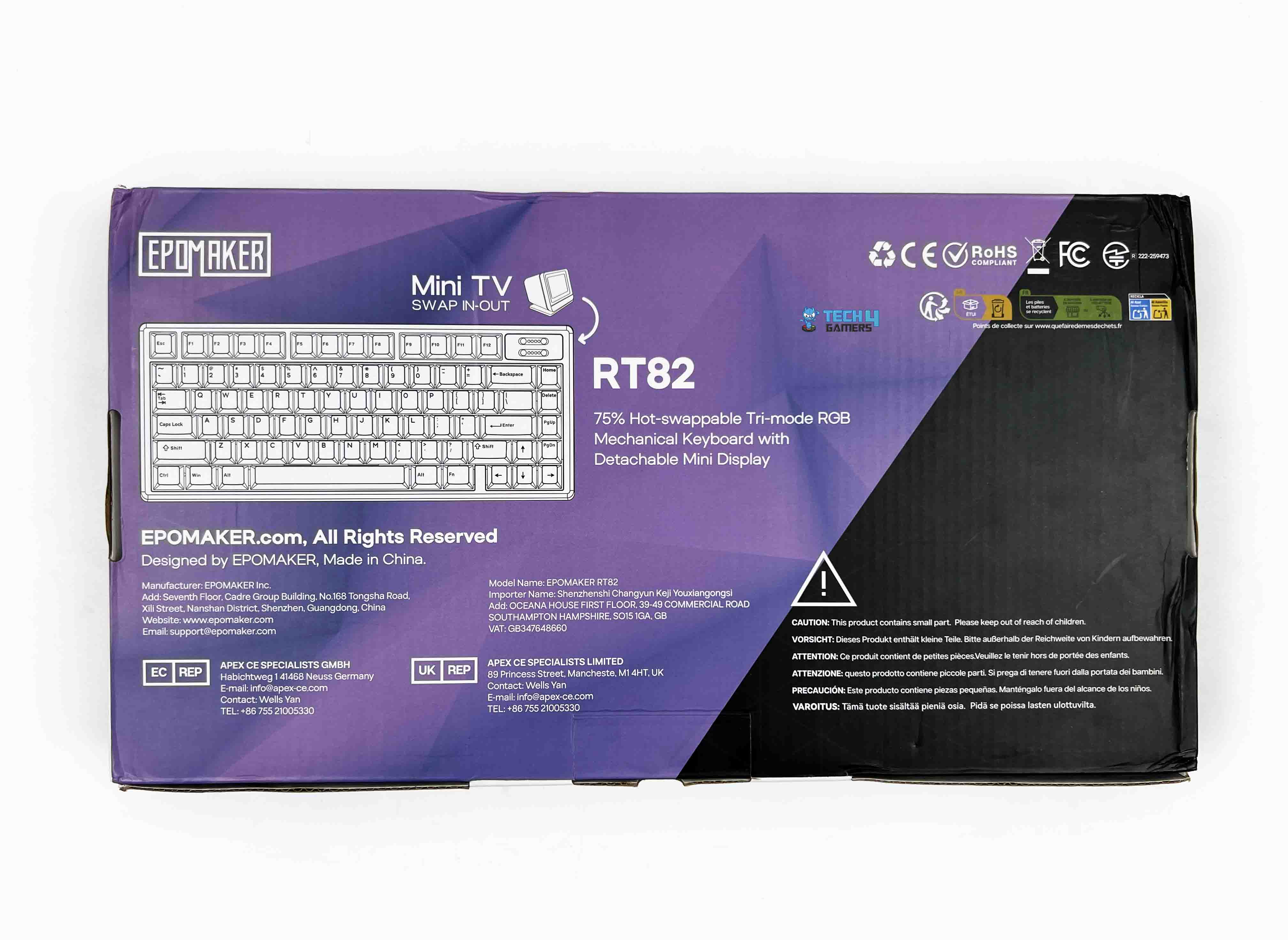
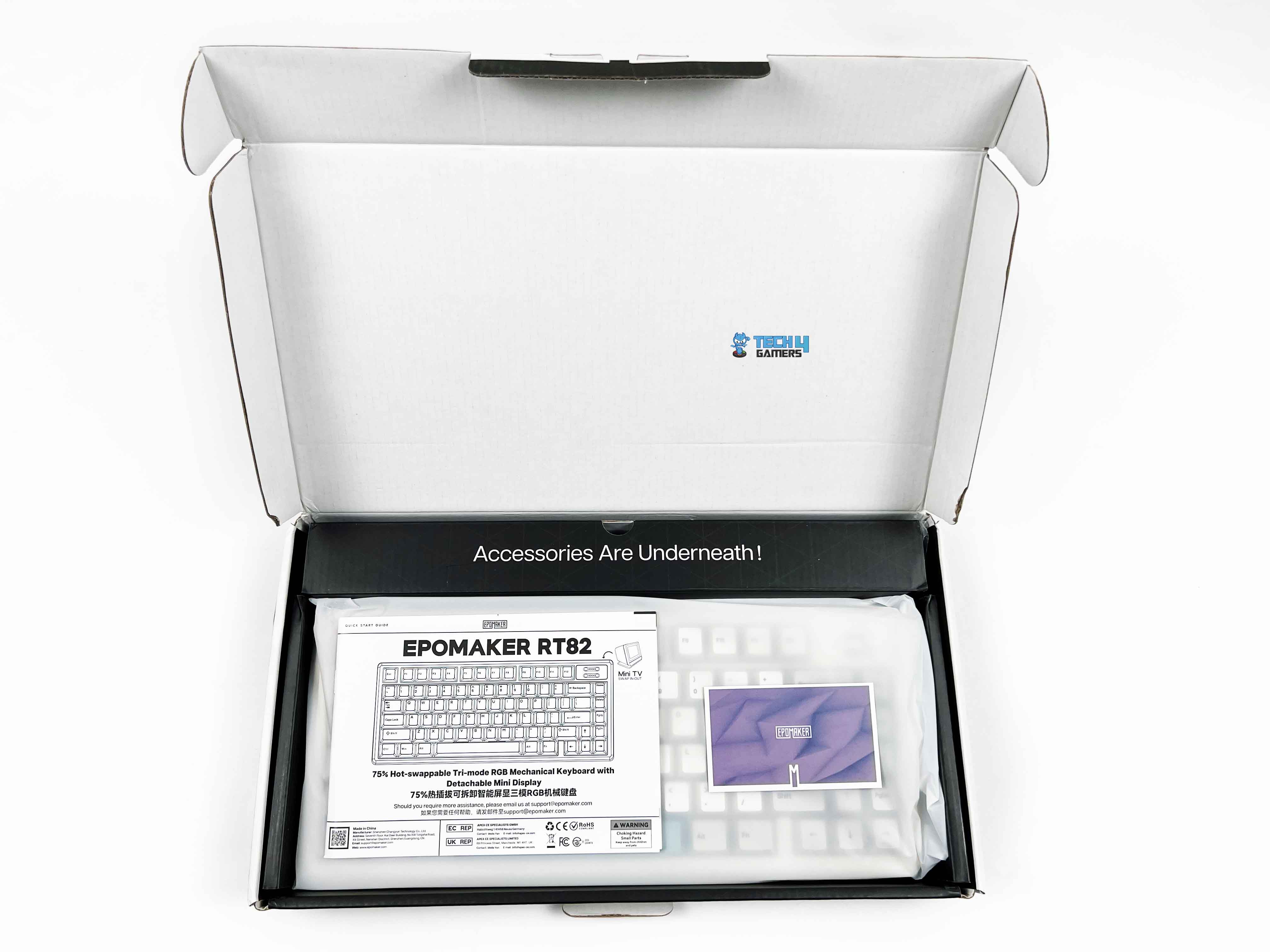
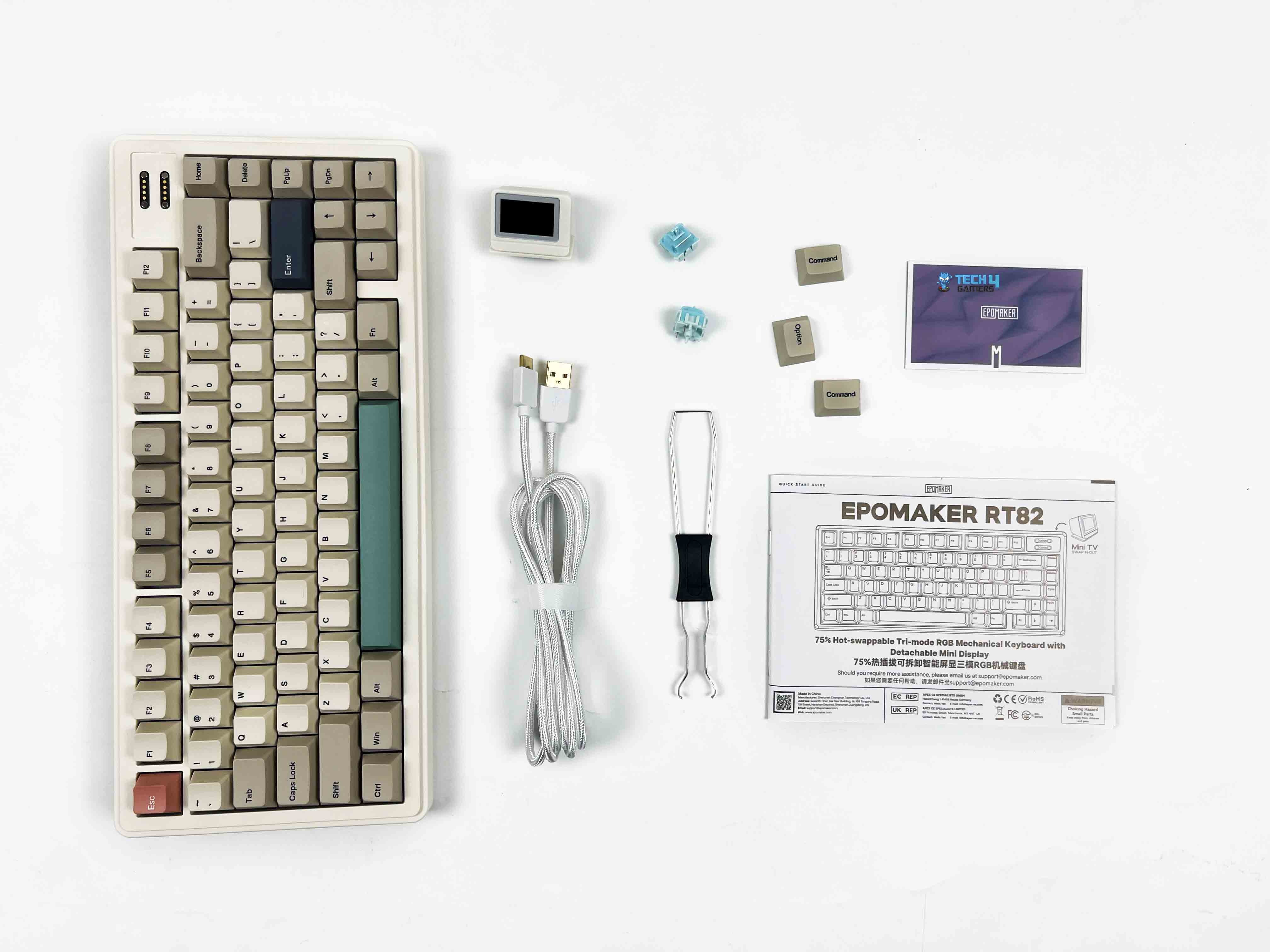
The Epomaker RT82 packaging is reasonably compact. You get an image of the keyboard on the front, along with branding and feature callouts. When you open the box, the keyboard is right there, wrapped in a thin protective sleeve. Above the keyboard, you’ll find the accessories tucked into their own compartments. Here is the list of everything that you’ll find inside the keyboard:
Unboxing
1 of 2
Unboxing
Box Contents
Epomaker RT82 Mechanical Gaming Keyboard
Detachable mini TV
Detachable USB A to C Cable
2.4Ghz Wireless Receiver (Stored on Keyboard)
2-in-1 Switch-and-Keycap Puller
Multilingual Manual
Additional Keycap for Mac
Additional Switches
Design
Design
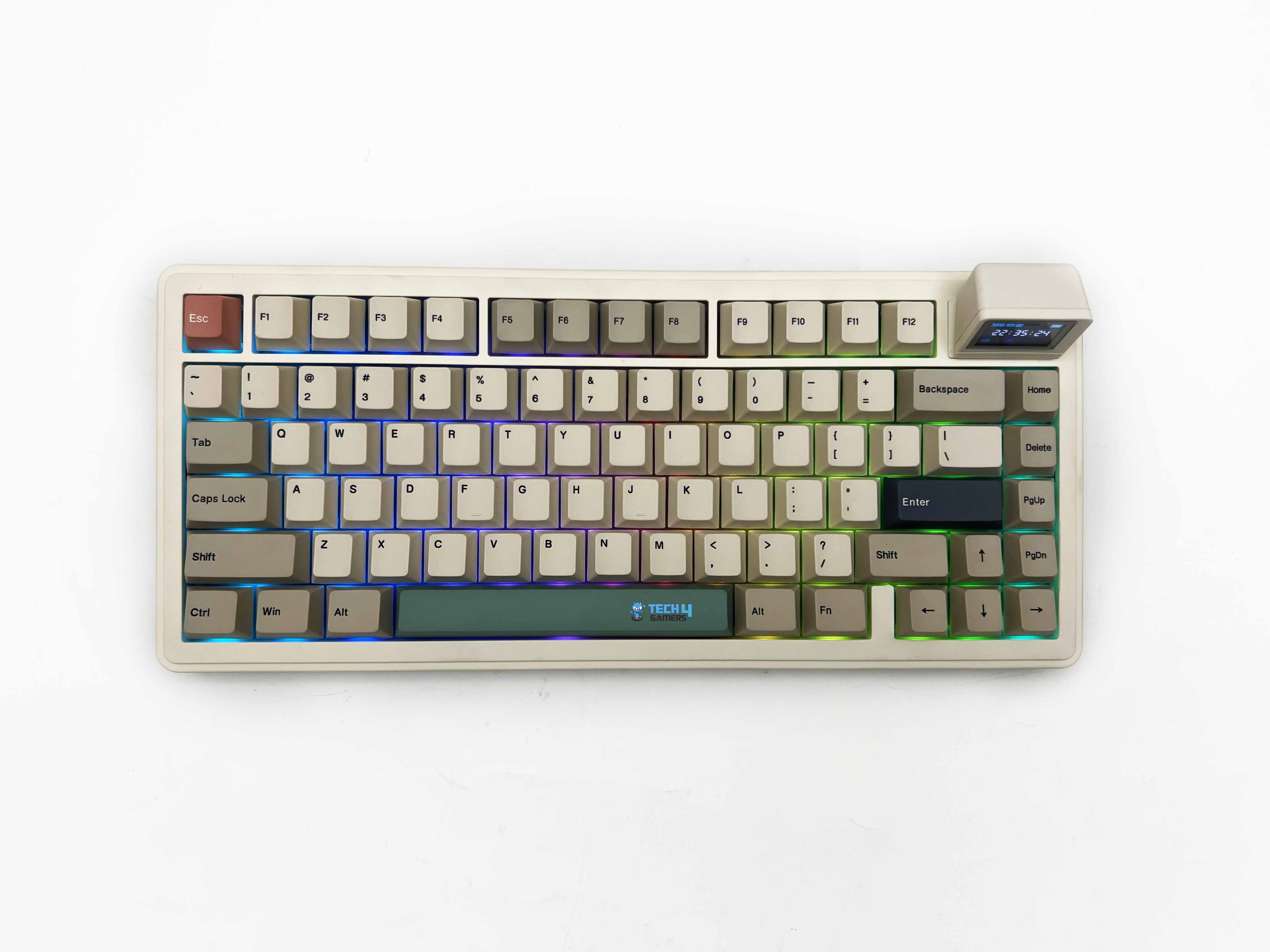
The design of the Epomaker RT82 feels very deliberate. The retro colorway is the first thing that sets the tone. It’s hard not to think of older office keyboards or early home PCs when you see it, thanks to its beige-adjacent tones and softer contrast. It taps into that nostalgia without fully committing to a straight-up vintage replica. Depending on your taste, that can feel charming or a bit dated.
It grew on me, though I can see why it wouldn’t click for everyone. Once it’s on a desk, the keyboard has an engaging presence. It stands out, but it doesn’t ask for attention. It feels more like something you’d expect on a personal workstation rather than a streamer’s setup. If your idea of a good desk is calm and functional, this keyboard would fit in perfectly.
Layout
Layout
The Epomaker RT82 sticks with a standard QWERTY layout in an ANSI US configuration, and that makes it easy to live with. Your hands already know where to go. There’s no learning curve here. This is a 75% board, which means you get most of what matters without the extra width. It has 80 keys in total, which puts it in that comfortable middle ground.
You still have a dedicated function row up top. The arrow keys are separate. Navigation keys like Delete and Page Up are right where your fingers can reach them without stretching too far. What you lose is the numpad, and the trade-off makes sense for the kind of desk space this keyboard is aimed at. What I liked is how the layout doesn’t feel compressed despite the smaller footprint.
Screen
Screen
1 of 2
Screen Off
Screen On
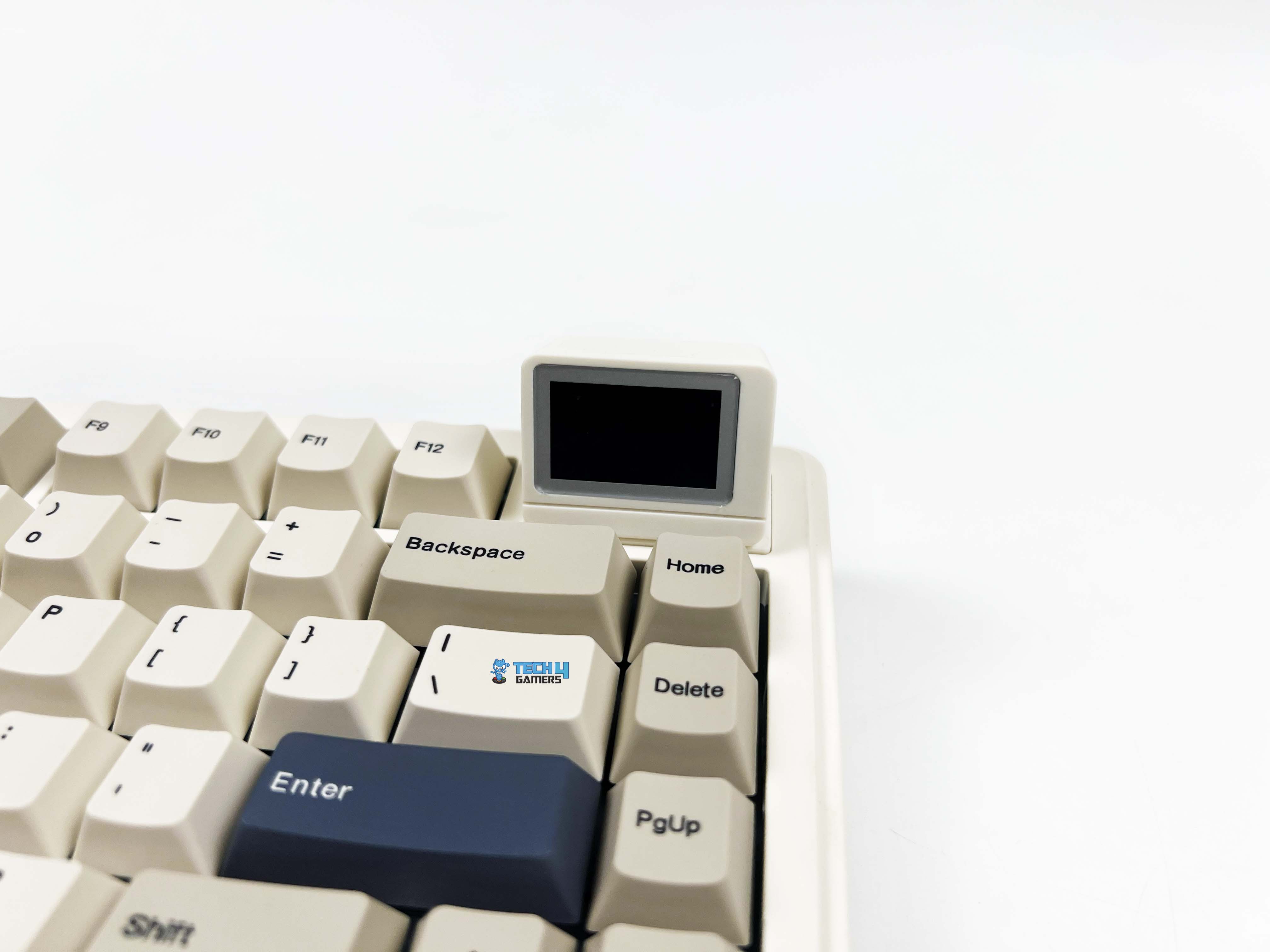
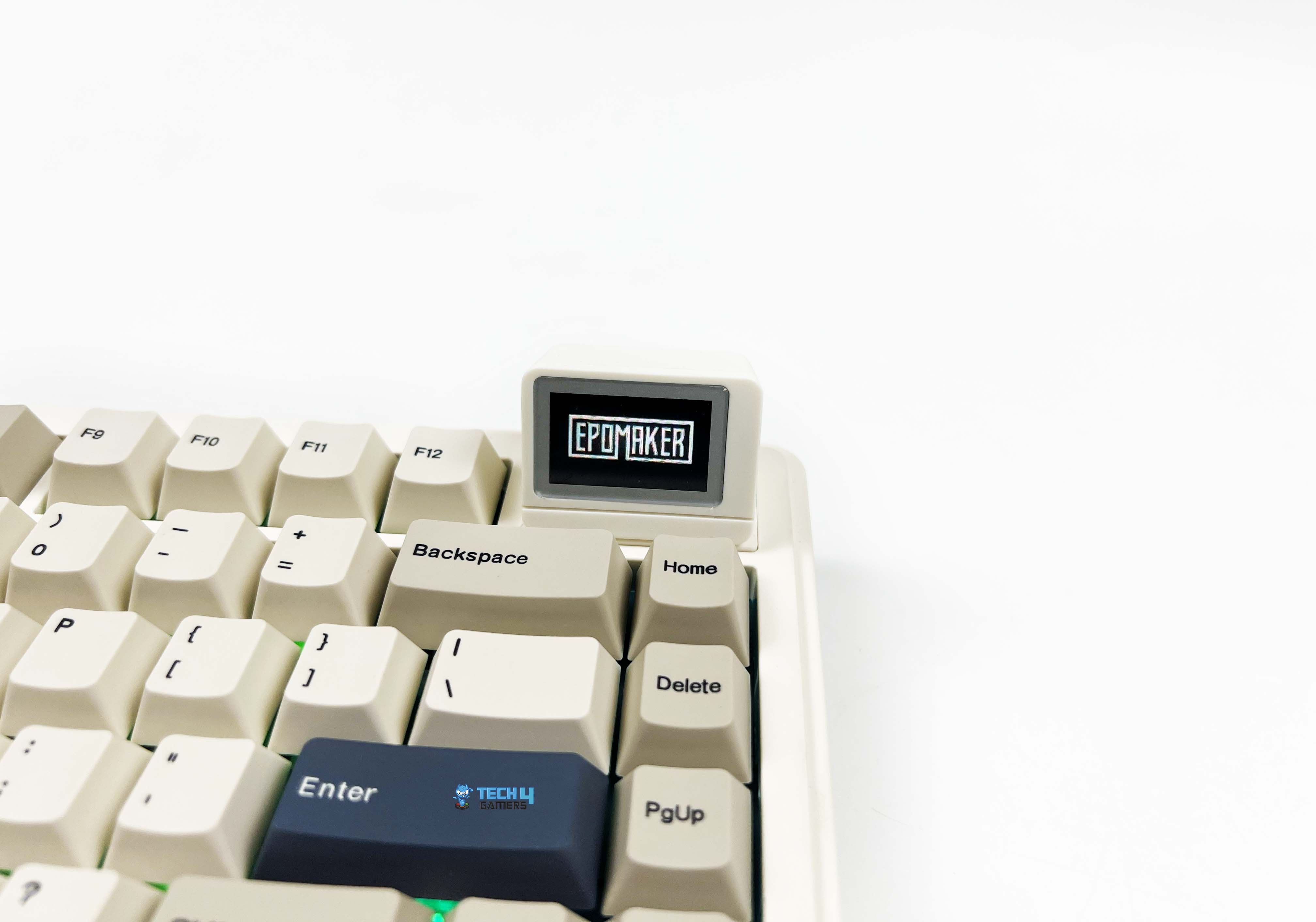
The screen on the Epomaker RT82 is a 1.14-inch LCD. It’s just large enough to be legible at a glance. You don’t have to lean forward or squint to read it, but it’s not trying to compete with your monitor for attention either. The screen is placed on the top right side. It isn’t something you depend on. Most of the time, you forget it’s even there. What it does well is make you smile.
The first time you upload a GIF and see it looping. It’s hard not to react. It feels playful in a way keyboards usually aren’t. I caught myself changing the animation more than once, not because I needed to, but because I could. Moreover, it displays things like the time, the date, or how much battery is left. There’s also a mode that mirrors what you type on the screen.
Underside
Underside
1 of 2
Underside
Feet
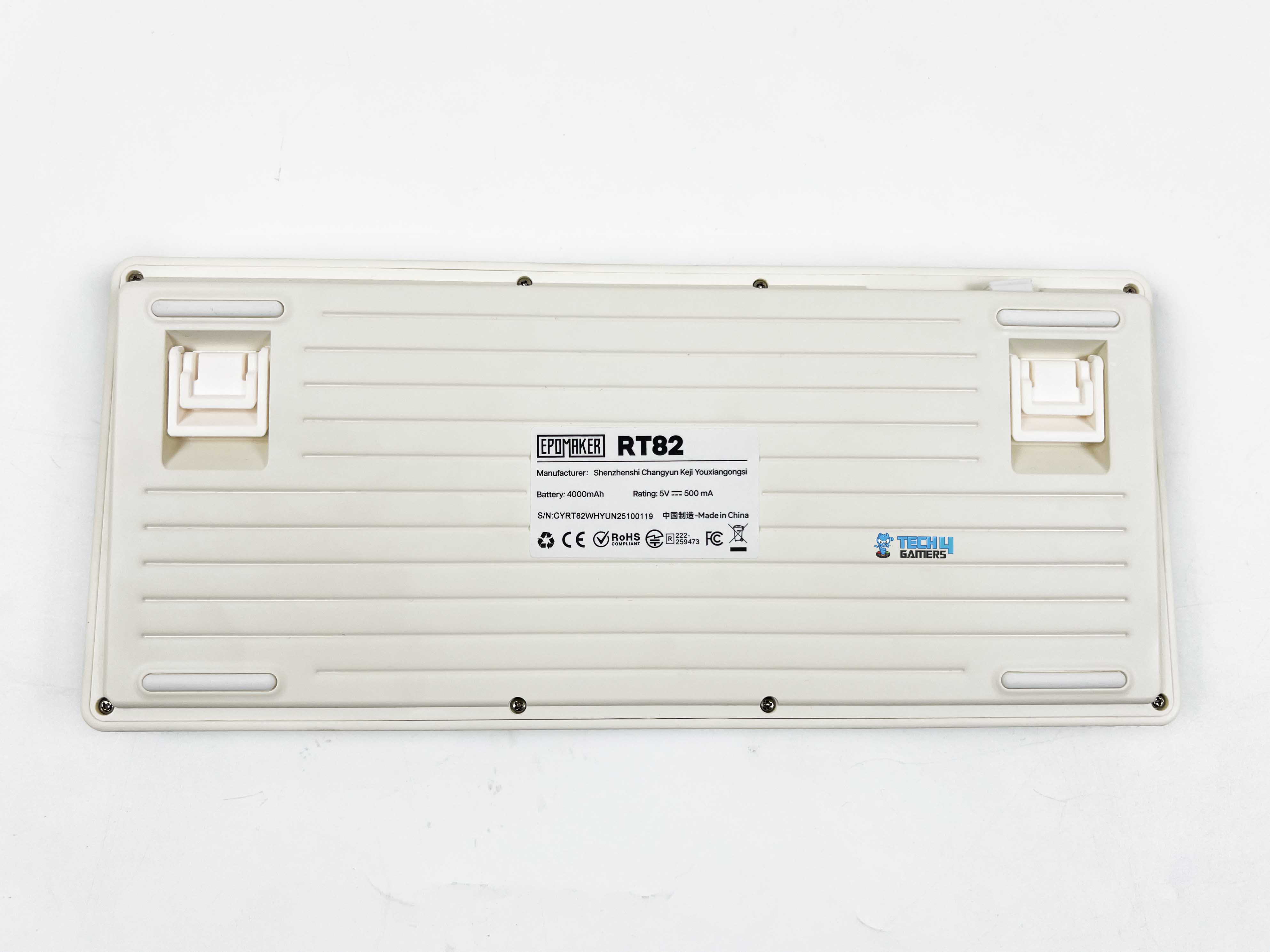
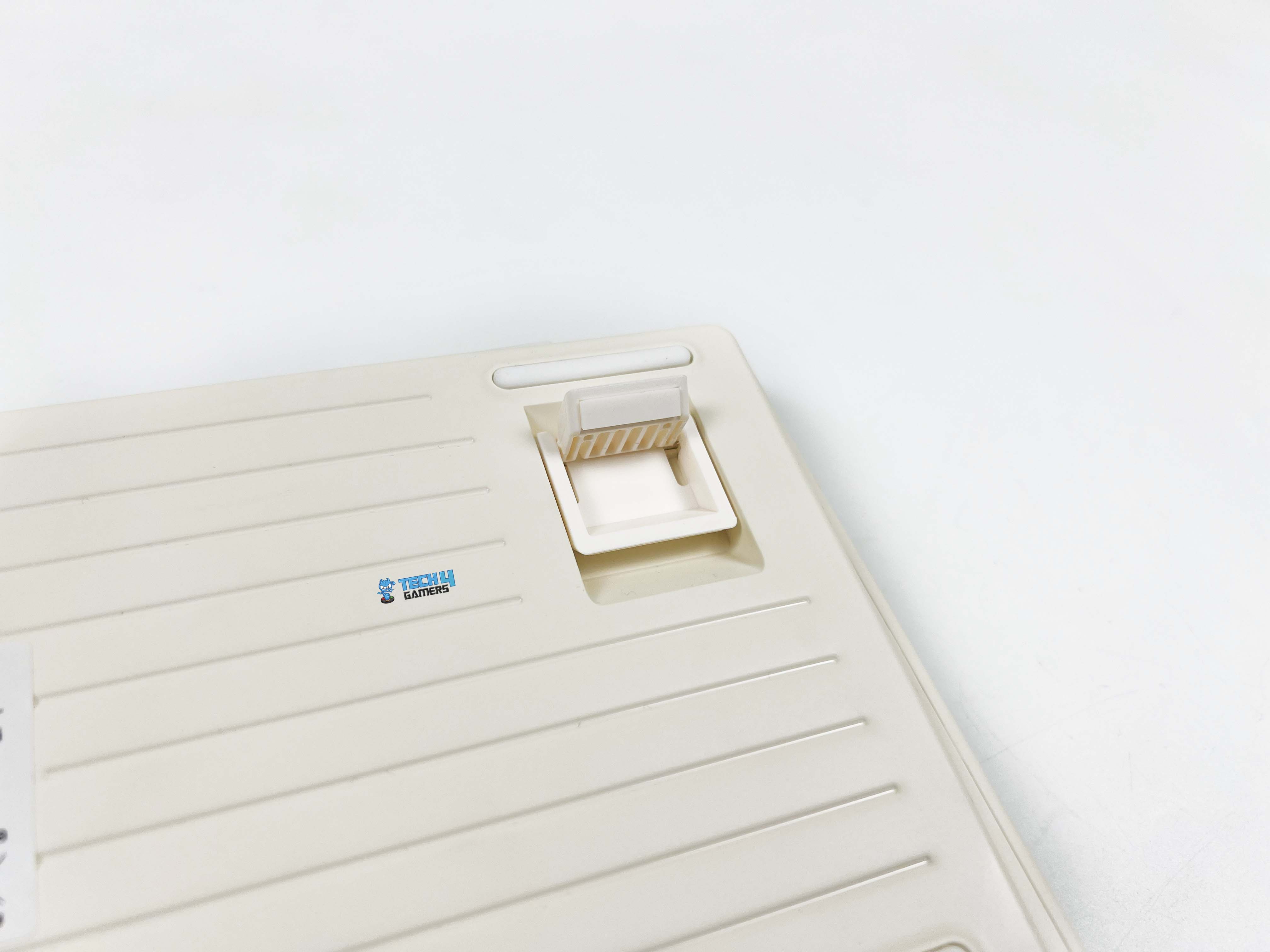
The rubber feet grip the desk surprisingly well. The front height is around 21.8mm. Even without a wrist rest, it stays comfortable for shorter sessions. I noticed it most during long typing stretches, where that lower front edge helped keep my hands relaxed rather than bent upward. The adjustable angle is handled by a two-stage kickstand system. With the feet folded in, the keyboard sits at roughly five degrees.
It feels natural if you type with your hands relatively low. Flip out the first stage, and you’re closer to seven and a half degrees. That’s where I personally settled for most of my use. The highest setting pushes it to around eleven degrees. That angle is noticeably steeper. It works well if you like a more traditional keyboard tilt or tend to rest your palms on the desk while typing.
Build Quality
Build Quality
The Epomaker RT82’s case is made from ABS plastic, which might seem ordinary compared to metal options. However, don’t let that make you think it feels cheap. The plastic feels solid and well-constructed. There’s no flex when you press down on the corners, and the edges are smooth without any sharp seams. Its dimensions are 326.7 by 143.2 by 39.8 mm. On the desk, it doesn’t dominate the space.
But it still feels substantial, especially compared to smaller 60% boards. At around 1 kilogram, it has enough heft to stay planted. The keyboard has weight and balance in just the right places. It doesn’t try to pass for metal, and it doesn’t need to. The whole build is understated, but it’s evident that the materials and design were chosen to make it feel consistent rather than flashy.
Keycaps
Keycaps
The keycaps on the Epomaker RT82 are made of PBT plastic, so they don’t get that worn-out feel. Instead, there’s a subtle grainy texture. It’s subtle, but after a few minutes, you notice how comfortable it is to type on. The profile is Cherry, so each row feels purposefully shaped. Legends are dye-sublimated, meaning they won’t fade. They are crisp and consistent, so you don’t have to guess a key even in dim light.
Unlike thinner, cheaper keycaps that wear down and start to shine after a few months, these hold up well and keep their texture. Early on, some keys felt a little firmer than others, but that’s more about settling into the keyboard’s layout than a flaw in construction. Removing and swapping keycaps is simple, too, and you can give the keyboard a totally different look.
RGB Lighting
RGB Lighting
1 of 2
RGB Lighting
RGB Lighting in Dark
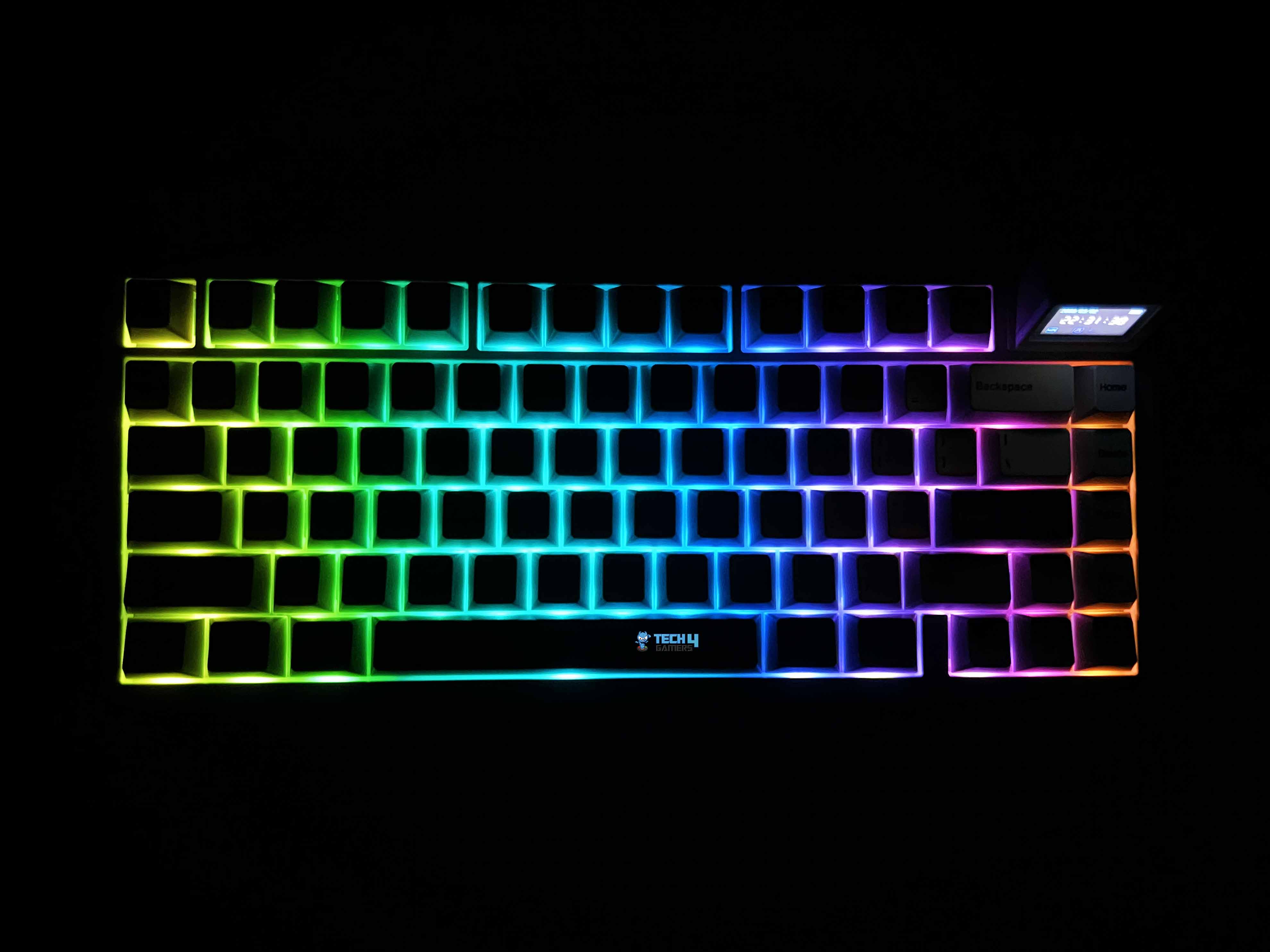
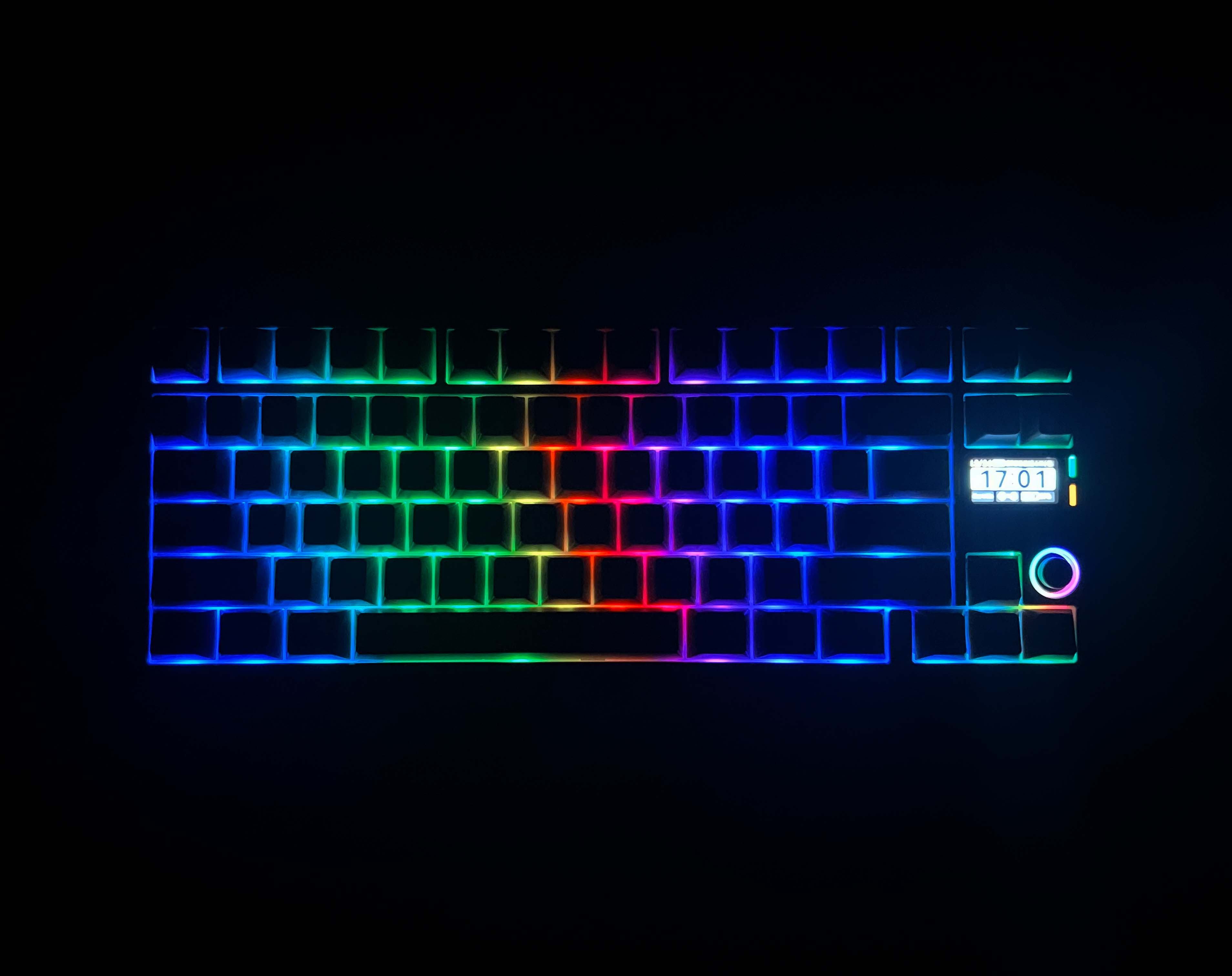
The Epomaker RT82 RGB lighting is more understated than some of the flashy keyboards you see elsewhere. Each key has its own south-facing LED, so the glow is directed toward you rather than bouncing around the desk. Because the PBT keycaps are opaque, the light doesn’t shine through the legends. Therefore, it’s less about showing off colors and more about adding a soft glow around the edges.
It catches your eye in a dim room without ever feeling overwhelming. You can cycle through a few built-in effects. They’re not mind-blowing, but they get the job done if you just want some movement or a splash of color. In low light, the colors pop nicely, and even with the opaque PBT caps, the edges catch the light subtly. It’s bright enough to notice, but it never feels like it’s trying to be extravagant.
Switches
Switches
1 of 2
Switches
Switch Housing
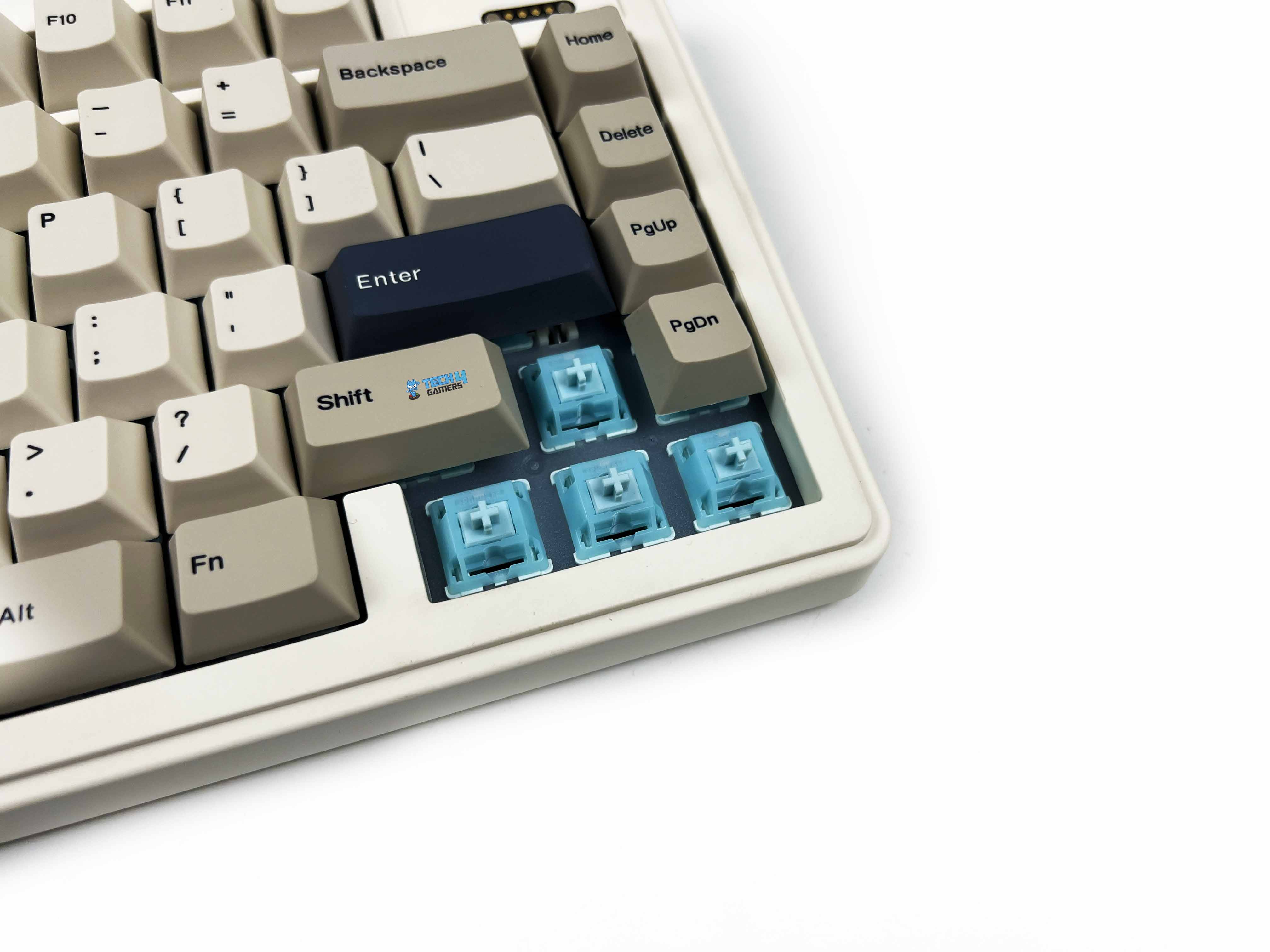
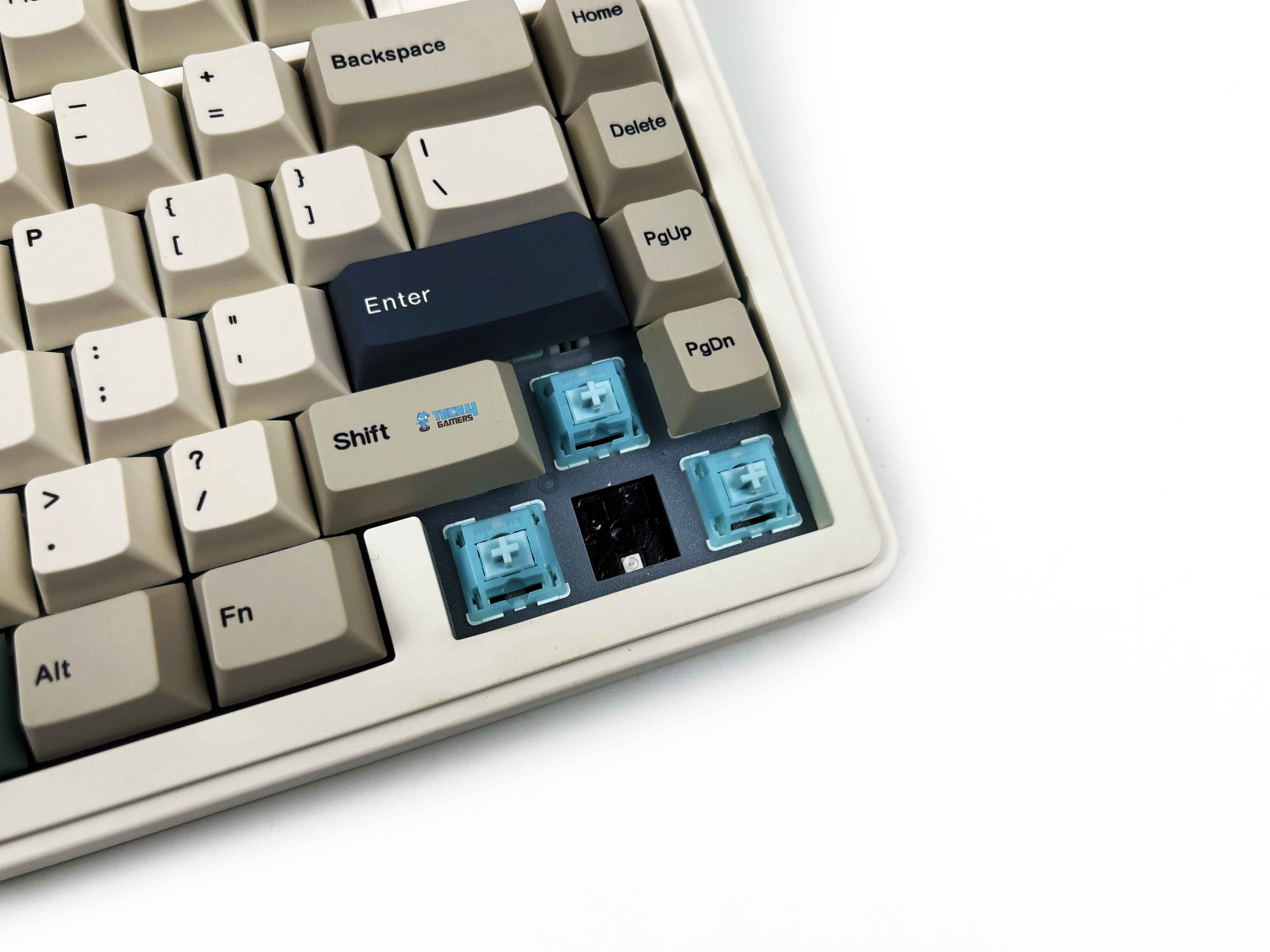
The Epomaker RT82 comes with Epomaker’s Creamy Jade switches, and they’re linear, so there’s no tactile bump. You just push down, and the key goes down smoothly and evenly. The pre-lubed stems make them feel quiet and effortless. Pressing a key takes about 45 grams of force, rising to 50 at the bottom, so it’s light enough to stay nimble but still satisfying. Travel feels well-balanced as well.
You start with about 2 millimeters before the switch actuates, and the full travel is around 3.6 millimeters. That short pre-travel means you can hit keys quickly, but you still get enough movement to feel thought-out. There’s no built-in light diffuser. It’s hot-swappable. You can replace these with other 3- or 5-pin mechanical switches. Moreover, there are many other best custom keyboards out there that lean hard into customizability at the same level.
Typing Experience
Typing on the RT82 has its own rhythm that’s surprisingly controlled. The first few sentences take a moment to settle your fingers, especially if you’re used to clickier switches. But once you find that groove, the keystrokes are soft. The pre-lubed Creamy Jade switches are not mushy, giving just enough resistance to feel thoughtful without tiring your fingers. Each press lands with a cushioned bottom-out, helped along by the gasket-mount structure.
The keys almost float on the frame. The plate is made of PC, which gives the typing sensation a subtle bounce. Stabilizers are plate-mounted and well-lubed, so bigger keys like the spacebar or shift don’t rattle unless you really slam them. Sound is chiefly muted thanks to a combination of sandwich latex, IXPE switch pads, PET pads, bottom foam, and silicone. You notice a quiet thock rather than a sharp click that is consistent and easy on the ears, even in long sessions.
Connectivity
Connectivity
1 of 2
USB Port
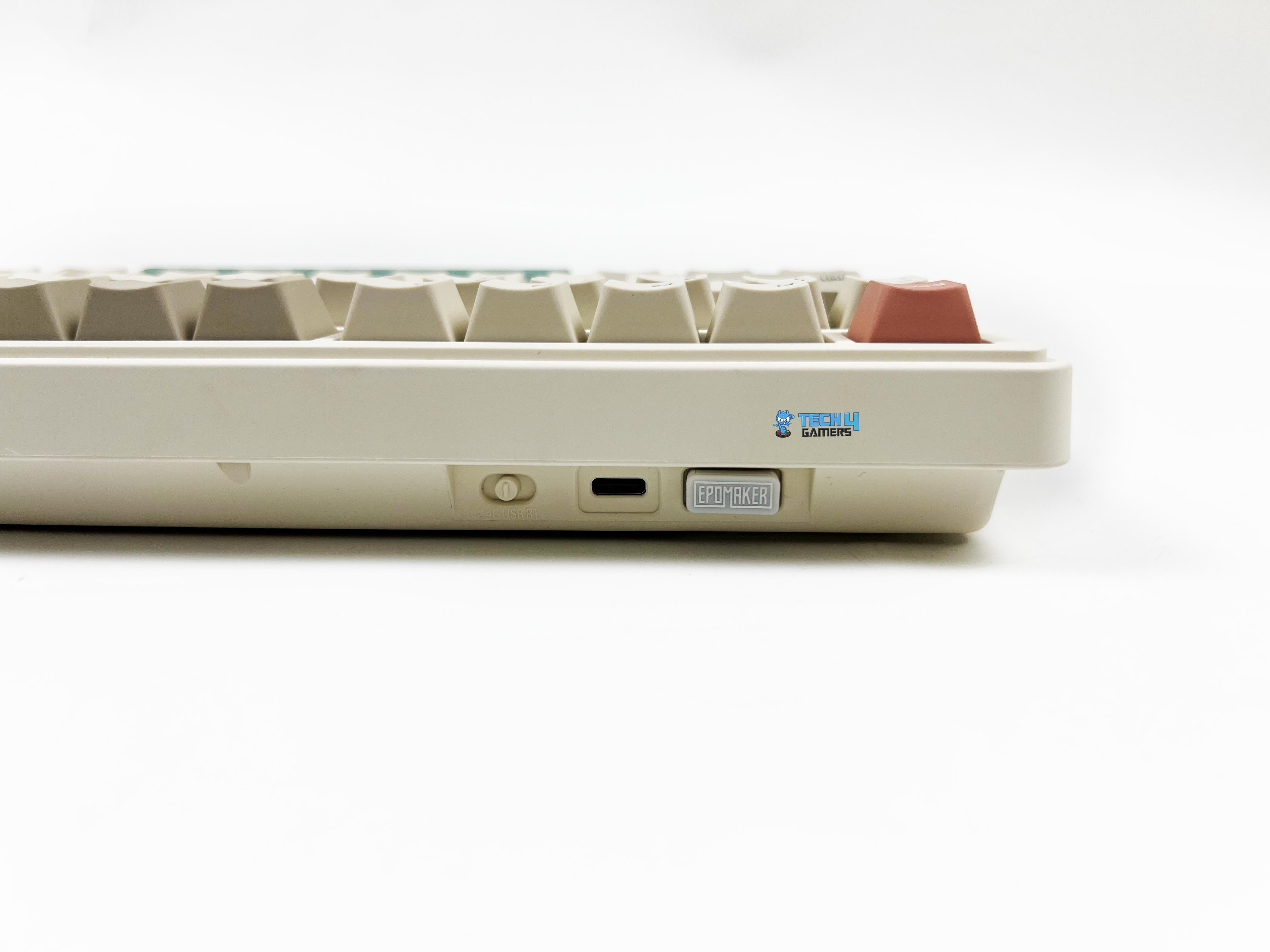
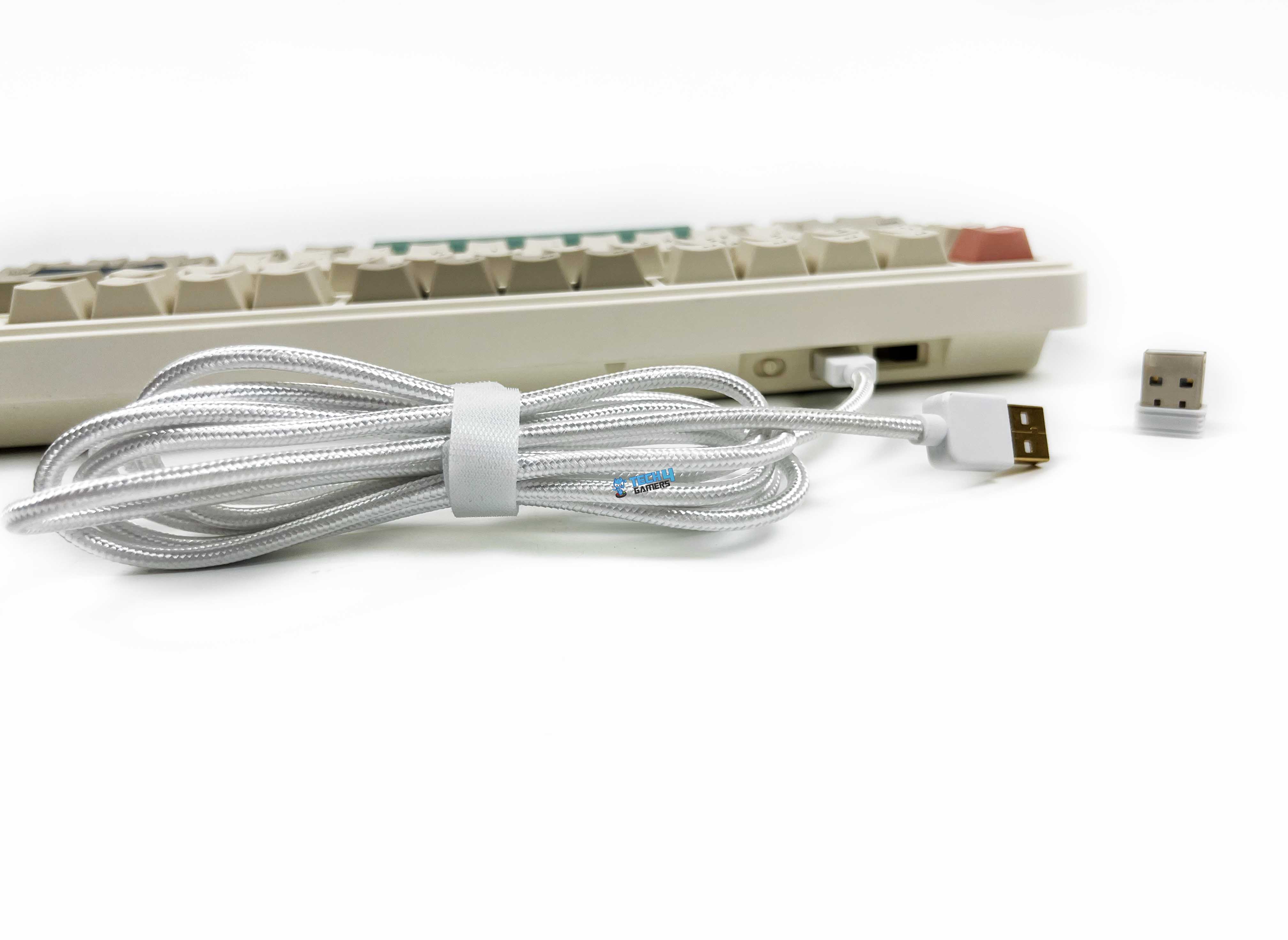
The Epomaker RT82’s connectivity options are flexible enough to cover most setups. You get a braided USB-C cable for a plug-and-play connection. For wireless use, it makes switching between modes straightforward. There’s a little toggle on the underside that lets you switch between 2.4GHz and Bluetooth, and it even has a small nook to store the 2.4GHz dongle when it’s not in use. Getting into wired mode is as simple as flipping the switch to the middle and plugging in the cable.
For 2.4GHz, you flip it over to that side, and a green “R” on the keyboard blinks slowly. Holding Fn + R puts it into pairing mode, and the screen tells you it’s ready. Bluetooth is just as simple. Slide the switch over, hold Fn + Q, W, or E depending on which device slot you want, and the screen will tell you it’s pairing. For those who prioritize multi-mode connectivity like this, our best wireless gaming keyboards list offers a broader look at alternatives worth considering.
Performance
Feet Flipped
Using the RT82 day to day, feels responsive. Gaming or fast typing doesn’t give any performance issues. The keyboard supports a 1000Hz polling rate in wired and 2.4GHz modes, with latency as low as 3ms wired and 5ms over 2.4GHz. Bluetooth drops to 125Hz and about 15ms, but for casual use, it still feels responsive. Switching between Bluetooth and 2.4GHz works as expected. The keyboard doesn’t chase esports-grade numbers.
Still, inputs feel stable, and the feedback matches the sense of control it gives. When it comes to gaming, I feel confident. Every keypress feels immediate, and there’s no lag between what I press and what happens on screen. Even in fast-paced games, movement and executing combos felt natural. Notably, N-Key rollover ensures that rapid keypresses never get missed.
Battery Life
The Epomaker RT82 battery life numbers actually line up with real use. The built-in 4000mAh battery isn’t tiny. With both the RGB and the screen on, I got around 14 hours of usage before it asked for a charge. Turning the screen off stretched that to roughly 17 hours, which covers most of a full day without worrying. If you don’t mind skipping the lights, the keyboard can last 45 hours with RGB off and the screen on, or 115 hours with both off.
Charging via USB-C is hassle-free. I found that plugging it in every few days with all the extras on was enough to keep it running comfortably. Wired users won’t have to worry about this at all, and even in wireless mode, battery anxiety is mostly avoidable once you understand how the features affect runtime. Lastly, the battery indicator on the screen is helpful, so there’s no need for guesswork.
Software
Software
1 of 9
Basic Keys
Media Keys
Macro Keys
Layer Keys
Special Keys
Lighting Keys
Macros
Layouts
Backlight
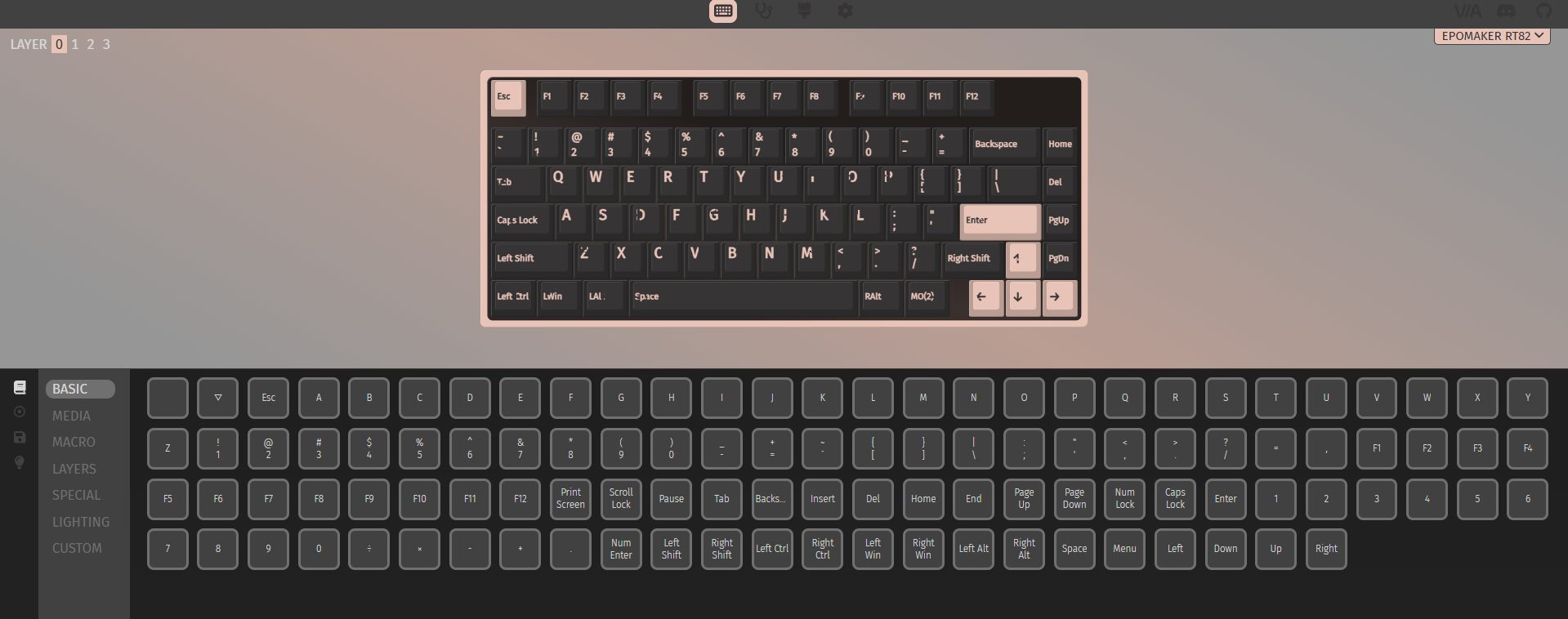
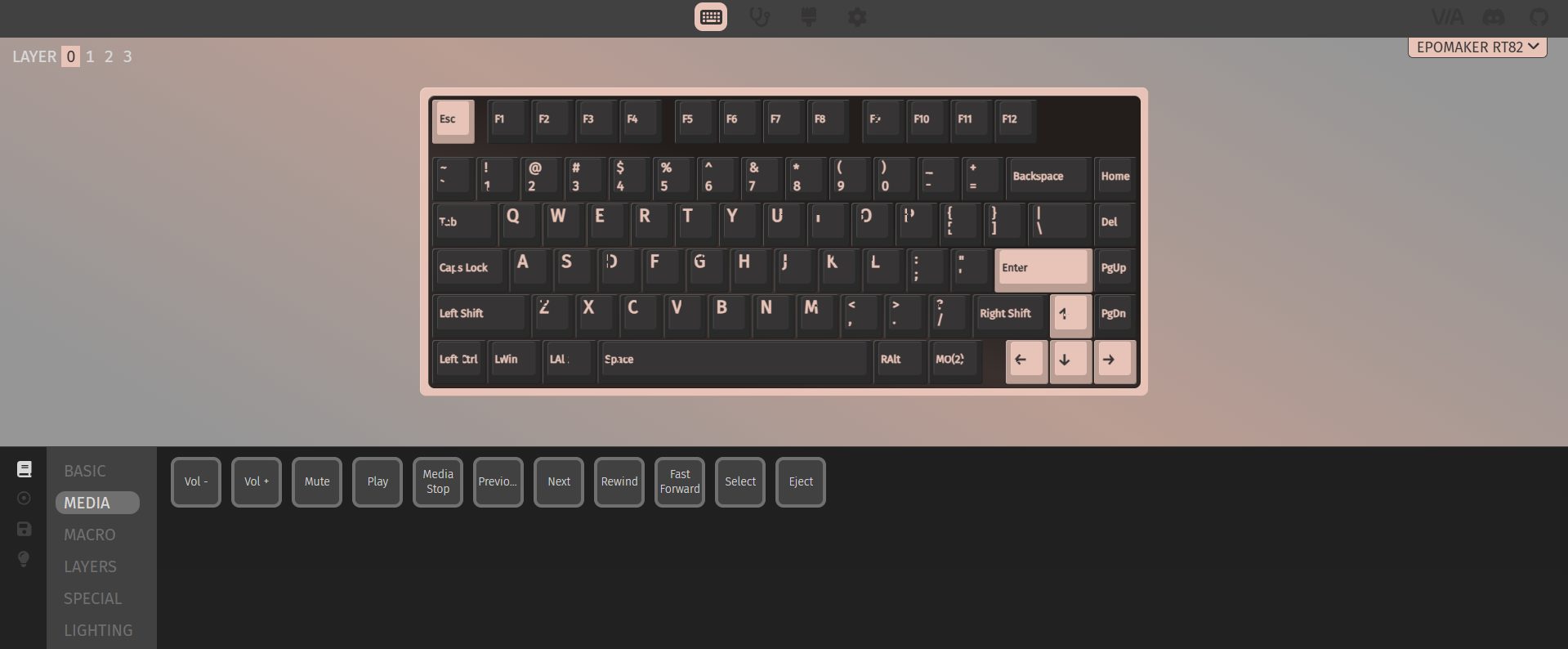
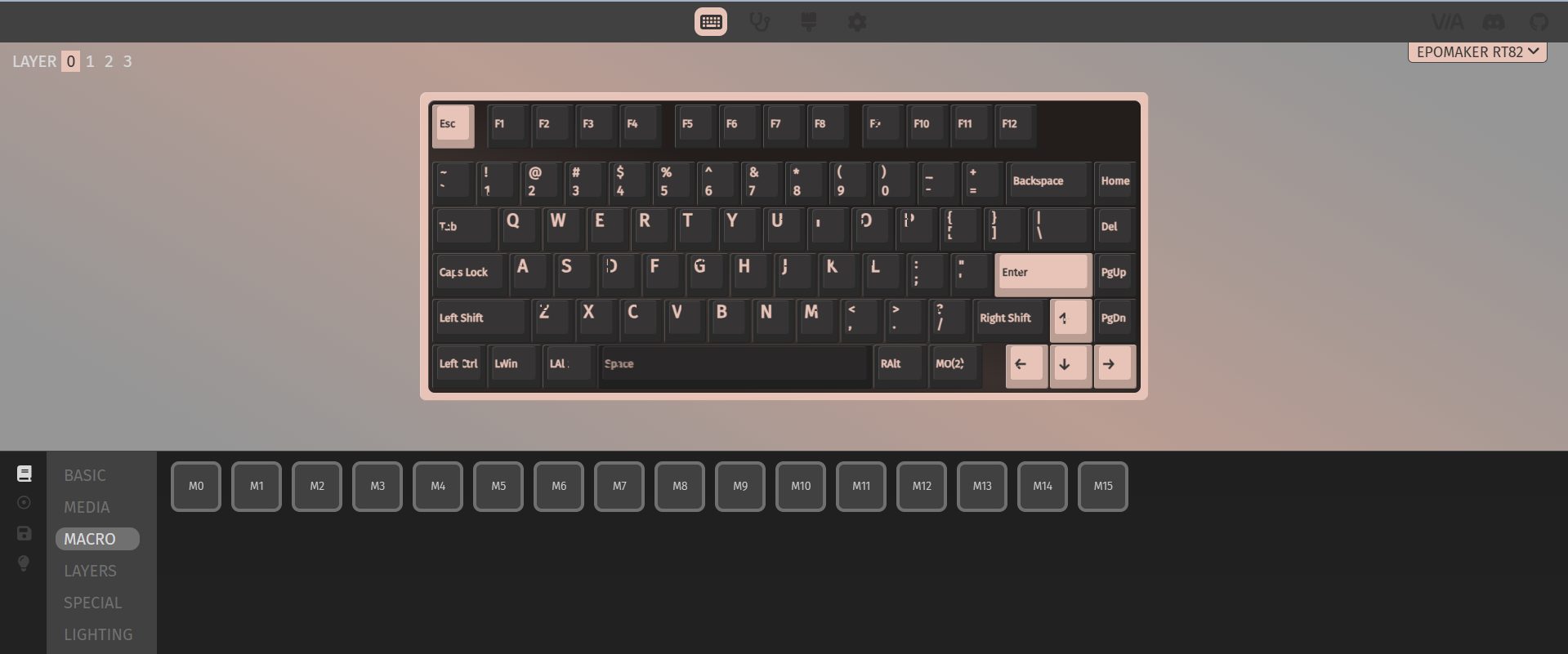
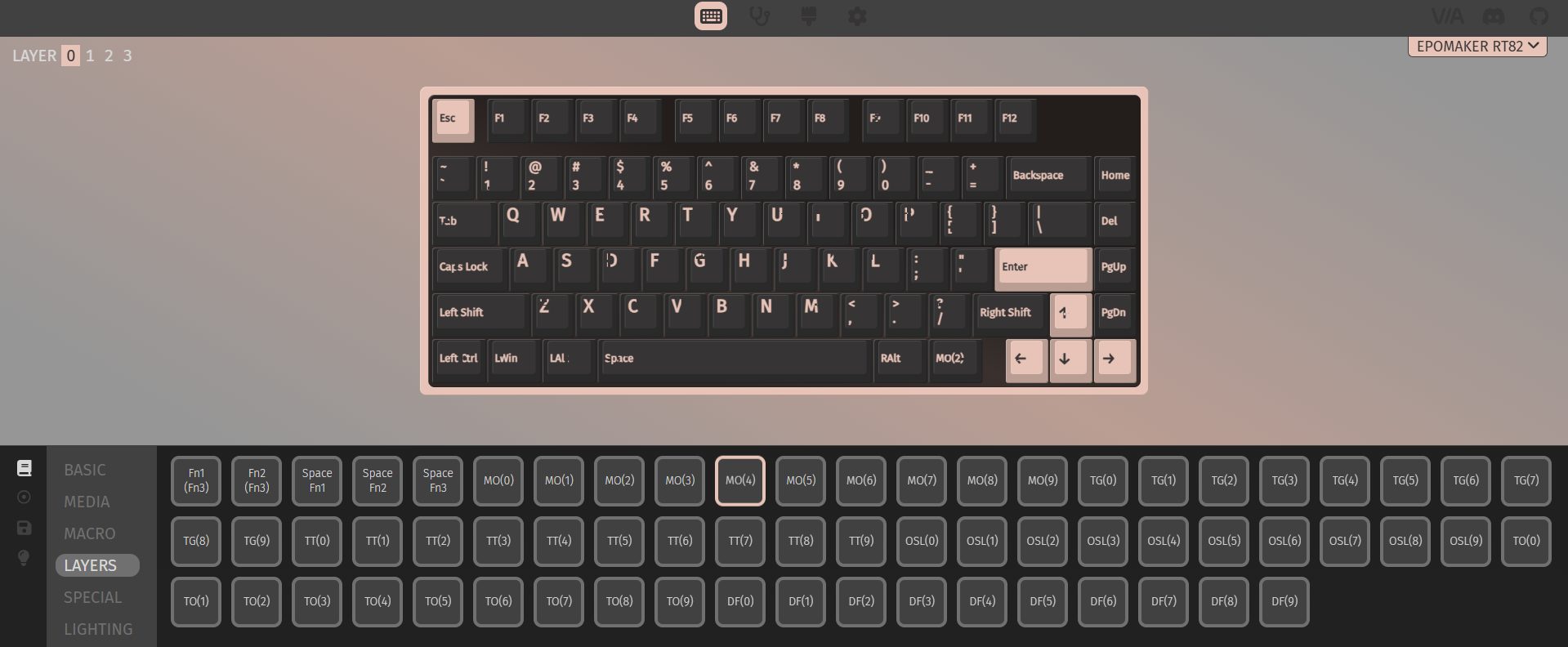
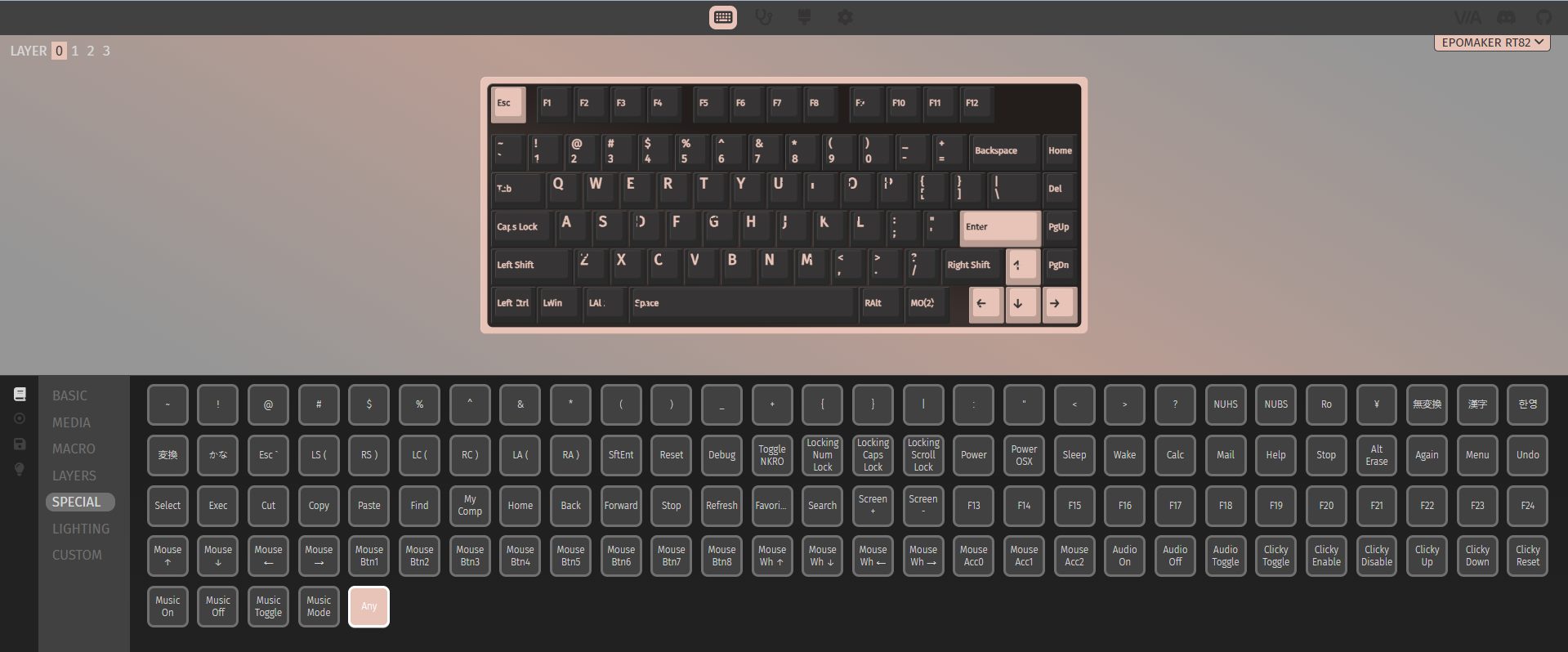
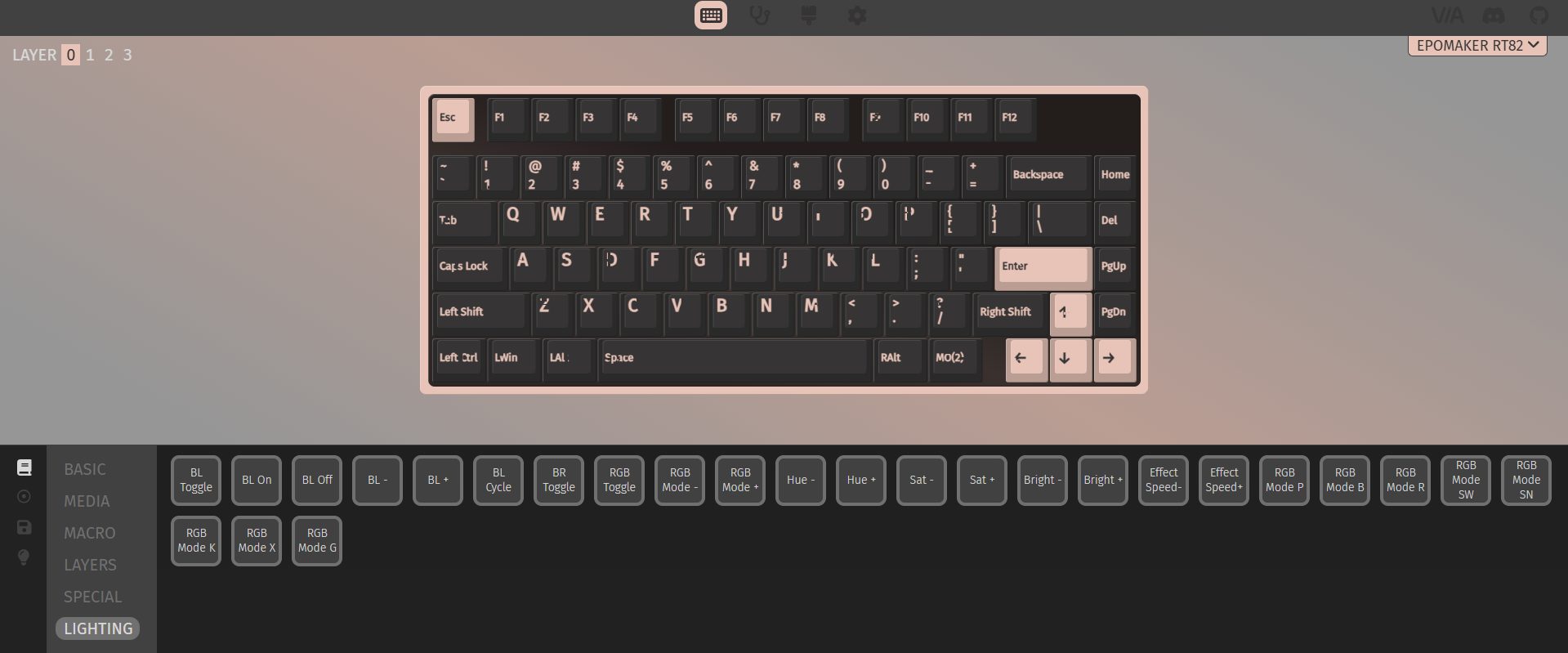
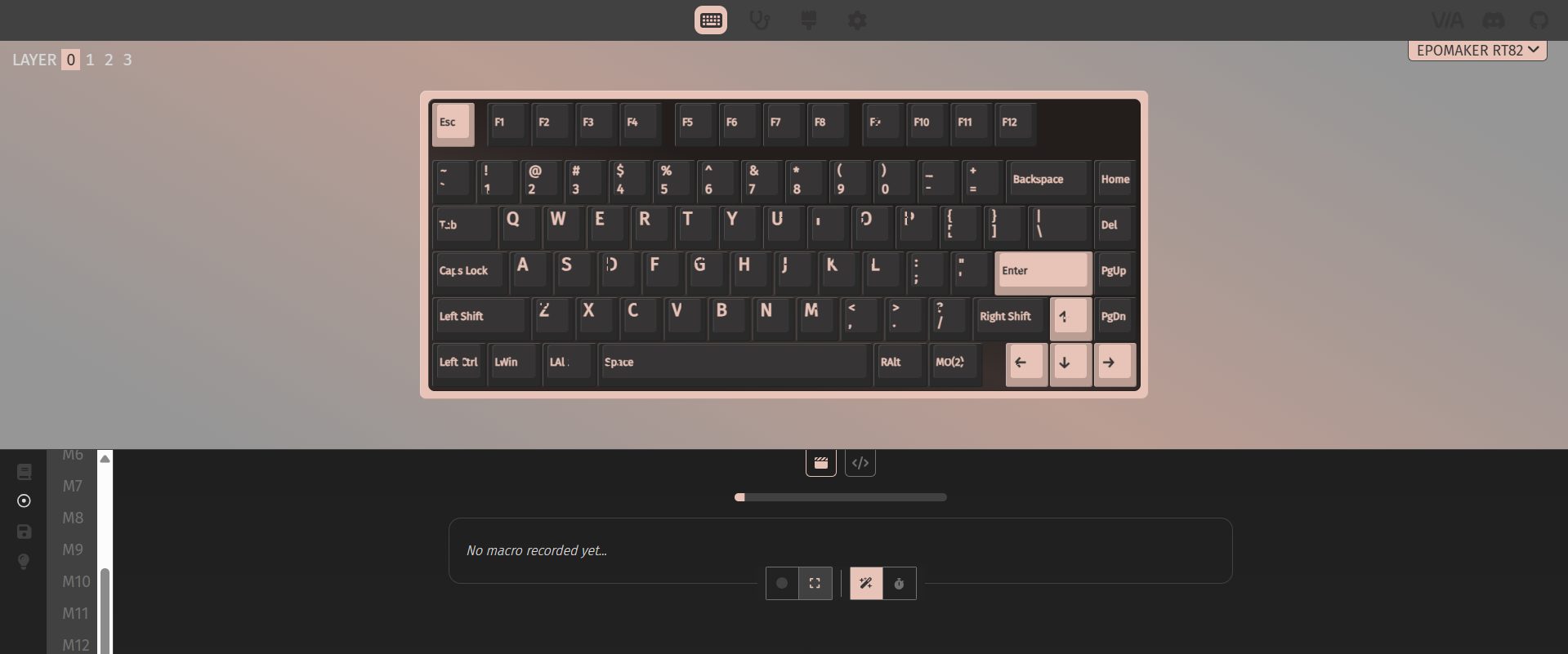
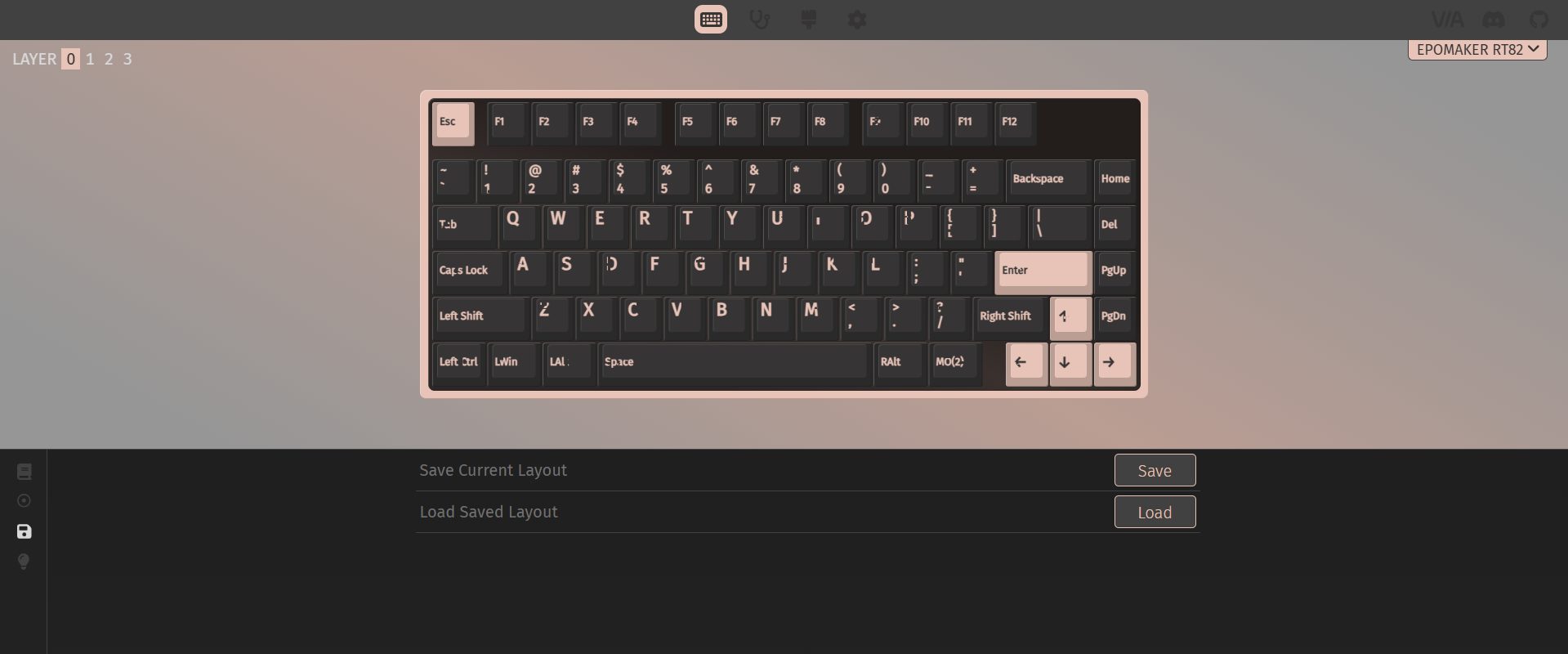
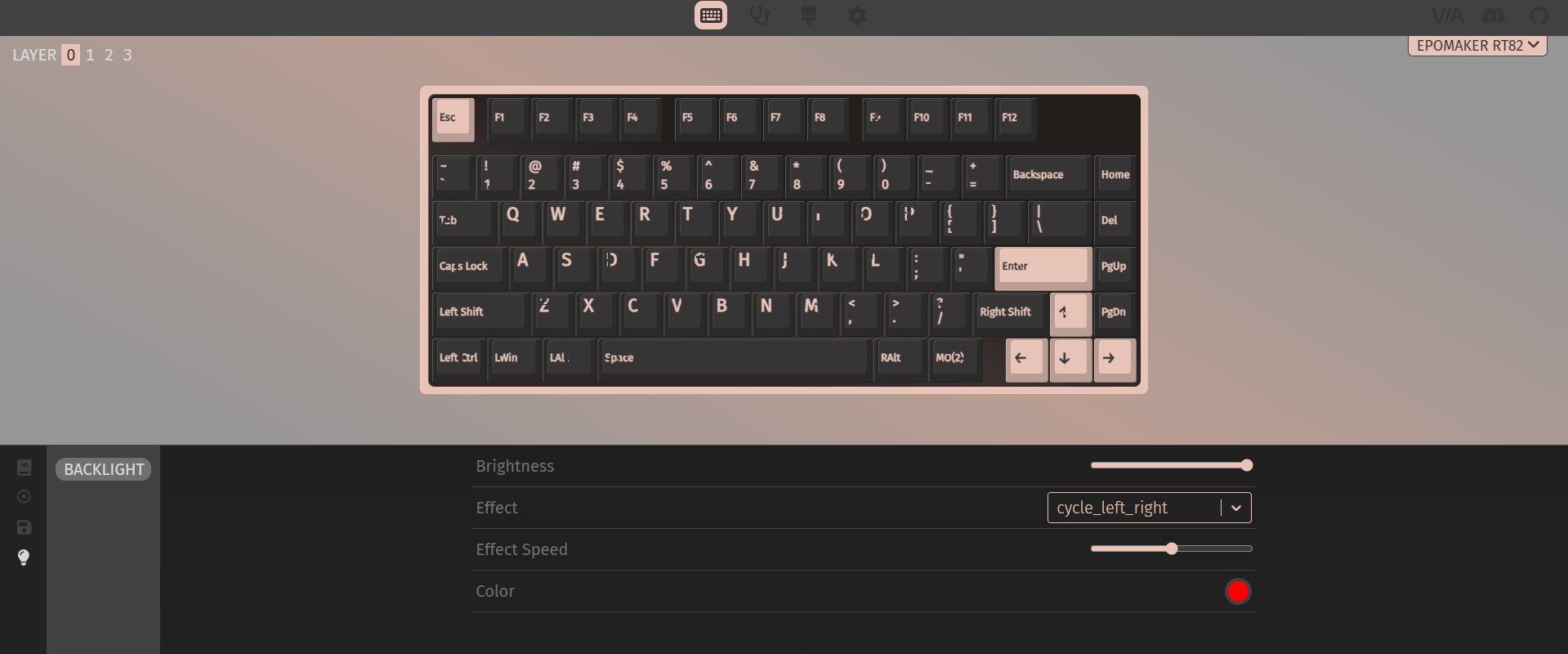
The Epomaker RT82’s software is robust. You don’t need to install anything as it runs in your browser, which is convenient if you don’t want extra programs cluttering your system. VIA support gives you serious customization, letting you remap keys, assign macros, and tweak advanced functions. For someone who likes to tinker, that’s a lot of depth.
Uploading GIFs to the little screen is a similar story. You go to the browser-based tool, connect the keyboard in wired mode, upload your GIF, and then download it to the device. It works, and it’s fun once it’s running. That said, first-time users can hit a few bumps. For enthusiasts, it won’t be a deal-breaker. They’ll figure it out and push the keyboard to its full potential. Casual users might stop after trying a few presets and leave it at that.
Should You Buy it?
Buy it if
✅ You care about typing feel: The pre-lubed Creamy Jade switches and layered sound dampening make long typing sessions comfortable and pleasantly quiet.
✅ You want flexible connectivity: With wired USB-C, 2.4GHz wireless, and Bluetooth support, this keyboard adapts easily to multiple devices, and switching between them is easy.
Don’t Buy it if
❌ You prefer ultra-light keyboards: At around 1kg, the RT82 is heavier than many compact 75% keyboards.
❌ You’re picky about aesthetics: The retro beige-inspired colorway is nostalgic but may not appeal to everyone or fit every setup.
Final Verdict
Spending time with the Epomaker RT82 leaves an interesting impression. It feels thoughtfully put together. This is the kind of keyboard that will click with people who like to fiddle a bit and enjoy calm, steady typing. In today’s market, the RT82 hits a sweet spot. At $89.99, it sits above entry-level boards without straying into overly fancy territory and without requiring a full custom setup. I feel confident in recommending it because it beats most prebuilt keyboards in this segment.
Currently serving as a News Reporter at Tech4Gamers, I have the privilege of combining my love for gaming with the art of storytelling. My role involves crafting engaging narratives that keep our audience abreast of the latest developments in the gaming world.
Story Highlight
MachineGames, the studio behind Wolfenstein games, is working on a new Rainbow Six Siege-like multiplayer shooter.
Current information on the project is scarce aside from the fact that it is not a Quake game.
A new Wolfenstein game is also in development, and an announcement is expected at the Xbox Games Showcase during the summer.
Following the success of 2024’s Indiana Jones and the Great Circle, developer MachineGames has already embarked on its next projects, which may be unique and unexpected from the studio.
According to a new report, the developer’s next game is a Rainbow Six Siege-like multiplayer shooter, which is interesting to hear given their past portfolio.
Why it matters: Rainbow Six Siege is one of the best multiplayer experiences, and MachineGames is using its blueprint and combining it with its own expertise, hinting at great things to come.
Rainbow Siege X Brought An Overhaul To The Base Game, Now Allowing Free Access
This news comes from none other than Jez Corden, a reliable Xbox insider who published a lengthy report on everything expected from Team Green at Windows Central. Whilst talking briefly about MachineGames’ next projects, he stated:
MachineGames’ is also thought to be working on a Rainbow Six Siege-like multiplayer title
Even if this is short information to go by, we can now expect a unique project from the studio that hasn’t worked on a multiplayer project until now. In any case, this will be their first venture into the competitive FPS territory, but considering their quality of work, expect nothing short of perfection.
It is notable that Jez mentions a new Quake game in development at id Software, so it leaves that franchise out of the equation. Even if we can only speculate at this point, we expect the title to be based on an entirely new IP.
What are your thoughts on a Rainbow Six Siege-like multiplayer game from MachineGames? Let us know in the comments below, or at the official Tech4Gamers Forums.
At T4G, my task is to cover the latest news around the gaming globe ASAP and with the utmost precision. I adore all the games and respect all the devs behind the amazing games that we get all year. So, whether it’s a PC or a Console game, I got it all covered.
Story Highlight
Square Enix’s next Life is Strange game has been leaked through a recent PEGI rating.
The game is titled Life is Strange: Reunion and is currently unannounced by the devs.
It’ll have to do a lot to win back fans after the last disappointing entry in the series.
The Life is Strange franchise has seen big ups and downs. The first game was an emotional roller coaster that received universal acclaim. However, the latest title, Double Exposure, released in 2024, couldn’t please the audience in the same way.
Now, a new rating has emerged, suggesting that a new title in the franchise is in the works, titled Life is Strange: Reunion. This is the first time we are hearing about it, so it seems an official announcement could be coming soon.
Why it matters: The developers have a lot to prove with the new game if they are to win back the fans, considering the last one was criticized in almost every aspect, ranging from storytelling to characters and themes.
The next Life is Strange game, titled Reunion, has been leaked via a recent rating
European ratings board, PEGI, has rated Life is Strange: Reunion for ages 16+. It does have a release date, which is presumably just a placeholder. Nonetheless, like previous entries, it will feature violence, drugs, and abusive language.
It isn’t clear if this will be a direct sequel to the last game or something else. Now that it has been rated, Square Enix will likely spill more details about the title soon. It’ll also be interesting to see if people are still interested in the franchise.
The last game was so poor that it led to a massive loss
The studio has been trying to keep the franchise afloat, as a Life is Strange TV show is also in the works. Amazon is working on the show, but the bad news is that the original creators of the game aren’t involved with the project.
What are your thoughts on Life Is Strange: Reunion being potentially leaked through the rating? Let us know your opinions in the comments or join the discussion at the official Tech4Gamers Forum.
At Tech4Gamers, I contribute as a Senior News Reporter, combining my skills and gaming enthusiasm to keep our audience updated on the latest developments.
Story Highlight
Fallout 3 and New Vegas are reportedly being remade by Bethesda.
Both titles will follow Oblivion Remastered’s philosophy in terms of upgrades and changes.
The report also outlines that Fallout 5 has been greenlit by Bethesda.
The Fallout franchise broke new ground when it shot up the charts last year after its successful Amazon adaptation. This show also led to discussions regarding the fate of Fallout games, with Bethesda hinting at plans to release Fallout 5 earlier than initially expected.
Since then, the team has released a remaster for its other big IP, The Elder Scrolls. Building on the foundations established by Oblivion Remastered, it appears Bethesda now plans to remake both Fallout 3 and New Vegas.
Why it matters: Fallout 3 and New Vegas are still considered the best of the series by many longtime fans. Re-releases of these titles have also been discussed in the past.
A Fallout 3 Re-Release Has Been Rumored For Over A Year
As per insider Jez Corden, Bethesda has plans to remake two of Fallout’s greatest hits at some point in the coming years.
These remakes are expected follow Oblivion Remastered’s lead, which, while labelled a remaster, saw Bethesda and Virtuos remake many elements of the original on a new engine.
Both Fallout 3 and New Vegas are quite old by today’s standards, so fans should expect major upgrades if this report comes to fruition. Of course, the team will likely aim to keep the original heart of these games intact while bringing them up to par with modern standards.
Elsewhere, Bethesda is hard at work on The Elder Scrolls 6. Jez Corden also reports that Fallout 5 has now been given the green light, so this combination of remakes and original titles should make for a few very exciting and interesting years for the studio.
Bethesda Plans To Capitalize On Fallout
In other news, the Fallout TV series returned with a second season on Amazon recently. The new season debuted last month and will air through February 2026, making now a great time to jump in for newcomers and old fans alike.
At T4G, my task is to cover the latest news around the gaming globe ASAP and with the utmost precision. I adore all the games and respect all the devs behind the amazing games that we get all year. So, whether it’s a PC or a Console game, I got it all covered.
Story Highlight
Blood of Dawnwalker has managed to reach an impressive 1 million wishlists overall.
The title is being developed by former Witcher 3 core devs, under Rebel Wolves Studio.
The expectations are high, and the game is on track to deliver based on the talent.
The Witcher 3 is widely regarded as one of the best games ever made, so if its developers are working on a new title, one would surely be super hyped. Blood of Dawnwalker is a project developed by former Witcher 3 developers, set for release in 2026.
It captured a massive audience with its initial trailer, and the anticipation is so high that Blood of Dawnwalker has already reached 1 million wishlists. Although it has a 2026 release window, we still don’t have a solid date.
Why it matters: The title presents a very different take on the usual RPG genre, as you’ll be playing as a half-vampire who’ll have 30 in-game days and nights to save your family.
Blood of Dawnwalker has reached an impressive 1 million wishlists
Blood of Dawnwalker has reached an impressive 1 million wishlists, highlighting that fans are really interested in the project. Even CDPR joined forces with Rebel Wolves to support each other for their upcoming projects.
The game is nicely poised for success based on the initial reactions and wishlist numbers. It does share similarities with The Witcher 3, as seen in its trailer. However, it has its own identity that helps it stand out.
The former Witcher 3 devs’ game is brimming with potential
The title is using an older Unreal Engine 5, which at first is a mess because of optimization issues, but Rebel Wolves is confident they’ll fix the stuttering. It has an open-world design, and constant stuttering could ruin the experience.
Nonetheless, Blood of Dawnwalker has high expectations riding on its back. The studio will surely announce a solid release date soon, which is rumored to be sometime during the summer this year.
What are your thoughts on Blood of Dawnwalker reaching 1 million wishlists? Let us know your opinions in the comments or join the discussion at the official Tech4Gamers Forum.
I’ve been the Journalist & Editorial Writer at Tech4Gamers since July 2022. I spearhead our hardware coverage, including overclocking GPUs, benchmarking CPUs, reviewing peripherals, and fine-tuning custom PC builds for every budget. Daily, I report on breaking gaming news, from major launches and studio updates to the latest industry trends, ensuring our community stays informed. Beyond news briefs, I write in-depth feature articles on gaming culture and emerging technologies. And by collaborating closely with the editorial team on content planning, SEO strategy, and our publishing calendar, I help us consistently hit our traffic and engagement targets.
The Epomaker RT85 comes across as a keyboard that’s thought out in strange little ways. It’s not flashy for the sake of being showy. Still, it isn’t trying to hide the fact that it’s got some uniqueness either. Although it took a little time to figure out all the features, it was an enjoyable experience. In this review, I’ll dive into the build, typing feel, switches, connectivity, and all those small details.
Why Trust Tech4Gamers
Abdul Hannan is our peripherals expert who has been testing different mice, keyboards, headphones, microphones, and more for years.
130+ peripherals tested and reviewed by our team of hardware experts (Tech4Gamers Team).
500+ hours spent testing different peripherals for our reviews.
At Tech4Gamers, ensuring you get reliable information is our priority. That’s why every hardware round-up undergoes a meticulous review process by our team of experts and editors. Each review is carefully examined against our strict editorial guidelines, guaranteeing you trustworthy insights you can depend on.
Key Takeaways
The Epomaker RT85 is a compact 75% keyboard that blends retro design with modern features, offering a satisfying typing experience.
You should buy the Epomaker RT85 if you enjoy retro aesthetics, value versatile connectivity, care about typing feel, and sound.
You should skip the Epomaker RT85 if you want advanced software support like VIA and need ultra-lightweight or travel-friendly keyboards.
Here are the technical specifications:
Layout
75% Layout, US ANSI
Number of Keys
82 Keys, 1 Joystick, and 1 Screen
Battery
8000mAh (dual 4000mAh batteries)
Battery Life
320 Hours of Continued Use (RGB Off & Screen Off), 90 Hours of Continued Use (RGB Off & Screen On), and 24 Hours of Continued Use (RGB On & Screen On)
The info page displays the Keyboard’s connection status, OS mode, power percentage, and date. The media page supports DIY pictures or GIFs, while the custom mode lets users customize RGB settings, volumes, etc.
Switch
5-pin Mechanical Switch
Hot swappable
Yes,
RGB
Dynamic RGB backlight with south-facing per-key LEDs
Polling Rate
1000hz in wired and 2.4Ghz mode and 125hz in Bluetooth mode
The Epomaker RT85 doesn’t feel like just another entry in Epomaker’s lineup. It takes the core idea behind earlier models like the RT100 and adds a few distinct touches. Instead of a plain design with keys, Epomaker leaned into a retro‑inspired design with a small, customizable TFT screen and a physical joystick, which you won’t usually see on other 75% keyboards.
Packaging & Unboxing
Packaging & Unboxing
1 of 3
Frontside of the Box
Topside of the Box
Backside of the Box
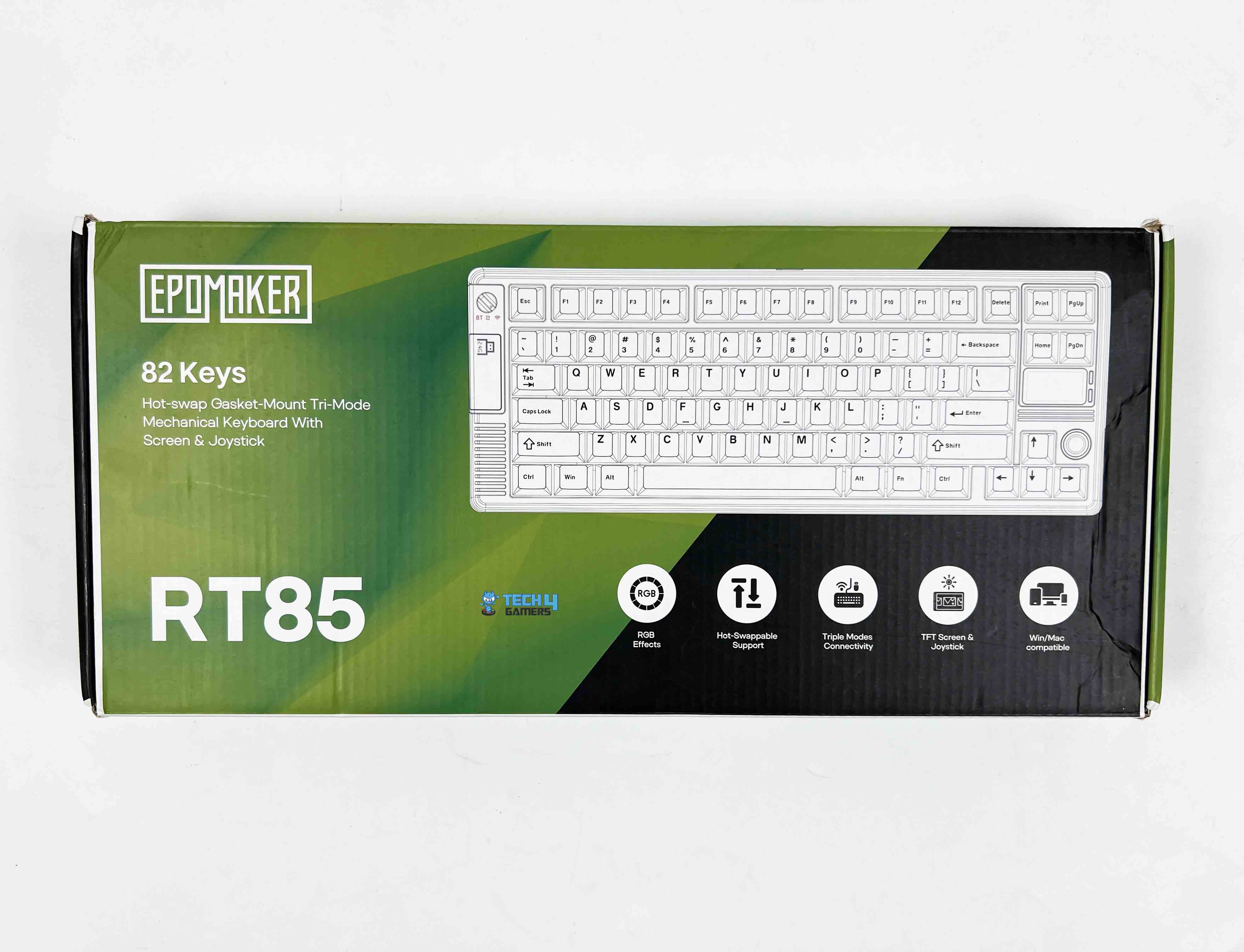
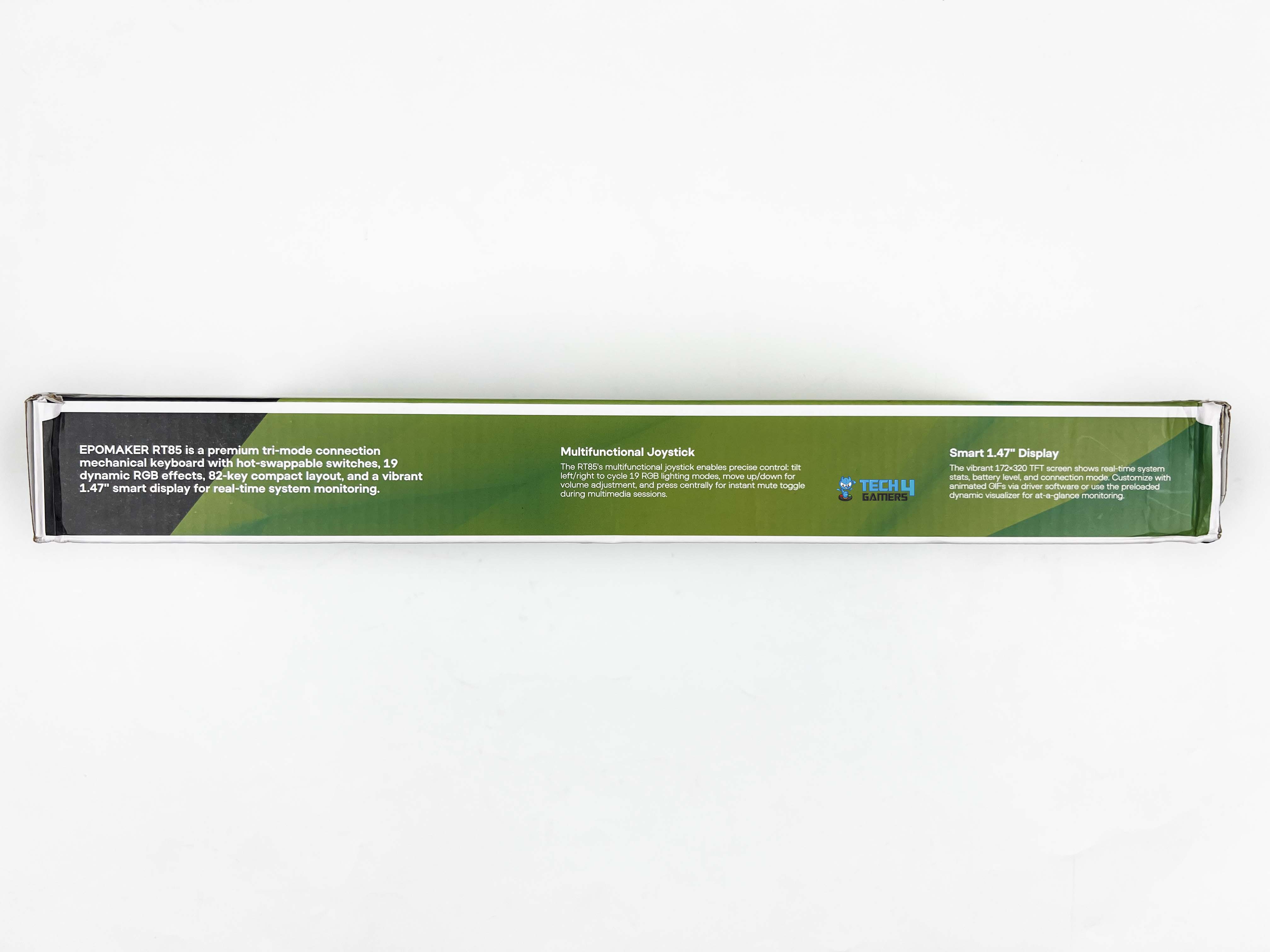
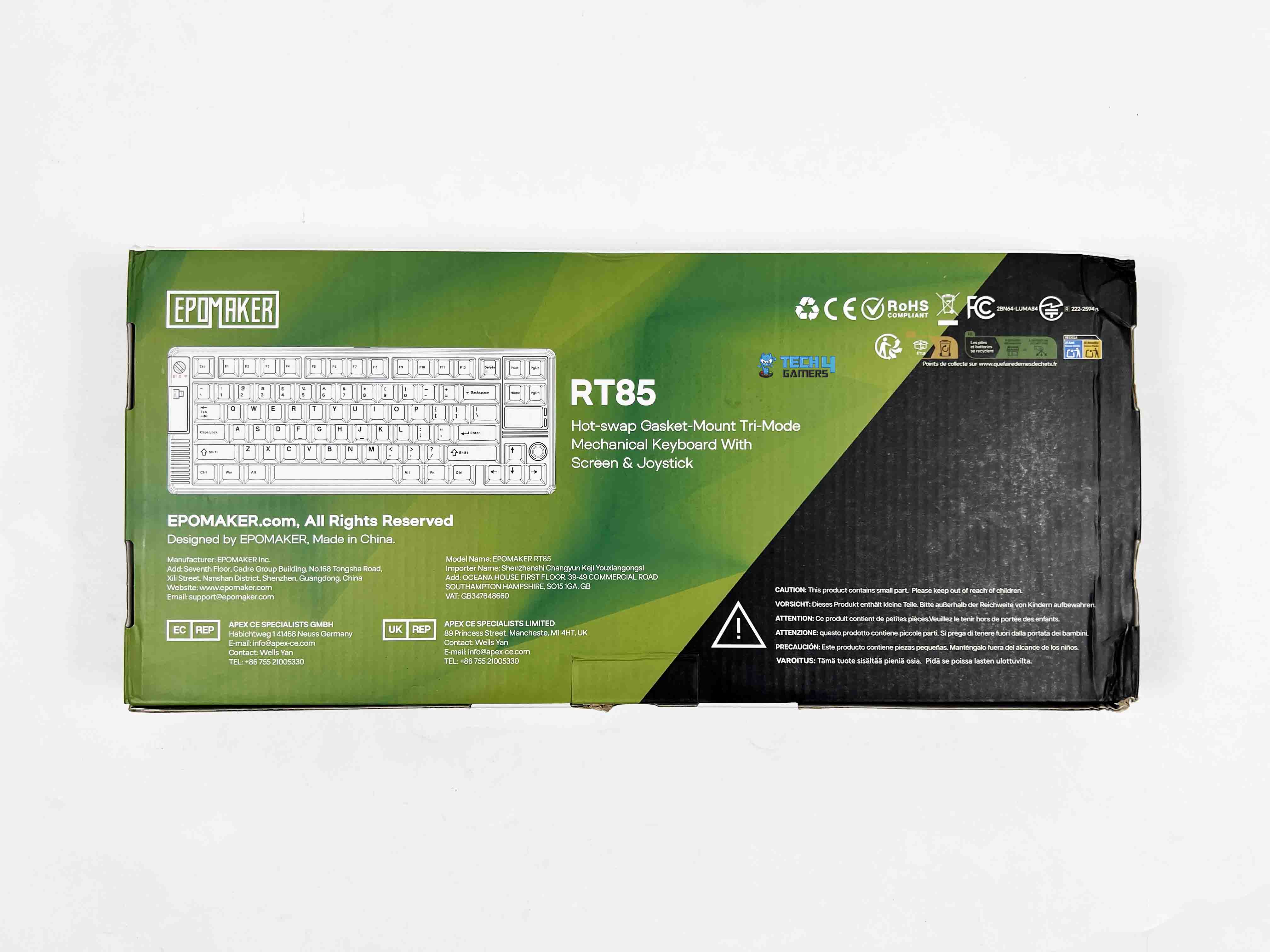
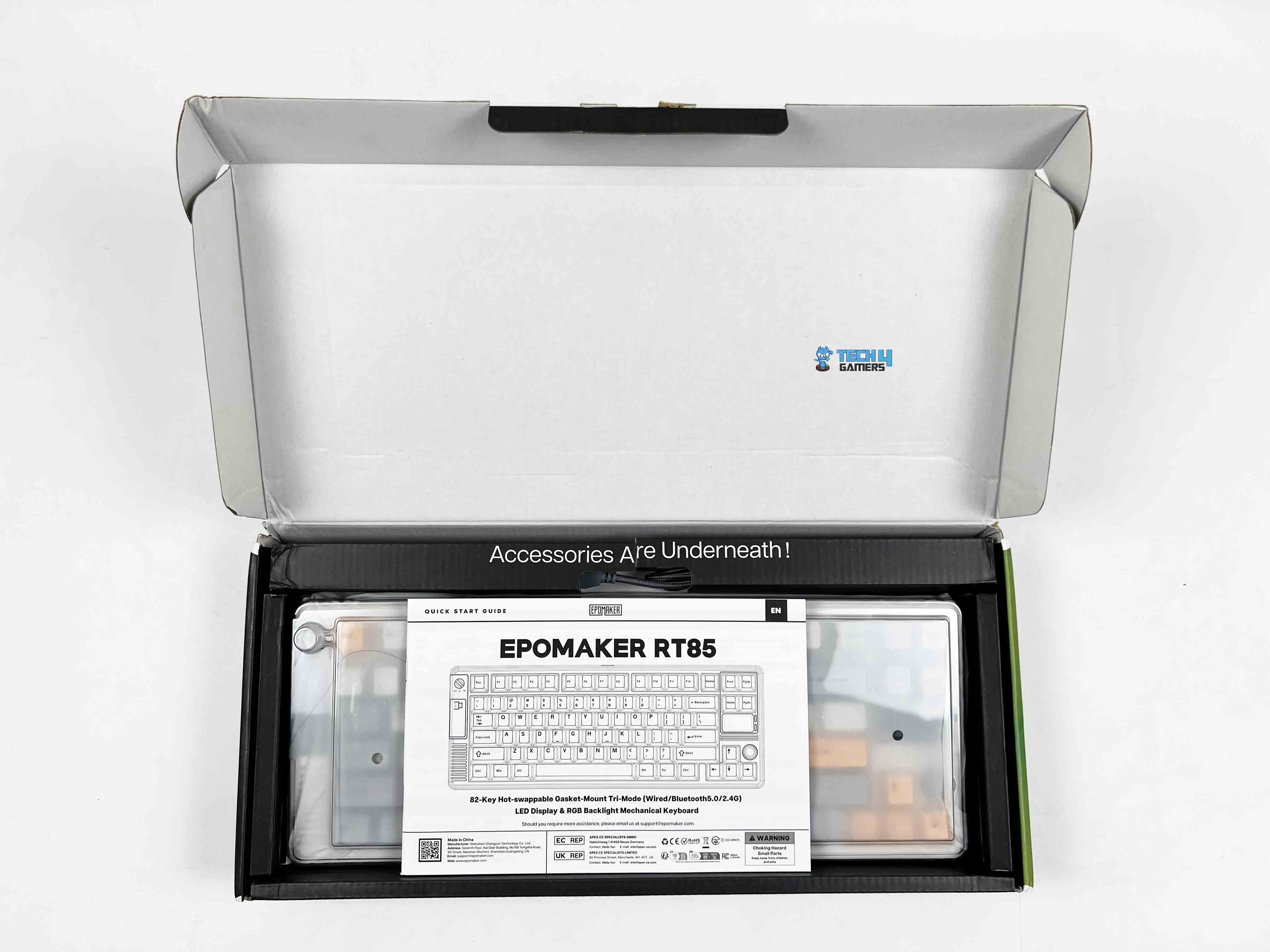
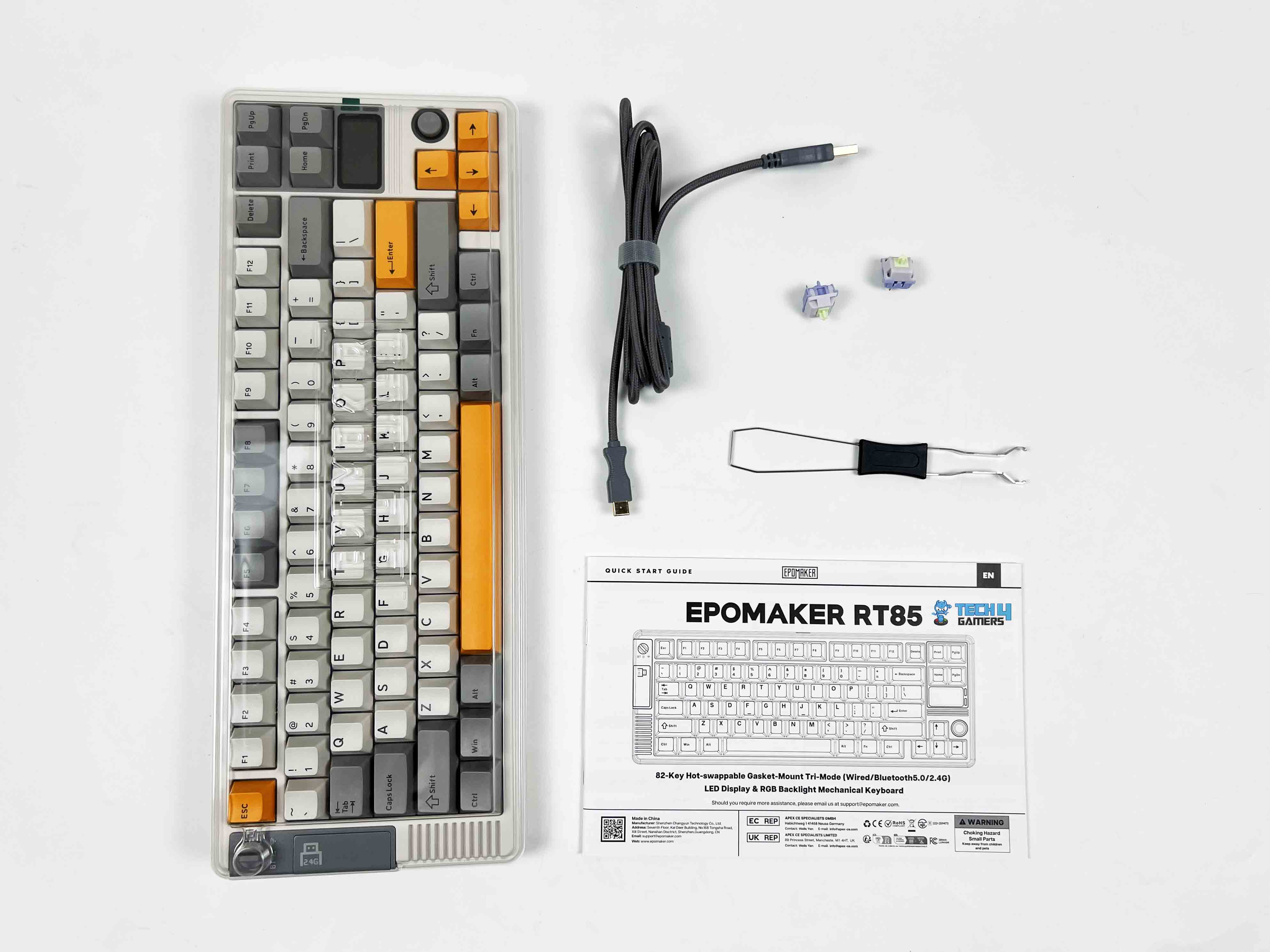
The Epomaker RT85 comes in a relatively simple box, mostly green with black accents. The model name and a small picture are printed on the front along with feature callouts. When you open it, the keyboard is wrapped in a thin plastic sleeve under a dust cover. Above it, there’s a separate compartment that holds all the accessories. Here is the list of everything that you’ll find inside the box:
Unboxing
1 of 2
Unboxing
Box Contents
Epomaker RT85 Wireless Gaming Keyboard
Multilingual Manual
Detachable USB A-to-C Cable
2.4Ghz Wireless Dongle Receiver
Extra Switches
2-in-1 Switch-and-Keycap Puller
Design
Design
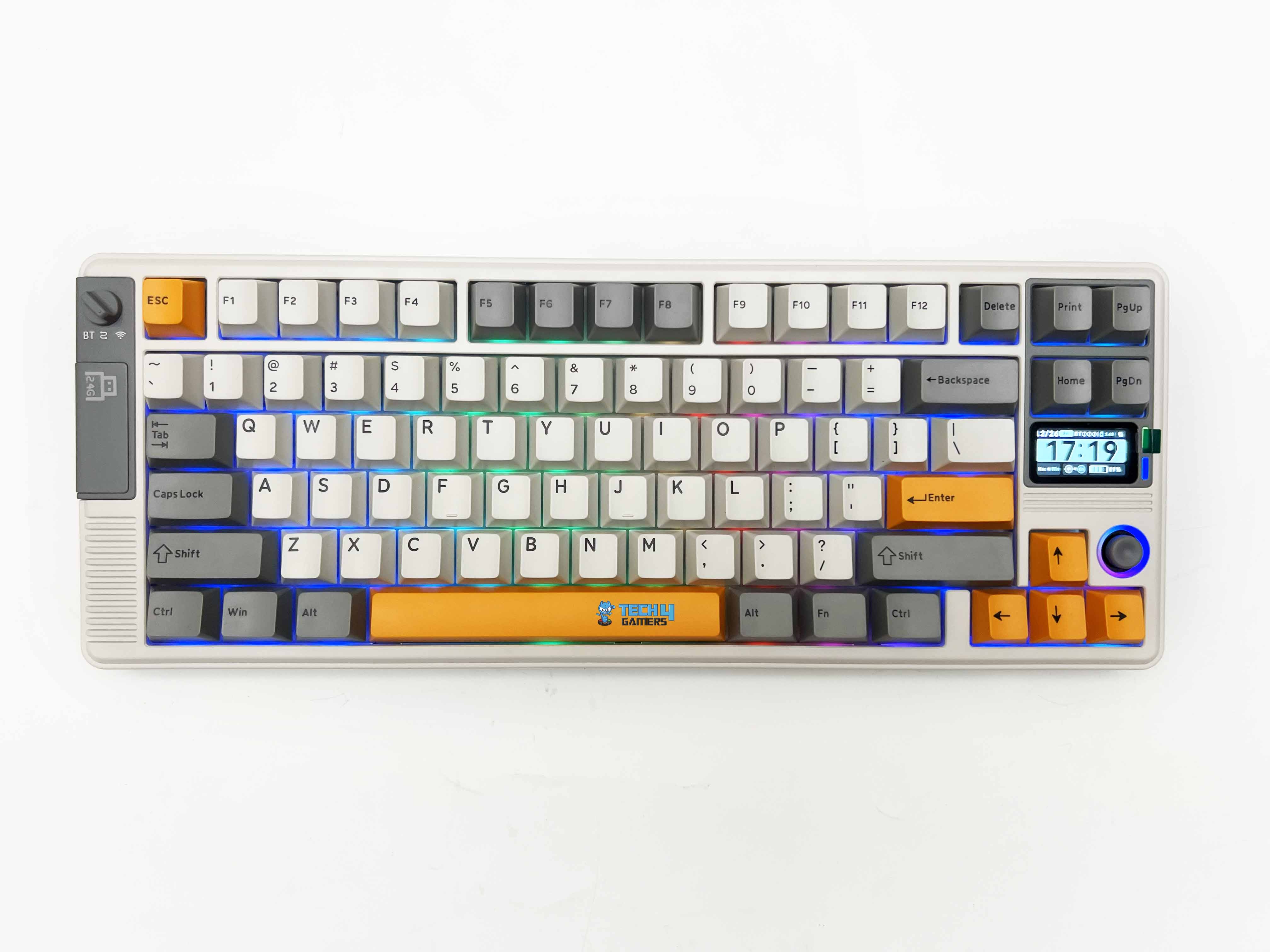
The Epomaker RT85 leans hard into a retro look, but in a way that actually feels intentional rather than forced. There are two color options available. The first one’s a muted green paired with a darker grey. The other is a creamier white with soft grey and a few pops of bright orange that I have for review. Both give off a vibe that’s kind of nostalgic, almost like you’re holding a piece of old-school gaming hardware.
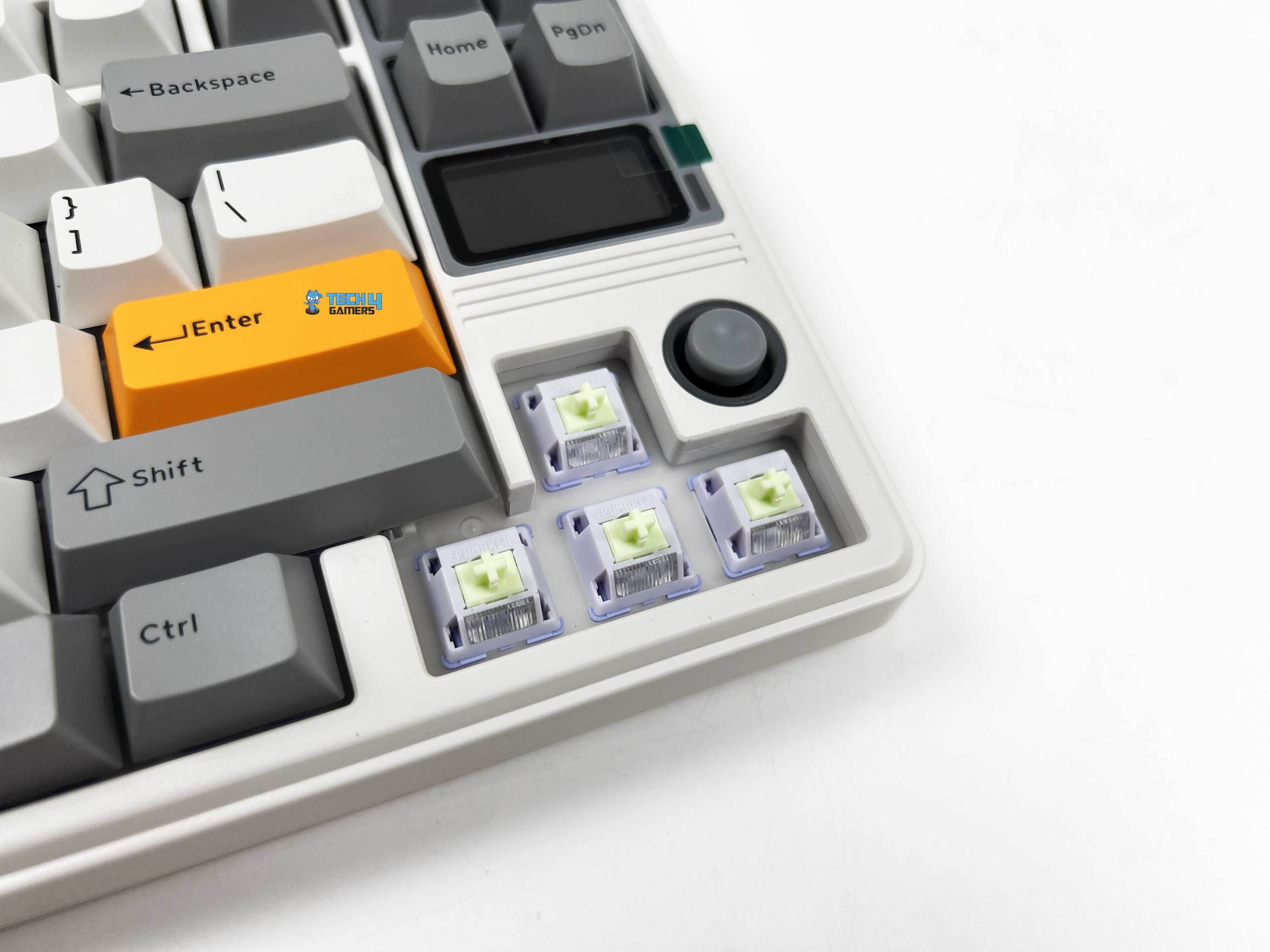
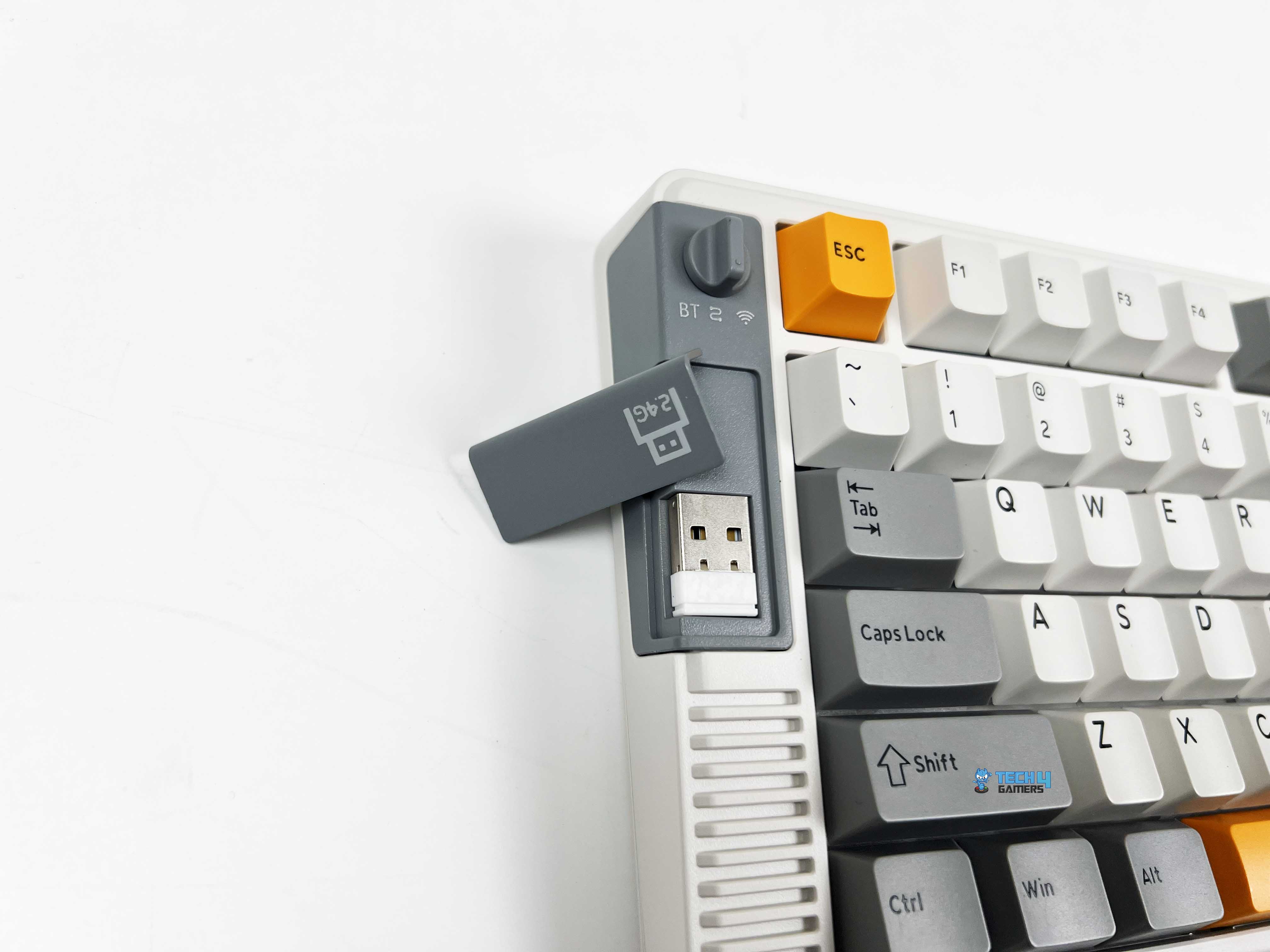
The design manages to feel playful without tipping into toy territory. On the left side of the keyboard, there’s a small physical switch that handles all the connection modes. Just below that switch, there’s a magnetic cover. Remove it, and you’ll find the 2.4 GHz USB dongle inside. If you’re exploring compact boards like this one, you might also want to see our picks for the best gaming keyboards.
Layout
Layout
The Epomaker RT85 sticks to a familiar 75% layout, so it doesn’t take long to feel oriented. This is a standard US ANSI layout. Here, nothing feels out of place. Specifically, Enter, Shift, and Backspace are precisely where you expect them to be. There are 82 keys in total. The keyboard stays compact on the desk, yet it doesn’t feel stripped down. The function row is present. Arrow keys get their own space.
The rest is trimmed just enough to keep things tight without forcing awkward key combos. Because of this layout and key placement choices, the keyboard avoids the learning-curve feeling that some compact keyboards can have. The spacing feels deliberate, not squeezed, and once I got used to its layout for a bit, going back to a full-size board feels oddly excessive.
Screen
Screen
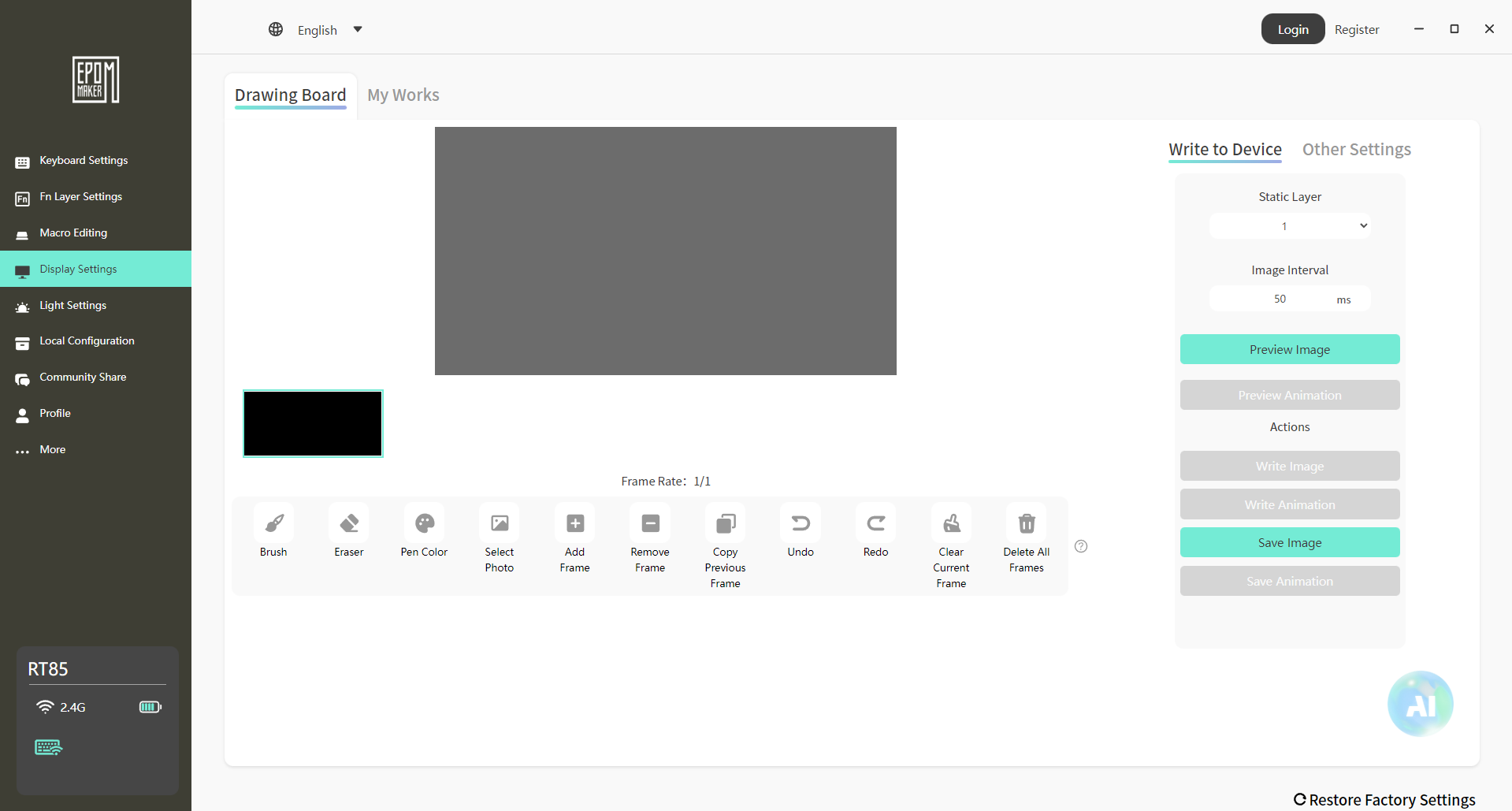
The screen itself is a small 1.47-inch TFT panel. This isn’t meant to be a high-resolution display or something you interact with constantly. It’s closer to a status window. You look at it, take in the information, and move on. By default, it cycles through an info-style page that shows things like the current connection mode, which OS profile you’re on, the remaining battery, and even the date.
All of that is readable, as long as you’re sitting at a standard desk distance. The colors are fine for what the panel is. You can also set custom images or short GIFs. It’s more of a personalization touch than something you’ll rely on day to day. Fun to set up once, and then it settles into the background. The custom mode goes a bit further, setting the screen into things like RGB behavior or volume changes.
Joystick
Joystick
The joystick is one of those features you notice right away, mostly because you don’t expect it on a keyboard like this. It is placed near the navigational keys, making it easy to reach without having to lift your hand too far. That placement matters, as you can nudge it while using it, usually without breaking your flow. The joystick itself is made from ABS plastic, which is smooth to the touch.
It fits well with the rest of the keyboard. By default, its functionality is straightforward. You can move it up or down to adjust the volume on your system. On the other hand, toggling it left or right cycles through RGB effects. Lastly, pressing it mutes the sound. That click is firm enough that you don’t trigger it by accident.
Underside
Underside
1 of 2
Underside
Feet
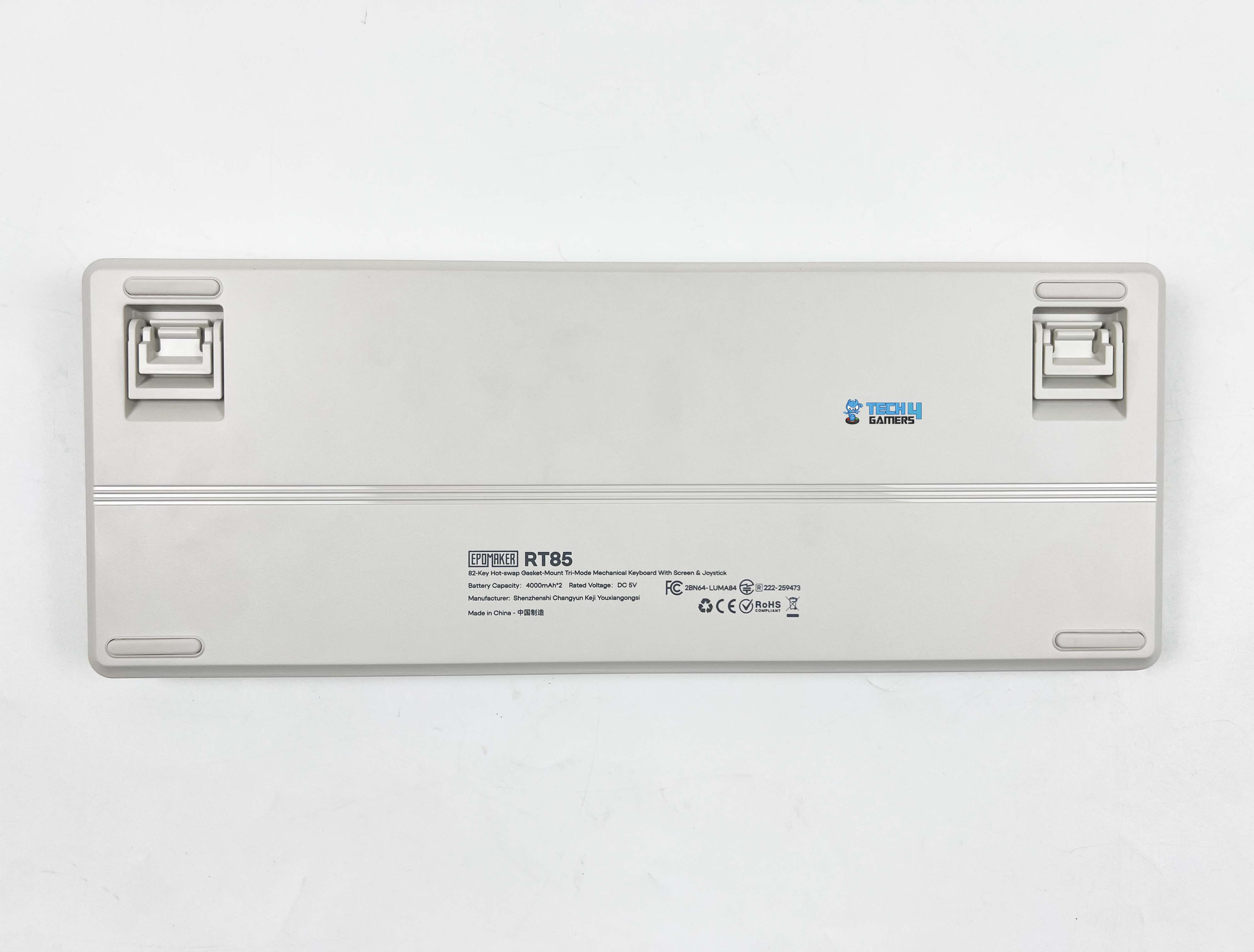
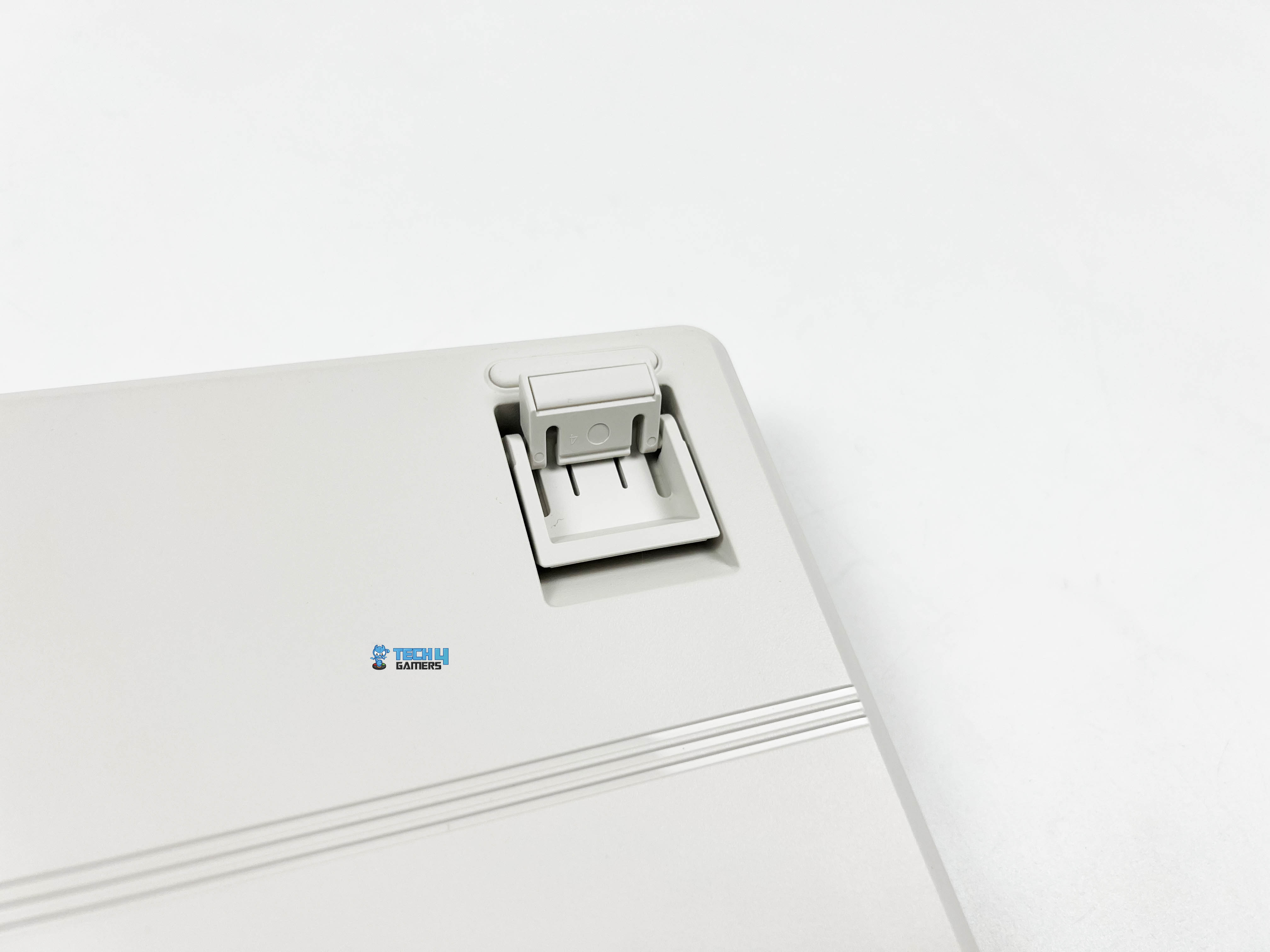
Flipping the Epomaker RT85 over, subtle strip lines are running down the middle. There are rubber feet placed at the usual corners on all sides. They’re wide enough to grip the desk properly. I tried nudging the keyboard around while using it, but it stayed put. You also get flip-out feet for adjusting the typing angle. They click into place with a firm snap and don’t collapse or feel loose over time.
Without them, the front height measures around 2cm, so your wrists aren’t forced upward when you rest your hands on the desk. In comparison, the back rises to about 3.1cm, which gives the board a natural slope. If you do want to change the angle, the flip-out feet give you a few options. You can settle into roughly 5 degrees, push it further to around 6.7, or go all the way up to about 10 degrees.
Build Quality
Build Quality
The Epomaker RT85 weighs around 1 kilogram. It’s not heavy in a metal-case way, but it doesn’t feel hollow either. There’s enough mass there that it stays planted on the desk without feeling bulky when you move it around. Once it’s down, it stays there. The case is made entirely of plastic, but don’t let that make you think it feels cheap. It’s a thicker, firmer plastic that doesn’t flex when pressed.
I tried twisting it slightly from the corners, and it held its shape. Around the edges, the seams are clean. The surface has a subtle texture that keeps it from looking flat. In terms of size, it measures about 36 by 13.8 by 4 centimeters, giving it a wide enough footprint without taking up too much space. It sits comfortably in front of a monitor, and there’s still room left for a mouse without things feeling cramped.
Keycaps
Keycaps
The Epomaker RT85 uses Cherry profile keycaps. The height feels familiar, especially if you’ve spent time on custom boards. Your fingers settle into place with minor adjustment, and the rows flow naturally from one to the next. The material here is PBT plastic, which gives the caps a slightly grainy feel under your fingertips. They don’t get slick after a few hours, and they don’t pick up that shiny look right away.
These are double-shot keycaps, so the legends aren’t printed on top. They’re part of the cap itself. The lettering has crisp edges and uniform thickness. They are easy to read with nothing looking misaligned. There’s no indication that it’ll fade off with time. If you enjoy modding your peripherals, our best custom gaming keyboards round‑up highlights boards that are especially mod-friendly.
RGB Lighting
RGB Lighting
1 of 2
RGB Lighting
RGB Lighting in Dark
The Epomaker RT85 uses a dynamic RGB setup with per-key lighting and LEDs facing south. When you first turn the keyboard on, the light comes through evenly without looking dim around the legends. Each key is lit individually, so effects feel consistent across the board. When you switch between modes, the patterns move smoothly from key to key. When switching modes with the joystick, the changes take effect immediately.
Because the LEDs face south, the glow sits a bit lower under the caps. It gives the keyboard a softer look, especially with the PBT keycaps. You still see the colors clearly, but they don’t blast straight into your eyes. It’s visible without feeling harsh when the lights are on. I tried it during late-night, and it didn’t distract or glare back at me. That balance matters more than fancy patterns, at least in my experience.
Switches
Switches
1 of 2
Switches
Switch Housing
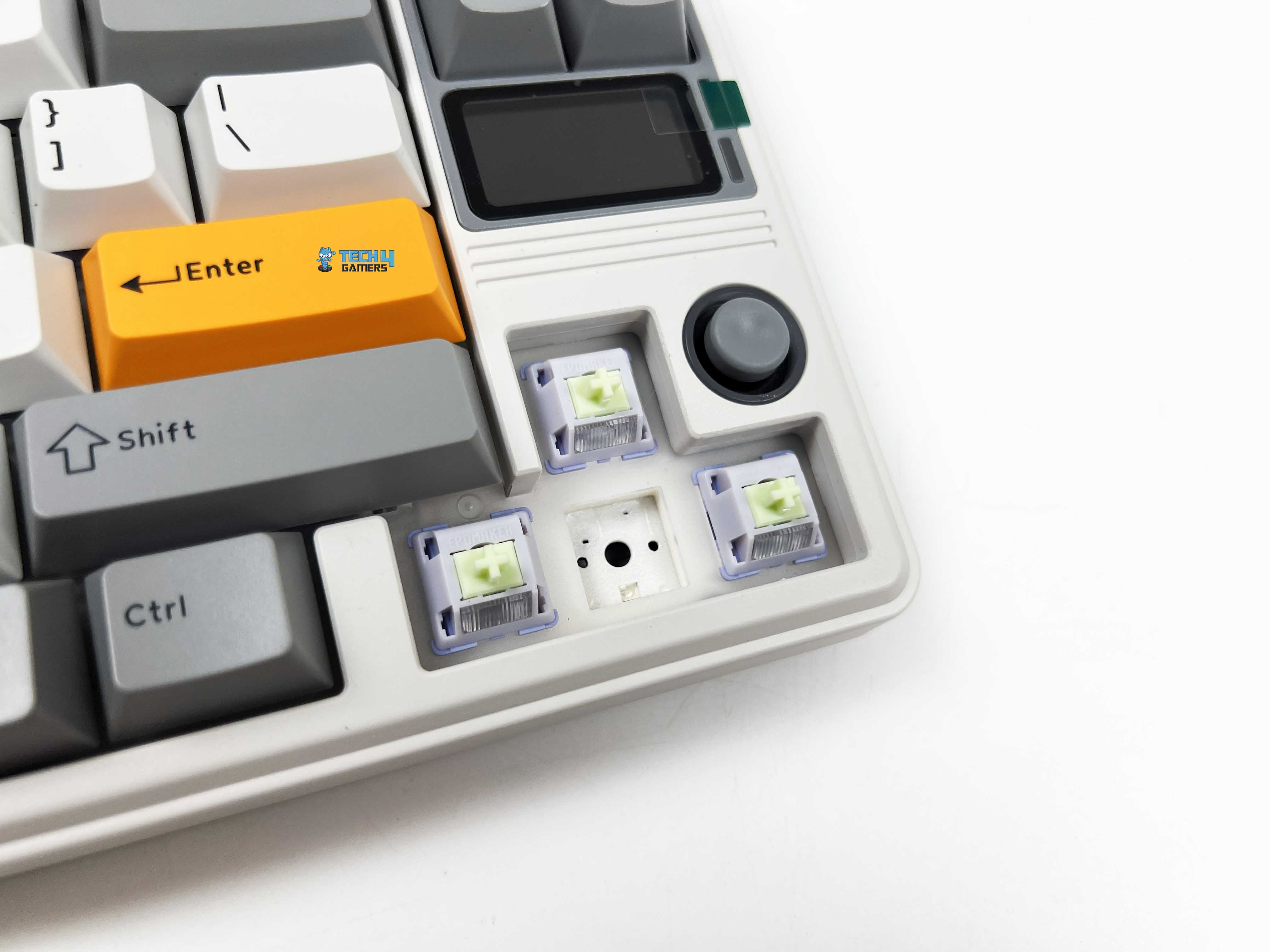
The Epomaker RT85 comes with Epomaker’s Wisteria Linear V2 switches. These are 5-pin linear switches with factory-lubed out of the box. The movement is smooth from the top of the press to the bottom. Actuation happens around 45 grams, so the keys don’t feel heavy. You don’t need to push hard to get a response. Bottoming out sits closer to 62 grams, which gives the press a firmer end without feeling abrupt.
The pre-travel is rated at about 2.0mm, with total travel just under 3.6mm. In practice, that feels familiar if you’re used to linear switch types before. Keystrokes register early enough to feel responsive, but there’s still enough travel to avoid accidental presses. Each switch includes a light diffuser. The keyboard is also hot-swappable and supports standard 5-pin mechanical switches.
Connectivity
Connectivity
1 of 3
USB Dongle
Type-C Port
USB Cable
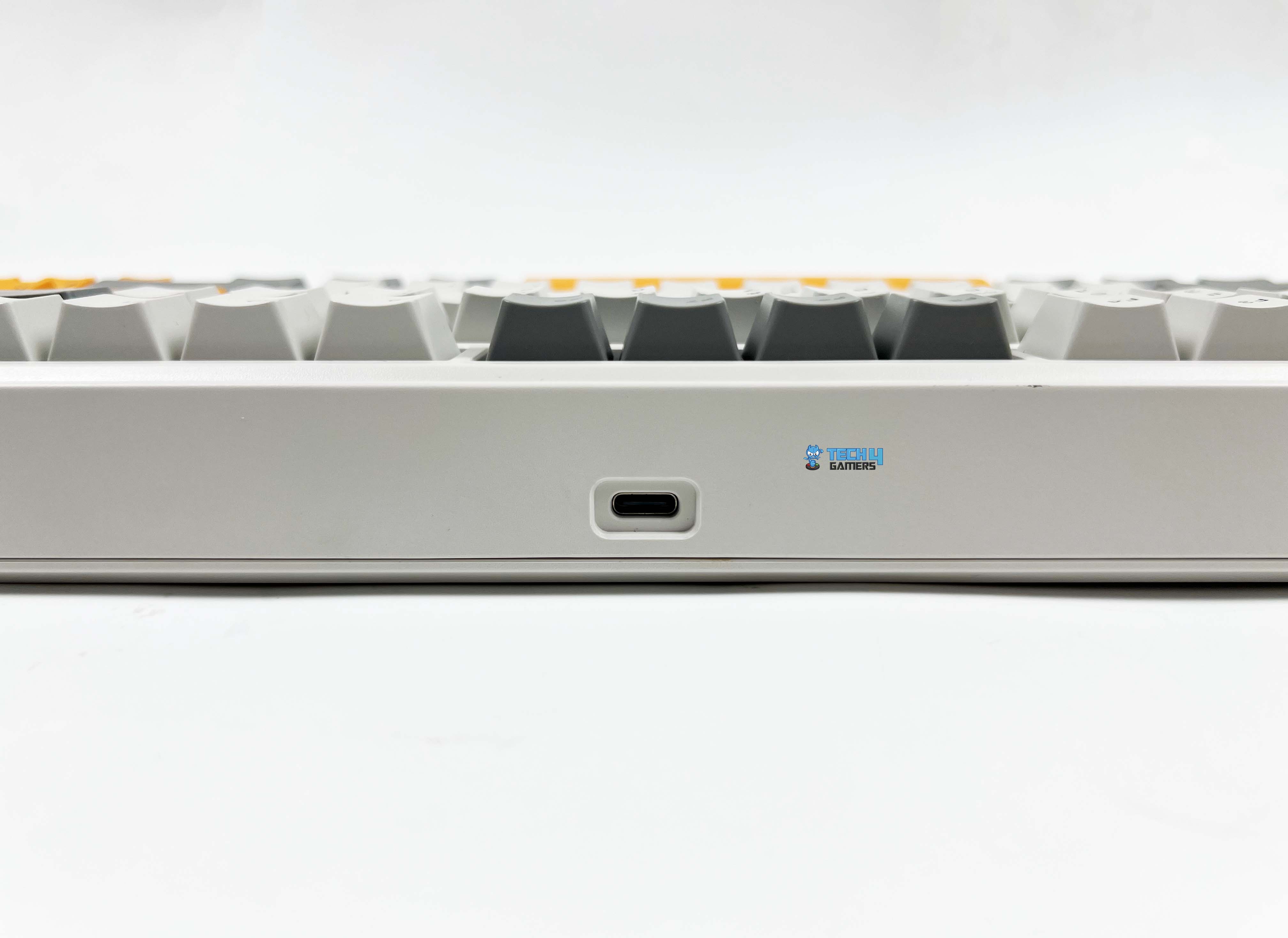
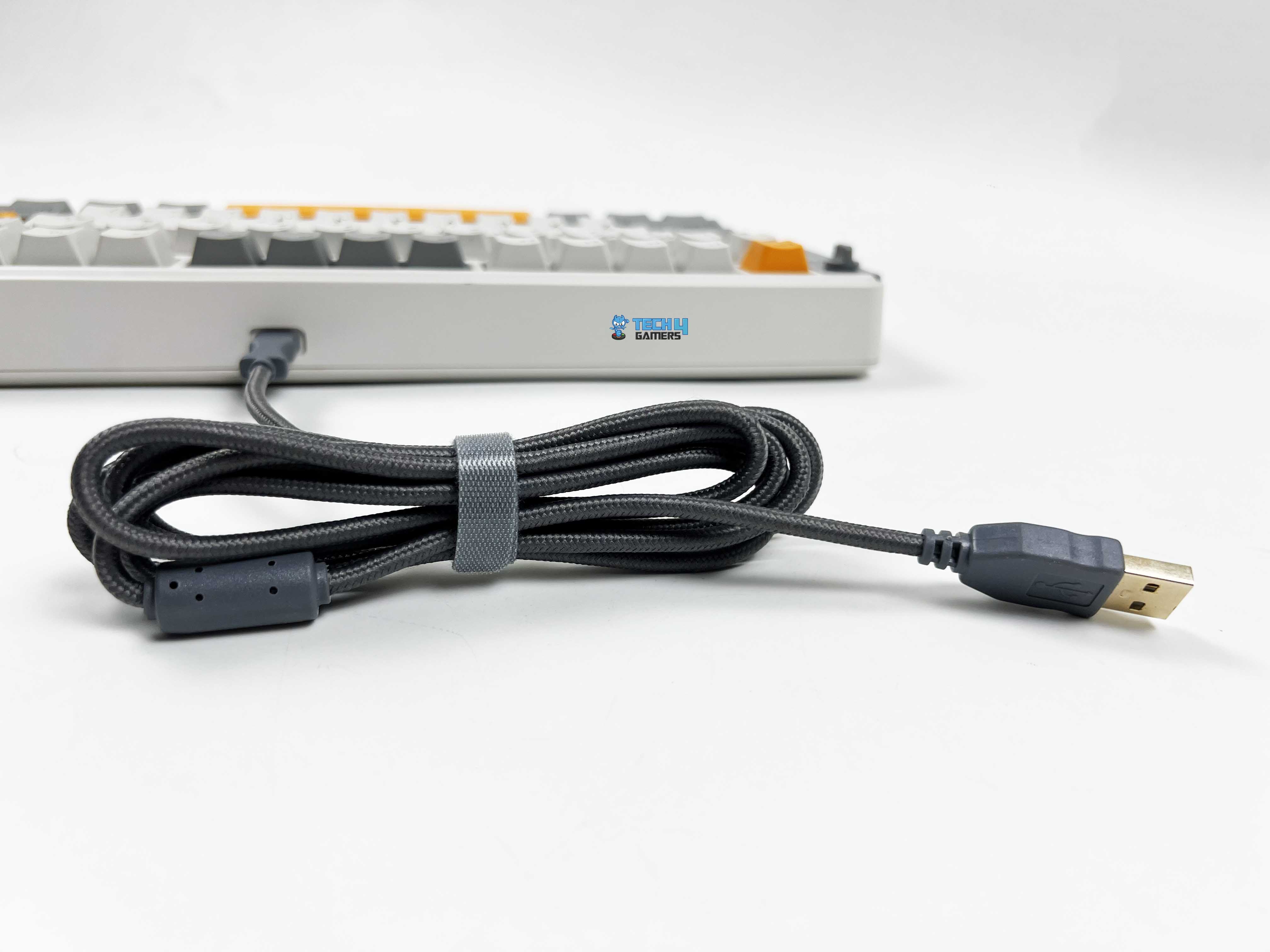
There’s standard wired mode, a 2.4GHz wireless option with a dongle, and Bluetooth. Move the switch to the center position and plug in the USB-C cable for a wired connection. Bluetooth pairing takes a few more steps. Slide the switch to the Bluetooth side, then hold the FN key with Q, W, or E. From there, you just find the RT85 in your device’s Bluetooth list and connect to it. You can also switch between up to three paired devices.
For 2.4GHz wireless, set the switch to the 2.4GHz position, and the R key starts flashing. After that, plug the receiver into your device. Once connected, the R key stops blinking. If you ever need to re-pair, holding FN + R will put it back into this pairing mode. The multi‑mode wireless support puts it in the same conversation as some of the top entries on our best wireless gaming keyboards list.
Typing Experience
Typing on the RT85 gives a kind of thocky feedback. The keyboard’s internal structure plays a big part in that. Under the switches is a PC plate that adds a slight amount of flex. Then there is a layer of PORON sandwich foam. Below that, there’s an IXPE switch pad followed by a PET sound enhancement pad. The hot-swappable PCB makes switch changes easy, and underneath that sits EPDM foam.
Finally, a silicone base softens the whole mounting structure. Each keypress ends with a soft, cushioned thud rather than a harsh bottom-out. The plate-mount stabilizers help as well, keeping big keys like the spacebar or enter feel balanced and with barely any rattle. There’s a faint cushioning effect, and the sound is muted enough that you don’t feel like you’re announcing every keystroke.
Performance
Feet Flipped
Using the Epomaker RT85 feels solid. Each key responds reliably, and even fast presses don’t register any missed strokes thanks to the N-Key rollover support. You can mash multiple keys at once without worrying about missed inputs, which comes in handy for gaming. Wired and 2.4Ghz wireless work at a 1000Hz polling rate, with latencies around 6ms and 12ms, respectively.
Bluetooth is a bit slower, polling at 125Hz with about 18ms latency, which works fine for casual typing or browsing. However, for competitive gaming, it is best to use a wired or 2.4 GHz connection. The keyboard responds immediately, with light pre-travel that lets you hit keys quickly without feeling mushy. Moreover, bottoming out is soft, so rapid combos don’t leave your fingers aching after long sessions.
Battery Life
The Epomaker RT85 has an 8000mAh battery. With the RGB and screen turned off, you could practically forget about charging it for weeks. Epomaker estimates 320 hours of battery life, and my testing wasn’t far off. If you turn the screen on but keep RGB off, you’re looking at around 90 hours, which still covers a whole week of work or gaming sessions.
Turning everything on takes a bigger hit on the battery, but 24 hours of continuous use with lights and the screen active is still enough to get through a couple of days of intense use. Battery status is always visible on the built-in screen. You can easily see the percentage drop. Charging works whether you’re using the keyboard wired or wirelessly, as long as the USB-C cable is plugged in.
Software
Software
1 of 9
Custom Keys
Other Settings
Advanced Key Settings
Fn Layer Settings
Macro Editing
Display Settings
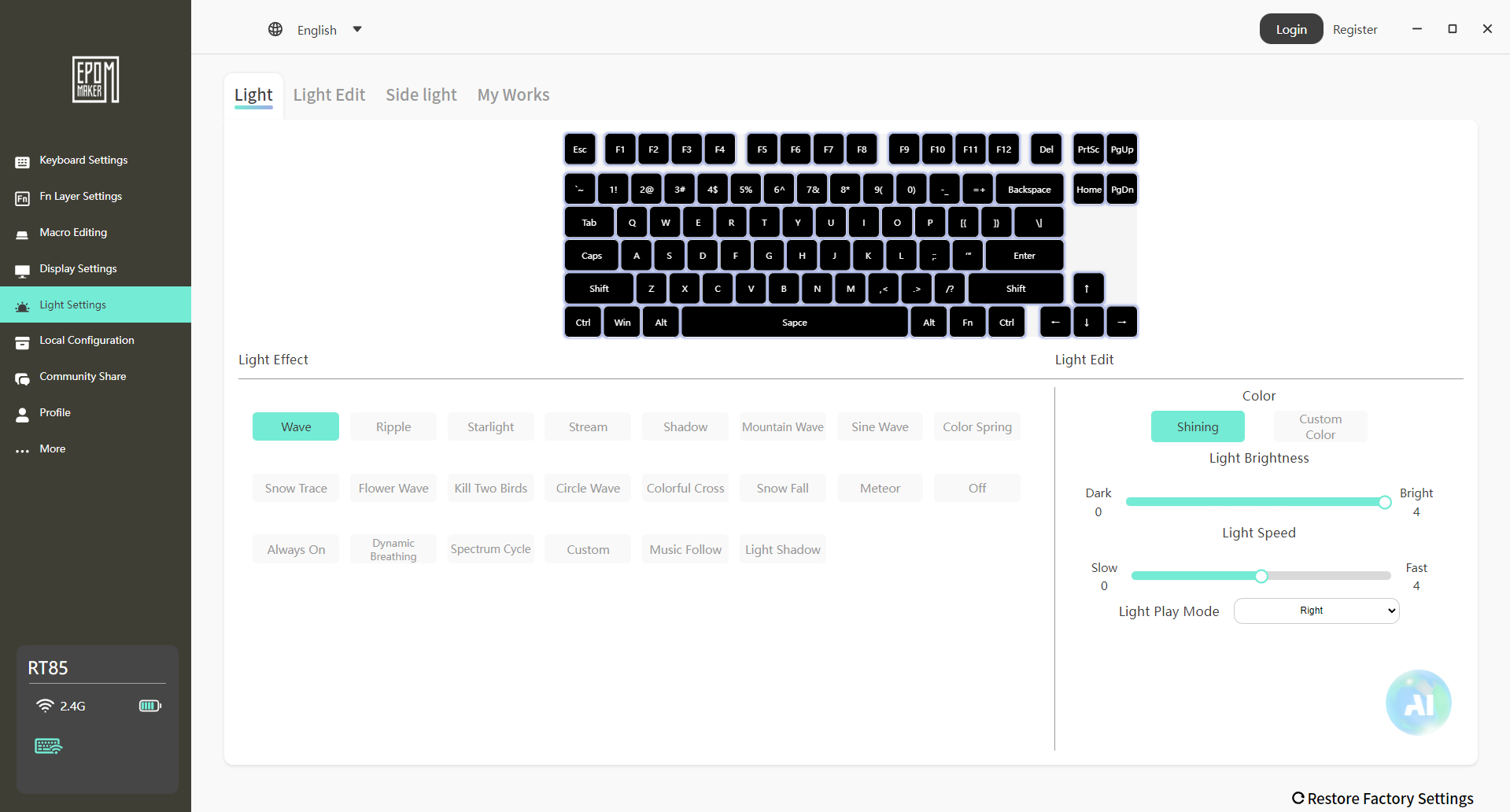
Light Settings
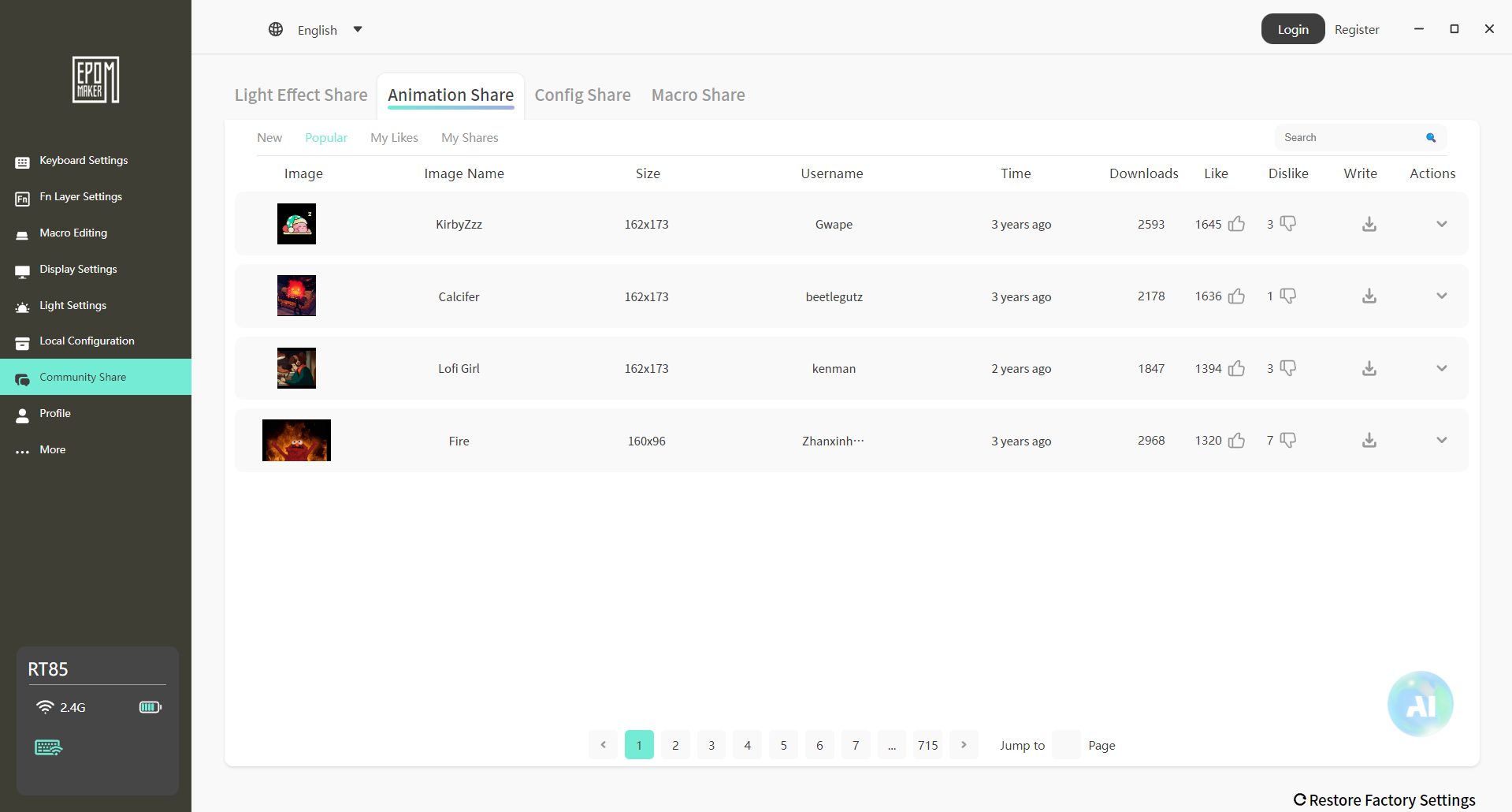
Community Share
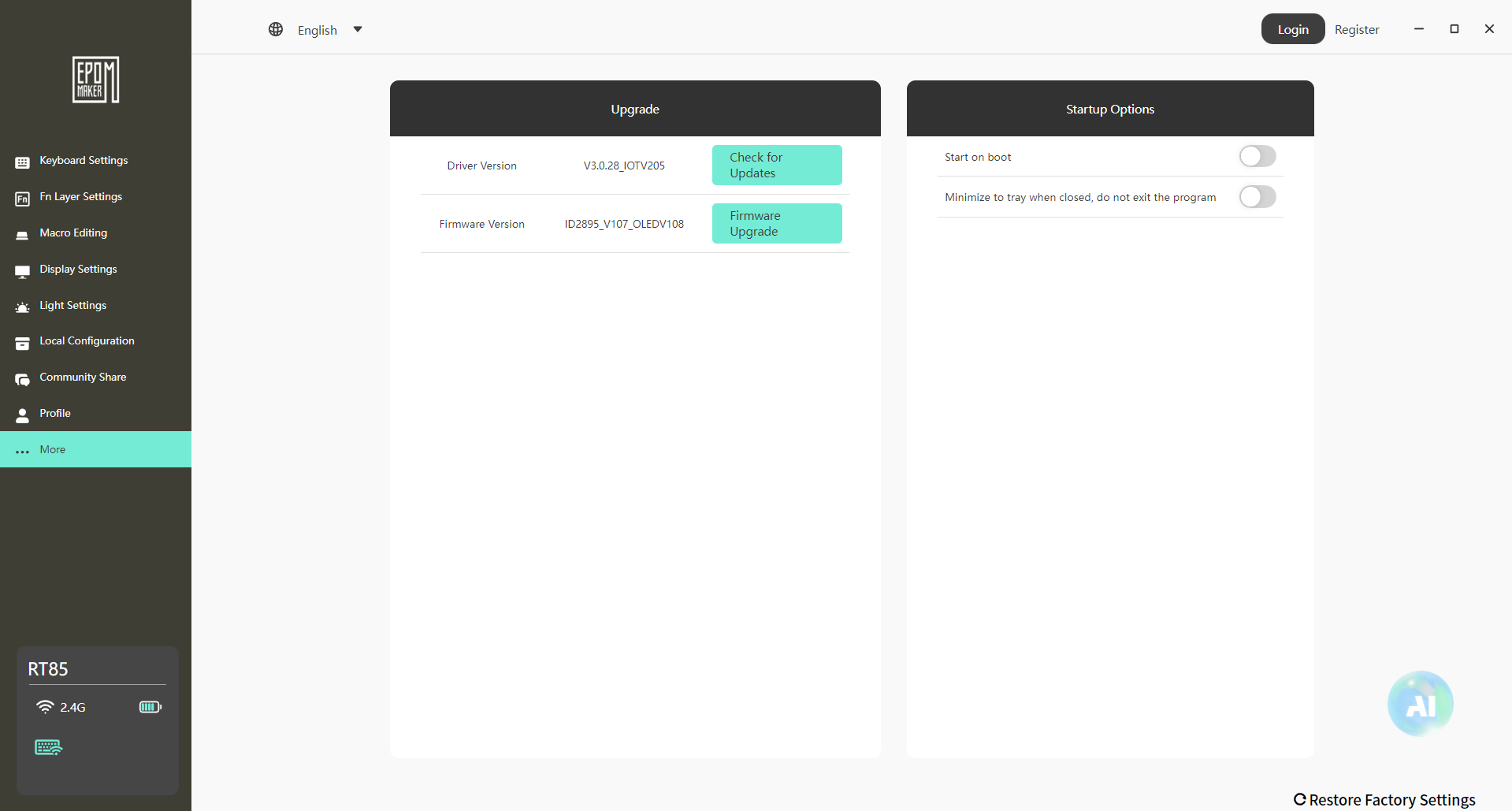
More Settings
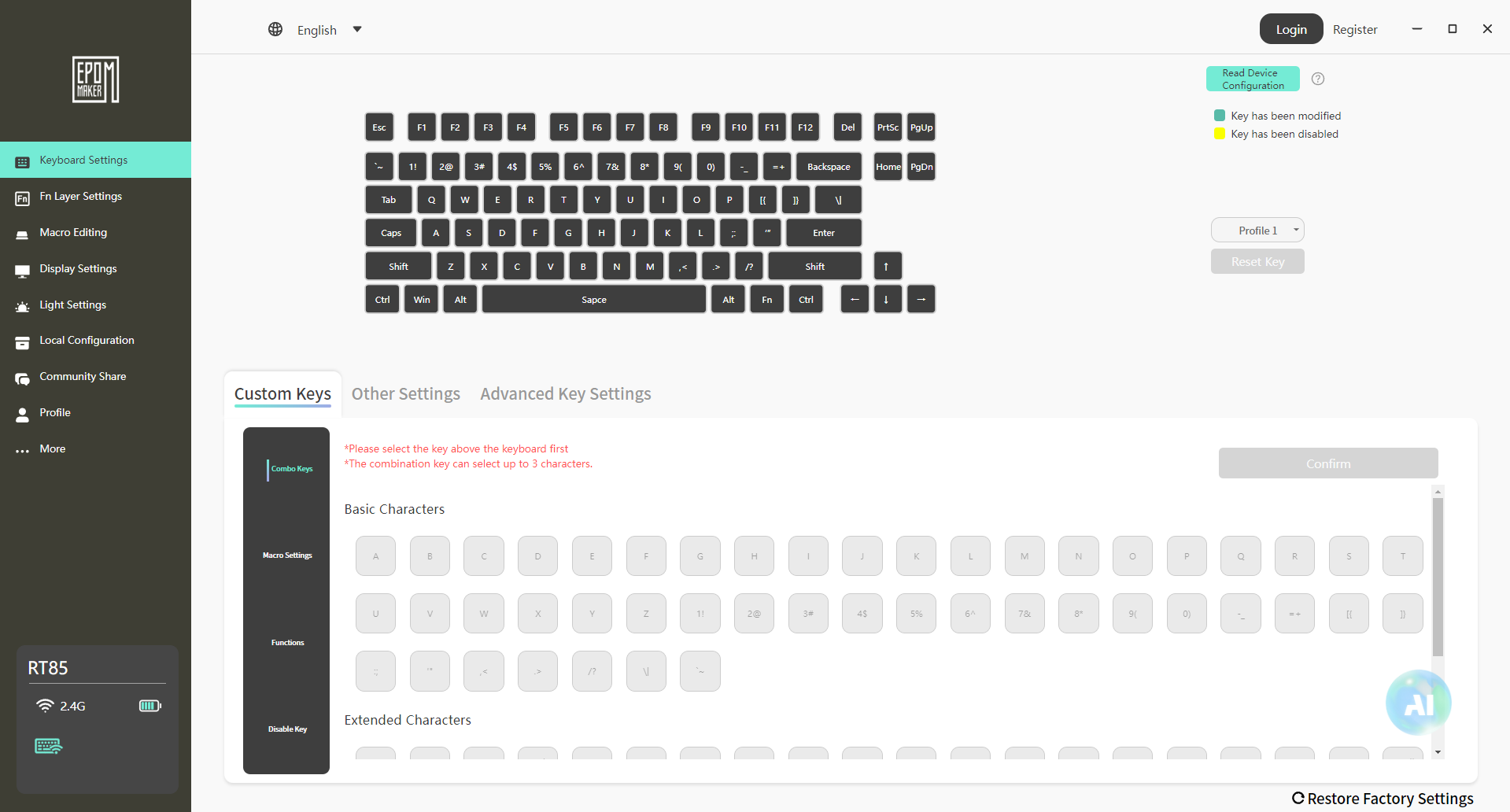
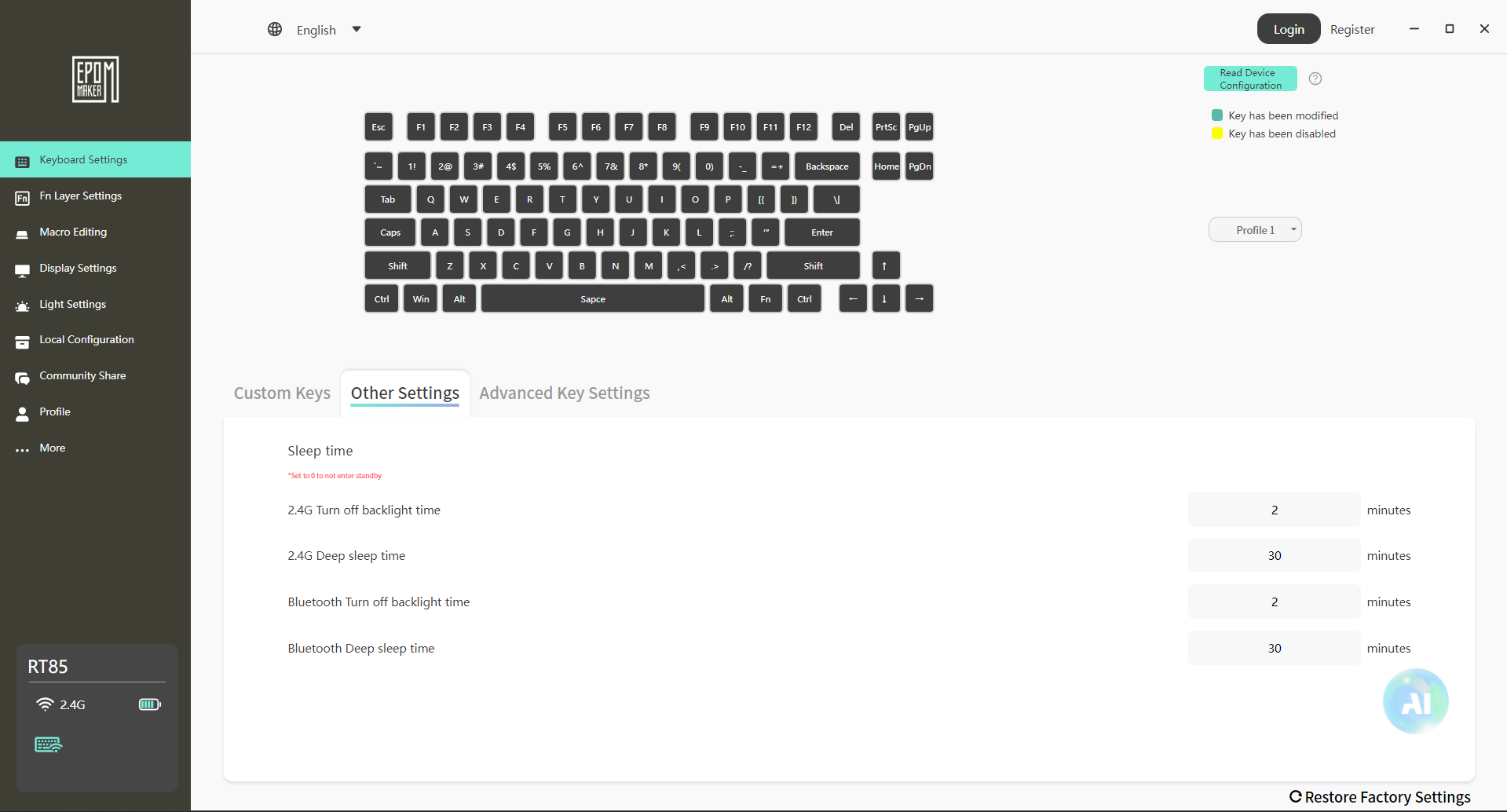
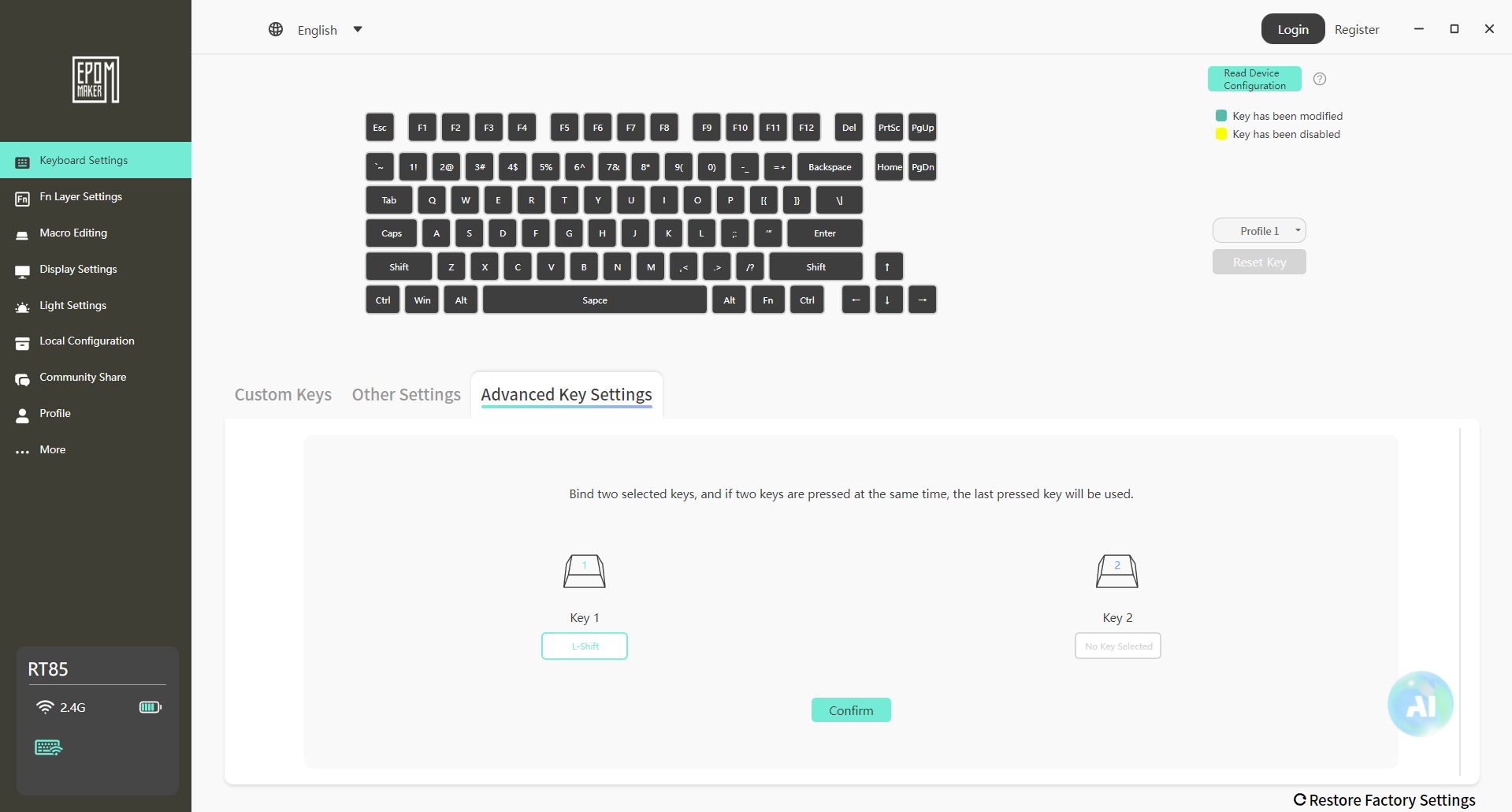
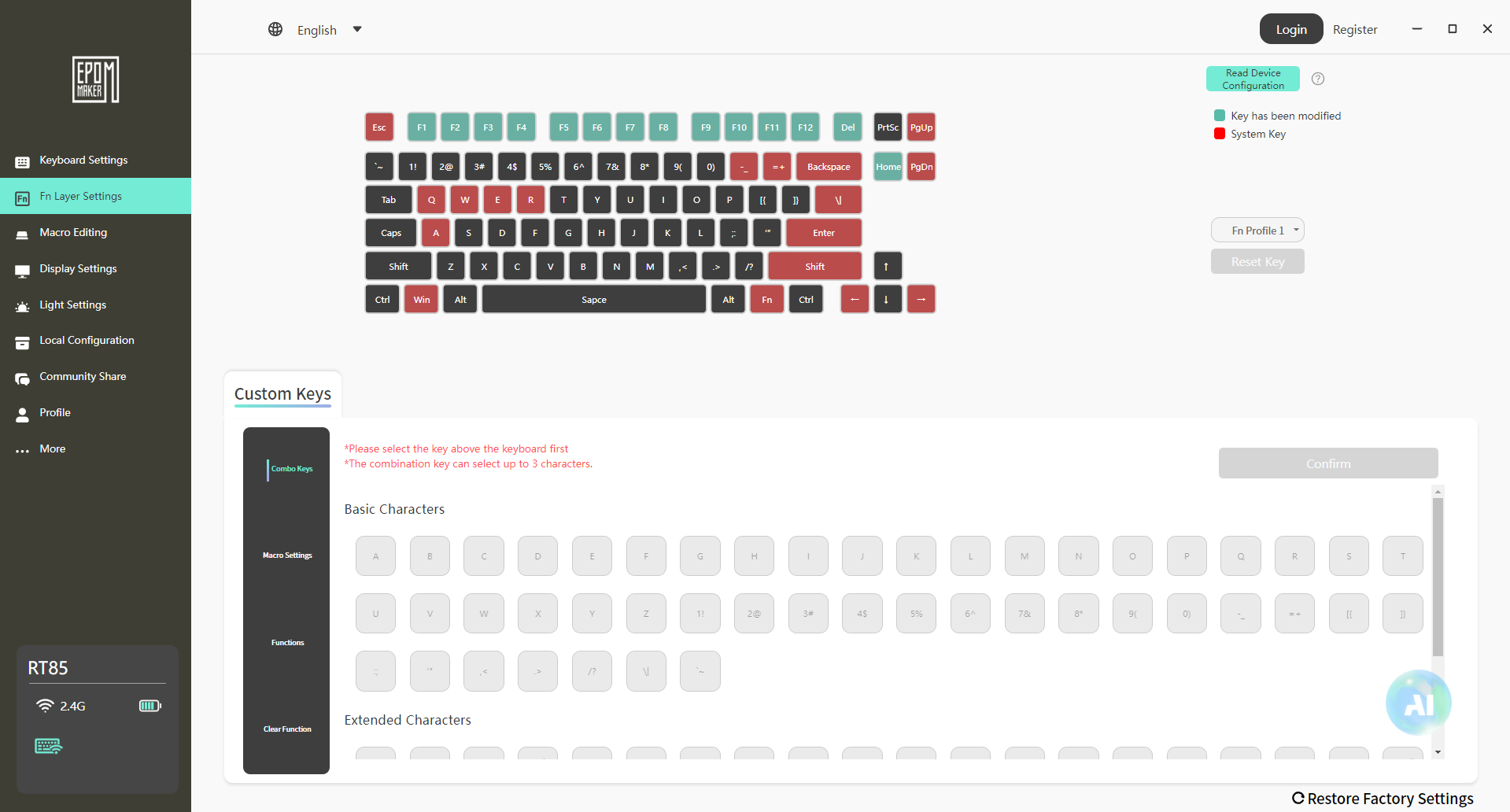
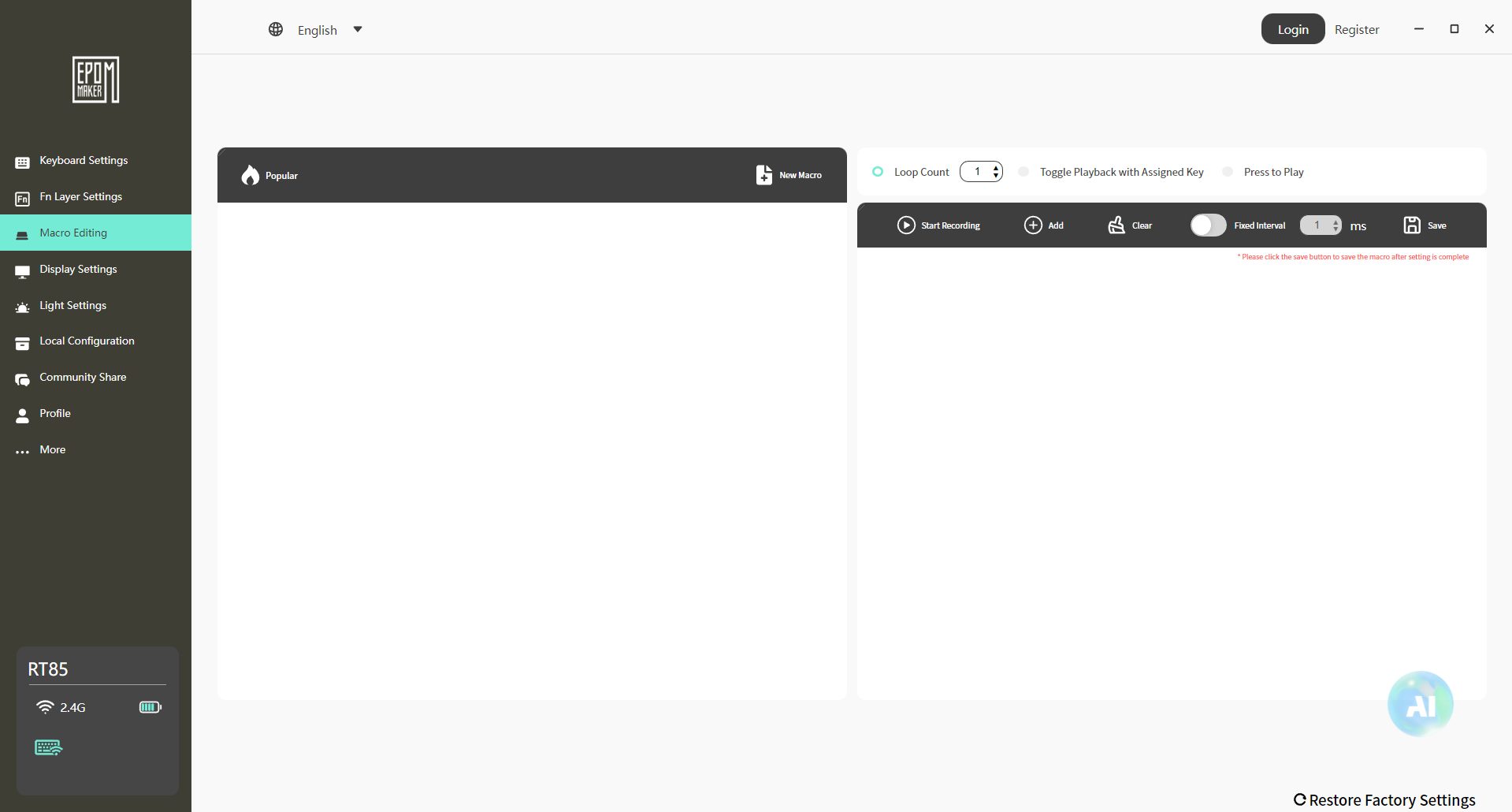
The Epomaker RT85 uses Epomaker 3.0 for its software and runs on both Windows and macOS. Setup is simple. Download it, connect the keyboard, and it shows up without any overcomplication. Once inside, everything is laid out in a practical, slightly utilitarian way. Key remapping works as expected. You select a key, change its function, and the new assignment appears.
Media keys, shortcuts, and basic macros are all supported. Moreover, RGB control has its own section. The software feels functional rather than refined. It covers what you need, and avoids unnecessary clutter. You’ll probably spend a few minutes setting things up, then you will only open it again if you want to change the lighting or a keybind later.
Should You Buy it?
Buy It If
✅ You enjoy retro aesthetics: The Epomaker RT85’s nostalgic color schemes, rounded design, and joystick give it a unique retro vibe.
✅ You care about typing feel and sound: With Wisteria Linear V2 switches and multiple layers of dampening foam, each keystroke feels smooth and satisfying.
Don’t Buy It If
❌ You need ultra-lightweight or travel-friendly keyboards: At 1kg, it’s on the heavier side for frequent portability.
❌ You want advanced software support like VIA: While Epomaker 3.0 works fine for remaps and macros, it doesn’t offer the complete flexibility of enthusiast firmware.
My Thoughts
After spending time with the Epomaker RT85, it feels like a keyboard that’s been thought through in practical ways rather than built around flashy features. It settles into daily use pretty quickly, whether that’s for work or gaming. From a value standpoint, the keyboard sits comfortably in its segment at $85.99 without the price creeping into enthusiast-only territory. It doesn’t feel like you’re paying extra for features you won’t touch.