At T4G, my task is to cover the latest news around the gaming globe ASAP and with the utmost precision. I adore all the games and respect all the devs behind the amazing games that we get all year. So, whether it’s a PC or a Console game, I got it all covered.
Story Highlight
Former SIE boss says Sony risked a lot with PlayStation during the PS3 era.
It could’ve ended their console journey for good, but he’s happy they survived.
PS3 had all sorts of issues, including inflated price tag, development issues, and more.
PlayStation 3 is widely regarded as one of the weakest generations of Sony’s consoles so far. It was outplayed by the Xbox 360 in all ways during the era, and former SIE boss says PlayStation was lucky to survive the PS3 era.
Why it matters: The PS3 had all sorts of issues, from an inflated price tag to lackluster titles at launch and development obstacles. It put PlayStation in a tricky situation that could’ve cost them a lot.
Shawn Layden says Sony was lucky to survive the PS3 era
In an interview with Eurogamer, former SIE president Shawn Layden revealed the hurdles they faced during the PS3 era. He said they tried too many things with the console compared to the previous generations.
We flew too close to the sun, and we were lucky and happy to have survived the experience, but it taught us a lot.
– Shawn Layden
PlayStation 3 went on to sell 87 million units
With PS3 they built a supercomputer and put Linux on it. All of these were risky moves but he’s glad they survived the time, and it taught them a lot, which eventually led to PS4, the second best-selling console the company has ever released.
Furthermore, he said that the PS3 experience taught them it’s not necessary to build everything in-house to manage costs. It’s fine to outsource certain components and get help from other parts manufacturers.
Ultimately, the PS4 helped Sony understand what the audience wanted; a multimedia-like experience that the Xbox offered. Despite its shortcomings, the PS3 ended up selling more overall units than the Xbox 360.
At Tech4Gamers, I mainly cover new gaming news, leaks, and rumours. Aside from that, I love to write features about my favourite games while inserting my opinion about their different aspects.
Story Highlight
Indiana Jones is finally being released in just 5 days, but the hype seems to have died down.
The developer also seems to have not optimized the game property for the PC.
You would need to enable DLSS 3 with Frame Generation on RTX 4090 to achieve ray-traced 4K 60FPS.
Indiana Jones is an upcoming promising title from MachineGames. While the title was hyped previously, not many people are still interested in it as there are only five days left for its launch, and it is currently at the 93rd spot on the Steam best-selling games.
This is looking bad for Xbox, too, but fans should also note that the game will be available on Game Pass day one. That said, the game has brutal PC requirements. If you want the 4K 60FPS experience, you would need to turn on DLSS 3 with Frame Generation, even with RTX 4090.
Why it matters: Optimising games for PC has been a major issue for a while now, and it is continuously growing. The developers need to optimize the games better on PC, as the recommended specs for Indiana Jones are also pretty brutal.
Indiana Jones And The Great Circle PC Requirements Are Harsh
Bethesda officially revealed the specs on Twitter, and it isn’t looking too good for the developer. To no one’s surprise, fans are outraged by these specifications as anyone given to play the game’s recommended settings would need an RTX 3080Ti or a Radeon 7700XT, which is just straight-up absurd.
Fans can’t seem to wrap their head around the fact that a 3080Ti or 7700XT is being used to play the game at 2K 60FPS.
Looking at the ray tracing requirements, you can’t use the brute strength of RTX 4090 on this game, so DLSS 3 with frame generation would be necessary in order to get 60FPS at upscaled 4K.
The Upcoming Action Adventure From MachineGames Is Also Confirmed For A PS5 Launch Next Year
This might change many fans’ minds to pre-order the game, and many suspect it to be plagued with performance issues on launch.
What do you think about the Indiana Jones’ recently revealed PC requirements? Do you think they are justified? Let us know your thoughts in the comments section below.
At Tech4Gamers, he is recognized for his insightful features and opinion pieces, where he blends his passion for gaming with a keen understanding of technological trends. His work, marked by depth and accessibility, makes him a respected voice in the tech and gaming community.
Accessibility in the gaming industry has indeed progressed remarkably. Features like subtitles and colorblind modes, which have started showing up much more frequently in titles, ensure that more players can fully engage in games. However, I feel like now is the time to go beyond simple adjustments and broaden the design to be adapted for diverse groups, including those who have sensory, physical, and cognitive disabilities.
Thoughtful design and inclusivity are appreciated, after all—a game that can incorporate incredible immersion because more people can experience it. However, as the gaming industry begins to grow exponentially in scale and invite more people, it’s imperative these groups aren’t neglected.
Improving Accessibility In Imaginative Ways To Make Gaming Truly For Everyone
For starters, subtitles are the immediate and first thing that any player thinks of when having it in mind for gaming, although there is much improvement towards this end to invite every gamer.
Traditionally, I can’t say the common definition of subtitles only includes reading back what people say as a form of conveying simple dialogue. Still, deep captions, which may include sound, music, and emotional tinges, can certainly help most understand the atmosphere of their experience. As such, the in-game text should be configurable about the sizes, colors, transparency settings of the background, and so much more.
According to Private Internet Access (PIA), accessibility gaming maximizes user experience since it allows users to personalize certain features to their needs. Subtitles are already something most games do, so customizable captions can be even better not just for deaf players but also for those with visual impairments or dyslexia.
Visual Cues And Text-To-Speech To Remove Audio Barriers
Resident Evil Code Veronica Remake
Games, especially horror titles like Outlast 2 or Resident Evil 8, would never be as impactful had it not been for their eerie audio design. Sound effects in games add tension, emphasize key points, and alert the player to certain events. Unfortunately, players with hearing impairments can’t experience the same awe, but they must be accommodated nonetheless.
Visual cues can be icons, directional arrows, color-coded signals, or even vibrations to alert players of approaching enemies or nearby objectives. This would help the player feel the game without relying on sound. If something dangerous, like a monster, is approaching you, you can react to it with a corresponding icon instead of listening for subtle footsteps.
On the other side of the spectrum, there’s a large community that faces trouble with visual signals instead. Standard voice chat features, especially in several communication-focused multiplayer titles, are often limited to players with hearing and speech abilities.
With TTS and STT capabilities becoming mainstream in these titles, this will no longer be an issue. Visual indicators, simplified interfaces, and optional hints all allow the player to learn at their own pace, which is helpful for neurodivergent players such as those with ADHD or autism.
Customizing Controls And Difficulty Levels To Add Convenience
Traditional gaming setups can be complicated for people with physical disabilities. Heck, some games don’t even support controllers or controller configurations, which, more than anything, is just complacent.
Therefore, a controller or keyboard-customizing option can change the gaming experience to meet your unique needs. With remapping of controls, sensory adjustments, and the possibility of using one’s hand or even feet to control the game, players who suffer from motor impairments can access these games.
Let’s look at a game like Elden Ring—universally loved, an award-winning title, but it’s just so challenging for a casual player that most don’t get the chance to experience it in its full glory. Adjustable difficulty levels, as a result, allow players to experience the game at their preferred challenge level.
Other features, such as “auto-aim,” extended reaction times, and simpler user interfaces, can also create a more enjoyable experience for those who find fast-paced, high-stakes environments overwhelming.
Of course, these do have some drawbacks—you don’t want these additional tools to create an unfair advantage. As such, it’s up to the developers to ensure their games have these accessibility features implemented in such a way that it doesn’t incentivize every player to use it because of an extra edge.
Conclusion
Digital accessibility is not only a question of fairness but also increases the quality of experience for everyone. Whenever the needs and preferences of the diverse masses have been considered in game development, developers find that their games indeed include a larger audience.
I’m glad to see how these strides are being recognized, appreciated, and encouraged in the industry, but there’s so much more to do. Similar to getting a Tessan, which acts as a remote-control outlet and a solid Christmas gift because of its convenience and high range, inclusivity and added features can bring in a huge audience and potential.
The primary concern is how the developers can’t infuse accessibility into a challenge, motivating players to excel while giving them the right tools; this is an avenue to be improved upon. Beyond subtitles and simple accessibility features, games implementing meaningful accessibility features make every player feel empowered, connected, and worthy.
At Tech4Gamers, I contribute as a Senior News Reporter, combining my skills and gaming enthusiasm to keep our audience updated on the latest developments.
[Press Release] Intel has just announced its next-generation Arc series graphics cards for the desktop market. The B-series Arc lineup sports enough brunt to power through 1080p and 1440p gaming, with new features like Intel’s XeSS frame generation adding an additional advantage to the GPU lineup.
Other notable features include AV1 support, ray-tracing capabilities, and more. ASRock is also celebrating this release with brand-new AIB variants of the Arc B580 and B570 graphics cards.
These variants boast a premium look and versatile cooling. Because Intel’s prices appear so compelling at first glance, the ASRock lineup appears to be an exceptional addition for anybody looking to pick up a new mid-range graphics card.
Intel Arc B580 Steel Legend OC
The Steel Legend Stands Out Due To Its White Color
The B580 Steel Legend comes in a triple fan design and an Ultra-fit Heatpipe for impeccable cooling. The ARGB fans and LEDs are also fully customizable through Polychrome SYNC software for additional elegance.
In terms of specifications, this graphics card sports 12GB of GDDR6 memory at 19Gbps. Elsewhere, ASRock’s factory overclock pushes the clock speeds as high as 2800MHz, making the B580 Steel Legend a cut above many other models. You can find out more about this specific model here.
Intel Arc B580 Challenger OC
The B580 Challenger Is Great For Smaller Cases
The Challenger OC offers a more compact take on the Intel Arc B580. It still comes with solid build quality, with the Striped Axial Fan and Ultra-Fit Heatpipe providing impressive heat dissipation.
ASRock has clocked the Challenger OC as high as 2740MHz, making it a practical offering for mainstream users. Find out more about the Intel Arc B580 Challenger OC through this link.
Intel Arc B570 Challenger OC
ASRock’s B570 Challenger OC Is Best Suited To Mainstream Builds
The lower-end Intel Arc B570 sports 10GB of GDDR6 memory running at 19Gbps. Thanks to ASRock’s overclock, this graphics card can aim for clock speeds up to 2600MHz, making it a solid choice for mainstream users and OEM PC builders.
Like the other Challenger OC cards, the B570 makes no compromises on cooling. A metal backplate, a Striped Axial Fan, and an Ultra-fit Heatpipe help this graphics card run cool while delivering consistent performance across the board. Visit this link for additional details on the Arc B570 Challenger OC.
At Tech4Gamers, I mainly cover new gaming news, leaks, and rumours. Aside from that, I love to write features about my favourite games while inserting my opinion about their different aspects.
Story Highlight
Fans have been demanding a remake or just a 60FPS for Bloodborne forever.
However, Sony has done nothing to show the fans that it has heard their request.
Now, during the PlayStation 30th anniversary trailer, it quotes and ends the trailer with ‘It’s About Persistence’ with Bloodborne in the background, angering its fandom.
There has been a massive demand for a Bloodborne remaster or a remake but Sony has chosen to continuously ignore its fandom. Despite that, fans have been hoping for a remake/remaster, and the recent rumors also played a huge part in that.
The game’s maintenance date was aligned with the PlayStation State of Play rumor, but it seems like fans were thinking too much about it. Recently, Sony released a 30th anniversary trailer for PlayStation and ended it with none other than Bloodborne, making a massive fandom furious.
Why it matters: While FromSoftware has acknowledged the fandom’s demand, Sony refuses to comment on it, and that has been frustrating.
Sony Is Trolling Bloodborne Fans At This Point | Source: Twitter
The Twitter user has taken a funny approach to address this situation, but it makes sense. Sony has been ignoring its fandom for quite a long time, and then it decides to finish the trailer with the game fans have been demanding a remake or just a 60FPS for.
I love that they could have chosen ANY other word for BB, but after 8 years of begging, they chose the word “persistence” to represent Bloodborne…
-Twitter User
Fans are now once again furious with Sony as they have been expecting to get an update regarding the game today. The footage used in the trailer is also from a pretty old trailer so the fandom was kind of confused and was thinking that it is maybe from a remaster or remake.
Fans Are Baffled By Sony Saying “It’s About Persistence” While Display Bloodborne
Fandom Thinks The Gaming Giant Is Being Ironic
Sony are going to do nothing with Bloodborne but will happily use it to make Bloodborne fans cope for another year; I’m going insane.
-TheIshikawaRin
Fans are feeling betrayed at this point, and while many don’t have hope for a remaster, some are still being optimistic. Hopefully, the gaming and tech giant will listen to its fandom’s demand.
At Tech4Gamers.com, I cover the latest news and rumours in the gaming industry, from new game releases to hidden gems and video game leaks. Furthermore, I occasionally write tech articles about video game consoles, providing insights into the hardware and software that powers our gaming experiences.
Story Highlight
Gamers are jokingly gifting Dustborn to each other on Steam as a prank.
Dustborn’s reputation as a flop has made it a popular target for online trolling.
The game received negative reviews and a poor reception due to its “forced DEI” themes.
Gamers are joking around by gifting Dustborn to each other on Steam, a game that gained a bad reputation for its lackluster reception amid forced DEI. Released in August 2024, Dustborn tried to offer a story-focused experience with themes of diversity and inclusivity.
However, its execution fell flat and quickly became a running joke in the gaming community.
Why it matters: Gifting Dustborn has become a troll among gamers, representing the difference between high hopes and disappointing results.
Kabrutus, the owner of DEIdetected, is being gifted Dustborn as a prank.
When Dustborn was released, it struggled right from the start, with fewer than 100 players at launch. Its small player base and poor reviews quickly turned it into a joke.
Now, many gamers have begun gifting the game to friends on Steam just to troll each other, using its reputation as a flop to get laughs.
On sites like Twitter and Steam Discussions, users joke about the game being a “spectacular mess,” with some even calling its failure “impressive” because of how badly it missed the mark.
Dustborn features rhythm-based combat and choices driven by dialogue, using a unique “language as a weapon” mechanic. It was heavily promoted for its focus on inclusivity and diverse characters, with support from the Norwegian Film Institute to help fund its story.
Dustborn spent nearly $3,000 on a booth at TGS. 385,000 Japanese Yen is approximately $2,700.
Despite that, the game failed to connect with players. It failed so badly that its studio set up a booth at the Tokyo Game Show, but only four people showed up.
Critics and fans pointed out that its focus on delivering a “message” hurt the gameplay. Some gamers made fun of the game’s tone, calling it a “forced diversity project” and criticized it for putting ideology before fun.
As Dustborn struggles to gain traction, the developer’s intentions might have been genuine, but the execution has landed it in the realm of gaming jokes. For now, it looks like the game will live on as a gift passed around among gamers as a joke.
Are you going to gift this game as a Christmas present to your friends? Let us know in the comments below!
At Tech4Gamers, I mainly cover new gaming news, leaks, and rumours. Aside from that, I love to write features about my favourite games while inserting my opinion about their different aspects.
Story Highlight
Fans have been demanding a sequel or another DLC for Elden Ring for a long time now.
FromSoftware boss Hidetaka Miyazaki confirms that the developer aims to expand it into an IP.
He also teased that FromSoftware could be working on a project related to Elden Ring.
While fans have been demanding another DLC, there has been rising demand for a sequel or a prequel, too. Hidetaka Miyazaki has spoken on the matter, revealing that FromSoftware has plans to expand the Elden Ring IP.
Why it matters: Elden Ring managed to change the open world for good, so it would be a complete waste not to continue its legacy with more games.
Rules Were Bent For Shadow of the Erdtree To Be Nominated for GOTY At The Game Awards
Hidetaka Miyazaki joined the roundtable interview at the PlayStation Awards. He was asked whether the release of Shadow of the Erdtree has brought an end to the whole series or if there are any plans to make Elden Ring into an IP.
To this, Miyazaki didn’t give a definitive answer, but he did reveal that this isn’t the end of its most successful game, and he even teased that FromSoftware could be working on a project related to Elden Ring.
At this point, we are not considering developments such as “Elden Ring 2”. However, this does not mean that we are denying the development of the IP “Elden Ring”.
-Hidetaka Miyazaki
Miyazaki further reveals that FromSoftware is currently working on multiple projects, and there are various variations of projects he is hoping for fans to look forward them.
Now, it is suspicious for him to say this when asked particularly about what his plans are with the Elden Ring IP. This means that the studio could be working on a spin-off or even a prequel if Elden Ring 2 is not being considered.
What do you think of the decision to expand Elden Ring even further? Are you excited to know more about FromSoftware’s new projects? Let us know what you think in the comments section below.
At Tech4Gamers, I began as a comparison writer, analyzing GPU and CPU performance. Now, I focus on writing reviews and contributing to the best-ofs section, sharing personal insights after hands-on testing.
Story Highlight
Using power supplies that are no longer under warranty is not recommended. If yours is still under warranty, you should check its wattage and compare it with your new PC’s power requirements.
You may not have to upgrade your PSU, depending on how big of an upgrade you’re getting.
If your PSU can supply enough power, check whether it’s compatible with your motherboard, CPU, and GPU connectors and whether it can supply enough wattage through its 12V rail.
When upgrading PCs, many users only change a few components and call it a day, and that’s fine. I have done the same multiple times; it’s cheaper, more efficient, and gets the job done, so why not? However, if you’re making a big leap, you may have to change more than you want to. In doing so, many people leave out their power supplies. So, is your old PSU still safe for a modern PC build? Before determining whether you need a new power supply, let’s discuss what you should consider when making the choice.
Is It Still Under Warranty?
Power supplies have an extended warranty. By long, I don’t mean five or six years. Most PSUs go up to ten years of warranty, and some even higher. Therefore, you should check whether your current power supply is still under warranty. If not, there’s a good chance it’s outdated. Also, there’s a higher chance the power supply will stop working soon after the new PC is built.
You might not need a new one if your power supply is still under warranty. However, let’s say you’re switching from a GTX 1050 Ti to an RTX 4070 Ti. If you continue using the same power supply, you will face many abnormalities, potentially resulting in the PC not booting up due to insufficient power. That’s why your PSU being under warranty shouldn’t be the only metric you’re using to check whether the PSU will run your new PC.
How Big Of A Jump Are You Making?
Custom PC build (Image by Tech4Gamers)
I touched on this point earlier, but allow me to explain further. If you’re making a smaller jump or buying power-efficient PC components, you might not have to worry about your current PSU’s wattage meeting the requirements of your new PC. For example, let’s say you upgraded from an i5-2400 to a Ryzen 5 3600. In theory, this is a pretty big jump; however, the CPU is pretty efficient in power consumption.
Similarly, you upgraded from a GTX 1050 to an RTX 3060. Again, it is a phenomenal performance upgrade, but the power consumption isn’t too much. You were rocking a 550W power supply before; do you need a new one? No, you don’t. You can stay on the same power supply and enjoy your new PC without problems.
On the other hand, let’s say you’re upgrading from the Ryzen 5 3600 and RTX 3060 combo to a Ryzen 7 7800X3D and RX 7900 XTX. Can you still stay on the same 550W PSU? Not anymore. I suggest upgrading to a 1000W PSU, such as the XPG CyberCore 1000W PSU. If you’re unsure how much power your new PC will consume, follow our PSU wattage calculator, and you should be ready!
Do You Have Compatible Connectors?
XPG Core Reactor II VE 850W backside of the box, showcasing all the connectors provided. (Image By Tech4Gamers)
Does your old power supply have compatible connectors? Assuming it has enough juice and dexterity to support your new PC build, if it is from the early to mid-2000s, you will likely face issues with incompatible connectors. If you don’t want to upgrade your PSU, I recommend checking the motherboard’s 24-pin, CPU’s 4/8-pin, and GPU’s 6/8-pin PCIe connectors.
If your PSU is missing some of these or has outdated connectors, I’m sorry, my friend, but you’ll have to upgrade it. It’s okay because you can buy a budget 650W power supply like the Antec Earthwatts 650W 80+ Gold. This power supply will give you enough connectors while providing 80+ protection, making it perfect for a new build.
Does It Have Enough Power Draw On Its 12V Rail?
This is an essential factor many users don’t consider even if they looked through all the rest. If you have an old power supply, assuming a 400W from the early 2000s, it likely doesn’t have a good power draw on its 12V rail. Most of the power will be delivered through the 3.3V and 5V rails, which is terrible for modern hardware.
Ideally, you want a power supply with a decent power draw on its 12V rail. Without this, none of your new hardware will get the required wattage. If it doesn’t, you will face stability issues, lower performance, or a BSOD, and you don’t want any of those, do you?
Can You Still Use Your Old Power Supply?
Now, for the moment of truth, is your old PSU still safe for a modern PC build? Well, if you answered a resounding “Yes!” to all the questions above, then yes, you can still use your old power supply. On the other hand, if even one of the questions was a “No!” I recommend upgrading your power supply.
Generally, you should upgrade once every two generations, but read this guide if you’re trying to save some money. A decent modular power supply with a good Cybenetics rating costs around $90 to $110, so keep that in mind. When in doubt, purchase a half-decent PSU rather than take a risk.
At Tech4Gamers, I began as a comparison writer, analyzing GPU and CPU performance. Now, I focus on writing reviews and contributing to the best-ofs section, sharing personal insights after hands-on testing.
Story Highlight
Ultrawide monitors are better for multitasking as you don’t have to alt-tab to different screens repeatedly.
You get a wider field of view in shooter games through 21:9 ultrawide monitors, giving you an edge in competitive gameplay.
Most ultrawide monitors have a higher pixel density, making images look crispier than traditional 16:9 monitors.
Pricing is an issue for ultrawide monitors, especially if you only want a single-monitor setup.
I was recently asked, “Is a 21:9 ultrawide the perfect monitor aspect ratio?” You probably can’t decide between 16:9 and 21:9 either, can you? Let’s break down the pros and cons of both aspect ratios and come up with a solid conclusion today.
Multitasking Is Cake On An Ultrawide
Rocking the Samsung Odyssey G9 (Image By Tech4Gamers)
Do you know why ultrawide monitors tingle my ADHD brain? I can efficiently multitask by opening multiple screens without repeatedly switching between them, like on traditional monitors. For example, while playing Teamfight Tactics (TFT), I can open my build comp cheat sheet at the side without minimizing the game.
Similarly, you can efficiently multitask while working on productive tasks like programming, graphic designing, or video editing. The possibilities are endless, and it’s easy, looks good, and feels even better on an ultrawide 21:9 monitor.
You might question, “But I can also do that on a dual-monitor setup, right?” Of course, you can. However, ultrawide monitors don’t have those annoying bezels between two monitors. Do they? You’re getting better aesthetics and a smoother feel for around the same price.
Wider Field Of View In Shooter Games
Aside from multitasking, I love a 21:9 monitor when playing shooter games. Unlike traditional monitors, which may reduce the background, an ultrawide monitor allows you to see extra details that can provide an edge. Sometimes, it feels like I’m cheating, but I’m just using better equipment than my opponents.
With ultrawide monitors, it’s like you’re watching a movie in a theater, which is why there is a more fabulous background and a wider field of vision. However, if you’re not used to such settings, it can cause disruptions in your gameplay, and you’ll find yourself dying in games like Call Of Duty much quicker than usual. I implore you not to accuse the monitor; it improves with time!
Most Ultrawide Monitors Have A Higher Pixel Density
Aside from resolutions, pixel density plays a crucial role in displaying images. For example, a 1080p 23″ monitor has a higher Pixel-Per-Inch (PPI) than a 1080p 27″ monitor. Similarly, many 21:9 ultrawide monitors have a higher PPI than many 1080p and 1440p panels in stores. I’m emphasizing PPI because a higher pixel density monitor usually has a better display than a higher resolution monitor.
A higher PPI means how much a pixel has been broken down per inch. The more it has been broken down, the greater the display you’ll see. That’s why a 23″ 1080p monitor might have a better display than a 32″ 1440p monitor. I still recommend the higher-resolution monitor, but you’ll be able to notice the pixel density in graphic-intensive games.
A 3840 x 1600p 38″ monitor like the LG Ultragear 38GN950 has a ~109.5 PPI value, while a 2560 x 1440p 27″ monitor like the Acer Nitro WQHD has a ~108.8 PPI value. Forget 1080p monitors; not even most 1440p monitors can compete with 21:9 ultrawide monitors. There’s a condescending price differential, which I’ll cover next.
The Pricing Can Make Ultrawides Less Attractive
EASE G24I28 Gaming Monitor – (Image by Tech4Gamers)
I won’t mince my words; as much as I love ultrawide monitors, their pricing can sometimes make them less attractive. This is especially true if you only run a single-monitor layout and don’t plan on getting a dual-monitor setup. Let’s break down the pricing of 1080p, 1440p, and ultrawide monitors. I won’t consider 4K displays because 1440p’s benefits far outweigh the 4K’s cost.
For starters, if you’re running a dual-monitor setup, a 1080p setup should be perfect. You can get a decent 100Hz or 120Hz monitor for ~$100. Pair that with a cheaper secondary 60Hz monitor for a ~$160 setup. On the other hand, a decent 1440p monitor can cost anywhere between $150 and $200. I don’t recommend using a dual-monitor setup with 1440p monitors. A primary 1440p and secondary 1080p is fine, though.
Lastly, ultrawide monitor prices vary widely. For example, you can buy a 32″ 3440 x 1440p IPS monitor for around $215 or spend $1,000 on the Samsung G9 Odyssey, a super-ultrawide 49″ monitor. It’s curved, ultrawide, has a ridiculous 240Hz refresh rate with a 0.03ms response time, and is OLED. I guess that’s enough to justify its price.
So, an ultrawide monitor might not fit depending on your budget and requirements. However, you can always use a dual-mode monitor, like the ASUS ROG Strix XG27UCG-W, to get a dual-monitor setup experience without buying two displays.
Are 21:9 Monitors For Everyone, Though?
Back to the main question: Is a 21:9 ultrawide the perfect monitor aspect ratio? Perhaps it is. If you’re fine with a mid-range ultrawide display, you get all your money’s worth. I can’t promise the same for a high-end ultrawide monitor, though. So, depending on your requirements, you might find a 1440p 27″ 144Hz 1ms response time monitor better than an ultrawide.
However, an ultrawide monitor is perfect for me. I don’t play many online shooter games, but the story single-player games I play benefit significantly from the more lavish vibrance and background shown on the 21:9 display.
As Tech4Gamers’ Wiki Editor, I dissect gaming products, offering detailed perspectives on a variety of PCMR hardware ranging from the Best Motherboards and CPUs to the Best GPUs, RAM, and PSUs.
Story Highlight
Nvidia’s RTX 5000 GPUs are slated to be launched at CES 2025, but they’re quite power-hungry according to a spec leak, courtesy of Seasonic.
Team Green’s next-generation GPUs are rumoured to require up to 150W of additional power as opposed to the outgoing RTX 4000 GPUs.
The RTX 5000 ‘Blackwell’ GPUs will all feature 16-pin connectors while the RTX 5090 is reported to use dual 12VHPWR sockets.
I know, I know.
You and I are both anxiously awaiting the launch of NVIDIA’s GeForce RTX 5000 Series GPUs.
However, reports suggest we’ve still got about a month to go as credible intel (no pun intended) has led me to believe that the successor to the RTX 4000 lineup will be revealed at the next edition of CES (Consumer Electronics Show) which will be held during the second week of January 2025.
Like always, CES is poised to be another blockbuster. Fans are gearing up with great anticipation for the successor to Nvidia’s RTX 4000 Series.
So what’s the bottom line?
RTX 5000: More Performance = More Power Consumption
Akin to the buildup for previous generational launches, credible rumours are claiming unprecedented performance gains of up to 70%.
On top of that, there’s even an RTX 5050 in the works, reportedly, which is surprising as Nvidia didn’t opt to launch a successor to the RTX 3050 when it launched its RTX 4000 lineup. But of course, there’s always a catch.
For the RTX 5000 Series, it’s the power consumption or TDPs (Thermal Design Process) of the GPUs themselves. With the exception of the aforementioned RTX 5050, every succeeding GPU to the RTX 4000 ‘Ada Lovelace’ lineup is expected to significantly up the ante with respect to power requirements.
Understandably, increased power equates to increased thermal challenges. That being said, I’m here today NOT to debate what the best cooling solution for one of these RTX 5000 GPUs might be.
Instead, I’m here to discuss in detail and accordingly decide whether you’re going to be needing a new PSU for these next-generation, bleeding-edge GPUs.
RTX 5000: Let’s Discuss Power Delivery
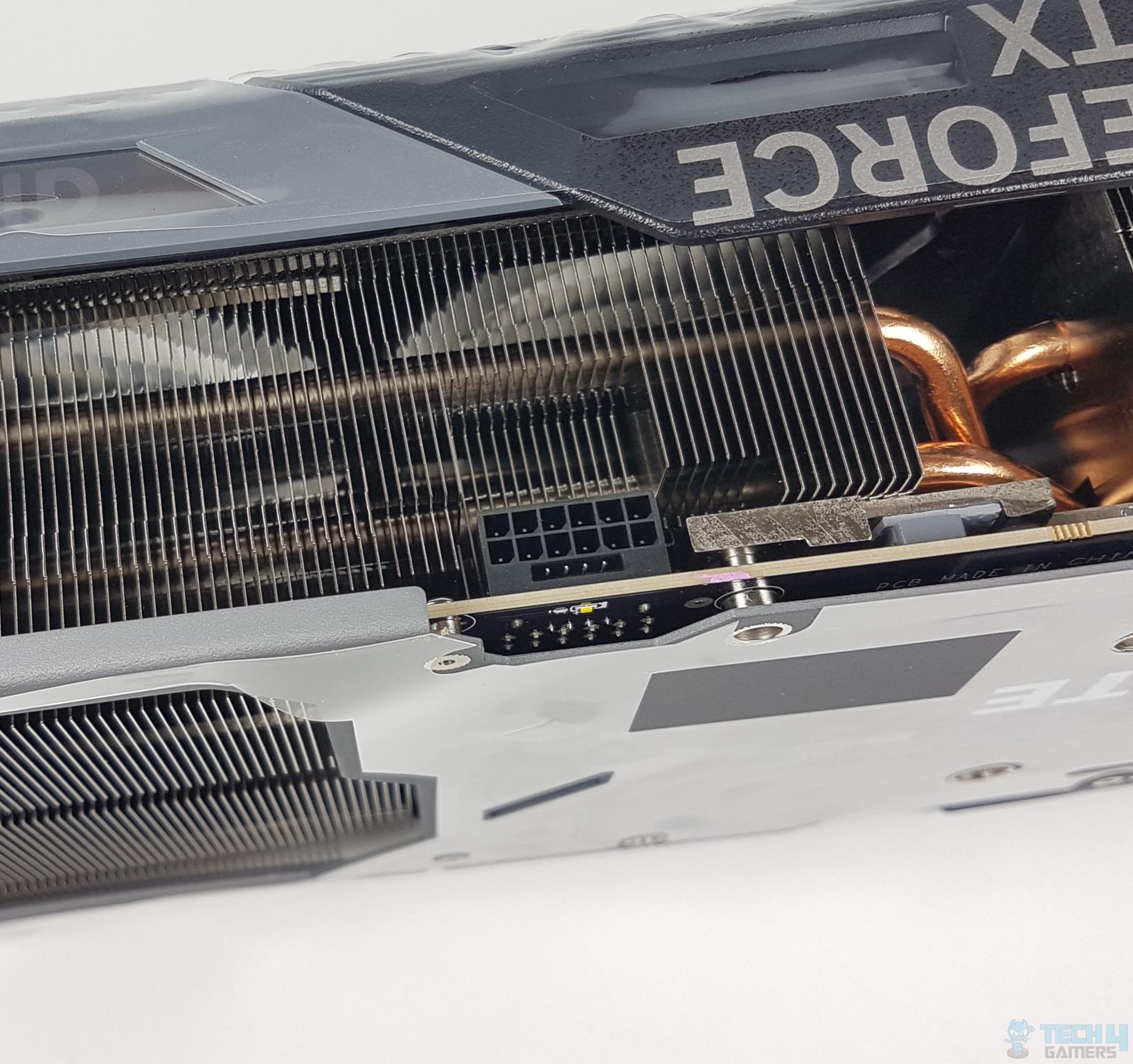
First off, all of the RTX 5000 GPUs codenamed “Blackwell” will be getting 16-pin connectors in order to keep up with the latest generation GPUs’ power-hungry appetite.
GIGABYTE GeForce RTX 4090 Gaming OC 24G – Power Connector (Image By Tech4Gamers)
Thanks to an unintentional slip-up from renowned PSU manufacturer, Seasonic, we can make a credible claim as to what the power requirements for each of Nvidia’s Blackwell GPUs will be.
For starters, the RTX 5050 is rated at a very reasonable 100W, which would be a 30W decrease in comparison to the RTX 3050.
Moving on, the RTX 5060 is slated for a 170W TDP, i.e., a 55-watt increase over its outgoing predecessor, i.e., the RTX 4060.
Furthermore, the RTX 5070 will apparently be consuming 220W, which will equate to a 20W increment over the last generation RTX 4070.
Moreover, the RTX 5080 is gauged to gulp 400W of power, an 80W surplus in contrast to the RTX 4080.
Finally, the flagship RTX 5090 GPU is set to break all records and champion the hierarchy at a financially electrifying TDP of 600W, which would equate to a 150W uptick as opposed to the current flagship GPU from Nvidia, i.e., the RTX 4090.
Evidently, power comes at the cost of power.
RTX 5000: Should You Spring For A New PSU?
Well, one thing’s for sure. All the new Blackwell GPUs will be featuring 16-pin connectors, even the RTX 5050.
What’s more, experts are claiming that the flagship RTX 5090 GPU might even boast dual 12VHPWR sockets out of the box.
Seasonic Vertex GX-1200’s 12VHPWR Connector.
Keeping all of the data mentioned above in mind, it’s safe to assume that unless you’re springing for an RTX 5050, you’d be well-advised to upgrade your PSU to ready your gaming rig for the latest and greatest GPU tech from Nvidia.
It’s also worth noting that while the RTX 5070 will only sip through an additional 20W of power compared to its predecessor, its younger sibling, the RTX 5060 will consume 55W more than the RTX 4060.
That’s something you’ll want to keep in mind if you’re upgrading directly from an RTX 4060 to RTX 5060, RTX 4070 to RTX 5070, and so on and so forth.
Last but not least, even if you’re remotely considering the RTX 5080 or 5090, your PSU should have been upgraded by yesterday, there’s just no question about it.
At Tech4Gamers, I mainly cover new gaming news, leaks, and rumours. Aside from that, I love to write features about my favourite games while inserting my opinion about their different aspects.
Story Highlight
Fans have been anticipating the second trailer for GTA 6 for a long time now.
While Rockstar has been silent about the game, new screenshots seem to have been leaked online.
A total of 7 new screenshots have surfaced online, revealing photorealistic graphics.
A second trailer from Rockstar is expected soon, hopefully before The Game Awards 2024.
It has officially been over a year since the first trailer for GTA 6 was released. Fans have been highly anticipating the next trailer, but Rockstar isn’t giving them any hope.
This is leading the fandom to cook up some of the hilarious theories for the trailer, which Rockstar developers laugh at. Recently, some screenshots were leaked, which caused the hopes of fans to skyrocket as they were expecting a trailer soon enough.
However, instead of the trailer, more screenshots have been leaked online, revealing photorealistic and breathtaking graphics.
Why it matters: Following the leaked screenshots, Rockstar might release the trailer soon enough, but the gaming giant has been pretty quiet about the situation.
A total of 7 more screenshots have appeared online, and each of them is unique in its own way. One screenshot focusing on Lucia stands out a lot as it looks pretty close to real life. One might argue that this is AI in working but the attention to detail seems to be Rockstar quality.
Some of the other photos have Jason in the background, with one being too blurry. Despite the blur effect, the shadows and view distance look amazing. The water also looks extremely realistic, so it seems like Rockstar is cooking up something extraordinary yet again.
There are two more females in the screenshots who aren’t recognisable, but the quality of their model is superior. While these screenshots look real, we would strongly advise considering the possibility of them being made via AI.
Rockstar has been really quiet about the 2nd trailer, but still, fans have high hopes, as 80% of the veterans are involved in GTA 6’s development. It can easily change the open-world genre for better or worse, depending on what the gaming giant delivers.
What do you think of the GTA 6 seven new leaked screenshots? Which one did you like the most? Also, do you think Rockstar will outdo itself yet again? Let us know your thoughts in the comments section below.
At Tech4Gamers, I mainly cover new gaming news, leaks, and rumours. Aside from that, I love to write features about my favourite games while inserting my opinion about their different aspects.
Story Highlight
Intel laid off 15k employees due to its rough financial condition.
The company has been facing a lot of troubles, and during them, its CEO has resigned.
Now, the company has hired two interim co-CEOs, and the board of directors will conduct a search for a new CEO.
Intel has been in a pretty rough condition recently. There have been many rumors about the acquisition, and the company even laid off a lot of its employees to cover for the losses. More changes in the company that could negatively affect it would be too deadly now.
However, Intel’s CEO just recently quit, and now the company has lost one of its most important assets amid so many troubles.
Why it matters: Intel laid off 15k employees due to the losses it was facing, and it just might not be able to survive this massive blow.
The Tech Giant Brought Back Free Coffee To Boost Employee’s Morale
The company just recently announced that Pat Gelsinger has resigned effective 1st December.
CEO Pat Gelsinger retired from the company after a distinguished 40-plus-year career and has stepped down from the board of directors, effective Dec. 1, 2024.
While it is not ideal for the company, Intel has now announced two interim co-CEOs, David Zinser and Michelle Johnston Holthaus. The Foundry leadership structure remains the same, but Michelle Johnston Holthaus has been appointed for the newly created position of CEO of Intel products.
Intel has named two senior leaders, David Zinsner and Michelle (MJ) Johnston Holthaus, as interim co-chief executive officers while the board of directors conducts a search for a new CEO.
Zinser will act as the executive vice president and chief financial officer, while, as said before, Holthaus will focus on the company’s products. While these both have been given major roles the board of directors will conduct a search for a new CEO.
AMD Is Completely Dominating The Market With Newly Launched CPUs
This is a new hurdle for the company, and hopefully, it will manage to rise. The recent buyout rumors have also been dialled down, but AMD’s dominance is not stopping. The tech giant has already claimed nearly 30% of the desktop CPU market.
What do you think of the CEO retiring so suddenly? Do you think the blue team has any chance of making a comeback now? Share your thoughts with us in the comments section below.