I’ve previously worked for eXputer as a Senior News Writer for several years. Now with Tech4Gamers, I love to devoutly keep up with the latest gaming and entertainment industries. I have a Bachelor’s Degree in Computer Science and years of experience reporting on games and breaking exclusive stories. Besides my passion for gaming journalism, I love spending my leisure time farming away in Stardew Valley. VGC, IGN, GameSpot, Game Rant, TheGamer, GamingBolt, The Verge, NME, Metro, Dot Esports, GameByte, Kotaku Australia, PC Gamer, and more have cited my articles.
Story Highlight
In the week from March 30th to April 5th, the base PS5 sold only 558 units in Japan after Sony implemented new prices.
The console was still selling in thousands the week before, alongside the Pro edition.
However, the entire PS5 family has taken a massive hit, except for the cost-effective $330 Digital edition specific to Japan.
Gamers around the world were hit with one of the worst price hikes this generation when Sony announced that the PS5 would now retail for a whopping $650. The console’s Pro edition took the worst hit from this situation, being priced at $900 after originally launching for $700 in 2024.
The cost surge was criticised globally by fans, who said players are being priced out of enjoying video games. Unsurprisingly, the price increase has reduced PS5 salesto such a low level that the console sold only in the hundreds in Japan this week.
Why it matters: The industry’s difficult circumstances forced Sony to raise prices, but if the company doesn’t find an alternative to lower its hardware costs, it will fall behind Nintendo in the next generation.
According to Famitsu, the base PlayStation 5 only sold 558 units in Japan this week following the price increase on 2nd April. The base model sold almost 3k units in Japan before Sony announced the new costs, and saw a substantial drop-off in the aftermath.
From March 30th to April 5th, the PS5 Pro also shipped only 840 units, seeing a steep decline from its 5k sales in the previous week, when prices were still normal.
On the other hand, the cheaper Japan-only model of the PS5 Digital edition, which is retailing for $330, kept the hardware afloat in the market, moving 12.1k units. The new PlayStation boss decided to introduce this region-locked edition to regain market share in the country.
Sony’s $330 Digital PS5 is keeping Sony afloat in Japan.
From the looks of it, the price-cut hardware is the only thing keeping PS5 relevant in Japan, as Nintendo continues to dominate with record-breaking sales that helped the Switch 2 reach 5 million shipments in the country faster than any previous console.
Do you think PlayStation can bounce back from these hefty price hikes, or is Nintendo too far ahead now? Tell us in the comments below or head to the Tech4Gamers forum for discussion.
At T4G, my task is to cover the latest news around the gaming globe ASAP and with the utmost precision. I adore all the games and respect all the devs behind the amazing games that we get all year. So, whether it’s a PC or a Console game, I got it all covered.
Story Highlight
When Crimson Desert initially launched, Pearl Abyss confirmed that it doesn’t support Intel GPUs.
Arc users were left stranded even after buying the title, including MSI Claw handheld users.
With the latest Intel drivers, users report that the game is finally running on Arc GPUs.
Back when Crimson Desert launched, it became a huge topic of controversy as Intel Arc GPU users reported that the game wasn’t working for them. Pearl Abyss confirmed through its FAQ page that the game is indeed not supported on those GPUs.
Intel blamed the studio for this, citing that they had ignored their offers to help with the support. While not announced formally, users report that after the recent Intel graphics drivers update, they can finally play Crimson Desert.
Why it matters: Intel GPUs don’t have a huge user base, but for those who have been using them, it was rather annoying as Pearl Abyss’s RPG absolutely took the world by storm, especially after recent patches.
Crimson Desert is reportedly running on Intel GPUs after the recent update
Users on Reddit are reporting that after they updated their Intel GPU drivers to the latest version 32.0.101.8629 WHQL, they are finally able to run Crimson Desert. However, it isn’t all bed of roses, as there are still major issues.
The graphics don’t seem to match what we get from other GPUs. Additionally, the image quality is very inconsistent, and some textures don’t even load at all. It seems like Intel has done its job, and now it’s up to Pearl Abyss.
1 of 3
But this is finally a step in the right direction, and we are making progress. Hopefully, with a few more patches, Intel GPUs will be able to get the best experience, including MSI Claw handhelds, which was a major bummer.
What are your thoughts on Crimson Desert finally working on Intel Arc GPUs after the recent driver update? Let us know your opinions in the comments or join the discussion at the official Tech4Gamers Forum.
I’ve previously worked for eXputer as a Senior News Writer for several years. Now with Tech4Gamers, I love to devoutly keep up with the latest gaming and entertainment industries. I have a Bachelor’s Degree in Computer Science and years of experience reporting on games and breaking exclusive stories. Besides my passion for gaming journalism, I love spending my leisure time farming away in Stardew Valley. VGC, IGN, GameSpot, Game Rant, TheGamer, GamingBolt, The Verge, NME, Metro, Dot Esports, GameByte, Kotaku Australia, PC Gamer, and more have cited my articles.
Story Highlight
Analysts expect Samsung to earn a total operating profit of 327 trillion won this year and 488 trillion won in the next.
This staggering milestone will push the company to become the most profitable in the world, surpassing Nvidia.
It is projected to surpass Nvidia’s expected operating profit by a narrow margin next year, which is 485 trillion won.
The memory shortage—driven by increasingly high demand thanks to AI tech giants like OpenAI—has certainly been a disaster for the common folks. Prices of all the memory products, including RAM and SSD storage, are being severely inflated.
However, the DRAM and NAND manufacturers sit on the opposite end of the spectrum, enjoying an unprecedented boom like never before. Samsung appears to be the best example of this, as analysts now believe it will become more profitable than Nvidia by next year.
Why it matters: Samsung could become the world’s most profitable firm, given its recent 3-year contract with Apple and its ongoing memory initiatives that are fueling this unprecedented growth spurt.
Analysts expect Samsung to surpass Nvidia in profits by earning 488 trillion won next year.
As pointed out by @Jukan05 on Twitter, famed analysts at KB Securities believe that Samsung will take the reins from Nvidia to become the globe’s most profitable firm despite having a market capitalization of only 19% of Nvidia’s.
The company is expected to earn a total operating profit of 327 trillion won (~$221 billion) this year. However, it will see a massive increase and earn over 488 trillion won (~$330 billion) in the next one.
To put the effects of the memory semiconductor supercycle into perspective, Samsung expects to make 57.2 trillion won (~$38.5 billion) in operating profit in Q1 2026 alone, which is an unbelievable 700 percent YoY growth.
Regardless, Samsung’s 2027 operating profit will put it over Nvidia, even if not by a big margin. The GPU maker is expected to make 485 trillion won (~$327 billion).
The ongoing memory crisis is fueling a golden age for companies like Samsung.
The projections are high because analysts believe the memory cycle is only at a midpoint and prices are expected to grow further in the future.
Additionally, Samsung’s reported three-year deal with Apple to supply foldable displays for its upcoming iPhone is also another lucrative venture, boosting its operating profit projections to new heights.
Do you think rising memory chip demand will propel Samsung to become the world’s most profitable company? Let us know your thoughts in the comments below, or join the discussion on the Tech4Gamers forum.
I’ve previously worked for eXputer as a Senior News Writer for several years. Now with Tech4Gamers, I love to devoutly keep up with the latest gaming and entertainment industries. I have a Bachelor’s Degree in Computer Science and years of experience reporting on games and breaking exclusive stories. Besides my passion for gaming journalism, I love spending my leisure time farming away in Stardew Valley. VGC, IGN, GameSpot, Game Rant, TheGamer, GamingBolt, The Verge, NME, Metro, Dot Esports, GameByte, Kotaku Australia, PC Gamer, and more have cited my articles.
Story Highlight
Samson launched to a flurry of negative reviews on Steam and Metacritic.
Many of the game’s important features feel either unfinished or janky, failing to impress gamers.
It currently has a mixed rating on Steam with only 53% positive reviews. It also only scored 48 on Metacritic.
The Grand Theft Auto franchise has carved out a separate genre in the open-world games, and many projects have attempted to copy its formula. However, recent offshoots, including MindsEye and the Saints Row reboot, have seen little to no success.
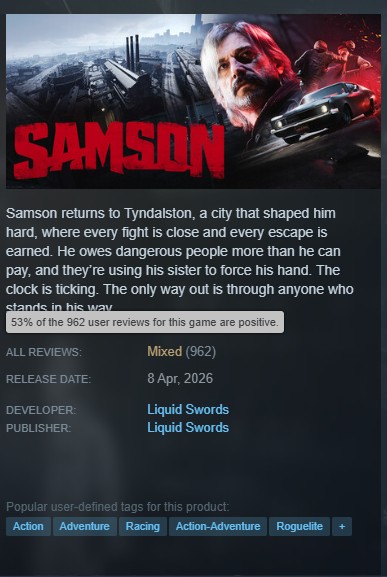
Unfortunately, the anticipated open-world brawler, Samson, has also joined the roster of disappointing GTA-like releases. The game currently stands at a mixed rating on Steam, with only 53% positive reviews at the time of writing.
Why it matters: Some have argued that Samson could have been a truly impressive experience if more work had been put into its various mechanics. However, the project is nearly a carbon copy of MindsEye in terms of issues and initial reception.
Samson Reviews
1 of 4
Samson currently has mixed reviews on Steam.
Many of the game's core mechanics feel janky and unfinished.
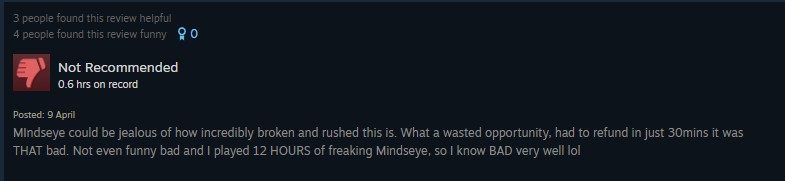
Players have dubbed it the MindsEye 2.0 experience.
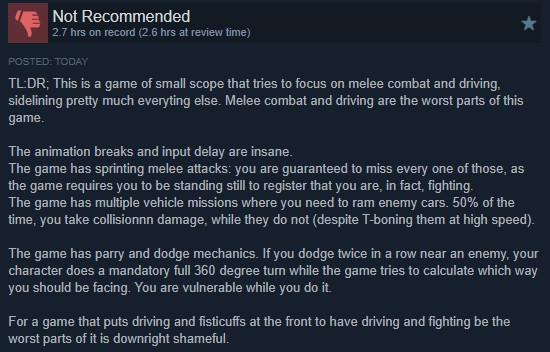
Melee combat and driving have also drawn criticism.
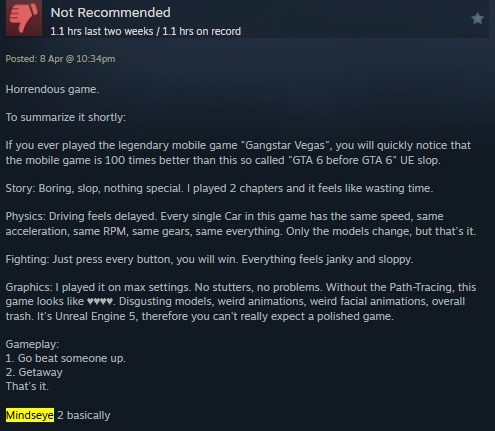
As per the reviews on Steam, some players are calling Samson the ‘MindsEye 2’ experience. The game appears to have a decent core structure, but almost every mechanic within is lacking in one way or another, like MindsEye.
According to reviews, the animations appear janky, the driving feels stiff, the combat feels awkward, and the input delay makes every moment feel like a chore. Samson also centers around vehicle combat, but colliding with an enemy seems to backfire almost every single time.
The rating by journalists and critics is also not any better on Metacritic, as Samson currently boasts a 48 score based on 15 reviews. For example, Gamereactor UK dubs Samson ‘a collection of good ideas that never quite came together.’
The critic reviews on Metacritic are also brutal, plummeting the rating to 48.
To summarize, Samson needs a lot of work to meet basic expectations. Some players are counting on Liquid Swords to resolve some of the core technical and gameplay hiccups for a smoother experience in the future. Meanwhile, a few are even refunding the title.
All the comparisons with MindsEye and the negative reception might have already done irreparable damage to Samson.
Do you think Samson stands a chance at recovering, unlike MindsEye, or is the game’s image ruined forever now? Let us know your thoughts in the comments below, or join the discussion on the Tech4Gamers forum.
I’ve previously worked for eXputer as a Senior News Writer for several years. Now with Tech4Gamers, I love to devoutly keep up with the latest gaming and entertainment industries. I have a Bachelor’s Degree in Computer Science and years of experience reporting on games and breaking exclusive stories. Besides my passion for gaming journalism, I love spending my leisure time farming away in Stardew Valley. VGC, IGN, GameSpot, Game Rant, TheGamer, GamingBolt, The Verge, NME, Metro, Dot Esports, GameByte, Kotaku Australia, PC Gamer, and more have cited my articles.
Story Highlight
89% of fans don’t want anything to do with The Playerbase, according to a new poll.
Most voters are not interested, while a handful of gamers are scared their data will be stolen.
Only about 7% of gamers actively want to participate in the PlayStation program that will make one lucky winner a character portrait in Gran Turismo 7.
From its live-service push to closing down multiple first-party studios, Sony has made one wrong move after another this generation. Hence, as the PS5 generation draws to a close, the Japanese company is trying its best to get fans back on board for the PlayStation 6.
Why it matters: Sony needs to realise that the only way to regain the trust of its player base is by making titles that will stand the test of time instead of spending billions on live-service.
Source: Push Square
In a poll conducted by Push Square, 89% of players voted that they will not take part in Sony’s “The Playerbase” initiative. Out of the 1,100-plus votes, 62% of the fans bluntly stated that the program doesn’t appeal to them.
On the other hand, 27% of gamers stated that they are concerned about their data being stolen, and as a result, they won’t apply to be a part of Gran Turismo 7. As highlighted by the PlayStation announcement, fans will have to answer a flurry of questions about their history with the brand and participate in an interview to win the competition.
Therefore, concerns regarding data might not be that far-fetched. Furthermore, only 7% of players clearly stated that they would love to be part of a PlayStation game and that the program appeals to them, while 4% of fans said that they would think about it.
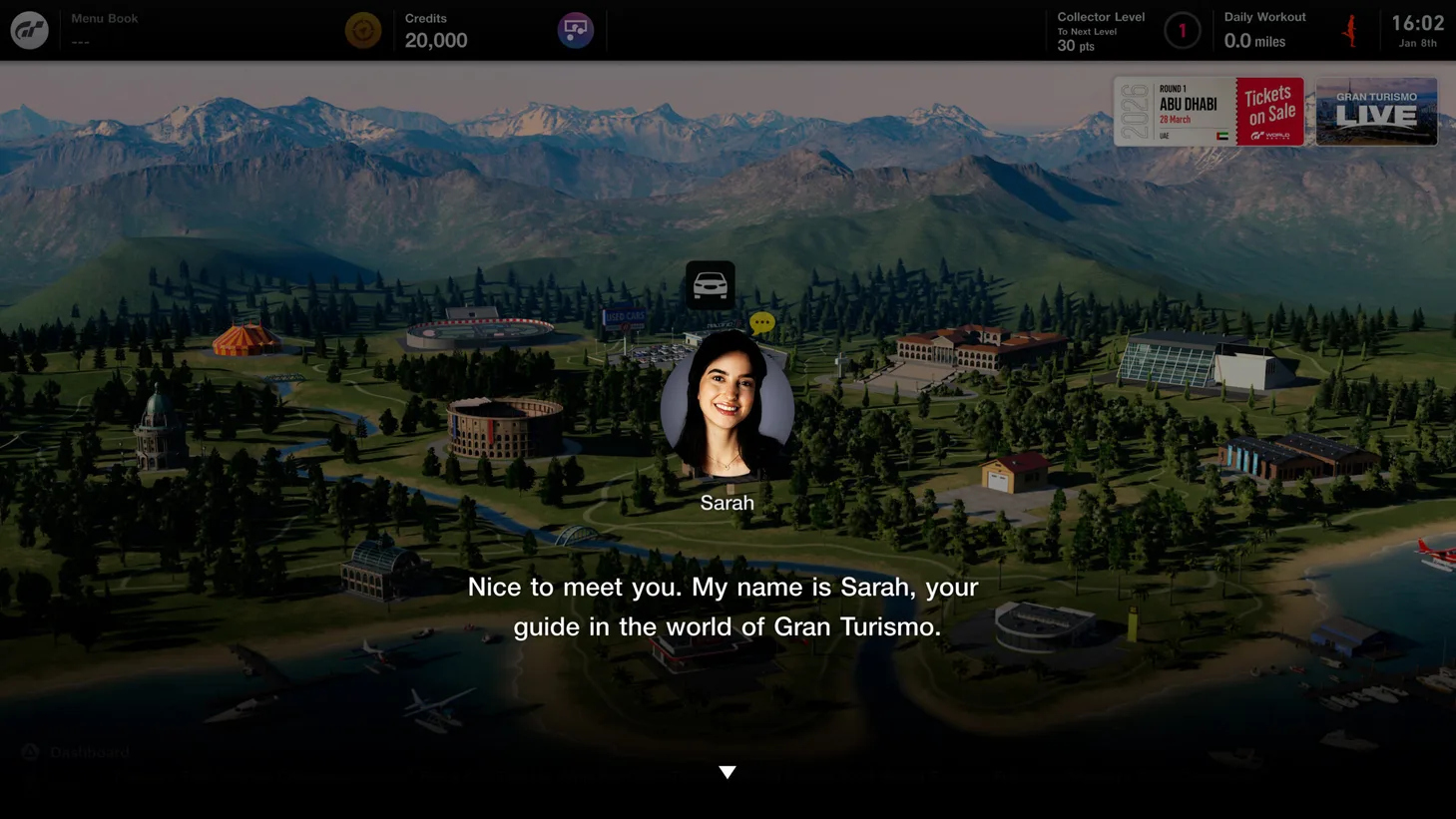
Gran Turismo 7 will start this program.
The Playerbase initiative will select one lucky fan after a series of interviews and let them be a part of Gran Turismo 7 as a character portrait. Furthermore, other first-party studios and PlayStation exclusives will be a part of this program down the line.
At T4G, my task is to cover the latest news around the gaming globe ASAP and with the utmost precision. I adore all the games and respect all the devs behind the amazing games that we get all year. So, whether it’s a PC or a Console game, I got it all covered.
Story Highlight
Nexon has reportedly dissolved the team that worked on The First Berserker Khazan.
The game had pretty good reviews, but couldn’t become a big financial success.
The team hasn’t been laid off; instead, the devs have been moved to other teams.
Developed by Neopeople and published by Nexon, The First Berserker Khazan had huge expectations riding on it. The game was released last year and had a pretty good reception; however, it seems that the sales have struggled.
A new report suggests that Nexon has dissolved the First Berserker Khazan team because of poor sales. The game’s reviews were generally positive, and unfortunately, the sales don’t reflect a similar experience.
Why it matters: This is again a case of a game failing in the industry despite being a brilliant title on the surface. This is also among the primary reasons many studios avoid taking any risks, as it could be disastrous.
The First Berserker team has been dissolved by Nexon amid poor game sales
According to a Korean outlet, Yonhap News, Nexon informed the employees who worked on The First Berserker that they are being moved to different teams. The core team will be dissolved because of the unsatisfactory sales.
The game recently got an update, but now its future seems uncertain and might not be supported any longer. The only positive is that the studio hasn’t laid off the team like most, instead just moved them to other projects.
The team has been reassigned to different projects
The news channel also cites the delayed release in China as a low sales factor. Nonetheless, this is rather unfortunate, considering the game’s potential is huge, and it was supposed to be the first of many Nexon games in the genre.
What are your thoughts on Nexon dissolving the First Berserker Khazan team? Let us know your opinions in the comments or join the discussion at the official Tech4Gamers Forum.
At T4G, my task is to cover the latest news around the gaming globe ASAP and with the utmost precision. I adore all the games and respect all the devs behind the amazing games that we get all year. So, whether it’s a PC or a Console game, I got it all covered.
Story Highlight
A new rumor suggests that the next PlayStation State of Play could be set for April 16.
It would be the second event of the year, and the first had a widely positive reception.
Sony has a lot of projects in the pipeline, so we could see them at the SOP.
PlayStation fans are gearing up for a big year with Saros coming up and Marvel’s Wolverine arriving later in September. Additionally, PlayStation has some big titles in the pipeline as well, and we could be hearing about them soon.
According to a renowned leaker, the next PlayStation State of Play is happening on April 16, later this month. The announcements usually come just a day or a couple of days before the event, so we might hear about it then.
Why it matters: PlayStation first-party studios have some major games in development, including Naughty Dog’s Intergalactic. Moreover, others like Santa Monica are also expected to be working on an unannounced title.
The next State of Play is rumored to be happening on April 17
NateTheHate stated on X that the State of Play will happen way before June. After the post got a lot of traction, the leaker did a follow-up post and revealed that the event will take place on April 16. For context, there were rumors of a May event.
Anyhow, the last State of Play was a success for Sony as it revealed multiple new upcoming projects, including Silent Hill Townfall, the John Wick game, and the highlight of the show, the God of War trilogy remake.
Fans will be expecting some new announcements at the event
There’s a lot we can showcase, but let’s manage our expectations. But just as an educated guess, we could see more of Marvel’s Wolverine or maybe even a proper extended look at Intergalactic: The Heretic Prophet.
Insomniac’s Venom game is also long rumored but still not official. Resident Evil Requiem DLC could be a solid announcement as well, and Ubisoft is also expected to announce Black Flag Remake, so maybe they’ll do it then.
What are your thoughts on Sony holding its next State of Play on April 16? Let us know your opinions in the comments or join the discussion at the official Tech4Gamers Forum.
As Tech4Gamers’ Founder and Editor-in-Chief, I bring over 13 years of PC Hardware Reviewing and 8+ years of IT Project Management experience. Certified in Google IT Support , my focus is on providing honest product reviews and analysis and fostering a strong gaming community with 130k+ members in PPG.
Fixed desks are the norm, but often you can feel the strain from long hours sitting, so a standing desk can often be worth considering.
We’ve had a look at the AndaSeat Xtreme Series standing desk and what it offers for the budget-friendly price of $399. It’s not the flashiest or most premium option out there, but it arguably nails the essentials better than anything else in its price range. Here are the key stats for the unit as a starting point:
Motors: Single motor, 22mm/s lift speed, <50 dB noise
Max Load: 70kg (155 lbs)
Control Panel: Digital LED with 3 memory presets, sedentary reminders (0.5–4h), child lock, anti-collision
Cable Management: Hidden routing in legs + included steel tray
Included Accessories: Retractable headphone holder, cup holder, cable ties (x5), steel cable tray
Warranty: 3 years
Setup and Build Quality
The desk comes in two boxes, and some assembly is required. It’s fairly straightforward thanks to clear instructions and labeled parts.
The frame clicks together in a solid manner with Allen keys, and the single motor and wiring tuck neatly into the legs. There’s a steel tray underneath for your power strip, which helps to clean up dangling cords. Also included is a headphone hook and cup holder.
The cold-formed steel T-frame is the star here, though, with its reinforced dual beams and wide feet, meaning that even at full standing height with a triple-monitor setup, there’s zero perceptible wobble.
It’s not ultra-heavy like some dual-motor beasts, but at this price, the stability-to-weight ratio is impressive. The legs feel substantial and sturdy.
Features and Performance
The electric adjustment is where the Xtreme shines for everyday use. The single motor hums quietly (definitely under 50 dB), and it rises smoothly at 22mm/s.
The height range is perfect too, thanks to being low enough for comfy sitting but high enough for standing without hunching. When it comes to the digital panel on the desk, it’s pleasingly intuitive as well, with three quick presets for your sitting, standing, and “tall friend visits” positions.
Elsewhere, cable management lives up to the “zero hassle” claim. Cables route inside the legs for a super clean front view, and the steel tray hides everything underneath. In real use, gaming feels more immersive when standing for long periods, and work sessions are more productive with posture breaks.
Price and Value
At a $399 starting price, this desk represents exceptional value. You’re getting smooth electric lift, thoughtful cable solutions, solid stability, and useful extras that many $600+ desks skimp on.
It’s not dual-motor fast or carbon-fiber fancy, but for home gaming/work hybrids, it punches way above its weight. As such, this is well worth considering if you’re looking for a reliable, clutter-free standing desk that works for gaming, work, study, or family use without breaking the bank.
I’ve previously worked for eXputer as a Senior News Writer for several years. Now with Tech4Gamers, I love to devoutly keep up with the latest gaming and entertainment industries. I have a Bachelor’s Degree in Computer Science and years of experience reporting on games and breaking exclusive stories. Besides my passion for gaming journalism, I love spending my leisure time farming away in Stardew Valley. VGC, IGN, GameSpot, Game Rant, TheGamer, GamingBolt, The Verge, NME, Metro, Dot Esports, GameByte, Kotaku Australia, PC Gamer, and more have cited my articles.
Story Highlight
Newly seen evidence suggests that Valve is cooking up a ‘SteamGPT’ AI tool.
It is apparently going to deal with Steam customer support issues.
The AI tool is also somehow related to CS2 anti-cheat and Trust Score.
Multiple companies across industries have attempted to utilize LLMs and copy ChatGPT in different ways to automate as many tasks as possible, regardless of success. The gaming scene is no different since it appears that Valve is also finally jumping on the trend.
Newly seen datamined evidence reveals that Valve is developing ‘SteamGPT,’ which aims to improve Steam’s technical and customer support. However, additional strings discovered in the code suggest that the AI-powered tool could do much more than answer queries.
Why it matters: SteamGPT could revolutionize Steam’s customer support system by being more efficient. However, some argue that Valve should have hired human staff, and there are concerns that the AI tool might prove to be a downgrade instead.
Valve is reportedly working on a SteamGPT AI tool.
Leaker Gabe Follower highlighted the newly seen strings and snippets of code on Twitter, indicating that SteamGPT could be more efficient and accurate in responding to requests and tickets compared to the current system.
However, snippets like Trust_GetTrustScoreInternal, CSbot, player_evaluation, and SteamGPTRenderFarm show that SteamGPT will also be somehow related to the Trust Rating system and CS2 anti-cheat.
Perhaps SteamGPT could improve Valve’s self-learning VACnet system by providing a deeper analysis of player behavior and complaint handling. Or, it could go much deeper and actively strengthen the anti-cheat capabilities by fighting cheaters.
Valve is also making impressive progress with its hardware.
Some have also argued that these discovered snippets aren’t actually new code, although they have never been reported in the past.
Regardless, the gamers are conflicted with the SteamGPT tool. Some assert that Valve should have just hired more human staff for the aforementioned improvements, while others think the customer support process can become much more efficient using AI.
Do you think the new SteamGPT AI tool will turn out to be a great idea for the online store, or is replacing potential human labor with automation not worth it? Let us know your thoughts in the comments below, or join the discussion on the Tech4Gamers forum.
As a Senior Hardware Reviewer at Tech4Gamers with over a decade of hands-on experience, I dive deep into benchmarking GPUs, CPU coolers, and motherboards, pushing hardware to its limits. Passionate about overclocking and fine-tuning performance.
ASRock has a long history in the computer components, they have been making some truly outstanding high-end products, whether it’s the graphics cards or the motherboards, and they have been incredible when it comes to performance and it’s cooling, however, one thing was missing it was when the ASrock gonna launch their liquid-coolers for the CPU to complete it’s cooling eco-system. At CES 2026 in January, ASRock announced that it would have some great cooling options up its sleeve. That’s when the Phantom Gaming 360 LCD all-in-one was revealed. This AIO not only cools, but also brings an innovative design to the liquid-cooler industry.
Why Trust Tech4Gamers
Usman Sheikh is one of our most senior and experienced hardware reviewers. He loves spending hours (sometimes days) in his lab, testing and comparing different GPUs, CPUs, coolers, and more.
80+ CPU coolers tested and reviewed by our team of hardware experts (Tech4Gamers Team).
900+ hours spent testing different coolers for our reviews.
At Tech4Gamers, ensuring you get reliable information is our priority. That’s why every hardware round-up undergoes a meticulous review process by our team of experts and editors. Each review is carefully examined against our strict editorial guidelines, guaranteeing you trustworthy insights you can depend on.
The Cooler features the next-gen cooling pump with a dual-sided inlet cooling path, an LCD display with polychrome display control software, and a 360 Halo ARGB Fan with a unified frame, targeting high-end system integrators and enthusiasts while providing good aesthetics. In this review, we will discuss its design, cooling, noise, and performance in depth.
Let’s talk about the specifications first
Component
Specification
Compatibility
AMD: AM5, AM4
Intel: LGA1851, 1700
Water Block
100.4 x 86 x 107.6 mm
Copper cold plate
Radiator
397 x 120 x 32 mm
Aluminum
Pump
1200-3100 RPM ±10%
0.38A / 12V, PWM
VRM Fan
70 x 70 x 25 mm
0-3000 RPM, 0.12A/12V
Radiator Fan
362 x 123 x 28 mm
0-2400 RPM, 61.28 CFM, 3.11 mmH₂O, 31.4 dB(A)
PWM, FDB, ARGB Gen1
Screen
3.4″ IPS LCD
480×480, 24-bit, 60 Hz
USB Type-C to 9-pin
Tubing
IIR+EPDM
450 mm
[toc]
What Makes The ASRock Phantom Gaming 360 LCD Different?
ASRock Phantom Gaming 360 features a 3.4-inch full-color LCD Display that is highly customizable and a high-end pump design powered by a 3-phase, 6-slot, 4-pole motor for much stronger water flow, while keeping durability in mind. The block also features a dedicated VRM fan that can cool the motherboard. The radiator thickness is also huge at 32mm; the standard is normally 27mm, and there are several fan upgrades.
What About The Availability & Pricing?
This Cooler is available in only a single 360mm variant and is offered in black. There is no 240mm or white colour available at the moment. ASRock also offers 6 years of warranty for the AIO Cooler Module and 2 years for the LCD unit. As for the availability, the cooler is set to go on sale in February.
Packaging
Let’s take a look at the packaging!
Packaging
1 of 5
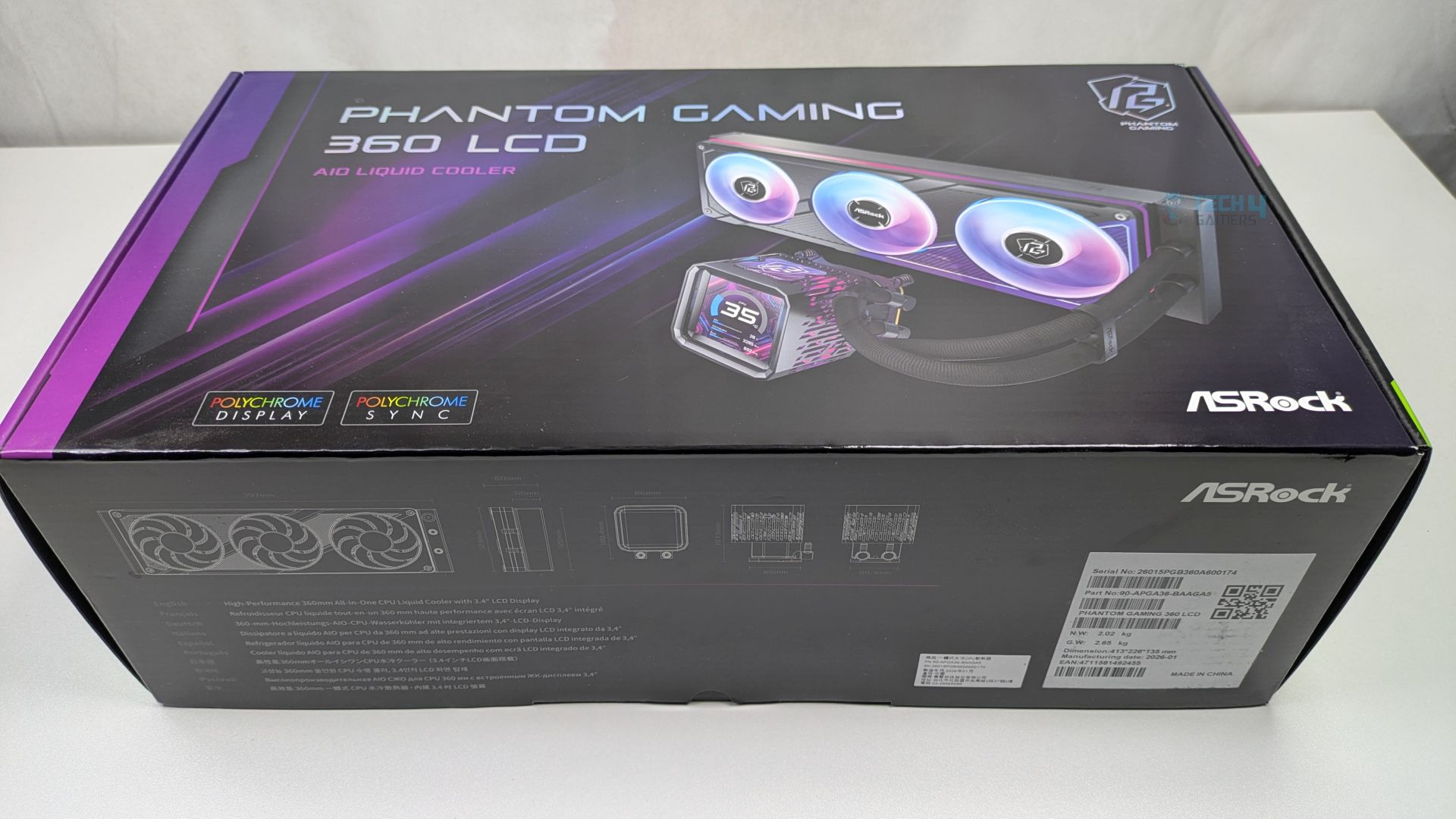
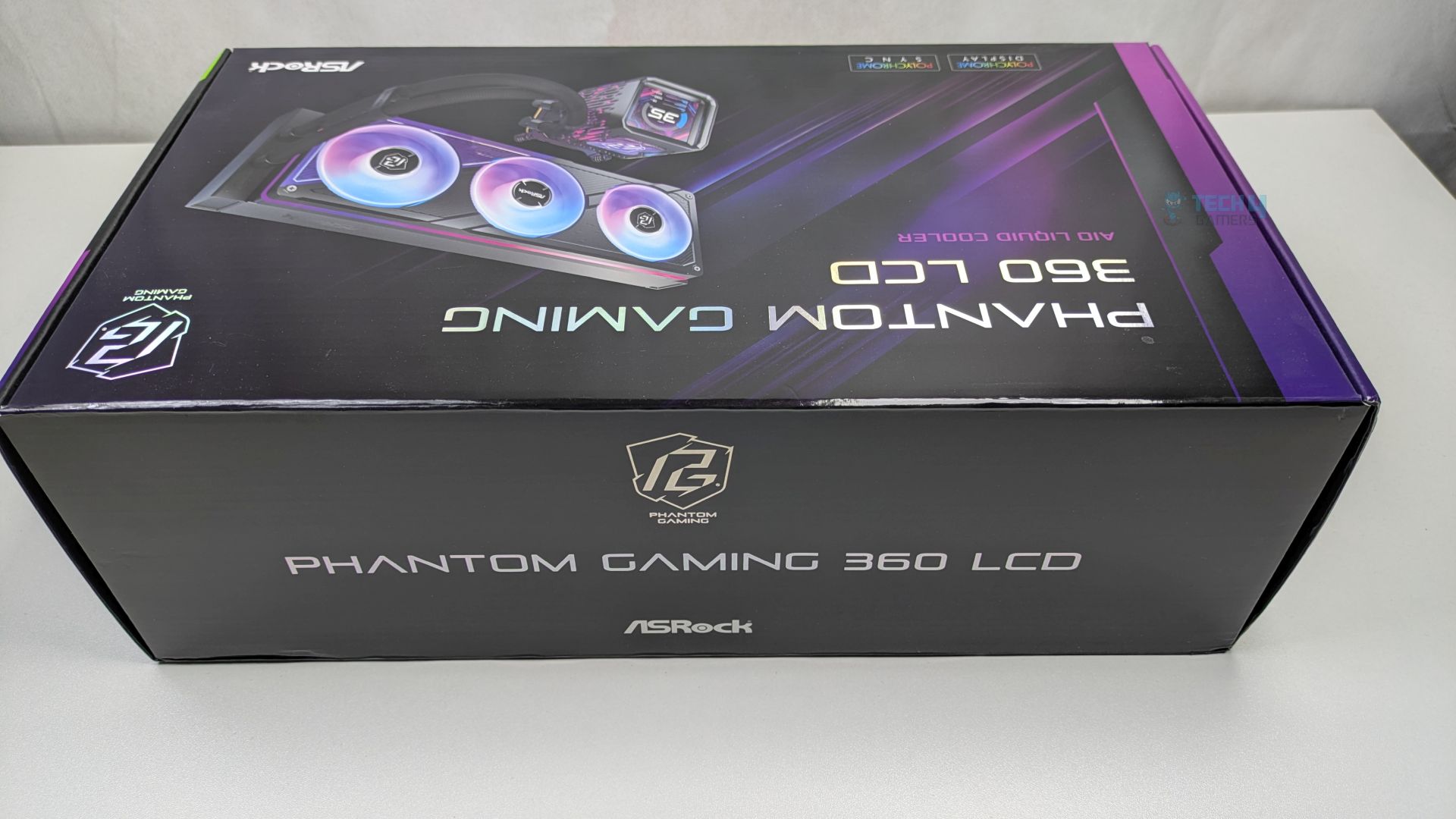
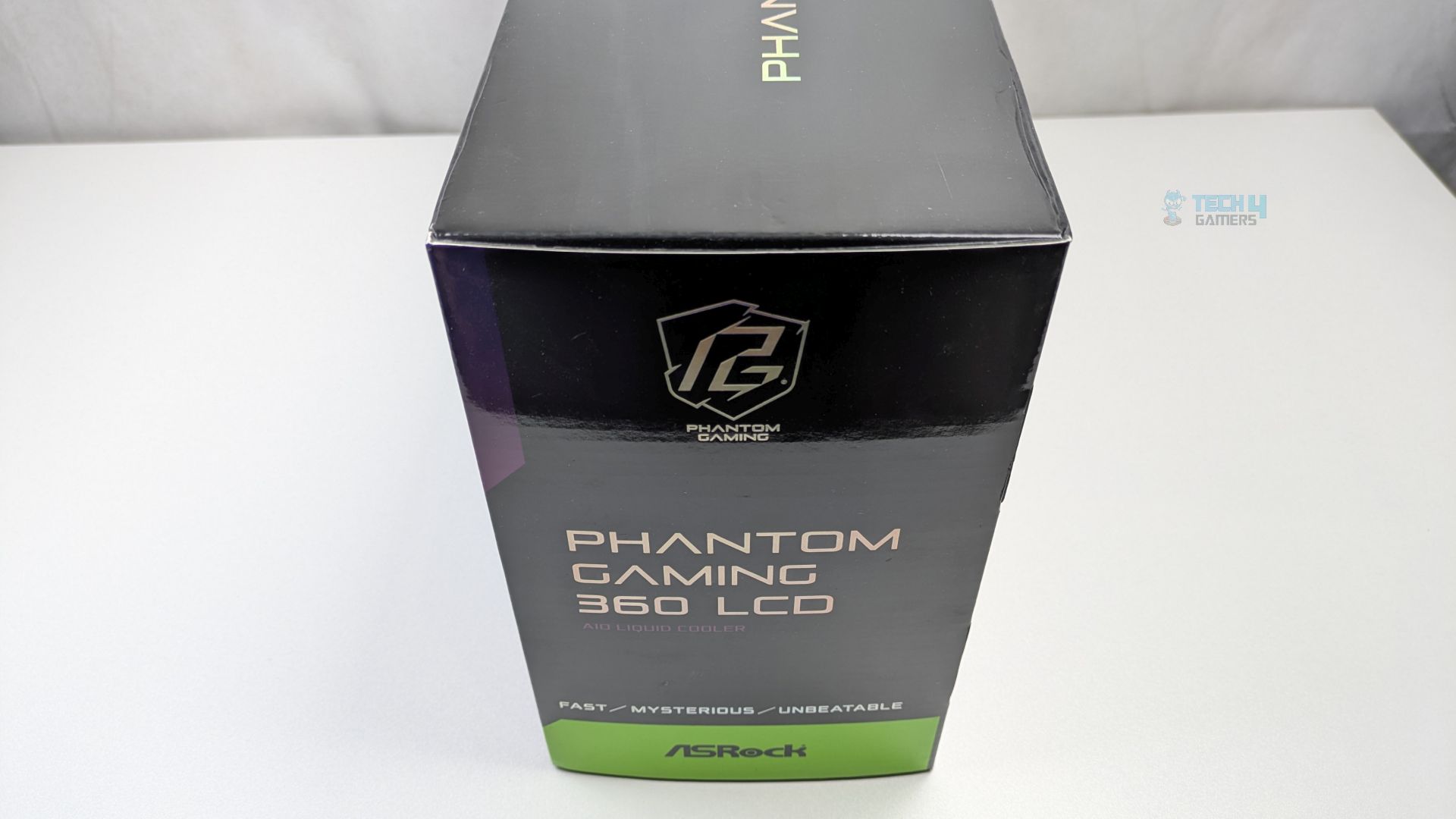
ASRock Phantom Gaming 360 LCD has opted for a premium packaging which leans heavily on the Phantom Gaming visual language. The box features a dark and sleek colour scheme. The front provides a clear render of the all-in-one liquid cooler, highlighting its main selling points: the daisy-chained ARGB fans and the customizable LCD screen. The ASRock badges, such as “Polychrome Sync and Display,” are clearly visible.
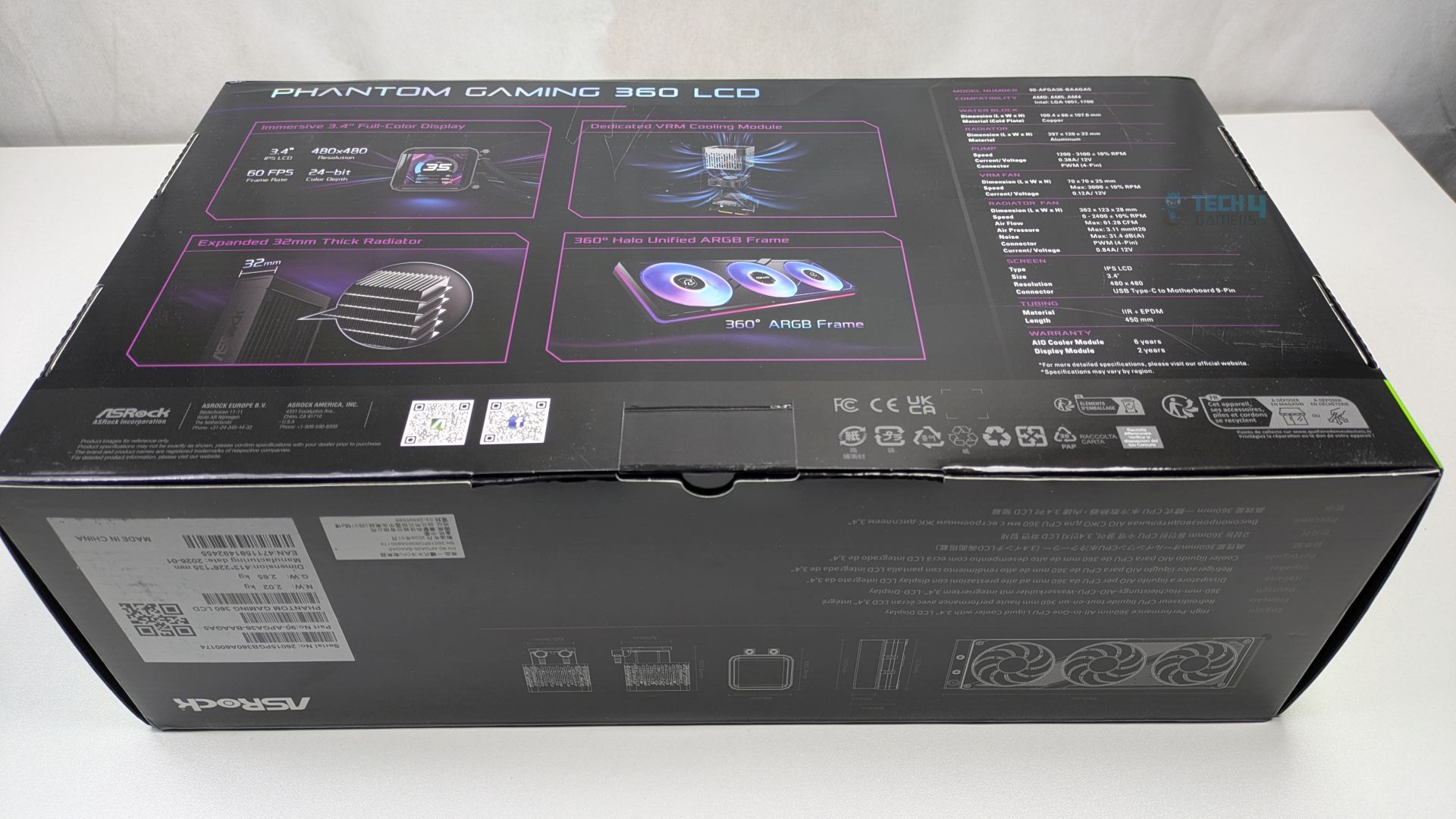
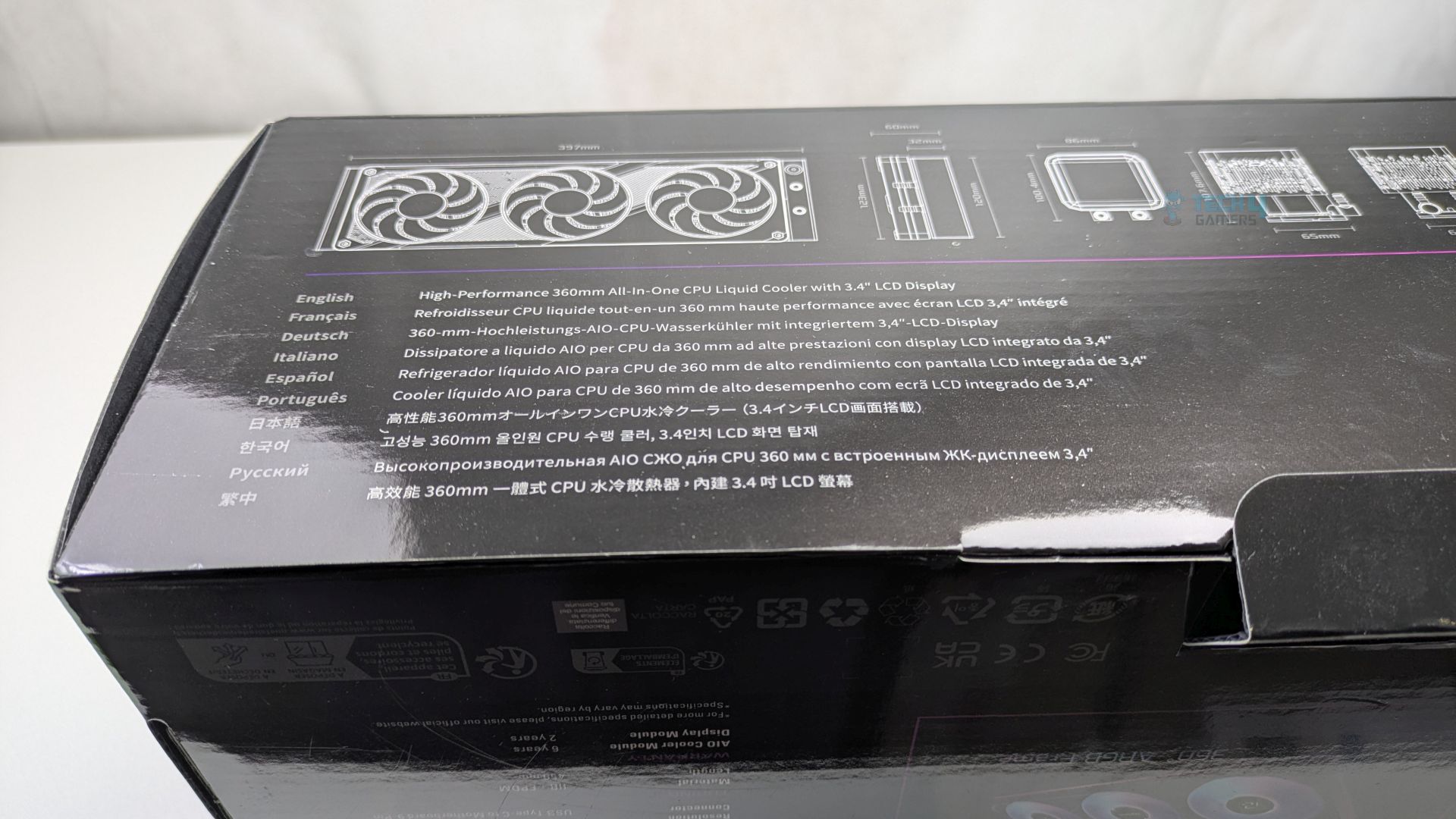
The Backside of the box highlights all the technical details of the all-in-one liquid cooler. At the bottom/sides, ASRock has added dimensional drawings.
Unboxing
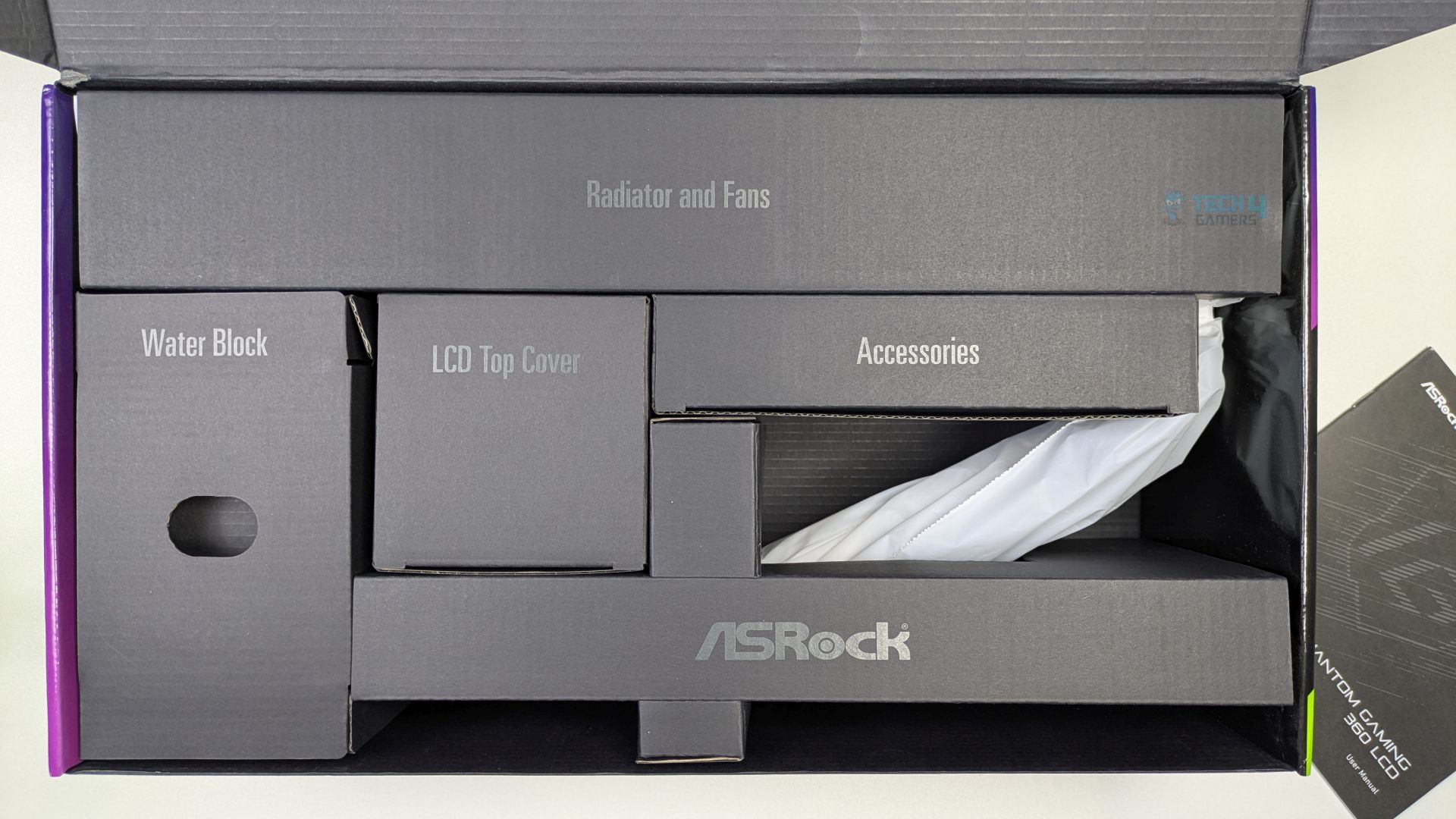
Unboxing reveals a very clean internal structure; each box is clearly labelled on its respective compartments, making the installation process feel organised and high-end right from the start.
Accessories
Let’s take a look at the accessories.
Accessories
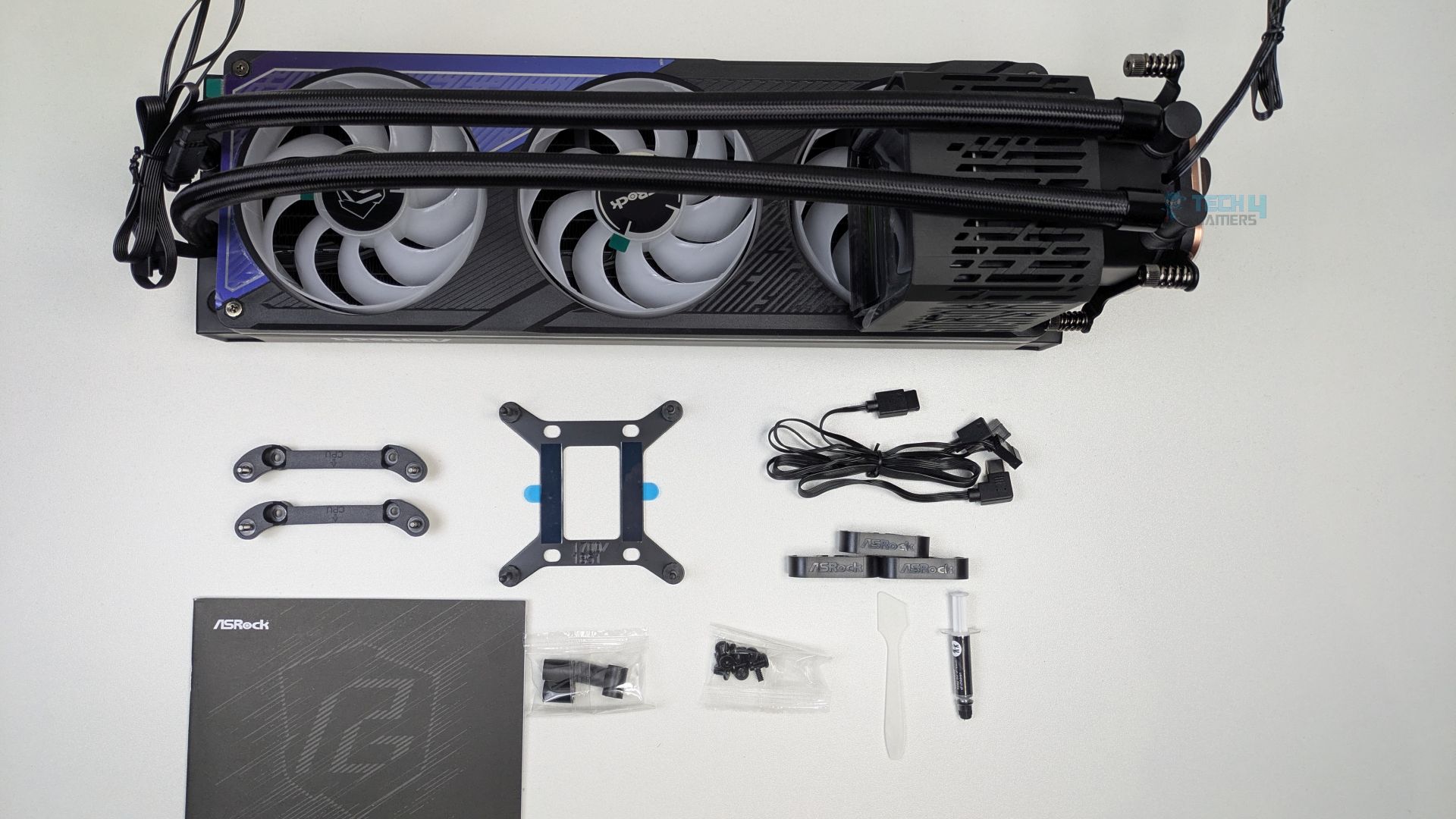
You don’t get a lot of mounting accessories with the ASRock Phantom Gaming 360 LCD, which is a good thing, as ASRock has kept it straightforward overall. The Intel bracket supports the LGA 1700/1851. In the accessories, Thermal Paste, Spatula, tube-clips and Type-C LCD cable are also included.
Here is the structured table of what you get inside the box:
Category
Item
Quantity
Mounting Hardware
Intel Backplate
1x
Intel Standoff
4x
AMD Mounting Bracket
2x
Radiator/Fan Screws
12x
Cable
USB Type-C to Motherboard 9 pin
1x
Tools
Thermal Paste + Spatula
1x
Tube Clip
3x
User Manual
1x
Close Look At The Radiator and Assembly
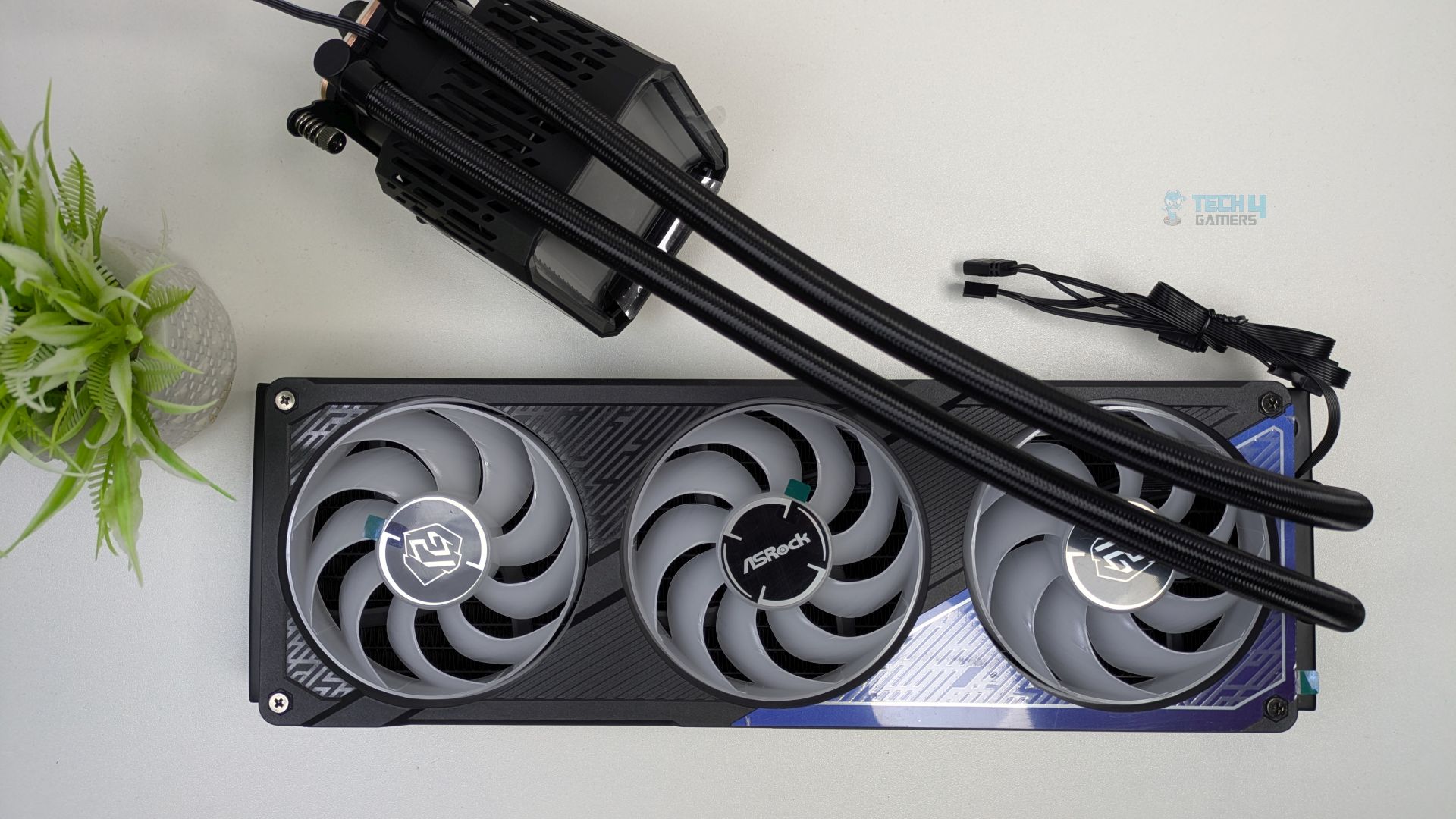
Now, let’s first look at the assembly you’ll get out of the box. The Fans are preinstalled on a single-frame cooler. The fans also appear to have the Phantom Gaming logo on the hub. The outer frame also creates a clean border glow effect and features a streamlined, unified cable design.
It’s not like the traditional fans you see on other coolers; these fans are installed in a single frame, which could enhance internal airflow. Four screws on a radiator secure the frame.
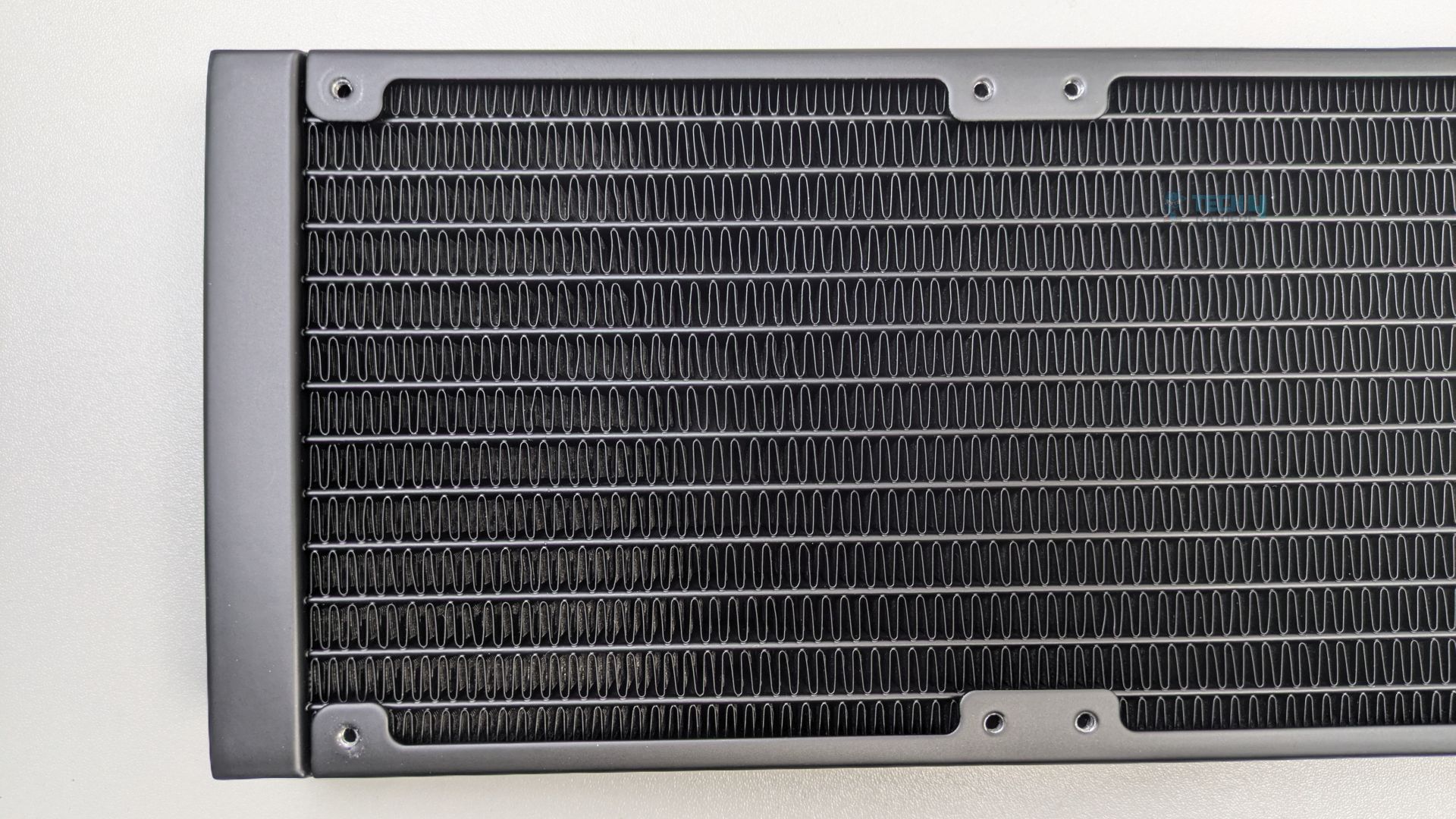
The radiator is huge, much thicker than standard, and made of aluminium. As this cooler is 360mm supported, (L)397 x (W)120 x (H)32 mm, not including the fan height yet. Make sure your case supports 360mm radiators and has enough clearance.
Radiator Height
The radiator uses the high-density louvred fin design. The FPI (Fins Per Inch) is 20, and the radiator has 12 water-flow channels. At 32mm thick, it allows for higher coolant volume flow and greater heat dissipation potential. Such thick radiators do provide better performance when paired with high-performance static-pressure fans.
Fin Design
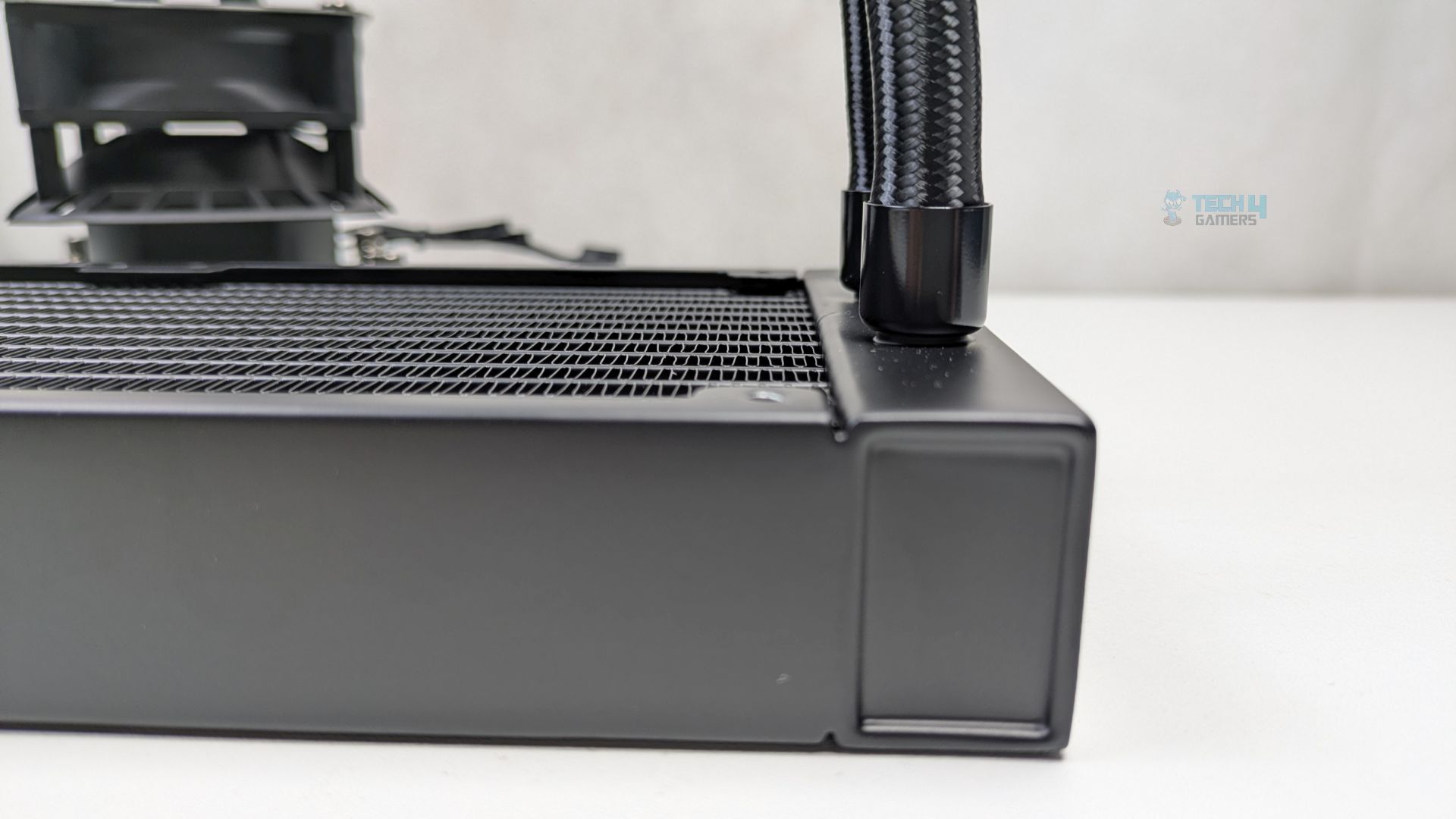
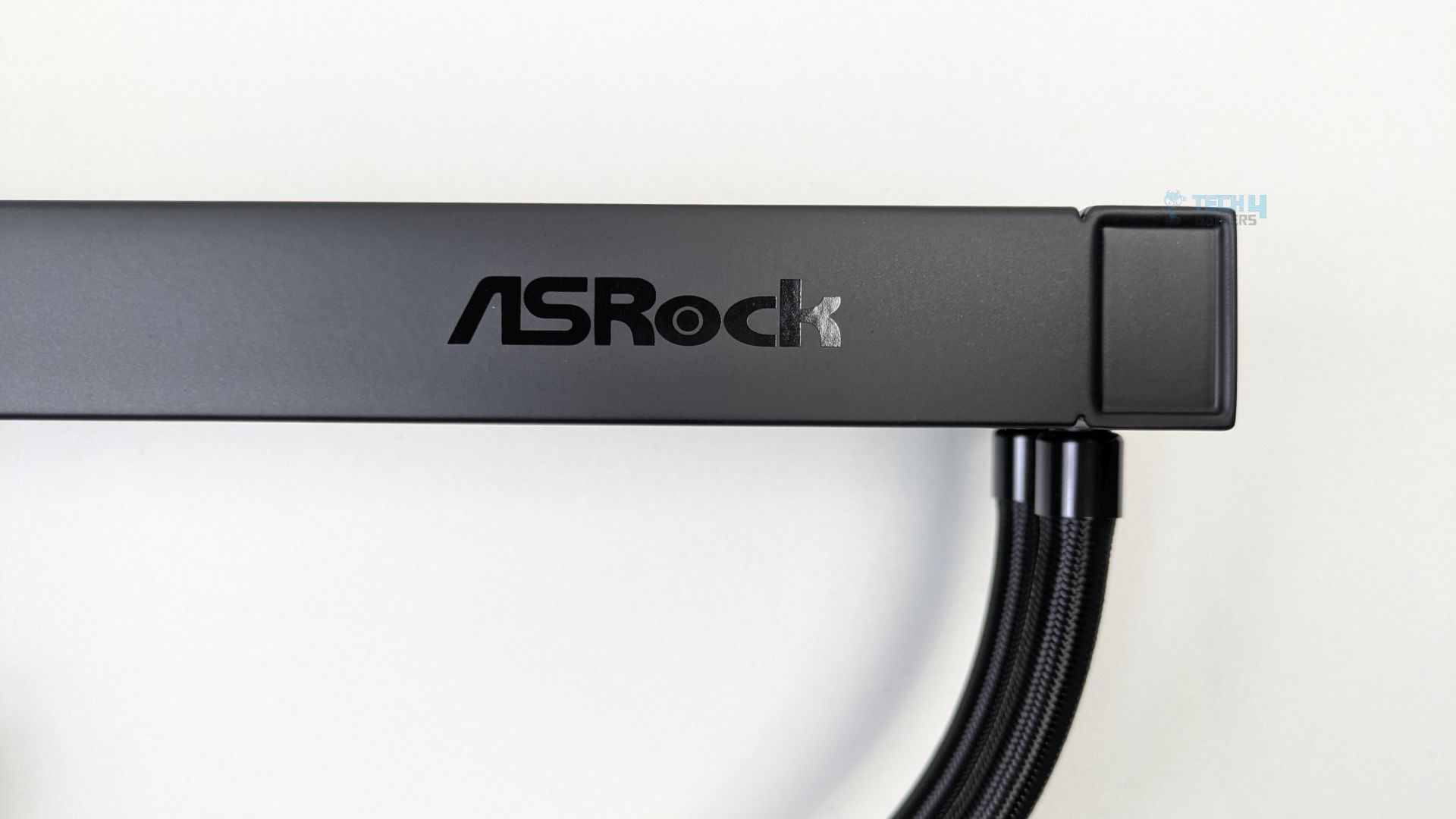
The ASRock Logo can also be noticed on the side of the radiator.
Radiator Side
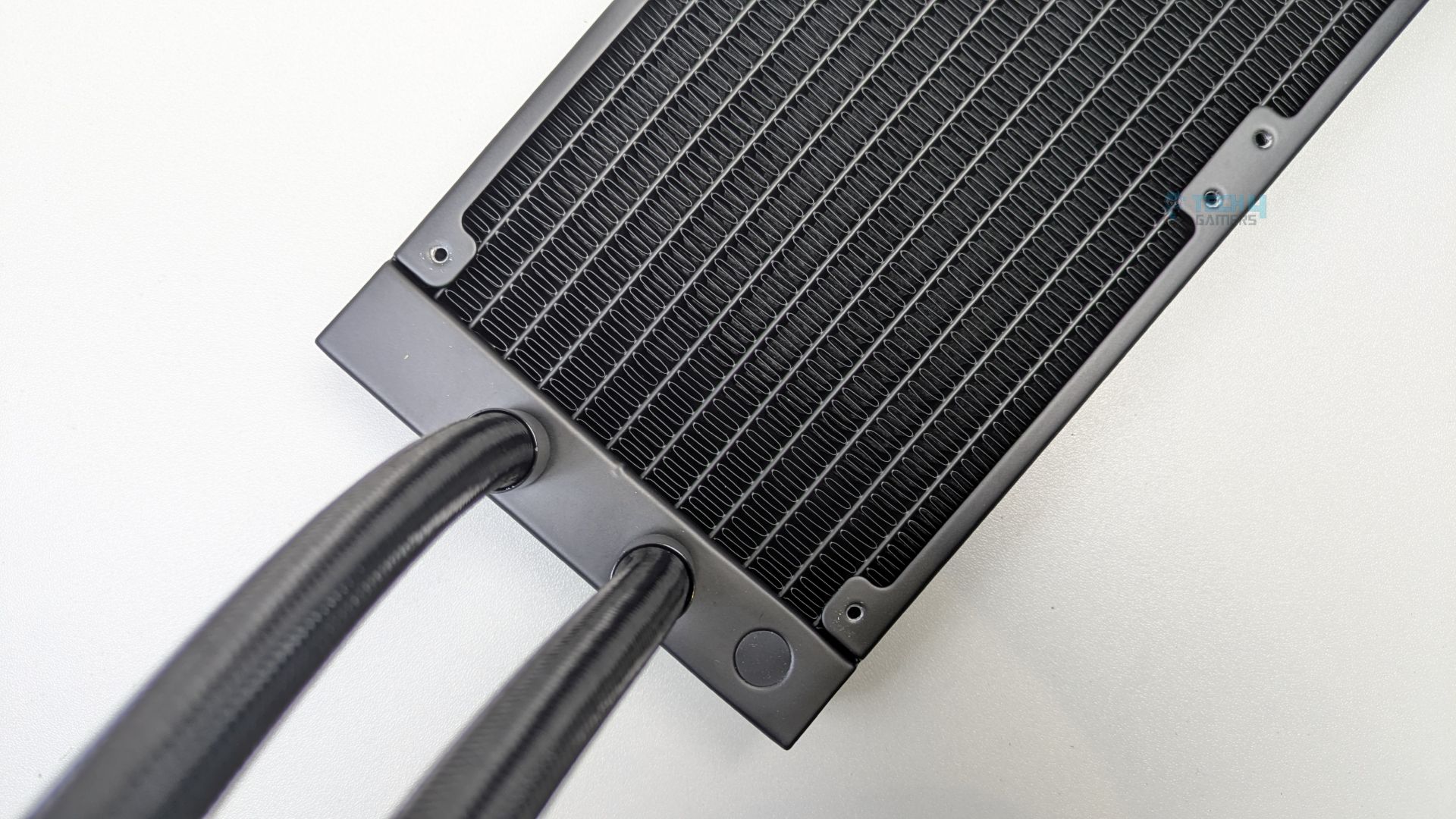
The tube length is 450mm in total, which is longer than the standard you see in traditional all-in-ones; generally, the tubes are not longer than 400mm.
Tubes
The tubes are premium-grade here, as they use IIR (Isobutylene Isoprene Rubber) and EPDM (Ethylene Propylene Diene Monomer), both of which offer very good heat resistance and a longer lifespan.
Pump Design / Housing
Let’s take a look at the water block.
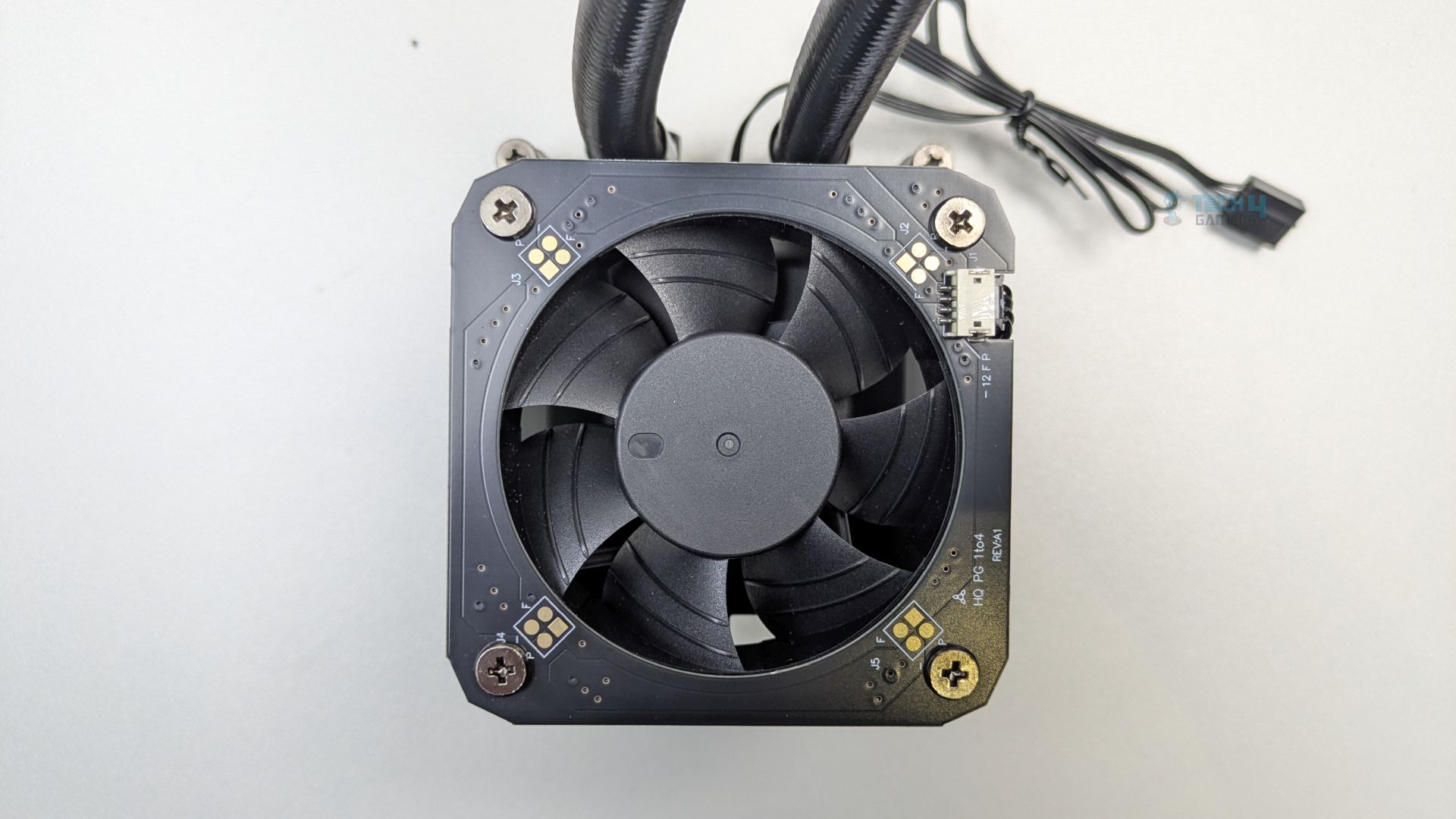
Integrated VRM Fan + Water Block
Integrated VRM Fan + Water Block
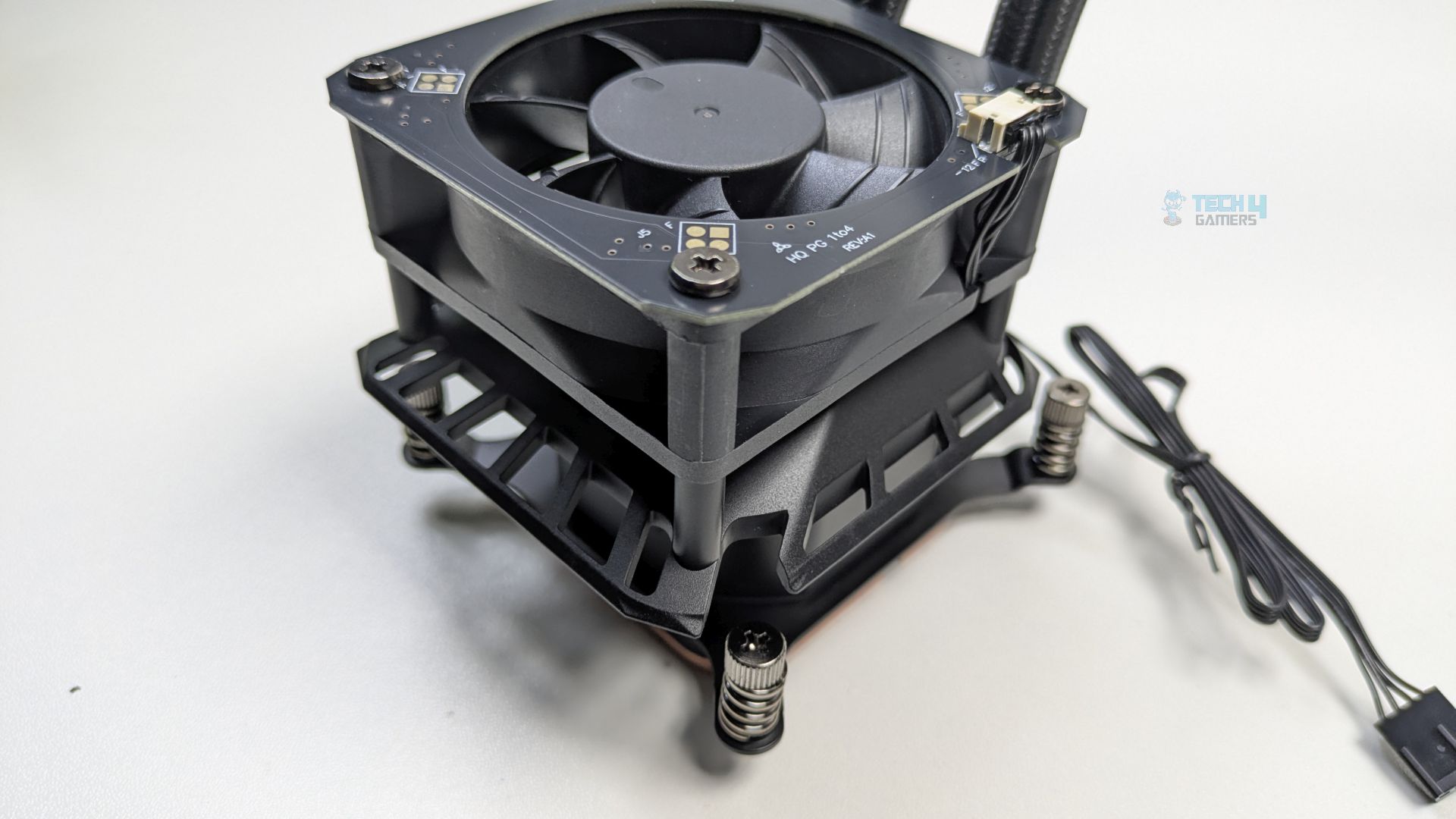
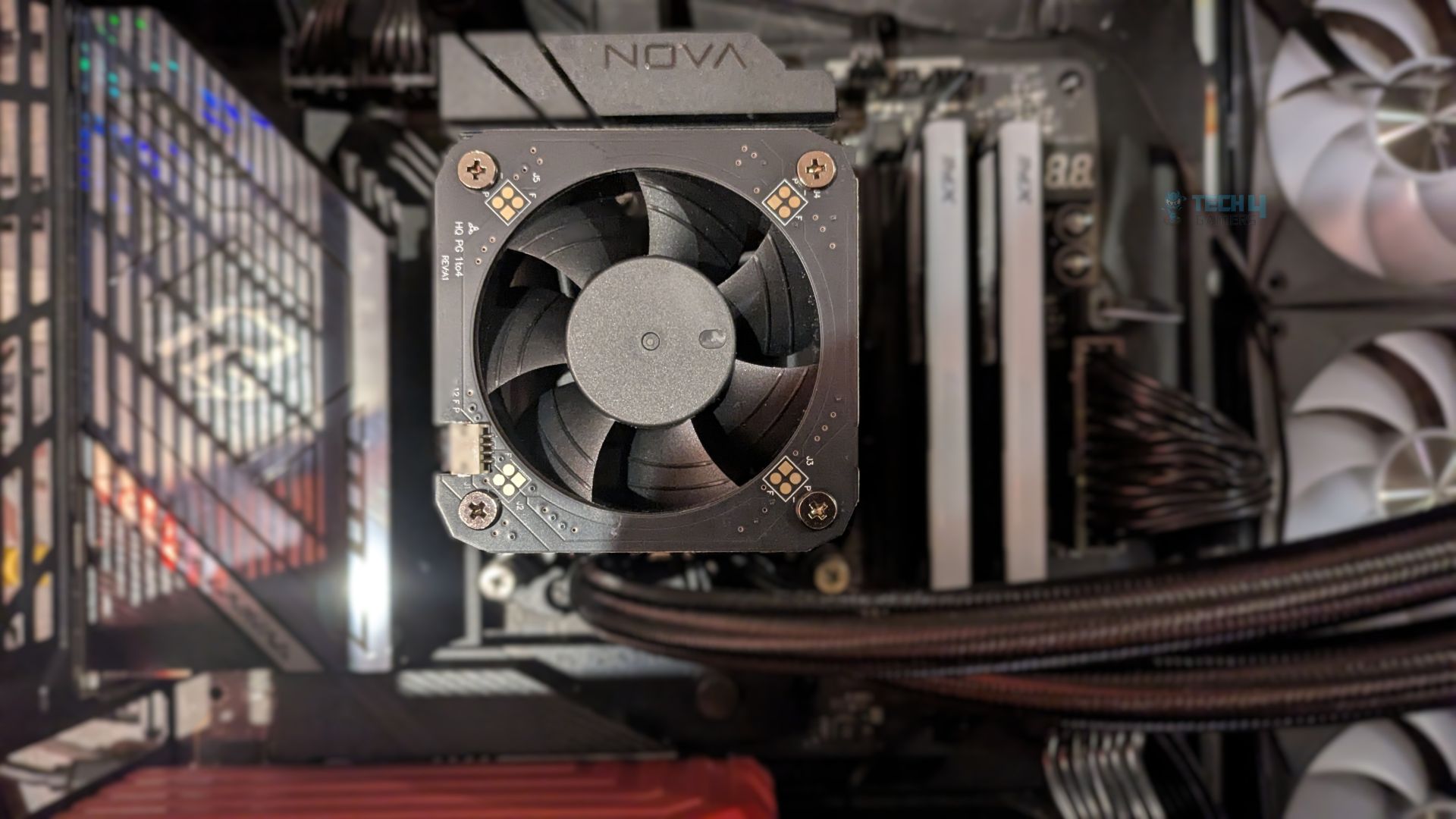
One of the most prominent aspects of this water block is the integrated, top-mounted VRM fan. ASRock has also made efforts to down-firing the fan directly into the pump housing.
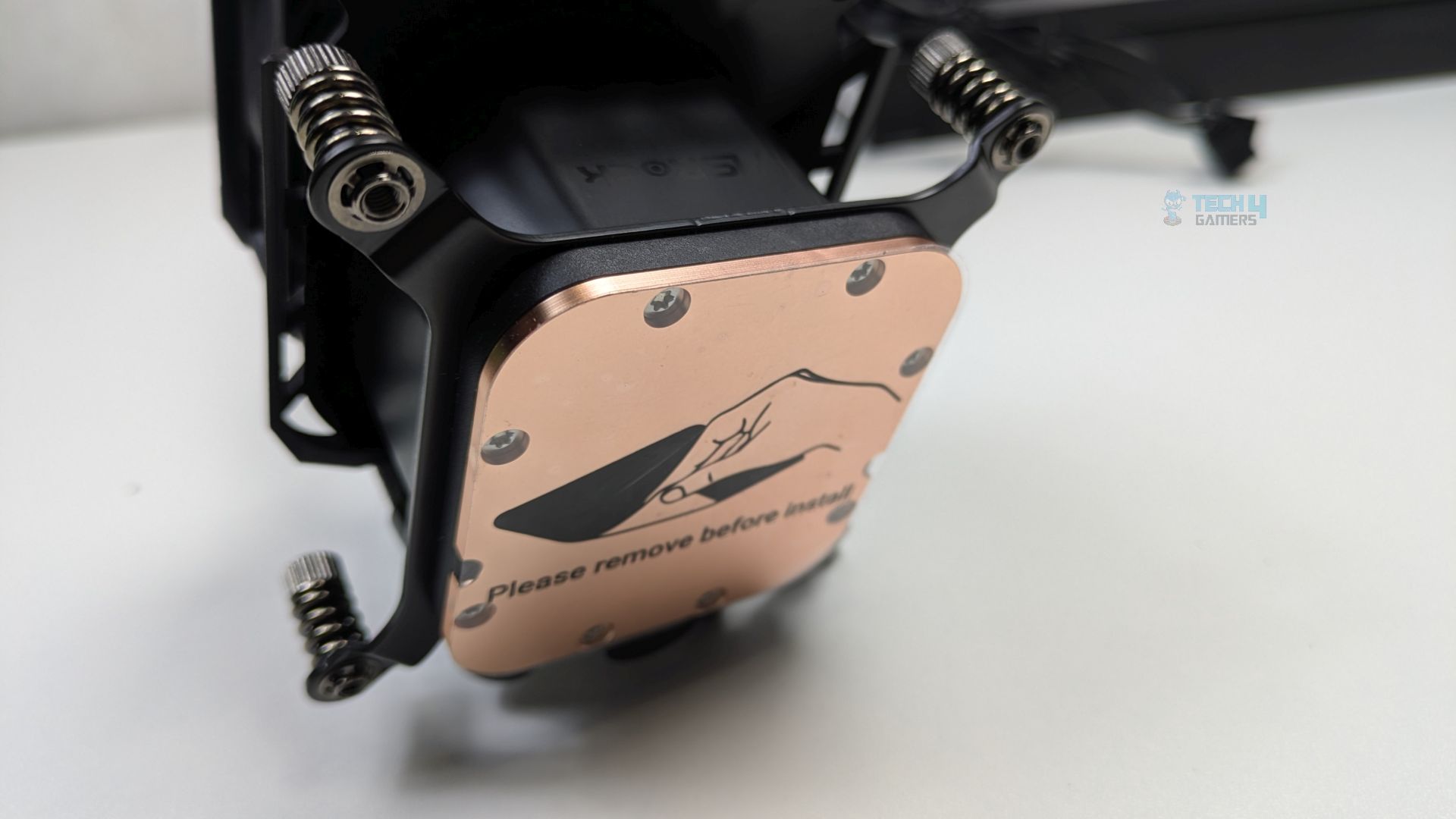
The bottom of the water block features a large, square copper cold plate secured by multiple Torx-style screws.
Cold Plate
The mounting brackets, pre-installed on the block, have spring-loaded captive screws. The pump is PWM-controlled. At the cold plate, there is also a sticker that reads, “Please remove before install.”
LCD Module
1 of 3
LCD Front
LCD Internal
LCD Top View
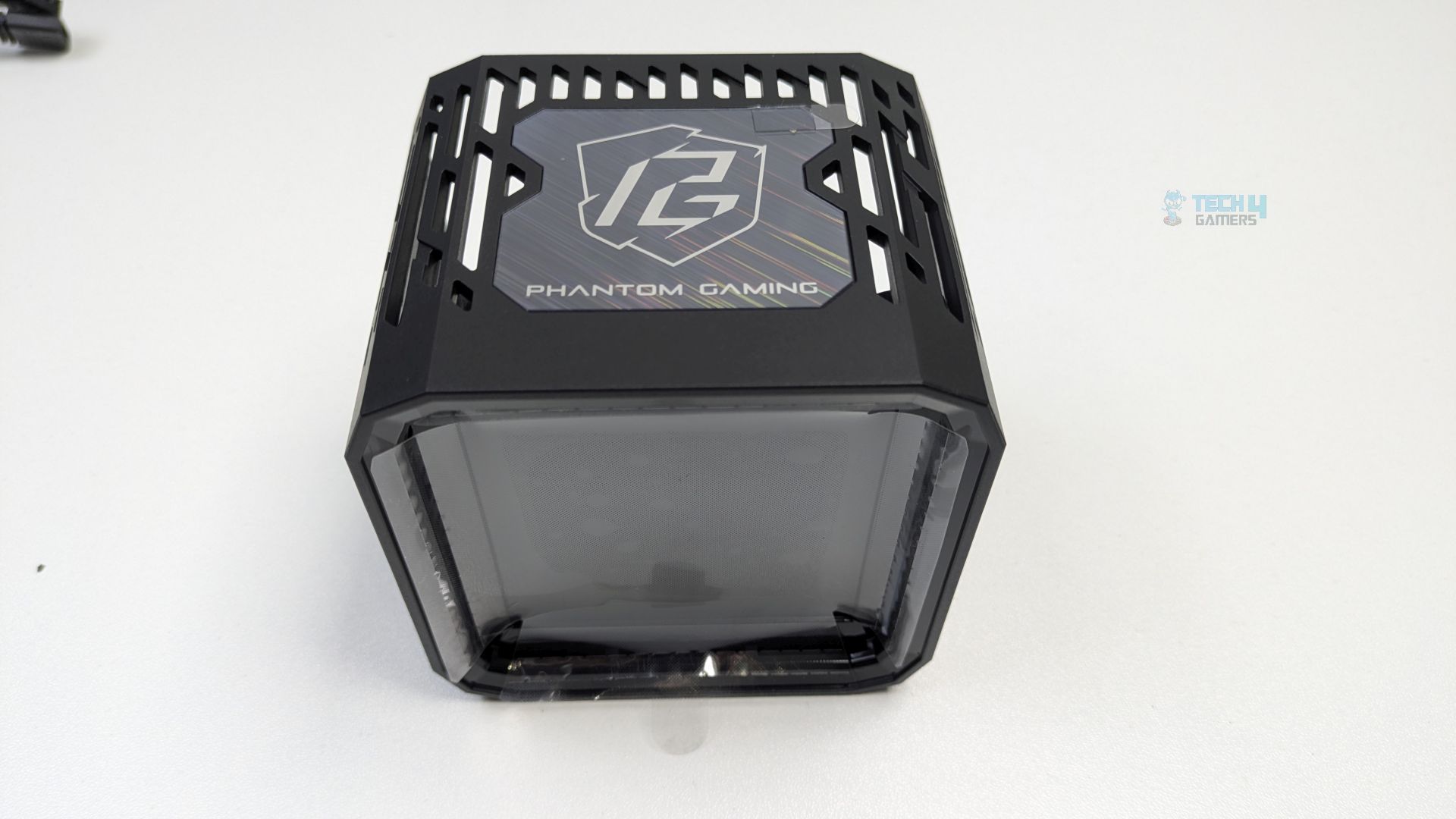
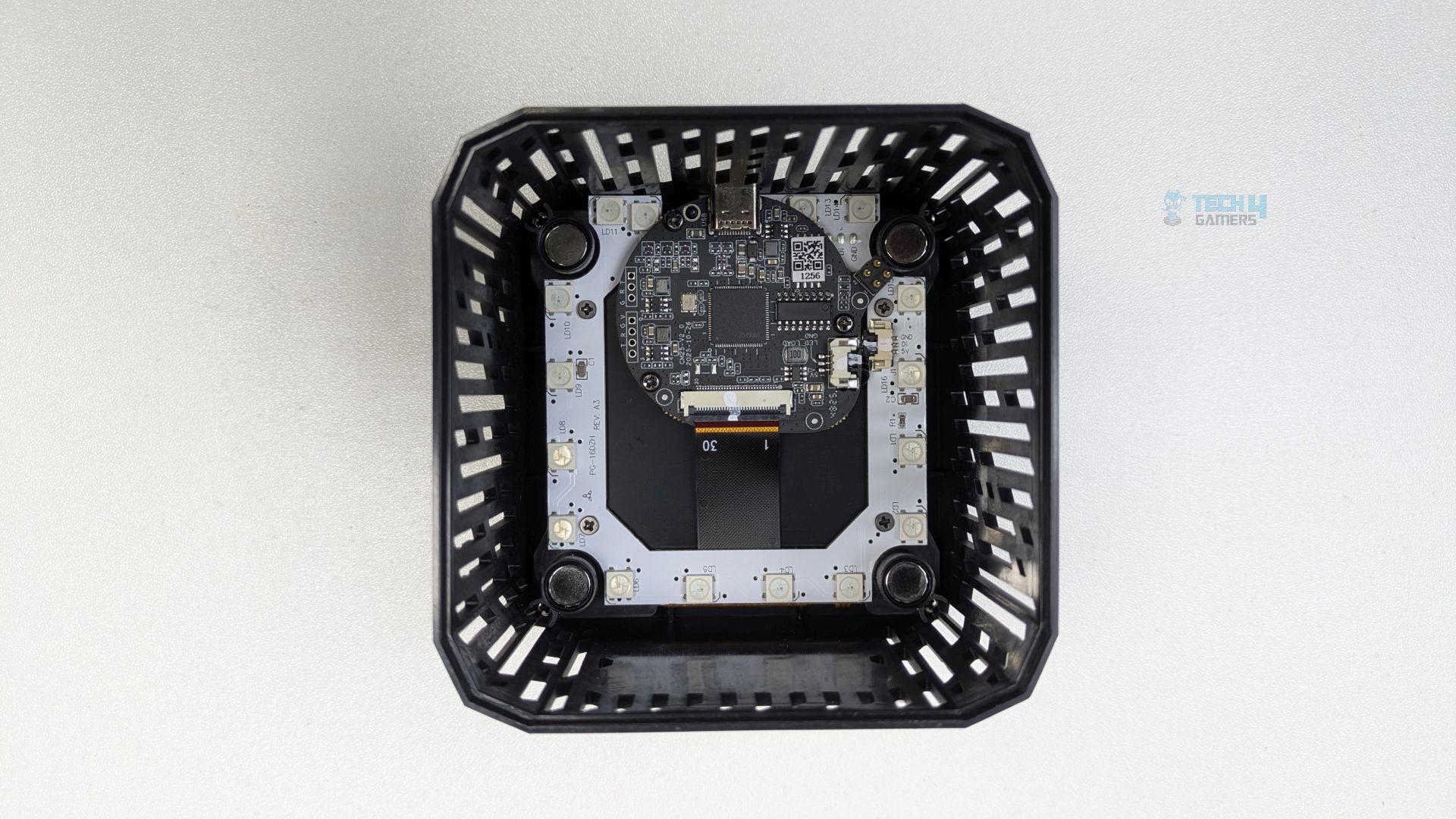
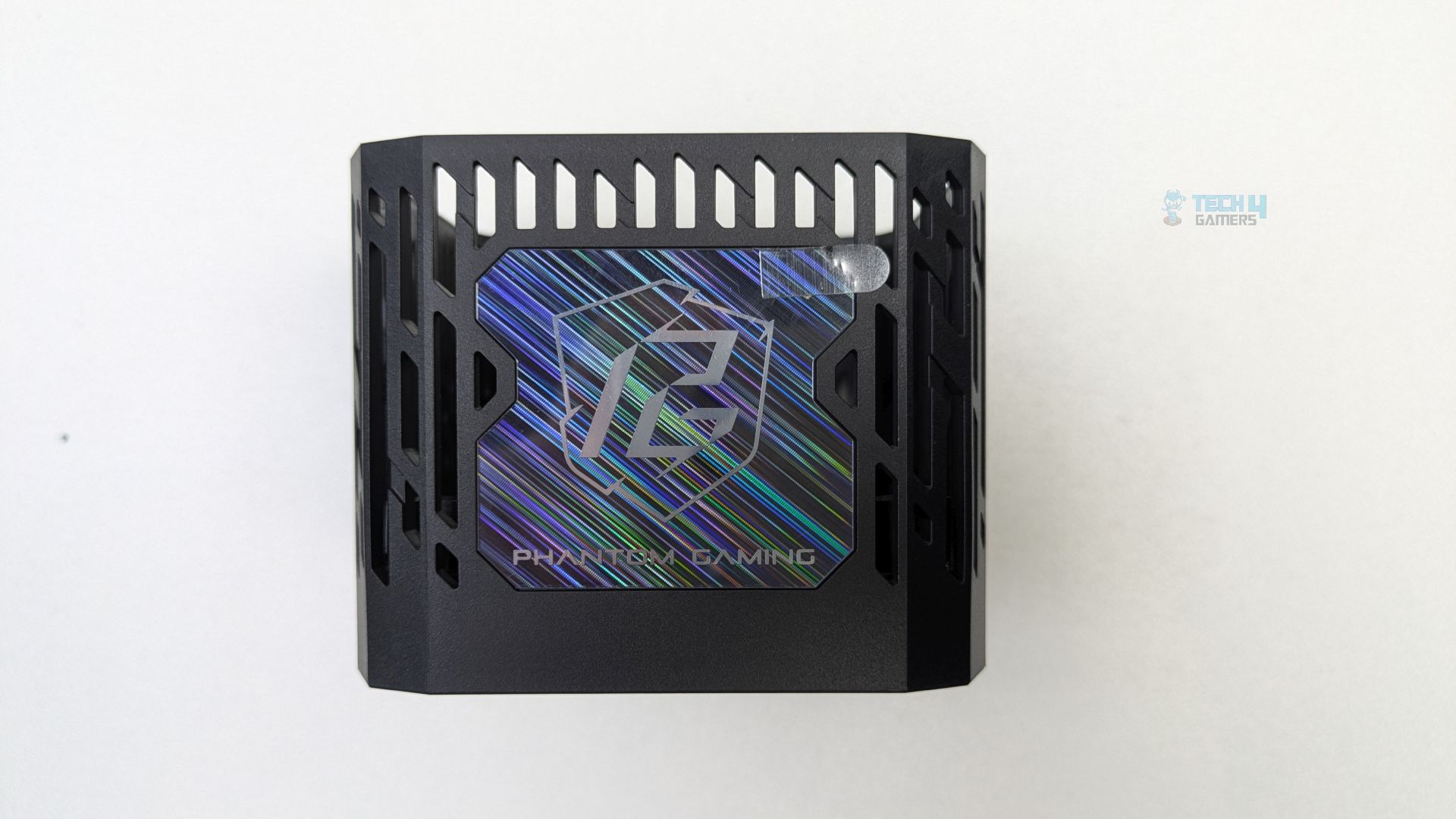
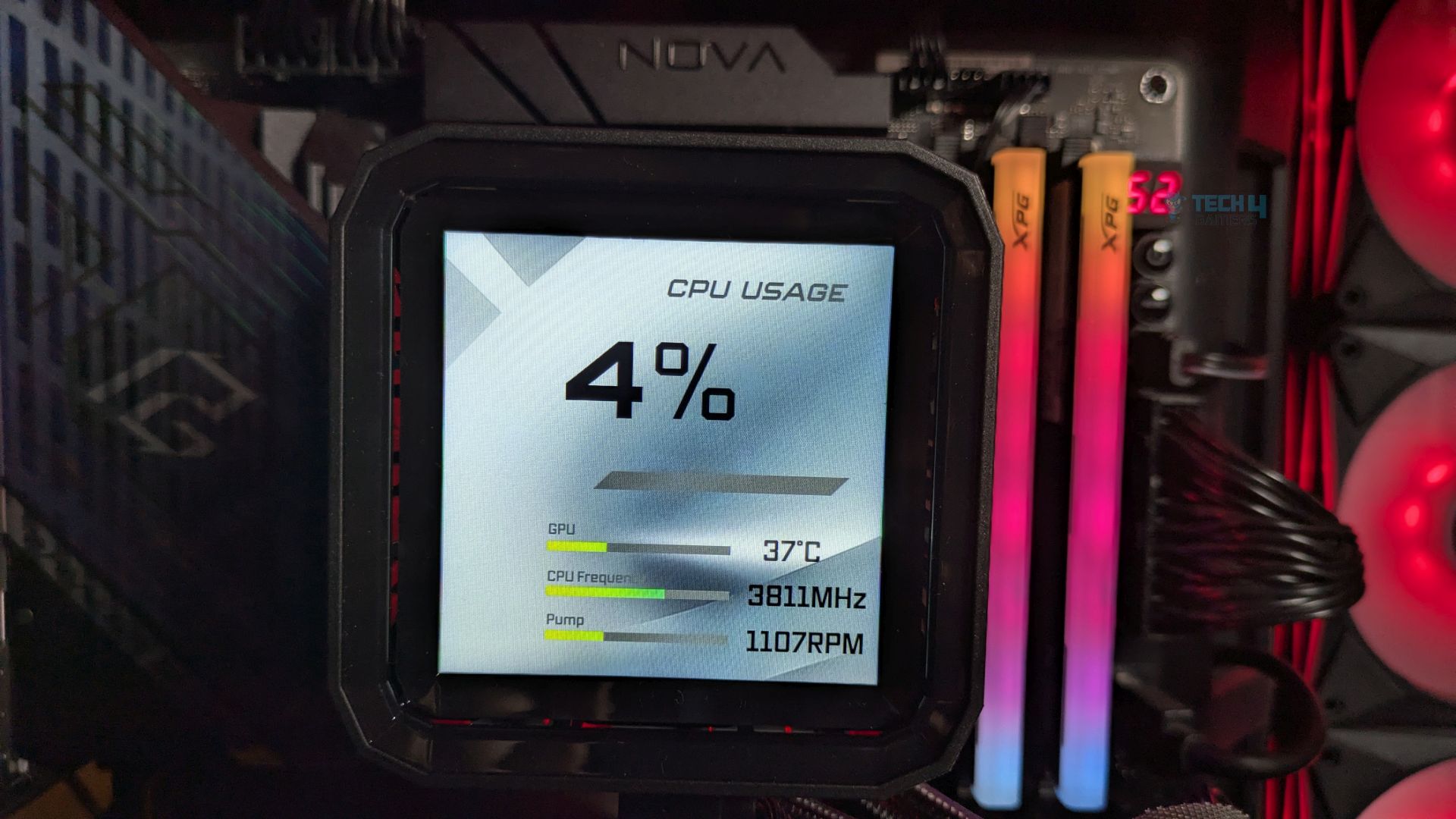
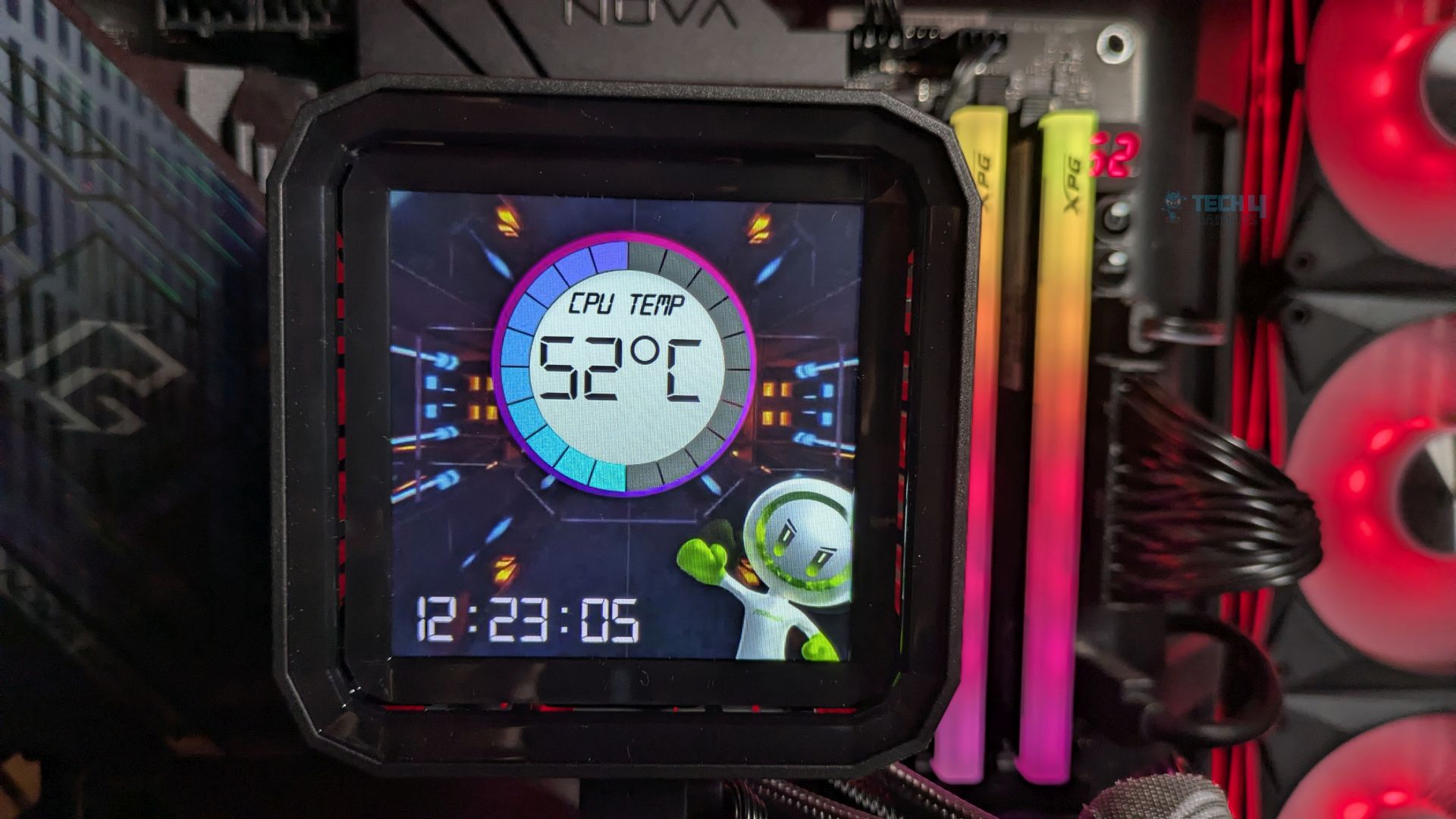
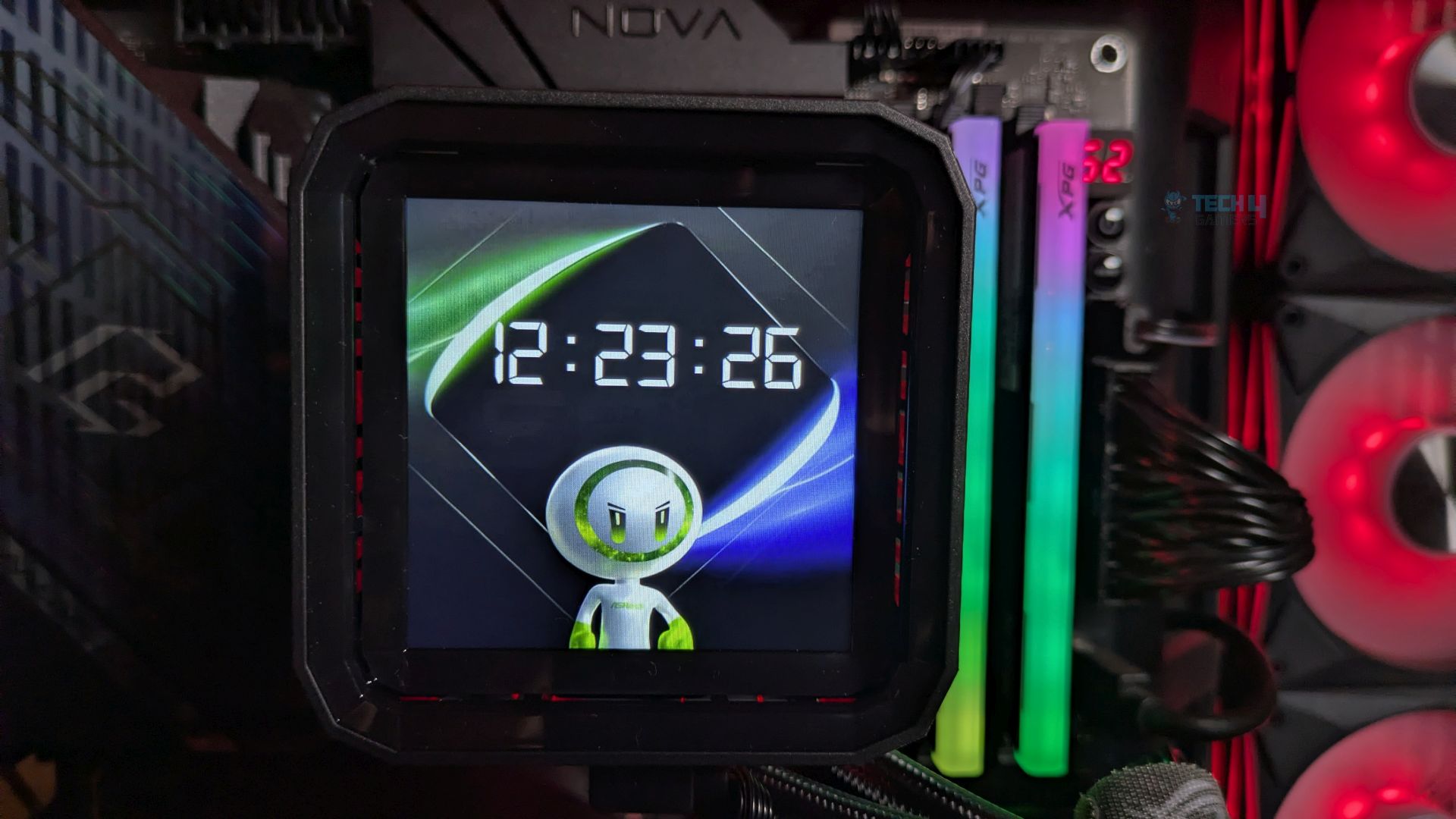
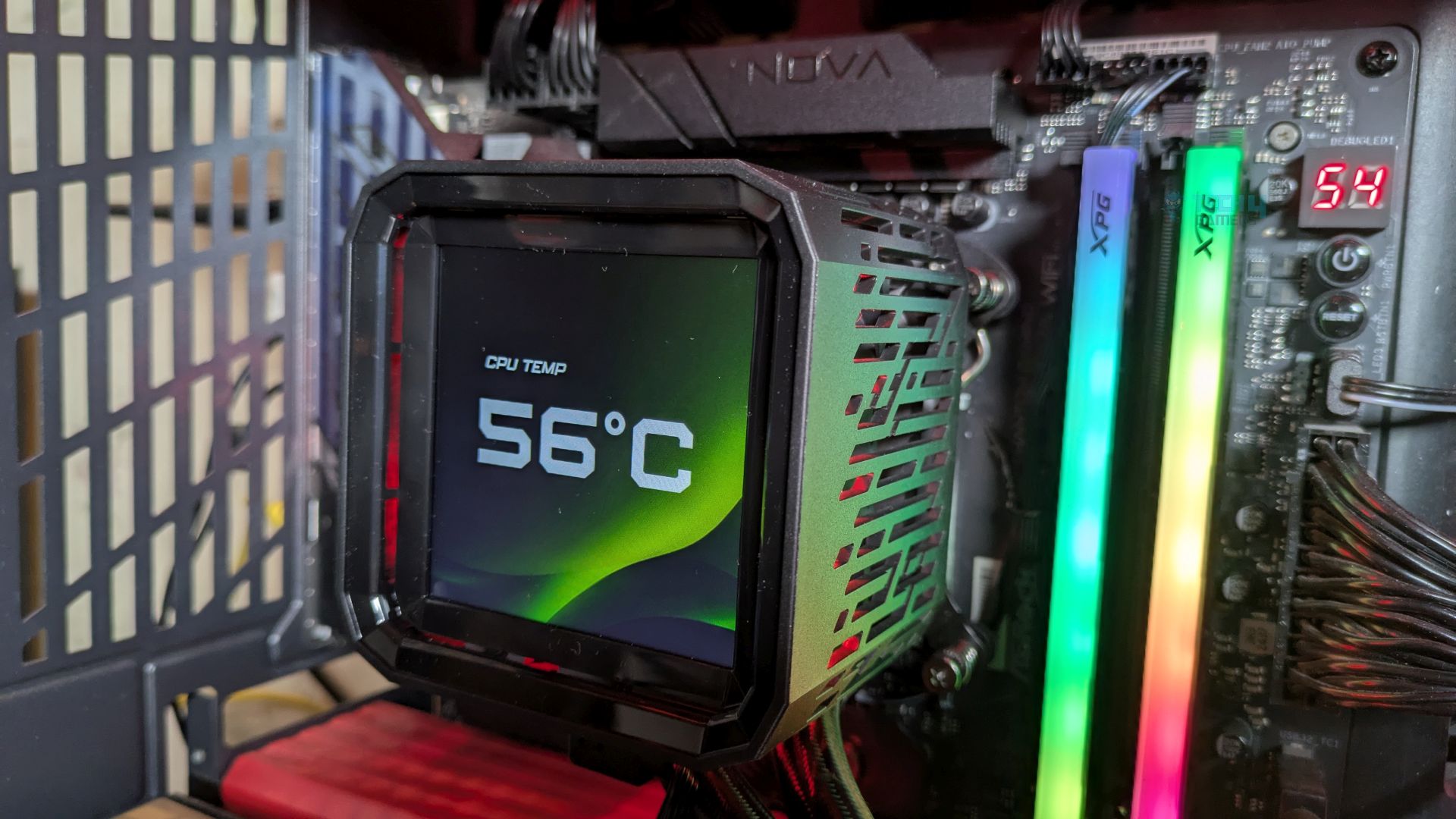
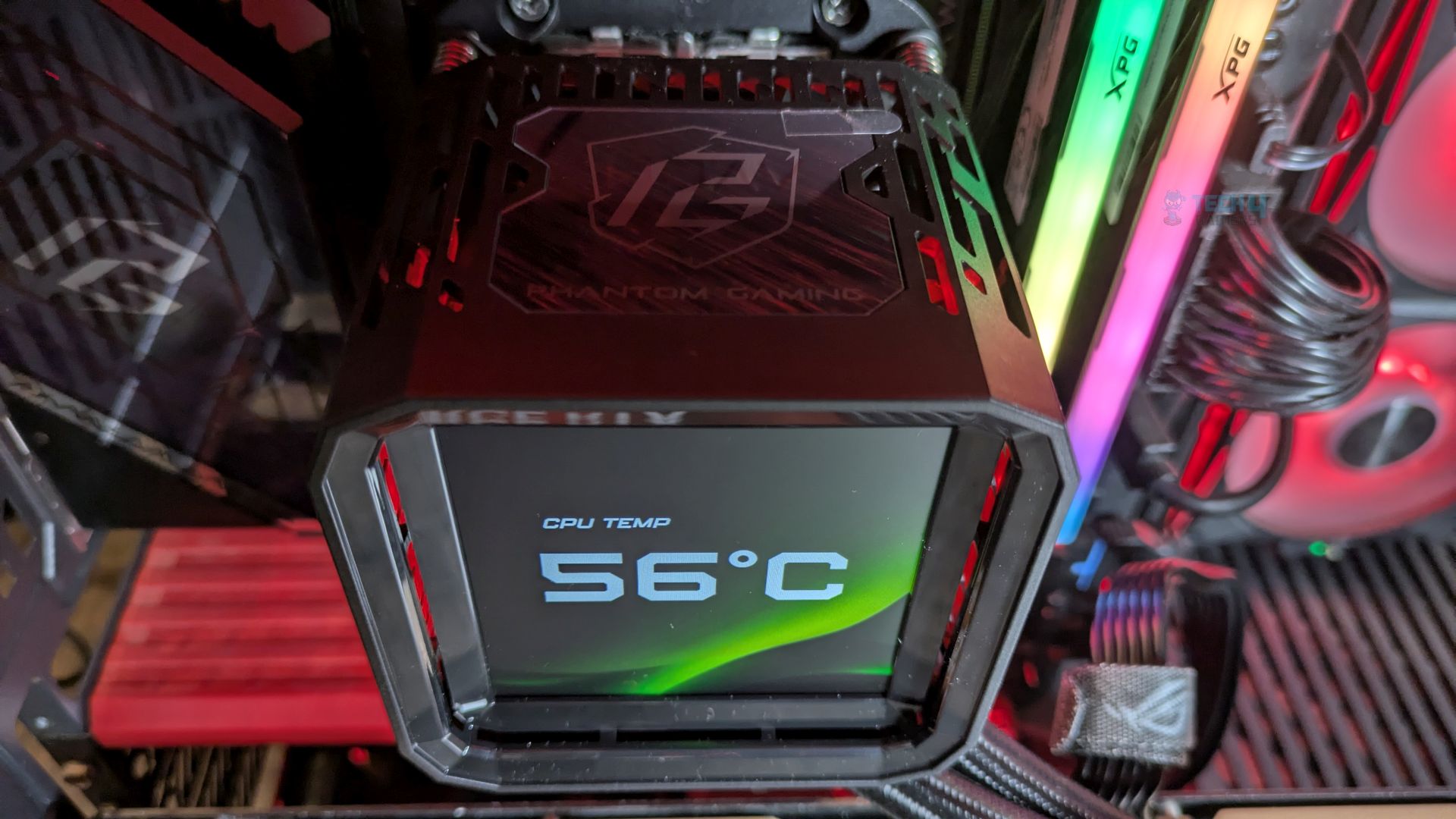
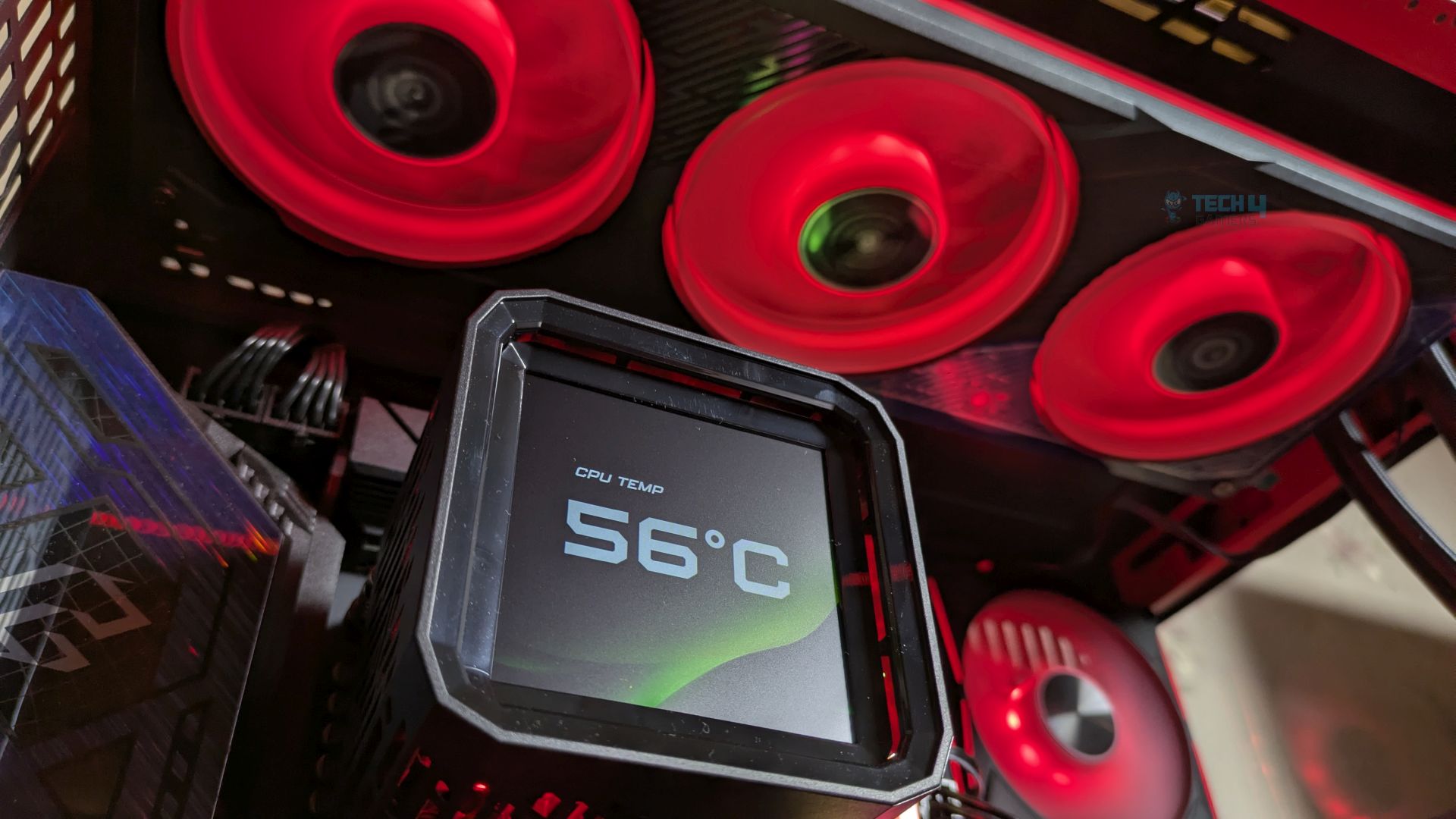
The LCD module is mounted atop the all-in-one pump block of the integrated VRM module. It features an angular shroud with substantial ventilation slits for the fan. The Phantom Gaming branding is displayed at the top of the component. A USB Type-C port is located on the side for connectivity. Internally, the PCB integrates the main microcontroller and the LCD circuitry. Four magnets are positioned in the corners of the bottom frame.
Display
Let’s talk about the display.
LCD Module
1 of 6
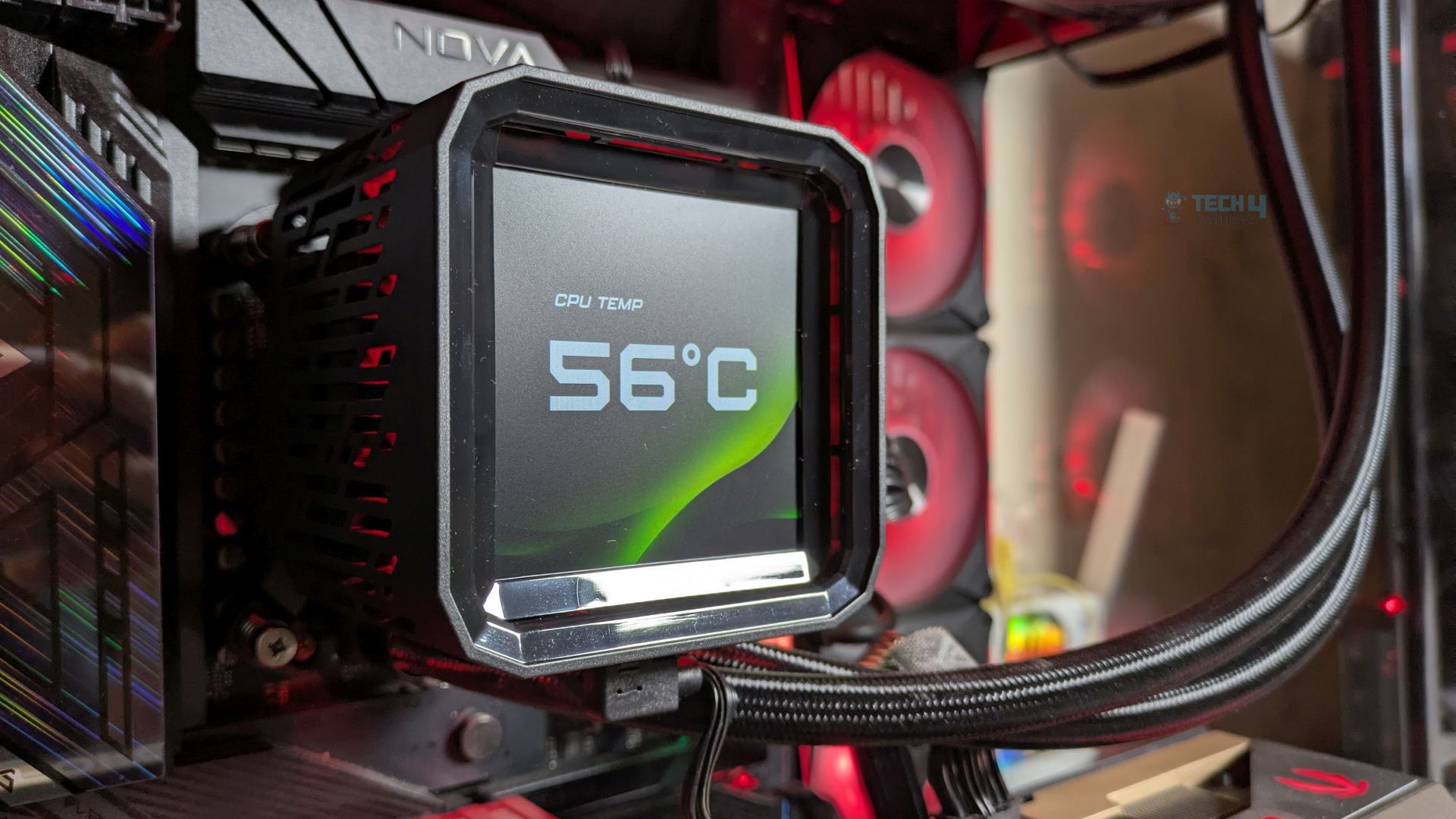
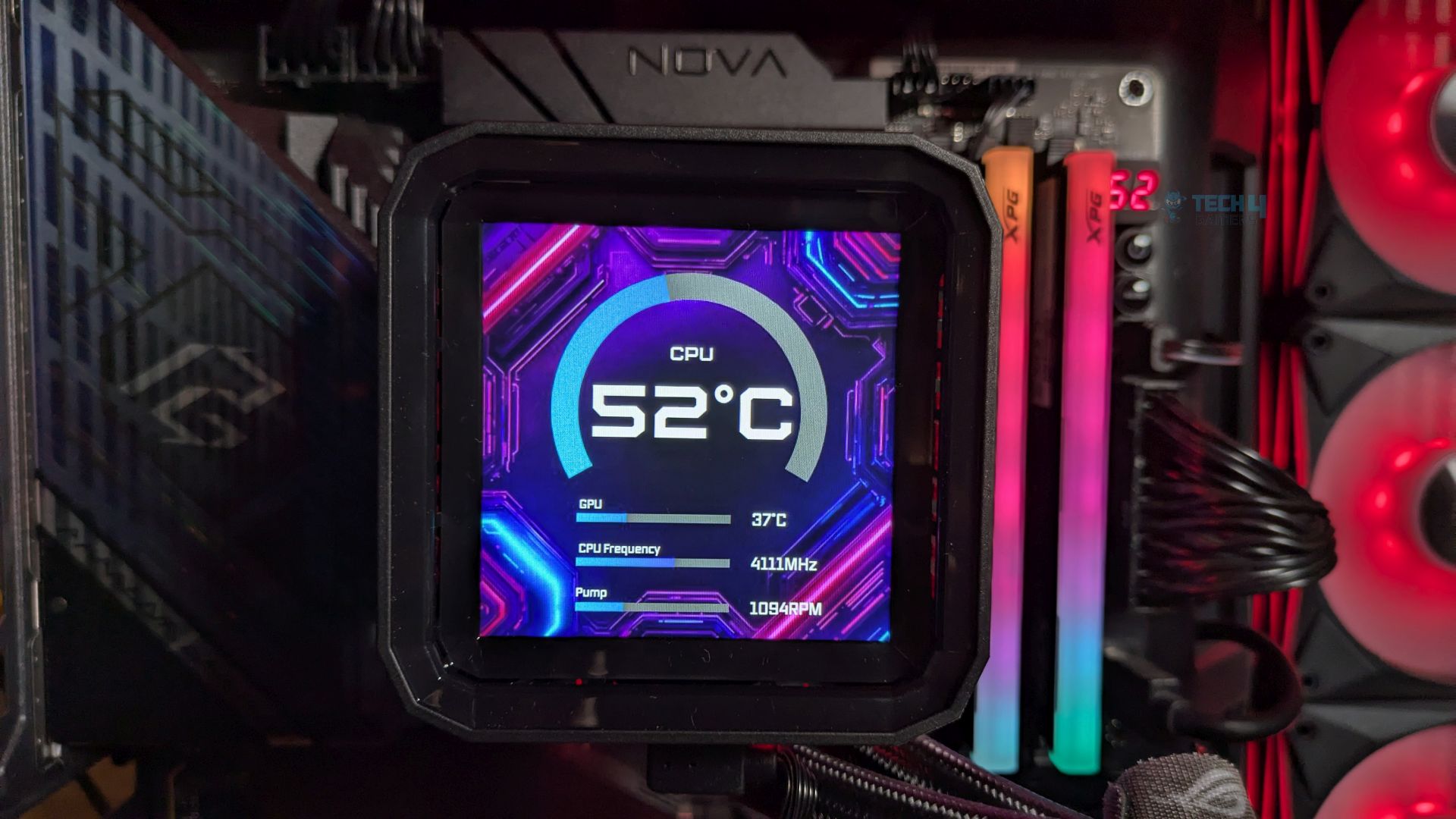
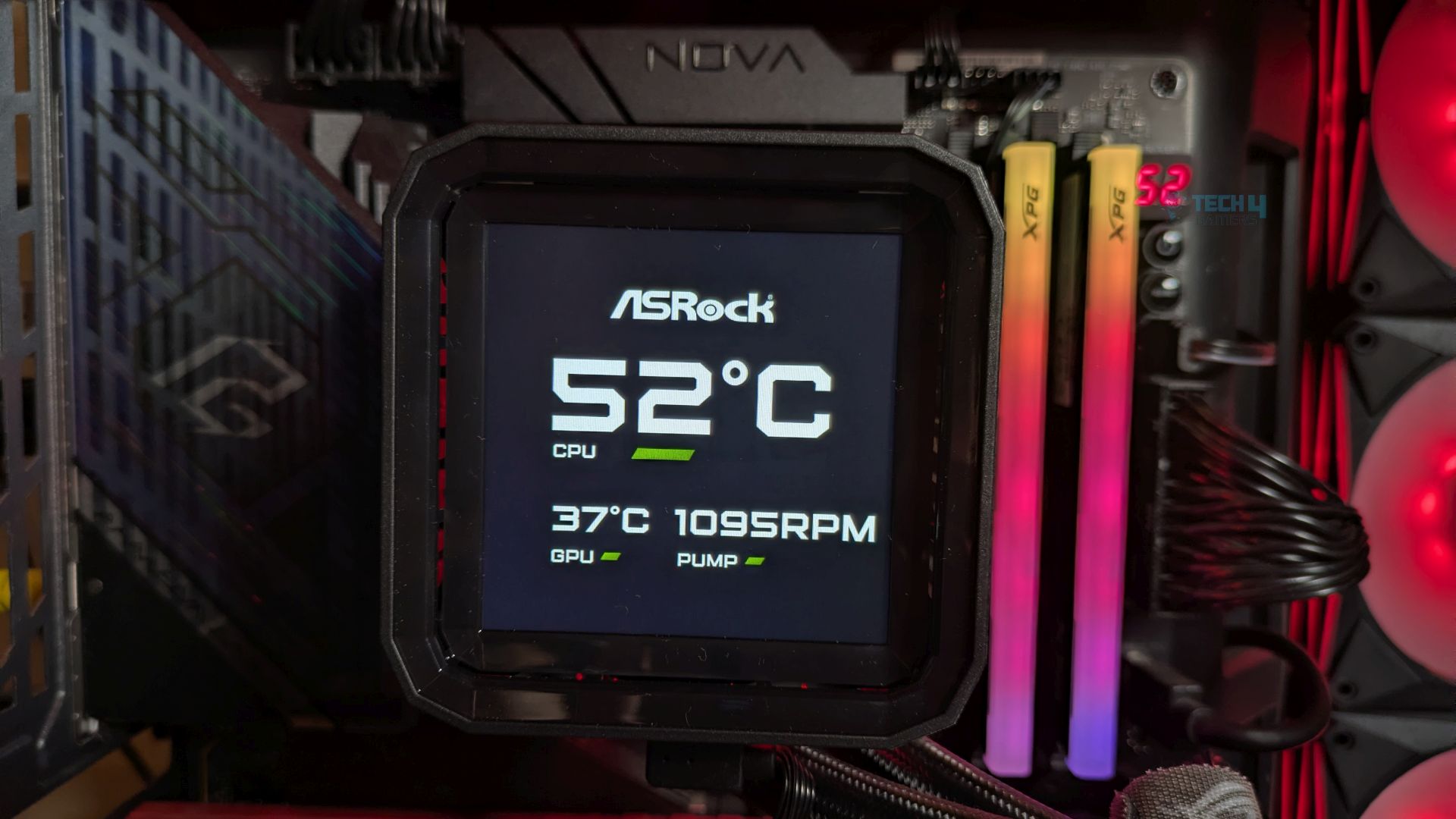
The Display is an IPS 24-Bit 3.5” Full Colour LCD Display and supports 480×480, which also supports the 60Hz Refresh Rate, which you often see in the high-end all-in-one liquid coolers. Since it’s an IPS panel, not the TFT design you may see on cheaper LCD all-in-one designs, the view angles are great, and the screen features punchy colour saturation with decent contrast, even in a dark PC case.
The black look would be relatively deep. The bright green and purples pop without significant blooming. ASRock has provided us with the 6 pre-installed layouts in their software.
The display can be customized through Polychrome Display Software. It supports sensor reporting, and the widgets and preinstalled themes are also included. The LCD also supports MP4 video playback and a wide range of formats, including JPEG, GIF, PNG, and BMP, on the panel.
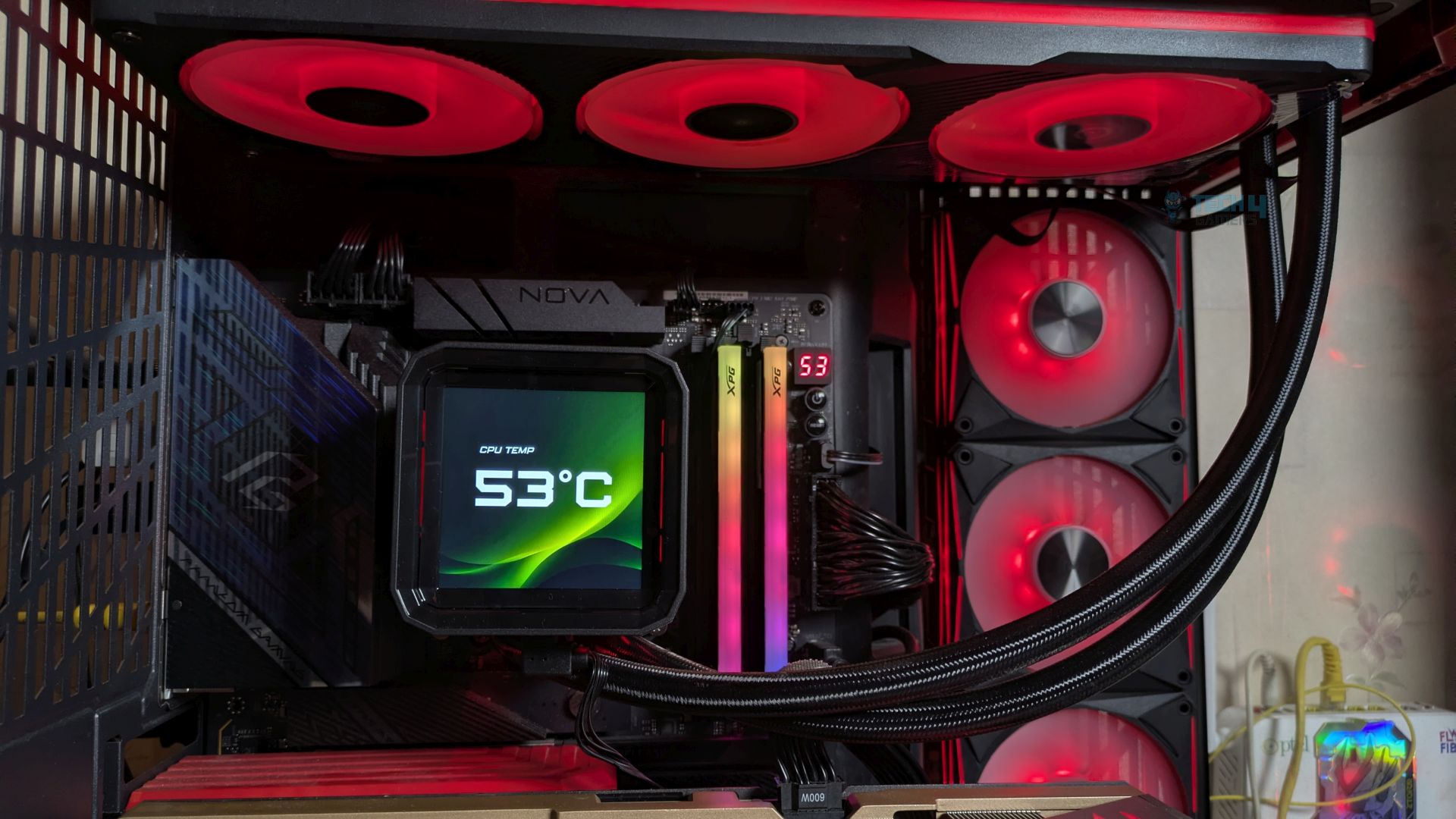
Though I had some issues with the software Polychrome Display Version 11.5, I would like to report here. The Software UI is clean and easy to adjust or edit the screen. However, I noticed that CPU power consumption increased significantly when the software was idle. Our Ryzen 9 9950X reported up-to 60W on idle; under normal conditions, it shouldn’t exceed 30-35W, which can lead to higher CPU temperatures. ASRock needs to optimise the software asap.
Fans
Let’s discuss about the fans!
Frame
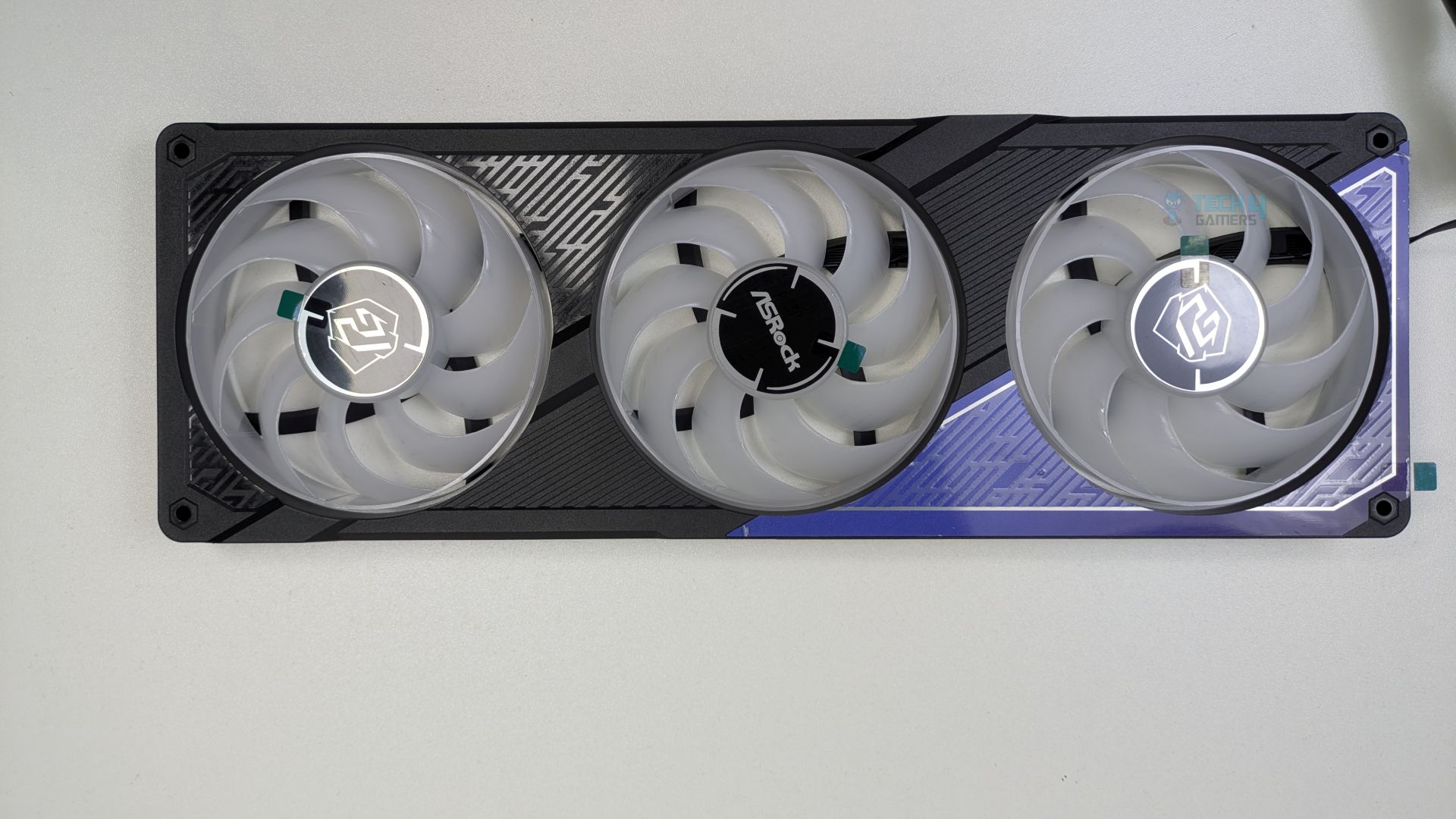
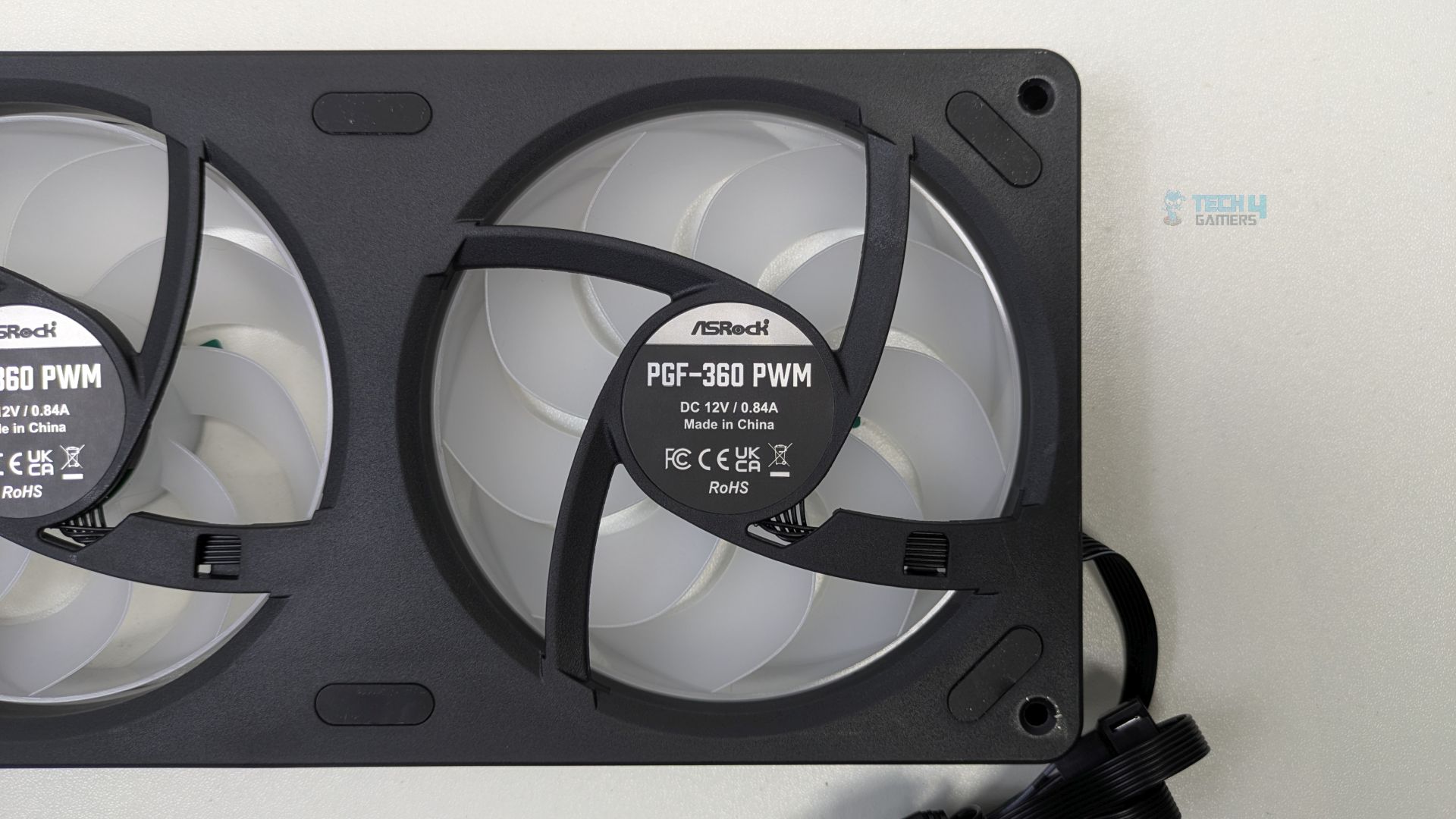
The standout feature of this liquid cooler is the integrated fan housing: instead of three separate 120mm fans, the three fans are built into a single block, making installation much easier and reducing cable clutter. A great design so far! The front frame features aggressive line patterns that complement the Phantom Gaming (PG) traditional design. The center fan showcases the ASRock logo, while the outer fans display the Phantom gaming branding.
Side Profile
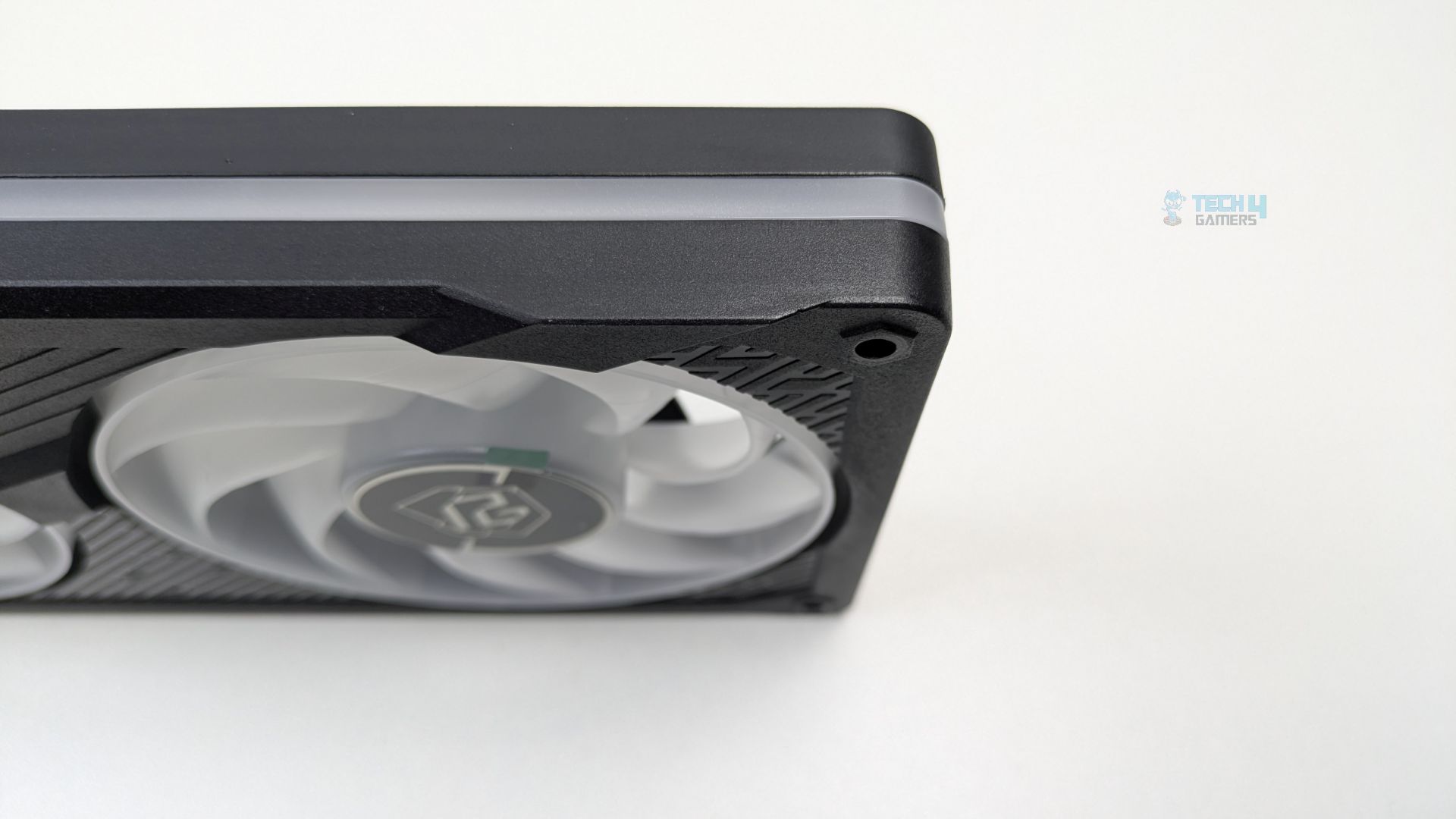
The clean, continuous frosted diffuser strip also runs along the frame’s side profile, adding a nice touch.
Fan Blades
The fan features 9 translucent blades. Rubber dampening pads around the mounting holes are also visible.
Connections
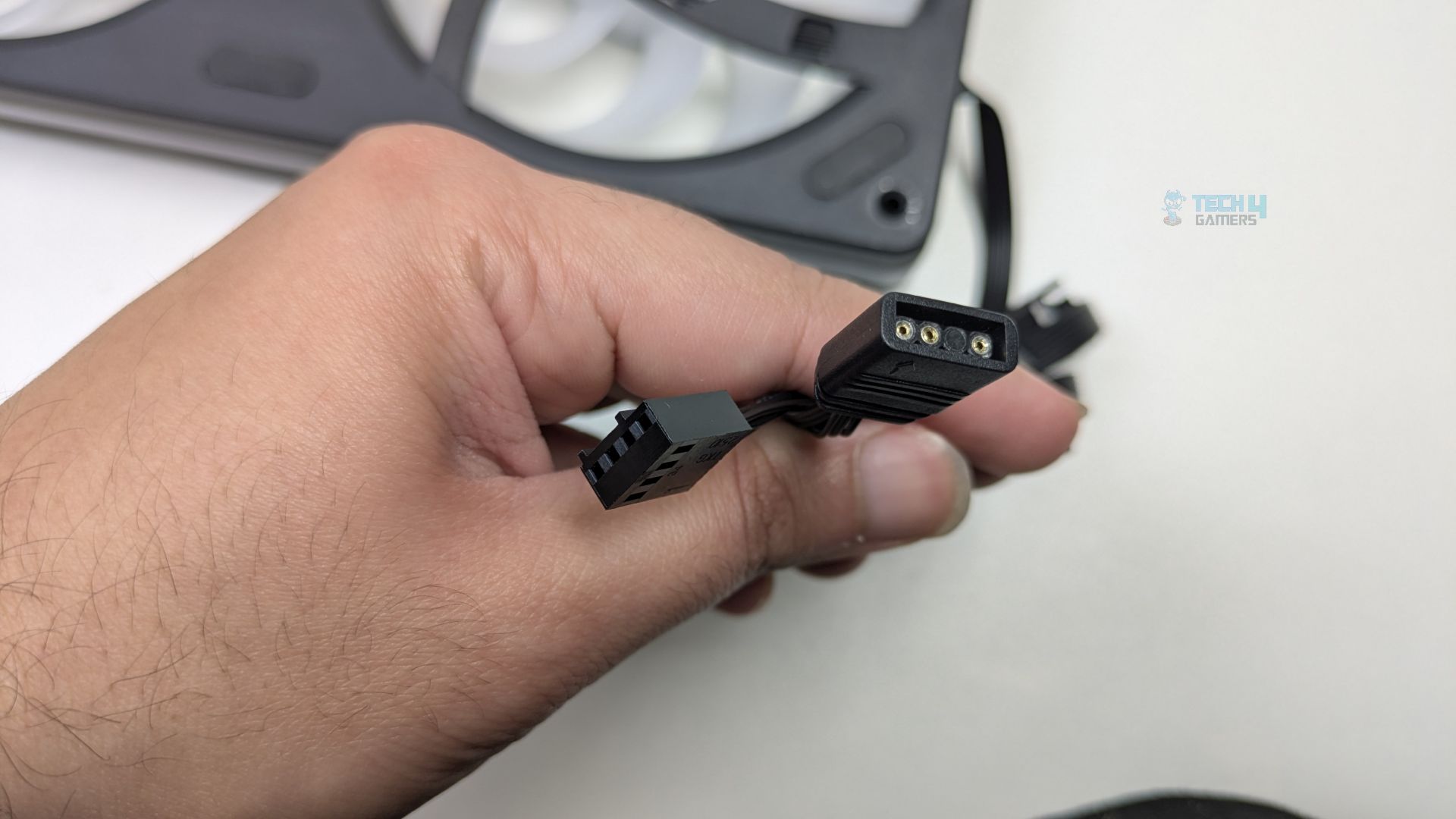
ASRock has opted for a universal standard rather than forcing you into the proprietary eco-system, which is a good touch. It uses a standard 4-pin PWM connector for power and a 3-pin 5V ARGB connector for lighting.
Here are the specifications of the fans.
ASRock Phantom Gaming 360 Fans Specificiations
Fan Dimension
(L)362 x (W)123 x (H)28 mm
Fan Speed
0 - 2400 ± 10% RPM
Max. Air Flow
61.28 CFM
Max. Static Pressure
3.11 mmH20
Noise
31.4 dB(A)
Bearing Type
Fluid Dynamic Bearing
Connector
PWM (4pin)
Installation (AMD)
We’re using the AMD platform, so our installation steps will only be provided for that.
Prepare the socket
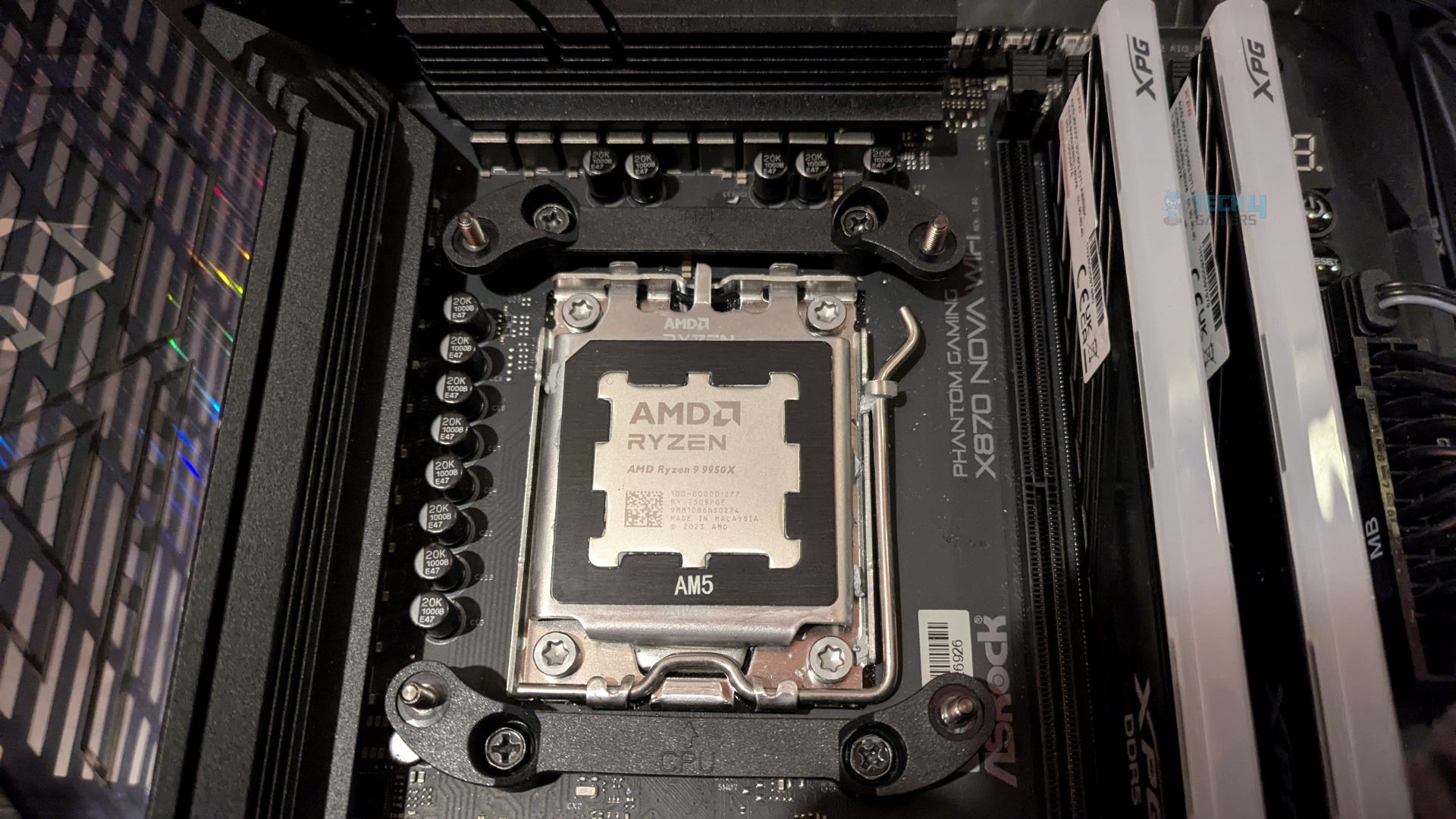
First, you need to remove the motherboard stock retention brackets from your AM4/AM5 motherboards. Then, you must install the ASRock’s provided bracket. Secure the bracket in place with the screws. Do not over-tighten the screws. Ensure the arrows on the bracket point towards the CPU for the correct orientation. Refer to the image below for an example.
Now position the water block on the bracket and secure it to the bracket, then tighten the captive screw loaded on the water block. DO NOT overtighten them! Tighten each screw gradually and evenly to ensure balanced mounting pressure.
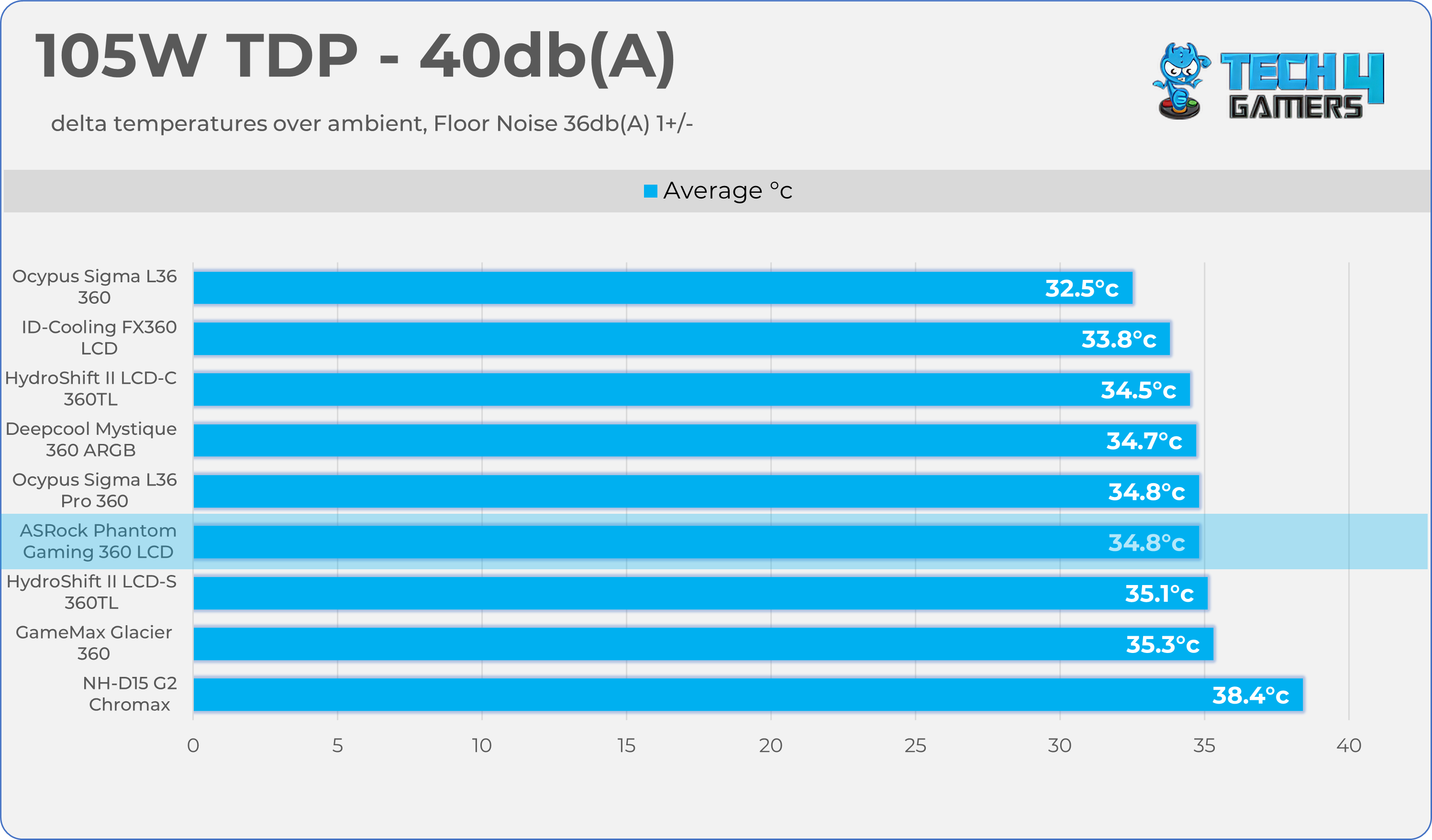
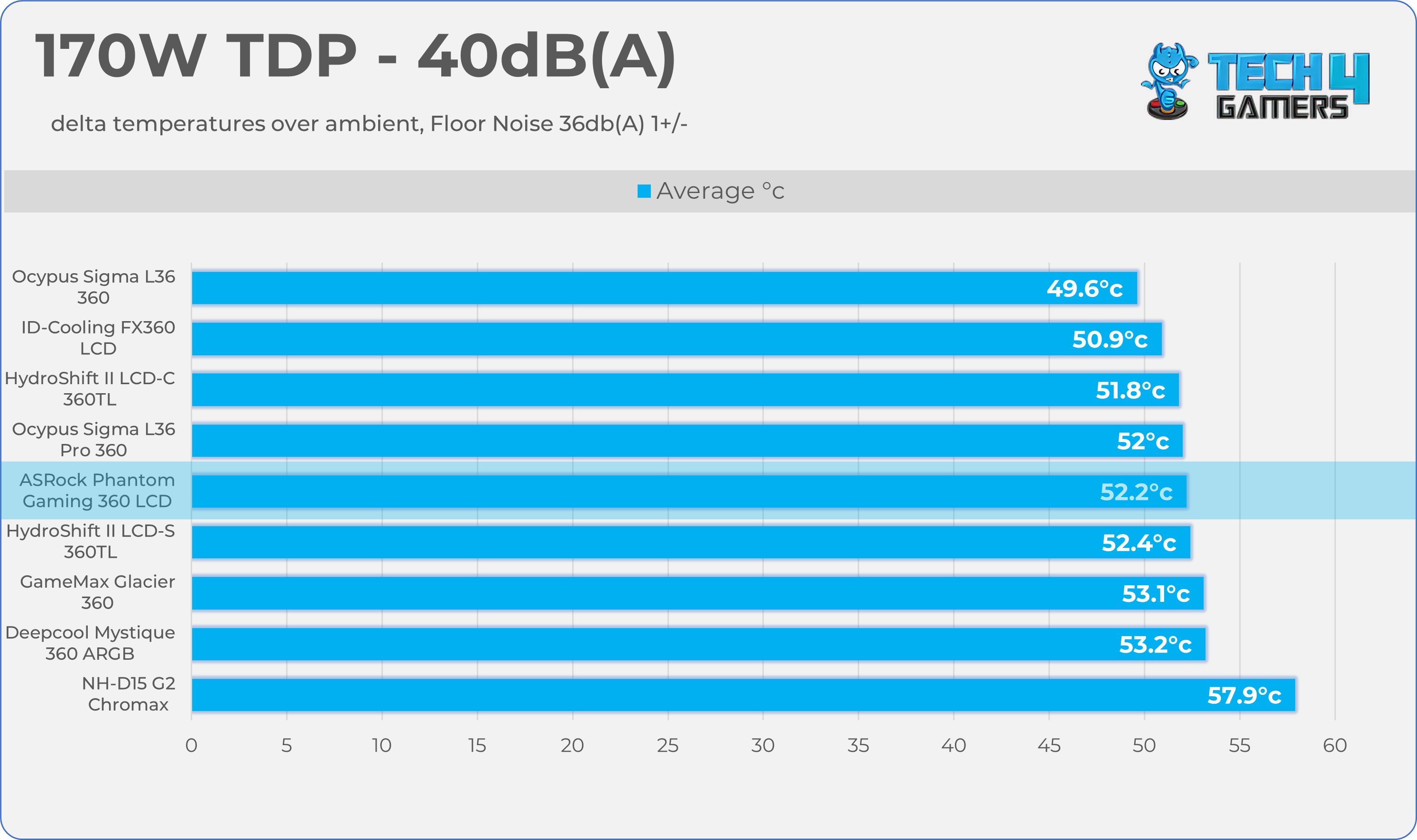
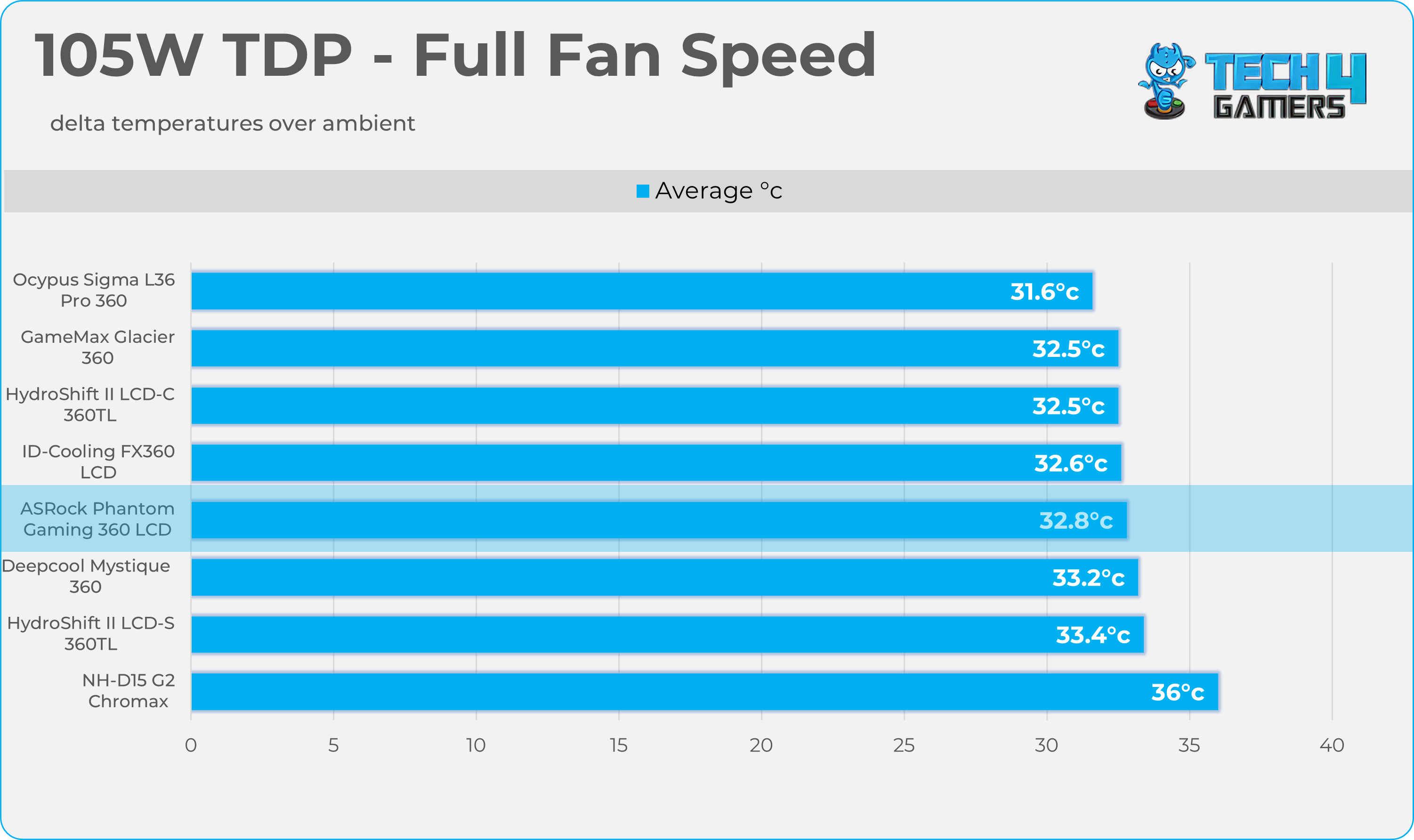
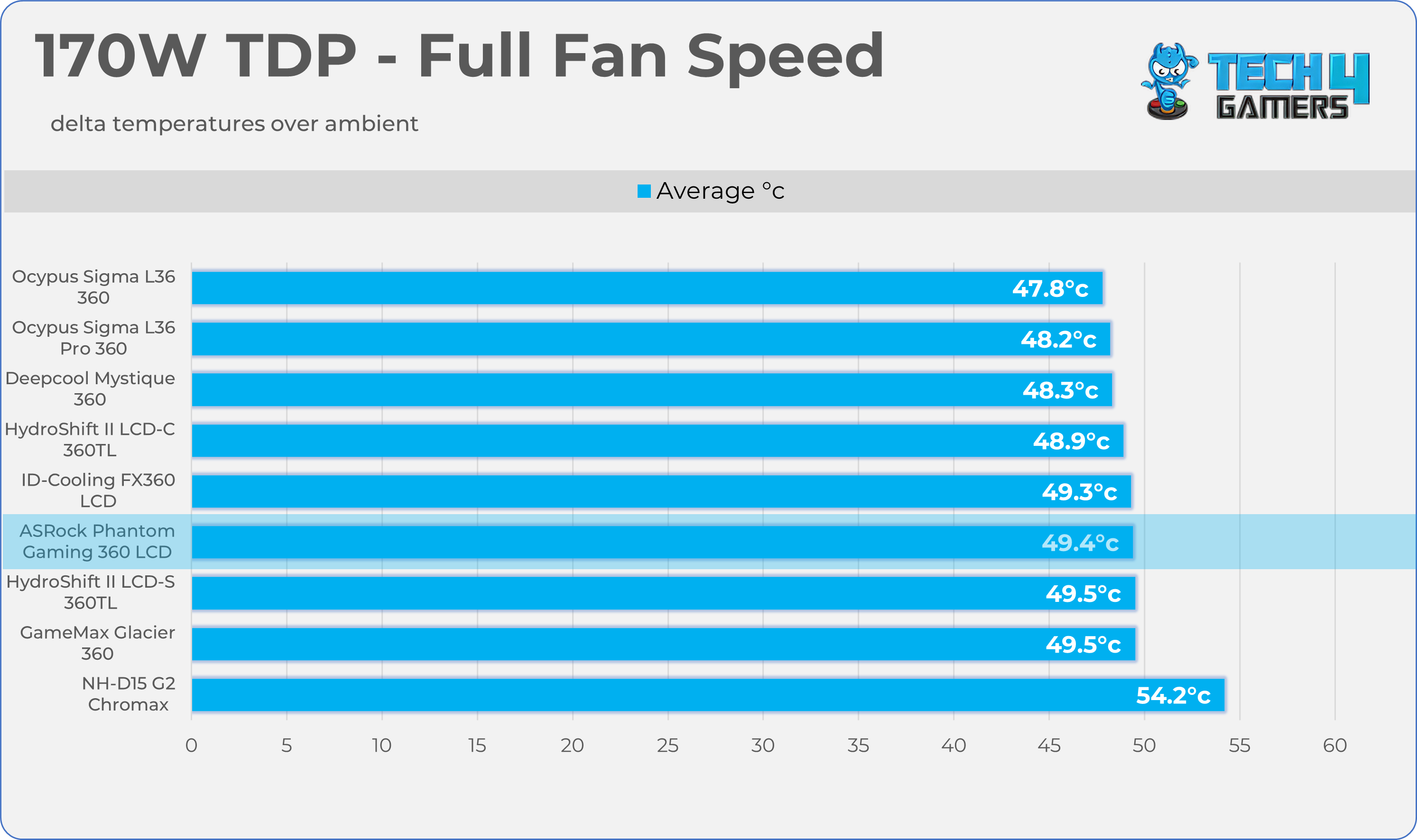
We evaluate the cooler’s performance using three different benchmark methods. Noise-normalized testing is performed at 40dB(A) at the 105W TDP and 170W TDP (Stock) of the Ryzen 9 9950X. We then test the cooler’s performance at the maximum PWM speeds for both TDP configurations. After that, we unlock the power limits of the CPU to see how much cooler it can dissipate the heat in terms of watts at the maximum PWM Speeds.
Controlled Environment:
We have eliminated the influence of ambient temperatures in our data, and all results are presented as deltas over the ambient conditions. The tests were done in a controlled environment with a room temperature of 25°C.
Preparing System:
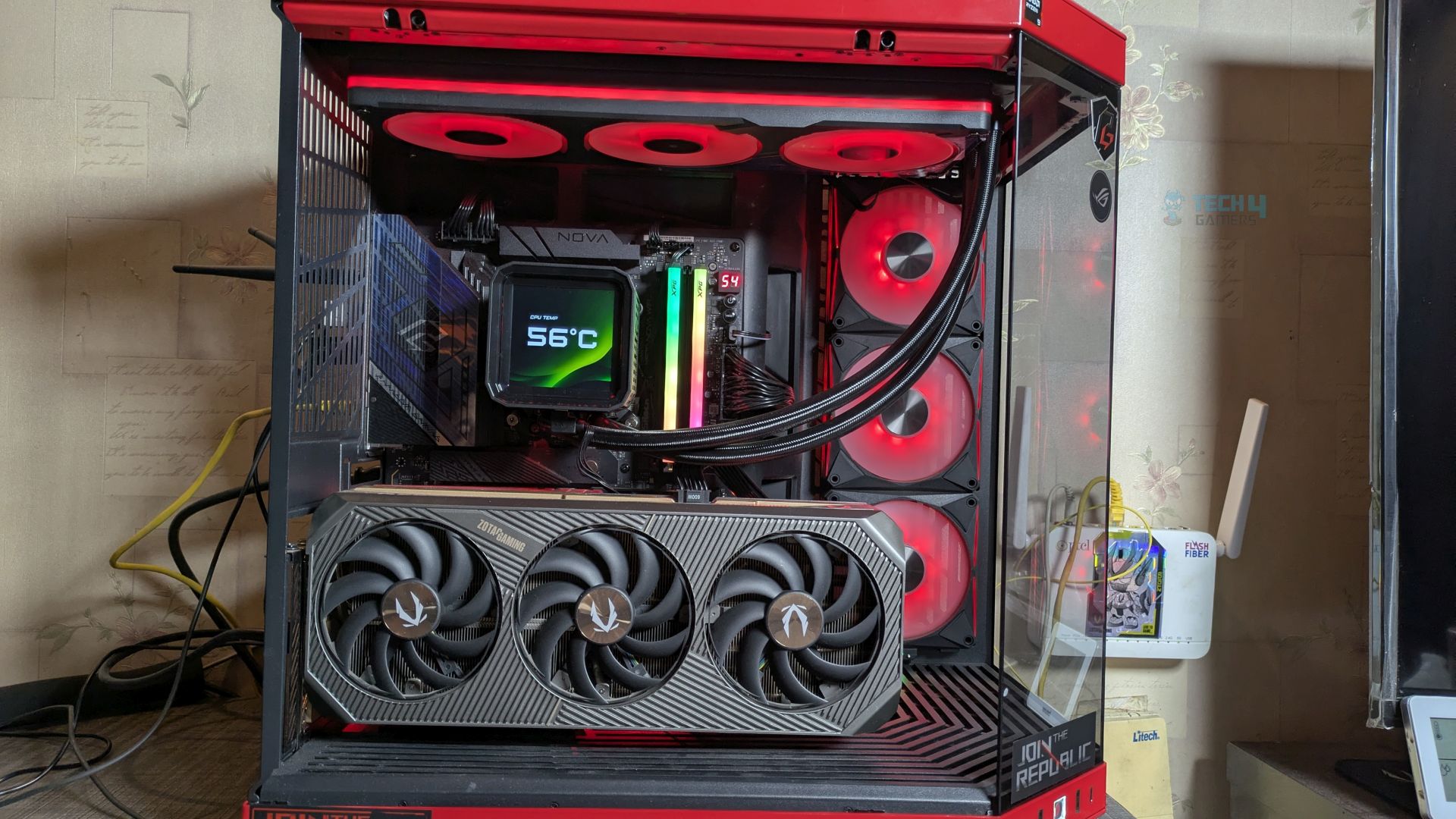
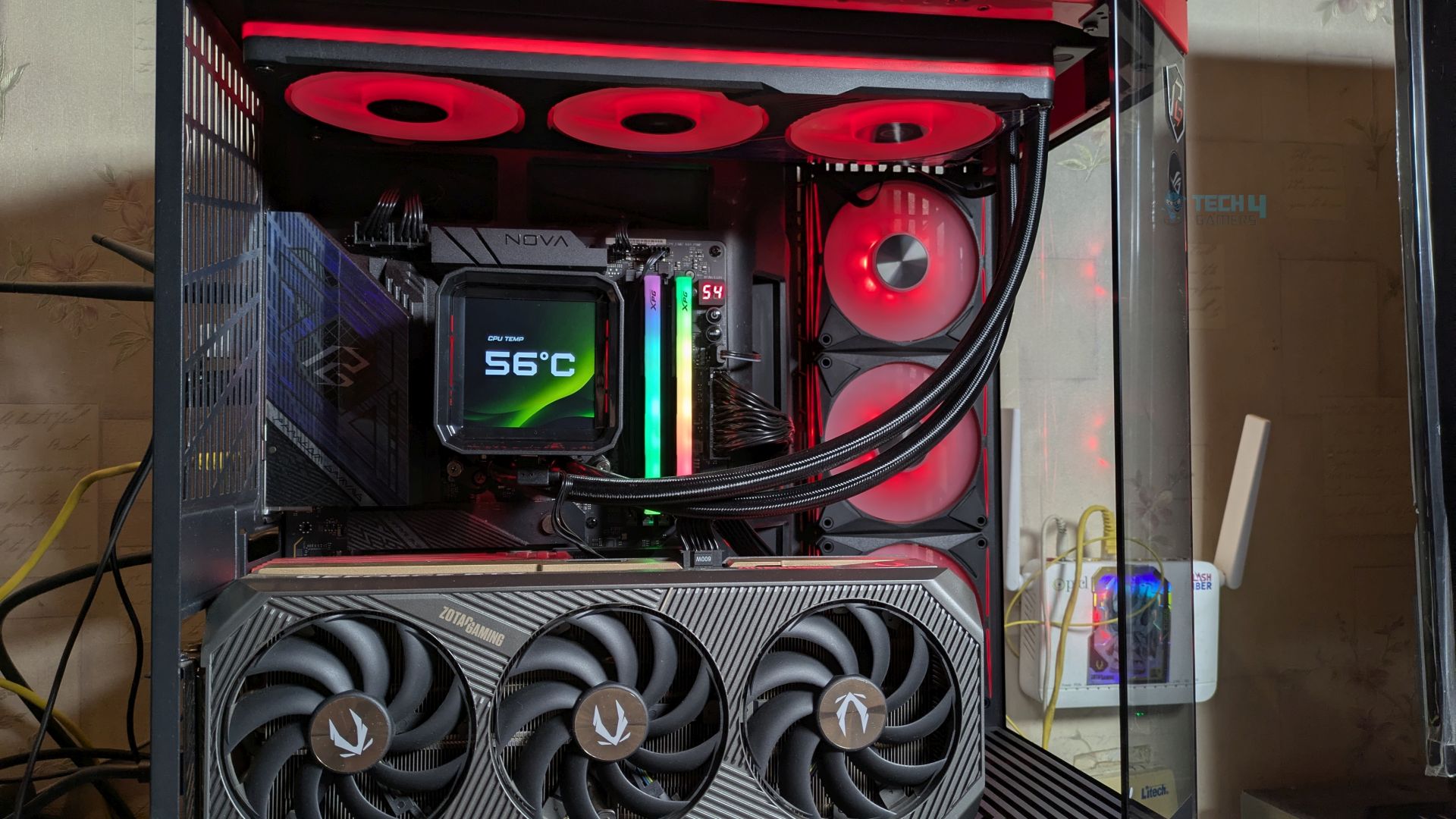
The Coolers are tested in realistic conditions. We don’t use the open bench system; instead, we have installed the cooler in our HYTE Y70 case, mounted at the top. We ensure the airflow is adequate in the case and that the case fans are running at the fixed PWM speeds.
We are using ID-Cooling X45 thermal paste for all coolers.
Software:
We have ensured that no other software is running on the computer that could influence the CPU load.
We’ll be using the Cinebench R23 Loop for 20 minutes after the warm-up test has been completed. Each test has a 10-minute cool-down time.
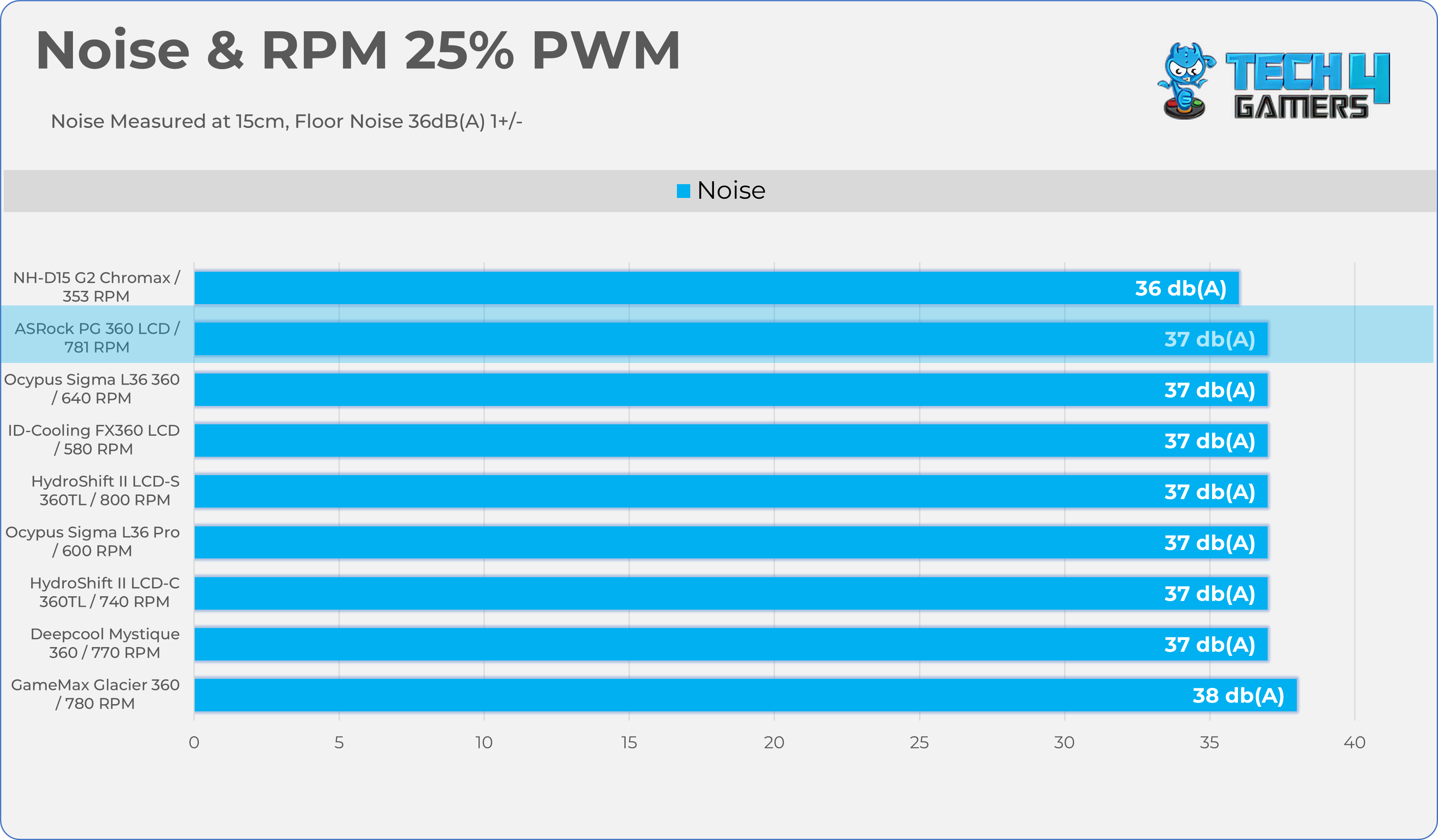
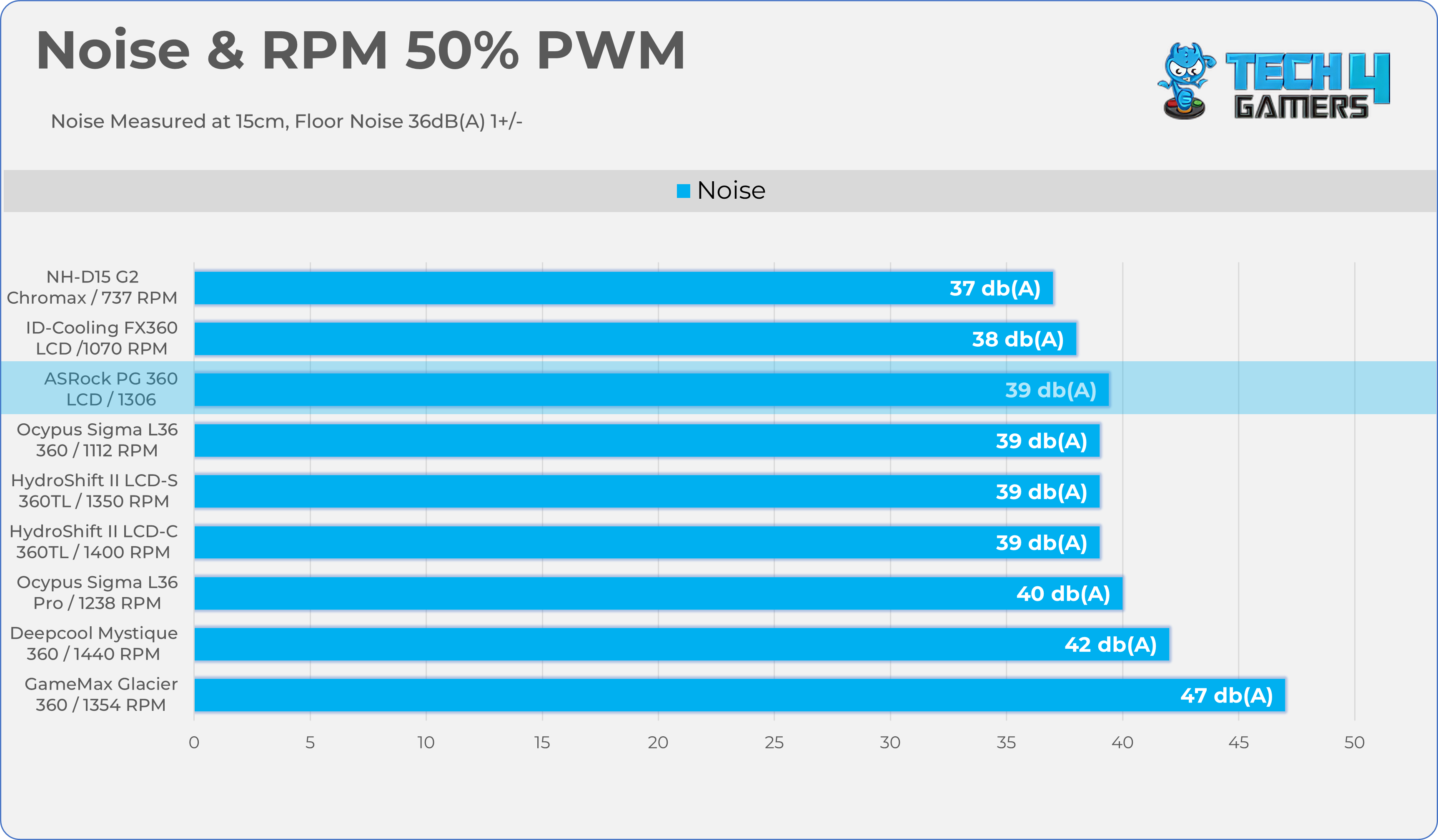
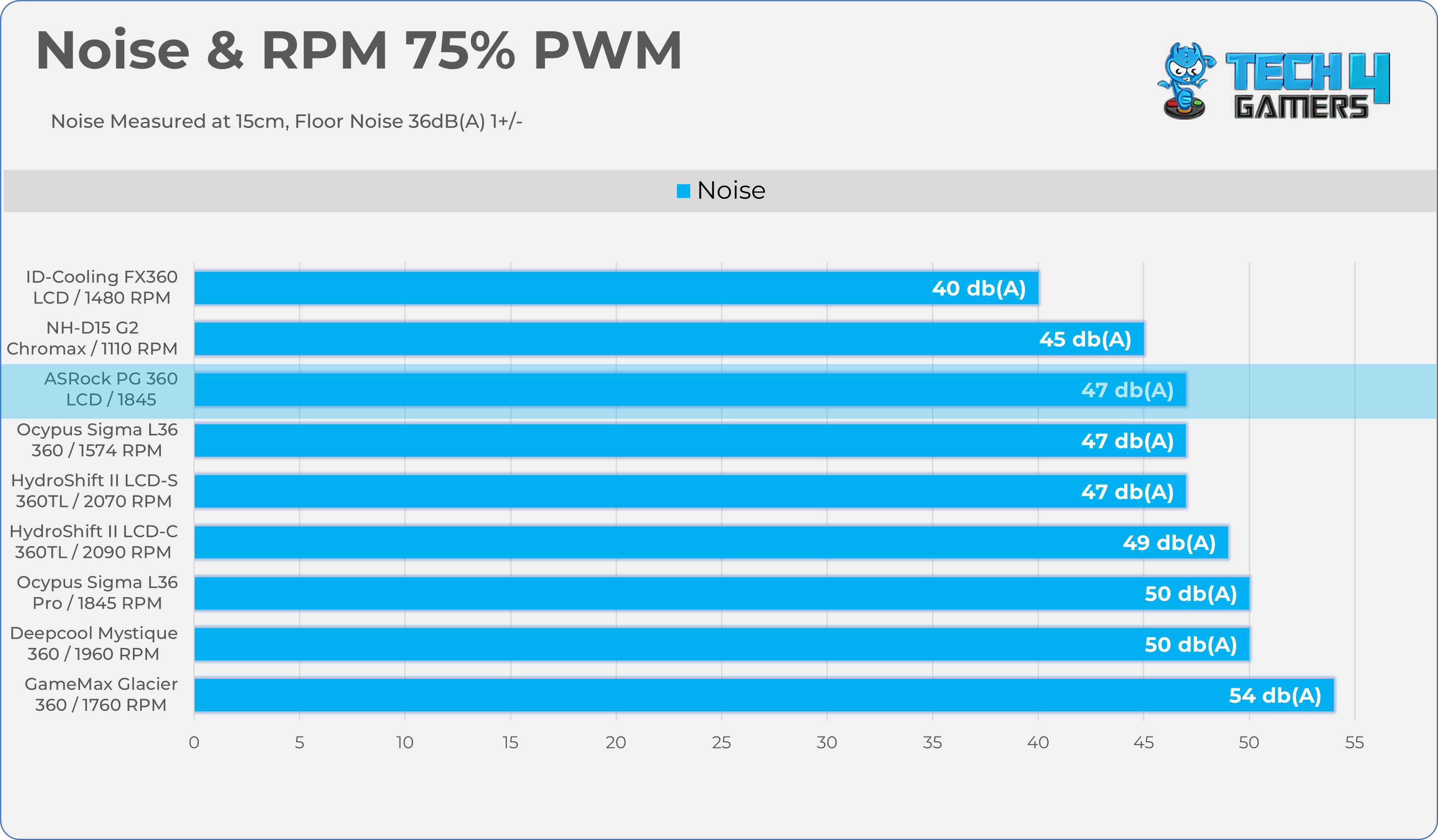
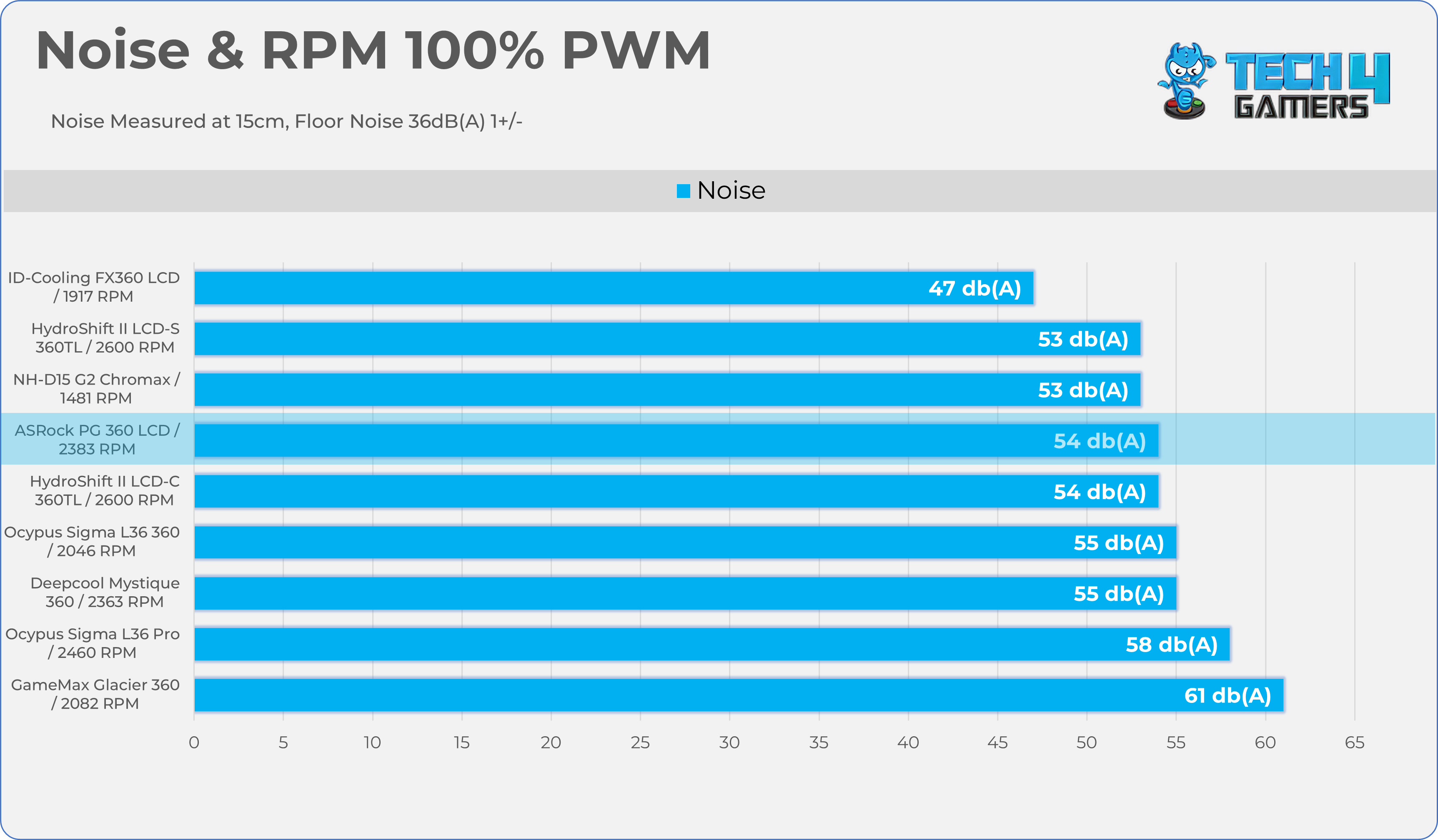
Let’s take a look at the Noise and RPM Readings. We conducted tests across four different PWM range levels.
25-50% PWM
Noise Readings
1 of 2
Noise - 25% PWM
Noise - 50% PWM
75-100% PWM
Noise Readings
1 of 2
Noise - 75% PWM
Noise - 100% PWM
Here is the structured table illustrating fan noise levels at various PWM percentages. The Floor Noise Level is 36dB(A).
PWM (%)
RPM
Noise dB(A)
25%
781 RPM
37 dBA
50%
1306 RPM
39 dBA
75%
1845 RPM
47 dBA
100%
2383 RPM
54 dBA
Should You Buy It?
Buy It If
✅ If You’re Pushing Your Processor To Its Limit: The Cooler offers serious headroom due to its chunky radiator size of 32mm and built-in 70mm VRM fan on the pump block actively cooling the motherboard’s power delivery components.
✅ If you’re chasing Aesthetics: People who love to show off their PC build in a community, the customizable 3.4-Inch screen is one of the major aspects.
✅ If you want the clutter-free experience: The three 120mm Halo ARGB fans come enclosed in a unified, single-frame design, which drastically reduces the number of cables that you need to hide.
Don’t Buy It If
❌ If you’re the budget-conscious buyer: At $190, you’re paying a heavy premium for the LCD screen and the unified fan-frame. If you care about price-to-performance, the standard AIO would be a good choice.
Final Thoughts
ASRock has completed its product lineup with the launch of its AIO Liquid-Coolers, making a strong first impression in the liquid-cooler market. The software still needs some work, though. The ASRock Phantom Gaming 360 LCD is mainly aimed at enthusiasts and overclockers.
This cooler is not meant for budget builds, as it offers serious cooling power with its thick 32mm radiator and a built-in VRM fan on the water block that helps keep the motherboard cool. ASRock has paid attention to both a clean setup and good looks.
Cooling Performance And Noise
In terms of cooling performance, the cooler easily tamed the AMD Ryzen 9 9950X at stock and ranked among high-end coolers. I’m impressed by its noise performance as well. We tested the cooler at 40dB(A) with the fans running at 1450-1500 RPM, which resulted in only a 2-degree increase compared to the fans at maximum speed of 2300 RPM.
This much lower noise shows the cooler can effectively cool the processor even at low PWM levels. This is fantastic for users who want the lowest noise without compromising much on performance.
Build Quality / Design
ASRock has outdone itself in build quality with this liquid cooler, providing a robust 32mm aluminum radiator, significantly thicker than the standard 27mm size. You also get extra-long 450mm tubes for large chassis builds; the block will easily reach the processor.
The integrated VRM fan is secured by four screws; it is well-integrated and solidly built, but it increases the block’s physical size. We have tested many LCD all-in-ones here, such as the Ocypus AIOs, and previously complained that their magnetic LCDs weren’t strong enough. This time, it slides directly onto the pump block and stays in place even if you move your PC or shift the LCD.
ASRock has also improved the fan design. Instead of three separate fans bolted together, it uses the 360 Degree Halo ARGB unified fan frame, making radiator mounting easy and reducing cable clutter. So far, we have been really impressed by its design and the build quality.
Value
ASRock Phantom Gaming 360 LCD has an MSRP of $189.90, and to be honest, given the number of features this cooler provides, it’s not a lot. A similar level of coolers from other brands, such as ASUS or NZXT, could cost around $300. They did not just provide the screen; they also worked on the major core components, such as the large radiator and ease of cable management. ASRock provides a 6-year warranty; the LCD screen itself is covered for 2 years.
As a Senior Hardware Reviewer at Tech4Gamers with over a decade of hands-on experience, I dive deep into benchmarking GPUs, CPU coolers, and motherboards, pushing hardware to its limits. Passionate about overclocking and fine-tuning performance.
Arctic has sent us their brand new thermal paste, Arctic MX-7. This paste is a dense and highly viscous compound. Arctic promises that this paste is engineered with high cohesion to fight the dreaded pump-out effect and offers higher durability. We have previously tested a bunch of other pastes, notably in our ID-Cooling X55 review, the previous Arctic MX6 (New Formula), and Arctic MX4, which are already among the best-performing CPU thermal pastes on the market.
Why Trust Tech4Gamers
Usman Sheikh is one of our most senior and experienced hardware reviewers. He loves spending hours (sometimes days) in his lab, testing and comparing different GPUs, CPUs, coolers, and more.
80+ CPU coolers tested and reviewed by our team of hardware experts (Tech4Gamers Team).
900+ hours spent testing different coolers for our reviews.
At Tech4Gamers, ensuring you get reliable information is our priority. That’s why every hardware round-up undergoes a meticulous review process by our team of experts and editors. Each review is carefully examined against our strict editorial guidelines, guaranteeing you trustworthy insights you can depend on.
Arctic MX7 features a thicker, heavier formula this time, but does this formula actually perform well at lower temperatures in the real world, and is it worth the upgrade from your trusty tubes of Arctic MX6 and MX4? We’ll put this brand new Arctic MX-7 to the test to see if it’s truly the king of thermal pastes. Let’s get into it.
Here are the specs:
Property
Specification
Viscosity
35,000 – 38,000 poise
Density
2.9 g/cm³
Continuous Use Temperature
-50 ~ 250 ℃
Volume Resistivity
1.7 × 10¹² Ω-cm
Breakdown Voltage
4.2 kV/mm
Colour
Grey
[toc]
What Makes Arctic MX-7 Different?
Arctic MX-7 bridges the gap between the Arctic’s MX-4 and MX-6 in terms of material consistency and application sitting. It’s more viscous than the MX-4 but 22% thinner than the MX-6, making it easier to apply and spread on the heat spreader. If you’re looking to upgrade from your old trusty MX-4, then the MX-7 could be a reasonable upgrade, as the MX-4 was fluid and prone to pump-out. This new thermal paste is engineered with high cohesion, it remains bonded together under extreme thermal cycling conditions.
Packaging
Taking a look at the packaging
Arctic MX-7 – Packaging
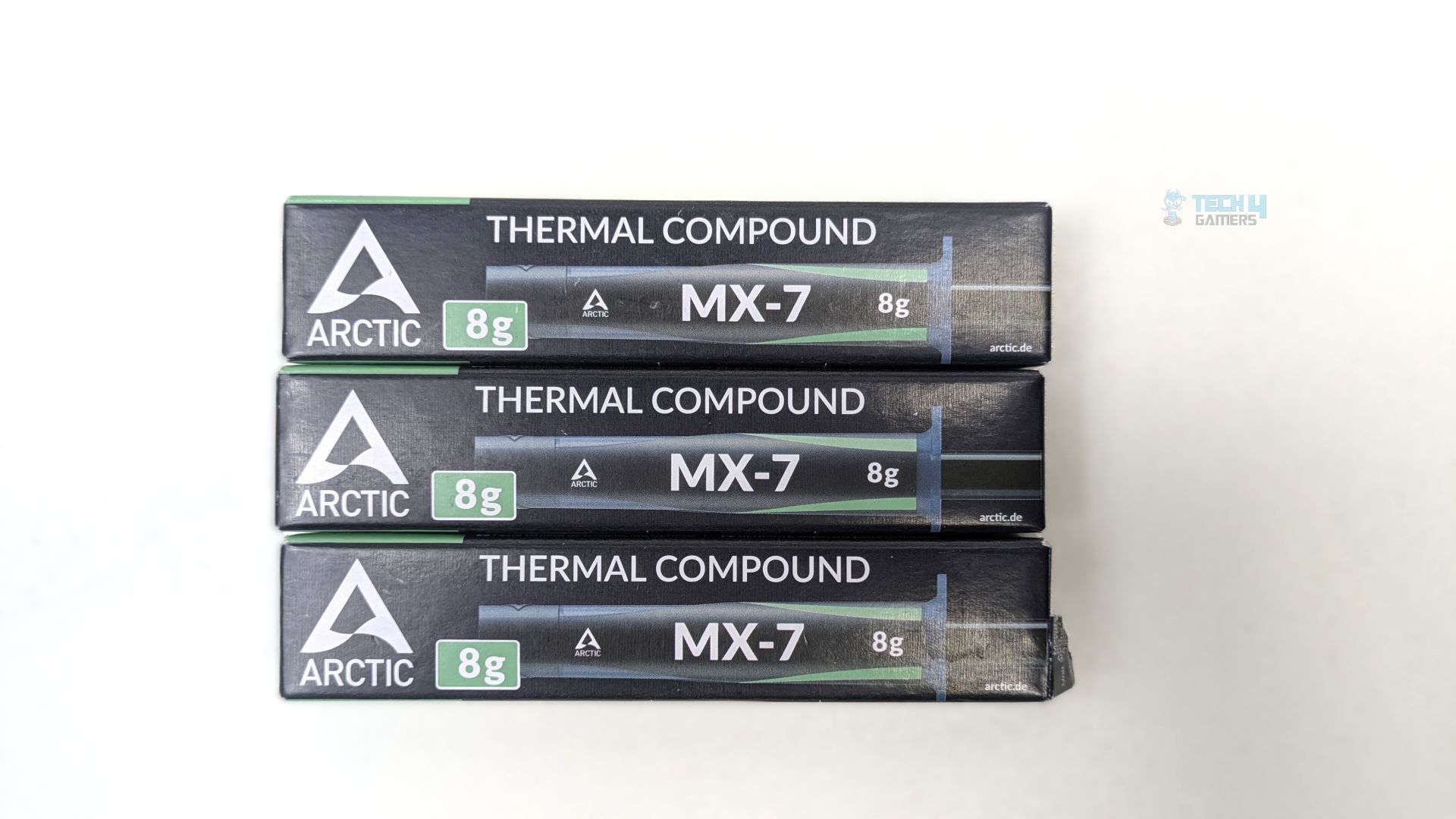
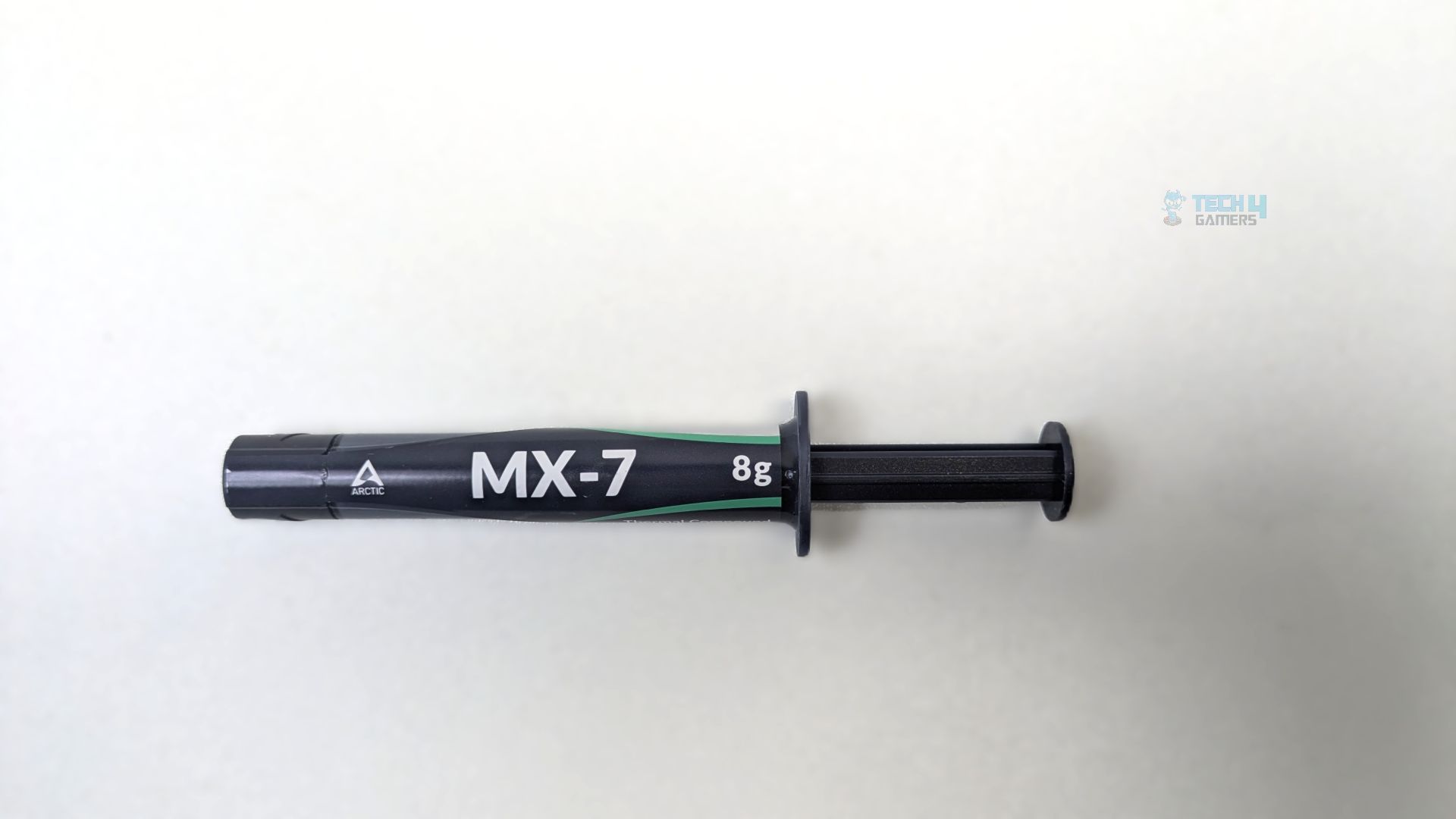
Arctic sent their 8G MX-7 thermal paste packaging. The box features a sleek, dark background and bold MX-7 branding centrally placed. A spatula is not included; Arctic recommends against using one due to the paste’s viscosity and potential for uneven spreading. The thermal paste comes in three sizes: 2G, 4G, and 8G.
Tube Design
Arctic MX-7 Tube 8G
The tube utilizes the plunger syringe design just like the other thermal pastes available in the market. The branding and the theme perfectly mirror the box design language. Overall, the syringe does not feel cheap.
Application & Quality
Comparison
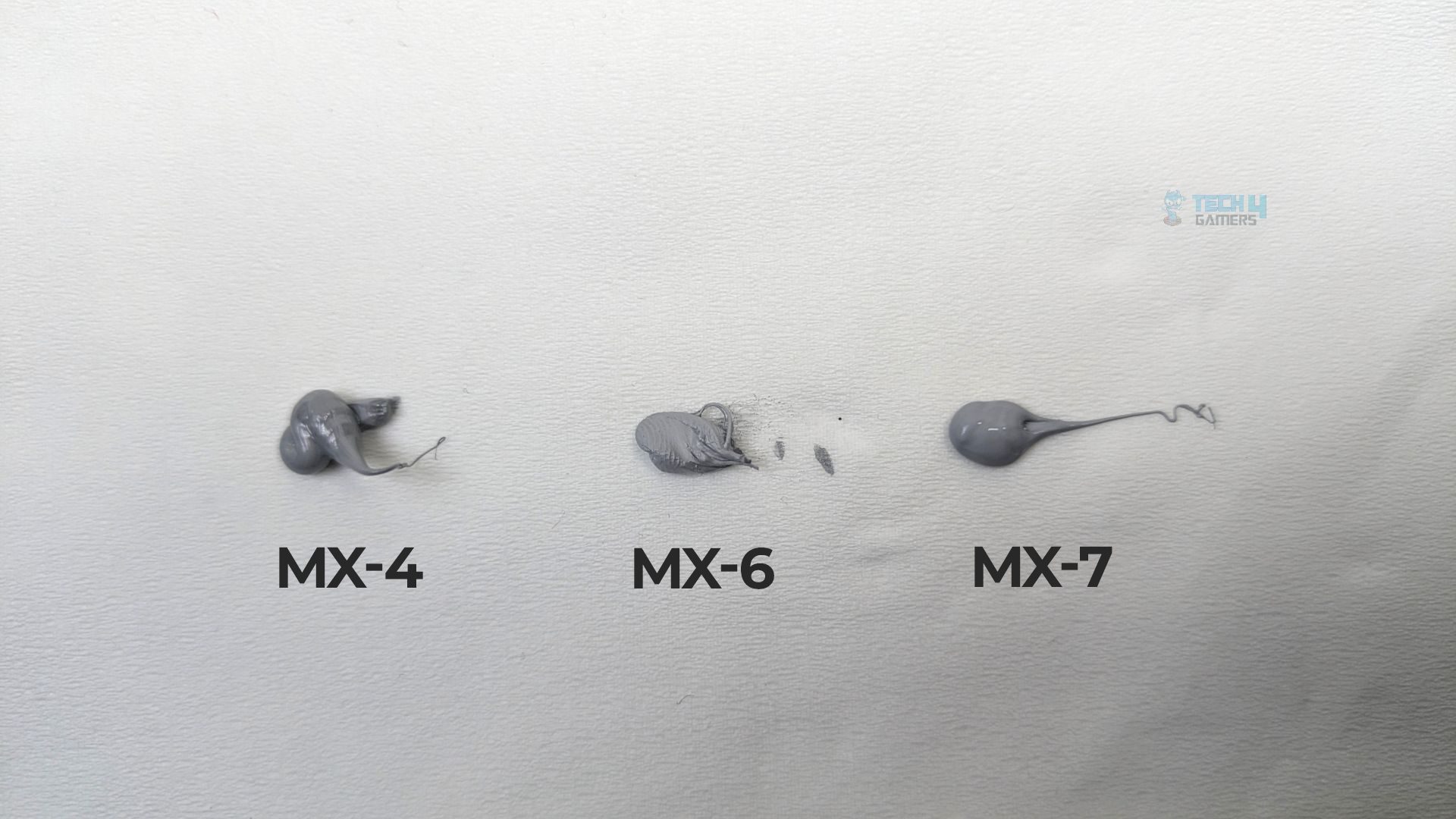
Here is the visual difference of the Arctic’s Thermal-Paste. The Arctic MX-7 appears smoother and slightly glossier than the MX-6, due to its lower viscosity, while retaining the high structural cohesion, as evidenced by the long, stringy tail left by the syringe as it lifts away. This improved cohesion could offer a more even spread under mounting pressure without tearing or crumbling, which is good news if you’re looking for a paste with better durability. On the other hand, the MX-4 is very glossy and wet due to its low viscosity; however, it is more susceptible to the pump-out effect. Arctic MX-6 appears to be matte and thick, with a dry cookie-dough texture. In conclusion, Arctic MX-7 maintains a perfect balance between usability and application quality.
Testing Methodology
How We Test Thermal Pastes
After applying the thermal paste, we ran two 20-minute Cinebench R23 tests with a 10-minute break to cool down. Most modern thermal pastes require almost no burn-in time. However, if the paste is very viscous, extra warm-up tests may be needed.
Controlled Environment
We have ensured that the room temperature remains consistent at all times. To maintain accurate readings, we use a high-quality thermo-hygrometer available on the market. It is important to note that we have still eliminated the influence of ambient temperatures in our data, and all results are presented as deltas over the ambient conditions.
Preparing System
We are using HYTE Y70, but all the panels have been removed. The Cooler fans are blasting at the 100% PWM, while the case fans are running at the fixed speeds.
Software
We used HWINFO Pro to record average temperatures on the CPU tDIE on AMD.
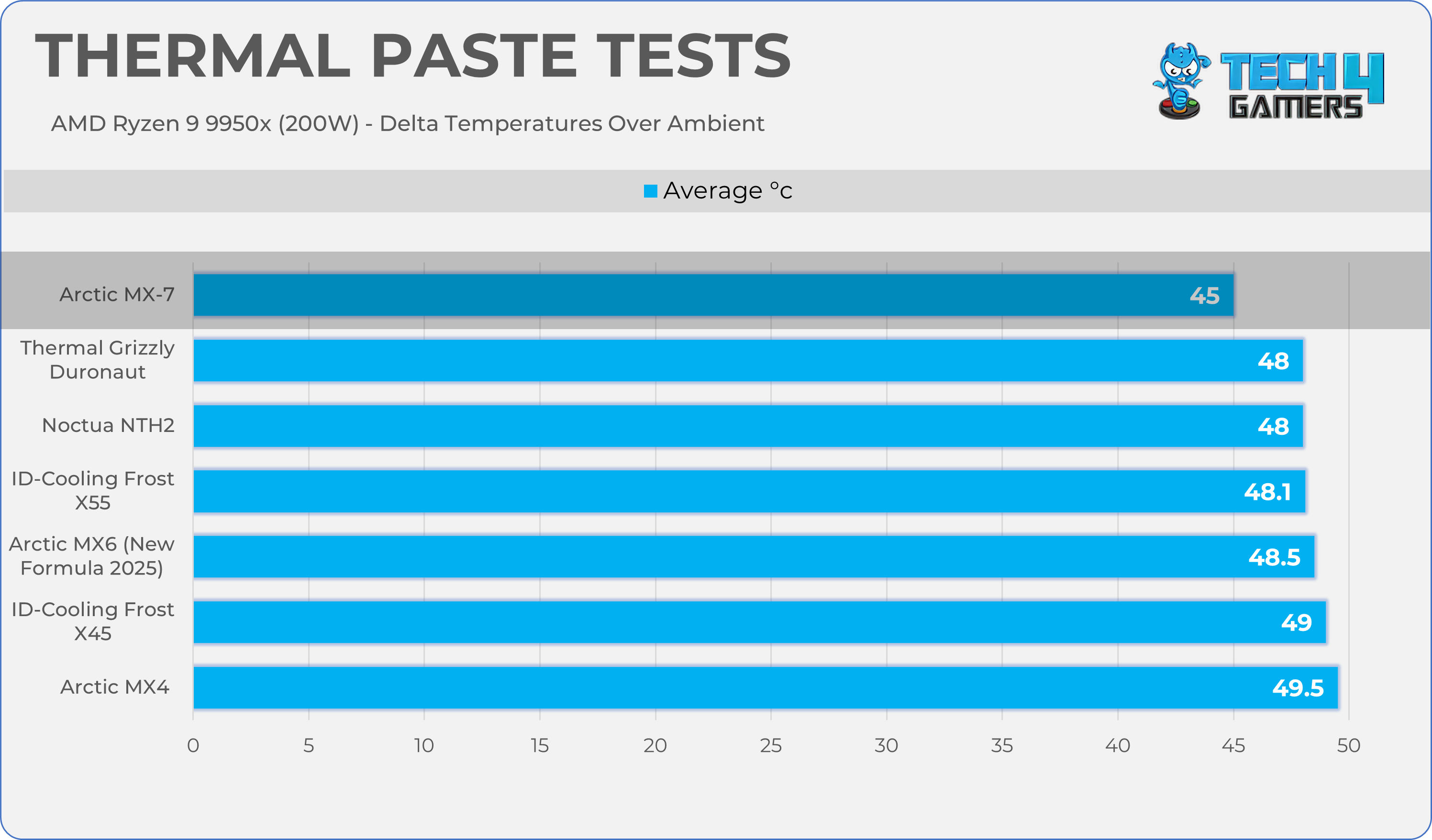
Here is the structured table, organized for improved clarity and ease of reading.
Thermal Paste
Average Temperature c°
Arctic MX-7
45.0 C°
Thermal Grizzly Duronaut
48.0 C°
Noctua NTH2
48.0 C°
ID-Cooling Frost X55
48.1 C°
Arctic MX6 2025 (New Formula)
48.5 C°
ID-Cooling Frost X45
49.0 C°
Arctic MX4
49.5 C°
Should You Buy It?
Buy It If:
✅ Switching from MX-4: If you have used the MX-4 on your system previously, it’s time to switch to the MX-7, as this newer Arctic thermal compound offers better performance and durability.
✅ It’s Durable: MX-7 offers improved cohesion, and this new formula can provide heavy-duty pump-out resistance. It provides a better spread under the mounting pressure without tearing and crumbling.
Don’t Buy It If:
❌ Overkill for the low-end hardware: If you’re building an entry-level system or a low-wattage media PC, this thermal paste is overkill, as it’s designed for enthusiasts and high-end builds.
Final Thoughts
So far, this is the much-needed upgrade over the previous Arctic Thermal Compounds, as it successfully bridges the gap between them. It captures the legendary longevity of the MX-6 without being too runny or too brittle, just right for good mounting pressure.
In our tests, the Arctic MX-7 has become the chart leader, offering better cooling performance. If you’re doing a quick repaste on your older build and have your old Arctic MX-4 lying around in the drawer, then save the money and stick to the MX4.
However, calculation changes if you have the top-tier system or when you’re trying to tame the dense thermal output of Core Ultra 5/7 or AMD Ryzen 7000/9000 Series processors. In high-stress situations, the pump-out is your biggest enemy. MX-7 is an exceptional thermal compound for durability.
Arctic MX-7 is available in 2-Grams (€14.49), 4-Grams (€15.99), 4-Grams + MX Cleaner Wipes (€16.99), and 8-Grams (€20.99).
As Tech4Gamers’ Wiki Editor, I dissect gaming products, offering detailed perspectives on a variety of PCMR hardware ranging from the Best Motherboards and CPUs to the Best GPUs, RAM, and PSUs.
Story Highlight
The era of purely judging a CPU by its core clock is over; the Infinity Fabric (AMD) or Ring Bus (Intel) speed is the true determinant of system latency.
The old 1:1:1 synchronization rule is dead for modern DDR5 platforms; pushing RAM to 8000 MT/s forces a 1:2 ratio that mathematically penalizes your gaming performance.
Unexplained system crashes and WHEA errors during memory overclocking are rarely caused by faulty RAM, but rather an unstable, over-stressed fabric clock.
I’ll get straight to the point. Your cores and your RAM are only as fast as the bridge connecting them.
For AMD Ryzen and modern Intel CPUs utilizing chiplet designs, the most critical performance metric is no longer just raw core frequency. It’s the Infinity Fabric (AMD) or the Ring Bus (Intel) clock.
This “fabric clock” is the central nervous system of your processor. It is the exact speed at which your cores, L3 cache, memory controller, and I/O die communicate with one another. If this internal highway is unstable or running at a suboptimal speed, it imposes a massive, system-wide latency penalty.
Consequently, this latency can single-handedly cripple your gaming performance, rendering those ludicrously high core clocks completely pointless.
The Synchronization Rule: A Reality Check For Zen 4 & Zen 5
Let’s rewind to the Zen 3 days. Back then, the golden rule of Ryzen was the 1:1:1 synchronization. If you had DDR4-3600 RAM, your memory clock (MCLK), memory controller clock (UCLK), and Infinity Fabric clock (FCLK) all strictly needed to run in perfect sync at 1800 MHz.
We cemented the Corsair Vengeance RGB RT as the Best High-Performance DDR4-3600 RAM Kit during our in-house roundup. (Image Credits – Tech4Gamers)
However, for optimal gaming performance on AM5 (Zen 4 & Zen 5), your sweet spot is DDR5-6000. Here, you want your MCLK and UCLK perfectly synced at 3000 MHz (a 1:1 ratio). But your Infinity Fabric (FCLK) should actually be decoupled, sitting comfortably in its own sweet spot of 2000 MHz to 2133 MHz.
So what happens when you ignore my advice and push your RAM past a blistering 8000 MT/s? Your motherboard panics, to say the least.
In order to handle those insane speeds, the memory controller is forced to desynchronize into a 1:2 mode (MCLK at 4000 MHz, UCLK at 2000 MHz). Resultantly, this architectural shift adds a catastrophic latency penalty that completely negates the raw bandwidth gains, especially in latency-sensitive eSports titles.
To elaborate, Intel’s newly launched Arrow Lake CPUs transitioned to a tile-based architecture. Crucially, they moved the memory controller off the main compute tile and onto a separate SoC tile.
Think of it like moving the kitchen out of your house and into a detached garage. Sure, you have more room inside the house, but getting a snack now takes twice as long.
Because of this physical separation, data has to travel across the internal Ring Bus and hop between tiles. Early testing shows Arrow Lake suffering from a severe memory latency penalty of more than 10-20ns compared to Raptor Lake.
Multiple independent, third-party tests have shown that Intel’s 15th Generation “Arrow Lake” Processors suffer from severe memory latency figures of up to 180ns. (Image Credits – Chips and Cheese)
But credit where credit’s due, Intel did try its best to mitigate these abnormal latencies by issuing a series of updates, including the Microcode 0x114 Patch. Unfortunately for Team Blue, these updates only softened the impact, rather than magically augmenting gaming performance.
After all, you can’t fix a hardware-level issue with a software update.
In other words, raw memory bandwidth can’t completely eliminate the stuttering caused by this internal silicon traffic jam.
The Instability Culprit: It’s Not Your RAM
To put this dilemma into perspective, let’s talk about system crashes.
How many times have you enabled an EXPO or XMP profile, loaded into a game, and been hit with a random Blue Screen of Death or a dreaded WHEA (Windows Hardware Error Architecture) error?
Most users immediately blame bad RAM or a faulty motherboard. But in reality, the silent killer is almost always an unstable fabric clock.
When you push your memory frequencies to the absolute limit, your CPU’s internal interconnects intensely struggle to keep up with the sheer volume of incoming data. The Infinity Fabric or Ring Bus becomes incredibly unstable, dropping packets and causing silent errors that eventually crash your entire system to the desktop.
Hold Your Horses: The Overlooked Setting
So, what is the solution to this catastrophic mess? Hold your horses, and stop blindly chasing the highest number printed on the RAM box.
As I’ve mentioned before when discussing why absurdly fast RAM kits are pointless for most gamers, prioritizing latency over raw frequency is the true determinant of highly responsive gaming performance.
For starters, manually tune your system to find the absolute maximum stable FCLK or Ring Bus clock your specific CPU silicon can handle without throwing WHEA errors.
Secondly, lock your memory and memory controller into that beautiful 1:1 ratio (like DDR5-6000 on Zen 4 & Zen 5) and aggressively tighten your secondary sub-timings.
All in all, raw frequency is just a marketing gimmick if your internal fabric cannot deliver the data on time.
So if you want a buttery-smooth, stutter-free gaming experience, you meticulously need to master the fabric clock.
The bottom line? Your CPU’s internal highway dictates your actual frame rates. Treat it with the respect it rightfully deserves.