At Tech4gamers, I cover all sorts of gaming news. Whether it’s a leak of any upcoming game or an update, an announcement, or a rumour, I like to write about it all. Over the weekend, I sit and write features where I talk about games that I miss or want to see return.
Story Highlight
Sony states that PlayStation Plus Premium is experiencing massive growth.
The most expensive tier has grown by 18% in the last 12 months.
It has also been confirmed that Sony has hit 2 billion hours of gameplay in the previous year.
PS Plus has been one of the most extensive subscription services in the gaming industry. Previously, some fans believed that PS Plus Premium is no longer a good value, as the quality had declined significantly.
The recent statement from the vice president of global services at PlayStation claims otherwise, as he states that the PS Plus Premium tier has grown by 18% in just a year.
Why it matters: While PlayStation offers different tiers for its subscription service, it is surprising to see that the premium tier is thriving the most.
PS Plus Is Seeing Massive Growth.
During a recent interview with Gamefile, the vice president of global services at PlayStation, Nick Maguire, talked about multiple things, including how the PS Plus Premium has been thriving the most.
According to the vice president, PS Plus Premium has seen an 18% growth in the last 12 months, and Sony is looking to reinvest in the service.
The quality of games, hopefully people will appreciate, is probably improving year over year.
-Nick Maguire
He further stated that the subscription service has experienced high growth in recent times and is seeking ways to further invest in the service, thereby bringing more value to its fans.
PlayStation Plus Is Nearly 15 Years Old Already.
Although the total number of players subscribed to the subscription service remains unknown, it has been reported that Sony has surpassed 2 billion hours of gameplay.
We’ve gone past two billion hours of game playing in the last year across our first and third party games.
The vice president refused to say anything on a question regarding the price hike. However, recent reports and hints from Sony suggest that a price hike may be forthcoming. Still, it’s best to wait for an official announcement.
Nonetheless, what do you think about this? Do you believe PS Plus Premium is worth the money? Let us know your thoughts in the comments, or join the Tech4Gamers forum.
Currently serving as a News Reporter at Tech4Gamers, I have the privilege of combining my love for gaming with the art of storytelling. My role involves crafting engaging narratives that keep our audience abreast of the latest developments in the gaming world.
Story Highlight
Sony has doubled down on its strategy of not releasing first-party titles on PS Plus Day One.
They aim to add 4-5 indie titles to the service each year.
First-party titles are still planned to be added to the service 12-18 months after their initial release.
Game Pass has significant advantages over PS Plus, with a larger catalogue of games, as well as the added benefit of Day One first-party releases. Sony has now doubled down on the fact that it won’t ever pursue Microsoft in adding Day One first-party releases on its subscription service.
Why it matters: Game Pass is a good value for money for those who want to enjoy new first-party releases for just a fraction of the cost. This will always be the biggest point that sets Game Pass apart from PS Plus.
In a new interview with Game File, PlayStation’s VP of Global Services Nick Maguire was asked if the gaming giant would ever follow in the footsteps of Xbox to release first-party games Day One on PS Plus.
We’ve sort of stayed true to our strategy across the board, where we’re not looking to put games in day and date
Additionally, Maguire implied that indie titles are what they aim to add to the service, and beyond that, some third-party titles are still released on the service on their launch date, i.e., FBC: Firebreak, Stray, Dave the Diver, and more.
First-party titles do eventually find their way to the platform, but after a specific timeline.
Our strategy of bringing games in when they’re 12, 18 months old or older—that balance for us is working really well across the platform
Not having Day One releases surely isn’t a complete dealbreaker for PS Plus users. The service has grown tremendously, hitting 2 billion hours played overall. Indie and classic titles are a key driver in the service’s growth.
Are you a PS Plus subscriber? If yes, then what are your thoughts on the service? Share your thoughts in the comments or at the official Tech4Gamers Forums.
At Tech4Gamers.com, I cover the latest news and rumours in the gaming industry, from new game releases to hidden gems and video game leaks. Furthermore, I occasionally write tech articles about video game consoles, providing insights into the hardware and software that powers our gaming experiences.
[Press Release] Corsair has launched the RS-R Series ARGB fans, built for both performance and aesthetics. Featuring a reverse rotor design, these fans showcase vibrant RGB lighting clearly when used as intake fans, making them perfect for fishbowl-style cases like the Corsair 3500X and 6500X.
Each fan includes eight individually addressable RGB LEDs, delivering bold lighting effects without visual obstruction. Installation is simple with daisy-chained connections that reduce cable clutter.
The setup concludes with just one 4-pin PWM and one +5V ARGB header, allowing for full control through motherboard software; no separate controller is required.
The RS-R Series offers precise PWM control from 0 to 2,100 RPM, providing up to 65.8 CFM airflow and 2.81 mm-H2O static pressure. Corsair’s Magnetic Dome bearings ensure quiet, long-term performance, while Zero RPM mode keeps the system silent under low loads.
Available in black and white, the RS-R fans offer a clean and efficient solution for both new builders and experienced PC enthusiasts. Check out the product page for more details.
At T4G, my task is to cover the latest news around the gaming globe ASAP and with the utmost precision. I adore all the games and respect all the devs behind the amazing games that we get all year. So, whether it’s a PC or a Console game, I got it all covered.
Story Highlight
CDPR says it is working to fix the issues with Unreal Engine 5 using advanced tech.
It will not only benefit CD Projekt Red’s future projects but also the entire industry.
The Witcher 4 tech demo showed that the company has made massive leaps.
Unreal Engine 5 has been a huge hit or miss ever since its introduction. While its graphical prowess is almost unparalleled, it causes so many performance issues that the games become unplayable. However, CD Projekt Red could fix that.
CDPR says that while it’s too early to talk about what the future of its games would be, the technology they’re going to be introducing in the Witcher 4 won’t only benefit them but the entirety of the industry.
Why it matters: Many believed CDPR would be the studio to finally fix Unreal Engine 5, and that was further cemented by the recent The Witcher 4 tech demo they showed at the recent State of Unreal showcase.
CDPR wants to improve Unreal Engine 5 for the entire industry
In an interview with Gamesradar, Jan Hermanowicz, the engineering production manager on The Witcher 4, was asked about the tech involved in the demo and how it’ll shape up CDPR’s future projects like Cyberpunk 2 and more.
He said the shift from CDPR’s proprietary engine to Unreal opens up a lot of new opportunities. Furthermore, they’re working on improving it further, which will benefit their future projects as well as the entire industry.
All the assets which are for this technical demo, which is a vehicle to push the tech forward, in return benefits all of the industry.
– Jan Hermanowicz
Almost every recent Unreal Engine 5 game has shown performance issues
This is a really good sign considering the state of the engine. Every game that uses Unreal Engine 5 suffers from massive stuttering even on the highest-end hardware. Other quality of life features need fixing.
Based on the demo CDPR showed, it seems they’ve already fixed the stutters. The demo was being played on a base PS5, and with visuals like that, it was buttery smooth at 60 FPS, which isn’t something we’ve seen before.
What are your thoughts on CDPR finally fixing everything wrong with the Unreal Engine 5? Let us know your opinions in the comments or join the discussion at the official Tech4Gamers Forum.
As a Senior Hardware Reviewer at Tech4Gamers with over a decade of hands-on experience, I dive deep into benchmarking GPUs, CPU coolers, and motherboards, pushing hardware to its limits. Passionate about overclocking and fine-tuning performance.
XPG has had a strong few years with their products, starting with their power supplies, liquid coolers, and storage solutions, which have been the talk of the town in recent years due to their exceptional value for performance. This time, XPG is going to revolutionize their cooling fans with some incredible technology that no one in the industry has yet caught up to. Previously, they had Vento ARGB fans, which they also offered in a reverse-blade variant separately.
However, things have progressed significantly. They have opted for the dual-spin blade fan design, which means you no longer need to purchase the reverse blade fans separately. These fans can now spin in both forward and reverse directions with just one simple click, thanks to their streamlined manual controller design, which is attached to the single cable on the fan.
Why Trust Tech4Gamers
Usman Sheikh is one of our most senior and experienced hardware reviewers. He loves spending hours (sometimes days) in his lab, testing and comparing different GPUs, CPUs, coolers, and more.
80+ CPU coolers tested and reviewed by our team of hardware experts (Tech4Gamers Team).
900+ hours spent testing different coolers for our reviews.
At Tech4Gamers, ensuring you get reliable information is our priority. That’s why every hardware round-up undergoes a meticulous review process by our team of experts and editors. Each review is carefully examined against our strict editorial guidelines, guaranteeing you trustworthy insights you can depend on.
You can not only change the direction of the fans but also turn them off if you’re cleaning the fans. Not only that, these fans also feature instant magnetic linking, allowing them to be effortlessly removed and installed together without the need for extra cables.
Let’s start with the specs
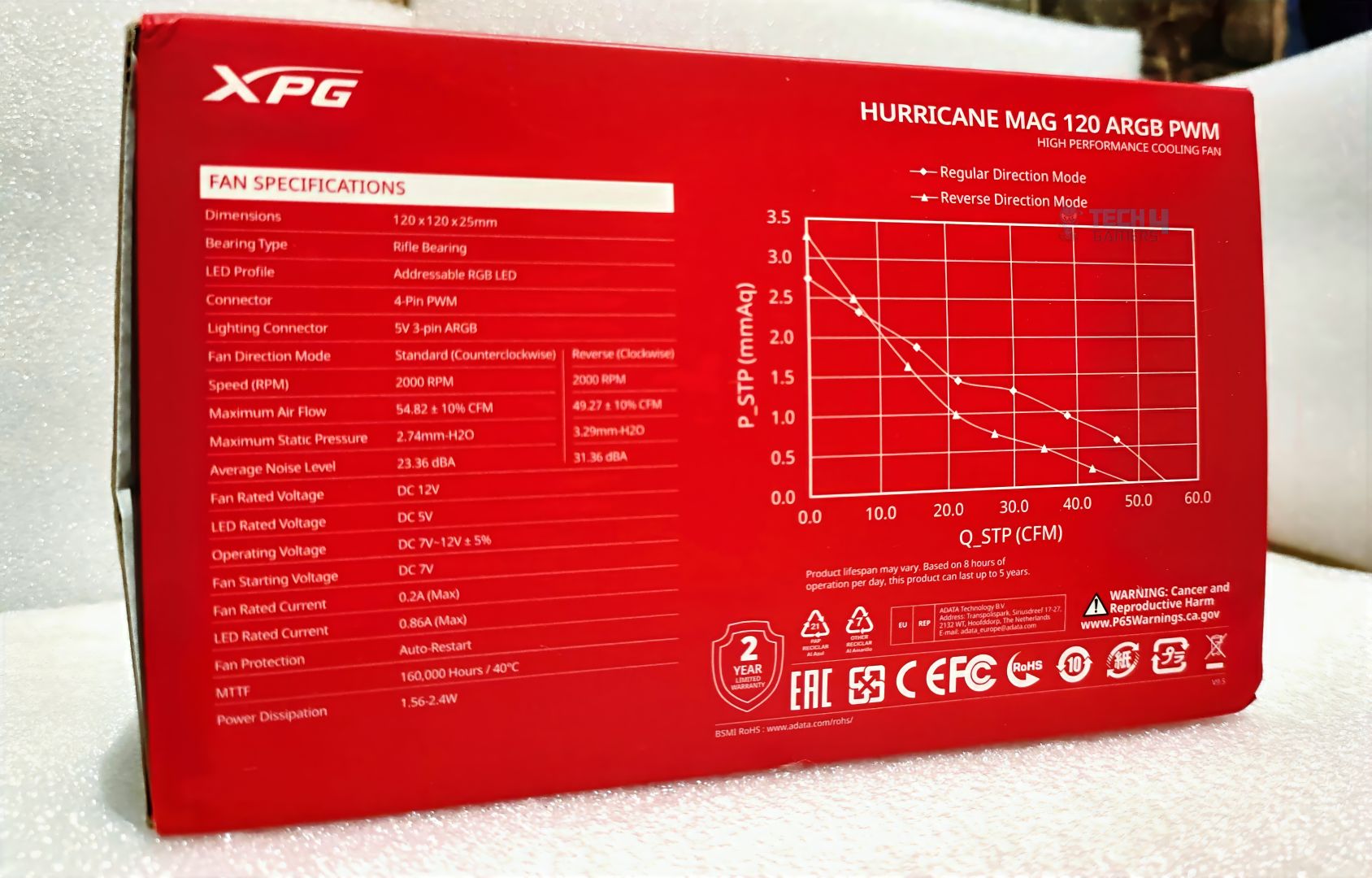
Specification
Standard (Counterclockwise)
Reverse (Clockwise)
Dimensions
120 x 120 x 25mm
120 x 120 x 25mm
Bearing Type
Rifle Bearing
Rifle Bearing
Connector
4-Pin PWM & 5V 3-pin ARGB
4-Pin PWM & 5V 3-pin ARGB
Speed (RPM)
300-2000 RPM
300-2000 RPM
Max Air Flow (CFM)
54.82 ± 10% CFM
49.27 ± 10% CFM
Max Static Pressure (mmH₂O)
2.74 mm-H₂O
3.29 mm-H₂O
Noise Level (dBA)
23.36 dBA (Avg.)
31.36 dBA (Avg.)
Rated Voltage
DC 12V
DC 12V
Starting Voltage
DC 7V
DC 7V
Operating Voltage
DC 7V~12V ± 5%
DC 7V~12V ± 5%
Rated Current
0.2A (Max)
0.2A (Max)
Power Dissipation
1.56-2.4W
1.56-2.4W
Protection
Auto-Restart
Auto-Restart
MTTF
160,000 Hours / 40°C
160,000 Hours / 40°C
Warranty
2 Years
2 Years
[toc]
Packaging & Accessories
Unboxing The Fans
1 of 4
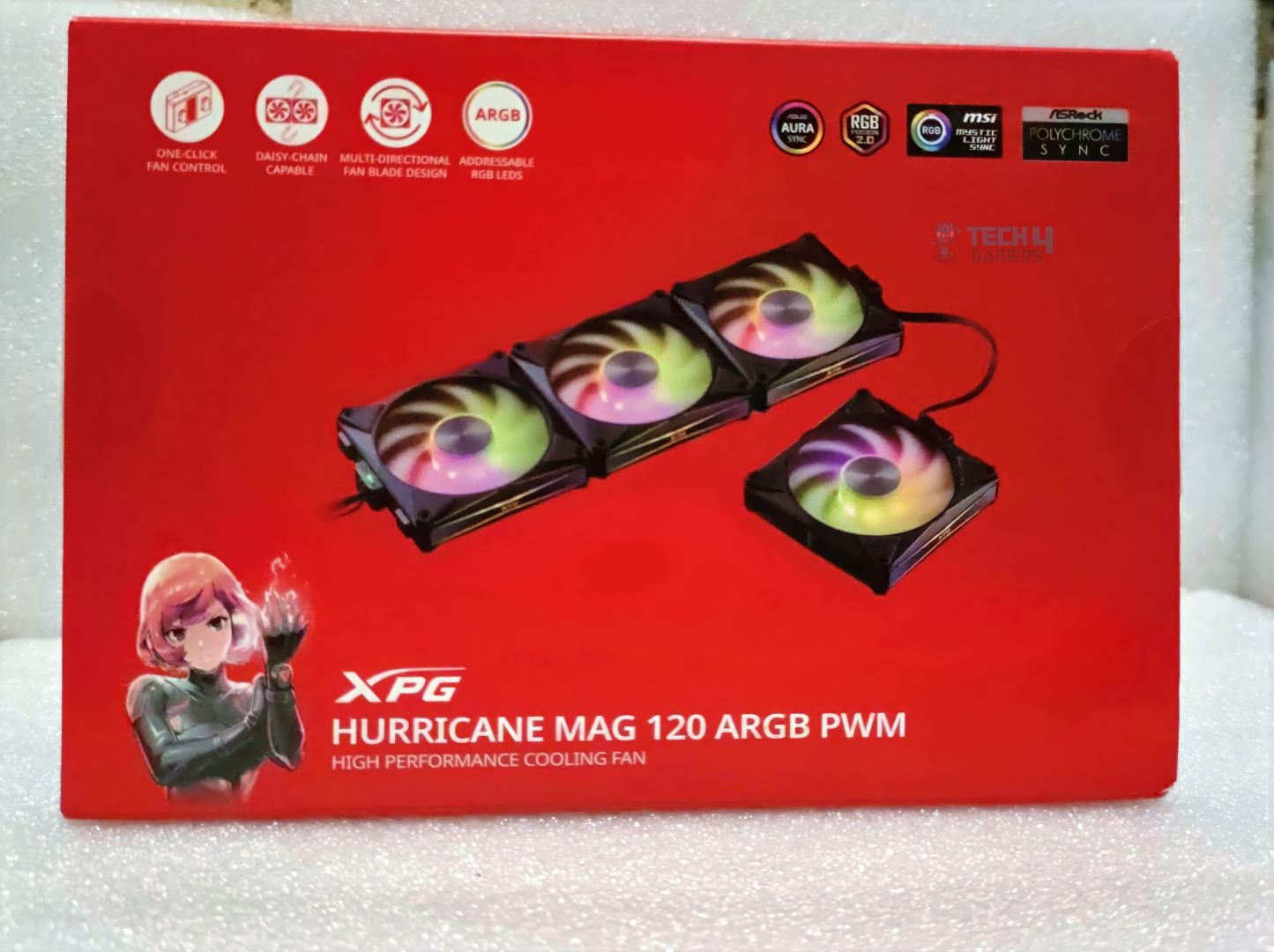
The unboxing of the fans is simple and straight to the point; the box lists the specifications and the number of features on the front side of the box; on the flip side of the box, you get some demonstrations of the fan’s configurations, which is a nice representation also you can scan the QR code for the detailed instructions, on the rear side of the box you get the fans specifications.
Fans & Accessories
1 of 12
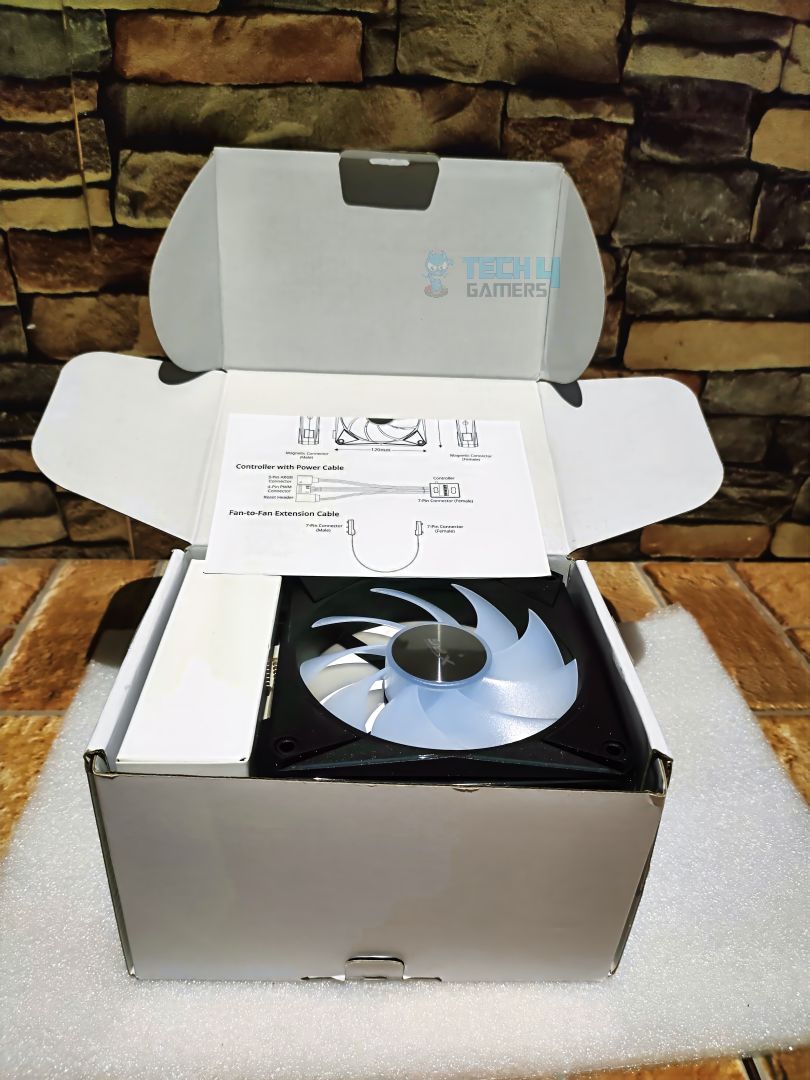
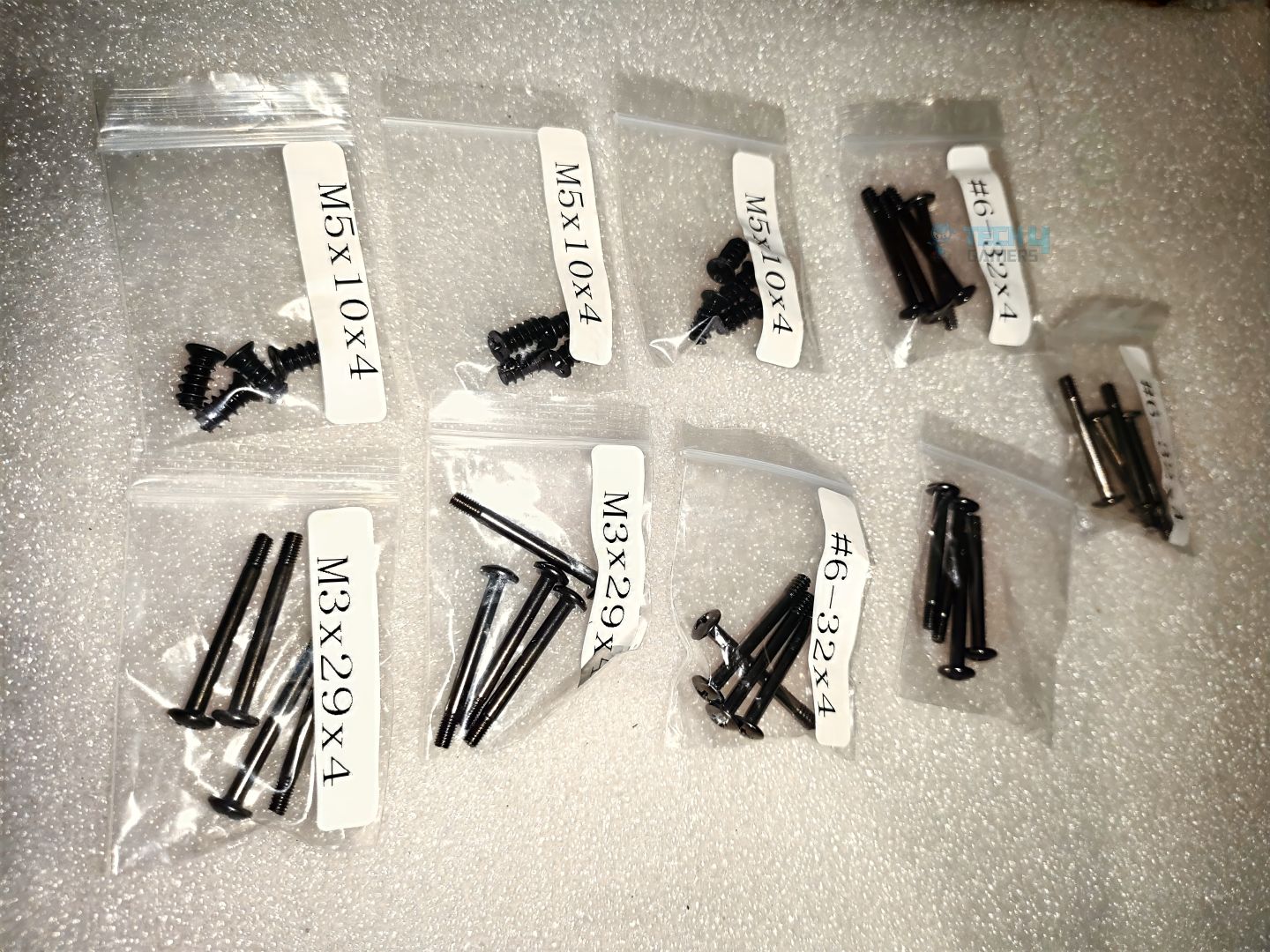
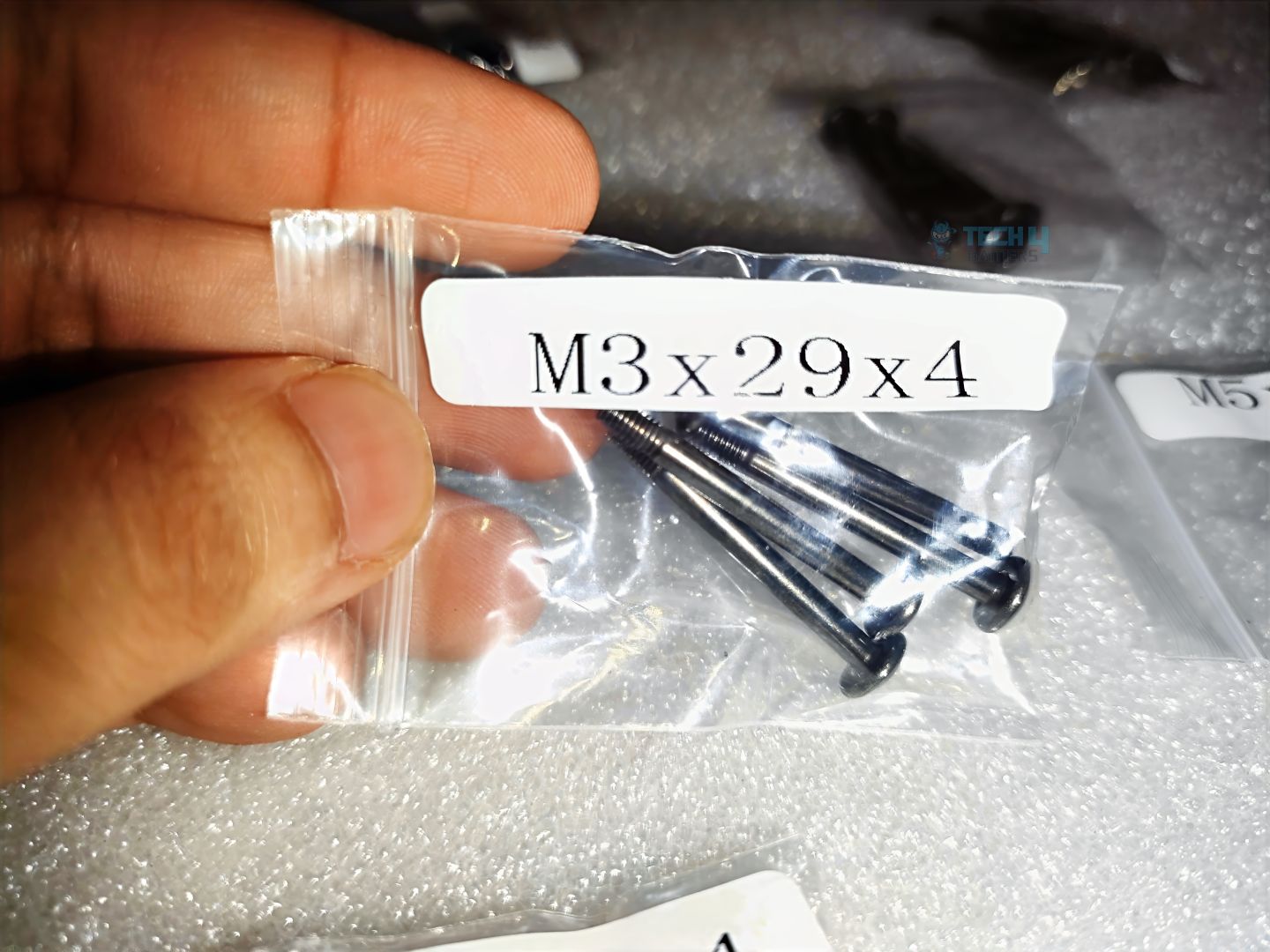
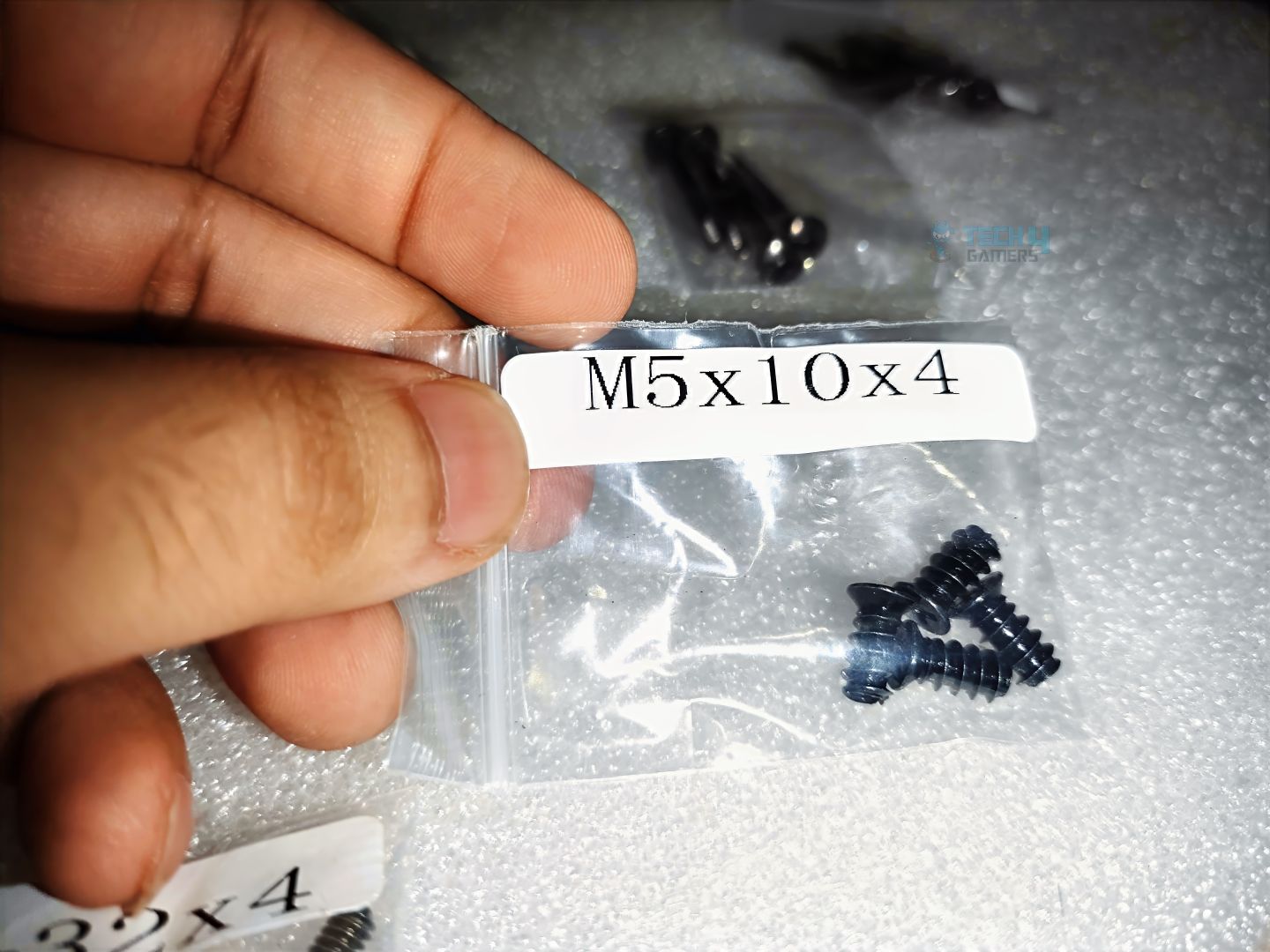
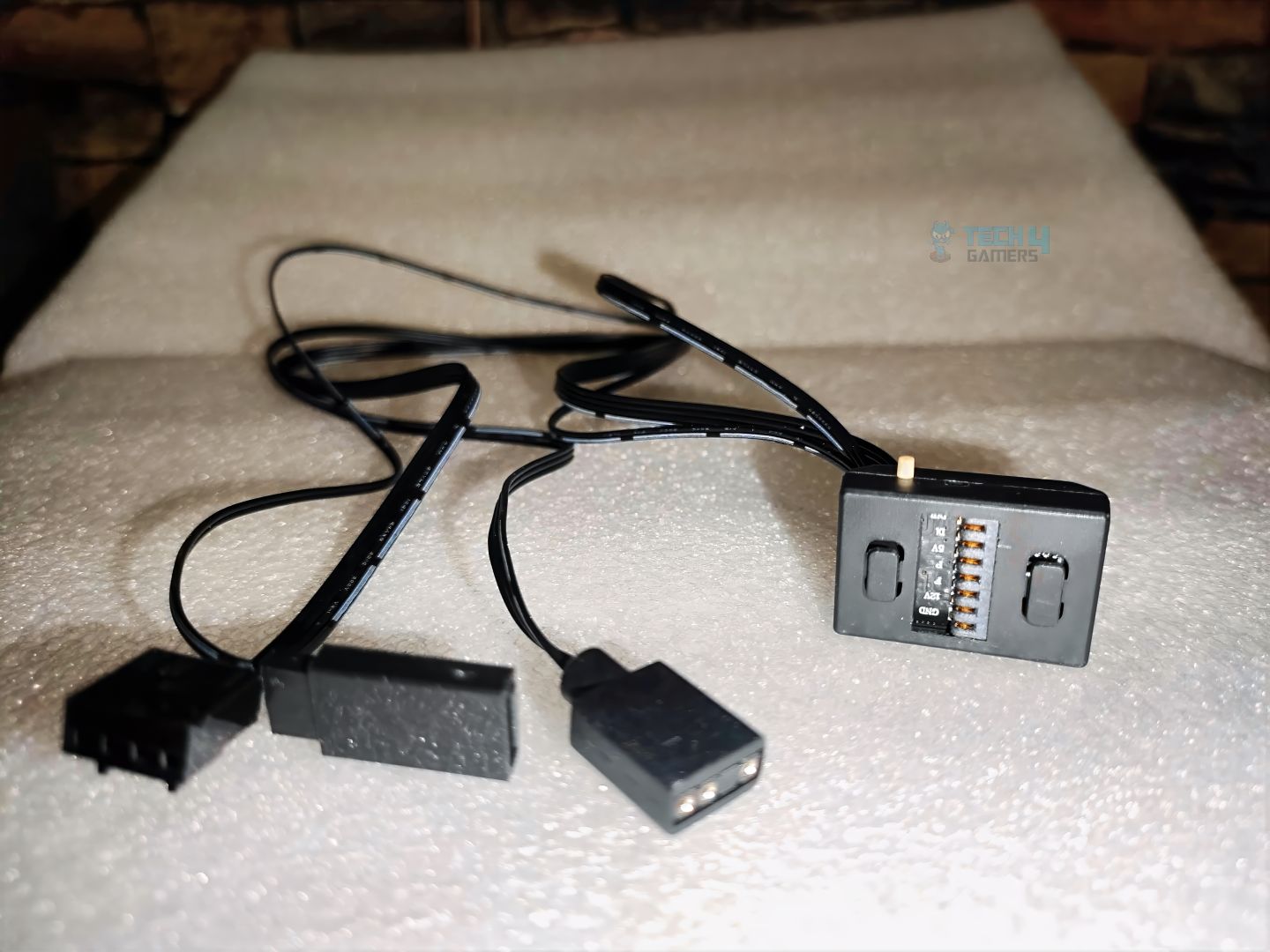
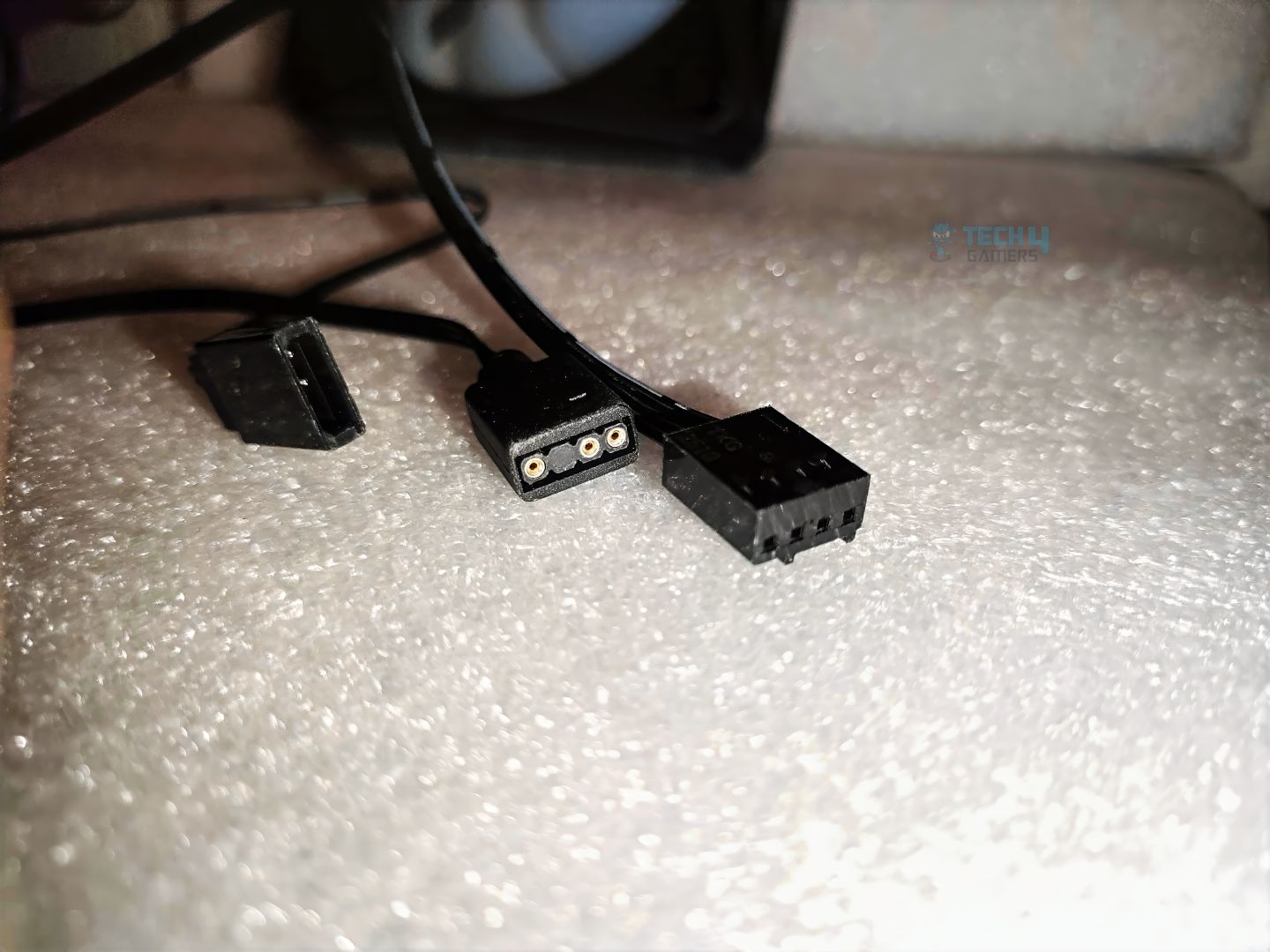
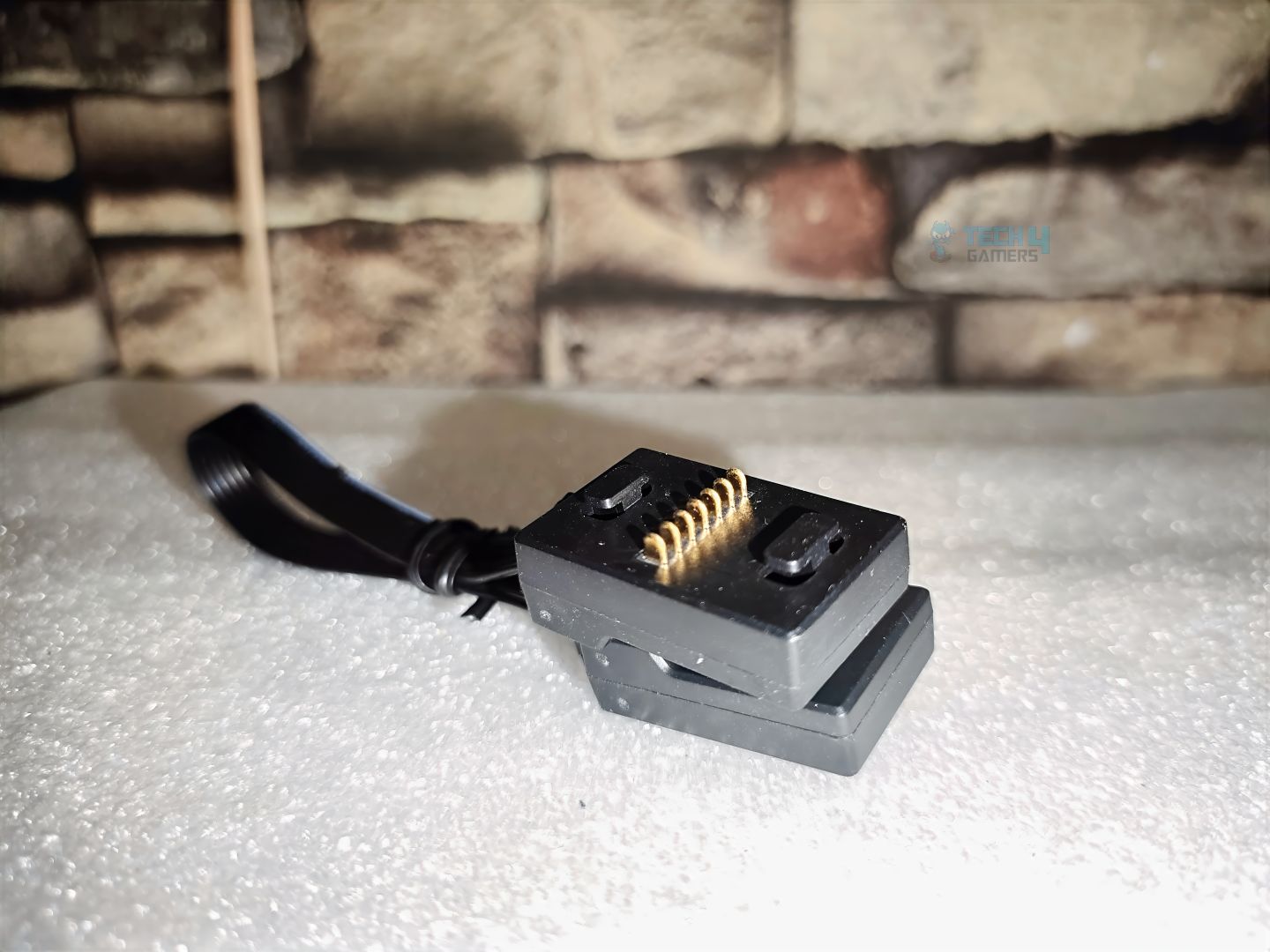
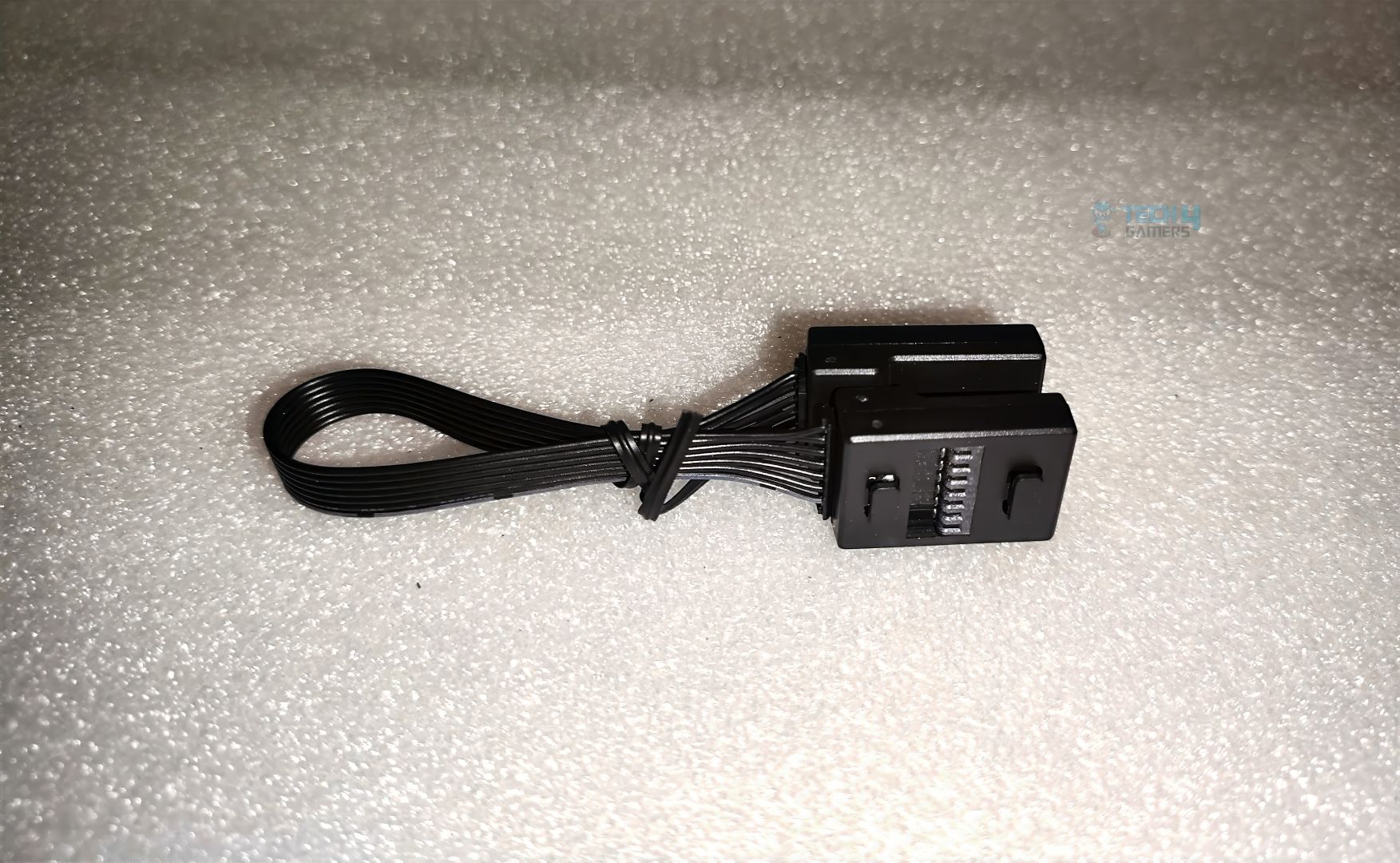
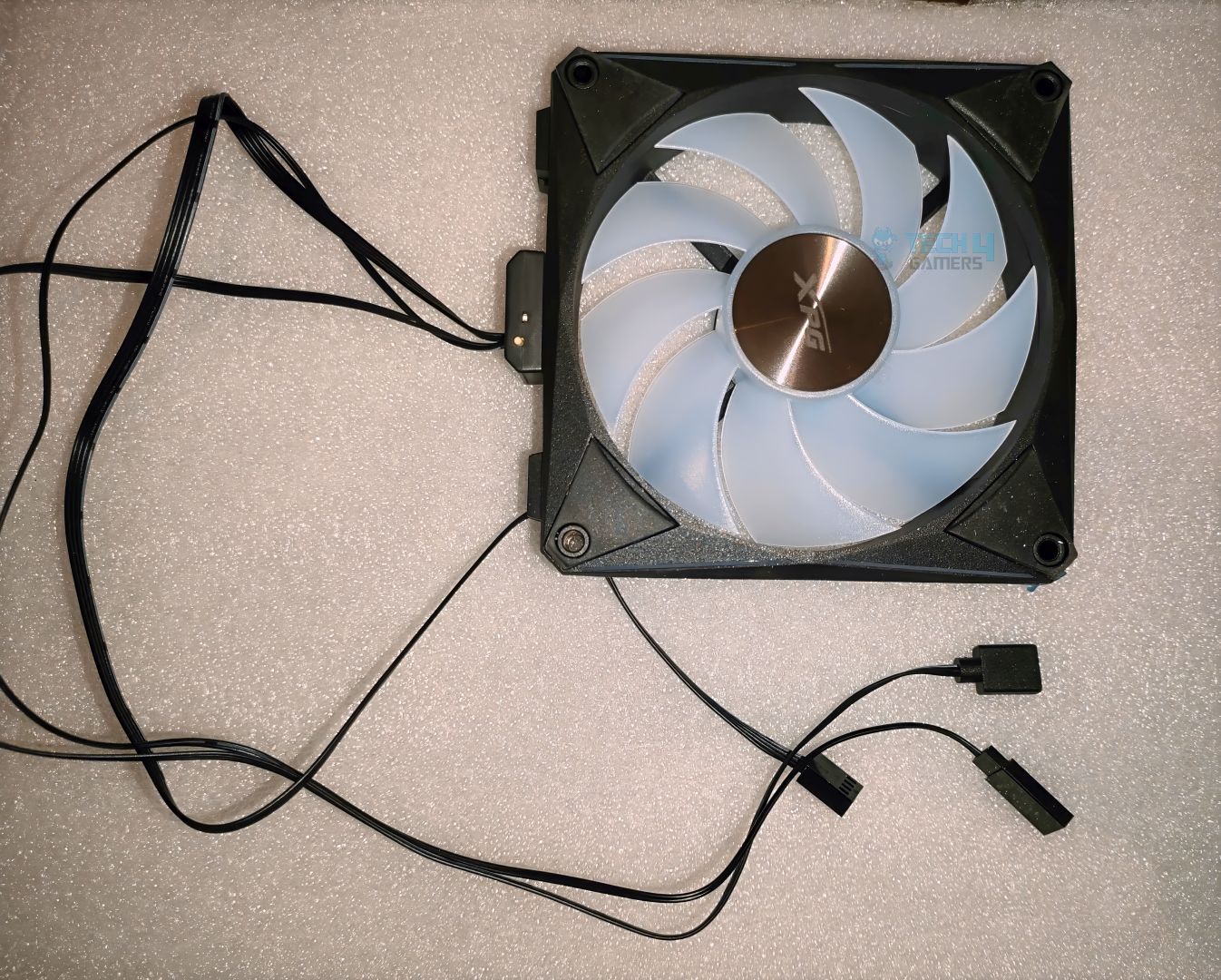
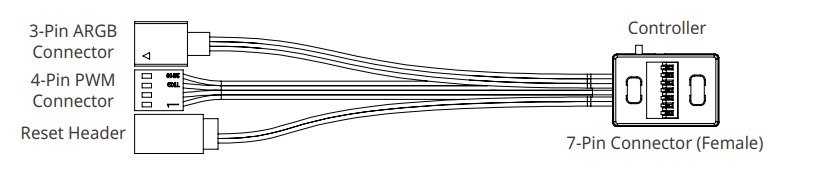
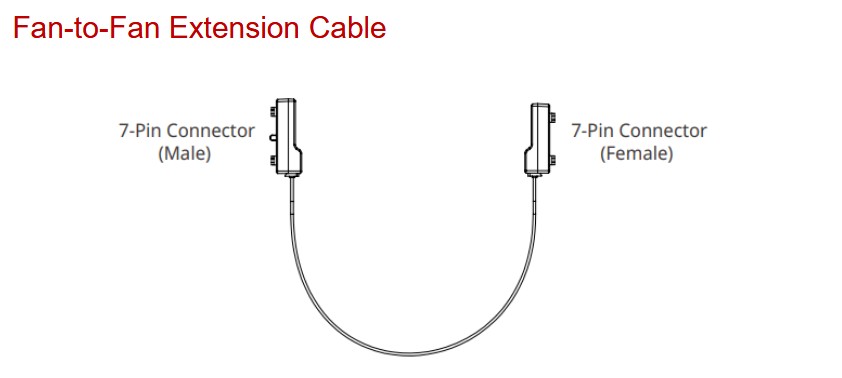
The accessories are straightforward. You receive the guide start guide, a bundle of screws, including radiator screws and case screws, and only two cables. The one cable is a fan-to-fan extension cable in case you want to increase the fans in future, and you also get one cable controller connection that powers the fan and enables the dual-spin functionality with a click on the controller; that single cable has three connectors to the end which goes in the motherboard for the PWM header and ARGB header, and the reset header that needs to be connected to the case’s reset switch so you can change the direction of the blades from the case.
Accessory
Details
Start Guide
Yes
Fans Included
4
Cables
1x Power Cable, 1x Fan-to-Fan Extension
Screws
3x Packs of M3x29x4, 3x Packs of #6-32×4, 3x M5x10x4
Closer Examination & Build Quality
Build Quality and Design
1 of 8
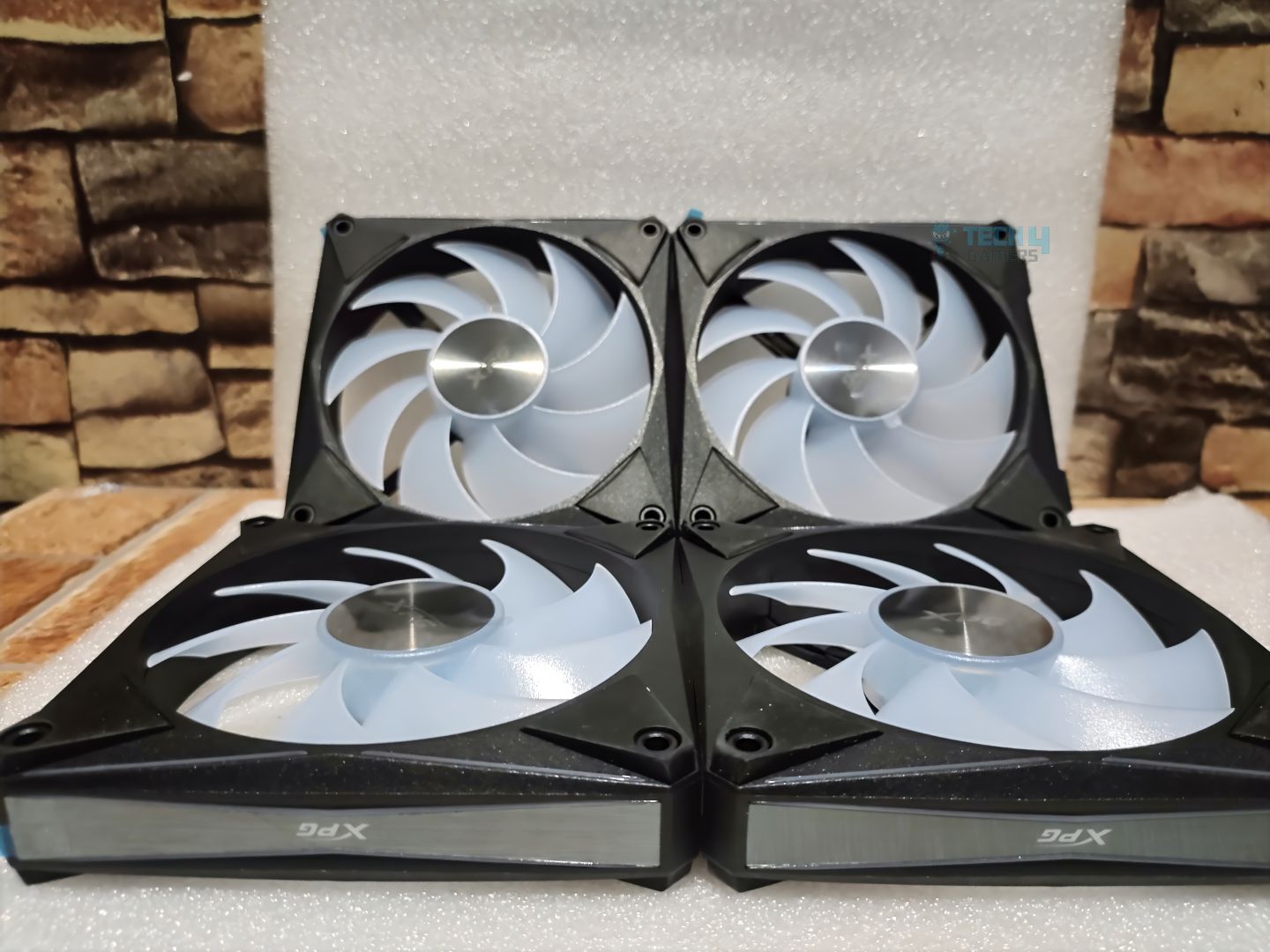
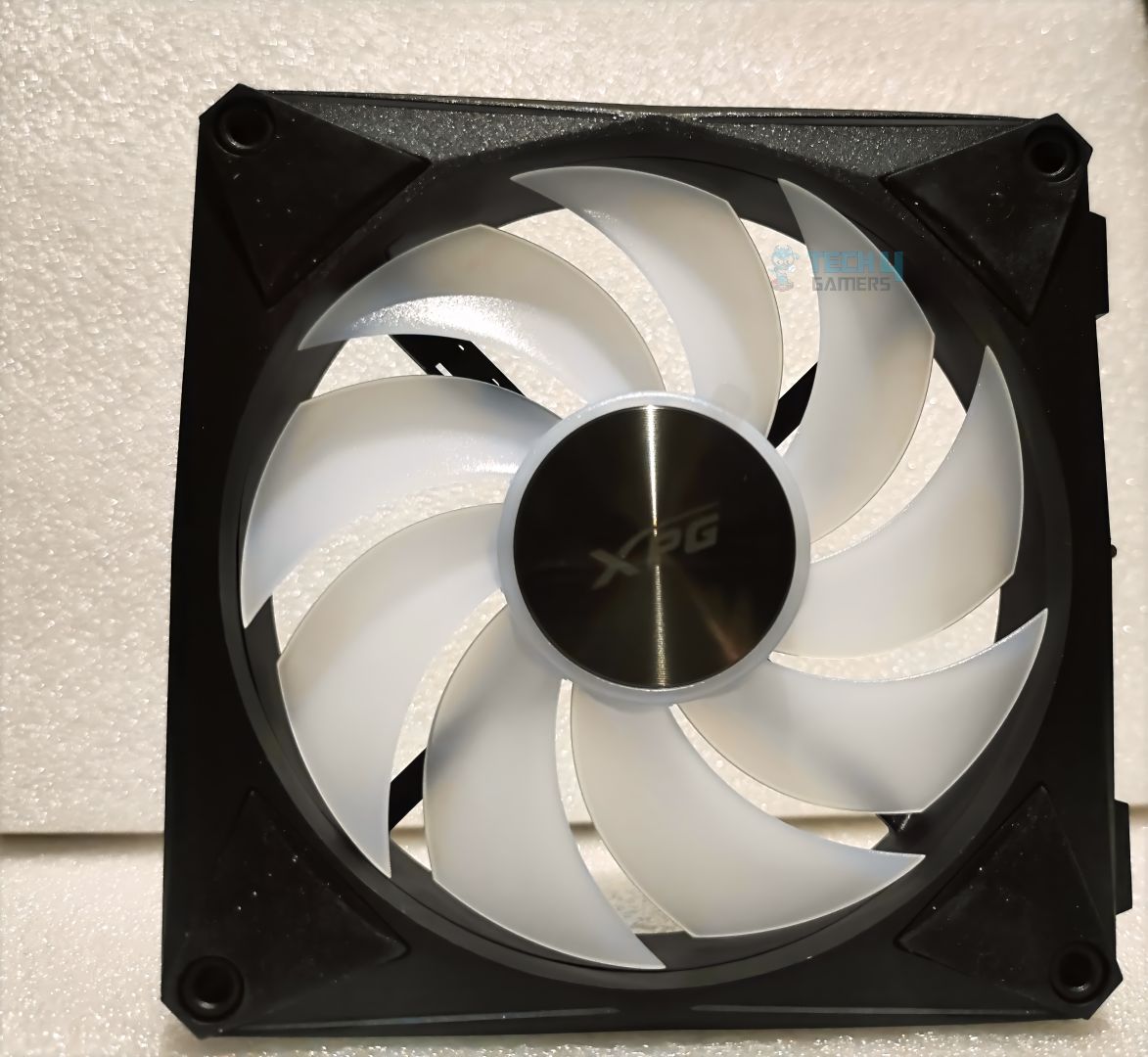
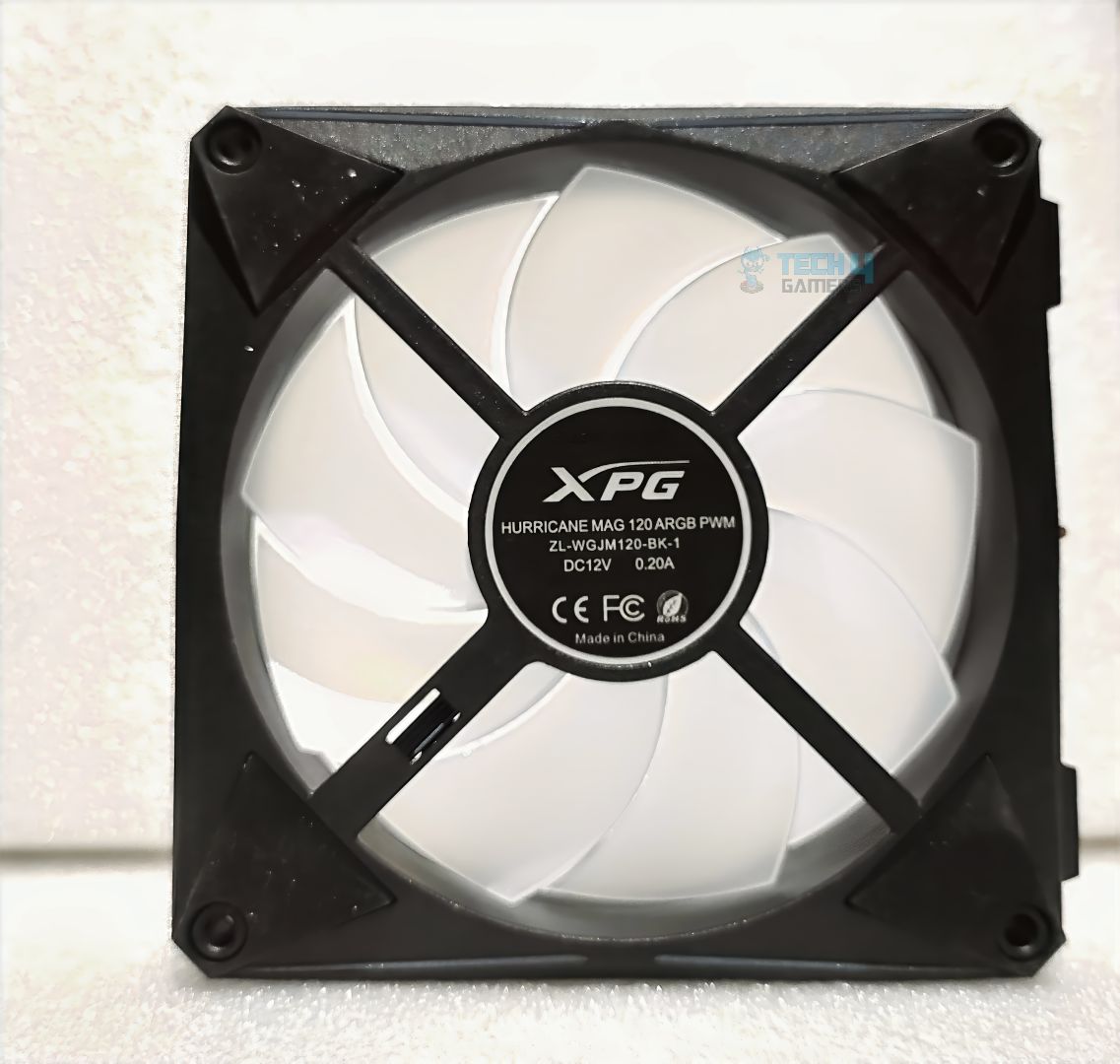
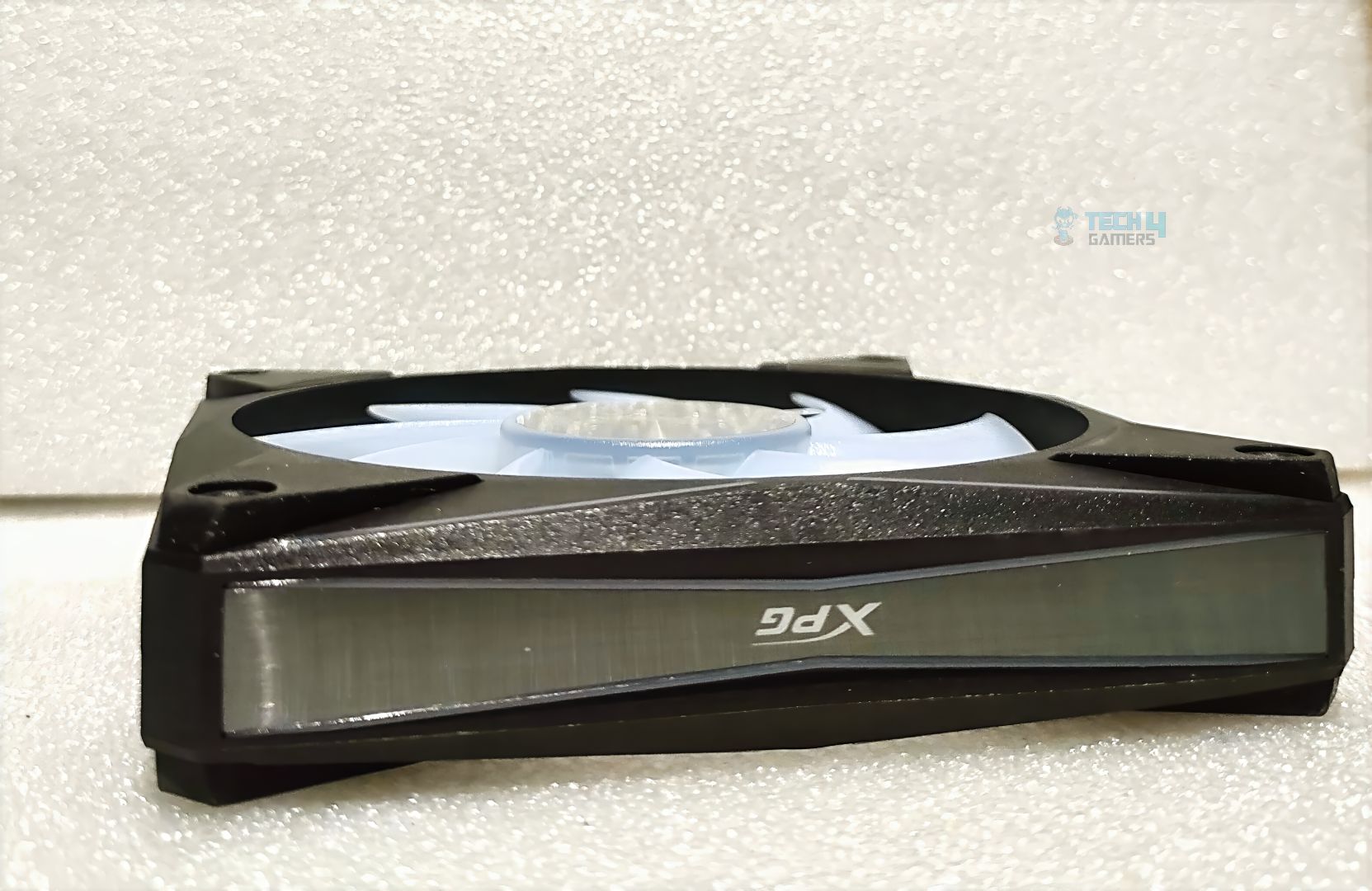
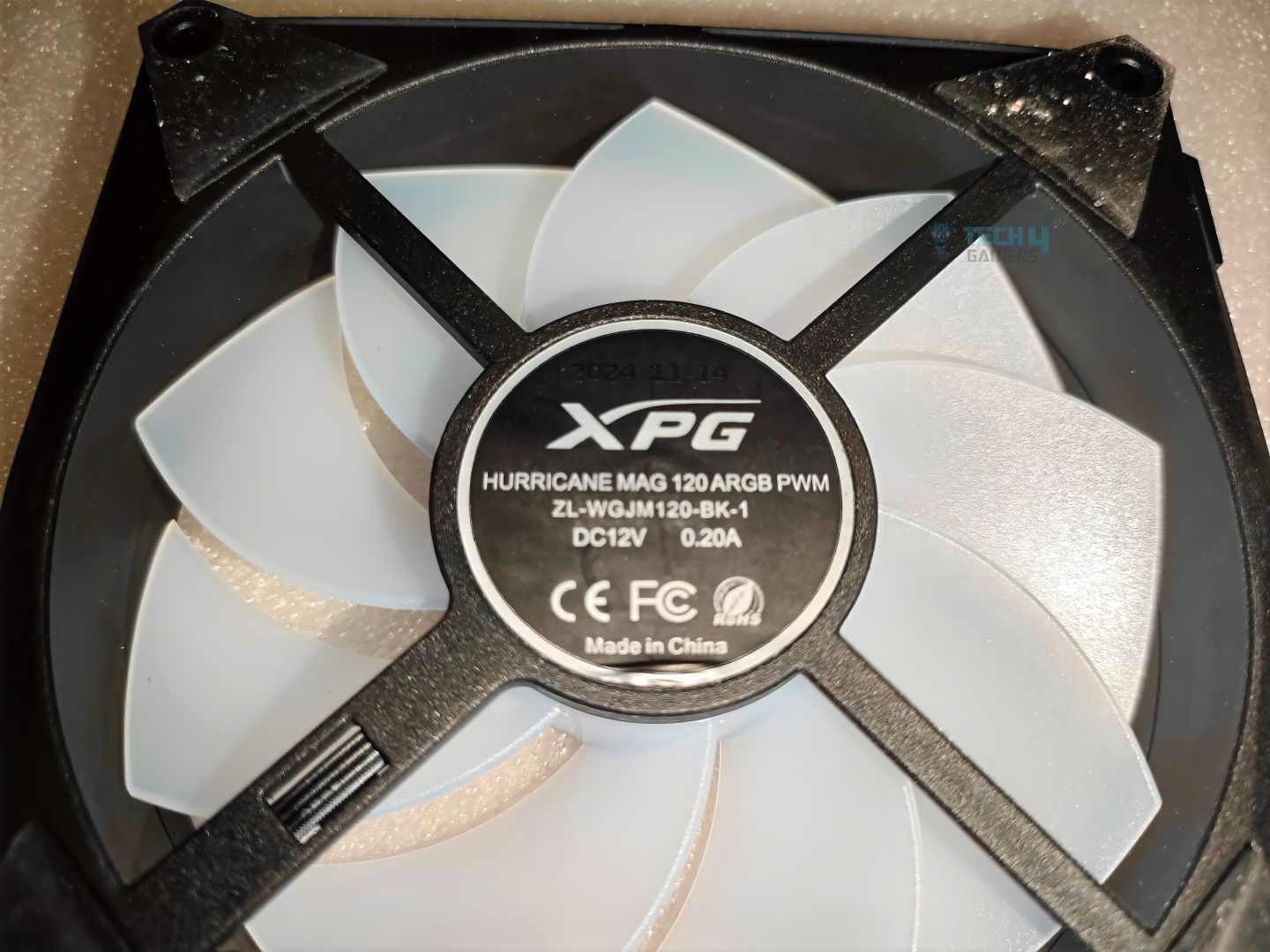
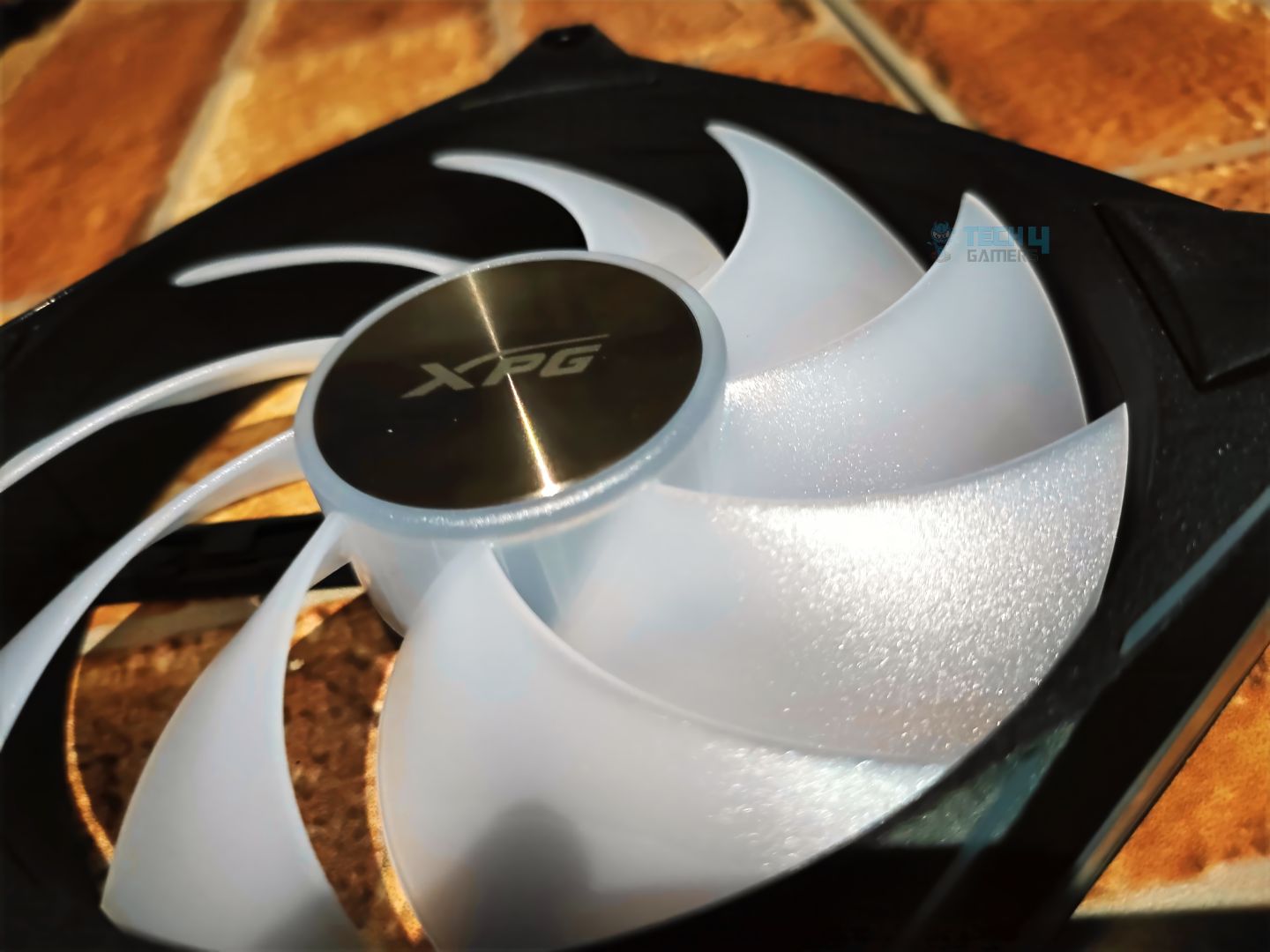
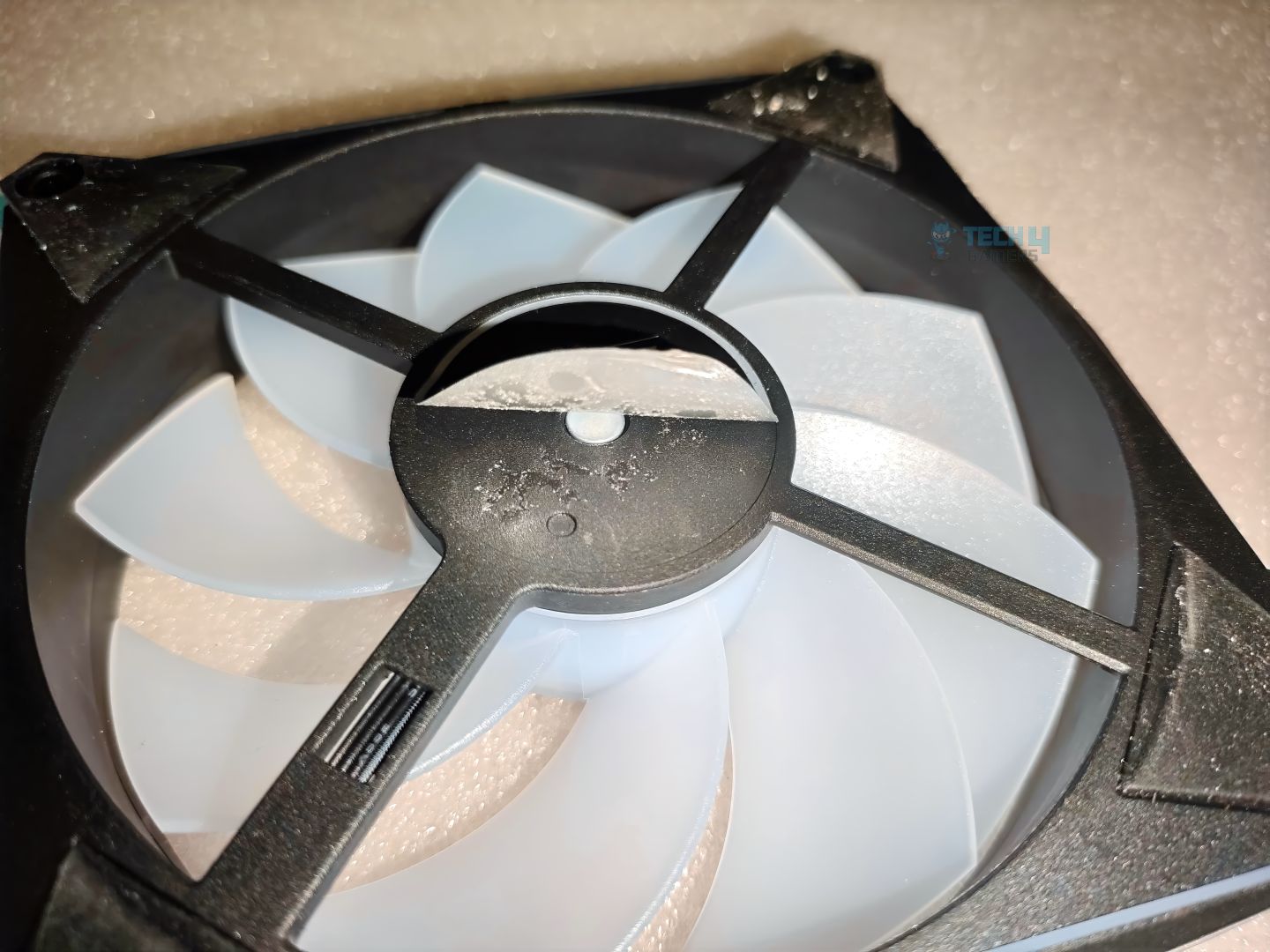
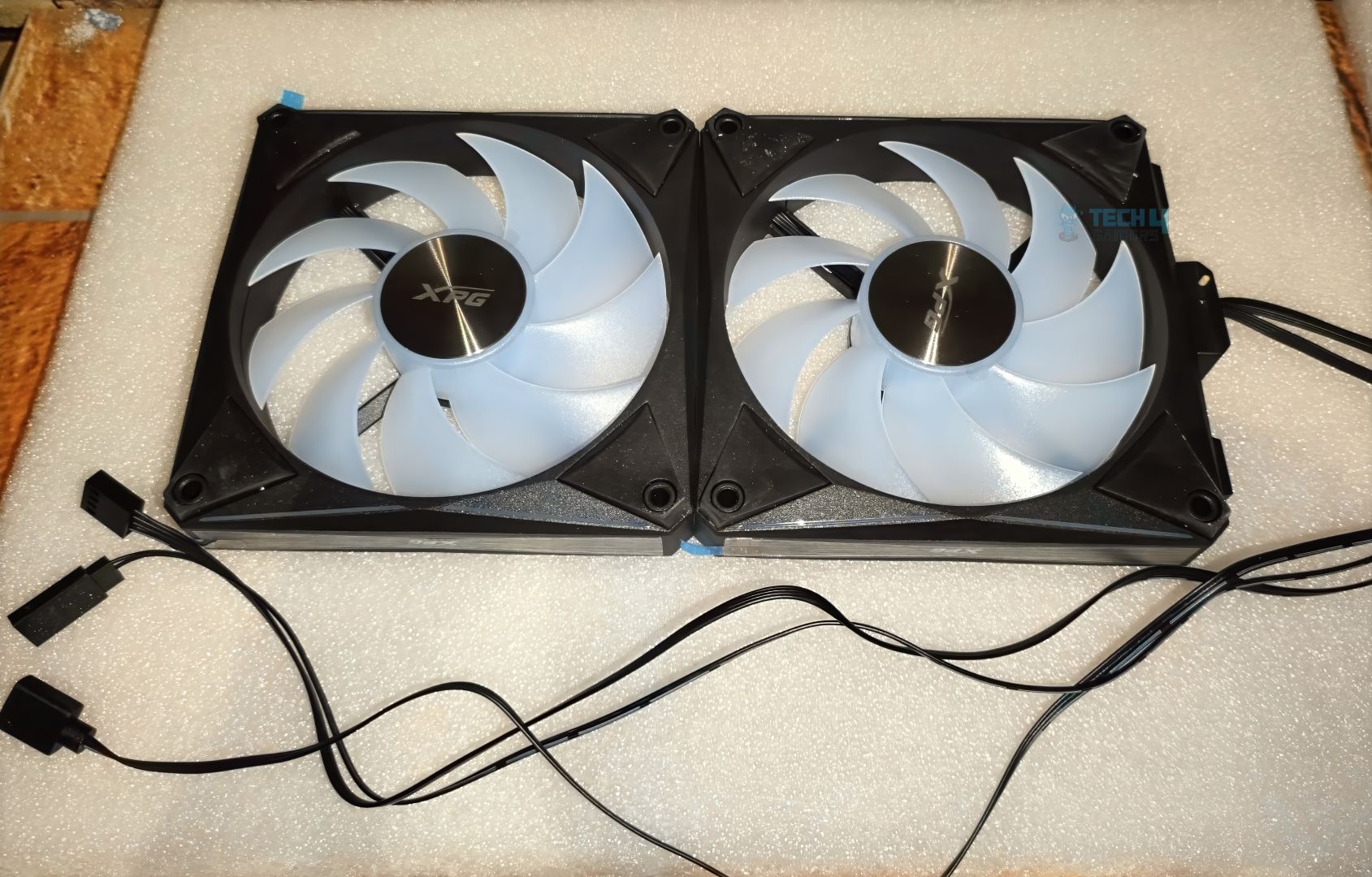
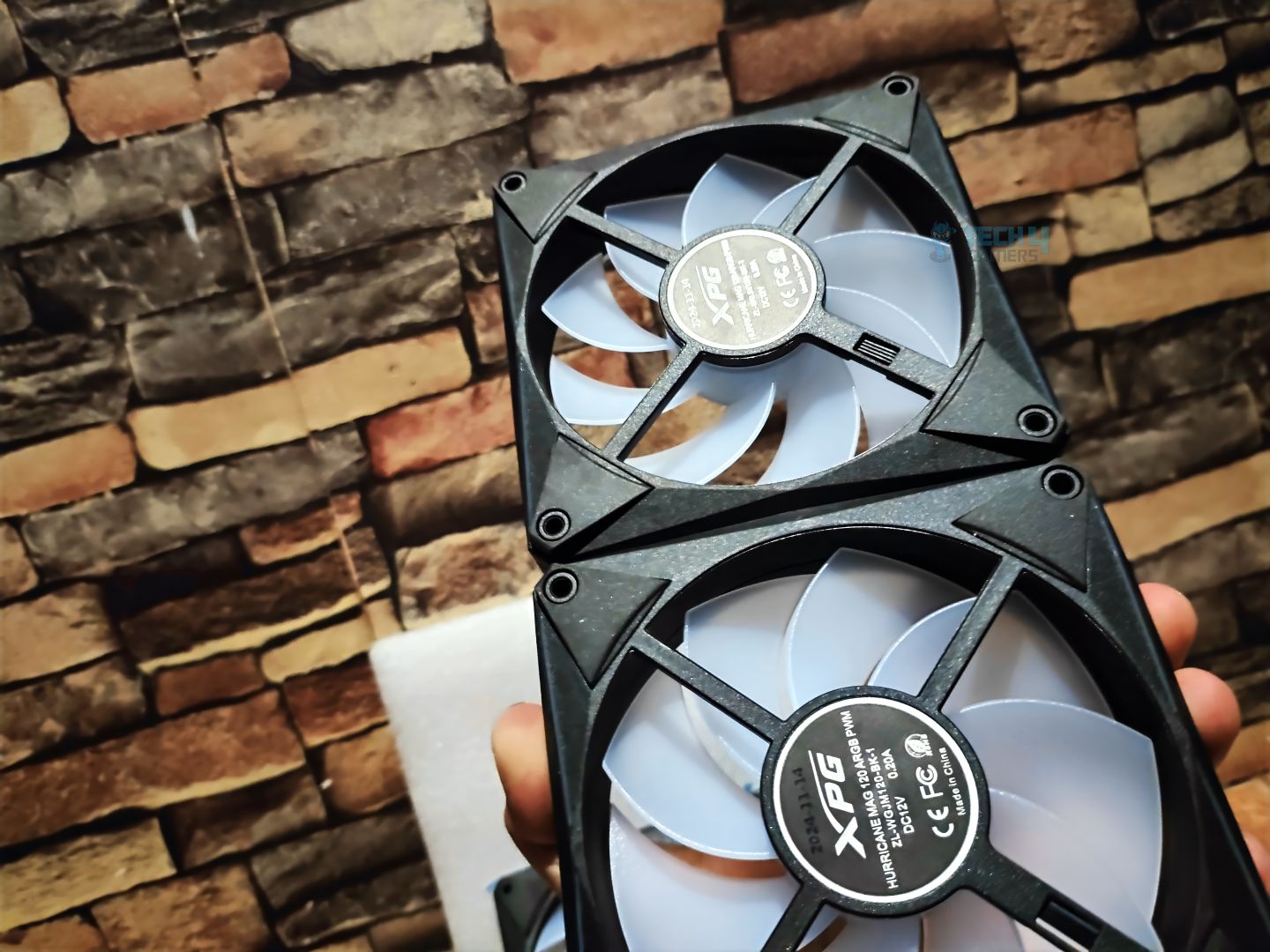
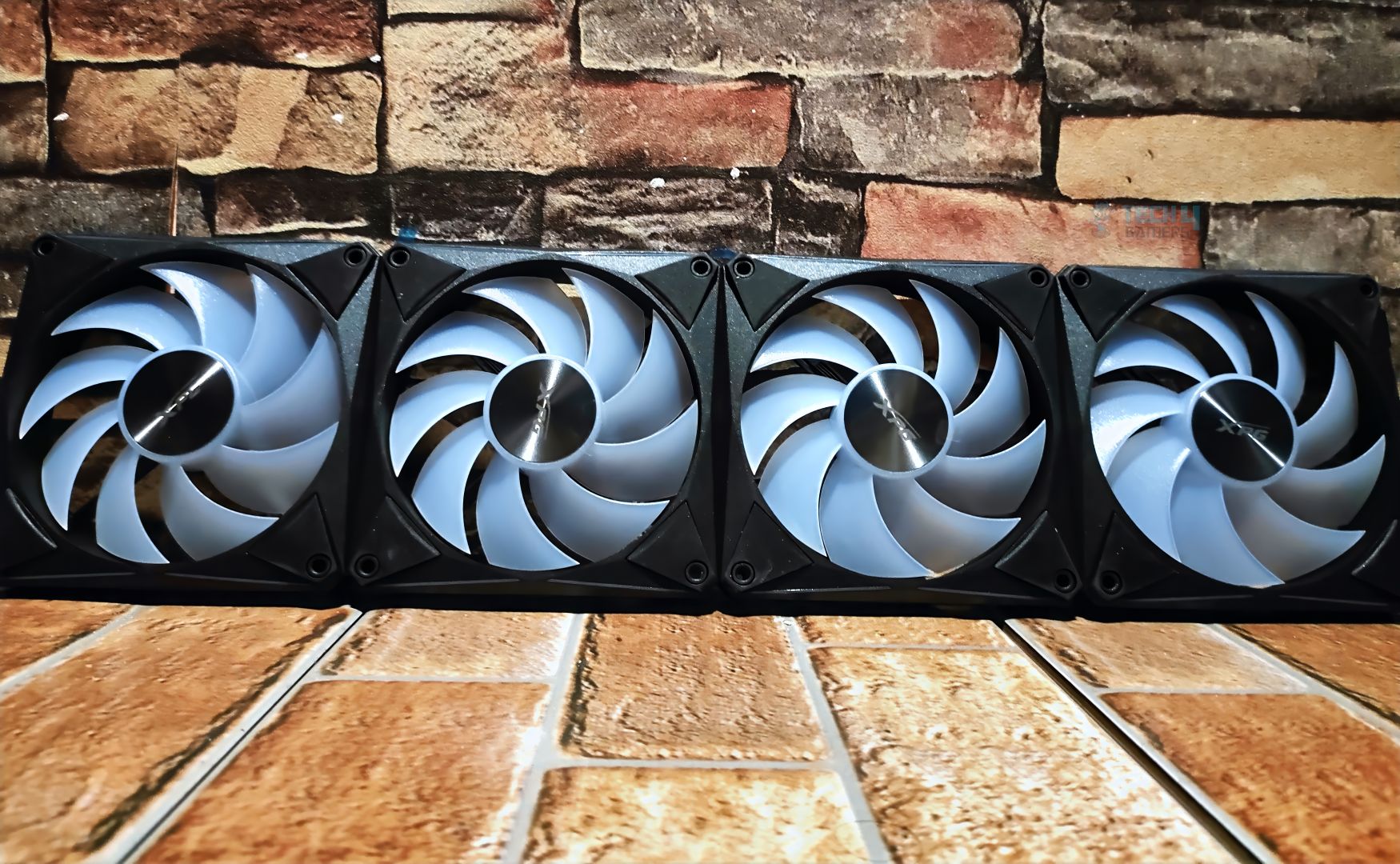
XPG has moved to the square shape of the fan, as we have seen in the previous hurricane fans this is probably due to the magnetic functionality. The fan includes the 9 blades and features the Rifle Bearing instead of Fluid Dynamic Bearing as we have seen in their previous fans. However, they’re better than the standard sleeve bearing. The Mean time to failure of these fans are up-to 160,000 hours.
The blades features the sleek and curved design. On the frame at each corner, they have also provided rubberized material on all four sides near the mounting for reduced vibrations. The fan has a thickness of 25mm. The fans are rated at 0.2A current for each fan, but there is one thing to note.
These fans don’t perform equally in dual-spin mode. Yes, both modes can spin the fans at the 2000RPM, but here is the catch: when the fans are running clockwise (reverse), the fan will make extra noise, which is 31dB as compared to the counterclockwise 23dB on average with the slight difference of airflow 55CFM (Standard) vs 49CFM (reverse) but reverse mode can create more static pressure, it can overcome greater resistance and making it more effective for pushing air through obstacles. We suggest using the reverse mode if you want to use it for the radiators.
ARGB Lighting
The fans exhibit intense lightning; the Lights emanate from the edges of the fan blades. These fans support customizable ARGB lighting, which is adjustable via the motherboard’s ARGB software. In our case, we are using the OpenARGB Open-Source tool to control the ARGB on our fans. The ARGB cable goes to the motherboard’s ARGB 5v Header; The LED Rated current is 0.86A .
The LEDs are also embedded along the verticle edges of the fan frame. The XPG logo is also highlighted in the frame. The strips are evenly placed and aligned, providing decent and polished aesthetics. The positive news is that the fans do not come with extra ARGB cables. For ARGB connectivity, we will cover it in our fans’ connectivity section.
Fans Connectivity & Installation
Installation
1 of 6
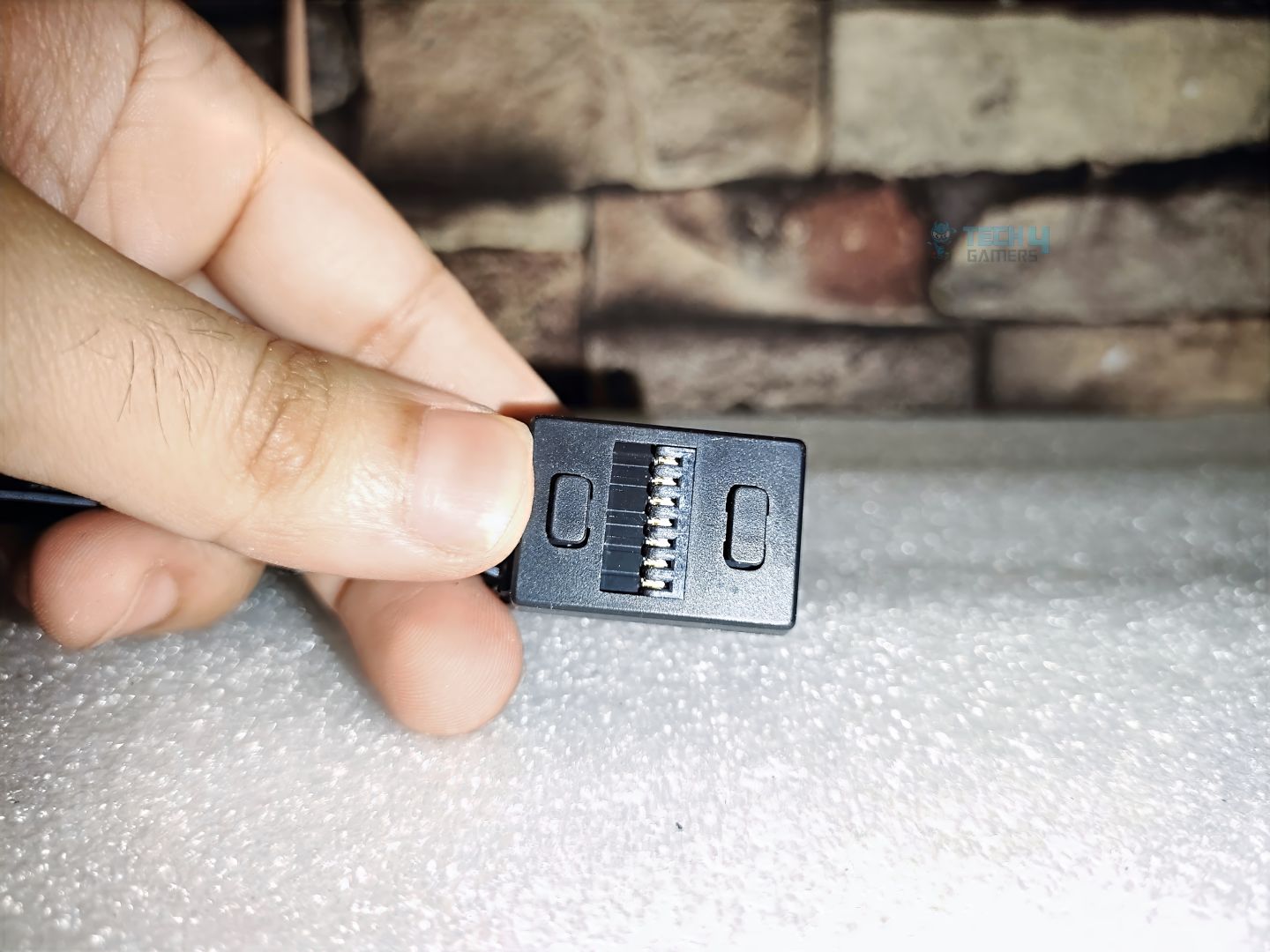
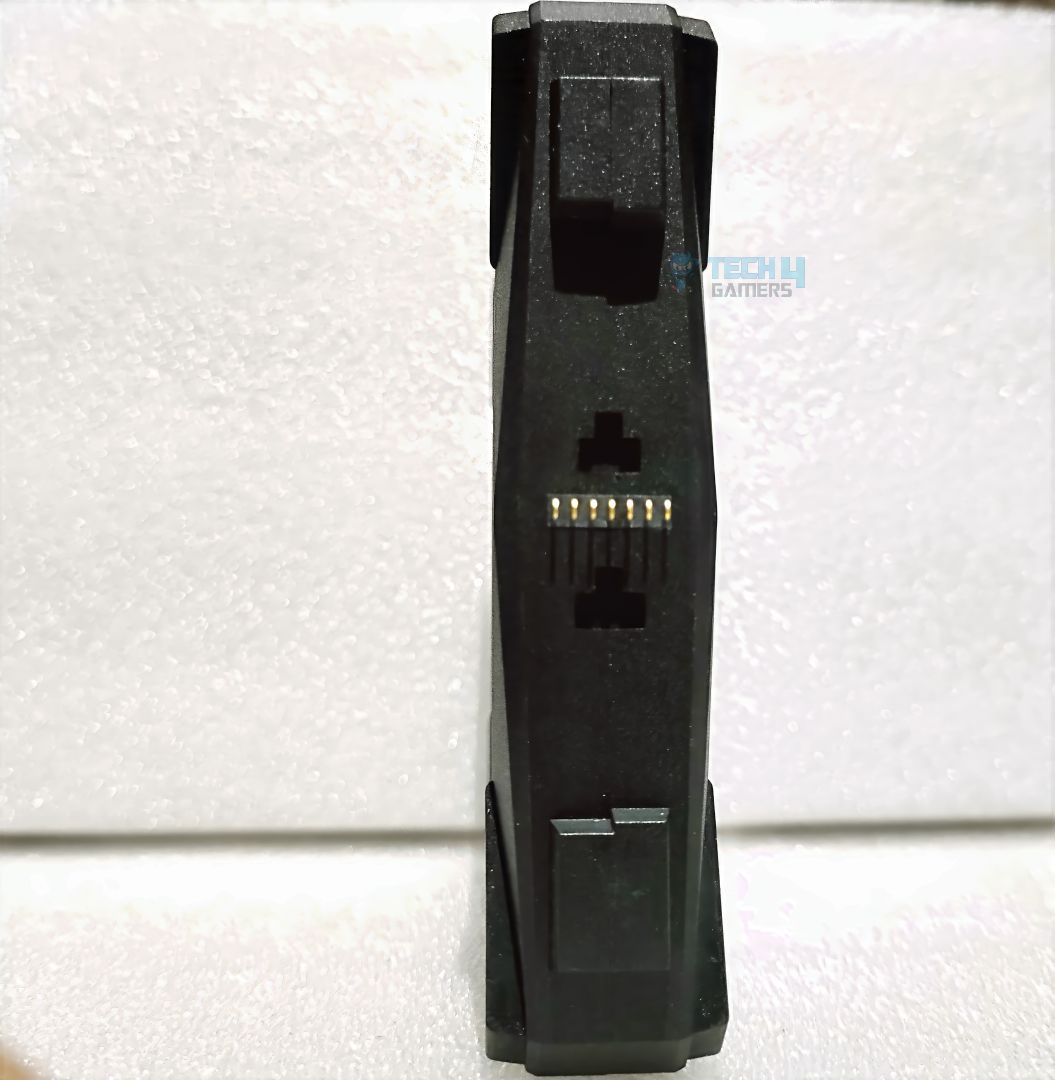
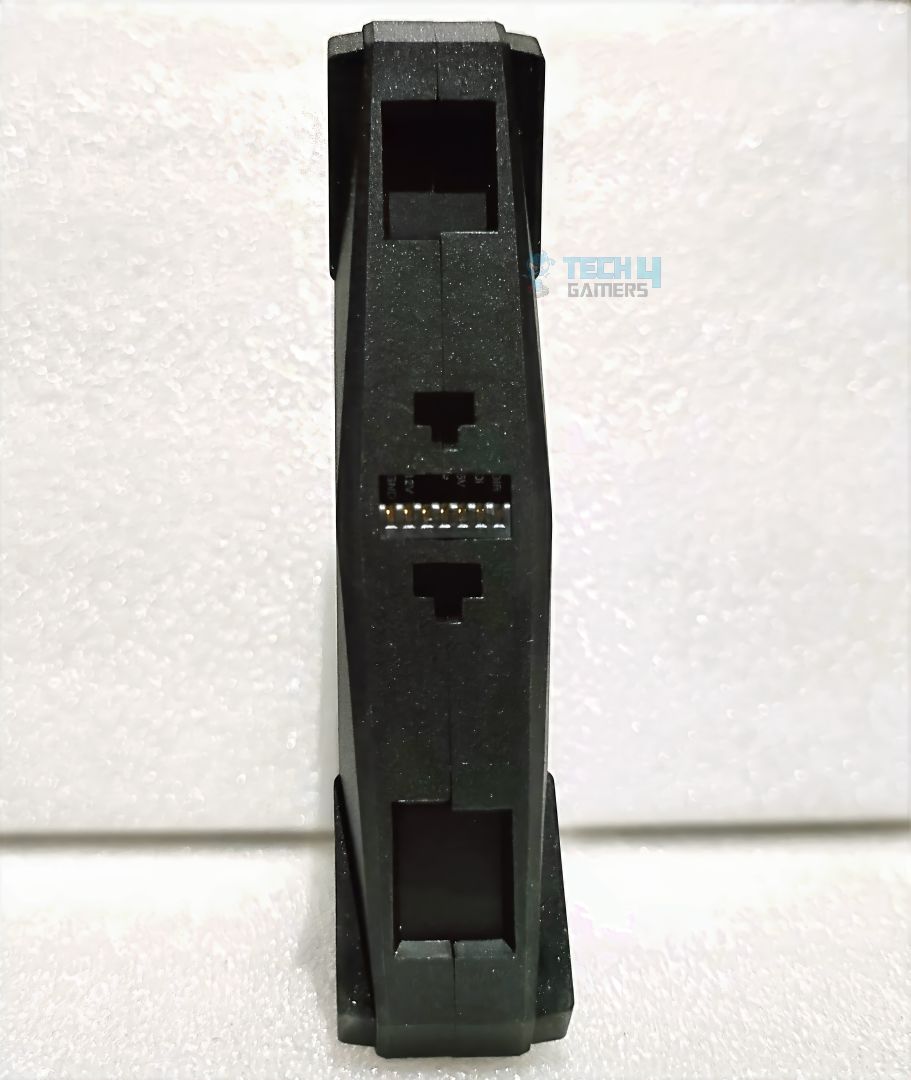
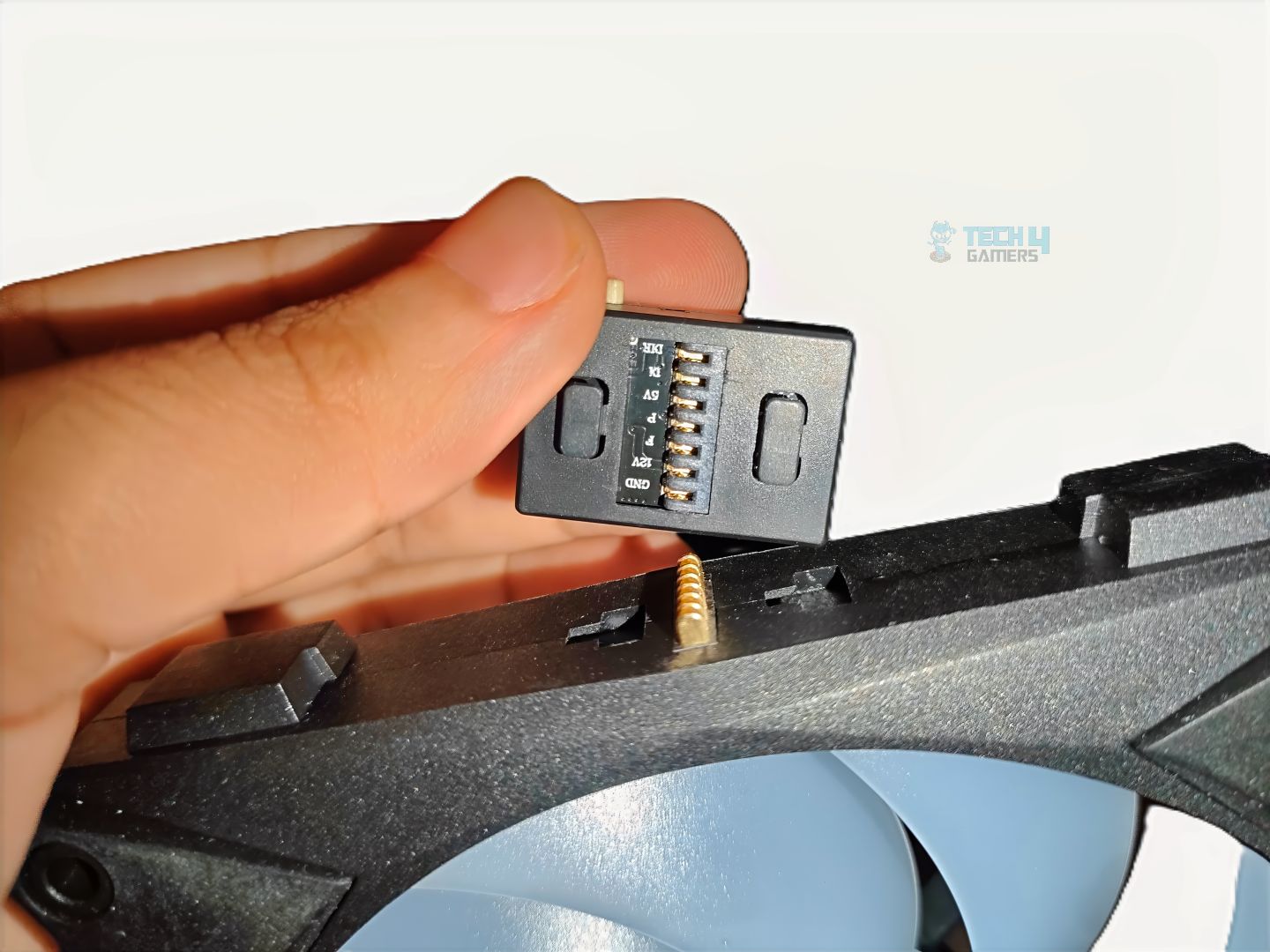
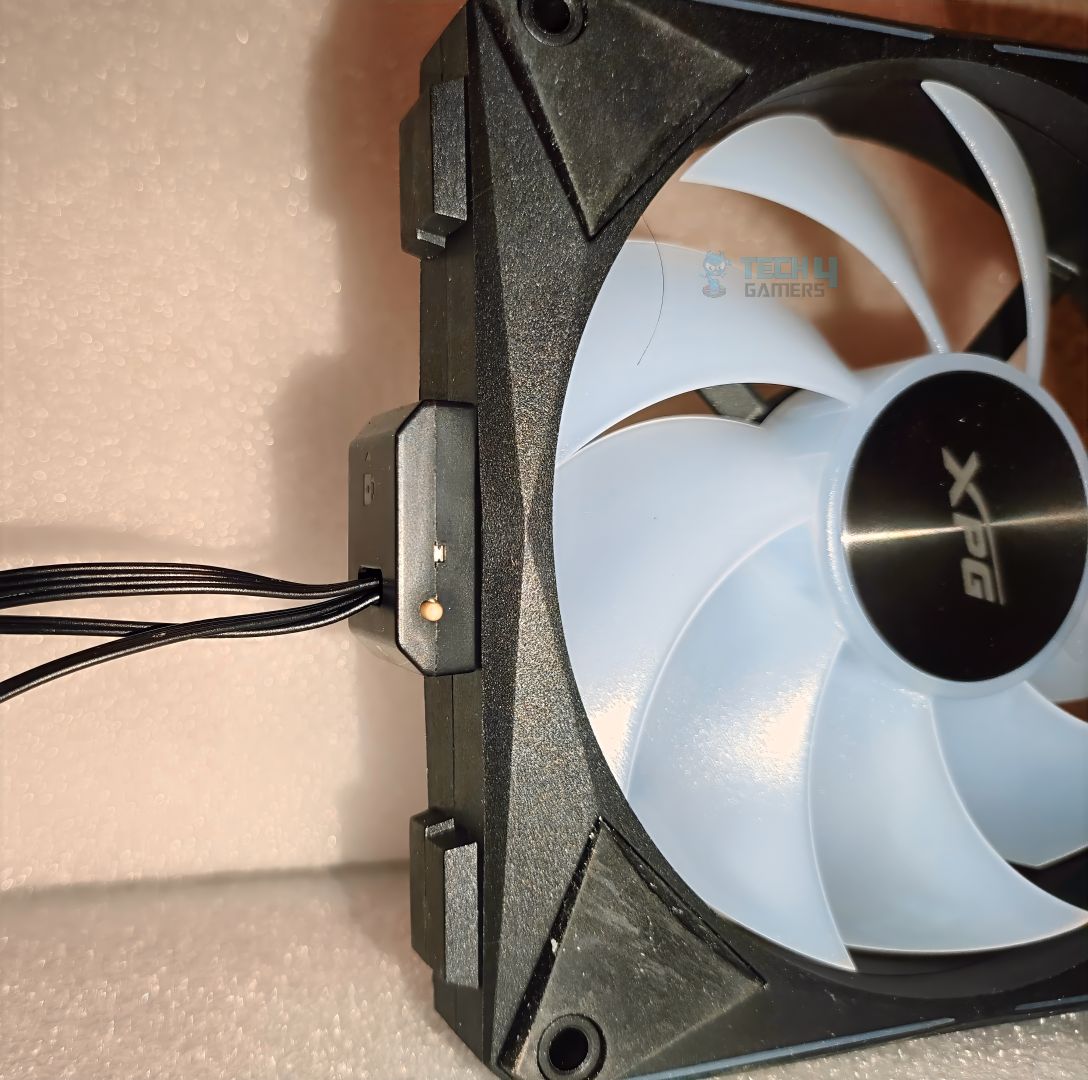
The fan’s connectivity is effortless, even for beginners. You no longer have to deal with tons of cables hanging from the fans. These fans have two magnets on the rear side. You don’t need to slide the fans into place, just as we have seen with the Lian-Li fans. The fans need to be aligned and held firmly in place and then connected. You will sense the difference once the fans are installed. Here is the video for the demonstration below
Power Cable
Fan-to-Fan Extension
The good thing is that you don’t need any kind of hub or controller separately, as the cable has a built-in controller that includes a click button to change the direction of the fans.
The cable connection to the fan is also effortless. Just. Simply place the connector on the fan switch on the rear side, apply gentle pressure, and slide it slightly upwards to lock the connector in place.
The cable has three connectors: PWM, ARGB, and the reset switch cable (optional). You don’t need to install the reset cable for the fan to function correctly. The reason they have included it is so you can change the fan direction from your case reset switch, which is convenient. You also get the fan-to-fan extension cable if you want to install the 4th fan inside the case, but we’re disappointed that the extension cable is not long enough. The fourth fan is useless if you have a big case.
Testing Methodology
We will be testing the fan’s cooling performance to see if it effectively cools the CPU. We have installed it on the radiator. We’re using Deepcool Mystique 360 on our Hyte Y70 case installed at the top as the exhaust. We have placed the fans on the radiator to check it’s effective cooling.
We have tested the four profiles (25%, 50%, 75%, and 100%) and validated each through multiple runs in the CPU stress test, using Cinebench R23 to stress the CPU for 10 minutes. In the comparison, we are using ID-Cooling AF-127-K ARGB and Stock Deepcool Mystique FD-12 Fine-Tuned Fans.
Here is our case fan configuration:
Component
Fan Model
Size
Quantity
Position
Direction
Cooler
Deepcool Mystique 360 ARGB
120mm
3
Top
Exhaust
Rear
Lian Li Uni-Fan
120mm
1
Rear
Exhaust
Side
Noctua NF-A12x25 PWM
120mm
2
Side
Intake
Bottom
Deepcool FD-12 PWM
120mm
3
Bottom
Intake
We are using positive air pressure configuration in our case. All case fans are locked at 50% maintaining the adequate cooling in the case.
Windows Version: Windows 11 24H2 (OS Build 26100.4351)
Test Results And Observations
Let’s go through all the results and observations.
Fans RPM Readings
RPM Readings XPG Hurricane Mag
To kick things off, we have started by examining the RPM readings and reviewing the fan profile curves. Regarding speed, the fan spins at 0 RPM, and the limb climbs at 2000 RPM, as advertised. In our comparison, we are using AF-127-K, which has an aggressive fan profile. Overall, the fans exhibit a decent fan curve.
Cooling Performance
25% Fan Speed
XPG Hurricane Mag 25% Cooling Performance
50% Fan Speed
XPG Hurricane Mag 50% Cooling Performance
75% Fan Speed
XPG Hurricane Mag 75% Cooling Performance
100% Fan Speed
XPG Hurricane Mag 100% Cooling Performance
The XPG Hurricane Mag 120ARGB performed very decently across all tests and is usable for CPU radiator cooling. At speed, the fan provides excellent performance; if we compare it to the 100% Fan Speed, the fans are only 2°C worse but with less noise.
Should You Buy It?
Buy It If
✅ If you want fans that offer dual spin functionality, these fans are usable as both exhaust and intake with a single click. If you want to use them as an intake, you can enable the reverse mode without purchasing any additional fans.
✅ You’re building a PC and need a clutter-free experience: Thanks to its magnet feature, which allows you to connect up to 4 fans with a single cable that goes into the motherboard.
Don’t Buy It If
❌ Your case has limited compatibility for the fans: The fans currently come in the four-pack option. It would have been great if they had at least provided the two-pack option.
Final Thoughts
The main headline for the XPG Hurricane Mag 120 ARGB is its connectivity and clutter-free experience. The fan offers dual-spin functionality, meaning it can turn into either exhaust or intake with a single click, allowing you to change the fan configuration in the future if needed. You want to put the fans on the top for exhaust, or you want to install the fans in the front for the intake. You can do both with a single click on the controller without changing the sides. That is something revolutionary.
Most brands are copying and pasting other fans available on the market, but XPG has something different here. The pricing is currently unknown, but we hope it won’t be too expensive. Considering the XPG track record, the XPG Hurricane MAG requires no bloatware or additional software to be installed on the PC, providing a plug-and-play experience. The ARGB is another positive aspect. The LEDs are not blasting. They have also made changes to the vertical edges on the side where the XPG logo is illuminated, also giving a nice aesthetic touch.
The performance of these fans is decent for the mid-range gaming system. One thing that disappointed us was that the extension cable for the fans could have been a little longer. We are not referring to the power cable that plugs into the motherboard but instead to the fan-to-fan cable extension that connects the fourth fan to the existing fans.
The larger case or the large tower case would have a problem installing the four fans. XPG has something different here, as most brands offer only three-fan packs, but they’re offering four fans in the box. The four fans could help with the 420mm radiators, but these liquid coolers are not mainstream and very expensive. It’s excellent that XPG is not leaving the enthusiastic people stranded here. The fans are also available in two colors: black and white.
At Tech4Gamers, I’m a Senior Error Fix Writer specializing in troubleshooting problems. Each article results from deep research, testing fixes and providing solutions.
Story Highlights
Remote play allows you to stream games from your gaming PC to your handheld with the use of a fast internet connection.
With remote play, you can access your game library on your PC without redownloading any game.
You can also have better battery life, cooler temperatures and less fan noise since the game isn’t being processed on your device locally.
With handhelds competing with one another to push their limits by having beefier specifications so they could run the most demanding games easily, remote play is a feature that still remains very overlooked, despite still being exceptional.
Remote Play On Steam Deck (Image Credits – Android Headlines)
Sure, the better-performing handhelds are gradually making their way to the top, where they can handle the AAA games without any low framerates, but they still can’t manage to run them at the highest settings. This is where remote play still shines, to this day.
Why You Should Consider Remote Play
The concept of remote play is to stream your game through your gaming PC at home, with the availability of a fast internet connection. This means you could carry a mind-range handheld and stream all the games from your home setup.
Hardware Limitations = No Problem
People crave playing games like God of War, Cyberpunk 2077, and Black Myth Wukong from the comfort of their couch or on the go on a handheld, but the hardware aspect of their device usually limits them. Remote play makes this possible. This is perfect for the Steam Deck, which can no longer run recent AAA games.
How Remote Play Works (Image Credits – BenQ)
Better Battery Life
The best part about is that you don’t have to worry about the battery life. One of the most common issues about handhelds is that it drains the battery quickly. During remote play, since your device isn’t rendering any or processing the game locally, power draw isdrastically lower.
Your handheld is only displaying the output, much like watching a YouTube video, which barely consumes any battery if you compare it with playing games on it natively.
Cooler Temps & Less Fan Noise
Since the game isn’t being processed, it also means there won’t be any heating issues or fan noise either. With this, you can finally play your favourite games by having true portability that a handheld is intended for.
Cooler Temps & Less Fan Noise (Image Credits – Gizmondo)
120Hz Now Works
While Remote Play is great on all handhelds, it looks outstanding on the Steam Deck because it uses an OLED panel. If you’re more prone to higher refresh rates, then you would enjoy it on the ROG Ally X, which has a 120Hz display. With remote play, you can finally access this higher refresh rate since you’d be getting over 120 FPS.
Thousands Of Games In A Single Click
Another great aspect about remote play is the ability to access your game library instantly. Since your handheld is streaming all the games from your main computer, you don’t have to download all the games again.
This is crucial since games’ size are ballooning each year with some games reaching over 100GB in file size. It means that you can bypass the storage limitations of your handheld and even cling to cheaper devices that come with 64GB or 128GB internal memory.
Entire Game Library Via Remote Play (Image Credits – YT/Optimum)
Latency Is An Issue Of The Past
Latency is usually a concern for most people regarding remote play, but with the advancement in technology, it isn’t an issue anymore. Mesh networks and the use of WIFI 7 allow you to stream on your handheld without interruptions or delays.
If You’re Planning On Buying A Handheld…
Suppose you don’t have a handheld and are looking to buy one. In that case, the best course of action is not to splurge money on it; instead, get a decently priced handheld like the Steam Deck.
You could even get a controller that hooks up to your phone or tablet, like the Razer Kishi. Then invest in a stronger internet connection or a better gaming PC if you don’t have one to use remote play effortlessly.
Does The Future Rely On Remote Play?
With how powerful remote play is, it is no wonder that Sony is building a handheld dedicated only to remote play. This means that they’d focus more on the design, comfort and the battery life and not obsess over the hardware of it.
If that’s what they decide to do, it might also be cheaper than other handhelds, even cheaper than the Steam Deck, which would make it an ideal handheld for the masses, and they could dominate this market. But we’ll see
Lead the comparison and blog writing teams at Tech4Gamers.
Oversee teams with a keen eye for detail and precision.
Ensure hands-on writing, with benchmarks and testing as guiding principles.
Guarantee the delivery of the best possible results in concise yet impactful tech tales.
Story Highlights
Hall Effect keyboards give you the lowest actuation point (0.01mm), which means even a slight tap will register the key.
Its rapid trigger feature allow you to lift the key anywhere and press it back again from the same point without releasing it fully.
This is perfect for counter-strafing in games, and you can focus more on the aiming part instead of training yourself to master movement.
Hall effect keyboards have become quite popular, and it seems like the pro players are switching to them. With its features, it is reasonable to say that it surely gives you an unfair advantage over players who use standard keyboards. Let’s see why that’s the case.
Magnetic Vs Mechanical Switches (Image Credits – NuPhy)
How The Hall Effect Keyboards Give You An Advantage
Wooting has popularized the Hall effect keyboards, and surprisingly, they aren’t just a marketing gimmick because the way they operate is what makes them better than other keyboards.
How Does It Work?
Hall-effect switches have a magnet placed at the bottom and a sensor at the bottom that detects how far the magnet is from it. When the magnet is pressed, the sensors register it, no matter how far the key is pressed.
Low Actuation Point
It offers extremely precise and low-actuation keys. Simply making contact with your fingertip with the key will register as input from you. This is because its actuation point is as low as0.1mm. In games, this equates to extremely fast strafing and movements.
You can also adjust the actuation point for each key using a dedicated software. Since 0.1mm is a bit too responsive, many people prefer to keep 0.1mm for the movement keys and around 0.4mm or above for other keys. However, you should play with the settings to see what naturally suits you.
Compare this with a mechanical keyboard, where the actuation point is more than 0.9mm. So if you lightly tap on a key above the point of actuation, you’ll find that there’s a dead space, and you mostly have to train yourself to always press beyond this point to register a key as an input.
No Learning Curve If You Switch
The hall effect keys, in contrast, are more intuitive, and there is almost zero learning curve because they respond to your inputs. This means that if you’re with a standard keyboard and play against someone with a hall effect one, they have a clear advantage over you since they can move quicker if we take all the other factors as constant.
Rapid Trigger
Not only that, but the rapid trigger has become common, all thanks to these Hall Effect magnetic keyboards. While the low actuation point is related to how the key is pressed, the rapid trigger has everything to do with how you release the keys.
After pressing a key on a typical mechanical keyboard, the key won’t register until you fully release it. However, in a Hall effect keyboard, as soon as the key goes upwards, the key is registered as released.
This means you don’t have to release it fully, which buys you a few extra milli seconds that are crucial in competitive games. It also means that you can press the key back again from the same point where it’s released to register another key.
Best For Counter-Stripping
Apart from that, this also allows you to be almost perfect at counter-strafing in games. On a mechanical keyboard, you have to press the key at a certain point, then release it until it reaches a certain point, and most people mess this up, especially in intense gameplay situations.
Hall effect keyboards eliminate this mismatch, so you can focus on your aim instead of perfecting your keyboard movements. It’s almost like you’re cheating if you think about it.
More Keystrokes
This way, you can get more input from a Hall Effect magnetic keyboard compared to a standard mechanical keyboard. The result is apparent if you repeatedly stroke keys on both keyboards.
Which Hall Effect Keyboard Should You Get?
With the hype of these keyboards, especially from Wooting, many brands have rushed to make their version of Hall Effect keyboards, with Epomaker HE68 being a great budget option.
While you might be tempted to get any Hall Effect keyboard, it is worth noting that not all have the best customization and ability to deliver the best results. Many have only replicated the concept but lacked in software customization.
Some even have issues with the low actuation point, despite claiming to have a minimum actuation point of 0.1mm, the key isn’t registered with a light tap. This is why you should stick to bigger brands. like Wooting and Kechron as they provide the best results in all aspects.
Lead the comparison and blog writing teams at Tech4Gamers.
Oversee teams with a keen eye for detail and precision.
Ensure hands-on writing, with benchmarks and testing as guiding principles.
Guarantee the delivery of the best possible results in concise yet impactful tech tales.
Story Highlights
Aftermarket controllers often come with extra buttons that allow you to press multiple buttons without resorting to a claw grip.
They also come with half-effect joysticks and triggers, which are extremely responsive and offer precise control.
Some of them are even similarly priced to the Xbox controller, and with the added features, they are a no-brainer to get.
Aftermarket controllers are becoming more mainstream than ever. First, they were only used by pro players or streamers, but then they became a go-to choice for almost everyone, even for PC players. Let’s see why this is the case and whether you should get one.
If you take a look at most aftermarket controllers, one thing that stands out is that they’re different. These offer some of the features that give you an unfair advantage when you compare them with standard controllers.
Extra buttons
One of the most prominent features of these controllers is the extra buttons. Most of the controllers typically have these buttons on the backside, and for some of the older SCUF controllers, you had extra paddles instead of buttons.
These extra buttons come in handy, especially in games where you need to press so many buttons at quick intervals or altogether. Fortnite’s build mode is one prime example of how quickly you need to be pressing a lot of buttons to lay out and edit your builds, all the while shooting your enemies.
Back Buttons On Aftermarket Controllers (Image Credits – PCWorld)
This also allows you to not resort to the claw grip on the standard controller due to the lack of buttons. Even on the games that don’t require you to press numerous buttons, such as racing games, these extra buttons at the back allow you to drive comfortably without lifting your thumbs off the joystick.
Not Your Ordinary Joystick
Speaking of joysticks, many of the aftermarket controllers come with adjustable tension. It is like manually adjusting how slow or fast you want each of your sticks to be either from a software or manually by screwing a level like in the Flydegi Apex 4.
This is highly effective, especially in competitive games where you want your camera movements to be precise, so you can only adjust the right stick and leave the left one as it is.
Hall Effect Joysticks (Image Credits – Logical Increments Blog)
Apart from adjustable tensions, some of these aftermarket controllers, such as the GameSir Cyclone 2, come with extremely precise hall effect sticks. When testing them on the gamepad tester, they give almost negligible average error, which is insane.
To put it into perspective, that means you’re getting extremely accurate aim right off the bat and if you switch from a normal controller to this one, you’ll automatically feel the difference before you even readjust your settings.
Hall Effect Adjustable Triggers
Like joysticks, these controllers’ triggers are also curated to bring the best out of your game. Much like the sticks, most aftermarket controllers also use Hall effect triggers, which are adjustable from the software. Some controllers, such as the GuliKit KK3 Max, also have a trigger lock that can be manually set on the controller.
Hall Effect Triggers (Image Credits – Vortex Gears)
So you can adjust at which point the trigger needs to be activated, which, based on your style, gives you the precise response you expect. This eliminates any delay and gives you the precision you need to dominate in competitive games.
Some of these controllers, such as the SCUF Envision, also come with mouse-click instant triggers, which mimic the clicky sound of a mouse. This makes the triggers as responsive as possible because the standard triggers feel slow and heavy for most gamers.
Price Points
While most aftermarket controllers are expensive than standard ones, there are a few budget options, such as the GameSir Cyclone 2, which comes with hall effect sticks, a 1000Hz polling rate, RGB lighting, and fully customizable software for only $55. This is almost cheaper than the standard Xbox controller.
GameSir Cyclone 2 (Image Credits – AndroidGuys)
Should You Make The Switch?
If you think you don’t have control over your aim or movements from your standard controller, switching to an aftermarket controller would feel like an awakening, which is why you should try it out.
At Tech4Gamers, I mainly cover new gaming news, leaks, and rumours. Aside from that, I love to write features about my favourite games while inserting my opinion about their different aspects.
Story Highlight
Lisuan Technology recently announced its upcoming G100 GPU’s power, which is based on their in-house TrueGPU architecture.
The GPU is manufactured using a 6nm-grade process and is said to rival the performance of Nvidia’s RTX 4060.
However, the latest unofficial benchmark has revealed that it has similar performance to the GTX 660Ti.
China is making continuous progress in almost every sector, and gaming is no exception. Game Science, a studio with no prior experience in developing a game on a larger scale, made Black Myth: Wukong, which destroyed almost every single record on Steam.
The country is now focusing more on video games, but it isn’t that developed on the tech side. China has recently launched its first-ever GPU, the Lisuan G100, which offers similar performance to Nvidia’s GTX 660 Ti, which is a 13-year-old GPU.
Why it matters: Everyone starts somewhere, so the fact that China managed to replicate an iconic GPU is a solid achievement. That said, the gap of over one decade may be too much, which may cause the country to take some time before developing some next-gen gaming tech, as the market is just way too big and there is a lot to study.
China’s First Gaming GPU, Lisuan G100 Specs According To Geekbench
There has been some discussion going on regarding China’s latest GPU, as its benchmarks have appeared on Geekbench. In the benchmark, an AMD Ryzen APU in Windows 10 is used alongside the GPU.
The performance is quite disappointing, but you should note that this is just a single benchmark, which, of course, can’t really tell us how good or bad the GPU is. The card is claimed to offer performance equivalent to Nvidia’s RTX 4060, and while this card isn’t that good, it would be a huge deal for China if it could manage to replicate the technology using a 6nm-grade process.
As of now, we don’t have the official specifications, but the benchmark has revealed that it has 32 compute units, a 300 MHZ clock speed, and 256MB of VRAM. If the benchmark is anything to go by, then you can probably already guess why the performance is this poor.
Lisuan G100 Is Claimed To Over Similar Performance To RTX 4060
It should be noted that on Geekbench, the GPU managed to score only 15,524 points in OpenCL, which is pretty disappointing as it is one of the worst-performing cards recorded in the platform’s database.
We wouldn’t recommend that the fans consider this the final result, as this could have occurred during the early stages. The final sample may be much better.
What do you think about China’s first gaming GPU performing this badly? Do you think the country has the potential to develop GPUs on par with Nvidia? Share your thoughts with us in the comments section below or join the official Tech4Gamers forums for discussion.
I’ve previously worked for eXputer as a Senior News Writer for several years. Now with Tech4Gamers, I love to devoutly keep up with the latest gaming and entertainment industries. I have a Bachelor’s Degree in Computer Science and years of experience reporting on games and breaking exclusive stories. Besides my passion for gaming journalism, I love spending my leisure time farming away in Stardew Valley. VGC, IGN, GameSpot, Game Rant, TheGamer, GamingBolt, The Verge, NME, Metro, Dot Esports, GameByte, Kotaku Australia, PC Gamer, and more have cited my articles.
Story Highlight
007 First Light will have the same successful single-player live service model as Hitman World of Assassination.
The tidbit was teased by IO Interactive’s CEO, Hakan Abrak, who implies that the James Bond title will also receive a ton of free content.
The Hitman title stayed relevant for a long time because the studio supported the game with a unique player-friendly live service model.
After the success of the Hitman franchise over the decades, fans have long been wanting a modern James Bond entry that ticks all the AAA-standard boxes. It’s clear from the recent cinematic reveal that IO Interactive’s 007 First Light is precisely aiming to be that game.
However, the studio CEO, Hakan Abrak, has just teased that 007 First Light is also targeting IO Interactive’s unique approach to its live service model like we saw in Hitman World of Assassination, and fans couldn’t be happier.
Why it matters: It’s clear from this tease that IO Interactive is planning to update and support 007 First Light for years to come, like Hitman World of Assassination, instead of making it a one-and-done deal for the passionate fans.
007 First Light is a new stealth action entry by the popular makers of the Hitman franchise.
In an interview with The Game Business, the CEO answered the query about whether 007 First Light will have a single-player live service model, confirming that it has a ton of experience to extend a single-player game by adding free content for players.
We obviously have tons of experience now from World of Assassination, and tons of experience on how to extend a single-player experience by giving desirable free content to players.
This was apparent in the Hitman entry, so IO Interactive is also aiming to turn 007 First Light into a game that lasts for years to come. Therefore, the CEO confirms that the team will apply some of the learnings that worked well with Hitman World of Assassination.
The first objective with 007 First light is to come out with the best possible, most impactful journey for gamers.
The game will feature more advanced stealth mechanics and seamless combat.
007 First Light is targeting a 2026 release window, but a specific date is yet to be confirmed. More details will be revealed later this year.
Do you think 007 First Light will manage to satisfy players for a long time, like Hitman World of Assassination? Let us know your thoughts in the comments below, or join the discussion on the Tech4Gamers forum.
As Tech4Gamers’ Founder and Editor-in-Chief, I bring over 13 years of PC Hardware Reviewing and 8+ years of IT Project Management experience. Certified in Google IT Support , my focus is on providing honest product reviews and analysis and fostering a strong gaming community with 130k+ members in PPG.
Story Highlight
Laptops with the new RTX 5050 GPU from Nvidia are now available in China.
This GPU sports 2560 CUDA cores, making the core count about 30% less than that of the RTX 5060 laptop GPU.
The RTX 5050 laptops are expected to arrive in the US and other parts of the world at a later date.
Nvidia has officially launched the RTX 5050 for laptops. Although we have official information and first performance samples from China, it will be some time before we can take a closer look at this graphics card, as there is a high level of uncertainty because no card will be able to ship on the day of launch.
About the specifications, the Nvidia RTX 5050 laptop is equipped with 2560 CUDA cores. It also includes 8 GB of GDDR7 with 128 bits as a data bus. Meanwhile, the Nvidia RTX 5060 laptop has 3328 CUDA cores, 30% more than the Nvidia RTX 5050 laptop.
Why it matters: Budget gaming laptops are quite popular among those who intend to use them for productivity with light gaming on the side.
Image via Nvidia
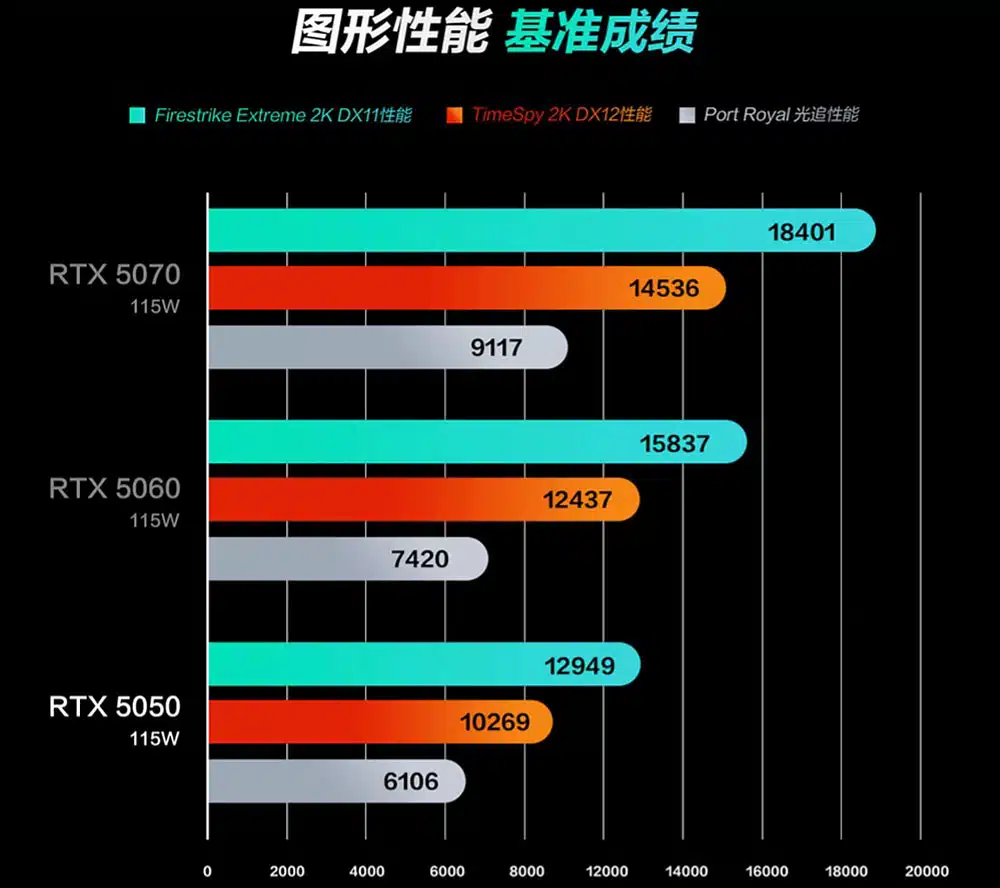
Above we have the first comparative performance data of the RTX 5050, only instead of being at 105W as the official TGP, both RTX 5050 and RTX 5060 SKUs support the maximum of 115W, which makes them ideal for comparison.
In the benchmarks, the RTX 5050 achieves 6,106 points in Port Royal, 10,269 points in TimeSpy 2K and 12,949 points in FireStrike Extreme 2K. This means that this entry-level graphics card is 29.63, 29.35, and 33.03% slower than the RTX 5070 laptop GPU, and 18.24%, 17.43% and 17.71% slower than the RTX 5060 laptop GPU in these benchmarks.
The RTX 5050 laptop costs around 6500 RMB, so it should be priced at around $900 in the US. Removing the tax, these laptops could cost $780, putting them close to the price of the RTX 4060 offerings from Nvidia.
The RTX 5050 laptops officially arrive on July 1, but gamers should expect to wait a few more months before widespread availability due to shipping issues from China.
Currently serving as a News Reporter at Tech4Gamers, I have the privilege of combining my love for gaming with the art of storytelling. My role involves crafting engaging narratives that keep our audience abreast of the latest developments in the gaming world.
Story Highlight
In a new poll, fans have picked The Witcher 3 over Skyrim as their favorite RPG.
While both games have different strengths and weaknesses, The Witcher 3 takes the crown here due to its gameplay and plot.
Still, Skyrim’s impact is undeniable, being one of the most replayed and deep RPGs ever.
When it comes to video games, RPGs are undeniably one of the most popular genres. Within that space, there’s no shortage of great titles, but the debate often arises over which one stands above the rest.
Skyrim and The Witcher 3 are usually the first two that come to mind for most gamers, but the question remains on which RPG is truly better. According to a recent poll, fans have crowned The Witcher 3 as the winner.
Why it matters: The Witcher 3 and Skyrim are both equal in popularity, with each title having different strengths. As such, this choice is a tough one, but The Witcher 3 takes the win here.
Fans Decide Their Favorite RPG In A New Poll Conducted On ResetEra
In a recent ResetEra poll comparing the two, The Witcher 3 outshone Skyrim by a significant margin. While Skyrim secured only 24.4% of the votes, The Witcher 3 dominated with 61.9%, clearly winning over the masses.
The majority of fans claimed that The Witcher 3 had better gameplay and a world worth losing oneself in with the details, world-building, characters and storylines. In comparison, Skyrim feels junky and a vanilla experience.
Skyrim has better role-playing and replayability with its character classes offering different playstyles and skillsets. Additionally, the Elder Scrolls’ lore is unrivalled in the video game realm. The incredible mod support can make the game an entirely different experience.
That said, the two titles offer completely different experiences despite being RPGs at their core.
It is also worth mentioning that The Witcher 3 has received several quality-of-life upgrades over the years that have improved the game tremendously and made it more akin to a modern release. A decade into its release and CDPR is still planning more content for the game, according to a report which suggests that a third DLC story expansion is on the way.