As Tech4Gamers’ Founder and Editor-in-Chief, I bring over 13 years of PC Hardware Reviewing and 8+ years of IT Project Management experience. Certified in Google IT Support , my focus is on providing honest product reviews and analysis and fostering a strong gaming community with 130k+ members in PPG.
Story Highlight
GIGABYTE is releasing four AMD AM4 motherboards in 2026 to support budget-friendly builds with DDR4 memory.
The move follows a market trend in which manufacturers like ASUS and ASRock are extending the life of older sockets to offer cheaper hardware options.
The new lineup consists of two compact Mini-ITX boards and two Micro-ATX versions.
Following industry trends, GIGABYTE has just announced the release of four new motherboards in 2026 that use the AMD AM4 socket and enable DDR4 RAM. Just a few days ago, we discovered that ASUS would increase production of these motherboards, in addition to the Intel LGA1700 series.
Thanks to a new line of mid-range and entry-level motherboards, as well as more cost-effective DDR4 memory, the entire industry will be able to build more cheap computers with AMD Ryzen 5000 and 12th, 13th, and 14th Gen Intel Core processors.
In this way, GIGABYTE validates a trend. ASRock was ahead of the curve with a hybrid motherboard that supported DDR4 or DDR5 RAM and the Intel LGA1700 socket. ASUS announced that it would increase production, and GIGABYTE is introducing totally new models.
As a result, it’s understandable that other manufacturers, such as MSI, BIOSTAR, and Chinese businesses, will follow suit.
We’ve got two Mini-ITX and two Micro-ATX motherboards. The Mini-ITX board is a GIGABYTE A520I AC (ver. 1.5) with the AMD A520 chipset. It runs the CPU on a 6-phase VRM and has two memory slots that can accommodate up to 64GB of DDR4 RAM at 5300 MT/s. It also has a PCI-Express 3.0 x16 slot, an M.2 connector for PCIe 3.0 SSDs, Wi-Fi 5 + Bluetooth 4.2 connectivity, an Ethernet port, and a video output compatible with an APU.
On the other end of the spectrum is the GIGABYTE B550I AORUS Pro AX (ver. 1.4), which boasts an 8-phase VRM, a PCI-Express 4.0 x16 interface, and twin M.2 slots for PCIe 4.0 + 3.0 SSDs. It also has Wi-Fi 6E, Bluetooth 5.3, and a 2.5 Gbps
For Micro-ATX models, we begin with the GIGABYTE B550M H ARGB, which is based on the AMD B550 chipset. This motherboard supports up to 64 GB of DDR4 RAM at rates of up to 5,100 MT/s and includes a PCI-Express 4.0 x16 interface for the GPU and a PCIe 4.0 x4 interface for the SSD.
We conclude with the “top-of-the-line” model of this new generation of modern computers, which uses older hardware. The GIGABYTE B550I AORUS Pro AX (ver. 1.4) features an 8-phase power VRM with a 90A SPS.
It supports PCIe 4.0 x16 and NVMe PCIe 4.0 x4 interfaces, as well as a second PCIe 3.0 slot. It can handle up to 64GB of RAM at 5400 MT/s and has wireless connectivity and a 2.5Gbps Ethernet interface.
These two motherboards are brand-new. Since the other two are new versions, we are aware that they have updated or made specific changes (such as utilizing a new Wi-Fi module) before reintroducing them into production. These GIGABYTE motherboards that enable DDR4 memory will be widely used, particularly in low-cost gaming setups.
Currently serving as a News Reporter at Tech4Gamers, I have the privilege of combining my love for gaming with the art of storytelling. My role involves crafting engaging narratives that keep our audience abreast of the latest developments in the gaming world.
Story Highlight
Bernoit Richer, who previously worked as a director for Batman: Arkham Origins, is now leading the charge on Assassin’s Creed Hexe.
Richer has worked with Ubisoft before, serving as director on Assassin’s Creed Valhalla and in other roles dating back to 2000.
Assassin’s Creed Hexe is the next mainline release in the series and will be released later this year.
Ubisoft unveiled its slate for the upcoming Assassin’s Creed games at the franchise’s 15th anniversary. Beyond Baghdad and Japan, they’re next bringing fans to the Holy Roman Empire during the Witch trials.
So far, details on Assassin’s Creed Codenamed Hexe have been scarce aside from a synopsis and a short reveal. However, the latest report reveals that the game is being directed by Benoit Richer, who previously led development on Batman: Arkham Origins.
Why it matters: Batman: Arkham Origins is to date one of the best single-player experiences, and knowing that the same director is leading Ubisoft’s upcoming project hints at great things to come.
Initially reported by Clawsomegamer, Benoit Richer’s LinkedIn profile reveals that he’ll be leading the charge on Assassin’s Creed Hexe. Richer was also the director for 2020’s Assassin’s Creed Valhalla, so this here isn’t a new venture for him.
Beyond that, he held other development roles at Ubisoft dating back to the early 2000s, contributing as a Lead Level Designer to Rainbow Six and Far Cry games.
With such an experienced developer at the helm, Assassin’s Creed Hexe is looking to become one of the stronger recent entries. Moreover, the title is also described as “a very different type of Assassin’s Creed game” by executive producer Marc-Alexis Côté.
The Game’s Setting Is Currently Rumored To Be Germany
The game will also feature a female-only lead for the first time in years, and other reports have suggested that the game will feature supernatural powers and be a linear experience, a fresh breath of air for a series that was finally becoming stale.
With Codename Hexe looking to be a lore-heavy title, there’s no better director suited for the task than Richer. His experience and work on Batman: Arkham Origins is a testament to his work.
As for the release date, expect a late 2026 release to make way for the Assassin’s Creed Black Flag remake, which is expected in the next few months.
At Tech4Gamers, I contribute as a Senior News Reporter, combining my skills and gaming enthusiasm to keep our audience updated on the latest developments.
Story Highlight
Satya Nadella’s first blog post of 2026 refers to the commonly used term ‘AI slop.’
He asserts that it’s time to move beyond using this term and focus on what humans can achieve when equipped with these tools.
The Microsoft CEO also discussed resource management and real-world impacts in an AI-powered era.
AI has been at the center of the gaming industry over the last month or so, and for all the wrong reasons. The subject matter has been so controversial that a game like Clair Obscur: Expedition 33 was stripped of one Game of the Year title over doubts of AI use during the development process.
Of course, this backlash hasn’t stopped tech giants from investing in AI. The likes of Microsoft have gone all in on artificial intelligence, and the Microsoft CEO has even asked audiences to move beyond thinking of the technology as just slop.
Why it matters: The term ‘AI slop‘ has been commonly used when discussing images and videos created by the technology due to its lack of artistic integrity.
The CEO of Microsoft Is A Strong Believer In AI
Microsoft CEO Satya Nadella recently posted his thoughts on advances in technology and their impact on the real world. As expected, the blog was largely focused on AI and its current progress.
Satya Nadella pointed out that AI underwent major leaps in 2025, but 2026 will be another pivotal year for the technology. He then noted that it’s time to move away from simply referring to artificial intelligence as slop and focus on how humans will evolve with access to these tools.
We need to get beyond the argument of slop vs sophistication and develop a new equilibrium in terms of our “theory of the mind.”
-Satya Nadella
Later, the Microsoft CEO asserted that companies must now focus on using the technology as a solution to the challenges of everyday life. In particular, he discussed resource management as a major problem that needs attention.
This point is so interesting because AI is currently taking up a lot of computing resources, leading to memory shortages industry-wide.
Microsoft Calls All Windows PCs ‘AI PCs’
Satya Nadella’s latest blog comes following Microsoft’s huge push for AI technology.
The gaming giant has invested nearly $80 billion in an attempt to remain at the forefront of the artificial intelligence race. This is why it has now begun referring to Windows PC as AI PCs.
At Tech4Gamers, I contribute as a Senior News Reporter, combining my skills and gaming enthusiasm to keep our audience updated on the latest developments.
Story Highlight
A GTA 4 remaster has been rumored for a while, but an ex-Rockstar developer suggests this type of remaster is easier said than done.
He argues that the game’s art and cutscenes appear outdated, and a remaster would be expensive in today’s market.
The developer believes Rockstar should still re-release the game, but it must be done right.
GTA 4 is the next big Rockstar title rumored to receive the remaster treatment following Red Dead Redemption. The former is currently not playable on the PS4 or PS5, and the PC port isn’t too impressive either, making it perfect for a re-release.
However, a full remaster for GTA 4 might be easier said than done. According to a developer who previously worked on the game, this endeavor could cost Rockstar as much as the original game.
Why it matters: GTA 4’s atmosphere and overall themes remain some of the series’ strongest to date. This is exactly why many fans yearn to return to Liberty City all these years later.
Former Rockstar Developer Shares Thoughts On Potential Remaster | Image via Twitter
Obbe Vermeij recently took to Twitter and shared his thoughts on a potential GTA 4 remaster. Discussing how the game has aged, the developer stated that the artwork and cutscenes would require a lot of work to update.
Obbe Vermeij, who previously worked on GTA 4 as a designer, then noted that Rockstar should still release a remaster, but only if it can do the game justice. He believes such a task would require a hefty investment, possibly matching the game’s original budget.
As a reminder, GTA 4 cost somewhere around $100 million to produce for Rockstar in 2008. Much of this cost went into the studio’s proprietary engine technology, resulting in one of the most technically advanced open-world titles at the time.
It might cost close to the original dev budget to make it competitive in today’s market. R* can opt not to do it. But if they do, they should do it right.
-Obbe Vermeij
Because the title was developed for the PS3 and Xbox 360, a modern port would also require more work than the average PS4 remaster. Still, because games like Red Dead Redemption and L.A. Noire have been released on modern consoles already, similar treatment for GTA 4 does not sound impossible.
GTA 4 Remaster May Arrive Soon
A remaster has been rumored on multiple occasions in the past. Although nothing substantial has come of these rumors yet, Rockstar is no stranger to surprise announcements.
As such, hopes remain high for an eventual announcement.
Currently serving as a News Reporter at Tech4Gamers, I have the privilege of combining my love for gaming with the art of storytelling. My role involves crafting engaging narratives that keep our audience abreast of the latest developments in the gaming world.
Story Highlight
Mudang: Two Hearts was announced last year, an action-stealth game based on the Splinter Cell formula.
While the gameplay reveal suggested it was deep into development, the project may have been canceled.
The studio went through a massive layoff last year, wiping nearly 80% of its workforce, and now the website has also been deleted.
Mudang: Two Hearts was announced last year as a third-person action-stealth game that appears to be based on the Splinter Cell formula, as seen in the gameplay reveal. As ambitious as the game looked, unfortunately, we may never get to play it, as all signs point towards the project being axed.
EVR Studio, the Korean-based developer behind the game, has been going through a rough patch ever since the game’s announcement. Now, it seems that the studio has completely shut down, also potentially putting an end to Mudang: Two Hearts’ development.
Why it matters: Mudang: Two Hearts seemed like a terrific single-player game that seemingly took the Splinter Cell formula up a notch with its open-ended world design, captivating aesthetics, dual playable characters, and multiple approaches.
As of last year, EVR Studio went through a massive layoff (as per a tracking site from Korea) that reduced the employee count from 100+ all the way down to only 22. Furthermore, the studio websitealso stopped working a while ago, and it has now been completely removed.
Additionally, developers behind the game have also been inactive, whereas before they were publishing behind-the-scenes content on YouTube.
The Game’s Setting Takes Place In A Futuristic Korea And Follows A Politically Charged Story
From the gameplay reveal, Mudang: Two Hearts was well deep into development, and with just a year away from release at the point, it’s saddening to see the current situation.
The title has a release date of March 2026, which is quite close, and we hope to learn more about the project’s current status soon, if it lives on or has been canceled. Still, last year’s layoffs are a bad sign for the game.
What are your thoughts on this story? Were you excited for Mudang: Two Hearts? Let us know in the comments below, or at the official Tech4Gamers Forums.
As a Hardware Expert at Tech4Gamers, I bring my decade-long expertise in electronics design, embedded solutions, and prototyping. My knack for exposing misconceptions in the tech world finds a perfect outlet here.
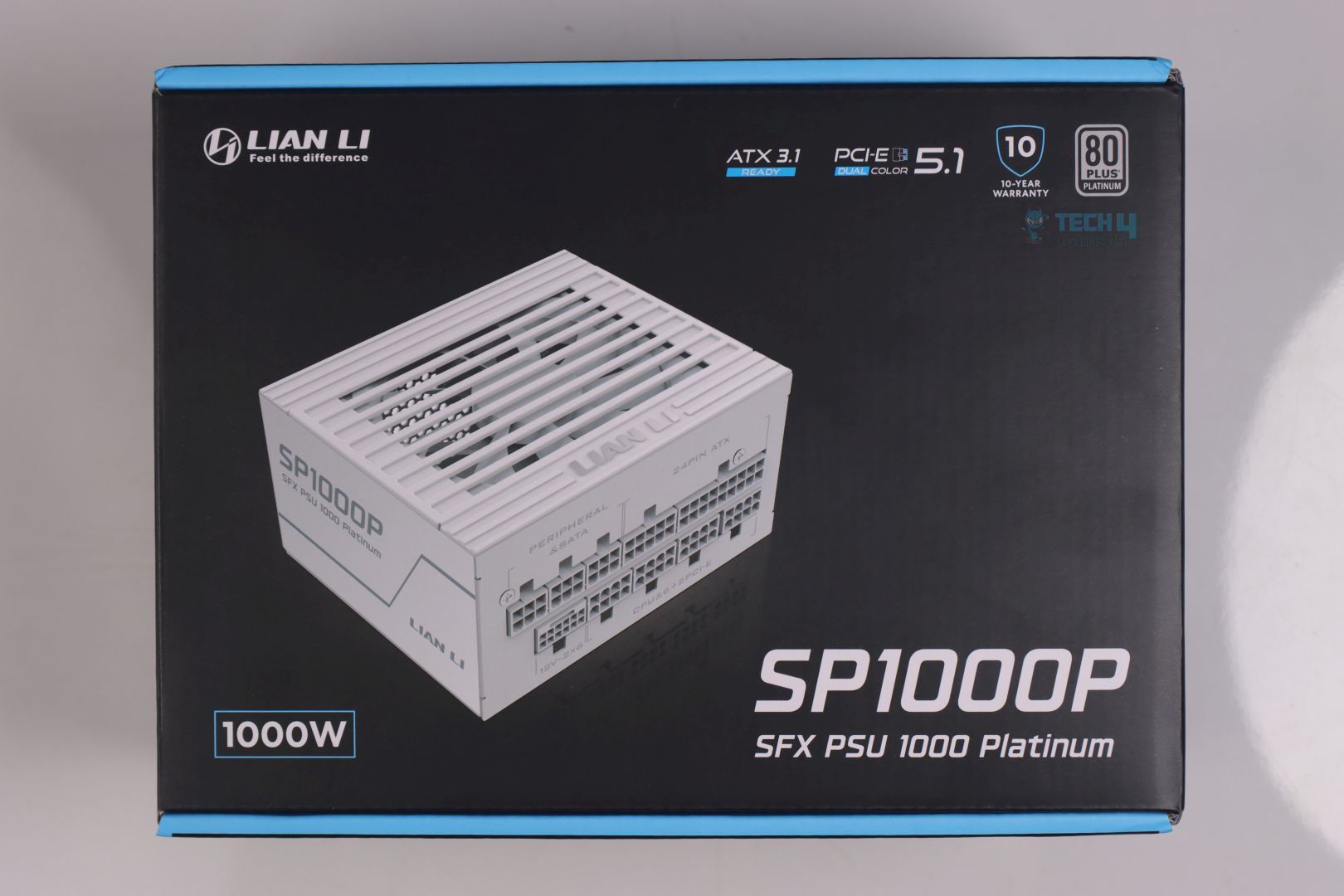
With their most recent lineup, Lian Li seems to be bringing even more innovative design products that are giving somewhat of a new life to this previously-considered least interesting segment in the PC build, as we saw in our previous review of Lian Li RS1200G 80 Plus Gold PSU.
Small Form Factor (SFX) PSUs are extremely challenging to do properly and not every PSU brand opt-in for this quite niche market. After the aggressive power excursions allowance for the new ATX 3.0/3.1 PSU specs – which makes it mandatory for a PSU to handle 200% of load for a tiny fraction of a sec (0.1ms), has made it even more difficult.
Now because Lian Li’s PC Cases catalog is filled with many Mini-ITX cases, it was a no-brainer for them to also cash in for the SFX PSUs.
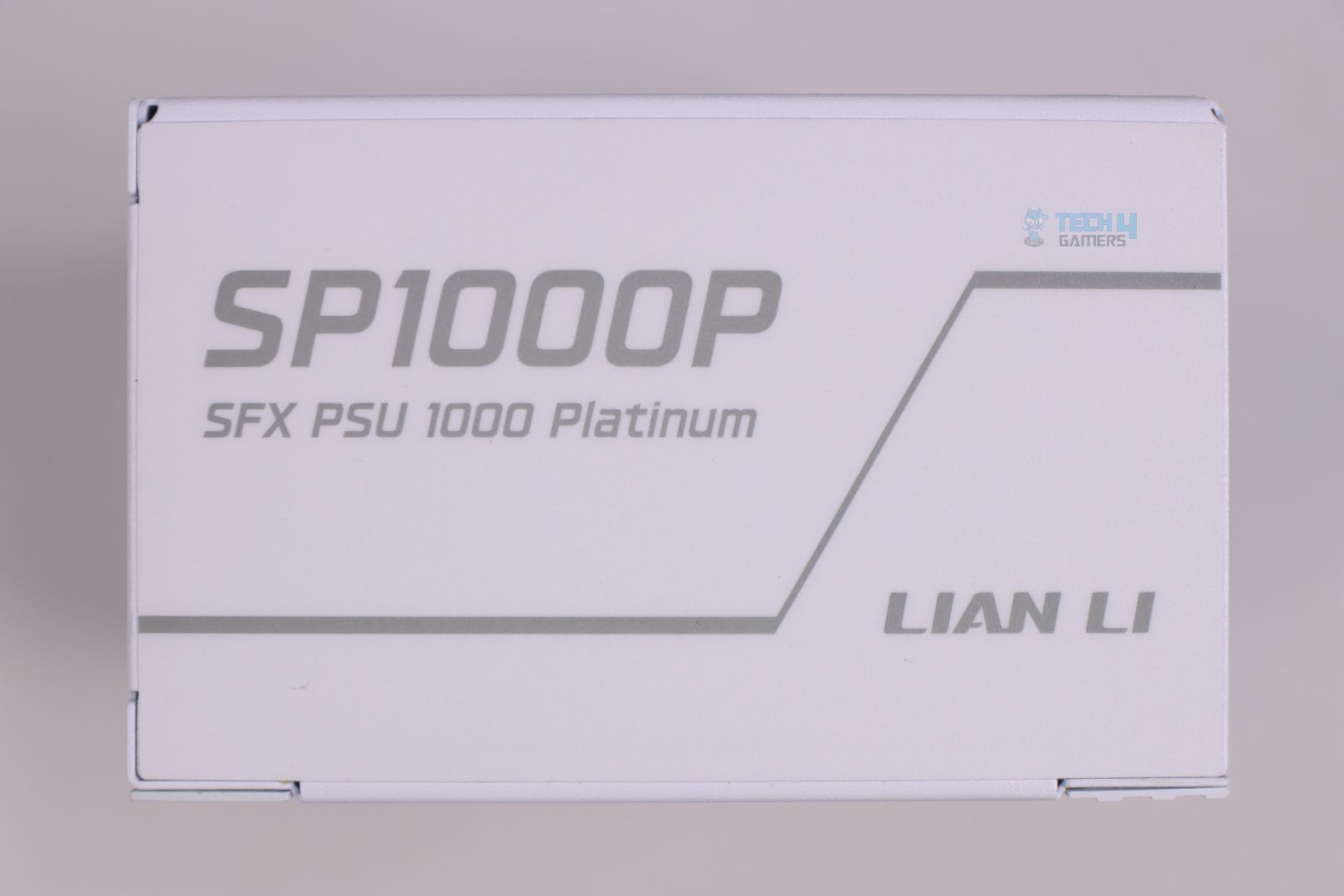
For the design and extra features, sadly due to the extremely limited and densely populated internal PCB, Lian Li couldn’t do much to offer anything extra in this SFX lineup and I really don’t blame them for this. But I am very optimistic for their new SFX iterations in future after seeing what they did with their SP1000P PSU.
Why Trust Tech4Gamers
Arsalan Shakil is our power supplies expert who loves to put the latest PSUs through their paces and even take them apart.
20+ PSUs tested and reviewed by our team of hardware experts (Tech4Gamers Team).
180+ hours spent testing different power supplies for our reviews.
At Tech4Gamers, ensuring you get reliable information is our priority. That’s why every hardware round-up undergoes a meticulous review process by our team of experts and editors. Each review is carefully examined against our strict editorial guidelines, guaranteeing you trustworthy insights you can depend on.
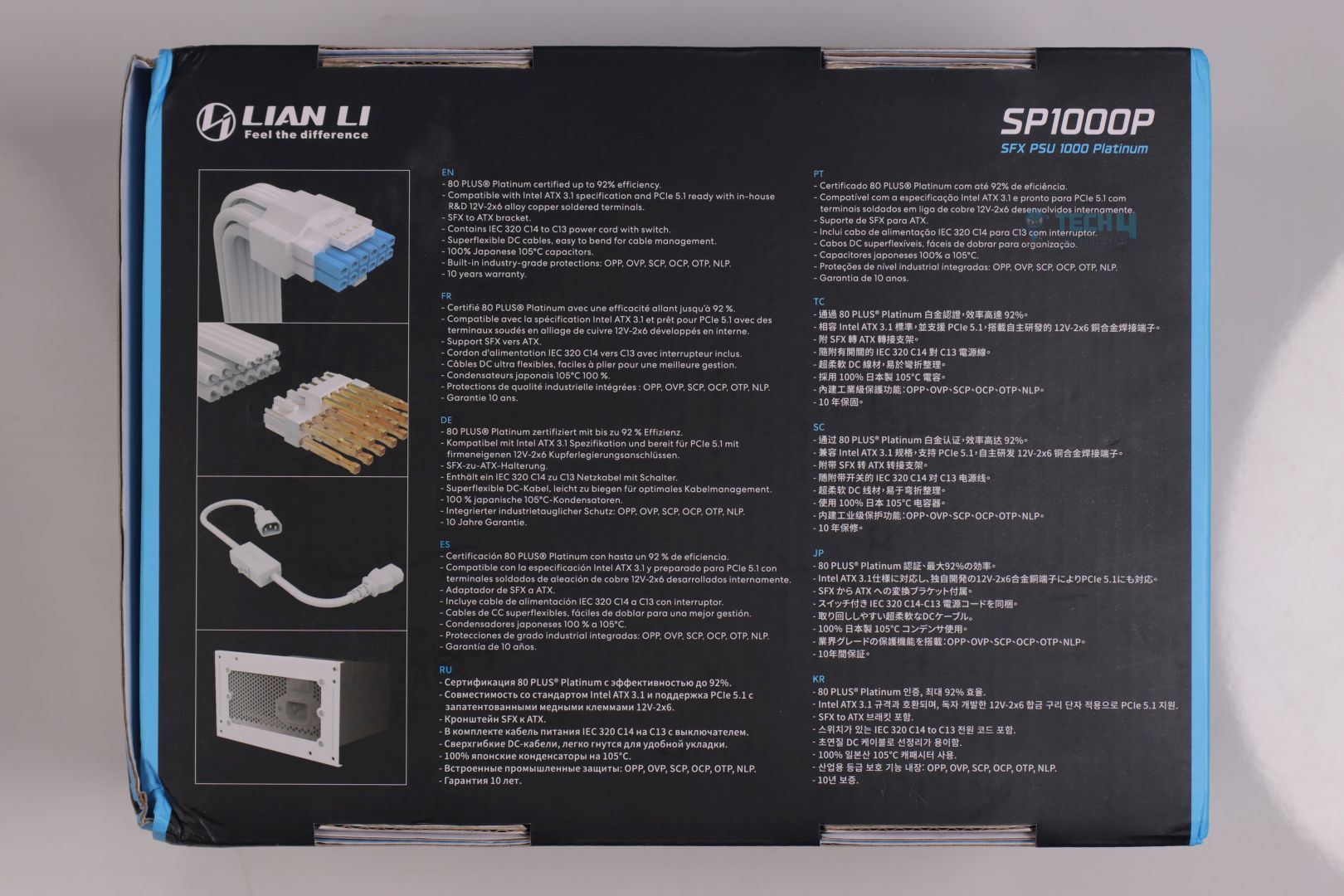
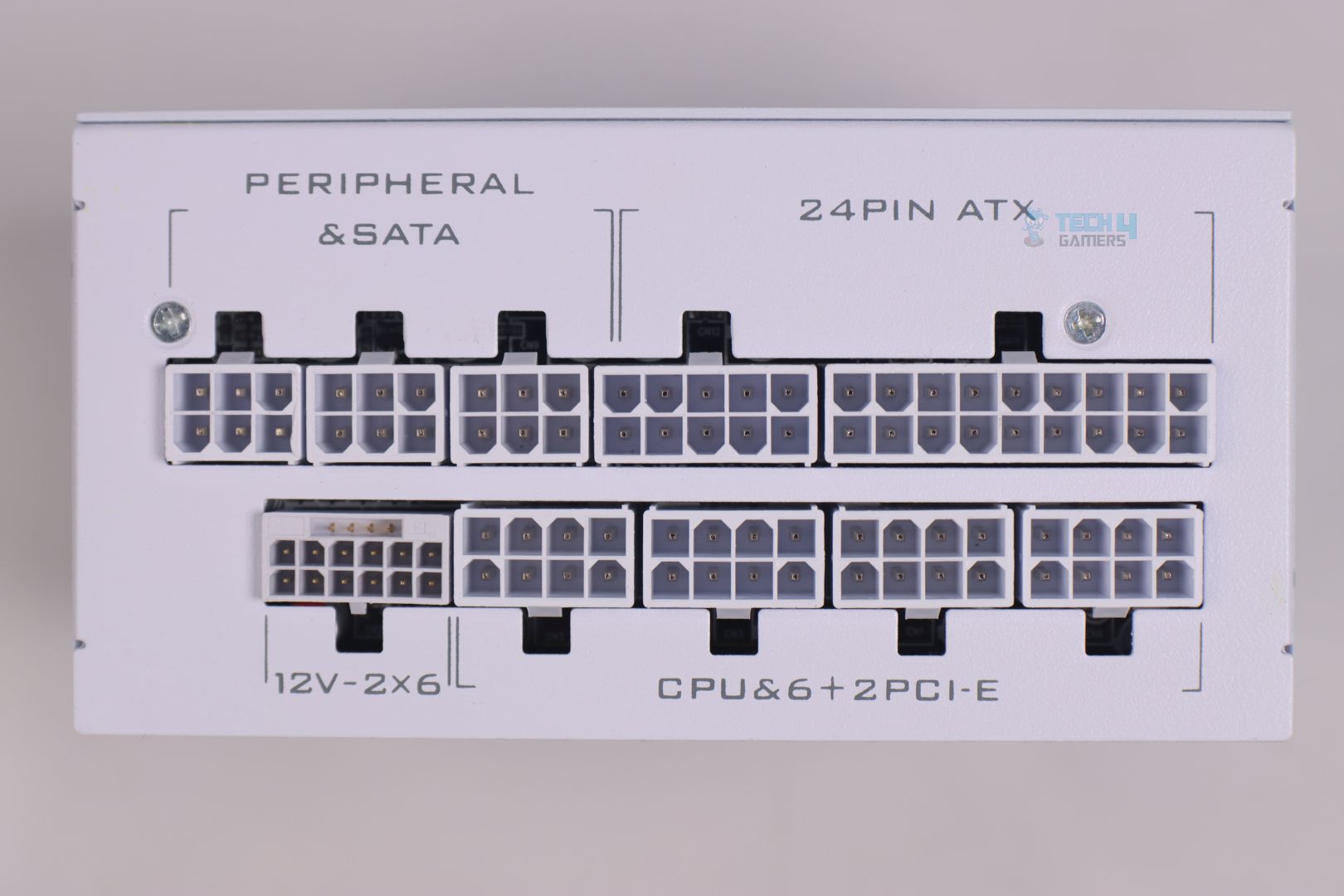
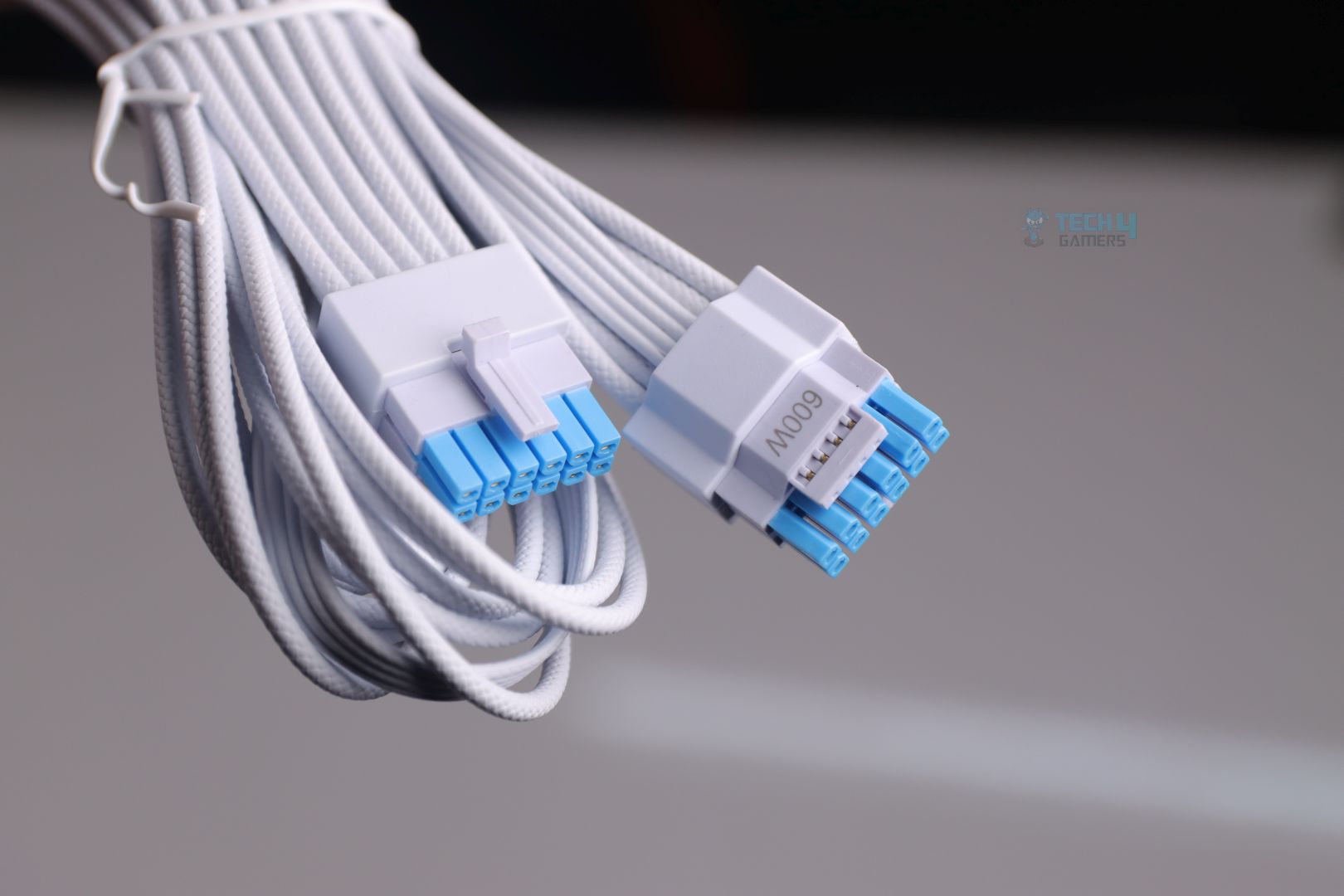
It’s good to see Lian Li pairing their new and much improved 12V-2×6 cable with every new PSU lineups and unlike other PSU manufacturers who are bragging improvements and innovations claims by only coloring their 12V-2×6 connector with two distinctive colors, Lian Li has gone an extra mile to design an in-house PCI-e 5.1 12V-2×6 alloy copper soldered terminal.
Cable & Connectors
Connector Type
Quantity
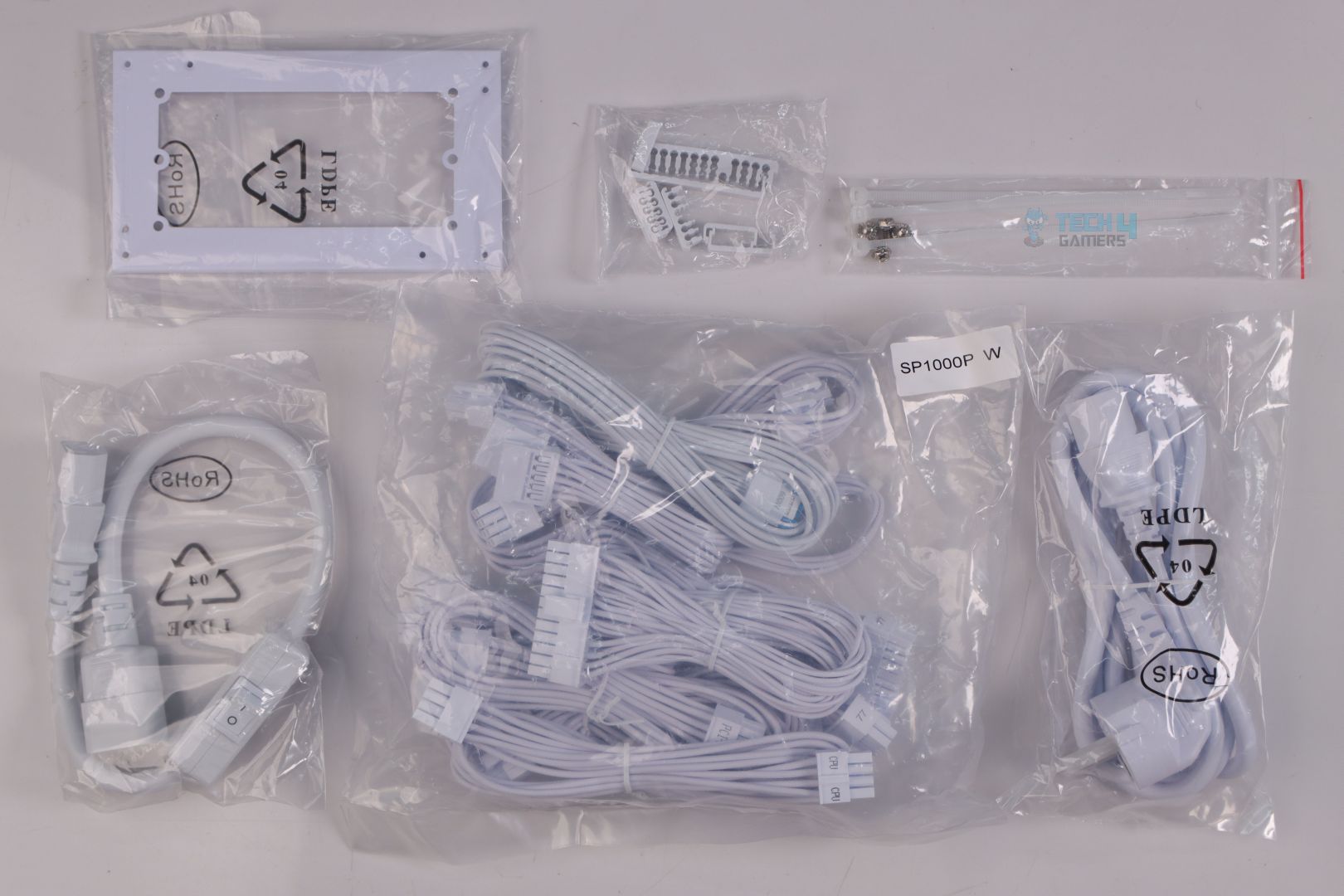
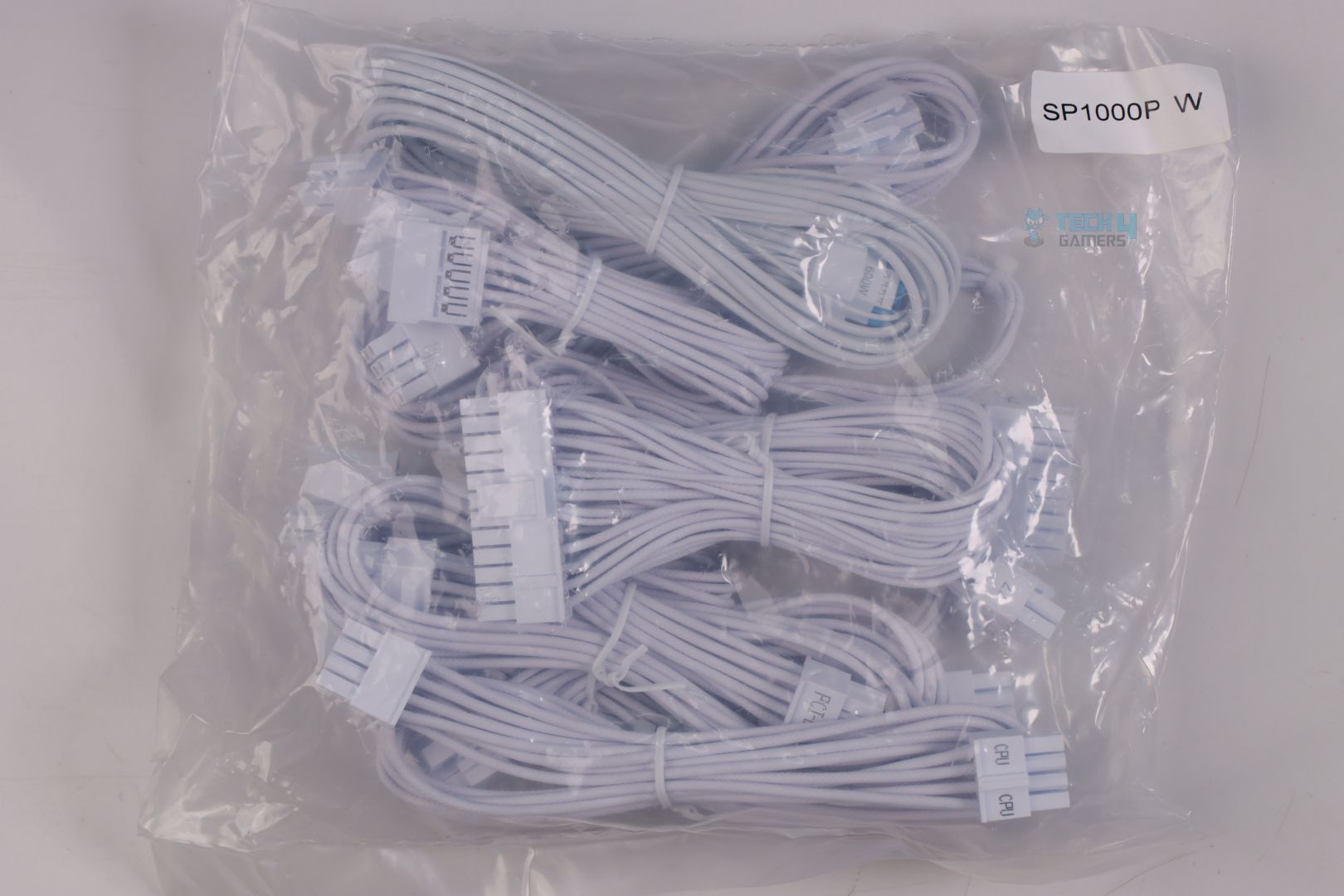
Motherboard cable (24/20-pin)
1x
CPU / ATX 12V connectors (4+4-pin)
2x
PCI-E 12V-2×6 connector (600W)
1x
PCI-E connectors (6+2-pin)
3x
SATA connectors
5x
PATA (Peripheral) connectors
2x
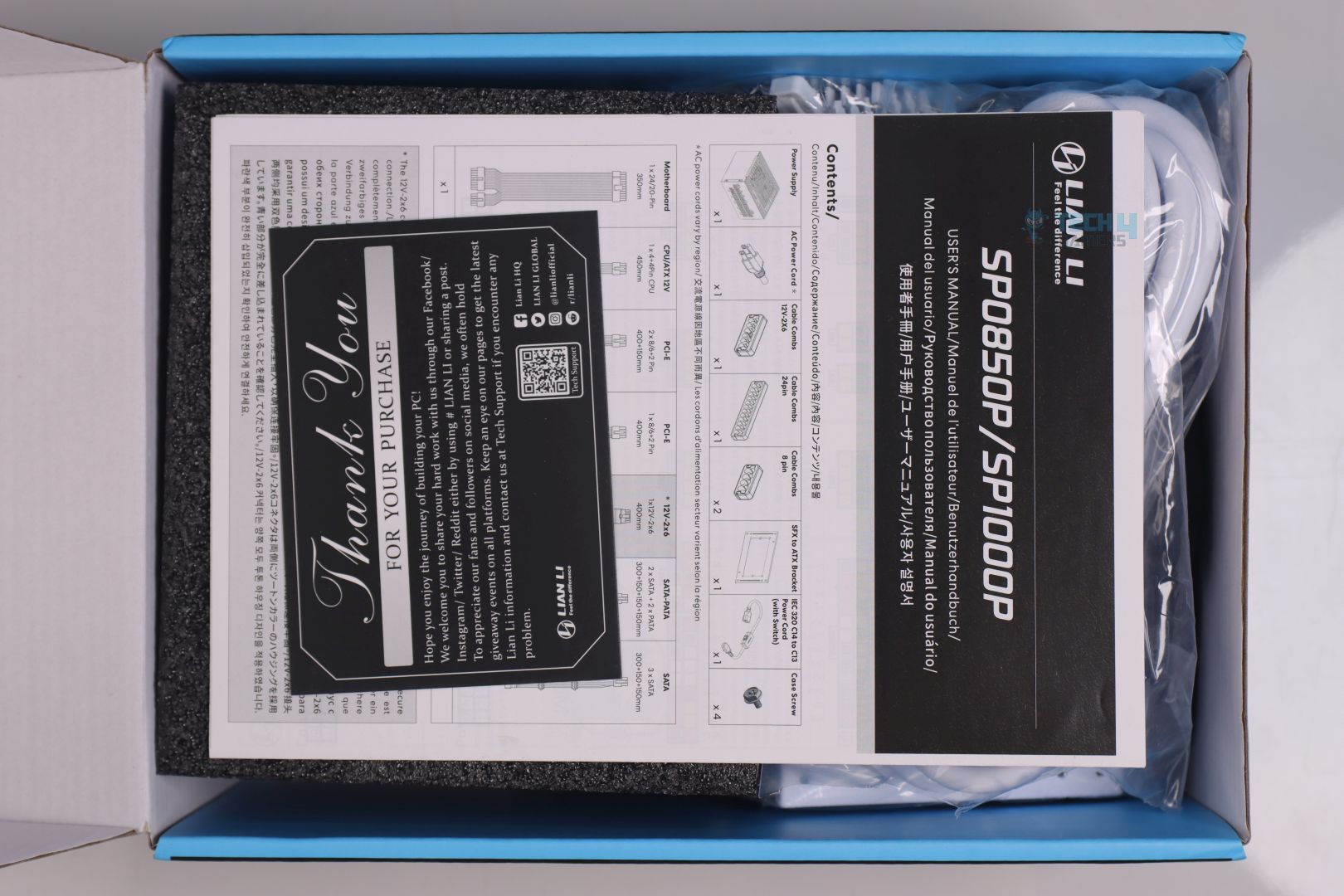
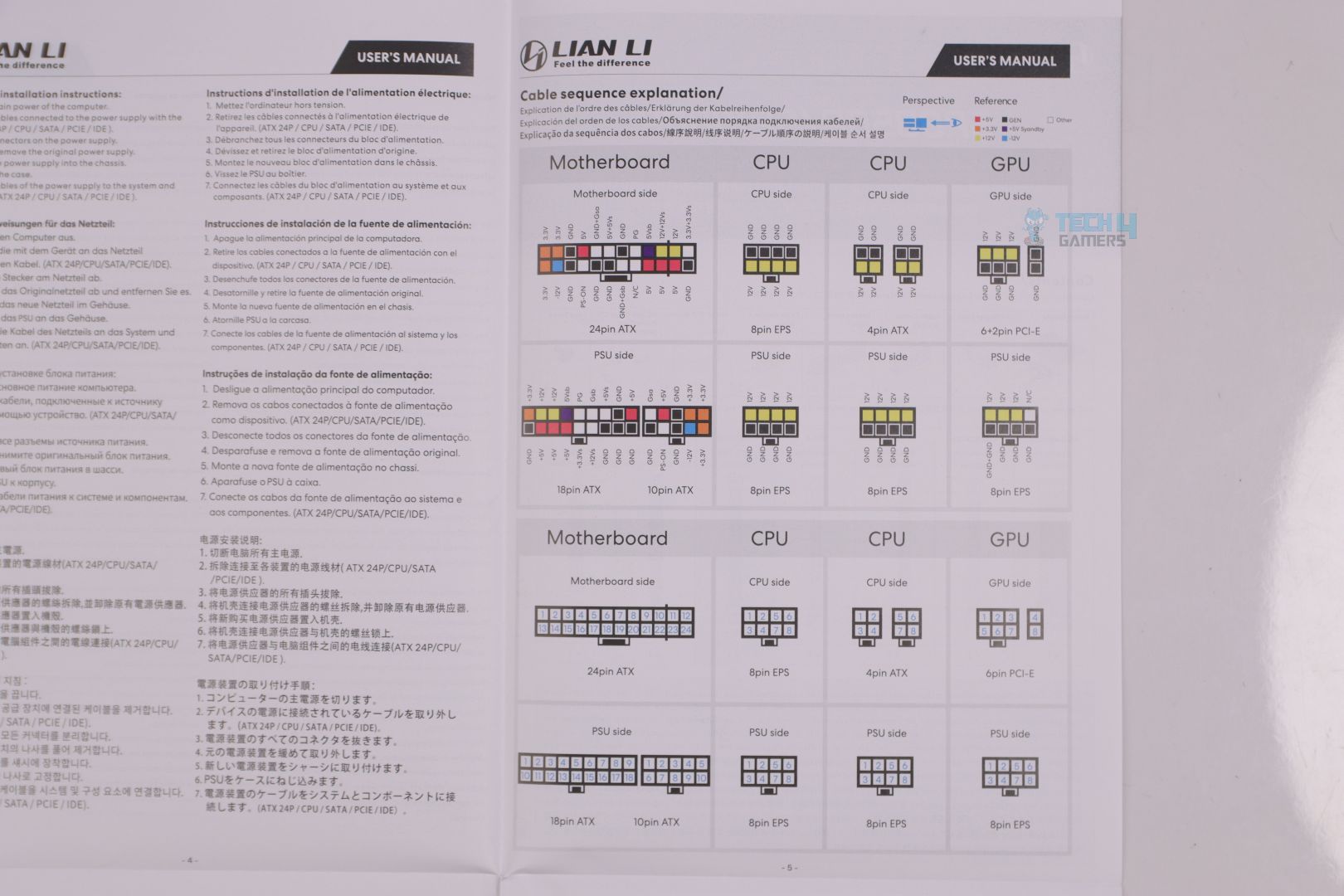
Don’t you just love it when a brand is so keen on providing its users the best possible experience? Now I have not tested Lian Li’s previous PSU lineups but what I have seen with RS1200G & this SP1000P PSUs, Lian Li’s user manual is the only well and thoroughly written manual I have seen out of all the PSUs I have tested.
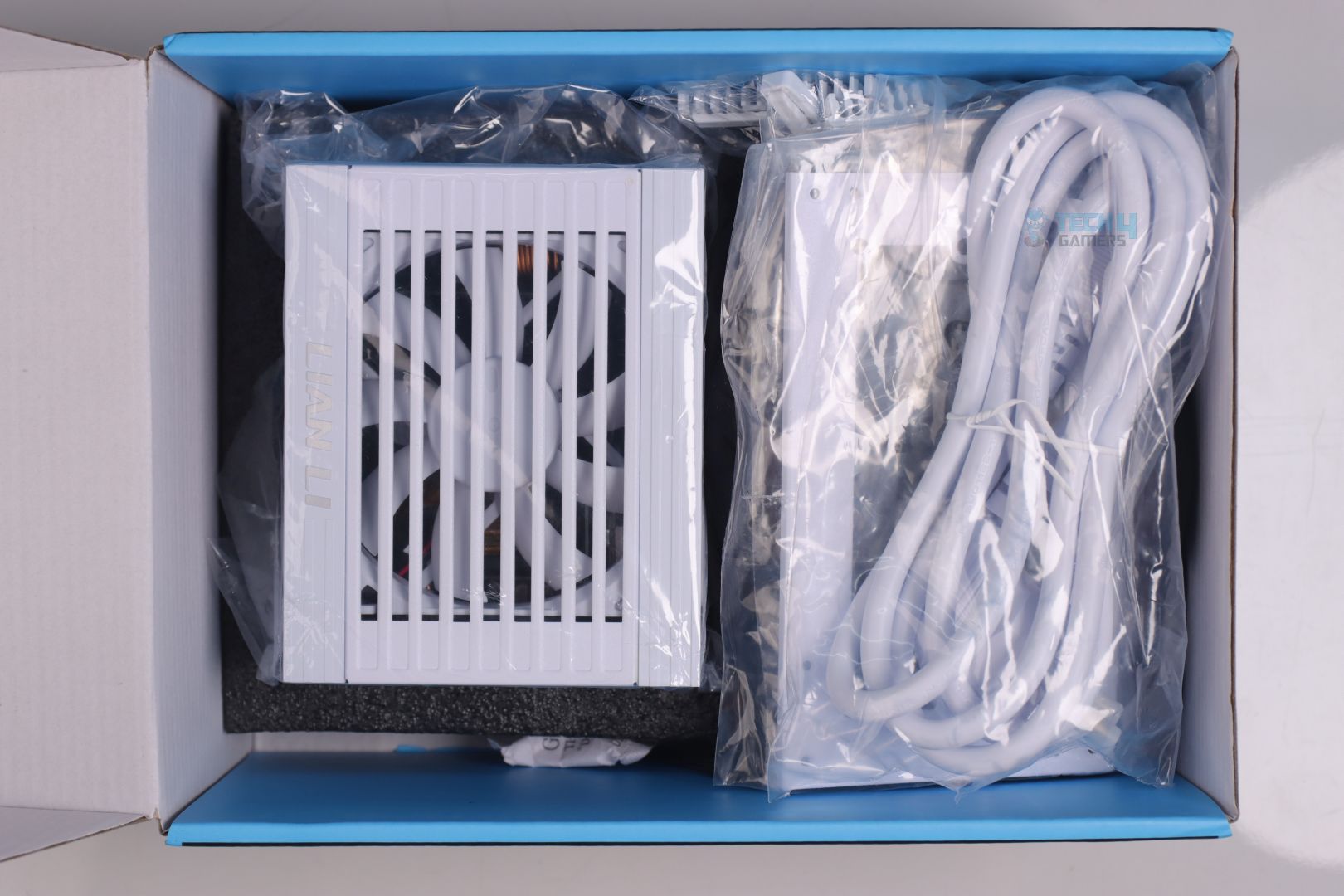
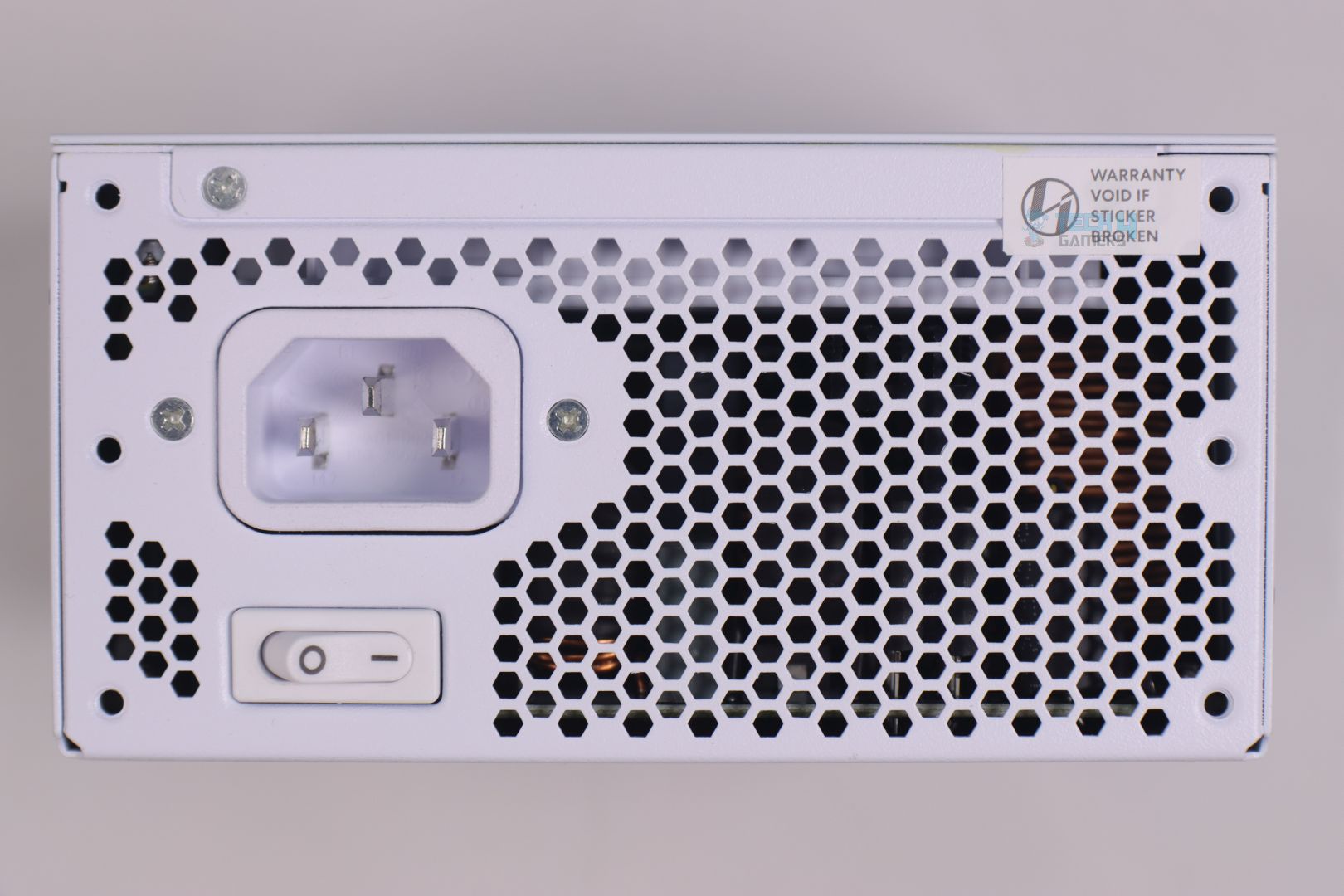
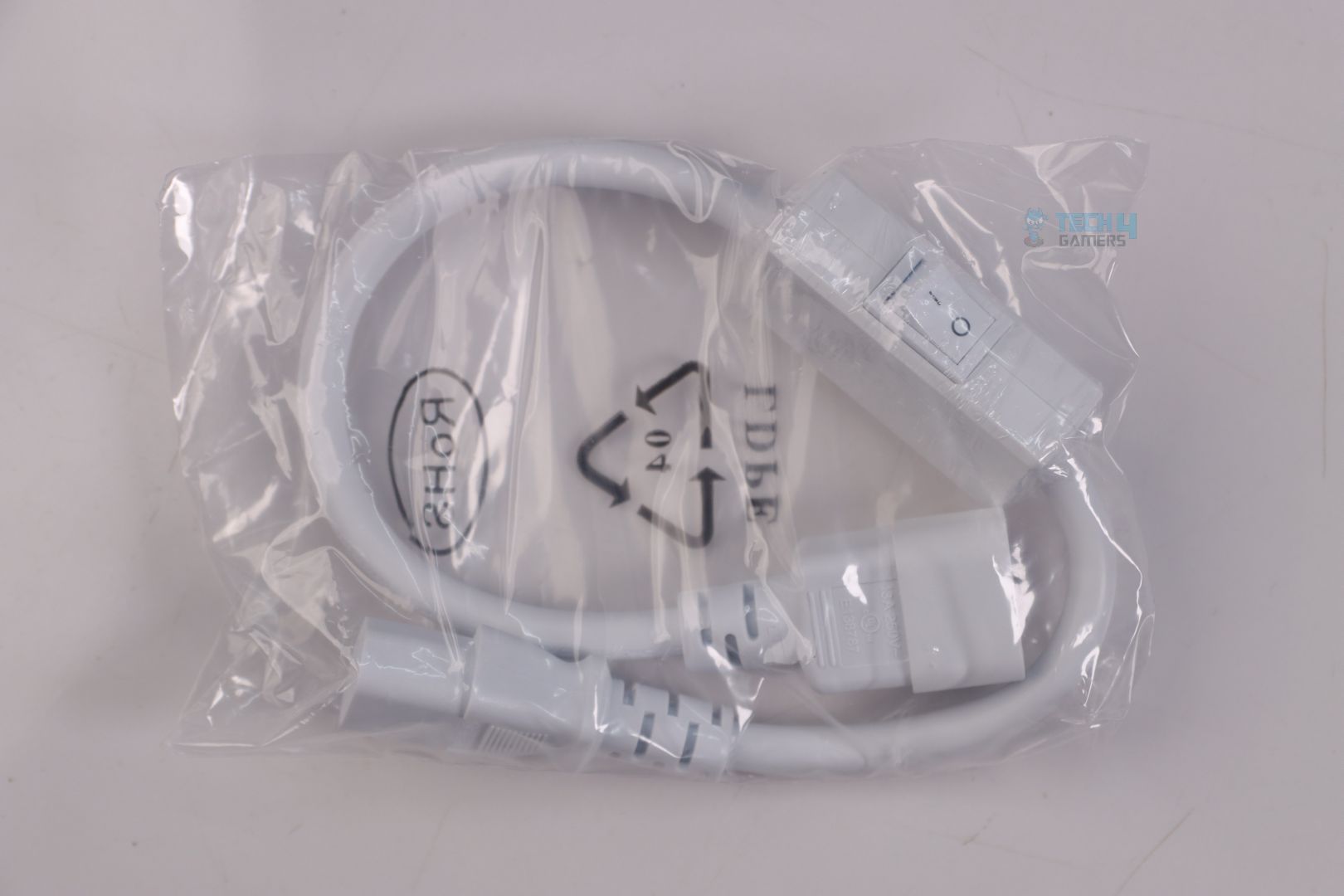
Lian Li was probably feeling bad for not including anything unique and new to this SFX lineup, so they included an IEC 320 C14 to C13 Power Cord with a Switch – which I don’t think that many people are going to use. But for some (when using Mini-ITX case that requires PSU to be mounted in the middle of the case) this extension cable can be quite handy and user can place its extended power switch to an easy to access/reachable area. A very well-thought attention to detail indeed!
A quite innovative design idea from me to Lian Li for absolutely free:
Why not utilize the empty space of the power switch’s housing by placing a tiny power monitoring circuit inside and maybe a small relay too for monitoring the power consumption, as well as for turning on the PSU remotely with an app?
Teardown & Component Analysis
1 of 3
PSU Teardown
Aluminum Heatsink for Major Power Components
2x Bridge Rectifiers
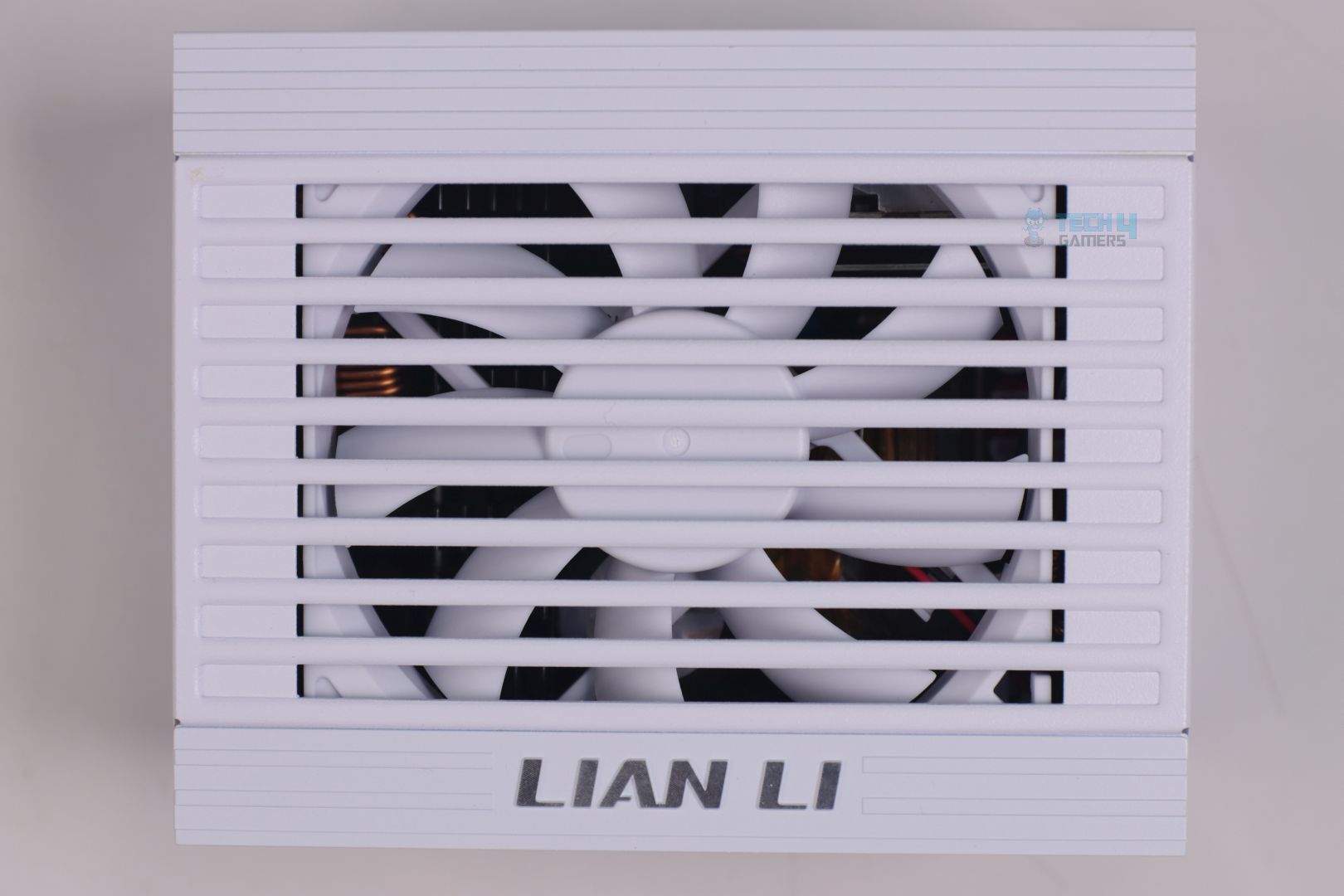
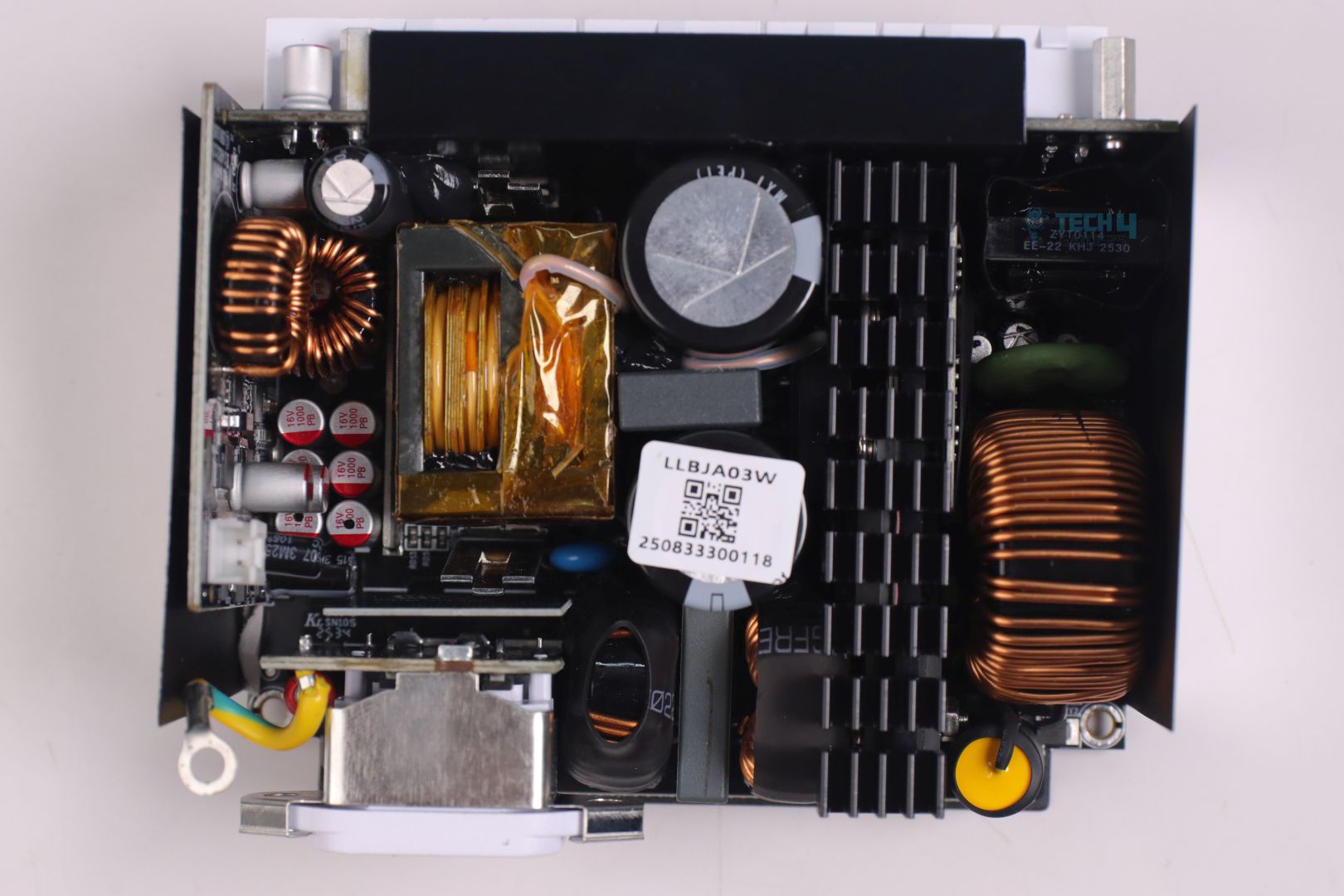
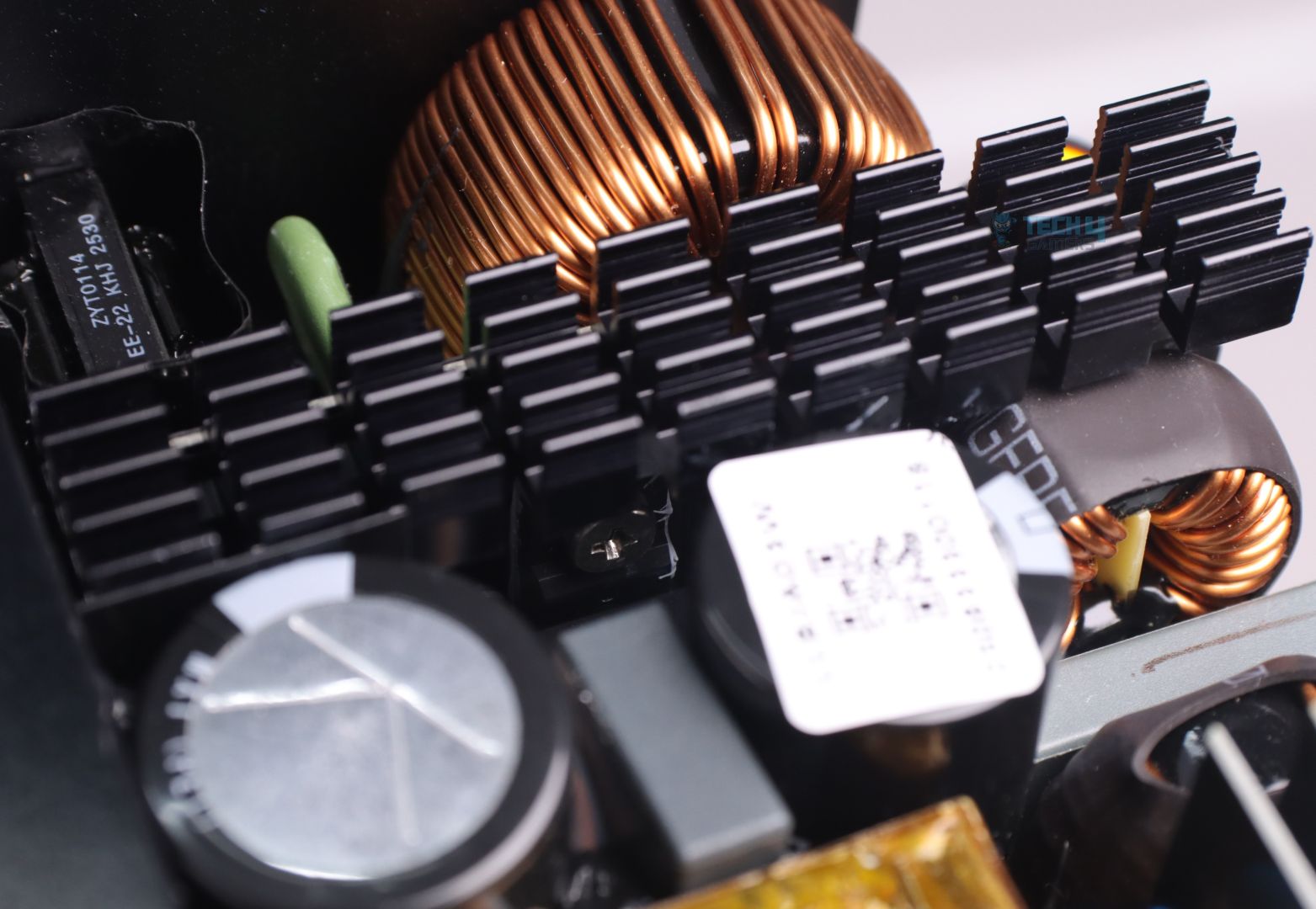
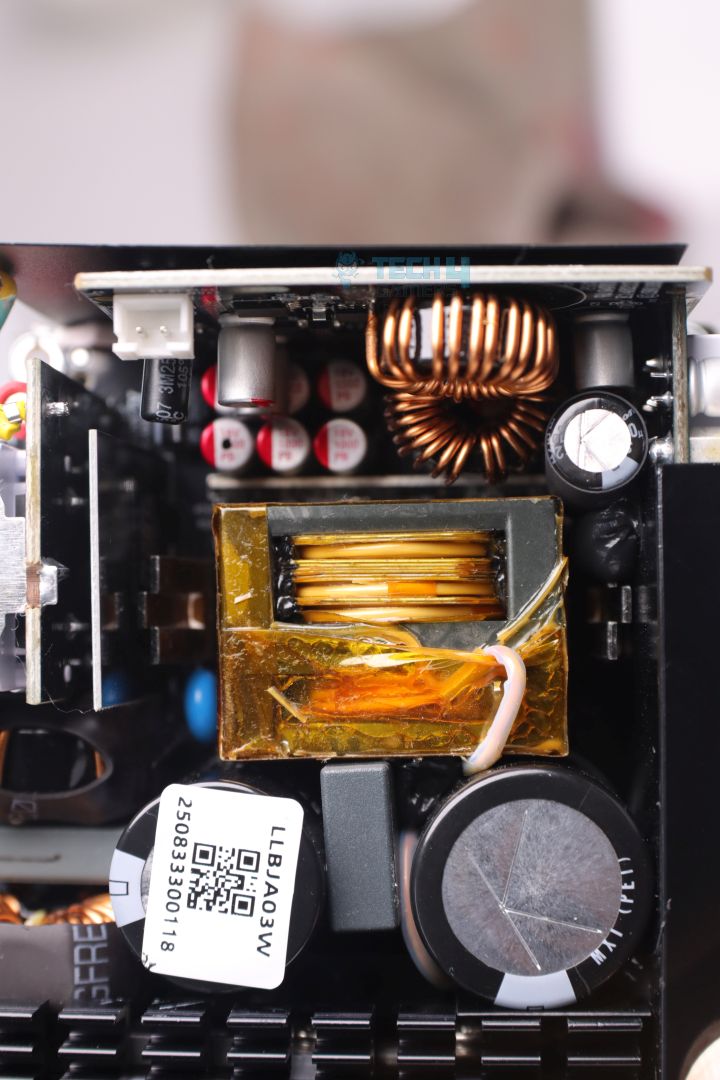
Unlike their ATX PSU we reviewed earlier, Lian Li has gone with a new OEM (Guangdong Zypower) which I have seen for the very first time. The platform is fully packed with components with a single aluminum heatsink for all the major power components like Bridge Rectifiers, APFC & Half-Bridge LLC MOSFETs. This will be more than adequate to cool down the power components considering SP1000P’s Platinum efficiency. Still because of its size, SFX PSUs tend to have a more aggressive fan profile to cool down densely packed components that usually trap heat due to extremely tight space.
1 of 3
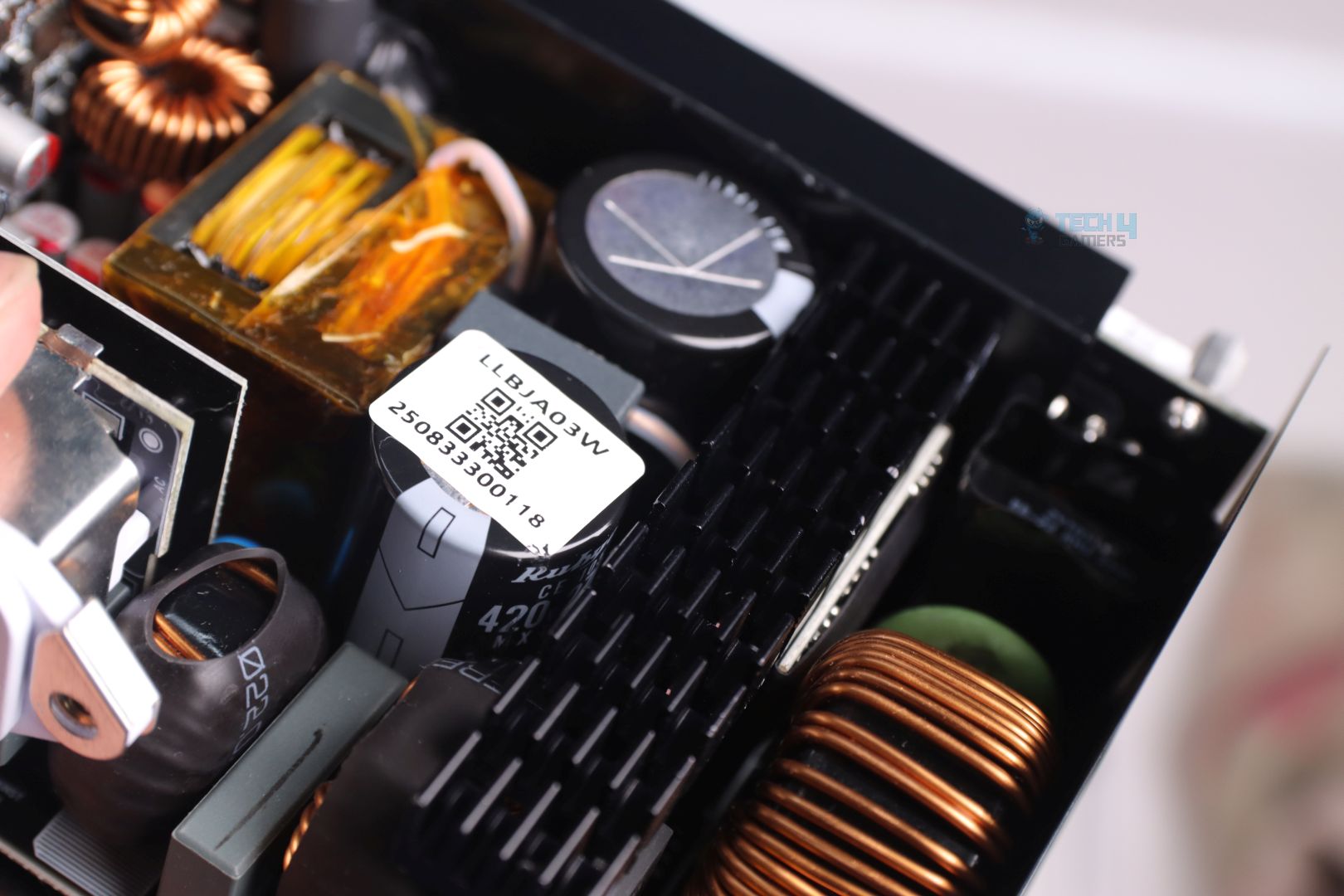
Bulk Electrolytic Capacitors from Rubycon
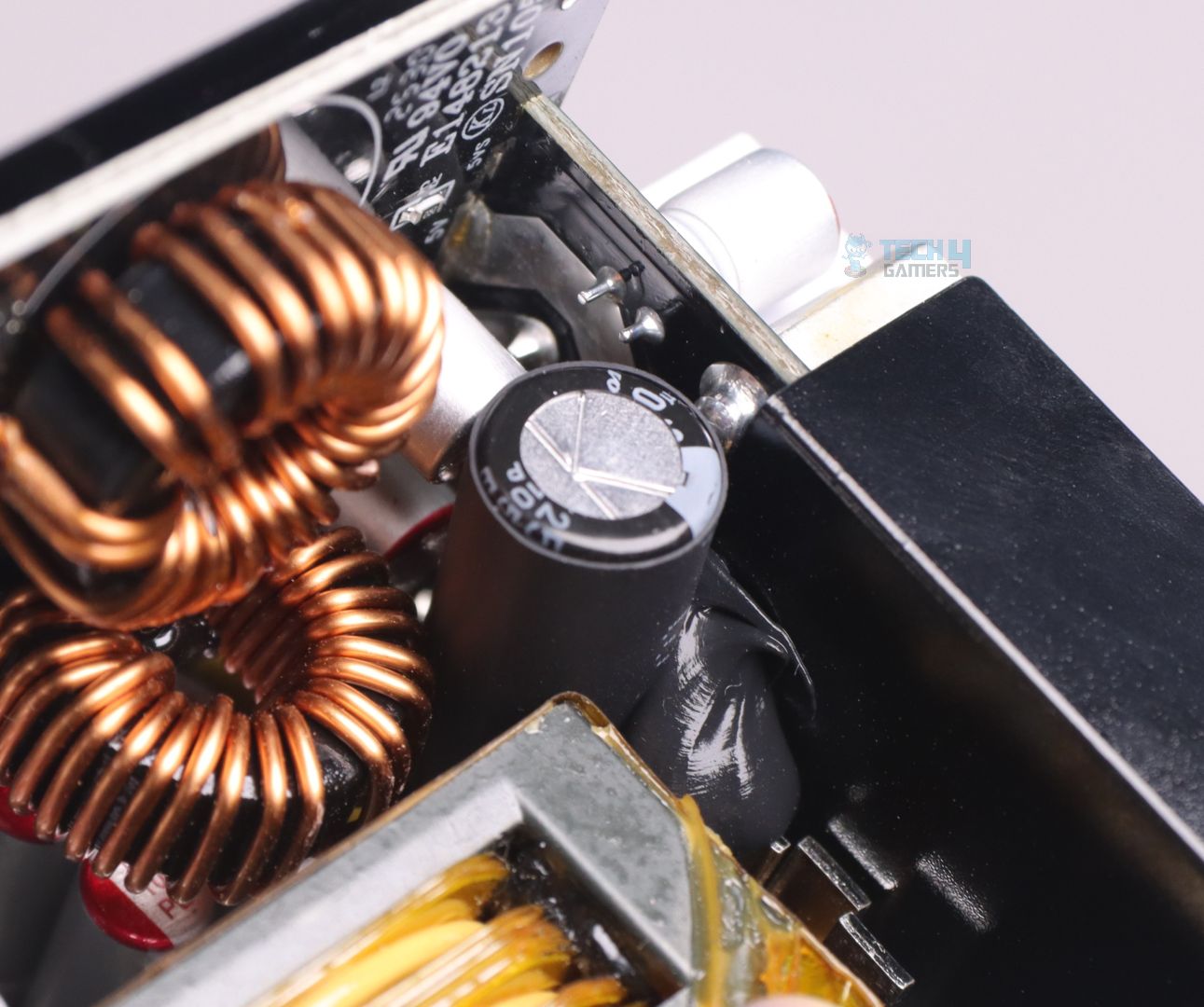
Heatshrunk Electrolytic Capcitor from Rubycon
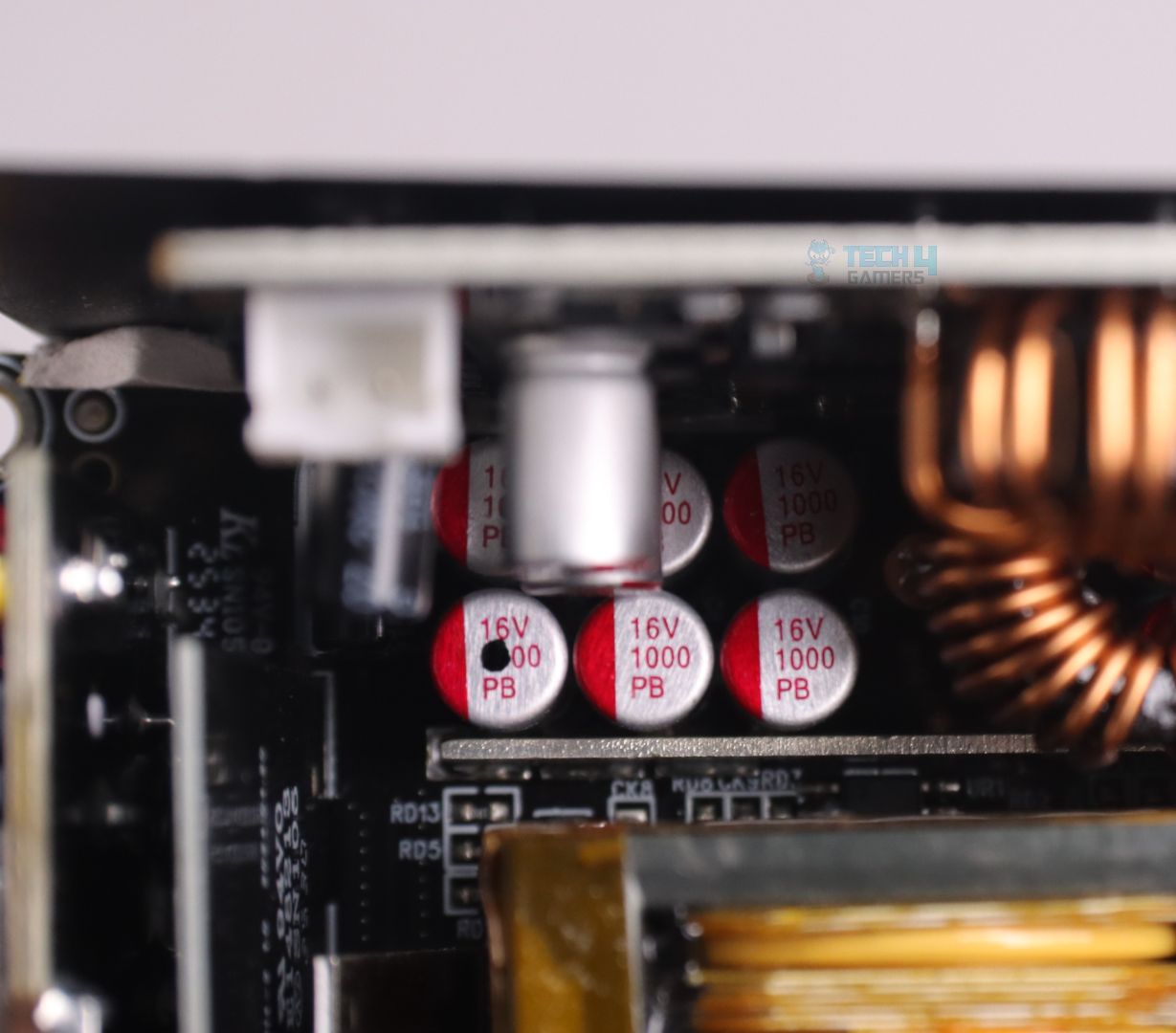
Polymer Filtering Capacitors
The use of top quality components can be seen throughout the platform. Even for its tiny size, the OEM has managed to put two electrolytic bulk capacitors from top-tier Japanese manufacturer Rubycon with combined capacitance of 840uF. Other electrolytic and polymer filtering capacitors are also from Rubycon and another well-reputable Japanese brand Nippon-Chemicon.
Main Transformer
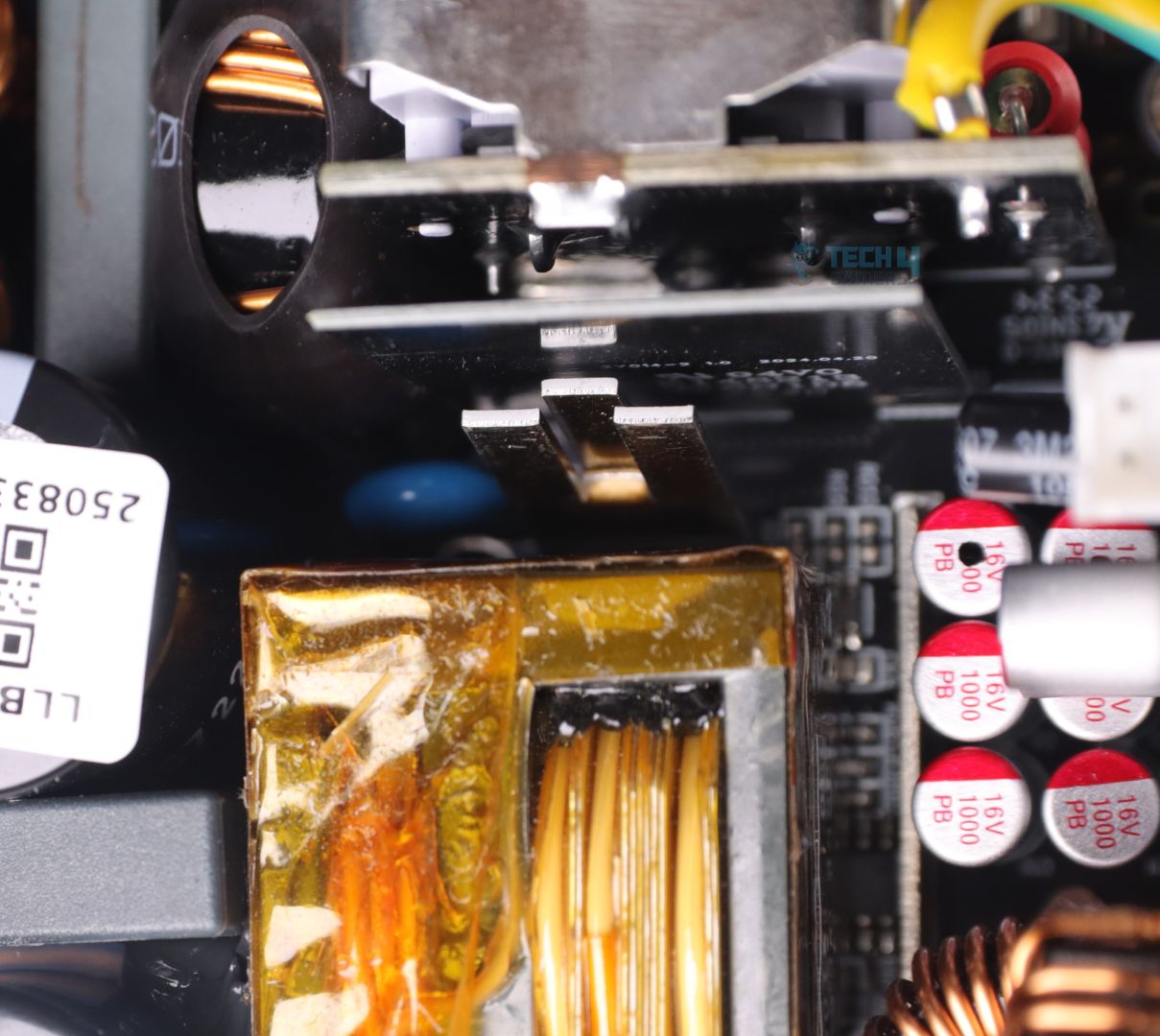
If there’s one major change that has significantly improved modern PSU designs it’s actually the main Transformer.
The use of flat copper planes for the secondary turns, has massively decreased the size of such transformers. Now they can be switched with a more higher frequency (keeping the overall size even smaller) and produce much less voltage ripple and noise.
12V Rail MOSFETs Heatsink
12V Rail MOSFETs on the back
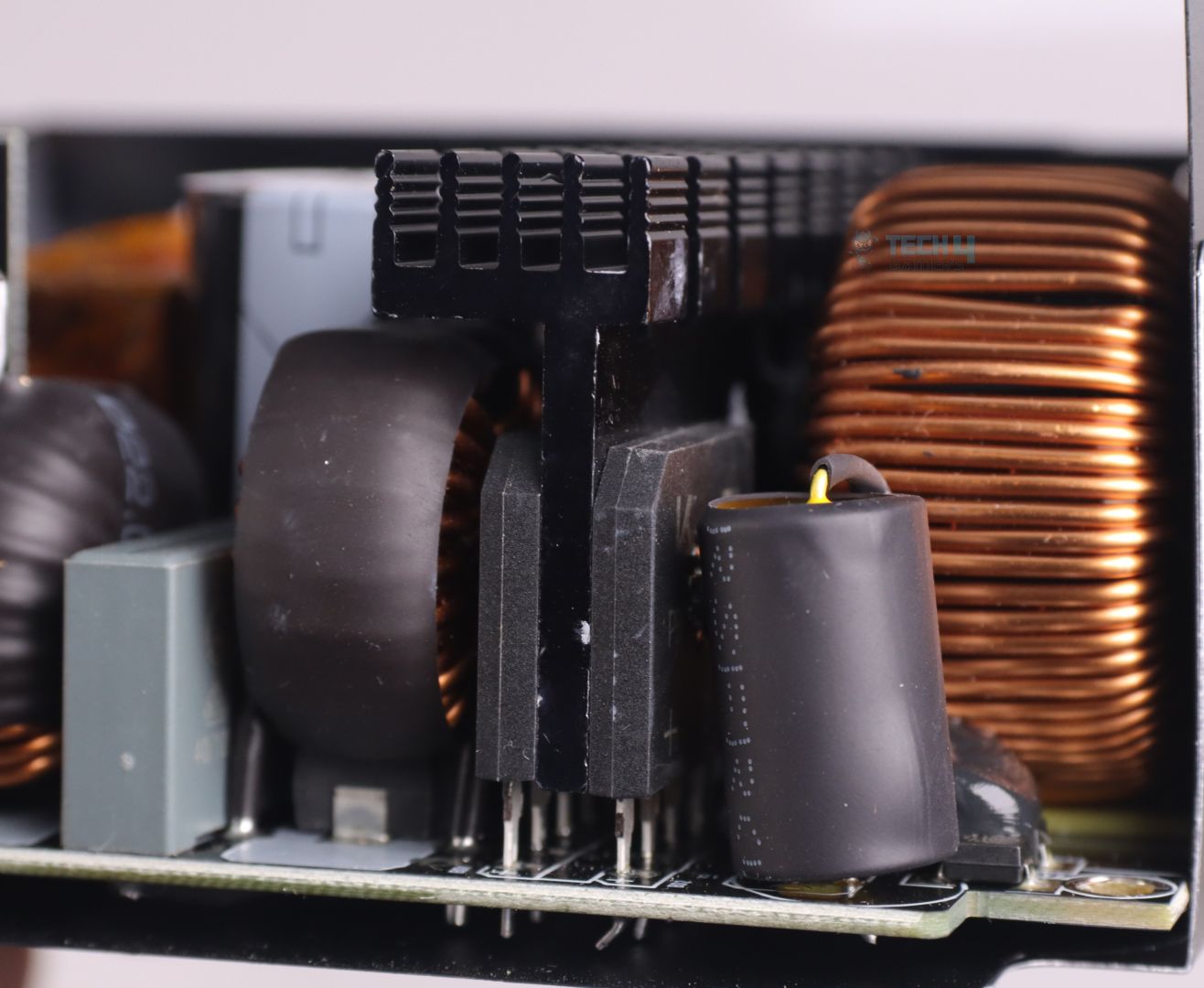
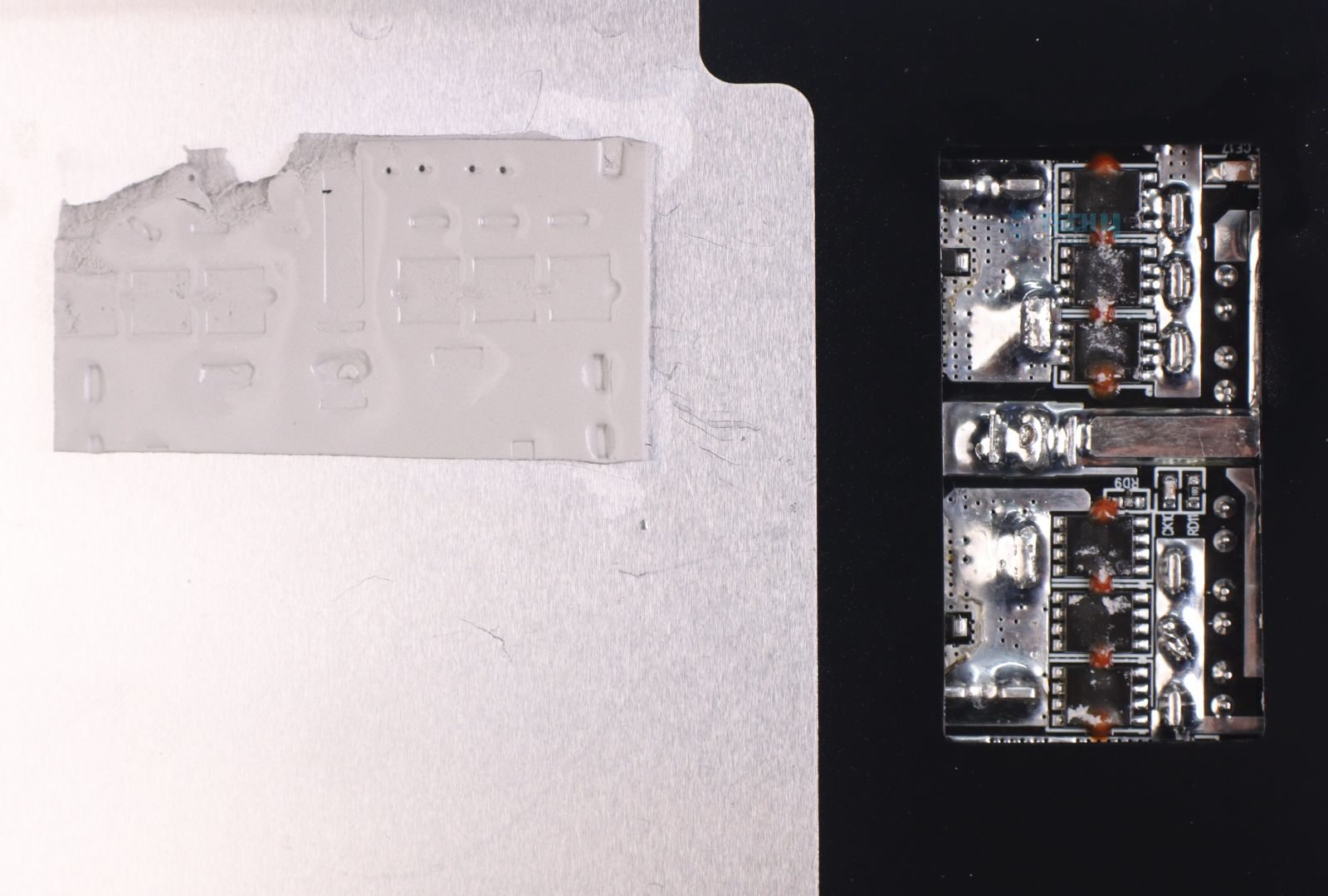
There are two tiny vertically placed aluminum heatsinks for cooling down 12V rail MOSFETs that are soldered on the back of the PCB. Those MOSFETs are further cooled down by the PSU chasis with a thick thermal pad sandwiched in between.
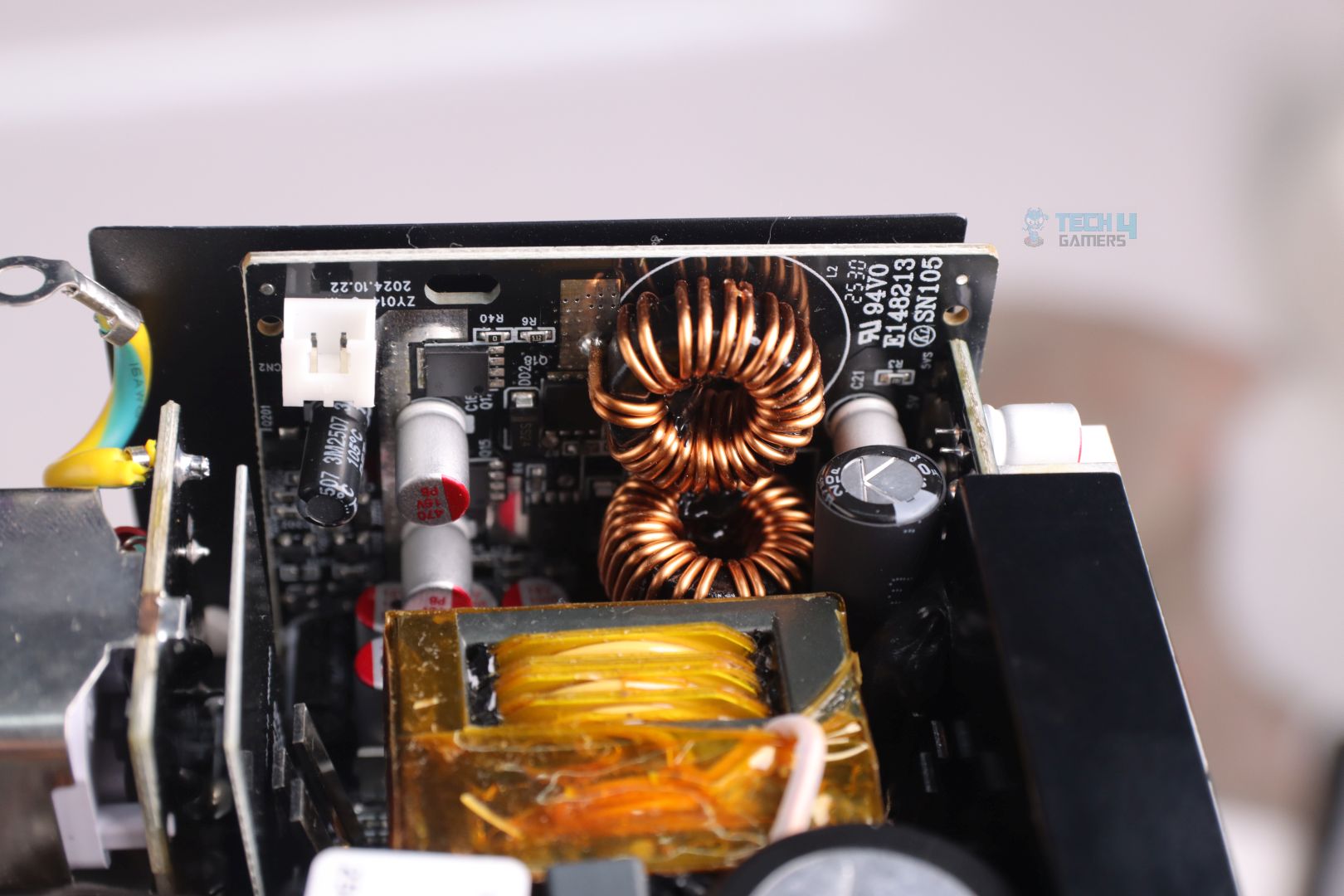
5V & 3.3V DC-DC Module
A small vertical daughter board for minor voltage rails (5V and 3.3V)
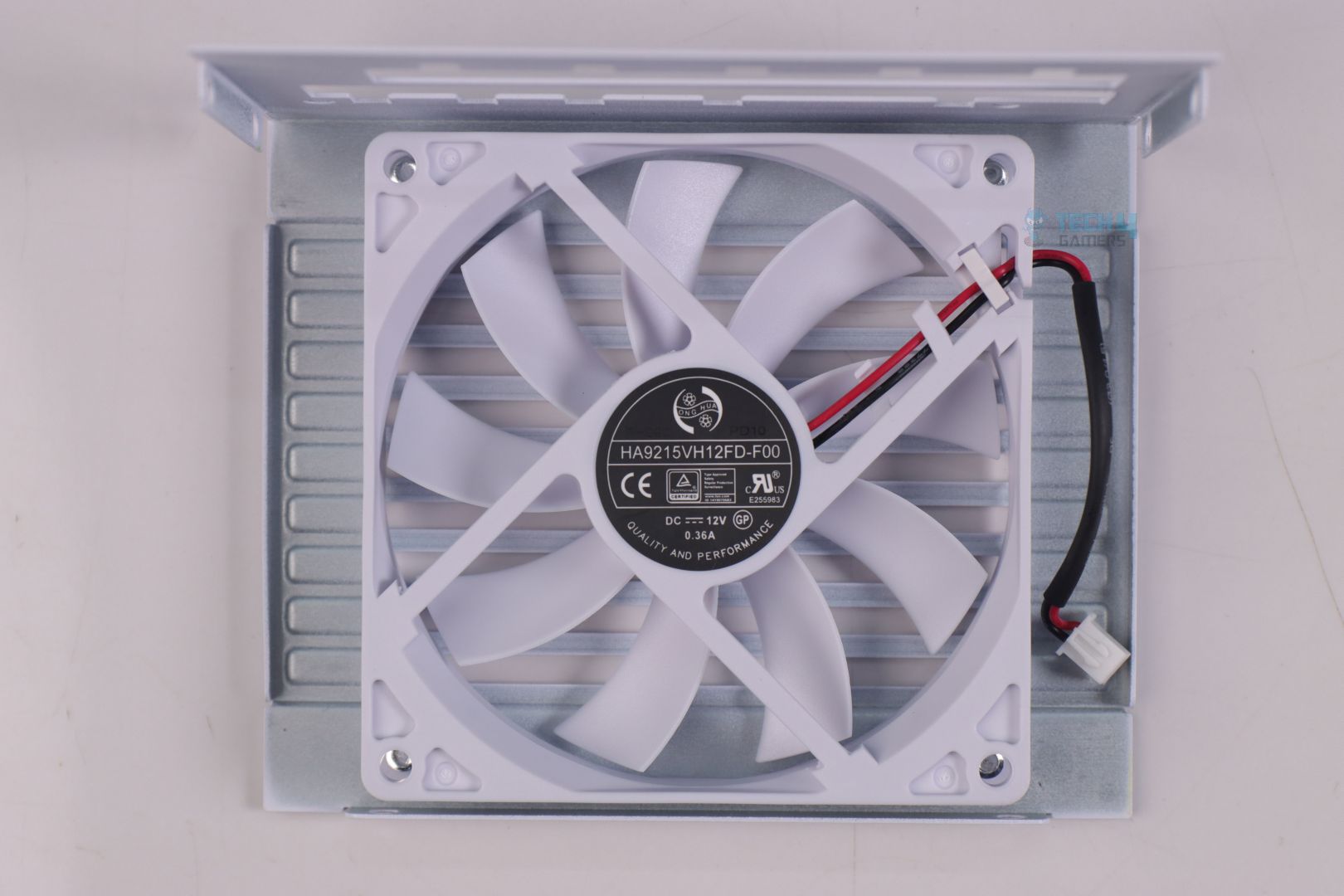
92mm FDB Fan From Hong Hua
A 92mm FDB (Fluid Dynamic Bearing) fan is used with zero-RPM feature that automatically kicks in the fan when the load exceeds around 40% of rated power.
PSU Load Testing
Voltage Regulation
Load in %
12V Rail
5V
3.3V
20%
12.03
5.00
3.35
50%
11.99
4.99
3.34
70%
11.95
4.99
3.34
90%
11.94
4.99
3.34
100%
11.94
4.98
3.34
Voltage regulation is very good throughout different load variations. For its SFX form factor and 1000W output power, it’s really impressive.
PSU Efficiency
Load in %
Efficiency
Power Factor
20%
91.91%
0.943
50%
93.80%
0.982
70%
93.20%
0.984
90%
92.86%
0.985
100%
92.42%
0.985
With the efficiency of 93.80% at half the rated output power and average efficiency of 92.85%, Lian Li SP1000P easily manages to achieve Platinum rating.
Voltage Ripple Performance
Load in %
12V Ripple
20%
7.2
50%
14
70%
18
90%
24.8
100%
29.6
Voltage ripple performance is really impressive and even exceptional for an SFX PSU. The use of massive amounts of Polymer filtering capacitors on the modular connector bay side has indeed worked out really well.
Temperature
1 of 3
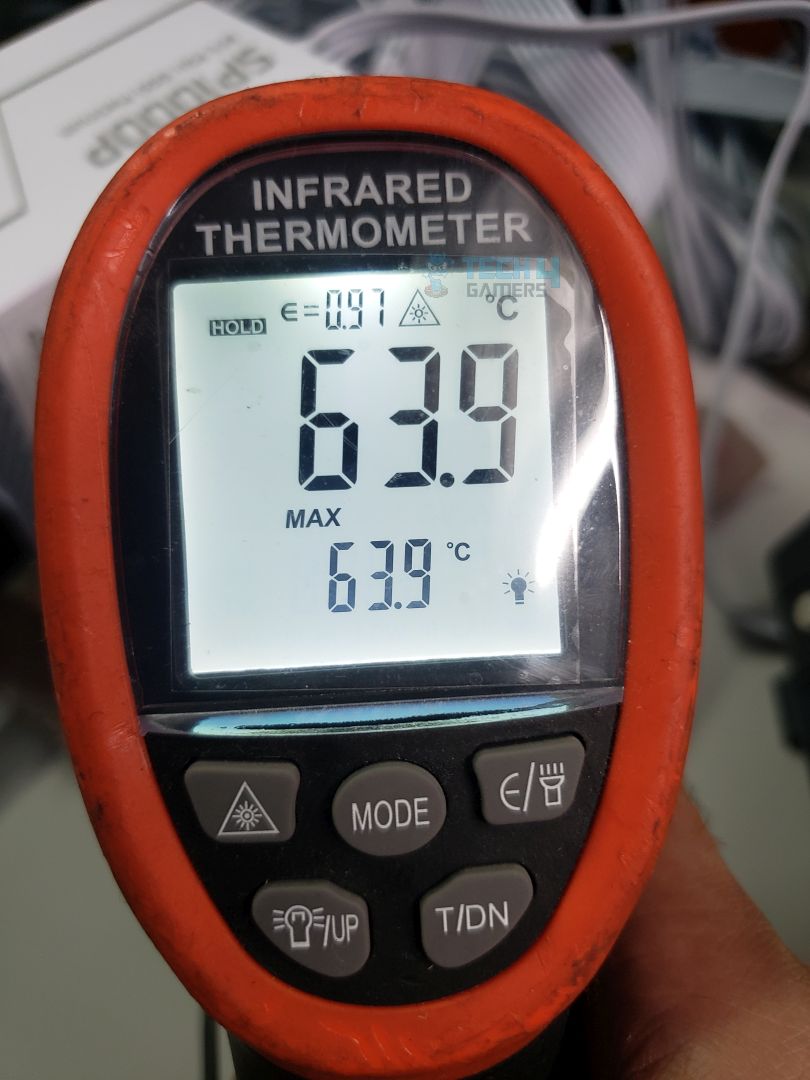
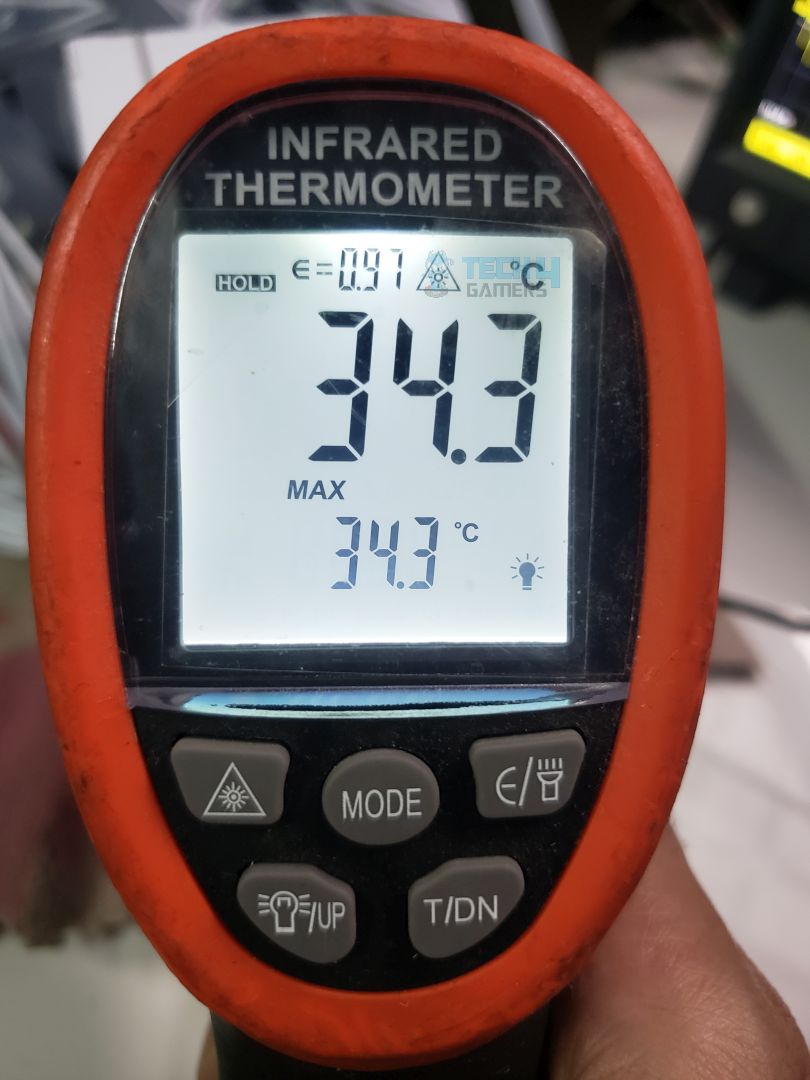
Max Temp @Exhaust
Max Temp @Back
Max Temp @Connectors Side
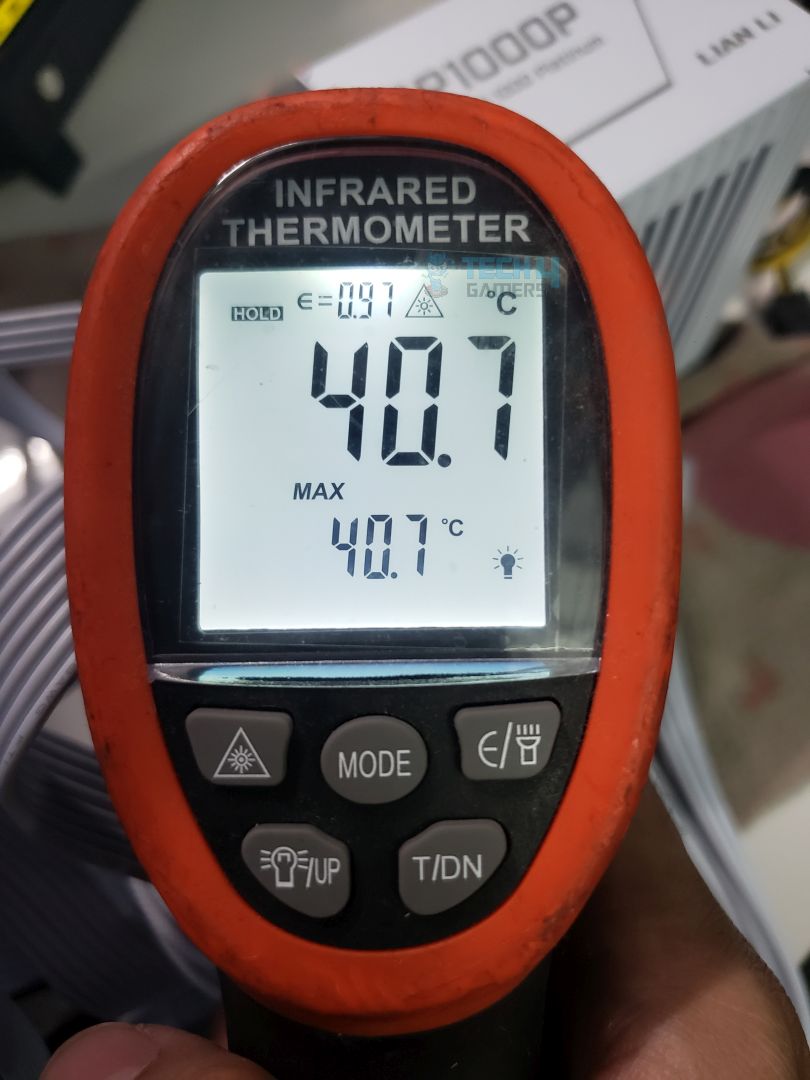
The PSU remained decently cool throughout the test. Now 63.9C on the back may look very hot, but it’s due to the MOSFETs dumping down all their heat on that specific spot. You may want to be careful leaving couple of centimeters of gap between the PSU and your PC case.
Just like the previous Lian Li RS1200G PSU I tested earlier, Lian Li SP1000P has the same problem of loud fan noise. Though it only gets extremely louder at max 1000W of load (which I don’t think you will be utilizing on your Mini-ITX builds) but still at around 800W of load the fan gets pretty loud.
I think if there was a way to bypass zero-RPM fan mode with a Hybrid-Fan mode switch on the back (as many other PSUs) this could have surely helped keeping the fan speed down.
Should You Buy it?
Buy It If
✅ You want a compact powerhouse: The Lian Li SP1000P is perfect for a high-end Mini-ITX gaming or workstation build, while still leaving enough headroom for future hardware upgrades.
✅ You care about extreme efficiency: With excellent efficiency numbers, most systems running around 500–600W will enjoy cooler operation and noticeably quieter performance compared to lower-rated units.
✅ You want a PSU that lasts a lifetime: Lian Li backs the SP1000P with a 10-year warranty, outclassing even some premium PSU brands that stop at 7 years.
✅ You want strong value in the SFX space: The SP1000P is priced lower than many competing SFX PSUs, and not all of them offer the same long 10-year warranty to sweeten the deal.
✅ You want peace of mind with next-gen GPUs: Thanks to the improved dual-color 12V-2×6 connector, you can game all day on power-hungry GPUs like the RTX 5090 without worrying about connector safety.
Don’t Buy It If
❌ You demand silent operation at high loads: Like many SFX PSUs, the small fan can get loud once power draw crosses ~700W. If silence is critical, especially during late-night competitive gaming, the fan noise may drive you nuts.
My Final Thoughts
Lian Li’s latest SFX PSU lineup is the perfect match for their Mini-ITX PC Cases that offers compatibility with the latest high-end and power hungry components. With SP1000P’s 10 years of warranty, this surely has the capabilities to last you several upgrades.
I’ve previously worked for eXputer as a Senior News Writer for several years. Now with Tech4Gamers, I love to devoutly keep up with the latest gaming and entertainment industries. I have a Bachelor’s Degree in Computer Science and years of experience reporting on games and breaking exclusive stories. Besides my passion for gaming journalism, I love spending my leisure time farming away in Stardew Valley. VGC, IGN, GameSpot, Game Rant, TheGamer, GamingBolt, The Verge, NME, Metro, Dot Esports, GameByte, Kotaku Australia, PC Gamer, and more have cited my articles.
Story Highlight
Expedition 33 has won 291 Game of the Year awards in 2025, making it the 3rd most honoured title in gaming history.
The game is ahead of titles like The Witcher 3 and Baldur’s Gate 3, with only Elden Ring and The Last of Us 2 winning more GOTYs.
The RPG also boasts one of the highest success rates, having won 68% of Game of the Year awards, trailing only 2% behind Elden Ring.
Sandfall’s title also won the Game of the Year award in Thailand and at the Indie Game Awards, even though the latter was later rescinded. But, even with the AI controversy, Expedition 33 has received more overall GOTY wins than some big hitters like The Witcher 3.
Why It Matters: Clair Obscur: Expedition 33’s impact is clearly showcased by the RPG winning 68% of the GOTY honours this year.
Expedition 33 has officially won the 3rd-most Game of the Year awards in gaming history, being honoured by over 291 publications, award shows, and magazines. In the overall list, the RPG has surpassed Larian Studios’ Baldur’s Gate 3, which won 288 GOTY awards back in 2023.
Expedition 33 is only behind The Last of Us Part II (326 GOTY wins) and Elden Ring, which dominated the awards season in 2022. Furthermore, there have been 428 GOTY winners announced in 2025, and Clair Obscur: Expedition 33 has taken home 291 of these awards.
Hence, the Sandfall title has one of the highest percentages of Game of the Year wins acquired in a year, sitting at 68%. Only Elden Ring (70%), Street Fighter II (80%), and The Legend of Zelda: Ocarina of Time (87%) have a higher percentage of awards won.
Clair Obscur: Expedition 33 has won 68% of Game of the Year awards in 2025.
Considering how there are still many Game of the Year winners left to be announced, Expedition 33 can pass The Last of Us Part 2 by the end of this award season. With the AI controversy also behind the Sandfall title, anything is possible.
Do you think Expedition 33 deserves to be this high up in the historical ranking of GOTY winners? Tell us in the comments below or head to the Tech4Gamers forum for discussion.
Currently serving as a News Reporter at Tech4Gamers, I have the privilege of combining my love for gaming with the art of storytelling. My role involves crafting engaging narratives that keep our audience abreast of the latest developments in the gaming world.
Story Highlight
Teyon Studios is working on an unannounced action RPG, according to a job listing.
The job hiring for an Animal Animator requires animating wolves and dogs.
Since the studio is known for working on licensed IPs, this could very well be a new Rambo or a Predator game.
After wrapping up work on Robocop Rogue City, one of the best shooters and an underrated single-player title of this decade, developer Teyon Studios is now commencing work on its next game.
While the project is officially under wraps, we may have an idea of what the upcoming game may be like thanks to this new job listing on the studio’s official website. This new game will be a departure from their shooter-targeted genre and is described as an action RPG.
Why it matters: Teyon Studios is an underdog in the industry and one of the few developers that are passionate about making single-player titles. As such, it’s exciting to see where the developers are headed next.
Teyon Studios Outsourcing 3D Animal Animation Work || Source: Teyon
This posting for a 3D Animal Animator involves animating wolves and dogs for gameplay and cutscenes.
The role further mentions responsibilities, including Root motion, loops, and blends, which are technical 3D terms, and they suggest that these animals might play a bigger role in the game, perhaps as an adversary or even a companion.
Teyon is known for licensed IPs like Robocop and Terminator, so this project is also expected to be based on a Hollywood IP.
An educated guess would point to Teyon making either a new Predator or a Rambo game. The studio has already made a Rambo game, and even if it weren’t the best adaptation, the expertise and development it has now would give it a better chance to do justice to the character.
Teyon’s Rambo Video Game Adaptation Wasn’t The Best Of Their Work
For Predator, multiple new games are reportedly in the works, and it wouldn’t be a surprise if Teyon is making one of them.
Anyhow, it is notable that anything is mere speculation at this point. However, we do hope to learn more about the project later this year or in 2027, since it’s been nearly 2 years since development began on the game.
Teyon Studios is quite capable of handling any IP, and the Robocop and Terminator games are a testament to their quality. Unfortunately, developers are always given a restricted budget that limits their true potential.
What are your thoughts on Teyon’s next project? What do you think it could be? Let us know in the comments below, or at the official Tech4Gamers Forums.
Being a keyboard enthusiast, I specialize in reviewing, modding, and critiquing them for the people. If you’re a Razer fanboy, my only goal is to convert you to the dark side 😈.
For hardcore gamers like you and I whose main priority is customizing their keyboard for maximum speed and personalization, a magnetic keyboard is a no-brainer since it offers ultra-competitive hall-effect features like Rapid Trigger and Snap Tap thanks to built-in adjustable actuation distance. This can make all the difference when you’re pushing more than 1,000 frames in Valorant.
Subsequently, I’ve reviewed dozens of keyboards and after spending numerous hours on in-house testing, I’ve rounded up the Top 5 Magnetic Keyboards for you. No need to worry, I’ve included a value-for-money option as well as a wireless pick along with a warranty-focused keyboard and a compact-sized keyboard too, so there’s a little something for everyone.
Why Trust Tech4Gamers
Huzaifa Haroon is our keyboard expert with years of experience in building and testing custom keyboards.
130+ peripherals tested and reviewed by our team of hardware experts (Tech4Gamers Team).
500+ hours spent testing different peripherals for our reviews.
At Tech4Gamers, ensuring you get reliable information is our priority. That’s why every hardware round-up undergoes a meticulous review process by our team of experts and editors. Each review is carefully examined against our strict editorial guidelines, guaranteeing you trustworthy insights you can depend on.
Without any further ado, here’s a brief overview of the keyboards I’ve chosen for you.
Keyboard
Wooting 80HE
Keychron K2 HE
Corsair K70 Pro TKL
Akko MOD007B PC Santorini
Wooting 60HE+
Looks
Award
Best Overall Magnetic Gaming Keyboard
Best Magnetic Custom Gaming Keyboard
Best Warranty & Support Magnetic Gaming Keyboard
Best Looking Magnetic Gaming Keyboard
Best Compact Magnetic Gaming Keyboard
What We Liked
Hot-swappable, adjustable height, decent acoustics, best software
I stand behind all of these magnetic keyboards with my own experience and reputation:
Best Overall: Wooting 80HE
Best Value: Keychron K2 HE
Best Warranty & Support: Corsair K70 Pro TKL
Best Looking: Akko MOD007B PC Santorini
Best Compact: Wooting 60HE+
As I mentioned previously, I, along with my team, have personally tested each and every one of these keyboards. Therefore, we’ve also recorded the sound signature and switch feedback for all the keyboards. Feel free to check out these in-house BTS clips at the end of each keyboard’s write-up.
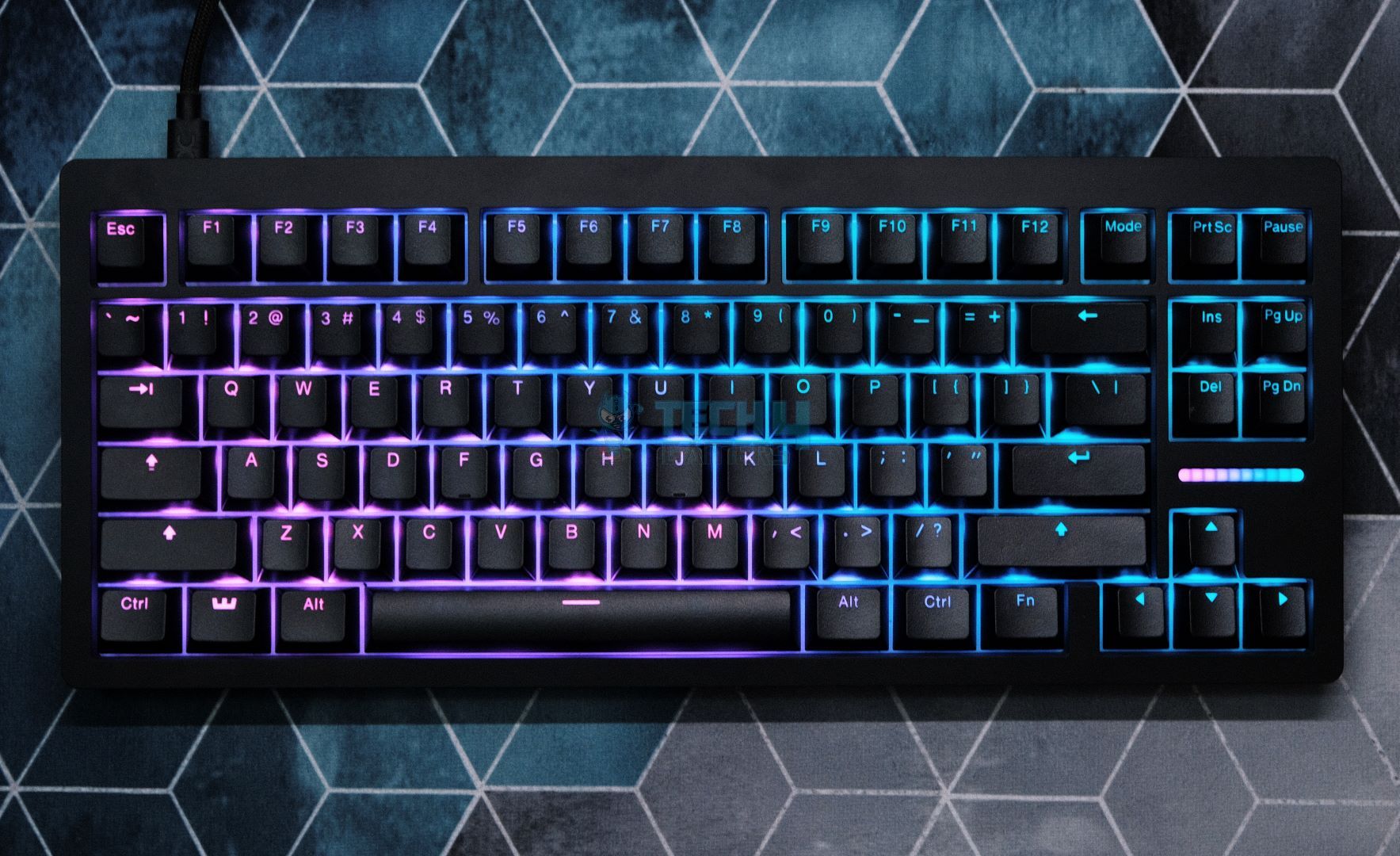
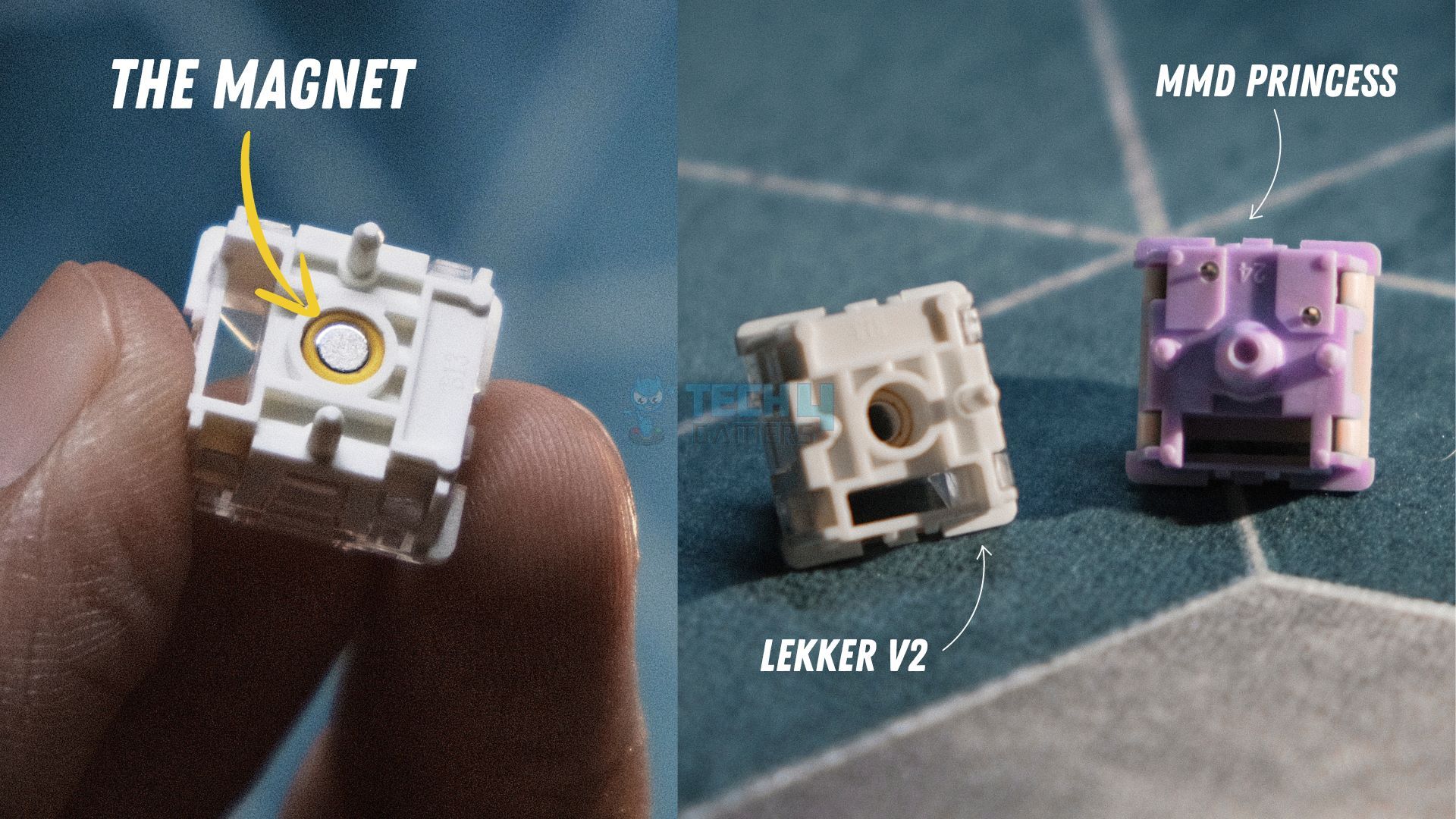
The Wooting 80HE sports an aesthetically understated design that flies under the radar. Right off the bat, I felt soothed by the shine-through PBT Doubleshot keycaps. Moving on, my teardown of the keyboard revealed a gasket-mounted PCB to which Wooting has mated 83 Lekker (L60) V2 switches. The difference was immediately felt as these newer switches have a rather silent and somewhat mushy profile, but that’s because they’re engineered for speed.Thankfully, Wooting did us the courtesy of pre-installing factory-lubed screw-in stabilizers which significantly elevated my typing experience and resulted in minimal rattling.
But the list doesn’t end here. As the switches are magnetic, the 80HE sports dynamic actuation points that can be adjusted between 0.1mm – 4.0mm. Let’s not forget Wootility, i.e., Wooting’s comprehensive software that allows you to refine the per-key RGB, set up macros, activate cutting-edge SOCD features like ‘Snappy Tappy,’ ‘Rappy Snappy,’ ‘Rapid Trigger,’ and there’s just no limit when it comes to personalizing that LED bar.
After putting a few thousand keystrokes on the Wooting’s odometer, here’s what I had to say:
Apart from bleeding-edge performance, the Wooting 80HE builds upon the legacy of its predecessor by improving in all the areas in which the original fell short. The new Lekker V2 switches paired with factory lubed screw-in stabilizers significantly upgrade the stock sound. And the gasket mount allows for a soft and thocky typing experience that only acts as a cherry on top of the world-class gaming keyboard the Wooting 80HE already is.
✅Buy It If
You want the best keyboard software: Wootility is a very polished and comprehensive program that will let you customize and personalize the 80HE to the maximum extent, the sky’s the limit with this one.
You prioritize speed over the typing experience: Due to no flaw of its own, the Wooting 80HE has a slightly mushy feel to it, but don’t let that fool you. What the 80HE lacks in feel, it exhibits in speed with the Lekker V2 switches and an 8000 Hz polling rate.
❌Don't Buy It If
You’re looking for the best-sounding keyboard: While the 80HE has a respectable ‘thocky’ sound, it can’t compete with the Cherry MX Blues of the world due to its Hall-Effect switches, but that’s a general disadvantage of magnetic keyboards, not Wooting’s offering itself.
You want wireless connectivity: Sadly, the lack of wireless connectivity is about the only thing that is stopping the Wooting 80HE from getting a perfect rating from me.
What Makes It The Best Overall Magnetic Gaming Keyboard?
First off, proprietary features like ‘Dynamic Keystroke’ and ‘Mod Tap’ offer an ultra-competitive edge to you. Secondly, the linear Lekker V2 switches have improved speed and are more silent. Furthermore, the PCB has no flex cuts and is hot-swappable as well, making the Wooting 80HE future-proof. Lastly, Wootility elevates the 80HE’s usage experience with unrivalled customization hidden beneath a few clicks of your mouse.
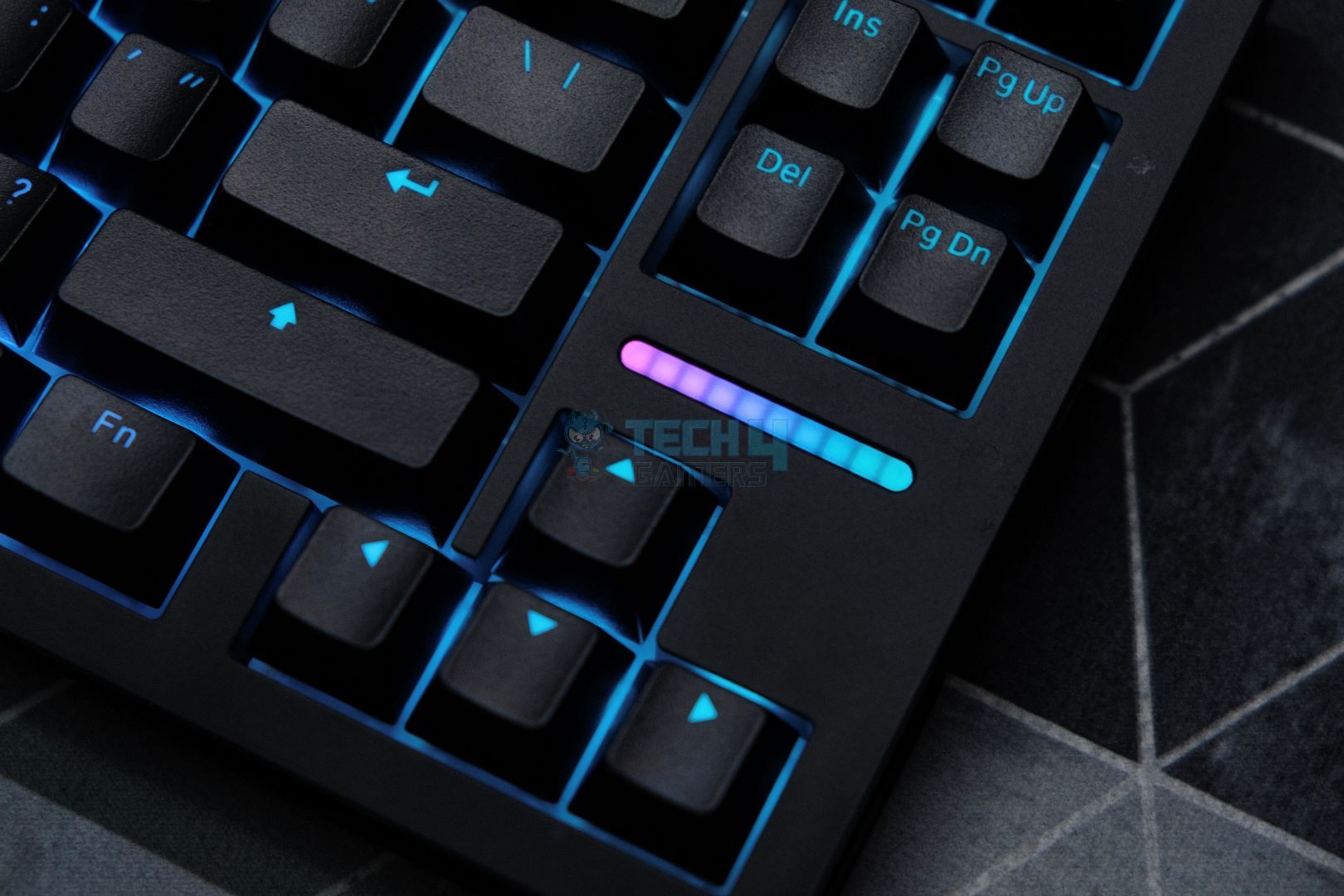
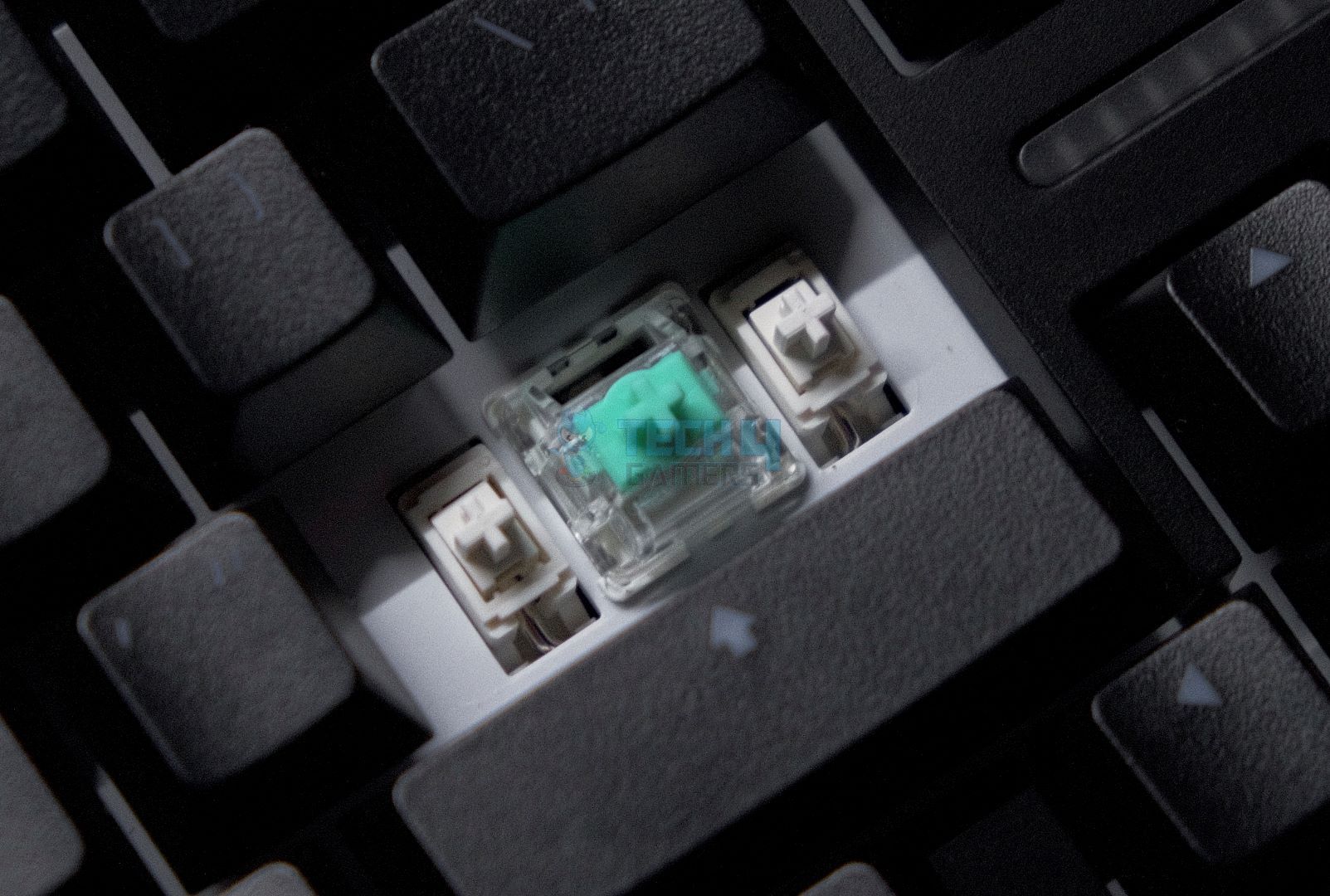
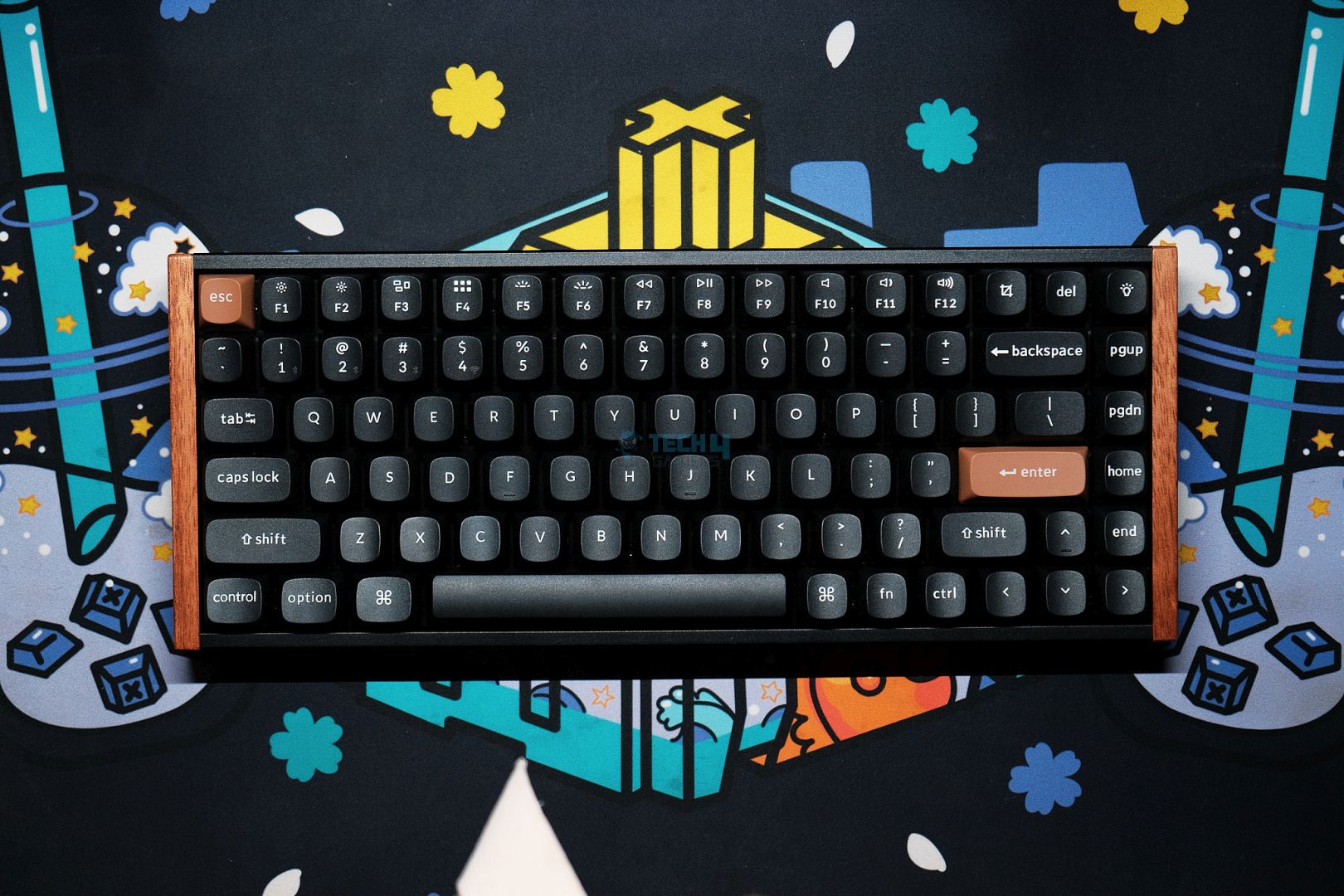
The Keychron K2 HE is the brand’s take on a value-for-money keyboard with hall-effect switches in the form of Gateron’s double-rail Nebula switches that weigh 40g each. Surprisingly, these switches are factory-lubed, which is a rare offering at this price point. To another pleasant surprise, I found during my teardown that Keychron has generously added 4 layers of foam that give the K2 HE a dampened ‘thocky’ sound, which is additionally muted by the stiff aluminum plate and frame. Moreover, the K2 HE is outfitted with screw-in PCB-mounted stabilizers which also come pre-lubed and perform a reasonably good job of minimizing rattle.
Going on, the Nebula switches feature an expansive dynamic actuation range between 0.2mm – 3.8mm for extreme customization. But again, this is a magnetic keyboard, so all the magic takes place via the software. Speaking of which, Keychron is marketing ‘Last Key Prioritization’ and ‘Snap Click’ where the former is exactly what it sounds like while the latter is identical to Razer and Wooting’s implementation. Lastly, you do get per-key RGB in the form of 23 lighting modes, all of which look beautiful thanks to Keychron’s proprietary OSA doubleshot keycaps.
This is how I described the Keychron K2 HE in my hands-on review of the keyboard:
The K2 HE strikes a balance between enthusiast-grade features and a mainstream-friendly approach, all at a reasonable price. Its striking design complements a robust build, creating a versatile keyboard that caters equally to gamers and professionals.
✅Buy It If
You want a wireless magnetic keyboard: With a wireless latency of 5.6ms, a 4000 mAh battery, and 2.4 GHz/Bluetooth modes, the K2 HE proves itself to be a very versatile and responsive magnetic keyboard.
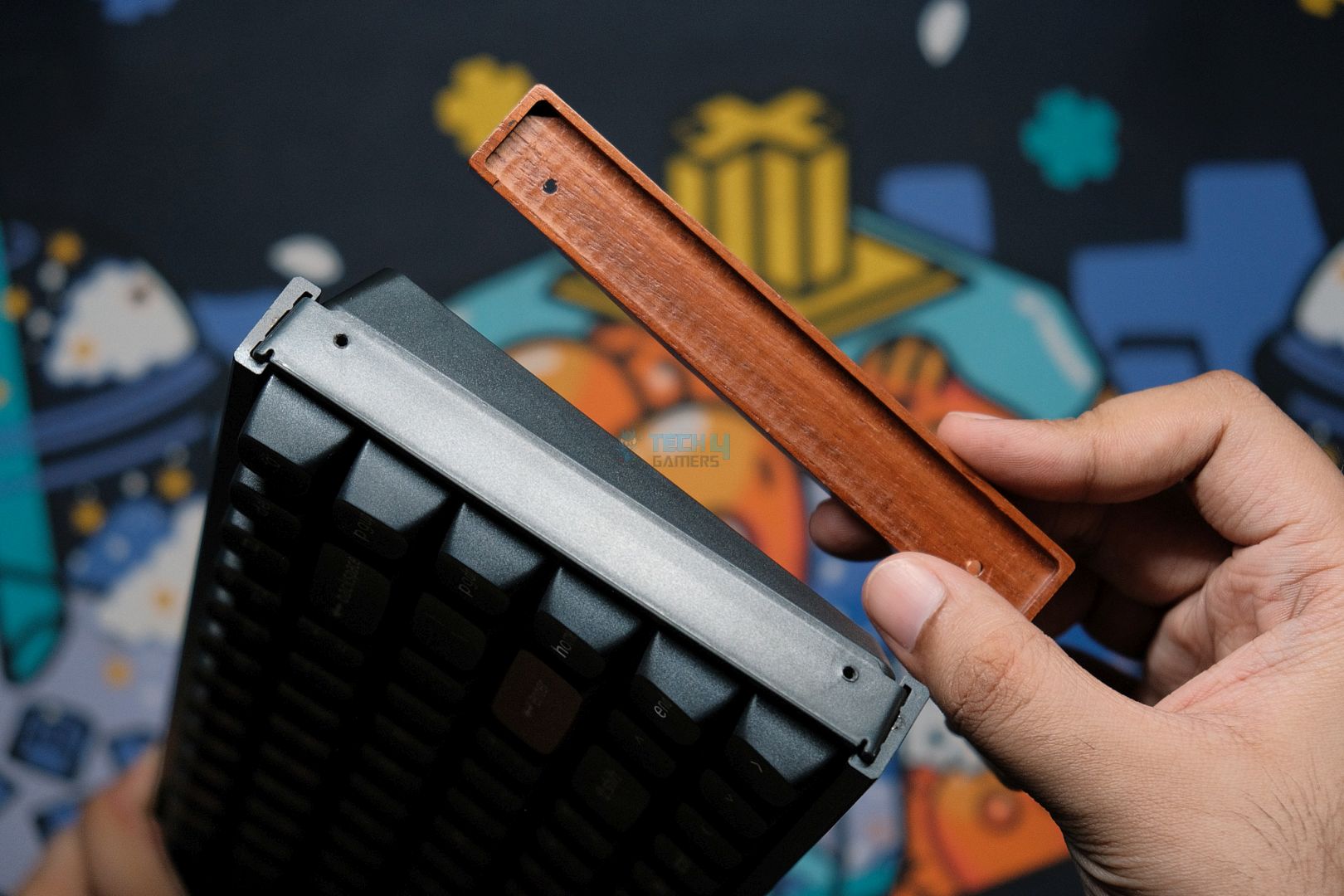
You want durability along with aesthetics: The combination of the side-mounted wooden accents along with brown Esc + Enter keys plus the per-key RGB via double-shot keycaps mated to the aluminium frame and plate make this Keychron unit a very attractive choice.
You’re on a budget: At $140, the Keychron K2 HE admirably outperforms many of its competitors, almost all of which are priced higher than the K2 HE. If you want to save another $10, you can spring for the standard edition which omits the wooden accents and sports Cherry profile double-shot keycaps.
❌Don't Buy It If
You’re a modifying enthusiast: Even though the K2 HE is hot-swappable, Keychron’s still working on introducing compatibility with other hall-effect switches.
You want full per-key RGB customization: You’ll have to make do with the 23 lighting modes as Keychron’s software doesn’t allow complete per-key lighting customization, even though the keyboard itself has the hardware to support it.
What Makes It The Best Value Magnetic Gaming Keyboard?
At just $130, Keychron offers you an unbeatable value proposition. To begin, the K2 HE boasts Gateron Nebula switches with dynamic actuation adjustment. Keychron uses a 1.6mm PCB with no flex cuts mated to an aluminum plate, which makes the keyboard very durable. Adding on, Keychron assures us that it is working to enable full hot-swappability. Also, the K2 HE has dedicated buttons for turning RGB on/off as well as for taking a screenshot.
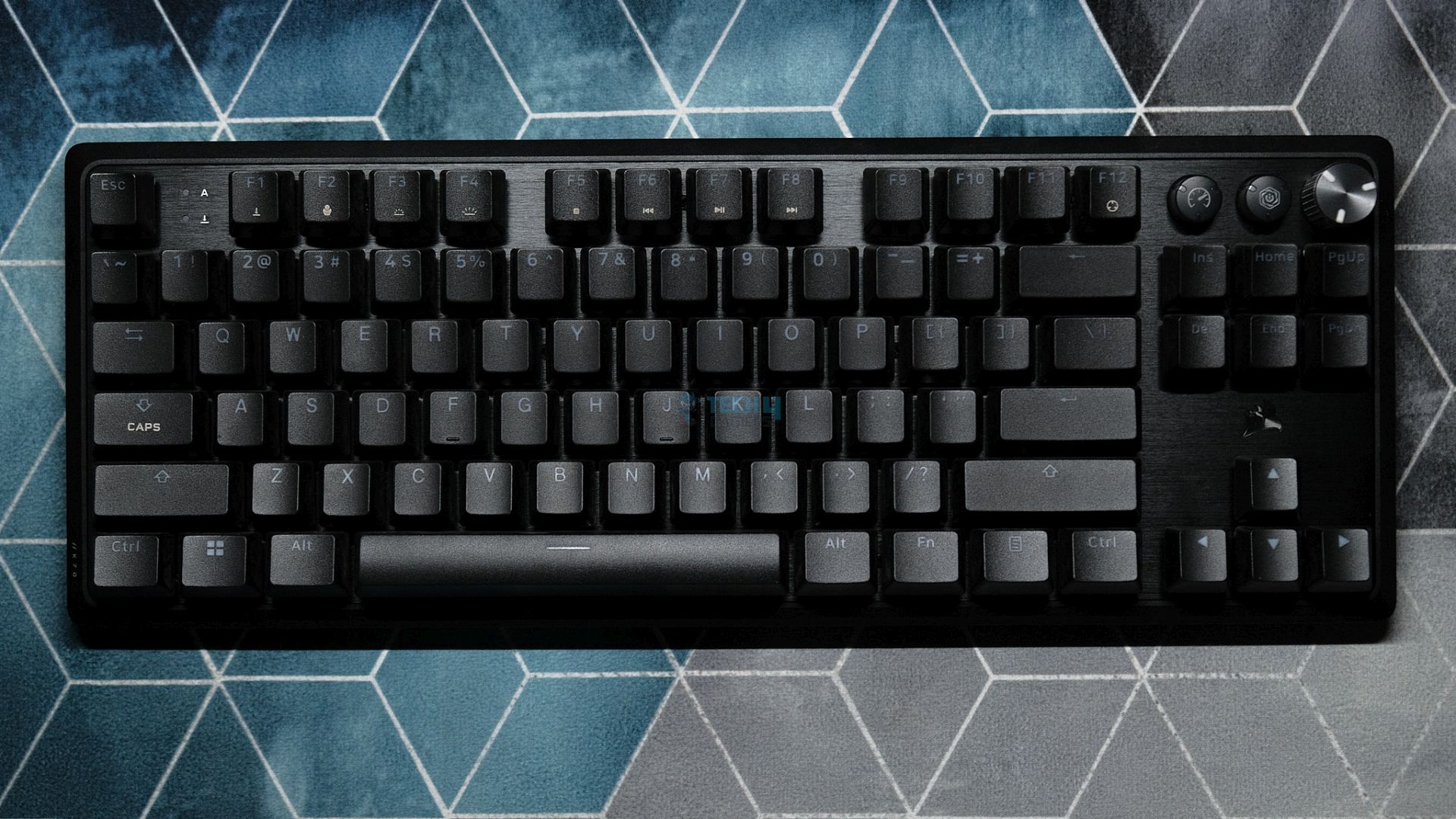
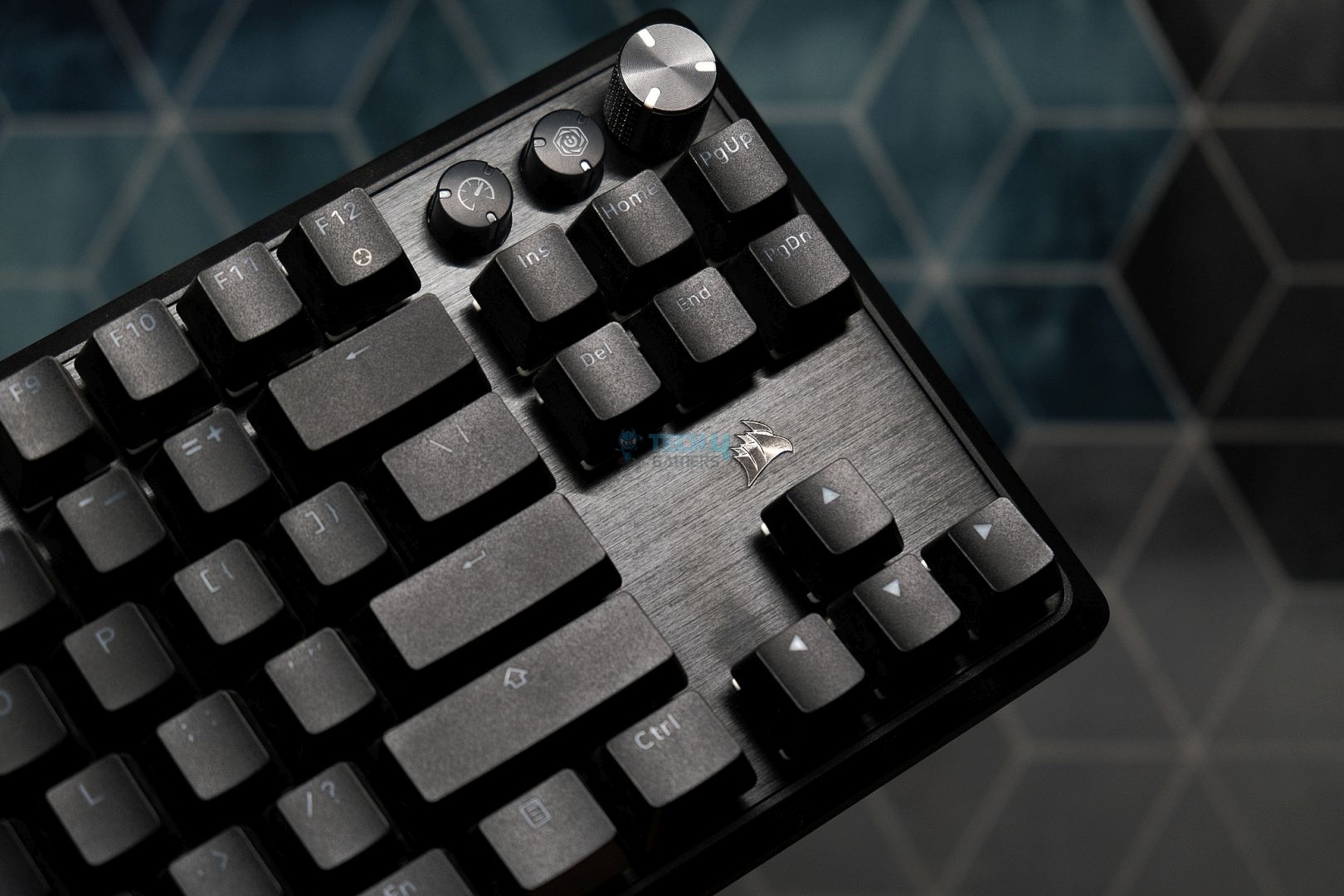
Exhibiting an all-black demeanor, the K70 Pro comes armed with a magnetic wrist rest out of the box for improved ergonomics. The keyboard’s top plate is made out of metal whereas the bottom is crafted from plastic, but don’t let that fool you because the K70 Pro TKL feels very durable in the flesh. There’s no creaking or flexing of any kind. Also, there are a pair of flip-out feet on the backside that raise the typing angle to 7 degrees, which nicely complements the included wrist rest.
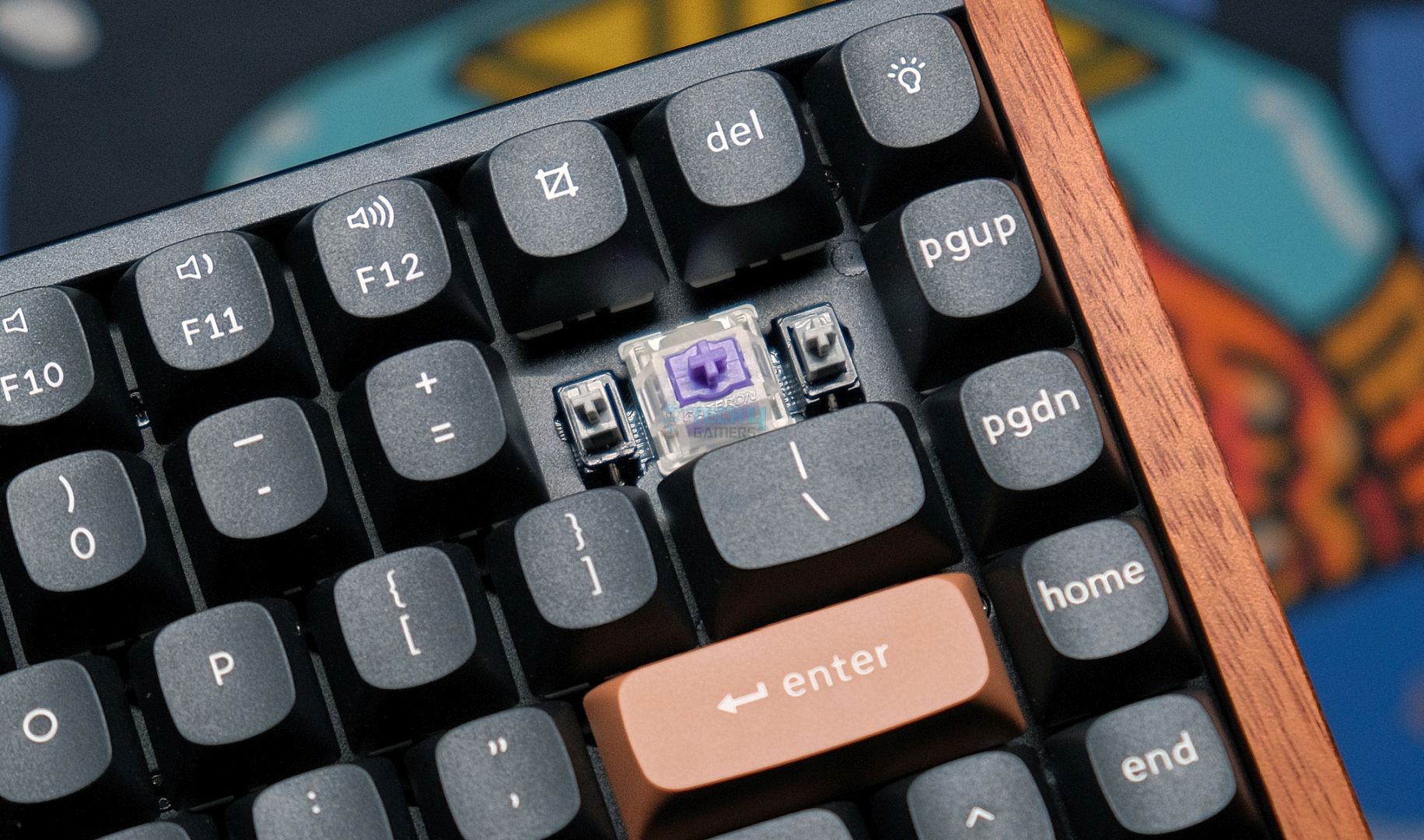
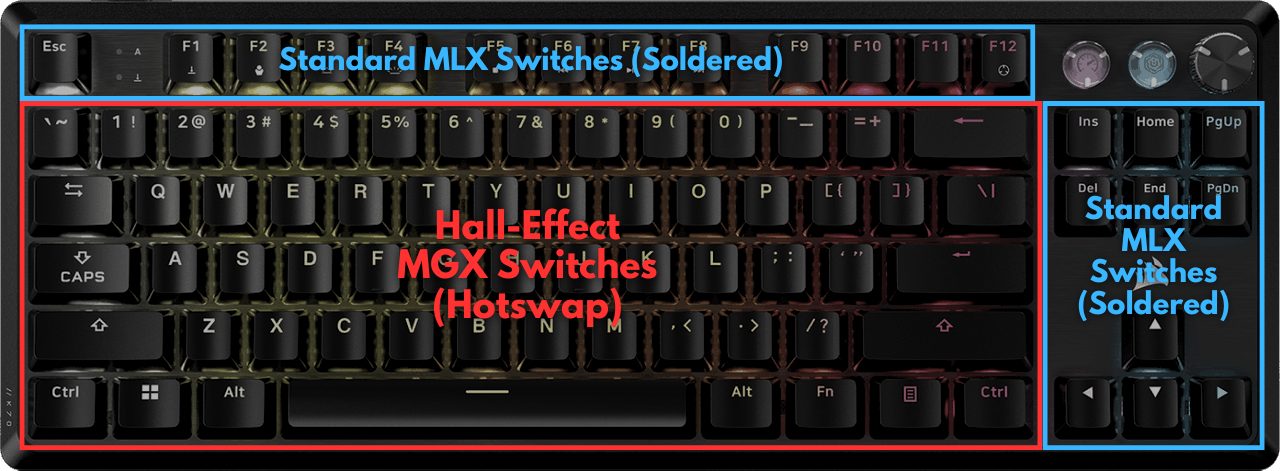
Under the hood, I tore down the keyboard to find out that Corsair’s gone with a hybrid combination of (soldered) standard mechanical switches for the function row, navigation cluster, and arrow keys while the remaining keys are all hall-effect and hot-swappable as well with Corsair rebranding a set of Gateron Magnetic Jades. Upon taking the K70 Pro for a trial run, I immediately noticed the smoothening effect of the factory-lubed switches. As far as my typing experience is concerned, the sound profile is somewhat muted without much of a ‘thock’ which some might prefer.
After testing and reviewing the Corsair K70 Pro TKL for all its worth, here’s what I had to say:
The Corsair K70 Pro TKL is a great gaming keyboard that excels where it matters for pros. The hall-effect switches provide bleeding-edge performance backed up by robust build quality. While the sound and feel are nothing extraordinary, Corsair’s extensive support somewhat makes up for being priced higher than the competition while lacking wireless support.
✅Buy It If
You want the fastest magnetic keyboard: The K70 Pro TKL proved itself to have the lowest latency during my testing, coupled with an 8000 Hz polling rate that resulted in the most convenient usage experience.
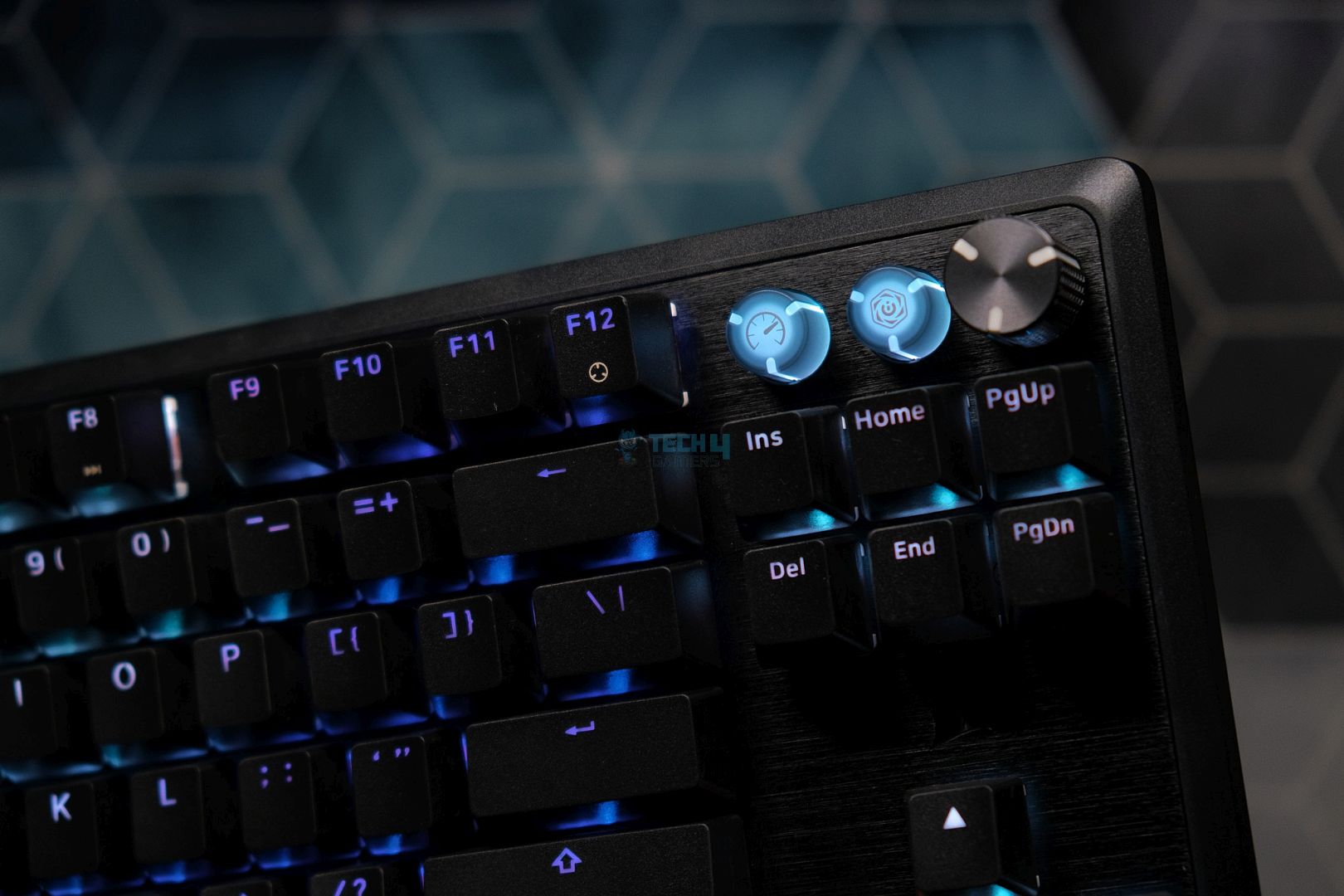
You want hall-effect switches along with old school hardware: Corsair has combined hot-swappable magnetic switches along with a few mechanical switches as well as a volume knob plus a ‘Game Mode’ button and an ‘iCUE’ button with all three of these being remappable, so the K70 Pro is truly an admirable fusion of tried-and-tested hardware with modern breakthroughs.
You have reliability and longevity concerns: Corsair has a rock-solid reputation for standing behind all of its products and it has a dominant presence throughout the world including third-world countries which makes the K70 Pro TKL a great pick for anyone who has long-term qualms.
❌Don't Buy It If
You’re looking for the best typing experience: The K70 Pro TKL promises to be the fastest magnetic keyboard, not the smoothest. The plate-mounted stabilizers and tray mounting structure is slightly outdated by today’s standards.
You’re not very tech-savvy: With competitors like Wooting and even Keychron having far more user-friendly utilities, Corsair’s iCUE software needs a major revamp as it’s difficult to navigate with quite a few settings buried deep within the program.
What Makes It The Best Warranty & Support Magnetic Gaming Keyboard?
Corsair has leveraged its customer support on top of a hybrid combo of mechanical and magnetic switches to craft the K70, which is made from a mixture of brushed aluminum and textured plastic. The keyboard has typical SOCD features like ‘FlashTap,’ along with Rapid Trigger and Multi-Press. Nonetheless, Corsair bundled a magnetic wrist rest while also dedicating two remappable keys and a reprogrammable volume knob.
Performance: 9.25/10
Build Quality: 8.5/10
Design: 8.75/10
Typing Experience: 8.5/10
Akko MOD007B PC Santorini
Best Looking Magnetic Gaming Keyboard
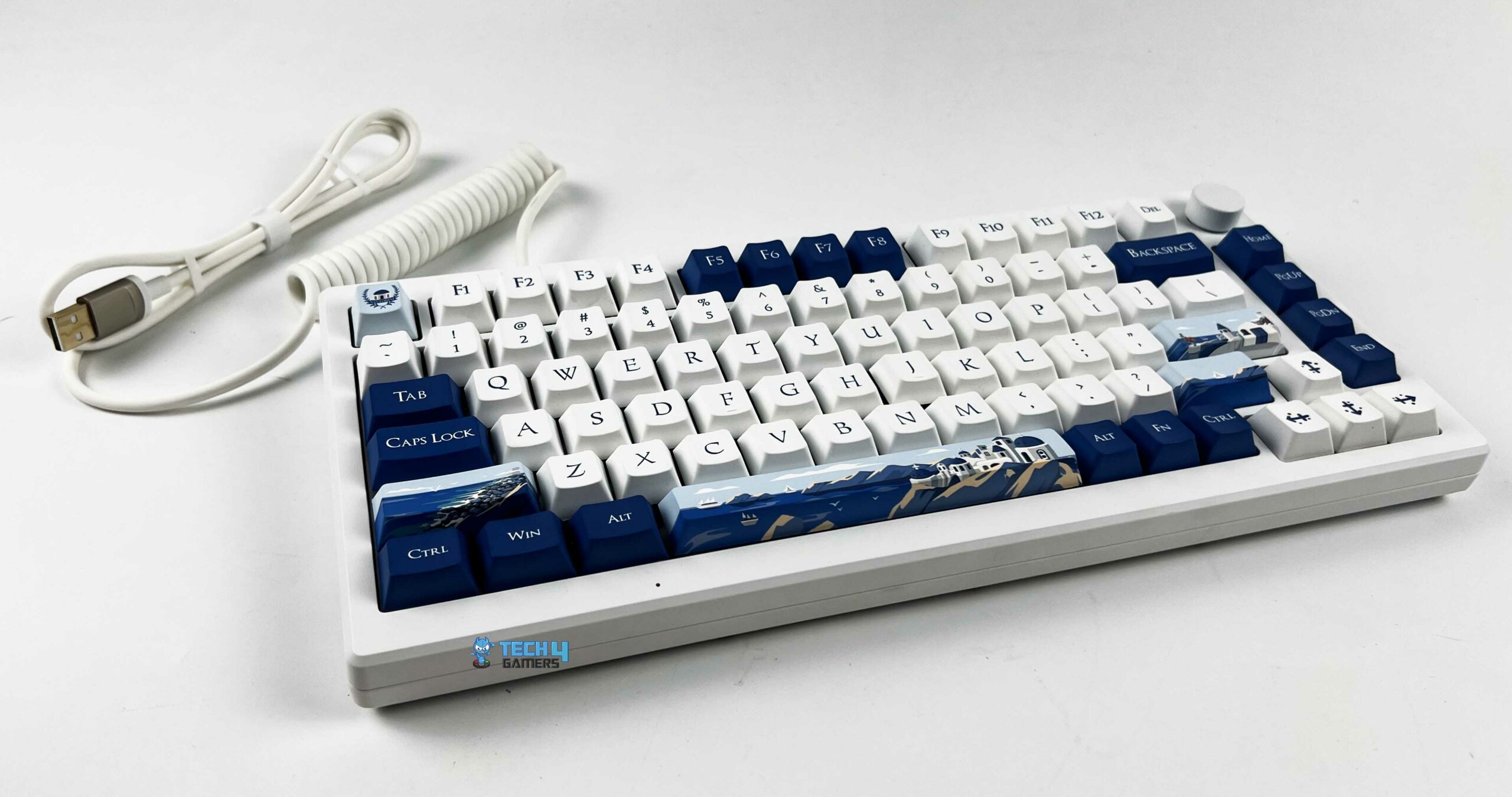
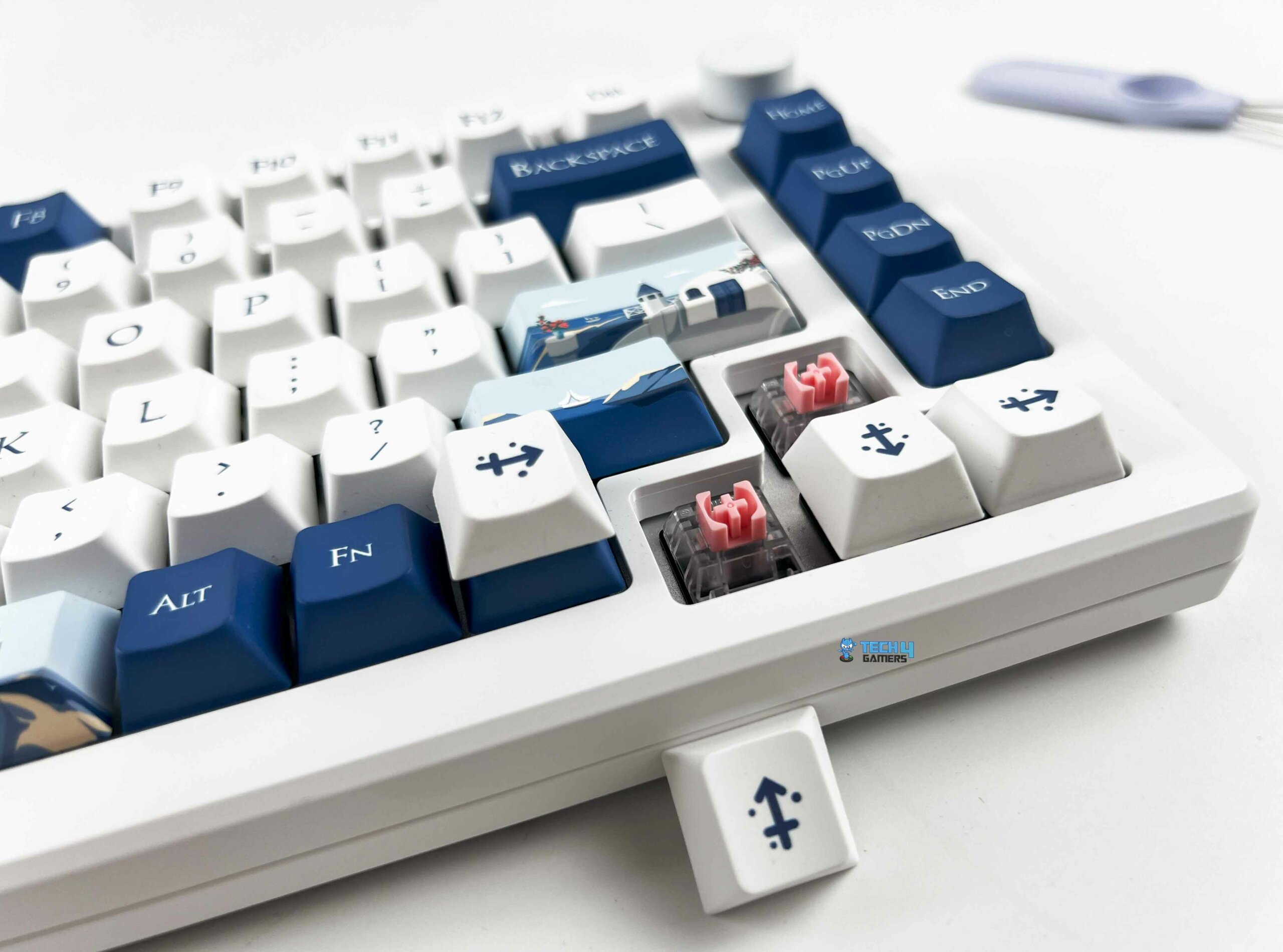
Akko MOD007B PC Santorini Pictures From Our Review
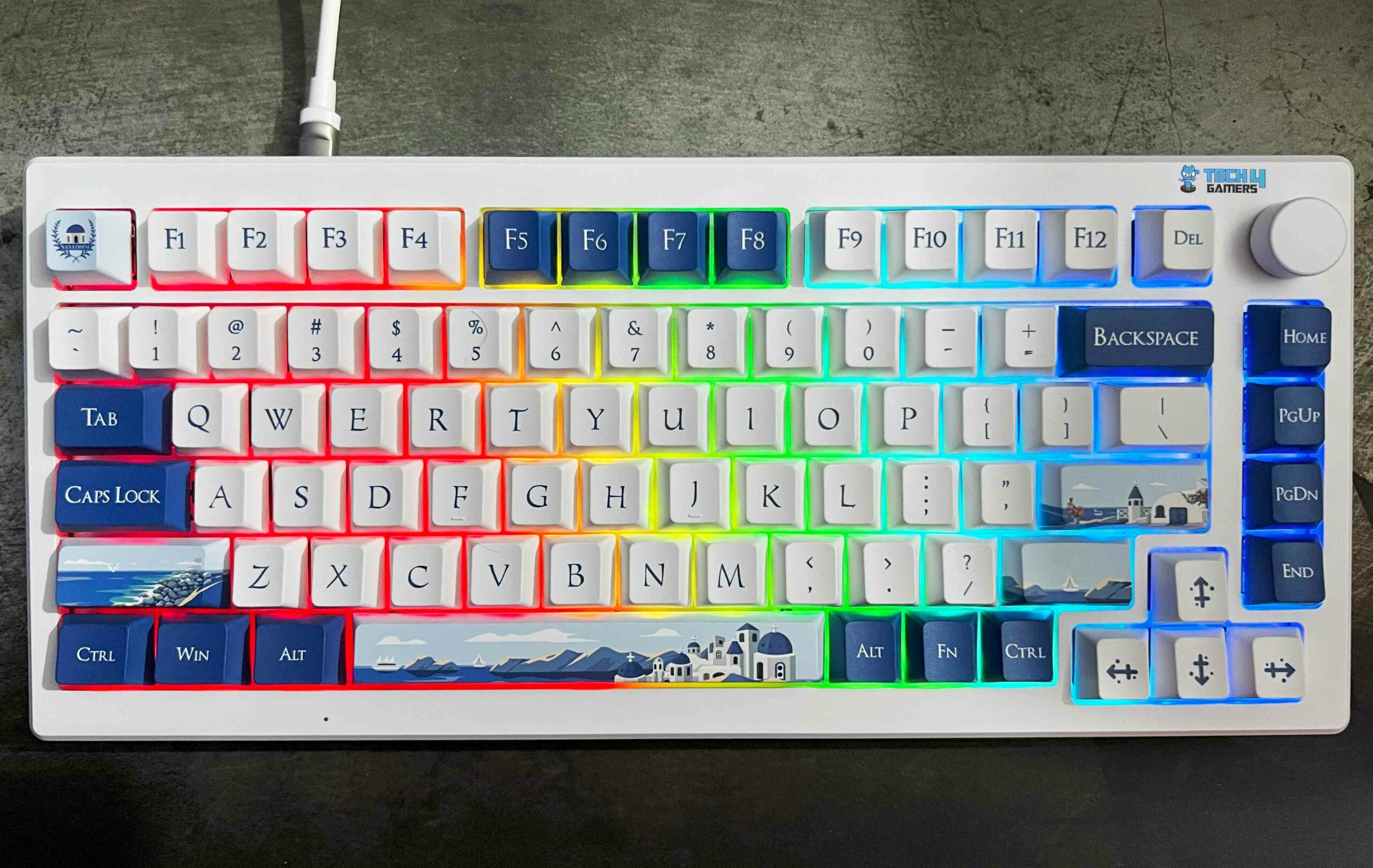
This 75% TKL board is part of the brand’s ‘World Tour’ series where they try to represent a collection of scenic destinations via uniquely painted keycaps, fonts, and color schemes. But don’t be fooled like I was. Underneath the hood, I discovered a gasket mounting mechanism paired with screw-in stabilizers that Akko allows you to combine with one of two switches; either its own ‘Cream Yellow Magnetic’ switch or the ‘Kalih Sakura Pink Magnetic’ switch. It’s essential to note that both these switches are linear, which explains why the Kalih switches in my review unit were a joy to use.
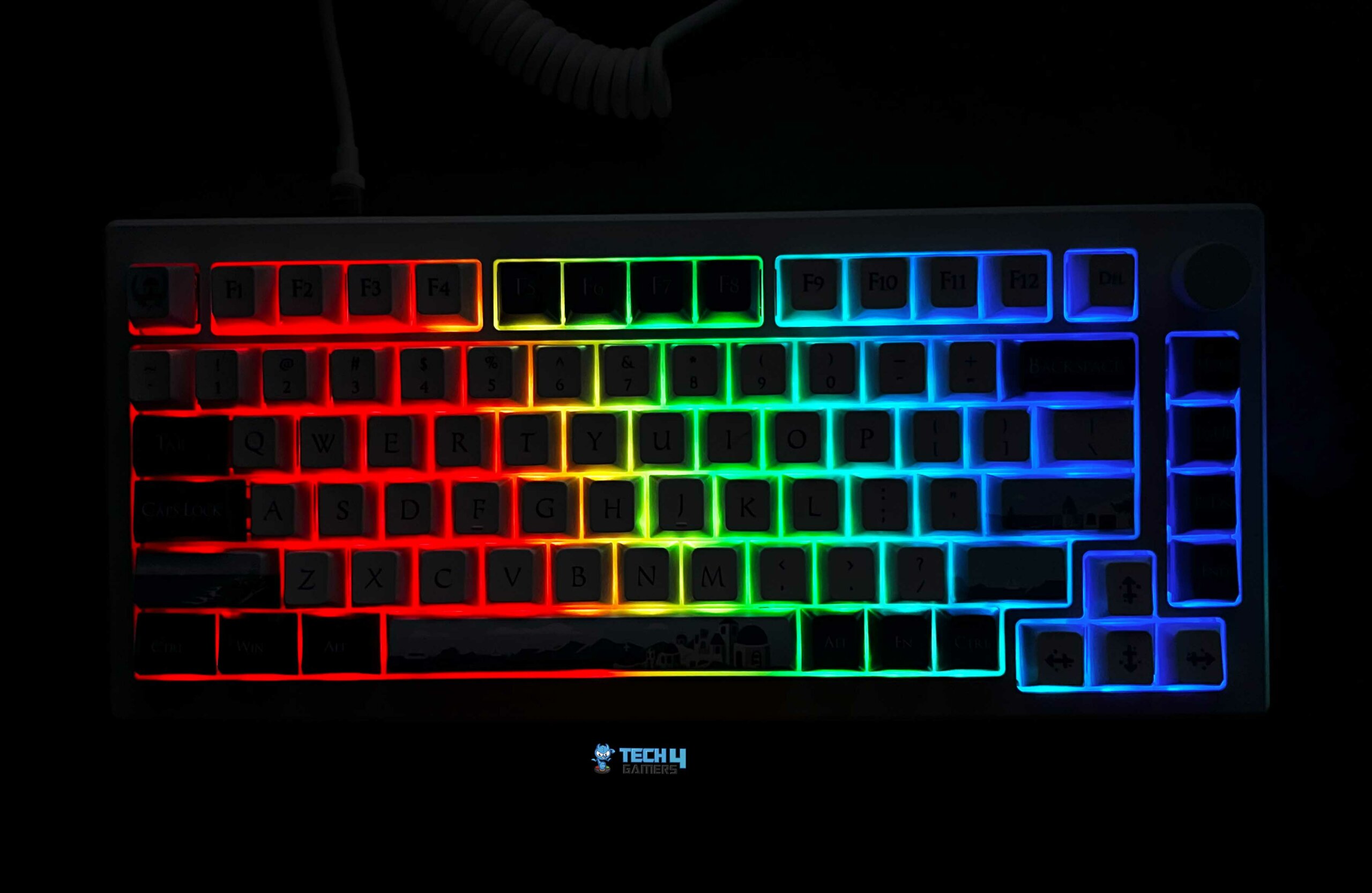
The marketing headlines for this keyboard, you ask? How about an 8K Hz polling rate (when wired)? How about Bluetooth 5.0 and multi-host 2.4 GHz connectivity? A 3600 mAh battery? How about a mod-friendly board with hot-swappable switches? The MOD007B Santorini also throws in per-key RGB. Let’s not forget the star of the show here, i.e., Akko’s SOCD features like Dynamic Keystrokes, Rapid Trigger, Mod Tap, and Toggle Key.
When Abdul Hannan, our peripherals expert, and long-time hardware reviewer, got his hands on the Akko MOD007B PC Santorini, here’s what he said:
The Akko MOD007B-PC Santorini keyboard stands out for its unique design, customizable features, and solid performance. With its polycarbonate construction and hot-swappable Hall Effect magnetic switches, it offers a premium typing experience.
✅Buy It If
You want versatility: With a wired option and two wireless connectivity alternatives, the MOD007B is ready to handle whatever (and wherever) you throw at it.
You want the most elegant keyboard in existence: There’s just no circumventing the fact that the Santorini is by far the most alluring keyboard I’ve had the pleasure of reviewing, but it’s got the hardware to go along with it as well. A prime example of beauty with brains.
You don’t want to compromise on acoustics: Thanks to three layers of foam under the switches, plate, and PCB along with a combo of pre-lubed linear switches and stabilizers, the Santorini really delivers when it comes to its sound profile.
❌Don't Buy It If
You’re looking for double-shot keycaps: The stock keycaps are PBT, but they’re dye-sublimated, which means they won’t be as durable as double-shot offerings so they will wear down and get ‘shiny’ over time.
You’re a macro enthusiast: There are no dedicated macro buttons on the Santorini and unfortunately, even the volume knob isn’t remappable, which seems like a missed opportunity for Akko.
What Makes It The Best Aesthetic Magnetic Gaming Keyboard?
The Santorini represents a mod-friendly board that boasts a choice of two hot-swappable switches from the factory. This breathtaking keyboard has factory-lubed switches and stabilizers, which makes for a very refined and rattle-free typing experience. On top of that, you get to choose between three connectivity methods. There’s also a dedicated volume knob on the top right of the keyboard.
This time, I took their 60% compact keyboard for a run which uses a combination of ABS plastic for the casing and a steel plate to diminish the weight to just 605g. Resultantly, the 60HE+ feels great and durable in the hand, there’s absolutely no flex despite the plastic case. Moving on, Wooting has used factory-lubed Lekker L60 switches from Gateron, although these are slightly older V1 switches. Moreover, the 60HE+ sports pre-lubed plate-mounted stabilizers that give the keyboard a ’thocky’ sound signature.
Additionally, you get PBT double-shot keycaps, which enhance the per-key RGB characteristics which are configurable through Wootility. Moving onwards, Wooting went a step ahead to accessorize the 60HE+. You can separately purchase an aluminum casing, choose from various wrist rests as well as keycaps, and cables, and you can even buy a complete toolbox to lube your keyboard yourself. Considering that the board is hot-swappable, the 60HE+ seems to be a reasonably mod-friendly platform.
After traveling on the go with the Wooting 60HE+ for more than 3 weeks, here’s what our keyboard reviewer, Abdul Hannan had to say:
The Wooting 60HE+ is a 60% gaming keyboard with a compact design, durable build, high-quality PBT keycaps, and fast Gateron Lekker Linear60 switches. It offers customizable actuation points and impressive RGB lighting
✅Buy It If
You want the best miniature magnetic keyboard: There’s no other compact keyboard on the market that offers an all-rounded experience like the Wooting 60HE+ does in terms of speed, utility, software, and accessories.
You want a no-frills design: Wooting has always been known for going with under-the-radar designs which appeals to minimalists like me.
You want a premium experience: All of Wooting’s products have a luxurious aura surrounding them starting with the unboxing experience, which is exceptional, to say the least.
❌Don't Buy It If
You value wireless connectivity: Sadly, you can only use the Wooting 60HE+ with a USB Type-C cable.
You’re particular about your typing angle: With four rubber feet but no flip-out feet, the Wooting 60HE+ has no sort of height or angle adjustment at all, so you’re stuck with the default position, which might strain your wrists during extended periods of usage.
What Makes It The Best Compact Magnetic Gaming Keyboard?
Wooting’s combination of ultra-low latency (under 1ms) along with linear, hot-swappable switches from Gateron paired with Wootility make the 60HE+ the best compact hall-effects gaming keyboard thanks to the extensive bundle of SOCD cleaning features on offer like Rapid Trigger and Rappy Snappy. More importantly, the 60HE+ incorporates all of this in a lightweight form factor measuring just 605g.
Performance: 8.75/10
Build Quality: 8.75/10
Design: 9/10
Typing Experience: 8.75/10
How We Tested These Keyboards
Just for you, I ran an extensive series of in-house tests and spent several hundred hours reviewing and objectively critiquing these keyboards with a special emphasis on the typing experience. Here are some of the factors I took into consideration while fishing out the best magnetic keyboards for you:
Switches: There are a ton of different manufacturers out there, but a few like Akko, Cherry MX, and Gateron are usually regarded as the cream of the crop, so it’s important to distinguish between high/low-quality switches as they have profound impact on your keyboard’s sound signature along with its durability and longevity.
Keystrokes: Every magnetic keyboard has a different actuation range where a higher, more expansive range is considered better as it offers the user more versatility for fine-tuning their keyboards according to their individual preferences. Similarly, every type of magnetic switch has a different weight and key travel which I also factored into the overall typing experience.
Sound: While hall-effect keyboards aren’t sought for their acoustic profile, every board does differ from the other, so I tried my best to recommend the magnetic keyboards with the best soundstage, relatively speaking.
Reputation: All the keyboards I’ve recommended are backed up by tried-and-tested manufacturers with long-standing track records, so you can rest assured that no matter which keyboard you choose from my list, it’ll have the support of a renowned brand with a rich history.
FAQs
How does a magnetic keyboard work?
A magnetic keyboard is based on switches with hall-effect sensors that detect a change in the magnetic field when a key is pressed. The sensors subsequently transmit a signal to register the keystroke.
What’s the difference between a hall-effect keyboard and a magnetic keyboard?
There’s no difference. A hall-effect keyboard is the same as a magnetic keyboard, it’s just a different way of referring to it.
What are SOCD cleaning features?
SOCD stands for ‘Simultaneous Opposing Cardinal Directions’. In simple words, SOCD cleaning is a feature commonly found on controllers that prevents unwanted directional inputs by neutralizing it. A few games have even banned SOCD features because of the unfair advantage they give users over their competitors.
Why should I buy a magnetic keyboard?
They’re demanded by highly competitive gamers who value every millisecond, which is why they need a linear switch with an emphasis on speed and customization via dynamically adjustable actuation points to make use of SOCD features.
As Tech4Gamers’ Founder and Editor-in-Chief, I bring over 13 years of PC Hardware Reviewing and 8+ years of IT Project Management experience. Certified in Google IT Support , my focus is on providing honest product reviews and analysis and fostering a strong gaming community with 130k+ members in PPG.
Story Highlight
The RX 9070 makes its first-ever appearance on the Steam Hardware Survey.
It holds a 0.21% share among all Steam users.
RTX 3060 still leads the chart, and 6.53% of total Steam users still rock the now-nearly-5-year-old GPU.
In 2025, we finally saw the latest generation of graphics cards that we had been waiting for since 2022. NVIDIA debuted the RTX 50 series in February 2025, while AMD followed suit a little later with the RX 9000 series. Although NVIDIA was ahead of the curve this time, it did not meet its sales targets because the RTX 50 series did not deliver a significant improvement over the RTX 40 series.
On the other hand, AMD’s sales were greatly above its projections. More than half a year has passed, but we are finally seeing these sales figures reflected in the new Steam hardware survey, with the AMD RX 9070 appearing in the latest Steam hardware survey.
Why it matters: AMD has lagged behind Nvidia for years now in the GPU department. Team Red was finally able to catch up to the rival with the latest GPU releases, and the competition will only get better beyond this point.
With Blackwell GPUs expensive, in short supply, and facing other problems of their own, the RX 9000 GPUs were the obvious choice for most, offering strong specs and good value for money.
Specifically, the RX 9070 XT became one of Radeon’s best-selling graphics cards of all time. Given its popularity, we’d expect to see it in the Steam hardware poll, yet it doesn’t appear. Instead, we have the RX 9070, which, despite its lower popularity, already accounts for 0.22%.
Having been omitted from Steam’s Hardware Survey earlier in May this year, it finally emerged in the December list, now ranking alongside the RX 5500 XT, which is also making its debut.
A 0.22% share isn’t bad for the RX 9070, especially because the RTX 5090 is somewhat higher at 0.6%, representing a 0.24% gain. Moreover, its debut share is still higher than that of previous GPUs, such as the RX 7900 GRE (0.17%) and theRTX 4090 Laptop (0.18%).
Looking at the list of most popular graphics cards from the December Steam Hardware Survey, RTX 3060 regains the 1st spot, with a 6.53% hold, and deranks the RTX 4060 back to the second spot with a 5.85% share.
The list is then followed by RTX 4060 with 5.84% and the RTX 3050 with 4.53%, despite being an entry-level card. Following that, we see the GTX 1650, which is even less powerful at 4.25%, and it’s all AMD until we reach the ninth position with 3.49%.
As a Hardware Expert at Tech4Gamers, I bring my decade-long expertise in electronics design, embedded solutions, and prototyping. My knack for exposing misconceptions in the tech world finds a perfect outlet here.
With every new generation of graphics cards, power use just keeps going up. The latest RTX 50-series can take up to 575W of power, which might seem surprising given how hungry the RTX 40-series already is. Take the flagship RTX 4090, for example—our review showed it pulling over 430W under synthetic loads. Because of this, getting a 1200W power supply doesn’t feel like overkill anymore—it’s starting to become normal. A higher wattage power supply offers both stability and future-proofing, so you can upgrade your CPU/GPU down the lane without worrying about changing the PSU.
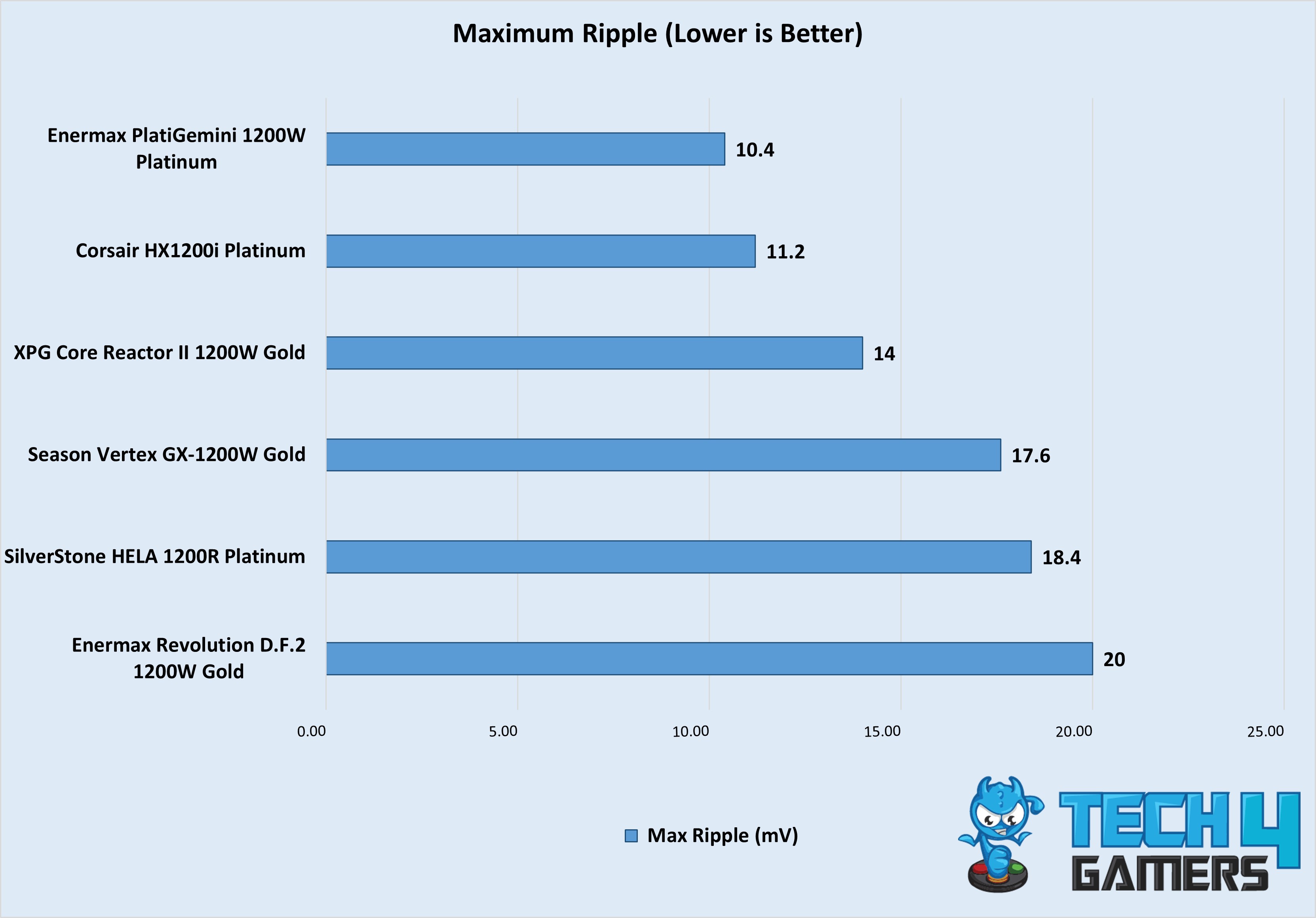
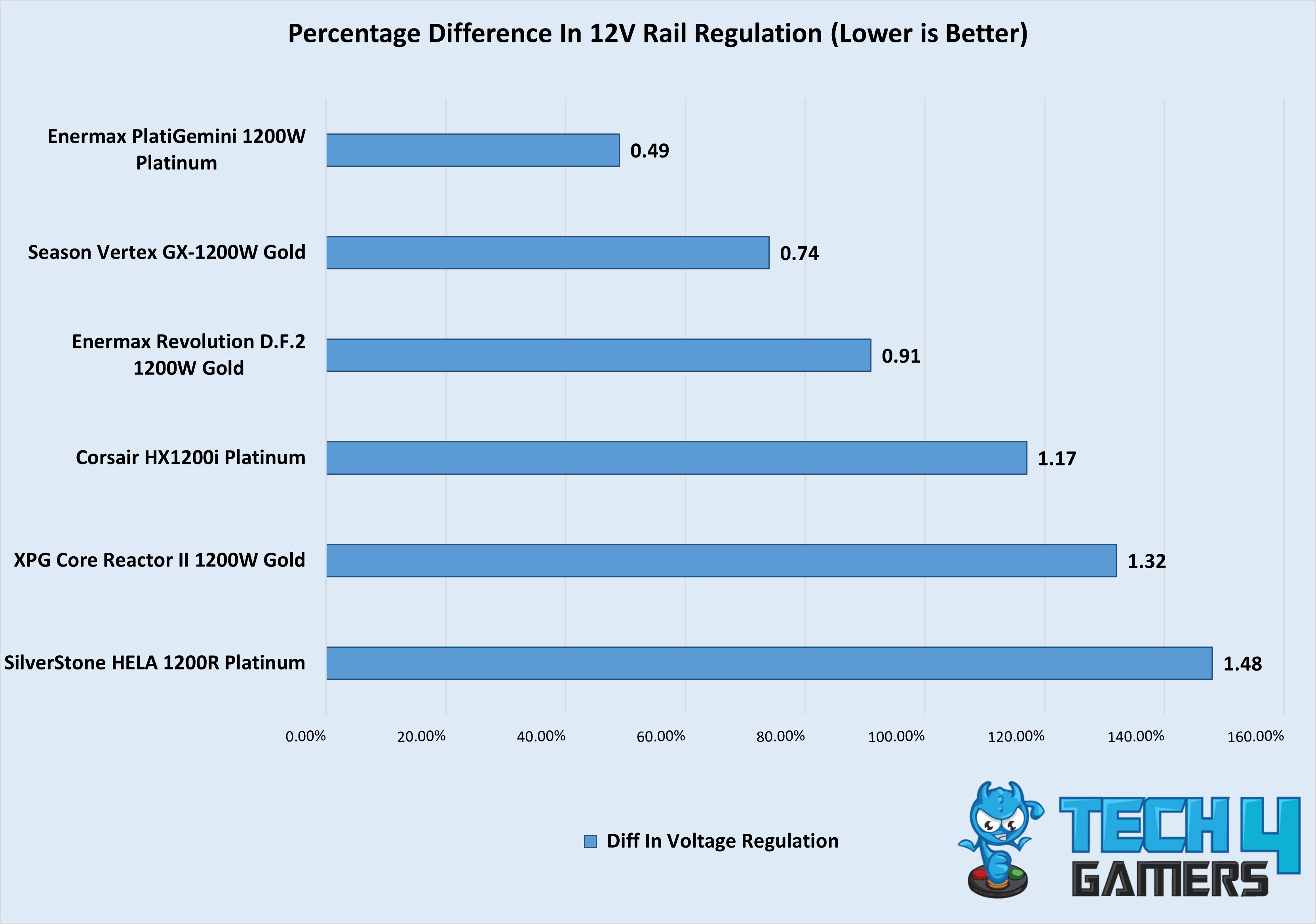
Of course, 1200W PSUs are still quite expensive, so it’s very important that you pick the right one. To help you out, I have rounded up the four best 1200W PSUs that I think are great in 2024. Over the past year, I have tested and reviewed more than 20 power supplies, and these four stood out for their performance, features, build quality, and overall value. I have also included my test results (maximum ripple, average efficiency, voltage regulation) of these PSUs, along with others, at the end of this page.
Why Trust Tech4Gamers
Arsalan Shakil is our power supplies expert who loves to put the latest PSUs through their paces and even take them apart.
20+ PSUs tested and reviewed by our team of hardware experts (Tech4Gamers Team).
180+ hours spent testing different power supplies for our reviews.
At Tech4Gamers, ensuring you get reliable information is our priority. That’s why every hardware round-up undergoes a meticulous review process by our team of experts and editors. Each review is carefully examined against our strict editorial guidelines, guaranteeing you trustworthy insights you can depend on.
Here are my recommended 1200W PSUs, compared with each other side by side:
If you are not sure if a 1200W PSU is right for your setup, I highly recommend checking out our power supply wattage calculator. All you have to do is input your system configuration, and our tool will give you a list of recommended PSUs based on your PC’s power requirements.
Best 1200W Power Supplies
These are the 1200W PSUs that I think are worth buying.
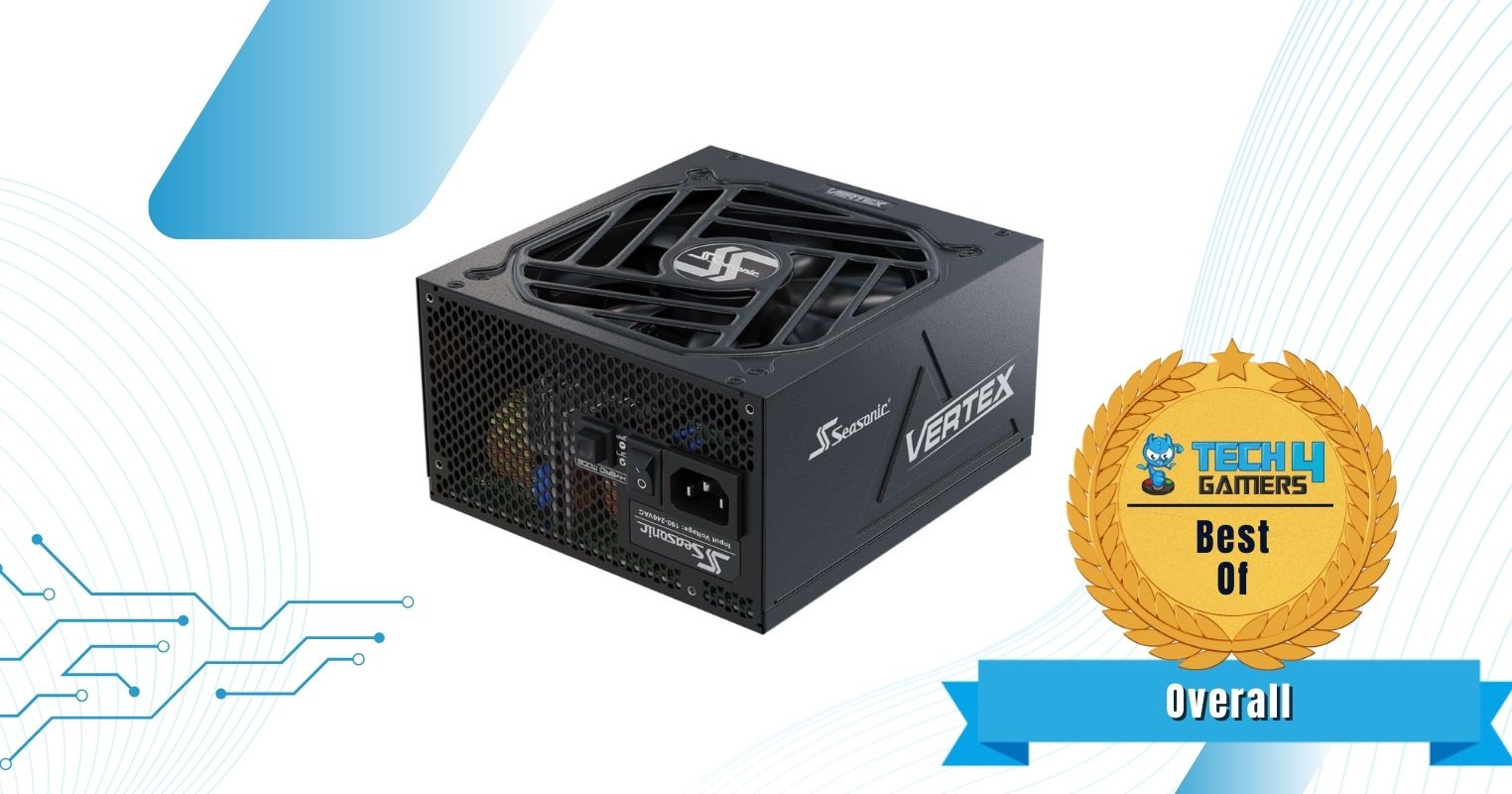
Best Overall: Seasonic Vertex GX-1200W Gold
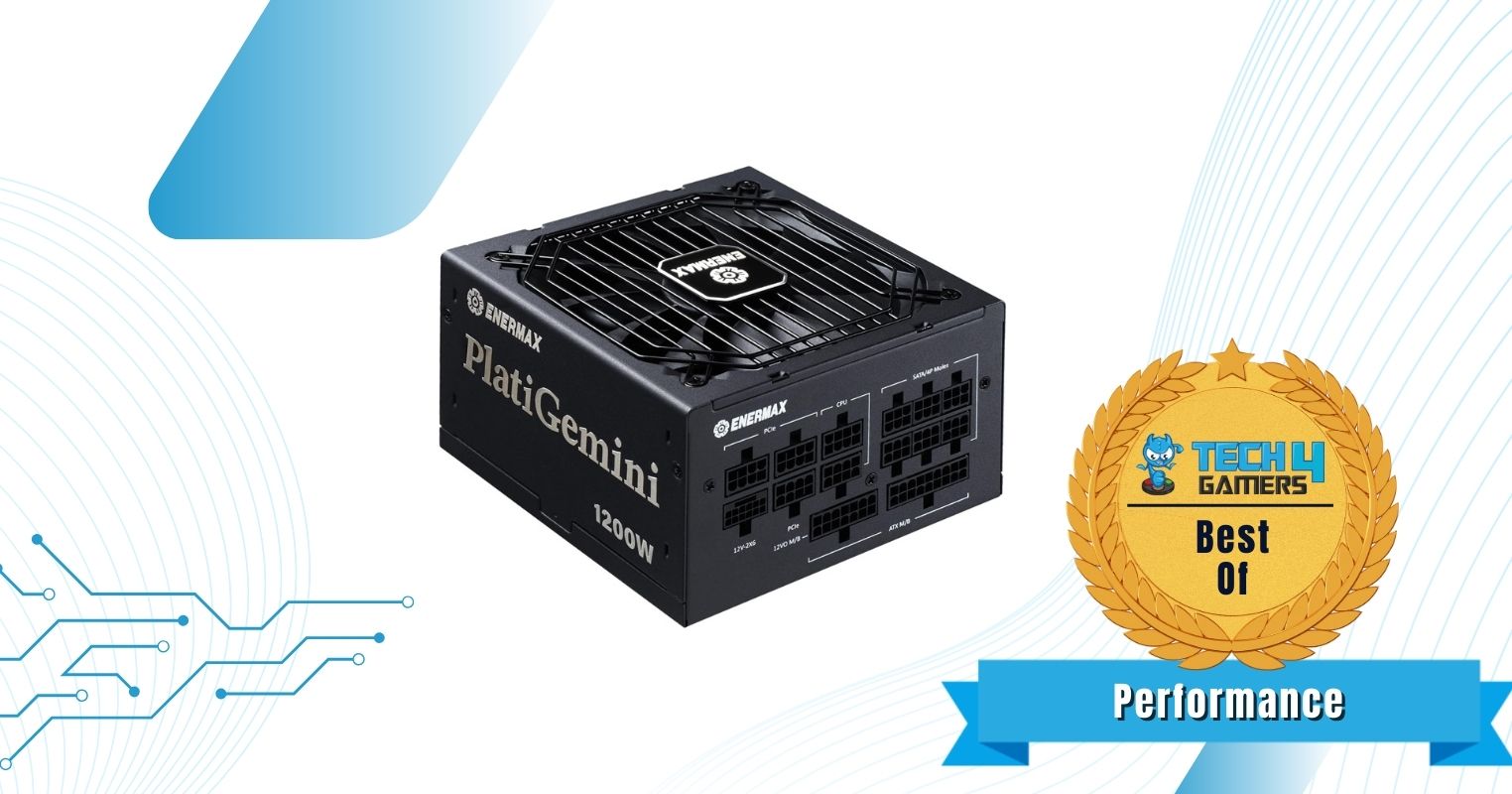
Best Performance: Enermax PlatiGemini 1200W Platinum
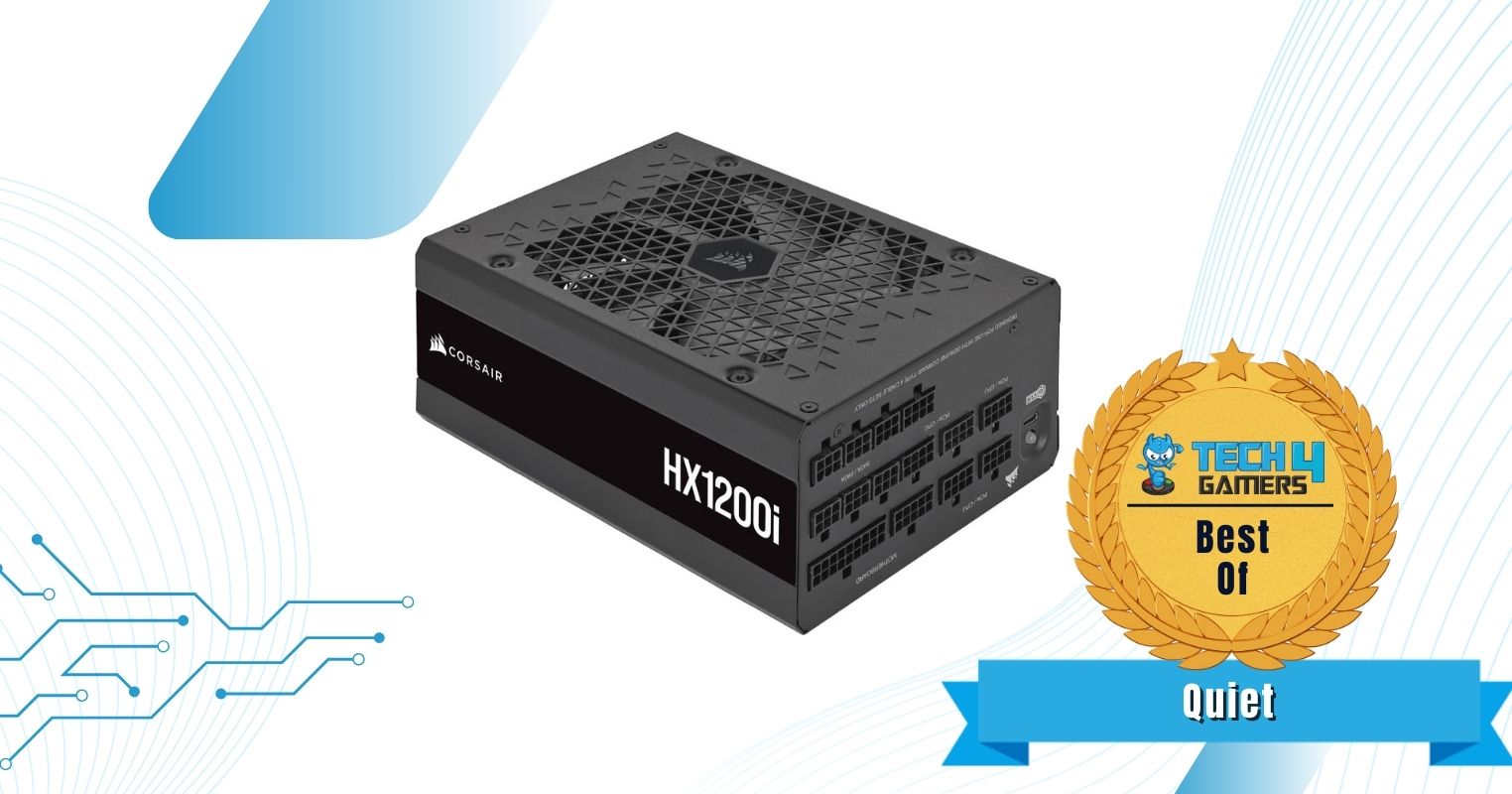
Best Quiet: Corsair HX1200i Platinum
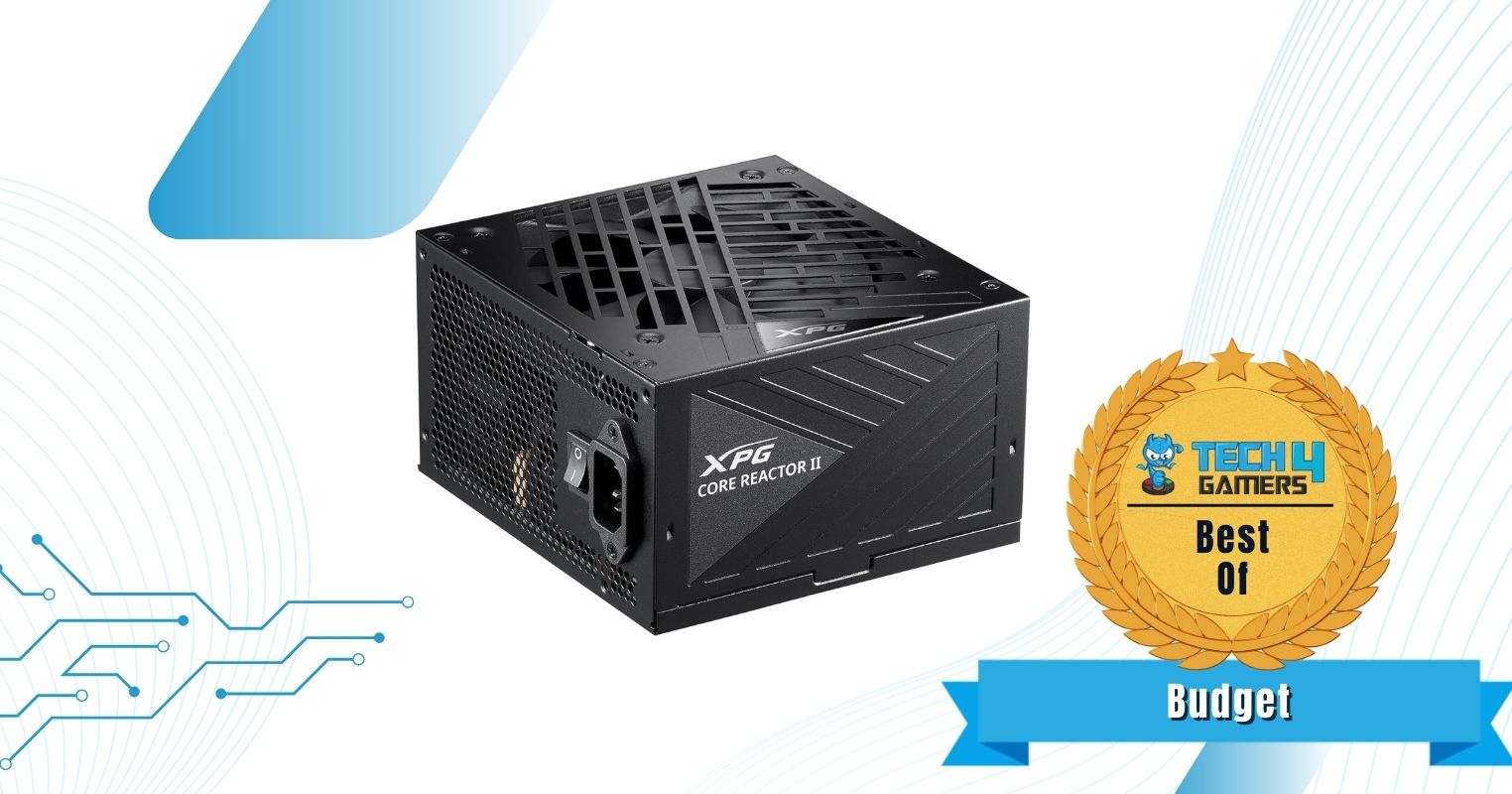
Best Budget: XPG Core Reactor II 1200W
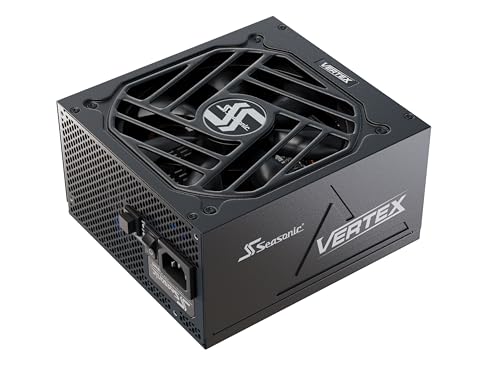
Seasonic Vertex GX-1200W Gold
Best Overall 1200W PSU
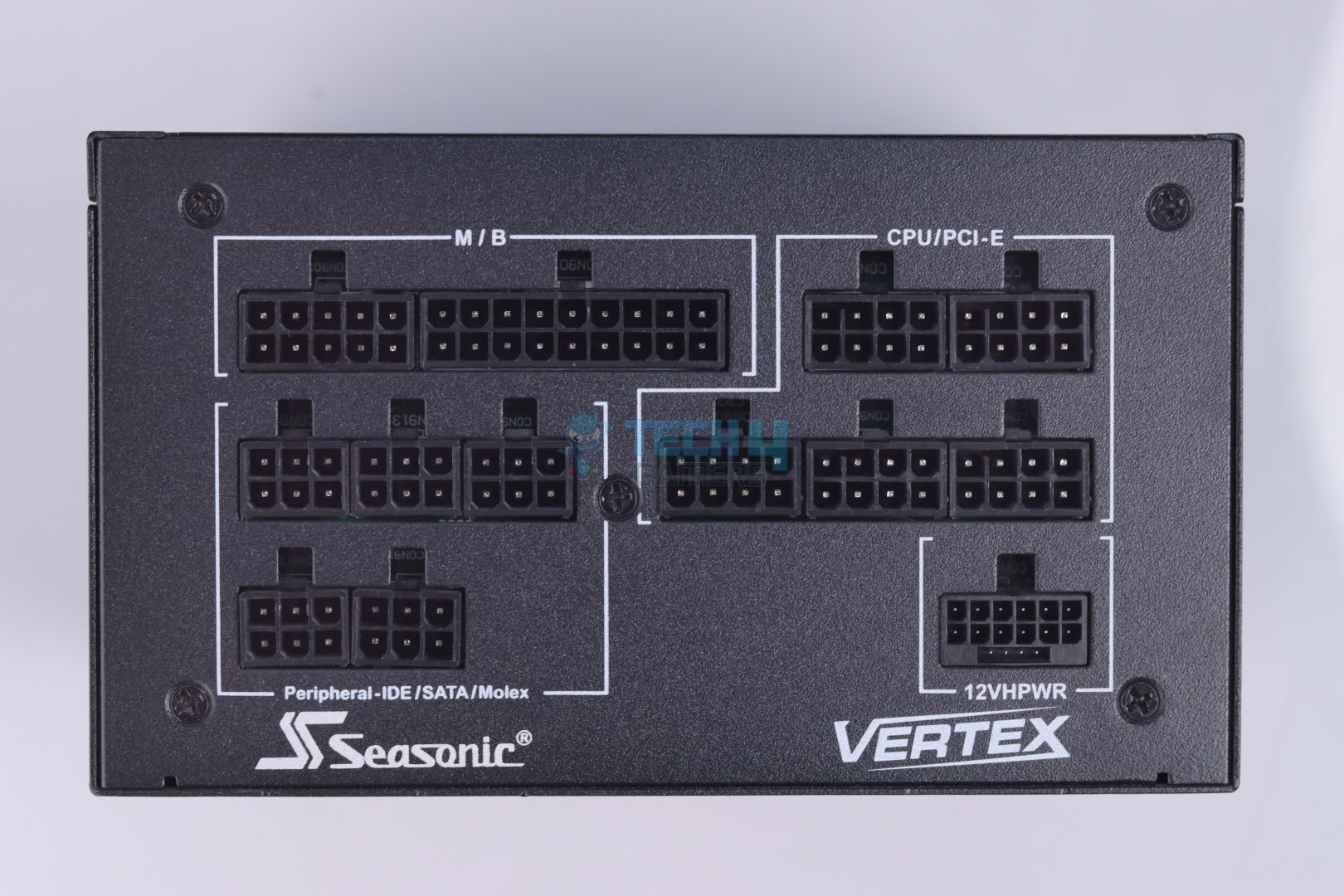
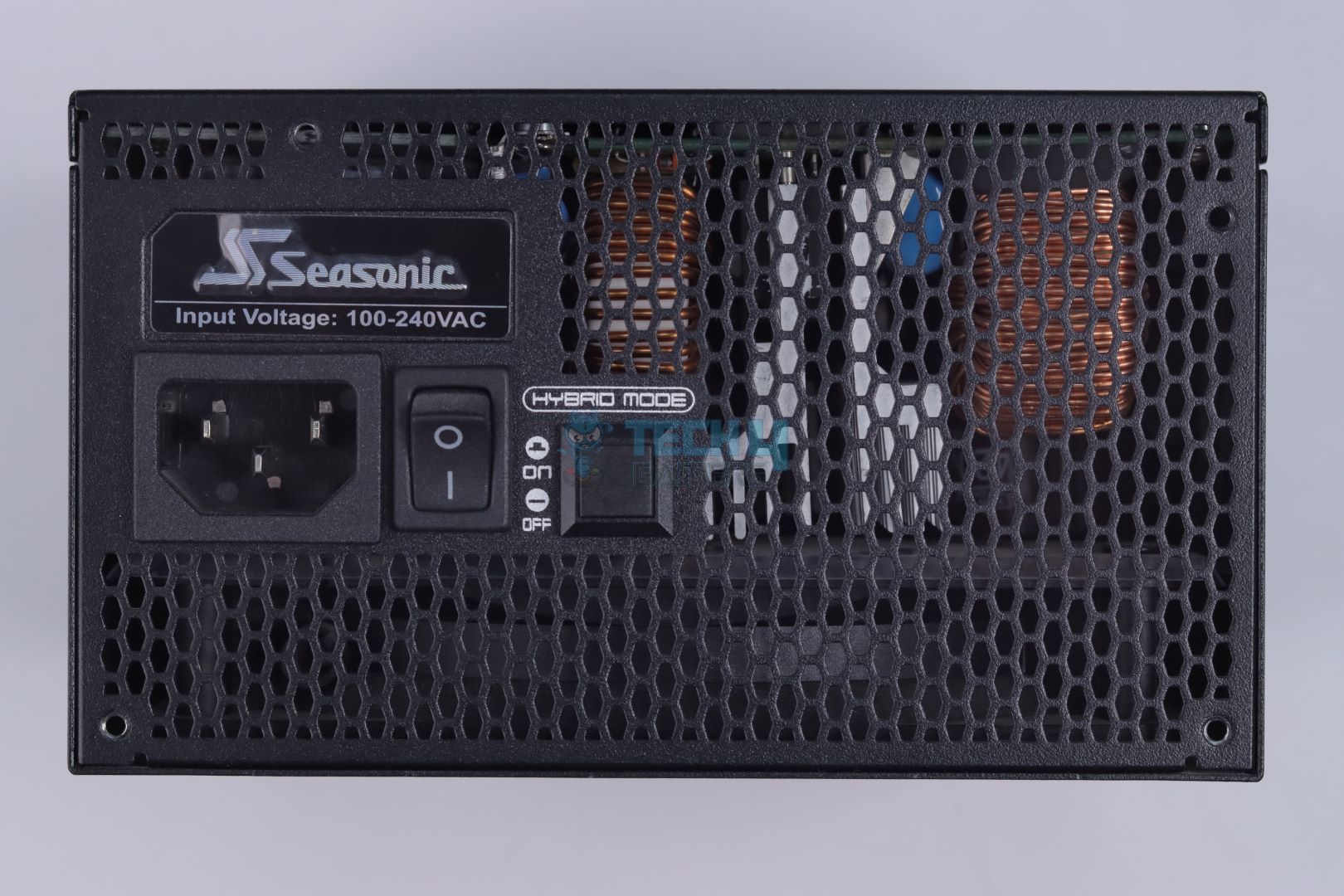
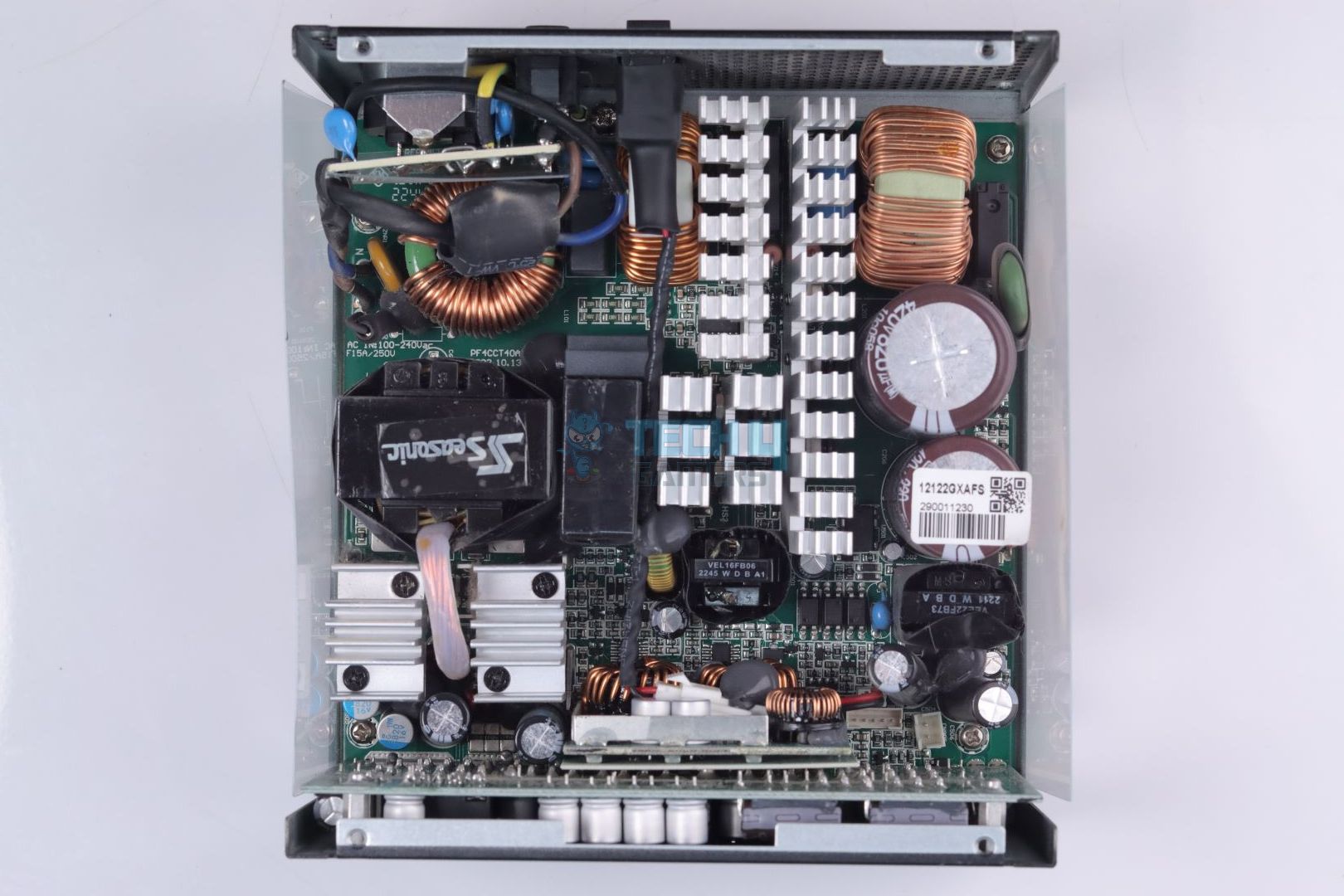
Seasonic Vertex GX-1200W Gold Pictures From Our Review
My overall pick for a 1200W PSU has to be the Seasonic Vertex GX-1200W Gold. No matter how you look at it, the PSU nails every aspect and is a great all-rounder for any PC. During my teardown, it was clear that Seasonic went all out, using components from reputable and trusted manufacturers. From the MOSFETs to the main transformer, everything is high-quality, which is also why Seasonic is offering a whopping 10-year warranty with this PSU.
My only complaint with this power supply is its high price tag, so it makes sense that Seasonic would use high-quality components to justify it. Similarly, I also expected exceptional performance out of it, and it delivers just that. With great thermals, minimal ripple, and outstanding efficiency, the Seasonic Vertex GX-1200W Gold passed all of my test results. The PSU has enough performance to handle any overclocked PC reliably without breaking down.
Here’s what I said about the Vertex GX-1200W Gold in my dedicated review of the PSU:
The Seasonic Vertex GX-1200 is a high-quality, reliable PSU that handles demanding systems with ease. It’s fully modular, efficient, and operates quietly with a hybrid fan mode, making it a great choice for anyone looking to power a modern setup. The PSU is well-built with top-tier Japanese components, and the 10-year warranty adds peace of mind. It’s a solid performer, though its price might be a bit steep compared to some newer options on the market.
✅Buy It If
You want durability: Apart from the 10-year warranty, the Seasonic Vertex GX-1200W Gold uses all the best-in-class internal components, so you can expect this PSU to last for a really long time.
You want an all-rounder: From efficiency to voltage regulation, the Vertex GX-1200W Gold delivers great performance in all tests, making it a very good choice for anyone who wants a PSU that can handle it all.
You don’t like too much noise: The PSU has a Hybrid Fan Mode, so the fans only started spinning when I put over 400W load on it. Below that, the PSU was completely silent.
❌Don't Buy It If
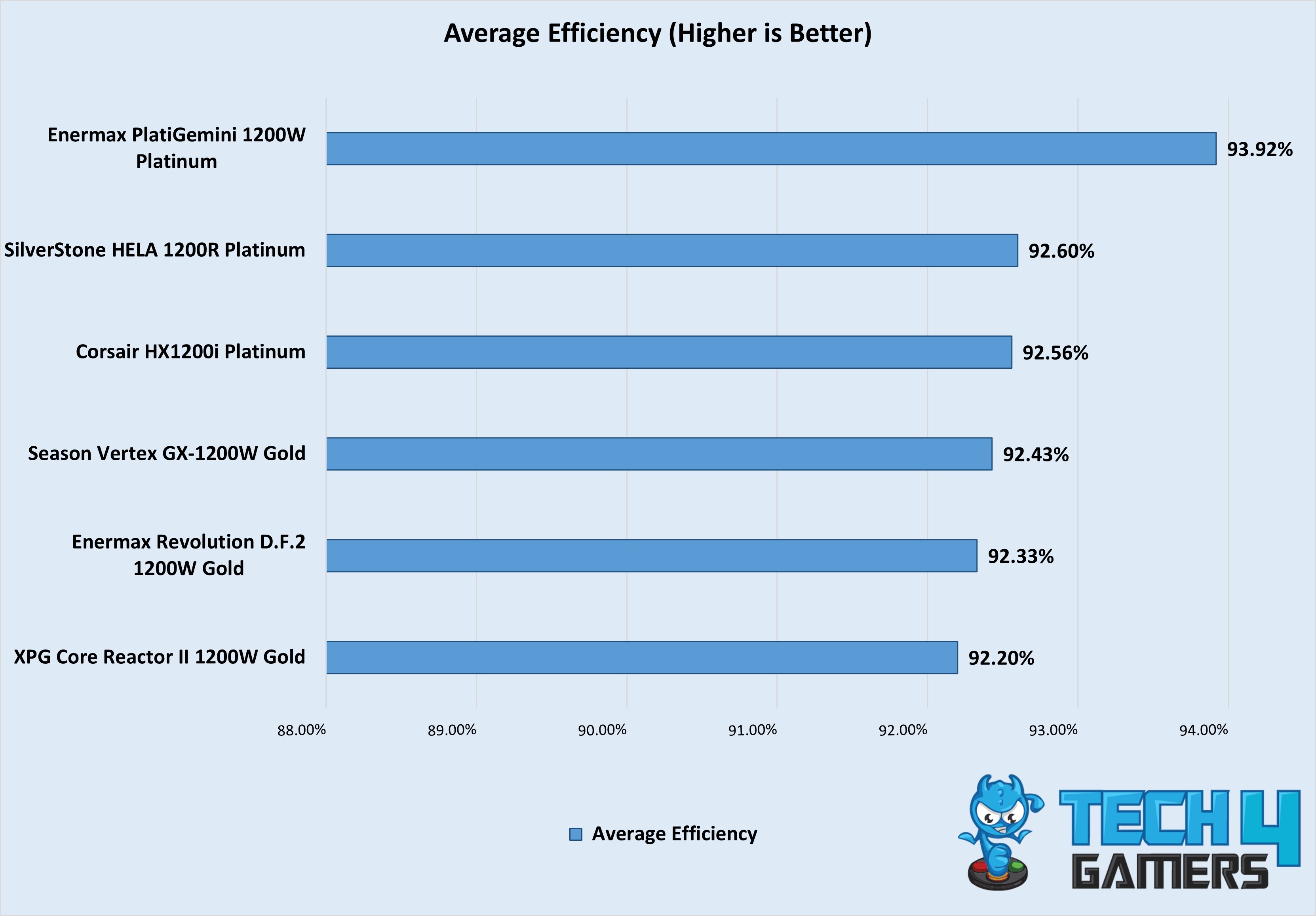
A big price tag for Gold efficiency: While the PSU averaged at around 92.43% efficiency in our test results, which is actually higher than Gold efficiency numbers, it is still quite expensive for an 80+ Gold PSU.
What Makes It The Best Overall 1200W PSU?
If you value both reliability and performance and don’t mind the high price tag, it is hard to recommend any other PSU than the Seasonic Vertex GX-1200W Gold. From great efficiency and overall performance to quiet operations and durable components, Seasonic has packed it with all the features you would ever require for any gaming PC, making it the ideal choice for the best overall 1200W PSU.
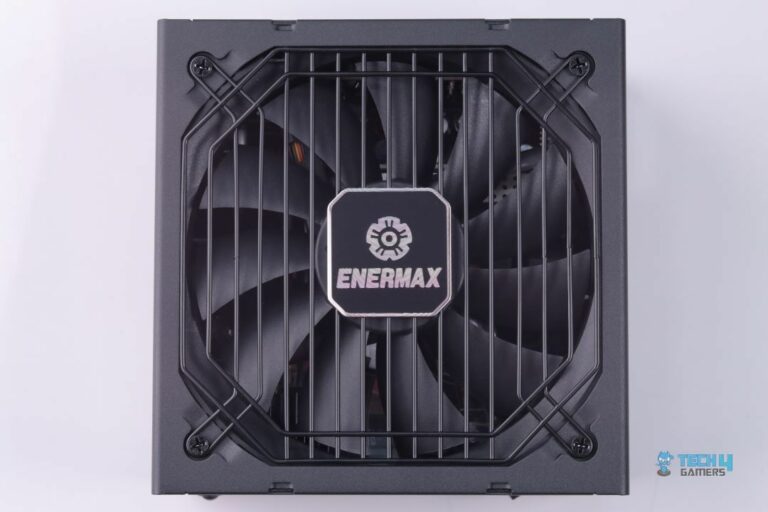
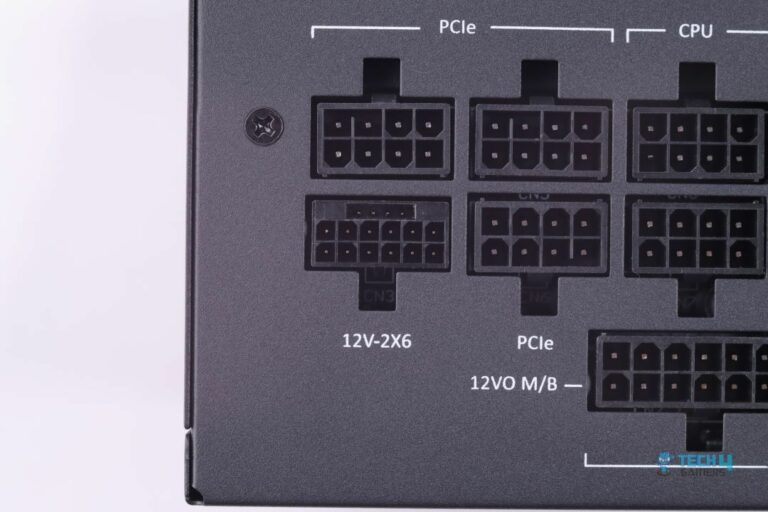
If you plan to push your setup to its limits with extreme overclocking and want a performance-packed 1200W PSU that can handle the load, I would recommend the Enermax PlatiGemini 1200W Platinum. It is an ATX 3.1 + ATX12VO PSU, which means it has the latest 12V-2X6 connector for the graphics card. Plus, the voltage is converted to 12V only (no 5V or 3.3V minor voltage rails) from the mains (120/240V AC), giving the PSU a very significant edge in efficiency, hence the 80+ Platinum certification.
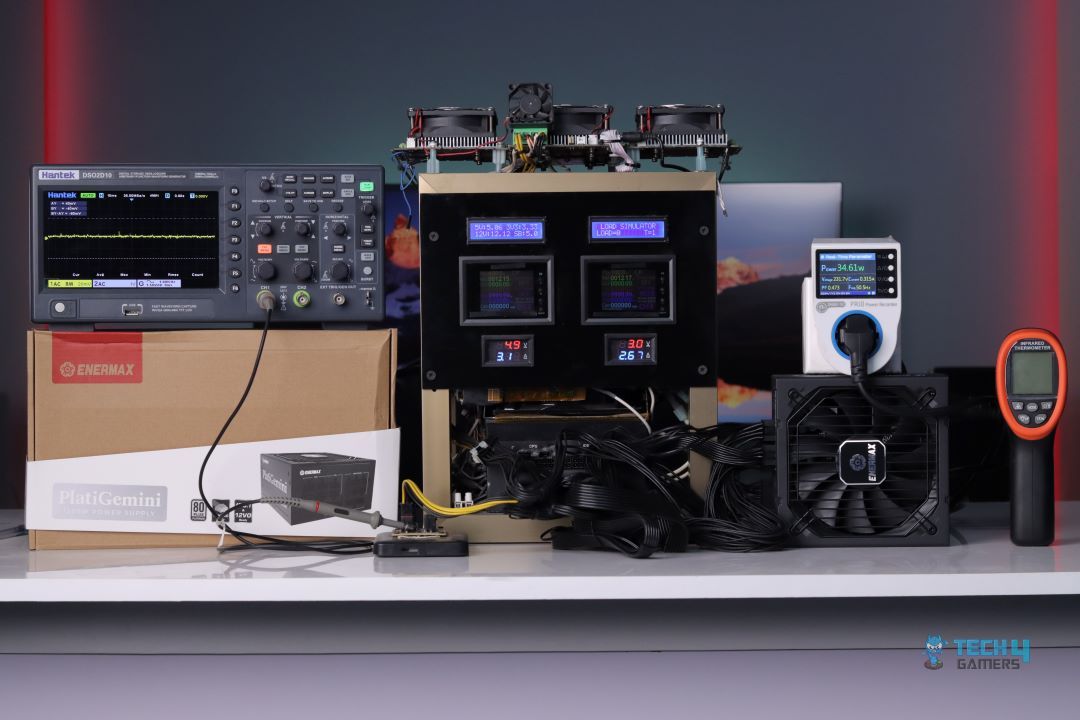
Compared to other power supplies, the PlatiGemini 1200W Platinum also has a compact design (measuring 150 x 150 x 86mm). That’s why Enermax has packed the internals very densely, and yet the layout is quite neat. There are also plenty of thermal pads to keep it cool. As for performance, the PSU left all other competition in the dust, not just in efficiency but also in maximum ripple, which only got to 10.4mV at 100% load.
When we reviewed the PlatiGemini 1200W Platinum, this is how we summarized it:
The Enermax PlatiGemin 1200W Platinum takes the crown with its robust build, top-tier efficiency, and exceptional performance. It has a fully modular design, premium mesh-sleeved cables, superior voltage regulation, and excellent thermal management. The unique Dust Free rotation feature ensures long-term maintenance. Despite its high cost, it’s perfect for high-end gaming rigs and overclocking enthusiasts seeking a reliable, silent power source.
✅Buy It If
You plan to overclock: The Enermax PlatiGemini 1200W Platinum can deliver a whopping 235% of its 1200W power capacity during power excursions, which translates to around 2820W, making it a no-brainer choice for anyone into overclocking.
You’re after a top-performing PSU: Apart from its ability to handle overclocked PCs, the PSU’s efficiency (93.92%), the difference in voltage regulation across rails (0.49%), and maximum ripple (10.4mV)—all outperform other power supplies that I tested it against.
You prefer extra features: There are also several other features that make the PlatiGemini 1200W Platinum an easy recommendation. For instance, its dust-free rotation system reverses the fan direction for a few seconds at startup to keep it clean. Plus, the included cables are mesh-sleeved. Combined with the included combs, you get both easy cable management and a premium look.
❌Don't Buy It If
You don’t plan to spend a big amount on the power supply: While the Enermax PlatiGemini 1200W Platinum justifies its high price tag with exceptional performance and features, if your PC is not going to require such great power, I would recommend you look into my best overall or best budget picks, as this PSU can be an overkill.
What Makes It The Best 1200W Performance PSU?
The numbers speak for themselves, and among all the power supplies I have tested, the Enermax PlatiGemini 1200W Platinum’s results remain unbeaten. Apart from raw performance, its 235% power excursion capacity, premium mesh-sleeved cables, ATX 3.1 compatibility, and all other features combined make it the best 1200W performance PSU.
If you’re into a quiet experience and don’t want a high-performance PSU that makes a lot of noise, I would suggest the Corsair HX1200i Platinum. When I tested this power supply, it stayed practically silent even when the PSU outputted 650W, making it one of the best power supplies in terms of audio that doesn’t compromise on other features.
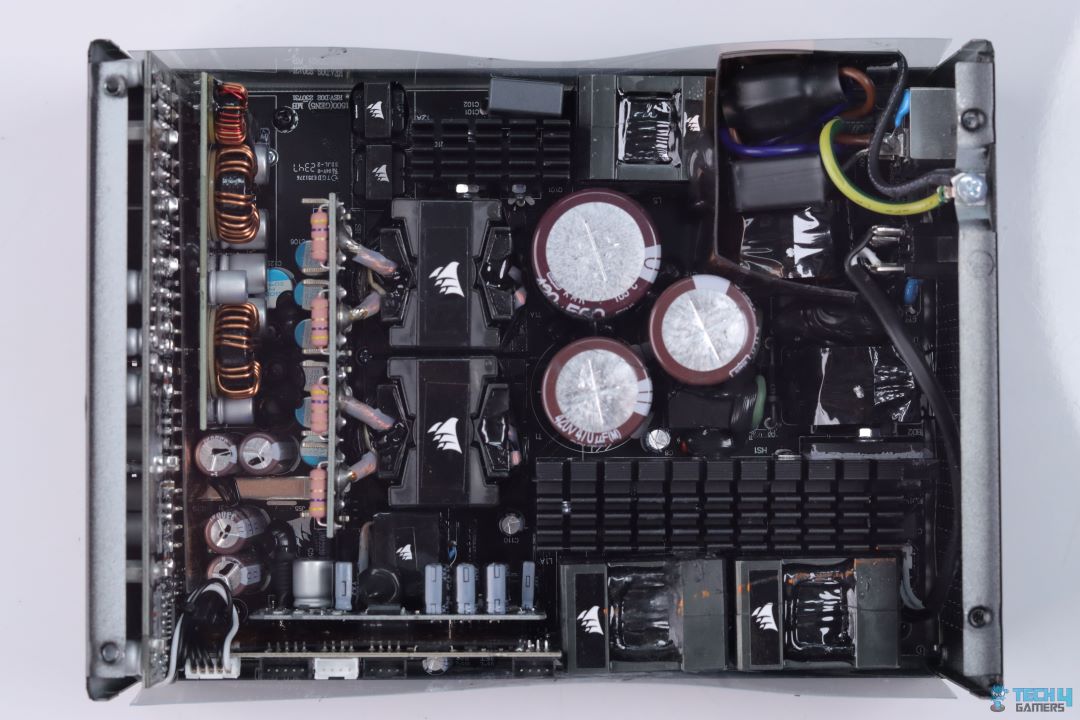
That’s because Corsair has gone with 100% Japanese capacitors, so you don’t have to worry about reliability or durability. This is also why Corsair is offering a massive 10-year warranty to go along with this PSU. As far as performance goes, I measured a max ripple of barely 11.2mV at 100% load. That’s an extremely impressive number, especially if we factor in that it’s a high-wattage 1200W power supply, so you can pair it with the flagship components and easily enjoy overclocking without any hiccups. Furthermore, given its performance and durability, the PSU will also last you for the next several years before you need an upgrade.
Here’s a summary of the Corsair HX1200i Platinum from our hands-on review of the power supply:
The Corsair HX1200i offers excellent voltage regulation and ripple performance, making it ideal for overclockers and high-end system builders. While its efficiency is slightly below expectations for a Platinum-rated PSU, its superior voltage ripple control and solid thermal performance make it a strong contender in the market.
✅Buy It If
You don’t want a noisy PSU: Even when I put a 650W load on this PSU, the noise was barely audible, making it a good choice for anyone who wants a quiet gaming experience. Additionally, the fan does a great job at heat dissipation, as I measured 47.5°C max at the hottest point on the PSU, which is very good.
You want future-proofing: The HX1200i is made up of high-quality internals, which are known for their reliability. As such, this PSU will last you for quite some time.
You plan to overclock: Given its 1200W capacity and a max ripple of just 11mV, the HX1200i is an excellent choice for some extreme overclocking. The PSU can handle it all.
❌Don't Buy It If
You have space constraints: Measuring 200 x 150 x 86mm, the HX1200i is one of the biggest PSUs I’ve tested, so it can run into installation issues in compact PC cases. Make sure to measure the PSU support of your chassis before purchasing.
What Makes It The Best Quiet 1200W PSU?
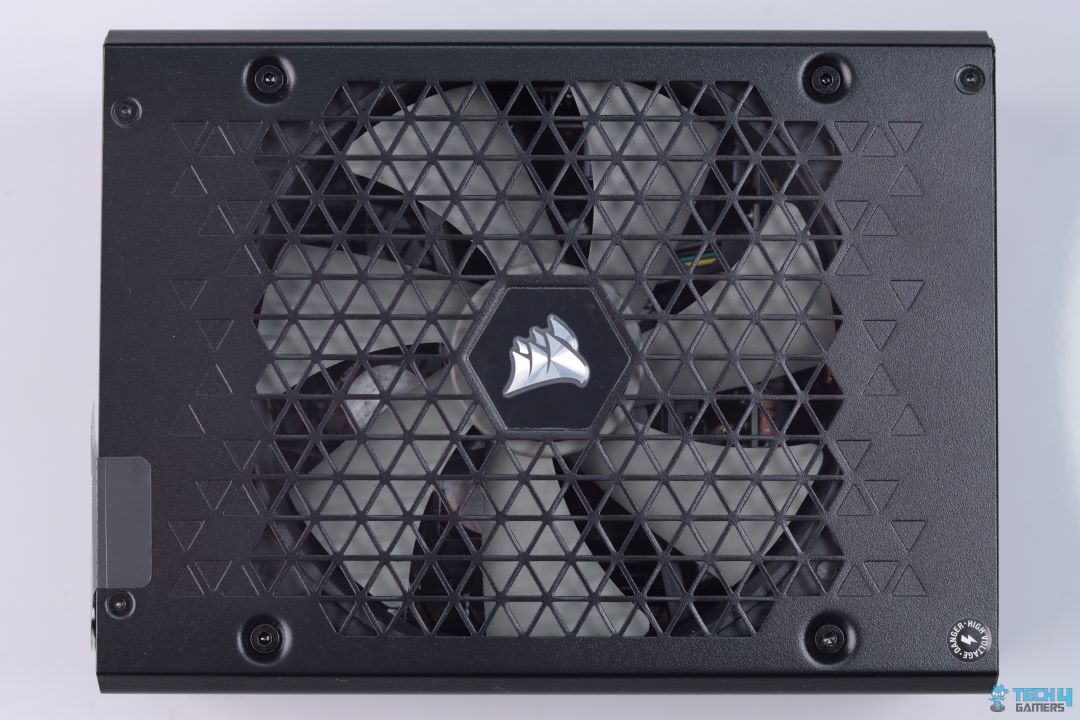
The PSU’s fan stays completely silent thanks to Zero RPM Mode, spinning only when under load. Even when it does spin, the 140mm FDB fan operates quietly. However, what makes it the best quiet 1200W PSU is not just its low noise profile. It is also its exceptional performance at high loads, use of good quality internals, efficiency, and the infamously good customer service of Corsair.
If you’re on a budget and want a high-wattage PSU that uses good-quality internals and won’t cause any reliability or stability issues, I would recommend the XPG Core Reactor II 1200W. You will have to compromise on some places, like hard-sleeved cables and no hybrid fan mode, but as far as performance and efficiency on a budget go, the XPG Core Reactor II 1200W is a no-brainer.
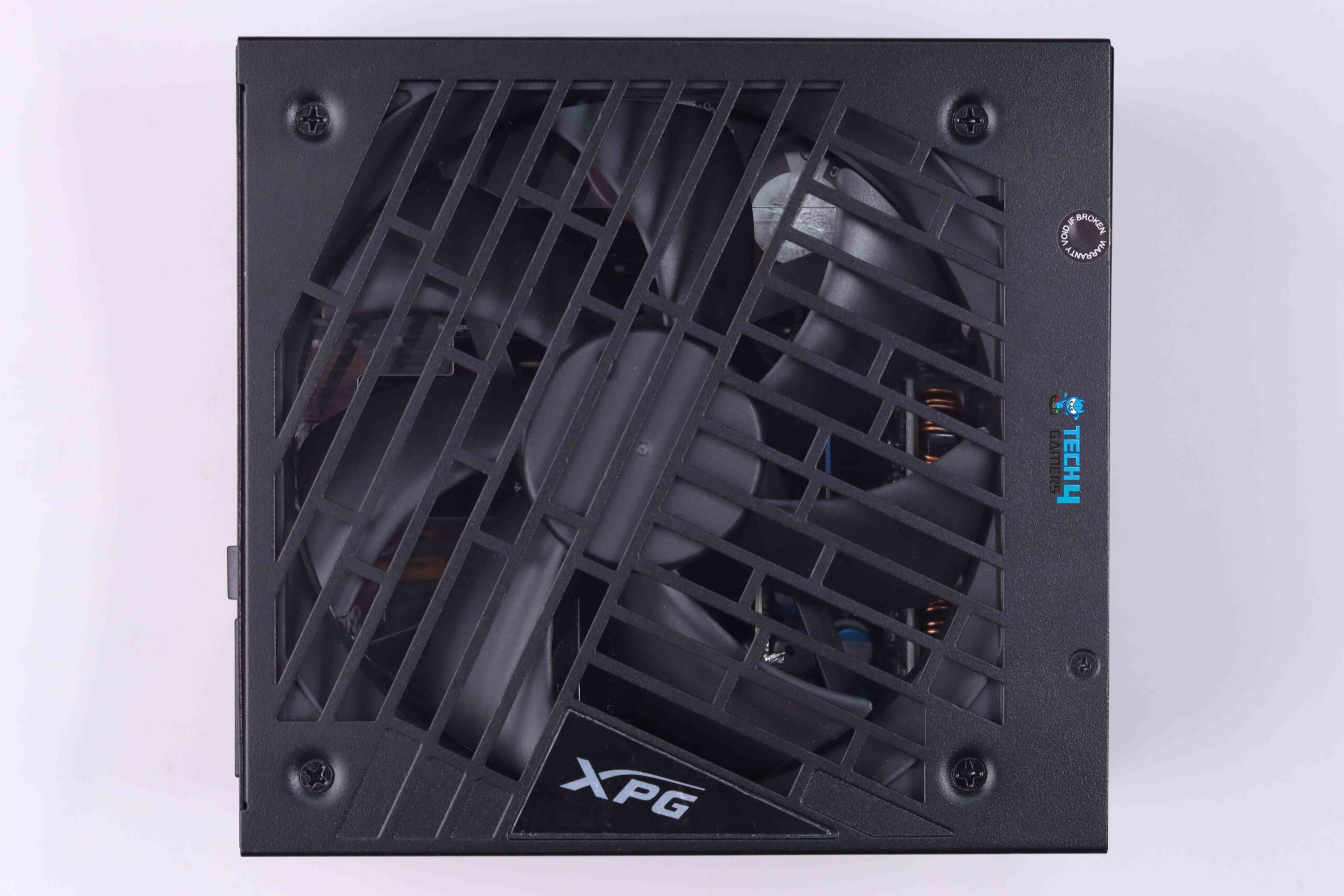
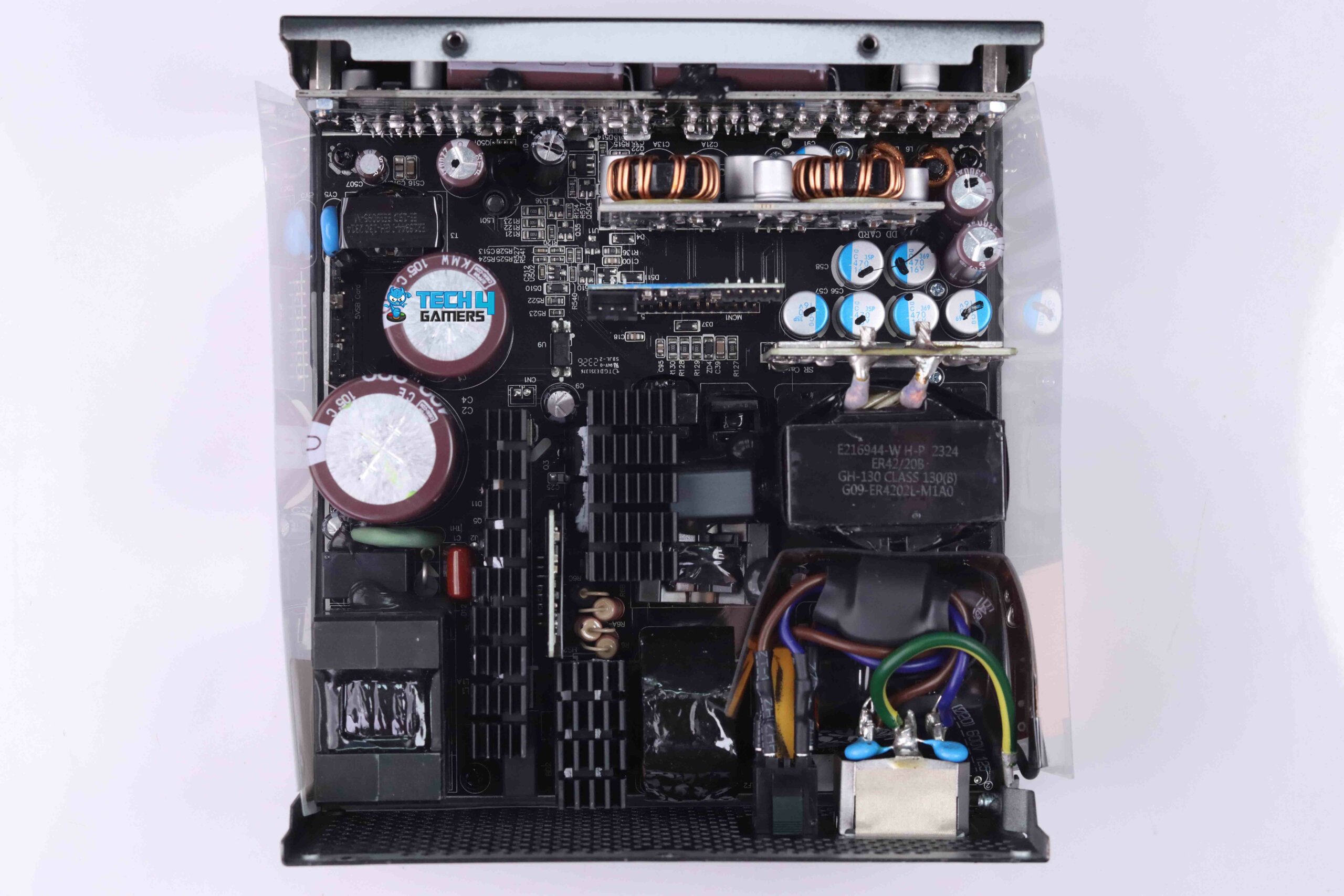
XPG has stuck with the reliable CWT platform, showing no signs of cutting corners where it counts. They’ve included key features like full ATX 3.0 compliance, and hence, the 12VHPWR connector, and 100% Japanese capacitors. Because of this, the Core Reactor II performed exceptionally well in our tests. It maintained an impressive 92% efficiency on average—close to the 80+ Platinum standard. Plus, with a maximum ripple of just 14mV, it’s more than capable of handling overclocking.
When Abdul Hannan, our hardware tester reviewed the XPG Core Reactor II 1200W, this is how he concluded the PSU:
The XPG Core Reactor II 1200W PSU is a great choice for gamers and PC enthusiasts looking for a reliable PSU. It offers efficient performance and sturdy construction, ensuring your components get the power they need without any worries. With its modular cable design, you can customize your setup for better airflow and aesthetics. Just make sure your PC case has enough space for it, and you’ll be good to go for years of gaming.
✅Buy It If
You want performance on a budget: As seen in our review, the XPG Core Reactor II 1200W has all the performance you would ever need from a high-wattage power supply. The PSU’s 12VHPWR cable even sustained a full 600W load with ease at 11.93V voltage.
You are after reliability: Thanks to the CWT platform, the Core Reactor II uses high-quality components, so you can expect the PSU to last a long time.
❌Don't Buy It If
You want more features: Given its affordable pricing, XPG does not offer a hybrid fan mode with this power supply, so the noise can get high under load. Similarly, the hard-sleeved cables can make cable management and routing a bit difficult, especially in compact builds.
What Makes It The Best Budget 1200W PSU?
Simply put, the amount of performance you get out of the Core Reactor II 1200W, considering its price, makes it a great budget choice for anyone looking for a 1200W power supply. I mean, the PSU is not too good to be true, as there are certainly price cuts in terms of extra features, but as far as the essentials go, XPG has nailed it, and that’s why I have picked it as the best budget 1200W PSU.
Performance: 9/10
Value: 10/10
Features: 7/10
Efficiency: 8.5/10
Performance Benchmarks Of Our Tested 1200W PSUs
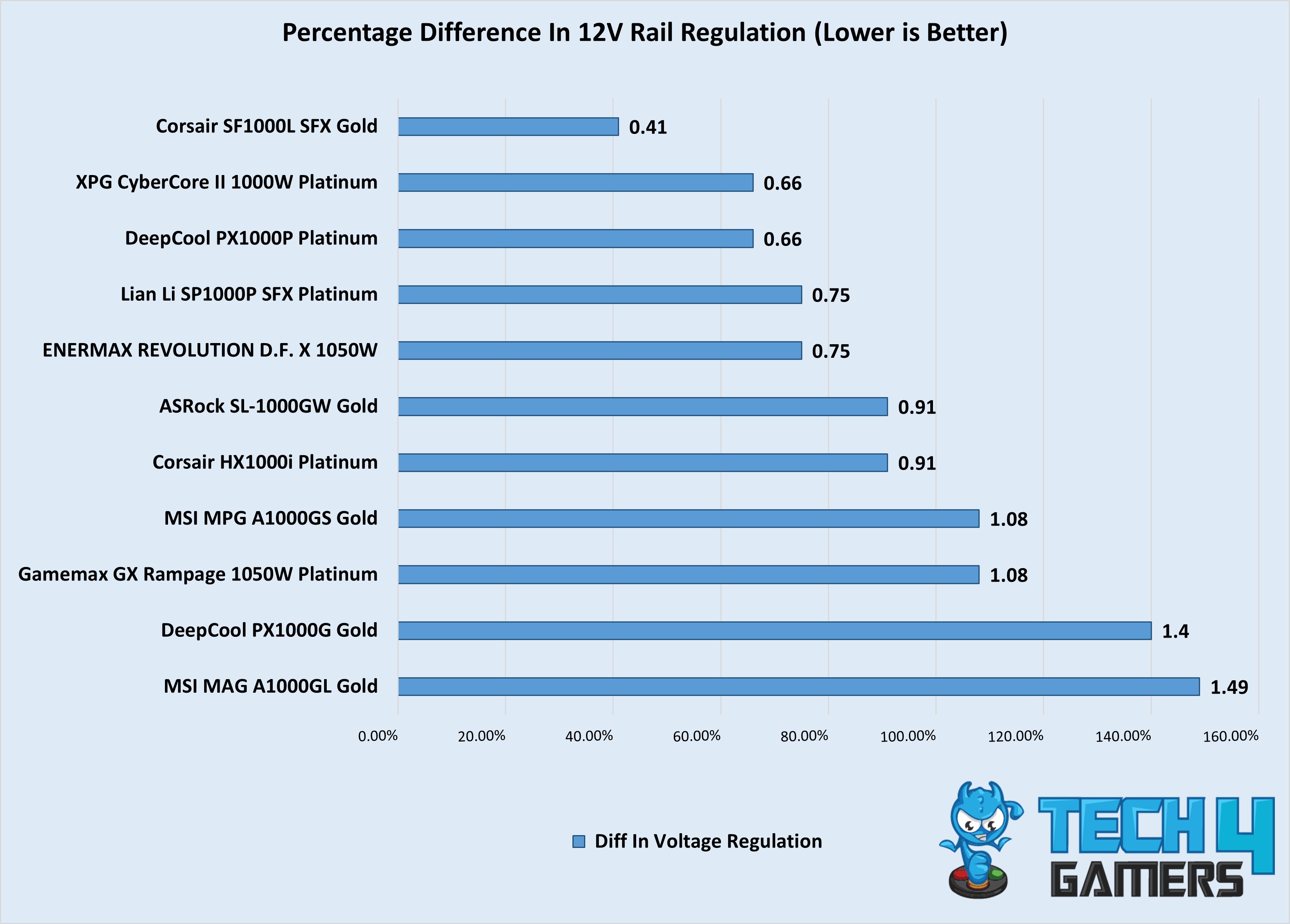
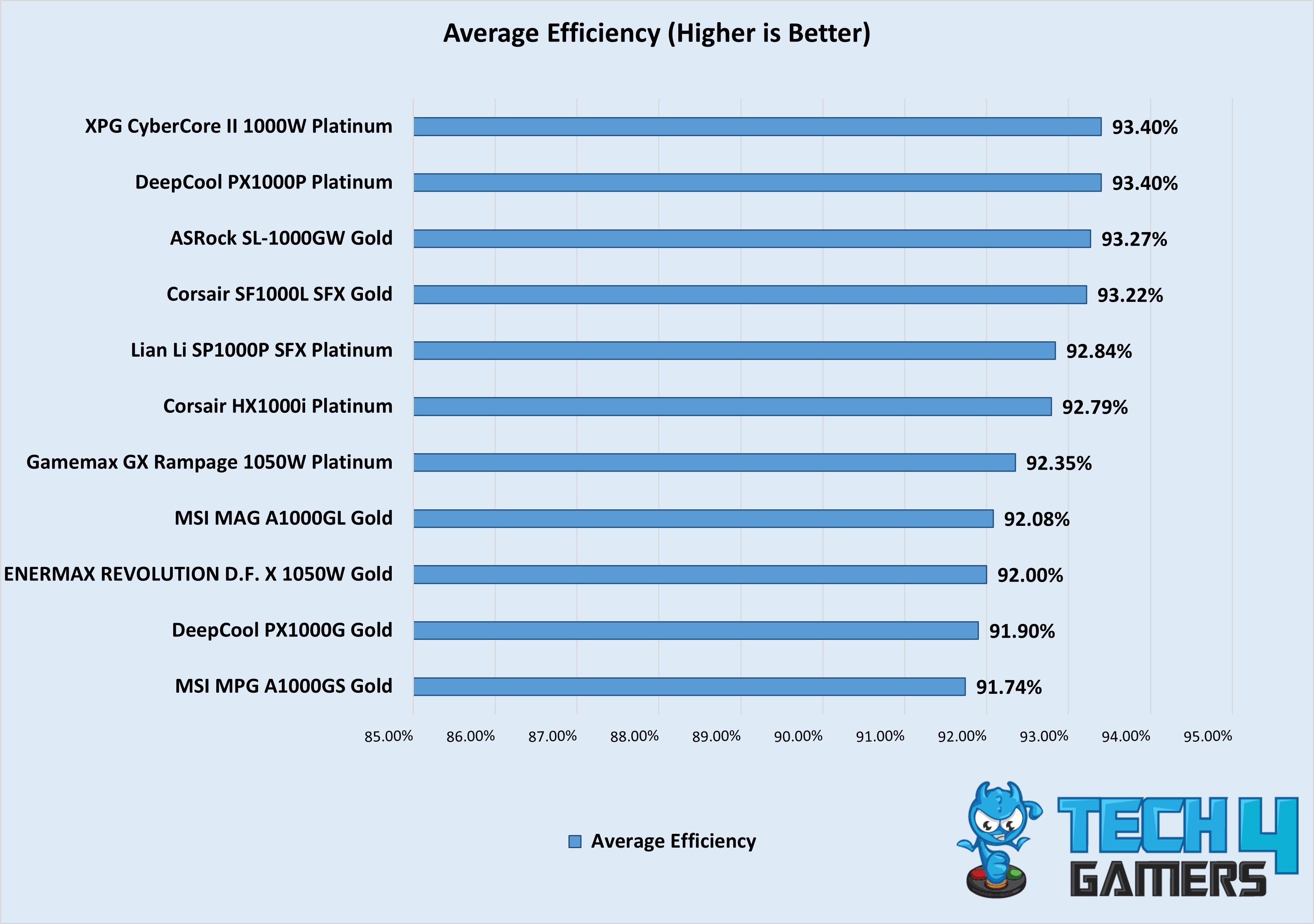
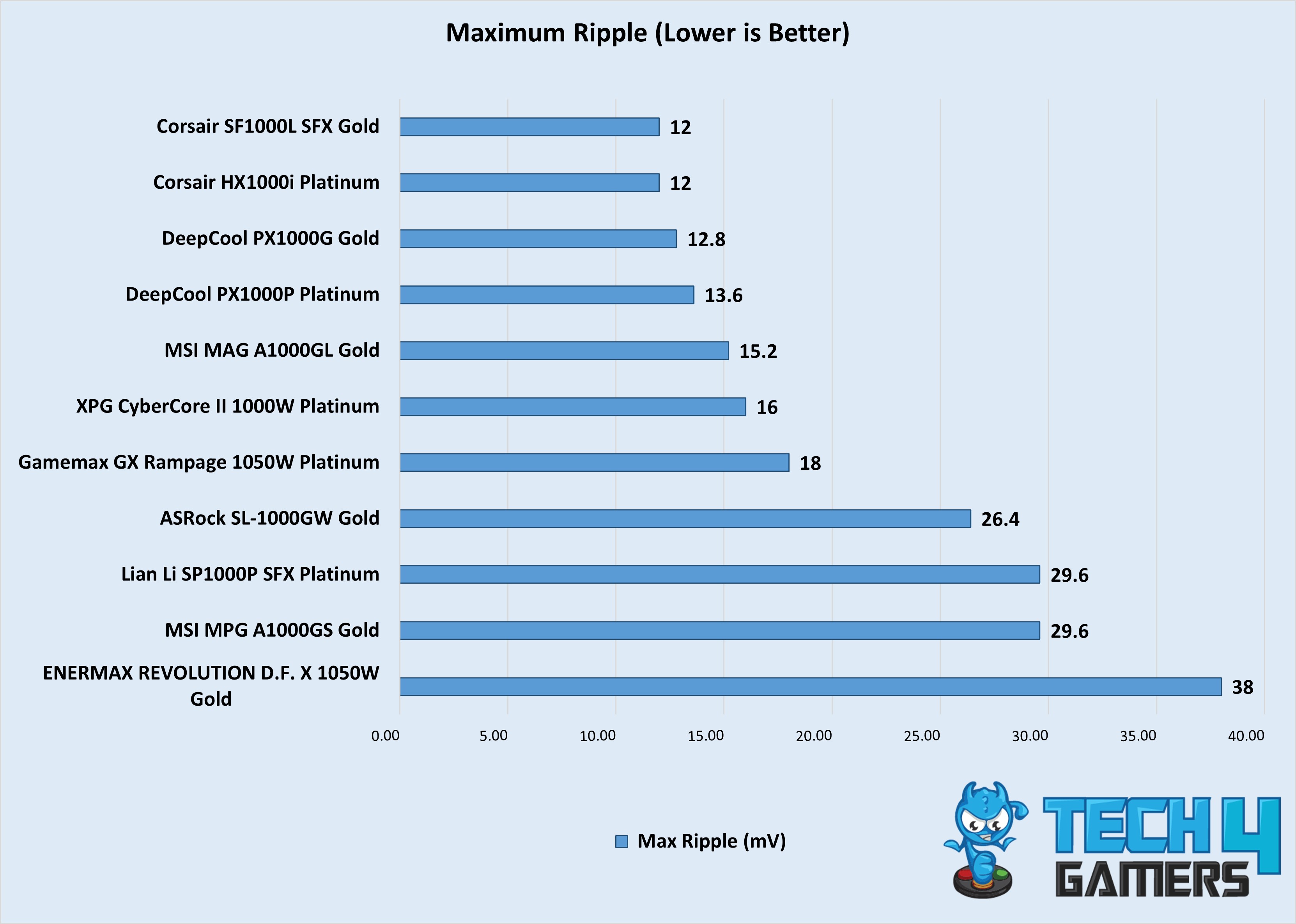
We tested and reviewed plenty of 1200W PSUs to round up the top four benchmarks. The below gallery has our test results of all the 1200W PSUs we tested. The results include maximum ripple, average efficiency, and the percentage difference in voltage regulation on the 12V rail.
Benchmarks of the best 1200W power supplies
1 of 3
Avg Efficiency
Max Ripple
Regulation Diff
Power Supply Key Terms
Going over a PSU’s features, test results, and specifications can get a little too technical. To help you out, we have discussed below some of the key terms you should always know about whenever you’re shopping for a power supply.
Voltage Ripple: Voltage ripple describes the minor variations in a PSU’s output voltage caused during the AC-to-DC conversion. While it’s impossible to achieve zero ripple, lower levels are better and contribute to improved system stability and better overclocking potential.
Voltage Regulation: This refers to how consistently a PSU can deliver the correct voltage, even during changes in input or load. A high-quality unit will keep variations minimal—typically within 3%—for steady performance and improved overclocking potential.
Efficiency: Efficiency measures how well a PSU converts wall power (AC) into usable power for your PC (DC). Ratings like 80+ Bronze, Silver, Gold, Platinum, and Titanium classify this performance.
12VHPWR Cable: Part of the ATX 3.0 standard, the 12VHPWR cable is designed to output up to 600W of power through a single 16-pin connector. NVIDIA’s high-end RTX 40-series cards were the first to use this power connector, but it will become a standard in future GPUs.
Cybenetics Rating: Unlike the familiar 80+ certifications, Cybenetics offers a more thorough evaluation process, earning it higher regard in some circles. Its dual rating system includes ETA for efficiency and LAMDA for noise levels.
ATX 3.0: This power supply standard is designed to include a native 12VHPWR power connector for the latest graphics cards. It has been preceded by ATX 3.1. The key distinction lies in the connectors: ATX 3.0 includes a 12VHPWR cable for high-end NVIDIA GPUs, while ATX 3.1 upgrades this to a 12V-2×6 connector, which is essentially the same connector, just redesigned for more reliability.
My Strategy For Testing The Best 1200W PSU
To narrow down our tested 1200W PSUs to the top four options only, we compared all the choices based on these four factors:
Performance: As you can guess, the key consideration for my recommendations was the overall performance of the power supplies, which mainly depends on the maximum ripple in the voltage, average efficiency, and the difference in voltage regulation across different loads. Alongside these features, I also factored in the thermal performance and how well the PSU could sustain maximum load.
Build Quality: A PSU is only as good as the quality of its components. The build quality not only impacts the performance, but also how well the PSU will work in the long run, directly impacting its durability, reliability, and stability. To test the build quality, I individually took apart each power supply I tested to thoroughly analyze the internal components used. I also took several pictures and uploaded them in each PSU’s review, so you should also check them out.
Features: I also checked the extra features the PSUs offered, like noise profile, the type of cables used, fan quality, and more.
Value: I made sure that all the power supplies I picked offered great value for the money. This doesn’t necessarily mean that I went for the most affordable options, as some of my picks are still going to be expensive, but the performance, features, and build quality they carry make up for the high price.
FAQs
Will 1200W PSU be enough for 5090?
Yes, a good quality 1200W PSU will be good enough for the RTX 5090, which is expected to pull around 575W maximum.
What is the lifespan of a PSU?
If a PSU uses high-end components like 100% Japanese capacitors and is from a reputable brand, it should last you for at least 8 to 10 years.
I’ve previously worked for eXputer as a Senior News Writer for several years. Now with Tech4Gamers, I love to devoutly keep up with the latest gaming and entertainment industries. I have a Bachelor’s Degree in Computer Science and years of experience reporting on games and breaking exclusive stories. Besides my passion for gaming journalism, I love spending my leisure time farming away in Stardew Valley. VGC, IGN, GameSpot, Game Rant, TheGamer, GamingBolt, The Verge, NME, Metro, Dot Esports, GameByte, Kotaku Australia, PC Gamer, and more have cited my articles.
Story Highlight
Chinese chipmaker Zhaoxin has announced its KX-8000 CPU lineup that aims to compete with AMD Zen 4 chips.
The new lineup will feature chips with up to 4 GHz frequency and a high-performance integrated display.
The CPUs will feature PCIe 5.0 and DDR5 support, offering leading efficiency.
Chinese chipmaker Zhaoxin is among the few non-Western companies that have started to bring decent competition to Intel and AMD in recent years amid increasing chip prices. Now, it is already preparing to steal the spotlight this year with its new KX-8000 CPU lineup.
The newly revealed value-focused series will boast a 4 GHz frequency and compelling iGPU performance, which will translate well for many high-end tasks for users.
Why it matters: The Kaixian KX-8000 CPUs will represent a significant leap forward from Zhaoxin’s 2023 lineup, which lagged behind AMD’s Zen 3. Therefore, it could be a leading competitor against other modern chips in the embedded processor market.
The KX-8000 CPU series will be a massive improvement over its 2023 KX-7000 lineup | Image Source: Zhaoxin.
As per the official Zhaoxin report, the lineup will support PCIe 5.0 but reportedly only work on DDR5 memory architecture. Zhaoxin officials have also stated that we can expect KX-8000 CPUs to deliver leading performance against AMD’s Zen 4 architecture.
In 2026, Zhaoxin will welcome another fruitful result on the road of independent CPU product innovation, and the new generation of KX-8000 processor will be unveiled soon.
For context, the 2023 KX-7000 lineup was based on x86 Century Avenue architecture chips on 7 nm technology. They had 8 cores, up to 3.7 GHz clock speeds, and 32 MB of integrated cache. It supported both DDR5 and DDR4 memory with PCIe Gen4 lanes up to 24.
The CPU comes with a 4 GHz frequency and supports high-performance integrated graphics | Image Source: Zhaoxin.
The exact cores and other metrics to judge performance have not yet been revealed since the announcement is more of a roadmap for now. We can expect way better hardware features than the 2023 lineup if Zhaoxin aims to compete with AMD’s high-end CPUs this time around.
There’s also no release date or launch window for KX-8000, but we can expect the CPUs to appear in the retail market by next year if Zhaoxin aims for a 2026 release.
Do you think these KX-8000 Chinese CPUs will be more of a hit in the Western market compared to the old 2023 lineup? Are you looking forward to the chips? Let us know your thoughts in the comments below, or join the discussion on the Tech4Gamers forum.