Currently serving as a News Reporter at Tech4Gamers, I have the privilege of combining my love for gaming with the art of storytelling. My role involves crafting engaging narratives that keep our audience abreast of the latest developments in the gaming world.
Story Highlight
Warner Bros. created the Nemesis System to curb game resales and financial losses from Batman: Arkham Asylum.
Debuting with Middle Earth: Shadow of Moror, the Nemesis system boosted replayability, encouraging players to keep their discs longer.
Despite its innovation, the system remains underused and locked under Warner Bros.’s patent until 2036.
While arguably one of the most innovative and unique creations in video game history, the Nemesis system has quite an interesting backstory. The feature’s birth came from Warner Bros’s dissatisfaction with Batman: Arkham Asylum’s sales because gamers kept reselling the game after beating it.
Why it matters: The Nemesis System emerged when developers pushed innovation in gaming. This whole story of creation recalls a level of creativity that feels more than necessary today.
In an interview, a former Warner Bros. executive revealed they lost millions of dollars because more people were playing Batman Arkham Asylum than copies sold because the game’s CDs kept juggling around.
Warner Bros. faced the exact same problem with Middle Earth: Shadow of Mordor and knew they had to do something to avoid such huge losses again.
How do we create a single player game that is so compelling that people keep the disc in their library forever?
Monolith’s LithTech Jupiter EX engine couldn’t create open-world games on par with GTA, and the developer wouldn’t take the multiplayer route. This led to the development of the Nemesis system, a feature still praised to this day but also severely underutilized.
EA’s Black Panther To Introduce A Nemesis-Like System
Despite its popularity, no games besides Middle Earth currently utilize the Nemesis system. The canceled Wonder Woman game and another shelved Batman game did utilize the feature, but unfortunately, they never saw the light of day.
Additionally, the system will remain locked behind Warner Bros. until 2036, so we won’t be able to see other games utilize the feature.
What are your thoughts on this story? Have you experienced the Nemesis system in Middle Earth games? Let us know in the comments below or head towards the Tech4Gamers forums.
At Tech4Gamers, I contribute as a Senior News Reporter, combining my skills and gaming enthusiasm to keep our audience updated on the latest developments.
Story Highlight
Nvidia’s Game Ready Driver 572.xx led to black screens and crashing for RTX 50 GPU owners.
Recent reports reveal that these issues also extend to RTX 40 series graphics cards.
Nvidia has yet to offer a permanent solution, but the company is aware of these reports.
Nvidia’s RTX 50 lineup has encountered various problems at release, including the lack of proper driver support. Owners of the latest Blackwell gaming cards previously reported instances of crashing and black screens when using the 572.70 drivers, but issues persist to this day.
In fact, the situation is much worse now. According to reports, Nvidia’s latest driver version has been unable to solve the core problem, and even RTX 40 series graphics cards are being impacted.
Why it matters: Reports of these problems have persisted for well over a month, but Nvidia has yet to offer an acceptable solution for all RTX GPU owners.
A new thread from Redditor u/Scotty1992 highlights the problems various RTX 40-series users have faced recently.
As per the user, his own RTX 4070 Ti failed to work properly with the new update, giving him no option but to revert to driver 566.36. This came with its own set of problems, locking the user out of recently released games like Half-Life 2 RTX.
The Redditor also shared links of various other users reporting similar problems with older Nvidia graphics cards. These problems were reported as early as driver version 572.16 and persisted for several updates afterward.
Users report that GPUs like the RTX 4090, RTX 3080, and others have suffered from frequent crashes since the 572.xx driver update. In particular, the new drivers do not work well with frame generation, and games like Cyberpunk 2077 appear to be impacted the most.
The RTX 50 Series GPUs Continue To Receive Criticism For Various Reasons
Because of Nvidia’s current dominance over PC gaming, the driver issue could pose a threat to a large chunk of the PC gaming community. Team Green has always had a reputation for delivering stable drivers and reliable software, but it seems the Blackwell gaming lineup has yet to receive similar care and attention.
For the time being, reverting to an older and more stable driver seems like the best solution. Nvidia is said to be looking into the matter, but it remains to be seen when it will land on a permanent solution.
As a Senior Hardware Reviewer at Tech4Gamers with over a decade of hands-on experience, I dive deep into benchmarking GPUs, CPU coolers, and motherboards, pushing hardware to its limits. Passionate about overclocking and fine-tuning performance.
Thermalright is a globally renowned brand known for its best air coolers. I recently tested its Assassin X 90 SE, and for the money, it turned out to be quite an impressive cooler. Well, that’s not it; Thermalright also offers a wide range of products, including Liquid Coolers, Fans, power supplies, Thermal pads, and thermal interface material (TIM), aka thermal pastes.
In the past few years, Thermalright has enjoyed some significant launches; one was the Peerless Assassin’s Cooler series, which the audience received well. However, we’re looking at the portfolio of thermal interface material (TIM) and thermal pastes in general that are currently available in the market.
Why Trust Tech4Gamers
Usman Sheikh is one of our most senior and experienced hardware reviewers. He loves spending hours (sometimes days) in his lab testing and comparing different GPUs, CPUs, coolers, and more.
80+ CPU coolers tested and reviewed by our team of hardware experts (Tech4Gamers Team).
900+ hours spent testing different coolers for our reviews.
At Tech4Gamers, ensuring you get reliable information is our priority. That’s why every hardware round-up undergoes a meticulous review process by our team of experts and editors. Each review is carefully examined against our strict editorial guidelines, guaranteeing you trustworthy insights you can depend on.
Just like their other products, Thermalright Thermal-pastes are very easy to acquire, and they’re budget-friendly. Still, the question lies here: if they perform great as their different products and how they perform in terms of temperatures, we’ll look at the performance numbers today and talk a lot about their quality.
This table provides a clear comparison of the key specifications for each of the Thermal-right thermal compounds we are currently looking at.
Specifications (As Advertised)
TF4
TF7
TF8-EX
TF9
TFX
Thermal Conductivity (W/m·K)
9.5
12.8
14
14
14.3
Color
Gray
Gray
Blue
Gray
Gray
Thermal Impedance (°C·cm²/W)
<0.0068
<0.01
<0.01
<0.01
<0.0028
Specific Gravity (25°C)
2.7
2.8
2.9
2.9
2.6
Usable Temperature Range
-50°C to 240°C
-150°C to 250°C
-220°C to 380°C
-220°C to 380°C
-250°C to 300°C
I highly recommend checking out my detailed guide on what to look for when buying thermal paste. In it, I explain why thermal conductivity numbers can be misleading, and how thermal resistance affects performance, and cover several other important factors to help you make the right choice.
[toc]
Packaging
Thermalright Thermal Pastes Packaging (Image By Tech4Gamers)
Thermalright TF4: Thermalright TF4 comes in brown-orange packaging in two different sizes: 1.5G for $3.99 and 4G with the spatula for $4.99. There is nothing fancy here.
Thermalright TF7: Thermalright TF7 comes in black with metallic finish packaging and comes in three different volumes: 2G, 4G, and 8G. It costs $3.99, $4.99, and $10.99. The prices may vary depending on the stores. It also comes with a spatula.
Thermalright TF8 EX: Thermalright TF8-EX comes in blue packaging, comes in two different volumes of 1.5G and 2.9G, we are not sure why it’s not 3G, but the street price is around $4.59 and $6.99, this paste also comes with Spatula and the alcohol swab.
Thermalright TF9: Thermalright TF9 comes in light green packaging, in 1.9G and 2.9G, with a street price of around $4.59 and $6.89 and a spatula.
Thermalright TFX: Thermalright TFX comes in the red blister pack packaging, which is fancy and comes with the spatula and no alcohol swab, it comes in volumes of 2G and 6.2G, and the ”extreme” pack is 12.9G, for some reason, thermal-right calls their bigger packaging extreme. The prices are here as follows: $9.59 for 2G; however, the 6.2G and 12.9G street prices are unknown.
Application
Thermalright TF4
TF4 Application
TF4 Spread
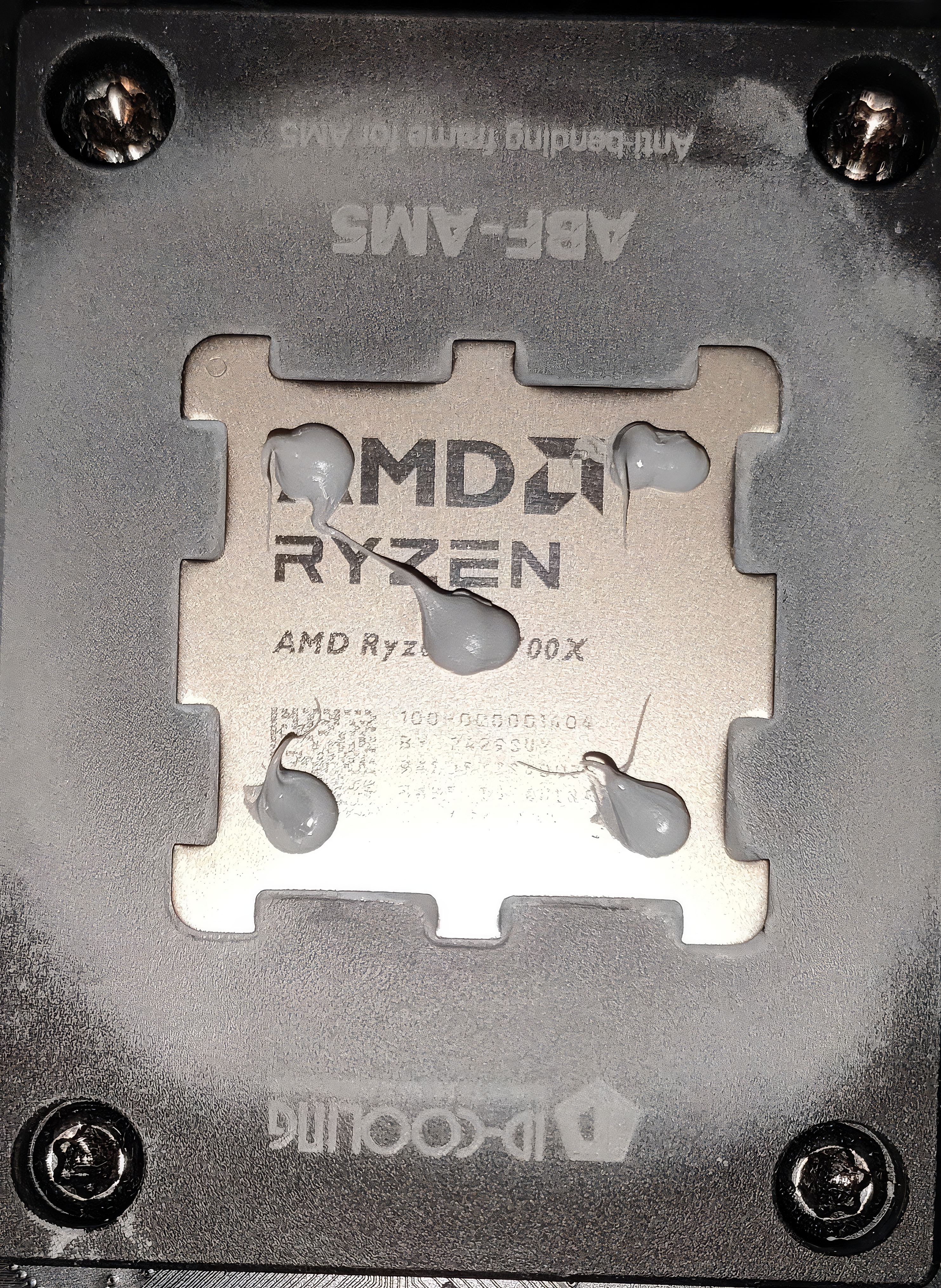
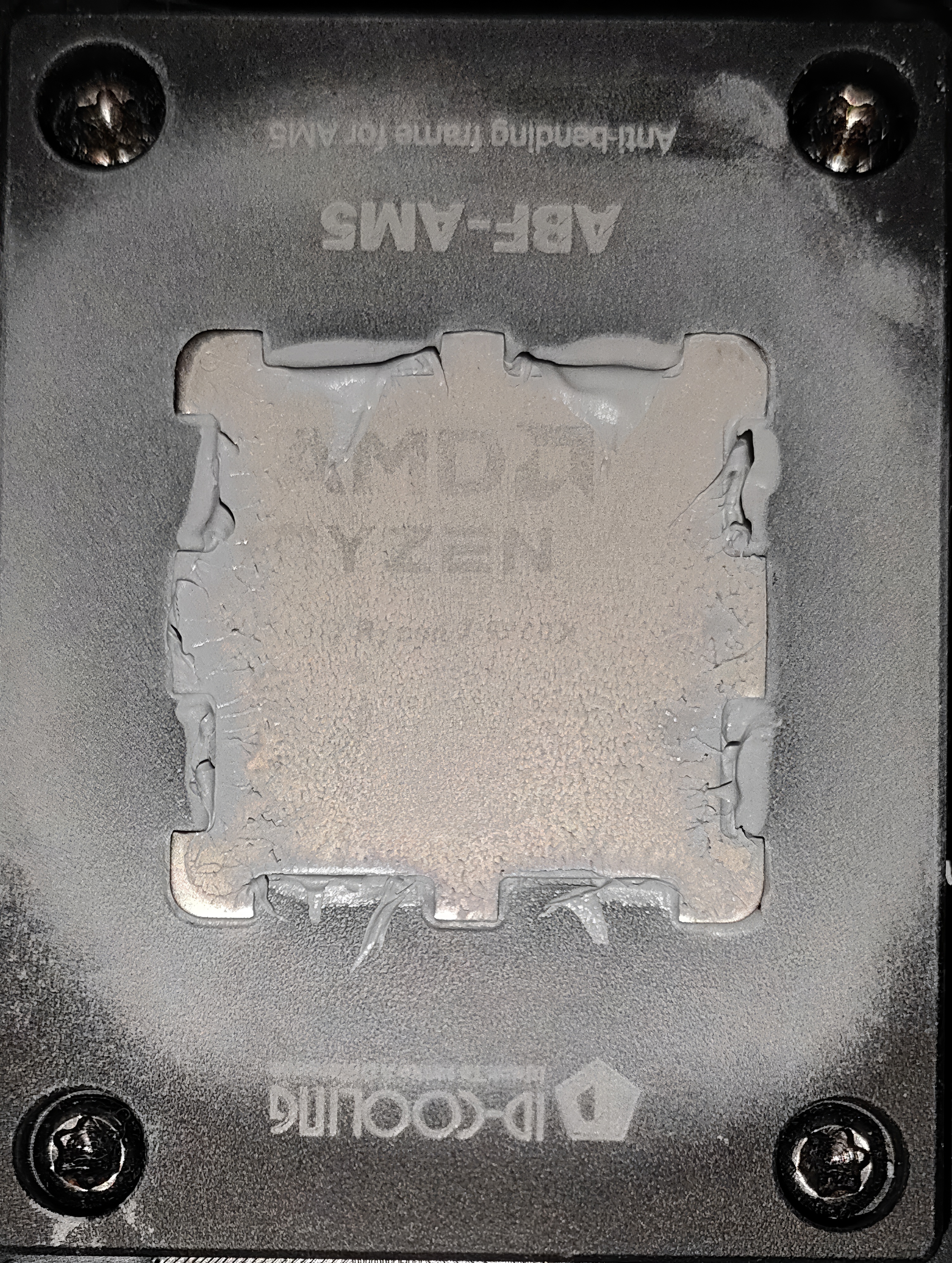
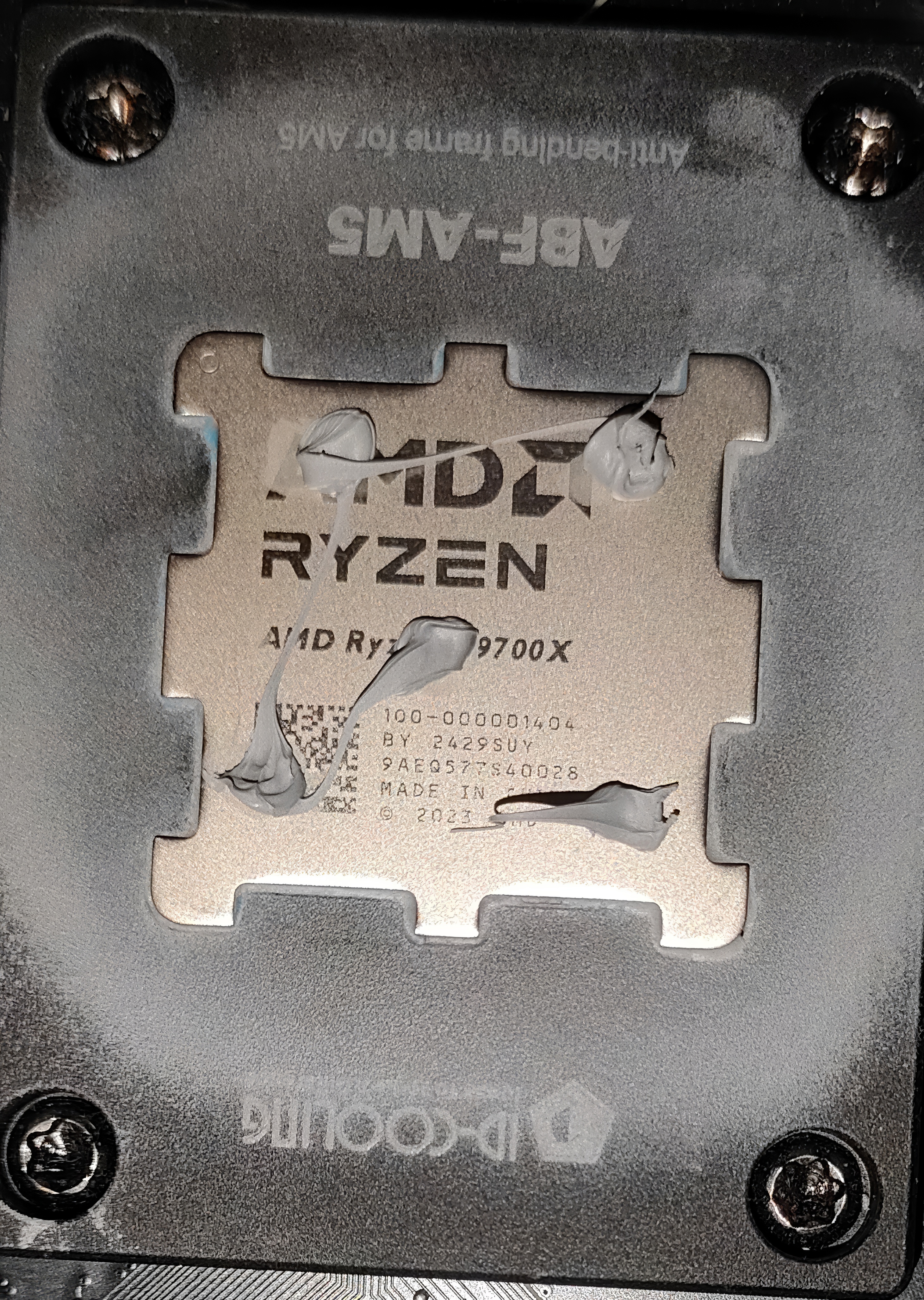
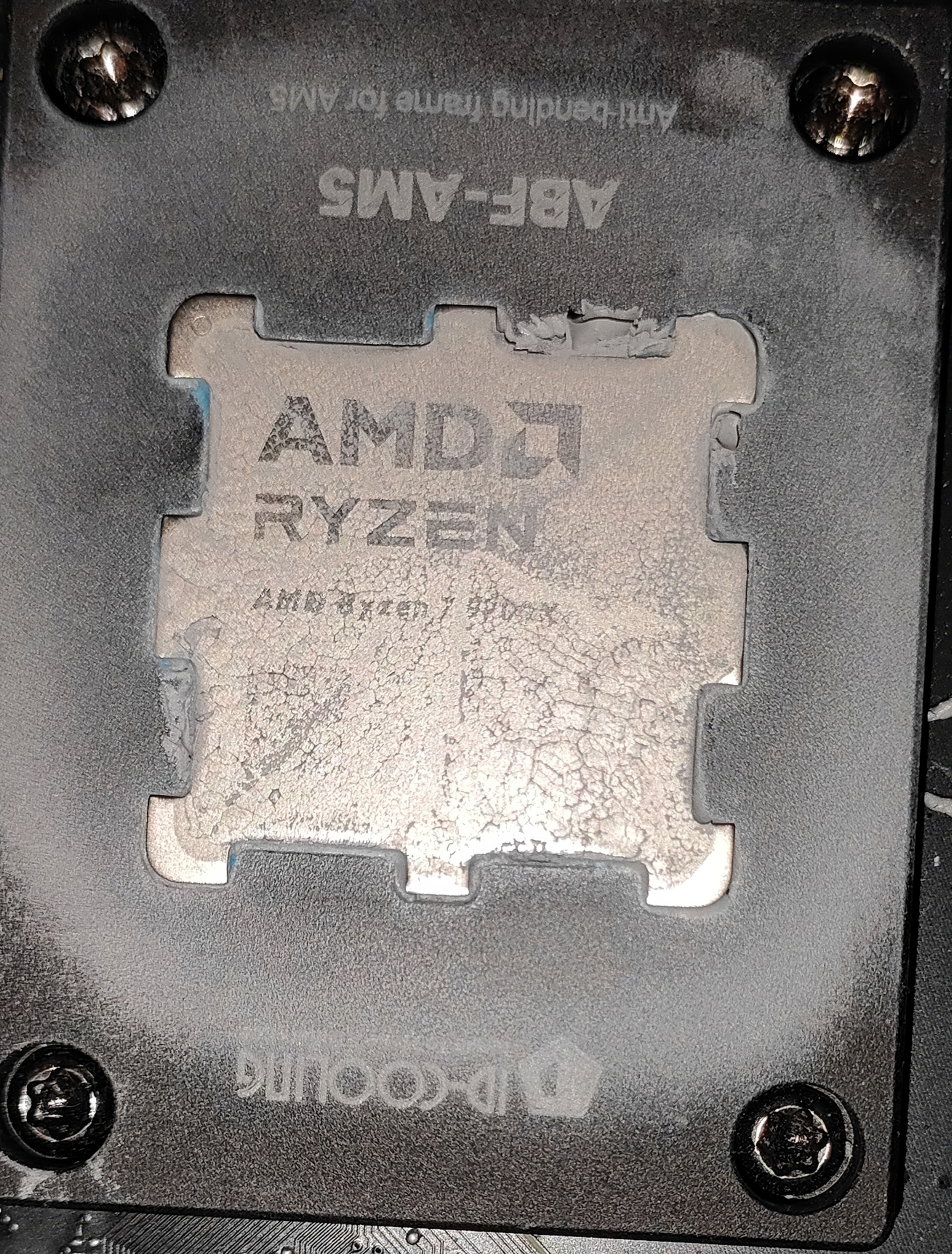
Thermalright TF4 is the cheapest thermal paste in the category; we recommend it for lower-end to mid-range systems. The application was user-friendly, and we did not find it hard. The paste can quickly spread with a spatula as it is not very viscous.
This thermal paste was inferior in our performance charts compared to other Thermalright thermal pastes, but this paste provides more value and ease of installation. However, purchase this paste cautiously, as it might not offer long-term durability.
Thermalright TF7
TF7 Application
TF7 Spread
Thermalright TF7 is easier to work with, not as concrete as the higher-end thermal-right pastes, and thicker than Thermalright TF4. It has reasonable performance in the charts and is slightly better than TF4 in terms of durability. This paste might offer better durability. There is no reason to purchase the TF4 as the TF7 costs are almost similar.
Thermalright TF8-EX
TF8 EX Application
TF8 EX Method
Thermalright TF8-EX feels like a blue curry, and is expensive, and I would not recommend it for the high-end PC build. The paste performs well, aligns with high-end thermal pastes, and is costlier than TF4 and TF7. Still, durability is a big concern here, as spending that much means you should expect higher durability.
In our experience, The particles in this paste can be easily brushed away. The paste is overall, as per the advertised specification, this paste offers higher thermal conductivity but seeing how this paste does after 6 to 9 months of use would be interesting.
Thermalright TF9
TF9 Application
TF9 Spread
This TIM would require extraordinary effort in installation, as this paste is too viscous. We did not have a good experience at first during the application; the thermal paste was clogged at the syringe nozzle while we were taking the compound out from the tube, it refused to sit on the CPU IHS.
The average user might find difficult if they’re spreading across the die. Performance-wise, this thermal paste was not impressive, and It couldn’t beat the TF7 and TF8-E, X, which was unexpected. We have made over three warm-ups to melt this concrete. The durability is not even the question here as this paste fails in user-friendliness and demonstrates poor results.
Thermalright TFX
TFX Application
TFX Spread
It wouldn’t be fair to call the Thermalright X a thermal paste. This paste feels precisely the same as the TF9. TFX performed well in the charts, even better than all Thermalright pastes we have tested, with excellent results as it’s competing with the top-of-the-line pastes but, simultaneously, very difficult to use and expensive.
If we consider user-friendliness, performance, and value, TFX is far behind the likes of Arctic MX4 and MX6, which can be purchased for the same price. It performs roughly the same but requires time and skill if you spread this thermal paste on a die.
Methodology
Thermalright TF4, TF7, TF8 EX, TF9, TFX smiles for the camera (Image By Tech4Gamers)
After applying the paste, we ran two 15-minute Cinebench R23 tests with a 5-minute cooldown period in between. We then ran another 15-minute Cinebench R23 test and recorded the average temperatures (delta over ambient). Thermal pastes nowadays require almost no burn-in time; however, if the paste is too viscous, that would be another case, and extra warm-up tests are needed to prepare it.
We have ensured that the room temperature remains consistently set at 22.0°C. To maintain accurate readings, we use a high-quality thermo-hygrometer available in the market. It is important to note that we have completely eliminated the influence of ambient temperatures in our data, and all results are presented as deltas over the ambient conditions.
Beurer Thermo Hygrometer (Image By Tech4Gamers)
Throughout the testing, the case fans, Liquid Cooler Fans, and Liquid Cooler pump were set to run at a fixed maximum RPM.
We used HWINFO64 (Pro Version) for temperature reporting to monitor the CPU tDIE temperature.
We ensured all background applications were turned off and the internet was disconnected to prevent any external processes or Windows updates from affecting CPU utilization.
Windows Version: Windows 11 24H2 (OS Build 26100.3194)
Benchmark
Benchmarks (Image By Tech4Gamers)
Conclusion & Ratings
Thermalright has so much to do in its thermal-paste department. A good thermal paste is as crucial as the coolers you buy for the PC. Thermal paste is a job to fill the tiny gaps between the CPU and the heatsink for efficient heat transfer. If the thermal paste is not good enough, your cooler won’t be able to dissipate the heat from the CPU efficiently.
We have reviewed their entire portfolio and discussed the quality of their thermal pastes. Our recommendation here would be based on our tests: Thermalright TF4 and TF7 are well-suited for mid-range systems.
They don’t provide the best of the best performance compared to the high-end thermal pastes, but they do the job. On the other hand, the TF8-EX performs excellently; it competes with the high-end thermal pastes, but at what cost? Durability. TF8-EX is highly lubricious.
TFX performs excellently, yet it has sizeable viscous particle fillers, feels like concrete, and has a material quality thicker than your average toothpaste. TF9 struggles to beat the TF7, and we can’t be sure what’s happening here as we don’t have the lab equipment; unlike the TFX, TF9 does not provide satisfactory results.
This table provides a rating for each individual paste based on the experience.
Variants
Ease of Install 🛠️
Performance ❄️
Durability ⏳
Overall Rating ⭐
Thermalright TF4
8
6
4
6
Thermalright TF7
8
7
6
7
Thermalright TF8-EX
7
8
4.5
6.5
Thermalright TF9
5
6
7
6
Thermalright TFX
4.5
8.5
7
6.5
The Thermalright whole portfolio is very confusing. Thermalright TF7 is cheap and readily available, and we consider this paste the sector bed best in the Thermalright portfolio. If we take a value and perform in the accentuate simultaneously, TF4 will be great for low-end to mid-range PC builds and can do the job.
At Tech4Gamers, I mainly cover new gaming news, leaks, and rumours. Aside from that, I love to write features about my favourite games while inserting my opinion about their different aspects.
Story Highlight
Assassin’s Creed Shadows was deemed a failure on launch due to an extremely low player count.
However, the game’s player count kept on increasing and eventually became the most in the series on Steam.
Thanks to that the company’s stock has seen an over 5% increase in value today.
Ubisoft’s survival depends on how much revenue Assassin’s Creed Shadows generate for it. The gaming giant was in trouble due to constant failed releases but it seems like Shadows is finally saving it.
Following a poor launch in just a few days the game rose through the charts and achieved the highest concurrent player base in the series on Steam. Thanks to it Ubisoft’s stock is also increasing rapidly. Today it rose by over 5%.
Ubisoft’s Stock Has Seen A Rapid Rise Following Assassin’s Creed Shadows
As seen in the image above the company’s stock value has increased by 5.35% today. This happened due to the new peak of almost 65K players on Steam, which, by the way, is the highest in the series.
Many were convinced that Shadows will fail but it seems like the love for the Assassin’s Creed franchise is way too high. Given how massive the franchise actually is it is not surprising for the latest game in the series to gather such high numbers.
While Ubisoft has yet to share the sales figure the game has also already crossed two million players. That said, the success of Shadows won’t be enough to make up for the losses the company has faced before.
For example, Skull and Bones was a colossal failure that shook the company from the inside out. The game was reported to have a budget of around $800 million which is straight up diabolical.
Nonetheless, the delays seem to have been worth it as most of the fandom and reviewers have praised the game. So, hopefully, following this launch the gaming giant will double down on quality and focus on its fandom.
What do you think about the latest launch in the Assassin’s Creed franchise? Have you played it yet? Share your thoughts with us in the comments section below or join the official Tech4Gamers forums for discussion.
I’ve previously worked for eXputer as a Senior News Writer for several years. Now with Tech4Gamers, I love to devoutly keep up with the latest gaming and entertainment industries. I have a Bachelor’s Degree in Computer Science and years of experience reporting on games and breaking exclusive stories. Besides my passion for gaming journalism, I love spending my leisure time farming away in Stardew Valley. VGC, IGN, GameSpot, Game Rant, TheGamer, GamingBolt, The Verge, NME, Metro, Dot Esports, GameByte, Kotaku Australia, PC Gamer, and more have cited my articles.
Story Highlight
Remedy Entertainment’s FBC Firebreak reimagines modern co-op shooters and does not feature a live service model.
Alan Wake 2 studio has ditched any FOMO elements that may sully the experience for players.
It features a fun gameplay loop without any limited-time events, paid post-launch content, or battle passes.
FBC Firebreak is dumping all live service elements to deliver a fun experience for players who quickly want to hop into a round and have fun. The entry is a relaxing take on modern co-op shooters without the headaches of microtransactions and battle passes.
Why it matters: FBC Firebreak will offer a refreshing take on multiplayer—quick, stress-free matches with no microtransactions.
FBC Firebreak is Remedy’s first attempt at multiplayer shooters.
The new FBC Firebreak preview by Xbox reveals that the game will feature a healthy balance of replayability and uniqueness, allowing for heart-pounding multiplayer gameplay.
Remedy will let you choose how fast you want a round to finish by selecting clearance levels that get progressively difficult.
Only got time for a quick burst? Jump into a low Threat, low Clearance mission for a bit of instant gratification. Settling down for the long haul? Grab your friends and start upping that Clearance level.
All post-launch content in the shooter will be free, so there will be no FOMO elements muddying all the fun to be had. Players can collect in-game currency during the missions, which makes gameplay all the more interesting.
Firebreak is being made purposely without daily or limited-time events, to ensure you never feel like you’re being forced to play.
Remedy Entertainment uses a tried-and-true gameplay formula: three parties jump into missions together, with players using unique weapons, perks, and Crisis kits with wacky utility tools to clear levels.
The spin-off takes place six years after Control’s ending.
The entry is targeting a summer 2025 launch, but no exact release date has been announced yet.
Do you think more multiplayer games will start ditching live-service elements in the future, or is the genre too successful to die early? Let us know your thoughts in the comments below, or join the discussion on the Tech4Gamers forum.
I’ve previously worked for eXputer as a Senior News Writer for several years. Now with Tech4Gamers, I love to devoutly keep up with the latest gaming and entertainment industries. I have a Bachelor’s Degree in Computer Science and years of experience reporting on games and breaking exclusive stories. Besides my passion for gaming journalism, I love spending my leisure time farming away in Stardew Valley. VGC, IGN, GameSpot, Game Rant, TheGamer, GamingBolt, The Verge, NME, Metro, Dot Esports, GameByte, Kotaku Australia, PC Gamer, and more have cited my articles.
Story Highlight
According to a new hiring post from Sucker Punch, Ghost of Yotei will launch in 2025.
The studio is hiring a community specialist to help in the game’s launch.
Sony’s CEO has called the sequel the most anticipated PS5 game.
After a barren 2024, Sony is looking to make a huge comeback in the exclusive title space with several AAA games launching this year. Death Stranding 2, Saros, and Fairgame$ are just some of the exclusive titles coming out on the PlayStation 5 in the next two years.
Arguably the most anticipated among the next batch of exclusive games is Ghost of Yotei, the direct sequel to the highly successful Ghost of Tsushima. And, if rumors are true, fans won’t have to wait a lot longer to play the action-adventure title.
Why it matters: Sony has a really strong catalog of AAA titles coming out this year.
Ghost of Yotei is set to launch this year.
As per a new hiring post made by Andrew Goldfarb on X, the senior communications manager at Sucker Punch, Ghost of Yotei is going to release in 2025. In this ad for an experienced community and support specialist, Goldfarb reveals the new hire will help the studio release the sequel this year.
In the game’s trailer, it was already confirmed that Ghost of Yotei will launch this year. But let’s be honest, the release date shown in the trailer doesn’t mean much. What really builds confidence are the supporting details that back it up.
Hence, Ghost of Yotei will be one of the premier exclusive offerings in 2025 alongside Death Stranding 2. And, considering all the hype surrounding the game, this can’t come soon enough. Sucker Punch has stated that the sequel is going to push creative and technical boundaries in a way never seen before.
Ghost of Yotei is one of the most anticipated PS5 games.
The exclusion of Ghost of Tsushima protagonist Jin Sakai rubbed some people the wrong way but the hierarchy is backing the sequel with full force telling the people to don’t buy it if they don’t like the female protagonist.
As a Senior Hardware Reviewer at Tech4Gamers with over a decade of hands-on experience, I dive deep into benchmarking GPUs, CPU coolers, and motherboards, pushing hardware to its limits. Passionate about overclocking and fine-tuning performance.
Thermal paste is vital to your PC build, ensuring your CPU’s optimal function. When you’re out shopping for a new thermal paste, Customers usually aim for the one with the highest numbers, but there is a dark and hidden truth behind it. Sadly, these advertised numbers on thermal conductivity are never real.
Users need to be more cautious when they’re purchasing thermal paste and looking at the thermal conductivity and thermal resistance numbers. They’re false and misleading. Brands also tend not to disclose their lab testing to explain how they have achieved these numbers. Higher thermal-conductivity numbers are not always the ‘Best’, as we have done tons of reviews, and we can assure you that these marketing numbers shouldn’t be taken seriously.
How Do Thermal Pastes Work?
Well, a thermal paste’s job is to fill the microscopic gaps between the CPU and the heatsink, but multiple factors could influence its performance, such as the application method you’re using; the most commonly used methods are Cross Method, Pea-Sized and the spread-method.
Also, it depends on the mounting pressure of your heatsink to the CPU IHS if the force is applied enough to spread the thermal paste across the die and fill the microscopic gaps.
Thermal paste performance also depends on the paste’s quality, which is mainly thermal conductivity and thermal resistance. The lower the thermal-resistance numbers, the better, and the higher the thermal conductivity, the better the performance. We’ll explain below how much they matter.
Thermal paste removes microscopic gaps between the CPU and the cooler (Image Credits: Intel)
Let me break down the two key aspects of a thermal paste and how they can be misled.
Thermal Conductivity
Thermal Conductivity is calculated in (W/m·K); it refers to how effectively the thermal paste can transfer heat between the two surfaces, e.g., between CPU IHS (Integrated Heat Spreader) and the heatsink However, higher thermal conductivity numbers in the paste suggest better thermal performance, but here is a catch: these advertised numbers can be false. They should not be taken seriously because the thermal conductivity numbers solely would not tell us anything.
Higher ”Advertised” thermal conductivity numbers would not always result in better performance; it’s misleading for the brands to put these numbers to confuse the buyers.
In reality, thermal pastes have a thermal conductivity of 1 to 4 W/mK in real-world scenarios based on the thickness or layer of the application. Several brands, such as Arctic and Thermal Grizzly, have stopped advertising the thermal conductivity numbers, as the thermal-conductivity number could vary depending on the contact pressure, how hot the CPU is, how thick the application is, and the temperatures.
The thermal paste thickness is measured in micrometers (µm); the optimal values are 25–50 µm when cured or compressed. In electronics, we call it ”Bond line thickness” BLT in short, it refers to the thickness of thermal-paste between the two components (e.g., CPU and Heatsink); if the BLT is thin, it could reduce the thermal resistance; if the BLT is too thick or viscous, the layers may shrink or crack during the curing. But, how the brands have figured out the thermal conductivity and advertised them at what layer thickness is also very important, which they do not mention.
So, using too much application on the CPU, or less, can change the thickness, affecting the thermal-conductivity numbers. So, you should remember that these advertised thermal conductivity numbers are NEVER ACCURATE!
Thermal Resistance
Just like thermal conductivity, brands tend to mislead consumers about the thermal resistance values as well; if you do not know what thermal resistance is, thermal resistance is a measure of how well the paste transfers heat effectively to the heatsink depending on how thick the layer is, the denser the layer is, the more complex the transfer of heat would be, the lower thermal resistance is always preferable. Several factors could affect the paste’s thermal resistance, such as the contact pressure, the paste’s material, and the application thickness and temperatures.
The thermal resistance is measured in °C/W. If the paste is too viscous, just like the Thermal Right TFX or TF9, the thermal resistance wouldn’t be in the acceptable range as they have the problem with the minimum layer thickness; with the standard contact pressure, they cannot be compressed easily due to their large particle size in the fillers. As we have said, multiple factors can influence thermal resistance. These marketing values should not be taken seriously as they are not adequately documented besides the advertised values, which would mislead the customers.
We’ve Tested 12 Thermal Pastes To Put Things To Light:
We have tested different varieties of thermal-pastes in the charts, including the most selling ones as Arctic MX4, and Arctic MX5, and some are from Thermalrights, ThermalGrizzly, and ID-Cooling.
Thermal Paste Benchmarks (Image By Tech4Gamers)
These charts are the accurate representation of, whether the ‘higher-thermal-conductivity marketed’ performs the best, and the answer is no. For example, The Thermalright TFX has a conductivity of 14.3W/M-k, and thermal resistance is 0.28 (℃·cm²/W) yet it performs identically to ID-Cooling X25 which has the (Advertised) thermal conductivity of 10.5 W/m-K and the (Advertised) Thermal Resistance of 0.50cm3/W, while the highest numbers would have performed the better here but it’s not the case.
ID-Cooling is also advertising the false-misleading numbers, on what basis and condition and methodology they have performed these numbers are unknown.
What Is The Pump-Out Effect?
The pump-out effect is a common issue with CPUs and GPUs. Over time, the thermal paste between the chip and the heatsink gets slowly pushed out due to repeated heating and cooling cycles. When your CPU or GPU is under load, the components in the thermal paste expand. As this happens again and again, the paste gradually shifts and moves toward the edges of the contact area.
Image-Source: Electronic Specifier
Over time, thermal paste loses its ability to conduct heat effectively, which can lead to overheating. As the paste heats up and its components expand, it becomes less thick and more runny, eventually breaking down or even evaporating. A less viscous paste would always pump out faster than the ones which are higher viscous.
How Do I Choose The Right Thermal Paste (CPU)
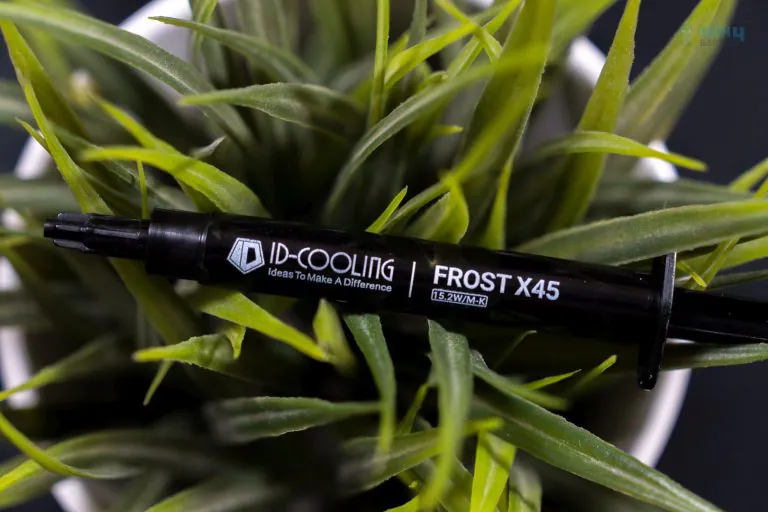
For the performance numbers, you can check our reviews of Thermalright, ID-Cooling X45, and ThermalGrizzly Duronaut, in the reviews we have tested up to 12 therma pastes and talked a lot about their durability. Of course, you can also look at the performance graph above.
ID-COOLING FROST X45 (Image By Tech4Gamers)
Other than that, there are several things that you need to keep in mind, and on what component you’re applying the thermal-paste. If you’re applying on a CPU or a GPU, you should always aim for the right balance which is durability and performance, and don’t fall into marketing numbers.
Thicker, more viscous thermal pastes usually need a longer burn-in period and can sometimes have higher thermal resistance, which isn’t ideal. On the other hand, thinner pastes may perform better at first with lower thermal resistance and higher thermal conductivity. However, at high temperatures, they can break down or “bleed” more quickly, and their performance often gets worse over time due to the pump-out effect
Ease of application also matters here. Some people prefer the spread method, where they apply a thin layer of paste directly onto the IHS and spread it evenly—mainly for peace of mind. However, thicker, more viscous pastes can be harder to spread using this method.
For Graphics Cards, Is Using A Thermal Paste A Good Idea?
While it’s generally a good idea to replace the thermal paste on your graphics card after several years of use, graphics cards have become power-hungry these days; the RTX 5090 can reach up to 600W, and the thermal paste on the GPU would bleed faster than it’s on the CPU as CPU’s tend not to get hot as the graphics card. These days, GPUs have two temperature sensors on the die: the GPU temperature, which takes the reading from the die, and the other Hotspot Temperatures.
Well, GPU Hotspot Temperature refers to the highest achieved temperature on the GPU die, measured at the hottest sensor location; the hotspot temperatures could be a good indicator to tell that the thermal paste is bleeding or in the process of ‘Pump-out’.
Vendors nowadays are applying PTM pads on the GPU die to make sure it’s longevity. What happens when you apply the thermal paste on the GPU die is that the GPU die remains cooler and provides good hotspot temperatures; after several heat cycles or weeks/months of use, the paste starts to disappear from the GPU, which can cause the hotspot temperatures to rise.
What is PCM Or PTM?
PTM stands for Phase-Change Thermal Material, and PCM stands for Phase-Change Material. These are types of thermal paste or TIM (thermal interface material) that come in the form of solid foam pads. They look similar to the thermal pads used on GPU memory and power phases.
Still, the difference between them is that the thermal pads always remain solid and don’t melt. In contrast, PCM or PTM turns to liquid at certain temperatures at 45-50°C Degrees and spreads across the die, filling the microgaps on the die, and when they’re at the cooled state, it automatically transitions to the solid state just like the thermal pad.
These phase-change materials are difficult to apply but are easily durable and could last up to 4 years. I highly recommend our users get the PTM material when they decide to change the thermal interface material on the GPU.
Currently serving as a News Reporter at Tech4Gamers, I have the privilege of combining my love for gaming with the art of storytelling. My role involves crafting engaging narratives that keep our audience abreast of the latest developments in the gaming world.
Story Highlight
Silent Hill f now banned in Australia as the game is “Refused Classification”.
This may be due to the depictions of themes based on the cultures of the game’s setting.
Previously, Silent Hill: Homecoming also faced a similar ban but later saw a censored version cleared for release.
Update 24th March: The Australian Classification Board has retracted the initial classification and removed it from the official page. The board will re-review the game, with results expected before the launch of Silent Hill f.
Original Story: Silent Hill promises a new era for the franchise following the major success of the second entry’s remake. The Japanese setting may not be the only significant change with the new entry, as the game ditches firearms in favour of melee weapons, as per the ERSB ratings.
The first trailer already hints at a gruesome and brutal experience in Silent Hill f. However, the content may yet exceed the community standards, as we found the game banned in Australia.
Why it matters: Australia has a long history of banning video games that don’t meet their community standards over minor factors. Silent Hill f joins this catalogue and will be yet another game unavailable to Australian audiences.
Under the official classification website of the Australian Classification Board, Silent Hill f was refused classification. This refusal means a ban for the game due to content outside generally accepted community standards.
Nevertheless, the board has refused to disclose why it banned the game.
Still, if there’s any implication, it might be due to the game’s controversial depictions. The game’s official website already includes a content warning for certain themes.
The developers previously mentioned their intent to accurately encapsulate the essence of the game’s 1960s Japan setting, even if that comes with controversial depictions.
Silent Hill f will likely feature a censored release in Australia if Konami doesn’t want to miss out on a chunk of sales. 2008’s Silent Hill: Homecoming followed a similar suit after also facing a ban.
What are your thoughts on this situation? What do you expect from the game following such a controversial headstart? Let us know in the comments below or visit the official Tech4Gamers Forums.
As the CPU Cooler and RAM Expert, I test the latest hardware to provide tips for smart purchases. I cover everything from busting myths about CPU coolers to looking into the newest RAM designs, examining various parts of PC hardware.
Usman Sheikh
As a Senior Hardware Reviewer at Tech4Gamers with over a decade of hands-on experience, I dive deep into benchmarking GPUs, CPU coolers, and motherboards, pushing hardware to its limits. Passionate about overclocking and fine-tuning performance.
When it comes to air coolers, Thermalright is one of the brands you cannot miss, especially in terms of value and performance. Thermalright is a globally renowned brand for its Assassin series and is often rated higher by reviewers due to its outclass performance for the lower price.
Why Trust Tech4Gamers
Usman Sheikh is one of our most senior and experienced hardware reviewers. He loves spending hours (sometimes days) in his lab testing and comparing different GPUs, CPUs, coolers, and more.
80+ CPU coolers tested and reviewed by our team of hardware experts (Tech4Gamers Team).
900+ hours spent testing different coolers for our reviews.
At Tech4Gamers, ensuring you get reliable information is our priority. That’s why every hardware round-up undergoes a meticulous review process by our team of experts and editors. Each review is carefully examined against our strict editorial guidelines, guaranteeing you trustworthy insights you can depend on.
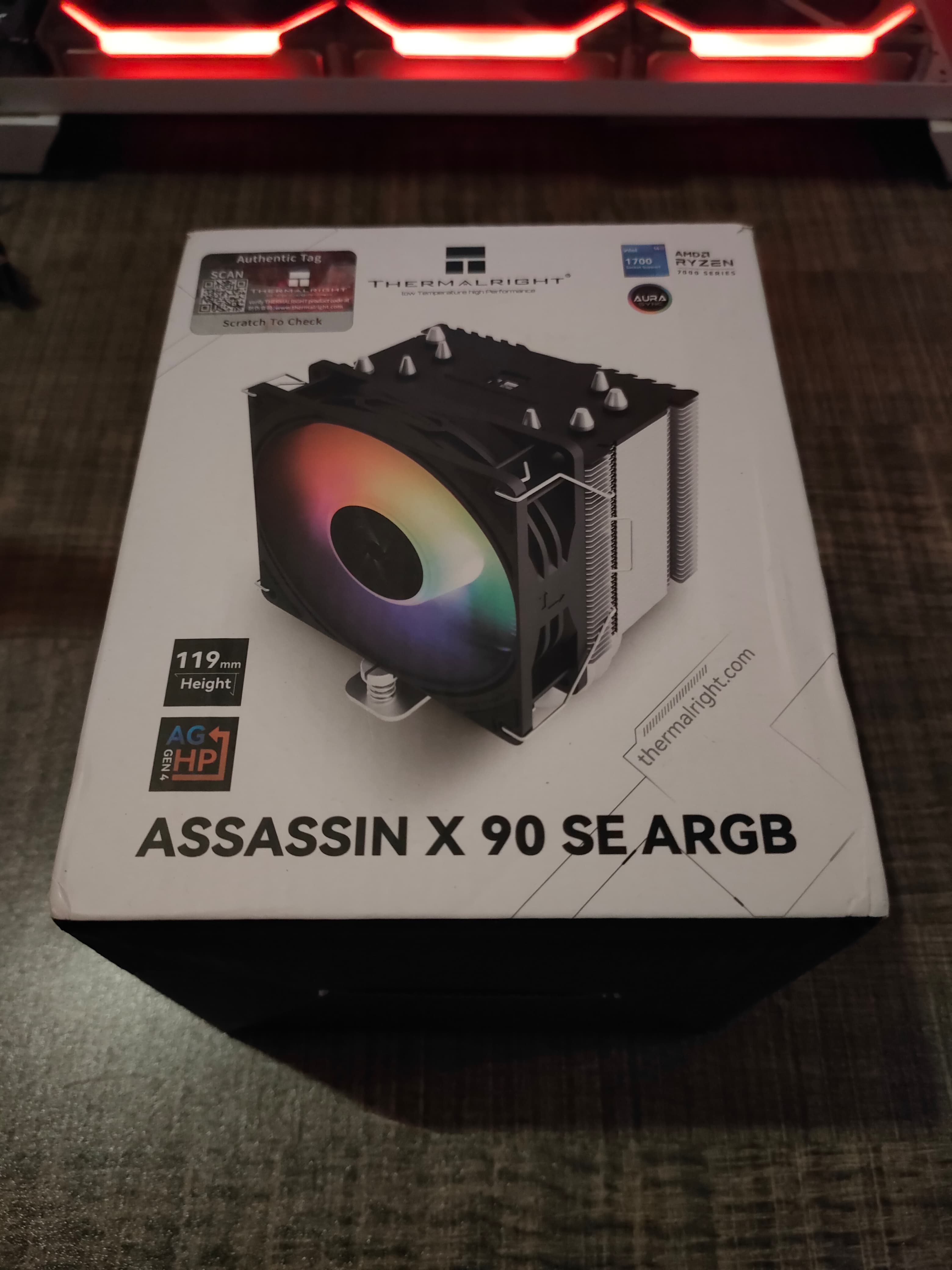
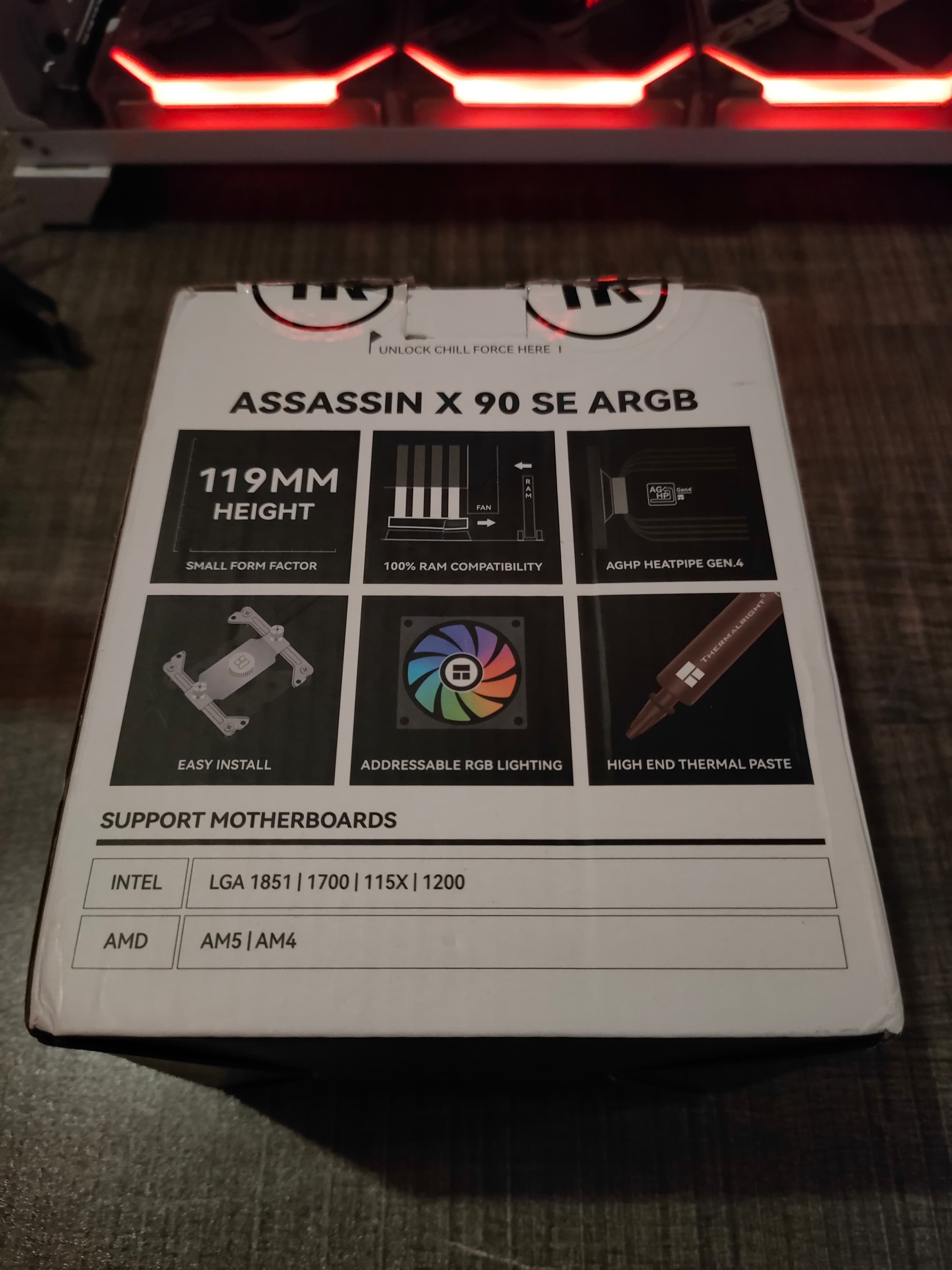
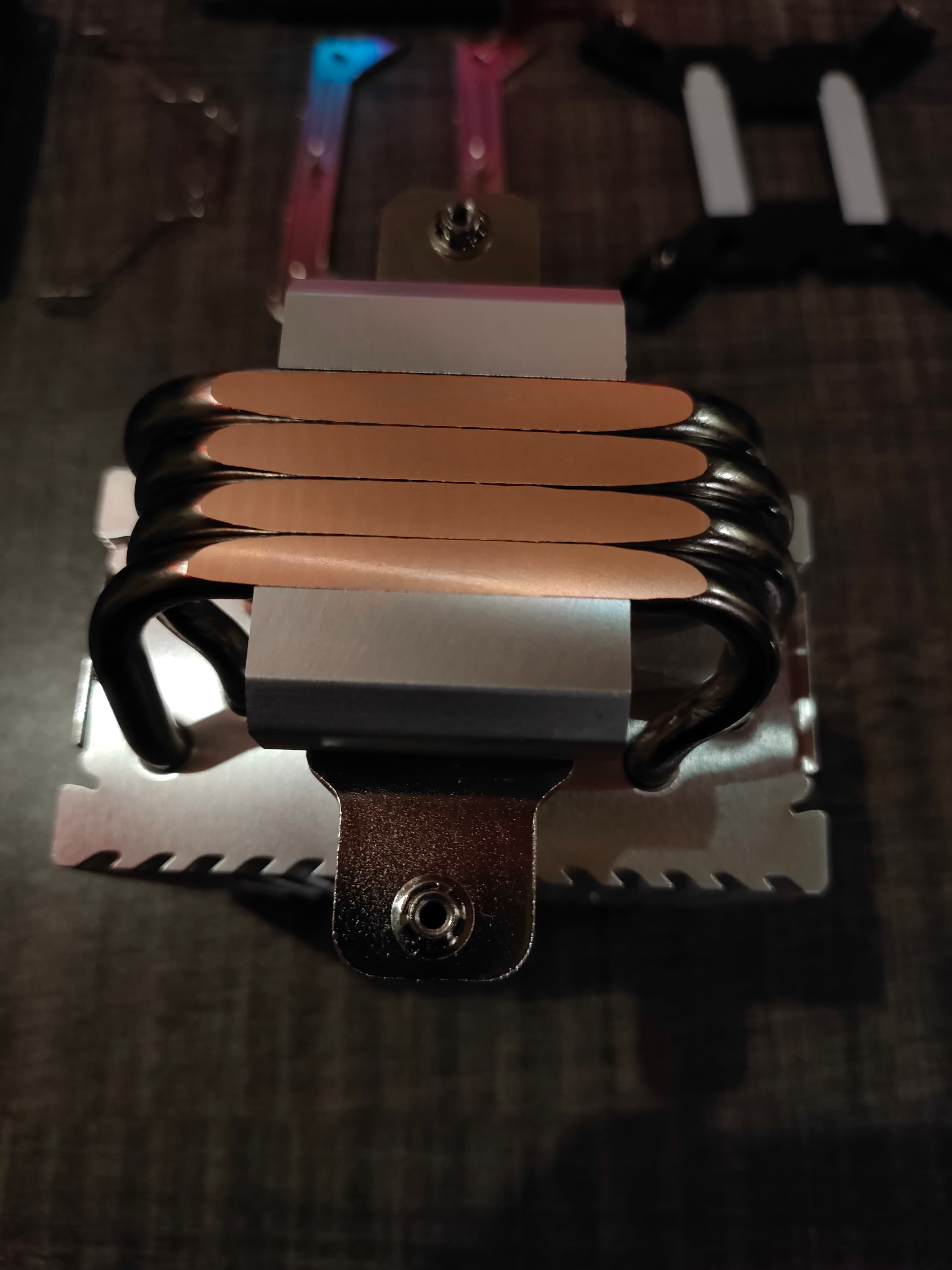
Today, we’ll test the Thermalright Assassin X 90 SE cooler, which only costs $17 and uses aluminum as the heatsink material, has a 92mm ARGB fan, and 4×6 mm copper heat pipes. In the small size, Thermalright is offering a lot for the price. You don’t see the 4 copper heat pipes even in the $30 category coolers.
Key Takeaways
The Thermalright Assassin X 90 SE is a small, affordable CPU air cooler with surprising performance for the price, making it a great upgrade over stock coolers for mid-range systems
You should buy the Thermalright Assassin X 90 SE if your CPU has a TDP of around 65W and you want a cooler that does the job well at a low budget.
You should not buy the Thermalright Assassin X 90 SE if your CPU’s TDP exceeds 65W, as it is a tiny cooler that does not perform well for power-hungry CPUs.
These are the key specs:
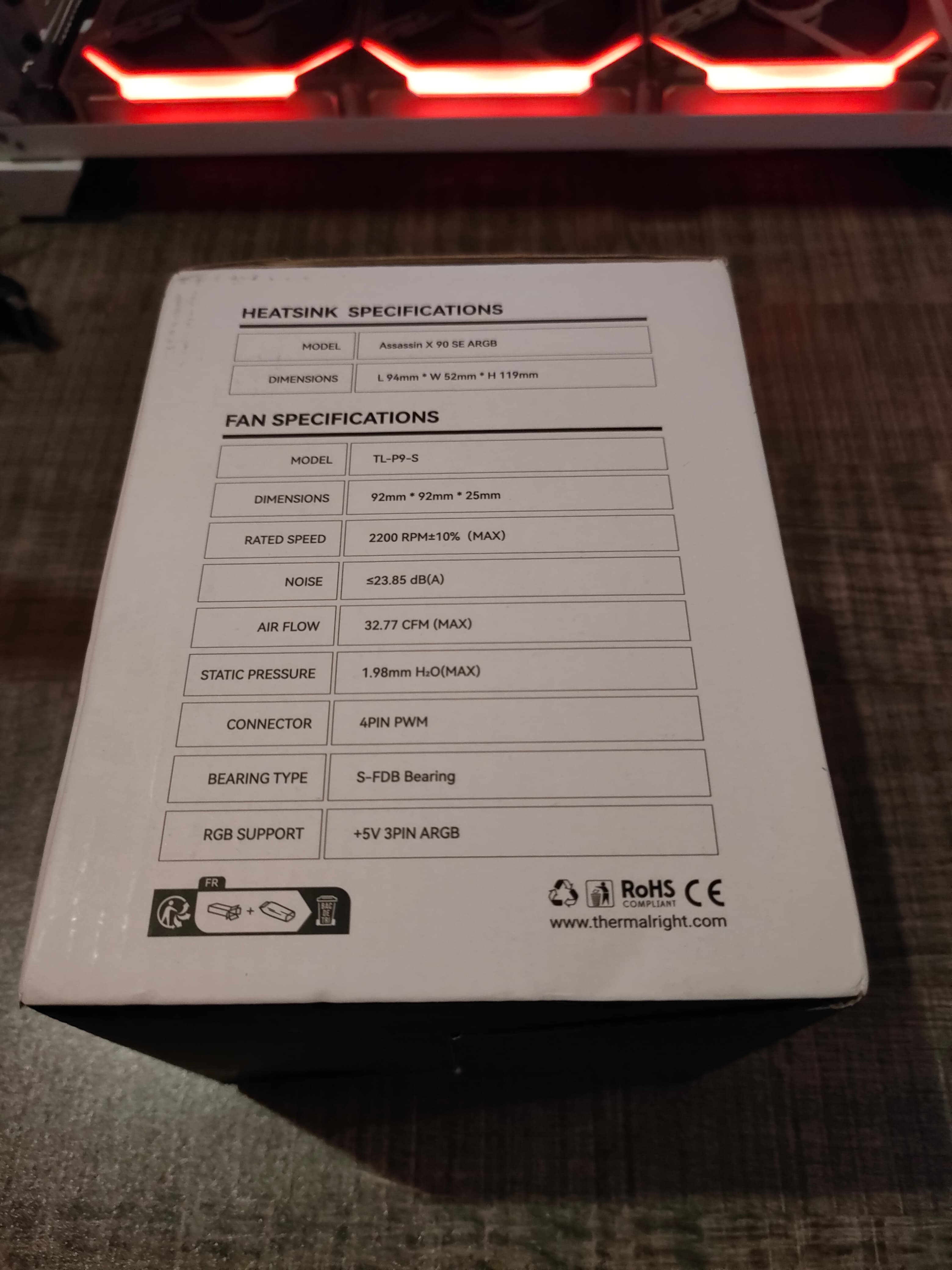
Thermalright Assassin X 90 SE ARGB Specification
Dimension
L94 mm x W52 mm x H118 mm
Weight
360g
Heat pipes
6mm heatpipe x 4 units
TL-P9-S Fan Spec
Dimension
L92 mm x W92 mm x H25 mm
Weight
110g
Rated Speed
2200 RPM ±10% (MAX)
Noise Level
23.85 dBA
Air Flow
32.77 CFM (MAX)
Air Pressure
1.98 mm H2O (MAX)
Ampere
0.10 A
Connector
4 Pin (PWM Fan connector)
ARGB Connector
3 PIN 5V
Bearing Type
S-FDB Bearing
[toc]
Packaging&Accessories
Unboxing
1 of 4
Front
Back
Side
Accessories
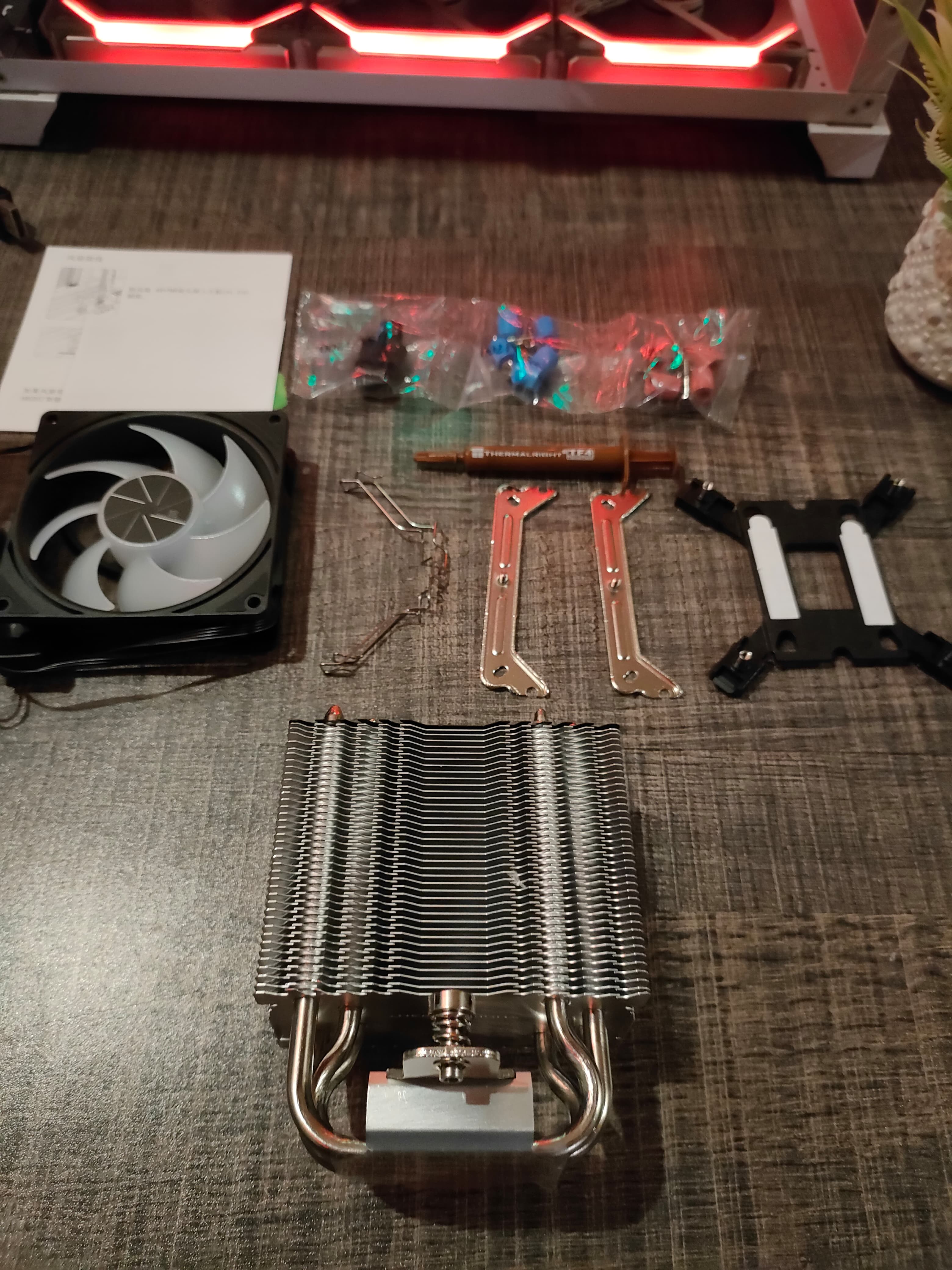
The following are provided:
Aluminium Heatsink
Intel Backplate LGA115X/1700
Intel / AMD Mounting Bracket x2
Intel Screw x4 / AMD Screw x4
Standoff Screws x4 Intel / Standoff Screw x4 AMD
Thermalright TF4 Thermal Paste
Fan clip x2
Design
Design Overview
1 of 7
Rear Side with Fan
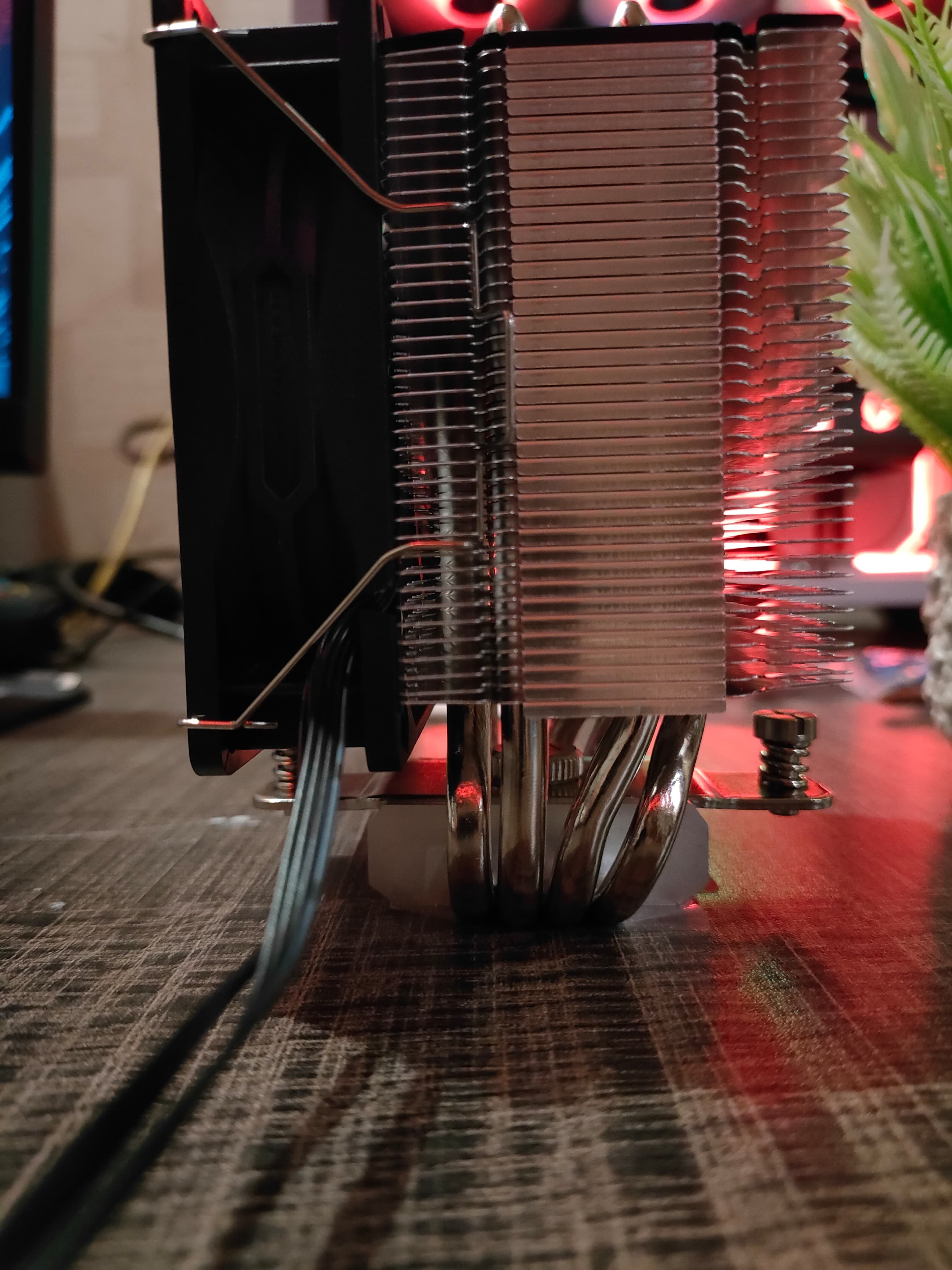
Nickel Plated Copper Heatpipes
Alluminium Fins
Shroud
Heatsink
TL-P9-S Fan Attached to Heatsink
TL-P9-S Look
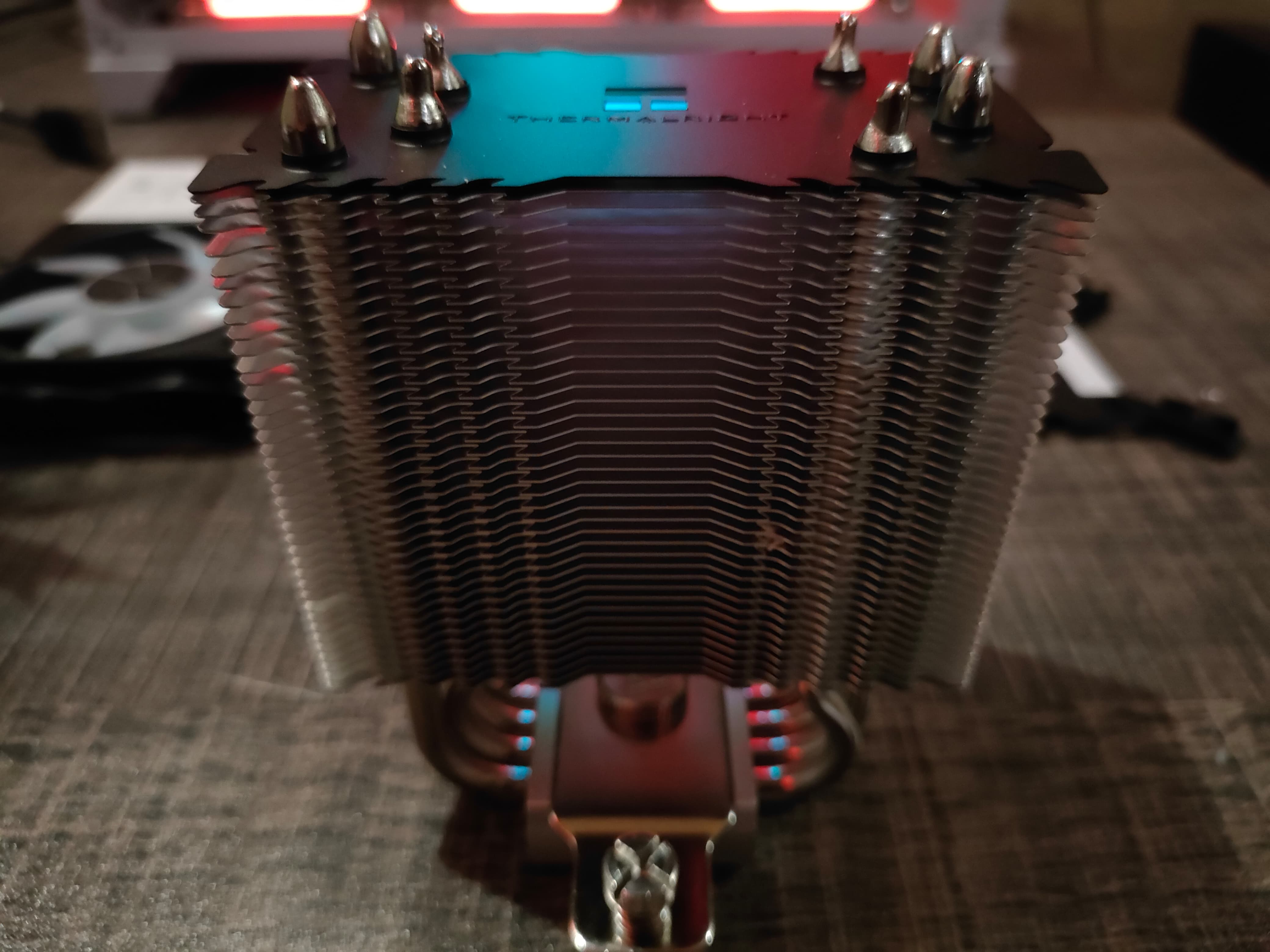
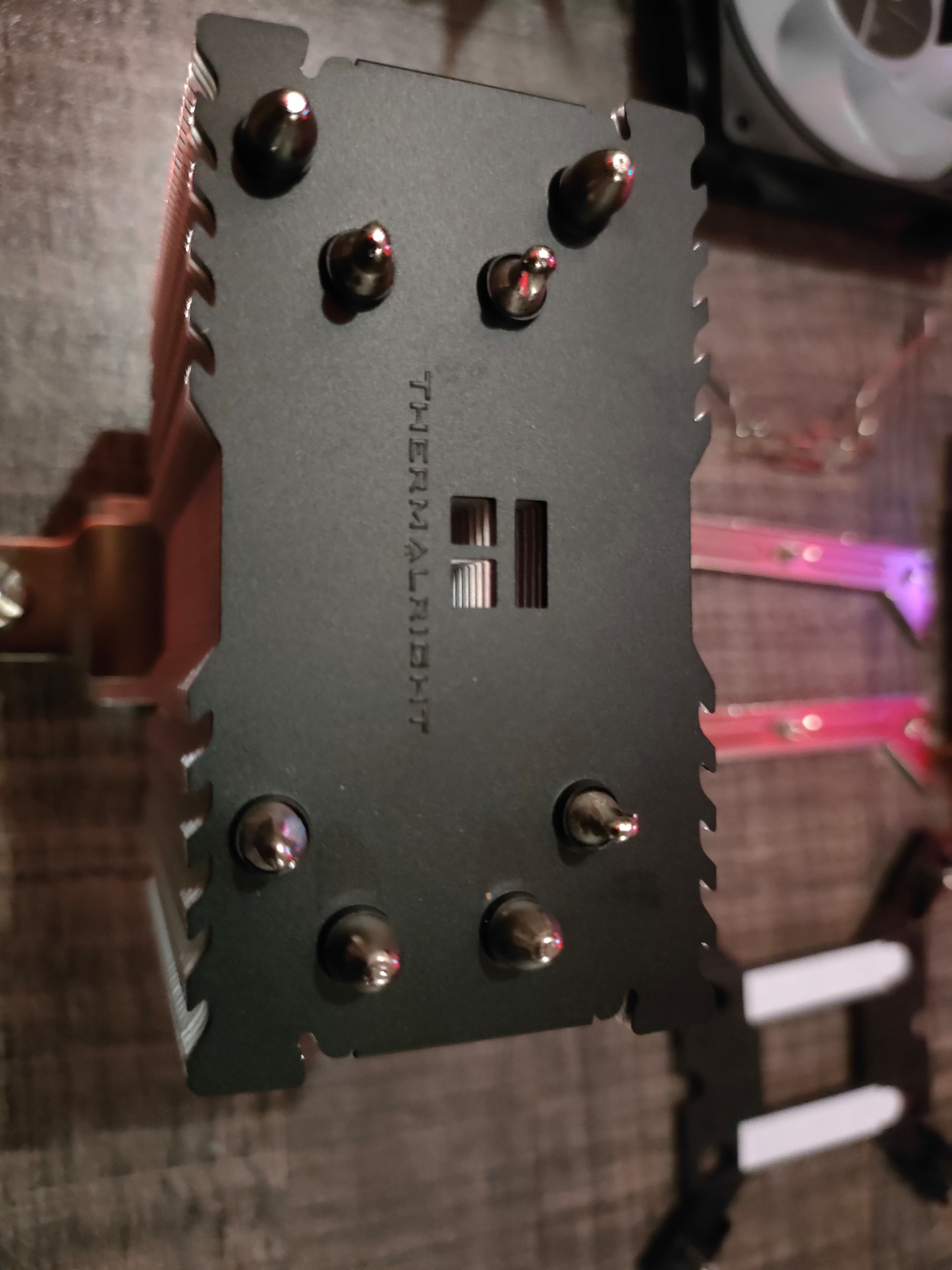
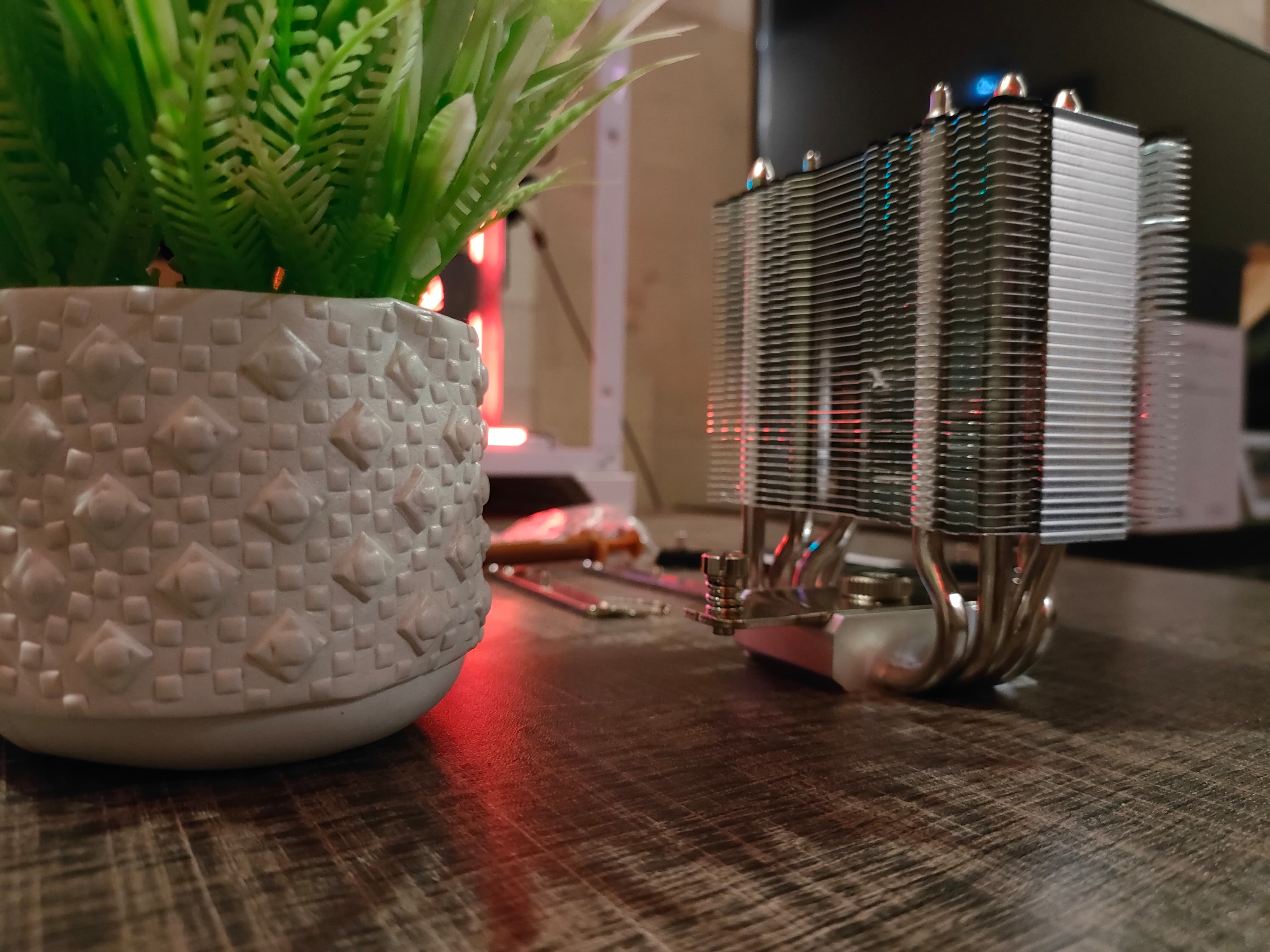
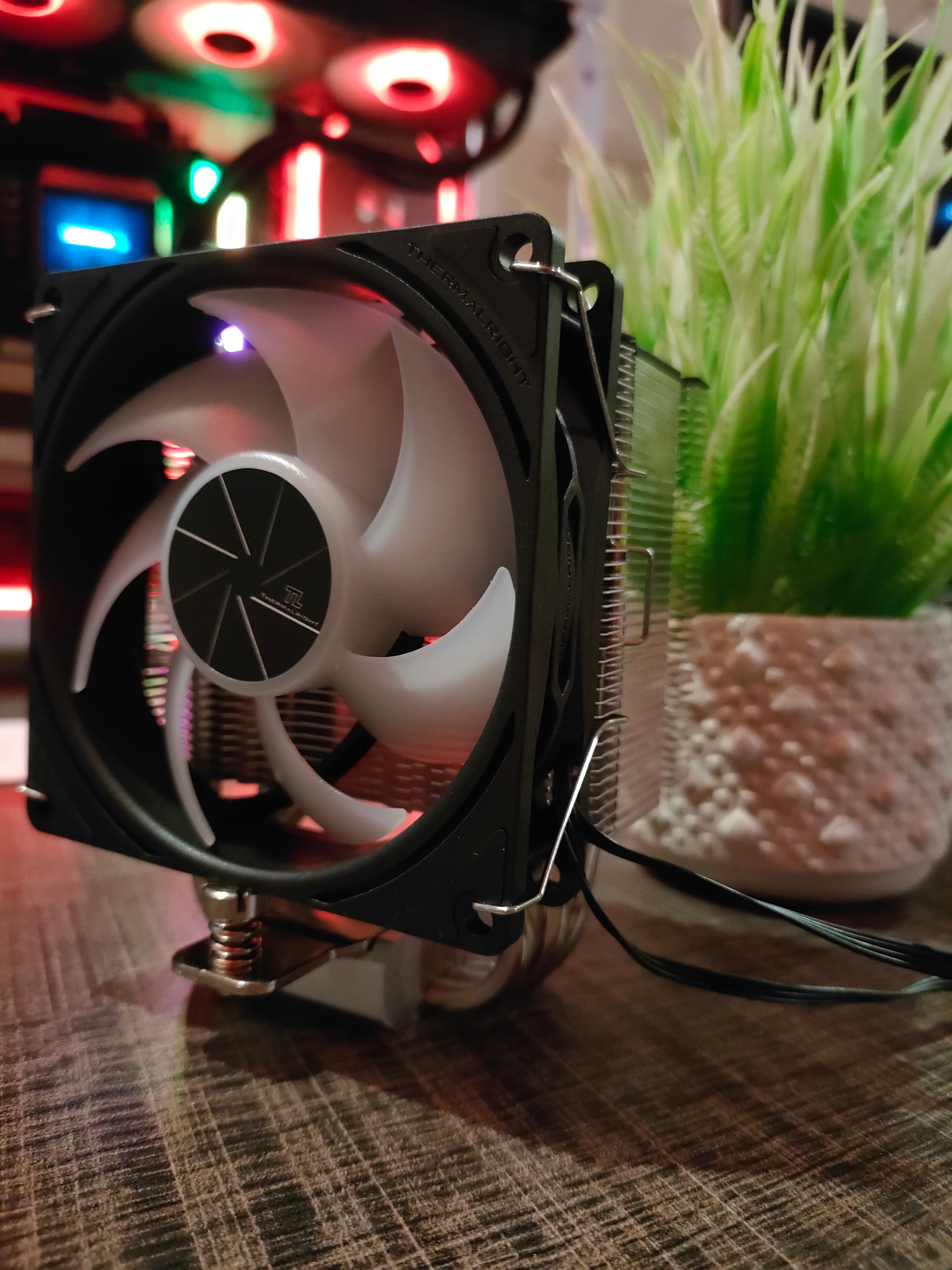
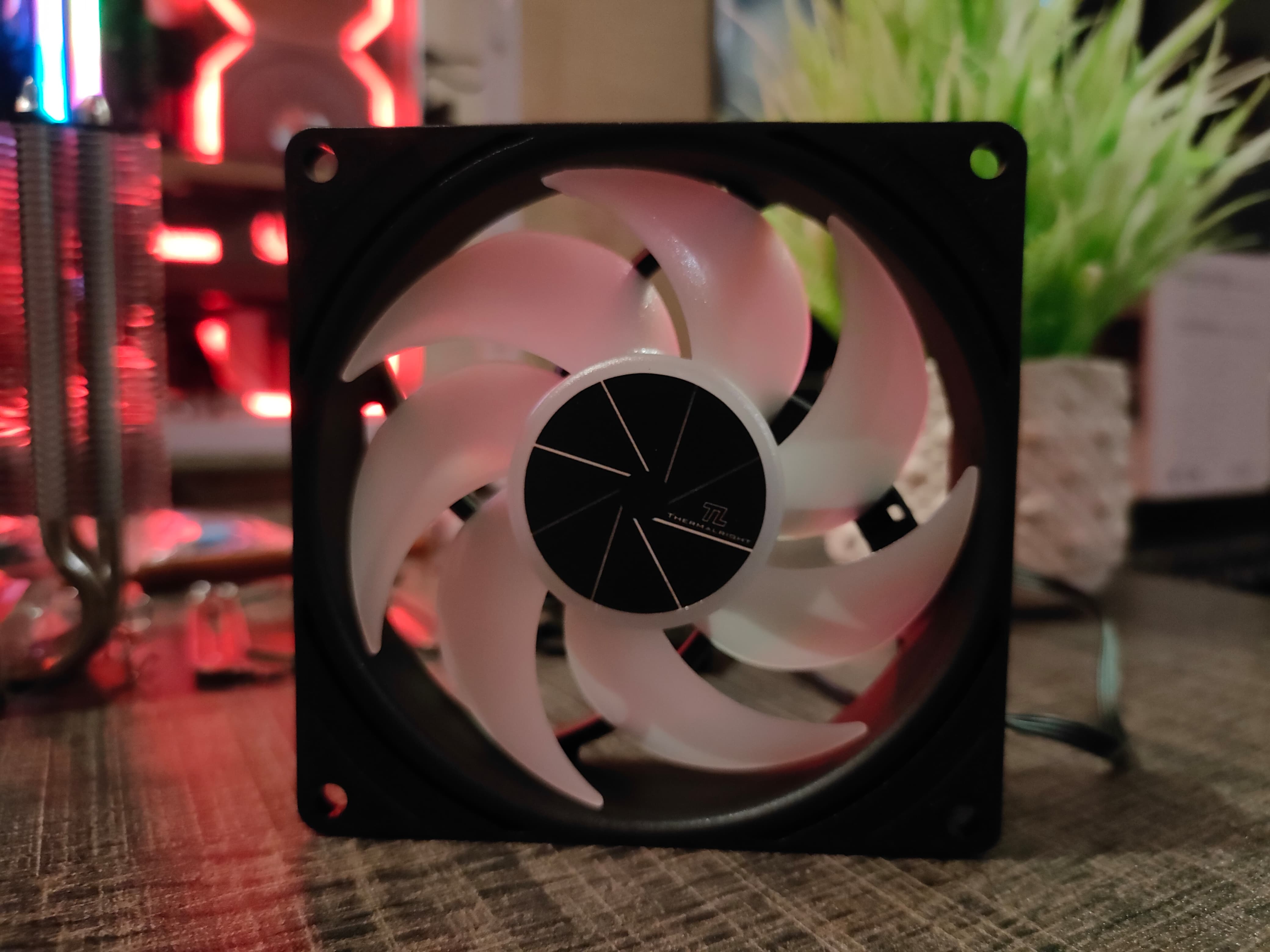
The heatsink uses a compact, small form factor tower design with a dark top shroud, giving a nice touch to the cooler; it supports all the latest Intel up to LGA 1700 and AMD AM4 and AM5 sockets. The base is u-shape nickel plated and offers 4 copper heat-pipes direct touch process to the CPU IHS. Thermalright has also included a TL-P9-S 92mm Static Pressure ARGB fan with the cooler; the RPM goes up to 2200 RPM at 32.77CFM. The fans are not that powerful, but it’s extremely quiet, with a maximum noise level of ≤ 23.85 dB.
Installation (AMD)
This is what you need to do to install the cooler on an AMD CPU:
4x AMD Standoff
4x AMD Screws
2x Metal Mounting Bracket
To install, first remove the pre-installed AMD brackets on the motherboard, but don’t remove the backplate. Then, install the 4x AMD Stand-Off and put them in place as demonstrated in the picture below.
Assassin X AMD Mounting
Now take the metal brackets, align and place them on the AMD standoffs. Screw the bracket in with the provided 4x AMD screws. Make sure to apply thermal paste. In our case, we are using NOCTUA NTH2.
Assassin X Standoff AMD Assassin X Metal Bracket
Your cooler is now ready to be installed. Peel the sticker from the bottom of the heatsink, where the four copper heat pipes are located.
It’s time to seat the cooler on the mounting bracket. At each end on both sides of the cooler, there are two built-in screws. Align them with the metal bracket screws and tighten them up, applying equal pressure on both sides. Do not tighten one side completely before the other—this is important.
Assassin X Seating on AMD Metal Bracket
Your cooler is now fully seated. It’s time to install the fan on the heatsink!
Place the provided fan clips on the fan—one on each side.
Fan Installed on Assassin X
The fan has two cables:
The ARGB cable needs to be installed into the motherboard’s 5V ARGB header.
Windows Version: Windows 11 24H2 (OS Build 26100.3194)
Testing Methodology
For our cooler testing, we are using three different power settings on our Ryzen 7 9700X: Stock 65W TDP, 105W TDP, and Unlocked power achieved with the PBO. We are not using a curve optimizer or any undervolting technique.
The room temperature is strictly set to 22c. We are using Cinebench R23 for the results, and two runs are given for each power profile.
We are reading the data from HWINFO and only taking average and peak temperatures, average effective clock frequency, and average power for our benchmarks.
We use NOCTUA NTH2, the same thermal paste for all the coolers’ testing, and the same application method.
We’ve removed the panels from the Lian-Li O11D, Side Tempered Glass, Front Tempered Tempered Glass, and the top shroud has also been removed.
All case fans are set to 50% RPM.
Benchmarks – 65W TDP Temperatures
Thermalright Assassin X 90 SE Performance on 50% Fan SpeedThermalright Assassin X 90 SE Performance on 100% Fan Speed
Benchmarks – 105W TDP Temperatures
Thermalright Assassin X 90 SE Performance on 100% Fan Speed
Benchmarks – How Many Watts Cooled?
Thermalright Assassin X 90 SE – How Many Watts Can It Cool?
Should You Buy It?
Buy It If
✅You’re aiming to run the CPU at the 65W TDP: Assassin X 90 SE can easily withstand the load of 65W TDP.
✅You’re replacing your CPU stock cooler: Assassin X 90 SE demonstrates amazing performance over the AMD Wraith Spire.
Don’t Buy It If
❌ Your CPU TDP Exceeds 65W TDP: Assassin X 90 SE is a small form factor cooler so you can’t expect much from this tiny cooler.
Conclusion
Thermalright Assassin X 90 SE provides incredible value at $17 while offering the 4 direct heat pipes. It manages to cool down the Ryzen 7 9700X at the 65W TDP; it’s a small form factor tower cooler and can fit almost every tiny case available.
Thermal Assassin X 90 SE can be an alternate option if you want to replace your stock-cooler heatsink. However, Asking so much from this cooler at this price wouldn’t be wise.
We cranked up the CPU TDP to 105W, which throttled after several minutes. Furthermore, after removing the power limits from the CPU, this cooler managed to cool 130W of the heat, which is incredible.
This cooler supports AM4/AM5 and Intel CPU sockets until LGA 1700; there is no Core Ultra series support, but who would purchase this cooler for the known space heaters? As we said, you can’t expect much, so if you have mid-range CPUs such as Ryzen 5 7500F, Ryzen 5 5600, Ryzen 5 3600, or Intel 12400/13400/14400, This cooler is capable of cooling them down at the stock.
At Tech4Gamers, I contribute as a Senior News Reporter, combining my skills and gaming enthusiasm to keep our audience updated on the latest developments.
Story Highlight
Assassin’s Creed Shadows has just peaked at 64,825 concurrent Steam players.
This marks a new high for the franchise on Steam, with Assassin’s Creed Odyssey previously holding the record.
Ubisoft also confirmed a total of 2 million players for the game yesterday.
Assassin’s Creed Shadows has been quite the launch for Ubisoft so far. The RPG reached a million players on day-one and proceeded to then double this player count afterwards.
Ubisoft has also found much greater success on Steam than expected, especially considering the fact that Assassin’s Creed Shadows marks the gaming giant’s first day-one title on the platform in many years. The RPG has now reached nearly 65K concurrent players on Steam.
Why it matters: Despite the marketing efforts, multiple delays, and more leading up to the launch, many doubled whether Ubisoft’s latest AAA blockbuster could perform on par with other major titles.
As per SteamDB, the peak concurrent player count of 64,825 puts Assassin’s Creed Shadows at the top of the series. In fact, the game is now among Ubisoft’s biggest titles on the platform ever, staying within the top 10 list.
Within the franchise, Assassin’s Creed Shadows has bested Assassin’s Creed Odyssey by nearly 3,000 players. No other entry comes close to this figure, so Ubisoft will likely be pleased by the results.
Unfortunately, still falls behind other recently released RPGs, like Dragon Age: The Veilguard, a game EA ultimately considered disappointing.
AC Shadows Might Provide Ubisoft A Much Needed Break
It is important to note that the peak concurrent player count has been rising constantly since Assassin’s Creed Shadows launched on March 20. However, with the weekend nearly over, Ubisoft’s latest blockbuster might not be able to go much further.
Weather this result saves Ubisoft remains to be seen, but it will certainly guarantee more Assassin’s Creed titles for the foreseeable future. The gaming giant is already working on future remakes and sequels, so the recent success will only guarantee continued interest in the IP moving forward.
Currently serving as a News Reporter at Tech4Gamers, I have the privilege of combining my love for gaming with the art of storytelling. My role involves crafting engaging narratives that keep our audience abreast of the latest developments in the gaming world.
Story Highlight
A new report reveals that 64% of developers work on either online or couch co-op video games.
They’re also experimenting with new media, formats, and features for their multiplayer games.
Additionally, 60% of the developers are squeezing every bit of value from their online games.
Despite colossal AAA multiplayer failures in the past few years, the focus on multiplayer games isn’t fading as it remains the most profitable long-term approach in the gaming industry.
A new report backs this claim by revealing that more than 60% of developers are now working on online games.
Why it matters: Multiplayer games have been subject to much criticism from consumers recently. Many believe a focus on traditional single-player experiences should be the way forward for the industry.
64% Of Developers Working On Online Games As Per Unity
A new report published by Unity shows that 64% of the developers are working on an online or couch co-op game. Before now, couch co-op games were seemingly a dying genre.
However, Hazlelight Studio’s success with titles like It Takes Two and Split Fiction has seemingly inclined developers to shift their focus toward couch co-op experiences in the industry.
Moreover, the report reveals developers are innovating and exploring new media, formats, and features in online games. The media and format could suggest events in-game, such as virtual concerts in Fortnite featuring megastars.
Multi-Hundred Million Budgets For Games Are Causing Layoffs
The report further states that 60% of developers aim to extract the most value they can from a single game. This is done via microtransactions, but the developers’ justification for this is the increasing layoffs in the industry.
Also, the overall scale of video games is increasing. 88% of developers say that gamers’ overall playtime is increasing massively, which could be attributed to quality updates in most titles.
What are your thoughts on the industry’s growing focus on online video games? Let us know your thoughts on these statistics in the comments below or head towards the official Tech4Gamers Forums.
I’ve previously worked for eXputer as a Senior News Writer for several years. Now with Tech4Gamers, I love to devoutly keep up with the latest gaming and entertainment industries. I have a Bachelor’s Degree in Computer Science and years of experience reporting on games and breaking exclusive stories. Besides my passion for gaming journalism, I love spending my leisure time farming away in Stardew Valley. VGC, IGN, GameSpot, Game Rant, TheGamer, GamingBolt, The Verge, NME, Metro, Dot Esports, GameByte, Kotaku Australia, PC Gamer, and more have cited my articles.
Story Highlight
Valve’s founding member recently explained how the company squashed growing consumer-level piracy with its DRM.
She said her nephew followed a CD-ROM copying exploit to copy a game for friends, which led to Valve adding a DRM.
Piracy was a major risk for the business, so the company added the DRM authentication system on Steam to register game copies.
It’s no surprise that Valve holds a huge monopoly over PC gaming with Steam, the largest hub for gamers on the platform. However, things were certainly not as smooth in the early days of business since piracy was a growing concern for the company.
Valve’s founding member, Monica Harrington, explains how her nephew’s antics to pirate a game for friends led to Valve taking the issue seriously enough to implement a strong DRM on Steam.
Why it matters: The story highlights how small problems can often lead to large solutions, which, in Valve’s case, led to an industry-wide DRM for Steam.
As reported by PC Gamer, Monica spoke during the GDC event and said that her nephew bought a CD-ROM replicator to copy and share games with his friends. This piracy exploit put Valve’s ‘entire business model at risk,’ so the company implemented a robust DRM.
My own nephew […] bought himself a CD-ROM replicator, so he sent me a lovely thank you note essentially saying how happy he was to copy and share games.
This authentication system requires customers to validate and register their copies with Valve, rendering the exploit invalid. The DRM was so successful for the company that the vulnerability was solved overnight.
Because of gamers like my nephew, we implemented an authentication scheme.
Mike Harrington, Valve co-founder, even messaged gamers who complained their copies stopped working because of the DRM, only to discover that none of them had bought the games.
Steam Recently Reached An All-Time High Concurrent Player Count
Monica does argue that Valve would likely add a DRM later anyway, but her nephew’s antics sped up the process and led to a huge decline in consumer-level piracy.
Do you think Valve’s implementation of the DRM would have taken more time without this incident? Let us know your thoughts in the comments below, or join the discussion on the Tech4Gamers forum.