At T4G, my task is to cover the latest news around the gaming globe ASAP and with the utmost precision. I adore all the games and respect all the devs behind the amazing games that we get all year. So, whether it’s a PC or a Console game, I got it all covered.
Story Highlight
Microsoft has delayed the Game Pass price for existing users in some countries.
The delay won’t be in effect for users in the US and UK, the regions with the most users.
This isn’t due to backlash; instead, due to price increase regulations in those countries.
Game Pass used to be one of the best values in gaming, but recent price hikes tarnished its reputation as fans started cancelling the service. However, Microsoft has changed its price increase policy, but it has a catch.
Interestingly, Microsoft has stated that it has delayed the Game Pass price for existing users in certain countries, but it won’t be valid for users located in the UK and the US, who are the majority of the users.
Why it matters: This isn’t a strategic move; instead, Microsoft was forced not to increase prices in certain regions because their regional pricing restrictions don’t allow abrupt hikes, so it will take some time to implement.
Many users have cancelled their Game Pass subscriptions due to price hikes
It means that the Game Pass users who are in those countries won’t be charged $30; instead will still pay $20 a month. If you don’t have automatic renewal and you cancel the service and then resubscribe, you’ll pay the new price.
The Game Pass price increase delay won’t be in place for the US and UK users, as the regulations don’t exist there. So, even the existing users will pay $30 a month, and for context, most users exist in these regions.
The argument is that the service doesn’t provide great value anymore
So, there won’t be a huge number of users who will benefit from this delay. Nonetheless, Microsoft says it’ll notify users in these countries at least 60 days in advance whenever the price hike takes place.
What are your thoughts on the Game Pass price increase delay in certain regions? Let us know your opinions in the comments or join the discussion at the official Tech4Gamers Forum.
At T4G, my task is to cover the latest news around the gaming globe ASAP and with the utmost precision. I adore all the games and respect all the devs behind the amazing games that we get all year. So, whether it’s a PC or a Console game, I got it all covered.
Story Highlight
Marathon will be a premium-priced game at $40, instead of a full-priced release.
There will also be a Deluxe Edition with some additional perks, and it will cost $60.
Season Pass will cost $10 and won’t affect the game progression as it’s cosmetic only.
Marathon, even before its release, has been drowning in controversies. Since Destiny 2’s quality went down, fans were speculating a similar trend for the game. It doesn’t help that its early previews were quite negative as well.
A new leak has emerged, revealing that Marathon will be a premium-priced game at $40, instead of a full-priced $70. There will be 2 editions of the game: the base and the Deluxe will likely cost $60.
Why it matters: With Bungie’s reputation already going downhill, fans aren’t expecting much from Marathon either. If Destiny 2 were in a better spot right now, that might’ve helped keep the newer title’s price lower.
Marathon will be priced at $40
Reliable Destiny data miner, Colony Deaks, has revealed a bunch of new stuff about Marathon, including its base $40 price and its weapons. The pre-order bonus will provide various skins and cosmetics.
Like most other live service titles, it will include a $10 season pass, but it won’t affect the gameplay and will be cosmetic items only. The Deluxe edition will provide $30 worth of season pass tokens, but their purpose is unknown for now.
Insiders said that Marathon is destined to fail after the negative previews
However, based on the studio’s current reputation, a free-to-play game would’ve made more sense. It could follow a similar cycle as Destiny, and if it’s successful enough, Bungie could release expansions down the line.
While this could most likely be true, take this with a grain of salt, as Bungie has yet to confirm. Marathon is currently slated for a 2026 release, as its release reportedly slipped after the negative impressions.
What are your thoughts on the Marathon price tag? Do you think it should’ve been F2P? Let us know your opinions in the comments or join the discussion at the official Tech4Gamers Forum.
I’ve previously worked for eXputer as a Senior News Writer for several years. Now with Tech4Gamers, I love to devoutly keep up with the latest gaming and entertainment industries. I have a Bachelor’s Degree in Computer Science and years of experience reporting on games and breaking exclusive stories. Besides my passion for gaming journalism, I love spending my leisure time farming away in Stardew Valley. VGC, IGN, GameSpot, Game Rant, TheGamer, GamingBolt, The Verge, NME, Metro, Dot Esports, GameByte, Kotaku Australia, PC Gamer, and more have cited my articles.
Story Highlight
A new Nvidia patent aims to predict and allocate CPU and GPU resources in advance to enhance system performance.
The system builds a custom model for each user and application to forecast future demand.
These predictions help systems allocate resources more efficiently, reducing lag and system bottlenecks.
The battle to deliver system resources to needed applications in the best manner has always been a battle for PCs. Many algorithms are used to optimize system performance, but Nvidia might have cracked the code with a new, effective model.
We have found a new Nvidia patent that discusses predicting and allocating CPU and GPU resources before the system or games need them. It proposes building an AI-based custom model for each user and application to anticipate future demands.
The popular models either rely on current usage or historical averages, which are often inadequate due to slow and inaccurate resource allocations. However, predicting and allocating these resources in advance improves efficiency and reduces system overloads.
each […] user-specific resource consumption model […] predicts a measure of that application user’s anticipated resource consumption at some future time (e.g., in 3 seconds, 5 minutes). […] As such, user and/or application models may be used to predict resource demands at a future time and reallocate resources accordingly.
Why it matters: Nvidia may push computer performance to a whole new level by making the system predict and allocate resources ahead of time. This would massively improve gaming and other high-performance tasks.
The image shows an example distributed computing environment with a resource manager.
The patent called ‘SCHEDULING AND RESOURCE MANAGEMENT BASED ON APPLICATION PROFILING’ describes building custom resource consumption models using AI that predict how much computing power will be needed in the next few seconds or minutes.
Each profile evolves based on user behavior and game or app state; for example, a game level requiring a specific amount of resources would already have those allocated ahead of time to ensure smooth gameplay.
Nvidia argues that current resource allocation techniques can’t meet system demands, leading to performance loss. It can also cause lag spikes and frame rate drops in games.
[cURRENT] resource allocation techniques can result in inefficient resource allocation [aND] reduced system performance, […]. As such, there is a need for improved demand modeling and resource allocation techniques.
The flow diagram shows a method of updating resource allocations using an application-specific resource consumption model.
The patent focuses on cloud-hosted applications (like GeForce Now), but it also indirectly discusses predicting and allocating resources for local apps based on player behavior and game data. If realized, it would improve AAA gaming performanceby a mile.
Do you think Nvidia patenting a system to predict and allocate CPU & GPU resources in advance will massively improve system performance? Let us know your thoughts in the comments below, or join the discussion on the Tech4Gamers forum.
Currently serving as a News Reporter at Tech4Gamers, I have the privilege of combining my love for gaming with the art of storytelling. My role involves crafting engaging narratives that keep our audience abreast of the latest developments in the gaming world.
Story Highlight
The Black Ops 7 Beta has now been extended to 9th October, just a day before Battlefield 6 releases.
This is a desperate attempt by Activision to attract more players to the game, as Black Ops 7 has hit new lows for the series.
Battlefield 6 is expected to crush Black Ops 7 in comparison this year.
There hasn’t been a better time to be a Battlefield fan as EA makes a strong comeback with what is set out to be one of the best entries in the franchise. On the other hand, rival CoD has hit its rock bottom, and things aren’t looking good for Activision.
The Beta for Black Ops 7 is setting new lows for the series, having 5 times fewer players than its predecessor. Now, Activision is making a desperate attempt to reach out to more players for the Beta, which has now been extended to just a day before Battlefield 6’s release.
Why it matters: The CoD franchise had been slacking off for years now, and with finally some tough competition in the face, they’ve been forced on the back foot. If anything, they’re deserving of this treatment.
Team Ricochet Claims 97% Cheaters Are Banned In Just 30 Minutes
Over the last week, during the closed and open Beta for Black Ops 7, hardly any players showed up. The player count was only at 75k on the first day, whereas Battlefield 6 was putting numbers in the 500k range and breaking servers.
Another insider also states that Black Ops 7 pre-order numbers are significantly down compared to the previous entry in the subseries. Just a month away from launch, and despite the Beta, the title isn’t even in Steam’s top 100 selling list.
As such, it’d make sense why Activision has extended the Beta. They’ve also added a new 6v6 map titled ‘Toshin’ alongside a double XP event until the Beta ends on 9th October.
Newer CoD Games Won’t Be On Base Game Pass Tiers Anymore
Many are even referring to Black Ops 7 as an update over Black Ops 6 rather than an entirely new entry. On the other hand, Battlefield 6 is a return to the series with the biggest changes in years: revamped gunplay, better optimizations, and more.
In its first week, Battlefield 6 is expected to sell 5 million copies and already has nearly 2 million pre-orders. Despite such a formidable opponent this time around, Activision still isn’t fazed as it thinks that CoD is “too big to die”.
At Tech4Gamers, I contribute as a Senior News Reporter, combining my skills and gaming enthusiasm to keep our audience updated on the latest developments.
Story Highlight
A mouse gathers vibrations from day-to-day verbal communication, which can be used to spy on conversations.
These vibrations can be easily accessed and decoded using an AI model.
Malicious or other software can misuse these vibrations in the worst-case scenarios.
A mouse is about as important to a PC gamer as any other component. Often, the difference between a great and an average mouse can make or break a game, so gamers end up going for the best possible option available.
These mice generally serve only one specific purpose, but a study reveals that there is a lot more to a mouse than meets the eye. In fact, under the right circumstances, a mouse can even be used to spy on you.
Why it matters: Data privacy and security are among the major problems plaguing the world today, so it’s never a bad idea to be cautious and informed when it comes to these matters.
Study Shows How A Mouse Can Be Used To Spy On Gamers And PC Users
According to Researchers at the University of California, sensors in high-resolution optical mice can detect tiny desk vibrations.
This is so interesting because when a person speaks, vibrations travel through the surface and into the mouse sensor. These readings can be easily accessed and collected if said mouse is connected to a compromised computer.
The researchers noted that this data can be made usable through a series of steps. First, raw motion data packets must be extracted while isolating vibrations from the speech.
Once this signal is processed using digital signal processing techniques, a neural network model can reconstruct the waveform for more clarity. Testing shows that this process can decipher a conversation with up to 60% accuracy, a figure that is enough to make a conversation understandable.
Also, mice with resolutions up to 20,000 DPI or more are likely to be impacted most by such a vulnerability.
While the average gamer is unlikely to be compromised through a mouse, it’s interesting to see how the emerging AI technology can impact existing hardware. Perhaps even more peripherals and devices will evolve in different ways moving forward as AI continues to grow.
At T4G, my task is to cover the latest news around the gaming globe ASAP and with the utmost precision. I adore all the games and respect all the devs behind the amazing games that we get all year. So, whether it’s a PC or a Console game, I got it all covered.
Story Highlight
Battlefield 6 copies have already leaked ahead of the game’s release on October 10.
The physical disc has the whole game on it, so you don’t need to download anything.
However, you’ll still need an active internet connection to even play the campaign.
Battlefield 6 has been a significant evolution for the franchise, following a massively successful beta that drew over 500,000 players and garnered mostly positive reviews. As we edge closer to the release, there’s more news that will delight the fans.
Early copies of Battlefield 6 on PS5 are now out in the wild, and most will be glad to hear that the entirety of the game is available on the disc, and you won’t have to download anything, unlike most modern releases.
Why it matters: It is always annoying when you buy a physical disc and are prompted to download a huge 100GB file. It beats the whole purpose of the disc. So, it is a welcome change.
Early Battlefield 6 copies are already out in the wild and don’t require any downloads
On the official Battlefield 6 Subreddit, people have revealed that they’ve received early Battlefield 6 physical copies, and the best part is that no download is required. However, you do need an active connection to play it.
This makes sense in multiplayer, but the same is also required for the campaign, which is kind of a letdown. Nonetheless, the Redditor says that the servers are already live, although there aren’t many players.
Despite no downloads, you’ll still need internet to play the game
Despite the online requirement, this is great to see that some companies still value the discs. It’s frustrating when you have to download because then there is no need for a disc at all, but this might be the first step in keeping physical discs alive.
What are your thoughts on Battlefield 6 being entirely on a physical disc with no downloads required? Let us know your opinions in the comments or join the discussion at the official Tech4Gamers Forum.
Zain is our hardware expert, known for deep-dive reviews and round-ups on motherboards, CPUs, RAM, GPUs, and cooling systems. He focuses on performance and value, skipping the marketing hype to give you honest, no-nonsense advice.
Story Highlight
Most games, like Ratchet and Clank, are designed with SSDs in mind, so they suffer significantly on slower storage like an HDD.
Cheaper PC cases often lack sufficient space for routing cables or mounting desired components, and are typically built from low-quality materials.
Single-channel RAM is a nightmare for modern PCs, as the CPU can’t work as effectively as with a dual-channel memory configuration.
Building a PC yourself can be a fun experience, only if you know which components to pick for a balanced build. There are too many options in the market, and not every component is meant to be there, as they are either obsolete or aren’t the best in their own league. Moreover, some components are like those that must be avoided at all costs, especially while you’re building a PC with somewhat of a restricted budget.
Single-Channel Memory
Modern CPUs work best with dual-channel memory configurations, as they support it by default. So, slapping a single-channel RAM onto it means you’re cutting down the bandwidth in half. The difference becomes most notable on integrated graphics, as they rely heavily on RAM’s memory to make up for the lack of dedicated graphics memory. So, it is always recommended to get two memory sticks of the same specs instead of just one, like 2x 16 GB instead of 1x 16 GB. Here you can see the difference between single-channel vs dual-channel memory configurations, where the latter offers a more consistent experience as well.
Slow Storage
There was a time when a conventional hard drive was considered the optimal storage drive for anything, but not anymore. Now, SSDs have taken their place and are the targeted drives for developers while developing games and other applications. One of the key reasons behind this is that the current-gen consoles use SSDs as well, so games are being developed around those specs now. So, it’s better to avoid an HDD and instead opt for an SSD, since they have dropped a lot in terms of pricing.
One of the best examples of this is Ratchet and Clank: Rift Apart, which is developed to take advantage of the faster NVMe storage drives. So, if you run it using an HDD, it struggles to offer a seamless experience. Instead, you get stutters, frequent loading screens, and lots of pop-ins. You can see the difference yourself in the video by ShadowRomeo1784, how it performs on an HDD vs NVMe.
Cheap PC Cases
In most instances, the chassis gets ignored if the primary focus is on getting the best possible performance with the limited budget. Which, in the end, leaves you with some cheap options that offer low build quality as well as no proper mounting or spaces for your desired components. Also, not to forget, good airflow and cable routing are just a myth for most of these cheap PC cases. That is why you should avoid cheap chassis that offer no meaningful features.
A PC Case (Image By Tech4Gamers)
PSUs Offering Too Many Watts
Many people who are just getting started with PC building don’t think much about a proper power supply and instead pick whatever looks good. Like, a new 500W PSU for about $30, which in most cases uses cheap capacitors and other components and doesn’t include proper connectors like 6+2-pin or an 80+ rating. This is what a proper, branded, and reputable power supply offers, even if it has a lower wattage rating. Hence, you should avoid these cheap power supplies and get something decent for not much more.
GPU With Wrong Specs
Usually, half of the budget is always set aside for the graphics card alone, as they aren’t that cheap to begin with. Nevertheless, the GPUs, especially in the budget category, are plagued by weird specifications. Like the RX 6500 XT being limited by its four-lane design and 4 GB VRAM, the Arc B570 is limited by its architecture, which performs horrendously with budget CPUs like the Ryzen 5 3600 or even 5600. So, if your budget allows, a graphics card with proper optimization and specifications like an RX 7600 or an RTX 3060 would be a great budget option.
ASRock RX 7600 Phantom Gaming 8GB OC (Image By Tech4Gamers)
CPU With Not Enough Cores
Gone are the days when not having too many cores on your CPU didn’t matter too much, as the applications were designed quite lightly most of the time. Which is why having a decent bit of core count in your CPU has become quite crucial nowadays. And a CPU with a dual or quad-core configuration just won’t cut it anymore. Almost every application is now relying on the multicore performance of the CPU to offer a seamless experience.
Moreover, hexa-core CPUs like the Ryzen 5 5500 have already become pretty cheap, as you can score one off of Amazon for only $75. Not to mention, 6-cores have become kind of a baseline nowadays, so anything below should be avoided at all costs.
What It Rewards
Avoiding all these red-flagged components will surely reward you in the form of a budget PC that not only performs great, but also breathes decently. Simply because of the right investment in a decent chassis instead of picking anything fancy and cheap. Moreover, the rest of the suggestions will keep your PC safe and allow it to offer consistent performance with minimum stutters or other issues in games.
At Tech4Gamers, I contribute as a Senior News Reporter, combining my skills and gaming enthusiasm to keep our audience updated on the latest developments.
Story Highlight
A new case of a burnt RTX 5090 12V-2×6 connector has shown up online.
The user relied on MSI’s yellow cable but was unable to prevent the GPU from failing.
Nvidia has yet to offer a definitive fix for this problem, with the earliest reports dating back several years.
The GeForce RTX 5090 has become synonymous with hardware failure at this point. Following a slew of burnt GeForce RTX 4090s, Nvidia’s latest flagship offering continues running into problems with blown capacitors and burnt connectors.
Yet another such incident has shown up online recently. This time, an RTX 5090 using MSI’s yellow safety connector fell victim to this problem.
Why it matters: The RTX 5090 costs at least $2000, so the GPU failing so frequently shows a major QA failure on Nvidia’s part.
Over on Reddit, u/jamyjet shared that his RTX 5090 recently started crashing under load. After several troubleshooting attempts, the Redditor discovered that MSI’s yellow connector had been burnt.
The user was quick to send his GPU for an RMA but did not appear too enthusiastic about the whole ordeal. Of course, this is not the first time an RTX 5090 has ended up burnt despite using MSI’s yellow connector.
For the unaware, MSI’s latest power supplies and GPUs ship with this yellow 12V-2×6 connector to solve the very issue this user ran into. Previously, Nvidia claimed that burnt connectors were a result of user error and improper fitting when connecting the cable to the GPU.
Unfortunately, it seems attempts to bypass the problem have done little to help. For as expensive as the RTX 5090 is, it remains prone to failures involving burnt connectors and blown capacitors.
With Nvidia rumored to launch Super graphics cards at some point, perhaps the gaming giant will revise the 12V-2×6 connector yet again. Here’s hoping that future graphics cards suffer less damage than those belonging to the RTX 50 lineup.
I’ve been the Journalist & Editorial Writer at Tech4Gamers since July 2022. I spearhead our hardware coverage, including overclocking GPUs, benchmarking CPUs, reviewing peripherals, and fine-tuning custom PC builds for every budget. Daily, I report on breaking gaming news, from major launches and studio updates to the latest industry trends, ensuring our community stays informed. Beyond news briefs, I write in-depth feature articles on gaming culture and emerging technologies. And by collaborating closely with the editorial team on content planning, SEO strategy, and our publishing calendar, I help us consistently hit our traffic and engagement targets.
For me, whenever someone mentions Keychron, their keyboards are the first to come to mind. I’d bet that’s true for most keyboard enthusiasts as well, since that’s really how they started getting noticed in the first place. Moreover, what’s interesting is that their mouse lineup is growing rapidly as well, and it’s becoming a big part of their identity in the peripherals scene.
They already have three series under their portfolio, including the M, G, and BM series, with the M series being their primary focus. One of those was the Keychron M3, a lightweight wireless gaming mouse with extraordinary performance. Now, the Keychron is building on that success with the M3 Mini V2, which takes the same winning formula but trims it down into a smaller, more compact form.
Why Trust Tech4Gamers
Abdul Hannan is our peripherals expert who has been testing different mice, keyboards, headphones, microphones, and more for years.
130+ peripherals tested and reviewed by our team of hardware experts (Tech4Gamers Team).
500+ hours spent testing different peripherals for our reviews.
At Tech4Gamers, ensuring you get reliable information is our priority. That’s why every hardware round-up undergoes a meticulous review process by our team of experts and editors. Each review is carefully examined against our strict editorial guidelines, guaranteeing you trustworthy insights you can depend on.
Key Takeaways
The Keychron M3 Mini V2 is a compact, lightweight wireless mouse designed for gamers and productivity users who need top-tier performance without overspending.
You should consider the Keychron M3 Mini V2 if you want top-tier performance without breaking the bank, prefer lightweight mice, and value flexibility.
You should skip the Keychron M3 Mini V2 if you rely on extra features like RGB, want an ultra-durable build, and need extended battery life.
The M3 Mini V2 builds upon everything Keychron did with the original M3, refining it into a more compact form that retains the same high-end sensor options and wireless connectivity in a lighter and more streamlined package. Unlike its predecessor, which weighed around 79 g, the Mini V2 reduces that down to 55 g while still retaining the features that few other mice at this price point offer.
Packaging & Unboxing
Packaging & Unboxing
1 of 4
Front of the Box
Side of the Box
Back of the Box
Unboxing
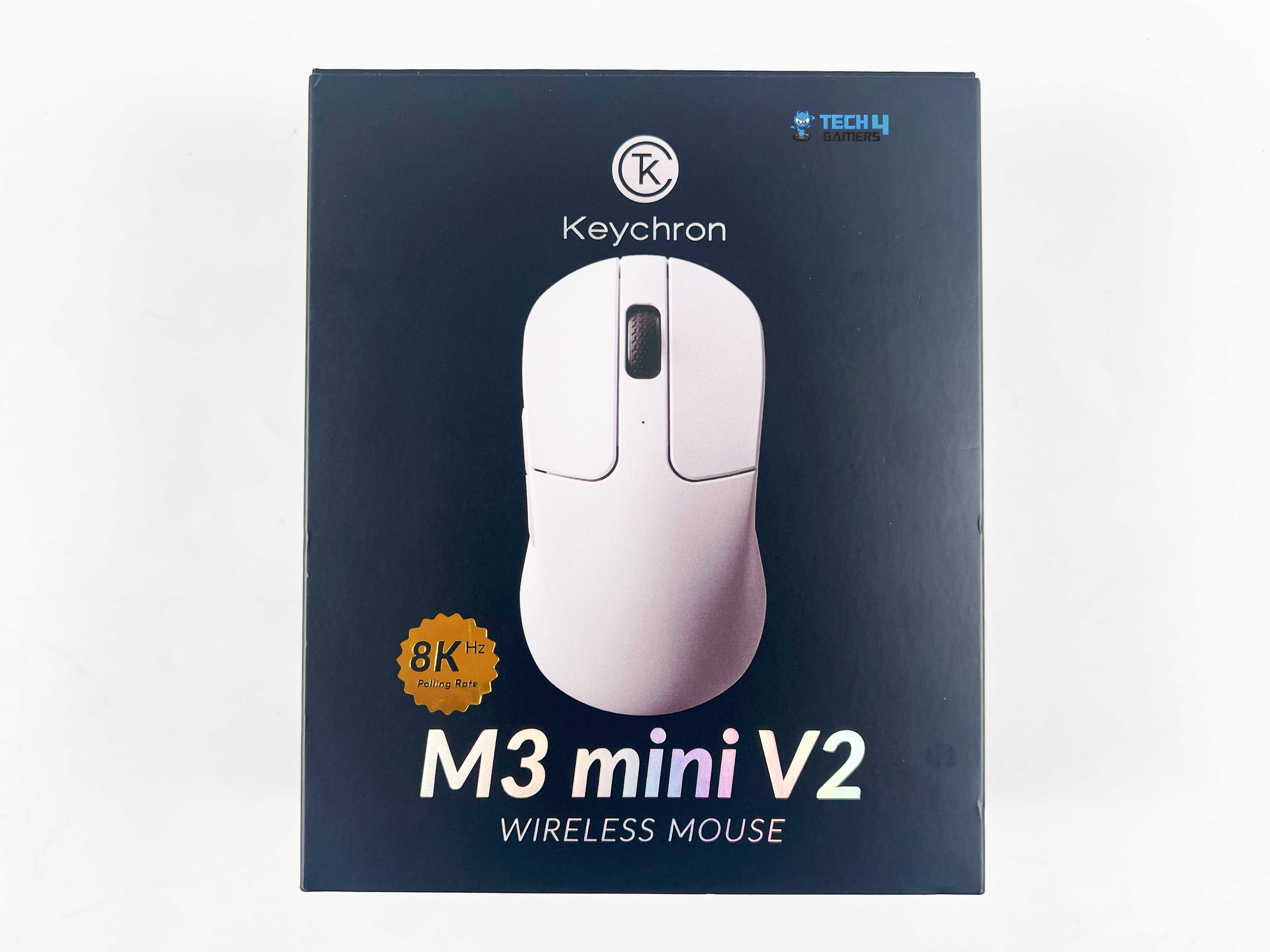
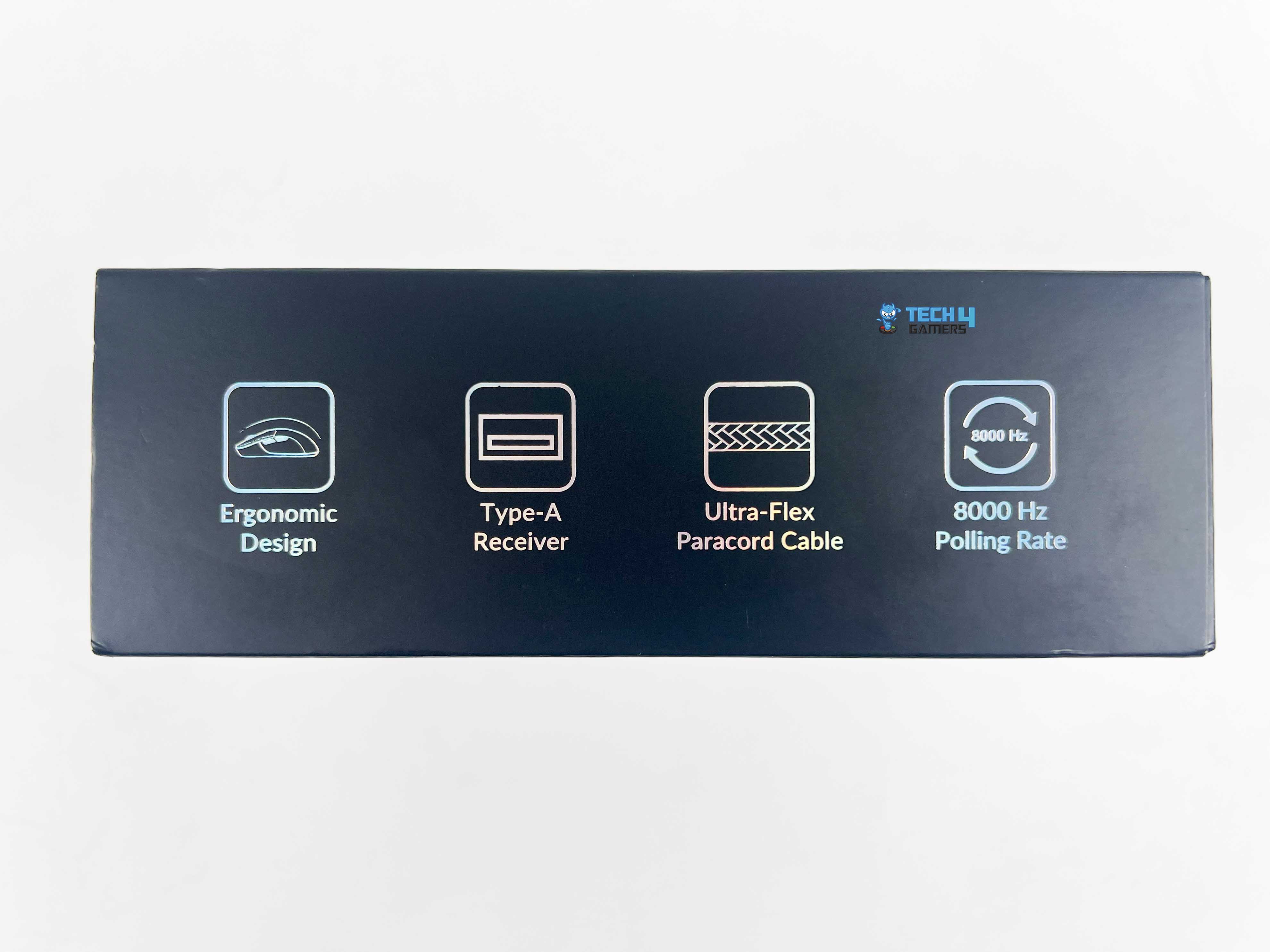
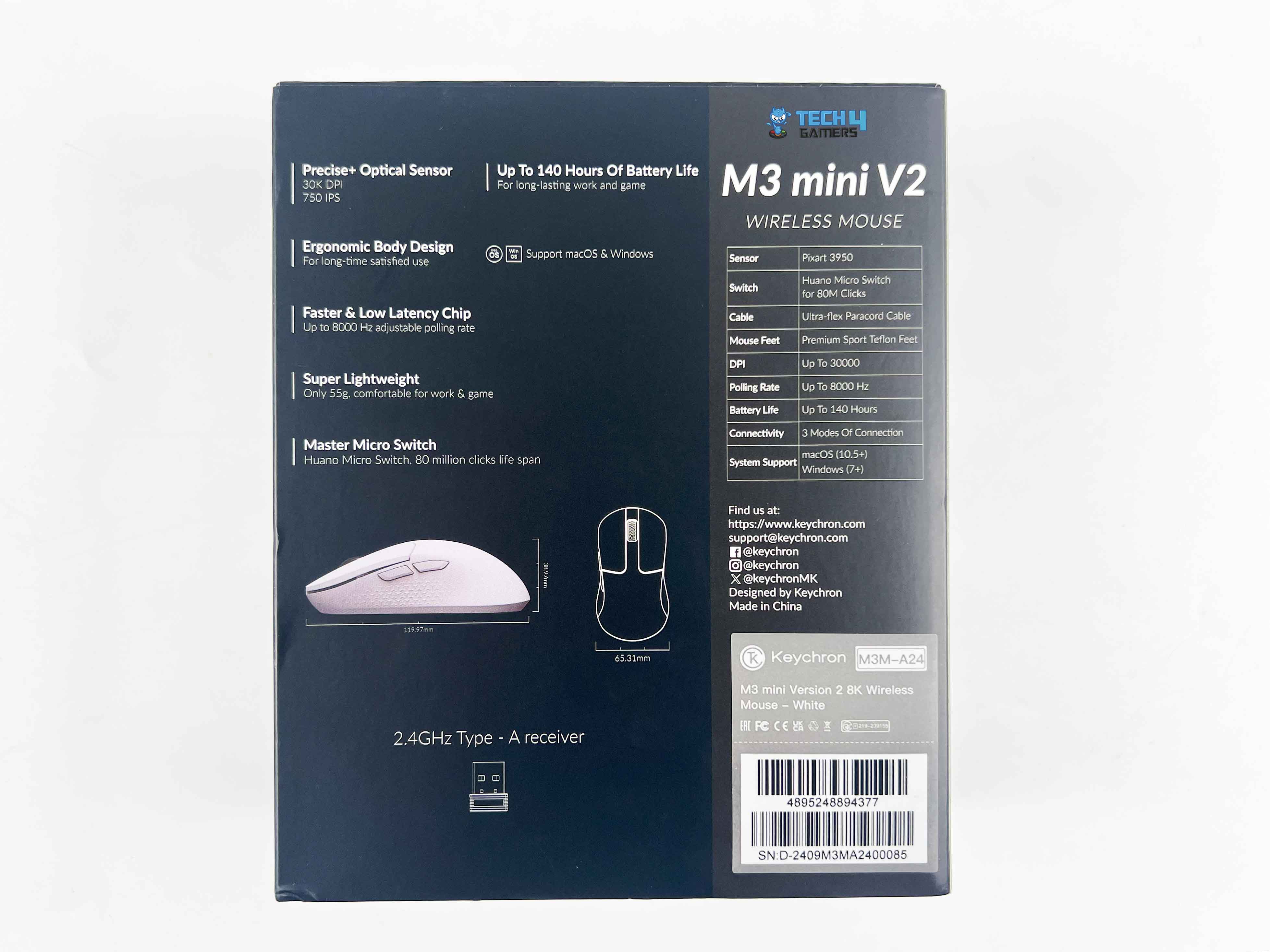
The M3 Mini V2 arrives in an all-black box and slipcover. On the front, you’ll find an image of the mouse, along with the Keychron branding, and a gold badge that highlights the 8KHz polling rate. Additionally, key features are written with small icons along the sides. On the back, you’ll find the technical specifications, along with the mouse’s dimensions, and some of the features from the sides are repeated here.
Box Contents
Box Contents
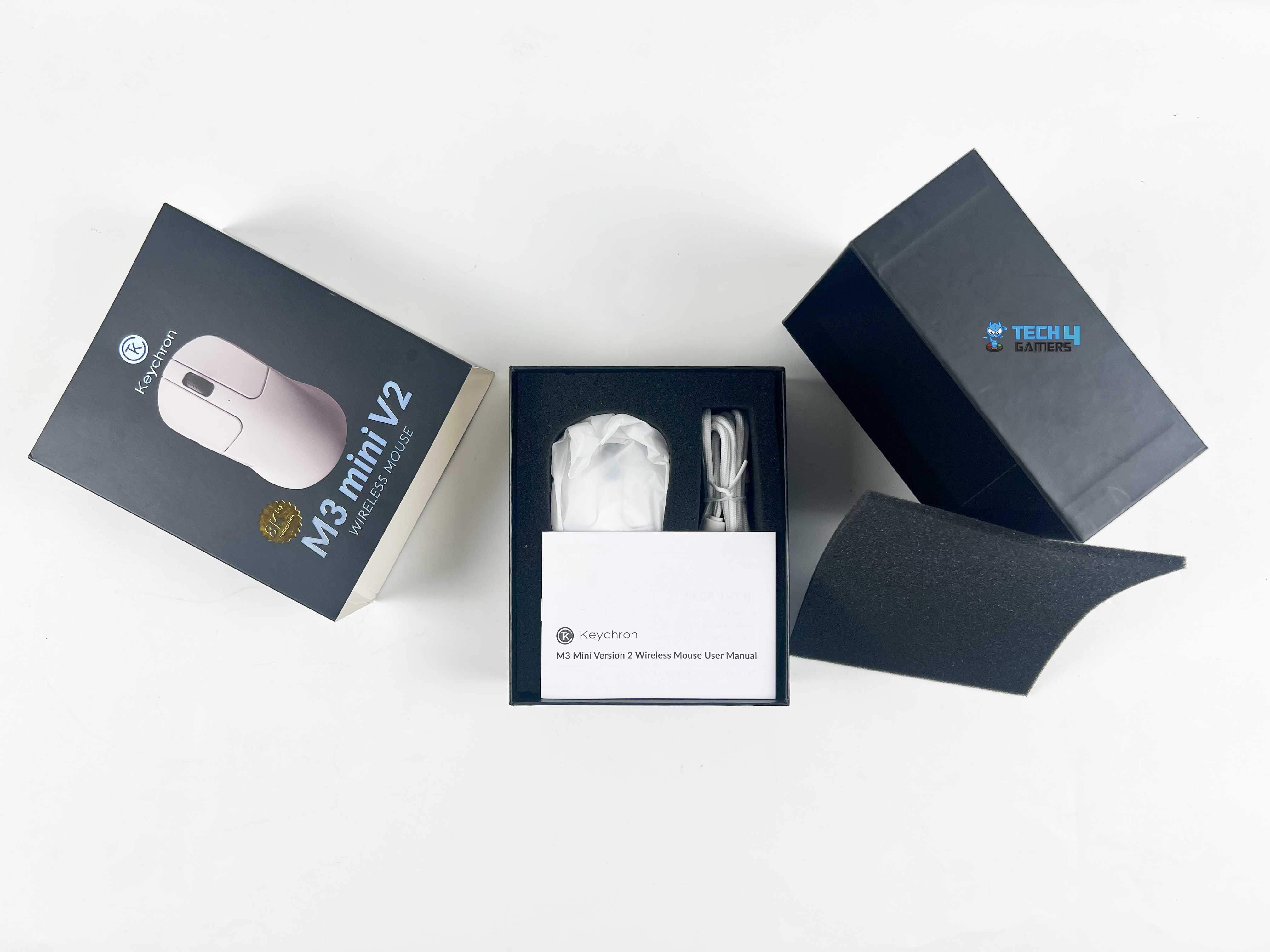
The main box has its own lift-off lid, and underneath is a thin black sheet, similar to a soft foam layer, which helps keep the mouse safe. Once that’s removed, you’ll see two separate compartments made of the same foam. The mouse is placed in one, while the other has accompanying accessories. Here is the list of everything that you’ll find inside the box:
Keychron M3 Mini V2
USB Type-C to Type-C Cable
Extension Adapter For Receiver
Type-A 2.4 GHz Receiver
Type-A to Type-C Adapter
User Manual
Design
Design
Keychron calls the M3 Mini V2 their ultimate ergonomic design, and they’re not too far off from what they claim. The shape has a great curve to it that suits my hand perfectly. I didn’t feel any strain even after continuous usage. It features a gentle arch with a few curves along the sides. As for the size, it measures approximately 120mm in length, 65mm in width, and 39mm in height.
On paper, that sounds compact, but it doesn’t really feel cramped at all. This exclusion could be a great thing for some, or a drawback that you won’t find any flashy RGB or excessive gamer styling here. Aesthetically, the M3 Mini V2 maintains a clean and minimalist design. It’s available in two colours, including black and white, and I’ve been testing the white variant.
Grip Styles
Grip Styles
1 of 3
Palm Grip
Claw Grip
Fingertip Grip
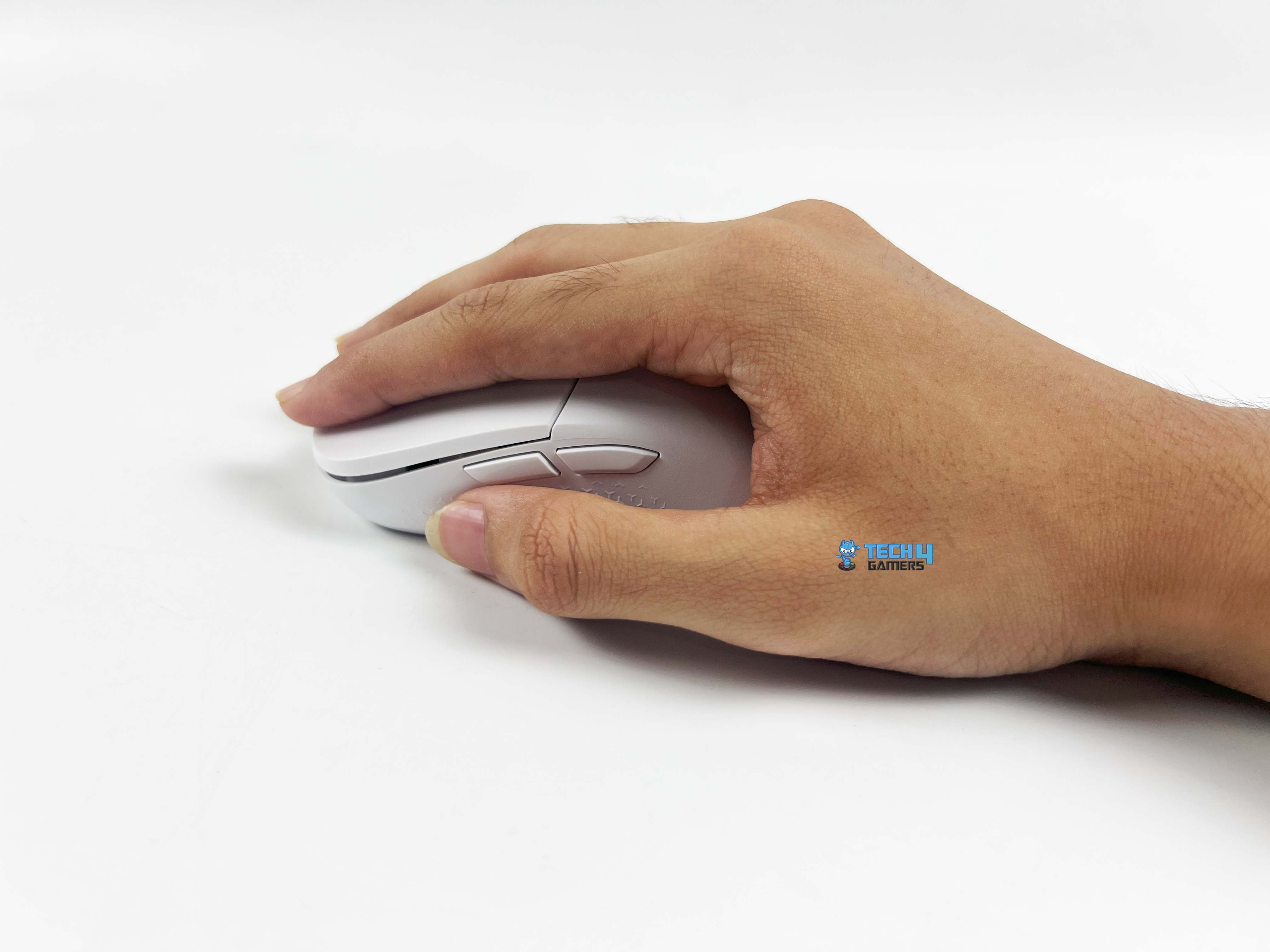
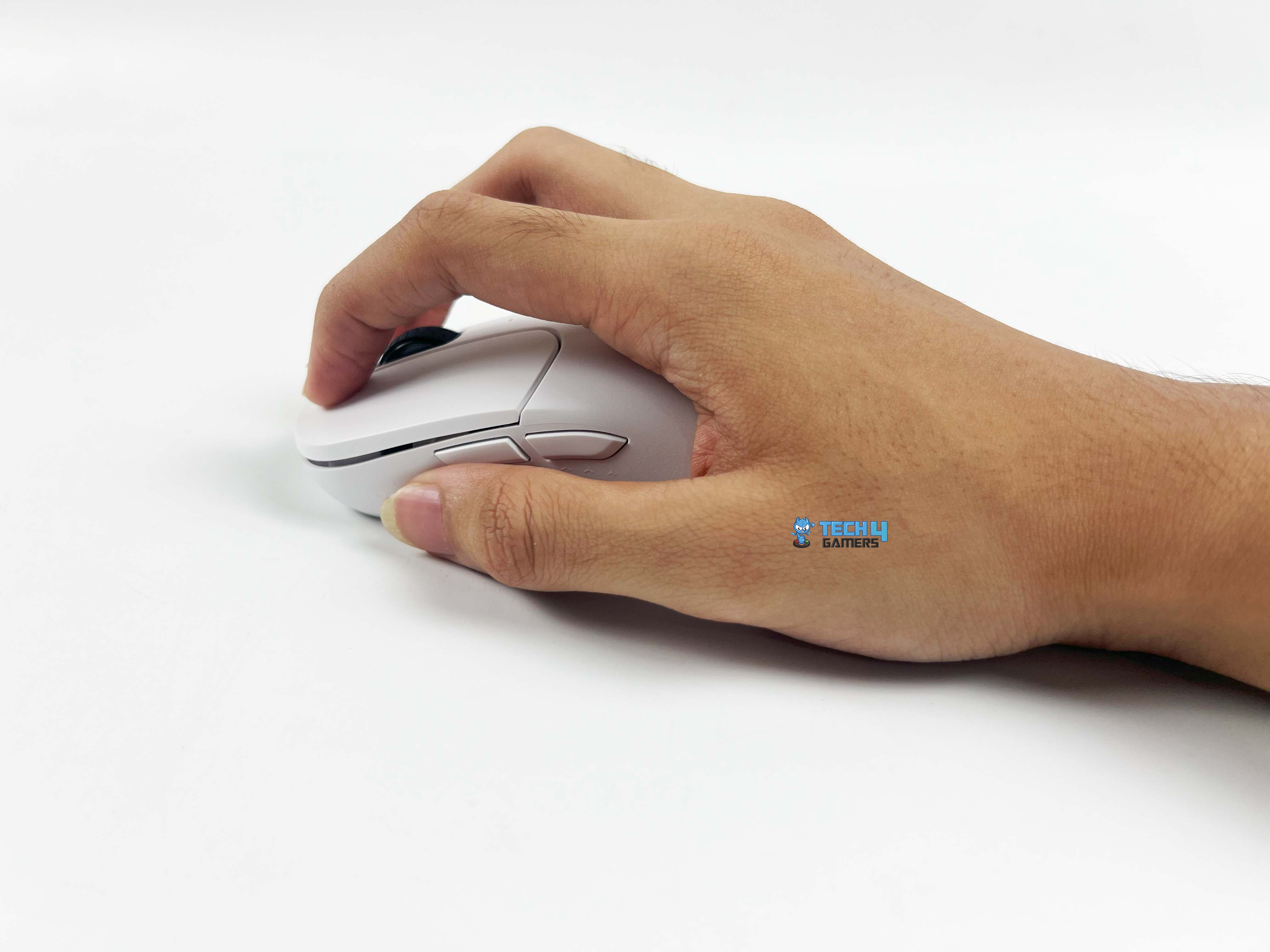
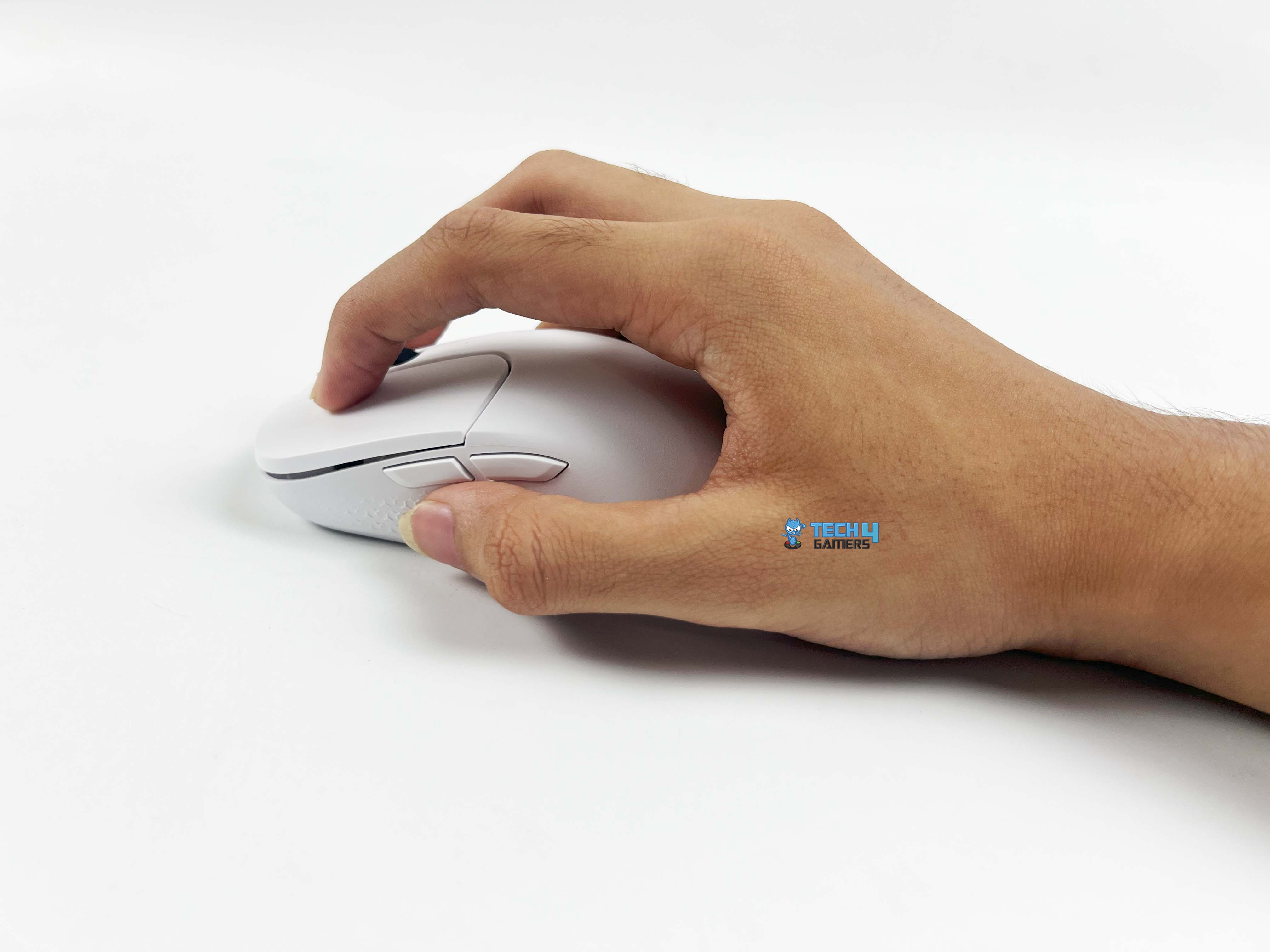
The Keychron M3 Mini V2 features a symmetrical shape with a relatively tall hump in the middle, which significantly influences its feel across various grip styles. The height provides decent palm support, although if you prefer claw or fingertip grips, it may feel somewhat limiting, especially with larger hands. In those grips, the hump gets in the way when you curl your fingers tighter.
Although it feels really nimble for smaller to medium hands, where flicks and quick movements feel natural, and the curves help it from feeling flat or uncomfortable after a while. If you’re a palm-grip user, the taller hump fills your hand nicely. Lastly, resting your whole hand on it works pretty well, although users with larger hands might wish it had a bit more length.
Weight
Hump
At just 55 grams, the Keychron M3 Mini V2 is incredibly light, making it feel remarkably easy to move. You barely notice any weight when moving it across the mousepad. Surprisingly, it doesn’t feel hollow or cheap at all. Some really light mice can feel flimsy or like they might break when pressed hard. Fortunately, this one avoids that common problem.
It has the right amount of lightness and flexibility, allowing you to use it for longer gaming or work sessions without your hand getting tired. If you’ve been using something heavier in the 70–80 g range, the difference is immediately noticeable. Lastly, its weight distribution is centered appropriately, as it doesn’t feel front or back-heavy.
Coating
Coating
Keychron opted for a matte finish on the M3 Mini V2, which feels quite pleasant. Out of all the matte finishes that I have seen on the mice that I have reviewed, it might be one of the best I’ve felt on a mouse. The surface feels smooth, and it grips comfortably without being slippery. The fingerprints aren’t really a problem here, while the smudges are hardly noticeable.
Even after a few hours of continuous usage, during which my hand got sweaty, it still looked clean enough. Some glossy mice may look cool at first, but they become greasy very quickly. Thankfully, this one doesn’t, as the matte feels the same if your hands are dry or even slightly wet. I’m not worried about it getting a yellowish tint, which is something I usually worry about with my lighter-colored peripherals.
Underside
Underside
The M3 Mini V2 features pre-rounded PTFE feet, covering a significant portion of the base. When you move it around, the glide remains smooth, regardless of your play style, whether it is fast flicks, slow tracking, or anything in between. In the middle section, there’s this small sensor cutout, and a bit above it, you’ll see a switch for switching between wireless and Bluetooth.
Just to the left of that switch, there’s the DPI button, and a tiny light indicator that shows your current DPI. The color changes depending on the DPI you’re using. On the other side of the switch, there’s a Report Rate button with its own light indicator, which works in the same way. Both of these buttons allow you to change settings on the go without needing to open the software during gameplay.
Build Quality
Build Quality
For something that weighs only around 55 grams, the M3 Mini V2 actually feels more solid than you’d expect. The shell feels sturdy in the hand, and the finish conveys a sense of durability. Although if you really start pressing around and looking for weak spots, you’ll find a bit of flex in some areas.
For example, there’s a faint creak if you push down hard, but that’s not something you’d ever notice during everyday use. It gives in somewhat under pressure, which is pretty standard for lightweight mice in this price range. None of this significantly impacts performance. As per my usage, it still feels well-built, which is what actually matters.
Primary Buttons
Primary Buttons
Keychron went with Huano Blue Shell Pink Dot mechanical switches for the main buttons on the M3 Mini V2. The clicks have a clean, crisp snap to them with the right amount of tactility to make every press feel satisfying without becoming heavy. They’re said to be rated for around 80 million clicks, so they should work for quite a while.
When using it, both primary buttons feel evenly balanced, with almost no pre-travel. The buttons are nicely spaced from the shell, so you won’t be hitting them by accident even if your fingers rest a bit heavy on top. As for sound, they have a sharp, tactile feel but don’t come across as too loud. It’s the kind of feedback that feels pleasing, primarily if you’re used to mice where the clicks can feel mushy over time.
Side Buttons
Scroll Wheel
The two side buttons on the M3 Mini V2 are positioned in a spot where the thumb naturally rests, allowing you to use them without adjusting your grip. They’re raised a little, so you can tell them apart by touch, which helps a lot in avoiding random misclicks mid-game. When you press them, they’ve got that sharp little click.
In comparison, the main buttons have the same matte finish as the rest of the mouse, but the side buttons have a smoother plastic texture, resulting in a slight contrast. For a better grip, Keychron added this little patterned texture on both sides of the mouse. Since this mouse is technically ambidextrous, although the shape still favors right-handed use, it’s nice that left-handed users aren’t entirely left out.
Scroll Wheel
The scroll wheel on the Keychron M3 Mini V2 features a standard rubberized texture that provides a decent grip. Each notch feels clearly defined, so you don’t get that loose or free-spin sensation. It’s more precise, which works well for both gaming and productivity. Its steps between scrolls are clearly defined, so you always know exactly how far you’ve moved.
The scroll wheel remains relatively quiet while in use. Still, you can feel a bit of tactile resistance with each step. The middle click is also responsive, with a solid actuation force that avoids being either too stiff or too soft. There’s no tilt function or side scroll here, so it’s strictly a notched vertical wheel. In day-to-day use, it performs consistently well.
Connectivity
Connectivity
You’re getting three different ways to use it, including wired via USB-C, 2.4GHz wireless with the included dongle, and 5.3GHz Bluetooth. Switching between them is seamless, making it highly convenient. The 2.4GHz connection is stable, with no noticeable lag or dropouts. Keychron rates the wireless distance at around 10 meters in open space. Moreover, it has an extension adapter for the wireless receiver.
Instead of plugging the dongle directly into the back of your PC, you can use the extension to bring it closer to your mouse. Moreover, going wired means you don’t have to worry about battery life at all. The included USB-C to USB-C cable is lightweight and flexible, with a paracord feel, so it doesn’t drag on the desk too much. Lastly, the Bluetooth connection is suitable for regular use or when you’re trying to conserve battery.
Battery Life
It features a 600mAh battery, rated for approximately 140 hours of use, depending on the selected mode and polling rate. Keychron lists the battery life with respect to its usage, which is approximately 140 hours on Bluetooth, around 120 hours at 1,000Hz, 45 hours at 4,000Hz, and 40 hours at 8,000Hz. From my testing, those numbers are pretty close to what you actually get in real use.
Charging is also relatively quick, with support for a 5V charging voltage and 300mA current. It takes almost 2 hours to charge the battery completely, and you can use it while it’s plugged in. There’s also an auto-sleep mode, which doesn’t work in wired mode, but when you’re connected via 2.4GHz or Bluetooth, the mouse automatically goes to sleep after 15 minutes of idle time.
Software
Software
1 of 7
Customize
Profile
Pointer
Advanced
Macro
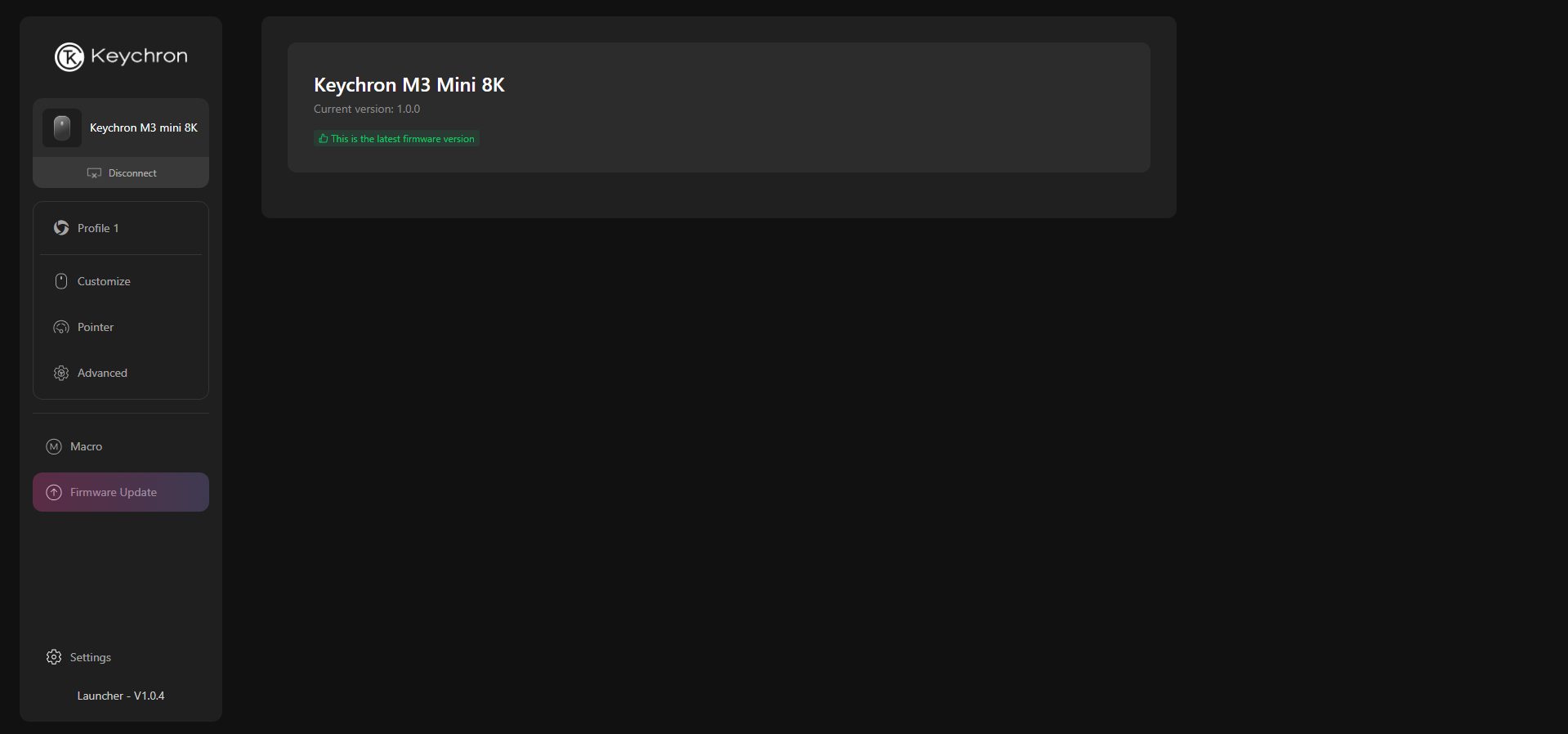
Firmware Update
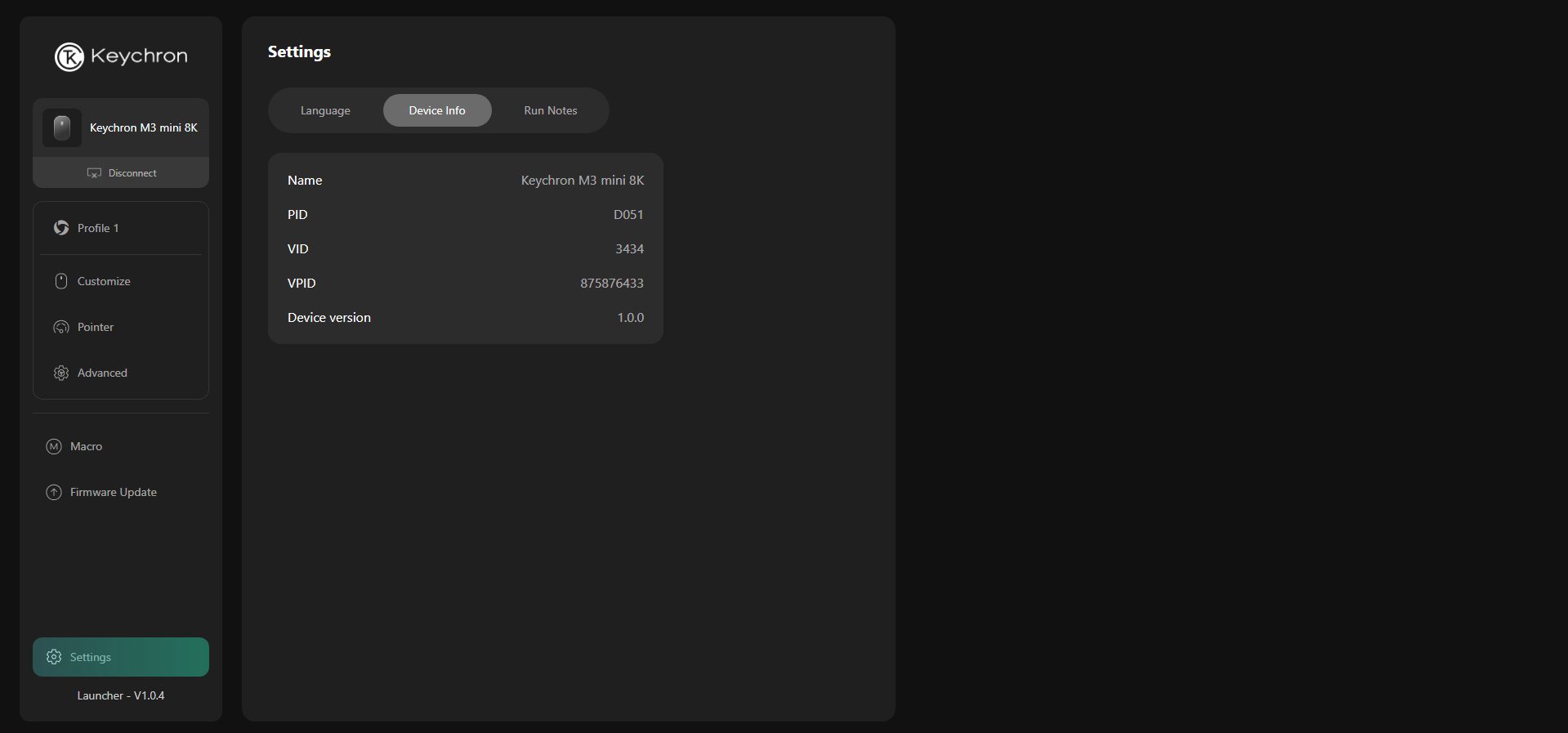
Device Info
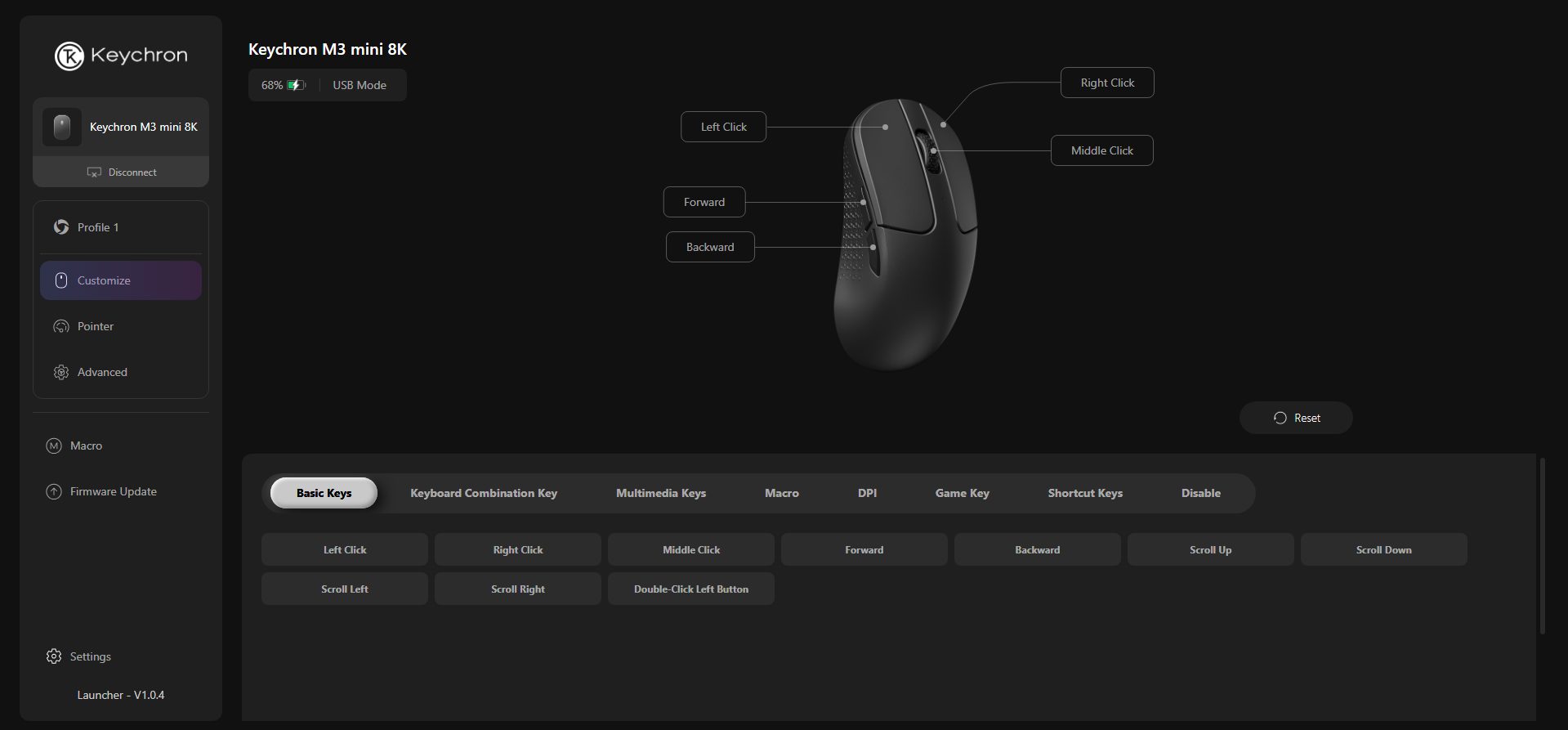
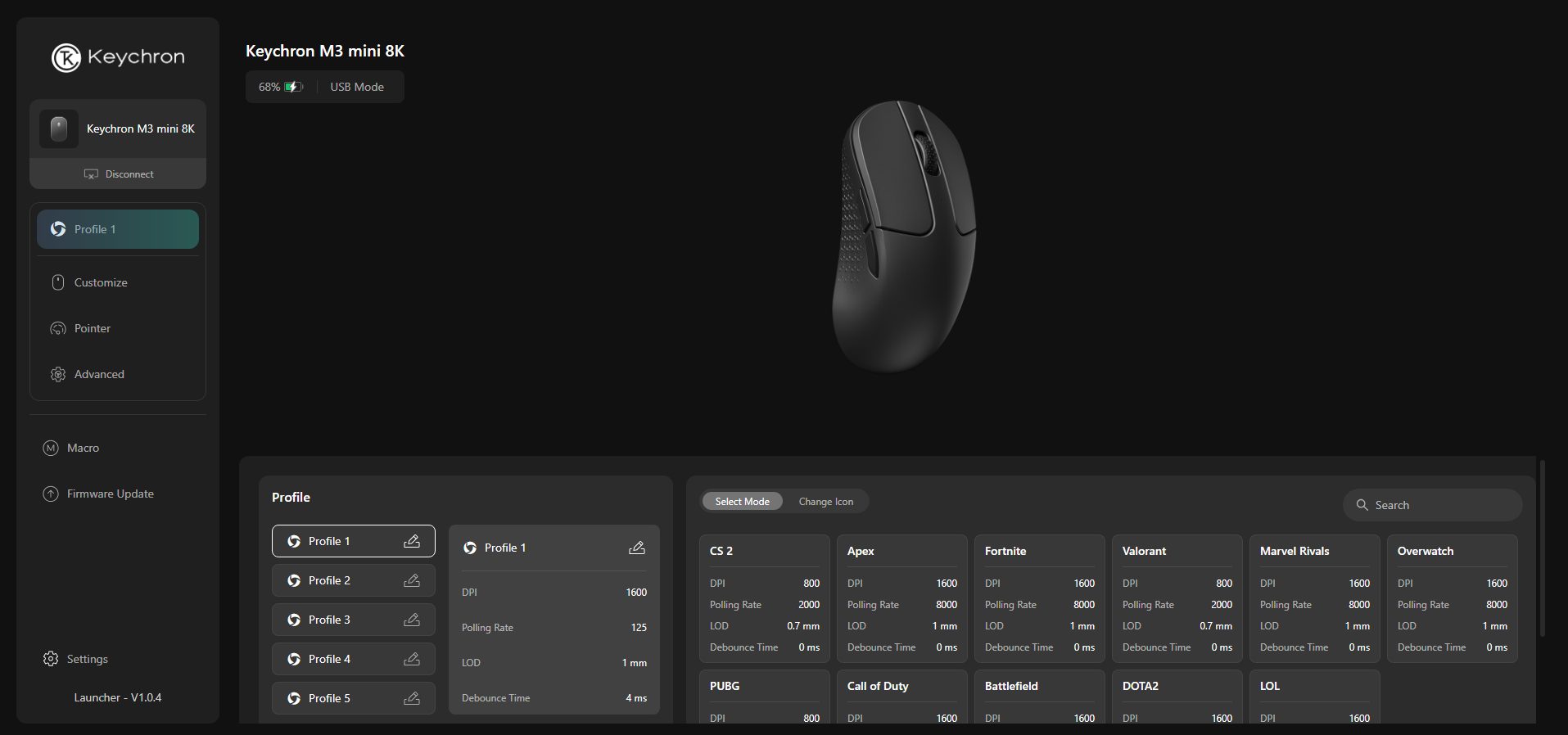
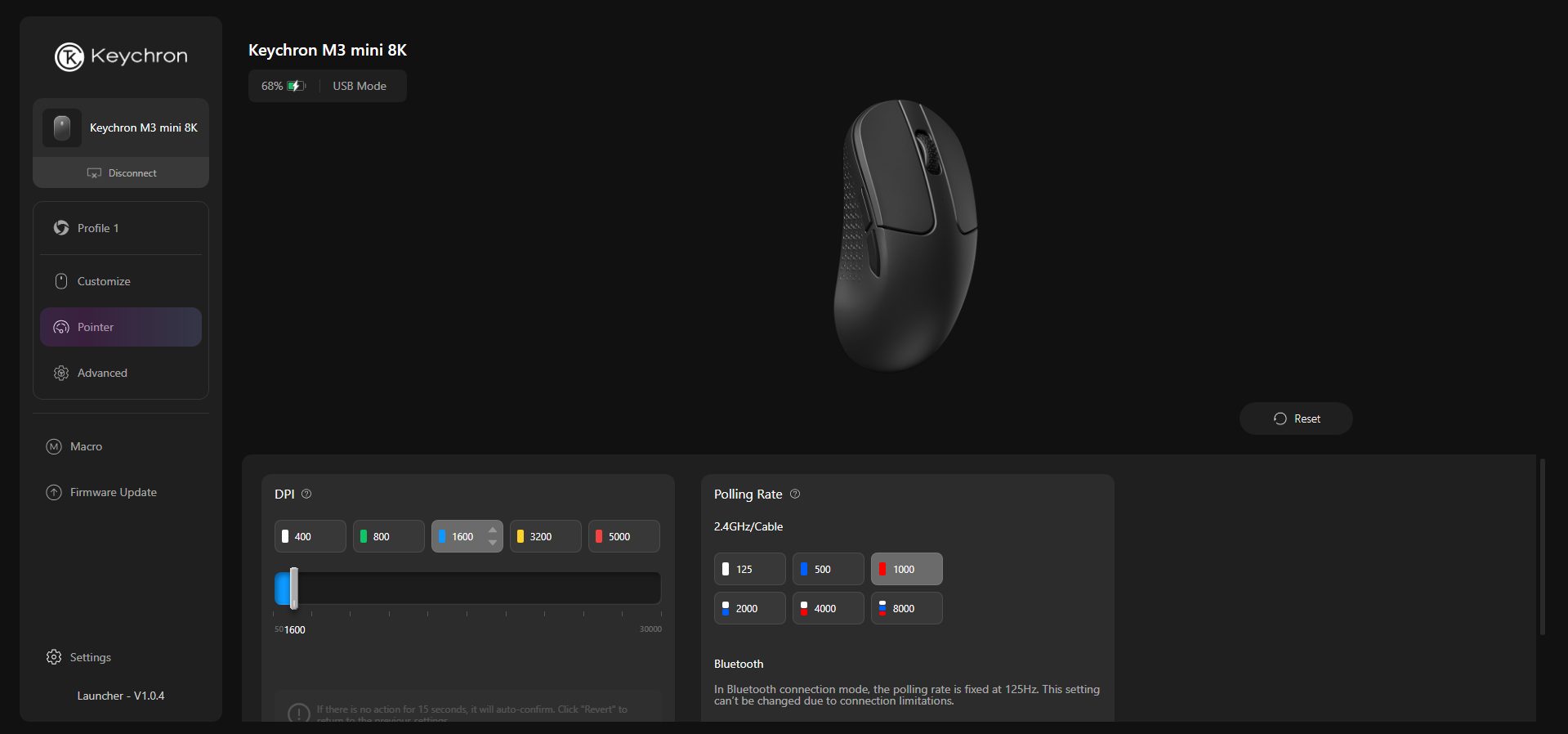
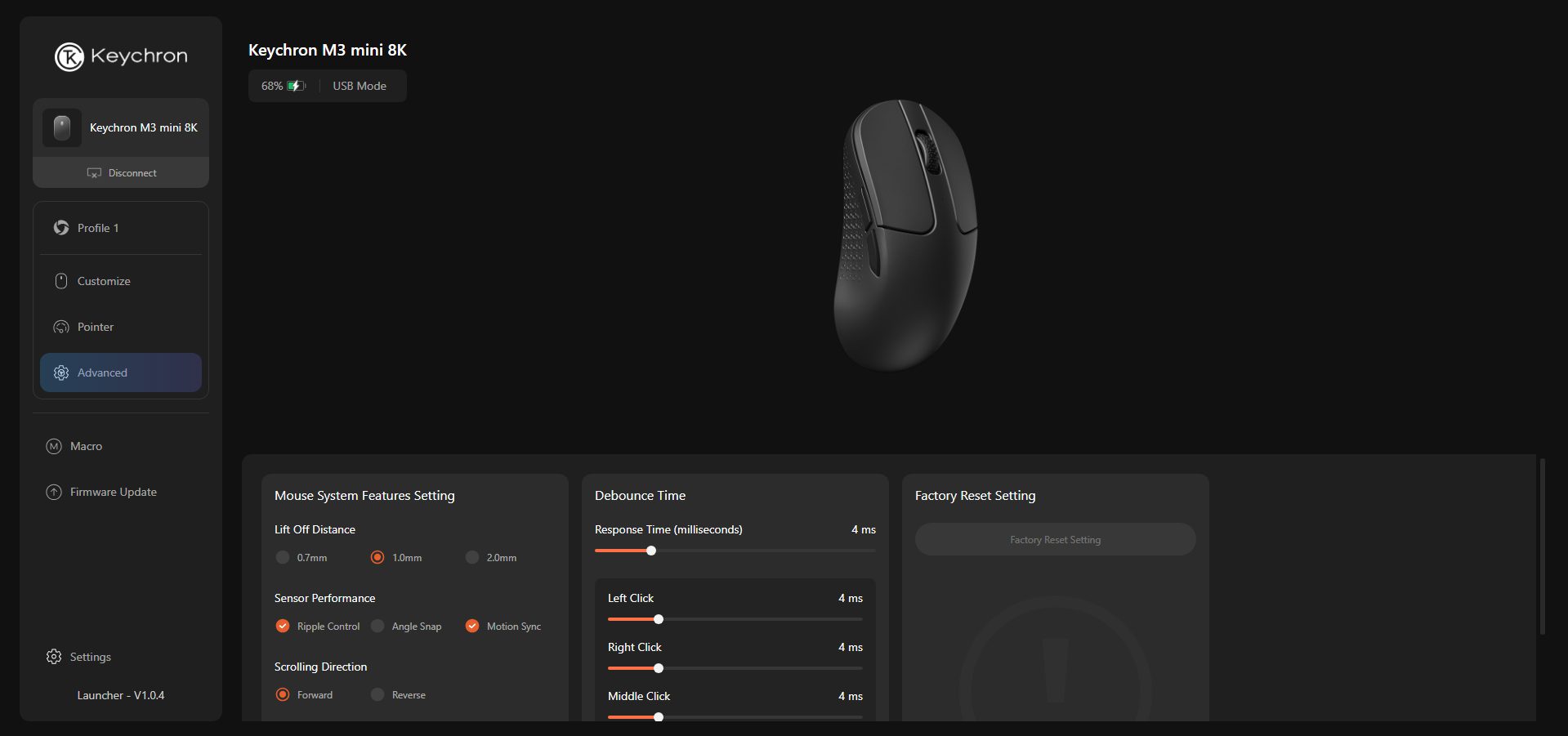
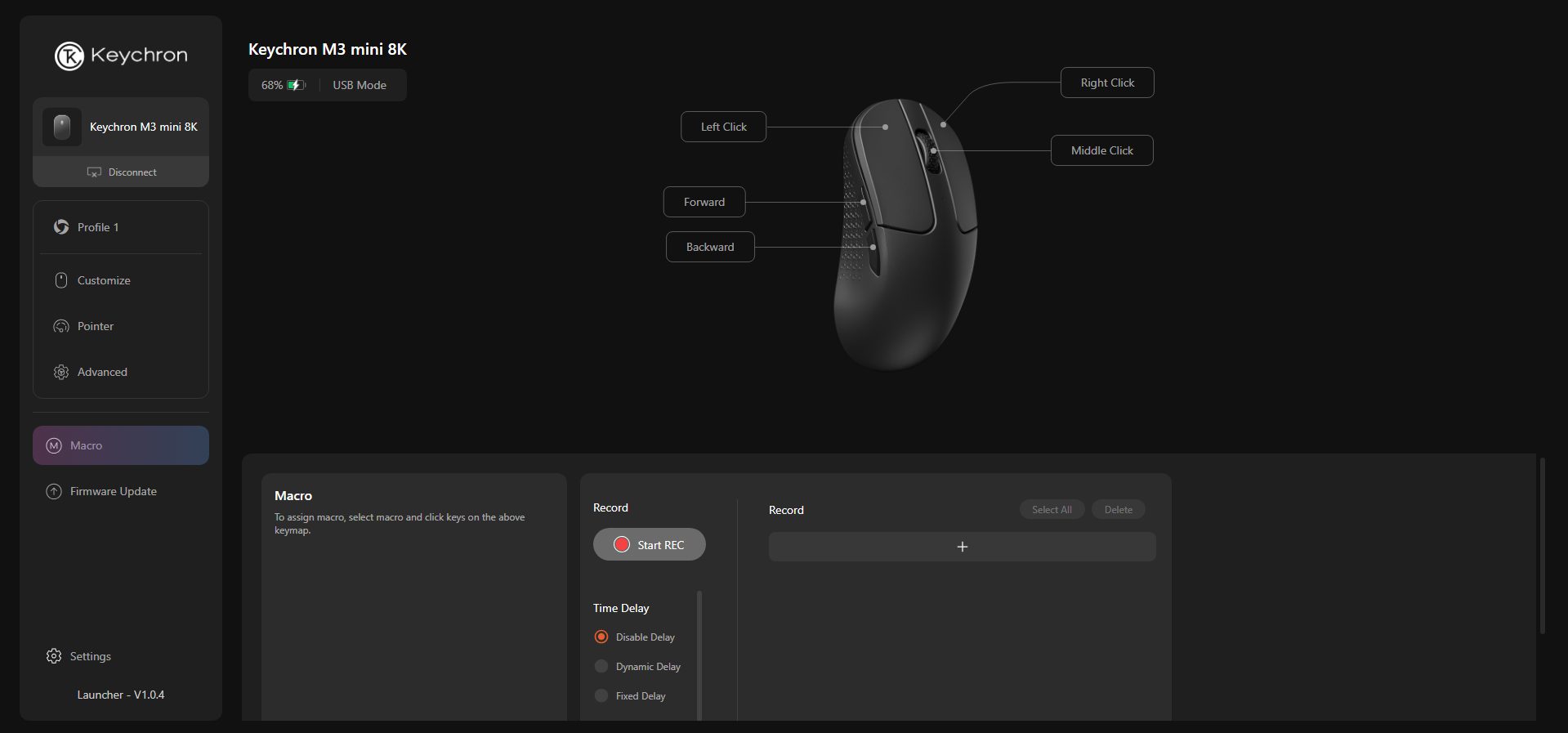
Instead of forcing you to download bloated software, Keychron has opted for a web-based configurator called Keychron Launcher. It’s an online software that opens in your browser, allowing you to customize all the necessary settings. In there, you can remap buttons, add shortcuts, set up your own macros, and even adjust settings like LOD, polling rate, or DPI.
The mouse also stores up to five onboard profiles, making it easy to swap between them. It works adequately on Windows, macOS, and Linux. I’ve tried it on Chrome and Edge without any issues, and even Opera seems to handle it correctly. Another nice thing is that it’s always up to date. Since it runs online, you don’t really have to deal with updates yourself.
Performance
The Keychron M3 Mini V2 is built around the PixArt PAW3950 sensor. It offers a DPI range of 100 to 30,000, a 750 IPS, and a 50G acceleration. As per my usage, it tracks really well with smooth flicks, steady aim, and small, precise movements, all of which feel consistent. Most people usually stick around 1000Hz or maybe 2000Hz, and even that feels smooth.
However, if your setup can handle it, using 4000Hz or even 8000Hz provides the response that many competitive players strive for. I didn’t notice any delay or weird lag during use, and I tried all three lift-off distances, which range from 0.7 to 0.10 to 2.0mm, and ended up sticking with 0.7mm, as it felt better. During testing, I didn’t encounter spin-outs, jitter, or unwanted acceleration on cloth mousepads.
Should You Buy it?
Buy it if
✅ You want top-tier performance without breaking the bank: The Keychron M3 Mini V2 offers flagship-level specs, such as 8K polling rate, PixArt PAW3950 sensor, and multi-mode connectivity at a reasonable price.
✅ You prefer lightweight and comfortable mice: Weighing only 55g, the M3 Mini V2 feels effortless to move, making it ideal for long gaming or work sessions without hand fatigue.
✅ You value flexibility and compatibility: With support for 2.4GHz wireless, Bluetooth 5.3, and wired Type-C connections, you can easily choose the connection mode that suits you best.
Don’t buy it if
❌ You rely on extra features like RGB or side scroll: The M3 Mini V2 keeps things minimal, like there’s no RGB lighting, tilt wheel, or extra programmable buttons beyond the essentials.
❌ You want ultra-durable build: While the build quality is solid for its weight, there’s a bit of flex if you press hard on the sides or bottom, which might not appeal to those expecting tank-like sturdiness.
❌ You need long battery life at maximum polling rate: The 8KHz polling mode drains the battery faster, so if you’re gaming continuously, you might need to connect the cable.
Final Verdict
The Keychron M3 Mini V2 is hard to overlook, offering different pricing and a variety of options. They got four versions of the M3 Mini V2. There’s a top-tier model with a PixArt 3950 sensor and 8K polling for about $60, followed by a 3395 version that supports 4K polling at $55, another 3395 with standard 1K polling for $50, and finally, a 3311 model at $40, which is ideal for those who want the basics.
All of them are well-priced for what they offer, but the clear standout is the model I tested, the PAW3950, which offers 8K polling at $60. It delivers the absolute best performance that Keychron has to offer, while still being very reasonable compared to other brands’ high-end mice. After spending some time with it, I’d say the M3 Mini V2 pretty much nails what it sets out to do, and for the price, that’s tough to beat.
At T4G, my task is to cover the latest news around the gaming globe ASAP and with the utmost precision. I adore all the games and respect all the devs behind the amazing games that we get all year. So, whether it’s a PC or a Console game, I got it all covered.
Story Highlight
Destiny 2 player count has fallen to an all-time low as it averages just 16K players now.
The player base used to be significantly higher, but has fallen due to bad recent updates.
Players are also showing their skepticism, saying that they don’t trust Bungie anymore.
Destiny 2, at one point, was one of the biggest multiplayer games of all time. Since PlayStation took over Bungie, the quality of the studio has significantly dropped, along with reports of a poor environment and more problems.
This has also led to a steep decline for Destiny 2, which used to average a healthy player base. Most of the players have now given up on it, and the player count on Steam is now averaging just around 16K daily.
Why it matters: The game is currently in a transition era, and isn’t necessarily turning into something the fans appreciate. The quality has depreciated; therefore, the player count has fallen as well.
Destiny 2 player count has fallen to an all-time low
On SteamDB, if we check Destiny 2’s player count over the previous months, it used to have 30K-40K average players on a daily basis, but it has now fallen to more than half, with just 16K and only 7K currently.
This deteriorating quality has really frustrated the fans, who state that they don’t trust Bungie anymore. On various Destiny 2 posts or even the rumored Destiny 3, fans have been quite vocal about their distrust.
Fans state that they don’t trust Bungie anymore following drop in quality
Even on the recent Destiny 2 expansion, the recent comments on the Steam page are ‘Mostly Negative’. Things at Bungie aren’t anything good either, as they are in the middle of developing Marathon, which isn’t going too well.
An insider recently predicted that Marathon would be another insult to an already injured company, and even the early reception from playtesters was negative, which forced the studio to push the game’s release.
What are your thoughts on Destiny 2 player count falling to an all-time low? Let us know your opinions in the comments or join the discussion at the official Tech4Gamers Forum.
I’ve previously worked for eXputer as a Senior News Writer for several years. Now with Tech4Gamers, I love to devoutly keep up with the latest gaming and entertainment industries. I have a Bachelor’s Degree in Computer Science and years of experience reporting on games and breaking exclusive stories. Besides my passion for gaming journalism, I love spending my leisure time farming away in Stardew Valley. VGC, IGN, GameSpot, Game Rant, TheGamer, GamingBolt, The Verge, NME, Metro, Dot Esports, GameByte, Kotaku Australia, PC Gamer, and more have cited my articles.
Story Highlight
Ghost of Yotei director Jason Connel has stated that players should have fun first and foremost in the game.
He doesn’t care if you are doing quests, only if the immersive open world is engaging you.
The director explained it was impossible to balance the exploration with narrative pacing, but they found a way.
Ghost of Yotei is exceeding expectations all over the board since its launch last week. The Sucker Punch title has beaten EA FC 26 in UK sales while also selling over 1 million units. And that is before we mention the immense acclaim the game is receiving from critics, fans, and developers.
Despite claims from gamers that it looks similar to Ghost of Tsushima, Ghost of Yotei is a much wider project compared to its predecessor, and the director just wants you to get lost in the massive open world and have fun.
Why This Matters: Ghost of Yotei is bringing back an essential aspect of the medium that AAA titles have been losing: just having fun in the game without worrying about the story.
“If they don’t want to do it, we’re just like, ‘OK, that’s your choice.’ As long as you’re having fun, we don’t care too much.”
Ghost of Yotei director wants you to get lost in the open world.
While talking to Games Radar in a new interview, Ghost of Yotei director Jason Connell emphasized that he wants players to have fun in the game world even if they choose to ignore the story.
He went on to explain that the clue system was put in to direct the players towards the main story and other quests, but if they choose to ignore it, he doesn’t care, as his only concern is that the user is having fun. Connell further stated that the clue system is a suggestion and not a decree you have to follow.
In addition, Jason Connell also revealed that he wanted the title to give players more freedom than ever before and, as a result, ran into some complex pacing issues.
According to the director, it was impossible to balance the freedom of exploration with the narrative pacing at one point in development. But, they found a median way to keep the player in touch with what’s happening while they do whatever they please.
Do you think Ghost of Yotei is going to be the biggest Sony title this generation? Tell us in the comments below or head to the Tech4Gamers forum for discussion.
At Tech4Gamers, I contribute as a Senior News Reporter, combining my skills and gaming enthusiasm to keep our audience updated on the latest developments.
Story Highlight
Elon Musk’s XAI game studio is working on a fully AI-generated project.
He claims that Grok will produce this game by the end of 2026.
The businessman is also currently hiring a tutor to train Grok for this specific purpose.
Elon Musk, the current owner of X or Twitter, has invested a hefty sum of money into AI. As early as 2023, Elon Musk had already purchased 10K Nvidia GPUs, and today, Grok AI is among the leading models in the industry.
Grok is competing with the likes of OpenAI’s ChatGPT, and the model is only expected to get better in the coming months. In fact, Elon Musk claims that his AI-based game studio will release a fully AI-generated game by next year.
Why it matters: Elon Musk is currently looking to train Grok through AI tutors. The entrepreneur is currently offering as much as $100/hour for jobs to train Grok.
AI-Generated Game Promised By Elon Musk | Image via Twitter/X
A recent tweet from DogeDesigner teased a potential future where games would be entirely generated by AI like Grok. Elon Musk was quick to join the conversation and stated that XAI game studio would release a fully AI-based title by 2026.
In a separate tweet, he also claimed that Grok would be capable of producing good movies by the year 2027. Clearly, the businessman has a lot of faith in the progress of this model and its prospects.
As for AI-generated games, this technology is already being utilized by developers. However, a game without any human input does sound like a very tall order, especially considering the current state of generative AI.
Even if generative AI is able to come up with a game that boasts solid presentation across the board, it may not necessarily impress players in areas like gameplay design and mechanics.
Elon Musk Acquired Twitter Three Years Ago
As such, it will be interesting to see how well Elon Musk’s claim holds up by the end of next year. For now, AI is indeed progressing at an unprecedented pace, with OpenAI’s Sora 2 being the latest example of how far the technology has come.