Home Blog Page 162

Corsair MAKR 75 Review: A DIY Keyboard With Serious Potential

The Corsair MAKR 75 is a 75% barebones keyboard kit that’s made for users who want to build their keyboards with their hands and for gamers who want a clean, premium keyboard without the usual guesswork, as it gives the option to get it pre-assembled from the brand for a ready-to-use keyboard, or you can choose DIY where components will arrive in individual boxes.

Corsair sells the keyboard as a base kit and then offers optional modules that include an additional FR4 switch plate, an LCD, and a wireless module. Having said that, in this review, I’ll walk you through the unboxing process, the actual build experience, typing and sound tests, and whether the MAKR 75’s performance promise holds up when you factor in price.

Why Trust Tech4Gamers
  • Abdul Hannan is our peripherals expert who has been testing different mice, keyboards, headphones, microphones, and more for years.
  • 130+ peripherals tested and reviewed by our team of hardware experts (Tech4Gamers Team).
  • 500+ hours spent testing different peripherals for our reviews.
  • Objective testing criteria (See how we test peripherals).

At Tech4Gamers, ensuring you get reliable information is our priority. That’s why every hardware round-up undergoes a meticulous review process by our team of experts and editors. Each review is carefully examined against our strict editorial guidelines, guaranteeing you trustworthy insights you can depend on.


Key Takeaways

  • The Corsair MAKR 75 is a premium 75% barebones keyboard, featuring a solid aluminum build and modular options, that gives a fine balance between performance, aesthetics, and versatility for gamers and enthusiasts.
  • You should consider the Corsair MAKR 75 if you want a premium DIY experience, prioritize build quality, firm stability, and enjoy customization and RGB lighting.
  • You should skip the Corsair MAKR 75 if you are on a tight budget, need ultra-light or portable keyboards, and want shine-through legends on keycaps. 

Here are the technical specifications:

FEATURE DESCRIPTION
Form Factor      75%
Top cover            Full Aluminium
Bottom Full Aluminium
Colorway Carbon/Silver
Sound-absorbing foam

(Top to Bottom)

8 layers:

  1. Plate Foam
  2. Plate Foam PET backing
  3. Switch Foam
  4. PET Film
  5. Socket Foam
  6. Pad Foam
  7. Pad Foam PET backing
  8. Rubber Pad
Switch Plate Polycarbonate (with silicone gaskets)
Additional Switch Plate FR4
Backlighting      Individually LED-lit and per-key programmable
LED Color           RGB
Connectivity USB 3.0 Type-A
Matrix  Full key rollover (NKRO) with 100% anti-ghosting
USB Report Rate            
  • Wired mode: Up to 8000Hz
  • Wireless mode: Up to 1000Hz
On-Board Profiles          Default: 1, can be up to 5 profiles
Media Control  FN shortcuts/Rotary dial
FlashTap (SOCD)            
  • FN + Right Shift
  • iCUE UI
  • CORSAIR Web Hub
Brightness Control         FN shortcuts/Rotary dial
Adjustable Height          Yes
Plug and Play Operation              Yes
Console Compatibility Xbox One, Xbox Series X|S, PlayStation 4,5
Cable   1.8m/6ft, USB Type-C to Type-A, detachable, black for black barebones/White for silver barebones, tangle-free rubber
Dimensions      331.49 (L) x 145.15 (W) x 52.19(H) mm
Weight 916.2g
Warranty            Two years – Local country regulations are applicable
[toc]

What Makes the Corsair MAKR 75 Different?

Unlike earlier Corsair models, the MAKR 75 introduces a barebones DIY kit approach, allowing users to assemble their keyboard to their exact preferences. This shift caters to the growing demand for personalization in the mechanical keyboard community. The inclusion of features like a hot-swappable PCB, multiple switch options, and an optional LCD module sets it apart from Corsair’s previous offerings, which were more focused on pre-built solutions.

Packaging & Unboxing
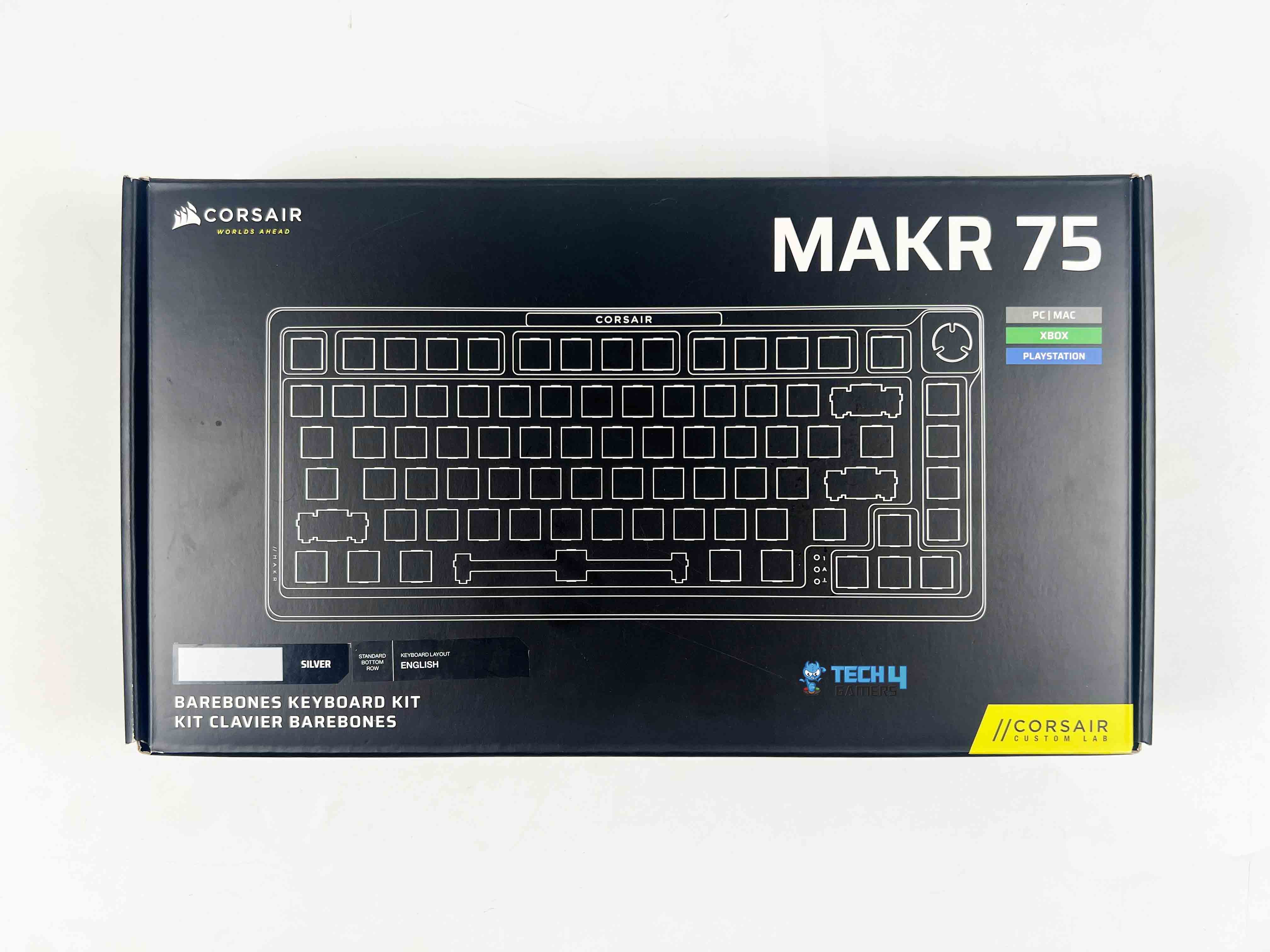
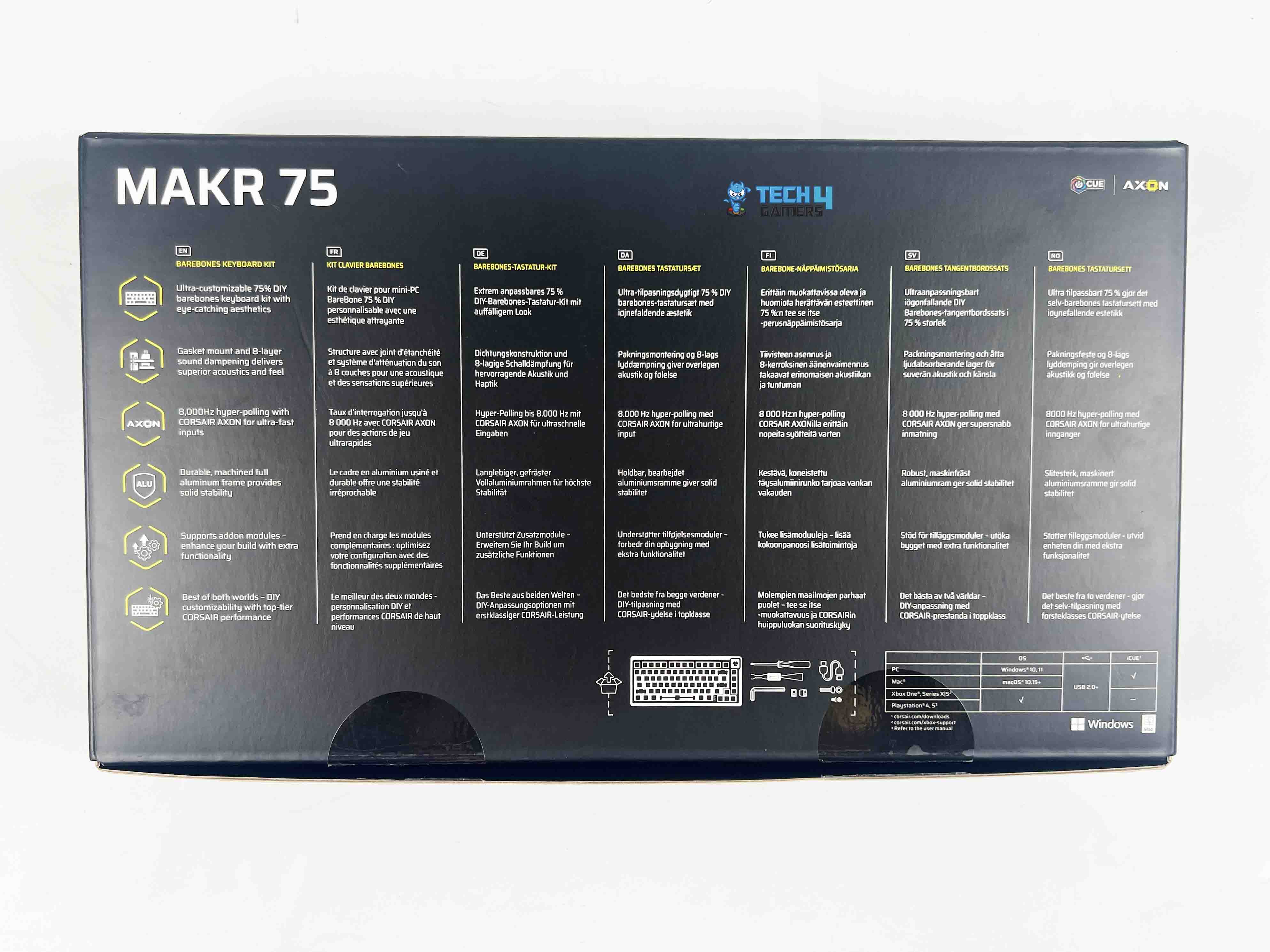
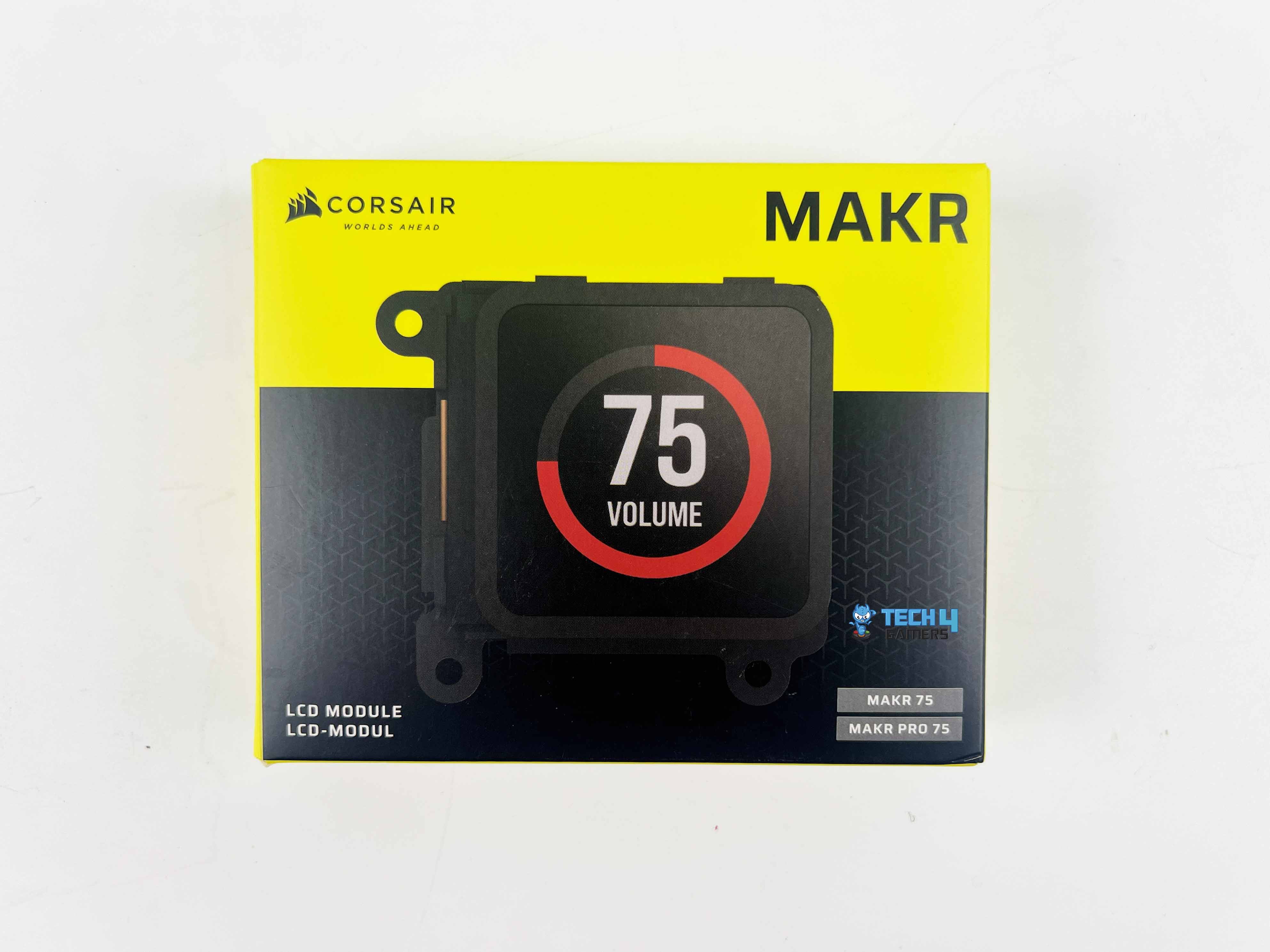
The Corsair MAKR 75 arrived with all accessories, each in its own box. It felt more like opening a set of tools rather than a finished product, which I think matches the whole DIY theme Corsair is aiming for.

Box Contents

Box Contents
Box Contents

Here’s the list of everything that comes inside the package.

  1. Corsair MAKR 75 DIY Keyboard
  2. USB Type-C to Type-A Cable
  3. 2-in-1 Key switch/Keycap puller
  4. Screwdriver
  5. L Shape Hex Wrench
  6. Replacement Screw Pack
  7. Replacement Silicone Gasket Pack
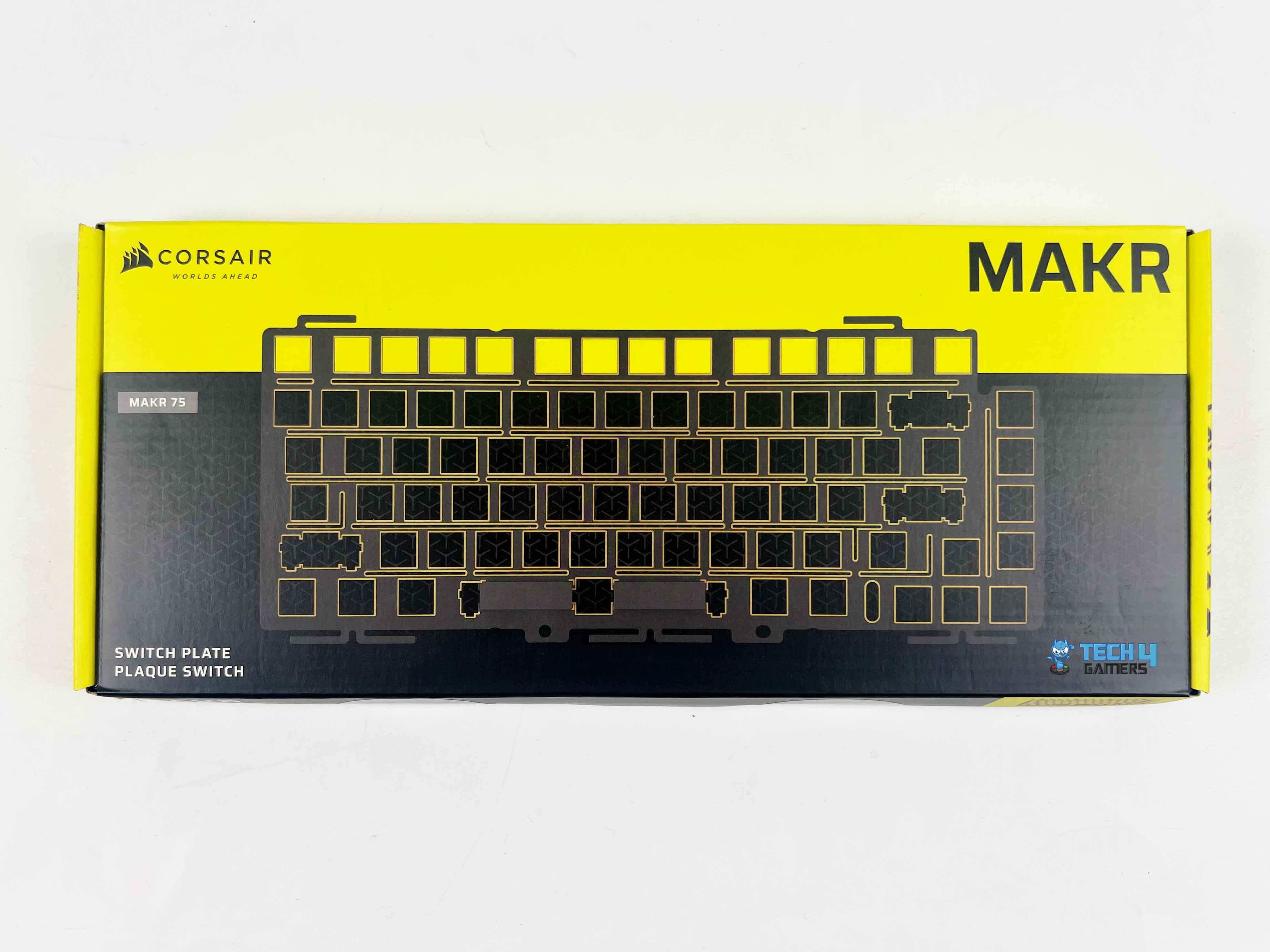
  8. FR4 Switch Plate
  9. LCD Module
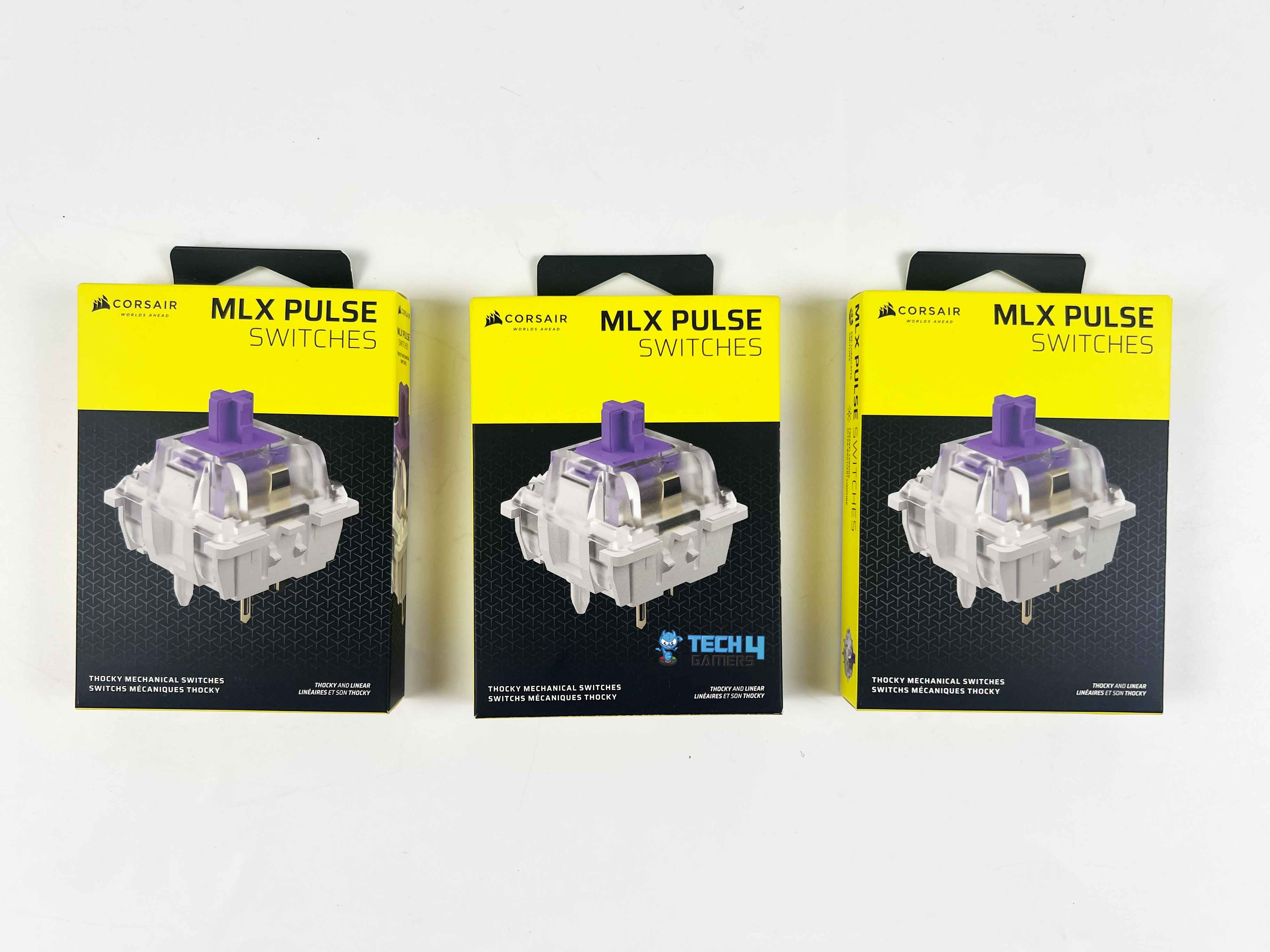
  10. MLX Pulse Switches
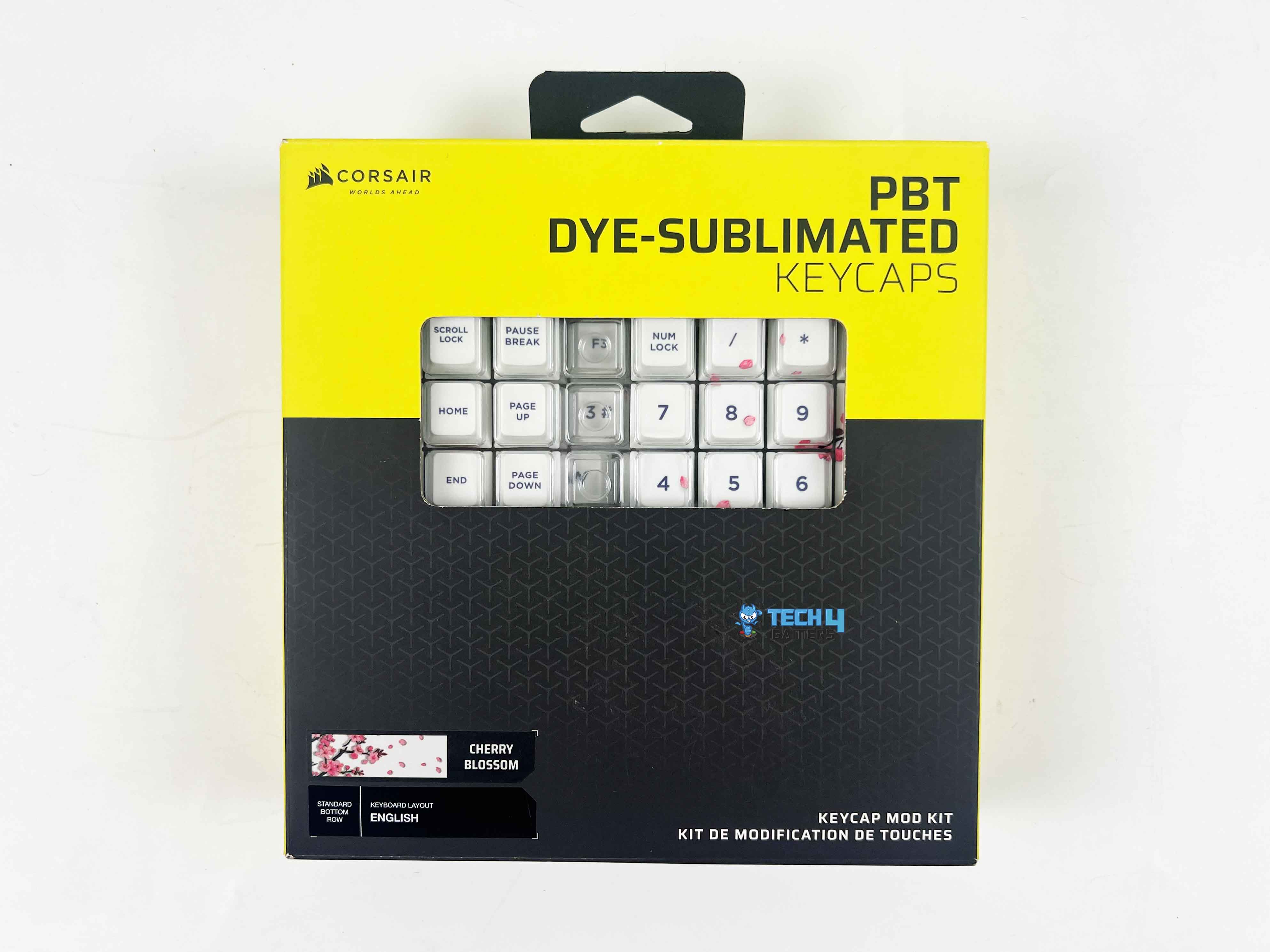
  11. Cherry Blossom Keycaps

Design

Design

The Corsair MAKR 75 immediately gives off a premium vibe thanks to its full aluminum top cover, which feels solid in the hand and adds a nice weight to the keyboard. Corsair offers it in two colorways, including Carbon and Silver. I went with the Silver version for this review. It has a clean, modern feel and catches the eye on the desk, but it doesn’t go over the top.

Corsair kept the branding pretty subtle as well. Up top, you get Corsair with a thin black line running across for a bit of contrast, and at the bottom, there’s the Corsair logo in black. Currently, I have the MAKR 75 in its barebones form, with no switches or keycaps installed. That actually makes it easier to see what’s inside, including the plate, the sockets, and the entire layout.

Layout

Layout
Layout

The Corsair MAKR 75 features a 75% layout, which I believe provides a sweet spot between compactness and functionality. It’s around 331 mm long, 145 mm wide, and a bit over 52 mm tall. It is not a massive keyboard by any means, as it won’t take up much space on your desk. The arrow keys are where you’d expect, the function row is there, and nothing feels squished together.

I also appreciate that the Delete key sits right at the end of the function row. It’s just in a spot that feels natural to press, primarily if you’re used to a bigger keyboard. On the right side of the arrows, Corsair also added a small navigation cluster with Home, Page Up, Page Down, and End, which rounds things out nicely. Generally, some 75% boards skip these to save space, but I’m glad Corsair didn’t.

Rotary Dial

Rotary Dial
Rotary Dial

Out of the box, the Corsair MAKR 75 ships with a rotary dial located on the top right corner of the keyboard, offering more options to work with than a simple volume knob. You can use it for volume control, track skipping, lighting adjustments, recording macros, scrolling, zooming, or even switching between apps. By holding it down for about half a second, it’ll switch modes, each one displaying its own color.

It’s available in multiple color options, depending on the frame color you choose. Since my keyboard is the Silver version, the dial also came in silver, and that consistency makes the whole keyboard look cohesive. Corsair added a light, textured pattern to the dial, the same kind they use on some of their other peripherals, and it feels pretty nice when spun.

LCD Screen

LCD Screen
LCD Screen

Corsair allows you to swap the dial for a 1.3-inch LCD screen, although you’ll need to purchase the module separately for $29. That way, you get to pick between tactile control or a more visual, customizable setup. I appreciate that Corsair left the decision to the user, rather than forcing a single option. The screen measures 1.3 inches in size, with a resolution of 240 x 240 and dimensions of 33.77 mm (L) x 36.26 mm (W) x 15.8 mm (H).

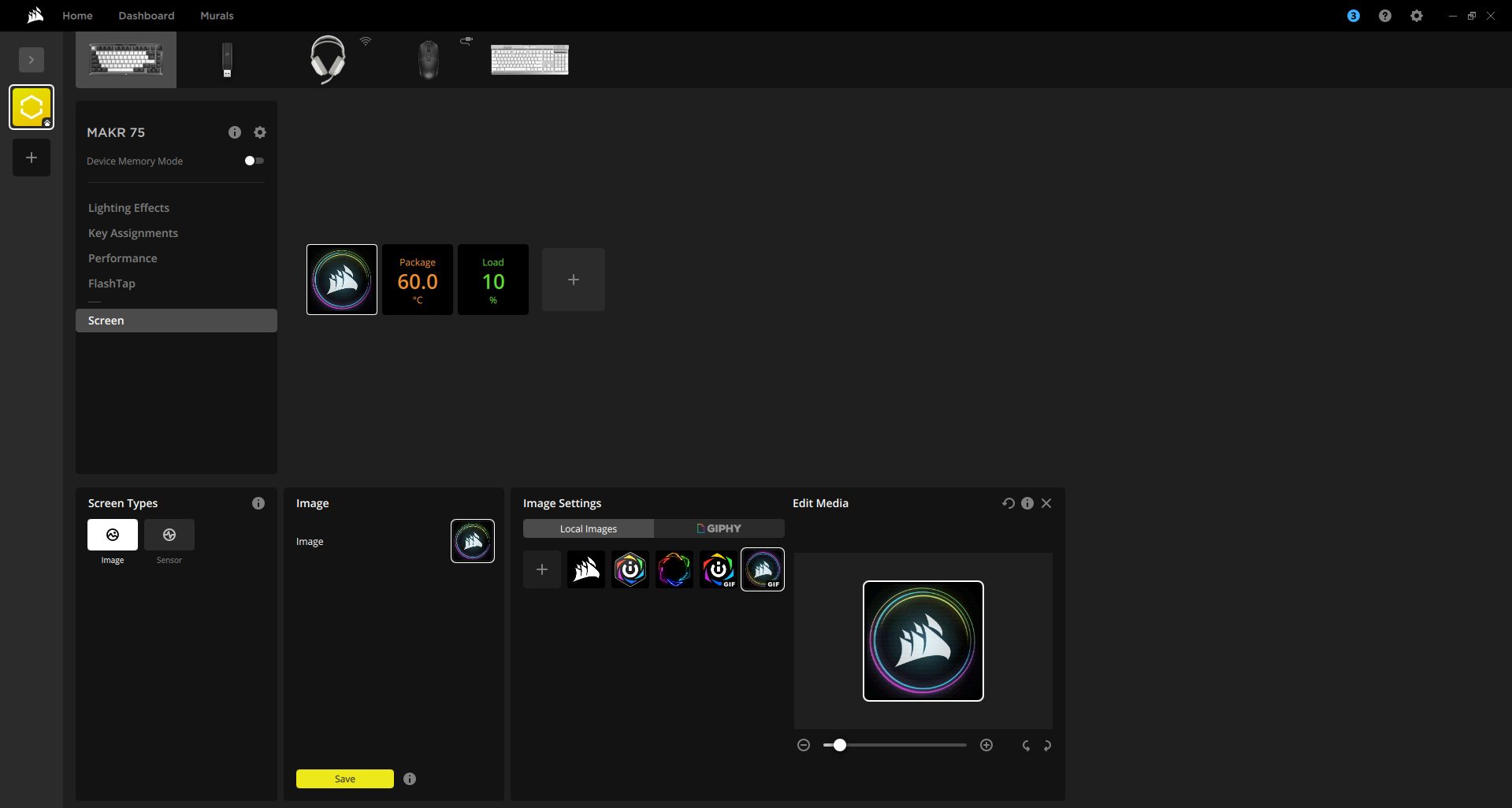
Even though it’s tiny, it still looks sharp and has good color accuracy. Using iCUE, you can load custom graphics, a simple GIF, or even static images onto it. If you’re more focused on the functional side, it can also display live system statistics, such as CPU or GPU temperatures, or even battery status if you opt for the wireless module. Lastly, the brightness is decent, and the image appears clear enough.

Underside
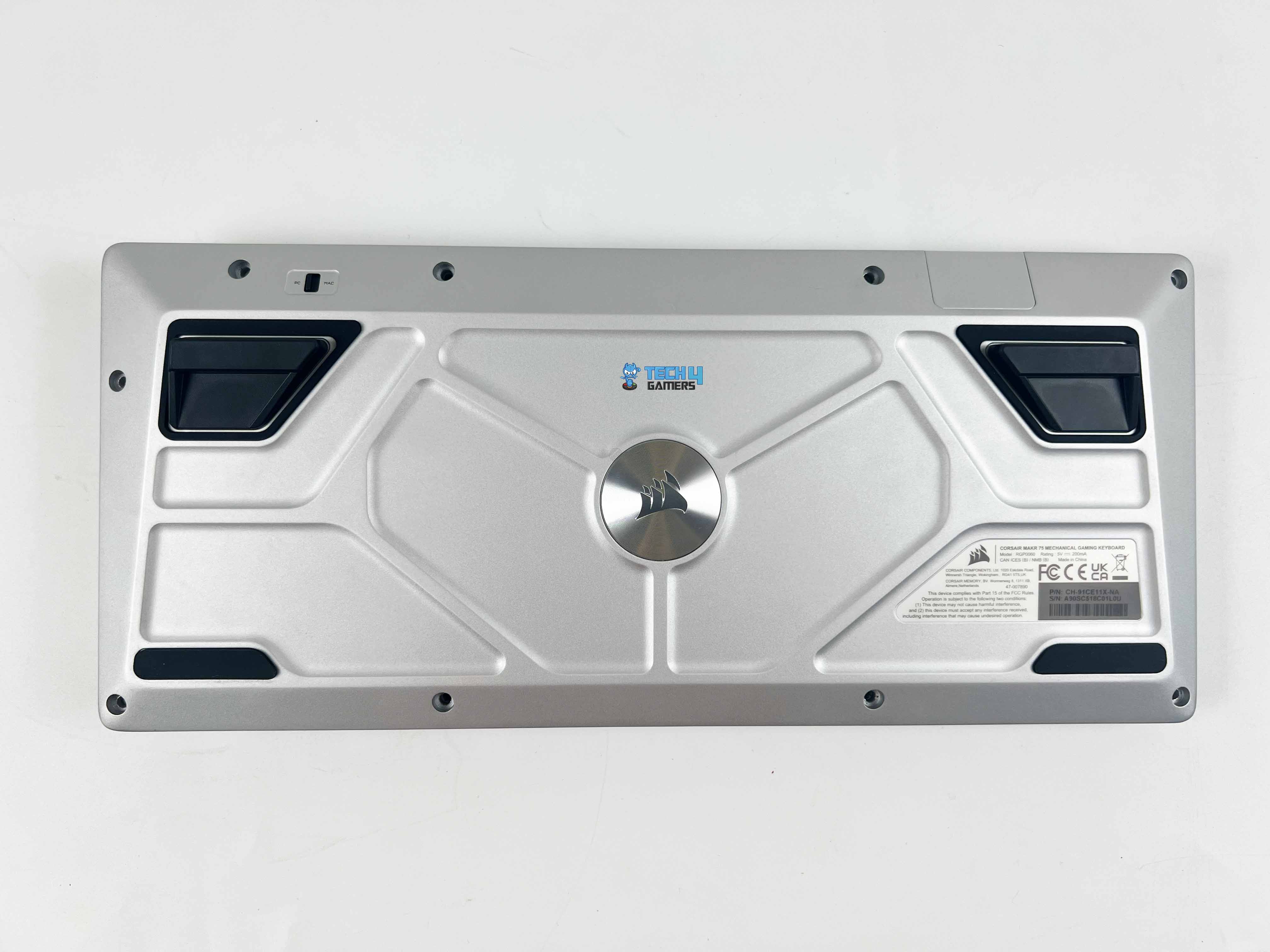
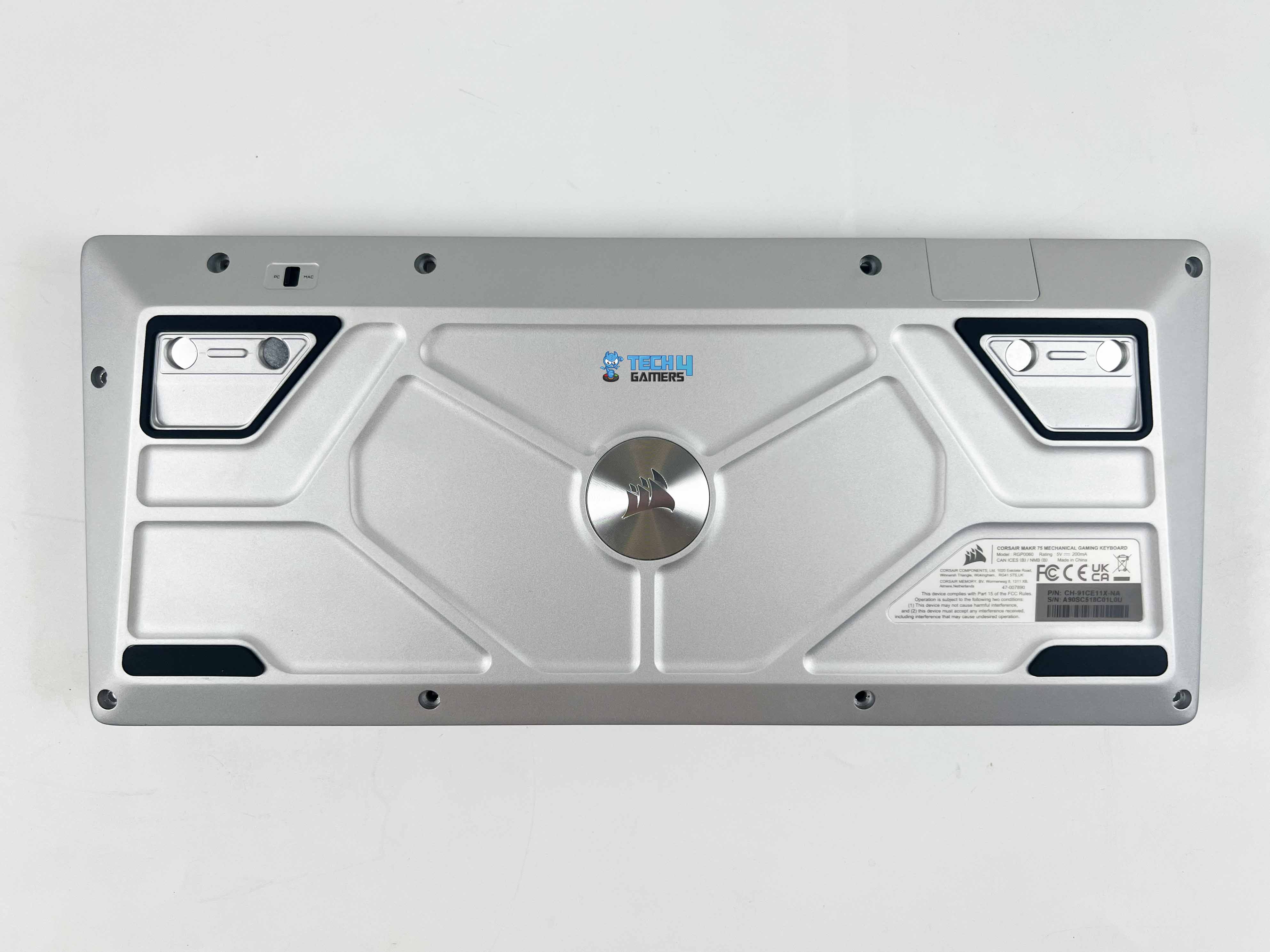
Instead of the usual plastic bottom you see on most keyboards, Corsair went with aluminum here, which gives the MAKR 75 a heavier, more solid feel. There’s also a small toggle located in the top-left corner that allows you to switch between PC and Mac modes. It features two long rubber strips along the bottom edge, along with two additional ones around the feet, ensuring it stays firmly in place on the desk.

The feet themselves are magnetic instead of the typical flip-out style, and you can take them off entirely if you’d rather have a flatter profile. I appreciate that Corsair went with this approach, as it makes changing the typing angle feel a lot nicer compared to the usual plastic flip-out feet. 

Build Quality 

Build Quality
Build Quality

I gave it a few twisting bends in my hands to test, and there’s practically no flex, no creaks, and no squeaks, as it feels rock-solid. That level of rigidity is what you’d expect from custom enthusiast boards, not something mass-produced. In terms of durability, the finish feels rigid. Moreover, the aluminum doesn’t seem to attract fingerprints much, and I doubt it will wear down anytime soon.

The weight’s around 916 grams, somewhere in the middle. It is not unreasonably heavy, nor flimsy light. You can lift it up without any trouble, and the moment you put it on your desk, it pretty much stays there. It feels like Corsair wanted it to be firm and steady, rather than the super-light approach that has been quite popular in the keyboard scene lately. 

Switches

Switches
Switches

Corsair offers a few in-house switch options to choose from, including MLX Pulse Thocky, MLX Plasma Linear, MLX Quantum Speed, and MLX Fusion Tactile. For my build, I went with the MLX Pulse Thocky switches. They come in a clean purple housing and are tactile long-pole switches that give both a satisfying bump and a thocky sound with every keypress. 

They’re pre-lubed out of the box, which saves you the hassle of lubing them yourself. Moreover, they have a Fresnel lens built in to help spread the RGB lighting more evenly. As per my usage, they feel really smooth and stable with minimal wobble. The sound is deep and crisp, more of a premium hi-fi typing tone. They’re also rated for 80 million keystrokes, so durability isn’t a concern.

Keycaps
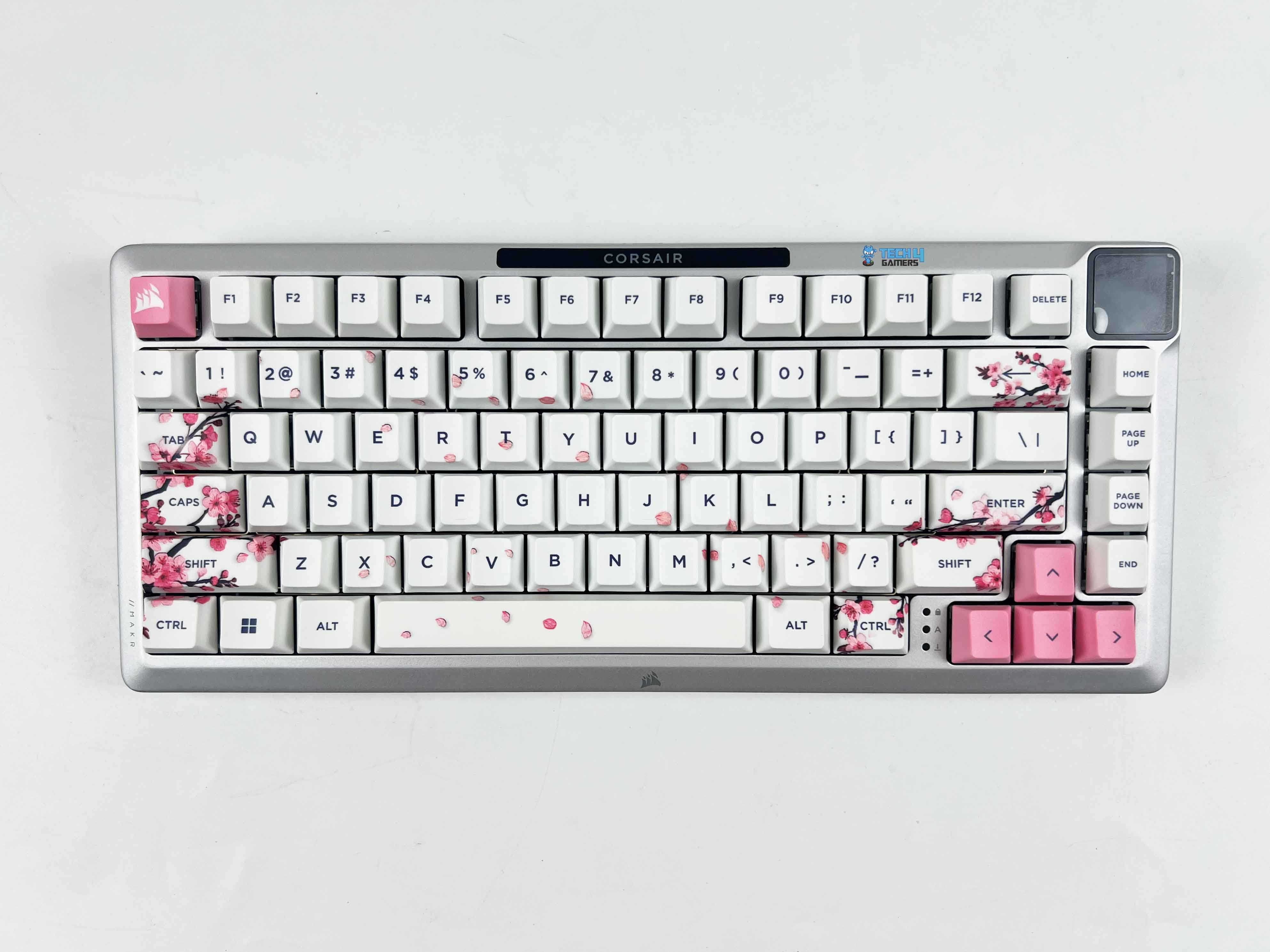
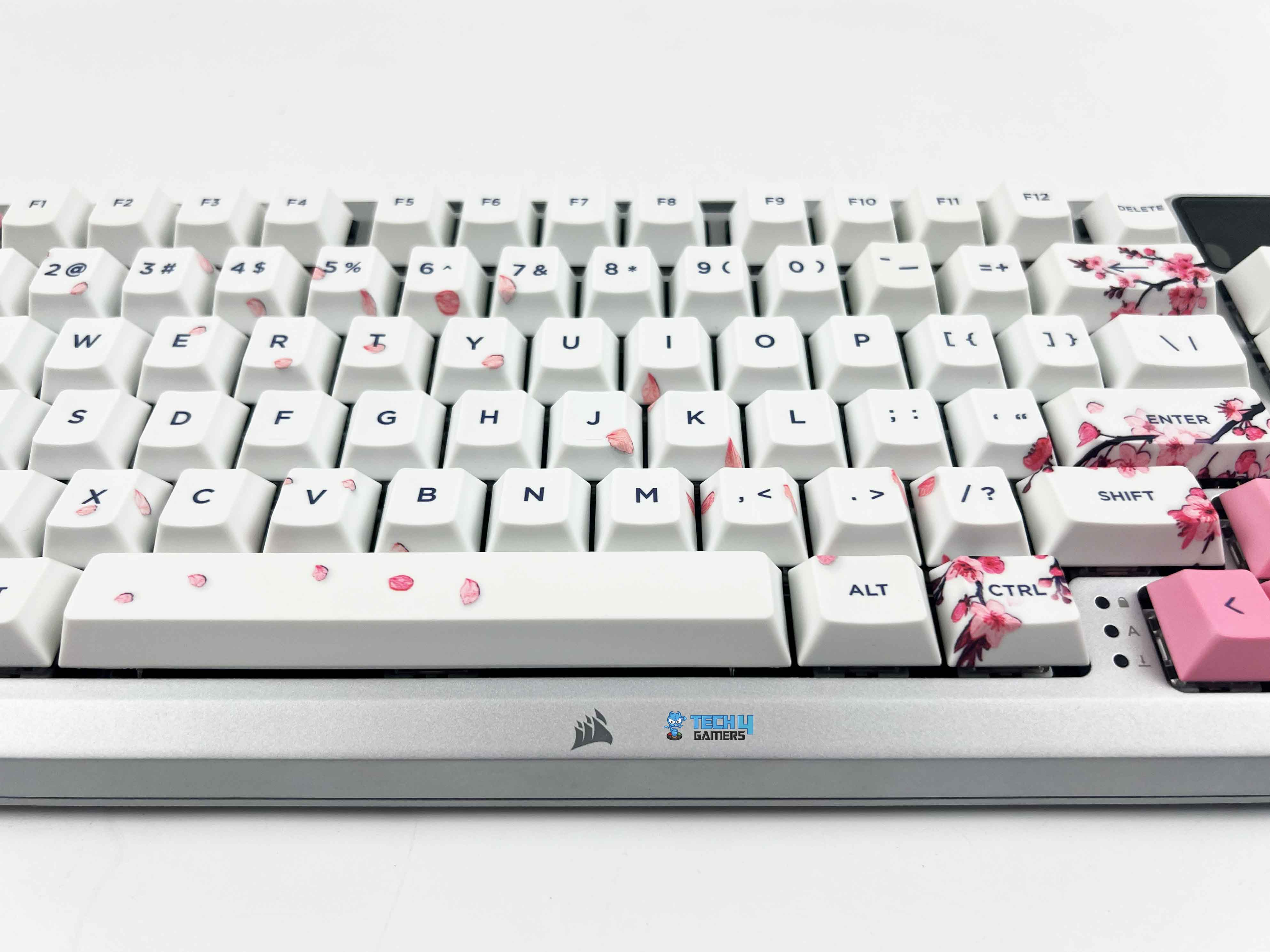
Corsair offers a nice level of flexibility with three different keycap profiles for the MAKR 75, including Cherry, OEM, and DCX. Additionally, there’s a wide range of colors and themes available. For my own build, I went with Cherry profile PBT dye-sub keycaps in the Cherry Blossom theme. Most of the caps come in a soft white with dark blue legends, and they look great sitting on top of the brushed aluminum plate.

The ESC and arrow keys switch things up in pink, adding a little pop of color to those corners. Personally, I would’ve loved it if Corsair carried that pink further into the function row to balance things out even more, but as it stands, the subtle accents already look elegant. There are also these small cherry blossom leaf prints scattered across the modifier cluster and then mirrored again on the right side.

RGB Lighting

RGB Lighting
RGB Lighting

The MAKR 75 provides individually LED-lit keys. Every switch gets its own light, which means you can program each key separately, rather than being limited to zone lighting. This is great if you like setting up specific color layouts for gaming, such as highlighting your WASD keys or macros in a different color. The RGB lighting appears bright and smooth, with colors that seem quite vibrant.

Because of the frame’s silver color, the backlight kind of scatters across it and gives off a soft, even glow. It’s not harsh on the eyes, just enough to add a nice bit of light. Since I went with the Cherry Blossom PBT dye-sub set, the RGB doesn’t pass through the legends on the keycap at all. That said, if you’re the one who wants sharp, lit-up legends for late-night use, this won’t hit the same.

Connectivity

Braided Cable
Braided Cable

My MAKR 75 comes with wired connectivity only, but it’s worth mentioning that Corsair also offers a wireless module for around $50. If you go that route, you can use Slipstream 2.4GHz or Bluetooth for wireless connectivity. Since my keyboard is wired-only, we’ll focus on that aspect only. The wired connection uses a USB-C connector through a USB 3.0 Type-A port located at the top centre of the keyboard.

It feels solid and snug with no wiggle or looseness when plugged in. The cable itself is 1.8 meters (6 feet) long and detachable. For the silver version, the cable is white. It uses a tangle-free rubber design, making it easier to manage and preventing kinks over time. Corsair rates the wired connection for a USB report rate of up to 8,000Hz, which is impressively fast and more than enough for gaming.

Typing Experience

FR4 Switch Plate
FR4 Switch Plate

Typing feels comfortable thanks to the gasket-mounted aluminum frame and screw-in stabilizers. Each keypress feels softer and a bit cushioned, and there’s less vibration as you type. Moreover, it comes with a polycarbonate switch plate as standard. I also opted for the FR4 switch plate for an extra $20, since it is a type of fiberglass-reinforced plate that’s stiffer than polycarbonate.

Swapping to FR4 changes the sound profile noticeably. It makes each keypress feel a little more solid, and the thock becomes deeper and sharper. There are eight layers in the keyboard, including Plate Foam, Plate Foam PET backing, Switch Foam, PET Film, Socket Foam, Pad Foam, Pad Foam PET backing, and a Rubber Pad. The layers help absorb vibrations and reduce echo inside the case, which softens the overall sound.

Performance

The MLX Pulse Thocky switches feel responsive and precise in-game. I tried it out by smashing keys in an FPS and running quick combos in an RPG. Every keypress was registered cleanly, with no keys missed or delayed. The inputs felt instant, and I could clearly see a difference in fast-paced, reaction-based moments. I also set up some rapid-fire macros and custom key sequences in iCUE, and each one executed smoothly with consistent speed.

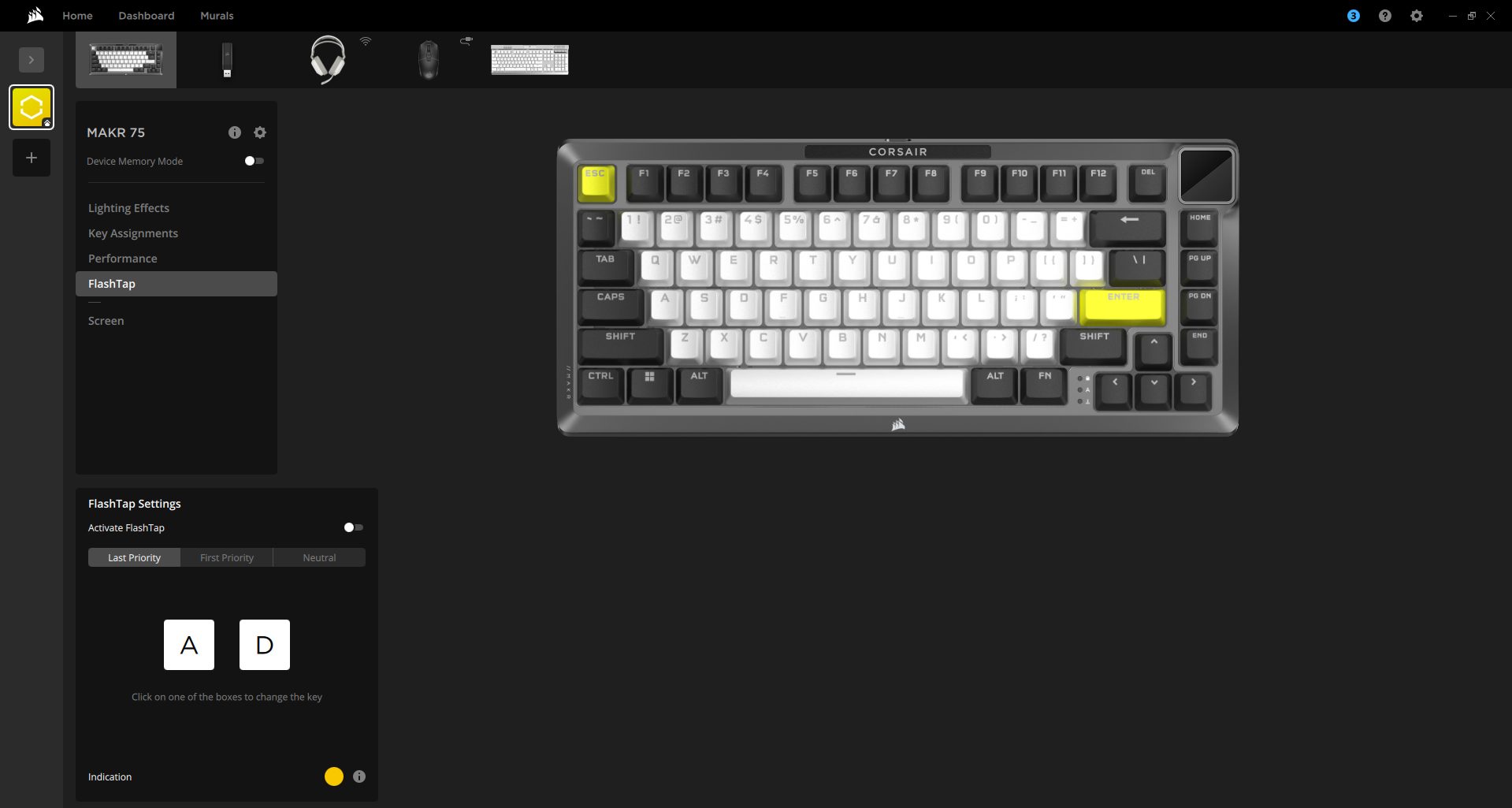
Moreover, the 8,000 Hz USB polling rate makes movements, attacks, and commands feel ultra-snappy, with no noticeable lag. In a MOBA, that matters when you’re quickly issuing commands, like moving your hero, casting abilities, or attacking units. Lastly, with Flashtap (SOCD) activated, the keyboard prioritizes the correct input. I tested it during counter-strafing and dodging sequences, and every movement came out clean. 

Software
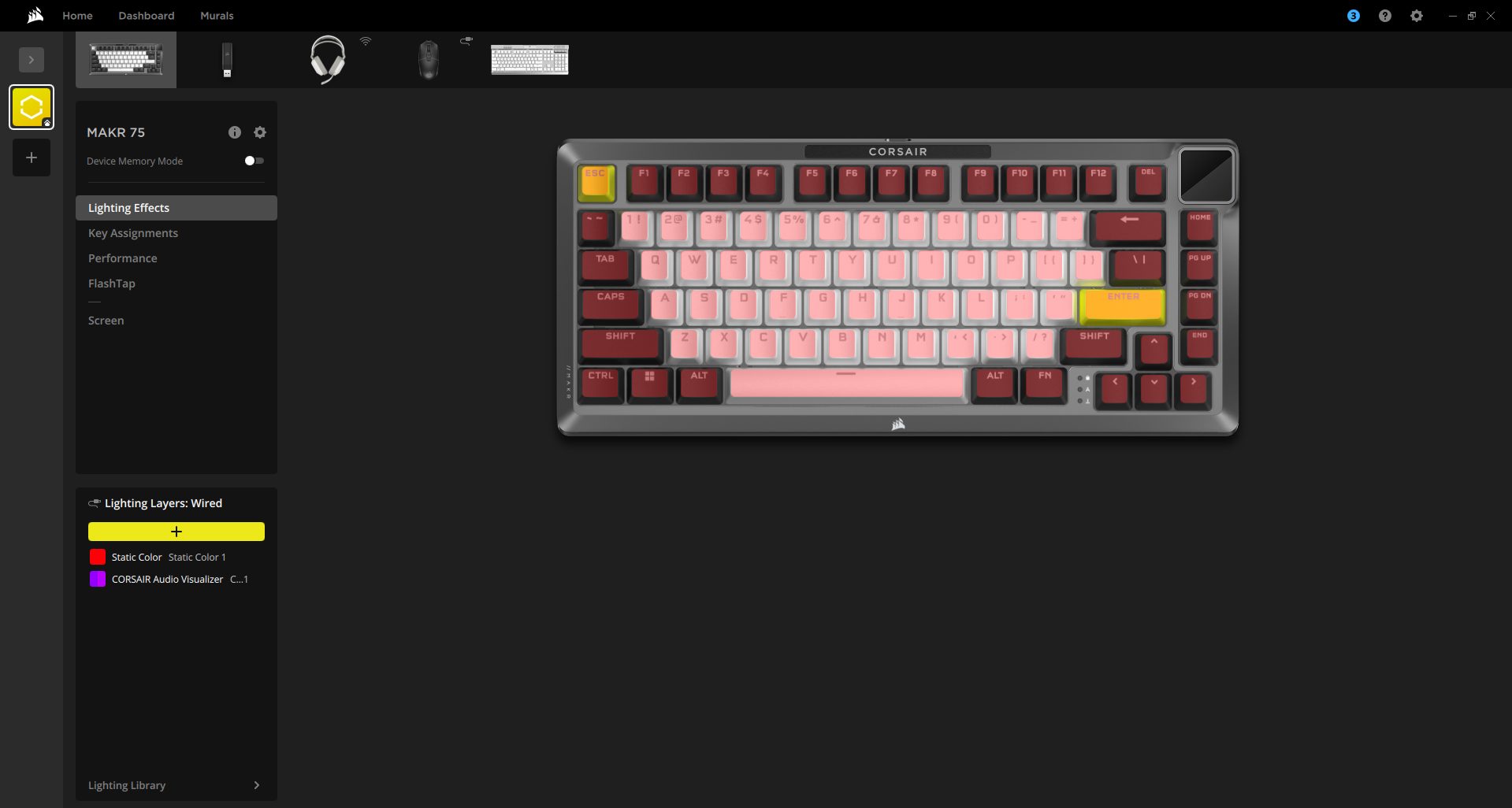
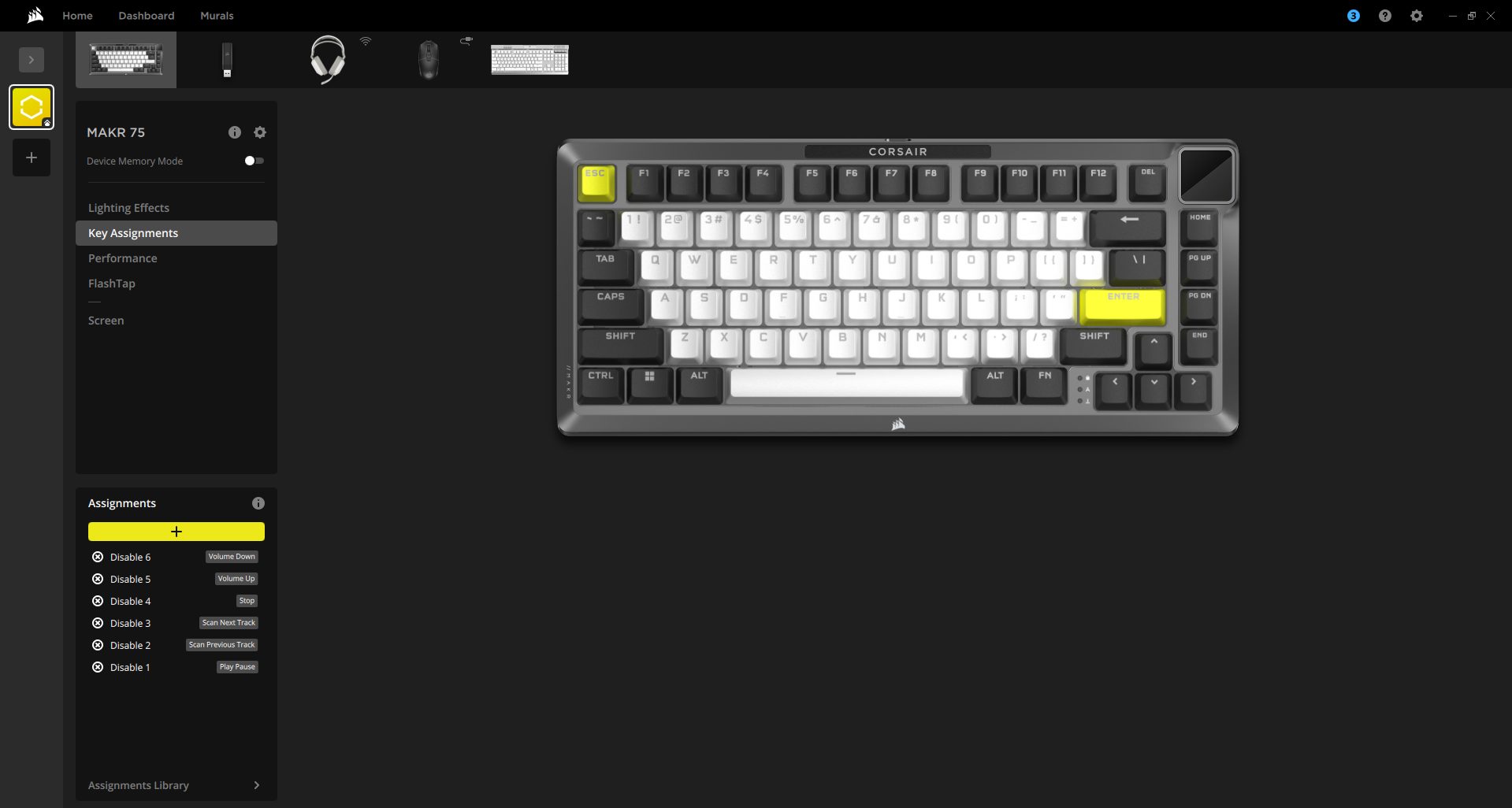
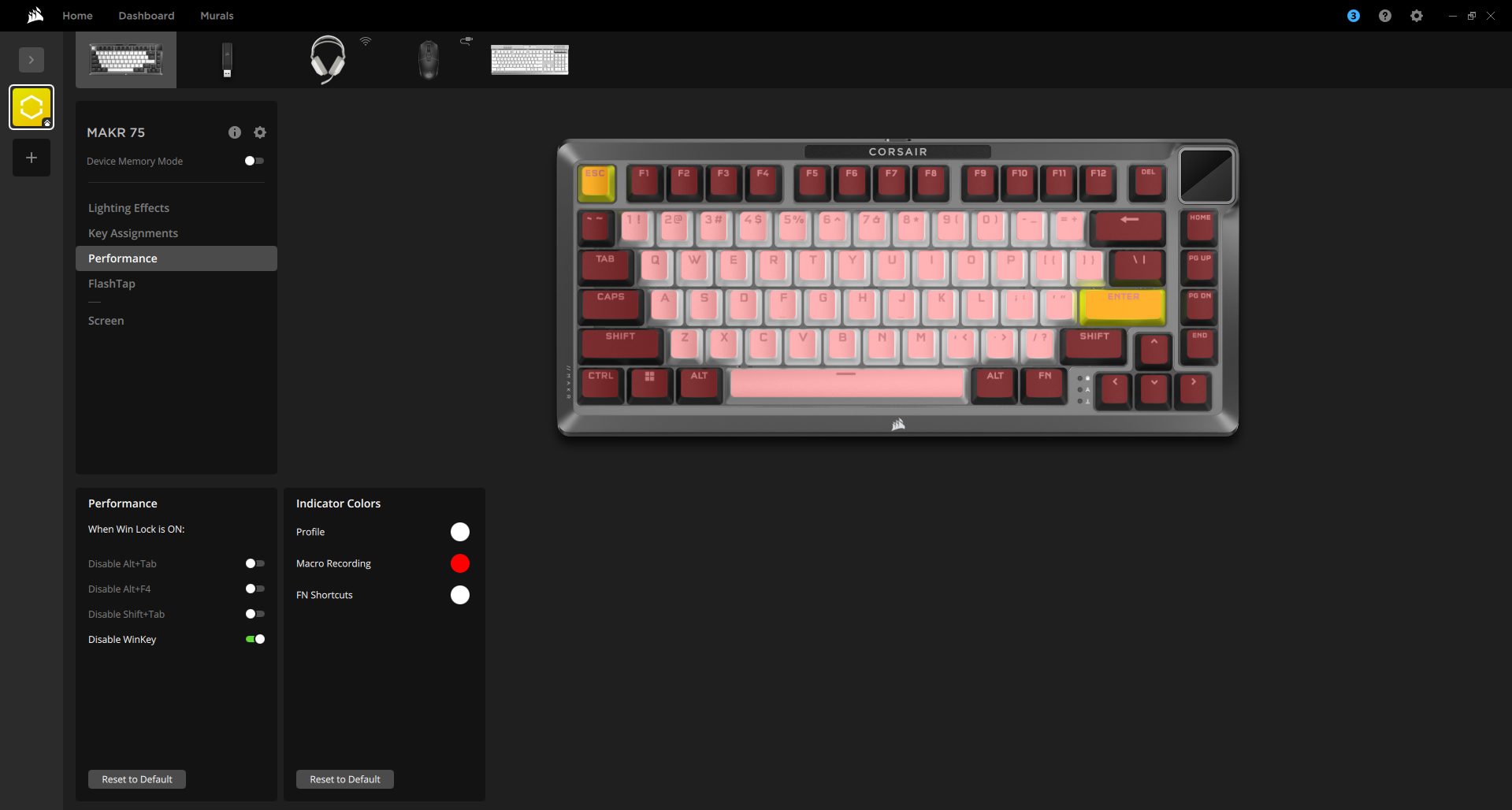
The MAKR 75 works seamlessly with Corsair iCUE and supports the Web Hub, a lightweight, web-based tool for customizing the keyboard without requiring additional software installation. When you open iCUE, you’ll see a tile for the MAKR 75. From here, you can customize lighting effects, key assignments, the rotary dial, performance settings, and Flashtap features.

It supports Device Memory Mode, which lets you save your settings directly to the keyboard. You can save specific profiles to the keyboard itself, which is helpful if you don’t want iCUE running all the time. You can save up to five profiles when using hardware mode, and there’s no limit in software mode.

Should You Buy it?

Buy it if

You want a premium DIY experience: The MAKR 75 offers a fully modular, barebones design with hot-swappable switches and optional FR4 plates or an LCD module, making it a great choice for those after a custom gaming keyboard.

You prioritize build quality and stability: With a full aluminum frame, gasket-mounted design, and screw-in stabilizers, this keyboard feels solid. 

You enjoy customization and RGB lighting: From per-key programmable RGB to multiple keycap profiles and MLX switch options, the MAKR 75 lets you customize both aesthetics and typing feel.

Don’t buy it if

You are on a tight budget: The MAKR 75 is priced at a premium level, especially if you opt for modules like the wireless kit or FR4 plate.

You need ultra-light or portable keyboards: Weighing over 916 grams with a complete aluminum body, it’s designed to feel planted and solid rather than light and travel-friendly.

You want shine-through legends on keycaps: The included Cherry Blossom PBT keycaps don’t allow RGB lighting to shine through.

Final Verdict

The setup I went with, including all the accessories, cost me around $320. If you include the wireless module, the total comes to $370. That’s pretty expensive, especially if you’re getting into custom keyboards. Still, Corsair has made it easy to get started. Every step, from swapping plates to installing modules, is straightforward, and they even provide a quick-start guide, as well as detailed YouTube tutorials.

It’s certainly on the pricey side, but it’s also easy to work with as a DIY project. At the end of the day, the MAKR 75 is a solid, customizable option that’s great for gaming. If you’re starting with custom keyboards and don’t want to spend this much, there are more affordable options to try first. But if you want something polished, modular, and genuinely fun to build without the headache, this keyboard really stands out as one of its kind.

Coming Next: Corsair Vanguard Pro 96 Hall Effect Review


EA Attempted To Sell BioWare After Dragon Age: The Veilguard Failed

Story Highlight
  • Dragon Age: The Veilguard disappointed EA beyond all expectations.
  • Reports reveal the publisher attempted to sell BioWare following this release.
  • The future of this developer hangs in the balance, with many fearing the worst after EA’s latest deal.

Dragon Age: The Veilguard marked one of EA’s biggest failures last year. The game also became the third consecutive flop for BioWare despite the studio’s rich history of iconic RPGs.

In the aftermath, the studio suffered layoffs and saw many veteran developers leave for good. However, recent reports suggested that EA even attempted to sell off the team shortly after Dragon Age: The Veilguard’s release.

Why it matters: BioWare was once among EA’s best developers, delivering one hit after another.

Dragon Age: The Veilguard
Dragon Age: The Veilguard’s Critical Reception Was Still Good

This information comes from Insider Gaming, which recently discussed the situation at BioWare with various anonymous developers. According to the studio, EA had talks to sell the studio. These conversations eventually fell through, and the studio moved forward with work on Mass Effect 5.

For the unaware, EA expected to sell millions of copies of Dragon Age: The Veilguard after investing a significant amount of time into the project. The game went through a major reboot and multiple years of development, so costs likely added up quickly.

Ultimately, the publisher was left disappointed by Dragon Age: The Veilguard’s performance. Now, BioWare’s employees fear the threat of impending layoffs once again.

Because EA already considered the team for a potential sale last year, BioWare might be the first to experience changes and layoffs should the new leadership make adjustments to EA’s developers.

Dragon Age: The Veilguard
BioWare’s Return To RPGs Was Not As Grand As Many Expected

EA was recently acquired by a group of investors, including the Saudi Arabia Public Investment Fund. Developers at BioWare fear this transaction is not in their best interests, with many even preparing for new jobs at the time of writing.

What do you think of the developer’s fate? Share your opinions on the matter in the comments and on the Tech4Gamers Forums.

Every Future Silent Hill Game Will Be Totally Different From The Other

Story Highlight
  • Game producer says each future entry in the Silent Hill series will be different.
  • He says they want to experiment with the IP and be ambitious about every release. 
  • They want to be bold with Silent Hill games so they don’t get repetitive.

Konami recently launched Silent Hill f to a great reception from both critics and audience. It is quite different from the recent titles, but the new formula worked. However, the studio wants to take a different route with its future entries. 

In a recent interview, the game’s producer said that each future Silent Hill game will be different from the other. They aim to continue experimenting and remain ambitious with every future release in the series. 

Why it matters: Konami doesn’t want the series to fall flat like some others, where the games look like the reskins of previous entries; therefore, they want to experiment and keep on changing things. 

Talking to IGN, Motoi Okamoto talked about Konami’s horror series. He admitted he thought Silent Hill f would get mixed reviews based on some of its challenging aspects, but in the end, it got a mostly positive reception. 

Each one will have its own distinct flavor. We want to keep experimenting and be ambitious, both in terms of gameplay design and storytelling.

– Motoi Okamoto

Despite the success, the studio doesn’t want to use the same formula for future games; instead, they want to do things differently. All next releases will be more ambitious than others, both in terms of gameplay and storytelling. 

Silent Hill F Combat
All the next Silent Hill games will be different from the others

This probably won’t apply to the remakes, as we saw that Silent Hill 2 was quite faithful to the original. Instead, it would be for the newer entries. This makes sense too, as it’ll keep the players on the edge of their seats. 

However, at the core of each game will be a psychological story, as that is what defines a Silent Hill game. Nonetheless, fans are more invested in the series than ever and will be looking forward to future titles. 

What are your thoughts on every Silent Hill game being different from the previous? Let us know your opinions in the comments or join the discussion at the official Tech4Gamers Forum.


New Updates Suggest Prototype Remaster Finally Being Worked On

Story Highlight
  • A Prototype remaster may be coming soon.
  • The game’s files have been updated with new credits and maps, suggesting a new version is in the works.
  • Recent rumors also suggested that the series would be coming back in some form soon.

The Prototype franchise, despite its long slumber, remains a fan-favorite to this day. This series offered a one-of-a-kind superhero adventure that fans still want more of, and it seems the wheels are finally turning for a return to the IP’s visceral action gameplay.

According to new updates to the game’s files and other hints, a Prototype remaster may be in the works.

Why it matters: Prototype is one of Activision’s best IPs that never got to properly shine. The franchise was quickly forgotten, but demand for a new entry or re-release still exists today.

Prototype 3
Prototype 3 Would Be Great In Today’s Superhero-Focused Era

A new post on Reddit highlights interesting changes to Prototype’s internal files. Datamines from the latest update reveal that the game’s credits have been updated with several new names.

Additionally, several test maps not part of the original game are now in the files. These two pieces of evidence indicate that something related to the series is in the works. All of this information comes from dataminer Nixson, who has been sharing interesting findings regarding the title for many years.

He also points to Iron Galaxy’s name in the credits, a studio known for its prominent work with remasters and remakes of all sorts. Adding further fuel to the fire, recent rumors suggested that another Prototype title was in the works.

Fans Demand Prototype 3
The Franchise Offered Explosive Superhero Combat

For those familiar with the series, Prototype has already been re-released once for the PS4 and Xbox One. Therefore, the next re-release might be more than a typical remaster, potentially pointing to a middle-ground between a remaster and a remake.

This type of approach worked well for the recently released Oblivion Remastered, so Xbox and Activision might pursue a similar re-release for Prototype.

What do you make of the evidence? Let’s discuss in the comments and on the Tech4Gamers Forums.

Silent Hill 1 Remake Enters Full Production At Bloober Team, Dev Has 7 Projects In Development

Story Highlight
  • Silent Hill 1 has entered full production at Bloober Team.
  • The studio also has another undisclosed game in development.
  • In total, the Polish developer is making 7 titles, with the other five being second-party collaborations.

Bloober Team has been on a roll since the release of Silent Hill 2 last year. The developer has since produced and launched two highly acclaimed horror games in the form of Cronos: The New Dawn and Silent Hill F.

The Latter became the fastest-selling title in the long-running Silent Hill franchise, selling a million copies in just a few days. Now, fans will be excited to find out that Bloober Team has yet another project from the franchise in full production already.

Why This Matters: Modern AAA gaming lacks quality games with such a small turnaround between sequels, so it’s nice to see a studio pull that off with an iconic franchise like Silent Hill.

silent-hill-1-remake
Silent Hill 1 remake has been hinted at by many insiders.

In a new Q&A session with the investors, the developer revealed that one of its internal first-party teams is fully focused on the production of the Silent Hill 1 remake. Meanwhile, the other internal dev team is working on a mystery project which the studio is keeping under wraps.

Hence, we finally have confirmation that the Silent Hill 1 remake is in full production and that development is a bit along the way after the previous update. Furthermore, Bloober Team management also revealed that there are five more games in the works through second-party collaborations.

The Polish dev also updated fans regarding Cronos: The New Dawn’s performance, revealing that the game sold 200k copies at launch, with most of the sales being on PlayStation. The studio expressed confidence in the IP and is happy with the results, but thinks there is room for improvement.

silent-hill-f-hanako
Silent Hill F has garnered universal acclaim so far.

All in all, a studio like Bloober Team working on the Silent Hill 1 remake is only good news, as the Polish developer has reinvigorated the franchise with minimal production time in between games.

The Silent Hill 2 remake sold 2 million units while garnering critical acclaim and multiple award nominations. Silent Hill F has only increased the confidence of fans in the studio, as many are calling the horror game the best in the series.

Are you excited about the Silent Hill 1 remake from Bloober Team? Tell us in the comments below or head to the Tech4Gamers forum for discussion.

Arctic P12 Pro A-RGB Fans Review: Good Performance, Great Looks, But Not So Quiet

We have already reviewed one of their latest liquid coolers, Liquid Freezer III Pro, which features the Arctic P12 Pro Fans, and we were impressed by its cooling performance. The fans deserved the standalone review, so today we’ll be looking at the Arctic P12 Pro A-RGB and will compare it against the other fans in the benchmarks. The P12 Pro fans bring tons of improvements over the non-Pro fans in design and performance.

Why Trust Tech4Gamers
  • Usman Sheikh is one of our most senior and experienced hardware reviewers. He loves spending hours (sometimes days) in his lab, testing and comparing different GPUs, CPUs, coolers, and more.
  • 80+ CPU coolers tested and reviewed by our team of hardware experts (Tech4Gamers Team).
  • 900+ hours spent testing different coolers for our reviews.
  • Objective testing criteria (See how we test CPU coolers).

At Tech4Gamers, ensuring you get reliable information is our priority. That’s why every hardware round-up undergoes a meticulous review process by our team of experts and editors. Each review is carefully examined against our strict editorial guidelines, guaranteeing you trustworthy insights you can depend on.

The Pro ARGB Fans come in two different sizes: 120mm and 140mm, and are available in two colors: black and white. If you’re looking for the non-ARGB variant, it is also available in both colors. We’ve got the 3-pack variant, which is priced reasonably at $49.99, and if you’re opting for a single fan, that would cost you between $15.99 – $16.99, depending on the color you choose.

Lets start with the specifications

Arctic P12 Pro ARGB Specifications
Fan Speed 600–3000 rpm, PWM controlled
0 rpm below 5% PWM
Airflow 77 cfm | 131 m³/h
Static Pressure 6.9 mmH₂O
Fan Bearing Fluid Dynamic Bearing
Typical Voltage 12 V DC
Start Up Voltage 3.3 V DC
Current 0.33 A
Cable Length 400 mm + 80 mm Daisy-Chain Cable
Connector 4-Pin Fan Plug + 4-Pin Socket
LEDs 12x A-RGB Gen2 LEDs
Current | Voltage 0.40 A | 5 V DC
Connector 3-Pin A-RGB Plug + 3-Pin Socket
[toc]

What Makes Arctic P12 Pro A-RGB Different?

The Arctic P12 Pro A-RGB is a significant step up compared to the P12 (Non-Pro) version, featuring a revised fan-blade design that enhances static pressure and airflow efficiency. The Pro now features seven blades instead of the five blades seen in previous versions. It also features an enhanced mechanical design to minimize vibration and noise under demanding conditions. However, both fans utilize FDB (Fluid Dynamic Bearing). The Pro version, in particular, features an enhanced bearing-shaft design for smooth operation.

Packaging

Let’s take a look at the packaging.

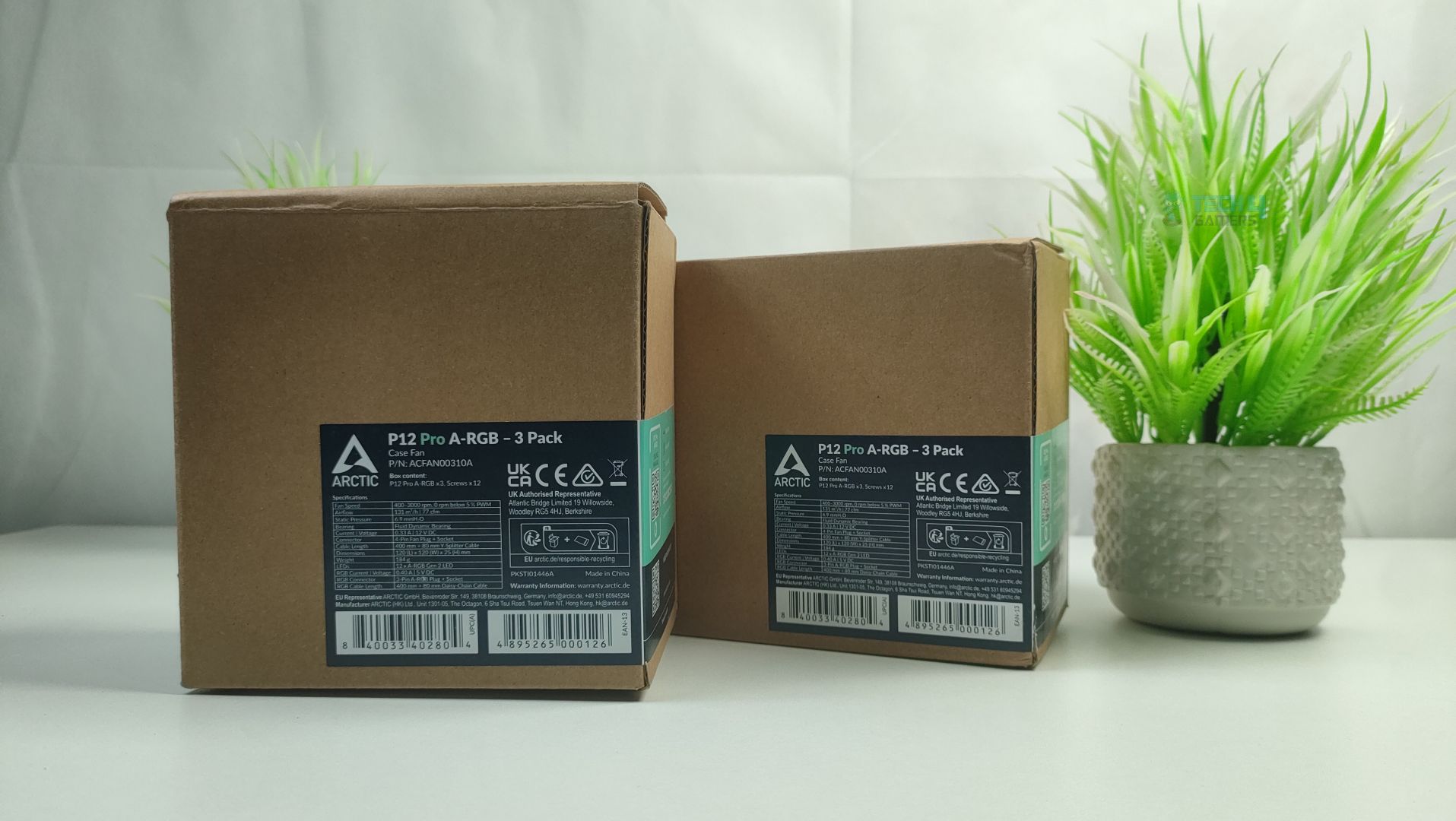
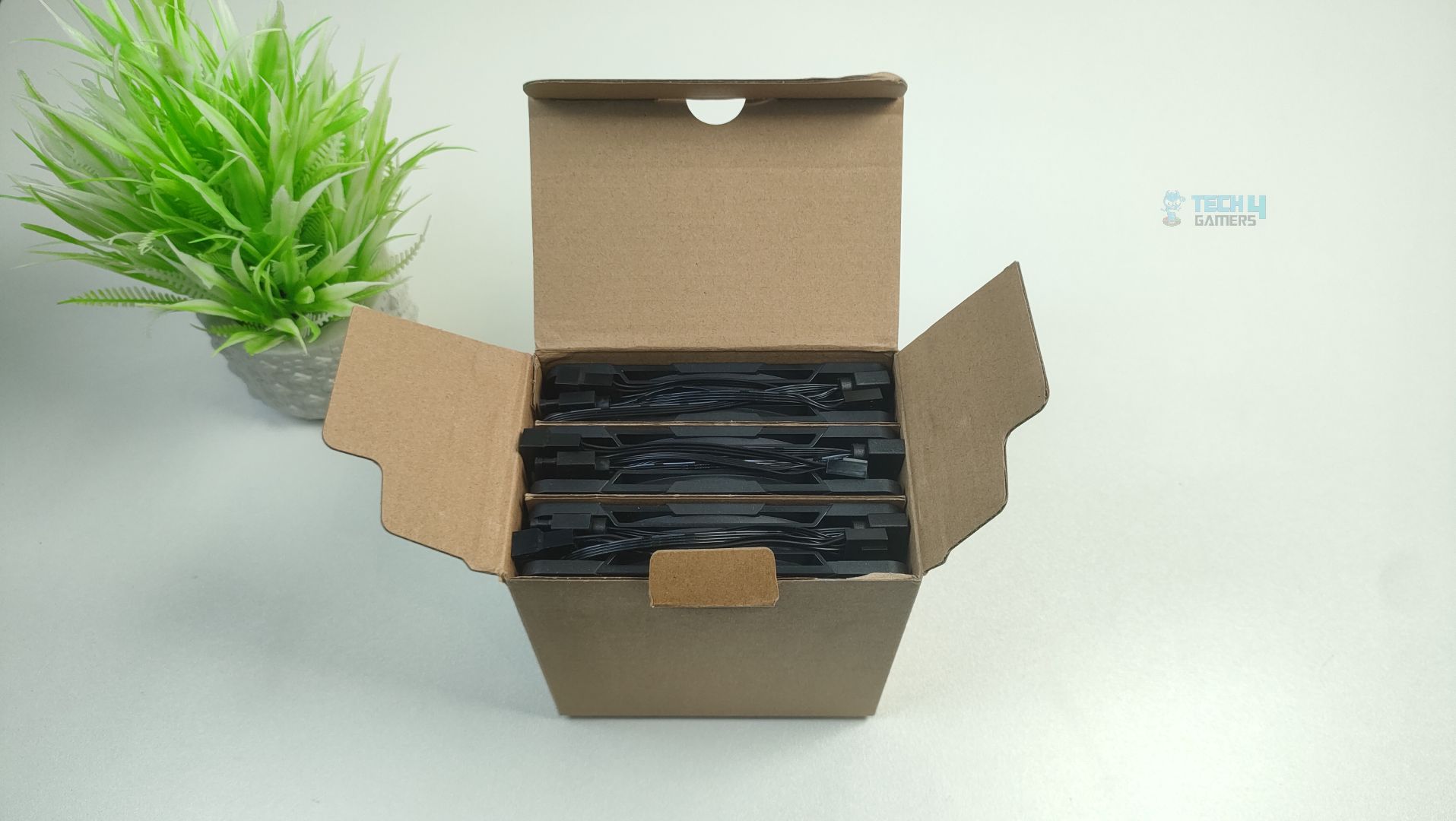
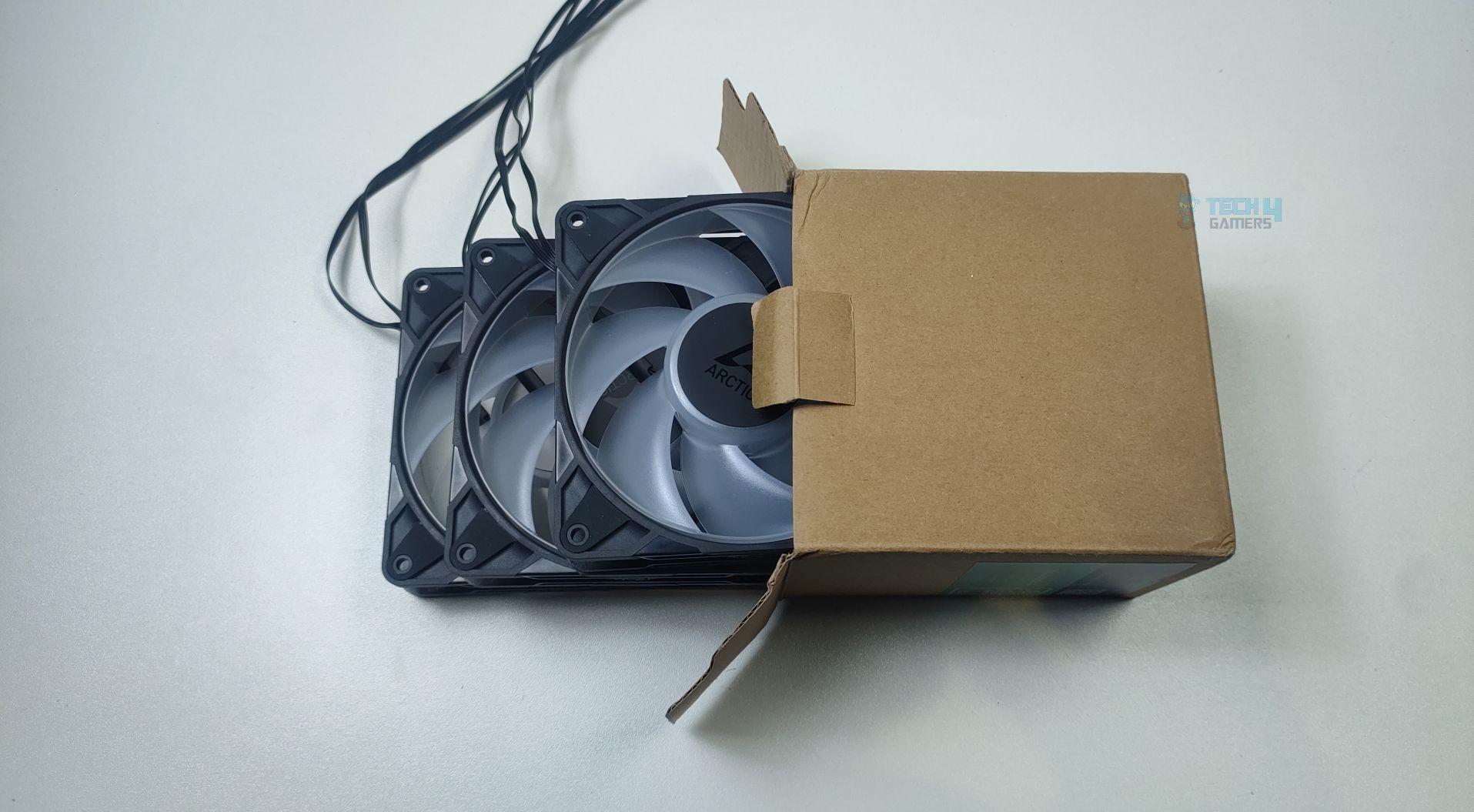
The Arctic P12 Pro ARGB Fan Kit arrived at us in plain brown cardboard packaging, which appears to be review packaging rather than the final retail version. The front side of the box displays only the fan specifications and model.

Unboxed - Arctic P12 Pro A-RGB
Unboxed – Arctic P12 Pro A-RGB

The accessories bundle include two pack of screws, with six screws in each pack.

Closer Examination & Build Quality

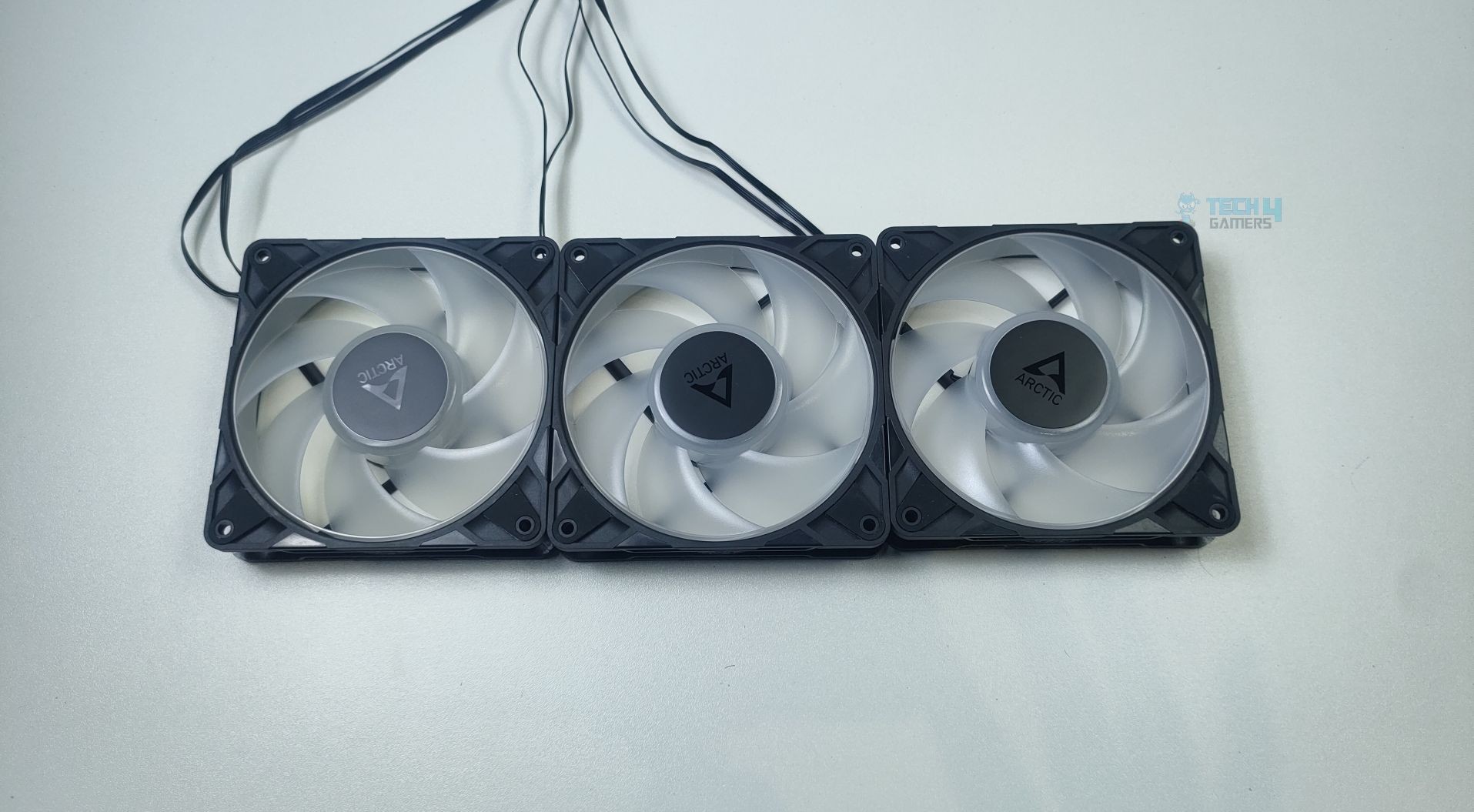
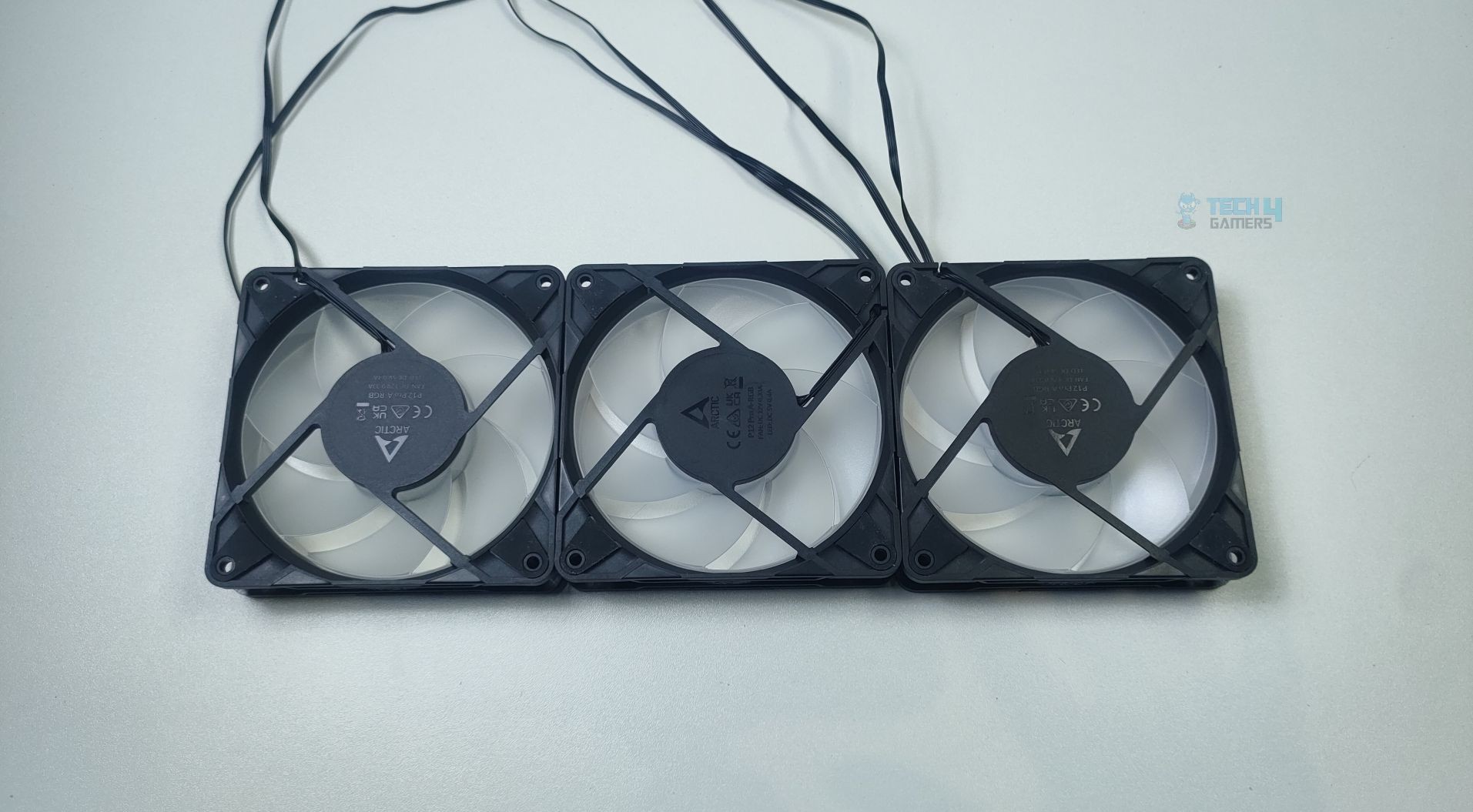
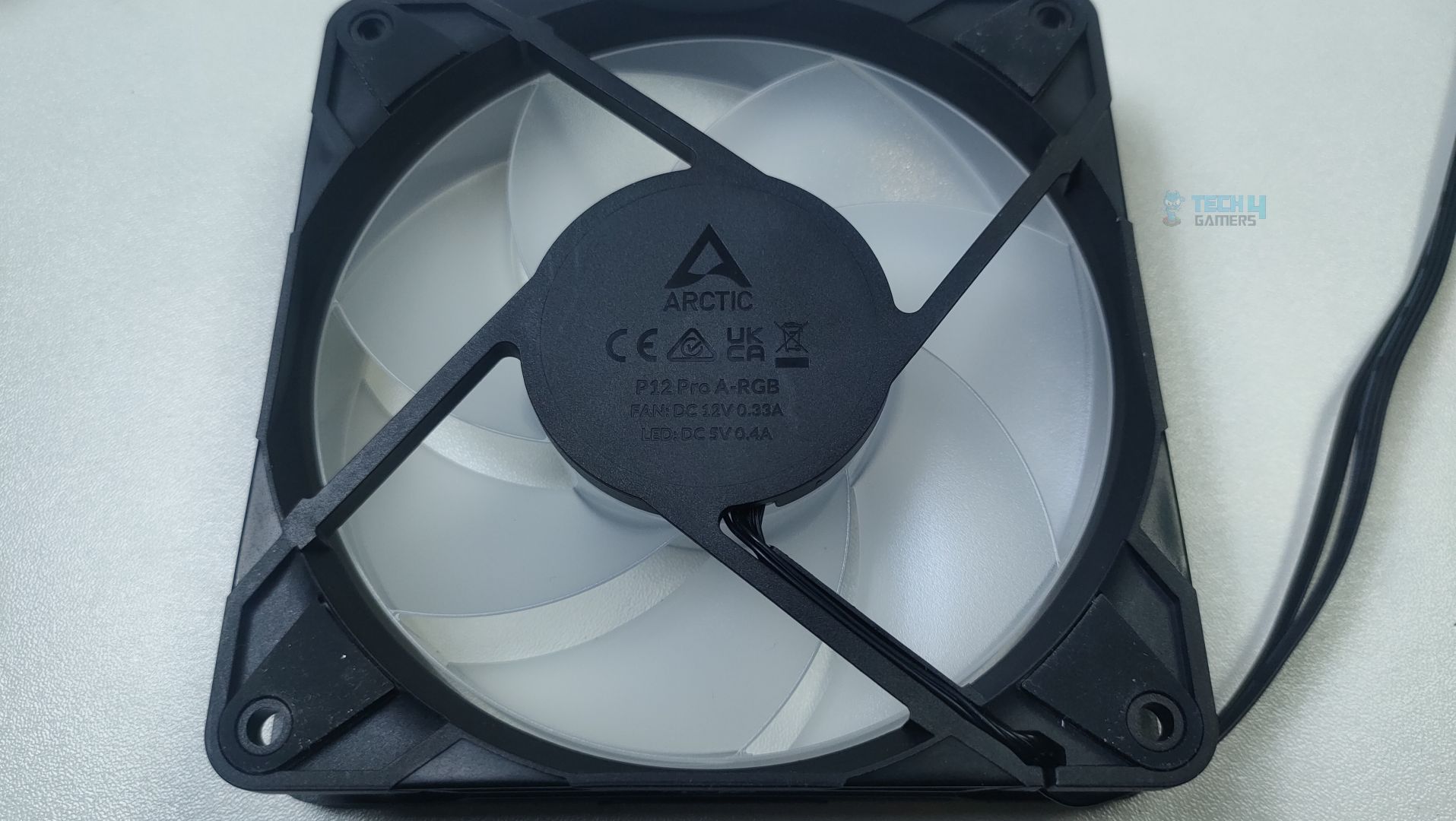
Taking a closer look at the fans, the dimensions are 120 (L) x 120 (W) x 25 (H) mm, and the weight is 185 grams. The fans maintain the standard height of 25mm with a square frame design and use a thick, rigid plastic frame. The corners are rubberized for reduced vibrations. At the back side of the fan, there are four struts connected to the outer frame to the hub.

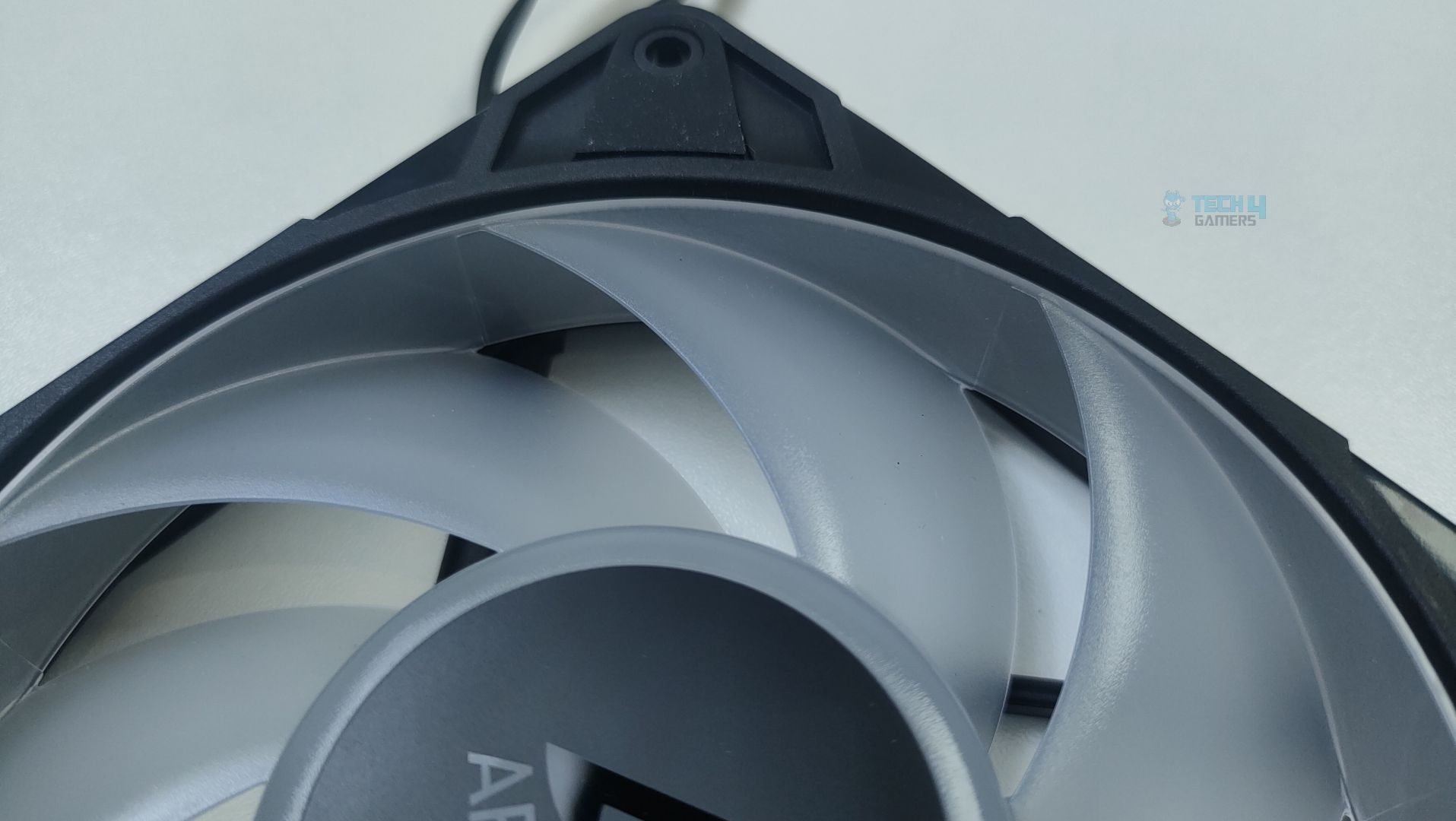
P12 Pro A-RGB version features translucent 7-blade fans, with a blade-to-frame clearance of only 0.8mm, which is impressive as it can prevent air leakage around the blade tips, thereby improving static pressure performance. The blades are more curved at the edges, which could help in better air transfer through resistance, such as radiators.

Blade Clearance - Arctic P12 Pro A-RGB
Blade Clearance – Arctic P12 Pro A-RGB

The translucent blades are only available in the ARGB variant, which can perfectly defuse the ARGB lights. The standard black/white variant does not feature a translucent design; instead, it has a standard design.

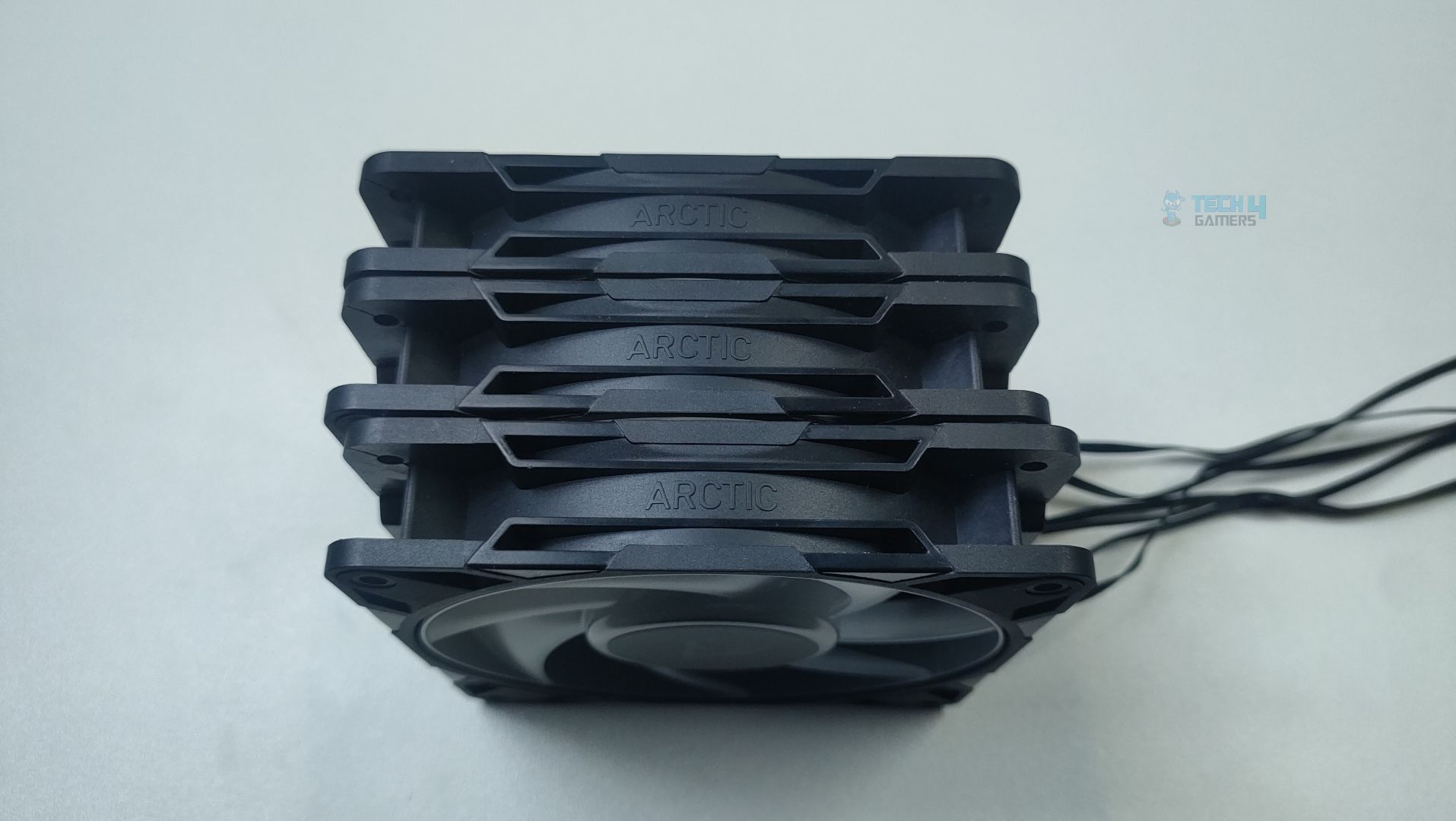
Arctic Branding is molded into the side frame of each fan; the sides also have small grooves and angled edges.

Side Frame - Arctic P12 Pro A-RGB
Side Frame – Arctic P12 Pro A-RGB

The impeller hub looks slightly larger than the other fans we have seen, which makes sense as the hub houses the extended rotor shaft, which goes inside the FDB (Fluid Dynamic Bearing) of this fan for the stability that reduces the noise and vibration as this fan can spin at 3000 RPM. The LEDs for the ARGB also fit in the hub.

The Heart (HUB) - Arctic P12 Pro A-RGB
The Heart (HUB) – Arctic P12 Pro A-RGB

The fan can also stop when you set the PWM level below 5% thanks to the enhanced motor design. The cables are tucked in the frame edge and exit via strut at the frame edge right next to the mounting hole.

Cables

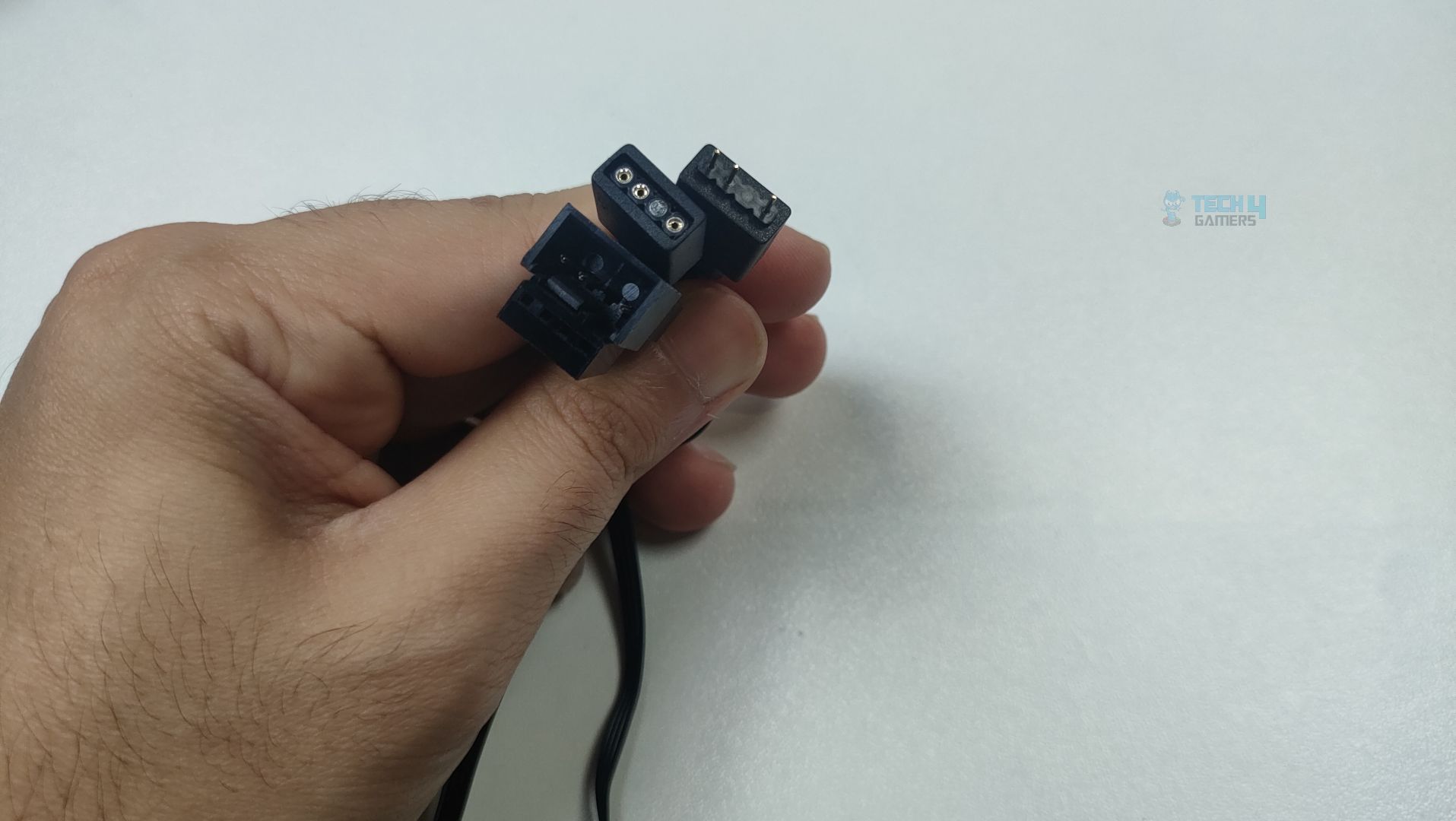
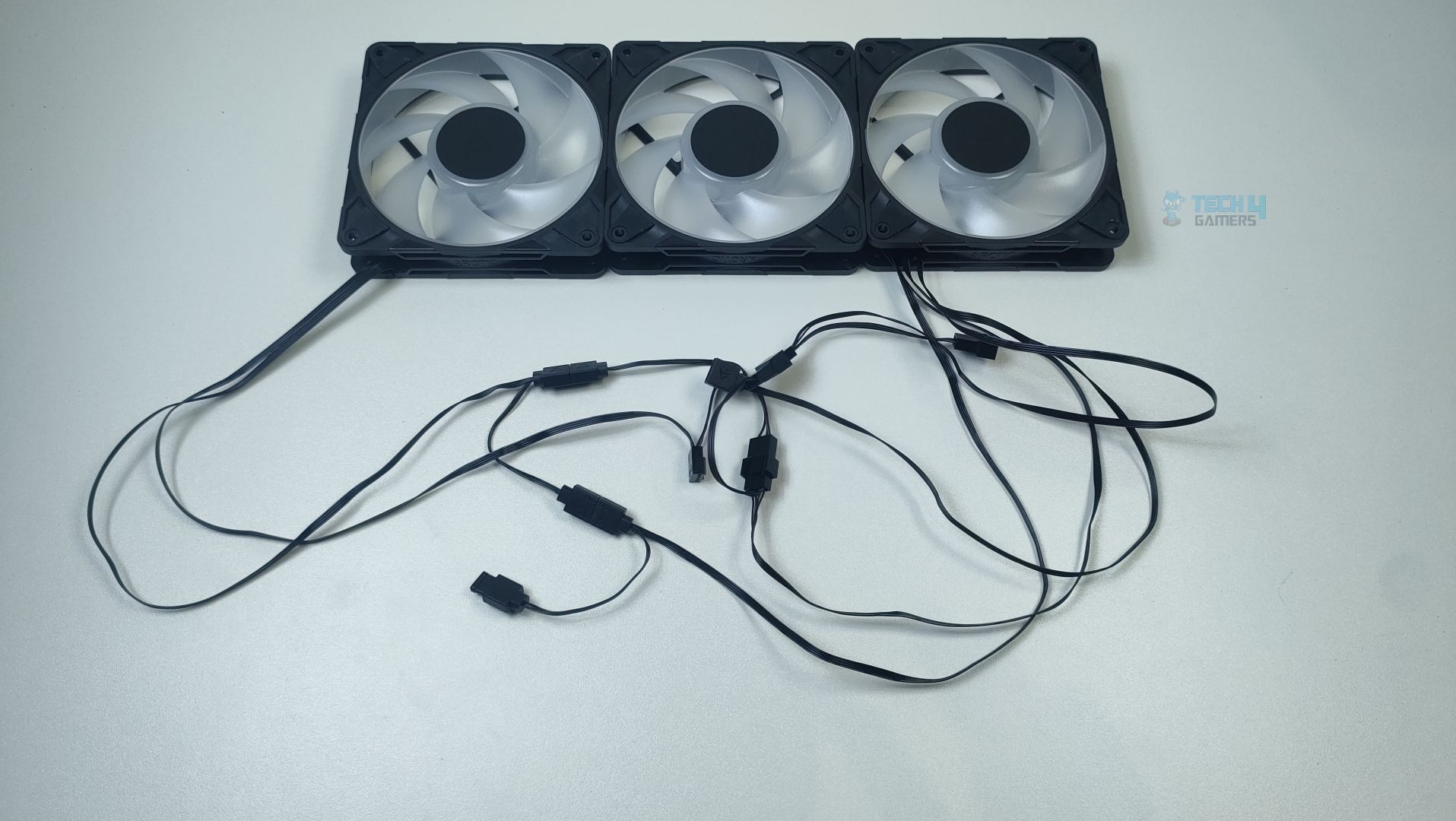
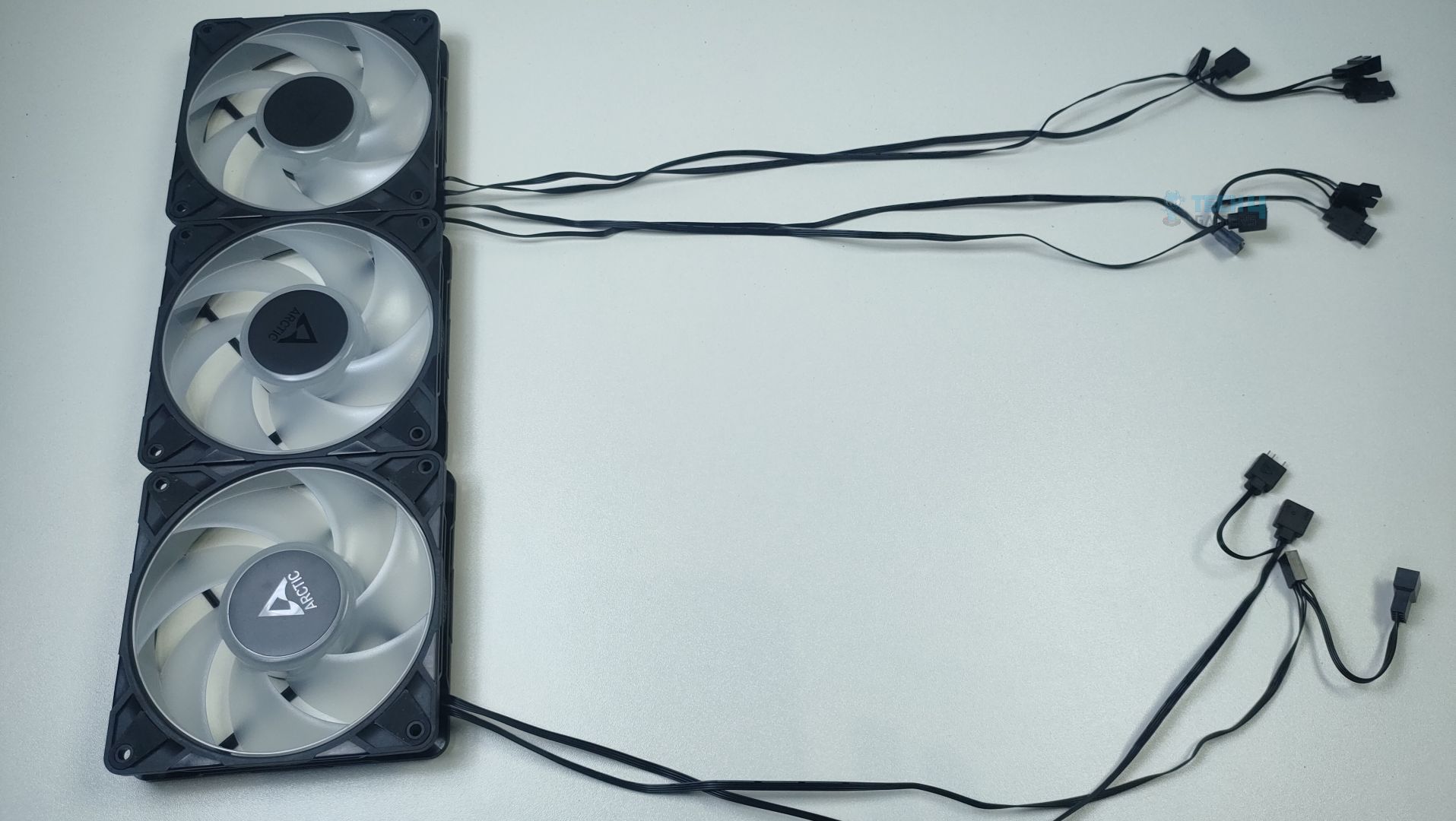
P12-Pro A-RGB has two PWM connectors; one goes to the PWM header of the motherboard, and the other allows the other fans to synchronize in a daisy chain configuration. Before you install the fans, make sure your motherboard’s fan header can supply enough power for the multiple fans.

Connections - Arctic P12 Pro A-RGB
Connections – Arctic P12 Pro A-RGB

Usually, these days, modern motherboards have a maximum current capacity of 2A (Ampere) on the sys_fan header, which can support up to 6 fans and 3A (Ampere) on the CPU_fan header, which can support up to 9 fans. Make sure to look at your motherboard manual for the power numbers if you want to use multiple fans.

Daisychained- Arctic P12 Pro A-RGB

The cable length is 400mm from the fan to the connector. The additional daisy-chain cable is 80mm long from the primary connector, which is quite a decent length.

Cable Length- Arctic P12 Pro A-RGB

For the A-RGB, these fans support Gen-2 Addressable RGB for comprehensive and precise control of the lighting. Arctic P12 Pro A-RGB features daisy-chainable connectors to control up to 5 fans per header on the motherboard, which is very useful if you have a motherboard with limited ARGB connectors.

ARGB Lighting

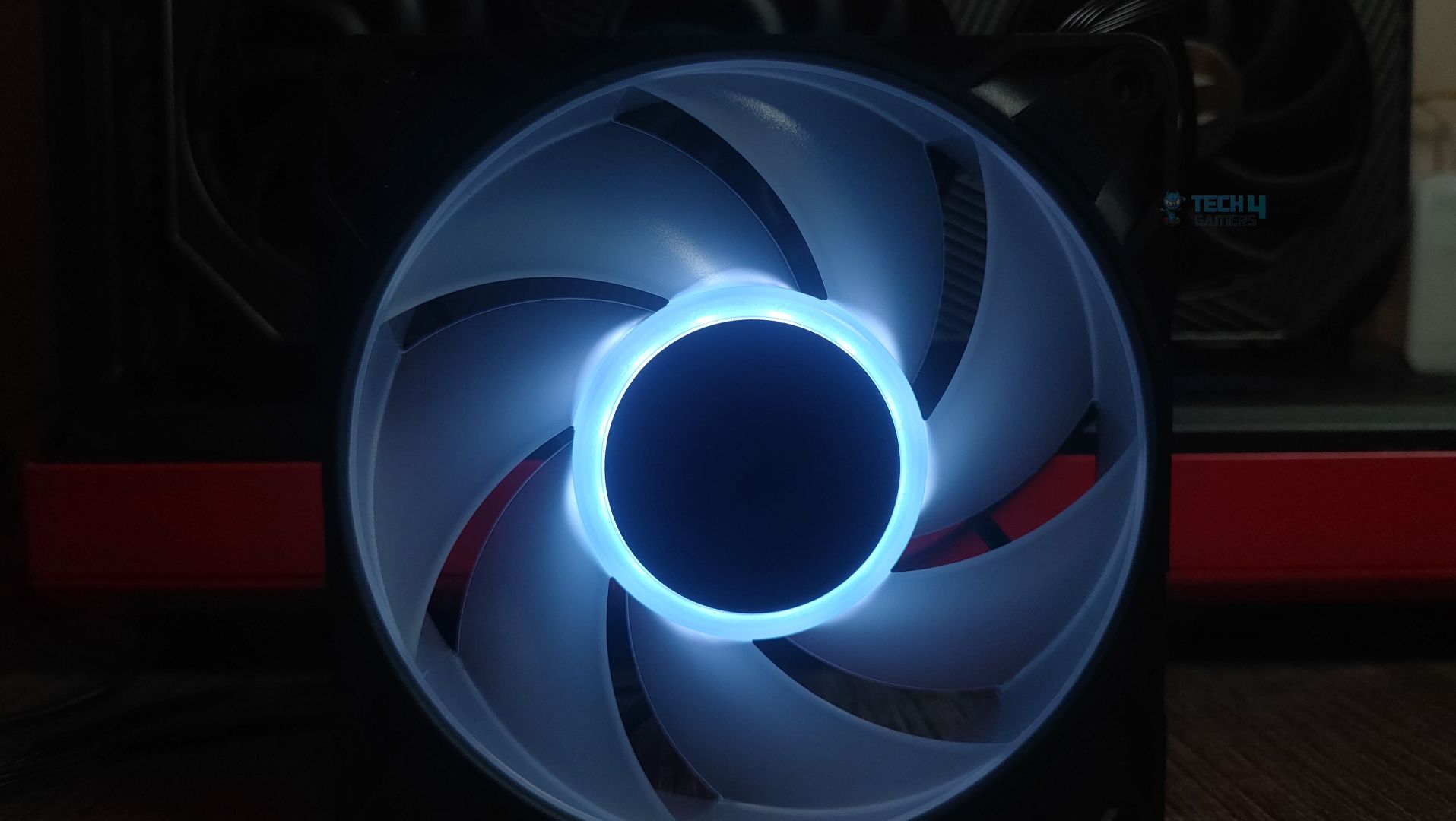
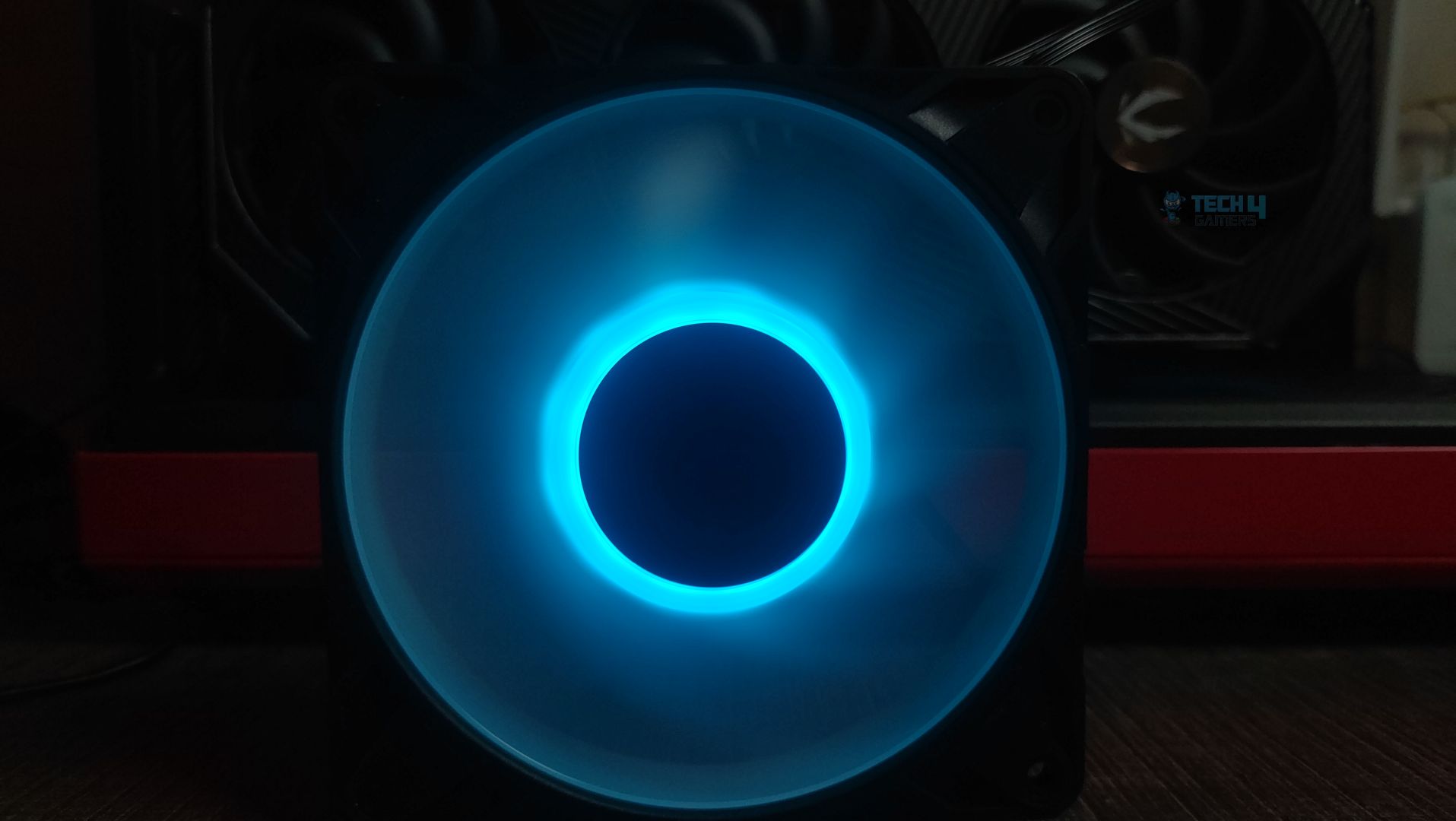
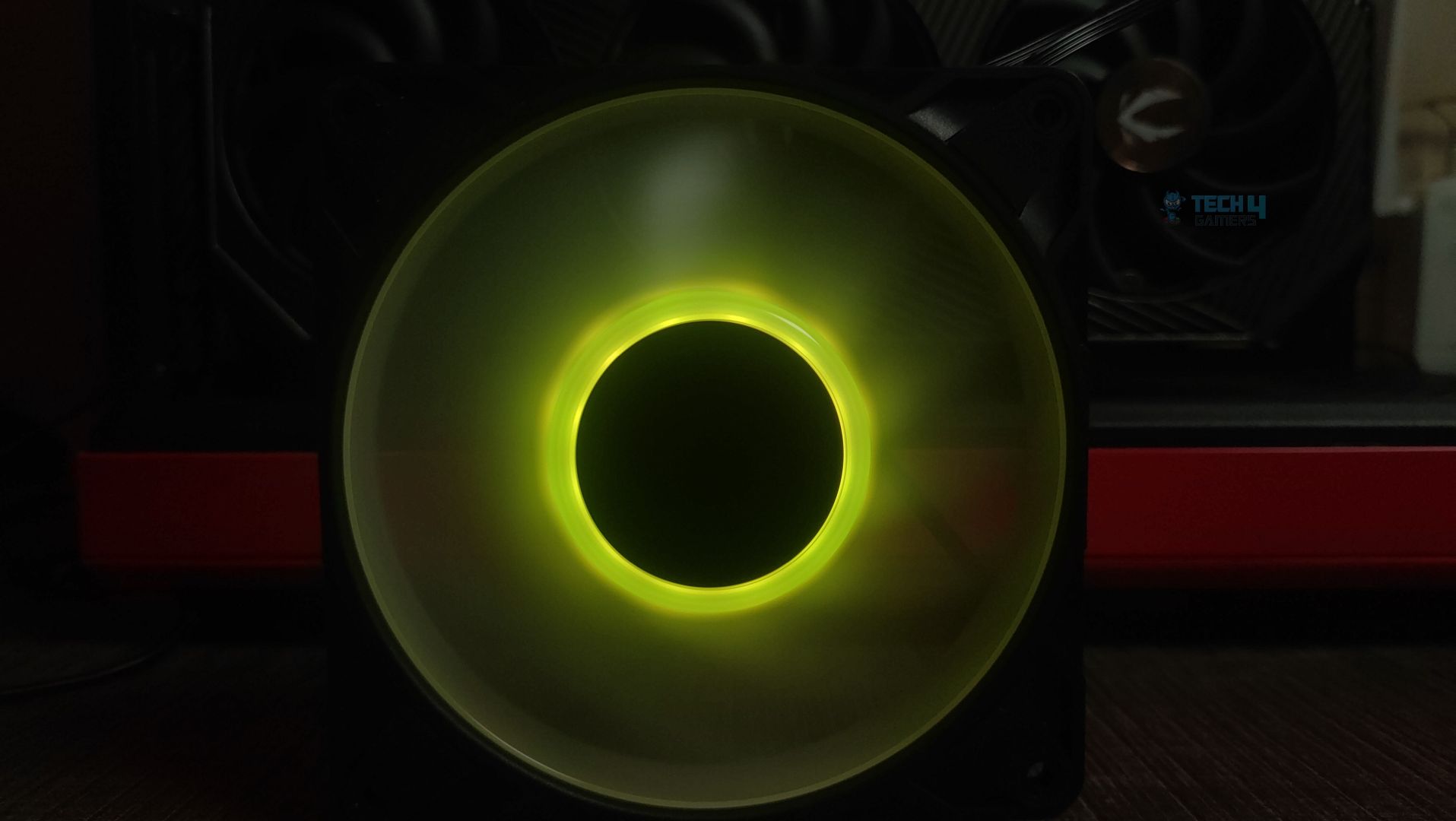
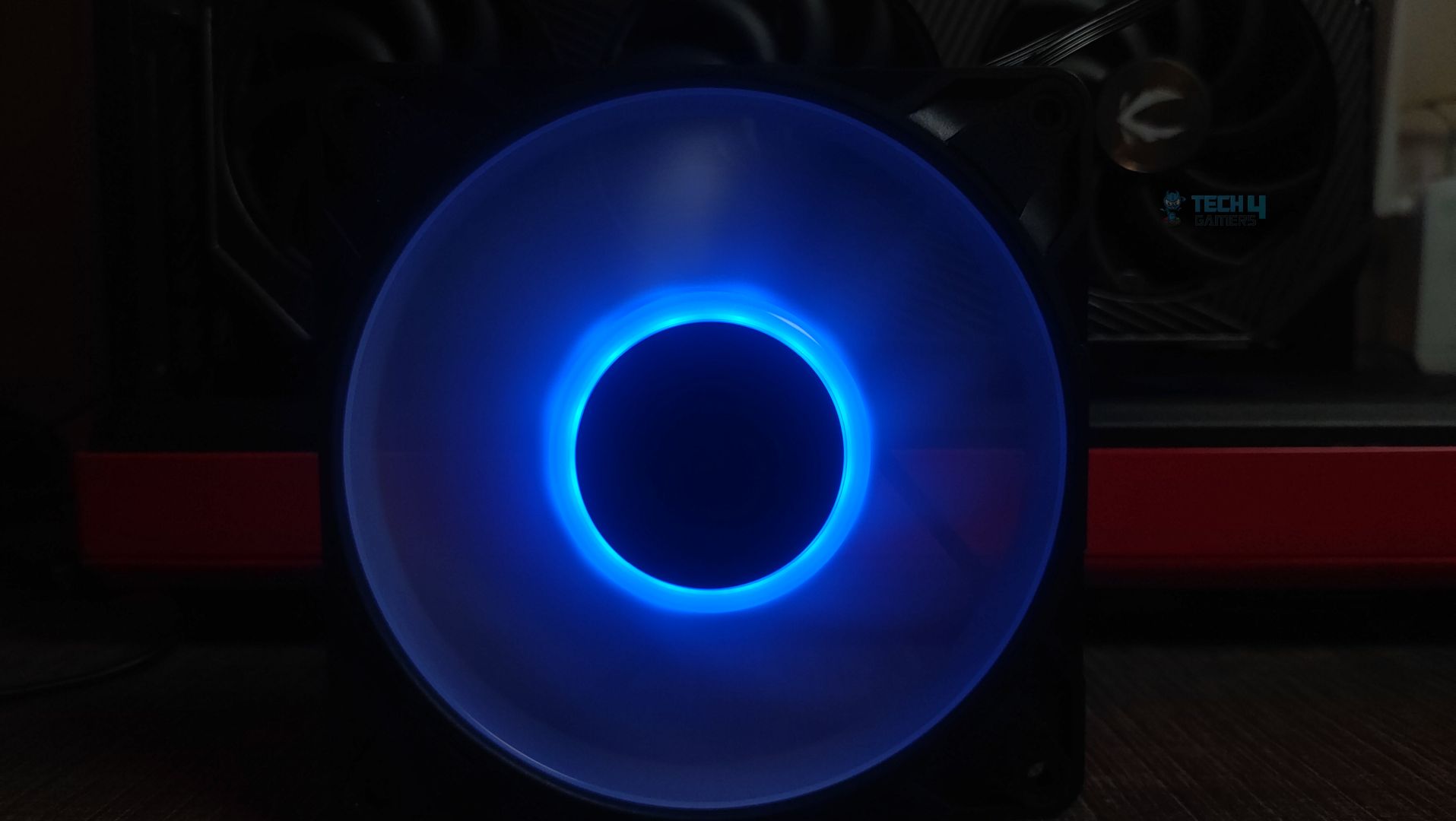
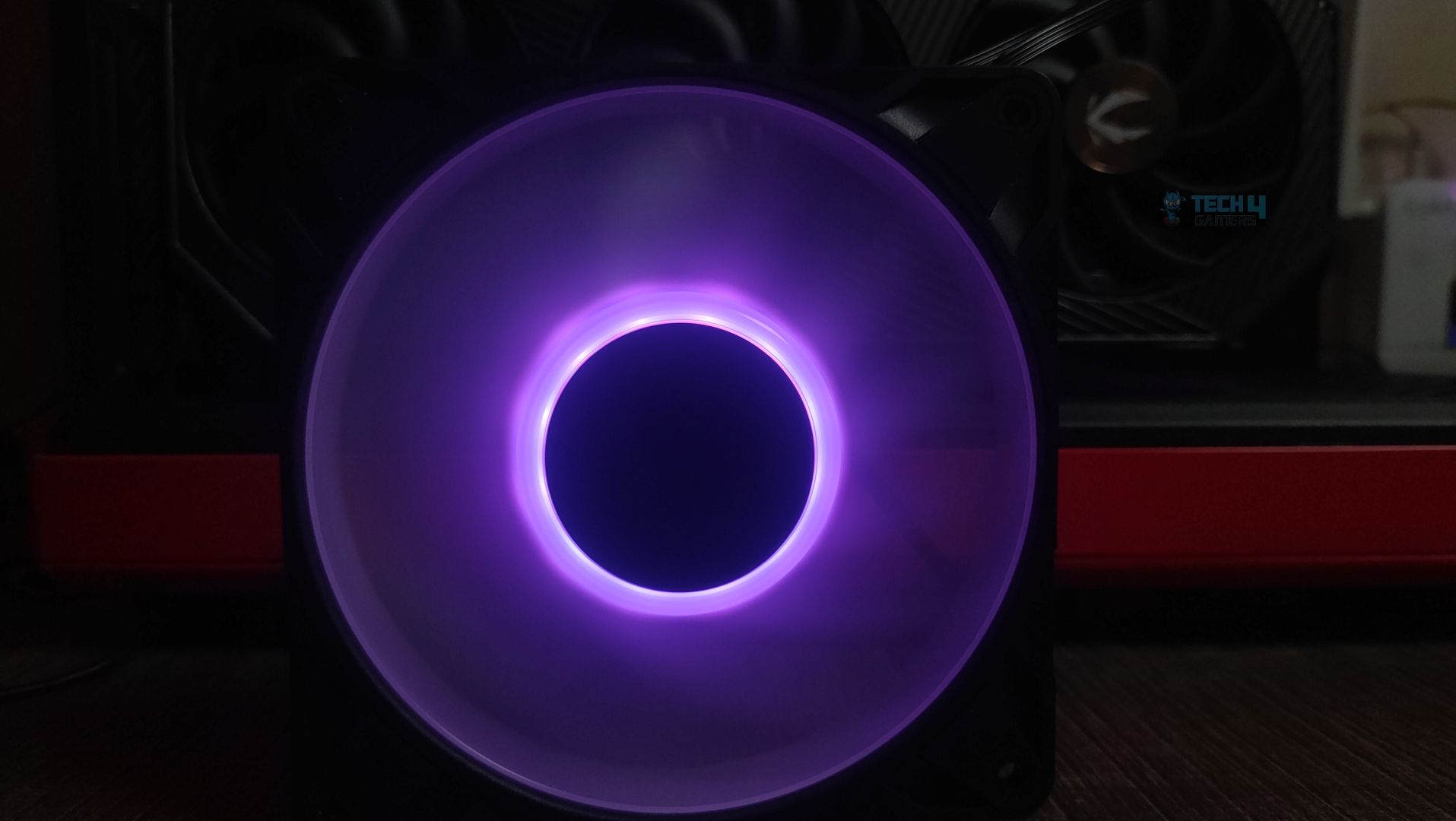
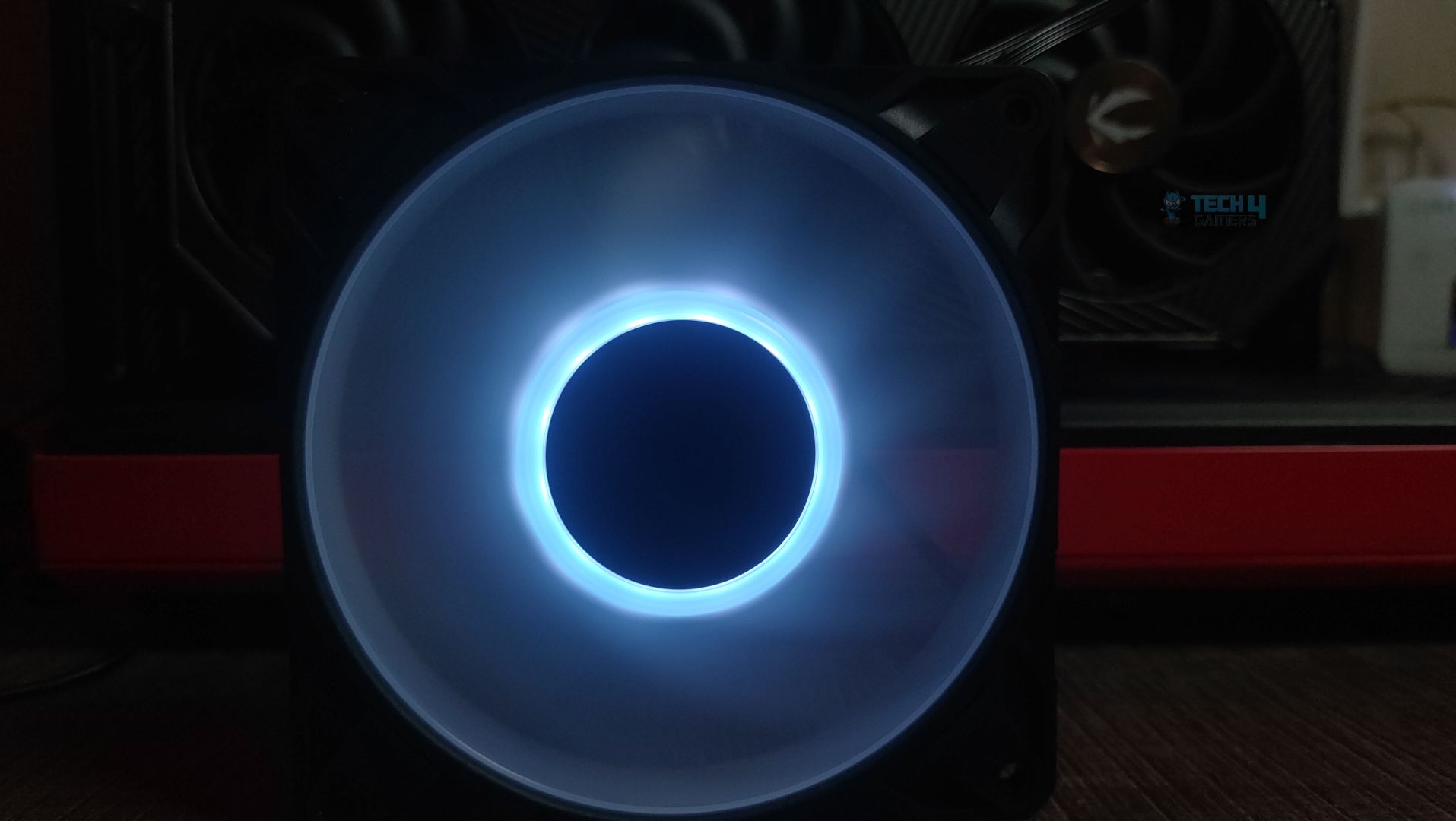
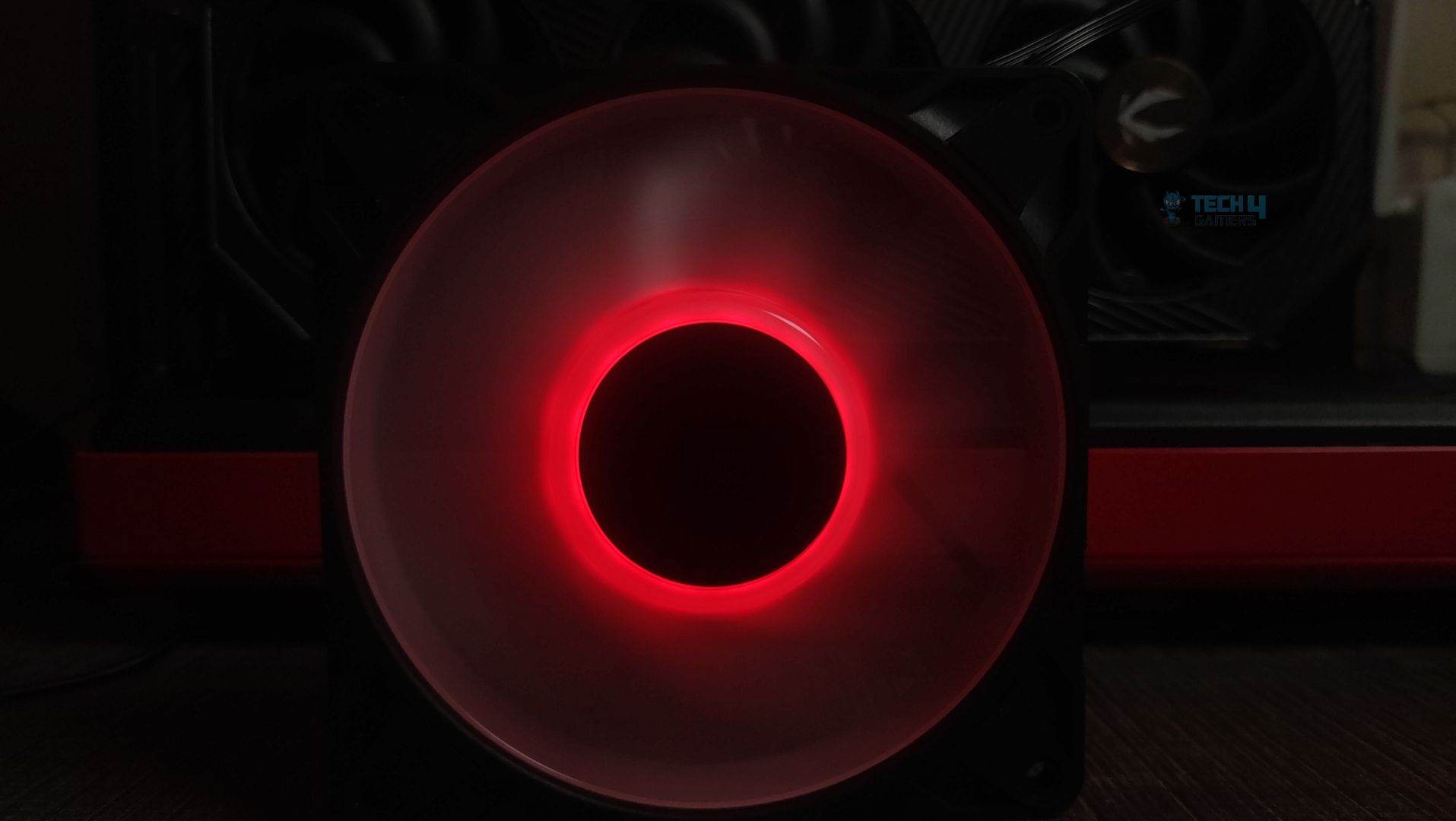
The LEDs are seated in a circular ring around the central motor housing. The illumination comes from a diffused LED ring incorporated into the internal side of the hub, forming a halo glow effect.

LEDs - Arctic P12 Pro ARGB
LEDs – Arctic P12 Pro ARGB

Here is the demonstration of the ARGB effects on the fans.

Testing Methodology

How Do We Evaluate The Fans Cooling Performance

  • We’ll test the fan’s cooling performance on the Deepcool Mystique 360 liquid cooler and stress-test the CPU at controlled PWM conditions to determine how effective the fan is in cooling. 

Noise Performance

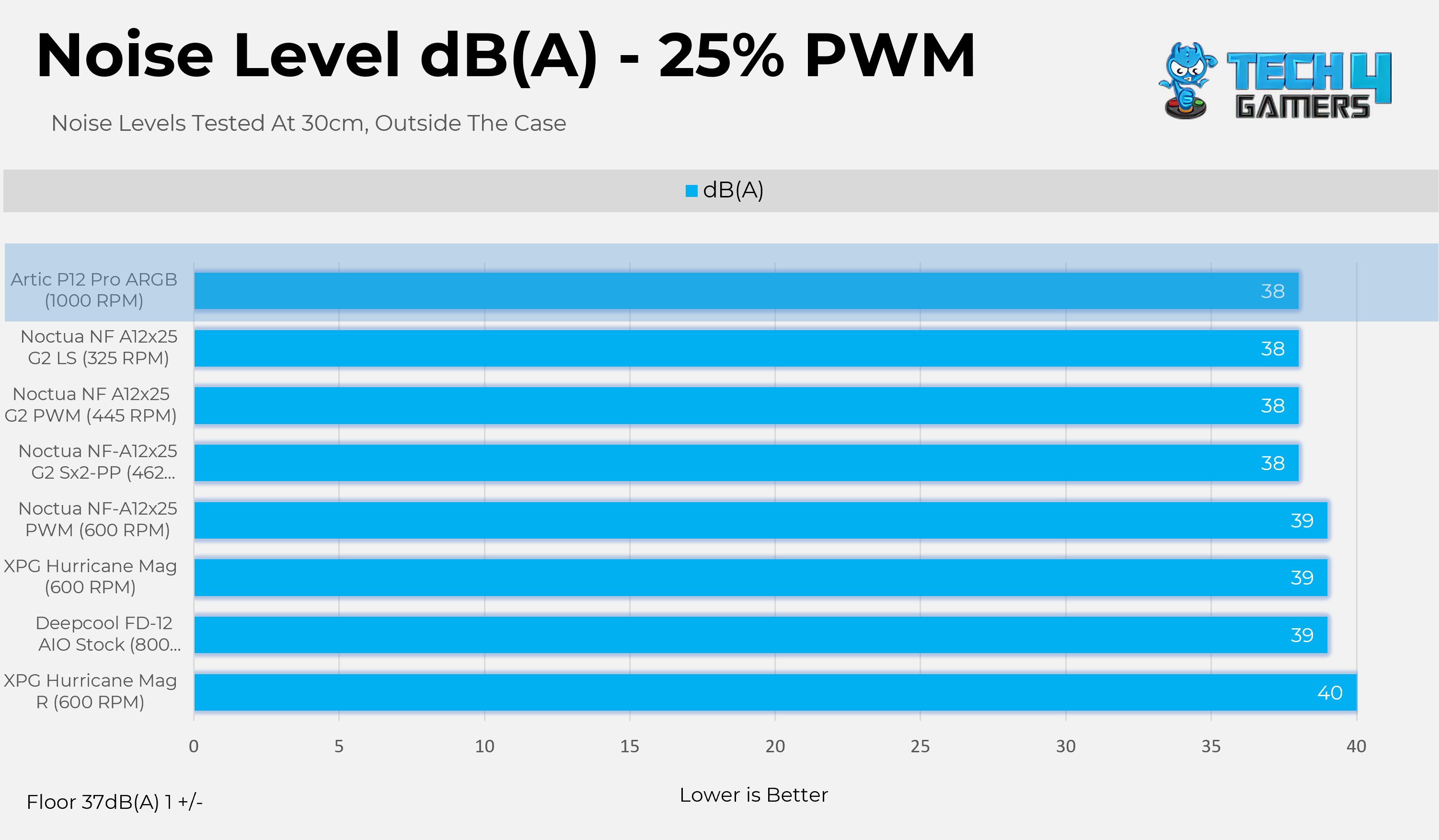
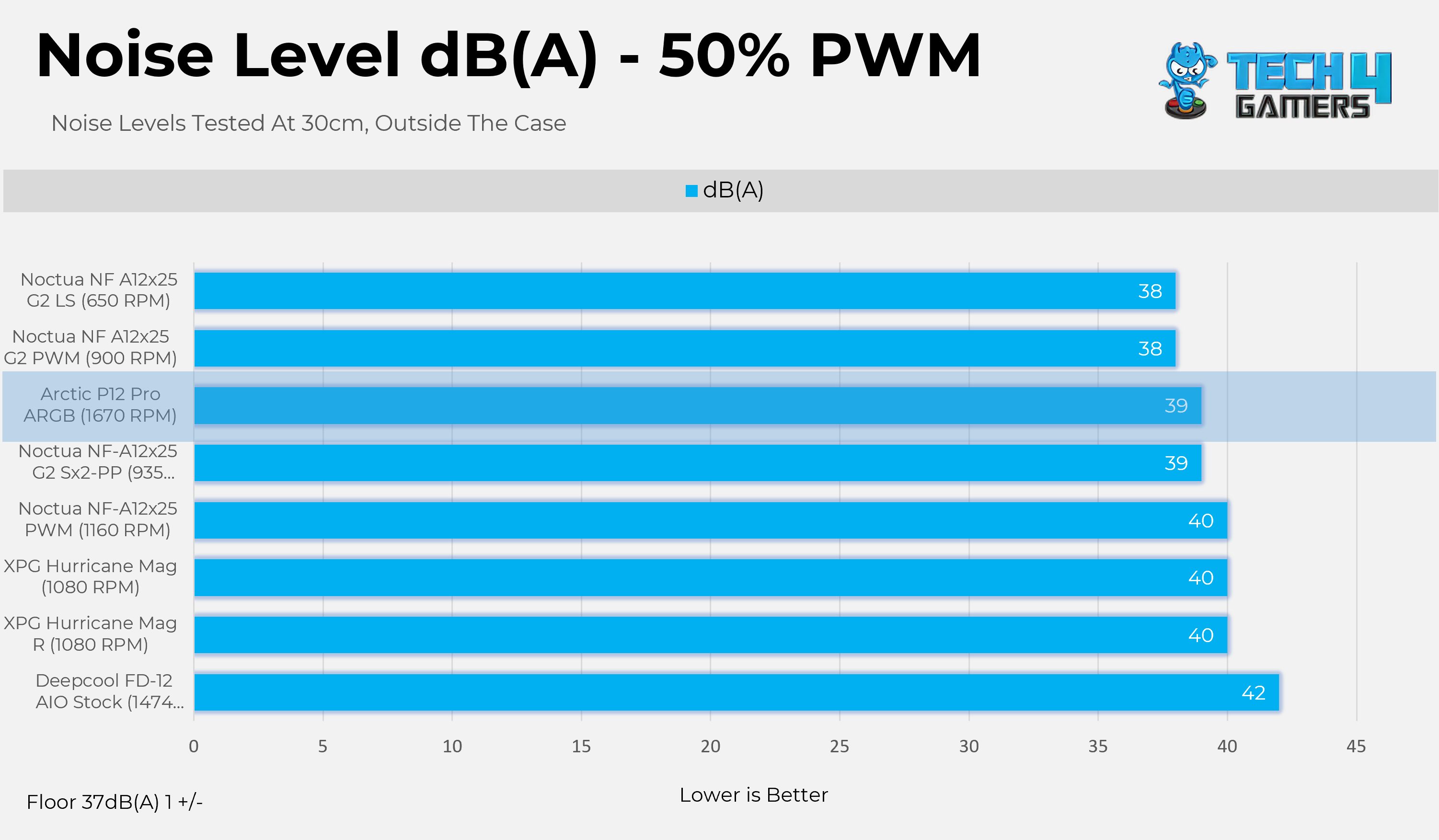
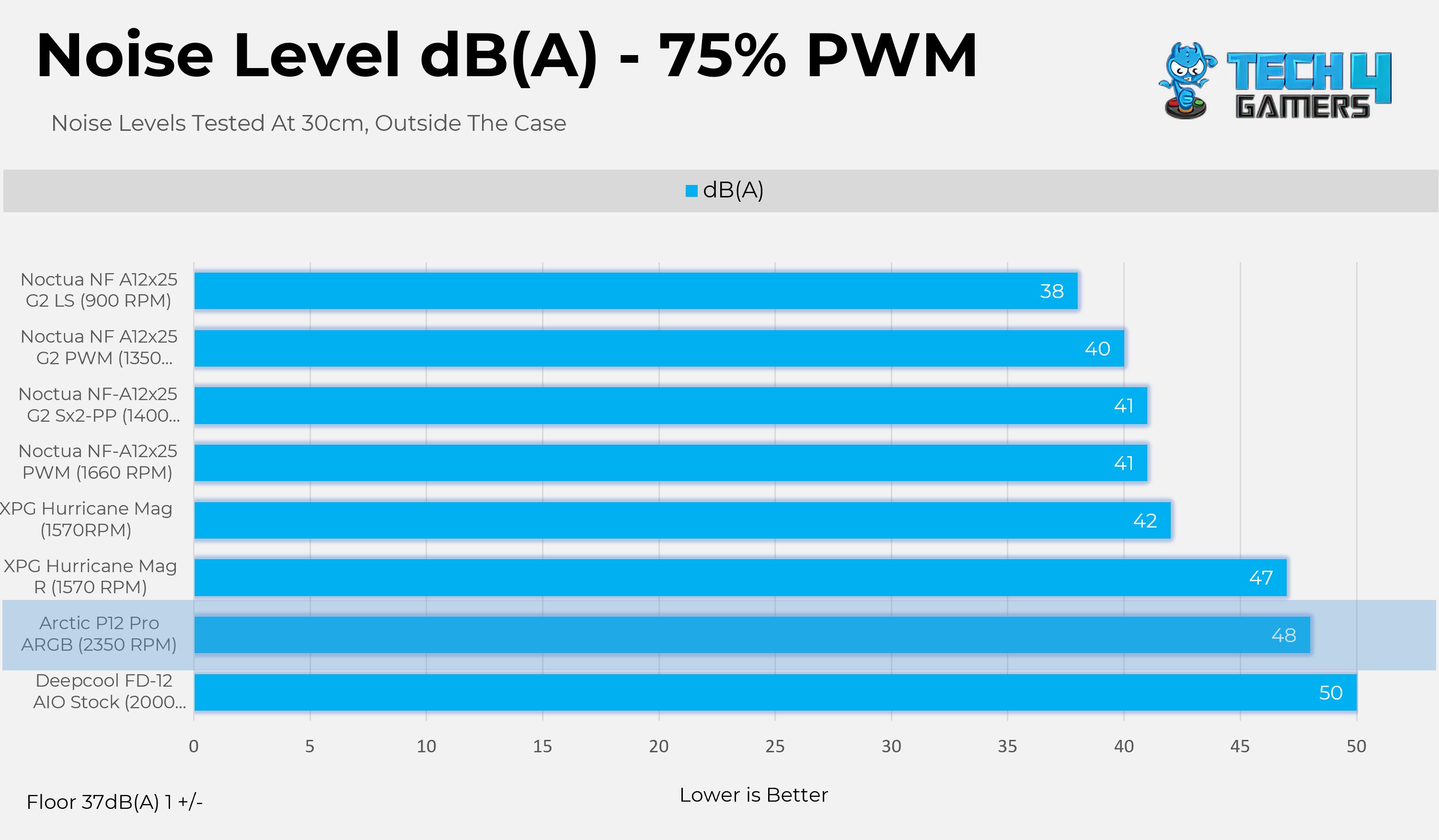
  • We’ll test the fans’ noise performance at the four sets of PWM levels 25%, 50%, 75% and 100%. The fan noise is measured outside the case at a distance of 30cm.

Controlled Environment

  • In the thermal results, we have eliminated the influence of ambient temperatures on our data, and all results are presented as deltas relative to the ambient conditions. The tests were done in a controlled environment with a room temperature of 25°C.

Preparing System:

  • Since we don’t have a separate open test bench, all the coolers are installed in our primary test case, which is the HYTE Y70, but all the panels have been removed.
  • No Changes have been made in the BIOS or the OS during the tests. 
  • For the stress test, we have picked Cinebench R23 and run it for 10 minutes

The following setup was used for testing:

Test Results

Let’s go over the results.

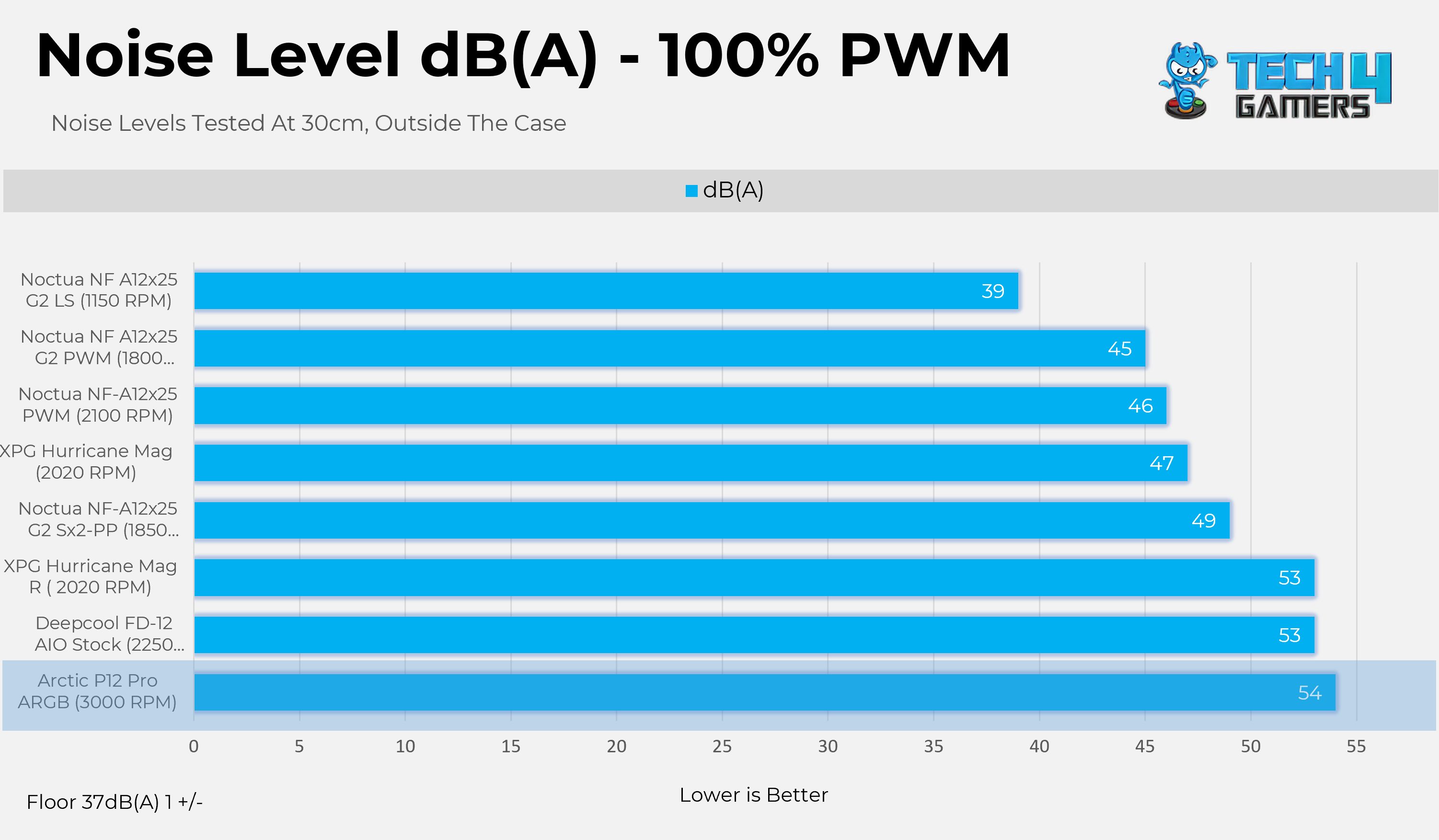
Noise Level dB(A)

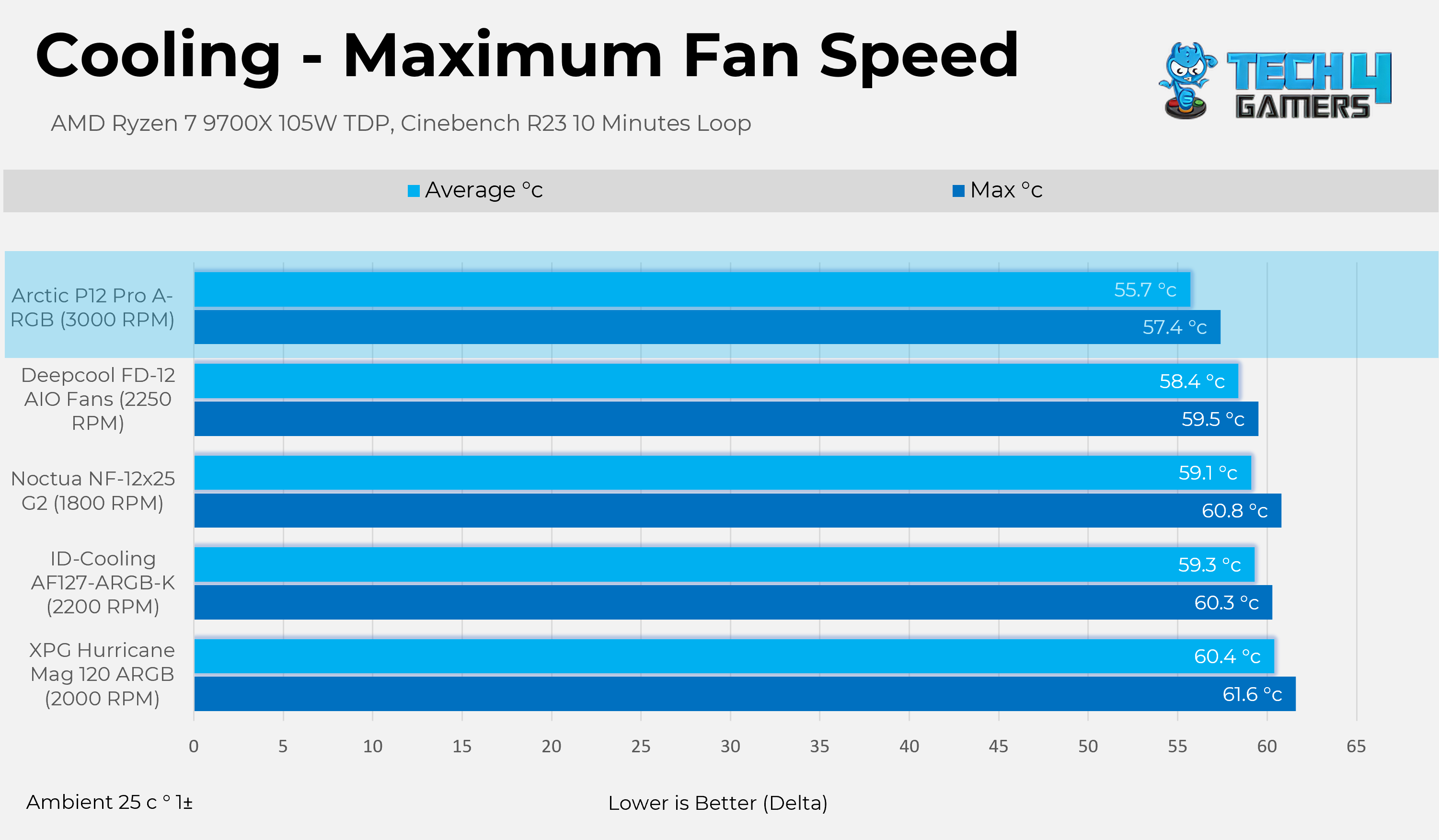
Cooling Performance

Let’s take a look at it’s cooling performance.

Max PWM Performace
Max PWM Performace

Should You Buy It?

Buy It If

You Want No Compromise in Cooling: The Arctic P12 Pro ARGB delivers 6.9 mm H₂O of static pressure, which means it can easily push air through barriers such as radiators, mesh, or dust filters. Even if you set the RPM lower, it still delivers excellent results.

You Want The Quality & Features: The fans use the FDB Fluid Dynamic Bearing, which is beneficial if you want the fans to run longer. Additionally, Arctic has further improved the Blade and Motor Design to improve efficiency. Overall, the design does not feel low-grade.

✅ You Want Decent Lighting: The ARGB does not feel distracting, even in a dark room, and vice versa; the lighting is still visible during the day. The fans play nicely with the brightness controls.

You Want The Peace Of Mind: A 6-year warranty backs Arctic P12 Pro ARGB Fans.

Don’t Buy It If

 You’re Someone Who Likes a Silent Operation, Many people do not adjust the fan curve; the fan could blast to 100% at full load, which can create very noticeable noise.

Final Thoughts

The Arctic Pro P12 Pro is undoubtedly the best cooling fan we have tested, beating other market players by a decent margin, including Noctua’s recently launched NF-12×25 G2, albeit at the cost of noise. Arctic has made some significant changes. The first thing you would notice is that they have increased the blade count to 7, as compared to the non-pro version, and made a few other mechanical changes to the bearing design.

The blade-to-frame clearance is shockingly 0.8mm, which plays a crucial role in the static pressure of the fans. We haven’t had any issues with build quality whatsoever; the fans accommodate a thick, rigid plastic frame. If you want to replace your radiator fans and your goal is performance, this fan is an excellent option for you.

I have some mixed thoughts about the Noise performance. These fans are roaring at high RPM, but they’re extremely silent at certain PWM levels, such as 50%, where they spin at 1670 RPM. If we compare it to the Noctua NF-A12x25 G2 PWM, it’s around 78% ahead at almost identical noise levels in terms of rotation per minute (RPM). It seems Arctic has done some black magic here, where no other fan comes close to them, especially at this price.

Apart from the performance numbers, there is a whole cable nest at the back of my case, which is where Arctic needs to improve in terms of connections. Each fan comes with four connectors that allow it to be daisy-chained with other fans, which could be an issue for users who prefer fewer cables. If you prefer to avoid cable mess and keep your PC streamlined with as few cables as possible, these fans may not be the best option for you. Not providing reversed-blade fans is another missed opportunity, considering these fans look great aesthetically.

The Arctic Pro P12 Pro Black version has a retail price of $16.99. The white version is $15.99. However, purchasing the three-pack would cost around $49.99.


AMD Patents Hybrid Software And Hardware Scheduling System To Improve Processor Performance

Story Highlight
  • A new AMD patent proposes a hybrid scheduler system to make future processors more efficient in handling tasks. 
  • It describes a smarter way to assign tasks to different core types by switching between two schedulers dynamically.
  • This approach reduces power consumption and increases responsiveness by using the right cores at the right time.

PC processors have come a long way, with modern ones featuring multiple cores designed to handle different tasks. However, effective communication and efficient usage of these cores is tough, but AMD has proposed a new system to greatly improve performance.

We have found a new AMD patent that describes using a hybrid software and hardware scheduling system to make processors more effective in task handling. Tasks are smartly assigned to different core types by using both scheduling policies dynamically instead of one.

A system contains energy-efficient and high-performance cores, including accelerators like GPUs and NPUs. Normally, the OS uses quality of service (QoS) tags to assign demanding tasks to fast cores and low-priority ones to energy-efficient cores.

However, when accelerators are being used, this tagging can mislead the scheduler and waste power. AMD suggests a system management unit (SMU) that monitors hardware in real time and dynamically overrides the software scheduler.

 Unlike conventional techniques, the described techniques of hybrid scheduling for heterogeneous processor systems enable a hybrid approach for thread scheduling that dynamically switches between the first scheduling policy and the second scheduling policy.

Why it matters: The new hybrid scheduler might boost the performance of future AMD Ryzen processors, making them more efficient in CPU-bound tasks.

The block diagram shows a process of implementing techniques of hybrid scheduling for heterogeneous processor systems.

The patent “Hybrid Scheduling for Heterogeneous Processor Systems” ranks cores by efficiency and guides thread assignments when the hardware scheduler overrides the software ones.

This hybrid method adapts the best scheduling policy depending on the workload, cutting power use, boosting responsiveness, and preventing thread misclassification with accelerators.

AMD argues that the current scheduling only relies on a single policy when managing tasks, which can be resource and power-intensive. 

the described techniques reduce power consumption for the system while improving or maintaining system responsiveness in executing higher priority threads, as compared to conventional techniques that implement just one scheduling policy.

The image shows an example process of hybrid scheduling as implemented by an operating system running on a CPU.

If realized, we may see this patent improve AMD’s future Ryzen processors with the dynamic scheduling strategy. This would result in better performance across gaming and other industries.

AMD has published many patents in the past, like one about smarter chip design to stop thermal paste and liquid metal from leaking out, and another one about a new RAM architecture as DDR5 approaches its bandwidth limit.

Do you think using a dynamic scheduler will give future AMD processors a noticeable performance boost? Let us know your thoughts in the comments below, or join the discussion on the Tech4Gamers forum.

Just Cause Dev Shutters UK Studio In Aftermath of Xbox’s Contraband Cancellation

Story Highlight
  • Avalanche Studios, the team behind Just Cause, recently faced a major cancellation with Contraband.
  • The studio’s Liverpool office has been closed following the end of Xbox and Avalanche Studios’ partnership.
  • The team also confirms that offices in Malmo and Stockholm will face layoffs in the wake of recent events.

Avalanche Studios was working on a major Xbox project over the last few years. Unfortunately, Contraband, alongside the likes of Perfect Dark, was recently cancelled by Xbox.

Avalanche Studios faces a difficult situation following this cancellation. Today, the team has confirmed the closure of one major office and various layoffs.

Why it matters: Big studios continue to battle layoffs one after another. Avalanche Studios’ case once again highlights the dire state of the AAA gaming industry at the moment.


According to Avalanche Studios, Contraband’s cancellation has forced the team to completely close down its office in Liverpool.

Moreover, studios in Malmo and Stockholm will suffer from layoffs due to this cancellation. Although the exact number of employees impacted remains a mystery, Avalance Studios is set to go through a major restructuring soon.

The team has still promised to support all those impacted by this decision. Moreover, it remains committed to providing excellent games in the future as it continues to navigate this challenging time.

We are proposing to close our Liverpool studio. This will impact all Avalanchers in Liverpool. The changes will also impact other studios.

Just Cause 3
A New Just Cause Game Might Not Be Coming Anytime Soon

The team is best known for its work on games like Just Cause, Rage 2, and theHunter: Call of the Wild. Recent reports already suggested that Just Cause 5 had been scrapped, so the latest news continues this trend for Avalanche Studios.

As unfortunate as this news is, it’s hard to blame Xbox for this particular cancellation. Unlike Perfect Dark, Contraband had next to no substantial showings since its initial reveal. The game was likely going nowhere, resulting in Xbox’s decision to abandon development altogether.

What do you think about the current state of Avalanche Studios? Let’s discuss in the comments and on the Tech4Gamers Forums.

CORSAIR Launches VOID v2 MAX Wireless Gaming Headset For Consoles and PC

[Press Release] CORSAIR has introduced the VOID v2 MAX WIRELESS Gaming Headset, available for Xbox and PC. Building on the VOID family’s reputation for audio quality and comfort, this new model adds customer-requested features to elevate the gaming experience.

The Xbox version delivers immersive sound through custom 50mm drivers and Dolby Atmos, with dual 2.4GHz wireless and Bluetooth connectivity that lets players take calls or stream music while gaming.

Quick chat and game audio balance controls on the earcup and an AI-powered NVIDIA Broadcast microphone ensure clear communication.

Corsair Void Max v2
Corsair Void Max v2

PC gamers get the same features with the added benefit of Sonarworks SoundID, which allows for personalized audio calibration. Both versions are designed with lightweight construction, memory foam cushions, and breathable fabric for extended comfort. A 70-hour battery life with fast-charge support keeps players in the game longer.

Compatible with PlayStation 5, Nintendo Switch, Mac, and mobile devices, the VOID v2 MAX WIRELESS offers versatility across platforms. It is available now through the CORSAIR Webstore, Best Buy, Amazon, and other retailers, backed by a two-year warranty and global support.

Sony Eyes More IP Acquisitions to Evolve Into an “Entertainment Trading House”

Story Highlight
  • Sony is now planning on acquiring more IPs in the future as a means to become an ‘entertainment trading house.’
  • They already have a major stake in companies like Bandai Namco and FromSoftware.
  • Expect the first-party PlayStation catalog to expand more in the near future.

Sony is making rapid advancements in the entertainment business to further expand, with rivals like Microsoft already surpassing Team Blue in terms of scale.

As an effort to grow, Sony is now set to acquire more IPs in the entertainment sector rather than creating their own. One company veteran has described this step as evolving into becoming an ‘entertainment trading house‘.

Why it matters: While Microsoft has been making big moves in the industry recently, Sony has been left behind and has fewer IP assets than its competitors. This decision will ensure that they remain competitive.

Sony playstation games
Sony Is Leveraging AI To Support Creators Rather Than Replacing Them

Nikkei Asia reports that Sony will acquire more IPs in the gaming, movies, anime, and other sectors beyond. Specifically for gaming, Sony already has a major stake in FromSoftware and Bandai Namco.

Now, they are eyeing the acquisition of IPs rather than shares to expand as a company. For starters, EA is now going private following a $55 billion buyout, which will leave the company with $20 billion in debt.

As such, EA could sell a few of its IPs to reimburse the debt. Several IPs could thrive in Sony’s leadership, starting from Dragon Age, Mass Effect, and more.

sony single player games upcoming
Sony Wants To Become A Creative Leader In The Single-Player Experience

Other than that, WB Games is also another viable option following the discussion for its parent company’s merger with Paramount. Anyhow, it remains to be seen where Sony heads from here in the future.

Still, some of their own dormant IPs remain in deep slumber while Sony moves towards live-action adaptations of its gaming franchises.

Sony has decided to spin off its subsidiary, Sony Financial Group, with the existing shares now valued at approximately $9.5 billion and listed on the market. For years, the company has suffered from a ‘conglomerate discount,’ resulting in an overall share price that is less than that of its competitors.

What are your thoughts on this story? What IPs do you want to see Sony acquire in the future? Let us know in the comments below, or at the official Tech4Gamers Forums.

Former BioWare Dev Says Studio Is Now In Danger of Being Shut Down Amid EA Takeover

Story Highlight
  • EA has been sold to a Saudi Arabian company, and fans aren’t too happy about it.
  • A former employee says this could even lead to BioWare being shut down by EA.
  • The studio hasn’t seen its best days, considering the recent Dragon Age failed.

Electronic Arts (EA) announced last night that it is being taken over by Saudi Arabia in a shock deal of $50 billion. Fans voiced their frustration at this deal, and even former BioWare employees aren’t happy with the company’s decision. 

BioWare is behind hit EA franchises like Dragon Age and Mass Effect. However, representation and politics have always been a core part of the studio, and former developers fear that could lead to BioWare being shut down

Why it matters: Saudi Arabia isn’t considered very supportive in terms of inclusivity and other stuff, so developers fear that this could lead to the end of BioWare, as they are their core values. 

BioWare could be facing the fear of being shut down after the EA takeover by Saudi Arabia.

Patrick Weekes, who worked as a Lead Writer at BioWare for 20 years before leaving the company, posted to Bluesky on how the conversation between EA and the buyers would go down. And, he fears that BioWare will be shut down. 

Many fans also seem to share the sentiment; however, they aren’t too big on it, considering BioWare has been a lost cause for many years now. Their last decent title was Mass Effect 3, and the recent Dragon Age was a huge failure. 

Dragon Age: The Veilguard
The recent failure of Dragon Age: The Veilguard doesn’t help their cause

If the new owners aren’t interested in keeping BioWare a part of them, they could theoretically sell the once-legendary studio, but then there is also the question of who would be willing to buy them. 

Nonetheless, the situation doesn’t seem too good for the studio. With the takeover, EA is already in $20 billion in debt, and they would be looking to get increased profits, and getting rid of BioWare seems like an easy choice. 

What are your thoughts on BioWare being shut down by the new EA owners? Let us know your opinions in the comments or join the discussion at the Tech4Gamers forums.

New Halo Games To Be Announced on October 24th, 2025

Story Highlight
  • Halo Studios will reveal its new projects on Friday, October 24th, 2025.
  • A panel will be conducted at the Halo World Championship that will detail these new games.
  • The developer has been hinting at a new dawn of Halo since last year.

Despite being one of the most iconic FPS titles of all time, Halo has fallen into anonymity due to a lack of content from Halo Studios. Despite being profitable, Halo Infinite failed to be the long-term title that Xbox wanted it to be.

And, the Paramount show flopping critically also didn’t earn the two-decade-old franchise any grace with fans. Gamers have been longing for a massive Halo comeback, and as it turns out, we won’t have to wait a long time to see what Xbox is cooking.

Why it matters: Halo has been dormant for too long for a franchise of its size, and it’s high time Xbox gives it an exciting new push.

Halo
Halo Infinite was the last game from the iconic franchise.

In the final Road to Halo World Championship blog, Halo Studios announced that there will be a deep dive into upcoming projects on October 24th. This panel will be conducted at the Halo World Championship and will involve a detailed look at what the developer has been working on.

Last year, Halo Studios announced a “new dawn” for the FPS series and promised that it was working on several new titles. And, from the looks of it, we’ll finally find out what these mystery games are on 24th October.

Credible rumors have revealed that a Halo remake meant to be a single-player experience is one of these projects. However, other reports have been critical of how Halo Studios is being run, with one insider saying no one is happy with the current titles in development, and there is disarray.

Helldivers 2 X Halo Crossover
Helldivers 2 X Halo Crossover was a massive success for both of the brands.

There is certainly an appetite for more Halo games as the franchise’s crossover with Helldivers 2 was a massive success, giving the 2024 shooting game a big boost in sales. Hence, Xbox can only hope that these new mystery titles are good enough to entice fans, as the demand is there.

Are you excited to learn about the new Halo games? Tell us in the comments below, or head to the Tech4Gamers forum for discussion