 Threads
Worth Buying?
Review Summary
The ID-Cooling FROZN A620 SLK is an outstanding choice for builders who want minimalist aesthetics while also seeking dual-tower thermal performance in a single-tower footprint, priced at a highly competitive $49.99 USD. This cooler provides 100% RAM & PCIe clearance by utilizing two fans and an asymmetrical heatpipe layout, keeping the heatsink entirely behind the first DIMM slot. It also offers a flawless matte-black finish and a counter-rotating, hidden central fan that blends into any dark system.
Hours Tested: 7
Overall
-
Cooling - 8.5/10
8.5/10
-
Noise - 8.8/10
8.8/10
-
Build Quality - 9.2/10
9.2/10
-
Aesthetics - 9.2/10
9.2/10
-
Value - 9.6/10
9.6/10
Pros
- Zero RAM Interference
- Premium Blackout Aesthetic
- Hybrid Air-Cooling Design
- Excellent Build Quality
- Excellent Value
- Strong Cooling
- Robust Mounting Hardware
Cons
- Weak Noise-Normalized Performance
- Large Visual Footprint


ID-Cooling has sent us their brand-new air cooler from the FROZN series, the A620 SLK. Over the years, ID-Cooling has built its reputation by producing top-tier cooling solutions while keeping value in mind. The A620 SLK is an upgrade in certain respects over its predecessor, the FROZN A620, released in 2023.
The original A620 is a traditional dual-tower heatsink, and it made waves primarily for disrupting the market. It launched at $35 USD, severely undercutting competitors like Deepcool, Arctic, and Noctua. So what does the A620 SLK bring?
Well, it takes a slightly different approach this time, redefining the physical architecture. This air cooler is now billed as an innovative hybrid air-cooling solution, designed to solve a very specific problem in PC building: how to achieve massive air-cooling power without the headache of RAM and VRAM clearance issues.
It features a unique fan layout and a two-stage counter-rotating fan system. A thick 120x25mm fan (AM-120-K) is embedded in the center of the heat sink, while a slim 120x15mm fan (AF-120 SLIM) sits on the front, with six 6mm copper heat pipes and a supported TDP of up to 260W.
Specifications of the ID-Cooling Frozn A620 SLK:
Cooler Specifications
| Feature | Specification |
| Intel Sockets | LGA 1954 / 1851 / 1700 / 1200 / 115x |
| AMD Sockets | AM5 / AM4 |
| TDP Capacity | 260W |
| Dimensions (L×W×H) | 133 × 122 × 160 mm |
| Total Weight | 1300g |
| Heatsink Build | 6× 6mm Heat pipes, Copper Base, Aluminum Fins |
Fan Specifications
| Metric | Front Fan | Middle Fan |
| Model | AF-120 SLIM | AM-120-K |
| Dimensions | 120 × 120 × 15 mm | 120 × 120 × 25 mm |
| Speed (RPM) | 500 – 1850 | 0 – 2500 |
| Max Air Flow | 65.2 CFM | 79.7 CFM |
| Max Static Pressure | 1.36 mmH₂O | 3.65 mmH₂O |
| Max Noise Level | 33.9 dB(A) | 31.0 dB(A) |
What Makes ID-Cooling FROZN A620 SLK Different?
The cooler distinguishes itself from other dual-tower air coolers on the market; it completely re imagines the design of a high-end air cooler to solve the bulk-over-clearance dilemma with its single-tower fit. It uses a single continuous high-density fin stack, carved out in the middle. It also uses two different fans for different purposes: a 15mm slim fan on the front for intake, and in the middle, a high-static, thick 25mm fan.
What About The Availability & Pricing?
The ID-Cooling FROZN A620 SLK is readily available globally with an MSRP of $49.99 and is available only in black, with a 3-year manufacturer’s warranty.
Packaging
Let’s take a look at the packaging!
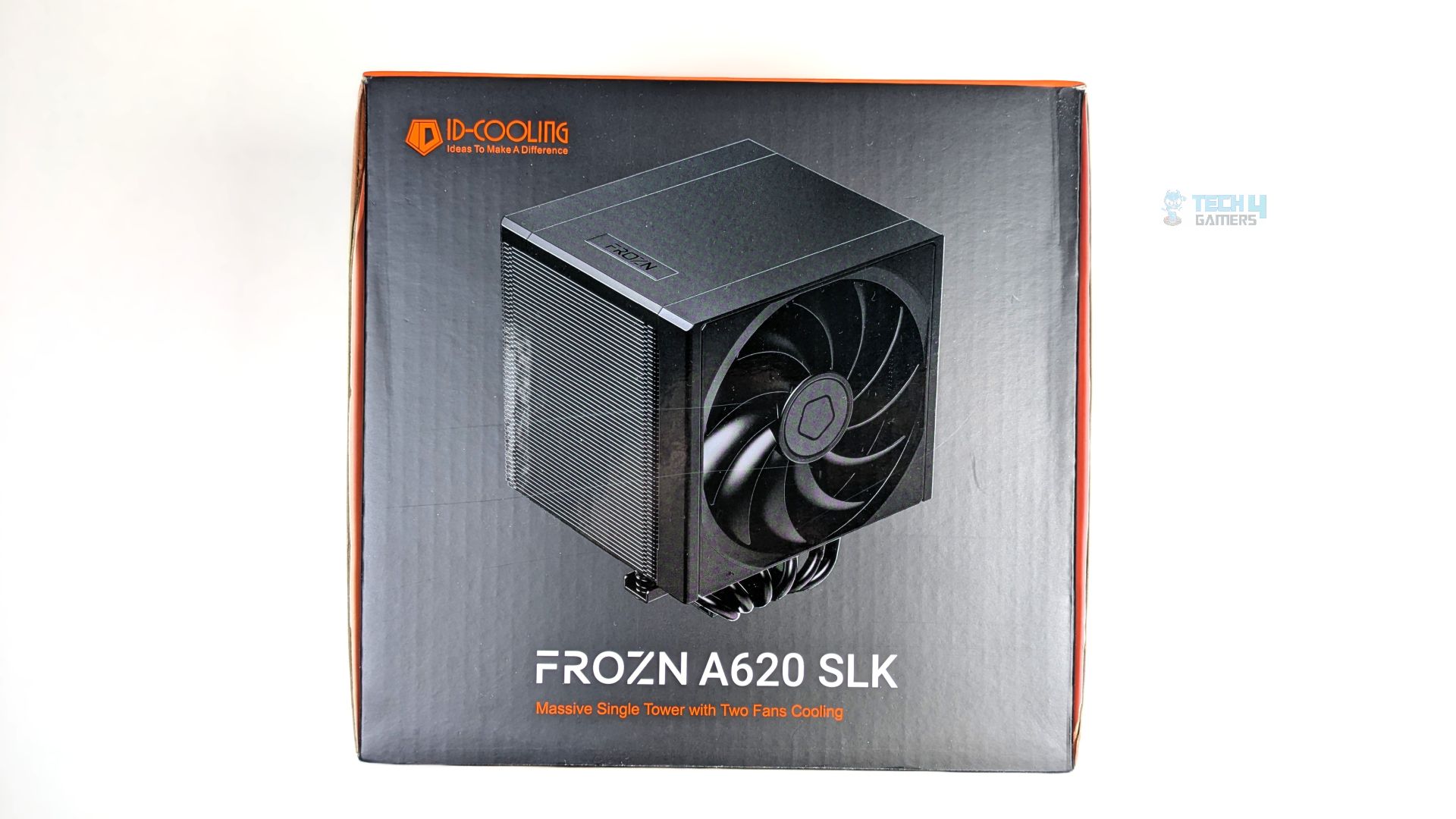
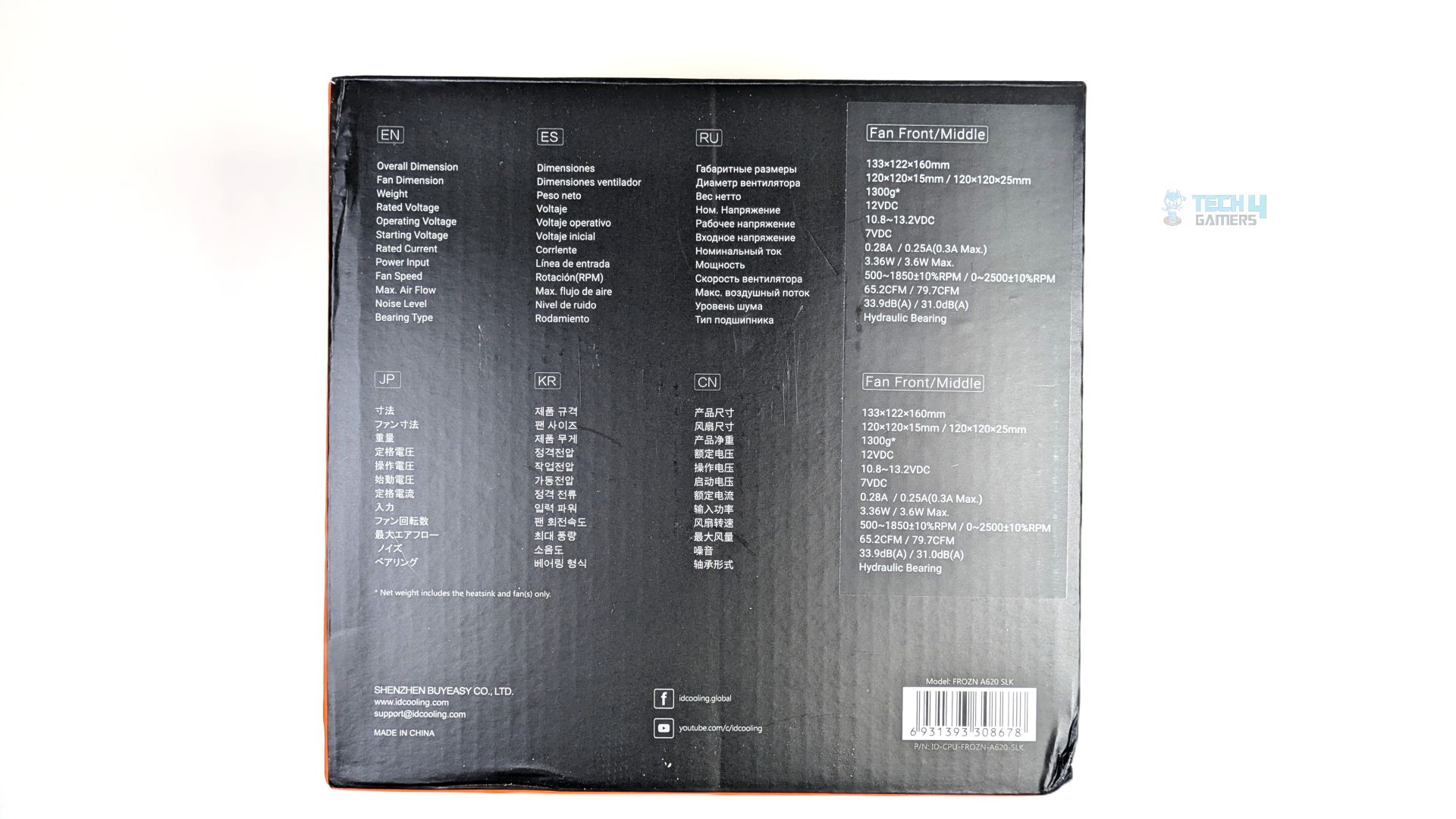
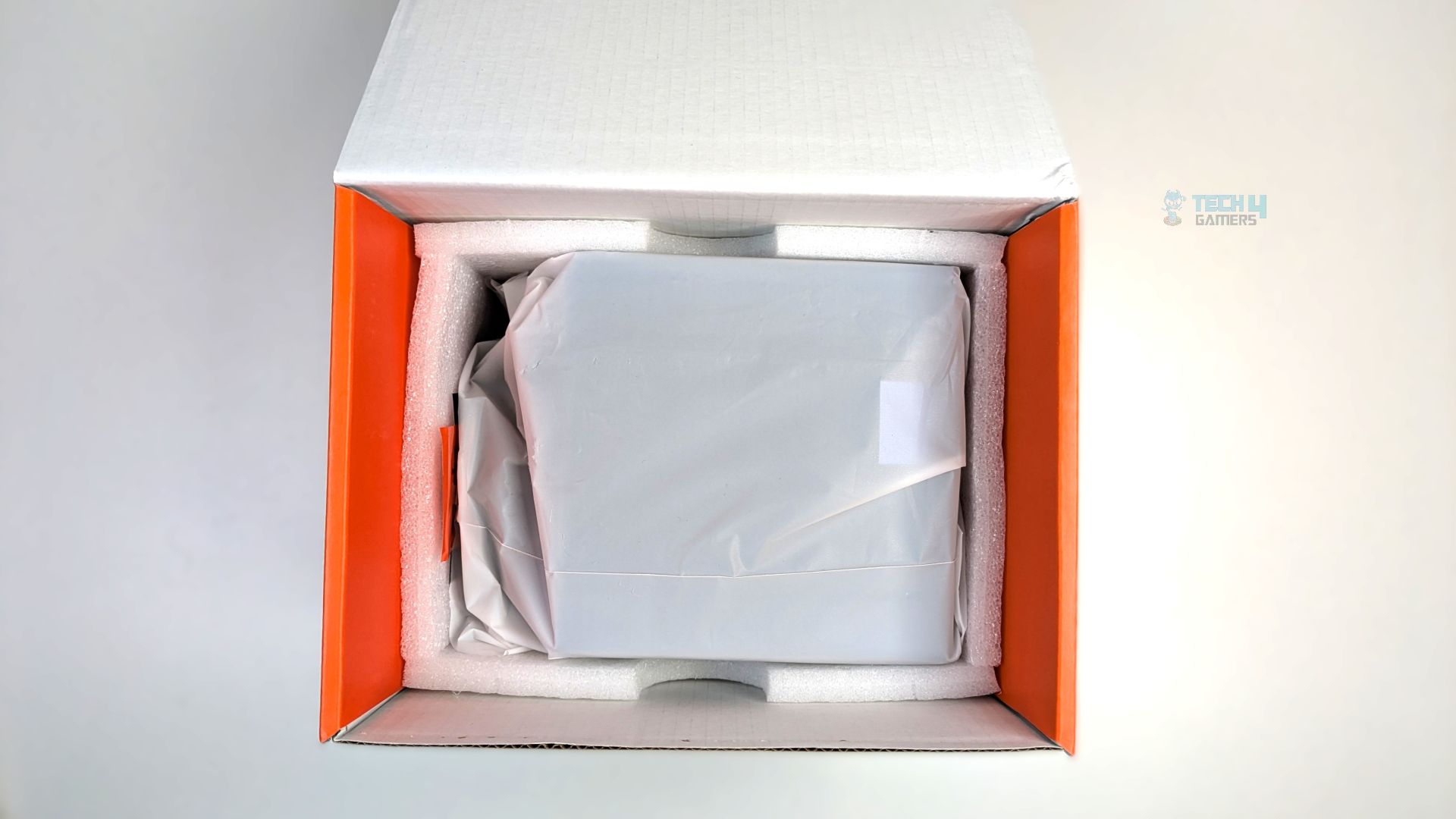
The cooler arrives in a sturdy cardboard retail box with a dark aesthetic on the front and rear, featuring ID-Cooling’s signature orange accents on the side panels. The box keeps branding minimal; the cooler render stands out clearly on the front. The rear of the packaging also shows the cooler’s technical details.
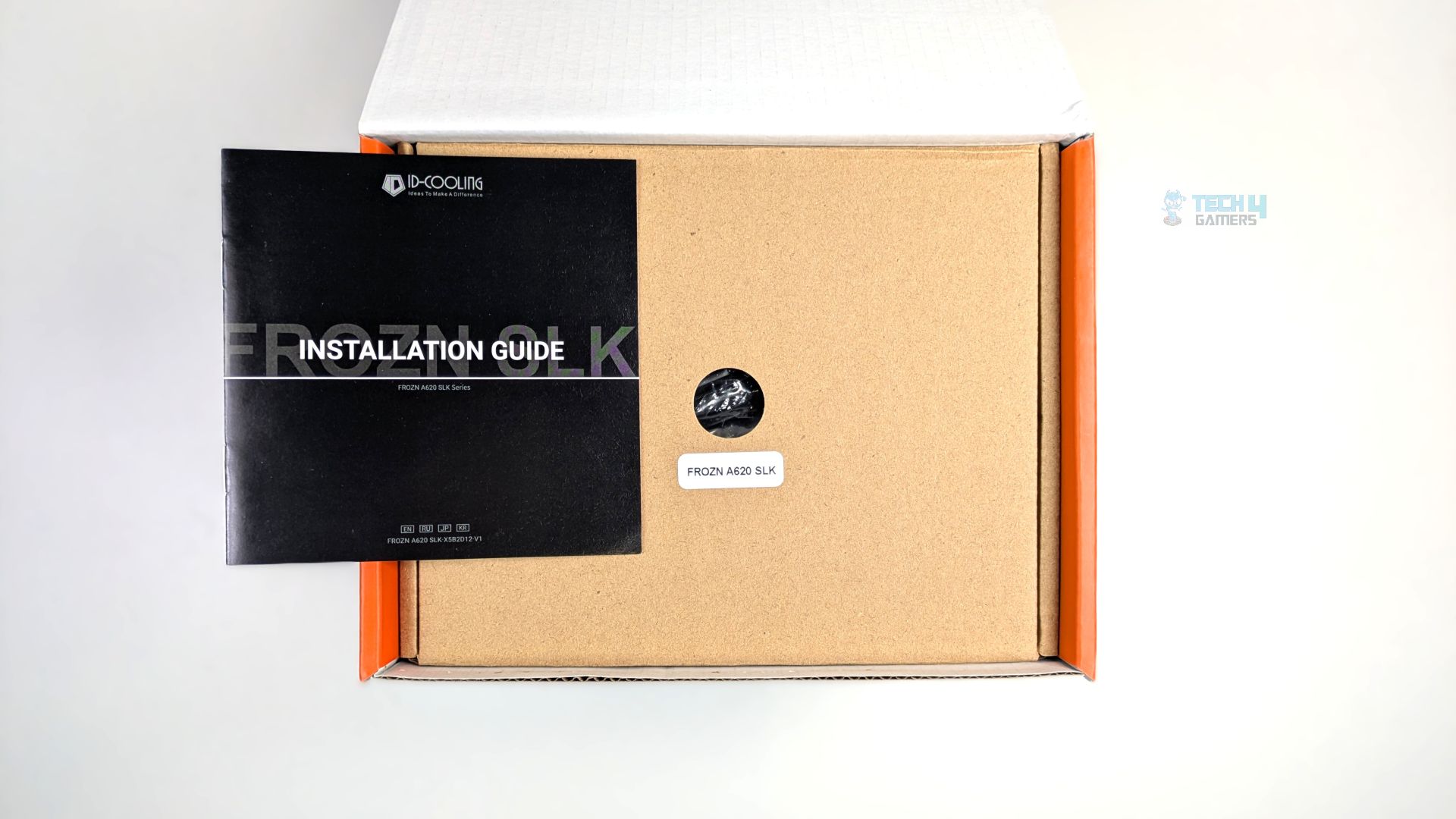
Opening the lid reveals a clean, organized interior. The installation guide sits on top, and the brown cardboard box containing the cooler’s accessories is below it. Removing the box reveals the Frozn A620 SLK cooler, wrapped in a translucent protective plastic bag and secured in custom-fitted white foam packaging.
ID-Cooling FROZN A620 SLK Contents
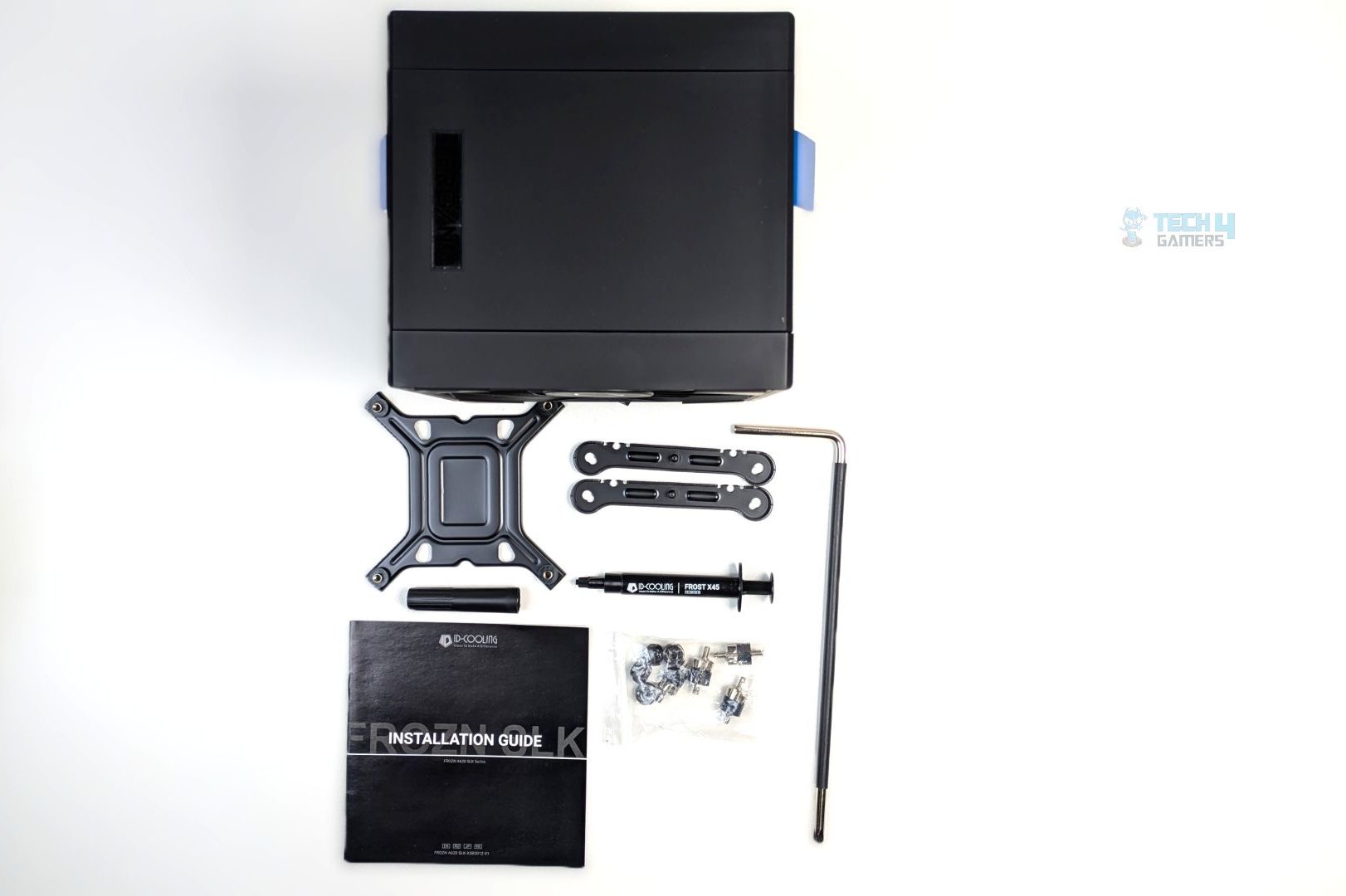
You get straightforward accessories, and the mounting accessories are streamlined, which is appreciated. ID-Cooling has put work into its mounting bracket system, and other budget brands need to catch up. It is almost robust and tool-free. The mounting bracket supports both AMD and Intel platforms, and the standoffs and thumb nuts are compatible with both. They have also included their ID-Cooling X45 thermal paste, which we have reviewed, and it is one of the good high-end pastes you can count on.
Here is the list of accessories:
| Item | Quantity |
| Cooler (Fans Pre-Installed) | 1 |
| Intel Backplate | 1 |
| Mounting Bracket (Intel/AMD) | 2 |
| Standoffs | 4 |
| Thumb nuts | 4 |
| Standoff Installation/Removal Tool | 1 |
| Thermal Paste (ID-Cooling X45 2g) | 1 |
| User Guide | 1 |
Close Look At The Heatsink and Assembly
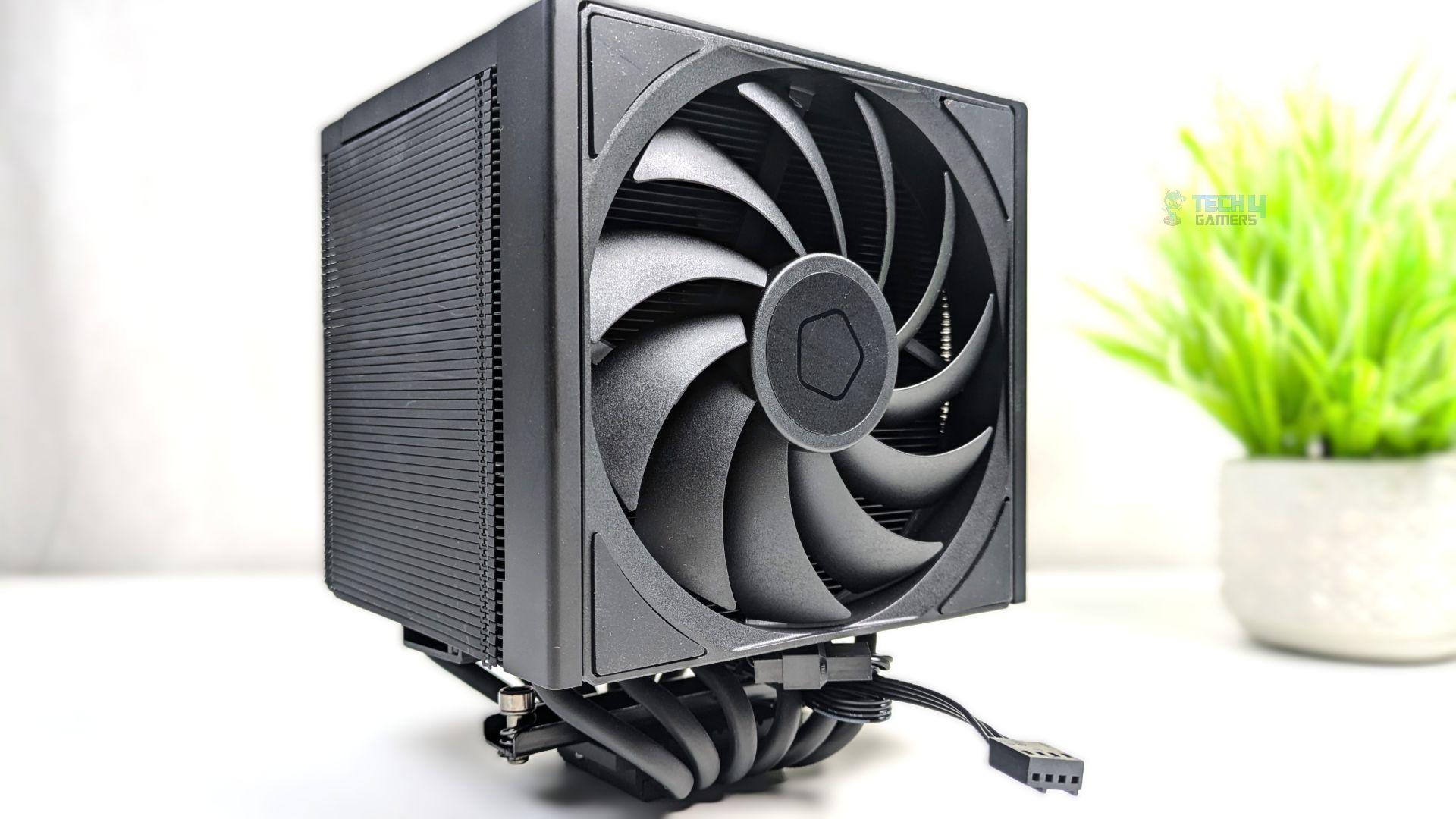
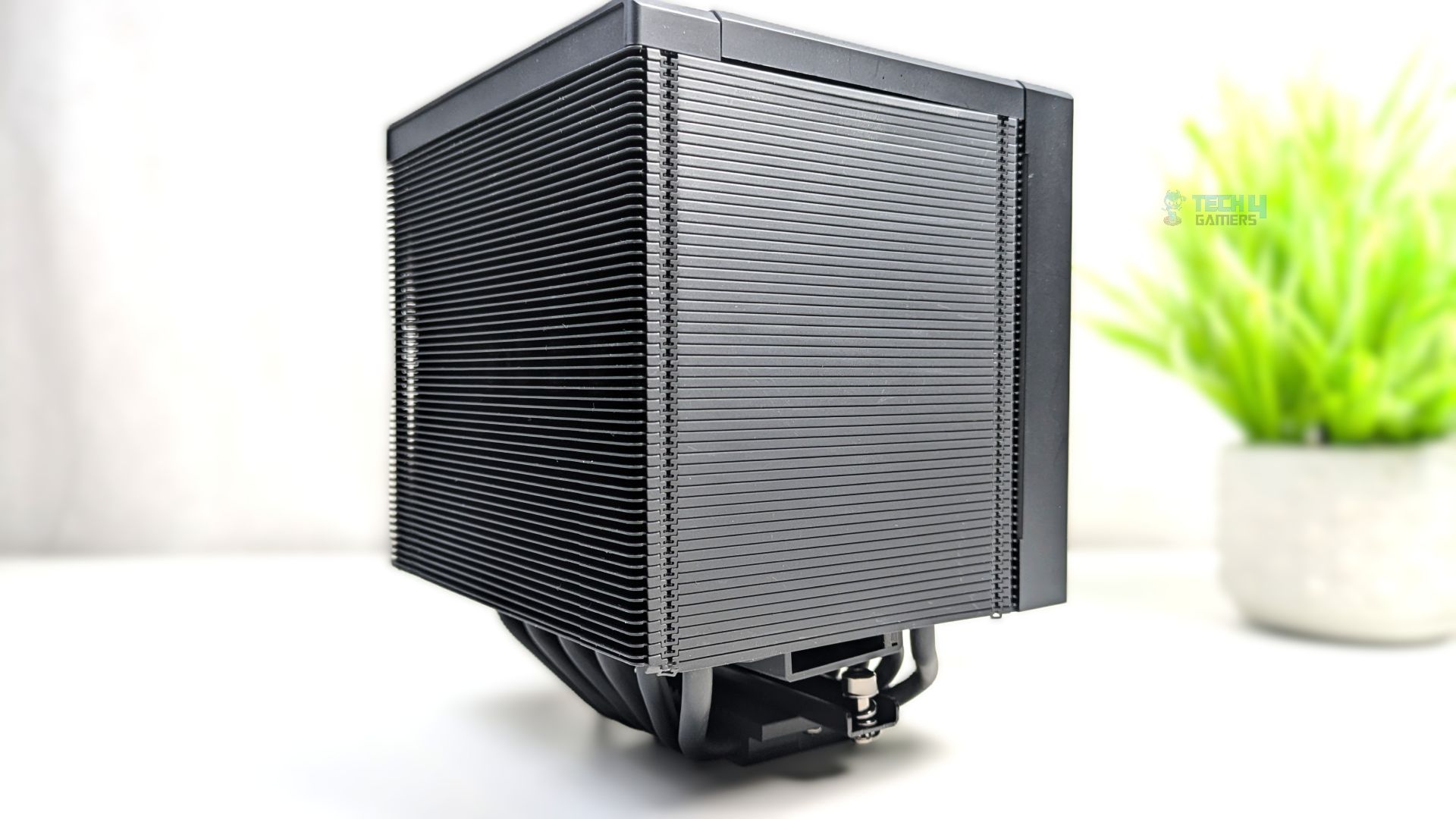
The Cooler does not come in other colors; it features a cohesive blackout aesthetic, with fin-stack, fan frames, and heat pipes all finished in matching matte black, providing a very stealthy look. The cables are hidden underneath the heat-sink. The overall dimensions of the coolers are 133×122×160mm (L×W×H), and they weigh 1300g including the fans.
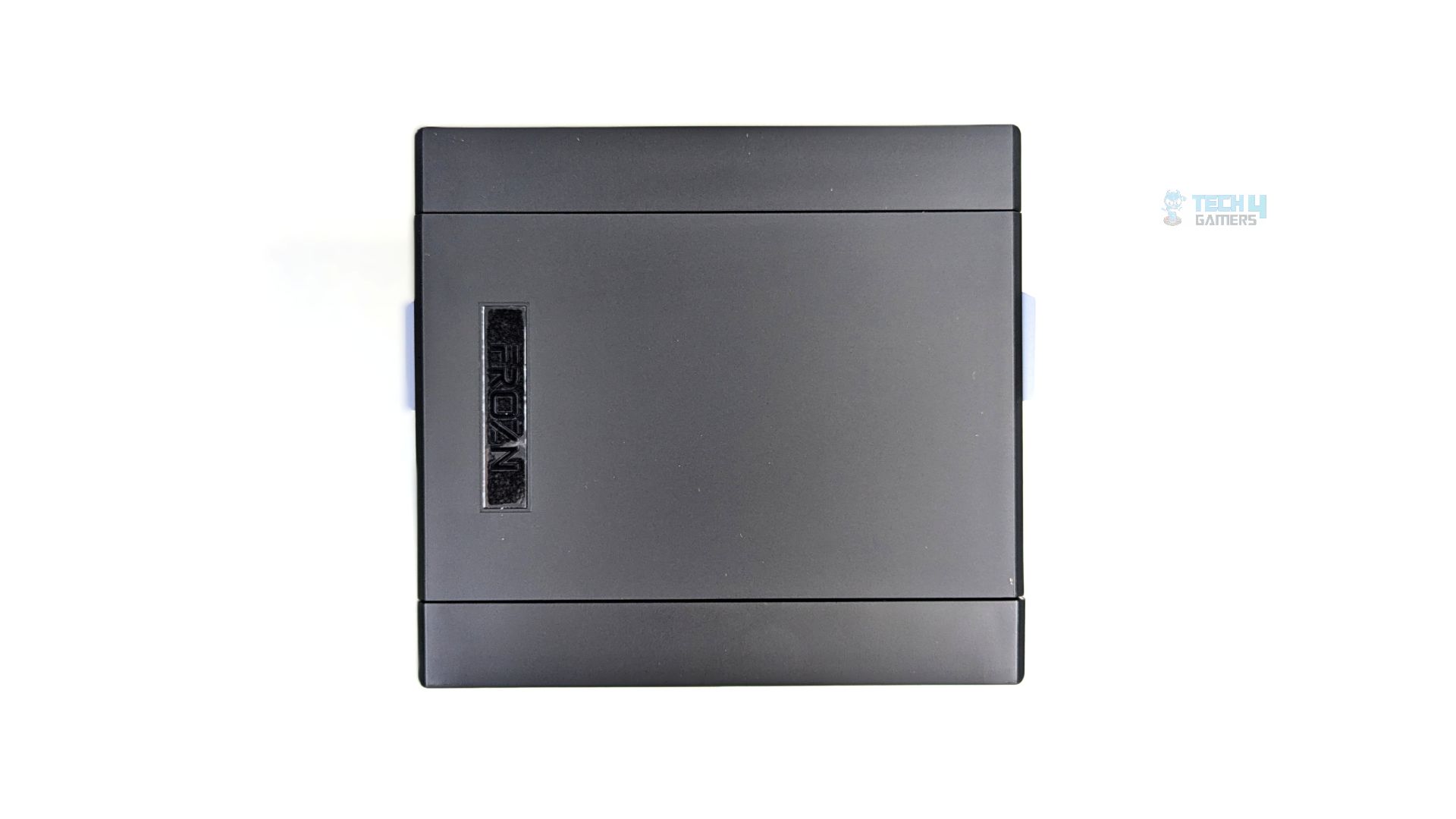
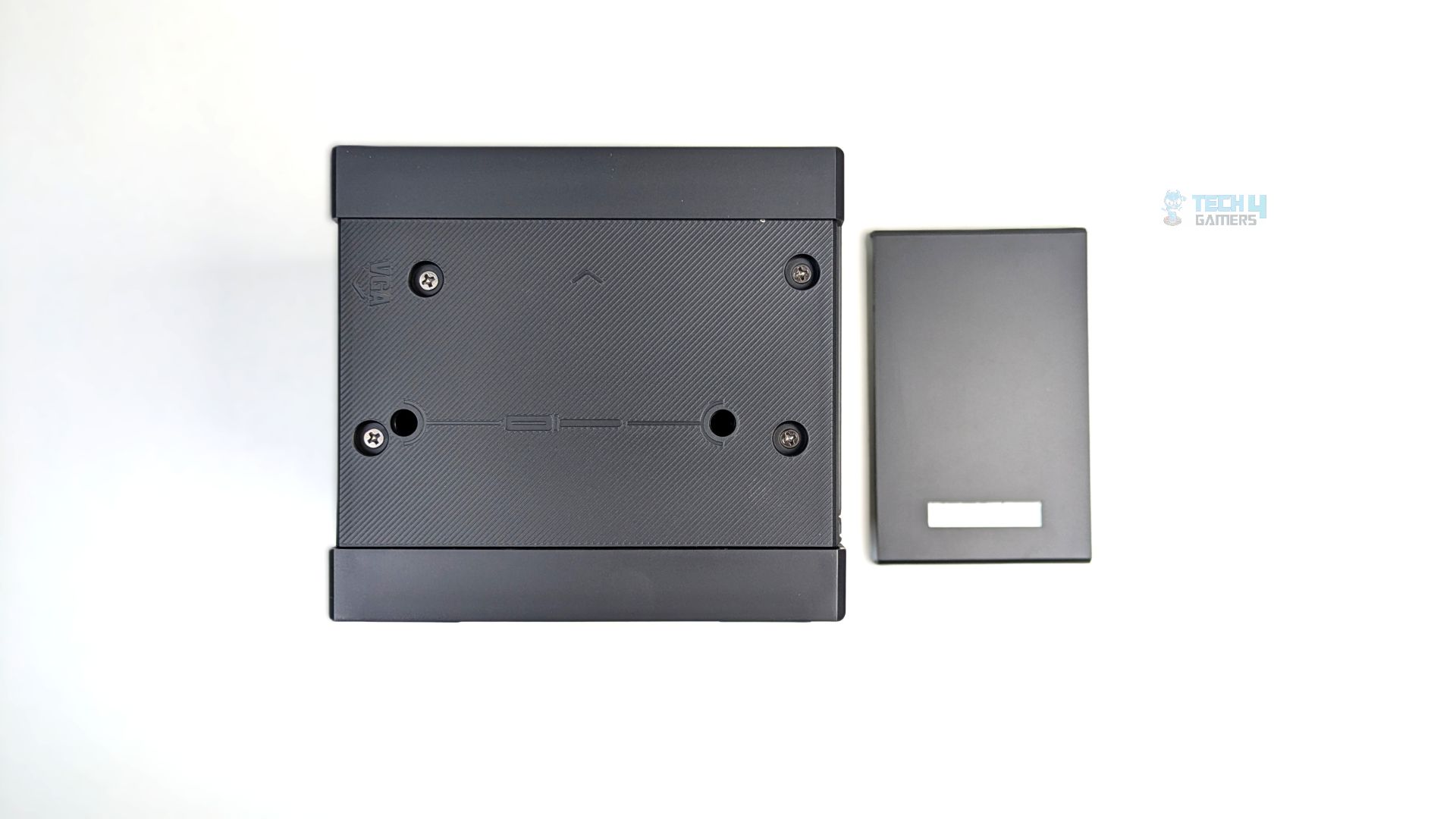
Speaking of the top, the cooler’s top is capped with a solid black magnetic cover that also features the stealthy FROZN logo on the top-left side. Removing the decorative top reveals the textured top plate secured by four Phillips-head screws that also hold the fan tray, as you can see in the pictures below.
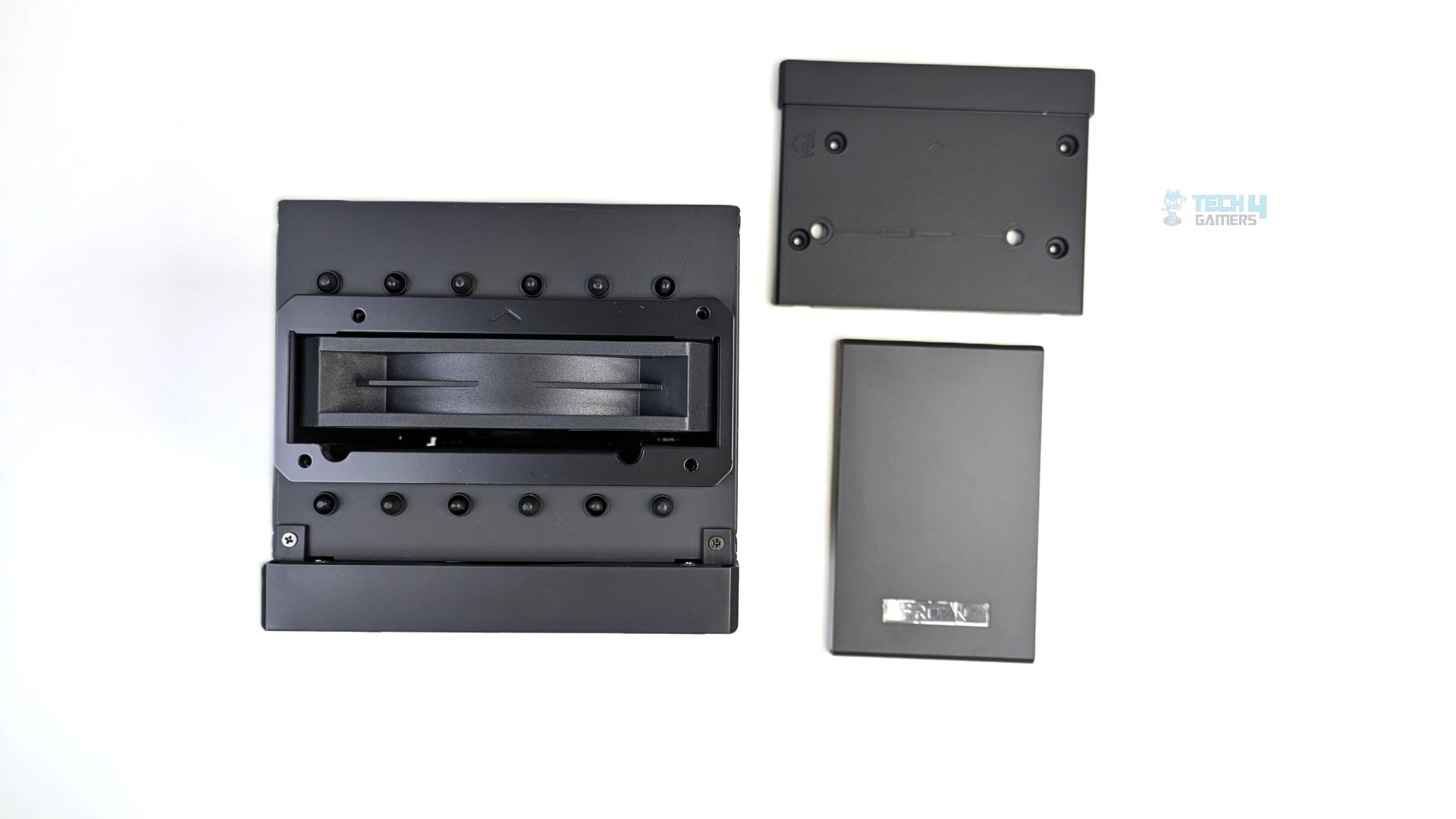
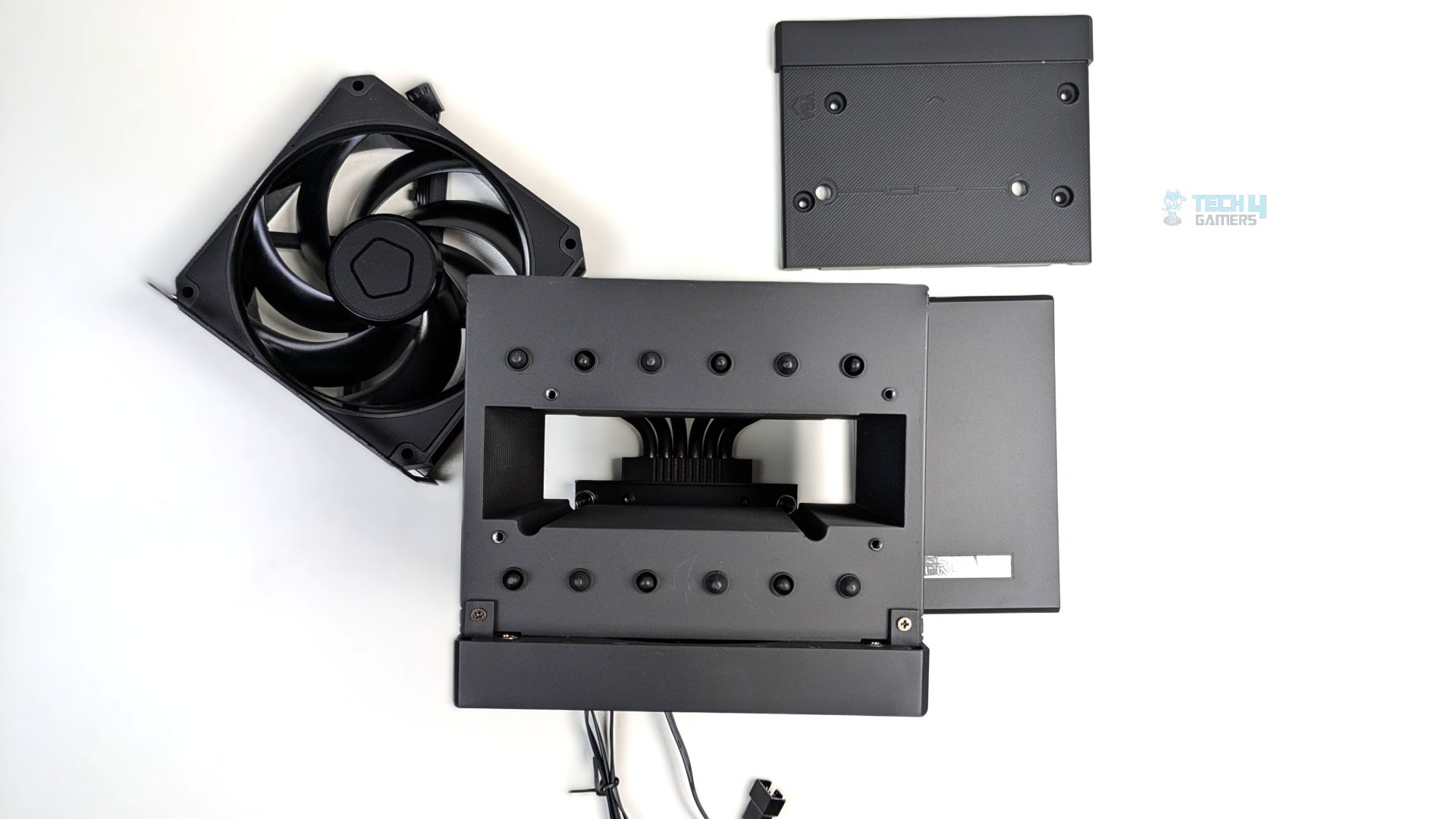
Now that we have removed the textured black plate, you will find the middle fan (AM-120-K) secured on both sides. On the underside, a tray also holds the middle fan in place. The fan can be slid vertically out of the central gap for maintenance.
After removal, the empty heat sink reveals the internal cutout designed to house the central fan, with the bases of the heat pipes visible at the bottom of the cavity.
Two screws from the top hold the front fan in place with the angled mounting tray, which is fine, as the clips can sometimes damage the fins. The deshrouding and removal process for the cooler was simple and effortless; however, it was not tool-less.
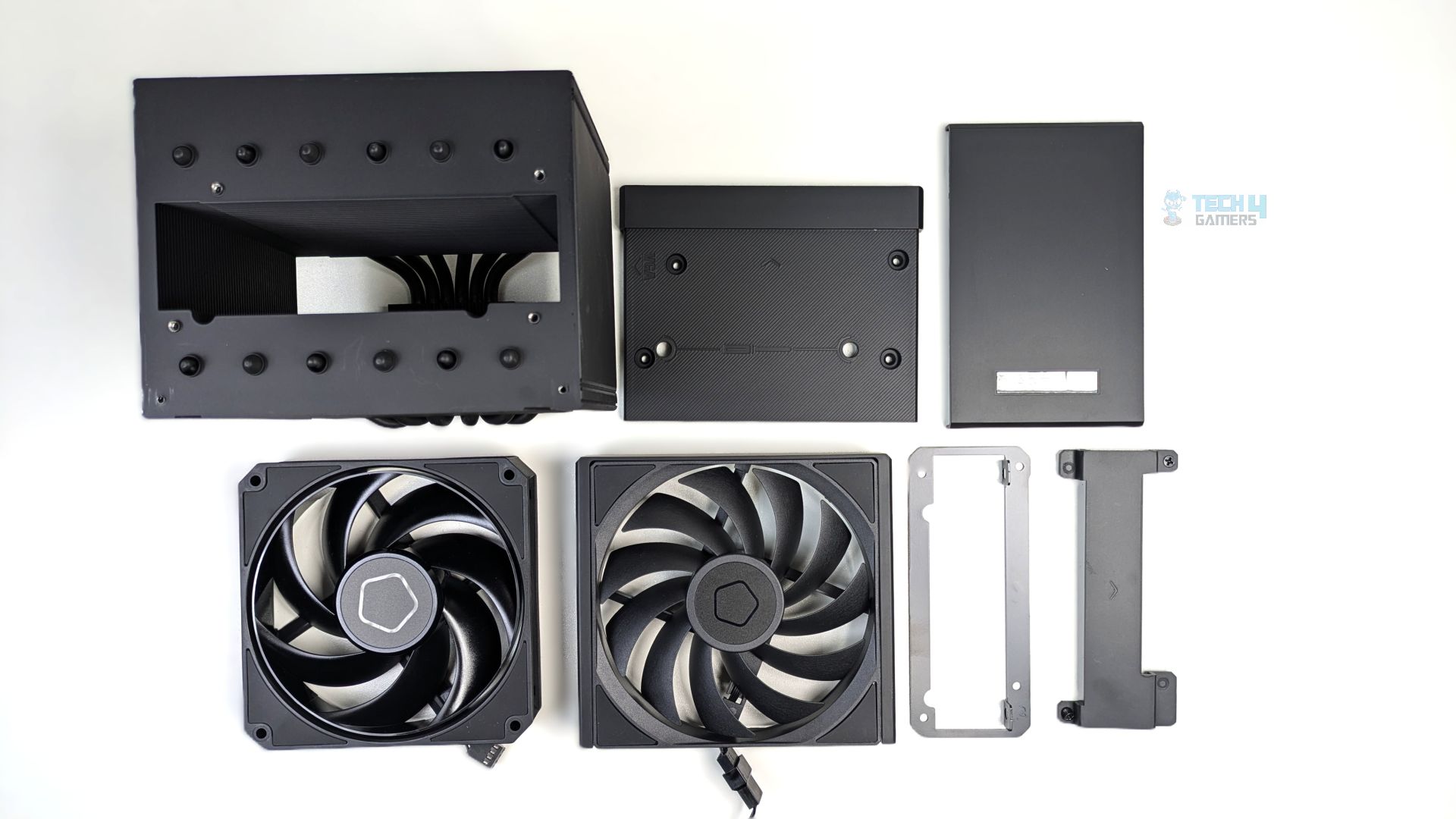
When fully disassembled, the cooler breaks down into several modular parts, including the heat sink, the top-mounting plate, the decorative top cover, the thick 25mm middle fan, the slim 15mm front fan, and the respective fan brackets. I like how well engineered the design is.
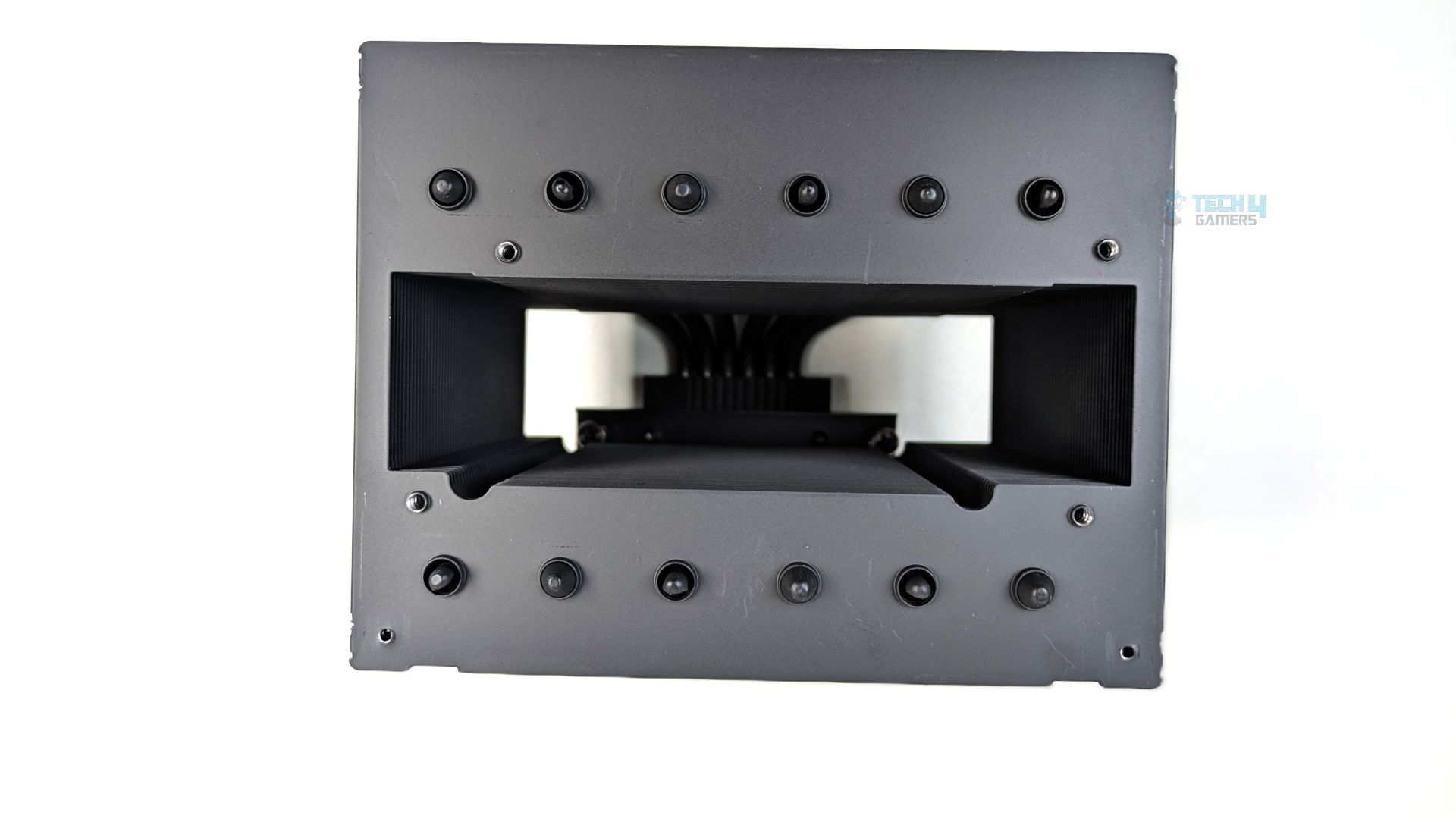
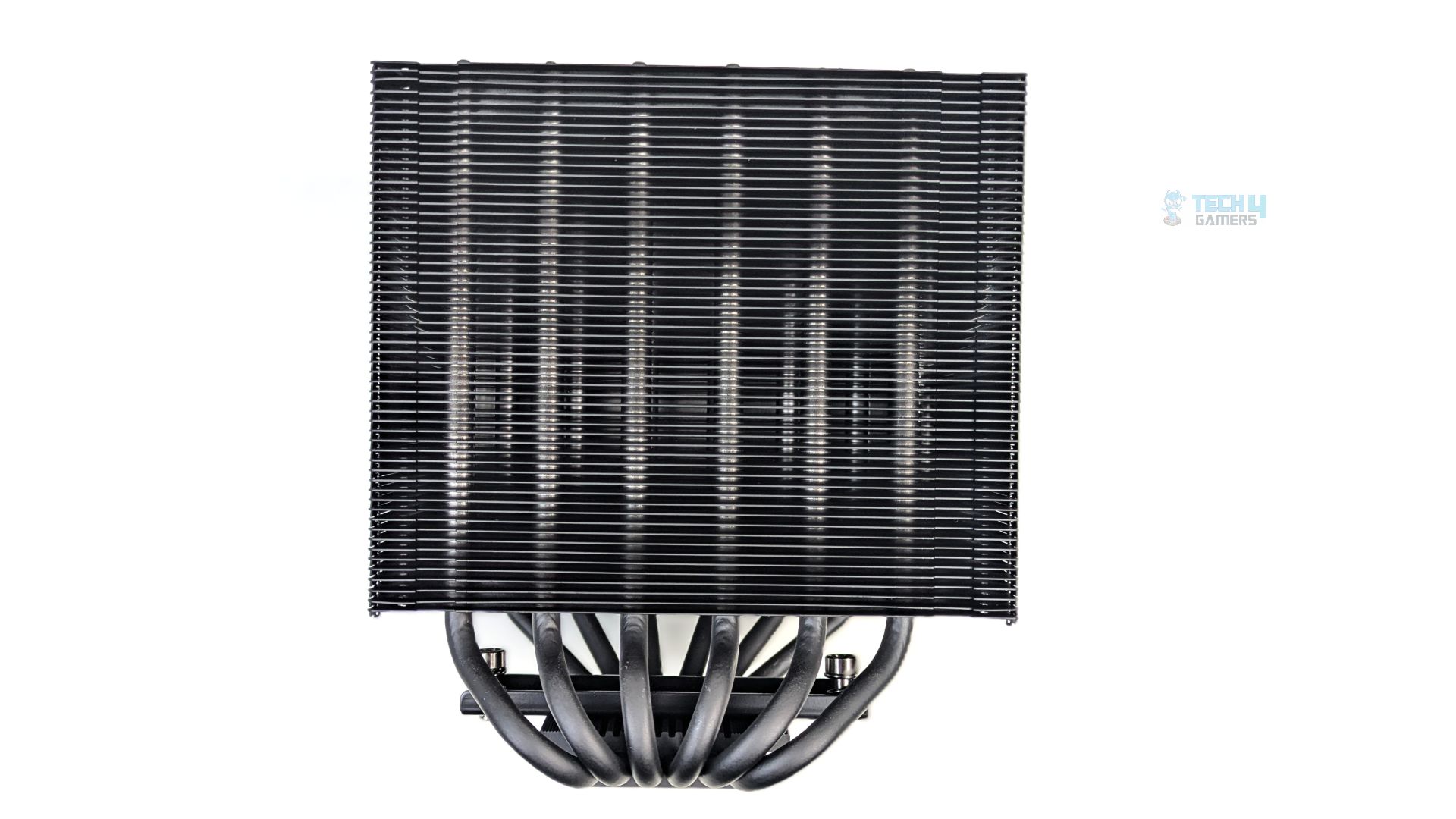
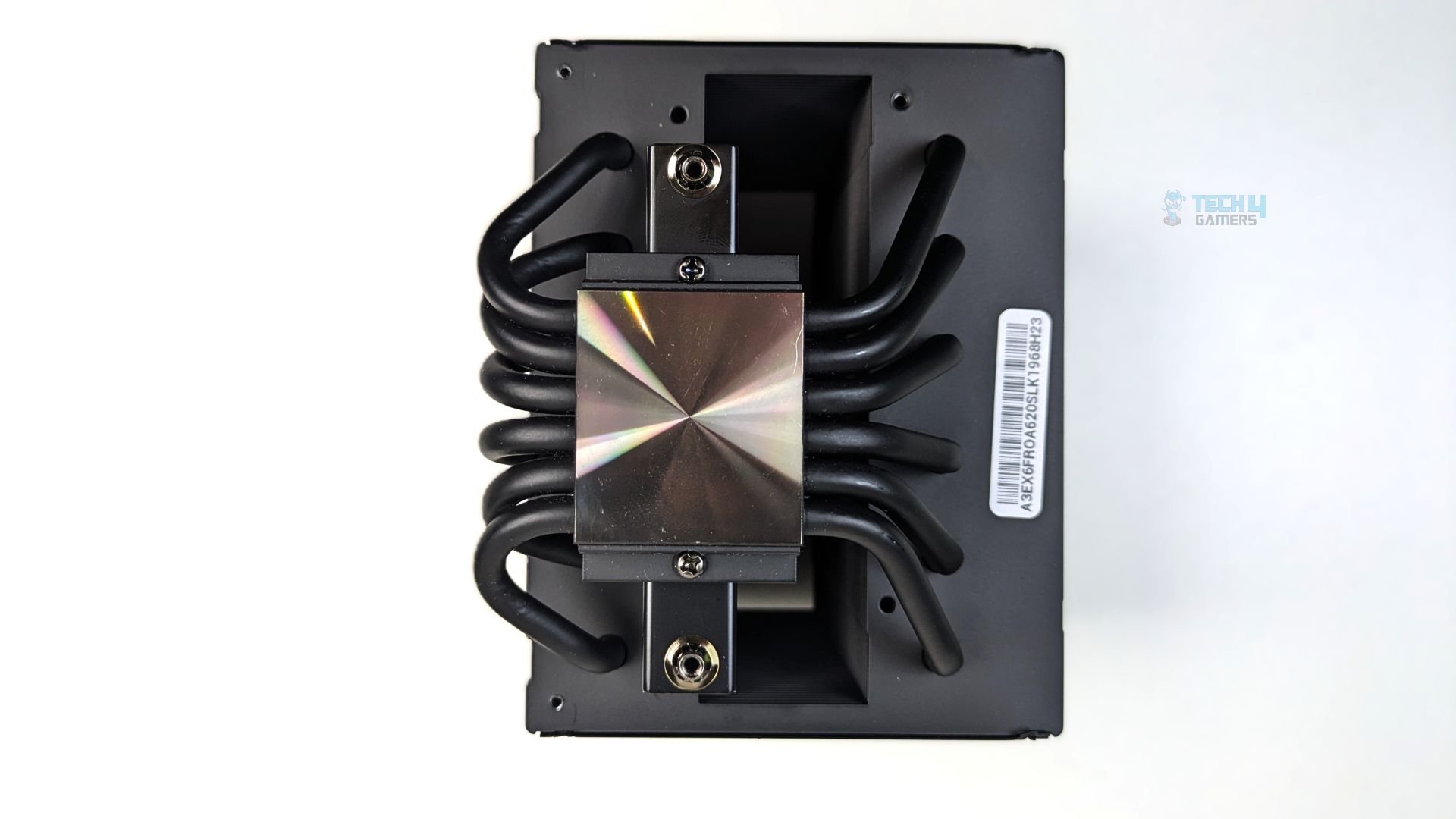
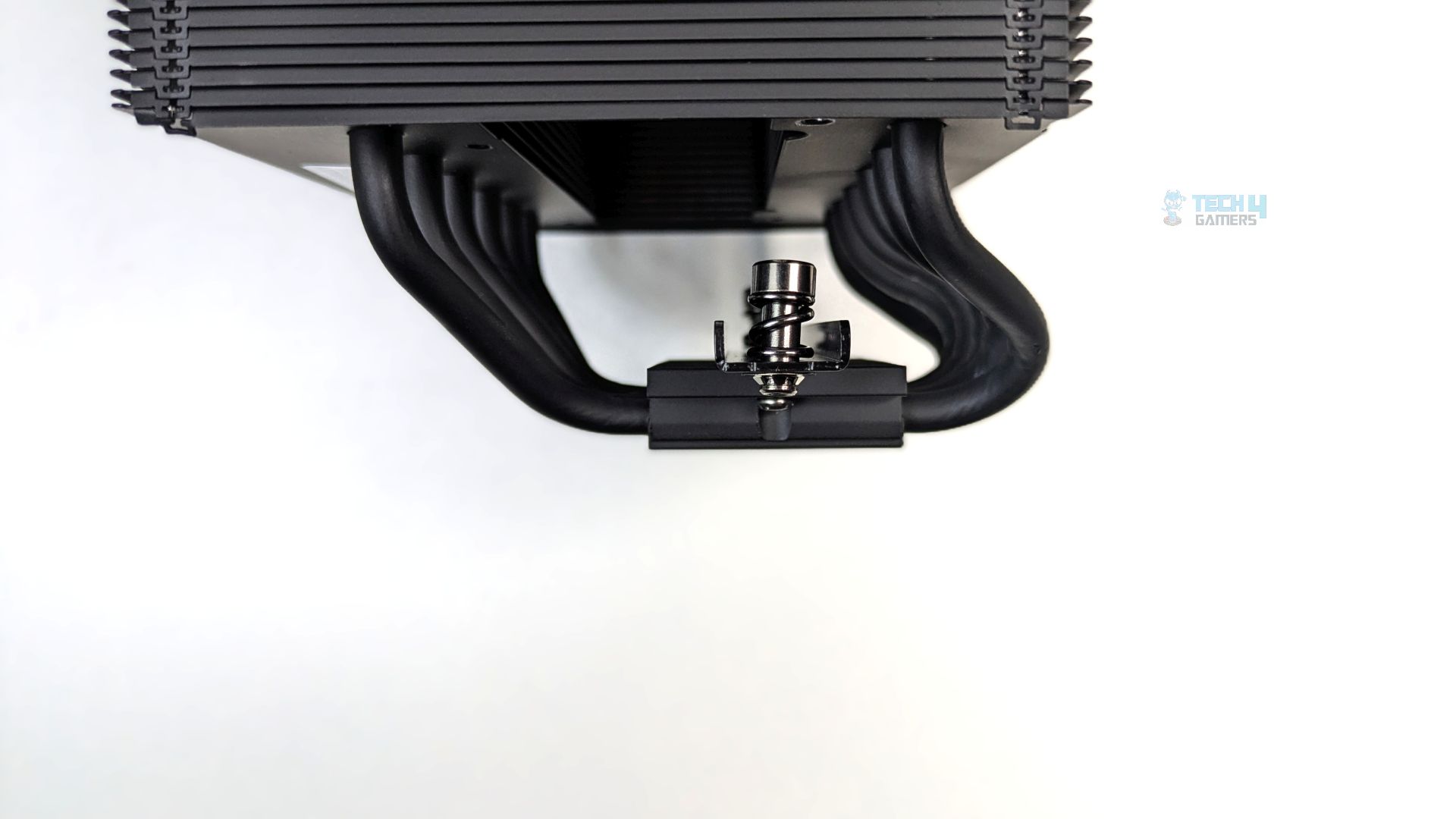
Now we will talk a little more about the heat sink. Looking at the side profile, you will notice a highly dense array of aluminum fins. The fins seem folded at the edges to form a side wall, allowing airflow to pass straight through the cooler without leaking from the sides.
The six thick heat pipes emerge from the base and bend upwards directly into the fin stack. These heat pipes are coated entirely in matte black to match the cooler aesthetic. The cold plate is nickel-plated with a reflow-soldered copper base.
The mounting bridge is pre-installed directly over the base block, which uses thick, spring-loaded captive screws.
Fans
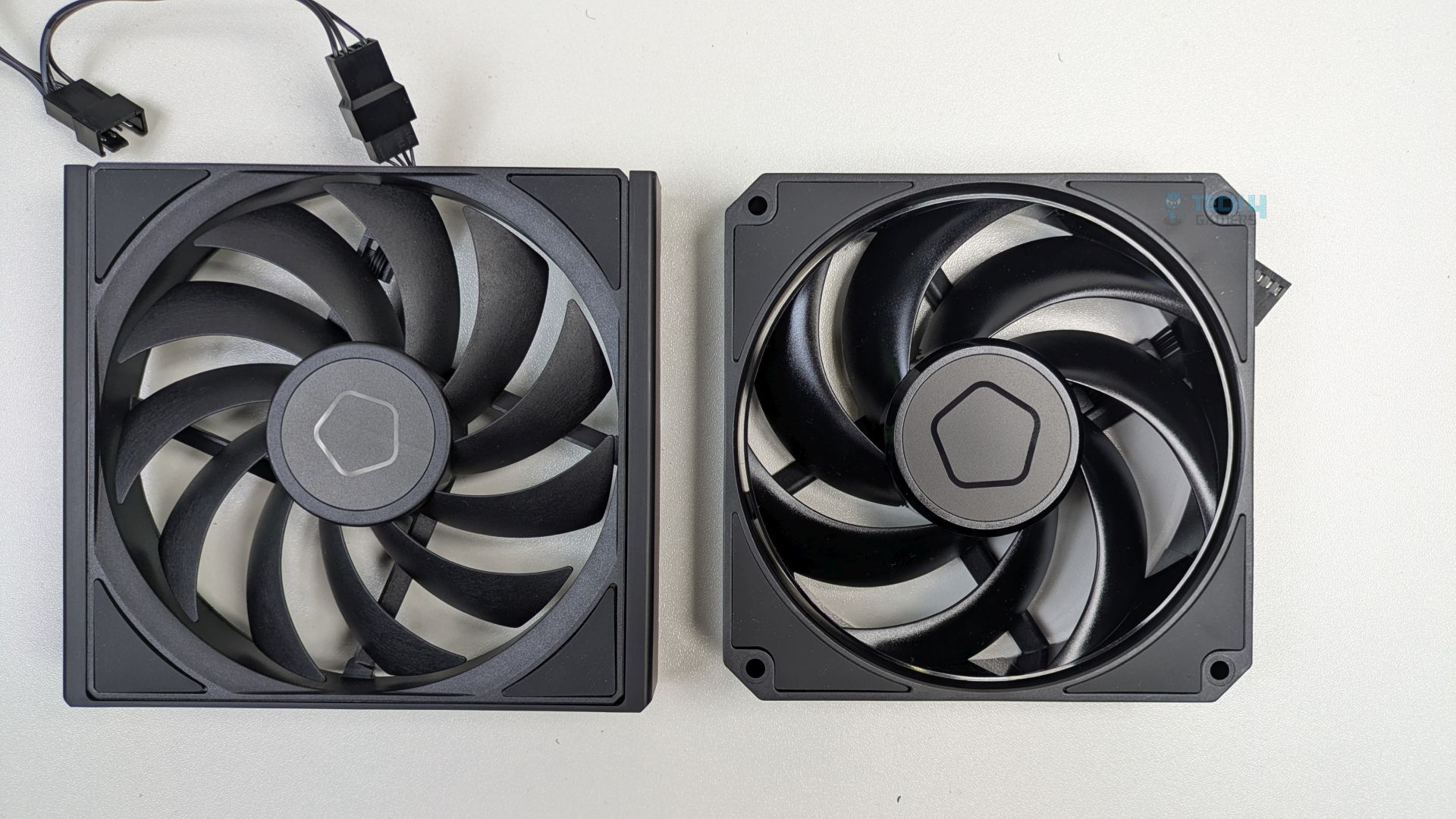
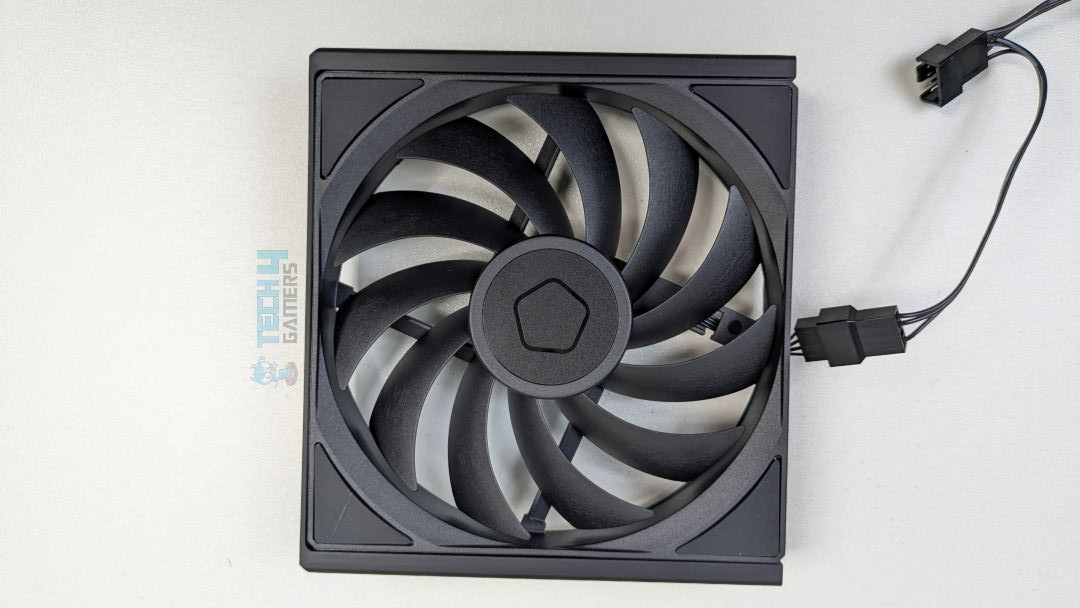
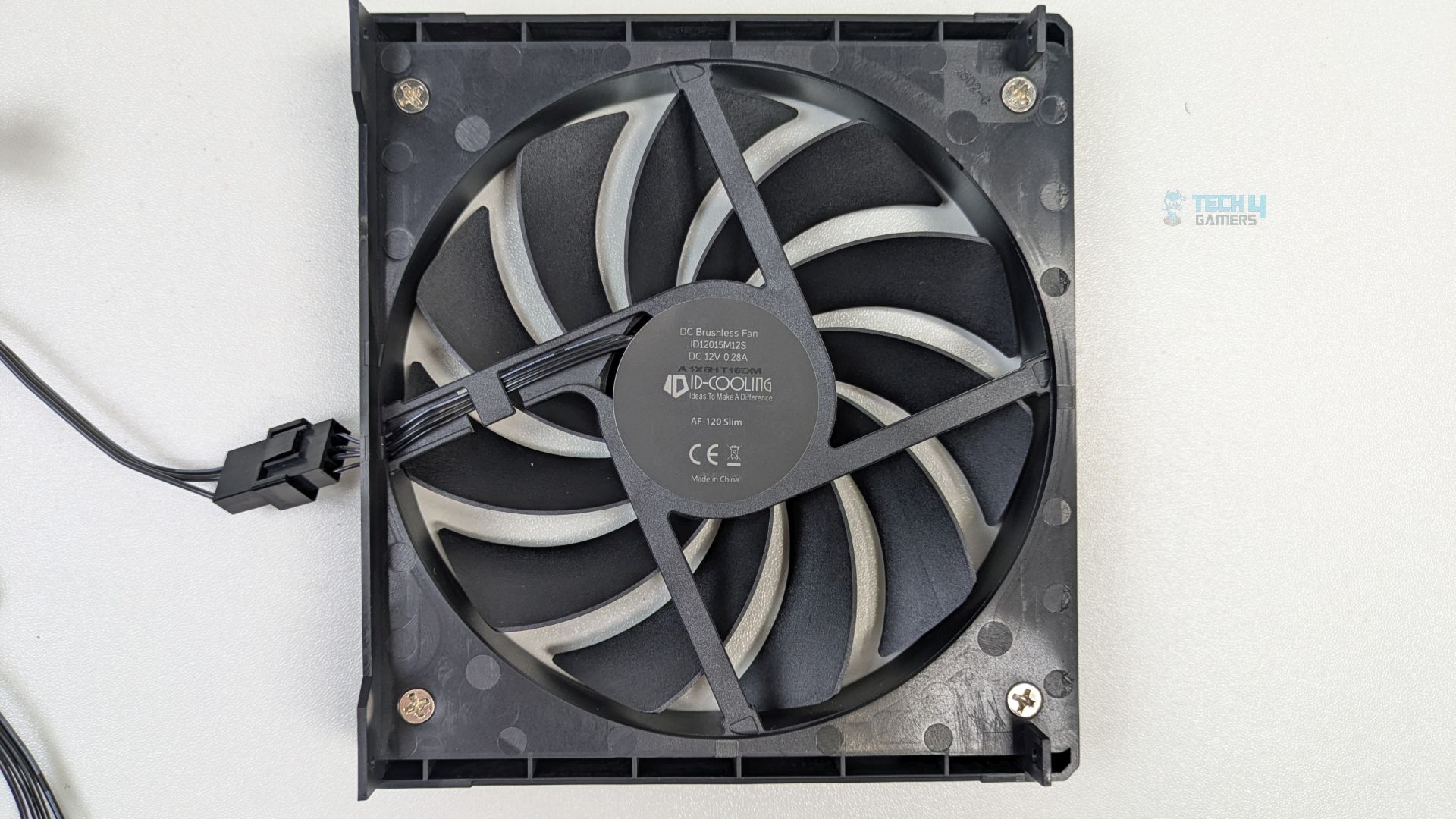
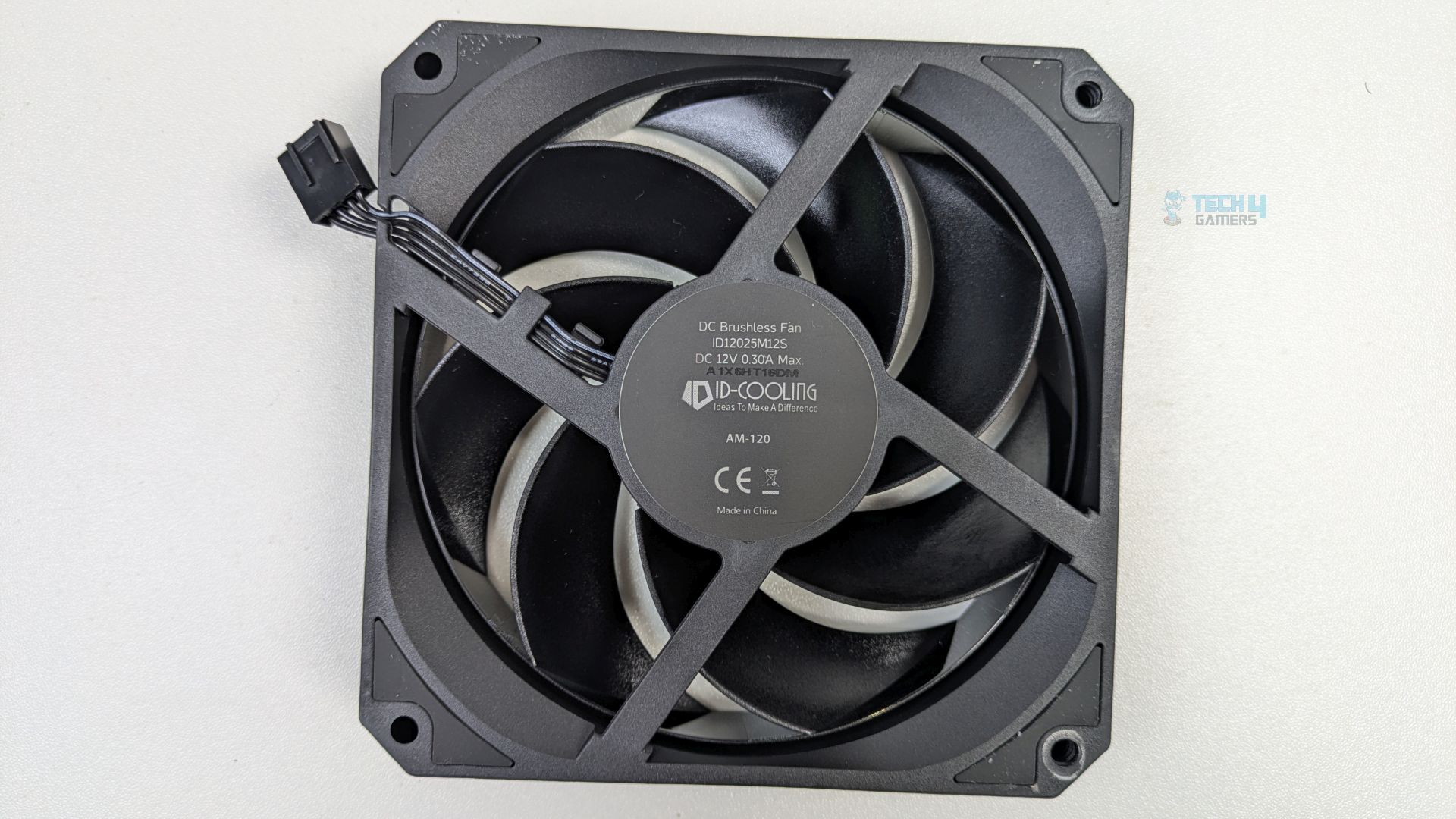
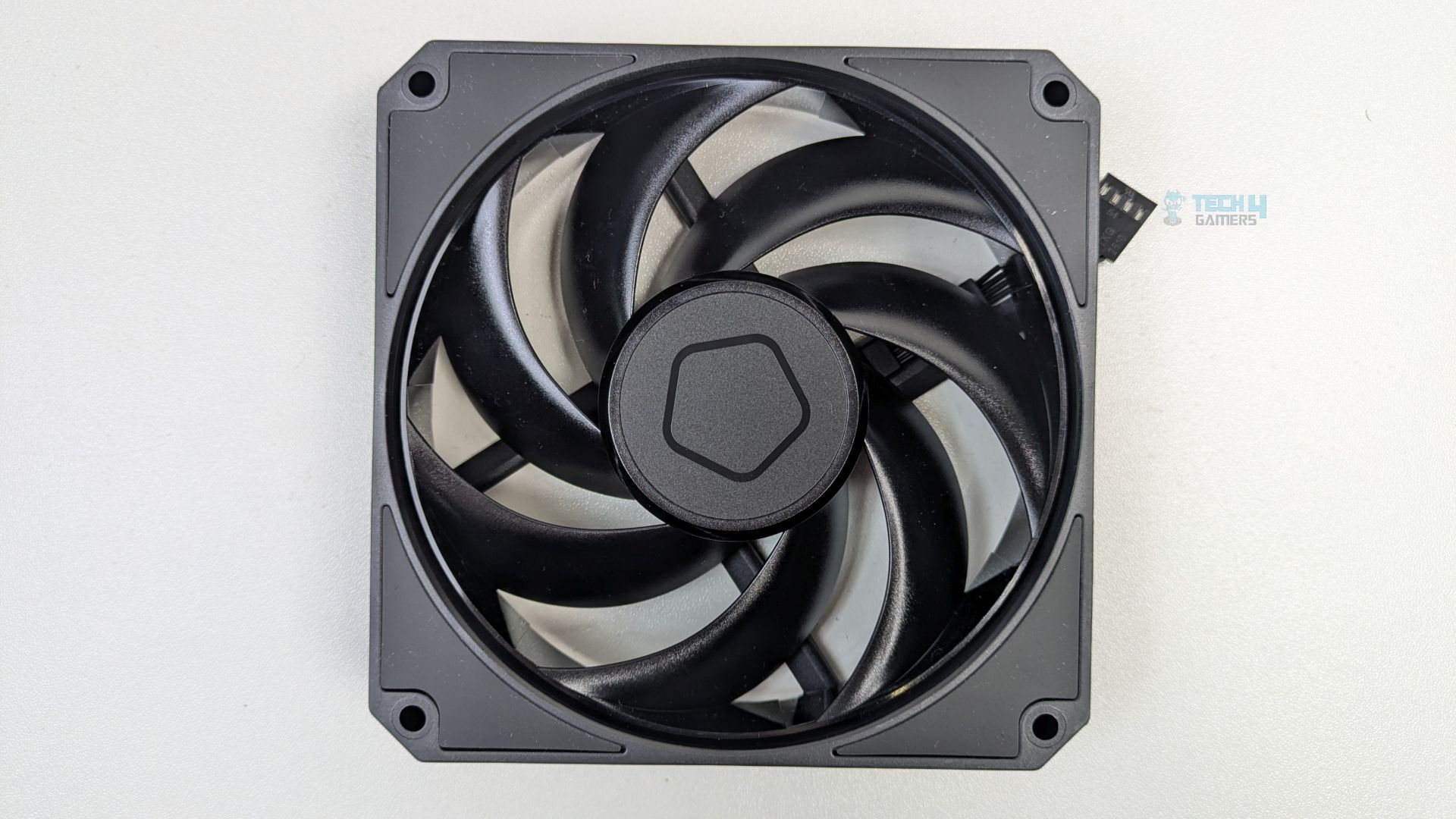
The A620 SLK offers a two-stage, counter-rotating fan configuration, and the fans are not identical. The slim 15mm 120mm fan sits at the front to provide zero clearance for the memory and VRMs, while the middle fan is the standard 25mm 120mm fan and serves as the main driver of cooling performance.
I also liked that the fans are pre-installed and do not require clips; however, to remove them, you must take out the magnetic cover and unscrew the mounting brackets. Both fans use hydraulic bearings and are PWM-controlled.
Specifications of the fans:
| Specification | Front Fan | Middle Fan |
| Fan Model | AF-120 SLIM | AM-120-K |
| Fan Dimension | 120 × 120 × 15 mm | 120 × 120 × 25 mm |
| Fan Speed | 500 ~ 1850 ± 10% RPM | 0 ~ 2500 ± 10% RPM |
| Max. Air Flow | 65.2 CFM | 79.7 CFM |
| Max. Static Pressure | 1.36 mmH₂O | 3.65 mmH₂O |
| Noise | 33.9 dB(A) Max. | 31.0 dB(A) Max. |
| Rated Voltage | 12VDC | 12VDC |
| Operating Voltage | 10.8 ~ 13.2VDC | 10.8 ~ 13.2VDC |
| Started Voltage | 7VDC | 7VDC |
| Rated Current | 0.28A | 0.25A (0.3A Max.) |
| Power Input | 3.36W | 3.6W Max. |
| Bearing Type | Hydraulic Bearing | Hydraulic Bearing |
| Connector | 4-Pin PWM | 4-Pin PWM |
Installation (AMD)
We’re using the AMD platform, so our installation steps will only be provided for that.
Prepare the socket
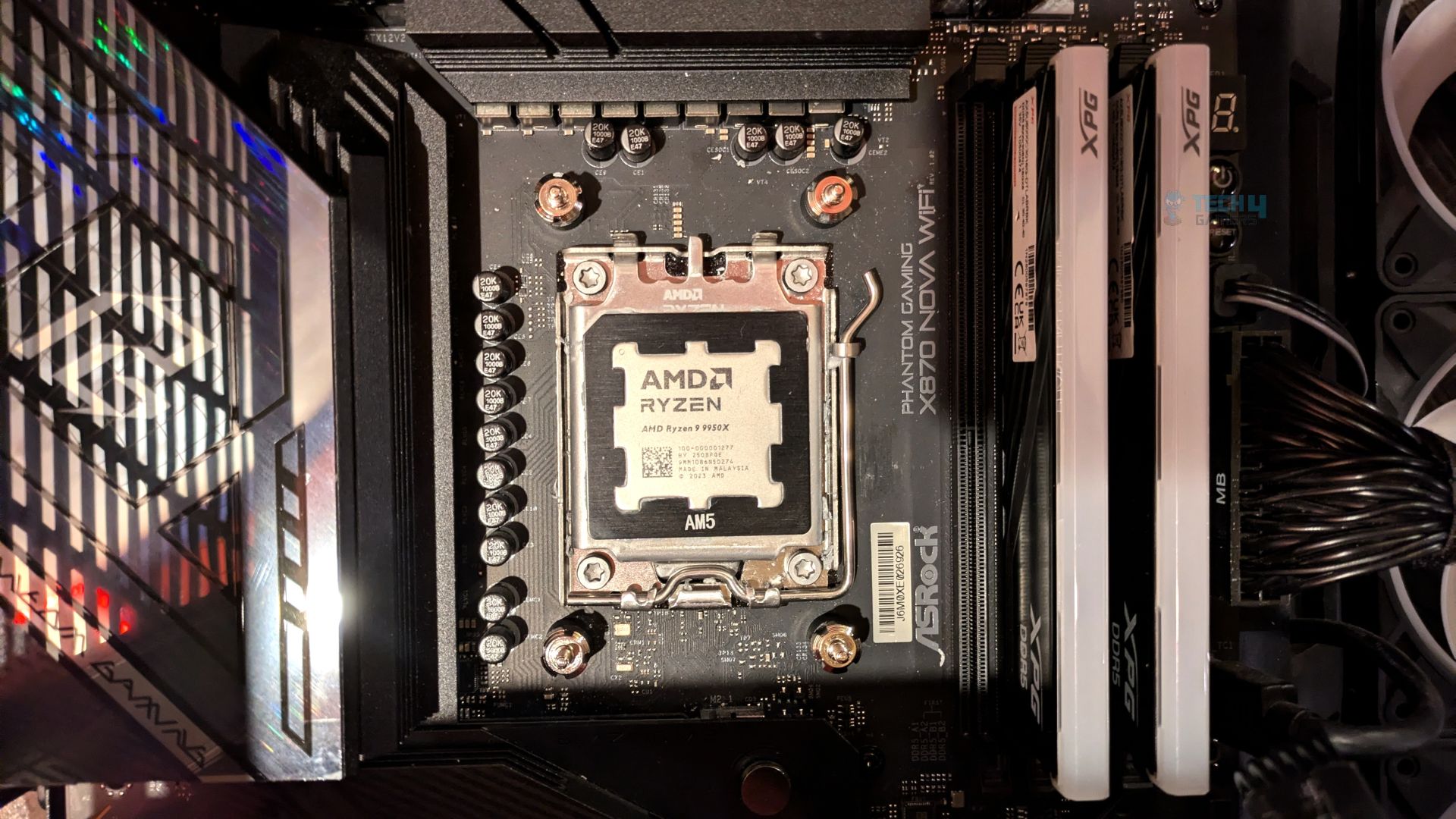
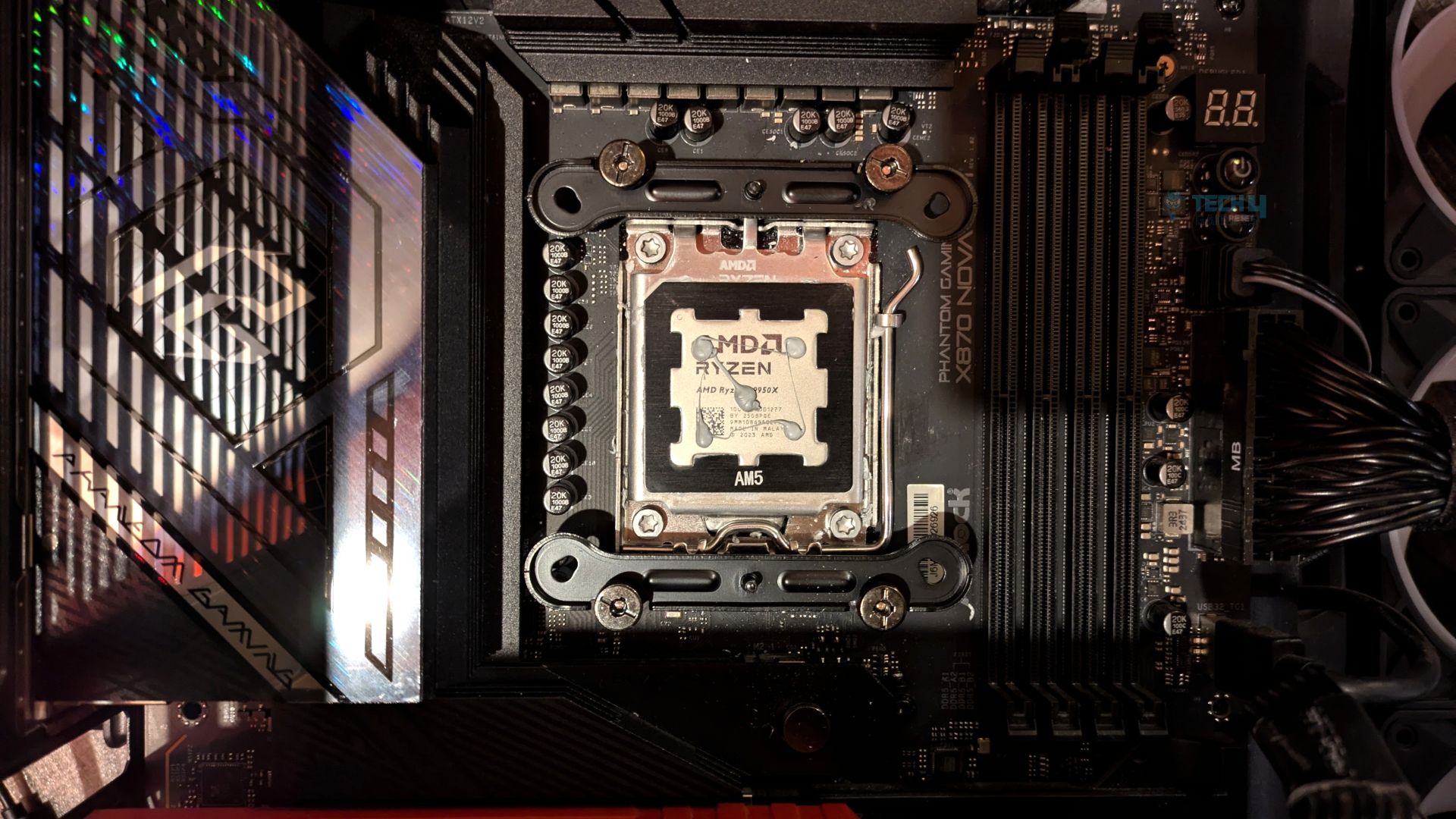
First, remove the motherboard stock retention brackets from your AM4/AM5 motherboards. Then install the universal standoffs from the hardware bag and screw them into the exposed threads of the stock AMD backplate. Use the included plastic standoff installation tool to tighten and secure them.
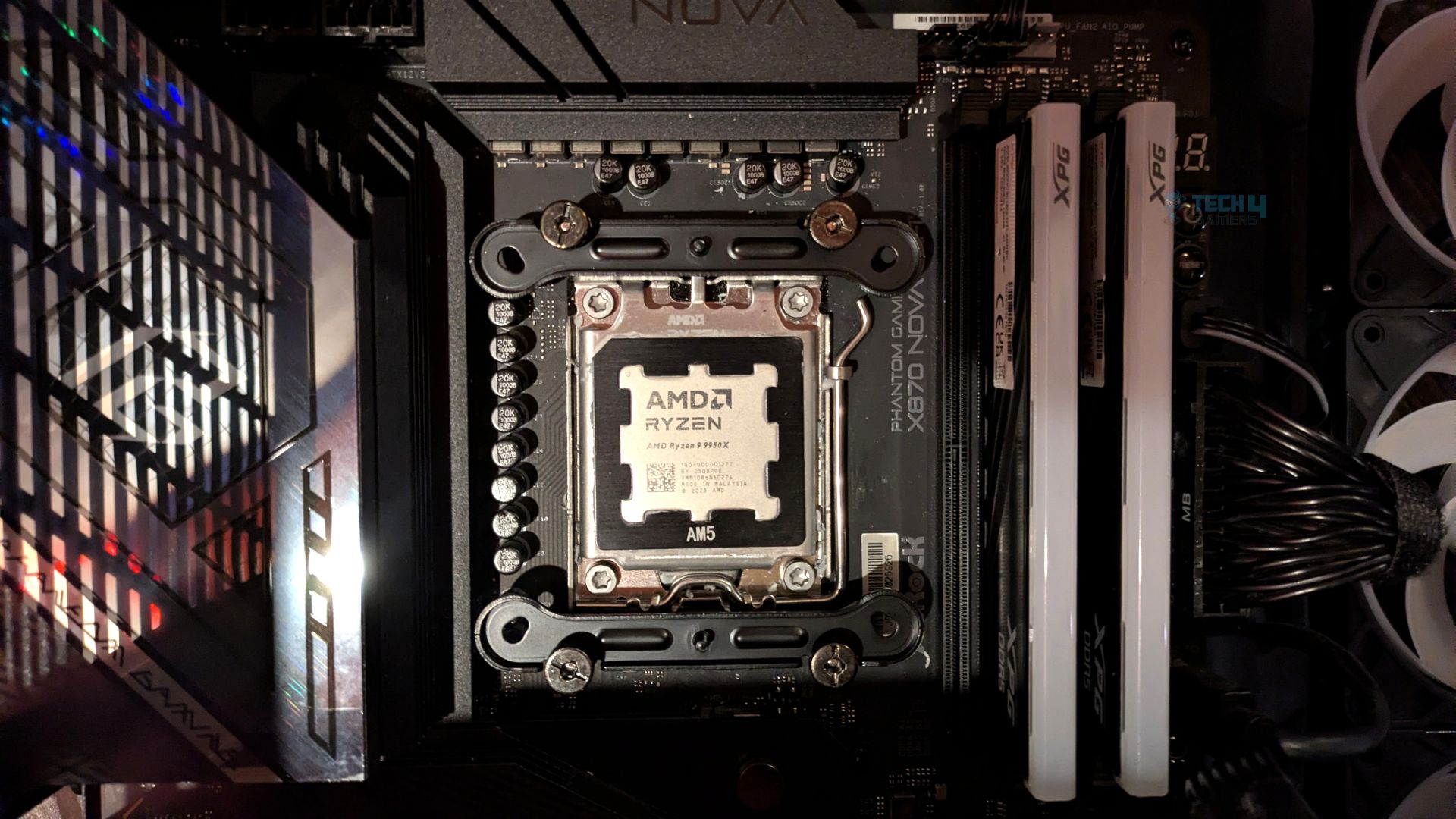
Next, slide the two universal metal mounting brackets over the standoffs and lock them firmly in place with the four included thumb nuts.
Now, apply the thermal paste to the CPU, carefully lower the main heatsink assembly onto the CPU, and slide the included long screwdriver down through the access holes under the heatsink’s top plate.
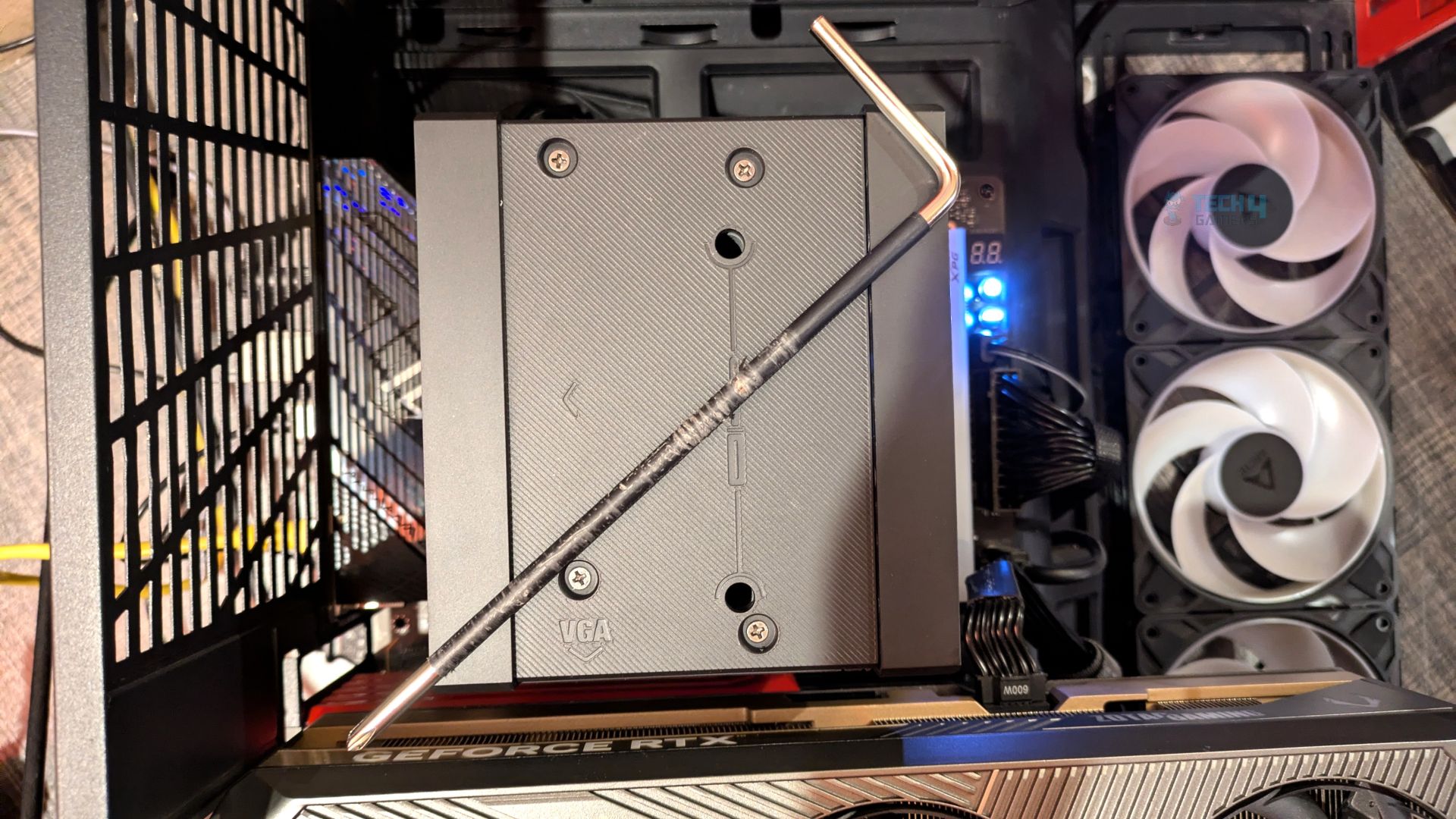
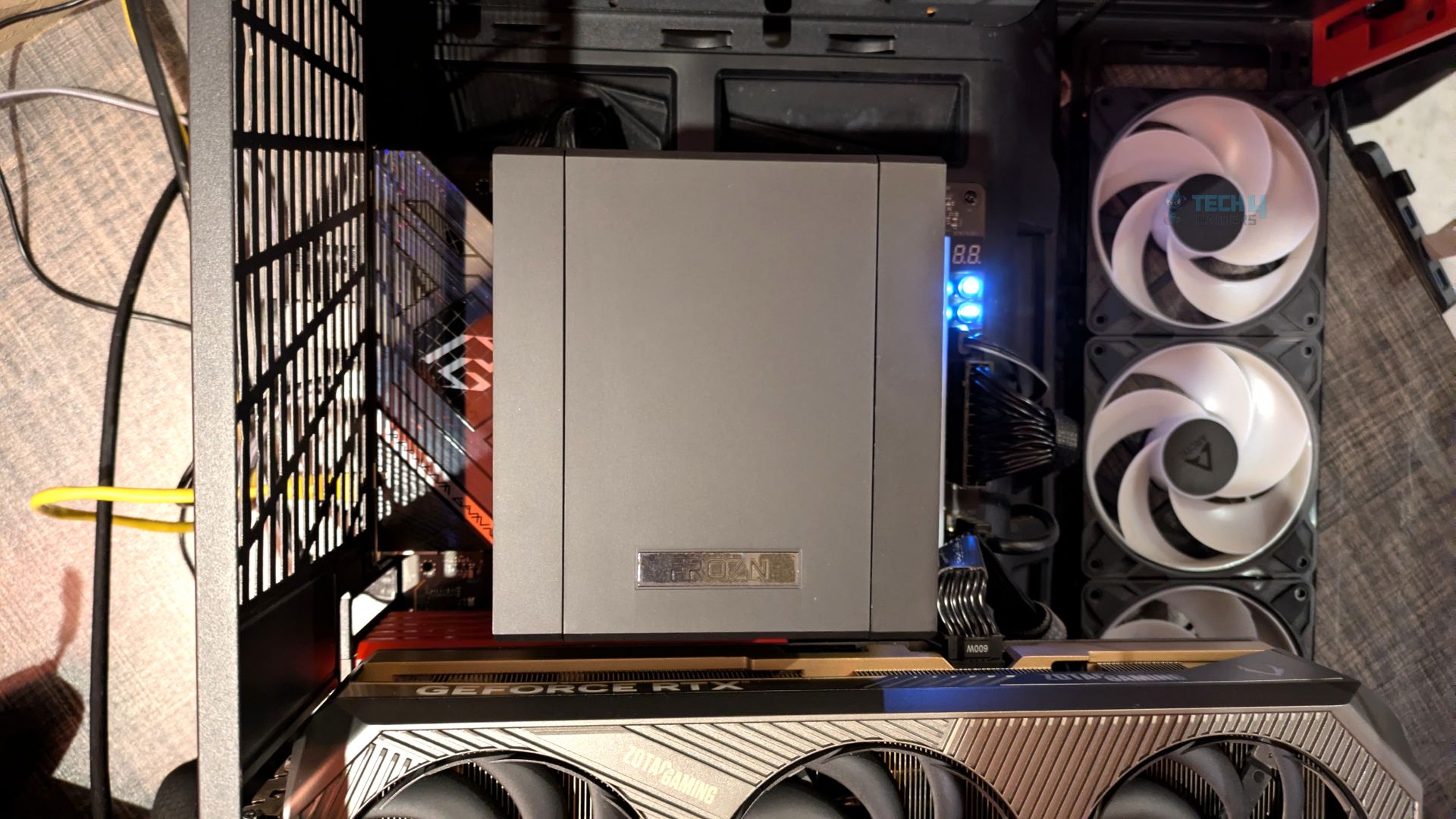
The installation process was straightforward.
Finished Looks
The completed installation of the cooler within the HYTE Y70 chassis is shown below. The cooler’s all-black design blends well with our system.
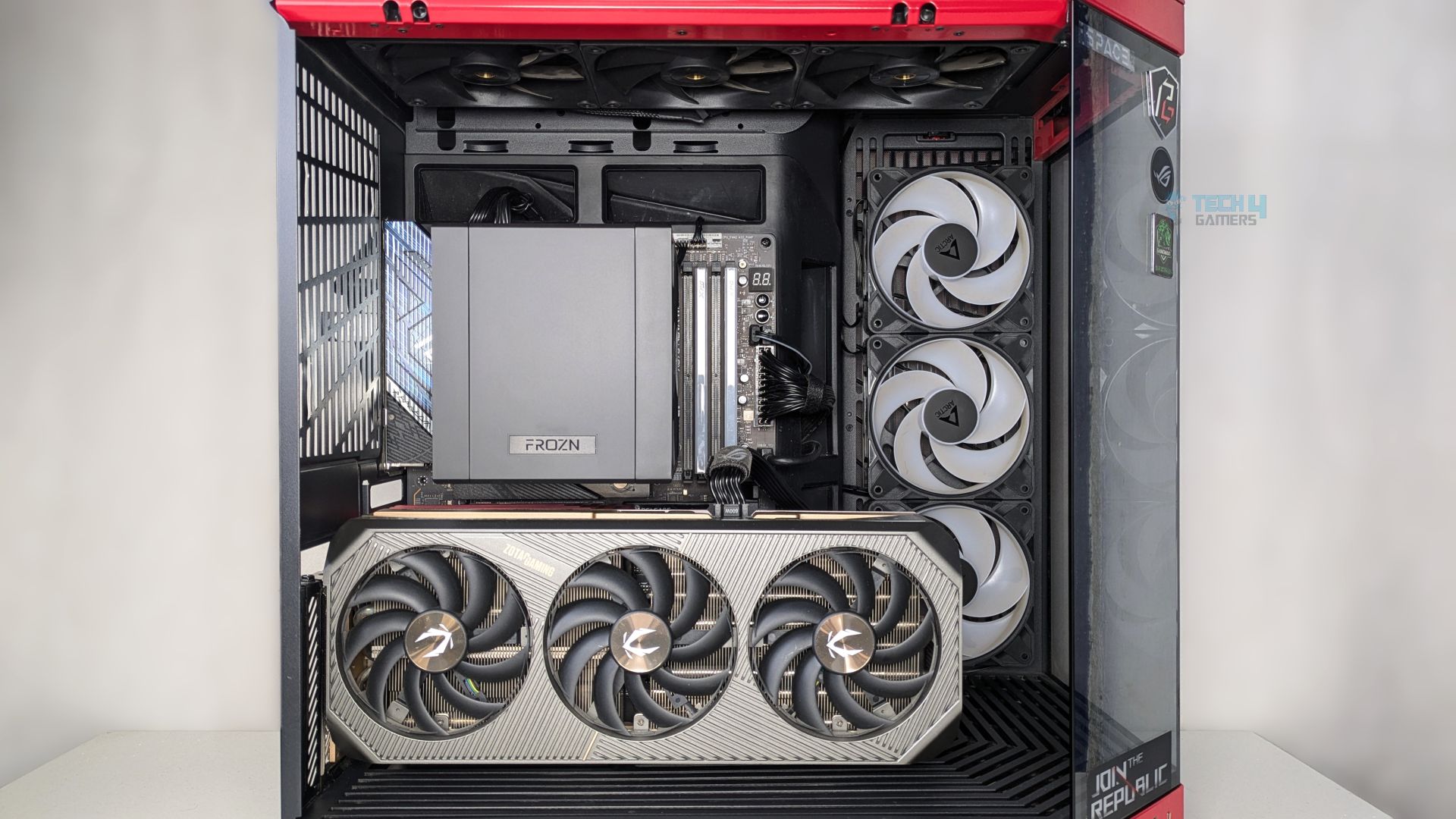
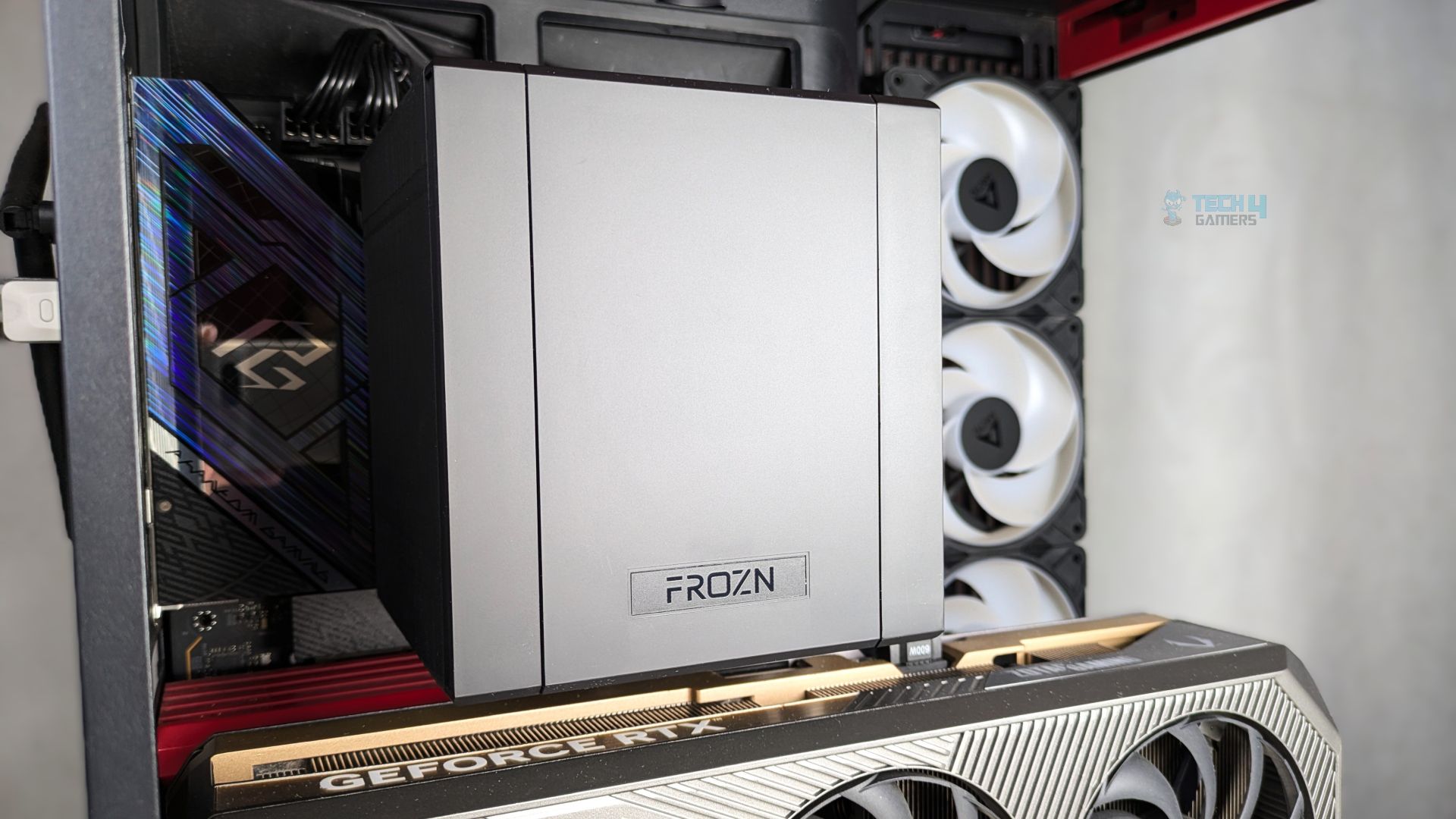
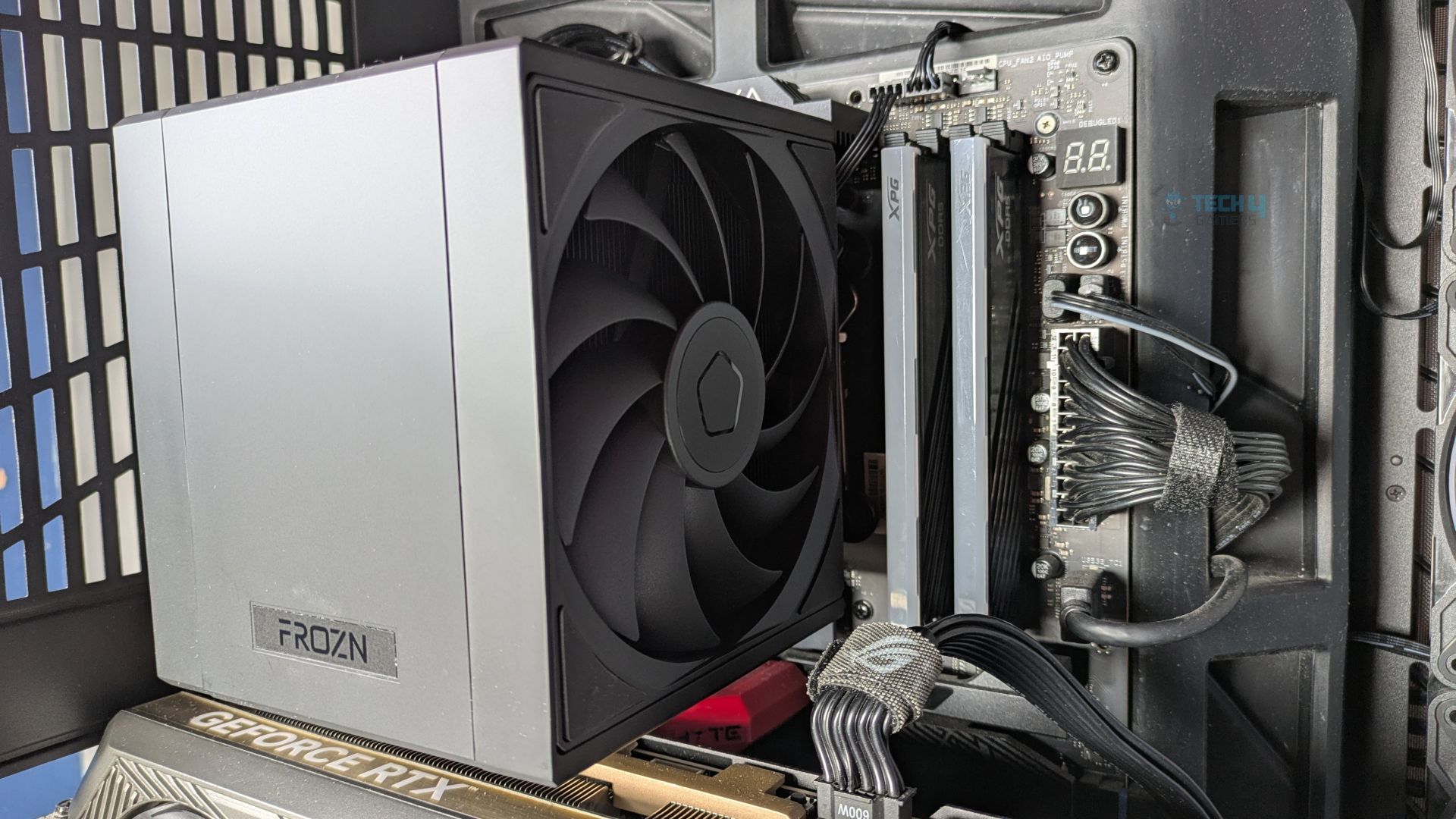
We also did not face any RAM clearance issues, which is one of the A620 SLK’s selling points. This is because the front intake uses the slim AF-120M fan, and the entire cooler, including the fan, sits behind the first DIMM slot. Users do not have to unclip and raise the fans, as you normally see with other coolers.
Another thing you can notice is that, despite its massive 133x122mm footprint, the cooler does not interfere with the top PCIe slot. Cherry on top, there is ample clearance between the bottom of the heatsink and the thick backplate of our vertically mounted ZOTAC GeForce RTX 5080 graphics card.
While it addresses the zero-clearance issues, the cooler is still massive and visually dominates half of the motherboard. However, at 160mm tall, we did not have any clearance issues with the tempered glass.
Testing Methodology
CPU Configuration:
- We evaluate the cooler’s performance using three different benchmark methods. Noise-normalized testing is performed at 40dB(A) at the 105W TDP and 170W TDP (Stock) of the Ryzen 9 9950X. We then test the cooler’s performance at the maximum PWM speeds for both TDP configurations. After that, we unlock the power limits of the CPU to see how much cooler it can dissipate the heat in terms of watts at the maximum PWM Speeds.
Controlled Environment:
- We have eliminated the influence of ambient temperatures in our data, and all results are presented as deltas over the ambient conditions. The tests were done in a controlled environment with a room temperature of 25°C.
Preparing System:
- The Coolers are tested in realistic conditions. We don’t use the open bench system; instead, we have installed the cooler in our HYTE Y70 case, mounted at the top. We ensure the airflow is adequate in the case and that the case fans are running at the fixed PWM speeds.
- We are using ID-Cooling X45 thermal paste for all coolers.
Software:
- We have ensured that no other software is running on the computer that could influence the CPU load.
- We’ll be using the Cinebench R23 Loop for 20 minutes after the warm-up test has been completed. Each test has a 10-minute cool-down time.
Test Setup
Here is our test setup!
| Our Primary Test System |
|
|---|---|
| Processor | AMD Ryzen 9 9950X |
| Memory | XPG Lancer 32GB (16x2) 6000MT/s CL30 |
| Motherboard | ASRock X870 Phantom Gaming Nova WiFi (BIOS: 4.43v) |
| Thermal Paste | ID-Cooling X45 |
| Graphics Card | ZOTAC SOLID RTX 5080 , |
| Power Supply Unit | Super Flower LEADEX VII Platinum PRO 850W |
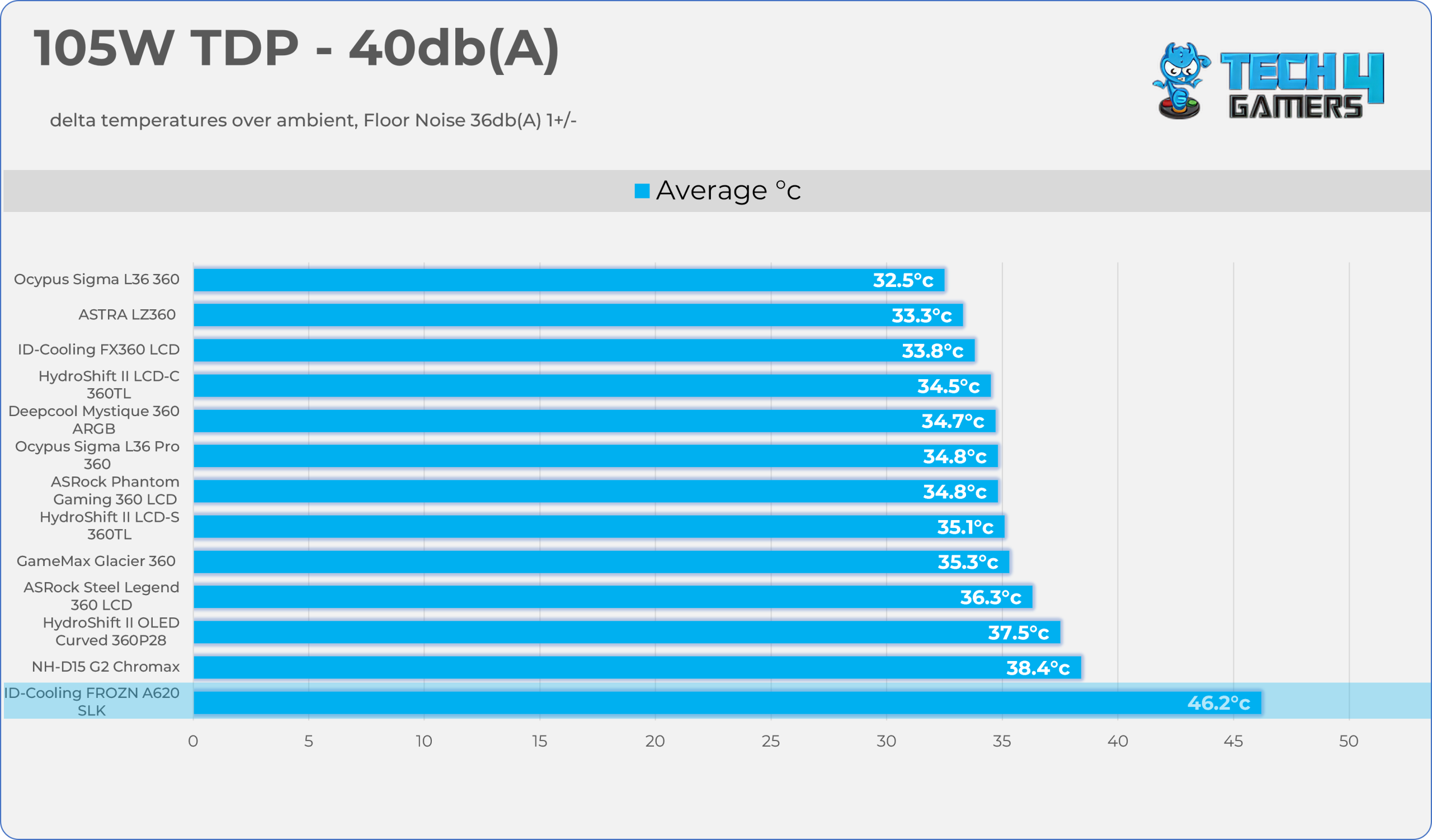
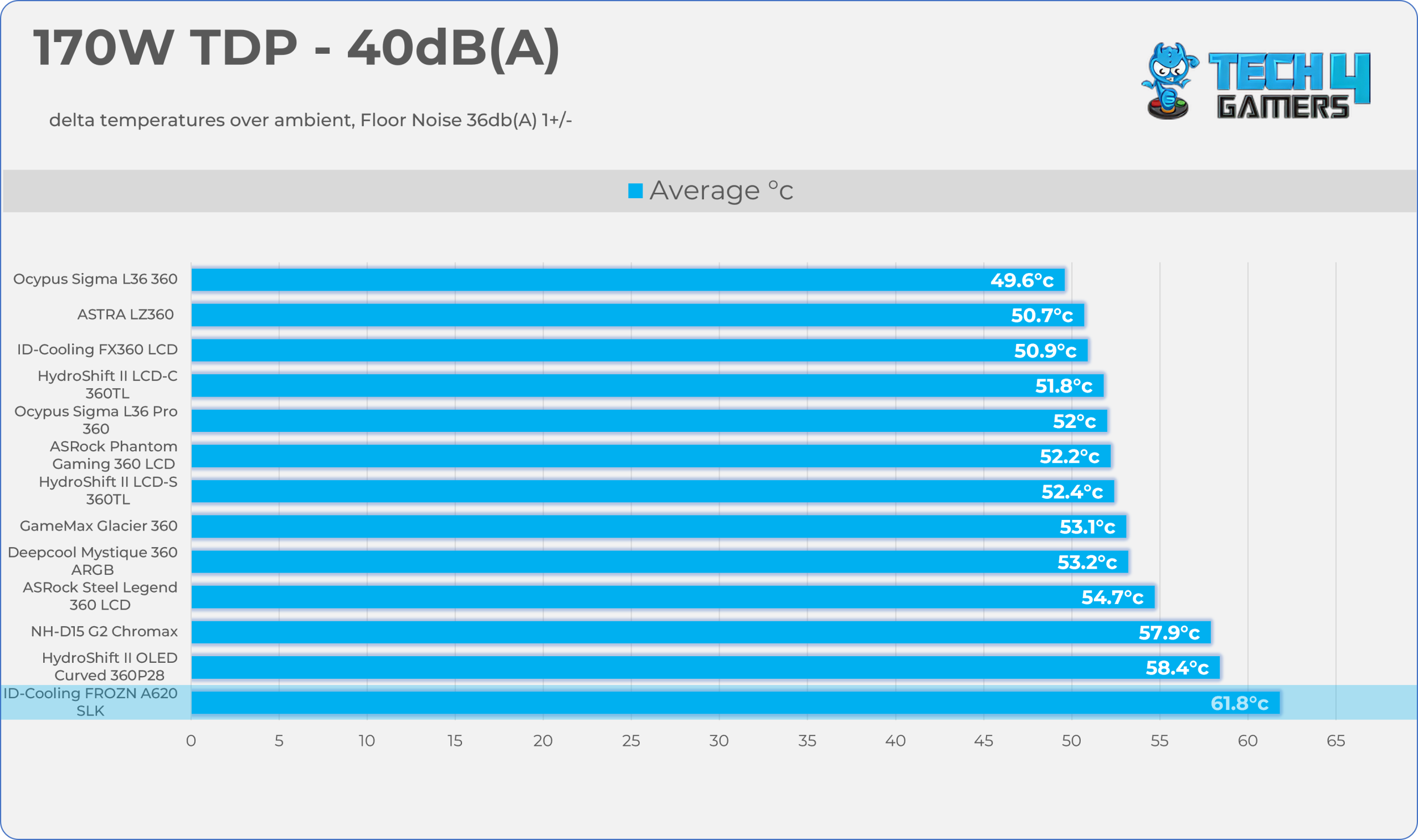
Test Results – Noise Normalized 40 dB(A)
Results at the fixed noise level of 40dB(A).
105W TDP
170W TDP
Test Results – Maximum Speed
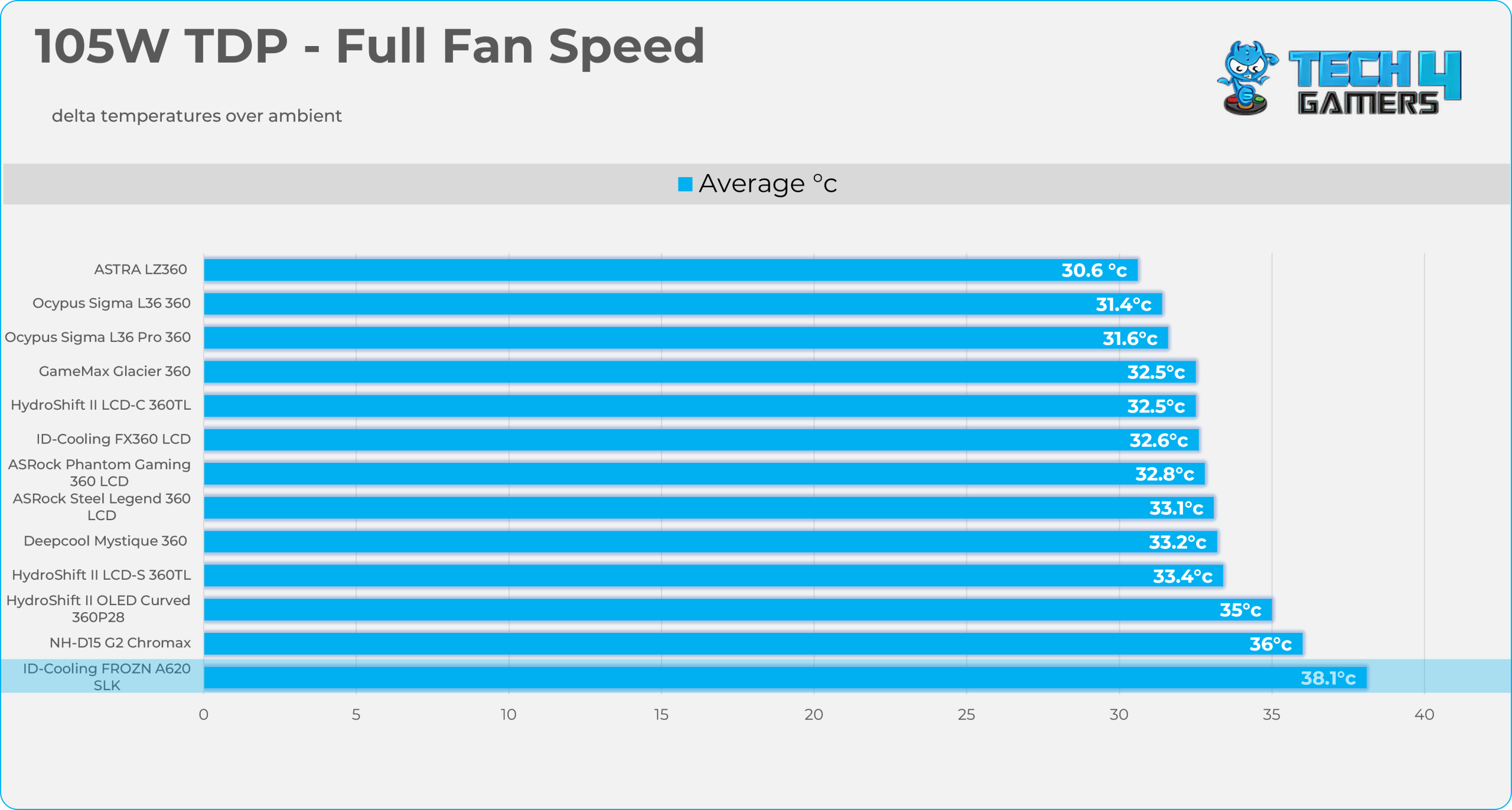
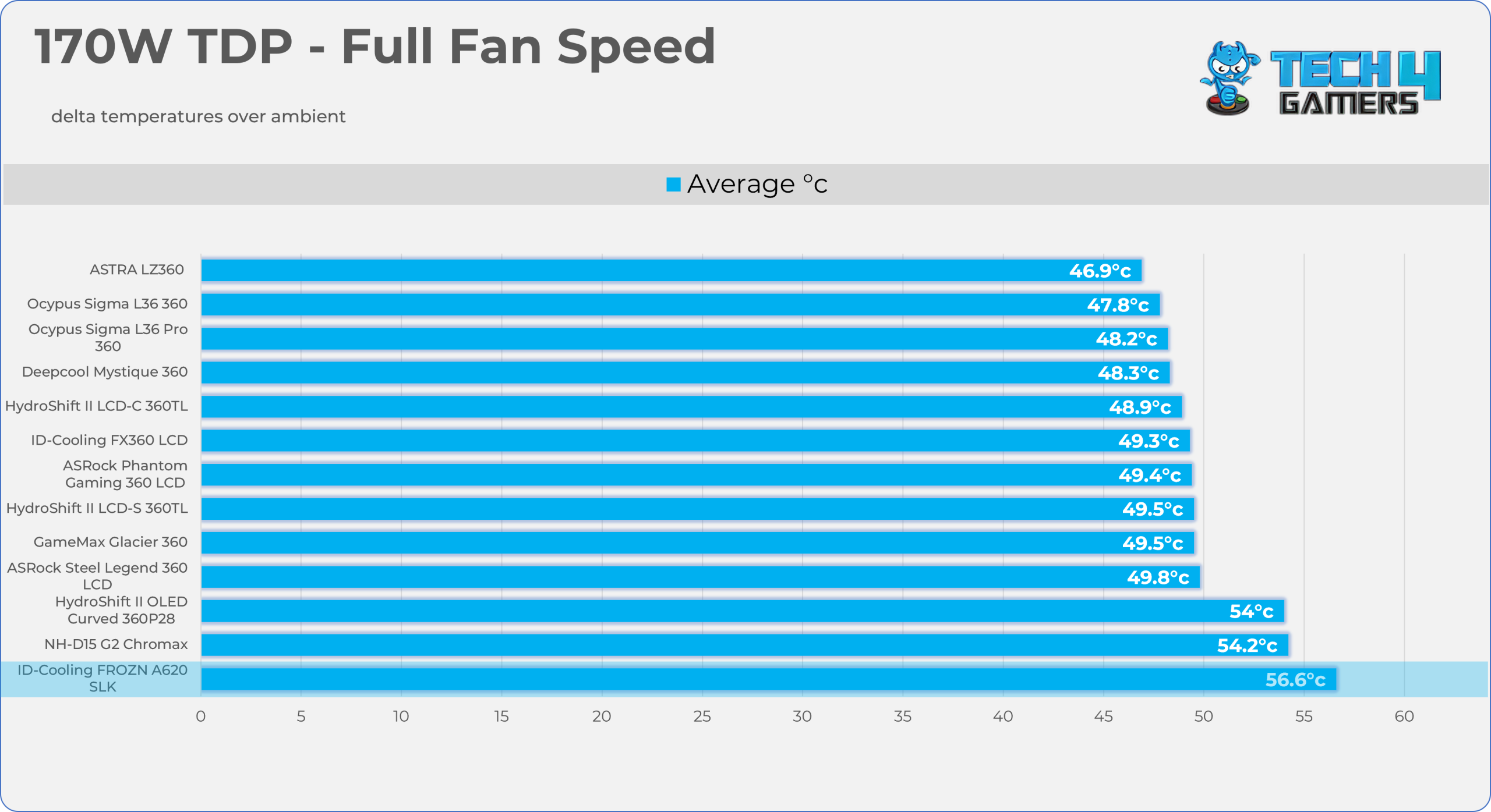
Results at the Maximum PWM Speed.
105W TDP
170W TDP
Noise and RPM Readings
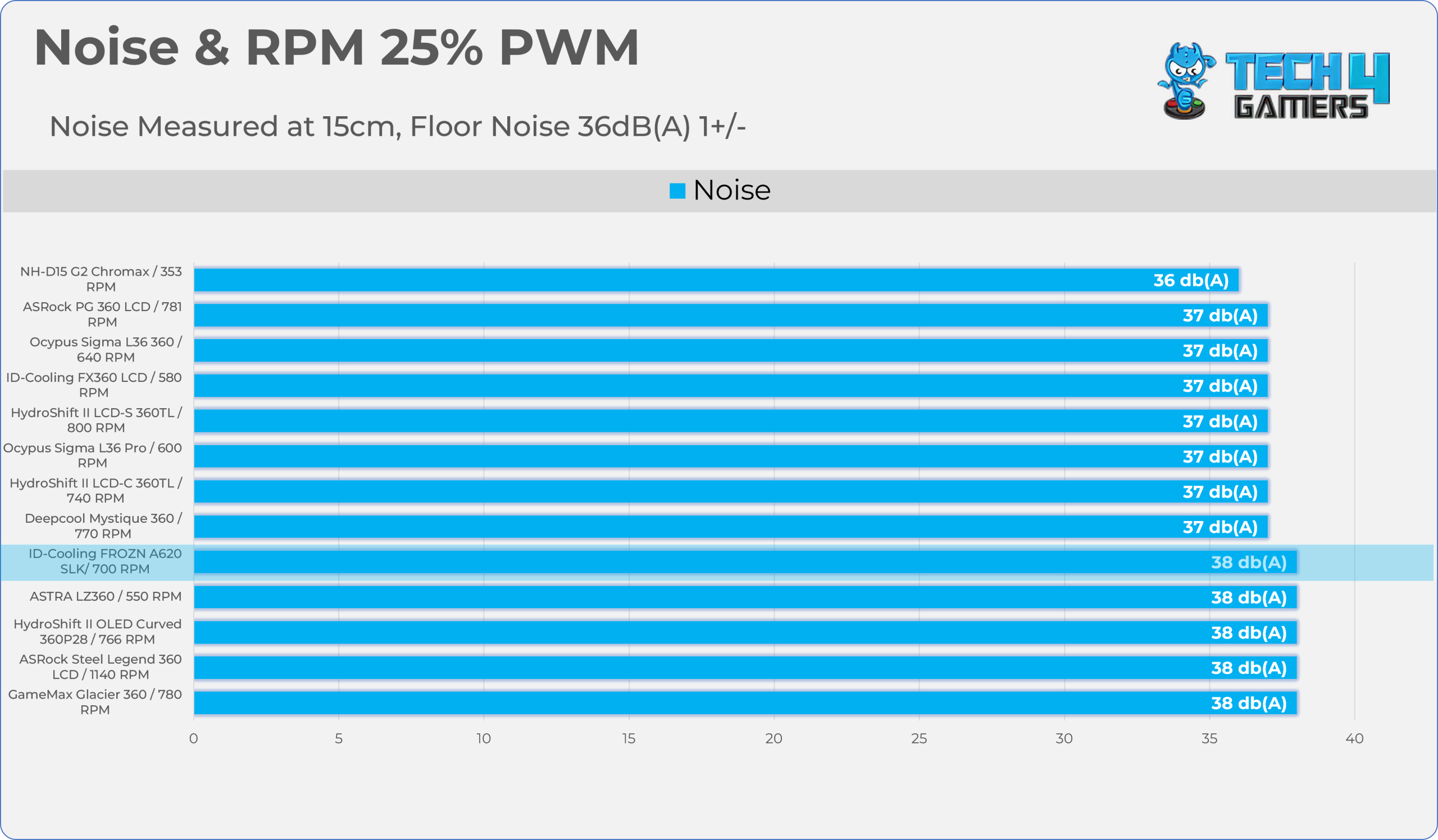
Let’s take a look at the Noise and RPM Readings. We conducted tests across four different PWM range levels.
25-50% PWM
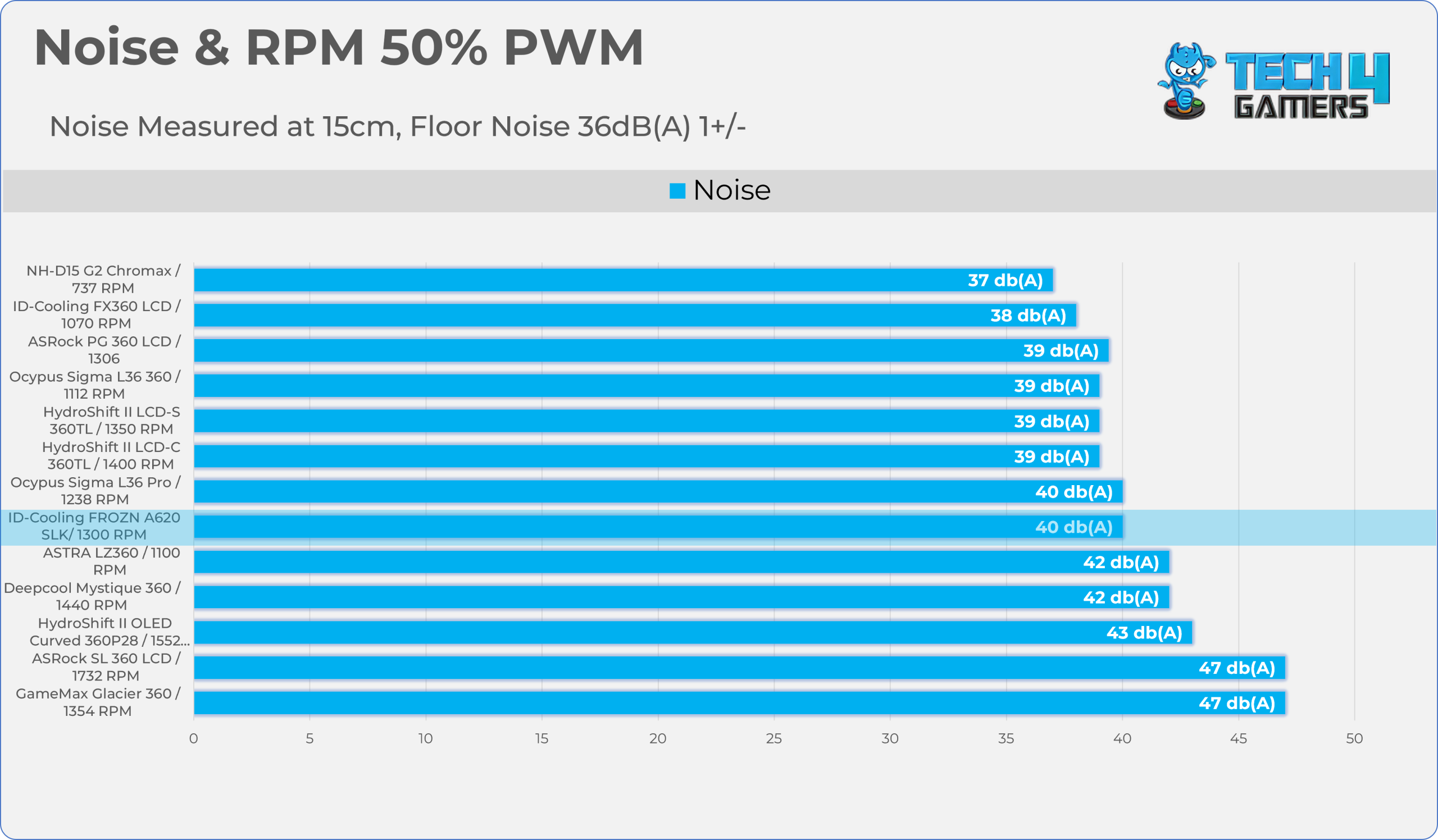
75-100% PWM
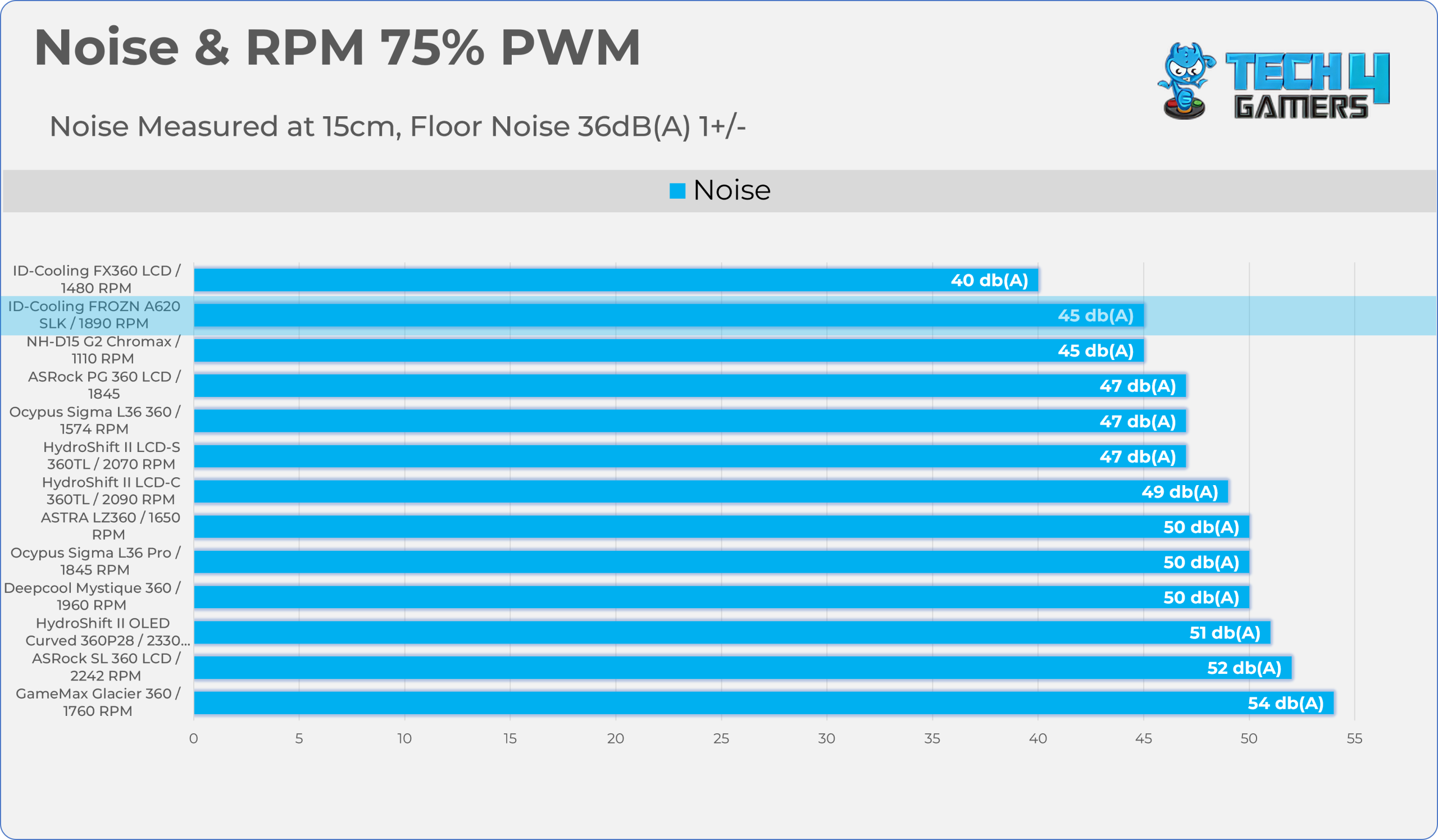
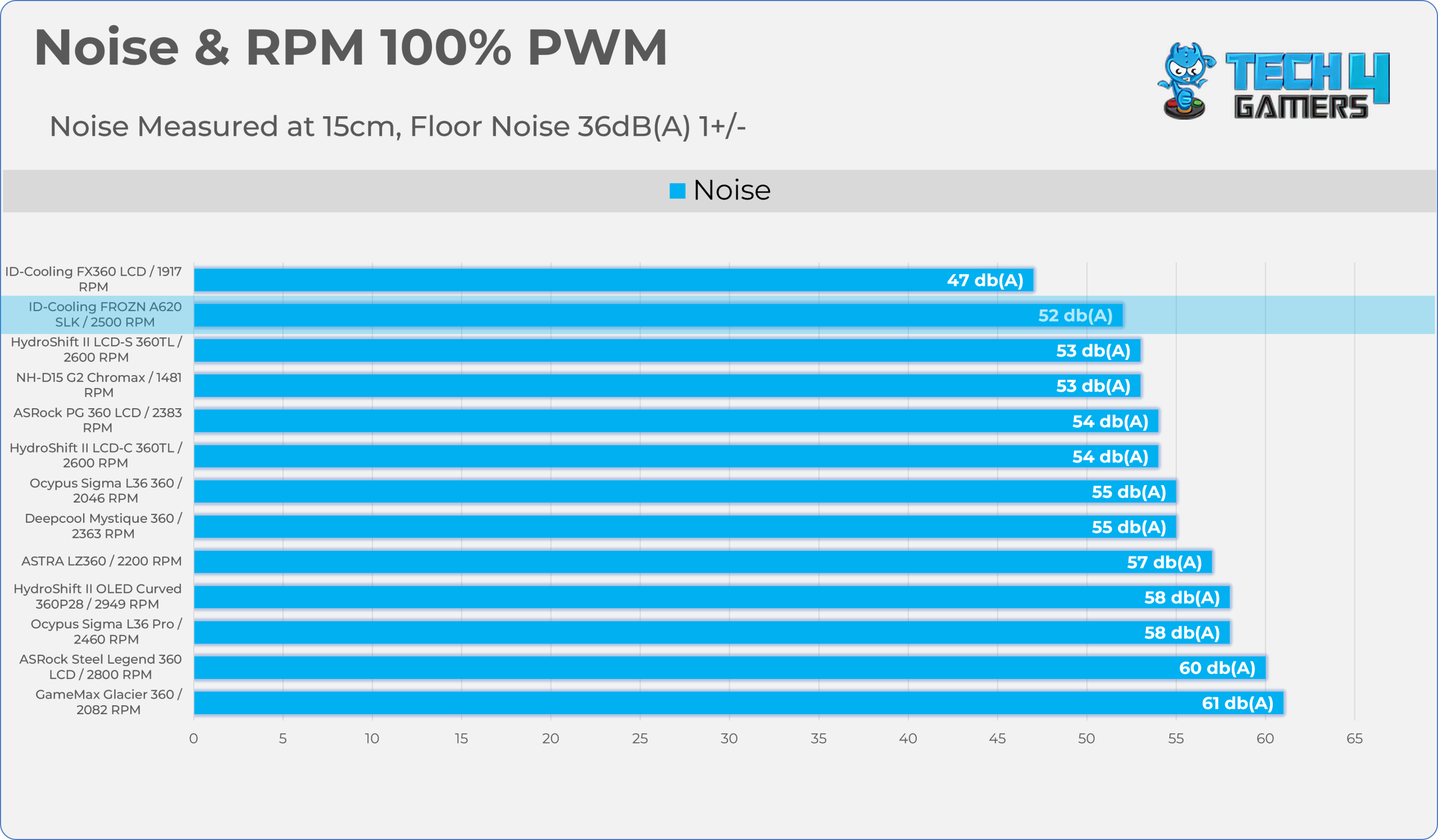
Here is the structured table illustrating fan noise levels at various PWM percentages. The Floor Noise Level is 36dB(A).
| PWM Level | RPM | Noise (dB(A)) |
| 25% | 700 | 38 |
| 50% | 1300 | 40 |
| 75% | 1890 | 45 |
| 100% | 2500 | 52 |
Should You Buy It?
Buy It If
✅ You Prioritize a Clean, Black-out Aesthetic: FROZN A620 SLK features a visually attractive design with a neat top cover and an all-black finish, making it a solid pick for non-RGB PC setups.
✅ You Need a Solid Cooling Performance: The cooler demonstrates commendable cooling performance, competing well with liquid coolers and the flagship Noctua DH15 G2. It doesn’t beat them, but it still delivers sufficient thermal performance for its price.
✅ You Want Easy Installation and Good Build Quality: This cooler provides a robust and simple installation mechanism, along with excellent build quality
✅ You Need a Dual-Tower Cooler Performance with Zero Clearance Issue: Frozn A620 SLK offers a very intelligent design, thanks to its slim front fan, which guarantees perfect memory compatibility.
Don’t Buy It If
❌ You Want The Absolute Best Noise-Normalized Performance: While it delivers very strong performance when the fans are blasting at full PWM, in our charts the cooler struggled in the noise-normalized testing. The CPU ran 6- 7 °C warmer at 40 dB(A) than at full fan speed.
❌ You Want RGB Lighting: The cooler offers an all-blackout design, meaning there is no ARGB on the fans or the heatsink, which may be a deal-breaker if you want a heavily illuminated system.
Final Thoughts
Cooling Performance And Noise
The ID-Cooling FROZN A620 SLK performs exceptionally well in certain scenarios. Our benchmark data demonstrates a heavy dependence on airflow velocity. When allowed to ramp up its fan speeds, for example, in the 100% PWM results, the cooler punches above its weight class and closes the gap with the flagship Noctua NH-D15 G2. However, in noise-normalized benchmarks, the gap widens. At restricted speeds, the cooler suffers a severe performance penalty. This is likely due to its incredibly dense unibody design. When the fans slow down, they simply lose the static pressure required to force air through the tight fin stack.
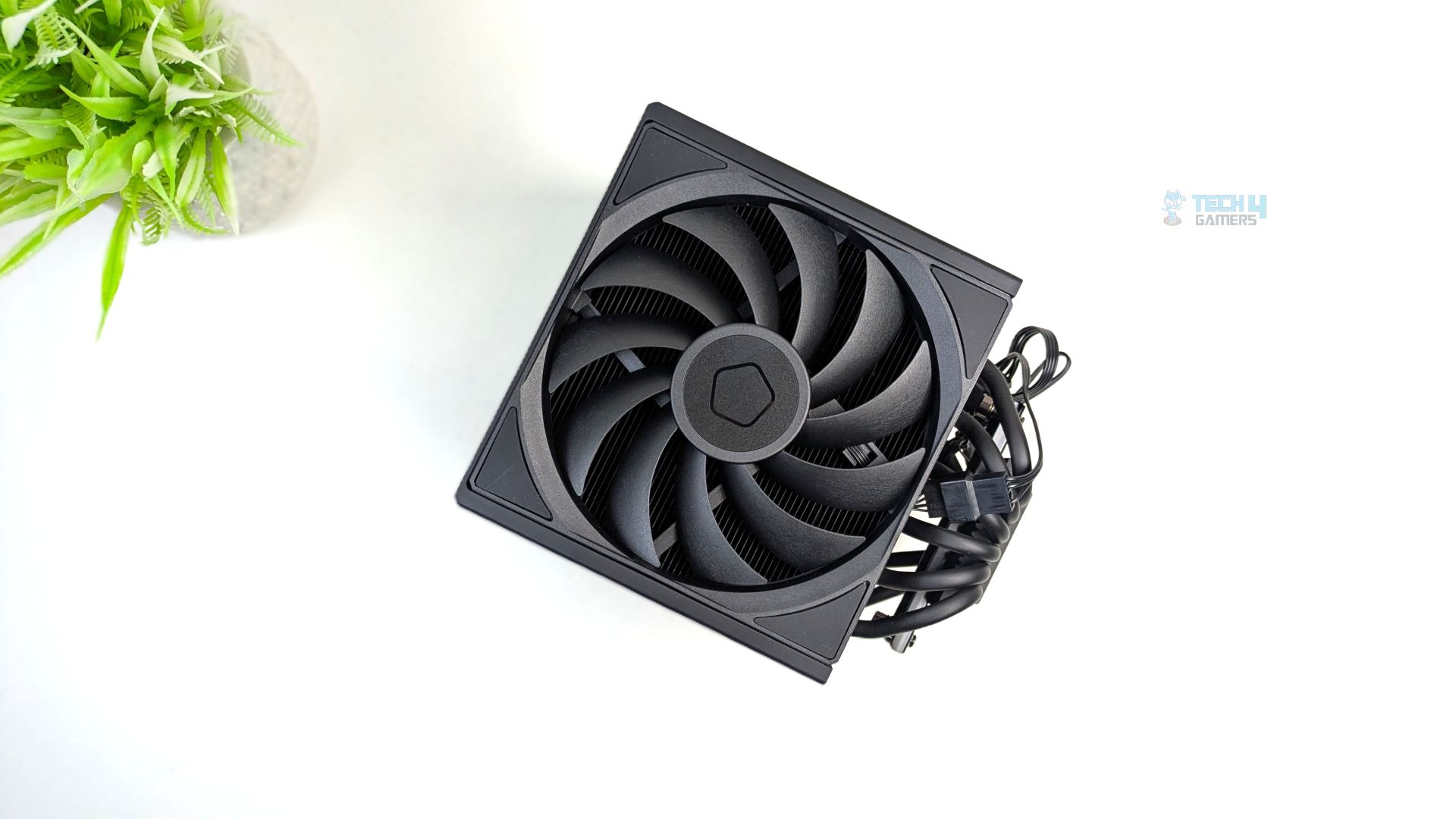
Nonetheless, when paired with a high-end processor, this cooler performs well, but it has a notable drawback: its restricted surface area creates a bottleneck. This makes it unsuitable for users who require extreme cooling at low noise thresholds.
Build Quality / Design
The entire unit is coated in a matte black, stealthy finish while maintaining a single-tower footprint. The design is engineered to provide dual-tower-level performance. In total, the unibody heatsink consists of a single, dense stack of 56 aluminium fins, while providing excellent modularity; the cooler can easily be taken apart, and it’s highly serviceable. This cooler employs a two-stage centre-rotating fan system: the front fan utilises the AF-120 Slim, which is only 15mm thick to maintain memory clearance, while the centre fan is a thick 25mm AM-120-K, which is the primary driver for this cooler.
Secondly, I have no complaints about the build quality. Talking about the installation first, ID has made it very easy; the brackets are very sturdy, and it’s almost tool-less. Other than that, the top of the cooler is capped with a sleek, matte black magnetic cover. Overall, the aesthetics feel very premium, and the build quality is exceptional.
Value
The Frozen A620 SLK, priced at $49.99, is too hard to ignore. If a builder wants dual-tower performance without worrying about size or RAM interference headaches, the A620 SLK is an outstanding piece of hardware. Considering that if you let the fans ramp up, it can easily handle high thermal loads up to 260W, design-wise the cooler punches way above its weight class.
Thank you! Please share your positive feedback. 🔋
How could we improve this post? Please Help us. 😔

Senior Hardware Reviewer at Tech4Gamers with over a decade of experience in the tech industry. My journey began in 2014 as a senior administrator for Pakistan’s largest gaming community forum. I specialize in testing and reviewing components like graphics cards, CPU coolers, and motherboards, while also sharing insights on overclocking and system optimization.
 Join Our Community