 Threads
Worth It?
Review Summary
The ID-Cooling SL360 V2 positions itself as a highly competitive budget flagship AIO liquid cooler, demonstrating strong thermal performance and good aesthetic appeal. It features a customizable LCD screen at an aggressive price point; however, at maximum speed, the fans are loud. To compensate, it includes quality-of-life improvements that make setup clean and clutter-free.
Hours Tested: 6
Overall
-
Cooling - 9.2/10
9.2/10
-
Noise - 8.4/10
8.4/10
-
Aesthetics - 8.5/10
8.5/10
-
Build Quality - 9.2/10
9.2/10
-
Value - 9.4/10
9.4/10
Pros
- Decent Thermal Efficiency
- Highly Customizable 2.1-Inch LCD
- Exceptional Build Quality
- Decent Noise To Performance Ratio
- Straightforward Installation
- Less Cable Clutter
Cons
- Loud fans above 75% PWM
- Proprietary Fan Cables


The AIO liquid cooling market has shifted rapidly over the last few years. What we used to call luxury premium features, such as built-in LCD screens or daisy-chained fans, have now become the baseline in 2026. Previously, we looked at the sheer cooling brute force of the ID-Cooling SL360 V2 Plus, but today we are looking at its non-plus variant to see what it offers and how much value and performance it provides. The SL360 V2 is the second generation of their Space LCD liquid-cooler lineup. It has come a long way; visually, they might not look different, but several architectural changes could provide better cooling efficiency. Thanks to its upgraded pump and the upgraded AM-120 ARGB. The cooler features the identical LCD screen as the original SL360 LCD with 480×480 resolution; however, there are subtle changes to its frame. The most obvious change is the new light implementation that surrounds the LCD screen.
On the original SL360, the frame bordering the screen was solid; the physical footprint of the frame has also been beefed up. Beyond the physical housing and ARGB integration, the V2 upgrades also focused on raw cooling performance; like its Plus variant, the standard V2 receives the new high-speed ceramic bearing pump with a higher liquid flow rate, coupled with a thinner but faster fan, the AM-120. We’ll talk in detail about everything in this review.
Let’s talk about the specifications:
| Component | Specification | Details |
| Platform Compatibility | Intel / AMD |
LGA 1954/1851/1700/1200/115X AM5/AM4 |
| Thermal Capacity | Max TDP | 350W |
| Display | 2.1″ LCD | 480×480 Resolution, 60Hz, 300 cd/m², 18-bit Color |
| Radiator | Dimensions & Material | 396 × 120 × 27 mm (Aluminum) |
| Tubing | Length | 420 mm |
| Waterblock & Pump | Dimensions | 79 × 79 × 68 mm (Copper Cold Plate) |
| Speed | 2900 RPM ±10% | |
| Bearing & Max Noise | Ceramic Bearing / 25 dB(A) | |
| Fans (3x) | Model & Dimensions | AM-120-ARGB / 120 × 120 × 25 mm |
| Speed & Connector | 0 – 2500 RPM ±10% (7-Pin to 4-Pin PWM/ARGB) | |
| Airflow | 79.7 CFM (Max) | |
| Static Pressure | 3.65 mmH₂O (Max) | |
| Bearing & Max Noise | Hydraulic Bearing / 31.0 dB(A) |
What Makes ID-Cooling SL360 V2 AIO Different?
There are several upgrades with some quality-of-life improvements to the SL360 V2 over the original SL360. At the same time, the LCD specifications remain almost identical. Still, a major differentiator from the previous generation is the upgraded ceramic bearing pump; ID has put more juice into the pump this time, now it does 2900 RPM, up from the 2500 RPM limit. They have also put their brand-new fans, AM-120 ARGB, which are faster than their predecessor. To make it more visually appealing, they have surrounded the LCD screen with the 24-LED ARGB Halo Ring, unlike the original SL360, which had solid plastic framing the screen.
What About The Availability & Pricing?
This Cooler is only available in the 360/240mm variant, and both are available in black and white. However, we do not have the official MSRP numbers. The SL360 was available on Newegg for $170 globally, so it is reasonable to estimate that this Cooler would be at least around $150. However, in my country, where I reside, the cooler costs around $125 (35,000 PKR); the exact price can vary depending on the retailer and regional availability.
ID-Cooling provides an official 3-year manufacturer warranty for all of their Space LCD series AIO liquid coolers.
Packaging
Let’s take a look at the packaging!
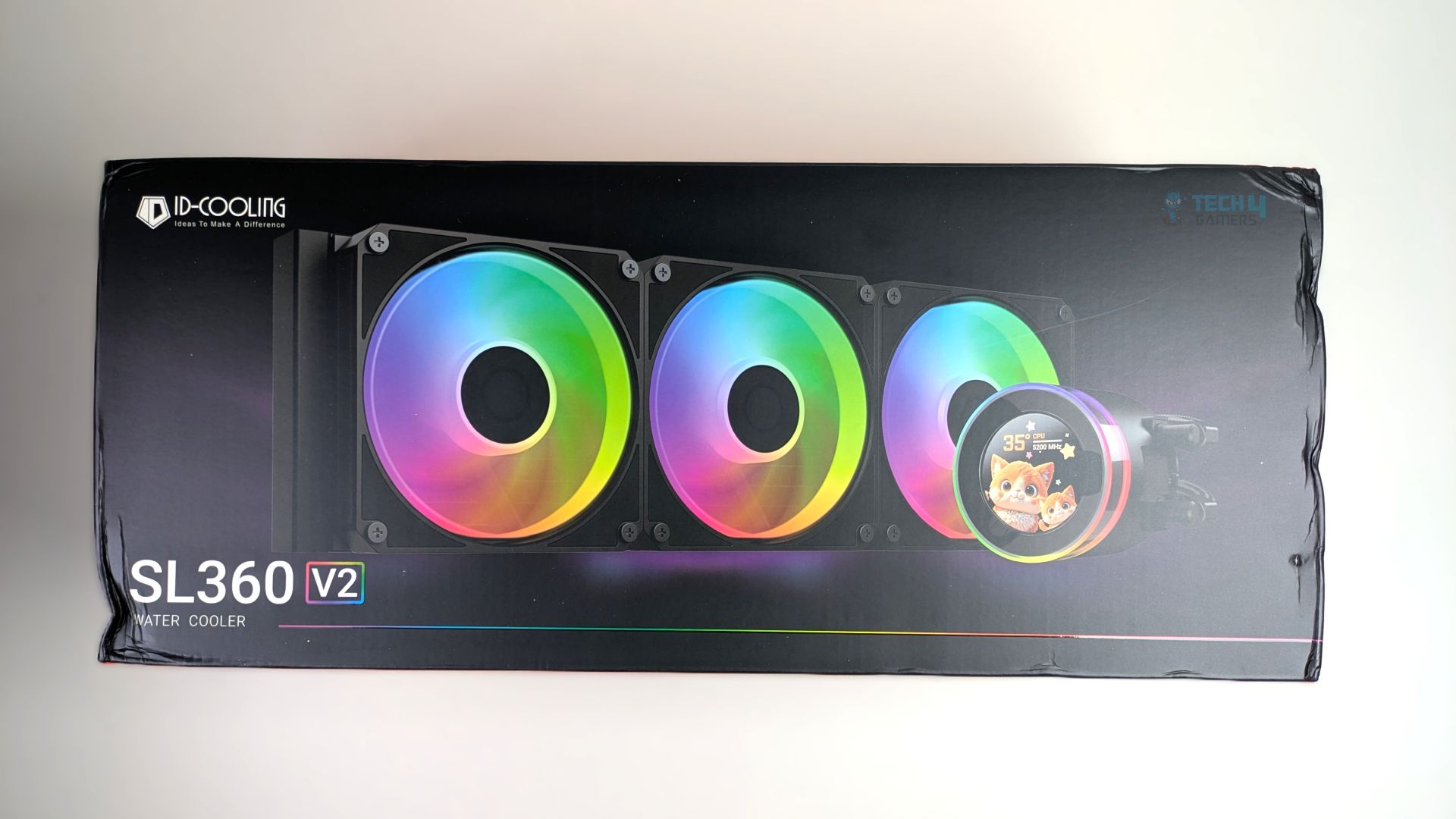
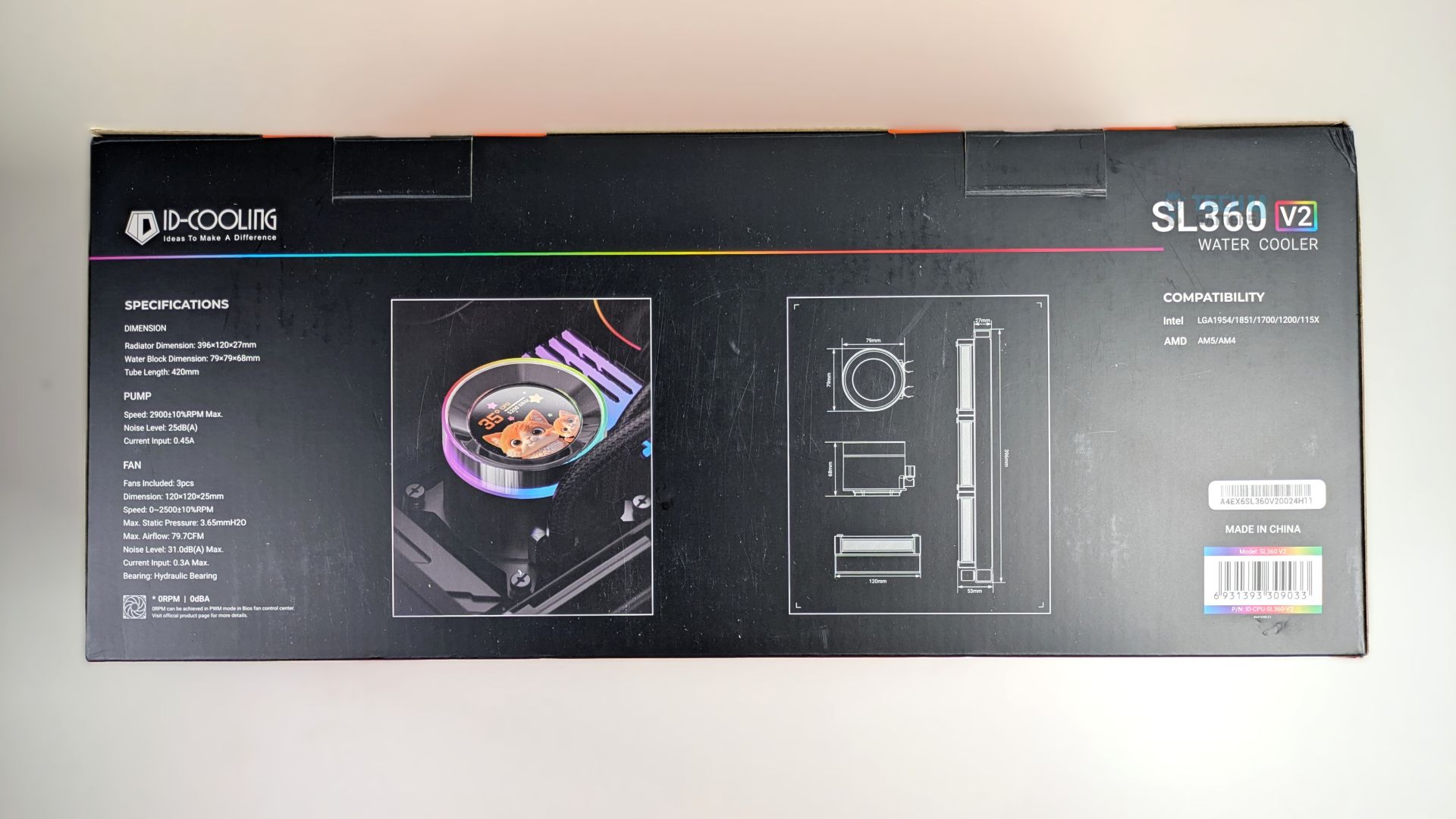
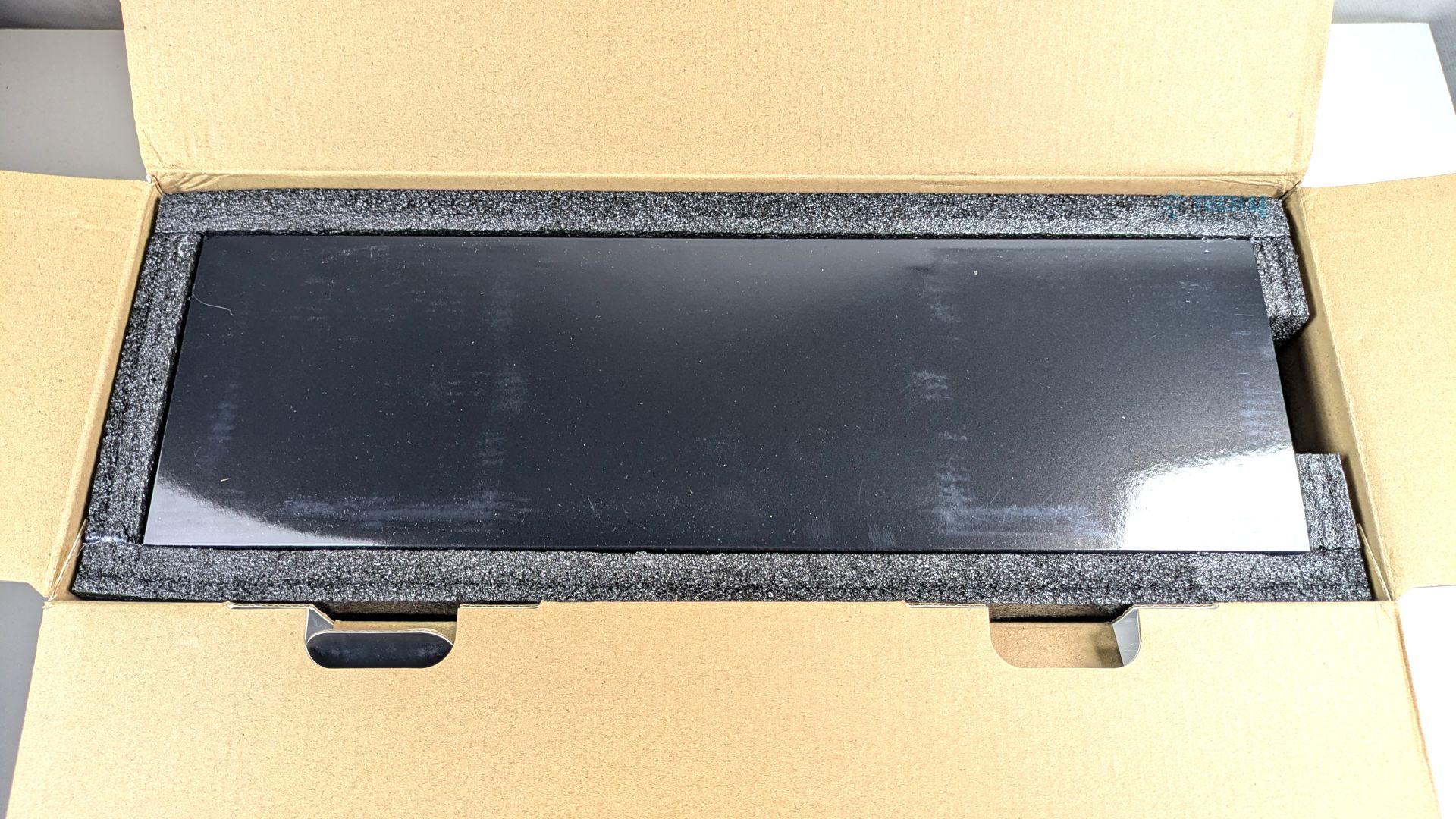
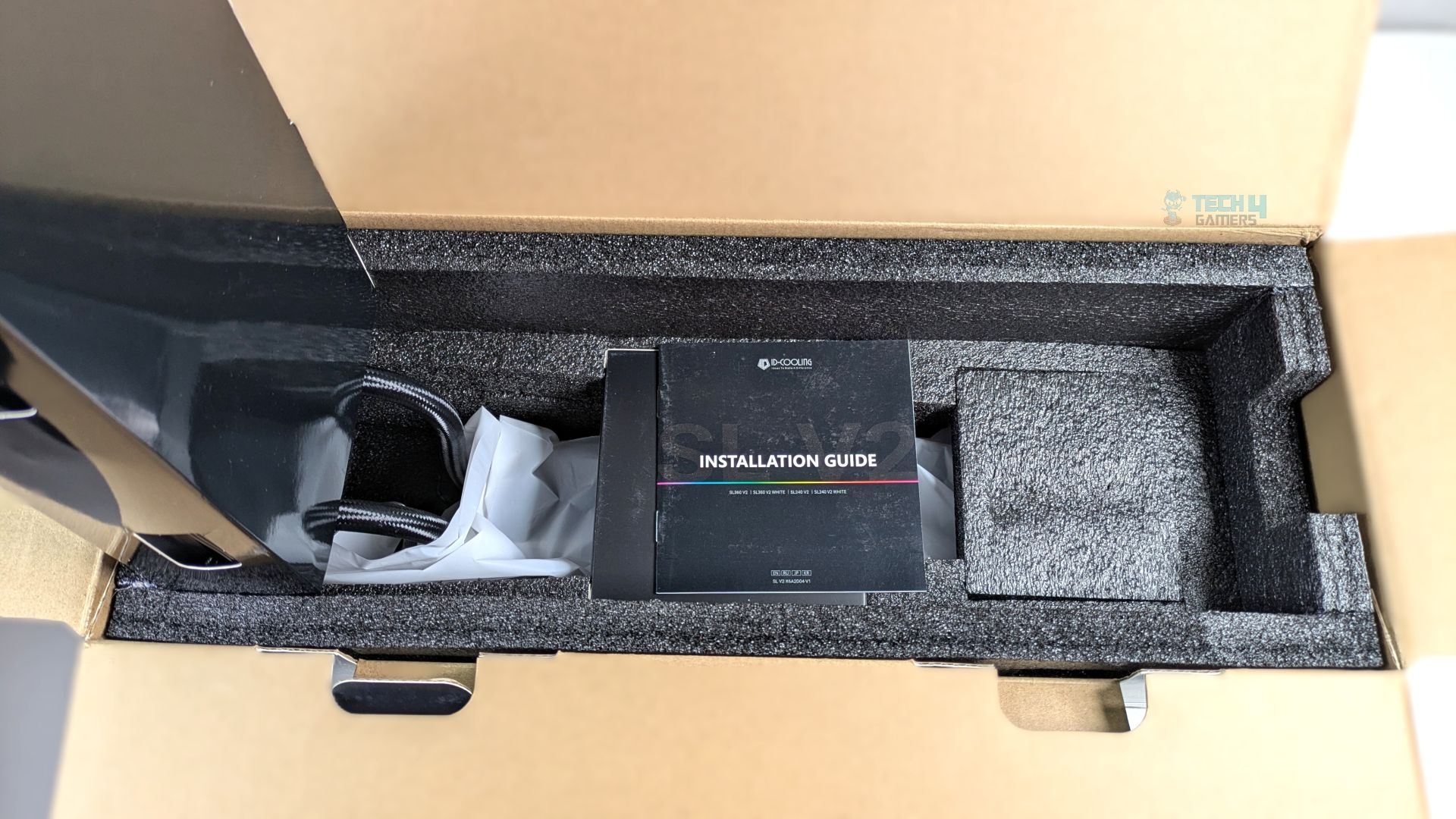
The packaging resembles that of the SL360 V2 Plus cooler we reviewed previously. It comes in clean, matte-black cardboard, with a clear rendering of the cooler displayed on the box. However, it lacks socket compatibility and ARGB support badges, which are typically found on other cooler packaging. On the back of the box, you will find the details and specifications.
Upon opening the box, you will notice a well-protected internal layout; ID-Cooling has secured the radiator and pump within thick, high-density black foam.
Accessories
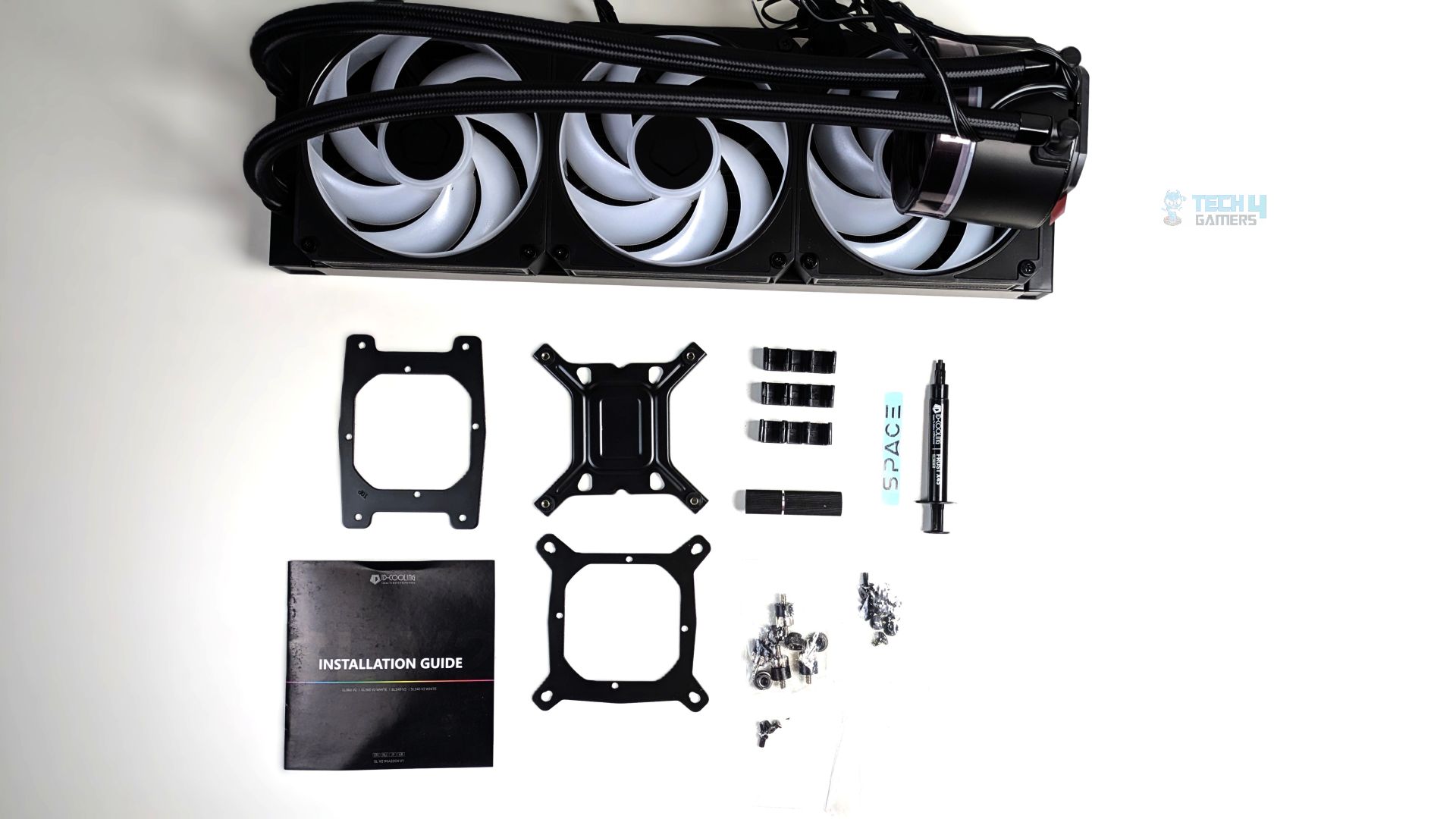
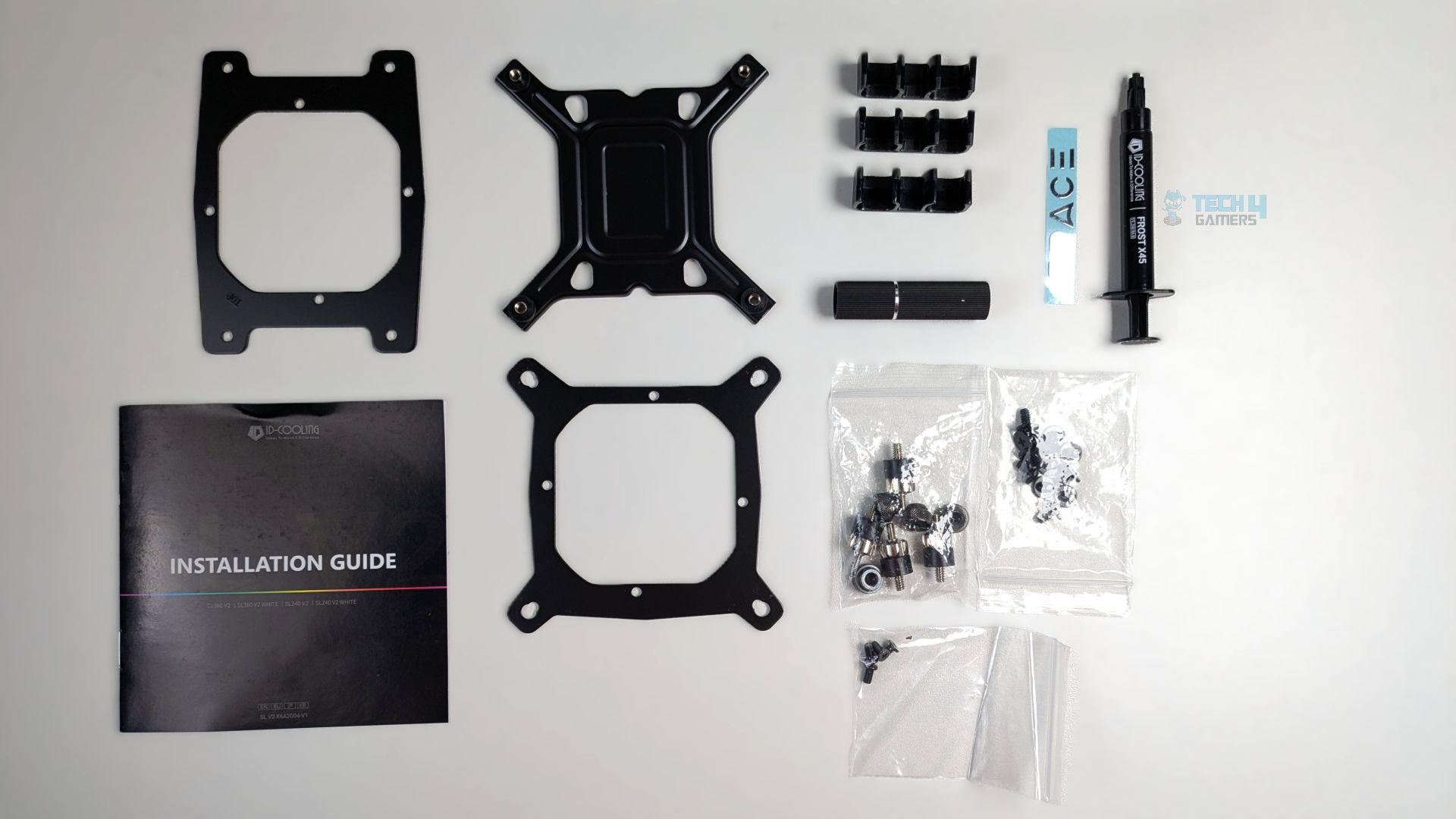
You don’t get many mounting accessories, which is nice. The mounting bracket for each AMD/Intel platform is included, along with the necessary screws, standoffs, and nuts to mount the radiator and cooler, as well as three plastic routing clips. Also, the ID-Cooling X45 thermal paste is included.
| Component | Quantity |
| Intel Backplate | 1x |
| Intel Mounting Bracket (Pre-Installed) | 1x |
| AMD Mounting Bracket | 1x |
| Tubing Clips | 3x |
| Standoffs | 4x |
| Thumb Nuts | 4x |
| Fan Screws | 12x |
| Standoff Installation/Removal Tool | 1x |
| Thermal Paste (ID Cooling X45) | 1x |
| User Guide | 1x |
Close Look At The Radiator and Assembly
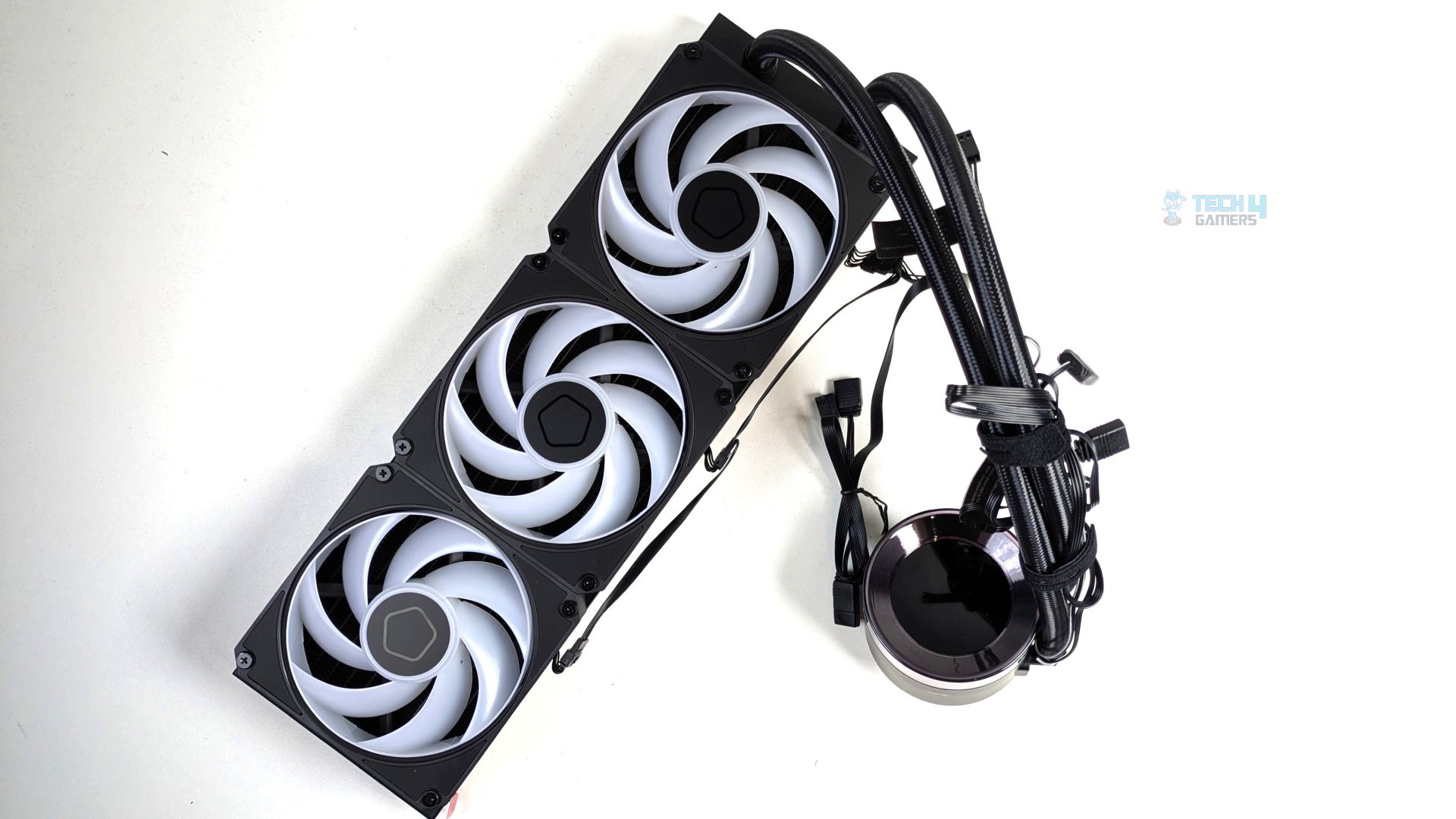
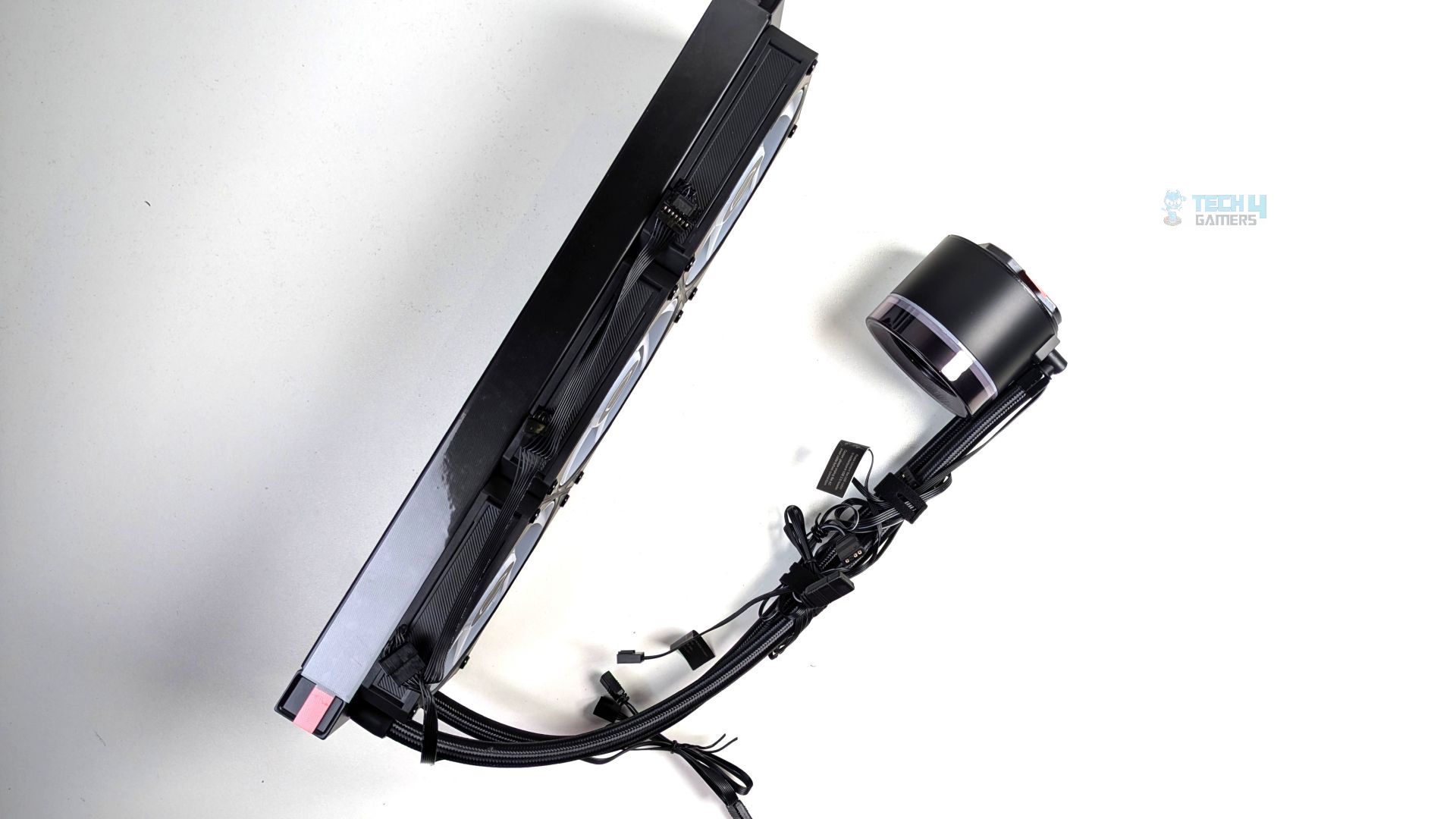
Taking a closer look at the assembly, the first thing you might notice is that the fans come pre-installed and daisy-chained together, which of course makes the installation process very easy. The pump connectors come wrapped around the tubes, secured by the straps. As we have seen in the other brands, the radiator and the block have no ID-Cooling branding anywhere. Though I find the SL360 V2 Plus design visually more appealing due to the sleek ARGB accent strip running down the radiator.
The fans are standard-sized, which are 120mm and 25mm thick. The design is very much identical to its Plus variant apart from the radiator design, ARGB implementation, and the fans. We’ll talk further about its LCD in detail below.
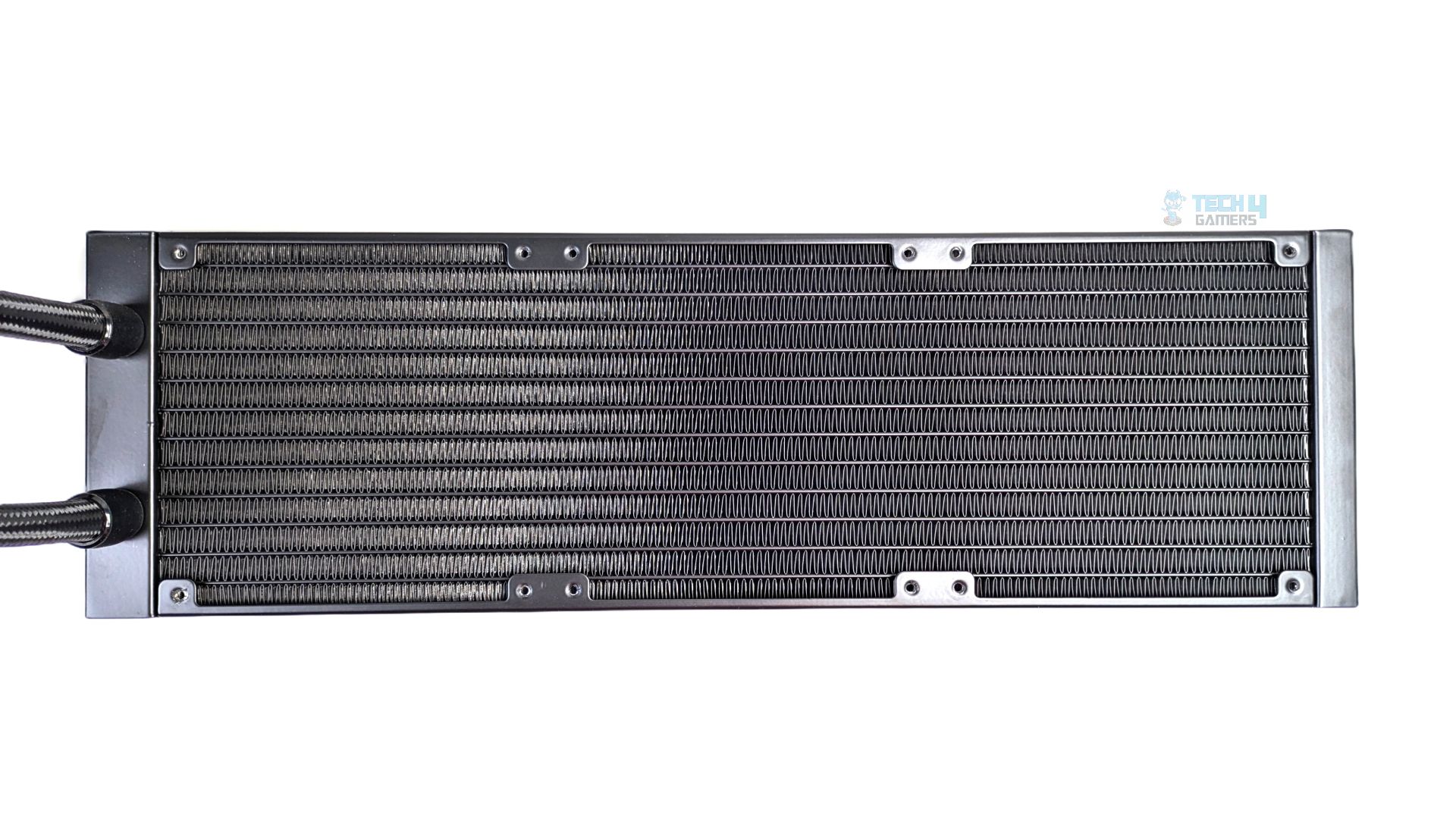
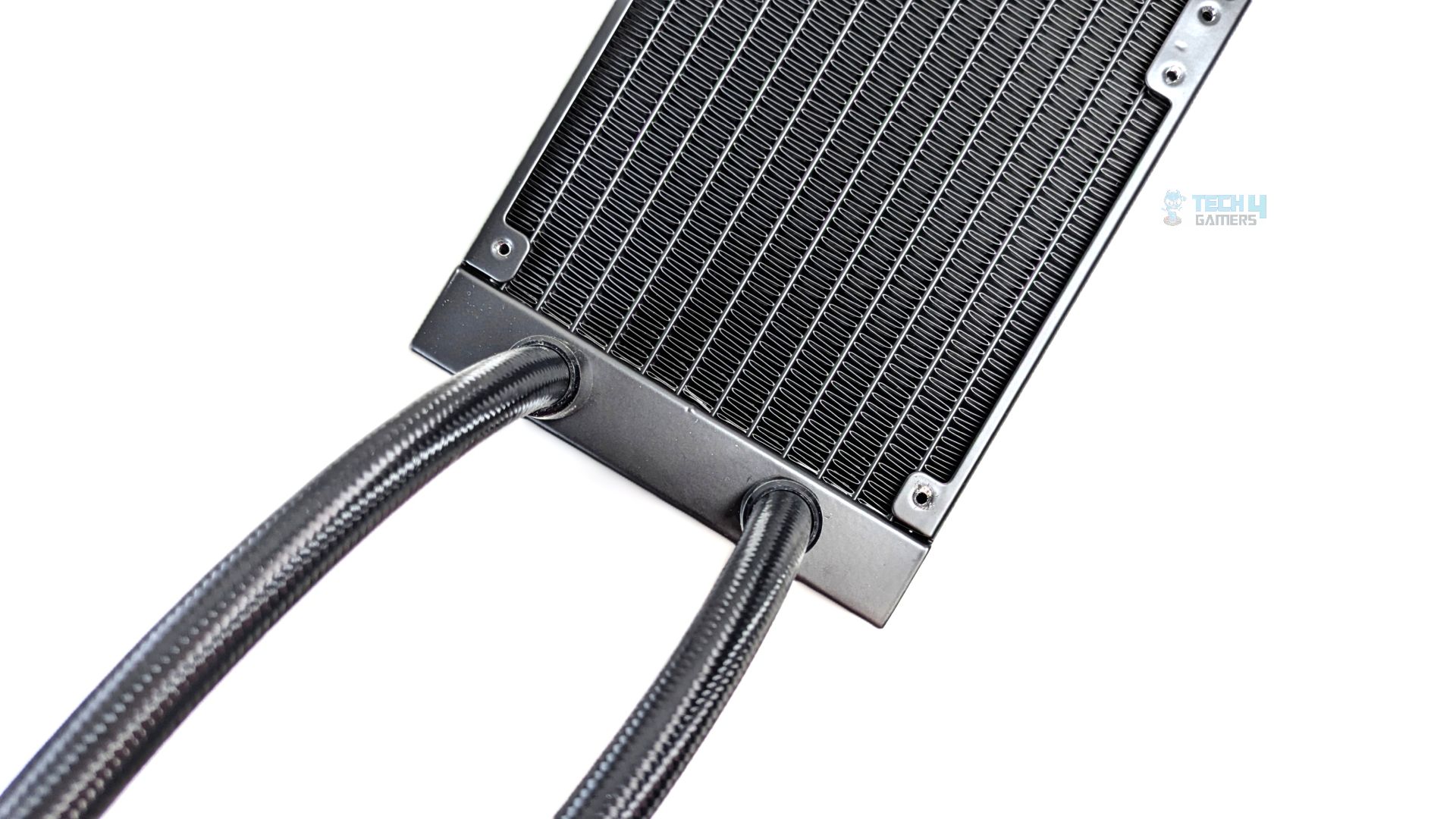
ID-Cooling has used a standard-sized radiator with the SL360 V2, measuring 396mm long, 120mm wide, and 27mm thick, constructed from standard aluminum. The radiator features 12 channels for coolant flow, with an FPI (Fins per inch) of 20-21. It’s a typical size you would see in 360mm liquid coolers these days. The tubing is 420mm long; budget or cheaper liquid-cooler options normally have around 380mm to 400mm of tube length.
We also see some premium sleeving on the tubes here, wrapped in high-density braided nylon sleeving; on the radiator size, the tubes are secured with straight, crimped metal sleeves.
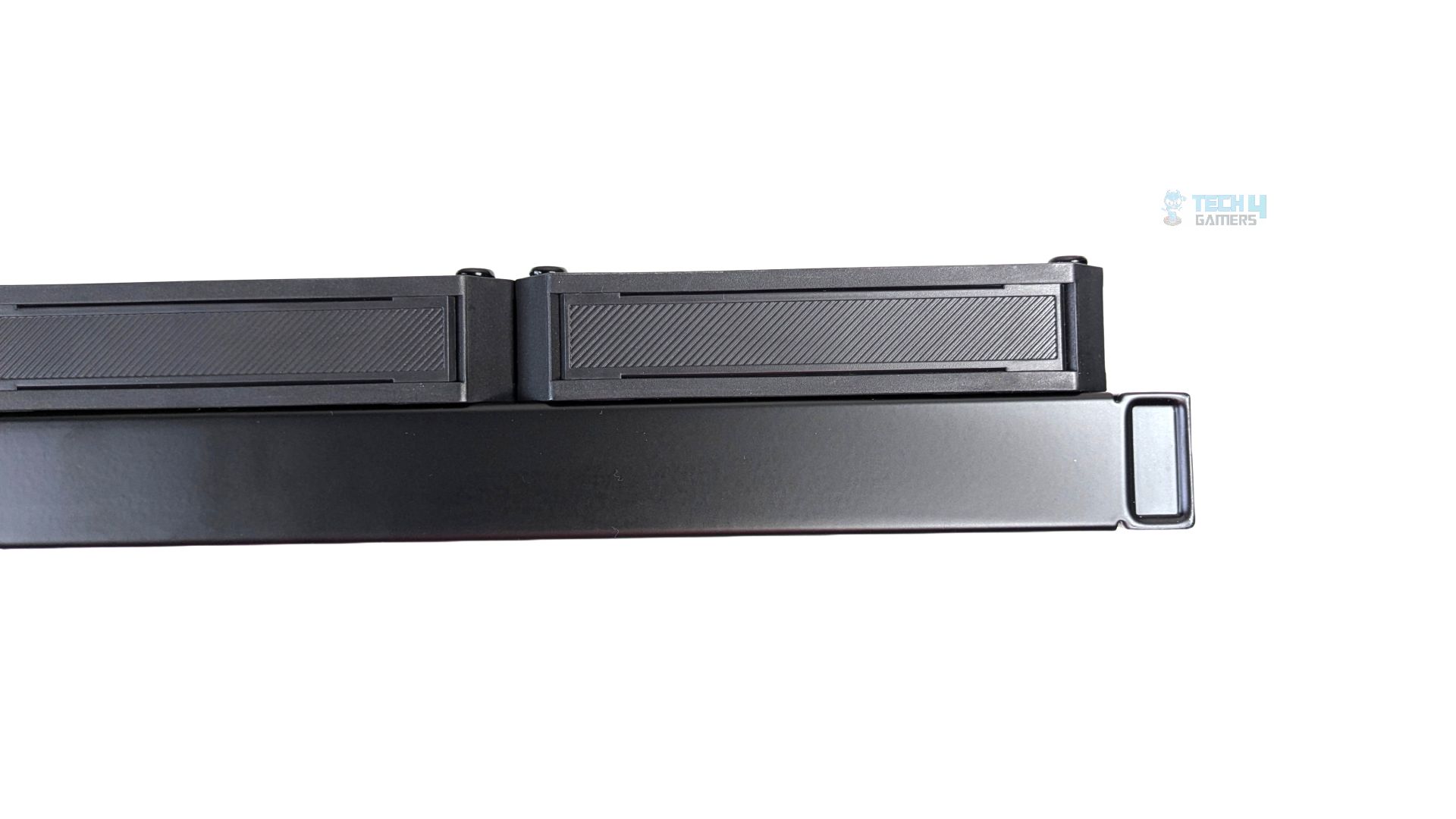
Here you can see how flush the thick fans sit against the radiator. No gaps are observed here. The combined thickness (Fan + Radiator) is 52mm.
Pump Design / Housing
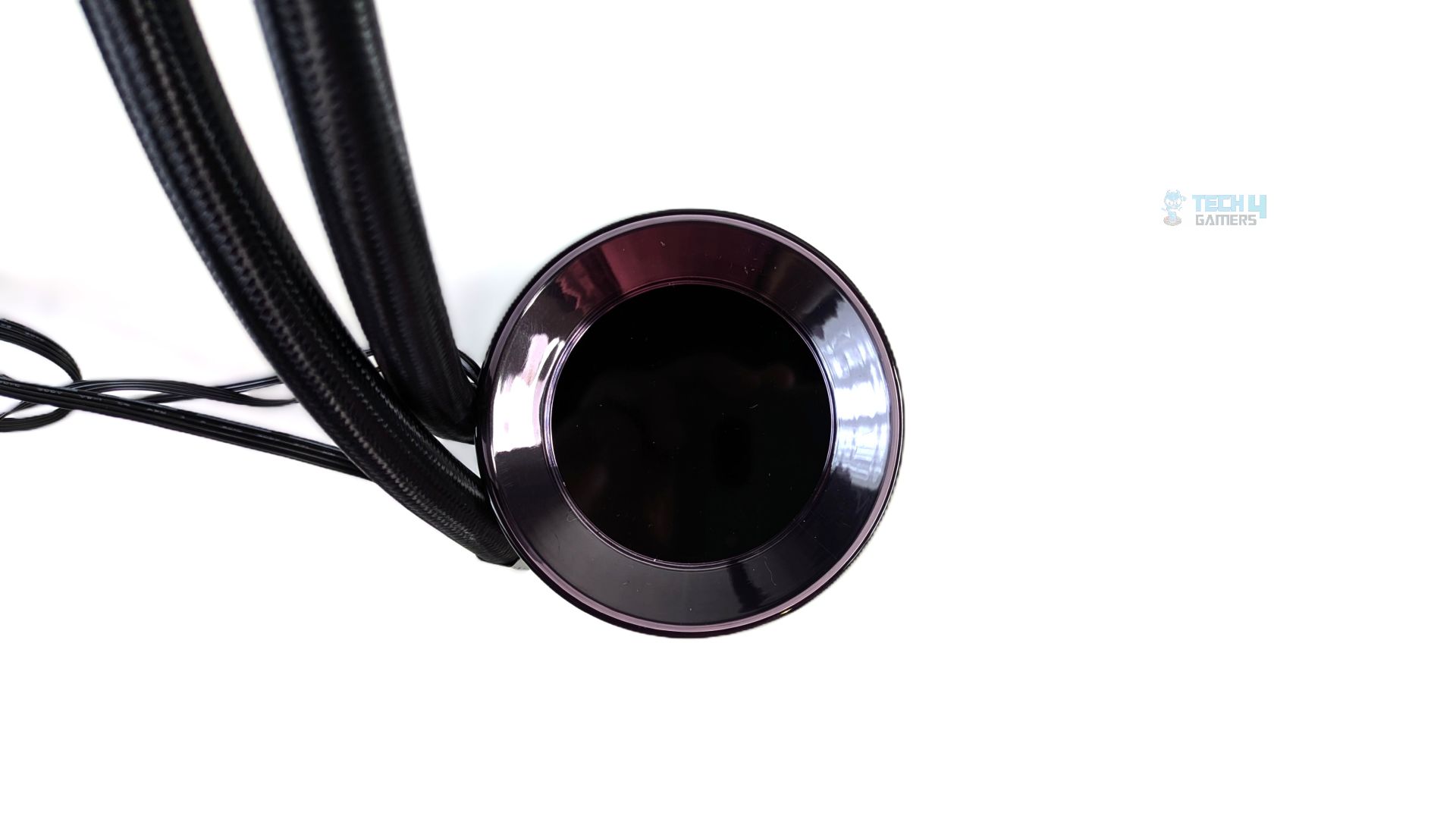
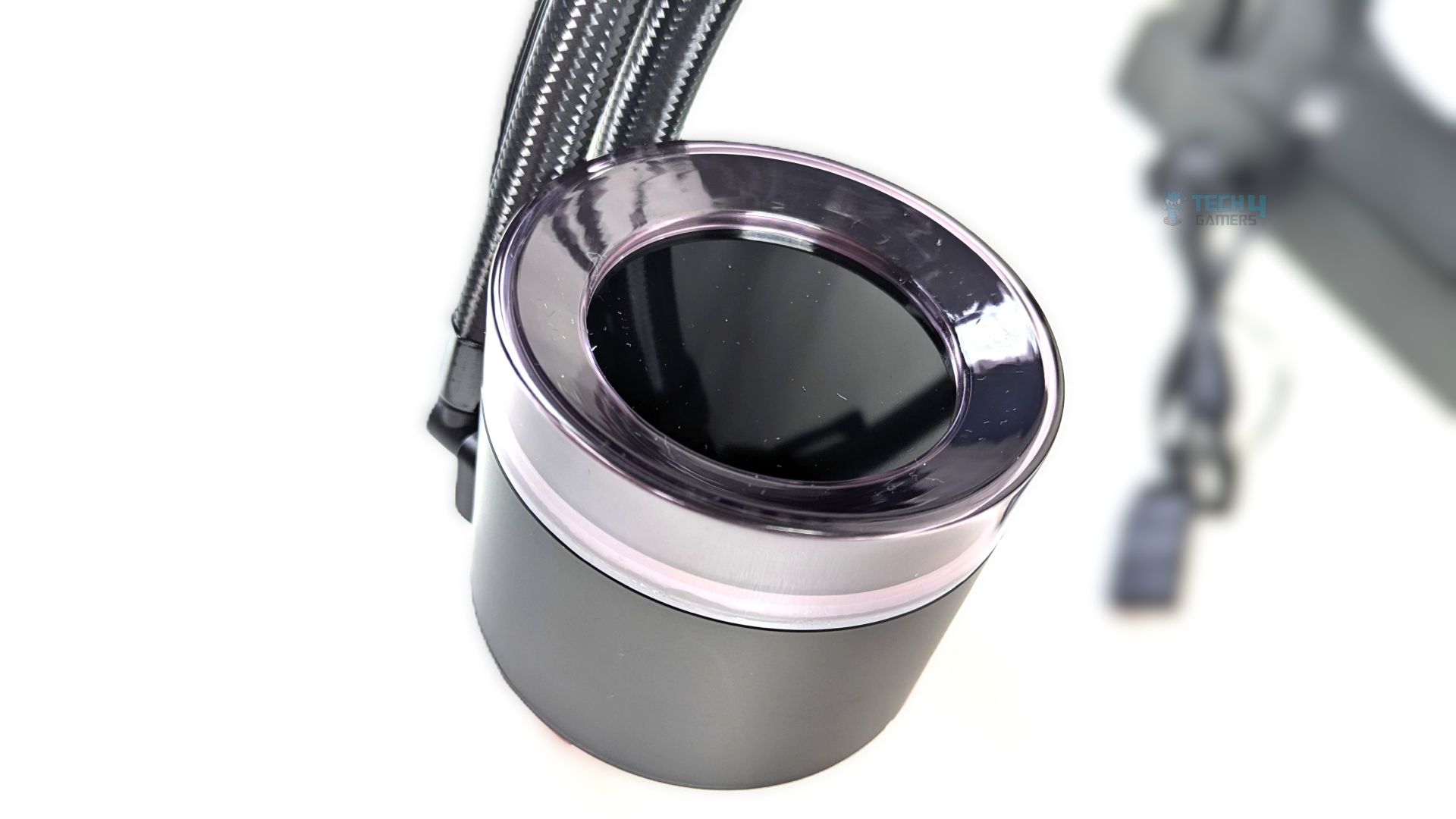
Taking a look at the block now, I had my hands on the original SL360 when it was launched, and I can confirm the V2 feels noticeably chunkier when holding the blocks side by side. I’d have made the comparison side by side if I still had that liquid cooler; however, the overall block head measures at 79 × 79 × 68 mm.
The V2 is 7mm wider and 10mm taller than the original SL360, utilising a cylindrical design; the bottom half of the pump is matte black. Above that, you will find the frosted acrylic diffusion, which incorporates a 24-LED ARGB system, the topmost section housing the 2.1-Inch LCD surrounded by a highly glossy outer bezel.
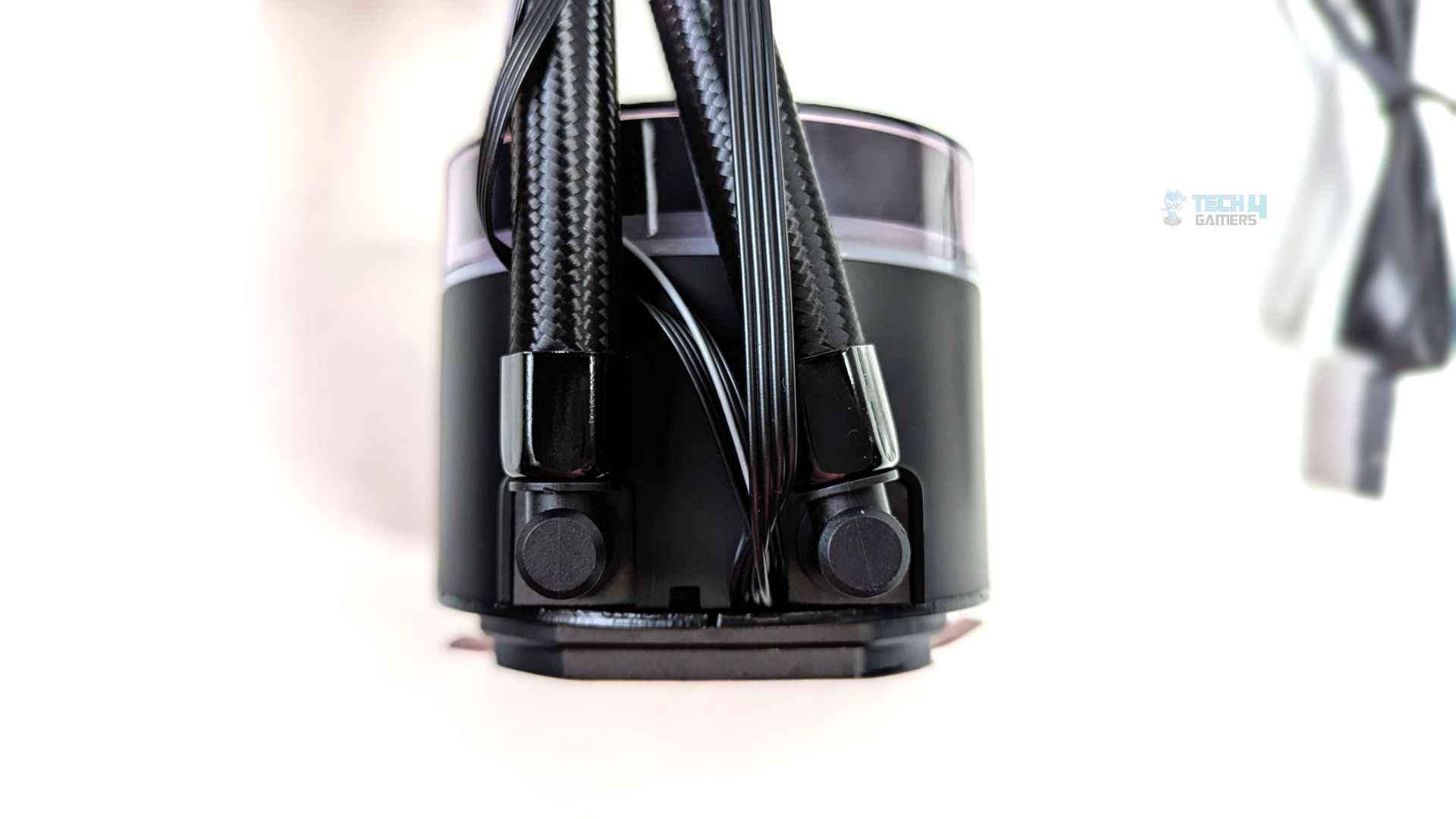
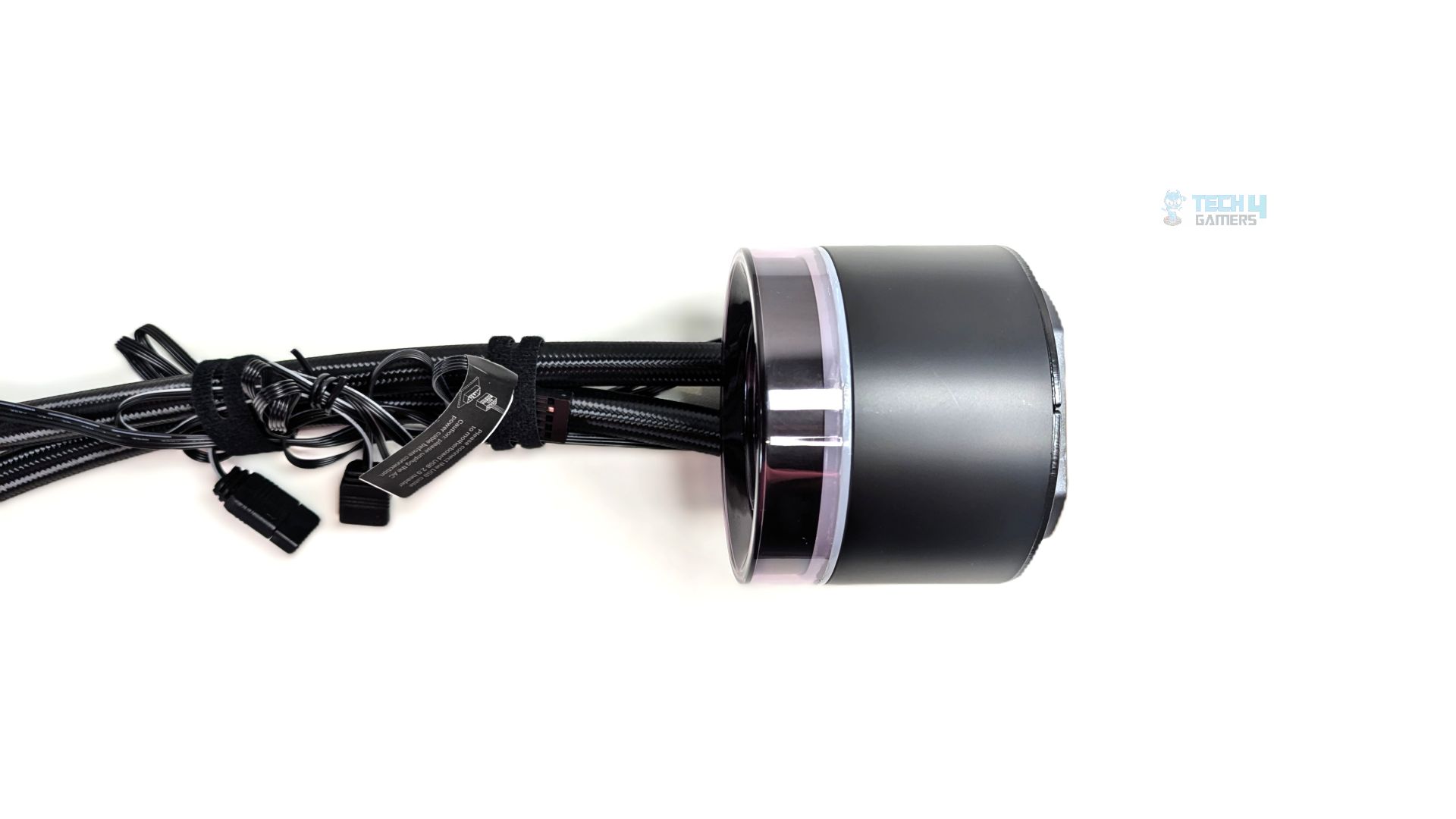
Now looking at the rear side of the block, the tubes are connected to the pump using 90-degree articulating rotary fittings. All the cables exiting the pump block are routed through a recessed channel between the tube fittings, which is a smart design.
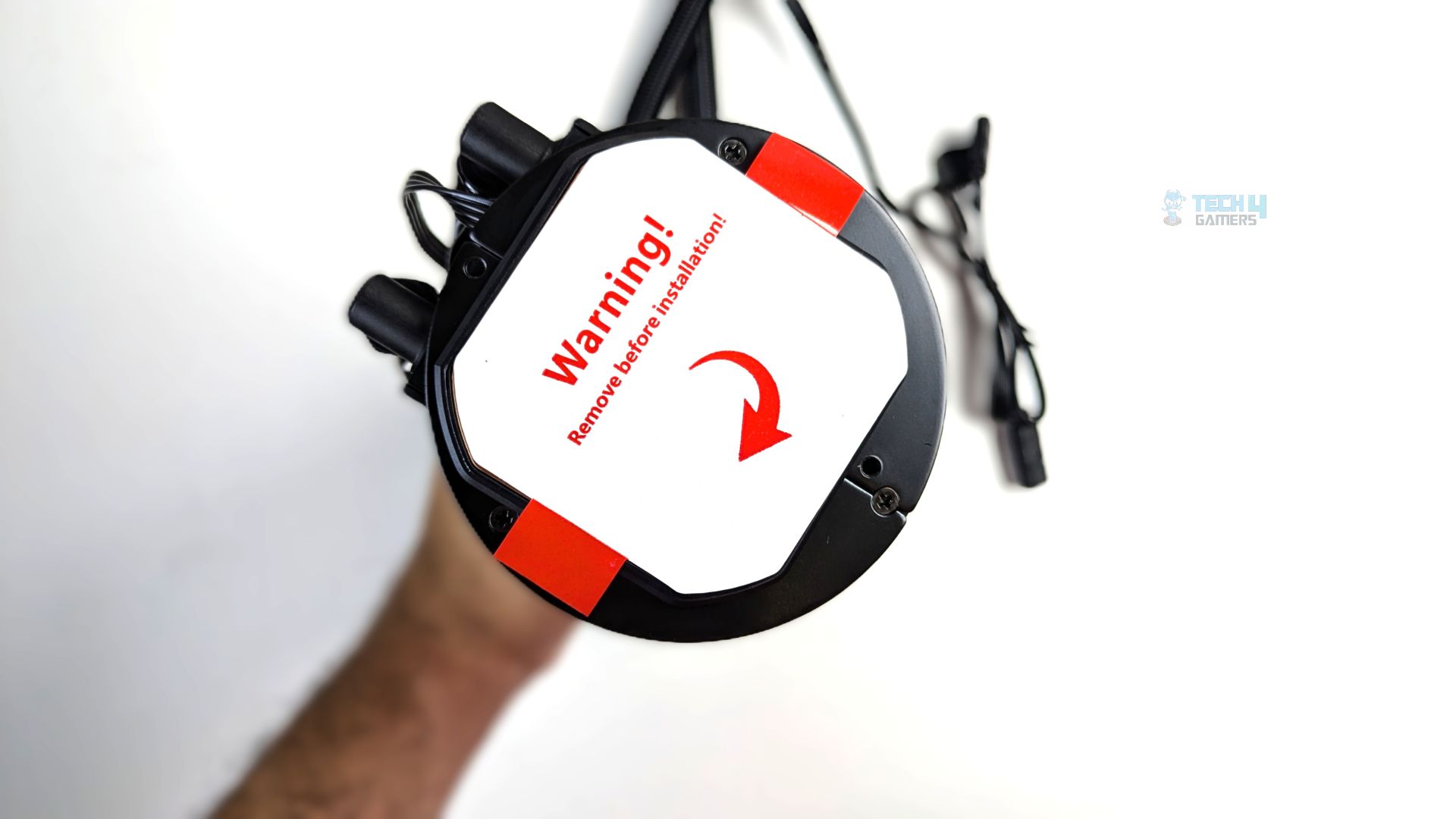
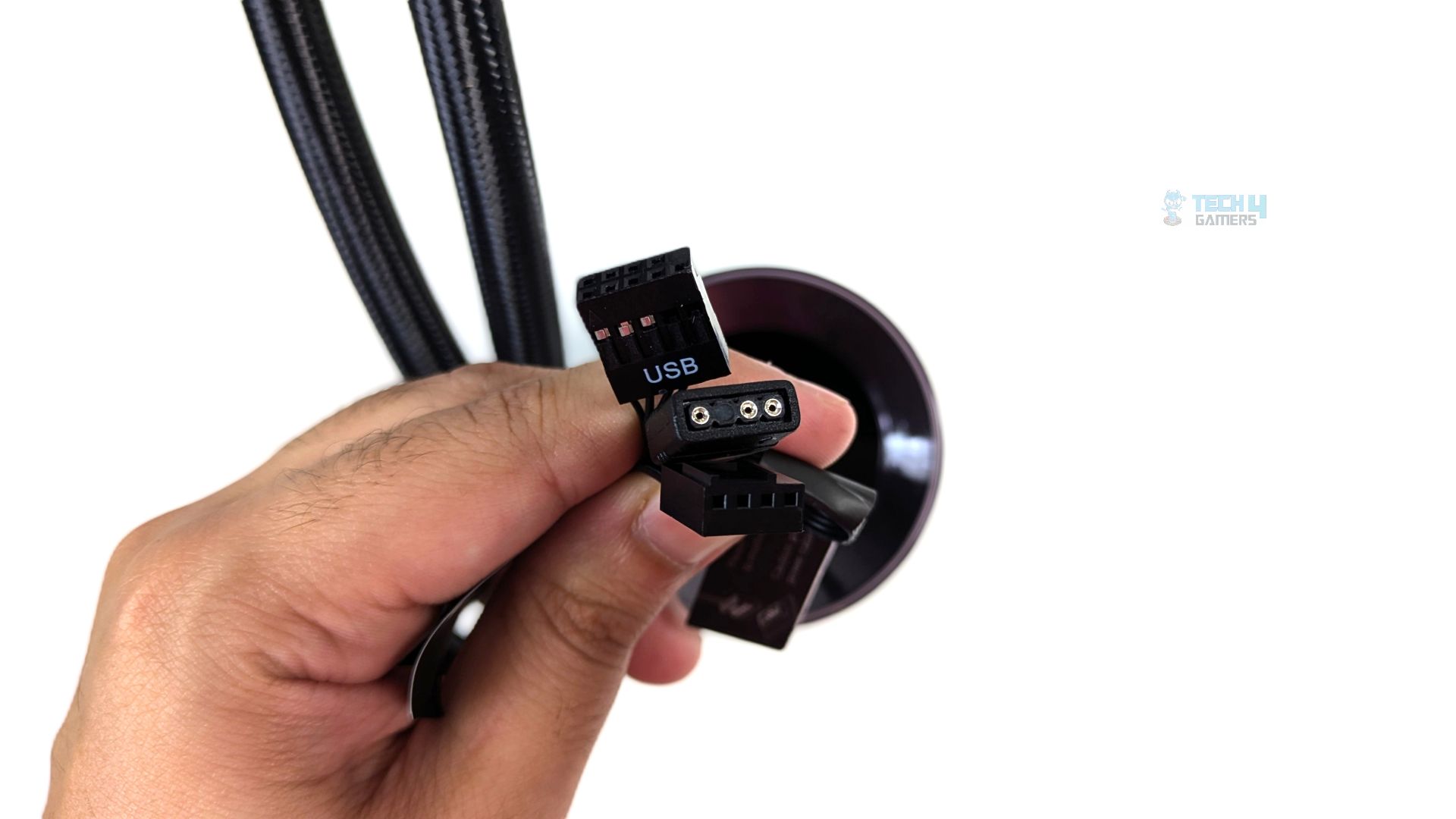
The three cables exiting from the pump are a 9-pin USB 2.0 cable to power the LCD, a 3-pin 5V ARGB cable for the ARGB ring around the LCD, and a 4-pin PWM connector for the pump’s speed control. ID has also covered the cold plate with a protective peel. Unlike the PLUS variant, this cooler does not come with pre-applied Frost X45 thermal paste, but it’s included in a box so you can apply it later.
Fans
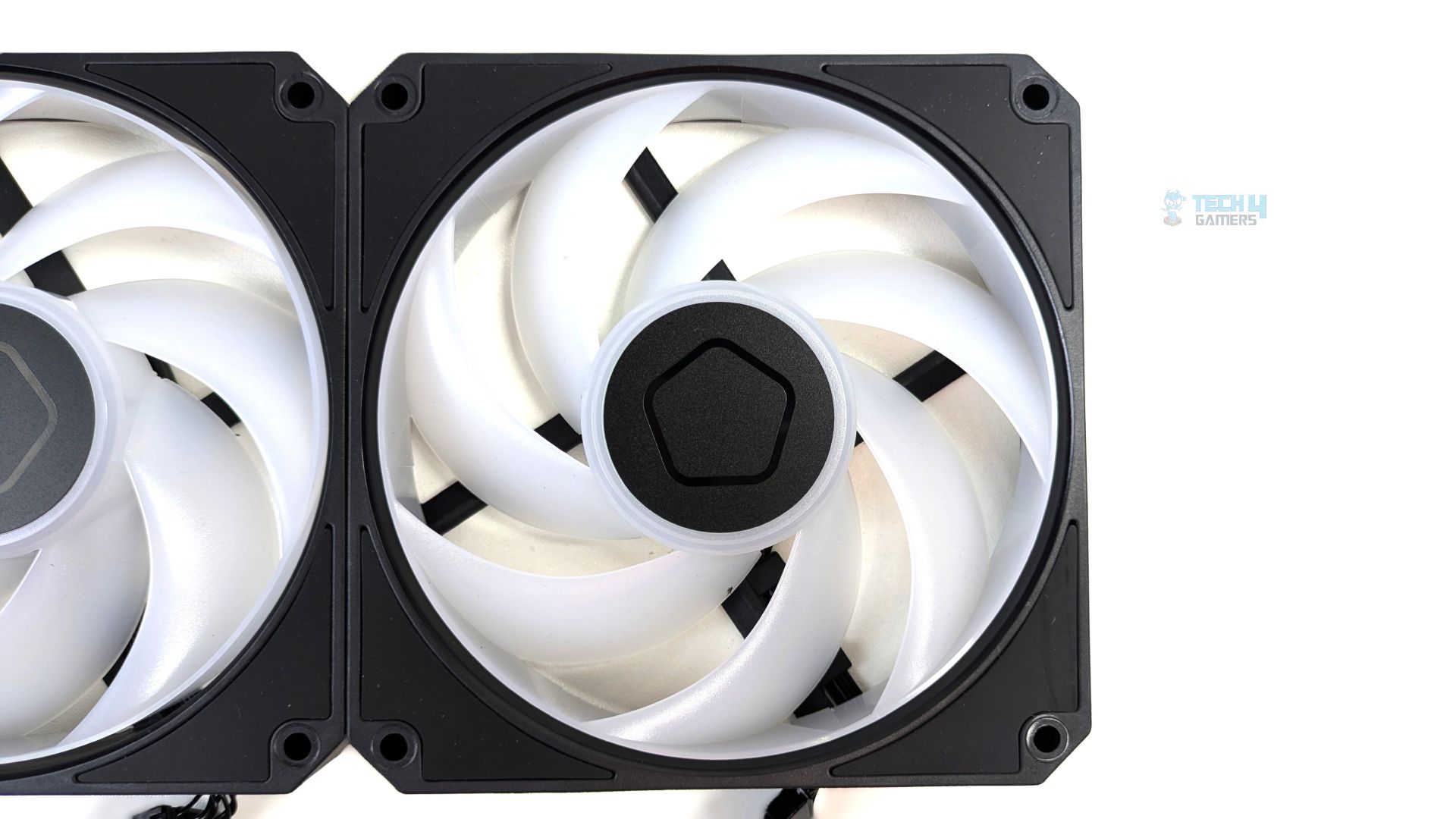
This time, ID-Cooling has deployed 3x AM-120 ARGB fans with their SL360 V2; it’s a 7-blade design. They use white translucent blades to diffuse the ARGB LED lighting evenly across the entire rotational area. The center hub features a minimalist pentagon logo, which is basically an ID-Cooling trademark.
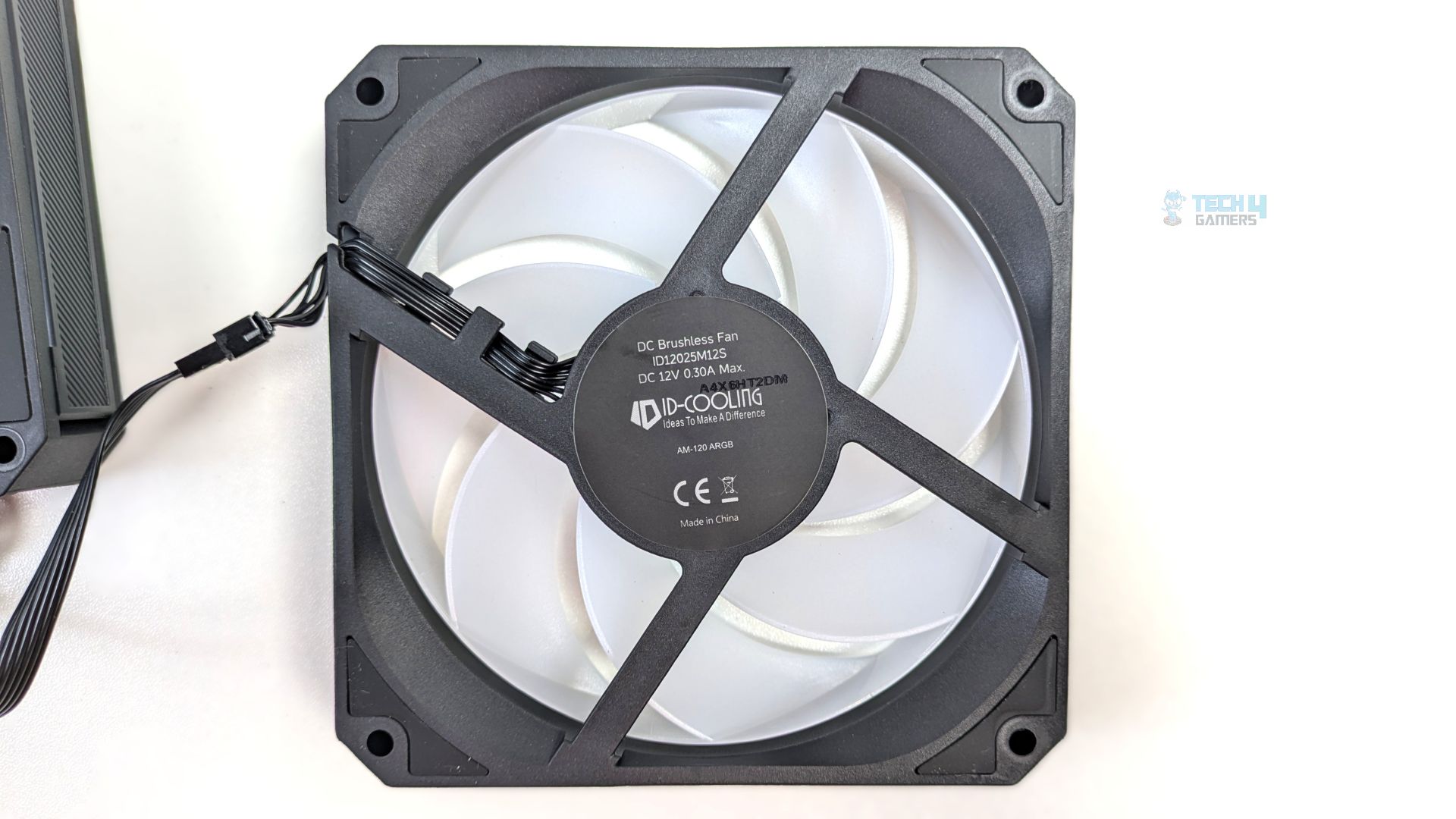
Looking at the rear side of the fan, the AM-120 uses a standard four-strut design. The fan supports dual-sided isolation, meaning it is equipped with thick rubber damping pads on all four corners.
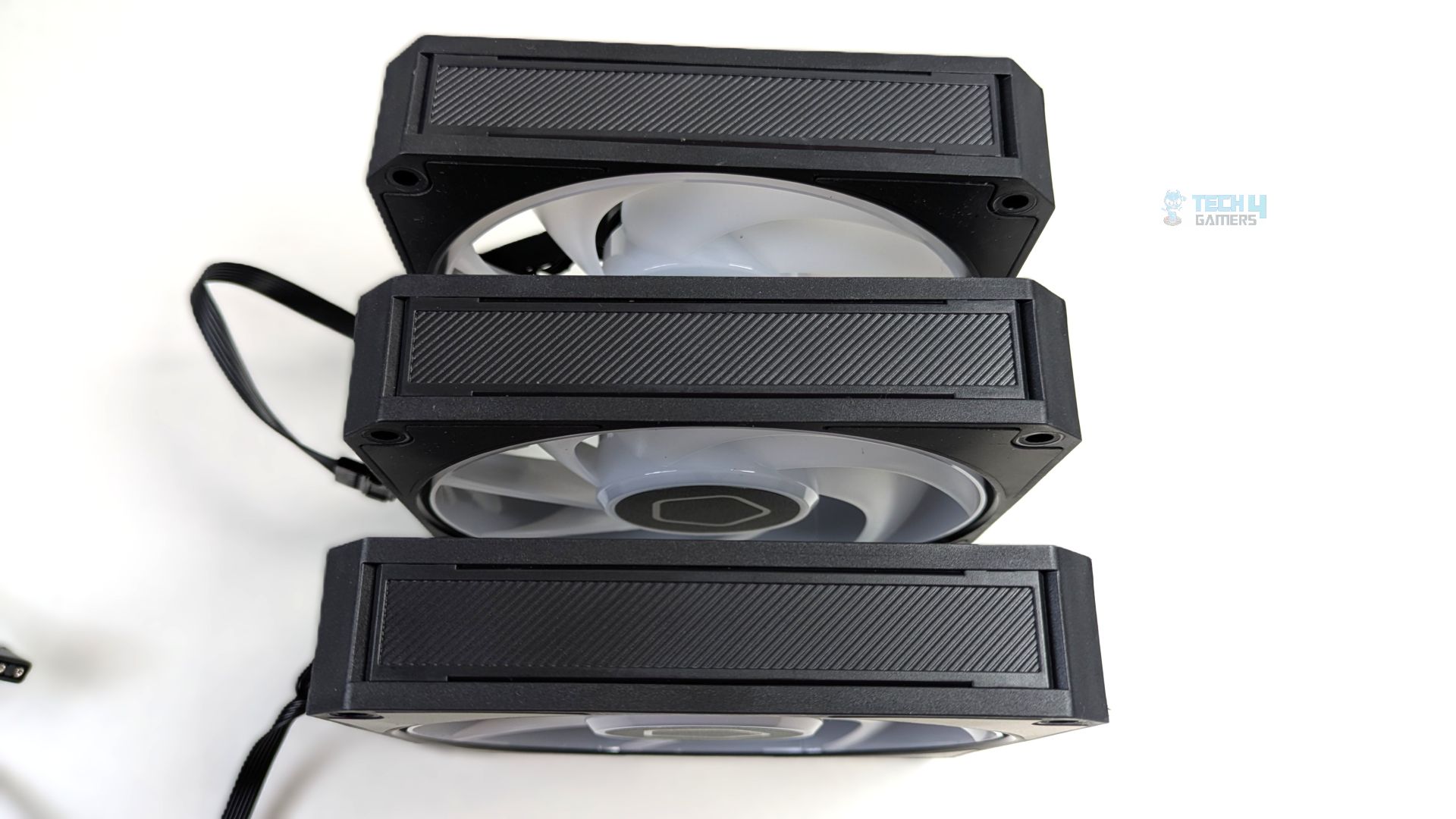
Now, at the side profile, instead of the solid, plain plastic design, you will notice a diagonal, ribbed texture on the side frame, giving a minimalist look. The fans dimension are 120×120×25mm which spins at the speed of 0 ~ 2500±10% RPM and uses Hydraulic Bearing.
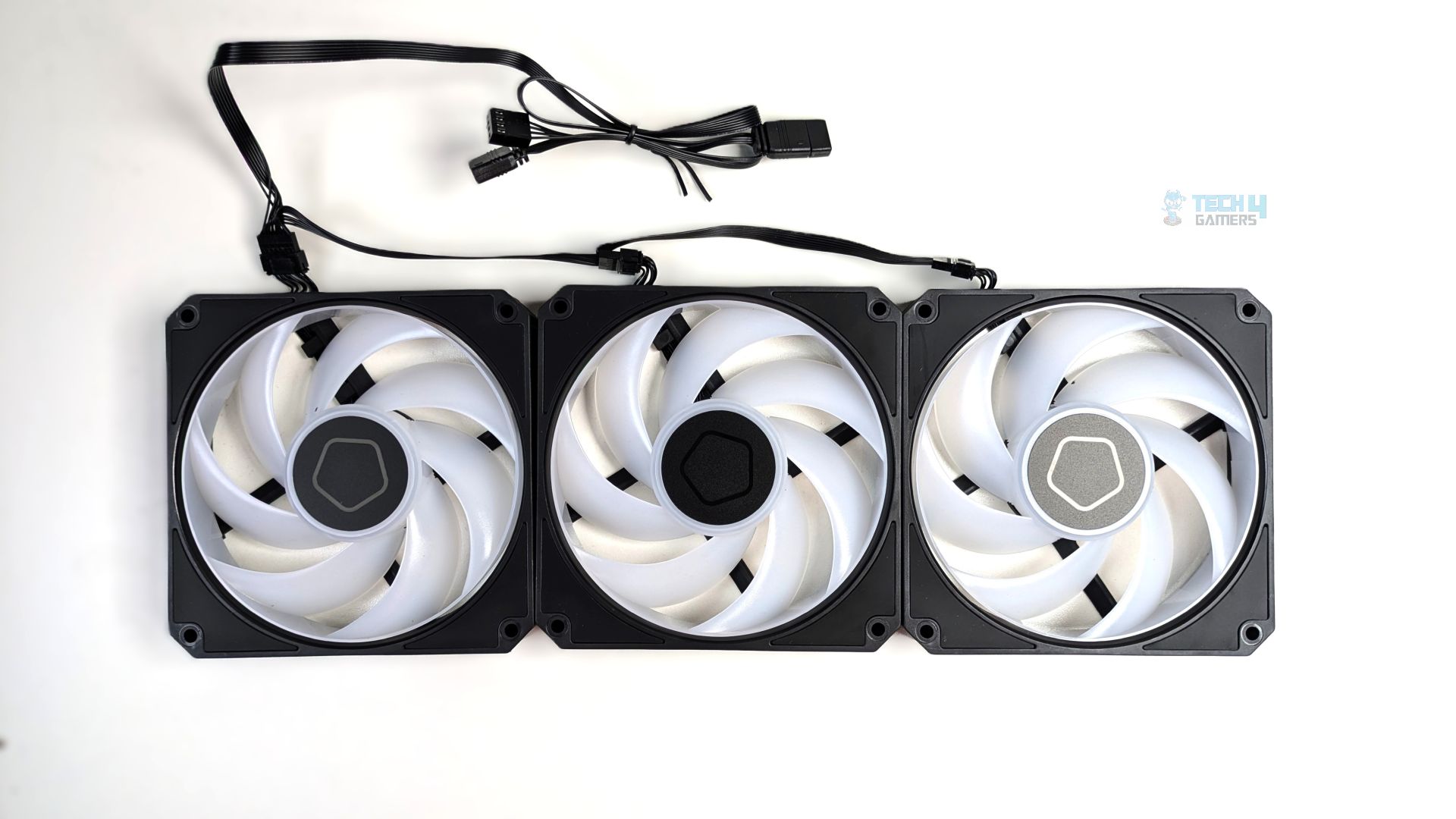
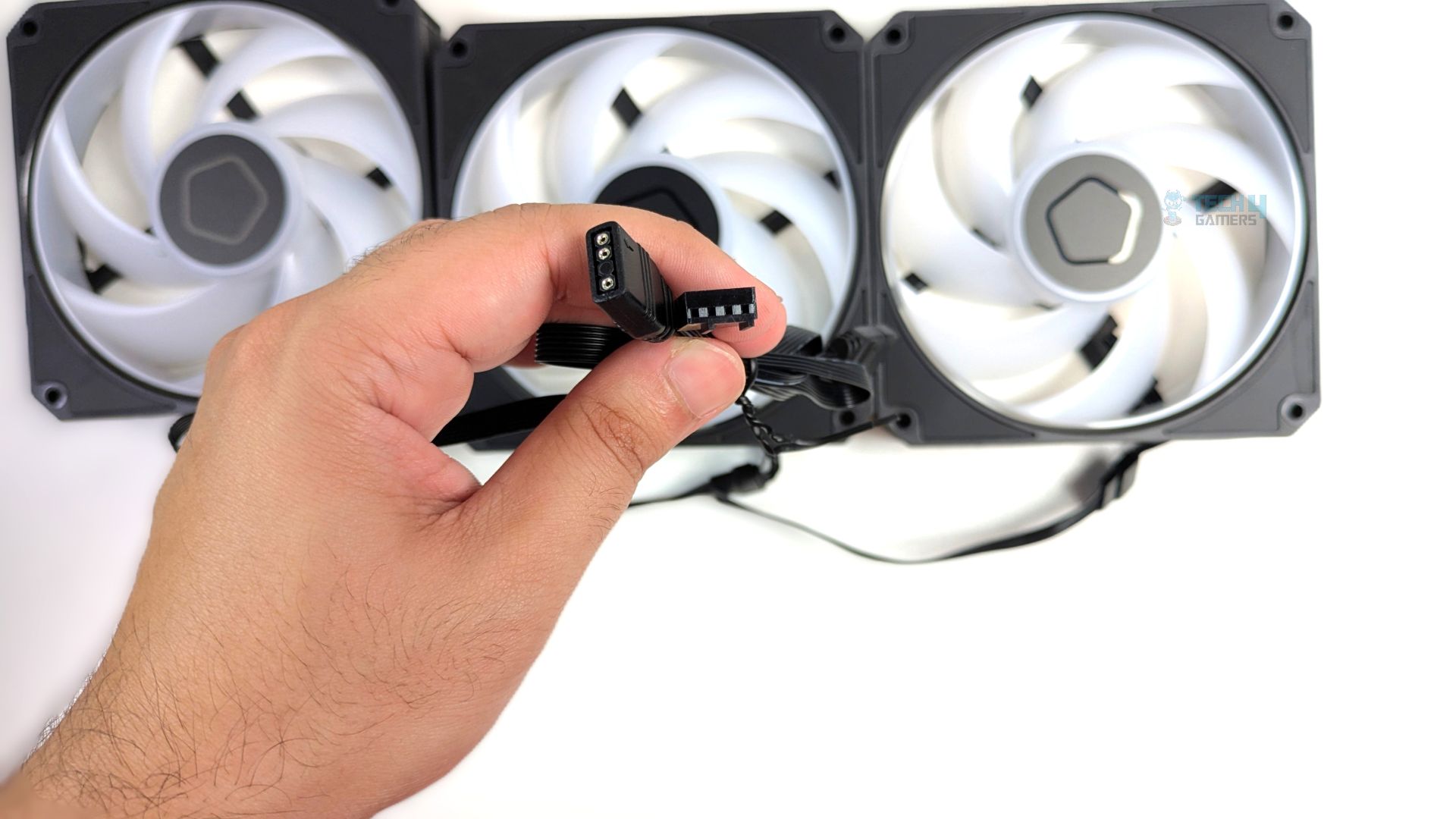
The fans connect using short pre-routed cables that jump directly from one fan frame to the next. The cables exiting the fans are not standard 4-pin PWM cables; instead, they use the 7-pin ID-Cooling Proprietary connector, which is a good move, as this 7-pin design merges the standard 4-pin PWM and the 3-pin ARGB layout into one proprietary plug.
This unified array ultimately routes to a single extension cable that splits back out into universal PWM and ARGB headers, plugging directly into your motherboard without the need for a bulky controller box.
Installation (AMD)
We’re using the AMD platform, so our installation steps will only be provided for that.
Prepare the socket
First, remove the motherboard’s stock retention brackets from your AM4/AM5 motherboard. Then install the standoffs from the hardware bag and screw them into the exposed threads of the stock AMD backplate. Use the included plastic installation tool to tighten and secure them.
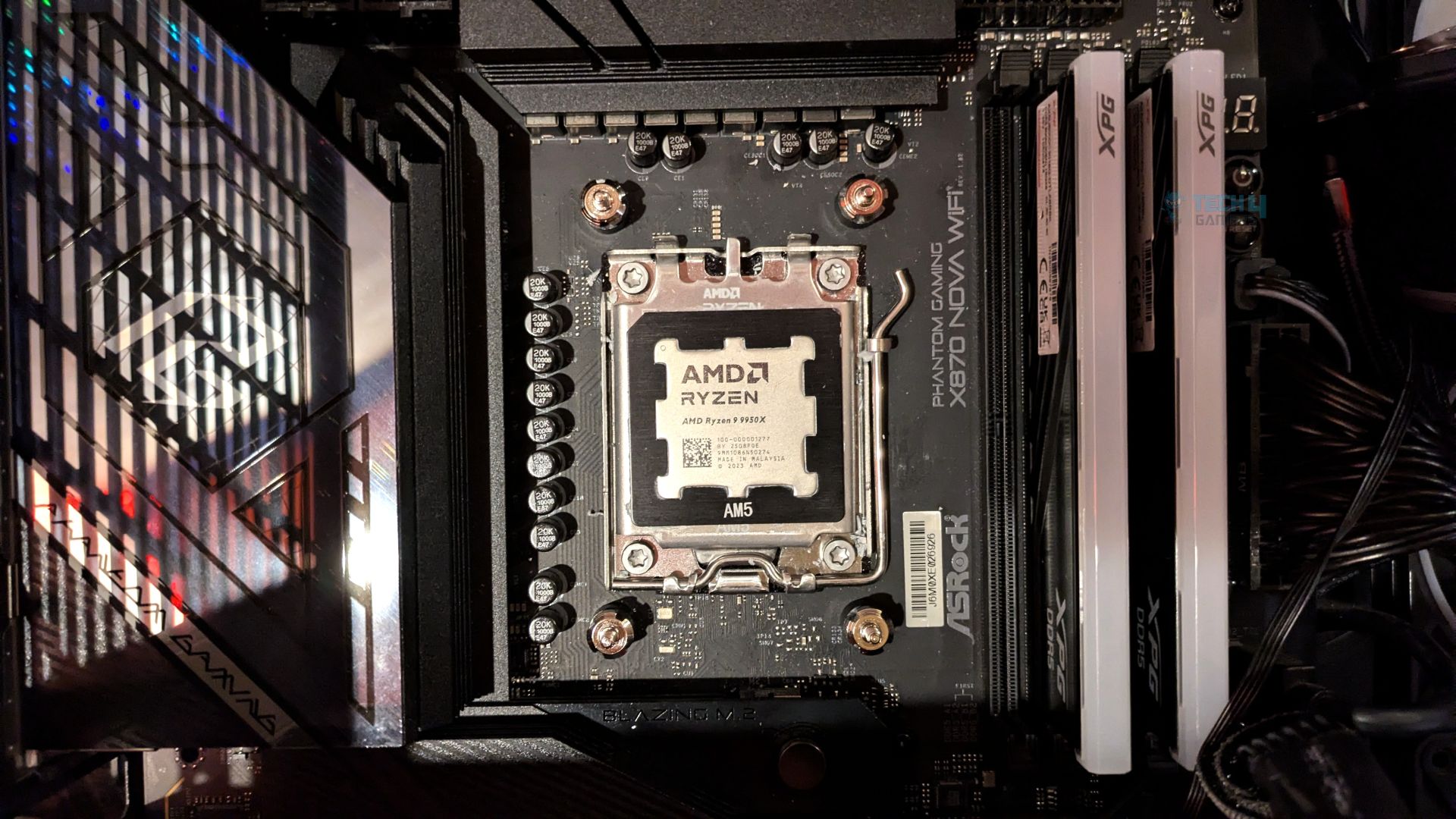
Take the dedicated AMD mounting bracket and slide it onto the base of the pump block, then secure it with the four screws and apply the fresh thermal paste.
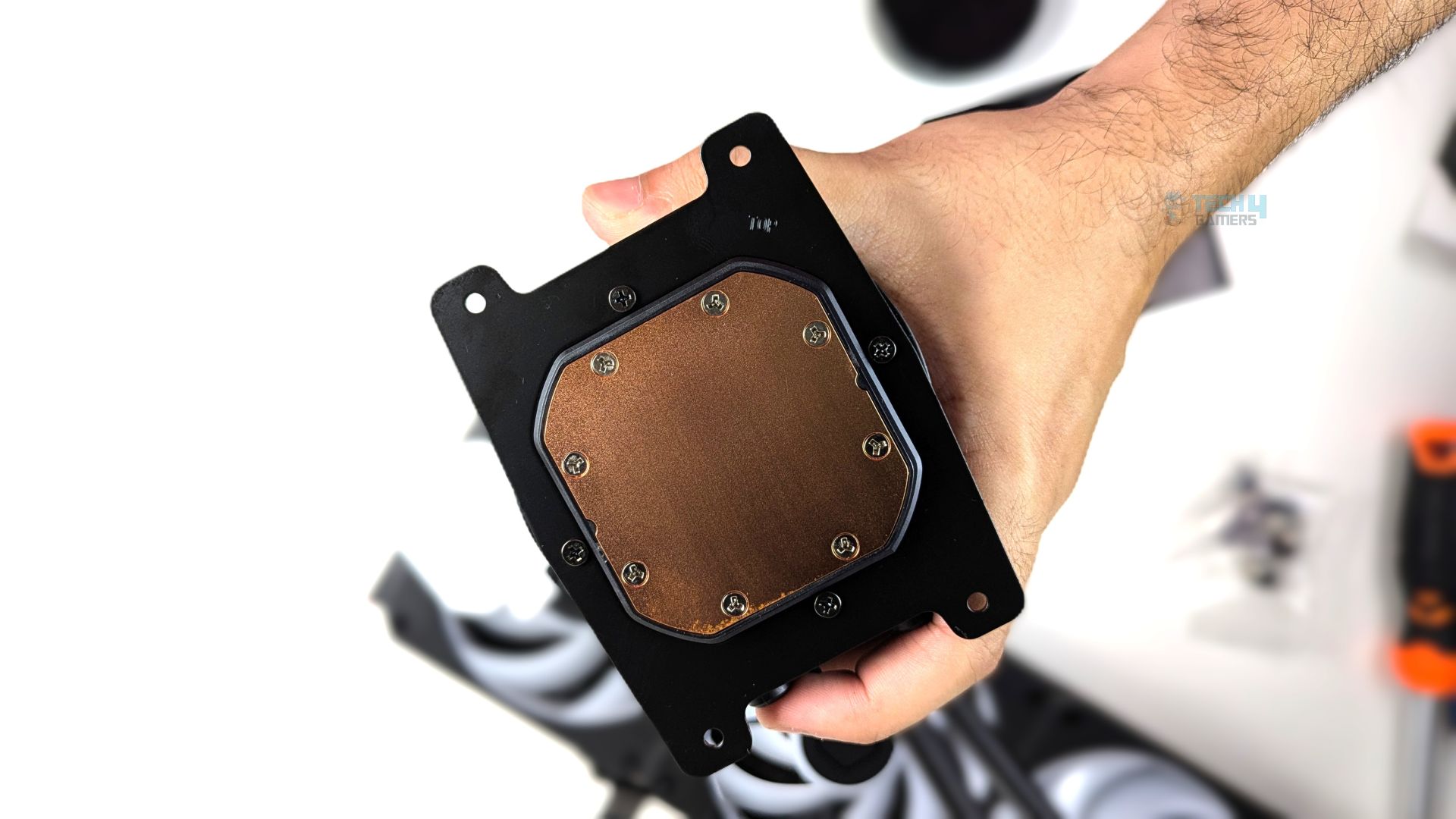
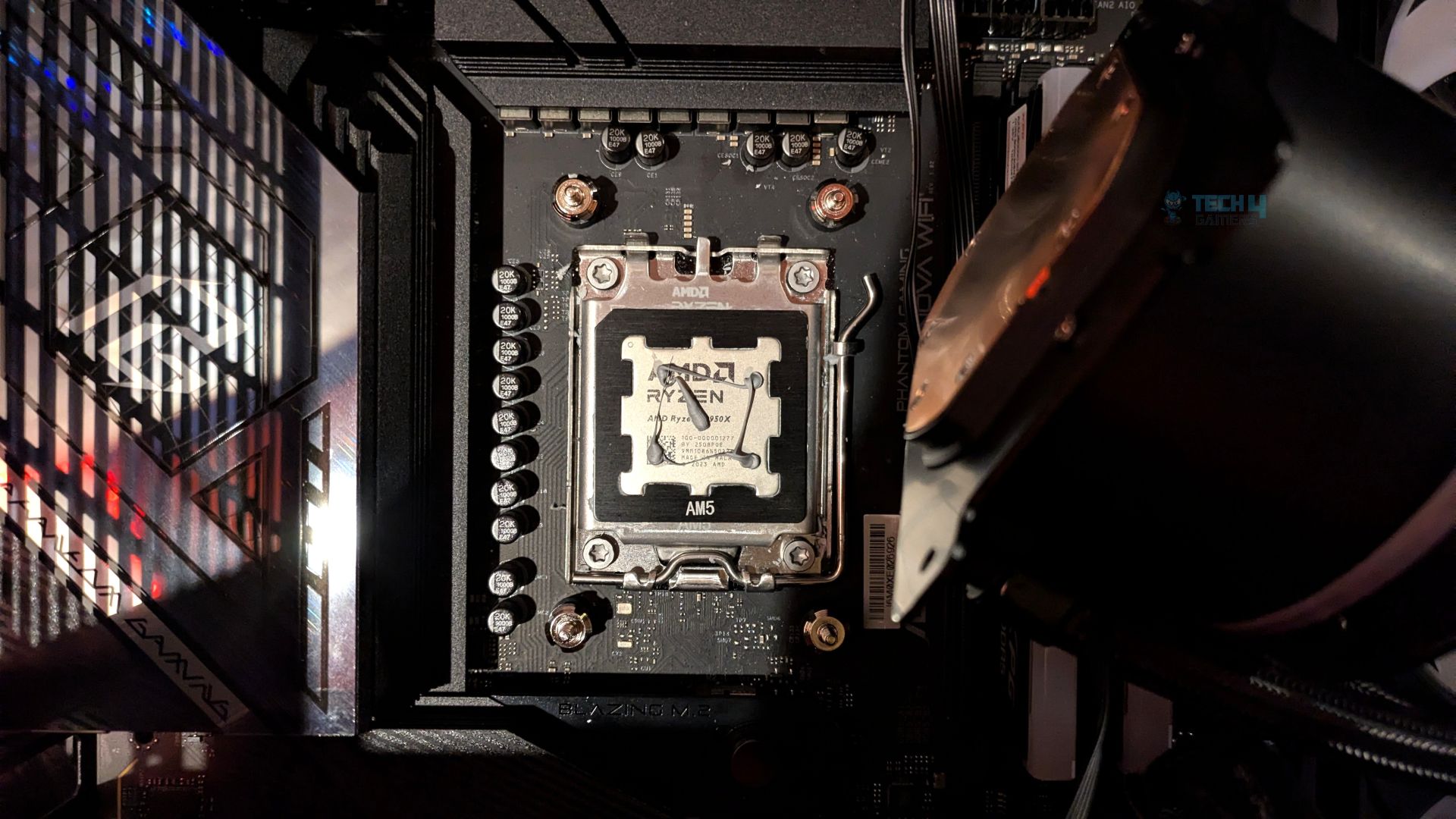
Align the block over the CPU socket and lower it straight down on the four standoffs, ensuring the bracket feet rest on them.
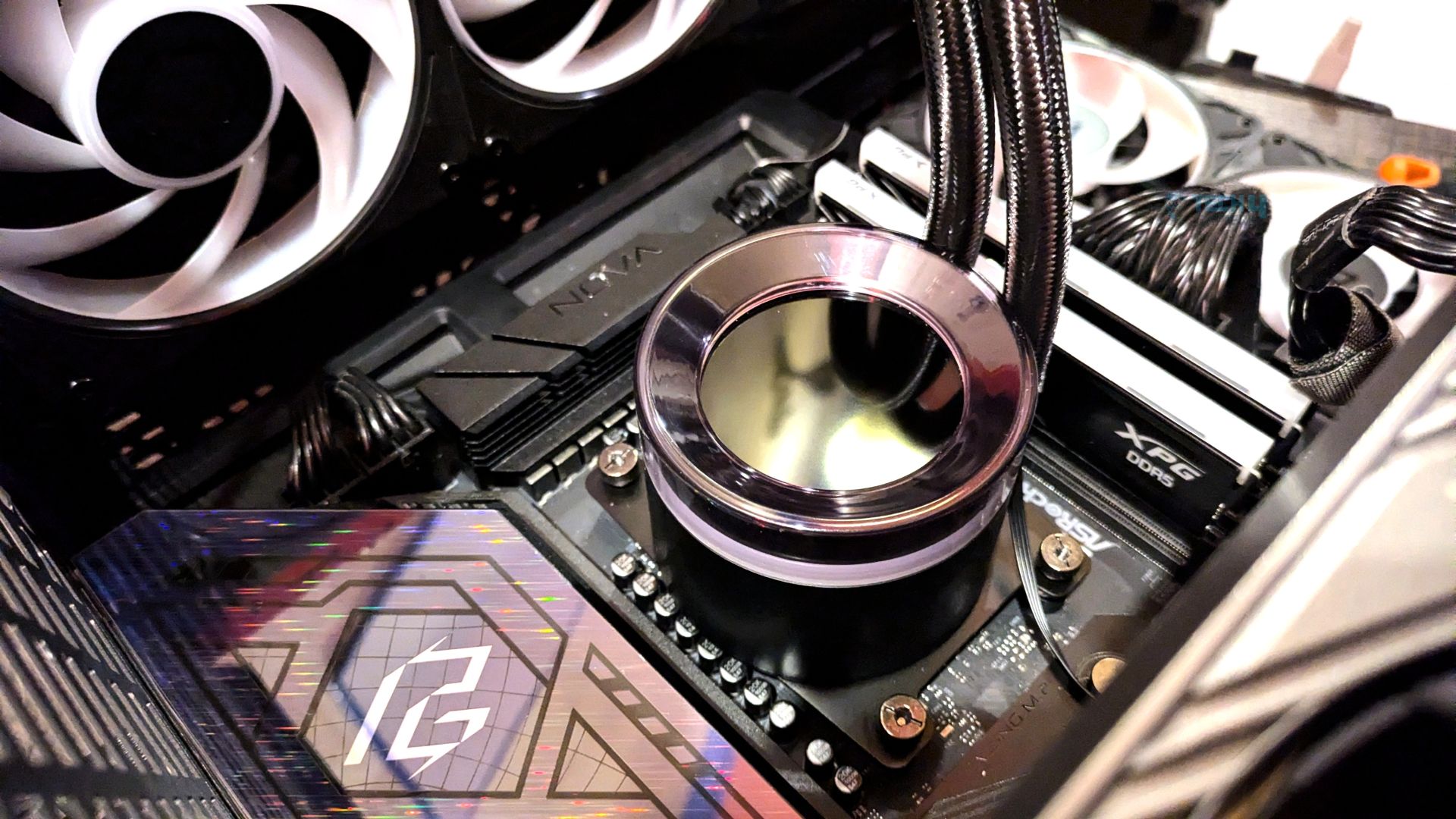
Now take the four thumb nuts and screw them onto the standoffs in a criss cross pattern to ensure even mounting pressure.
Finished Looks
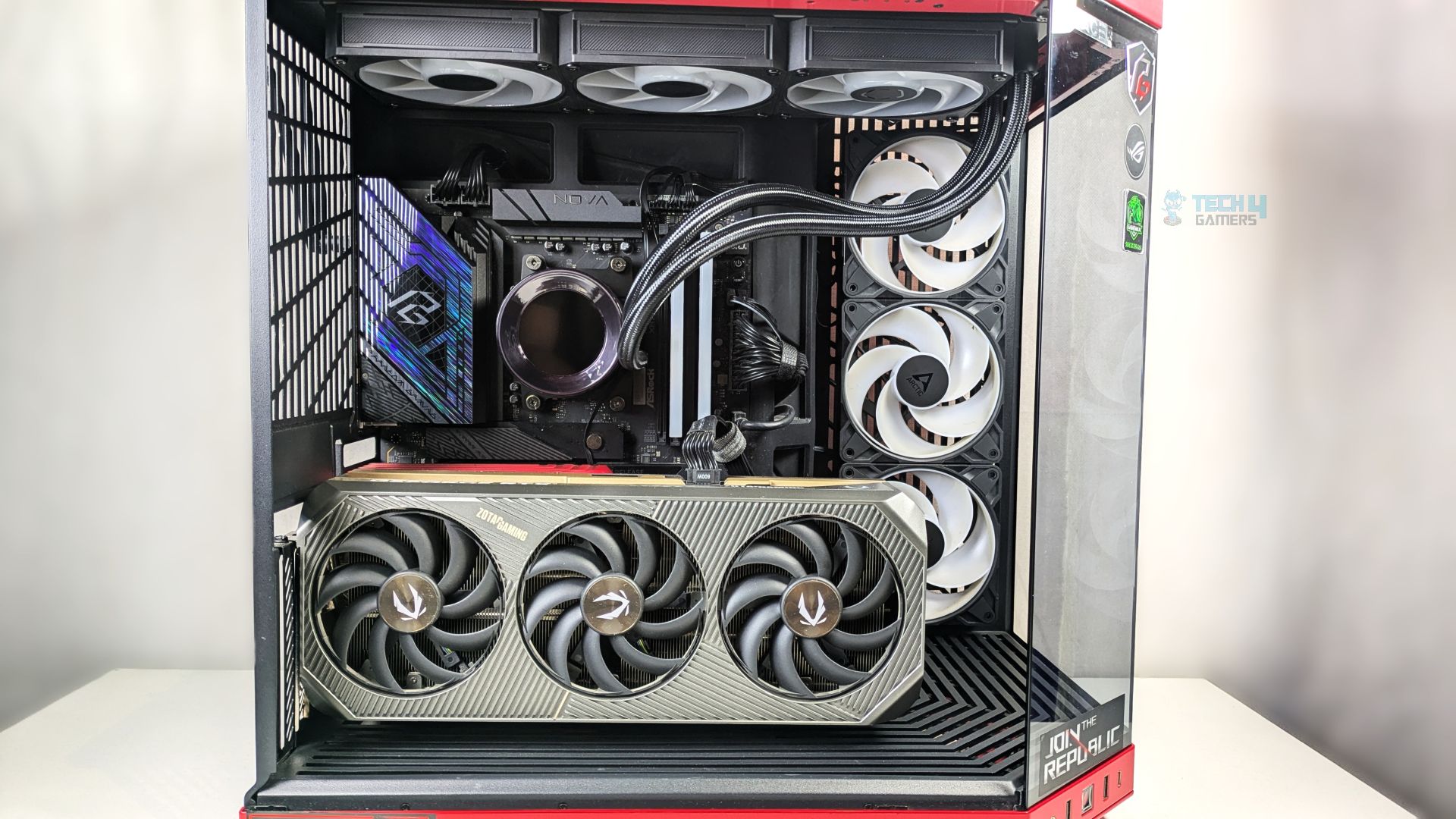
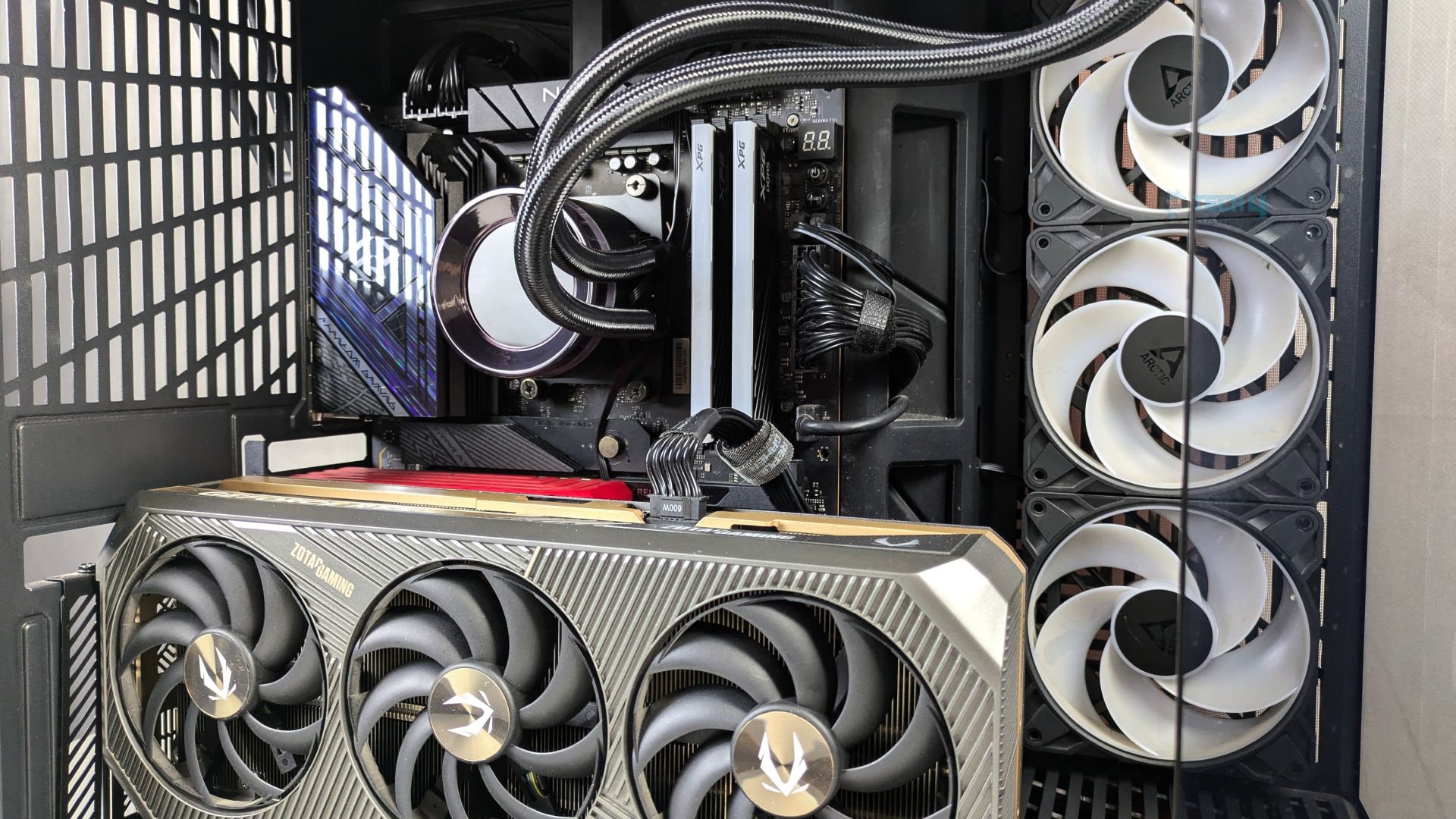
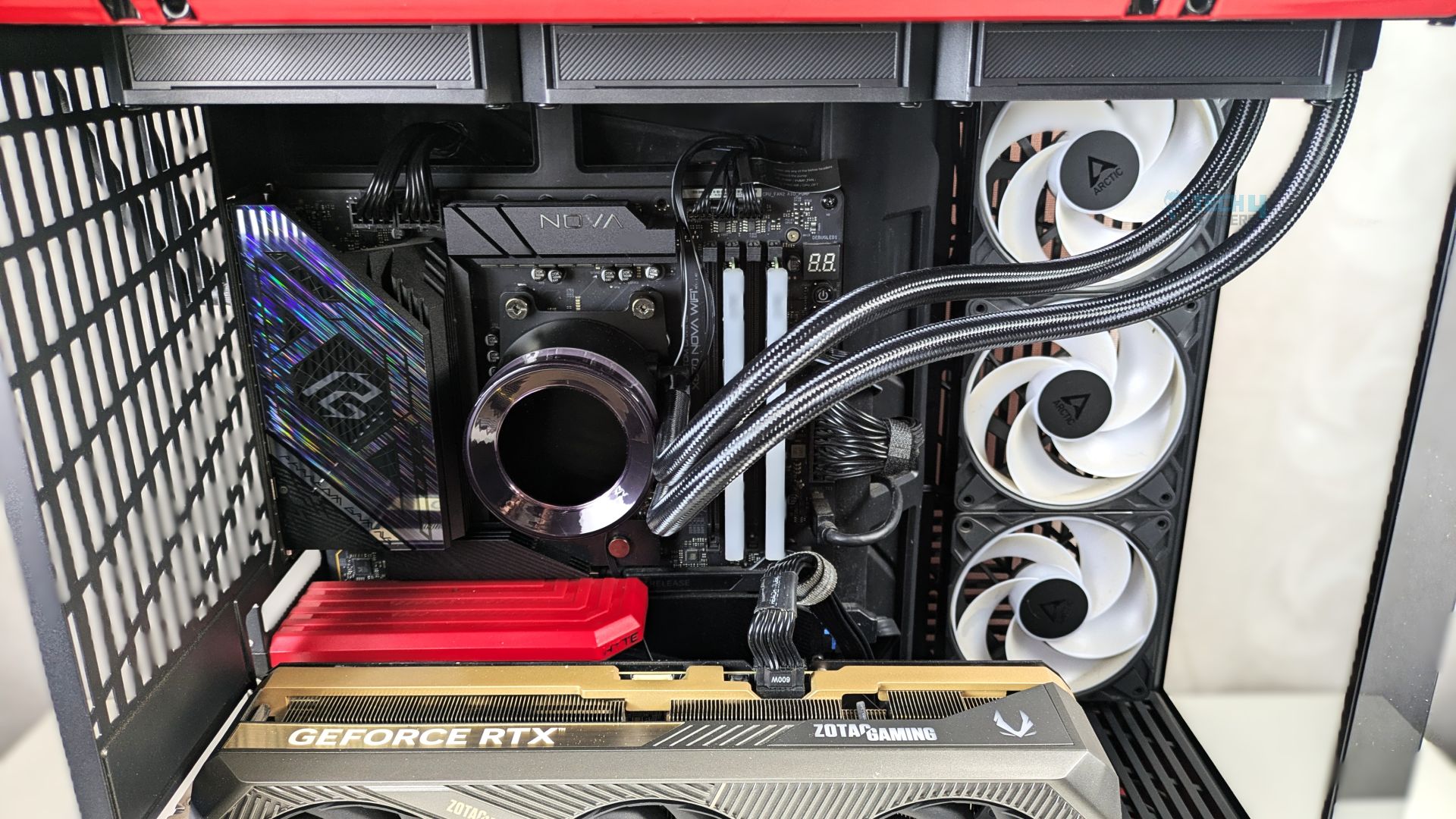
The completed installation of the cooler within the HYTE Y70 chassis is shown below. The unit is mounted at the top and configured for exhaust operation.
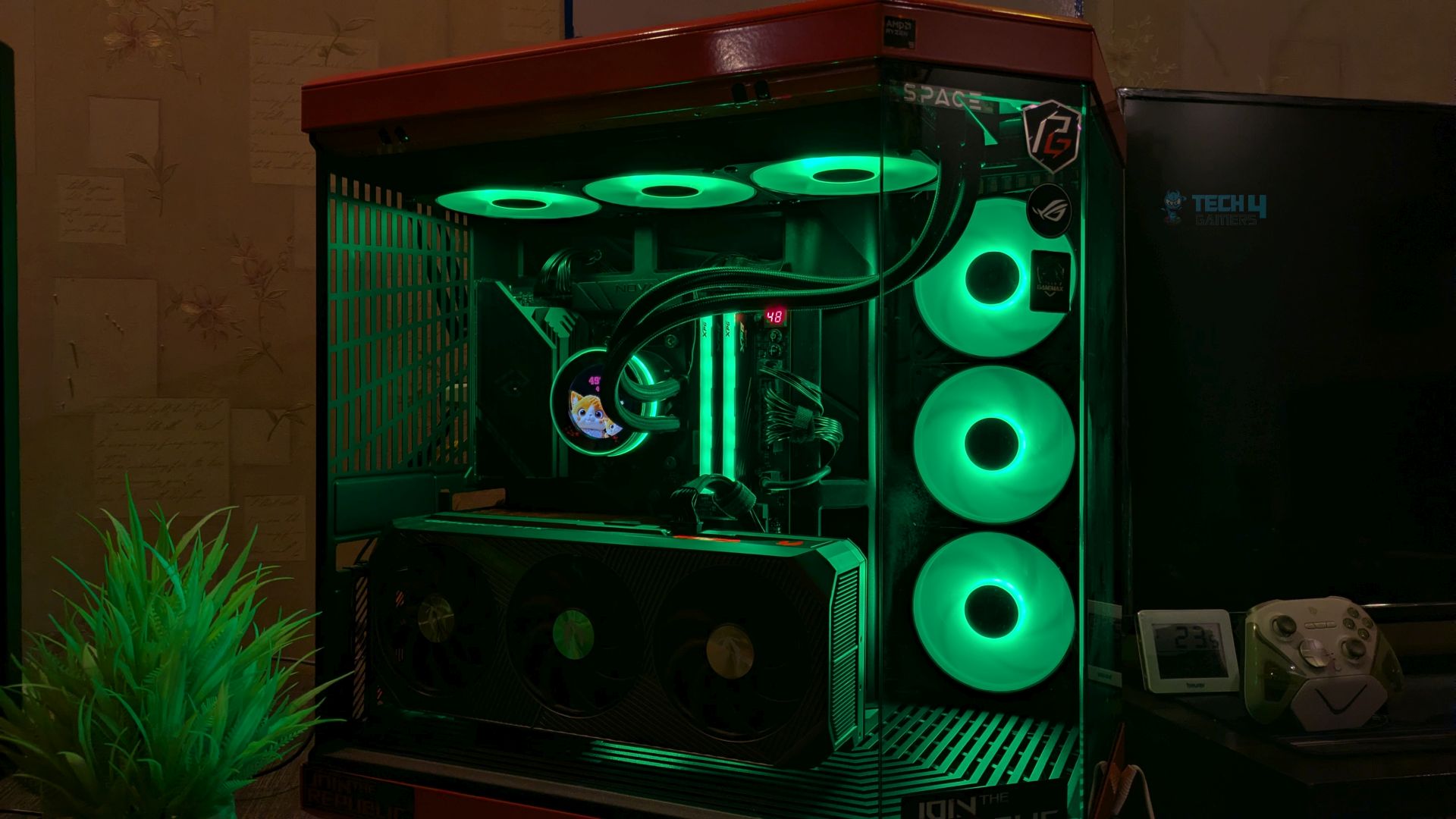
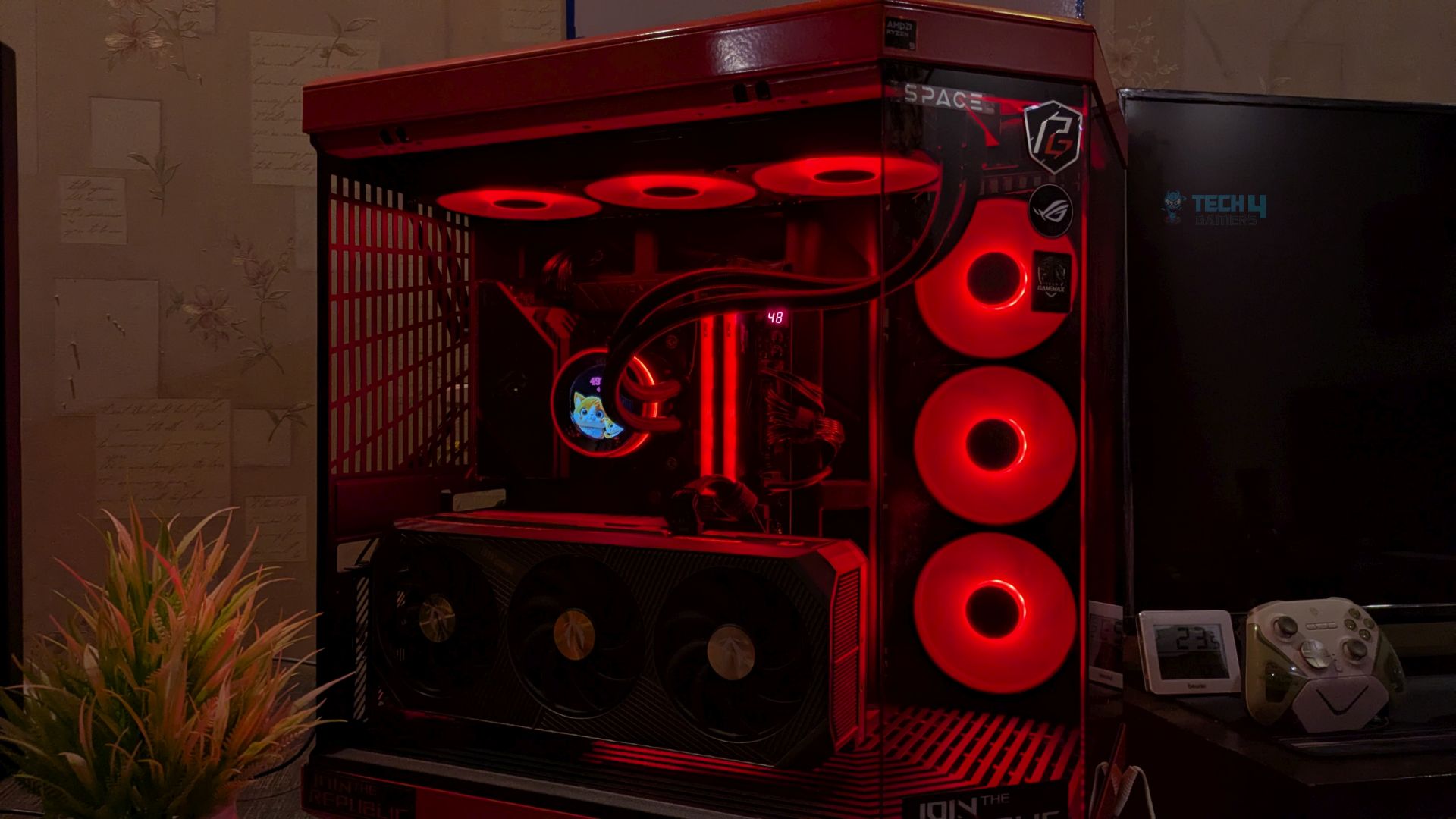
Powered On
Personally, I would have loved the frosted ARGB strip on the radiator, as we have seen in the SL360 Plus V2 review; nonetheless, I’m really loving the block design. The ARGB halo ring on the pump block transforms the waterblock from a stealthy cylinder into a glowing centerpiece in the system.
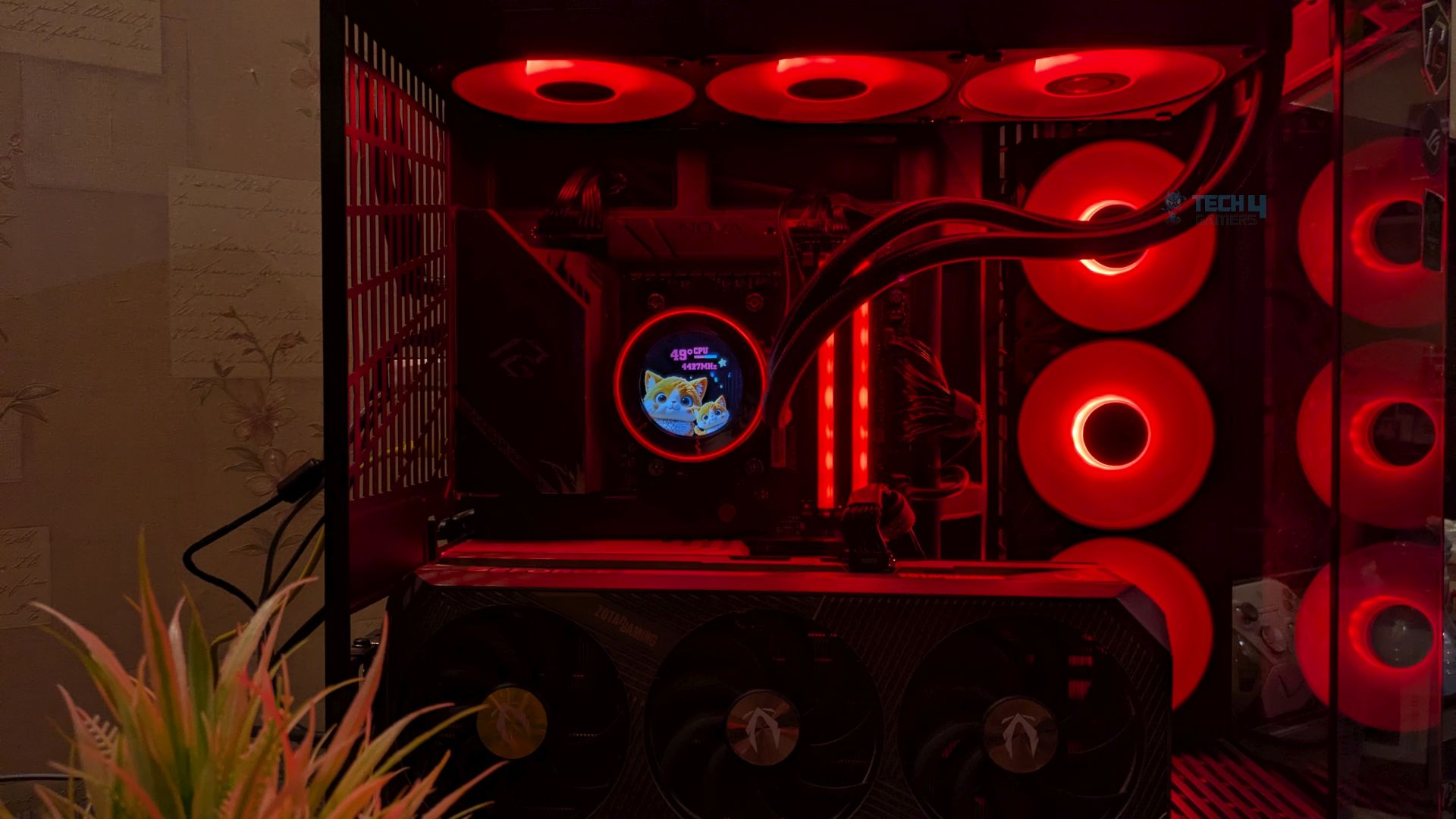
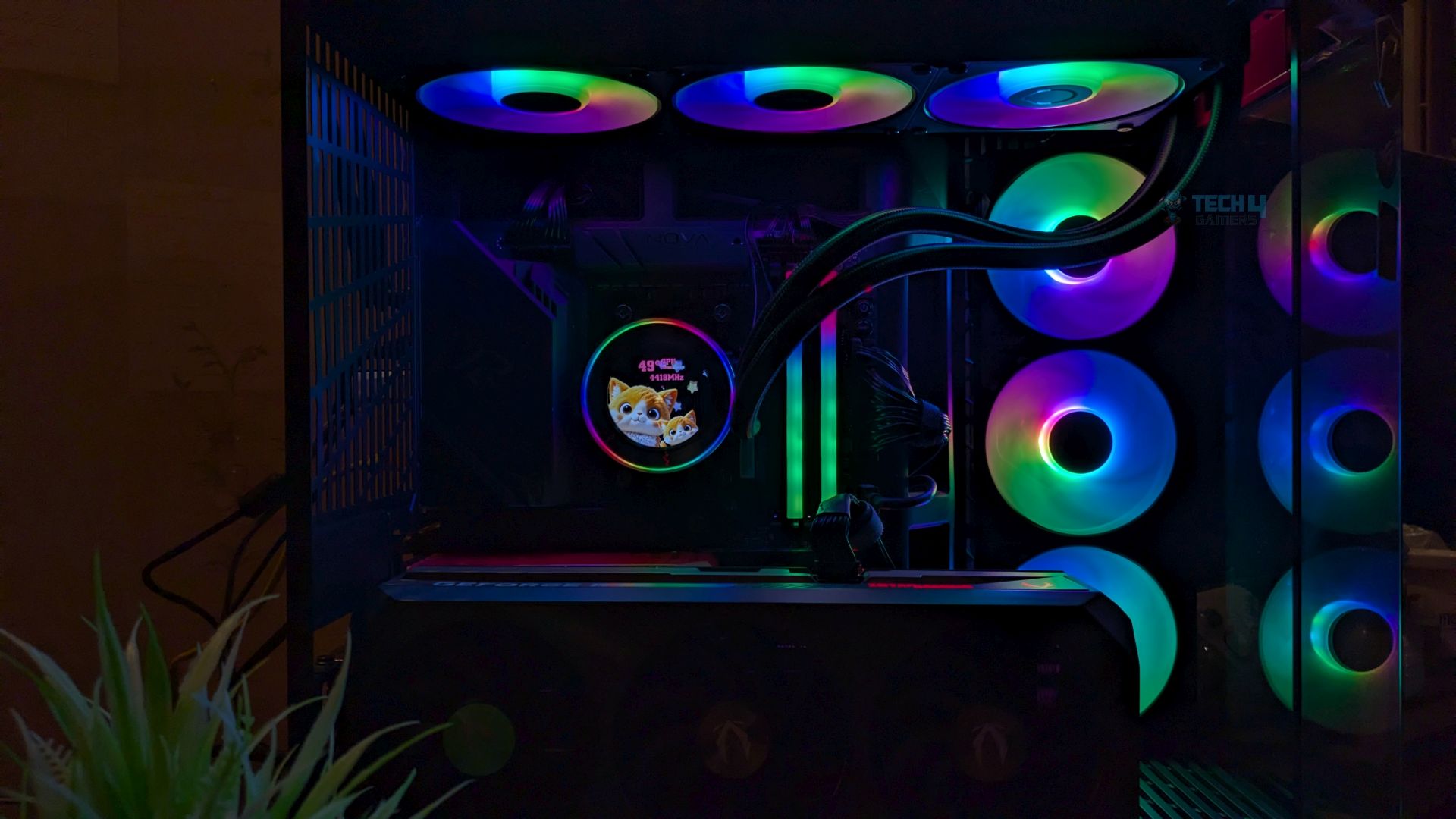
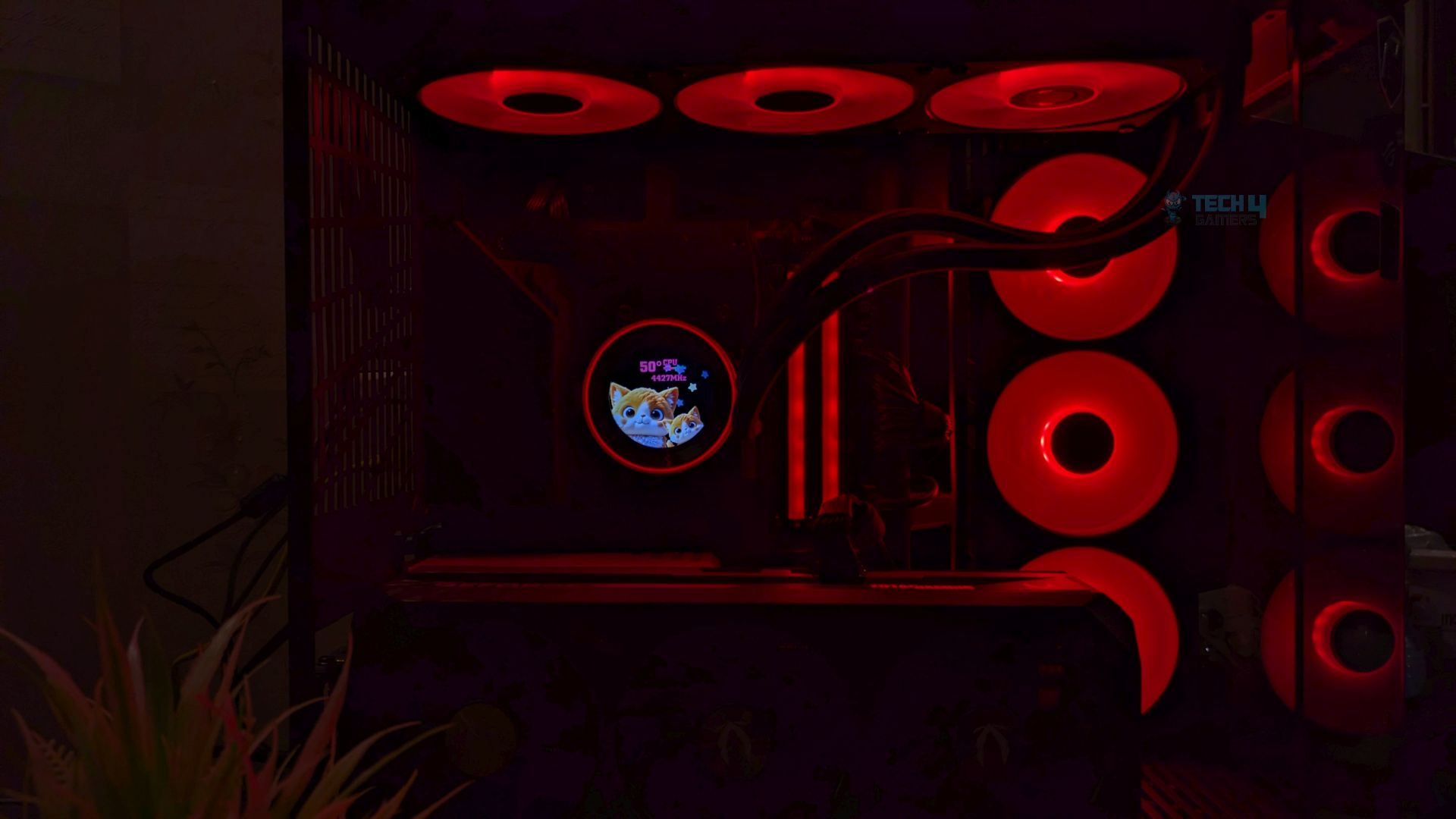
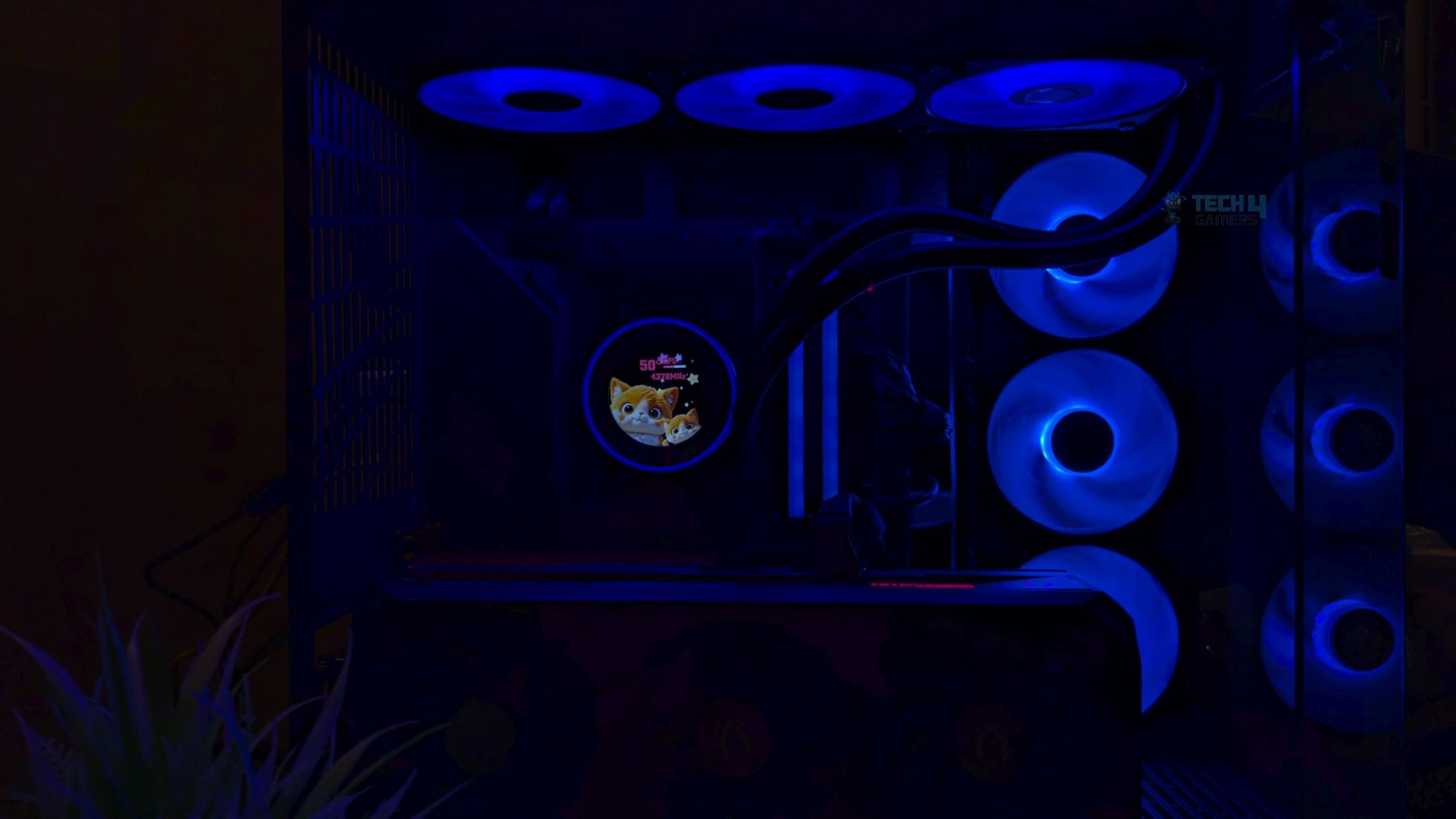
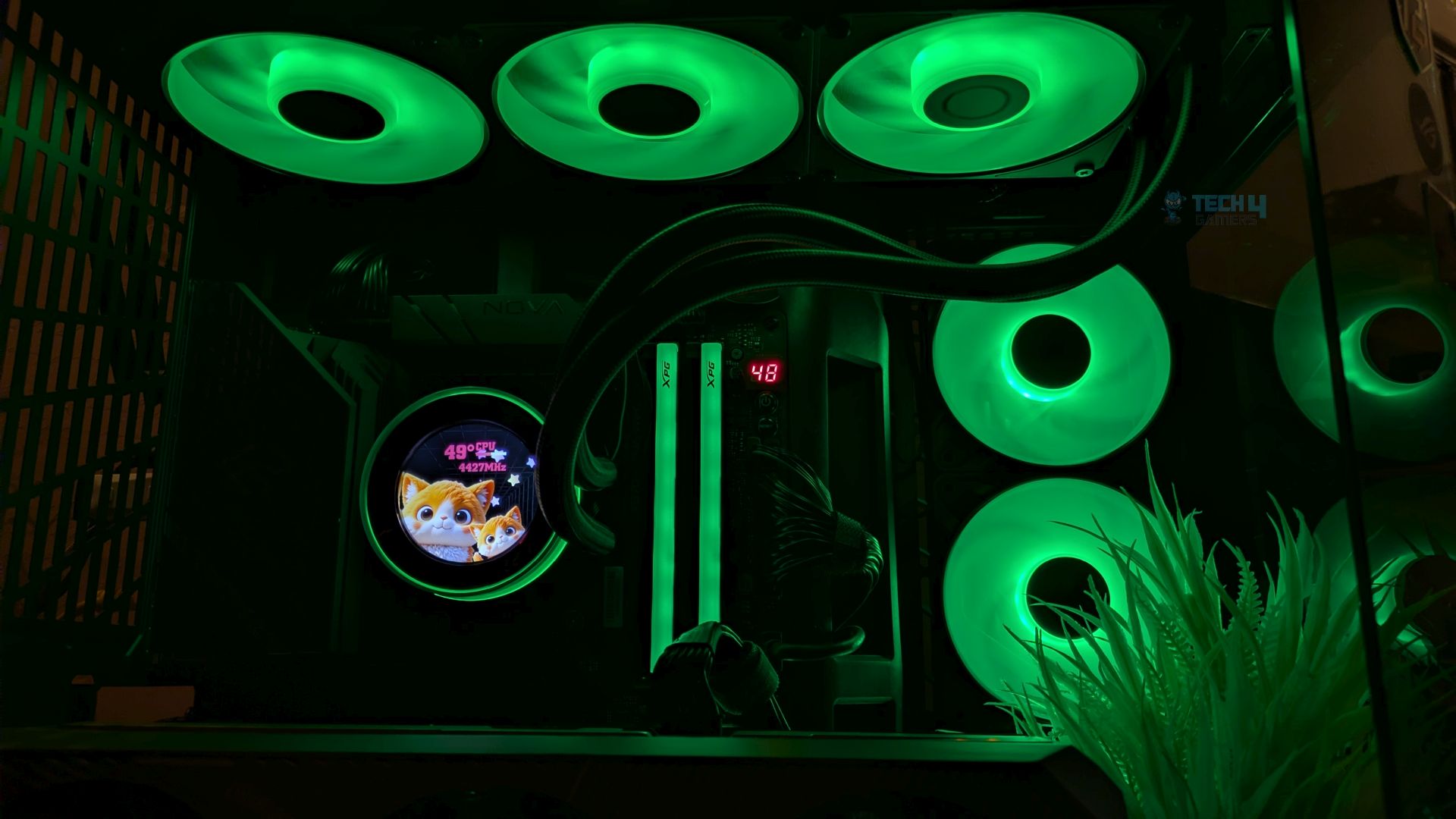
The LCD looks tiny in our chassis; it would have been better if it were slightly bigger. The thick, frosted acrylic ring surrounding the LCD remains perfectly smooth across the entire 360-degree radius of the block. If you have the small chassis, you will not miss out on anything. I usually sit at least 3 feet away from my chassis, and sometimes I have problems reading the text on the LCD, but nothing to worry about, as ID provides customization so you can make the text size as big as you like. We did not have any issue with the cable management as the fans are daisy-chained via Proprietary 7-Pin interconnects.
LCD Presets
ID has provided 9 presets in their software.
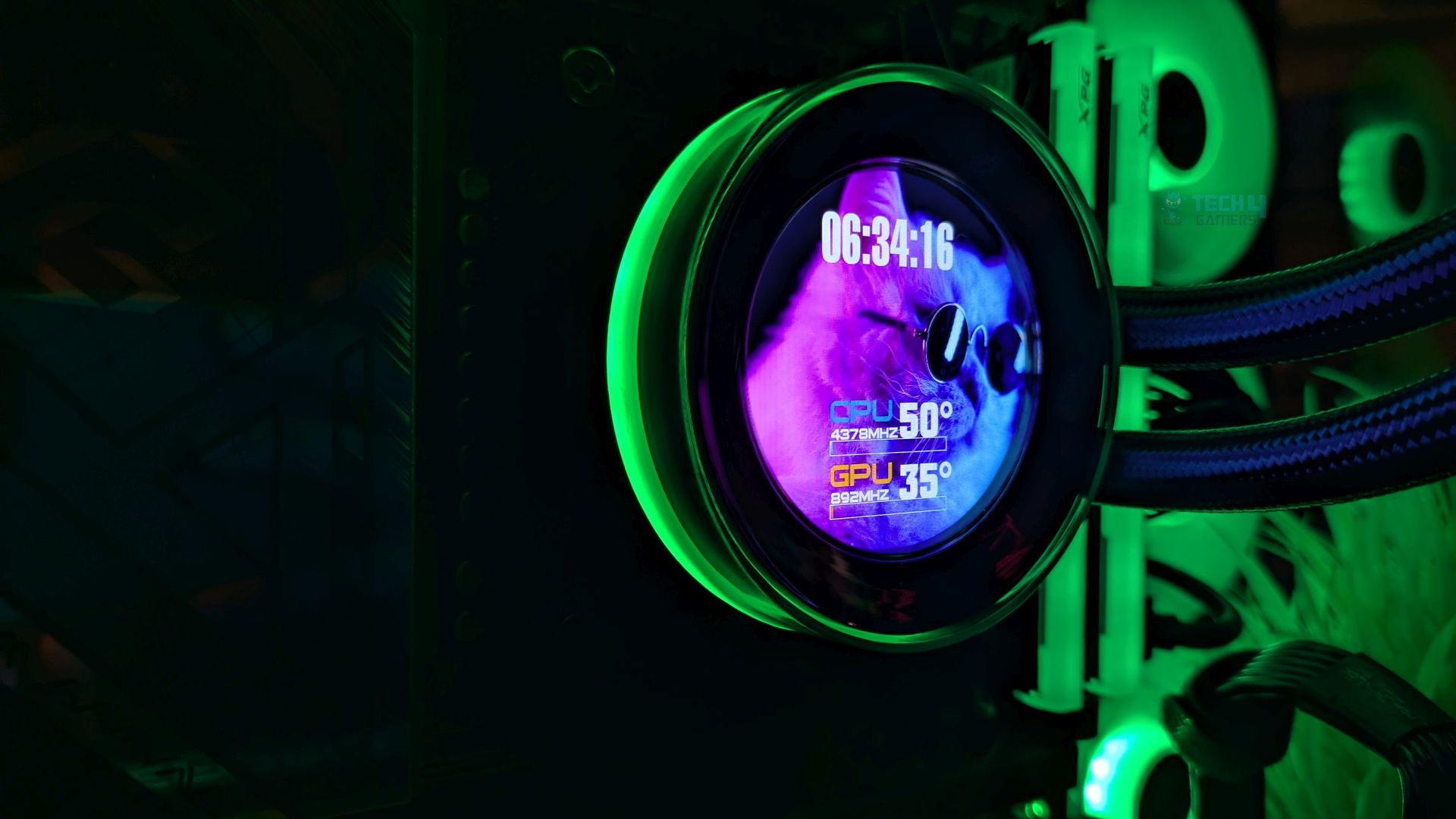
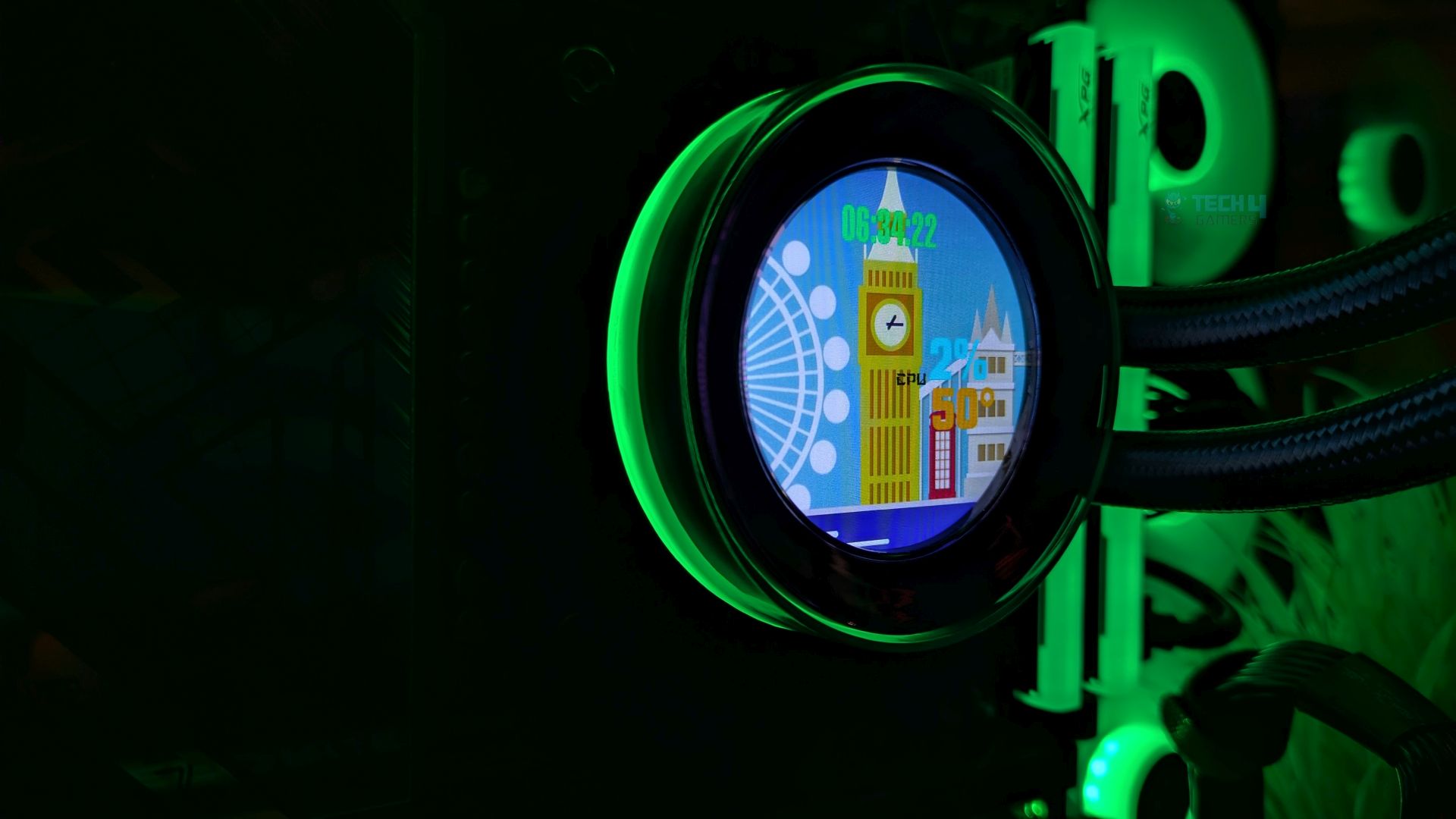
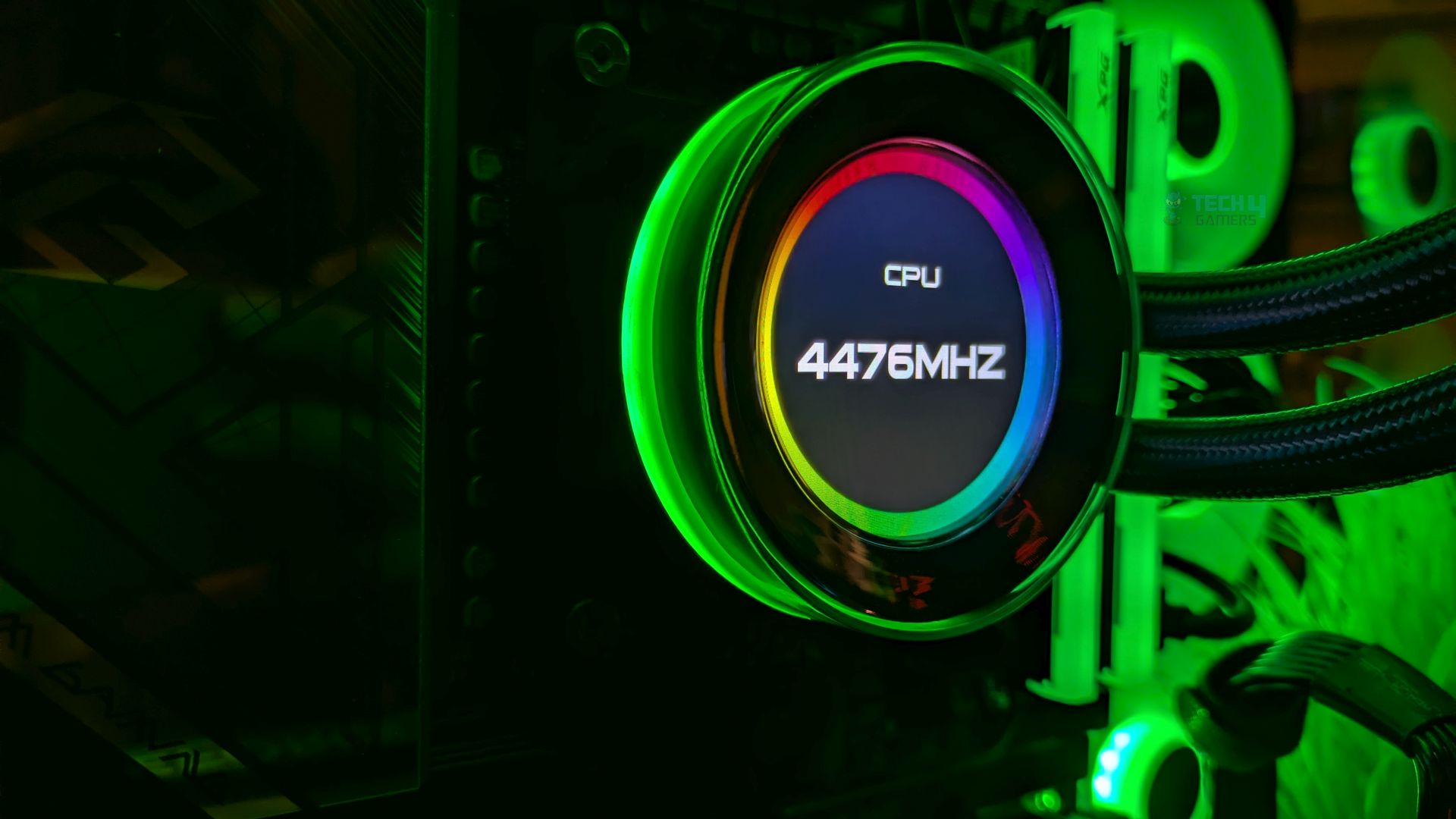
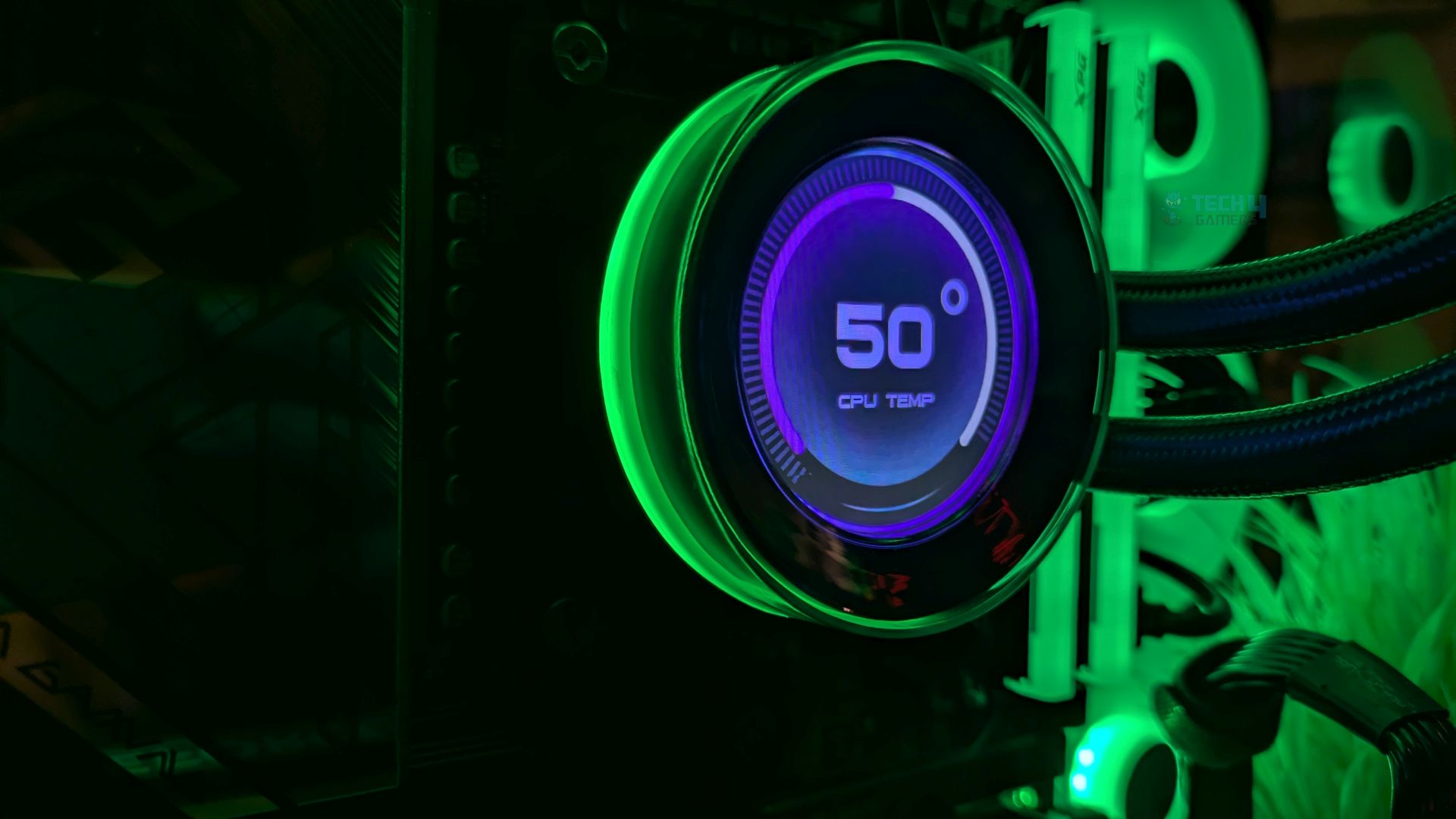
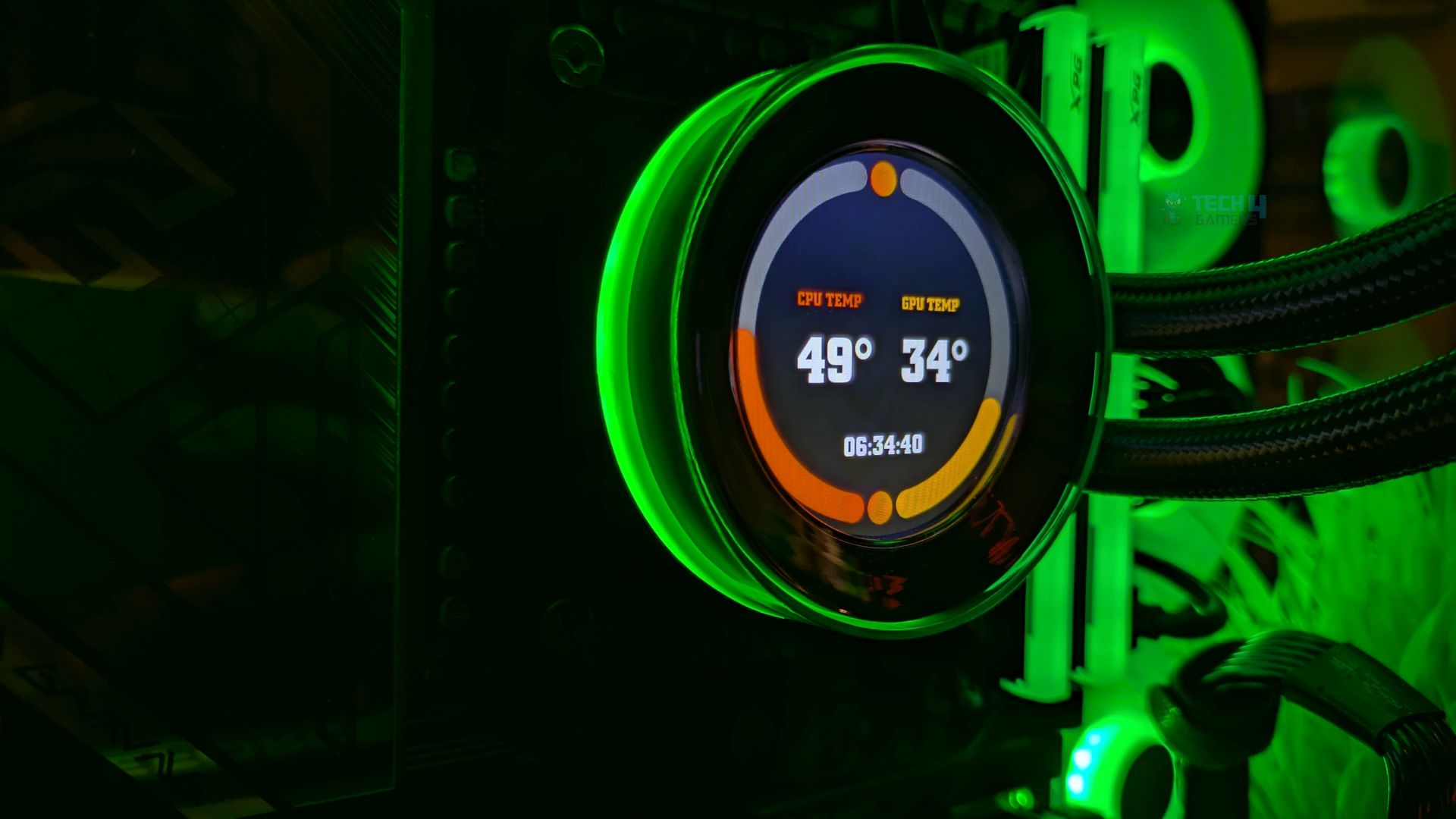
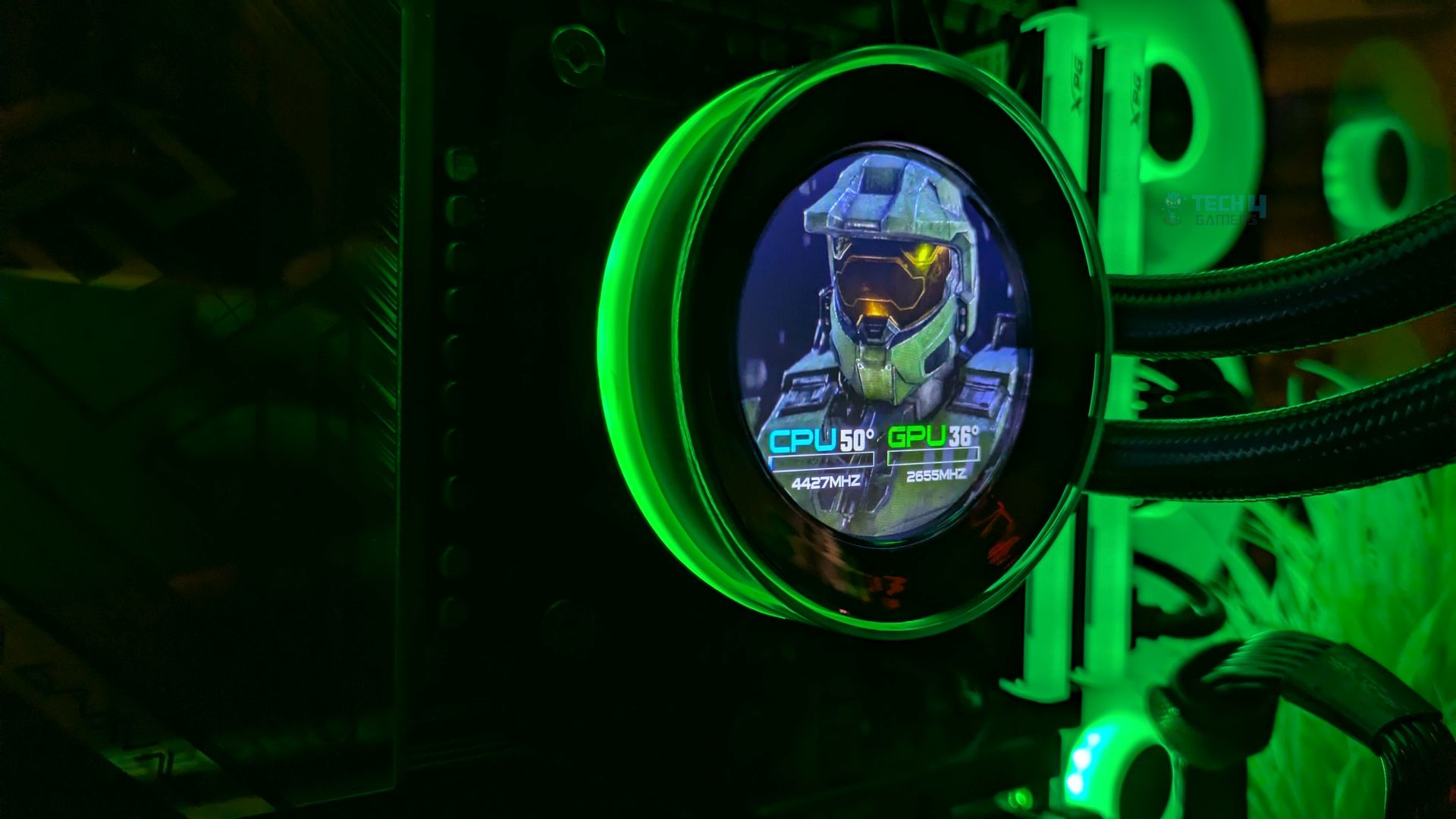
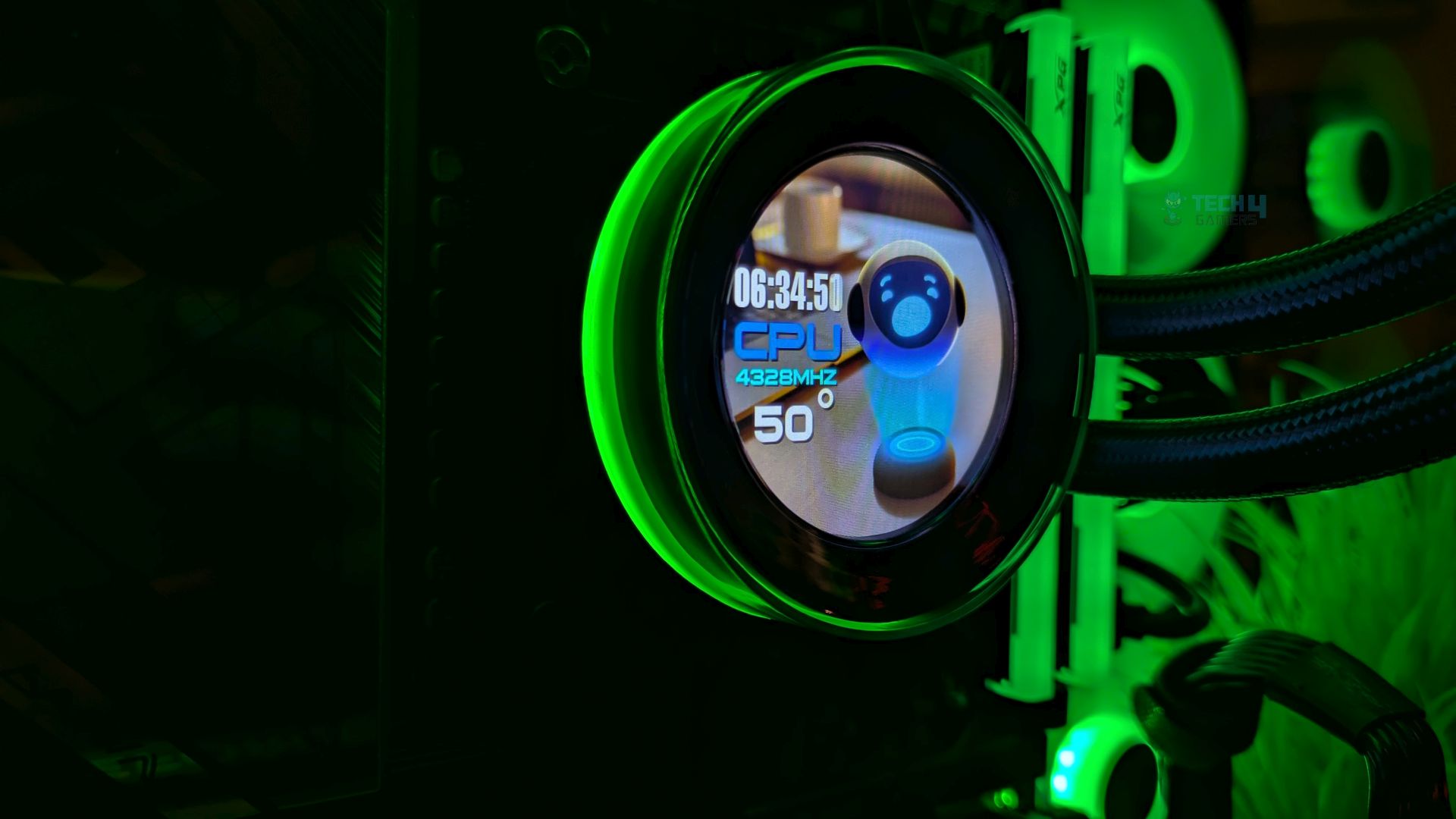
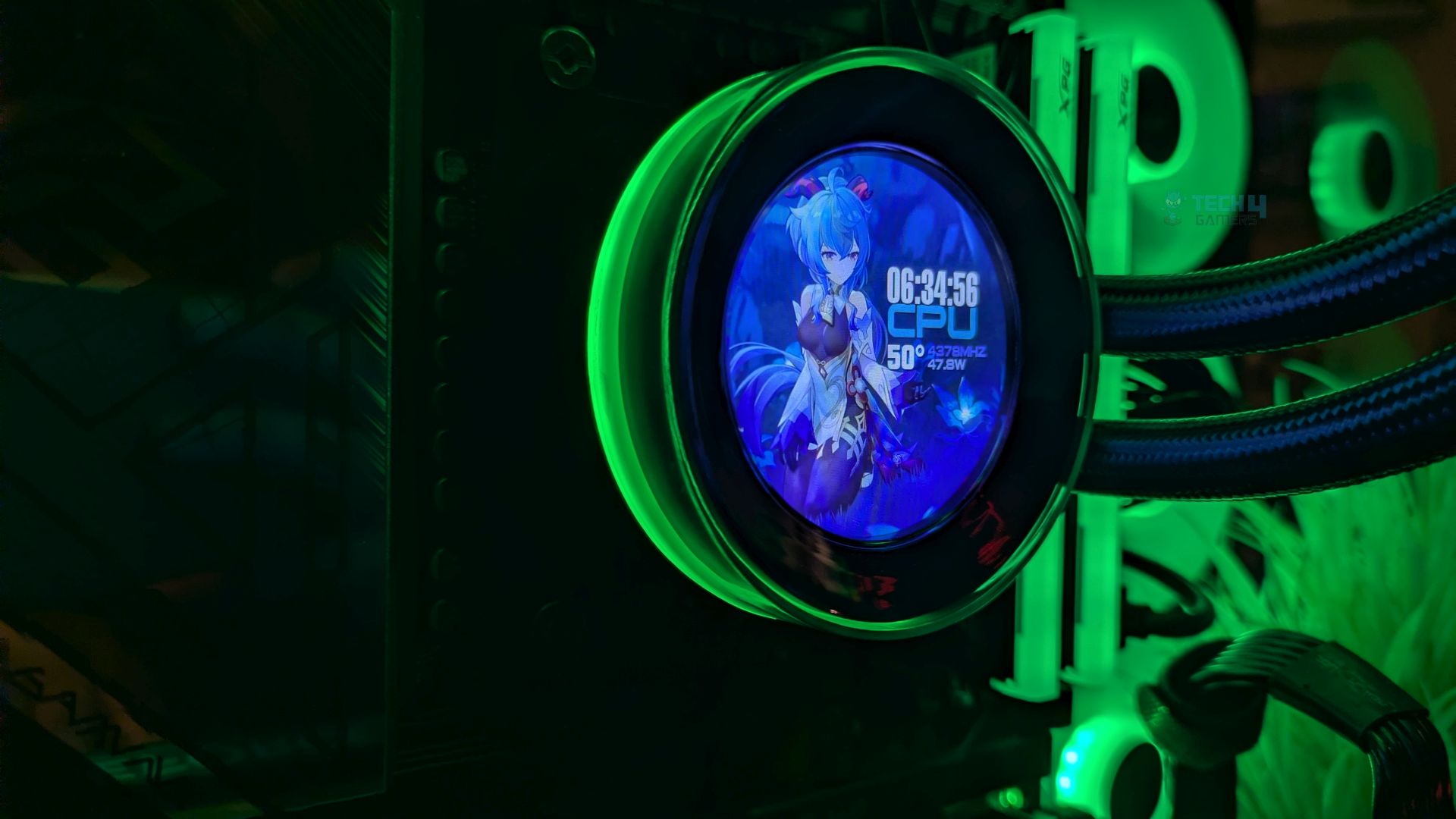
You get a robust suite of 9 pre-loaded themes in the ID-Cooling Space software. The 480×480 LCD feels dense enough; look how sharp the text appears with absolute crispness.
However, at full brightness in a fully dark room, I noticed the screen tends to suffer from poor color calibration, a washed-out blue tint, which I had noticed in the previous ID-Cooling FX360 LCD I tested earlier. To fix this, I had to lower my brightness. In a bright day room, that wouldn’t be noticeable much.
Apart from this, to control the LCD, you need software that lets you personalize the display, such as setting it to show live readouts and temperatures of your components, such as the GPU and CPU. You can also set custom graphics and animations, which means you can upload your personalized still images or short MP4 animated graphics and GIFs.
Testing Methodology
CPU Configuration:
- We evaluate the cooler’s performance using three different benchmark methods. Noise-normalized testing is performed at 40dB(A) at the 105W TDP and 170W TDP (Stock) of the Ryzen 9 9950X. We then test the cooler’s performance at the maximum PWM speeds for both TDP configurations. After that, we unlock the power limits of the CPU to see how much cooler it can dissipate the heat in terms of watts at the maximum PWM Speeds.
Controlled Environment:
- We have eliminated the influence of ambient temperatures in our data, and all results are presented as deltas over the ambient conditions. The tests were done in a controlled environment with a room temperature of 25°C.
Preparing System:
- The Coolers are tested in realistic conditions. We don’t use the open bench system; instead, we have installed the cooler in our HYTE Y70 case, mounted at the top. We ensure the airflow is adequate in the case and that the case fans are running at the fixed PWM speeds.
- We are using ID-Cooling X45 thermal paste for all coolers.
Software:
- We have ensured that no other software is running on the computer that could influence the CPU load.
- We’ll be using the Cinebench R23 Loop for 20 minutes after the warm-up test has been completed. Each test has a 10-minute cool-down time.
Test Setup
Here is our test setup!
| Our Primary Test System |
|
|---|---|
| Processor | AMD Ryzen 9 9950X |
| Memory | XPG Lancer 32GB (16x2) 6000MT/s CL30 |
| Motherboard | ASRock X870 Phantom Gaming Nova WiFi (BIOS: 4.43v) |
| Thermal Paste | ID-Cooling X45 |
| Graphics Card | ZOTAC SOLID RTX 5080 , |
| Power Supply Unit | Super Flower LEADEX VII Platinum PRO 850W |
Test Results – Noise Normalized 40 dB(A)
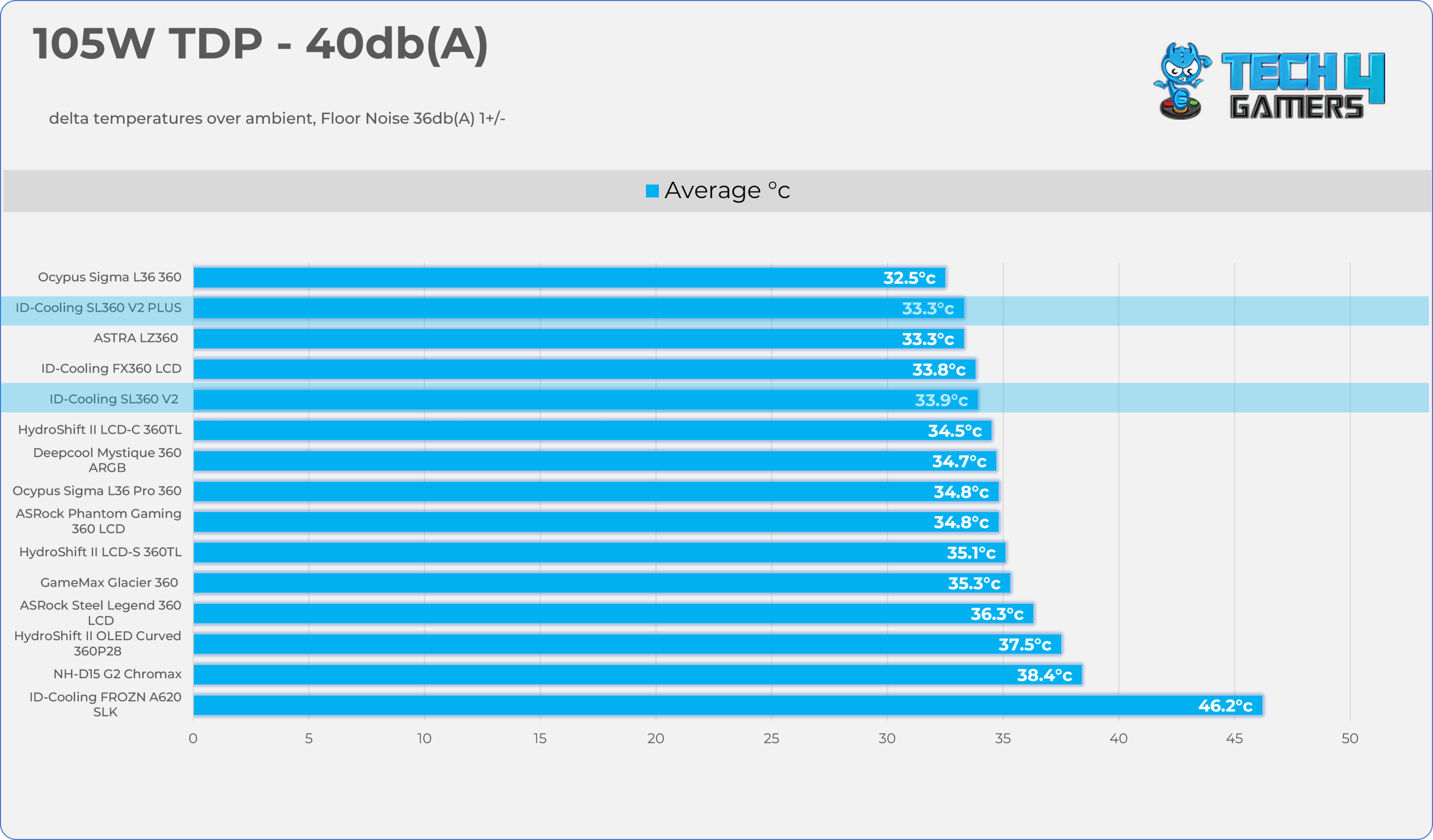
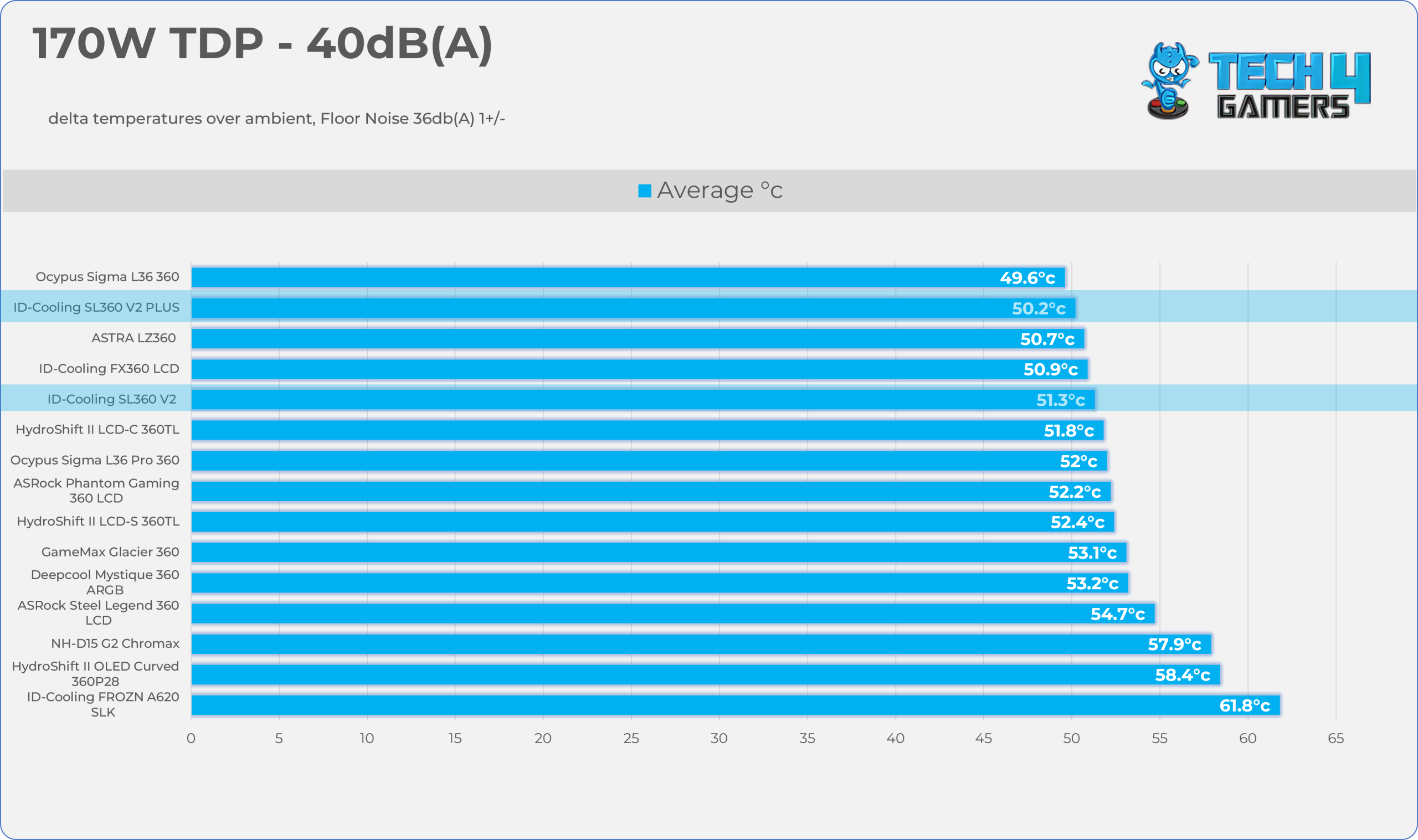
Results at the fixed noise level of 40dB(A).
105W TDP
170W TDP
Test Results – Maximum Speed
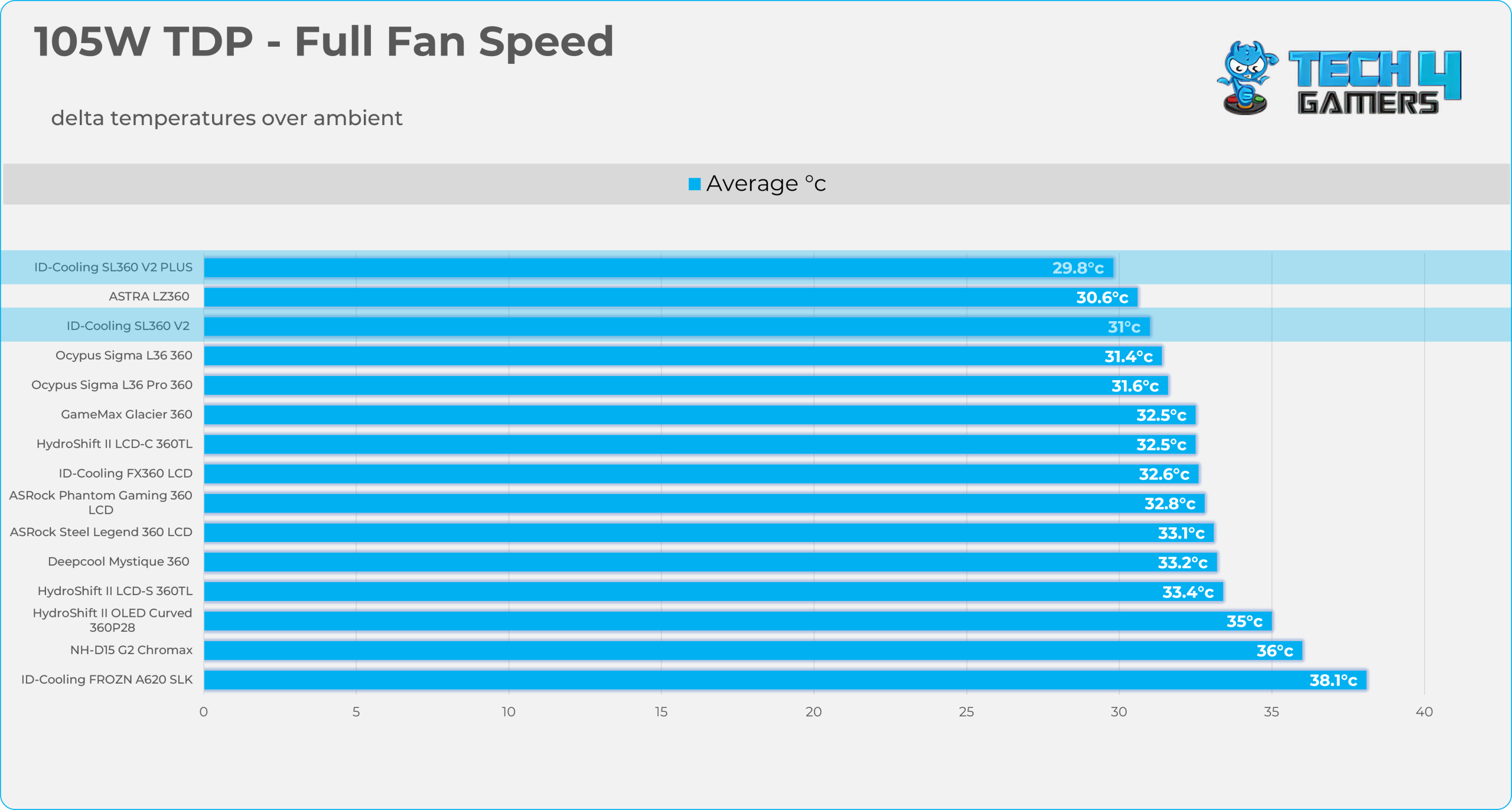
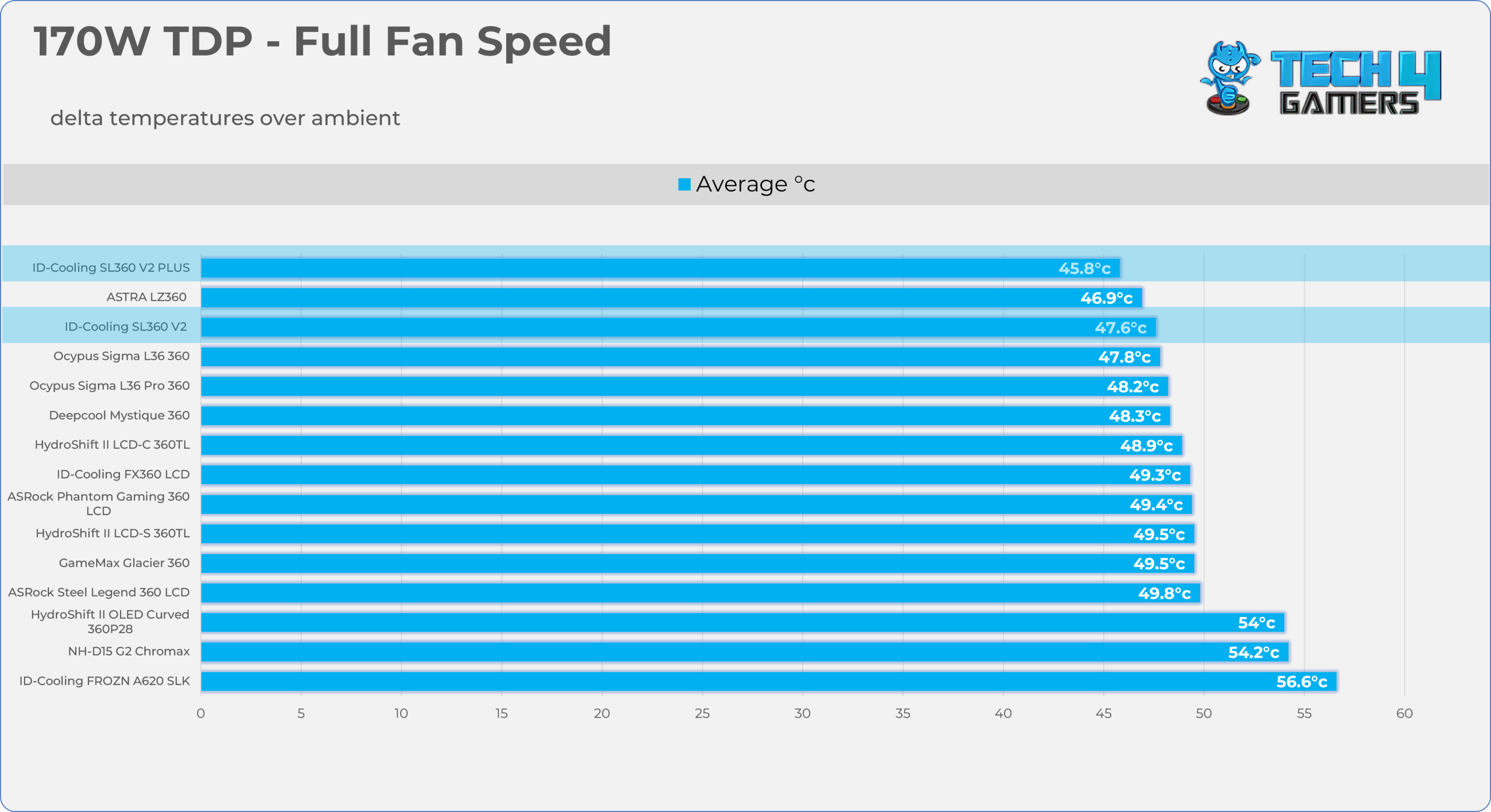
Results at the Maximum PWM Speed.
105W TDP
170W TDP
Noise and RPM Readings
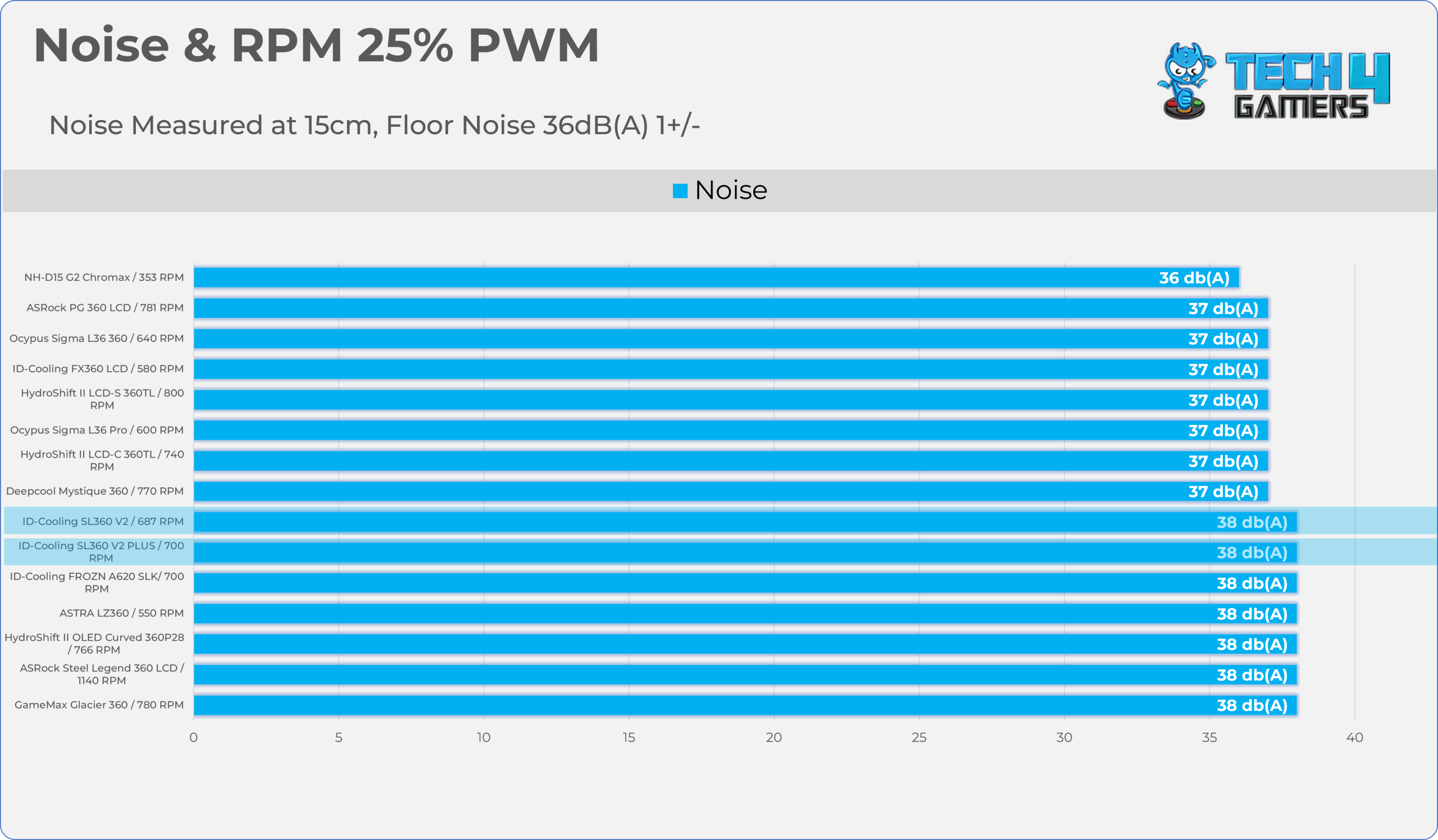
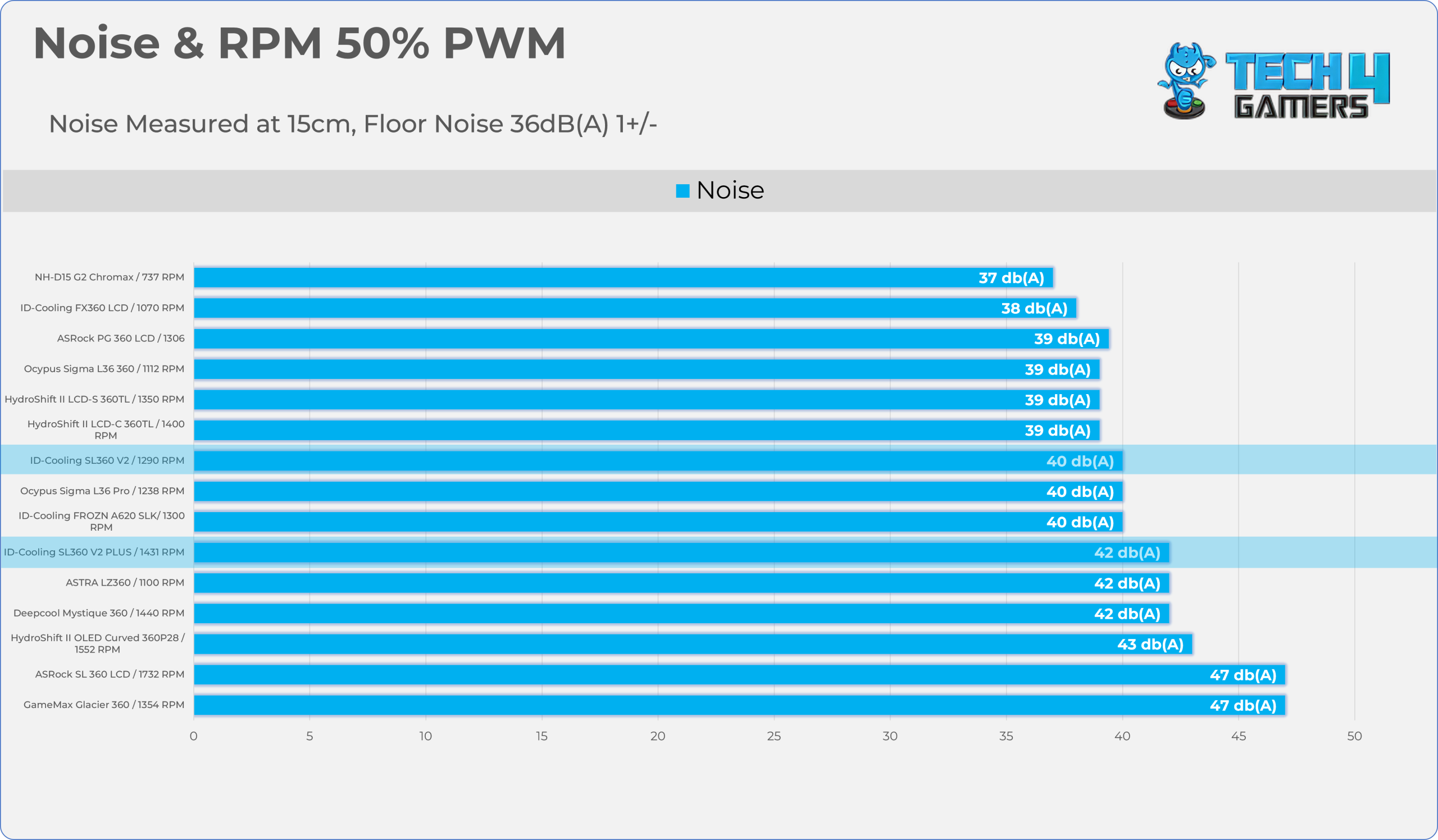
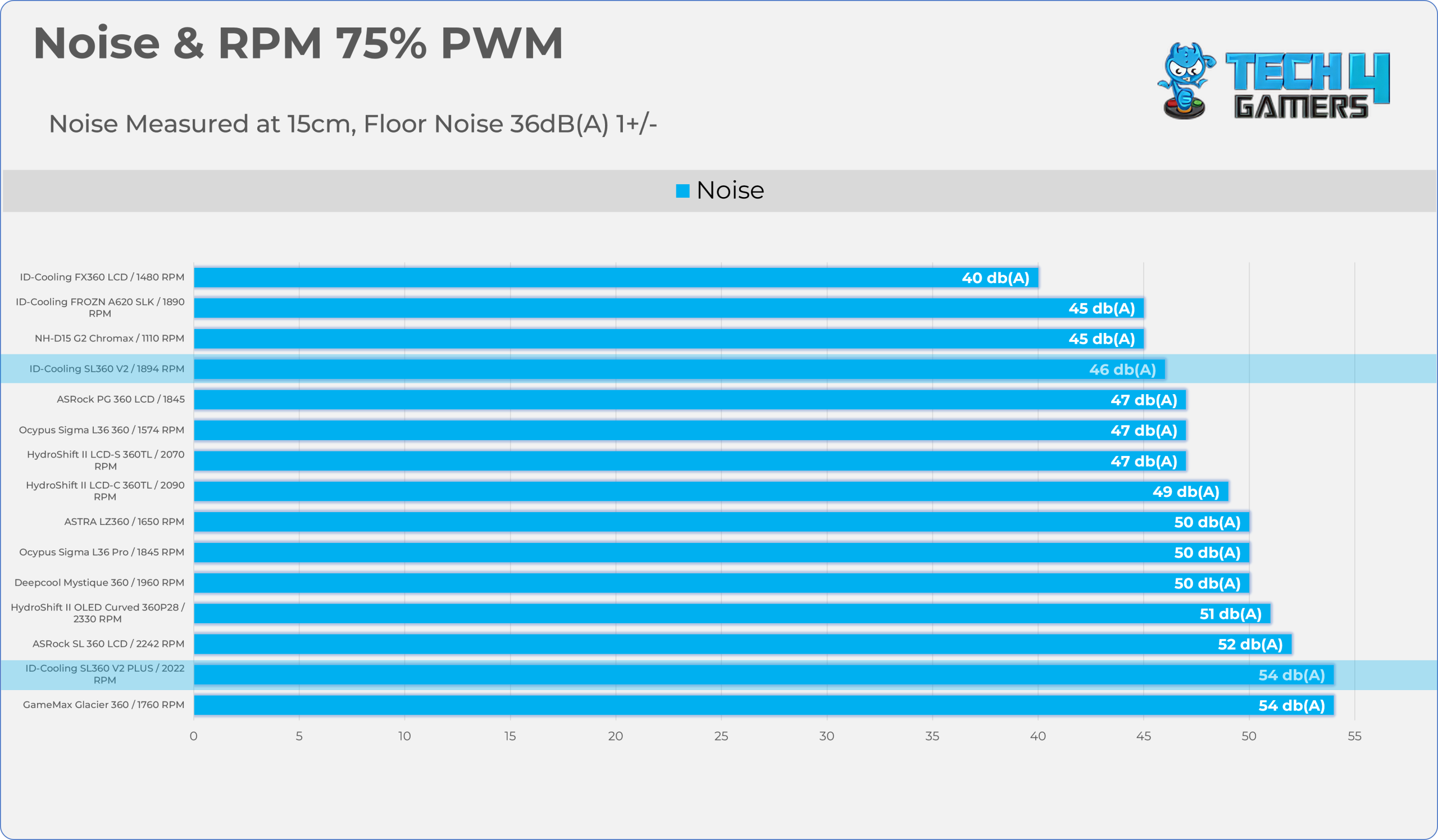
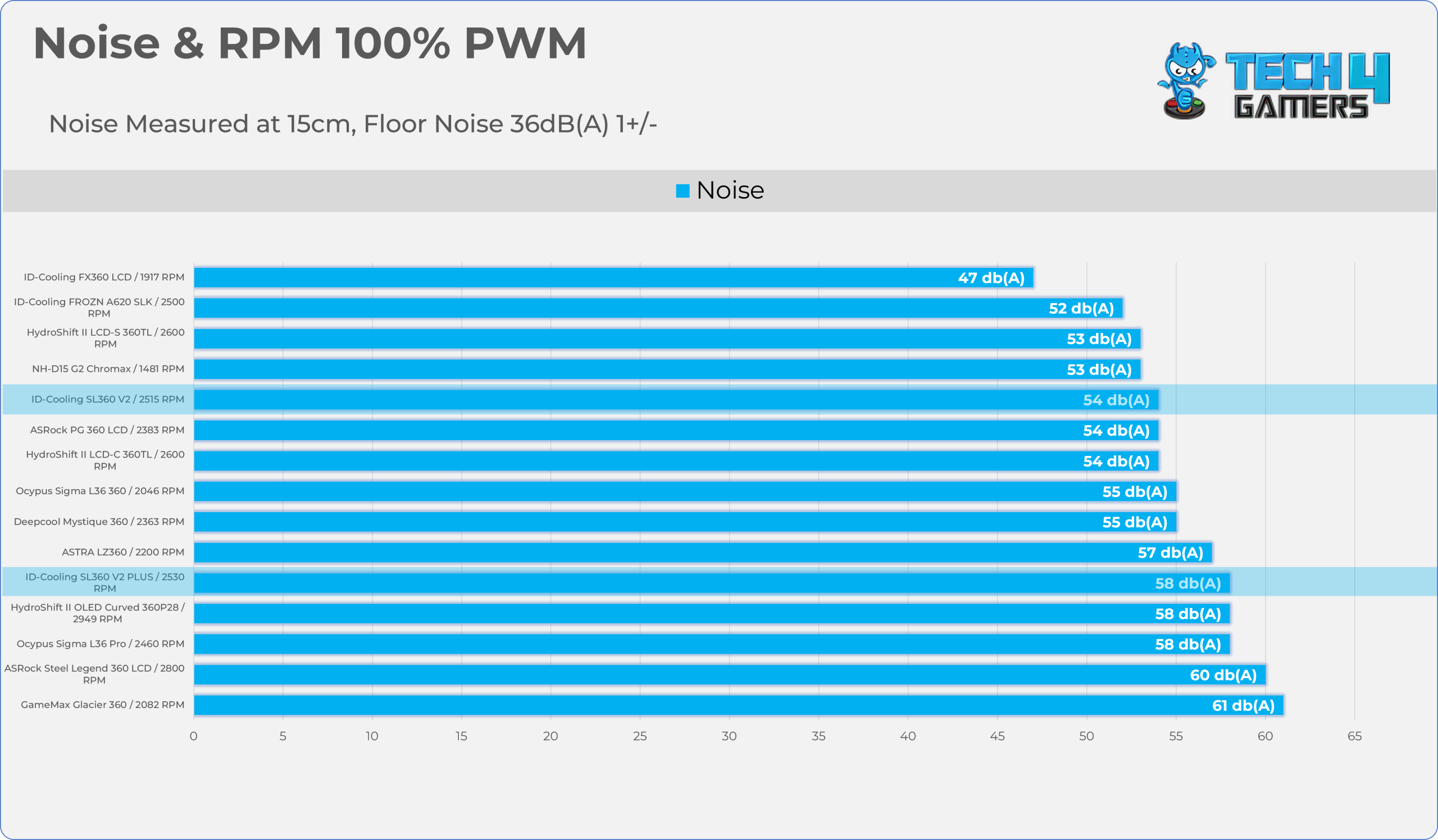
Let’s take a look at the Noise and RPM Readings. We conducted tests across four different PWM range levels.
25-50% PWM
75-100% PWM
| PWM Level | RPM | Noise (dB(A)) |
| 25% | 687 | 38 |
| 50% | 1290 | 40 |
| 75% | 1894 | 46 |
| 100% | 2515 | 54 |
Should You Buy It?
Buy It If
✅ PC Builders/Upgrading Seeking Premium Aesthetics on a Budget: SL360 V2 provides high-end appeal to users thanks to its customizable LED screen and solid, high-static-pressure ARGB fans.
✅ If You Demand Top-Tier Performance: The Cooler easily cooled the AMD Ryzen 9 9950X (170W TDP) processor in our tests, and it also has a 350W TDP rating, meaning it can comfortably handle modern CPUs from Intel and AMD.
Don’t Buy It If
❌ If You’re Building in Small Form Factor (SFF) Case: This cooler measures 396 × 120 × 27 mm (360mm), so it might not fit in mini-ITX cases.
❌ If You Don’t Care About Aesthetics: If your PC case does not have a glass panel, spending extra money on an LCD and ARGB lighting is a wasted investment.
Final Thoughts
Cooling Performance And Noise
Well, the SL360 V2 from ID-Cooling offers a strong balance of thermal efficiency and noise control. While it generates noticeable noise (54dB(A)) at its maximum 2515 RPM, it demonstrates excellent scaling, maintaining acceptable audibility at 50% and 75% PWM.Thermally, this cooler has outperformed several high-end options from Lian-Li, which cost almost double.
Under a heavier 170W TDP (200W Load), the SL360 V2 achieves a 47.6 °C Delta, besting the Deepcool Mystique and the GameMax Glacier. It also beats all Lian-Li Hydroshift II coolers at full speed; the noise-normalized (40 dB (A)) results are excellent, running 2.4 °C warmer than maximum-speed results with significant noise reduction.
Build Quality / Design
There are several quality features that I liked, one of which is simplified wiring. ID uses the 7-pin connector for the fans; the single cable cleverly combines the 4-pin PWM signal and 3-pin 5v ARGB power into a single plug, eliminating the typical mess of wires associated with RGB fans. ID is using three AP-120-ARGB fans, which spin at 2500 RPM and are designed to deliver strong airflow and static pressure to push air through the radiator effectively. We did not find the fans to rattle while running at the maximum speed.
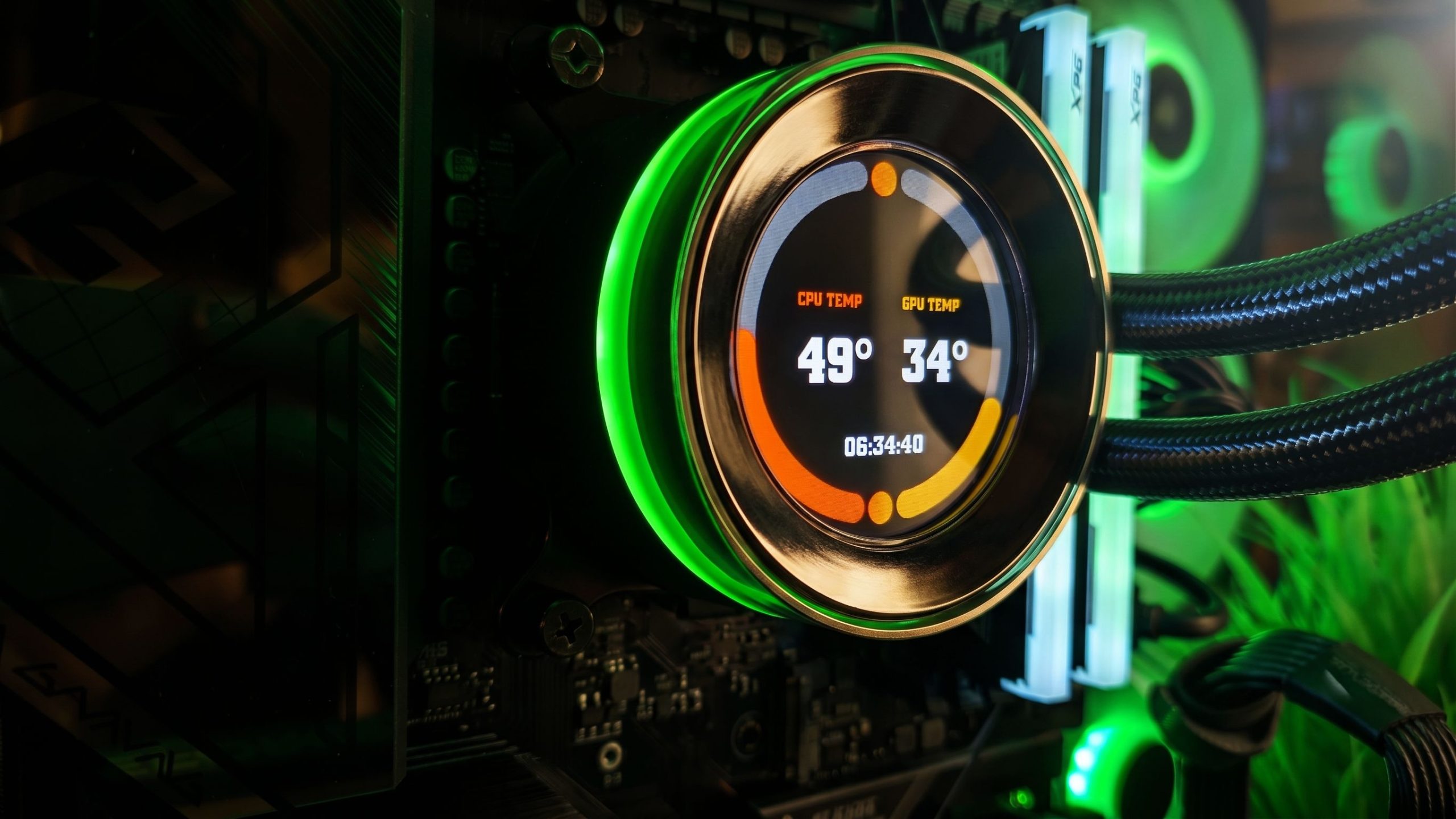
The block features a customizable 2.1-inch IPS LCD with a sharp 480×480 resolution. It has an 18-bit color depth (262K colors) and a 60Hz refresh rate. However, we had issues where the display struggles in a dark room when it’s running at full brightness; it’s highly vibrant, and the LCD has a more blue tint, which is normal with IPS displays. They have also upgraded the pump this time; it now uses a ceramic-bearing pump, which is known to be thermally efficient. Furthermore, the Halo Ring and Acrylic frame surrounding the LCD provide a sleek and premium look.
Overall, the radiator, block, and fans feel sturdy and premium in hand.
Value
The exact price can vary depending on the retailer and regional availability. However, in my country, the cooler costs around $125 USD, which is exceptional in terms of the value, performance, and appeal it provides. If you can purchase this cooler for under $140, this cooler is highly recommended; above $150, you would have a plethora of options and brands to choose from.
Thank you! Please share your positive feedback. 🔋
How could we improve this post? Please Help us. 😔

Senior Hardware Reviewer at Tech4Gamers with over a decade of experience in the tech industry. My journey began in 2014 as a senior administrator for Pakistan’s largest gaming community forum. I specialize in testing and reviewing components like graphics cards, CPU coolers, and motherboards, while also sharing insights on overclocking and system optimization.
 Join Our Community