Worth It?
Review Summary
The Cougar LQX Pro 360 delivers outstanding cooling performance and extensive system telemetry thanks to its large 3.95-inch, 720×720 IPS-TFT LCD that magnetically attaches to the pump block. Beneath the screen sits an active 60mm VRM fan that effectively cools the motherboard components. However, it runs at a fixed 3500 RPM and cannot be controlled. The CF-VRX120 fans are also solid in build quality and acoustics, with dual-zone lighting for added visual appeal. They come preinstalled and daisy-chained on the radiator right out of the box.
Hours Tested: 7 Hours

Overall
-
Cooling - 9/10
9/10
-
Noise - 7/10
7/10
-
Aesthetics - 9.2/10
9.2/10
-
Build Quality - 9.2/10
9.2/10
-
Value - 8.5/10
8.5/10
Pros
- Large 3.95-inch Display.
- Magnetic Panel Mount.
- Integrated VRM fan.
- Solid Build Quality.
- Universal Bracket on the Block.
- Daisy-chained Fans.
- Exceptional Cooling Performance.
- A wide range of display presets to choose from.
Cons
- Integrated VRM fan is loud and cannot be controlled or adjusted.


Cougar has sent us its brand-new upcoming all-in-one liquid cooler, the LQX Pro 360 ARGB.
If you’re not too familiar with the brand, Cougar was founded in Germany in 2008 by a team of enthusiasts and PC hardware engineers. The company makes a wide range of PC hardware and built its reputation primarily on aggressive chassis designs, power supplies, and peripherals before expanding into cooling.
Fast-forward to today, and Cougar is introducing its new LQX lineup, stepping into the flagship cooling segment with two distinct tiers. The LQX Elite leans more toward aesthetics and value, while the LQX Pro sits at the top of the lineup, engineered to deliver excellent thermal performance and support processors rated up to 350W TDP.
We’ve only received the LQX Pro 360, so today we’ll take a deep dive into its build quality, features, and cooling performance.
The cooler features a massive 3.95-inch IPS TFT display, with integrated VRM cooling underneath the LCD. For heat dissipation, Cougar is using its high-static-pressure VRX120 PWM fans. The LQX Pro 360 also supports a wide range of platforms, including Intel LGA 1851 and 1700, as well as AMD AM5 and AM4.
Let’s talk about the specifications:
| Feature | Specification |
| Sockets |
Intel: LGA 1851, 1700 | AMD: AM5, AM4 |
| Max TDP | 350W |
| Radiator | 360mm (Aluminum) |
| Fans | 3x 120mm ARGB |
| Fan Speed | 0 – 2500 RPM |
| Pump Speed | 3200 RPM |
| LCD Screen | 3.95″ IPS (720 x 720 resolution, 60Hz) |
| VRM Fan | 60mm built-in fan |
What Makes Cougar LQX PRO 360 ARGB Different?
The Cougar LQX Pro 360 packs features that combine excellent thermal performance with an integrated VRM fan and premium radiator fans. If aesthetics are your thing, it also features a massive 3.95-inch IPS-TFT display with a 720×720 HD resolution and a 60Hz refresh rate.
The display isn’t permanently integrated into the pump block. Instead, it uses a modular magnetic mounting system that snaps onto the block, making it easy to attach and remove.
What About The Availability & Pricing?
The Cougar LQX Pro is expected to go on sale around November or December 2026, initially only in the 360mm form factor. It will only be available in black, with an MSRP of $150 USD.
Packaging
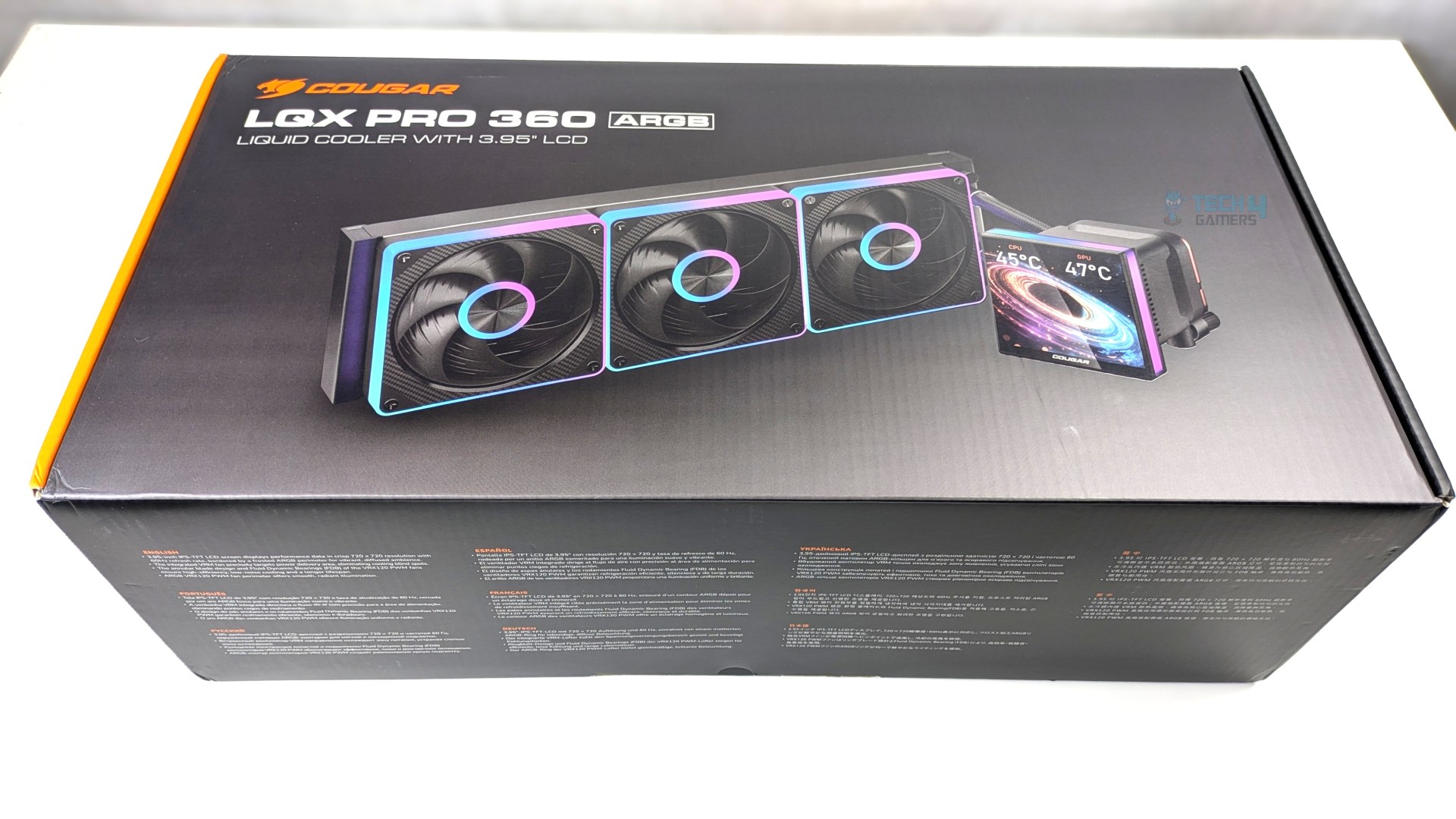
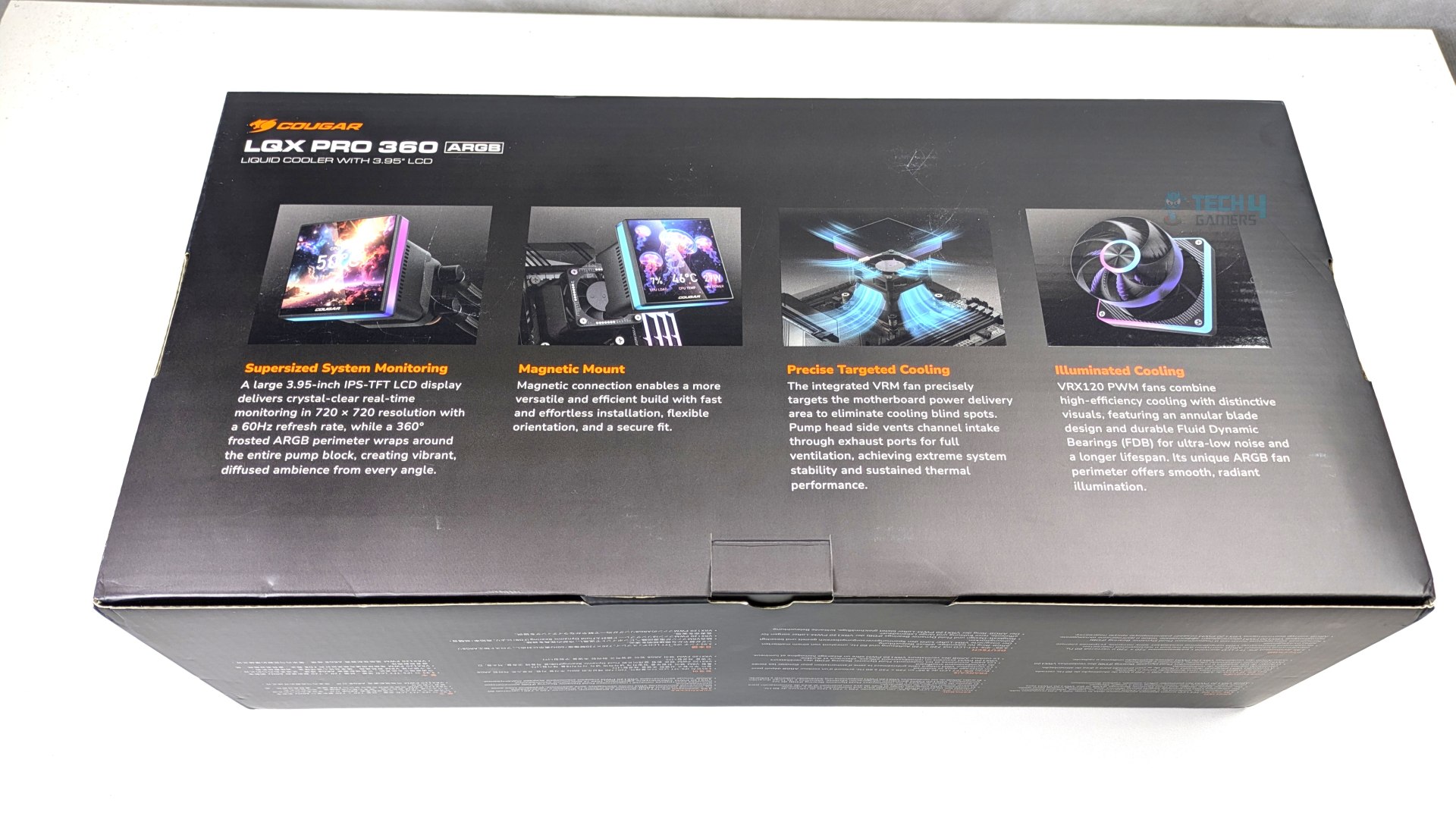
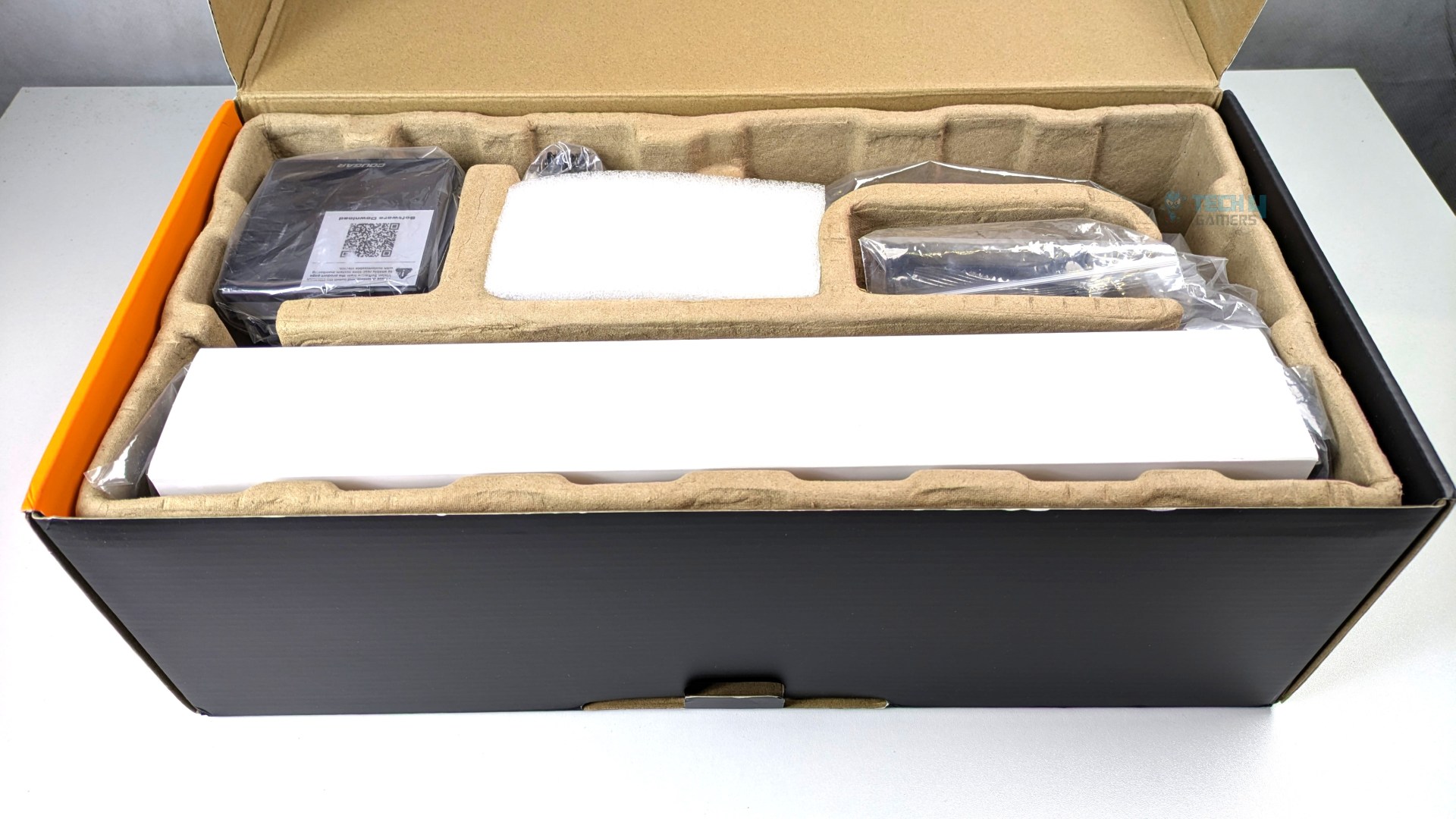
Cougar LQX Pro 360 ARGB arrives in a full-sized cardboard packaging dominated by the signature matte black aesthetic; on the front, it features a clear render of the liquid cooler and its model in the top left corner, while on the rear side, Cougar breaks down the cooler’s four core selling features with diagrams.
Opening the lid reveals organized compartments, with the display module nested securely in its own cutout on the far left. Accessories don’t come in a box; they come in a plastic zip bag tucked into their own spot. It also arrives with a manual and a single sheet of foam. So far, the packaging and unboxing have been a straightforward experience.
Accessories
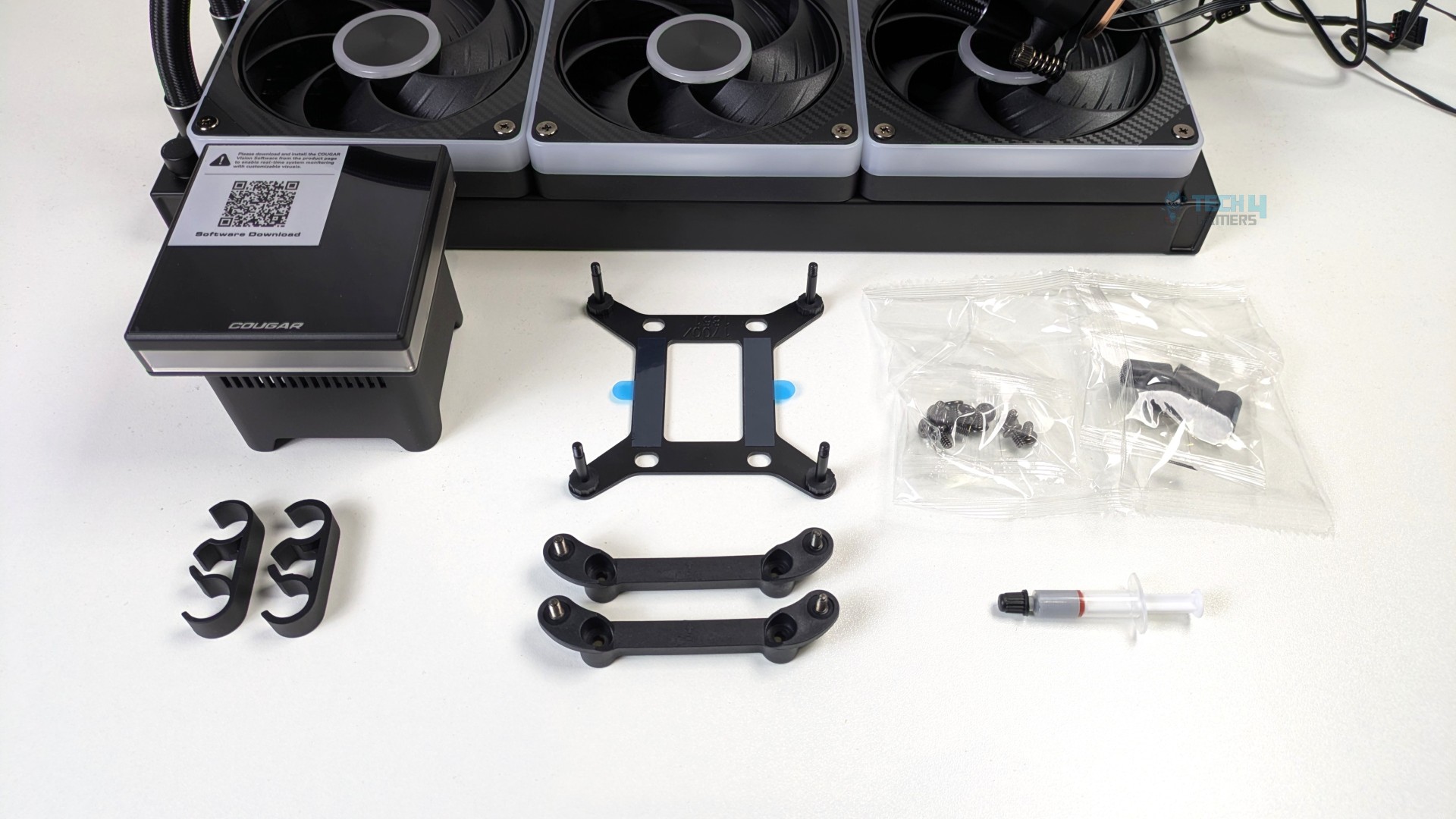
As for accessories, you get all the tools, screws, and brackets you need to mount the cooler. Cougar has streamlined installation on both AMD and Intel platforms. The universal mounting bracket comes preinstalled on the block, which is something you’d expect from a flagship cooler.
However, if you’re using an AMD CPU, you’ll notice that the AMD bracket doesn’t include its own screws. You’ll need to use the stock AMD bracket screws that come with your motherboard to secure it. Read the manual before installation to avoid confusion.
| Accessory List | Quantity |
| LQX PRO 360 ARGB Unit | 1 |
| Radiator Fans (CF-VRX120-FB) | 3 |
| Intel / AMD Bracket (Universal) | 1 |
| Fan Screws | 12 |
| LCD Display Panel | 1 |
| 3-Way To Single Extension Cable | 1 |
| Intel Backplate (LGA 1851 / 1700) | 1 |
| AMD Bracket (AM5 / AM4) | 1 |
| Plastic Stand-offs (LGA 1851 / 1700) | 4 |
| Tube Clips | 2 |
| Radiator Screws | 12 |
| Thermal Paste | 1 |
Close Look At The Radiator and Assembly
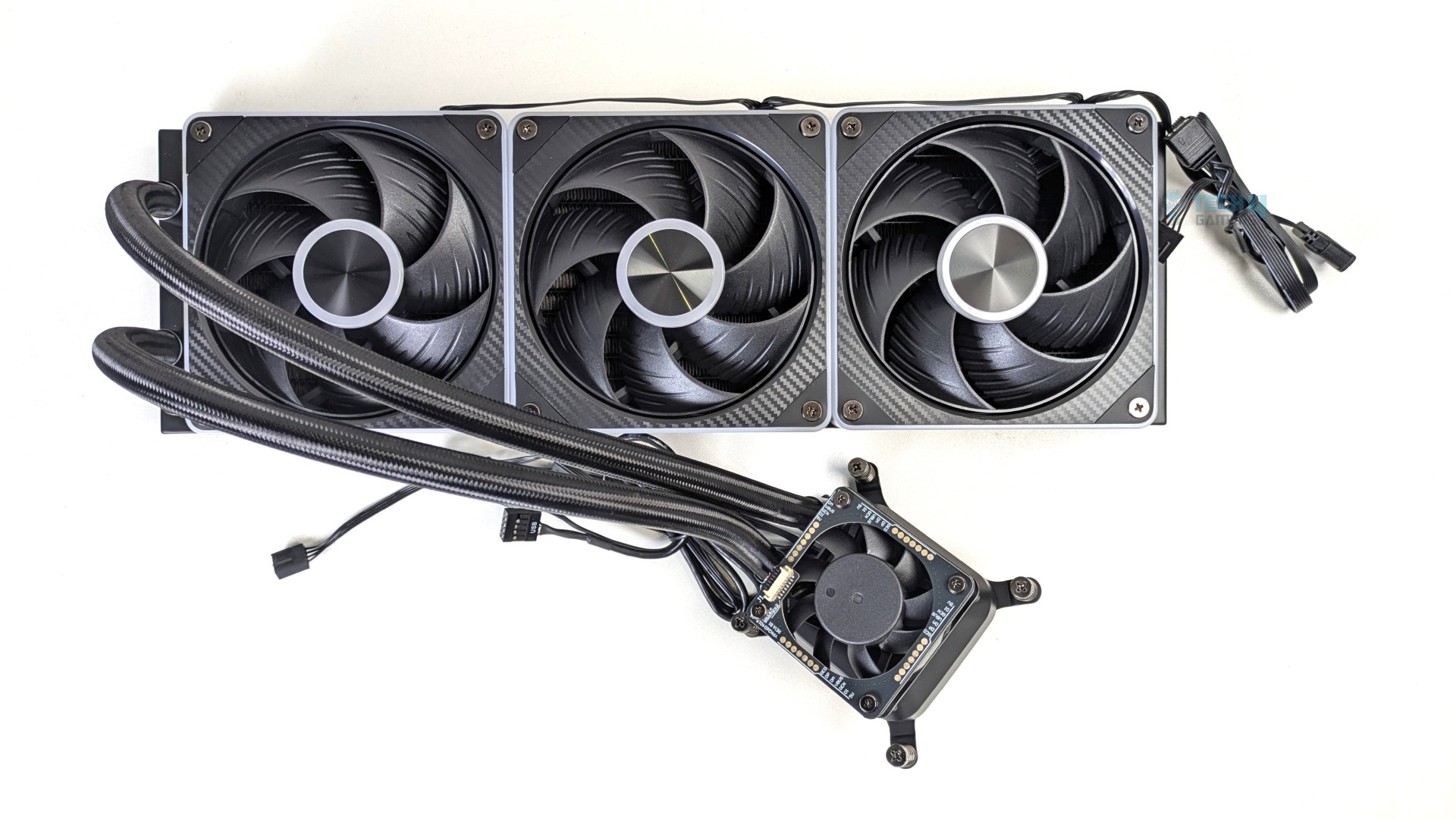
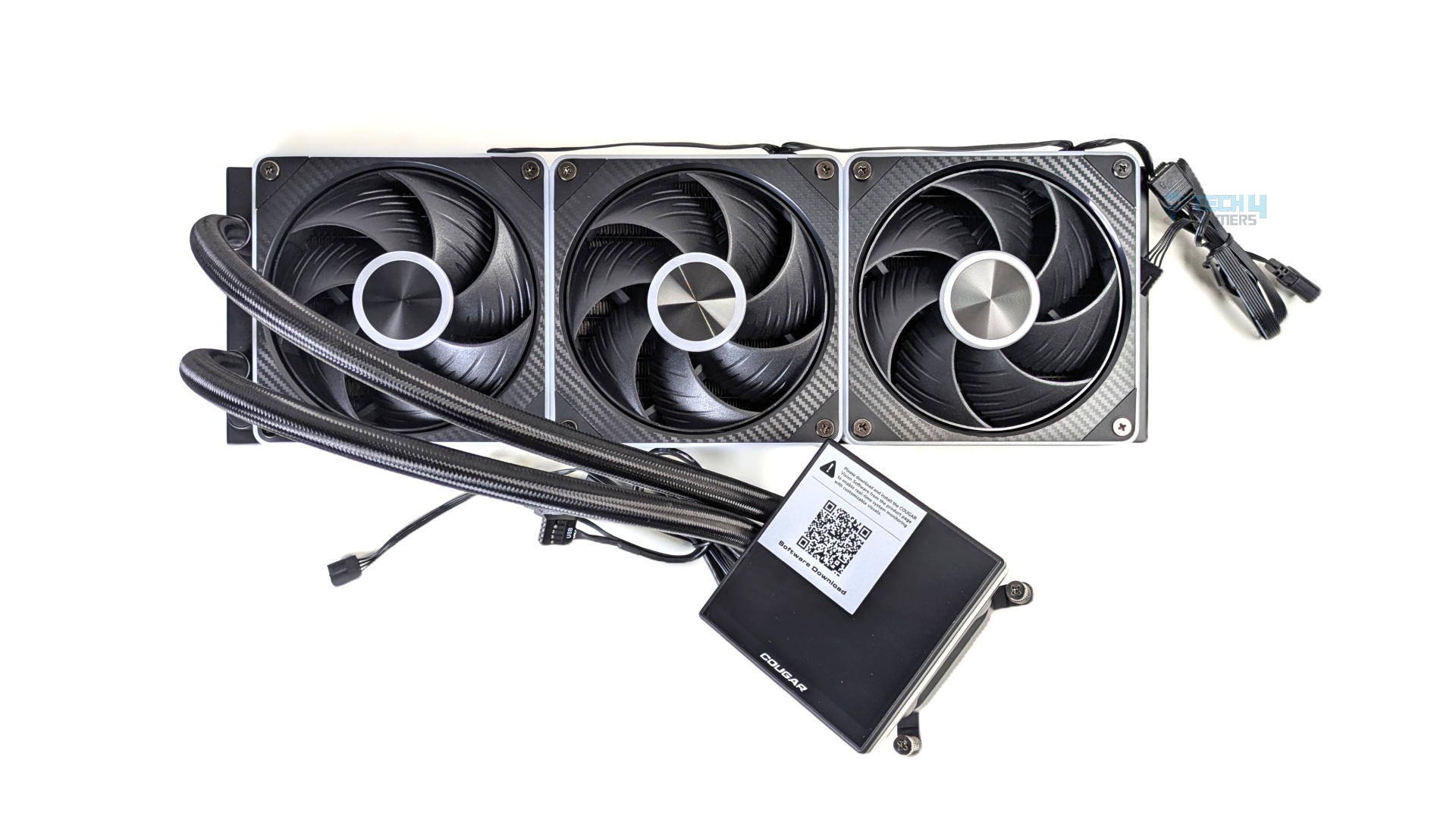
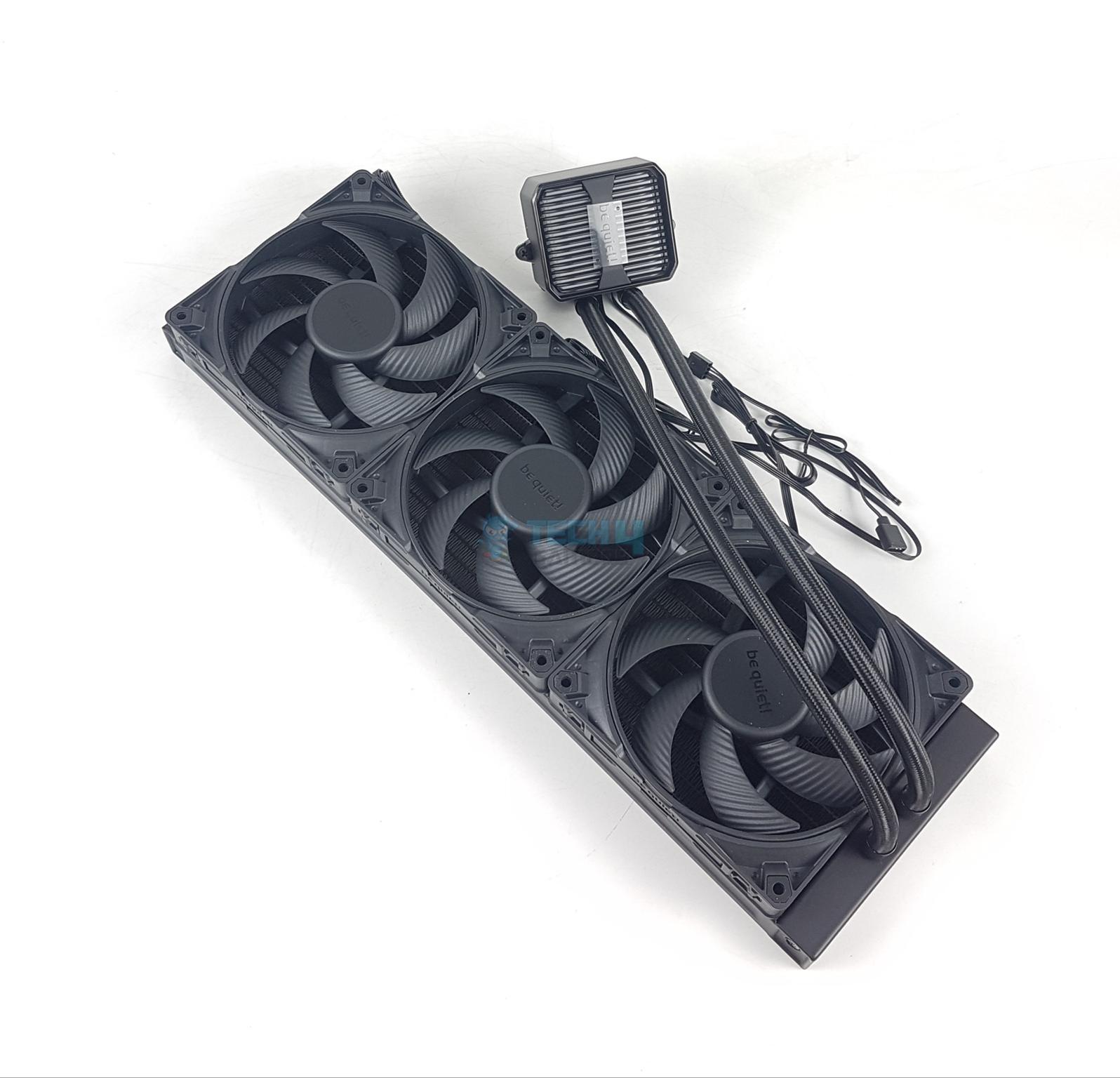
The Cougar LQX Pro 360 comes virtually fully preassembled out of the box, meaning the fans are daisy-chained and preinstalled on a radiator. In the first picture, you will notice the LCD is removed from the block, which is the default assembly.
The block comes out of the box with a mounting bracket and spring-tension thumb screws already fastened to the housing. This clean, user-friendly out-of-the-box assembly will save builders tons of time.
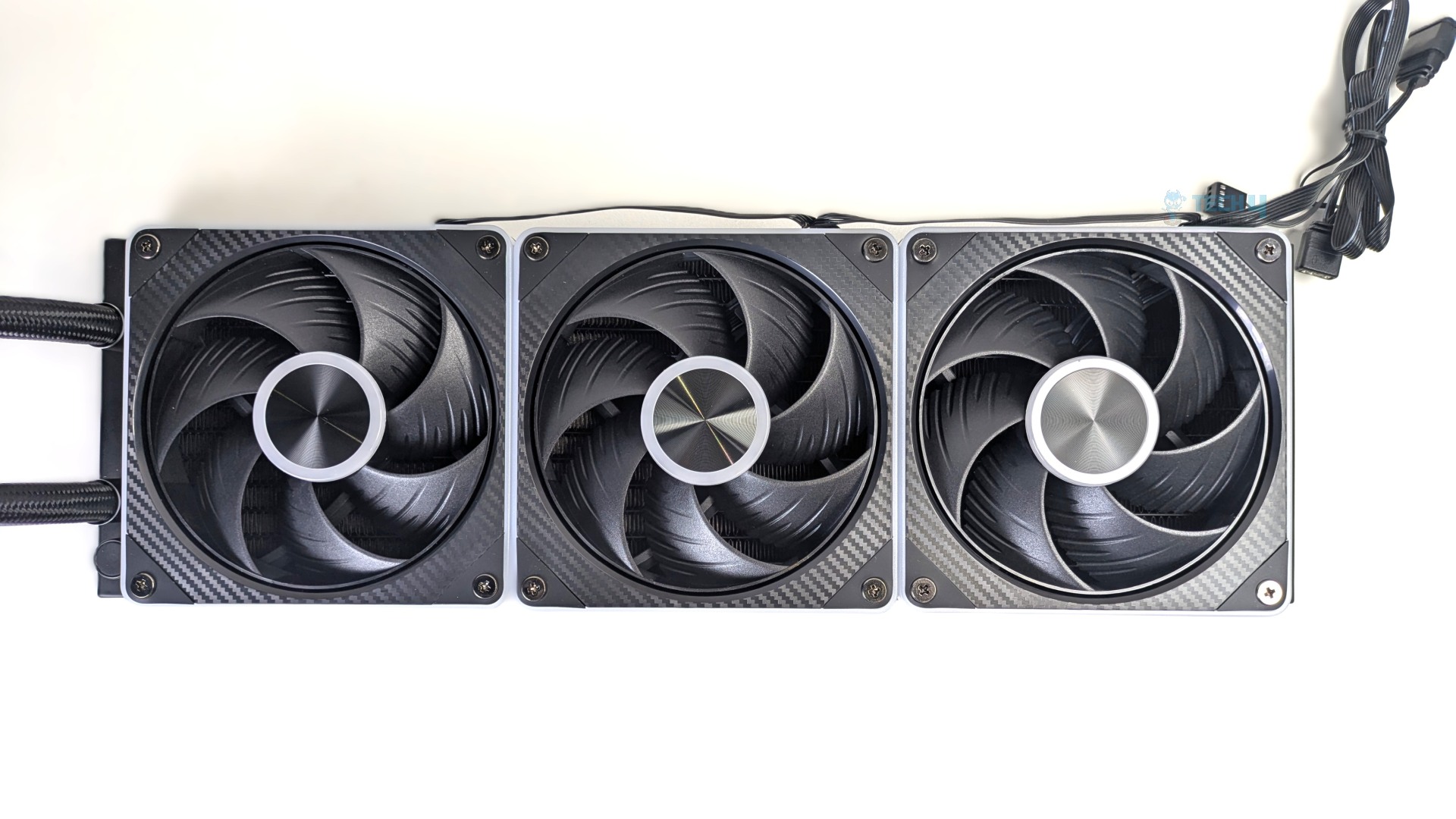
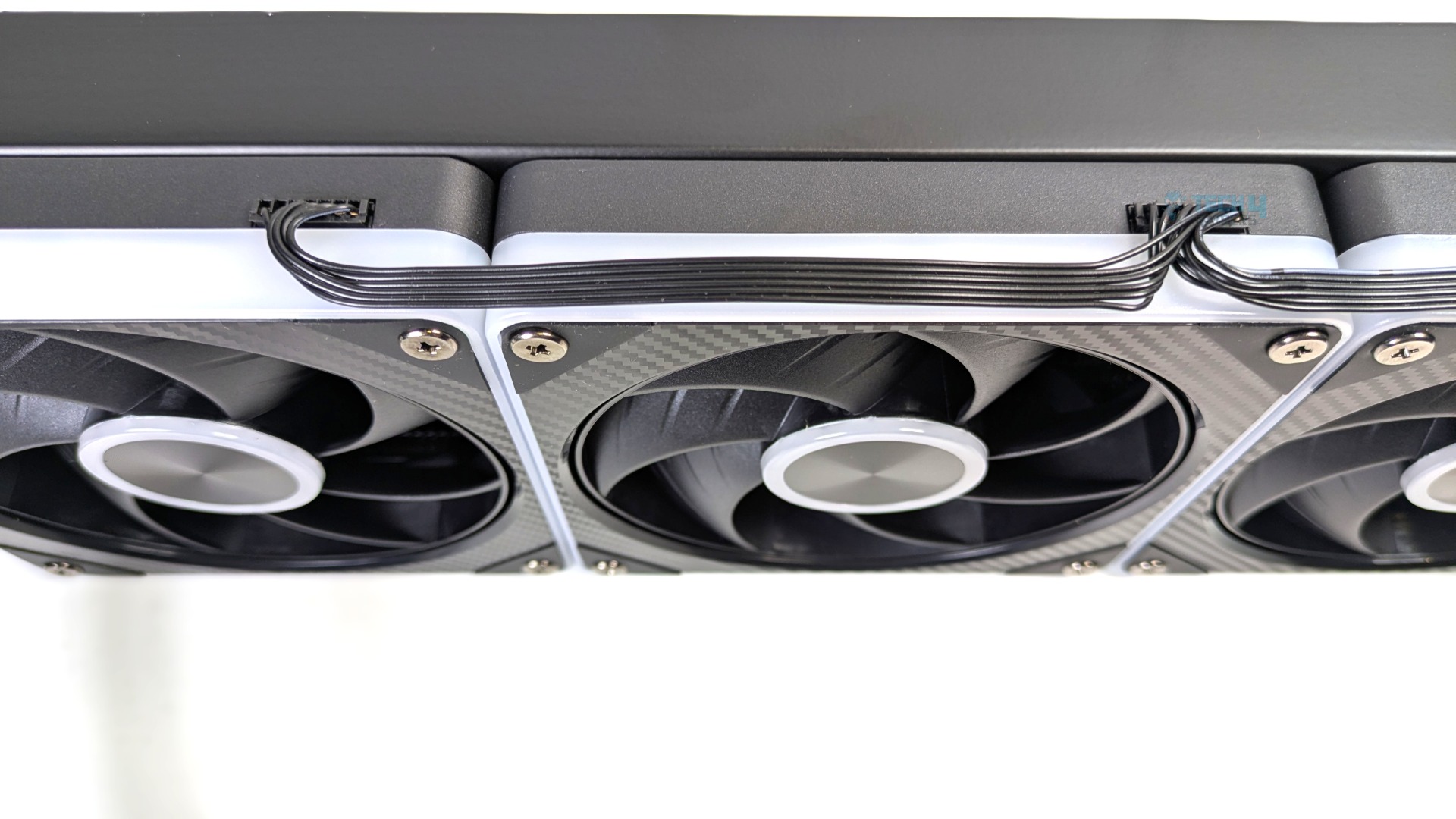
As we spoke earlier, the fans come preinstalled; the wires are also daisy-chained together using short flat-run multi-pin ribbon bridges routed directly along the radiator edge, consolidating both PWM and ARGB into a single terminal run at the end of the radiator, which also reduces the cable clutter as you don’t have to manage the individual cables from each fan.
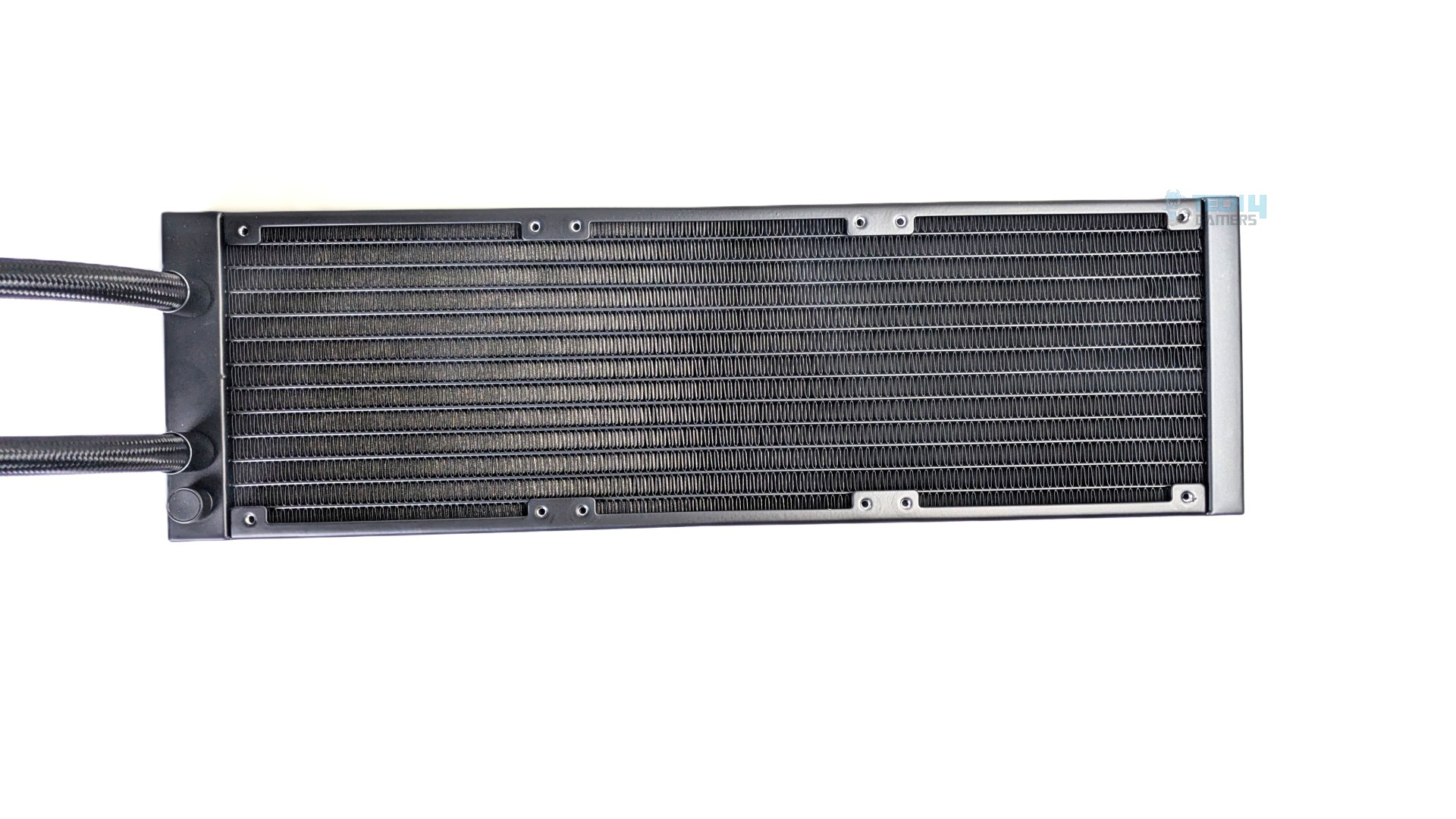
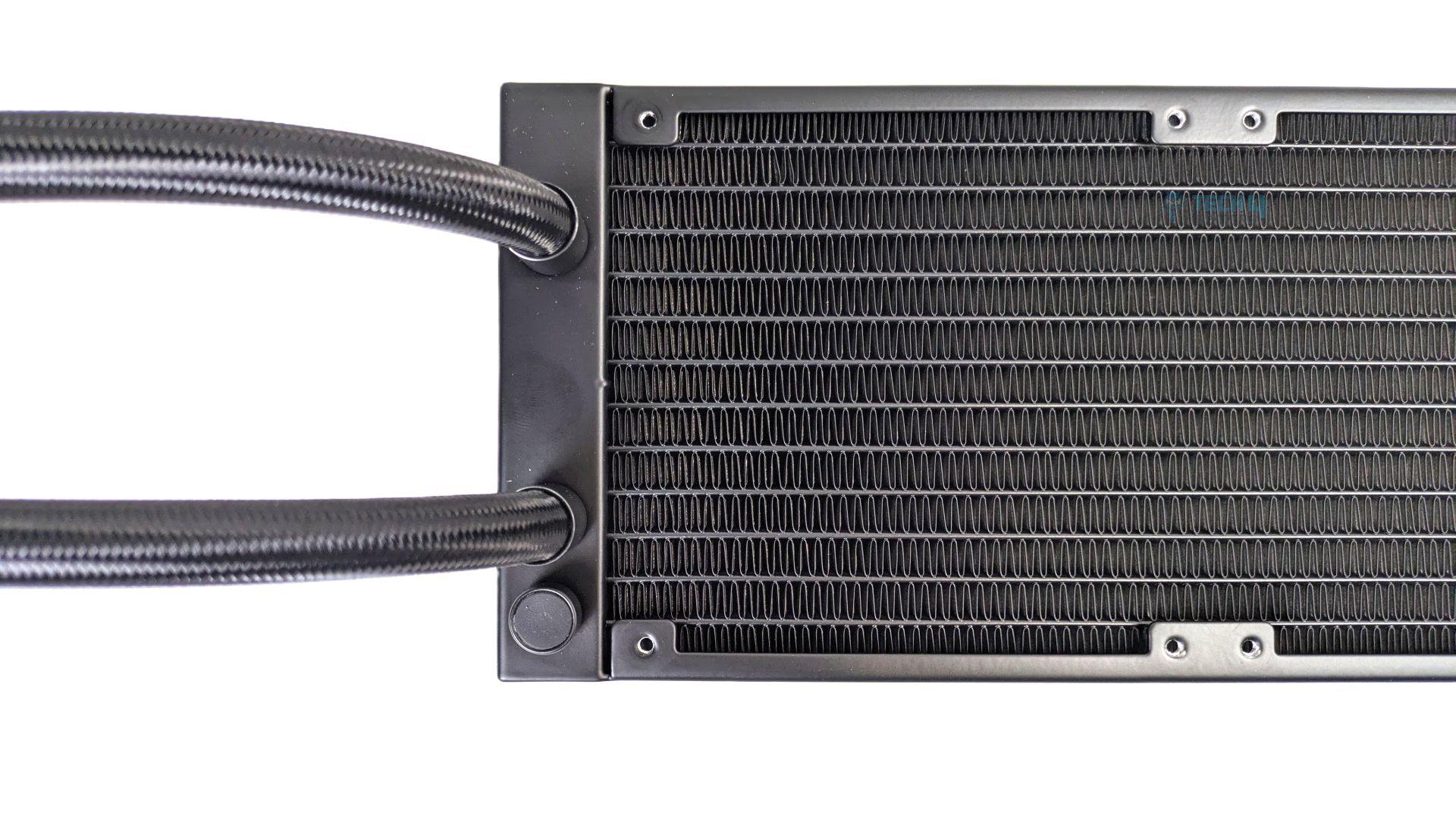
It utilizes a standard aluminum construction measuring 397 x 120 x 27 mm. It features a folded pin array. We did not notice any bent pins on the radiator. It has 12 water channels with the fins-per-inch (FPI) of 20-21.
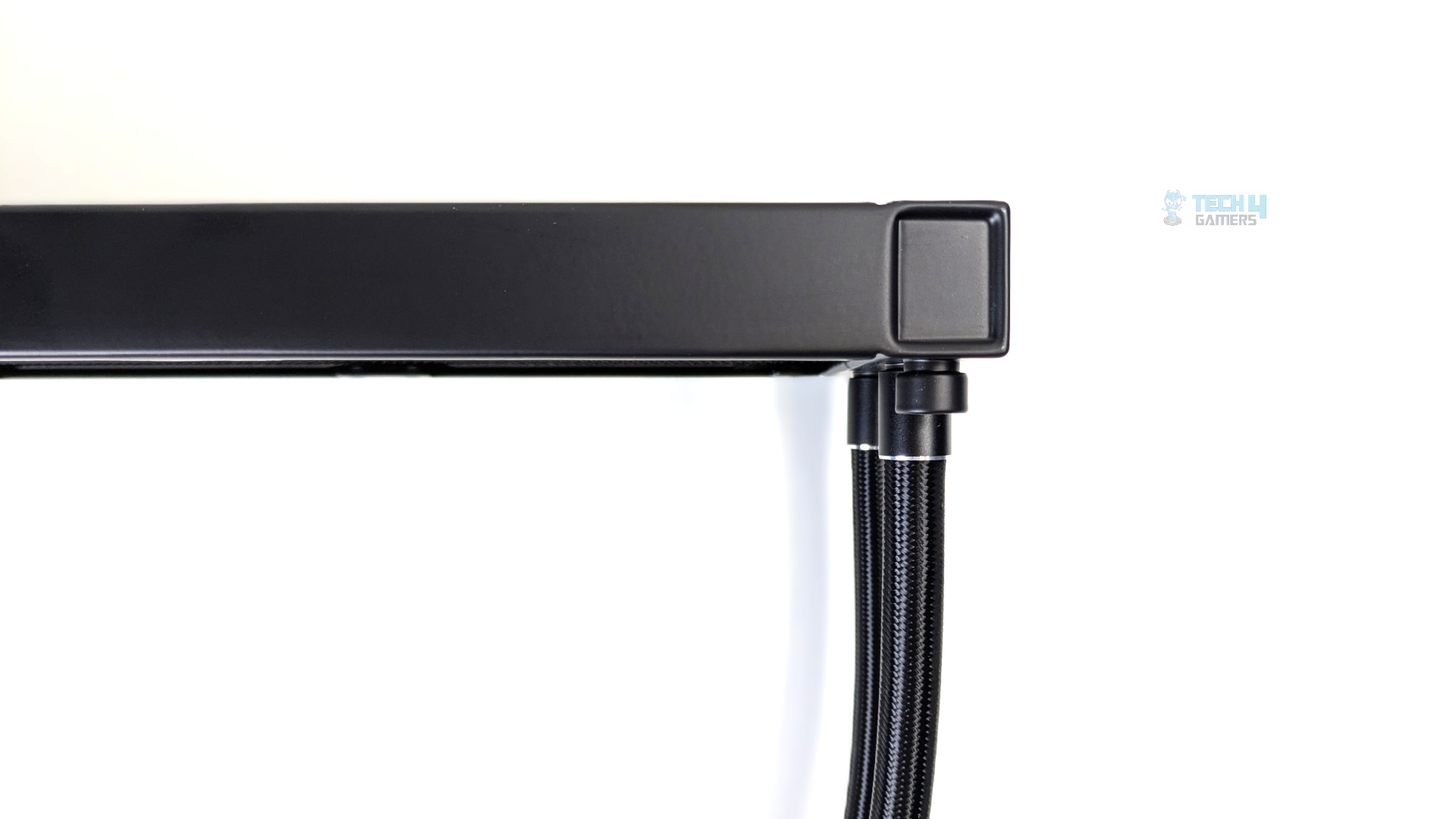
Looking at its side profile now, it’s 27mm thick. The black braided sleeving is flush inside the dual-tone metallic collar. We did not notice any loose Nylon threads or rough edges.
The tubes are 400 mm long, which feels short, as I have seen many standard all-in-ones with 420 mm of tubes. At least for the ATX cases, this wouldn’t be any issue. However, Cougar needs to improve here and slightly increase the tube lengths.
The tubes use flexible EPDM synthetic rubber; the outer sleeve uses a standard high-density braided black nylon mesh.
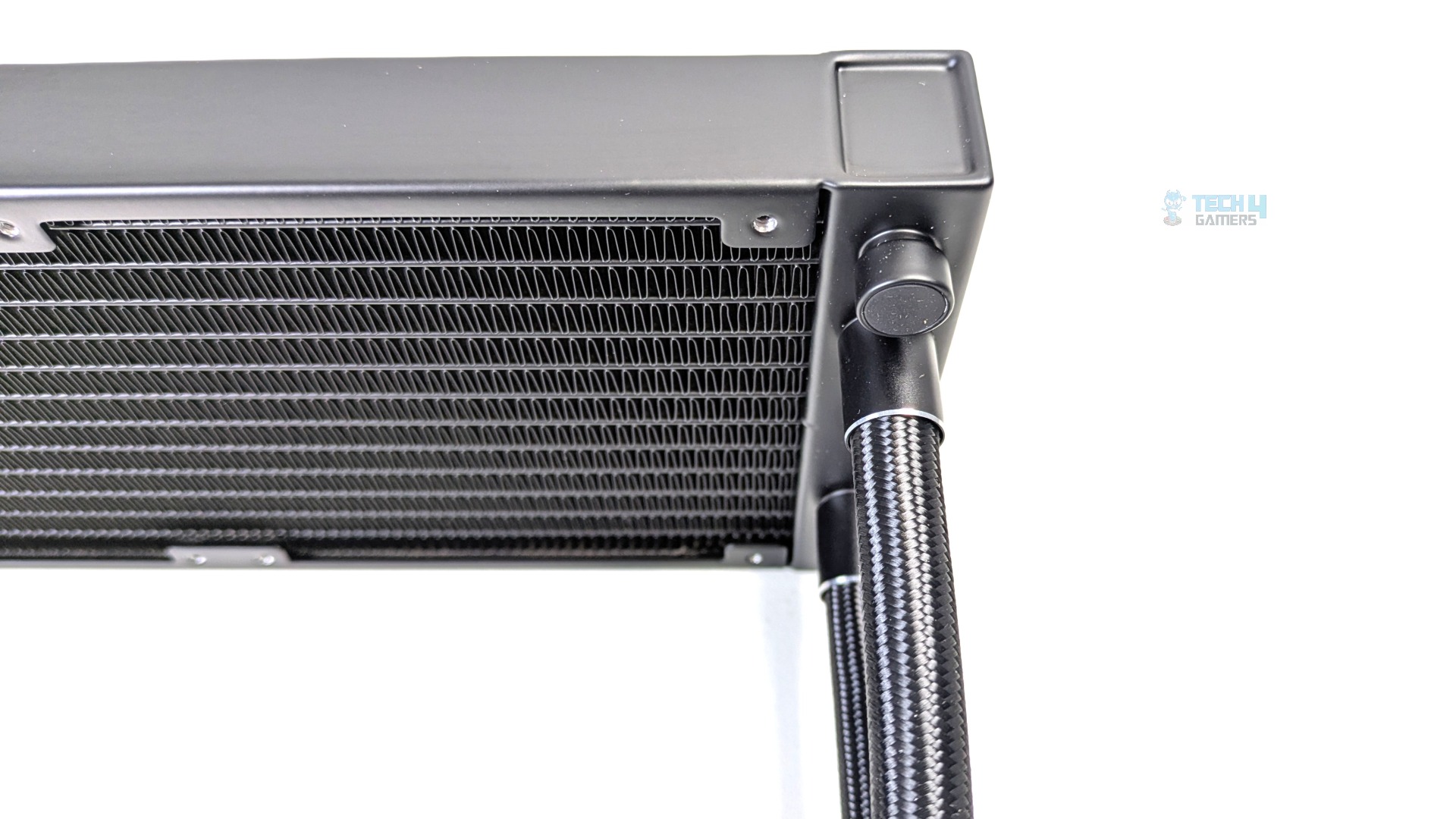
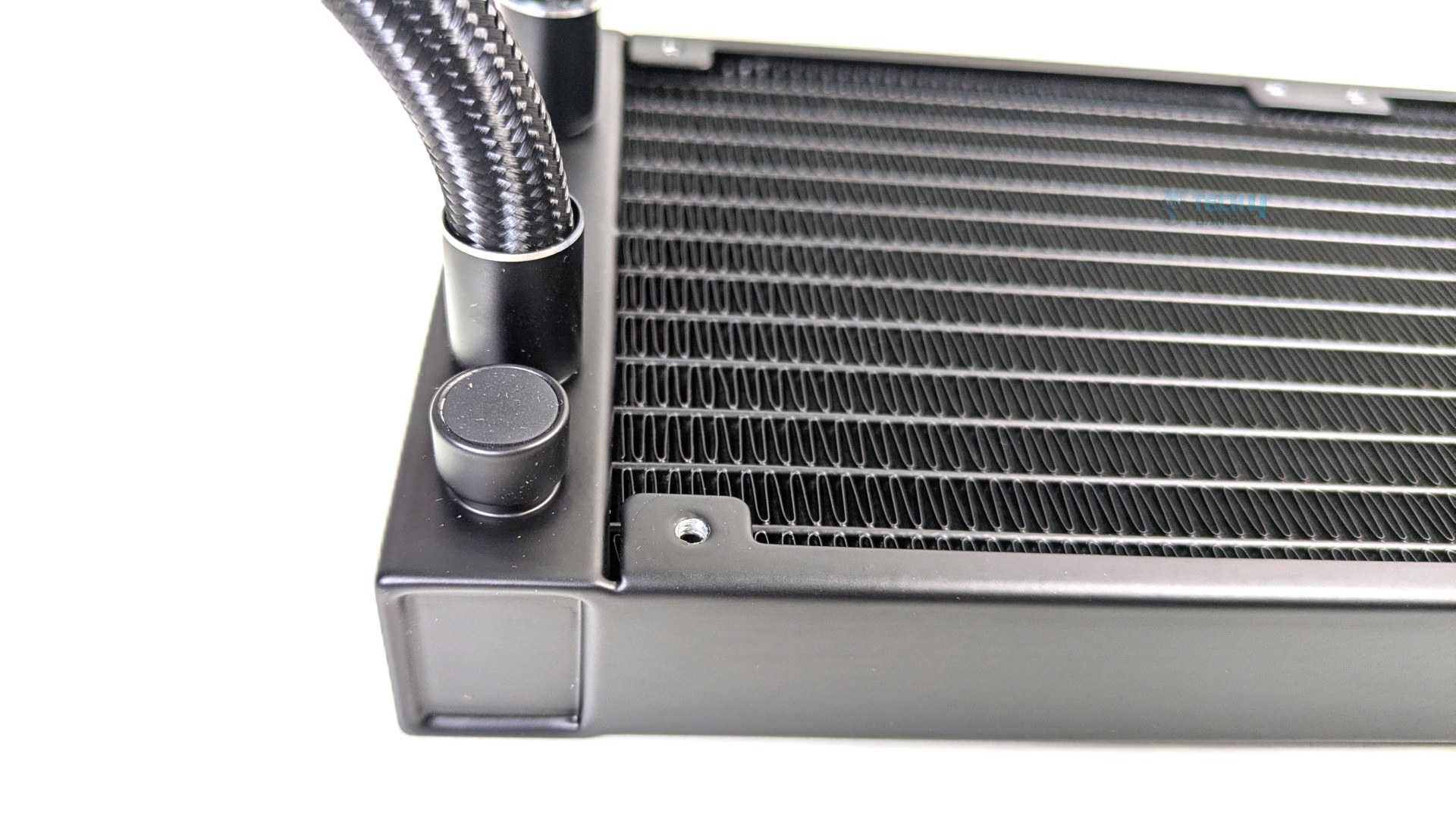
Alongside the tubes, you will notice the factory fill coolant port positioned directly below the lower tube collar. Do not open or refill it, as it may void the warranty.
Pump Design / Housing
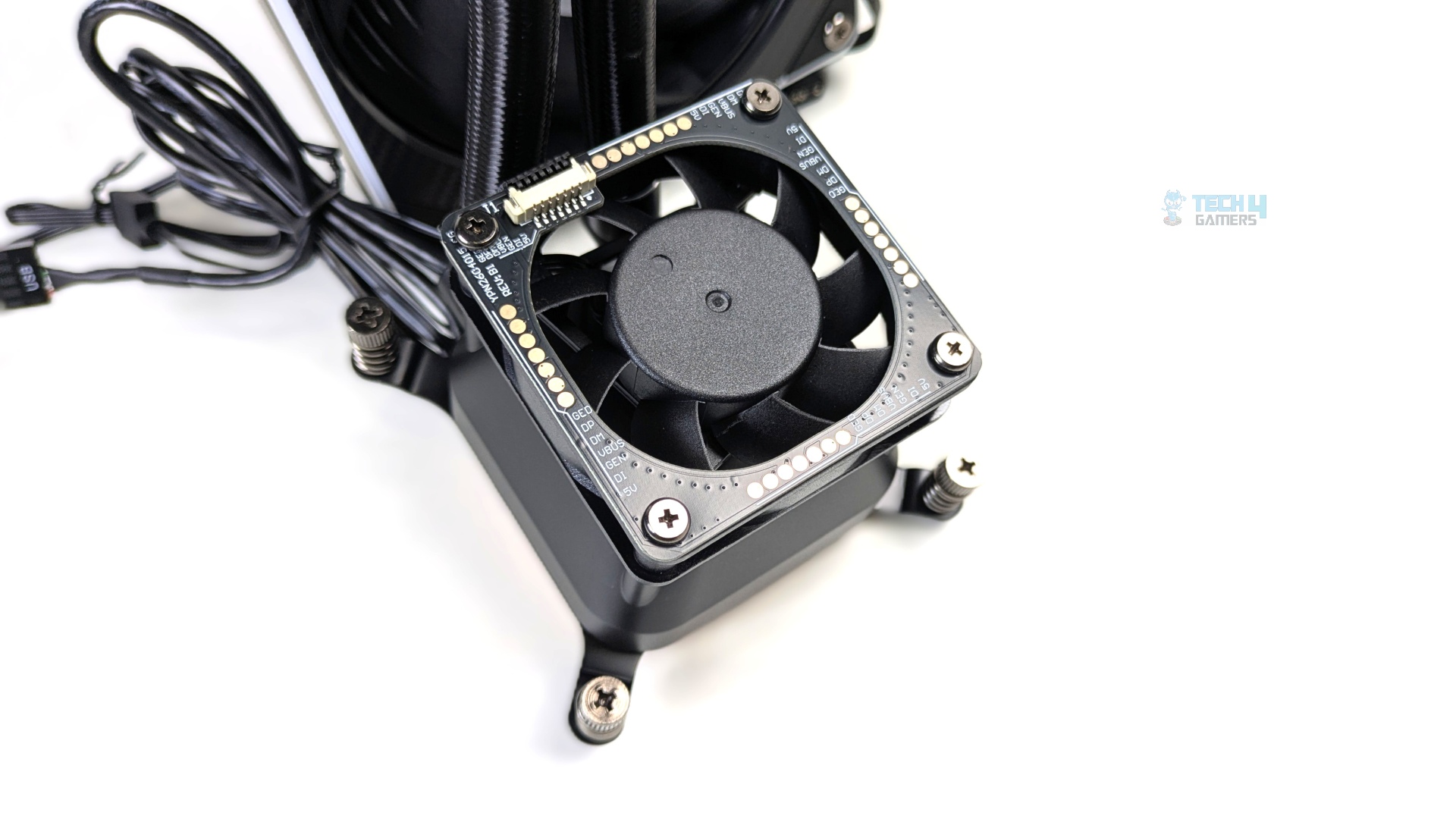
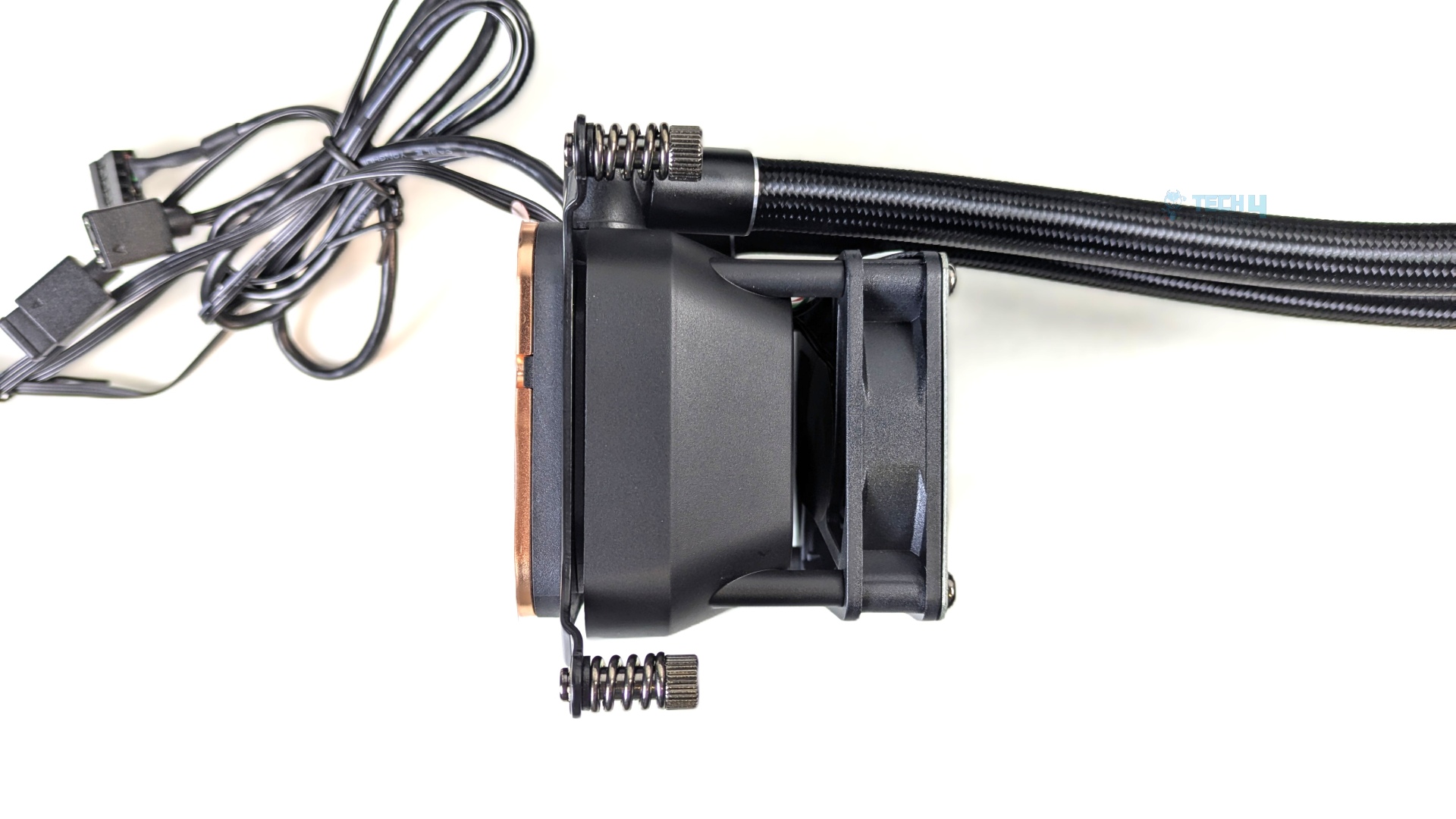
Looking at the block design now, the top features the active 60mm VRM cooling fan housed within a square frame. The fan is surrounded by an exposed PCB, with gold contact pads and POGO pins that power the LCD screen without any external cable clutter. It’s a thoughtful design but i wouldn’t mind the physical switch to control the VRM integrated fan, as it is always running at the maximum speed, and it’s noisy and cannot be controlled even with the pump speed or Cougar’s software, which, in my honest opinion, is a blunder from Cougar.
I’m impressed with the block’s build quality. I didn’t notice any loose material or components; it feels rigid. The block utilizes a thick, matte black housing.
I appreciate attention to detail in the block design. If you look at the side profile beneath the 60mm VRM fan, you will notice the housing isn’t a simple vertical box. It features a distinct flared slope that widens towards the copper plate.
This design serves a purpose: when the high-speed VRM fan pushes air downward, the air-stream naturally follows the curved contour of this sloped housing, which can effectively cool the neighboring motherboard components.
It’s a major engineering plus in this cooler. In science, we call this the Coandă effect.
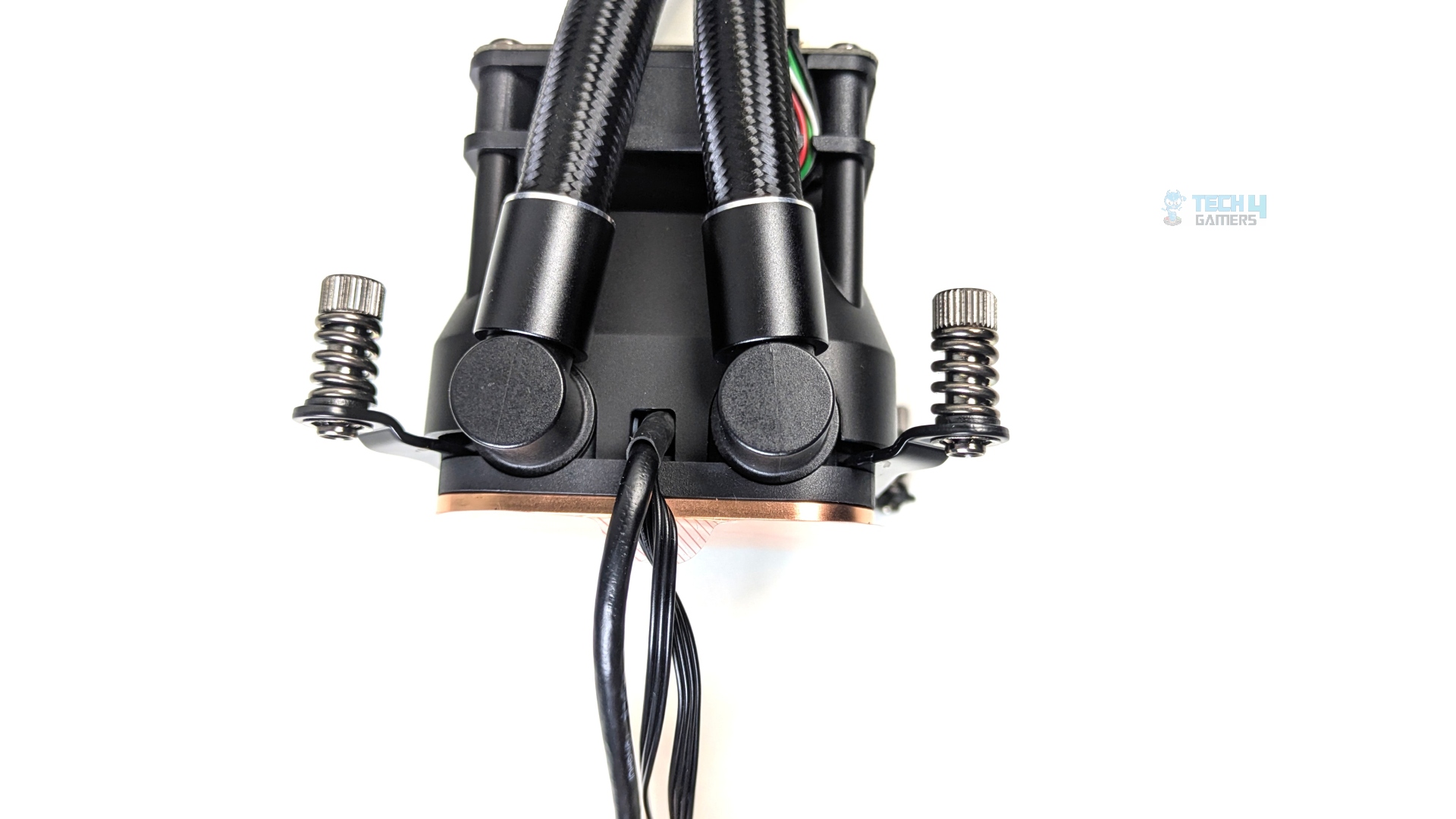
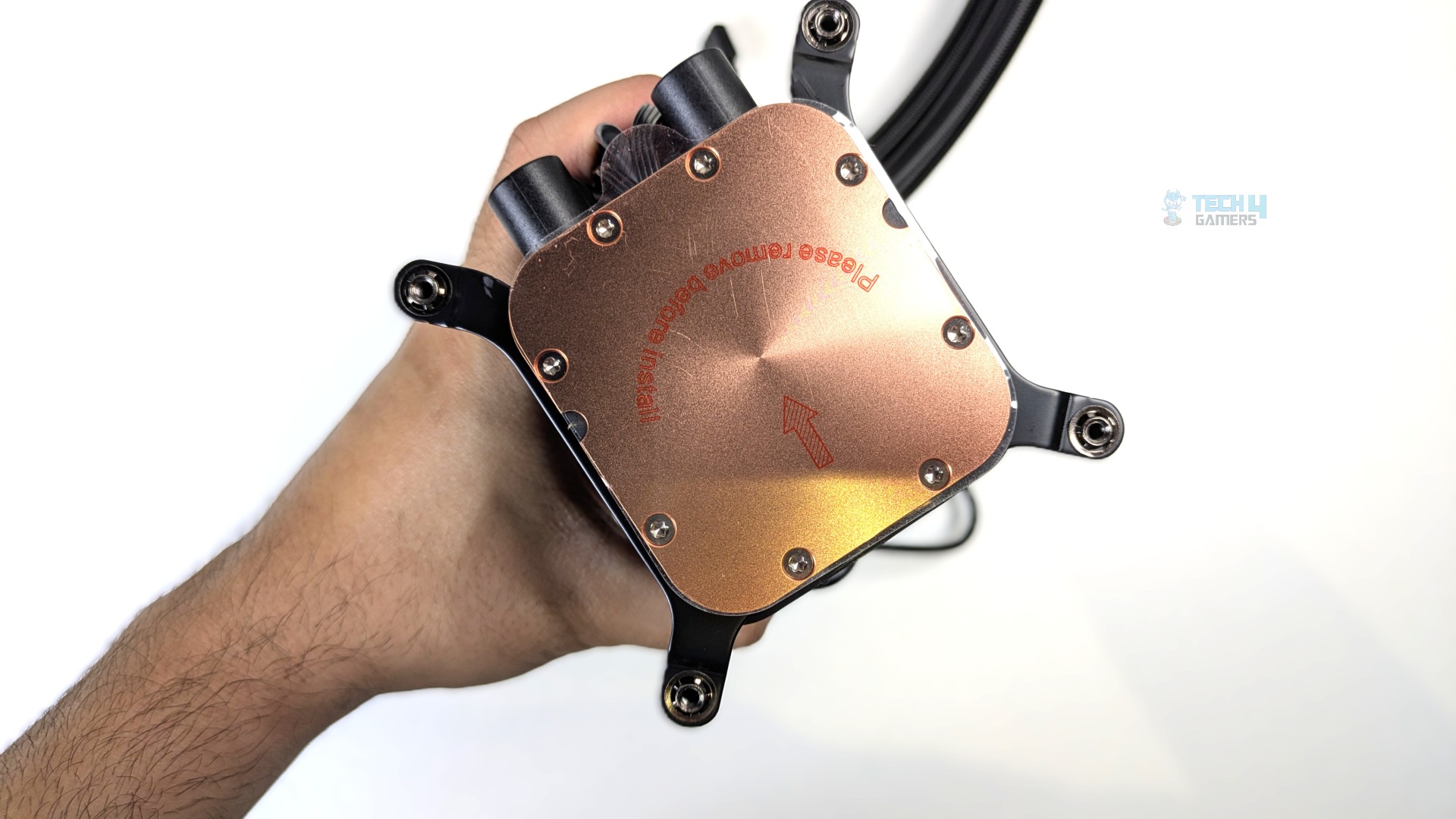
The back side of the pump features two 90-degree swirl fittings, capped with dual-tone black-and-silver metal crimp collars like those on the radiator. Between the tubes, you can see the cables exiting from the base of the block. The pump block measures 80 × 84 × 104 mm.
The cold plate is massive and comes with a peel-off sticker to protect the base.
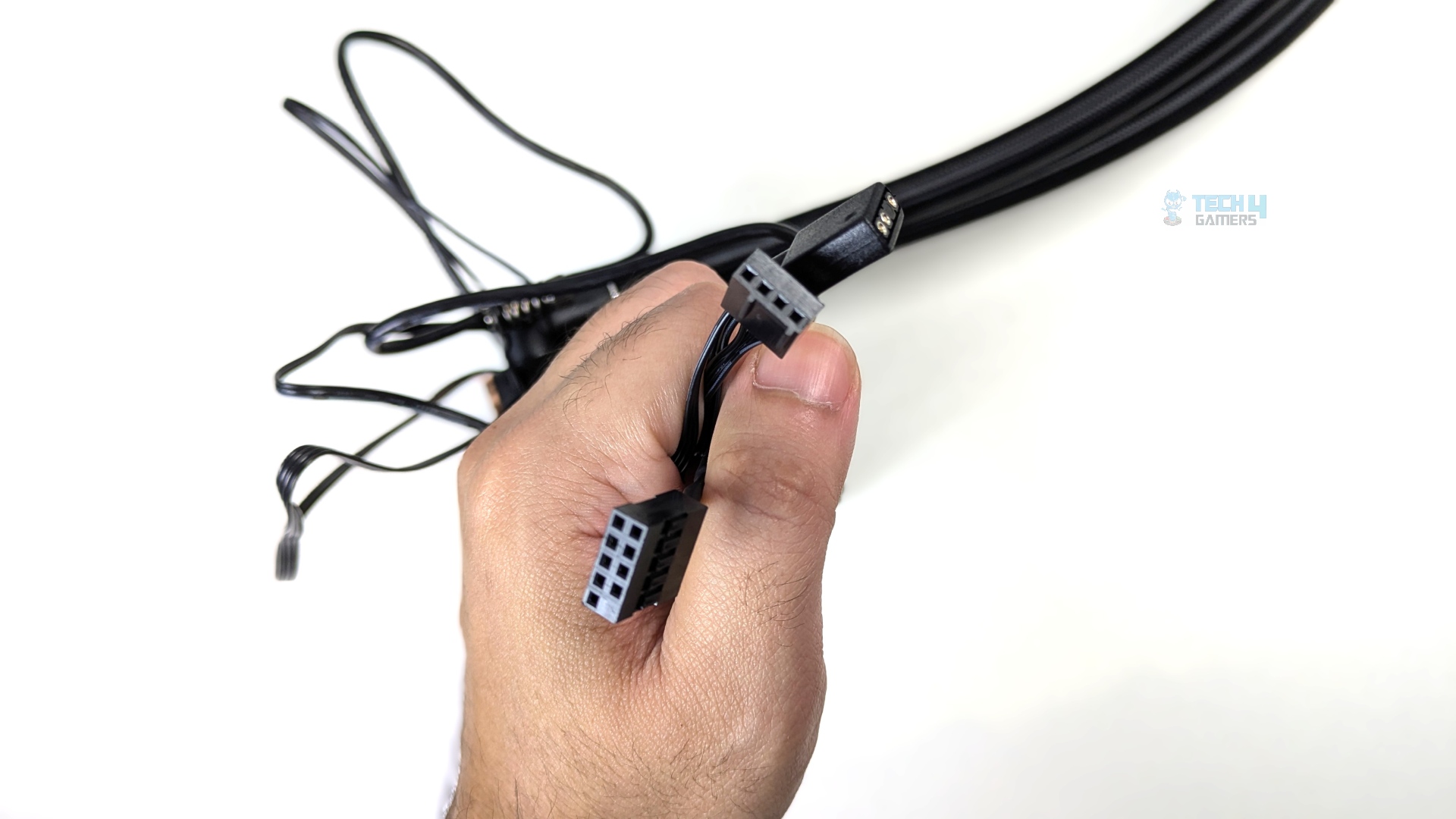
The cable from the block splits into three standard motherboard headers: a 9-pin USB 2.0 header to power the LCD, a 4-pin PWM header to control the pump, and a 3-pin ARGB header to power the lighting around the LCD.
LCD
Cougar includes a large IPS-TFT display this time, supporting 720×720 resolution and a smooth 60Hz refresh rate for 60 FPS playback. The screen also reaches up to 350 nits.
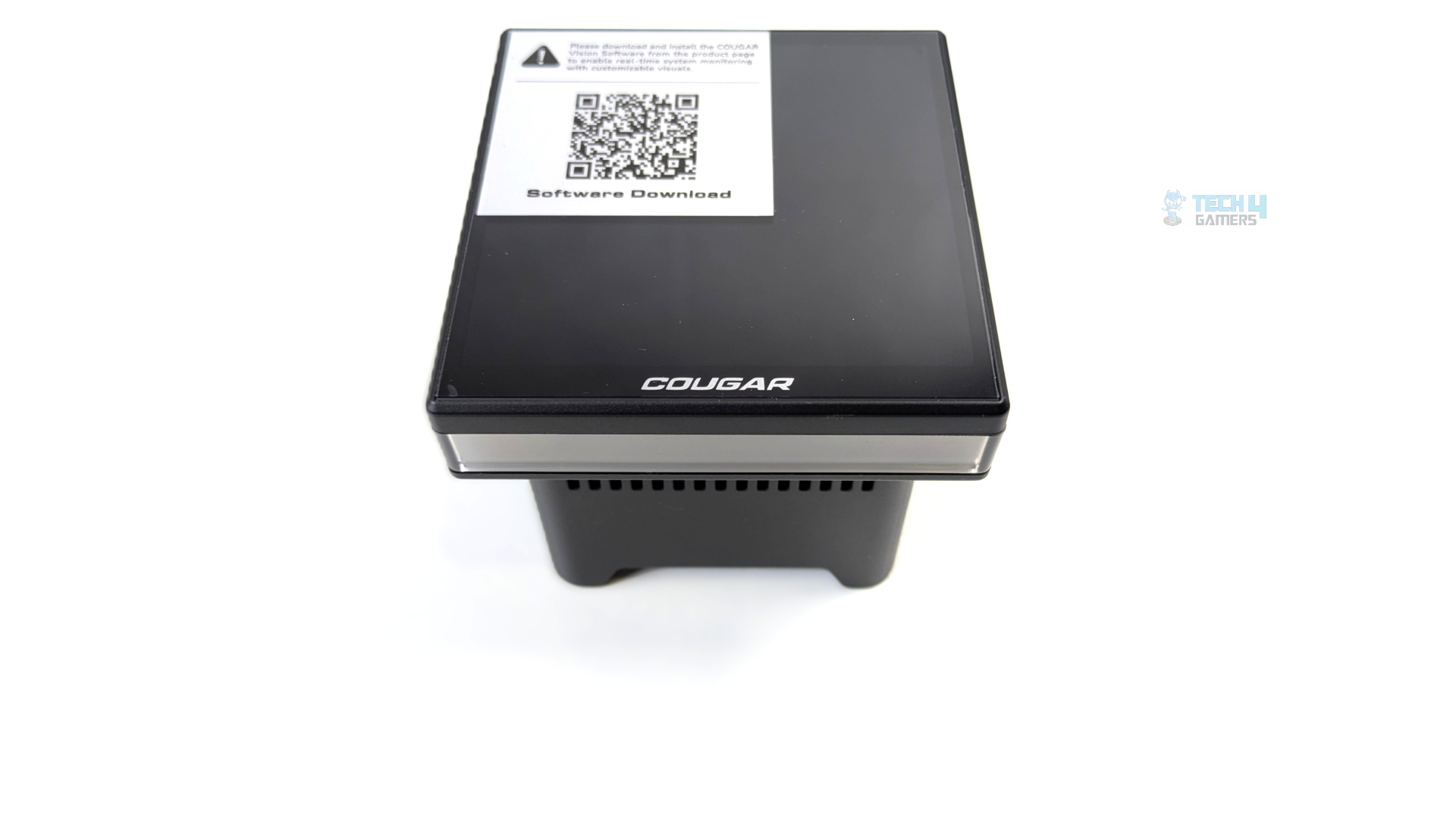
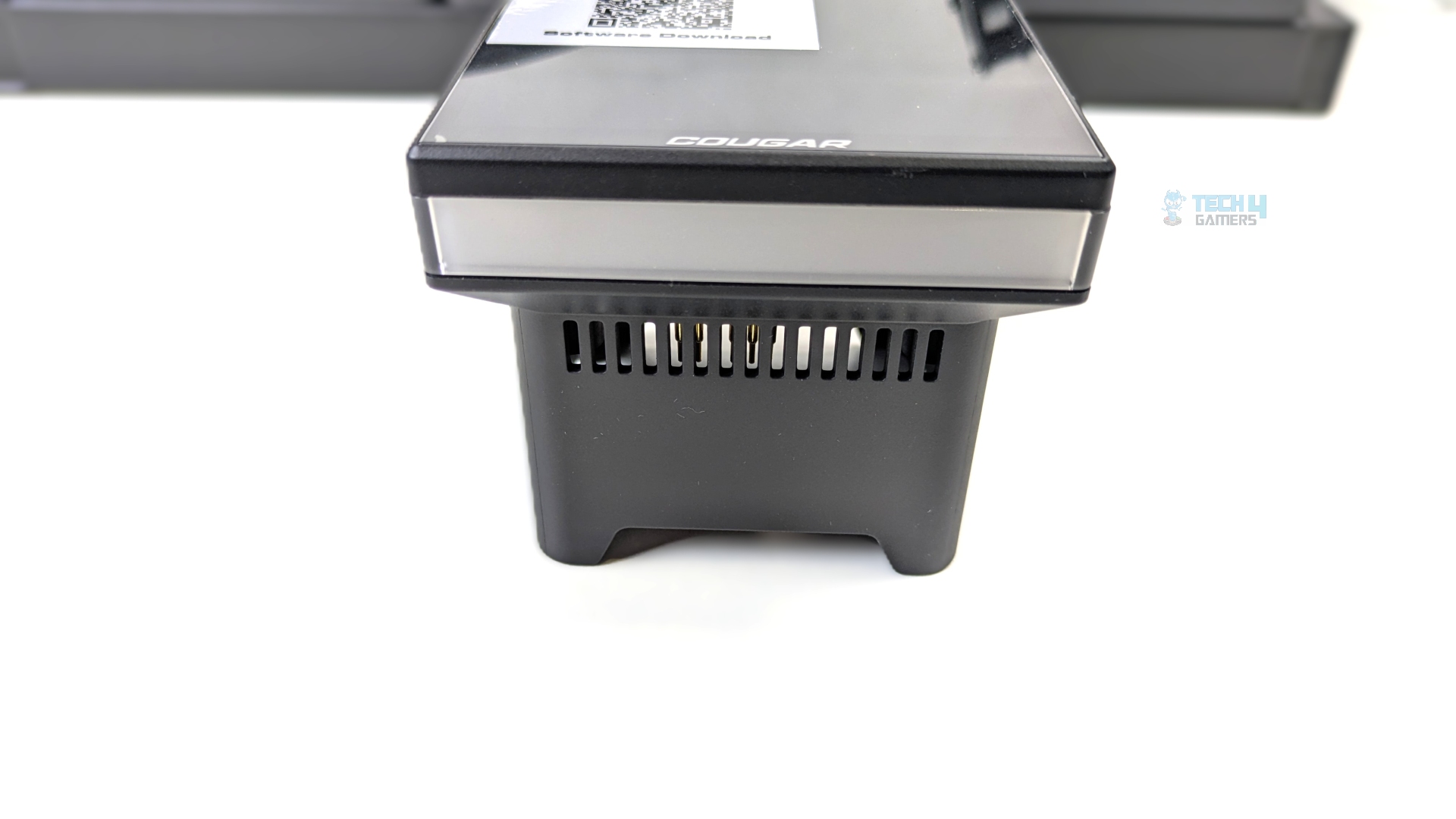
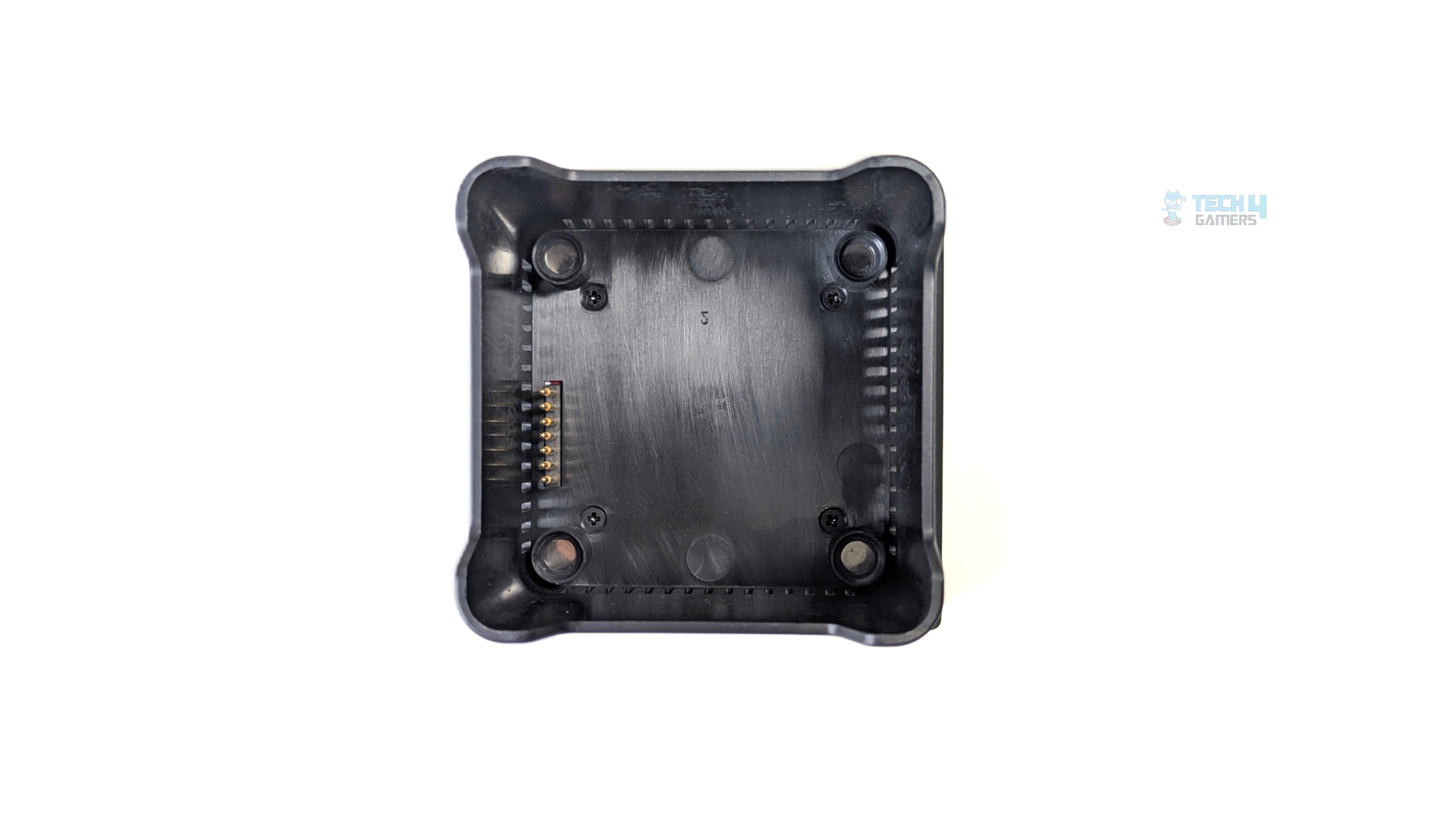
A silver metallic Cougar logo is subtly printed along the bottom bezel. The display features a square design, with ARGB lighting underneath. A frosted acrylic diffusion ring wraps around the LCD to diffuse the LEDs.
Looking at the module’s lower rear profile, you’ll find ventilation cutouts to support airflow from the integrated 60mm VRM fan.The underside of the display also features four magnetic points, one at each corner, plus a POGO pin interface that powers the LCD.
The entire LCD module is cable-free.
| LCD Specification | |
| Display Size | 3.95 inch |
| Panel Type | IPS-TFT |
| Resolution | 720 x 720 px |
| Refresh Rate | 60Hz |
| Brightness | 350 nits |
| Supported Media | JPG, PNG, SVG, GIF, MP4 |
| Control Software | COUGAR Vision |
| Connection Interface | 9-Pin USB 2.0 |
LCD Effects
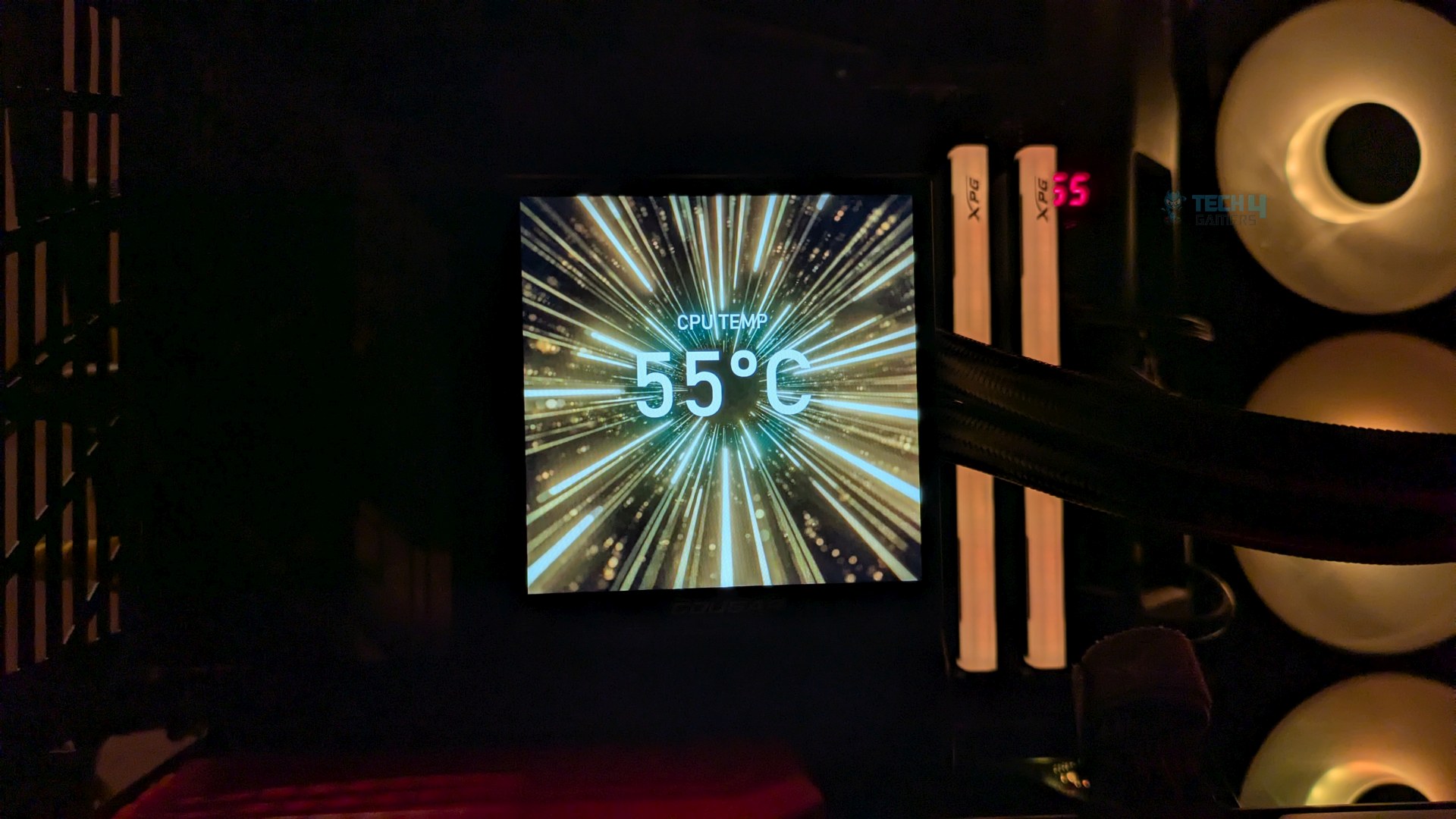
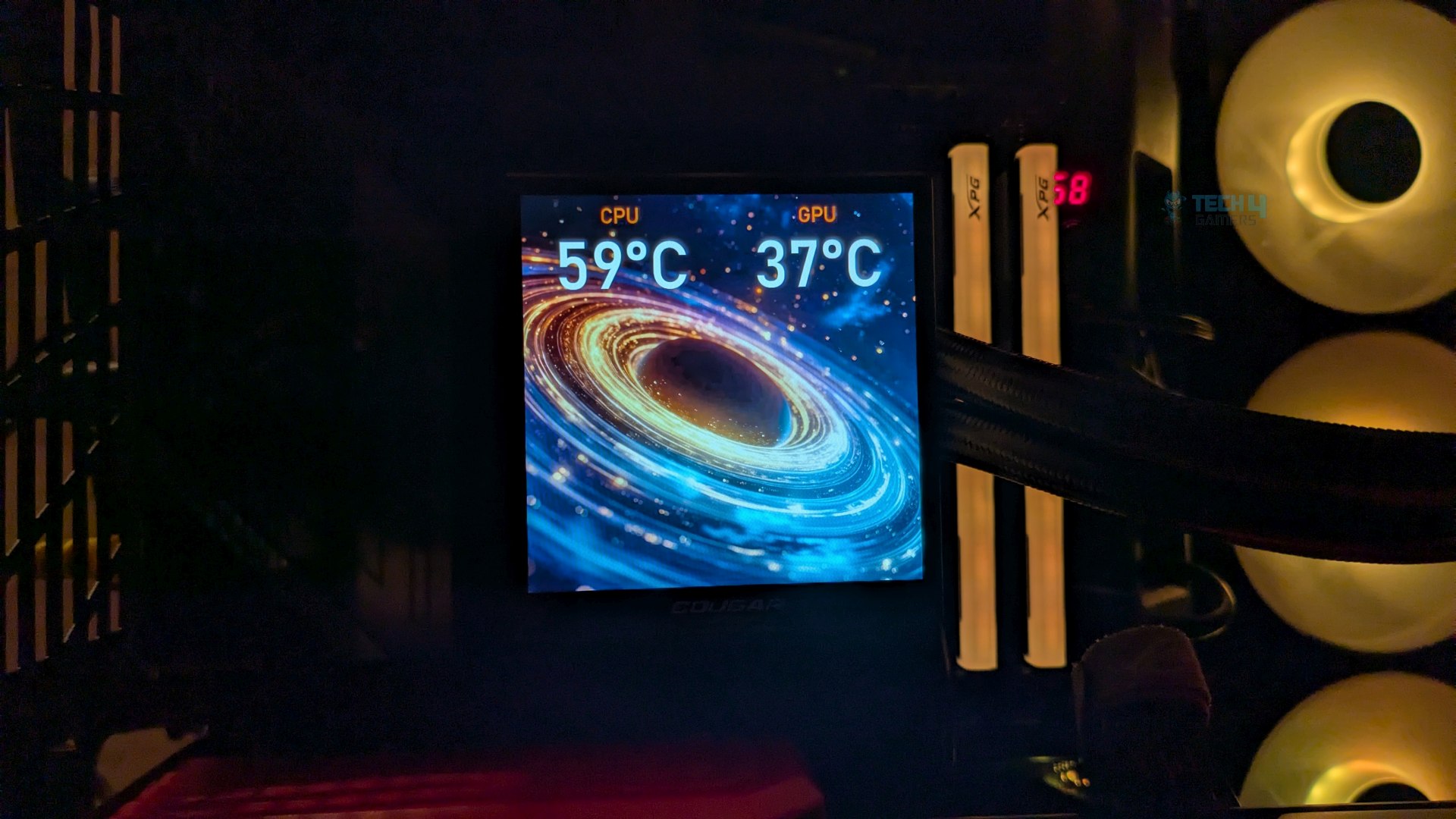
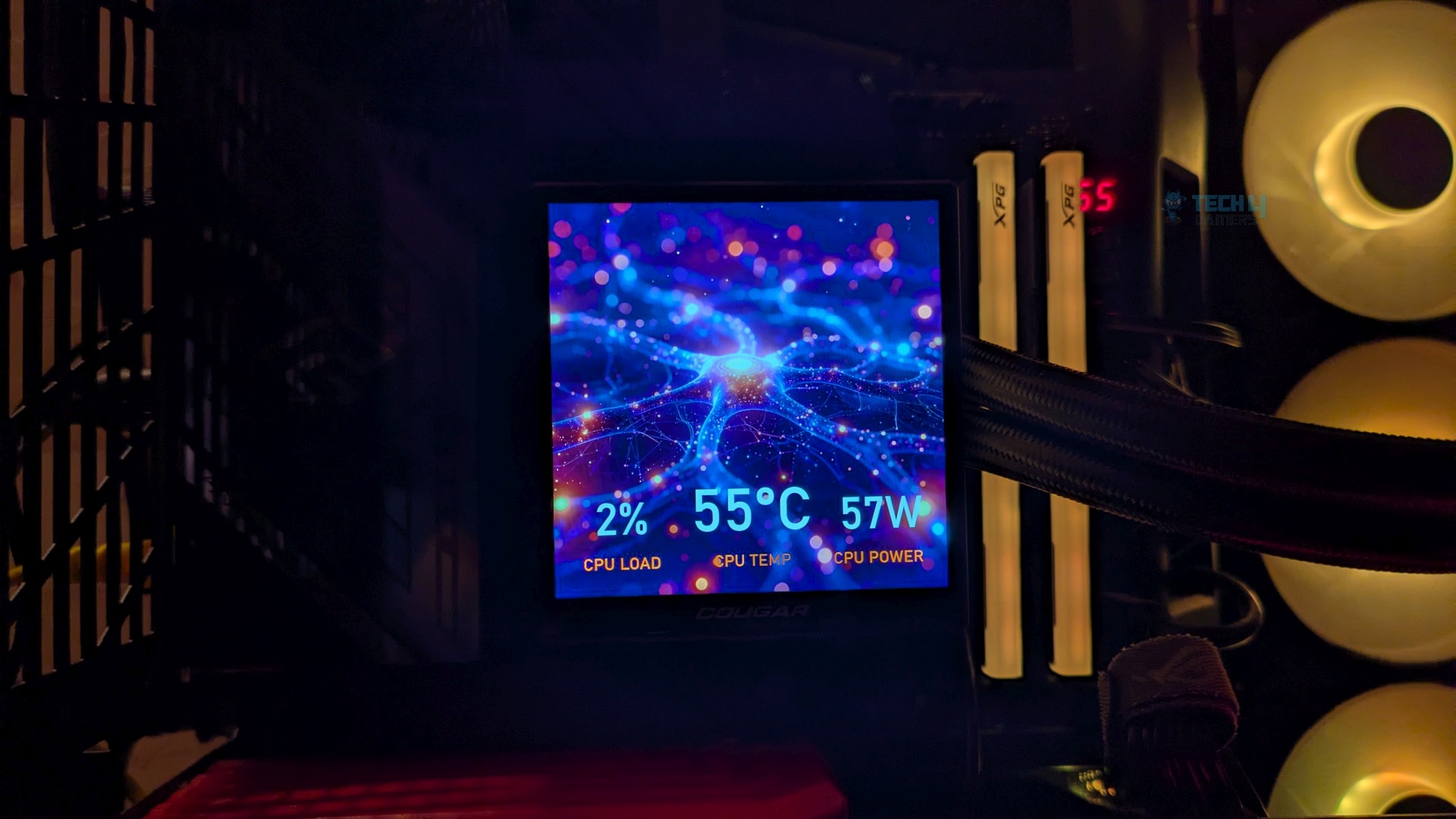
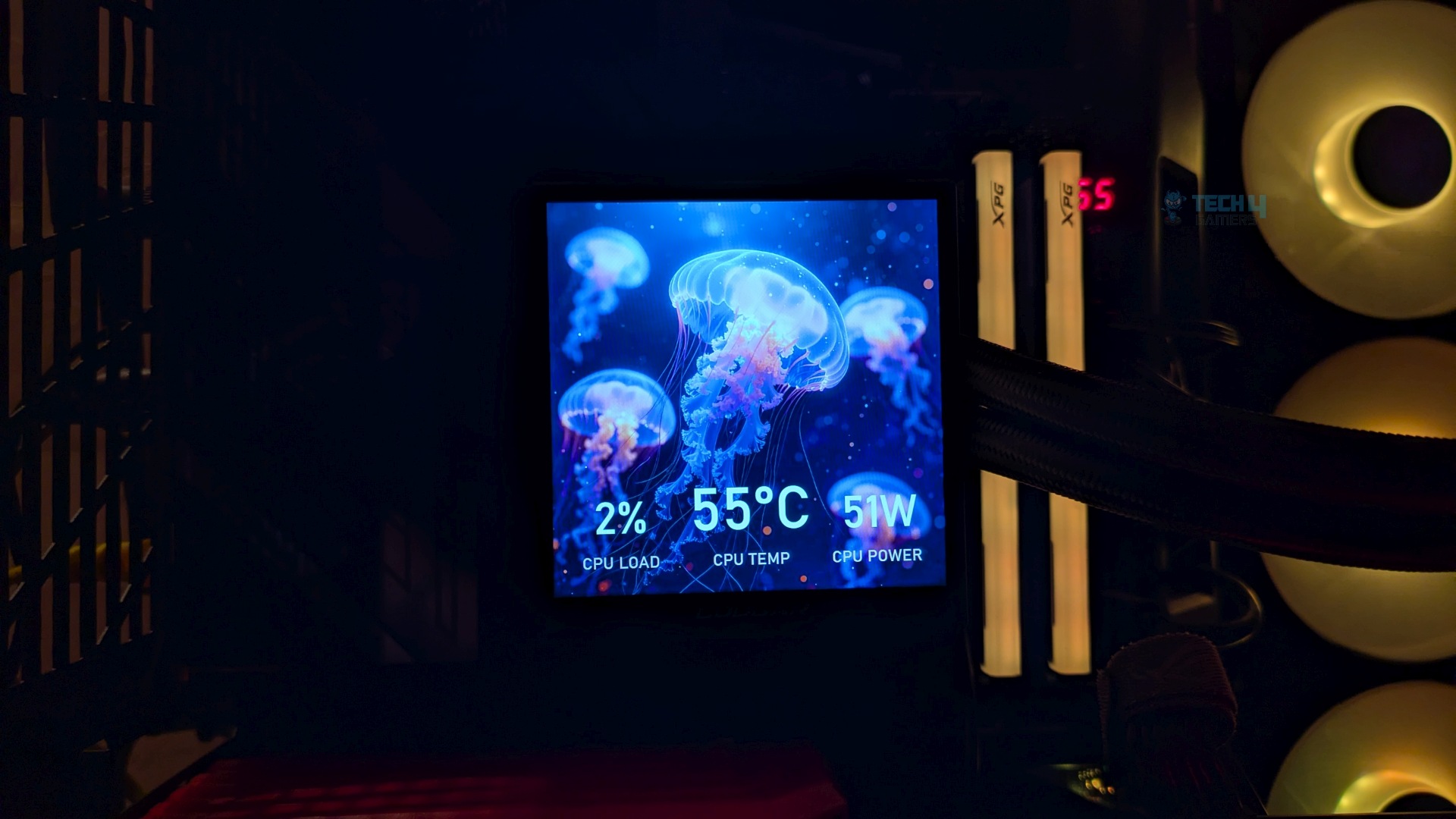
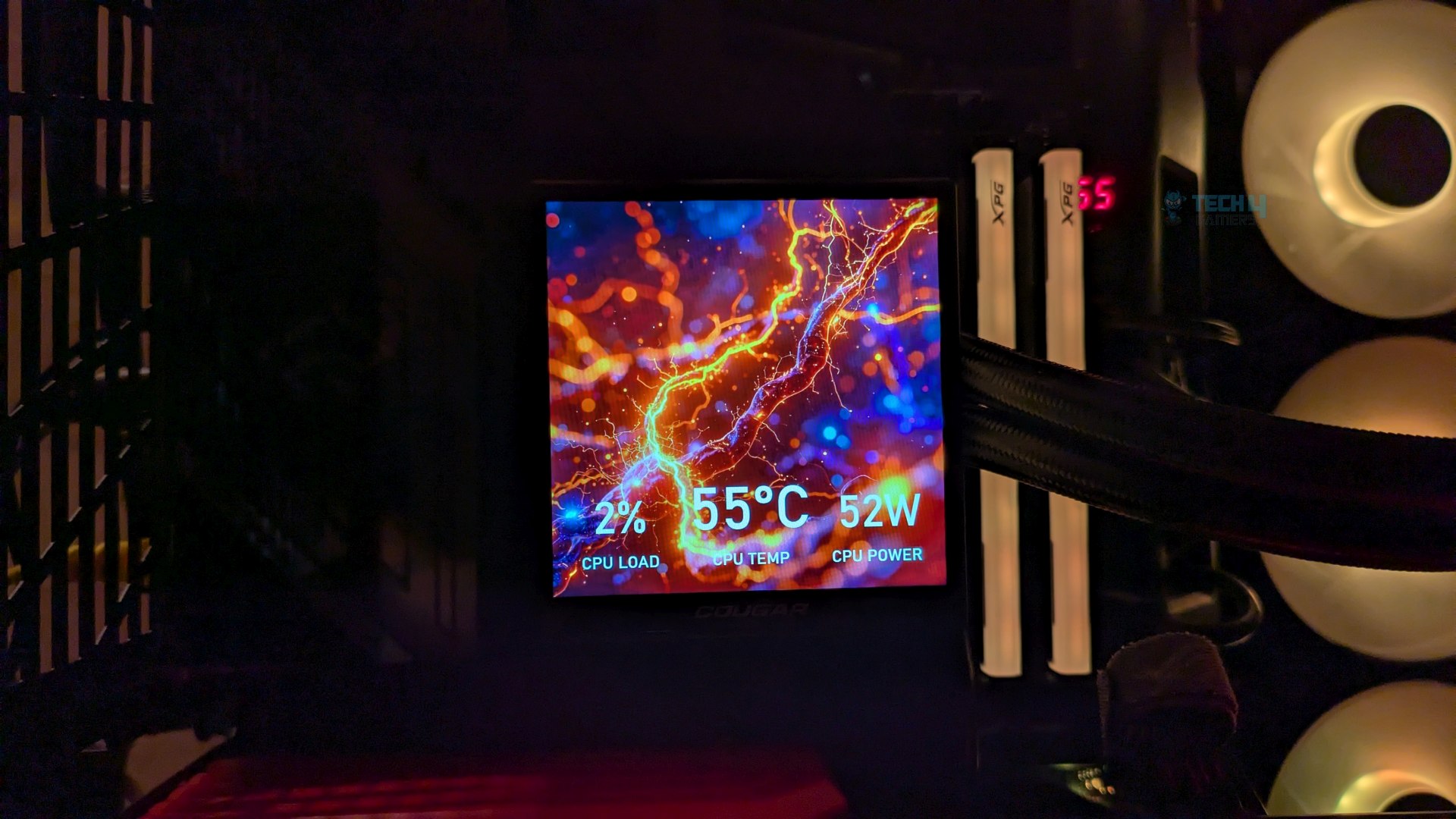
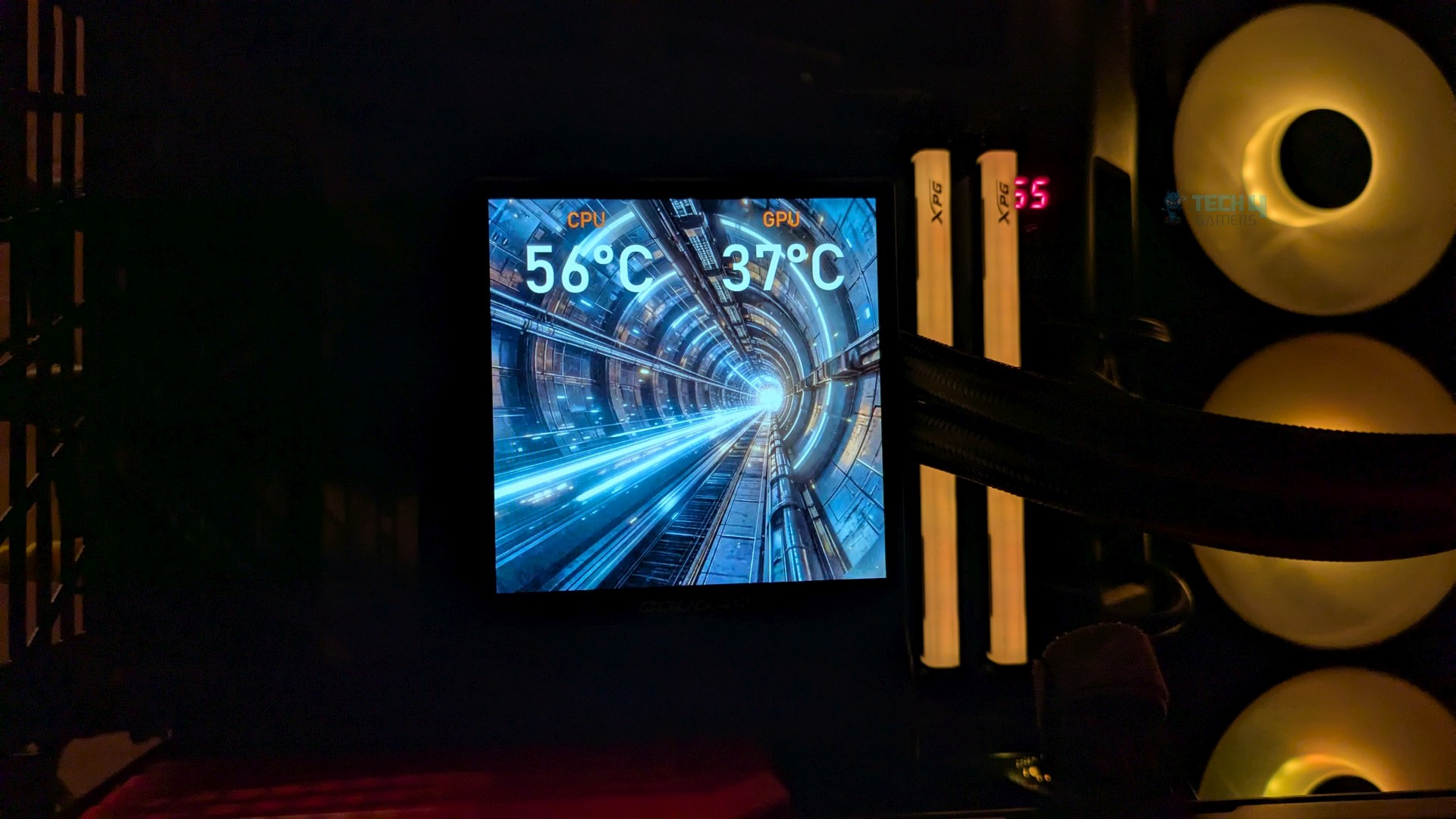
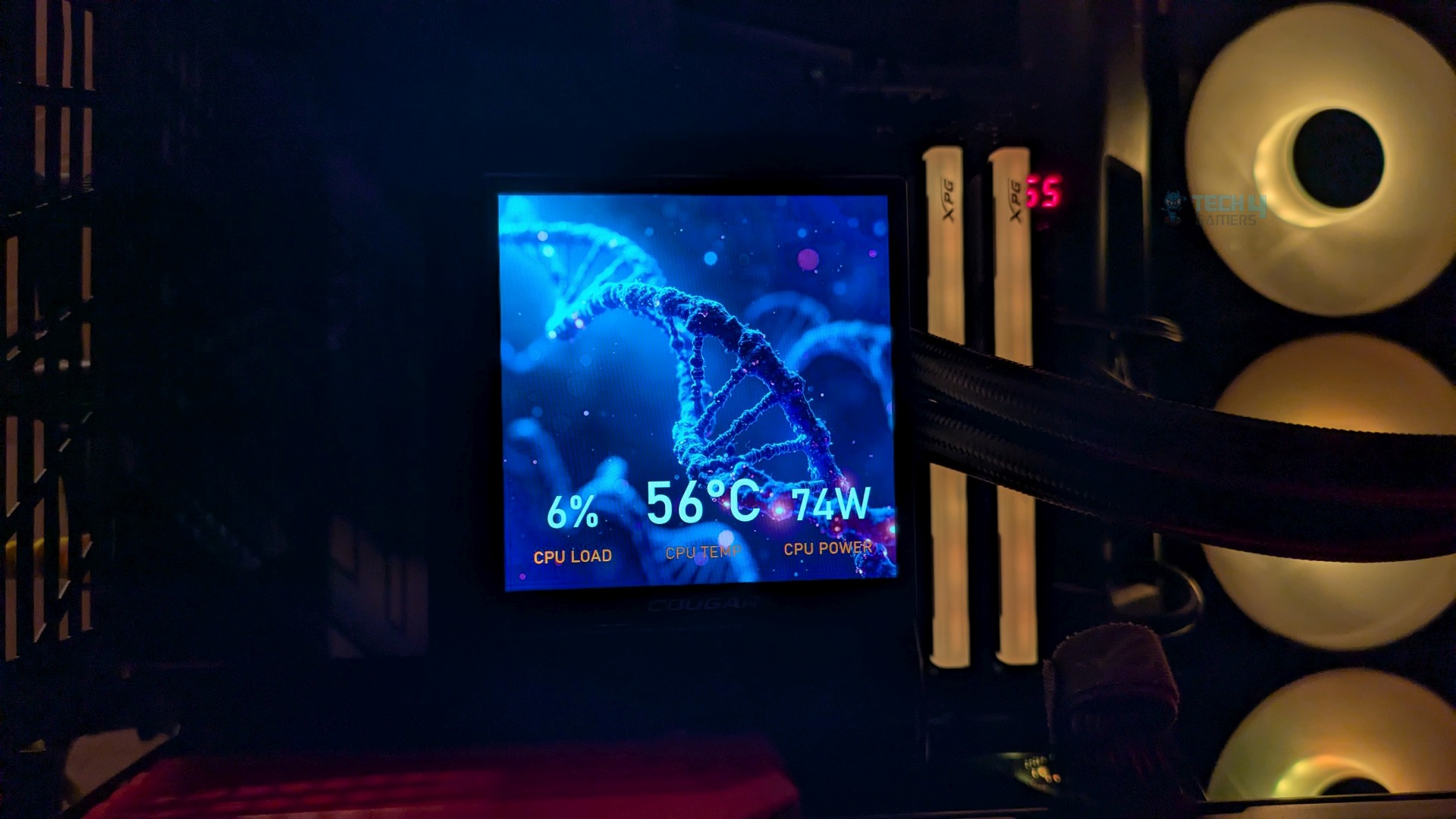
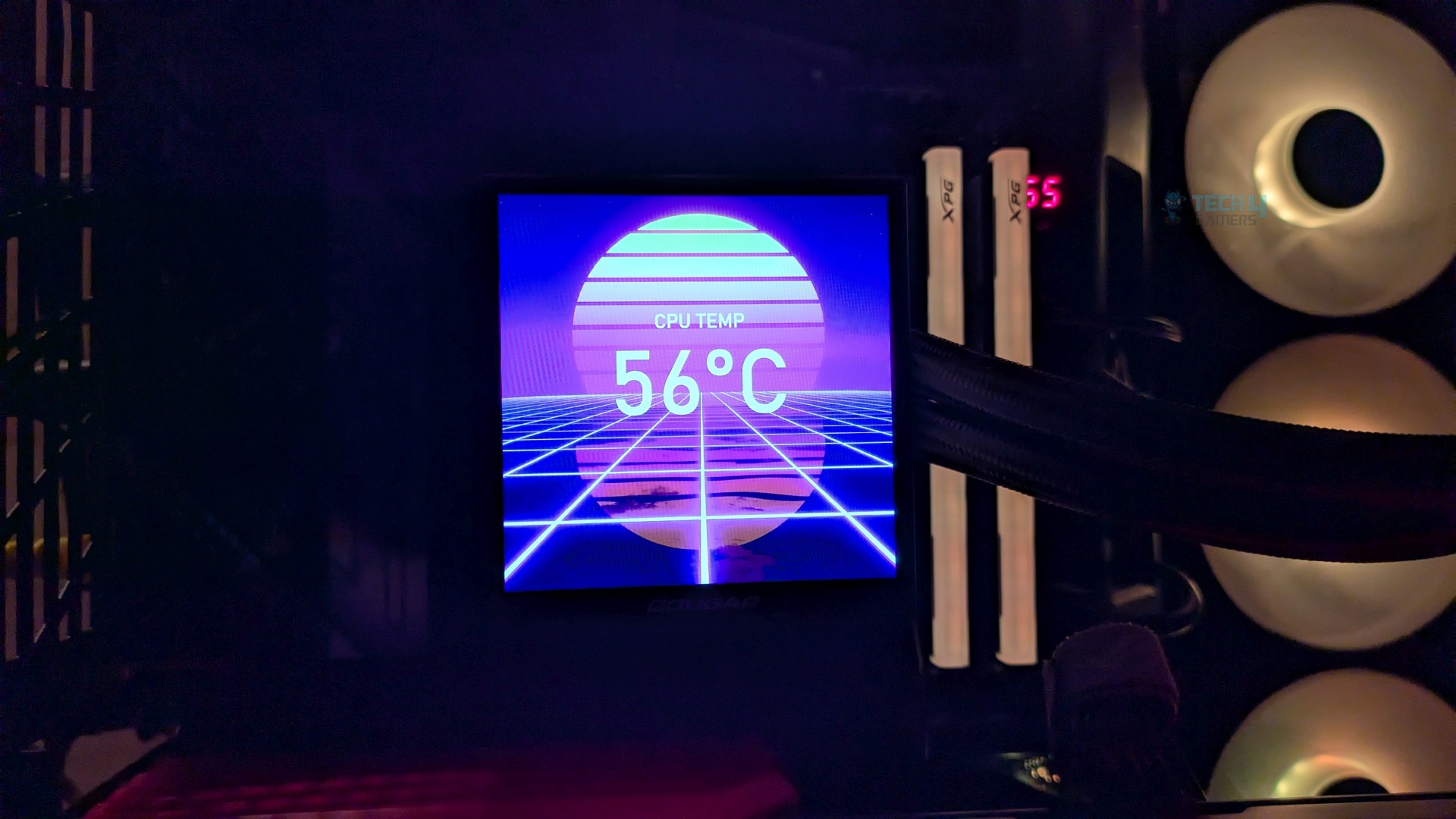
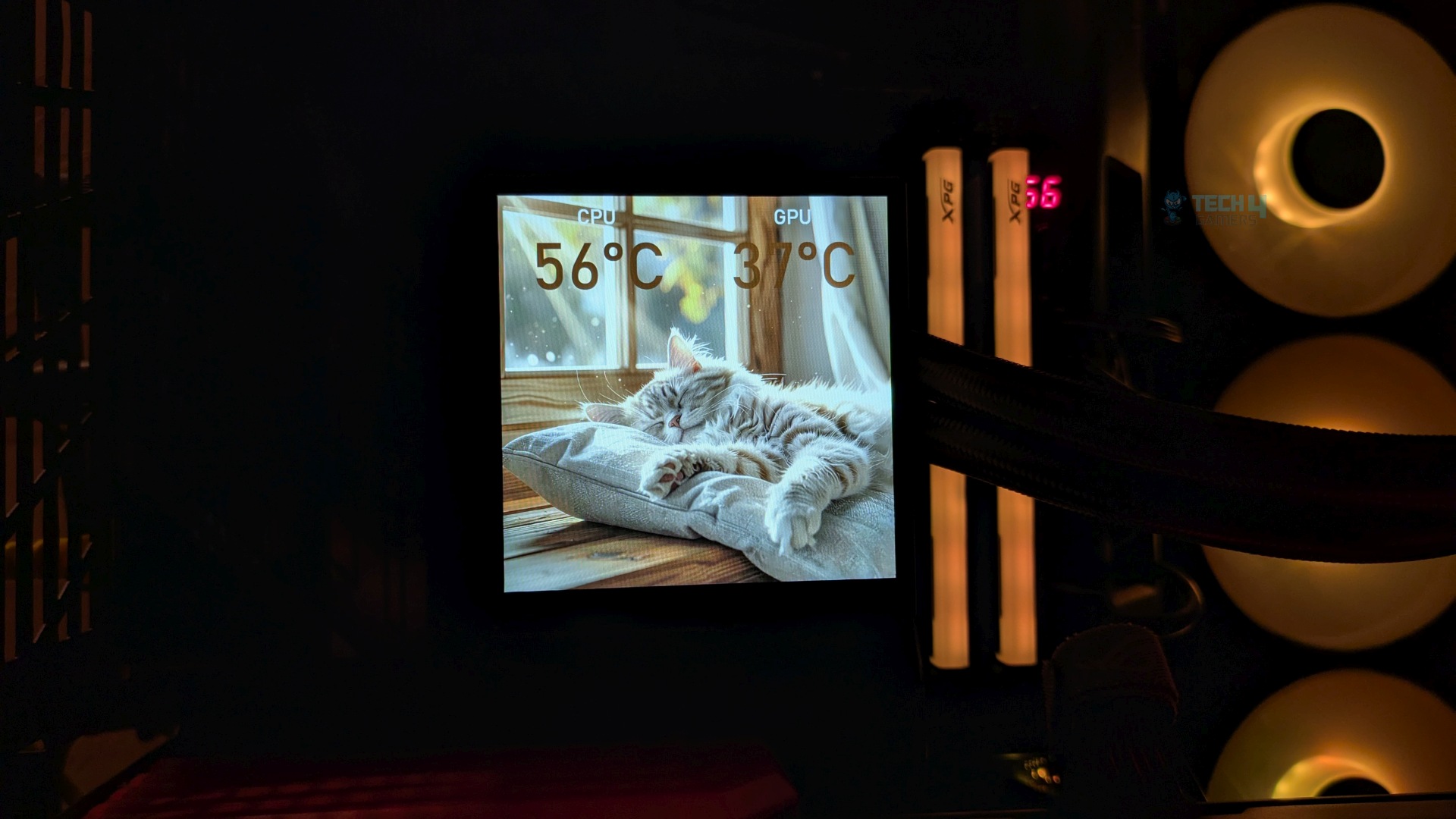
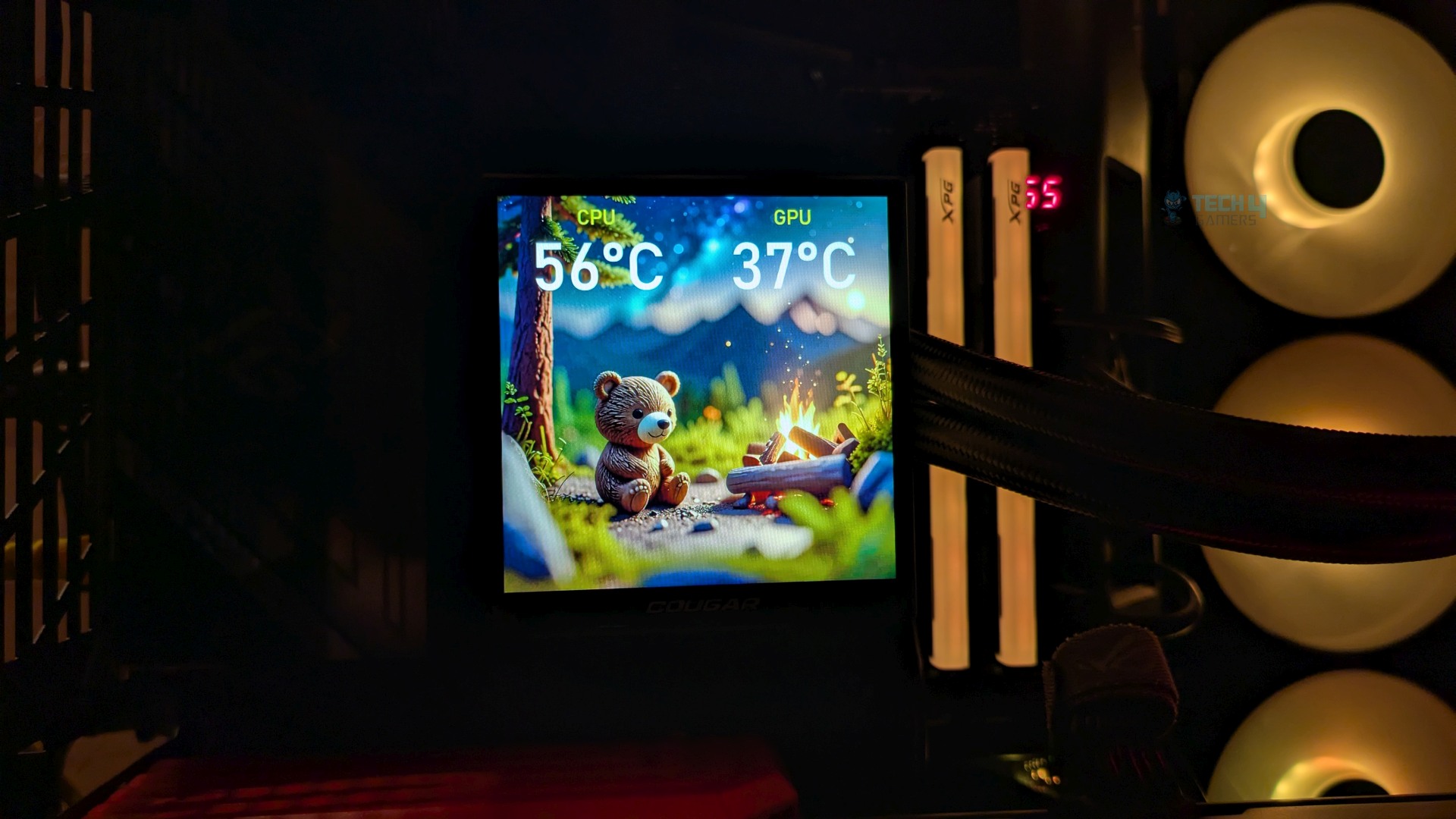
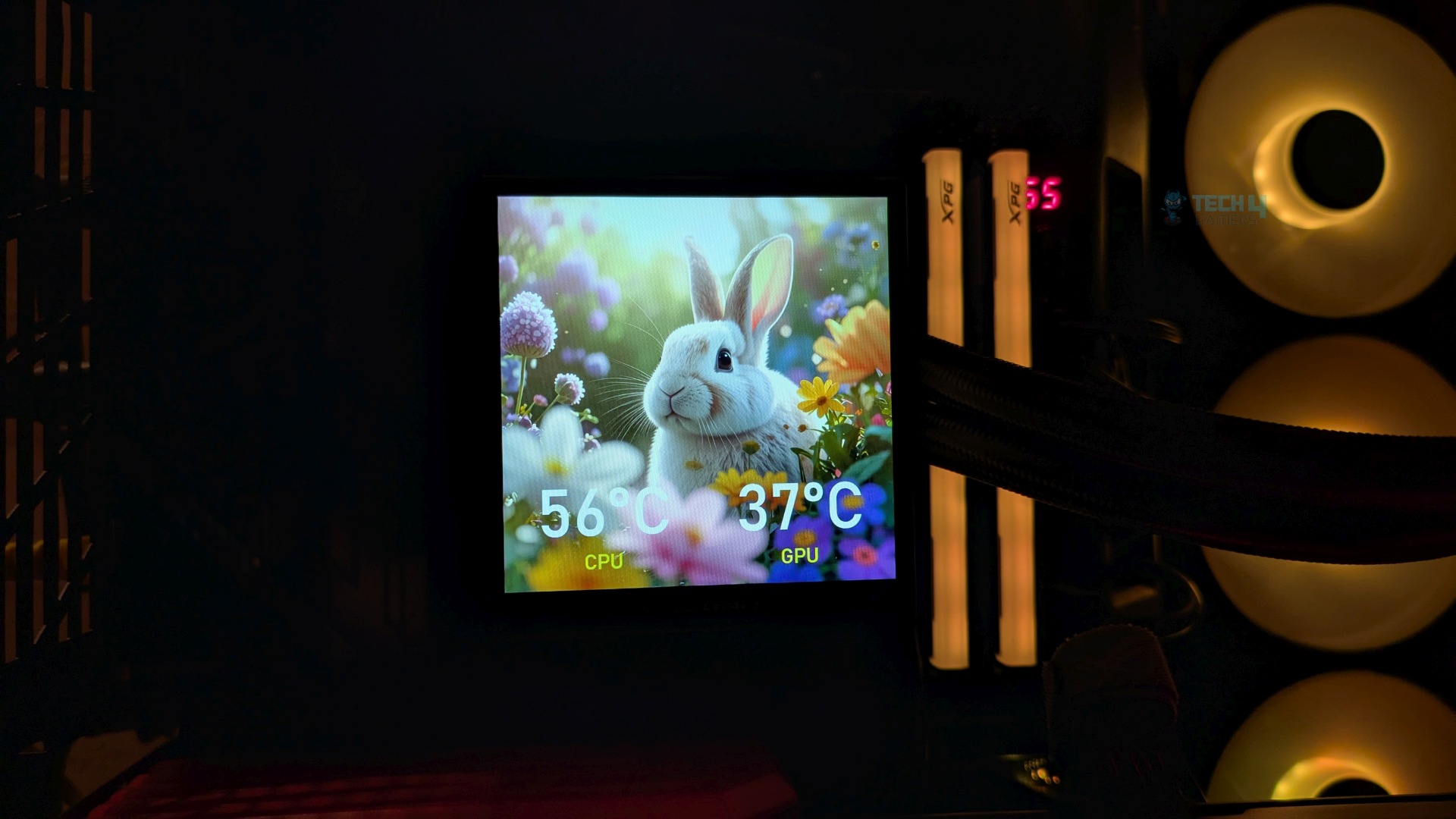
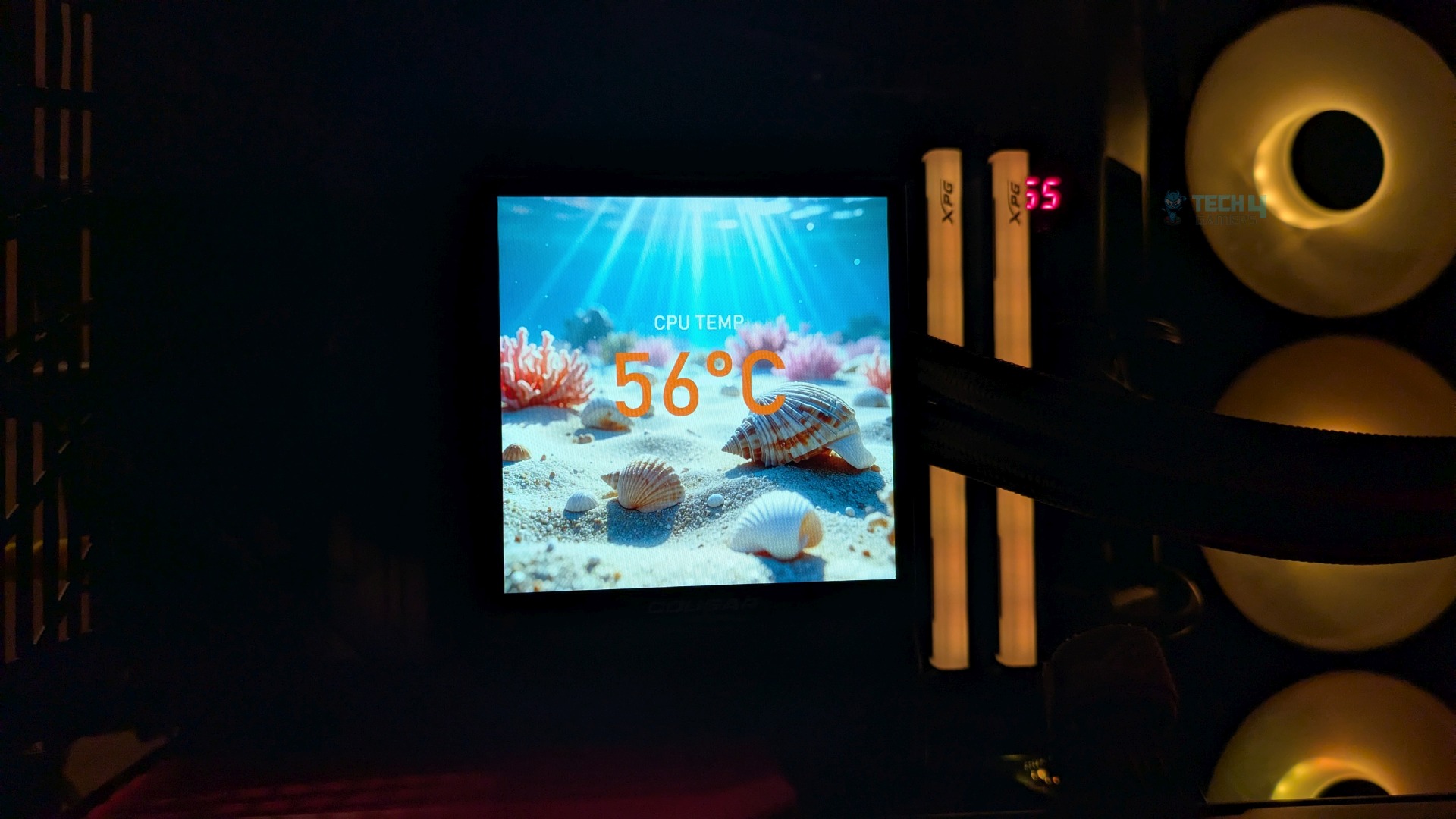
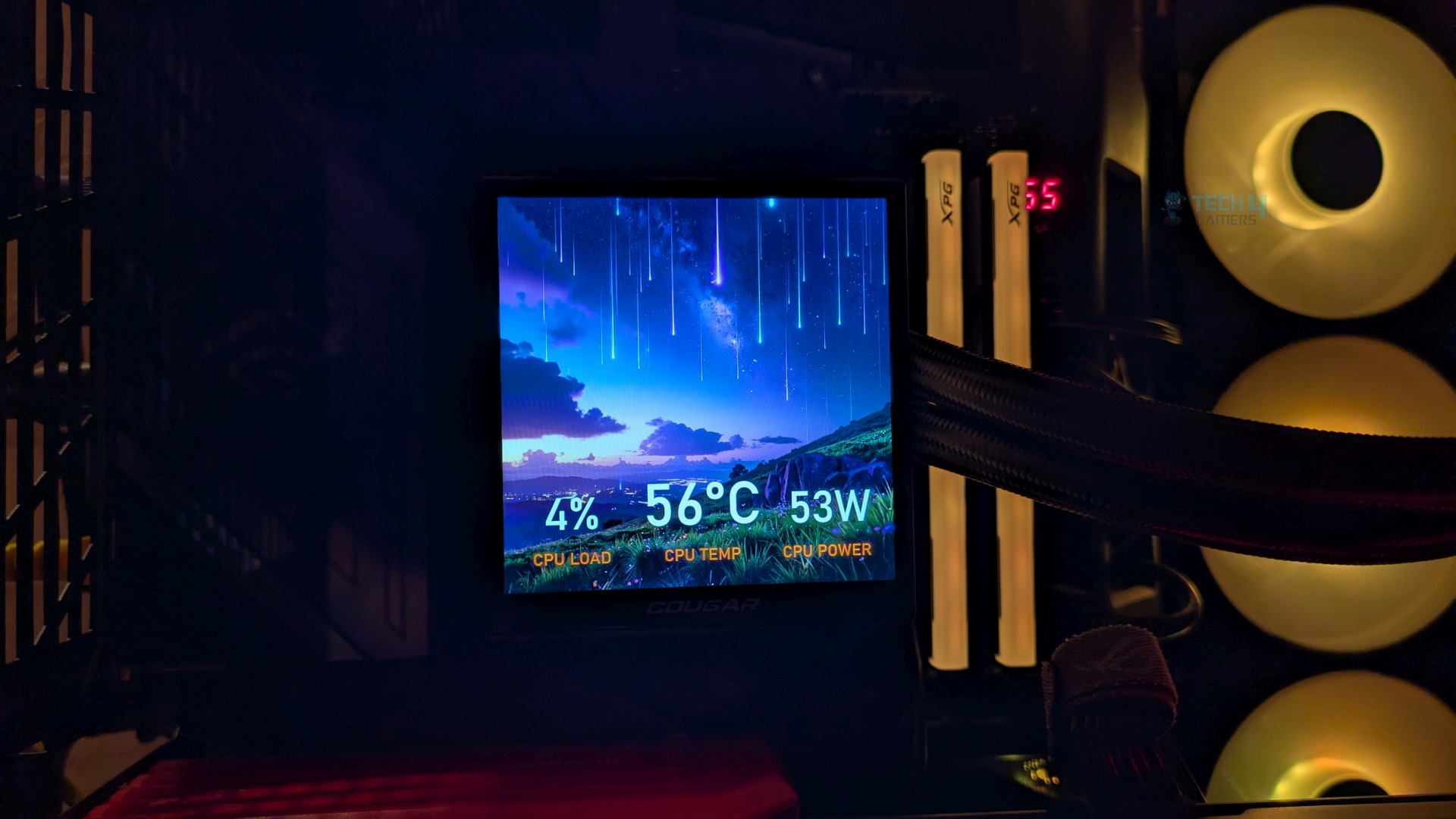
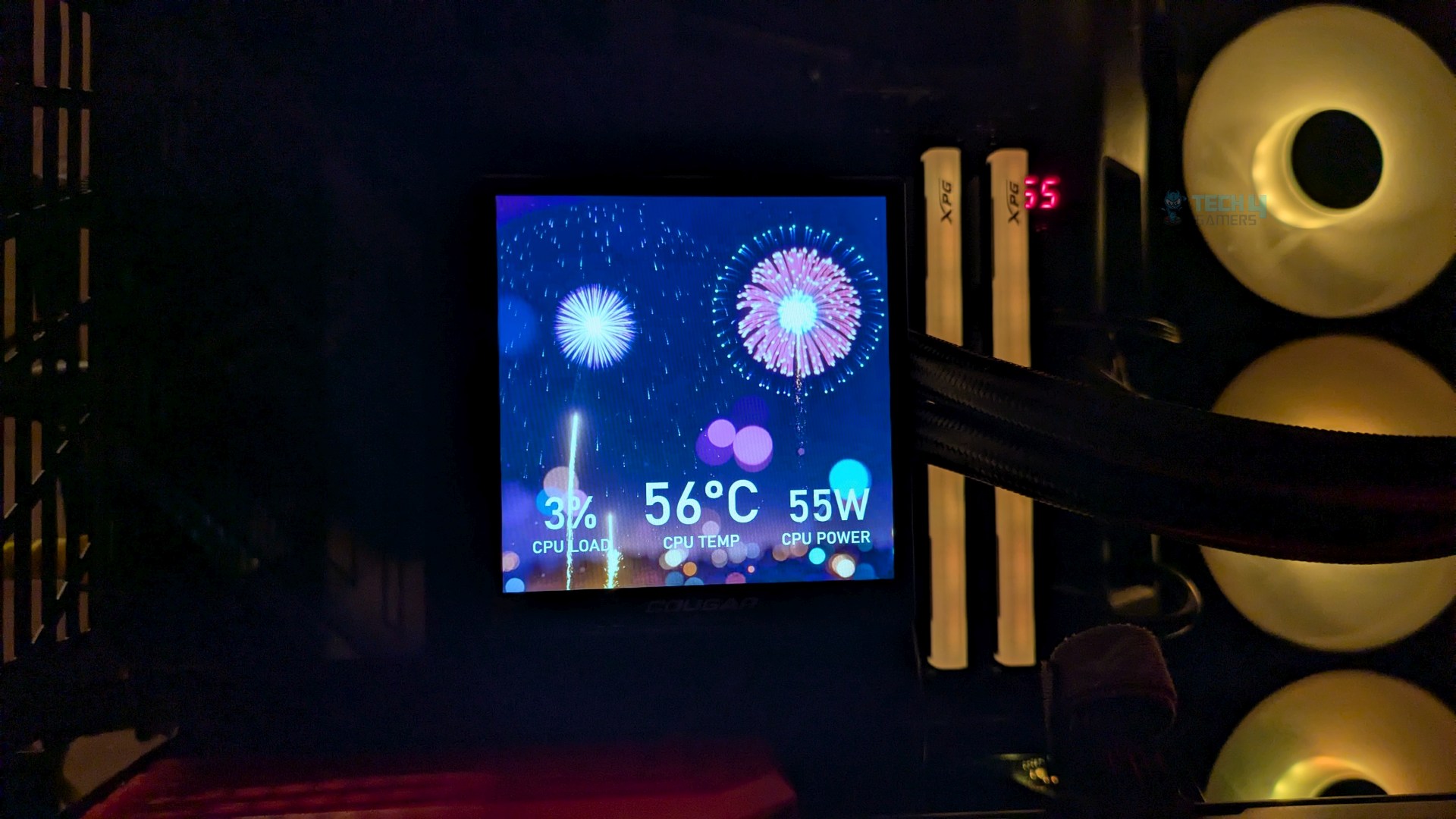
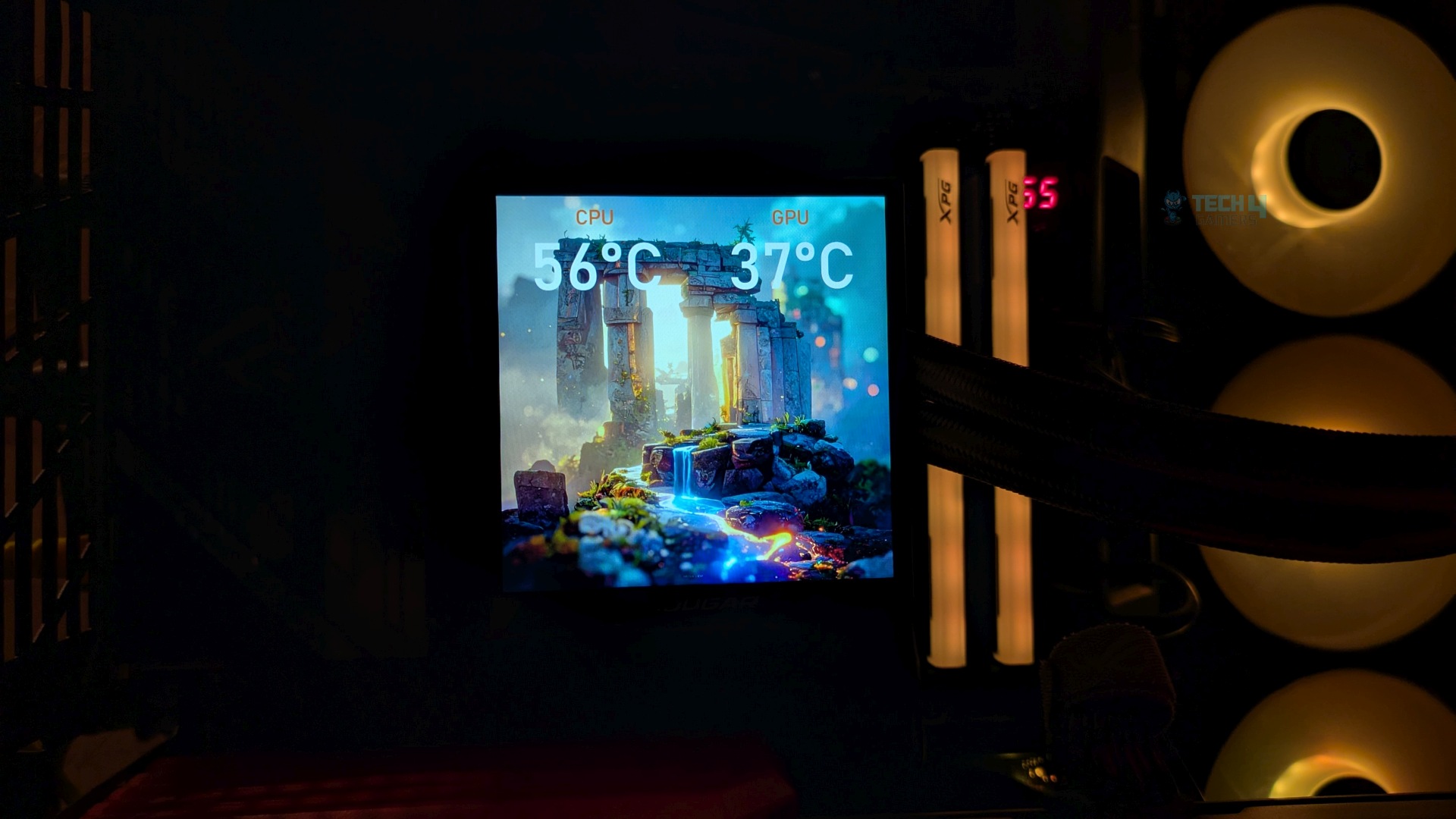
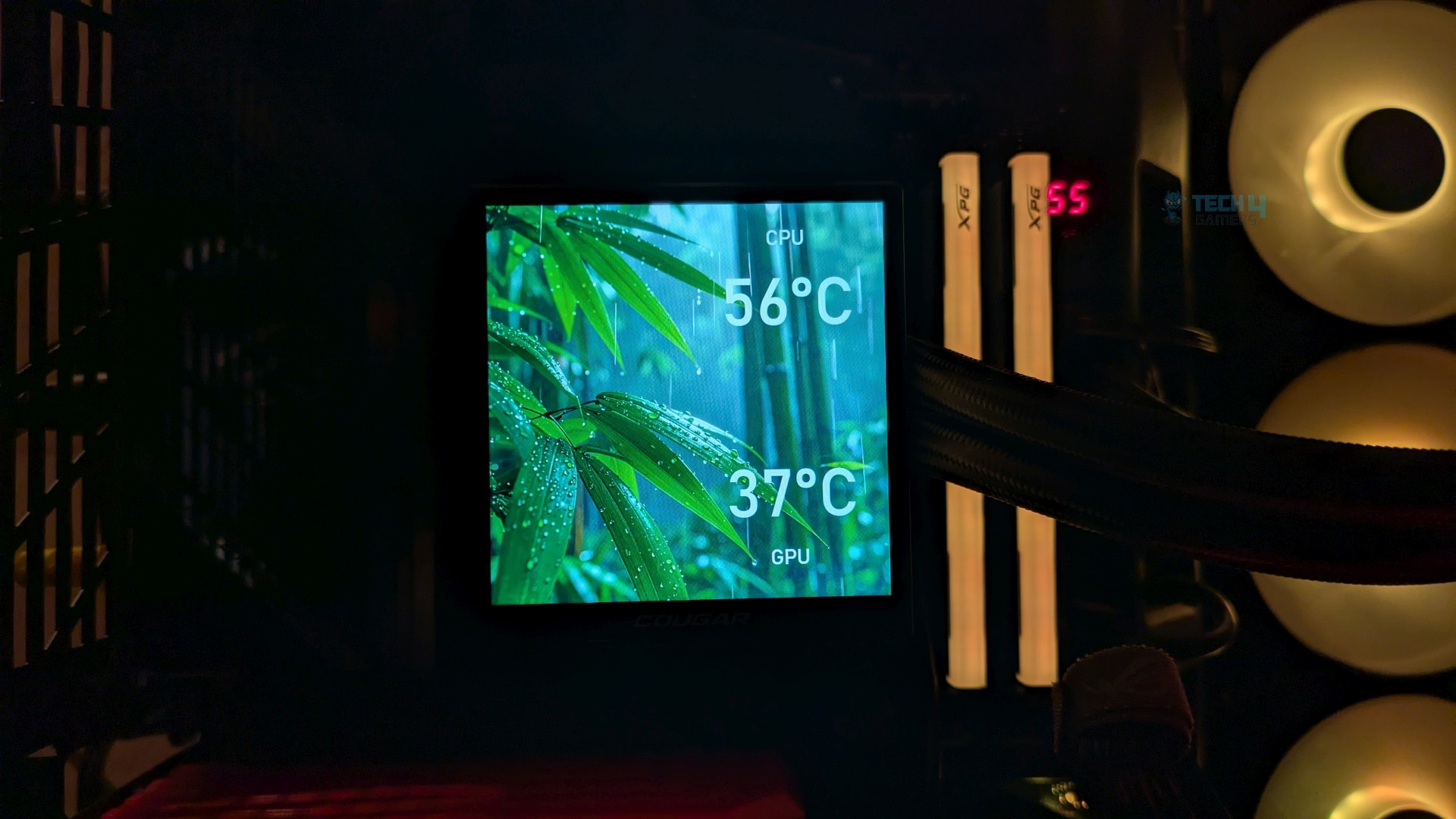
Cougar offers more than two dozen presets in their software, and you can also download certain layouts from their official website. Based on my experience with the LCD, the panel delivers excellent colour vibrancy and sharp contrast. The text and telemetry look sharp on the 720×720 screen; however, since it’s a TFT-IPS LCD screen, you might notice washed-out colours at lower brightness. At 350 nits, you won’t notice anything strange in a well-lit room.
Fans
They really have put effort into the fan design sometimes. The cooler has three customized 120mm CF-VRX120 FB PWM fans, which are premium, high-static-pressure fans. If you look closely at its aerodynamics, you’ll notice the 7-blade design and the aerodynamic ribs grooved directly into the blades’ curvature.
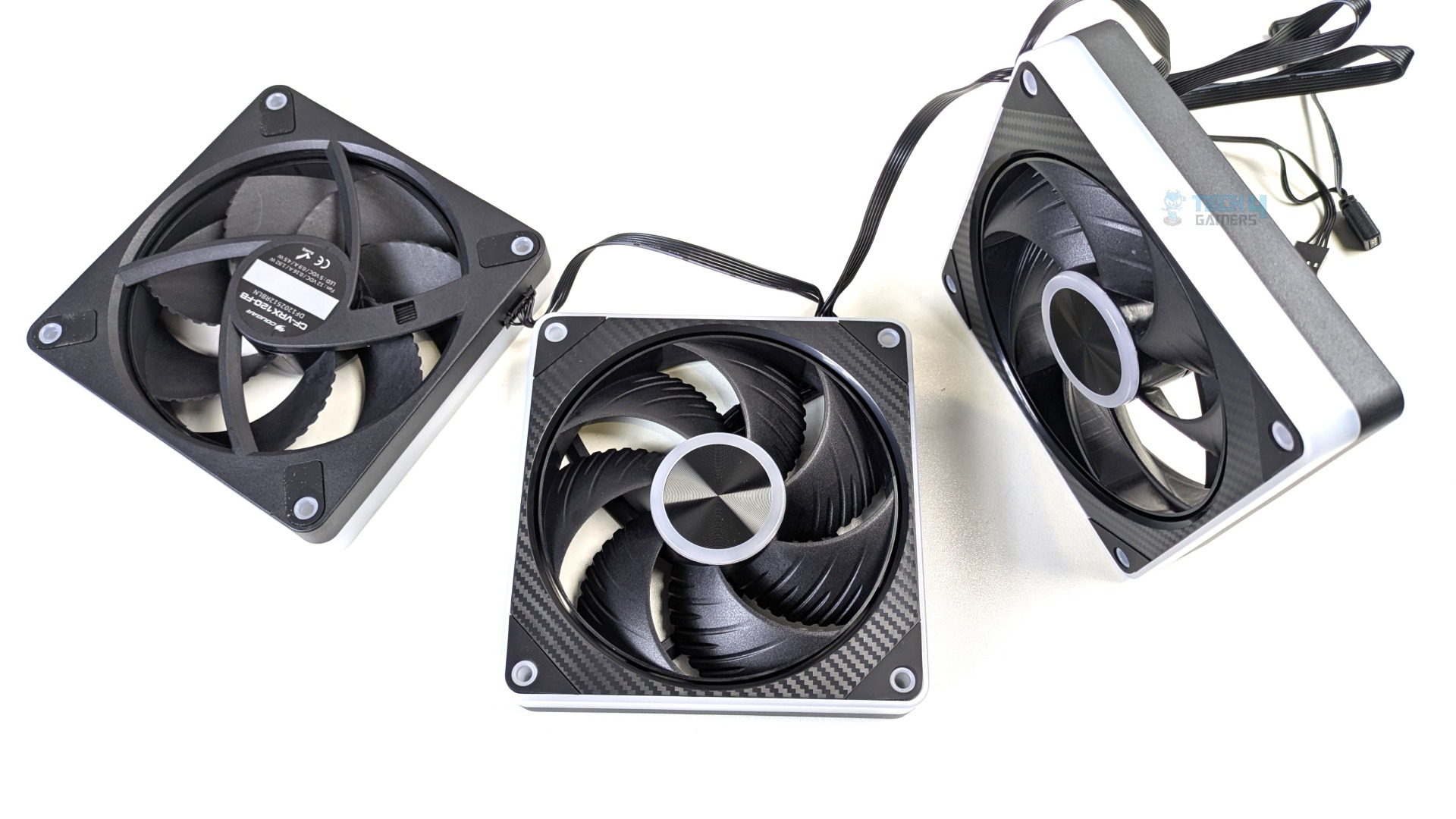
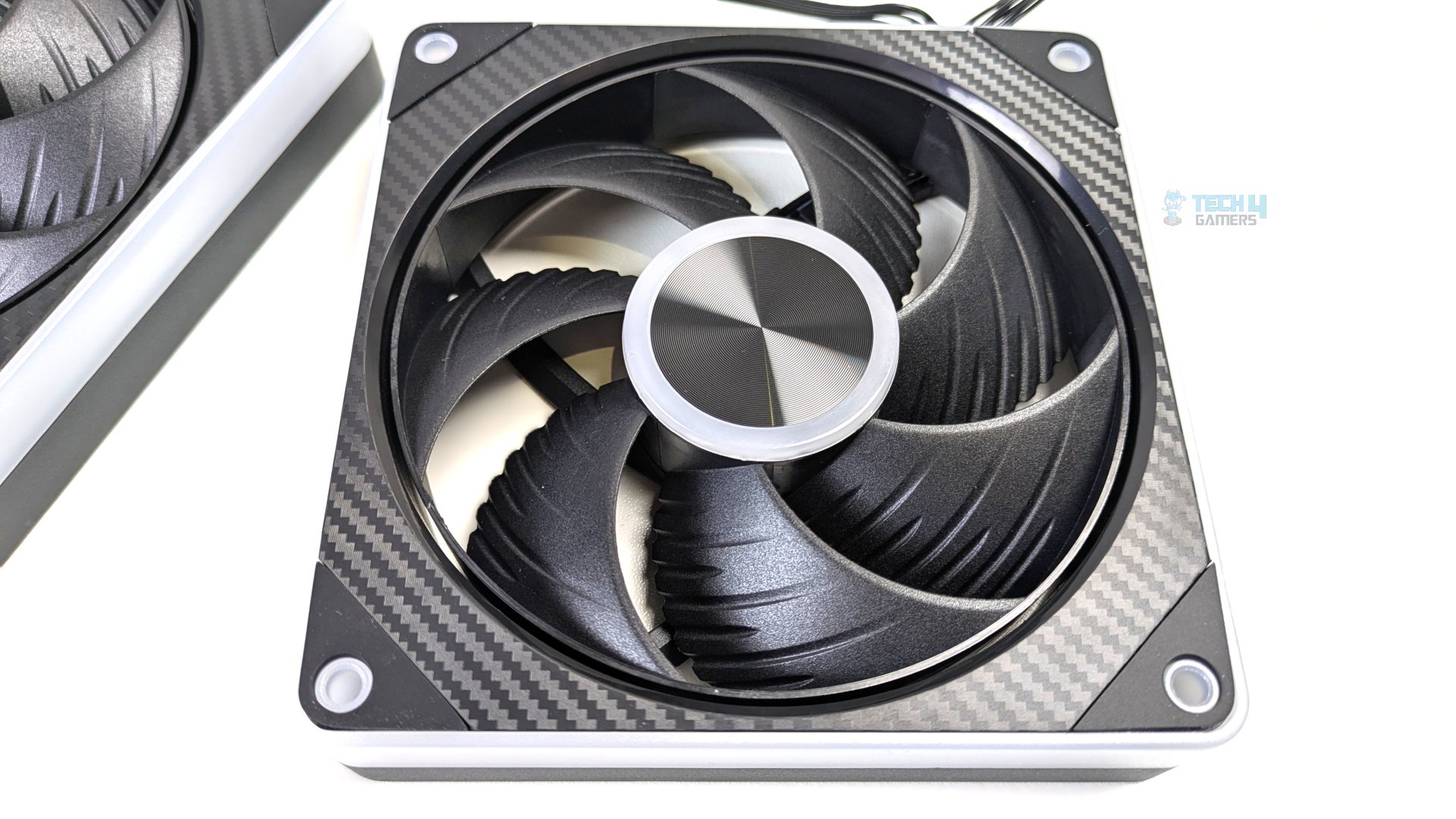
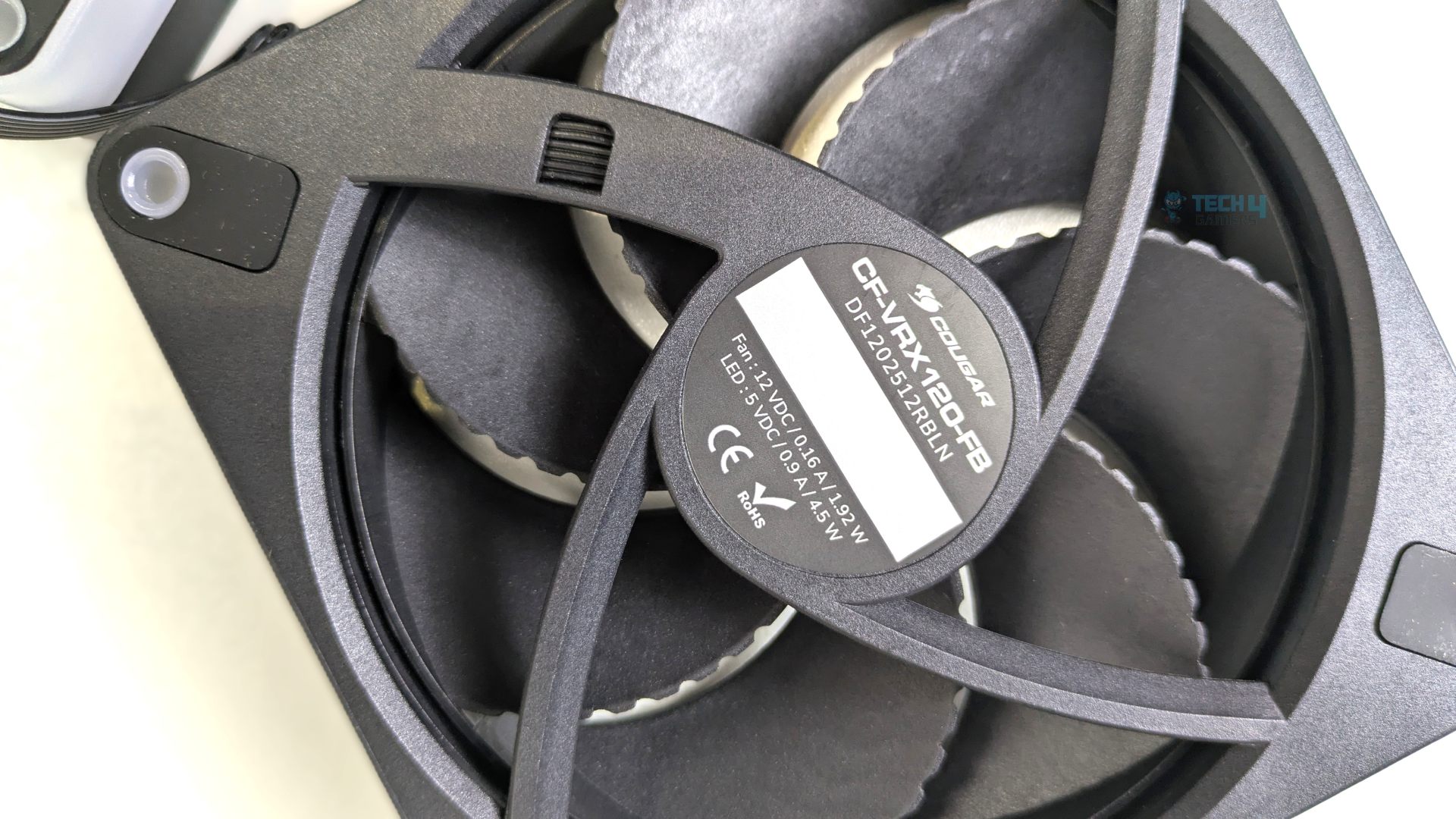
Looking at the rear of the fans, you will notice four aerodynamic, curved stator vanes that provide enhanced airflow and static pressure against the high resistance of the dense radiator fins.
Design-wise, it features carbon-fibre textured framing, and the intake frame wraps the mounting bezels in a carbon-fibre finish. For lighting, the fans use a dual-zone architecture.
Cougar has made some efforts here; rather than mounting LEDs underneath a fan blade, the LEDs surround the metal centre badge with a frosted circular HALO, and there are also LEDs on the side of the frame, housed in acrylic diffusers.
However, the fans feel very premium in the hand, and under the hub, they use Fluid Dynamic Bearings (FDB), which are often used in high-quality fans.
| Model | CF-VRX120-FB |
| Dimensions | 120 x 120 x 25 mm |
| Bearing Type | Fluid Dynamic Bearing (FDB) |
| Fan Speed | 0 – 2500 RPM |
| Max Air Flow | 65.2 CFM |
| Max Air Pressure | 4.35 mm H2O |
| Max Noise | 33 dB(A) |
| Connectors | 4-Pin PWM / 3-Pin ARGB |
Installation (AMD)
We’re using the AMD platform, so our installation steps will only be provided for that.
Prepare the socket
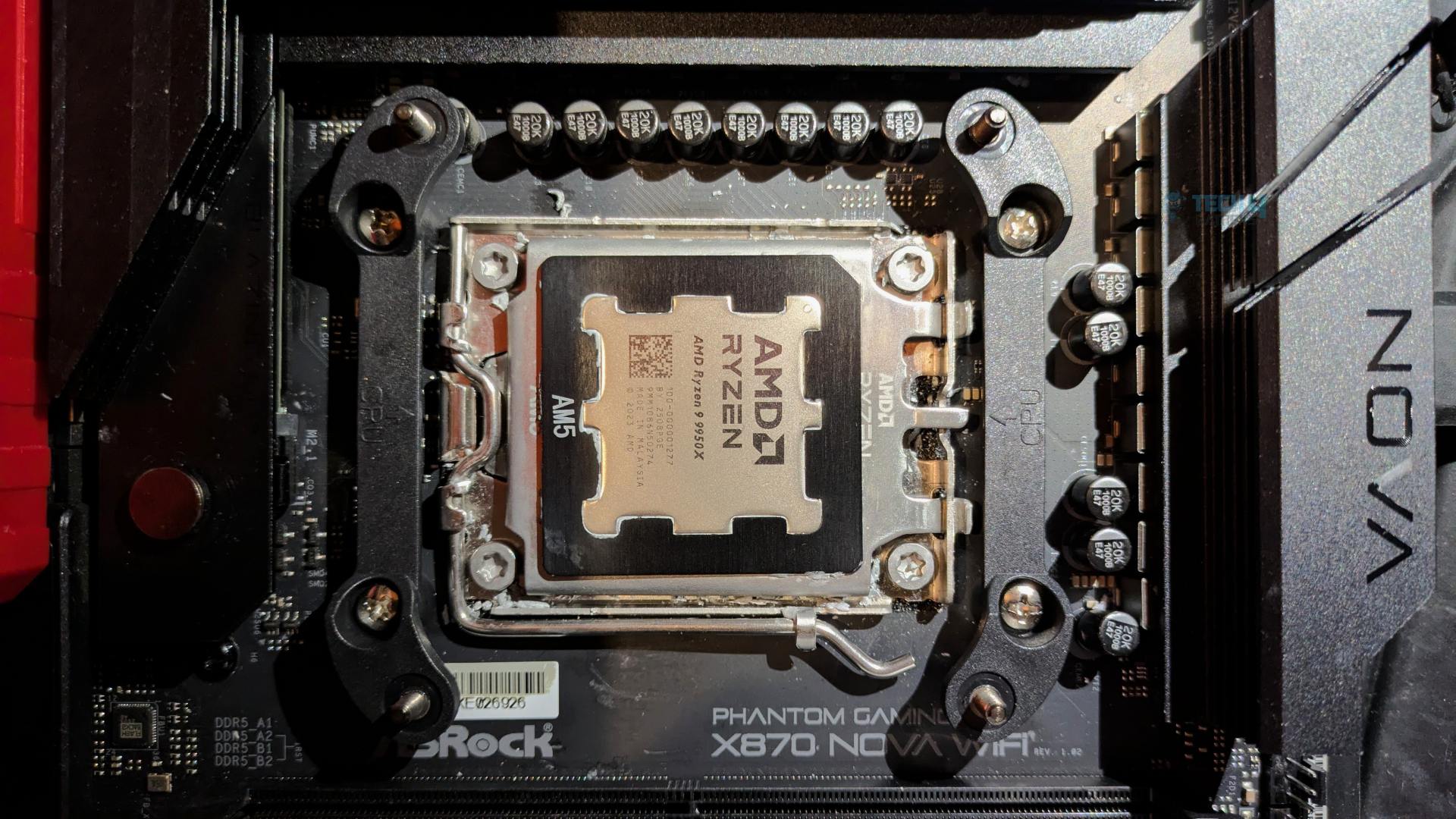
- Remove the two AMD factory brackets that come pre-installed on the AM4/AM5 motherboards. Keep the screws.
- Secure the AMD provided bracket using the original screws from the AMD motherboard default bracket.
- Remove the protective plastic peel from the copper cold plate.
- Apply the Thermal Paste on CPU IHS.
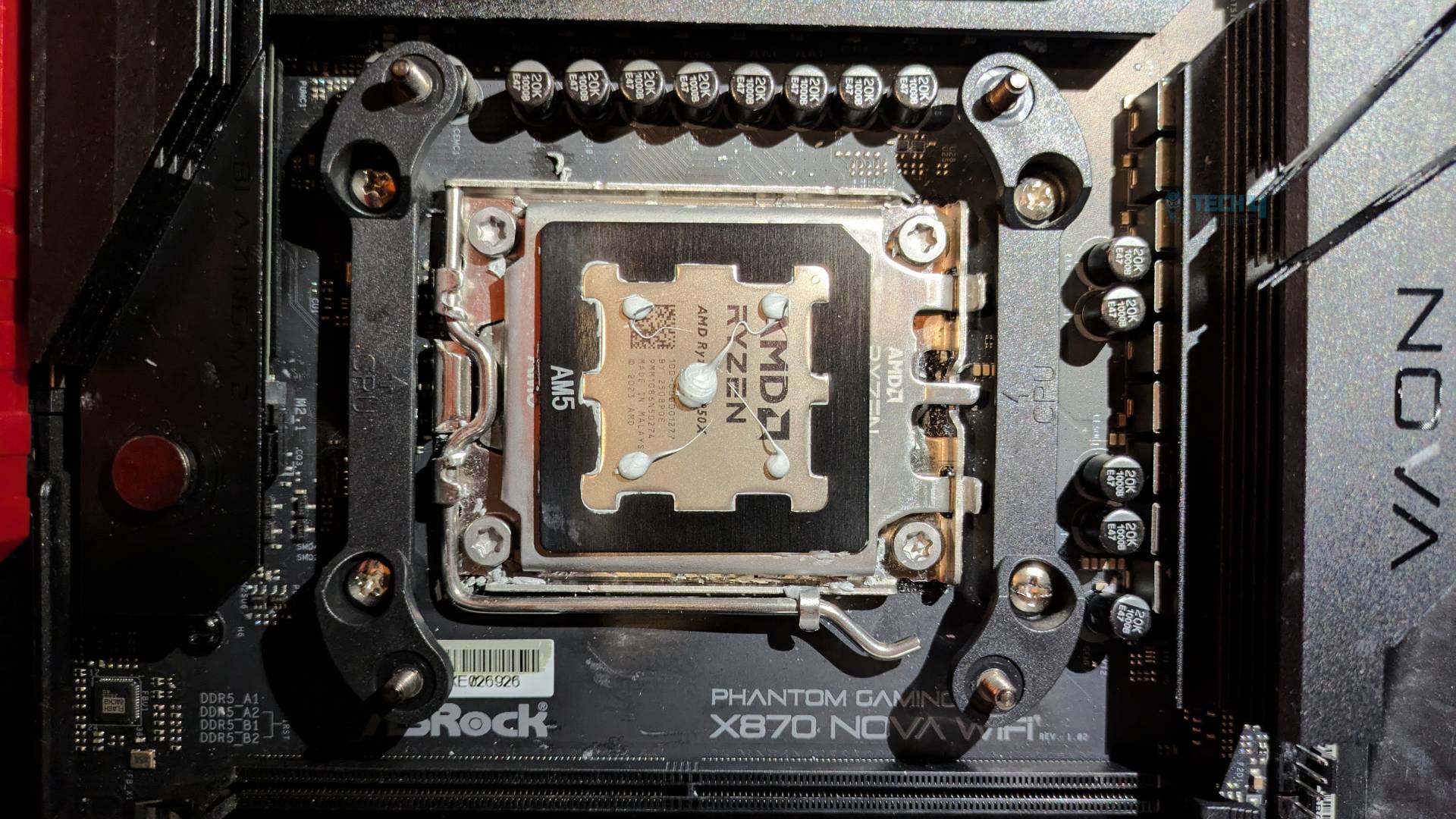
- Place the pump block over the CPU and tighten the integrated bracket screw in a diagonal, alternating pattern to ensure equal mounting pressure across the CPU die.
- Mount the LCD onto block. It’s magnetic you will hear the click once it’s installed.
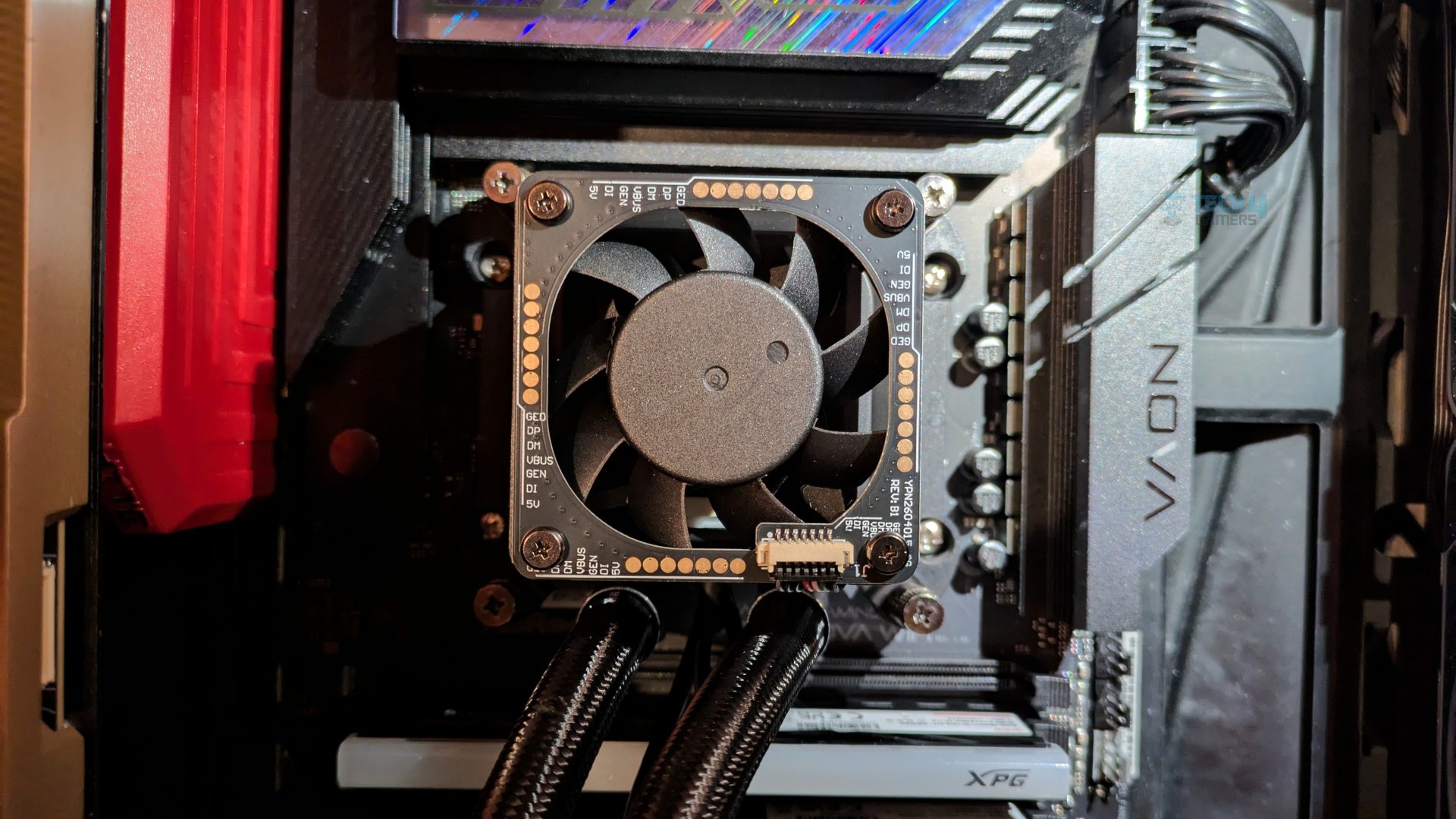
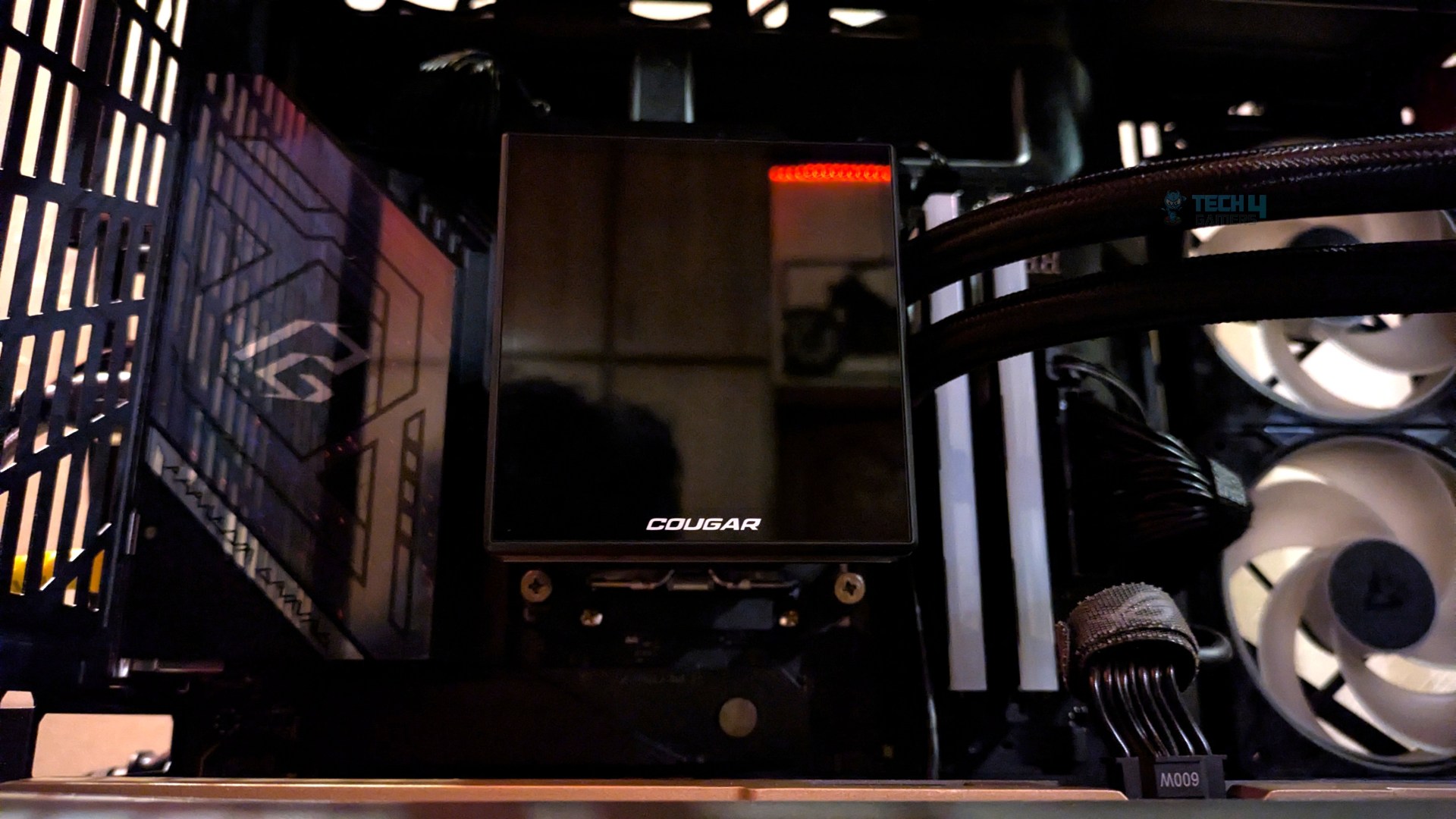
That’s it. The block is now completely installed. The installation was effortless. We did not run into any issue.
Finished Looks
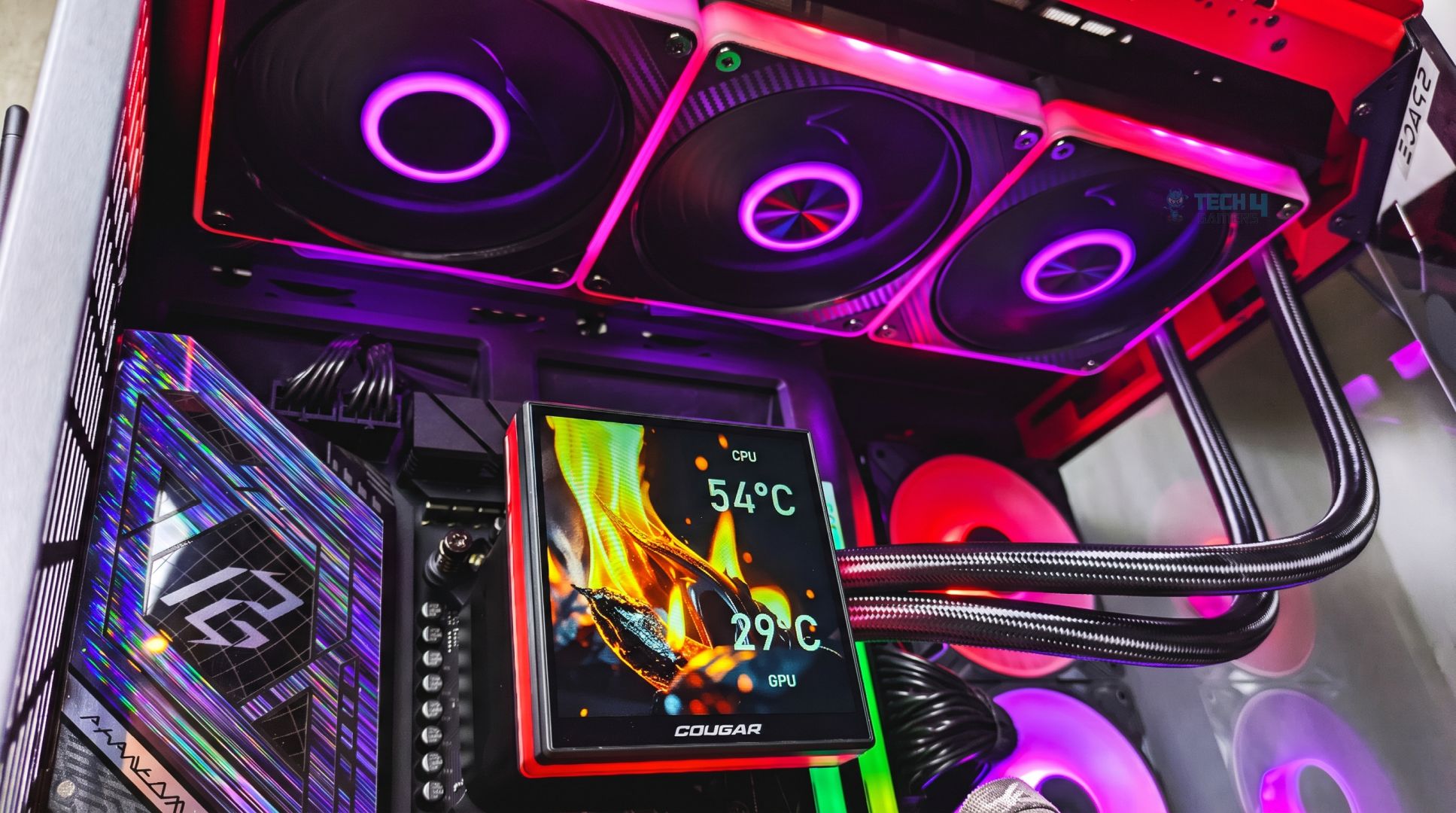
Here are some shots of the Cougar LQX Pro 360 ARGB Liquid Cooler installed in the top exhaust position of the Hyte Y70.
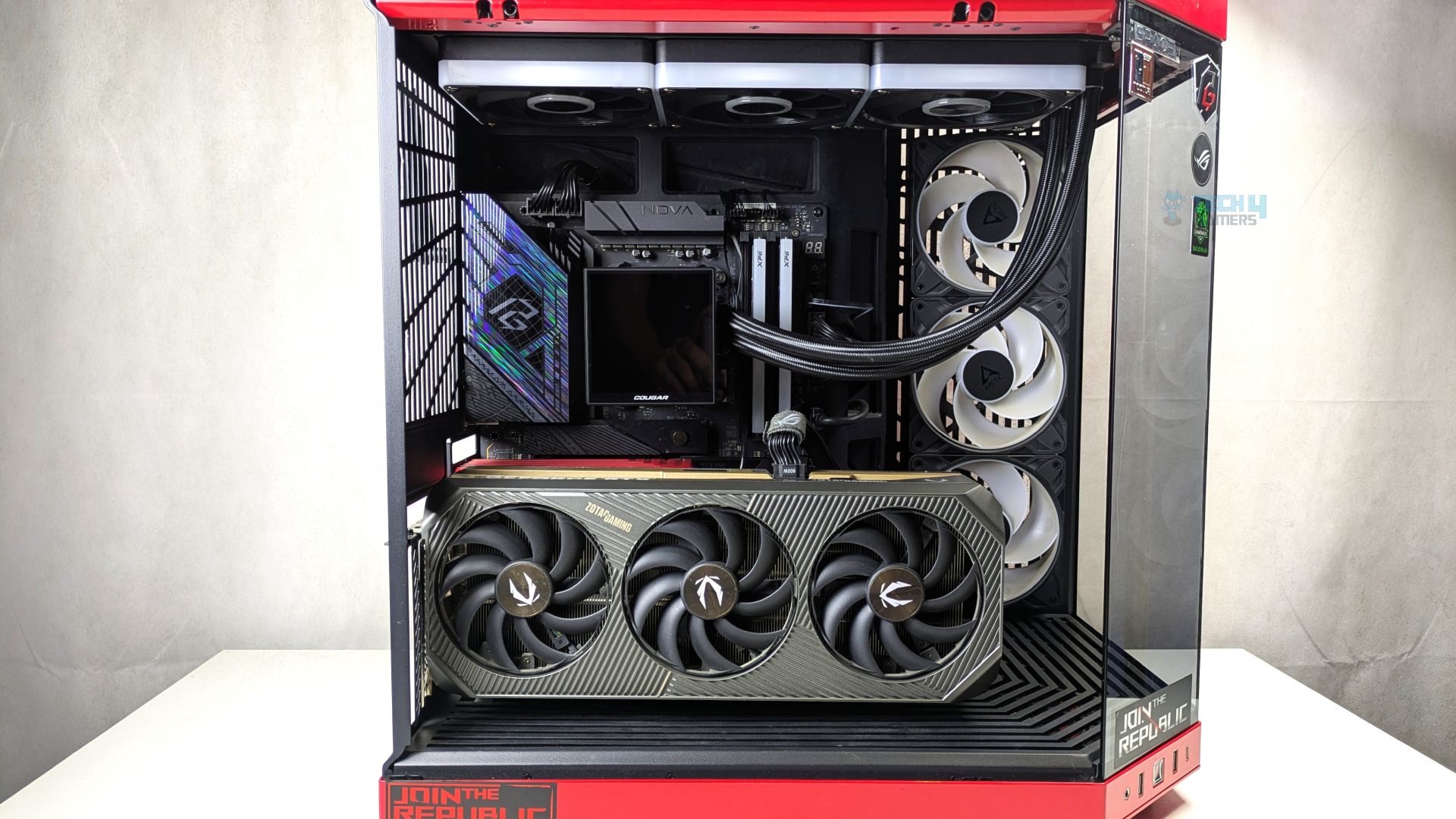
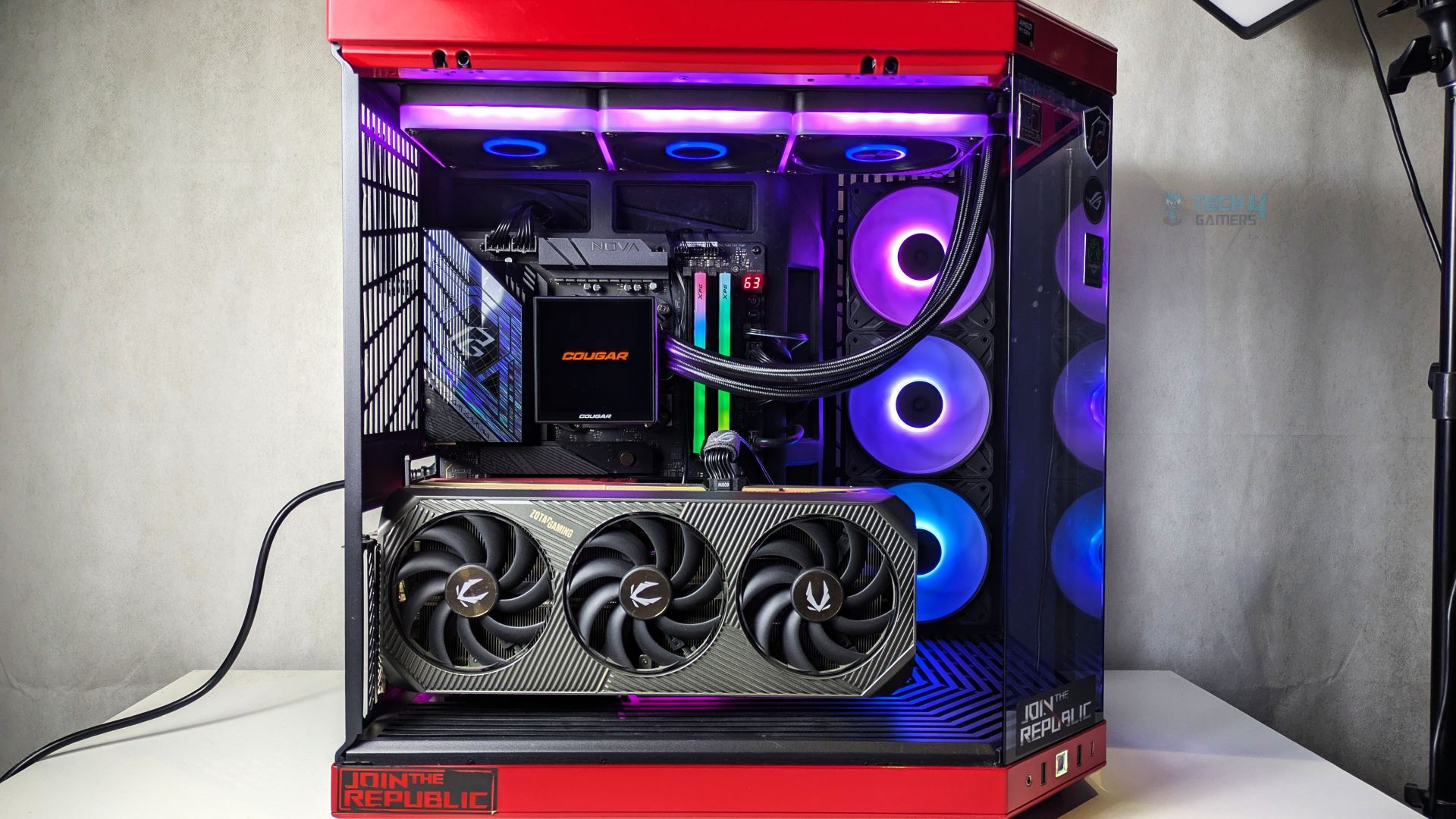
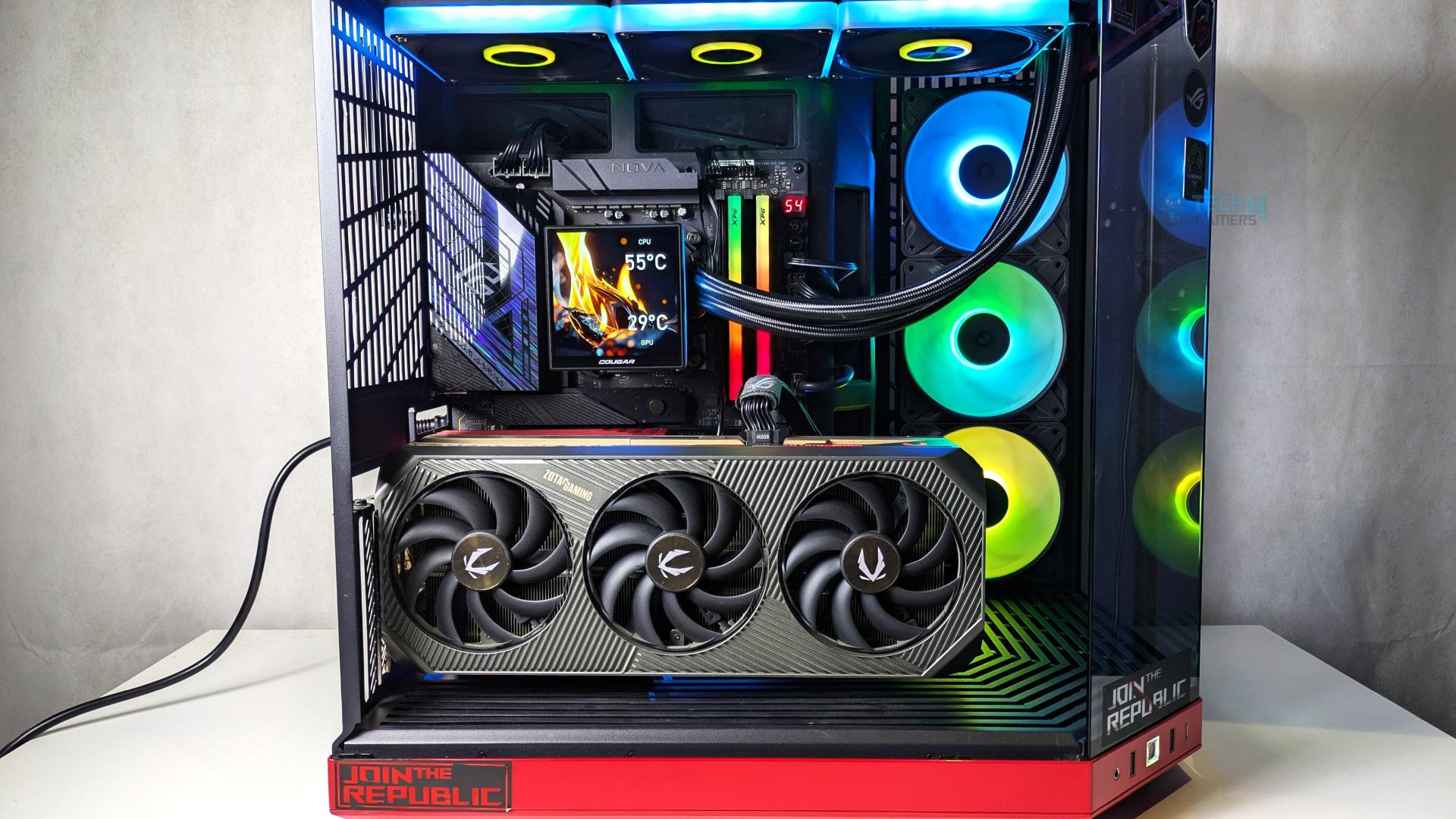
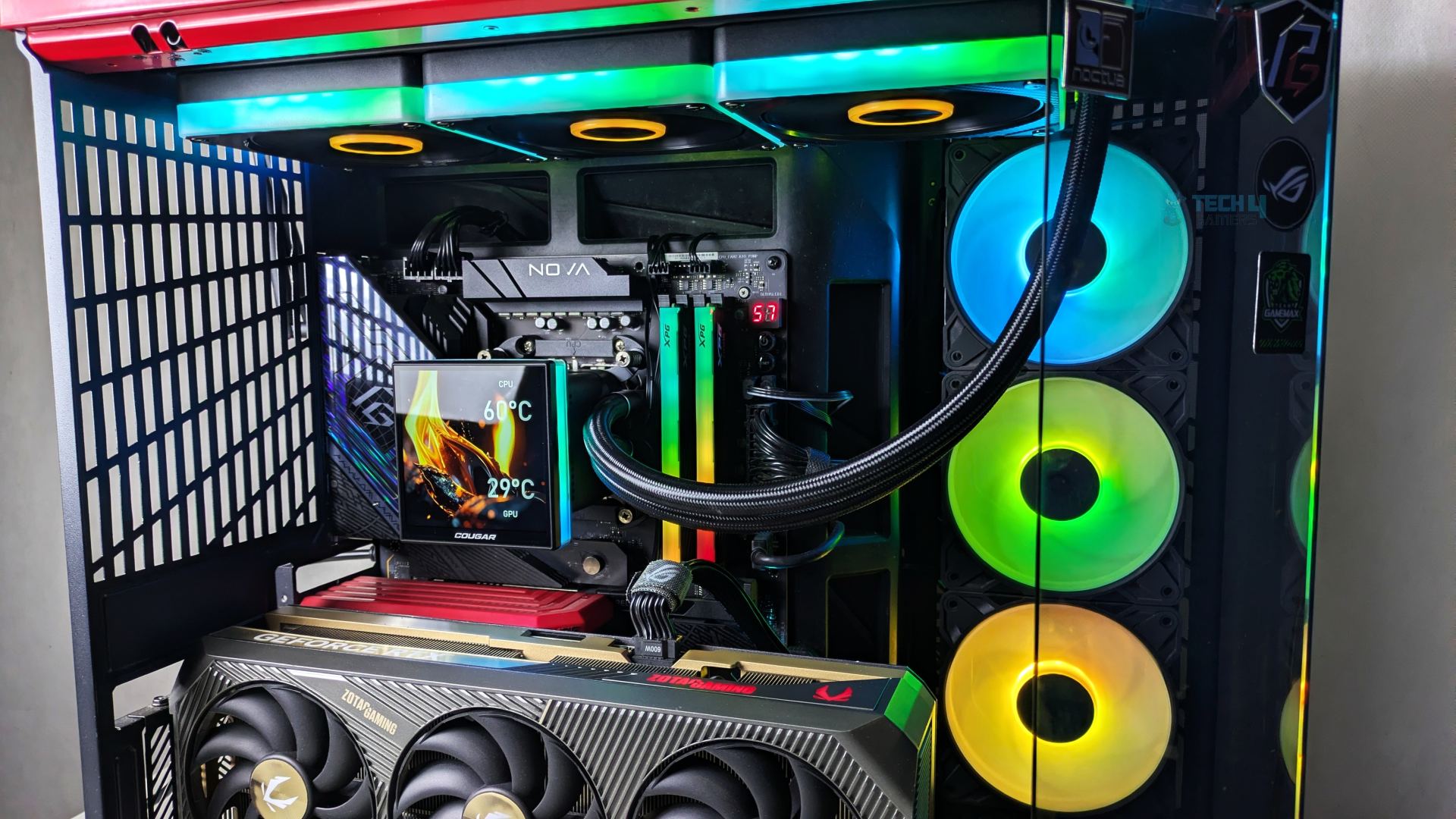
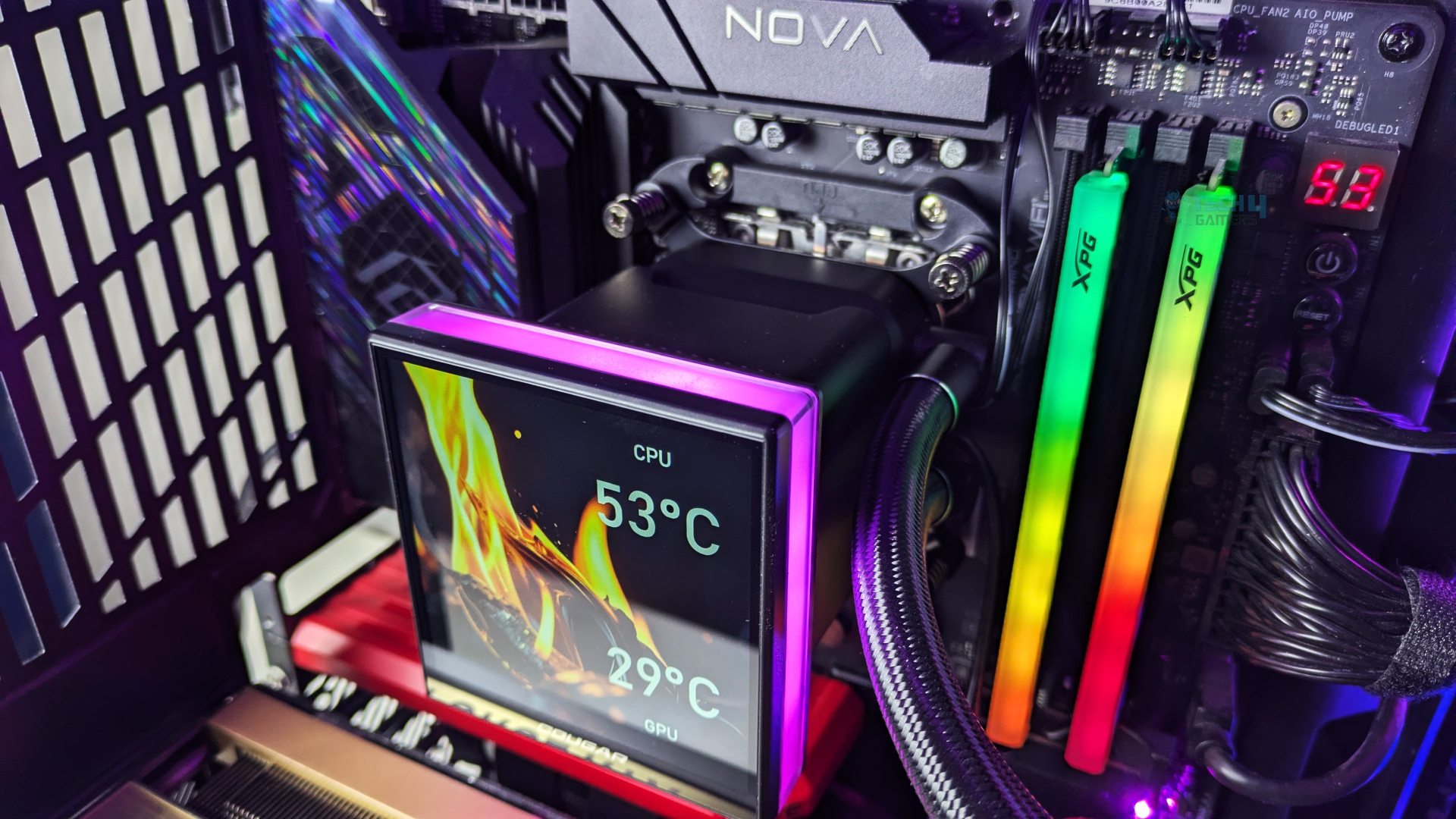
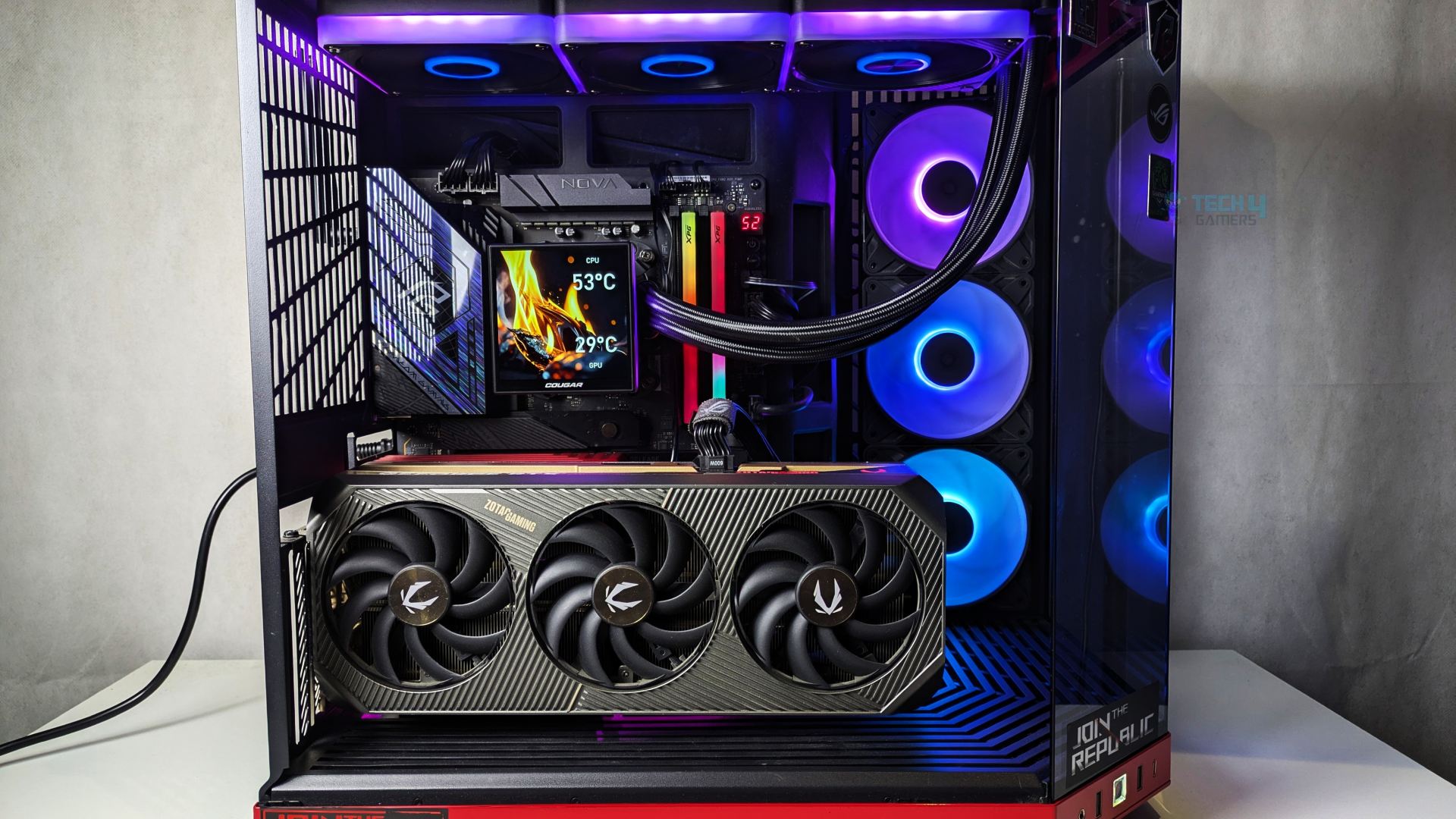
So we’ll put the pieces together, and I’m impressed by how it turned out. The display has become the centerpiece; it’s a big screen and sharp. You can read the text or telemetry easily from 2-3 feet away. Despite the big screen, we had no issues with the RAM clearance, and the NVMe slot beneath the display is still accessible.
The fans also look phenomenal; however, I noticed some clearly visible LED hotspots along that side edge strip. You can easily count 5 to 6 individual SMD LED hotspots per fan frame along the side channel; that’s where Cougar needs to improve. Overall, we had no issues with the build quality.
Testing Methodology
CPU Configuration:
- We evaluate the cooler’s performance using three different benchmark methods. Noise-normalized testing is performed at 40dB(A) at the 105W TDP and 170W TDP (Stock) of the Ryzen 9 9950X.
- We then test the cooler’s performance at the maximum PWM speeds for both TDP configurations.
Controlled Environment:
- We have eliminated the influence of ambient temperatures in our data, and all results are presented as deltas over the ambient conditions. The tests were done in a controlled environment with a room temperature of 25°C.
Preparing System:
- The Coolers are tested in realistic conditions. We don’t use the open bench system; instead, we have installed the cooler in our HYTE Y70 case, mounted at the top. We ensure the airflow is adequate in the case and that the case fans are running at the fixed PWM speeds.
- We are using ID-Cooling X45 thermal paste for all coolers.
Software:
- We have ensured that no other software is running on the computer that could influence the CPU load.
- We’ll be using the Cinebench R23 Loop for 20 minutes after the warm-up test has been completed. Each test has a 10-minute cool-down time.
Test Setup
Here is our test setup!
| Our Primary Test System |
|
|---|---|
| Processor | AMD Ryzen 9 9950X |
| Memory | XPG Lancer 32GB (16x2) 6000MT/s CL30 |
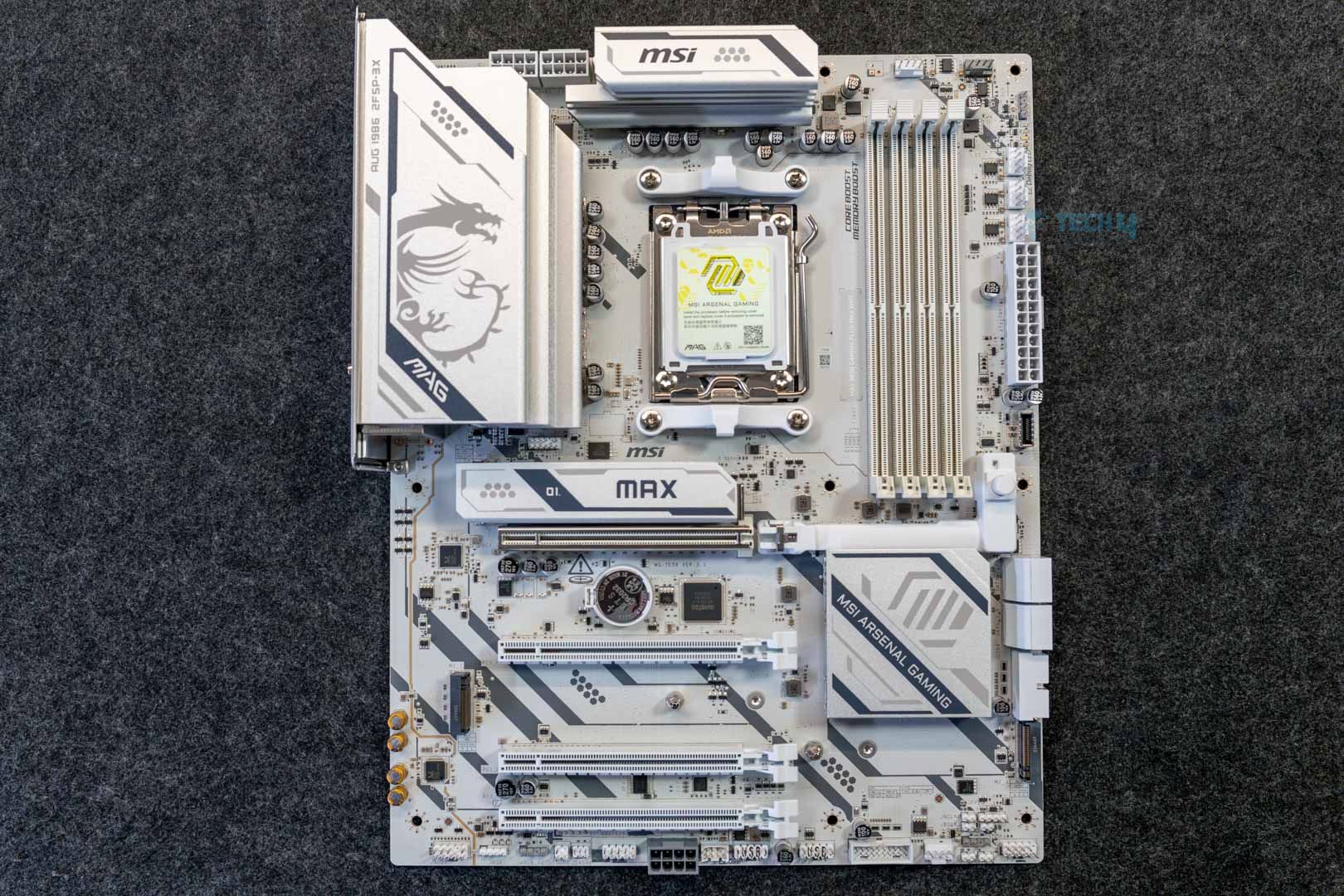
| Motherboard | ASRock X870 Phantom Gaming Nova WiFi (BIOS: 4.43v) |
| Thermal Paste | ID-Cooling X45 |
| Graphics Card | ZOTAC SOLID RTX 5080 , |
| Power Supply Unit | Super Flower LEADEX VII Platinum PRO 850W |
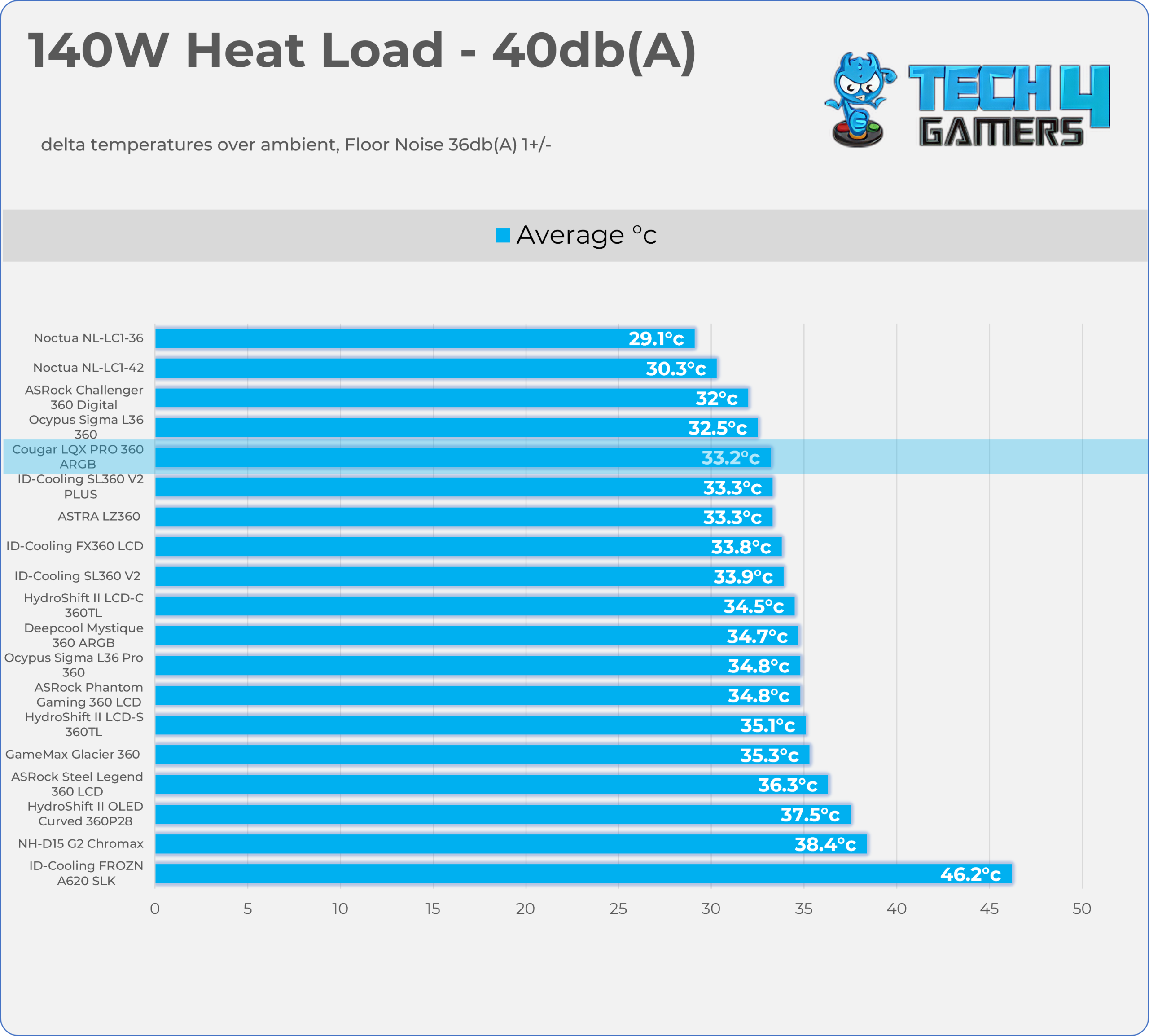
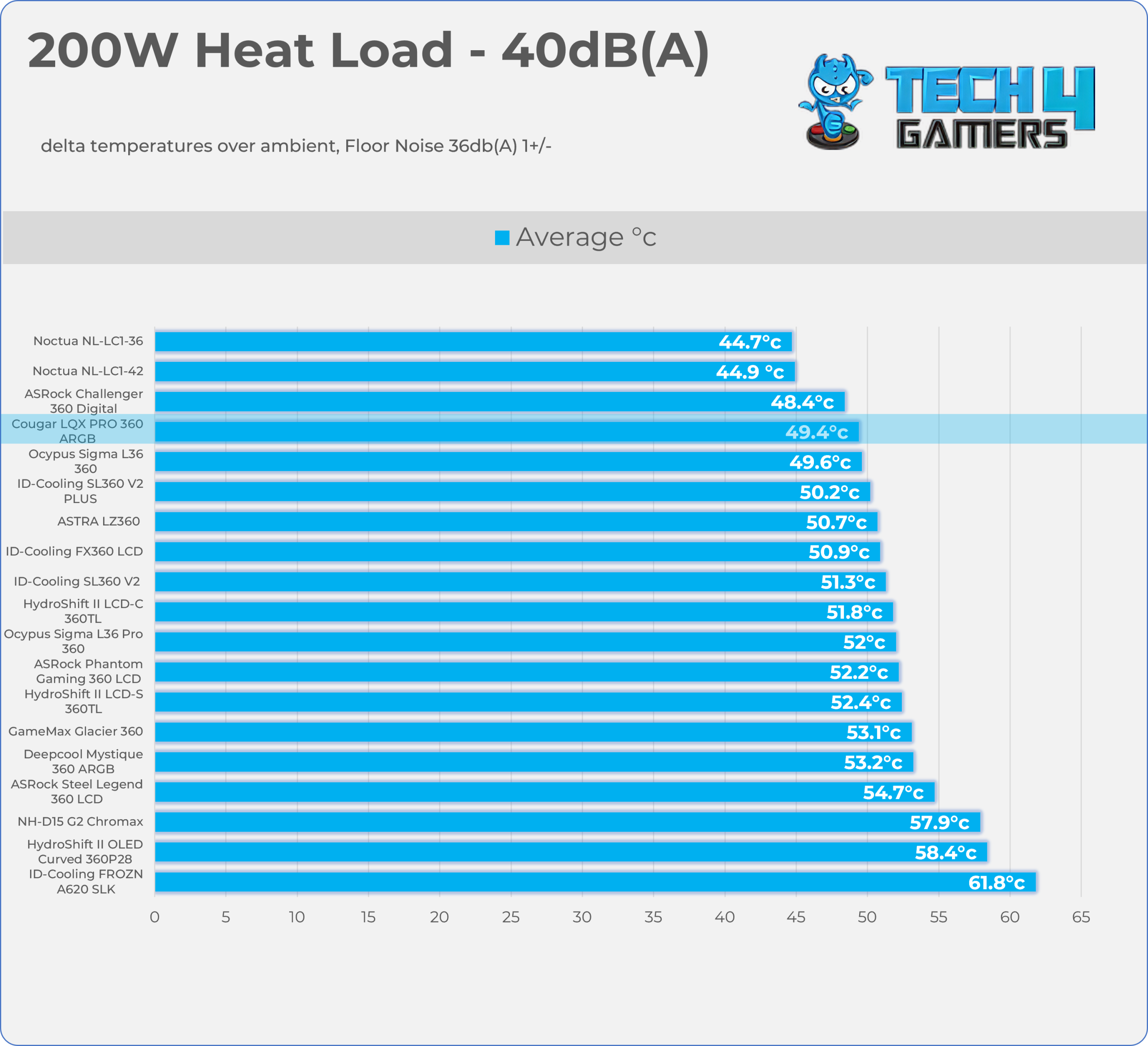
Test – Noise Normalized 40 dB(A)
Results at the fixed noise level of 40dB(A).
140W Heat Load
200W Heat Load
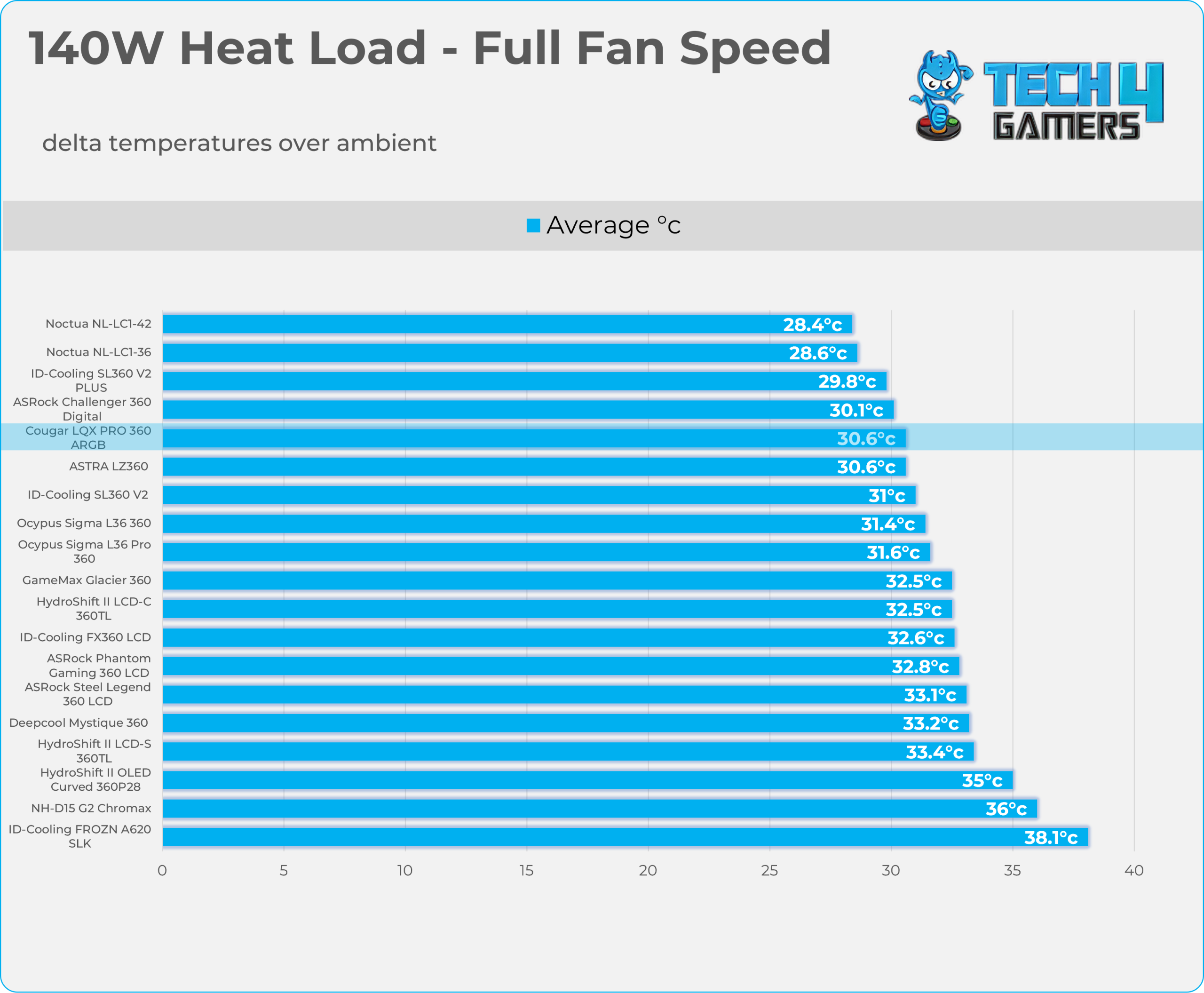
Test – Maximum Speed
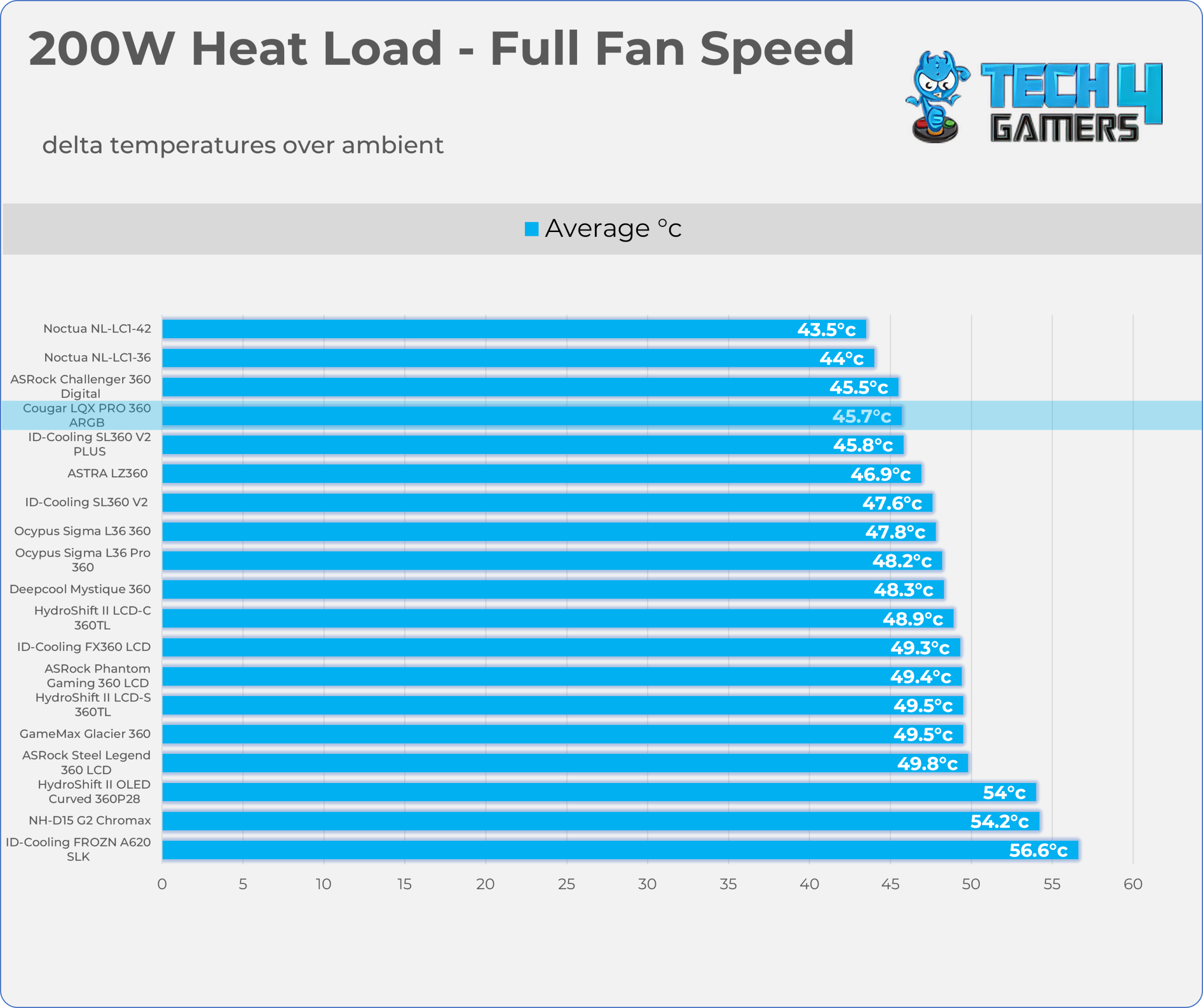
Results at the Maximum PWM Speed.
140W Heat Load
200W Heat Load
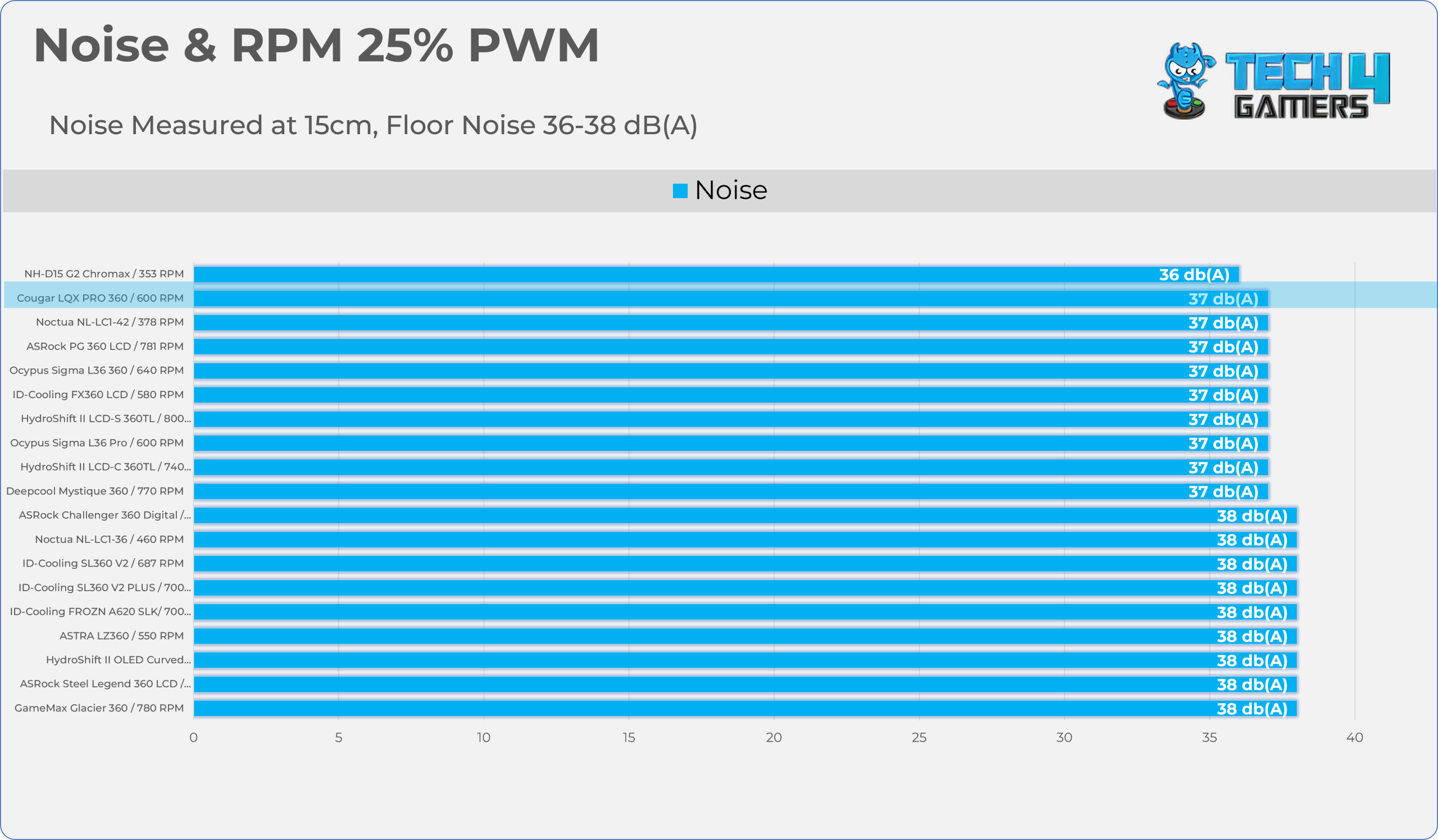
Noise and RPM Readings
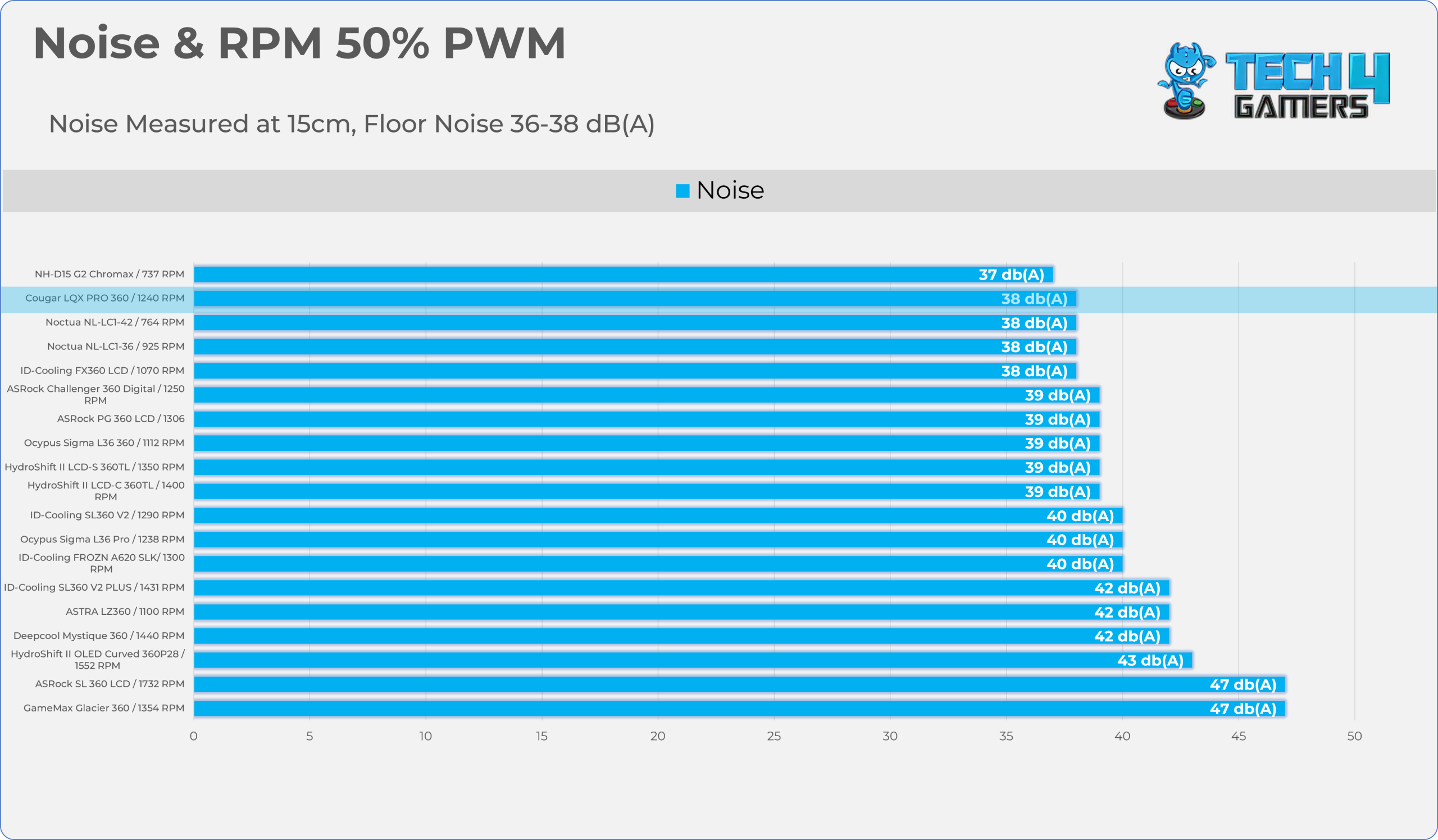
Let’s take a look at the Noise and RPM Readings. We conducted tests across four different PWM range levels.
25-50% PWM
75-100% PWM
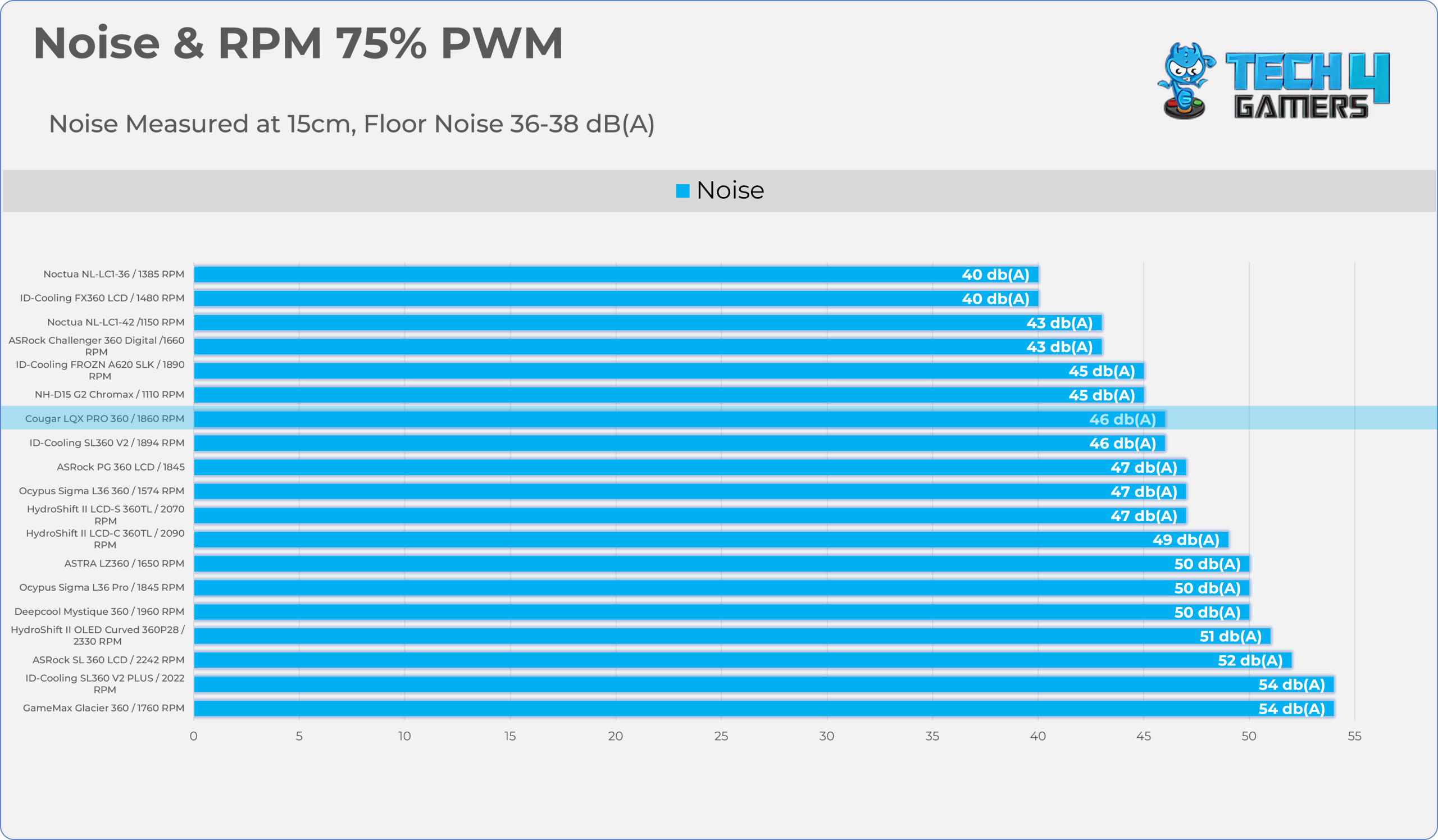
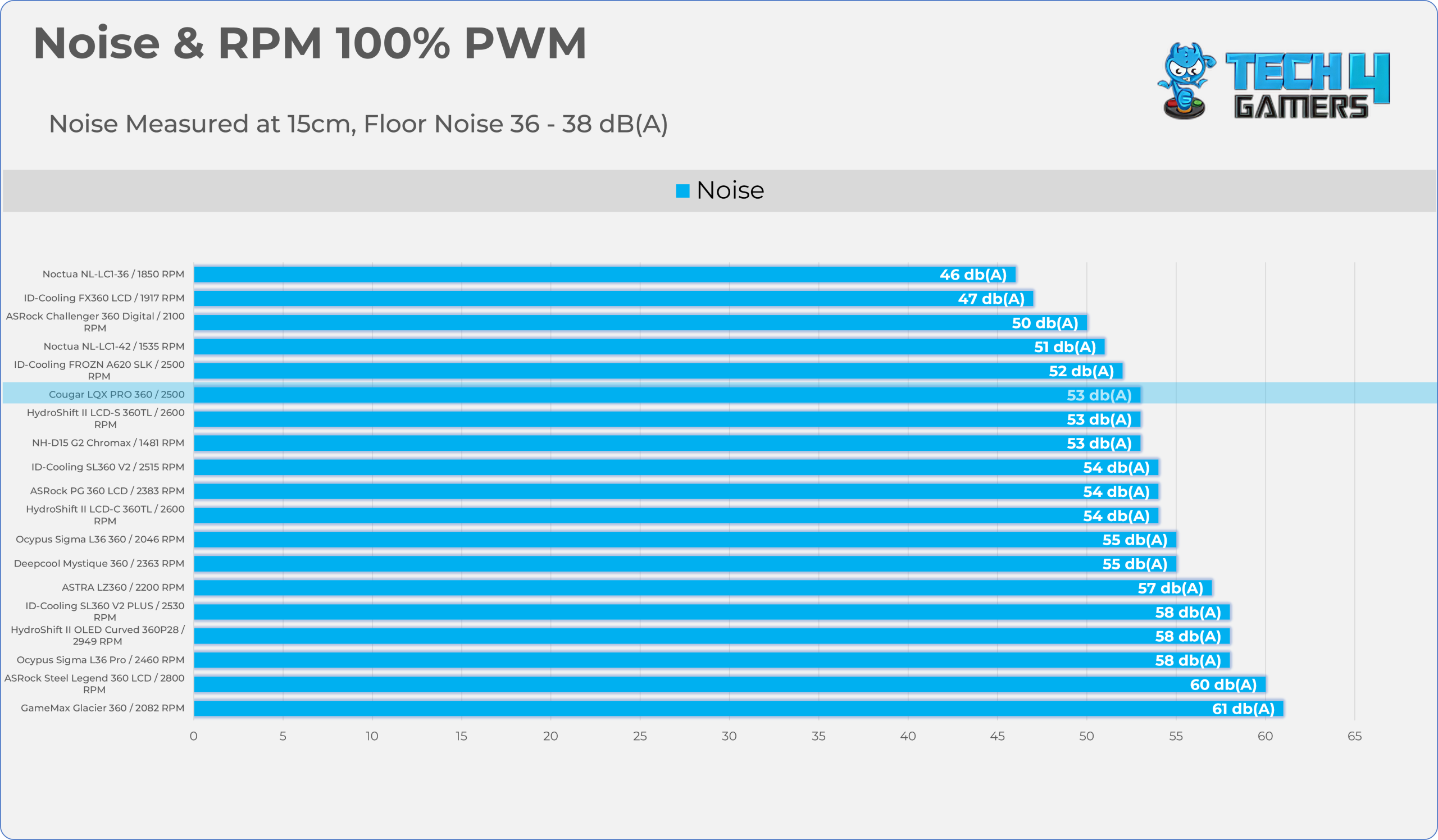
Here we test the Noise & RPM vs the PWM Curve of the fans.
| PWM Level | RPM | Noise (dB(A)) |
| 25% | 600 | 37 |
| 50% | 1240 | 38 |
| 75% | 1860 | 46 |
| 100% | 2500 | 53 |
Note: The integrated VRM fan on the pump block runs constantly at 3,500 RPM and cannot be adjusted, controlled, or manually turned off.
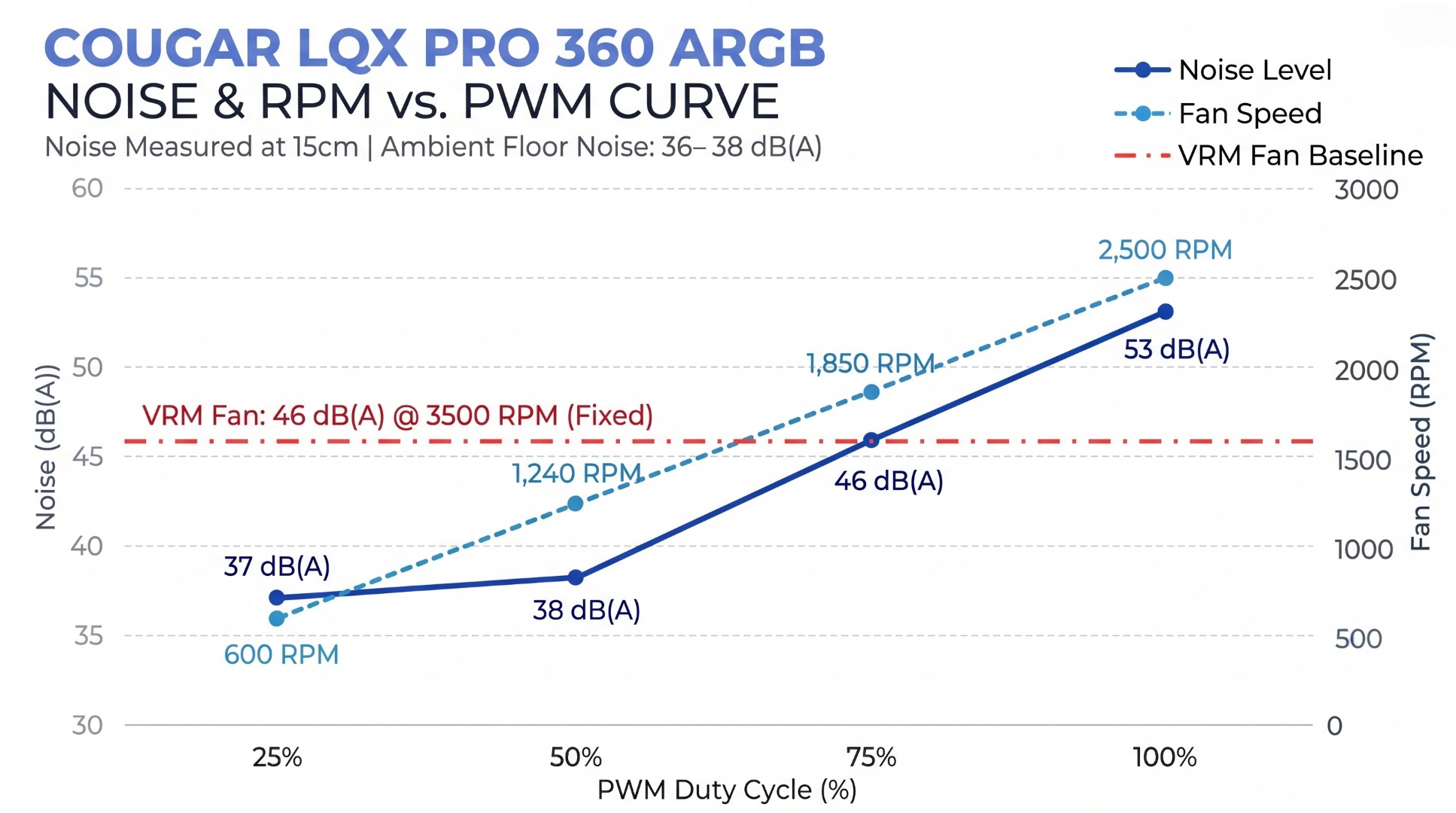
We exclude its noise from our noise-normalized thermal results and radiator fan noise testing. We measured the radiator fan noise and VRM fan noise separately.
Should You Buy It?
Buy It If
✅ You Want a Massive, High Definition Display On The AIO: Cougar LQX 360 features a large 3.95-inch square LCD with a crisp 720×720 IPS panel, substantially larger than the 2.4- to 2.8-inch screens found on most liquid coolers.
✅ You Demand Active Cooling for the Motherboard VRMs: The cooler features a 60mm integrated VRM fan that runs at 3500 RPM, effectively cooling motherboard components, including memory, M.2 SSDs, and VRMs.
✅ You Have a High-Wattage Processor: As our benchmark demonstrates, the Cougar LQX Pro 360 delivers exceptional cooling performance for the AMD Ryzen 9 9950X, with ample thermal headroom.
Don’t Buy It If
❌ You Want Ultra-Quiet Acoustics at System Idle: The integrated VRM fan runs at a fixed 3500 RPM, significantly lower than the radiator fans, which run at 50% PWM.
Final Thoughts
Cooling Performance And Noise
Cougar LQX Pro 360 demonstrates strong upper-tier cooling efficiency under both moderate and heavy thermal loads, consistently securing top-five finishes against competing 360mm closed-loop liquid coolers.
At the 200W thermal load, the LQX moves up to fourth place, with a 45.7°C delta over ambient, sitting directly behind the larger Noctua NL-LC1-42 ($270 Cooler). In the noise-normalised testing, with the fans set to a fixed 40dB(A) output, the CPU comfortably stays under the 50°C delta barrier alongside the Noctua and ASRock, and delivers slightly better performance than ID-Cooling.
If you care about acoustics and fan tuning, I suggest running the fans at 50%-60 % PWM (130-1700 RPM), which lets the cooler deliver 98% of its cooling capacity at a much lower noise level.
Build Quality / Design
I don’t see any other major flaws in this liquid cooler besides the VRM fan, which cannot be controlled and runs constantly at 3500 RPM. In our tests, it produced 46 dB(A) of noise, which users who care about acoustics won’t appreciate. Cougar should have provided software control or at least a physical switch to adjust or completely turn off the VRM fan. VRM or auxiliary fans are optional and should be treated as such.
Apart from this, I’m impressed with the build quality. The magnetic display does its job well, and we didn’t feel it would come off when moving the PC or cleaning it. It’s also worth mentioning the preinstalled universal mounting bracket, which makes installation much easier on both Intel and AMD platforms.
The fans, on the other hand, are very solid, offering clean aesthetics and a smooth, continuous, diffused ARGB glow along the side edges. They can look particularly good in a black-themed PC build. However, we noticed several LED hotspots along the fan sides, which Cougar needs to address.
Overall, this cooler delivers flagship-tier performance and build quality, with just a few areas that could use improvement.
Value
The Cougar LQX Pro 360 delivers performance that rivals much larger or more established flagship coolers from brands like Noctua and Lian Li, positioning itself as a heavyweight contender in the premium AIO market. With active motherboard cooling, a large LCD, and premium fans, it offers plenty. It targets enthusiasts who want the most out of their PC hardware, including real-time system telemetry, while keeping temperatures in check. This makes it a solid option for high-end builds.
The cooler is expected to launch around November or December at $149.99, placing it in the high-end closed-loop liquid cooling segment. However, getting similar features from other premium brands could cost you up to $200. In my opinion, at $150, the Cougar LQX Pro 360 is priced just right.
Thank you! Please share your positive feedback. 🔋
How could we improve this post? Please Help us. 😔
Worth It?
Review Summary
The Cougar LQX Pro 360 delivers outstanding cooling performance and extensive system telemetry thanks to its large 3.95-inch, 720×720 IPS-TFT LCD that magnetically attaches to the pump block. Beneath the screen sits an active 60mm VRM fan that effectively cools the motherboard components. However, it runs at a fixed 3500 RPM and cannot be controlled. The CF-VRX120 fans are also solid in build quality and acoustics, with dual-zone lighting for added visual appeal. They come preinstalled and daisy-chained on the radiator right out of the box.
Hours Tested: 7 Hours
Overall
-
Cooling - 9/10
9/10
-
Noise - 7/10
7/10
-
Aesthetics - 9.2/10
9.2/10
-
Build Quality - 9.2/10
9.2/10
-
Value - 8.5/10
8.5/10
Pros
- Large 3.95-inch Display.
- Magnetic Panel Mount.
- Integrated VRM fan.
- Solid Build Quality.
- Universal Bracket on the Block.
- Daisy-chained Fans.
- Exceptional Cooling Performance.
- A wide range of display presets to choose from.
Cons
- Integrated VRM fan is loud and cannot be controlled or adjusted.

Senior Hardware Reviewer at Tech4Gamers with over a decade of experience in the tech industry. My journey began in 2014 as a senior administrator for Pakistan’s largest gaming community forum. I specialize in testing and reviewing components like graphics cards, CPU coolers, and motherboards, while also sharing insights on overclocking and system optimization.